3D Hover Effect CSS: 9 Pointer-Following Scenes
A 3D hover effect turns a scene toward your pointer with CSS 3D rotation. These nine "3d hover effect css" scenes use only perspective, preserve-3d,
 01 pointer-3d-product-rotate
 02 pointer-3d-card-stack-parallax
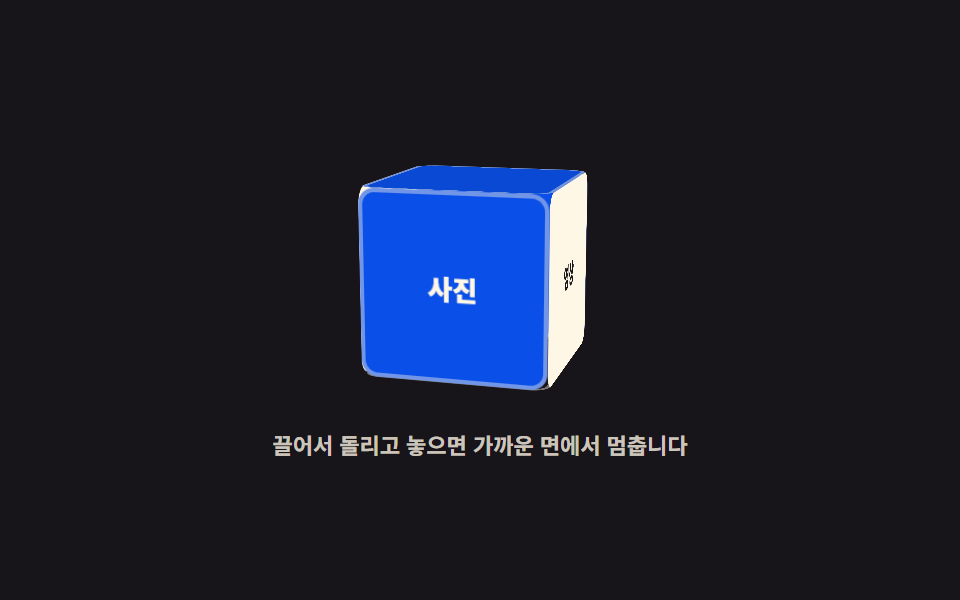 03 pointer-3d-cube-drag-spin
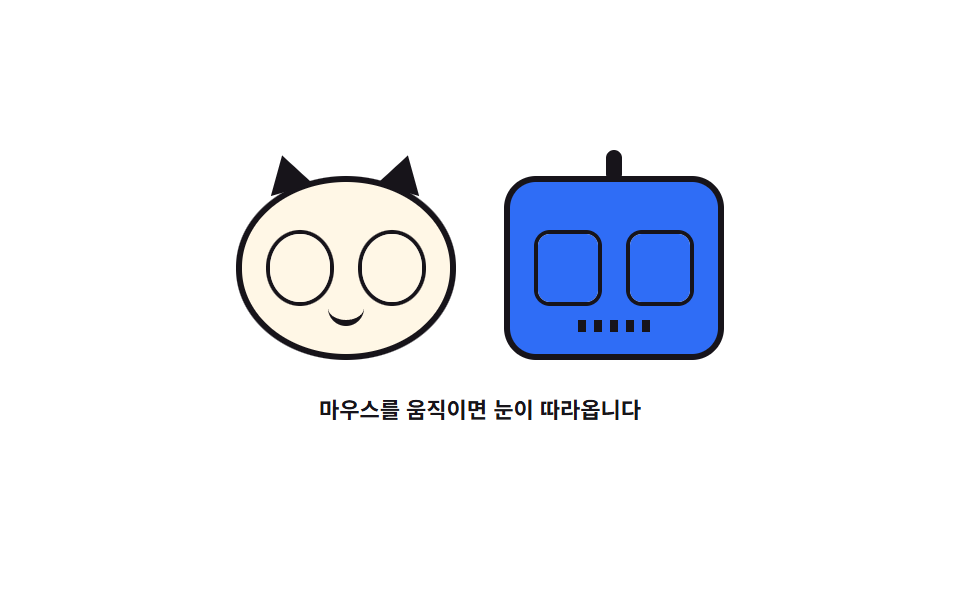 04 pointer-3d-eyes-follow
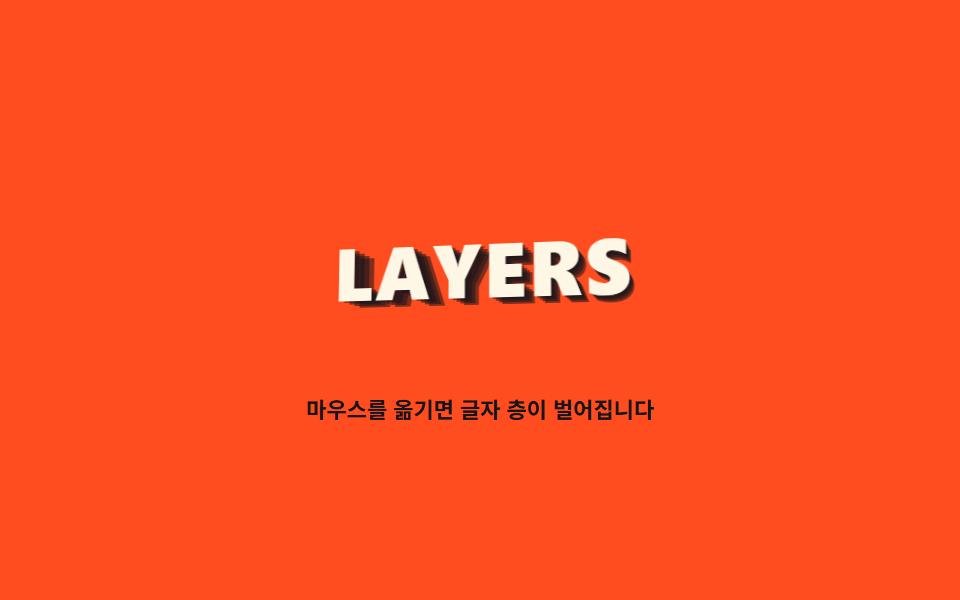 05 pointer-3d-text-layers
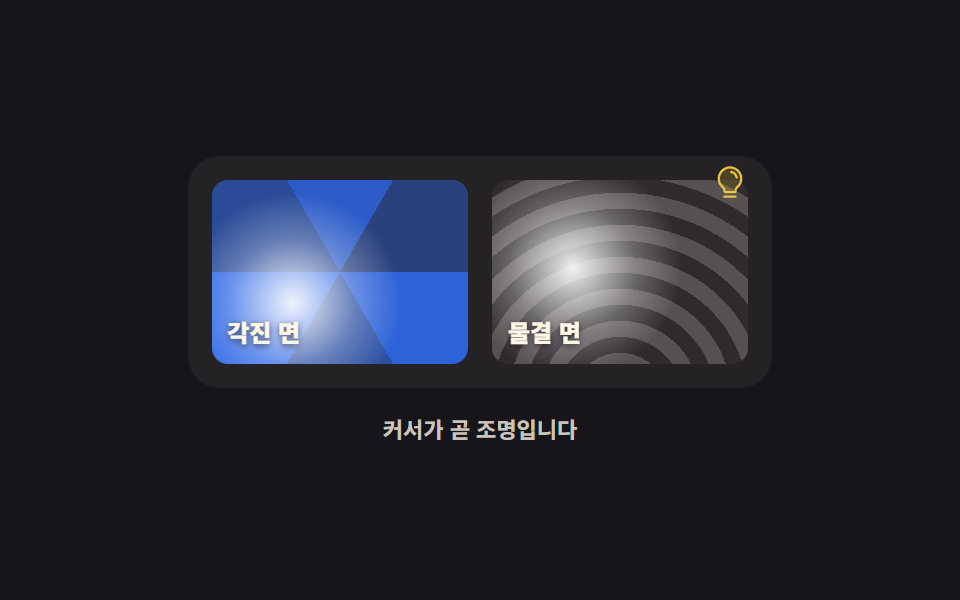 06 pointer-3d-light-highlight
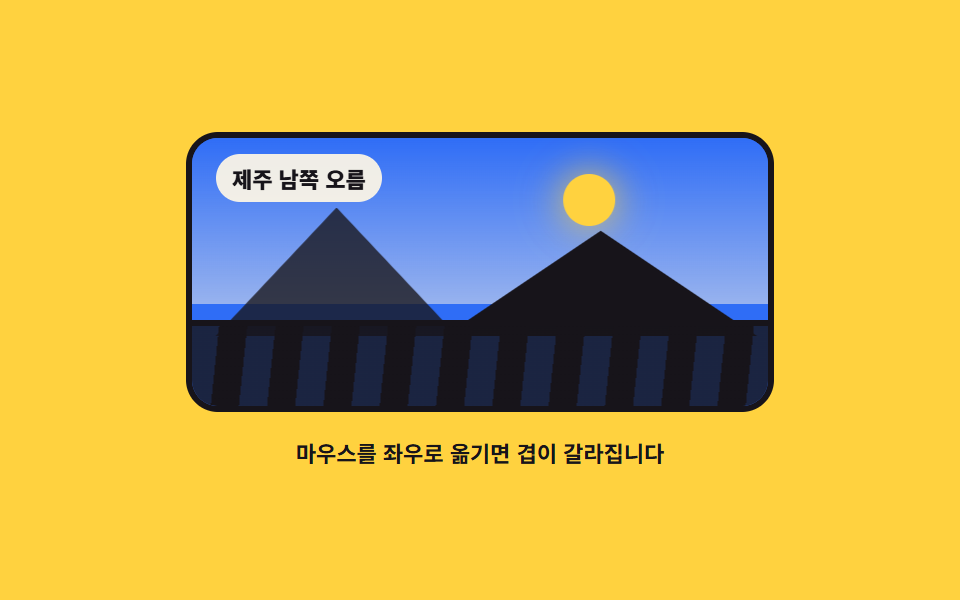 07 pointer-3d-terrain-panorama
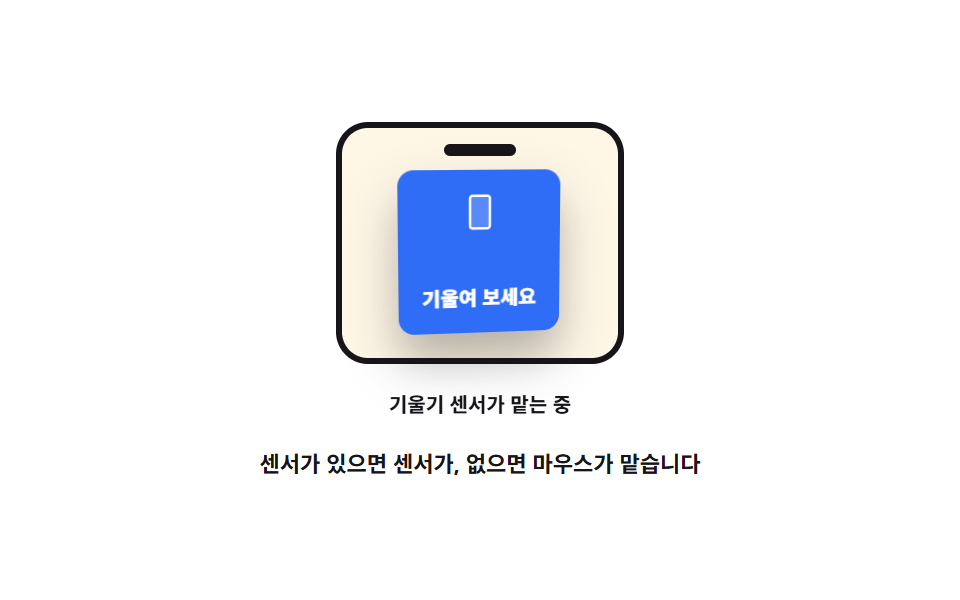 08 pointer-3d-gyro-fallback
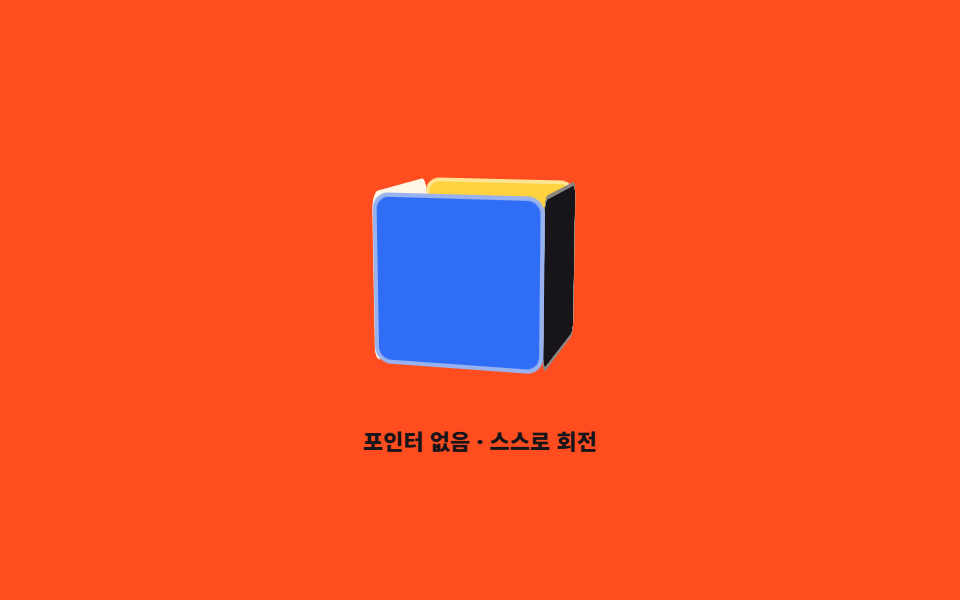 09 pointer-3d-auto-reduce
Auto-plays · click a tile to jump to its section · all nine in one zip
- 01 Product mockup that turns with the pointer
- 02 Card stack that shifts by depth
- 03 Six-faced box you drag to spin
- 04 Character whose eyes chase the cursor
- 05 Letters floating in layers
- 06 Highlight that treats the cursor as a lamp
- 07 Panorama that splits front to back
- 08 Fallback that hands over to the tilt sensor
- 09 Automatic turn when there is no pointer
The nine scenes are ordered by how each css 3d transform listens to the pointer, not by spectacle. The first three respond with angles — the product mockup turns pointer X and Y into rotateY and rotateX (01), depth coefficients split a card stack into layers (02), and drag spins a six-faced box freely (03). The next three respond with direction — eyes measure the angle to the cursor (04), the same word floats in stacked copies (05), and the cursor becomes the lamp for a highlight (06). The last three survive without a pointer — a layered panorama builds the parallax feel (07), a tilt sensor takes over (08), and automatic rotation with a prefers-reduced-motion stop closes the set (09). Stage colors rotate through three inks, two papers, two yellows, and two oranges. Screens that react to scrolling live in the scroll story template, and changing the cursor itself is the subject of 9 mouse cursor effects.
01Product mockup that turns with the pointer
What you see
The base scene maps pointer X to rotateY ±16deg and pointer Y to rotateX ±6deg. Inertia and spring return share one loop: a pull toward the target angle plus a friction term each frame makes the box bounce back to its front view when you let go.
<main class="stage">
<div class="pr is-demo" id="pr">
  <div class="pr__scene" id="scene" role="img" aria-label="A box model that turns left and right with the pointer">
    <div class="pr__model" id="model">
      <div class="pr__face pr__face--front">
        <svg xmlns="http://www.w3.org/2000/svg" viewBox="0 0 256 256" class="pr__ico" aria-hidden="true"><g fill="currentColor"><path d="M128 129.09V232a8 8 0 0 1-3.84-1l-88-48.16a8 8 0 0 1-4.16-7V80.2a8 8 0 0 1 .7-3.27Z" opacity=".2"/><path d="m223.68 66.15l-88-48.15a15.88 15.88 0 0 0-15.36 0l-88 48.17a16 16 0 0 0-8.32 14v95.64a16 16 0 0 0 8.32 14l88 48.17a15.88 15.88 0 0 0 15.36 0l88-48.17a16 16 0 0 0 8.32-14V80.18a16 16 0 0 0-8.32-14.03M128 32l80.34 44L128 120L47.66 76ZM40 90l80 43.78v85.79l-80-43.75Zm96 129.57v-85.75L216 90v85.78Z"/></g></svg>
        <span class="pr__name">One bag of coffee beans</span>
      </div>
      <div class="pr__face pr__face--side"><span class="pr__side">250 g</span></div>
      <div class="pr__face pr__face--top"></div>
    </div>
    <span class="pr__floor" aria-hidden="true"></span>
  </div>
  <p class="pr__hint">Hover to turn it</p>
</div>
</main>
@use "../../../../site/static/demo-tokens" as *;
// 마우스를 따라 도는 제품 목업 — 실제 회전은 JS 가 포인터 좌표를 각도로 바꿔 모델에 인라인 transform 으로 준다.
// 격자 미리보기(.is-demo)는 그 JS 가 만드는 것과 **같은 범위**(rotateY ±16도 · rotateX ±6도)를
// CSS @keyframes 궤적으로 왕복시킨다 — demo.py 는 CSS 애니메이션 시계로 프레임을 뽑으므로
// rAF 로 그리는 각도는 24장이 전부 같은 값이 된다.
$duration: $dur-loop;
$easing: linear;
$color: $subject-cream;
@include stage($stage-ink);
.pr { display: grid; justify-items: center; gap: $sp-3; width: 100%; }
// perspective 는 장면(부모)에 두고 preserve-3d 는 도는 요소에 둔다 — 둘을 한 요소에 겹치면 면이 납작해진다
.pr__scene {
position: relative;
width: clamp(132px, 34vw, 168px);
height: clamp(96px, 26vw, 124px);
perspective: 620px;
perspective-origin: 50% 42%;
}
.pr__scene:focus-visible { outline: 3px solid $subject-blue; outline-offset: $sp-2; border-radius: $r-sm; }
.pr__model {
position: absolute; inset: 0; margin: auto;
width: clamp(72px, 19vw, 92px); height: clamp(88px, 23vw, 112px);
transform-style: preserve-3d;
transform: rotateX(0deg) rotateY(0deg);
}
.pr__face { position: absolute; box-sizing: border-box; backface-visibility: hidden; }
// 앞면·옆면·윗면 셋이면 ±16도 안에서 상자로 보인다. 깊이(--d)는 옆면 폭이자 앞면을 앞으로 내미는 거리의 두 배
.pr__model { --d: 52px; }
.pr__face--front {
inset: 0;
display: grid; place-items: center; gap: $sp-1;
background: $color; color: $subject-ink;
border-radius: $r-sm;
transform: translateZ(calc(var(--d) / 2));
padding: $sp-2;
}
.pr__face--side {
top: 0; right: 0; width: var(--d); height: 100%;
display: grid; place-items: center;
background: $subject-blue; color: $stage-paper;
border-radius: $r-sm;
transform: rotateY(90deg) translateZ(calc(var(--d) / 2));
}
.pr__face--top {
top: 0; left: 0; width: 100%; height: var(--d);
background: $subject-blue;
border-radius: $r-sm;
opacity: .58;
transform: rotateX(90deg) translateZ(calc(var(--d) / 2));
}
.pr__ico { width: clamp(20px, 5vw, 26px); height: clamp(20px, 5vw, 26px); color: $subject-blue; }
.pr__name { font-weight: 800; font-size: clamp(9px, 2.4vw, 11px); line-height: 1.3; text-align: center; }
.pr__side { font-weight: 700; font-size: clamp(8px, 2.2vw, 10px); }
// 바닥 그림자는 모델 아래 평면에 눕혀 둔다 — 회전할 때 상자만 돌고 그림자는 제자리라 깊이가 읽힌다
.pr__floor {
position: absolute; left: 50%; bottom: -2px;
width: clamp(76px, 20vw, 96px); height: 12px;
transform: translateX(-50%);
border-radius: $r-pill;
background: radial-gradient(closest-side, rgba(0, 0, 0, .52), rgba(0, 0, 0, 0));
}
.pr__hint {
margin: 0; color: rgba(255, 247, 230, .76);
font-weight: 700; font-size: clamp(9px, 2.4vw, 11px);
}
// ── 미리보기 루프: 포인터가 왼쪽 끝 → 오른쪽 끝으로 지나간 것과 같은 궤적.
// 중앙(정면)을 느리게 지나고 양 끝에서 빠르게 꺾는다 — 면적 변화율은 |sin θ| × 각속도라
// 등속으로 돌리면 언제나 정면(θ≈0) 프레임이 최대 변화가 되어 poster 가 납작한 장면으로 뽑힌다.
.pr.is-demo .pr__model {
animation-name: prTurn;
animation-duration: $duration;
animation-timing-function: $easing;
animation-iteration-count: infinite;
}
@keyframes prTurn {
0% { transform: rotateX(6deg) rotateY(-16deg); }
7% { transform: rotateX(5deg) rotateY(-7deg); }
25% { transform: rotateX(2deg) rotateY(-2deg); }
43% { transform: rotateX(-2deg) rotateY(2deg); }
50% { transform: rotateX(-5deg) rotateY(7deg); }
57% { transform: rotateX(-6deg) rotateY(16deg); }
64% { transform: rotateX(-5deg) rotateY(7deg); }
82% { transform: rotateX(0deg) rotateY(0deg); }
93% { transform: rotateX(5deg) rotateY(-7deg); }
100% { transform: rotateX(6deg) rotateY(-16deg); }
}
@media (max-width: 340px) {
.pr { gap: $sp-2; }
.pr__model { --d: 40px; }
}
@media (prefers-reduced-motion: reduce) {
.pr.is-demo .pr__model { animation: none !important; transform: rotateX(2deg) rotateY(-14deg) !important; }
}html, body {
margin: 0;
overflow: hidden;
}
.stage {
box-sizing: border-box;
min-height: 100vh;
display: grid;
place-items: center;
margin: 0;
background: #17141a;
font-family: -apple-system, "Segoe UI", "Noto Sans KR", sans-serif;
padding: clamp(8px, 4vw, 24px);
}
.pr {
display: grid;
justify-items: center;
gap: 12px;
width: 100%;
}
.pr__scene {
position: relative;
width: clamp(132px, 34vw, 168px);
height: clamp(96px, 26vw, 124px);
perspective: 620px;
perspective-origin: 50% 42%;
}
.pr__scene:focus-visible {
outline: 3px solid #2f6df6;
outline-offset: 8px;
border-radius: 8px;
}
.pr__model {
position: absolute;
inset: 0;
margin: auto;
width: clamp(72px, 19vw, 92px);
height: clamp(88px, 23vw, 112px);
transform-style: preserve-3d;
transform: rotateX(0deg) rotateY(0deg);
}
.pr__face {
position: absolute;
box-sizing: border-box;
backface-visibility: hidden;
}
.pr__model {
--d: 52px;
}
.pr__face--front {
inset: 0;
display: grid;
place-items: center;
gap: 4px;
background: #fff7e6;
color: #17141a;
border-radius: 8px;
transform: translateZ(calc(var(--d) / 2));
padding: 8px;
}
.pr__face--side {
top: 0;
right: 0;
width: var(--d);
height: 100%;
display: grid;
place-items: center;
background: #2f6df6;
color: #ffffff;
border-radius: 8px;
transform: rotateY(90deg) translateZ(calc(var(--d) / 2));
}
.pr__face--top {
top: 0;
left: 0;
width: 100%;
height: var(--d);
background: #2f6df6;
border-radius: 8px;
opacity: 0.58;
transform: rotateX(90deg) translateZ(calc(var(--d) / 2));
}
.pr__ico {
width: clamp(20px, 5vw, 26px);
height: clamp(20px, 5vw, 26px);
color: #2f6df6;
}
.pr__name {
font-weight: 800;
font-size: clamp(9px, 2.4vw, 11px);
line-height: 1.3;
text-align: center;
}
.pr__side {
font-weight: 700;
font-size: clamp(8px, 2.2vw, 10px);
}
.pr__floor {
position: absolute;
left: 50%;
bottom: -2px;
width: clamp(76px, 20vw, 96px);
height: 12px;
transform: translateX(-50%);
border-radius: 999px;
background: radial-gradient(closest-side, rgba(0, 0, 0, 0.52), rgba(0, 0, 0, 0));
}
.pr__hint {
margin: 0;
color: rgba(255, 247, 230, 0.76);
font-weight: 700;
font-size: clamp(9px, 2.4vw, 11px);
}
.pr.is-demo .pr__model {
animation-name: prTurn;
animation-duration: 2s;
animation-timing-function: linear;
animation-iteration-count: infinite;
}
@keyframes prTurn {
0% {
transform: rotateX(6deg) rotateY(-16deg);
}
7% {
transform: rotateX(5deg) rotateY(-7deg);
}
25% {
transform: rotateX(2deg) rotateY(-2deg);
}
43% {
transform: rotateX(-2deg) rotateY(2deg);
}
50% {
transform: rotateX(-5deg) rotateY(7deg);
}
57% {
transform: rotateX(-6deg) rotateY(16deg);
}
64% {
transform: rotateX(-5deg) rotateY(7deg);
}
82% {
transform: rotateX(0deg) rotateY(0deg);
}
93% {
transform: rotateX(5deg) rotateY(-7deg);
}
100% {
transform: rotateX(6deg) rotateY(-16deg);
}
}
@media (max-width: 340px) {
.pr {
gap: 8px;
}
.pr__model {
--d: 40px;
}
}
@media (prefers-reduced-motion: reduce) {
.pr.is-demo .pr__model {
animation: none !important;
transform: rotateX(2deg) rotateY(-14deg) !important;
}
}var pr = document.getElementById('pr');
var scene = document.getElementById('scene');
var model = document.getElementById('model');
var MAX_Y = 16, MAX_X = 6; // 미리보기 루프의 키프레임과 같은 범위
var aimX = 0, aimY = 0; // 포인터가 요구하는 각도
var nowX = 0, nowY = 0, velX = 0, velY = 0;
var running = false, holding = false;
// 감쇠 추적: 목표로 당기는 힘(stiffness)과 마찰(damping)로 관성과 스프링 복귀를 한 식으로 처리한다
function step() {
velX = (velX + (aimX - nowX) * 0.18) * 0.76;
velY = (velY + (aimY - nowY) * 0.18) * 0.76;
nowX += velX;
nowY += velY;
model.style.transform = 'rotateX(' + nowX.toFixed(2) + 'deg) rotateY(' + nowY.toFixed(2) + 'deg)';
var resting = Math.abs(velX) < 0.01 && Math.abs(velY) < 0.01 && Math.abs(aimX - nowX) < 0.05 && Math.abs(aimY - nowY) < 0.05;
if (resting && !holding) { running = false; return; }
requestAnimationFrame(step);
}
function start() {
if (running) { return; }
running = true;
requestAnimationFrame(step);
}
function aimFrom(e) {
var r = scene.getBoundingClientRect();
var nx = (e.clientX - r.left) / r.width * 2 - 1;
var ny = (e.clientY - r.top) / r.height * 2 - 1;
aimY = Math.max(-1, Math.min(1, nx)) * MAX_Y;
aimX = Math.max(-1, Math.min(1, ny)) * -MAX_X;
}
scene.addEventListener('pointerenter', function () { pr.classList.remove('is-demo'); holding = true; });
scene.addEventListener('pointermove', function (e) { pr.classList.remove('is-demo'); holding = true; aimFrom(e); start(); });
scene.addEventListener('pointerleave', function () { holding = false; aimX = 0; aimY = 0; start(); });
// 키보드 경로: 화살표로 4도씩 돌린다 (포인터가 없는 사람도 같은 각도를 볼 수 있게)
scene.setAttribute('tabindex', '0');
scene.addEventListener('keydown', function (e) {
var keys = { ArrowLeft: [0, -4], ArrowRight: [0, 4], ArrowUp: [4, 0], ArrowDown: [-4, 0] };
var move = keys[e.key];
if (!move) { return; }
e.preventDefault();
pr.classList.remove('is-demo');
holding = true;
aimX = Math.max(-MAX_X, Math.min(MAX_X, aimX + move[0]));
aimY = Math.max(-MAX_Y, Math.min(MAX_Y, aimY + move[1]));
start();
});// ProductRotate3D — vanilla 판(run/290/demo/01-pointer-3d-product-rotate/index.html) 의 React 포트.
// 포인터 좌표를 -1~1 로 정규화해 목표 각도(aim)를 만들고, 감쇠 추적으로 현재 각도(now)를 따라가게 한다.
// 목표로 당기는 힘 0.18 과 마찰 0.76 이 관성과 스프링 복귀를 한 식으로 처리한다. 값·수치는 vanilla 와 같다.
import { useEffect, useRef, useState } from "react";
import type { CSSProperties, PointerEvent as ReactPointerEvent } from "react";
import styles from "./ProductRotate3D.module.scss";
export type ProductRotate3DProps = {
duration?: number;
easing?: string;
color?: string;
};
type Vars = CSSProperties & { "--duration"?: string; "--easing"?: string; "--color"?: string };
// useRef 는 T | null 을 돌려준다. 처음부터 값이 있고 절대 비지 않는 상자는 이렇게 좁혀 쓴다
type Box<T> = { current: T };
// React 의 KeyboardEvent 제네릭이 없는 환경이라 필요한 것만 로컬로 선언한다
type KeyEvt = { key: string; preventDefault(): void };
const MAX_Y = 16; // 미리보기 루프의 키프레임과 같은 범위
const MAX_X = 6;
const SCENE_LABEL = "마우스를 따라 좌우로 도는 상자 모형";
// 키보드 경로: 화살표로 4도씩 돌린다 (포인터가 없는 사람도 같은 각도를 볼 수 있게)
const KEY_MOVES: { [key: string]: [number, number] } = {
ArrowLeft: [0, -4],
ArrowRight: [0, 4],
ArrowUp: [4, 0],
ArrowDown: [-4, 0],
};
function clamp(value: number, min: number, max: number): number {
return Math.max(min, Math.min(max, value));
}
export default function ProductRotate3D({
duration = 2000,
easing = "linear",
color = "#fff7e6",
}: ProductRotate3DProps) {
const sceneRef = useRef<HTMLDivElement | null>(null);
const modelRef = useRef<HTMLDivElement | null>(null);
const aimXRef = useRef<number>(0) as Box<number>; // 포인터가 요구하는 각도
const aimYRef = useRef<number>(0) as Box<number>;
const nowXRef = useRef<number>(0) as Box<number>;
const nowYRef = useRef<number>(0) as Box<number>;
const velXRef = useRef<number>(0) as Box<number>;
const velYRef = useRef<number>(0) as Box<number>;
const runningRef = useRef<boolean>(false) as Box<boolean>;
const holdingRef = useRef<boolean>(false) as Box<boolean>;
const frameRef = useRef<number>(0) as Box<number>;
const [demo, setDemo] = useState(true);
const vars: Vars = { "--duration": `${duration}ms`, "--easing": easing, "--color": color };
useEffect(() => {
return () => cancelAnimationFrame(frameRef.current);
}, []);
// 감쇠 추적: 목표로 당기는 힘(stiffness)과 마찰(damping)로 관성과 스프링 복귀를 한 식으로 처리한다
function step(): void {
velXRef.current = (velXRef.current + (aimXRef.current - nowXRef.current) * 0.18) * 0.76;
velYRef.current = (velYRef.current + (aimYRef.current - nowYRef.current) * 0.18) * 0.76;
nowXRef.current += velXRef.current;
nowYRef.current += velYRef.current;
const model = modelRef.current;
if (model) {
model.style.transform =
"rotateX(" + nowXRef.current.toFixed(2) + "deg) rotateY(" + nowYRef.current.toFixed(2) + "deg)";
}
const resting =
Math.abs(velXRef.current) < 0.01 &&
Math.abs(velYRef.current) < 0.01 &&
Math.abs(aimXRef.current - nowXRef.current) < 0.05 &&
Math.abs(aimYRef.current - nowYRef.current) < 0.05;
if (resting && !holdingRef.current) {
runningRef.current = false;
return;
}
frameRef.current = requestAnimationFrame(step);
}
function start(): void {
if (runningRef.current) return;
runningRef.current = true;
frameRef.current = requestAnimationFrame(step);
}
function aimFrom(event: ReactPointerEvent<HTMLDivElement>): void {
const scene = sceneRef.current;
if (!scene) return;
const r = scene.getBoundingClientRect();
const nx = ((event.clientX - r.left) / r.width) * 2 - 1;
const ny = ((event.clientY - r.top) / r.height) * 2 - 1;
aimYRef.current = clamp(nx, -1, 1) * MAX_Y;
aimXRef.current = clamp(ny, -1, 1) * -MAX_X;
}
function onPointerEnter(): void {
setDemo(false);
holdingRef.current = true;
}
function onPointerMove(event: ReactPointerEvent<HTMLDivElement>): void {
setDemo(false);
holdingRef.current = true;
aimFrom(event);
start();
}
function onPointerLeave(): void {
holdingRef.current = false;
aimXRef.current = 0;
aimYRef.current = 0;
start();
}
function onKeyDown(event: KeyEvt): void {
const move = KEY_MOVES[event.key];
if (!move) return;
event.preventDefault();
setDemo(false);
holdingRef.current = true;
aimXRef.current = clamp(aimXRef.current + move[0], -MAX_X, MAX_X);
aimYRef.current = clamp(aimYRef.current + move[1], -MAX_Y, MAX_Y);
start();
}
const cls = [styles.root, demo ? styles.isDemo : ""].filter(Boolean).join(" ");
return (
<main className={styles.stage}>
<div className={cls} style={vars}>
<div
className={styles.scene}
ref={sceneRef}
role="img"
aria-label={SCENE_LABEL}
tabIndex={0}
onPointerEnter={onPointerEnter}
onPointerMove={onPointerMove}
onPointerLeave={onPointerLeave}
onKeyDown={onKeyDown}
>
<div className={styles.model} ref={modelRef}>
<div className={`${styles.face} ${styles.faceFront}`}>
<svg xmlns="http://www.w3.org/2000/svg" viewBox="0 0 256 256" className={styles.ico} aria-hidden="true"><g fill="currentColor"><path d="M128 129.09V232a8 8 0 0 1-3.84-1l-88-48.16a8 8 0 0 1-4.16-7V80.2a8 8 0 0 1 .7-3.27Z" opacity=".2"/><path d="m223.68 66.15l-88-48.15a15.88 15.88 0 0 0-15.36 0l-88 48.17a16 16 0 0 0-8.32 14v95.64a16 16 0 0 0 8.32 14l88 48.17a15.88 15.88 0 0 0 15.36 0l88-48.17a16 16 0 0 0 8.32-14V80.18a16 16 0 0 0-8.32-14.03M128 32l80.34 44L128 120L47.66 76ZM40 90l80 43.78v85.79l-80-43.75Zm96 129.57v-85.75L216 90v85.78Z"/></g></svg>
<span className={styles.name}>원두 한 봉지</span>
</div>
<div className={`${styles.face} ${styles.faceSide}`}><span className={styles.side}>250 g</span></div>
<div className={`${styles.face} ${styles.faceTop}`}></div>
</div>
<span className={styles.floor} aria-hidden="true"></span>
</div>
<p className={styles.hint}>마우스를 올려 돌려 보세요</p>
</div>
</main>
);
}01 · Product mockup that turns with the pointer — Measured area 3.96% · moving frames 23/23Original by GODRICH · SCSS and React ship in the zip · See the password
Where to look in the code
The preview replays the same range as a CSS keyframe track — 3.96% changed area, 23/23 frames moving — a fit for hero images on product pages.
// Damped tracking: stiffness toward the aim plus friction handles inertia and spring return in one equation
function step() {
  velX = (velX + (aimX - nowX) * 0.18) * 0.76;
  velY = (velY + (aimY - nowY) * 0.18) * 0.76;
  nowX += velX;
  nowY += velY;
  model.style.transform = 'rotateX(' + nowX.toFixed(2) + 'deg) rotateY(' + nowY.toFixed(2) + 'deg)';
  var resting = Math.abs(velX) < 0.01 && Math.abs(velY) < 0.01 && Math.abs(aimX - nowX) < 0.05 && Math.abs(aimY - nowY) < 0.05;
  if (resting && !holding) { running = false; return; }
  requestAnimationFrame(step);
}
/* perspective goes on the scene (parent), preserve-3d on the turning element — stacked on one element, faces flatten */
.pr__scene {
  position: relative;
  perspective: 620px;
  perspective-origin: 50% 42%;
}
.pr__model {
  position: absolute; inset: 0; margin: auto;
  transform-style: preserve-3d;
}
02Card stack that shifts by depth
Where css perspective 3d belongs
Three cards each carry a different depth coefficient, and JavaScript passes just one value, pointer X from −1 to 1. The front card slides 26px, the middle 16px, the back 8px, while translateZ handles the perspective shrink so the layers read as separate planes; the same value sweeps the gloss band's gradient angle.
<main class="stage">
<div class="cs is-demo" id="cs">
  <div class="cs__scene" id="scene" role="img" aria-label="Three cards at different depths sliding apart with the pointer">
    <div class="cs__card cs__card--back">
      <span class="cs__tag">Team</span>
      <span class="cs__gloss" aria-hidden="true"></span>
    </div>
    <div class="cs__card cs__card--mid">
      <span class="cs__tag">Pro</span>
      <span class="cs__gloss" aria-hidden="true"></span>
    </div>
    <div class="cs__card cs__card--front">
      <svg xmlns="http://www.w3.org/2000/svg" viewBox="0 0 256 256" class="cs__ico" aria-hidden="true"><g fill="currentColor"><path d="m224 96l-96 56l-96-56l96-56Z" opacity=".2"/><path d="M232.4 114.49L128 174.06l-104.4-59.57a8 8 0 0 0-7.94 13.88l108.36 61.85a8 8 0 0 0 7.94 0l108.4-61.85a8 8 0 0 0-8-13.88ZM24 89.9l100.36 57.28a8 8 0 0 0 7.94 0L232.4 89.9a16 16 0 0 0 0-27.79L131.94 4.87a8 8 0 0 0-7.88 0L24 62.11a16 16 0 0 0 0 27.79Zm104-69l96.06 54.85L128 130.61L31.94 75.75Z"/></g></svg>
      <span class="cs__tag cs__tag--lead">Basic</span>
      <span class="cs__gloss" aria-hidden="true"></span>
    </div>
  </div>
  <p class="cs__hint">Move the pointer left and right</p>
</div>
</main>
@use "../../../../site/static/demo-tokens" as *;
// 깊이별로 어긋나는 카드 스택 — 실제 움직임은 JS 가 포인터 x 를 -1~1 로 바꿔 --px 하나만 넘기고,
// 카드마다 다른 깊이 계수(--shift)가 그 값을 곱해 층이 갈라진다.
// 격자 미리보기(.is-demo)는 같은 이동폭(앞 26px · 가운데 16px · 뒤 8px)을 @keyframes 로 왕복시킨다.
$duration: $dur-loop;
$easing: linear;
$color: $subject-ink;
@include stage($stage-yellow);
.cs { display: grid; justify-items: center; gap: $sp-3; width: 100%; }
.cs__scene {
--px: 0;
position: relative;
width: clamp(160px, 42vw, 212px);
height: clamp(96px, 26vw, 124px);
perspective: 700px;
transform-style: preserve-3d;
}
.cs__scene:focus-visible { outline: 3px solid $subject-blue; outline-offset: $sp-2; border-radius: $r-sm; }
.cs__card {
position: absolute; left: 50%; top: 50%; box-sizing: border-box;
display: flex; align-items: flex-start; gap: $sp-1;
width: clamp(104px, 27vw, 132px); height: clamp(64px, 17vw, 84px);
padding: $sp-2;
border-radius: $r-card;
overflow: hidden;
// 깊이 계수: 앞 카드가 가장 크게 밀린다. translate3d 의 z 가 원근 축소까지 맡는다
transform: translate3d(calc(-50% + var(--px) * var(--shift)), calc(-50% + var(--y)), var(--z)) rotateY(calc(var(--px) * var(--tilt)));
}
.cs__card--back { --shift: 8px; --z: -56px; --tilt: 3deg; --y: -28px; background: $subject-ink; color: $subject-cream; }
.cs__card--mid { --shift: 16px; --z: -28px; --tilt: 5deg; --y: -18px; background: $subject-blue; color: $stage-paper; }
.cs__card--front { --shift: 26px; --z: 0px; --tilt: 7deg; --y: 0px; background: $stage-paper; color: $color; box-shadow: $shadow-raised; }
.cs__tag { font-weight: 800; font-size: clamp(10px, 2.6vw, 12px); }
// 뒤 두 장은 앞 카드 위로 삐져나온 띠에만 글자가 보인다 — 그 띠 안으로 라벨을 올린다
.cs__card--back, .cs__card--mid { padding-top: $sp-1; }
.cs__tag--lead { font-size: clamp(12px, 3.2vw, 14px); }
.cs__ico { width: clamp(16px, 4.4vw, 20px); height: clamp(16px, 4.4vw, 20px); color: $subject-blue; }
// 광택은 카드 위를 지나는 밝은 띠 — 포인터가 오른쪽으로 갈수록 띠도 오른쪽으로 쓸린다
.cs__gloss {
position: absolute; inset: 0;
background: linear-gradient(104deg, rgba($stage-paper, 0) 38%, rgba($stage-paper, .62) 50%, rgba($stage-paper, 0) 62%);
transform: translateX(calc(var(--px) * 64px));
}
.cs__card--back .cs__gloss { opacity: .5; }
.cs__hint { margin: 0; color: $color; font-weight: 700; font-size: clamp(9px, 2.4vw, 11px); }
// ── 미리보기 루프: --px 가 -1 → 1 로 지나간 것과 같은 결과를 카드마다 직접 그린다.
// 끝에서 잠깐 머물러 층이 가장 갈라진 장면이 poster 로 뽑히게 한다
.cs.is-demo .cs__card,
.cs.is-demo .cs__gloss {
animation-duration: $duration;
animation-timing-function: $easing;
animation-iteration-count: infinite;
}
.cs.is-demo .cs__card--back { animation-name: csBack; }
.cs.is-demo .cs__card--mid { animation-name: csMid; }
.cs.is-demo .cs__card--front { animation-name: csFront; }
.cs.is-demo .cs__gloss { animation-name: csGloss; }
@keyframes csBack {
0%, 6% { transform: translate3d(calc(-50% - 8px), calc(-50% - 28px), -56px) rotateY(-3deg); }
44%, 56% { transform: translate3d(calc(-50% + 8px), calc(-50% - 28px), -56px) rotateY(3deg); }
94%, 100% { transform: translate3d(calc(-50% - 8px), calc(-50% - 28px), -56px) rotateY(-3deg); }
}
@keyframes csMid {
0%, 6% { transform: translate3d(calc(-50% - 16px), calc(-50% - 18px), -28px) rotateY(-5deg); }
44%, 56% { transform: translate3d(calc(-50% + 16px), calc(-50% - 18px), -28px) rotateY(5deg); }
94%, 100% { transform: translate3d(calc(-50% - 16px), calc(-50% - 18px), -28px) rotateY(-5deg); }
}
@keyframes csFront {
0%, 6% { transform: translate3d(calc(-50% - 26px), -50%, 0) rotateY(-7deg); }
44%, 56% { transform: translate3d(calc(-50% + 26px), -50%, 0) rotateY(7deg); }
94%, 100% { transform: translate3d(calc(-50% - 26px), -50%, 0) rotateY(-7deg); }
}
@keyframes csGloss {
0%, 6% { transform: translateX(-64px); }
44%, 56% { transform: translateX(64px); }
94%, 100% { transform: translateX(-64px); }
}
@media (max-width: 340px) {
.cs { gap: $sp-2; }
.cs__card { padding: $sp-1; }
}
@media (prefers-reduced-motion: reduce) {
.cs.is-demo .cs__card,
.cs.is-demo .cs__gloss { animation: none !important; }
// 움직임 없이 층이 갈라진 상태로 세운다
.cs.is-demo .cs__card--back { transform: translate3d(calc(-50% + 8px), calc(-50% - 28px), -56px) rotateY(3deg) !important; }
.cs.is-demo .cs__card--mid { transform: translate3d(calc(-50% + 16px), calc(-50% - 18px), -28px) rotateY(5deg) !important; }
.cs.is-demo .cs__card--front { transform: translate3d(calc(-50% + 26px), -50%, 0) rotateY(7deg) !important; }
.cs.is-demo .cs__gloss { transform: translateX(32px) !important; }
}html, body {
margin: 0;
overflow: hidden;
}
.stage {
box-sizing: border-box;
min-height: 100vh;
display: grid;
place-items: center;
margin: 0;
background: #ffd23f;
font-family: -apple-system, "Segoe UI", "Noto Sans KR", sans-serif;
padding: clamp(8px, 4vw, 24px);
}
.cs {
display: grid;
justify-items: center;
gap: 12px;
width: 100%;
}
.cs__scene {
--px: 0;
position: relative;
width: clamp(160px, 42vw, 212px);
height: clamp(96px, 26vw, 124px);
perspective: 700px;
transform-style: preserve-3d;
}
.cs__scene:focus-visible {
outline: 3px solid #2f6df6;
outline-offset: 8px;
border-radius: 8px;
}
.cs__card {
position: absolute;
left: 50%;
top: 50%;
box-sizing: border-box;
display: flex;
align-items: flex-start;
gap: 4px;
width: clamp(104px, 27vw, 132px);
height: clamp(64px, 17vw, 84px);
padding: 8px;
border-radius: 16px;
overflow: hidden;
transform: translate3d(calc(-50% + var(--px) * var(--shift)), calc(-50% + var(--y)), var(--z)) rotateY(calc(var(--px) * var(--tilt)));
}
.cs__card--back {
--shift: 8px;
--z: -56px;
--tilt: 3deg;
--y: -28px;
background: #17141a;
color: #fff7e6;
}
.cs__card--mid {
--shift: 16px;
--z: -28px;
--tilt: 5deg;
--y: -18px;
background: #2f6df6;
color: #ffffff;
}
.cs__card--front {
--shift: 26px;
--z: 0px;
--tilt: 7deg;
--y: 0px;
background: #ffffff;
color: #17141a;
box-shadow: 0 14px 24px rgba(23, 20, 26, 0.32);
}
.cs__tag {
font-weight: 800;
font-size: clamp(10px, 2.6vw, 12px);
}
.cs__card--back, .cs__card--mid {
padding-top: 4px;
}
.cs__tag--lead {
font-size: clamp(12px, 3.2vw, 14px);
}
.cs__ico {
width: clamp(16px, 4.4vw, 20px);
height: clamp(16px, 4.4vw, 20px);
color: #2f6df6;
}
.cs__gloss {
position: absolute;
inset: 0;
background: linear-gradient(104deg, rgba(255, 255, 255, 0) 38%, rgba(255, 255, 255, 0.62) 50%, rgba(255, 255, 255, 0) 62%);
transform: translateX(calc(var(--px) * 64px));
}
.cs__card--back .cs__gloss {
opacity: 0.5;
}
.cs__hint {
margin: 0;
color: #17141a;
font-weight: 700;
font-size: clamp(9px, 2.4vw, 11px);
}
.cs.is-demo .cs__card,
.cs.is-demo .cs__gloss {
animation-duration: 2s;
animation-timing-function: linear;
animation-iteration-count: infinite;
}
.cs.is-demo .cs__card--back {
animation-name: csBack;
}
.cs.is-demo .cs__card--mid {
animation-name: csMid;
}
.cs.is-demo .cs__card--front {
animation-name: csFront;
}
.cs.is-demo .cs__gloss {
animation-name: csGloss;
}
@keyframes csBack {
0%, 6% {
transform: translate3d(calc(-50% - 8px), calc(-50% - 28px), -56px) rotateY(-3deg);
}
44%, 56% {
transform: translate3d(calc(-50% + 8px), calc(-50% - 28px), -56px) rotateY(3deg);
}
94%, 100% {
transform: translate3d(calc(-50% - 8px), calc(-50% - 28px), -56px) rotateY(-3deg);
}
}
@keyframes csMid {
0%, 6% {
transform: translate3d(calc(-50% - 16px), calc(-50% - 18px), -28px) rotateY(-5deg);
}
44%, 56% {
transform: translate3d(calc(-50% + 16px), calc(-50% - 18px), -28px) rotateY(5deg);
}
94%, 100% {
transform: translate3d(calc(-50% - 16px), calc(-50% - 18px), -28px) rotateY(-5deg);
}
}
@keyframes csFront {
0%, 6% {
transform: translate3d(calc(-50% - 26px), -50%, 0) rotateY(-7deg);
}
44%, 56% {
transform: translate3d(calc(-50% + 26px), -50%, 0) rotateY(7deg);
}
94%, 100% {
transform: translate3d(calc(-50% - 26px), -50%, 0) rotateY(-7deg);
}
}
@keyframes csGloss {
0%, 6% {
transform: translateX(-64px);
}
44%, 56% {
transform: translateX(64px);
}
94%, 100% {
transform: translateX(-64px);
}
}
@media (max-width: 340px) {
.cs {
gap: 8px;
}
.cs__card {
padding: 4px;
}
}
@media (prefers-reduced-motion: reduce) {
.cs.is-demo .cs__card,
.cs.is-demo .cs__gloss {
animation: none !important;
}
.cs.is-demo .cs__card--back {
transform: translate3d(calc(-50% + 8px), calc(-50% - 28px), -56px) rotateY(3deg) !important;
}
.cs.is-demo .cs__card--mid {
transform: translate3d(calc(-50% + 16px), calc(-50% - 18px), -28px) rotateY(5deg) !important;
}
.cs.is-demo .cs__card--front {
transform: translate3d(calc(-50% + 26px), -50%, 0) rotateY(7deg) !important;
}
.cs.is-demo .cs__gloss {
transform: translateX(32px) !important;
}
}var cs = document.getElementById('cs');
var scene = document.getElementById('scene');
var aim = 0, now = 0, running = false;
// 깊이 계수는 CSS 가 카드마다 --shift 로 갖고 있고, JS 는 -1~1 한 값(--px)만 넘긴다
function step() {
now += (aim - now) * 0.16;
scene.style.setProperty('--px', now.toFixed(3));
if (Math.abs(aim - now) < 0.002) { scene.style.setProperty('--px', aim.toFixed(3)); running = false; return; }
requestAnimationFrame(step);
}
function start() {
if (running) { return; }
running = true;
requestAnimationFrame(step);
}
function aimFrom(e) {
var r = scene.getBoundingClientRect();
var nx = (e.clientX - r.left) / r.width * 2 - 1;
aim = Math.max(-1, Math.min(1, nx));
}
scene.addEventListener('pointermove', function (e) { cs.classList.remove('is-demo'); aimFrom(e); start(); });
scene.addEventListener('pointerleave', function () { aim = 0; start(); });
// 키보드 경로: 좌우 화살표로 같은 범위를 0.25씩 움직인다
scene.setAttribute('tabindex', '0');
scene.addEventListener('keydown', function (e) {
var move = e.key === 'ArrowLeft' ? -0.25 : e.key === 'ArrowRight' ? 0.25 : 0;
if (!move) { return; }
e.preventDefault();
cs.classList.remove('is-demo');
aim = Math.max(-1, Math.min(1, aim + move));
start();
});// CardStackParallax — vanilla 판(run/290/demo/02-pointer-3d-card-stack-parallax/index.html) 의 React 포트.
// 깊이 계수는 CSS 가 카드마다 --shift 로 갖고 있고, 훅은 -1~1 한 값(--px)만 장면에 넘긴다.
// 감쇠 0.16 으로 목표를 따라가고 차이가 0.002 미만이면 목표 값으로 딱 맞춰 멈춘다. 값·수치는 vanilla 와 같다.
import { useEffect, useRef, useState } from "react";
import type { CSSProperties, PointerEvent as ReactPointerEvent } from "react";
import styles from "./CardStackParallax.module.scss";
export type CardStackParallaxProps = {
duration?: number;
easing?: string;
color?: string;
};
type Vars = CSSProperties & { "--duration"?: string; "--easing"?: string; "--color"?: string };
// useRef 는 T | null 을 돌려준다. 처음부터 값이 있고 절대 비지 않는 상자는 이렇게 좁혀 쓴다
type Box<T> = { current: T };
// React 의 KeyboardEvent 제네릭이 없는 환경이라 필요한 것만 로컬로 선언한다
type KeyEvt = { key: string; preventDefault(): void };
const SCENE_LABEL = "깊이가 다른 카드 석 장이 마우스를 따라 어긋나는 모형";
const KEY_STEP = 0.25; // 키보드 경로: 좌우 화살표로 같은 범위를 0.25씩 움직인다
function clamp(value: number, min: number, max: number): number {
return Math.max(min, Math.min(max, value));
}
export default function CardStackParallax({
duration = 2000,
easing = "linear",
color = "#17141a",
}: CardStackParallaxProps) {
const sceneRef = useRef<HTMLDivElement | null>(null);
const aimRef = useRef<number>(0) as Box<number>;
const nowRef = useRef<number>(0) as Box<number>;
const runningRef = useRef<boolean>(false) as Box<boolean>;
const frameRef = useRef<number>(0) as Box<number>;
const [demo, setDemo] = useState(true);
const vars: Vars = { "--duration": `${duration}ms`, "--easing": easing, "--color": color };
useEffect(() => {
return () => cancelAnimationFrame(frameRef.current);
}, []);
function step(): void {
const scene = sceneRef.current;
if (!scene) {
runningRef.current = false;
return;
}
nowRef.current += (aimRef.current - nowRef.current) * 0.16;
scene.style.setProperty("--px", nowRef.current.toFixed(3));
if (Math.abs(aimRef.current - nowRef.current) < 0.002) {
scene.style.setProperty("--px", aimRef.current.toFixed(3));
runningRef.current = false;
return;
}
frameRef.current = requestAnimationFrame(step);
}
function start(): void {
if (runningRef.current) return;
runningRef.current = true;
frameRef.current = requestAnimationFrame(step);
}
function aimFrom(event: ReactPointerEvent<HTMLDivElement>): void {
const scene = sceneRef.current;
if (!scene) return;
const r = scene.getBoundingClientRect();
const nx = ((event.clientX - r.left) / r.width) * 2 - 1;
aimRef.current = clamp(nx, -1, 1);
}
function onPointerMove(event: ReactPointerEvent<HTMLDivElement>): void {
setDemo(false);
aimFrom(event);
start();
}
function onPointerLeave(): void {
aimRef.current = 0;
start();
}
function onKeyDown(event: KeyEvt): void {
const move = event.key === "ArrowLeft" ? -KEY_STEP : event.key === "ArrowRight" ? KEY_STEP : 0;
if (!move) return;
event.preventDefault();
setDemo(false);
aimRef.current = clamp(aimRef.current + move, -1, 1);
start();
}
const cls = [styles.root, demo ? styles.isDemo : ""].filter(Boolean).join(" ");
return (
<main className={styles.stage}>
<div className={cls} style={vars}>
<div
className={styles.scene}
ref={sceneRef}
role="img"
aria-label={SCENE_LABEL}
tabIndex={0}
onPointerMove={onPointerMove}
onPointerLeave={onPointerLeave}
onKeyDown={onKeyDown}
>
<div className={`${styles.card} ${styles.cardBack}`}>
<span className={styles.tag}>팀</span>
<span className={styles.gloss} aria-hidden="true"></span>
</div>
<div className={`${styles.card} ${styles.cardMid}`}>
<span className={styles.tag}>프로</span>
<span className={styles.gloss} aria-hidden="true"></span>
</div>
<div className={`${styles.card} ${styles.cardFront}`}>
<svg xmlns="http://www.w3.org/2000/svg" viewBox="0 0 256 256" className={styles.ico} aria-hidden="true"><g fill="currentColor"><path d="m224 96l-96 56l-96-56l96-56Z" opacity=".2"/><path d="M232.4 114.49L128 174.06l-104.4-59.57a8 8 0 0 0-7.94 13.88l108.36 61.85a8 8 0 0 0 7.94 0l108.4-61.85a8 8 0 0 0-8-13.88ZM24 89.9l100.36 57.28a8 8 0 0 0 7.94 0L232.4 89.9a16 16 0 0 0 0-27.79L131.94 4.87a8 8 0 0 0-7.88 0L24 62.11a16 16 0 0 0 0 27.79Zm104-69l96.06 54.85L128 130.61L31.94 75.75Z"/></g></svg>
<span className={`${styles.tag} ${styles.tagLead}`}>기본</span>
<span className={styles.gloss} aria-hidden="true"></span>
</div>
</div>
<p className={styles.hint}>마우스를 좌우로 옮겨 보세요</p>
</div>
</main>
);
}02 · Card stack that shifts by depth — Measured area 11.708% · moving frames 20/23Original by GODRICH · SCSS and React ship in the zip · See the password
How to read the code
The preview measured 11.71% changed area, 20/23 frames moving — a fit for pricing comparison cards.
/* Depth coefficient: the front card slides the most. translate3d's z also handles perspective shrink */
.cs__card {
  transform: translate3d(calc(-50% + var(--px) * var(--shift)), calc(-50% + var(--y)), var(--z))
             rotateY(calc(var(--px) * var(--tilt)));
}
.cs__card--back  { --shift: 8px;  --z: -56px; --tilt: 3deg; --y: -28px; }
.cs__card--mid   { --shift: 16px; --z: -28px; --tilt: 5deg; --y: -18px; }
.cs__card--front { --shift: 26px; --z: 0px;   --tilt: 7deg; --y: 0px; }
function step() {
  now += (aim - now) * 0.16;
  scene.style.setProperty('--px', now.toFixed(3));
  if (Math.abs(aim - now) < 0.002) { scene.style.setProperty('--px', aim.toFixed(3)); running = false; return; }
  requestAnimationFrame(step);
}
03Six-faced box you drag to spin
What moves
Six faces hold content, and you spin the box freehand. On release, it coasts on its remaining speed, then pulls to the nearest 90-degree notch and stops — inertia and snap in one loop.
<main class="stage">
<div class="cb is-demo" id="cb">
  <div class="cb__scene" id="scene" role="img" aria-label="A box with a category on each of its six faces, dragged to spin">
    <div class="cb__cube" id="cube">
      <div class="cb__face cb__face--f"><span>Photos</span></div>
      <div class="cb__face cb__face--r"><span>Video</span></div>
      <div class="cb__face cb__face--b"><span>Writing</span></div>
      <div class="cb__face cb__face--l"><span>Audio</span></div>
      <div class="cb__face cb__face--u"></div>
      <div class="cb__face cb__face--d"></div>
    </div>
  </div>
  <p class="cb__hint">Drag to spin; release and it settles on the nearest face</p>
</div>
</main>
@use "sass:color";
@use "../../../../site/static/demo-tokens" as *;
// 드래그로 돌리는 여섯 면 상자 — 실제 회전은 JS 가 드래그 거리(dx)를 각도로 바꿔 인라인 transform 으로 준다.
// 놓으면 남은 속도로 더 돌다가 90도 눈금으로 당겨져 멈춘다(관성 + 스냅).
// 격자 미리보기(.is-demo)는 그 손놀림 한 번을 @keyframes 로 재현한다 — 한 면 넘기고, 튕겼다가, 제자리로.
$duration: $dur-loop;
$easing: linear;
$color: $subject-cream;
@include stage($stage-ink);
.cb { display: grid; justify-items: center; gap: $sp-4; width: 100%; }
.cb__scene {
display: grid; place-items: center;
width: clamp(104px, 27vw, 132px); height: clamp(104px, 27vw, 132px);
perspective: 560px;
cursor: grab;
touch-action: none;
}
.cb__scene:active { cursor: grabbing; }
.cb__scene:focus-visible { outline: 3px solid $subject-blue; outline-offset: $sp-2; border-radius: $r-sm; }
.cb__cube {
--s: clamp(72px, 19vw, 92px);
position: relative; width: var(--s); height: var(--s);
transform-style: preserve-3d;
transform: rotateX(-12deg) rotateY(0deg);
}
.cb__face {
position: absolute; inset: 0;
display: grid; place-items: center;
box-sizing: border-box;
border: 2px solid rgba($subject-cream, .42);
border-radius: $r-sm;
// 크림 글자가 기본 파랑 위에서 4.25:1 이라 AA(4.5:1)에 못 미쳤다 — 면을 한 단계 내린다
background: color.adjust($subject-blue, $lightness: -10%);
color: $color;
font-weight: 800; font-size: clamp(11px, 2.8vw, 13px);
}
// 여섯 면은 같은 정사각형을 반 변(--s / 2)만큼 바깥으로 밀어 세운 것이다
.cb__face--f { transform: translateZ(calc(var(--s) / 2)); }
.cb__face--r { transform: rotateY(90deg) translateZ(calc(var(--s) / 2)); background: $subject-cream; color: $subject-ink; }
.cb__face--b { transform: rotateY(180deg) translateZ(calc(var(--s) / 2)); }
.cb__face--l { transform: rotateY(-90deg) translateZ(calc(var(--s) / 2)); background: $subject-cream; color: $subject-ink; }
.cb__face--u { transform: rotateX(90deg) translateZ(calc(var(--s) / 2)); background: color.adjust($subject-blue, $lightness: -14%); }
.cb__face--d { transform: rotateX(-90deg) translateZ(calc(var(--s) / 2)); background: $subject-ink; }
.cb__hint {
margin: 0; max-width: 280px; text-align: center;
color: rgba($subject-cream, .78); font-weight: 700; font-size: clamp(9px, 2.4vw, 11px); line-height: 1.4;
}
// ── 미리보기 루프: 한 면(90도) 넘기고 6도 지나쳤다가 눈금으로 당겨지고, 뒷절반에 제자리로 되돌아온다.
// 되돌아오는 길도 같은 스냅을 거치므로 루프 이음매(0% = 100%)에서 튀지 않는다
.cb.is-demo .cb__cube {
animation-name: cbSpin;
animation-duration: $duration;
animation-timing-function: $easing;
animation-iteration-count: infinite;
}
@keyframes cbSpin {
0%, 8% { transform: rotateX(-12deg) rotateY(0deg); }
30% { transform: rotateX(-12deg) rotateY(-96deg); }
38%, 58% { transform: rotateX(-12deg) rotateY(-90deg); }
80% { transform: rotateX(-12deg) rotateY(6deg); }
88%, 100% { transform: rotateX(-12deg) rotateY(0deg); }
}
@media (max-width: 340px) {
.cb { gap: $sp-3; }
.cb__hint { max-width: 200px; }
}
@media (prefers-reduced-motion: reduce) {
// 움직임 없이 두 면이 함께 보이는 각도로 세운다
.cb.is-demo .cb__cube { animation: none !important; transform: rotateX(-12deg) rotateY(-38deg) !important; }
}html, body {
margin: 0;
overflow: hidden;
}
.stage {
box-sizing: border-box;
min-height: 100vh;
display: grid;
place-items: center;
margin: 0;
background: #17141a;
font-family: -apple-system, "Segoe UI", "Noto Sans KR", sans-serif;
padding: clamp(8px, 4vw, 24px);
}
.cb {
display: grid;
justify-items: center;
gap: 16px;
width: 100%;
}
.cb__scene {
display: grid;
place-items: center;
width: clamp(104px, 27vw, 132px);
height: clamp(104px, 27vw, 132px);
perspective: 560px;
cursor: grab;
touch-action: none;
}
.cb__scene:active {
cursor: grabbing;
}
.cb__scene:focus-visible {
outline: 3px solid #2f6df6;
outline-offset: 8px;
border-radius: 8px;
}
.cb__cube {
--s: clamp(72px, 19vw, 92px);
position: relative;
width: var(--s);
height: var(--s);
transform-style: preserve-3d;
transform: rotateX(-12deg) rotateY(0deg);
}
.cb__face {
position: absolute;
inset: 0;
display: grid;
place-items: center;
box-sizing: border-box;
border: 2px solid rgba(255, 247, 230, 0.42);
border-radius: 8px;
background: rgb(3.9360260233%, 31.0508719617%, 90.965934761%);
color: #fff7e6;
font-weight: 800;
font-size: clamp(11px, 2.8vw, 13px);
}
.cb__face--f {
transform: translateZ(calc(var(--s) / 2));
}
.cb__face--r {
transform: rotateY(90deg) translateZ(calc(var(--s) / 2));
background: #fff7e6;
color: #17141a;
}
.cb__face--b {
transform: rotateY(180deg) translateZ(calc(var(--s) / 2));
}
.cb__face--l {
transform: rotateY(-90deg) translateZ(calc(var(--s) / 2));
background: #fff7e6;
color: #17141a;
}
.cb__face--u {
transform: rotateX(90deg) translateZ(calc(var(--s) / 2));
background: rgb(3.6042287883%, 28.433360441%, 83.297731996%);
}
.cb__face--d {
transform: rotateX(-90deg) translateZ(calc(var(--s) / 2));
background: #17141a;
}
.cb__hint {
margin: 0;
max-width: 280px;
text-align: center;
color: rgba(255, 247, 230, 0.78);
font-weight: 700;
font-size: clamp(9px, 2.4vw, 11px);
line-height: 1.4;
}
.cb.is-demo .cb__cube {
animation-name: cbSpin;
animation-duration: 2s;
animation-timing-function: linear;
animation-iteration-count: infinite;
}
@keyframes cbSpin {
0%, 8% {
transform: rotateX(-12deg) rotateY(0deg);
}
30% {
transform: rotateX(-12deg) rotateY(-96deg);
}
38%, 58% {
transform: rotateX(-12deg) rotateY(-90deg);
}
80% {
transform: rotateX(-12deg) rotateY(6deg);
}
88%, 100% {
transform: rotateX(-12deg) rotateY(0deg);
}
}
@media (max-width: 340px) {
.cb {
gap: 12px;
}
.cb__hint {
max-width: 200px;
}
}
@media (prefers-reduced-motion: reduce) {
.cb.is-demo .cb__cube {
animation: none !important;
transform: rotateX(-12deg) rotateY(-38deg) !important;
}
}var cb = document.getElementById('cb');
var scene = document.getElementById('scene');
var cube = document.getElementById('cube');
var angle = 0, spin = 0, lastX = 0, dragging = false, running = false;
function paint() { cube.style.transform = 'rotateX(-12deg) rotateY(' + angle.toFixed(2) + 'deg)'; }
// 놓은 뒤에는 남은 속도로 더 돌다가(관성) 90도 눈금 중 가장 가까운 쪽으로 당겨져 멈춘다
function step() {
if (dragging) { running = false; return; }
var snap = Math.round(angle / 90) * 90;
spin = spin * 0.92 + (snap - angle) * 0.08;
angle += spin;
paint();
if (Math.abs(spin) < 0.05 && Math.abs(snap - angle) < 0.3) { angle = snap; paint(); running = false; return; }
requestAnimationFrame(step);
}
function start() { if (!running) { running = true; requestAnimationFrame(step); } }
scene.addEventListener('pointerdown', function (e) {
cb.classList.remove('is-demo');
dragging = true; lastX = e.clientX; spin = 0;
scene.setPointerCapture(e.pointerId);
});
scene.addEventListener('pointermove', function (e) {
if (!dragging) { return; }
var dx = e.clientX - lastX;
lastX = e.clientX;
spin = dx * 0.55;
angle += spin;
paint();
});
window.addEventListener('pointerup', function () { if (dragging) { dragging = false; start(); } });
// 키보드 경로: 좌우 화살표가 한 면씩(90도) 돌린다
scene.setAttribute('tabindex', '0');
scene.addEventListener('keydown', function (e) {
var turn = e.key === 'ArrowLeft' ? -90 : e.key === 'ArrowRight' ? 90 : 0;
if (!turn) { return; }
e.preventDefault();
cb.classList.remove('is-demo');
angle = Math.round(angle / 90) * 90 + turn;
paint();
});// CubeDragSpin — vanilla 판(run/290/demo/03-pointer-3d-cube-drag-spin/index.html) 의 React 포트.
// 끄는 동안에는 드래그 거리(dx)에 0.55 를 곱해 각도를 바로 더하고, 놓은 뒤에는 남은 속도로 더 돌다가
// 90도 눈금 중 가장 가까운 쪽으로 당겨져 멈춘다(마찰 0.92 + 스냅 0.08). 값·수치는 vanilla 와 같다.
import { useEffect, useRef, useState } from "react";
import type { CSSProperties, PointerEvent as ReactPointerEvent } from "react";
import styles from "./CubeDragSpin.module.scss";
export type CubeDragSpinProps = {
duration?: number;
easing?: string;
color?: string;
};
type Vars = CSSProperties & { "--duration"?: string; "--easing"?: string; "--color"?: string };
// useRef 는 T | null 을 돌려준다. 처음부터 값이 있고 절대 비지 않는 상자는 이렇게 좁혀 쓴다
type Box<T> = { current: T };
// React 의 KeyboardEvent 제네릭이 없는 환경이라 필요한 것만 로컬로 선언한다
type KeyEvt = { key: string; preventDefault(): void };
const SCENE_LABEL = "여섯 면에 분류가 적힌 상자, 끌어서 돌린다";
const QUARTER = 90; // 키보드 경로: 좌우 화살표가 한 면씩(90도) 돌린다
export default function CubeDragSpin({
duration = 2000,
easing = "linear",
color = "#fff7e6",
}: CubeDragSpinProps) {
const sceneRef = useRef<HTMLDivElement | null>(null);
const cubeRef = useRef<HTMLDivElement | null>(null);
const angleRef = useRef<number>(0) as Box<number>;
const spinRef = useRef<number>(0) as Box<number>;
const lastXRef = useRef<number>(0) as Box<number>;
const draggingRef = useRef<boolean>(false) as Box<boolean>;
const runningRef = useRef<boolean>(false) as Box<boolean>;
const frameRef = useRef<number>(0) as Box<number>;
const [demo, setDemo] = useState(true);
const vars: Vars = { "--duration": `${duration}ms`, "--easing": easing, "--color": color };
function paint(): void {
const cube = cubeRef.current;
if (!cube) return;
cube.style.transform = "rotateX(-12deg) rotateY(" + angleRef.current.toFixed(2) + "deg)";
}
// 놓은 뒤에는 남은 속도로 더 돌다가(관성) 90도 눈금 중 가장 가까운 쪽으로 당겨져 멈춘다
function step(): void {
if (draggingRef.current) {
runningRef.current = false;
return;
}
const snap = Math.round(angleRef.current / QUARTER) * QUARTER;
spinRef.current = spinRef.current * 0.92 + (snap - angleRef.current) * 0.08;
angleRef.current += spinRef.current;
paint();
if (Math.abs(spinRef.current) < 0.05 && Math.abs(snap - angleRef.current) < 0.3) {
angleRef.current = snap;
paint();
runningRef.current = false;
return;
}
frameRef.current = requestAnimationFrame(step);
}
function start(): void {
if (!runningRef.current) {
runningRef.current = true;
frameRef.current = requestAnimationFrame(step);
}
}
useEffect(() => {
function onWindowPointerUp(): void {
if (draggingRef.current) {
draggingRef.current = false;
start();
}
}
window.addEventListener("pointerup", onWindowPointerUp);
return () => {
window.removeEventListener("pointerup", onWindowPointerUp);
cancelAnimationFrame(frameRef.current);
};
}, []);
function onPointerDown(event: ReactPointerEvent<HTMLDivElement>): void {
const scene = sceneRef.current;
if (!scene) return;
setDemo(false);
draggingRef.current = true;
lastXRef.current = event.clientX;
spinRef.current = 0;
scene.setPointerCapture(event.pointerId);
}
function onPointerMove(event: ReactPointerEvent<HTMLDivElement>): void {
if (!draggingRef.current) return;
const dx = event.clientX - lastXRef.current;
lastXRef.current = event.clientX;
spinRef.current = dx * 0.55;
angleRef.current += spinRef.current;
paint();
}
function onKeyDown(event: KeyEvt): void {
const turn = event.key === "ArrowLeft" ? -QUARTER : event.key === "ArrowRight" ? QUARTER : 0;
if (!turn) return;
event.preventDefault();
setDemo(false);
angleRef.current = Math.round(angleRef.current / QUARTER) * QUARTER + turn;
paint();
}
const cls = [styles.root, demo ? styles.isDemo : ""].filter(Boolean).join(" ");
return (
<main className={styles.stage}>
<div className={cls} style={vars}>
<div
className={styles.scene}
ref={sceneRef}
role="img"
aria-label={SCENE_LABEL}
tabIndex={0}
onPointerDown={onPointerDown}
onPointerMove={onPointerMove}
onKeyDown={onKeyDown}
>
<div className={styles.cube} ref={cubeRef}>
<div className={`${styles.face} ${styles.faceF}`}><span>사진</span></div>
<div className={`${styles.face} ${styles.faceR}`}><span>영상</span></div>
<div className={`${styles.face} ${styles.faceB}`}><span>글</span></div>
<div className={`${styles.face} ${styles.faceL}`}><span>소리</span></div>
<div className={`${styles.face} ${styles.faceU}`}></div>
<div className={`${styles.face} ${styles.faceD}`}></div>
</div>
</div>
<p className={styles.hint}>끌어서 돌리고 놓으면 가까운 면에서 멈춥니다</p>
</div>
</main>
);
}03 · Six-faced box you drag to spin — Measured area 9.347% · moving frames 18/23Original by GODRICH · SCSS and React ship in the zip · See the password
What to change
The preview measured 9.35% changed area, 18/23 frames moving — a fit for a six-category picker.
// After release it coasts (inertia), then pulls to the nearest 90-degree notch and stops
function step() {
  if (dragging) { running = false; return; }
  var snap = Math.round(angle / 90) * 90;
  spin = spin * 0.92 + (snap - angle) * 0.08;
  angle += spin;
  paint();
  if (Math.abs(spin) < 0.05 && Math.abs(snap - angle) < 0.3) { angle = snap; paint(); running = false; return; }
  requestAnimationFrame(step);
}
/* The six faces are the same square pushed outward by half its side (--s / 2) */
.cb__face--f { transform: translateZ(calc(var(--s) / 2)); }
.cb__face--r { transform: rotateY(90deg) translateZ(calc(var(--s) / 2)); }
.cb__face--u { transform: rotateX(90deg) translateZ(calc(var(--s) / 2)); }
04Character whose eyes chase the cursor
What you see
Each eye measures the angle from its own center to the cursor with Math.atan2 and sends the pupil out by 22% of the eye's size in that direction. Blinking is a separate timer that drops and lifts the eyelid as a steps(1, end) cut, and because the cat and the robot stand at different spots, the same cursor hits them at different angles.
<main class="stage">
<div class="ey is-demo" id="ey">
  <div class="ey__row" id="row" role="img" aria-label="A cat and a robot tracking the cursor with their pupils">
    <div class="ey__face ey__face--cat">
      <span class="ey__ear ey__ear--l" aria-hidden="true"></span>
      <span class="ey__ear ey__ear--r" aria-hidden="true"></span>
      <span class="ey__eye"><span class="ey__pupil"></span><span class="ey__lid" aria-hidden="true"></span></span>
      <span class="ey__eye"><span class="ey__pupil"></span><span class="ey__lid" aria-hidden="true"></span></span>
      <span class="ey__mouth" aria-hidden="true"></span>
    </div>
    <div class="ey__face ey__face--bot">
      <span class="ey__ant" aria-hidden="true"></span>
      <span class="ey__eye ey__eye--wide"><span class="ey__pupil ey__pupil--bar"></span><span class="ey__lid" aria-hidden="true"></span></span>
      <span class="ey__eye ey__eye--wide"><span class="ey__pupil ey__pupil--bar"></span><span class="ey__lid" aria-hidden="true"></span></span>
      <span class="ey__grill" aria-hidden="true"></span>
    </div>
  </div>
  <p class="ey__hint">Move the pointer and the eyes follow</p>
</div>
</main>
@use "../../../../site/static/demo-tokens" as *;
// 눈으로 커서를 쫓는 캐릭터 — 실제 시선은 JS 가 눈 중심에서 커서까지의 각도(Math.atan2)를 재고
// 그 방향으로 눈동자를 반지름의 22% 만큼 내보낸다.
// 격자 미리보기(.is-demo)는 커서가 왼쪽 끝에서 오른쪽 끝으로 지나간 것과 같은 폭을 @keyframes 로 왕복시키고,
// 깜빡임은 눈꺼풀을 세로로 덮었다 여는 별도 타이머다.
$duration: $dur-loop;
$easing: $ease-spring;
$color: $subject-ink;
@include stage($stage-paper);
.ey { display: grid; justify-items: center; gap: $sp-4; width: 100%; }
.ey__row { display: flex; align-items: center; justify-content: center; gap: $sp-6; }
.ey__row:focus-visible { outline: 3px solid $subject-blue; outline-offset: $sp-2; border-radius: $r-card; }
.ey__face {
position: relative; box-sizing: border-box;
display: flex; align-items: center; justify-content: center; gap: $sp-3;
width: clamp(88px, 23vw, 112px); height: clamp(72px, 19vw, 92px);
padding: $sp-3;
}
.ey__face--cat { background: $subject-cream; border-radius: 50%; border: 3px solid $color; }
.ey__face--bot { background: $subject-blue; border-radius: $r-card; border: 3px solid $color; }
// 귀는 얼굴 원 위에 얹은 삼각형 두 개 — 회전 원점을 꼭짓점에 두면 붙는 자리가 흔들리지 않는다
.ey__ear {
position: absolute; top: -14px; width: 0; height: 0;
border-left: 11px solid transparent; border-right: 11px solid transparent;
border-bottom: 18px solid $color;
}
.ey__ear--l { left: 14%; transform: rotate(-16deg); transform-origin: 50% 100%; }
.ey__ear--r { right: 14%; transform: rotate(16deg); transform-origin: 50% 100%; }
.ey__ant {
position: absolute; top: -16px; left: 50%;
width: 8px; height: 16px; margin-left: -4px;
background: $color; border-radius: $r-pill;
}
.ey__eye {
position: relative; overflow: hidden;
width: clamp(26px, 7vw, 34px); height: clamp(26px, 7vw, 34px);
background: $stage-paper; border-radius: 50%; border: 2px solid $color;
}
.ey__eye--wide { border-radius: $r-sm; }
.ey__pupil {
position: absolute; left: 50%; top: 50%;
width: 42%; height: 42%; margin: -21% 0 0 -21%;
background: $color; border-radius: 50%;
}
.ey__pupil--bar { width: 30%; margin-left: -15%; border-radius: $r-xs; }
// 눈꺼풀은 눈 위를 덮는 판이다. 위에서 내려오도록 원점을 윗변에 둔다 (붙는 지점이 있는 요소)
.ey__lid {
position: absolute; inset: 0;
background: $subject-cream;
transform: scaleY(0);
transform-origin: 50% 0;
}
.ey__face--bot .ey__lid { background: $subject-blue; }
.ey__mouth {
position: absolute; bottom: 16%; left: 50%;
width: 18px; height: 8px; margin-left: -9px;
border-bottom: 3px solid $color; border-radius: 0 0 $r-pill $r-pill;
}
.ey__grill {
position: absolute; bottom: 12%; left: 50%;
width: 36px; height: 6px; margin-left: -18px;
background: repeating-linear-gradient(90deg, $color 0 4px, transparent 4px 8px);
}
.ey__hint { margin: 0; color: $color; font-weight: 700; font-size: clamp(9px, 2.4vw, 11px); }
// ── 미리보기 루프: 커서가 화면 왼쪽 끝 → 오른쪽 끝으로 지나간 것과 같은 폭(반지름 22%)을 왕복한다.
// 두 캐릭터는 서 있는 자리가 달라 같은 커서를 봐도 각도가 다르다 — 고양이가 먼저 끝까지 돌아간다
.ey.is-demo .ey__pupil,
.ey.is-demo .ey__lid {
animation-duration: $duration;
animation-timing-function: $easing;
animation-iteration-count: infinite;
}
.ey.is-demo .ey__face--cat .ey__pupil { animation-name: eyLookCat; }
.ey.is-demo .ey__face--bot .ey__pupil { animation-name: eyLookBot; }
.ey.is-demo .ey__lid { animation-name: eyBlink; animation-timing-function: steps(1, end); }
@keyframes eyLookCat {
0%, 6% { transform: translate(-3px, 3px); }
46%, 60% { transform: translate(7.5px, -2px); }
94%, 100% { transform: translate(-3px, 3px); }
}
// 로봇은 고양이보다 오른쪽에 서 있어 같은 커서를 더 일찍 끝까지 본다 — 위상이 어긋나 있다
@keyframes eyLookBot {
0%, 4% { transform: translate(-6.5px, 2.6px); }
22%, 72% { transform: translate(6.5px, -1px); }
96%, 100% { transform: translate(-6.5px, 2.6px); }
}
// 깜빡임은 한 프레임에 덮고 한 프레임에 여는 컷이다 — 반쯤 감긴 유령 프레임이 생기지 않는다
@keyframes eyBlink {
0%, 50% { transform: scaleY(0); }
54% { transform: scaleY(1); }
58%, 100% { transform: scaleY(0); }
}
@media (max-width: 340px) {
.ey { gap: $sp-3; }
.ey__row { gap: $sp-4; }
.ey__face { padding: $sp-2; gap: $sp-2; }
}
@media (prefers-reduced-motion: reduce) {
.ey.is-demo .ey__pupil,
.ey.is-demo .ey__lid { animation: none !important; }
// 눈은 뜬 채로, 시선은 가운데를 본 상태로 세운다
.ey.is-demo .ey__pupil { transform: translate(0, 0) !important; }
.ey.is-demo .ey__lid { transform: scaleY(0) !important; }
}html, body {
margin: 0;
overflow: hidden;
}
.stage {
box-sizing: border-box;
min-height: 100vh;
display: grid;
place-items: center;
margin: 0;
background: #ffffff;
font-family: -apple-system, "Segoe UI", "Noto Sans KR", sans-serif;
padding: clamp(8px, 4vw, 24px);
}
.ey {
display: grid;
justify-items: center;
gap: 16px;
width: 100%;
}
.ey__row {
display: flex;
align-items: center;
justify-content: center;
gap: 24px;
}
.ey__row:focus-visible {
outline: 3px solid #2f6df6;
outline-offset: 8px;
border-radius: 16px;
}
.ey__face {
position: relative;
box-sizing: border-box;
display: flex;
align-items: center;
justify-content: center;
gap: 12px;
width: clamp(88px, 23vw, 112px);
height: clamp(72px, 19vw, 92px);
padding: 12px;
}
.ey__face--cat {
background: #fff7e6;
border-radius: 50%;
border: 3px solid #17141a;
}
.ey__face--bot {
background: #2f6df6;
border-radius: 16px;
border: 3px solid #17141a;
}
.ey__ear {
position: absolute;
top: -14px;
width: 0;
height: 0;
border-left: 11px solid transparent;
border-right: 11px solid transparent;
border-bottom: 18px solid #17141a;
}
.ey__ear--l {
left: 14%;
transform: rotate(-16deg);
transform-origin: 50% 100%;
}
.ey__ear--r {
right: 14%;
transform: rotate(16deg);
transform-origin: 50% 100%;
}
.ey__ant {
position: absolute;
top: -16px;
left: 50%;
width: 8px;
height: 16px;
margin-left: -4px;
background: #17141a;
border-radius: 999px;
}
.ey__eye {
position: relative;
overflow: hidden;
width: clamp(26px, 7vw, 34px);
height: clamp(26px, 7vw, 34px);
background: #ffffff;
border-radius: 50%;
border: 2px solid #17141a;
}
.ey__eye--wide {
border-radius: 8px;
}
.ey__pupil {
position: absolute;
left: 50%;
top: 50%;
width: 42%;
height: 42%;
margin: -21% 0 0 -21%;
background: #17141a;
border-radius: 50%;
}
.ey__pupil--bar {
width: 30%;
margin-left: -15%;
border-radius: 4px;
}
.ey__lid {
position: absolute;
inset: 0;
background: #fff7e6;
transform: scaleY(0);
transform-origin: 50% 0;
}
.ey__face--bot .ey__lid {
background: #2f6df6;
}
.ey__mouth {
position: absolute;
bottom: 16%;
left: 50%;
width: 18px;
height: 8px;
margin-left: -9px;
border-bottom: 3px solid #17141a;
border-radius: 0 0 999px 999px;
}
.ey__grill {
position: absolute;
bottom: 12%;
left: 50%;
width: 36px;
height: 6px;
margin-left: -18px;
background: repeating-linear-gradient(90deg, #17141a 0 4px, transparent 4px 8px);
}
.ey__hint {
margin: 0;
color: #17141a;
font-weight: 700;
font-size: clamp(9px, 2.4vw, 11px);
}
.ey.is-demo .ey__pupil,
.ey.is-demo .ey__lid {
animation-duration: 2s;
animation-timing-function: cubic-bezier(0.2, 0.8, 0.2, 1);
animation-iteration-count: infinite;
}
.ey.is-demo .ey__face--cat .ey__pupil {
animation-name: eyLookCat;
}
.ey.is-demo .ey__face--bot .ey__pupil {
animation-name: eyLookBot;
}
.ey.is-demo .ey__lid {
animation-name: eyBlink;
animation-timing-function: steps(1, end);
}
@keyframes eyLookCat {
0%, 6% {
transform: translate(-3px, 3px);
}
46%, 60% {
transform: translate(7.5px, -2px);
}
94%, 100% {
transform: translate(-3px, 3px);
}
}
@keyframes eyLookBot {
0%, 4% {
transform: translate(-6.5px, 2.6px);
}
22%, 72% {
transform: translate(6.5px, -1px);
}
96%, 100% {
transform: translate(-6.5px, 2.6px);
}
}
@keyframes eyBlink {
0%, 50% {
transform: scaleY(0);
}
54% {
transform: scaleY(1);
}
58%, 100% {
transform: scaleY(0);
}
}
@media (max-width: 340px) {
.ey {
gap: 12px;
}
.ey__row {
gap: 16px;
}
.ey__face {
padding: 8px;
gap: 8px;
}
}
@media (prefers-reduced-motion: reduce) {
.ey.is-demo .ey__pupil,
.ey.is-demo .ey__lid {
animation: none !important;
}
.ey.is-demo .ey__pupil {
transform: translate(0, 0) !important;
}
.ey.is-demo .ey__lid {
transform: scaleY(0) !important;
}
}var ey = document.getElementById('ey');
var row = document.getElementById('row');
var eyes = Array.prototype.slice.call(document.querySelectorAll('.ey__eye'));
// 눈마다 자기 중심에서 커서까지의 각도를 재고, 그 방향으로 눈동자를 반지름만큼만 내보낸다
function look(clientX, clientY) {
for (var i = 0; i < eyes.length; i++) {
var eye = eyes[i];
var pupil = eye.firstElementChild;
var r = eye.getBoundingClientRect();
var angle = Math.atan2(clientY - (r.top + r.height / 2), clientX - (r.left + r.width / 2));
var reach = Math.min(r.width, r.height) * 0.22;
pupil.style.transform = 'translate(' + (Math.cos(angle) * reach).toFixed(1) + 'px, ' + (Math.sin(angle) * reach).toFixed(1) + 'px)';
}
}
window.addEventListener('pointermove', function (e) {
ey.classList.remove('is-demo');
look(e.clientX, e.clientY);
});
// 키보드 경로: 화살표로 시선을 네 방향으로 보낸다 (포인터가 없어도 같은 각도를 본다)
row.setAttribute('tabindex', '0');
row.addEventListener('keydown', function (e) {
var r = row.getBoundingClientRect();
var spots = {
ArrowLeft: [r.left - 60, r.top + r.height / 2],
ArrowRight: [r.right + 60, r.top + r.height / 2],
ArrowUp: [r.left + r.width / 2, r.top - 60],
ArrowDown: [r.left + r.width / 2, r.bottom + 60]
};
var spot = spots[e.key];
if (!spot) { return; }
e.preventDefault();
ey.classList.remove('is-demo');
look(spot[0], spot[1]);
});// EyesFollow — vanilla 판(run/290/demo/04-pointer-3d-eyes-follow/index.html) 의 React 포트.
// 눈마다 자기 중심에서 커서까지의 각도를 재고, 그 방향으로 눈동자를 반지름의 22% 만큼 내보낸다.
// 포인터가 없어도 화살표 키가 같은 각도를 만들어 준다. 값·수치는 vanilla 와 같다.
import { useCallback, useEffect, useRef, useState } from "react";
import type { CSSProperties } from "react";
import styles from "./EyesFollow.module.scss";
export type EyesFollowProps = {
duration?: number;
easing?: string;
color?: string;
};
type Vars = CSSProperties & { "--duration"?: string; "--easing"?: string; "--color"?: string };
// useRef 는 T | null 을 돌려준다. 처음부터 값이 있고 절대 비지 않는 상자는 이렇게 좁혀 쓴다
type Box<T> = { current: T };
// 키보드 이벤트는 ambient react 타입에 없다 — 쓰는 두 가지만 지역 타입으로 적는다
type KeyEvt = { key: string; preventDefault(): void };
const EYE_COUNT = 4;
const ROW_LABEL = "고양이와 로봇이 눈동자로 커서를 따라보는 그림";
const HINT = "마우스를 움직이면 눈이 따라옵니다";
// 화살표가 시선을 보내는 지점은 상자 밖 60px
const KEY_REACH = 60;
export default function EyesFollow({
duration = 2000,
easing = "cubic-bezier(.2, .8, .2, 1)",
color = "#17141a",
}: EyesFollowProps) {
const rowRef = useRef<HTMLDivElement | null>(null);
const eyesRef = useRef<(HTMLSpanElement | null)[]>(new Array(EYE_COUNT).fill(null)) as Box<(HTMLSpanElement | null)[]>;
const [demo, setDemo] = useState(true);
const vars: Vars = { "--duration": `${duration}ms`, "--easing": easing, "--color": color };
// 눈마다 자기 중심에서 커서까지의 각도를 재고, 그 방향으로 눈동자를 반지름만큼만 내보낸다
const look = useCallback((clientX: number, clientY: number): void => {
for (let i = 0; i < eyesRef.current.length; i++) {
const eye = eyesRef.current[i];
if (!eye) continue;
const pupil = eye.firstElementChild as HTMLElement | null;
if (!pupil) continue;
const r = eye.getBoundingClientRect();
const angle = Math.atan2(clientY - (r.top + r.height / 2), clientX - (r.left + r.width / 2));
const reach = Math.min(r.width, r.height) * 0.22;
pupil.style.transform =
"translate(" + (Math.cos(angle) * reach).toFixed(1) + "px, " + (Math.sin(angle) * reach).toFixed(1) + "px)";
}
}, []);
useEffect(() => {
function onMove(event: PointerEvent): void {
setDemo(false);
look(event.clientX, event.clientY);
}
window.addEventListener("pointermove", onMove);
return () => window.removeEventListener("pointermove", onMove);
}, [look]);
function setEye(index: number) {
return (el: HTMLSpanElement | null): void => {
eyesRef.current[index] = el;
};
}
// 키보드 경로: 화살표로 시선을 네 방향으로 보낸다 (포인터가 없어도 같은 각도를 본다)
function onKeyDown(event: KeyEvt): void {
const row = rowRef.current;
if (!row) return;
const r = row.getBoundingClientRect();
const spots: { [key: string]: [number, number] } = {
ArrowLeft: [r.left - KEY_REACH, r.top + r.height / 2],
ArrowRight: [r.right + KEY_REACH, r.top + r.height / 2],
ArrowUp: [r.left + r.width / 2, r.top - KEY_REACH],
ArrowDown: [r.left + r.width / 2, r.bottom + KEY_REACH],
};
const spot = spots[event.key];
if (!spot) return;
event.preventDefault();
setDemo(false);
look(spot[0], spot[1]);
}
const cls = [styles.root, demo ? styles.isDemo : ""].filter(Boolean).join(" ");
return (
<main className={styles.stage}>
<div className={cls} style={vars}>
<div className={styles.row} ref={rowRef} role="img" aria-label={ROW_LABEL} tabIndex={0} onKeyDown={onKeyDown}>
<div className={`${styles.face} ${styles.faceCat}`}>
<span className={`${styles.ear} ${styles.earL}`} aria-hidden="true"></span>
<span className={`${styles.ear} ${styles.earR}`} aria-hidden="true"></span>
<span className={styles.eye} ref={setEye(0)}>
<span className={styles.pupil}></span>
<span className={styles.lid} aria-hidden="true"></span>
</span>
<span className={styles.eye} ref={setEye(1)}>
<span className={styles.pupil}></span>
<span className={styles.lid} aria-hidden="true"></span>
</span>
<span className={styles.mouth} aria-hidden="true"></span>
</div>
<div className={`${styles.face} ${styles.faceBot}`}>
<span className={styles.ant} aria-hidden="true"></span>
<span className={`${styles.eye} ${styles.eyeWide}`} ref={setEye(2)}>
<span className={`${styles.pupil} ${styles.pupilBar}`}></span>
<span className={styles.lid} aria-hidden="true"></span>
</span>
<span className={`${styles.eye} ${styles.eyeWide}`} ref={setEye(3)}>
<span className={`${styles.pupil} ${styles.pupilBar}`}></span>
<span className={styles.lid} aria-hidden="true"></span>
</span>
<span className={styles.grill} aria-hidden="true"></span>
</div>
</div>
<p className={styles.hint}>{HINT}</p>
</div>
</main>
);
}04 · Character whose eyes chase the cursor — Measured area 2.572% · moving frames 20/23Original by GODRICH · SCSS and React ship in the zip · See the password
Where to look in the code
The preview measured 2.57% changed area, 20/23 frames moving — a mascot for 404 pages.
// Each eye measures the angle from its center to the cursor, and lets the pupil out only that far
function look(clientX, clientY) {
  for (var i = 0; i < eyes.length; i++) {
    var eye = eyes[i];
    var pupil = eye.firstElementChild;
    var r = eye.getBoundingClientRect();
    var angle = Math.atan2(clientY - (r.top + r.height / 2), clientX - (r.left + r.width / 2));
    var reach = Math.min(r.width, r.height) * 0.22;
    pupil.style.transform = 'translate(' + (Math.cos(angle) * reach).toFixed(1) + 'px, ' + (Math.sin(angle) * reach).toFixed(1) + 'px)';
  }
}
05Letters floating in layers
What happens on screen
The same word is stacked five copies deep with translateZ from −32px up to 0px, which reads as thickness. When the pointer tilts the stack, front and back copies shift by different amounts so the word feels carved from a solid block; the back copies fade to translucent ink so the front copy stays readable.
<main class="stage">
<div class="tx is-demo" id="tx">
  <div class="tx__scene" id="scene" role="img" aria-label="The word LAYERS floating in five copies and tilting with the pointer">
    <div class="tx__stack" id="stack">
      <span class="tx__layer" aria-hidden="true">LAYERS</span>
      <span class="tx__layer" aria-hidden="true">LAYERS</span>
      <span class="tx__layer" aria-hidden="true">LAYERS</span>
      <span class="tx__layer" aria-hidden="true">LAYERS</span>
      <span class="tx__layer tx__layer--top">LAYERS</span>
    </div>
  </div>
  <p class="tx__hint">Move the pointer and the letter layers spread</p>
</div>
</main>
@use "../../../../site/static/demo-tokens" as *;
// 층층이 뜬 3D 글자 — 같은 낱말을 다섯 겹 겹치고 겹마다 translateZ 를 달리해 두께를 만든다.
// 실제 기울기는 JS 가 포인터 좌표를 rotateX ±10도 · rotateY ±18도 로 바꿔 묶음에 준다.
// 격자 미리보기(.is-demo)는 같은 범위를 @keyframes 궤적으로 왕복시킨다.
$duration: $dur-loop;
$easing: linear;
$color: $subject-cream;
@include stage($stage-orange);
.tx { display: grid; justify-items: center; gap: $sp-4; width: 100%; }
.tx__scene {
display: grid; place-items: center;
width: clamp(200px, 54vw, 268px); height: clamp(72px, 19vw, 92px);
perspective: 520px;
}
.tx__scene:focus-visible { outline: 3px solid $subject-ink; outline-offset: $sp-2; border-radius: $r-sm; }
.tx__stack {
position: relative; transform-style: preserve-3d;
transform: rotateX(0deg) rotateY(0deg);
}
.tx__layer {
position: absolute; left: 50%; top: 50%;
// 겹은 자기 자리에서 뒤로 물러나기만 한다 — 가운데 정렬은 translate 로 먼저 맞춘다
transform: translate(-50%, -50%) translateZ(var(--z));
color: rgba($subject-ink, .55);
font-weight: 800; font-size: clamp(26px, 8vw, 40px); line-height: 1; letter-spacing: .04em;
white-space: nowrap;
}
.tx__layer:nth-child(1) { --z: -32px; }
.tx__layer:nth-child(2) { --z: -24px; }
.tx__layer:nth-child(3) { --z: -16px; }
.tx__layer:nth-child(4) { --z: -8px; }
.tx__layer--top {
--z: 0px;
position: relative; left: auto; top: auto;
transform: translateZ(0);
color: $color;
}
.tx__hint { margin: 0; color: $subject-ink; font-weight: 700; font-size: clamp(9px, 2.4vw, 11px); }
// ── 미리보기 루프: 포인터가 왼쪽 위 → 오른쪽 아래로 지나간 것과 같은 궤적.
// 정면(0도)을 느리게 지나고 양 끝에서 빠르게 꺾어 poster 가 납작한 장면으로 뽑히지 않게 한다
.tx.is-demo .tx__stack {
animation-name: txTilt;
animation-duration: $duration;
animation-timing-function: $easing;
animation-iteration-count: infinite;
}
@keyframes txTilt {
0% { transform: rotateX(10deg) rotateY(-18deg); }
8% { transform: rotateX(7deg) rotateY(-8deg); }
26% { transform: rotateX(2deg) rotateY(-2deg); }
44% { transform: rotateX(-2deg) rotateY(2deg); }
52% { transform: rotateX(-7deg) rotateY(8deg); }
58% { transform: rotateX(-10deg) rotateY(18deg); }
66% { transform: rotateX(-7deg) rotateY(8deg); }
84% { transform: rotateX(0deg) rotateY(0deg); }
94% { transform: rotateX(7deg) rotateY(-8deg); }
100% { transform: rotateX(10deg) rotateY(-18deg); }
}
@media (max-width: 340px) {
.tx { gap: $sp-3; }
.tx__layer:nth-child(1) { --z: -24px; }
.tx__layer:nth-child(2) { --z: -18px; }
.tx__layer:nth-child(3) { --z: -12px; }
.tx__layer:nth-child(4) { --z: -6px; }
}
@media (prefers-reduced-motion: reduce) {
// 움직임 없이 층이 보이는 각도로 세운다
.tx.is-demo .tx__stack { animation: none !important; transform: rotateX(6deg) rotateY(-14deg) !important; }
}html, body {
margin: 0;
overflow: hidden;
}
.stage {
box-sizing: border-box;
min-height: 100vh;
display: grid;
place-items: center;
margin: 0;
background: #ff4d1f;
font-family: -apple-system, "Segoe UI", "Noto Sans KR", sans-serif;
padding: clamp(8px, 4vw, 24px);
}
.tx {
display: grid;
justify-items: center;
gap: 16px;
width: 100%;
}
.tx__scene {
display: grid;
place-items: center;
width: clamp(200px, 54vw, 268px);
height: clamp(72px, 19vw, 92px);
perspective: 520px;
}
.tx__scene:focus-visible {
outline: 3px solid #17141a;
outline-offset: 8px;
border-radius: 8px;
}
.tx__stack {
position: relative;
transform-style: preserve-3d;
transform: rotateX(0deg) rotateY(0deg);
}
.tx__layer {
position: absolute;
left: 50%;
top: 50%;
transform: translate(-50%, -50%) translateZ(var(--z));
color: rgba(23, 20, 26, 0.55);
font-weight: 800;
font-size: clamp(26px, 8vw, 40px);
line-height: 1;
letter-spacing: 0.04em;
white-space: nowrap;
}
.tx__layer:nth-child(1) {
--z: -32px;
}
.tx__layer:nth-child(2) {
--z: -24px;
}
.tx__layer:nth-child(3) {
--z: -16px;
}
.tx__layer:nth-child(4) {
--z: -8px;
}
.tx__layer--top {
--z: 0px;
position: relative;
left: auto;
top: auto;
transform: translateZ(0);
color: #fff7e6;
}
.tx__hint {
margin: 0;
color: #17141a;
font-weight: 700;
font-size: clamp(9px, 2.4vw, 11px);
}
.tx.is-demo .tx__stack {
animation-name: txTilt;
animation-duration: 2s;
animation-timing-function: linear;
animation-iteration-count: infinite;
}
@keyframes txTilt {
0% {
transform: rotateX(10deg) rotateY(-18deg);
}
8% {
transform: rotateX(7deg) rotateY(-8deg);
}
26% {
transform: rotateX(2deg) rotateY(-2deg);
}
44% {
transform: rotateX(-2deg) rotateY(2deg);
}
52% {
transform: rotateX(-7deg) rotateY(8deg);
}
58% {
transform: rotateX(-10deg) rotateY(18deg);
}
66% {
transform: rotateX(-7deg) rotateY(8deg);
}
84% {
transform: rotateX(0deg) rotateY(0deg);
}
94% {
transform: rotateX(7deg) rotateY(-8deg);
}
100% {
transform: rotateX(10deg) rotateY(-18deg);
}
}
@media (max-width: 340px) {
.tx {
gap: 12px;
}
.tx__layer:nth-child(1) {
--z: -24px;
}
.tx__layer:nth-child(2) {
--z: -18px;
}
.tx__layer:nth-child(3) {
--z: -12px;
}
.tx__layer:nth-child(4) {
--z: -6px;
}
}
@media (prefers-reduced-motion: reduce) {
.tx.is-demo .tx__stack {
animation: none !important;
transform: rotateX(6deg) rotateY(-14deg) !important;
}
}var tx = document.getElementById('tx');
var scene = document.getElementById('scene');
var stack = document.getElementById('stack');
var aimX = 0, aimY = 0, nowX = 0, nowY = 0, running = false;
var MAX_Y = 18, MAX_X = 10; // 미리보기 키프레임과 같은 범위
function step() {
nowX += (aimX - nowX) * 0.14;
nowY += (aimY - nowY) * 0.14;
stack.style.transform = 'rotateX(' + nowX.toFixed(2) + 'deg) rotateY(' + nowY.toFixed(2) + 'deg)';
if (Math.abs(aimX - nowX) < 0.04 && Math.abs(aimY - nowY) < 0.04) { running = false; return; }
requestAnimationFrame(step);
}
function start() { if (!running) { running = true; requestAnimationFrame(step); } }
scene.addEventListener('pointermove', function (e) {
tx.classList.remove('is-demo');
var r = scene.getBoundingClientRect();
aimY = Math.max(-1, Math.min(1, (e.clientX - r.left) / r.width * 2 - 1)) * MAX_Y;
aimX = Math.max(-1, Math.min(1, (e.clientY - r.top) / r.height * 2 - 1)) * -MAX_X;
start();
});
scene.addEventListener('pointerleave', function () { aimX = 0; aimY = 0; start(); });
// 키보드 경로: 화살표로 5도씩 기울인다
scene.setAttribute('tabindex', '0');
scene.addEventListener('keydown', function (e) {
var keys = { ArrowLeft: [0, -5], ArrowRight: [0, 5], ArrowUp: [5, 0], ArrowDown: [-5, 0] };
var move = keys[e.key];
if (!move) { return; }
e.preventDefault();
tx.classList.remove('is-demo');
aimX = Math.max(-MAX_X, Math.min(MAX_X, aimX + move[0]));
aimY = Math.max(-MAX_Y, Math.min(MAX_Y, aimY + move[1]));
start();
});// TextLayers3D — vanilla 판(run/290/demo/05-pointer-3d-text-layers/index.html) 의 React 포트.
// 포인터 좌표를 rotateX ±10도 · rotateY ±18도 로 바꿔 묶음에 주고, 목표값까지 프레임마다 14% 씩 다가간다.
// 목표에 0.04도 안으로 붙으면 루프를 끊어 idle 프레임을 돌리지 않는다. 값·수치는 vanilla 와 같다.
import { useCallback, useEffect, useRef, useState } from "react";
import type { CSSProperties, PointerEvent as ReactPointerEvent } from "react";
import styles from "./TextLayers3D.module.scss";
export type TextLayers3DProps = {
duration?: number;
easing?: string;
color?: string;
};
type Vars = CSSProperties & { "--duration"?: string; "--easing"?: string; "--color"?: string };
// useRef 는 T | null 을 돌려준다. 처음부터 값이 있고 절대 비지 않는 상자는 이렇게 좁혀 쓴다
type Box<T> = { current: T };
type Tilt = { x: number; y: number };
// 키보드 이벤트는 ambient react 타입에 없다 — 쓰는 두 가지만 지역 타입으로 적는다
type KeyEvt = { key: string; preventDefault(): void };
const MAX_Y = 18; // 미리보기 키프레임과 같은 범위
const MAX_X = 10;
const EASE_RATE = 0.14;
const STOP_AT = 0.04;
const KEY_STEP = 5;
const WORD = "LAYERS";
const SCENE_LABEL = "LAYERS 라는 글자가 다섯 겹으로 떠서 마우스를 따라 기우는 모형";
const HINT = "마우스를 옮기면 글자 층이 벌어집니다";
function clamp(value: number, limit: number): number {
return Math.max(-limit, Math.min(limit, value));
}
export default function TextLayers3D({
duration = 2000,
easing = "linear",
color = "#fff7e6",
}: TextLayers3DProps) {
const stackRef = useRef<HTMLDivElement | null>(null);
const aimRef = useRef<Tilt>({ x: 0, y: 0 }) as Box<Tilt>;
const nowRef = useRef<Tilt>({ x: 0, y: 0 }) as Box<Tilt>;
const runningRef = useRef<boolean>(false) as Box<boolean>;
const frameRef = useRef<number>(0) as Box<number>;
const [demo, setDemo] = useState(true);
const vars: Vars = { "--duration": `${duration}ms`, "--easing": easing, "--color": color };
const step = useCallback((): void => {
const aim = aimRef.current;
const now = nowRef.current;
now.x += (aim.x - now.x) * EASE_RATE;
now.y += (aim.y - now.y) * EASE_RATE;
const stack = stackRef.current;
if (stack) {
stack.style.transform = "rotateX(" + now.x.toFixed(2) + "deg) rotateY(" + now.y.toFixed(2) + "deg)";
}
if (Math.abs(aim.x - now.x) < STOP_AT && Math.abs(aim.y - now.y) < STOP_AT) {
runningRef.current = false;
return;
}
frameRef.current = requestAnimationFrame(step);
}, []);
const start = useCallback((): void => {
if (!runningRef.current) {
runningRef.current = true;
frameRef.current = requestAnimationFrame(step);
}
}, [step]);
useEffect(() => {
return () => cancelAnimationFrame(frameRef.current);
}, []);
function onPointerMove(event: ReactPointerEvent<HTMLDivElement>): void {
setDemo(false);
const r = event.currentTarget.getBoundingClientRect();
aimRef.current.y = Math.max(-1, Math.min(1, ((event.clientX - r.left) / r.width) * 2 - 1)) * MAX_Y;
aimRef.current.x = Math.max(-1, Math.min(1, ((event.clientY - r.top) / r.height) * 2 - 1)) * -MAX_X;
start();
}
function onPointerLeave(): void {
aimRef.current.x = 0;
aimRef.current.y = 0;
start();
}
// 키보드 경로: 화살표로 5도씩 기울인다
function onKeyDown(event: KeyEvt): void {
const keys: { [key: string]: [number, number] } = {
ArrowLeft: [0, -KEY_STEP],
ArrowRight: [0, KEY_STEP],
ArrowUp: [KEY_STEP, 0],
ArrowDown: [-KEY_STEP, 0],
};
const move = keys[event.key];
if (!move) return;
event.preventDefault();
setDemo(false);
aimRef.current.x = clamp(aimRef.current.x + move[0], MAX_X);
aimRef.current.y = clamp(aimRef.current.y + move[1], MAX_Y);
start();
}
const cls = [styles.root, demo ? styles.isDemo : ""].filter(Boolean).join(" ");
return (
<main className={styles.stage}>
<div className={cls} style={vars}>
<div
className={styles.scene}
role="img"
aria-label={SCENE_LABEL}
tabIndex={0}
onPointerMove={onPointerMove}
onPointerLeave={onPointerLeave}
onKeyDown={onKeyDown}
>
<div className={styles.stack} ref={stackRef}>
<span className={styles.layer} aria-hidden="true">{WORD}</span>
<span className={styles.layer} aria-hidden="true">{WORD}</span>
<span className={styles.layer} aria-hidden="true">{WORD}</span>
<span className={styles.layer} aria-hidden="true">{WORD}</span>
<span className={`${styles.layer} ${styles.layerTop}`}>{WORD}</span>
</div>
</div>
<p className={styles.hint}>{HINT}</p>
</div>
</main>
);
}05 · Letters floating in layers — Measured area 3.034% · moving frames 23/23Original by GODRICH · SCSS and React ship in the zip · See the password
How to read the code
The preview measured 3.03% changed area, 23/23 frames moving — big headlines on event pages.
.tx__layer {
  position: absolute; left: 50%; top: 50%;
  transform: translate(-50%, -50%) translateZ(var(--z));
  color: rgba($subject-ink, .55);
  font-weight: 800; font-size: clamp(26px, 8vw, 40px); line-height: 1; letter-spacing: .04em;
}
.tx__layer:nth-child(1) { --z: -32px; }
.tx__layer:nth-child(2) { --z: -24px; }
.tx__layer:nth-child(3) { --z: -16px; }
.tx__layer:nth-child(4) { --z: -8px; }
.tx__layer--top {
  --z: 0px;
  position: relative; left: auto; top: auto;
  transform: translateZ(0);
}
06Highlight that treats the cursor as a lamp
What moves
A round light appears at the cursor, and its position is passed to each surface as a percentage of that surface's own box. The faceted surface uses a conic-gradient to fake folded planes, the rippled one a repeating radial gradient for its ripples, and the light blends through mix-blend-mode: screen, which keeps the pattern underneath visible.
<main class="stage">
<div class="lt is-demo" id="lt">
  <div class="lt__panel" id="panel" role="img" aria-label="A panel where light at the cursor brightens a faceted surface and a rippled one">
    <div class="lt__surface lt__surface--facet">
      <span class="lt__glow" aria-hidden="true"></span>
      <span class="lt__label">Faceted</span>
    </div>
    <div class="lt__surface lt__surface--wave">
      <span class="lt__glow" aria-hidden="true"></span>
      <span class="lt__label">Rippled</span>
    </div>
    <svg xmlns="http://www.w3.org/2000/svg" viewBox="0 0 256 256" class="lt__ico" aria-hidden="true"><g fill="currentColor"><path d="M208 104a79.86 79.86 0 0 1-30.59 62.92A24.29 24.29 0 0 0 168 186v6a8 8 0 0 1-8 8H96a8 8 0 0 1-8-8v-6a24.11 24.11 0 0 0-9.3-19A79.87 79.87 0 0 1 48 104.45C47.76 61.09 82.72 25 126.07 24A80 80 0 0 1 208 104" opacity=".2"/><path d="M176 232a8 8 0 0 1-8 8H88a8 8 0 0 1 0-16h80a8 8 0 0 1 8 8m40-128a87.55 87.55 0 0 1-33.64 69.21A16.24 16.24 0 0 0 176 186v6a16 16 0 0 1-16 16H96a16 16 0 0 1-16-16v-6a16 16 0 0 0-6.23-12.66A87.59 87.59 0 0 1 40 104.49C39.74 56.83 78.26 17.14 125.88 16A88 88 0 0 1 216 104m-16 0a72 72 0 0 0-73.74-72c-39 .92-70.47 33.39-70.26 72.39a71.65 71.65 0 0 0 27.64 56.3A32 32 0 0 1 96 186v6h64v-6a32.15 32.15 0 0 1 12.47-25.35A71.65 71.65 0 0 0 200 104m-16.11-9.34a57.6 57.6 0 0 0-46.56-46.55a8 8 0 0 0-2.66 15.78c16.57 2.79 30.63 16.85 33.44 33.45A8 8 0 0 0 176 104a9 9 0 0 0 1.35-.11a8 8 0 0 0 6.54-9.23"/></g></svg>
  </div>
  <p class="lt__hint">The cursor is the lamp</p>
</div>
</main>
@use "../../../../site/static/demo-tokens" as *;
// 커서를 광원으로 쓰는 하이라이트 — 실제 빛 자리는 JS 가 면마다 자기 상자 기준 백분율(--mx·--my)로 넘긴다.
// 격자 미리보기(.is-demo)는 같은 두 값을 @property 로 등록해 @keyframes 로 움직인다 —
// 등록하지 않은 커스텀 속성은 보간되지 않아 빛이 뚝뚝 끊긴다.
// @property 는 그 값을 쓰는 요소 자신에게 상속돼야 한다 — inherits: true 로 두면 자식(빛)까지 따라온다
@property --mx { syntax: "<percentage>"; inherits: true; initial-value: 50%; }
@property --my { syntax: "<percentage>"; inherits: true; initial-value: 50%; }
$duration: $dur-loop;
$easing: linear;
$color: $subject-cream;
@include stage($stage-ink);
.lt { display: grid; justify-items: center; gap: $sp-3; width: 100%; }
.lt__panel {
position: relative;
display: grid; grid-template-columns: repeat(2, 1fr); gap: $sp-3;
width: clamp(216px, 56vw, 280px);
padding: $sp-3;
border-radius: $r-card;
background: rgba($subject-cream, .06);
}
.lt__panel:focus-visible { outline: 3px solid $subject-blue; outline-offset: $sp-2; }
.lt__surface {
position: relative; overflow: hidden;
height: clamp(72px, 19vw, 92px);
border-radius: $r-sm;
isolation: isolate;
}
// 각진 면은 원뿔 그라디언트로 접힌 다면체처럼, 물결 면은 반복 방사형으로 파문처럼 만든다
.lt__surface--facet {
background: conic-gradient(from 210deg at 50% 50%,
rgba($subject-blue, .92) 0deg 60deg, rgba($subject-blue, .55) 60deg 120deg,
rgba($subject-blue, .78) 120deg 180deg, rgba($subject-blue, .42) 180deg 240deg,
rgba($subject-blue, .86) 240deg 300deg, rgba($subject-blue, .6) 300deg 360deg);
}
.lt__surface--wave {
background: repeating-radial-gradient(circle at 50% 120%,
rgba($subject-cream, .22) 0 8px, rgba($subject-cream, .04) 8px 16px);
}
// 빛은 커서 자리에서 퍼지는 둥근 밝음이다. mix-blend-mode 로 아래 면의 무늬를 살린 채 밝힌다
.lt__glow {
position: absolute; inset: 0;
background: radial-gradient(circle 76px at var(--mx) var(--my),
rgba($stage-paper, .92), rgba($stage-paper, .28) 42%, rgba($stage-paper, 0) 72%);
mix-blend-mode: screen;
}
.lt__label {
position: absolute; left: $sp-2; bottom: $sp-2;
color: $color; font-weight: 800; font-size: clamp(10px, 2.6vw, 12px);
text-shadow: 0 1px 3px rgba($subject-ink, .7);
}
.lt__ico {
position: absolute; right: $sp-3; top: $sp-1;
width: 18px; height: 18px; color: rgba($stage-yellow, .9);
}
.lt__hint { margin: 0; color: rgba($subject-cream, .78); font-weight: 700; font-size: clamp(9px, 2.4vw, 11px); }
// ── 미리보기 루프: 커서가 왼쪽 아래에서 오른쪽 위로 대각선으로 지나간 것과 같은 경로
.lt.is-demo .lt__surface {
animation-name: ltSweep;
animation-duration: $duration;
animation-timing-function: $easing;
animation-iteration-count: infinite;
}
.lt.is-demo .lt__surface--wave { animation-name: ltSweepWave; }
@keyframes ltSweep {
0%, 6% { --mx: 6%; --my: 88%; }
46%, 58% { --mx: 92%; --my: 16%; }
94%, 100% { --mx: 6%; --my: 88%; }
}
// 오른쪽 면은 커서가 조금 늦게 닿는다 — 같은 경로를 한 박자 뒤에 지난다
@keyframes ltSweepWave {
0%, 22% { --mx: -18%; --my: 96%; }
62%, 74% { --mx: 68%; --my: 12%; }
96%, 100% { --mx: -18%; --my: 96%; }
}
@media (max-width: 340px) {
.lt__panel { gap: $sp-2; padding: $sp-2; }
.lt__surface { height: clamp(56px, 18vw, 72px); }
}
@media (prefers-reduced-motion: reduce) {
// 빛은 남기고 움직임만 끈다 — 빛이 어디 있는지가 이 부품의 정보다
.lt.is-demo .lt__surface { animation: none !important; --mx: 62% !important; --my: 34% !important; }
}@property --mx {
syntax: "<percentage>";
inherits: true;
initial-value: 50%;
}
@property --my {
syntax: "<percentage>";
inherits: true;
initial-value: 50%;
}
html, body {
margin: 0;
overflow: hidden;
}
.stage {
box-sizing: border-box;
min-height: 100vh;
display: grid;
place-items: center;
margin: 0;
background: #17141a;
font-family: -apple-system, "Segoe UI", "Noto Sans KR", sans-serif;
padding: clamp(8px, 4vw, 24px);
}
.lt {
display: grid;
justify-items: center;
gap: 12px;
width: 100%;
}
.lt__panel {
position: relative;
display: grid;
grid-template-columns: repeat(2, 1fr);
gap: 12px;
width: clamp(216px, 56vw, 280px);
padding: 12px;
border-radius: 16px;
background: rgba(255, 247, 230, 0.06);
}
.lt__panel:focus-visible {
outline: 3px solid #2f6df6;
outline-offset: 8px;
}
.lt__surface {
position: relative;
overflow: hidden;
height: clamp(72px, 19vw, 92px);
border-radius: 8px;
isolation: isolate;
}
.lt__surface--facet {
background: conic-gradient(from 210deg at 50% 50%, rgba(47, 109, 246, 0.92) 0deg 60deg, rgba(47, 109, 246, 0.55) 60deg 120deg, rgba(47, 109, 246, 0.78) 120deg 180deg, rgba(47, 109, 246, 0.42) 180deg 240deg, rgba(47, 109, 246, 0.86) 240deg 300deg, rgba(47, 109, 246, 0.6) 300deg 360deg);
}
.lt__surface--wave {
background: repeating-radial-gradient(circle at 50% 120%, rgba(255, 247, 230, 0.22) 0 8px, rgba(255, 247, 230, 0.04) 8px 16px);
}
.lt__glow {
position: absolute;
inset: 0;
background: radial-gradient(circle 76px at var(--mx) var(--my), rgba(255, 255, 255, 0.92), rgba(255, 255, 255, 0.28) 42%, rgba(255, 255, 255, 0) 72%);
mix-blend-mode: screen;
}
.lt__label {
position: absolute;
left: 8px;
bottom: 8px;
color: #fff7e6;
font-weight: 800;
font-size: clamp(10px, 2.6vw, 12px);
text-shadow: 0 1px 3px rgba(23, 20, 26, 0.7);
}
.lt__ico {
position: absolute;
right: 12px;
top: 4px;
width: 18px;
height: 18px;
color: rgba(255, 210, 63, 0.9);
}
.lt__hint {
margin: 0;
color: rgba(255, 247, 230, 0.78);
font-weight: 700;
font-size: clamp(9px, 2.4vw, 11px);
}
.lt.is-demo .lt__surface {
animation-name: ltSweep;
animation-duration: 2s;
animation-timing-function: linear;
animation-iteration-count: infinite;
}
.lt.is-demo .lt__surface--wave {
animation-name: ltSweepWave;
}
@keyframes ltSweep {
0%, 6% {
--mx: 6%;
--my: 88%;
}
46%, 58% {
--mx: 92%;
--my: 16%;
}
94%, 100% {
--mx: 6%;
--my: 88%;
}
}
@keyframes ltSweepWave {
0%, 22% {
--mx: -18%;
--my: 96%;
}
62%, 74% {
--mx: 68%;
--my: 12%;
}
96%, 100% {
--mx: -18%;
--my: 96%;
}
}
@media (max-width: 340px) {
.lt__panel {
gap: 8px;
padding: 8px;
}
.lt__surface {
height: clamp(56px, 18vw, 72px);
}
}
@media (prefers-reduced-motion: reduce) {
.lt.is-demo .lt__surface {
animation: none !important;
--mx: 62% !important;
--my: 34% !important;
}
}var lt = document.getElementById('lt');
var panel = document.getElementById('panel');
// 광원 위치는 면마다 자기 상자 기준 백분율로 넘긴다 — 같은 커서라도 면마다 밝아지는 자리가 다르다
function lightAt(clientX, clientY) {
var faces = panel.querySelectorAll('.lt__surface');
for (var i = 0; i < faces.length; i++) {
var r = faces[i].getBoundingClientRect();
faces[i].style.setProperty('--mx', ((clientX - r.left) / r.width * 100).toFixed(1) + '%');
faces[i].style.setProperty('--my', ((clientY - r.top) / r.height * 100).toFixed(1) + '%');
}
}
panel.addEventListener('pointermove', function (e) {
lt.classList.remove('is-demo');
lightAt(e.clientX, e.clientY);
});
// 키보드 경로: 화살표가 빛을 네 귀퉁이 쪽으로 20% 씩 옮긴다
panel.setAttribute('tabindex', '0');
var keyX = 50, keyY = 50;
panel.addEventListener('keydown', function (e) {
var keys = { ArrowLeft: [-20, 0], ArrowRight: [20, 0], ArrowUp: [0, -20], ArrowDown: [0, 20] };
var move = keys[e.key];
if (!move) { return; }
e.preventDefault();
lt.classList.remove('is-demo');
keyX = Math.max(0, Math.min(100, keyX + move[0]));
keyY = Math.max(0, Math.min(100, keyY + move[1]));
var r = panel.getBoundingClientRect();
lightAt(r.left + r.width * keyX / 100, r.top + r.height * keyY / 100);
});// LightHighlight — vanilla 판(run/290/demo/06-pointer-3d-light-highlight/index.html) 의 React 포트.
// 광원 위치는 면마다 자기 상자 기준 백분율(--mx·--my)로 넘긴다 — 같은 커서라도 면마다 밝아지는 자리가 다르다.
// 화살표 키는 빛을 20% 씩 옮겨 포인터 없이도 같은 경로를 낸다. 값·수치는 vanilla 와 같다.
import { useCallback, useRef, useState } from "react";
import type { CSSProperties, PointerEvent as ReactPointerEvent } from "react";
import styles from "./LightHighlight.module.scss";
export type LightHighlightProps = {
duration?: number;
easing?: string;
color?: string;
};
type Vars = CSSProperties & { "--duration"?: string; "--easing"?: string; "--color"?: string };
// useRef 는 T | null 을 돌려준다. 처음부터 값이 있고 절대 비지 않는 상자는 이렇게 좁혀 쓴다
type Box<T> = { current: T };
// 키보드 이벤트는 ambient react 타입에 없다 — 쓰는 두 가지만 지역 타입으로 적는다
type KeyEvt = { key: string; preventDefault(): void };
const FACE_COUNT = 2;
const KEY_STEP = 20;
const PANEL_LABEL = "커서 자리에 생긴 빛이 각진 면과 물결 면을 따라 밝아지는 패널";
const FACET_LABEL = "각진 면";
const WAVE_LABEL = "물결 면";
const HINT = "커서가 곧 조명입니다";
export default function LightHighlight({
duration = 2000,
easing = "linear",
color = "#fff7e6",
}: LightHighlightProps) {
const panelRef = useRef<HTMLDivElement | null>(null);
const facesRef = useRef<(HTMLDivElement | null)[]>(new Array(FACE_COUNT).fill(null)) as Box<(HTMLDivElement | null)[]>;
const keyRef = useRef<{ x: number; y: number }>({ x: 50, y: 50 }) as Box<{ x: number; y: number }>;
const [demo, setDemo] = useState(true);
const vars: Vars = { "--duration": `${duration}ms`, "--easing": easing, "--color": color };
const lightAt = useCallback((clientX: number, clientY: number): void => {
for (let i = 0; i < facesRef.current.length; i++) {
const face = facesRef.current[i];
if (!face) continue;
const r = face.getBoundingClientRect();
face.style.setProperty("--mx", (((clientX - r.left) / r.width) * 100).toFixed(1) + "%");
face.style.setProperty("--my", (((clientY - r.top) / r.height) * 100).toFixed(1) + "%");
}
}, []);
function setFace(index: number) {
return (el: HTMLDivElement | null): void => {
facesRef.current[index] = el;
};
}
function onPointerMove(event: ReactPointerEvent<HTMLDivElement>): void {
setDemo(false);
lightAt(event.clientX, event.clientY);
}
// 키보드 경로: 화살표가 빛을 네 귀퉁이 쪽으로 20% 씩 옮긴다
function onKeyDown(event: KeyEvt): void {
const keys: { [key: string]: [number, number] } = {
ArrowLeft: [-KEY_STEP, 0],
ArrowRight: [KEY_STEP, 0],
ArrowUp: [0, -KEY_STEP],
ArrowDown: [0, KEY_STEP],
};
const move = keys[event.key];
if (!move) return;
event.preventDefault();
const panel = panelRef.current;
if (!panel) return;
setDemo(false);
keyRef.current.x = Math.max(0, Math.min(100, keyRef.current.x + move[0]));
keyRef.current.y = Math.max(0, Math.min(100, keyRef.current.y + move[1]));
const r = panel.getBoundingClientRect();
lightAt(r.left + (r.width * keyRef.current.x) / 100, r.top + (r.height * keyRef.current.y) / 100);
}
const cls = [styles.root, demo ? styles.isDemo : ""].filter(Boolean).join(" ");
return (
<main className={styles.stage}>
<div className={cls} style={vars}>
<div
className={styles.panel}
ref={panelRef}
role="img"
aria-label={PANEL_LABEL}
tabIndex={0}
onPointerMove={onPointerMove}
onKeyDown={onKeyDown}
>
<div className={`${styles.surface} ${styles.surfaceFacet}`} ref={setFace(0)}>
<span className={styles.glow} aria-hidden="true"></span>
<span className={styles.label}>{FACET_LABEL}</span>
</div>
<div className={`${styles.surface} ${styles.surfaceWave}`} ref={setFace(1)}>
<span className={styles.glow} aria-hidden="true"></span>
<span className={styles.label}>{WAVE_LABEL}</span>
</div>
<svg xmlns="http://www.w3.org/2000/svg" viewBox="0 0 256 256" className={styles.ico} aria-hidden="true"><g fill="currentColor"><path d="M208 104a79.86 79.86 0 0 1-30.59 62.92A24.29 24.29 0 0 0 168 186v6a8 8 0 0 1-8 8H96a8 8 0 0 1-8-8v-6a24.11 24.11 0 0 0-9.3-19A79.87 79.87 0 0 1 48 104.45C47.76 61.09 82.72 25 126.07 24A80 80 0 0 1 208 104" opacity=".2"/><path d="M176 232a8 8 0 0 1-8 8H88a8 8 0 0 1 0-16h80a8 8 0 0 1 8 8m40-128a87.55 87.55 0 0 1-33.64 69.21A16.24 16.24 0 0 0 176 186v6a16 16 0 0 1-16 16H96a16 16 0 0 1-16-16v-6a16 16 0 0 0-6.23-12.66A87.59 87.59 0 0 1 40 104.49C39.74 56.83 78.26 17.14 125.88 16A88 88 0 0 1 216 104m-16 0a72 72 0 0 0-73.74-72c-39 .92-70.47 33.39-70.26 72.39a71.65 71.65 0 0 0 27.64 56.3A32 32 0 0 1 96 186v6h64v-6a32.15 32.15 0 0 1 12.47-25.35A71.65 71.65 0 0 0 200 104m-16.11-9.34a57.6 57.6 0 0 0-46.56-46.55a8 8 0 0 0-2.66 15.78c16.57 2.79 30.63 16.85 33.44 33.45A8 8 0 0 0 176 104a9 9 0 0 0 1.35-.11a8 8 0 0 0 6.54-9.23"/></g></svg>
</div>
<p className={styles.hint}>{HINT}</p>
</div>
</main>
);
}06 · Highlight that treats the cursor as a lamp — Measured area 13.951% · moving frames 22/23Original by GODRICH · SCSS and React ship in the zip · See the password
What to change
The preview measured 13.95% changed area, 22/23 frames moving — emphasis panels in dark dashboards.
@property --mx { syntax: "<percentage>"; inherits: true; initial-value: 50%; }
@property --my { syntax: "<percentage>"; inherits: true; initial-value: 50%; }

/* The light is a round brightness spreading from the cursor. mix-blend-mode keeps the surface pattern alive */
.lt__glow {
  position: absolute; inset: 0;
  background: radial-gradient(circle 76px at var(--mx) var(--my),
    rgba($stage-paper, .92), rgba($stage-paper, .28) 42%, rgba($stage-paper, 0) 72%);
  mix-blend-mode: screen;
}
function lightAt(clientX, clientY) {
  var faces = panel.querySelectorAll('.lt__surface');
  for (var i = 0; i < faces.length; i++) {
    var r = faces[i].getBoundingClientRect();
    faces[i].style.setProperty('--mx', ((clientX - r.left) / r.width * 100).toFixed(1) + '%');
    faces[i].style.setProperty('--my', ((clientY - r.top) / r.height * 100).toFixed(1) + '%');
  }
}
07Panorama that splits front to back
What you see
Sky 8px, hills 22px, field 44px — each layer's travel coefficient grows toward the front, so the scene gains depth like a view through a window. JavaScript passes the same single value from −1 to 1 as in 02, and CSS keeps the coefficient per layer as --depth; the hills are two clip-path triangles.
<main class="stage">
<div class="tp is-demo" id="tp">
  <div class="tp__window" id="window" role="img" aria-label="A view where sky, hills, and field each travel a different distance with the pointer">
    <span class="tp__layer tp__layer--sky" aria-hidden="true"><span class="tp__sun"></span></span>
    <span class="tp__layer tp__layer--hill" aria-hidden="true"><i class="tp__peak tp__peak--l"></i><i class="tp__peak tp__peak--r"></i></span>
    <span class="tp__layer tp__layer--field" aria-hidden="true"></span>
    <span class="tp__caption">South Jeju hills</span>
  </div>
  <p class="tp__hint">Move the pointer sideways and the layers pull apart</p>
</div>
</main>
@use "../../../../site/static/demo-tokens" as *;
// 앞뒤로 갈라지는 풍경 파노라마 — 겹마다 다른 이동 계수(--depth)를 두고 JS 는 포인터 x 를 -1~1 로 바꿔 --px 하나만 넘긴다.
// 배경(하늘)은 8px, 중경(산)은 22px, 전경(들판)은 44px 움직인다 — 가까울수록 많이 움직이는 것이 깊이로 읽힌다.
// 격자 미리보기(.is-demo)는 그 세 폭을 @keyframes 로 왕복시킨다.
$duration: $dur-loop;
$easing: linear;
$color: $subject-ink;
@include stage($stage-yellow);
.tp { display: grid; justify-items: center; gap: $sp-3; width: 100%; }
.tp__window {
--px: 0;
position: relative; overflow: hidden;
width: clamp(232px, 60vw, 296px); height: clamp(104px, 28vw, 136px);
border-radius: $r-card;
border: 3px solid $color;
background: $subject-blue;
}
.tp__window:focus-visible { outline: 3px solid $color; outline-offset: $sp-2; }
.tp__layer {
position: absolute; left: -12%; right: -12%;
transform: translateX(calc(var(--px) * var(--depth)));
}
.tp__layer--sky {
--depth: 8px;
top: 0; height: 62%;
background: linear-gradient(180deg, $subject-blue 0%, rgba($subject-cream, .5) 100%);
}
.tp__sun {
position: absolute; left: 62%; top: 22%;
width: 26px; height: 26px;
border-radius: 50%;
background: $stage-yellow;
box-shadow: 0 0 20px rgba(255, 210, 63, .9);
}
// 산은 clip-path 삼각형 두 개 — 그라디언트로 그리면 반쪽 쐐기가 되어 능선으로 안 읽힌다
.tp__layer--hill {
--depth: 22px;
bottom: 26%; height: 48%;
}
.tp__peak {
position: absolute; bottom: 0; height: 100%;
clip-path: polygon(50% 0, 100% 100%, 0 100%);
}
.tp__peak--l { left: 14%; width: 34%; background: rgba($subject-ink, .78); }
.tp__peak--r { left: 46%; width: 44%; height: 82%; background: $subject-ink; }
.tp__layer--field {
--depth: 44px;
bottom: 0; height: 30%;
background: repeating-linear-gradient(96deg, $subject-ink 0 14px, rgba($subject-ink, .82) 14px 28px);
border-top: 3px solid $color;
}
.tp__caption {
position: absolute; left: $sp-3; top: $sp-2;
padding: $sp-1 $sp-2;
border-radius: $r-pill;
background: rgba($subject-cream, .92); color: $color;
font-weight: 800; font-size: clamp(9px, 2.4vw, 11px);
}
.tp__hint { margin: 0; color: $color; font-weight: 700; font-size: clamp(9px, 2.4vw, 11px); }
// ── 미리보기 루프: --px 가 -1 → 1 로 지나간 것과 같은 결과를 겹마다 직접 그린다
.tp.is-demo .tp__layer {
animation-duration: $duration;
animation-timing-function: $easing;
animation-iteration-count: infinite;
}
.tp.is-demo .tp__layer--sky { animation-name: tpSky; }
.tp.is-demo .tp__layer--hill { animation-name: tpHill; }
.tp.is-demo .tp__layer--field { animation-name: tpField; }
@keyframes tpSky {
0%, 6% { transform: translateX(-8px); }
46%, 58% { transform: translateX(8px); }
94%, 100% { transform: translateX(-8px); }
}
@keyframes tpHill {
0%, 6% { transform: translateX(-22px); }
46%, 58% { transform: translateX(22px); }
94%, 100% { transform: translateX(-22px); }
}
@keyframes tpField {
0%, 6% { transform: translateX(-44px); }
46%, 58% { transform: translateX(44px); }
94%, 100% { transform: translateX(-44px); }
}
@media (max-width: 340px) {
.tp__caption { left: $sp-2; }
}
@media (prefers-reduced-motion: reduce) {
.tp.is-demo .tp__layer { animation: none !important; }
// 움직임 없이 겹이 갈라진 자리로 세운다
.tp.is-demo .tp__layer--sky { transform: translateX(4px) !important; }
.tp.is-demo .tp__layer--hill { transform: translateX(12px) !important; }
.tp.is-demo .tp__layer--field { transform: translateX(24px) !important; }
}html, body {
margin: 0;
overflow: hidden;
}
.stage {
box-sizing: border-box;
min-height: 100vh;
display: grid;
place-items: center;
margin: 0;
background: #ffd23f;
font-family: -apple-system, "Segoe UI", "Noto Sans KR", sans-serif;
padding: clamp(8px, 4vw, 24px);
}
.tp {
display: grid;
justify-items: center;
gap: 12px;
width: 100%;
}
.tp__window {
--px: 0;
position: relative;
overflow: hidden;
width: clamp(232px, 60vw, 296px);
height: clamp(104px, 28vw, 136px);
border-radius: 16px;
border: 3px solid #17141a;
background: #2f6df6;
}
.tp__window:focus-visible {
outline: 3px solid #17141a;
outline-offset: 8px;
}
.tp__layer {
position: absolute;
left: -12%;
right: -12%;
transform: translateX(calc(var(--px) * var(--depth)));
}
.tp__layer--sky {
--depth: 8px;
top: 0;
height: 62%;
background: linear-gradient(180deg, #2f6df6 0%, rgba(255, 247, 230, 0.5) 100%);
}
.tp__sun {
position: absolute;
left: 62%;
top: 22%;
width: 26px;
height: 26px;
border-radius: 50%;
background: #ffd23f;
box-shadow: 0 0 20px rgba(255, 210, 63, 0.9);
}
.tp__layer--hill {
--depth: 22px;
bottom: 26%;
height: 48%;
}
.tp__peak {
position: absolute;
bottom: 0;
height: 100%;
clip-path: polygon(50% 0, 100% 100%, 0 100%);
}
.tp__peak--l {
left: 14%;
width: 34%;
background: rgba(23, 20, 26, 0.78);
}
.tp__peak--r {
left: 46%;
width: 44%;
height: 82%;
background: #17141a;
}
.tp__layer--field {
--depth: 44px;
bottom: 0;
height: 30%;
background: repeating-linear-gradient(96deg, #17141a 0 14px, rgba(23, 20, 26, 0.82) 14px 28px);
border-top: 3px solid #17141a;
}
.tp__caption {
position: absolute;
left: 12px;
top: 8px;
padding: 4px 8px;
border-radius: 999px;
background: rgba(255, 247, 230, 0.92);
color: #17141a;
font-weight: 800;
font-size: clamp(9px, 2.4vw, 11px);
}
.tp__hint {
margin: 0;
color: #17141a;
font-weight: 700;
font-size: clamp(9px, 2.4vw, 11px);
}
.tp.is-demo .tp__layer {
animation-duration: 2s;
animation-timing-function: linear;
animation-iteration-count: infinite;
}
.tp.is-demo .tp__layer--sky {
animation-name: tpSky;
}
.tp.is-demo .tp__layer--hill {
animation-name: tpHill;
}
.tp.is-demo .tp__layer--field {
animation-name: tpField;
}
@keyframes tpSky {
0%, 6% {
transform: translateX(-8px);
}
46%, 58% {
transform: translateX(8px);
}
94%, 100% {
transform: translateX(-8px);
}
}
@keyframes tpHill {
0%, 6% {
transform: translateX(-22px);
}
46%, 58% {
transform: translateX(22px);
}
94%, 100% {
transform: translateX(-22px);
}
}
@keyframes tpField {
0%, 6% {
transform: translateX(-44px);
}
46%, 58% {
transform: translateX(44px);
}
94%, 100% {
transform: translateX(-44px);
}
}
@media (max-width: 340px) {
.tp__caption {
left: 8px;
}
}
@media (prefers-reduced-motion: reduce) {
.tp.is-demo .tp__layer {
animation: none !important;
}
.tp.is-demo .tp__layer--sky {
transform: translateX(4px) !important;
}
.tp.is-demo .tp__layer--hill {
transform: translateX(12px) !important;
}
.tp.is-demo .tp__layer--field {
transform: translateX(24px) !important;
}
}var tp = document.getElementById('tp');
var frame = document.getElementById('window');
var aim = 0, now = 0, running = false;
// 겹마다 다른 계수는 CSS 가 --depth 로 갖고 있고, JS 는 -1~1 한 값(--px)만 넘긴다
function step() {
now += (aim - now) * 0.12;
frame.style.setProperty('--px', now.toFixed(3));
if (Math.abs(aim - now) < 0.002) { frame.style.setProperty('--px', aim.toFixed(3)); running = false; return; }
requestAnimationFrame(step);
}
function start() { if (!running) { running = true; requestAnimationFrame(step); } }
frame.addEventListener('pointermove', function (e) {
tp.classList.remove('is-demo');
var r = frame.getBoundingClientRect();
aim = Math.max(-1, Math.min(1, (e.clientX - r.left) / r.width * 2 - 1));
start();
});
frame.addEventListener('pointerleave', function () { aim = 0; start(); });
// 키보드 경로: 좌우 화살표로 같은 범위를 0.25씩 움직인다
frame.setAttribute('tabindex', '0');
frame.addEventListener('keydown', function (e) {
var move = e.key === 'ArrowLeft' ? -0.25 : e.key === 'ArrowRight' ? 0.25 : 0;
if (!move) { return; }
e.preventDefault();
tp.classList.remove('is-demo');
aim = Math.max(-1, Math.min(1, aim + move));
start();
});// TerrainPanorama — vanilla 판(run/290/demo/07-pointer-3d-terrain-panorama/index.html) 의 React 포트.
// 겹마다 다른 이동 계수(--depth)는 CSS 가 갖고 있고, 여기서는 포인터 x 를 -1~1 로 바꾼 값(--px) 하나만 넘긴다.
// 그 한 값이 requestAnimationFrame 루프에서 0.12 씩 목표로 다가가므로 겹이 관성 있게 따라온다.
// 값·수치는 vanilla 와 같다.
import { useEffect, useRef, useState } from "react";
import type { CSSProperties, PointerEvent as ReactPointerEvent } from "react";
import styles from "./TerrainPanorama.module.scss";
export type TerrainPanoramaProps = {
duration?: number;
easing?: string;
color?: string;
};
type Vars = CSSProperties & { "--duration"?: string; "--easing"?: string; "--color"?: string };
// useRef 는 T | null 을 돌려준다. 처음부터 값이 있고 절대 비지 않는 상자는 이렇게 좁혀 쓴다
type Box<T> = { current: T };
// 전역 DOM 타입에 기대지 않는다 — 키보드 이벤트에서 실제로 쓰는 두 가지만 적는다
type KeyEvt = { key: string; preventDefault(): void };
const WINDOW_LABEL = "하늘, 산, 들판 세 겹이 마우스를 따라 서로 다른 거리로 움직이는 풍경";
const CAPTION = "제주 남쪽 오름";
const HINT = "마우스를 좌우로 옮기면 겹이 갈라집니다";
function clampAim(value: number): number {
return Math.max(-1, Math.min(1, value));
}
export default function TerrainPanorama({
duration = 2000,
easing = "linear",
color = "#17141a",
}: TerrainPanoramaProps) {
const frameRef = useRef<HTMLDivElement | null>(null);
const aimRef = useRef<number>(0) as Box<number>;
const nowRef = useRef<number>(0) as Box<number>;
const runningRef = useRef<boolean>(false) as Box<boolean>;
const rafRef = useRef<number>(0) as Box<number>;
const [demo, setDemo] = useState(true);
const vars: Vars = { "--duration": `${duration}ms`, "--easing": easing, "--color": color };
// 함수 선언이라 자기 이름을 안전하게 다시 부른다 — 프레임마다 목표까지 남은 거리의 12% 를 좁힌다
function step(): void {
const frame = frameRef.current;
if (!frame) {
runningRef.current = false;
return;
}
nowRef.current += (aimRef.current - nowRef.current) * 0.12;
frame.style.setProperty("--px", nowRef.current.toFixed(3));
if (Math.abs(aimRef.current - nowRef.current) < 0.002) {
frame.style.setProperty("--px", aimRef.current.toFixed(3));
runningRef.current = false;
return;
}
rafRef.current = requestAnimationFrame(step);
}
function start(): void {
if (!runningRef.current) {
runningRef.current = true;
rafRef.current = requestAnimationFrame(step);
}
}
useEffect(() => {
return () => {
cancelAnimationFrame(rafRef.current);
};
}, []);
function onPointerMove(event: ReactPointerEvent<HTMLDivElement>): void {
const frame = frameRef.current;
if (!frame) return;
setDemo(false);
const r = frame.getBoundingClientRect();
aimRef.current = clampAim(((event.clientX - r.left) / r.width) * 2 - 1);
start();
}
function onPointerLeave(): void {
aimRef.current = 0;
start();
}
// 키보드 경로: 좌우 화살표로 같은 범위를 0.25씩 움직인다
function onKeyDown(event: KeyEvt): void {
const move = event.key === "ArrowLeft" ? -0.25 : event.key === "ArrowRight" ? 0.25 : 0;
if (!move) return;
event.preventDefault();
setDemo(false);
aimRef.current = clampAim(aimRef.current + move);
start();
}
const cls = [styles.root, demo ? styles.isDemo : ""].filter(Boolean).join(" ");
return (
<main className={styles.stage}>
<div className={cls} style={vars}>
<div
className={styles.window}
ref={frameRef}
role="img"
aria-label={WINDOW_LABEL}
tabIndex={0}
onPointerMove={onPointerMove}
onPointerLeave={onPointerLeave}
onKeyDown={onKeyDown}
>
<span className={`${styles.layer} ${styles.layerSky}`} aria-hidden="true">
<span className={styles.sun}></span>
</span>
<span className={`${styles.layer} ${styles.layerHill}`} aria-hidden="true">
<i className={`${styles.peak} ${styles.peakL}`}></i>
<i className={`${styles.peak} ${styles.peakR}`}></i>
</span>
<span className={`${styles.layer} ${styles.layerField}`} aria-hidden="true"></span>
<span className={styles.caption}>{CAPTION}</span>
</div>
<p className={styles.hint}>{HINT}</p>
</div>
</main>
);
}07 · Panorama that splits front to back — Measured area 14.113% · moving frames 20/23Original by GODRICH · SCSS and React ship in the zip · See the password
Where to look in the code
The preview measured 14.1% changed area, 21/23 frames moving — a natural fit for travel banners.
.tp__layer {
  position: absolute; left: -12%; right: -12%;
  transform: translateX(calc(var(--px) * var(--depth)));
}
.tp__layer--sky {
  --depth: 8px;
  top: 0; height: 62%;
}
.tp__layer--hill {
  --depth: 22px;
  bottom: 26%; height: 48%;
}
.tp__layer--field {
  --depth: 44px;
  bottom: 0; height: 30%;
}

/* Hills as two clip-path triangles — a gradient draws a half wedge that never reads as a ridge */
.tp__peak { position: absolute; bottom: 0; height: 100%; clip-path: polygon(50% 0, 100% 100%, 0 100%); }
08Fallback that hands over to the tilt sensor
What happens on screen
On devices without a mouse, deviceorientation's beta and gamma drive the same scene. The label showing who is in control is the whole point of this scene: since iOS 13, DeviceOrientationEvent.requestPermission grants the sensor only after a user tap — until then, the pointer stays in charge.
<main class="stage">
<div class="gy is-demo" id="gy">
  <div class="gy__phone" id="phone" role="img" aria-label="A card inside a phone screen turning with the tilt">
    <span class="gy__notch" aria-hidden="true"></span>
    <div class="gy__scene">
      <div class="gy__card" id="card">
        <svg xmlns="http://www.w3.org/2000/svg" viewBox="0 0 256 256" class="gy__ico" aria-hidden="true"><g fill="currentColor"><path d="M176 24H80a16 16 0 0 0-16 16v176a16 16 0 0 0 16 16h96a16 16 0 0 0 16-16V40a16 16 0 0 0-16-16" opacity=".2"/><path d="M176 16H80a24 24 0 0 0-24 24v176a24 24 0 0 0 24 24h96a24 24 0 0 0 24-24V40a24 24 0 0 0-24-24m8 200a8 8 0 0 1-8 8H80a8 8 0 0 1-8-8V40a8 8 0 0 1 8-8h96a8 8 0 0 1 8 8Z"/></g></svg>
        <span class="gy__face">Tilt it</span>
      </div>
    </div>
  </div>
  <p class="gy__badge" id="badge">
    <span class="gy__mode gy__mode--mouse">Pointer is driving</span>
    <span class="gy__mode gy__mode--tilt">Tilt sensor is driving</span>
  </p>
  <p class="gy__hint">The sensor drives it when there is one; otherwise the pointer does</p>
</div>
</main>
@use "../../../../site/static/demo-tokens" as *;
// 기울기 센서로 넘어가는 폴백 — 센서가 있으면 deviceorientation 의 beta·gamma 가, 없으면 포인터가 같은 각도를 만든다.
// 라벨은 실제로 무엇이 맡고 있는지를 그때그때 보여 준다(JS 가 글자를 바꾼다).
// 격자 미리보기(.is-demo)는 두 라벨을 steps(1, end) 로 갈아 끼우고 카드는 같은 범위(rotateX ±12도 · rotateY ±18도)로 기운다.
$duration: $dur-loop;
$easing: linear;
$color: $subject-ink;
@include stage($stage-paper);
.gy { display: grid; justify-items: center; gap: $sp-3; width: 100%; }
.gy__phone {
position: relative; box-sizing: border-box;
display: grid; justify-items: center; gap: $sp-2;
width: clamp(112px, 30vw, 144px);
padding: $sp-4 $sp-2 $sp-2;
border-radius: $r-card;
border: 3px solid $color;
background: $subject-cream;
}
.gy__phone:focus-visible { outline: 3px solid $subject-blue; outline-offset: $sp-2; }
.gy__notch {
position: absolute; left: 50%; top: $sp-2;
width: 36px; height: 6px; margin-left: -18px;
border-radius: $r-pill;
background: $color;
}
.gy__scene { width: 100%; height: clamp(72px, 19vw, 92px); display: grid; place-items: center; perspective: 480px; }
.gy__card {
display: grid; place-items: center; gap: $sp-1;
width: clamp(64px, 17vw, 84px); height: clamp(64px, 17vw, 84px);
border-radius: $r-sm;
background: $subject-blue; color: $stage-paper;
box-shadow: $shadow-raised;
transform: rotateX(0deg) rotateY(0deg);
}
.gy__ico { width: 20px; height: 20px; }
.gy__face { font-weight: 800; font-size: clamp(9px, 2.4vw, 10px); }
.gy__badge {
position: relative; margin: 0; min-height: 18px; width: min(100%, 280px); white-space: nowrap;
color: $color; font-weight: 700; font-size: clamp(9px, 2.2vw, 10px); text-align: center;
}
// 실제 화면에서는 지금 맡고 있는 쪽 하나만 보인다 — 센서 라벨은 JS 가 글자를 바꿔 넣을 때 나타난다
.gy__mode--tilt { display: none; }
.gy__hint {
margin: 0; max-width: 260px; text-align: center;
color: $color; font-weight: 700; font-size: clamp(9px, 2.4vw, 11px); line-height: 1.4;
}
// ── 미리보기 루프: 앞절반은 마우스가, 뒷절반은 센서가 맡는 장면을 컷으로 갈아 끼운다
.gy.is-demo .gy__card {
animation-name: gyTilt;
animation-duration: $duration;
animation-timing-function: $easing;
animation-iteration-count: infinite;
}
@keyframes gyTilt {
0% { transform: rotateX(8deg) rotateY(-18deg); }
8% { transform: rotateX(6deg) rotateY(-8deg); }
26% { transform: rotateX(2deg) rotateY(-2deg); }
44% { transform: rotateX(-2deg) rotateY(3deg); }
52% { transform: rotateX(-9deg) rotateY(12deg); }
58% { transform: rotateX(-12deg) rotateY(18deg); }
66% { transform: rotateX(-8deg) rotateY(9deg); }
84% { transform: rotateX(0deg) rotateY(0deg); }
94% { transform: rotateX(6deg) rotateY(-9deg); }
100% { transform: rotateX(8deg) rotateY(-18deg); }
}
.gy.is-demo .gy__mode {
display: block; position: absolute; left: 0; right: 0;
animation-duration: $duration;
animation-timing-function: steps(1, end);
animation-iteration-count: infinite;
}
.gy.is-demo .gy__mode--mouse { animation-name: gyModeMouse; }
.gy.is-demo .gy__mode--tilt { animation-name: gyModeTilt; }
// 한 프레임에 갈아 끼운다 — 두 라벨이 반투명하게 겹치는 프레임이 생기지 않는다
@keyframes gyModeMouse {
0%, 46% { opacity: 1; }
50%, 100% { opacity: 0; }
}
@keyframes gyModeTilt {
0%, 46% { opacity: 0; }
50%, 100% { opacity: 1; }
}
@media (max-width: 340px) {
.gy__phone { padding: $sp-4 $sp-1 $sp-1; }
.gy__hint { max-width: 200px; }
}
@media (prefers-reduced-motion: reduce) {
.gy.is-demo .gy__card,
.gy.is-demo .gy__mode { animation: none !important; }
// 움직임 없이 기운 상태로 세우고, 라벨은 마우스 쪽 하나만 남긴다
.gy.is-demo .gy__card { transform: rotateX(6deg) rotateY(-14deg) !important; }
.gy.is-demo .gy__mode--mouse { opacity: 1 !important; }
.gy.is-demo .gy__mode--tilt { opacity: 0 !important; }
}html, body {
margin: 0;
overflow: hidden;
}
.stage {
box-sizing: border-box;
min-height: 100vh;
display: grid;
place-items: center;
margin: 0;
background: #ffffff;
font-family: -apple-system, "Segoe UI", "Noto Sans KR", sans-serif;
padding: clamp(8px, 4vw, 24px);
}
.gy {
display: grid;
justify-items: center;
gap: 12px;
width: 100%;
}
.gy__phone {
position: relative;
box-sizing: border-box;
display: grid;
justify-items: center;
gap: 8px;
width: clamp(112px, 30vw, 144px);
padding: 16px 8px 8px;
border-radius: 16px;
border: 3px solid #17141a;
background: #fff7e6;
}
.gy__phone:focus-visible {
outline: 3px solid #2f6df6;
outline-offset: 8px;
}
.gy__notch {
position: absolute;
left: 50%;
top: 8px;
width: 36px;
height: 6px;
margin-left: -18px;
border-radius: 999px;
background: #17141a;
}
.gy__scene {
width: 100%;
height: clamp(72px, 19vw, 92px);
display: grid;
place-items: center;
perspective: 480px;
}
.gy__card {
display: grid;
place-items: center;
gap: 4px;
width: clamp(64px, 17vw, 84px);
height: clamp(64px, 17vw, 84px);
border-radius: 8px;
background: #2f6df6;
color: #ffffff;
box-shadow: 0 14px 24px rgba(23, 20, 26, 0.32);
transform: rotateX(0deg) rotateY(0deg);
}
.gy__ico {
width: 20px;
height: 20px;
}
.gy__face {
font-weight: 800;
font-size: clamp(9px, 2.4vw, 10px);
}
.gy__badge {
position: relative;
margin: 0;
min-height: 18px;
width: min(100%, 280px);
white-space: nowrap;
color: #17141a;
font-weight: 700;
font-size: clamp(9px, 2.2vw, 10px);
text-align: center;
}
.gy__mode--tilt {
display: none;
}
.gy__hint {
margin: 0;
max-width: 260px;
text-align: center;
color: #17141a;
font-weight: 700;
font-size: clamp(9px, 2.4vw, 11px);
line-height: 1.4;
}
.gy.is-demo .gy__card {
animation-name: gyTilt;
animation-duration: 2s;
animation-timing-function: linear;
animation-iteration-count: infinite;
}
@keyframes gyTilt {
0% {
transform: rotateX(8deg) rotateY(-18deg);
}
8% {
transform: rotateX(6deg) rotateY(-8deg);
}
26% {
transform: rotateX(2deg) rotateY(-2deg);
}
44% {
transform: rotateX(-2deg) rotateY(3deg);
}
52% {
transform: rotateX(-9deg) rotateY(12deg);
}
58% {
transform: rotateX(-12deg) rotateY(18deg);
}
66% {
transform: rotateX(-8deg) rotateY(9deg);
}
84% {
transform: rotateX(0deg) rotateY(0deg);
}
94% {
transform: rotateX(6deg) rotateY(-9deg);
}
100% {
transform: rotateX(8deg) rotateY(-18deg);
}
}
.gy.is-demo .gy__mode {
display: block;
position: absolute;
left: 0;
right: 0;
animation-duration: 2s;
animation-timing-function: steps(1, end);
animation-iteration-count: infinite;
}
.gy.is-demo .gy__mode--mouse {
animation-name: gyModeMouse;
}
.gy.is-demo .gy__mode--tilt {
animation-name: gyModeTilt;
}
@keyframes gyModeMouse {
0%, 46% {
opacity: 1;
}
50%, 100% {
opacity: 0;
}
}
@keyframes gyModeTilt {
0%, 46% {
opacity: 0;
}
50%, 100% {
opacity: 1;
}
}
@media (max-width: 340px) {
.gy__phone {
padding: 16px 4px 4px;
}
.gy__hint {
max-width: 200px;
}
}
@media (prefers-reduced-motion: reduce) {
.gy.is-demo .gy__card,
.gy.is-demo .gy__mode {
animation: none !important;
}
.gy.is-demo .gy__card {
transform: rotateX(6deg) rotateY(-14deg) !important;
}
.gy.is-demo .gy__mode--mouse {
opacity: 1 !important;
}
.gy.is-demo .gy__mode--tilt {
opacity: 0 !important;
}
}var gy = document.getElementById('gy');
var phone = document.getElementById('phone');
var card = document.getElementById('card');
var badge = document.getElementById('badge');
var MOUSE_LABEL = 'Pointer is driving';
var TILT_LABEL = 'Tilt sensor is driving';
// iOS 13+ 는 DeviceOrientationEvent.requestPermission 을 사람이 누른 뒤에만 준다 — 그 전까지는 마우스가 맡는다
var hasSensor = typeof window.DeviceOrientationEvent !== 'undefined' && typeof window.DeviceOrientationEvent.requestPermission !== 'function';
function tilt(rx, ry, label) {
gy.classList.remove('is-demo');
card.style.transform = 'rotateX(' + rx.toFixed(1) + 'deg) rotateY(' + ry.toFixed(1) + 'deg)';
badge.textContent = label;
}
if (hasSensor) {
window.addEventListener('deviceorientation', function (e) {
var beta = e.beta === null ? 0 : e.beta; // 앞뒤 기울기
var gamma = e.gamma === null ? 0 : e.gamma; // 좌우 기울기
tilt(Math.max(-12, Math.min(12, (beta - 40) * 0.4)), Math.max(-18, Math.min(18, gamma * 0.6)), TILT_LABEL);
});
}
phone.addEventListener('pointermove', function (e) {
var r = phone.getBoundingClientRect();
var nx = Math.max(-1, Math.min(1, (e.clientX - r.left) / r.width * 2 - 1));
var ny = Math.max(-1, Math.min(1, (e.clientY - r.top) / r.height * 2 - 1));
tilt(-ny * 12, nx * 18, MOUSE_LABEL);
});
// 키보드 경로: 화살표가 기울기를 6도씩 준다
phone.setAttribute('tabindex', '0');
var keyX = 0, keyY = 0;
phone.addEventListener('keydown', function (e) {
var keys = { ArrowLeft: [0, -6], ArrowRight: [0, 6], ArrowUp: [6, 0], ArrowDown: [-6, 0] };
var move = keys[e.key];
if (!move) { return; }
e.preventDefault();
keyX = Math.max(-12, Math.min(12, keyX + move[0]));
keyY = Math.max(-18, Math.min(18, keyY + move[1]));
tilt(keyX, keyY, MOUSE_LABEL);
});// GyroFallback — vanilla 판(run/290/demo/08-pointer-3d-gyro-fallback/index.html) 의 React 포트.
// 기울기 센서가 있으면 deviceorientation 의 beta·gamma 가, 없으면 포인터 좌표가 같은 각도(rotateX ±12도 · rotateY ±18도)를 만든다.
// 지금 무엇이 맡고 있는지를 라벨이 그때그때 보여 준다. 값·수치는 vanilla 와 같다.
import { useEffect, useRef, useState } from "react";
import type { CSSProperties, PointerEvent as ReactPointerEvent } from "react";
import styles from "./GyroFallback.module.scss";
export type GyroFallbackProps = {
duration?: number;
easing?: string;
color?: string;
};
type Vars = CSSProperties & { "--duration"?: string; "--easing"?: string; "--color"?: string };
// useRef 는 T | null 을 돌려준다. 처음부터 값이 있고 절대 비지 않는 상자는 이렇게 좁혀 쓴다
type Box<T> = { current: T };
// 전역 DOM 타입에 기대지 않는다 — 기울기 이벤트와 키보드 이벤트에서 실제로 읽는 것만 적는다
type TiltEvt = { beta: number | null; gamma: number | null };
type KeyEvt = { key: string; preventDefault(): void };
type OrientationCtor = { requestPermission?: () => unknown };
type WindowWithOrientation = { DeviceOrientationEvent?: OrientationCtor };
const MOUSE_LABEL = "마우스가 맡는 중";
const TILT_LABEL = "기울기 센서가 맡는 중";
const PHONE_LABEL = "휴대폰 화면 속 카드가 기울기에 따라 도는 모형";
const FACE_LABEL = "기울여 보세요";
const HINT = "센서가 있으면 센서가, 없으면 마우스가 맡습니다";
const KEY_STEPS: { [key: string]: [number, number] } = {
ArrowLeft: [0, -6],
ArrowRight: [0, 6],
ArrowUp: [6, 0],
ArrowDown: [-6, 0],
};
// iOS 13+ 는 DeviceOrientationEvent.requestPermission 을 사람이 누른 뒤에만 준다 — 그 전까지는 마우스가 맡는다
function sensorReady(): boolean {
const scope = window as unknown as WindowWithOrientation;
return typeof scope.DeviceOrientationEvent !== "undefined" && typeof scope.DeviceOrientationEvent.requestPermission !== "function";
}
export default function GyroFallback({
duration = 2000,
easing = "linear",
color = "#17141a",
}: GyroFallbackProps) {
const phoneRef = useRef<HTMLDivElement | null>(null);
const cardRef = useRef<HTMLDivElement | null>(null);
const keyXRef = useRef<number>(0) as Box<number>;
const keyYRef = useRef<number>(0) as Box<number>;
const [demo, setDemo] = useState(true);
const [label, setLabel] = useState(MOUSE_LABEL);
const vars: Vars = { "--duration": `${duration}ms`, "--easing": easing, "--color": color };
function tilt(rx: number, ry: number, next: string): void {
const card = cardRef.current;
if (!card) return;
setDemo(false);
card.style.transform = "rotateX(" + rx.toFixed(1) + "deg) rotateY(" + ry.toFixed(1) + "deg)";
setLabel(next);
}
useEffect(() => {
if (!sensorReady()) return;
function onOrientation(event: Event): void {
const source = event as unknown as TiltEvt;
const beta = source.beta === null ? 0 : source.beta; // 앞뒤 기울기
const gamma = source.gamma === null ? 0 : source.gamma; // 좌우 기울기
tilt(Math.max(-12, Math.min(12, (beta - 40) * 0.4)), Math.max(-18, Math.min(18, gamma * 0.6)), TILT_LABEL);
}
window.addEventListener("deviceorientation", onOrientation);
return () => window.removeEventListener("deviceorientation", onOrientation);
}, []);
function onPointerMove(event: ReactPointerEvent<HTMLDivElement>): void {
const phone = phoneRef.current;
if (!phone) return;
const r = phone.getBoundingClientRect();
const nx = Math.max(-1, Math.min(1, ((event.clientX - r.left) / r.width) * 2 - 1));
const ny = Math.max(-1, Math.min(1, ((event.clientY - r.top) / r.height) * 2 - 1));
tilt(-ny * 12, nx * 18, MOUSE_LABEL);
}
// 키보드 경로: 화살표가 기울기를 6도씩 준다
function onKeyDown(event: KeyEvt): void {
const move = KEY_STEPS[event.key];
if (!move) return;
event.preventDefault();
keyXRef.current = Math.max(-12, Math.min(12, keyXRef.current + move[0]));
keyYRef.current = Math.max(-18, Math.min(18, keyYRef.current + move[1]));
tilt(keyXRef.current, keyYRef.current, MOUSE_LABEL);
}
const cls = [styles.root, demo ? styles.isDemo : ""].filter(Boolean).join(" ");
return (
<main className={styles.stage}>
<div className={cls} style={vars}>
<div
className={styles.phone}
ref={phoneRef}
role="img"
aria-label={PHONE_LABEL}
tabIndex={0}
onPointerMove={onPointerMove}
onKeyDown={onKeyDown}
>
<span className={styles.notch} aria-hidden="true"></span>
<div className={styles.scene}>
<div className={styles.card} ref={cardRef}>
<svg xmlns="http://www.w3.org/2000/svg" viewBox="0 0 256 256" className={styles.ico} aria-hidden="true"><g fill="currentColor"><path d="M176 24H80a16 16 0 0 0-16 16v176a16 16 0 0 0 16 16h96a16 16 0 0 0 16-16V40a16 16 0 0 0-16-16" opacity=".2"/><path d="M176 16H80a24 24 0 0 0-24 24v176a24 24 0 0 0 24 24h96a24 24 0 0 0 24-24V40a24 24 0 0 0-24-24m8 200a8 8 0 0 1-8 8H80a8 8 0 0 1-8-8V40a8 8 0 0 1 8-8h96a8 8 0 0 1 8 8Z"/></g></svg>
<span className={styles.face}>{FACE_LABEL}</span>
</div>
</div>
</div>
<p className={styles.badge}>
{demo ? (
<>
<span className={`${styles.mode} ${styles.modeMouse}`}>{MOUSE_LABEL}</span>
<span className={`${styles.mode} ${styles.modeTilt}`}>{TILT_LABEL}</span>
</>
) : (
label
)}
</p>
<p className={styles.hint}>{HINT}</p>
</div>
</main>
);
}08 · Fallback that hands over to the tilt sensor — Measured area 1.713% · moving frames 23/23Original by GODRICH · SCSS and React ship in the zip · See the password
How to read the code
The preview measured 1.71% changed area, 23/23 frames moving — product previews viewed on phones.
// iOS 13+ grants the sensor only after DeviceOrientationEvent.requestPermission is user-approved — pointer stays until then
var hasSensor = typeof window.DeviceOrientationEvent !== 'undefined'
             && typeof window.DeviceOrientationEvent.requestPermission !== 'function';

if (hasSensor) {
  window.addEventListener('deviceorientation', function (e) {
    var beta = e.beta === null ? 0 : e.beta;     // front-back tilt
    var gamma = e.gamma === null ? 0 : e.gamma;  // left-right tilt
    tilt(Math.max(-12, Math.min(12, (beta - 40) * 0.4)), Math.max(-18, Math.min(18, gamma * 0.6)), TILT_LABEL);
  });
}
09Automatic turn when there is no pointer
What moves
A (hover: hover) and (pointer: fine) media query asks first whether the device has a pointer; if so, a person drives; otherwise, a CSS animation turns the scene by itself once every 8 seconds. When the user requests reduced motion, rotation stops and one face stays up.
<main class="stage">
<div class="ar is-demo" id="ar">
  <div class="ar__scene" id="scene" role="img" aria-label="A box that turns by itself with no pointer, and stops under reduced motion">
    <div class="ar__prism ar__prism--auto" id="prism">
      <span class="ar__side ar__side--a"></span>
      <span class="ar__side ar__side--b"></span>
      <span class="ar__side ar__side--c"></span>
      <span class="ar__side ar__side--d"></span>
    </div>
  </div>
  <p class="ar__state" id="state">
    <span class="ar__mode ar__mode--auto">No pointer · turning by itself</span>
    <span class="ar__mode ar__mode--hand">Turning with the pointer</span>
  </p>
</div>
</main>
@use "../../../../site/static/demo-tokens" as *;
// 포인터가 없을 때의 자동 회전 — 포인터가 있는 기기(hover: hover and pointer: fine)면 사람이 돌리고,
// 없으면 CSS 애니메이션이 스스로 천천히 돌린다. 움직임 최소화 설정에서는 회전을 멈추고 한 면을 세워 둔다.
// 격자 미리보기(.is-demo)는 자동 회전 쪽을 그대로 보여 준다 — 미리보기 장면이 곧 실제 자동 상태다.
$duration: $dur-loop;
$easing: linear;
$color: $subject-cream;
@include stage($stage-orange);
.ar { display: grid; justify-items: center; gap: $sp-4; width: 100%; }
.ar__scene {
display: grid; place-items: center;
width: clamp(112px, 30vw, 144px); height: clamp(96px, 26vw, 124px);
perspective: 520px;
}
.ar__scene:focus-visible { outline: 3px solid $subject-ink; outline-offset: $sp-2; border-radius: $r-sm; }
.ar__prism {
--s: clamp(64px, 17vw, 84px);
position: relative; width: var(--s); height: var(--s);
transform-style: preserve-3d;
transform: rotateX(-10deg) rotateY(0deg);
}
.ar__side {
position: absolute; inset: 0;
border-radius: $r-sm;
border: 2px solid rgba($subject-cream, .5);
}
.ar__side--a { background: $subject-cream; transform: translateZ(calc(var(--s) / 2)); }
.ar__side--b { background: $subject-blue; transform: rotateY(90deg) translateZ(calc(var(--s) / 2)); }
.ar__side--c { background: $subject-ink; transform: rotateY(180deg) translateZ(calc(var(--s) / 2)); }
.ar__side--d { background: $stage-yellow; transform: rotateY(-90deg) translateZ(calc(var(--s) / 2)); }
.ar__state {
position: relative; margin: 0; min-height: 16px;
color: $subject-ink; font-weight: 800; font-size: clamp(9px, 2.4vw, 11px); text-align: center;
}
// 실제 화면에서는 지금 맡고 있는 쪽 하나만 보인다 — 사람이 돌리기 시작하면 JS 가 글자를 바꾼다
.ar__mode--hand { display: none; }
// 자동 회전은 클래스 하나로 붙였다 뗀다 — 사람이 돌리는 동안에는 이 클래스가 없다
.ar__prism--auto {
animation-name: arTurn;
animation-duration: 8s;
animation-timing-function: $easing;
animation-iteration-count: infinite;
}
@keyframes arTurn {
0% { transform: rotateX(-10deg) rotateY(0deg); }
100% { transform: rotateX(-10deg) rotateY(360deg); }
}
// ── 격자 미리보기: 2초 창 안에 한 바퀴를 다 보여 준다(설정 초의 약수라 gif 이음매가 맞는다).
// 실제 자동 회전은 8초로 훨씬 느리다 — 같은 동작이고 속도만 다르다
.ar.is-demo .ar__prism--auto {
animation-duration: $duration;
}
@media (max-width: 340px) {
.ar { gap: $sp-3; }
}
@media (prefers-reduced-motion: reduce) {
// 자동 회전은 장식이다 — 멈추고 한 면을 정면으로 세운다
.ar__prism--auto { animation: none !important; transform: rotateX(-10deg) rotateY(-28deg) !important; }
}html, body {
margin: 0;
overflow: hidden;
}
.stage {
box-sizing: border-box;
min-height: 100vh;
display: grid;
place-items: center;
margin: 0;
background: #ff4d1f;
font-family: -apple-system, "Segoe UI", "Noto Sans KR", sans-serif;
padding: clamp(8px, 4vw, 24px);
}
.ar {
display: grid;
justify-items: center;
gap: 16px;
width: 100%;
}
.ar__scene {
display: grid;
place-items: center;
width: clamp(112px, 30vw, 144px);
height: clamp(96px, 26vw, 124px);
perspective: 520px;
}
.ar__scene:focus-visible {
outline: 3px solid #17141a;
outline-offset: 8px;
border-radius: 8px;
}
.ar__prism {
--s: clamp(64px, 17vw, 84px);
position: relative;
width: var(--s);
height: var(--s);
transform-style: preserve-3d;
transform: rotateX(-10deg) rotateY(0deg);
}
.ar__side {
position: absolute;
inset: 0;
border-radius: 8px;
border: 2px solid rgba(255, 247, 230, 0.5);
}
.ar__side--a {
background: #fff7e6;
transform: translateZ(calc(var(--s) / 2));
}
.ar__side--b {
background: #2f6df6;
transform: rotateY(90deg) translateZ(calc(var(--s) / 2));
}
.ar__side--c {
background: #17141a;
transform: rotateY(180deg) translateZ(calc(var(--s) / 2));
}
.ar__side--d {
background: #ffd23f;
transform: rotateY(-90deg) translateZ(calc(var(--s) / 2));
}
.ar__state {
position: relative;
margin: 0;
min-height: 16px;
color: #17141a;
font-weight: 800;
font-size: clamp(9px, 2.4vw, 11px);
text-align: center;
}
.ar__mode--hand {
display: none;
}
.ar__prism--auto {
animation-name: arTurn;
animation-duration: 8s;
animation-timing-function: linear;
animation-iteration-count: infinite;
}
@keyframes arTurn {
0% {
transform: rotateX(-10deg) rotateY(0deg);
}
100% {
transform: rotateX(-10deg) rotateY(360deg);
}
}
.ar.is-demo .ar__prism--auto {
animation-duration: 2s;
}
@media (max-width: 340px) {
.ar {
gap: 12px;
}
}
@media (prefers-reduced-motion: reduce) {
.ar__prism--auto {
animation: none !important;
transform: rotateX(-10deg) rotateY(-28deg) !important;
}
}var ar = document.getElementById('ar');
var scene = document.getElementById('scene');
var prism = document.getElementById('prism');
var state = document.getElementById('state');
var AUTO_LABEL = 'No pointer · turning by itself';
var HAND_LABEL = 'Turning with the pointer';
// 포인터가 아예 없는 기기인지 먼저 묻는다 — 있으면 사람이 돌리고, 없으면 스스로 돈다
var fine = window.matchMedia('(hover: hover) and (pointer: fine)');
function handOver(deg) {
ar.classList.remove('is-demo');
prism.classList.remove('ar__prism--auto');
prism.style.transform = 'rotateX(-10deg) rotateY(' + deg.toFixed(1) + 'deg)';
state.textContent = HAND_LABEL;
}
function backToAuto() {
prism.style.transform = '';
prism.classList.add('ar__prism--auto');
state.textContent = AUTO_LABEL;
}
if (fine.matches) {
scene.addEventListener('pointermove', function (e) {
var r = scene.getBoundingClientRect();
handOver(Math.max(-1, Math.min(1, (e.clientX - r.left) / r.width * 2 - 1)) * 42);
});
scene.addEventListener('pointerleave', backToAuto);
}
// 키보드 경로: 좌우 화살표가 12도씩 돌리고, Escape 가 자동 회전으로 돌려놓는다
scene.setAttribute('tabindex', '0');
var keyDeg = 0;
scene.addEventListener('keydown', function (e) {
if (e.key === 'Escape') { backToAuto(); return; }
var turn = e.key === 'ArrowLeft' ? -12 : e.key === 'ArrowRight' ? 12 : 0;
if (!turn) { return; }
e.preventDefault();
keyDeg = Math.max(-42, Math.min(42, keyDeg + turn));
handOver(keyDeg);
});// AutoRotateReduce — vanilla 판(run/290/demo/09-pointer-3d-auto-reduce/index.html) 의 React 포트.
// 포인터가 있는 기기(hover: hover and pointer: fine)면 사람이 마우스를 따라 돌리고, 없으면 CSS 애니메이션이 스스로 돈다.
// 사람이 돌리는 동안에는 자동 회전 클래스(prismAuto)를 떼고 inline transform 을 직접 쓴다. 값·수치는 vanilla 와 같다.
import { useEffect, useRef, useState } from "react";
import type { CSSProperties } from "react";
import styles from "./AutoRotateReduce.module.scss";
export type AutoRotateReduceProps = {
duration?: number;
easing?: string;
color?: string;
};
type Vars = CSSProperties & { "--duration"?: string; "--easing"?: string; "--color"?: string };
// useRef 는 T | null 을 돌려준다. 처음부터 값이 있고 절대 비지 않는 상자는 이렇게 좁혀 쓴다
type Box<T> = { current: T };
// 전역 DOM 타입에 기대지 않는다 — 포인터·키보드 이벤트에서 실제로 읽는 것만 적는다
type PtrEvt = { clientX: number };
type KeyEvt = { key: string; preventDefault(): void };
const AUTO_LABEL = "포인터 없음 · 스스로 회전";
const HAND_LABEL = "마우스를 따라 회전";
const SCENE_LABEL = "포인터가 없으면 스스로 도는 상자, 움직임 최소화 설정에서는 멈춘다";
export default function AutoRotateReduce({
duration = 2000,
easing = "linear",
color = "#fff7e6",
}: AutoRotateReduceProps) {
const sceneRef = useRef<HTMLDivElement | null>(null);
const prismRef = useRef<HTMLDivElement | null>(null);
const keyDegRef = useRef<number>(0) as Box<number>;
const [demo, setDemo] = useState(true);
const [auto, setAuto] = useState(true);
const [label, setLabel] = useState(AUTO_LABEL);
const vars: Vars = { "--duration": `${duration}ms`, "--easing": easing, "--color": color };
// 사람이 잡은 순간: 자동 회전 클래스를 떼고 각도를 직접 쓴다
function handOver(deg: number): void {
const prism = prismRef.current;
if (!prism) return;
setDemo(false);
setAuto(false);
prism.style.transform = "rotateX(-10deg) rotateY(" + deg.toFixed(1) + "deg)";
setLabel(HAND_LABEL);
}
// 손을 놓은 순간: inline transform 을 지우고 자동 회전 클래스를 다시 붙인다 (is-demo 는 그대로 둔다 — vanilla 와 같다)
function backToAuto(): void {
const prism = prismRef.current;
if (!prism) return;
prism.style.transform = "";
setAuto(true);
setLabel(AUTO_LABEL);
}
// 포인터가 아예 없는 기기인지 먼저 묻는다 — 있으면 사람이 돌리고, 없으면 스스로 돈다
useEffect(() => {
const fine = window.matchMedia("(hover: hover) and (pointer: fine)");
const sceneBox = sceneRef.current as Box<HTMLDivElement> | null;
if (!fine.matches || !sceneBox) return;
const scene = sceneBox.current;
function onMove(event: PtrEvt): void {
const r = scene.getBoundingClientRect();
handOver(Math.max(-1, Math.min(1, ((event.clientX - r.left) / r.width) * 2 - 1)) * 42);
}
function onLeave(): void {
backToAuto();
}
scene.addEventListener("pointermove", onMove);
scene.addEventListener("pointerleave", onLeave);
return () => {
scene.removeEventListener("pointermove", onMove);
scene.removeEventListener("pointerleave", onLeave);
};
// eslint-disable-next-line react-hooks/exhaustive-deps
}, []);
// 키보드 경로: 좌우 화살표가 12도씩 돌리고, Escape 가 자동 회전으로 돌려놓는다
function onKeyDown(event: KeyEvt): void {
if (event.key === "Escape") {
backToAuto();
return;
}
const turn = event.key === "ArrowLeft" ? -12 : event.key === "ArrowRight" ? 12 : 0;
if (!turn) return;
event.preventDefault();
keyDegRef.current = Math.max(-42, Math.min(42, keyDegRef.current + turn));
handOver(keyDegRef.current);
}
const cls = [styles.root, demo ? styles.isDemo : ""].filter(Boolean).join(" ");
const prismCls = [styles.prism, auto ? styles.prismAuto : ""].filter(Boolean).join(" ");
return (
<main className={styles.stage}>
<div className={cls} style={vars}>
<div
className={styles.scene}
ref={sceneRef}
role="img"
aria-label={SCENE_LABEL}
tabIndex={0}
onKeyDown={onKeyDown}
>
<div className={prismCls} ref={prismRef}>
<span className={`${styles.side} ${styles.sideA}`}></span>
<span className={`${styles.side} ${styles.sideB}`}></span>
<span className={`${styles.side} ${styles.sideC}`}></span>
<span className={`${styles.side} ${styles.sideD}`}></span>
</div>
</div>
<p className={styles.state}>
{demo ? (
<>
<span>{AUTO_LABEL}</span>
<span className={styles.modeHand}>{HAND_LABEL}</span>
</>
) : (
label
)}
</p>
</div>
</main>
);
}09 · Automatic turn when there is no pointer — Measured area 7.72% · moving frames 23/23Original by GODRICH · SCSS and React ship in the zip · See the password
What to change
The preview measured 7.72% changed area, intensity 145.8, 23/23 frames moving — idle screens on kiosks.
// Ask first whether the device has a pointer at all — a person drives if so, otherwise it turns by itself
var fine = window.matchMedia('(hover: hover) and (pointer: fine)');

function backToAuto() {
  prism.style.transform = '';
  prism.classList.add('ar__prism--auto');
  state.textContent = AUTO_LABEL;
}
/* Auto rotation is one class, added and removed — while a person drives, the class is absent */
.ar__prism--auto {
  animation-name: arTurn;
  animation-duration: 8s;
  animation-timing-function: $easing;
}
Where it breaks — the trap
The first trap was the preview's poster always landing on the flat front view. A rotated face's visible width is the cosine of the angle, so the area's rate of change is sine times angular speed — sweep ±16 degrees at constant speed and frames near 0 degrees differ the most, so the poster kept landing on the flattest frame. Re-cutting the keyframes to crawl through front and whip at the ends made the turned pose register the largest change under the same measurement. Second, the hills in 07 drawn with a conic-gradient came out as half wedges — a fan with its apex at the bottom center survives only when opened wider than 180 degrees, and a ridge needed clip-path triangles from the start. Third, cream text on the cube's default token blue (#2f6df6) measured 4.25:1, below the AA threshold of 4.5:1; stepping the face down to #0a4fe8 measured 5.98:1 (evidence: run/290/_대비실측.json). That the pointer actually drives each scene was verified on all nine with Playwright's mouse.move; the log is run/290/_probe/실측.json.
| Trap | Symptom | Fix |
|---|---|---|
| Constant-speed sweep | Poster always the flat front | Crawl through front, whip at the ends |
| conic-gradient hills | Drawn as half wedges | Two clip-path triangles |
| Cream on blue 4.25:1 | Below AA contrast | Step face to #0a4fe8 for 5.98:1 |
The archive password for all nine scenes is 27ds8fgs; inside, each item ships as a vanilla and a React pair.
Accessibility (reduced-motion)
3D effects are decoration, so all nine scenes carry role="img" with a summary aria-label, and every pointer-dependent feature has a keyboard route — arrows rotate (01, 05), step a face (03), aim the eyes (04), move the light (06, 08), and 09 returns to auto rotation with Escape. When 08 announces its label, the sentence states who is actually driving — sensor or pointer. Under prefers-reduced-motion, rotation, parallax, and blinking stop, and each scene stands at its most readable fixed angle — 06 alone keeps the light's position, because where the light sits is the information, and only the motion is removed.
FAQ
What happens on a phone with no mouse?
The matchMedia query (hover: hover) and (pointer: fine) in 09 detects touch-only devices, where the scene turns slowly by itself. Add 08, and a tilt sensor takes over, so the hand tilting the device stands in for the mouse.
Why does the page slow down with these 3D transforms?
Usually it's the number of faces being rotated. An element wrapped in transform-style: preserve-3d turns its faces into stacked compositing layers, so the cost grows with each face. For layered parallax like 07, put will-change: transform only on the moving layers and avoid recomputing shadows or filter every frame.
Can a 3d card hover effect css drop inertia and follow the pointer immediately?
In the step() of 01 and 05, remove the velocity terms and keep the single line now += (aim - now) * 0.14 for instant tracking. To go the other way, raise the friction coefficient (0.76) toward 1 — past 0.9 it wobbles for a long time after release, so stay between 0.76 and 0.85. The angle math comes from the Math.atan2 reference and pointer events from Pointer Events on MDN.
You might also like
 InteractionsMouse Follow Effect CSS — 9 Cursor Chasers
 Interactionscss 3d transform Scenes: 9 Pointer Miniatures
 InteractionsIsometric CSS: 9 True-Projection 3D Dioramas
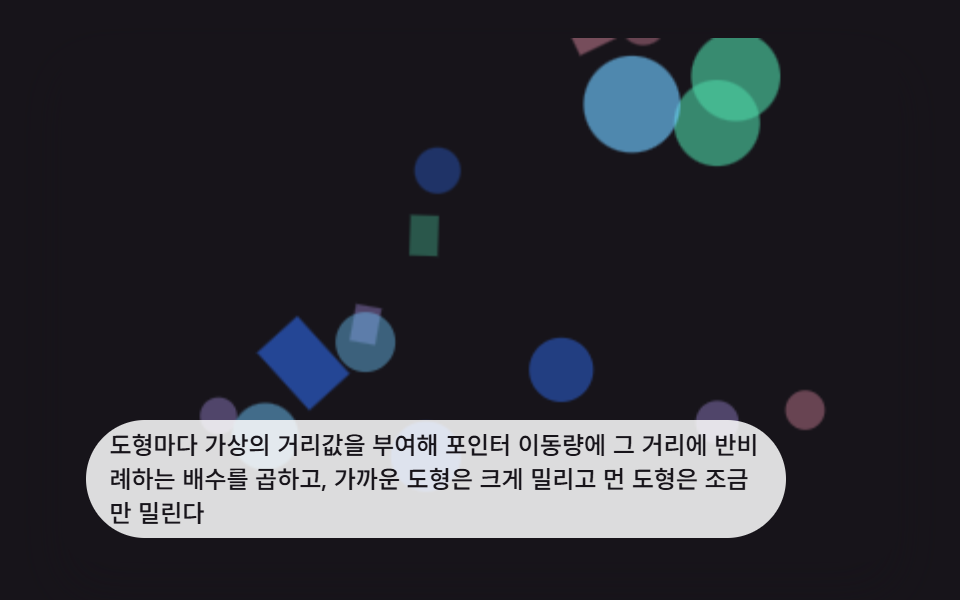 Interactions9 CSS 3D Background Animation Depth Layers
 InteractionsFerrofluid Simulation: 9 Canvas Scenes with Spikes
 InteractionsPixel Art Image Converter: 9 Canvas Dot Patterns
 InteractionsBubble Animation CSS: 9 Soap-Film Scenes That Pop
 InteractionsJavaScript 3D Animation: 9 Pointer-Led Models
 InteractionsJavaScript Piano: 9 Scenes, Keys to Strings
 InteractionsCursor Follow Animation: 9 Procedural Creatures