9 CSS 3D Background Animation Depth Layers
This css 3d background animation set has nine layers below. Layer 02 loses focus with distance, layer 07 loses shadow strength with distance, and scene 09
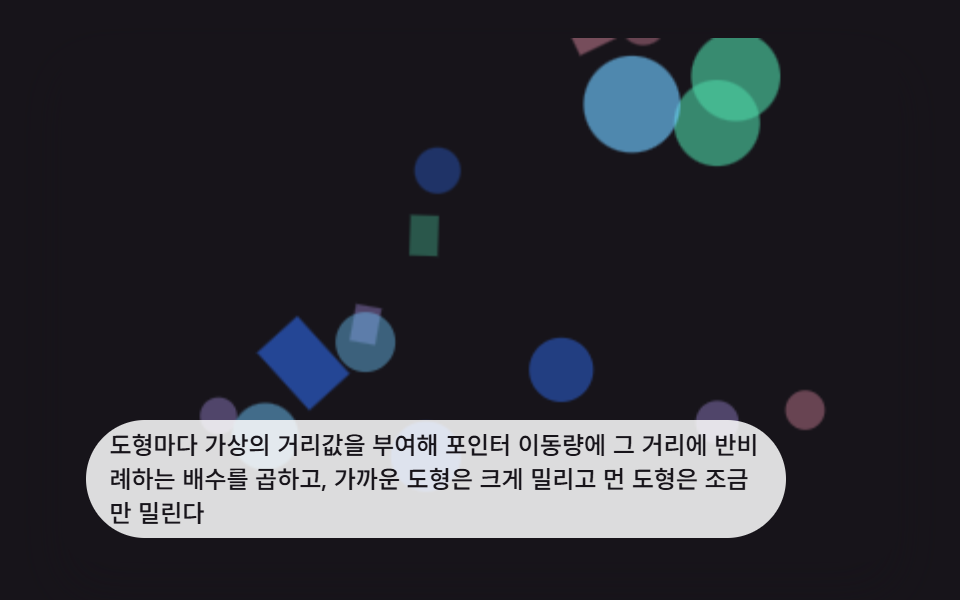 01 depth3d-shape-layer-parallax
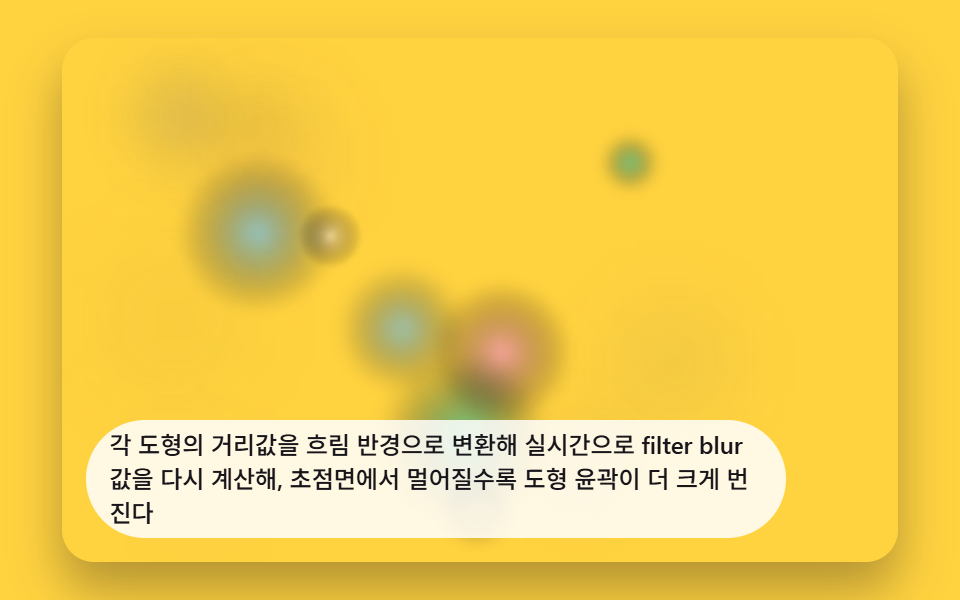 02 depth3d-bokeh-blur-falloff
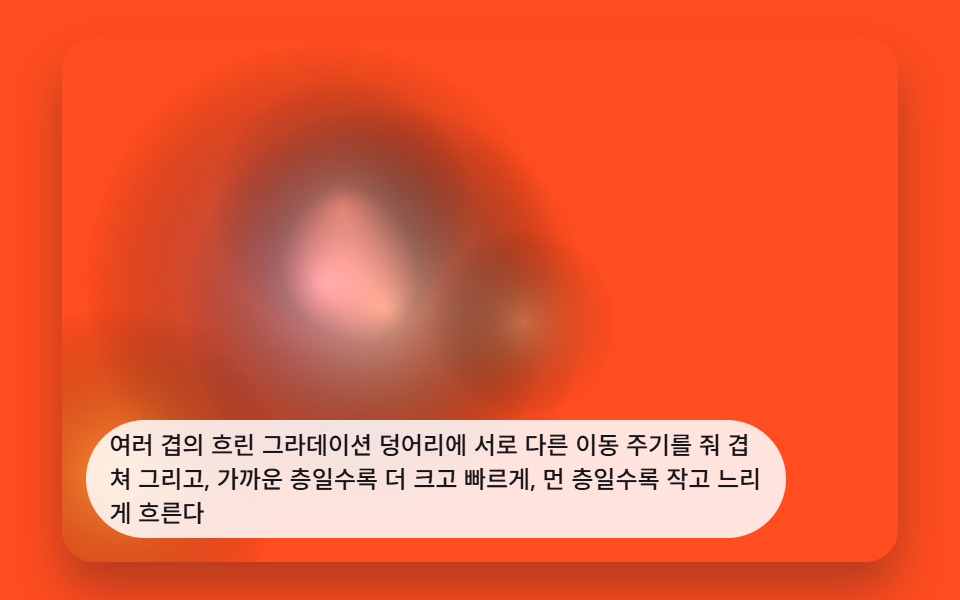 03 depth3d-gradient-mesh-drift
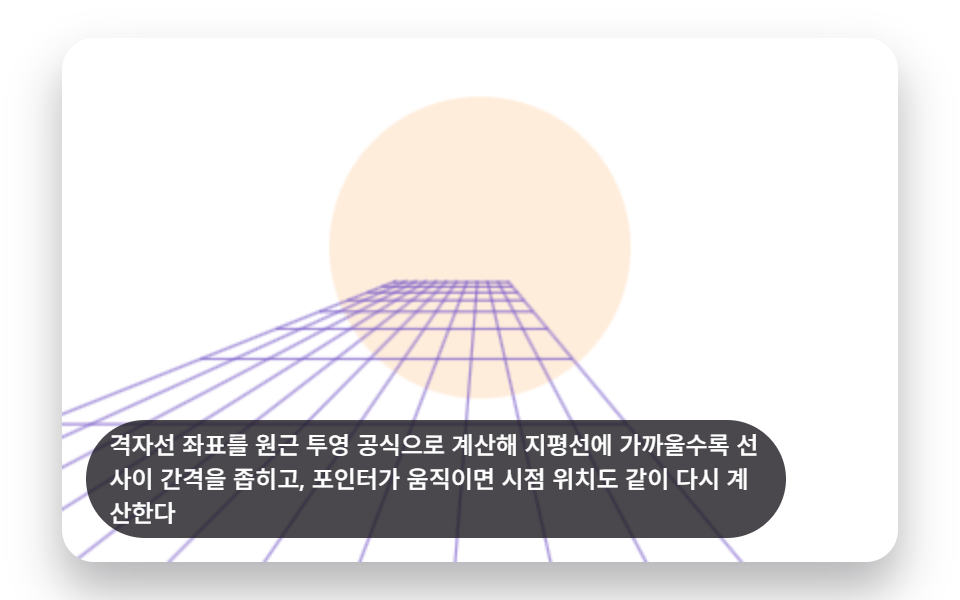 04 depth3d-grid-floor-perspective
 05 depth3d-orbit-ring-satellites
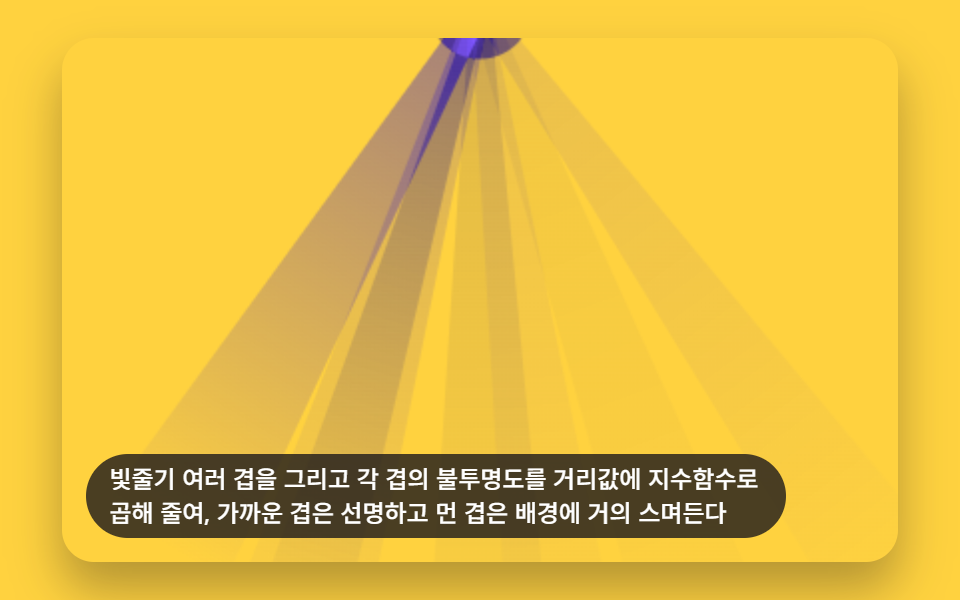 06 depth3d-light-shaft-depth
 07 depth3d-card-float-shadow-depth
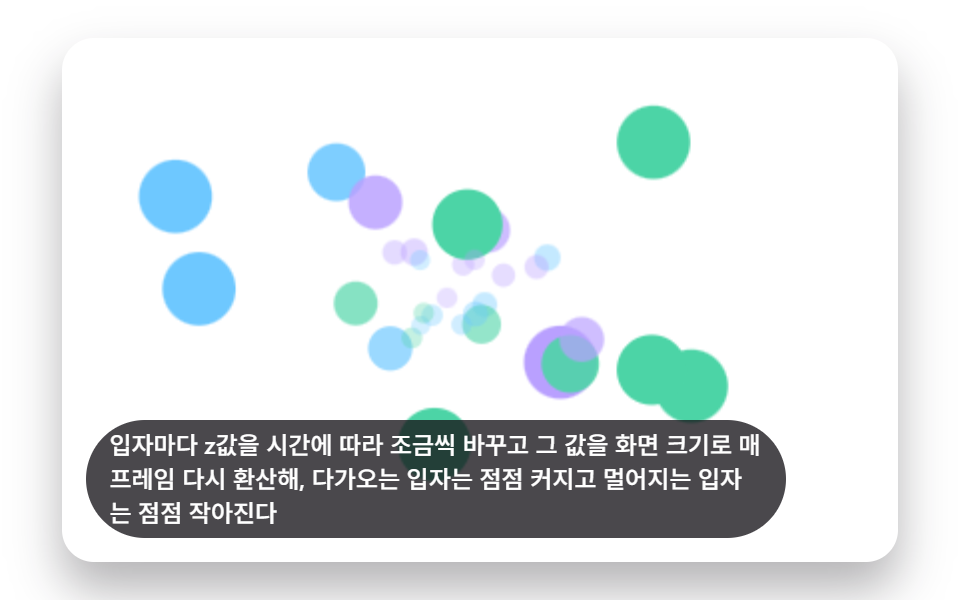 08 depth3d-scale-depth-sizing
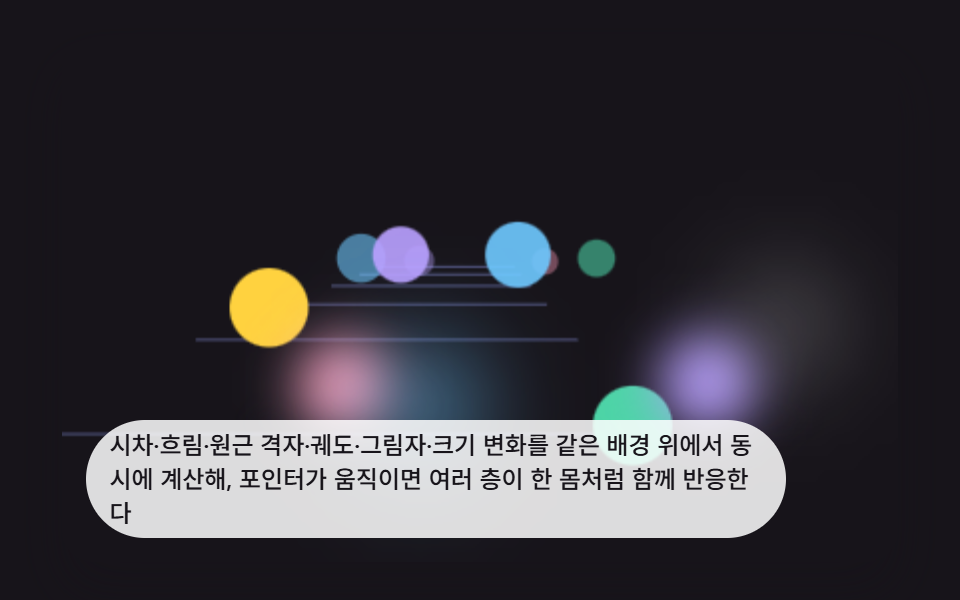 09 depth3d-hero-scene-composite
Auto-plays · click a tile to jump to its section · all nine in one zip
- 01 Floating Shapes Parallaxing at a Different Speed Per Depth Layer
- 02 Background Blurring Out of Focus by Simulated Distance
- 03 Gradient Mesh Blobs Drifting at Different Depth Layers
- 04 Perspective Grid Floor Converging Toward the Horizon
- 05 Orbiting Satellite Ring Tilting to Follow the Pointer
- 06 Light Shaft Background Fading Layer by Layer
- 07 Floating Cards Whose Shadow Grows With Their Height
- 08 Particle Background Scaling Up and Down by Simulated Distance
- 09 Hero Background Scene Combining Every Depth Layer Technique
9 CSS 3D Background Animation Layers: What Each One Calculates
All nine layers below run on the same 2D canvas loop: read a distance or pointer value, convert it into an offset, a blur, an opacity, or a tilt, and repaint only the pixels that moved. Layer 01 is the cleanest read of that loop, a set of shapes whose parallax offset scales inversely with a stored depth value. By layer 05 the same loop reads a pointer position instead of a fixed depth to tilt a ring, and layer 09 folds parallax, blur, perspective, tilt, shadow, and scale into one hero scene, the same layering approach that 3D Hover Effect CSS: 9 Pointer-Following Scenes uses for pointer-following cards instead of a background. Among these css background animation examples, the order below moves from a single parallax layer, through blur and drift, into grid perspective, orbit tilt, light falloff, shadow height, and particle scale, before combining all of it into one composite scene.
01Floating Shapes Parallaxing at a Different Speed Per Depth Layer
Each shape carries a virtual depth value, and distanceMultiplier() turns that value into a per-shape offset multiplier so pointer movement drags near shapes further than far ones. stepSim() then eases every shape's position toward that target at an INERTIA_LERP_RATE of 5.2, so the parallax settles instead of snapping.
<main class="stage">
<div class="d3 is-demo" id="d3Root" tabindex="0">
  <canvas class="d3__canvas" id="d3Canvas" width="480" height="300"></canvas>
  <p class="d3__caption">Each shape carries a virtual depth value that scales the pointer's movement by an inverse multiplier, so near shapes shift a lot and far shapes barely move</p>
</div>
</main>
@use "../../../../site/static/demo-tokens" as *;
@include stage($stage-ink);
.d3 {
position: relative;
width: min(92vw, calc(160vh - 12.8vw));
aspect-ratio: 480 / 300;
margin: 0 auto;
border-radius: $r-card;
overflow: hidden;
box-shadow: $shadow-raised;
background: $stage-ink;
outline: none;
}
.d3__canvas {
display: block;
width: 100%;
height: 100%;
}
.d3__caption {
position: absolute;
left: $sp-3;
bottom: $sp-3;
max-width: 78%;
margin: 0;
padding: $sp-1 $sp-3;
border-radius: $r-pill;
background: rgba(255, 255, 255, .85);
color: $subject-ink;
font-weight: 500;
font-size: 12px;
line-height: 1.4;
pointer-events: none;
}
@media (max-width: 340px) {
.d3__caption { font-size: 10px; padding: $sp-1 $sp-2; }
}
@media (prefers-reduced-motion: reduce) {
.d3 { cursor: default; }
}html, body {
margin: 0;
overflow: hidden;
}
.stage {
box-sizing: border-box;
min-height: 100vh;
display: grid;
place-items: center;
margin: 0;
background: #17141a;
font-family: -apple-system, "Segoe UI", "Noto Sans KR", sans-serif;
padding: clamp(8px, 4vw, 24px);
}
.d3 {
position: relative;
width: min(92vw, 160vh - 12.8vw);
aspect-ratio: 480/300;
margin: 0 auto;
border-radius: 16px;
overflow: hidden;
box-shadow: 0 14px 24px rgba(23, 20, 26, 0.32);
background: #17141a;
outline: none;
}
.d3__canvas {
display: block;
width: 100%;
height: 100%;
}
.d3__caption {
position: absolute;
left: 12px;
bottom: 12px;
max-width: 78%;
margin: 0;
padding: 4px 12px;
border-radius: 999px;
background: rgba(255, 255, 255, 0.85);
color: #17141a;
font-weight: 500;
font-size: 12px;
line-height: 1.4;
pointer-events: none;
}
@media (max-width: 340px) {
.d3__caption {
font-size: 10px;
padding: 4px 8px;
}
}
@media (prefers-reduced-motion: reduce) {
.d3 {
cursor: default;
}
}(function () {
// 기법: 도형마다 가상 거리값(distancePx)을 갖고, 포인터 오프셋에 distanceMultiplier(거리에
// 반비례하는 배수)를 곱해 목표 위치를 정한다. 목표 위치는 순간 이동하지 않고 매 프레임
// INERTIA_LERP_RATE 비율로 관성 보간(lerp)해 따라간다 — 가까운 도형은 크게, 먼 도형은
// 조금만 밀리며 부드럽게 뒤쫓는다.
var root = document.getElementById('d3Root');
var canvas = document.getElementById('d3Canvas');
var ctx = canvas.getContext('2d');
var wrap = canvas.parentElement;
var CALC_W = 160, CALC_H = 100;
var CX = CALC_W * 0.5, CY = CALC_H * 0.5;
var PARALLAX_REF_DISTANCE_PX = 70;
var PARALLAX_MAX_OFFSET_PX = 26;
var INERTIA_LERP_RATE = 5.2;
var SHAPE_COUNT = 16;
function seedRand(seed) {
var s = seed >>> 0;
return function () { s = (s * 1664525 + 1013904223) >>> 0; return s / 4294967296; };
}
var rnd = seedRand(429011);
var palette = ['#2f6df6', '#ff9ebb', '#4cd4a6', '#b9a0ff', '#6ec8ff'];
function distanceMultiplier(distancePx) {
var m = PARALLAX_REF_DISTANCE_PX / distancePx;
return Math.max(0.18, Math.min(3.1, m));
}
var shapes = [];
for (var i = 0; i < SHAPE_COUNT; i += 1) {
var distancePx = 26 + rnd() * 150;
var ang = rnd() * Math.PI * 2;
var rad = 14 + rnd() * 62;
shapes.push({
distancePx: distancePx,
baseX: CX + Math.cos(ang) * rad,
baseY: CY + Math.sin(ang) * rad * 0.72,
size: Math.max(3.2, Math.min(15, 620 / distancePx)),
round: rnd() < 0.55,
color: palette[i % palette.length],
curX: 0, curY: 0
});
}
shapes.sort(function (a, b) { return b.distancePx - a.distancePx; });
var pointerNormX = 0, pointerNormY = 0;
var pointerActive = false;
  function stepSim(dtMs) {
    var dtS = dtMs / 1000;
    var rate = Math.min(1, INERTIA_LERP_RATE * dtS);
    for (var i = 0; i < shapes.length; i += 1) {
      var s = shapes[i];
      var mult = distanceMultiplier(s.distancePx);
      var tx = pointerNormX * PARALLAX_MAX_OFFSET_PX * mult;
      var ty = pointerNormY * PARALLAX_MAX_OFFSET_PX * mult * 0.6;
      s.curX += (tx - s.curX) * rate;
      s.curY += (ty - s.curY) * rate;
    }
  }

  function drawScene() {
    var sx = cw / CALC_W, sy = ch / CALC_H;
    ctx.clearRect(0, 0, cw, ch);
    for (var i = 0; i < shapes.length; i += 1) {
      var s = shapes[i];
      var alpha = Math.max(0.35, Math.min(1, 1 - s.distancePx / 190));
      var dx = (s.baseX + s.curX) * sx, dy = (s.baseY + s.curY) * sy;
var dr = s.size * ((sx + sy) / 2);
ctx.globalAlpha = alpha;
ctx.fillStyle = s.color;
ctx.beginPath();
if (s.round) {
ctx.arc(dx, dy, dr, 0, Math.PI * 2);
} else {
ctx.save();
ctx.translate(dx, dy);
ctx.rotate(s.distancePx * 0.01);
ctx.fillRect(-dr, -dr * 0.7, dr * 2, dr * 1.4);
ctx.restore();
ctx.beginPath();
}
ctx.fill();
}
ctx.globalAlpha = 1;
}
var cw = 480, ch = 300;
function fit() {
var r = wrap.getBoundingClientRect();
cw = Math.max(1, Math.round(r.width));
ch = Math.max(1, Math.round(r.height));
canvas.width = cw; canvas.height = ch;
drawScene();
}
var reduce = window.matchMedia('(prefers-reduced-motion: reduce)').matches;
if (reduce) root.classList.remove('is-demo');
function toNorm(e) {
var r = wrap.getBoundingClientRect();
var t0 = (e.touches && e.touches[0]) ? e.touches[0] : e;
return {
x: Math.max(-1, Math.min(1, ((t0.clientX - r.left) / r.width - 0.5) * 2)),
y: Math.max(-1, Math.min(1, ((t0.clientY - r.top) / r.height - 0.5) * 2))
};
}
wrap.addEventListener('pointermove', function (e) {
pointerActive = true;
var n = toNorm(e);
pointerNormX = n.x; pointerNormY = n.y;
if (reduce) { stepSim(16); drawScene(); }
});
wrap.addEventListener('pointerleave', function () { pointerActive = false; });
wrap.addEventListener('keydown', function (e) {
var moved = true;
if (e.key === 'ArrowLeft') pointerNormX = Math.max(-1, pointerNormX - 0.14);
else if (e.key === 'ArrowRight') pointerNormX = Math.min(1, pointerNormX + 0.14);
else if (e.key === 'ArrowUp') pointerNormY = Math.max(-1, pointerNormY - 0.14);
else if (e.key === 'ArrowDown') pointerNormY = Math.min(1, pointerNormY + 0.14);
else moved = false;
if (moved) {
e.preventDefault();
pointerActive = true;
if (reduce) { stepSim(16); drawScene(); }
}
});
function virtualPointerPath(t) {
return {
x: Math.sin(t * 0.00072) * 0.85,
y: Math.cos(t * 0.00104) * 0.6
};
}
var elapsed = 0;
var warmSteps = reduce ? 160 : 120;
for (var w = 0; w < warmSteps; w += 1) {
elapsed += 20;
if (!pointerActive) { var v0 = virtualPointerPath(elapsed); pointerNormX = v0.x; pointerNormY = v0.y; }
stepSim(20);
}
var lastTs = null;
function tick(ts) {
if (lastTs === null) lastTs = ts;
var dt = Math.min(ts - lastTs, 48);
lastTs = ts;
if (!reduce) {
elapsed += dt;
if (!pointerActive) {
var v = virtualPointerPath(elapsed);
pointerNormX = v.x; pointerNormY = v.y;
}
stepSim(dt);
drawScene();
}
requestAnimationFrame(tick);
}
fit();
window.addEventListener('resize', fit);
drawScene();
requestAnimationFrame(tick);
})();import { useEffect, useRef } from "react";
import styles from "./Depth3dShapeLayerParallax.module.scss";
type ShapeItem = {
distancePx: number;
baseX: number;
baseY: number;
size: number;
round: boolean;
color: string;
curX: number;
curY: number;
};
export default function Depth3dShapeLayerParallax() {
const rootRef = useRef<HTMLDivElement>(null);
const canvasRef = useRef<HTMLCanvasElement>(null);
useEffect(() => {
const root = rootRef.current;
const canvas = canvasRef.current;
if (!root || !canvas) return;
const ctx = canvas.getContext("2d");
if (!ctx) return;
const wrap = canvas.parentElement as HTMLElement;
const CALC_W = 160, CALC_H = 100;
const CX = CALC_W * 0.5, CY = CALC_H * 0.5;
const PARALLAX_REF_DISTANCE_PX = 70;
const PARALLAX_MAX_OFFSET_PX = 26;
const INERTIA_LERP_RATE = 5.2;
const SHAPE_COUNT = 16;
function seedRand(seed: number) {
let s = seed >>> 0;
return function () { s = (s * 1664525 + 1013904223) >>> 0; return s / 4294967296; };
}
const rnd = seedRand(429011);
const palette = ["#2f6df6", "#ff9ebb", "#4cd4a6", "#b9a0ff", "#6ec8ff"];
function distanceMultiplier(distancePx: number) {
const m = PARALLAX_REF_DISTANCE_PX / distancePx;
return Math.max(0.18, Math.min(3.1, m));
}
const shapes: ShapeItem[] = [];
for (let i = 0; i < SHAPE_COUNT; i += 1) {
const distancePx = 26 + rnd() * 150;
const ang = rnd() * Math.PI * 2;
const rad = 14 + rnd() * 62;
shapes.push({
distancePx,
baseX: CX + Math.cos(ang) * rad,
baseY: CY + Math.sin(ang) * rad * 0.72,
size: Math.max(3.2, Math.min(15, 620 / distancePx)),
round: rnd() < 0.55,
color: palette[i % palette.length],
curX: 0, curY: 0
});
}
shapes.sort((a, b) => b.distancePx - a.distancePx);
let pointerNormX = 0, pointerNormY = 0;
let pointerActive = false;
function stepSim(dtMs: number) {
const dtS = dtMs / 1000;
const rate = Math.min(1, INERTIA_LERP_RATE * dtS);
for (let i = 0; i < shapes.length; i += 1) {
const s = shapes[i];
const mult = distanceMultiplier(s.distancePx);
const tx = pointerNormX * PARALLAX_MAX_OFFSET_PX * mult;
const ty = pointerNormY * PARALLAX_MAX_OFFSET_PX * mult * 0.6;
s.curX += (tx - s.curX) * rate;
s.curY += (ty - s.curY) * rate;
}
}
let cw = 480, ch = 300;
function drawScene() {
const sx = cw / CALC_W, sy = ch / CALC_H;
ctx!.clearRect(0, 0, cw, ch);
for (let i = 0; i < shapes.length; i += 1) {
const s = shapes[i];
const alpha = Math.max(0.35, Math.min(1, 1 - s.distancePx / 190));
const dx = (s.baseX + s.curX) * sx, dy = (s.baseY + s.curY) * sy;
const dr = s.size * ((sx + sy) / 2);
ctx!.globalAlpha = alpha;
ctx!.fillStyle = s.color;
ctx!.beginPath();
if (s.round) {
ctx!.arc(dx, dy, dr, 0, Math.PI * 2);
} else {
ctx!.save();
ctx!.translate(dx, dy);
ctx!.rotate(s.distancePx * 0.01);
ctx!.fillRect(-dr, -dr * 0.7, dr * 2, dr * 1.4);
ctx!.restore();
ctx!.beginPath();
}
ctx!.fill();
}
ctx!.globalAlpha = 1;
}
function fit() {
const r = wrap.getBoundingClientRect();
cw = Math.max(1, Math.round(r.width));
ch = Math.max(1, Math.round(r.height));
canvas!.width = cw; canvas!.height = ch;
drawScene();
}
const reduce = window.matchMedia("(prefers-reduced-motion: reduce)").matches;
if (reduce) root.classList.remove("is-demo");
function toNorm(e: PointerEvent) {
const r = wrap.getBoundingClientRect();
return {
x: Math.max(-1, Math.min(1, ((e.clientX - r.left) / r.width - 0.5) * 2)),
y: Math.max(-1, Math.min(1, ((e.clientY - r.top) / r.height - 0.5) * 2))
};
}
function onPointerMove(e: PointerEvent) {
pointerActive = true;
const n = toNorm(e);
pointerNormX = n.x; pointerNormY = n.y;
if (reduce) { stepSim(16); drawScene(); }
}
function onPointerLeave() { pointerActive = false; }
function onKeydown(e: KeyboardEvent) {
let moved = true;
if (e.key === "ArrowLeft") pointerNormX = Math.max(-1, pointerNormX - 0.14);
else if (e.key === "ArrowRight") pointerNormX = Math.min(1, pointerNormX + 0.14);
else if (e.key === "ArrowUp") pointerNormY = Math.max(-1, pointerNormY - 0.14);
else if (e.key === "ArrowDown") pointerNormY = Math.min(1, pointerNormY + 0.14);
else moved = false;
if (moved) {
e.preventDefault();
pointerActive = true;
if (reduce) { stepSim(16); drawScene(); }
}
}
wrap.addEventListener("pointermove", onPointerMove);
wrap.addEventListener("pointerleave", onPointerLeave);
wrap.addEventListener("keydown", onKeydown);
function virtualPointerPath(t: number) {
return {
x: Math.sin(t * 0.00072) * 0.85,
y: Math.cos(t * 0.00104) * 0.6
};
}
let elapsed = 0;
const warmSteps = reduce ? 160 : 120;
for (let w = 0; w < warmSteps; w += 1) {
elapsed += 20;
if (!pointerActive) { const v0 = virtualPointerPath(elapsed); pointerNormX = v0.x; pointerNormY = v0.y; }
stepSim(20);
}
let lastTs: number | null = null;
let raf = 0;
function tick(ts: number) {
if (lastTs === null) lastTs = ts;
const dt = Math.min(ts - lastTs, 48);
lastTs = ts;
if (!reduce) {
elapsed += dt;
if (!pointerActive) {
const v = virtualPointerPath(elapsed);
pointerNormX = v.x; pointerNormY = v.y;
}
stepSim(dt);
drawScene();
}
raf = requestAnimationFrame(tick);
}
fit();
window.addEventListener("resize", fit);
drawScene();
raf = requestAnimationFrame(tick);
return () => {
cancelAnimationFrame(raf);
window.removeEventListener("resize", fit);
wrap.removeEventListener("pointermove", onPointerMove);
wrap.removeEventListener("pointerleave", onPointerLeave);
wrap.removeEventListener("keydown", onKeydown);
};
}, []);
return (
<main className={styles.stage}>
<div className={`${styles.d3} is-demo`} ref={rootRef} tabIndex={0}>
<canvas className={styles.d3__canvas} ref={canvasRef} width={480} height={300} />
<p className={styles.d3__caption}>도형마다 가상의 거리값을 부여해 포인터 이동량에 그 거리에 반비례하는 배수를 곱하고, 가까운 도형은 크게 밀리고 먼 도형은 조금만 밀린다</p>
</div>
</main>
);
}01 · Floating Shapes Parallaxing at a Different Speed Per Depth Layer — Measured area 20.586% · moving frames 23/23Original by GODRICH · SCSS and React ship in the zip · See the password
function stepSim(dtMs) {
var dtS = dtMs / 1000;
var rate = Math.min(1, INERTIA_LERP_RATE * dtS);
for (var i = 0; i < shapes.length; i += 1) {
var s = shapes[i];
var mult = distanceMultiplier(s.distancePx);
var tx = pointerNormX * PARALLAX_MAX_OFFSET_PX * mult;
var ty = pointerNormY * PARALLAX_MAX_OFFSET_PX * mult * 0.6;
s.curX += (tx - s.curX) * rate;
s.curY += (ty - s.curY) * rate;
}
}
function drawScene() {
var sx = cw / CALC_W, sy = ch / CALC_H;
ctx.clearRect(0, 0, cw, ch);
for (var i = 0; i < shapes.length; i += 1) {
var s = shapes[i];
var alpha = Math.max(0.35, Math.min(1, 1 - s.distancePx / 190));
var dx = (s.baseX + s.curX) * sx, dy = (s.baseY + s.curY) * sy;
Item 01 repainted 20.6% of the frame at an average intensity of 61.1 across 23/23 measured frames.
02Background Blurring Out of Focus by Simulated Distance
focalDepthAt() sweeps a virtual focus point back and forth on a FOCAL_CYCLE_MS of 4200, and blurForDepth() turns each circle's distance from that focus point into a blur amount capped at a DEPTH_BLUR_MAX_PX of 14. Whichever circles sit closest to the current focus read sharp for that stretch, while the rest soften, the same way a camera racks focus between two subjects.
<main class="stage">
<div class="d3 is-demo" id="d3Root" tabindex="0">
  <canvas class="d3__canvas" id="d3Canvas" width="480" height="300"></canvas>
  <p class="d3__caption">Each shape's depth value is converted into a blur radius and re-applied through filter blur in real time, so the farther a shape sits from the focal plane the more its edges spread</p>
</div>
</main>
@use "../../../../site/static/demo-tokens" as *;
@include stage($stage-yellow);
.d3 {
position: relative;
width: min(92vw, calc(160vh - 12.8vw));
aspect-ratio: 480 / 300;
margin: 0 auto;
border-radius: $r-card;
overflow: hidden;
box-shadow: $shadow-raised;
background: $stage-yellow;
outline: none;
cursor: crosshair;
}
.d3__canvas {
display: block;
width: 100%;
height: 100%;
}
.d3__caption {
position: absolute;
left: $sp-3;
bottom: $sp-3;
max-width: 78%;
margin: 0;
padding: $sp-1 $sp-3;
border-radius: $r-pill;
background: rgba(255, 255, 255, .85);
color: $subject-ink;
font-weight: 500;
font-size: 12px;
line-height: 1.4;
pointer-events: none;
}
@media (max-width: 340px) {
.d3__caption { font-size: 10px; padding: $sp-1 $sp-2; }
}
@media (prefers-reduced-motion: reduce) {
.d3 { cursor: pointer; }
}html, body {
margin: 0;
overflow: hidden;
}
.stage {
box-sizing: border-box;
min-height: 100vh;
display: grid;
place-items: center;
margin: 0;
background: #ffd23f;
font-family: -apple-system, "Segoe UI", "Noto Sans KR", sans-serif;
padding: clamp(8px, 4vw, 24px);
}
.d3 {
position: relative;
width: min(92vw, 160vh - 12.8vw);
aspect-ratio: 480/300;
margin: 0 auto;
border-radius: 16px;
overflow: hidden;
box-shadow: 0 14px 24px rgba(23, 20, 26, 0.32);
background: #ffd23f;
outline: none;
cursor: crosshair;
}
.d3__canvas {
display: block;
width: 100%;
height: 100%;
}
.d3__caption {
position: absolute;
left: 12px;
bottom: 12px;
max-width: 78%;
margin: 0;
padding: 4px 12px;
border-radius: 999px;
background: rgba(255, 255, 255, 0.85);
color: #17141a;
font-weight: 500;
font-size: 12px;
line-height: 1.4;
pointer-events: none;
}
@media (max-width: 340px) {
.d3__caption {
font-size: 10px;
padding: 4px 8px;
}
}
@media (prefers-reduced-motion: reduce) {
.d3 {
cursor: pointer;
}
}(function () {
// 기법: 원마다 가상 거리값(distancePx)을 갖고, 매 프레임 focalDepth(초점면 거리, 시간에 따라
// 오간다)와의 차이를 blurForDepth 로 흐림 반경(px)으로 바꿔 ctx.filter = blur(...) 를 다시
// 세팅한 뒤 그린다 — 초점면에 가까운 원은 선명하게, 멀어질수록 DEPTH_BLUR_MAX_PX 까지 크게 번진다.
var root = document.getElementById('d3Root');
var canvas = document.getElementById('d3Canvas');
var ctx = canvas.getContext('2d');
var wrap = canvas.parentElement;
var CALC_W = 160, CALC_H = 100;
var DEPTH_BLUR_MAX_PX = 14;
var FOCAL_CYCLE_MS = 4200;
var FOCAL_RANGE_NEAR = 30, FOCAL_RANGE_FAR = 160;
var BOKEH_COUNT = 14;
function seedRand(seed) {
var s = seed >>> 0;
return function () { s = (s * 1664525 + 1013904223) >>> 0; return s / 4294967296; };
}
var rnd = seedRand(429021);
var palette = ['#ffe6b3', '#ffd23f', '#ff9ebb', '#6ec8ff', '#4cd4a6'];
var circles = [];
for (var i = 0; i < BOKEH_COUNT; i += 1) {
circles.push({
distancePx: 20 + rnd() * 150,
baseX: 14 + rnd() * (CALC_W - 28),
baseY: 12 + rnd() * (CALC_H - 24),
size: 5 + rnd() * 11,
phase: rnd() * Math.PI * 2,
driftAmp: 3 + rnd() * 5,
color: palette[i % palette.length]
});
}
  function focalDepthAt(t) {
    var f = (Math.sin(t / FOCAL_CYCLE_MS * Math.PI * 2) + 1) / 2;
    return FOCAL_RANGE_NEAR + f * (FOCAL_RANGE_FAR - FOCAL_RANGE_NEAR);
  }

  function blurForDepth(distancePx, focalDepth) {
    var diff = Math.abs(distancePx - focalDepth);
    return Math.max(0, Math.min(DEPTH_BLUR_MAX_PX, diff / 9));
  }

  var elapsed = 0;
  var cw = 480, ch = 300;

  function drawScene(nowMs) {
    var sx = cw / CALC_W, sy = ch / CALC_H;
    var savg = (sx + sy) / 2;
    var focalDepth = focalDepthAt(nowMs);
    ctx.clearRect(0, 0, cw, ch);
    ctx.globalCompositeOperation = 'lighter';
    var order = circles.slice().sort(function (a, b) { return b.distancePx - a.distancePx; });
    for (var i = 0; i < order.length; i += 1) {
      var c = order[i];
      var blurPx = blurForDepth(c.distancePx, focalDepth);
var alpha = Math.max(0.3, Math.min(0.95, 1 - c.distancePx / 210));
var driftX = Math.sin(nowMs * 0.0006 + c.phase) * c.driftAmp;
var driftY = Math.cos(nowMs * 0.0005 + c.phase) * c.driftAmp * 0.6;
var dx = (c.baseX + driftX) * sx, dy = (c.baseY + driftY) * sy;
var dr = c.size * savg;
ctx.filter = blurPx > 0.15 ? 'blur(' + (blurPx * savg).toFixed(1) + 'px)' : 'none';
var g = ctx.createRadialGradient(dx, dy, 0, dx, dy, dr);
g.addColorStop(0, c.color);
g.addColorStop(1, 'rgba(0,0,0,0)');
ctx.globalAlpha = alpha;
ctx.fillStyle = g;
ctx.beginPath();
ctx.arc(dx, dy, dr, 0, Math.PI * 2);
ctx.fill();
}
ctx.filter = 'none';
ctx.globalAlpha = 1;
ctx.globalCompositeOperation = 'source-over';
}
function fit() {
var r = wrap.getBoundingClientRect();
cw = Math.max(1, Math.round(r.width));
ch = Math.max(1, Math.round(r.height));
canvas.width = cw; canvas.height = ch;
drawScene(elapsed);
}
var reduce = window.matchMedia('(prefers-reduced-motion: reduce)').matches;
if (reduce) root.classList.remove('is-demo');
var focalNudge = 0;
wrap.addEventListener('pointermove', function (e) {
var r = wrap.getBoundingClientRect();
focalNudge = ((e.clientX - r.left) / r.width - 0.5) * 2;
if (reduce) drawScene(elapsed + focalNudge * FOCAL_CYCLE_MS * 0.25);
});
wrap.addEventListener('keydown', function (e) {
var moved = true;
if (e.key === 'ArrowLeft') focalNudge = Math.max(-1, focalNudge - 0.12);
else if (e.key === 'ArrowRight') focalNudge = Math.min(1, focalNudge + 0.12);
else moved = false;
if (moved) {
e.preventDefault();
if (reduce) drawScene(elapsed + focalNudge * FOCAL_CYCLE_MS * 0.25);
}
});
var warmSteps = reduce ? 160 : 120;
for (var w = 0; w < warmSteps; w += 1) elapsed += 20;
var lastTs = null;
function tick(ts) {
if (lastTs === null) lastTs = ts;
var dt = Math.min(ts - lastTs, 48);
lastTs = ts;
if (!reduce) {
elapsed += dt;
drawScene(elapsed + focalNudge * FOCAL_CYCLE_MS * 0.25);
}
requestAnimationFrame(tick);
}
fit();
window.addEventListener('resize', fit);
drawScene(elapsed);
requestAnimationFrame(tick);
})();import { useEffect, useRef } from "react";
import styles from "./Depth3dBokehBlurFalloff.module.scss";
type Bokeh = {
distancePx: number;
baseX: number;
baseY: number;
size: number;
phase: number;
driftAmp: number;
color: string;
};
export default function Depth3dBokehBlurFalloff() {
const rootRef = useRef<HTMLDivElement>(null);
const canvasRef = useRef<HTMLCanvasElement>(null);
useEffect(() => {
const root = rootRef.current;
const canvas = canvasRef.current;
if (!root || !canvas) return;
const ctx = canvas.getContext("2d");
if (!ctx) return;
const wrap = canvas.parentElement as HTMLElement;
const CALC_W = 160, CALC_H = 100;
const DEPTH_BLUR_MAX_PX = 14;
const FOCAL_CYCLE_MS = 4200;
const FOCAL_RANGE_NEAR = 30, FOCAL_RANGE_FAR = 160;
const BOKEH_COUNT = 14;
function seedRand(seed: number) {
let s = seed >>> 0;
return function () { s = (s * 1664525 + 1013904223) >>> 0; return s / 4294967296; };
}
const rnd = seedRand(429021);
const palette = ["#ffe6b3", "#ffd23f", "#ff9ebb", "#6ec8ff", "#4cd4a6"];
const circles: Bokeh[] = [];
for (let i = 0; i < BOKEH_COUNT; i += 1) {
circles.push({
distancePx: 20 + rnd() * 150,
baseX: 14 + rnd() * (CALC_W - 28),
baseY: 12 + rnd() * (CALC_H - 24),
size: 5 + rnd() * 11,
phase: rnd() * Math.PI * 2,
driftAmp: 3 + rnd() * 5,
color: palette[i % palette.length]
});
}
function focalDepthAt(t: number) {
const f = (Math.sin(t / FOCAL_CYCLE_MS * Math.PI * 2) + 1) / 2;
return FOCAL_RANGE_NEAR + f * (FOCAL_RANGE_FAR - FOCAL_RANGE_NEAR);
}
function blurForDepth(distancePx: number, focalDepth: number) {
const diff = Math.abs(distancePx - focalDepth);
return Math.max(0, Math.min(DEPTH_BLUR_MAX_PX, diff / 9));
}
let elapsed = 0;
let cw = 480, ch = 300;
let focalNudge = 0;
function drawScene(nowMs: number) {
const sx = cw / CALC_W, sy = ch / CALC_H;
const savg = (sx + sy) / 2;
const focalDepth = focalDepthAt(nowMs);
ctx!.clearRect(0, 0, cw, ch);
ctx!.globalCompositeOperation = "lighter";
const order = circles.slice().sort((a, b) => b.distancePx - a.distancePx);
for (let i = 0; i < order.length; i += 1) {
const c = order[i];
const blurPx = blurForDepth(c.distancePx, focalDepth);
const alpha = Math.max(0.3, Math.min(0.95, 1 - c.distancePx / 210));
const driftX = Math.sin(nowMs * 0.0006 + c.phase) * c.driftAmp;
const driftY = Math.cos(nowMs * 0.0005 + c.phase) * c.driftAmp * 0.6;
const dx = (c.baseX + driftX) * sx, dy = (c.baseY + driftY) * sy;
const dr = c.size * savg;
ctx!.filter = blurPx > 0.15 ? "blur(" + (blurPx * savg).toFixed(1) + "px)" : "none";
const g = ctx!.createRadialGradient(dx, dy, 0, dx, dy, dr);
g.addColorStop(0, c.color);
g.addColorStop(1, "rgba(0,0,0,0)");
ctx!.globalAlpha = alpha;
ctx!.fillStyle = g;
ctx!.beginPath();
ctx!.arc(dx, dy, dr, 0, Math.PI * 2);
ctx!.fill();
}
ctx!.filter = "none";
ctx!.globalAlpha = 1;
ctx!.globalCompositeOperation = "source-over";
}
function fit() {
const r = wrap.getBoundingClientRect();
cw = Math.max(1, Math.round(r.width));
ch = Math.max(1, Math.round(r.height));
canvas!.width = cw; canvas!.height = ch;
drawScene(elapsed);
}
const reduce = window.matchMedia("(prefers-reduced-motion: reduce)").matches;
if (reduce) root.classList.remove("is-demo");
function onPointerMove(e: PointerEvent) {
const r = wrap.getBoundingClientRect();
focalNudge = ((e.clientX - r.left) / r.width - 0.5) * 2;
if (reduce) drawScene(elapsed + focalNudge * FOCAL_CYCLE_MS * 0.25);
}
function onKeydown(e: KeyboardEvent) {
let moved = true;
if (e.key === "ArrowLeft") focalNudge = Math.max(-1, focalNudge - 0.12);
else if (e.key === "ArrowRight") focalNudge = Math.min(1, focalNudge + 0.12);
else moved = false;
if (moved) {
e.preventDefault();
if (reduce) drawScene(elapsed + focalNudge * FOCAL_CYCLE_MS * 0.25);
}
}
wrap.addEventListener("pointermove", onPointerMove);
wrap.addEventListener("keydown", onKeydown);
const warmSteps = reduce ? 160 : 120;
for (let w = 0; w < warmSteps; w += 1) elapsed += 20;
let lastTs: number | null = null;
let raf = 0;
function tick(ts: number) {
if (lastTs === null) lastTs = ts;
const dt = Math.min(ts - lastTs, 48);
lastTs = ts;
if (!reduce) {
elapsed += dt;
drawScene(elapsed + focalNudge * FOCAL_CYCLE_MS * 0.25);
}
raf = requestAnimationFrame(tick);
}
fit();
window.addEventListener("resize", fit);
drawScene(elapsed);
raf = requestAnimationFrame(tick);
return () => {
cancelAnimationFrame(raf);
window.removeEventListener("resize", fit);
wrap.removeEventListener("pointermove", onPointerMove);
wrap.removeEventListener("keydown", onKeydown);
};
}, []);
return (
<main className={styles.stage}>
<div className={`${styles.d3} is-demo`} ref={rootRef} tabIndex={0}>
<canvas className={styles.d3__canvas} ref={canvasRef} width={480} height={300} />
<p className={styles.d3__caption}>각 도형의 거리값을 흐림 반경으로 변환해 실시간으로 filter blur 값을 다시 계산해, 초점면에서 멀어질수록 도형 윤곽이 더 크게 번진다</p>
</div>
</main>
);
}02 · Background Blurring Out of Focus by Simulated Distance — Measured area 16.966% · moving frames 15/23Original by GODRICH · SCSS and React ship in the zip · See the password
function focalDepthAt(t) {
var f = (Math.sin(t / FOCAL_CYCLE_MS * Math.PI * 2) + 1) / 2;
return FOCAL_RANGE_NEAR + f * (FOCAL_RANGE_FAR - FOCAL_RANGE_NEAR);
}
function blurForDepth(distancePx, focalDepth) {
var diff = Math.abs(distancePx - focalDepth);
return Math.max(0, Math.min(DEPTH_BLUR_MAX_PX, diff / 9));
}
var elapsed = 0;
var cw = 480, ch = 300;
function drawScene(nowMs) {
var sx = cw / CALC_W, sy = ch / CALC_H;
var savg = (sx + sy) / 2;
var focalDepth = focalDepthAt(nowMs);
ctx.clearRect(0, 0, cw, ch);
ctx.globalCompositeOperation = 'lighter';
var order = circles.slice().sort(function (a, b) { return b.distancePx - a.distancePx; });
for (var i = 0; i < order.length; i += 1) {
var c = order[i];
var blurPx = blurForDepth(c.distancePx, focalDepth);
Item 02 repainted only 17.0% of the frame at an average intensity of 15.1 across 15/23 measured frames, the flattest read of the nine because a slow sine-based focus cycle spends long stretches near its extremes.
03Gradient Mesh Blobs Drifting at Different Depth Layers
blobPositionAt() moves each gradient blob along its own sine path sized by a per-blob reachPx, drifting on its own period that stretches longer through each of the MESH_LAYER_COUNT of 5 layers, scaled up from a shared MESH_DRIFT_PERIOD_BASE_MS. drawScene() paints every blob through globalCompositeOperation set to lighter with its own createRadialGradient(), so overlapping blobs brighten instead of simply stacking flat color.
<main class="stage">
<div class="d3 is-demo" id="d3Root">
  <canvas class="d3__canvas" id="d3Canvas" width="480" height="300"></canvas>
  <p class="d3__caption">Several blurred gradient blobs are drawn on top of each other with different movement periods, so the near layer is larger and faster while the far layer stays small and slow</p>
</div>
</main>
@use "../../../../site/static/demo-tokens" as *;
@include stage($stage-orange);
.d3 {
position: relative;
width: min(92vw, calc(160vh - 12.8vw));
aspect-ratio: 480 / 300;
margin: 0 auto;
border-radius: $r-card;
overflow: hidden;
box-shadow: $shadow-raised;
background: $stage-orange;
}
.d3__canvas {
display: block;
width: 100%;
height: 100%;
}
.d3__caption {
position: absolute;
left: $sp-3;
bottom: $sp-3;
max-width: 78%;
margin: 0;
padding: $sp-1 $sp-3;
border-radius: $r-pill;
background: rgba(255, 255, 255, .85);
color: $subject-ink;
font-weight: 500;
font-size: 12px;
line-height: 1.4;
pointer-events: none;
}
@media (max-width: 340px) {
.d3__caption { font-size: 10px; padding: $sp-1 $sp-2; }
}
@media (prefers-reduced-motion: reduce) {
.d3 { cursor: default; }
}html, body {
margin: 0;
overflow: hidden;
}
.stage {
box-sizing: border-box;
min-height: 100vh;
display: grid;
place-items: center;
margin: 0;
background: #ff4d1f;
font-family: -apple-system, "Segoe UI", "Noto Sans KR", sans-serif;
padding: clamp(8px, 4vw, 24px);
}
.d3 {
position: relative;
width: min(92vw, 160vh - 12.8vw);
aspect-ratio: 480/300;
margin: 0 auto;
border-radius: 16px;
overflow: hidden;
box-shadow: 0 14px 24px rgba(23, 20, 26, 0.32);
background: #ff4d1f;
}
.d3__canvas {
display: block;
width: 100%;
height: 100%;
}
.d3__caption {
position: absolute;
left: 12px;
bottom: 12px;
max-width: 78%;
margin: 0;
padding: 4px 12px;
border-radius: 999px;
background: rgba(255, 255, 255, 0.85);
color: #17141a;
font-weight: 500;
font-size: 12px;
line-height: 1.4;
pointer-events: none;
}
@media (max-width: 340px) {
.d3__caption {
font-size: 10px;
padding: 4px 8px;
}
}
@media (prefers-reduced-motion: reduce) {
.d3 {
cursor: default;
}
}(function () {
// 기법: meshLayers 배열의 층마다 이동 주기(period)·반경·이동 폭을 다르게 줘 Lissajous 곡선으로
// 흐르게 한다 — 가까운 층(인덱스 0)은 MESH_DRIFT_PERIOD_BASE_MS 그대로 짧게·크게·빠르게, 먼 층일수록
// 주기를 늘리고 반경·이동 폭을 줄여 작고 느리게 흐르는 것처럼 보이게 한다.
var root = document.getElementById('d3Root');
var canvas = document.getElementById('d3Canvas');
var ctx = canvas.getContext('2d');
var wrap = canvas.parentElement;
var CALC_W = 160, CALC_H = 100;
var MESH_DRIFT_PERIOD_BASE_MS = 3200;
var MESH_LAYER_COUNT = 5;
function seedRand(seed) {
var s = seed >>> 0;
return function () { s = (s * 1664525 + 1013904223) >>> 0; return s / 4294967296; };
}
var rnd = seedRand(429031);
var palette = ['#ff9ebb', '#ffb37a', '#ffd23f', '#ff8a5c', '#ffcf99'];
var meshLayers = [];
for (var i = 0; i < MESH_LAYER_COUNT; i += 1) {
var depthIndex = i;
meshLayers.push({
depthIndex: depthIndex,
period: MESH_DRIFT_PERIOD_BASE_MS * (1 + depthIndex * 0.62),
centerX: 20 + rnd() * (CALC_W - 40),
centerY: 18 + rnd() * (CALC_H - 36),
reachPx: Math.max(10, 42 - depthIndex * 6),
radius: Math.max(14, 46 - depthIndex * 7),
phaseX: rnd() * Math.PI * 2,
phaseY: rnd() * Math.PI * 2,
color: palette[i % palette.length]
});
}
meshLayers.sort(function (a, b) { return b.depthIndex - a.depthIndex; });
  function blobPositionAt(layer, t) {
    var ax = Math.sin(t / layer.period * Math.PI * 2 + layer.phaseX) * layer.reachPx;
    var ay = Math.cos(t / layer.period * Math.PI * 2.3 + layer.phaseY) * layer.reachPx * 0.7;
    return { x: layer.centerX + ax, y: layer.centerY + ay };
  }

  var elapsed = 0;
  var cw = 480, ch = 300;

  function drawScene(nowMs) {
    var sx = cw / CALC_W, sy = ch / CALC_H;
    var savg = (sx + sy) / 2;
    ctx.clearRect(0, 0, cw, ch);
    ctx.globalCompositeOperation = 'lighter';
    for (var i = 0; i < meshLayers.length; i += 1) {
      var layer = meshLayers[i];
      var pos = blobPositionAt(layer, nowMs);
      var alpha = Math.max(0.3, 0.72 - layer.depthIndex * 0.1);
      var dx = pos.x * sx, dy = pos.y * sy, dr = layer.radius * savg;
      var g = ctx.createRadialGradient(dx, dy, 0, dx, dy, dr);
      g.addColorStop(0, layer.color);
      g.addColorStop(1, 'rgba(0,0,0,0)');
      ctx.globalAlpha = alpha;
ctx.fillStyle = g;
ctx.beginPath();
ctx.arc(dx, dy, dr, 0, Math.PI * 2);
ctx.fill();
}
ctx.globalAlpha = 1;
ctx.globalCompositeOperation = 'source-over';
}
function fit() {
var r = wrap.getBoundingClientRect();
cw = Math.max(1, Math.round(r.width));
ch = Math.max(1, Math.round(r.height));
canvas.width = cw; canvas.height = ch;
drawScene(elapsed);
}
var reduce = window.matchMedia('(prefers-reduced-motion: reduce)').matches;
if (reduce) root.classList.remove('is-demo');
var warmSteps = reduce ? 0 : 90;
for (var w = 0; w < warmSteps; w += 1) elapsed += 20;
var lastTs = null;
function tick(ts) {
if (lastTs === null) lastTs = ts;
var dt = Math.min(ts - lastTs, 48);
lastTs = ts;
if (!reduce) {
elapsed += dt;
drawScene(elapsed);
}
requestAnimationFrame(tick);
}
fit();
window.addEventListener('resize', fit);
drawScene(elapsed);
requestAnimationFrame(tick);
})();import { useEffect, useRef } from "react";
import styles from "./Depth3dGradientMeshDrift.module.scss";
type MeshLayer = {
depthIndex: number;
period: number;
centerX: number;
centerY: number;
reachPx: number;
radius: number;
phaseX: number;
phaseY: number;
color: string;
};
export default function Depth3dGradientMeshDrift() {
const rootRef = useRef<HTMLDivElement>(null);
const canvasRef = useRef<HTMLCanvasElement>(null);
useEffect(() => {
const root = rootRef.current;
const canvas = canvasRef.current;
if (!root || !canvas) return;
const ctx = canvas.getContext("2d");
if (!ctx) return;
const wrap = canvas.parentElement as HTMLElement;
const CALC_W = 160, CALC_H = 100;
const MESH_DRIFT_PERIOD_BASE_MS = 3200;
const MESH_LAYER_COUNT = 5;
function seedRand(seed: number) {
let s = seed >>> 0;
return function () { s = (s * 1664525 + 1013904223) >>> 0; return s / 4294967296; };
}
const rnd = seedRand(429031);
const palette = ["#ff9ebb", "#ffb37a", "#ffd23f", "#ff8a5c", "#ffcf99"];
const meshLayers: MeshLayer[] = [];
for (let i = 0; i < MESH_LAYER_COUNT; i += 1) {
const depthIndex = i;
meshLayers.push({
depthIndex,
period: MESH_DRIFT_PERIOD_BASE_MS * (1 + depthIndex * 0.62),
centerX: 20 + rnd() * (CALC_W - 40),
centerY: 18 + rnd() * (CALC_H - 36),
reachPx: Math.max(10, 42 - depthIndex * 6),
radius: Math.max(14, 46 - depthIndex * 7),
phaseX: rnd() * Math.PI * 2,
phaseY: rnd() * Math.PI * 2,
color: palette[i % palette.length]
});
}
meshLayers.sort((a, b) => b.depthIndex - a.depthIndex);
function blobPositionAt(layer: MeshLayer, t: number) {
const ax = Math.sin(t / layer.period * Math.PI * 2 + layer.phaseX) * layer.reachPx;
const ay = Math.cos(t / layer.period * Math.PI * 2.3 + layer.phaseY) * layer.reachPx * 0.7;
return { x: layer.centerX + ax, y: layer.centerY + ay };
}
let elapsed = 0;
let cw = 480, ch = 300;
function drawScene(nowMs: number) {
const sx = cw / CALC_W, sy = ch / CALC_H;
const savg = (sx + sy) / 2;
ctx!.clearRect(0, 0, cw, ch);
ctx!.globalCompositeOperation = "lighter";
for (let i = 0; i < meshLayers.length; i += 1) {
const layer = meshLayers[i];
const pos = blobPositionAt(layer, nowMs);
const alpha = Math.max(0.3, 0.72 - layer.depthIndex * 0.1);
const dx = pos.x * sx, dy = pos.y * sy, dr = layer.radius * savg;
const g = ctx!.createRadialGradient(dx, dy, 0, dx, dy, dr);
g.addColorStop(0, layer.color);
g.addColorStop(1, "rgba(0,0,0,0)");
ctx!.globalAlpha = alpha;
ctx!.fillStyle = g;
ctx!.beginPath();
ctx!.arc(dx, dy, dr, 0, Math.PI * 2);
ctx!.fill();
}
ctx!.globalAlpha = 1;
ctx!.globalCompositeOperation = "source-over";
}
function fit() {
const r = wrap.getBoundingClientRect();
cw = Math.max(1, Math.round(r.width));
ch = Math.max(1, Math.round(r.height));
canvas!.width = cw; canvas!.height = ch;
drawScene(elapsed);
}
const reduce = window.matchMedia("(prefers-reduced-motion: reduce)").matches;
if (reduce) root.classList.remove("is-demo");
const warmSteps = reduce ? 0 : 90;
for (let w = 0; w < warmSteps; w += 1) elapsed += 20;
let lastTs: number | null = null;
let raf = 0;
function tick(ts: number) {
if (lastTs === null) lastTs = ts;
const dt = Math.min(ts - lastTs, 48);
lastTs = ts;
if (!reduce) {
elapsed += dt;
drawScene(elapsed);
}
raf = requestAnimationFrame(tick);
}
fit();
window.addEventListener("resize", fit);
drawScene(elapsed);
raf = requestAnimationFrame(tick);
return () => {
cancelAnimationFrame(raf);
window.removeEventListener("resize", fit);
};
}, []);
return (
<main className={styles.stage}>
<div className={`${styles.d3} is-demo`} ref={rootRef}>
<canvas className={styles.d3__canvas} ref={canvasRef} width={480} height={300} />
<p className={styles.d3__caption}>여러 겹의 흐린 그라데이션 덩어리에 서로 다른 이동 주기를 줘 겹쳐 그리고, 가까운 층일수록 더 크고 빠르게, 먼 층일수록 작고 느리게 흐른다</p>
</div>
</main>
);
}03 · Gradient Mesh Blobs Drifting at Different Depth Layers — Measured area 52.471% · moving frames 23/23Original by GODRICH · SCSS and React ship in the zip · See the password
function blobPositionAt(layer, t) {
var ax = Math.sin(t / layer.period * Math.PI * 2 + layer.phaseX) * layer.reachPx;
var ay = Math.cos(t / layer.period * Math.PI * 2.3 + layer.phaseY) * layer.reachPx * 0.7;
return { x: layer.centerX + ax, y: layer.centerY + ay };
}
var elapsed = 0;
var cw = 480, ch = 300;
function drawScene(nowMs) {
var sx = cw / CALC_W, sy = ch / CALC_H;
var savg = (sx + sy) / 2;
ctx.clearRect(0, 0, cw, ch);
ctx.globalCompositeOperation = 'lighter';
for (var i = 0; i < meshLayers.length; i += 1) {
var layer = meshLayers[i];
var pos = blobPositionAt(layer, nowMs);
var alpha = Math.max(0.3, 0.72 - layer.depthIndex * 0.1);
var dx = pos.x * sx, dy = pos.y * sy, dr = layer.radius * savg;
var g = ctx.createRadialGradient(dx, dy, 0, dx, dy, dr);
g.addColorStop(0, layer.color);
g.addColorStop(1, 'rgba(0,0,0,0)');
ctx.globalAlpha = alpha;
Item 03 repainted 52.5% of the frame at an average intensity of 20.9 across 23/23 measured frames, the largest painted area of the nine.
04Perspective Grid Floor Converging Toward the Horizon
projectGridPoint() divides a GRID_PERSPECTIVE_PX of 800 by each row's depth to collapse a flat floor grid toward one horizon point, and nudgeCamHeight() shifts that horizon line as the virtual camera height changes. This is the only one of the nine without a seedRand() call, since its grid rows and horizon sit at fixed positions rather than randomized ones.
<main class="stage">
<div class="d3 is-demo" id="d3Root" tabindex="0">
  <canvas class="d3__canvas" id="d3Canvas" width="480" height="300"></canvas>
  <p class="d3__caption">Grid-line coordinates run through a perspective-projection formula that narrows the spacing near the horizon, and the viewpoint itself is recalculated whenever the pointer moves</p>
</div>
</main>
@use "../../../../site/static/demo-tokens" as *;
@include stage($stage-paper);
.d3 {
position: relative;
width: min(92vw, calc(160vh - 12.8vw));
aspect-ratio: 480 / 300;
margin: 0 auto;
border-radius: $r-card;
overflow: hidden;
box-shadow: $shadow-raised;
background: $stage-paper;
outline: none;
}
.d3__canvas {
display: block;
width: 100%;
height: 100%;
}
.d3__caption {
position: absolute;
left: $sp-3;
bottom: $sp-3;
max-width: 78%;
margin: 0;
padding: $sp-1 $sp-3;
border-radius: $r-pill;
background: rgba(23, 20, 26, .78);
color: #fff;
font-weight: 500;
font-size: 12px;
line-height: 1.4;
pointer-events: none;
}
@media (max-width: 340px) {
.d3__caption { font-size: 10px; padding: $sp-1 $sp-2; }
}
@media (prefers-reduced-motion: reduce) {
.d3 { cursor: default; }
}html, body {
margin: 0;
overflow: hidden;
}
.stage {
box-sizing: border-box;
min-height: 100vh;
display: grid;
place-items: center;
margin: 0;
background: #ffffff;
font-family: -apple-system, "Segoe UI", "Noto Sans KR", sans-serif;
padding: clamp(8px, 4vw, 24px);
}
.d3 {
position: relative;
width: min(92vw, 160vh - 12.8vw);
aspect-ratio: 480/300;
margin: 0 auto;
border-radius: 16px;
overflow: hidden;
box-shadow: 0 14px 24px rgba(23, 20, 26, 0.32);
background: #ffffff;
outline: none;
}
.d3__canvas {
display: block;
width: 100%;
height: 100%;
}
.d3__caption {
position: absolute;
left: 12px;
bottom: 12px;
max-width: 78%;
margin: 0;
padding: 4px 12px;
border-radius: 999px;
background: rgba(23, 20, 26, 0.78);
color: #fff;
font-weight: 500;
font-size: 12px;
line-height: 1.4;
pointer-events: none;
}
@media (max-width: 340px) {
.d3__caption {
font-size: 10px;
padding: 4px 8px;
}
}
@media (prefers-reduced-motion: reduce) {
.d3 {
cursor: default;
}
}(function () {
// 기법: 바닥의 각 격자 교차점을 projectGridPoint 로 원근 투영해(카메라 높이 ÷ 거리 z 에
// GRID_PERSPECTIVE_PX 를 곱하는 표준 투영식) 화면 좌표를 얻는다. 지평선에 가까운(= z 가 큰)
// 줄일수록 화면 간격이 좁아지고, 포인터가 좌우로 움직이면 viewOffsetX 가 바뀌어 시점이
// 옆으로 패닝하듯 다시 계산된다. z 는 시간에 따라 계속 흘러 바닥이 앞으로 흘러오는 것처럼 보인다.
var root = document.getElementById('d3Root');
var canvas = document.getElementById('d3Canvas');
var ctx = canvas.getContext('2d');
var wrap = canvas.parentElement;
var CALC_W = 160, CALC_H = 100;
var HORIZON_Y = CALC_H * 0.4;
var camHeight = 46;
var GRID_PERSPECTIVE_PX = 800;
var ROW_SPACING = 16;
var ROW_COUNT = 9;
var COL_SPACING = 14;
var COL_COUNT = 11;
var SCROLL_SPEED = 18;
var viewOffsetX = 0;
  function projectGridPoint(xWorld, zWorld) {
    var z = Math.max(4, zWorld);
    var scale = GRID_PERSPECTIVE_PX / (z * 40);
    return {
      x: CALC_W * 0.5 + (xWorld - viewOffsetX) * scale,
      y: HORIZON_Y + camHeight * scale
    };
  }

  var elapsed = 0;
  var scrollZ = 0;
  var cw = 480, ch = 300;

  function drawScene() {
    var sx = cw / CALC_W, sy = ch / CALC_H;
    ctx.clearRect(0, 0, cw, ch);

    ctx.fillStyle = 'rgba(255,140,40,.16)';
    var sunR = 30 + Math.sin(elapsed * 0.0009) * 4;
    ctx.beginPath();
    ctx.arc(CALC_W * 0.5 * sx, HORIZON_Y * sy, sunR * sx, 0, Math.PI * 2);
    ctx.fill();
ctx.strokeStyle = 'rgba(120,90,200,.7)';
ctx.lineWidth = 1.2;
for (var r = 1; r <= ROW_COUNT; r += 1) {
var z = r * ROW_SPACING - scrollZ;
if (z <= 2) continue;
var pL = projectGridPoint(-COL_COUNT * COL_SPACING * 0.5, z);
var pR = projectGridPoint(COL_COUNT * COL_SPACING * 0.5, z);
ctx.beginPath();
ctx.moveTo(pL.x * sx, pL.y * sy);
ctx.lineTo(pR.x * sx, pR.y * sy);
ctx.stroke();
}
var zNear = ROW_SPACING - scrollZ % ROW_SPACING + 2;
var zFar = ROW_COUNT * ROW_SPACING;
for (var c = 0; c <= COL_COUNT; c += 1) {
var xw = -COL_COUNT * COL_SPACING * 0.5 + c * COL_SPACING;
var pn = projectGridPoint(xw, zNear);
var pf = projectGridPoint(xw, zFar);
ctx.beginPath();
ctx.moveTo(pn.x * sx, pn.y * sy);
ctx.lineTo(pf.x * sx, pf.y * sy);
ctx.stroke();
}
}
function fit() {
var r = wrap.getBoundingClientRect();
cw = Math.max(1, Math.round(r.width));
ch = Math.max(1, Math.round(r.height));
canvas.width = cw; canvas.height = ch;
drawScene();
}
var reduce = window.matchMedia('(prefers-reduced-motion: reduce)').matches;
if (reduce) root.classList.remove('is-demo');
var pointerActive = false;
wrap.addEventListener('pointermove', function (e) {
pointerActive = true;
var r = wrap.getBoundingClientRect();
var norm = ((e.clientX - r.left) / r.width - 0.5) * 2;
viewOffsetX = norm * 46;
if (reduce) drawScene();
});
wrap.addEventListener('pointerleave', function () { pointerActive = false; });
wrap.addEventListener('keydown', function (e) {
var moved = true;
if (e.key === 'ArrowLeft') viewOffsetX = Math.max(-46, viewOffsetX - 6);
else if (e.key === 'ArrowRight') viewOffsetX = Math.min(46, viewOffsetX + 6);
else if (e.key === 'ArrowUp') nudgeCamHeight(6);
else if (e.key === 'ArrowDown') nudgeCamHeight(-6);
else moved = false;
if (moved) {
e.preventDefault();
pointerActive = true;
if (reduce) drawScene();
}
});
var camHeightBoost = 0;
function nudgeCamHeight(d) {
camHeightBoost = Math.max(-18, Math.min(18, camHeightBoost + d));
camHeight = 46 + camHeightBoost;
}
function virtualViewOffsetAt(t) {
return Math.sin(t * 0.00048) * 40;
}
var warmSteps = reduce ? 40 : 100;
for (var w = 0; w < warmSteps; w += 1) {
elapsed += 20;
scrollZ = (scrollZ + SCROLL_SPEED * 0.02) % ROW_SPACING;
if (!pointerActive) viewOffsetX = virtualViewOffsetAt(elapsed);
}
var lastTs = null;
function tick(ts) {
if (lastTs === null) lastTs = ts;
var dt = Math.min(ts - lastTs, 48);
lastTs = ts;
if (!reduce) {
elapsed += dt;
scrollZ = (scrollZ + SCROLL_SPEED * (dt / 1000)) % ROW_SPACING;
if (!pointerActive) viewOffsetX = virtualViewOffsetAt(elapsed);
drawScene();
}
requestAnimationFrame(tick);
}
fit();
window.addEventListener('resize', fit);
drawScene();
requestAnimationFrame(tick);
})();import { useEffect, useRef } from "react";
import styles from "./Depth3dGridFloorPerspective.module.scss";
export default function Depth3dGridFloorPerspective() {
const rootRef = useRef<HTMLDivElement>(null);
const canvasRef = useRef<HTMLCanvasElement>(null);
useEffect(() => {
const root = rootRef.current;
const canvas = canvasRef.current;
if (!root || !canvas) return;
const ctx = canvas.getContext("2d");
if (!ctx) return;
const wrap = canvas.parentElement as HTMLElement;
const CALC_W = 160, CALC_H = 100;
const HORIZON_Y = CALC_H * 0.4;
let camHeight = 46;
const GRID_PERSPECTIVE_PX = 800;
const ROW_SPACING = 16;
const ROW_COUNT = 9;
const COL_SPACING = 14;
const COL_COUNT = 11;
const SCROLL_SPEED = 18;
let viewOffsetX = 0;
function projectGridPoint(xWorld: number, zWorld: number) {
const z = Math.max(4, zWorld);
const scale = GRID_PERSPECTIVE_PX / (z * 40);
return {
x: CALC_W * 0.5 + (xWorld - viewOffsetX) * scale,
y: HORIZON_Y + camHeight * scale
};
}
let elapsed = 0;
let scrollZ = 0;
let cw = 480, ch = 300;
function drawScene() {
const sx = cw / CALC_W, sy = ch / CALC_H;
ctx!.clearRect(0, 0, cw, ch);
ctx!.fillStyle = "rgba(255,140,40,.16)";
const sunR = 30 + Math.sin(elapsed * 0.0009) * 4;
ctx!.beginPath();
ctx!.arc(CALC_W * 0.5 * sx, HORIZON_Y * sy, sunR * sx, 0, Math.PI * 2);
ctx!.fill();
ctx!.strokeStyle = "rgba(120,90,200,.7)";
ctx!.lineWidth = 1.2;
for (let r = 1; r <= ROW_COUNT; r += 1) {
const z = r * ROW_SPACING - scrollZ;
if (z <= 2) continue;
const pL = projectGridPoint(-COL_COUNT * COL_SPACING * 0.5, z);
const pR = projectGridPoint(COL_COUNT * COL_SPACING * 0.5, z);
ctx!.beginPath();
ctx!.moveTo(pL.x * sx, pL.y * sy);
ctx!.lineTo(pR.x * sx, pR.y * sy);
ctx!.stroke();
}
const zNear = ROW_SPACING - (scrollZ % ROW_SPACING) + 2;
const zFar = ROW_COUNT * ROW_SPACING;
for (let c = 0; c <= COL_COUNT; c += 1) {
const xw = -COL_COUNT * COL_SPACING * 0.5 + c * COL_SPACING;
const pn = projectGridPoint(xw, zNear);
const pf = projectGridPoint(xw, zFar);
ctx!.beginPath();
ctx!.moveTo(pn.x * sx, pn.y * sy);
ctx!.lineTo(pf.x * sx, pf.y * sy);
ctx!.stroke();
}
}
function fit() {
const r = wrap.getBoundingClientRect();
cw = Math.max(1, Math.round(r.width));
ch = Math.max(1, Math.round(r.height));
canvas!.width = cw; canvas!.height = ch;
drawScene();
}
const reduce = window.matchMedia("(prefers-reduced-motion: reduce)").matches;
if (reduce) root.classList.remove("is-demo");
let pointerActive = false;
let camHeightBoost = 0;
function nudgeCamHeight(d: number) {
camHeightBoost = Math.max(-18, Math.min(18, camHeightBoost + d));
camHeight = 46 + camHeightBoost;
}
function onPointerMove(e: PointerEvent) {
pointerActive = true;
const r = wrap.getBoundingClientRect();
const norm = ((e.clientX - r.left) / r.width - 0.5) * 2;
viewOffsetX = norm * 46;
if (reduce) drawScene();
}
function onPointerLeave() { pointerActive = false; }
function onKeydown(e: KeyboardEvent) {
let moved = true;
if (e.key === "ArrowLeft") viewOffsetX = Math.max(-46, viewOffsetX - 6);
else if (e.key === "ArrowRight") viewOffsetX = Math.min(46, viewOffsetX + 6);
else if (e.key === "ArrowUp") nudgeCamHeight(6);
else if (e.key === "ArrowDown") nudgeCamHeight(-6);
else moved = false;
if (moved) {
e.preventDefault();
pointerActive = true;
if (reduce) drawScene();
}
}
wrap.addEventListener("pointermove", onPointerMove);
wrap.addEventListener("pointerleave", onPointerLeave);
wrap.addEventListener("keydown", onKeydown);
function virtualViewOffsetAt(t: number) {
return Math.sin(t * 0.00048) * 40;
}
const warmSteps = reduce ? 40 : 100;
for (let w = 0; w < warmSteps; w += 1) {
elapsed += 20;
scrollZ = (scrollZ + SCROLL_SPEED * 0.02) % ROW_SPACING;
if (!pointerActive) viewOffsetX = virtualViewOffsetAt(elapsed);
}
let lastTs: number | null = null;
let raf = 0;
function tick(ts: number) {
if (lastTs === null) lastTs = ts;
const dt = Math.min(ts - lastTs, 48);
lastTs = ts;
if (!reduce) {
elapsed += dt;
scrollZ = (scrollZ + SCROLL_SPEED * (dt / 1000)) % ROW_SPACING;
if (!pointerActive) viewOffsetX = virtualViewOffsetAt(elapsed);
drawScene();
}
raf = requestAnimationFrame(tick);
}
fit();
window.addEventListener("resize", fit);
drawScene();
raf = requestAnimationFrame(tick);
return () => {
cancelAnimationFrame(raf);
window.removeEventListener("resize", fit);
wrap.removeEventListener("pointermove", onPointerMove);
wrap.removeEventListener("pointerleave", onPointerLeave);
wrap.removeEventListener("keydown", onKeydown);
};
}, []);
return (
<main className={styles.stage}>
<div className={`${styles.d3} is-demo`} ref={rootRef} tabIndex={0}>
<canvas className={styles.d3__canvas} ref={canvasRef} width={480} height={300} />
<p className={styles.d3__caption}>격자선 좌표를 원근 투영 공식으로 계산해 지평선에 가까울수록 선 사이 간격을 좁히고, 포인터가 움직이면 시점 위치도 같이 다시 계산한다</p>
</div>
</main>
);
}04 · Perspective Grid Floor Converging Toward the Horizon — Measured area 23.426% · moving frames 23/23Original by GODRICH · SCSS and React ship in the zip · See the password
function projectGridPoint(xWorld, zWorld) {
var z = Math.max(4, zWorld);
var scale = GRID_PERSPECTIVE_PX / (z * 40);
return {
x: CALC_W * 0.5 + (xWorld - viewOffsetX) * scale,
y: HORIZON_Y + camHeight * scale
};
}
var elapsed = 0;
var scrollZ = 0;
var cw = 480, ch = 300;
function drawScene() {
var sx = cw / CALC_W, sy = ch / CALC_H;
ctx.clearRect(0, 0, cw, ch);
ctx.fillStyle = 'rgba(255,140,40,.16)';
var sunR = 30 + Math.sin(elapsed * 0.0009) * 4;
ctx.beginPath();
ctx.arc(CALC_W * 0.5 * sx, HORIZON_Y * sy, sunR * sx, 0, Math.PI * 2);
ctx.fill();
Item 04 repainted 23.4% of the frame at an average intensity of 39.8 across 23/23 measured frames.
05Orbiting Satellite Ring Tilting to Follow the Pointer
zSortSatellites() reorders the ring's satellites by their computeTransformed() depth every frame, so a satellite swinging behind the ring draws before the ones in front of it. Pointer movement tilts the whole ring by up to an ORBIT_TILT_MAX_DEG of 18, and zSortSatellites() folds that same tilt into each satellite's own orbital angle to get the z-depth it sorts by.
<main class="stage">
<div class="d3 is-demo" id="d3Root" tabindex="0">
  <canvas class="d3__canvas" id="d3Canvas" width="480" height="300"></canvas>
  <p class="d3__caption">Small shapes have their positions recomputed every frame with spherical coordinates and redrawn in z-order, so the whole ring tilts with the pointer while occlusion still stays correct</p>
</div>
</main>
@use "../../../../site/static/demo-tokens" as *;
@include stage($stage-ink);
.d3 {
position: relative;
width: min(92vw, calc(160vh - 12.8vw));
aspect-ratio: 480 / 300;
margin: 0 auto;
border-radius: $r-card;
overflow: hidden;
box-shadow: $shadow-raised;
background: $stage-ink;
outline: none;
}
.d3__canvas {
display: block;
width: 100%;
height: 100%;
}
.d3__caption {
position: absolute;
left: $sp-3;
bottom: $sp-3;
max-width: 78%;
margin: 0;
padding: $sp-1 $sp-3;
border-radius: $r-pill;
background: rgba(255, 255, 255, .85);
color: $subject-ink;
font-weight: 500;
font-size: 12px;
line-height: 1.4;
pointer-events: none;
}
@media (max-width: 340px) {
.d3__caption { font-size: 10px; padding: $sp-1 $sp-2; }
}
@media (prefers-reduced-motion: reduce) {
.d3 { cursor: default; }
}html, body {
margin: 0;
overflow: hidden;
}
.stage {
box-sizing: border-box;
min-height: 100vh;
display: grid;
place-items: center;
margin: 0;
background: #17141a;
font-family: -apple-system, "Segoe UI", "Noto Sans KR", sans-serif;
padding: clamp(8px, 4vw, 24px);
}
.d3 {
position: relative;
width: min(92vw, 160vh - 12.8vw);
aspect-ratio: 480/300;
margin: 0 auto;
border-radius: 16px;
overflow: hidden;
box-shadow: 0 14px 24px rgba(23, 20, 26, 0.32);
background: #17141a;
outline: none;
}
.d3__canvas {
display: block;
width: 100%;
height: 100%;
}
.d3__caption {
position: absolute;
left: 12px;
bottom: 12px;
max-width: 78%;
margin: 0;
padding: 4px 12px;
border-radius: 999px;
background: rgba(255, 255, 255, 0.85);
color: #17141a;
font-weight: 500;
font-size: 12px;
line-height: 1.4;
pointer-events: none;
}
@media (max-width: 340px) {
.d3__caption {
font-size: 10px;
padding: 4px 8px;
}
}
@media (prefers-reduced-motion: reduce) {
.d3 {
cursor: default;
}
}(function () {
// 기법: 위성마다 satelliteAngleAt 로 궤도각을 구해 고리 평면(XZ) 위 좌표를 얻은 뒤, 포인터로
// 정해지는 tiltDeg(최대 ORBIT_TILT_MAX_DEG) 만큼 X축 회전을 적용해 y·z 를 다시 계산한다.
// 회전 뒤 z값(깊이) 기준으로 zSortSatellites 가 매 프레임 다시 정렬해 뒤에서 앞 순서로 그려야
// 고리가 기울어도 앞뒤 가림이 맞는다(화가 알고리즘).
var root = document.getElementById('d3Root');
var canvas = document.getElementById('d3Canvas');
var ctx = canvas.getContext('2d');
var wrap = canvas.parentElement;
var CALC_W = 160, CALC_H = 100;
var CX = CALC_W * 0.5, CY = CALC_H * 0.52;
var RING_RADIUS = 40;
var ORBIT_TILT_MAX_DEG = 18;
var SAT_COUNT = 9;
var ANGULAR_SPEED = 0.00062;
function seedRand(seed) {
var s = seed >>> 0;
return function () { s = (s * 1664525 + 1013904223) >>> 0; return s / 4294967296; };
}
var rnd = seedRand(429051);
var palette = ['#6ec8ff', '#b9a0ff', '#ff9ebb', '#4cd4a6', '#ffd23f'];
var satellites = [];
for (var i = 0; i < SAT_COUNT; i += 1) {
satellites.push({
baseAngle: (Math.PI * 2 / SAT_COUNT) * i + rnd() * 0.3,
radiusScale: 0.72 + rnd() * 0.32,
size: 3.2 + rnd() * 3.4,
color: palette[i % palette.length]
});
}
  function satelliteAngleAt(sat, t) {
    return sat.baseAngle + t * ANGULAR_SPEED;
  }

  var tiltDeg = 0, azimuthOffset = 0;
  var pointerActive = false;

  function computeTransformed(sat, t) {
    var ang = satelliteAngleAt(sat, t) + azimuthOffset;
    var r = RING_RADIUS * sat.radiusScale;
    var lx = Math.cos(ang) * r;
    var lz = Math.sin(ang) * r;
    var tiltRad = tiltDeg * Math.PI / 180;
    var ry = -lz * Math.sin(tiltRad);
    var rz = lz * Math.cos(tiltRad);
    return { x: lx, y: ry, z: rz };
  }

  function zSortSatellites(list, t) {
    var withZ = list.map(function (sat) {
      var p = computeTransformed(sat, t);
      return { sat: sat, p: p };
    });
withZ.sort(function (a, b) { return a.p.z - b.p.z; });
return withZ;
}
var elapsed = 0;
var cw = 480, ch = 300;
function drawScene(nowMs) {
var sx = cw / CALC_W, sy = ch / CALC_H;
var savg = (sx + sy) / 2;
ctx.clearRect(0, 0, cw, ch);
ctx.fillStyle = 'rgba(150,170,255,.14)';
ctx.beginPath();
ctx.arc(CX * sx, CY * sy, RING_RADIUS * 0.5 * savg, 0, Math.PI * 2);
ctx.fill();
var ordered = zSortSatellites(satellites, nowMs);
for (var i = 0; i < ordered.length; i += 1) {
var p = ordered[i].p;
var sat = ordered[i].sat;
var perspScale = Math.max(0.55, Math.min(1.5, 1 + p.z / RING_RADIUS * 0.45));
var alpha = Math.max(0.4, Math.min(1, 0.62 + p.z / RING_RADIUS * 0.4));
var dx = (CX + p.x) * sx, dy = (CY + p.y) * sy;
var dr = sat.size * perspScale * savg;
ctx.globalAlpha = alpha;
ctx.fillStyle = sat.color;
ctx.beginPath();
ctx.arc(dx, dy, dr, 0, Math.PI * 2);
ctx.fill();
}
ctx.globalAlpha = 1;
}
function fit() {
var r = wrap.getBoundingClientRect();
cw = Math.max(1, Math.round(r.width));
ch = Math.max(1, Math.round(r.height));
canvas.width = cw; canvas.height = ch;
drawScene(elapsed);
}
var reduce = window.matchMedia('(prefers-reduced-motion: reduce)').matches;
if (reduce) root.classList.remove('is-demo');
wrap.addEventListener('pointermove', function (e) {
pointerActive = true;
var r = wrap.getBoundingClientRect();
var ny = ((e.clientY - r.top) / r.height - 0.5) * 2;
var nx = ((e.clientX - r.left) / r.width - 0.5) * 2;
tiltDeg = Math.max(-ORBIT_TILT_MAX_DEG, Math.min(ORBIT_TILT_MAX_DEG, ny * ORBIT_TILT_MAX_DEG));
azimuthOffset = nx * 0.9;
if (reduce) drawScene(elapsed);
});
wrap.addEventListener('pointerleave', function () { pointerActive = false; });
wrap.addEventListener('keydown', function (e) {
var moved = true;
if (e.key === 'ArrowUp') tiltDeg = Math.max(-ORBIT_TILT_MAX_DEG, tiltDeg - 3);
else if (e.key === 'ArrowDown') tiltDeg = Math.min(ORBIT_TILT_MAX_DEG, tiltDeg + 3);
else if (e.key === 'ArrowLeft') azimuthOffset -= 0.16;
else if (e.key === 'ArrowRight') azimuthOffset += 0.16;
else moved = false;
if (moved) {
e.preventDefault();
pointerActive = true;
if (reduce) drawScene(elapsed);
}
});
function virtualTiltAt(t) {
return Math.sin(t * 0.00058) * ORBIT_TILT_MAX_DEG;
}
var warmSteps = reduce ? 0 : 100;
for (var w = 0; w < warmSteps; w += 1) {
elapsed += 20;
if (!pointerActive) tiltDeg = virtualTiltAt(elapsed);
}
var lastTs = null;
function tick(ts) {
if (lastTs === null) lastTs = ts;
var dt = Math.min(ts - lastTs, 48);
lastTs = ts;
if (!reduce) {
elapsed += dt;
if (!pointerActive) tiltDeg = virtualTiltAt(elapsed);
drawScene(elapsed);
}
requestAnimationFrame(tick);
}
fit();
window.addEventListener('resize', fit);
drawScene(elapsed);
requestAnimationFrame(tick);
})();import { useEffect, useRef } from "react";
import styles from "./Depth3dOrbitRingSatellites.module.scss";
type Satellite = {
baseAngle: number;
radiusScale: number;
size: number;
color: string;
};
export default function Depth3dOrbitRingSatellites() {
const rootRef = useRef<HTMLDivElement>(null);
const canvasRef = useRef<HTMLCanvasElement>(null);
useEffect(() => {
const root = rootRef.current;
const canvas = canvasRef.current;
if (!root || !canvas) return;
const ctx = canvas.getContext("2d");
if (!ctx) return;
const wrap = canvas.parentElement as HTMLElement;
const CALC_W = 160, CALC_H = 100;
const CX = CALC_W * 0.5, CY = CALC_H * 0.52;
const RING_RADIUS = 40;
const ORBIT_TILT_MAX_DEG = 18;
const SAT_COUNT = 9;
const ANGULAR_SPEED = 0.00062;
function seedRand(seed: number) {
let s = seed >>> 0;
return function () { s = (s * 1664525 + 1013904223) >>> 0; return s / 4294967296; };
}
const rnd = seedRand(429051);
const palette = ["#6ec8ff", "#b9a0ff", "#ff9ebb", "#4cd4a6", "#ffd23f"];
const satellites: Satellite[] = [];
for (let i = 0; i < SAT_COUNT; i += 1) {
satellites.push({
baseAngle: (Math.PI * 2 / SAT_COUNT) * i + rnd() * 0.3,
radiusScale: 0.72 + rnd() * 0.32,
size: 3.2 + rnd() * 3.4,
color: palette[i % palette.length]
});
}
function satelliteAngleAt(sat: Satellite, t: number) {
return sat.baseAngle + t * ANGULAR_SPEED;
}
let tiltDeg = 0, azimuthOffset = 0;
let pointerActive = false;
function computeTransformed(sat: Satellite, t: number) {
const ang = satelliteAngleAt(sat, t) + azimuthOffset;
const r = RING_RADIUS * sat.radiusScale;
const lx = Math.cos(ang) * r;
const lz = Math.sin(ang) * r;
const tiltRad = tiltDeg * Math.PI / 180;
const ry = -lz * Math.sin(tiltRad);
const rz = lz * Math.cos(tiltRad);
return { x: lx, y: ry, z: rz };
}
function zSortSatellites(list: Satellite[], t: number) {
const withZ = list.map((sat) => ({ sat, p: computeTransformed(sat, t) }));
withZ.sort((a, b) => a.p.z - b.p.z);
return withZ;
}
let elapsed = 0;
let cw = 480, ch = 300;
function drawScene(nowMs: number) {
const sx = cw / CALC_W, sy = ch / CALC_H;
const savg = (sx + sy) / 2;
ctx!.clearRect(0, 0, cw, ch);
ctx!.fillStyle = "rgba(150,170,255,.14)";
ctx!.beginPath();
ctx!.arc(CX * sx, CY * sy, RING_RADIUS * 0.5 * savg, 0, Math.PI * 2);
ctx!.fill();
const ordered = zSortSatellites(satellites, nowMs);
for (let i = 0; i < ordered.length; i += 1) {
const p = ordered[i].p;
const sat = ordered[i].sat;
const perspScale = Math.max(0.55, Math.min(1.5, 1 + p.z / RING_RADIUS * 0.45));
const alpha = Math.max(0.4, Math.min(1, 0.62 + p.z / RING_RADIUS * 0.4));
const dx = (CX + p.x) * sx, dy = (CY + p.y) * sy;
const dr = sat.size * perspScale * savg;
ctx!.globalAlpha = alpha;
ctx!.fillStyle = sat.color;
ctx!.beginPath();
ctx!.arc(dx, dy, dr, 0, Math.PI * 2);
ctx!.fill();
}
ctx!.globalAlpha = 1;
}
function fit() {
const r = wrap.getBoundingClientRect();
cw = Math.max(1, Math.round(r.width));
ch = Math.max(1, Math.round(r.height));
canvas!.width = cw; canvas!.height = ch;
drawScene(elapsed);
}
const reduce = window.matchMedia("(prefers-reduced-motion: reduce)").matches;
if (reduce) root.classList.remove("is-demo");
function onPointerMove(e: PointerEvent) {
pointerActive = true;
const r = wrap.getBoundingClientRect();
const ny = ((e.clientY - r.top) / r.height - 0.5) * 2;
const nx = ((e.clientX - r.left) / r.width - 0.5) * 2;
tiltDeg = Math.max(-ORBIT_TILT_MAX_DEG, Math.min(ORBIT_TILT_MAX_DEG, ny * ORBIT_TILT_MAX_DEG));
azimuthOffset = nx * 0.9;
if (reduce) drawScene(elapsed);
}
function onPointerLeave() { pointerActive = false; }
function onKeydown(e: KeyboardEvent) {
let moved = true;
if (e.key === "ArrowUp") tiltDeg = Math.max(-ORBIT_TILT_MAX_DEG, tiltDeg - 3);
else if (e.key === "ArrowDown") tiltDeg = Math.min(ORBIT_TILT_MAX_DEG, tiltDeg + 3);
else if (e.key === "ArrowLeft") azimuthOffset -= 0.16;
else if (e.key === "ArrowRight") azimuthOffset += 0.16;
else moved = false;
if (moved) {
e.preventDefault();
pointerActive = true;
if (reduce) drawScene(elapsed);
}
}
wrap.addEventListener("pointermove", onPointerMove);
wrap.addEventListener("pointerleave", onPointerLeave);
wrap.addEventListener("keydown", onKeydown);
function virtualTiltAt(t: number) {
return Math.sin(t * 0.00058) * ORBIT_TILT_MAX_DEG;
}
const warmSteps = reduce ? 0 : 100;
for (let w = 0; w < warmSteps; w += 1) {
elapsed += 20;
if (!pointerActive) tiltDeg = virtualTiltAt(elapsed);
}
let lastTs: number | null = null;
let raf = 0;
function tick(ts: number) {
if (lastTs === null) lastTs = ts;
const dt = Math.min(ts - lastTs, 48);
lastTs = ts;
if (!reduce) {
elapsed += dt;
if (!pointerActive) tiltDeg = virtualTiltAt(elapsed);
drawScene(elapsed);
}
raf = requestAnimationFrame(tick);
}
fit();
window.addEventListener("resize", fit);
drawScene(elapsed);
raf = requestAnimationFrame(tick);
return () => {
cancelAnimationFrame(raf);
window.removeEventListener("resize", fit);
wrap.removeEventListener("pointermove", onPointerMove);
wrap.removeEventListener("pointerleave", onPointerLeave);
wrap.removeEventListener("keydown", onKeydown);
};
}, []);
return (
<main className={styles.stage}>
<div className={`${styles.d3} is-demo`} ref={rootRef} tabIndex={0}>
<canvas className={styles.d3__canvas} ref={canvasRef} width={480} height={300} />
<p className={styles.d3__caption}>작은 도형들의 위치를 구면 좌표식으로 매 프레임 계산하고 z값 순서로 다시 그려, 포인터 위치에 따라 고리 전체가 기울면서도 앞뒤 가림이 맞는다</p>
</div>
</main>
);
}05 · Orbiting Satellite Ring Tilting to Follow the Pointer — Measured area 10.212% · moving frames 23/23Original by GODRICH · SCSS and React ship in the zip · See the password
function satelliteAngleAt(sat, t) {
return sat.baseAngle + t * ANGULAR_SPEED;
}
var tiltDeg = 0, azimuthOffset = 0;
var pointerActive = false;
function computeTransformed(sat, t) {
var ang = satelliteAngleAt(sat, t) + azimuthOffset;
var r = RING_RADIUS * sat.radiusScale;
var lx = Math.cos(ang) * r;
var lz = Math.sin(ang) * r;
var tiltRad = tiltDeg * Math.PI / 180;
var ry = -lz * Math.sin(tiltRad);
var rz = lz * Math.cos(tiltRad);
return { x: lx, y: ry, z: rz };
}
function zSortSatellites(list, t) {
var withZ = list.map(function (sat) {
var p = computeTransformed(sat, t);
return { sat: sat, p: p };
});
Item 05 repainted only 10.2% of the frame at an average intensity of 106.0 across 23/23 measured frames, the smallest painted area of the nine paired with one of its highest intensities.
06Light Shaft Background Fading Layer by Layer
shaftOpacityForDepth() runs an exponential decay against a LIGHT_SHAFT_DECAY of 0.42, so each of the SHAFT_LAYER_COUNT of 7 shafts fades out faster the further its depthFor() value places it from the light source. drawScene() layers every shaft through globalCompositeOperation set to lighter, so crossing shafts brighten instead of overwriting each other.
<main class="stage">
<div class="d3 is-demo" id="d3Root" tabindex="0">
  <canvas class="d3__canvas" id="d3Canvas" width="480" height="300"></canvas>
  <p class="d3__caption">Several light-shaft layers are drawn with their opacity multiplied down by an exponential function of depth, so the near shaft stays crisp while the far one almost dissolves into the background</p>
</div>
</main>
@use "../../../../site/static/demo-tokens" as *;
@include stage($stage-yellow);
.d3 {
position: relative;
width: min(92vw, calc(160vh - 12.8vw));
aspect-ratio: 480 / 300;
margin: 0 auto;
border-radius: $r-card;
overflow: hidden;
box-shadow: $shadow-raised;
background: $stage-yellow;
outline: none;
}
.d3__canvas {
display: block;
width: 100%;
height: 100%;
}
.d3__caption {
position: absolute;
left: $sp-3;
bottom: $sp-3;
max-width: 78%;
margin: 0;
padding: $sp-1 $sp-3;
border-radius: $r-pill;
background: rgba(23, 20, 26, .78);
color: #fff;
font-weight: 500;
font-size: 12px;
line-height: 1.4;
pointer-events: none;
}
@media (max-width: 340px) {
.d3__caption { font-size: 10px; padding: $sp-1 $sp-2; }
}
@media (prefers-reduced-motion: reduce) {
.d3 { cursor: default; }
}html, body {
margin: 0;
overflow: hidden;
}
.stage {
box-sizing: border-box;
min-height: 100vh;
display: grid;
place-items: center;
margin: 0;
background: #ffd23f;
font-family: -apple-system, "Segoe UI", "Noto Sans KR", sans-serif;
padding: clamp(8px, 4vw, 24px);
}
.d3 {
position: relative;
width: min(92vw, 160vh - 12.8vw);
aspect-ratio: 480/300;
margin: 0 auto;
border-radius: 16px;
overflow: hidden;
box-shadow: 0 14px 24px rgba(23, 20, 26, 0.32);
background: #ffd23f;
outline: none;
}
.d3__canvas {
display: block;
width: 100%;
height: 100%;
}
.d3__caption {
position: absolute;
left: 12px;
bottom: 12px;
max-width: 78%;
margin: 0;
padding: 4px 12px;
border-radius: 999px;
background: rgba(23, 20, 26, 0.78);
color: #fff;
font-weight: 500;
font-size: 12px;
line-height: 1.4;
pointer-events: none;
}
@media (max-width: 340px) {
.d3__caption {
font-size: 10px;
padding: 4px 8px;
}
}
@media (prefers-reduced-motion: reduce) {
.d3 {
cursor: default;
}
}(function () {
// 기법: 겹마다 깊이값(거리값)이 시간에 따라 완만히 흔들리고, shaftOpacityForDepth 가 그 깊이값에
// LIGHT_SHAFT_DECAY 를 지수(exp)로 곱해 불투명도를 구한다 — 거리가 커질수록 불투명도가 기하급수로
// 줄어 먼 겹은 배경에 거의 스며들고 가까운 겹만 선명하게 남는다.
var root = document.getElementById('d3Root');
var canvas = document.getElementById('d3Canvas');
var ctx = canvas.getContext('2d');
var wrap = canvas.parentElement;
var CALC_W = 160, CALC_H = 100;
var SOURCE_X = CALC_W * 0.5, SOURCE_Y = -6;
var SHAFT_LAYER_COUNT = 7;
var LIGHT_SHAFT_DECAY = 0.42;
var MAX_OPACITY = 0.62;
function seedRand(seed) {
var s = seed >>> 0;
return function () { s = (s * 1664525 + 1013904223) >>> 0; return s / 4294967296; };
}
var rnd = seedRand(429061);
var shafts = [];
for (var i = 0; i < SHAFT_LAYER_COUNT; i += 1) {
shafts.push({
angleBase: -0.62 + (1.24 / (SHAFT_LAYER_COUNT - 1)) * i,
distanceBase: 1.1 + i * 0.62,
swayRange: 0.6 + rnd() * 0.6,
swaySpeed: 0.0013 + rnd() * 0.0011,
phase: rnd() * Math.PI * 2,
width: 8 + rnd() * 6,
hue: i % 2 === 0 ? '90,60,170' : '40,30,110'
});
}
  function depthFor(shaft, t) {
    return shaft.distanceBase + Math.sin(t * shaft.swaySpeed + shaft.phase) * shaft.swayRange;
  }

  function shaftOpacityForDepth(depth) {
    var v = Math.exp(-LIGHT_SHAFT_DECAY * depth) * MAX_OPACITY;
    return Math.max(0, Math.min(MAX_OPACITY, v));
  }

  var elapsed = 0;
  var cw = 480, ch = 300;

  function drawScene(t) {
    var sx = cw / CALC_W, sy = ch / CALC_H;
    ctx.clearRect(0, 0, cw, ch);

    ctx.fillStyle = 'rgba(60,40,120,.55)';
    ctx.beginPath();
    ctx.arc(SOURCE_X * sx, SOURCE_Y * sy, 10 * sx, 0, Math.PI * 2);
    ctx.fill();

    ctx.globalCompositeOperation = 'lighter';
    for (var i = 0; i < shafts.length; i += 1) {
var shaft = shafts[i];
var depth = depthFor(shaft, t);
var op = shaftOpacityForDepth(depth);
var angle = shaft.angleBase + Math.sin(t * shaft.swaySpeed * 0.7 + shaft.phase) * 0.13;
var length = 118 + depth * 6;
var endX = SOURCE_X + Math.sin(angle) * length;
var endY = SOURCE_Y + Math.cos(angle) * length;
var grad = ctx.createLinearGradient(SOURCE_X * sx, SOURCE_Y * sy, endX * sx, endY * sy);
grad.addColorStop(0, 'rgba(' + shaft.hue + ',' + op + ')');
grad.addColorStop(1, 'rgba(' + shaft.hue + ',0)');
var perpX = Math.cos(angle) * shaft.width;
var perpY = -Math.sin(angle) * shaft.width;
ctx.fillStyle = grad;
ctx.beginPath();
ctx.moveTo((SOURCE_X - perpX * 0.15) * sx, (SOURCE_Y - perpY * 0.15) * sy);
ctx.lineTo((SOURCE_X + perpX * 0.15) * sx, (SOURCE_Y + perpY * 0.15) * sy);
ctx.lineTo((endX + perpX) * sx, (endY + perpY) * sy);
ctx.lineTo((endX - perpX) * sx, (endY - perpY) * sy);
ctx.closePath();
ctx.fill();
}
ctx.globalCompositeOperation = 'source-over';
}
function fit() {
var r = wrap.getBoundingClientRect();
cw = Math.max(1, Math.round(r.width));
ch = Math.max(1, Math.round(r.height));
canvas.width = cw; canvas.height = ch;
drawScene(elapsed);
}
var reduce = window.matchMedia('(prefers-reduced-motion: reduce)').matches;
if (reduce) root.classList.remove('is-demo');
var warmSteps = reduce ? 0 : 120;
for (var w = 0; w < warmSteps; w += 1) elapsed += 20;
var lastTs = null;
function tick(ts) {
if (lastTs === null) lastTs = ts;
var dt = Math.min(ts - lastTs, 48);
lastTs = ts;
if (!reduce) {
elapsed += dt;
drawScene(elapsed);
}
requestAnimationFrame(tick);
}
fit();
window.addEventListener('resize', fit);
drawScene(elapsed);
requestAnimationFrame(tick);
})();import { useEffect, useRef } from "react";
import styles from "./Depth3dLightShaftDepth.module.scss";
type Shaft = {
angleBase: number;
distanceBase: number;
swayRange: number;
swaySpeed: number;
phase: number;
width: number;
hue: string;
};
export default function Depth3dLightShaftDepth() {
const rootRef = useRef<HTMLDivElement>(null);
const canvasRef = useRef<HTMLCanvasElement>(null);
useEffect(() => {
const root = rootRef.current;
const canvas = canvasRef.current;
if (!root || !canvas) return;
const ctx = canvas.getContext("2d");
if (!ctx) return;
const wrap = canvas.parentElement as HTMLElement;
const CALC_W = 160, CALC_H = 100;
const SOURCE_X = CALC_W * 0.5, SOURCE_Y = -6;
const SHAFT_LAYER_COUNT = 7;
const LIGHT_SHAFT_DECAY = 0.42;
const MAX_OPACITY = 0.62;
function seedRand(seed: number) {
let s = seed >>> 0;
return function () { s = (s * 1664525 + 1013904223) >>> 0; return s / 4294967296; };
}
const rnd = seedRand(429061);
const shafts: Shaft[] = [];
for (let i = 0; i < SHAFT_LAYER_COUNT; i += 1) {
shafts.push({
angleBase: -0.62 + (1.24 / (SHAFT_LAYER_COUNT - 1)) * i,
distanceBase: 1.1 + i * 0.62,
swayRange: 0.6 + rnd() * 0.6,
swaySpeed: 0.0013 + rnd() * 0.0011,
phase: rnd() * Math.PI * 2,
width: 8 + rnd() * 6,
hue: i % 2 === 0 ? "90,60,170" : "40,30,110"
});
}
function depthFor(shaft: Shaft, t: number) {
return shaft.distanceBase + Math.sin(t * shaft.swaySpeed + shaft.phase) * shaft.swayRange;
}
function shaftOpacityForDepth(depth: number) {
const v = Math.exp(-LIGHT_SHAFT_DECAY * depth) * MAX_OPACITY;
return Math.max(0, Math.min(MAX_OPACITY, v));
}
let elapsed = 0;
let cw = 480, ch = 300;
function drawScene(t: number) {
const sx = cw / CALC_W, sy = ch / CALC_H;
ctx!.clearRect(0, 0, cw, ch);
ctx!.fillStyle = "rgba(60,40,120,.55)";
ctx!.beginPath();
ctx!.arc(SOURCE_X * sx, SOURCE_Y * sy, 10 * sx, 0, Math.PI * 2);
ctx!.fill();
ctx!.globalCompositeOperation = "lighter";
for (let i = 0; i < shafts.length; i += 1) {
const shaft = shafts[i];
const depth = depthFor(shaft, t);
const op = shaftOpacityForDepth(depth);
const angle = shaft.angleBase + Math.sin(t * shaft.swaySpeed * 0.7 + shaft.phase) * 0.13;
const length = 118 + depth * 6;
const endX = SOURCE_X + Math.sin(angle) * length;
const endY = SOURCE_Y + Math.cos(angle) * length;
const grad = ctx!.createLinearGradient(SOURCE_X * sx, SOURCE_Y * sy, endX * sx, endY * sy);
grad.addColorStop(0, `rgba(${shaft.hue},${op})`);
grad.addColorStop(1, `rgba(${shaft.hue},0)`);
const perpX = Math.cos(angle) * shaft.width;
const perpY = -Math.sin(angle) * shaft.width;
ctx!.fillStyle = grad;
ctx!.beginPath();
ctx!.moveTo((SOURCE_X - perpX * 0.15) * sx, (SOURCE_Y - perpY * 0.15) * sy);
ctx!.lineTo((SOURCE_X + perpX * 0.15) * sx, (SOURCE_Y + perpY * 0.15) * sy);
ctx!.lineTo((endX + perpX) * sx, (endY + perpY) * sy);
ctx!.lineTo((endX - perpX) * sx, (endY - perpY) * sy);
ctx!.closePath();
ctx!.fill();
}
ctx!.globalCompositeOperation = "source-over";
}
function fit() {
const r = wrap.getBoundingClientRect();
cw = Math.max(1, Math.round(r.width));
ch = Math.max(1, Math.round(r.height));
canvas!.width = cw; canvas!.height = ch;
drawScene(elapsed);
}
const reduce = window.matchMedia("(prefers-reduced-motion: reduce)").matches;
if (reduce) root.classList.remove("is-demo");
const warmSteps = reduce ? 0 : 120;
for (let w = 0; w < warmSteps; w += 1) elapsed += 20;
let lastTs: number | null = null;
let raf = 0;
function tick(ts: number) {
if (lastTs === null) lastTs = ts;
const dt = Math.min(ts - lastTs, 48);
lastTs = ts;
if (!reduce) {
elapsed += dt;
drawScene(elapsed);
}
raf = requestAnimationFrame(tick);
}
fit();
window.addEventListener("resize", fit);
drawScene(elapsed);
raf = requestAnimationFrame(tick);
return () => {
cancelAnimationFrame(raf);
window.removeEventListener("resize", fit);
};
}, []);
return (
<main className={styles.stage}>
<div className={`${styles.d3} is-demo`} ref={rootRef} tabIndex={0}>
<canvas className={styles.d3__canvas} ref={canvasRef} width={480} height={300} />
<p className={styles.d3__caption}>빛줄기 여러 겹을 그리고 각 겹의 불투명도를 거리값에 지수함수로 곱해 줄여, 가까운 겹은 선명하고 먼 겹은 배경에 거의 스며든다</p>
</div>
</main>
);
}06 · Light Shaft Background Fading Layer by Layer — Measured area 30.528% · moving frames 23/23Original by GODRICH · SCSS and React ship in the zip · See the password
function depthFor(shaft, t) {
return shaft.distanceBase + Math.sin(t * shaft.swaySpeed + shaft.phase) * shaft.swayRange;
}
function shaftOpacityForDepth(depth) {
var v = Math.exp(-LIGHT_SHAFT_DECAY * depth) * MAX_OPACITY;
return Math.max(0, Math.min(MAX_OPACITY, v));
}
var elapsed = 0;
var cw = 480, ch = 300;
function drawScene(t) {
var sx = cw / CALC_W, sy = ch / CALC_H;
ctx.clearRect(0, 0, cw, ch);
ctx.fillStyle = 'rgba(60,40,120,.55)';
ctx.beginPath();
ctx.arc(SOURCE_X * sx, SOURCE_Y * sy, 10 * sx, 0, Math.PI * 2);
ctx.fill();
ctx.globalCompositeOperation = 'lighter';
for (var i = 0; i < shafts.length; i += 1) {
Item 06 repainted 30.5% of the frame at an average intensity of 21.6 across 23/23 measured frames.
07Floating Cards Whose Shadow Grows With Their Height
cardBobAt() floats each card on a sine wave capped at a CARD_FLOAT_AMPLITUDE_PX of 22, and shadowForHeight() reads that same height back into a blur radius, an alpha, and a horizontal shadow scale. A card at the top of its bob casts a wide, faint shadow, and the same card at the bottom of its bob casts a tight, dark one from the same formula.
<main class="stage">
<div class="d3 is-demo" id="d3Root" tabindex="0">
  <canvas class="d3__canvas" id="d3Canvas" width="480" height="300"></canvas>
  <p class="d3__caption">Each card's float height is converted into the shadow's blur radius and opacity, so a card floating higher casts a larger, fainter shadow while a low one casts a tight, dark one</p>
</div>
</main>
@use "../../../../site/static/demo-tokens" as *;
@include stage($stage-orange);
.d3 {
position: relative;
width: min(92vw, calc(160vh - 12.8vw));
aspect-ratio: 480 / 300;
margin: 0 auto;
border-radius: $r-card;
overflow: hidden;
box-shadow: $shadow-raised;
background: $stage-orange;
outline: none;
}
.d3__canvas {
display: block;
width: 100%;
height: 100%;
}
.d3__caption {
position: absolute;
left: $sp-3;
bottom: $sp-3;
max-width: 78%;
margin: 0;
padding: $sp-1 $sp-3;
border-radius: $r-pill;
background: rgba(23, 20, 26, .78);
color: #fff;
font-weight: 500;
font-size: 12px;
line-height: 1.4;
pointer-events: none;
}
@media (max-width: 340px) {
.d3__caption { font-size: 10px; padding: $sp-1 $sp-2; }
}
@media (prefers-reduced-motion: reduce) {
.d3 { cursor: default; }
}html, body {
margin: 0;
overflow: hidden;
}
.stage {
box-sizing: border-box;
min-height: 100vh;
display: grid;
place-items: center;
margin: 0;
background: #ff4d1f;
font-family: -apple-system, "Segoe UI", "Noto Sans KR", sans-serif;
padding: clamp(8px, 4vw, 24px);
}
.d3 {
position: relative;
width: min(92vw, 160vh - 12.8vw);
aspect-ratio: 480/300;
margin: 0 auto;
border-radius: 16px;
overflow: hidden;
box-shadow: 0 14px 24px rgba(23, 20, 26, 0.32);
background: #ff4d1f;
outline: none;
}
.d3__canvas {
display: block;
width: 100%;
height: 100%;
}
.d3__caption {
position: absolute;
left: 12px;
bottom: 12px;
max-width: 78%;
margin: 0;
padding: 4px 12px;
border-radius: 999px;
background: rgba(23, 20, 26, 0.78);
color: #fff;
font-weight: 500;
font-size: 12px;
line-height: 1.4;
pointer-events: none;
}
@media (max-width: 340px) {
.d3__caption {
font-size: 10px;
padding: 4px 8px;
}
}
@media (prefers-reduced-motion: reduce) {
.d3 {
cursor: default;
}
}(function () {
// 기법: cardBobAt 이 카드마다 CARD_FLOAT_AMPLITUDE_PX 범위에서 뜬 높이값을 매 프레임 계산하고,
// shadowForHeight 가 그 높이값을 그림자의 흐림 반경·불투명도로 변환한다 — 높이 뜬 카드는 그림자
// 반경이 커지고 옅어지며, 낮게 뜬 카드는 반경이 작고 진해진다(속성 트윈이 아니라 매핑 계산).
var root = document.getElementById('d3Root');
var canvas = document.getElementById('d3Canvas');
var ctx = canvas.getContext('2d');
var wrap = canvas.parentElement;
var CALC_W = 160, CALC_H = 100;
var CARD_FLOAT_AMPLITUDE_PX = 22;
var CARD_COUNT = 6;
var BASELINE_Y = CALC_H * 0.72;
function seedRand(seed) {
var s = seed >>> 0;
return function () { s = (s * 1664525 + 1013904223) >>> 0; return s / 4294967296; };
}
var rnd = seedRand(429071);
var palette = ['#6ec8ff', '#b9a0ff', '#ff9ebb', '#4cd4a6', '#ffd23f', '#ffffff'];
var cards = [];
for (var i = 0; i < CARD_COUNT; i += 1) {
cards.push({
x: 18 + (CALC_W - 36) * (i / (CARD_COUNT - 1)),
w: 16, h: 22,
bobSpeed: 0.0011 + rnd() * 0.0009,
phase: rnd() * Math.PI * 2,
color: palette[i % palette.length]
});
}
  function cardBobAt(card, t) {
    return (Math.sin(t * card.bobSpeed + card.phase) * 0.5 + 0.5) * CARD_FLOAT_AMPLITUDE_PX;
  }

  function shadowForHeight(h) {
    var norm = h / CARD_FLOAT_AMPLITUDE_PX;
    return {
      blur: 3 + norm * 13,
      alpha: 0.4 - norm * 0.26,
      scaleX: 1 + norm * 0.35
    };
  }

  var elapsed = 0;
  var cw = 480, ch = 300;

  function drawScene(t) {
    var sx = cw / CALC_W, sy = ch / CALC_H;
    ctx.clearRect(0, 0, cw, ch);

    for (var i = 0; i < cards.length; i += 1) {
      var card = cards[i];
      var h = cardBobAt(card, t);
var sh = shadowForHeight(h);
ctx.save();
ctx.filter = 'blur(' + (sh.blur * sx) + 'px)';
ctx.fillStyle = 'rgba(20,16,24,' + sh.alpha + ')';
ctx.beginPath();
ctx.ellipse(card.x * sx, BASELINE_Y * sy, card.w * sh.scaleX * 0.5 * sx, card.h * 0.16 * sy, 0, 0, Math.PI * 2);
ctx.fill();
ctx.restore();
var cardY = BASELINE_Y - card.h * 0.5 - h;
ctx.fillStyle = card.color;
var rx = card.x * sx - (card.w * 0.5) * sx;
var ry = cardY * sy - (card.h * 0.5) * sy;
var rw = card.w * sx, rh = card.h * sy;
var rad = 4 * sx;
ctx.beginPath();
ctx.moveTo(rx + rad, ry);
ctx.arcTo(rx + rw, ry, rx + rw, ry + rh, rad);
ctx.arcTo(rx + rw, ry + rh, rx, ry + rh, rad);
ctx.arcTo(rx, ry + rh, rx, ry, rad);
ctx.arcTo(rx, ry, rx + rw, ry, rad);
ctx.closePath();
ctx.fill();
}
}
function fit() {
var r = wrap.getBoundingClientRect();
cw = Math.max(1, Math.round(r.width));
ch = Math.max(1, Math.round(r.height));
canvas.width = cw; canvas.height = ch;
drawScene(elapsed);
}
var reduce = window.matchMedia('(prefers-reduced-motion: reduce)').matches;
if (reduce) root.classList.remove('is-demo');
var warmSteps = reduce ? 0 : 90;
for (var w = 0; w < warmSteps; w += 1) elapsed += 20;
var lastTs = null;
function tick(ts) {
if (lastTs === null) lastTs = ts;
var dt = Math.min(ts - lastTs, 48);
lastTs = ts;
if (!reduce) {
elapsed += dt;
drawScene(elapsed);
}
requestAnimationFrame(tick);
}
fit();
window.addEventListener('resize', fit);
drawScene(elapsed);
requestAnimationFrame(tick);
})();import { useEffect, useRef } from "react";
import styles from "./Depth3dCardFloatShadowDepth.module.scss";
type Card = {
x: number;
w: number;
h: number;
bobSpeed: number;
phase: number;
color: string;
};
export default function Depth3dCardFloatShadowDepth() {
const rootRef = useRef<HTMLDivElement>(null);
const canvasRef = useRef<HTMLCanvasElement>(null);
useEffect(() => {
const root = rootRef.current;
const canvas = canvasRef.current;
if (!root || !canvas) return;
const ctx = canvas.getContext("2d");
if (!ctx) return;
const wrap = canvas.parentElement as HTMLElement;
const CALC_W = 160, CALC_H = 100;
const CARD_FLOAT_AMPLITUDE_PX = 22;
const CARD_COUNT = 6;
const BASELINE_Y = CALC_H * 0.72;
function seedRand(seed: number) {
let s = seed >>> 0;
return function () { s = (s * 1664525 + 1013904223) >>> 0; return s / 4294967296; };
}
const rnd = seedRand(429071);
const palette = ["#6ec8ff", "#b9a0ff", "#ff9ebb", "#4cd4a6", "#ffd23f", "#ffffff"];
const cards: Card[] = [];
for (let i = 0; i < CARD_COUNT; i += 1) {
cards.push({
x: 18 + (CALC_W - 36) * (i / (CARD_COUNT - 1)),
w: 16, h: 22,
bobSpeed: 0.0011 + rnd() * 0.0009,
phase: rnd() * Math.PI * 2,
color: palette[i % palette.length]
});
}
function cardBobAt(card: Card, t: number) {
return (Math.sin(t * card.bobSpeed + card.phase) * 0.5 + 0.5) * CARD_FLOAT_AMPLITUDE_PX;
}
function shadowForHeight(h: number) {
const norm = h / CARD_FLOAT_AMPLITUDE_PX;
return {
blur: 3 + norm * 13,
alpha: 0.4 - norm * 0.26,
scaleX: 1 + norm * 0.35
};
}
let elapsed = 0;
let cw = 480, ch = 300;
function drawScene(t: number) {
const sx = cw / CALC_W, sy = ch / CALC_H;
ctx!.clearRect(0, 0, cw, ch);
for (let i = 0; i < cards.length; i += 1) {
const card = cards[i];
const h = cardBobAt(card, t);
const sh = shadowForHeight(h);
ctx!.save();
ctx!.filter = `blur(${sh.blur * sx}px)`;
ctx!.fillStyle = `rgba(20,16,24,${sh.alpha})`;
ctx!.beginPath();
ctx!.ellipse(card.x * sx, BASELINE_Y * sy, card.w * sh.scaleX * 0.5 * sx, card.h * 0.16 * sy, 0, 0, Math.PI * 2);
ctx!.fill();
ctx!.restore();
const cardY = BASELINE_Y - card.h * 0.5 - h;
ctx!.fillStyle = card.color;
const rx = card.x * sx - (card.w * 0.5) * sx;
const ry = cardY * sy - (card.h * 0.5) * sy;
const rw = card.w * sx, rh = card.h * sy;
const rad = 4 * sx;
ctx!.beginPath();
ctx!.moveTo(rx + rad, ry);
ctx!.arcTo(rx + rw, ry, rx + rw, ry + rh, rad);
ctx!.arcTo(rx + rw, ry + rh, rx, ry + rh, rad);
ctx!.arcTo(rx, ry + rh, rx, ry, rad);
ctx!.arcTo(rx, ry, rx + rw, ry, rad);
ctx!.closePath();
ctx!.fill();
}
}
function fit() {
const r = wrap.getBoundingClientRect();
cw = Math.max(1, Math.round(r.width));
ch = Math.max(1, Math.round(r.height));
canvas!.width = cw; canvas!.height = ch;
drawScene(elapsed);
}
const reduce = window.matchMedia("(prefers-reduced-motion: reduce)").matches;
if (reduce) root.classList.remove("is-demo");
const warmSteps = reduce ? 0 : 90;
for (let w = 0; w < warmSteps; w += 1) elapsed += 20;
let lastTs: number | null = null;
let raf = 0;
function tick(ts: number) {
if (lastTs === null) lastTs = ts;
const dt = Math.min(ts - lastTs, 48);
lastTs = ts;
if (!reduce) {
elapsed += dt;
drawScene(elapsed);
}
raf = requestAnimationFrame(tick);
}
fit();
window.addEventListener("resize", fit);
drawScene(elapsed);
raf = requestAnimationFrame(tick);
return () => {
cancelAnimationFrame(raf);
window.removeEventListener("resize", fit);
};
}, []);
return (
<main className={styles.stage}>
<div className={`${styles.d3} is-demo`} ref={rootRef} tabIndex={0}>
<canvas className={styles.d3__canvas} ref={canvasRef} width={480} height={300} />
<p className={styles.d3__caption}>카드마다 떠 있는 높이값을 그림자의 흐림 반경과 옅기로 변환해, 높이 뜬 카드일수록 그림자가 크고 연해지고 낮게 뜬 카드는 그림자가 진하고 작다</p>
</div>
</main>
);
}07 · Floating Cards Whose Shadow Grows With Their Height — Measured area 21.405% · moving frames 23/23Original by GODRICH · SCSS and React ship in the zip · See the password
function cardBobAt(card, t) {
return (Math.sin(t * card.bobSpeed + card.phase) * 0.5 + 0.5) * CARD_FLOAT_AMPLITUDE_PX;
}
function shadowForHeight(h) {
var norm = h / CARD_FLOAT_AMPLITUDE_PX;
return {
blur: 3 + norm * 13,
alpha: 0.4 - norm * 0.26,
scaleX: 1 + norm * 0.35
};
}
var elapsed = 0;
var cw = 480, ch = 300;
function drawScene(t) {
var sx = cw / CALC_W, sy = ch / CALC_H;
ctx.clearRect(0, 0, cw, ch);
for (var i = 0; i < cards.length; i += 1) {
var card = cards[i];
var h = cardBobAt(card, t);
Item 07 repainted 21.4% of the frame at an average intensity of 129.0 across 23/23 measured frames, the highest average intensity of the nine.
08Particle Background Scaling Up and Down by Simulated Distance
zAt() advances each particle's depth backward through a PARTICLE_Z_MAX of 120 at its own zAdvanceSpeed(), wrapping back to the far plane once it passes the near one. sizeForDepth() turns that depth into an on-screen radius by dividing a fixed FOCAL of 60 by the particle's current depth, so closer particles render larger.
<main class="stage">
<div class="d3 is-demo" id="d3Root" tabindex="0">
  <canvas class="d3__canvas" id="d3Canvas" width="480" height="300"></canvas>
  <p class="d3__caption">Every particle's z value drifts slightly over time and is re-mapped to a screen size each frame, so an approaching particle keeps growing and a receding one keeps shrinking</p>
</div>
</main>
@use "../../../../site/static/demo-tokens" as *;
@include stage($stage-paper);
.d3 {
position: relative;
width: min(92vw, calc(160vh - 12.8vw));
aspect-ratio: 480 / 300;
margin: 0 auto;
border-radius: $r-card;
overflow: hidden;
box-shadow: $shadow-raised;
background: $stage-paper;
outline: none;
}
.d3__canvas {
display: block;
width: 100%;
height: 100%;
}
.d3__caption {
position: absolute;
left: $sp-3;
bottom: $sp-3;
max-width: 78%;
margin: 0;
padding: $sp-1 $sp-3;
border-radius: $r-pill;
background: rgba(23, 20, 26, .78);
color: #fff;
font-weight: 500;
font-size: 12px;
line-height: 1.4;
pointer-events: none;
}
@media (max-width: 340px) {
.d3__caption { font-size: 10px; padding: $sp-1 $sp-2; }
}
@media (prefers-reduced-motion: reduce) {
.d3 { cursor: default; }
}html, body {
margin: 0;
overflow: hidden;
}
.stage {
box-sizing: border-box;
min-height: 100vh;
display: grid;
place-items: center;
margin: 0;
background: #ffffff;
font-family: -apple-system, "Segoe UI", "Noto Sans KR", sans-serif;
padding: clamp(8px, 4vw, 24px);
}
.d3 {
position: relative;
width: min(92vw, 160vh - 12.8vw);
aspect-ratio: 480/300;
margin: 0 auto;
border-radius: 16px;
overflow: hidden;
box-shadow: 0 14px 24px rgba(23, 20, 26, 0.32);
background: #ffffff;
outline: none;
}
.d3__canvas {
display: block;
width: 100%;
height: 100%;
}
.d3__caption {
position: absolute;
left: 12px;
bottom: 12px;
max-width: 78%;
margin: 0;
padding: 4px 12px;
border-radius: 999px;
background: rgba(23, 20, 26, 0.78);
color: #fff;
font-weight: 500;
font-size: 12px;
line-height: 1.4;
pointer-events: none;
}
@media (max-width: 340px) {
.d3__caption {
font-size: 10px;
padding: 4px 8px;
}
}
@media (prefers-reduced-motion: reduce) {
.d3 {
cursor: default;
}
}(function () {
// 기법: 입자마다 zAdvanceSpeed 로 z값이 PARTICLE_Z_MAX 에서 0 쪽으로 시간에 따라 줄어들다가
// 나머지 연산으로 다시 멀리 순환하고, sizeForDepth 가 그 z값을 매 프레임 화면 크기·화면 좌표로
// 다시 환산한다 — 가까워질수록(z 작을수록) 입자가 커지고 화면 중심에서 바깥으로 퍼진다.
var root = document.getElementById('d3Root');
var canvas = document.getElementById('d3Canvas');
var ctx = canvas.getContext('2d');
var wrap = canvas.parentElement;
var CALC_W = 160, CALC_H = 100;
var CX = CALC_W * 0.5, CY = CALC_H * 0.5;
var PARTICLE_Z_MAX = 120;
var PARTICLE_COUNT = 34;
var FOCAL = 60;
function seedRand(seed) {
var s = seed >>> 0;
return function () { s = (s * 1664525 + 1013904223) >>> 0; return s / 4294967296; };
}
var rnd = seedRand(429081);
var particles = [];
for (var i = 0; i < PARTICLE_COUNT; i += 1) {
particles.push({
worldX: (rnd() - 0.5) * 140,
worldY: (rnd() - 0.5) * 90,
zOffset: rnd() * PARTICLE_Z_MAX,
speedScale: 0.6 + rnd() * 0.8,
color: i % 3 === 0 ? '#6ec8ff' : (i % 3 === 1 ? '#b9a0ff' : '#4cd4a6')
});
}
  function zAdvanceSpeed(p) {
    return 0.012 * p.speedScale;
  }

  function zAt(p, t) {
    var raw = (p.zOffset - t * zAdvanceSpeed(p)) % PARTICLE_Z_MAX;
    if (raw < 0) raw += PARTICLE_Z_MAX;
    return raw + 1;
  }

  function sizeForDepth(z) {
    var v = (FOCAL / z) * 3.4;
    return Math.max(0.8, Math.min(7, v));
  }

  var elapsed = 0;
  var cw = 480, ch = 300;

  function drawScene(t) {
    var sx = cw / CALC_W, sy = ch / CALC_H;
    ctx.clearRect(0, 0, cw, ch);

    for (var i = 0; i < particles.length; i += 1) {
var p = particles[i];
var z = zAt(p, t);
var scale = FOCAL / z;
var sizePx = sizeForDepth(z);
var alpha = Math.max(0.18, Math.min(1, scale * 0.55));
var dx = (CX + p.worldX * scale * 0.34) * sx;
var dy = (CY + p.worldY * scale * 0.34) * sy;
ctx.globalAlpha = alpha;
ctx.fillStyle = p.color;
ctx.beginPath();
ctx.arc(dx, dy, sizePx * sx, 0, Math.PI * 2);
ctx.fill();
}
ctx.globalAlpha = 1;
}
function fit() {
var r = wrap.getBoundingClientRect();
cw = Math.max(1, Math.round(r.width));
ch = Math.max(1, Math.round(r.height));
canvas.width = cw; canvas.height = ch;
drawScene(elapsed);
}
var reduce = window.matchMedia('(prefers-reduced-motion: reduce)').matches;
if (reduce) root.classList.remove('is-demo');
var warmSteps = reduce ? 0 : 130;
for (var w = 0; w < warmSteps; w += 1) elapsed += 20;
var lastTs = null;
function tick(ts) {
if (lastTs === null) lastTs = ts;
var dt = Math.min(ts - lastTs, 48);
lastTs = ts;
if (!reduce) {
elapsed += dt;
drawScene(elapsed);
}
requestAnimationFrame(tick);
}
fit();
window.addEventListener('resize', fit);
drawScene(elapsed);
requestAnimationFrame(tick);
})();import { useEffect, useRef } from "react";
import styles from "./Depth3dScaleDepthSizing.module.scss";
type Particle = {
worldX: number;
worldY: number;
zOffset: number;
speedScale: number;
color: string;
};
export default function Depth3dScaleDepthSizing() {
const rootRef = useRef<HTMLDivElement>(null);
const canvasRef = useRef<HTMLCanvasElement>(null);
useEffect(() => {
const root = rootRef.current;
const canvas = canvasRef.current;
if (!root || !canvas) return;
const ctx = canvas.getContext("2d");
if (!ctx) return;
const wrap = canvas.parentElement as HTMLElement;
const CALC_W = 160, CALC_H = 100;
const CX = CALC_W * 0.5, CY = CALC_H * 0.5;
const PARTICLE_Z_MAX = 120;
const PARTICLE_COUNT = 34;
const FOCAL = 60;
function seedRand(seed: number) {
let s = seed >>> 0;
return function () { s = (s * 1664525 + 1013904223) >>> 0; return s / 4294967296; };
}
const rnd = seedRand(429081);
const particles: Particle[] = [];
for (let i = 0; i < PARTICLE_COUNT; i += 1) {
particles.push({
worldX: (rnd() - 0.5) * 140,
worldY: (rnd() - 0.5) * 90,
zOffset: rnd() * PARTICLE_Z_MAX,
speedScale: 0.6 + rnd() * 0.8,
color: i % 3 === 0 ? "#6ec8ff" : (i % 3 === 1 ? "#b9a0ff" : "#4cd4a6")
});
}
function zAdvanceSpeed(p: Particle) {
return 0.012 * p.speedScale;
}
function zAt(p: Particle, t: number) {
let raw = (p.zOffset - t * zAdvanceSpeed(p)) % PARTICLE_Z_MAX;
if (raw < 0) raw += PARTICLE_Z_MAX;
return raw + 1;
}
function sizeForDepth(z: number) {
const v = (FOCAL / z) * 3.4;
return Math.max(0.8, Math.min(7, v));
}
let elapsed = 0;
let cw = 480, ch = 300;
function drawScene(t: number) {
const sx = cw / CALC_W, sy = ch / CALC_H;
ctx!.clearRect(0, 0, cw, ch);
for (let i = 0; i < particles.length; i += 1) {
const p = particles[i];
const z = zAt(p, t);
const scale = FOCAL / z;
const sizePx = sizeForDepth(z);
const alpha = Math.max(0.18, Math.min(1, scale * 0.55));
const dx = (CX + p.worldX * scale * 0.34) * sx;
const dy = (CY + p.worldY * scale * 0.34) * sy;
ctx!.globalAlpha = alpha;
ctx!.fillStyle = p.color;
ctx!.beginPath();
ctx!.arc(dx, dy, sizePx * sx, 0, Math.PI * 2);
ctx!.fill();
}
ctx!.globalAlpha = 1;
}
function fit() {
const r = wrap.getBoundingClientRect();
cw = Math.max(1, Math.round(r.width));
ch = Math.max(1, Math.round(r.height));
canvas!.width = cw; canvas!.height = ch;
drawScene(elapsed);
}
const reduce = window.matchMedia("(prefers-reduced-motion: reduce)").matches;
if (reduce) root.classList.remove("is-demo");
const warmSteps = reduce ? 0 : 130;
for (let w = 0; w < warmSteps; w += 1) elapsed += 20;
let lastTs: number | null = null;
let raf = 0;
function tick(ts: number) {
if (lastTs === null) lastTs = ts;
const dt = Math.min(ts - lastTs, 48);
lastTs = ts;
if (!reduce) {
elapsed += dt;
drawScene(elapsed);
}
raf = requestAnimationFrame(tick);
}
fit();
window.addEventListener("resize", fit);
drawScene(elapsed);
raf = requestAnimationFrame(tick);
return () => {
cancelAnimationFrame(raf);
window.removeEventListener("resize", fit);
};
}, []);
return (
<main className={styles.stage}>
<div className={`${styles.d3} is-demo`} ref={rootRef} tabIndex={0}>
<canvas className={styles.d3__canvas} ref={canvasRef} width={480} height={300} />
<p className={styles.d3__caption}>입자마다 z값을 시간에 따라 조금씩 바꾸고 그 값을 화면 크기로 매 프레임 다시 환산해, 다가오는 입자는 점점 커지고 멀어지는 입자는 점점 작아진다</p>
</div>
</main>
);
}08 · Particle Background Scaling Up and Down by Simulated Distance — Measured area 30.615% · moving frames 23/23Original by GODRICH · SCSS and React ship in the zip · See the password
function zAdvanceSpeed(p) {
return 0.012 * p.speedScale;
}
function zAt(p, t) {
var raw = (p.zOffset - t * zAdvanceSpeed(p)) % PARTICLE_Z_MAX;
if (raw < 0) raw += PARTICLE_Z_MAX;
return raw + 1;
}
function sizeForDepth(z) {
var v = (FOCAL / z) * 3.4;
return Math.max(0.8, Math.min(7, v));
}
var elapsed = 0;
var cw = 480, ch = 300;
function drawScene(t) {
var sx = cw / CALC_W, sy = ch / CALC_H;
ctx.clearRect(0, 0, cw, ch);
for (var i = 0; i < particles.length; i += 1) {
Item 08 repainted 30.6% of the frame at an average intensity of 94.4 across 23/23 measured frames.
09Hero Background Scene Combining Every Depth Layer Technique
The file's own comment lays out six techniques combined into one scene on a shared pointer input: item 01's parallax and item 04's grid-perspective math are locally redefined here as their own distanceMultiplier() and projectGridPoint(), while three HERO_-prefixed constants scale a depth blur like item 02 and a pointer tilt like item 05 on top of their own parallax reach. The remaining two — item 07's height-based shadow alpha and item 08's depth-based scale variance — reappear as their own inline calculations rather than calls to shadowForHeight() or sizeForDepth(), so every one of the six is rewritten locally instead of imported from the other eight files.
<main class="stage">
<div class="d3 is-demo" id="d3Root" tabindex="0">
  <canvas class="d3__canvas" id="d3Canvas" width="480" height="300"></canvas>
  <p class="d3__caption">Parallax, blur, perspective grid, orbit, shadow, and scale are all calculated together on the same background, so every layer responds as one when the pointer moves</p>
</div>
</main>
@use "../../../../site/static/demo-tokens" as *;
@include stage($stage-ink);
.d3 {
position: relative;
width: min(92vw, calc(160vh - 12.8vw));
aspect-ratio: 480 / 300;
margin: 0 auto;
border-radius: $r-card;
overflow: hidden;
box-shadow: $shadow-raised;
background: $stage-ink;
outline: none;
}
.d3__canvas {
display: block;
width: 100%;
height: 100%;
}
.d3__caption {
position: absolute;
left: $sp-3;
bottom: $sp-3;
max-width: 78%;
margin: 0;
padding: $sp-1 $sp-3;
border-radius: $r-pill;
background: rgba(255, 255, 255, .85);
color: $subject-ink;
font-weight: 500;
font-size: 12px;
line-height: 1.4;
pointer-events: none;
}
@media (max-width: 340px) {
.d3__caption { font-size: 10px; padding: $sp-1 $sp-2; }
}
@media (prefers-reduced-motion: reduce) {
.d3 { cursor: default; }
}html, body {
margin: 0;
overflow: hidden;
}
.stage {
box-sizing: border-box;
min-height: 100vh;
display: grid;
place-items: center;
margin: 0;
background: #17141a;
font-family: -apple-system, "Segoe UI", "Noto Sans KR", sans-serif;
padding: clamp(8px, 4vw, 24px);
}
.d3 {
position: relative;
width: min(92vw, 160vh - 12.8vw);
aspect-ratio: 480/300;
margin: 0 auto;
border-radius: 16px;
overflow: hidden;
box-shadow: 0 14px 24px rgba(23, 20, 26, 0.32);
background: #17141a;
outline: none;
}
.d3__canvas {
display: block;
width: 100%;
height: 100%;
}
.d3__caption {
position: absolute;
left: 12px;
bottom: 12px;
max-width: 78%;
margin: 0;
padding: 4px 12px;
border-radius: 999px;
background: rgba(255, 255, 255, 0.85);
color: #17141a;
font-weight: 500;
font-size: 12px;
line-height: 1.4;
pointer-events: none;
}
@media (max-width: 340px) {
.d3__caption {
font-size: 10px;
padding: 4px 8px;
}
}
@media (prefers-reduced-motion: reduce) {
.d3 {
cursor: default;
}
}(function () {
// 기법: 01(시차)·02(흐림)·04(원근 격자)·05(궤도 z정렬)·07(높이→그림자)·08(z→크기 환산) 의 계산을
// 한 좌표계 위에서 같은 포인터 입력(nx, ny)으로 동시에 구동한다. 격자는 HERO_PARALLAX_REF_DISTANCE_PX
// 로 시차 배수를, 도형은 HERO_BLUR_MAX_PX 로 흐림을, 궤도는 HERO_ORBIT_TILT_MAX_DEG 로 기울기를 받는다.
var root = document.getElementById('d3Root');
var canvas = document.getElementById('d3Canvas');
var ctx = canvas.getContext('2d');
var wrap = canvas.parentElement;
var CALC_W = 160, CALC_H = 100;
var HORIZON_Y = CALC_H * 0.36;
var HERO_PARALLAX_REF_DISTANCE_PX = 200;
var HERO_BLUR_MAX_PX = 10;
var HERO_ORBIT_TILT_MAX_DEG = 16;
var camHeight = 40;
var GRID_PERSPECTIVE_PX = 760;
var ROW_SPACING = 16, ROW_COUNT = 7, COL_SPACING = 15, COL_COUNT = 9;
function seedRand(seed) {
var s = seed >>> 0;
return function () { s = (s * 1664525 + 1013904223) >>> 0; return s / 4294967296; };
}
var rnd = seedRand(429091);
var RING_RADIUS = 26, SAT_COUNT = 6, ANGULAR_SPEED = 0.00058;
var satellites = [];
for (var i = 0; i < SAT_COUNT; i += 1) {
satellites.push({
baseAngle: (Math.PI * 2 / SAT_COUNT) * i + rnd() * 0.3,
radiusScale: 0.75 + rnd() * 0.28,
size: 2.6 + rnd() * 2.2,
color: ['#6ec8ff', '#b9a0ff', '#ff9ebb', '#4cd4a6'][i % 4]
});
}
var SHAPE_COUNT = 6;
var shapes = [];
for (var j = 0; j < SHAPE_COUNT; j += 1) {
shapes.push({
baseX: 22 + (CALC_W - 44) * (j / (SHAPE_COUNT - 1)),
baseY: CALC_H * 0.68 + (rnd() - 0.5) * 14,
depthNorm: (j % 3) / 2,
size: 6 + rnd() * 4,
bobSpeed: 0.001 + rnd() * 0.0007,
bobPhase: rnd() * Math.PI * 2,
zSpeed: 0.0012 + rnd() * 0.0008,
zPhase: rnd() * Math.PI * 2,
color: ['#ffd23f', '#ff9ebb', '#6ec8ff', '#4cd4a6', '#b9a0ff', '#ffffff'][j]
});
}
var nx = 0, ny = 0;
var offsetCur = 0, offsetCurY = 0;
var INERTIA_LERP_RATE = 5;
function distanceMultiplier(distancePx) {
var m = HERO_PARALLAX_REF_DISTANCE_PX / Math.max(20, distancePx);
return Math.max(0.2, Math.min(2.6, m));
}
function projectGridPoint(xWorld, zWorld, viewOffsetX) {
var z = Math.max(4, zWorld);
var scale = GRID_PERSPECTIVE_PX / (z * 40);
return { x: CALC_W * 0.5 + (xWorld - viewOffsetX) * scale, y: HORIZON_Y + camHeight * scale };
}
var elapsed = 0, scrollZ = 0;
var cw = 480, ch = 300;
  function drawScene(t, dtS) {
    var sx = cw / CALC_W, sy = ch / CALC_H;
    var viewOffsetX = nx * 42;
    var tiltDeg = ny * HERO_ORBIT_TILT_MAX_DEG;
    var azimuthOffset = nx * 0.7;

    var targetOffsetX = nx * 14, targetOffsetY = ny * 9;
    var rate = Math.min(1, INERTIA_LERP_RATE * dtS);
    offsetCur += (targetOffsetX - offsetCur) * rate;
    offsetCurY += (targetOffsetY - offsetCurY) * rate;
    var pointerDistancePx = Math.max(20, Math.hypot(offsetCur, offsetCurY) * 6 + 60);
    var mult = distanceMultiplier(pointerDistancePx);

    ctx.clearRect(0, 0, cw, ch);

    ctx.strokeStyle = 'rgba(140,150,230,.5)';
    ctx.lineWidth = 1;
    for (var r = 1; r <= ROW_COUNT; r += 1) {
      var z = r * ROW_SPACING - scrollZ;
      if (z <= 2) continue;
      var pL = projectGridPoint(-COL_COUNT * COL_SPACING * 0.5, z, viewOffsetX);
      var pR = projectGridPoint(COL_COUNT * COL_SPACING * 0.5, z, viewOffsetX);
      ctx.beginPath();
ctx.moveTo(pL.x * sx, pL.y * sy);
ctx.lineTo(pR.x * sx, pR.y * sy);
ctx.stroke();
}
var withZ = satellites.map(function (sat) {
var ang = sat.baseAngle + t * ANGULAR_SPEED + azimuthOffset;
var rr = RING_RADIUS * sat.radiusScale;
var lx = Math.cos(ang) * rr, lz = Math.sin(ang) * rr;
var tiltRad = tiltDeg * Math.PI / 180;
var ry = -lz * Math.sin(tiltRad), rz = lz * Math.cos(tiltRad);
return { sat: sat, x: lx, y: ry, z: rz };
});
withZ.sort(function (a, b) { return a.z - b.z; });
for (var k = 0; k < withZ.length; k += 1) {
var p = withZ[k];
var perspScale = Math.max(0.55, Math.min(1.5, 1 + p.z / RING_RADIUS * 0.45));
var alpha = Math.max(0.4, Math.min(1, 0.6 + p.z / RING_RADIUS * 0.4));
var cx2 = (CALC_W * 0.5 + p.x) * sx, cy2 = (CALC_H * 0.42 + p.y) * sy;
ctx.globalAlpha = alpha;
ctx.fillStyle = p.sat.color;
ctx.beginPath();
ctx.arc(cx2, cy2, p.sat.size * perspScale * sx, 0, Math.PI * 2);
ctx.fill();
}
ctx.globalAlpha = 1;
for (var m2 = 0; m2 < shapes.length; m2 += 1) {
var shape = shapes[m2];
var blurPx = HERO_BLUR_MAX_PX * shape.depthNorm;
var bobH = (Math.sin(t * shape.bobSpeed + shape.bobPhase) * 0.5 + 0.5) * 16;
var zVar = 1 + Math.sin(t * shape.zSpeed + shape.zPhase) * 0.22;
var shX = (shape.baseX + offsetCur * (1 - shape.depthNorm) * mult) * sx;
var shY = (shape.baseY - bobH + offsetCurY * (1 - shape.depthNorm) * mult) * sy;
ctx.save();
ctx.filter = 'blur(' + (2 * sx) + 'px)';
ctx.fillStyle = 'rgba(20,16,24,' + (0.32 - shape.depthNorm * 0.12) + ')';
ctx.beginPath();
ctx.ellipse(shX, (shape.baseY + 10) * sy, shape.size * 0.7 * sx, shape.size * 0.22 * sy, 0, 0, Math.PI * 2);
ctx.fill();
ctx.restore();
ctx.save();
ctx.filter = 'blur(' + (blurPx * sx) + 'px)';
ctx.fillStyle = shape.color;
ctx.beginPath();
ctx.arc(shX, shY, shape.size * zVar * sx, 0, Math.PI * 2);
ctx.fill();
ctx.restore();
}
}
function fit() {
var r = wrap.getBoundingClientRect();
cw = Math.max(1, Math.round(r.width));
ch = Math.max(1, Math.round(r.height));
canvas.width = cw; canvas.height = ch;
drawScene(elapsed, 0.016);
}
var reduce = window.matchMedia('(prefers-reduced-motion: reduce)').matches;
if (reduce) root.classList.remove('is-demo');
var pointerActive = false;
wrap.addEventListener('pointermove', function (e) {
pointerActive = true;
var r = wrap.getBoundingClientRect();
nx = ((e.clientX - r.left) / r.width - 0.5) * 2;
ny = ((e.clientY - r.top) / r.height - 0.5) * 2;
if (reduce) drawScene(elapsed, 0.016);
});
wrap.addEventListener('pointerleave', function () { pointerActive = false; });
wrap.addEventListener('keydown', function (e) {
var moved = true;
if (e.key === 'ArrowLeft') nx = Math.max(-1, nx - 0.12);
else if (e.key === 'ArrowRight') nx = Math.min(1, nx + 0.12);
else if (e.key === 'ArrowUp') ny = Math.max(-1, ny - 0.12);
else if (e.key === 'ArrowDown') ny = Math.min(1, ny + 0.12);
else moved = false;
if (moved) {
e.preventDefault();
pointerActive = true;
if (reduce) drawScene(elapsed, 0.016);
}
});
function virtualPointerAt(t) {
return { nx: Math.sin(t * 0.00046) * 0.85, ny: Math.cos(t * 0.00033) * 0.7 };
}
var warmSteps = reduce ? 0 : 110;
for (var w = 0; w < warmSteps; w += 1) {
elapsed += 20;
scrollZ = (scrollZ + 18 * 0.02) % ROW_SPACING;
if (!pointerActive) { var vp = virtualPointerAt(elapsed); nx = vp.nx; ny = vp.ny; }
}
var lastTs = null;
function tick(ts) {
if (lastTs === null) lastTs = ts;
var dt = Math.min(ts - lastTs, 48);
lastTs = ts;
if (!reduce) {
elapsed += dt;
scrollZ = (scrollZ + 18 * (dt / 1000)) % ROW_SPACING;
if (!pointerActive) { var vp = virtualPointerAt(elapsed); nx = vp.nx; ny = vp.ny; }
drawScene(elapsed, dt / 1000);
}
requestAnimationFrame(tick);
}
fit();
window.addEventListener('resize', fit);
drawScene(elapsed, 0.016);
requestAnimationFrame(tick);
})();import { useEffect, useRef } from "react";
import styles from "./Depth3dHeroSceneComposite.module.scss";
type Satellite = { baseAngle: number; radiusScale: number; size: number; color: string };
type Shape = {
baseX: number; baseY: number; depthNorm: number; size: number;
bobSpeed: number; bobPhase: number; zSpeed: number; zPhase: number; color: string;
};
export default function Depth3dHeroSceneComposite() {
const rootRef = useRef<HTMLDivElement>(null);
const canvasRef = useRef<HTMLCanvasElement>(null);
useEffect(() => {
const root = rootRef.current;
const canvas = canvasRef.current;
if (!root || !canvas) return;
const ctx = canvas.getContext("2d");
if (!ctx) return;
const wrap = canvas.parentElement as HTMLElement;
const CALC_W = 160, CALC_H = 100;
const HORIZON_Y = CALC_H * 0.36;
const HERO_PARALLAX_REF_DISTANCE_PX = 200;
const HERO_BLUR_MAX_PX = 10;
const HERO_ORBIT_TILT_MAX_DEG = 16;
const camHeight = 40;
const GRID_PERSPECTIVE_PX = 760;
const ROW_SPACING = 16, ROW_COUNT = 7, COL_SPACING = 15, COL_COUNT = 9;
function seedRand(seed: number) {
let s = seed >>> 0;
return function () { s = (s * 1664525 + 1013904223) >>> 0; return s / 4294967296; };
}
const rnd = seedRand(429091);
const RING_RADIUS = 26, SAT_COUNT = 6, ANGULAR_SPEED = 0.00058;
const satellites: Satellite[] = [];
for (let i = 0; i < SAT_COUNT; i += 1) {
satellites.push({
baseAngle: (Math.PI * 2 / SAT_COUNT) * i + rnd() * 0.3,
radiusScale: 0.75 + rnd() * 0.28,
size: 2.6 + rnd() * 2.2,
color: ["#6ec8ff", "#b9a0ff", "#ff9ebb", "#4cd4a6"][i % 4]
});
}
const SHAPE_COUNT = 6;
const shapes: Shape[] = [];
for (let j = 0; j < SHAPE_COUNT; j += 1) {
shapes.push({
baseX: 22 + (CALC_W - 44) * (j / (SHAPE_COUNT - 1)),
baseY: CALC_H * 0.68 + (rnd() - 0.5) * 14,
depthNorm: (j % 3) / 2,
size: 6 + rnd() * 4,
bobSpeed: 0.001 + rnd() * 0.0007,
bobPhase: rnd() * Math.PI * 2,
zSpeed: 0.0012 + rnd() * 0.0008,
zPhase: rnd() * Math.PI * 2,
color: ["#ffd23f", "#ff9ebb", "#6ec8ff", "#4cd4a6", "#b9a0ff", "#ffffff"][j]
});
}
let nx = 0, ny = 0;
let offsetCur = 0, offsetCurY = 0;
const INERTIA_LERP_RATE = 5;
function distanceMultiplier(distancePx: number) {
const m = HERO_PARALLAX_REF_DISTANCE_PX / Math.max(20, distancePx);
return Math.max(0.2, Math.min(2.6, m));
}
function projectGridPoint(xWorld: number, zWorld: number, viewOffsetX: number) {
const z = Math.max(4, zWorld);
const scale = GRID_PERSPECTIVE_PX / (z * 40);
return { x: CALC_W * 0.5 + (xWorld - viewOffsetX) * scale, y: HORIZON_Y + camHeight * scale };
}
let elapsed = 0, scrollZ = 0;
let cw = 480, ch = 300;
function drawScene(t: number, dtS: number) {
const sx = cw / CALC_W, sy = ch / CALC_H;
const viewOffsetX = nx * 42;
const tiltDeg = ny * HERO_ORBIT_TILT_MAX_DEG;
const azimuthOffset = nx * 0.7;
const targetOffsetX = nx * 14, targetOffsetY = ny * 9;
const rate = Math.min(1, INERTIA_LERP_RATE * dtS);
offsetCur += (targetOffsetX - offsetCur) * rate;
offsetCurY += (targetOffsetY - offsetCurY) * rate;
const pointerDistancePx = Math.max(20, Math.hypot(offsetCur, offsetCurY) * 6 + 60);
const mult = distanceMultiplier(pointerDistancePx);
ctx!.clearRect(0, 0, cw, ch);
ctx!.strokeStyle = "rgba(140,150,230,.5)";
ctx!.lineWidth = 1;
for (let r = 1; r <= ROW_COUNT; r += 1) {
const z = r * ROW_SPACING - scrollZ;
if (z <= 2) continue;
const pL = projectGridPoint(-COL_COUNT * COL_SPACING * 0.5, z, viewOffsetX);
const pR = projectGridPoint(COL_COUNT * COL_SPACING * 0.5, z, viewOffsetX);
ctx!.beginPath();
ctx!.moveTo(pL.x * sx, pL.y * sy);
ctx!.lineTo(pR.x * sx, pR.y * sy);
ctx!.stroke();
}
const withZ = satellites.map((sat) => {
const ang = sat.baseAngle + t * ANGULAR_SPEED + azimuthOffset;
const rr = RING_RADIUS * sat.radiusScale;
const lx = Math.cos(ang) * rr, lz = Math.sin(ang) * rr;
const tiltRad = tiltDeg * Math.PI / 180;
const ry = -lz * Math.sin(tiltRad), rz = lz * Math.cos(tiltRad);
return { sat, x: lx, y: ry, z: rz };
});
withZ.sort((a, b) => a.z - b.z);
for (let k = 0; k < withZ.length; k += 1) {
const p = withZ[k];
const perspScale = Math.max(0.55, Math.min(1.5, 1 + p.z / RING_RADIUS * 0.45));
const alpha = Math.max(0.4, Math.min(1, 0.6 + p.z / RING_RADIUS * 0.4));
const cx2 = (CALC_W * 0.5 + p.x) * sx, cy2 = (CALC_H * 0.42 + p.y) * sy;
ctx!.globalAlpha = alpha;
ctx!.fillStyle = p.sat.color;
ctx!.beginPath();
ctx!.arc(cx2, cy2, p.sat.size * perspScale * sx, 0, Math.PI * 2);
ctx!.fill();
}
ctx!.globalAlpha = 1;
for (let m2 = 0; m2 < shapes.length; m2 += 1) {
const shape = shapes[m2];
const blurPx = HERO_BLUR_MAX_PX * shape.depthNorm;
const bobH = (Math.sin(t * shape.bobSpeed + shape.bobPhase) * 0.5 + 0.5) * 16;
const zVar = 1 + Math.sin(t * shape.zSpeed + shape.zPhase) * 0.22;
const shX = (shape.baseX + offsetCur * (1 - shape.depthNorm) * mult) * sx;
const shY = (shape.baseY - bobH + offsetCurY * (1 - shape.depthNorm) * mult) * sy;
ctx!.save();
ctx!.filter = `blur(${2 * sx}px)`;
ctx!.fillStyle = `rgba(20,16,24,${0.32 - shape.depthNorm * 0.12})`;
ctx!.beginPath();
ctx!.ellipse(shX, (shape.baseY + 10) * sy, shape.size * 0.7 * sx, shape.size * 0.22 * sy, 0, 0, Math.PI * 2);
ctx!.fill();
ctx!.restore();
ctx!.save();
ctx!.filter = `blur(${blurPx * sx}px)`;
ctx!.fillStyle = shape.color;
ctx!.beginPath();
ctx!.arc(shX, shY, shape.size * zVar * sx, 0, Math.PI * 2);
ctx!.fill();
ctx!.restore();
}
}
function fit() {
const r = wrap.getBoundingClientRect();
cw = Math.max(1, Math.round(r.width));
ch = Math.max(1, Math.round(r.height));
canvas!.width = cw; canvas!.height = ch;
drawScene(elapsed, 0.016);
}
const reduce = window.matchMedia("(prefers-reduced-motion: reduce)").matches;
if (reduce) root.classList.remove("is-demo");
let pointerActive = false;
function onPointerMove(e: PointerEvent) {
pointerActive = true;
const r = wrap.getBoundingClientRect();
nx = ((e.clientX - r.left) / r.width - 0.5) * 2;
ny = ((e.clientY - r.top) / r.height - 0.5) * 2;
if (reduce) drawScene(elapsed, 0.016);
}
function onPointerLeave() { pointerActive = false; }
function onKeydown(e: KeyboardEvent) {
let moved = true;
if (e.key === "ArrowLeft") nx = Math.max(-1, nx - 0.12);
else if (e.key === "ArrowRight") nx = Math.min(1, nx + 0.12);
else if (e.key === "ArrowUp") ny = Math.max(-1, ny - 0.12);
else if (e.key === "ArrowDown") ny = Math.min(1, ny + 0.12);
else moved = false;
if (moved) {
e.preventDefault();
pointerActive = true;
if (reduce) drawScene(elapsed, 0.016);
}
}
wrap.addEventListener("pointermove", onPointerMove);
wrap.addEventListener("pointerleave", onPointerLeave);
wrap.addEventListener("keydown", onKeydown);
function virtualPointerAt(t: number) {
return { nx: Math.sin(t * 0.00046) * 0.85, ny: Math.cos(t * 0.00033) * 0.7 };
}
const warmSteps = reduce ? 0 : 110;
for (let w = 0; w < warmSteps; w += 1) {
elapsed += 20;
scrollZ = (scrollZ + 18 * 0.02) % ROW_SPACING;
if (!pointerActive) { const vp = virtualPointerAt(elapsed); nx = vp.nx; ny = vp.ny; }
}
let lastTs: number | null = null;
let raf = 0;
function tick(ts: number) {
if (lastTs === null) lastTs = ts;
const dt = Math.min(ts - lastTs, 48);
lastTs = ts;
if (!reduce) {
elapsed += dt;
scrollZ = (scrollZ + 18 * (dt / 1000)) % ROW_SPACING;
if (!pointerActive) { const vp = virtualPointerAt(elapsed); nx = vp.nx; ny = vp.ny; }
drawScene(elapsed, dt / 1000);
}
raf = requestAnimationFrame(tick);
}
fit();
window.addEventListener("resize", fit);
drawScene(elapsed, 0.016);
raf = requestAnimationFrame(tick);
return () => {
cancelAnimationFrame(raf);
window.removeEventListener("resize", fit);
wrap.removeEventListener("pointermove", onPointerMove);
wrap.removeEventListener("pointerleave", onPointerLeave);
wrap.removeEventListener("keydown", onKeydown);
};
}, []);
return (
<main className={styles.stage}>
<div className={`${styles.d3} is-demo`} ref={rootRef} tabIndex={0}>
<canvas className={styles.d3__canvas} ref={canvasRef} width={480} height={300} />
<p className={styles.d3__caption}>시차·흐림·원근 격자·궤도·그림자·크기 변화를 같은 배경 위에서 동시에 계산해, 포인터가 움직이면 여러 층이 한 몸처럼 함께 반응한다</p>
</div>
</main>
);
}09 · Hero Background Scene Combining Every Depth Layer Technique — Measured area 23.106% · moving frames 23/23Original by GODRICH · SCSS and React ship in the zip · See the password
function drawScene(t, dtS) {
var sx = cw / CALC_W, sy = ch / CALC_H;
var viewOffsetX = nx * 42;
var tiltDeg = ny * HERO_ORBIT_TILT_MAX_DEG;
var azimuthOffset = nx * 0.7;
var targetOffsetX = nx * 14, targetOffsetY = ny * 9;
var rate = Math.min(1, INERTIA_LERP_RATE * dtS);
offsetCur += (targetOffsetX - offsetCur) * rate;
offsetCurY += (targetOffsetY - offsetCurY) * rate;
var pointerDistancePx = Math.max(20, Math.hypot(offsetCur, offsetCurY) * 6 + 60);
var mult = distanceMultiplier(pointerDistancePx);
ctx.clearRect(0, 0, cw, ch);
ctx.strokeStyle = 'rgba(140,150,230,.5)';
ctx.lineWidth = 1;
for (var r = 1; r <= ROW_COUNT; r += 1) {
var z = r * ROW_SPACING - scrollZ;
if (z <= 2) continue;
var pL = projectGridPoint(-COL_COUNT * COL_SPACING * 0.5, z, viewOffsetX);
var pR = projectGridPoint(COL_COUNT * COL_SPACING * 0.5, z, viewOffsetX);
ctx.beginPath();
Item 09 repainted 23.1% of the frame at an average intensity of 59.8 across 23/23 measured frames.
Code by Depth Layer Type
All nine of these builds share one calculation space — a fixed CALC_W/CALC_H of 160×100 that fit() rescales to whatever the canvas element measures, so the depth math never has to know the real pixel size of the page it lands on. prefers-reduced-motion is read through matchMedia in all nine, and each one removes its own .is-demo class exactly once on load instead of leaving an always-on autoplay flag running. Five of the nine — items 01, 02, 04, 05, and 09 — also listen for keydown and move the same pointer-driven value a mouse would, so a css 3d animation codepen copy of any of these keeps working from a keyboard alone. Eight of the nine seed their randomness through a local seedRand(); item 04 is the one exception, since its grid rows and horizon sit at fixed positions that never need a random start.
Item 03's overlapping gradient blobs repaint more of the frame than any other layer, item 07's shadow-bearing cards run the highest average intensity, and item 02's slow focal sweep is both the smallest average intensity and the one stretch where only 15 of 23 captured frames moved at all.
| Layer | Cumulative area | Avg. intensity | Frames moved |
|---|---|---|---|
| 01 Shape parallax | 20.6% | 61.1 | 23/23 |
| 02 Bokeh blur falloff | 17.0% | 15.1 | 15/23 |
| 03 Gradient mesh drift | 52.5% | 20.9 | 23/23 |
| 04 Grid floor perspective | 23.4% | 39.8 | 23/23 |
| 05 Orbit ring tilt | 10.2% | 106.0 | 23/23 |
| 06 Light shaft falloff | 30.5% | 21.6 | 23/23 |
| 07 Card float shadow | 21.4% | 129.0 | 23/23 |
| 08 Particle scale depth | 30.6% | 94.4 | 23/23 |
| 09 Hero composite scene | 23.1% | 59.8 | 23/23 |
Where the Value Changes the Depth — Distance, Blur, Shadow, Tilt
Three constants below do most of the depth shaping: DEPTH_BLUR_MAX_PX decides how far out of focus item 02's farthest circle can blur, GRID_PERSPECTIVE_PX decides how sharply item 04's floor grid converges toward the horizon, and ORBIT_TILT_MAX_DEG decides how far item 05's satellite ring can tilt away from flat. None of the three change what gets drawn — they change how much css animation 3d perspective the same background reads as, which is most of what separates a depth-layered scene from one that just moves shapes sideways. 9 CSS 3D Button Effects — Copy-paste Ready tunes a related tilt constant on a single hovered button instead of a whole background layer.
Where It Breaks — Reduced Motion, Narrow Screens, Too Many Layers
prefers-reduced-motion is checked with matchMedia in all nine of these builds — dropping the auto-playing .is-demo class on load rather than disabling the canvas outright, so item 05's ring still tilts and item 09's scene still shifts whenever a pointer actually moves over them. fit() rescales the 160×100 calculation space to whatever the canvas element measures, so a narrow phone width shrinks every layer's on-screen size without changing how the depth math itself runs. Item 03 is the one to watch on a low-end device: five MESH_LAYER_COUNT gradient blobs each draw through globalCompositeOperation set to lighter with their own createRadialGradient(), and that combination is already why it covers 52.5% of the frame — stacking more layers the same way is where a slow device is most likely to drop frames first. The nine index.html/style.scss pairs behind these builds, gt5gztk5, are the fastest way to see exactly how little css 3d background animation code it takes to run all nine of these depth scenes at once.
Three Variants and Accessibility
| Variant | Value change | Feel |
|---|---|---|
| Adjust the maximum blur radius | 02 DEPTH_BLUR_MAX_PX 14 → 28 |
Lowering the value keeps even the farthest layer only slightly blurred and the scene looks flat, while raising it spreads the far layer into a heavy blur that makes the depth gap obvious. |
| Adjust the perspective strength | 04 GRID_PERSPECTIVE_PX 800 → 400 |
Lowering the value makes the floor grid converge sharply and exaggerates the perspective, while raising it flattens the convergence so the scene reads more like a flat backdrop. |
| Adjust the maximum orbit tilt angle | 05 ORBIT_TILT_MAX_DEG 18 → 32 |
Lowering the value keeps the orbit ring nearly flat even with a lot of pointer movement, while raising it tilts the ring sharply from just a small pointer move. |
Every one of the nine checks prefers-reduced-motion once at the top of its own script and answers by dropping the autoplay class rather than turning off individual properties, so a visitor who asked for less motion still sees a layer at rest instead of a blank canvas. Arrow keys work on five of the nine — items 01, 02, 04, 05, and 09 all listen for keydown, nudging a virtual pointer position, a focal point, a camera offset, a tilt angle, or a hero-scene view without a mouse. These three platform pieces sit behind all nine builds: CanvasRenderingContext2D for the drawing surface itself, requestAnimationFrame() for the loop driving it, and the prefers-reduced-motion media query behind the accessibility check above.
What Do CSS 3D Animation Examples Actually Calculate for a Background?
None of these nine load a 3D engine or a WebGL context — every depth effect here is a 2D canvas calculation: a distance-based multiplier, a focal-distance blur, a perspective-divide grid projection, a tilt-driven z-sort, or a straightforward z-to-scale conversion, drawn with plain CanvasRenderingContext2D calls. Eight of the nine seed their starting positions or angles with a local seedRand() so a reload looks the same every time; item 04 is the one exception, since its grid rows and horizon sit at fixed positions and never need a random seed. 3D Globe Website: 9 Canvas Orbit Scenes runs a related no-library canvas calculation, projecting points onto a rotating sphere instead of a layered background.
Frequently Asked Questions About CSS 3D Background Depth Layers
Can I drop one of these nine into a page as a css 3d background animation replacement without any build step?
Yes — every demo is a single self-contained index.html with its script inline, so copying the file and its style.scss companion is the whole setup; nothing here depends on a bundler or an external 3D library.
Why does item 02 show fewer moved frames than the rest?
Item 02's focal point sweeps back and forth on a slow FOCAL_CYCLE_MS of 4200, so only 15 of the 23 measured frames show a large enough blur change to register as movement, while the other eight items all moved on 23 of 23.
Do these nine depth layers need WebGL or a 3D library?
No — every layer here calculates its depth effect with plain 2D canvas math: a distance multiplier, a perspective divide, a z-sort, or a z-to-scale conversion, none of which touch a WebGL context or an imported engine.
You might also like
 InteractionsIsometric CSS: 9 True-Projection 3D Dioramas
 Interactions3D Hover Effect CSS: 9 Pointer-Following Scenes
 InteractionsMouse Follow Effect CSS — 9 Cursor Chasers
 Interactionscss 3d transform Scenes: 9 Pointer Miniatures
 InteractionsBubble Animation CSS: 9 Soap-Film Scenes That Pop
 InteractionsJavaScript 3D Animation: 9 Pointer-Led Models
 InteractionsCursor Follow Animation: 9 Procedural Creatures
 InteractionsFerrofluid Simulation: 9 Canvas Scenes with Spikes
 InteractionsDice Roll Animation: 9 Scenes with Top-Face Math
 InteractionsCoin Flip: 9 Canvas Toss Scenes