PDF Viewer Implementation: 9 UI Patterns
pdf viewer implementation: Does scroll decide the page number, or the reverse?
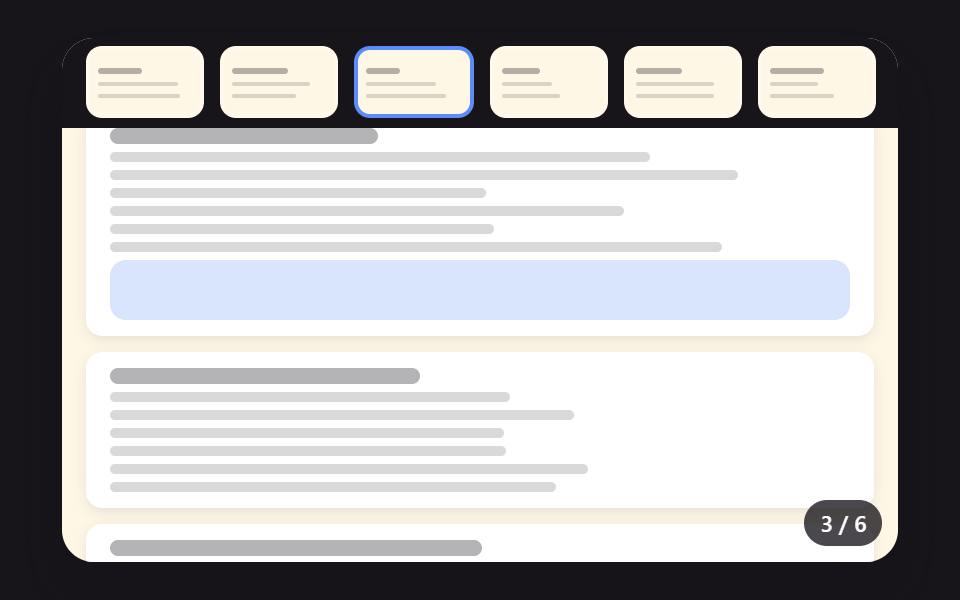 01 pdf-viewer-thumbnail-rail-sync-scroll
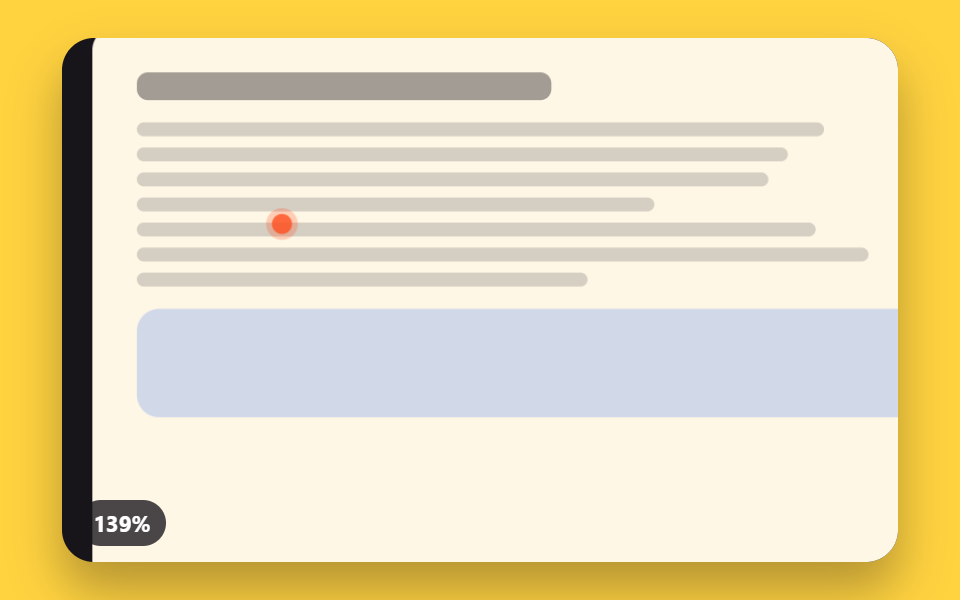 02 pdf-viewer-pointer-zoom-focal-point
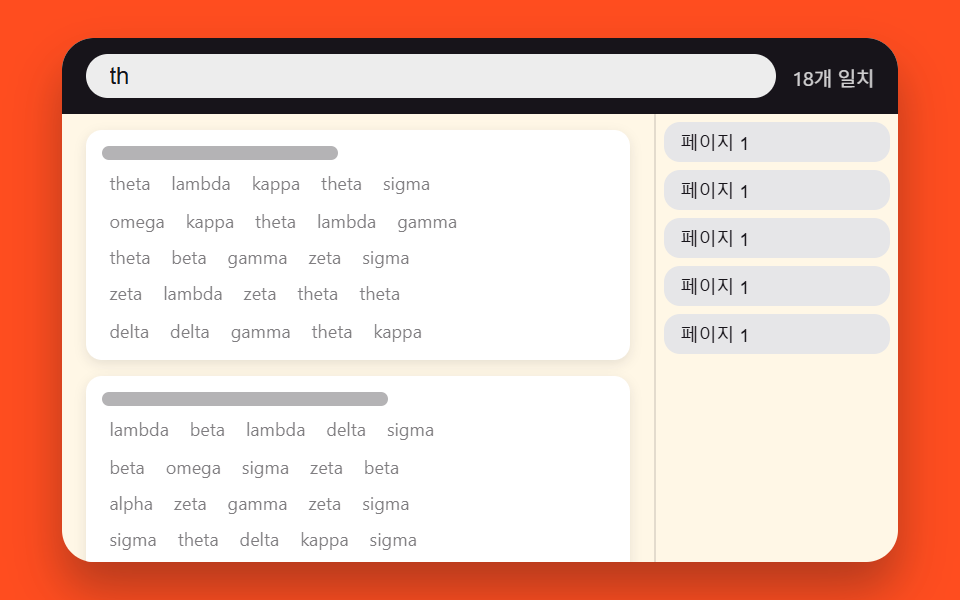 03 pdf-viewer-search-match-highlight-jump
 04 pdf-viewer-swipe-velocity-page-flip
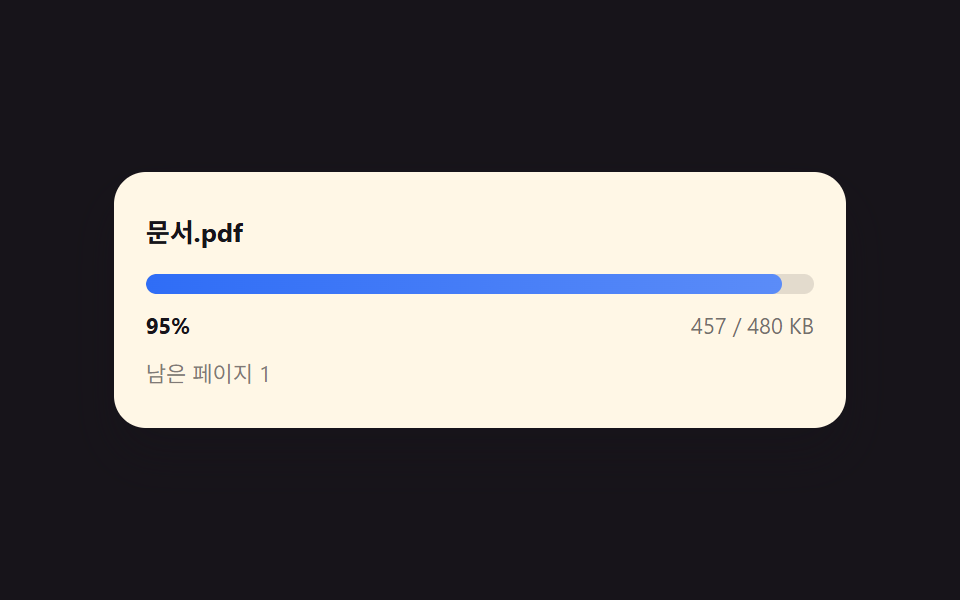 05 pdf-viewer-byte-progress-load-bar
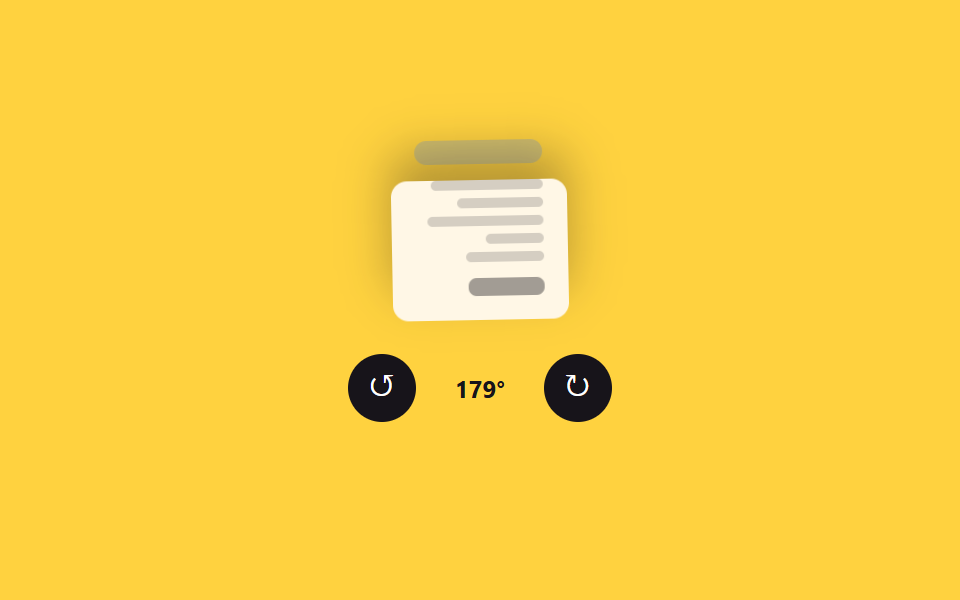 06 pdf-viewer-rotate-snap-control
 07 pdf-viewer-keyboard-page-ease-scroll
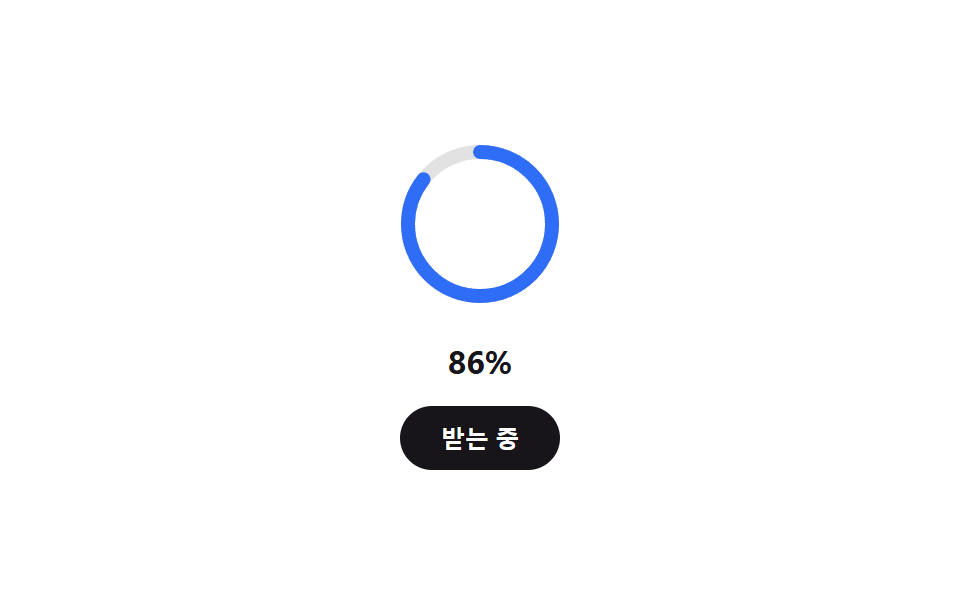 08 pdf-viewer-download-progress-ring
 09 pdf-viewer-hero-toolbar-scene
Auto-plays · click a tile to jump to its section · all nine in one zip
- 01 Thumbnail Rail That Syncs to the Current Page by Calculating Scroll Ratio
- 02 Focal Zoom That Calculates Its Center From the Pointer's Coordinates
- 03 Search Highlight That Calculates a Match's Position and Jumps to It
- 04 Swipe Flip That Calculates Whether to Advance From Release Velocity
- 05 Progressive Load Bar That Calculates Progress From Bytes Received
- 06 Rotate Snap Control That Locks the Angle to 90-Degree Steps
- 07 Keyboard Page Navigation That Calculates the Remaining Distance and Eases Into It
- 08 Download Progress Ring That Fills to the Ratio of Bytes Received
- 09 Hero Scene Combining Several Calculations Into One Viewer Toolbar
PDF Viewer Implementation: How Scroll and Zoom Stay in Sync Through Calculation
All nine builds below answer the same question a different way: what single calculated value should drive the rest of the interface? Item 01 turns scroll position into a visibility ratio read straight off the page. By item 04 that same idea turns pointer or touch movement into a velocity threshold, item 06 turns button presses into a continuously interpolated angle, and item 09 folds three of the earlier calculations into one toolbar. The order moves from a value read once per scroll event toward a value that keeps recalculating itself every animation frame while the visitor does something else entirely.
01Thumbnail Rail That Syncs to the Current Page by Calculating Scroll Ratio
<main class="stage">
<div class="pvt is-demo" id="pvtRoot" tabindex="0">
  <div class="pvt__rail" id="pvtRail"><div class="pvt__track" id="pvtTrack"></div></div>
  <div class="pvt__doc" id="pvtDoc"></div>
  <p class="pvt__badge" id="pvtBadge">1 / 6</p>
</div>
</main>
@use "../../../../site/static/demo-tokens" as *;
@include stage($stage-ink);
$doc-bg: $subject-cream;
$bar: rgba(23, 20, 26, .16);
$bar-strong: rgba(23, 20, 26, .32);
.pvt {
position: relative;
width: min(92vw, calc(160vh - 12.8vw));
aspect-ratio: 480 / 300;
margin: 0 auto;
display: flex;
flex-direction: column;
border-radius: $r-card;
overflow: hidden;
box-shadow: $shadow-raised;
background: $doc-bg;
}
.pvt__rail {
flex: 0 0 auto;
height: 17%;
overflow: hidden;
background: $stage-ink;
padding: $sp-1 0;
box-sizing: border-box;
}
.pvt__track {
display: flex;
gap: $sp-2;
padding: 0 $sp-3;
height: 100%;
will-change: transform;
}
.pvt__thumb {
flex: 0 0 auto;
width: 15%;
min-width: 34px;
height: 100%;
border: 2px solid rgba(255, 255, 255, .18);
border-radius: $r-sm;
background: $doc-bg;
padding: $sp-1;
box-sizing: border-box;
cursor: pointer;
&--active { border-color: $subject-blue-light; }
}
.pvt__miniTitle { height: 3px; border-radius: $r-xs; background: $bar-strong; margin-bottom: 4px; }
.pvt__miniLine { height: 2px; border-radius: $r-xs; background: $bar; margin-top: 4px; }
.pvt__doc {
flex: 1 1 auto;
overflow-y: auto;
padding: $sp-3;
box-sizing: border-box;
scrollbar-width: none;
&::-webkit-scrollbar { display: none; }
}
.doc__page {
background: #fff;
border-radius: $r-sm;
padding: $sp-2 $sp-3;
margin-bottom: $sp-2;
box-shadow: 0 2px 6px rgba(23, 20, 26, .1);
}
.doc__title { height: 8px; border-radius: $r-xs; background: $bar-strong; margin-bottom: $sp-1; }
.doc__line { height: 5px; border-radius: $r-xs; background: $bar; margin-top: 4px; }
.doc__fig { height: 30px; border-radius: $r-sm; margin-top: $sp-1; background: rgba(47, 109, 246, .18); }
.pvt__badge {
position: absolute;
right: $sp-2;
bottom: $sp-2;
margin: 0;
padding: $sp-1 $sp-2;
border-radius: $r-pill;
background: rgba(23, 20, 26, .78);
color: #fff;
font-size: 11px;
font-weight: 600;
pointer-events: none;
}
@media (max-width: 340px) {
.pvt__badge { font-size: 9px; padding: 4px $sp-2; }
.doc__page { padding: $sp-1 $sp-2; }
}
@media (prefers-reduced-motion: reduce) {
.pvt__doc { scroll-behavior: auto; }
}html, body {
margin: 0;
overflow: hidden;
}
.stage {
box-sizing: border-box;
min-height: 100vh;
display: grid;
place-items: center;
margin: 0;
background: #17141a;
font-family: -apple-system, "Segoe UI", "Noto Sans KR", sans-serif;
padding: clamp(8px, 4vw, 24px);
}
.pvt {
position: relative;
width: min(92vw, 160vh - 12.8vw);
aspect-ratio: 480/300;
margin: 0 auto;
display: flex;
flex-direction: column;
border-radius: 16px;
overflow: hidden;
box-shadow: 0 14px 24px rgba(23, 20, 26, 0.32);
background: #fff7e6;
}
.pvt__rail {
flex: 0 0 auto;
height: 17%;
overflow: hidden;
background: #17141a;
padding: 4px 0;
box-sizing: border-box;
}
.pvt__track {
display: flex;
gap: 8px;
padding: 0 12px;
height: 100%;
will-change: transform;
}
.pvt__thumb {
flex: 0 0 auto;
width: 15%;
min-width: 34px;
height: 100%;
border: 2px solid rgba(255, 255, 255, 0.18);
border-radius: 8px;
background: #fff7e6;
padding: 4px;
box-sizing: border-box;
cursor: pointer;
}
.pvt__thumb--active {
border-color: #5b8cf8;
}
.pvt__miniTitle {
height: 3px;
border-radius: 4px;
background: rgba(23, 20, 26, 0.32);
margin-bottom: 4px;
}
.pvt__miniLine {
height: 2px;
border-radius: 4px;
background: rgba(23, 20, 26, 0.16);
margin-top: 4px;
}
.pvt__doc {
flex: 1 1 auto;
overflow-y: auto;
padding: 12px;
box-sizing: border-box;
scrollbar-width: none;
}
.pvt__doc::-webkit-scrollbar {
display: none;
}
.doc__page {
background: #fff;
border-radius: 8px;
padding: 8px 12px;
margin-bottom: 8px;
box-shadow: 0 2px 6px rgba(23, 20, 26, 0.1);
}
.doc__title {
height: 8px;
border-radius: 4px;
background: rgba(23, 20, 26, 0.32);
margin-bottom: 4px;
}
.doc__line {
height: 5px;
border-radius: 4px;
background: rgba(23, 20, 26, 0.16);
margin-top: 4px;
}
.doc__fig {
height: 30px;
border-radius: 8px;
margin-top: 4px;
background: rgba(47, 109, 246, 0.18);
}
.pvt__badge {
position: absolute;
right: 8px;
bottom: 8px;
margin: 0;
padding: 4px 8px;
border-radius: 999px;
background: rgba(23, 20, 26, 0.78);
color: #fff;
font-size: 11px;
font-weight: 600;
pointer-events: none;
}
@media (max-width: 340px) {
.pvt__badge {
font-size: 9px;
padding: 4px 8px;
}
.doc__page {
padding: 4px 8px;
}
}
@media (prefers-reduced-motion: reduce) {
.pvt__doc {
scroll-behavior: auto;
}
}(function () {
// 기법: 각 Page 요소가 문서 뷰포트와 겹치는 비율을 매 프레임 getBoundingClientRect 로 계산해
// 가장 많이 보이는 페이지를 찾는다(IntersectionObserver 대신 직접 계산). 그 페이지의 썸네일
// 위치를 레일 가운데로 lerp(관성 보간)로 이동시켜, 활성 칸이 부드럽게 따라온다.
var root = document.getElementById('pvtRoot');
var rail = document.getElementById('pvtRail');
var track = document.getElementById('pvtTrack');
var doc = document.getElementById('pvtDoc');
var badge = document.getElementById('pvtBadge');
var PAGE_COUNT = 6;
var RAIL_LERP = 0.18;
var LOOP_MS = 2000;
function seedRand(seed) {
var s = seed >>> 0;
return function () { s = (s * 1664525 + 1013904223) >>> 0; return s / 4294967296; };
}
function makePages(seed, n) {
var rnd = seedRand(seed), pages = [];
for (var i = 0; i < n; i += 1) {
var lineCount = 4 + Math.floor(rnd() * 3), lines = [];
for (var j = 0; j < lineCount; j += 1) lines.push(46 + rnd() * 44);
pages.push({ n: i + 1, titleW: 34 + rnd() * 26, lines: lines, hasFig: rnd() < 0.4 });
}
return pages;
}
var pages = makePages(430011, PAGE_COUNT);
function pageHTML(p, mini) {
var tcls = mini ? 'pvt__miniTitle' : 'doc__title';
var lcls = mini ? 'pvt__miniLine' : 'doc__line';
var html = '<div class="' + tcls + '" style="width:' + p.titleW + '%"></div>';
var lines = mini ? p.lines.slice(0, 2) : p.lines;
for (var i = 0; i < lines.length; i += 1) html += '<div class="' + lcls + '" style="width:' + lines[i] + '%"></div>';
if (!mini && p.hasFig) html += '<div class="doc__fig"></div>';
return html;
}
var docEls = [], thumbEls = [];
for (var i = 0; i < pages.length; i += 1) {
var page = document.createElement('div');
page.className = 'doc__page';
page.innerHTML = pageHTML(pages[i], false);
doc.appendChild(page);
docEls.push(page);
var thumb = document.createElement('button');
thumb.type = 'button';
thumb.className = 'pvt__thumb';
thumb.setAttribute('aria-label', 'Page ' + pages[i].n + ' thumbnail');
thumb.innerHTML = pageHTML(pages[i], true);
thumb.addEventListener('click', (function (idx) {
return function () { userActive = true; root.classList.remove('is-demo'); doc.scrollTop = docEls[idx].offsetTop - 6; };
})(i));
track.appendChild(thumb);
thumbEls.push(thumb);
}
  var current = 0;
  function visibleRatio(el, viewTop, viewH) {
    var top = el.offsetTop, h = el.offsetHeight;
    var lo = Math.max(top, viewTop), hi = Math.min(top + h, viewTop + viewH);
    return Math.max(0, hi - lo) / h;
  }
  function computeCurrent() {
    var viewTop = doc.scrollTop, viewH = doc.clientHeight, best = 0, bestR = -1;
    for (var i = 0; i < docEls.length; i += 1) {
      var r = visibleRatio(docEls[i], viewTop, viewH);
      if (r > bestR) { bestR = r; best = i; }
    }
    if (best !== current) {
      current = best;
      for (var j = 0; j < thumbEls.length; j += 1) thumbEls[j].classList.toggle('pvt__thumb--active', j === current);
      badge.textContent = (current + 1) + ' / ' + pages.length;
    }
  }
var userActive = false;
function markActive() { if (!userActive) { userActive = true; root.classList.remove('is-demo'); } }
doc.addEventListener('scroll', computeCurrent);
doc.addEventListener('wheel', function () { markActive(); }, { passive: true });
doc.addEventListener('pointerdown', function () { markActive(); });
root.addEventListener('keydown', function (e) {
if (e.key === 'ArrowDown' || e.key === 'ArrowUp' || e.key === 'PageDown' || e.key === 'PageUp') {
e.preventDefault(); markActive();
var next = e.key === 'ArrowDown' || e.key === 'PageDown' ? Math.min(current + 1, docEls.length - 1) : Math.max(current - 1, 0);
doc.scrollTop = docEls[next].offsetTop - 6;
computeCurrent();
}
});
var reduce = window.matchMedia('(prefers-reduced-motion: reduce)').matches;
if (reduce) { root.classList.remove('is-demo'); userActive = true; }
function railTarget() {
var t = thumbEls[current];
return (rail.clientWidth / 2) - (t.offsetLeft + t.offsetWidth / 2);
}
function clampRail(v) {
var min = Math.min(0, rail.clientWidth - track.scrollWidth);
return Math.min(0, Math.max(min, v));
}
function autoScroll(elapsed) {
var max = doc.scrollHeight - doc.clientHeight;
var phase = (elapsed % LOOP_MS) / LOOP_MS;
var wave = phase < 0.5 ? phase * 2 : (1 - phase) * 2;
var eased = wave * wave * (3 - 2 * wave);
doc.scrollTop = max * eased;
computeCurrent();
}
var railOffset = 0, lastTs = null, elapsed = 0;
function tick(ts) {
if (lastTs === null) lastTs = ts;
var dt = Math.min(ts - lastTs, 48);
lastTs = ts;
if (!userActive) { elapsed += dt; autoScroll(elapsed); }
var target = clampRail(railTarget());
railOffset += (target - railOffset) * (userActive ? 1 : RAIL_LERP);
track.style.transform = 'translateX(' + railOffset.toFixed(1) + 'px)';
requestAnimationFrame(tick);
}
computeCurrent();
thumbEls[0].classList.add('pvt__thumb--active');
requestAnimationFrame(tick);
})();import { useEffect, useRef } from "react";
import styles from "./PdfViewerThumbnailRailSyncScroll.module.scss";
type Page = { n: number; titleW: number; lines: number[]; hasFig: boolean };
type KeyEvt = { key: string; preventDefault(): void };
function seedRand(seed: number) {
let s = seed >>> 0;
return function () { s = (s * 1664525 + 1013904223) >>> 0; return s / 4294967296; };
}
function makePages(seed: number, n: number): Page[] {
const rnd = seedRand(seed), pages: Page[] = [];
for (let i = 0; i < n; i += 1) {
const lineCount = 4 + Math.floor(rnd() * 3), lines: number[] = [];
for (let j = 0; j < lineCount; j += 1) lines.push(46 + rnd() * 44);
pages.push({ n: i + 1, titleW: 34 + rnd() * 26, lines, hasFig: rnd() < 0.4 });
}
return pages;
}
export default function PdfViewerThumbnailRailSyncScroll() {
const rootRef = useRef<HTMLDivElement>(null);
const railRef = useRef<HTMLDivElement>(null);
const trackRef = useRef<HTMLDivElement>(null);
const docRef = useRef<HTMLDivElement>(null);
const badgeRef = useRef<HTMLParagraphElement>(null);
useEffect(() => {
const root = rootRef.current, rail = railRef.current, track = trackRef.current;
const doc = docRef.current, badge = badgeRef.current;
if (!root || !rail || !track || !doc || !badge) return;
const PAGE_COUNT = 6;
const RAIL_LERP = 0.18;
const LOOP_MS = 2000;
const pages = makePages(430011, PAGE_COUNT);
function pageHTML(p: Page, mini: boolean) {
const tcls = mini ? styles.miniTitle : styles.docTitle;
const lcls = mini ? styles.miniLine : styles.docLine;
let html = '<div class="' + tcls + '" style="width:' + p.titleW + '%"></div>';
const lines = mini ? p.lines.slice(0, 2) : p.lines;
for (let i = 0; i < lines.length; i += 1) html += '<div class="' + lcls + '" style="width:' + lines[i] + '%"></div>';
if (!mini && p.hasFig) html += '<div class="' + styles.docFig + '"></div>';
return html;
}
const docEls: HTMLDivElement[] = [], thumbEls: HTMLButtonElement[] = [];
let userActive = false;
for (let i = 0; i < pages.length; i += 1) {
const page = document.createElement("div");
page.className = styles.docPage;
page.innerHTML = pageHTML(pages[i], false);
doc.appendChild(page);
docEls.push(page);
const thumb = document.createElement("button");
thumb.type = "button";
thumb.className = styles.thumb;
thumb.setAttribute("aria-label", "페이지 " + pages[i].n + "로 이동");
thumb.innerHTML = pageHTML(pages[i], true);
thumb.addEventListener("click", (function (idx) {
return function () { userActive = true; root.classList.remove("is-demo"); doc.scrollTop = docEls[idx].offsetTop - 6; };
})(i));
track.appendChild(thumb);
thumbEls.push(thumb);
}
let current = 0;
function visibleRatio(el: HTMLElement, viewTop: number, viewH: number) {
const top = el.offsetTop, h = el.offsetHeight;
const lo = Math.max(top, viewTop), hi = Math.min(top + h, viewTop + viewH);
return Math.max(0, hi - lo) / h;
}
function computeCurrent() {
const viewTop = doc!.scrollTop, viewH = doc!.clientHeight;
let best = 0, bestR = -1;
for (let i = 0; i < docEls.length; i += 1) {
const r = visibleRatio(docEls[i], viewTop, viewH);
if (r > bestR) { bestR = r; best = i; }
}
if (best !== current) {
current = best;
for (let j = 0; j < thumbEls.length; j += 1) thumbEls[j].classList.toggle(styles.thumbActive, j === current);
badge!.textContent = (current + 1) + " / " + pages.length;
}
}
doc.addEventListener("scroll", computeCurrent);
const markActive = () => { userActive = true; root.classList.remove("is-demo"); };
doc.addEventListener("wheel", markActive, { passive: true });
doc.addEventListener("pointerdown", markActive);
const onKeydown = (e: KeyEvt) => {
if (e.key === "ArrowDown" || e.key === "ArrowUp" || e.key === "PageDown" || e.key === "PageUp") {
e.preventDefault(); markActive();
const next = (e.key === "ArrowDown" || e.key === "PageDown")
? Math.min(current + 1, docEls.length - 1) : Math.max(current - 1, 0);
doc!.scrollTop = docEls[next].offsetTop - 6;
computeCurrent();
}
};
root.addEventListener("keydown", onKeydown as unknown as EventListener);
const reduce = window.matchMedia("(prefers-reduced-motion: reduce)").matches;
if (reduce) { root.classList.remove("is-demo"); userActive = true; }
function railTarget() {
const t = thumbEls[current];
return (rail!.clientWidth / 2) - (t.offsetLeft + t.offsetWidth / 2);
}
function clampRail(v: number) {
const min = Math.min(0, rail!.clientWidth - track!.scrollWidth);
return Math.min(0, Math.max(min, v));
}
function autoScroll(elapsed: number) {
const max = doc!.scrollHeight - doc!.clientHeight;
const phase = (elapsed % LOOP_MS) / LOOP_MS;
const wave = phase < 0.5 ? phase * 2 : (1 - phase) * 2;
const eased = wave * wave * (3 - 2 * wave);
doc!.scrollTop = max * eased;
computeCurrent();
}
let railOffset = 0, lastTs: number | null = null, elapsed = 0, raf = 0;
function tick(ts: number) {
if (lastTs === null) lastTs = ts;
const dt = Math.min(ts - lastTs, 48);
lastTs = ts;
if (!userActive) { elapsed += dt; autoScroll(elapsed); }
const target = clampRail(railTarget());
railOffset += (target - railOffset) * (userActive ? 1 : RAIL_LERP);
track!.style.transform = "translateX(" + railOffset.toFixed(1) + "px)";
raf = requestAnimationFrame(tick);
}
computeCurrent();
thumbEls[0].classList.add(styles.thumbActive);
raf = requestAnimationFrame(tick);
return () => {
cancelAnimationFrame(raf);
doc.removeEventListener("scroll", computeCurrent);
doc.removeEventListener("wheel", markActive);
doc.removeEventListener("pointerdown", markActive);
root.removeEventListener("keydown", onKeydown as unknown as EventListener);
};
}, []);
return (
<main className={styles.stage}>
<div className={`${styles.pvt} is-demo`} ref={rootRef} tabIndex={0}>
<div className={styles.rail} ref={railRef}><div className={styles.track} ref={trackRef} /></div>
<div className={styles.doc} ref={docRef} />
<p className={styles.badge} ref={badgeRef}>1 / 6</p>
</div>
</main>
);
}01 · Thumbnail Rail That Syncs to the Current Page by Calculating Scroll Ratio — Measured area 59.608% · moving frames 23/23Original by GODRICH · SCSS and React ship in the zip · See the password
var current = 0;
function visibleRatio(el, viewTop, viewH) {
var top = el.offsetTop, h = el.offsetHeight;
var lo = Math.max(top, viewTop), hi = Math.min(top + h, viewTop + viewH);
return Math.max(0, hi - lo) / h;
}
function computeCurrent() {
var viewTop = doc.scrollTop, viewH = doc.clientHeight, best = 0, bestR = -1;
for (var i = 0; i < docEls.length; i += 1) {
var r = visibleRatio(docEls[i], viewTop, viewH);
if (r > bestR) { bestR = r; best = i; }
}
if (best !== current) {
current = best;
for (var j = 0; j < thumbEls.length; j += 1) thumbEls[j].classList.toggle('pvt__thumb--active', j === current);
badge.textContent = (current + 1) + ' / ' + pages.length;
}
}
computeCurrent() runs on every scroll event and calls visibleRatio() against all six fake pages to find whichever one overlaps the viewport the most, rather than waiting on an IntersectionObserver threshold to fire. Once the best-overlapping page changes, the matching thumbnail gets the active class, and a lerp step eases the rail's position toward that thumbnail's center only while the auto-demo loop is still playing — the instant a visitor actually scrolls or clicks, the same line snaps the rail straight to the new target in one frame instead. Item 01 moves across 23/23 captured frames at an average intensity of 39.5, repainting 59.6% of cumulative area as the rail glides and the badge text updates.
02Focal Zoom That Calculates Its Center From the Pointer's Coordinates
<main class="stage">
<div class="pvz is-demo" id="pvzRoot" tabindex="0">
  <div class="pvz__view" id="pvzView">
    <div class="pvz__page" id="pvzPage"></div>
    <div class="pvz__dot" id="pvzDot"></div>
  </div>
  <p class="pvz__label" id="pvzLabel">100%</p>
</div>
</main>
@use "../../../../site/static/demo-tokens" as *;
@include stage($stage-yellow);
.pvz {
position: relative;
width: min(92vw, calc(160vh - 12.8vw));
aspect-ratio: 480 / 300;
margin: 0 auto;
border-radius: $r-card;
overflow: hidden;
box-shadow: $shadow-raised;
background: $subject-ink;
outline: none;
}
.pvz__view {
position: absolute;
inset: 0;
overflow: hidden;
}
.pvz__page {
position: absolute;
left: 12%;
top: 10%;
width: 76%;
height: 80%;
background: $subject-cream;
border-radius: $r-sm;
padding: $sp-4;
box-sizing: border-box;
will-change: transform;
}
.pvz__title { height: 10px; border-radius: $r-xs; background: rgba(23, 20, 26, .4); margin-bottom: $sp-2; }
.pvz__line { height: 5px; border-radius: $r-xs; background: rgba(23, 20, 26, .18); margin-top: $sp-1; }
.pvz__fig { height: 22%; margin-top: $sp-2; border-radius: $r-sm; background: rgba(47, 109, 246, .22); }
.pvz__dot {
position: absolute;
width: 14px;
height: 14px;
margin-left: -7px;
margin-top: -7px;
border-radius: 50%;
background: rgba(255, 77, 31, .85);
box-shadow: 0 0 0 4px rgba(255, 77, 31, .25);
pointer-events: none;
will-change: transform;
}
.pvz__label {
position: absolute;
left: $sp-2;
bottom: $sp-2;
margin: 0;
padding: $sp-1 $sp-2;
border-radius: $r-pill;
background: rgba(23, 20, 26, .78);
color: #fff;
font-size: 11px;
font-weight: 700;
pointer-events: none;
}
@media (max-width: 340px) {
.pvz__label { font-size: 9px; }
}
@media (prefers-reduced-motion: reduce) {
.pvz__page, .pvz__dot { transition: none; }
}html, body {
margin: 0;
overflow: hidden;
}
.stage {
box-sizing: border-box;
min-height: 100vh;
display: grid;
place-items: center;
margin: 0;
background: #ffd23f;
font-family: -apple-system, "Segoe UI", "Noto Sans KR", sans-serif;
padding: clamp(8px, 4vw, 24px);
}
.pvz {
position: relative;
width: min(92vw, 160vh - 12.8vw);
aspect-ratio: 480/300;
margin: 0 auto;
border-radius: 16px;
overflow: hidden;
box-shadow: 0 14px 24px rgba(23, 20, 26, 0.32);
background: #17141a;
outline: none;
}
.pvz__view {
position: absolute;
inset: 0;
overflow: hidden;
}
.pvz__page {
position: absolute;
left: 12%;
top: 10%;
width: 76%;
height: 80%;
background: #fff7e6;
border-radius: 8px;
padding: 16px;
box-sizing: border-box;
will-change: transform;
}
.pvz__title {
height: 10px;
border-radius: 4px;
background: rgba(23, 20, 26, 0.4);
margin-bottom: 8px;
}
.pvz__line {
height: 5px;
border-radius: 4px;
background: rgba(23, 20, 26, 0.18);
margin-top: 4px;
}
.pvz__fig {
height: 22%;
margin-top: 8px;
border-radius: 8px;
background: rgba(47, 109, 246, 0.22);
}
.pvz__dot {
position: absolute;
width: 14px;
height: 14px;
margin-left: -7px;
margin-top: -7px;
border-radius: 50%;
background: rgba(255, 77, 31, 0.85);
box-shadow: 0 0 0 4px rgba(255, 77, 31, 0.25);
pointer-events: none;
will-change: transform;
}
.pvz__label {
position: absolute;
left: 8px;
bottom: 8px;
margin: 0;
padding: 4px 8px;
border-radius: 999px;
background: rgba(23, 20, 26, 0.78);
color: #fff;
font-size: 11px;
font-weight: 700;
pointer-events: none;
}
@media (max-width: 340px) {
.pvz__label {
font-size: 9px;
}
}
@media (prefers-reduced-motion: reduce) {
.pvz__page, .pvz__dot {
transition: none;
}
}(function () {
// 변형 02: ZOOM_FOCAL_STEP_RATIO 1.2 → 2.4 (전값이 소스 초기값)
// 기법: 휠(또는 시연 스케줄)이 일어난 지점의 좌표를 Page 폭·높이 기준 비율(0~1)로 바꿔
// transform-origin 으로 쓴다. 확대율은 그 비율의 거듭제곱(ZOOM_FOCAL_STEP_RATIO^n)으로
// 계산해, 값이 클수록 같은 조작에도 훨씬 크게 뛴다. 초점 표식(dot)의 반경은 1/scale 로
// 역보정해 확대돼도 항상 같은 크기로 보인다(계산 전파).
var root = document.getElementById('pvzRoot');
var view = document.getElementById('pvzView');
var page = document.getElementById('pvzPage');
var dot = document.getElementById('pvzDot');
var label = document.getElementById('pvzLabel');
var ZOOM_FOCAL_STEP_RATIO = 1.2;
var LOOP_MS = 2000;
function seedRand(seed) { var s = seed >>> 0; return function () { s = (s * 1664525 + 1013904223) >>> 0; return s / 4294967296; }; }
var rnd = seedRand(430021);
var lineCount = 7;
var linesHTML = '<div class="pvz__title" style="width:52%"></div>';
for (var i = 0; i < lineCount; i += 1) linesHTML += '<div class="pvz__line" style="width:' + (40 + rnd() * 52) + '%"></div>';
linesHTML += '<div class="pvz__fig"></div>';
page.innerHTML = linesHTML;
var L1 = ZOOM_FOCAL_STEP_RATIO;
var L2 = ZOOM_FOCAL_STEP_RATIO * ZOOM_FOCAL_STEP_RATIO;
var KF = [
{ t: 0, s: 1, x: .5, y: .5 },
{ t: 300, s: L1, x: .28, y: .38 },
{ t: 900, s: L2, x: .28, y: .38 },
{ t: 1300, s: 1, x: .28, y: .38 },
{ t: 1500, s: L1, x: .7, y: .64 },
{ t: 2000, s: 1, x: .7, y: .64 }
];
function easeInOut(t) { return t * t * (3 - 2 * t); }
  function render(scale, ox, oy) {
    page.style.transformOrigin = (ox * 100) + '% ' + (oy * 100) + '%';
    page.style.transform = 'scale(' + scale.toFixed(3) + ')';
    var vr = view.getBoundingClientRect();
    dot.style.left = (ox * vr.width) + 'px';
    dot.style.top = (oy * vr.height) + 'px';
    dot.style.transform = 'translate(-50%,-50%) scale(' + (1 / scale).toFixed(3) + ')';
    label.textContent = Math.round(scale * 100) + '%';
  }

  function scheduled(elapsed) {
    var phase = elapsed % LOOP_MS;
    var i = 0;
    while (i < KF.length - 1 && phase >= KF[i + 1].t) i += 1;
    var a = KF[i], b = KF[Math.min(i + 1, KF.length - 1)];
    var span = Math.max(1, b.t - a.t);
    var t = easeInOut(Math.max(0, Math.min(1, (phase - a.t) / span)));
    var s = a.s + (b.s - a.s) * t;
    render(s, b.x, b.y);
  }

  var manual = { s: 1, x: .5, y: .5 };
  function applyWheel(dir, ox, oy) {
    manual.s = Math.max(1, Math.min(L2 * 1.4, manual.s * Math.pow(ZOOM_FOCAL_STEP_RATIO, dir * 0.6)));
manual.x = ox; manual.y = oy;
render(manual.s, manual.x, manual.y);
}
var userActive = false;
function markActive() { if (!userActive) { userActive = true; root.classList.remove('is-demo'); manual.s = 1; render(1, .5, .5); } }
view.addEventListener('wheel', function (e) {
e.preventDefault();
markActive();
var r = view.getBoundingClientRect();
var ox = Math.max(0, Math.min(1, (e.clientX - r.left) / r.width));
var oy = Math.max(0, Math.min(1, (e.clientY - r.top) / r.height));
applyWheel(e.deltaY < 0 ? 1 : -1, ox, oy);
}, { passive: false });
root.addEventListener('keydown', function (e) {
if (e.key === '+' || e.key === '=' || e.key === '-' || e.key === 'ArrowUp' || e.key === 'ArrowDown') {
e.preventDefault();
markActive();
var dir = (e.key === '+' || e.key === '=' || e.key === 'ArrowUp') ? 1 : -1;
applyWheel(dir, manual.x, manual.y);
}
});
var reduce = window.matchMedia('(prefers-reduced-motion: reduce)').matches;
if (reduce) { root.classList.remove('is-demo'); userActive = true; render(1, .5, .5); }
var lastTs = null, elapsed = 0;
function tick(ts) {
if (lastTs === null) lastTs = ts;
var dt = Math.min(ts - lastTs, 48);
lastTs = ts;
if (!userActive) { elapsed += dt; scheduled(elapsed); }
requestAnimationFrame(tick);
}
render(1, .5, .5);
requestAnimationFrame(tick);
})();import { useEffect, useRef } from "react";
import styles from "./PdfViewerPointerZoomFocalPoint.module.scss";
type KeyEvt = { key: string; preventDefault(): void };
type WheelEvt = { deltaY: number; clientX: number; clientY: number; preventDefault(): void };
export default function PdfViewerPointerZoomFocalPoint() {
const rootRef = useRef<HTMLDivElement>(null);
const viewRef = useRef<HTMLDivElement>(null);
const pageRef = useRef<HTMLDivElement>(null);
const dotRef = useRef<HTMLDivElement>(null);
const labelRef = useRef<HTMLParagraphElement>(null);
useEffect(() => {
const root = rootRef.current, view = viewRef.current, page = pageRef.current;
const dot = dotRef.current, label = labelRef.current;
if (!root || !view || !page || !dot || !label) return;
// 변형 02: ZOOM_FOCAL_STEP_RATIO 1.2 → 2.4 (전값이 소스 초기값)
const ZOOM_FOCAL_STEP_RATIO = 1.2;
const LOOP_MS = 2000;
function seedRand(seed: number) {
let s = seed >>> 0;
return function () { s = (s * 1664525 + 1013904223) >>> 0; return s / 4294967296; };
}
const rnd = seedRand(430020);
let linesHTML = '<div class="' + styles.title + '" style="width:52%"></div>';
for (let i = 0; i < 7; i += 1) linesHTML += '<div class="' + styles.line + '" style="width:' + (40 + rnd() * 52) + '%"></div>';
linesHTML += '<div class="' + styles.fig + '"></div>';
page.innerHTML = linesHTML;
const L1 = ZOOM_FOCAL_STEP_RATIO;
const L2 = ZOOM_FOCAL_STEP_RATIO * ZOOM_FOCAL_STEP_RATIO;
const KF = [
{ t: 0, s: 1, x: .5, y: .5 },
{ t: 300, s: L1, x: .28, y: .38 },
{ t: 900, s: L2, x: .28, y: .38 },
{ t: 1300, s: 1, x: .28, y: .38 },
{ t: 1500, s: L1, x: .7, y: .64 },
{ t: 2000, s: 1, x: .7, y: .64 }
];
function easeInOut(t: number) { return t * t * (3 - 2 * t); }
function render(scale: number, ox: number, oy: number) {
page!.style.transformOrigin = (ox * 100) + "% " + (oy * 100) + "%";
page!.style.transform = "scale(" + scale.toFixed(3) + ")";
const vr = view!.getBoundingClientRect();
dot!.style.left = (ox * vr.width) + "px";
dot!.style.top = (oy * vr.height) + "px";
dot!.style.transform = "translate(-50%,-50%) scale(" + (1 / scale).toFixed(3) + ")";
label!.textContent = Math.round(scale * 100) + "%";
}
function scheduled(elapsed: number) {
const phase = elapsed % LOOP_MS;
let i = 0;
while (i < KF.length - 1 && phase >= KF[i + 1].t) i += 1;
const a = KF[i], b = KF[Math.min(i + 1, KF.length - 1)];
const span = Math.max(1, b.t - a.t);
const t = easeInOut(Math.max(0, Math.min(1, (phase - a.t) / span)));
const s = a.s + (b.s - a.s) * t;
render(s, b.x, b.y);
}
const manual = { s: 1, x: .5, y: .5 };
let userActive = false;
function applyWheel(dir: number, ox: number, oy: number) {
manual.s = Math.max(1, Math.min(L2 * 1.4, manual.s * Math.pow(ZOOM_FOCAL_STEP_RATIO, dir * 0.6)));
manual.x = ox; manual.y = oy;
render(manual.s, manual.x, manual.y);
}
function markActive() { if (!userActive) { userActive = true; root!.classList.remove("is-demo"); manual.s = 1; render(1, .5, .5); } }
function onWheel(e: WheelEvt) {
e.preventDefault();
markActive();
const r = view!.getBoundingClientRect();
const ox = Math.max(0, Math.min(1, (e.clientX - r.left) / r.width));
const oy = Math.max(0, Math.min(1, (e.clientY - r.top) / r.height));
applyWheel(e.deltaY < 0 ? 1 : -1, ox, oy);
}
function onKeydown(e: KeyEvt) {
if (e.key === "+" || e.key === "=" || e.key === "-" || e.key === "ArrowUp" || e.key === "ArrowDown") {
e.preventDefault();
markActive();
const dir = (e.key === "+" || e.key === "=" || e.key === "ArrowUp") ? 1 : -1;
applyWheel(dir, manual.x, manual.y);
}
}
view.addEventListener("wheel", onWheel as unknown as EventListener, { passive: false });
root.addEventListener("keydown", onKeydown as unknown as EventListener);
const reduce = window.matchMedia("(prefers-reduced-motion: reduce)").matches;
if (reduce) { root.classList.remove("is-demo"); userActive = true; render(1, .5, .5); }
let lastTs: number | null = null, elapsed = 0, raf = 0;
function tick(ts: number) {
if (lastTs === null) lastTs = ts;
const dt = Math.min(ts - lastTs, 48);
lastTs = ts;
if (!userActive) { elapsed += dt; scheduled(elapsed); }
raf = requestAnimationFrame(tick);
}
render(1, .5, .5);
raf = requestAnimationFrame(tick);
return () => {
cancelAnimationFrame(raf);
view.removeEventListener("wheel", onWheel as unknown as EventListener);
root.removeEventListener("keydown", onKeydown as unknown as EventListener);
};
}, []);
return (
<main className={styles.stage}>
<div className={`${styles.pvz} is-demo`} ref={rootRef} tabIndex={0}>
<div className={styles.view} ref={viewRef}>
<div className={styles.page} ref={pageRef} />
<div className={styles.dot} ref={dotRef} />
</div>
<p className={styles.label} ref={labelRef}>100%</p>
</div>
</main>
);
}02 · Focal Zoom That Calculates Its Center From the Pointer's Coordinates — Measured area 57.451% · moving frames 23/23Original by GODRICH · SCSS and React ship in the zip · See the password
function render(scale, ox, oy) {
page.style.transformOrigin = (ox * 100) + '% ' + (oy * 100) + '%';
page.style.transform = 'scale(' + scale.toFixed(3) + ')';
var vr = view.getBoundingClientRect();
dot.style.left = (ox * vr.width) + 'px';
dot.style.top = (oy * vr.height) + 'px';
dot.style.transform = 'translate(-50%,-50%) scale(' + (1 / scale).toFixed(3) + ')';
label.textContent = Math.round(scale * 100) + '%';
}
function scheduled(elapsed) {
var phase = elapsed % LOOP_MS;
var i = 0;
while (i < KF.length - 1 && phase >= KF[i + 1].t) i += 1;
var a = KF[i], b = KF[Math.min(i + 1, KF.length - 1)];
var span = Math.max(1, b.t - a.t);
var t = easeInOut(Math.max(0, Math.min(1, (phase - a.t) / span)));
var s = a.s + (b.s - a.s) * t;
render(s, b.x, b.y);
}
var manual = { s: 1, x: .5, y: .5 };
function applyWheel(dir, ox, oy) {
manual.s = Math.max(1, Math.min(L2 * 1.4, manual.s * Math.pow(ZOOM_FOCAL_STEP_RATIO, dir * 0.6)));
applyWheel() converts wherever a wheel or pinch happened into an (ox, oy) ratio of the page's own width and height, then render() sets transform-origin to that exact ratio before scaling, so the enlarged view grows outward from that point instead of the page's fixed center. The step size itself comes from raising ZOOM_FOCAL_STEP_RATIO to a power of the wheel direction, which is why a small ratio change produces a barely-there zoom step and a large one produces a jump. Item 02 moves across 23/23 captured frames at an average intensity of 93.4, repainting 57.5% of cumulative area on every step of the zoom.
03Search Highlight That Calculates a Match's Position and Jumps to It
<main class="stage">
<div class="pvs is-demo" id="pvsRoot">
  <div class="pvs__bar">
    <input class="pvs__input" id="pvsInput" type="text" placeholder="Search" aria-label="Search in document" autocomplete="off">
    <span class="pvs__count" id="pvsCount">0 matches</span>
  </div>
  <div class="pvs__body">
    <div class="pvs__doc" id="pvsDoc"></div>
    <div class="pvs__results" id="pvsResults"></div>
  </div>
</div>
</main>
@use "../../../../site/static/demo-tokens" as *;
@include stage($stage-orange);
.pvs {
position: relative;
width: min(92vw, calc(160vh - 12.8vw));
aspect-ratio: 480 / 300;
margin: 0 auto;
display: flex;
flex-direction: column;
border-radius: $r-card;
overflow: hidden;
box-shadow: $shadow-raised;
background: $subject-cream;
}
.pvs__bar {
flex: 0 0 auto;
display: flex;
align-items: center;
gap: $sp-2;
padding: $sp-2 $sp-3;
background: $stage-ink;
}
.pvs__input {
flex: 1 1 auto;
min-width: 0;
border: none;
border-radius: $r-pill;
padding: $sp-1 $sp-3;
font-size: 12px;
background: rgba(255, 255, 255, .92);
color: $subject-ink;
}
.pvs__count {
flex: 0 0 auto;
color: #fff;
font-size: 10px;
opacity: .8;
}
.pvs__body {
flex: 1 1 auto;
display: flex;
min-height: 0;
}
.pvs__doc {
flex: 1 1 auto;
overflow-y: auto;
padding: $sp-2 $sp-3;
box-sizing: border-box;
scrollbar-width: none;
&::-webkit-scrollbar { display: none; }
}
.doc__page {
background: #fff;
border-radius: $r-sm;
padding: $sp-2;
margin-bottom: $sp-2;
box-shadow: 0 2px 6px rgba(23, 20, 26, .1);
}
.doc__title { height: 7px; border-radius: $r-xs; background: rgba(23, 20, 26, .32); margin-bottom: $sp-1; }
.pvs__lineText {
margin: $sp-1 0 0;
font-size: 9px;
line-height: 1.6;
color: rgba(23, 20, 26, .55);
}
.pvs__w {
border-radius: $r-xs;
padding: 0 $sp-1;
transition: background-color $dur-base ease, color $dur-base ease;
&--hit { background: $subject-blue-light; color: $subject-ink; font-weight: 700; }
}
.pvs__results {
flex: 0 0 auto;
width: 27%;
border-left: 1px solid rgba(23, 20, 26, .12);
overflow-y: auto;
padding: $sp-1;
display: flex;
flex-direction: column;
gap: $sp-1;
scrollbar-width: none;
&::-webkit-scrollbar { display: none; }
}
.pvs__result {
border: none;
border-radius: $r-sm;
padding: $sp-1 $sp-2;
font-size: 9px;
text-align: left;
background: rgba(47, 109, 246, .12);
color: $subject-ink;
cursor: pointer;
}
@media (max-width: 340px) {
.pvs__lineText { font-size: 8px; }
.pvs__result { font-size: 8px; }
}
@media (prefers-reduced-motion: reduce) {
.pvs__w { transition: none; }
}html, body {
margin: 0;
overflow: hidden;
}
.stage {
box-sizing: border-box;
min-height: 100vh;
display: grid;
place-items: center;
margin: 0;
background: #ff4d1f;
font-family: -apple-system, "Segoe UI", "Noto Sans KR", sans-serif;
padding: clamp(8px, 4vw, 24px);
}
.pvs {
position: relative;
width: min(92vw, 160vh - 12.8vw);
aspect-ratio: 480/300;
margin: 0 auto;
display: flex;
flex-direction: column;
border-radius: 16px;
overflow: hidden;
box-shadow: 0 14px 24px rgba(23, 20, 26, 0.32);
background: #fff7e6;
}
.pvs__bar {
flex: 0 0 auto;
display: flex;
align-items: center;
gap: 8px;
padding: 8px 12px;
background: #17141a;
}
.pvs__input {
flex: 1 1 auto;
min-width: 0;
border: none;
border-radius: 999px;
padding: 4px 12px;
font-size: 12px;
background: rgba(255, 255, 255, 0.92);
color: #17141a;
}
.pvs__count {
flex: 0 0 auto;
color: #fff;
font-size: 10px;
opacity: 0.8;
}
.pvs__body {
flex: 1 1 auto;
display: flex;
min-height: 0;
}
.pvs__doc {
flex: 1 1 auto;
overflow-y: auto;
padding: 8px 12px;
box-sizing: border-box;
scrollbar-width: none;
}
.pvs__doc::-webkit-scrollbar {
display: none;
}
.doc__page {
background: #fff;
border-radius: 8px;
padding: 8px;
margin-bottom: 8px;
box-shadow: 0 2px 6px rgba(23, 20, 26, 0.1);
}
.doc__title {
height: 7px;
border-radius: 4px;
background: rgba(23, 20, 26, 0.32);
margin-bottom: 4px;
}
.pvs__lineText {
margin: 4px 0 0;
font-size: 9px;
line-height: 1.6;
color: rgba(23, 20, 26, 0.55);
}
.pvs__w {
border-radius: 4px;
padding: 0 4px;
transition: background-color 300ms ease, color 300ms ease;
}
.pvs__w--hit {
background: #5b8cf8;
color: #17141a;
font-weight: 700;
}
.pvs__results {
flex: 0 0 auto;
width: 27%;
border-left: 1px solid rgba(23, 20, 26, 0.12);
overflow-y: auto;
padding: 4px;
display: flex;
flex-direction: column;
gap: 4px;
scrollbar-width: none;
}
.pvs__results::-webkit-scrollbar {
display: none;
}
.pvs__result {
border: none;
border-radius: 8px;
padding: 4px 8px;
font-size: 9px;
text-align: left;
background: rgba(47, 109, 246, 0.12);
color: #17141a;
cursor: pointer;
}
@media (max-width: 340px) {
.pvs__lineText {
font-size: 8px;
}
.pvs__result {
font-size: 8px;
}
}
@media (prefers-reduced-motion: reduce) {
.pvs__w {
transition: none;
}
}(function () {
// 기법: 실제 텍스트 span 을 문서에 심어 두고, 검색어와 일치하는 span 을 순회로 찾아
// Page 번호(data-page)와 세로 위치(offsetTop)를 계산해 목록으로 모은다. 목록에서 하나를
// 고르면 그 위치까지 남은 거리를 이지(ease-out)로 나눠 스크롤하고, 도착 뒤 배경색을
// transition 으로 밝혔다 되돌린다.
var root = document.getElementById('pvsRoot');
var input = document.getElementById('pvsInput');
var count = document.getElementById('pvsCount');
var doc = document.getElementById('pvsDoc');
var resultsBox = document.getElementById('pvsResults');
var LOOP_MS = 2000;
var VOCAB = ['alpha', 'beta', 'gamma', 'delta', 'omega', 'sigma', 'kappa', 'lambda', 'theta', 'zeta'];
function seedRand(seed) { var s = seed >>> 0; return function () { s = (s * 1664525 + 1013904223) >>> 0; return s / 4294967296; }; }
function buildPages() {
var rnd = seedRand(430031), pages = [];
for (var p = 0; p < 4; p += 1) {
var lines = [];
for (var l = 0; l < 5; l += 1) {
var words = [];
for (var w = 0; w < 5; w += 1) words.push(VOCAB[Math.floor(rnd() * VOCAB.length)]);
lines.push(words);
}
pages.push(lines);
}
pages[1][2][0] = 'alpha';
pages[3][1][2] = 'alpha';
pages[0][4][3] = 'theta';
pages[2][0][1] = 'theta';
return pages;
}
var pages = buildPages();
pages.forEach(function (lines, pIdx) {
var page = document.createElement('div');
page.className = 'doc__page';
var title = document.createElement('div');
title.className = 'doc__title';
title.style.width = (46 + (pIdx % 3) * 10) + '%';
page.appendChild(title);
lines.forEach(function (words) {
var lineEl = document.createElement('p');
lineEl.className = 'pvs__lineText';
words.forEach(function (word, wi) {
var span = document.createElement('span');
span.className = 'pvs__w';
span.textContent = word;
lineEl.appendChild(span);
if (wi < words.length - 1) lineEl.appendChild(document.createTextNode(' '));
});
page.appendChild(lineEl);
});
doc.appendChild(page);
});
  var words = Array.prototype.slice.call(doc.querySelectorAll('.pvs__w'));
  function pageOf(el) {
    var i = 1, node = el;
    while (node && !node.classList.contains('doc__page')) node = node.parentElement;
    var all = Array.prototype.slice.call(doc.children);
    return all.indexOf(node) + 1;
  }

  function find(q) {
    q = q.toLowerCase();
    if (!q) return [];
    return words.filter(function (w) { return w.textContent.toLowerCase().indexOf(q) === 0; });
  }

  var scrollAnim = null;
  function startScroll(to, dur, nowMs) {
    scrollAnim = { from: doc.scrollTop, to: to, start: nowMs, dur: dur };
  }
  function easeOutCubic(t) { return 1 - Math.pow(1 - t, 3); }

  var lastHit = null;
  function jumpTo(el, nowMs) {
    var target = Math.max(0, el.offsetTop - doc.clientHeight * 0.35);
startScroll(target, 460, nowMs);
if (lastHit) lastHit.classList.remove('pvs__w--hit');
lastHit = el;
}
function ignite(el) { el.classList.add('pvs__w--hit'); }
function extinguish(el) { el.classList.remove('pvs__w--hit'); }
function renderList(matches) {
count.textContent = matches.length + ' matches';
resultsBox.innerHTML = '';
matches.slice(0, 5).forEach(function (el) {
var b = document.createElement('button');
b.type = 'button';
b.className = 'pvs__result';
b.textContent = 'Page ' + pageOf(el);
b.addEventListener('click', function () { userActive = true; root.classList.remove('is-demo'); jumpTo(el, lastTs || 0); ignite(el); });
resultsBox.appendChild(b);
});
}
var userActive = false;
function onInput() {
userActive = true; root.classList.remove('is-demo');
var matches = find(input.value);
renderList(matches);
}
input.addEventListener('input', onInput);
input.addEventListener('keydown', function (e) {
if (e.key === 'Enter') {
e.preventDefault();
var matches = find(input.value);
if (matches.length) { userActive = true; root.classList.remove('is-demo'); jumpTo(matches[0], lastTs || 0); ignite(matches[0]); }
}
});
var reduce = window.matchMedia('(prefers-reduced-motion: reduce)').matches;
if (reduce) { root.classList.remove('is-demo'); userActive = true; }
var fired = {};
var SCHEDULE = [
{ t: 0, run: function () { input.value = ''; renderList([]); startScroll(0, 260, elapsedNow); if (lastHit) { extinguish(lastHit); lastHit = null; } } },
{ t: 150, run: function () { input.value = 'al'; var m = find('al'); renderList(m); if (m[0]) jumpTo(m[0], elapsedNow); } },
{ t: 650, run: function () { if (lastHit) ignite(lastHit); } },
{ t: 980, run: function () { if (lastHit) extinguish(lastHit); } },
{ t: 1150, run: function () { input.value = ''; renderList([]); } },
{ t: 1300, run: function () { input.value = 'th'; var m = find('th'); renderList(m); var pick = m[1] || m[0]; if (pick) jumpTo(pick, elapsedNow); } },
{ t: 1780, run: function () { if (lastHit) ignite(lastHit); } }
];
var lastTs = null, elapsed = 0, elapsedNow = 0;
function tick(ts) {
if (lastTs === null) lastTs = ts;
var dt = Math.min(ts - lastTs, 48);
lastTs = ts;
if (!userActive) {
elapsed += dt;
elapsedNow = elapsed;
var loopIdx = Math.floor(elapsed / LOOP_MS);
var phase = elapsed % LOOP_MS;
SCHEDULE.forEach(function (a, i) {
var key = loopIdx + ':' + i;
if (phase >= a.t && !fired[key]) { fired[key] = true; a.run(); }
});
}
if (scrollAnim) {
var p = Math.max(0, Math.min(1, (elapsedNow - scrollAnim.start) / scrollAnim.dur));
doc.scrollTop = scrollAnim.from + (scrollAnim.to - scrollAnim.from) * easeOutCubic(p);
if (p >= 1) scrollAnim = null;
}
requestAnimationFrame(tick);
}
renderList([]);
requestAnimationFrame(tick);
})();import { useEffect, useRef } from "react";
import styles from "./PdfViewerSearchMatchHighlightJump.module.scss";
type KeyEvt = { key: string; preventDefault(): void };
type InputEvt = { target: { value: string } };
export default function PdfViewerSearchMatchHighlightJump() {
const rootRef = useRef<HTMLDivElement>(null);
const inputRef = useRef<HTMLInputElement>(null);
const countRef = useRef<HTMLSpanElement>(null);
const docRef = useRef<HTMLDivElement>(null);
const resultsRef = useRef<HTMLDivElement>(null);
useEffect(() => {
const root = rootRef.current, input = inputRef.current, count = countRef.current;
const doc = docRef.current, resultsBox = resultsRef.current;
if (!root || !input || !count || !doc || !resultsBox) return;
const LOOP_MS = 2000;
const VOCAB = ["alpha", "beta", "gamma", "delta", "omega", "sigma", "kappa", "lambda", "theta", "zeta"];
function seedRand(seed: number) {
let s = seed >>> 0;
return function () { s = (s * 1664525 + 1013904223) >>> 0; return s / 4294967296; };
}
function buildPages() {
const rnd = seedRand(430031);
const pages: string[][][] = [];
for (let p = 0; p < 4; p += 1) {
const lines: string[][] = [];
for (let l = 0; l < 5; l += 1) {
const words: string[] = [];
for (let w = 0; w < 5; w += 1) words.push(VOCAB[Math.floor(rnd() * VOCAB.length)]);
lines.push(words);
}
pages.push(lines);
}
pages[1][2][0] = "alpha";
pages[3][1][2] = "alpha";
pages[0][4][3] = "theta";
pages[2][0][1] = "theta";
return pages;
}
const pages = buildPages();
pages.forEach((lines, pIdx) => {
const page = document.createElement("div");
page.className = styles.docPage;
const title = document.createElement("div");
title.className = styles.docTitle;
title.style.width = (46 + (pIdx % 3) * 10) + "%";
page.appendChild(title);
lines.forEach((words) => {
const lineEl = document.createElement("p");
lineEl.className = styles.lineText;
words.forEach((word, wi) => {
const span = document.createElement("span");
span.className = styles.w;
span.textContent = word;
lineEl.appendChild(span);
if (wi < words.length - 1) lineEl.appendChild(document.createTextNode(" "));
});
page.appendChild(lineEl);
});
doc.appendChild(page);
});
const words = Array.prototype.slice.call(doc.querySelectorAll("." + styles.w)) as HTMLElement[];
function pageOf(el: HTMLElement) {
let node: HTMLElement | null = el;
while (node && !node.classList.contains(styles.docPage)) node = node.parentElement;
const all = Array.prototype.slice.call(doc!.children) as Element[];
return all.indexOf(node as Element) + 1;
}
function find(q: string) {
q = q.toLowerCase();
if (!q) return [] as HTMLElement[];
return words.filter((w) => w.textContent!.toLowerCase().indexOf(q) === 0);
}
let scrollAnim: { from: number; to: number; start: number; dur: number } | null = null;
function startScroll(to: number, dur: number, nowMs: number) {
scrollAnim = { from: doc!.scrollTop, to, start: nowMs, dur };
}
function easeOutCubic(t: number) { return 1 - Math.pow(1 - t, 3); }
let lastHit: HTMLElement | null = null;
function jumpTo(el: HTMLElement, nowMs: number) {
const target = Math.max(0, el.offsetTop - doc!.clientHeight * 0.35);
startScroll(target, 460, nowMs);
if (lastHit) lastHit.classList.remove(styles.hit);
lastHit = el;
}
function ignite(el: HTMLElement) { el.classList.add(styles.hit); }
function extinguish(el: HTMLElement) { el.classList.remove(styles.hit); }
function renderList(matches: HTMLElement[]) {
count!.textContent = matches.length + "개 일치";
resultsBox!.innerHTML = "";
matches.slice(0, 5).forEach((el) => {
const b = document.createElement("button");
b.type = "button";
b.className = styles.result;
b.textContent = "페이지 " + pageOf(el);
b.addEventListener("click", () => { userActive = true; root!.classList.remove("is-demo"); jumpTo(el, lastTs || 0); ignite(el); });
resultsBox!.appendChild(b);
});
}
let userActive = false;
function onInput(e: InputEvt) {
userActive = true; root!.classList.remove("is-demo");
const matches = find(e.target.value);
renderList(matches);
}
function onKeydown(e: KeyEvt) {
if (e.key === "Enter") {
e.preventDefault();
const matches = find(input!.value);
if (matches.length) { userActive = true; root!.classList.remove("is-demo"); jumpTo(matches[0], lastTs || 0); ignite(matches[0]); }
}
}
input.addEventListener("input", onInput as unknown as EventListener);
input.addEventListener("keydown", onKeydown as unknown as EventListener);
const reduce = window.matchMedia("(prefers-reduced-motion: reduce)").matches;
if (reduce) { root.classList.remove("is-demo"); userActive = true; }
const fired: Record<string, boolean> = {};
let elapsedNow = 0;
const SCHEDULE = [
{ t: 0, run: () => { input!.value = ""; renderList([]); startScroll(0, 260, elapsedNow); if (lastHit) { extinguish(lastHit); lastHit = null; } } },
{ t: 150, run: () => { input!.value = "al"; const m = find("al"); renderList(m); if (m[0]) jumpTo(m[0], elapsedNow); } },
{ t: 650, run: () => { if (lastHit) ignite(lastHit); } },
{ t: 980, run: () => { if (lastHit) extinguish(lastHit); } },
{ t: 1150, run: () => { input!.value = ""; renderList([]); } },
{ t: 1300, run: () => { input!.value = "th"; const m = find("th"); renderList(m); const pick = m[1] || m[0]; if (pick) jumpTo(pick, elapsedNow); } },
{ t: 1780, run: () => { if (lastHit) ignite(lastHit); } }
];
let lastTs: number | null = null, elapsed = 0, raf = 0;
function tick(ts: number) {
if (lastTs === null) lastTs = ts;
const dt = Math.min(ts - lastTs, 48);
lastTs = ts;
if (!userActive) {
elapsed += dt;
elapsedNow = elapsed;
const loopIdx = Math.floor(elapsed / LOOP_MS);
const phase = elapsed % LOOP_MS;
SCHEDULE.forEach((a, i) => {
const key = loopIdx + ":" + i;
if (phase >= a.t && !fired[key]) { fired[key] = true; a.run(); }
});
}
if (scrollAnim) {
const p = Math.max(0, Math.min(1, (elapsedNow - scrollAnim.start) / scrollAnim.dur));
doc!.scrollTop = scrollAnim.from + (scrollAnim.to - scrollAnim.from) * easeOutCubic(p);
if (p >= 1) scrollAnim = null;
}
raf = requestAnimationFrame(tick);
}
renderList([]);
raf = requestAnimationFrame(tick);
return () => {
cancelAnimationFrame(raf);
input.removeEventListener("input", onInput as unknown as EventListener);
input.removeEventListener("keydown", onKeydown as unknown as EventListener);
};
}, []);
return (
<main className={styles.stage}>
<div className={`${styles.pvs} is-demo`} ref={rootRef}>
<div className={styles.bar}>
<input className={styles.input} ref={inputRef} type="text" placeholder="검색" aria-label="문서 안 검색" autoComplete="off" />
<span className={styles.count} ref={countRef}>0개 일치</span>
</div>
<div className={styles.body}>
<div className={styles.doc} ref={docRef} />
<div className={styles.results} ref={resultsRef} />
</div>
</div>
</main>
);
}03 · Search Highlight That Calculates a Match's Position and Jumps to It — Measured area 40.346% · moving frames 22/23Original by GODRICH · SCSS and React ship in the zip · See the password
var words = Array.prototype.slice.call(doc.querySelectorAll('.pvs__w'));
function pageOf(el) {
var i = 1, node = el;
while (node && !node.classList.contains('doc__page')) node = node.parentElement;
var all = Array.prototype.slice.call(doc.children);
return all.indexOf(node) + 1;
}
function find(q) {
q = q.toLowerCase();
if (!q) return [];
return words.filter(function (w) { return w.textContent.toLowerCase().indexOf(q) === 0; });
}
var scrollAnim = null;
function startScroll(to, dur, nowMs) {
scrollAnim = { from: doc.scrollTop, to: to, start: nowMs, dur: dur };
}
function easeOutCubic(t) { return 1 - Math.pow(1 - t, 3); }
var lastHit = null;
function jumpTo(el, nowMs) {
var target = Math.max(0, el.offsetTop - doc.clientHeight * 0.35);
find() only matches a word whose text starts with the typed query — indexOf(q) === 0, not a substring search anywhere inside the word — so it behaves like a planted-vocabulary lookup rather than full-text search across real file bytes. Picking a hit calls jumpTo(), which scrolls to a position offset above the match by 35% of the viewport height and animates that scroll with easeOutCubic() over several frames rather than jumping there in one step. Item 03 moves across 22/23 captured frames at an average intensity of 67.8, repainting 40.3% of cumulative area as pages scroll past and the match background lights up.
04Swipe Flip That Calculates Whether to Advance From Release Velocity
<main class="stage">
<div class="pvf is-demo" id="pvfRoot" tabindex="0" aria-label="Page swipe card">
  <div class="pvf__stack" id="pvfStack">
    <div class="pvf__cardBack" id="pvfCardBack"></div>
    <div class="pvf__card" id="pvfCard"></div>
  </div>
  <p class="pvf__hint" id="pvfHint">Swipe left or right</p>
</div>
</main>
@use "../../../../site/static/demo-tokens" as *;
@include stage($stage-paper);
.pvf {
position: relative;
width: min(92vw, calc(160vh - 12.8vw));
aspect-ratio: 480 / 300;
margin: 0 auto;
display: grid;
place-items: center;
outline: none;
}
.pvf__stack { position: relative; width: 62%; height: 84%; }
.pvf__cardBack,
.pvf__card {
position: absolute;
inset: 0;
border-radius: $r-card;
background: $subject-cream;
box-shadow: $shadow-raised;
padding: $sp-4;
box-sizing: border-box;
}
.pvf__cardBack {
transform: scale(.94) translateY(6%);
box-shadow: 0 8px 16px rgba(23, 20, 26, .18);
}
.pvf__card {
cursor: grab;
touch-action: none;
will-change: transform;
}
.pvf__title { height: 10px; border-radius: $r-xs; background: rgba(23, 20, 26, .4); margin-bottom: $sp-3; }
.pvf__line { height: 6px; border-radius: $r-xs; background: rgba(23, 20, 26, .18); margin-top: $sp-2; }
.pvf__fig { height: 24%; margin-top: $sp-3; border-radius: $r-sm; background: rgba(47, 109, 246, .22); }
.pvf__hint {
position: absolute;
bottom: $sp-2;
margin: 0;
font-size: 11px;
color: rgba(23, 20, 26, .5);
transition: opacity $dur-base ease;
}
@media (max-width: 340px) {
.pvf__stack { width: 74%; }
}
@media (prefers-reduced-motion: reduce) {
.pvf__card { transition: none; }
}html, body {
margin: 0;
overflow: hidden;
}
.stage {
box-sizing: border-box;
min-height: 100vh;
display: grid;
place-items: center;
margin: 0;
background: #ffffff;
font-family: -apple-system, "Segoe UI", "Noto Sans KR", sans-serif;
padding: clamp(8px, 4vw, 24px);
}
.pvf {
position: relative;
width: min(92vw, 160vh - 12.8vw);
aspect-ratio: 480/300;
margin: 0 auto;
display: grid;
place-items: center;
outline: none;
}
.pvf__stack {
position: relative;
width: 62%;
height: 84%;
}
.pvf__cardBack,
.pvf__card {
position: absolute;
inset: 0;
border-radius: 16px;
background: #fff7e6;
box-shadow: 0 14px 24px rgba(23, 20, 26, 0.32);
padding: 16px;
box-sizing: border-box;
}
.pvf__cardBack {
transform: scale(0.94) translateY(6%);
box-shadow: 0 8px 16px rgba(23, 20, 26, 0.18);
}
.pvf__card {
cursor: grab;
touch-action: none;
will-change: transform;
}
.pvf__title {
height: 10px;
border-radius: 4px;
background: rgba(23, 20, 26, 0.4);
margin-bottom: 12px;
}
.pvf__line {
height: 6px;
border-radius: 4px;
background: rgba(23, 20, 26, 0.18);
margin-top: 8px;
}
.pvf__fig {
height: 24%;
margin-top: 12px;
border-radius: 8px;
background: rgba(47, 109, 246, 0.22);
}
.pvf__hint {
position: absolute;
bottom: 8px;
margin: 0;
font-size: 11px;
color: rgba(23, 20, 26, 0.5);
transition: opacity 300ms ease;
}
@media (max-width: 340px) {
.pvf__stack {
width: 74%;
}
}
@media (prefers-reduced-motion: reduce) {
.pvf__card {
transition: none;
}
}(function () {
// 기법: 포인터를 떼기 직전 몇 개의 샘플(좌표+시각)만 남겨 두고, 그 구간의 이동 거리를
// 경과 시간으로 나눠 px/s 속도를 계산한다. 기준(SWIPE_FLIP_VELOCITY_PX_S)을 넘으면
// 카드가 화면 밖으로 날아가 다음 페이지로 넘어가고, 못 넘으면 스프링으로 제자리에 되돌아간다.
// 자동 시연도 같은 push/release 함수를 그대로 호출해 실제 입력과 동일 경로를 탄다.
var root = document.getElementById('pvfRoot');
var card = document.getElementById('pvfCard');
var cardBack = document.getElementById('pvfCardBack');
var hint = document.getElementById('pvfHint');
// 변형 04: SWIPE_FLIP_VELOCITY_PX_S 300 → 600 (전값이 소스 초기값)
var SWIPE_FLIP_VELOCITY_PX_S = 300;
var LOOP_MS = 2000;
function seedRand(seed) { var s = seed >>> 0; return function () { s = (s * 1664525 + 1013904223) >>> 0; return s / 4294967296; }; }
var pageSeed = 430041;
function paintPage(el) {
var rnd = seedRand(pageSeed);
pageSeed += 7;
var html = '<div class="pvf__title" style="width:' + (44 + rnd() * 16) + '%"></div>';
for (var i = 0; i < 6; i += 1) html += '<div class="pvf__line" style="width:' + (36 + rnd() * 56) + '%"></div>';
if (rnd() > 0.3) html += '<div class="pvf__fig"></div>';
el.innerHTML = html;
}
paintPage(card);
paintPage(cardBack);
var dragging = false, samples = [], dragStartX = 0, cardStartX = 0;
var curX = 0, curRot = 0, flying = false, flyAnim = null, springAnim = null;
function pushSample(x, t) { samples.push({ x: x, t: t }); if (samples.length > 10) samples.shift(); }
function render() {
card.style.transform = 'translateX(' + curX.toFixed(1) + 'px) rotate(' + curRot.toFixed(2) + 'deg)';
card.style.opacity = String(Math.max(0, 1 - Math.abs(curX) / 460));
}
  function velocityNow(nowT) {
    if (samples.length < 2) return 0;
    var windowStart = nowT - 120, first = samples[0];
    for (var i = 0; i < samples.length; i += 1) { if (samples[i].t >= windowStart) { first = samples[i]; break; } }
    var last = samples[samples.length - 1];
    var dt = (last.t - first.t) / 1000;
    if (dt <= 0) return 0;
    return (last.x - first.x) / dt;
  }

  function startDrag(x, t) { dragging = true; flying = false; springAnim = null; samples = []; dragStartX = x; cardStartX = curX; pushSample(x, t); }
  function moveDrag(x, t) {
    if (!dragging) return;
    var dx = x - dragStartX;
    curX = cardStartX + dx;
    curRot = dx / 22;
    pushSample(x, t);
    render();
  }
  function release(t) {
    if (!dragging) return;
    dragging = false;
    var v = velocityNow(t);
if (Math.abs(v) >= SWIPE_FLIP_VELOCITY_PX_S) flyOut(v < 0 ? -1 : 1, t);
else springBack(t);
}
function flyOut(dir, nowT) {
flying = true;
flyAnim = { fromX: curX, fromRot: curRot, toX: dir * 640, toRot: dir * 26, start: nowT, dur: 260 };
}
function springBack(nowT) {
springAnim = { fromX: curX, toX: 0, fromRot: curRot, toRot: 0, start: nowT, dur: 520 };
}
function easeOutCubic(t) { return 1 - Math.pow(1 - t, 3); }
function springEase(t) {
// 오버슛이 있는 감쇠 스프링 근사
var d = 7.2, w = 5.6;
return 1 - Math.exp(-d * t) * Math.cos(w * t);
}
card.addEventListener('pointerdown', function (e) { markActive(); card.setPointerCapture(e.pointerId); startDrag(e.clientX, e.timeStamp); });
card.addEventListener('pointermove', function (e) { if (dragging) moveDrag(e.clientX, e.timeStamp); });
card.addEventListener('pointerup', function (e) { release(e.timeStamp); });
card.addEventListener('pointercancel', function (e) { release(e.timeStamp); });
var userActive = false;
function markActive() { if (!userActive) { userActive = true; root.classList.remove('is-demo'); hint.style.opacity = '0'; } }
root.addEventListener('keydown', function (e) {
if (e.key === 'ArrowLeft' || e.key === 'ArrowRight') {
e.preventDefault();
markActive();
flyOut(e.key === 'ArrowLeft' ? -1 : 1, lastTs || 0);
}
});
var reduce = window.matchMedia('(prefers-reduced-motion: reduce)').matches;
if (reduce) { root.classList.remove('is-demo'); userActive = true; hint.style.opacity = '0'; }
var fired = {};
var SCHEDULE = [
{ t: 20, run: function (nowT) { paintPage(cardBack); curX = 0; curRot = 0; render(); startDrag(0, nowT); } },
{ t: 420, run: function (nowT) { moveDrag(-360, nowT); } },
{ t: 640, run: function (nowT) { release(nowT); } },
{ t: 950, run: function (nowT) { paintPage(card); curX = 0; curRot = 0; render(); startDrag(0, nowT); } },
{ t: 1350, run: function (nowT) { moveDrag(-70, nowT); } },
{ t: 1650, run: function (nowT) { release(nowT); } }
];
var lastTs = null, elapsed = 0;
function tick(ts) {
if (lastTs === null) lastTs = ts;
lastTs = ts;
if (!userActive) {
elapsed = ts - (tick.originTs === undefined ? (tick.originTs = ts) : tick.originTs);
var loopIdx = Math.floor(elapsed / LOOP_MS);
var phase = elapsed % LOOP_MS;
SCHEDULE.forEach(function (a, i) {
var key = loopIdx + ':' + i;
if (phase >= a.t && !fired[key]) { fired[key] = true; a.run(ts); }
});
}
if (flyAnim) {
var p = Math.max(0, Math.min(1, (ts - flyAnim.start) / flyAnim.dur));
var e = easeOutCubic(p);
curX = flyAnim.fromX + (flyAnim.toX - flyAnim.fromX) * e;
curRot = flyAnim.fromRot + (flyAnim.toRot - flyAnim.fromRot) * e;
render();
if (p >= 1) { flyAnim = null; flying = false; }
} else if (springAnim) {
var sp = Math.max(0, Math.min(1, (ts - springAnim.start) / springAnim.dur));
var se = springEase(sp);
curX = springAnim.fromX + (springAnim.toX - springAnim.fromX) * se;
curRot = springAnim.fromRot + (springAnim.toRot - springAnim.fromRot) * se;
render();
if (sp >= 1) { curX = 0; curRot = 0; render(); springAnim = null; }
}
requestAnimationFrame(tick);
}
render();
requestAnimationFrame(tick);
})();import { useEffect, useRef } from "react";
import styles from "./PdfViewerSwipeVelocityPageFlip.module.scss";
type KeyEvt = { key: string; preventDefault(): void };
type PointerEvt = { clientX: number; timeStamp: number; pointerId: number; preventDefault(): void };
export default function PdfViewerSwipeVelocityPageFlip() {
const rootRef = useRef<HTMLDivElement>(null);
const cardRef = useRef<HTMLDivElement>(null);
const cardBackRef = useRef<HTMLDivElement>(null);
const hintRef = useRef<HTMLParagraphElement>(null);
useEffect(() => {
const root = rootRef.current, card = cardRef.current, cardBack = cardBackRef.current, hint = hintRef.current;
if (!root || !card || !cardBack || !hint) return;
// 변형 04: SWIPE_FLIP_VELOCITY_PX_S 300 → 600 (전값이 소스 초기값)
const SWIPE_FLIP_VELOCITY_PX_S = 300;
const LOOP_MS = 2000;
function seedRand(seed: number) {
let s = seed >>> 0;
return function () { s = (s * 1664525 + 1013904223) >>> 0; return s / 4294967296; };
}
let pageSeed = 430041;
function paintPage(el: HTMLElement) {
const rnd = seedRand(pageSeed);
pageSeed += 7;
let html = '<div class="' + styles.title + '" style="width:' + (44 + rnd() * 16) + '%"></div>';
for (let i = 0; i < 6; i += 1) html += '<div class="' + styles.line + '" style="width:' + (36 + rnd() * 56) + '%"></div>';
if (rnd() > 0.3) html += '<div class="' + styles.fig + '"></div>';
el.innerHTML = html;
}
paintPage(card);
paintPage(cardBack);
let dragging = false;
let samples: { x: number; t: number }[] = [];
let dragStartX = 0, cardStartX = 0, curX = 0, curRot = 0;
let flyAnim: { fromX: number; fromRot: number; toX: number; toRot: number; start: number; dur: number } | null = null;
let springAnim: { fromX: number; toX: number; fromRot: number; toRot: number; start: number; dur: number } | null = null;
function pushSample(x: number, t: number) { samples.push({ x, t }); if (samples.length > 10) samples.shift(); }
function render() {
card!.style.transform = "translateX(" + curX.toFixed(1) + "px) rotate(" + curRot.toFixed(2) + "deg)";
card!.style.opacity = String(Math.max(0, 1 - Math.abs(curX) / 460));
}
function velocityNow(nowT: number) {
if (samples.length < 2) return 0;
const windowStart = nowT - 120;
let first = samples[0];
for (let i = 0; i < samples.length; i += 1) { if (samples[i].t >= windowStart) { first = samples[i]; break; } }
const last = samples[samples.length - 1];
const dt = (last.t - first.t) / 1000;
if (dt <= 0) return 0;
return (last.x - first.x) / dt;
}
function startDrag(x: number, t: number) { dragging = true; flyAnim = null; springAnim = null; samples = []; dragStartX = x; cardStartX = curX; pushSample(x, t); }
function moveDrag(x: number, t: number) {
if (!dragging) return;
const dx = x - dragStartX;
curX = cardStartX + dx;
curRot = dx / 22;
pushSample(x, t);
render();
}
function release(t: number) {
if (!dragging) return;
dragging = false;
const v = velocityNow(t);
if (Math.abs(v) >= SWIPE_FLIP_VELOCITY_PX_S) flyOut(v < 0 ? -1 : 1, t);
else springBack(t);
}
function flyOut(dir: number, nowT: number) { flyAnim = { fromX: curX, fromRot: curRot, toX: dir * 640, toRot: dir * 26, start: nowT, dur: 260 }; }
function springBack(nowT: number) { springAnim = { fromX: curX, toX: 0, fromRot: curRot, toRot: 0, start: nowT, dur: 520 }; }
function easeOutCubic(t: number) { return 1 - Math.pow(1 - t, 3); }
function springEase(t: number) { const d = 7.2, w = 5.6; return 1 - Math.exp(-d * t) * Math.cos(w * t); }
let userActive = false;
function markActive() { if (!userActive) { userActive = true; root!.classList.remove("is-demo"); hint!.style.opacity = "0"; } }
function onPointerDown(e: PointerEvt) { markActive(); (card as unknown as { setPointerCapture(id: number): void }).setPointerCapture(e.pointerId); startDrag(e.clientX, e.timeStamp); }
function onPointerMove(e: PointerEvt) { if (dragging) moveDrag(e.clientX, e.timeStamp); }
function onPointerUp(e: PointerEvt) { release(e.timeStamp); }
card.addEventListener("pointerdown", onPointerDown as unknown as EventListener);
card.addEventListener("pointermove", onPointerMove as unknown as EventListener);
card.addEventListener("pointerup", onPointerUp as unknown as EventListener);
card.addEventListener("pointercancel", onPointerUp as unknown as EventListener);
function onKeydown(e: KeyEvt) {
if (e.key === "ArrowLeft" || e.key === "ArrowRight") {
e.preventDefault();
markActive();
flyOut(e.key === "ArrowLeft" ? -1 : 1, lastTs || 0);
}
}
root.addEventListener("keydown", onKeydown as unknown as EventListener);
const reduce = window.matchMedia("(prefers-reduced-motion: reduce)").matches;
if (reduce) { root.classList.remove("is-demo"); userActive = true; hint.style.opacity = "0"; }
const fired: Record<string, boolean> = {};
const SCHEDULE = [
{ t: 20, run: (nowT: number) => { paintPage(cardBack!); curX = 0; curRot = 0; render(); startDrag(0, nowT); } },
{ t: 420, run: (nowT: number) => { moveDrag(-360, nowT); } },
{ t: 640, run: (nowT: number) => { release(nowT); } },
{ t: 950, run: (nowT: number) => { paintPage(card!); curX = 0; curRot = 0; render(); startDrag(0, nowT); } },
{ t: 1350, run: (nowT: number) => { moveDrag(-70, nowT); } },
{ t: 1650, run: (nowT: number) => { release(nowT); } }
];
let lastTs: number | null = null, originTs: number | null = null, raf = 0;
function tick(ts: number) {
if (lastTs === null) lastTs = ts;
lastTs = ts;
if (!userActive) {
if (originTs === null) originTs = ts;
const elapsed = ts - originTs;
const loopIdx = Math.floor(elapsed / LOOP_MS);
const phase = elapsed % LOOP_MS;
SCHEDULE.forEach((a, i) => {
const key = loopIdx + ":" + i;
if (phase >= a.t && !fired[key]) { fired[key] = true; a.run(ts); }
});
}
if (flyAnim) {
const p = Math.max(0, Math.min(1, (ts - flyAnim.start) / flyAnim.dur));
const e = easeOutCubic(p);
curX = flyAnim.fromX + (flyAnim.toX - flyAnim.fromX) * e;
curRot = flyAnim.fromRot + (flyAnim.toRot - flyAnim.fromRot) * e;
render();
if (p >= 1) flyAnim = null;
} else if (springAnim) {
const sp = Math.max(0, Math.min(1, (ts - springAnim.start) / springAnim.dur));
const se = springEase(sp);
curX = springAnim.fromX + (springAnim.toX - springAnim.fromX) * se;
curRot = springAnim.fromRot + (springAnim.toRot - springAnim.fromRot) * se;
render();
if (sp >= 1) { curX = 0; curRot = 0; render(); springAnim = null; }
}
raf = requestAnimationFrame(tick);
}
render();
raf = requestAnimationFrame(tick);
return () => {
cancelAnimationFrame(raf);
card.removeEventListener("pointerdown", onPointerDown as unknown as EventListener);
card.removeEventListener("pointermove", onPointerMove as unknown as EventListener);
card.removeEventListener("pointerup", onPointerUp as unknown as EventListener);
card.removeEventListener("pointercancel", onPointerUp as unknown as EventListener);
root.removeEventListener("keydown", onKeydown as unknown as EventListener);
};
}, []);
return (
<main className={styles.stage}>
<div className={`${styles.pvf} is-demo`} ref={rootRef} tabIndex={0} aria-label="페이지 스와이프 카드">
<div className={styles.stack}>
<div className={styles.cardBack} ref={cardBackRef} />
<div className={styles.card} ref={cardRef} />
</div>
<p className={styles.hint} ref={hintRef}>좌우로 밀기</p>
</div>
</main>
);
}04 · Swipe Flip That Calculates Whether to Advance From Release Velocity — Measured area 42.158% · moving frames 10/23Original by GODRICH · SCSS and React ship in the zip · See the password
function velocityNow(nowT) {
if (samples.length < 2) return 0;
var windowStart = nowT - 120, first = samples[0];
for (var i = 0; i < samples.length; i += 1) { if (samples[i].t >= windowStart) { first = samples[i]; break; } }
var last = samples[samples.length - 1];
var dt = (last.t - first.t) / 1000;
if (dt <= 0) return 0;
return (last.x - first.x) / dt;
}
function startDrag(x, t) { dragging = true; flying = false; springAnim = null; samples = []; dragStartX = x; cardStartX = curX; pushSample(x, t); }
function moveDrag(x, t) {
if (!dragging) return;
var dx = x - dragStartX;
curX = cardStartX + dx;
curRot = dx / 22;
pushSample(x, t);
render();
}
function release(t) {
if (!dragging) return;
dragging = false;
var v = velocityNow(t);
velocityNow() only looks at samples taken within the last 120 milliseconds before release, throwing out anything earlier so a card that was dragged slowly and then flicked fast at the end still reads as a fast release. That velocity value is what release() compares against SWIPE_FLIP_VELOCITY_PX_S to decide between finishing the flip and springing the card back to center. Item 04 moved on only 10 of 23 captured frames because the auto-demo loop pauses between swipes rather than dragging continuously, at an average intensity of 27.2 and 42.2% cumulative area.
05Progressive Load Bar That Calculates Progress From Bytes Received
<main class="stage">
<div class="pvb is-demo" id="pvbRoot" tabindex="0" aria-label="Download progress bar — Space to pause, arrow keys to adjust speed">
  <p class="pvb__title">Document.pdf</p>
  <div class="pvb__track" id="pvbTrack">
    <div class="pvb__fill" id="pvbFill"></div>
  </div>
  <div class="pvb__row">
    <span class="pvb__pct" id="pvbPct">0%</span>
    <span class="pvb__bytes" id="pvbBytes">0 / 0 KB</span>
  </div>
  <p class="pvb__pages" id="pvbPages">Remaining pages 12</p>
</div>
</main>
@use "../../../../site/static/demo-tokens" as *;
@include stage($stage-ink);
.pvb {
position: relative;
width: min(84vw, calc(140vh - 11.2vw));
margin: 0 auto;
border-radius: $r-card;
background: $subject-cream;
box-shadow: $shadow-raised;
padding: $sp-5 $sp-4;
box-sizing: border-box;
outline: none;
}
.pvb__title {
margin: 0 0 $sp-3;
font-size: 13px;
font-weight: 700;
color: $subject-ink;
}
.pvb__track {
position: relative;
height: 10px;
border-radius: $r-pill;
background: rgba(23, 20, 26, .12);
overflow: hidden;
}
.pvb__fill {
position: absolute;
inset: 0 auto 0 0;
width: 0%;
border-radius: $r-pill;
background: linear-gradient(90deg, $subject-blue, $subject-blue-light);
}
.pvb__row {
display: flex;
justify-content: space-between;
margin-top: $sp-2;
font-size: 11px;
color: rgba(23, 20, 26, .6);
}
.pvb__pct { font-weight: 700; color: $subject-ink; }
.pvb__pages {
margin: $sp-2 0 0;
font-size: 11px;
color: rgba(23, 20, 26, .55);
}
@media (max-width: 340px) {
.pvb { padding: $sp-4 $sp-3; }
}
@media (prefers-reduced-motion: reduce) {
.pvb__fill { transition: none; }
}html, body {
margin: 0;
overflow: hidden;
}
.stage {
box-sizing: border-box;
min-height: 100vh;
display: grid;
place-items: center;
margin: 0;
background: #17141a;
font-family: -apple-system, "Segoe UI", "Noto Sans KR", sans-serif;
padding: clamp(8px, 4vw, 24px);
}
.pvb {
position: relative;
width: min(84vw, 140vh - 11.2vw);
margin: 0 auto;
border-radius: 16px;
background: #fff7e6;
box-shadow: 0 14px 24px rgba(23, 20, 26, 0.32);
padding: 20px 16px;
box-sizing: border-box;
outline: none;
}
.pvb__title {
margin: 0 0 12px;
font-size: 13px;
font-weight: 700;
color: #17141a;
}
.pvb__track {
position: relative;
height: 10px;
border-radius: 999px;
background: rgba(23, 20, 26, 0.12);
overflow: hidden;
}
.pvb__fill {
position: absolute;
inset: 0 auto 0 0;
width: 0%;
border-radius: 999px;
background: linear-gradient(90deg, #2f6df6, #5b8cf8);
}
.pvb__row {
display: flex;
justify-content: space-between;
margin-top: 8px;
font-size: 11px;
color: rgba(23, 20, 26, 0.6);
}
.pvb__pct {
font-weight: 700;
color: #17141a;
}
.pvb__pages {
margin: 8px 0 0;
font-size: 11px;
color: rgba(23, 20, 26, 0.55);
}
@media (max-width: 340px) {
.pvb {
padding: 16px 12px;
}
}
@media (prefers-reduced-motion: reduce) {
.pvb__fill {
transition: none;
}
}(function () {
// 기법: 초당 전송 속도를 사인 합성 곡선(결정적, 시드 없이도 매 실행 동일)으로 만들어
// 프레임마다 받은 바이트 수에 더한다. 받은 바이트 / 전체 바이트로 진행률을 매 순간
// 다시 계산해 막대 너비와 Remaining pages 수(전체 Page 중 아직 못 받은 비율)를 함께 갱신한다.
var root = document.getElementById('pvbRoot');
var fill = document.getElementById('pvbFill');
var pctEl = document.getElementById('pvbPct');
var bytesEl = document.getElementById('pvbBytes');
var pagesEl = document.getElementById('pvbPages');
var TOTAL_BYTES = 480000;
var TOTAL_PAGES = 12;
var HOLD_MS = 260;
function speedCurve(tSec) {
// 결정적 의사 지터: 세 개의 사인을 더해 "빨라졌다 느려졌다" 하는 네트워크 느낌
var base = 210000;
var v = base
+ 90000 * Math.sin(tSec * 2.3)
+ 40000 * Math.sin(tSec * 5.1 + 1.4)
+ 20000 * Math.sin(tSec * 9.7 + 0.6);
return Math.max(30000, v);
}
var received = 0, speedMul = 1, paused = false, holdT = 0;
function render() {
var ratio = Math.max(0, Math.min(1, received / TOTAL_BYTES));
fill.style.width = (ratio * 100).toFixed(1) + '%';
pctEl.textContent = Math.round(ratio * 100) + '%';
bytesEl.textContent = Math.round(received / 1000) + ' / ' + Math.round(TOTAL_BYTES / 1000) + ' KB';
var remain = Math.ceil((1 - ratio) * TOTAL_PAGES);
pagesEl.textContent = ratio >= 1 ? 'All pages ready' : ('Remaining pages ' + remain);
}
var userActive = false;
function markActive() { if (!userActive) { userActive = true; root.classList.remove('is-demo'); } }
root.addEventListener('keydown', function (e) {
if (e.key === ' ' || e.key === 'Spacebar') { e.preventDefault(); markActive(); paused = !paused; }
else if (e.key === 'ArrowUp') { e.preventDefault(); markActive(); speedMul = Math.min(4, speedMul * 1.5); }
else if (e.key === 'ArrowDown') { e.preventDefault(); markActive(); speedMul = Math.max(0.25, speedMul / 1.5); }
});
root.addEventListener('click', function () { markActive(); paused = !paused; });
var reduce = window.matchMedia('(prefers-reduced-motion: reduce)').matches;
if (reduce) { root.classList.remove('is-demo'); userActive = true; received = TOTAL_BYTES * 0.5; render(); }
var lastTs = null;
function tick(ts) {
if (lastTs === null) lastTs = ts;
var dt = Math.min(ts - lastTs, 48);
lastTs = ts;
if (!paused) {
if (received >= TOTAL_BYTES) {
holdT += dt;
if (holdT >= HOLD_MS) { received = 0; holdT = 0; }
} else {
var sec = ts / 1000;
received = Math.min(TOTAL_BYTES, received + speedCurve(sec) * speedMul * (dt / 1000));
}
render();
}
requestAnimationFrame(tick);
}
render();
requestAnimationFrame(tick);
})();import { useEffect, useRef } from "react";
import styles from "./PdfViewerByteProgressLoadBar.module.scss";
type KeyEvt = { key: string; preventDefault(): void };
export default function PdfViewerByteProgressLoadBar() {
const rootRef = useRef<HTMLDivElement>(null);
const fillRef = useRef<HTMLDivElement>(null);
const pctRef = useRef<HTMLSpanElement>(null);
const bytesRef = useRef<HTMLSpanElement>(null);
const pagesRef = useRef<HTMLParagraphElement>(null);
useEffect(() => {
const root = rootRef.current, fill = fillRef.current, pctEl = pctRef.current;
const bytesEl = bytesRef.current, pagesEl = pagesRef.current;
if (!root || !fill || !pctEl || !bytesEl || !pagesEl) return;
const TOTAL_BYTES = 480000;
const TOTAL_PAGES = 12;
const HOLD_MS = 260;
function speedCurve(tSec: number) {
const base = 210000;
const v = base
+ 90000 * Math.sin(tSec * 2.3)
+ 40000 * Math.sin(tSec * 5.1 + 1.4)
+ 20000 * Math.sin(tSec * 9.7 + 0.6);
return Math.max(30000, v);
}
let received = 0, speedMul = 1, paused = false, holdT = 0;
function render() {
const ratio = Math.max(0, Math.min(1, received / TOTAL_BYTES));
fill!.style.width = (ratio * 100).toFixed(1) + "%";
pctEl!.textContent = Math.round(ratio * 100) + "%";
bytesEl!.textContent = Math.round(received / 1000) + " / " + Math.round(TOTAL_BYTES / 1000) + " KB";
const remain = Math.ceil((1 - ratio) * TOTAL_PAGES);
pagesEl!.textContent = ratio >= 1 ? "전체 페이지 준비 완료" : ("남은 페이지 " + remain);
}
let userActive = false;
function markActive() { if (!userActive) { userActive = true; root!.classList.remove("is-demo"); } }
function onKeydown(e: KeyEvt) {
if (e.key === " " || e.key === "Spacebar") { e.preventDefault(); markActive(); paused = !paused; }
else if (e.key === "ArrowUp") { e.preventDefault(); markActive(); speedMul = Math.min(4, speedMul * 1.5); }
else if (e.key === "ArrowDown") { e.preventDefault(); markActive(); speedMul = Math.max(0.25, speedMul / 1.5); }
}
function onClick() { markActive(); paused = !paused; }
root.addEventListener("keydown", onKeydown as unknown as EventListener);
root.addEventListener("click", onClick);
const reduce = window.matchMedia("(prefers-reduced-motion: reduce)").matches;
if (reduce) { root.classList.remove("is-demo"); userActive = true; received = TOTAL_BYTES * 0.5; render(); }
let lastTs: number | null = null, raf = 0;
function tick(ts: number) {
if (lastTs === null) lastTs = ts;
const dt = Math.min(ts - lastTs, 48);
lastTs = ts;
if (!paused) {
if (received >= TOTAL_BYTES) {
holdT += dt;
if (holdT >= HOLD_MS) { received = 0; holdT = 0; }
} else {
const sec = ts / 1000;
received = Math.min(TOTAL_BYTES, received + speedCurve(sec) * speedMul * (dt / 1000));
}
render();
}
raf = requestAnimationFrame(tick);
}
render();
raf = requestAnimationFrame(tick);
return () => {
cancelAnimationFrame(raf);
root.removeEventListener("keydown", onKeydown as unknown as EventListener);
root.removeEventListener("click", onClick);
};
}, []);
return (
<main className={styles.stage}>
<div className={`${styles.pvb} is-demo`} ref={rootRef} tabIndex={0} aria-label="다운로드 진행 막대, 스페이스로 정지·화살표로 속도 조절">
<p className={styles.title}>문서.pdf</p>
<div className={styles.track}>
<div className={styles.fill} ref={fillRef} />
</div>
<div className={styles.row}>
<span className={styles.pct} ref={pctRef}>0%</span>
<span className={styles.bytesTxt} ref={bytesRef}>0 / 0 KB</span>
</div>
<p className={styles.pages} ref={pagesRef}>남은 페이지 12</p>
</div>
</main>
);
}05 · Progressive Load Bar That Calculates Progress From Bytes Received — Measured area 2.847% · moving frames 22/23Original by GODRICH · SCSS and React ship in the zip · See the password
  var TOTAL_BYTES = 480000;
  var TOTAL_PAGES = 12;
  var HOLD_MS = 260;

  function speedCurve(tSec) {
    // Deterministic pseudo-jitter: three sine waves added together for a network feel that speeds up and slows down
    var base = 210000;
    var v = base
      + 90000 * Math.sin(tSec * 2.3)
      + 40000 * Math.sin(tSec * 5.1 + 1.4)
      + 20000 * Math.sin(tSec * 9.7 + 0.6);
    return Math.max(30000, v);
  }

  var received = 0, speedMul = 1, paused = false, holdT = 0;

  function render() {
    var ratio = Math.max(0, Math.min(1, received / TOTAL_BYTES));
    fill.style.width = (ratio * 100).toFixed(1) + '%';
    pctEl.textContent = Math.round(ratio * 100) + '%';
    bytesEl.textContent = Math.round(received / 1000) + ' / ' + Math.round(TOTAL_BYTES / 1000) + ' KB';
speedCurve() never reads a real network — it adds three sine waves at different frequencies and phases on top of a 210000 base, which is what produces the "faster, then slower" feel without ever calling out to anything real. render() divides the simulated received total by TOTAL_BYTES on every frame to set both the bar's width and the KB counter, so the remaining-page count and the fill percentage always stay derived from the same one ratio. Item 05 moves across 22/23 captured frames at an average intensity of 114.3, and its 2.8% cumulative area is normal for a thin progress-indicator element rather than a full-card backdrop.
06Rotate Snap Control That Locks the Angle to 90-Degree Steps
<main class="stage">
<div class="pvr is-demo" id="pvrRoot">
  <div class="pvr__frame" id="pvrFrame">
    <div class="pvr__page" id="pvrPage"></div>
  </div>
  <div class="pvr__controls">
    <button class="pvr__btn" id="pvrLeft" type="button" aria-label="Rotate left">↺</button>
    <span class="pvr__deg" id="pvrDeg">0°</span>
    <button class="pvr__btn" id="pvrRight" type="button" aria-label="Rotate right">↻</button>
  </div>
</div>
</main>
@use "../../../../site/static/demo-tokens" as *;
@include stage($stage-yellow);
.pvr {
position: relative;
width: min(92vw, calc(160vh - 12.8vw));
aspect-ratio: 480 / 300;
margin: 0 auto;
display: flex;
flex-direction: column;
align-items: center;
justify-content: center;
gap: $sp-4;
}
.pvr__frame {
position: relative;
transition: none;
}
.pvr__page {
position: absolute;
left: 50%;
top: 50%;
background: $subject-cream;
border-radius: $r-sm;
box-shadow: $shadow-raised;
padding: $sp-3;
box-sizing: border-box;
will-change: transform;
}
.pvr__title { height: 9px; border-radius: $r-xs; background: rgba(23, 20, 26, .4); margin-bottom: $sp-2; }
.pvr__line { height: 5px; border-radius: $r-xs; background: rgba(23, 20, 26, .18); margin-top: $sp-1; }
.pvr__fig { height: 26%; margin-top: $sp-2; border-radius: $r-sm; background: rgba(47, 109, 246, .22); }
.pvr__controls {
display: flex;
align-items: center;
gap: $sp-3;
}
.pvr__btn {
border: none;
border-radius: $r-pill;
width: 34px;
height: 34px;
font-size: 16px;
background: $subject-ink;
color: #fff;
cursor: pointer;
}
.pvr__deg {
min-width: 40px;
text-align: center;
font-size: 12px;
font-weight: 700;
color: $subject-ink;
}
@media (max-width: 340px) {
.pvr__btn { width: 28px; height: 28px; font-size: 13px; }
}
@media (prefers-reduced-motion: reduce) {
.pvr__page, .pvr__frame { transition: none; }
}html, body {
margin: 0;
overflow: hidden;
}
.stage {
box-sizing: border-box;
min-height: 100vh;
display: grid;
place-items: center;
margin: 0;
background: #ffd23f;
font-family: -apple-system, "Segoe UI", "Noto Sans KR", sans-serif;
padding: clamp(8px, 4vw, 24px);
}
.pvr {
position: relative;
width: min(92vw, 160vh - 12.8vw);
aspect-ratio: 480/300;
margin: 0 auto;
display: flex;
flex-direction: column;
align-items: center;
justify-content: center;
gap: 16px;
}
.pvr__frame {
position: relative;
transition: none;
}
.pvr__page {
position: absolute;
left: 50%;
top: 50%;
background: #fff7e6;
border-radius: 8px;
box-shadow: 0 14px 24px rgba(23, 20, 26, 0.32);
padding: 12px;
box-sizing: border-box;
will-change: transform;
}
.pvr__title {
height: 9px;
border-radius: 4px;
background: rgba(23, 20, 26, 0.4);
margin-bottom: 8px;
}
.pvr__line {
height: 5px;
border-radius: 4px;
background: rgba(23, 20, 26, 0.18);
margin-top: 4px;
}
.pvr__fig {
height: 26%;
margin-top: 8px;
border-radius: 8px;
background: rgba(47, 109, 246, 0.22);
}
.pvr__controls {
display: flex;
align-items: center;
gap: 12px;
}
.pvr__btn {
border: none;
border-radius: 999px;
width: 34px;
height: 34px;
font-size: 16px;
background: #17141a;
color: #fff;
cursor: pointer;
}
.pvr__deg {
min-width: 40px;
text-align: center;
font-size: 12px;
font-weight: 700;
color: #17141a;
}
@media (max-width: 340px) {
.pvr__btn {
width: 28px;
height: 28px;
font-size: 13px;
}
}
@media (prefers-reduced-motion: reduce) {
.pvr__page, .pvr__frame {
transition: none;
}
}(function () {
// 기법: 버튼을 누른 횟수 × ROTATE_SNAP_DEG 로 목표 각도를 계산하고, 현재 각도를 매 프레임
// 그 목표로 보간(lerp)한다. 회전 중인 각도로 "회전된 사각형의 바운딩박스" 폭·높이를
// 매 프레임 다시 계산해 프레임 자체 크기를 바꿔가며 다시 그린다 — 90도를 넘길 때
// 가로세로가 뚝 끊겨 바뀌는 게 아니라 각도에 비례해 연속적으로 바뀐다.
var root = document.getElementById('pvrRoot');
var frame = document.getElementById('pvrFrame');
var page = document.getElementById('pvrPage');
var degEl = document.getElementById('pvrDeg');
var btnL = document.getElementById('pvrLeft');
var btnR = document.getElementById('pvrRight');
// 변형 06: ROTATE_SNAP_DEG 90 → 45 (전값이 소스 초기값)
var ROTATE_SNAP_DEG = 90;
var LOOP_MS = 2000;
var PAGE_W = 88, PAGE_H = 70;
function seedRand(seed) { var s = seed >>> 0; return function () { s = (s * 1664525 + 1013904223) >>> 0; return s / 4294967296; }; }
(function paint() {
var rnd = seedRand(430061);
var html = '<div class="pvr__title" style="width:' + (46 + rnd() * 14) + '%"></div>';
for (var i = 0; i < 5; i += 1) html += '<div class="pvr__line" style="width:' + (38 + rnd() * 54) + '%"></div>';
html += '<div class="pvr__fig"></div>';
page.innerHTML = html;
})();
  function boxSize(angleDeg, w, h) {
    var r = angleDeg * Math.PI / 180;
    var c = Math.abs(Math.cos(r)), s = Math.abs(Math.sin(r));
    return { w: w * c + h * s, h: w * s + h * c };
  }

  var target = 0, current = 0;
  function render() {
    var box = boxSize(current, PAGE_W, PAGE_H);
    frame.style.width = box.w + 'px';
    frame.style.height = box.h + 'px';
    page.style.width = PAGE_W + 'px';
    page.style.height = PAGE_H + 'px';
    page.style.transform = 'translate(-50%,-50%) rotate(' + current.toFixed(1) + 'deg)';
    degEl.textContent = Math.round(((current % 360) + 360) % 360) + '°';
  }

  function rotateBy(dir) { target += dir * ROTATE_SNAP_DEG; }
var userActive = false;
function markActive() { if (!userActive) { userActive = true; root.classList.remove('is-demo'); } }
btnL.addEventListener('click', function () { markActive(); rotateBy(-1); });
btnR.addEventListener('click', function () { markActive(); rotateBy(1); });
root.addEventListener('keydown', function (e) {
if (e.key === 'ArrowLeft' || e.key === '[') { e.preventDefault(); markActive(); rotateBy(-1); }
else if (e.key === 'ArrowRight' || e.key === ']') { e.preventDefault(); markActive(); rotateBy(1); }
});
var reduce = window.matchMedia('(prefers-reduced-motion: reduce)').matches;
if (reduce) { root.classList.remove('is-demo'); userActive = true; current = target = 0; render(); }
var fired = {};
var SCHEDULE = [
{ t: 150, run: function () { rotateBy(1); } },
{ t: 700, run: function () { rotateBy(1); } },
{ t: 1250, run: function () { rotateBy(-1); } },
{ t: 1650, run: function () { rotateBy(-1); } }
];
var lastTs = null, originTs = null;
function tick(ts) {
if (lastTs === null) lastTs = ts;
lastTs = ts;
if (!userActive) {
if (originTs === null) originTs = ts;
var elapsed = ts - originTs;
var loopIdx = Math.floor(elapsed / LOOP_MS);
var phase = elapsed % LOOP_MS;
SCHEDULE.forEach(function (a, i) {
var key = loopIdx + ':' + i;
if (phase >= a.t && !fired[key]) { fired[key] = true; a.run(); }
});
}
current += (target - current) * 0.18;
render();
requestAnimationFrame(tick);
}
render();
requestAnimationFrame(tick);
})();import { useEffect, useRef } from "react";
import styles from "./PdfViewerRotateSnapControl.module.scss";
type KeyEvt = { key: string; preventDefault(): void };
export default function PdfViewerRotateSnapControl() {
const rootRef = useRef<HTMLDivElement>(null);
const frameRef = useRef<HTMLDivElement>(null);
const pageRef = useRef<HTMLDivElement>(null);
const degRef = useRef<HTMLSpanElement>(null);
const btnLRef = useRef<HTMLButtonElement>(null);
const btnRRef = useRef<HTMLButtonElement>(null);
useEffect(() => {
const root = rootRef.current, frame = frameRef.current, page = pageRef.current;
const degEl = degRef.current, btnL = btnLRef.current, btnR = btnRRef.current;
if (!root || !frame || !page || !degEl || !btnL || !btnR) return;
// 변형 06: ROTATE_SNAP_DEG 90 → 45 (전값이 소스 초기값)
const ROTATE_SNAP_DEG = 90;
const LOOP_MS = 2000;
const PAGE_W = 88, PAGE_H = 70;
function seedRand(seed: number) {
let s = seed >>> 0;
return function () { s = (s * 1664525 + 1013904223) >>> 0; return s / 4294967296; };
}
const rnd = seedRand(430061);
let html = '<div class="' + styles.title + '" style="width:' + (46 + rnd() * 14) + '%"></div>';
for (let i = 0; i < 5; i += 1) html += '<div class="' + styles.line + '" style="width:' + (38 + rnd() * 54) + '%"></div>';
html += '<div class="' + styles.fig + '"></div>';
page.innerHTML = html;
function boxSize(angleDeg: number, w: number, h: number) {
const r = angleDeg * Math.PI / 180;
const c = Math.abs(Math.cos(r)), s = Math.abs(Math.sin(r));
return { w: w * c + h * s, h: w * s + h * c };
}
let target = 0, current = 0;
function render() {
const box = boxSize(current, PAGE_W, PAGE_H);
frame!.style.width = box.w + "px";
frame!.style.height = box.h + "px";
page!.style.width = PAGE_W + "px";
page!.style.height = PAGE_H + "px";
page!.style.transform = "translate(-50%,-50%) rotate(" + current.toFixed(1) + "deg)";
degEl!.textContent = Math.round(((current % 360) + 360) % 360) + "°";
}
function rotateBy(dir: number) { target += dir * ROTATE_SNAP_DEG; }
let userActive = false;
function markActive() { if (!userActive) { userActive = true; root!.classList.remove("is-demo"); } }
function onLeftClick() { markActive(); rotateBy(-1); }
function onRightClick() { markActive(); rotateBy(1); }
btnL.addEventListener("click", onLeftClick);
btnR.addEventListener("click", onRightClick);
function onKeydown(e: KeyEvt) {
if (e.key === "ArrowLeft" || e.key === "[") { e.preventDefault(); markActive(); rotateBy(-1); }
else if (e.key === "ArrowRight" || e.key === "]") { e.preventDefault(); markActive(); rotateBy(1); }
}
root.addEventListener("keydown", onKeydown as unknown as EventListener);
const reduce = window.matchMedia("(prefers-reduced-motion: reduce)").matches;
if (reduce) { root.classList.remove("is-demo"); userActive = true; current = target = 0; render(); }
const fired: Record<string, boolean> = {};
const SCHEDULE = [
{ t: 150, run: () => { rotateBy(1); } },
{ t: 700, run: () => { rotateBy(1); } },
{ t: 1250, run: () => { rotateBy(-1); } },
{ t: 1650, run: () => { rotateBy(-1); } }
];
let lastTs: number | null = null, originTs: number | null = null, raf = 0;
function tick(ts: number) {
if (lastTs === null) lastTs = ts;
lastTs = ts;
if (!userActive) {
if (originTs === null) originTs = ts;
const elapsed = ts - originTs;
const loopIdx = Math.floor(elapsed / LOOP_MS);
const phase = elapsed % LOOP_MS;
SCHEDULE.forEach((a, i) => {
const key = loopIdx + ":" + i;
if (phase >= a.t && !fired[key]) { fired[key] = true; a.run(); }
});
}
current += (target - current) * 0.18;
render();
raf = requestAnimationFrame(tick);
}
render();
raf = requestAnimationFrame(tick);
return () => {
cancelAnimationFrame(raf);
btnL.removeEventListener("click", onLeftClick);
btnR.removeEventListener("click", onRightClick);
root.removeEventListener("keydown", onKeydown as unknown as EventListener);
};
}, []);
return (
<main className={styles.stage}>
<div className={`${styles.pvr} is-demo`} ref={rootRef}>
<div className={styles.frame} ref={frameRef}>
<div className={styles.page} ref={pageRef} />
</div>
<div className={styles.controls}>
<button className={styles.btn} ref={btnLRef} type="button" aria-label="왼쪽으로 회전">↺</button>
<span className={styles.deg} ref={degRef}>0°</span>
<button className={styles.btn} ref={btnRRef} type="button" aria-label="오른쪽으로 회전">↻</button>
</div>
</div>
</main>
);
}06 · Rotate Snap Control That Locks the Angle to 90-Degree Steps — Measured area 11.449% · moving frames 23/23Original by GODRICH · SCSS and React ship in the zip · See the password
function boxSize(angleDeg, w, h) {
var r = angleDeg * Math.PI / 180;
var c = Math.abs(Math.cos(r)), s = Math.abs(Math.sin(r));
return { w: w * c + h * s, h: w * s + h * c };
}
var target = 0, current = 0;
function render() {
var box = boxSize(current, PAGE_W, PAGE_H);
frame.style.width = box.w + 'px';
frame.style.height = box.h + 'px';
page.style.width = PAGE_W + 'px';
page.style.height = PAGE_H + 'px';
page.style.transform = 'translate(-50%,-50%) rotate(' + current.toFixed(1) + 'deg)';
degEl.textContent = Math.round(((current % 360) + 360) % 360) + '°';
}
function rotateBy(dir) { target += dir * ROTATE_SNAP_DEG; }
Pressing the rotate button only raises target by ROTATE_SNAP_DEG — it does not touch current directly — and a separate lerp step (current += (target - current) * 0.18 in the render loop) closes that gap gradually, so the page turns through a continuous sweep rather than cutting straight to the next 90-degree position. boxSize() recalculates the frame's width and height from current on every one of those in-between angles too, using the standard rotated-bounding-box formula, so the frame keeps resizing smoothly through the turn instead of only at rest. Item 06 moves across 23/23 captured frames at an average intensity of 96.2, repainting 11.4% of cumulative area.
07Keyboard Page Navigation That Calculates the Remaining Distance and Eases Into It
<main class="stage">
<div class="pvk is-demo" id="pvkRoot" tabindex="0" aria-label="Document view — move pages with arrow keys or Page Up/Down">
  <div class="pvk__doc" id="pvkDoc"></div>
  <p class="pvk__badge" id="pvkBadge">1 / 5</p>
</div>
</main>
@use "../../../../site/static/demo-tokens" as *;
@include stage($stage-orange);
.pvk {
position: relative;
width: min(92vw, calc(160vh - 12.8vw));
aspect-ratio: 480 / 300;
margin: 0 auto;
border-radius: $r-card;
overflow: hidden;
box-shadow: $shadow-raised;
background: $subject-cream;
outline: none;
}
.pvk__doc {
position: absolute;
inset: 0;
overflow-y: auto;
padding: $sp-3;
box-sizing: border-box;
scrollbar-width: none;
&::-webkit-scrollbar { display: none; }
}
.pvk__page {
background: #fff;
border-radius: $r-sm;
padding: $sp-3;
margin-bottom: $sp-3;
box-shadow: 0 2px 6px rgba(23, 20, 26, .1);
min-height: 140px;
box-sizing: border-box;
}
.pvk__title { height: 9px; border-radius: $r-xs; background: rgba(23, 20, 26, .4); margin-bottom: $sp-2; }
.pvk__line { height: 5px; border-radius: $r-xs; background: rgba(23, 20, 26, .18); margin-top: $sp-1; }
.pvk__fig { height: 34%; margin-top: $sp-2; border-radius: $r-sm; background: rgba(47, 109, 246, .22); }
.pvk__badge {
position: absolute;
right: $sp-2;
bottom: $sp-2;
margin: 0;
padding: $sp-1 $sp-2;
border-radius: $r-pill;
background: rgba(23, 20, 26, .78);
color: #fff;
font-size: 11px;
font-weight: 700;
pointer-events: none;
}
@media (max-width: 340px) {
.pvk__page { min-height: 110px; }
}
@media (prefers-reduced-motion: reduce) {
.pvk__doc { scroll-behavior: auto; }
}html, body {
margin: 0;
overflow: hidden;
}
.stage {
box-sizing: border-box;
min-height: 100vh;
display: grid;
place-items: center;
margin: 0;
background: #ff4d1f;
font-family: -apple-system, "Segoe UI", "Noto Sans KR", sans-serif;
padding: clamp(8px, 4vw, 24px);
}
.pvk {
position: relative;
width: min(92vw, 160vh - 12.8vw);
aspect-ratio: 480/300;
margin: 0 auto;
border-radius: 16px;
overflow: hidden;
box-shadow: 0 14px 24px rgba(23, 20, 26, 0.32);
background: #fff7e6;
outline: none;
}
.pvk__doc {
position: absolute;
inset: 0;
overflow-y: auto;
padding: 12px;
box-sizing: border-box;
scrollbar-width: none;
}
.pvk__doc::-webkit-scrollbar {
display: none;
}
.pvk__page {
background: #fff;
border-radius: 8px;
padding: 12px;
margin-bottom: 12px;
box-shadow: 0 2px 6px rgba(23, 20, 26, 0.1);
min-height: 140px;
box-sizing: border-box;
}
.pvk__title {
height: 9px;
border-radius: 4px;
background: rgba(23, 20, 26, 0.4);
margin-bottom: 8px;
}
.pvk__line {
height: 5px;
border-radius: 4px;
background: rgba(23, 20, 26, 0.18);
margin-top: 4px;
}
.pvk__fig {
height: 34%;
margin-top: 8px;
border-radius: 8px;
background: rgba(47, 109, 246, 0.22);
}
.pvk__badge {
position: absolute;
right: 8px;
bottom: 8px;
margin: 0;
padding: 4px 8px;
border-radius: 999px;
background: rgba(23, 20, 26, 0.78);
color: #fff;
font-size: 11px;
font-weight: 700;
pointer-events: none;
}
@media (max-width: 340px) {
.pvk__page {
min-height: 110px;
}
}
@media (prefers-reduced-motion: reduce) {
.pvk__doc {
scroll-behavior: auto;
}
}(function () {
// 기법: 현재 스크롤 위치에서 목표 Page 상단까지 남은 거리를 구하고, 그 거리를
// 이징(ease-out) 곡선에 따라 여러 프레임으로 나눠 옮긴다. jump 나 scrollIntoView 처럼
// 한 번에 끊기지 않고, 감속하며 도착한다.
var root = document.getElementById('pvkRoot');
var doc = document.getElementById('pvkDoc');
var badge = document.getElementById('pvkBadge');
var LOOP_MS = 2000;
var N = 5;
function seedRand(seed) { var s = seed >>> 0; return function () { s = (s * 1664525 + 1013904223) >>> 0; return s / 4294967296; }; }
var rnd = seedRand(430071);
var pageTops = [];
for (var i = 0; i < N; i += 1) {
var page = document.createElement('div');
page.className = 'pvk__page';
var html = '<div class="pvk__title" style="width:' + (44 + rnd() * 18) + '%"></div>';
for (var j = 0; j < 5; j += 1) html += '<div class="pvk__line" style="width:' + (36 + rnd() * 56) + '%"></div>';
if (rnd() > 0.4) html += '<div class="pvk__fig"></div>';
page.innerHTML = html;
doc.appendChild(page);
}
  Array.prototype.forEach.call(doc.children, function (el) { pageTops.push(el.offsetTop); });

  var currentIndex = 0, scrollAnim = null;
  function easeOutCubic(t) { return 1 - Math.pow(1 - t, 3); }
  function easeScrollTo(target, dur, nowT) { scrollAnim = { from: doc.scrollTop, to: target, start: nowT, dur: dur }; }
  function navigate(dir, nowT) {
    var idx = Math.max(0, Math.min(N - 1, currentIndex + dir));
    if (idx === currentIndex) return;
    currentIndex = idx;
    easeScrollTo(pageTops[idx], 520, nowT);
    badge.textContent = (idx + 1) + ' / ' + N;
  }

  var userActive = false;
  function markActive() { if (!userActive) { userActive = true; root.classList.remove('is-demo'); } }
  root.addEventListener('keydown', function (e) {
    if (e.key === 'ArrowDown' || e.key === 'PageDown') { e.preventDefault(); markActive(); navigate(1, lastTs || 0); }
    else if (e.key === 'ArrowUp' || e.key === 'PageUp') { e.preventDefault(); markActive(); navigate(-1, lastTs || 0); }
  });
  doc.addEventListener('wheel', function () { markActive(); }, { passive: true });
var reduce = window.matchMedia('(prefers-reduced-motion: reduce)').matches;
if (reduce) { root.classList.remove('is-demo'); userActive = true; }
var fired = {};
var SCHEDULE = [
{ t: 150, run: function (t) { navigate(1, t); } },
{ t: 650, run: function (t) { navigate(1, t); } },
{ t: 1150, run: function (t) { navigate(-1, t); } },
{ t: 1650, run: function (t) { navigate(-1, t); } }
];
var lastTs = null, originTs = null;
function tick(ts) {
if (lastTs === null) lastTs = ts;
lastTs = ts;
if (!userActive) {
if (originTs === null) originTs = ts;
var elapsed = ts - originTs;
var loopIdx = Math.floor(elapsed / LOOP_MS);
var phase = elapsed % LOOP_MS;
SCHEDULE.forEach(function (a, i) {
var key = loopIdx + ':' + i;
if (phase >= a.t && !fired[key]) { fired[key] = true; a.run(ts); }
});
}
if (scrollAnim) {
var p = Math.max(0, Math.min(1, (ts - scrollAnim.start) / scrollAnim.dur));
doc.scrollTop = scrollAnim.from + (scrollAnim.to - scrollAnim.from) * easeOutCubic(p);
if (p >= 1) scrollAnim = null;
}
requestAnimationFrame(tick);
}
requestAnimationFrame(tick);
})();import { useEffect, useRef } from "react";
import styles from "./PdfViewerKeyboardPageEaseScroll.module.scss";
type KeyEvt = { key: string; preventDefault(): void };
export default function PdfViewerKeyboardPageEaseScroll() {
const rootRef = useRef<HTMLDivElement>(null);
const docRef = useRef<HTMLDivElement>(null);
const badgeRef = useRef<HTMLParagraphElement>(null);
useEffect(() => {
const root = rootRef.current, doc = docRef.current, badge = badgeRef.current;
if (!root || !doc || !badge) return;
const LOOP_MS = 2000;
const N = 5;
function seedRand(seed: number) {
let s = seed >>> 0;
return function () { s = (s * 1664525 + 1013904223) >>> 0; return s / 4294967296; };
}
const rnd = seedRand(430071);
const pageTops: number[] = [];
for (let i = 0; i < N; i += 1) {
const page = document.createElement("div");
page.className = styles.page;
let html = '<div class="' + styles.title + '" style="width:' + (44 + rnd() * 18) + '%"></div>';
for (let j = 0; j < 5; j += 1) html += '<div class="' + styles.line + '" style="width:' + (36 + rnd() * 56) + '%"></div>';
if (rnd() > 0.4) html += '<div class="' + styles.fig + '"></div>';
page.innerHTML = html;
doc.appendChild(page);
}
Array.prototype.forEach.call(doc.children, (el: HTMLElement) => { pageTops.push(el.offsetTop); });
let currentIndex = 0;
let scrollAnim: { from: number; to: number; start: number; dur: number } | null = null;
function easeOutCubic(t: number) { return 1 - Math.pow(1 - t, 3); }
function easeScrollTo(target: number, dur: number, nowT: number) { scrollAnim = { from: doc!.scrollTop, to: target, start: nowT, dur }; }
function navigate(dir: number, nowT: number) {
const idx = Math.max(0, Math.min(N - 1, currentIndex + dir));
if (idx === currentIndex) return;
currentIndex = idx;
easeScrollTo(pageTops[idx], 520, nowT);
badge!.textContent = (idx + 1) + " / " + N;
}
let userActive = false;
function markActive() { if (!userActive) { userActive = true; root!.classList.remove("is-demo"); } }
function onKeydown(e: KeyEvt) {
if (e.key === "ArrowDown" || e.key === "PageDown") { e.preventDefault(); markActive(); navigate(1, lastTs || 0); }
else if (e.key === "ArrowUp" || e.key === "PageUp") { e.preventDefault(); markActive(); navigate(-1, lastTs || 0); }
}
function onWheel() { markActive(); }
root.addEventListener("keydown", onKeydown as unknown as EventListener);
doc.addEventListener("wheel", onWheel, { passive: true });
const reduce = window.matchMedia("(prefers-reduced-motion: reduce)").matches;
if (reduce) { root.classList.remove("is-demo"); userActive = true; }
const fired: Record<string, boolean> = {};
const SCHEDULE = [
{ t: 150, run: (t: number) => { navigate(1, t); } },
{ t: 650, run: (t: number) => { navigate(1, t); } },
{ t: 1150, run: (t: number) => { navigate(-1, t); } },
{ t: 1650, run: (t: number) => { navigate(-1, t); } }
];
let lastTs: number | null = null, originTs: number | null = null, raf = 0;
function tick(ts: number) {
if (lastTs === null) lastTs = ts;
lastTs = ts;
if (!userActive) {
if (originTs === null) originTs = ts;
const elapsed = ts - originTs;
const loopIdx = Math.floor(elapsed / LOOP_MS);
const phase = elapsed % LOOP_MS;
SCHEDULE.forEach((a, i) => {
const key = loopIdx + ":" + i;
if (phase >= a.t && !fired[key]) { fired[key] = true; a.run(ts); }
});
}
if (scrollAnim) {
const p = Math.max(0, Math.min(1, (ts - scrollAnim.start) / scrollAnim.dur));
doc!.scrollTop = scrollAnim.from + (scrollAnim.to - scrollAnim.from) * easeOutCubic(p);
if (p >= 1) scrollAnim = null;
}
raf = requestAnimationFrame(tick);
}
raf = requestAnimationFrame(tick);
return () => {
cancelAnimationFrame(raf);
root.removeEventListener("keydown", onKeydown as unknown as EventListener);
doc.removeEventListener("wheel", onWheel);
};
}, []);
return (
<main className={styles.stage}>
<div className={`${styles.pvk} is-demo`} ref={rootRef} tabIndex={0} aria-label="문서 보기, 방향키나 Page Up·Down 으로 페이지 이동">
<div className={styles.doc} ref={docRef} />
<p className={styles.badge} ref={badgeRef}>1 / 5</p>
</div>
</main>
);
}07 · Keyboard Page Navigation That Calculates the Remaining Distance and Eases Into It — Measured area 67.574% · moving frames 23/23Original by GODRICH · SCSS and React ship in the zip · See the password
Array.prototype.forEach.call(doc.children, function (el) { pageTops.push(el.offsetTop); });
var currentIndex = 0, scrollAnim = null;
function easeOutCubic(t) { return 1 - Math.pow(1 - t, 3); }
function easeScrollTo(target, dur, nowT) { scrollAnim = { from: doc.scrollTop, to: target, start: nowT, dur: dur }; }
function navigate(dir, nowT) {
var idx = Math.max(0, Math.min(N - 1, currentIndex + dir));
if (idx === currentIndex) return;
currentIndex = idx;
easeScrollTo(pageTops[idx], 520, nowT);
badge.textContent = (idx + 1) + ' / ' + N;
}
var userActive = false;
function markActive() { if (!userActive) { userActive = true; root.classList.remove('is-demo'); } }
root.addEventListener('keydown', function (e) {
if (e.key === 'ArrowDown' || e.key === 'PageDown') { e.preventDefault(); markActive(); navigate(1, lastTs || 0); }
else if (e.key === 'ArrowUp' || e.key === 'PageUp') { e.preventDefault(); markActive(); navigate(-1, lastTs || 0); }
});
doc.addEventListener('wheel', function () { markActive(); }, { passive: true });
pageTops is built once from every page's own offsetTop, so navigate() always knows the exact target before it moves rather than measuring scroll distance on the fly. easeScrollTo() stores that target alongside a fixed 520-millisecond duration, and a separate animation loop interpolates doc.scrollTop toward it with easeOutCubic() across many frames instead of setting scrollTop once. Item 07 moves across 23/23 captured frames at an average intensity of 45.8, repainting 67.6% of cumulative area — the highest of the nine, because the whole scrollable document redraws its position every one of those frames.
08Download Progress Ring That Fills to the Ratio of Bytes Received
<main class="stage">
<div class="pvg is-demo" id="pvgRoot" tabindex="0">
  <svg class="pvg__ring" viewBox="0 0 92 92" width="92" height="92" aria-hidden="true">
    <circle class="pvg__track" cx="46" cy="46" r="36"></circle>
    <circle class="pvg__fill" id="pvgFill" cx="46" cy="46" r="36" transform="rotate(-90 46 46)"></circle>
    <line class="pvg__check" id="pvgCheckA" x1="28" y1="52" x2="40" y2="64"></line>
    <line class="pvg__check" id="pvgCheckB" x1="28" y1="52" x2="64" y2="30"></line>
  </svg>
  <p class="pvg__pct" id="pvgPct">0%</p>
  <button class="pvg__btn" id="pvgBtn" type="button">Download</button>
</div>
</main>
@use "../../../../site/static/demo-tokens" as *;
@include stage($stage-paper);
.pvg {
position: relative;
display: flex;
flex-direction: column;
align-items: center;
gap: $sp-3;
}
.pvg__ring { display: block; }
.pvg__track {
fill: none;
stroke: rgba(23, 20, 26, .12);
stroke-width: 7;
}
.pvg__fill {
fill: none;
stroke: $subject-blue;
stroke-width: 7;
stroke-linecap: round;
transition: opacity $dur-base ease;
}
.pvg__check {
stroke: $subject-blue-deep;
stroke-width: 7;
stroke-linecap: round;
fill: none;
opacity: 0;
transition: opacity $dur-base ease;
}
.pvg--done .pvg__fill { opacity: 0; }
.pvg--done .pvg__check { opacity: 1; }
.pvg__pct {
margin: 0;
font-size: 16px;
font-weight: 700;
color: $subject-ink;
transition: opacity $dur-base ease;
}
.pvg--done .pvg__pct { opacity: 0; }
.pvg__btn {
border: none;
border-radius: $r-pill;
padding: $sp-2 $sp-5;
font-size: 12px;
font-weight: 700;
background: $subject-ink;
color: #fff;
cursor: pointer;
}
@media (prefers-reduced-motion: reduce) {
.pvg__fill, .pvg__check, .pvg__pct { transition: none; }
}html, body {
margin: 0;
overflow: hidden;
}
.stage {
box-sizing: border-box;
min-height: 100vh;
display: grid;
place-items: center;
margin: 0;
background: #ffffff;
font-family: -apple-system, "Segoe UI", "Noto Sans KR", sans-serif;
padding: clamp(8px, 4vw, 24px);
}
.pvg {
position: relative;
display: flex;
flex-direction: column;
align-items: center;
gap: 12px;
}
.pvg__ring {
display: block;
}
.pvg__track {
fill: none;
stroke: rgba(23, 20, 26, 0.12);
stroke-width: 7;
}
.pvg__fill {
fill: none;
stroke: #2f6df6;
stroke-width: 7;
stroke-linecap: round;
transition: opacity 300ms ease;
}
.pvg__check {
stroke: #0a4fe8;
stroke-width: 7;
stroke-linecap: round;
fill: none;
opacity: 0;
transition: opacity 300ms ease;
}
.pvg--done .pvg__fill {
opacity: 0;
}
.pvg--done .pvg__check {
opacity: 1;
}
.pvg__pct {
margin: 0;
font-size: 16px;
font-weight: 700;
color: #17141a;
transition: opacity 300ms ease;
}
.pvg--done .pvg__pct {
opacity: 0;
}
.pvg__btn {
border: none;
border-radius: 999px;
padding: 8px 20px;
font-size: 12px;
font-weight: 700;
background: #17141a;
color: #fff;
cursor: pointer;
}
@media (prefers-reduced-motion: reduce) {
.pvg__fill, .pvg__check, .pvg__pct {
transition: none;
}
}(function () {
// 기법: 받은 바이트 / 전체 바이트로 링의 채움 비율을 계산해 stroke-dashoffset 으로
// 옮긴다. 100%에 닿으면 링을 지우고 같은 시작점(28,52)에서 뻗어 나온 두 선분의
// stroke-dashoffset 을 0 으로 당겨 체크 아이콘을 그린다.
var root = document.getElementById('pvgRoot');
var fill = document.getElementById('pvgFill');
var pctEl = document.getElementById('pvgPct');
var btn = document.getElementById('pvgBtn');
var checkA = document.getElementById('pvgCheckA');
var checkB = document.getElementById('pvgCheckB');
var R = 36, CIRC = 2 * Math.PI * R;
fill.style.strokeDasharray = CIRC.toFixed(2);
function lineLen(el) {
var x1 = +el.getAttribute('x1'), y1 = +el.getAttribute('y1'), x2 = +el.getAttribute('x2'), y2 = +el.getAttribute('y2');
return Math.hypot(x2 - x1, y2 - y1);
}
var lenA = lineLen(checkA), lenB = lineLen(checkB);
checkA.style.strokeDasharray = lenA.toFixed(2);
checkB.style.strokeDasharray = lenB.toFixed(2);
checkA.style.strokeDashoffset = lenA.toFixed(2);
checkB.style.strokeDashoffset = lenB.toFixed(2);
  var TOTAL_BYTES = 260000;
  var SPEED = 230000;
  var LOOP_MS = 2000;

  var phase = 'idle', received = 0, doneAt = 0, checkAnim = null;

  function render(ratio) {
    fill.style.strokeDashoffset = (CIRC * (1 - ratio)).toFixed(2);
    pctEl.textContent = Math.round(ratio * 100) + '%';
  }
  function startDownload(nowT) {
    if (phase === 'loading') return;
    phase = 'loading'; received = 0;
    root.classList.remove('pvg--done');
    checkA.style.strokeDashoffset = lenA.toFixed(2);
    checkB.style.strokeDashoffset = lenB.toFixed(2);
    btn.textContent = 'Downloading';
    render(0);
  }
  function finish(nowT) {
    phase = 'done'; doneAt = nowT;
    root.classList.add('pvg--done');
    btn.textContent = 'Done';
    checkAnim = { start: nowT };
  }
function resetIdle() {
phase = 'idle'; received = 0;
root.classList.remove('pvg--done');
btn.textContent = 'Download';
render(0);
}
var userActive = false;
function markActive() { if (!userActive) { userActive = true; root.classList.remove('is-demo'); } }
btn.addEventListener('click', function (e) { markActive(); if (phase !== 'loading') { resetIdle(); startDownload(lastTs || 0); } });
root.addEventListener('keydown', function (e) {
if (e.key === 'Enter' || e.key === ' ' || e.key === 'Spacebar') {
e.preventDefault(); markActive();
if (phase !== 'loading') { resetIdle(); startDownload(lastTs || 0); }
} else if (e.key === 'Escape') {
e.preventDefault(); markActive(); resetIdle();
}
});
var reduce = window.matchMedia('(prefers-reduced-motion: reduce)').matches;
if (reduce) { root.classList.remove('is-demo'); userActive = true; render(0.5); }
var fired = {};
var SCHEDULE = [
{ t: 100, run: function (t) { if (phase === 'idle') startDownload(t); } }
];
var lastTs = null, originTs = null;
function tick(ts) {
if (lastTs === null) lastTs = ts;
var dt = Math.min(ts - lastTs, 48);
lastTs = ts;
if (!userActive) {
if (originTs === null) originTs = ts;
var elapsed = ts - originTs;
var loopIdx = Math.floor(elapsed / LOOP_MS);
var phaseT = elapsed % LOOP_MS;
SCHEDULE.forEach(function (a, i) {
var key = loopIdx + ':' + i;
if (phaseT >= a.t && !fired[key]) { fired[key] = true; a.run(ts); }
});
}
if (phase === 'loading') {
received = Math.min(TOTAL_BYTES, received + SPEED * (dt / 1000));
var ratio = received / TOTAL_BYTES;
render(ratio);
if (ratio >= 1) finish(ts);
} else if (phase === 'done') {
if (checkAnim) {
var pA = Math.max(0, Math.min(1, (ts - checkAnim.start) / 180));
var pB = Math.max(0, Math.min(1, (ts - checkAnim.start - 110) / 220));
checkA.style.strokeDashoffset = (lenA * (1 - pA)).toFixed(2);
checkB.style.strokeDashoffset = (lenB * (1 - pB)).toFixed(2);
if (pB >= 1) checkAnim = null;
}
if (ts - doneAt > 620 && !userActive) resetIdle();
}
requestAnimationFrame(tick);
}
render(0);
requestAnimationFrame(tick);
})();import { useEffect, useRef } from "react";
import styles from "./PdfViewerDownloadProgressRing.module.scss";
type KeyEvt = { key: string; preventDefault(): void };
export default function PdfViewerDownloadProgressRing() {
const rootRef = useRef<HTMLDivElement>(null);
const fillRef = useRef<SVGCircleElement>(null);
const pctRef = useRef<HTMLParagraphElement>(null);
const btnRef = useRef<HTMLButtonElement>(null);
const checkARef = useRef<SVGLineElement>(null);
const checkBRef = useRef<SVGLineElement>(null);
useEffect(() => {
const root = rootRef.current, fill = fillRef.current, pctEl = pctRef.current;
const btn = btnRef.current, checkA = checkARef.current, checkB = checkBRef.current;
if (!root || !fill || !pctEl || !btn || !checkA || !checkB) return;
const R = 36, CIRC = 2 * Math.PI * R;
fill.style.strokeDasharray = CIRC.toFixed(2);
function lineLen(el: SVGLineElement) {
const x1 = +el.getAttribute("x1")!, y1 = +el.getAttribute("y1")!;
const x2 = +el.getAttribute("x2")!, y2 = +el.getAttribute("y2")!;
return Math.hypot(x2 - x1, y2 - y1);
}
const lenA = lineLen(checkA), lenB = lineLen(checkB);
checkA.style.strokeDasharray = lenA.toFixed(2);
checkB.style.strokeDasharray = lenB.toFixed(2);
checkA.style.strokeDashoffset = lenA.toFixed(2);
checkB.style.strokeDashoffset = lenB.toFixed(2);
const TOTAL_BYTES = 260000;
const SPEED = 230000;
const LOOP_MS = 2000;
let phase: "idle" | "loading" | "done" = "idle", received = 0, doneAt = 0;
let checkAnim: { start: number } | null = null;
function render(ratio: number) {
fill!.style.strokeDashoffset = (CIRC * (1 - ratio)).toFixed(2);
pctEl!.textContent = Math.round(ratio * 100) + "%";
}
function startDownload() {
if (phase === "loading") return;
phase = "loading"; received = 0;
root!.classList.remove(styles.done);
checkA!.style.strokeDashoffset = lenA.toFixed(2);
checkB!.style.strokeDashoffset = lenB.toFixed(2);
btn!.textContent = "받는 중";
render(0);
}
function finish(nowT: number) {
phase = "done"; doneAt = nowT;
root!.classList.add(styles.done);
btn!.textContent = "완료";
checkAnim = { start: nowT };
}
function resetIdle() {
phase = "idle"; received = 0;
root!.classList.remove(styles.done);
btn!.textContent = "다운로드";
render(0);
}
let userActive = false;
function markActive() { if (!userActive) { userActive = true; root!.classList.remove("is-demo"); } }
function onClick() { markActive(); if (phase !== "loading") { resetIdle(); startDownload(); } }
btn.addEventListener("click", onClick);
function onKeydown(e: KeyEvt) {
if (e.key === "Enter" || e.key === " " || e.key === "Spacebar") {
e.preventDefault(); markActive();
if (phase !== "loading") { resetIdle(); startDownload(); }
} else if (e.key === "Escape") {
e.preventDefault(); markActive(); resetIdle();
}
}
root.addEventListener("keydown", onKeydown as unknown as EventListener);
const reduce = window.matchMedia("(prefers-reduced-motion: reduce)").matches;
if (reduce) { root.classList.remove("is-demo"); userActive = true; render(0.5); }
const fired: Record<string, boolean> = {};
const SCHEDULE = [
{ t: 100, run: () => { if (phase === "idle") startDownload(); } }
];
let lastTs: number | null = null, originTs: number | null = null, raf = 0;
function tick(ts: number) {
if (lastTs === null) lastTs = ts;
const dt = Math.min(ts - lastTs, 48);
lastTs = ts;
if (!userActive) {
if (originTs === null) originTs = ts;
const elapsed = ts - originTs;
const loopIdx = Math.floor(elapsed / LOOP_MS);
const phaseT = elapsed % LOOP_MS;
SCHEDULE.forEach((a, i) => {
const key = loopIdx + ":" + i;
if (phaseT >= a.t && !fired[key]) { fired[key] = true; a.run(); }
});
}
if (phase === "loading") {
received = Math.min(TOTAL_BYTES, received + SPEED * (dt / 1000));
const ratio = received / TOTAL_BYTES;
render(ratio);
if (ratio >= 1) finish(ts);
} else if (phase === "done") {
if (checkAnim) {
const pA = Math.max(0, Math.min(1, (ts - checkAnim.start) / 180));
const pB = Math.max(0, Math.min(1, (ts - checkAnim.start - 110) / 220));
checkA!.style.strokeDashoffset = (lenA * (1 - pA)).toFixed(2);
checkB!.style.strokeDashoffset = (lenB * (1 - pB)).toFixed(2);
if (pB >= 1) checkAnim = null;
}
if (ts - doneAt > 620 && !userActive) resetIdle();
}
raf = requestAnimationFrame(tick);
}
render(0);
raf = requestAnimationFrame(tick);
return () => {
cancelAnimationFrame(raf);
btn.removeEventListener("click", onClick);
root.removeEventListener("keydown", onKeydown as unknown as EventListener);
};
}, []);
return (
<main className={styles.stage}>
<div className={`${styles.pvg} is-demo`} ref={rootRef} tabIndex={0}>
<svg className={styles.ring} viewBox="0 0 92 92" width={92} height={92} aria-hidden="true">
<circle className={styles.track} cx={46} cy={46} r={36} />
<circle className={styles.fill} ref={fillRef} cx={46} cy={46} r={36} transform="rotate(-90 46 46)" />
<line className={styles.check} ref={checkARef} x1={28} y1={52} x2={40} y2={64} />
<line className={styles.check} ref={checkBRef} x1={28} y1={52} x2={64} y2={30} />
</svg>
<p className={styles.pct} ref={pctRef}>0%</p>
<button className={styles.btn} ref={btnRef} type="button">다운로드</button>
</div>
</main>
);
}08 · Download Progress Ring That Fills to the Ratio of Bytes Received — Measured area 2.737% · moving frames 22/23Original by GODRICH · SCSS and React ship in the zip · See the password
var TOTAL_BYTES = 260000;
var SPEED = 230000;
var LOOP_MS = 2000;
var phase = 'idle', received = 0, doneAt = 0, checkAnim = null;
function render(ratio) {
fill.style.strokeDashoffset = (CIRC * (1 - ratio)).toFixed(2);
pctEl.textContent = Math.round(ratio * 100) + '%';
}
function startDownload(nowT) {
if (phase === 'loading') return;
phase = 'loading'; received = 0;
root.classList.remove('pvg--done');
checkA.style.strokeDashoffset = lenA.toFixed(2);
checkB.style.strokeDashoffset = lenB.toFixed(2);
btn.textContent = 'Downloading';
render(0);
}
function finish(nowT) {
phase = 'done'; doneAt = nowT;
root.classList.add('pvg--done');
btn.textContent = 'Done';
checkAnim = { start: nowT };
}
render() divides received by TOTAL_BYTES on every frame and turns that ratio into a stroke-dashoffset on the ring, so the fill angle is always the current byte count expressed as a fraction of a circle rather than a separate percentage tracked on the side. finish() only fires once ratio reaches 1, and it hands off to checkAnim, which pulls the two checkmark strokes' dashoffset down from their full length to zero on a staggered timer so the check draws itself stroke by stroke instead of appearing all at once. Item 08 moves across 22/23 captured frames at an average intensity of 132.2, and its 2.7% cumulative area is normal for a ring this size rather than a sign the download animation is broken.
09Hero Scene Combining Several Calculations Into One Viewer Toolbar
<main class="stage">
<div class="pht is-demo" id="phtRoot" tabindex="0" aria-label="A scene combining document skimming, zoom, and download — arrow keys move pages, +/- zooms">
  <div class="pht__toolbar">
    <div class="pht__rail" id="phtRail">
      <div class="pht__railTrack" id="phtRailTrack"></div>
    </div>
    <button class="pht__ringBtn" id="phtRingBtn" type="button" aria-label="Download">
      <svg class="pht__ring" viewBox="0 0 40 40" width="26" height="26" aria-hidden="true">
        <circle class="pht__ringTrack" cx="20" cy="20" r="15"></circle>
        <circle class="pht__ringFill" id="phtRingFill" cx="20" cy="20" r="15" transform="rotate(-90 20 20)"></circle>
        <line class="pht__ringCheck" id="phtCheckA" x1="12" y1="21" x2="17" y2="27"></line>
        <line class="pht__ringCheck" id="phtCheckB" x1="12" y1="21" x2="28" y2="12"></line>
      </svg>
    </button>
  </div>
  <div class="pht__stage" id="phtStage">
    <div class="pht__doc" id="phtDoc">
      <div class="pht__docInner" id="phtDocInner"></div>
    </div>
  </div>
</div>
</main>
@use "../../../../site/static/demo-tokens" as *;
@include stage($stage-ink);
.pht {
position: relative;
width: min(92vw, calc(160vh - 12.8vw));
aspect-ratio: 480 / 300;
margin: 0 auto;
display: flex;
flex-direction: column;
border-radius: $r-card;
overflow: hidden;
box-shadow: $shadow-raised;
background: $subject-cream;
outline: none;
}
.pht__toolbar {
flex: 0 0 auto;
display: flex;
align-items: center;
gap: $sp-2;
padding: $sp-2;
background: $subject-ink;
}
.pht__rail {
flex: 1 1 auto;
overflow: hidden;
min-width: 0;
}
.pht__railTrack {
display: flex;
gap: $sp-2;
will-change: transform;
}
.pht__thumb {
flex: 0 0 auto;
width: 40px;
height: 52px;
border: 2px solid transparent;
border-radius: $r-sm;
background: $subject-cream;
padding: 4px;
box-sizing: border-box;
cursor: pointer;
&--active { border-color: $subject-blue-light; }
}
.pht__miniTitle { height: 4px; border-radius: $r-xs; background: rgba(23, 20, 26, .4); margin-bottom: 4px; }
.pht__miniLine { height: 2px; border-radius: $r-xs; background: rgba(23, 20, 26, .22); margin-top: 4px; }
.pht__miniFig { height: 28%; margin-top: 4px; border-radius: $r-xs; background: rgba(47, 109, 246, .22); }
.pht__ringBtn {
flex: 0 0 auto;
border: none;
border-radius: $r-pill;
width: 34px;
height: 34px;
display: grid;
place-items: center;
background: rgba(255, 255, 255, .12);
cursor: pointer;
}
.pht__ring { display: block; }
.pht__ringTrack { fill: none; stroke: rgba(255, 255, 255, .25); stroke-width: 4; }
.pht__ringFill { fill: none; stroke: $subject-blue-light; stroke-width: 4; stroke-linecap: round; transition: opacity $dur-base ease; }
.pht__ringCheck { stroke: #fff; stroke-width: 4; stroke-linecap: round; fill: none; opacity: 0; transition: opacity $dur-base ease; }
.pht--done .pht__ringFill { opacity: 0; }
.pht--done .pht__ringCheck { opacity: 1; }
.pht__stage {
flex: 1 1 auto;
position: relative;
overflow: hidden;
}
.pht__doc {
position: absolute;
inset: 0;
overflow-y: auto;
padding: $sp-3;
box-sizing: border-box;
scrollbar-width: none;
&::-webkit-scrollbar { display: none; }
}
.pht__docInner { will-change: transform; }
.pht__page {
background: #fff;
border-radius: $r-sm;
padding: $sp-3;
margin-bottom: $sp-3;
box-shadow: 0 2px 6px rgba(23, 20, 26, .1);
min-height: 120px;
box-sizing: border-box;
}
.pht__docTitle { height: 8px; border-radius: $r-xs; background: rgba(23, 20, 26, .4); margin-bottom: $sp-2; }
.pht__docLine { height: 5px; border-radius: $r-xs; background: rgba(23, 20, 26, .18); margin-top: $sp-1; }
.pht__docFig { height: 30%; margin-top: $sp-2; border-radius: $r-sm; background: rgba(47, 109, 246, .22); }
@media (max-width: 340px) {
.pht__thumb { width: 32px; height: 42px; }
}
@media (prefers-reduced-motion: reduce) {
.pht__docInner, .pht__ringFill, .pht__ringCheck { transition: none; }
}html, body {
margin: 0;
overflow: hidden;
}
.stage {
box-sizing: border-box;
min-height: 100vh;
display: grid;
place-items: center;
margin: 0;
background: #17141a;
font-family: -apple-system, "Segoe UI", "Noto Sans KR", sans-serif;
padding: clamp(8px, 4vw, 24px);
}
.pht {
position: relative;
width: min(92vw, 160vh - 12.8vw);
aspect-ratio: 480/300;
margin: 0 auto;
display: flex;
flex-direction: column;
border-radius: 16px;
overflow: hidden;
box-shadow: 0 14px 24px rgba(23, 20, 26, 0.32);
background: #fff7e6;
outline: none;
}
.pht__toolbar {
flex: 0 0 auto;
display: flex;
align-items: center;
gap: 8px;
padding: 8px;
background: #17141a;
}
.pht__rail {
flex: 1 1 auto;
overflow: hidden;
min-width: 0;
}
.pht__railTrack {
display: flex;
gap: 8px;
will-change: transform;
}
.pht__thumb {
flex: 0 0 auto;
width: 40px;
height: 52px;
border: 2px solid transparent;
border-radius: 8px;
background: #fff7e6;
padding: 4px;
box-sizing: border-box;
cursor: pointer;
}
.pht__thumb--active {
border-color: #5b8cf8;
}
.pht__miniTitle {
height: 4px;
border-radius: 4px;
background: rgba(23, 20, 26, 0.4);
margin-bottom: 4px;
}
.pht__miniLine {
height: 2px;
border-radius: 4px;
background: rgba(23, 20, 26, 0.22);
margin-top: 4px;
}
.pht__miniFig {
height: 28%;
margin-top: 4px;
border-radius: 4px;
background: rgba(47, 109, 246, 0.22);
}
.pht__ringBtn {
flex: 0 0 auto;
border: none;
border-radius: 999px;
width: 34px;
height: 34px;
display: grid;
place-items: center;
background: rgba(255, 255, 255, 0.12);
cursor: pointer;
}
.pht__ring {
display: block;
}
.pht__ringTrack {
fill: none;
stroke: rgba(255, 255, 255, 0.25);
stroke-width: 4;
}
.pht__ringFill {
fill: none;
stroke: #5b8cf8;
stroke-width: 4;
stroke-linecap: round;
transition: opacity 300ms ease;
}
.pht__ringCheck {
stroke: #fff;
stroke-width: 4;
stroke-linecap: round;
fill: none;
opacity: 0;
transition: opacity 300ms ease;
}
.pht--done .pht__ringFill {
opacity: 0;
}
.pht--done .pht__ringCheck {
opacity: 1;
}
.pht__stage {
flex: 1 1 auto;
position: relative;
overflow: hidden;
}
.pht__doc {
position: absolute;
inset: 0;
overflow-y: auto;
padding: 12px;
box-sizing: border-box;
scrollbar-width: none;
}
.pht__doc::-webkit-scrollbar {
display: none;
}
.pht__docInner {
will-change: transform;
}
.pht__page {
background: #fff;
border-radius: 8px;
padding: 12px;
margin-bottom: 12px;
box-shadow: 0 2px 6px rgba(23, 20, 26, 0.1);
min-height: 120px;
box-sizing: border-box;
}
.pht__docTitle {
height: 8px;
border-radius: 4px;
background: rgba(23, 20, 26, 0.4);
margin-bottom: 8px;
}
.pht__docLine {
height: 5px;
border-radius: 4px;
background: rgba(23, 20, 26, 0.18);
margin-top: 4px;
}
.pht__docFig {
height: 30%;
margin-top: 8px;
border-radius: 8px;
background: rgba(47, 109, 246, 0.22);
}
@media (max-width: 340px) {
.pht__thumb {
width: 32px;
height: 42px;
}
}
@media (prefers-reduced-motion: reduce) {
.pht__docInner, .pht__ringFill, .pht__ringCheck {
transition: none;
}
}(function () {
// 09 = 01(썸네일 레일 동기)+02(포인터 초점 줌)+08(Download 링) 결합. 각 장면의 계산을
// 그대로 가져와 한 무대에 얹는다: 스크롤 겹침 비율로 레일을 맞추고, 포인터 좌표비로
// 확대 원점을 계산하고, 받은 바이트 비율로 링을 채운다.
var root = document.getElementById('phtRoot');
var rail = document.getElementById('phtRail');
var railTrack = document.getElementById('phtRailTrack');
var stage = document.getElementById('phtStage');
var doc = document.getElementById('phtDoc');
var docInner = document.getElementById('phtDocInner');
var ringBtn = document.getElementById('phtRingBtn');
var ringFill = document.getElementById('phtRingFill');
var checkA = document.getElementById('phtCheckA');
var checkB = document.getElementById('phtCheckB');
var HERO_ZOOM_STEP = 1.2;
var HERO_RAIL_LERP = 0.18;
var HERO_TOTAL_BYTES = 200000;
var HERO_SPEED = 230000;
var LOOP_MS = 2000;
var N = 4;
function seedRand(seed) { var s = seed >>> 0; return function () { s = (s * 1664525 + 1013904223) >>> 0; return s / 4294967296; }; }
var rnd = seedRand(430091);
function pageHTML(prefix) {
var h = '<div class="' + prefix + 'Title" style="width:' + (46 + rnd() * 14) + '%"></div>';
for (var i = 0; i < 4; i += 1) h += '<div class="' + prefix + 'Line" style="width:' + (36 + rnd() * 56) + '%"></div>';
if (rnd() > 0.4) h += '<div class="' + prefix + 'Fig"></div>';
return h;
}
for (var p = 0; p < N; p += 1) {
var page = document.createElement('div');
page.className = 'pht__page';
page.innerHTML = pageHTML('pht__doc');
docInner.appendChild(page);
var thumb = document.createElement('button');
thumb.type = 'button';
thumb.className = 'pht__thumb';
thumb.setAttribute('aria-label', 'Page ' + (p + 1) + ' thumbnail');
thumb.innerHTML = pageHTML('pht__mini');
railTrack.appendChild(thumb);
}
var pages = Array.prototype.slice.call(docInner.children);
var thumbs = Array.prototype.slice.call(railTrack.children);
  function computeCurrent() {
    var top = doc.scrollTop, h = doc.clientHeight, best = 0, bestRatio = -1;
    pages.forEach(function (pg, i) {
      var pTop = pg.offsetTop, pBot = pTop + pg.offsetHeight;
      var visTop = Math.max(top, pTop), visBot = Math.min(top + h, pBot);
      var ratio = Math.max(0, visBot - visTop) / pg.offsetHeight;
      if (ratio > bestRatio) { bestRatio = ratio; best = i; }
    });
    return best;
  }
  var activeIdx = -1;
  function markRail(idx) {
    if (idx === activeIdx) return;
    activeIdx = idx;
    thumbs.forEach(function (t, i) { t.classList.toggle('pht__thumb--active', i === idx); });
  }
  var railX = 0;
  function railTarget(idx) {
    var t = thumbs[idx]; if (!t) return 0;
    var want = t.offsetLeft + t.offsetWidth / 2 - rail.clientWidth / 2;
    return -Math.max(0, Math.min(railTrack.scrollWidth - rail.clientWidth, want));
  }
var zoomManual = { s: 1, x: .5, y: .5 };
function applyZoom(scale, ox, oy) {
docInner.style.transformOrigin = (ox * 100) + '% ' + (oy * 100) + '%';
docInner.style.transform = 'scale(' + scale.toFixed(3) + ')';
}
var phase = 'idle', received = 0, doneAt = 0, checkAnim = null;
var R = 15, CIRC = 2 * Math.PI * R;
ringFill.style.strokeDasharray = CIRC.toFixed(2);
function lineLen(el) { var x1 = +el.getAttribute('x1'), y1 = +el.getAttribute('y1'), x2 = +el.getAttribute('x2'), y2 = +el.getAttribute('y2'); return Math.hypot(x2 - x1, y2 - y1); }
var lenA = lineLen(checkA), lenB = lineLen(checkB);
checkA.style.strokeDasharray = lenA.toFixed(2); checkB.style.strokeDasharray = lenB.toFixed(2);
checkA.style.strokeDashoffset = lenA.toFixed(2); checkB.style.strokeDashoffset = lenB.toFixed(2);
function renderRing(ratio) { ringFill.style.strokeDashoffset = (CIRC * (1 - ratio)).toFixed(2); }
function startDownload() {
if (phase === 'loading') return;
phase = 'loading'; received = 0;
root.classList.remove('pht--done');
checkA.style.strokeDashoffset = lenA.toFixed(2); checkB.style.strokeDashoffset = lenB.toFixed(2);
renderRing(0);
}
function finishDownload(nowT) { phase = 'done'; doneAt = nowT; root.classList.add('pht--done'); checkAnim = { start: nowT }; }
function resetDownload() { phase = 'idle'; received = 0; root.classList.remove('pht--done'); renderRing(0); }
var userActive = false;
function markActive() { if (!userActive) { userActive = true; root.classList.remove('is-demo'); } }
doc.addEventListener('scroll', function () { markRail(computeCurrent()); });
stage.addEventListener('wheel', function (e) {
e.preventDefault(); markActive();
var r = stage.getBoundingClientRect();
var ox = Math.max(0, Math.min(1, (e.clientX - r.left) / r.width));
var oy = Math.max(0, Math.min(1, (e.clientY - r.top) / r.height));
zoomManual.s = Math.max(1, Math.min(HERO_ZOOM_STEP * HERO_ZOOM_STEP * 1.4, zoomManual.s * Math.pow(HERO_ZOOM_STEP, (e.deltaY < 0 ? 1 : -1) * 0.6)));
zoomManual.x = ox; zoomManual.y = oy;
applyZoom(zoomManual.s, ox, oy);
}, { passive: false });
thumbs.forEach(function (t, i) {
t.addEventListener('click', function () {
markActive(); markRail(i);
doc.scrollTop = pages[i].offsetTop;
});
});
ringBtn.addEventListener('click', function () { markActive(); if (phase !== 'loading') { resetDownload(); startDownload(); } });
root.addEventListener('keydown', function (e) {
if (e.key === 'ArrowDown' || e.key === 'ArrowUp') {
e.preventDefault(); markActive();
var next = Math.max(0, Math.min(N - 1, activeIdx + (e.key === 'ArrowDown' ? 1 : -1)));
doc.scrollTop = pages[next].offsetTop;
} else if (e.key === '+' || e.key === '=' || e.key === '-') {
e.preventDefault(); markActive();
zoomManual.s = Math.max(1, Math.min(HERO_ZOOM_STEP * HERO_ZOOM_STEP * 1.4, zoomManual.s * Math.pow(HERO_ZOOM_STEP, e.key === '-' ? -0.6 : 0.6)));
applyZoom(zoomManual.s, zoomManual.x, zoomManual.y);
}
});
var reduce = window.matchMedia('(prefers-reduced-motion: reduce)').matches;
if (reduce) { root.classList.remove('is-demo'); userActive = true; markRail(0); applyZoom(1, .5, .5); renderRing(0.4); }
var fired = {};
var autoScale = { s: 1 };
var SCHEDULE = [
{ t: 0, run: function () { doc.scrollTop = 0; } },
{ t: 200, run: function () { doc.scrollTop = pages[1] ? pages[1].offsetTop : 0; } },
{ t: 550, run: function () { autoScale.target = HERO_ZOOM_STEP; autoScale.ox = .3; autoScale.oy = .4; } },
{ t: 900, run: function () { autoScale.target = 1; } },
{ t: 1050, run: function () { doc.scrollTop = pages[2] ? pages[2].offsetTop : 0; } },
{ t: 1300, run: function () { if (phase === 'idle') startDownload(); } },
{ t: 1750, run: function () { doc.scrollTop = pages[3] ? pages[3].offsetTop : 0; } }
];
var lastTs = null, originTs = null;
function tick(ts) {
if (lastTs === null) lastTs = ts;
var dt = Math.min(ts - lastTs, 48);
lastTs = ts;
if (!userActive) {
if (originTs === null) originTs = ts;
var elapsed = ts - originTs;
var loopIdx = Math.floor(elapsed / LOOP_MS);
var phaseT = elapsed % LOOP_MS;
SCHEDULE.forEach(function (a, i) {
var key = loopIdx + ':' + i;
if (phaseT >= a.t && !fired[key]) { fired[key] = true; a.run(); }
});
if (autoScale.target !== undefined) {
zoomManual.s += (autoScale.target - zoomManual.s) * 0.14;
applyZoom(zoomManual.s, autoScale.ox || .5, autoScale.oy || .5);
}
markRail(computeCurrent());
}
railX += (railTarget(activeIdx < 0 ? 0 : activeIdx) - railX) * HERO_RAIL_LERP;
railTrack.style.transform = 'translateX(' + railX.toFixed(1) + 'px)';
if (phase === 'loading') {
received = Math.min(HERO_TOTAL_BYTES, received + HERO_SPEED * (dt / 1000));
var ratio = received / HERO_TOTAL_BYTES;
renderRing(ratio);
if (ratio >= 1) finishDownload(ts);
} else if (phase === 'done') {
if (checkAnim) {
var pA = Math.max(0, Math.min(1, (ts - checkAnim.start) / 180));
var pB = Math.max(0, Math.min(1, (ts - checkAnim.start - 110) / 220));
checkA.style.strokeDashoffset = (lenA * (1 - pA)).toFixed(2);
checkB.style.strokeDashoffset = (lenB * (1 - pB)).toFixed(2);
if (pB >= 1) checkAnim = null;
}
if (ts - doneAt > 560 && !userActive) resetDownload();
}
requestAnimationFrame(tick);
}
markRail(0);
requestAnimationFrame(tick);
})();import { useEffect, useRef } from "react";
import styles from "./PdfViewerHeroToolbarScene.module.scss";
type KeyEvt = { key: string; preventDefault(): void };
type WheelEvt = { deltaY: number; clientX: number; clientY: number; preventDefault(): void };
export default function PdfViewerHeroToolbarScene() {
const rootRef = useRef<HTMLDivElement>(null);
const railRef = useRef<HTMLDivElement>(null);
const railTrackRef = useRef<HTMLDivElement>(null);
const stageRef = useRef<HTMLDivElement>(null);
const docRef = useRef<HTMLDivElement>(null);
const docInnerRef = useRef<HTMLDivElement>(null);
const ringBtnRef = useRef<HTMLButtonElement>(null);
const ringFillRef = useRef<SVGCircleElement>(null);
const checkARef = useRef<SVGLineElement>(null);
const checkBRef = useRef<SVGLineElement>(null);
useEffect(() => {
const root = rootRef.current, rail = railRef.current, railTrack = railTrackRef.current;
const stage = stageRef.current, doc = docRef.current, docInner = docInnerRef.current;
const ringBtn = ringBtnRef.current, ringFill = ringFillRef.current;
const checkA = checkARef.current, checkB = checkBRef.current;
if (!root || !rail || !railTrack || !stage || !doc || !docInner || !ringBtn || !ringFill || !checkA || !checkB) return;
const HERO_ZOOM_STEP = 1.2;
const HERO_RAIL_LERP = 0.18;
const HERO_TOTAL_BYTES = 200000;
const HERO_SPEED = 230000;
const LOOP_MS = 2000;
const N = 4;
function seedRand(seed: number) {
let s = seed >>> 0;
return function () { s = (s * 1664525 + 1013904223) >>> 0; return s / 4294967296; };
}
const rnd = seedRand(430091);
function pageHTML(titleCls: string, lineCls: string, figCls: string) {
let h = '<div class="' + titleCls + '" style="width:' + (46 + rnd() * 14) + '%"></div>';
for (let i = 0; i < 4; i += 1) h += '<div class="' + lineCls + '" style="width:' + (36 + rnd() * 56) + '%"></div>';
if (rnd() > 0.4) h += '<div class="' + figCls + '"></div>';
return h;
}
for (let p = 0; p < N; p += 1) {
const page = document.createElement("div");
page.className = styles.page;
page.innerHTML = pageHTML(styles.docTitle, styles.docLine, styles.docFig);
docInner.appendChild(page);
const thumb = document.createElement("button");
thumb.type = "button";
thumb.className = styles.thumb;
thumb.setAttribute("aria-label", "페이지 " + (p + 1) + "로 이동");
thumb.innerHTML = pageHTML(styles.miniTitle, styles.miniLine, styles.miniFig);
railTrack.appendChild(thumb);
}
const pages = Array.prototype.slice.call(docInner.children) as HTMLElement[];
const thumbs = Array.prototype.slice.call(railTrack.children) as HTMLElement[];
function computeCurrent() {
const top = doc!.scrollTop, h = doc!.clientHeight;
let best = 0, bestRatio = -1;
pages.forEach((pg, i) => {
const pTop = pg.offsetTop, pBot = pTop + pg.offsetHeight;
const visTop = Math.max(top, pTop), visBot = Math.min(top + h, pBot);
const ratio = Math.max(0, visBot - visTop) / pg.offsetHeight;
if (ratio > bestRatio) { bestRatio = ratio; best = i; }
});
return best;
}
let activeIdx = -1;
function markRail(idx: number) {
if (idx === activeIdx) return;
activeIdx = idx;
thumbs.forEach((t, i) => { t.classList.toggle(styles.thumbActive, i === idx); });
}
let railX = 0;
function railTarget(idx: number) {
const t = thumbs[idx]; if (!t) return 0;
const want = t.offsetLeft + t.offsetWidth / 2 - rail!.clientWidth / 2;
return -Math.max(0, Math.min(railTrack!.scrollWidth - rail!.clientWidth, want));
}
const zoomManual = { s: 1, x: .5, y: .5 };
function applyZoom(scale: number, ox: number, oy: number) {
docInner!.style.transformOrigin = (ox * 100) + "% " + (oy * 100) + "%";
docInner!.style.transform = "scale(" + scale.toFixed(3) + ")";
}
let phase: "idle" | "loading" | "done" = "idle", received = 0, doneAt = 0;
let checkAnim: { start: number } | null = null;
const R = 15, CIRC = 2 * Math.PI * R;
ringFill.style.strokeDasharray = CIRC.toFixed(2);
function lineLen(el: SVGLineElement) {
const x1 = +el.getAttribute("x1")!, y1 = +el.getAttribute("y1")!;
const x2 = +el.getAttribute("x2")!, y2 = +el.getAttribute("y2")!;
return Math.hypot(x2 - x1, y2 - y1);
}
const lenA = lineLen(checkA), lenB = lineLen(checkB);
checkA.style.strokeDasharray = lenA.toFixed(2); checkB.style.strokeDasharray = lenB.toFixed(2);
checkA.style.strokeDashoffset = lenA.toFixed(2); checkB.style.strokeDashoffset = lenB.toFixed(2);
function renderRing(ratio: number) { ringFill!.style.strokeDashoffset = (CIRC * (1 - ratio)).toFixed(2); }
function startDownload() {
if (phase === "loading") return;
phase = "loading"; received = 0;
root!.classList.remove(styles.done);
checkA!.style.strokeDashoffset = lenA.toFixed(2); checkB!.style.strokeDashoffset = lenB.toFixed(2);
renderRing(0);
}
function finishDownload(nowT: number) { phase = "done"; doneAt = nowT; root!.classList.add(styles.done); checkAnim = { start: nowT }; }
function resetDownload() { phase = "idle"; received = 0; root!.classList.remove(styles.done); renderRing(0); }
let userActive = false;
function markActive() { if (!userActive) { userActive = true; root!.classList.remove("is-demo"); } }
function onScroll() { markRail(computeCurrent()); }
function onWheel(e: WheelEvt) {
e.preventDefault(); markActive();
const r = stage!.getBoundingClientRect();
const ox = Math.max(0, Math.min(1, (e.clientX - r.left) / r.width));
const oy = Math.max(0, Math.min(1, (e.clientY - r.top) / r.height));
zoomManual.s = Math.max(1, Math.min(HERO_ZOOM_STEP * HERO_ZOOM_STEP * 1.4, zoomManual.s * Math.pow(HERO_ZOOM_STEP, (e.deltaY < 0 ? 1 : -1) * 0.6)));
zoomManual.x = ox; zoomManual.y = oy;
applyZoom(zoomManual.s, ox, oy);
}
doc.addEventListener("scroll", onScroll);
stage.addEventListener("wheel", onWheel as unknown as EventListener, { passive: false });
const thumbHandlers: Array<() => void> = [];
thumbs.forEach((t, i) => {
const h = () => { markActive(); markRail(i); doc!.scrollTop = pages[i].offsetTop; };
thumbHandlers.push(h);
t.addEventListener("click", h);
});
function onRingClick() { markActive(); if (phase !== "loading") { resetDownload(); startDownload(); } }
ringBtn.addEventListener("click", onRingClick);
function onKeydown(e: KeyEvt) {
if (e.key === "ArrowDown" || e.key === "ArrowUp") {
e.preventDefault(); markActive();
const next = Math.max(0, Math.min(N - 1, activeIdx + (e.key === "ArrowDown" ? 1 : -1)));
doc!.scrollTop = pages[next].offsetTop;
} else if (e.key === "+" || e.key === "=" || e.key === "-") {
e.preventDefault(); markActive();
zoomManual.s = Math.max(1, Math.min(HERO_ZOOM_STEP * HERO_ZOOM_STEP * 1.4, zoomManual.s * Math.pow(HERO_ZOOM_STEP, e.key === "-" ? -0.6 : 0.6)));
applyZoom(zoomManual.s, zoomManual.x, zoomManual.y);
}
}
root.addEventListener("keydown", onKeydown as unknown as EventListener);
const reduce = window.matchMedia("(prefers-reduced-motion: reduce)").matches;
if (reduce) { root.classList.remove("is-demo"); userActive = true; markRail(0); applyZoom(1, .5, .5); renderRing(0.4); }
const fired: Record<string, boolean> = {};
const autoScale: { target?: number; ox?: number; oy?: number } = {};
const SCHEDULE = [
{ t: 0, run: () => { doc!.scrollTop = 0; } },
{ t: 200, run: () => { doc!.scrollTop = pages[1] ? pages[1].offsetTop : 0; } },
{ t: 550, run: () => { autoScale.target = HERO_ZOOM_STEP; autoScale.ox = .3; autoScale.oy = .4; } },
{ t: 900, run: () => { autoScale.target = 1; } },
{ t: 1050, run: () => { doc!.scrollTop = pages[2] ? pages[2].offsetTop : 0; } },
{ t: 1300, run: () => { if (phase === "idle") startDownload(); } },
{ t: 1750, run: () => { doc!.scrollTop = pages[3] ? pages[3].offsetTop : 0; } }
];
let lastTs: number | null = null, originTs: number | null = null, raf = 0;
function tick(ts: number) {
if (lastTs === null) lastTs = ts;
const dt = Math.min(ts - lastTs, 48);
lastTs = ts;
if (!userActive) {
if (originTs === null) originTs = ts;
const elapsed = ts - originTs;
const loopIdx = Math.floor(elapsed / LOOP_MS);
const phaseT = elapsed % LOOP_MS;
SCHEDULE.forEach((a, i) => {
const key = loopIdx + ":" + i;
if (phaseT >= a.t && !fired[key]) { fired[key] = true; a.run(); }
});
if (autoScale.target !== undefined) {
zoomManual.s += (autoScale.target - zoomManual.s) * 0.14;
applyZoom(zoomManual.s, autoScale.ox || .5, autoScale.oy || .5);
}
markRail(computeCurrent());
}
railX += (railTarget(activeIdx < 0 ? 0 : activeIdx) - railX) * HERO_RAIL_LERP;
railTrack!.style.transform = "translateX(" + railX.toFixed(1) + "px)";
if (phase === "loading") {
received = Math.min(HERO_TOTAL_BYTES, received + HERO_SPEED * (dt / 1000));
const ratio = received / HERO_TOTAL_BYTES;
renderRing(ratio);
if (ratio >= 1) finishDownload(ts);
} else if (phase === "done") {
if (checkAnim) {
const pA = Math.max(0, Math.min(1, (ts - checkAnim.start) / 180));
const pB = Math.max(0, Math.min(1, (ts - checkAnim.start - 110) / 220));
checkA!.style.strokeDashoffset = (lenA * (1 - pA)).toFixed(2);
checkB!.style.strokeDashoffset = (lenB * (1 - pB)).toFixed(2);
if (pB >= 1) checkAnim = null;
}
if (ts - doneAt > 560 && !userActive) resetDownload();
}
raf = requestAnimationFrame(tick);
}
markRail(0);
raf = requestAnimationFrame(tick);
return () => {
cancelAnimationFrame(raf);
doc.removeEventListener("scroll", onScroll);
stage.removeEventListener("wheel", onWheel as unknown as EventListener);
thumbs.forEach((t, i) => t.removeEventListener("click", thumbHandlers[i]));
ringBtn.removeEventListener("click", onRingClick);
root.removeEventListener("keydown", onKeydown as unknown as EventListener);
};
}, []);
return (
<main className={styles.stage}>
<div className={`${styles.pht} is-demo`} ref={rootRef} tabIndex={0} aria-label="문서 훑기·확대·다운로드가 함께 있는 장면, 방향키로 페이지 이동·+/- 로 확대">
<div className={styles.toolbar}>
<div className={styles.rail} ref={railRef}>
<div className={styles.railTrack} ref={railTrackRef} />
</div>
<button className={styles.ringBtn} ref={ringBtnRef} type="button" aria-label="다운로드">
<svg className={styles.ring} viewBox="0 0 40 40" width={26} height={26} aria-hidden="true">
<circle className={styles.ringTrack} cx={20} cy={20} r={15} />
<circle className={styles.ringFill} ref={ringFillRef} cx={20} cy={20} r={15} transform="rotate(-90 20 20)" />
<line className={styles.ringCheck} ref={checkARef} x1={12} y1={21} x2={17} y2={27} />
<line className={styles.ringCheck} ref={checkBRef} x1={12} y1={21} x2={28} y2={12} />
</svg>
</button>
</div>
<div className={styles.stageArea} ref={stageRef}>
<div className={styles.doc} ref={docRef}>
<div className={styles.docInner} ref={docInnerRef} />
</div>
</div>
</div>
</main>
);
}09 · Hero Scene Combining Several Calculations Into One Viewer Toolbar — Measured area 40.053% · moving frames 21/23Original by GODRICH · SCSS and React ship in the zip · See the password
function computeCurrent() {
var top = doc.scrollTop, h = doc.clientHeight, best = 0, bestRatio = -1;
pages.forEach(function (pg, i) {
var pTop = pg.offsetTop, pBot = pTop + pg.offsetHeight;
var visTop = Math.max(top, pTop), visBot = Math.min(top + h, pBot);
var ratio = Math.max(0, visBot - visTop) / pg.offsetHeight;
if (ratio > bestRatio) { bestRatio = ratio; best = i; }
});
return best;
}
var activeIdx = -1;
function markRail(idx) {
if (idx === activeIdx) return;
activeIdx = idx;
thumbs.forEach(function (t, i) { t.classList.toggle('pht__thumb--active', i === idx); });
}
var railX = 0;
function railTarget(idx) {
var t = thumbs[idx]; if (!t) return 0;
var want = t.offsetLeft + t.offsetWidth / 2 - rail.clientWidth / 2;
return -Math.max(0, Math.min(railTrack.scrollWidth - rail.clientWidth, want));
}
computeCurrent() here is the same overlap-ratio calculation item 01 uses on its own, and railTarget() reuses item 01's centering math to keep the active thumbnail aligned — the hero scene runs that calculation alongside item 02's pointer-anchored zoom and item 08's byte-ratio ring on the same toolbar rather than replacing any of them. Each of the three keeps its own input and output pair, so none of them has to wait for the others to finish a frame before drawing its own update. Item 09 moves across 21/23 captured frames at an average intensity of 46.2, repainting 40.1% of cumulative area across the combined scene.
Where Each Calculation Actually Gets Used
A pdf viewer's nine calculations split across a handful of real jobs rather than one. Item 01's scroll-ratio rail and item 09's hero toolbar suit a document collaboration tool that needs a persistent page map on screen at all times, while item 02's pointer-anchored zoom fits reviewing a blueprint where the exact spot under the cursor has to stay fixed while it grows — the same anchored-point tradeoff behind most pdf viewer mobile ui builds for a small screen. Item 03's search highlight belongs in a contract viewer where a clause number needs to be found fast, item 04's swipe flip and item 07's keyboard easing are two different paths to the same page turn for touch and keyboard visitors respectively, and item 05's load bar and item 08's download ring both answer the same received-bytes question for a large report's first load and its final download button. The pointer-anchored zoom behind item 02 has a close relative in 9 Image Zoom Viewer Interactions — No Photo Files, and the ratio-driven fill behind item 08's ring is the same shape of calculation as the seek bar covered in 9 Custom Video Player CSS Controls, No Video File.
Nine PDF Viewer Patterns, Measured in Area and Intensity
Several of these nine redraw a full scroll container or transform-origin backdrop as their state changes, which is why cumulative area for items 01, 02, 03, 07, and 09 all clear 40% below — cumulative area is the share of each fixed-camera frame that actually repainted, averaged across every measured frame, and intensity is the average pixel delta where it did. Item 05's load bar and item 08's download ring sit at 2.8% and 2.7% cumulative area because a thin progress indicator is a small fraction of the frame by design, and that gap is most of what separates a considered pdf viewer ui design from one that just swaps a static icon at 0% and 100%. Item 04's swipe card moved on only 10 of the 23 captured frames because the auto-demo loop pauses between swipes instead of dragging continuously.
| Pattern | Cumulative area | Avg. intensity | Frames moved |
|---|---|---|---|
| 01 Thumbnail rail scroll sync | 59.6% | 39.5 | 23/23 |
| 02 Pointer focal zoom | 57.5% | 93.4 | 23/23 |
| 03 Search match highlight | 40.3% | 67.8 | 22/23 |
| 04 Swipe velocity page flip | 42.2% | 27.2 | 10/23 |
| 05 Byte progress load bar | 2.8% | 114.3 | 22/23 |
| 06 Rotate snap control | 11.4% | 96.2 | 23/23 |
| 07 Keyboard page ease scroll | 67.6% | 45.8 | 23/23 |
| 08 Download progress ring | 2.7% | 132.2 | 22/23 |
| 09 Hero toolbar scene | 40.1% | 46.2 | 21/23 |
Where the Value Changes the Reaction — Zoom Focal Ratio, Swipe Flip Velocity, Rotate Snap Angle
Three numbers below do most of the deciding: ZOOM_FOCAL_STEP_RATIO sets how much scale item 02 jumps per wheel tick around the pointer's own coordinate, SWIPE_FLIP_VELOCITY_PX_S sets how fast a release has to be before item 04 commits to the next page instead of springing back to center, and ROTATE_SNAP_DEG sets how many degrees item 06's target angle advances per button press before the continuous lerp catches up to it. None of the three change which value gets calculated or how it is read — only how far one wheel tick, one release, or one press pushes that value before the animation settles on it.
Where It Breaks — Touch-Scroll Conflicts, Large-File Load Delay, Keyboard Alternatives
Item 01's rail sync and item 04's swipe flip both listen for movement on their own stage, but computeCurrent() in item 01 runs off the document container's native scroll event while item 04 tracks raw pointer deltas directly — combine the two on a page that scrolls vertically and swipes horizontally without scoping each listener to its own element, and a diagonal drag can fire a scroll-driven page change and a swipe-driven flip from the same gesture, a seam common to any pdf reader animation that mixes scroll and swipe on the same stage. Item 05's speedCurve() and item 08's fixed SPEED constant both calculate received bytes fresh every frame from a per-second rate, so raising TOTAL_BYTES without also raising that rate does not change how the ratio itself is calculated — it only stretches the loading phase across more real seconds before the ratio reaches 1. Every one of the nine attaches exactly one keydown listener to its own tabindex root, and the key sets genuinely differ from item to item — item 01 and item 07 already answer the identical four keys (ArrowUp, ArrowDown, PageUp, PageDown) for their page-to-page moves, while item 04 recognizes only ArrowLeft and ArrowRight for its swipe flip and item 06 recognizes only ArrowLeft/[ and ArrowRight/] for its rotate, so stitching any two of these nine onto one page still means keeping each root's own tabindex rather than merging their keydown handlers into one. The nine index.html files behind these builds, hat2hhry, are the fastest way to see exactly which items recalculate straight off a scroll event and which only recalculate once a drag or a click starts.
Three Variants and Accessibility
| Variant | Value change | Feel |
|---|---|---|
| Adjust the zoom focal ratio | 02 ZOOM_FOCAL_STEP_RATIO 1.2 → 2.4 | Lowering the value zooms in only a little per wheel tick, while raising it makes the same wheel action jump to a much larger zoom. |
| Adjust the swipe flip velocity threshold | 04 SWIPE_FLIP_VELOCITY_PX_S 300 → 600 | Lowering the value flips to the next page with only a light push, while raising it requires a much faster swipe to flip. |
| Adjust the rotate snap angle | 06 ROTATE_SNAP_DEG 90 → 45 | Raising the value rotates a larger angle per button press, while lowering it splits the same button into finer rotation steps. |
prefers-reduced-motion is checked at the top of all nine scripts — item 01's rail stops auto-cycling through pages and item 08's ring jumps straight to a resting 50% instead of animating toward it, the same one-line matchMedia() check repeated in every file rather than shared through a library. Keyboard support is not uniform across the nine: item 01 and item 07 both answer ArrowUp, ArrowDown, PageUp, and PageDown to move between pages, item 04 answers only ArrowLeft and ArrowRight to flip a page, and item 08 answers Enter and Space to start a download and Escape to cancel it early, so stitching two of these onto one page means keeping each root's own tabindex rather than merging their keydown handlers into one. None of the nine calculate page overlap through IntersectionObserver — computeCurrent() in items 01 and 09 reads scrollTop, offsetTop, and offsetHeight directly on every requestAnimationFrame() tick instead, which is more code to write but never waits behind a threshold callback trying to catch up with a fast scroll. Every drag in item 04 is tracked through pointer events rather than separate mouse and touch listeners, and prefers-reduced-motion is documented on MDN alongside the other three.
Can PDF Viewer UI Calculate Scroll and Zoom Together Without a Library?
If you've searched can pdf viewer ui calculate scroll and zoom together without a library, the answer sitting inside item 09 is yes for the specific pairing it demonstrates: item 01's getBoundingClientRect()-based scroll ratio and item 02's pointer-anchored transform-origin scale run side by side on the same toolbar, each reading its own input — scroll position for one, wheel or pinch coordinate for the other — and writing to its own output without either one waiting on the other's calculation to finish. What keeps them from fighting over the same frame is that neither technique owns shared global state — computeCurrent() only ever reads scrollTop and writes a CSS class, while applyWheel() only ever reads pointer coordinates and writes a transform — so folding a third calculation like item 08's byte-ratio ring onto the same page is a matter of adding one more independent read-and-write pair, not untangling the first two.
Questions Worth Answering Before You Wire Up One of These Nine
Does item 06's rotation snap instantly to each 90-degree step?
No — pressing the button only raises the target angle by ROTATE_SNAP_DEG; a separate lerp (current += (target - current) * 0.18) closes the gap toward that target gradually every frame, so the page sweeps continuously through the angles in between rather than cutting straight from one 90-degree position to the next, and boxSize() recalculates the frame's aspect ratio at every one of those in-between angles too.
Which of the nine repaints the most of the frame, and why?
Item 07 leads at 67.6% cumulative area because its easing scroll redraws the document container's scroll position across many frames rather than animating one small element, with item 01 close behind at 59.6% for the same reason applied to its own thumbnail-synced scroll container.
Is item 03's search box reading real file text, or a pdf viewer ui ux shortcut over something simpler?
It is a shortcut, by design — find() matches only against a small planted words array using indexOf(q) === 0, a starts-with comparison rather than a full-text search over any real file bytes, since these nine builds work over simulated pages rather than an actual parsed document.
Sources and Further Reading
IntersectionObserver, requestAnimationFrame(), prefers-reduced-motion, and pointer events are documented on MDN and cover the browser APIs behind all nine calculations above.
You might also like
 Embeds9 Activity Feed UI Widgets — Sidebar-Ready Lists
 EmbedsWeather Widget Design — 9 Widgets, No Library
 EmbedsCode Editor JavaScript: 9 UI Parts, No Library
 Embeds9 Social Share Button Design Embed Widgets
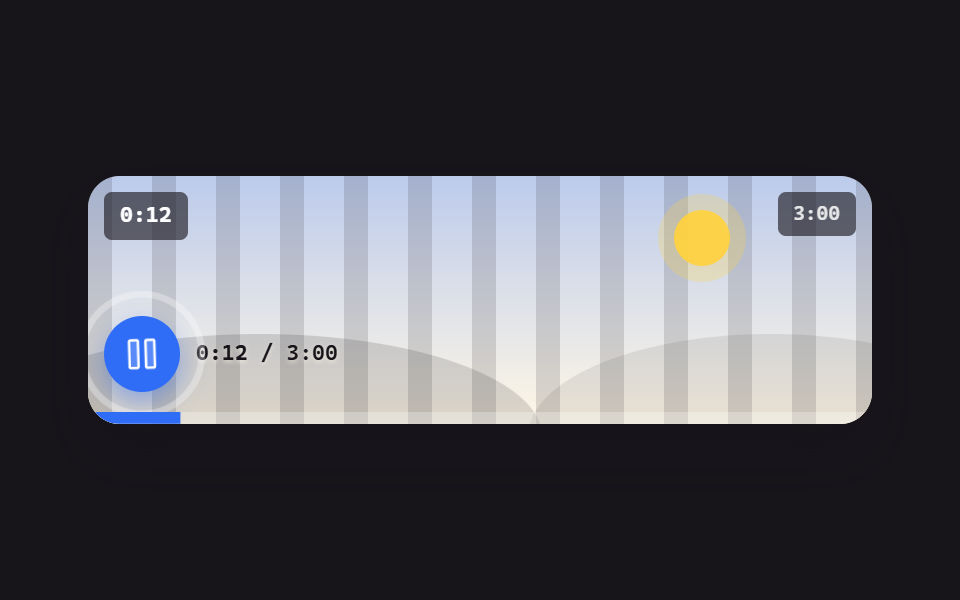 Embeds9 Custom Video Player CSS Controls, No Video File
 Embeds9 Code Block UI Patterns — No Highlighter Library
 EmbedsTerminal UI Design: 9 Copy-Paste CLI Parts
 Embeds9 YouTube Embed Code UI Patterns (Copy-Paste)
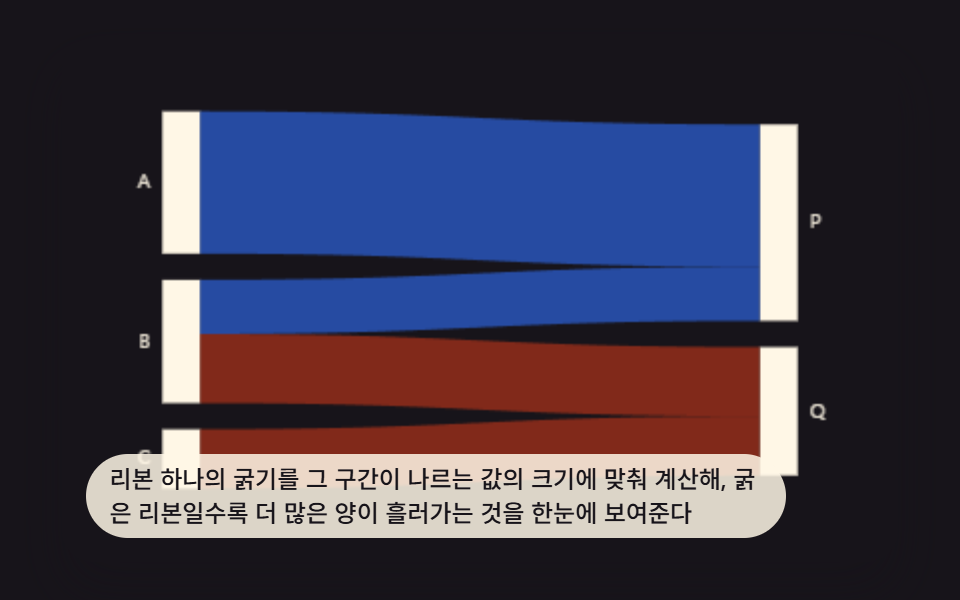 Dashboard UI9 Data Visualization Chart Types With Real Math
 Dashboard UIDashboard Sidebar Design + 9 Widget UI Pieces