9 CSS Rain Animation Layers for a Storm Window
This css rain animation set turns a storm window into nine canvas layers. One wind-vector value in this background scene sets the tilt and speed of all nine
See All Nine Rain Layers Move Right on This Page
Scroll through the grid below and each of the nine canvases is already running its own loop — nothing waits for a click.
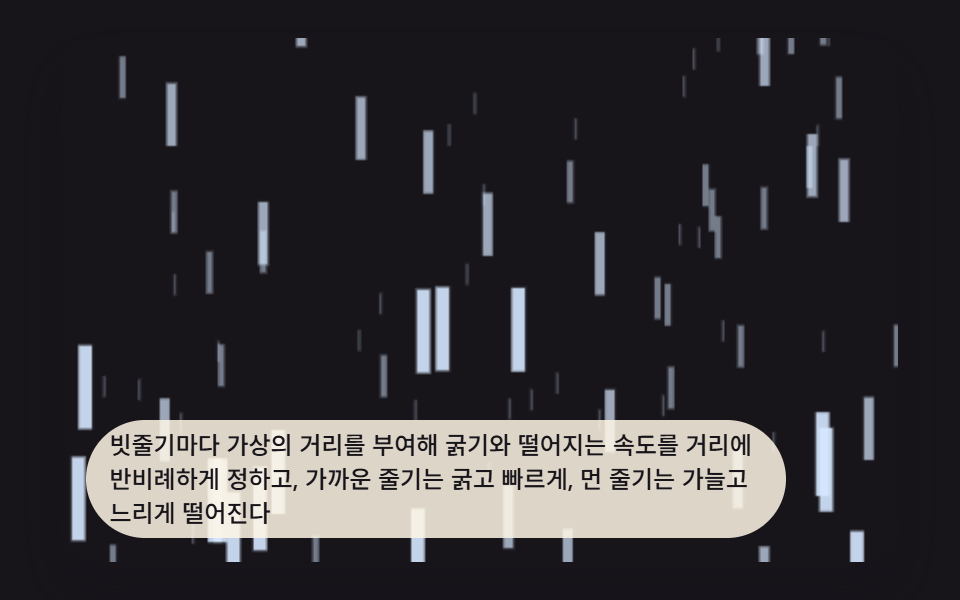 01 rain-effect-canvas-streak-depth-parallax
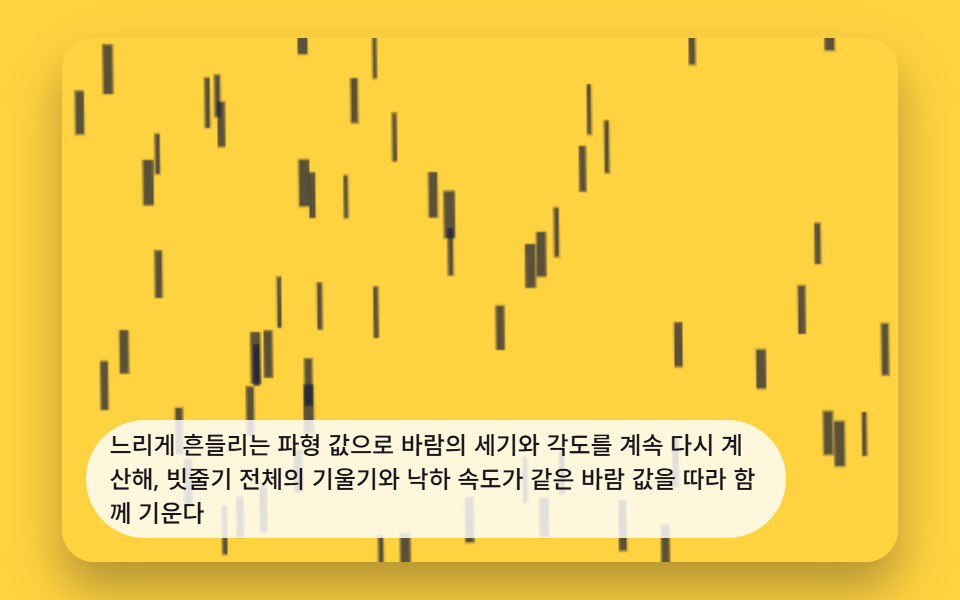 02 rain-effect-canvas-wind-gust-drift
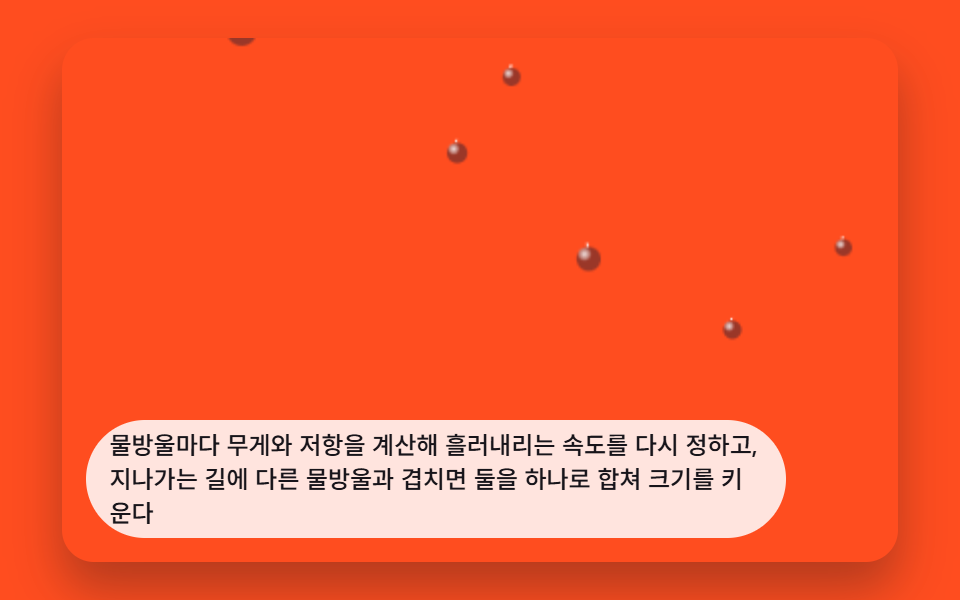 03 rain-effect-canvas-window-droplet-trickle
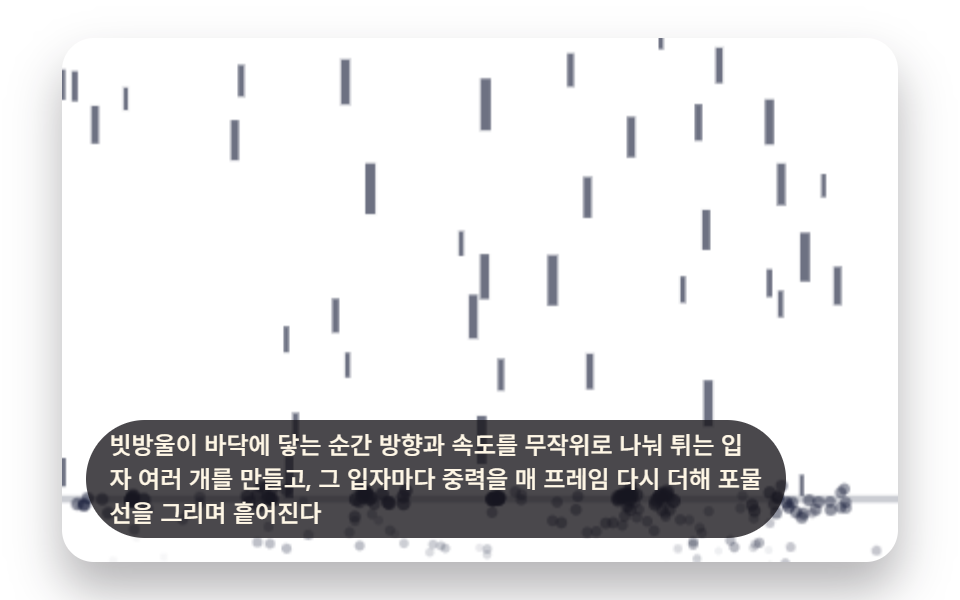 04 rain-effect-canvas-ground-splash-physics
 05 rain-effect-canvas-storm-intensity-cycle
 06 rain-effect-canvas-lightning-branch-flash
 07 rain-effect-canvas-pointer-wind-lean
 08 rain-effect-canvas-umbrella-occlusion
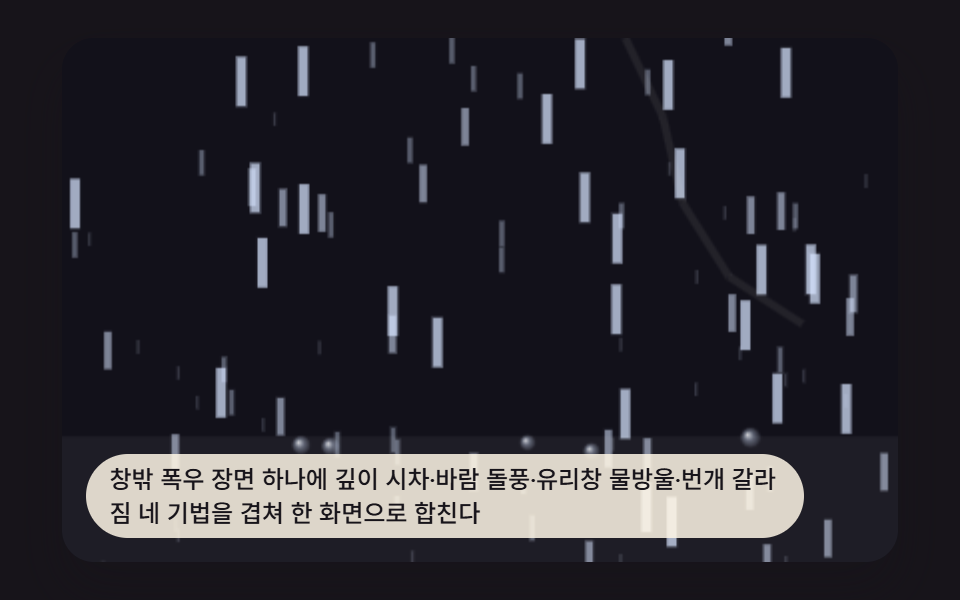 09 rain-effect-canvas-hero-scene
Auto-plays · click a tile to jump to its section · all nine in one zip
- 01 Rain Streaks Parallaxing at a Different Thickness and Speed Per Depth Layer
- 02 Rain Streaks Bending as the Wind Direction Shifts Over Time
- 03 Window Droplets Trickling Down and Merging Into Each Other
- 04 Splash Bursts Where Each Raindrop Lands
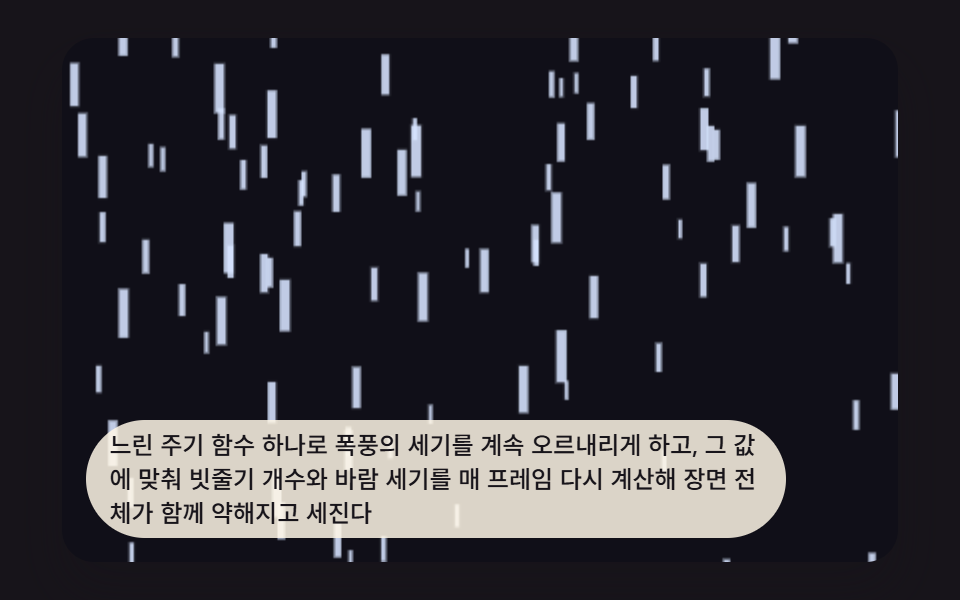
- 05 Scene Cycling in Intensity from Drizzle to Downpour
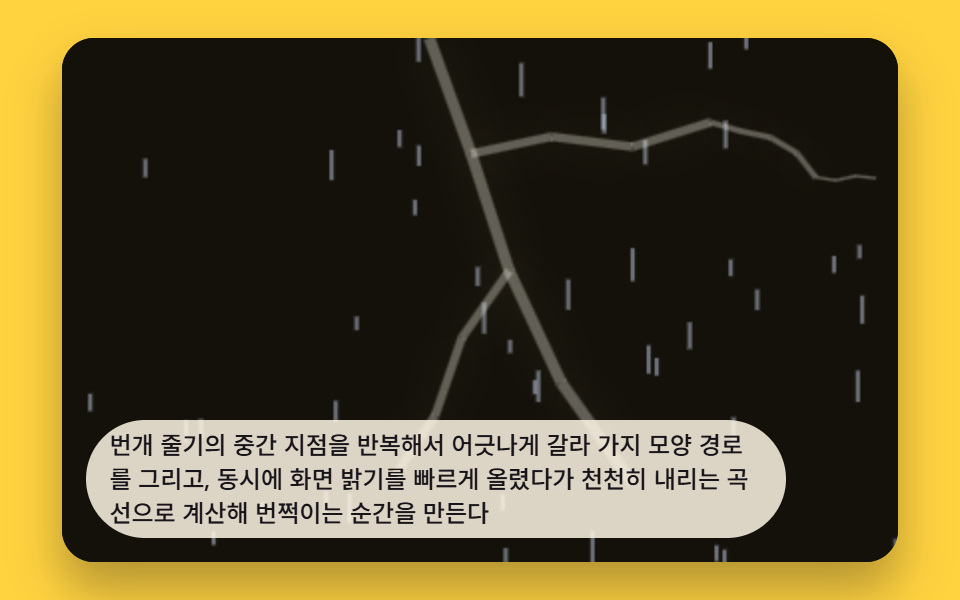
- 06 Branching Lightning Bolt With a Full-Screen Flash
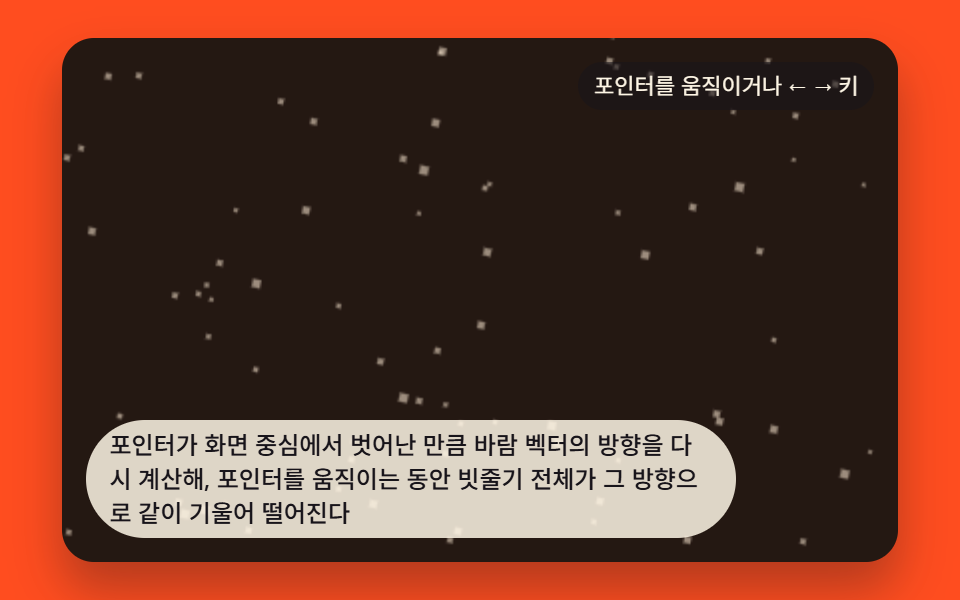
- 07 Background Wind Leaning Toward the Pointer Position
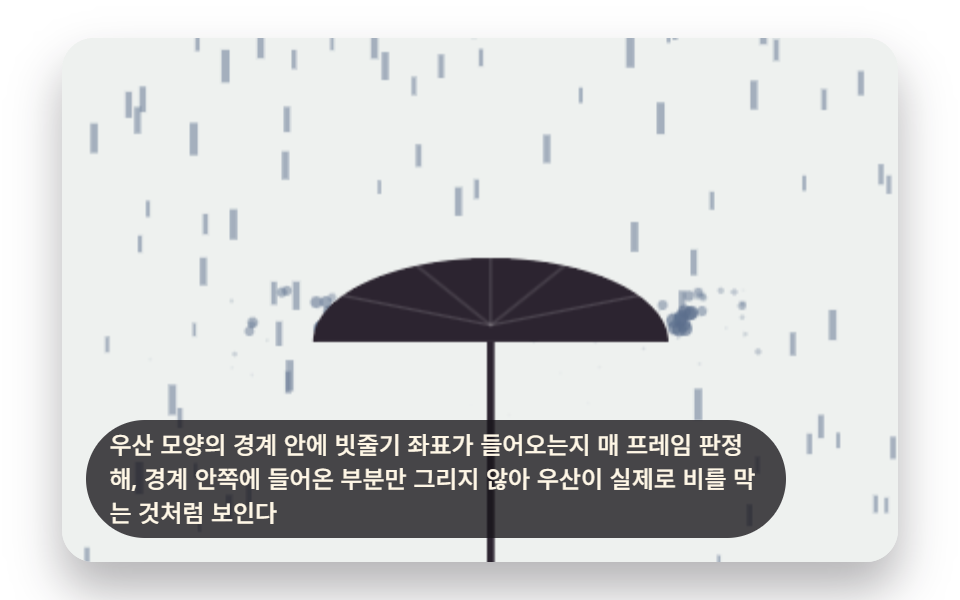
- 08 Rain Streaks Occluded Behind an Umbrella Shape
- 09 Hero Storm Scene Combining Depth Layers, Wind, Droplets, and Lightning
9 CSS Rain Animation Layers That Stack Into One Storm
The set covers a full html css rain effect toolkit: depth-based streak layers, a shifting wind vector, merging window droplets, ground splashes, a slow intensity cycle, branching lightning, pointer-driven lean, umbrella occlusion, and a hero scene that stacks four of those techniques into one storm window, all explained with source-level detail in HTML5 Canvas Animation: 9 Warp & Droplet Effects. Open any item below to read the exact function that produces it.
01Rain Streaks Parallaxing at a Different Thickness and Speed Per Depth Layer
Each streak carries a virtual depth that sets its thickness and fall speed in inverse proportion to distance, so a near streak falls thick and fast while a far one stays thin and slow. The streakDepthZ() function derives that depth for every layer up to RAIN_LAYER_COUNT, and the resulting streaks array is sorted by depth so far layers paint first and near layers paint over them.
<main class="stage">
<div class="rn is-demo" id="rnRoot">
  <canvas class="rn__canvas" id="rnCanvas" width="480" height="300"></canvas>
  <p class="rn__caption">Each rain streak gets a virtual distance that sets its thickness and fall speed inversely — near streaks fall thick and fast, far ones thin and slow.</p>
</div>
</main>
@use "../../../../site/static/demo-tokens" as *;
@include stage($stage-ink);
.rn {
position: relative;
width: min(92vw, calc(160vh - 12.8vw));
aspect-ratio: 480 / 300;
margin: 0 auto;
border-radius: $r-card;
overflow: hidden;
box-shadow: $shadow-raised;
background: $stage-ink;
}
.rn__canvas {
display: block;
width: 100%;
height: 100%;
}
.rn__caption {
position: absolute;
left: $sp-3;
bottom: $sp-3;
max-width: 78%;
margin: 0;
padding: $sp-1 $sp-3;
border-radius: $r-pill;
background: rgba(255, 247, 230, .85);
color: $subject-ink;
font-weight: 500;
font-size: 12px;
line-height: 1.4;
pointer-events: none;
}
@media (max-width: 340px) {
.rn__caption { font-size: 10px; padding: $sp-1 $sp-2; }
}
@media (prefers-reduced-motion: reduce) {
.rn { cursor: default; }
}html, body {
margin: 0;
overflow: hidden;
}
.stage {
box-sizing: border-box;
min-height: 100vh;
display: grid;
place-items: center;
margin: 0;
background: #17141a;
font-family: -apple-system, "Segoe UI", "Noto Sans KR", sans-serif;
padding: clamp(8px, 4vw, 24px);
}
.rn {
position: relative;
width: min(92vw, 160vh - 12.8vw);
aspect-ratio: 480/300;
margin: 0 auto;
border-radius: 16px;
overflow: hidden;
box-shadow: 0 14px 24px rgba(23, 20, 26, 0.32);
background: #17141a;
}
.rn__canvas {
display: block;
width: 100%;
height: 100%;
}
.rn__caption {
position: absolute;
left: 12px;
bottom: 12px;
max-width: 78%;
margin: 0;
padding: 4px 12px;
border-radius: 999px;
background: rgba(255, 247, 230, 0.85);
color: #17141a;
font-weight: 500;
font-size: 12px;
line-height: 1.4;
pointer-events: none;
}
@media (max-width: 340px) {
.rn__caption {
font-size: 10px;
padding: 4px 8px;
}
}
@media (prefers-reduced-motion: reduce) {
.rn {
cursor: default;
}
}(function () {
// 기법: 빗줄기마다 층(RAIN_LAYER_COUNT)을 매겨 가상의 거리(depth z, 0=멀다 1=가깝다)를 부여한다.
// 굵기·속도·불투명도를 모두 z 에 비례해 정하므로 가까운 줄기는 굵고 빠르고 진하게, 먼 줄기는
// 가늘고 느리고 옅게 떨어진다 — 거리 하나가 세 가지 값을 동시에 결정하는 시차(parallax) 계산.
var root = document.getElementById('rnRoot');
var canvas = document.getElementById('rnCanvas');
var ctx = canvas.getContext('2d');
var wrap = canvas.parentElement;
var CALC_W = 160, CALC_H = 100;
var RAIN_LAYER_COUNT = 4;
var RAIN_NEAR_SPEED_PX_S = 150;
var RAIN_FAR_SPEED_PX_S = 40;
function seedRand(seed) {
var s = seed >>> 0;
return function () { s = (s * 1664525 + 1013904223) >>> 0; return s / 4294967296; };
}
var rRand = seedRand(431011);
  function streakDepthZ(layerIndex) {
    return RAIN_LAYER_COUNT <= 1 ? 1 : layerIndex / (RAIN_LAYER_COUNT - 1);
  }

  var streaks = [];
  for (var li = 0; li < RAIN_LAYER_COUNT; li += 1) {
    var z = streakDepthZ(li);
    var count = Math.round(32 - z * 18);
    var speed = RAIN_FAR_SPEED_PX_S + (RAIN_NEAR_SPEED_PX_S - RAIN_FAR_SPEED_PX_S) * z;
    var thick = 0.5 + z * 2.1;
    var alpha = 0.28 + z * 0.62;
    for (var i = 0; i < count; i += 1) {
      streaks.push({
        x: rRand() * CALC_W,
        y: rRand() * CALC_H,
        z: z, speed: speed, thick: thick, alpha: alpha,
        len: 4 + z * 12
      });
    }
  }
  streaks.sort(function (a, b) { return a.z - b.z; });
function stepSim(dtS) {
for (var i = 0; i < streaks.length; i += 1) {
var s = streaks[i];
s.y += s.speed * dtS;
if (s.y - s.len > CALC_H + 4) {
s.y = -4 - rRand() * 10;
s.x = rRand() * CALC_W;
}
}
}
function draw() {
var sx = cw / CALC_W, sy = ch / CALC_H;
ctx.clearRect(0, 0, cw, ch);
for (var i = 0; i < streaks.length; i += 1) {
var s = streaks[i];
var x = s.x * sx;
var y0 = s.y * sy, y1 = (s.y - s.len) * sy;
ctx.strokeStyle = 'rgba(214,232,255,' + s.alpha + ')';
ctx.lineWidth = Math.max(0.6, s.thick * ((sx + sy) / 2));
ctx.beginPath();
ctx.moveTo(x, y0);
ctx.lineTo(x, y1);
ctx.stroke();
}
}
var cw = 480, ch = 300;
function fit() {
var r = wrap.getBoundingClientRect();
cw = Math.max(1, Math.round(r.width));
ch = Math.max(1, Math.round(r.height));
canvas.width = cw; canvas.height = ch;
draw();
}
var reduce = window.matchMedia('(prefers-reduced-motion: reduce)').matches;
if (reduce) root.classList.remove('is-demo');
var warmSteps = reduce ? 90 : 40;
for (var w = 0; w < warmSteps; w += 1) stepSim(0.02);
var lastTs = null;
function tick(ts) {
if (lastTs === null) lastTs = ts;
var dt = Math.min(ts - lastTs, 48);
lastTs = ts;
if (!reduce) {
stepSim(dt / 1000);
draw();
}
requestAnimationFrame(tick);
}
fit();
window.addEventListener('resize', fit);
draw();
requestAnimationFrame(tick);
})();import { useEffect, useRef } from "react";
import styles from "./RainEffectCanvasStreakDepthParallax.module.scss";
type Streak = { x: number; y: number; z: number; speed: number; thick: number; alpha: number; len: number };
export default function RainEffectCanvasStreakDepthParallax() {
const rootRef = useRef<HTMLDivElement>(null);
const canvasRef = useRef<HTMLCanvasElement>(null);
useEffect(() => {
const root = rootRef.current;
const canvas = canvasRef.current;
if (!root || !canvas) return;
const ctx = canvas.getContext("2d");
if (!ctx) return;
const wrap = canvas.parentElement as HTMLElement;
const CALC_W = 160, CALC_H = 100;
const RAIN_LAYER_COUNT = 4;
const RAIN_NEAR_SPEED_PX_S = 150;
const RAIN_FAR_SPEED_PX_S = 40;
function seedRand(seed: number) {
let s = seed >>> 0;
return function () { s = (s * 1664525 + 1013904223) >>> 0; return s / 4294967296; };
}
const rRand = seedRand(431012);
function streakDepthZ(layerIndex: number) {
return RAIN_LAYER_COUNT <= 1 ? 1 : layerIndex / (RAIN_LAYER_COUNT - 1);
}
const streaks: Streak[] = [];
for (let li = 0; li < RAIN_LAYER_COUNT; li += 1) {
const z = streakDepthZ(li);
const count = Math.round(32 - z * 18);
const speed = RAIN_FAR_SPEED_PX_S + (RAIN_NEAR_SPEED_PX_S - RAIN_FAR_SPEED_PX_S) * z;
const thick = 0.5 + z * 2.1;
const alpha = 0.28 + z * 0.62;
for (let i = 0; i < count; i += 1) {
streaks.push({
x: rRand() * CALC_W,
y: rRand() * CALC_H,
z, speed, thick, alpha,
len: 4 + z * 12
});
}
}
streaks.sort((a, b) => a.z - b.z);
function stepSim(dtS: number) {
for (let i = 0; i < streaks.length; i += 1) {
const s = streaks[i];
s.y += s.speed * dtS;
if (s.y - s.len > CALC_H + 4) {
s.y = -4 - rRand() * 10;
s.x = rRand() * CALC_W;
}
}
}
let cw = 480, ch = 300;
function draw() {
const sx = cw / CALC_W, sy = ch / CALC_H;
ctx!.clearRect(0, 0, cw, ch);
for (let i = 0; i < streaks.length; i += 1) {
const s = streaks[i];
const x = s.x * sx;
const y0 = s.y * sy, y1 = (s.y - s.len) * sy;
ctx!.strokeStyle = "rgba(214,232,255," + s.alpha + ")";
ctx!.lineWidth = Math.max(0.6, s.thick * ((sx + sy) / 2));
ctx!.beginPath();
ctx!.moveTo(x, y0);
ctx!.lineTo(x, y1);
ctx!.stroke();
}
}
function fit() {
const r = wrap.getBoundingClientRect();
cw = Math.max(1, Math.round(r.width));
ch = Math.max(1, Math.round(r.height));
canvas!.width = cw; canvas!.height = ch;
draw();
}
const reduce = window.matchMedia("(prefers-reduced-motion: reduce)").matches;
if (reduce) root.classList.remove("is-demo");
const warmSteps = reduce ? 90 : 40;
for (let w = 0; w < warmSteps; w += 1) stepSim(0.02);
let lastTs: number | null = null;
let raf = 0;
function tick(ts: number) {
if (lastTs === null) lastTs = ts;
const dt = Math.min(ts - lastTs, 48);
lastTs = ts;
if (!reduce) {
stepSim(dt / 1000);
draw();
}
raf = requestAnimationFrame(tick);
}
fit();
window.addEventListener("resize", fit);
draw();
raf = requestAnimationFrame(tick);
return () => {
cancelAnimationFrame(raf);
window.removeEventListener("resize", fit);
};
}, []);
return (
<main className={styles.stage}>
<div className={`${styles.rn} is-demo`} ref={rootRef}>
<canvas className={styles.rn__canvas} ref={canvasRef} width={480} height={300} />
<p className={styles.rn__caption}>빗줄기마다 가상의 거리를 부여해 굵기와 떨어지는 속도를 거리에 반비례하게 정하고, 가까운 줄기는 굵고 빠르게, 먼 줄기는 가늘고 느리게 떨어진다</p>
</div>
</main>
);
}01 · Rain Streaks Parallaxing at a Different Thickness and Speed Per Depth Layer — Measured area 63.301% · moving frames 23/23Original by GODRICH · SCSS and React ship in the zip · See the password
function streakDepthZ(layerIndex) {
return RAIN_LAYER_COUNT <= 1 ? 1 : layerIndex / (RAIN_LAYER_COUNT - 1);
}
var streaks = [];
for (var li = 0; li < RAIN_LAYER_COUNT; li += 1) {
var z = streakDepthZ(li);
var count = Math.round(32 - z * 18);
var speed = RAIN_FAR_SPEED_PX_S + (RAIN_NEAR_SPEED_PX_S - RAIN_FAR_SPEED_PX_S) * z;
var thick = 0.5 + z * 2.1;
var alpha = 0.28 + z * 0.62;
for (var i = 0; i < count; i += 1) {
streaks.push({
x: rRand() * CALC_W,
y: rRand() * CALC_H,
z: z, speed: speed, thick: thick, alpha: alpha,
len: 4 + z * 12
});
}
}
streaks.sort(function (a, b) { return a.z - b.z; });
Item 01 repainted 63.3% of the frame at an average intensity of 111.8 across 23/23 measured frames.
02Rain Streaks Bending as the Wind Direction Shifts Over Time
A slow-oscillating wave value keeps recalculating wind strength and angle, so every streak's tilt and fall speed leans together with that same wind value. windGustAngle() combines two sine waves running on separate cycles set by RAIN_WIND_CYCLE_MS, then scales the result by WIND_GUST_MAX_DEG to cap how far a gust can tilt the rain.
<main class="stage">
<div class="rn is-demo" id="rnRoot">
  <canvas class="rn__canvas" id="rnCanvas" width="480" height="300"></canvas>
  <p class="rn__caption">A slowly oscillating wave value keeps recalculating wind strength and angle, and every streak's tilt and fall speed leans together with that same wind value.</p>
</div>
</main>
@use "../../../../site/static/demo-tokens" as *;
@include stage($stage-yellow);
.rn {
position: relative;
width: min(92vw, calc(160vh - 12.8vw));
aspect-ratio: 480 / 300;
margin: 0 auto;
border-radius: $r-card;
overflow: hidden;
box-shadow: $shadow-raised;
background: $stage-yellow;
}
.rn__canvas {
display: block;
width: 100%;
height: 100%;
}
.rn__caption {
position: absolute;
left: $sp-3;
bottom: $sp-3;
max-width: 78%;
margin: 0;
padding: $sp-1 $sp-3;
border-radius: $r-pill;
background: rgba(255, 255, 255, .82);
color: $subject-ink;
font-weight: 500;
font-size: 12px;
line-height: 1.4;
pointer-events: none;
}
@media (max-width: 340px) {
.rn__caption { font-size: 10px; padding: $sp-1 $sp-2; }
}
@media (prefers-reduced-motion: reduce) {
.rn { cursor: default; }
}html, body {
margin: 0;
overflow: hidden;
}
.stage {
box-sizing: border-box;
min-height: 100vh;
display: grid;
place-items: center;
margin: 0;
background: #ffd23f;
font-family: -apple-system, "Segoe UI", "Noto Sans KR", sans-serif;
padding: clamp(8px, 4vw, 24px);
}
.rn {
position: relative;
width: min(92vw, 160vh - 12.8vw);
aspect-ratio: 480/300;
margin: 0 auto;
border-radius: 16px;
overflow: hidden;
box-shadow: 0 14px 24px rgba(23, 20, 26, 0.32);
background: #ffd23f;
}
.rn__canvas {
display: block;
width: 100%;
height: 100%;
}
.rn__caption {
position: absolute;
left: 12px;
bottom: 12px;
max-width: 78%;
margin: 0;
padding: 4px 12px;
border-radius: 999px;
background: rgba(255, 255, 255, 0.82);
color: #17141a;
font-weight: 500;
font-size: 12px;
line-height: 1.4;
pointer-events: none;
}
@media (max-width: 340px) {
.rn__caption {
font-size: 10px;
padding: 4px 8px;
}
}
@media (prefers-reduced-motion: reduce) {
.rn {
cursor: default;
}
}(function () {
// 기법: 두 사인파를 합성한 windGustAngle() 값 하나가 바람의 각도를 정하고, 모든 빗줄기가
// 매 프레임 그 같은 값을 읽어 기울기·낙하 속도를 다시 계산한다. WIND_GUST_MAX_DEG 는 그
// 각도의 최댓값 — 값을 늘리면 약한 바람에도 크게 기울고, 줄이면 강한 바람에도 거의 수직이다.
var root = document.getElementById('rnRoot');
var canvas = document.getElementById('rnCanvas');
var ctx = canvas.getContext('2d');
var wrap = canvas.parentElement;
var CALC_W = 160, CALC_H = 100;
var WIND_GUST_MAX_DEG = 8;
var RAIN_WIND_CYCLE_MS = 5200;
var RAIN_STREAK_COUNT = 70;
var RAIN_FALL_SPEED_PX_S = 130;
function seedRand(seed) {
var s = seed >>> 0;
return function () { s = (s * 1664525 + 1013904223) >>> 0; return s / 4294967296; };
}
var rRand = seedRand(431021);
  function windGustAngle(nowMs) {
    var a = Math.sin(nowMs / RAIN_WIND_CYCLE_MS * Math.PI * 2) * 0.62;
    var b = Math.sin(nowMs / (RAIN_WIND_CYCLE_MS * 1.73) * Math.PI * 2 + 1.3) * 0.38;
    return (a + b) * WIND_GUST_MAX_DEG;
  }

  var streaks = [];
  for (var i = 0; i < RAIN_STREAK_COUNT; i += 1) {
    streaks.push({
      x: rRand() * CALC_W,
      y: rRand() * CALC_H,
      speed: RAIN_FALL_SPEED_PX_S * (0.6 + rRand() * 0.7),
      thick: 0.8 + rRand() * 1.4
    });
  }

  var elapsed = 0;
  function stepSim(dtS, nowMs) {
var deg = windGustAngle(nowMs);
var rad = deg * Math.PI / 180;
var sinA = Math.sin(rad), cosA = Math.cos(rad);
for (var i = 0; i < streaks.length; i += 1) {
var s = streaks[i];
s.y += s.speed * cosA * dtS;
s.x += s.speed * sinA * dtS;
if (s.y > CALC_H + 6) { s.y = -6 - rRand() * 8; s.x = rRand() * CALC_W; }
if (s.x < -6) s.x = CALC_W + 6;
if (s.x > CALC_W + 6) s.x = -6;
}
}
function draw(nowMs) {
var sx = cw / CALC_W, sy = ch / CALC_H;
var deg = windGustAngle(nowMs);
var rad = deg * Math.PI / 180;
var lx = Math.sin(rad), ly = Math.cos(rad);
ctx.clearRect(0, 0, cw, ch);
for (var i = 0; i < streaks.length; i += 1) {
var s = streaks[i];
var len = 5 + s.speed * 0.03;
var x0 = s.x * sx, y0 = s.y * sy;
var x1 = (s.x - lx * len) * sx, y1 = (s.y - ly * len) * sy;
ctx.strokeStyle = 'rgba(20,26,54,.7)';
ctx.lineWidth = Math.max(0.6, s.thick * ((sx + sy) / 2));
ctx.beginPath();
ctx.moveTo(x0, y0);
ctx.lineTo(x1, y1);
ctx.stroke();
}
}
var cw = 480, ch = 300;
function fit() {
var r = wrap.getBoundingClientRect();
cw = Math.max(1, Math.round(r.width));
ch = Math.max(1, Math.round(r.height));
canvas.width = cw; canvas.height = ch;
draw(elapsed);
}
var reduce = window.matchMedia('(prefers-reduced-motion: reduce)').matches;
if (reduce) root.classList.remove('is-demo');
var warmSteps = reduce ? 130 : 40;
for (var w = 0; w < warmSteps; w += 1) { elapsed += 20; stepSim(0.02, elapsed); }
var lastTs = null;
function tick(ts) {
if (lastTs === null) lastTs = ts;
var dt = Math.min(ts - lastTs, 48);
lastTs = ts;
if (!reduce) {
elapsed += dt;
stepSim(dt / 1000, elapsed);
draw(elapsed);
}
requestAnimationFrame(tick);
}
fit();
window.addEventListener('resize', fit);
draw(elapsed);
requestAnimationFrame(tick);
})();import { useEffect, useRef } from "react";
import styles from "./RainEffectCanvasWindGustDrift.module.scss";
type Streak = { x: number; y: number; speed: number; thick: number };
export default function RainEffectCanvasWindGustDrift() {
const rootRef = useRef<HTMLDivElement>(null);
const canvasRef = useRef<HTMLCanvasElement>(null);
useEffect(() => {
const root = rootRef.current;
const canvas = canvasRef.current;
if (!root || !canvas) return;
const ctx = canvas.getContext("2d");
if (!ctx) return;
const wrap = canvas.parentElement as HTMLElement;
const CALC_W = 160, CALC_H = 100;
const WIND_GUST_MAX_DEG = 8;
const RAIN_WIND_CYCLE_MS = 5200;
const RAIN_STREAK_COUNT = 70;
const RAIN_FALL_SPEED_PX_S = 130;
function seedRand(seed: number) {
let s = seed >>> 0;
return function () { s = (s * 1664525 + 1013904223) >>> 0; return s / 4294967296; };
}
const rRand = seedRand(431022);
function windGustAngle(nowMs: number) {
const a = Math.sin((nowMs / RAIN_WIND_CYCLE_MS) * Math.PI * 2) * 0.62;
const b = Math.sin((nowMs / (RAIN_WIND_CYCLE_MS * 1.73)) * Math.PI * 2 + 1.3) * 0.38;
return (a + b) * WIND_GUST_MAX_DEG;
}
const streaks: Streak[] = [];
for (let i = 0; i < RAIN_STREAK_COUNT; i += 1) {
streaks.push({
x: rRand() * CALC_W,
y: rRand() * CALC_H,
speed: RAIN_FALL_SPEED_PX_S * (0.6 + rRand() * 0.7),
thick: 0.8 + rRand() * 1.4
});
}
let elapsed = 0;
function stepSim(dtS: number, nowMs: number) {
const deg = windGustAngle(nowMs);
const rad = (deg * Math.PI) / 180;
const sinA = Math.sin(rad), cosA = Math.cos(rad);
for (let i = 0; i < streaks.length; i += 1) {
const s = streaks[i];
s.y += s.speed * cosA * dtS;
s.x += s.speed * sinA * dtS;
if (s.y > CALC_H + 6) { s.y = -6 - rRand() * 8; s.x = rRand() * CALC_W; }
if (s.x < -6) s.x = CALC_W + 6;
if (s.x > CALC_W + 6) s.x = -6;
}
}
let cw = 480, ch = 300;
function draw(nowMs: number) {
const sx = cw / CALC_W, sy = ch / CALC_H;
const deg = windGustAngle(nowMs);
const rad = (deg * Math.PI) / 180;
const lx = Math.sin(rad), ly = Math.cos(rad);
ctx!.clearRect(0, 0, cw, ch);
for (let i = 0; i < streaks.length; i += 1) {
const s = streaks[i];
const len = 5 + s.speed * 0.03;
const x0 = s.x * sx, y0 = s.y * sy;
const x1 = (s.x - lx * len) * sx, y1 = (s.y - ly * len) * sy;
ctx!.strokeStyle = "rgba(20,26,54,.7)";
ctx!.lineWidth = Math.max(0.6, s.thick * ((sx + sy) / 2));
ctx!.beginPath();
ctx!.moveTo(x0, y0);
ctx!.lineTo(x1, y1);
ctx!.stroke();
}
}
function fit() {
const r = wrap.getBoundingClientRect();
cw = Math.max(1, Math.round(r.width));
ch = Math.max(1, Math.round(r.height));
canvas!.width = cw; canvas!.height = ch;
draw(elapsed);
}
const reduce = window.matchMedia("(prefers-reduced-motion: reduce)").matches;
if (reduce) root.classList.remove("is-demo");
const warmSteps = reduce ? 130 : 40;
for (let w = 0; w < warmSteps; w += 1) { elapsed += 20; stepSim(0.02, elapsed); }
let lastTs: number | null = null;
let raf = 0;
function tick(ts: number) {
if (lastTs === null) lastTs = ts;
const dt = Math.min(ts - lastTs, 48);
lastTs = ts;
if (!reduce) {
elapsed += dt;
stepSim(dt / 1000, elapsed);
draw(elapsed);
}
raf = requestAnimationFrame(tick);
}
fit();
window.addEventListener("resize", fit);
draw(elapsed);
raf = requestAnimationFrame(tick);
return () => {
cancelAnimationFrame(raf);
window.removeEventListener("resize", fit);
};
}, []);
return (
<main className={styles.stage}>
<div className={`${styles.rn} is-demo`} ref={rootRef}>
<canvas className={styles.rn__canvas} ref={canvasRef} width={480} height={300} />
<p className={styles.rn__caption}>느리게 흔들리는 파형 값으로 바람의 세기와 각도를 계속 다시 계산해, 빗줄기 전체의 기울기와 낙하 속도가 같은 바람 값을 따라 함께 기운다</p>
</div>
</main>
);
}02 · Rain Streaks Bending as the Wind Direction Shifts Over Time — Measured area 57.836% · moving frames 23/23Original by GODRICH · SCSS and React ship in the zip · See the password
function windGustAngle(nowMs) {
var a = Math.sin(nowMs / RAIN_WIND_CYCLE_MS * Math.PI * 2) * 0.62;
var b = Math.sin(nowMs / (RAIN_WIND_CYCLE_MS * 1.73) * Math.PI * 2 + 1.3) * 0.38;
return (a + b) * WIND_GUST_MAX_DEG;
}
var streaks = [];
for (var i = 0; i < RAIN_STREAK_COUNT; i += 1) {
streaks.push({
x: rRand() * CALC_W,
y: rRand() * CALC_H,
speed: RAIN_FALL_SPEED_PX_S * (0.6 + rRand() * 0.7),
thick: 0.8 + rRand() * 1.4
});
}
var elapsed = 0;
function stepSim(dtS, nowMs) {
Item 02 repainted 57.8% of the frame at an average intensity of 104.1 across 23/23 measured frames.
03Window Droplets Trickling Down and Merging Into Each Other
Each droplet's weight and drag are recalculated to set its slide speed, and when its path overlaps another droplet the two merge into one larger drop. dropletMassMerge() adds the pair's mass together and keeps the faster vy value, while DROPLET_GRAVITY_PX_S drives the target fall speed that stepSim() eases every droplet toward each frame.
<main class="stage">
<div class="rn is-demo" id="rnRoot">
  <canvas class="rn__canvas" id="rnCanvas" width="480" height="300"></canvas>
  <p class="rn__caption">Each droplet has its weight and drag calculated to reset its trickle speed, and when its path overlaps another droplet the two merge into one, growing larger.</p>
</div>
</main>
@use "../../../../site/static/demo-tokens" as *;
@include stage($stage-orange);
.rn {
position: relative;
width: min(92vw, calc(160vh - 12.8vw));
aspect-ratio: 480 / 300;
margin: 0 auto;
border-radius: $r-card;
overflow: hidden;
box-shadow: $shadow-raised;
background: $stage-orange;
}
.rn__canvas {
display: block;
width: 100%;
height: 100%;
}
.rn__caption {
position: absolute;
left: $sp-3;
bottom: $sp-3;
max-width: 78%;
margin: 0;
padding: $sp-1 $sp-3;
border-radius: $r-pill;
background: rgba(255, 255, 255, .85);
color: $subject-ink;
font-weight: 500;
font-size: 12px;
line-height: 1.4;
pointer-events: none;
}
@media (max-width: 340px) {
.rn__caption { font-size: 10px; padding: $sp-1 $sp-2; }
}
@media (prefers-reduced-motion: reduce) {
.rn { cursor: default; }
}html, body {
margin: 0;
overflow: hidden;
}
.stage {
box-sizing: border-box;
min-height: 100vh;
display: grid;
place-items: center;
margin: 0;
background: #ff4d1f;
font-family: -apple-system, "Segoe UI", "Noto Sans KR", sans-serif;
padding: clamp(8px, 4vw, 24px);
}
.rn {
position: relative;
width: min(92vw, 160vh - 12.8vw);
aspect-ratio: 480/300;
margin: 0 auto;
border-radius: 16px;
overflow: hidden;
box-shadow: 0 14px 24px rgba(23, 20, 26, 0.32);
background: #ff4d1f;
}
.rn__canvas {
display: block;
width: 100%;
height: 100%;
}
.rn__caption {
position: absolute;
left: 12px;
bottom: 12px;
max-width: 78%;
margin: 0;
padding: 4px 12px;
border-radius: 999px;
background: rgba(255, 255, 255, 0.85);
color: #17141a;
font-weight: 500;
font-size: 12px;
line-height: 1.4;
pointer-events: none;
}
@media (max-width: 340px) {
.rn__caption {
font-size: 10px;
padding: 4px 8px;
}
}
@media (prefers-reduced-motion: reduce) {
.rn {
cursor: default;
}
}(function () {
// 기법: 물방울마다 질량(mass)을 갖고, 매 프레임 무게 대 저항(DROPLET_DRAG_COEF) 비율로
// 목표 속도를 다시 계산해 그쪽으로 서서히 붙는다(lerp). dropletMassMerge() 가 겹친 두
// 물방울의 질량을 합쳐 반지름을 키우고 하나로 줄인다 — 무거워질수록 더 빨리 흘러내린다.
// 하이라이트는 물방울 왼쪽 위에 밝은 점을 얹어 굴절된 빛처럼 보이게 한다.
var root = document.getElementById('rnRoot');
var canvas = document.getElementById('rnCanvas');
var ctx = canvas.getContext('2d');
var wrap = canvas.parentElement;
var CALC_W = 160, CALC_H = 100;
var DROPLET_DRAG_COEF = 3.2;
var DROPLET_GRAVITY_PX_S = 58;
var DROPLET_MERGE_DIST_PX = 2.4;
var DROPLET_SPAWN_PER_S = 2.6;
function seedRand(seed) {
var s = seed >>> 0;
return function () { s = (s * 1664525 + 1013904223) >>> 0; return s / 4294967296; };
}
var dRand = seedRand(431031);
var drops = [];
var spawnAcc = 0;
function spawnDroplet() {
var r = 1.6 + dRand() * 1.6;
drops.push({
x: dRand() * CALC_W,
y: -3,
r: r,
mass: r * r,
vy: 4,
seed: dRand() * 1000
});
}
function dropletMassMerge(a, b) {
var mass = a.mass + b.mass;
var r = Math.sqrt(mass) * 0.92;
return {
x: (a.x * a.mass + b.x * b.mass) / mass,
y: Math.max(a.y, b.y),
r: r, mass: mass, vy: Math.max(a.vy, b.vy), seed: a.seed
};
}
function stepSim(dtMs, nowMs) {
var dtS = dtMs / 1000;
spawnAcc += dtMs * DROPLET_SPAWN_PER_S / 1000;
while (spawnAcc >= 1 && drops.length < 46) { spawnDroplet(); spawnAcc -= 1; }
for (var i = 0; i < drops.length; i += 1) {
var d = drops[i];
var targetVy = (DROPLET_GRAVITY_PX_S * Math.sqrt(d.mass)) / DROPLET_DRAG_COEF;
d.vy += (targetVy - d.vy) * Math.min(1, 5 * dtS);
d.y += d.vy * dtS;
d.x += Math.sin(nowMs * 0.0012 + d.seed) * 1.6 * dtS;
}
// 병합 — 가까운 두 물방울이 겹치면 하나로
for (var a = 0; a < drops.length; a += 1) {
for (var b = a + 1; b < drops.length; b += 1) {
var p1 = drops[a], p2 = drops[b];
if (!p1 || !p2) continue;
var dx = p1.x - p2.x, dy = p1.y - p2.y;
var dist = Math.sqrt(dx * dx + dy * dy);
if (dist < DROPLET_MERGE_DIST_PX + (p1.r + p2.r) * 0.55) {
drops[a] = dropletMassMerge(p1, p2);
drops.splice(b, 1);
b -= 1;
}
}
}
var alive = [];
for (var k = 0; k < drops.length; k += 1) {
if (drops[k].y - drops[k].r < CALC_H + 6) alive.push(drops[k]);
}
drops = alive;
}
function draw() {
var sx = cw / CALC_W, sy = ch / CALC_H;
var s = (sx + sy) / 2;
ctx.clearRect(0, 0, cw, ch);
for (var i = 0; i < drops.length; i += 1) {
var d = drops[i];
var dx = d.x * sx, dy = d.y * sy, dr = d.r * s;
ctx.fillStyle = 'rgba(15,24,52,.42)';
ctx.beginPath();
ctx.arc(dx, dy, dr, 0, Math.PI * 2);
ctx.fill();
var g = ctx.createRadialGradient(dx - dr * 0.35, dy - dr * 0.4, 0, dx - dr * 0.35, dy - dr * 0.4, dr * 0.7);
g.addColorStop(0, 'rgba(255,255,255,.85)');
g.addColorStop(1, 'rgba(255,255,255,0)');
ctx.fillStyle = g;
ctx.beginPath();
ctx.arc(dx - dr * 0.35, dy - dr * 0.4, dr * 0.55, 0, Math.PI * 2);
ctx.fill();
ctx.strokeStyle = 'rgba(255,255,255,1)';
ctx.beginPath();
ctx.moveTo(dx - dr * 0.1, dy - dr * 1.3);
ctx.lineTo(dx - dr * 0.1, dy - dr * (1.3 - Math.min(0.7, dr * 0.05)));
ctx.stroke();
}
}
var cw = 480, ch = 300;
function fit() {
var r = wrap.getBoundingClientRect();
cw = Math.max(1, Math.round(r.width));
ch = Math.max(1, Math.round(r.height));
canvas.width = cw; canvas.height = ch;
draw();
}
var reduce = window.matchMedia('(prefers-reduced-motion: reduce)').matches;
var elapsed = 0;
if (reduce) root.classList.remove('is-demo');
var warmSteps = reduce ? 180 : 90;
for (var w = 0; w < warmSteps; w += 1) { elapsed += 20; stepSim(20, elapsed); }
var lastTs = null;
function tick(ts) {
if (lastTs === null) lastTs = ts;
var dt = Math.min(ts - lastTs, 48);
lastTs = ts;
if (!reduce) {
elapsed += dt;
stepSim(dt, elapsed);
draw();
}
requestAnimationFrame(tick);
}
fit();
window.addEventListener('resize', fit);
draw();
requestAnimationFrame(tick);
})();import { useEffect, useRef } from "react";
import styles from "./RainEffectCanvasWindowDropletTrickle.module.scss";
type Droplet = { x: number; y: number; r: number; mass: number; vy: number; seed: number };
export default function RainEffectCanvasWindowDropletTrickle() {
const rootRef = useRef<HTMLDivElement>(null);
const canvasRef = useRef<HTMLCanvasElement>(null);
useEffect(() => {
const root = rootRef.current;
const canvas = canvasRef.current;
if (!root || !canvas) return;
const ctx = canvas.getContext("2d");
if (!ctx) return;
const wrap = canvas.parentElement as HTMLElement;
const CALC_W = 160, CALC_H = 100;
const DROPLET_DRAG_COEF = 3.2;
const DROPLET_GRAVITY_PX_S = 58;
const DROPLET_MERGE_DIST_PX = 2.4;
const DROPLET_SPAWN_PER_S = 2.6;
function seedRand(seed: number) {
let s = seed >>> 0;
return function () { s = (s * 1664525 + 1013904223) >>> 0; return s / 4294967296; };
}
const dRand = seedRand(431032);
let drops: Droplet[] = [];
let spawnAcc = 0;
function spawnDroplet() {
const r = 1.6 + dRand() * 1.6;
drops.push({ x: dRand() * CALC_W, y: -3, r, mass: r * r, vy: 4, seed: dRand() * 1000 });
}
function dropletMassMerge(a: Droplet, b: Droplet): Droplet {
const mass = a.mass + b.mass;
const r = Math.sqrt(mass) * 0.92;
return {
x: (a.x * a.mass + b.x * b.mass) / mass,
y: Math.max(a.y, b.y),
r, mass, vy: Math.max(a.vy, b.vy), seed: a.seed
};
}
function stepSim(dtMs: number, nowMs: number) {
const dtS = dtMs / 1000;
spawnAcc += (dtMs * DROPLET_SPAWN_PER_S) / 1000;
while (spawnAcc >= 1 && drops.length < 46) { spawnDroplet(); spawnAcc -= 1; }
for (let i = 0; i < drops.length; i += 1) {
const d = drops[i];
const targetVy = (DROPLET_GRAVITY_PX_S * Math.sqrt(d.mass)) / DROPLET_DRAG_COEF;
d.vy += (targetVy - d.vy) * Math.min(1, 5 * dtS);
d.y += d.vy * dtS;
d.x += Math.sin(nowMs * 0.0012 + d.seed) * 1.6 * dtS;
}
for (let a = 0; a < drops.length; a += 1) {
for (let b = a + 1; b < drops.length; b += 1) {
const p1 = drops[a], p2 = drops[b];
if (!p1 || !p2) continue;
const dx = p1.x - p2.x, dy = p1.y - p2.y;
const dist = Math.sqrt(dx * dx + dy * dy);
if (dist < DROPLET_MERGE_DIST_PX + (p1.r + p2.r) * 0.55) {
drops[a] = dropletMassMerge(p1, p2);
drops.splice(b, 1);
b -= 1;
}
}
}
drops = drops.filter((d) => d.y - d.r < CALC_H + 6);
}
let cw = 480, ch = 300;
function draw() {
const sx = cw / CALC_W, sy = ch / CALC_H;
const s = (sx + sy) / 2;
ctx!.clearRect(0, 0, cw, ch);
for (let i = 0; i < drops.length; i += 1) {
const d = drops[i];
const dx = d.x * sx, dy = d.y * sy, dr = d.r * s;
ctx!.fillStyle = "rgba(15,24,52,.42)";
ctx!.beginPath();
ctx!.arc(dx, dy, dr, 0, Math.PI * 2);
ctx!.fill();
const g = ctx!.createRadialGradient(dx - dr * 0.35, dy - dr * 0.4, 0, dx - dr * 0.35, dy - dr * 0.4, dr * 0.7);
g.addColorStop(0, "rgba(255,255,255,.85)");
g.addColorStop(1, "rgba(255,255,255,0)");
ctx!.fillStyle = g;
ctx!.beginPath();
ctx!.arc(dx - dr * 0.35, dy - dr * 0.4, dr * 0.55, 0, Math.PI * 2);
ctx!.fill();
}
}
function fit() {
const r = wrap.getBoundingClientRect();
cw = Math.max(1, Math.round(r.width));
ch = Math.max(1, Math.round(r.height));
canvas!.width = cw; canvas!.height = ch;
draw();
}
const reduce = window.matchMedia("(prefers-reduced-motion: reduce)").matches;
let elapsed = 0;
if (reduce) root.classList.remove("is-demo");
const warmSteps = reduce ? 180 : 90;
for (let w = 0; w < warmSteps; w += 1) { elapsed += 20; stepSim(20, elapsed); }
let lastTs: number | null = null;
let raf = 0;
function tick(ts: number) {
if (lastTs === null) lastTs = ts;
const dt = Math.min(ts - lastTs, 48);
lastTs = ts;
if (!reduce) {
elapsed += dt;
stepSim(dt, elapsed);
draw();
}
raf = requestAnimationFrame(tick);
}
fit();
window.addEventListener("resize", fit);
draw();
raf = requestAnimationFrame(tick);
return () => {
cancelAnimationFrame(raf);
window.removeEventListener("resize", fit);
};
}, []);
return (
<main className={styles.stage}>
<div className={`${styles.rn} is-demo`} ref={rootRef}>
<canvas className={styles.rn__canvas} ref={canvasRef} width={480} height={300} />
<p className={styles.rn__caption}>물방울마다 무게와 저항을 계산해 흘러내리는 속도를 다시 정하고, 지나가는 길에 다른 물방울과 겹치면 둘을 하나로 합쳐 크기를 키운다</p>
</div>
</main>
);
}03 · Window Droplets Trickling Down and Merging Into Each Other — Measured area 8.967% · moving frames 23/23Original by GODRICH · SCSS and React ship in the zip · See the password
  function dropletMassMerge(a, b) {
    var mass = a.mass + b.mass;
    var r = Math.sqrt(mass) * 0.92;
    return {
      x: (a.x * a.mass + b.x * b.mass) / mass,
      y: Math.max(a.y, b.y),
      r: r, mass: mass, vy: Math.max(a.vy, b.vy), seed: a.seed
    };
  }

  function stepSim(dtMs, nowMs) {
    var dtS = dtMs / 1000;
    spawnAcc += dtMs * DROPLET_SPAWN_PER_S / 1000;
    while (spawnAcc >= 1 && drops.length < 46) { spawnDroplet(); spawnAcc -= 1; }
    for (var i = 0; i < drops.length; i += 1) {
      var d = drops[i];
      var targetVy = (DROPLET_GRAVITY_PX_S * Math.sqrt(d.mass)) / DROPLET_DRAG_COEF;
      d.vy += (targetVy - d.vy) * Math.min(1, 5 * dtS);
      d.y += d.vy * dtS;
      d.x += Math.sin(nowMs * 0.0012 + d.seed) * 1.6 * dtS;
    }
    // merge — combine two overlapping droplets into one
    for (var a = 0; a < drops.length; a += 1) {
      for (var b = a + 1; b < drops.length; b += 1) {
        var p1 = drops[a], p2 = drops[b];
Item 03 repainted 9.0% of the frame at an average intensity of 80.9 across 23/23 measured frames.
04Splash Bursts Where Each Raindrop Lands
The moment a drop hits the ground it spawns several splash particles with randomly split directions and speeds, and gravity is re-added to each one every frame so they scatter along a curved path. splashBurst() creates SPLASH_PARTICLE_COUNT particles per impact, and SPLASH_GRAVITY_PX_S2 pulls each one back down once stepSim() detects a streak has reached the ground line.
<main class="stage">
<div class="rn is-demo" id="rnRoot">
  <canvas class="rn__canvas" id="rnCanvas" width="480" height="300"></canvas>
  <p class="rn__caption">The instant a raindrop hits the ground, it splits into several splash particles with randomized direction and speed, and gravity is re-added to each one every frame so they scatter in arcs.</p>
</div>
</main>
@use "../../../../site/static/demo-tokens" as *;
@include stage($stage-paper);
.rn {
position: relative;
width: min(92vw, calc(160vh - 12.8vw));
aspect-ratio: 480 / 300;
margin: 0 auto;
border-radius: $r-card;
overflow: hidden;
box-shadow: $shadow-raised;
background: $stage-paper;
}
.rn__canvas {
display: block;
width: 100%;
height: 100%;
}
.rn__caption {
position: absolute;
left: $sp-3;
bottom: $sp-3;
max-width: 78%;
margin: 0;
padding: $sp-1 $sp-3;
border-radius: $r-pill;
background: rgba(23, 20, 26, .78);
color: $subject-cream;
font-weight: 500;
font-size: 12px;
line-height: 1.4;
pointer-events: none;
}
@media (max-width: 340px) {
.rn__caption { font-size: 10px; padding: $sp-1 $sp-2; }
}
@media (prefers-reduced-motion: reduce) {
.rn { cursor: default; }
}html, body {
margin: 0;
overflow: hidden;
}
.stage {
box-sizing: border-box;
min-height: 100vh;
display: grid;
place-items: center;
margin: 0;
background: #ffffff;
font-family: -apple-system, "Segoe UI", "Noto Sans KR", sans-serif;
padding: clamp(8px, 4vw, 24px);
}
.rn {
position: relative;
width: min(92vw, 160vh - 12.8vw);
aspect-ratio: 480/300;
margin: 0 auto;
border-radius: 16px;
overflow: hidden;
box-shadow: 0 14px 24px rgba(23, 20, 26, 0.32);
background: #ffffff;
}
.rn__canvas {
display: block;
width: 100%;
height: 100%;
}
.rn__caption {
position: absolute;
left: 12px;
bottom: 12px;
max-width: 78%;
margin: 0;
padding: 4px 12px;
border-radius: 999px;
background: rgba(23, 20, 26, 0.78);
color: #fff7e6;
font-weight: 500;
font-size: 12px;
line-height: 1.4;
pointer-events: none;
}
@media (max-width: 340px) {
.rn__caption {
font-size: 10px;
padding: 4px 8px;
}
}
@media (prefers-reduced-motion: reduce) {
.rn {
cursor: default;
}
}(function () {
// 기법: 빗줄기가 바닥선(GROUND_Y)에 닿는 순간 splashBurst() 가 SPLASH_PARTICLE_COUNT 개
// 입자를 방향·속도를 나눠 흩뿌리고, 그 입자마다 SPLASH_GRAVITY_PX_S2 를 매 프레임 다시 더해
// 포물선을 그리며 옆으로 흩어지다 옅어진다. 속성 트윈이 아니라 매 프레임 중력 적분이다.
var root = document.getElementById('rnRoot');
var canvas = document.getElementById('rnCanvas');
var ctx = canvas.getContext('2d');
var wrap = canvas.parentElement;
var CALC_W = 160, CALC_H = 100;
var GROUND_Y = 88;
var SPLASH_PARTICLE_COUNT = 6;
var SPLASH_GRAVITY_PX_S2 = 260;
var SPLASH_LIFE_MS = 420;
var RAIN_STREAK_COUNT = 46;
function seedRand(seed) {
var s = seed >>> 0;
return function () { s = (s * 1664525 + 1013904223) >>> 0; return s / 4294967296; };
}
var rRand = seedRand(431041);
var sRand = seedRand(431042);
var streaks = [];
for (var i = 0; i < RAIN_STREAK_COUNT; i += 1) {
streaks.push({
x: rRand() * CALC_W,
y: rRand() * GROUND_Y,
speed: 120 + rRand() * 60,
thick: 0.8 + rRand() * 1.2
});
}
var splashes = [];
function splashBurst(x, nowMs) {
for (var i = 0; i < SPLASH_PARTICLE_COUNT; i += 1) {
var ang = Math.PI + sRand() * Math.PI; // 위쪽 반원으로 퍼진다
var speed = 16 + sRand() * 26;
splashes.push({
x: x, y: GROUND_Y,
vx: Math.cos(ang) * speed,
vy: Math.sin(ang) * speed,
born: nowMs
});
}
}
function stepSim(dtMs, nowMs) {
var dtS = dtMs / 1000;
for (var i = 0; i < streaks.length; i += 1) {
var s = streaks[i];
s.y += s.speed * dtS;
if (s.y >= GROUND_Y) {
splashBurst(s.x, nowMs);
s.y = -4 - rRand() * 10;
s.x = rRand() * CALC_W;
}
}
var alive = [];
for (var j = 0; j < splashes.length; j += 1) {
var p = splashes[j];
p.vy += SPLASH_GRAVITY_PX_S2 * dtS;
p.x += p.vx * dtS;
p.y += p.vy * dtS;
if (nowMs - p.born < SPLASH_LIFE_MS) alive.push(p);
}
splashes = alive;
}
function draw(nowMs) {
var sx = cw / CALC_W, sy = ch / CALC_H;
var sc = (sx + sy) / 2;
ctx.clearRect(0, 0, cw, ch);
ctx.strokeStyle = 'rgba(20,26,54,.22)';
ctx.lineWidth = Math.max(1, 1.4 * sc);
ctx.beginPath();
ctx.moveTo(0, GROUND_Y * sy);
ctx.lineTo(cw, GROUND_Y * sy);
ctx.stroke();
for (var i = 0; i < streaks.length; i += 1) {
var s = streaks[i];
if (s.y < 0 || s.y > GROUND_Y) continue;
var x = s.x * sx, y0 = s.y * sy, y1 = (s.y - s.thick * 5) * sy;
ctx.strokeStyle = 'rgba(20,26,54,.62)';
ctx.lineWidth = Math.max(0.6, s.thick * sc);
ctx.beginPath();
ctx.moveTo(x, y0);
ctx.lineTo(x, y1);
ctx.stroke();
}
for (var k = 0; k < splashes.length; k += 1) {
var p = splashes[k];
var f = Math.max(0, Math.min(1, (nowMs - p.born) / SPLASH_LIFE_MS));
var alpha = (1 - f) * 0.75;
var dx = p.x * sx, dy = p.y * sy, dr = (0.7 + (1 - f) * 0.7) * sc;
ctx.fillStyle = 'rgba(20,26,54,' + alpha + ')';
ctx.beginPath();
ctx.arc(dx, dy, dr, 0, Math.PI * 2);
ctx.fill();
}
}
var cw = 480, ch = 300;
function fit() {
var r = wrap.getBoundingClientRect();
cw = Math.max(1, Math.round(r.width));
ch = Math.max(1, Math.round(r.height));
canvas.width = cw; canvas.height = ch;
draw(elapsed);
}
var reduce = window.matchMedia('(prefers-reduced-motion: reduce)').matches;
var elapsed = 0;
if (reduce) root.classList.remove('is-demo');
var warmSteps = reduce ? 60 : 20;
for (var w = 0; w < warmSteps; w += 1) { elapsed += 20; stepSim(20, elapsed); }
var lastTs = null;
function tick(ts) {
if (lastTs === null) lastTs = ts;
var dt = Math.min(ts - lastTs, 48);
lastTs = ts;
if (!reduce) {
elapsed += dt;
stepSim(dt, elapsed);
draw(elapsed);
}
requestAnimationFrame(tick);
}
fit();
window.addEventListener('resize', fit);
draw(elapsed);
requestAnimationFrame(tick);
})();import { useEffect, useRef } from "react";
import styles from "./RainEffectCanvasGroundSplashPhysics.module.scss";
type Streak = { x: number; y: number; speed: number; thick: number };
type Splash = { x: number; y: number; vx: number; vy: number; born: number };
export default function RainEffectCanvasGroundSplashPhysics() {
const rootRef = useRef<HTMLDivElement>(null);
const canvasRef = useRef<HTMLCanvasElement>(null);
useEffect(() => {
const root = rootRef.current;
const canvas = canvasRef.current;
if (!root || !canvas) return;
const ctx = canvas.getContext("2d");
if (!ctx) return;
const wrap = canvas.parentElement as HTMLElement;
const CALC_W = 160, CALC_H = 100;
const GROUND_Y = 88;
const SPLASH_PARTICLE_COUNT = 6;
const SPLASH_GRAVITY_PX_S2 = 260;
const SPLASH_LIFE_MS = 420;
const RAIN_STREAK_COUNT = 46;
function seedRand(seed: number) {
let s = seed >>> 0;
return function () { s = (s * 1664525 + 1013904223) >>> 0; return s / 4294967296; };
}
const rRand = seedRand(431043);
const sRand = seedRand(431044);
const streaks: Streak[] = [];
for (let i = 0; i < RAIN_STREAK_COUNT; i += 1) {
streaks.push({ x: rRand() * CALC_W, y: rRand() * GROUND_Y, speed: 120 + rRand() * 60, thick: 0.8 + rRand() * 1.2 });
}
let splashes: Splash[] = [];
function splashBurst(x: number, nowMs: number) {
for (let i = 0; i < SPLASH_PARTICLE_COUNT; i += 1) {
const ang = Math.PI + sRand() * Math.PI;
const speed = 16 + sRand() * 26;
splashes.push({ x, y: GROUND_Y, vx: Math.cos(ang) * speed, vy: Math.sin(ang) * speed, born: nowMs });
}
}
function stepSim(dtMs: number, nowMs: number) {
const dtS = dtMs / 1000;
for (let i = 0; i < streaks.length; i += 1) {
const s = streaks[i];
s.y += s.speed * dtS;
if (s.y >= GROUND_Y) {
splashBurst(s.x, nowMs);
s.y = -4 - rRand() * 10;
s.x = rRand() * CALC_W;
}
}
const alive: Splash[] = [];
for (let j = 0; j < splashes.length; j += 1) {
const p = splashes[j];
p.vy += SPLASH_GRAVITY_PX_S2 * dtS;
p.x += p.vx * dtS;
p.y += p.vy * dtS;
if (nowMs - p.born < SPLASH_LIFE_MS) alive.push(p);
}
splashes = alive;
}
let cw = 480, ch = 300;
function draw(nowMs: number) {
const sx = cw / CALC_W, sy = ch / CALC_H;
const sc = (sx + sy) / 2;
ctx!.clearRect(0, 0, cw, ch);
ctx!.strokeStyle = "rgba(20,26,54,.22)";
ctx!.lineWidth = Math.max(1, 1.4 * sc);
ctx!.beginPath();
ctx!.moveTo(0, GROUND_Y * sy);
ctx!.lineTo(cw, GROUND_Y * sy);
ctx!.stroke();
for (let i = 0; i < streaks.length; i += 1) {
const s = streaks[i];
if (s.y < 0 || s.y > GROUND_Y) continue;
const x = s.x * sx, y0 = s.y * sy, y1 = (s.y - s.thick * 5) * sy;
ctx!.strokeStyle = "rgba(20,26,54,.62)";
ctx!.lineWidth = Math.max(0.6, s.thick * sc);
ctx!.beginPath();
ctx!.moveTo(x, y0);
ctx!.lineTo(x, y1);
ctx!.stroke();
}
for (let k = 0; k < splashes.length; k += 1) {
const p = splashes[k];
const f = Math.max(0, Math.min(1, (nowMs - p.born) / SPLASH_LIFE_MS));
const alpha = (1 - f) * 0.75;
const dx = p.x * sx, dy = p.y * sy, dr = (0.7 + (1 - f) * 0.7) * sc;
ctx!.fillStyle = "rgba(20,26,54," + alpha + ")";
ctx!.beginPath();
ctx!.arc(dx, dy, dr, 0, Math.PI * 2);
ctx!.fill();
}
}
function fit() {
const r = wrap.getBoundingClientRect();
cw = Math.max(1, Math.round(r.width));
ch = Math.max(1, Math.round(r.height));
canvas!.width = cw; canvas!.height = ch;
draw(elapsed);
}
const reduce = window.matchMedia("(prefers-reduced-motion: reduce)").matches;
let elapsed = 0;
if (reduce) root.classList.remove("is-demo");
const warmSteps = reduce ? 60 : 20;
for (let w = 0; w < warmSteps; w += 1) { elapsed += 20; stepSim(20, elapsed); }
let lastTs: number | null = null;
let raf = 0;
function tick(ts: number) {
if (lastTs === null) lastTs = ts;
const dt = Math.min(ts - lastTs, 48);
lastTs = ts;
if (!reduce) {
elapsed += dt;
stepSim(dt, elapsed);
draw(elapsed);
}
raf = requestAnimationFrame(tick);
}
fit();
window.addEventListener("resize", fit);
draw(elapsed);
raf = requestAnimationFrame(tick);
return () => {
cancelAnimationFrame(raf);
window.removeEventListener("resize", fit);
};
}, []);
return (
<main className={styles.stage}>
<div className={`${styles.rn} is-demo`} ref={rootRef}>
<canvas className={styles.rn__canvas} ref={canvasRef} width={480} height={300} />
<p className={styles.rn__caption}>빗방울이 바닥에 닿는 순간 방향과 속도를 무작위로 나눠 튀는 입자 여러 개를 만들고, 그 입자마다 중력을 매 프레임 다시 더해 포물선을 그리며 흩어진다</p>
</div>
</main>
);
}04 · Splash Bursts Where Each Raindrop Lands — Measured area 48.23% · moving frames 23/23Original by GODRICH · SCSS and React ship in the zip · See the password
  function splashBurst(x, nowMs) {
    for (var i = 0; i < SPLASH_PARTICLE_COUNT; i += 1) {
      var ang = Math.PI + sRand() * Math.PI; // spread across the upper half-circle
      var speed = 16 + sRand() * 26;
      splashes.push({
        x: x, y: GROUND_Y,
        vx: Math.cos(ang) * speed,
        vy: Math.sin(ang) * speed,
        born: nowMs
      });
    }
  }

  function stepSim(dtMs, nowMs) {
    var dtS = dtMs / 1000;
    for (var i = 0; i < streaks.length; i += 1) {
      var s = streaks[i];
      s.y += s.speed * dtS;
      if (s.y >= GROUND_Y) {
        splashBurst(s.x, nowMs);
Item 04 repainted 48.2% of the frame at an average intensity of 78.5 across 23/23 measured frames.
05Scene Cycling in Intensity from Drizzle to Downpour
One slow periodic function keeps the storm's intensity rising and falling, and the streak count and wind strength are recalculated from that same value every frame so the whole scene weakens and strengthens together. stormIntensity() runs on a STORM_CYCLE_MS period, and stepSim() reads that value to set both the wind offset and how large a share of the pooled streaks RAIN_SPAWN_RATE_BASE lets fall at the current intensity.
<main class="stage">
<div class="rn is-demo" id="rnRoot">
  <canvas class="rn__canvas" id="rnCanvas" width="480" height="300"></canvas>
  <p class="rn__caption">One slow cycle function keeps the storm's intensity rising and falling, and streak count and wind strength are recalculated every frame to match — the whole scene weakens and strengthens together.</p>
</div>
</main>
@use "../../../../site/static/demo-tokens" as *;
@include stage($stage-ink);
.rn {
position: relative;
width: min(92vw, calc(160vh - 12.8vw));
aspect-ratio: 480 / 300;
margin: 0 auto;
border-radius: $r-card;
overflow: hidden;
box-shadow: $shadow-raised;
background: $stage-ink;
}
.rn__canvas {
display: block;
width: 100%;
height: 100%;
}
.rn__caption {
position: absolute;
left: $sp-3;
bottom: $sp-3;
max-width: 78%;
margin: 0;
padding: $sp-1 $sp-3;
border-radius: $r-pill;
background: rgba(255, 247, 230, .85);
color: $subject-ink;
font-weight: 500;
font-size: 12px;
line-height: 1.4;
pointer-events: none;
}
@media (max-width: 340px) {
.rn__caption { font-size: 10px; padding: $sp-1 $sp-2; }
}
@media (prefers-reduced-motion: reduce) {
.rn { cursor: default; }
}html, body {
margin: 0;
overflow: hidden;
}
.stage {
box-sizing: border-box;
min-height: 100vh;
display: grid;
place-items: center;
margin: 0;
background: #17141a;
font-family: -apple-system, "Segoe UI", "Noto Sans KR", sans-serif;
padding: clamp(8px, 4vw, 24px);
}
.rn {
position: relative;
width: min(92vw, 160vh - 12.8vw);
aspect-ratio: 480/300;
margin: 0 auto;
border-radius: 16px;
overflow: hidden;
box-shadow: 0 14px 24px rgba(23, 20, 26, 0.32);
background: #17141a;
}
.rn__canvas {
display: block;
width: 100%;
height: 100%;
}
.rn__caption {
position: absolute;
left: 12px;
bottom: 12px;
max-width: 78%;
margin: 0;
padding: 4px 12px;
border-radius: 999px;
background: rgba(255, 247, 230, 0.85);
color: #17141a;
font-weight: 500;
font-size: 12px;
line-height: 1.4;
pointer-events: none;
}
@media (max-width: 340px) {
.rn__caption {
font-size: 10px;
padding: 4px 8px;
}
}
@media (prefers-reduced-motion: reduce) {
.rn {
cursor: default;
}
}(function () {
// 기법: stormIntensity() 하나가 사인 주기(STORM_CYCLE_MS)로 0~1 을 오르내리고, 그 값 하나로
// 화면에 보이는 빗줄기 수·굵기·기울기·어두운 정도를 매 프레임 다시 계산한다. RAIN_SPAWN_RATE_BASE
// 는 가장 약한 이슬비일 때도 유지하는 최소 줄기 수 — 그 위로 세기만큼 더 얹는다.
var root = document.getElementById('rnRoot');
var canvas = document.getElementById('rnCanvas');
var ctx = canvas.getContext('2d');
var wrap = canvas.parentElement;
var CALC_W = 160, CALC_H = 100;
var STORM_CYCLE_MS = 9000;
var RAIN_SPAWN_RATE_BASE = 18;
var RAIN_POOL_SIZE = 110;
function seedRand(seed) {
var s = seed >>> 0;
return function () { s = (s * 1664525 + 1013904223) >>> 0; return s / 4294967296; };
}
var rRand = seedRand(431051);
  function stormIntensity(nowMs) {
    return Math.sin((nowMs / STORM_CYCLE_MS) * Math.PI * 2 - Math.PI / 2) * 0.5 + 0.5;
  }

  var streaks = [];
  for (var i = 0; i < RAIN_POOL_SIZE; i += 1) {
    streaks.push({
      x: rRand() * CALC_W,
      y: rRand() * CALC_H,
      thresh: rRand(),
      speed: 90 + rRand() * 90,
      thick: 0.7 + rRand() * 1.3
    });
  }

  function stepSim(dtS, nowMs) {
    var inten = stormIntensity(nowMs);
    var wind = (inten - 0.5) * 20;
    for (var i = 0; i < streaks.length; i += 1) {
      var s = streaks[i];
var visible = inten >= s.thresh * (1 - RAIN_SPAWN_RATE_BASE / 100);
if (!visible) continue;
s.y += s.speed * (0.6 + inten * 0.7) * dtS;
s.x += wind * dtS;
if (s.y > CALC_H + 6) { s.y = -6 - rRand() * 8; s.x = rRand() * CALC_W; }
if (s.x < -6) s.x = CALC_W + 6;
if (s.x > CALC_W + 6) s.x = -6;
}
}
function draw(nowMs) {
var sx = cw / CALC_W, sy = ch / CALC_H;
var inten = stormIntensity(nowMs);
ctx.clearRect(0, 0, cw, ch);
ctx.fillStyle = 'rgba(6,8,20,' + (inten * 0.4).toFixed(3) + ')';
ctx.fillRect(0, 0, cw, ch);
for (var i = 0; i < streaks.length; i += 1) {
var s = streaks[i];
var visible = inten >= s.thresh * (1 - RAIN_SPAWN_RATE_BASE / 100);
if (!visible) continue;
var alpha = 0.35 + inten * 0.55;
var x = s.x * sx, y0 = s.y * sy, y1 = (s.y - s.thick * 5) * sy;
ctx.strokeStyle = 'rgba(214,228,255,' + alpha + ')';
ctx.lineWidth = Math.max(0.6, s.thick * ((sx + sy) / 2));
ctx.beginPath();
ctx.moveTo(x, y0);
ctx.lineTo(x, y1);
ctx.stroke();
}
}
var cw = 480, ch = 300;
function fit() {
var r = wrap.getBoundingClientRect();
cw = Math.max(1, Math.round(r.width));
ch = Math.max(1, Math.round(r.height));
canvas.width = cw; canvas.height = ch;
draw(elapsed);
}
var reduce = window.matchMedia('(prefers-reduced-motion: reduce)').matches;
var elapsed = 2200;
if (reduce) root.classList.remove('is-demo');
var warmSteps = reduce ? 0 : 40;
for (var w = 0; w < warmSteps; w += 1) { elapsed += 20; stepSim(0.02, elapsed); }
var lastTs = null;
function tick(ts) {
if (lastTs === null) lastTs = ts;
var dt = Math.min(ts - lastTs, 48);
lastTs = ts;
if (!reduce) {
elapsed += dt;
stepSim(dt / 1000, elapsed);
draw(elapsed);
}
requestAnimationFrame(tick);
}
fit();
window.addEventListener('resize', fit);
draw(elapsed);
requestAnimationFrame(tick);
})();import { useEffect, useRef } from "react";
import styles from "./RainEffectCanvasStormIntensityCycle.module.scss";
type Streak = { x: number; y: number; thresh: number; speed: number; thick: number };
export default function RainEffectCanvasStormIntensityCycle() {
const rootRef = useRef<HTMLDivElement>(null);
const canvasRef = useRef<HTMLCanvasElement>(null);
useEffect(() => {
const root = rootRef.current;
const canvas = canvasRef.current;
if (!root || !canvas) return;
const ctx = canvas.getContext("2d");
if (!ctx) return;
const wrap = canvas.parentElement as HTMLElement;
const CALC_W = 160, CALC_H = 100;
const STORM_CYCLE_MS = 9000;
const RAIN_SPAWN_RATE_BASE = 18;
const RAIN_POOL_SIZE = 110;
function seedRand(seed: number) {
let s = seed >>> 0;
return function () { s = (s * 1664525 + 1013904223) >>> 0; return s / 4294967296; };
}
const rRand = seedRand(431052);
function stormIntensity(nowMs: number) {
return Math.sin((nowMs / STORM_CYCLE_MS) * Math.PI * 2 - Math.PI / 2) * 0.5 + 0.5;
}
const streaks: Streak[] = [];
for (let i = 0; i < RAIN_POOL_SIZE; i += 1) {
streaks.push({ x: rRand() * CALC_W, y: rRand() * CALC_H, thresh: rRand(), speed: 90 + rRand() * 90, thick: 0.7 + rRand() * 1.3 });
}
function stepSim(dtS: number, nowMs: number) {
const inten = stormIntensity(nowMs);
const wind = (inten - 0.5) * 20;
for (let i = 0; i < streaks.length; i += 1) {
const s = streaks[i];
const visible = inten >= s.thresh * (1 - RAIN_SPAWN_RATE_BASE / 100);
if (!visible) continue;
s.y += s.speed * (0.6 + inten * 0.7) * dtS;
s.x += wind * dtS;
if (s.y > CALC_H + 6) { s.y = -6 - rRand() * 8; s.x = rRand() * CALC_W; }
if (s.x < -6) s.x = CALC_W + 6;
if (s.x > CALC_W + 6) s.x = -6;
}
}
let cw = 480, ch = 300;
function draw(nowMs: number) {
const sx = cw / CALC_W, sy = ch / CALC_H;
const inten = stormIntensity(nowMs);
ctx!.clearRect(0, 0, cw, ch);
ctx!.fillStyle = "rgba(6,8,20," + (inten * 0.4).toFixed(3) + ")";
ctx!.fillRect(0, 0, cw, ch);
for (let i = 0; i < streaks.length; i += 1) {
const s = streaks[i];
const visible = inten >= s.thresh * (1 - RAIN_SPAWN_RATE_BASE / 100);
if (!visible) continue;
const alpha = 0.35 + inten * 0.55;
const x = s.x * sx, y0 = s.y * sy, y1 = (s.y - s.thick * 5) * sy;
ctx!.strokeStyle = "rgba(214,228,255," + alpha + ")";
ctx!.lineWidth = Math.max(0.6, s.thick * ((sx + sy) / 2));
ctx!.beginPath();
ctx!.moveTo(x, y0);
ctx!.lineTo(x, y1);
ctx!.stroke();
}
}
function fit() {
const r = wrap.getBoundingClientRect();
cw = Math.max(1, Math.round(r.width));
ch = Math.max(1, Math.round(r.height));
canvas!.width = cw; canvas!.height = ch;
draw(elapsed);
}
const reduce = window.matchMedia("(prefers-reduced-motion: reduce)").matches;
let elapsed = 2200;
if (reduce) root.classList.remove("is-demo");
const warmSteps = reduce ? 0 : 40;
for (let w = 0; w < warmSteps; w += 1) { elapsed += 20; stepSim(0.02, elapsed); }
let lastTs: number | null = null;
let raf = 0;
function tick(ts: number) {
if (lastTs === null) lastTs = ts;
const dt = Math.min(ts - lastTs, 48);
lastTs = ts;
if (!reduce) {
elapsed += dt;
stepSim(dt / 1000, elapsed);
draw(elapsed);
}
raf = requestAnimationFrame(tick);
}
fit();
window.addEventListener("resize", fit);
draw(elapsed);
raf = requestAnimationFrame(tick);
return () => {
cancelAnimationFrame(raf);
window.removeEventListener("resize", fit);
};
}, []);
return (
<main className={styles.stage}>
<div className={`${styles.rn} is-demo`} ref={rootRef}>
<canvas className={styles.rn__canvas} ref={canvasRef} width={480} height={300} />
<p className={styles.rn__caption}>느린 주기 함수 하나로 폭풍의 세기를 계속 오르내리게 하고, 그 값에 맞춰 빗줄기 개수와 바람 세기를 매 프레임 다시 계산해 장면 전체가 함께 약해지고 세진다</p>
</div>
</main>
);
}05 · Scene Cycling in Intensity from Drizzle to Downpour — Measured area 60.446% · moving frames 23/23Original by GODRICH · SCSS and React ship in the zip · See the password
function stormIntensity(nowMs) {
return Math.sin((nowMs / STORM_CYCLE_MS) * Math.PI * 2 - Math.PI / 2) * 0.5 + 0.5;
}
var streaks = [];
for (var i = 0; i < RAIN_POOL_SIZE; i += 1) {
streaks.push({
x: rRand() * CALC_W,
y: rRand() * CALC_H,
thresh: rRand(),
speed: 90 + rRand() * 90,
thick: 0.7 + rRand() * 1.3
});
}
function stepSim(dtS, nowMs) {
var inten = stormIntensity(nowMs);
var wind = (inten - 0.5) * 20;
for (var i = 0; i < streaks.length; i += 1) {
var s = streaks[i];
Item 05 repainted 60.4% of the frame at an average intensity of 122.6 across 23/23 measured frames.
06Branching Lightning Bolt With a Full-Screen Flash
The bolt's path is built by walking each branch through three or four short segments that bend the angle at every step, while screen brightness is computed on a decay curve that spikes up fast and eases back down to create the flash. branchLightning() recurses down to LIGHTNING_BRANCH_DEPTH, and once a bolt lands the flash brightness fades out over LIGHTNING_FLASH_DECAY_MS.
<main class="stage">
<div class="rn is-demo" id="rnRoot">
  <canvas class="rn__canvas" id="rnCanvas" width="480" height="300"></canvas>
  <p class="rn__caption">The bolt's path is built by repeatedly offsetting its midpoints to branch outward, while screen brightness is computed on a curve that spikes up fast and eases back down slowly to create the flash.</p>
</div>
</main>
@use "../../../../site/static/demo-tokens" as *;
@include stage($stage-yellow);
.rn {
position: relative;
width: min(92vw, calc(160vh - 12.8vw));
aspect-ratio: 480 / 300;
margin: 0 auto;
border-radius: $r-card;
overflow: hidden;
box-shadow: $shadow-raised;
background: #14110a;
}
.rn__canvas {
display: block;
width: 100%;
height: 100%;
}
.rn__caption {
position: absolute;
left: $sp-3;
bottom: $sp-3;
max-width: 78%;
margin: 0;
padding: $sp-1 $sp-3;
border-radius: $r-pill;
background: rgba(255, 247, 230, .85);
color: $subject-ink;
font-weight: 500;
font-size: 12px;
line-height: 1.4;
pointer-events: none;
}
@media (max-width: 340px) {
.rn__caption { font-size: 10px; padding: $sp-1 $sp-2; }
}
@media (prefers-reduced-motion: reduce) {
.rn { cursor: default; }
}html, body {
margin: 0;
overflow: hidden;
}
.stage {
box-sizing: border-box;
min-height: 100vh;
display: grid;
place-items: center;
margin: 0;
background: #ffd23f;
font-family: -apple-system, "Segoe UI", "Noto Sans KR", sans-serif;
padding: clamp(8px, 4vw, 24px);
}
.rn {
position: relative;
width: min(92vw, 160vh - 12.8vw);
aspect-ratio: 480/300;
margin: 0 auto;
border-radius: 16px;
overflow: hidden;
box-shadow: 0 14px 24px rgba(23, 20, 26, 0.32);
background: #14110a;
}
.rn__canvas {
display: block;
width: 100%;
height: 100%;
}
.rn__caption {
position: absolute;
left: 12px;
bottom: 12px;
max-width: 78%;
margin: 0;
padding: 4px 12px;
border-radius: 999px;
background: rgba(255, 247, 230, 0.85);
color: #17141a;
font-weight: 500;
font-size: 12px;
line-height: 1.4;
pointer-events: none;
}
@media (max-width: 340px) {
.rn__caption {
font-size: 10px;
padding: 4px 8px;
}
}
@media (prefers-reduced-motion: reduce) {
.rn {
cursor: default;
}
}(function () {
// 기법: branchLightning() 이 매 낙뢰마다 재귀로 가지를 새로 뻗는다(깊이 LIGHTNING_BRANCH_DEPTH).
// 낙뢰 순간의 흰 섬광은 LIGHTNING_FLASH_DECAY_MS 를 시상수로 하는 지수 감쇠(Math.exp)로 사그라들고,
// 번개 선 자체는 그보다 긴 LIGHTNING_BOLT_FADE_MS 동안 잔상으로 더 남는다.
var root = document.getElementById('rnRoot');
var canvas = document.getElementById('rnCanvas');
var ctx = canvas.getContext('2d');
var wrap = canvas.parentElement;
var CALC_W = 160, CALC_H = 100;
var LIGHTNING_STRIKE_PERIOD_MS = 1500;
var LIGHTNING_FLASH_DECAY_MS = 220;
var LIGHTNING_BOLT_FADE_MS = 900;
var LIGHTNING_BRANCH_DEPTH = 4;
var RAIN_STREAK_COUNT = 50;
function seedRand(seed) {
var s = seed >>> 0;
return function () { s = (s * 1664525 + 1013904223) >>> 0; return s / 4294967296; };
}
var rRand = seedRand(431061);
var streaks = [];
for (var i = 0; i < RAIN_STREAK_COUNT; i += 1) {
streaks.push({ x: rRand() * CALC_W, y: rRand() * CALC_H, speed: 110 + rRand() * 70, thick: 0.6 + rRand() * 1 });
}
  function branchLightning(segs, x, y, ang, len, depth) {
    if (depth <= 0 || len < 3) return;
    var steps = 3 + Math.floor(rRand() * 2);
    var cx = x, cy = y, cang = ang;
    for (var i = 0; i < steps; i += 1) {
      cang += (rRand() - 0.5) * 0.9;
      var stepLen = len / steps;
      var nx = cx + Math.sin(cang) * stepLen;
      var ny = cy + Math.cos(cang) * stepLen;
      segs.push({ x0: cx, y0: cy, x1: nx, y1: ny, depth: depth });
      if (depth > 1 && rRand() < 0.3) {
        var side = rRand() < 0.5 ? -1 : 1;
        branchLightning(segs, nx, ny, cang + side * (0.6 + rRand() * 0.5), len * 0.5, depth - 1);
      }
      cx = nx; cy = ny;
    }
  }

  function makeBolt() {
    var segs = [];
    var startX = 24 + rRand() * 112;
branchLightning(segs, startX, 0, 0, CALC_H * 0.94, LIGHTNING_BRANCH_DEPTH);
return segs;
}
var bolt = [];
var strikeAtMs = -99999;
var lastStrikeIndex = -1;
function updateStrike(nowMs) {
var idx = Math.floor(nowMs / LIGHTNING_STRIKE_PERIOD_MS);
if (idx !== lastStrikeIndex) {
lastStrikeIndex = idx;
bolt = makeBolt();
strikeAtMs = nowMs;
}
}
function stepSim(dtS, nowMs) {
for (var i = 0; i < streaks.length; i += 1) {
var s = streaks[i];
s.y += s.speed * dtS;
if (s.y > CALC_H + 4) { s.y = -4 - rRand() * 6; s.x = rRand() * CALC_W; }
}
updateStrike(nowMs);
}
var cw = 480, ch = 300;
function draw(nowMs) {
var sx = cw / CALC_W, sy = ch / CALC_H;
var sinceStrike = nowMs - strikeAtMs;
var flash = Math.exp(-Math.max(0, sinceStrike) / LIGHTNING_FLASH_DECAY_MS);
var boltAlpha = Math.exp(-Math.max(0, sinceStrike) / LIGHTNING_BOLT_FADE_MS);
ctx.fillStyle = 'rgba(20,17,10,1)';
ctx.fillRect(0, 0, cw, ch);
if (flash > 0.02) {
ctx.fillStyle = 'rgba(255,250,230,' + (flash * 0.55).toFixed(3) + ')';
ctx.fillRect(0, 0, cw, ch);
}
ctx.strokeStyle = 'rgba(214,228,255,0.45)';
ctx.lineWidth = Math.max(0.6, 0.8 * ((sx + sy) / 2));
for (var i = 0; i < streaks.length; i += 1) {
var s = streaks[i];
var x = s.x * sx, y0 = s.y * sy, y1 = (s.y - s.thick * 4) * sy;
ctx.beginPath();
ctx.moveTo(x, y0);
ctx.lineTo(x, y1);
ctx.stroke();
}
if (boltAlpha > 0.03 && bolt.length) {
ctx.save();
ctx.strokeStyle = 'rgba(255,252,240,' + boltAlpha.toFixed(3) + ')';
ctx.shadowColor = 'rgba(255,246,200,' + (boltAlpha * 0.8).toFixed(3) + ')';
ctx.shadowBlur = 8 * ((sx + sy) / 2);
for (var b = 0; b < bolt.length; b += 1) {
var seg = bolt[b];
ctx.lineWidth = Math.max(0.8, (seg.depth) * ((sx + sy) / 2) * 0.55);
ctx.beginPath();
ctx.moveTo(seg.x0 * sx, seg.y0 * sy);
ctx.lineTo(seg.x1 * sx, seg.y1 * sy);
ctx.stroke();
}
ctx.restore();
}
}
function fit() {
var r = wrap.getBoundingClientRect();
cw = Math.max(1, Math.round(r.width));
ch = Math.max(1, Math.round(r.height));
canvas.width = cw; canvas.height = ch;
draw(elapsed);
}
var reduce = window.matchMedia('(prefers-reduced-motion: reduce)').matches;
var elapsed = 0;
if (reduce) root.classList.remove('is-demo');
var warmSteps = reduce ? 30 : 40;
for (var w = 0; w < warmSteps; w += 1) { elapsed += 20; stepSim(0.02, elapsed); }
var lastTs = null;
function tick(ts) {
if (lastTs === null) lastTs = ts;
var dt = Math.min(ts - lastTs, 48);
lastTs = ts;
if (!reduce) {
elapsed += dt;
stepSim(dt / 1000, elapsed);
draw(elapsed);
}
requestAnimationFrame(tick);
}
fit();
window.addEventListener('resize', fit);
draw(elapsed);
requestAnimationFrame(tick);
})();import { useEffect, useRef } from "react";
import styles from "./RainEffectCanvasLightningBranchFlash.module.scss";
type Streak = { x: number; y: number; speed: number; thick: number };
type Seg = { x0: number; y0: number; x1: number; y1: number; depth: number };
export default function RainEffectCanvasLightningBranchFlash() {
const rootRef = useRef<HTMLDivElement>(null);
const canvasRef = useRef<HTMLCanvasElement>(null);
useEffect(() => {
const root = rootRef.current;
const canvas = canvasRef.current;
if (!root || !canvas) return;
const ctx = canvas.getContext("2d");
if (!ctx) return;
const wrap = canvas.parentElement as HTMLElement;
const CALC_W = 160, CALC_H = 100;
const LIGHTNING_STRIKE_PERIOD_MS = 1500;
const LIGHTNING_FLASH_DECAY_MS = 220;
const LIGHTNING_BOLT_FADE_MS = 900;
const LIGHTNING_BRANCH_DEPTH = 4;
const RAIN_STREAK_COUNT = 50;
function seedRand(seed: number) {
let s = seed >>> 0;
return function () { s = (s * 1664525 + 1013904223) >>> 0; return s / 4294967296; };
}
const rRand = seedRand(431062);
const streaks: Streak[] = [];
for (let i = 0; i < RAIN_STREAK_COUNT; i += 1) {
streaks.push({ x: rRand() * CALC_W, y: rRand() * CALC_H, speed: 110 + rRand() * 70, thick: 0.6 + rRand() * 1 });
}
function branchLightning(segs: Seg[], x: number, y: number, ang: number, len: number, depth: number) {
if (depth <= 0 || len < 3) return;
const steps = 3 + Math.floor(rRand() * 2);
let cx = x, cy = y, cang = ang;
for (let i = 0; i < steps; i += 1) {
cang += (rRand() - 0.5) * 0.9;
const stepLen = len / steps;
const nx = cx + Math.sin(cang) * stepLen;
const ny = cy + Math.cos(cang) * stepLen;
segs.push({ x0: cx, y0: cy, x1: nx, y1: ny, depth });
if (depth > 1 && rRand() < 0.3) {
const side = rRand() < 0.5 ? -1 : 1;
branchLightning(segs, nx, ny, cang + side * (0.6 + rRand() * 0.5), len * 0.5, depth - 1);
}
cx = nx; cy = ny;
}
}
function makeBolt() {
const segs: Seg[] = [];
const startX = 24 + rRand() * 112;
branchLightning(segs, startX, 0, 0, CALC_H * 0.94, LIGHTNING_BRANCH_DEPTH);
return segs;
}
let bolt: Seg[] = [];
let strikeAtMs = -99999;
let lastStrikeIndex = -1;
function updateStrike(nowMs: number) {
const idx = Math.floor(nowMs / LIGHTNING_STRIKE_PERIOD_MS);
if (idx !== lastStrikeIndex) {
lastStrikeIndex = idx;
bolt = makeBolt();
strikeAtMs = nowMs;
}
}
function stepSim(dtS: number, nowMs: number) {
for (let i = 0; i < streaks.length; i += 1) {
const s = streaks[i];
s.y += s.speed * dtS;
if (s.y > CALC_H + 4) { s.y = -4 - rRand() * 6; s.x = rRand() * CALC_W; }
}
updateStrike(nowMs);
}
let cw = 480, ch = 300;
function draw(nowMs: number) {
const sx = cw / CALC_W, sy = ch / CALC_H;
const sinceStrike = nowMs - strikeAtMs;
const flash = Math.exp(-Math.max(0, sinceStrike) / LIGHTNING_FLASH_DECAY_MS);
const boltAlpha = Math.exp(-Math.max(0, sinceStrike) / LIGHTNING_BOLT_FADE_MS);
ctx!.fillStyle = "rgba(20,17,10,1)";
ctx!.fillRect(0, 0, cw, ch);
if (flash > 0.02) {
ctx!.fillStyle = "rgba(255,250,230," + (flash * 0.55).toFixed(3) + ")";
ctx!.fillRect(0, 0, cw, ch);
}
ctx!.strokeStyle = "rgba(214,228,255,0.45)";
ctx!.lineWidth = Math.max(0.6, 0.8 * ((sx + sy) / 2));
for (let i = 0; i < streaks.length; i += 1) {
const s = streaks[i];
const x = s.x * sx, y0 = s.y * sy, y1 = (s.y - s.thick * 4) * sy;
ctx!.beginPath();
ctx!.moveTo(x, y0);
ctx!.lineTo(x, y1);
ctx!.stroke();
}
if (boltAlpha > 0.03 && bolt.length) {
ctx!.save();
ctx!.strokeStyle = "rgba(255,252,240," + boltAlpha.toFixed(3) + ")";
ctx!.shadowColor = "rgba(255,246,200," + (boltAlpha * 0.8).toFixed(3) + ")";
ctx!.shadowBlur = 8 * ((sx + sy) / 2);
for (let b = 0; b < bolt.length; b += 1) {
const seg = bolt[b];
ctx!.lineWidth = Math.max(0.8, seg.depth * ((sx + sy) / 2) * 0.55);
ctx!.beginPath();
ctx!.moveTo(seg.x0 * sx, seg.y0 * sy);
ctx!.lineTo(seg.x1 * sx, seg.y1 * sy);
ctx!.stroke();
}
ctx!.restore();
}
}
function fit() {
const r = wrap.getBoundingClientRect();
cw = Math.max(1, Math.round(r.width));
ch = Math.max(1, Math.round(r.height));
canvas!.width = cw; canvas!.height = ch;
draw(elapsed);
}
const reduce = window.matchMedia("(prefers-reduced-motion: reduce)").matches;
let elapsed = 0;
if (reduce) root.classList.remove("is-demo");
const warmSteps = reduce ? 30 : 40;
for (let w = 0; w < warmSteps; w += 1) { elapsed += 20; stepSim(0.02, elapsed); }
let lastTs: number | null = null;
let raf = 0;
function tick(ts: number) {
if (lastTs === null) lastTs = ts;
const dt = Math.min(ts - lastTs, 48);
lastTs = ts;
if (!reduce) {
elapsed += dt;
stepSim(dt / 1000, elapsed);
draw(elapsed);
}
raf = requestAnimationFrame(tick);
}
fit();
window.addEventListener("resize", fit);
draw(elapsed);
raf = requestAnimationFrame(tick);
return () => {
cancelAnimationFrame(raf);
window.removeEventListener("resize", fit);
};
}, []);
return (
<main className={styles.stage}>
<div className={`${styles.rn} is-demo`} ref={rootRef}>
<canvas className={styles.rn__canvas} ref={canvasRef} width={480} height={300} />
<p className={styles.rn__caption}>번개 줄기의 중간 지점을 반복해서 어긋나게 갈라 가지 모양 경로를 그리고, 동시에 화면 밝기를 빠르게 올렸다가 천천히 내리는 곡선으로 계산해 번쩍이는 순간을 만든다</p>
</div>
</main>
);
}06 · Branching Lightning Bolt With a Full-Screen Flash — Measured area 73.354% · moving frames 23/23Original by GODRICH · SCSS and React ship in the zip · See the password
function branchLightning(segs, x, y, ang, len, depth) {
if (depth <= 0 || len < 3) return;
var steps = 3 + Math.floor(rRand() * 2);
var cx = x, cy = y, cang = ang;
for (var i = 0; i < steps; i += 1) {
cang += (rRand() - 0.5) * 0.9;
var stepLen = len / steps;
var nx = cx + Math.sin(cang) * stepLen;
var ny = cy + Math.cos(cang) * stepLen;
segs.push({ x0: cx, y0: cy, x1: nx, y1: ny, depth: depth });
if (depth > 1 && rRand() < 0.3) {
var side = rRand() < 0.5 ? -1 : 1;
branchLightning(segs, nx, ny, cang + side * (0.6 + rRand() * 0.5), len * 0.5, depth - 1);
}
cx = nx; cy = ny;
}
}
function makeBolt() {
var segs = [];
var startX = 24 + rRand() * 112;
Item 06 repainted 73.4% of the frame at an average intensity of 51.7 across 23/23 measured frames.
07Background Wind Leaning Toward the Pointer Position
The wind vector's direction is recalculated by how far the pointer sits from the center, so every streak leans and falls in that same direction while the pointer moves. windLeanTarget() multiplies that normalized offset by WIND_LEAN_MAX_DEG to produce the target lean angle, and POINTER_WIND_LERP eases the current lean toward it each frame — until a pointer or key input arrives, and for 2.6 seconds after the last one, virtualPointerSweep() drives the same target on a sine sweep instead.
<main class="stage">
<div class="rn is-demo" id="rnRoot" tabindex="0" role="img" aria-label="A scene where moving the pointer left or right, or pressing the arrow keys, lays the rain over toward that side">
  <canvas class="rn__canvas" id="rnCanvas" width="480" height="300"></canvas>
  <p class="rn__caption">The wind vector's direction is recalculated by how far the pointer sits from the center, so every streak leans and falls in that same direction while the pointer moves.</p>
  <p class="rn__hint">Move the pointer or press ← →</p>
</div>
</main>
@use "../../../../site/static/demo-tokens" as *;
@include stage($stage-orange);
.rn {
position: relative;
width: min(92vw, calc(160vh - 12.8vw));
aspect-ratio: 480 / 300;
margin: 0 auto;
border-radius: $r-card;
overflow: hidden;
box-shadow: $shadow-raised;
background: #241812;
cursor: pointer;
&:focus-visible {
outline: 3px solid $subject-orange-deep;
outline-offset: 2px;
}
}
.rn__canvas {
display: block;
width: 100%;
height: 100%;
}
.rn__caption {
position: absolute;
left: $sp-3;
bottom: $sp-3;
max-width: 72%;
margin: 0;
padding: $sp-1 $sp-3;
border-radius: $r-pill;
background: rgba(255, 247, 230, .85);
color: $subject-ink;
font-weight: 500;
font-size: 12px;
line-height: 1.4;
pointer-events: none;
}
.rn__hint {
position: absolute;
right: $sp-3;
top: $sp-3;
margin: 0;
padding: $sp-1 $sp-2;
border-radius: $r-pill;
background: rgba(23, 20, 26, .55);
color: $subject-cream;
font-size: 11px;
line-height: 1.4;
pointer-events: none;
}
@media (max-width: 340px) {
.rn__caption { font-size: 10px; padding: $sp-1 $sp-2; }
.rn__hint { display: none; }
}
@media (prefers-reduced-motion: reduce) {
.rn { cursor: default; }
}html, body {
margin: 0;
overflow: hidden;
}
.stage {
box-sizing: border-box;
min-height: 100vh;
display: grid;
place-items: center;
margin: 0;
background: #ff4d1f;
font-family: -apple-system, "Segoe UI", "Noto Sans KR", sans-serif;
padding: clamp(8px, 4vw, 24px);
}
.rn {
position: relative;
width: min(92vw, 160vh - 12.8vw);
aspect-ratio: 480/300;
margin: 0 auto;
border-radius: 16px;
overflow: hidden;
box-shadow: 0 14px 24px rgba(23, 20, 26, 0.32);
background: #241812;
cursor: pointer;
}
.rn:focus-visible {
outline: 3px solid #c93000;
outline-offset: 2px;
}
.rn__canvas {
display: block;
width: 100%;
height: 100%;
}
.rn__caption {
position: absolute;
left: 12px;
bottom: 12px;
max-width: 72%;
margin: 0;
padding: 4px 12px;
border-radius: 999px;
background: rgba(255, 247, 230, 0.85);
color: #17141a;
font-weight: 500;
font-size: 12px;
line-height: 1.4;
pointer-events: none;
}
.rn__hint {
position: absolute;
right: 12px;
top: 12px;
margin: 0;
padding: 4px 8px;
border-radius: 999px;
background: rgba(23, 20, 26, 0.55);
color: #fff7e6;
font-size: 11px;
line-height: 1.4;
pointer-events: none;
}
@media (max-width: 340px) {
.rn__caption {
font-size: 10px;
padding: 4px 8px;
}
.rn__hint {
display: none;
}
}
@media (prefers-reduced-motion: reduce) {
.rn {
cursor: default;
}
}(function () {
// 기법: windLeanTarget() 이 포인터(또는 가상 포인터) x 위치를 -1~1 로 정규화해 기울기 목표각을 정하고,
// 실제 기울기는 POINTER_WIND_LERP 비율로 목표각을 매 프레임 뒤쫓는다(즉시 꺾이지 않고 관성처럼 따라감).
// virtualPointerSweep() 은 실제 입력이 없을 때 같은 함수를 그대로 호출하는 자동 시연 경로.
var root = document.getElementById('rnRoot');
var canvas = document.getElementById('rnCanvas');
var ctx = canvas.getContext('2d');
var wrap = canvas.parentElement;
var CALC_W = 160, CALC_H = 100;
var POINTER_WIND_LERP = 0.06;
var WIND_LEAN_MAX_DEG = 22;
var RAIN_STREAK_COUNT = 90;
var SWEEP_PERIOD_MS = 3400;
function seedRand(seed) {
var s = seed >>> 0;
return function () { s = (s * 1664525 + 1013904223) >>> 0; return s / 4294967296; };
}
var rRand = seedRand(431071);
var streaks = [];
for (var i = 0; i < RAIN_STREAK_COUNT; i += 1) {
streaks.push({ x: rRand() * CALC_W, y: rRand() * CALC_H, speed: 100 + rRand() * 80, thick: 0.6 + rRand() * 1.1 });
}
var manual = false;
var pointerNormX = 0;
var manualReleaseTimer = null;
  function windLeanTarget(normX) {
    return normX * WIND_LEAN_MAX_DEG;
  }

  function virtualPointerSweep(nowMs) {
    return Math.sin((nowMs / SWEEP_PERIOD_MS) * Math.PI * 2);
  }

  var leanDeg = 0;
  function stepSim(dtS, nowMs) {
    var normX = manual ? pointerNormX : virtualPointerSweep(nowMs);
    var target = windLeanTarget(normX);
    leanDeg += (target - leanDeg) * Math.min(1, POINTER_WIND_LERP * (dtS * 60));
var leanRad = (leanDeg * Math.PI) / 180;
for (var i = 0; i < streaks.length; i += 1) {
var s = streaks[i];
s.y += s.speed * dtS;
s.x += Math.sin(leanRad) * s.speed * 0.7 * dtS;
if (s.y > CALC_H + 4) { s.y = -4 - rRand() * 6; s.x = rRand() * CALC_W; }
if (s.x < -6) s.x = CALC_W + 6;
if (s.x > CALC_W + 6) s.x = -6;
}
}
var cw = 480, ch = 300;
function draw() {
var sx = cw / CALC_W, sy = ch / CALC_H;
ctx.clearRect(0, 0, cw, ch);
ctx.fillStyle = 'rgba(38,20,10,0.06)';
ctx.fillRect(0, 0, cw, ch);
var leanRad = (leanDeg * Math.PI) / 180;
var dx = Math.sin(leanRad) * 6, dy = Math.cos(leanRad) * 6;
ctx.strokeStyle = 'rgba(255,236,214,0.55)';
for (var i = 0; i < streaks.length; i += 1) {
var s = streaks[i];
var x = s.x * sx, y = s.y * sy;
ctx.lineWidth = Math.max(0.6, s.thick * ((sx + sy) / 2));
ctx.beginPath();
ctx.moveTo(x, y);
ctx.lineTo(x - dx * s.thick * (sx / 6), y - dy * s.thick * (sy / 6));
ctx.stroke();
}
}
function fit() {
var r = wrap.getBoundingClientRect();
cw = Math.max(1, Math.round(r.width));
ch = Math.max(1, Math.round(r.height));
canvas.width = cw; canvas.height = ch;
draw();
}
function setManualFromClientX(clientX) {
var r = canvas.getBoundingClientRect();
var normX = ((clientX - r.left) / Math.max(1, r.width)) * 2 - 1;
pointerNormX = Math.max(-1, Math.min(1, normX));
manual = true;
root.classList.remove('is-demo');
if (manualReleaseTimer) clearTimeout(manualReleaseTimer);
}
function scheduleRelease() {
if (manualReleaseTimer) clearTimeout(manualReleaseTimer);
manualReleaseTimer = setTimeout(function () { manual = false; }, 2600);
}
canvas.addEventListener('pointermove', function (e) {
setManualFromClientX(e.clientX);
scheduleRelease();
});
canvas.addEventListener('pointerdown', function (e) {
setManualFromClientX(e.clientX);
scheduleRelease();
});
canvas.addEventListener('pointerleave', function () {
scheduleRelease();
});
root.addEventListener('keydown', function (e) {
if (e.key === 'ArrowLeft' || e.key === 'ArrowRight') {
e.preventDefault();
manual = true;
root.classList.remove('is-demo');
var step = e.key === 'ArrowLeft' ? -0.18 : 0.18;
pointerNormX = Math.max(-1, Math.min(1, pointerNormX + step));
scheduleRelease();
}
});
var reduce = window.matchMedia('(prefers-reduced-motion: reduce)').matches;
var elapsed = 0;
if (reduce) root.classList.remove('is-demo');
var warmSteps = reduce ? 30 : 40;
for (var w = 0; w < warmSteps; w += 1) { elapsed += 20; stepSim(0.02, elapsed); }
var lastTs = null;
function tick(ts) {
if (lastTs === null) lastTs = ts;
var dt = Math.min(ts - lastTs, 48);
lastTs = ts;
if (!reduce) {
elapsed += dt;
stepSim(dt / 1000, elapsed);
draw();
}
requestAnimationFrame(tick);
}
fit();
window.addEventListener('resize', fit);
draw();
requestAnimationFrame(tick);
})();import { useEffect, useRef } from "react";
import styles from "./RainEffectCanvasPointerWindLean.module.scss";
type Streak = { x: number; y: number; speed: number; thick: number };
export default function RainEffectCanvasPointerWindLean() {
const rootRef = useRef<HTMLDivElement>(null);
const canvasRef = useRef<HTMLCanvasElement>(null);
useEffect(() => {
const root = rootRef.current;
const canvas = canvasRef.current;
if (!root || !canvas) return;
const ctx = canvas.getContext("2d");
if (!ctx) return;
const wrap = canvas.parentElement as HTMLElement;
const CALC_W = 160, CALC_H = 100;
const POINTER_WIND_LERP = 0.06;
const WIND_LEAN_MAX_DEG = 22;
const RAIN_STREAK_COUNT = 90;
const SWEEP_PERIOD_MS = 3400;
function seedRand(seed: number) {
let s = seed >>> 0;
return function () { s = (s * 1664525 + 1013904223) >>> 0; return s / 4294967296; };
}
const rRand = seedRand(431072);
const streaks: Streak[] = [];
for (let i = 0; i < RAIN_STREAK_COUNT; i += 1) {
streaks.push({ x: rRand() * CALC_W, y: rRand() * CALC_H, speed: 100 + rRand() * 80, thick: 0.6 + rRand() * 1.1 });
}
let manual = false;
let pointerNormX = 0;
let manualReleaseTimer: number | undefined;
function windLeanTarget(normX: number) {
return normX * WIND_LEAN_MAX_DEG;
}
function virtualPointerSweep(nowMs: number) {
return Math.sin((nowMs / SWEEP_PERIOD_MS) * Math.PI * 2);
}
let leanDeg = 0;
function stepSim(dtS: number, nowMs: number) {
const normX = manual ? pointerNormX : virtualPointerSweep(nowMs);
const target = windLeanTarget(normX);
leanDeg += (target - leanDeg) * Math.min(1, POINTER_WIND_LERP * (dtS * 60));
const leanRad = (leanDeg * Math.PI) / 180;
for (let i = 0; i < streaks.length; i += 1) {
const s = streaks[i];
s.y += s.speed * dtS;
s.x += Math.sin(leanRad) * s.speed * 0.7 * dtS;
if (s.y > CALC_H + 4) { s.y = -4 - rRand() * 6; s.x = rRand() * CALC_W; }
if (s.x < -6) s.x = CALC_W + 6;
if (s.x > CALC_W + 6) s.x = -6;
}
}
let cw = 480, ch = 300;
function draw() {
const sx = cw / CALC_W, sy = ch / CALC_H;
ctx!.clearRect(0, 0, cw, ch);
ctx!.fillStyle = "rgba(38,20,10,0.06)";
ctx!.fillRect(0, 0, cw, ch);
const leanRad = (leanDeg * Math.PI) / 180;
const ddx = Math.sin(leanRad) * 6, ddy = Math.cos(leanRad) * 6;
ctx!.strokeStyle = "rgba(255,236,214,0.55)";
for (let i = 0; i < streaks.length; i += 1) {
const s = streaks[i];
const x = s.x * sx, y = s.y * sy;
ctx!.lineWidth = Math.max(0.6, s.thick * ((sx + sy) / 2));
ctx!.beginPath();
ctx!.moveTo(x, y);
ctx!.lineTo(x - ddx * s.thick * (sx / 6), y - ddy * s.thick * (sy / 6));
ctx!.stroke();
}
}
function fit() {
const r = wrap.getBoundingClientRect();
cw = Math.max(1, Math.round(r.width));
ch = Math.max(1, Math.round(r.height));
canvas!.width = cw; canvas!.height = ch;
draw();
}
function setManualFromClientX(clientX: number) {
const r = canvas!.getBoundingClientRect();
const normX = ((clientX - r.left) / Math.max(1, r.width)) * 2 - 1;
pointerNormX = Math.max(-1, Math.min(1, normX));
manual = true;
root!.classList.remove("is-demo");
if (manualReleaseTimer) window.clearTimeout(manualReleaseTimer);
}
function scheduleRelease() {
if (manualReleaseTimer) window.clearTimeout(manualReleaseTimer);
manualReleaseTimer = window.setTimeout(function () { manual = false; }, 2600);
}
function onPointerMove(e: PointerEvent) { setManualFromClientX(e.clientX); scheduleRelease(); }
function onPointerDown(e: PointerEvent) { setManualFromClientX(e.clientX); scheduleRelease(); }
function onPointerLeave() { scheduleRelease(); }
function onKeyDown(e: KeyboardEvent) {
if (e.key === "ArrowLeft" || e.key === "ArrowRight") {
e.preventDefault();
manual = true;
root!.classList.remove("is-demo");
const step = e.key === "ArrowLeft" ? -0.18 : 0.18;
pointerNormX = Math.max(-1, Math.min(1, pointerNormX + step));
scheduleRelease();
}
}
canvas.addEventListener("pointermove", onPointerMove);
canvas.addEventListener("pointerdown", onPointerDown);
canvas.addEventListener("pointerleave", onPointerLeave);
root.addEventListener("keydown", onKeyDown);
const reduce = window.matchMedia("(prefers-reduced-motion: reduce)").matches;
let elapsed = 0;
if (reduce) root.classList.remove("is-demo");
const warmSteps = reduce ? 30 : 40;
for (let w = 0; w < warmSteps; w += 1) { elapsed += 20; stepSim(0.02, elapsed); }
let lastTs: number | null = null;
let raf = 0;
function tick(ts: number) {
if (lastTs === null) lastTs = ts;
const dt = Math.min(ts - lastTs, 48);
lastTs = ts;
if (!reduce) {
elapsed += dt;
stepSim(dt / 1000, elapsed);
draw();
}
raf = requestAnimationFrame(tick);
}
fit();
window.addEventListener("resize", fit);
draw();
raf = requestAnimationFrame(tick);
return () => {
cancelAnimationFrame(raf);
if (manualReleaseTimer) window.clearTimeout(manualReleaseTimer);
window.removeEventListener("resize", fit);
canvas.removeEventListener("pointermove", onPointerMove);
canvas.removeEventListener("pointerdown", onPointerDown);
canvas.removeEventListener("pointerleave", onPointerLeave);
root.removeEventListener("keydown", onKeyDown);
};
}, []);
return (
<main className={styles.stage}>
<div
className={`${styles.rn} is-demo`}
ref={rootRef}
tabIndex={0}
role="img"
aria-label="포인터를 좌우로 움직이거나 화살표 키를 누르면 비가 그쪽으로 눕는 장면"
>
<canvas className={styles.rn__canvas} ref={canvasRef} width={480} height={300} />
<p className={styles.rn__caption}>포인터가 화면 중심에서 벗어난 만큼 바람 벡터의 방향을 다시 계산해, 포인터를 움직이는 동안 빗줄기 전체가 그 방향으로 같이 기울어 떨어진다</p>
<p className={styles.rn__hint}>포인터를 움직이거나 ← → 키</p>
</div>
</main>
);
}07 · Background Wind Leaning Toward the Pointer Position — Measured area 16.376% · moving frames 23/23Original by GODRICH · SCSS and React ship in the zip · See the password
function windLeanTarget(normX) {
return normX * WIND_LEAN_MAX_DEG;
}
function virtualPointerSweep(nowMs) {
return Math.sin((nowMs / SWEEP_PERIOD_MS) * Math.PI * 2);
}
var leanDeg = 0;
function stepSim(dtS, nowMs) {
var normX = manual ? pointerNormX : virtualPointerSweep(nowMs);
var target = windLeanTarget(normX);
leanDeg += (target - leanDeg) * Math.min(1, POINTER_WIND_LERP * (dtS * 60));
Item 07 repainted 16.4% of the frame at an average intensity of 62.6 across 23/23 measured frames.
08Rain Streaks Occluded Behind an Umbrella Shape
Streaks passing behind the umbrella silhouette never show through it because the canopy is painted over the rain later in the same draw pass, and drops that land on the canopy are bounced off at an angle computed from where they hit. umbrellaOcclusion() tests each streak's coordinate against the canopy's curved edge to detect the hit, and umbrellaBounce() spawns UMBRELLA_BOUNCE_COUNT particles outward once a drop registers one.
<main class="stage">
<div class="rn is-demo" id="rnRoot">
  <canvas class="rn__canvas" id="rnCanvas" width="480" height="300"></canvas>
  <p class="rn__caption">Every frame checks whether each streak's coordinate falls inside the umbrella's boundary shape, and only the portion inside is skipped from drawing so the umbrella looks like it actually blocks the rain.</p>
</div>
</main>
@use "../../../../site/static/demo-tokens" as *;
@include stage($stage-paper);
.rn {
position: relative;
width: min(92vw, calc(160vh - 12.8vw));
aspect-ratio: 480 / 300;
margin: 0 auto;
border-radius: $r-card;
overflow: hidden;
box-shadow: $shadow-raised;
background: #eef1ef;
}
.rn__canvas {
display: block;
width: 100%;
height: 100%;
}
.rn__caption {
position: absolute;
left: $sp-3;
bottom: $sp-3;
max-width: 78%;
margin: 0;
padding: $sp-1 $sp-3;
border-radius: $r-pill;
background: rgba(23, 20, 26, .78);
color: $subject-cream;
font-weight: 500;
font-size: 12px;
line-height: 1.4;
pointer-events: none;
}
@media (max-width: 340px) {
.rn__caption { font-size: 10px; padding: $sp-1 $sp-2; }
}
@media (prefers-reduced-motion: reduce) {
.rn { cursor: default; }
}html, body {
margin: 0;
overflow: hidden;
}
.stage {
box-sizing: border-box;
min-height: 100vh;
display: grid;
place-items: center;
margin: 0;
background: #ffffff;
font-family: -apple-system, "Segoe UI", "Noto Sans KR", sans-serif;
padding: clamp(8px, 4vw, 24px);
}
.rn {
position: relative;
width: min(92vw, 160vh - 12.8vw);
aspect-ratio: 480/300;
margin: 0 auto;
border-radius: 16px;
overflow: hidden;
box-shadow: 0 14px 24px rgba(23, 20, 26, 0.32);
background: #eef1ef;
}
.rn__canvas {
display: block;
width: 100%;
height: 100%;
}
.rn__caption {
position: absolute;
left: 12px;
bottom: 12px;
max-width: 78%;
margin: 0;
padding: 4px 12px;
border-radius: 999px;
background: rgba(23, 20, 26, 0.78);
color: #fff7e6;
font-weight: 500;
font-size: 12px;
line-height: 1.4;
pointer-events: none;
}
@media (max-width: 340px) {
.rn__caption {
font-size: 10px;
padding: 4px 8px;
}
}
@media (prefers-reduced-motion: reduce) {
.rn {
cursor: default;
}
}(function () {
// 기법: umbrellaOcclusion() 이 타원 돔 방정식으로 각 빗줄기 점이 우산 안인지 매 프레임 판정한다.
// 안에 들면 그 줄기를 지우고 대신 UMBRELLA_BOUNCE_COUNT 개의 튐 방울을 돔 표면에서 바깥으로 쏘아
// 포물선으로 떨어뜨린다(umbrellaBounce) — 우산 밖 줄기는 그냥 통과해 바닥까지 떨어진다.
var root = document.getElementById('rnRoot');
var canvas = document.getElementById('rnCanvas');
var ctx = canvas.getContext('2d');
var wrap = canvas.parentElement;
var CALC_W = 160, CALC_H = 100;
var UMBRELLA_RADIUS_PX = 34;
var UMBRELLA_HEIGHT_PX = 16;
var UMBRELLA_BOUNCE_COUNT = 5;
var UMBRELLA_SWAY_PX = 6;
var UMBRELLA_SWAY_PERIOD_MS = 4200;
var UMBRELLA_BOUNCE_GRAVITY = 240;
var RAIN_STREAK_COUNT = 80;
function seedRand(seed) {
var s = seed >>> 0;
return function () { s = (s * 1664525 + 1013904223) >>> 0; return s / 4294967296; };
}
var rRand = seedRand(431081);
var umbY = 58, umbBaseX = CALC_W / 2;
var streaks = [];
for (var i = 0; i < RAIN_STREAK_COUNT; i += 1) {
streaks.push({ x: rRand() * CALC_W, y: rRand() * CALC_H, speed: 110 + rRand() * 80, thick: 0.6 + rRand() * 1 });
}
var bounces = [];
  function umbrellaOcclusion(x, y, umbX) {
    var dx = (x - umbX) / UMBRELLA_RADIUS_PX;
    if (Math.abs(dx) > 1) return false;
    var edgeY = umbY - UMBRELLA_HEIGHT_PX * Math.sqrt(Math.max(0, 1 - dx * dx));
    return y >= edgeY && y <= umbY;
  }

  function umbrellaBounce(x, y, umbX) {
    var dx = (x - umbX) / UMBRELLA_RADIUS_PX;
    var nx = dx;
    for (var i = 0; i < UMBRELLA_BOUNCE_COUNT; i += 1) {
      var spread = (rRand() - 0.5) * 40;
      bounces.push({
        x: x,
        y: y,
        vx: nx * (40 + rRand() * 30) + spread,
        vy: -(30 + rRand() * 40),
        born: 0,
        life: 380 + rRand() * 200
      });
    }
  }

  function stepSim(dtS, nowMs) {
var umbX = umbBaseX + Math.sin((nowMs / UMBRELLA_SWAY_PERIOD_MS) * Math.PI * 2) * UMBRELLA_SWAY_PX;
for (var i = 0; i < streaks.length; i += 1) {
var s = streaks[i];
var prevY = s.y;
s.y += s.speed * dtS;
if (!(prevY >= umbY) && umbrellaOcclusion(s.x, s.y, umbX)) {
umbrellaBounce(s.x, umbY - 1, umbX);
s.y = -4 - rRand() * 10;
s.x = rRand() * CALC_W;
}
if (s.y > CALC_H + 4) { s.y = -4 - rRand() * 6; s.x = rRand() * CALC_W; }
}
for (var b = bounces.length - 1; b >= 0; b -= 1) {
var p = bounces[b];
p.born += dtS * 1000;
p.vy += UMBRELLA_BOUNCE_GRAVITY * dtS;
p.x += p.vx * dtS;
p.y += p.vy * dtS;
if (p.born > p.life) bounces.splice(b, 1);
}
}
var cw = 480, ch = 300, elapsedGlobal = 0;
function draw(nowMs) {
var sx = cw / CALC_W, sy = ch / CALC_H;
var umbX = umbBaseX + Math.sin((nowMs / UMBRELLA_SWAY_PERIOD_MS) * Math.PI * 2) * UMBRELLA_SWAY_PX;
ctx.clearRect(0, 0, cw, ch);
ctx.fillStyle = '#eef1ef';
ctx.fillRect(0, 0, cw, ch);
ctx.strokeStyle = 'rgba(90,110,140,0.5)';
for (var i = 0; i < streaks.length; i += 1) {
var s = streaks[i];
var x = s.x * sx, y = s.y * sy;
ctx.lineWidth = Math.max(0.6, s.thick * ((sx + sy) / 2));
ctx.beginPath();
ctx.moveTo(x, y);
ctx.lineTo(x, y - s.thick * 4 * sy);
ctx.stroke();
}
for (var b = 0; b < bounces.length; b += 1) {
var p = bounces[b];
var f = 1 - p.born / p.life;
ctx.fillStyle = 'rgba(90,110,140,' + Math.max(0, f * 0.8).toFixed(3) + ')';
ctx.beginPath();
ctx.arc(p.x * sx, p.y * sy, Math.max(0.8, 1.6 * f * ((sx + sy) / 2)), 0, Math.PI * 2);
ctx.fill();
}
var cx = umbX * sx, cy = umbY * sy, rx = UMBRELLA_RADIUS_PX * sx, ry = UMBRELLA_HEIGHT_PX * sy;
ctx.fillStyle = '#2c2430';
ctx.beginPath();
ctx.ellipse(cx, cy, rx, ry, 0, Math.PI, Math.PI * 2);
ctx.lineTo(cx + rx, cy);
ctx.closePath();
ctx.fill();
ctx.strokeStyle = 'rgba(255,255,255,0.18)';
ctx.lineWidth = 1;
for (var k = -2; k <= 2; k += 1) {
var t = k / 2.4;
var ex = cx + t * rx;
var ey = cy - Math.sqrt(Math.max(0, 1 - t * t)) * ry;
ctx.beginPath();
ctx.moveTo(cx, cy - ry * 0.2);
ctx.lineTo(ex, ey);
ctx.stroke();
}
ctx.strokeStyle = '#2c2430';
ctx.lineWidth = Math.max(1.2, 1.4 * ((sx + sy) / 2));
ctx.beginPath();
ctx.moveTo(cx, cy);
ctx.lineTo(cx, cy + ry * 3.2);
ctx.quadraticCurveTo(cx, cy + ry * 4.2, cx + rx * 0.22, cy + ry * 4);
ctx.stroke();
}
function fit() {
var r = wrap.getBoundingClientRect();
cw = Math.max(1, Math.round(r.width));
ch = Math.max(1, Math.round(r.height));
canvas.width = cw; canvas.height = ch;
draw(elapsedGlobal);
}
var reduce = window.matchMedia('(prefers-reduced-motion: reduce)').matches;
var elapsed = 0;
if (reduce) root.classList.remove('is-demo');
var warmSteps = reduce ? 30 : 45;
for (var w = 0; w < warmSteps; w += 1) { elapsed += 20; stepSim(0.02, elapsed); }
elapsedGlobal = elapsed;
var lastTs = null;
function tick(ts) {
if (lastTs === null) lastTs = ts;
var dt = Math.min(ts - lastTs, 48);
lastTs = ts;
if (!reduce) {
elapsed += dt;
elapsedGlobal = elapsed;
stepSim(dt / 1000, elapsed);
draw(elapsed);
}
requestAnimationFrame(tick);
}
fit();
window.addEventListener('resize', fit);
draw(elapsed);
requestAnimationFrame(tick);
})();import { useEffect, useRef } from "react";
import styles from "./RainEffectCanvasUmbrellaOcclusion.module.scss";
type Streak = { x: number; y: number; speed: number; thick: number };
type Bounce = { x: number; y: number; vx: number; vy: number; born: number; life: number };
export default function RainEffectCanvasUmbrellaOcclusion() {
const rootRef = useRef<HTMLDivElement>(null);
const canvasRef = useRef<HTMLCanvasElement>(null);
useEffect(() => {
const root = rootRef.current;
const canvas = canvasRef.current;
if (!root || !canvas) return;
const ctx = canvas.getContext("2d");
if (!ctx) return;
const wrap = canvas.parentElement as HTMLElement;
const CALC_W = 160, CALC_H = 100;
const UMBRELLA_RADIUS_PX = 34;
const UMBRELLA_HEIGHT_PX = 16;
const UMBRELLA_BOUNCE_COUNT = 5;
const UMBRELLA_SWAY_PX = 6;
const UMBRELLA_SWAY_PERIOD_MS = 4200;
const UMBRELLA_BOUNCE_GRAVITY = 240;
const RAIN_STREAK_COUNT = 80;
function seedRand(seed: number) {
let s = seed >>> 0;
return function () { s = (s * 1664525 + 1013904223) >>> 0; return s / 4294967296; };
}
const rRand = seedRand(431082);
const umbY = 58, umbBaseX = CALC_W / 2;
const streaks: Streak[] = [];
for (let i = 0; i < RAIN_STREAK_COUNT; i += 1) {
streaks.push({ x: rRand() * CALC_W, y: rRand() * CALC_H, speed: 110 + rRand() * 80, thick: 0.6 + rRand() * 1 });
}
const bounces: Bounce[] = [];
function umbrellaOcclusion(x: number, y: number, umbX: number) {
const dx = (x - umbX) / UMBRELLA_RADIUS_PX;
if (Math.abs(dx) > 1) return false;
const edgeY = umbY - UMBRELLA_HEIGHT_PX * Math.sqrt(Math.max(0, 1 - dx * dx));
return y >= edgeY && y <= umbY;
}
function umbrellaBounce(x: number, y: number, umbX: number) {
const dx = (x - umbX) / UMBRELLA_RADIUS_PX;
const nx = dx;
for (let i = 0; i < UMBRELLA_BOUNCE_COUNT; i += 1) {
const spread = (rRand() - 0.5) * 40;
bounces.push({
x, y,
vx: nx * (40 + rRand() * 30) + spread,
vy: -(30 + rRand() * 40),
born: 0,
life: 380 + rRand() * 200,
});
}
}
function stepSim(dtS: number, nowMs: number) {
const umbX = umbBaseX + Math.sin((nowMs / UMBRELLA_SWAY_PERIOD_MS) * Math.PI * 2) * UMBRELLA_SWAY_PX;
for (let i = 0; i < streaks.length; i += 1) {
const s = streaks[i];
const prevY = s.y;
s.y += s.speed * dtS;
if (!(prevY >= umbY) && umbrellaOcclusion(s.x, s.y, umbX)) {
umbrellaBounce(s.x, umbY - 1, umbX);
s.y = -4 - rRand() * 10;
s.x = rRand() * CALC_W;
}
if (s.y > CALC_H + 4) { s.y = -4 - rRand() * 6; s.x = rRand() * CALC_W; }
}
for (let b = bounces.length - 1; b >= 0; b -= 1) {
const p = bounces[b];
p.born += dtS * 1000;
p.vy += UMBRELLA_BOUNCE_GRAVITY * dtS;
p.x += p.vx * dtS;
p.y += p.vy * dtS;
if (p.born > p.life) bounces.splice(b, 1);
}
}
let cw = 480, ch = 300, elapsedGlobal = 0;
function draw(nowMs: number) {
const sx = cw / CALC_W, sy = ch / CALC_H;
const umbX = umbBaseX + Math.sin((nowMs / UMBRELLA_SWAY_PERIOD_MS) * Math.PI * 2) * UMBRELLA_SWAY_PX;
ctx!.clearRect(0, 0, cw, ch);
ctx!.fillStyle = "#eef1ef";
ctx!.fillRect(0, 0, cw, ch);
ctx!.strokeStyle = "rgba(90,110,140,0.5)";
for (let i = 0; i < streaks.length; i += 1) {
const s = streaks[i];
const x = s.x * sx, y = s.y * sy;
ctx!.lineWidth = Math.max(0.6, s.thick * ((sx + sy) / 2));
ctx!.beginPath();
ctx!.moveTo(x, y);
ctx!.lineTo(x, y - s.thick * 4 * sy);
ctx!.stroke();
}
for (let b = 0; b < bounces.length; b += 1) {
const p = bounces[b];
const f = 1 - p.born / p.life;
ctx!.fillStyle = "rgba(90,110,140," + Math.max(0, f * 0.8).toFixed(3) + ")";
ctx!.beginPath();
ctx!.arc(p.x * sx, p.y * sy, Math.max(0.8, 1.6 * f * ((sx + sy) / 2)), 0, Math.PI * 2);
ctx!.fill();
}
const cx = umbX * sx, cy = umbY * sy, rx = UMBRELLA_RADIUS_PX * sx, ry = UMBRELLA_HEIGHT_PX * sy;
ctx!.fillStyle = "#2c2430";
ctx!.beginPath();
ctx!.ellipse(cx, cy, rx, ry, 0, Math.PI, Math.PI * 2);
ctx!.lineTo(cx + rx, cy);
ctx!.closePath();
ctx!.fill();
ctx!.strokeStyle = "rgba(255,255,255,0.18)";
ctx!.lineWidth = 1;
for (let k = -2; k <= 2; k += 1) {
const t = k / 2.4;
const ex = cx + t * rx;
const ey = cy - Math.sqrt(Math.max(0, 1 - t * t)) * ry;
ctx!.beginPath();
ctx!.moveTo(cx, cy - ry * 0.2);
ctx!.lineTo(ex, ey);
ctx!.stroke();
}
ctx!.strokeStyle = "#2c2430";
ctx!.lineWidth = Math.max(1.2, 1.4 * ((sx + sy) / 2));
ctx!.beginPath();
ctx!.moveTo(cx, cy);
ctx!.lineTo(cx, cy + ry * 3.2);
ctx!.quadraticCurveTo(cx, cy + ry * 4.2, cx + rx * 0.22, cy + ry * 4);
ctx!.stroke();
elapsedGlobal = nowMs;
}
function fit() {
const r = wrap.getBoundingClientRect();
cw = Math.max(1, Math.round(r.width));
ch = Math.max(1, Math.round(r.height));
canvas!.width = cw; canvas!.height = ch;
draw(elapsedGlobal);
}
const reduce = window.matchMedia("(prefers-reduced-motion: reduce)").matches;
let elapsed = 0;
if (reduce) root.classList.remove("is-demo");
const warmSteps = reduce ? 30 : 45;
for (let w = 0; w < warmSteps; w += 1) { elapsed += 20; stepSim(0.02, elapsed); }
elapsedGlobal = elapsed;
let lastTs: number | null = null;
let raf = 0;
function tick(ts: number) {
if (lastTs === null) lastTs = ts;
const dt = Math.min(ts - lastTs, 48);
lastTs = ts;
if (!reduce) {
elapsed += dt;
elapsedGlobal = elapsed;
stepSim(dt / 1000, elapsed);
draw(elapsed);
}
raf = requestAnimationFrame(tick);
}
fit();
window.addEventListener("resize", fit);
draw(elapsed);
raf = requestAnimationFrame(tick);
return () => {
cancelAnimationFrame(raf);
window.removeEventListener("resize", fit);
};
}, []);
return (
<main className={styles.stage}>
<div className={`${styles.rn} is-demo`} ref={rootRef}>
<canvas className={styles.rn__canvas} ref={canvasRef} width={480} height={300} />
<p className={styles.rn__caption}>우산 모양의 경계 안에 빗줄기 좌표가 들어오는지 매 프레임 판정해, 경계 안쪽에 들어온 부분만 그리지 않아 우산이 실제로 비를 막는 것처럼 보인다</p>
</div>
</main>
);
}08 · Rain Streaks Occluded Behind an Umbrella Shape — Measured area 40.252% · moving frames 23/23Original by GODRICH · SCSS and React ship in the zip · See the password
function umbrellaOcclusion(x, y, umbX) {
var dx = (x - umbX) / UMBRELLA_RADIUS_PX;
if (Math.abs(dx) > 1) return false;
var edgeY = umbY - UMBRELLA_HEIGHT_PX * Math.sqrt(Math.max(0, 1 - dx * dx));
return y >= edgeY && y <= umbY;
}
function umbrellaBounce(x, y, umbX) {
var dx = (x - umbX) / UMBRELLA_RADIUS_PX;
var nx = dx;
for (var i = 0; i < UMBRELLA_BOUNCE_COUNT; i += 1) {
var spread = (rRand() - 0.5) * 40;
bounces.push({
x: x,
y: y,
vx: nx * (40 + rRand() * 30) + spread,
vy: -(30 + rRand() * 40),
born: 0,
life: 380 + rRand() * 200
});
}
}
function stepSim(dtS, nowMs) {
Item 08 repainted 40.3% of the frame at an average intensity of 52.7 across 23/23 measured frames.
09Hero Storm Scene Combining Depth Layers, Wind, Droplets, and Lightning
Layer parallax from 01, wind gusts from 02, window droplets from 03, and the lightning flash from 06 are computed together on one canvas to build the finished storm-window scene. This scene reimplements windGustAngle() and dropletMassMerge() locally with hero-scoped constants like HERO_WIND_GUST_MAX_DEG and HERO_GLASS_TOP, and it carries no pointer listener of its own — item 07 is the only layer in this set that reads pointer or keyboard input.
<main class="stage">
<div class="rn is-demo" id="rnRoot">
  <canvas class="rn__canvas" id="rnCanvas" width="480" height="300"></canvas>
  <p class="rn__caption">One storm-outside-the-window scene layers four techniques — depth parallax, wind gusts, window droplets, and branching lightning — into a single screen.</p>
</div>
</main>
@use "../../../../site/static/demo-tokens" as *;
@include stage($stage-ink);
.rn {
position: relative;
width: min(92vw, calc(160vh - 12.8vw));
aspect-ratio: 480 / 300;
margin: 0 auto;
border-radius: $r-card;
overflow: hidden;
box-shadow: $shadow-raised;
background: #12111a;
}
.rn__canvas {
display: block;
width: 100%;
height: 100%;
}
.rn__caption {
position: absolute;
left: $sp-3;
bottom: $sp-3;
max-width: 80%;
margin: 0;
padding: $sp-1 $sp-3;
border-radius: $r-pill;
background: rgba(255, 247, 230, .85);
color: $subject-ink;
font-weight: 500;
font-size: 12px;
line-height: 1.4;
pointer-events: none;
}
@media (max-width: 340px) {
.rn__caption { font-size: 10px; padding: $sp-1 $sp-2; }
}
@media (prefers-reduced-motion: reduce) {
.rn { cursor: default; }
}html, body {
margin: 0;
overflow: hidden;
}
.stage {
box-sizing: border-box;
min-height: 100vh;
display: grid;
place-items: center;
margin: 0;
background: #17141a;
font-family: -apple-system, "Segoe UI", "Noto Sans KR", sans-serif;
padding: clamp(8px, 4vw, 24px);
}
.rn {
position: relative;
width: min(92vw, 160vh - 12.8vw);
aspect-ratio: 480/300;
margin: 0 auto;
border-radius: 16px;
overflow: hidden;
box-shadow: 0 14px 24px rgba(23, 20, 26, 0.32);
background: #12111a;
}
.rn__canvas {
display: block;
width: 100%;
height: 100%;
}
.rn__caption {
position: absolute;
left: 12px;
bottom: 12px;
max-width: 80%;
margin: 0;
padding: 4px 12px;
border-radius: 999px;
background: rgba(255, 247, 230, 0.85);
color: #17141a;
font-weight: 500;
font-size: 12px;
line-height: 1.4;
pointer-events: none;
}
@media (max-width: 340px) {
.rn__caption {
font-size: 10px;
padding: 4px 8px;
}
}
@media (prefers-reduced-motion: reduce) {
.rn {
cursor: default;
}
}(function () {
// 히어로 장면 — 01 깊이 시차 + 02 바람 돌풍 + 03 유리창 물방울 + 06 번개 가지, 네 기법만 겹친다.
// 상수는 전부 HERO_ 접두로 이 장면 전용값이며 각 단일 항목의 상수와는 독립이다.
var root = document.getElementById('rnRoot');
var canvas = document.getElementById('rnCanvas');
var ctx = canvas.getContext('2d');
var wrap = canvas.parentElement;
var CALC_W = 160, CALC_H = 100;
var HERO_RAIN_LAYER_COUNT = 4;
var HERO_RAIN_NEAR_SPEED_PX_S = 150;
var HERO_RAIN_FAR_SPEED_PX_S = 40;
var HERO_STREAKS_PER_LAYER = 26;
var HERO_WIND_GUST_MAX_DEG = 10;
var HERO_WIND_CYCLE_MS = 5200;
var HERO_DROPLET_SPAWN_PER_S = 2.2;
var HERO_DROPLET_GRAVITY_PX_S = 54;
var HERO_DROPLET_DRAG_COEF = 3;
var HERO_DROPLET_MERGE_DIST_PX = 2.2;
var HERO_GLASS_TOP = CALC_H * 0.76;
var HERO_LIGHTNING_STRIKE_PERIOD_MS = 2600;
var HERO_LIGHTNING_FLASH_DECAY_MS = 240;
var HERO_LIGHTNING_BOLT_FADE_MS = 850;
var HERO_LIGHTNING_BRANCH_DEPTH = 3;
function seedRand(seed) {
var s = seed >>> 0;
return function () { s = (s * 1664525 + 1013904223) >>> 0; return s / 4294967296; };
}
var rRand = seedRand(431091);
function streakDepthZ(layerIndex) {
return layerIndex / Math.max(1, HERO_RAIN_LAYER_COUNT - 1);
}
var streaks = [];
for (var li = 0; li < HERO_RAIN_LAYER_COUNT; li += 1) {
var z = streakDepthZ(li);
for (var i = 0; i < HERO_STREAKS_PER_LAYER; i += 1) {
streaks.push({
x: rRand() * CALC_W,
y: rRand() * CALC_H,
z: z,
speed: HERO_RAIN_FAR_SPEED_PX_S + (HERO_RAIN_NEAR_SPEED_PX_S - HERO_RAIN_FAR_SPEED_PX_S) * z,
thick: 0.5 + z * 1.4
});
}
}
  function windGustAngle(nowMs) {
    var a = Math.sin((nowMs / HERO_WIND_CYCLE_MS) * Math.PI * 2) * 0.7;
    var b = Math.sin((nowMs / (HERO_WIND_CYCLE_MS * 0.37)) * Math.PI * 2) * 0.3;
    return (a + b) * HERO_WIND_GUST_MAX_DEG;
  }

  var droplets = [];
  var dropletSpawnAcc = 0;
  function spawnDroplet() {
    droplets.push({
      x: HERO_GLASS_X0 + rRand() * (HERO_GLASS_X1 - HERO_GLASS_X0),
      y: HERO_GLASS_TOP + rRand() * 3,
      vy: 0,
      r: 0.9 + rRand() * 1.1
    });
  }
  var HERO_GLASS_X0 = CALC_W * 0.06, HERO_GLASS_X1 = CALC_W * 0.94;

  function dropletMassMerge(a, b) {
    var ar = a.r * a.r, br = b.r * b.r;
    a.r = Math.sqrt(ar + br) * 0.86;
    a.vy = (a.vy * ar + b.vy * br) / (ar + br);
  }
function stepDroplets(dtS) {
dropletSpawnAcc += dtS * HERO_DROPLET_SPAWN_PER_S;
while (dropletSpawnAcc >= 1) { spawnDroplet(); dropletSpawnAcc -= 1; }
for (var i = 0; i < droplets.length; i += 1) {
var d = droplets[i];
var drag = Math.max(0.15, 1 - d.r / HERO_DROPLET_DRAG_COEF * 0.12);
d.vy += HERO_DROPLET_GRAVITY_PX_S * dtS * drag * 0.01 * d.r;
d.y += d.vy * dtS;
}
for (var a = droplets.length - 1; a >= 0; a -= 1) {
for (var b = a - 1; b >= 0; b -= 1) {
var da = droplets[a], db = droplets[b];
var dx = da.x - db.x, dy = da.y - db.y;
var dist = Math.sqrt(dx * dx + dy * dy);
if (dist < (da.r + db.r) * 0.5 + HERO_DROPLET_MERGE_DIST_PX * 0.3) {
dropletMassMerge(db, da);
droplets.splice(a, 1);
break;
}
}
}
for (var k = droplets.length - 1; k >= 0; k -= 1) {
if (droplets[k].y > CALC_H + 2 || droplets[k].r > 5.5) droplets.splice(k, 1);
}
}
function branchLightning(segs, x, y, ang, len, depth) {
if (depth <= 0 || len < 3) return;
var steps = 3 + Math.floor(rRand() * 2);
var cx = x, cy = y, cang = ang;
for (var i = 0; i < steps; i += 1) {
cang += (rRand() - 0.5) * 0.9;
var stepLen = len / steps;
var nx = cx + Math.sin(cang) * stepLen;
var ny = cy + Math.cos(cang) * stepLen;
segs.push({ x0: cx, y0: cy, x1: nx, y1: ny, depth: depth });
if (depth > 1 && rRand() < 0.3) {
var side = rRand() < 0.5 ? -1 : 1;
branchLightning(segs, nx, ny, cang + side * (0.6 + rRand() * 0.5), len * 0.5, depth - 1);
}
cx = nx; cy = ny;
}
}
function makeBolt() {
var segs = [];
var startX = 20 + rRand() * 120;
branchLightning(segs, startX, 0, 0, HERO_GLASS_TOP * 0.88, HERO_LIGHTNING_BRANCH_DEPTH);
return segs;
}
var bolt = [];
var strikeAtMs = -99999;
var lastStrikeIndex = -1;
function updateStrike(nowMs) {
var idx = Math.floor(nowMs / HERO_LIGHTNING_STRIKE_PERIOD_MS);
if (idx !== lastStrikeIndex) {
lastStrikeIndex = idx;
bolt = makeBolt();
strikeAtMs = nowMs;
}
}
function stepSim(dtS, nowMs) {
var gust = windGustAngle(nowMs);
var gustRad = (gust * Math.PI) / 180;
for (var i = 0; i < streaks.length; i += 1) {
var s = streaks[i];
s.y += s.speed * dtS;
s.x += Math.sin(gustRad) * s.speed * 0.5 * dtS;
if (s.y > CALC_H + 4) { s.y = -4 - rRand() * 8; s.x = rRand() * CALC_W; }
if (s.x < -6) s.x = CALC_W + 6;
if (s.x > CALC_W + 6) s.x = -6;
}
stepDroplets(dtS);
updateStrike(nowMs);
}
var cw = 480, ch = 300;
function draw(nowMs) {
var sx = cw / CALC_W, sy = ch / CALC_H;
var sinceStrike = nowMs - strikeAtMs;
var flash = Math.exp(-Math.max(0, sinceStrike) / HERO_LIGHTNING_FLASH_DECAY_MS);
var boltAlpha = Math.exp(-Math.max(0, sinceStrike) / HERO_LIGHTNING_BOLT_FADE_MS);
var gust = windGustAngle(nowMs);
ctx.fillStyle = '#12111a';
ctx.fillRect(0, 0, cw, ch);
if (flash > 0.02) {
ctx.fillStyle = 'rgba(255,250,230,' + (flash * 0.5).toFixed(3) + ')';
ctx.fillRect(0, 0, cw, ch);
}
for (var i = 0; i < streaks.length; i += 1) {
var s = streaks[i];
var alpha = 0.18 + s.z * 0.55;
var x = s.x * sx, y0 = s.y * sy, y1 = (s.y - s.thick * 5) * sy;
ctx.strokeStyle = 'rgba(214,228,255,' + alpha + ')';
ctx.lineWidth = Math.max(0.5, s.thick * ((sx + sy) / 2));
ctx.beginPath();
ctx.moveTo(x, y0);
ctx.lineTo(x, y1);
ctx.stroke();
}
if (boltAlpha > 0.03 && bolt.length) {
ctx.save();
ctx.strokeStyle = 'rgba(255,252,240,' + boltAlpha.toFixed(3) + ')';
ctx.shadowColor = 'rgba(255,246,200,' + (boltAlpha * 0.75).toFixed(3) + ')';
ctx.shadowBlur = 7 * ((sx + sy) / 2);
for (var b = 0; b < bolt.length; b += 1) {
var seg = bolt[b];
ctx.lineWidth = Math.max(0.7, seg.depth * ((sx + sy) / 2) * 0.5);
ctx.beginPath();
ctx.moveTo(seg.x0 * sx, seg.y0 * sy);
ctx.lineTo(seg.x1 * sx, seg.y1 * sy);
ctx.stroke();
}
ctx.restore();
}
ctx.fillStyle = 'rgba(255,255,255,0.05)';
ctx.fillRect(0, HERO_GLASS_TOP * sy, cw, ch - HERO_GLASS_TOP * sy);
for (var d = 0; d < droplets.length; d += 1) {
var dr = droplets[d];
var dx = dr.x * sx, dy = dr.y * sy, rr = dr.r * ((sx + sy) / 2);
var grad = ctx.createRadialGradient(dx - rr * 0.3, dy - rr * 0.3, 0, dx, dy, rr);
grad.addColorStop(0, 'rgba(255,255,255,0.85)');
grad.addColorStop(0.5, 'rgba(214,228,255,0.35)');
grad.addColorStop(1, 'rgba(214,228,255,0.05)');
ctx.fillStyle = grad;
ctx.beginPath();
ctx.arc(dx, dy, rr, 0, Math.PI * 2);
ctx.fill();
}
void gust;
}
function fit() {
var r = wrap.getBoundingClientRect();
cw = Math.max(1, Math.round(r.width));
ch = Math.max(1, Math.round(r.height));
canvas.width = cw; canvas.height = ch;
draw(elapsed);
}
var reduce = window.matchMedia('(prefers-reduced-motion: reduce)').matches;
var elapsed = 0;
if (reduce) root.classList.remove('is-demo');
var warmSteps = reduce ? 30 : 45;
for (var w = 0; w < warmSteps; w += 1) { elapsed += 20; stepSim(0.02, elapsed); }
var lastTs = null;
function tick(ts) {
if (lastTs === null) lastTs = ts;
var dt = Math.min(ts - lastTs, 48);
lastTs = ts;
if (!reduce) {
elapsed += dt;
stepSim(dt / 1000, elapsed);
draw(elapsed);
}
requestAnimationFrame(tick);
}
fit();
window.addEventListener('resize', fit);
draw(elapsed);
requestAnimationFrame(tick);
})();import { useEffect, useRef } from "react";
import styles from "./RainEffectCanvasHeroScene.module.scss";
type Streak = { x: number; y: number; z: number; speed: number; thick: number };
type Droplet = { x: number; y: number; vy: number; r: number };
type Seg = { x0: number; y0: number; x1: number; y1: number; depth: number };
export default function RainEffectCanvasHeroScene() {
const rootRef = useRef<HTMLDivElement>(null);
const canvasRef = useRef<HTMLCanvasElement>(null);
useEffect(() => {
const root = rootRef.current;
const canvas = canvasRef.current;
if (!root || !canvas) return;
const ctx = canvas.getContext("2d");
if (!ctx) return;
const wrap = canvas.parentElement as HTMLElement;
const CALC_W = 160, CALC_H = 100;
const HERO_RAIN_LAYER_COUNT = 4;
const HERO_RAIN_NEAR_SPEED_PX_S = 150;
const HERO_RAIN_FAR_SPEED_PX_S = 40;
const HERO_STREAKS_PER_LAYER = 26;
const HERO_WIND_GUST_MAX_DEG = 10;
const HERO_WIND_CYCLE_MS = 5200;
const HERO_DROPLET_SPAWN_PER_S = 2.2;
const HERO_DROPLET_GRAVITY_PX_S = 54;
const HERO_DROPLET_DRAG_COEF = 3;
const HERO_DROPLET_MERGE_DIST_PX = 2.2;
const HERO_GLASS_TOP = CALC_H * 0.76;
const HERO_GLASS_X0 = CALC_W * 0.06, HERO_GLASS_X1 = CALC_W * 0.94;
const HERO_LIGHTNING_STRIKE_PERIOD_MS = 2600;
const HERO_LIGHTNING_FLASH_DECAY_MS = 240;
const HERO_LIGHTNING_BOLT_FADE_MS = 850;
const HERO_LIGHTNING_BRANCH_DEPTH = 3;
function seedRand(seed: number) {
let s = seed >>> 0;
return function () { s = (s * 1664525 + 1013904223) >>> 0; return s / 4294967296; };
}
const rRand = seedRand(431092);
function streakDepthZ(layerIndex: number) {
return layerIndex / Math.max(1, HERO_RAIN_LAYER_COUNT - 1);
}
const streaks: Streak[] = [];
for (let li = 0; li < HERO_RAIN_LAYER_COUNT; li += 1) {
const z = streakDepthZ(li);
for (let i = 0; i < HERO_STREAKS_PER_LAYER; i += 1) {
streaks.push({
x: rRand() * CALC_W,
y: rRand() * CALC_H,
z,
speed: HERO_RAIN_FAR_SPEED_PX_S + (HERO_RAIN_NEAR_SPEED_PX_S - HERO_RAIN_FAR_SPEED_PX_S) * z,
thick: 0.5 + z * 1.4,
});
}
}
function windGustAngle(nowMs: number) {
const a = Math.sin((nowMs / HERO_WIND_CYCLE_MS) * Math.PI * 2) * 0.7;
const b = Math.sin((nowMs / (HERO_WIND_CYCLE_MS * 0.37)) * Math.PI * 2) * 0.3;
return (a + b) * HERO_WIND_GUST_MAX_DEG;
}
const droplets: Droplet[] = [];
let dropletSpawnAcc = 0;
function spawnDroplet() {
droplets.push({
x: HERO_GLASS_X0 + rRand() * (HERO_GLASS_X1 - HERO_GLASS_X0),
y: HERO_GLASS_TOP + rRand() * 3,
vy: 0,
r: 0.9 + rRand() * 1.1,
});
}
function dropletMassMerge(a: Droplet, b: Droplet) {
const ar = a.r * a.r, br = b.r * b.r;
a.r = Math.sqrt(ar + br) * 0.86;
a.vy = (a.vy * ar + b.vy * br) / (ar + br);
}
function stepDroplets(dtS: number) {
dropletSpawnAcc += dtS * HERO_DROPLET_SPAWN_PER_S;
while (dropletSpawnAcc >= 1) { spawnDroplet(); dropletSpawnAcc -= 1; }
for (let i = 0; i < droplets.length; i += 1) {
const d = droplets[i];
const drag = Math.max(0.15, 1 - (d.r / HERO_DROPLET_DRAG_COEF) * 0.12);
d.vy += HERO_DROPLET_GRAVITY_PX_S * dtS * drag * 0.01 * d.r;
d.y += d.vy * dtS;
}
for (let a = droplets.length - 1; a >= 0; a -= 1) {
for (let b = a - 1; b >= 0; b -= 1) {
const da = droplets[a], db = droplets[b];
const dx = da.x - db.x, dy = da.y - db.y;
const dist = Math.sqrt(dx * dx + dy * dy);
if (dist < (da.r + db.r) * 0.5 + HERO_DROPLET_MERGE_DIST_PX * 0.3) {
dropletMassMerge(db, da);
droplets.splice(a, 1);
break;
}
}
}
for (let k = droplets.length - 1; k >= 0; k -= 1) {
if (droplets[k].y > CALC_H + 2 || droplets[k].r > 5.5) droplets.splice(k, 1);
}
}
function branchLightning(segs: Seg[], x: number, y: number, ang: number, len: number, depth: number) {
if (depth <= 0 || len < 3) return;
const steps = 3 + Math.floor(rRand() * 2);
let cx = x, cy = y, cang = ang;
for (let i = 0; i < steps; i += 1) {
cang += (rRand() - 0.5) * 0.9;
const stepLen = len / steps;
const nx = cx + Math.sin(cang) * stepLen;
const ny = cy + Math.cos(cang) * stepLen;
segs.push({ x0: cx, y0: cy, x1: nx, y1: ny, depth });
if (depth > 1 && rRand() < 0.3) {
const side = rRand() < 0.5 ? -1 : 1;
branchLightning(segs, nx, ny, cang + side * (0.6 + rRand() * 0.5), len * 0.5, depth - 1);
}
cx = nx; cy = ny;
}
}
function makeBolt() {
const segs: Seg[] = [];
const startX = 20 + rRand() * 120;
branchLightning(segs, startX, 0, 0, HERO_GLASS_TOP * 0.88, HERO_LIGHTNING_BRANCH_DEPTH);
return segs;
}
let bolt: Seg[] = [];
let strikeAtMs = -99999;
let lastStrikeIndex = -1;
function updateStrike(nowMs: number) {
const idx = Math.floor(nowMs / HERO_LIGHTNING_STRIKE_PERIOD_MS);
if (idx !== lastStrikeIndex) {
lastStrikeIndex = idx;
bolt = makeBolt();
strikeAtMs = nowMs;
}
}
function stepSim(dtS: number, nowMs: number) {
const gust = windGustAngle(nowMs);
const gustRad = (gust * Math.PI) / 180;
for (let i = 0; i < streaks.length; i += 1) {
const s = streaks[i];
s.y += s.speed * dtS;
s.x += Math.sin(gustRad) * s.speed * 0.5 * dtS;
if (s.y > CALC_H + 4) { s.y = -4 - rRand() * 8; s.x = rRand() * CALC_W; }
if (s.x < -6) s.x = CALC_W + 6;
if (s.x > CALC_W + 6) s.x = -6;
}
stepDroplets(dtS);
updateStrike(nowMs);
}
let cw = 480, ch = 300;
function draw(nowMs: number) {
const sx = cw / CALC_W, sy = ch / CALC_H;
const sinceStrike = nowMs - strikeAtMs;
const flash = Math.exp(-Math.max(0, sinceStrike) / HERO_LIGHTNING_FLASH_DECAY_MS);
const boltAlpha = Math.exp(-Math.max(0, sinceStrike) / HERO_LIGHTNING_BOLT_FADE_MS);
ctx!.fillStyle = "#12111a";
ctx!.fillRect(0, 0, cw, ch);
if (flash > 0.02) {
ctx!.fillStyle = "rgba(255,250,230," + (flash * 0.5).toFixed(3) + ")";
ctx!.fillRect(0, 0, cw, ch);
}
for (let i = 0; i < streaks.length; i += 1) {
const s = streaks[i];
const alpha = 0.18 + s.z * 0.55;
const x = s.x * sx, y0 = s.y * sy, y1 = (s.y - s.thick * 5) * sy;
ctx!.strokeStyle = "rgba(214,228,255," + alpha + ")";
ctx!.lineWidth = Math.max(0.5, s.thick * ((sx + sy) / 2));
ctx!.beginPath();
ctx!.moveTo(x, y0);
ctx!.lineTo(x, y1);
ctx!.stroke();
}
if (boltAlpha > 0.03 && bolt.length) {
ctx!.save();
ctx!.strokeStyle = "rgba(255,252,240," + boltAlpha.toFixed(3) + ")";
ctx!.shadowColor = "rgba(255,246,200," + (boltAlpha * 0.75).toFixed(3) + ")";
ctx!.shadowBlur = 7 * ((sx + sy) / 2);
for (let b = 0; b < bolt.length; b += 1) {
const seg = bolt[b];
ctx!.lineWidth = Math.max(0.7, seg.depth * ((sx + sy) / 2) * 0.5);
ctx!.beginPath();
ctx!.moveTo(seg.x0 * sx, seg.y0 * sy);
ctx!.lineTo(seg.x1 * sx, seg.y1 * sy);
ctx!.stroke();
}
ctx!.restore();
}
ctx!.fillStyle = "rgba(255,255,255,0.05)";
ctx!.fillRect(0, HERO_GLASS_TOP * sy, cw, ch - HERO_GLASS_TOP * sy);
for (let d = 0; d < droplets.length; d += 1) {
const dr = droplets[d];
const dx = dr.x * sx, dy = dr.y * sy, rr = dr.r * ((sx + sy) / 2);
const grad = ctx!.createRadialGradient(dx - rr * 0.3, dy - rr * 0.3, 0, dx, dy, rr);
grad.addColorStop(0, "rgba(255,255,255,0.85)");
grad.addColorStop(0.5, "rgba(214,228,255,0.35)");
grad.addColorStop(1, "rgba(214,228,255,0.05)");
ctx!.fillStyle = grad;
ctx!.beginPath();
ctx!.arc(dx, dy, rr, 0, Math.PI * 2);
ctx!.fill();
}
}
function fit() {
const r = wrap.getBoundingClientRect();
cw = Math.max(1, Math.round(r.width));
ch = Math.max(1, Math.round(r.height));
canvas!.width = cw; canvas!.height = ch;
draw(elapsed);
}
const reduce = window.matchMedia("(prefers-reduced-motion: reduce)").matches;
let elapsed = 0;
if (reduce) root.classList.remove("is-demo");
const warmSteps = reduce ? 30 : 45;
for (let w = 0; w < warmSteps; w += 1) { elapsed += 20; stepSim(0.02, elapsed); }
let lastTs: number | null = null;
let raf = 0;
function tick(ts: number) {
if (lastTs === null) lastTs = ts;
const dt = Math.min(ts - lastTs, 48);
lastTs = ts;
if (!reduce) {
elapsed += dt;
stepSim(dt / 1000, elapsed);
draw(elapsed);
}
raf = requestAnimationFrame(tick);
}
fit();
window.addEventListener("resize", fit);
draw(elapsed);
raf = requestAnimationFrame(tick);
return () => {
cancelAnimationFrame(raf);
window.removeEventListener("resize", fit);
};
}, []);
return (
<main className={styles.stage}>
<div className={`${styles.rn} is-demo`} ref={rootRef}>
<canvas className={styles.rn__canvas} ref={canvasRef} width={480} height={300} />
<p className={styles.rn__caption}>창밖 폭우 장면 하나에 깊이 시차·바람 돌풍·유리창 물방울·번개 갈라짐 네 기법을 겹쳐 한 화면으로 합친다</p>
</div>
</main>
);
}09 · Hero Storm Scene Combining Depth Layers, Wind, Droplets, and Lightning — Measured area 73.926% · moving frames 23/23Original by GODRICH · SCSS and React ship in the zip · See the password
function windGustAngle(nowMs) {
var a = Math.sin((nowMs / HERO_WIND_CYCLE_MS) * Math.PI * 2) * 0.7;
var b = Math.sin((nowMs / (HERO_WIND_CYCLE_MS * 0.37)) * Math.PI * 2) * 0.3;
return (a + b) * HERO_WIND_GUST_MAX_DEG;
}
var droplets = [];
var dropletSpawnAcc = 0;
function spawnDroplet() {
droplets.push({
x: HERO_GLASS_X0 + rRand() * (HERO_GLASS_X1 - HERO_GLASS_X0),
y: HERO_GLASS_TOP + rRand() * 3,
vy: 0,
r: 0.9 + rRand() * 1.1
});
}
var HERO_GLASS_X0 = CALC_W * 0.06, HERO_GLASS_X1 = CALC_W * 0.94;
function dropletMassMerge(a, b) {
var ar = a.r * a.r, br = b.r * b.r;
a.r = Math.sqrt(ar + br) * 0.86;
a.vy = (a.vy * ar + b.vy * br) / (ar + br);
}
Item 09 repainted 73.9% of the frame at an average intensity of 83.5 across 23/23 measured frames.
Code for Each Rain Layer Technique
Reading the nine rows together, the composite scene (09) and the lightning layer (06) sit at the top of the repaint column, with 01's layered streaks and 05's storm cycle close behind, because they redraw the widest strokes across the canvas — a lightning bolt fills a tall wedge of pixels in one hit, and a full streak pool redraws at once every frame. Item 03's droplets sit at the bottom because a handful of small circles on glass simply covers less area than a field of streaks, even though its merge math runs every frame regardless. Average intensity does not track repaint area at all: item 05 has the highest average pixel change (122.6) despite a mid-range repaint share, because its streaks move fast and land hard between measured frames, while item 06's average (51.7) stays low even with a large repaint share since its full-screen flash only fires once per strike period and fades within LIGHTNING_FLASH_DECAY_MS, leaving thin streaks over a static dark background for most frames.
| Item | Layer | Repaint area | Avg. intensity | Moved frames |
|---|---|---|---|---|
| 01 | Depth-parallax streaks | 63.3% | 111.8 | 23/23 |
| 02 | Wind-gust drift | 57.8% | 104.1 | 23/23 |
| 03 | Window droplet trickle | 9.0% | 80.9 | 23/23 |
| 04 | Ground splash physics | 48.2% | 78.5 | 23/23 |
| 05 | Storm intensity cycle | 60.4% | 122.6 | 23/23 |
| 06 | Lightning branch flash | 73.4% | 51.7 | 23/23 |
| 07 | Pointer wind lean | 16.4% | 62.6 | 23/23 |
| 08 | Umbrella occlusion | 40.3% | 52.7 | 23/23 |
| 09 | Hero composite scene | 73.9% | 83.5 | 23/23 |
Where the Values Change the Storm — Wind, Spacing, Lightning, Splash
Three constants decide how far each technique reads before it starts to feel like a different storm. WIND_GUST_MAX_DEG in item 02 caps how sharply a gust can lean the rain; SPLASH_PARTICLE_COUNT in item 04 sets how crowded the ground gets when a streak lands; LIGHTNING_FLASH_DECAY_MS in item 06 controls how long the screen stays bright after a bolt. None of the three rewrites a draw routine or the loop cadence — each one only scales a number the per-frame code already consumes, which is the same pattern covered in JavaScript Physics Simulation: 9 Demos, No Library for spring and inertia constants. Try the variant table further down to see each one move independently of the other eight layers.
Where It Breaks — Reduced Motion, Narrow Screens, Too Many Layers
All nine canvases check prefers-reduced-motion through matchMedia before their loop starts, so a visitor with reduced motion enabled sees a still frame instead of a moving storm — this is not optional per layer, it is baked into every item's setup code the same way. On a narrow viewport the canvases scale down with fit(), but stacking several full layers (01, 02, 05, 09) on one page at once adds up: each layer runs its own requestAnimationFrame loop, so four heavy layers on a single scroll position cost roughly four times the per-frame math of one. Item 09 alone already recomputes two techniques' worth of streaks and droplets in a single tick, so pairing it with 01 or 05 on the same screen is the combination most likely to visibly stutter on a slower device — the fix is picking one hero-weight layer per screen instead of layering several. The nine index.html files behind every item above come zipped together with password qms3kcmq so you can open the exact constants and compare them side by side.
Three Variants and Accessibility
| Variant | Value | Effect |
|---|---|---|
| Adjust the maximum wind-lean angle | 02 WIND_GUST_MAX_DEG 8 → 20 |
Lowering the value keeps the streaks falling almost straight down even in a strong gust, while raising it tilts them sharply from just a light breeze. |
| Adjust the splash particle count | 04 SPLASH_PARTICLE_COUNT 6 → 14 |
Lowering the value makes the splash barely visible when a drop lands, while raising it crowds the ground with scattering particles until it reads as a downpour. |
| Adjust the lightning flash decay time | 06 LIGHTNING_FLASH_DECAY_MS 220 → 500 |
Lowering the value makes the flash pop for only an instant before going dark again, while raising it leaves the glow lingering on screen like an afterimage. |
Accessibility here is not a separate layer bolted on afterward — every one of the nine Canvas API scenes reads the prefers-reduced-motion preference up front and skips its per-frame stepSim()/draw() calls inside the requestAnimationFrame loop while that preference is set. Item 07 is the one item in this css rain background set built for direct interaction: moving the pointer or pressing the left and right arrow keys leans the wind toward that side in real time, and its root carries tabindex="0" with a descriptive label so keyboard-only visitors can trigger the same lean without a mouse. The other eight items are presentational scenes with no controls to operate, so their accessibility responsibility begins and ends with respecting the reduced-motion preference correctly.
What Does a CSS Rain Background Actually Calculate for a Window Scene?
Every item above answers the same underlying question differently: what should this pixel do on this frame, given the wind, gravity, or intensity value read a moment earlier? None of the nine loops plays back a recorded path — each one derives streak position, droplet size, splash direction, or bolt shape from a small set of numbers recalculated every tick, which is the same computed-not-recorded approach behind Image Ripple Effect CSS: 9 Canvas Wave Patterns. That is also why the variant table above changes the whole feel of a layer by editing one constant instead of redrawing any art: the geometry was never fixed to begin with.
Frequently Asked Questions Before You Use This Rainy CSS Scene
Is any of this rain effect javascript reading real weather data?
No. Every value — wind angle, storm intensity, lightning timing — comes from a seeded pseudo-random generator and a handful of sine waves running on fixed periods like RAIN_WIND_CYCLE_MS and STORM_CYCLE_MS, not from any outside source.
Why does item 09 look different from combining 01, 02, 03, and 06 myself?
Item 09 does not call into the other four items' functions at runtime — it reimplements windGustAngle() and dropletMassMerge() locally with its own hero-scoped constants, so its numbers are tuned separately even though the underlying techniques match.
Can I drop just one of these nine layers into an existing page?
Yes — each item's canvas, seedRand() setup, and stepSim()/draw() pair are self-contained in its own index.html, so copying one item does not require pulling in code from any of the other eight.
You might also like
 GalleriesPortfolio Gallery HTML CSS: 9 UI Patterns
 GalleriesWatercolor Effect CSS: 9 Bleeding Paint Scenes
 GalleriesSnow Animation CSS: 9 Snowfall Scenes in Canvas
 GalleriesCSS Image Slider — 9 Responsive Sliders, No GSAP
 GalleriesImage Ripple Effect CSS: 9 Canvas Wave Patterns
 GalleriesCSS Masonry Layout: 9 Ways to Pack Uneven Cards
 Galleries9 CSS Image Gallery Grid Effects
 Galleries9 Before After Slider UIs — Drag to Compare
 Galleries9 Image Zoom Viewer Interactions — No Photo Files
 Creative UI3D Globe Website: 9 Canvas Orbit Scenes