JavaScript Physics Simulation: 9 Demos, No Library
A JavaScript physics simulation is arithmetic repeated once per frame: force adds to velocity, velocity adds to position, and then the element is drawn.
 01 physics-spring-follow
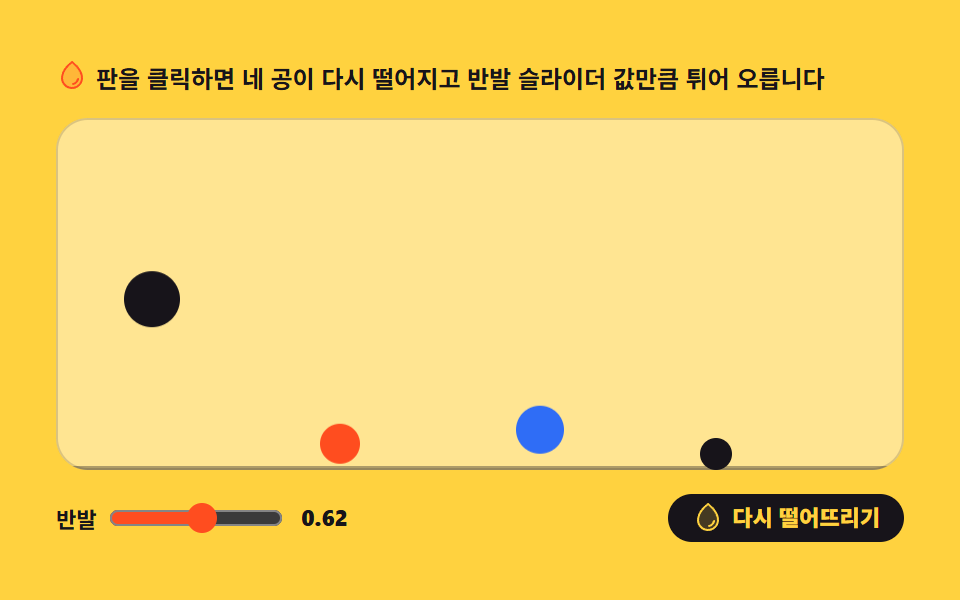 02 physics-gravity-drop
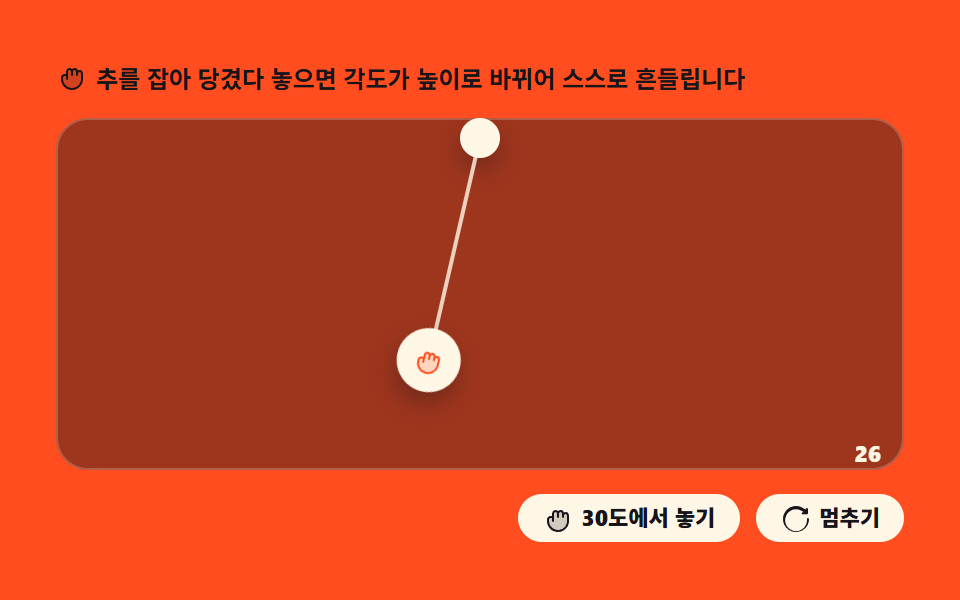 03 physics-pendulum-swing
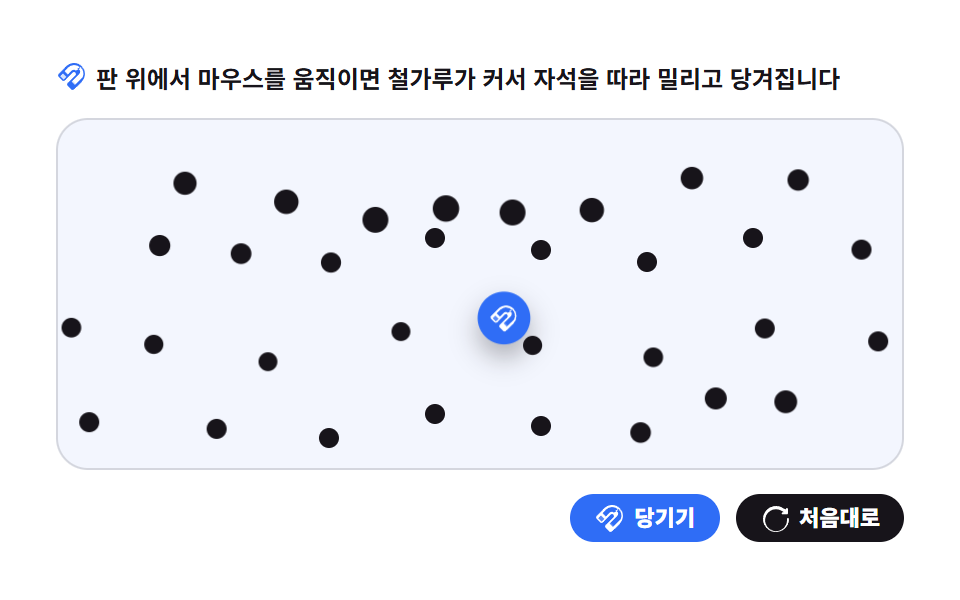 04 physics-magnet-particles
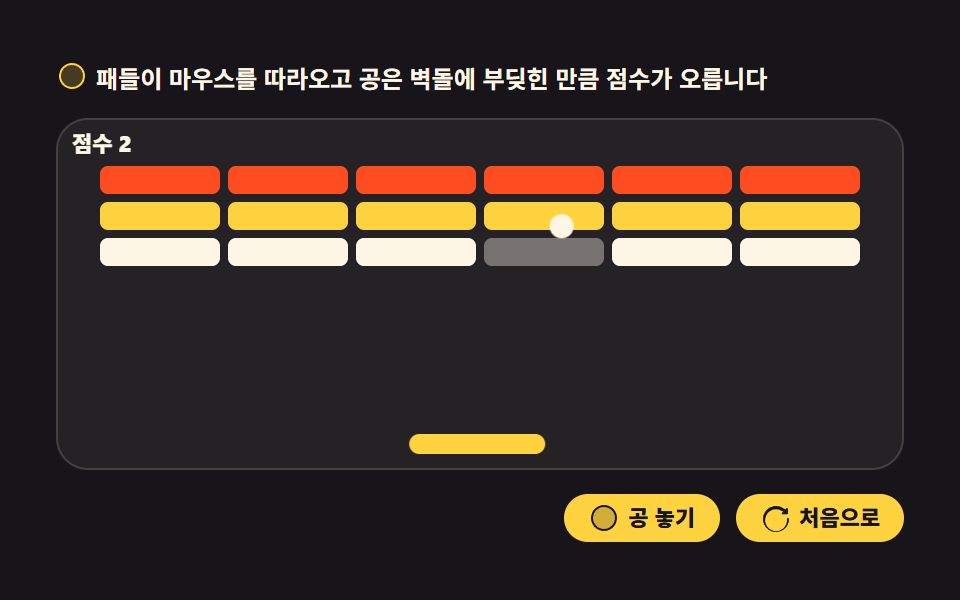 05 physics-paddle-bounce
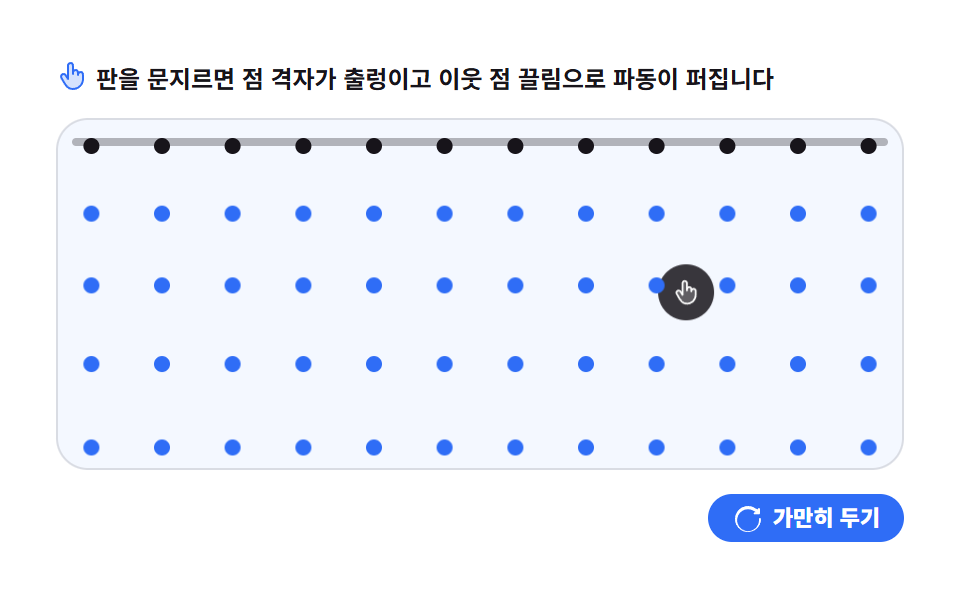 06 physics-cloth-rope
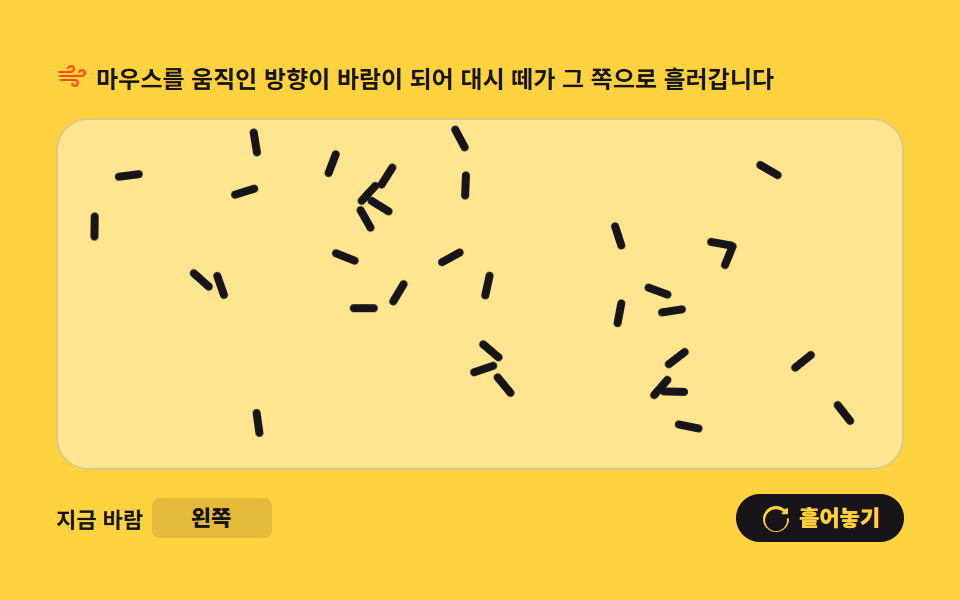 07 physics-flow-field
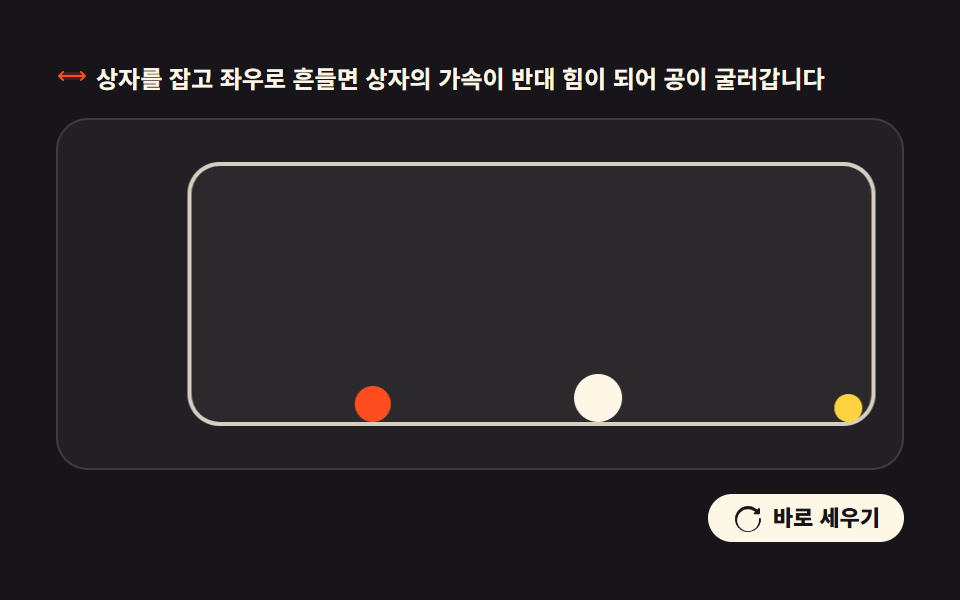 08 physics-inertia-box
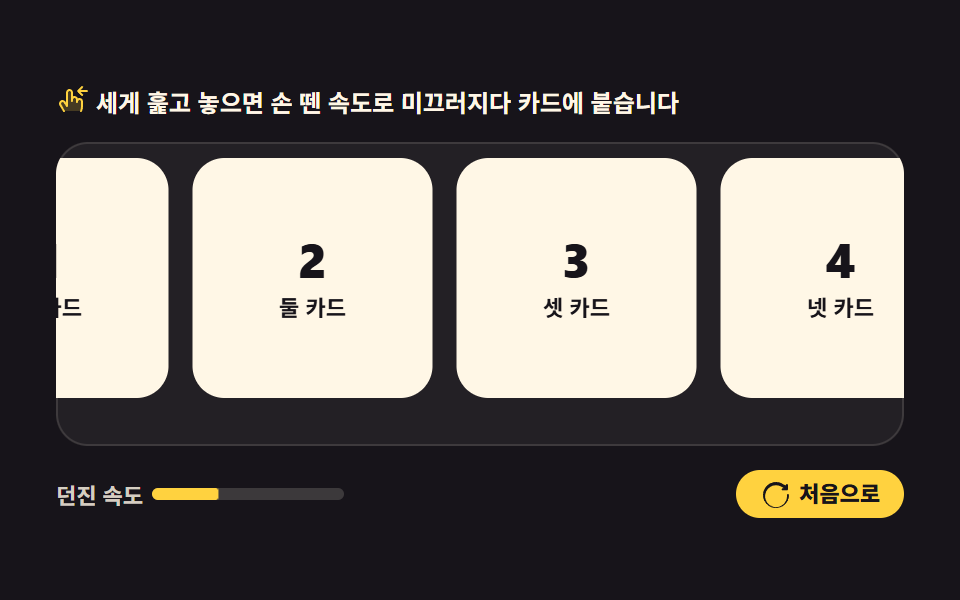 09 physics-inertia-scrub
Auto-plays · click a tile to jump to its section · all nine in one zip
- 01 Spring follow
- 02 Gravity drop
- 03 Pendulum swing
- 04 Magnet particles
- 05 Paddle bounce
- 06 Cloth ripple
- 07 Flow field
- 08 Inertia box
- 09 Inertia scrub
The order follows how much of each javascript physics animation your own hand controls. The first three start a law and let it settle on its own — a spring chasing a target (01), gravity meeting a floor (02), an arm trading angle for height (03). The middle three turn the cursor into a source of force — a magnet over iron filings (04), a paddle against a ball (05), a sheet of cloth under a fingertip (06). The last three hand over the mass itself — steering a current (07), shaking a box (08), flicking a row of cards (09). All nine move elements through translate or rotate and nothing else, so one of them can sit beside pointer-following 3D scenes or under an audio visualizer without a second animation system underneath. Drawing a shape rather than moving one is a different job, and it belongs to SVG chart drawing instead. Placing many dots by one rule but freezing them as a pattern rather than motion is what CSS background pattern generators do from a single seed.
01Spring follow
What you see
Click anywhere on the field and that spot becomes the target — the chip overshoots it, swings back, and sticks, while two sliders set the stiffness and the damping. Every frame adds acceleration to the velocity first and moves the position afterward, which is semi-implicit Euler — the cheapest integrator that stays stable at these step sizes.
<svg width="0" height="0" style="position:absolute" aria-hidden="true">
  <defs>
    <symbol id="ico-target" viewBox="0 0 256 256" fill="currentColor"><g><path d="M213.66 201L201 213.66a8 8 0 0 1-11.31 0l-51.31-51.31a8 8 0 0 0-13 2.46l-17.82 46.41a8 8 0 0 1-14.85-.71L40.41 50.44a8 8 0 0 1 10-10l160.1 52.24a8 8 0 0 1 .71 14.85l-46.41 17.82a8 8 0 0 0-2.46 13l51.31 51.31a8 8 0 0 1 0 11.34" opacity=".2"/><path d="M88 24v-8a8 8 0 0 1 16 0v8a8 8 0 0 1-16 0m-72 80h8a8 8 0 0 0 0-16h-8a8 8 0 0 0 0 16m108.42-64.84a8 8 0 0 0 10.74-3.58l8-16a8 8 0 0 0-14.31-7.16l-8 16a8 8 0 0 0 3.57 10.74m-96 81.69l-16 8a8 8 0 0 0 7.16 14.31l16-8a8 8 0 1 0-7.16-14.31M219.31 184a16 16 0 0 1 0 22.63l-12.68 12.68a16 16 0 0 1-22.63 0L132.7 168L115 214.09c0 .1-.08.21-.14.32a8 8 0 0 1-14.68-1.6L40.41 50.44a8 8 0 0 1 10-10l160.1 52.24c.1 0 .21.08.32.14a8 8 0 0 1-1.21 15.27l-46.41 17.82Z"/></g></symbol>
    <symbol id="ico-reset" viewBox="0 0 256 256" fill="currentColor"><g><path d="M232 136a104 104 0 1 1-38.17-80.55L208 60v-4a8 8 0 0 1 16 0v34a8 8 0 0 1-8 8h-34a8 8 0 0 1 0-16h7.6l-8.89-7.4A88 88 0 1 0 216 136a8 8 0 0 1 16 0Z" opacity=".2"/><path d="M232 136a104 104 0 1 1-38.17-80.55L208 60v-4a8 8 0 0 1 16 0v34a8 8 0 0 1-8 8h-34a8 8 0 0 1 0-16h7.6l-8.89-7.4A88 88 0 1 0 216 136a8 8 0 0 1 16 0Z"/></g></symbol>
  </defs>
</svg>
<main class="stage">
<div class="sf is-demo" id="sf">
  <p class="sf__hint"><svg class="sf__ico" aria-hidden="true"><use href="#ico-target"/></svg><span>Click the board or move the target with arrow keys and the chip follows like a spring</span></p>
  <div class="sf__field" id="field" role="application" aria-label="Spring test board" tabindex="0">
    <span class="sf__ring sf__ring--home" aria-hidden="true"></span>
    <span class="sf__ring sf__ring--away" aria-hidden="true"></span>
    <span class="sf__ghost" style="--g:0" aria-hidden="true"></span>
    <span class="sf__ghost" style="--g:1" aria-hidden="true"></span>
    <span class="sf__ghost" style="--g:2" aria-hidden="true"></span>
    <span class="sf__chip" id="chip" aria-hidden="true"><svg class="sf__chipIco" aria-hidden="true"><use href="#ico-target"/></svg></span>
  </div>
  <div class="sf__bar">
    <label class="sf__dial">Stiffness
      <input type="range" id="stiff" min="1" max="6" step="1" value="3" aria-label="Stiffness">
      <b class="sf__val" id="stiffVal">3</b>
    </label>
    <label class="sf__dial">Damping
      <input type="range" id="damp" min="4" max="12" step="1" value="8" aria-label="Damping">
      <b class="sf__val" id="dampVal">8</b>
    </label>
    <button class="sf__reset" id="reset" type="button">
      <svg class="sf__ico" aria-hidden="true"><use href="#ico-reset"/></svg><span>Reset</span>
    </button>
  </div>
</div>
</main>@use "../../../../site/static/demo-tokens" as *;
// 스프링 따라오기 — 클릭한 목표를 강성(k)·감쇠(c) 값대로 지나쳤다 돌아와 붙는 준암시적 오일러 적분.
// 위치는 칩·잔상 전부 translate 하나로만 옮긴다 (레이아웃 재계산 금지, blog-demo 규칙 1).
// 격자 미리보기(.is-demo)는 실제 시뮬레이션 궤적을 표본 추출한 키프레임을 재생한다 —
// rAF 시뮬은 렌더러의 WAAPI 애니메이션 시계로 움직이지 않으므로(291 실측) 미리보기는 CSS 가 맡는다.
// 사람이 판을 클릭하면 JS 가 .is-demo 를 떼고 진짜 적분 경로로 넘어간다.
$duration: $dur-loop;
$easing: linear; // 감쇠 진동의 속도 변화는 키프레임 표본 자체에 들어 있으므로 구간은 균등 분할
$color: $stage-yellow;
@include stage($stage-ink);
.sf { --k: 1; display: flex; flex-direction: column; gap: $sp-3; width: 100%; max-width: 424px; }
.sf__hint {
display: flex; align-items: center; gap: $sp-1; margin: 0;
font-weight: 700; font-size: clamp(10px, 2.8vw, 12px); color: $subject-cream;
}
.sf__ico { width: 16px; height: 16px; flex: 0 0 auto; color: $color; }
.sf__field {
position: relative; height: 176px; border-radius: $r-card;
background: rgba($subject-cream, .06);
box-shadow: inset 0 0 0 1px rgba($subject-cream, .14);
cursor: pointer; overflow: hidden; touch-action: none;
}
.sf__field:focus-visible { outline: 2px solid $color; outline-offset: 2px; }
// 목표 링 — 목표가 홈인지 다른 곳인지에 따라 하나만 켜진다 (JS 가 .is-on 토글)
.sf__ring {
position: absolute; left: 0; top: 0; width: 20px; height: 20px; border-radius: 50%;
border: 2px dashed rgba($subject-cream, .65); opacity: 0;
}
.sf__ring.is-on { opacity: 1; }
// 칩과 잔상 — 같은 40px 칸, 잔상은 뒤에 깔리고 투명도만 다르다
.sf__ghost, .sf__chip { position: absolute; left: 0; top: 0; width: 40px; height: 40px; border-radius: $r-control; }
.sf__ghost { background: rgba($color, .30); }
.sf__ghost[style*="--g:1"] { background: rgba($color, .18); }
.sf__ghost[style*="--g:2"] { background: rgba($color, .10); }
.sf__chip {
display: grid; place-items: center;
background: $color; color: $subject-ink; box-shadow: $shadow-press;
}
.sf__chipIco { width: 20px; height: 20px; }
.sf__bar { display: flex; align-items: center; justify-content: space-between; gap: $sp-2; flex-wrap: wrap; }
.sf__dial {
display: inline-flex; align-items: center; gap: $sp-1;
font-weight: 700; font-size: clamp(10px, 2.6vw, 11px); color: rgba($subject-cream, .82);
}
.sf__dial input { width: 64px; accent-color: $color; }
.sf__val {
min-width: 12px; text-align: center; border-radius: $r-xs;
font-weight: 800; font-size: clamp(10px, 2.6vw, 11px); color: $subject-cream;
}
.sf__reset {
display: inline-flex; align-items: center; gap: $sp-1; border: 0; border-radius: $r-pill;
padding: $sp-1 $sp-3; background: $color; color: $subject-ink; cursor: pointer;
font-family: inherit; font-weight: 800; font-size: clamp(10px, 2.6vw, 11px); line-height: 1;
}
.sf__reset .sf__ico { color: $subject-ink; }
// ── 격자 미리보기 루프 ─────────────────────────────────────────────
// 오른쪽 목표로 스프링 → 과충격 두 번 → 정착(0~48%) → 목표가 홈으로 바뀌고(링 컷) 되돌아가 정착(52~90%).
// 100% 좌표를 0% 와 같게 두어 루프 경계에서 순간이동이 없다.
.sf.is-demo .sf__chip {
animation-name: sfChase; animation-duration: $duration; animation-timing-function: $easing;
animation-iteration-count: infinite; animation-fill-mode: backwards;
}
.sf.is-demo .sf__ghost {
animation-name: sfChase; animation-duration: $duration; animation-timing-function: $easing;
animation-iteration-count: infinite; animation-fill-mode: backwards;
// 음수 지연 = 잔상이 칩보다 그만큼 과거 위치에 있다. 음수라 루프 끝이 열려 있지 않다(양수 지연 순간이동 함정)
animation-delay: calc(var(--g) * -80ms - 80ms);
}
@keyframes sfChase {
0% { transform: translate(24px, 24px); }
10% { transform: translate(calc(var(--k) * 236px), calc(var(--k) * 58px)); }
20% { transform: translate(calc(var(--k) * 352px), calc(var(--k) * 66px)); }
30% { transform: translate(calc(var(--k) * 296px), calc(var(--k) * 96px)); }
38% { transform: translate(calc(var(--k) * 330px), calc(var(--k) * 74px)); }
46% { transform: translate(calc(var(--k) * 316px), calc(var(--k) * 84px)); }
50% { transform: translate(calc(var(--k) * 316px), calc(var(--k) * 84px)); }
58% { transform: translate(calc(var(--k) * 128px), calc(var(--k) * 4px)); }
64% { transform: translate(4px, 40px); }
72% { transform: translate(36px, 12px); }
80% { transform: translate(20px, 30px); }
88% { transform: translate(25px, 21px); }
90% { transform: translate(24px, 24px); }
100% { transform: translate(24px, 24px); }
}
// 목표 링 교체는 한 프레임 컷 — 반투명 겹침이 생기지 않는다
.sf.is-demo .sf__ring { opacity: 0; }
.sf.is-demo .sf__ring--away {
animation-name: sfRingAway; animation-duration: $duration; animation-timing-function: steps(1, end);
animation-iteration-count: infinite;
transform: translate(calc(var(--k) * 316px), calc(var(--k) * 84px));
}
.sf.is-demo .sf__ring--home {
animation-name: sfRingHome; animation-duration: $duration; animation-timing-function: steps(1, end);
animation-iteration-count: infinite;
}
@keyframes sfRingAway { 0%, 50% { opacity: 1; } 51%, 100% { opacity: 0; } }
@keyframes sfRingHome { 0%, 50% { opacity: 0; } 51%, 100% { opacity: 1; } }
@media (max-width: 340px) {
.sf { --k: .55; gap: $sp-2; }
.sf__field { height: 104px; }
.sf__ghost, .sf__chip { width: 32px; height: 32px; }
.sf__chipIco { width: 16px; height: 16px; }
.sf__dial input { width: 44px; }
}
// reduce 에서는 루프를 끄고 정지 상태(홈에 붙은 칩) 한 장을 둔다
@media (prefers-reduced-motion: reduce) {
.sf.is-demo .sf__chip,
.sf.is-demo .sf__ghost,
.sf.is-demo .sf__ring--away,
.sf.is-demo .sf__ring--home { animation: none !important; }
.sf.is-demo .sf__chip { transform: translate(24px, 24px) !important; }
.sf.is-demo .sf__ghost { opacity: 0 !important; }
.sf.is-demo .sf__ring--away { opacity: 0 !important; }
.sf.is-demo .sf__ring--home { opacity: 1 !important; transform: translate(24px, 24px) !important; }
}html, body {
margin: 0;
overflow: hidden;
}
.stage {
box-sizing: border-box;
min-height: 100vh;
display: grid;
place-items: center;
margin: 0;
background: #17141a;
font-family: -apple-system, "Segoe UI", "Noto Sans KR", sans-serif;
padding: clamp(8px, 4vw, 24px);
}
.sf {
--k: 1;
display: flex;
flex-direction: column;
gap: 12px;
width: 100%;
max-width: 424px;
}
.sf__hint {
display: flex;
align-items: center;
gap: 4px;
margin: 0;
font-weight: 700;
font-size: clamp(10px, 2.8vw, 12px);
color: #fff7e6;
}
.sf__ico {
width: 16px;
height: 16px;
flex: 0 0 auto;
color: #ffd23f;
}
.sf__field {
position: relative;
height: 176px;
border-radius: 16px;
background: rgba(255, 247, 230, 0.06);
box-shadow: inset 0 0 0 1px rgba(255, 247, 230, 0.14);
cursor: pointer;
overflow: hidden;
touch-action: none;
}
.sf__field:focus-visible {
outline: 2px solid #ffd23f;
outline-offset: 2px;
}
.sf__ring {
position: absolute;
left: 0;
top: 0;
width: 20px;
height: 20px;
border-radius: 50%;
border: 2px dashed rgba(255, 247, 230, 0.65);
opacity: 0;
}
.sf__ring.is-on {
opacity: 1;
}
.sf__ghost, .sf__chip {
position: absolute;
left: 0;
top: 0;
width: 40px;
height: 40px;
border-radius: 12px;
}
.sf__ghost {
background: rgba(255, 210, 63, 0.3);
}
.sf__ghost[style*="--g:1"] {
background: rgba(255, 210, 63, 0.18);
}
.sf__ghost[style*="--g:2"] {
background: rgba(255, 210, 63, 0.1);
}
.sf__chip {
display: grid;
place-items: center;
background: #ffd23f;
color: #17141a;
box-shadow: 0 6px 12px rgba(23, 20, 26, 0.32);
}
.sf__chipIco {
width: 20px;
height: 20px;
}
.sf__bar {
display: flex;
align-items: center;
justify-content: space-between;
gap: 8px;
flex-wrap: wrap;
}
.sf__dial {
display: inline-flex;
align-items: center;
gap: 4px;
font-weight: 700;
font-size: clamp(10px, 2.6vw, 11px);
color: rgba(255, 247, 230, 0.82);
}
.sf__dial input {
width: 64px;
accent-color: #ffd23f;
}
.sf__val {
min-width: 12px;
text-align: center;
border-radius: 4px;
font-weight: 800;
font-size: clamp(10px, 2.6vw, 11px);
color: #fff7e6;
}
.sf__reset {
display: inline-flex;
align-items: center;
gap: 4px;
border: 0;
border-radius: 999px;
padding: 4px 12px;
background: #ffd23f;
color: #17141a;
cursor: pointer;
font-family: inherit;
font-weight: 800;
font-size: clamp(10px, 2.6vw, 11px);
line-height: 1;
}
.sf__reset .sf__ico {
color: #17141a;
}
.sf.is-demo .sf__chip {
animation-name: sfChase;
animation-duration: 2s;
animation-timing-function: linear;
animation-iteration-count: infinite;
animation-fill-mode: backwards;
}
.sf.is-demo .sf__ghost {
animation-name: sfChase;
animation-duration: 2s;
animation-timing-function: linear;
animation-iteration-count: infinite;
animation-fill-mode: backwards;
animation-delay: calc(var(--g) * -80ms - 80ms);
}
@keyframes sfChase {
0% {
transform: translate(24px, 24px);
}
10% {
transform: translate(calc(var(--k) * 236px), calc(var(--k) * 58px));
}
20% {
transform: translate(calc(var(--k) * 352px), calc(var(--k) * 66px));
}
30% {
transform: translate(calc(var(--k) * 296px), calc(var(--k) * 96px));
}
38% {
transform: translate(calc(var(--k) * 330px), calc(var(--k) * 74px));
}
46% {
transform: translate(calc(var(--k) * 316px), calc(var(--k) * 84px));
}
50% {
transform: translate(calc(var(--k) * 316px), calc(var(--k) * 84px));
}
58% {
transform: translate(calc(var(--k) * 128px), calc(var(--k) * 4px));
}
64% {
transform: translate(4px, 40px);
}
72% {
transform: translate(36px, 12px);
}
80% {
transform: translate(20px, 30px);
}
88% {
transform: translate(25px, 21px);
}
90% {
transform: translate(24px, 24px);
}
100% {
transform: translate(24px, 24px);
}
}
.sf.is-demo .sf__ring {
opacity: 0;
}
.sf.is-demo .sf__ring--away {
animation-name: sfRingAway;
animation-duration: 2s;
animation-timing-function: steps(1, end);
animation-iteration-count: infinite;
transform: translate(calc(var(--k) * 316px), calc(var(--k) * 84px));
}
.sf.is-demo .sf__ring--home {
animation-name: sfRingHome;
animation-duration: 2s;
animation-timing-function: steps(1, end);
animation-iteration-count: infinite;
}
@keyframes sfRingAway {
0%, 50% {
opacity: 1;
}
51%, 100% {
opacity: 0;
}
}
@keyframes sfRingHome {
0%, 50% {
opacity: 0;
}
51%, 100% {
opacity: 1;
}
}
@media (max-width: 340px) {
.sf {
--k: .55;
gap: 8px;
}
.sf__field {
height: 104px;
}
.sf__ghost, .sf__chip {
width: 32px;
height: 32px;
}
.sf__chipIco {
width: 16px;
height: 16px;
}
.sf__dial input {
width: 44px;
}
}
@media (prefers-reduced-motion: reduce) {
.sf.is-demo .sf__chip,
.sf.is-demo .sf__ghost,
.sf.is-demo .sf__ring--away,
.sf.is-demo .sf__ring--home {
animation: none !important;
}
.sf.is-demo .sf__chip {
transform: translate(24px, 24px) !important;
}
.sf.is-demo .sf__ghost {
opacity: 0 !important;
}
.sf.is-demo .sf__ring--away {
opacity: 0 !important;
}
.sf.is-demo .sf__ring--home {
opacity: 1 !important;
transform: translate(24px, 24px) !important;
}
}var root = document.getElementById('sf');
var field = document.getElementById('field');
var chip = document.getElementById('chip');
var ghosts = Array.prototype.slice.call(root.querySelectorAll('.sf__ghost'));
var rings = { home: root.querySelector('.sf__ring--home'), away: root.querySelector('.sf__ring--away') };
var stiffIn = document.getElementById('stiff');
var dampIn = document.getElementById('damp');
var stiffVal = document.getElementById('stiffVal');
var dampVal = document.getElementById('dampVal');
var reduce = window.matchMedia('(prefers-reduced-motion: reduce)');
var SIZE = 40, HOME = { x: 24, y: 24 };
var pos = { x: HOME.x, y: HOME.y };
var vel = { x: 0, y: 0 };
var target = { x: HOME.x, y: HOME.y };
var last = 0, frame = 0, running = false;
var trail = [ { x: HOME.x, y: HOME.y }, { x: HOME.x, y: HOME.y }, { x: HOME.x, y: HOME.y } ];
function clampTarget(t) {
var w = field.clientWidth - SIZE, h = field.clientHeight - SIZE;
t.x = Math.max(0, Math.min(w, t.x));
t.y = Math.max(0, Math.min(h, t.y));
}
function paint() {
chip.style.transform = 'translate(' + pos.x + 'px, ' + pos.y + 'px)';
for (var i = 0; i < ghosts.length; i++) {
ghosts[i].style.transform = 'translate(' + trail[i].x + 'px, ' + trail[i].y + 'px)';
}
rings.home.style.transform = 'translate(' + HOME.x + 'px, ' + HOME.y + 'px)';
rings.away.style.transform = 'translate(' + target.x + 'px, ' + target.y + 'px)';
rings.home.classList.toggle('is-on', target.x === HOME.x && target.y === HOME.y);
rings.away.classList.toggle('is-on', target.x !== HOME.x || target.y !== HOME.y);
}
function step(now) {
// 준암시적 오일러: 가속을 먼저 반영하고 위치를 옮긴다. dt 는 프레임 간격(초)이다.
var dt = Math.min((now - last) / 1000, 0.033);
last = now;
var k = Number(stiffIn.value) * 60;
var c = Number(dampIn.value) * 1.5;
vel.x += (k * (target.x - pos.x) - c * vel.x) * dt;
vel.y += (k * (target.y - pos.y) - c * vel.y) * dt;
pos.x += vel.x * dt;
pos.y += vel.y * dt;
frame++;
if (frame % 2 === 0) {
trail[2] = trail[1]; trail[1] = trail[0]; trail[0] = { x: pos.x, y: pos.y };
}
paint();
var settled = Math.abs(target.x - pos.x) < 0.5 && Math.abs(target.y - pos.y) < 0.5
&& Math.abs(vel.x) < 4 && Math.abs(vel.y) < 4;
if (settled) {
pos.x = target.x; pos.y = target.y; vel.x = 0; vel.y = 0;
trail = [ { x: pos.x, y: pos.y }, { x: pos.x, y: pos.y }, { x: pos.x, y: pos.y } ];
paint(); running = false; return;
}
requestAnimationFrame(step);
}
function go(t) {
clampTarget(t);
target.x = t.x; target.y = t.y;
root.classList.remove('is-demo');
if (reduce.matches) {
// 사용자가 움직임을 줄였을 때는 진동 없이 목표에 바로 붙인다
pos.x = target.x; pos.y = target.y; vel.x = 0; vel.y = 0;
trail = [ { x: pos.x, y: pos.y }, { x: pos.x, y: pos.y }, { x: pos.x, y: pos.y } ];
paint(); return;
}
if (!running) { running = true; last = performance.now(); requestAnimationFrame(step); }
}
field.addEventListener('pointerdown', function (e) {
var r = field.getBoundingClientRect();
go({ x: e.clientX - r.left - SIZE / 2, y: e.clientY - r.top - SIZE / 2 });
});
field.addEventListener('keydown', function (e) {
var JUMP = 24;
var next = { x: target.x, y: target.y };
if (e.key === 'ArrowLeft') { next.x -= JUMP; }
else if (e.key === 'ArrowRight') { next.x += JUMP; }
else if (e.key === 'ArrowUp') { next.y -= JUMP; }
else if (e.key === 'ArrowDown') { next.y += JUMP; }
else { return; }
e.preventDefault();
go(next);
});
document.getElementById('reset').addEventListener('click', function () { go({ x: HOME.x, y: HOME.y }); });
stiffIn.addEventListener('input', function () { stiffVal.textContent = stiffIn.value; });
dampIn.addEventListener('input', function () { dampVal.textContent = dampIn.value; });
window.addEventListener('resize', function () { clampTarget(target); paint(); });
paint();// SpringFollow — vanilla 판(run/292/demo/01-physics-spring-follow/index.html) 의 React 포트.
// 준암시적 오일러: 가속(강성 k = 강성값×60 으로 목표를 당기고 마찰 c = 감쇠값×1.5 로 깎는다)을 먼저 반영하고 위치를 옮긴다.
// 값·수치는 vanilla 와 같다. 사람이 판을 클릭하거나 방향키를 누르면 미리보기 루프를 떼고 진짜 적분 경로로 넘어간다.
import { useEffect, useRef, useState } from "react";
import type { CSSProperties, PointerEvent as ReactPointerEvent } from "react";
import styles from "./SpringFollow.module.scss";
export type SpringFollowProps = {
duration?: number;
easing?: string;
color?: string;
};
type Vars = CSSProperties & { "--duration"?: string; "--easing"?: string; "--color"?: string };
type GhostVars = CSSProperties & { "--g"?: string };
// useRef 는 T | null 을 돌려준다. 처음부터 값이 있고 절대 비지 않는 상자는 이렇게 좁혀 쓴다
type Box<T> = { current: T };
// React 의 KeyboardEvent 제네릭이 없는 환경이라 필요한 것만 로컬로 선언한다
type KeyEvt = { key: string; preventDefault(): void };
type InputEvt = { target: { value: string } };
type Point = { x: number; y: number };
const SIZE = 40;
const HOME: Point = { x: 24, y: 24 };
const JUMP = 24; // 방향키 한 번에 옮기는 목표 거리
const FIELD_LABEL = "스프링 실험판";
export default function SpringFollow({
duration = 2000,
easing = "linear",
color = "#ffd23f",
}: SpringFollowProps) {
const fieldRef = useRef<HTMLDivElement | null>(null);
const chipRef = useRef<HTMLSpanElement | null>(null);
const ghostARef = useRef<HTMLSpanElement | null>(null);
const ghostBRef = useRef<HTMLSpanElement | null>(null);
const ghostCRef = useRef<HTMLSpanElement | null>(null);
const ringHomeRef = useRef<HTMLSpanElement | null>(null);
const ringAwayRef = useRef<HTMLSpanElement | null>(null);
const posRef = useRef<Point>({ x: HOME.x, y: HOME.y }) as Box<Point>;
const velRef = useRef<Point>({ x: 0, y: 0 }) as Box<Point>;
const targetRef = useRef<Point>({ x: HOME.x, y: HOME.y }) as Box<Point>;
const trailRef = useRef<Point[]>([
{ x: HOME.x, y: HOME.y },
{ x: HOME.x, y: HOME.y },
{ x: HOME.x, y: HOME.y },
]) as Box<Point[]>;
const lastRef = useRef<number>(0) as Box<number>;
const tickRef = useRef<number>(0) as Box<number>; // 잔상을 두 프레임마다 밀기 위한 프레임 수
const rafRef = useRef<number>(0) as Box<number>;
const runningRef = useRef<boolean>(false) as Box<boolean>;
const stiffRef = useRef<number>(3) as Box<number>;
const dampRef = useRef<number>(8) as Box<number>;
const [stiff, setStiff] = useState(3);
const [damp, setDamp] = useState(8);
const [demo, setDemo] = useState(true);
const vars: Vars = { "--duration": `${duration}ms`, "--easing": easing, "--color": color };
function ghostEls(): (HTMLSpanElement | null)[] {
return [ghostARef.current, ghostBRef.current, ghostCRef.current];
}
function reduced(): boolean {
return window.matchMedia("(prefers-reduced-motion: reduce)").matches;
}
function clampTarget(t: Point): void {
const field = fieldRef.current;
if (!field) return;
const w = field.clientWidth - SIZE;
const h = field.clientHeight - SIZE;
t.x = Math.max(0, Math.min(w, t.x));
t.y = Math.max(0, Math.min(h, t.y));
}
function paint(): void {
const pos = posRef.current;
const target = targetRef.current;
const chip = chipRef.current;
if (chip) chip.style.transform = "translate(" + pos.x + "px, " + pos.y + "px)";
const ghosts = ghostEls();
for (let i = 0; i < ghosts.length; i++) {
const g = ghosts[i];
if (g) g.style.transform = "translate(" + trailRef.current[i].x + "px, " + trailRef.current[i].y + "px)";
}
const home = ringHomeRef.current;
const away = ringAwayRef.current;
if (home) {
home.style.transform = "translate(" + HOME.x + "px, " + HOME.y + "px)";
home.classList.toggle(styles.isOn, target.x === HOME.x && target.y === HOME.y);
}
if (away) {
away.style.transform = "translate(" + target.x + "px, " + target.y + "px)";
away.classList.toggle(styles.isOn, target.x !== HOME.x || target.y !== HOME.y);
}
}
function step(now: number): void {
// 준암시적 오일러: 가속을 먼저 반영하고 위치를 옮긴다. dt 는 프레임 간격(초)이다.
const dt = Math.min((now - lastRef.current) / 1000, 0.033);
lastRef.current = now;
const pos = posRef.current;
const vel = velRef.current;
const target = targetRef.current;
const k = stiffRef.current * 60;
const c = dampRef.current * 1.5;
vel.x += (k * (target.x - pos.x) - c * vel.x) * dt;
vel.y += (k * (target.y - pos.y) - c * vel.y) * dt;
pos.x += vel.x * dt;
pos.y += vel.y * dt;
tickRef.current++;
if (tickRef.current % 2 === 0) {
const trail = trailRef.current;
trail[2] = trail[1];
trail[1] = trail[0];
trail[0] = { x: pos.x, y: pos.y };
}
paint();
const settled =
Math.abs(target.x - pos.x) < 0.5 && Math.abs(target.y - pos.y) < 0.5 &&
Math.abs(vel.x) < 4 && Math.abs(vel.y) < 4;
if (settled) {
pos.x = target.x; pos.y = target.y; vel.x = 0; vel.y = 0;
trailRef.current = [{ x: pos.x, y: pos.y }, { x: pos.x, y: pos.y }, { x: pos.x, y: pos.y }];
paint();
runningRef.current = false;
return;
}
rafRef.current = requestAnimationFrame(step);
}
function go(t: Point): void {
clampTarget(t);
const target = targetRef.current;
target.x = t.x;
target.y = t.y;
setDemo(false);
if (reduced()) {
// 사용자가 움직임을 줄였을 때는 진동 없이 목표에 바로 붙인다
const pos = posRef.current;
const vel = velRef.current;
pos.x = target.x; pos.y = target.y; vel.x = 0; vel.y = 0;
trailRef.current = [{ x: pos.x, y: pos.y }, { x: pos.x, y: pos.y }, { x: pos.x, y: pos.y }];
paint();
return;
}
if (!runningRef.current) {
runningRef.current = true;
lastRef.current = performance.now();
rafRef.current = requestAnimationFrame(step);
}
}
useEffect(() => {
paint();
function onResize(): void {
clampTarget(targetRef.current);
paint();
}
window.addEventListener("resize", onResize);
return () => {
window.removeEventListener("resize", onResize);
cancelAnimationFrame(rafRef.current);
};
}, []);
function onPointerDown(event: ReactPointerEvent<HTMLDivElement>): void {
const field = fieldRef.current;
if (!field) return;
const r = field.getBoundingClientRect();
go({ x: event.clientX - r.left - SIZE / 2, y: event.clientY - r.top - SIZE / 2 });
}
function onKeyDown(event: KeyEvt): void {
const target = targetRef.current;
const next: Point = { x: target.x, y: target.y };
if (event.key === "ArrowLeft") next.x -= JUMP;
else if (event.key === "ArrowRight") next.x += JUMP;
else if (event.key === "ArrowUp") next.y -= JUMP;
else if (event.key === "ArrowDown") next.y += JUMP;
else return;
event.preventDefault();
go(next);
}
const cls = [styles.root, demo ? styles.isDemo : ""].filter(Boolean).join(" ");
const ghostVars = (g: number): GhostVars => ({ "--g": String(g) });
return (
<main className={styles.stage}>
<svg width="0" height="0" style={{ position: "absolute" }} aria-hidden="true">
<defs>
<symbol id="ico-target" viewBox="0 0 256 256" fill="currentColor"><g><path d="M213.66 201L201 213.66a8 8 0 0 1-11.31 0l-51.31-51.31a8 8 0 0 0-13 2.46l-17.82 46.41a8 8 0 0 1-14.85-.71L40.41 50.44a8 8 0 0 1 10-10l160.1 52.24a8 8 0 0 1 .71 14.85l-46.41 17.82a8 8 0 0 0-2.46 13l51.31 51.31a8 8 0 0 1 0 11.34" opacity=".2"/><path d="M88 24v-8a8 8 0 0 1 16 0v8a8 8 0 0 1-16 0m-72 80h8a8 8 0 0 0 0-16h-8a8 8 0 0 0 0 16m108.42-64.84a8 8 0 0 0 10.74-3.58l8-16a8 8 0 0 0-14.31-7.16l-8 16a8 8 0 0 0 3.57 10.74m-96 81.69l-16 8a8 8 0 0 0 7.16 14.31l16-8a8 8 0 1 0-7.16-14.31M219.31 184a16 16 0 0 1 0 22.63l-12.68 12.68a16 16 0 0 1-22.63 0L132.7 168L115 214.09c0 .1-.08.21-.14.32a8 8 0 0 1-14.68-1.6L40.41 50.44a8 8 0 0 1 10-10l160.1 52.24c.1 0 .21.08.32.14a8 8 0 0 1-1.21 15.27l-46.41 17.82Z"/></g></symbol>
<symbol id="ico-reset" viewBox="0 0 256 256" fill="currentColor"><g><path d="M232 136a104 104 0 1 1-38.17-80.55L208 60v-4a8 8 0 0 1 16 0v34a8 8 0 0 1-8 8h-34a8 8 0 0 1 0-16h7.6l-8.89-7.4A88 88 0 1 0 216 136a8 8 0 0 1 16 0Z" opacity=".2"/><path d="M232 136a104 104 0 1 1-38.17-80.55L208 60v-4a8 8 0 0 1 16 0v34a8 8 0 0 1-8 8h-34a8 8 0 0 1 0-16h7.6l-8.89-7.4A88 88 0 1 0 216 136a8 8 0 0 1 16 0Z"/></g></symbol>
</defs>
</svg>
<div className={cls} style={vars}>
<p className={styles.hint}>
<svg className={styles.ico} aria-hidden="true"><use href="#ico-target" /></svg>
<span>판을 클릭하거나 방향키로 목표를 옮기면 칩이 스프링처럼 따라옵니다</span>
</p>
<div
className={styles.field}
ref={fieldRef}
role="application"
aria-label={FIELD_LABEL}
tabIndex={0}
onPointerDown={onPointerDown}
onKeyDown={onKeyDown}
>
<span className={`${styles.ring} ${styles.ringHome}`} ref={ringHomeRef} aria-hidden="true"></span>
<span className={`${styles.ring} ${styles.ringAway}`} ref={ringAwayRef} aria-hidden="true"></span>
<span className={`${styles.ghost} ${styles.ghostA}`} ref={ghostARef} style={ghostVars(0)} aria-hidden="true"></span>
<span className={`${styles.ghost} ${styles.ghostB}`} ref={ghostBRef} style={ghostVars(1)} aria-hidden="true"></span>
<span className={`${styles.ghost} ${styles.ghostC}`} ref={ghostCRef} style={ghostVars(2)} aria-hidden="true"></span>
<span className={styles.chip} ref={chipRef} aria-hidden="true">
<svg className={styles.chipIco} aria-hidden="true"><use href="#ico-target" /></svg>
</span>
</div>
<div className={styles.bar}>
<label className={styles.dial}>강성
<input
type="range" min={1} max={6} step={1} value={stiff} aria-label="강성"
onChange={(event: InputEvt) => { const v = Number(event.target.value); stiffRef.current = v; setStiff(v); }}
/>
<b className={styles.val}>{stiff}</b>
</label>
<label className={styles.dial}>감쇠
<input
type="range" min={4} max={12} step={1} value={damp} aria-label="감쇠"
onChange={(event: InputEvt) => { const v = Number(event.target.value); dampRef.current = v; setDamp(v); }}
/>
<b className={styles.val}>{damp}</b>
</label>
<button className={styles.reset} type="button" onClick={() => go({ x: HOME.x, y: HOME.y })}>
<svg className={styles.ico} aria-hidden="true"><use href="#ico-reset" /></svg><span>처음으로</span>
</button>
</div>
</div>
</main>
);
}01 · Spring follow — Measured area 11.931% · moving frames 23/23Original by GODRICH · SCSS and React ship in the zip · See the password
Where to look in the code
The preview measured 11.9% cumulative changed area at intensity 106.9, moving across 23 of 23 frame gaps.
function step(now) {
  // Semi-implicit Euler: apply acceleration first, then move the position. dt is the frame gap in seconds.
  var dt = Math.min((now - last) / 1000, 0.033);
  last = now;
  var k = Number(stiffIn.value) * 60;
  var c = Number(dampIn.value) * 1.5;
  vel.x += (k * (target.x - pos.x) - c * vel.x) * dt;
  vel.y += (k * (target.y - pos.y) - c * vel.y) * dt;
  pos.x += vel.x * dt;
  pos.y += vel.y * dt;
  frame++;
  if (frame % 2 === 0) {
    trail[2] = trail[1]; trail[1] = trail[0]; trail[0] = { x: pos.x, y: pos.y };
  }
  paint();
  var settled = Math.abs(target.x - pos.x) < 0.5 && Math.abs(target.y - pos.y) < 0.5
    && Math.abs(vel.x) < 4 && Math.abs(vel.y) < 4;
  if (settled) {
    pos.x = target.x; pos.y = target.y; vel.x = 0; vel.y = 0;
    trail = [ { x: pos.x, y: pos.y }, { x: pos.x, y: pos.y }, { x: pos.x, y: pos.y } ];
    paint(); running = false; return;
  }
  requestAnimationFrame(step);
}
02Gravity drop
Where a js physics simulation starts
Four balls of different sizes fall together, rebound off the floor by whatever the restitution slider says, and shove each other apart wherever they overlap. Gravity is a single constant of 1800 px/s², and any bounce that leaves under 40 px/s counts as rest, so the loop can stop instead of buzzing forever.
<svg width="0" height="0" style="position:absolute" aria-hidden="true">
  <defs>
    <symbol id="ico-drop" viewBox="0 0 256 256" fill="currentColor"><g><path d="M208 144a80 80 0 0 1-160 0c0-72 80-128 80-128s80 56 80 128" opacity=".2"/><path d="M174 47.75a254.2 254.2 0 0 0-41.45-38.3a8 8 0 0 0-9.18 0A254.2 254.2 0 0 0 82 47.75C54.51 79.32 40 112.6 40 144a88 88 0 0 0 176 0c0-31.4-14.51-64.68-42-96.25M128 216a72.08 72.08 0 0 1-72-72c0-57.23 55.47-105 72-118c16.53 13 72 60.75 72 118a72.08 72.08 0 0 1-72 72m55.89-62.66a57.6 57.6 0 0 1-46.56 46.55a9 9 0 0 1-1.33.11a8 8 0 0 1-1.32-15.89c16.57-2.79 30.63-16.85 33.44-33.45a8 8 0 0 1 15.78 2.68Z"/></g></symbol>
    <symbol id="ico-reset" viewBox="0 0 256 256" fill="currentColor"><g><path d="M232 136a104 104 0 1 1-38.17-80.55L208 60v-4a8 8 0 0 1 16 0v34a8 8 0 0 1-8 8h-34a8 8 0 0 1 0-16h7.6l-8.89-7.4A88 88 0 1 0 216 136a8 8 0 0 1 16 0Z" opacity=".2"/><path d="M232 136a104 104 0 1 1-38.17-80.55L208 60v-4a8 8 0 0 1 16 0v34a8 8 0 0 1-8 8h-34a8 8 0 0 1 0-16h7.6l-8.89-7.4A88 88 0 1 0 216 136a8 8 0 0 1 16 0Z"/></g></symbol>
  </defs>
</svg>
<main class="stage">
<div class="gd is-demo" id="gd">
  <p class="gd__hint"><svg class="gd__ico" aria-hidden="true"><use href="#ico-drop"/></svg><span>Click the board and the four balls drop again, rebounding by the value on the restitution slider</span></p>
  <div class="gd__field" id="field" role="application" aria-label="Gravity test board" tabindex="0">
    <span class="gd__ball gd__ball--a" aria-hidden="true"></span>
    <span class="gd__ball gd__ball--b" aria-hidden="true"></span>
    <span class="gd__ball gd__ball--c" aria-hidden="true"></span>
    <span class="gd__ball gd__ball--d" aria-hidden="true"></span>
    <span class="gd__floor" aria-hidden="true"></span>
  </div>
  <div class="gd__bar">
    <label class="gd__dial">Bounce
      <input type="range" id="rest" min="0.3" max="0.9" step="0.02" value="0.62" aria-label="Restitution">
      <b class="gd__val" id="restVal">0.62</b>
    </label>
    <button class="gd__drop" id="drop" type="button">
      <svg class="gd__ico" aria-hidden="true"><use href="#ico-drop"/></svg><span>Drop again</span>
    </button>
  </div>
</div>
</main>@use "../../../../site/static/demo-tokens" as *;
// 중력 드롭 — 가속 1800px/s², 바닥 충돌은 반발계수(e) 만큼 되튕기는 준암시적 오일러 적분.
// 위치는 공마다 translate 하나뿐이고 공끼리는 겹침 밀어내기만 한다 (간이 충돌).
// 격자 미리보기(.is-demo)는 실제 시뮬레이션에서 표본 추출한 되튕김 곡선(높이가 e 배로 줄어드는 포물선 열)을
// 키프레임으로 재생한다. 루프의 시작과 끝을 바닥에 두어 경계 순간이동이 없다.
// 사람이 판을 클릭하면 JS 가 .is-demo 를 떼고 진짜 적분 경로로 넘어간다.
$duration: $dur-loop;
$easing: linear; // 포물선의 가감속은 키프레임 표본 자체에 들어 있다
$color: $stage-yellow;
@include stage($stage-yellow);
.gd { display: flex; flex-direction: column; gap: $sp-3; width: 100%; max-width: 424px; }
.gd__hint {
display: flex; align-items: center; gap: $sp-1; margin: 0;
font-weight: 700; font-size: clamp(10px, 2.8vw, 12px); color: $subject-ink;
}
.gd__ico { width: 16px; height: 16px; flex: 0 0 auto; color: $stage-orange; }
.gd__field {
position: relative; height: 176px; border-radius: $r-card;
background: rgba($subject-cream, .5);
box-shadow: inset 0 0 0 1px rgba($subject-ink, .16);
cursor: pointer; overflow: hidden; touch-action: manipulation;
}
.gd__field:focus-visible { outline: 2px solid $stage-orange; outline-offset: 2px; }
.gd__floor { position: absolute; left: 0; right: 0; bottom: 0; height: 2px; background: rgba($subject-ink, .35); }
.gd__ball { position: absolute; left: 0; top: 0; border-radius: 50%; background: $subject-ink; }
// --bx 처음 x, --by 바닥 안착 y, --h 되튕김 높이 (모두 px 길이). 미리보기 키프레임이 참조한다
.gd__ball--a { width: 28px; height: 28px; --bx: 34px; --by: 148px; --h: 140px; }
.gd__ball--b { width: 20px; height: 20px; background: $stage-orange; --bx: 132px; --by: 156px; --h: 104px; }
.gd__ball--c { width: 24px; height: 24px; background: $subject-blue; --bx: 230px; --by: 152px; --h: 122px; }
.gd__ball--d { width: 16px; height: 16px; --bx: 322px; --by: 160px; --h: 88px; }
.gd__bar { display: flex; align-items: center; justify-content: space-between; gap: $sp-2; flex-wrap: wrap; }
.gd__dial {
display: inline-flex; align-items: center; gap: $sp-1;
font-weight: 700; font-size: clamp(10px, 2.6vw, 11px); color: $subject-ink;
}
.gd__dial input { width: 88px; accent-color: $stage-orange; }
.gd__val { min-width: 28px; text-align: center; font-weight: 800; font-size: clamp(10px, 2.6vw, 11px); }
.gd__drop {
display: inline-flex; align-items: center; gap: $sp-1; border: 0; border-radius: $r-pill;
padding: $sp-1 $sp-3; background: $subject-ink; color: $color; cursor: pointer;
font-family: inherit; font-weight: 800; font-size: clamp(10px, 2.6vw, 11px); line-height: 1;
}
.gd__drop .gd__ico { color: $color; }
// ── 격자 미리보기 루프 ─────────────────────────────────────────────
// 바닥(y 0)에서 크게 되튕어 올라갔다 e 배로 낮아지며 굴러떨어지는 모양.
// 공마다 음수 지연으로 위상만 민다 — 같은 키프레임을 공유하므로 루프는 닫혀 있다.
// 최고 높이는 표본 실측 기준 2초에 세 번 내려오는 수준이라 광과민성 기준(초당 3회) 아래다.
.gd.is-demo .gd__ball--a { animation: gdBounceA $duration $easing infinite; }
.gd.is-demo .gd__ball--b { animation: gdBounceA $duration $easing infinite; animation-delay: -660ms; }
.gd.is-demo .gd__ball--c { animation: gdBounceA $duration $easing infinite; animation-delay: -330ms; }
.gd.is-demo .gd__ball--d { animation: gdBounceA $duration $easing infinite; animation-delay: -880ms; }
@keyframes gdBounceA {
// 높이는 바닥 안착점(var(--by)) 에서 var(--h) 배수만큼 올라가는 상대값 — 공 크기와 떨어진 x 는 변수로 갈라 논다
0% { transform: translate(var(--bx), var(--by)); }
3% { transform: translate(var(--bx), calc(var(--by) - var(--h) * .21)); }
6% { transform: translate(var(--bx), calc(var(--by) - var(--h) * .57)); }
9% { transform: translate(var(--bx), calc(var(--by) - var(--h) * 1)); }
12% { transform: translate(var(--bx), calc(var(--by) - var(--h) * .57)); }
15% { transform: translate(var(--bx), calc(var(--by) - var(--h) * .21)); }
18% { transform: translate(var(--bx), var(--by)); }
24% { transform: translate(var(--bx), calc(var(--by) - var(--h) * .4)); }
30% { transform: translate(var(--bx), var(--by)); }
34% { transform: translate(var(--bx), calc(var(--by) - var(--h) * .23)); }
38% { transform: translate(var(--bx), var(--by)); }
41% { transform: translate(var(--bx), calc(var(--by) - var(--h) * .11)); }
44% { transform: translate(var(--bx), var(--by)); }
46% { transform: translate(var(--bx), calc(var(--by) - var(--h) * .04)); }
48% { transform: translate(var(--bx), var(--by)); }
100% { transform: translate(var(--bx), var(--by)); }
}
@media (max-width: 340px) {
.gd { gap: $sp-2; }
.gd__field { height: 104px; }
.gd__ball--a { width: 20px; height: 20px; --by: 84px; --h: 72px; }
.gd__ball--b { width: 16px; height: 16px; --by: 88px; --h: 56px; }
.gd__ball--c { width: 18px; height: 18px; --by: 86px; --h: 64px; }
.gd__ball--d { width: 12px; height: 12px; --by: 92px; --h: 48px; }
.gd__dial input { width: 56px; }
}
// reduce 에서는 바닥에 안착한 정지 상태 한 장을 둔다
@media (prefers-reduced-motion: reduce) {
.gd.is-demo .gd__ball--a,
.gd.is-demo .gd__ball--b,
.gd.is-demo .gd__ball--c,
.gd.is-demo .gd__ball--d { animation: none !important; }
.gd.is-demo .gd__ball { transform: translate(var(--bx), var(--by)) !important; }
}html, body {
margin: 0;
overflow: hidden;
}
.stage {
box-sizing: border-box;
min-height: 100vh;
display: grid;
place-items: center;
margin: 0;
background: #ffd23f;
font-family: -apple-system, "Segoe UI", "Noto Sans KR", sans-serif;
padding: clamp(8px, 4vw, 24px);
}
.gd {
display: flex;
flex-direction: column;
gap: 12px;
width: 100%;
max-width: 424px;
}
.gd__hint {
display: flex;
align-items: center;
gap: 4px;
margin: 0;
font-weight: 700;
font-size: clamp(10px, 2.8vw, 12px);
color: #17141a;
}
.gd__ico {
width: 16px;
height: 16px;
flex: 0 0 auto;
color: #ff4d1f;
}
.gd__field {
position: relative;
height: 176px;
border-radius: 16px;
background: rgba(255, 247, 230, 0.5);
box-shadow: inset 0 0 0 1px rgba(23, 20, 26, 0.16);
cursor: pointer;
overflow: hidden;
touch-action: manipulation;
}
.gd__field:focus-visible {
outline: 2px solid #ff4d1f;
outline-offset: 2px;
}
.gd__floor {
position: absolute;
left: 0;
right: 0;
bottom: 0;
height: 2px;
background: rgba(23, 20, 26, 0.35);
}
.gd__ball {
position: absolute;
left: 0;
top: 0;
border-radius: 50%;
background: #17141a;
}
.gd__ball--a {
width: 28px;
height: 28px;
--bx: 34px;
--by: 148px;
--h: 140px;
}
.gd__ball--b {
width: 20px;
height: 20px;
background: #ff4d1f;
--bx: 132px;
--by: 156px;
--h: 104px;
}
.gd__ball--c {
width: 24px;
height: 24px;
background: #2f6df6;
--bx: 230px;
--by: 152px;
--h: 122px;
}
.gd__ball--d {
width: 16px;
height: 16px;
--bx: 322px;
--by: 160px;
--h: 88px;
}
.gd__bar {
display: flex;
align-items: center;
justify-content: space-between;
gap: 8px;
flex-wrap: wrap;
}
.gd__dial {
display: inline-flex;
align-items: center;
gap: 4px;
font-weight: 700;
font-size: clamp(10px, 2.6vw, 11px);
color: #17141a;
}
.gd__dial input {
width: 88px;
accent-color: #ff4d1f;
}
.gd__val {
min-width: 28px;
text-align: center;
font-weight: 800;
font-size: clamp(10px, 2.6vw, 11px);
}
.gd__drop {
display: inline-flex;
align-items: center;
gap: 4px;
border: 0;
border-radius: 999px;
padding: 4px 12px;
background: #17141a;
color: #ffd23f;
cursor: pointer;
font-family: inherit;
font-weight: 800;
font-size: clamp(10px, 2.6vw, 11px);
line-height: 1;
}
.gd__drop .gd__ico {
color: #ffd23f;
}
.gd.is-demo .gd__ball--a {
animation: gdBounceA 2s linear infinite;
}
.gd.is-demo .gd__ball--b {
animation: gdBounceA 2s linear infinite;
animation-delay: -660ms;
}
.gd.is-demo .gd__ball--c {
animation: gdBounceA 2s linear infinite;
animation-delay: -330ms;
}
.gd.is-demo .gd__ball--d {
animation: gdBounceA 2s linear infinite;
animation-delay: -880ms;
}
@keyframes gdBounceA {
0% {
transform: translate(var(--bx), var(--by));
}
3% {
transform: translate(var(--bx), calc(var(--by) - var(--h) * 0.21));
}
6% {
transform: translate(var(--bx), calc(var(--by) - var(--h) * 0.57));
}
9% {
transform: translate(var(--bx), calc(var(--by) - var(--h) * 1));
}
12% {
transform: translate(var(--bx), calc(var(--by) - var(--h) * 0.57));
}
15% {
transform: translate(var(--bx), calc(var(--by) - var(--h) * 0.21));
}
18% {
transform: translate(var(--bx), var(--by));
}
24% {
transform: translate(var(--bx), calc(var(--by) - var(--h) * 0.4));
}
30% {
transform: translate(var(--bx), var(--by));
}
34% {
transform: translate(var(--bx), calc(var(--by) - var(--h) * 0.23));
}
38% {
transform: translate(var(--bx), var(--by));
}
41% {
transform: translate(var(--bx), calc(var(--by) - var(--h) * 0.11));
}
44% {
transform: translate(var(--bx), var(--by));
}
46% {
transform: translate(var(--bx), calc(var(--by) - var(--h) * 0.04));
}
48% {
transform: translate(var(--bx), var(--by));
}
100% {
transform: translate(var(--bx), var(--by));
}
}
@media (max-width: 340px) {
.gd {
gap: 8px;
}
.gd__field {
height: 104px;
}
.gd__ball--a {
width: 20px;
height: 20px;
--by: 84px;
--h: 72px;
}
.gd__ball--b {
width: 16px;
height: 16px;
--by: 88px;
--h: 56px;
}
.gd__ball--c {
width: 18px;
height: 18px;
--by: 86px;
--h: 64px;
}
.gd__ball--d {
width: 12px;
height: 12px;
--by: 92px;
--h: 48px;
}
.gd__dial input {
width: 56px;
}
}
@media (prefers-reduced-motion: reduce) {
.gd.is-demo .gd__ball--a,
.gd.is-demo .gd__ball--b,
.gd.is-demo .gd__ball--c,
.gd.is-demo .gd__ball--d {
animation: none !important;
}
.gd.is-demo .gd__ball {
transform: translate(var(--bx), var(--by)) !important;
}
}var root = document.getElementById('gd');
var field = document.getElementById('field');
var els = {
a: root.querySelector('.gd__ball--a'),
b: root.querySelector('.gd__ball--b'),
c: root.querySelector('.gd__ball--c'),
d: root.querySelector('.gd__ball--d')
};
var restIn = document.getElementById('rest');
var restVal = document.getElementById('restVal');
var reduce = window.matchMedia('(prefers-reduced-motion: reduce)');
// 공 4개: 크기(px) 와 기준 x 위치(424px 판 기준). 실제 판 폭에 비례해 얹는다.
// 무게는 크기에 비례한다고 보고 반발은 전 공 공통 값 하나로 쓴다
var SPEC = [ { el: 'a', size: 28, x: 34 }, { el: 'b', size: 20, x: 132 }, { el: 'c', size: 24, x: 230 }, { el: 'd', size: 16, x: 322 } ];
var G = 1800, balls = [], last = 0, running = false;
function scaledX(x) { return x * field.clientWidth / 424; }
function reset(top) {
balls = SPEC.map(function (s) {
var y = top ? 4 : field.clientHeight - s.size;
return { el: els[s.el], size: s.size, x: scaledX(s.x), y: y, vx: 0, vy: 0, done: !top };
});
paint();
}
function paint() {
for (var i = 0; i < balls.length; i++) {
balls[i].el.style.transform = 'translate(' + balls[i].x + 'px, ' + balls[i].y + 'px)';
}
}
function step(now) {
var dt = Math.min((now - last) / 1000, 0.033);
last = now;
var e = Number(restIn.value), floor = field.clientHeight, all = true;
for (var i = 0; i < balls.length; i++) {
var b = balls[i];
if (b.done) { continue; }
b.vy += G * dt;
b.x += b.vx * dt;
b.y += b.vy * dt;
// 바닥 충돌: 반발계수만큼 세게 되튕기고 남은 속도가 느리면 바닥에 붙여 끝낸다
if (b.y + b.size >= floor) {
b.y = floor - b.size;
if (Math.abs(b.vy) > 40) { b.vy = -b.vy * e; }
else { b.vy = 0; b.done = true; }
}
// 공끼리: 겹친 만큼 서로 민다 (간이 충돌 — 속도 교환까지는 하지 않는다)
for (var j = i + 1; j < balls.length; j++) {
var o = balls[j];
var dx = o.x - b.x, dy = o.y - b.y, gap = (b.size + o.size) / 2;
var dist = Math.sqrt(dx * dx + dy * dy);
if (dist > 0 && dist < gap) {
var push = (gap - dist) / 2, nx = dx / dist, ny = dy / dist;
b.x -= nx * push; b.y -= ny * push;
o.x += nx * push; o.y += ny * push;
}
}
if (!b.done) { all = false; }
}
paint();
if (all) { running = false; return; }
requestAnimationFrame(step);
}
function drop() {
root.classList.remove('is-demo');
if (reduce.matches) { reset(false); return; }
reset(true);
if (!running) { running = true; last = performance.now(); requestAnimationFrame(step); }
}
field.addEventListener('pointerdown', drop);
document.getElementById('drop').addEventListener('click', drop);
field.addEventListener('keydown', function (e) {
if (e.key === 'Enter' || e.key === ' ') { e.preventDefault(); drop(); }
});
restIn.addEventListener('input', function () { restVal.textContent = Number(restIn.value).toFixed(2); });
window.addEventListener('resize', function () { reset(false); });
reset(false);// GravityDrop — vanilla 판(run/292/demo/02-physics-gravity-drop/index.html) 의 React 포트.
// 가속 G = 1800px/s² 를 속도에 더하고 위치를 옮기는 준암시적 오일러 적분.
// 바닥에 닿으면 반발계수(e) 만큼 되튕기고, 남은 속도가 40 아래로 떨어지면 바닥에 붙여 끝낸다.
// 공끼리는 겹친 만큼 서로 미는 간이 충돌만 한다. 값·수치는 vanilla 와 같다.
import { useEffect, useRef, useState } from "react";
import type { CSSProperties } from "react";
import styles from "./GravityDrop.module.scss";
export type GravityDropProps = {
duration?: number;
easing?: string;
color?: string;
};
type Vars = CSSProperties & { "--duration"?: string; "--easing"?: string; "--color"?: string };
// useRef 는 T | null 을 돌려준다. 처음부터 값이 있고 절대 비지 않는 상자는 이렇게 좁혀 쓴다
type Box<T> = { current: T };
// React 의 KeyboardEvent 제네릭이 없는 환경이라 필요한 것만 로컬로 선언한다
type KeyEvt = { key: string; preventDefault(): void };
type InputEvt = { target: { value: string } };
type Ball = { el: HTMLSpanElement; size: number; x: number; y: number; vx: number; vy: number; done: boolean };
// 공 4개: 크기(px) 와 기준 x 위치(424px 판 기준). 실제 판 폭에 비례해 얹는다.
// 무게는 크기에 비례한다고 보고 반발은 전 공 공통 값 하나로 쓴다
const SPEC: { size: number; x: number }[] = [
{ size: 28, x: 34 },
{ size: 20, x: 132 },
{ size: 24, x: 230 },
{ size: 16, x: 322 },
];
const G = 1800;
const FIELD_LABEL = "중력 실험판";
export default function GravityDrop({
duration = 2000,
easing = "linear",
color = "#ffd23f",
}: GravityDropProps) {
const fieldRef = useRef<HTMLDivElement | null>(null);
const ballARef = useRef<HTMLSpanElement | null>(null);
const ballBRef = useRef<HTMLSpanElement | null>(null);
const ballCRef = useRef<HTMLSpanElement | null>(null);
const ballDRef = useRef<HTMLSpanElement | null>(null);
const ballsRef = useRef<Ball[]>([]) as Box<Ball[]>;
const restRef = useRef<number>(0.62) as Box<number>;
const lastRef = useRef<number>(0) as Box<number>;
const rafRef = useRef<number>(0) as Box<number>;
const runningRef = useRef<boolean>(false) as Box<boolean>;
const [rest, setRest] = useState(0.62);
const [demo, setDemo] = useState(true);
const vars: Vars = { "--duration": `${duration}ms`, "--easing": easing, "--color": color };
function ballEls(): (HTMLSpanElement | null)[] {
return [ballARef.current, ballBRef.current, ballCRef.current, ballDRef.current];
}
function reduced(): boolean {
return window.matchMedia("(prefers-reduced-motion: reduce)").matches;
}
function scaledX(x: number): number {
const field = fieldRef.current;
return field ? (x * field.clientWidth) / 424 : x;
}
function reset(top: boolean): void {
const field = fieldRef.current;
if (!field) return;
const els = ballEls();
const next: Ball[] = [];
for (let i = 0; i < SPEC.length; i++) {
const el = els[i];
if (!el) continue;
const s = SPEC[i];
const y = top ? 4 : field.clientHeight - s.size;
next.push({ el: el, size: s.size, x: scaledX(s.x), y: y, vx: 0, vy: 0, done: !top });
}
ballsRef.current = next;
paint();
}
function paint(): void {
const balls = ballsRef.current;
for (let i = 0; i < balls.length; i++) {
balls[i].el.style.transform = "translate(" + balls[i].x + "px, " + balls[i].y + "px)";
}
}
function step(now: number): void {
const field = fieldRef.current;
if (!field) { runningRef.current = false; return; }
const dt = Math.min((now - lastRef.current) / 1000, 0.033);
lastRef.current = now;
const balls = ballsRef.current;
const e = restRef.current;
const floor = field.clientHeight;
let all = true;
for (let i = 0; i < balls.length; i++) {
const b = balls[i];
if (b.done) continue;
b.vy += G * dt;
b.x += b.vx * dt;
b.y += b.vy * dt;
// 바닥 충돌: 반발계수만큼 세게 되튕기고 남은 속도가 느리면 바닥에 붙여 끝낸다
if (b.y + b.size >= floor) {
b.y = floor - b.size;
if (Math.abs(b.vy) > 40) { b.vy = -b.vy * e; }
else { b.vy = 0; b.done = true; }
}
// 공끼리: 겹친 만큼 서로 민다 (간이 충돌 — 속도 교환까지는 하지 않는다)
for (let j = i + 1; j < balls.length; j++) {
const o = balls[j];
const dx = o.x - b.x;
const dy = o.y - b.y;
const gap = (b.size + o.size) / 2;
const dist = Math.sqrt(dx * dx + dy * dy);
if (dist > 0 && dist < gap) {
const push = (gap - dist) / 2;
const nx = dx / dist;
const ny = dy / dist;
b.x -= nx * push; b.y -= ny * push;
o.x += nx * push; o.y += ny * push;
}
}
if (!b.done) all = false;
}
paint();
if (all) { runningRef.current = false; return; }
rafRef.current = requestAnimationFrame(step);
}
function drop(): void {
setDemo(false);
if (reduced()) { reset(false); return; }
reset(true);
if (!runningRef.current) {
runningRef.current = true;
lastRef.current = performance.now();
rafRef.current = requestAnimationFrame(step);
}
}
useEffect(() => {
reset(false);
function onResize(): void { reset(false); }
window.addEventListener("resize", onResize);
return () => {
window.removeEventListener("resize", onResize);
cancelAnimationFrame(rafRef.current);
};
}, []);
function onKeyDown(event: KeyEvt): void {
if (event.key === "Enter" || event.key === " ") { event.preventDefault(); drop(); }
}
const cls = [styles.root, demo ? styles.isDemo : ""].filter(Boolean).join(" ");
return (
<main className={styles.stage}>
<svg width="0" height="0" style={{ position: "absolute" }} aria-hidden="true">
<defs>
<symbol id="ico-drop" viewBox="0 0 256 256" fill="currentColor"><g><path d="M208 144a80 80 0 0 1-160 0c0-72 80-128 80-128s80 56 80 128" opacity=".2"/><path d="M174 47.75a254.2 254.2 0 0 0-41.45-38.3a8 8 0 0 0-9.18 0A254.2 254.2 0 0 0 82 47.75C54.51 79.32 40 112.6 40 144a88 88 0 0 0 176 0c0-31.4-14.51-64.68-42-96.25M128 216a72.08 72.08 0 0 1-72-72c0-57.23 55.47-105 72-118c16.53 13 72 60.75 72 118a72.08 72.08 0 0 1-72 72m55.89-62.66a57.6 57.6 0 0 1-46.56 46.55a9 9 0 0 1-1.33.11a8 8 0 0 1-1.32-15.89c16.57-2.79 30.63-16.85 33.44-33.45a8 8 0 0 1 15.78 2.68Z"/></g></symbol>
<symbol id="ico-reset" viewBox="0 0 256 256" fill="currentColor"><g><path d="M232 136a104 104 0 1 1-38.17-80.55L208 60v-4a8 8 0 0 1 16 0v34a8 8 0 0 1-8 8h-34a8 8 0 0 1 0-16h7.6l-8.89-7.4A88 88 0 1 0 216 136a8 8 0 0 1 16 0Z" opacity=".2"/><path d="M232 136a104 104 0 1 1-38.17-80.55L208 60v-4a8 8 0 0 1 16 0v34a8 8 0 0 1-8 8h-34a8 8 0 0 1 0-16h7.6l-8.89-7.4A88 88 0 1 0 216 136a8 8 0 0 1 16 0Z"/></g></symbol>
</defs>
</svg>
<div className={cls} style={vars}>
<p className={styles.hint}>
<svg className={styles.ico} aria-hidden="true"><use href="#ico-drop" /></svg>
<span>판을 클릭하면 네 공이 다시 떨어지고 반발 슬라이더 값만큼 튀어 오릅니다</span>
</p>
<div
className={styles.field}
ref={fieldRef}
role="application"
aria-label={FIELD_LABEL}
tabIndex={0}
onPointerDown={drop}
onKeyDown={onKeyDown}
>
<span className={`${styles.ball} ${styles.ballA}`} ref={ballARef} aria-hidden="true"></span>
<span className={`${styles.ball} ${styles.ballB}`} ref={ballBRef} aria-hidden="true"></span>
<span className={`${styles.ball} ${styles.ballC}`} ref={ballCRef} aria-hidden="true"></span>
<span className={`${styles.ball} ${styles.ballD}`} ref={ballDRef} aria-hidden="true"></span>
<span className={styles.floor} aria-hidden="true"></span>
</div>
<div className={styles.bar}>
<label className={styles.dial}>반발
<input
type="range" min={0.3} max={0.9} step={0.02} value={rest} aria-label="반발계수"
onChange={(event: InputEvt) => { const v = Number(event.target.value); restRef.current = v; setRest(v); }}
/>
<b className={styles.val}>{rest.toFixed(2)}</b>
</label>
<button className={styles.drop} type="button" onClick={drop}>
<svg className={styles.ico} aria-hidden="true"><use href="#ico-drop" /></svg><span>다시 떨어뜨리기</span>
</button>
</div>
</div>
</main>
);
}02 · Gravity drop — Measured area 5.933% · moving frames 22/23Original by GODRICH · SCSS and React ship in the zip · See the password
How to read the code
Its intensity of 187.6 is the highest of the nine, spread over 5.9% cumulative area and 22 of 23 gaps.
    b.vy += G * dt;
    b.x += b.vx * dt;
    b.y += b.vy * dt;
    // Floor contact: rebound by the restitution value, and park the ball once the leftover speed is small
    if (b.y + b.size >= floor) {
      b.y = floor - b.size;
      if (Math.abs(b.vy) > 40) { b.vy = -b.vy * e; }
      else { b.vy = 0; b.done = true; }
    }
    // Ball to ball: push each other apart by the overlap (simple contact — no velocity exchange)
    for (var j = i + 1; j < balls.length; j++) {
      var o = balls[j];
      var dx = o.x - b.x, dy = o.y - b.y, gap = (b.size + o.size) / 2;
      var dist = Math.sqrt(dx * dx + dy * dy);
      if (dist > 0 && dist < gap) {
        var push = (gap - dist) / 2, nx = dx / dist, ny = dy / dist;
        b.x -= nx * push; b.y -= ny * push;
        o.x += nx * push; o.y += ny * push;
      }
    }
03Pendulum swing
What moves
Drag the bob aside and let go: the angle turns into stored height, and the swing sustains itself until damping eats it. Angular acceleration is -(g/L)·sin θ, so the arm rotates about a pivot instead of translating, and its transform-origin sits on the top edge.
<svg width="0" height="0" style="position:absolute" aria-hidden="true">
  <defs>
    <symbol id="ico-grab" viewBox="0 0 256 256" fill="currentColor"><g><path d="M208 108v44a80 80 0 0 1-160 0v-12a20 20 0 0 1 20-20h20V92a20 20 0 0 1 40 0a20 20 0 0 1 40 0v16a20 20 0 0 1 40 0" opacity=".2"/><path d="M188 80a27.8 27.8 0 0 0-13.36 3.4a28 28 0 0 0-46.64-11A28 28 0 0 0 80 92v20H68a28 28 0 0 0-28 28v12a88 88 0 0 0 176 0v-44a28 28 0 0 0-28-28m12 72a72 72 0 0 1-144 0v-12a12 12 0 0 1 12-12h12v24a8 8 0 0 0 16 0V92a12 12 0 0 1 24 0v28a8 8 0 0 0 16 0V92a12 12 0 0 1 24 0v28a8 8 0 0 0 16 0v-12a12 12 0 0 1 24 0Z"/></g></symbol>
    <symbol id="ico-reset" viewBox="0 0 256 256" fill="currentColor"><g><path d="M232 136a104 104 0 1 1-38.17-80.55L208 60v-4a8 8 0 0 1 16 0v34a8 8 0 0 1-8 8h-34a8 8 0 0 1 0-16h7.6l-8.89-7.4A88 88 0 1 0 216 136a8 8 0 0 1 16 0Z" opacity=".2"/><path d="M232 136a104 104 0 1 1-38.17-80.55L208 60v-4a8 8 0 0 1 16 0v34a8 8 0 0 1-8 8h-34a8 8 0 0 1 0-16h7.6l-8.89-7.4A88 88 0 1 0 216 136a8 8 0 0 1 16 0Z"/></g></symbol>
  </defs>
</svg>
<main class="stage">
<div class="pd is-demo" id="pd">
  <p class="pd__hint"><svg class="pd__ico" aria-hidden="true"><use href="#ico-grab"/></svg><span>Pull the bob and let go, and the angle turns into height so it keeps swinging on its own</span></p>
  <div class="pd__field" id="field" role="application" aria-label="Pendulum test board" tabindex="0">
    <span class="pd__pivot" aria-hidden="true"></span>
    <div class="pd__arm" id="arm">
      <span class="pd__rod" aria-hidden="true"></span>
      <button class="pd__bob" id="bob" type="button" aria-label="Pendulum bob">
        <svg class="pd__bobIco" aria-hidden="true"><use href="#ico-grab"/></svg>
      </button>
    </div>
    <p class="pd__angle" aria-live="polite"><span class="pd__angleVal" id="angleText">0 deg</span><span class="pd__angleLoop" aria-hidden="true"><i>26 deg</i><i>0 deg</i><i>26 deg</i><i>0 deg</i></span></p>
  </div>
  <div class="pd__bar">
    <button class="pd__pull" id="pull" type="button">
      <svg class="pd__ico" aria-hidden="true"><use href="#ico-grab"/></svg><span>Release at 30 deg</span>
    </button>
    <button class="pd__reset" id="reset" type="button">
      <svg class="pd__ico" aria-hidden="true"><use href="#ico-reset"/></svg><span>Stop</span>
    </button>
  </div>
</div>
</main>@use "../../../../site/static/demo-tokens" as *;
// 진자 흔들기 — 각가속도 -(g/L)sinθ - c·ω 의 준암시적 오일러 적분. 각도가 곧 위치에너지다.
// 회전축은 고정점(위쪽 경첩)이므로 rotate 의 transform-origin 을 맨 위 변에 둔다 (blog-demo 규칙 8 "붙는 지점" 예외).
// 격자 미리보기(.is-demo)는 감쇠 없는 이상 진자(에너지 보존)의 사인 흔들림을 키프레임으로 재생한다 —
// 주기의 시작과 끝이 같은 각도라 경계가 닫혀 있다. 사람이 추를 잡으면 JS 가 .is-demo 를 떼고 진짜 적분으로 간다.
$duration: $dur-loop;
$easing: ease-in-out; // 사인파의 4분의 한 구간마다 가감속이 있어 구간 이징으로 표본화한다
$color: $stage-orange;
@include stage($stage-orange);
.pd { display: flex; flex-direction: column; gap: $sp-3; width: 100%; max-width: 424px; }
.pd__hint {
display: flex; align-items: center; gap: $sp-1; margin: 0;
font-weight: 700; font-size: clamp(10px, 2.8vw, 12px); color: $subject-ink;
}
.pd__ico { width: 16px; height: 16px; flex: 0 0 auto; color: $subject-ink; }
.pd__field {
position: relative; height: 176px; border-radius: $r-card;
// 판을 이만큼 어둡게 해야 위의 크림 각도 글자가 WCAG AA(4.5:1)를 넘는다 — .18 에서는 4.23:1 이었다
background: rgba($subject-ink, .42);
box-shadow: inset 0 0 0 1px rgba($subject-cream, .22);
cursor: grab; overflow: hidden; touch-action: none;
}
.pd__field:focus-visible { outline: 2px solid $subject-cream; outline-offset: 2px; }
.pd__pivot {
position: absolute; left: 50%; top: 0; width: 20px; height: 20px;
transform: translateX(-50%); border-radius: 50%;
background: $subject-cream; box-shadow: $shadow-press;
}
// 팔 전체가 고정점을 축으로 돈다 — transform-origin 을 맨 위로 (붙는 지점)
.pd__arm {
position: absolute; left: 50%; top: 10px; width: 0; height: 118px;
transform-origin: 50% 0;
}
.pd__rod {
position: absolute; left: -1px; top: 0; width: 2px; height: 100%;
background: rgba($subject-cream, .8);
}
.pd__bob {
position: absolute; left: -16px; bottom: -12px; width: 32px; height: 32px;
display: grid; place-items: center; border: 0; border-radius: 50%;
background: $subject-cream; color: $stage-orange; cursor: grab; padding: 0;
box-shadow: $shadow-press; touch-action: none;
}
.pd__bob:active { cursor: grabbing; }
.pd__bobIco { width: 16px; height: 16px; pointer-events: none; }
.pd__angle {
position: absolute; right: $sp-2; bottom: 0; margin: 0;
font-weight: 800; font-size: clamp(10px, 2.6vw, 11px); color: $subject-cream;
}
.pd__bar { display: flex; align-items: center; justify-content: flex-end; gap: $sp-2; flex-wrap: wrap; }
.pd__pull, .pd__reset {
display: inline-flex; align-items: center; gap: $sp-1; border: 0; border-radius: $r-pill;
padding: $sp-1 $sp-3; background: $subject-cream; color: $subject-ink; cursor: pointer;
font-family: inherit; font-weight: 800; font-size: clamp(10px, 2.6vw, 11px); line-height: 1;
}
// ── 격자 미리보기 루프 ─────────────────────────────────────────────
// 에너지 보존(감쇠 0)의 등진폭 사인 흔들림 — 2초에 왕복 한 번.
// 각도 텍스트는 사인과 같은 주기로 세 값을 steps 로 돌며 컷 교체된다.
.pd.is-demo .pd__arm {
animation-name: pdSwing; animation-duration: $duration; animation-timing-function: $easing;
animation-iteration-count: infinite;
}
@keyframes pdSwing {
0% { transform: rotate(26deg); }
25% { transform: rotate(0deg); }
50% { transform: rotate(-26deg); }
75% { transform: rotate(0deg); }
100% { transform: rotate(26deg); }
}
// 각도 값 교체 — 미리보기 전용 겹칠 텍스트(291 막대 스펙트럼의 대역 이름 패턴).
// 본문 값은 color: transparent 로 공간만 유지한다 (274 실측: display:none 은 폭까지 없앤다)
.pd__angleLoop { position: absolute; inset: 0; display: grid; place-items: center end; visibility: hidden; }
.pd__angleLoop i { grid-area: 1 / 1; font-style: normal; visibility: hidden; }
.pd.is-demo .pd__angleVal { color: transparent; }
.pd.is-demo .pd__angleLoop { visibility: visible; }
.pd.is-demo .pd__angleLoop i {
animation-name: pdAngle; animation-duration: $duration; animation-timing-function: steps(1, end);
animation-iteration-count: infinite;
}
.pd.is-demo .pd__angleLoop i:nth-child(2) { animation-delay: 500ms; }
.pd.is-demo .pd__angleLoop i:nth-child(3) { animation-delay: 1000ms; }
.pd.is-demo .pd__angleLoop i:nth-child(4) { animation-delay: 1500ms; }
@keyframes pdAngle {
0%, 24% { visibility: visible; }
25%, 100% { visibility: hidden; }
}
@media (max-width: 340px) {
.pd { gap: $sp-2; }
.pd__field { height: 104px; }
.pd__arm { height: 64px; top: 8px; }
.pd__bob { width: 26px; height: 26px; left: -13px; bottom: -8px; }
.pd__bobIco { width: 13px; height: 13px; }
}
// reduce 에서는 수직으로 멈춘 한 장을 둔다
@media (prefers-reduced-motion: reduce) {
.pd.is-demo .pd__arm { animation: none !important; transform: rotate(0deg) !important; }
.pd.is-demo .pd__angleVal { color: $subject-cream !important; }
.pd.is-demo .pd__angleLoop { visibility: hidden !important; }
.pd.is-demo .pd__angleLoop i { animation: none !important; }
}html, body {
margin: 0;
overflow: hidden;
}
.stage {
box-sizing: border-box;
min-height: 100vh;
display: grid;
place-items: center;
margin: 0;
background: #ff4d1f;
font-family: -apple-system, "Segoe UI", "Noto Sans KR", sans-serif;
padding: clamp(8px, 4vw, 24px);
}
.pd {
display: flex;
flex-direction: column;
gap: 12px;
width: 100%;
max-width: 424px;
}
.pd__hint {
display: flex;
align-items: center;
gap: 4px;
margin: 0;
font-weight: 700;
font-size: clamp(10px, 2.8vw, 12px);
color: #17141a;
}
.pd__ico {
width: 16px;
height: 16px;
flex: 0 0 auto;
color: #17141a;
}
.pd__field {
position: relative;
height: 176px;
border-radius: 16px;
background: rgba(23, 20, 26, 0.42);
box-shadow: inset 0 0 0 1px rgba(255, 247, 230, 0.22);
cursor: grab;
overflow: hidden;
touch-action: none;
}
.pd__field:focus-visible {
outline: 2px solid #fff7e6;
outline-offset: 2px;
}
.pd__pivot {
position: absolute;
left: 50%;
top: 0;
width: 20px;
height: 20px;
transform: translateX(-50%);
border-radius: 50%;
background: #fff7e6;
box-shadow: 0 6px 12px rgba(23, 20, 26, 0.32);
}
.pd__arm {
position: absolute;
left: 50%;
top: 10px;
width: 0;
height: 118px;
transform-origin: 50% 0;
}
.pd__rod {
position: absolute;
left: -1px;
top: 0;
width: 2px;
height: 100%;
background: rgba(255, 247, 230, 0.8);
}
.pd__bob {
position: absolute;
left: -16px;
bottom: -12px;
width: 32px;
height: 32px;
display: grid;
place-items: center;
border: 0;
border-radius: 50%;
background: #fff7e6;
color: #ff4d1f;
cursor: grab;
padding: 0;
box-shadow: 0 6px 12px rgba(23, 20, 26, 0.32);
touch-action: none;
}
.pd__bob:active {
cursor: grabbing;
}
.pd__bobIco {
width: 16px;
height: 16px;
pointer-events: none;
}
.pd__angle {
position: absolute;
right: 8px;
bottom: 0;
margin: 0;
font-weight: 800;
font-size: clamp(10px, 2.6vw, 11px);
color: #fff7e6;
}
.pd__bar {
display: flex;
align-items: center;
justify-content: flex-end;
gap: 8px;
flex-wrap: wrap;
}
.pd__pull, .pd__reset {
display: inline-flex;
align-items: center;
gap: 4px;
border: 0;
border-radius: 999px;
padding: 4px 12px;
background: #fff7e6;
color: #17141a;
cursor: pointer;
font-family: inherit;
font-weight: 800;
font-size: clamp(10px, 2.6vw, 11px);
line-height: 1;
}
.pd.is-demo .pd__arm {
animation-name: pdSwing;
animation-duration: 2s;
animation-timing-function: ease-in-out;
animation-iteration-count: infinite;
}
@keyframes pdSwing {
0% {
transform: rotate(26deg);
}
25% {
transform: rotate(0deg);
}
50% {
transform: rotate(-26deg);
}
75% {
transform: rotate(0deg);
}
100% {
transform: rotate(26deg);
}
}
.pd__angleLoop {
position: absolute;
inset: 0;
display: grid;
place-items: center end;
visibility: hidden;
}
.pd__angleLoop i {
grid-area: 1/1;
font-style: normal;
visibility: hidden;
}
.pd.is-demo .pd__angleVal {
color: transparent;
}
.pd.is-demo .pd__angleLoop {
visibility: visible;
}
.pd.is-demo .pd__angleLoop i {
animation-name: pdAngle;
animation-duration: 2s;
animation-timing-function: steps(1, end);
animation-iteration-count: infinite;
}
.pd.is-demo .pd__angleLoop i:nth-child(2) {
animation-delay: 500ms;
}
.pd.is-demo .pd__angleLoop i:nth-child(3) {
animation-delay: 1000ms;
}
.pd.is-demo .pd__angleLoop i:nth-child(4) {
animation-delay: 1500ms;
}
@keyframes pdAngle {
0%, 24% {
visibility: visible;
}
25%, 100% {
visibility: hidden;
}
}
@media (max-width: 340px) {
.pd {
gap: 8px;
}
.pd__field {
height: 104px;
}
.pd__arm {
height: 64px;
top: 8px;
}
.pd__bob {
width: 26px;
height: 26px;
left: -13px;
bottom: -8px;
}
.pd__bobIco {
width: 13px;
height: 13px;
}
}
@media (prefers-reduced-motion: reduce) {
.pd.is-demo .pd__arm {
animation: none !important;
transform: rotate(0deg) !important;
}
.pd.is-demo .pd__angleVal {
color: #fff7e6 !important;
}
.pd.is-demo .pd__angleLoop {
visibility: hidden !important;
}
.pd.is-demo .pd__angleLoop i {
animation: none !important;
}
}var root = document.getElementById('pd');
var field = document.getElementById('field');
var arm = document.getElementById('arm');
var bob = document.getElementById('bob');
var angleText = document.getElementById('angleText');
var reduce = window.matchMedia('(prefers-reduced-motion: reduce)');
// G 는 px/s² 로 02 중력 드롭과 같은 눈금이고 RAD 는 deg 변환 상수다.
// -(g/L)sinθ 는 라디안/s² 이라 deg 단위인 angle·avel 에 그대로 더하면 57배 작아진다 —
// 그 상태로는 30도에서 놓아도 6초에 0.9도밖에 안 움직여 추가 멈춰 있는 것처럼 보인다
var G = 1800, LEN = 118, DAMP = 0.4, RAD = 180 / Math.PI;
var angle = 0, avel = 0, dragging = false, last = 0, running = false;
function paint() {
arm.style.transform = 'rotate(' + angle.toFixed(2) + 'deg)';
var deg = Math.round(Math.abs(angle));
if (angleText.textContent !== deg + ' deg') { angleText.textContent = deg + ' deg'; }
}
function step(now) {
var dt = Math.min((now - last) / 1000, 0.033);
last = now;
// 각가속도 = -(g/L)·sinθ - Damping. 각도가 높이(에너지)로 바뀌는 게 진자의 물리다
avel += (-(G / LEN) * Math.sin(angle / RAD) * RAD - DAMP * avel) * dt;
angle += avel * dt;
paint();
if (Math.abs(angle) < 0.2 && Math.abs(avel) < 0.6) {
angle = 0; avel = 0; paint(); running = false; return;
}
requestAnimationFrame(step);
}
function start() {
root.classList.remove('is-demo');
if (reduce.matches) { angle = 0; avel = 0; paint(); return; }
if (!running) { running = true; last = performance.now(); requestAnimationFrame(step); }
}
function angleFromEvent(e) {
var r = field.getBoundingClientRect();
var px = e.clientX - (r.left + r.width / 2);
var py = e.clientY - r.top;
var deg = Math.atan2(px, py) * 180 / Math.PI;
return Math.max(-75, Math.min(75, deg));
}
bob.addEventListener('pointerdown', function (e) {
e.preventDefault();
dragging = true; root.classList.remove('is-demo');
angle = angleFromEvent(e); avel = 0; paint();
bob.setPointerCapture(e.pointerId);
});
bob.addEventListener('pointermove', function (e) {
if (!dragging) { return; }
angle = angleFromEvent(e); avel = 0; paint();
});
bob.addEventListener('pointerup', function () {
if (!dragging) { return; }
dragging = false;
if (reduce.matches) { angle = 0; avel = 0; paint(); return; }
// 놓는 순간의 각도가 위치에너지 — 여기서부터 진동이 시작된다
if (!running) { running = true; last = performance.now(); requestAnimationFrame(step); }
});
field.addEventListener('keydown', function (e) {
var JUMP = 15;
if (e.key === 'ArrowLeft') { angle = Math.max(-75, angle - JUMP); }
else if (e.key === 'ArrowRight') { angle = Math.min(75, angle + JUMP); }
else if (e.key === 'Enter' || e.key === ' ') { e.preventDefault(); start(); return; }
else { return; }
e.preventDefault();
root.classList.remove('is-demo'); avel = 0; paint();
});
document.getElementById('pull').addEventListener('click', function () { angle = 30; avel = 0; start(); });
document.getElementById('reset').addEventListener('click', function () { angle = 0; avel = 0; running = false; paint(); });
paint();// PendulumSwing — vanilla 판(run/292/demo/03-physics-pendulum-swing/index.html) 의 React 포트.
// 각가속도 = -(G/LEN)·sin(각도) - DAMP·각속도 의 준암시적 오일러 적분. 각도가 곧 위치에너지다.
// 추를 잡고 있는 동안에는 포인터 각도를 그대로 쓰고, 놓는 순간의 각도에서 진동이 시작된다.
// 값·수치는 vanilla 와 같다.
import { useEffect, useRef, useState } from "react";
import type { CSSProperties, PointerEvent as ReactPointerEvent } from "react";
import styles from "./PendulumSwing.module.scss";
export type PendulumSwingProps = {
duration?: number;
easing?: string;
color?: string;
};
type Vars = CSSProperties & { "--duration"?: string; "--easing"?: string; "--color"?: string };
// useRef 는 T | null 을 돌려준다. 처음부터 값이 있고 절대 비지 않는 상자는 이렇게 좁혀 쓴다
type Box<T> = { current: T };
// React 의 KeyboardEvent 제네릭이 없는 환경이라 필요한 것만 로컬로 선언한다
type KeyEvt = { key: string; preventDefault(): void };
// G 는 px/s² 로 02 중력 드롭과 같은 눈금이고 RAD 는 도 변환 상수다.
// -(g/L)sinθ 는 라디안/s² 이라 도 단위인 angle·avel 에 그대로 더하면 57배 작아진다 —
// 그 상태로는 30도에서 놓아도 6초에 0.9도밖에 안 움직여 추가 멈춰 있는 것처럼 보인다
const G = 1800;
const LEN = 118;
const DAMP = 0.4;
const RAD = 180 / Math.PI;
const JUMP = 15; // 방향키 한 번에 더하는 각도
const LIMIT = 75; // 잡아 당길 수 있는 최대 각도
const FIELD_LABEL = "진자 실험판";
export default function PendulumSwing({
duration = 2000,
easing = "ease-in-out",
color = "#ff4d1f",
}: PendulumSwingProps) {
const fieldRef = useRef<HTMLDivElement | null>(null);
const armRef = useRef<HTMLDivElement | null>(null);
const angleRef = useRef<number>(0) as Box<number>;
const avelRef = useRef<number>(0) as Box<number>;
const draggingRef = useRef<boolean>(false) as Box<boolean>;
const lastRef = useRef<number>(0) as Box<number>;
const rafRef = useRef<number>(0) as Box<number>;
const runningRef = useRef<boolean>(false) as Box<boolean>;
const shownRef = useRef<number>(0) as Box<number>; // 화면에 찍힌 각도 — 같은 값이면 다시 그리지 않는다
const [shown, setShown] = useState(0);
const [demo, setDemo] = useState(true);
const vars: Vars = { "--duration": `${duration}ms`, "--easing": easing, "--color": color };
function reduced(): boolean {
return window.matchMedia("(prefers-reduced-motion: reduce)").matches;
}
function paint(): void {
const arm = armRef.current;
if (arm) arm.style.transform = "rotate(" + angleRef.current.toFixed(2) + "deg)";
const deg = Math.round(Math.abs(angleRef.current));
if (shownRef.current !== deg) { shownRef.current = deg; setShown(deg); }
}
function step(now: number): void {
const dt = Math.min((now - lastRef.current) / 1000, 0.033);
lastRef.current = now;
// 각가속도 = -(g/L)·sinθ - 감쇠. 각도가 높이(에너지)로 바뀌는 게 진자의 물리다
avelRef.current += (-(G / LEN) * Math.sin(angleRef.current / RAD) * RAD - DAMP * avelRef.current) * dt;
angleRef.current += avelRef.current * dt;
paint();
if (Math.abs(angleRef.current) < 0.2 && Math.abs(avelRef.current) < 0.6) {
angleRef.current = 0; avelRef.current = 0;
paint();
runningRef.current = false;
return;
}
rafRef.current = requestAnimationFrame(step);
}
function start(): void {
setDemo(false);
if (reduced()) { angleRef.current = 0; avelRef.current = 0; paint(); return; }
if (!runningRef.current) {
runningRef.current = true;
lastRef.current = performance.now();
rafRef.current = requestAnimationFrame(step);
}
}
function angleFromEvent(event: ReactPointerEvent<HTMLButtonElement>): number {
const field = fieldRef.current;
if (!field) return angleRef.current;
const r = field.getBoundingClientRect();
const px = event.clientX - (r.left + r.width / 2);
const py = event.clientY - r.top;
const deg = (Math.atan2(px, py) * 180) / Math.PI;
return Math.max(-LIMIT, Math.min(LIMIT, deg));
}
useEffect(() => {
paint();
return () => cancelAnimationFrame(rafRef.current);
}, []);
function onBobPointerDown(event: ReactPointerEvent<HTMLButtonElement>): void {
event.preventDefault();
draggingRef.current = true;
setDemo(false);
angleRef.current = angleFromEvent(event);
avelRef.current = 0;
paint();
event.currentTarget.setPointerCapture(event.pointerId);
}
function onBobPointerMove(event: ReactPointerEvent<HTMLButtonElement>): void {
if (!draggingRef.current) return;
angleRef.current = angleFromEvent(event);
avelRef.current = 0;
paint();
}
function onBobPointerUp(): void {
if (!draggingRef.current) return;
draggingRef.current = false;
if (reduced()) { angleRef.current = 0; avelRef.current = 0; paint(); return; }
// 놓는 순간의 각도가 위치에너지 — 여기서부터 진동이 시작된다
if (!runningRef.current) {
runningRef.current = true;
lastRef.current = performance.now();
rafRef.current = requestAnimationFrame(step);
}
}
function onKeyDown(event: KeyEvt): void {
if (event.key === "ArrowLeft") angleRef.current = Math.max(-LIMIT, angleRef.current - JUMP);
else if (event.key === "ArrowRight") angleRef.current = Math.min(LIMIT, angleRef.current + JUMP);
else if (event.key === "Enter" || event.key === " ") { event.preventDefault(); start(); return; }
else return;
event.preventDefault();
setDemo(false);
avelRef.current = 0;
paint();
}
const cls = [styles.root, demo ? styles.isDemo : ""].filter(Boolean).join(" ");
return (
<main className={styles.stage}>
<svg width="0" height="0" style={{ position: "absolute" }} aria-hidden="true">
<defs>
<symbol id="ico-grab" viewBox="0 0 256 256" fill="currentColor"><g><path d="M208 108v44a80 80 0 0 1-160 0v-12a20 20 0 0 1 20-20h20V92a20 20 0 0 1 40 0a20 20 0 0 1 40 0v16a20 20 0 0 1 40 0" opacity=".2"/><path d="M188 80a27.8 27.8 0 0 0-13.36 3.4a28 28 0 0 0-46.64-11A28 28 0 0 0 80 92v20H68a28 28 0 0 0-28 28v12a88 88 0 0 0 176 0v-44a28 28 0 0 0-28-28m12 72a72 72 0 0 1-144 0v-12a12 12 0 0 1 12-12h12v24a8 8 0 0 0 16 0V92a12 12 0 0 1 24 0v28a8 8 0 0 0 16 0V92a12 12 0 0 1 24 0v28a8 8 0 0 0 16 0v-12a12 12 0 0 1 24 0Z"/></g></symbol>
<symbol id="ico-reset" viewBox="0 0 256 256" fill="currentColor"><g><path d="M232 136a104 104 0 1 1-38.17-80.55L208 60v-4a8 8 0 0 1 16 0v34a8 8 0 0 1-8 8h-34a8 8 0 0 1 0-16h7.6l-8.89-7.4A88 88 0 1 0 216 136a8 8 0 0 1 16 0Z" opacity=".2"/><path d="M232 136a104 104 0 1 1-38.17-80.55L208 60v-4a8 8 0 0 1 16 0v34a8 8 0 0 1-8 8h-34a8 8 0 0 1 0-16h7.6l-8.89-7.4A88 88 0 1 0 216 136a8 8 0 0 1 16 0Z"/></g></symbol>
</defs>
</svg>
<div className={cls} style={vars}>
<p className={styles.hint}>
<svg className={styles.ico} aria-hidden="true"><use href="#ico-grab" /></svg>
<span>추를 잡아 당겼다 놓으면 각도가 높이로 바뀌어 스스로 흔들립니다</span>
</p>
<div
className={styles.field}
ref={fieldRef}
role="application"
aria-label={FIELD_LABEL}
tabIndex={0}
onKeyDown={onKeyDown}
>
<span className={styles.pivot} aria-hidden="true"></span>
<div className={styles.arm} ref={armRef}>
<span className={styles.rod} aria-hidden="true"></span>
<button
className={styles.bob}
type="button"
aria-label="진자 추"
onPointerDown={onBobPointerDown}
onPointerMove={onBobPointerMove}
onPointerUp={onBobPointerUp}
>
<svg className={styles.bobIco} aria-hidden="true"><use href="#ico-grab" /></svg>
</button>
</div>
<p className={styles.angle} aria-live="polite">
<span className={styles.angleVal}>{shown}도</span>
<span className={styles.angleLoop} aria-hidden="true"><i>26도</i><i>0도</i><i>26도</i><i>0도</i></span>
</p>
</div>
<div className={styles.bar}>
<button
className={styles.pull}
type="button"
onClick={() => { angleRef.current = 30; avelRef.current = 0; start(); }}
>
<svg className={styles.ico} aria-hidden="true"><use href="#ico-grab" /></svg><span>30도에서 놓기</span>
</button>
<button
className={styles.reset}
type="button"
onClick={() => { angleRef.current = 0; avelRef.current = 0; runningRef.current = false; paint(); }}
>
<svg className={styles.ico} aria-hidden="true"><use href="#ico-reset" /></svg><span>멈추기</span>
</button>
</div>
</div>
</main>
);
}03 · Pendulum swing — Measured area 5.61% · moving frames 23/23Original by GODRICH · SCSS and React ship in the zip · See the password
What to change
It measured 5.6% cumulative area at intensity 119.3, with 23 of 23 gaps moving and five keyframe tracks in the preview.
function step(now) {
  var dt = Math.min((now - last) / 1000, 0.033);
  last = now;
  // Angular acceleration = -(g/L)·sin θ minus damping. Angle turning into height (energy) is what a pendulum is.
  // RAD is 180/π — angle and avel are kept in degrees, so divide going into sin and multiply the rad/s² back out.
  avel += (-(G / LEN) * Math.sin(angle / RAD) * RAD - DAMP * avel) * dt;
  angle += avel * dt;
  paint();
  if (Math.abs(angle) < 0.2 && Math.abs(avel) < 0.6) {
    angle = 0; avel = 0; paint(); running = false; return;
  }
  requestAnimationFrame(step);
}
04Magnet particles
What you see
Thirty-two iron filings rest on a jittered 8×4 grid while the cursor plays the magnet, and one button flips it between pulling and pushing. Force is a Coulomb stand-in, a sign divided by r² plus a softening constant, and that constant is what keeps the division from blowing up when the cursor lands directly on a filing.
<svg width="0" height="0" style="position:absolute" aria-hidden="true">
  <defs>
    <symbol id="ico-magnet" viewBox="0 0 256 256" fill="currentColor"><g><path d="m168.36 200.36l-30 29.35a8 8 0 0 1-11.26-.05L98.46 201a8 8 0 0 1 .08-11.4l30-29Zm-142-82.76a8 8 0 0 0 0 11.28L55 157.54a8 8 0 0 0 11.38-.06l29.18-29.92l-39.79-39.79Z" opacity=".2"/><path d="M207 50.25A87.46 87.46 0 0 0 144.6 24h-.33A87.48 87.48 0 0 0 82 49.81l-31.89 32.3L20.61 112a16 16 0 0 0 .06 22.56l28.66 28.66a15.92 15.92 0 0 0 11.32 4.69h.09a16 16 0 0 0 11.36-4.82l60.9-62.4a16.08 16.08 0 0 1 22.41-.21a15.6 15.6 0 0 1 4.73 11.19a16.9 16.9 0 0 1-4.85 12L93 183.88a16 16 0 0 0-.17 22.79l28.66 28.66a16.06 16.06 0 0 0 22.52.12l61.8-60.45c34.45-34.5 34.98-90.44 1.19-124.75M60.7 156.47l-27-27L55.87 108l27 27Zm98.46-71.25a24 24 0 0 0-34.29.44l-30 30.72l-27-27l30.11-30.42A71.5 71.5 0 0 1 144.36 40h.27a71.49 71.49 0 0 1 50.71 21.53c.51.52 1 1.05 1.5 1.59l-37.68 22.1Zm53.76 53.76L151 200l-27-27l61.81-60.46l.24-.24c.4-.4.79-.8 1.17-1.21a24 24 0 0 0-17.3-40.48l25.6-15A71.66 71.66 0 0 1 213 138.87Z"/></g></symbol>
    <symbol id="ico-reset" viewBox="0 0 256 256" fill="currentColor"><g><path d="M232 136a104 104 0 1 1-38.17-80.55L208 60v-4a8 8 0 0 1 16 0v34a8 8 0 0 1-8 8h-34a8 8 0 0 1 0-16h7.6l-8.89-7.4A88 88 0 1 0 216 136a8 8 0 0 1 16 0Z" opacity=".2"/><path d="M232 136a104 104 0 1 1-38.17-80.55L208 60v-4a8 8 0 0 1 16 0v34a8 8 0 0 1-8 8h-34a8 8 0 0 1 0-16h7.6l-8.89-7.4A88 88 0 1 0 216 136a8 8 0 0 1 16 0Z"/></g></symbol>
  </defs>
</svg>
<main class="stage">
<div class="mg is-demo" id="mg">
  <p class="mg__hint"><svg class="mg__ico" aria-hidden="true"><use href="#ico-magnet"/></svg><span>Move the mouse over the board and the iron filings are pushed and pulled by the cursor magnet</span></p>
  <div class="mg__field" id="field" role="application" aria-label="Magnet test board" tabindex="0">
    <span class="mg__magnet" id="magnet" aria-hidden="true"><svg class="mg__magnetIco"><use href="#ico-magnet"/></svg></span>
    <span class="mg__dots" id="dots" aria-hidden="true"></span>
  </div>
  <div class="mg__bar">
    <button class="mg__mode" id="mode" type="button" aria-pressed="false">
      <svg class="mg__ico" aria-hidden="true"><use href="#ico-magnet"/></svg><span id="modeLabel">Attract</span>
    </button>
    <button class="mg__reset" id="reset" type="button">
      <svg class="mg__ico" aria-hidden="true"><use href="#ico-reset"/></svg><span>Reset</span>
    </button>
  </div>
</div>
</main>
@use "../../../../site/static/demo-tokens" as *;
// 자석 파티클 — 커서가 자석. 힘 = 부호 / (r² + 연화) 의 쿨롱 간이 + 제자리 스프링.
// 철가루는 격자 자리(var(--hx), var(--hy)) 로 돌아오고 translate 하나로만 움직인다.
// 격자 미리보기(.is-demo)는 당김 단계와 밀어냄 단계를 같은 루프에 담은 표본을 키프레임으로 재생한다 —
// 각 점의 이동량은 (중심 - 제자리) 의 비율이라 점마다 방향이 다르다. 사람이 판에 들어오면 JS 가 실시간 힘을 계산한다.
$duration: $dur-loop;
$easing: ease-in-out;
$color: $subject-ink;
@include stage($stage-paper);
.mg { --cx: 212px; --cy: 88px; display: flex; flex-direction: column; gap: $sp-3; width: 100%; max-width: 424px; }
.mg__hint {
display: flex; align-items: center; gap: $sp-1; margin: 0;
font-weight: 700; font-size: clamp(10px, 2.8vw, 12px); color: $subject-ink;
}
.mg__ico { width: 16px; height: 16px; flex: 0 0 auto; color: $subject-blue; }
.mg__field {
position: relative; height: 176px; border-radius: $r-card;
background: rgba($subject-blue, .06);
box-shadow: inset 0 0 0 1px rgba($subject-ink, .14);
overflow: hidden; touch-action: none;
}
.mg__field:focus-visible { outline: 2px solid $subject-blue; outline-offset: 2px; }
.mg__dot {
position: absolute; left: 0; top: 0; width: 10px; height: 10px; border-radius: 50%;
background: $color;
transform: translate(var(--hx), var(--hy));
}
.mg__magnet {
position: absolute; left: 0; top: 0; width: 24px; height: 24px;
display: grid; place-items: center; border-radius: 50%;
background: $subject-blue; color: $stage-paper;
box-shadow: $shadow-press;
transform: translate(212px, 88px);
}
.mg__magnetIco { width: 14px; height: 14px; }
.mg__bar { display: flex; align-items: center; justify-content: flex-end; gap: $sp-2; flex-wrap: wrap; }
.mg__mode, .mg__reset {
display: inline-flex; align-items: center; gap: $sp-1; border: 0; border-radius: $r-pill;
padding: $sp-1 $sp-3; cursor: pointer;
font-family: inherit; font-weight: 800; font-size: clamp(10px, 2.6vw, 11px); line-height: 1;
}
.mg__mode { background: $subject-blue; color: $stage-paper; }
.mg__mode .mg__ico { color: $stage-paper; }
.mg__reset { background: $color; color: $stage-paper; }
.mg__reset .mg__ico { color: $stage-paper; }
// ── 격자 미리보기 루프 ─────────────────────────────────────────────
// 0~44% 당김(중심 방향 38%), 58~92% 밀어냄(중심 반대 26%), 나머지는 제자리.
// 이동량은 점마다 (중심 - 제자리) 비율이라 격자가 통째로 숨쉬듯 모였다 흩어진다.
// 점 32개를 -62.5ms 간격 위상으로 흩어 파도가 도는 느낌을 낸다 (음수 지연이라 루프가 닫혀 있다).
.mg.is-demo .mg__dot {
animation-name: mgSwoop; animation-duration: $duration; animation-timing-function: $easing;
animation-iteration-count: infinite; animation-fill-mode: backwards;
animation-delay: calc(var(--i) * -62.5ms);
}
@keyframes mgSwoop {
0% { transform: translate(var(--hx), var(--hy)) scale(1); }
10% { transform: translate(calc(var(--hx) + (var(--cx) - var(--hx)) * .2), calc(var(--hy) + (var(--cy) - var(--hy)) * .2)) scale(1.14); }
22% { transform: translate(calc(var(--hx) + (var(--cx) - var(--hx)) * .38), calc(var(--hy) + (var(--cy) - var(--hy)) * .38)) scale(1.32); }
36% { transform: translate(calc(var(--hx) + (var(--cx) - var(--hx)) * .12), calc(var(--hy) + (var(--cy) - var(--hy)) * .12)) scale(1.06); }
46% { transform: translate(var(--hx), var(--hy)) scale(1); }
58% { transform: translate(var(--hx), var(--hy)) scale(1); }
70% { transform: translate(calc(var(--hx) + (var(--hx) - var(--cx)) * .26), calc(var(--hy) + (var(--hy) - var(--cy)) * .26)) scale(.94); }
84% { transform: translate(calc(var(--hx) + (var(--hx) - var(--cx)) * .1), calc(var(--hy) + (var(--hy) - var(--cy)) * .1)) scale(1); }
94% { transform: translate(var(--hx), var(--hy)) scale(1); }
100% { transform: translate(var(--hx), var(--hy)) scale(1); }
}
// 자석 아이콘은 제자리에서 살짝 숨쉰다 — 커지는 건 자기 중심에서 (blog-demo 규칙 8)
.mg.is-demo .mg__magnet {
animation-name: mgBreath; animation-duration: $duration; animation-timing-function: $easing;
animation-iteration-count: infinite;
transform: translate(var(--cx), var(--cy));
}
@keyframes mgBreath {
0%, 46%, 58%, 100% { transform: translate(var(--cx), var(--cy)) scale(1); }
22% { transform: translate(var(--cx), var(--cy)) scale(1.16); }
70% { transform: translate(var(--cx), var(--cy)) scale(.9); }
}
@media (max-width: 340px) {
.mg { gap: $sp-2; --cx: 147px; --cy: 52px; }
.mg__field { height: 104px; }
.mg__dot { width: 8px; height: 8px; }
.mg__magnet { width: 20px; height: 20px; }
.mg__magnetIco { width: 12px; height: 12px; }
}
// reduce 에서는 격자 자리에 멈춘 정지 상태 한 장을 둔다
@media (prefers-reduced-motion: reduce) {
.mg.is-demo .mg__dot,
.mg.is-demo .mg__magnet { animation: none !important; }
.mg.is-demo .mg__dot { transform: translate(var(--hx), var(--hy)) !important; }
.mg.is-demo .mg__magnet { transform: translate(var(--cx), var(--cy)) !important; }
}html, body {
margin: 0;
overflow: hidden;
}
.stage {
box-sizing: border-box;
min-height: 100vh;
display: grid;
place-items: center;
margin: 0;
background: #ffffff;
font-family: -apple-system, "Segoe UI", "Noto Sans KR", sans-serif;
padding: clamp(8px, 4vw, 24px);
}
.mg {
--cx: 212px;
--cy: 88px;
display: flex;
flex-direction: column;
gap: 12px;
width: 100%;
max-width: 424px;
}
.mg__hint {
display: flex;
align-items: center;
gap: 4px;
margin: 0;
font-weight: 700;
font-size: clamp(10px, 2.8vw, 12px);
color: #17141a;
}
.mg__ico {
width: 16px;
height: 16px;
flex: 0 0 auto;
color: #2f6df6;
}
.mg__field {
position: relative;
height: 176px;
border-radius: 16px;
background: rgba(47, 109, 246, 0.06);
box-shadow: inset 0 0 0 1px rgba(23, 20, 26, 0.14);
overflow: hidden;
touch-action: none;
}
.mg__field:focus-visible {
outline: 2px solid #2f6df6;
outline-offset: 2px;
}
.mg__dot {
position: absolute;
left: 0;
top: 0;
width: 10px;
height: 10px;
border-radius: 50%;
background: #17141a;
transform: translate(var(--hx), var(--hy));
}
.mg__magnet {
position: absolute;
left: 0;
top: 0;
width: 24px;
height: 24px;
display: grid;
place-items: center;
border-radius: 50%;
background: #2f6df6;
color: #ffffff;
box-shadow: 0 6px 12px rgba(23, 20, 26, 0.32);
transform: translate(212px, 88px);
}
.mg__magnetIco {
width: 14px;
height: 14px;
}
.mg__bar {
display: flex;
align-items: center;
justify-content: flex-end;
gap: 8px;
flex-wrap: wrap;
}
.mg__mode, .mg__reset {
display: inline-flex;
align-items: center;
gap: 4px;
border: 0;
border-radius: 999px;
padding: 4px 12px;
cursor: pointer;
font-family: inherit;
font-weight: 800;
font-size: clamp(10px, 2.6vw, 11px);
line-height: 1;
}
.mg__mode {
background: #2f6df6;
color: #ffffff;
}
.mg__mode .mg__ico {
color: #ffffff;
}
.mg__reset {
background: #17141a;
color: #ffffff;
}
.mg__reset .mg__ico {
color: #ffffff;
}
.mg.is-demo .mg__dot {
animation-name: mgSwoop;
animation-duration: 2s;
animation-timing-function: ease-in-out;
animation-iteration-count: infinite;
animation-fill-mode: backwards;
animation-delay: calc(var(--i) * -62.5ms);
}
@keyframes mgSwoop {
0% {
transform: translate(var(--hx), var(--hy)) scale(1);
}
10% {
transform: translate(calc(var(--hx) + (var(--cx) - var(--hx)) * 0.2), calc(var(--hy) + (var(--cy) - var(--hy)) * 0.2)) scale(1.14);
}
22% {
transform: translate(calc(var(--hx) + (var(--cx) - var(--hx)) * 0.38), calc(var(--hy) + (var(--cy) - var(--hy)) * 0.38)) scale(1.32);
}
36% {
transform: translate(calc(var(--hx) + (var(--cx) - var(--hx)) * 0.12), calc(var(--hy) + (var(--cy) - var(--hy)) * 0.12)) scale(1.06);
}
46% {
transform: translate(var(--hx), var(--hy)) scale(1);
}
58% {
transform: translate(var(--hx), var(--hy)) scale(1);
}
70% {
transform: translate(calc(var(--hx) + (var(--hx) - var(--cx)) * 0.26), calc(var(--hy) + (var(--hy) - var(--cy)) * 0.26)) scale(0.94);
}
84% {
transform: translate(calc(var(--hx) + (var(--hx) - var(--cx)) * 0.1), calc(var(--hy) + (var(--hy) - var(--cy)) * 0.1)) scale(1);
}
94% {
transform: translate(var(--hx), var(--hy)) scale(1);
}
100% {
transform: translate(var(--hx), var(--hy)) scale(1);
}
}
.mg.is-demo .mg__magnet {
animation-name: mgBreath;
animation-duration: 2s;
animation-timing-function: ease-in-out;
animation-iteration-count: infinite;
transform: translate(var(--cx), var(--cy));
}
@keyframes mgBreath {
0%, 46%, 58%, 100% {
transform: translate(var(--cx), var(--cy)) scale(1);
}
22% {
transform: translate(var(--cx), var(--cy)) scale(1.16);
}
70% {
transform: translate(var(--cx), var(--cy)) scale(0.9);
}
}
@media (max-width: 340px) {
.mg {
gap: 8px;
--cx: 147px;
--cy: 52px;
}
.mg__field {
height: 104px;
}
.mg__dot {
width: 8px;
height: 8px;
}
.mg__magnet {
width: 20px;
height: 20px;
}
.mg__magnetIco {
width: 12px;
height: 12px;
}
}
@media (prefers-reduced-motion: reduce) {
.mg.is-demo .mg__dot,
.mg.is-demo .mg__magnet {
animation: none !important;
}
.mg.is-demo .mg__dot {
transform: translate(var(--hx), var(--hy)) !important;
}
.mg.is-demo .mg__magnet {
transform: translate(var(--cx), var(--cy)) !important;
}
}var root = document.getElementById('mg');
var field = document.getElementById('field');
var magnet = document.getElementById('magnet');
var dotsBox = document.getElementById('dots');
var modeBtn = document.getElementById('mode');
var modeLabel = document.getElementById('modeLabel');
var reduce = window.matchMedia('(prefers-reduced-motion: reduce)');
// 철가루 32개 — 8×4 격자에 지터를 준 자리가 제자리(home)다. 커서는 자석.
var COLS = 8, ROWS = 4, dots = [];
function homeXY(c, r) {
return {
x: (c + 0.5) * field.clientWidth / COLS - 5 + (r % 2) * 8 - 4,
y: (r + 0.5) * field.clientHeight / ROWS - 5 + ((c % 3) - 1) * 6
};
}
for (var r = 0; r < ROWS; r++) {
for (var c = 0; c < COLS; c++) {
var el = document.createElement('i');
var home = homeXY(c, r);
el.className = 'mg__dot';
el.style.setProperty('--hx', home.x.toFixed(1) + 'px');
el.style.setProperty('--hy', home.y.toFixed(1) + 'px');
el.style.setProperty('--i', String(r * COLS + c));
dotsBox.appendChild(el);
dots.push({ el: el, c: c, r: r, hx: home.x, hy: home.y, x: home.x, y: home.y, vx: 0, vy: 0 });
}
}
var mag = { x: 212, y: 88 }, attract = false, last = 0, running = false, idleAt = 0;
function paintMagnet() {
magnet.style.transform = 'translate(' + mag.x + 'px, ' + mag.y + 'px)';
}
function paintDots() {
for (var i = 0; i < dots.length; i++) {
var d = dots[i];
d.el.style.transform = 'translate(' + d.x + 'px, ' + d.y + 'px)';
}
}
function wake() {
root.classList.remove('is-demo');
if (reduce.matches) { paintMagnet(); paintDots(); return false; }
idleAt = performance.now();
if (!running) { running = true; last = performance.now(); requestAnimationFrame(step); }
return true;
}
function step(now) {
var dt = Math.min((now - last) / 1000, 0.033);
last = now;
var lively = now - idleAt < 1600, allCalm = true;
for (var i = 0; i < dots.length; i++) {
var d = dots[i];
var dx = d.x - mag.x, dy = d.y - mag.y;
var r2 = dx * dx + dy * dy;
// 쿨롱 간이: 힘 = 부호 / (r² + 연화) — 거리 제곱에 반비례하고 0 나누기를 막는다
var f = (attract ? -5200 : 4200) / (r2 + 900);
var len = Math.sqrt(r2) || 1;
d.vx += (dx / len) * f * dt * 60;
d.vy += (dy / len) * f * dt * 60;
// 제자리 스프링 + Damping — 철가루가 흩어지지 않고 돌아온다
d.vx += (d.hx - d.x) * 46 * dt;
d.vy += (d.hy - d.y) * 46 * dt;
d.vx *= 0.86; d.vy *= 0.86;
d.x += d.vx * dt; d.y += d.vy * dt;
if (Math.abs(d.vx) + Math.abs(d.vy) > 3 || Math.abs(d.hx - d.x) + Math.abs(d.hy - d.y) > 0.4) { allCalm = false; }
d.el.style.transform = 'translate(' + d.x + 'px, ' + d.y + 'px)';
}
if (!lively && allCalm) { paintDots(); running = false; return; }
requestAnimationFrame(step);
}
function moveMagnet(x, y, fromPointer) {
mag.x = Math.max(-8, Math.min(field.clientWidth - 24, x));
mag.y = Math.max(-8, Math.min(field.clientHeight - 24, y));
paintMagnet();
wake();
}
field.addEventListener('pointermove', function (e) {
var r = field.getBoundingClientRect();
moveMagnet(e.clientX - r.left - 12, e.clientY - r.top - 12, true);
});
field.addEventListener('keydown', function (e) {
var JUMP = 28;
if (e.key === 'ArrowLeft') { moveMagnet(mag.x - JUMP, mag.y); }
else if (e.key === 'ArrowRight') { moveMagnet(mag.x + JUMP, mag.y); }
else if (e.key === 'ArrowUp') { moveMagnet(mag.x, mag.y - JUMP); }
else if (e.key === 'ArrowDown') { moveMagnet(mag.x, mag.y + JUMP); }
else { return; }
e.preventDefault();
});
modeBtn.addEventListener('click', function () {
attract = !attract;
modeBtn.setAttribute('aria-pressed', attract ? 'true' : 'false');
modeLabel.textContent = attract ? 'Repel' : 'Attract';
wake();
});
document.getElementById('reset').addEventListener('click', function () {
for (var i = 0; i < dots.length; i++) {
var home = homeXY(dots[i].c, dots[i].r);
dots[i].hx = home.x; dots[i].hy = home.y;
dots[i].x = home.x; dots[i].y = home.y; dots[i].vx = 0; dots[i].vy = 0;
dots[i].el.style.setProperty('--hx', home.x.toFixed(1) + 'px');
dots[i].el.style.setProperty('--hy', home.y.toFixed(1) + 'px');
}
mag.x = field.clientWidth / 2 - 12; mag.y = field.clientHeight / 2 - 12;
paintMagnet(); paintDots();
});
window.addEventListener('resize', function () {
document.getElementById('reset').click();
});
paintMagnet(); paintDots();// MagnetParticles — vanilla 판(run/292/demo/04-physics-magnet-particles/index.html) 의 React 포트.
// 커서가 자석이다. 힘 = 부호 / (r² + 연화) 의 쿨롱 간이로 밀거나 당기고,
// 제자리 스프링(46)과 감쇠(0.86)가 철가루를 격자 자리로 되돌린다. 값·수치는 vanilla 와 같다.
import { useEffect, useRef, useState } from "react";
import type { CSSProperties, PointerEvent as ReactPointerEvent } from "react";
import styles from "./MagnetParticles.module.scss";
export type MagnetParticlesProps = {
duration?: number;
easing?: string;
color?: string;
};
type Vars = CSSProperties & { "--duration"?: string; "--easing"?: string; "--color"?: string };
type DotVars = CSSProperties & { "--i"?: string };
// useRef 는 T | null 을 돌려준다. 처음부터 값이 있고 절대 비지 않는 상자는 이렇게 좁혀 쓴다
type Box<T> = { current: T };
// React 의 KeyboardEvent 제네릭이 없는 환경이라 필요한 것만 로컬로 선언한다
type KeyEvt = { key: string; preventDefault(): void };
type Dot = { el: HTMLElement; c: number; r: number; hx: number; hy: number; x: number; y: number; vx: number; vy: number };
// 철가루 32개 — 8×4 격자에 지터를 준 자리가 제자리(home)다
const COLS = 8;
const ROWS = 4;
const JUMP = 28; // 방향키 한 번에 옮기는 자석 거리
const FIELD_LABEL = "자석 실험판";
const INDEXES: number[] = [];
for (let n = 0; n < COLS * ROWS; n++) INDEXES.push(n);
export default function MagnetParticles({
duration = 2000,
easing = "ease-in-out",
color = "#17141a",
}: MagnetParticlesProps) {
const fieldRef = useRef<HTMLDivElement | null>(null);
const magnetRef = useRef<HTMLSpanElement | null>(null);
const dotsBoxRef = useRef<HTMLSpanElement | null>(null);
const dotsRef = useRef<Dot[]>([]) as Box<Dot[]>;
const magRef = useRef<{ x: number; y: number }>({ x: 212, y: 88 }) as Box<{ x: number; y: number }>;
const attractRef = useRef<boolean>(false) as Box<boolean>;
const lastRef = useRef<number>(0) as Box<number>;
const idleAtRef = useRef<number>(0) as Box<number>;
const rafRef = useRef<number>(0) as Box<number>;
const runningRef = useRef<boolean>(false) as Box<boolean>;
const [attract, setAttract] = useState(false);
const [demo, setDemo] = useState(true);
const vars: Vars = { "--duration": `${duration}ms`, "--easing": easing, "--color": color };
function reduced(): boolean {
return window.matchMedia("(prefers-reduced-motion: reduce)").matches;
}
function homeXY(c: number, r: number): { x: number; y: number } {
const field = fieldRef.current;
const w = field ? field.clientWidth : 424;
const h = field ? field.clientHeight : 176;
return {
x: ((c + 0.5) * w) / COLS - 5 + (r % 2) * 8 - 4,
y: ((r + 0.5) * h) / ROWS - 5 + ((c % 3) - 1) * 6,
};
}
function paintMagnet(): void {
const magnet = magnetRef.current;
if (magnet) magnet.style.transform = "translate(" + magRef.current.x + "px, " + magRef.current.y + "px)";
}
function paintDots(): void {
const dots = dotsRef.current;
for (let i = 0; i < dots.length; i++) {
const d = dots[i];
d.el.style.transform = "translate(" + d.x + "px, " + d.y + "px)";
}
}
function wake(): void {
setDemo(false);
if (reduced()) { paintMagnet(); paintDots(); return; }
idleAtRef.current = performance.now();
if (!runningRef.current) {
runningRef.current = true;
lastRef.current = performance.now();
rafRef.current = requestAnimationFrame(step);
}
}
function step(now: number): void {
const dt = Math.min((now - lastRef.current) / 1000, 0.033);
lastRef.current = now;
const dots = dotsRef.current;
const mag = magRef.current;
const lively = now - idleAtRef.current < 1600;
let allCalm = true;
for (let i = 0; i < dots.length; i++) {
const d = dots[i];
const dx = d.x - mag.x;
const dy = d.y - mag.y;
const r2 = dx * dx + dy * dy;
// 쿨롱 간이: 힘 = 부호 / (r² + 연화) — 거리 제곱에 반비례하고 0 나누기를 막는다
const f = (attractRef.current ? -5200 : 4200) / (r2 + 900);
const len = Math.sqrt(r2) || 1;
d.vx += (dx / len) * f * dt * 60;
d.vy += (dy / len) * f * dt * 60;
// 제자리 스프링 + 감쇠 — 철가루가 흩어지지 않고 돌아온다
d.vx += (d.hx - d.x) * 46 * dt;
d.vy += (d.hy - d.y) * 46 * dt;
d.vx *= 0.86; d.vy *= 0.86;
d.x += d.vx * dt; d.y += d.vy * dt;
if (Math.abs(d.vx) + Math.abs(d.vy) > 3 || Math.abs(d.hx - d.x) + Math.abs(d.hy - d.y) > 0.4) allCalm = false;
d.el.style.transform = "translate(" + d.x + "px, " + d.y + "px)";
}
if (!lively && allCalm) { paintDots(); runningRef.current = false; return; }
rafRef.current = requestAnimationFrame(step);
}
function moveMagnet(x: number, y: number): void {
const field = fieldRef.current;
if (!field) return;
const mag = magRef.current;
mag.x = Math.max(-8, Math.min(field.clientWidth - 24, x));
mag.y = Math.max(-8, Math.min(field.clientHeight - 24, y));
paintMagnet();
wake();
}
function home(): void {
const field = fieldRef.current;
const dots = dotsRef.current;
for (let i = 0; i < dots.length; i++) {
const spot = homeXY(dots[i].c, dots[i].r);
dots[i].hx = spot.x; dots[i].hy = spot.y;
dots[i].x = spot.x; dots[i].y = spot.y;
dots[i].vx = 0; dots[i].vy = 0;
dots[i].el.style.setProperty("--hx", spot.x.toFixed(1) + "px");
dots[i].el.style.setProperty("--hy", spot.y.toFixed(1) + "px");
}
if (field) {
magRef.current.x = field.clientWidth / 2 - 12;
magRef.current.y = field.clientHeight / 2 - 12;
}
paintMagnet();
paintDots();
}
useEffect(() => {
const box = dotsBoxRef.current;
if (box) {
const nodes = box.querySelectorAll("i");
const built: Dot[] = [];
for (let n = 0; n < nodes.length; n++) {
const el = nodes[n];
const c = n % COLS;
const r = Math.floor(n / COLS);
const spot = homeXY(c, r);
el.style.setProperty("--hx", spot.x.toFixed(1) + "px");
el.style.setProperty("--hy", spot.y.toFixed(1) + "px");
built.push({ el: el, c: c, r: r, hx: spot.x, hy: spot.y, x: spot.x, y: spot.y, vx: 0, vy: 0 });
}
dotsRef.current = built;
}
paintMagnet();
paintDots();
function onResize(): void { home(); }
window.addEventListener("resize", onResize);
return () => {
window.removeEventListener("resize", onResize);
cancelAnimationFrame(rafRef.current);
};
}, []);
function onPointerMove(event: ReactPointerEvent<HTMLDivElement>): void {
const field = fieldRef.current;
if (!field) return;
const r = field.getBoundingClientRect();
moveMagnet(event.clientX - r.left - 12, event.clientY - r.top - 12);
}
function onKeyDown(event: KeyEvt): void {
const mag = magRef.current;
if (event.key === "ArrowLeft") moveMagnet(mag.x - JUMP, mag.y);
else if (event.key === "ArrowRight") moveMagnet(mag.x + JUMP, mag.y);
else if (event.key === "ArrowUp") moveMagnet(mag.x, mag.y - JUMP);
else if (event.key === "ArrowDown") moveMagnet(mag.x, mag.y + JUMP);
else return;
event.preventDefault();
}
function toggleMode(): void {
const next = !attractRef.current;
attractRef.current = next;
setAttract(next);
wake();
}
const cls = [styles.root, demo ? styles.isDemo : ""].filter(Boolean).join(" ");
const dotVars = (n: number): DotVars => ({ "--i": String(n) });
return (
<main className={styles.stage}>
<svg width="0" height="0" style={{ position: "absolute" }} aria-hidden="true">
<defs>
<symbol id="ico-magnet" viewBox="0 0 256 256" fill="currentColor"><g><path d="m168.36 200.36l-30 29.35a8 8 0 0 1-11.26-.05L98.46 201a8 8 0 0 1 .08-11.4l30-29Zm-142-82.76a8 8 0 0 0 0 11.28L55 157.54a8 8 0 0 0 11.38-.06l29.18-29.92l-39.79-39.79Z" opacity=".2"/><path d="M207 50.25A87.46 87.46 0 0 0 144.6 24h-.33A87.48 87.48 0 0 0 82 49.81l-31.89 32.3L20.61 112a16 16 0 0 0 .06 22.56l28.66 28.66a15.92 15.92 0 0 0 11.32 4.69h.09a16 16 0 0 0 11.36-4.82l60.9-62.4a16.08 16.08 0 0 1 22.41-.21a15.6 15.6 0 0 1 4.73 11.19a16.9 16.9 0 0 1-4.85 12L93 183.88a16 16 0 0 0-.17 22.79l28.66 28.66a16.06 16.06 0 0 0 22.52.12l61.8-60.45c34.45-34.5 34.98-90.44 1.19-124.75M60.7 156.47l-27-27L55.87 108l27 27Zm98.46-71.25a24 24 0 0 0-34.29.44l-30 30.72l-27-27l30.11-30.42A71.5 71.5 0 0 1 144.36 40h.27a71.49 71.49 0 0 1 50.71 21.53c.51.52 1 1.05 1.5 1.59l-37.68 22.1Zm53.76 53.76L151 200l-27-27l61.81-60.46l.24-.24c.4-.4.79-.8 1.17-1.21a24 24 0 0 0-17.3-40.48l25.6-15A71.66 71.66 0 0 1 213 138.87Z"/></g></symbol>
<symbol id="ico-reset" viewBox="0 0 256 256" fill="currentColor"><g><path d="M232 136a104 104 0 1 1-38.17-80.55L208 60v-4a8 8 0 0 1 16 0v34a8 8 0 0 1-8 8h-34a8 8 0 0 1 0-16h7.6l-8.89-7.4A88 88 0 1 0 216 136a8 8 0 0 1 16 0Z" opacity=".2"/><path d="M232 136a104 104 0 1 1-38.17-80.55L208 60v-4a8 8 0 0 1 16 0v34a8 8 0 0 1-8 8h-34a8 8 0 0 1 0-16h7.6l-8.89-7.4A88 88 0 1 0 216 136a8 8 0 0 1 16 0Z"/></g></symbol>
</defs>
</svg>
<div className={cls} style={vars}>
<p className={styles.hint}>
<svg className={styles.ico} aria-hidden="true"><use href="#ico-magnet" /></svg>
<span>판 위에서 마우스를 움직이면 철가루가 커서 자석을 따라 밀리고 당겨집니다</span>
</p>
<div
className={styles.field}
ref={fieldRef}
role="application"
aria-label={FIELD_LABEL}
tabIndex={0}
onPointerMove={onPointerMove}
onKeyDown={onKeyDown}
>
<span className={styles.magnet} ref={magnetRef} aria-hidden="true">
<svg className={styles.magnetIco}><use href="#ico-magnet" /></svg>
</span>
<span ref={dotsBoxRef} aria-hidden="true">
{INDEXES.map((n) => (
<i key={n} className={styles.dot} style={dotVars(n)} />
))}
</span>
</div>
<div className={styles.bar}>
<button className={styles.mode} type="button" aria-pressed={attract} onClick={toggleMode}>
<svg className={styles.ico} aria-hidden="true"><use href="#ico-magnet" /></svg>
<span>{attract ? "밀어내기" : "당기기"}</span>
</button>
<button className={styles.reset} type="button" onClick={home}>
<svg className={styles.ico} aria-hidden="true"><use href="#ico-reset" /></svg><span>처음대로</span>
</button>
</div>
</div>
</main>
);
}04 · Magnet particles — Measured area 18.77% · moving frames 23/23Original by GODRICH · SCSS and React ship in the zip · See the password
Where to look in the code
Cumulative changed area came out at 18.8% with intensity 158.9 over 23 of 23 gaps, across 33 preview tracks.
function step(now) {
  var dt = Math.min((now - last) / 1000, 0.033);
  last = now;
  var lively = now - idleAt < 1600, allCalm = true;
  for (var i = 0; i < dots.length; i++) {
    var d = dots[i];
    var dx = d.x - mag.x, dy = d.y - mag.y;
    var r2 = dx * dx + dy * dy;
    // Coulomb stand-in: force = sign / (r² + softening) — inverse square, and never a division by zero
    var f = (attract ? -5200 : 4200) / (r2 + 900);
    var len = Math.sqrt(r2) || 1;
    d.vx += (dx / len) * f * dt * 60;
    d.vy += (dy / len) * f * dt * 60;
    // Home spring plus damping — the filings come back instead of drifting away
    d.vx += (d.hx - d.x) * 46 * dt;
    d.vy += (d.hy - d.y) * 46 * dt;
    d.vx *= 0.86; d.vy *= 0.86;
    d.x += d.vx * dt; d.y += d.vy * dt;
    if (Math.abs(d.vx) + Math.abs(d.vy) > 3 || Math.abs(d.hx - d.x) + Math.abs(d.hy - d.y) > 0.4) { allCalm = false; }
    d.el.style.transform = 'translate(' + d.x + 'px, ' + d.y + 'px)';
  }
  if (!lively && allCalm) { paintDots(); running = false; return; }
  requestAnimationFrame(step);
}
05Paddle bounce
What happens on screen
The paddle follows the mouse and the arrow keys through one shared position value, and the ball takes its horizontal kick from where along the paddle it landed. A brick reflects the ball through whichever edge it crossed more deeply, which is the game-board version of bouncing off a surface normal.
<svg width="0" height="0" style="position:absolute" aria-hidden="true">
  <defs>
    <symbol id="ico-ball" viewBox="0 0 256 256" fill="currentColor"><g><path d="M224 128a96 96 0 1 1-96-96a96 96 0 0 1 96 96" opacity=".2"/><path d="M128 24a104 104 0 1 0 104 104A104.11 104.11 0 0 0 128 24m0 192a88 88 0 1 1 88-88a88.1 88.1 0 0 1-88 88"/></g></symbol>
    <symbol id="ico-reset" viewBox="0 0 256 256" fill="currentColor"><g><path d="M232 136a104 104 0 1 1-38.17-80.55L208 60v-4a8 8 0 0 1 16 0v34a8 8 0 0 1-8 8h-34a8 8 0 0 1 0-16h7.6l-8.89-7.4A88 88 0 1 0 216 136a8 8 0 0 1 16 0Z" opacity=".2"/><path d="M232 136a104 104 0 1 1-38.17-80.55L208 60v-4a8 8 0 0 1 16 0v34a8 8 0 0 1-8 8h-34a8 8 0 0 1 0-16h7.6l-8.89-7.4A88 88 0 1 0 216 136a8 8 0 0 1 16 0Z"/></g></symbol>
  </defs>
</svg>
<main class="stage">
<div class="pb is-demo" id="pb">
  <p class="pb__hint"><svg class="pb__ico" aria-hidden="true"><use href="#ico-ball"/></svg><span>The paddle follows the mouse and the score rises with every brick the ball hits</span></p>
  <div class="pb__field" id="field" role="application" aria-label="Brick game board" tabindex="0">
    <p class="pb__score" aria-live="polite"><span class="pb__scoreVal" id="scoreText">Score 0</span><span class="pb__scoreLoop" aria-hidden="true"><i>Score 0</i><i>Score 1</i><i>Score 2</i></span></p>
    <div class="pb__bricks" id="bricks" aria-hidden="true"></div>
    <span class="pb__ball" id="ball" aria-hidden="true"></span>
    <span class="pb__paddle" id="paddle" aria-hidden="true"></span>
  </div>
  <div class="pb__bar">
    <button class="pb__launch" id="launch" type="button">
      <svg class="pb__ico" aria-hidden="true"><use href="#ico-ball"/></svg><span>Launch ball</span>
    </button>
    <button class="pb__reset" id="reset" type="button">
      <svg class="pb__ico" aria-hidden="true"><use href="#ico-reset"/></svg><span>Reset</span>
    </button>
  </div>
</div>
</main>@use "../../../../site/static/demo-tokens" as *;
// 패들 튕기기 — 공은 속도 벡터를 법선으로 되돌리는 반사, 패들은 맞은 칸에 따라 수평 성분이 꺾인다.
// 패들은 pointermove(마우스) 와 keydown(방향키) 두 경로가 같은 px 값을 공유한다.
// 격자 미리보기(.is-demo)는 실제 게임의 왕복을 표본 추출한 공 경로 + 패들 추적 + 벽돌 섬광을 키프레임으로 재생한다.
// 루프의 시작과 끝을 패들 접촉점 한 곳에 두어 경계가 곧 패들 튕김이라 순간이동이 보이지 않는다.
$duration: $dur-loop;
$easing: linear; // 공은 등속 — 왕복 속도는 키프레임 간 거리 비율로 표본화했다
$color: $stage-yellow;
@include stage($stage-ink);
.pb { --kx: 1; --ky: 1; display: flex; flex-direction: column; gap: $sp-3; width: 100%; max-width: 424px; }
.pb__hint {
display: flex; align-items: center; gap: $sp-1; margin: 0;
font-weight: 700; font-size: clamp(10px, 2.8vw, 12px); color: $subject-cream;
}
.pb__ico { width: 16px; height: 16px; flex: 0 0 auto; color: $color; }
.pb__field {
position: relative; height: 176px; border-radius: $r-card;
background: rgba($subject-cream, .06);
box-shadow: inset 0 0 0 1px rgba($subject-cream, .14);
overflow: hidden; touch-action: none; cursor: none;
}
.pb__field:focus-visible { outline: 2px solid $color; outline-offset: 2px; }
.pb__bricks { position: absolute; inset: 0; }
.pb__brick {
position: absolute; left: 0; top: 0; width: 60px; height: 14px;
border-radius: $r-xs;
}
.pb__brick--r0 { background: $stage-orange; }
.pb__brick--r1 { background: $color; }
.pb__brick--r2 { background: $subject-cream; }
.pb__brick.is-hit { visibility: hidden; }
.pb__ball {
position: absolute; left: 0; top: 0; width: 12px; height: 12px;
border-radius: 50%; background: $subject-cream;
}
.pb__paddle {
position: absolute; left: 0; top: 0; width: 68px; height: 10px;
border-radius: $r-pill; background: $color;
}
.pb__score {
position: absolute; left: $sp-2; top: $sp-1; margin: 0;
font-weight: 800; font-size: clamp(10px, 2.6vw, 11px); color: $subject-cream;
z-index: 1;
}
.pb__scoreLoop { position: absolute; inset: 0; display: grid; visibility: hidden; }
.pb__scoreLoop i { grid-area: 1 / 1; font-style: normal; visibility: hidden; }
.pb__bar { display: flex; align-items: center; justify-content: flex-end; gap: $sp-2; flex-wrap: wrap; }
.pb__launch, .pb__reset {
display: inline-flex; align-items: center; gap: $sp-1; border: 0; border-radius: $r-pill;
padding: $sp-1 $sp-3; background: $color; color: $subject-ink; cursor: pointer;
font-family: inherit; font-weight: 800; font-size: clamp(10px, 2.6vw, 11px); line-height: 1;
}
.pb__launch .pb__ico, .pb__reset .pb__ico { color: $subject-ink; }
// ── 격자 미리보기 루프 ─────────────────────────────────────────────
// 공 경로: 패들 접촉(0%) → 벽돌 3회 섬광 → 벽 2회 → 패들 접촉 2회 → 하강(94%) → 같은 접촉점(100%).
// 100% 와 0% 가 같은 점이라 경계가 닫혀 있고, 그 모서리는 패들 튕김으로 읽힌다.
.pb.is-demo .pb__ball {
animation-name: pbBall; animation-duration: $duration; animation-timing-function: $easing;
animation-iteration-count: infinite; animation-fill-mode: backwards;
}
@keyframes pbBall {
0% { transform: translate(calc(var(--kx) * 210px), calc(var(--ky) * 158px)); }
9% { transform: translate(calc(var(--kx) * 318px), calc(var(--ky) * 40px)); }
17% { transform: translate(calc(var(--kx) * 398px), calc(var(--ky) * 116px)); }
25% { transform: translate(calc(var(--kx) * 306px), calc(var(--ky) * 158px)); }
33% { transform: translate(calc(var(--kx) * 252px), calc(var(--ky) * 48px)); }
41% { transform: translate(calc(var(--kx) * 128px), calc(var(--ky) * 52px)); }
49% { transform: translate(calc(var(--kx) * 24px), calc(var(--ky) * 116px)); }
57% { transform: translate(calc(var(--kx) * 110px), calc(var(--ky) * 158px)); }
65% { transform: translate(calc(var(--kx) * 196px), calc(var(--ky) * 100px)); }
73% { transform: translate(calc(var(--kx) * 280px), calc(var(--ky) * 20px)); }
81% { transform: translate(calc(var(--kx) * 398px), calc(var(--ky) * 84px)); }
89% { transform: translate(calc(var(--kx) * 330px), calc(var(--ky) * 130px)); }
94% { transform: translate(calc(var(--kx) * 160px), calc(var(--ky) * 134px)); }
100% { transform: translate(calc(var(--kx) * 210px), calc(var(--ky) * 158px)); }
}
// 패들 추적 — 공이 패들 선에 닿는 순간(0/25/57/96%) 의 x 로 맞춰 간다
.pb.is-demo .pb__paddle {
animation-name: pbPaddle; animation-duration: $duration; animation-timing-function: ease-in-out;
animation-iteration-count: infinite;
}
@keyframes pbPaddle {
0% { transform: translate(calc(var(--kx) * 176px), calc(var(--ky) * 158px)); }
9% { transform: translate(calc(var(--kx) * 284px), calc(var(--ky) * 158px)); }
25% { transform: translate(calc(var(--kx) * 272px), calc(var(--ky) * 158px)); }
41% { transform: translate(calc(var(--kx) * 94px), calc(var(--ky) * 158px)); }
57% { transform: translate(calc(var(--kx) * 76px), calc(var(--ky) * 158px)); }
73% { transform: translate(calc(var(--kx) * 246px), calc(var(--ky) * 158px)); }
89% { transform: translate(calc(var(--kx) * 296px), calc(var(--ky) * 158px)); }
96% { transform: translate(calc(var(--kx) * 136px), calc(var(--ky) * 158px)); }
100% { transform: translate(calc(var(--kx) * 176px), calc(var(--ky) * 158px)); }
}
// 벽돌 섬광 — 공이 닿는 9%(r1c4)·33%(r2c3)·41%(r2c1)·73%(r0c4) 에 반투명 스윕.
// 사라지지 않고 반짝이기만 해서 루프 경계에 되살아나는 순간이동이 없다.
.pb.is-demo .pb__brick--r1c4 { animation: pbFlash $duration linear infinite; animation-delay: 0ms; }
.pb.is-demo .pb__brick--r2c3 { animation: pbFlash $duration linear infinite; animation-delay: 460ms; }
.pb.is-demo .pb__brick--r2c1 { animation: pbFlash $duration linear infinite; animation-delay: 620ms; }
.pb.is-demo .pb__brick--r0c4 { animation: pbFlash $duration linear infinite; animation-delay: 1260ms; }
@keyframes pbFlash {
0%, 7%, 13%, 100% { opacity: 1; }
10% { opacity: .3; }
}
// 점수 교체 — 0→1(9%)→2(33%)→0(96%). steps 컷이라 반투명 겹침이 없다
.pb.is-demo .pb__scoreVal { color: transparent; }
.pb.is-demo .pb__scoreLoop { visibility: visible; }
.pb.is-demo .pb__scoreLoop i {
animation-duration: $duration; animation-timing-function: steps(1, end);
animation-iteration-count: infinite;
}
.pb.is-demo .pb__scoreLoop i:nth-child(1) { animation-name: pbScore0; }
.pb.is-demo .pb__scoreLoop i:nth-child(2) { animation-name: pbScore1; }
.pb.is-demo .pb__scoreLoop i:nth-child(3) { animation-name: pbScore2; }
@keyframes pbScore0 { 0%, 8% { visibility: visible; } 9%, 95% { visibility: hidden; } 96%, 100% { visibility: visible; } }
@keyframes pbScore1 { 0%, 8% { visibility: hidden; } 9%, 32% { visibility: visible; } 33%, 100% { visibility: hidden; } }
@keyframes pbScore2 { 0%, 32% { visibility: hidden; } 33%, 95% { visibility: visible; } 96%, 100% { visibility: hidden; } }
@media (max-width: 340px) {
.pb { --kx: .68; --ky: .59; gap: $sp-2; }
.pb__field { height: 104px; }
.pb__brick { width: 40px; height: 10px; }
.pb__paddle { width: 52px; height: 8px; }
.pb__ball { width: 10px; height: 10px; }
}
// reduce 에서는 패들 위에 공이 얹힌 정지 상태 한 장을 둔다
@media (prefers-reduced-motion: reduce) {
.pb.is-demo .pb__ball,
.pb.is-demo .pb__paddle,
.pb.is-demo .pb__brick,
.pb.is-demo .pb__scoreLoop i { animation: none !important; }
.pb.is-demo .pb__ball { transform: translate(calc(var(--kx) * 210px), calc(var(--ky) * 144px)) !important; }
.pb.is-demo .pb__paddle { transform: translate(calc(var(--kx) * 176px), calc(var(--ky) * 158px)) !important; }
.pb.is-demo .pb__scoreVal { color: $subject-cream !important; }
.pb.is-demo .pb__scoreLoop { visibility: hidden !important; }
}html, body {
margin: 0;
overflow: hidden;
}
.stage {
box-sizing: border-box;
min-height: 100vh;
display: grid;
place-items: center;
margin: 0;
background: #17141a;
font-family: -apple-system, "Segoe UI", "Noto Sans KR", sans-serif;
padding: clamp(8px, 4vw, 24px);
}
.pb {
--kx: 1;
--ky: 1;
display: flex;
flex-direction: column;
gap: 12px;
width: 100%;
max-width: 424px;
}
.pb__hint {
display: flex;
align-items: center;
gap: 4px;
margin: 0;
font-weight: 700;
font-size: clamp(10px, 2.8vw, 12px);
color: #fff7e6;
}
.pb__ico {
width: 16px;
height: 16px;
flex: 0 0 auto;
color: #ffd23f;
}
.pb__field {
position: relative;
height: 176px;
border-radius: 16px;
background: rgba(255, 247, 230, 0.06);
box-shadow: inset 0 0 0 1px rgba(255, 247, 230, 0.14);
overflow: hidden;
touch-action: none;
cursor: none;
}
.pb__field:focus-visible {
outline: 2px solid #ffd23f;
outline-offset: 2px;
}
.pb__bricks {
position: absolute;
inset: 0;
}
.pb__brick {
position: absolute;
left: 0;
top: 0;
width: 60px;
height: 14px;
border-radius: 4px;
}
.pb__brick--r0 {
background: #ff4d1f;
}
.pb__brick--r1 {
background: #ffd23f;
}
.pb__brick--r2 {
background: #fff7e6;
}
.pb__brick.is-hit {
visibility: hidden;
}
.pb__ball {
position: absolute;
left: 0;
top: 0;
width: 12px;
height: 12px;
border-radius: 50%;
background: #fff7e6;
}
.pb__paddle {
position: absolute;
left: 0;
top: 0;
width: 68px;
height: 10px;
border-radius: 999px;
background: #ffd23f;
}
.pb__score {
position: absolute;
left: 8px;
top: 4px;
margin: 0;
font-weight: 800;
font-size: clamp(10px, 2.6vw, 11px);
color: #fff7e6;
z-index: 1;
}
.pb__scoreLoop {
position: absolute;
inset: 0;
display: grid;
visibility: hidden;
}
.pb__scoreLoop i {
grid-area: 1/1;
font-style: normal;
visibility: hidden;
}
.pb__bar {
display: flex;
align-items: center;
justify-content: flex-end;
gap: 8px;
flex-wrap: wrap;
}
.pb__launch, .pb__reset {
display: inline-flex;
align-items: center;
gap: 4px;
border: 0;
border-radius: 999px;
padding: 4px 12px;
background: #ffd23f;
color: #17141a;
cursor: pointer;
font-family: inherit;
font-weight: 800;
font-size: clamp(10px, 2.6vw, 11px);
line-height: 1;
}
.pb__launch .pb__ico, .pb__reset .pb__ico {
color: #17141a;
}
.pb.is-demo .pb__ball {
animation-name: pbBall;
animation-duration: 2s;
animation-timing-function: linear;
animation-iteration-count: infinite;
animation-fill-mode: backwards;
}
@keyframes pbBall {
0% {
transform: translate(calc(var(--kx) * 210px), calc(var(--ky) * 158px));
}
9% {
transform: translate(calc(var(--kx) * 318px), calc(var(--ky) * 40px));
}
17% {
transform: translate(calc(var(--kx) * 398px), calc(var(--ky) * 116px));
}
25% {
transform: translate(calc(var(--kx) * 306px), calc(var(--ky) * 158px));
}
33% {
transform: translate(calc(var(--kx) * 252px), calc(var(--ky) * 48px));
}
41% {
transform: translate(calc(var(--kx) * 128px), calc(var(--ky) * 52px));
}
49% {
transform: translate(calc(var(--kx) * 24px), calc(var(--ky) * 116px));
}
57% {
transform: translate(calc(var(--kx) * 110px), calc(var(--ky) * 158px));
}
65% {
transform: translate(calc(var(--kx) * 196px), calc(var(--ky) * 100px));
}
73% {
transform: translate(calc(var(--kx) * 280px), calc(var(--ky) * 20px));
}
81% {
transform: translate(calc(var(--kx) * 398px), calc(var(--ky) * 84px));
}
89% {
transform: translate(calc(var(--kx) * 330px), calc(var(--ky) * 130px));
}
94% {
transform: translate(calc(var(--kx) * 160px), calc(var(--ky) * 134px));
}
100% {
transform: translate(calc(var(--kx) * 210px), calc(var(--ky) * 158px));
}
}
.pb.is-demo .pb__paddle {
animation-name: pbPaddle;
animation-duration: 2s;
animation-timing-function: ease-in-out;
animation-iteration-count: infinite;
}
@keyframes pbPaddle {
0% {
transform: translate(calc(var(--kx) * 176px), calc(var(--ky) * 158px));
}
9% {
transform: translate(calc(var(--kx) * 284px), calc(var(--ky) * 158px));
}
25% {
transform: translate(calc(var(--kx) * 272px), calc(var(--ky) * 158px));
}
41% {
transform: translate(calc(var(--kx) * 94px), calc(var(--ky) * 158px));
}
57% {
transform: translate(calc(var(--kx) * 76px), calc(var(--ky) * 158px));
}
73% {
transform: translate(calc(var(--kx) * 246px), calc(var(--ky) * 158px));
}
89% {
transform: translate(calc(var(--kx) * 296px), calc(var(--ky) * 158px));
}
96% {
transform: translate(calc(var(--kx) * 136px), calc(var(--ky) * 158px));
}
100% {
transform: translate(calc(var(--kx) * 176px), calc(var(--ky) * 158px));
}
}
.pb.is-demo .pb__brick--r1c4 {
animation: pbFlash 2s linear infinite;
animation-delay: 0ms;
}
.pb.is-demo .pb__brick--r2c3 {
animation: pbFlash 2s linear infinite;
animation-delay: 460ms;
}
.pb.is-demo .pb__brick--r2c1 {
animation: pbFlash 2s linear infinite;
animation-delay: 620ms;
}
.pb.is-demo .pb__brick--r0c4 {
animation: pbFlash 2s linear infinite;
animation-delay: 1260ms;
}
@keyframes pbFlash {
0%, 7%, 13%, 100% {
opacity: 1;
}
10% {
opacity: 0.3;
}
}
.pb.is-demo .pb__scoreVal {
color: transparent;
}
.pb.is-demo .pb__scoreLoop {
visibility: visible;
}
.pb.is-demo .pb__scoreLoop i {
animation-duration: 2s;
animation-timing-function: steps(1, end);
animation-iteration-count: infinite;
}
.pb.is-demo .pb__scoreLoop i:nth-child(1) {
animation-name: pbScore0;
}
.pb.is-demo .pb__scoreLoop i:nth-child(2) {
animation-name: pbScore1;
}
.pb.is-demo .pb__scoreLoop i:nth-child(3) {
animation-name: pbScore2;
}
@keyframes pbScore0 {
0%, 8% {
visibility: visible;
}
9%, 95% {
visibility: hidden;
}
96%, 100% {
visibility: visible;
}
}
@keyframes pbScore1 {
0%, 8% {
visibility: hidden;
}
9%, 32% {
visibility: visible;
}
33%, 100% {
visibility: hidden;
}
}
@keyframes pbScore2 {
0%, 32% {
visibility: hidden;
}
33%, 95% {
visibility: visible;
}
96%, 100% {
visibility: hidden;
}
}
@media (max-width: 340px) {
.pb {
--kx: .68;
--ky: .59;
gap: 8px;
}
.pb__field {
height: 104px;
}
.pb__brick {
width: 40px;
height: 10px;
}
.pb__paddle {
width: 52px;
height: 8px;
}
.pb__ball {
width: 10px;
height: 10px;
}
}
@media (prefers-reduced-motion: reduce) {
.pb.is-demo .pb__ball,
.pb.is-demo .pb__paddle,
.pb.is-demo .pb__brick,
.pb.is-demo .pb__scoreLoop i {
animation: none !important;
}
.pb.is-demo .pb__ball {
transform: translate(calc(var(--kx) * 210px), calc(var(--ky) * 144px)) !important;
}
.pb.is-demo .pb__paddle {
transform: translate(calc(var(--kx) * 176px), calc(var(--ky) * 158px)) !important;
}
.pb.is-demo .pb__scoreVal {
color: #fff7e6 !important;
}
.pb.is-demo .pb__scoreLoop {
visibility: hidden !important;
}
}var root = document.getElementById('pb');
var field = document.getElementById('field');
var bricksBox = document.getElementById('bricks');
var ball = document.getElementById('ball');
var paddle = document.getElementById('paddle');
var scoreText = document.getElementById('scoreText');
var SCORE_LABEL = 'Score';
var reduce = window.matchMedia('(prefers-reduced-motion: reduce)');
// 벽돌 3×6 — Left 여백 22, 위 여백 24, 칸 60×14, 간격 4. 행 색은 CSS 클래스가 정한다.
// 격자의 원점은 여기 한 곳뿐이다 — 그리는 자리(laid)와 충돌 판정(step)이 같은 BX·BY 를 본다.
// 두 곳에 따로 적으면 위 여백만 옮기는 순간 공이 보이지 않는 띠에서 튕긴다
var COLS = 6, ROWS = 3, BX = 22, BY = 24, BW = 60, BH = 14, GAP = 4;
var bricks = [];
for (var r = 0; r < ROWS; r++) {
for (var c = 0; c < COLS; c++) {
var el = document.createElement('i');
el.className = 'pb__brick pb__brick--r' + r + ' pb__brick--r' + r + 'c' + c;
el.style.transform = 'translate(0, 0)'; // 실제 위치는 laid() 가 판 폭에 맞춰 넣는다
bricksBox.appendChild(el);
bricks.push({ el: el, r: r, c: c, alive: true });
}
}
var PW = 68, PH = 10, SPEED = 240;
function padY() { return field.clientHeight - 18; }
var px = 176, bx = 210, by = 150, vx = SPEED * 0.66, vy = -SPEED * 0.75;
var stuck = true, score = 0, last = 0, running = false;
function scaled(n) { return n * field.clientWidth / 424; }
function laid() {
for (var i = 0; i < bricks.length; i++) {
var b = bricks[i];
b.el.style.transform = 'translate(' + scaled(BX + b.c * (BW + GAP)) + 'px, ' + (BY + b.r * (BH + GAP)) + 'px)';
}
}
function paint() {
paddle.style.transform = 'translate(' + px + 'px, ' + padY() + 'px)';
ball.style.transform = 'translate(' + bx + 'px, ' + by + 'px)';
}
function paintScore() {
// 라벨을 낱말로 떼어 둬야 문구 사전(demo/문구.json)이 en·ja 로 바꿔 준다 — 붙여 쓴 'Score ' 는 사전 키가 못 된다
scoreText.textContent = SCORE_LABEL + ' ' + score;
}
function step(now) {
var dt = Math.min((now - last) / 1000, 0.033);
last = now;
var w = field.clientWidth, h = field.clientHeight;
if (stuck) { bx = px + PW / 2 - 6; by = padY() - 14; paint(); requestAnimationFrame(step); return; }
bx += vx * dt; by += vy * dt;
// 벽 반사 — 좌우와 천장
if (bx < 0) { bx = 0; vx = Math.abs(vx); }
if (bx > w - 12) { bx = w - 12; vx = -Math.abs(vx); }
if (by < 0) { by = 0; vy = Math.abs(vy); }
// 패들 반사 — 맞은 칸에 따라 수평 성분이 꺾인다 (법선 반사의 게임판 버전)
var pyNow = padY();
if (vy > 0 && by + 12 >= pyNow && by + 12 <= pyNow + PH && bx + 12 > px && bx < px + PW) {
var off = (bx + 6 - (px + PW / 2)) / (PW / 2);
vx = SPEED * off * 0.9;
vy = -Math.abs(vy);
by = pyNow - 12;
}
// 벽돌 충돌 — 겹친 칸을 끄고 뚫은 변으로 반사한다
for (var i = 0; i < bricks.length; i++) {
var b = bricks[i];
if (!b.alive) { continue; }
var bxx = scaled(BX + b.c * (BW + GAP)), byy = BY + b.r * (BH + GAP);
if (bx + 12 > bxx && bx < bxx + scaled(BW) && by + 12 > byy && by < byy + BH) {
b.alive = false;
b.el.classList.add('is-hit');
score += 1; paintScore();
var overX = bx + 6 - (bxx + scaled(BW) / 2), overY = by + 6 - (byy + BH / 2);
if (Math.abs(overX) > Math.abs(overY)) { vx = overX > 0 ? Math.abs(vx) : -Math.abs(vx); }
else { vy = overY > 0 ? Math.abs(vy) : -Math.abs(vy); }
break;
}
}
// 공을 놓쳤으면 패들 위에 다시 얹는다
if (by > h + 8) { stuck = true; bx = px + PW / 2 - 6; by = padY() - 14; }
paint();
requestAnimationFrame(step);
}
function wake() {
root.classList.remove('is-demo');
if (reduce.matches) {
px = 176; stuck = true; bx = px + PW / 2 - 6; by = padY() - 14;
paint(); paintScore(); return false;
}
if (!running) { running = true; last = performance.now(); requestAnimationFrame(step); }
return true;
}
function movePaddle(x) {
px = Math.max(0, Math.min(field.clientWidth - PW, x));
if (!running) { wake(); }
}
field.addEventListener('pointermove', function (e) {
var r = field.getBoundingClientRect();
movePaddle(e.clientX - r.left - PW / 2);
});
field.addEventListener('keydown', function (e) {
var JUMP = 30;
if (e.key === 'ArrowLeft') { movePaddle(px - JUMP); }
else if (e.key === 'ArrowRight') { movePaddle(px + JUMP); }
else if (e.key === 'Enter' || e.key === ' ') { e.preventDefault(); launchBall(); }
else { return; }
e.preventDefault();
});
function launchBall() {
wake();
stuck = false;
vx = SPEED * 0.66; vy = -SPEED * 0.75;
}
document.getElementById('launch').addEventListener('click', launchBall);
document.getElementById('reset').addEventListener('click', function () {
for (var i = 0; i < bricks.length; i++) {
bricks[i].alive = true; bricks[i].el.classList.remove('is-hit');
}
score = 0; paintScore(); stuck = true; px = 176;
wake();
});
laid();
window.addEventListener('resize', laid);
paint(); paintScore();// PaddleBounce — vanilla 판(run/292/demo/05-physics-paddle-bounce/index.html) 의 React 포트.
// 공은 등속으로 날고 벽·패들·벽돌에 부딪히면 뚫은 변의 법선으로 속도 부호를 되돌린다.
// 패들은 맞은 칸(off) 에 따라 수평 성분이 SPEED×off×0.9 로 꺾인다. 값·수치는 vanilla 와 같다.
import { useEffect, useRef, useState } from "react";
import type { CSSProperties, PointerEvent as ReactPointerEvent } from "react";
import styles from "./PaddleBounce.module.scss";
export type PaddleBounceProps = {
duration?: number;
easing?: string;
color?: string;
};
type Vars = CSSProperties & { "--duration"?: string; "--easing"?: string; "--color"?: string };
// useRef 는 T | null 을 돌려준다. 처음부터 값이 있고 절대 비지 않는 상자는 이렇게 좁혀 쓴다
type Box<T> = { current: T };
// React 의 KeyboardEvent 제네릭이 없는 환경이라 필요한 것만 로컬로 선언한다
type KeyEvt = { key: string; preventDefault(): void };
type Brick = { el: HTMLElement; r: number; c: number; alive: boolean };
// 벽돌 3×6 — 왼쪽 여백 22, 위 여백 24, 칸 60×14, 간격 4. 행 색은 CSS 클래스가 정한다.
// 격자의 원점은 여기 한 곳뿐이다 — 그리는 자리(laid)와 충돌 판정(step)이 같은 BX·BY 를 본다.
// 두 곳에 따로 적으면 위 여백만 옮기는 순간 공이 보이지 않는 띠에서 튕긴다
const COLS = 6;
const ROWS = 3;
const BX = 22;
const BY = 24;
const BW = 60;
const BH = 14;
const GAP = 4;
const PW = 68;
const PH = 10;
const SPEED = 240;
const JUMP = 30; // 방향키 한 번에 옮기는 패들 거리
const FIELD_LABEL = "벽돌 게임판";
const SCORE_LABEL = "점수"; // 문구 사전이 en·ja 로 바꿔 줄 수 있게 상수 하나로 둔다
const CELLS: { r: number; c: number }[] = [];
for (let r = 0; r < ROWS; r++) {
for (let c = 0; c < COLS; c++) CELLS.push({ r: r, c: c });
}
export default function PaddleBounce({
duration = 2000,
easing = "linear",
color = "#ffd23f",
}: PaddleBounceProps) {
const fieldRef = useRef<HTMLDivElement | null>(null);
const bricksBoxRef = useRef<HTMLDivElement | null>(null);
const ballRef = useRef<HTMLSpanElement | null>(null);
const paddleRef = useRef<HTMLSpanElement | null>(null);
const bricksRef = useRef<Brick[]>([]) as Box<Brick[]>;
const pxRef = useRef<number>(176) as Box<number>;
const bxRef = useRef<number>(210) as Box<number>;
const byRef = useRef<number>(150) as Box<number>;
const vxRef = useRef<number>(SPEED * 0.66) as Box<number>;
const vyRef = useRef<number>(-SPEED * 0.75) as Box<number>;
const stuckRef = useRef<boolean>(true) as Box<boolean>;
const scoreRef = useRef<number>(0) as Box<number>;
const lastRef = useRef<number>(0) as Box<number>;
const rafRef = useRef<number>(0) as Box<number>;
const runningRef = useRef<boolean>(false) as Box<boolean>;
const [score, setScore] = useState(0);
const [demo, setDemo] = useState(true);
const vars: Vars = { "--duration": `${duration}ms`, "--easing": easing, "--color": color };
function reduced(): boolean {
return window.matchMedia("(prefers-reduced-motion: reduce)").matches;
}
function padY(): number {
const field = fieldRef.current;
return (field ? field.clientHeight : 176) - 18;
}
function scaled(n: number): number {
const field = fieldRef.current;
return field ? (n * field.clientWidth) / 424 : n;
}
function laid(): void {
const bricks = bricksRef.current;
for (let i = 0; i < bricks.length; i++) {
const b = bricks[i];
b.el.style.transform = "translate(" + scaled(BX + b.c * (BW + GAP)) + "px, " + (BY + b.r * (BH + GAP)) + "px)";
}
}
function paint(): void {
const paddle = paddleRef.current;
const ball = ballRef.current;
if (paddle) paddle.style.transform = "translate(" + pxRef.current + "px, " + padY() + "px)";
if (ball) ball.style.transform = "translate(" + bxRef.current + "px, " + byRef.current + "px)";
}
function step(now: number): void {
const field = fieldRef.current;
if (!field) { runningRef.current = false; return; }
const dt = Math.min((now - lastRef.current) / 1000, 0.033);
lastRef.current = now;
const w = field.clientWidth;
const h = field.clientHeight;
if (stuckRef.current) {
bxRef.current = pxRef.current + PW / 2 - 6;
byRef.current = padY() - 14;
paint();
rafRef.current = requestAnimationFrame(step);
return;
}
bxRef.current += vxRef.current * dt;
byRef.current += vyRef.current * dt;
// 벽 반사 — 좌우와 천장
if (bxRef.current < 0) { bxRef.current = 0; vxRef.current = Math.abs(vxRef.current); }
if (bxRef.current > w - 12) { bxRef.current = w - 12; vxRef.current = -Math.abs(vxRef.current); }
if (byRef.current < 0) { byRef.current = 0; vyRef.current = Math.abs(vyRef.current); }
// 패들 반사 — 맞은 칸에 따라 수평 성분이 꺾인다 (법선 반사의 게임판 버전)
const pyNow = padY();
if (
vyRef.current > 0 && byRef.current + 12 >= pyNow && byRef.current + 12 <= pyNow + PH &&
bxRef.current + 12 > pxRef.current && bxRef.current < pxRef.current + PW
) {
const off = (bxRef.current + 6 - (pxRef.current + PW / 2)) / (PW / 2);
vxRef.current = SPEED * off * 0.9;
vyRef.current = -Math.abs(vyRef.current);
byRef.current = pyNow - 12;
}
// 벽돌 충돌 — 겹친 칸을 끄고 뚫은 변으로 반사한다
const bricks = bricksRef.current;
for (let i = 0; i < bricks.length; i++) {
const b = bricks[i];
if (!b.alive) continue;
const bxx = scaled(BX + b.c * (BW + GAP));
const byy = BY + b.r * (BH + GAP);
if (bxRef.current + 12 > bxx && bxRef.current < bxx + scaled(BW) && byRef.current + 12 > byy && byRef.current < byy + BH) {
b.alive = false;
b.el.classList.add(styles.isHit);
scoreRef.current += 1;
setScore(scoreRef.current);
const overX = bxRef.current + 6 - (bxx + scaled(BW) / 2);
const overY = byRef.current + 6 - (byy + BH / 2);
if (Math.abs(overX) > Math.abs(overY)) { vxRef.current = overX > 0 ? Math.abs(vxRef.current) : -Math.abs(vxRef.current); }
else { vyRef.current = overY > 0 ? Math.abs(vyRef.current) : -Math.abs(vyRef.current); }
break;
}
}
// 공을 놓쳤으면 패들 위에 다시 얹는다
if (byRef.current > h + 8) {
stuckRef.current = true;
bxRef.current = pxRef.current + PW / 2 - 6;
byRef.current = padY() - 14;
}
paint();
rafRef.current = requestAnimationFrame(step);
}
function wake(): void {
setDemo(false);
if (reduced()) {
pxRef.current = 176;
stuckRef.current = true;
bxRef.current = pxRef.current + PW / 2 - 6;
byRef.current = padY() - 14;
paint();
return;
}
if (!runningRef.current) {
runningRef.current = true;
lastRef.current = performance.now();
rafRef.current = requestAnimationFrame(step);
}
}
function movePaddle(x: number): void {
const field = fieldRef.current;
if (!field) return;
pxRef.current = Math.max(0, Math.min(field.clientWidth - PW, x));
if (!runningRef.current) wake();
}
function launchBall(): void {
wake();
stuckRef.current = false;
vxRef.current = SPEED * 0.66;
vyRef.current = -SPEED * 0.75;
}
function restart(): void {
const bricks = bricksRef.current;
for (let i = 0; i < bricks.length; i++) {
bricks[i].alive = true;
bricks[i].el.classList.remove(styles.isHit);
}
scoreRef.current = 0;
setScore(0);
stuckRef.current = true;
pxRef.current = 176;
wake();
}
useEffect(() => {
const box = bricksBoxRef.current;
if (box) {
const nodes = box.querySelectorAll("i");
const built: Brick[] = [];
for (let n = 0; n < nodes.length; n++) {
built.push({ el: nodes[n], r: CELLS[n].r, c: CELLS[n].c, alive: true });
}
bricksRef.current = built;
}
laid();
paint();
function onResize(): void { laid(); }
window.addEventListener("resize", onResize);
return () => {
window.removeEventListener("resize", onResize);
cancelAnimationFrame(rafRef.current);
};
}, []);
function onPointerMove(event: ReactPointerEvent<HTMLDivElement>): void {
const field = fieldRef.current;
if (!field) return;
const r = field.getBoundingClientRect();
movePaddle(event.clientX - r.left - PW / 2);
}
function onKeyDown(event: KeyEvt): void {
if (event.key === "ArrowLeft") movePaddle(pxRef.current - JUMP);
else if (event.key === "ArrowRight") movePaddle(pxRef.current + JUMP);
else if (event.key === "Enter" || event.key === " ") { event.preventDefault(); launchBall(); }
else return;
event.preventDefault();
}
const cls = [styles.root, demo ? styles.isDemo : ""].filter(Boolean).join(" ");
function brickCls(r: number, c: number): string {
const spot = styles["brickR" + r + "C" + c] || "";
return [styles.brick, styles["brickR" + r] || "", spot].filter(Boolean).join(" ");
}
return (
<main className={styles.stage}>
<svg width="0" height="0" style={{ position: "absolute" }} aria-hidden="true">
<defs>
<symbol id="ico-ball" viewBox="0 0 256 256" fill="currentColor"><g><path d="M224 128a96 96 0 1 1-96-96a96 96 0 0 1 96 96" opacity=".2"/><path d="M128 24a104 104 0 1 0 104 104A104.11 104.11 0 0 0 128 24m0 192a88 88 0 1 1 88-88a88.1 88.1 0 0 1-88 88"/></g></symbol>
<symbol id="ico-reset" viewBox="0 0 256 256" fill="currentColor"><g><path d="M232 136a104 104 0 1 1-38.17-80.55L208 60v-4a8 8 0 0 1 16 0v34a8 8 0 0 1-8 8h-34a8 8 0 0 1 0-16h7.6l-8.89-7.4A88 88 0 1 0 216 136a8 8 0 0 1 16 0Z" opacity=".2"/><path d="M232 136a104 104 0 1 1-38.17-80.55L208 60v-4a8 8 0 0 1 16 0v34a8 8 0 0 1-8 8h-34a8 8 0 0 1 0-16h7.6l-8.89-7.4A88 88 0 1 0 216 136a8 8 0 0 1 16 0Z"/></g></symbol>
</defs>
</svg>
<div className={cls} style={vars}>
<p className={styles.hint}>
<svg className={styles.ico} aria-hidden="true"><use href="#ico-ball" /></svg>
<span>패들이 마우스를 따라오고 공은 벽돌에 부딪힌 만큼 점수가 오릅니다</span>
</p>
<div
className={styles.field}
ref={fieldRef}
role="application"
aria-label={FIELD_LABEL}
tabIndex={0}
onPointerMove={onPointerMove}
onKeyDown={onKeyDown}
>
<p className={styles.score} aria-live="polite">
<span className={styles.scoreVal}>{SCORE_LABEL} {score}</span>
<span className={styles.scoreLoop} aria-hidden="true"><i>점수 0</i><i>점수 1</i><i>점수 2</i></span>
</p>
<div className={styles.bricks} ref={bricksBoxRef} aria-hidden="true">
{CELLS.map((cell) => (
<i key={`${cell.r}-${cell.c}`} className={brickCls(cell.r, cell.c)} />
))}
</div>
<span className={styles.ball} ref={ballRef} aria-hidden="true"></span>
<span className={styles.paddle} ref={paddleRef} aria-hidden="true"></span>
</div>
<div className={styles.bar}>
<button className={styles.launch} type="button" onClick={launchBall}>
<svg className={styles.ico} aria-hidden="true"><use href="#ico-ball" /></svg><span>공 놓기</span>
</button>
<button className={styles.reset} type="button" onClick={restart}>
<svg className={styles.ico} aria-hidden="true"><use href="#ico-reset" /></svg><span>처음으로</span>
</button>
</div>
</div>
</main>
);
}05 · Paddle bounce — Measured area 6.159% · moving frames 23/23Original by GODRICH · SCSS and React ship in the zip · See the password
How to read the code
It measured 6.2% cumulative area at intensity 164.0 across 23 of 23 gaps.
  // Paddle reflection — the horizontal component bends with the spot that was hit (a game-board surface normal)
  var pyNow = padY();
  if (vy > 0 && by + 12 >= pyNow && by + 12 <= pyNow + PH && bx + 12 > px && bx < px + PW) {
    var off = (bx + 6 - (px + PW / 2)) / (PW / 2);
    vx = SPEED * off * 0.9;
    vy = -Math.abs(vy);
    by = pyNow - 12;
  }
  // Brick contact — switch off the overlapped cell and reflect through the edge that was crossed deeper
  for (var i = 0; i < bricks.length; i++) {
    var b = bricks[i];
    if (!b.alive) { continue; }
    var bxx = scaled(BX + b.c * (BW + GAP)), byy = BY + b.r * (BH + GAP);
    if (bx + 12 > bxx && bx < bxx + scaled(BW) && by + 12 > byy && by < byy + BH) {
      b.alive = false;
      b.el.classList.add('is-hit');
      score += 1; paintScore();
      var overX = bx + 6 - (bxx + scaled(BW) / 2), overY = by + 6 - (byy + BH / 2);
      if (Math.abs(overX) > Math.abs(overY)) { vx = overX > 0 ? Math.abs(vx) : -Math.abs(vx); }
      else { vy = overY > 0 ? Math.abs(vy) : -Math.abs(vy); }
      break;
    }
  }
06Cloth ripple
What moves
A 12×5 grid of dots is pinned along its top row, and wherever the cursor passes, the dots are shoved aside while their neighbors drag a wave along behind them. Each dot carries exactly one translate offset from its home coordinate, and the wave itself is the average displacement of the left, right, and upper neighbor.
<svg width="0" height="0" style="position:absolute" aria-hidden="true">
  <defs>
    <symbol id="ico-hand" viewBox="0 0 256 256" fill="currentColor"><g><path d="M216 116v36a80 80 0 0 1-80 80c-44.18 0-55.81-24-93.32-90a20 20 0 0 1 34.64-20L96 152V44a20 20 0 0 1 40 0v56a20 20 0 0 1 40 0v16a20 20 0 0 1 40 0" opacity=".2"/><path d="M196 88a27.86 27.86 0 0 0-13.35 3.39A28 28 0 0 0 144 74.7V44a28 28 0 0 0-56 0v80l-3.82-6.13A28 28 0 0 0 35.73 146l4.67 8.23C74.81 214.89 89.05 240 136 240a88.1 88.1 0 0 0 88-88v-36a28 28 0 0 0-28-28m12 64a72.08 72.08 0 0 1-72 72c-37.63 0-47.84-18-81.68-77.68l-4.69-8.27V138A12 12 0 0 1 54 121.61a11.9 11.9 0 0 1 6-1.6a12 12 0 0 1 10.41 6a2 2 0 0 0 .14.23l18.67 30A8 8 0 0 0 104 152V44a12 12 0 0 1 24 0v68a8 8 0 0 0 16 0v-12a12 12 0 0 1 24 0v20a8 8 0 0 0 16 0v-4a12 12 0 0 1 24 0Z"/></g></symbol>
    <symbol id="ico-reset" viewBox="0 0 256 256" fill="currentColor"><g><path d="M232 136a104 104 0 1 1-38.17-80.55L208 60v-4a8 8 0 0 1 16 0v34a8 8 0 0 1-8 8h-34a8 8 0 0 1 0-16h7.6l-8.89-7.4A88 88 0 1 0 216 136a8 8 0 0 1 16 0Z" opacity=".2"/><path d="M232 136a104 104 0 1 1-38.17-80.55L208 60v-4a8 8 0 0 1 16 0v34a8 8 0 0 1-8 8h-34a8 8 0 0 1 0-16h7.6l-8.89-7.4A88 88 0 1 0 216 136a8 8 0 0 1 16 0Z"/></g></symbol>
  </defs>
</svg>
<main class="stage">
<div class="cl is-demo" id="cl">
  <p class="cl__hint"><svg class="cl__ico" aria-hidden="true"><use href="#ico-hand"/></svg><span>Rub the board and the dot grid ripples, the pull between neighbors spreading the wave</span></p>
  <div class="cl__field" id="field" role="application" aria-label="Cloth grid board" tabindex="0">
    <span class="cl__pin" aria-hidden="true"></span>
    <span class="cl__cursor" id="cursor" aria-hidden="true"><svg class="cl__cursorIco"><use href="#ico-hand"/></svg></span>
    <span class="cl__dots" id="dots" aria-hidden="true"></span>
  </div>
  <div class="cl__bar">
    <button class="cl__reset" id="reset" type="button">
      <svg class="cl__ico" aria-hidden="true"><use href="#ico-reset"/></svg><span>Let it settle</span>
    </button>
  </div>
</div>
</main>
@use "../../../../site/static/demo-tokens" as *;
// 천 출렁이기 — 맨 윗줄이 고정점(핀)인 점 격자. 커서 반경 안의 점을 밀고,
// 이웃 변위 끌림(가로 실 두 개 + 윗점) 이 파동을 번지게 하며 제자리 스프링이 잡아당긴다.
// 점마다 translate 오프셋 하나만 쓴다. 격자 미리보기(.is-demo)는 행별 위상이 어긋난 사인 물결을
// 키프레임으로 재생한다 — 아래 행일수록 진폭이 커지는 게 고정점에서 멀수록 출렁이는 천의 모양새다.
$duration: $dur-loop;
$easing: ease-in-out;
$color: $subject-blue;
@include stage($stage-paper);
.cl { display: flex; flex-direction: column; gap: $sp-3; width: 100%; max-width: 424px; }
.cl__hint {
display: flex; align-items: center; gap: $sp-1; margin: 0;
font-weight: 700; font-size: clamp(10px, 2.8vw, 12px); color: $subject-ink;
}
.cl__ico { width: 16px; height: 16px; flex: 0 0 auto; color: $color; }
.cl__field {
position: relative; height: 176px; border-radius: $r-card;
background: rgba($subject-blue, .05);
box-shadow: inset 0 0 0 1px rgba($subject-ink, .12);
overflow: hidden; touch-action: none;
}
.cl__field:focus-visible { outline: 2px solid $color; outline-offset: 2px; }
.cl__pin {
position: absolute; left: 0; right: 0; top: 10px; height: 4px; margin: 0 $sp-2;
border-radius: $r-pill; background: rgba($subject-ink, .3);
}
.cl__dot {
position: absolute; left: 0; top: 0; width: 8px; height: 8px; margin: -4px 0 0 -4px;
border-radius: 50%; background: $color;
transform: translate(var(--hx), var(--hy));
}
// 고정점(첫 행)은 진폭 0 — 핀에 꽂힌 천의 윗변
.cl__dot--pin { background: $subject-ink; }
.cl__cursor {
position: absolute; left: 0; top: 0; width: 28px; height: 28px;
display: grid; place-items: center; border-radius: 50%;
background: rgba($subject-ink, .85); color: $stage-paper;
transform: translate(-60px, -60px);
pointer-events: none;
}
.cl__cursorIco { width: 14px; height: 14px; }
.cl__bar { display: flex; align-items: center; justify-content: flex-end; gap: $sp-2; flex-wrap: wrap; }
.cl__reset {
display: inline-flex; align-items: center; gap: $sp-1; border: 0; border-radius: $r-pill;
padding: $sp-1 $sp-3; background: $color; color: $stage-paper; cursor: pointer;
font-family: inherit; font-weight: 800; font-size: clamp(10px, 2.6vw, 11px); line-height: 1;
}
.cl__reset .cl__ico { color: $stage-paper; }
// ── 격자 미리보기 루프 ─────────────────────────────────────────────
// 행 r 의 진폭(--amp) 과 위상(-r * 90ms) 으로 아래로 갈수록 크고 늦게 흔들리는 물결.
// 12fps 표본에서 2초에 두 번 왕복이라 광과민성 한계(초당 3회) 아래다.
.cl.is-demo .cl__dot:not(.cl__dot--pin) {
animation-name: clWave; animation-duration: $duration; animation-timing-function: $easing;
animation-iteration-count: infinite;
animation-delay: calc(var(--r) * -90ms);
--amp: calc(var(--r) * 5px);
}
@keyframes clWave {
0% { transform: translate(var(--hx), var(--hy)); }
25% { transform: translate(var(--hx), calc(var(--hy) - var(--amp))); }
50% { transform: translate(var(--hx), var(--hy)); }
75% { transform: translate(var(--hx), calc(var(--hy) + var(--amp))); }
100% { transform: translate(var(--hx), var(--hy)); }
}
// 손 커서는 물결을 따라 천 위를 한 바퀴 쓸고 지나간다 — 좌우 왕복이라 경계가 닫혀 있다
.cl.is-demo .cl__cursor {
animation-name: clSweep; animation-duration: $duration; animation-timing-function: $ease-out;
animation-iteration-count: infinite;
}
@keyframes clSweep {
0% { transform: translate(20px, 120px); }
42% { transform: translate(380px, 60px); }
50% { transform: translate(380px, 60px); }
92% { transform: translate(20px, 120px); }
100% { transform: translate(20px, 120px); }
}
@media (max-width: 340px) {
.cl { gap: $sp-2; }
.cl__field { height: 104px; }
.cl__dot { width: 6px; height: 6px; margin: -3px 0 0 -3px; }
.cl__cursor { width: 22px; height: 22px; }
.cl__cursorIco { width: 12px; height: 12px; }
}
// reduce 에서는 가만히 멈춘 격자 한 장을 둔다
@media (prefers-reduced-motion: reduce) {
.cl.is-demo .cl__dot,
.cl.is-demo .cl__cursor { animation: none !important; }
.cl.is-demo .cl__dot { transform: translate(var(--hx), var(--hy)) !important; }
.cl.is-demo .cl__cursor { transform: translate(20px, 40px) !important; opacity: .5 !important; }
}html, body {
margin: 0;
overflow: hidden;
}
.stage {
box-sizing: border-box;
min-height: 100vh;
display: grid;
place-items: center;
margin: 0;
background: #ffffff;
font-family: -apple-system, "Segoe UI", "Noto Sans KR", sans-serif;
padding: clamp(8px, 4vw, 24px);
}
.cl {
display: flex;
flex-direction: column;
gap: 12px;
width: 100%;
max-width: 424px;
}
.cl__hint {
display: flex;
align-items: center;
gap: 4px;
margin: 0;
font-weight: 700;
font-size: clamp(10px, 2.8vw, 12px);
color: #17141a;
}
.cl__ico {
width: 16px;
height: 16px;
flex: 0 0 auto;
color: #2f6df6;
}
.cl__field {
position: relative;
height: 176px;
border-radius: 16px;
background: rgba(47, 109, 246, 0.05);
box-shadow: inset 0 0 0 1px rgba(23, 20, 26, 0.12);
overflow: hidden;
touch-action: none;
}
.cl__field:focus-visible {
outline: 2px solid #2f6df6;
outline-offset: 2px;
}
.cl__pin {
position: absolute;
left: 0;
right: 0;
top: 10px;
height: 4px;
margin: 0 8px;
border-radius: 999px;
background: rgba(23, 20, 26, 0.3);
}
.cl__dot {
position: absolute;
left: 0;
top: 0;
width: 8px;
height: 8px;
margin: -4px 0 0 -4px;
border-radius: 50%;
background: #2f6df6;
transform: translate(var(--hx), var(--hy));
}
.cl__dot--pin {
background: #17141a;
}
.cl__cursor {
position: absolute;
left: 0;
top: 0;
width: 28px;
height: 28px;
display: grid;
place-items: center;
border-radius: 50%;
background: rgba(23, 20, 26, 0.85);
color: #ffffff;
transform: translate(-60px, -60px);
pointer-events: none;
}
.cl__cursorIco {
width: 14px;
height: 14px;
}
.cl__bar {
display: flex;
align-items: center;
justify-content: flex-end;
gap: 8px;
flex-wrap: wrap;
}
.cl__reset {
display: inline-flex;
align-items: center;
gap: 4px;
border: 0;
border-radius: 999px;
padding: 4px 12px;
background: #2f6df6;
color: #ffffff;
cursor: pointer;
font-family: inherit;
font-weight: 800;
font-size: clamp(10px, 2.6vw, 11px);
line-height: 1;
}
.cl__reset .cl__ico {
color: #ffffff;
}
.cl.is-demo .cl__dot:not(.cl__dot--pin) {
animation-name: clWave;
animation-duration: 2s;
animation-timing-function: ease-in-out;
animation-iteration-count: infinite;
animation-delay: calc(var(--r) * -90ms);
--amp: calc(var(--r) * 5px);
}
@keyframes clWave {
0% {
transform: translate(var(--hx), var(--hy));
}
25% {
transform: translate(var(--hx), calc(var(--hy) - var(--amp)));
}
50% {
transform: translate(var(--hx), var(--hy));
}
75% {
transform: translate(var(--hx), calc(var(--hy) + var(--amp)));
}
100% {
transform: translate(var(--hx), var(--hy));
}
}
.cl.is-demo .cl__cursor {
animation-name: clSweep;
animation-duration: 2s;
animation-timing-function: ease-out;
animation-iteration-count: infinite;
}
@keyframes clSweep {
0% {
transform: translate(20px, 120px);
}
42% {
transform: translate(380px, 60px);
}
50% {
transform: translate(380px, 60px);
}
92% {
transform: translate(20px, 120px);
}
100% {
transform: translate(20px, 120px);
}
}
@media (max-width: 340px) {
.cl {
gap: 8px;
}
.cl__field {
height: 104px;
}
.cl__dot {
width: 6px;
height: 6px;
margin: -3px 0 0 -3px;
}
.cl__cursor {
width: 22px;
height: 22px;
}
.cl__cursorIco {
width: 12px;
height: 12px;
}
}
@media (prefers-reduced-motion: reduce) {
.cl.is-demo .cl__dot,
.cl.is-demo .cl__cursor {
animation: none !important;
}
.cl.is-demo .cl__dot {
transform: translate(var(--hx), var(--hy)) !important;
}
.cl.is-demo .cl__cursor {
transform: translate(20px, 40px) !important;
opacity: 0.5 !important;
}
}var root = document.getElementById('cl');
var field = document.getElementById('field');
var dotsBox = document.getElementById('dots');
var cursor = document.getElementById('cursor');
var reduce = window.matchMedia('(prefers-reduced-motion: reduce)');
// 점 격자 12×5 — 맨 윗줄은 고정점(핀). 나머지는 제자리 스프링 + 이웃 끌림으로 파동이 번진다
var COLS = 12, ROWS = 5, dots = [];
function homeXY(c, r) {
return {
x: (c + 0.5) * field.clientWidth / COLS,
y: 14 + r * (field.clientHeight - 22) / (ROWS - 1)
};
}
for (var r = 0; r < ROWS; r++) {
for (var c = 0; c < COLS; c++) {
var el = document.createElement('i');
var home = homeXY(c, r);
el.className = 'cl__dot' + (r === 0 ? ' cl__dot--pin' : '');
el.style.setProperty('--hx', home.x.toFixed(1) + 'px');
el.style.setProperty('--hy', home.y.toFixed(1) + 'px');
el.style.setProperty('--r', String(r));
dotsBox.appendChild(el);
dots.push({ el: el, c: c, r: r, hx: home.x, hy: home.y, ox: 0, oy: 0, vx: 0, vy: 0 });
}
}
var ptr = { x: -60, y: -60 }, last = 0, running = false, idleAt = 0;
function paint() {
for (var i = 0; i < dots.length; i++) {
var d = dots[i];
d.el.style.transform = 'translate(calc(var(--hx) + ' + d.ox.toFixed(1) + 'px), calc(var(--hy) + ' + d.oy.toFixed(1) + 'px))';
}
cursor.style.transform = 'translate(' + ptr.x + 'px, ' + ptr.y + 'px)';
}
function wake() {
root.classList.remove('is-demo');
if (reduce.matches) { paint(); return false; }
idleAt = performance.now();
if (!running) { running = true; last = performance.now(); requestAnimationFrame(step); }
return true;
}
function step(now) {
var dt = Math.min((now - last) / 1000, 0.033);
last = now;
var lively = now - idleAt < 1400, allCalm = true;
for (var i = 0; i < dots.length; i++) {
var d = dots[i];
if (d.r === 0) { continue; } // 고정점은 안 흔든다
var x = d.hx + d.ox, y = d.hy + d.oy;
// 커서 반경 36px 안의 점을 밀어낸다 — 커서가 지나가는 길이 파동의 시작점이다
var dx = x - ptr.x, dy = y - ptr.y, dist2 = dx * dx + dy * dy;
if (dist2 < 1296 && dist2 > 0.01) {
var dist = Math.sqrt(dist2), push = (1 - dist / 36) * 900;
d.vx += (dx / dist) * push * dt;
d.vy += (dy / dist) * push * dt;
allCalm = false;
}
// 이웃 끌림 — Left·Right·위 점의 현재 변위를 조금 따라간다 (천의 가로 실)
var L = dots[d.r * COLS + Math.max(0, d.c - 1)];
var R = dots[d.r * COLS + Math.min(COLS - 1, d.c + 1)];
var U = dots[Math.max(0, d.r - 1) * COLS + d.c];
d.vx += ((L.ox + R.ox) / 2 - d.ox) * 60 * dt;
d.vy += ((L.oy + R.oy + U.oy) / 3 - d.oy) * 60 * dt;
// 제자리 스프링 + Damping
d.vx += -d.ox * 90 * dt; d.vy += -d.oy * 90 * dt;
d.vx *= 0.9; d.vy *= 0.9;
d.ox += d.vx * dt; d.oy += d.vy * dt;
if (Math.abs(d.ox) + Math.abs(d.oy) > 0.25 || Math.abs(d.vx) + Math.abs(d.vy) > 2) { allCalm = false; }
}
paint();
if (!lively && allCalm) { running = false; return; }
requestAnimationFrame(step);
}
field.addEventListener('pointermove', function (e) {
var r = field.getBoundingClientRect();
ptr.x = e.clientX - r.left - 14; ptr.y = e.clientY - r.top - 14;
wake();
});
field.addEventListener('pointerleave', function () { ptr.x = -60; ptr.y = -60; paint(); });
field.addEventListener('keydown', function (e) {
var JUMP = 24;
if (e.key === 'ArrowLeft') { ptr.x -= JUMP; }
else if (e.key === 'ArrowRight') { ptr.x += JUMP; }
else if (e.key === 'ArrowUp') { ptr.y -= JUMP; }
else if (e.key === 'ArrowDown') { ptr.y += JUMP; }
else { return; }
e.preventDefault();
wake();
});
document.getElementById('reset').addEventListener('click', function () {
for (var i = 0; i < dots.length; i++) {
dots[i].ox = 0; dots[i].oy = 0; dots[i].vx = 0; dots[i].vy = 0;
}
paint();
});
window.addEventListener('resize', function () {
for (var i = 0; i < dots.length; i++) {
var home = homeXY(dots[i].c, dots[i].r);
dots[i].hx = home.x; dots[i].hy = home.y;
dots[i].el.style.setProperty('--hx', home.x.toFixed(1) + 'px');
dots[i].el.style.setProperty('--hy', home.y.toFixed(1) + 'px');
}
paint();
});
paint();// ClothRipple — vanilla 판(run/292/demo/06-physics-cloth-rope/index.html) 의 React 포트.
// 맨 윗줄이 고정점(핀)인 12x5 점 격자. 커서 반경 36px 안의 점을 밀고, 이웃 변위 끌림
// (가로 실 두 개 + 윗점) 이 파동을 번지게 하며 제자리 스프링(90)과 감쇠(0.9)가 잡아당긴다.
// 물리 상수·식은 vanilla 와 같은 값이다. 격자 미리보기(isDemo)는 module.scss 의 키프레임이 돌린다.
import { useEffect, useRef, useState } from "react";
import type { CSSProperties, PointerEvent as ReactPointerEvent } from "react";
import styles from "./ClothRipple.module.scss";
export type ClothRippleProps = {
duration?: number;
easing?: string;
color?: string;
};
type Vars = CSSProperties & { "--duration"?: string; "--easing"?: string; "--color"?: string };
type DotVars = CSSProperties & { "--hx"?: string; "--hy"?: string; "--r"?: string };
// useRef 는 T | null 을 돌려준다. 처음부터 값이 있고 절대 비지 않는 상자는 이렇게 좁혀 쓴다
type Box<T> = { current: T };
// React 의 KeyboardEvent 제네릭이 없는 환경이라 필요한 것만 로컬로 선언한다
type KeyEvt = { key: string; preventDefault(): void };
type Dot = { c: number; r: number; hx: number; hy: number; ox: number; oy: number; vx: number; vy: number };
type Home = { hx: number; hy: number; r: number };
const COLS = 12;
const ROWS = 5;
const JUMP = 24; // 키보드 한 번에 커서가 옮겨 가는 거리
const HINT = "판을 문지르면 점 격자가 출렁이고 이웃 점 끌림으로 파동이 퍼집니다";
const FIELD_LABEL = "천 격자판";
const RESET_LABEL = "가만히 두기";
function HandIcon({ className }: { className: string }) {
return (
<svg viewBox="0 0 256 256" className={className} aria-hidden="true" fill="currentColor"><g><path d="M216 116v36a80 80 0 0 1-80 80c-44.18 0-55.81-24-93.32-90a20 20 0 0 1 34.64-20L96 152V44a20 20 0 0 1 40 0v56a20 20 0 0 1 40 0v16a20 20 0 0 1 40 0" opacity=".2"/><path d="M196 88a27.86 27.86 0 0 0-13.35 3.39A28 28 0 0 0 144 74.7V44a28 28 0 0 0-56 0v80l-3.82-6.13A28 28 0 0 0 35.73 146l4.67 8.23C74.81 214.89 89.05 240 136 240a88.1 88.1 0 0 0 88-88v-36a28 28 0 0 0-28-28m12 64a72.08 72.08 0 0 1-72 72c-37.63 0-47.84-18-81.68-77.68l-4.69-8.27V138A12 12 0 0 1 54 121.61a11.9 11.9 0 0 1 6-1.6a12 12 0 0 1 10.41 6a2 2 0 0 0 .14.23l18.67 30A8 8 0 0 0 104 152V44a12 12 0 0 1 24 0v68a8 8 0 0 0 16 0v-12a12 12 0 0 1 24 0v20a8 8 0 0 0 16 0v-4a12 12 0 0 1 24 0Z"/></g></svg>
);
}
function ResetIcon({ className }: { className: string }) {
return (
<svg viewBox="0 0 256 256" className={className} aria-hidden="true" fill="currentColor"><g><path d="M232 136a104 104 0 1 1-38.17-80.55L208 60v-4a8 8 0 0 1 16 0v34a8 8 0 0 1-8 8h-34a8 8 0 0 1 0-16h7.6l-8.89-7.4A88 88 0 1 0 216 136a8 8 0 0 1 16 0Z" opacity=".2"/><path d="M232 136a104 104 0 1 1-38.17-80.55L208 60v-4a8 8 0 0 1 16 0v34a8 8 0 0 1-8 8h-34a8 8 0 0 1 0-16h7.6l-8.89-7.4A88 88 0 1 0 216 136a8 8 0 0 1 16 0Z"/></g></svg>
);
}
export default function ClothRipple({
duration = 2000,
easing = "ease-in-out",
color = "#2f6df6",
}: ClothRippleProps) {
const fieldRef = useRef<HTMLDivElement | null>(null);
const cursorRef = useRef<HTMLSpanElement | null>(null);
const elsBox = useRef<Array<HTMLElement | null>>([]) as Box<Array<HTMLElement | null>>;
const dotsBox = useRef<Dot[]>([]) as Box<Dot[]>;
const ptrBox = useRef({ x: -60, y: -60 }) as Box<{ x: number; y: number }>;
const lastBox = useRef(0) as Box<number>;
const idleBox = useRef(0) as Box<number>;
const runningBox = useRef(false) as Box<boolean>;
const frameBox = useRef(0) as Box<number>;
const [homes, setHomes] = useState<Home[]>([]);
const [demo, setDemo] = useState(true);
const vars: Vars = { "--duration": `${duration}ms`, "--easing": easing, "--color": color };
function reduced(): boolean {
return window.matchMedia("(prefers-reduced-motion: reduce)").matches;
}
function homeXY(c: number, r: number, w: number, h: number): { x: number; y: number } {
return { x: ((c + 0.5) * w) / COLS, y: 14 + (r * (h - 22)) / (ROWS - 1) };
}
// 점 격자를 판 크기에 맞춰 놓는다 — 첫 마운트와 창 크기 변화에서 같은 함수를 쓴다
function layout(): void {
const field = fieldRef.current;
if (!field) { return; }
const w = field.clientWidth;
const h = field.clientHeight;
const dots = dotsBox.current;
const fresh = dots.length === 0;
const next: Home[] = [];
for (let r = 0; r < ROWS; r++) {
for (let c = 0; c < COLS; c++) {
const home = homeXY(c, r, w, h);
if (fresh) {
dots.push({ c: c, r: r, hx: home.x, hy: home.y, ox: 0, oy: 0, vx: 0, vy: 0 });
} else {
const d = dots[r * COLS + c];
d.hx = home.x;
d.hy = home.y;
}
next.push({ hx: home.x, hy: home.y, r: r });
}
}
setHomes(next);
}
function paint(): void {
const dots = dotsBox.current;
const els = elsBox.current;
for (let i = 0; i < dots.length; i++) {
const el = els[i];
if (!el) { continue; }
const d = dots[i];
el.style.transform =
"translate(calc(var(--hx) + " + d.ox.toFixed(1) + "px), calc(var(--hy) + " + d.oy.toFixed(1) + "px))";
}
const cursor = cursorRef.current;
if (cursor) {
cursor.style.transform = "translate(" + ptrBox.current.x + "px, " + ptrBox.current.y + "px)";
}
}
function wake(): boolean {
setDemo(false);
if (reduced()) { paint(); return false; }
idleBox.current = performance.now();
if (!runningBox.current) {
runningBox.current = true;
lastBox.current = performance.now();
frameBox.current = requestAnimationFrame(step);
}
return true;
}
function step(now: number): void {
const dt = Math.min((now - lastBox.current) / 1000, 0.033);
lastBox.current = now;
const lively = now - idleBox.current < 1400;
let allCalm = true;
const dots = dotsBox.current;
const ptr = ptrBox.current;
for (let i = 0; i < dots.length; i++) {
const d = dots[i];
if (d.r === 0) { continue; } // 고정점은 안 흔든다
const x = d.hx + d.ox;
const y = d.hy + d.oy;
// 커서 반경 36px 안의 점을 밀어낸다 — 커서가 지나가는 길이 파동의 시작점이다
const dx = x - ptr.x;
const dy = y - ptr.y;
const dist2 = dx * dx + dy * dy;
if (dist2 < 1296 && dist2 > 0.01) {
const dist = Math.sqrt(dist2);
const push = (1 - dist / 36) * 900;
d.vx += (dx / dist) * push * dt;
d.vy += (dy / dist) * push * dt;
allCalm = false;
}
// 이웃 끌림 — 왼쪽·오른쪽·위 점의 현재 변위를 조금 따라간다 (천의 가로 실)
const left = dots[d.r * COLS + Math.max(0, d.c - 1)];
const right = dots[d.r * COLS + Math.min(COLS - 1, d.c + 1)];
const up = dots[Math.max(0, d.r - 1) * COLS + d.c];
d.vx += ((left.ox + right.ox) / 2 - d.ox) * 60 * dt;
d.vy += ((left.oy + right.oy + up.oy) / 3 - d.oy) * 60 * dt;
// 제자리 스프링 + 감쇠
d.vx += -d.ox * 90 * dt;
d.vy += -d.oy * 90 * dt;
d.vx *= 0.9;
d.vy *= 0.9;
d.ox += d.vx * dt;
d.oy += d.vy * dt;
if (Math.abs(d.ox) + Math.abs(d.oy) > 0.25 || Math.abs(d.vx) + Math.abs(d.vy) > 2) { allCalm = false; }
}
paint();
if (!lively && allCalm) { runningBox.current = false; return; }
frameBox.current = requestAnimationFrame(step);
}
function onPointerMove(event: ReactPointerEvent<HTMLDivElement>): void {
const field = fieldRef.current;
if (!field) { return; }
const r = field.getBoundingClientRect();
ptrBox.current.x = event.clientX - r.left - 14;
ptrBox.current.y = event.clientY - r.top - 14;
wake();
}
function onPointerLeave(): void {
ptrBox.current.x = -60;
ptrBox.current.y = -60;
paint();
}
function onKeyDown(event: KeyEvt): void {
const ptr = ptrBox.current;
if (event.key === "ArrowLeft") { ptr.x -= JUMP; }
else if (event.key === "ArrowRight") { ptr.x += JUMP; }
else if (event.key === "ArrowUp") { ptr.y -= JUMP; }
else if (event.key === "ArrowDown") { ptr.y += JUMP; }
else { return; }
event.preventDefault();
wake();
}
function onReset(): void {
const dots = dotsBox.current;
for (let i = 0; i < dots.length; i++) {
dots[i].ox = 0;
dots[i].oy = 0;
dots[i].vx = 0;
dots[i].vy = 0;
}
paint();
}
useEffect(() => {
layout();
const onResize = (): void => { layout(); paint(); };
window.addEventListener("resize", onResize);
return () => {
window.removeEventListener("resize", onResize);
cancelAnimationFrame(frameBox.current);
};
}, []);
// 점이 새로 그려진 뒤에 현재 변위를 한 번 칠한다
useEffect(() => { paint(); }, [homes]);
const cls = [styles.root, demo ? styles.isDemo : ""].filter(Boolean).join(" ");
return (
<main className={styles.stage}>
<div className={cls} style={vars}>
<p className={styles.hint}><HandIcon className={styles.ico} /><span>{HINT}</span></p>
<div
className={styles.field}
ref={fieldRef}
role="application"
aria-label={FIELD_LABEL}
tabIndex={0}
onPointerMove={onPointerMove}
onPointerLeave={onPointerLeave}
onKeyDown={onKeyDown}
>
<span className={styles.pin} aria-hidden="true"></span>
<span className={styles.cursor} ref={cursorRef} aria-hidden="true">
<HandIcon className={styles.cursorIco} />
</span>
<span aria-hidden="true">
{homes.map((home, i) => (
<i
key={i}
className={home.r === 0 ? `${styles.dot} ${styles.dotPin}` : styles.dot}
ref={(el: HTMLElement | null) => { elsBox.current[i] = el; }}
style={{
"--hx": home.hx.toFixed(1) + "px",
"--hy": home.hy.toFixed(1) + "px",
"--r": String(home.r),
} as DotVars}
/>
))}
</span>
</div>
<div className={styles.bar}>
<button className={styles.reset} type="button" onClick={onReset}>
<ResetIcon className={styles.ico} /><span>{RESET_LABEL}</span>
</button>
</div>
</div>
</main>
);
}06 · Cloth ripple — Measured area 12.947% · moving frames 23/23Original by GODRICH · SCSS and React ship in the zip · See the password
What to change
Its 49 preview tracks are the most of any item here, at 12.9% cumulative area and intensity 114.4 over 23 of 23 gaps.
    var x = d.hx + d.ox, y = d.hy + d.oy;
    // Push the dots within 36px of the cursor — the path the cursor takes is where the wave starts
    var dx = x - ptr.x, dy = y - ptr.y, dist2 = dx * dx + dy * dy;
    if (dist2 < 1296 && dist2 > 0.01) {
      var dist = Math.sqrt(dist2), push = (1 - dist / 36) * 900;
      d.vx += (dx / dist) * push * dt;
      d.vy += (dy / dist) * push * dt;
      allCalm = false;
    }
    // Neighbour pull — follow a little of the left, right and upper dot's current offset (the weft of the cloth)
    var L = dots[d.r * COLS + Math.max(0, d.c - 1)];
    var R = dots[d.r * COLS + Math.min(COLS - 1, d.c + 1)];
    var U = dots[Math.max(0, d.r - 1) * COLS + d.c];
    d.vx += ((L.ox + R.ox) / 2 - d.ox) * 60 * dt;
    d.vy += ((L.oy + R.oy + U.oy) / 3 - d.oy) * 60 * dt;
    // Home spring plus damping
    d.vx += -d.ox * 90 * dt; d.vy += -d.oy * 90 * dt;
    d.vx *= 0.9; d.vy *= 0.9;
    d.ox += d.vx * dt; d.oy += d.vy * dt;
07Flow field
What you see
Thirty-six dashes read the cursor's direction of travel as wind, steer toward it, and wrap to the opposite edge when they leave the field. Speed is capped at 190 px/s, and every dash rotates to the Math.atan2 of its own velocity, so the swarm reads as a current instead of a scatter.
<svg width="0" height="0" style="position:absolute" aria-hidden="true">
  <defs>
    <symbol id="ico-wind" viewBox="0 0 256 256" fill="currentColor"><g><path d="M120 96a24 24 0 1 1 24-24a24 24 0 0 1-24 24m88-16a24 24 0 1 0 24 24a24 24 0 0 0-24-24m-56 80a24 24 0 1 0 24 24a24 24 0 0 0-24-24" opacity=".2"/><path d="M184 184a32 32 0 0 1-32 32c-13.7 0-26.95-8.93-31.5-21.22a8 8 0 0 1 15-5.56C137.74 195.27 145 200 152 200a16 16 0 0 0 0-32H40a8 8 0 0 1 0-16h112a32 32 0 0 1 32 32m-64-80a32 32 0 0 0 0-64c-13.7 0-26.95 8.93-31.5 21.22a8 8 0 0 0 15 5.56C105.74 60.73 113 56 120 56a16 16 0 0 1 0 32H24a8 8 0 0 0 0 16Zm88-32c-13.7 0-26.95 8.93-31.5 21.22a8 8 0 0 0 15 5.56C193.74 92.73 201 88 208 88a16 16 0 0 1 0 32H32a8 8 0 0 0 0 16h176a32 32 0 0 0 0-64"/></g></symbol>
    <symbol id="ico-reset" viewBox="0 0 256 256" fill="currentColor"><g><path d="M232 136a104 104 0 1 1-38.17-80.55L208 60v-4a8 8 0 0 1 16 0v34a8 8 0 0 1-8 8h-34a8 8 0 0 1 0-16h7.6l-8.89-7.4A88 88 0 1 0 216 136a8 8 0 0 1 16 0Z" opacity=".2"/><path d="M232 136a104 104 0 1 1-38.17-80.55L208 60v-4a8 8 0 0 1 16 0v34a8 8 0 0 1-8 8h-34a8 8 0 0 1 0-16h7.6l-8.89-7.4A88 88 0 1 0 216 136a8 8 0 0 1 16 0Z"/></g></symbol>
  </defs>
</svg>
<main class="stage">
<div class="ff is-demo" id="ff">
  <p class="ff__hint"><svg class="ff__ico" aria-hidden="true"><use href="#ico-wind"/></svg><span>The direction you move the mouse becomes wind, and the swarm of dashes flows that way</span></p>
  <div class="ff__field" id="field" role="application" aria-label="Flow field test board" tabindex="0">
    <span class="ff__parts" id="parts" aria-hidden="true"></span>
  </div>
  <div class="ff__bar">
    <p class="ff__dir"><span class="ff__dirLabel">Wind now</span><b class="ff__dirBox"><span class="ff__dirVal" id="dirText">Calm</span><span class="ff__dirLoop" aria-hidden="true"><i>Right</i><i>Left</i></span></b></p>
    <button class="ff__reset" id="reset" type="button">
      <svg class="ff__ico" aria-hidden="true"><use href="#ico-reset"/></svg><span>Scatter</span>
    </button>
  </div>
</div>
</main>
@use "../../../../site/static/demo-tokens" as *;
// 플로우 필드 — 커서의 이동 속도가 곧 바람 벡터. 모든 대시가 그 벡터로 조타(steer)되고
// 가장자리는 반대편으로 이어진다. 대시는 진행 방향으로 rotate 까지 맞춰 돈다.
// 격자 미리보기(.is-demo)는 결정적 난수로 정한 중심(var(--hx), var(--hy)) 을 도는
// 닫힌 타원 궤도를 키프레임으로 재생한다 — 궤도가 닫혀 있어 경계 순간이동이 없다.
$duration: $dur-loop;
$easing: linear; // 궤도 속도는 키프레임 표본 비율에 들어 있다
$color: $stage-yellow;
@include stage($stage-yellow);
.ff { display: flex; flex-direction: column; gap: $sp-3; width: 100%; max-width: 424px; }
.ff__hint {
display: flex; align-items: center; gap: $sp-1; margin: 0;
font-weight: 700; font-size: clamp(10px, 2.8vw, 12px); color: $subject-ink;
}
.ff__ico { width: 16px; height: 16px; flex: 0 0 auto; color: $stage-orange; }
.ff__field {
position: relative; height: 176px; border-radius: $r-card;
background: rgba($stage-paper, .42);
box-shadow: inset 0 0 0 1px rgba($subject-ink, .14);
overflow: hidden; touch-action: none;
}
.ff__field:focus-visible { outline: 2px solid $subject-ink; outline-offset: 2px; }
.ff__part {
position: absolute; left: 0; top: 0; width: 14px; height: 4px;
border-radius: $r-pill; background: $subject-ink;
}
.ff__bar { display: flex; align-items: center; justify-content: space-between; gap: $sp-2; flex-wrap: wrap; }
.ff__dir { margin: 0; display: flex; align-items: center; gap: $sp-1; }
.ff__dirLabel { font-weight: 700; font-size: clamp(10px, 2.6vw, 11px); color: $subject-ink; }
.ff__dirBox {
position: relative; display: grid; place-items: center;
min-width: 52px; height: 20px; border-radius: $r-xs; padding: 0 $sp-1;
background: rgba($subject-ink, .12); color: $subject-ink;
font-weight: 800; font-size: clamp(10px, 2.6vw, 11px); line-height: 1;
}
.ff__dirLoop { position: absolute; inset: 0; display: grid; place-items: center; visibility: hidden; }
.ff__dirLoop i { grid-area: 1 / 1; font-style: normal; visibility: hidden; }
.ff__reset {
display: inline-flex; align-items: center; gap: $sp-1; border: 0; border-radius: $r-pill;
padding: $sp-1 $sp-3; background: $subject-ink; color: $color; cursor: pointer;
font-family: inherit; font-weight: 800; font-size: clamp(10px, 2.6vw, 11px); line-height: 1;
}
.ff__reset .ff__ico { color: $color; }
// ── 격자 미리보기 루프 ─────────────────────────────────────────────
// 대시마다 타원 한 바퀴(2s) — 진행 방향 rotate 가 붙어 흐르는 결처럼 보인다.
// 위상은 -i * 56ms 로 흩어 떼가 한꺼번에 도는 게 아니라 출렁이며 흐른다 (음수 지연이라 닫혀 있다).
.ff.is-demo .ff__part {
animation-name: ffOrbit; animation-duration: $duration; animation-timing-function: $easing;
animation-iteration-count: infinite; animation-fill-mode: backwards;
animation-delay: calc(var(--i) * -56ms);
}
@keyframes ffOrbit {
0% { transform: translate(var(--hx), var(--hy)) rotate(0deg); }
25% { transform: translate(calc(var(--hx) + var(--rx)), calc(var(--hy) - var(--ry))) rotate(90deg); }
50% { transform: translate(var(--hx), calc(var(--hy) - var(--ry) * 2)) rotate(180deg); }
75% { transform: translate(calc(var(--hx) - var(--rx)), calc(var(--hy) - var(--ry))) rotate(270deg); }
100% { transform: translate(var(--hx), var(--hy)) rotate(360deg); }
}
// 바람 방향 표시 — 오른쪽/왼쪽이 1초씩 steps 컷으로 바뀐다
.ff.is-demo .ff__dirVal { color: transparent; }
.ff.is-demo .ff__dirLoop { visibility: visible; }
.ff.is-demo .ff__dirLoop i {
animation-duration: $duration; animation-timing-function: steps(1, end);
animation-iteration-count: infinite;
}
.ff.is-demo .ff__dirLoop i:nth-child(1) { animation-name: ffDirR; }
.ff.is-demo .ff__dirLoop i:nth-child(2) { animation-name: ffDirL; }
@keyframes ffDirR { 0%, 49% { visibility: visible; } 50%, 100% { visibility: hidden; } }
@keyframes ffDirL { 0%, 49% { visibility: hidden; } 50%, 100% { visibility: visible; } }
@media (max-width: 340px) {
.ff { gap: $sp-2; }
.ff__field { height: 104px; }
.ff__part { width: 11px; height: 3px; }
.ff__dirBox { min-width: 44px; }
}
// reduce 에서는 흩어진 대시가 제자리에 멈춘 한 장을 둔다
@media (prefers-reduced-motion: reduce) {
.ff.is-demo .ff__part,
.ff.is-demo .ff__dirLoop i { animation: none !important; }
.ff.is-demo .ff__part { transform: translate(var(--hx), var(--hy)) !important; }
.ff.is-demo .ff__dirVal { color: $subject-ink !important; }
.ff.is-demo .ff__dirLoop { visibility: hidden !important; }
}html, body {
margin: 0;
overflow: hidden;
}
.stage {
box-sizing: border-box;
min-height: 100vh;
display: grid;
place-items: center;
margin: 0;
background: #ffd23f;
font-family: -apple-system, "Segoe UI", "Noto Sans KR", sans-serif;
padding: clamp(8px, 4vw, 24px);
}
.ff {
display: flex;
flex-direction: column;
gap: 12px;
width: 100%;
max-width: 424px;
}
.ff__hint {
display: flex;
align-items: center;
gap: 4px;
margin: 0;
font-weight: 700;
font-size: clamp(10px, 2.8vw, 12px);
color: #17141a;
}
.ff__ico {
width: 16px;
height: 16px;
flex: 0 0 auto;
color: #ff4d1f;
}
.ff__field {
position: relative;
height: 176px;
border-radius: 16px;
background: rgba(255, 255, 255, 0.42);
box-shadow: inset 0 0 0 1px rgba(23, 20, 26, 0.14);
overflow: hidden;
touch-action: none;
}
.ff__field:focus-visible {
outline: 2px solid #17141a;
outline-offset: 2px;
}
.ff__part {
position: absolute;
left: 0;
top: 0;
width: 14px;
height: 4px;
border-radius: 999px;
background: #17141a;
}
.ff__bar {
display: flex;
align-items: center;
justify-content: space-between;
gap: 8px;
flex-wrap: wrap;
}
.ff__dir {
margin: 0;
display: flex;
align-items: center;
gap: 4px;
}
.ff__dirLabel {
font-weight: 700;
font-size: clamp(10px, 2.6vw, 11px);
color: #17141a;
}
.ff__dirBox {
position: relative;
display: grid;
place-items: center;
min-width: 52px;
height: 20px;
border-radius: 4px;
padding: 0 4px;
background: rgba(23, 20, 26, 0.12);
color: #17141a;
font-weight: 800;
font-size: clamp(10px, 2.6vw, 11px);
line-height: 1;
}
.ff__dirLoop {
position: absolute;
inset: 0;
display: grid;
place-items: center;
visibility: hidden;
}
.ff__dirLoop i {
grid-area: 1/1;
font-style: normal;
visibility: hidden;
}
.ff__reset {
display: inline-flex;
align-items: center;
gap: 4px;
border: 0;
border-radius: 999px;
padding: 4px 12px;
background: #17141a;
color: #ffd23f;
cursor: pointer;
font-family: inherit;
font-weight: 800;
font-size: clamp(10px, 2.6vw, 11px);
line-height: 1;
}
.ff__reset .ff__ico {
color: #ffd23f;
}
.ff.is-demo .ff__part {
animation-name: ffOrbit;
animation-duration: 2s;
animation-timing-function: linear;
animation-iteration-count: infinite;
animation-fill-mode: backwards;
animation-delay: calc(var(--i) * -56ms);
}
@keyframes ffOrbit {
0% {
transform: translate(var(--hx), var(--hy)) rotate(0deg);
}
25% {
transform: translate(calc(var(--hx) + var(--rx)), calc(var(--hy) - var(--ry))) rotate(90deg);
}
50% {
transform: translate(var(--hx), calc(var(--hy) - var(--ry) * 2)) rotate(180deg);
}
75% {
transform: translate(calc(var(--hx) - var(--rx)), calc(var(--hy) - var(--ry))) rotate(270deg);
}
100% {
transform: translate(var(--hx), var(--hy)) rotate(360deg);
}
}
.ff.is-demo .ff__dirVal {
color: transparent;
}
.ff.is-demo .ff__dirLoop {
visibility: visible;
}
.ff.is-demo .ff__dirLoop i {
animation-duration: 2s;
animation-timing-function: steps(1, end);
animation-iteration-count: infinite;
}
.ff.is-demo .ff__dirLoop i:nth-child(1) {
animation-name: ffDirR;
}
.ff.is-demo .ff__dirLoop i:nth-child(2) {
animation-name: ffDirL;
}
@keyframes ffDirR {
0%, 49% {
visibility: visible;
}
50%, 100% {
visibility: hidden;
}
}
@keyframes ffDirL {
0%, 49% {
visibility: hidden;
}
50%, 100% {
visibility: visible;
}
}
@media (max-width: 340px) {
.ff {
gap: 8px;
}
.ff__field {
height: 104px;
}
.ff__part {
width: 11px;
height: 3px;
}
.ff__dirBox {
min-width: 44px;
}
}
@media (prefers-reduced-motion: reduce) {
.ff.is-demo .ff__part,
.ff.is-demo .ff__dirLoop i {
animation: none !important;
}
.ff.is-demo .ff__part {
transform: translate(var(--hx), var(--hy)) !important;
}
.ff.is-demo .ff__dirVal {
color: #17141a !important;
}
.ff.is-demo .ff__dirLoop {
visibility: hidden !important;
}
}var root = document.getElementById('ff');
var field = document.getElementById('field');
var partsBox = document.getElementById('parts');
var dirText = document.getElementById('dirText');
var reduce = window.matchMedia('(prefers-reduced-motion: reduce)');
// 대시 36개 — 결정적 난수(사인 곱셈법)로 뿌린 자리가 시작점이다. 시드가 고정되어 매번 같은 배치로 재현된다
var N = 36, parts = [];
function rnd(seed) { var x = Math.sin(seed * 127.1) * 43758.5453; return x - Math.floor(x); }
function scatter() {
var w = field.clientWidth, h = field.clientHeight;
if (!parts.length) {
for (var i = 0; i < N; i++) {
var el = document.createElement('i');
el.className = 'ff__part';
el.style.setProperty('--i', String(i));
partsBox.appendChild(el);
parts.push({ el: el, x: 0, y: 0, vx: 12, vy: 0, ang: 0, seed: i + 1 });
}
}
for (var j = 0; j < parts.length; j++) {
var p = parts[j];
p.x = (0.06 + rnd(p.seed) * 0.88) * w;
p.y = (0.1 + rnd(p.seed + 60) * 0.8) * h;
p.vx = 12; p.vy = 0; p.ang = 0;
// 미리보기 궤도의 중심과 반지름 — 결정적 난수라 같은 배치가 매번 나온다
p.el.style.setProperty('--hx', p.x.toFixed(1) + 'px');
p.el.style.setProperty('--hy', p.y.toFixed(1) + 'px');
p.el.style.setProperty('--rx', (10 + rnd(p.seed + 7) * 26).toFixed(1) + 'px');
p.el.style.setProperty('--ry', (6 + rnd(p.seed + 13) * 16).toFixed(1) + 'px');
}
}
var wind = { x: 12, y: 0 }, windUntil = 0, last = 0, running = false;
var DIRS = { e: 'Right', w: 'Left', s: 'Down', n: 'Up', calm: 'Calm' };
function paint() {
for (var i = 0; i < parts.length; i++) {
var p = parts[i];
p.el.style.transform = 'translate(' + p.x.toFixed(1) + 'px, ' + p.y.toFixed(1) + 'px) rotate(' + p.ang.toFixed(1) + 'deg)';
}
}
function dirName() {
var ax = Math.abs(wind.x), ay = Math.abs(wind.y);
if (ax < 8 && ay < 8) { return DIRS.calm; }
if (ax > ay * 1.2) { return wind.x > 0 ? DIRS.e : DIRS.w; }
if (ay > ax * 1.2) { return wind.y > 0 ? DIRS.s : DIRS.n; }
return wind.x > 0 ? DIRS.e : DIRS.w;
}
function wake() {
root.classList.remove('is-demo');
if (reduce.matches) { paint(); return false; }
if (!running) { running = true; last = performance.now(); requestAnimationFrame(step); }
return true;
}
function step(now) {
var dt = Math.min((now - last) / 1000, 0.033);
last = now;
var w = field.clientWidth, h = field.clientHeight;
var gust = now - windUntil < 900; // 최근 입력 바람이 살아 있는 동안 조타력이 세다
for (var i = 0; i < parts.length; i++) {
var p = parts[i];
// 흐름장: 모든 대시가 같은 방향으로 조타된다 — 힘은 커서 속도에서 온다
p.vx += (wind.x - p.vx) * (gust ? 2.4 : 0.4) * dt;
p.vy += (wind.y - p.vy) * (gust ? 2.4 : 0.4) * dt;
var sp = Math.sqrt(p.vx * p.vx + p.vy * p.vy);
if (sp > 190) { p.vx *= 190 / sp; p.vy *= 190 / sp; }
p.x += p.vx * dt;
p.y += p.vy * dt;
p.ang = Math.atan2(p.vy, p.vx) * 180 / Math.PI;
// 가장자리에서 반대편으로 돌아온다 — 흐름장의 공간이 잇달아 이어진 셈이다
if (p.x > w + 8) { p.x = -8; } else if (p.x < -8) { p.x = w + 8; }
if (p.y > h + 8) { p.y = -8; } else if (p.y < -8) { p.y = h + 8; }
}
var name = dirName();
if (dirText.textContent !== name) { dirText.textContent = name; }
paint();
requestAnimationFrame(step);
}
var prev = null;
field.addEventListener('pointermove', function (e) {
var r = field.getBoundingClientRect();
var x = e.clientX - r.left, y = e.clientY - r.top;
if (prev) {
var dx = x - prev.x, dy = y - prev.y;
if (Math.abs(dx) + Math.abs(dy) > 2) {
wind.x = dx * 9; wind.y = dy * 9;
windUntil = performance.now();
wake();
}
}
prev = { x: x, y: y };
});
field.addEventListener('keydown', function (e) {
var BLOW = 120;
if (e.key === 'ArrowLeft') { wind.x = -BLOW; wind.y = 0; }
else if (e.key === 'ArrowRight') { wind.x = BLOW; wind.y = 0; }
else if (e.key === 'ArrowUp') { wind.x = 0; wind.y = -BLOW; }
else if (e.key === 'ArrowDown') { wind.x = 0; wind.y = BLOW; }
else { return; }
e.preventDefault();
windUntil = performance.now();
wake();
});
document.getElementById('reset').addEventListener('click', function () {
wind.x = 12; wind.y = 0;
scatter(); paint();
});
window.addEventListener('resize', function () { scatter(); paint(); });
scatter(); paint();// FlowField — vanilla 판(run/292/demo/07-physics-flow-field/index.html) 의 React 포트.
// 커서의 이동 속도가 곧 바람 벡터다. 대시 36개가 모두 그 벡터로 조타(steer)되고 최고 속도는 190,
// 가장자리에서는 반대편으로 이어진다. 진행 방향으로 rotate 까지 맞춘다. 상수·식은 vanilla 와 같은 값이다.
// 자리는 결정적 난수(사인 곱셈법)로 뿌리므로 매번 같은 배치가 나온다.
import { useEffect, useRef, useState } from "react";
import type { CSSProperties, PointerEvent as ReactPointerEvent } from "react";
import styles from "./FlowField.module.scss";
export type FlowFieldProps = {
duration?: number;
easing?: string;
color?: string;
};
type Vars = CSSProperties & { "--duration"?: string; "--easing"?: string; "--color"?: string };
type PartVars = CSSProperties & { "--i"?: string; "--hx"?: string; "--hy"?: string; "--rx"?: string; "--ry"?: string };
// useRef 는 T | null 을 돌려준다. 처음부터 값이 있고 절대 비지 않는 상자는 이렇게 좁혀 쓴다
type Box<T> = { current: T };
// React 의 KeyboardEvent 제네릭이 없는 환경이라 필요한 것만 로컬로 선언한다
type KeyEvt = { key: string; preventDefault(): void };
type Part = { x: number; y: number; vx: number; vy: number; ang: number; seed: number };
type Seed = { hx: number; hy: number; rx: number; ry: number };
const N = 36;
const BLOW = 120; // 키보드 한 번의 바람 세기
const HINT = "마우스를 움직인 방향이 바람이 되어 대시 떼가 그 쪽으로 흘러갑니다";
const FIELD_LABEL = "흐름장 실험판";
const DIR_LABEL = "지금 바람";
const RESET_LABEL = "흩어놓기";
const DIRS = { e: "오른쪽", w: "왼쪽", s: "아래", n: "위", calm: "쉬는 중" };
function rnd(seed: number): number {
const x = Math.sin(seed * 127.1) * 43758.5453;
return x - Math.floor(x);
}
function WindIcon({ className }: { className: string }) {
return (
<svg viewBox="0 0 256 256" className={className} aria-hidden="true" fill="currentColor"><g><path d="M120 96a24 24 0 1 1 24-24a24 24 0 0 1-24 24m88-16a24 24 0 1 0 24 24a24 24 0 0 0-24-24m-56 80a24 24 0 1 0 24 24a24 24 0 0 0-24-24" opacity=".2"/><path d="M184 184a32 32 0 0 1-32 32c-13.7 0-26.95-8.93-31.5-21.22a8 8 0 0 1 15-5.56C137.74 195.27 145 200 152 200a16 16 0 0 0 0-32H40a8 8 0 0 1 0-16h112a32 32 0 0 1 32 32m-64-80a32 32 0 0 0 0-64c-13.7 0-26.95 8.93-31.5 21.22a8 8 0 0 0 15 5.56C105.74 60.73 113 56 120 56a16 16 0 0 1 0 32H24a8 8 0 0 0 0 16Zm88-32c-13.7 0-26.95 8.93-31.5 21.22a8 8 0 0 0 15 5.56C193.74 92.73 201 88 208 88a16 16 0 0 1 0 32H32a8 8 0 0 0 0 16h176a32 32 0 0 0 0-64"/></g></svg>
);
}
function ResetIcon({ className }: { className: string }) {
return (
<svg viewBox="0 0 256 256" className={className} aria-hidden="true" fill="currentColor"><g><path d="M232 136a104 104 0 1 1-38.17-80.55L208 60v-4a8 8 0 0 1 16 0v34a8 8 0 0 1-8 8h-34a8 8 0 0 1 0-16h7.6l-8.89-7.4A88 88 0 1 0 216 136a8 8 0 0 1 16 0Z" opacity=".2"/><path d="M232 136a104 104 0 1 1-38.17-80.55L208 60v-4a8 8 0 0 1 16 0v34a8 8 0 0 1-8 8h-34a8 8 0 0 1 0-16h7.6l-8.89-7.4A88 88 0 1 0 216 136a8 8 0 0 1 16 0Z"/></g></svg>
);
}
export default function FlowField({
duration = 2000,
easing = "linear",
color = "#ffd23f",
}: FlowFieldProps) {
const fieldRef = useRef<HTMLDivElement | null>(null);
const elsBox = useRef<Array<HTMLElement | null>>([]) as Box<Array<HTMLElement | null>>;
const partsBox = useRef<Part[]>([]) as Box<Part[]>;
const windBox = useRef({ x: 12, y: 0 }) as Box<{ x: number; y: number }>;
const windUntilBox = useRef(0) as Box<number>;
const prevBox = useRef<{ x: number; y: number } | null>(null) as Box<{ x: number; y: number } | null>;
const lastBox = useRef(0) as Box<number>;
const runningBox = useRef(false) as Box<boolean>;
const frameBox = useRef(0) as Box<number>;
const [seeds, setSeeds] = useState<Seed[]>([]);
const [dir, setDir] = useState(DIRS.calm);
const [demo, setDemo] = useState(true);
const vars: Vars = { "--duration": `${duration}ms`, "--easing": easing, "--color": color };
function reduced(): boolean {
return window.matchMedia("(prefers-reduced-motion: reduce)").matches;
}
// 대시를 판 안에 결정적 난수로 뿌린다 — 미리보기 궤도의 중심(hx·hy)과 반지름(rx·ry)도 여기서 나온다
function scatter(): void {
const field = fieldRef.current;
if (!field) { return; }
const w = field.clientWidth;
const h = field.clientHeight;
const parts = partsBox.current;
if (!parts.length) {
for (let i = 0; i < N; i++) {
parts.push({ x: 0, y: 0, vx: 12, vy: 0, ang: 0, seed: i + 1 });
}
}
const next: Seed[] = [];
for (let j = 0; j < parts.length; j++) {
const p = parts[j];
p.x = (0.06 + rnd(p.seed) * 0.88) * w;
p.y = (0.1 + rnd(p.seed + 60) * 0.8) * h;
p.vx = 12;
p.vy = 0;
p.ang = 0;
next.push({
hx: p.x,
hy: p.y,
rx: 10 + rnd(p.seed + 7) * 26,
ry: 6 + rnd(p.seed + 13) * 16,
});
}
setSeeds(next);
}
function paint(): void {
const parts = partsBox.current;
const els = elsBox.current;
for (let i = 0; i < parts.length; i++) {
const el = els[i];
if (!el) { continue; }
const p = parts[i];
el.style.transform =
"translate(" + p.x.toFixed(1) + "px, " + p.y.toFixed(1) + "px) rotate(" + p.ang.toFixed(1) + "deg)";
}
}
function dirName(): string {
const wind = windBox.current;
const ax = Math.abs(wind.x);
const ay = Math.abs(wind.y);
if (ax < 8 && ay < 8) { return DIRS.calm; }
if (ax > ay * 1.2) { return wind.x > 0 ? DIRS.e : DIRS.w; }
if (ay > ax * 1.2) { return wind.y > 0 ? DIRS.s : DIRS.n; }
return wind.x > 0 ? DIRS.e : DIRS.w;
}
function wake(): boolean {
setDemo(false);
if (reduced()) { paint(); return false; }
if (!runningBox.current) {
runningBox.current = true;
lastBox.current = performance.now();
frameBox.current = requestAnimationFrame(step);
}
return true;
}
function step(now: number): void {
const field = fieldRef.current;
if (!field) { runningBox.current = false; return; }
const dt = Math.min((now - lastBox.current) / 1000, 0.033);
lastBox.current = now;
const w = field.clientWidth;
const h = field.clientHeight;
const gust = now - windUntilBox.current < 900; // 최근 입력 바람이 살아 있는 동안 조타력이 세다
const parts = partsBox.current;
const wind = windBox.current;
for (let i = 0; i < parts.length; i++) {
const p = parts[i];
// 흐름장: 모든 대시가 같은 방향으로 조타된다 — 힘은 커서 속도에서 온다
p.vx += (wind.x - p.vx) * (gust ? 2.4 : 0.4) * dt;
p.vy += (wind.y - p.vy) * (gust ? 2.4 : 0.4) * dt;
const sp = Math.sqrt(p.vx * p.vx + p.vy * p.vy);
if (sp > 190) { p.vx *= 190 / sp; p.vy *= 190 / sp; }
p.x += p.vx * dt;
p.y += p.vy * dt;
p.ang = (Math.atan2(p.vy, p.vx) * 180) / Math.PI;
// 가장자리에서 반대편으로 돌아온다 — 흐름장의 공간이 잇달아 이어진 셈이다
if (p.x > w + 8) { p.x = -8; } else if (p.x < -8) { p.x = w + 8; }
if (p.y > h + 8) { p.y = -8; } else if (p.y < -8) { p.y = h + 8; }
}
const name = dirName();
setDir(function (prev: string) { return prev === name ? prev : name; });
paint();
frameBox.current = requestAnimationFrame(step);
}
function onPointerMove(event: ReactPointerEvent<HTMLDivElement>): void {
const field = fieldRef.current;
if (!field) { return; }
const r = field.getBoundingClientRect();
const x = event.clientX - r.left;
const y = event.clientY - r.top;
const prev = prevBox.current;
if (prev) {
const dx = x - prev.x;
const dy = y - prev.y;
if (Math.abs(dx) + Math.abs(dy) > 2) {
windBox.current.x = dx * 9;
windBox.current.y = dy * 9;
windUntilBox.current = performance.now();
wake();
}
}
prevBox.current = { x: x, y: y };
}
function onKeyDown(event: KeyEvt): void {
const wind = windBox.current;
if (event.key === "ArrowLeft") { wind.x = -BLOW; wind.y = 0; }
else if (event.key === "ArrowRight") { wind.x = BLOW; wind.y = 0; }
else if (event.key === "ArrowUp") { wind.x = 0; wind.y = -BLOW; }
else if (event.key === "ArrowDown") { wind.x = 0; wind.y = BLOW; }
else { return; }
event.preventDefault();
windUntilBox.current = performance.now();
wake();
}
function onReset(): void {
windBox.current.x = 12;
windBox.current.y = 0;
scatter();
}
useEffect(() => {
scatter();
const onResize = (): void => { scatter(); paint(); };
window.addEventListener("resize", onResize);
return () => {
window.removeEventListener("resize", onResize);
cancelAnimationFrame(frameBox.current);
};
}, []);
// 대시가 새로 뿌려진 뒤에 현재 자리를 한 번 칠한다
useEffect(() => { paint(); }, [seeds]);
const cls = [styles.root, demo ? styles.isDemo : ""].filter(Boolean).join(" ");
return (
<main className={styles.stage}>
<div className={cls} style={vars}>
<p className={styles.hint}><WindIcon className={styles.ico} /><span>{HINT}</span></p>
<div
className={styles.field}
ref={fieldRef}
role="application"
aria-label={FIELD_LABEL}
tabIndex={0}
onPointerMove={onPointerMove}
onKeyDown={onKeyDown}
>
<span aria-hidden="true">
{seeds.map((seed, i) => (
<i
key={i}
className={styles.part}
ref={(el: HTMLElement | null) => { elsBox.current[i] = el; }}
style={{
"--i": String(i),
"--hx": seed.hx.toFixed(1) + "px",
"--hy": seed.hy.toFixed(1) + "px",
"--rx": seed.rx.toFixed(1) + "px",
"--ry": seed.ry.toFixed(1) + "px",
} as PartVars}
/>
))}
</span>
</div>
<div className={styles.bar}>
<p className={styles.dir}>
<span className={styles.dirLabel}>{DIR_LABEL}</span>
<b className={styles.dirBox}>
<span className={styles.dirVal}>{dir}</span>
<span className={styles.dirLoop} aria-hidden="true"><i>{DIRS.e}</i><i>{DIRS.w}</i></span>
</b>
</p>
<button className={styles.reset} type="button" onClick={onReset}>
<ResetIcon className={styles.ico} /><span>{RESET_LABEL}</span>
</button>
</div>
</div>
</main>
);
}07 · Flow field — Measured area 19.074% · moving frames 23/23Original by GODRICH · SCSS and React ship in the zip · See the password
Where to look in the code
Cumulative area measured 19.1% at intensity 164.0 over 23 of 23 gaps, second only to item 09.
  var gust = now - windUntil < 900;   // steering is strong while the latest input wind is still alive
  for (var i = 0; i < parts.length; i++) {
    var p = parts[i];
    // Flow field: every dash is steered the same way — the force comes from the cursor's speed
    p.vx += (wind.x - p.vx) * (gust ? 2.4 : 0.4) * dt;
    p.vy += (wind.y - p.vy) * (gust ? 2.4 : 0.4) * dt;
    var sp = Math.sqrt(p.vx * p.vx + p.vy * p.vy);
    if (sp > 190) { p.vx *= 190 / sp; p.vy *= 190 / sp; }
    p.x += p.vx * dt;
    p.y += p.vy * dt;
    p.ang = Math.atan2(p.vy, p.vx) * 180 / Math.PI;
    // Come back from the far edge — the flow field's space is joined end to end
    if (p.x > w + 8) { p.x = -8; } else if (p.x < -8) { p.x = w + 8; }
    if (p.y > h + 8) { p.y = -8; } else if (p.y < -8) { p.y = h + 8; }
  }
08Inertia box
What happens on screen
Grab the box and shake it: the balls inside feel the opposite of the box's acceleration and rebound off the inner walls at 0.7, and the box itself springs back to center once you let go. The acceleration term comes straight out of the drag — displacement times 46 — so your hand is the force, and no timer is involved.
<svg width="0" height="0" style="position:absolute" aria-hidden="true">
  <defs>
    <symbol id="ico-shake" viewBox="0 0 256 256" fill="currentColor"><g><path d="m232 128l-32 32H56l-32-32l32-32h144Z" opacity=".2"/><path d="m237.66 133.66l-32 32a8 8 0 0 1-11.32-11.32L212.69 136H43.31l18.35 18.34a8 8 0 0 1-11.32 11.32l-32-32a8 8 0 0 1 0-11.32l32-32a8 8 0 0 1 11.32 11.32L43.31 120h169.38l-18.35-18.34a8 8 0 0 1 11.32-11.32l32 32a8 8 0 0 1 0 11.32"/></g></symbol>
    <symbol id="ico-reset" viewBox="0 0 256 256" fill="currentColor"><g><path d="M232 136a104 104 0 1 1-38.17-80.55L208 60v-4a8 8 0 0 1 16 0v34a8 8 0 0 1-8 8h-34a8 8 0 0 1 0-16h7.6l-8.89-7.4A88 88 0 1 0 216 136a8 8 0 0 1 16 0Z" opacity=".2"/><path d="M232 136a104 104 0 1 1-38.17-80.55L208 60v-4a8 8 0 0 1 16 0v34a8 8 0 0 1-8 8h-34a8 8 0 0 1 0-16h7.6l-8.89-7.4A88 88 0 1 0 216 136a8 8 0 0 1 16 0Z"/></g></symbol>
  </defs>
</svg>
<main class="stage">
<div class="ib is-demo" id="ib">
  <p class="ib__hint"><svg class="ib__ico" aria-hidden="true"><use href="#ico-shake"/></svg><span>Grab the box and shake it sideways, and its acceleration becomes an opposite force that rolls the balls</span></p>
  <div class="ib__field" id="field" role="application" aria-label="Inertia test board" tabindex="0">
    <div class="ib__box" id="box">
      <span class="ib__ball ib__ball--a" aria-hidden="true"></span>
      <span class="ib__ball ib__ball--b" aria-hidden="true"></span>
      <span class="ib__ball ib__ball--c" aria-hidden="true"></span>
    </div>
  </div>
  <div class="ib__bar">
    <button class="ib__reset" id="reset" type="button">
      <svg class="ib__ico" aria-hidden="true"><use href="#ico-reset"/></svg><span>Straighten</span>
    </button>
  </div>
</div>
</main>
@use "../../../../site/static/demo-tokens" as *;
// 관성 상자 — 상자를 흔들면(가속 boxAX) 공에게는 -boxAX 방향 힘이 걸리고 벽에서 반발 0.7 로 튕긴다.
// 손을 떼면 상자 자체가 스프링으로 중앙에 정렬된다. 상자와 공 모두 translate 하나로만 움직인다.
// 격자 미리보기(.is-demo)는 감쇠 흔들림(상자)과 위상이 늦게 밀리는 공의 출렁임을 표본 추출한 키프레임.
// 시작과 끝을 모두 정지(0px)에 두어 루프 경계가 없다. 좌표는 --sx/--sy 계수로 좁은 판에 맞춘다.
$duration: $dur-loop;
$easing: ease-in-out;
$color: $stage-orange;
@include stage($stage-ink);
.ib { --sx: 1; --sy: 1; display: flex; flex-direction: column; gap: $sp-3; width: 100%; max-width: 424px; }
.ib__hint {
display: flex; align-items: center; gap: $sp-1; margin: 0;
font-weight: 700; font-size: clamp(10px, 2.8vw, 12px); color: $subject-cream;
}
.ib__ico { width: 16px; height: 16px; flex: 0 0 auto; color: $color; }
.ib__field {
position: relative; height: 176px; border-radius: $r-card;
background: rgba($subject-cream, .05);
box-shadow: inset 0 0 0 1px rgba($subject-cream, .12);
display: grid; place-items: center; overflow: hidden; touch-action: none;
}
.ib__field:focus-visible { outline: 2px solid $color; outline-offset: 2px; }
// 상자 — 잡고 흔드는 대상. 커서에 잡힌다는 단서로 grab 커서
.ib__box {
position: relative; width: 340px; height: 128px;
border: 2px solid rgba($subject-cream, .8); border-radius: $r-card;
background: rgba($subject-cream, .04); cursor: grab;
}
.ib__box:active { cursor: grabbing; }
.ib__ball { position: absolute; left: 0; top: 0; border-radius: 50%; }
.ib__ball--a { width: 24px; height: 24px; background: $subject-cream; }
.ib__ball--b { width: 18px; height: 18px; background: $color; }
.ib__ball--c { width: 14px; height: 14px; background: $stage-yellow; }
.ib__bar { display: flex; align-items: center; justify-content: flex-end; gap: $sp-2; flex-wrap: wrap; }
.ib__reset {
display: inline-flex; align-items: center; gap: $sp-1; border: 0; border-radius: $r-pill;
padding: $sp-1 $sp-3; background: $subject-cream; color: $stage-ink; cursor: pointer;
font-family: inherit; font-weight: 800; font-size: clamp(10px, 2.6vw, 11px); line-height: 1;
}
.ib__reset .ib__ico { color: $stage-ink; }
// ── 격자 미리보기 루프 ─────────────────────────────────────────────
// 상자: 좌(-34px) → 우(+26px) → 좌(-14px) → 우(+6px) → 정지(86%), 감쇠 흔들림 한 사이클.
// 공: 상자와 반대 위상으로 밀리고(관성) 벽 반발로 되튕긴 뒤 바닥에 굴러 멎는 표본.
.ib.is-demo .ib__box {
animation-name: ibShake; animation-duration: $duration; animation-timing-function: $easing;
animation-iteration-count: infinite;
}
@keyframes ibShake {
0% { transform: translate(calc(var(--sx) * 0px), 0); }
12% { transform: translate(calc(var(--sx) * -34px), 0); }
30% { transform: translate(calc(var(--sx) * 26px), 0); }
46% { transform: translate(calc(var(--sx) * -14px), 0); }
60% { transform: translate(calc(var(--sx) * 6px), 0); }
74% { transform: translate(calc(var(--sx) * -2px), 0); }
86%, 100% { transform: translate(calc(var(--sx) * 0px), 0); }
}
.ib.is-demo .ib__ball--a {
animation-name: ibRollA; animation-duration: $duration; animation-timing-function: $easing;
animation-iteration-count: infinite;
}
@keyframes ibRollA {
0% { transform: translate(calc(var(--sx) * 40px), calc(var(--sy) * 104px)); }
16% { transform: translate(calc(var(--sx) * 122px), calc(var(--sy) * 104px)); }
32% { transform: translate(calc(var(--sx) * 196px), calc(var(--sy) * 104px)); }
40% { transform: translate(calc(var(--sx) * 314px), calc(var(--sy) * 104px)); }
46% { transform: translate(calc(var(--sx) * 240px), calc(var(--sy) * 104px)); }
60% { transform: translate(calc(var(--sx) * 176px), calc(var(--sy) * 104px)); }
68% { transform: translate(calc(var(--sx) * 64px), calc(var(--sy) * 104px)); }
78% { transform: translate(calc(var(--sx) * 96px), calc(var(--sy) * 104px)); }
86%, 100% { transform: translate(calc(var(--sx) * 88px), calc(var(--sy) * 104px)); }
}
.ib.is-demo .ib__ball--b {
animation-name: ibRollB; animation-duration: $duration; animation-timing-function: $easing;
animation-iteration-count: infinite;
}
@keyframes ibRollB {
0% { transform: translate(calc(var(--sx) * 120px), calc(var(--sy) * 110px)); }
14% { transform: translate(calc(var(--sx) * 48px), calc(var(--sy) * 110px)); }
22% { transform: translate(calc(var(--sx) * 6px), calc(var(--sy) * 110px)); }
34% { transform: translate(calc(var(--sx) * 120px), calc(var(--sy) * 110px)); }
48% { transform: translate(calc(var(--sx) * 210px), calc(var(--sy) * 110px)); }
56% { transform: translate(calc(var(--sx) * 318px), calc(var(--sy) * 110px)); }
64% { transform: translate(calc(var(--sx) * 230px), calc(var(--sy) * 110px)); }
78% { transform: translate(calc(var(--sx) * 150px), calc(var(--sy) * 110px)); }
86%, 100% { transform: translate(calc(var(--sx) * 140px), calc(var(--sy) * 110px)); }
}
.ib.is-demo .ib__ball--c {
animation-name: ibRollC; animation-duration: $duration; animation-timing-function: $easing;
animation-iteration-count: infinite;
}
@keyframes ibRollC {
0% { transform: translate(calc(var(--sx) * 190px), calc(var(--sy) * 114px)); }
18% { transform: translate(calc(var(--sx) * 260px), calc(var(--sy) * 114px)); }
30% { transform: translate(calc(var(--sx) * 322px), calc(var(--sy) * 114px)); }
44% { transform: translate(calc(var(--sx) * 210px), calc(var(--sy) * 114px)); }
58% { transform: translate(calc(var(--sx) * 120px), calc(var(--sy) * 114px)); }
70% { transform: translate(calc(var(--sx) * 30px), calc(var(--sy) * 114px)); }
80% { transform: translate(calc(var(--sx) * 90px), calc(var(--sy) * 114px)); }
86%, 100% { transform: translate(calc(var(--sx) * 78px), calc(var(--sy) * 114px)); }
}
@media (max-width: 340px) {
.ib { gap: $sp-2; --sx: .68; --sy: .62; }
.ib__field { height: 104px; }
.ib__box { width: 236px; height: 84px; }
.ib__ball--a { width: 18px; height: 18px; }
.ib__ball--b { width: 14px; height: 14px; }
.ib__ball--c { width: 11px; height: 11px; }
}
// reduce 에서는 공이 바닥에 멈춘 정지 상자 한 장을 둔다
@media (prefers-reduced-motion: reduce) {
.ib.is-demo .ib__box,
.ib.is-demo .ib__ball--a,
.ib.is-demo .ib__ball--b,
.ib.is-demo .ib__ball--c { animation: none !important; }
.ib.is-demo .ib__box { transform: translate(0, 0) !important; }
.ib.is-demo .ib__ball--a { transform: translate(calc(var(--sx) * 40px), calc(var(--sy) * 104px)) !important; }
.ib.is-demo .ib__ball--b { transform: translate(calc(var(--sx) * 120px), calc(var(--sy) * 110px)) !important; }
.ib.is-demo .ib__ball--c { transform: translate(calc(var(--sx) * 190px), calc(var(--sy) * 114px)) !important; }
}html, body {
margin: 0;
overflow: hidden;
}
.stage {
box-sizing: border-box;
min-height: 100vh;
display: grid;
place-items: center;
margin: 0;
background: #17141a;
font-family: -apple-system, "Segoe UI", "Noto Sans KR", sans-serif;
padding: clamp(8px, 4vw, 24px);
}
.ib {
--sx: 1;
--sy: 1;
display: flex;
flex-direction: column;
gap: 12px;
width: 100%;
max-width: 424px;
}
.ib__hint {
display: flex;
align-items: center;
gap: 4px;
margin: 0;
font-weight: 700;
font-size: clamp(10px, 2.8vw, 12px);
color: #fff7e6;
}
.ib__ico {
width: 16px;
height: 16px;
flex: 0 0 auto;
color: #ff4d1f;
}
.ib__field {
position: relative;
height: 176px;
border-radius: 16px;
background: rgba(255, 247, 230, 0.05);
box-shadow: inset 0 0 0 1px rgba(255, 247, 230, 0.12);
display: grid;
place-items: center;
overflow: hidden;
touch-action: none;
}
.ib__field:focus-visible {
outline: 2px solid #ff4d1f;
outline-offset: 2px;
}
.ib__box {
position: relative;
width: 340px;
height: 128px;
border: 2px solid rgba(255, 247, 230, 0.8);
border-radius: 16px;
background: rgba(255, 247, 230, 0.04);
cursor: grab;
}
.ib__box:active {
cursor: grabbing;
}
.ib__ball {
position: absolute;
left: 0;
top: 0;
border-radius: 50%;
}
.ib__ball--a {
width: 24px;
height: 24px;
background: #fff7e6;
}
.ib__ball--b {
width: 18px;
height: 18px;
background: #ff4d1f;
}
.ib__ball--c {
width: 14px;
height: 14px;
background: #ffd23f;
}
.ib__bar {
display: flex;
align-items: center;
justify-content: flex-end;
gap: 8px;
flex-wrap: wrap;
}
.ib__reset {
display: inline-flex;
align-items: center;
gap: 4px;
border: 0;
border-radius: 999px;
padding: 4px 12px;
background: #fff7e6;
color: #17141a;
cursor: pointer;
font-family: inherit;
font-weight: 800;
font-size: clamp(10px, 2.6vw, 11px);
line-height: 1;
}
.ib__reset .ib__ico {
color: #17141a;
}
.ib.is-demo .ib__box {
animation-name: ibShake;
animation-duration: 2s;
animation-timing-function: ease-in-out;
animation-iteration-count: infinite;
}
@keyframes ibShake {
0% {
transform: translate(calc(var(--sx) * 0px), 0);
}
12% {
transform: translate(calc(var(--sx) * -34px), 0);
}
30% {
transform: translate(calc(var(--sx) * 26px), 0);
}
46% {
transform: translate(calc(var(--sx) * -14px), 0);
}
60% {
transform: translate(calc(var(--sx) * 6px), 0);
}
74% {
transform: translate(calc(var(--sx) * -2px), 0);
}
86%, 100% {
transform: translate(calc(var(--sx) * 0px), 0);
}
}
.ib.is-demo .ib__ball--a {
animation-name: ibRollA;
animation-duration: 2s;
animation-timing-function: ease-in-out;
animation-iteration-count: infinite;
}
@keyframes ibRollA {
0% {
transform: translate(calc(var(--sx) * 40px), calc(var(--sy) * 104px));
}
16% {
transform: translate(calc(var(--sx) * 122px), calc(var(--sy) * 104px));
}
32% {
transform: translate(calc(var(--sx) * 196px), calc(var(--sy) * 104px));
}
40% {
transform: translate(calc(var(--sx) * 314px), calc(var(--sy) * 104px));
}
46% {
transform: translate(calc(var(--sx) * 240px), calc(var(--sy) * 104px));
}
60% {
transform: translate(calc(var(--sx) * 176px), calc(var(--sy) * 104px));
}
68% {
transform: translate(calc(var(--sx) * 64px), calc(var(--sy) * 104px));
}
78% {
transform: translate(calc(var(--sx) * 96px), calc(var(--sy) * 104px));
}
86%, 100% {
transform: translate(calc(var(--sx) * 88px), calc(var(--sy) * 104px));
}
}
.ib.is-demo .ib__ball--b {
animation-name: ibRollB;
animation-duration: 2s;
animation-timing-function: ease-in-out;
animation-iteration-count: infinite;
}
@keyframes ibRollB {
0% {
transform: translate(calc(var(--sx) * 120px), calc(var(--sy) * 110px));
}
14% {
transform: translate(calc(var(--sx) * 48px), calc(var(--sy) * 110px));
}
22% {
transform: translate(calc(var(--sx) * 6px), calc(var(--sy) * 110px));
}
34% {
transform: translate(calc(var(--sx) * 120px), calc(var(--sy) * 110px));
}
48% {
transform: translate(calc(var(--sx) * 210px), calc(var(--sy) * 110px));
}
56% {
transform: translate(calc(var(--sx) * 318px), calc(var(--sy) * 110px));
}
64% {
transform: translate(calc(var(--sx) * 230px), calc(var(--sy) * 110px));
}
78% {
transform: translate(calc(var(--sx) * 150px), calc(var(--sy) * 110px));
}
86%, 100% {
transform: translate(calc(var(--sx) * 140px), calc(var(--sy) * 110px));
}
}
.ib.is-demo .ib__ball--c {
animation-name: ibRollC;
animation-duration: 2s;
animation-timing-function: ease-in-out;
animation-iteration-count: infinite;
}
@keyframes ibRollC {
0% {
transform: translate(calc(var(--sx) * 190px), calc(var(--sy) * 114px));
}
18% {
transform: translate(calc(var(--sx) * 260px), calc(var(--sy) * 114px));
}
30% {
transform: translate(calc(var(--sx) * 322px), calc(var(--sy) * 114px));
}
44% {
transform: translate(calc(var(--sx) * 210px), calc(var(--sy) * 114px));
}
58% {
transform: translate(calc(var(--sx) * 120px), calc(var(--sy) * 114px));
}
70% {
transform: translate(calc(var(--sx) * 30px), calc(var(--sy) * 114px));
}
80% {
transform: translate(calc(var(--sx) * 90px), calc(var(--sy) * 114px));
}
86%, 100% {
transform: translate(calc(var(--sx) * 78px), calc(var(--sy) * 114px));
}
}
@media (max-width: 340px) {
.ib {
gap: 8px;
--sx: .68;
--sy: .62;
}
.ib__field {
height: 104px;
}
.ib__box {
width: 236px;
height: 84px;
}
.ib__ball--a {
width: 18px;
height: 18px;
}
.ib__ball--b {
width: 14px;
height: 14px;
}
.ib__ball--c {
width: 11px;
height: 11px;
}
}
@media (prefers-reduced-motion: reduce) {
.ib.is-demo .ib__box,
.ib.is-demo .ib__ball--a,
.ib.is-demo .ib__ball--b,
.ib.is-demo .ib__ball--c {
animation: none !important;
}
.ib.is-demo .ib__box {
transform: translate(0, 0) !important;
}
.ib.is-demo .ib__ball--a {
transform: translate(calc(var(--sx) * 40px), calc(var(--sy) * 104px)) !important;
}
.ib.is-demo .ib__ball--b {
transform: translate(calc(var(--sx) * 120px), calc(var(--sy) * 110px)) !important;
}
.ib.is-demo .ib__ball--c {
transform: translate(calc(var(--sx) * 190px), calc(var(--sy) * 114px)) !important;
}
}var root = document.getElementById('ib');
var field = document.getElementById('field');
var box = document.getElementById('box');
var els = { a: box.querySelector('.ib__ball--a'), b: box.querySelector('.ib__ball--b'), c: box.querySelector('.ib__ball--c') };
var reduce = window.matchMedia('(prefers-reduced-motion: reduce)');
// 공 3개 — 크기와 상자 안 처음 x(상자 내부 좌표). 상자의 가속이 -a 로 공에게 들어온다
var SPEC = [ { el: 'a', size: 24, x: 40 }, { el: 'b', size: 18, x: 120 }, { el: 'c', size: 14, x: 190 } ];
var boxX = 0, boxVX = 0, boxAX = 0, lastBX = 0;
var dragging = false, balls = [], last = 0, running = false;
function innerW() { return box.clientWidth; }
function floorY(size) { return box.clientHeight - size; }
function reset() {
balls = SPEC.map(function (s) { return { el: els[s.el], size: s.size, x: s.x, vx: 0 }; });
boxX = 0; boxVX = 0; boxAX = 0;
paint();
}
function paint() {
box.style.transform = 'translate(' + boxX.toFixed(1) + 'px, 0)';
for (var i = 0; i < balls.length; i++) {
var b = balls[i];
b.el.style.transform = 'translate(' + b.x.toFixed(1) + 'px, ' + floorY(b.size) + 'px)';
}
}
function step(now) {
var dt = Math.min((now - last) / 1000, 0.033);
last = now;
var inner = innerW(), allCalm = true;
if (!dragging) {
// 손을 뗀 뒤 상자는 스프링으로 중앙으로 돌아온다
boxVX += (-90 * boxX - 9 * boxVX) * dt;
boxX += boxVX * dt;
}
for (var i = 0; i < balls.length; i++) {
var b = balls[i];
// 관성: 상자 가속의 반대 방향 힘이 공에게 걸리고 벽에서는 반발로 튕긴다
b.vx += -boxAX * 1.1 * dt;
b.x += b.vx * dt;
if (b.x < 0) { b.x = 0; if (Math.abs(b.vx) > 20) { b.vx = -b.vx * 0.7; } else { b.vx = 0; } }
if (b.x > inner - b.size) { b.x = inner - b.size; if (Math.abs(b.vx) > 20) { b.vx = -b.vx * 0.7; } else { b.vx = 0; } }
if (Math.abs(b.vx) > 1 || Math.abs(boxVX) > 2 || Math.abs(boxX) > 0.5) { allCalm = false; }
}
// 손을 떼고 있을 때 가속은 한 프레임짜리 충격이다 — 안 지우면 화살표 키로 준 힘이 영원히 남아
// 공이 한쪽 벽에 붙고 allCalm 이 끝내 참이 안 돼 루프도 안 멎는다. 끄는 동안은 moveBox 가 매번 다시 넣는다
if (!dragging) { boxAX = 0; }
paint();
if (allCalm && !dragging) { reset(); running = false; return; }
requestAnimationFrame(step);
}
function wake() {
root.classList.remove('is-demo');
if (reduce.matches) { reset(); return false; }
if (!running) { running = true; last = performance.now(); requestAnimationFrame(step); }
return true;
}
function moveBox(clientX) {
var r = field.getBoundingClientRect();
var nx = Math.max(-44, Math.min(44, clientX - r.left - r.width / 2));
boxAX = (nx - boxX) * 46; // 잡아당기는 힘 = 변위 비례 (흔듦의 가속원)
boxX = nx;
wake();
}
box.addEventListener('pointerdown', function (e) {
e.preventDefault();
dragging = true;
box.setPointerCapture(e.pointerId);
moveBox(e.clientX);
});
box.addEventListener('pointermove', function (e) { if (dragging) { moveBox(e.clientX); } });
box.addEventListener('pointerup', function () { dragging = false; boxAX = 0; });
field.addEventListener('keydown', function (e) {
if (e.key === 'ArrowLeft') { boxAX = 2600; boxX = Math.max(-44, boxX - 12); }
else if (e.key === 'ArrowRight') { boxAX = -2600; boxX = Math.min(44, boxX + 12); }
else { return; }
e.preventDefault();
wake();
});
document.getElementById('reset').addEventListener('click', function () { reset(); wake(); });
window.addEventListener('resize', function () { reset(); });
reset();// InertiaBox — vanilla 판(run/292/demo/08-physics-inertia-box/index.html) 의 React 포트.
// 상자를 흔들면(가속 boxAX) 공에게는 -boxAX * 1.1 의 힘이 걸리고 벽에서 반발 0.7 로 튕긴다.
// 손을 떼면 상자 자체가 스프링(90, 감쇠 9)으로 중앙에 정렬된다. 상수·식은 vanilla 와 같은 값이다.
// 격자 미리보기(isDemo)는 module.scss 의 감쇠 흔들림 키프레임이 돌린다.
import { useEffect, useRef, useState } from "react";
import type { CSSProperties, PointerEvent as ReactPointerEvent } from "react";
import styles from "./InertiaBox.module.scss";
export type InertiaBoxProps = {
duration?: number;
easing?: string;
color?: string;
};
type Vars = CSSProperties & { "--duration"?: string; "--easing"?: string; "--color"?: string };
// useRef 는 T | null 을 돌려준다. 처음부터 값이 있고 절대 비지 않는 상자는 이렇게 좁혀 쓴다
type Box<T> = { current: T };
// React 의 KeyboardEvent 제네릭이 없는 환경이라 필요한 것만 로컬로 선언한다
type KeyEvt = { key: string; preventDefault(): void };
type Ball = { size: number; x: number; vx: number };
// 공 3개 — 크기와 상자 안 처음 x(상자 내부 좌표). 상자의 가속이 -a 로 공에게 들어온다
const SPEC: Array<{ cls: string; size: number; x: number }> = [
{ cls: "ballA", size: 24, x: 40 },
{ cls: "ballB", size: 18, x: 120 },
{ cls: "ballC", size: 14, x: 190 },
];
const HINT = "상자를 잡고 좌우로 흔들면 상자의 가속이 반대 힘이 되어 공이 굴러갑니다";
const FIELD_LABEL = "관성 실험판";
const RESET_LABEL = "바로 세우기";
function ShakeIcon({ className }: { className: string }) {
return (
<svg viewBox="0 0 256 256" className={className} aria-hidden="true" fill="currentColor"><g><path d="m232 128l-32 32H56l-32-32l32-32h144Z" opacity=".2"/><path d="m237.66 133.66l-32 32a8 8 0 0 1-11.32-11.32L212.69 136H43.31l18.35 18.34a8 8 0 0 1-11.32 11.32l-32-32a8 8 0 0 1 0-11.32l32-32a8 8 0 0 1 11.32 11.32L43.31 120h169.38l-18.35-18.34a8 8 0 0 1 11.32-11.32l32 32a8 8 0 0 1 0 11.32"/></g></svg>
);
}
function ResetIcon({ className }: { className: string }) {
return (
<svg viewBox="0 0 256 256" className={className} aria-hidden="true" fill="currentColor"><g><path d="M232 136a104 104 0 1 1-38.17-80.55L208 60v-4a8 8 0 0 1 16 0v34a8 8 0 0 1-8 8h-34a8 8 0 0 1 0-16h7.6l-8.89-7.4A88 88 0 1 0 216 136a8 8 0 0 1 16 0Z" opacity=".2"/><path d="M232 136a104 104 0 1 1-38.17-80.55L208 60v-4a8 8 0 0 1 16 0v34a8 8 0 0 1-8 8h-34a8 8 0 0 1 0-16h7.6l-8.89-7.4A88 88 0 1 0 216 136a8 8 0 0 1 16 0Z"/></g></svg>
);
}
export default function InertiaBox({
duration = 2000,
easing = "ease-in-out",
color = "#ff4d1f",
}: InertiaBoxProps) {
const fieldRef = useRef<HTMLDivElement | null>(null);
const boxRef = useRef<HTMLDivElement | null>(null);
const elsBox = useRef<Array<HTMLElement | null>>([]) as Box<Array<HTMLElement | null>>;
const ballsBox = useRef<Ball[]>([]) as Box<Ball[]>;
const boxXBox = useRef(0) as Box<number>;
const boxVXBox = useRef(0) as Box<number>;
const boxAXBox = useRef(0) as Box<number>;
const draggingBox = useRef(false) as Box<boolean>;
const lastBox = useRef(0) as Box<number>;
const runningBox = useRef(false) as Box<boolean>;
const frameBox = useRef(0) as Box<number>;
const [demo, setDemo] = useState(true);
const vars: Vars = { "--duration": `${duration}ms`, "--easing": easing, "--color": color };
function reduced(): boolean {
return window.matchMedia("(prefers-reduced-motion: reduce)").matches;
}
function innerW(): number {
const box = boxRef.current;
return box ? box.clientWidth : 340;
}
function floorY(size: number): number {
const box = boxRef.current;
return (box ? box.clientHeight : 128) - size;
}
function resetAll(): void {
ballsBox.current = SPEC.map(function (s) { return { size: s.size, x: s.x, vx: 0 }; });
boxXBox.current = 0;
boxVXBox.current = 0;
boxAXBox.current = 0;
paint();
}
function paint(): void {
const box = boxRef.current;
if (box) {
box.style.transform = "translate(" + boxXBox.current.toFixed(1) + "px, 0)";
}
const balls = ballsBox.current;
const els = elsBox.current;
for (let i = 0; i < balls.length; i++) {
const el = els[i];
if (!el) { continue; }
const b = balls[i];
el.style.transform = "translate(" + b.x.toFixed(1) + "px, " + floorY(b.size) + "px)";
}
}
function step(now: number): void {
const dt = Math.min((now - lastBox.current) / 1000, 0.033);
lastBox.current = now;
const inner = innerW();
let allCalm = true;
if (!draggingBox.current) {
// 손을 뗀 뒤 상자는 스프링으로 중앙으로 돌아온다
boxVXBox.current += (-90 * boxXBox.current - 9 * boxVXBox.current) * dt;
boxXBox.current += boxVXBox.current * dt;
}
const balls = ballsBox.current;
for (let i = 0; i < balls.length; i++) {
const b = balls[i];
// 관성: 상자 가속의 반대 방향 힘이 공에게 걸리고 벽에서는 반발로 튕긴다
b.vx += -boxAXBox.current * 1.1 * dt;
b.x += b.vx * dt;
if (b.x < 0) { b.x = 0; if (Math.abs(b.vx) > 20) { b.vx = -b.vx * 0.7; } else { b.vx = 0; } }
if (b.x > inner - b.size) {
b.x = inner - b.size;
if (Math.abs(b.vx) > 20) { b.vx = -b.vx * 0.7; } else { b.vx = 0; }
}
if (Math.abs(b.vx) > 1 || Math.abs(boxVXBox.current) > 2 || Math.abs(boxXBox.current) > 0.5) { allCalm = false; }
}
// 손을 떼고 있을 때 가속은 한 프레임짜리 충격이다 — 안 지우면 화살표 키로 준 힘이 영원히 남아
// 공이 한쪽 벽에 붙고 allCalm 이 끝내 참이 안 돼 루프도 안 멎는다. 끄는 동안은 moveBox 가 매번 다시 넣는다
if (!draggingBox.current) { boxAXBox.current = 0; }
paint();
if (allCalm && !draggingBox.current) { resetAll(); runningBox.current = false; return; }
frameBox.current = requestAnimationFrame(step);
}
function wake(): boolean {
setDemo(false);
if (reduced()) { resetAll(); return false; }
if (!runningBox.current) {
runningBox.current = true;
lastBox.current = performance.now();
frameBox.current = requestAnimationFrame(step);
}
return true;
}
function moveBox(clientX: number): void {
const field = fieldRef.current;
if (!field) { return; }
const r = field.getBoundingClientRect();
const nx = Math.max(-44, Math.min(44, clientX - r.left - r.width / 2));
boxAXBox.current = (nx - boxXBox.current) * 46; // 잡아당기는 힘 = 변위 비례 (흔듦의 가속원)
boxXBox.current = nx;
wake();
}
function onPointerDown(event: ReactPointerEvent<HTMLDivElement>): void {
event.preventDefault();
draggingBox.current = true;
const box = boxRef.current;
if (box) { box.setPointerCapture(event.pointerId); }
moveBox(event.clientX);
}
function onPointerMove(event: ReactPointerEvent<HTMLDivElement>): void {
if (draggingBox.current) { moveBox(event.clientX); }
}
function onPointerUp(): void {
draggingBox.current = false;
boxAXBox.current = 0;
}
function onKeyDown(event: KeyEvt): void {
if (event.key === "ArrowLeft") {
boxAXBox.current = 2600;
boxXBox.current = Math.max(-44, boxXBox.current - 12);
} else if (event.key === "ArrowRight") {
boxAXBox.current = -2600;
boxXBox.current = Math.min(44, boxXBox.current + 12);
} else { return; }
event.preventDefault();
wake();
}
function onReset(): void {
resetAll();
wake();
}
useEffect(() => {
resetAll();
const onResize = (): void => { resetAll(); };
window.addEventListener("resize", onResize);
return () => {
window.removeEventListener("resize", onResize);
cancelAnimationFrame(frameBox.current);
};
}, []);
const cls = [styles.root, demo ? styles.isDemo : ""].filter(Boolean).join(" ");
return (
<main className={styles.stage}>
<div className={cls} style={vars}>
<p className={styles.hint}><ShakeIcon className={styles.ico} /><span>{HINT}</span></p>
<div
className={styles.field}
ref={fieldRef}
role="application"
aria-label={FIELD_LABEL}
tabIndex={0}
onKeyDown={onKeyDown}
>
<div
className={styles.box}
ref={boxRef}
onPointerDown={onPointerDown}
onPointerMove={onPointerMove}
onPointerUp={onPointerUp}
>
{SPEC.map((spec, i) => (
<span
key={spec.cls}
className={`${styles.ball} ${styles[spec.cls]}`}
aria-hidden="true"
ref={(el: HTMLElement | null) => { elsBox.current[i] = el; }}
/>
))}
</div>
</div>
<div className={styles.bar}>
<button className={styles.reset} type="button" onClick={onReset}>
<ResetIcon className={styles.ico} /><span>{RESET_LABEL}</span>
</button>
</div>
</div>
</main>
);
}08 · Inertia box — Measured area 11.817% · moving frames 21/23Original by GODRICH · SCSS and React ship in the zip · See the password
How to read the code
It measured 11.8% cumulative area at intensity 145.4, with 21 of 23 gaps moving.
  if (!dragging) {
    // Once the hand is off, the box returns to center on a spring
    boxVX += (-90 * boxX - 9 * boxVX) * dt;
    boxX += boxVX * dt;
  }
  for (var i = 0; i < balls.length; i++) {
    var b = balls[i];
    // Inertia: the ball takes a force opposite the box's acceleration, and rebounds at the walls
    b.vx += -boxAX * 1.1 * dt;
    b.x += b.vx * dt;
    if (b.x < 0) { b.x = 0; if (Math.abs(b.vx) > 20) { b.vx = -b.vx * 0.7; } else { b.vx = 0; } }
    if (b.x > inner - b.size) { b.x = inner - b.size; if (Math.abs(b.vx) > 20) { b.vx = -b.vx * 0.7; } else { b.vx = 0; } }
    if (Math.abs(b.vx) > 1 || Math.abs(boxVX) > 2 || Math.abs(boxX) > 0.5) { allCalm = false; }
  }
09Inertia scrub
What moves
Flick the row and let go: the release velocity is the slope of the last 120 ms of pointer samples, friction eats it, and the nearest card pulls the track onto itself. Friction is written as a power of the frame gap, so a 60 Hz and a 144 Hz screen decelerate identically instead of one gliding twice as far.
<svg width="0" height="0" style="position:absolute" aria-hidden="true">
  <defs>
    <symbol id="ico-swipe" viewBox="0 0 256 256" fill="currentColor"><g><path d="M208 140v36c0 24-8 40-8 40H64l-29.32-50a20 20 0 0 1 34.64-20L88 176V68a20 20 0 0 1 40 0v56a20 20 0 0 1 40 0v16a20 20 0 0 1 40 0" opacity=".2"/><path d="M216 140v36c0 25.59-8.49 42.85-8.85 43.58A8 8 0 0 1 200 224a7.9 7.9 0 0 1-3.57-.85a8 8 0 0 1-3.58-10.73c.06-.12 7.16-14.81 7.16-36.42v-36a12 12 0 0 0-24 0v4a8 8 0 0 1-16 0v-20a12 12 0 0 0-24 0v12a8 8 0 0 1-16 0V68a12 12 0 0 0-24 0v108a8 8 0 0 1-14.79 4.23l-18.68-30l-.14-.23a12 12 0 1 0-20.8 12l29.29 50a8 8 0 1 1-13.81 8l-29.32-50a28 28 0 0 1 48.41-28.17L80 148V68a28 28 0 0 1 56 0v30.7a28 28 0 0 1 38.65 16.69A28 28 0 0 1 216 140m33-92h-52.69l18.34-18.34a8 8 0 0 0-11.31-11.32l-32 32a8 8 0 0 0 0 11.32l32 32a8 8 0 0 0 11.31-11.32L195.31 64H248a8 8 0 0 0 0-16Z"/></g></symbol>
    <symbol id="ico-reset" viewBox="0 0 256 256" fill="currentColor"><g><path d="M232 136a104 104 0 1 1-38.17-80.55L208 60v-4a8 8 0 0 1 16 0v34a8 8 0 0 1-8 8h-34a8 8 0 0 1 0-16h7.6l-8.89-7.4A88 88 0 1 0 216 136a8 8 0 0 1 16 0Z" opacity=".2"/><path d="M232 136a104 104 0 1 1-38.17-80.55L208 60v-4a8 8 0 0 1 16 0v34a8 8 0 0 1-8 8h-34a8 8 0 0 1 0-16h7.6l-8.89-7.4A88 88 0 1 0 216 136a8 8 0 0 1 16 0Z"/></g></symbol>
  </defs>
</svg>
<main class="stage">
<div class="sc is-demo" id="sc">
  <p class="sc__hint"><svg class="sc__ico" aria-hidden="true"><use href="#ico-swipe"/></svg><span>Flick it hard and let go, and it glides at the speed of the release until it settles on a card</span></p>
  <div class="sc__viewport" id="viewport" role="application" aria-label="Card scrub" tabindex="0">
    <div class="sc__track" id="track">
      <span class="sc__card"><b>1</b><i>Card one</i></span>
      <span class="sc__card"><b>2</b><i>Card two</i></span>
      <span class="sc__card"><b>3</b><i>Card three</i></span>
      <span class="sc__card"><b>4</b><i>Card four</i></span>
      <span class="sc__card"><b>5</b><i>Card five</i></span>
      <span class="sc__card"><b>6</b><i>Card six</i></span>
    </div>
  </div>
  <div class="sc__bar">
    <p class="sc__meter"><span class="sc__meterLabel">Throw speed</span><b class="sc__meterBar"><i class="sc__meterFill" id="meter"></i></b></p>
    <button class="sc__reset" id="reset" type="button">
      <svg class="sc__ico" aria-hidden="true"><use href="#ico-reset"/></svg><span>Reset</span>
    </button>
  </div>
</div>
</main>@use "../../../../site/static/demo-tokens" as *;
// 관성 스크럽 — pointerup 이 잡은 놓는 속도로 미끄러지고, 마찰은 60fps 기준 0.91^dt 지수 감쇠,
// 속도가 160px/s 아래로 떨어지면 가장 가까운 칸으로 스프링(150, 감쇠 13)이 붙인다.
// 트랙은 translate 하나로만 움직인다 — 진짜 스크롤(scrollLeft) 은 rAF 로 잴 수 없다 (050-06 원칙과 같은 계열).
// 격자 미리보기(.is-demo)는 훑고 놓아 감속하다 멎고 되돌아오는 한 사이클을 키프레임으로 재생한다.
$duration: $dur-loop;
$easing: ease-out;
$color: $stage-yellow;
@include stage($stage-ink);
.sc { display: flex; flex-direction: column; gap: $sp-3; width: 100%; max-width: 424px; }
.sc__hint {
display: flex; align-items: center; gap: $sp-1; margin: 0;
font-weight: 700; font-size: clamp(10px, 2.8vw, 12px); color: $subject-cream;
}
.sc__ico { width: 16px; height: 16px; flex: 0 0 auto; color: $color; }
.sc__viewport {
position: relative; height: 152px; border-radius: $r-card; overflow: hidden;
background: rgba($subject-cream, .05);
box-shadow: inset 0 0 0 1px rgba($subject-cream, .12);
cursor: grab; touch-action: pan-y;
}
.sc__viewport:active { cursor: grabbing; }
.sc__viewport:focus-visible { outline: 2px solid $color; outline-offset: 2px; }
.sc__track {
position: absolute; left: $sp-2; top: $sp-2;
display: flex; gap: 12px; will-change: transform;
}
.sc__card {
flex: 0 0 120px; width: 120px; height: 120px;
display: grid; place-content: center; justify-items: center; gap: $sp-1;
border-radius: $r-card; background: $subject-cream; color: $stage-ink;
}
.sc__card b { font-weight: 800; font-size: 24px; line-height: 1; }
.sc__card i { font-style: normal; font-weight: 700; font-size: clamp(10px, 2.6vw, 11px); }
.sc__bar { display: flex; align-items: center; justify-content: space-between; gap: $sp-2; flex-wrap: wrap; }
.sc__meter { margin: 0; display: flex; align-items: center; gap: $sp-1; }
.sc__meterLabel { font-weight: 700; font-size: clamp(10px, 2.6vw, 11px); color: rgba($subject-cream, .82); }
.sc__meterBar {
display: block; width: 96px; height: 6px; border-radius: $r-pill; overflow: hidden;
background: rgba($subject-cream, .16);
}
// 속도 계기 — 채움 막대라 시작 변(left) 이 원점이다 (blog-demo 규칙 8 "붙는 지점" 예외)
.sc__meterFill {
display: block; width: 100%; height: 100%; border-radius: inherit;
background: $color; transform-origin: left center;
transform: scaleX(0);
}
.sc__reset {
display: inline-flex; align-items: center; gap: $sp-1; border: 0; border-radius: $r-pill;
padding: $sp-1 $sp-3; background: $color; color: $stage-ink; cursor: pointer;
font-family: inherit; font-weight: 800; font-size: clamp(10px, 2.6vw, 11px); line-height: 1;
}
.sc__reset .sc__ico { color: $stage-ink; }
// ── 격자 미리보기 루프 ─────────────────────────────────────────────
// 트랙: 0 → -264px(두 칸) 까지 ease-out 으로 감속 미끄러짐(0~48%) → 멈춤(48~64%) →
// 스프링 되돌림(64~92%) → 정지(100%). 시작과 끝이 0px 라 경계 순간이동이 없다.
.sc.is-demo .sc__track {
animation-name: scGlide; animation-duration: $duration; animation-timing-function: $easing;
animation-iteration-count: infinite;
}
@keyframes scGlide {
0% { transform: translate(0px, 0); }
48% { transform: translate(-264px, 0); }
64% { transform: translate(-264px, 0); }
92% { transform: translate(0px, 0); }
100% { transform: translate(0px, 0); }
}
// 속도 계기 — 놓는 순간 1 에서 0 으로 줄고, 되돌림 때 잠깐 반대 방향으로 찍힌 다음 0 이 된다
.sc.is-demo .sc__meterFill {
animation-name: scMeter; animation-duration: $duration; animation-timing-function: $easing;
animation-iteration-count: infinite;
}
@keyframes scMeter {
0% { transform: scaleX(1); }
48% { transform: scaleX(0); }
64% { transform: scaleX(0); }
78% { transform: scaleX(.4); }
92% { transform: scaleX(0); }
100% { transform: scaleX(0); }
}
@media (max-width: 340px) {
.sc { gap: $sp-2; }
.sc__viewport { height: 112px; }
.sc__track { left: $sp-1; top: $sp-1; gap: 8px; }
.sc__card { flex: 0 0 92px; width: 92px; height: 92px; }
.sc__card b { font-size: 20px; }
.sc__meterBar { width: 64px; }
.sc__hint { font-size: 10px; line-height: 1.25; }
}
// reduce 에서는 첫 칸에 멈춘 정지 상태 한 장을 둔다
@media (prefers-reduced-motion: reduce) {
.sc.is-demo .sc__track,
.sc.is-demo .sc__meterFill { animation: none !important; }
.sc.is-demo .sc__track { transform: translate(0, 0) !important; }
.sc.is-demo .sc__meterFill { transform: scaleX(0) !important; }
}html, body {
margin: 0;
overflow: hidden;
}
.stage {
box-sizing: border-box;
min-height: 100vh;
display: grid;
place-items: center;
margin: 0;
background: #17141a;
font-family: -apple-system, "Segoe UI", "Noto Sans KR", sans-serif;
padding: clamp(8px, 4vw, 24px);
}
.sc {
display: flex;
flex-direction: column;
gap: 12px;
width: 100%;
max-width: 424px;
}
.sc__hint {
display: flex;
align-items: center;
gap: 4px;
margin: 0;
font-weight: 700;
font-size: clamp(10px, 2.8vw, 12px);
color: #fff7e6;
}
.sc__ico {
width: 16px;
height: 16px;
flex: 0 0 auto;
color: #ffd23f;
}
.sc__viewport {
position: relative;
height: 152px;
border-radius: 16px;
overflow: hidden;
background: rgba(255, 247, 230, 0.05);
box-shadow: inset 0 0 0 1px rgba(255, 247, 230, 0.12);
cursor: grab;
touch-action: pan-y;
}
.sc__viewport:active {
cursor: grabbing;
}
.sc__viewport:focus-visible {
outline: 2px solid #ffd23f;
outline-offset: 2px;
}
.sc__track {
position: absolute;
left: 8px;
top: 8px;
display: flex;
gap: 12px;
will-change: transform;
}
.sc__card {
flex: 0 0 120px;
width: 120px;
height: 120px;
display: grid;
place-content: center;
justify-items: center;
gap: 4px;
border-radius: 16px;
background: #fff7e6;
color: #17141a;
}
.sc__card b {
font-weight: 800;
font-size: 24px;
line-height: 1;
}
.sc__card i {
font-style: normal;
font-weight: 700;
font-size: clamp(10px, 2.6vw, 11px);
}
.sc__bar {
display: flex;
align-items: center;
justify-content: space-between;
gap: 8px;
flex-wrap: wrap;
}
.sc__meter {
margin: 0;
display: flex;
align-items: center;
gap: 4px;
}
.sc__meterLabel {
font-weight: 700;
font-size: clamp(10px, 2.6vw, 11px);
color: rgba(255, 247, 230, 0.82);
}
.sc__meterBar {
display: block;
width: 96px;
height: 6px;
border-radius: 999px;
overflow: hidden;
background: rgba(255, 247, 230, 0.16);
}
.sc__meterFill {
display: block;
width: 100%;
height: 100%;
border-radius: inherit;
background: #ffd23f;
transform-origin: left center;
transform: scaleX(0);
}
.sc__reset {
display: inline-flex;
align-items: center;
gap: 4px;
border: 0;
border-radius: 999px;
padding: 4px 12px;
background: #ffd23f;
color: #17141a;
cursor: pointer;
font-family: inherit;
font-weight: 800;
font-size: clamp(10px, 2.6vw, 11px);
line-height: 1;
}
.sc__reset .sc__ico {
color: #17141a;
}
.sc.is-demo .sc__track {
animation-name: scGlide;
animation-duration: 2s;
animation-timing-function: ease-out;
animation-iteration-count: infinite;
}
@keyframes scGlide {
0% {
transform: translate(0px, 0);
}
48% {
transform: translate(-264px, 0);
}
64% {
transform: translate(-264px, 0);
}
92% {
transform: translate(0px, 0);
}
100% {
transform: translate(0px, 0);
}
}
.sc.is-demo .sc__meterFill {
animation-name: scMeter;
animation-duration: 2s;
animation-timing-function: ease-out;
animation-iteration-count: infinite;
}
@keyframes scMeter {
0% {
transform: scaleX(1);
}
48% {
transform: scaleX(0);
}
64% {
transform: scaleX(0);
}
78% {
transform: scaleX(0.4);
}
92% {
transform: scaleX(0);
}
100% {
transform: scaleX(0);
}
}
@media (max-width: 340px) {
.sc {
gap: 8px;
}
.sc__viewport {
height: 112px;
}
.sc__track {
left: 4px;
top: 4px;
gap: 8px;
}
.sc__card {
flex: 0 0 92px;
width: 92px;
height: 92px;
}
.sc__card b {
font-size: 20px;
}
.sc__meterBar {
width: 64px;
}
.sc__hint {
font-size: 10px;
line-height: 1.25;
}
}
@media (prefers-reduced-motion: reduce) {
.sc.is-demo .sc__track,
.sc.is-demo .sc__meterFill {
animation: none !important;
}
.sc.is-demo .sc__track {
transform: translate(0, 0) !important;
}
.sc.is-demo .sc__meterFill {
transform: scaleX(0) !important;
}
}var root = document.getElementById('sc');
var viewport = document.getElementById('viewport');
var track = document.getElementById('track');
var meter = document.getElementById('meter');
var reduce = window.matchMedia('(prefers-reduced-motion: reduce)');
var CW = 120, GAP2 = 12, STEP = CW + GAP2; // 카드 120px + 간격 12px = 한 칸 132px
var x = 0, vx = 0, dragging = false, samples = [], last = 0, running = false, settling = false;
function clampX(v) {
var max = 0, min = viewport.clientWidth - track.scrollWidth;
return Math.max(min, Math.min(max, v));
}
function snapTarget() { return Math.round(clampX(x) / STEP) * STEP; }
function paint() {
track.style.transform = 'translate(' + x.toFixed(1) + 'px, 0)';
var pct = Math.min(1, Math.abs(vx) / 900);
meter.style.transform = 'scaleX(' + pct.toFixed(3) + ')';
}
function step(now) {
var dt = Math.min((now - last) / 1000, 0.033);
last = now;
// 손이 붙어 있는 동안은 물리를 돌리지 않는다 — 돌리면 마찰 감속과 스냅 스프링이 끄는 손과 싸운다
if (dragging) { requestAnimationFrame(step); return; }
if (settling) {
// 카드에 붙는 마지막 스프링 — 목표는 가장 가까운 칸
var target = snapTarget();
vx += (150 * (target - x) - 13 * vx) * dt;
x += vx * dt;
if (Math.abs(target - x) < 0.4 && Math.abs(vx) < 6) {
x = target; vx = 0; settling = false; paint(); running = false; return;
}
} else {
// 마찰 감속 — 프레임 비율과 무관하게 60fps 기준 0.91^dt 로 지수 감쇠시킨다
vx *= Math.pow(0.91, dt * 60);
x += vx * dt;
var c = clampX(x);
if (c !== x) { x = c; vx = 0; }
if (Math.abs(vx) < 160) { settling = true; vx = 0; }
}
paint();
requestAnimationFrame(step);
}
function wake() {
root.classList.remove('is-demo');
if (reduce.matches) { x = snapTarget(); vx = 0; paint(); return false; }
if (!running) { running = true; last = performance.now(); requestAnimationFrame(step); }
return true;
}
viewport.addEventListener('pointerdown', function (e) {
e.preventDefault();
dragging = true; settling = false;
x = clampX(x); vx = 0;
samples = [{ x: e.clientX, t: performance.now() }];
viewport.setPointerCapture(e.pointerId);
wake();
});
viewport.addEventListener('pointermove', function (e) {
if (!dragging) { return; }
var now = performance.now();
var prev = samples[samples.length - 1];
x = clampX(x + (e.clientX - prev.x));
samples.push({ x: e.clientX, t: now });
if (samples.length > 8) { samples.shift(); }
paint();
});
viewport.addEventListener('pointerup', function () {
if (!dragging) { return; }
dragging = false;
if (reduce.matches) { x = snapTarget(); vx = 0; paint(); return; }
// 놓는 순간의 속도 = 최근 표본들의 기울기 (pointerup 이 순간을 잡는다)
var now = performance.now(), i = samples.length - 1;
while (i > 0 && now - samples[i - 1].t < 120) { i -= 1; }
var span = samples[samples.length - 1].t - samples[i].t;
vx = span > 8 ? (samples[samples.length - 1].x - samples[i].x) / span * 1000 : 0;
vx = Math.max(-1400, Math.min(1400, vx));
settling = false;
if (!running) { wake(); }
});
viewport.addEventListener('keydown', function (e) {
if (e.key === 'ArrowLeft') { x = clampX(x + STEP); vx = 0; settling = true; wake(); }
else if (e.key === 'ArrowRight') { x = clampX(x - STEP); vx = 0; settling = true; wake(); }
else { return; }
e.preventDefault();
});
document.getElementById('reset').addEventListener('click', function () { x = 0; vx = 0; settling = false; paint(); wake(); });
window.addEventListener('resize', function () { x = clampX(x); paint(); });
paint();// InertiaScrub — vanilla 판(run/292/demo/09-physics-inertia-scrub/index.html) 의 React 포트.
// pointerup 이 잡은 놓는 속도로 미끄러지고, 마찰은 60fps 기준 0.91^dt 지수 감쇠,
// 속도가 160px/s 아래로 떨어지면 가장 가까운 칸으로 스프링(150, 감쇠 13)이 붙인다.
// 트랙은 translate 하나로만 움직인다 — 진짜 스크롤(scrollLeft) 은 rAF 로 잴 수 없다.
// 상수·식은 vanilla 와 같은 값이다. 격자 미리보기(isDemo)는 module.scss 의 키프레임이 돌린다.
import { useEffect, useRef, useState } from "react";
import type { CSSProperties, PointerEvent as ReactPointerEvent } from "react";
import styles from "./InertiaScrub.module.scss";
export type InertiaScrubProps = {
duration?: number;
easing?: string;
color?: string;
};
type Vars = CSSProperties & { "--duration"?: string; "--easing"?: string; "--color"?: string };
// useRef 는 T | null 을 돌려준다. 처음부터 값이 있고 절대 비지 않는 상자는 이렇게 좁혀 쓴다
type Box<T> = { current: T };
// React 의 KeyboardEvent 제네릭이 없는 환경이라 필요한 것만 로컬로 선언한다
type KeyEvt = { key: string; preventDefault(): void };
type Sample = { x: number; t: number };
const CW = 120;
const GAP2 = 12;
const STEP = CW + GAP2; // 카드 120px + 간격 12px = 한 칸 132px
const HINT = "세게 훑고 놓으면 손 뗀 속도로 미끄러지다 카드에 붙습니다";
const VIEW_LABEL = "카드 스크럽";
const METER_LABEL = "던진 속도";
const RESET_LABEL = "처음으로";
const CARDS = [
{ n: "1", name: "첫 카드" },
{ n: "2", name: "둘 카드" },
{ n: "3", name: "셋 카드" },
{ n: "4", name: "넷 카드" },
{ n: "5", name: "다섯 카드" },
{ n: "6", name: "여섯 카드" },
];
function SwipeIcon({ className }: { className: string }) {
return (
<svg viewBox="0 0 256 256" className={className} aria-hidden="true" fill="currentColor"><g><path d="M208 140v36c0 24-8 40-8 40H64l-29.32-50a20 20 0 0 1 34.64-20L88 176V68a20 20 0 0 1 40 0v56a20 20 0 0 1 40 0v16a20 20 0 0 1 40 0" opacity=".2"/><path d="M216 140v36c0 25.59-8.49 42.85-8.85 43.58A8 8 0 0 1 200 224a7.9 7.9 0 0 1-3.57-.85a8 8 0 0 1-3.58-10.73c.06-.12 7.16-14.81 7.16-36.42v-36a12 12 0 0 0-24 0v4a8 8 0 0 1-16 0v-20a12 12 0 0 0-24 0v12a8 8 0 0 1-16 0V68a12 12 0 0 0-24 0v108a8 8 0 0 1-14.79 4.23l-18.68-30l-.14-.23a12 12 0 1 0-20.8 12l29.29 50a8 8 0 1 1-13.81 8l-29.32-50a28 28 0 0 1 48.41-28.17L80 148V68a28 28 0 0 1 56 0v30.7a28 28 0 0 1 38.65 16.69A28 28 0 0 1 216 140m33-92h-52.69l18.34-18.34a8 8 0 0 0-11.31-11.32l-32 32a8 8 0 0 0 0 11.32l32 32a8 8 0 0 0 11.31-11.32L195.31 64H248a8 8 0 0 0 0-16Z"/></g></svg>
);
}
function ResetIcon({ className }: { className: string }) {
return (
<svg viewBox="0 0 256 256" className={className} aria-hidden="true" fill="currentColor"><g><path d="M232 136a104 104 0 1 1-38.17-80.55L208 60v-4a8 8 0 0 1 16 0v34a8 8 0 0 1-8 8h-34a8 8 0 0 1 0-16h7.6l-8.89-7.4A88 88 0 1 0 216 136a8 8 0 0 1 16 0Z" opacity=".2"/><path d="M232 136a104 104 0 1 1-38.17-80.55L208 60v-4a8 8 0 0 1 16 0v34a8 8 0 0 1-8 8h-34a8 8 0 0 1 0-16h7.6l-8.89-7.4A88 88 0 1 0 216 136a8 8 0 0 1 16 0Z"/></g></svg>
);
}
export default function InertiaScrub({
duration = 2000,
easing = "ease-out",
color = "#ffd23f",
}: InertiaScrubProps) {
const viewportRef = useRef<HTMLDivElement | null>(null);
const trackRef = useRef<HTMLDivElement | null>(null);
const meterRef = useRef<HTMLElement | null>(null);
const xBox = useRef(0) as Box<number>;
const vxBox = useRef(0) as Box<number>;
const draggingBox = useRef(false) as Box<boolean>;
const settlingBox = useRef(false) as Box<boolean>;
const samplesBox = useRef<Sample[]>([]) as Box<Sample[]>;
const lastBox = useRef(0) as Box<number>;
const runningBox = useRef(false) as Box<boolean>;
const frameBox = useRef(0) as Box<number>;
const [demo, setDemo] = useState(true);
const vars: Vars = { "--duration": `${duration}ms`, "--easing": easing, "--color": color };
function reduced(): boolean {
return window.matchMedia("(prefers-reduced-motion: reduce)").matches;
}
function clampX(v: number): number {
const viewport = viewportRef.current;
const track = trackRef.current;
if (!viewport || !track) { return v; }
const max = 0;
const min = viewport.clientWidth - track.scrollWidth;
return Math.max(min, Math.min(max, v));
}
function snapTarget(): number {
return Math.round(clampX(xBox.current) / STEP) * STEP;
}
function paint(): void {
const track = trackRef.current;
if (track) {
track.style.transform = "translate(" + xBox.current.toFixed(1) + "px, 0)";
}
const meter = meterRef.current;
if (meter) {
const pct = Math.min(1, Math.abs(vxBox.current) / 900);
meter.style.transform = "scaleX(" + pct.toFixed(3) + ")";
}
}
function step(now: number): void {
const dt = Math.min((now - lastBox.current) / 1000, 0.033);
lastBox.current = now;
// 손이 붙어 있는 동안은 물리를 돌리지 않는다 — 돌리면 마찰 감속과 스냅 스프링이 끄는 손과 싸운다
if (draggingBox.current) { frameBox.current = requestAnimationFrame(step); return; }
if (settlingBox.current) {
// 카드에 붙는 마지막 스프링 — 목표는 가장 가까운 칸
const target = snapTarget();
vxBox.current += (150 * (target - xBox.current) - 13 * vxBox.current) * dt;
xBox.current += vxBox.current * dt;
if (Math.abs(target - xBox.current) < 0.4 && Math.abs(vxBox.current) < 6) {
xBox.current = target;
vxBox.current = 0;
settlingBox.current = false;
paint();
runningBox.current = false;
return;
}
} else {
// 마찰 감속 — 프레임 비율과 무관하게 60fps 기준 0.91^dt 로 지수 감쇠시킨다
vxBox.current *= Math.pow(0.91, dt * 60);
xBox.current += vxBox.current * dt;
const c = clampX(xBox.current);
if (c !== xBox.current) { xBox.current = c; vxBox.current = 0; }
if (Math.abs(vxBox.current) < 160) { settlingBox.current = true; vxBox.current = 0; }
}
paint();
frameBox.current = requestAnimationFrame(step);
}
function wake(): boolean {
setDemo(false);
if (reduced()) { xBox.current = snapTarget(); vxBox.current = 0; paint(); return false; }
if (!runningBox.current) {
runningBox.current = true;
lastBox.current = performance.now();
frameBox.current = requestAnimationFrame(step);
}
return true;
}
function onPointerDown(event: ReactPointerEvent<HTMLDivElement>): void {
event.preventDefault();
draggingBox.current = true;
settlingBox.current = false;
xBox.current = clampX(xBox.current);
vxBox.current = 0;
samplesBox.current = [{ x: event.clientX, t: performance.now() }];
const viewport = viewportRef.current;
if (viewport) { viewport.setPointerCapture(event.pointerId); }
wake();
}
function onPointerMove(event: ReactPointerEvent<HTMLDivElement>): void {
if (!draggingBox.current) { return; }
const now = performance.now();
const samples = samplesBox.current;
const prev = samples[samples.length - 1];
xBox.current = clampX(xBox.current + (event.clientX - prev.x));
samples.push({ x: event.clientX, t: now });
if (samples.length > 8) { samples.shift(); }
paint();
}
function onPointerUp(): void {
if (!draggingBox.current) { return; }
draggingBox.current = false;
if (reduced()) { xBox.current = snapTarget(); vxBox.current = 0; paint(); return; }
// 놓는 순간의 속도 = 최근 표본들의 기울기 (pointerup 이 순간을 잡는다)
const now = performance.now();
const samples = samplesBox.current;
let i = samples.length - 1;
while (i > 0 && now - samples[i - 1].t < 120) { i -= 1; }
const span = samples[samples.length - 1].t - samples[i].t;
vxBox.current = span > 8 ? ((samples[samples.length - 1].x - samples[i].x) / span) * 1000 : 0;
vxBox.current = Math.max(-1400, Math.min(1400, vxBox.current));
settlingBox.current = false;
if (!runningBox.current) { wake(); }
}
function onKeyDown(event: KeyEvt): void {
if (event.key === "ArrowLeft") {
xBox.current = clampX(xBox.current + STEP);
vxBox.current = 0;
settlingBox.current = true;
wake();
} else if (event.key === "ArrowRight") {
xBox.current = clampX(xBox.current - STEP);
vxBox.current = 0;
settlingBox.current = true;
wake();
} else { return; }
event.preventDefault();
}
function onReset(): void {
xBox.current = 0;
vxBox.current = 0;
settlingBox.current = false;
paint();
wake();
}
useEffect(() => {
paint();
const onResize = (): void => { xBox.current = clampX(xBox.current); paint(); };
window.addEventListener("resize", onResize);
return () => {
window.removeEventListener("resize", onResize);
cancelAnimationFrame(frameBox.current);
};
}, []);
const cls = [styles.root, demo ? styles.isDemo : ""].filter(Boolean).join(" ");
return (
<main className={styles.stage}>
<div className={cls} style={vars}>
<p className={styles.hint}><SwipeIcon className={styles.ico} /><span>{HINT}</span></p>
<div
className={styles.viewport}
ref={viewportRef}
role="application"
aria-label={VIEW_LABEL}
tabIndex={0}
onPointerDown={onPointerDown}
onPointerMove={onPointerMove}
onPointerUp={onPointerUp}
onKeyDown={onKeyDown}
>
<div className={styles.track} ref={trackRef}>
{CARDS.map((card) => (
<span className={styles.card} key={card.n}><b>{card.n}</b><i>{card.name}</i></span>
))}
</div>
</div>
<div className={styles.bar}>
<p className={styles.meter}>
<span className={styles.meterLabel}>{METER_LABEL}</span>
<b className={styles.meterBar}>
<i className={styles.meterFill} ref={meterRef} />
</b>
</p>
<button className={styles.reset} type="button" onClick={onReset}>
<ResetIcon className={styles.ico} /><span>{RESET_LABEL}</span>
</button>
</div>
</div>
</main>
);
}09 · Inertia scrub — Measured area 33.269% · moving frames 20/23Original by GODRICH · SCSS and React ship in the zip · See the password
What to change
At 33.3% cumulative area and intensity 180.0, this moves more pixels than anything else in the set, across 20 of 23 gaps.
function step(now) {
  var dt = Math.min((now - last) / 1000, 0.033);
  last = now;
  // Run no physics while the hand is down — friction decay and the snap spring would fight the dragging hand
  if (dragging) { requestAnimationFrame(step); return; }
  if (settling) {
    // The last spring onto a card — the target is the nearest notch
    var target = snapTarget();
    vx += (150 * (target - x) - 13 * vx) * dt;
    x += vx * dt;
    if (Math.abs(target - x) < 0.4 && Math.abs(vx) < 6) {
      x = target; vx = 0; settling = false; paint(); running = false; return;
    }
  } else {
    // Friction decay — 0.91^dt against 60fps, so the frame rate does not change the curve
    vx *= Math.pow(0.91, dt * 60);
    x += vx * dt;
    var c = clampX(x);
    if (c !== x) { x = c; vx = 0; }
    if (Math.abs(vx) < 160) { settling = true; vx = 0; }
  }
  paint();
  requestAnimationFrame(step);
}
Where it breaks — the trap
Three failures in this set came from the same habit: code that's correct on the line you're reading and wrong one layer away. In 05 the bricks were being built with a single combined class, pb__brick--r0c0, while the color rules were written for .pb__brick--r0, .pb__brick--r1, .pb__brick--r2. A CSS class selector matches a whole class token and never a prefix of one, so the cell class matched no color rule at all and the wall rendered as bare boxes. The row class has to go on the element as its own token, next to the cell class that the preview keyframes target.
// Row class and cell class separately — the row picks the color, the cell picks the preview keyframe track
el.className = 'pb__brick pb__brick--r' + r + ' pb__brick--r' + r + 'c' + c;
.pb__brick--r0 { background: $stage-orange; }
.pb__brick--r1 { background: $color; }
.pb__brick--r2 { background: $subject-cream; }
The second was 09 fighting itself. Its loop kept running the friction decay and the snap spring even while the pointer was down, so every frame the physics pulled the track toward the nearest card while the hand dragged it somewhere else; the row felt heavy, and it fought back. A single guard at the very top of step() settles it — while a hand is on the track, the loop does nothing but schedule the next frame. The general form of that lesson is that an interaction loop needs to know who is currently in charge, and the same is true of a hand-drawn stroke in signature canvas drawing.
The third was 03 disagreeing with itself about units. angle and avel are kept in degrees so they can go straight into a rotate() string, but -(g/L)·sin θ is an angular acceleration in rad/s², and adding one to the other left the restoring term short by a factor of 180/π — roughly 57 times too weak to swing anything. Released at 30°, the arm drifted to 29.1° over six seconds and never once crossed center. What makes this one worth telling is that no gate saw it. The grid preview is a CSS keyframe track, pdSwing rotating between 26° and -26°, so the render measurement quoted above — 5.6% area, 119.3 intensity, 23 of 23 gaps — describes those keyframes and not the loop a hand drives. The same split runs through every item here: each one has a keyframe preview standing in for its requestAnimationFrame loop, so a passing render measurement says nothing about what happens when someone grabs the thing. Converting the units explicitly is only half the fix. Gravity here had been 22 px/s², and on a 118 px arm that is a period of 2π√(118/22) ≈ 14.6 seconds — correct physics that still reads as a drift, so G moved to the 1800 px/s² that 02 already uses.
var G = 1800, LEN = 118, DAMP = 0.4, RAD = 180 / Math.PI;
avel += (-(G / LEN) * Math.sin(angle / RAD) * RAD - DAMP * avel) * dt;
Driving the repaired arm from a script rather than watching the preview is what settles it: released at 30°, it now crosses zero eight times in six seconds, peaks at 26.9°, and is down to 7.28° by the end.
Three dials change the feel of the whole set, and each is one number in the source:
| Dial | Where | In the demo | What changes |
|---|---|---|---|
| Stiffness | 01 k = stiffIn.value * 60 |
slider 3, so k = 180 | slider 6 gets there sooner and overshoots further |
| Damping | 01 c = dampIn.value * 1.5 |
slider 8, so c = 12 | slider 4 keeps the wobble alive for several passes |
| Restitution | 02 e = Number(restIn.value) |
0.62 | 0.9 lets the balls drum on the floor |
Handing an input a person gave — the shake in 08, say — on to an automated step afterward is what the n8n workflow examples wire together. All nine ship in one archive, whose password is qc5pgrv8, and each item is in there twice — once as vanilla and once as React.
Accessibility (reduced-motion)
Each field is a labeled role="application" region with tabindex="0", and every pointer gesture has an arrow-key equivalent: arrows move the target (01), the magnet (04), the paddle (05), the cursor (06), the wind (07), the box (08), and one card at a time (09), while Enter or Space drops the balls (02) and starts the swing (03). Under prefers-reduced-motion: reduce, the reduce.matches branch skips the loop entirely and paints the resting state — the chip lands on the target, the balls sit on the floor without falling, the arm hangs at zero degrees, the filings and the cloth dots return to their home coordinates, the ball parks on the paddle, and the track snaps to the nearest card. The preview CSS carries the same instruction with animation: none !important, so a reader who asked for less motion gets a still frame rather than a keyframe loop, which is what WCAG's animation from interactions asks for.
FAQ
Do I need a physics engine for effects like these?
Not at this scale. The nine demos here run on addition and multiplication inside a single requestAnimationFrame callback, and the heaviest of them, the cloth in 06, tracks 60 dots. Reach for an engine when you need stacked collisions, joints, or rotation of colliding bodies — none of which appear here. If one curve would give you a close-enough bounce without an integration loop at all, CSS easing curves collects values you can paste.
Why does the same code run faster on a 120Hz screen?
Because a per-frame constant is a per-second constant only at one refresh rate. Both fixes are in these files: every loop derives dt from the timestamp and clamps it with Math.min((now - last) / 1000, 0.033), so a stalled tab cannot teleport anything, and 09 raises its friction to the power of the frame gap instead of multiplying once per frame. Details of the callback's timestamp are in the requestAnimationFrame reference.
Can a css physics animation use pointer events instead of separate mouse and touch handlers?
Yes, and that's what every item here does — a single pointerdown, pointermove, and pointerup set serves mouse, pen, and finger, with setPointerCapture keeping the stream alive when the finger leaves the element. As of 2026-09-12, caniuse's pointer table shows 96.75% global support, and the event properties are documented in Pointer events on MDN.
You might also like
 Creative UICSS Background Pattern Generator: 9 Seeded Scenes
 Creative UIVerlet Physics 9 Demos: No Library, Just Canvas
 Creative UIAudio Visualizer JavaScript: 9 Parts, No Library
 Creative UIWave Interference Simulation: 9 Canvas Scenes
 Creative UI3D Globe Website: 9 Canvas Orbit Scenes
 Creative UICanvas Fluid Simulation: 9 Grid Effects
 Creative UI9 Reaction Diffusion Simulations, No Library
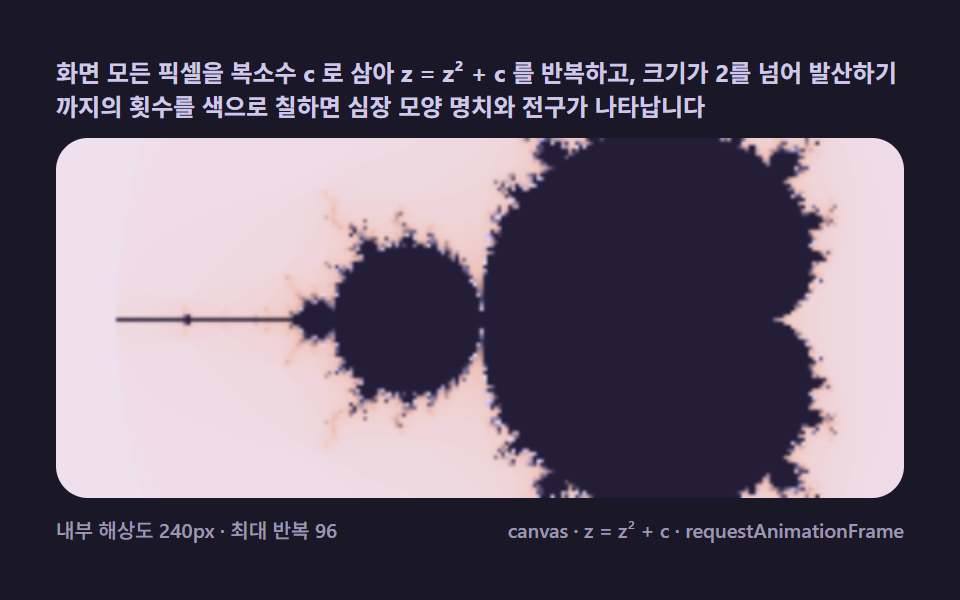 Creative UIMandelbrot Zoom, 9 Ways (Escape-Time, No Library)
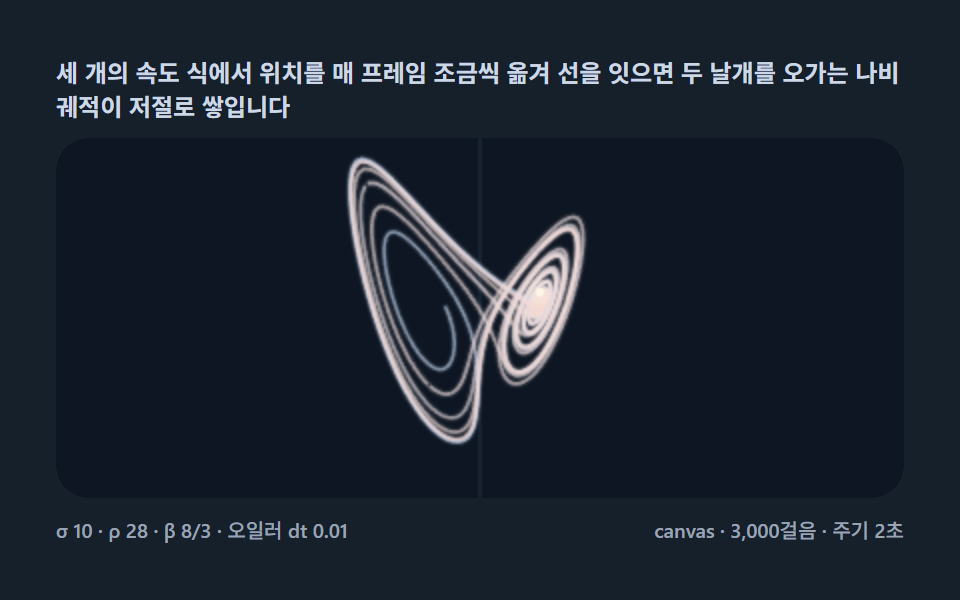 Creative UILorenz Attractor: 9 Butterfly Chaos Demos
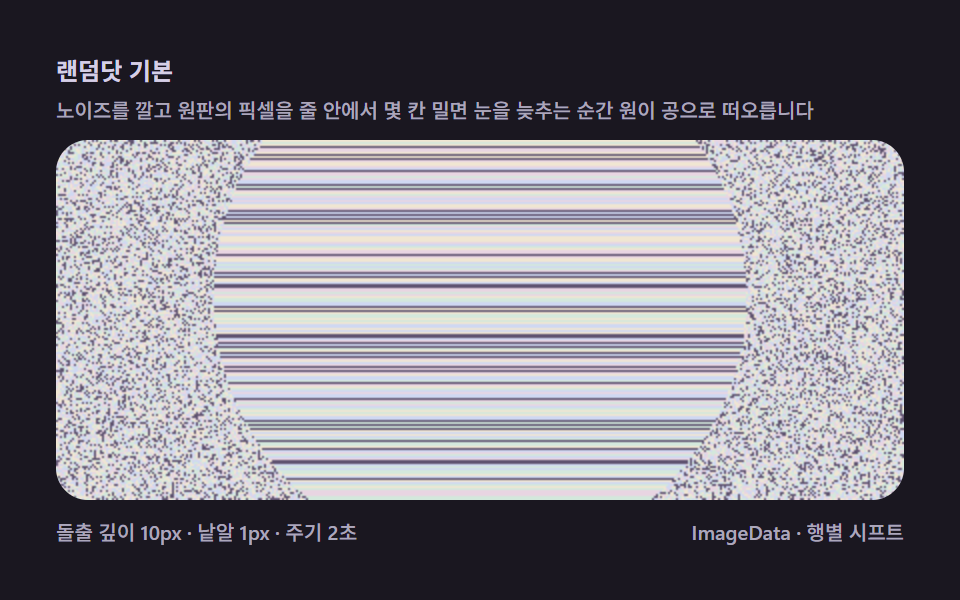 Creative UIMagic Eye Stereograms: 9 Depth Map Demos