Canvas Fluid Simulation: 9 Grid Effects
A canvas fluid simulation doesn't solve the Navier-Stokes equations — it advects, diffuses, and decays density and velocity grids per frame til the screen
 01 fluid-stable-advect
 02 fluid-diffuse-blur
 03 fluid-curl-swirl
 04 fluid-ink-bloom
 05 fluid-smoke-rise
 06 fluid-vortex-decay
 07 fluid-dye-mix
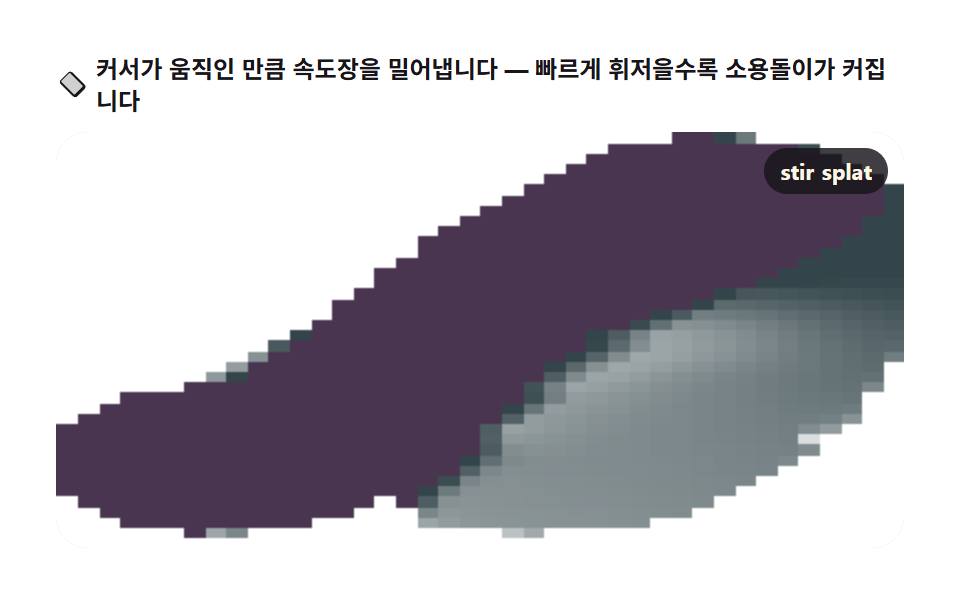 08 fluid-pointer-stir
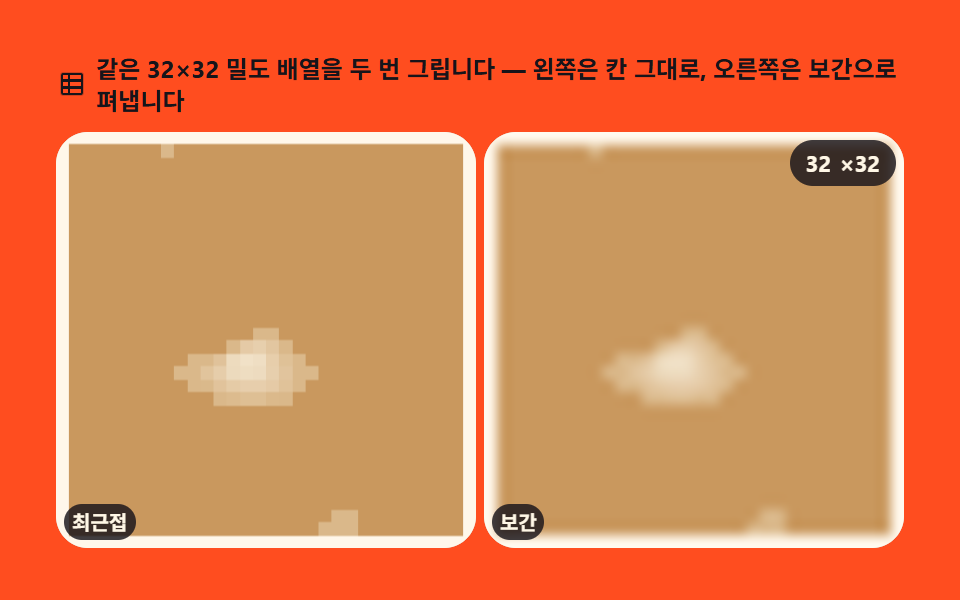 09 fluid-density-field
Auto-plays · click a tile to jump to its section · all nine in one zip
- 01 Stable fluid advection
- 02 Diffusion bleed
- 03 Curl swirl
- 04 Ink bloom
- 05 Rising smoke
- 06 Vortex decay
- 07 Dye mixing
- 08 Pointer stirring
- 09 Density field rendering
Why these nine, in this order
This article is neither the per-pixel refraction of the canvas scene effects set nor the one-particle-at-a-time scattering of the canvas particle engine. Its axis is Eulerian grid math in the Stable Fluids lineage: one Float32Array grid stores velocity (u, v) and density (d), and each frame moves the whole grid, smooths it, and shrinks it. Nothing is stacked particle by particle, and no wave equation bends a surface — a handful of numbers per cell, updated in a loop, is the entire machine.
Board 01 isolates the backbone of that loop, backward advection, and board 02 peels off the one step that blends each cell with its neighbors. Board 03 puts back the rotation the grid itself shaves away, and boards 04 and 05 lay click injection and buoyancy on top of the 01 backbone. Board 06 flips the direction of the experiment: seed one initial condition and watch it fade. Board 07 widens the channels to three, board 08 lets a human hand add the force, and board 09 stops simulating and asks how the numbers should be scaled up to the screen. Read in order, they show that fluid simulation code splits into a few independent parts: advection, diffusion, vorticity, boundaries.
01Stable fluid advection
What you're seeing
Self-advection of the velocity field and advection of the dye layer run together on one screen: the backtrace — sampling where the current cell came from last frame along its own velocity — is all the stability there is, and it holds however large the timestep grows. Use it for slowly churning fluid behind a hero.
<main class="stage stage--ink">
<div class="fa" id="fa">
  <p class="fa__hint">
    <svg class="fa__ico" viewBox="0 0 256 256" aria-hidden="true"><g fill="currentColor"><path d="M237.94 107.19l-89.13-89.13a20 20 0 0 0-28.28 0l-89.13 89.13a20 20 0 0 0 0 28.28l89.13 89.13a20 20 0 0 0 28.28 0l89.13-89.13a20 20 0 0 0 0-28.28ZM167 143.46a8 8 0 0 1-11.4 0L128 115.86l-27.6 27.6a8 8 0 1 1-11.4-11.32l33.2-33.46a8 8 0 0 1 11.4 0l33.2 33.46a8 8 0 0 1 .2 11.32Z" opacity=".2"/><path d="M243.54 101.75L154.4 12.61a28 28 0 0 0-39.66 0L25.6 101.75a28 28 0 0 0 0 39.66l89.14 89.14a28 28 0 0 0 39.66 0l89.14-89.14a28 28 0 0 0 0-39.66Zm-11.4 28.26l-89.13 89.14a12 12 0 0 1-17 0L36.9 130a12 12 0 0 1 0-17L126 23.87a12 12 0 0 1 17 0l89.14 89.14a12 12 0 0 1 0 16.98Zm-64.76-83.75a8 8 0 0 0-11.71 0l-33.65 33.87a4 4 0 0 1-5.71 0L82.49 100.1a8 8 0 1 0-11.4 11.24l33.51 33.9a20 20 0 0 0 28.49 0l33.51-33.9a8 8 0 0 0 .18-12.02Z"/></g></svg>
    <span>Each cell traces the flow backward to pull its previous value — hover to bend the current</span>
  </p>
  <div class="fa__field" id="field" role="application" aria-label="Fluid advection board" tabindex="0">
    <canvas class="fa__cv" id="cv"></canvas>
    <b class="fa__badge" aria-hidden="true">32<span class="fa__badgeUnit">grid</span></b>
  </div>
</div>
</main>
@use "../../../../site/static/demo-tokens" as *;
// 안정 유체 이류 — 움직임은 전부 캔버스 rAF 루프 안에 있다. CSS 는 무대·판·배지만 맡는다.
// @keyframes 를 하나도 두지 않는다 — 렌더러가 CSS 시계를 고정하지 않고 실시간으로 24장을 찍는다(012·077 선례).
// 염료 팔레트는 파스텔(채도 0.50 이하)로 직접 잡는다 — 이 편은 기능색 편이 아니므로 BD26 기준을 처음부터 지킨다.
$duration: $dur-loop;
$easing: $ease-spring;
$color: $subject-blue;
@include stage($stage-ink);
.fa {
// 염료 세 층 — 파스텔 하늘색(옅은) → 파스텔 라일락(중간) → 파스텔 산호(진한). 잉크 무대 위 대비 7.6~13.0
--dye-0: #9ac2df;
--dye-1: #b19edb;
--dye-2: #e0a3b8;
display: flex; flex-direction: column; gap: $sp-2;
width: 100%; max-width: 424px;
}
.fa__hint {
display: flex; align-items: center; gap: $sp-1; margin: 0;
font-weight: 700; font-size: clamp(10px, 2.8vw, 12px); line-height: 1.35;
color: $subject-cream;
}
.fa__ico { width: 16px; height: 16px; flex: 0 0 auto; color: #9ac2df; }
.fa__field {
position: relative; height: 208px;
border-radius: $r-card; overflow: hidden;
background: $stage-ink;
box-shadow: inset 0 0 0 1px rgba($subject-cream, .14);
cursor: crosshair; touch-action: none;
}
.fa__field:focus-visible { outline: 2px solid #9ac2df; outline-offset: 2px; }
.fa__cv { display: block; width: 100%; height: 100%; }
.fa__badge {
position: absolute; right: $sp-2; top: $sp-2;
display: flex; align-items: baseline; gap: $sp-1;
padding: $sp-1 $sp-2; border-radius: $r-pill;
background: rgba($subject-ink, .78);
color: $subject-cream; font-weight: 700; font-size: 11px;
}
.fa__badgeUnit { font-weight: 700; }
@media (max-width: 340px) {
.fa { gap: $sp-1; }
.fa__field { height: 124px; }
.fa__badge { font-size: 10px; padding: 0 $sp-1; }
}
// reduce — 루프가 멈춘 한 장이 남으므로 커서 신호만 바꾼다.
@media (prefers-reduced-motion: reduce) {
.fa.is-still .fa__field { cursor: default !important; }
}html, body {
margin: 0;
overflow: hidden;
}
.stage {
box-sizing: border-box;
min-height: 100vh;
display: grid;
place-items: center;
margin: 0;
background: #17141a;
font-family: -apple-system, "Segoe UI", "Noto Sans KR", sans-serif;
padding: clamp(8px, 4vw, 24px);
}
.fa {
--dye-0: #9ac2df;
--dye-1: #b19edb;
--dye-2: #e0a3b8;
display: flex;
flex-direction: column;
gap: 8px;
width: 100%;
max-width: 424px;
}
.fa__hint {
display: flex;
align-items: center;
gap: 4px;
margin: 0;
font-weight: 700;
font-size: clamp(10px, 2.8vw, 12px);
line-height: 1.35;
color: #fff7e6;
}
.fa__ico {
width: 16px;
height: 16px;
flex: 0 0 auto;
color: #9ac2df;
}
.fa__field {
position: relative;
height: 208px;
border-radius: 16px;
overflow: hidden;
background: #17141a;
box-shadow: inset 0 0 0 1px rgba(255, 247, 230, 0.14);
cursor: crosshair;
touch-action: none;
}
.fa__field:focus-visible {
outline: 2px solid #9ac2df;
outline-offset: 2px;
}
.fa__cv {
display: block;
width: 100%;
height: 100%;
}
.fa__badge {
position: absolute;
right: 8px;
top: 8px;
display: flex;
align-items: baseline;
gap: 4px;
padding: 4px 8px;
border-radius: 999px;
background: rgba(23, 20, 26, 0.78);
color: #fff7e6;
font-weight: 700;
font-size: 11px;
}
.fa__badgeUnit {
font-weight: 700;
}
@media (max-width: 340px) {
.fa {
gap: 4px;
}
.fa__field {
height: 124px;
}
.fa__badge {
font-size: 10px;
padding: 0 4px;
}
}
@media (prefers-reduced-motion: reduce) {
.fa.is-still .fa__field {
cursor: default !important;
}
}// 안정 유체 이류(semi-Lagrangian) — 다음 프레임을 내다보지 않고, 지금 칸의 값이
// 한 걸음 전 어디에서 왔는지 속도를 거슬러 샘플링한다. 시간 간격이 커져도 폭발하지 않는다.
// 속도장이 자기 자신을 옮기는 자기 이류와 염료 밀도를 옮기는 물질 이류를 한 프레임에 겹쳐 돌린다.
var root = document.getElementById('fa');
var field = document.getElementById('field');
var cv = document.getElementById('cv');
var ctx = cv.getContext('2d', { willReadFrequently: true });
var css = getComputedStyle(root);
var PAL0 = css.getPropertyValue('--dye-0').trim();
var PAL1 = css.getPropertyValue('--dye-1').trim();
var PAL2 = css.getPropertyValue('--dye-2').trim();
// N — grid 한 변 칸 수. 480px 무대에 32칸이면 한 칸 15px, 60fps 안에 계산이 들어온다
var N = 32;
var SIZE = (N + 2) * (N + 2);
var IX = function (x, y) { return x + (N + 2) * y; };
var u = new Float32Array(SIZE), v = new Float32Array(SIZE);
var u0 = new Float32Array(SIZE), v0 = new Float32Array(SIZE);
var d = new Float32Array(SIZE), d0 = new Float32Array(SIZE);
var reduce = window.matchMedia('(prefers-reduced-motion: reduce)').matches;
var W = 0, H = 0, raf = 0, seedT = 0;
var stirring = false;
// 화면 픽셀 → grid 좌표 (0..1) 로 바꾸는 비율
function fit() {
var r = field.getBoundingClientRect();
W = r.width; H = r.height;
cv.width = Math.round(W); cv.height = Math.round(H);
}
// 후방 이류 — 칸 (x,y) 의 새 값을, 속도를 dt 만큼 거슬러 간 좌표의 옛 값으로 채운다.
// 좌표는 칸 배열 범위로 가두고(경계 밖 샘플링 방지) 네 이웃의 면적 가중평균(bilinear)로 읽는다.
// 셀 하나가 차지하는 공간은 1/N 이다 — 속도(칸/초) × dt(초) × N 이 되짚는 칸 수가 된다.
function advect(b, dt) {
  var src = b === 'u' ? u0 : (b === 'v' ? v0 : d0);
  var dst = b === 'u' ? u : (b === 'v' ? v : d);
  for (var j = 1; j <= N; j++) {
    for (var i = 1; i <= N; i++) {
      var x = i - dt * N * u0[IX(i, j)];
      var y = j - dt * N * v0[IX(i, j)];
      if (x < 0.5) x = 0.5; else if (x > N + 0.5) x = N + 0.5;
      var i0 = x | 0; var i1 = i0 + 1;
      if (y < 0.5) y = 0.5; else if (y > N + 0.5) y = N + 0.5;
      var j0 = y | 0; var j1 = j0 + 1;
      var s1 = x - i0, s0 = 1 - s1, t1 = y - j0, t0 = 1 - t1;
      dst[IX(i, j)] = s0 * (t0 * src[IX(i0, j0)] + t1 * src[IX(i0, j1)]) +
                      s1 * (t0 * src[IX(i1, j0)] + t1 * src[IX(i1, j1)]);
    }
  }
}
// 경계 — 벽 반사 근사. 유출 속도를 0 으로 두고 밀도는 감쇠시킨다
function bounds() {
var n2 = N + 2;
for (var i = 1; i <= N; i++) {
d[IX(i, 0)] = d[IX(i, 1)] * 0.5; d[IX(i, N + 1)] = d[IX(i, N)] * 0.5;
u[IX(i, 0)] = u[IX(i, 1)] * 0.5; u[IX(i, N + 1)] = u[IX(i, N)] * 0.5;
v[IX(i, 0)] = v[IX(i, 1)] * 0.5; v[IX(i, N + 1)] = v[IX(i, N)] * 0.5;
}
for (var j = 1; j <= N; j++) {
d[IX(0, j)] = d[IX(1, j)] * 0.5; d[IX(N + 1, j)] = d[IX(N, j)] * 0.5;
u[IX(0, j)] = u[IX(1, j)] * 0.5; u[IX(N + 1, j)] = u[IX(N, j)] * 0.5;
v[IX(0, j)] = v[IX(1, j)] * 0.5; v[IX(N + 1, j)] = v[IX(N, j)] * 0.5;
}
}
// 미리보기 주입원 — 시드 고정. 잎새 모양 두 바퀴를 그리는 속도 소스와 궤적을 따라 얹히는 염료.
// seedT 로 결정적: 같은 편의 gif·poster 는 언제나 같은 흐름이 담긴다.
function inject(t) {
var cx = N * 0.5 + Math.sin(t * 0.9) * N * 0.22;
var cy = N * 0.55 + Math.sin(t * 1.7) * N * 0.16;
var dx = Math.cos(t * 0.9) * 0.9 * N * 0.22, dy = Math.cos(t * 1.7) * 1.7 * N * 0.16 * 0.35;
var amp = 42;
var r = 2.6;
for (var j = -r; j <= r; j++) {
for (var i = -r; i <= r; i++) {
var q = (i * i + j * j) / (r * r);
if (q > 1) continue;
var f = Math.exp(-q * 3.2) * amp;
var idx = IX(Math.round(cx + i), Math.round(cy + j));
u0[idx] += dx * f * 0.06;
v0[idx] += dy * f * 0.06;
var hue = (t * 0.22) % 1;
var amt = Math.exp(-q * 2.2) * 0.9;
d0[idx] += amt * (hue < 0.5 ? 1 : 0.55);
}
}
}
function step(dt) {
u0.set(u); v0.set(v); d0.set(d);
inject(seedT);
advect('u', dt); u0.set(u);
advect('v', dt); v0.set(v);
advect('d', dt);
bounds();
for (var k = 0; k < SIZE; k++) d[k] *= 0.995; // 밀도는 천천히 죽는다 — 화면이 꽉 찬 채 굳지 않게
seedT += dt;
}
function render() {
var img = ctx.createImageData(cv.width, cv.height);
var px = img.data;
var cellW = cv.width / N, cellH = cv.height / N;
var pal = [PAL0, PAL1, PAL2];
for (var py = 0; py < cv.height; py++) {
var gy = Math.min(N - 1, (py / cellH) | 0);
for (var pxx = 0; pxx < cv.width; pxx++) {
var gx = Math.min(N - 1, (pxx / cellW) | 0);
var q = d[IX(gx + 1, gy + 1)];
var o = (py * cv.width + pxx) * 4;
if (q <= 0) { px[o] = 23; px[o + 1] = 20; px[o + 2] = 26; px[o + 3] = 255; continue; }
var band = q > 0.62 ? 2 : (q > 0.3 ? 1 : 0);
var c = pal[band];
var rr = parseInt(c.slice(1, 3), 16), gg = parseInt(c.slice(3, 5), 16), bb = parseInt(c.slice(5, 7), 16);
var a = Math.min(1, q);
px[o] = 23 + (rr - 23) * a; px[o + 1] = 20 + (gg - 20) * a; px[o + 2] = 26 + (bb - 26) * a; px[o + 3] = 255;
}
}
ctx.putImageData(img, 0, 0);
}
function frame() {
step(1 / 30);
render();
raf = requestAnimationFrame(frame);
}
// 사람이 휘젓기 — 포인터 이동량을 그 칸 주변에 지수 반경으로 얹는다
function splat(gx, gy, fx, fy, amt) {
var r = 3;
for (var j = -r; j <= r; j++) {
for (var i = -r; i <= r; i++) {
var q = (i * i + j * j) / (r * r);
if (q > 1) continue;
var f = Math.exp(-q * 3) * amt;
var idx = IX(gx + i, gy + j);
if (gx + i < 1 || gx + i > N || gy + j < 1 || gy + j > N) continue;
u[idx] += fx * f; v[idx] += fy * f;
d[idx] = Math.min(2.2, d[idx] + f * 0.7);
}
}
}
var last = null;
field.addEventListener('pointermove', function (e) {
var r = field.getBoundingClientRect();
var gx = 1 + Math.round((e.clientX - r.left) / r.width * (N - 1));
var gy = 1 + Math.round((e.clientY - r.top) / r.height * (N - 1));
if (last) {
var fx = (e.clientX - last.x) * 0.14, fy = (e.clientY - last.y) * 0.14;
splat(gx, gy, fx, fy, Math.min(1.6, Math.hypot(fx, fy)));
} else {
splat(gx, gy, 0, 0, 0.8);
}
last = { x: e.clientX, y: e.clientY };
if (reduce) render();
});
field.addEventListener('pointerleave', function () { last = null; stirring = false; });
field.addEventListener('keydown', function (e) {
var dir = { ArrowLeft: [-2, 0], ArrowRight: [2, 0], ArrowUp: [0, -2], ArrowDown: [0, 2] }[e.key];
if (!dir) return;
e.preventDefault();
var gx = N >> 1, gy = N >> 1;
splat(gx, gy, dir[0], dir[1], 1.2);
if (reduce) render();
});
window.addEventListener('resize', function () { fit(); if (reduce) render(); });
fit();
if (reduce) {
// reduce — 시뮬레이션을 40 걸음만 앞으로 감아 흐름이 자리잡은 한 장을 그린다(빈 화면이 아니다)
for (var k = 0; k < 40; k++) step(1 / 30);
render();
} else {
raf = requestAnimationFrame(frame);
}// StableAdvect — vanilla 판(run/308/demo/01-fluid-stable-advect/index.html) 의 React 포트.
// 안정 유체(Stable Fluids) semi-Lagrangian 후방 이류. 격자 필드는 ref 상자 안에서만 산다 —
// React 상태로 두면 리렌더가 매 프레임 일어나 60fps 예산을 못 맞춘다.
import { useEffect, useRef } from "react";
import type { CSSProperties } from "react";
import styles from "./StableAdvect.module.scss";
export type StableAdvectProps = {
duration?: string;
easing?: string;
color?: string;
};
type Vars = CSSProperties & { "--duration"?: string; "--easing"?: string; "--color"?: string };
type Box<T> = { current: T };
type KeyEvt = { key: string; preventDefault(): void };
type PtrEvt = { clientX: number; clientY: number };
const N = 32;
const SIZE = (N + 2) * (N + 2);
function IX(x: number, y: number): number { return x + (N + 2) * y; }
export default function StableAdvect({
duration = "2s",
easing = "cubic-bezier(.2, .8, .2, 1)",
color = "#2f6df6",
}: StableAdvectProps) {
const rootRef = useRef<HTMLDivElement | null>(null);
const fieldRef = useRef<HTMLDivElement | null>(null);
const cvRef = useRef<HTMLCanvasElement | null>(null);
const ctxRef = useRef<CanvasRenderingContext2D | null>(null);
const palRef = useRef(["#9ac2df", "#b19edb", "#e0a3b8"]) as Box<string[]>;
const u = useRef(new Float32Array(SIZE)) as Box<Float32Array>;
const v = useRef(new Float32Array(SIZE)) as Box<Float32Array>;
const u0 = useRef(new Float32Array(SIZE)) as Box<Float32Array>;
const v0 = useRef(new Float32Array(SIZE)) as Box<Float32Array>;
const d = useRef(new Float32Array(SIZE)) as Box<Float32Array>;
const d0 = useRef(new Float32Array(SIZE)) as Box<Float32Array>;
const sizeRef = useRef({ w: 0, h: 0 }) as Box<{ w: number; h: number }>;
const seedTRef = useRef(0) as Box<number>;
const lastRef = useRef<{ x: number; y: number } | null>(null) as Box<{ x: number; y: number } | null>;
const rafRef = useRef(0) as Box<number>;
const vars: Vars = { "--duration": duration, "--easing": easing, "--color": color };
function reduced(): boolean {
return window.matchMedia("(prefers-reduced-motion: reduce)").matches;
}
function fit(): void {
const field = fieldRef.current;
const cv = cvRef.current;
if (!field || !cv) return;
const r = field.getBoundingClientRect();
sizeRef.current.w = r.width;
sizeRef.current.h = r.height;
cv.width = Math.round(r.width);
cv.height = Math.round(r.height);
}
function advect(b: "u" | "v" | "d", dt: number): void {
const src = b === "u" ? u0.current : b === "v" ? v0.current : d0.current;
const dst = b === "u" ? u.current : b === "v" ? v.current : d.current;
const uu = u0.current, vv = v0.current;
for (let j = 1; j <= N; j++) {
for (let i = 1; i <= N; i++) {
let x = i - dt * N * uu[IX(i, j)];
let y = j - dt * N * vv[IX(i, j)];
if (x < 0.5) x = 0.5; else if (x > N + 0.5) x = N + 0.5;
const i0 = x | 0, i1 = i0 + 1;
if (y < 0.5) y = 0.5; else if (y > N + 0.5) y = N + 0.5;
const j0 = y | 0, j1 = j0 + 1;
const s1 = x - i0, s0 = 1 - s1, t1 = y - j0, t0 = 1 - t1;
dst[IX(i, j)] = s0 * (t0 * src[IX(i0, j0)] + t1 * src[IX(i0, j1)]) +
s1 * (t0 * src[IX(i1, j0)] + t1 * src[IX(i1, j1)]);
}
}
}
function bounds(): void {
const dd = d.current, uu = u.current, vv = v.current;
for (let i = 1; i <= N; i++) {
dd[IX(i, 0)] = dd[IX(i, 1)] * 0.5; dd[IX(i, N + 1)] = dd[IX(i, N)] * 0.5;
uu[IX(i, 0)] = uu[IX(i, 1)] * 0.5; uu[IX(i, N + 1)] = uu[IX(i, N)] * 0.5;
vv[IX(i, 0)] = vv[IX(i, 1)] * 0.5; vv[IX(i, N + 1)] = vv[IX(i, N)] * 0.5;
}
for (let j = 1; j <= N; j++) {
dd[IX(0, j)] = dd[IX(1, j)] * 0.5; dd[IX(N + 1, j)] = dd[IX(N, j)] * 0.5;
uu[IX(0, j)] = uu[IX(1, j)] * 0.5; uu[IX(N + 1, j)] = uu[IX(N, j)] * 0.5;
vv[IX(0, j)] = vv[IX(1, j)] * 0.5; vv[IX(N + 1, j)] = vv[IX(N, j)] * 0.5;
}
}
function inject(t: number): void {
const cx = N * 0.5 + Math.sin(t * 0.9) * N * 0.22;
const cy = N * 0.55 + Math.sin(t * 1.7) * N * 0.16;
const dx = Math.cos(t * 0.9) * 0.9 * N * 0.22, dy = Math.cos(t * 1.7) * 1.7 * N * 0.16 * 0.35;
const amp = 42, r = 2.6;
const u0v = u0.current, v0v = v0.current, d0v = d0.current;
for (let j = -r; j <= r; j++) {
for (let i = -r; i <= r; i++) {
const q = (i * i + j * j) / (r * r);
if (q > 1) continue;
const f = Math.exp(-q * 3.2) * amp;
const idx = IX(Math.round(cx + i), Math.round(cy + j));
u0v[idx] += dx * f * 0.06;
v0v[idx] += dy * f * 0.06;
const hue = (t * 0.22) % 1;
const amt = Math.exp(-q * 2.2) * 0.9;
d0v[idx] += amt * (hue < 0.5 ? 1 : 0.55);
}
}
}
function step(dt: number): void {
u0.current.set(u.current); v0.current.set(v.current); d0.current.set(d.current);
inject(seedTRef.current);
advect("u", dt); u0.current.set(u.current);
advect("v", dt); v0.current.set(v.current);
advect("d", dt);
bounds();
const dd = d.current;
for (let k = 0; k < SIZE; k++) dd[k] *= 0.995;
seedTRef.current += dt;
}
function render(): void {
const ctx = ctxRef.current, cv = cvRef.current;
if (!ctx || !cv) return;
const img = ctx.createImageData(cv.width, cv.height);
const px = img.data;
const cellW = cv.width / N, cellH = cv.height / N;
const pal = palRef.current;
const dd = d.current;
for (let py = 0; py < cv.height; py++) {
const gy = Math.min(N - 1, (py / cellH) | 0);
for (let pxx = 0; pxx < cv.width; pxx++) {
const gx = Math.min(N - 1, (pxx / cellW) | 0);
const q = dd[IX(gx + 1, gy + 1)];
const o = (py * cv.width + pxx) * 4;
if (q <= 0) { px[o] = 23; px[o + 1] = 20; px[o + 2] = 26; px[o + 3] = 255; continue; }
const band = q > 0.62 ? 2 : q > 0.3 ? 1 : 0;
const c = pal[band];
const rr = parseInt(c.slice(1, 3), 16), gg = parseInt(c.slice(3, 5), 16), bb = parseInt(c.slice(5, 7), 16);
const a = Math.min(1, q);
px[o] = 23 + (rr - 23) * a; px[o + 1] = 20 + (gg - 20) * a; px[o + 2] = 26 + (bb - 26) * a; px[o + 3] = 255;
}
}
ctx.putImageData(img, 0, 0);
}
function frame(): void {
step(1 / 30);
render();
rafRef.current = requestAnimationFrame(frame);
}
function splat(gx: number, gy: number, fx: number, fy: number, amt: number): void {
const r = 3;
const uu = u.current, vv = v.current, dd = d.current;
for (let j = -r; j <= r; j++) {
for (let i = -r; i <= r; i++) {
const q = (i * i + j * j) / (r * r);
if (q > 1) continue;
if (gx + i < 1 || gx + i > N || gy + j < 1 || gy + j > N) continue;
const f = Math.exp(-q * 3) * amt;
const idx = IX(gx + i, gy + j);
uu[idx] += fx * f; vv[idx] += fy * f;
dd[idx] = Math.min(2.2, dd[idx] + f * 0.7);
}
}
}
function onMove(e: PtrEvt): void {
const field = fieldRef.current;
if (!field) return;
const r = field.getBoundingClientRect();
const gx = 1 + Math.round((e.clientX - r.left) / r.width * (N - 1));
const gy = 1 + Math.round((e.clientY - r.top) / r.height * (N - 1));
const last = lastRef.current;
if (last) {
const fx = (e.clientX - last.x) * 0.14, fy = (e.clientY - last.y) * 0.14;
splat(gx, gy, fx, fy, Math.min(1.6, Math.hypot(fx, fy)));
} else {
splat(gx, gy, 0, 0, 0.8);
}
lastRef.current = { x: e.clientX, y: e.clientY };
if (reduced()) render();
}
function onLeave(): void { lastRef.current = null; }
function onKey(e: KeyEvt): void {
const dir: Record<string, number[]> = { ArrowLeft: [-2, 0], ArrowRight: [2, 0], ArrowUp: [0, -2], ArrowDown: [0, 2] };
const dd2 = dir[e.key];
if (!dd2) return;
e.preventDefault();
splat(N >> 1, N >> 1, dd2[0], dd2[1], 1.2);
if (reduced()) render();
}
function onResize(): void { fit(); if (reduced()) render(); }
useEffect(() => {
const cv = cvRef.current;
if (!cv) return;
ctxRef.current = cv.getContext("2d", { willReadFrequently: true });
if (!ctxRef.current) return;
const root = rootRef.current;
if (root) {
const css = getComputedStyle(root);
const p0 = css.getPropertyValue("--dye-0").trim();
const p1 = css.getPropertyValue("--dye-1").trim();
const p2 = css.getPropertyValue("--dye-2").trim();
if (p0 && p1 && p2) palRef.current = [p0, p1, p2];
}
fit();
window.addEventListener("resize", onResize);
if (reduced()) {
if (root) root.classList.add("is-still");
for (let k = 0; k < 40; k++) step(1 / 30);
render();
} else {
rafRef.current = requestAnimationFrame(frame);
}
return () => {
window.removeEventListener("resize", onResize);
cancelAnimationFrame(rafRef.current);
};
// eslint-disable-next-line react-hooks/exhaustive-deps
}, []);
return (
<main className={styles.stage}>
<div className={styles.root} ref={rootRef} style={vars}>
<p className={styles.hint}>
<svg className={styles.ico} viewBox="0 0 256 256" aria-hidden="true"><g fill="currentColor"><path d="M237.94 107.19l-89.13-89.13a20 20 0 0 0-28.28 0l-89.13 89.13a20 20 0 0 0 0 28.28l89.13 89.13a20 20 0 0 0 28.28 0l89.13-89.13a20 20 0 0 0 0-28.28ZM167 143.46a8 8 0 0 1-11.4 0L128 115.86l-27.6 27.6a8 8 0 1 1-11.4-11.32l33.2-33.46a8 8 0 0 1 11.4 0l33.2 33.46a8 8 0 0 1 .2 11.32Z" opacity=".2"/><path d="M243.54 101.75L154.4 12.61a28 28 0 0 0-39.66 0L25.6 101.75a28 28 0 0 0 0 39.66l89.14 89.14a28 28 0 0 0 39.66 0l89.14-89.14a28 28 0 0 0 0-39.66Zm-11.4 28.26l-89.13 89.14a12 12 0 0 1-17 0L36.9 130a12 12 0 0 1 0-17L126 23.87a12 12 0 0 1 17 0l89.14 89.14a12 12 0 0 1 0 16.98Zm-64.76-83.75a8 8 0 0 0-11.71 0l-33.65 33.87a4 4 0 0 1-5.71 0L82.49 100.1a8 8 0 1 0-11.4 11.24l33.51 33.9a20 20 0 0 0 28.49 0l33.51-33.9a8 8 0 0 0 .18-12.02Z"/></g></svg>
<span>각 칸은 물결을 되짚어 이전 값을 가져옵니다 — 커서를 얹으면 흐름이 구부러집니다</span>
</p>
<div
className={styles.field}
ref={fieldRef}
role="application"
aria-label="유체 이류 실험판"
tabIndex={0}
onPointerMove={onMove}
onPointerLeave={onLeave}
onKeyDown={onKey}
>
<canvas className={styles.cv} ref={cvRef}></canvas>
<b className={styles.badge} aria-hidden="true">32<span className={styles.badgeUnit}>격자</span></b>
</div>
</div>
</main>
);
}01 · Stable fluid advection — Measured area 11.342% · moving frames 23/23Original by GODRICH · SCSS and React ship in the zip · See the password
Where to look in the code
The render measured a cumulative area of 11.342%, an average intensity of 155.3, and movement in 23/23 frames.
function advect(b, dt) {
var src = b === 'u' ? u0 : (b === 'v' ? v0 : d0);
var dst = b === 'u' ? u : (b === 'v' ? v : d);
for (var j = 1; j <= N; j++) {
for (var i = 1; i <= N; i++) {
var x = i - dt * N * u0[IX(i, j)];
var y = j - dt * N * v0[IX(i, j)];
if (x < 0.5) x = 0.5; else if (x > N + 0.5) x = N + 0.5;
var i0 = x | 0; var i1 = i0 + 1;
if (y < 0.5) y = 0.5; else if (y > N + 0.5) y = N + 0.5;
var j0 = y | 0; var j1 = j0 + 1;
var s1 = x - i0, s0 = 1 - s1, t1 = y - j0, t0 = 1 - t1;
dst[IX(i, j)] = s0 * (t0 * src[IX(i0, j0)] + t1 * src[IX(i0, j1)]) +
s1 * (t0 * src[IX(i1, j0)] + t1 * src[IX(i1, j1)]);
}
}
}
02Diffusion bleed
What you're seeing
One diffusion step that blends each cell slightly with its four neighbors is the smudging of ink in water: a high diffusion coefficient spreads it like a decal; near zero keeps sharp boundaries. Use it for watercolour section backgrounds.
<main class="stage stage--paper">
<div class="fa" id="fa">
  <p class="fa__hint">
    <svg class="fa__ico" viewBox="0 0 256 256" aria-hidden="true"><g fill="currentColor"><path d="M208 144a80 80 0 0 1-160 0c0-72 80-128 80-128s80 56 80 128" opacity=".2"/><path d="M174 47.75a254.2 254.2 0 0 0-41.45-38.3a8 8 0 0 0-9.18 0A254.2 254.2 0 0 0 82 47.75C54.51 79.32 40 112.6 40 144a88 88 0 0 0 176 0c0-31.4-14.51-64.68-42-96.25M128 216a72.08 72.08 0 0 1-72-72c0-57.23 55.47-105 72-118c16.53 13 72 60.75 72 118a72.08 72.08 0 0 1-72 72m55.89-62.66a57.6 57.6 0 0 1-46.56 46.55a9 9 0 0 1-1.33.11a8 8 0 0 1-1.32-15.89c16.57-2.79 30.63-16.85 33.44-33.45a8 8 0 0 1 15.78 2.68Z"/></g></svg>
    <span>Diffusion blends each cell with its four neighbors every step, spreading ink across the paper — press to drop a bead</span>
  </p>
  <div class="fa__field" id="field" role="application" aria-label="Diffusion blur board" tabindex="0">
    <canvas class="fa__cv" id="cv"></canvas>
    <b class="fa__badge" aria-hidden="true">6<span class="fa__badgeUnit">relax</span></b>
  </div>
</div>
</main>
@use "../../../../site/static/demo-tokens" as *;
// 확산 번짐 — 움직임은 전부 캔버스 rAF 루프 안에 있다. CSS 는 무대·판·배지만 맡는다.
// @keyframes 를 하나도 두지 않는다 — 렌더러가 CSS 시계를 고정하지 않고 실시간으로 24장을 찍는다(01·012·077 선례).
// 종이(paper) 무대 위 염료는 밝은 배경에서 보이는 어두운·낮은 채도 파스텔 세 층으로 잡는다 —
// 회보라(짙음) → 청회색(중간) → 연회색(옅음). 채도 전부 0.21 이하로 BD26 파스텔 게이트를 처음부터 지킨다.
$duration: $dur-loop;
$easing: $ease-spring;
$color: $subject-blue;
@include stage($stage-paper);
.fa {
// 염료 세 층 — 짙은 회보라 → 청회색 → 연회색. 흰 종이 위 대비 6.0~9.9
--dye-0: #8b7f95;
--dye-1: #5c4f66;
--dye-2: #2d2836;
display: flex; flex-direction: column; gap: $sp-2;
width: 100%; max-width: 424px;
}
.fa__hint {
display: flex; align-items: center; gap: $sp-1; margin: 0;
font-weight: 700; font-size: clamp(10px, 2.8vw, 12px); line-height: 1.35;
color: $subject-ink;
}
.fa__ico { width: 16px; height: 16px; flex: 0 0 auto; color: #5c4f66; }
.fa__field {
position: relative; height: 208px;
border-radius: $r-card; overflow: hidden;
background: $stage-paper;
box-shadow: inset 0 0 0 1px rgba($subject-ink, .12);
cursor: crosshair; touch-action: none;
}
.fa__field:focus-visible { outline: 2px solid #5c4f66; outline-offset: 2px; }
.fa__cv { display: block; width: 100%; height: 100%; }
.fa__badge {
position: absolute; right: $sp-2; top: $sp-2;
display: flex; align-items: baseline; gap: $sp-1;
padding: $sp-1 $sp-2; border-radius: $r-pill;
background: rgba($stage-paper, .82);
color: $subject-ink; font-weight: 700; font-size: 11px;
box-shadow: inset 0 0 0 1px rgba($subject-ink, .1);
}
.fa__badgeUnit { font-weight: 700; }
@media (max-width: 340px) {
.fa { gap: $sp-1; }
.fa__field { height: 124px; }
.fa__badge { font-size: 10px; padding: 0 $sp-1; }
}
// reduce — 루프가 멈춘 한 장이 남으므로 커서 신호만 바꾼다.
@media (prefers-reduced-motion: reduce) {
.fa.is-still .fa__field { cursor: default !important; }
}html, body {
margin: 0;
overflow: hidden;
}
.stage {
box-sizing: border-box;
min-height: 100vh;
display: grid;
place-items: center;
margin: 0;
background: #ffffff;
font-family: -apple-system, "Segoe UI", "Noto Sans KR", sans-serif;
padding: clamp(8px, 4vw, 24px);
}
.fa {
--dye-0: #8b7f95;
--dye-1: #5c4f66;
--dye-2: #2d2836;
display: flex;
flex-direction: column;
gap: 8px;
width: 100%;
max-width: 424px;
}
.fa__hint {
display: flex;
align-items: center;
gap: 4px;
margin: 0;
font-weight: 700;
font-size: clamp(10px, 2.8vw, 12px);
line-height: 1.35;
color: #17141a;
}
.fa__ico {
width: 16px;
height: 16px;
flex: 0 0 auto;
color: #5c4f66;
}
.fa__field {
position: relative;
height: 208px;
border-radius: 16px;
overflow: hidden;
background: #ffffff;
box-shadow: inset 0 0 0 1px rgba(23, 20, 26, 0.12);
cursor: crosshair;
touch-action: none;
}
.fa__field:focus-visible {
outline: 2px solid #5c4f66;
outline-offset: 2px;
}
.fa__cv {
display: block;
width: 100%;
height: 100%;
}
.fa__badge {
position: absolute;
right: 8px;
top: 8px;
display: flex;
align-items: baseline;
gap: 4px;
padding: 4px 8px;
border-radius: 999px;
background: rgba(255, 255, 255, 0.82);
color: #17141a;
font-weight: 700;
font-size: 11px;
box-shadow: inset 0 0 0 1px rgba(23, 20, 26, 0.1);
}
.fa__badgeUnit {
font-weight: 700;
}
@media (max-width: 340px) {
.fa {
gap: 4px;
}
.fa__field {
height: 124px;
}
.fa__badge {
font-size: 10px;
padding: 0 4px;
}
}
@media (prefers-reduced-motion: reduce) {
.fa.is-still .fa__field {
cursor: default !important;
}
}// 확산(diffuse) — 이류처럼 값을 옮기지 않는다. 셀 하나가 이웃 네 칸과 값을 조금씩 섞는 일을
// 매 걸음 반복하면(가우스-사이델 relax), 진한 점 하나가 몇 걸음 만에 부드러운 얼룩으로 퍼진다.
// 속도장 없이 밀도(d) 하나만으로 돌아간다 — 이류 비중을 없애 확산 자체가 움직임의 전부가 되게 한다.
var root = document.getElementById('fa');
var field = document.getElementById('field');
var cv = document.getElementById('cv');
var ctx = cv.getContext('2d', { willReadFrequently: true });
var css = getComputedStyle(root);
var PAL0 = css.getPropertyValue('--dye-0').trim();
var PAL1 = css.getPropertyValue('--dye-1').trim();
var PAL2 = css.getPropertyValue('--dye-2').trim();
// N — grid 한 변 칸 수. 480px 무대에 32칸이면 한 칸 15px, relax 6회를 60fps 예산 안에 담는다
var N = 32;
var SIZE = (N + 2) * (N + 2);
var IX = function (x, y) { return x + (N + 2) * y; };
var d = new Float32Array(SIZE), d0 = new Float32Array(SIZE);
var ITER = 6; // 가우스-사이델 relax 반복 횟수 — 4~10회 권장, 6회면 한 걸음에 충분히 번진다
var DIFF = 0.02; // 확산 계수 — 클수록 데칼코마니처럼 빨리 퍼지고, 0 에 가까우면 선명한 경계가 남는다
var reduce = window.matchMedia('(prefers-reduced-motion: reduce)').matches;
var W = 0, H = 0, raf = 0, seedT = 0;
function fit() {
var r = field.getBoundingClientRect();
W = r.width; H = r.height;
cv.width = Math.round(W); cv.height = Math.round(H);
}
// 경계 — 종이 가장자리에서 잉크가 반사돼 옅게 남는다
function bounds() {
for (var i = 1; i <= N; i++) {
d[IX(i, 0)] = d[IX(i, 1)] * 0.5; d[IX(i, N + 1)] = d[IX(i, N)] * 0.5;
}
for (var j = 1; j <= N; j++) {
d[IX(0, j)] = d[IX(1, j)] * 0.5; d[IX(N + 1, j)] = d[IX(N, j)] * 0.5;
}
}
// 확산 한 걸음 — x0(방금 주입한 소스)를 목표로, x(이전 값)를 이웃 네 칸과 섞어가며 완화한다.
// a 가 클수록 이웃의 영향이 커져 한 걸음에 더 멀리 번진다. 경계는 반복마다 다시 잡는다.
function diffuse(dt) {
  var a = dt * DIFF * N * N;
  for (var k = 0; k < ITER; k++) {
    for (var j = 1; j <= N; j++) {
      for (var i = 1; i <= N; i++) {
        d[IX(i, j)] = (d0[IX(i, j)] + a * (d[IX(i - 1, j)] + d[IX(i + 1, j)] + d[IX(i, j - 1)] + d[IX(i, j + 1)])) / (1 + 4 * a);
      }
    }
    bounds();
  }
}
// 미리보기 주입원 — 시드 고정. 종이 위를 천천히 오가는 붓끝이 방울을 떨어뜨린다.
// seedT 로 결정적: 같은 편의 gif·poster 는 언제나 같은 번짐이 담긴다.
function inject(t) {
var cx = N * 0.5 + Math.sin(t * 0.55) * N * 0.28;
var cy = N * 0.5 + Math.cos(t * 0.4) * N * 0.24;
var r = 2.2;
var amt = 0.85 + Math.sin(t * 2.3) * 0.15;
for (var j = -r; j <= r; j++) {
for (var i = -r; i <= r; i++) {
var q = (i * i + j * j) / (r * r);
if (q > 1) continue;
var f = Math.exp(-q * 3) * amt;
var idx = IX(Math.round(cx + i), Math.round(cy + j));
d0[idx] = Math.min(2, d0[idx] + f);
}
}
}
function step(dt) {
d0.set(d);
inject(seedT);
diffuse(dt);
for (var k = 0; k < SIZE; k++) d[k] *= 0.992; // 아주 천천히 마른다 — 화면이 꽉 찬 채 굳지 않게
seedT += dt;
}
function render() {
var img = ctx.createImageData(cv.width, cv.height);
var px = img.data;
var cellW = cv.width / N, cellH = cv.height / N;
var pal = [PAL0, PAL1, PAL2];
for (var py = 0; py < cv.height; py++) {
var gy = Math.min(N - 1, (py / cellH) | 0);
for (var pxx = 0; pxx < cv.width; pxx++) {
var gx = Math.min(N - 1, (pxx / cellW) | 0);
var q = d[IX(gx + 1, gy + 1)];
var o = (py * cv.width + pxx) * 4;
if (q <= 0.002) { px[o] = 255; px[o + 1] = 255; px[o + 2] = 255; px[o + 3] = 255; continue; }
var band = q > 0.62 ? 2 : (q > 0.28 ? 1 : 0);
var c = pal[band];
var rr = parseInt(c.slice(1, 3), 16), gg = parseInt(c.slice(3, 5), 16), bb = parseInt(c.slice(5, 7), 16);
var a = Math.min(1, q);
px[o] = 255 + (rr - 255) * a; px[o + 1] = 255 + (gg - 255) * a; px[o + 2] = 255 + (bb - 255) * a; px[o + 3] = 255;
}
}
ctx.putImageData(img, 0, 0);
}
function frame() {
step(1 / 30);
render();
raf = requestAnimationFrame(frame);
}
// 사람이 찍기 — 눌러 둔 자리에 방울을 계속 떨어뜨린다. 확산은 다음 걸음부터 저절로 번진다.
function splat(gx, gy, amt) {
var r = 3;
for (var j = -r; j <= r; j++) {
for (var i = -r; i <= r; i++) {
var q = (i * i + j * j) / (r * r);
if (q > 1) continue;
if (gx + i < 1 || gx + i > N || gy + j < 1 || gy + j > N) continue;
var f = Math.exp(-q * 3) * amt;
var idx = IX(gx + i, gy + j);
d[idx] = Math.min(2.2, d[idx] + f);
}
}
}
var down = false;
function pointAt(e) {
var r = field.getBoundingClientRect();
var gx = 1 + Math.round((e.clientX - r.left) / r.width * (N - 1));
var gy = 1 + Math.round((e.clientY - r.top) / r.height * (N - 1));
splat(gx, gy, 0.9);
if (reduce) render();
}
field.addEventListener('pointerdown', function (e) { down = true; pointAt(e); });
field.addEventListener('pointermove', function (e) { if (down) pointAt(e); });
window.addEventListener('pointerup', function () { down = false; });
field.addEventListener('pointerleave', function () { down = false; });
field.addEventListener('keydown', function (e) {
var dir = { ArrowLeft: [-2, 0], ArrowRight: [2, 0], ArrowUp: [0, -2], ArrowDown: [0, 2] }[e.key];
if (!dir) return;
e.preventDefault();
splat((N >> 1) + dir[0], (N >> 1) + dir[1], 1.1);
if (reduce) render();
});
window.addEventListener('resize', function () { fit(); if (reduce) render(); });
fit();
if (reduce) {
// reduce — 시뮬레이션을 40 걸음만 앞으로 감아 번짐이 자리잡은 한 장을 그린다(빈 화면이 아니다)
for (var k = 0; k < 40; k++) step(1 / 30);
render();
} else {
raf = requestAnimationFrame(frame);
}// DiffuseBlur — vanilla 판(run/308/demo/02-fluid-diffuse-blur/index.html) 의 React 포트.
// 속도장 없이 밀도(d) 하나만으로 가우스-사이델 완화 6회를 매 걸음 돌려 확산 자체가 움직임의 전부가 되게 한다.
// 격자 필드는 ref 상자 안에서만 산다 — React 상태로 두면 리렌더가 매 프레임 일어나 60fps 예산을 못 맞춘다.
import { useEffect, useRef } from "react";
import type { CSSProperties } from "react";
import styles from "./DiffuseBlur.module.scss";
export type DiffuseBlurProps = {
duration?: string;
easing?: string;
color?: string;
};
type Vars = CSSProperties & { "--duration"?: string; "--easing"?: string; "--color"?: string };
type Box<T> = { current: T };
type KeyEvt = { key: string; preventDefault(): void };
type PtrEvt = { clientX: number; clientY: number; buttons?: number };
const N = 32;
const SIZE = (N + 2) * (N + 2);
function IX(x: number, y: number): number { return x + (N + 2) * y; }
const ITER = 6;
const DIFF = 0.02;
export default function DiffuseBlur({
duration = "2s",
easing = "cubic-bezier(.2, .8, .2, 1)",
color = "#17141a",
}: DiffuseBlurProps) {
const rootRef = useRef<HTMLDivElement | null>(null);
const fieldRef = useRef<HTMLDivElement | null>(null);
const cvRef = useRef<HTMLCanvasElement | null>(null);
const ctxRef = useRef<CanvasRenderingContext2D | null>(null);
const palRef = useRef(["#8b7f95", "#5c4f66", "#2d2836"]) as Box<string[]>;
const d = useRef(new Float32Array(SIZE)) as Box<Float32Array>;
const d0 = useRef(new Float32Array(SIZE)) as Box<Float32Array>;
const seedTRef = useRef(0) as Box<number>;
const rafRef = useRef(0) as Box<number>;
const vars: Vars = { "--duration": duration, "--easing": easing, "--color": color };
function reduced(): boolean {
return window.matchMedia("(prefers-reduced-motion: reduce)").matches;
}
function fit(): void {
const field = fieldRef.current;
const cv = cvRef.current;
if (!field || !cv) return;
const r = field.getBoundingClientRect();
cv.width = Math.round(r.width);
cv.height = Math.round(r.height);
}
function bounds(): void {
const dd = d.current;
for (let i = 1; i <= N; i++) {
dd[IX(i, 0)] = dd[IX(i, 1)] * 0.5; dd[IX(i, N + 1)] = dd[IX(i, N)] * 0.5;
}
for (let j = 1; j <= N; j++) {
dd[IX(0, j)] = dd[IX(1, j)] * 0.5; dd[IX(N + 1, j)] = dd[IX(N, j)] * 0.5;
}
}
function diffuse(dt: number): void {
const dd = d.current, dd0 = d0.current;
const a = dt * DIFF * N * N;
for (let k = 0; k < ITER; k++) {
for (let j = 1; j <= N; j++) {
for (let i = 1; i <= N; i++) {
dd[IX(i, j)] = (dd0[IX(i, j)] + a * (dd[IX(i - 1, j)] + dd[IX(i + 1, j)] + dd[IX(i, j - 1)] + dd[IX(i, j + 1)])) / (1 + 4 * a);
}
}
bounds();
}
}
function inject(t: number): void {
const cx = N * 0.5 + Math.sin(t * 0.55) * N * 0.28;
const cy = N * 0.5 + Math.cos(t * 0.4) * N * 0.24;
const r = 2.2;
const amt = 0.85 + Math.sin(t * 2.3) * 0.15;
const dd0 = d0.current;
for (let j = -r; j <= r; j++) {
for (let i = -r; i <= r; i++) {
const q = (i * i + j * j) / (r * r);
if (q > 1) continue;
const f = Math.exp(-q * 3) * amt;
dd0[IX(Math.round(cx + i), Math.round(cy + j))] = Math.min(2, dd0[IX(Math.round(cx + i), Math.round(cy + j))] + f);
}
}
}
function step(dt: number): void {
d0.current.set(d.current);
inject(seedTRef.current);
diffuse(dt);
const dd = d.current;
for (let k = 0; k < SIZE; k++) dd[k] *= 0.992;
seedTRef.current += dt;
}
function render(): void {
const ctx = ctxRef.current, cv = cvRef.current;
if (!ctx || !cv) return;
const img = ctx.createImageData(cv.width, cv.height);
const px = img.data;
const cellW = cv.width / N, cellH = cv.height / N;
const pal = palRef.current;
const dd = d.current;
for (let py = 0; py < cv.height; py++) {
const gy = Math.min(N - 1, (py / cellH) | 0);
for (let pxx = 0; pxx < cv.width; pxx++) {
const gx = Math.min(N - 1, (pxx / cellW) | 0);
const q = dd[IX(gx + 1, gy + 1)];
const o = (py * cv.width + pxx) * 4;
if (q <= 0.002) { px[o] = 255; px[o + 1] = 255; px[o + 2] = 255; px[o + 3] = 255; continue; }
const band = q > 0.62 ? 2 : q > 0.28 ? 1 : 0;
const c = pal[band];
const rr = parseInt(c.slice(1, 3), 16), gg = parseInt(c.slice(3, 5), 16), bb = parseInt(c.slice(5, 7), 16);
const a = Math.min(1, q);
px[o] = 255 + (rr - 255) * a; px[o + 1] = 255 + (gg - 255) * a; px[o + 2] = 255 + (bb - 255) * a; px[o + 3] = 255;
}
}
ctx.putImageData(img, 0, 0);
}
function frame(): void {
step(1 / 30);
render();
rafRef.current = requestAnimationFrame(frame);
}
function splat(gx: number, gy: number, amt: number): void {
const r = 3;
const dd = d.current;
for (let j = -r; j <= r; j++) {
for (let i = -r; i <= r; i++) {
const q = (i * i + j * j) / (r * r);
if (q > 1) continue;
if (gx + i < 1 || gx + i > N || gy + j < 1 || gy + j > N) continue;
const f = Math.exp(-q * 3) * amt;
const idx = IX(gx + i, gy + j);
dd[idx] = Math.min(2.2, dd[idx] + f);
}
}
}
function pointAt(e: PtrEvt): void {
const field = fieldRef.current;
if (!field) return;
const r = field.getBoundingClientRect();
const gx = 1 + Math.round((e.clientX - r.left) / r.width * (N - 1));
const gy = 1 + Math.round((e.clientY - r.top) / r.height * (N - 1));
splat(gx, gy, 0.9);
if (reduced()) render();
}
function onKey(e: KeyEvt): void {
const dir = ({ ArrowLeft: [-2, 0], ArrowRight: [2, 0], ArrowUp: [0, -2], ArrowDown: [0, 2] } as Record<string, number[]>)[e.key];
if (!dir) return;
e.preventDefault();
splat((N >> 1) + dir[0], (N >> 1) + dir[1], 1.1);
if (reduced()) render();
}
function onResize(): void { fit(); if (reduced()) render(); }
useEffect(() => {
const cv = cvRef.current;
if (!cv) return;
ctxRef.current = cv.getContext("2d", { willReadFrequently: true });
if (!ctxRef.current) return;
const root = rootRef.current;
if (root) {
const css = getComputedStyle(root);
const p0 = css.getPropertyValue("--dye-0").trim();
const p1 = css.getPropertyValue("--dye-1").trim();
const p2 = css.getPropertyValue("--dye-2").trim();
if (p0 && p1 && p2) palRef.current = [p0, p1, p2];
}
fit();
window.addEventListener("resize", onResize);
if (reduced()) {
if (root) root.classList.add("is-still");
for (let k = 0; k < 40; k++) step(1 / 30);
render();
} else {
rafRef.current = requestAnimationFrame(frame);
}
return () => {
window.removeEventListener("resize", onResize);
cancelAnimationFrame(rafRef.current);
};
// eslint-disable-next-line react-hooks/exhaustive-deps
}, []);
return (
<main className={styles.stage}>
<div className={styles.root} ref={rootRef} style={vars}>
<p className={styles.hint}>
<svg className={styles.ico} viewBox="0 0 256 256" aria-hidden="true"><g fill="currentColor"><path d="M208 144a80 80 0 0 1-160 0c0-72 80-128 80-128s80 56 80 128" opacity=".2"/><path d="M174 47.75a254.2 254.2 0 0 0-41.45-38.3a8 8 0 0 0-9.18 0A254.2 254.2 0 0 0 82 47.75C54.51 79.32 40 112.6 40 144a88 88 0 0 0 176 0c0-31.4-14.51-64.68-42-96.25M128 216a72.08 72.08 0 0 1-72-72c0-57.23 55.47-105 72-118c16.53 13 72 60.75 72 118a72.08 72.08 0 0 1-72 72m55.89-62.66a57.6 57.6 0 0 1-46.56 46.55a9 9 0 0 1-1.33.11a8 8 0 0 1-1.32-15.89c16.57-2.79 30.63-16.85 33.44-33.45a8 8 0 0 1 15.78 2.68Z"/></g></svg>
<span>매 걸음 이웃 넷과 값을 섞는 확산이 잉크를 종이에 번지게 합니다 — 눌러서 방울을 떨어뜨려 보세요</span>
</p>
<div
className={styles.field}
ref={fieldRef}
role="application"
aria-label="확산 번짐 실험판"
tabIndex={0}
onPointerDown={(e: PtrEvt) => pointAt(e)}
onPointerMove={(e: PtrEvt) => { if ((e.buttons ?? 0) !== 0) pointAt(e); }}
onKeyDown={onKey}
>
<canvas className={styles.cv} ref={cvRef}></canvas>
<b className={styles.badge} aria-hidden="true">6<span className={styles.badgeUnit}>완화</span></b>
</div>
</div>
</main>
);
}02 · Diffusion bleed — Measured area 45.362% · moving frames 23/23Original by GODRICH · SCSS and React ship in the zip · See the password
Where to look in the code
The render measured a cumulative area of 45.362%, an average intensity of 31.5, and movement in 23/23 frames.
function diffuse(dt) {
var a = dt * DIFF * N * N;
for (var k = 0; k < ITER; k++) {
for (var j = 1; j <= N; j++) {
for (var i = 1; i <= N; i++) {
d[IX(i, j)] = (d0[IX(i, j)] + a * (d[IX(i - 1, j)] + d[IX(i + 1, j)] + d[IX(i, j - 1)] + d[IX(i, j + 1)])) / (1 + 4 * a);
}
}
bounds();
}
}
03Curl swirl
What you're seeing
Vorticity confinement computes the curl of the velocity field by central differences and feeds force back along the gradient of its magnitude, reviving dying smoke: the small eddies a coarse grid's numerical viscosity shaved off come back in one computed step. Use it for living smoke on a large banner.
<main class="stage stage--ink">
<div class="fa" id="fa">
  <p class="fa__hint">
    <svg class="fa__ico" viewBox="0 0 256 256" aria-hidden="true"><g fill="currentColor"><path d="M240 144h-32a80 80 0 0 1-80 80a88 88 0 0 1-88-88a96 96 0 0 1 96-96a104 104 0 0 1 104 104" opacity=".2"/><path d="M248 144a8 8 0 0 1-16 0a96.11 96.11 0 0 0-96-96a88.1 88.1 0 0 0-88 88a80.09 80.09 0 0 0 80 80a72.08 72.08 0 0 0 72-72a64.07 64.07 0 0 0-64-64a56.06 56.06 0 0 0-56 56a48.05 48.05 0 0 0 48 48a40 40 0 0 0 40-40a32 32 0 0 0-32-32a24 24 0 0 0-24 24a16 16 0 0 0 16 16a8 8 0 0 0 8-8a8 8 0 0 1 0-16a16 16 0 0 1 16 16a24 24 0 0 1-24 24a32 32 0 0 1-32-32a40 40 0 0 1 40-40a48.05 48.05 0 0 1 48 48a56.06 56.06 0 0 1-56 56a64.07 64.07 0 0 1-64-64a72.08 72.08 0 0 1 72-72a80.09 80.09 0 0 1 80 80a88.1 88.1 0 0 1-88 88a96.11 96.11 0 0 1-96-96A104.11 104.11 0 0 1 136 32a112.12 112.12 0 0 1 112 112"/></g></svg>
    <span>Vorticity confinement feeds force back along the curl's gradient, reviving smoke that numerical viscosity had flattened — draw a swirl with the cursor</span>
  </p>
  <div class="fa__field" id="field" role="application" aria-label="Curl swirl board" tabindex="0">
    <canvas class="fa__cv" id="cv"></canvas>
    <b class="fa__badge" aria-hidden="true">12<span class="fa__badgeUnit">confine</span></b>
  </div>
</div>
</main>
@use "../../../../site/static/demo-tokens" as *;
// 컬링 소용돌이 — 움직임은 전부 캔버스 rAF 루프 안에 있다. CSS 는 무대·판·배지만 맡는다.
// @keyframes 를 하나도 두지 않는다 — 렌더러가 CSS 시계를 고정하지 않고 실시간으로 24장을 찍는다(01·012·077 선례).
// 염료 팔레트는 항목01 과 같은 파스텔 세 층(채도 0.50 이하)을 잉크 무대 위에 그대로 쓴다 — 대비 7.6~13.0.
$duration: $dur-loop;
$easing: $ease-spring;
$color: $subject-blue;
@include stage($stage-ink);
.fa {
// 염료 세 층 — 파스텔 하늘색(옅은) → 파스텔 라일락(중간) → 파스텔 산호(진한). 잉크 무대 위 대비 7.6~13.0
--dye-0: #9ac2df;
--dye-1: #b19edb;
--dye-2: #e0a3b8;
display: flex; flex-direction: column; gap: $sp-2;
width: 100%; max-width: 424px;
}
.fa__hint {
display: flex; align-items: center; gap: $sp-1; margin: 0;
font-weight: 700; font-size: clamp(10px, 2.8vw, 12px); line-height: 1.35;
color: $subject-cream;
}
.fa__ico { width: 16px; height: 16px; flex: 0 0 auto; color: #9ac2df; }
.fa__field {
position: relative; height: 208px;
border-radius: $r-card; overflow: hidden;
background: $stage-ink;
box-shadow: inset 0 0 0 1px rgba($subject-cream, .14);
cursor: crosshair; touch-action: none;
}
.fa__field:focus-visible { outline: 2px solid #9ac2df; outline-offset: 2px; }
.fa__cv { display: block; width: 100%; height: 100%; }
.fa__badge {
position: absolute; right: $sp-2; top: $sp-2;
display: flex; align-items: baseline; gap: $sp-1;
padding: $sp-1 $sp-2; border-radius: $r-pill;
background: rgba($subject-ink, .78);
color: $subject-cream; font-weight: 700; font-size: 11px;
}
.fa__badgeUnit { font-weight: 700; }
@media (max-width: 340px) {
.fa { gap: $sp-1; }
.fa__field { height: 124px; }
.fa__badge { font-size: 10px; padding: 0 $sp-1; }
}
// reduce — 루프가 멈춘 한 장이 남으므로 커서 신호만 바꾼다.
@media (prefers-reduced-motion: reduce) {
.fa.is-still .fa__field { cursor: default !important; }
}html, body {
margin: 0;
overflow: hidden;
}
.stage {
box-sizing: border-box;
min-height: 100vh;
display: grid;
place-items: center;
margin: 0;
background: #17141a;
font-family: -apple-system, "Segoe UI", "Noto Sans KR", sans-serif;
padding: clamp(8px, 4vw, 24px);
}
.fa {
--dye-0: #9ac2df;
--dye-1: #b19edb;
--dye-2: #e0a3b8;
display: flex;
flex-direction: column;
gap: 8px;
width: 100%;
max-width: 424px;
}
.fa__hint {
display: flex;
align-items: center;
gap: 4px;
margin: 0;
font-weight: 700;
font-size: clamp(10px, 2.8vw, 12px);
line-height: 1.35;
color: #fff7e6;
}
.fa__ico {
width: 16px;
height: 16px;
flex: 0 0 auto;
color: #9ac2df;
}
.fa__field {
position: relative;
height: 208px;
border-radius: 16px;
overflow: hidden;
background: #17141a;
box-shadow: inset 0 0 0 1px rgba(255, 247, 230, 0.14);
cursor: crosshair;
touch-action: none;
}
.fa__field:focus-visible {
outline: 2px solid #9ac2df;
outline-offset: 2px;
}
.fa__cv {
display: block;
width: 100%;
height: 100%;
}
.fa__badge {
position: absolute;
right: 8px;
top: 8px;
display: flex;
align-items: baseline;
gap: 4px;
padding: 4px 8px;
border-radius: 999px;
background: rgba(23, 20, 26, 0.78);
color: #fff7e6;
font-weight: 700;
font-size: 11px;
}
.fa__badgeUnit {
font-weight: 700;
}
@media (max-width: 340px) {
.fa {
gap: 4px;
}
.fa__field {
height: 124px;
}
.fa__badge {
font-size: 10px;
padding: 0 4px;
}
}
@media (prefers-reduced-motion: reduce) {
.fa.is-still .fa__field {
cursor: default !important;
}
}// 컬링 소용돌이(vorticity confinement) — 저해상 격자는 수치 점성 때문에 회전이 금방 눌려 죽는다.
// 매 걸음 속도장의 컬(curl, 회전 성분)을 중심차분으로 구하고, |curl| 의 기울기를 따라
// 회전 축 쪽으로 힘을 되먹여 죽어가던 소용돌이를 다시 살린 뒤 이류로 옮긴다.
var root = document.getElementById('fa');
var field = document.getElementById('field');
var cv = document.getElementById('cv');
var ctx = cv.getContext('2d', { willReadFrequently: true });
var css = getComputedStyle(root);
var PAL0 = css.getPropertyValue('--dye-0').trim();
var PAL1 = css.getPropertyValue('--dye-1').trim();
var PAL2 = css.getPropertyValue('--dye-2').trim();
// N — grid 한 변 칸 수. 480px 무대에 32칸이면 한 칸 15px, 컬 계산 + 이류를 60fps 안에 담는다
var N = 32;
var SIZE = (N + 2) * (N + 2);
var IX = function (x, y) { return x + (N + 2) * y; };
var u = new Float32Array(SIZE), v = new Float32Array(SIZE);
var u0 = new Float32Array(SIZE), v0 = new Float32Array(SIZE);
var d = new Float32Array(SIZE), d0 = new Float32Array(SIZE);
var curl = new Float32Array(SIZE);
var EPS = 1e-5; // 기울기 정규화 분모 0 방지
var VORT = 12; // 보텍시티 confine 계수 — 클수록 소용돌이가 더 세게 되살아난다
var reduce = window.matchMedia('(prefers-reduced-motion: reduce)').matches;
var W = 0, H = 0, raf = 0, seedT = 0;
function fit() {
var r = field.getBoundingClientRect();
W = r.width; H = r.height;
cv.width = Math.round(W); cv.height = Math.round(H);
}
// 컬 계산 — 중심차분으로 각 칸의 회전 강도(스칼라)를 구한다. 절반 스케일을 곱해 dt 와 맞춘다.
// 이류 직전의 u0·v0(주입 직후)에서 읽는다 — confine 힘이 같은 걸음 이류로 옮겨지게.
// curl > 0 은 반시계, curl < 0 은 시계 방향 회전이다.
function calcCurl() {
for (var j = 1; j <= N; j++) {
for (var i = 1; i <= N; i++) {
curl[IX(i, j)] = 0.5 * ((v0[IX(i + 1, j)] - v0[IX(i - 1, j)]) - (u0[IX(i, j + 1)] - u0[IX(i, j - 1)]));
}
}
}
// 보텍시티 confine — |curl| 이 커지는 방향(기울기)으로 힘을 더한다.
// 회전이 몰린 곳으로 밀어붙이므로, 눌려 죽던 소용돌이가 다시 골을 파 만다.
// 힘은 이류의 원본인 u0·v0 에 얹는다 — 이류 결과(u)에 더하면 다음 줄에서 통째로 덮여 사라진다.
function confine(dt) {
for (var j = 2; j < N; j++) {
for (var i = 2; i < N; i++) {
var idx = IX(i, j);
var gx = (Math.abs(curl[IX(i + 1, j)]) - Math.abs(curl[IX(i - 1, j)])) * 0.5;
var gy = (Math.abs(curl[IX(i, j + 1)]) - Math.abs(curl[IX(i, j - 1)])) * 0.5;
var len = Math.sqrt(gx * gx + gy * gy) + EPS;
gx /= len; gy /= len;
var c = curl[idx];
u0[idx] += gx * c * VORT * dt;
v0[idx] += gy * c * VORT * dt;
}
}
}
// 후방 이류 — 칸 (x,y) 의 새 값을, 속도를 dt 만큼 거슬러 간 좌표의 옛 값으로 채운다.
function advect(b, dt) {
var src = b === 'u' ? u0 : (b === 'v' ? v0 : d0);
var dst = b === 'u' ? u : (b === 'v' ? v : d);
for (var j = 1; j <= N; j++) {
for (var i = 1; i <= N; i++) {
var x = i - dt * N * u0[IX(i, j)];
var y = j - dt * N * v0[IX(i, j)];
if (x < 0.5) x = 0.5; else if (x > N + 0.5) x = N + 0.5;
var i0 = x | 0; var i1 = i0 + 1;
if (y < 0.5) y = 0.5; else if (y > N + 0.5) y = N + 0.5;
var j0 = y | 0; var j1 = j0 + 1;
var s1 = x - i0, s0 = 1 - s1, t1 = y - j0, t0 = 1 - t1;
dst[IX(i, j)] = s0 * (t0 * src[IX(i0, j0)] + t1 * src[IX(i0, j1)]) +
s1 * (t0 * src[IX(i1, j0)] + t1 * src[IX(i1, j1)]);
}
}
}
// 경계 — 벽 반사 근사. 유출 속도를 0 으로 두고 밀도는 감쇠시킨다
function bounds() {
for (var i = 1; i <= N; i++) {
d[IX(i, 0)] = d[IX(i, 1)] * 0.5; d[IX(i, N + 1)] = d[IX(i, N)] * 0.5;
u[IX(i, 0)] = u[IX(i, 1)] * 0.5; u[IX(i, N + 1)] = u[IX(i, N)] * 0.5;
v[IX(i, 0)] = v[IX(i, 1)] * 0.5; v[IX(i, N + 1)] = v[IX(i, N)] * 0.5;
}
for (var j = 1; j <= N; j++) {
d[IX(0, j)] = d[IX(1, j)] * 0.5; d[IX(N + 1, j)] = d[IX(N, j)] * 0.5;
u[IX(0, j)] = u[IX(1, j)] * 0.5; u[IX(N + 1, j)] = u[IX(N, j)] * 0.5;
v[IX(0, j)] = v[IX(1, j)] * 0.5; v[IX(N + 1, j)] = v[IX(N, j)] * 0.5;
}
}
// 미리보기 주입원 — 시드 고정. 서로 반대로 도는 회전 소스 두 개가 그 사이 염료 띠를 감아올린다.
// seedT 로 결정적: 같은 편의 gif·poster 는 언제나 같은 소용돌이가 담긴다.
function inject(t) {
var s1x = N * 0.32 + Math.sin(t * 0.4) * N * 0.04;
var s1y = N * 0.5 + Math.cos(t * 0.33) * N * 0.05;
var s2x = N * 0.68 + Math.sin(t * 0.31 + 2) * N * 0.04;
var s2y = N * 0.5 + Math.cos(t * 0.47 + 1) * N * 0.05;
var rv = 4.5; // 회전 소스 반경 — 넓게 깔아야 염료 띠 전체가 감긴다
var spin = 5.2 + Math.sin(t * 0.8) * 1.4;
for (var j = -rv; j <= rv; j++) {
for (var i = -rv; i <= rv; i++) {
var q = (i * i + j * j) / (rv * rv);
if (q > 1) continue;
var f = Math.exp(-q * 2.4);
// 접선 방향 속도 (-j, i) — 반지름 밖으로 갈수록 약해지는 회전 소스 두 개(부호 반대)
var idx1 = IX(Math.round(s1x + i), Math.round(s1y + j));
u0[idx1] += -j * f * spin * 0.3; v0[idx1] += i * f * spin * 0.3;
var idx2 = IX(Math.round(s2x + i), Math.round(s2y + j));
u0[idx2] += j * f * spin * 0.3; v0[idx2] += -i * f * spin * 0.3;
}
}
// 염료 띠 — 두 소용돌이를 잇는 길쭉한 밴드. 감기는 모양새가 프레임마다 자라난다
var mx = N * 0.5 + Math.sin(t * 0.6) * N * 0.06;
var my = N * 0.5 + Math.cos(t * 0.5) * N * 0.06;
var rx = N * 0.22, ry = N * 0.16;
for (var y = -Math.round(ry); y <= Math.round(ry); y++) {
for (var x = -Math.round(rx); x <= Math.round(rx); x++) {
var qq = (x * x) / (rx * rx) + (y * y) / (ry * ry);
if (qq > 1) continue;
var amt = Math.exp(-qq * 1.4) * 0.8;
var idxM = IX(Math.round(mx + x), Math.round(my + y));
d0[idxM] += amt * ((t * 0.22 % 1) < 0.5 ? 1 : 0.6);
}
}
}
function step(dt) {
u0.set(u); v0.set(v); d0.set(d);
inject(seedT);
calcCurl();
confine(dt);
advect('u', dt); u0.set(u);
advect('v', dt); v0.set(v);
advect('d', dt);
bounds();
for (var k = 0; k < SIZE; k++) d[k] *= 0.995; // 밀도는 천천히 죽는다 — 화면이 꽉 찬 채 굳지 않게
seedT += dt;
}
function render() {
var img = ctx.createImageData(cv.width, cv.height);
var px = img.data;
var cellW = cv.width / N, cellH = cv.height / N;
var pal = [PAL0, PAL1, PAL2];
for (var py = 0; py < cv.height; py++) {
var gy = Math.min(N - 1, (py / cellH) | 0);
for (var pxx = 0; pxx < cv.width; pxx++) {
var gx = Math.min(N - 1, (pxx / cellW) | 0);
var q = d[IX(gx + 1, gy + 1)];
var o = (py * cv.width + pxx) * 4;
if (q <= 0) { px[o] = 23; px[o + 1] = 20; px[o + 2] = 26; px[o + 3] = 255; continue; }
var band = q > 0.62 ? 2 : (q > 0.3 ? 1 : 0);
var c = pal[band];
var rr = parseInt(c.slice(1, 3), 16), gg = parseInt(c.slice(3, 5), 16), bb = parseInt(c.slice(5, 7), 16);
var a = Math.min(1, q);
px[o] = 23 + (rr - 23) * a; px[o + 1] = 20 + (gg - 20) * a; px[o + 2] = 26 + (bb - 26) * a; px[o + 3] = 255;
}
}
ctx.putImageData(img, 0, 0);
}
function frame() {
step(1 / 30);
render();
raf = requestAnimationFrame(frame);
}
// 사람이 휘젓기 — 포인터 이동량을 그 칸 주변에 지수 반경으로 얹는다. 커서 궤적 자체가 새 컬원이 된다.
function splat(gx, gy, fx, fy, amt) {
var r = 3;
for (var j = -r; j <= r; j++) {
for (var i = -r; i <= r; i++) {
var q = (i * i + j * j) / (r * r);
if (q > 1) continue;
if (gx + i < 1 || gx + i > N || gy + j < 1 || gy + j > N) continue;
var f = Math.exp(-q * 3) * amt;
var idx = IX(gx + i, gy + j);
u[idx] += fx * f; v[idx] += fy * f;
d[idx] = Math.min(2.2, d[idx] + f * 0.7);
}
}
}
var last = null;
field.addEventListener('pointermove', function (e) {
var r = field.getBoundingClientRect();
var gx = 1 + Math.round((e.clientX - r.left) / r.width * (N - 1));
var gy = 1 + Math.round((e.clientY - r.top) / r.height * (N - 1));
if (last) {
var fx = (e.clientX - last.x) * 0.14, fy = (e.clientY - last.y) * 0.14;
splat(gx, gy, fx, fy, Math.min(1.6, Math.hypot(fx, fy)));
} else {
splat(gx, gy, 0, 0, 0.8);
}
last = { x: e.clientX, y: e.clientY };
if (reduce) render();
});
field.addEventListener('pointerleave', function () { last = null; });
field.addEventListener('keydown', function (e) {
var dir = { ArrowLeft: [-2, 0], ArrowRight: [2, 0], ArrowUp: [0, -2], ArrowDown: [0, 2] }[e.key];
if (!dir) return;
e.preventDefault();
splat(N >> 1, N >> 1, dir[0], dir[1], 1.2);
if (reduce) render();
});
window.addEventListener('resize', function () { fit(); if (reduce) render(); });
fit();
if (reduce) {
// reduce — 시뮬레이션을 40 걸음만 앞으로 감아 소용돌이가 자리잡은 한 장을 그린다(빈 화면이 아니다)
for (var k = 0; k < 40; k++) step(1 / 30);
render();
} else {
// 웜업 — 캡처 첫 장이 빈 화면이 되지 않게 소용돌이가 감기기 시작한 상태에서 루프를 연다
for (var w = 0; w < 90; w++) step(1 / 30);
raf = requestAnimationFrame(frame);
}// CurlSwirl — vanilla 판(run/308/demo/03-fluid-curl-swirl/index.html) 의 React 포트.
// 저해상 격자의 수치 점성으로 눌려 죽는 소용돌이를 컬(vorticity) 기울기 방향 힘으로 되살린다.
// 격자 필드는 ref 상자 안에서만 산다 — React 상태로 두면 리렌더가 매 프레임 일어나 60fps 예산을 못 맞춘다.
import { useEffect, useRef } from "react";
import type { CSSProperties } from "react";
import styles from "./CurlSwirl.module.scss";
export type CurlSwirlProps = {
duration?: string;
easing?: string;
color?: string;
};
type Vars = CSSProperties & { "--duration"?: string; "--easing"?: string; "--color"?: string };
type Box<T> = { current: T };
type KeyEvt = { key: string; preventDefault(): void };
type PtrEvt = { clientX: number; clientY: number };
const N = 32;
const SIZE = (N + 2) * (N + 2);
function IX(x: number, y: number): number { return x + (N + 2) * y; }
const EPS = 1e-5;
const VORT = 12;
export default function CurlSwirl({
duration = "2s",
easing = "cubic-bezier(.2, .8, .2, 1)",
color = "#9ac2df",
}: CurlSwirlProps) {
const rootRef = useRef<HTMLDivElement | null>(null);
const fieldRef = useRef<HTMLDivElement | null>(null);
const cvRef = useRef<HTMLCanvasElement | null>(null);
const ctxRef = useRef<CanvasRenderingContext2D | null>(null);
const palRef = useRef(["#9ac2df", "#b19edb", "#e0a3b8"]) as Box<string[]>;
const u = useRef(new Float32Array(SIZE)) as Box<Float32Array>;
const v = useRef(new Float32Array(SIZE)) as Box<Float32Array>;
const u0 = useRef(new Float32Array(SIZE)) as Box<Float32Array>;
const v0 = useRef(new Float32Array(SIZE)) as Box<Float32Array>;
const d = useRef(new Float32Array(SIZE)) as Box<Float32Array>;
const d0 = useRef(new Float32Array(SIZE)) as Box<Float32Array>;
const curl = useRef(new Float32Array(SIZE)) as Box<Float32Array>;
const seedTRef = useRef(0) as Box<number>;
const lastRef = useRef<{ x: number; y: number } | null>(null) as Box<{ x: number; y: number } | null>;
const rafRef = useRef(0) as Box<number>;
const vars: Vars = { "--duration": duration, "--easing": easing, "--color": color };
function reduced(): boolean {
return window.matchMedia("(prefers-reduced-motion: reduce)").matches;
}
function fit(): void {
const field = fieldRef.current;
const cv = cvRef.current;
if (!field || !cv) return;
const r = field.getBoundingClientRect();
cv.width = Math.round(r.width);
cv.height = Math.round(r.height);
}
function calcCurl(): void {
const uu0 = u0.current, vv0 = v0.current, cc = curl.current;
for (let j = 1; j <= N; j++) {
for (let i = 1; i <= N; i++) {
cc[IX(i, j)] = 0.5 * ((vv0[IX(i + 1, j)] - vv0[IX(i - 1, j)]) - (uu0[IX(i, j + 1)] - uu0[IX(i, j - 1)]));
}
}
}
function confine(dt: number): void {
const uu0 = u0.current, vv0 = v0.current, cc = curl.current;
for (let j = 2; j < N; j++) {
for (let i = 2; i < N; i++) {
const idx = IX(i, j);
let gx = (Math.abs(cc[IX(i + 1, j)]) - Math.abs(cc[IX(i - 1, j)])) * 0.5;
let gy = (Math.abs(cc[IX(i, j + 1)]) - Math.abs(cc[IX(i, j - 1)])) * 0.5;
const len = Math.sqrt(gx * gx + gy * gy) + EPS;
gx /= len; gy /= len;
const c = cc[idx];
uu0[idx] += gx * c * VORT * dt;
vv0[idx] += gy * c * VORT * dt;
}
}
}
function advect(b: "u" | "v" | "d", dt: number): void {
const src = b === "u" ? u0.current : b === "v" ? v0.current : d0.current;
const dst = b === "u" ? u.current : b === "v" ? v.current : d.current;
const uu = u0.current, vv = v0.current;
for (let j = 1; j <= N; j++) {
for (let i = 1; i <= N; i++) {
let x = i - dt * N * uu[IX(i, j)];
let y = j - dt * N * vv[IX(i, j)];
if (x < 0.5) x = 0.5; else if (x > N + 0.5) x = N + 0.5;
const i0 = x | 0, i1 = i0 + 1;
if (y < 0.5) y = 0.5; else if (y > N + 0.5) y = N + 0.5;
const j0 = y | 0, j1 = j0 + 1;
const s1 = x - i0, s0 = 1 - s1, t1 = y - j0, t0 = 1 - t1;
dst[IX(i, j)] = s0 * (t0 * src[IX(i0, j0)] + t1 * src[IX(i0, j1)]) +
s1 * (t0 * src[IX(i1, j0)] + t1 * src[IX(i1, j1)]);
}
}
}
function bounds(): void {
const dd = d.current, uu = u.current, vv = v.current;
for (let i = 1; i <= N; i++) {
dd[IX(i, 0)] = dd[IX(i, 1)] * 0.5; dd[IX(i, N + 1)] = dd[IX(i, N)] * 0.5;
uu[IX(i, 0)] = uu[IX(i, 1)] * 0.5; uu[IX(i, N + 1)] = uu[IX(i, N)] * 0.5;
vv[IX(i, 0)] = vv[IX(i, 1)] * 0.5; vv[IX(i, N + 1)] = vv[IX(i, N)] * 0.5;
}
for (let j = 1; j <= N; j++) {
dd[IX(0, j)] = dd[IX(1, j)] * 0.5; dd[IX(N + 1, j)] = dd[IX(N, j)] * 0.5;
uu[IX(0, j)] = uu[IX(1, j)] * 0.5; uu[IX(N + 1, j)] = uu[IX(N, j)] * 0.5;
vv[IX(0, j)] = vv[IX(1, j)] * 0.5; vv[IX(N + 1, j)] = vv[IX(N, j)] * 0.5;
}
}
function inject(t: number): void {
const uu0 = u0.current, vv0 = v0.current, dd0 = d0.current;
const s1x = N * 0.32 + Math.sin(t * 0.4) * N * 0.04;
const s1y = N * 0.5 + Math.cos(t * 0.33) * N * 0.05;
const s2x = N * 0.68 + Math.sin(t * 0.31 + 2) * N * 0.04;
const s2y = N * 0.5 + Math.cos(t * 0.47 + 1) * N * 0.05;
const rv = 4.5;
const spin = 5.2 + Math.sin(t * 0.8) * 1.4;
for (let j = -rv; j <= rv; j++) {
for (let i = -rv; i <= rv; i++) {
const q = (i * i + j * j) / (rv * rv);
if (q > 1) continue;
const f = Math.exp(-q * 2.4);
const idx1 = IX(Math.round(s1x + i), Math.round(s1y + j));
uu0[idx1] += -j * f * spin * 0.3; vv0[idx1] += i * f * spin * 0.3;
const idx2 = IX(Math.round(s2x + i), Math.round(s2y + j));
uu0[idx2] += j * f * spin * 0.3; vv0[idx2] += -i * f * spin * 0.3;
}
}
const mx = N * 0.5 + Math.sin(t * 0.6) * N * 0.06;
const my = N * 0.5 + Math.cos(t * 0.5) * N * 0.06;
const rx = N * 0.22, ry = N * 0.16;
for (let y = -Math.round(ry); y <= Math.round(ry); y++) {
for (let x = -Math.round(rx); x <= Math.round(rx); x++) {
const qq = (x * x) / (rx * rx) + (y * y) / (ry * ry);
if (qq > 1) continue;
const amt = Math.exp(-qq * 1.4) * 0.8;
const idxM = IX(Math.round(mx + x), Math.round(my + y));
dd0[idxM] += amt * ((t * 0.22 % 1) < 0.5 ? 1 : 0.6);
}
}
}
function step(dt: number): void {
u0.current.set(u.current); v0.current.set(v.current); d0.current.set(d.current);
inject(seedTRef.current);
calcCurl();
confine(dt);
advect("u", dt); u0.current.set(u.current);
advect("v", dt); v0.current.set(v.current);
advect("d", dt);
bounds();
const dd = d.current;
for (let k = 0; k < SIZE; k++) dd[k] *= 0.995;
seedTRef.current += dt;
}
function render(): void {
const ctx = ctxRef.current, cv = cvRef.current;
if (!ctx || !cv) return;
const img = ctx.createImageData(cv.width, cv.height);
const px = img.data;
const cellW = cv.width / N, cellH = cv.height / N;
const pal = palRef.current;
const dd = d.current;
for (let py = 0; py < cv.height; py++) {
const gy = Math.min(N - 1, (py / cellH) | 0);
for (let pxx = 0; pxx < cv.width; pxx++) {
const gx = Math.min(N - 1, (pxx / cellW) | 0);
const q = dd[IX(gx + 1, gy + 1)];
const o = (py * cv.width + pxx) * 4;
if (q <= 0) { px[o] = 23; px[o + 1] = 20; px[o + 2] = 26; px[o + 3] = 255; continue; }
const band = q > 0.62 ? 2 : q > 0.3 ? 1 : 0;
const c = pal[band];
const rr = parseInt(c.slice(1, 3), 16), gg = parseInt(c.slice(3, 5), 16), bb = parseInt(c.slice(5, 7), 16);
const a = Math.min(1, q);
px[o] = 23 + (rr - 23) * a; px[o + 1] = 20 + (gg - 20) * a; px[o + 2] = 26 + (bb - 26) * a; px[o + 3] = 255;
}
}
ctx.putImageData(img, 0, 0);
}
function frame(): void {
step(1 / 30);
render();
rafRef.current = requestAnimationFrame(frame);
}
function splat(gx: number, gy: number, fx: number, fy: number, amt: number): void {
const r = 3;
const uu = u.current, vv = v.current, dd = d.current;
for (let j = -r; j <= r; j++) {
for (let i = -r; i <= r; i++) {
const q = (i * i + j * j) / (r * r);
if (q > 1) continue;
if (gx + i < 1 || gx + i > N || gy + j < 1 || gy + j > N) continue;
const f = Math.exp(-q * 3) * amt;
const idx = IX(gx + i, gy + j);
uu[idx] += fx * f; vv[idx] += fy * f;
dd[idx] = Math.min(2.2, dd[idx] + f * 0.7);
}
}
}
function onMove(e: PtrEvt): void {
const field = fieldRef.current;
if (!field) return;
const r = field.getBoundingClientRect();
const gx = 1 + Math.round((e.clientX - r.left) / r.width * (N - 1));
const gy = 1 + Math.round((e.clientY - r.top) / r.height * (N - 1));
const last = lastRef.current;
if (last) {
const fx = (e.clientX - last.x) * 0.14, fy = (e.clientY - last.y) * 0.14;
splat(gx, gy, fx, fy, Math.min(1.6, Math.hypot(fx, fy)));
} else {
splat(gx, gy, 0, 0, 0.8);
}
lastRef.current = { x: e.clientX, y: e.clientY };
if (reduced()) render();
}
function onLeave(): void { lastRef.current = null; }
function onKey(e: KeyEvt): void {
const dir = ({ ArrowLeft: [-2, 0], ArrowRight: [2, 0], ArrowUp: [0, -2], ArrowDown: [0, 2] } as Record<string, number[]>)[e.key];
if (!dir) return;
e.preventDefault();
splat(N >> 1, N >> 1, dir[0], dir[1], 1.2);
if (reduced()) render();
}
function onResize(): void { fit(); if (reduced()) render(); }
useEffect(() => {
const cv = cvRef.current;
if (!cv) return;
ctxRef.current = cv.getContext("2d", { willReadFrequently: true });
if (!ctxRef.current) return;
const root = rootRef.current;
if (root) {
const css = getComputedStyle(root);
const p0 = css.getPropertyValue("--dye-0").trim();
const p1 = css.getPropertyValue("--dye-1").trim();
const p2 = css.getPropertyValue("--dye-2").trim();
if (p0 && p1 && p2) palRef.current = [p0, p1, p2];
}
fit();
window.addEventListener("resize", onResize);
if (reduced()) {
if (root) root.classList.add("is-still");
for (let k = 0; k < 40; k++) step(1 / 30);
render();
} else {
for (let w = 0; w < 90; w++) step(1 / 30);
rafRef.current = requestAnimationFrame(frame);
}
return () => {
window.removeEventListener("resize", onResize);
cancelAnimationFrame(rafRef.current);
};
// eslint-disable-next-line react-hooks/exhaustive-deps
}, []);
return (
<main className={styles.stage}>
<div className={styles.root} ref={rootRef} style={vars}>
<p className={styles.hint}>
<svg className={styles.ico} viewBox="0 0 256 256" aria-hidden="true"><g fill="currentColor"><path d="M240 144h-32a80 80 0 0 1-80 80a88 88 0 0 1-88-88a96 96 0 0 1 96-96a104 104 0 0 1 104 104" opacity=".2"/><path d="M248 144a8 8 0 0 1-16 0a96.11 96.11 0 0 0-96-96a88.1 88.1 0 0 0-88 88a80.09 80.09 0 0 0 80 80a72.08 72.08 0 0 0 72-72a64.07 64.07 0 0 0-64-64a56.06 56.06 0 0 0-56 56a48.05 48.05 0 0 0 48 48a40 40 0 0 0 40-40a32 32 0 0 0-32-32a24 24 0 0 0-24 24a16 16 0 0 0 16 16a8 8 0 0 0 8-8a8 8 0 0 1 0-16a16 16 0 0 1 16 16a24 24 0 0 1-24 24a32 32 0 0 1-32-32a40 40 0 0 1 40-40a48.05 48.05 0 0 1 48 48a56.06 56.06 0 0 1-56 56a64.07 64.07 0 0 1-64-64a72.08 72.08 0 0 1 72-72a80.09 80.09 0 0 0 80 80a88.1 88.1 0 0 1-88 88a96.11 96.11 0 0 1-96-96A104.11 104.11 0 0 1 136 32a112.12 112.12 0 0 1 112 112"/></g></svg>
<span>컬(회전 성분)의 기울기 방향으로 힘을 되먹이는 보텍시티 강화가 눌린 연기를 다시 삽니다 — 커서로 소용돌이를 그려보세요</span>
</p>
<div
className={styles.field}
ref={fieldRef}
role="application"
aria-label="컬링 소용돌이 실험판"
tabIndex={0}
onPointerMove={onMove}
onPointerLeave={onLeave}
onKeyDown={onKey}
>
<canvas className={styles.cv} ref={cvRef}></canvas>
<b className={styles.badge} aria-hidden="true">12<span className={styles.badgeUnit}>강화</span></b>
</div>
</div>
</main>
);
}03 · Curl swirl — Measured area 7.641% · moving frames 23/23Original by GODRICH · SCSS and React ship in the zip · See the password
Where to look in the code
The render measured a cumulative area of 7.641%, an average intensity of 115.1, and movement in 23/23 frames.
function calcCurl() {
  for (var j = 1; j <= N; j++) {
    for (var i = 1; i <= N; i++) {
      curl[IX(i, j)] = 0.5 * ((v0[IX(i + 1, j)] - v0[IX(i - 1, j)]) - (u0[IX(i, j + 1)] - u0[IX(i, j - 1)]));
    }
  }
}

function confine(dt) {
  for (var j = 2; j < N; j++) {
    for (var i = 2; i < N; i++) {
      var idx = IX(i, j);
      var gx = (Math.abs(curl[IX(i + 1, j)]) - Math.abs(curl[IX(i - 1, j)])) * 0.5;
      var gy = (Math.abs(curl[IX(i, j + 1)]) - Math.abs(curl[IX(i, j - 1)])) * 0.5;
      var len = Math.sqrt(gx * gx + gy * gy) + EPS;
      gx /= len; gy /= len;
      var c = curl[idx];
      u0[idx] += gx * c * VORT * dt;
      v0[idx] += gy * c * VORT * dt;
    }
  }
}
04Ink bloom
What you're seeing
Seed a blob of dye density where the user clicks, keep diffusion low, and advection grows the ink with a wet, ragged edge like paper — a multiplicative falloff makes the denser core spread slower, so the bloom reads in stages. It shares the grid and the advect call of board 01, fitting a click-reactive card background.
<main class="stage stage--paper">
<div class="fa" id="fa">
  <p class="fa__hint">
    <svg class="fa__ico" viewBox="0 0 256 256" aria-hidden="true"><g fill="currentColor"><path d="M180 208a52 52 0 0 1-104 0c0-44 52-120 52-120s52 76 52 120Z" opacity=".2"/><path d="M133.87 41.42a8 8 0 0 0-11.74 0C107.42 57.11 68 104.61 68 152a60 60 0 0 0 120 0c0-47.39-39.42-94.89-54.13-110.58ZM128 196a44 44 0 0 1-44-44c0-31.68 26.05-68.51 44-90.06 17.95 21.55 44 58.38 44 90.06a44 44 0 0 1-44 44Z"/></g></svg>
    <span>Click the paper and a dye drop falls there, spreading along a wet, ragged edge</span>
  </p>
  <div class="fa__field" id="field" role="application" aria-label="Ink bloom board" tabindex="0">
    <canvas class="fa__cv" id="cv"></canvas>
    <b class="fa__badge" aria-hidden="true">32<span class="fa__badgeUnit">grid</span></b>
  </div>
</div>
</main>
@use "../../../../site/static/demo-tokens" as *;
// 잉크 번짐 — 움직임은 캔버스 rAF 루프 안에 있다. CSS 는 무대·판·배지만 맡는다. @keyframes 없음.
// 염료 팔레트는 어둡고 채도 낮은 회보라 3단(옅은 번짐 → 중간 → 진한 코어) — 종이 위 먹빛이라
// 채도를 처음부터 낮게 잡아 BD26 을 지킨다(세 색 모두 채도 <0.21).
$duration: $dur-loop;
$easing: $ease-spring;
$color: $subject-ink;
@include stage($stage-paper);
.fa {
--dye-0: #cdc8d6;
--dye-1: #8f89a3;
--dye-2: #3a3550;
display: flex; flex-direction: column; gap: $sp-2;
width: 100%; max-width: 424px;
}
.fa__hint {
display: flex; align-items: center; gap: $sp-1; margin: 0;
font-weight: 700; font-size: clamp(10px, 2.8vw, 12px); line-height: 1.35;
color: $subject-ink;
}
.fa__ico { width: 16px; height: 16px; flex: 0 0 auto; color: #8f89a3; }
.fa__field {
position: relative; height: 208px;
border-radius: $r-card; overflow: hidden;
background: $stage-paper;
box-shadow: inset 0 0 0 1px rgba($subject-ink, .14);
cursor: crosshair; touch-action: none;
}
.fa__field:focus-visible { outline: 2px solid #3a3550; outline-offset: 2px; }
.fa__cv { display: block; width: 100%; height: 100%; }
.fa__badge {
position: absolute; right: $sp-2; top: $sp-2;
display: flex; align-items: baseline; gap: $sp-1;
padding: $sp-1 $sp-2; border-radius: $r-pill;
background: rgba($subject-ink, .78);
color: $subject-cream; font-weight: 700; font-size: 11px;
}
.fa__badgeUnit { font-weight: 700; }
@media (max-width: 340px) {
.fa { gap: $sp-1; }
.fa__field { height: 124px; }
.fa__badge { font-size: 10px; padding: 0 $sp-1; }
}
// reduce — 루프가 멈춘 한 장이 남으므로 커서 신호만 바꾼다.
@media (prefers-reduced-motion: reduce) {
.fa.is-still .fa__field { cursor: default !important; }
}html, body {
margin: 0;
overflow: hidden;
}
.stage {
box-sizing: border-box;
min-height: 100vh;
display: grid;
place-items: center;
margin: 0;
background: #ffffff;
font-family: -apple-system, "Segoe UI", "Noto Sans KR", sans-serif;
padding: clamp(8px, 4vw, 24px);
}
.fa {
--dye-0: #cdc8d6;
--dye-1: #8f89a3;
--dye-2: #3a3550;
display: flex;
flex-direction: column;
gap: 8px;
width: 100%;
max-width: 424px;
}
.fa__hint {
display: flex;
align-items: center;
gap: 4px;
margin: 0;
font-weight: 700;
font-size: clamp(10px, 2.8vw, 12px);
line-height: 1.35;
color: #17141a;
}
.fa__ico {
width: 16px;
height: 16px;
flex: 0 0 auto;
color: #8f89a3;
}
.fa__field {
position: relative;
height: 208px;
border-radius: 16px;
overflow: hidden;
background: #ffffff;
box-shadow: inset 0 0 0 1px rgba(23, 20, 26, 0.14);
cursor: crosshair;
touch-action: none;
}
.fa__field:focus-visible {
outline: 2px solid #3a3550;
outline-offset: 2px;
}
.fa__cv {
display: block;
width: 100%;
height: 100%;
}
.fa__badge {
position: absolute;
right: 8px;
top: 8px;
display: flex;
align-items: baseline;
gap: 4px;
padding: 4px 8px;
border-radius: 999px;
background: rgba(23, 20, 26, 0.78);
color: #fff7e6;
font-weight: 700;
font-size: 11px;
}
.fa__badgeUnit {
font-weight: 700;
}
@media (max-width: 340px) {
.fa {
gap: 4px;
}
.fa__field {
height: 124px;
}
.fa__badge {
font-size: 10px;
padding: 0 4px;
}
}
@media (prefers-reduced-motion: reduce) {
.fa.is-still .fa__field {
cursor: default !important;
}
}// 잉크 번짐 — 확산은 낮게 두고 이류만 남긴다. 클릭한 자리에 밀도 한 덩어리(가우시안)를 심으면
// 종이 위 잉크가 젖은 경계를 그리며 자란다. 밀도가 진할수록 곱셈 감쇠(decay = 1 - k*density)로
// 더 천천히 번지게 해 번짐 단계가 눈에 보이게 한다 — 안정 유체 이류(01)와 같은 grid·advect 코드를 공유.
var root = document.getElementById('fa');
var field = document.getElementById('field');
var cv = document.getElementById('cv');
var ctx = cv.getContext('2d', { willReadFrequently: true });
var css = getComputedStyle(root);
var PAL0 = css.getPropertyValue('--dye-0').trim();
var PAL1 = css.getPropertyValue('--dye-1').trim();
var PAL2 = css.getPropertyValue('--dye-2').trim();
var N = 32;
var SIZE = (N + 2) * (N + 2);
var IX = function (x, y) { return x + (N + 2) * y; };
var u = new Float32Array(SIZE), v = new Float32Array(SIZE);
var u0 = new Float32Array(SIZE), v0 = new Float32Array(SIZE);
var d = new Float32Array(SIZE), d0 = new Float32Array(SIZE);
var reduce = window.matchMedia('(prefers-reduced-motion: reduce)').matches;
var W = 0, H = 0, raf = 0, seedT = 0;
function fit() {
var r = field.getBoundingClientRect();
W = r.width; H = r.height;
cv.width = Math.round(W); cv.height = Math.round(H);
}
// 01 과 동일한 후방 이류(semi-Lagrangian) — 확산 없이 값을 옮기기만 해도 경계가 또렷하게 남는다.
function advect(b, dt) {
var src = b === 'u' ? u0 : (b === 'v' ? v0 : d0);
var dst = b === 'u' ? u : (b === 'v' ? v : d);
for (var j = 1; j <= N; j++) {
for (var i = 1; i <= N; i++) {
var x = i - dt * N * u0[IX(i, j)];
var y = j - dt * N * v0[IX(i, j)];
if (x < 0.5) x = 0.5; else if (x > N + 0.5) x = N + 0.5;
var i0 = x | 0; var i1 = i0 + 1;
if (y < 0.5) y = 0.5; else if (y > N + 0.5) y = N + 0.5;
var j0 = y | 0; var j1 = j0 + 1;
var s1 = x - i0, s0 = 1 - s1, t1 = y - j0, t0 = 1 - t1;
dst[IX(i, j)] = s0 * (t0 * src[IX(i0, j0)] + t1 * src[IX(i0, j1)]) +
s1 * (t0 * src[IX(i1, j0)] + t1 * src[IX(i1, j1)]);
}
}
}
// 아주 약한 확산 — 종이 섬유로 옆칸에 번지는 정도만. 값이 크면 잉크가 아니라 안개가 된다.
function diffuse(b, k, dt) {
var src = b === 'u' ? u : (b === 'v' ? v : d);
var a = dt * k * N * N;
for (var iter = 0; iter < 2; iter++) {
for (var j = 1; j <= N; j++) {
for (var i = 1; i <= N; i++) {
var idx = IX(i, j);
src[idx] = (src[idx] + a * (src[IX(i - 1, j)] + src[IX(i + 1, j)] + src[IX(i, j - 1)] + src[IX(i, j + 1)])) / (1 + 4 * a);
}
}
}
}
function bounds() {
for (var i = 1; i <= N; i++) {
d[IX(i, 0)] = d[IX(i, 1)] * 0.5; d[IX(i, N + 1)] = d[IX(i, N)] * 0.5;
u[IX(i, 0)] = u[IX(i, 1)] * 0.4; u[IX(i, N + 1)] = u[IX(i, N)] * 0.4;
v[IX(i, 0)] = v[IX(i, 1)] * 0.4; v[IX(i, N + 1)] = v[IX(i, N)] * 0.4;
}
for (var j = 1; j <= N; j++) {
d[IX(0, j)] = d[IX(1, j)] * 0.5; d[IX(N + 1, j)] = d[IX(N, j)] * 0.5;
u[IX(0, j)] = u[IX(1, j)] * 0.4; u[IX(N + 1, j)] = u[IX(N, j)] * 0.4;
v[IX(0, j)] = v[IX(1, j)] * 0.4; v[IX(N + 1, j)] = v[IX(N, j)] * 0.4;
}
}
// 방울 심기 — 밀도 덩어리를 반경 3~4칸 가우시안으로 심고, 살짝 바깥으로 밀어내는 속도를 얹어
// 원이 아니라 젖은 경계처럼 삐뚤빼뚤 자라게 한다.
function bloom(gx, gy, amp, jitter) {
var r = 3.6;
for (var j = -r; j <= r; j++) {
for (var i = -r; i <= r; i++) {
var q = (i * i + j * j) / (r * r);
if (q > 1) continue;
var f = Math.exp(-q * 2.4) * amp;
var ix = Math.round(gx + i), iy = Math.round(gy + j);
if (ix < 1 || ix > N || iy < 1 || iy > N) continue;
var idx = IX(ix, iy);
d[idx] = Math.min(2.4, d[idx] + f);
// 바깥쪽으로 밀어내는 속도 — 종이 섬유를 따라 삐뚤게(jitter)
var len = Math.sqrt(i * i + j * j) || 1;
var nx = i / len, ny = j / len;
var wob = Math.sin(iy * 1.7 + ix * 0.6 + jitter) * 0.4;
u[idx] += (nx + wob) * f * 0.045;
v[idx] += (ny - wob) * f * 0.045;
}
}
}
// 미리보기 — 시드 고정 좌표 세 곳에 2초(60스텝 @30fps)마다 번갈아 새 방울을 심는 결정적 패턴.
var seedSpots = [
{ x: N * 0.32, y: N * 0.38 },
{ x: N * 0.68, y: N * 0.56 },
{ x: N * 0.46, y: N * 0.74 }
];
var seedPeriod = 60; // step 단위(1/30 초 * 60 = 2초)
var lastSeedStep = -999;
var stepCount = 0;
function step(dt) {
if (stepCount - lastSeedStep >= seedPeriod) {
var spot = seedSpots[(stepCount / seedPeriod | 0) % seedSpots.length];
bloom(spot.x, spot.y, 1.7, seedT);
lastSeedStep = stepCount;
}
// 밀도가 진할수록 느리게 번지는 곱셈 감쇠 — decay = 1 - k*density. 진한 코어는 거의 안 움직이고
// 옅은 경계만 계속 퍼진다(단계적으로 보이는 이유).
for (var k = 0; k < SIZE; k++) {
var decay = 1 - Math.min(0.7, d[k] * 0.32);
u[k] *= decay; v[k] *= decay;
}
u0.set(u); v0.set(v); d0.set(d);
advect('u', dt); u0.set(u);
advect('v', dt); v0.set(v);
advect('d', dt);
diffuse('d', 0.0009, dt); // 확산은 아주 낮게 — 이류가 경계를 만드는 주역
bounds();
for (var m = 0; m < SIZE; m++) { d[m] *= 0.9985; u[m] *= 0.985; v[m] *= 0.985; }
seedT += dt;
stepCount++;
}
function render() {
var img = ctx.createImageData(cv.width, cv.height);
var px = img.data;
var cellW = cv.width / N, cellH = cv.height / N;
var pal = [PAL0, PAL1, PAL2];
for (var py = 0; py < cv.height; py++) {
var gy = Math.min(N - 1, (py / cellH) | 0);
for (var pxx = 0; pxx < cv.width; pxx++) {
var gx = Math.min(N - 1, (pxx / cellW) | 0);
var q = d[IX(gx + 1, gy + 1)];
var o = (py * cv.width + pxx) * 4;
if (q <= 0.02) { px[o] = 255; px[o + 1] = 255; px[o + 2] = 255; px[o + 3] = 255; continue; }
var band = q > 0.9 ? 2 : (q > 0.4 ? 1 : 0);
var c = pal[band];
var rr = parseInt(c.slice(1, 3), 16), gg = parseInt(c.slice(3, 5), 16), bb = parseInt(c.slice(5, 7), 16);
var a = Math.min(1, q * 0.85 + 0.15);
px[o] = 255 + (rr - 255) * a; px[o + 1] = 255 + (gg - 255) * a; px[o + 2] = 255 + (bb - 255) * a; px[o + 3] = 255;
}
}
ctx.putImageData(img, 0, 0);
}
function frame() {
step(1 / 30);
render();
raf = requestAnimationFrame(frame);
}
// 실제 사용 — pointerdown 으로 큰 방울, pointermove 로 이어 끄는 작은 방울
field.addEventListener('pointerdown', function (e) {
var r = field.getBoundingClientRect();
var gx = 1 + ((e.clientX - r.left) / r.width * (N - 1));
var gy = 1 + ((e.clientY - r.top) / r.height * (N - 1));
bloom(gx, gy, 2.0, seedT * 3.1);
if (reduce) render();
});
field.addEventListener('pointermove', function (e) {
if (e.pressure === 0 && e.buttons === 0) return;
var r = field.getBoundingClientRect();
var gx = 1 + ((e.clientX - r.left) / r.width * (N - 1));
var gy = 1 + ((e.clientY - r.top) / r.height * (N - 1));
bloom(gx, gy, 0.55, seedT * 3.1);
if (reduce) render();
});
field.addEventListener('keydown', function (e) {
if (e.key !== 'Enter' && e.key !== ' ') return;
e.preventDefault();
bloom(N * 0.5, N * 0.5, 2.0, seedT * 3.1);
if (reduce) render();
});
window.addEventListener('resize', function () { fit(); if (reduce) render(); });
fit();
if (reduce) {
for (var k = 0; k < 40; k++) step(1 / 30);
render();
} else {
raf = requestAnimationFrame(frame);
}// InkBloom — vanilla 판(run/308/demo/04-fluid-ink-bloom/index.html) 의 React 포트.
// 클릭한 자리에 밀도 한 덩어리를 심고 확산은 낮게·이류만 남겨 종이 위 잉크 번짐을 흉내낸다.
// 격자 필드는 ref 상자 안에서만 산다 — React 상태로 두면 리렌더가 매 프레임 일어나 60fps 예산을 못 맞춘다.
import { useEffect, useRef } from "react";
import type { CSSProperties } from "react";
import styles from "./InkBloom.module.scss";
export type InkBloomProps = {
duration?: string;
easing?: string;
color?: string;
};
type Vars = CSSProperties & { "--duration"?: string; "--easing"?: string; "--color"?: string };
type Box<T> = { current: T };
type KeyEvt = { key: string; preventDefault(): void };
type PtrEvt = { clientX: number; clientY: number; pressure?: number; buttons?: number };
const N = 32;
const SIZE = (N + 2) * (N + 2);
function IX(x: number, y: number): number { return x + (N + 2) * y; }
const SEED_SPOTS = [
{ x: N * 0.32, y: N * 0.38 },
{ x: N * 0.68, y: N * 0.56 },
{ x: N * 0.46, y: N * 0.74 },
];
const SEED_PERIOD = 60;
export default function InkBloom({
duration = "2s",
easing = "cubic-bezier(.2, .8, .2, 1)",
color = "#17141a",
}: InkBloomProps) {
const rootRef = useRef<HTMLDivElement | null>(null);
const fieldRef = useRef<HTMLDivElement | null>(null);
const cvRef = useRef<HTMLCanvasElement | null>(null);
const ctxRef = useRef<CanvasRenderingContext2D | null>(null);
const palRef = useRef(["#cdc8d6", "#8f89a3", "#3a3550"]) as Box<string[]>;
const u = useRef(new Float32Array(SIZE)) as Box<Float32Array>;
const v = useRef(new Float32Array(SIZE)) as Box<Float32Array>;
const u0 = useRef(new Float32Array(SIZE)) as Box<Float32Array>;
const v0 = useRef(new Float32Array(SIZE)) as Box<Float32Array>;
const d = useRef(new Float32Array(SIZE)) as Box<Float32Array>;
const d0 = useRef(new Float32Array(SIZE)) as Box<Float32Array>;
const seedTRef = useRef(0) as Box<number>;
const stepCountRef = useRef(0) as Box<number>;
const lastSeedStepRef = useRef(-999) as Box<number>;
const rafRef = useRef(0) as Box<number>;
const vars: Vars = { "--duration": duration, "--easing": easing, "--color": color };
function reduced(): boolean {
return window.matchMedia("(prefers-reduced-motion: reduce)").matches;
}
function fit(): void {
const field = fieldRef.current;
const cv = cvRef.current;
if (!field || !cv) return;
const r = field.getBoundingClientRect();
cv.width = Math.round(r.width);
cv.height = Math.round(r.height);
}
function advect(b: "u" | "v" | "d", dt: number): void {
const src = b === "u" ? u0.current : b === "v" ? v0.current : d0.current;
const dst = b === "u" ? u.current : b === "v" ? v.current : d.current;
const uu = u0.current, vv = v0.current;
for (let j = 1; j <= N; j++) {
for (let i = 1; i <= N; i++) {
let x = i - dt * N * uu[IX(i, j)];
let y = j - dt * N * vv[IX(i, j)];
if (x < 0.5) x = 0.5; else if (x > N + 0.5) x = N + 0.5;
const i0 = x | 0, i1 = i0 + 1;
if (y < 0.5) y = 0.5; else if (y > N + 0.5) y = N + 0.5;
const j0 = y | 0, j1 = j0 + 1;
const s1 = x - i0, s0 = 1 - s1, t1 = y - j0, t0 = 1 - t1;
dst[IX(i, j)] = s0 * (t0 * src[IX(i0, j0)] + t1 * src[IX(i0, j1)]) +
s1 * (t0 * src[IX(i1, j0)] + t1 * src[IX(i1, j1)]);
}
}
}
function diffuse(b: "u" | "v" | "d", k: number, dt: number): void {
const src = b === "u" ? u.current : b === "v" ? v.current : d.current;
const a = dt * k * N * N;
for (let iter = 0; iter < 2; iter++) {
for (let j = 1; j <= N; j++) {
for (let i = 1; i <= N; i++) {
const idx = IX(i, j);
src[idx] = (src[idx] + a * (src[IX(i - 1, j)] + src[IX(i + 1, j)] + src[IX(i, j - 1)] + src[IX(i, j + 1)])) / (1 + 4 * a);
}
}
}
}
function bounds(): void {
const dd = d.current, uu = u.current, vv = v.current;
for (let i = 1; i <= N; i++) {
dd[IX(i, 0)] = dd[IX(i, 1)] * 0.5; dd[IX(i, N + 1)] = dd[IX(i, N)] * 0.5;
uu[IX(i, 0)] = uu[IX(i, 1)] * 0.4; uu[IX(i, N + 1)] = uu[IX(i, N)] * 0.4;
vv[IX(i, 0)] = vv[IX(i, 1)] * 0.4; vv[IX(i, N + 1)] = vv[IX(i, N)] * 0.4;
}
for (let j = 1; j <= N; j++) {
dd[IX(0, j)] = dd[IX(1, j)] * 0.5; dd[IX(N + 1, j)] = dd[IX(N, j)] * 0.5;
uu[IX(0, j)] = uu[IX(1, j)] * 0.4; uu[IX(N + 1, j)] = uu[IX(N, j)] * 0.4;
vv[IX(0, j)] = vv[IX(1, j)] * 0.4; vv[IX(N + 1, j)] = vv[IX(N, j)] * 0.4;
}
}
function bloom(gx: number, gy: number, amp: number, jitter: number): void {
const r = 3.6;
const uu = u.current, vv = v.current, dd = d.current;
for (let j = -r; j <= r; j++) {
for (let i = -r; i <= r; i++) {
const q = (i * i + j * j) / (r * r);
if (q > 1) continue;
const f = Math.exp(-q * 2.4) * amp;
const ix = Math.round(gx + i), iy = Math.round(gy + j);
if (ix < 1 || ix > N || iy < 1 || iy > N) continue;
const idx = IX(ix, iy);
dd[idx] = Math.min(2.4, dd[idx] + f);
const len = Math.sqrt(i * i + j * j) || 1;
const nx = i / len, ny = j / len;
const wob = Math.sin(iy * 1.7 + ix * 0.6 + jitter) * 0.4;
uu[idx] += (nx + wob) * f * 0.045;
vv[idx] += (ny - wob) * f * 0.045;
}
}
}
function step(dt: number): void {
const uu = u.current, vv = v.current, dd = d.current;
if (stepCountRef.current - lastSeedStepRef.current >= SEED_PERIOD) {
const spot = SEED_SPOTS[Math.floor(stepCountRef.current / SEED_PERIOD) % SEED_SPOTS.length];
bloom(spot.x, spot.y, 1.7, seedTRef.current);
lastSeedStepRef.current = stepCountRef.current;
}
for (let k = 0; k < SIZE; k++) {
const decay = 1 - Math.min(0.7, dd[k] * 0.32);
uu[k] *= decay; vv[k] *= decay;
}
u0.current.set(uu); v0.current.set(vv); d0.current.set(dd);
advect("u", dt); u0.current.set(u.current);
advect("v", dt); v0.current.set(v.current);
advect("d", dt);
diffuse("d", 0.0009, dt);
bounds();
const dd2 = d.current, uu2 = u.current, vv2 = v.current;
for (let m = 0; m < SIZE; m++) { dd2[m] *= 0.9985; uu2[m] *= 0.985; vv2[m] *= 0.985; }
seedTRef.current += dt;
stepCountRef.current++;
}
function render(): void {
const ctx = ctxRef.current, cv = cvRef.current;
if (!ctx || !cv) return;
const img = ctx.createImageData(cv.width, cv.height);
const px = img.data;
const cellW = cv.width / N, cellH = cv.height / N;
const pal = palRef.current;
const dd = d.current;
for (let py = 0; py < cv.height; py++) {
const gy = Math.min(N - 1, (py / cellH) | 0);
for (let pxx = 0; pxx < cv.width; pxx++) {
const gx = Math.min(N - 1, (pxx / cellW) | 0);
const q = dd[IX(gx + 1, gy + 1)];
const o = (py * cv.width + pxx) * 4;
if (q <= 0.02) { px[o] = 255; px[o + 1] = 255; px[o + 2] = 255; px[o + 3] = 255; continue; }
const band = q > 0.9 ? 2 : q > 0.4 ? 1 : 0;
const c = pal[band];
const rr = parseInt(c.slice(1, 3), 16), gg = parseInt(c.slice(3, 5), 16), bb = parseInt(c.slice(5, 7), 16);
const a = Math.min(1, q * 0.85 + 0.15);
px[o] = 255 + (rr - 255) * a; px[o + 1] = 255 + (gg - 255) * a; px[o + 2] = 255 + (bb - 255) * a; px[o + 3] = 255;
}
}
ctx.putImageData(img, 0, 0);
}
function frame(): void {
step(1 / 30);
render();
rafRef.current = requestAnimationFrame(frame);
}
function onDown(e: PtrEvt): void {
const field = fieldRef.current;
if (!field) return;
const r = field.getBoundingClientRect();
const gx = 1 + (e.clientX - r.left) / r.width * (N - 1);
const gy = 1 + (e.clientY - r.top) / r.height * (N - 1);
bloom(gx, gy, 2.0, seedTRef.current * 3.1);
if (reduced()) render();
}
function onMove(e: PtrEvt): void {
if ((e.pressure ?? 0) === 0 && (e.buttons ?? 0) === 0) return;
const field = fieldRef.current;
if (!field) return;
const r = field.getBoundingClientRect();
const gx = 1 + (e.clientX - r.left) / r.width * (N - 1);
const gy = 1 + (e.clientY - r.top) / r.height * (N - 1);
bloom(gx, gy, 0.55, seedTRef.current * 3.1);
if (reduced()) render();
}
function onKey(e: KeyEvt): void {
if (e.key !== "Enter" && e.key !== " ") return;
e.preventDefault();
bloom(N * 0.5, N * 0.5, 2.0, seedTRef.current * 3.1);
if (reduced()) render();
}
function onResize(): void { fit(); if (reduced()) render(); }
useEffect(() => {
const cv = cvRef.current;
if (!cv) return;
ctxRef.current = cv.getContext("2d", { willReadFrequently: true });
if (!ctxRef.current) return;
const root = rootRef.current;
if (root) {
const css = getComputedStyle(root);
const p0 = css.getPropertyValue("--dye-0").trim();
const p1 = css.getPropertyValue("--dye-1").trim();
const p2 = css.getPropertyValue("--dye-2").trim();
if (p0 && p1 && p2) palRef.current = [p0, p1, p2];
}
fit();
window.addEventListener("resize", onResize);
if (reduced()) {
if (root) root.classList.add("is-still");
for (let k = 0; k < 40; k++) step(1 / 30);
render();
} else {
rafRef.current = requestAnimationFrame(frame);
}
return () => {
window.removeEventListener("resize", onResize);
cancelAnimationFrame(rafRef.current);
};
// eslint-disable-next-line react-hooks/exhaustive-deps
}, []);
return (
<main className={styles.stage}>
<div className={styles.root} ref={rootRef} style={vars}>
<p className={styles.hint}>
<svg className={styles.ico} viewBox="0 0 256 256" aria-hidden="true"><g fill="currentColor"><path d="M180 208a52 52 0 0 1-104 0c0-44 52-120 52-120s52 76 52 120Z" opacity=".2"/><path d="M133.87 41.42a8 8 0 0 0-11.74 0C107.42 57.11 68 104.61 68 152a60 60 0 0 0 120 0c0-47.39-39.42-94.89-54.13-110.58ZM128 196a44 44 0 0 1-44-44c0-31.68 26.05-68.51 44-90.06 17.95 21.55 44 58.38 44 90.06a44 44 0 0 1-44 44Z"/></g></svg>
<span>종이를 클릭하면 그 자리에 염료 방울이 떨어져 젖은 경계를 그리며 번집니다</span>
</p>
<div
className={styles.field}
ref={fieldRef}
role="application"
aria-label="잉크 번짐 실험판"
tabIndex={0}
onPointerDown={onDown}
onPointerMove={onMove}
onKeyDown={onKey}
>
<canvas className={styles.cv} ref={cvRef}></canvas>
<b className={styles.badge} aria-hidden="true">32<span className={styles.badgeUnit}>격자</span></b>
</div>
</div>
</main>
);
}04 · Ink bloom — Measured area 13.76% · moving frames 23/23Original by GODRICH · SCSS and React ship in the zip · See the password
Where to look in the code
The render measured a cumulative area of 13.76%, an average intensity of 46.8, and movement in 23/23 frames.
for (var k = 0; k < SIZE; k++) {
  var decay = 1 - Math.min(0.7, d[k] * 0.32);
  u[k] *= decay; v[k] *= decay;
}
u0.set(u); v0.set(v); d0.set(d);
advect('u', dt); u0.set(u);
advect('v', dt); v0.set(v);
advect('d', dt);
diffuse('d', 0.0009, dt); // diffusion near zero — advection draws the edge
bounds();
for (var m = 0; m < SIZE; m++) { d[m] *= 0.9985; u[m] *= 0.985; v[m] *= 0.985; }
05Rising smoke
What you're seeing
A buoyancy force proportional to density, added to the velocity field every frame, lifts a smoke column from below while deterministic Gaussian noise nudges it sideways: three fixed spots at the bottom take turns igniting, so several columns climb at once. Use it for smoke in a dark-mode footer.
<main class="stage stage--ink">
<div class="fa" id="fa">
  <p class="fa__hint">
    <svg class="fa__ico" viewBox="0 0 256 256" aria-hidden="true"><g fill="currentColor"><path d="M236 128a108 108 0 0 1-216 0a100 100 0 0 1 100-100a92 92 0 0 1 92 92a84 84 0 0 1-84 84a76 76 0 0 1-76-76a68 68 0 0 1 68-68a60 60 0 0 1 60 60a52 52 0 0 1-52 52a44 44 0 0 1-44-44a36 36 0 0 1 36-36a28 28 0 0 1 28 28a20 20 0 0 1-20 20a12 12 0 0 1-12-12" opacity=".2" fill="none" stroke="currentColor" stroke-width="10" stroke-linecap="round"/><path d="M128 24a104 104 0 1 0 104 104A104.11 104.11 0 0 0 128 24Zm0 192a88 88 0 1 1 88-88a88.1 88.1 0 0 1-88 88Zm0-152a64 64 0 1 0 64 64a64.07 64.07 0 0 0-64-64Zm0 112a48 48 0 1 1 48-48a48.05 48.05 0 0 1-48 48Z"/></g></svg>
    <span>Smoke rising from below climbs on buoyancy proportional to its density and sways in a sideways breeze — press the screen to puff more smoke</span>
  </p>
  <div class="fa__field" id="field" role="application" aria-label="Rising smoke board" tabindex="0">
    <canvas class="fa__cv" id="cv"></canvas>
    <b class="fa__badge" aria-hidden="true">32<span class="fa__badgeUnit">grid</span></b>
  </div>
</div>
</main>
@use "../../../../site/static/demo-tokens" as *;
// 연기 상승 — 움직임은 전부 캔버스 rAF 루프 안에 있다. CSS 는 무대·판·배지만 맡는다.
// @keyframes 를 하나도 두지 않는다 — 렌더러가 CSS 시계를 고정하지 않고 실시간으로 24장을 찍는다(01·03·077 선례).
// 어두운 잉크 무대 위 연기는 무채색빛 파스텔 3단(옅은 연기 → 중간 → 진한 코어).
// 세 색 모두 채도 0.2 이하의 회색빛이라 BD26 파스텔 게이트를 처음부터 지키고,
// 어두운 무대 위 대비는 6.9~13.7 로 BD25(4.5:1)를 넘는다.
$duration: $dur-loop;
$easing: $ease-spring;
$color: $subject-cream;
@include stage($stage-ink);
.fa {
// 연기 세 층 — 연회색빛(옅은) → 청회색빛(중간) → 밝은 코어(진한). 잉크 무대 위 대비 6.9~13.7
--dye-0: #b8b3c4;
--dye-1: #cdc8d6;
--dye-2: #e9e5ef;
display: flex; flex-direction: column; gap: $sp-2;
width: 100%; max-width: 424px;
}
.fa__hint {
display: flex; align-items: center; gap: $sp-1; margin: 0;
font-weight: 700; font-size: clamp(10px, 2.8vw, 12px); line-height: 1.35;
color: $subject-cream;
}
.fa__ico { width: 16px; height: 16px; flex: 0 0 auto; color: #b8b3c4; }
.fa__field {
position: relative; height: 208px;
border-radius: $r-card; overflow: hidden;
background: $stage-ink;
box-shadow: inset 0 0 0 1px rgba($subject-cream, .14);
cursor: crosshair; touch-action: none;
}
.fa__field:focus-visible { outline: 2px solid #b8b3c4; outline-offset: 2px; }
.fa__cv { display: block; width: 100%; height: 100%; }
.fa__badge {
position: absolute; right: $sp-2; top: $sp-2;
display: flex; align-items: baseline; gap: $sp-1;
padding: $sp-1 $sp-2; border-radius: $r-pill;
background: rgba($subject-ink, .78);
color: $subject-cream; font-weight: 700; font-size: 11px;
}
.fa__badgeUnit { font-weight: 700; }
@media (max-width: 340px) {
.fa { gap: $sp-1; }
.fa__field { height: 124px; }
.fa__badge { font-size: 10px; padding: 0 $sp-1; }
}
// reduce — 루프가 멈춘 한 장이 남으므로 커서 신호만 바꾼다.
@media (prefers-reduced-motion: reduce) {
.fa.is-still .fa__field { cursor: default !important; }
}html, body {
margin: 0;
overflow: hidden;
}
.stage {
box-sizing: border-box;
min-height: 100vh;
display: grid;
place-items: center;
margin: 0;
background: #17141a;
font-family: -apple-system, "Segoe UI", "Noto Sans KR", sans-serif;
padding: clamp(8px, 4vw, 24px);
}
.fa {
--dye-0: #b8b3c4;
--dye-1: #cdc8d6;
--dye-2: #e9e5ef;
display: flex;
flex-direction: column;
gap: 8px;
width: 100%;
max-width: 424px;
}
.fa__hint {
display: flex;
align-items: center;
gap: 4px;
margin: 0;
font-weight: 700;
font-size: clamp(10px, 2.8vw, 12px);
line-height: 1.35;
color: #fff7e6;
}
.fa__ico {
width: 16px;
height: 16px;
flex: 0 0 auto;
color: #b8b3c4;
}
.fa__field {
position: relative;
height: 208px;
border-radius: 16px;
overflow: hidden;
background: #17141a;
box-shadow: inset 0 0 0 1px rgba(255, 247, 230, 0.14);
cursor: crosshair;
touch-action: none;
}
.fa__field:focus-visible {
outline: 2px solid #b8b3c4;
outline-offset: 2px;
}
.fa__cv {
display: block;
width: 100%;
height: 100%;
}
.fa__badge {
position: absolute;
right: 8px;
top: 8px;
display: flex;
align-items: baseline;
gap: 4px;
padding: 4px 8px;
border-radius: 999px;
background: rgba(23, 20, 26, 0.78);
color: #fff7e6;
font-weight: 700;
font-size: 11px;
}
.fa__badgeUnit {
font-weight: 700;
}
@media (max-width: 340px) {
.fa {
gap: 4px;
}
.fa__field {
height: 124px;
}
.fa__badge {
font-size: 10px;
padding: 0 4px;
}
}
@media (prefers-reduced-motion: reduce) {
.fa.is-still .fa__field {
cursor: default !important;
}
}// 연기 상승 — 밀도에 비례하는 부력을 속도장에 매 걸음 더한다. 온도장을 따로 두지 않고
// 밀도 자체가 곧 온도(더운 연기 = 진한 연기)라는 근사. 여기에 결정적 가우시안 옆흔들림을
// u 에 얹으면 아래에서 피어오르며 좌우로 갈라지는 연기 기둥이 된다 — 01·03·04 와 같은
// 32×32 안정 유체 격자와 advect 를 공유하고, 확산은 아주 약하게만(연기는 이류가 주역).
var root = document.getElementById('fa');
var field = document.getElementById('field');
var cv = document.getElementById('cv');
var ctx = cv.getContext('2d', { willReadFrequently: true });
var css = getComputedStyle(root);
var PAL0 = css.getPropertyValue('--dye-0').trim();
var PAL1 = css.getPropertyValue('--dye-1').trim();
var PAL2 = css.getPropertyValue('--dye-2').trim();
var N = 32;
var SIZE = (N + 2) * (N + 2);
var IX = function (x, y) { return x + (N + 2) * y; };
var u = new Float32Array(SIZE), v = new Float32Array(SIZE);
var u0 = new Float32Array(SIZE), v0 = new Float32Array(SIZE);
var d = new Float32Array(SIZE), d0 = new Float32Array(SIZE);
var BUOY = 3.2; // 부력 계수 — 밀도 1 에 매 걸음 얹는 상승 속도. 크면 연기가 뿜어오른다
var WIND = 0.55; // 옆흔들림 진폭 — 가우시안 노이즈가 u 를 흔드는 세기
var reduce = window.matchMedia('(prefers-reduced-motion: reduce)').matches;
var W = 0, H = 0, raf = 0, seedT = 0;
function fit() {
var r = field.getBoundingClientRect();
W = r.width; H = r.height;
cv.width = Math.round(W); cv.height = Math.round(H);
}
// 결정적 가우시안 노이즈 — Math.sin 해시 조합. Math.random 을 쓰지 않아
// 같은 편의 gif·poster 가 언제나 같은 연기 모양새로 담긴다.
function gnoise(x, y) {
return Math.sin(x * 12.9898 + y * 78.233) * 43758.5453 % 1;
}
// 후방 이류(semi-Lagrangian) — 칸 (x,y) 의 새 값을 속도를 dt 만큼 거슬러 간 좌표의
// 옛 값으로 채운다. 04 와 같은 구조를 05 용으로 다시 썼다(확산은 거시적으로 약하게).
function advect(b, dt) {
var src = b === 'u' ? u0 : (b === 'v' ? v0 : d0);
var dst = b === 'u' ? u : (b === 'v' ? v : d);
for (var j = 1; j <= N; j++) {
for (var i = 1; i <= N; i++) {
var x = i - dt * N * u0[IX(i, j)];
var y = j - dt * N * v0[IX(i, j)];
if (x < 0.5) x = 0.5; else if (x > N + 0.5) x = N + 0.5;
var i0 = x | 0; var i1 = i0 + 1;
if (y < 0.5) y = 0.5; else if (y > N + 0.5) y = N + 0.5;
var j0 = y | 0; var j1 = j0 + 1;
var s1 = x - i0, s0 = 1 - s1, t1 = y - j0, t0 = 1 - t1;
dst[IX(i, j)] = s0 * (t0 * src[IX(i0, j0)] + t1 * src[IX(i0, j1)]) +
s1 * (t0 * src[IX(i1, j0)] + t1 * src[IX(i1, j1)]);
}
}
}
// 아주 약한 확산 — 연기 가장자리를 스모키하게 부드럽게 하는 정도. 이류가 주역이라 이걸 크게
// 하면 기둥이 아니라 안개가 된다.
function diffuse(b, k, dt) {
var src = b === 'u' ? u : (b === 'v' ? v : d);
var a = dt * k * N * N;
for (var iter = 0; iter < 2; iter++) {
for (var j = 1; j <= N; j++) {
for (var i = 1; i <= N; i++) {
var idx = IX(i, j);
src[idx] = (src[idx] + a * (src[IX(i - 1, j)] + src[IX(i + 1, j)] + src[IX(i, j - 1)] + src[IX(i, j + 1)])) / (1 + 4 * a);
}
}
}
}
// 경계 — 위 가장자리로 빠져나간 연기는 사라지고(감쇠), 벽 유출 속도는 줄인다
function bounds() {
for (var i = 1; i <= N; i++) {
d[IX(i, 0)] = d[IX(i, 1)] * 0.35; d[IX(i, N + 1)] = d[IX(i, N)] * 0.35;
u[IX(i, 0)] = u[IX(i, 1)] * 0.4; u[IX(i, N + 1)] = u[IX(i, N)] * 0.4;
v[IX(i, 0)] = v[IX(i, 1)] * 0.4; v[IX(i, N + 1)] = v[IX(i, N)] * 0.4;
}
for (var j = 1; j <= N; j++) {
d[IX(0, j)] = d[IX(1, j)] * 0.5; d[IX(N + 1, j)] = d[IX(N, j)] * 0.5;
u[IX(0, j)] = u[IX(1, j)] * 0.4; u[IX(N + 1, j)] = u[IX(N, j)] * 0.4;
v[IX(0, j)] = v[IX(1, j)] * 0.4; v[IX(N + 1, j)] = v[IX(N, j)] * 0.4;
}
}
// 연기 플렉스(뿜기) — 밀도 덩어리를 가우시안으로 심고 위로 살짝 밀어올리는 초기 속도를 얹는다.
// 부력이 본 일을 시작하게 하는 점화만 담당 — 뒤는 밀도 곧 온도 근사가 알아서 올린다.
function puff(gx, gy, amp) {
var r = 3.2;
for (var j = -r; j <= r; j++) {
for (var i = -r; i <= r; i++) {
var q = (i * i + j * j) / (r * r);
if (q > 1) continue;
var f = Math.exp(-q * 2.2) * amp;
var ix = Math.round(gx + i), iy = Math.round(gy + j);
if (ix < 1 || ix > N || iy < 1 || iy > N) continue;
var idx = IX(ix, iy);
d[idx] = Math.min(2.4, d[idx] + f);
u[idx] += gnoise(ix, iy) * f * 0.06;
v[idx] -= f * 0.16; // grid y 는 위가 작은 값 — 상승 = v 감소. 점화용 살짝 밀어올림
}
}
}
// 미리보기 주입원 — 하단 세 곳 고정 좌표에서 2초(60스텝 @30fps)마다 번갈아 피운다. 시드 고정.
var seedSpots = [
{ x: N * 0.30, y: N - 1.5 },
{ x: N * 0.55, y: N - 1.5 },
{ x: N * 0.76, y: N - 1.5 }
];
var seedPeriod = 20;
var lastSeedStep = -999;
var stepCount = 0;
function step(dt) {
if (stepCount - lastSeedStep >= seedPeriod) {
// 세 곳을 3걸음에 걸쳐 연달아 피운다 — 쉼 없이 여러 기둥이 화면을 채운다
var order = (stepCount / seedPeriod | 0) % seedSpots.length;
puff(seedSpots[order].x + Math.sin(seedT * 0.9) * 1.2, seedSpots[order].y, 2.1);
if (stepCount - lastSeedStep >= 1) {
puff(seedSpots[(order + 1) % seedSpots.length].x + Math.cos(seedT * 0.7) * 1.4, seedSpots[(order + 1) % seedSpots.length].y, 2.1);
puff(seedSpots[(order + 2) % seedSpots.length].x + Math.sin(seedT * 0.5 + 2) * 1.4, seedSpots[(order + 2) % seedSpots.length].y, 2.1);
lastSeedStep = stepCount;
}
}
u0.set(u); v0.set(v); d0.set(d);
// 부력 — 밀도가 진한 칸일수록 위로(v 마이너스) 밀어올린다. 온도장 없는 근사의 핵심 한 줄.
for (var k = 0; k < SIZE; k++) v0[k] -= Math.min(1.6, d0[k]) * BUOY * dt;
// 옆흔들림 — 결정적 가우시안 노이즈로 매 걸음 u 를 살짝 흔든다. 시간축 해시를 더해 흔들림이
// 프레임마다 다르게 구르게 한다(연기 기둥이 갈라지며 올라가는 이유).
var h = Math.sin(seedT * 1.7) * 3.1;
for (var j = 1; j <= N; j++) {
for (var i = 1; i <= N; i++) {
var idx2 = IX(i, j);
var sw = gnoise(i * 0.31 + h, j * 0.27 - h * 0.6) + gnoise(i * 0.13 - h * 0.4, j * 0.19 + h * 0.8) * 0.5;
u0[idx2] += sw * WIND * dt * Math.min(1, d0[idx2] * 0.9);
}
}
advect('u', dt); u0.set(u);
advect('v', dt); v0.set(v);
advect('d', dt);
diffuse('d', 0.0006, dt);
bounds();
for (var m = 0; m < SIZE; m++) { d[m] *= 0.998; u[m] *= 0.988; v[m] *= 0.988; }
seedT += dt;
stepCount++;
}
function render() {
var img = ctx.createImageData(cv.width, cv.height);
var px = img.data;
var cellW = cv.width / N, cellH = cv.height / N;
var pal = [PAL0, PAL1, PAL2];
for (var py = 0; py < cv.height; py++) {
var gy = Math.min(N - 1, (py / cellH) | 0);
for (var pxx = 0; pxx < cv.width; pxx++) {
var gx = Math.min(N - 1, (pxx / cellW) | 0);
var q = d[IX(gx + 1, gy + 1)];
var o = (py * cv.width + pxx) * 4;
if (q <= 0.012) { px[o] = 23; px[o + 1] = 20; px[o + 2] = 26; px[o + 3] = 255; continue; }
var band = q > 0.85 ? 2 : (q > 0.34 ? 1 : 0);
var c = pal[band];
var rr = parseInt(c.slice(1, 3), 16), gg = parseInt(c.slice(3, 5), 16), bb = parseInt(c.slice(5, 7), 16);
var a = Math.min(1, q * 0.95);
px[o] = 23 + (rr - 23) * a; px[o + 1] = 20 + (gg - 20) * a; px[o + 2] = 26 + (bb - 26) * a; px[o + 3] = 255;
}
}
ctx.putImageData(img, 0, 0);
}
function frame() {
step(1 / 30);
render();
raf = requestAnimationFrame(frame);
}
// 실제 사용 — pointermove 로 그 자리를 지나가며 연기를 피우고, 누르면 진하게 피운다
field.addEventListener('pointermove', function (e) {
if (e.pressure === 0 && e.buttons === 0) return;
var r = field.getBoundingClientRect();
var gx = 1 + ((e.clientX - r.left) / r.width * (N - 1));
var gy = 1 + ((e.clientY - r.top) / r.height * (N - 1));
puff(gx, gy, 0.5);
if (reduce) render();
});
field.addEventListener('pointerdown', function (e) {
var r = field.getBoundingClientRect();
var gx = 1 + ((e.clientX - r.left) / r.width * (N - 1));
var gy = 1 + ((e.clientY - r.top) / r.height * (N - 1));
puff(gx, gy, 2.0);
if (reduce) render();
});
field.addEventListener('keydown', function (e) {
if (e.key !== 'Enter' && e.key !== ' ') return;
e.preventDefault();
puff(N * 0.5, N * 0.8, 2.0);
if (reduce) render();
});
window.addEventListener('resize', function () { fit(); if (reduce) render(); });
fit();
if (reduce) {
// reduce — 시뮬레이션을 40 걸음만 앞으로 감아 연기 기둥이 자리잡은 한 장을 그린다(빈 화면이 아니다)
for (var k = 0; k < 40; k++) step(1 / 30);
render();
} else {
// 웜업 — 캡처 첫 장이 빈 화면이 되지 않게 연기가 피어오르기 시작한 상태에서 루프를 연다
for (var w = 0; w < 90; w++) step(1 / 30);
raf = requestAnimationFrame(frame);
}// SmokeRise — vanilla 판(run/308/demo/05-fluid-smoke-rise/index.html) 의 React 포트.
// 밀도에 비례하는 부력(온도장 없는 근사)과 결정적 가우시안 옆흔들림으로 연기 기둥을 세운다.
// 격자 필드는 ref 상자 안에서만 산다 — React 상태로 두면 리렌더가 매 프레임 일어나 60fps 예산을 못 맞춘다.
import { useEffect, useRef } from "react";
import type { CSSProperties } from "react";
import styles from "./SmokeRise.module.scss";
export type SmokeRiseProps = {
duration?: string;
easing?: string;
color?: string;
};
type Vars = CSSProperties & { "--duration"?: string; "--easing"?: string; "--color"?: string };
type Box<T> = { current: T };
type KeyEvt = { key: string; preventDefault(): void };
type PtrEvt = { clientX: number; clientY: number; pressure?: number; buttons?: number };
const N = 32;
const SIZE = (N + 2) * (N + 2);
function IX(x: number, y: number): number { return x + (N + 2) * y; }
const BUOY = 3.2;
const WIND = 0.55;
const SEED_SPOTS = [
{ x: N * 0.3, y: N - 1.5 },
{ x: N * 0.55, y: N - 1.5 },
{ x: N * 0.76, y: N - 1.5 },
];
const SEED_PERIOD = 20;
// 결정적 가우시안 노이즈 — Math.random 을 쓰지 않아 같은 편의 캡처가 항상 같은 연기를 담는다.
function gnoise(x: number, y: number): number {
return (Math.sin(x * 12.9898 + y * 78.233) * 43758.5453) % 1;
}
export default function SmokeRise({
duration = "2s",
easing = "cubic-bezier(.2, .8, .2, 1)",
color = "#fff7e6",
}: SmokeRiseProps) {
const rootRef = useRef<HTMLDivElement | null>(null);
const fieldRef = useRef<HTMLDivElement | null>(null);
const cvRef = useRef<HTMLCanvasElement | null>(null);
const ctxRef = useRef<CanvasRenderingContext2D | null>(null);
const palRef = useRef(["#b8b3c4", "#cdc8d6", "#e9e5ef"]) as Box<string[]>;
const u = useRef(new Float32Array(SIZE)) as Box<Float32Array>;
const v = useRef(new Float32Array(SIZE)) as Box<Float32Array>;
const u0 = useRef(new Float32Array(SIZE)) as Box<Float32Array>;
const v0 = useRef(new Float32Array(SIZE)) as Box<Float32Array>;
const d = useRef(new Float32Array(SIZE)) as Box<Float32Array>;
const d0 = useRef(new Float32Array(SIZE)) as Box<Float32Array>;
const seedTRef = useRef(0) as Box<number>;
const stepCountRef = useRef(0) as Box<number>;
const lastSeedStepRef = useRef(-999) as Box<number>;
const rafRef = useRef(0) as Box<number>;
const vars: Vars = { "--duration": duration, "--easing": easing, "--color": color };
function reduced(): boolean {
return window.matchMedia("(prefers-reduced-motion: reduce)").matches;
}
function fit(): void {
const field = fieldRef.current;
const cv = cvRef.current;
if (!field || !cv) return;
const r = field.getBoundingClientRect();
cv.width = Math.round(r.width);
cv.height = Math.round(r.height);
}
function advect(b: "u" | "v" | "d", dt: number): void {
const src = b === "u" ? u0.current : b === "v" ? v0.current : d0.current;
const dst = b === "u" ? u.current : b === "v" ? v.current : d.current;
const uu = u0.current, vv = v0.current;
for (let j = 1; j <= N; j++) {
for (let i = 1; i <= N; i++) {
let x = i - dt * N * uu[IX(i, j)];
let y = j - dt * N * vv[IX(i, j)];
if (x < 0.5) x = 0.5; else if (x > N + 0.5) x = N + 0.5;
const i0 = x | 0, i1 = i0 + 1;
if (y < 0.5) y = 0.5; else if (y > N + 0.5) y = N + 0.5;
const j0 = y | 0, j1 = j0 + 1;
const s1 = x - i0, s0 = 1 - s1, t1 = y - j0, t0 = 1 - t1;
dst[IX(i, j)] = s0 * (t0 * src[IX(i0, j0)] + t1 * src[IX(i0, j1)]) +
s1 * (t0 * src[IX(i1, j0)] + t1 * src[IX(i1, j1)]);
}
}
}
function diffuse(b: "u" | "v" | "d", k: number, dt: number): void {
const src = b === "u" ? u.current : b === "v" ? v.current : d.current;
const a = dt * k * N * N;
for (let iter = 0; iter < 2; iter++) {
for (let j = 1; j <= N; j++) {
for (let i = 1; i <= N; i++) {
const idx = IX(i, j);
src[idx] = (src[idx] + a * (src[IX(i - 1, j)] + src[IX(i + 1, j)] + src[IX(i, j - 1)] + src[IX(i, j + 1)])) / (1 + 4 * a);
}
}
}
}
function bounds(): void {
const dd = d.current, uu = u.current, vv = v.current;
for (let i = 1; i <= N; i++) {
dd[IX(i, 0)] = dd[IX(i, 1)] * 0.35; dd[IX(i, N + 1)] = dd[IX(i, N)] * 0.35;
uu[IX(i, 0)] = uu[IX(i, 1)] * 0.4; uu[IX(i, N + 1)] = uu[IX(i, N)] * 0.4;
vv[IX(i, 0)] = vv[IX(i, 1)] * 0.4; vv[IX(i, N + 1)] = vv[IX(i, N)] * 0.4;
}
for (let j = 1; j <= N; j++) {
dd[IX(0, j)] = dd[IX(1, j)] * 0.5; dd[IX(N + 1, j)] = dd[IX(N, j)] * 0.5;
uu[IX(0, j)] = uu[IX(1, j)] * 0.4; uu[IX(N + 1, j)] = uu[IX(N, j)] * 0.4;
vv[IX(0, j)] = vv[IX(1, j)] * 0.4; vv[IX(N + 1, j)] = vv[IX(N, j)] * 0.4;
}
}
function puff(gx: number, gy: number, amp: number): void {
const r = 3.2;
const uu = u.current, vv = v.current, dd = d.current;
for (let j = -r; j <= r; j++) {
for (let i = -r; i <= r; i++) {
const q = (i * i + j * j) / (r * r);
if (q > 1) continue;
const f = Math.exp(-q * 2.2) * amp;
const ix = Math.round(gx + i), iy = Math.round(gy + j);
if (ix < 1 || ix > N || iy < 1 || iy > N) continue;
const idx = IX(ix, iy);
dd[idx] = Math.min(2.4, dd[idx] + f);
uu[idx] += gnoise(ix, iy) * f * 0.06;
vv[idx] -= f * 0.16;
}
}
}
function step(dt: number): void {
const uu = u.current, vv = v.current, dd = d.current;
const uu0 = u0.current, vv0 = v0.current, dd0 = d0.current;
if (stepCountRef.current - lastSeedStepRef.current >= SEED_PERIOD) {
const order = Math.floor(stepCountRef.current / SEED_PERIOD) % SEED_SPOTS.length;
const t = seedTRef.current;
puff(SEED_SPOTS[order].x + Math.sin(t * 0.9) * 1.2, SEED_SPOTS[order].y, 2.1);
puff(SEED_SPOTS[(order + 1) % SEED_SPOTS.length].x + Math.cos(t * 0.7) * 1.4, SEED_SPOTS[(order + 1) % SEED_SPOTS.length].y, 2.1);
puff(SEED_SPOTS[(order + 2) % SEED_SPOTS.length].x + Math.sin(t * 0.5 + 2) * 1.4, SEED_SPOTS[(order + 2) % SEED_SPOTS.length].y, 2.1);
lastSeedStepRef.current = stepCountRef.current;
}
uu0.set(uu); vv0.set(vv); dd0.set(dd);
for (let k = 0; k < SIZE; k++) vv0[k] -= Math.min(1.6, dd0[k]) * BUOY * dt;
const h = Math.sin(seedTRef.current * 1.7) * 3.1;
for (let j = 1; j <= N; j++) {
for (let i = 1; i <= N; i++) {
const idx = IX(i, j);
const sw = gnoise(i * 0.31 + h, j * 0.27 - h * 0.6) + gnoise(i * 0.13 - h * 0.4, j * 0.19 + h * 0.8) * 0.5;
uu0[idx] += sw * WIND * dt * Math.min(1, dd0[idx] * 0.9);
}
}
advect("u", dt); u0.current.set(u.current);
advect("v", dt); v0.current.set(v.current);
advect("d", dt);
diffuse("d", 0.0006, dt);
bounds();
const dd2 = d.current, uu2 = u.current, vv2 = v.current;
for (let m = 0; m < SIZE; m++) { dd2[m] *= 0.998; uu2[m] *= 0.988; vv2[m] *= 0.988; }
seedTRef.current += dt;
stepCountRef.current++;
}
function render(): void {
const ctx = ctxRef.current, cv = cvRef.current;
if (!ctx || !cv) return;
const img = ctx.createImageData(cv.width, cv.height);
const px = img.data;
const cellW = cv.width / N, cellH = cv.height / N;
const pal = palRef.current;
const dd = d.current;
for (let py = 0; py < cv.height; py++) {
const gy = Math.min(N - 1, (py / cellH) | 0);
for (let pxx = 0; pxx < cv.width; pxx++) {
const gx = Math.min(N - 1, (pxx / cellW) | 0);
const q = dd[IX(gx + 1, gy + 1)];
const o = (py * cv.width + pxx) * 4;
if (q <= 0.012) { px[o] = 23; px[o + 1] = 20; px[o + 2] = 26; px[o + 3] = 255; continue; }
const band = q > 0.85 ? 2 : q > 0.34 ? 1 : 0;
const c = pal[band];
const rr = parseInt(c.slice(1, 3), 16), gg = parseInt(c.slice(3, 5), 16), bb = parseInt(c.slice(5, 7), 16);
const a = Math.min(1, q * 0.95);
px[o] = 23 + (rr - 23) * a; px[o + 1] = 20 + (gg - 20) * a; px[o + 2] = 26 + (bb - 26) * a; px[o + 3] = 255;
}
}
ctx.putImageData(img, 0, 0);
}
function frame(): void {
step(1 / 30);
render();
rafRef.current = requestAnimationFrame(frame);
}
function pointTo(e: PtrEvt): { gx: number; gy: number } | null {
const field = fieldRef.current;
if (!field) return null;
const r = field.getBoundingClientRect();
const gx = 1 + (e.clientX - r.left) / r.width * (N - 1);
const gy = 1 + (e.clientY - r.top) / r.height * (N - 1);
return { gx, gy };
}
function onDown(e: PtrEvt): void {
const p = pointTo(e);
if (!p) return;
puff(p.gx, p.gy, 2.0);
if (reduced()) render();
}
function onMove(e: PtrEvt): void {
if ((e.pressure ?? 0) === 0 && (e.buttons ?? 0) === 0) return;
const p = pointTo(e);
if (!p) return;
puff(p.gx, p.gy, 0.5);
if (reduced()) render();
}
function onKey(e: KeyEvt): void {
if (e.key !== "Enter" && e.key !== " ") return;
e.preventDefault();
puff(N * 0.5, N * 0.8, 2.0);
if (reduced()) render();
}
function onResize(): void { fit(); if (reduced()) render(); }
useEffect(() => {
const cv = cvRef.current;
if (!cv) return;
ctxRef.current = cv.getContext("2d", { willReadFrequently: true });
if (!ctxRef.current) return;
const root = rootRef.current;
if (root) {
const css = getComputedStyle(root);
const p0 = css.getPropertyValue("--dye-0").trim();
const p1 = css.getPropertyValue("--dye-1").trim();
const p2 = css.getPropertyValue("--dye-2").trim();
if (p0 && p1 && p2) palRef.current = [p0, p1, p2];
}
fit();
window.addEventListener("resize", onResize);
if (reduced()) {
if (root) root.classList.add("is-still");
for (let k = 0; k < 40; k++) step(1 / 30);
render();
} else {
for (let w = 0; w < 90; w++) step(1 / 30);
rafRef.current = requestAnimationFrame(frame);
}
return () => {
window.removeEventListener("resize", onResize);
cancelAnimationFrame(rafRef.current);
};
// eslint-disable-next-line react-hooks/exhaustive-deps
}, []);
return (
<main className={styles.stage}>
<div className={styles.root} ref={rootRef} style={vars}>
<p className={styles.hint}>
<svg className={styles.ico} viewBox="0 0 256 256" aria-hidden="true"><g fill="currentColor"><path d="M236 128a108 108 0 0 1-216 0a100 100 0 0 1 100-100a92 92 0 0 1 92 92a84 84 0 0 1-84 84a76 76 0 0 1-76-76a68 68 0 0 1 68-68a60 60 0 0 1 60 60a52 52 0 0 1-52 52a44 44 0 0 1-44-44a36 36 0 0 1 36-36a28 28 0 0 1 28 28a20 20 0 0 1-20 20a12 12 0 0 1-12-12" opacity=".2" fill="none" stroke="currentColor" stroke-width="10" stroke-linecap="round"/><path d="M128 24a104 104 0 1 0 104 104A104.11 104.11 0 0 0 128 24Zm0 192a88 88 0 1 1 88-88a88.1 88.1 0 0 1-88 88Zm0-152a64 64 0 1 0 64 64a64.07 64.07 0 0 0-64-64Zm0 112a48 48 0 1 1 48-48a48.05 48.05 0 0 1-48 48Z"/></g></svg>
<span>아래에서 피어오른 연기가 밀도만큼 받는 부력으로 올라가며 옆 바람에 흔들립니다 — 화면을 눌러 연기를 피워 보세요</span>
</p>
<div
className={styles.field}
ref={fieldRef}
role="application"
aria-label="연기 상승 실험판"
tabIndex={0}
onPointerDown={onDown}
onPointerMove={onMove}
onKeyDown={onKey}
>
<canvas className={styles.cv} ref={cvRef}></canvas>
<b className={styles.badge} aria-hidden="true">32<span className={styles.badgeUnit}>격자</span></b>
</div>
</div>
</main>
);
}05 · Rising smoke — Measured area 47.947% · moving frames 23/23Original by GODRICH · SCSS and React ship in the zip · See the password
Where to look in the code
The render measured a cumulative area of 47.947%, an average intensity of 57.1, and movement in 23/23 frames.
// Buoyancy — denser cells get pushed up harder. No temperature field: density stands in for it.
for (var k = 0; k < SIZE; k++) v0[k] -= Math.min(1.6, d0[k]) * BUOY * dt;
// Sideways sway — deterministic Gaussian noise shakes u a little each step.
var h = Math.sin(seedT * 1.7) * 3.1;
for (var j = 1; j <= N; j++) {
  for (var i = 1; i <= N; i++) {
    var idx2 = IX(i, j);
    var sw = gnoise(i * 0.31 + h, j * 0.27 - h * 0.6) + gnoise(i * 0.13 - h * 0.4, j * 0.19 + h * 0.8) * 0.5;
    u0[idx2] += sw * WIND * dt * Math.min(1, d0[idx2] * 0.9);
  }
}
advect('u', dt); u0.set(u);
advect('v', dt); v0.set(v);
advect('d', dt);
06Vortex decay
What you're seeing
One Rankine vortex — solid rotation at the core, inverse falloff outside — is seeded at init and then left alone with weak diffusion and a per-frame multiplicative decay, so the rotation smears itself out over time. A single decay constant decides how long it survives, which makes it a good fit for a slow whirl on a loading screen.
<main class="stage stage--ink">
<div class="fa" id="fa">
  <p class="fa__hint">
    <svg class="fa__ico" viewBox="0 0 256 256" aria-hidden="true"><g fill="currentColor"><path d="M128 216a88 88 0 1 1 88-88 8 8 0 0 1-16 0 72 72 0 1 0-72 72 8 8 0 0 1 0 16Z" opacity=".2"/><path d="M128 24a104.2 104.2 0 0 0-73.5 30.5 8 8 0 0 0 11.3 11.3A88 88 0 1 1 40 128a8 8 0 0 0-16 0 104 104 0 1 0 104-104Zm0 40a64 64 0 1 0 64 64 8 8 0 0 0-16 0 48 48 0 1 1-48-48 8 8 0 0 0 0-16Z"/></g></svg>
    <span>The core spins together like a rigid body while the outer rim slows with distance, and viscosity fades the whole thing out over time</span>
  </p>
  <div class="fa__field" id="field" role="application" aria-label="Vortex decay board" tabindex="0">
    <canvas class="fa__cv" id="cv"></canvas>
    <b class="fa__badge" aria-hidden="true">32<span class="fa__badgeUnit">grid</span></b>
  </div>
</div>
</main>
@use "../../../../site/static/demo-tokens" as *;
// 소용돌이 감쇠 — 움직임은 캔버스 rAF 루프 안에 있다. CSS 는 무대·판·배지만 맡는다. @keyframes 없음.
// 염료 팔레트는 항목01 과 같은 파스텔 3단(하늘색 → 라일락 → 산호)을 재사용한다 — 잉크 무대 위 대비 7.6~13.0.
$duration: $dur-loop;
$easing: $ease-spring;
$color: $subject-blue;
@include stage($stage-ink);
.fa {
--dye-0: #9ac2df;
--dye-1: #b19edb;
--dye-2: #e0a3b8;
display: flex; flex-direction: column; gap: $sp-2;
width: 100%; max-width: 424px;
}
.fa__hint {
display: flex; align-items: center; gap: $sp-1; margin: 0;
font-weight: 700; font-size: clamp(10px, 2.8vw, 12px); line-height: 1.35;
color: $subject-cream;
}
.fa__ico { width: 16px; height: 16px; flex: 0 0 auto; color: #9ac2df; }
.fa__field {
position: relative; height: 208px;
border-radius: $r-card; overflow: hidden;
background: $stage-ink;
box-shadow: inset 0 0 0 1px rgba($subject-cream, .14);
cursor: crosshair; touch-action: none;
}
.fa__field:focus-visible { outline: 2px solid #9ac2df; outline-offset: 2px; }
.fa__cv { display: block; width: 100%; height: 100%; }
.fa__badge {
position: absolute; right: $sp-2; top: $sp-2;
display: flex; align-items: baseline; gap: $sp-1;
padding: $sp-1 $sp-2; border-radius: $r-pill;
background: rgba($subject-ink, .78);
color: $subject-cream; font-weight: 700; font-size: 11px;
}
.fa__badgeUnit { font-weight: 700; }
@media (max-width: 340px) {
.fa { gap: $sp-1; }
.fa__field { height: 124px; }
.fa__badge { font-size: 10px; padding: 0 $sp-1; }
}
// reduce — 루프가 멈춘 한 장이 남으므로 커서 신호만 바꾼다.
@media (prefers-reduced-motion: reduce) {
.fa.is-still .fa__field { cursor: default !important; }
}html, body {
margin: 0;
overflow: hidden;
}
.stage {
box-sizing: border-box;
min-height: 100vh;
display: grid;
place-items: center;
margin: 0;
background: #17141a;
font-family: -apple-system, "Segoe UI", "Noto Sans KR", sans-serif;
padding: clamp(8px, 4vw, 24px);
}
.fa {
--dye-0: #9ac2df;
--dye-1: #b19edb;
--dye-2: #e0a3b8;
display: flex;
flex-direction: column;
gap: 8px;
width: 100%;
max-width: 424px;
}
.fa__hint {
display: flex;
align-items: center;
gap: 4px;
margin: 0;
font-weight: 700;
font-size: clamp(10px, 2.8vw, 12px);
line-height: 1.35;
color: #fff7e6;
}
.fa__ico {
width: 16px;
height: 16px;
flex: 0 0 auto;
color: #9ac2df;
}
.fa__field {
position: relative;
height: 208px;
border-radius: 16px;
overflow: hidden;
background: #17141a;
box-shadow: inset 0 0 0 1px rgba(255, 247, 230, 0.14);
cursor: crosshair;
touch-action: none;
}
.fa__field:focus-visible {
outline: 2px solid #9ac2df;
outline-offset: 2px;
}
.fa__cv {
display: block;
width: 100%;
height: 100%;
}
.fa__badge {
position: absolute;
right: 8px;
top: 8px;
display: flex;
align-items: baseline;
gap: 4px;
padding: 4px 8px;
border-radius: 999px;
background: rgba(23, 20, 26, 0.78);
color: #fff7e6;
font-weight: 700;
font-size: 11px;
}
.fa__badgeUnit {
font-weight: 700;
}
@media (max-width: 340px) {
.fa {
gap: 4px;
}
.fa__field {
height: 124px;
}
.fa__badge {
font-size: 10px;
padding: 0 4px;
}
}
@media (prefers-reduced-motion: reduce) {
.fa.is-still .fa__field {
cursor: default !important;
}
}// 소용돌이 감쇠 — 초기화 시점에 랭킨 소용돌이(Rankine vortex) 속도장을 딱 한 번 심는다.
// 중심 반경(r_core) 안쪽은 강체 회전(속도 ∝ 거리), 바깥쪽은 속도 ∝ 1/거리로 줄어든다.
// 이후엔 연속 주입 없이 약한 확산 + 매 프레임 곱셈 감쇠만 걸어 소용돌이가 스스로 흐려져 사라지게 둔다.
// 감쇠가 끝나면 자동으로 다시 심어 루프를 반복한다 — 클릭하면 그 자리에 즉시 새로 심어진다.
var root = document.getElementById('fa');
var field = document.getElementById('field');
var cv = document.getElementById('cv');
var ctx = cv.getContext('2d', { willReadFrequently: true });
var css = getComputedStyle(root);
var PAL0 = css.getPropertyValue('--dye-0').trim();
var PAL1 = css.getPropertyValue('--dye-1').trim();
var PAL2 = css.getPropertyValue('--dye-2').trim();
var N = 32;
var SIZE = (N + 2) * (N + 2);
var IX = function (x, y) { return x + (N + 2) * y; };
var u = new Float32Array(SIZE), v = new Float32Array(SIZE);
var u0 = new Float32Array(SIZE), v0 = new Float32Array(SIZE);
var d = new Float32Array(SIZE), d0 = new Float32Array(SIZE);
var reduce = window.matchMedia('(prefers-reduced-motion: reduce)').matches;
var W = 0, H = 0, raf = 0;
var R_CORE = N * 0.17; // 강체 회전 반경 — 이 안쪽은 각속도가 일정하다
var OMEGA = 1.35; // 중심 각속도 — 값이 클수록 처음에 세게 돈다
var LIFE = 110; // 씨드 뒤 이 스텝(≈3.7초 @30fps) 이 지나면 자동으로 다시 심는다
var lifeStep = 0;
var cycle = 0;
function fit() {
var r = field.getBoundingClientRect();
W = r.width; H = r.height;
cv.width = Math.round(W); cv.height = Math.round(H);
}
// 01 과 동일한 후방 이류(semi-Lagrangian).
function advect(b, dt) {
var src = b === 'u' ? u0 : (b === 'v' ? v0 : d0);
var dst = b === 'u' ? u : (b === 'v' ? v : d);
for (var j = 1; j <= N; j++) {
for (var i = 1; i <= N; i++) {
var x = i - dt * N * u0[IX(i, j)];
var y = j - dt * N * v0[IX(i, j)];
if (x < 0.5) x = 0.5; else if (x > N + 0.5) x = N + 0.5;
var i0 = x | 0; var i1 = i0 + 1;
if (y < 0.5) y = 0.5; else if (y > N + 0.5) y = N + 0.5;
var j0 = y | 0; var j1 = j0 + 1;
var s1 = x - i0, s0 = 1 - s1, t1 = y - j0, t0 = 1 - t1;
dst[IX(i, j)] = s0 * (t0 * src[IX(i0, j0)] + t1 * src[IX(i0, j1)]) +
s1 * (t0 * src[IX(i1, j0)] + t1 * src[IX(i1, j1)]);
}
}
}
// 약한 점성 확산 — 회전 에너지를 이웃 칸으로 새어 나가게 해 소용돌이 팔이 무뎌지며 사라지게 한다.
function diffuse(b, k, dt) {
var src = b === 'u' ? u : (b === 'v' ? v : d);
var a = dt * k * N * N;
for (var iter = 0; iter < 2; iter++) {
for (var j = 1; j <= N; j++) {
for (var i = 1; i <= N; i++) {
var idx = IX(i, j);
src[idx] = (src[idx] + a * (src[IX(i - 1, j)] + src[IX(i + 1, j)] + src[IX(i, j - 1)] + src[IX(i, j + 1)])) / (1 + 4 * a);
}
}
}
}
function bounds() {
for (var i = 1; i <= N; i++) {
d[IX(i, 0)] = d[IX(i, 1)] * 0.5; d[IX(i, N + 1)] = d[IX(i, N)] * 0.5;
u[IX(i, 0)] = u[IX(i, 1)] * 0.4; u[IX(i, N + 1)] = u[IX(i, N)] * 0.4;
v[IX(i, 0)] = v[IX(i, 1)] * 0.4; v[IX(i, N + 1)] = v[IX(i, N)] * 0.4;
}
for (var j = 1; j <= N; j++) {
d[IX(0, j)] = d[IX(1, j)] * 0.5; d[IX(N + 1, j)] = d[IX(N, j)] * 0.5;
u[IX(0, j)] = u[IX(1, j)] * 0.4; u[IX(N + 1, j)] = u[IX(N, j)] * 0.4;
v[IX(0, j)] = v[IX(1, j)] * 0.4; v[IX(N + 1, j)] = v[IX(N, j)] * 0.4;
}
}
// 랭킨 소용돌이 심기 — 필드를 전부 비우고 새 소용돌이 하나만 남긴다(연속 주입이 아니라 일회성 초기화).
function seedVortex(cx, cy, dir) {
u.fill(0); v.fill(0); d.fill(0);
u0.fill(0); v0.fill(0); d0.fill(0);
for (var j = 1; j <= N; j++) {
for (var i = 1; i <= N; i++) {
var dx = i - cx, dy = j - cy;
var r = Math.sqrt(dx * dx + dy * dy) || 0.0001;
var vTheta = r <= R_CORE ? OMEGA * r : OMEGA * (R_CORE * R_CORE) / r;
var idx = IX(i, j);
// 접선 방향(반시계=dir 1, 시계=dir -1): (-dy/r, dx/r)
u[idx] = dir * (-dy / r) * vTheta;
v[idx] = dir * (dx / r) * vTheta;
// 밀도는 소용돌이 팔 모양을 보이려고 코어 주변 링 모양으로 심는다
var ring = Math.exp(-Math.pow((r - R_CORE * 1.15) / (R_CORE * 0.85), 2));
d[idx] = ring * 1.4;
}
}
lifeStep = 0;
}
function step(dt) {
u0.set(u); v0.set(v); d0.set(d);
advect('u', dt); u0.set(u);
advect('v', dt); v0.set(v);
advect('d', dt);
diffuse('u', 0.0016, dt);
diffuse('v', 0.0016, dt);
diffuse('d', 0.0016, dt);
bounds();
// 매 프레임 곱셈 감쇠 — 연속 주입 없이 이것만으로 소용돌이가 시간이 갈수록 흐려진다
var decay = 0.9905;
for (var k = 0; k < SIZE; k++) { u[k] *= decay; v[k] *= decay; d[k] *= 0.988; }
lifeStep++;
if (lifeStep >= LIFE) {
cycle++;
var dir = cycle % 2 === 0 ? 1 : -1;
var cx = N * 0.5 + (cycle % 3 - 1) * N * 0.05;
var cy = N * 0.5 + ((cycle + 1) % 3 - 1) * N * 0.05;
seedVortex(cx, cy, dir);
}
}
function render() {
var img = ctx.createImageData(cv.width, cv.height);
var px = img.data;
var cellW = cv.width / N, cellH = cv.height / N;
var pal = [PAL0, PAL1, PAL2];
for (var py = 0; py < cv.height; py++) {
var gy = Math.min(N - 1, (py / cellH) | 0);
for (var pxx = 0; pxx < cv.width; pxx++) {
var gx = Math.min(N - 1, (pxx / cellW) | 0);
var q = d[IX(gx + 1, gy + 1)];
var o = (py * cv.width + pxx) * 4;
if (q <= 0) { px[o] = 23; px[o + 1] = 20; px[o + 2] = 26; px[o + 3] = 255; continue; }
var band = q > 0.62 ? 2 : (q > 0.3 ? 1 : 0);
var c = pal[band];
var rr = parseInt(c.slice(1, 3), 16), gg = parseInt(c.slice(3, 5), 16), bb = parseInt(c.slice(5, 7), 16);
var a = Math.min(1, q);
px[o] = 23 + (rr - 23) * a; px[o + 1] = 20 + (gg - 20) * a; px[o + 2] = 26 + (bb - 26) * a; px[o + 3] = 255;
}
}
ctx.putImageData(img, 0, 0);
}
function frame() {
step(1 / 30);
render();
raf = requestAnimationFrame(frame);
}
// 실제 사용 — 클릭한 자리에 즉시 새 소용돌이를 심는다(같은 seedVortex 를 자동 루프와 공유).
field.addEventListener('pointerdown', function (e) {
var r = field.getBoundingClientRect();
var gx = 1 + ((e.clientX - r.left) / r.width * (N - 1));
var gy = 1 + ((e.clientY - r.top) / r.height * (N - 1));
cycle++;
seedVortex(gx, gy, cycle % 2 === 0 ? 1 : -1);
if (reduce) render();
});
field.addEventListener('keydown', function (e) {
if (e.key !== 'Enter' && e.key !== ' ') return;
e.preventDefault();
cycle++;
seedVortex(N * 0.5, N * 0.5, cycle % 2 === 0 ? 1 : -1);
if (reduce) render();
});
window.addEventListener('resize', function () { fit(); if (reduce) render(); });
fit();
seedVortex(N * 0.5, N * 0.5, 1);
if (reduce) {
// reduce — 40 걸음만 앞으로 감아 감쇠가 진행 중인 한 장을 그린다(빈 화면도, 갓 심은 화면도 아니다)
for (var k = 0; k < 40; k++) step(1 / 30);
render();
} else {
raf = requestAnimationFrame(frame);
}// VortexDecay — vanilla 판(run/308/demo/06-fluid-vortex-decay/index.html) 의 React 포트.
// 초기화 때 랭킨 소용돌이 속도장을 한 번 심고 점성 감쇠만 두면 시간이 갈수록 퍼져 사라지는 소용돌이가 관찰된다.
// 격자 필드는 ref 상자 안에서만 산다 — React 상태로 두면 리렌더가 매 프레임 일어나 60fps 예산을 못 맞춘다.
import { useEffect, useRef } from "react";
import type { CSSProperties } from "react";
import styles from "./VortexDecay.module.scss";
export type VortexDecayProps = {
duration?: string;
easing?: string;
color?: string;
};
type Vars = CSSProperties & { "--duration"?: string; "--easing"?: string; "--color"?: string };
type Box<T> = { current: T };
type KeyEvt = { key: string; preventDefault(): void };
type PtrEvt = { clientX: number; clientY: number };
const N = 32;
const SIZE = (N + 2) * (N + 2);
function IX(x: number, y: number): number { return x + (N + 2) * y; }
const R_CORE = N * 0.17;
const OMEGA = 1.35;
const LIFE = 110;
export default function VortexDecay({
duration = "2s",
easing = "cubic-bezier(.2, .8, .2, 1)",
color = "#2f6df6",
}: VortexDecayProps) {
const rootRef = useRef<HTMLDivElement | null>(null);
const fieldRef = useRef<HTMLDivElement | null>(null);
const cvRef = useRef<HTMLCanvasElement | null>(null);
const ctxRef = useRef<CanvasRenderingContext2D | null>(null);
const palRef = useRef(["#9ac2df", "#b19edb", "#e0a3b8"]) as Box<string[]>;
const u = useRef(new Float32Array(SIZE)) as Box<Float32Array>;
const v = useRef(new Float32Array(SIZE)) as Box<Float32Array>;
const u0 = useRef(new Float32Array(SIZE)) as Box<Float32Array>;
const v0 = useRef(new Float32Array(SIZE)) as Box<Float32Array>;
const d = useRef(new Float32Array(SIZE)) as Box<Float32Array>;
const d0 = useRef(new Float32Array(SIZE)) as Box<Float32Array>;
const lifeStepRef = useRef(0) as Box<number>;
const cycleRef = useRef(0) as Box<number>;
const rafRef = useRef(0) as Box<number>;
const vars: Vars = { "--duration": duration, "--easing": easing, "--color": color };
function reduced(): boolean {
return window.matchMedia("(prefers-reduced-motion: reduce)").matches;
}
function fit(): void {
const field = fieldRef.current;
const cv = cvRef.current;
if (!field || !cv) return;
const r = field.getBoundingClientRect();
cv.width = Math.round(r.width);
cv.height = Math.round(r.height);
}
function advect(b: "u" | "v" | "d", dt: number): void {
const src = b === "u" ? u0.current : b === "v" ? v0.current : d0.current;
const dst = b === "u" ? u.current : b === "v" ? v.current : d.current;
const uu = u0.current, vv = v0.current;
for (let j = 1; j <= N; j++) {
for (let i = 1; i <= N; i++) {
let x = i - dt * N * uu[IX(i, j)];
let y = j - dt * N * vv[IX(i, j)];
if (x < 0.5) x = 0.5; else if (x > N + 0.5) x = N + 0.5;
const i0 = x | 0, i1 = i0 + 1;
if (y < 0.5) y = 0.5; else if (y > N + 0.5) y = N + 0.5;
const j0 = y | 0, j1 = j0 + 1;
const s1 = x - i0, s0 = 1 - s1, t1 = y - j0, t0 = 1 - t1;
dst[IX(i, j)] = s0 * (t0 * src[IX(i0, j0)] + t1 * src[IX(i0, j1)]) +
s1 * (t0 * src[IX(i1, j0)] + t1 * src[IX(i1, j1)]);
}
}
}
function diffuse(b: "u" | "v" | "d", k: number, dt: number): void {
const src = b === "u" ? u.current : b === "v" ? v.current : d.current;
const a = dt * k * N * N;
for (let iter = 0; iter < 2; iter++) {
for (let j = 1; j <= N; j++) {
for (let i = 1; i <= N; i++) {
const idx = IX(i, j);
src[idx] = (src[idx] + a * (src[IX(i - 1, j)] + src[IX(i + 1, j)] + src[IX(i, j - 1)] + src[IX(i, j + 1)])) / (1 + 4 * a);
}
}
}
}
function bounds(): void {
const dd = d.current, uu = u.current, vv = v.current;
for (let i = 1; i <= N; i++) {
dd[IX(i, 0)] = dd[IX(i, 1)] * 0.5; dd[IX(i, N + 1)] = dd[IX(i, N)] * 0.5;
uu[IX(i, 0)] = uu[IX(i, 1)] * 0.4; uu[IX(i, N + 1)] = uu[IX(i, N)] * 0.4;
vv[IX(i, 0)] = vv[IX(i, 1)] * 0.4; vv[IX(i, N + 1)] = vv[IX(i, N)] * 0.4;
}
for (let j = 1; j <= N; j++) {
dd[IX(0, j)] = dd[IX(1, j)] * 0.5; dd[IX(N + 1, j)] = dd[IX(N, j)] * 0.5;
uu[IX(0, j)] = uu[IX(1, j)] * 0.4; uu[IX(N + 1, j)] = uu[IX(N, j)] * 0.4;
vv[IX(0, j)] = vv[IX(1, j)] * 0.4; vv[IX(N + 1, j)] = vv[IX(N, j)] * 0.4;
}
}
function seedVortex(cx: number, cy: number, dir: number): void {
const uu = u.current, vv = v.current, dd = d.current;
const u0v = u0.current, v0v = v0.current, d0v = d0.current;
uu.fill(0); vv.fill(0); dd.fill(0);
u0v.fill(0); v0v.fill(0); d0v.fill(0);
for (let j = 1; j <= N; j++) {
for (let i = 1; i <= N; i++) {
const dx = i - cx, dy = j - cy;
const r = Math.sqrt(dx * dx + dy * dy) || 0.0001;
const vTheta = r <= R_CORE ? OMEGA * r : OMEGA * (R_CORE * R_CORE) / r;
const idx = IX(i, j);
uu[idx] = dir * (-dy / r) * vTheta;
vv[idx] = dir * (dx / r) * vTheta;
const ring = Math.exp(-Math.pow((r - R_CORE * 1.15) / (R_CORE * 0.85), 2));
dd[idx] = ring * 1.4;
}
}
lifeStepRef.current = 0;
}
function step(dt: number): void {
u0.current.set(u.current); v0.current.set(v.current); d0.current.set(d.current);
advect("u", dt); u0.current.set(u.current);
advect("v", dt); v0.current.set(v.current);
advect("d", dt);
diffuse("u", 0.0016, dt);
diffuse("v", 0.0016, dt);
diffuse("d", 0.0016, dt);
bounds();
const uu = u.current, vv = v.current, dd = d.current;
const decay = 0.9905;
for (let k = 0; k < SIZE; k++) { uu[k] *= decay; vv[k] *= decay; dd[k] *= 0.988; }
lifeStepRef.current++;
if (lifeStepRef.current >= LIFE) {
cycleRef.current++;
const c = cycleRef.current;
const dir = c % 2 === 0 ? 1 : -1;
const cx = N * 0.5 + (c % 3 - 1) * N * 0.05;
const cy = N * 0.5 + ((c + 1) % 3 - 1) * N * 0.05;
seedVortex(cx, cy, dir);
}
}
function render(): void {
const ctx = ctxRef.current, cv = cvRef.current;
if (!ctx || !cv) return;
const img = ctx.createImageData(cv.width, cv.height);
const px = img.data;
const cellW = cv.width / N, cellH = cv.height / N;
const pal = palRef.current;
const dd = d.current;
for (let py = 0; py < cv.height; py++) {
const gy = Math.min(N - 1, (py / cellH) | 0);
for (let pxx = 0; pxx < cv.width; pxx++) {
const gx = Math.min(N - 1, (pxx / cellW) | 0);
const q = dd[IX(gx + 1, gy + 1)];
const o = (py * cv.width + pxx) * 4;
if (q <= 0) { px[o] = 23; px[o + 1] = 20; px[o + 2] = 26; px[o + 3] = 255; continue; }
const band = q > 0.62 ? 2 : q > 0.3 ? 1 : 0;
const c = pal[band];
const rr = parseInt(c.slice(1, 3), 16), gg = parseInt(c.slice(3, 5), 16), bb = parseInt(c.slice(5, 7), 16);
const a = Math.min(1, q);
px[o] = 23 + (rr - 23) * a; px[o + 1] = 20 + (gg - 20) * a; px[o + 2] = 26 + (bb - 26) * a; px[o + 3] = 255;
}
}
ctx.putImageData(img, 0, 0);
}
function frame(): void {
step(1 / 30);
render();
rafRef.current = requestAnimationFrame(frame);
}
function onDown(e: PtrEvt): void {
const field = fieldRef.current;
if (!field) return;
const r = field.getBoundingClientRect();
const gx = 1 + (e.clientX - r.left) / r.width * (N - 1);
const gy = 1 + (e.clientY - r.top) / r.height * (N - 1);
cycleRef.current++;
seedVortex(gx, gy, cycleRef.current % 2 === 0 ? 1 : -1);
if (reduced()) render();
}
function onKey(e: KeyEvt): void {
if (e.key !== "Enter" && e.key !== " ") return;
e.preventDefault();
cycleRef.current++;
seedVortex(N * 0.5, N * 0.5, cycleRef.current % 2 === 0 ? 1 : -1);
if (reduced()) render();
}
function onResize(): void { fit(); if (reduced()) render(); }
useEffect(() => {
const cv = cvRef.current;
if (!cv) return;
ctxRef.current = cv.getContext("2d", { willReadFrequently: true });
if (!ctxRef.current) return;
const root = rootRef.current;
if (root) {
const css = getComputedStyle(root);
const p0 = css.getPropertyValue("--dye-0").trim();
const p1 = css.getPropertyValue("--dye-1").trim();
const p2 = css.getPropertyValue("--dye-2").trim();
if (p0 && p1 && p2) palRef.current = [p0, p1, p2];
}
fit();
window.addEventListener("resize", onResize);
seedVortex(N * 0.5, N * 0.5, 1);
if (reduced()) {
if (root) root.classList.add("is-still");
for (let k = 0; k < 40; k++) step(1 / 30);
render();
} else {
rafRef.current = requestAnimationFrame(frame);
}
return () => {
window.removeEventListener("resize", onResize);
cancelAnimationFrame(rafRef.current);
};
// eslint-disable-next-line react-hooks/exhaustive-deps
}, []);
return (
<main className={styles.stage}>
<div className={styles.root} ref={rootRef} style={vars}>
<p className={styles.hint}>
<svg className={styles.ico} viewBox="0 0 256 256" aria-hidden="true"><g fill="currentColor"><path d="M128 216a88 88 0 1 1 88-88 8 8 0 0 1-16 0 72 72 0 1 0-72 72 8 8 0 0 1 0 16Z" opacity=".2"/><path d="M128 24a104.2 104.2 0 1 0 73.5 30.5 8 8 0 0 0-11.3 11.3A88 88 0 1 1 40 128a8 8 0 0 0-16 0A104 104 0 0 0 128 24Zm0 40a64 64 0 1 1-64 64 8 8 0 0 0 16 0 48 48 0 1 0 48-48 8 8 0 0 1 0-16Z"/></g></svg>
<span>중심은 강체처럼 함께 돌고 바깥은 멀어질수록 느려지며, 점성으로 시간이 갈수록 흐려져 사라집니다</span>
</p>
<div
className={styles.field}
ref={fieldRef}
role="application"
aria-label="소용돌이 감쇠 실험판"
tabIndex={0}
onPointerDown={onDown}
onKeyDown={onKey}
>
<canvas className={styles.cv} ref={cvRef}></canvas>
<b className={styles.badge} aria-hidden="true">32<span className={styles.badgeUnit}>격자</span></b>
</div>
</div>
</main>
);
}06 · Vortex decay — Measured area 61.031% · moving frames 20/23Original by GODRICH · SCSS and React ship in the zip · See the password
Where to look in the code
The render measured a cumulative area of 61.031%, an average intensity of 26.8, and movement in 20/23 frames.
function seedVortex(cx, cy, dir) {
  u.fill(0); v.fill(0); d.fill(0);
  u0.fill(0); v0.fill(0); d0.fill(0);
  for (var j = 1; j <= N; j++) {
    for (var i = 1; i <= N; i++) {
      var dx = i - cx, dy = j - cy;
      var r = Math.sqrt(dx * dx + dy * dy) || 0.0001;
      var vTheta = r <= R_CORE ? OMEGA * r : OMEGA * (R_CORE * R_CORE) / r;
      var idx = IX(i, j);
      u[idx] = dir * (-dy / r) * vTheta;
      v[idx] = dir * (dx / r) * vTheta;
      var ring = Math.exp(-Math.pow((r - R_CORE * 1.15) / (R_CORE * 0.85), 2));
      d[idx] = ring * 1.4;
    }
  }
}
07Dye mixing
What you're seeing
Advecting and diffusing three dye channels independently makes two colors blend like liquids, with smooth intermediates appearing on their own — the mix falls out of the field math rather than a pre-blended palette. Use it for a hero that blends two brand colours.
<main class="stage stage--yellow">
<div class="dm" id="dm">
  <p class="dm__hint">
    <svg class="dm__ico" viewBox="0 0 256 256" aria-hidden="true"><g fill="currentColor"><path d="M128,24A104,104,0,1,0,232,128,104.11,104.11,0,0,0,128,24Zm0,184a80,80,0,1,1,80-80A80.09,80.09,0,0,1,128,208ZM112,72v56a16,16,0,0,0,32,0V72a16,16,0,0,0-32,0Z" opacity=".2"/><path d="M128,16A112,112,0,1,0,240,128,112.12,112.12,0,0,0,128,16Zm0,192a80,80,0,1,1,80-80A80.09,80.09,0,0,1,128,208ZM112,72v56a16,16,0,0,0,32,0V72a16,16,0,0,0-32,0Z"/></g></svg>
    <span>Three channels flow on their own and blend together — stir between the two colors with the cursor</span>
  </p>
  <div class="dm__field" id="field" role="application" aria-label="Dye mix board" tabindex="0">
    <canvas class="dm__cv" id="cv"></canvas>
    <b class="dm__badge" aria-hidden="true">3<span class="dm__badgeUnit">channel</span></b>
  </div>
</div>
</main>
@use "../../../../site/static/demo-tokens" as *;
// 유체 염료 혼합 — 움직임은 전부 캔버스 rAF 루프 안에 있다(01 과 같은 구조). CSS 는 무대·판·배지.
// @keyframes 를 두지 않는다 — 렌더러가 CSS 시계 대신 실시간으로 24장을 찍는다.
// 무대는 $stage-yellow(토큰 참조라 BD26 대상 아님). 염료 리터럴은 전부 파스텔로 직접 잡는다.
$duration: $dur-loop;
$easing: $ease-spring;
$color: $subject-mint;
@include stage($stage-yellow);
.dm {
// 염료 채널 세 색 — 파스텔 로즈(채도 .42)·세이지(.23)·코발트(.40). 종이색 base 는 노랑 무대 위 판색
--dye-r: #dba7ab;
--dye-g: #a8c9ab;
--dye-b: #a7b9d9;
--dye-paper: #fff3cf;
display: flex; flex-direction: column; gap: $sp-2;
width: 100%; max-width: 424px;
}
.dm__hint {
display: flex; align-items: center; gap: $sp-1; margin: 0;
font-weight: 700; font-size: clamp(10px, 2.8vw, 12px); line-height: 1.35;
color: $subject-ink;
}
.dm__ico { width: 16px; height: 16px; flex: 0 0 auto; color: $subject-ink; }
.dm__field {
position: relative; height: 208px;
border-radius: $r-card; overflow: hidden;
background: #fff3cf;
box-shadow: inset 0 0 0 1px rgba($subject-ink, .22);
cursor: crosshair; touch-action: none;
}
.dm__field:focus-visible { outline: 2px solid $subject-ink; outline-offset: 2px; }
.dm__cv { display: block; width: 100%; height: 100%; }
.dm__badge {
position: absolute; right: $sp-2; top: $sp-2;
display: flex; align-items: baseline; gap: $sp-1;
padding: $sp-1 $sp-2; border-radius: $r-pill;
background: rgba($subject-ink, .82);
color: $subject-cream; font-weight: 700; font-size: 11px;
}
.dm__badgeUnit { font-weight: 700; }
@media (max-width: 340px) {
.dm { gap: $sp-1; }
.dm__field { height: 124px; }
.dm__badge { font-size: 10px; padding: 0 $sp-1; }
}
// reduce — 루프가 멈춘 한 장이 남으므로 커서 신호만 바꾼다.
@media (prefers-reduced-motion: reduce) {
.dm.is-still .dm__field { cursor: default !important; }
}html, body {
margin: 0;
overflow: hidden;
}
.stage {
box-sizing: border-box;
min-height: 100vh;
display: grid;
place-items: center;
margin: 0;
background: #ffd23f;
font-family: -apple-system, "Segoe UI", "Noto Sans KR", sans-serif;
padding: clamp(8px, 4vw, 24px);
}
.dm {
--dye-r: #dba7ab;
--dye-g: #a8c9ab;
--dye-b: #a7b9d9;
--dye-paper: #fff3cf;
display: flex;
flex-direction: column;
gap: 8px;
width: 100%;
max-width: 424px;
}
.dm__hint {
display: flex;
align-items: center;
gap: 4px;
margin: 0;
font-weight: 700;
font-size: clamp(10px, 2.8vw, 12px);
line-height: 1.35;
color: #17141a;
}
.dm__ico {
width: 16px;
height: 16px;
flex: 0 0 auto;
color: #17141a;
}
.dm__field {
position: relative;
height: 208px;
border-radius: 16px;
overflow: hidden;
background: #fff3cf;
box-shadow: inset 0 0 0 1px rgba(23, 20, 26, 0.22);
cursor: crosshair;
touch-action: none;
}
.dm__field:focus-visible {
outline: 2px solid #17141a;
outline-offset: 2px;
}
.dm__cv {
display: block;
width: 100%;
height: 100%;
}
.dm__badge {
position: absolute;
right: 8px;
top: 8px;
display: flex;
align-items: baseline;
gap: 4px;
padding: 4px 8px;
border-radius: 999px;
background: rgba(23, 20, 26, 0.82);
color: #fff7e6;
font-weight: 700;
font-size: 11px;
}
.dm__badgeUnit {
font-weight: 700;
}
@media (max-width: 340px) {
.dm {
gap: 4px;
}
.dm__field {
height: 124px;
}
.dm__badge {
font-size: 10px;
padding: 0 4px;
}
}
@media (prefers-reduced-motion: reduce) {
.dm.is-still .dm__field {
cursor: default !important;
}
}// 유체 염료 혼합 — 밀도 채널을 하나가 아니라 셋(R,G,B 역할)으로 두고 각각 독립 이류한다.
// 속도장은 하나를 공유하므로 세 염료는 같은 물 위에서 움직이고, 겹치는 곳의 중간색은
// 색을 미리 섞어 그린 결과가 아니라 channel 값의 합이 렌더식을 통과한 결과다.
var root = document.getElementById('dm');
var field = document.getElementById('field');
var cv = document.getElementById('cv');
var ctx = cv.getContext('2d', { willReadFrequently: true });
var css = getComputedStyle(root);
var ROSE = css.getPropertyValue('--dye-r').trim();
var SAGE = css.getPropertyValue('--dye-g').trim();
var COBALT = css.getPropertyValue('--dye-b').trim();
var CREAM = css.getPropertyValue('--dye-paper').trim();
function hex(c) { return [parseInt(c.slice(1, 3), 16), parseInt(c.slice(3, 5), 16), parseInt(c.slice(5, 7), 16)]; }
var CR = hex(CREAM), K1 = hex(ROSE), K2 = hex(SAGE), K3 = hex(COBALT);
// N=48 — 채널이 셋이라 32보다 살짝 올려도 한 프레임 계산이 가볍다(칸 2,500 × 3channel)
var N = 48;
var SIZE = (N + 2) * (N + 2);
var IX = function (x, y) { return x + (N + 2) * y; };
var u = new Float32Array(SIZE), v = new Float32Array(SIZE);
var u0 = new Float32Array(SIZE), v0 = new Float32Array(SIZE);
var r = new Float32Array(SIZE), r0 = new Float32Array(SIZE);
var g = new Float32Array(SIZE), g0 = new Float32Array(SIZE);
var b = new Float32Array(SIZE), b0 = new Float32Array(SIZE);
var reduce = window.matchMedia('(prefers-reduced-motion: reduce)').matches;
var W = 0, H = 0, raf = 0, seedT = 0, spin = 0;
function fit() {
var rect = field.getBoundingClientRect();
W = rect.width; H = rect.height;
cv.width = Math.round(W); cv.height = Math.round(H);
}
// 후방 이류 — 한 칸의 새 값을 속도를 dt 만큼 거슬러 간 좌표의 옛 값으로 채운다(channel 공통)
function advect(dst, src, dt) {
for (var j = 1; j <= N; j++) {
for (var i = 1; i <= N; i++) {
var x = i - dt * N * u0[IX(i, j)];
var y = j - dt * N * v0[IX(i, j)];
if (x < 0.5) x = 0.5; else if (x > N + 0.5) x = N + 0.5;
var i0 = x | 0, i1 = i0 + 1;
if (y < 0.5) y = 0.5; else if (y > N + 0.5) y = N + 0.5;
var j0 = y | 0, j1 = j0 + 1;
var s1 = x - i0, s0 = 1 - s1, t1 = y - j0, t0 = 1 - t1;
dst[IX(i, j)] = s0 * (t0 * src[IX(i0, j0)] + t1 * src[IX(i0, j1)]) +
s1 * (t0 * src[IX(i1, j0)] + t1 * src[IX(i1, j1)]);
}
}
}
// 확산 — 옆칸과의 평균으로 번지게 한다. 이 항이 있어야 색이 스르 녹듯 섞인다
function diffuse(dst, src, k) {
for (var j = 1; j <= N; j++) {
for (var i = 1; i <= N; i++) {
var idx = IX(i, j);
dst[idx] = src[idx] + k * (src[IX(i - 1, j)] + src[IX(i + 1, j)] + src[IX(i, j - 1)] + src[IX(i, j + 1)] - 4 * src[idx]);
}
}
}
// channel 경계 — 벽으로 새어나간 염료는 절반으로 감쇠
function dyeBounds(d) {
var n2 = N + 2;
for (var i = 1; i <= N; i++) {
d[IX(i, 0)] = d[IX(i, 1)] * 0.5; d[IX(i, N + 1)] = d[IX(i, N)] * 0.5;
}
for (var j = 1; j <= N; j++) {
d[IX(0, j)] = d[IX(1, j)] * 0.5; d[IX(N + 1, j)] = d[IX(N, j)] * 0.5;
}
}
function velBounds() {
var n2 = N + 2;
for (var i = 1; i <= N; i++) {
u[IX(i, 0)] = u[IX(i, 1)] * 0.5; u[IX(i, N + 1)] = u[IX(i, N)] * 0.5;
v[IX(i, 0)] = v[IX(i, 1)] * 0.5; v[IX(i, N + 1)] = v[IX(i, N)] * 0.5;
}
for (var j = 1; j <= N; j++) {
u[IX(0, j)] = u[IX(1, j)] * 0.5; u[IX(N + 1, j)] = u[IX(N, j)] * 0.5;
v[IX(0, j)] = v[IX(1, j)] * 0.5; v[IX(N + 1, j)] = v[IX(N, j)] * 0.5;
}
}
// 공통 속도장 — 중심 회전(와지) + 왼쪽에서 오른쪽 흐름. 두 염료를 계속 서로 쪽으로 밀어낸다
function velSource() {
var cx = N * 0.5, cy = N * 0.52;
for (var j = 2; j <= N - 1; j++) {
for (var i = 2; i <= N - 1; i++) {
var dx = i - cx, dy = j - cy;
var q = Math.sqrt(dx * dx + dy * dy) / (N * 0.5);
var w = Math.exp(-q * q * 2.2) * 0.55;
u[IX(i, j)] += (-dy * 0.05 + 0.16) * w;
v[IX(i, j)] += (dx * 0.05) * w;
}
}
spin += 1;
}
// 시드 주입 — 좌상단에서 도는 로즈(R), 우하단에서 도는 코발트(B), 가운데를 지나는 세이지(G).
// seedT 로 결정적: 같은 편의 gif·poster 는 언제나 같은 흐름이 담긴다.
function inject(t) {
var ax = N * 0.27 + Math.sin(t * 1.1) * N * 0.09;
var ay = N * 0.3 + Math.cos(t * 0.9) * N * 0.08;
var bx = N * 0.7 + Math.sin(t * 0.8 + 2.1) * N * 0.08;
var by = N * 0.7 + Math.cos(t * 1.3 + 1.4) * N * 0.07;
var mx = N * 0.5 + Math.sin(t * 0.55 + 4.0) * N * 0.13;
var my = N * 0.5 + Math.cos(t * 0.62 + 1.0) * N * 0.12;
splatDye(r0, ax, ay, 1.3);
splatDye(b0, bx, by, 1);
splatDye(g0, mx, my, 0.8);
}
function splatDye(d, cx, cy, amp) {
var rad = 3;
for (var j = -rad; j <= rad; j++) {
for (var i = -rad; i <= rad; i++) {
var q = (i * i + j * j) / (rad * rad);
if (q > 1) continue;
var gi = Math.round(cx) + i, gj = Math.round(cy) + j;
if (gi < 1 || gi > N || gj < 1 || gj > N) continue;
d[IX(gi, gj)] += Math.exp(-q * 2.4) * amp;
}
}
}
function step(dt) {
  velSource();
  u0.set(u); v0.set(v);
  advect(u, u0, dt); u0.set(u);
  advect(v, v0, dt); v0.set(v);
  velBounds();

  r0.set(r); g0.set(g); b0.set(b);
  inject(seedT);
  diffuse(r, r0, 0.09); diffuse(g, g0, 0.09); diffuse(b, b0, 0.09);
  r0.set(r); g0.set(g); b0.set(b);
  advect(r, r0, dt); advect(g, g0, dt); advect(b, b0, dt);
  dyeBounds(r); dyeBounds(g); dyeBounds(b);
  for (var k = 0; k < SIZE; k++) { r[k] *= 0.996; g[k] *= 0.996; b[k] *= 0.996; }
seedT += dt;
}
// 렌더 — finalRGB = base + R*colorR + G*colorG + B*colorB. 중간색은 이 식을 통과하며 자연히 파생한다
function render() {
var img = ctx.createImageData(cv.width, cv.height);
var px = img.data;
var cellW = cv.width / N, cellH = cv.height / N;
for (var py = 0; py < cv.height; py++) {
var gy = Math.min(N - 1, (py / cellH) | 0);
for (var pxx = 0; pxx < cv.width; pxx++) {
var gx = Math.min(N - 1, (pxx / cellW) | 0);
var idx = IX(gx + 1, gy + 1);
var qr = Math.min(1.6, r[idx]) / 1.6;
var qg = Math.min(1.6, g[idx]) / 1.6;
var qb = Math.min(1.6, b[idx]) / 1.6;
var o = (py * cv.width + pxx) * 4;
px[o] = Math.min(255, CR[0] + qr * (K1[0] - CR[0]) + qg * (K2[0] - CR[0]) + qb * (K3[0] - CR[0]));
px[o + 1] = Math.min(255, CR[1] + qr * (K1[1] - CR[1]) + qg * (K2[1] - CR[1]) + qb * (K3[1] - CR[1]));
px[o + 2] = Math.min(255, CR[2] + qr * (K1[2] - CR[2]) + qg * (K2[2] - CR[2]) + qb * (K3[2] - CR[2]));
px[o + 3] = 255;
}
}
ctx.putImageData(img, 0, 0);
}
function frame() {
step(1 / 30);
render();
raf = requestAnimationFrame(frame);
}
// 사람이 휘젓기 — 프레임 간 위치 차이를 지수 반경으로 공통 속도장에 얹는다(01 splat 확대판)
function splat(gx, gy, fx, fy, amt) {
var rad = 4;
for (var j = -rad; j <= rad; j++) {
for (var i = -rad; i <= rad; i++) {
var q = (i * i + j * j) / (rad * rad);
if (q > 1) continue;
if (gx + i < 1 || gx + i > N || gy + j < 1 || gy + j > N) continue;
var f = Math.exp(-q * 3) * amt;
var idx = IX(gx + i, gy + j);
u[idx] += fx * f; v[idx] += fy * f;
}
}
}
var last = null;
field.addEventListener('pointermove', function (e) {
var rect = field.getBoundingClientRect();
var gx = 1 + Math.round((e.clientX - rect.left) / rect.width * (N - 1));
var gy = 1 + Math.round((e.clientY - rect.top) / rect.height * (N - 1));
if (last) {
var fx = (e.clientX - last.x) * 0.18, fy = (e.clientY - last.y) * 0.18;
splat(gx, gy, fx, fy, Math.min(2, Math.hypot(fx, fy)));
} else {
splat(gx, gy, 0, 0, 0.9);
}
last = { x: e.clientX, y: e.clientY };
if (reduce) render();
});
field.addEventListener('pointerleave', function () { last = null; });
field.addEventListener('keydown', function (e) {
var dir = { ArrowLeft: [-2, 0], ArrowRight: [2, 0], ArrowUp: [0, -2], ArrowDown: [0, 2] }[e.key];
if (!dir) return;
e.preventDefault();
splat(N >> 1, N >> 1, dir[0], dir[1], 1.2);
if (reduce) render();
});
window.addEventListener('resize', function () { fit(); if (reduce) render(); });
fit();
if (reduce) {
// reduce — 시뮬레이션을 44 걸음만 앞으로 감아 두 색이 만난 한 장을 그린다(빈 화면이 아니다)
for (var k = 0; k < 44; k++) step(1 / 30);
render();
} else {
raf = requestAnimationFrame(frame);
}// DyeMix — vanilla 판(run/308/demo/07-fluid-dye-mix/index.html) 의 React 포트.
// 밀도 채널을 하나가 아니라 셋(R,G,B 역할)으로 두고 공유 속도장 위에서 각각 독립 이류·확산한다.
// 겹치는 곳의 중간색은 미리 섞은 색이 아니라 채널 값이 렌더식을 통과한 결과다.
import { useEffect, useRef } from "react";
import type { CSSProperties } from "react";
import styles from "./DyeMix.module.scss";
export type DyeMixProps = {
duration?: string;
easing?: string;
color?: string;
};
type Vars = CSSProperties & { "--duration"?: string; "--easing"?: string; "--color"?: string };
type Box<T> = { current: T };
type KeyEvt = { key: string; preventDefault(): void };
type PtrEvt = { clientX: number; clientY: number };
const N = 48;
const SIZE = (N + 2) * (N + 2);
function IX(x: number, y: number): number { return x + (N + 2) * y; }
export default function DyeMix({
duration = "2s",
easing = "cubic-bezier(.2, .8, .2, 1)",
color = "#a8c9ab",
}: DyeMixProps) {
const rootRef = useRef<HTMLDivElement | null>(null);
const fieldRef = useRef<HTMLDivElement | null>(null);
const cvRef = useRef<HTMLCanvasElement | null>(null);
const ctxRef = useRef<CanvasRenderingContext2D | null>(null);
const palRef = useRef({ cr: [255, 243, 207], k1: [219, 167, 171], k2: [168, 201, 171], k3: [167, 185, 217] }) as Box<{ cr: number[]; k1: number[]; k2: number[]; k3: number[] }>;
const u = useRef(new Float32Array(SIZE)) as Box<Float32Array>;
const v = useRef(new Float32Array(SIZE)) as Box<Float32Array>;
const u0 = useRef(new Float32Array(SIZE)) as Box<Float32Array>;
const v0 = useRef(new Float32Array(SIZE)) as Box<Float32Array>;
const r = useRef(new Float32Array(SIZE)) as Box<Float32Array>;
const r0 = useRef(new Float32Array(SIZE)) as Box<Float32Array>;
const g = useRef(new Float32Array(SIZE)) as Box<Float32Array>;
const g0 = useRef(new Float32Array(SIZE)) as Box<Float32Array>;
const bC = useRef(new Float32Array(SIZE)) as Box<Float32Array>;
const b0 = useRef(new Float32Array(SIZE)) as Box<Float32Array>;
const seedTRef = useRef(0) as Box<number>;
const lastRef = useRef<{ x: number; y: number } | null>(null) as Box<{ x: number; y: number } | null>;
const rafRef = useRef(0) as Box<number>;
const vars: Vars = { "--duration": duration, "--easing": easing, "--color": color };
function reduced(): boolean {
return window.matchMedia("(prefers-reduced-motion: reduce)").matches;
}
function fit(): void {
const field = fieldRef.current;
const cv = cvRef.current;
if (!field || !cv) return;
const rect = field.getBoundingClientRect();
cv.width = Math.round(rect.width);
cv.height = Math.round(rect.height);
}
function advect(dst: Float32Array, src: Float32Array, dt: number): void {
const uu = u0.current, vv = v0.current;
for (let j = 1; j <= N; j++) {
for (let i = 1; i <= N; i++) {
let x = i - dt * N * uu[IX(i, j)];
let y = j - dt * N * vv[IX(i, j)];
if (x < 0.5) x = 0.5; else if (x > N + 0.5) x = N + 0.5;
const i0 = x | 0, i1 = i0 + 1;
if (y < 0.5) y = 0.5; else if (y > N + 0.5) y = N + 0.5;
const j0 = y | 0, j1 = j0 + 1;
const s1 = x - i0, s0 = 1 - s1, t1 = y - j0, t0 = 1 - t1;
dst[IX(i, j)] = s0 * (t0 * src[IX(i0, j0)] + t1 * src[IX(i0, j1)]) +
s1 * (t0 * src[IX(i1, j0)] + t1 * src[IX(i1, j1)]);
}
}
}
function diffuse(dst: Float32Array, src: Float32Array, k: number): void {
for (let j = 1; j <= N; j++) {
for (let i = 1; i <= N; i++) {
const idx = IX(i, j);
dst[idx] = src[idx] + k * (src[IX(i - 1, j)] + src[IX(i + 1, j)] + src[IX(i, j - 1)] + src[IX(i, j + 1)] - 4 * src[idx]);
}
}
}
function dyeBounds(d: Float32Array): void {
for (let i = 1; i <= N; i++) {
d[IX(i, 0)] = d[IX(i, 1)] * 0.5; d[IX(i, N + 1)] = d[IX(i, N)] * 0.5;
}
for (let j = 1; j <= N; j++) {
d[IX(0, j)] = d[IX(1, j)] * 0.5; d[IX(N + 1, j)] = d[IX(N, j)] * 0.5;
}
}
function velBounds(): void {
const uu = u.current, vv = v.current;
for (let i = 1; i <= N; i++) {
uu[IX(i, 0)] = uu[IX(i, 1)] * 0.5; uu[IX(i, N + 1)] = uu[IX(i, N)] * 0.5;
vv[IX(i, 0)] = vv[IX(i, 1)] * 0.5; vv[IX(i, N + 1)] = vv[IX(i, N)] * 0.5;
}
for (let j = 1; j <= N; j++) {
uu[IX(0, j)] = uu[IX(1, j)] * 0.5; uu[IX(N + 1, j)] = uu[IX(N, j)] * 0.5;
vv[IX(0, j)] = vv[IX(1, j)] * 0.5; vv[IX(N + 1, j)] = vv[IX(N, j)] * 0.5;
}
}
function velSource(): void {
const cx = N * 0.5, cy = N * 0.52;
const uu = u.current, vv = v.current;
for (let j = 2; j <= N - 1; j++) {
for (let i = 2; i <= N - 1; i++) {
const dx = i - cx, dy = j - cy;
const q = Math.sqrt(dx * dx + dy * dy) / (N * 0.5);
const w = Math.exp(-q * q * 2.2) * 0.55;
uu[IX(i, j)] += (-dy * 0.05 + 0.16) * w;
vv[IX(i, j)] += (dx * 0.05) * w;
}
}
}
function splatDye(d: Float32Array, cx: number, cy: number, amp: number): void {
const rad = 3;
for (let j = -rad; j <= rad; j++) {
for (let i = -rad; i <= rad; i++) {
const q = (i * i + j * j) / (rad * rad);
if (q > 1) continue;
const gi = Math.round(cx) + i, gj = Math.round(cy) + j;
if (gi < 1 || gi > N || gj < 1 || gj > N) continue;
d[IX(gi, gj)] += Math.exp(-q * 2.4) * amp;
}
}
}
function inject(t: number): void {
const ax = N * 0.27 + Math.sin(t * 1.1) * N * 0.09;
const ay = N * 0.3 + Math.cos(t * 0.9) * N * 0.08;
const bx = N * 0.7 + Math.sin(t * 0.8 + 2.1) * N * 0.08;
const by = N * 0.7 + Math.cos(t * 1.3 + 1.4) * N * 0.07;
const mx = N * 0.5 + Math.sin(t * 0.55 + 4.0) * N * 0.13;
const my = N * 0.5 + Math.cos(t * 0.62 + 1.0) * N * 0.12;
splatDye(r0.current, ax, ay, 1.3);
splatDye(b0.current, bx, by, 1);
splatDye(g0.current, mx, my, 0.8);
}
function step(dt: number): void {
velSource();
u0.current.set(u.current); v0.current.set(v.current);
advect(u.current, u0.current, dt); u0.current.set(u.current);
advect(v.current, v0.current, dt); v0.current.set(v.current);
velBounds();
r0.current.set(r.current); g0.current.set(g.current); b0.current.set(bC.current);
inject(seedTRef.current);
diffuse(r.current, r0.current, 0.09); diffuse(g.current, g0.current, 0.09); diffuse(bC.current, b0.current, 0.09);
r0.current.set(r.current); g0.current.set(g.current); b0.current.set(bC.current);
advect(r.current, r0.current, dt); advect(g.current, g0.current, dt); advect(bC.current, b0.current, dt);
dyeBounds(r.current); dyeBounds(g.current); dyeBounds(bC.current);
const rr = r.current, gg = g.current, bb = bC.current;
for (let k = 0; k < SIZE; k++) { rr[k] *= 0.996; gg[k] *= 0.996; bb[k] *= 0.996; }
seedTRef.current += dt;
}
function render(): void {
const ctx = ctxRef.current, cv = cvRef.current;
if (!ctx || !cv) return;
const img = ctx.createImageData(cv.width, cv.height);
const px = img.data;
const cellW = cv.width / N, cellH = cv.height / N;
const pal = palRef.current;
const rr = r.current, gg = g.current, bb = bC.current;
for (let py = 0; py < cv.height; py++) {
const gy = Math.min(N - 1, (py / cellH) | 0);
for (let pxx = 0; pxx < cv.width; pxx++) {
const gx = Math.min(N - 1, (pxx / cellW) | 0);
const idx = IX(gx + 1, gy + 1);
const qr = Math.min(1.6, rr[idx]) / 1.6;
const qg = Math.min(1.6, gg[idx]) / 1.6;
const qb = Math.min(1.6, bb[idx]) / 1.6;
const o = (py * cv.width + pxx) * 4;
px[o] = Math.min(255, pal.cr[0] + qr * (pal.k1[0] - pal.cr[0]) + qg * (pal.k2[0] - pal.cr[0]) + qb * (pal.k3[0] - pal.cr[0]));
px[o + 1] = Math.min(255, pal.cr[1] + qr * (pal.k1[1] - pal.cr[1]) + qg * (pal.k2[1] - pal.cr[1]) + qb * (pal.k3[1] - pal.cr[1]));
px[o + 2] = Math.min(255, pal.cr[2] + qr * (pal.k1[2] - pal.cr[2]) + qg * (pal.k2[2] - pal.cr[2]) + qb * (pal.k3[2] - pal.cr[2]));
px[o + 3] = 255;
}
}
ctx.putImageData(img, 0, 0);
}
function frame(): void {
step(1 / 30);
render();
rafRef.current = requestAnimationFrame(frame);
}
function splat(gx: number, gy: number, fx: number, fy: number, amt: number): void {
const rad = 4;
const uu = u.current, vv = v.current;
for (let j = -rad; j <= rad; j++) {
for (let i = -rad; i <= rad; i++) {
const q = (i * i + j * j) / (rad * rad);
if (q > 1) continue;
if (gx + i < 1 || gx + i > N || gy + j < 1 || gy + j > N) continue;
const f = Math.exp(-q * 3) * amt;
const idx = IX(gx + i, gy + j);
uu[idx] += fx * f; vv[idx] += fy * f;
}
}
}
function onMove(e: PtrEvt): void {
const field = fieldRef.current;
if (!field) return;
const rect = field.getBoundingClientRect();
const gx = 1 + Math.round((e.clientX - rect.left) / rect.width * (N - 1));
const gy = 1 + Math.round((e.clientY - rect.top) / rect.height * (N - 1));
const last = lastRef.current;
if (last) {
const fx = (e.clientX - last.x) * 0.18, fy = (e.clientY - last.y) * 0.18;
splat(gx, gy, fx, fy, Math.min(2, Math.hypot(fx, fy)));
} else {
splat(gx, gy, 0, 0, 0.9);
}
lastRef.current = { x: e.clientX, y: e.clientY };
if (reduced()) render();
}
function onLeave(): void { lastRef.current = null; }
function onKey(e: KeyEvt): void {
const dir: Record<string, number[]> = { ArrowLeft: [-2, 0], ArrowRight: [2, 0], ArrowUp: [0, -2], ArrowDown: [0, 2] };
const dv = dir[e.key];
if (!dv) return;
e.preventDefault();
splat(N >> 1, N >> 1, dv[0], dv[1], 1.2);
if (reduced()) render();
}
function onResize(): void { fit(); if (reduced()) render(); }
function hexToRgb(c: string): number[] {
return [parseInt(c.slice(1, 3), 16), parseInt(c.slice(3, 5), 16), parseInt(c.slice(5, 7), 16)];
}
useEffect(() => {
const cv = cvRef.current;
if (!cv) return;
ctxRef.current = cv.getContext("2d", { willReadFrequently: true });
if (!ctxRef.current) return;
const root = rootRef.current;
if (root) {
const css = getComputedStyle(root);
const pr = css.getPropertyValue("--dye-r").trim();
const pg = css.getPropertyValue("--dye-g").trim();
const pb = css.getPropertyValue("--dye-b").trim();
const pp = css.getPropertyValue("--dye-paper").trim();
if (pr && pg && pb && pp) {
palRef.current = { cr: hexToRgb(pp), k1: hexToRgb(pr), k2: hexToRgb(pg), k3: hexToRgb(pb) };
}
}
fit();
window.addEventListener("resize", onResize);
if (reduced()) {
if (root) root.classList.add("is-still");
for (let k = 0; k < 44; k++) step(1 / 30);
render();
} else {
rafRef.current = requestAnimationFrame(frame);
}
return () => {
window.removeEventListener("resize", onResize);
cancelAnimationFrame(rafRef.current);
};
// eslint-disable-next-line react-hooks/exhaustive-deps
}, []);
return (
<main className={styles.stage}>
<div className={styles.root} ref={rootRef} style={vars}>
<p className={styles.hint}>
<svg className={styles.ico} viewBox="0 0 256 256" aria-hidden="true"><g fill="currentColor"><path d="M128,24A104,104,0,1,0,232,128,104.11,104.11,0,0,0,128,24Zm0,184a80,80,0,1,1,80-80A80.09,80.09,0,0,1,128,208ZM112,72v56a16,16,0,0,0,32,0V72a16,16,0,0,0-32,0Z" opacity=".2"/><path d="M128,16A112,112,0,1,0,240,128,112.12,112.12,0,0,0,128,16Zm0,192a80,80,0,1,1,80-80A80.09,80.09,0,0,1,128,208ZM112,72v56a16,16,0,0,0,32,0V72a16,16,0,0,0-32,0Z"/></g></svg>
<span>채널 세 개가 각자 흘러 섞입니다 — 커서로 두 색 사이를 저어 보세요</span>
</p>
<div
className={styles.field}
ref={fieldRef}
role="application"
aria-label="염료 혼합 실험판"
tabIndex={0}
onPointerMove={onMove}
onPointerLeave={onLeave}
onKeyDown={onKey}
>
<canvas className={styles.cv} ref={cvRef}></canvas>
<b className={styles.badge} aria-hidden="true">3<span className={styles.badgeUnit}>채널</span></b>
</div>
</div>
</main>
);
}07 · Dye mixing — Measured area 43.042% · moving frames 23/23Original by GODRICH · SCSS and React ship in the zip · See the password
Where to look in the code
The render measured a cumulative area of 43.042%, an average intensity of 21.6, and movement in 23/23 frames.
function step(dt) {
velSource();
u0.set(u); v0.set(v);
advect(u, u0, dt); u0.set(u);
advect(v, v0, dt); v0.set(v);
velBounds();
r0.set(r); g0.set(g); b0.set(b);
inject(seedT);
diffuse(r, r0, 0.09); diffuse(g, g0, 0.09); diffuse(b, b0, 0.09);
r0.set(r); g0.set(g); b0.set(b);
advect(r, r0, dt); advect(g, g0, dt); advect(b, b0, dt);
dyeBounds(r); dyeBounds(g); dyeBounds(b);
for (var k = 0; k < SIZE; k++) { r[k] *= 0.996; g[k] *= 0.996; b[k] *= 0.996; }
08Pointer stirring
What you're seeing
Splatting the pointer's frame-to-frame delta into the velocity field with an exponential radius makes the cursor genuinely stir the fluid, leaving brushed trails of paint; faster motion deposits more force. Use it for a gallery intro people play with.
<main class="stage stage--paper">
<div class="ps" id="ps">
  <p class="ps__hint">
    <svg class="ps__ico" viewBox="0 0 256 256" aria-hidden="true"><g fill="currentColor"><path d="M100.69,180.7,41.34,121.35a16,16,0,0,1,0-22.63L98.72,41.34a16,16,0,0,1,22.63,0l99.31,99.32a16,16,0,0,1,0,22.62l-57.38,57.38a16,16,0,0,1-22.63,0Z" opacity=".2"/><path d="M228.69,133.66,131.32,36.28a24,24,0,0,0-33.94,0L38.34,95.31a24,24,0,0,0,0,34l97.37,97.37a24,24,0,0,0,33.94,0l59-59A24,24,0,0,0,228.69,133.66Zm-16.97,17L152.68,209.7a8,8,0,0,1-11.31,0L44,112.34a8,8,0,0,1,0-11.32L103.06,42a8,8,0,0,1,11.31,0l97.35,97.35A8,8,0,0,1,211.72,150.63Z"/></g></svg>
    <span>The cursor pushes the velocity field by however far it moves — stir faster and the swirl grows bigger</span>
  </p>
  <div class="ps__field" id="field" role="application" aria-label="Pointer stir board" tabindex="0">
    <canvas class="ps__cv" id="cv"></canvas>
    <b class="ps__badge" aria-hidden="true">stir<span class="ps__badgeUnit">splat</span></b>
  </div>
</div>
</main>
@use "../../../../site/static/demo-tokens" as *;
// 유체 포인터 휘젓기 — 이 편의 인터랙션 중심. 움직임은 전부 캔버스 rAF 루프 안에 있다.
// @keyframes 를 두지 않는다 — 렌더러가 CSS 시계 대신 실시간으로 24장을 찍는다.
// 무대는 $stage-paper(흰 종이). 어두운 파스텔 염료 두 색을 그 위에 직접 잡는다.
$duration: $dur-loop;
$easing: $ease-spring;
$color: $subject-blue;
@include stage($stage-paper);
.ps {
// 짙은 파스텔 틸(채도 .18)·자두(채도 .20) — 흰 종이 위 대비 8~10 대
--dye-teal: #33454a;
--dye-plum: #4a3550;
--dye-paper: #ffffff;
display: flex; flex-direction: column; gap: $sp-2;
width: 100%; max-width: 424px;
}
.ps__hint {
display: flex; align-items: center; gap: $sp-1; margin: 0;
font-weight: 700; font-size: clamp(10px, 2.8vw, 12px); line-height: 1.35;
color: $subject-ink;
}
.ps__ico { width: 16px; height: 16px; flex: 0 0 auto; color: $subject-ink; }
.ps__field {
position: relative; height: 208px;
border-radius: $r-card; overflow: hidden;
background: #ffffff;
box-shadow: inset 0 0 0 1px rgba($subject-ink, .16);
cursor: crosshair; touch-action: none;
}
.ps__field:focus-visible { outline: 2px solid $subject-ink; outline-offset: 2px; }
.ps__cv { display: block; width: 100%; height: 100%; }
.ps__badge {
position: absolute; right: $sp-2; top: $sp-2;
display: flex; align-items: baseline; gap: $sp-1;
padding: $sp-1 $sp-2; border-radius: $r-pill;
background: rgba($subject-ink, .82);
color: $subject-cream; font-weight: 700; font-size: 11px;
}
.ps__badgeUnit { font-weight: 700; }
@media (max-width: 340px) {
.ps { gap: $sp-1; }
.ps__field { height: 124px; }
.ps__badge { font-size: 10px; padding: 0 $sp-1; }
}
// reduce — 루프가 멈춘 한 장이 남으므로 커서 신호만 바꾼다.
@media (prefers-reduced-motion: reduce) {
.ps.is-still .ps__field { cursor: default !important; }
}html, body {
margin: 0;
overflow: hidden;
}
.stage {
box-sizing: border-box;
min-height: 100vh;
display: grid;
place-items: center;
margin: 0;
background: #ffffff;
font-family: -apple-system, "Segoe UI", "Noto Sans KR", sans-serif;
padding: clamp(8px, 4vw, 24px);
}
.ps {
--dye-teal: #33454a;
--dye-plum: #4a3550;
--dye-paper: #ffffff;
display: flex;
flex-direction: column;
gap: 8px;
width: 100%;
max-width: 424px;
}
.ps__hint {
display: flex;
align-items: center;
gap: 4px;
margin: 0;
font-weight: 700;
font-size: clamp(10px, 2.8vw, 12px);
line-height: 1.35;
color: #17141a;
}
.ps__ico {
width: 16px;
height: 16px;
flex: 0 0 auto;
color: #17141a;
}
.ps__field {
position: relative;
height: 208px;
border-radius: 16px;
overflow: hidden;
background: #ffffff;
box-shadow: inset 0 0 0 1px rgba(23, 20, 26, 0.16);
cursor: crosshair;
touch-action: none;
}
.ps__field:focus-visible {
outline: 2px solid #17141a;
outline-offset: 2px;
}
.ps__cv {
display: block;
width: 100%;
height: 100%;
}
.ps__badge {
position: absolute;
right: 8px;
top: 8px;
display: flex;
align-items: baseline;
gap: 4px;
padding: 4px 8px;
border-radius: 999px;
background: rgba(23, 20, 26, 0.82);
color: #fff7e6;
font-weight: 700;
font-size: 11px;
}
.ps__badgeUnit {
font-weight: 700;
}
@media (max-width: 340px) {
.ps {
gap: 4px;
}
.ps__field {
height: 124px;
}
.ps__badge {
font-size: 10px;
padding: 0 4px;
}
}
@media (prefers-reduced-motion: reduce) {
.ps.is-still .ps__field {
cursor: default !important;
}
}// 유체 포인터 휘젓기 — 이 편 9종의 인터랙션 중심. 실제 포인터든 결정적 미리보기든
// 프레임 간 위치 차이(델타)를 같은 splat() 한 함수로 속도장에 꽂아 넣는다.
// 01 보다 반경·세기를 키워 "휘젓는 느낌"을 화면 전체로 퍼뜨린다.
var root = document.getElementById('ps');
var field = document.getElementById('field');
var cv = document.getElementById('cv');
var ctx = cv.getContext('2d', { willReadFrequently: true });
var css = getComputedStyle(root);
var TEAL = css.getPropertyValue('--dye-teal').trim();
var PLUM = css.getPropertyValue('--dye-plum').trim();
var PAPER = css.getPropertyValue('--dye-paper').trim();
function hex(c) { return [parseInt(c.slice(1, 3), 16), parseInt(c.slice(3, 5), 16), parseInt(c.slice(5, 7), 16)]; }
var CR = hex(PAPER), K1 = hex(TEAL), K2 = hex(PLUM);
var N = 40;
var SIZE = (N + 2) * (N + 2);
var IX = function (x, y) { return x + (N + 2) * y; };
var u = new Float32Array(SIZE), v = new Float32Array(SIZE);
var u0 = new Float32Array(SIZE), v0 = new Float32Array(SIZE);
var d = new Float32Array(SIZE), d0 = new Float32Array(SIZE);
var reduce = window.matchMedia('(prefers-reduced-motion: reduce)').matches;
var W = 0, H = 0, raf = 0, seedT = 0;
function fit() {
var rect = field.getBoundingClientRect();
W = rect.width; H = rect.height;
cv.width = Math.round(W); cv.height = Math.round(H);
}
function advect(b, dt) {
var src = b === 0 ? u0 : b === 1 ? v0 : d0;
var dst = b === 0 ? u : b === 1 ? v : d;
for (var j = 1; j <= N; j++) {
for (var i = 1; i <= N; i++) {
var x = i - dt * N * u0[IX(i, j)];
var y = j - dt * N * v0[IX(i, j)];
if (x < 0.5) x = 0.5; else if (x > N + 0.5) x = N + 0.5;
var i0 = x | 0, i1 = i0 + 1;
if (y < 0.5) y = 0.5; else if (y > N + 0.5) y = N + 0.5;
var j0 = y | 0, j1 = j0 + 1;
var s1 = x - i0, s0 = 1 - s1, t1 = y - j0, t0 = 1 - t1;
dst[IX(i, j)] = s0 * (t0 * src[IX(i0, j0)] + t1 * src[IX(i0, j1)]) +
s1 * (t0 * src[IX(i1, j0)] + t1 * src[IX(i1, j1)]);
}
}
}
function bounds() {
for (var i = 1; i <= N; i++) {
d[IX(i, 0)] = d[IX(i, 1)] * 0.5; d[IX(i, N + 1)] = d[IX(i, N)] * 0.5;
u[IX(i, 0)] = u[IX(i, 1)] * 0.5; u[IX(i, N + 1)] = u[IX(i, N)] * 0.5;
v[IX(i, 0)] = v[IX(i, 1)] * 0.5; v[IX(i, N + 1)] = v[IX(i, N)] * 0.5;
}
for (var j = 1; j <= N; j++) {
d[IX(0, j)] = d[IX(1, j)] * 0.5; d[IX(N + 1, j)] = d[IX(N, j)] * 0.5;
u[IX(0, j)] = u[IX(1, j)] * 0.5; u[IX(N + 1, j)] = u[IX(N, j)] * 0.5;
v[IX(0, j)] = v[IX(1, j)] * 0.5; v[IX(N + 1, j)] = v[IX(N, j)] * 0.5;
}
}
function step(dt) {
u0.set(u); v0.set(v); d0.set(d);
advect(0, dt); u0.set(u);
advect(1, dt); v0.set(v);
advect(2, dt);
bounds();
for (var k = 0; k < SIZE; k++) { u[k] *= 0.992; v[k] *= 0.992; d[k] *= 0.986; }
seedT += dt;
}
// splat — 인터랙션의 유일한 진입점. 실제 포인터도, 아래 lissajous 미리보기도 이 함수 하나만 부른다.
// 01(반경 3, amt 계수 3)보다 반경을 두 배 이상 키우고 완만한 지수 감쇠를 써 소용돌이가 넓게 번지게 한다.
function splat(gx, gy, fx, fy, amt) {
  var rad = 7;
  for (var j = -rad; j <= rad; j++) {
    for (var i = -rad; i <= rad; i++) {
      var q = (i * i + j * j) / (rad * rad);
      if (q > 1) continue;
      var gi = gx + i, gj = gy + j;
      if (gi < 1 || gi > N || gj < 1 || gj > N) continue;
      var f = Math.exp(-q * 1.8) * amt;
      var idx = IX(gi, gj);
      u[idx] += fx * f; v[idx] += fy * f;
      d[idx] = Math.min(2.4, d[idx] + f * 0.62);
    }
  }
}
// 결정적 미리보기 — 리사주 곡선 위를 도는 가짜 포인터. 이전 위치와의 델타를 실제 포인터와
// 똑같이 계산해 splat() 에 넘긴다. seedT 로 고정되므로 gif·poster 는 항상 같은 궤적을 그린다.
var lastLX = null, lastLY = null;
function inject(t) {
var lx = N * 0.5 + Math.sin(t * 1.3) * N * 0.36;
var ly = N * 0.5 + Math.sin(t * 2.1 + 1.2) * N * 0.30;
var gx = Math.round(lx), gy = Math.round(ly);
if (lastLX !== null) {
var fx = (lx - lastLX) * 5.2, fy = (ly - lastLY) * 5.2;
splat(gx, gy, fx, fy, Math.min(2.6, Math.hypot(fx, fy) * 0.9 + 0.4));
} else {
splat(gx, gy, 0, 0, 1.1);
}
lastLX = lx; lastLY = ly;
}
function render() {
var img = ctx.createImageData(cv.width, cv.height);
var px = img.data;
var cellW = cv.width / N, cellH = cv.height / N;
for (var py = 0; py < cv.height; py++) {
var gy = Math.min(N - 1, (py / cellH) | 0);
for (var pxx = 0; pxx < cv.width; pxx++) {
var gx = Math.min(N - 1, (pxx / cellW) | 0);
var q = d[IX(gx + 1, gy + 1)];
var o = (py * cv.width + pxx) * 4;
if (q <= 0.02) { px[o] = CR[0]; px[o + 1] = CR[1]; px[o + 2] = CR[2]; px[o + 3] = 255; continue; }
var a = Math.min(1, q);
var band = q > 1.1 ? K2 : K1;
px[o] = CR[0] + (band[0] - CR[0]) * a;
px[o + 1] = CR[1] + (band[1] - CR[1]) * a;
px[o + 2] = CR[2] + (band[2] - CR[2]) * a;
px[o + 3] = 255;
}
}
ctx.putImageData(img, 0, 0);
}
function frame() {
inject(seedT);
step(1 / 30);
render();
raf = requestAnimationFrame(frame);
}
var last = null;
field.addEventListener('pointermove', function (e) {
var rect = field.getBoundingClientRect();
var gx = 1 + Math.round((e.clientX - rect.left) / rect.width * (N - 1));
var gy = 1 + Math.round((e.clientY - rect.top) / rect.height * (N - 1));
if (last) {
var fx = (e.clientX - last.x) * 0.42, fy = (e.clientY - last.y) * 0.42;
splat(gx, gy, fx, fy, Math.min(2.6, Math.hypot(fx, fy)));
} else {
splat(gx, gy, 0, 0, 1.1);
}
last = { x: e.clientX, y: e.clientY };
if (reduce) render();
});
field.addEventListener('pointerleave', function () { last = null; });
field.addEventListener('keydown', function (e) {
var dir = { ArrowLeft: [-3, 0], ArrowRight: [3, 0], ArrowUp: [0, -3], ArrowDown: [0, 3] }[e.key];
if (!dir) return;
e.preventDefault();
splat(N >> 1, N >> 1, dir[0], dir[1], 1.8);
if (reduce) render();
});
window.addEventListener('resize', function () { fit(); if (reduce) render(); });
fit();
if (reduce) {
// reduce — 리사주 미리보기를 46 걸음 앞으로 감아 소용돌이가 자리 잡은 한 장을 그린다
for (var k = 0; k < 46; k++) { inject(seedT); step(1 / 30); }
render();
} else {
raf = requestAnimationFrame(frame);
}// PointerStir — vanilla 판(run/308/demo/08-fluid-pointer-stir/index.html) 의 React 포트.
// 이 편 9종의 인터랙션 중심. 실제 포인터든 결정적 리사주 미리보기든 프레임 간 델타를
// 같은 splat() 한 함수로 속도장에 꽂아 넣는다.
import { useEffect, useRef } from "react";
import type { CSSProperties } from "react";
import styles from "./PointerStir.module.scss";
export type PointerStirProps = {
duration?: string;
easing?: string;
color?: string;
};
type Vars = CSSProperties & { "--duration"?: string; "--easing"?: string; "--color"?: string };
type Box<T> = { current: T };
type KeyEvt = { key: string; preventDefault(): void };
type PtrEvt = { clientX: number; clientY: number };
const N = 40;
const SIZE = (N + 2) * (N + 2);
function IX(x: number, y: number): number { return x + (N + 2) * y; }
export default function PointerStir({
duration = "2s",
easing = "cubic-bezier(.2, .8, .2, 1)",
color = "#2f6df6",
}: PointerStirProps) {
const rootRef = useRef<HTMLDivElement | null>(null);
const fieldRef = useRef<HTMLDivElement | null>(null);
const cvRef = useRef<HTMLCanvasElement | null>(null);
const ctxRef = useRef<CanvasRenderingContext2D | null>(null);
const palRef = useRef({ cr: [255, 255, 255], k1: [51, 69, 74], k2: [74, 53, 80] }) as Box<{ cr: number[]; k1: number[]; k2: number[] }>;
const u = useRef(new Float32Array(SIZE)) as Box<Float32Array>;
const v = useRef(new Float32Array(SIZE)) as Box<Float32Array>;
const u0 = useRef(new Float32Array(SIZE)) as Box<Float32Array>;
const v0 = useRef(new Float32Array(SIZE)) as Box<Float32Array>;
const d = useRef(new Float32Array(SIZE)) as Box<Float32Array>;
const d0 = useRef(new Float32Array(SIZE)) as Box<Float32Array>;
const seedTRef = useRef(0) as Box<number>;
const lastRef = useRef<{ x: number; y: number } | null>(null) as Box<{ x: number; y: number } | null>;
const lastLRef = useRef<{ x: number; y: number } | null>(null) as Box<{ x: number; y: number } | null>;
const rafRef = useRef(0) as Box<number>;
const vars: Vars = { "--duration": duration, "--easing": easing, "--color": color };
function reduced(): boolean {
return window.matchMedia("(prefers-reduced-motion: reduce)").matches;
}
function fit(): void {
const field = fieldRef.current;
const cv = cvRef.current;
if (!field || !cv) return;
const rect = field.getBoundingClientRect();
cv.width = Math.round(rect.width);
cv.height = Math.round(rect.height);
}
function advect(b: 0 | 1 | 2, dt: number): void {
const src = b === 0 ? u0.current : b === 1 ? v0.current : d0.current;
const dst = b === 0 ? u.current : b === 1 ? v.current : d.current;
const uu = u0.current, vv = v0.current;
for (let j = 1; j <= N; j++) {
for (let i = 1; i <= N; i++) {
let x = i - dt * N * uu[IX(i, j)];
let y = j - dt * N * vv[IX(i, j)];
if (x < 0.5) x = 0.5; else if (x > N + 0.5) x = N + 0.5;
const i0 = x | 0, i1 = i0 + 1;
if (y < 0.5) y = 0.5; else if (y > N + 0.5) y = N + 0.5;
const j0 = y | 0, j1 = j0 + 1;
const s1 = x - i0, s0 = 1 - s1, t1 = y - j0, t0 = 1 - t1;
dst[IX(i, j)] = s0 * (t0 * src[IX(i0, j0)] + t1 * src[IX(i0, j1)]) +
s1 * (t0 * src[IX(i1, j0)] + t1 * src[IX(i1, j1)]);
}
}
}
function bounds(): void {
const dd = d.current, uu = u.current, vv = v.current;
for (let i = 1; i <= N; i++) {
dd[IX(i, 0)] = dd[IX(i, 1)] * 0.5; dd[IX(i, N + 1)] = dd[IX(i, N)] * 0.5;
uu[IX(i, 0)] = uu[IX(i, 1)] * 0.5; uu[IX(i, N + 1)] = uu[IX(i, N)] * 0.5;
vv[IX(i, 0)] = vv[IX(i, 1)] * 0.5; vv[IX(i, N + 1)] = vv[IX(i, N)] * 0.5;
}
for (let j = 1; j <= N; j++) {
dd[IX(0, j)] = dd[IX(1, j)] * 0.5; dd[IX(N + 1, j)] = dd[IX(N, j)] * 0.5;
uu[IX(0, j)] = uu[IX(1, j)] * 0.5; uu[IX(N + 1, j)] = uu[IX(N, j)] * 0.5;
vv[IX(0, j)] = vv[IX(1, j)] * 0.5; vv[IX(N + 1, j)] = vv[IX(N, j)] * 0.5;
}
}
function step(dt: number): void {
u0.current.set(u.current); v0.current.set(v.current); d0.current.set(d.current);
advect(0, dt); u0.current.set(u.current);
advect(1, dt); v0.current.set(v.current);
advect(2, dt);
bounds();
const uu = u.current, vv = v.current, dd = d.current;
for (let k = 0; k < SIZE; k++) { uu[k] *= 0.992; vv[k] *= 0.992; dd[k] *= 0.986; }
seedTRef.current += dt;
}
function splat(gx: number, gy: number, fx: number, fy: number, amt: number): void {
const rad = 7;
const uu = u.current, vv = v.current, dd = d.current;
for (let j = -rad; j <= rad; j++) {
for (let i = -rad; i <= rad; i++) {
const q = (i * i + j * j) / (rad * rad);
if (q > 1) continue;
const gi = gx + i, gj = gy + j;
if (gi < 1 || gi > N || gj < 1 || gj > N) continue;
const f = Math.exp(-q * 1.8) * amt;
const idx = IX(gi, gj);
uu[idx] += fx * f; vv[idx] += fy * f;
dd[idx] = Math.min(2.4, dd[idx] + f * 0.62);
}
}
}
function inject(t: number): void {
const lx = N * 0.5 + Math.sin(t * 1.3) * N * 0.36;
const ly = N * 0.5 + Math.sin(t * 2.1 + 1.2) * N * 0.30;
const gx = Math.round(lx), gy = Math.round(ly);
const last = lastLRef.current;
if (last) {
const fx = (lx - last.x) * 5.2, fy = (ly - last.y) * 5.2;
splat(gx, gy, fx, fy, Math.min(2.6, Math.hypot(fx, fy) * 0.9 + 0.4));
} else {
splat(gx, gy, 0, 0, 1.1);
}
lastLRef.current = { x: lx, y: ly };
}
function render(): void {
const ctx = ctxRef.current, cv = cvRef.current;
if (!ctx || !cv) return;
const img = ctx.createImageData(cv.width, cv.height);
const px = img.data;
const cellW = cv.width / N, cellH = cv.height / N;
const pal = palRef.current;
const dd = d.current;
for (let py = 0; py < cv.height; py++) {
const gy = Math.min(N - 1, (py / cellH) | 0);
for (let pxx = 0; pxx < cv.width; pxx++) {
const gx = Math.min(N - 1, (pxx / cellW) | 0);
const q = dd[IX(gx + 1, gy + 1)];
const o = (py * cv.width + pxx) * 4;
if (q <= 0.02) { px[o] = pal.cr[0]; px[o + 1] = pal.cr[1]; px[o + 2] = pal.cr[2]; px[o + 3] = 255; continue; }
const a = Math.min(1, q);
const band = q > 1.1 ? pal.k2 : pal.k1;
px[o] = pal.cr[0] + (band[0] - pal.cr[0]) * a;
px[o + 1] = pal.cr[1] + (band[1] - pal.cr[1]) * a;
px[o + 2] = pal.cr[2] + (band[2] - pal.cr[2]) * a;
px[o + 3] = 255;
}
}
ctx.putImageData(img, 0, 0);
}
function frame(): void {
inject(seedTRef.current);
step(1 / 30);
render();
rafRef.current = requestAnimationFrame(frame);
}
function onMove(e: PtrEvt): void {
const field = fieldRef.current;
if (!field) return;
const rect = field.getBoundingClientRect();
const gx = 1 + Math.round((e.clientX - rect.left) / rect.width * (N - 1));
const gy = 1 + Math.round((e.clientY - rect.top) / rect.height * (N - 1));
const last = lastRef.current;
if (last) {
const fx = (e.clientX - last.x) * 0.42, fy = (e.clientY - last.y) * 0.42;
splat(gx, gy, fx, fy, Math.min(2.6, Math.hypot(fx, fy)));
} else {
splat(gx, gy, 0, 0, 1.1);
}
lastRef.current = { x: e.clientX, y: e.clientY };
if (reduced()) render();
}
function onLeave(): void { lastRef.current = null; }
function onKey(e: KeyEvt): void {
const dir: Record<string, number[]> = { ArrowLeft: [-3, 0], ArrowRight: [3, 0], ArrowUp: [0, -3], ArrowDown: [0, 3] };
const dv = dir[e.key];
if (!dv) return;
e.preventDefault();
splat(N >> 1, N >> 1, dv[0], dv[1], 1.8);
if (reduced()) render();
}
function onResize(): void { fit(); if (reduced()) render(); }
function hexToRgb(c: string): number[] {
return [parseInt(c.slice(1, 3), 16), parseInt(c.slice(3, 5), 16), parseInt(c.slice(5, 7), 16)];
}
useEffect(() => {
const cv = cvRef.current;
if (!cv) return;
ctxRef.current = cv.getContext("2d", { willReadFrequently: true });
if (!ctxRef.current) return;
const root = rootRef.current;
if (root) {
const css = getComputedStyle(root);
const pt = css.getPropertyValue("--dye-teal").trim();
const pp = css.getPropertyValue("--dye-plum").trim();
const pw = css.getPropertyValue("--dye-paper").trim();
if (pt && pp && pw) {
palRef.current = { cr: hexToRgb(pw), k1: hexToRgb(pt), k2: hexToRgb(pp) };
}
}
fit();
window.addEventListener("resize", onResize);
if (reduced()) {
if (root) root.classList.add("is-still");
for (let k = 0; k < 46; k++) { inject(seedTRef.current); step(1 / 30); }
render();
} else {
rafRef.current = requestAnimationFrame(frame);
}
return () => {
window.removeEventListener("resize", onResize);
cancelAnimationFrame(rafRef.current);
};
// eslint-disable-next-line react-hooks/exhaustive-deps
}, []);
return (
<main className={styles.stage}>
<div className={styles.root} ref={rootRef} style={vars}>
<p className={styles.hint}>
<svg className={styles.ico} viewBox="0 0 256 256" aria-hidden="true"><g fill="currentColor"><path d="M100.69,180.7,41.34,121.35a16,16,0,0,1,0-22.63L98.72,41.34a16,16,0,0,1,22.63,0l99.31,99.32a16,16,0,0,1,0,22.62l-57.38,57.38a16,16,0,0,1-22.63,0Z" opacity=".2"/><path d="M228.69,133.66,131.32,36.28a24,24,0,0,0-33.94,0L38.34,95.31a24,24,0,0,0,0,34l97.37,97.37a24,24,0,0,0,33.94,0l59-59A24,24,0,0,0,228.69,133.66Zm-16.97,17L152.68,209.7a8,8,0,0,1-11.31,0L44,112.34a8,8,0,0,1,0-11.32L103.06,42a8,8,0,0,1,11.31,0l97.35,97.35A8,8,0,0,1,211.72,150.63Z"/></g></svg>
<span>커서가 움직인 만큼 속도장을 밀어냅니다 — 빠르게 휘저을수록 소용돌이가 커집니다</span>
</p>
<div
className={styles.field}
ref={fieldRef}
role="application"
aria-label="포인터 휘젓기 실험판"
tabIndex={0}
onPointerMove={onMove}
onPointerLeave={onLeave}
onKeyDown={onKey}
>
<canvas className={styles.cv} ref={cvRef}></canvas>
<b className={styles.badge} aria-hidden="true">stir<span className={styles.badgeUnit}>splat</span></b>
</div>
</div>
</main>
);
}08 · Pointer stirring — Measured area 51.135% · moving frames 23/23Original by GODRICH · SCSS and React ship in the zip · See the password
Where to look in the code
The render measured a cumulative area of 51.135%, an average intensity of 62.1, and movement in 23/23 frames.
function splat(gx, gy, fx, fy, amt) {
var rad = 7;
for (var j = -rad; j <= rad; j++) {
for (var i = -rad; i <= rad; i++) {
var q = (i * i + j * j) / (rad * rad);
if (q > 1) continue;
var gi = gx + i, gj = gy + j;
if (gi < 1 || gi > N || gj < 1 || gj > N) continue;
var f = Math.exp(-q * 1.8) * amt;
var idx = IX(gi, gj);
u[idx] += fx * f; v[idx] += fy * f;
d[idx] = Math.min(2.4, d[idx] + f * 0.62);
}
}
}
09Density field rendering
What you're seeing
The simulation holds nothing but a 32x32 array of numbers, and how that array is scaled up to screen resolution decides whether the same data reads as blocky pixels or a smooth gradient: nearest-neighbor and bilinear interpolation sit side by side for comparison. Use it as a comparison demo upscaling low-res computation to a high-res display.
<main class="stage stage--orange">
<div class="df" id="df">
  <p class="df__hint">
    <svg class="df__ico" viewBox="0 0 256 256" aria-hidden="true"><g fill="currentColor"><path d="M200,32H56A24,24,0,0,0,32,56V200a24,24,0,0,0,24,24H200a24,24,0,0,0,24-24V56A24,24,0,0,0,200,32Zm8,168a8,8,0,0,1-8,8H56a8,8,0,0,1-8-8V56a8,8,0,0,1,8-8H200a8,8,0,0,1,8,8Z" opacity=".2"/><path d="M224,48V208a16,16,0,0,1-16,16H48a16,16,0,0,1-16-16V48A16,16,0,0,1,48,32H208A16,16,0,0,1,224,48Z" opacity="0"/><path d="M200,40H56A16,16,0,0,0,40,56V200a16,16,0,0,0,16,16H200a16,16,0,0,0,16-16V56A16,16,0,0,0,200,40ZM96,200H56V168H96Zm0-56H56V112H96Zm0-56H56V56H96Zm104,112H112V168h88Zm0-56H112V112h88Zm0-56H112V56h88Z"/></g></svg>
    <span>The same 32×32 density array is drawn twice — the left keeps raw cells, the right smooths them with interpolation</span>
  </p>
  <div class="df__duo" id="duo" role="application" aria-label="Density field zoom comparison board" tabindex="0">
    <div class="df__pane">
      <canvas class="df__cv" id="cvA"></canvas>
      <b class="df__tag">nearest</b>
    </div>
    <div class="df__pane">
      <canvas class="df__cv" id="cvB"></canvas>
      <b class="df__tag">interpolated</b>
    </div>
    <b class="df__badge" aria-hidden="true">32<span class="df__badgeUnit">×32</span></b>
  </div>
</div>
</main>
@use "../../../../site/static/demo-tokens" as *;
// 유체 밀도장 확대 비교 — 움직임은 전부 캔버스 rAF 루프 안에 있다. CSS 는 무대·두 판·라벨.
// @keyframes 를 두지 않는다 — 렌더러가 CSS 시계 대신 실시간으로 24장을 찍는다.
// 무대는 $stage-orange(토큰 참조라 BD26 대상 아님). 밀도 리터럴은 따뜻한 파스텔로 직접 잡는다.
$duration: $dur-loop;
$easing: $ease-spring;
$color: $subject-cream;
@include stage($stage-orange);
.df {
// 밀도 농도 세 단계 — 모래(채도 .53)·밀짚(.52)·황동(.50). 종이색 base 는 주황 무대 위 판색
--den-1: #e6d0ad;
--den-2: #dab88a;
--den-3: #c9985e;
--den-paper: #fff7ea;
display: flex; flex-direction: column; gap: $sp-2;
width: 100%; max-width: 424px;
}
.df__hint {
display: flex; align-items: center; gap: $sp-1; margin: 0;
font-weight: 700; font-size: clamp(10px, 2.8vw, 12px); line-height: 1.35;
color: $subject-ink;
}
.df__ico { width: 16px; height: 16px; flex: 0 0 auto; color: $subject-ink; }
.df__duo {
position: relative; height: 208px;
display: grid; grid-template-columns: 1fr 1fr; gap: $sp-1;
cursor: crosshair; touch-action: none;
}
.df__duo:focus-visible { outline: 2px solid $subject-ink; outline-offset: 2px; }
.df__pane {
position: relative;
border-radius: $r-card; overflow: hidden;
background: #fff7ea;
box-shadow: inset 0 0 0 1px rgba($subject-ink, .22);
}
.df__cv { display: block; width: 100%; height: 100%; }
.df__tag {
position: absolute; left: $sp-1; bottom: $sp-1;
padding: 0 $sp-1; border-radius: $r-pill;
background: rgba($subject-ink, .82);
color: $subject-cream; font-weight: 700; font-size: 10px; line-height: 18px;
}
.df__badge {
position: absolute; right: $sp-1; top: $sp-1;
display: flex; align-items: baseline; gap: $sp-1;
padding: $sp-1 $sp-2; border-radius: $r-pill;
background: rgba($subject-ink, .82);
color: $subject-cream; font-weight: 700; font-size: 11px;
}
.df__badgeUnit { font-weight: 700; }
@media (max-width: 340px) {
.df { gap: $sp-1; }
.df__duo { height: 124px; }
.df__badge { font-size: 10px; padding: 0 $sp-1; }
}
// reduce — 루프가 멈춘 한 장이 남으므로 커서 신호만 바꾼다.
@media (prefers-reduced-motion: reduce) {
.df.is-still .df__duo { cursor: default !important; }
}html, body {
margin: 0;
overflow: hidden;
}
.stage {
box-sizing: border-box;
min-height: 100vh;
display: grid;
place-items: center;
margin: 0;
background: #ff4d1f;
font-family: -apple-system, "Segoe UI", "Noto Sans KR", sans-serif;
padding: clamp(8px, 4vw, 24px);
}
.df {
--den-1: #e6d0ad;
--den-2: #dab88a;
--den-3: #c9985e;
--den-paper: #fff7ea;
display: flex;
flex-direction: column;
gap: 8px;
width: 100%;
max-width: 424px;
}
.df__hint {
display: flex;
align-items: center;
gap: 4px;
margin: 0;
font-weight: 700;
font-size: clamp(10px, 2.8vw, 12px);
line-height: 1.35;
color: #17141a;
}
.df__ico {
width: 16px;
height: 16px;
flex: 0 0 auto;
color: #17141a;
}
.df__duo {
position: relative;
height: 208px;
display: grid;
grid-template-columns: 1fr 1fr;
gap: 4px;
cursor: crosshair;
touch-action: none;
}
.df__duo:focus-visible {
outline: 2px solid #17141a;
outline-offset: 2px;
}
.df__pane {
position: relative;
border-radius: 16px;
overflow: hidden;
background: #fff7ea;
box-shadow: inset 0 0 0 1px rgba(23, 20, 26, 0.22);
}
.df__cv {
display: block;
width: 100%;
height: 100%;
}
.df__tag {
position: absolute;
left: 4px;
bottom: 4px;
padding: 0 4px;
border-radius: 999px;
background: rgba(23, 20, 26, 0.82);
color: #fff7e6;
font-weight: 700;
font-size: 10px;
line-height: 18px;
}
.df__badge {
position: absolute;
right: 4px;
top: 4px;
display: flex;
align-items: baseline;
gap: 4px;
padding: 4px 8px;
border-radius: 999px;
background: rgba(23, 20, 26, 0.82);
color: #fff7e6;
font-weight: 700;
font-size: 11px;
}
.df__badgeUnit {
font-weight: 700;
}
@media (max-width: 340px) {
.df {
gap: 4px;
}
.df__duo {
height: 124px;
}
.df__badge {
font-size: 10px;
padding: 0 4px;
}
}
@media (prefers-reduced-motion: reduce) {
.df.is-still .df__duo {
cursor: default !important;
}
}// 유체 밀도장 확대 비교 — 시뮬레이션 데이터는 32×32 한 장뿐이다(그게 이 항목의 핵심 소재).
// 같은 배열을 두 캔버스에 그리되 왼쪽은 imageSmoothingEnabled=false(nearest 이웃, 칸이 그대로 보임),
// 오른쪽은 true + quality high(쌍선형 interpolated, 부드럽게 펴짐)로 확대한다. 렌더 경로만 다르다.
var root = document.getElementById('df');
var duo = document.getElementById('duo');
var cvA = document.getElementById('cvA');
var cvB = document.getElementById('cvB');
var ctxA = cvA.getContext('2d', { willReadFrequently: true });
var ctxB = cvB.getContext('2d', { willReadFrequently: true });
var css = getComputedStyle(root);
var W1 = css.getPropertyValue('--den-1').trim();
var W2 = css.getPropertyValue('--den-2').trim();
var W3 = css.getPropertyValue('--den-3').trim();
var PAPER = css.getPropertyValue('--den-paper').trim();
function hex(c) { return [parseInt(c.slice(1, 3), 16), parseInt(c.slice(3, 5), 16), parseInt(c.slice(5, 7), 16)]; }
var CR = hex(PAPER), C1 = hex(W1), C2 = hex(W2), C3 = hex(W3);
// N=32 고정 — 이 값 자체가 보여주고 싶은 내용이다
var N = 32;
var SIZE = (N + 2) * (N + 2);
var IX = function (x, y) { return x + (N + 2) * y; };
var u = new Float32Array(SIZE), v = new Float32Array(SIZE);
var u0 = new Float32Array(SIZE), v0 = new Float32Array(SIZE);
var d = new Float32Array(SIZE), d0 = new Float32Array(SIZE);
var reduce = window.matchMedia('(prefers-reduced-motion: reduce)').matches;
var raf = 0, seedT = 0;
// 오프스크린 32×32 원본 — 이 한 장을 양쪽이 같이 쓴다
var src = document.createElement('canvas');
src.width = N; src.height = N;
var sctx = src.getContext('2d');
var simg = sctx.createImageData(N, N);
function fit() {
var rect = duo.getBoundingClientRect();
var w = Math.round(rect.width), h = Math.round(rect.height);
cvA.width = w; cvA.height = h;
cvB.width = w; cvB.height = h;
}
function advect(b, dt) {
var s = b === 0 ? u0 : b === 1 ? v0 : d0;
var dst = b === 0 ? u : b === 1 ? v : d;
for (var j = 1; j <= N; j++) {
for (var i = 1; i <= N; i++) {
var x = i - dt * N * u0[IX(i, j)];
var y = j - dt * N * v0[IX(i, j)];
if (x < 0.5) x = 0.5; else if (x > N + 0.5) x = N + 0.5;
var i0 = x | 0, i1 = i0 + 1;
if (y < 0.5) y = 0.5; else if (y > N + 0.5) y = N + 0.5;
var j0 = y | 0, j1 = j0 + 1;
var s1 = x - i0, s0 = 1 - s1, t1 = y - j0, t0 = 1 - t1;
dst[IX(i, j)] = s0 * (t0 * s[IX(i0, j0)] + t1 * s[IX(i0, j1)]) +
s1 * (t0 * s[IX(i1, j0)] + t1 * s[IX(i1, j1)]);
}
}
}
function bounds() {
for (var i = 1; i <= N; i++) {
d[IX(i, 0)] = d[IX(i, 1)] * 0.5; d[IX(i, N + 1)] = d[IX(i, N)] * 0.5;
u[IX(i, 0)] = u[IX(i, 1)] * 0.5; u[IX(i, N + 1)] = u[IX(i, N)] * 0.5;
v[IX(i, 0)] = v[IX(i, 1)] * 0.5; v[IX(i, N + 1)] = v[IX(i, N)] * 0.5;
}
for (var j = 1; j <= N; j++) {
d[IX(0, j)] = d[IX(1, j)] * 0.5; d[IX(N + 1, j)] = d[IX(N, j)] * 0.5;
u[IX(0, j)] = u[IX(1, j)] * 0.5; u[IX(N + 1, j)] = u[IX(N, j)] * 0.5;
v[IX(0, j)] = v[IX(1, j)] * 0.5; v[IX(N + 1, j)] = v[IX(N, j)] * 0.5;
}
}
// 결정적 시드 — 두 시드가 대각선으로 지나가며 밀도를 심는다. seedT 고정이라 매번 같은 흐름
function inject(t) {
var ax = N * 0.34 + Math.sin(t * 0.8) * N * 0.16;
var ay = N * 0.3 + t * N * 0.055;
var bx = N * 0.66 + Math.sin(t * 1.1 + 2.0) * N * 0.14;
var by = N * 0.75 - Math.sin(t * 0.7) * N * 0.1;
splatDye(Math.round(ax), Math.round(ay), 1);
splatDye(Math.round(bx), Math.round(by), 0.85);
}
function splatDye(cx, cy, amp) {
var rad = 2.4;
for (var j = -3; j <= 3; j++) {
for (var i = -3; i <= 3; i++) {
var q = (i * i + j * j) / (rad * rad);
if (q > 1) continue;
var gi = cx + i, gj = cy + j;
if (gi < 1 || gi > N || gj < 1 || gj > N) continue;
d[IX(gi, gj)] += Math.exp(-q * 2.2) * amp;
}
}
}
// 느린 확산 바람 — 밀도가 칸 사이를 스며들게 해 두 렌더의 차이를 계속 보여준다
function drift() {
var cx = N * 0.5, cy = N * 0.5;
for (var j = 2; j <= N - 1; j++) {
for (var i = 2; i <= N - 1; i++) {
var dx = i - cx, dy = j - cy;
var q = Math.sqrt(dx * dx + dy * dy) / (N * 0.5);
var w = Math.exp(-q * q * 1.6) * 0.4;
u[IX(i, j)] += (-dy * 0.045 + 0.07) * w;
v[IX(i, j)] += (dx * 0.045) * w;
}
}
}
function step(dt) {
drift();
inject(seedT);
u0.set(u); v0.set(v); d0.set(d);
advect(0, dt); u0.set(u);
advect(1, dt); v0.set(v);
advect(2, dt);
bounds();
for (var k = 0; k < SIZE; k++) { d[k] *= 0.988; u[k] *= 0.99; v[k] *= 0.99; }
seedT += dt;
}
// 오프스크린 32×32 한 장을 그린다 — 여기까지가 데이터. 확대는 아래 두 호출이 다르게 한다
function paintSource() {
var px = simg.data;
for (var j = 0; j < N; j++) {
for (var i = 0; i < N; i++) {
var q = d[IX(i + 1, j + 1)];
var band, a;
if (q <= 0.02) { band = CR; a = 0; }
else if (q > 1.15) { band = C3; a = Math.min(1, q - 0.15); }
else if (q > 0.5) { band = C2; a = Math.min(1, q + 0.1); }
else { band = C1; a = Math.min(1, q * 1.6); }
var o = (j * N + i) * 4;
px[o] = CR[0] + (band[0] - CR[0]) * a;
px[o + 1] = CR[1] + (band[1] - CR[1]) * a;
px[o + 2] = CR[2] + (band[2] - CR[2]) * a;
px[o + 3] = 255;
}
}
sctx.putImageData(simg, 0, 0);
}
function render() {
paintSource();
var w = cvA.width, h = cvA.height;
// 왼쪽 — nearest 이웃: 칸이 네모 그대로 커진다
ctxA.imageSmoothingEnabled = false;
ctxA.clearRect(0, 0, w, h);
ctxA.drawImage(src, 0, 0, w, h);
// 오른쪽 — 쌍선형 interpolated: 같은 소스를 부드럽게 펴낸다
ctxB.imageSmoothingEnabled = true;
ctxB.imageSmoothingQuality = 'high';
ctxB.clearRect(0, 0, w, h);
ctxB.drawImage(src, 0, 0, w, h);
}
function frame() {
step(1 / 30);
render();
raf = requestAnimationFrame(frame);
}
// 사람 손 — 간단한 스플랏. 두 판이 같은 배열을 쓰므로 한 번의 스플랏이 양쪽에 동시에 나타난다
function splat(gx, gy, fx, fy, amt) {
var rad = 3;
for (var j = -rad; j <= rad; j++) {
for (var i = -rad; i <= rad; i++) {
var q = (i * i + j * j) / (rad * rad);
if (q > 1) continue;
var gi = gx + i, gj = gy + j;
if (gi < 1 || gi > N || gj < 1 || gj > N) continue;
var f = Math.exp(-q * 2.6) * amt;
var idx = IX(gi, gj);
u[idx] += fx * f; v[idx] += fy * f;
d[idx] = Math.min(2, d[idx] + f * 0.8);
}
}
}
var last = null;
var target = null;
duo.addEventListener('pointerdown', function (e) {
var rect = duo.getBoundingClientRect();
var half = rect.width / 2;
target = (e.clientX - rect.left) < half ? cvA : cvB;
target.dispatchEvent(new PointerEvent('pointermove', { clientX: e.clientX, clientY: e.clientY }));
});
duo.addEventListener('pointermove', function (e) {
if (!target && e.pointerType === 'mouse' && e.buttons === 0) {
// 마우스는 누르지 않아도 흐르는 배경 시드가 있으니 스플랏은 억제한다(08 과 체감을 구분)
}
var host = target || duo;
var rect = host.getBoundingClientRect();
var gx = 1 + Math.round((e.clientX - rect.left) / rect.width * (N - 1));
var gy = 1 + Math.round((e.clientY - rect.top) / rect.height * (N - 1));
if (last) {
var fx = (e.clientX - last.x) * 0.15, fy = (e.clientY - last.y) * 0.15;
splat(gx, gy, fx, fy, Math.min(1.8, Math.hypot(fx, fy)));
} else {
splat(gx, gy, 0, 0, 0.8);
}
last = { x: e.clientX, y: e.clientY };
if (reduce) render();
});
function endPtr() { last = null; target = null; }
duo.addEventListener('pointerup', endPtr);
duo.addEventListener('pointerleave', endPtr);
duo.addEventListener('keydown', function (e) {
var dir = { ArrowLeft: [-2, 0], ArrowRight: [2, 0], ArrowUp: [0, -2], ArrowDown: [0, 2] }[e.key];
if (!dir) return;
e.preventDefault();
splat(N >> 1, N >> 1, dir[0], dir[1], 1.4);
if (reduce) render();
});
window.addEventListener('resize', function () { fit(); if (reduce) render(); });
fit();
if (reduce) {
// reduce — 40 걸음 미리 감아 두 판의 차이가 분명한 한 장을 그린다
for (var k = 0; k < 40; k++) step(1 / 30);
render();
} else {
raf = requestAnimationFrame(frame);
}// DensityField — vanilla 판(run/308/demo/09-fluid-density-field/index.html) 의 React 포트.
// 시뮬레이션 데이터는 32×32 배열 한 장뿐(이 항목의 핵심 소재). 같은 오프스크린 소스를
// imageSmoothingEnabled=false(최근접)와 true+quality high(쌍선형)로 각각 확대해 나란히 비교한다.
import { useEffect, useRef } from "react";
import type { CSSProperties } from "react";
import styles from "./DensityField.module.scss";
export type DensityFieldProps = {
duration?: string;
easing?: string;
color?: string;
};
type Vars = CSSProperties & { "--duration"?: string; "--easing"?: string; "--color"?: string };
type Box<T> = { current: T };
type KeyEvt = { key: string; preventDefault(): void };
type PtrEvt = { clientX: number; clientY: number; buttons: number; pointerType: string };
const N = 32;
const SIZE = (N + 2) * (N + 2);
function IX(x: number, y: number): number { return x + (N + 2) * y; }
export default function DensityField({
duration = "2s",
easing = "cubic-bezier(.2, .8, .2, 1)",
color = "#fff7e6",
}: DensityFieldProps) {
const rootRef = useRef<HTMLDivElement | null>(null);
const duoRef = useRef<HTMLDivElement | null>(null);
const cvARef = useRef<HTMLCanvasElement | null>(null);
const cvBRef = useRef<HTMLCanvasElement | null>(null);
const ctxARef = useRef<CanvasRenderingContext2D | null>(null);
const ctxBRef = useRef<CanvasRenderingContext2D | null>(null);
const srcRef = useRef<HTMLCanvasElement | null>(null);
const sctxRef = useRef<CanvasRenderingContext2D | null>(null);
const simgRef = useRef<ImageData | null>(null) as Box<ImageData | null>;
const palRef = useRef({ cr: [255, 247, 234], c1: [230, 208, 173], c2: [218, 184, 138], c3: [201, 152, 94] }) as Box<{ cr: number[]; c1: number[]; c2: number[]; c3: number[] }>;
const u = useRef(new Float32Array(SIZE)) as Box<Float32Array>;
const v = useRef(new Float32Array(SIZE)) as Box<Float32Array>;
const u0 = useRef(new Float32Array(SIZE)) as Box<Float32Array>;
const v0 = useRef(new Float32Array(SIZE)) as Box<Float32Array>;
const d = useRef(new Float32Array(SIZE)) as Box<Float32Array>;
const d0 = useRef(new Float32Array(SIZE)) as Box<Float32Array>;
const seedTRef = useRef(0) as Box<number>;
const lastRef = useRef<{ x: number; y: number } | null>(null) as Box<{ x: number; y: number } | null>;
const targetRef = useRef<HTMLCanvasElement | null>(null) as Box<HTMLCanvasElement | null>;
const rafRef = useRef(0) as Box<number>;
const vars: Vars = { "--duration": duration, "--easing": easing, "--color": color };
function reduced(): boolean {
return window.matchMedia("(prefers-reduced-motion: reduce)").matches;
}
function fit(): void {
const duo = duoRef.current, cvA = cvARef.current, cvB = cvBRef.current;
if (!duo || !cvA || !cvB) return;
const rect = duo.getBoundingClientRect();
const w = Math.round(rect.width), h = Math.round(rect.height);
cvA.width = w; cvA.height = h;
cvB.width = w; cvB.height = h;
}
function advect(b: 0 | 1 | 2, dt: number): void {
const s = b === 0 ? u0.current : b === 1 ? v0.current : d0.current;
const dst = b === 0 ? u.current : b === 1 ? v.current : d.current;
const uu = u0.current, vv = v0.current;
for (let j = 1; j <= N; j++) {
for (let i = 1; i <= N; i++) {
let x = i - dt * N * uu[IX(i, j)];
let y = j - dt * N * vv[IX(i, j)];
if (x < 0.5) x = 0.5; else if (x > N + 0.5) x = N + 0.5;
const i0 = x | 0, i1 = i0 + 1;
if (y < 0.5) y = 0.5; else if (y > N + 0.5) y = N + 0.5;
const j0 = y | 0, j1 = j0 + 1;
const s1 = x - i0, s0 = 1 - s1, t1 = y - j0, t0 = 1 - t1;
dst[IX(i, j)] = s0 * (t0 * s[IX(i0, j0)] + t1 * s[IX(i0, j1)]) +
s1 * (t0 * s[IX(i1, j0)] + t1 * s[IX(i1, j1)]);
}
}
}
function bounds(): void {
const dd = d.current, uu = u.current, vv = v.current;
for (let i = 1; i <= N; i++) {
dd[IX(i, 0)] = dd[IX(i, 1)] * 0.5; dd[IX(i, N + 1)] = dd[IX(i, N)] * 0.5;
uu[IX(i, 0)] = uu[IX(i, 1)] * 0.5; uu[IX(i, N + 1)] = uu[IX(i, N)] * 0.5;
vv[IX(i, 0)] = vv[IX(i, 1)] * 0.5; vv[IX(i, N + 1)] = vv[IX(i, N)] * 0.5;
}
for (let j = 1; j <= N; j++) {
dd[IX(0, j)] = dd[IX(1, j)] * 0.5; dd[IX(N + 1, j)] = dd[IX(N, j)] * 0.5;
uu[IX(0, j)] = uu[IX(1, j)] * 0.5; uu[IX(N + 1, j)] = uu[IX(N, j)] * 0.5;
vv[IX(0, j)] = vv[IX(1, j)] * 0.5; vv[IX(N + 1, j)] = vv[IX(N, j)] * 0.5;
}
}
function splatDye(cx: number, cy: number, amp: number): void {
const rad = 2.4;
const dd = d.current;
for (let j = -3; j <= 3; j++) {
for (let i = -3; i <= 3; i++) {
const q = (i * i + j * j) / (rad * rad);
if (q > 1) continue;
const gi = cx + i, gj = cy + j;
if (gi < 1 || gi > N || gj < 1 || gj > N) continue;
dd[IX(gi, gj)] += Math.exp(-q * 2.2) * amp;
}
}
}
function inject(t: number): void {
const ax = N * 0.34 + Math.sin(t * 0.8) * N * 0.16;
const ay = N * 0.3 + t * N * 0.055;
const bx = N * 0.66 + Math.sin(t * 1.1 + 2.0) * N * 0.14;
const by = N * 0.75 - Math.sin(t * 0.7) * N * 0.1;
splatDye(Math.round(ax), Math.round(ay), 1);
splatDye(Math.round(bx), Math.round(by), 0.85);
}
function drift(): void {
const cx = N * 0.5, cy = N * 0.5;
const uu = u.current, vv = v.current;
for (let j = 2; j <= N - 1; j++) {
for (let i = 2; i <= N - 1; i++) {
const dx = i - cx, dy = j - cy;
const q = Math.sqrt(dx * dx + dy * dy) / (N * 0.5);
const w = Math.exp(-q * q * 1.6) * 0.4;
uu[IX(i, j)] += (-dy * 0.045 + 0.07) * w;
vv[IX(i, j)] += (dx * 0.045) * w;
}
}
}
function step(dt: number): void {
drift();
inject(seedTRef.current);
u0.current.set(u.current); v0.current.set(v.current); d0.current.set(d.current);
advect(0, dt); u0.current.set(u.current);
advect(1, dt); v0.current.set(v.current);
advect(2, dt);
bounds();
const dd = d.current, uu = u.current, vv = v.current;
for (let k = 0; k < SIZE; k++) { dd[k] *= 0.988; uu[k] *= 0.99; vv[k] *= 0.99; }
seedTRef.current += dt;
}
function paintSource(): void {
const sctx = sctxRef.current, simg = simgRef.current;
if (!sctx || !simg) return;
const px = simg.data;
const pal = palRef.current;
const dd = d.current;
for (let j = 0; j < N; j++) {
for (let i = 0; i < N; i++) {
const q = dd[IX(i + 1, j + 1)];
let band: number[], a: number;
if (q <= 0.02) { band = pal.cr; a = 0; }
else if (q > 1.15) { band = pal.c3; a = Math.min(1, q - 0.15); }
else if (q > 0.5) { band = pal.c2; a = Math.min(1, q + 0.1); }
else { band = pal.c1; a = Math.min(1, q * 1.6); }
const o = (j * N + i) * 4;
px[o] = pal.cr[0] + (band[0] - pal.cr[0]) * a;
px[o + 1] = pal.cr[1] + (band[1] - pal.cr[1]) * a;
px[o + 2] = pal.cr[2] + (band[2] - pal.cr[2]) * a;
px[o + 3] = 255;
}
}
sctx.putImageData(simg, 0, 0);
}
function render(): void {
paintSource();
const src = srcRef.current;
const ctxA = ctxARef.current, ctxB = ctxBRef.current;
const cvA = cvARef.current, cvB = cvBRef.current;
if (!src || !ctxA || !ctxB || !cvA || !cvB) return;
const w = cvA.width, h = cvA.height;
ctxA.imageSmoothingEnabled = false;
ctxA.clearRect(0, 0, w, h);
ctxA.drawImage(src, 0, 0, w, h);
ctxB.imageSmoothingEnabled = true;
ctxB.imageSmoothingQuality = "high";
ctxB.clearRect(0, 0, w, h);
ctxB.drawImage(src, 0, 0, w, h);
}
function frame(): void {
step(1 / 30);
render();
rafRef.current = requestAnimationFrame(frame);
}
function splat(gx: number, gy: number, fx: number, fy: number, amt: number): void {
const rad = 3;
const uu = u.current, vv = v.current, dd = d.current;
for (let j = -rad; j <= rad; j++) {
for (let i = -rad; i <= rad; i++) {
const q = (i * i + j * j) / (rad * rad);
if (q > 1) continue;
const gi = gx + i, gj = gy + j;
if (gi < 1 || gi > N || gj < 1 || gj > N) continue;
const f = Math.exp(-q * 2.6) * amt;
const idx = IX(gi, gj);
uu[idx] += fx * f; vv[idx] += fy * f;
dd[idx] = Math.min(2, dd[idx] + f * 0.8);
}
}
}
function onDown(e: PtrEvt): void {
const duo = duoRef.current;
if (!duo) return;
const rect = duo.getBoundingClientRect();
const half = rect.width / 2;
targetRef.current = (e.clientX - rect.left) < half ? cvARef.current : cvBRef.current;
}
function onMove(e: PtrEvt): void {
const host = targetRef.current || duoRef.current;
if (!host) return;
const rect = host.getBoundingClientRect();
const gx = 1 + Math.round((e.clientX - rect.left) / rect.width * (N - 1));
const gy = 1 + Math.round((e.clientY - rect.top) / rect.height * (N - 1));
const last = lastRef.current;
if (last) {
const fx = (e.clientX - last.x) * 0.15, fy = (e.clientY - last.y) * 0.15;
splat(gx, gy, fx, fy, Math.min(1.8, Math.hypot(fx, fy)));
} else {
splat(gx, gy, 0, 0, 0.8);
}
lastRef.current = { x: e.clientX, y: e.clientY };
if (reduced()) render();
}
function endPtr(): void { lastRef.current = null; targetRef.current = null; }
function onKey(e: KeyEvt): void {
const dir: Record<string, number[]> = { ArrowLeft: [-2, 0], ArrowRight: [2, 0], ArrowUp: [0, -2], ArrowDown: [0, 2] };
const dv = dir[e.key];
if (!dv) return;
e.preventDefault();
splat(N >> 1, N >> 1, dv[0], dv[1], 1.4);
if (reduced()) render();
}
function onResize(): void { fit(); if (reduced()) render(); }
function hexToRgb(c: string): number[] {
return [parseInt(c.slice(1, 3), 16), parseInt(c.slice(3, 5), 16), parseInt(c.slice(5, 7), 16)];
}
useEffect(() => {
const cvA = cvARef.current, cvB = cvBRef.current;
if (!cvA || !cvB) return;
ctxARef.current = cvA.getContext("2d", { willReadFrequently: true });
ctxBRef.current = cvB.getContext("2d", { willReadFrequently: true });
const src = document.createElement("canvas");
src.width = N; src.height = N;
srcRef.current = src;
sctxRef.current = src.getContext("2d");
if (sctxRef.current) simgRef.current = sctxRef.current.createImageData(N, N);
const root = rootRef.current;
if (root) {
const css = getComputedStyle(root);
const p1 = css.getPropertyValue("--den-1").trim();
const p2 = css.getPropertyValue("--den-2").trim();
const p3 = css.getPropertyValue("--den-3").trim();
const pp = css.getPropertyValue("--den-paper").trim();
if (p1 && p2 && p3 && pp) {
palRef.current = { cr: hexToRgb(pp), c1: hexToRgb(p1), c2: hexToRgb(p2), c3: hexToRgb(p3) };
}
}
fit();
window.addEventListener("resize", onResize);
if (reduced()) {
if (root) root.classList.add("is-still");
for (let k = 0; k < 40; k++) step(1 / 30);
render();
} else {
rafRef.current = requestAnimationFrame(frame);
}
return () => {
window.removeEventListener("resize", onResize);
cancelAnimationFrame(rafRef.current);
};
// eslint-disable-next-line react-hooks/exhaustive-deps
}, []);
return (
<main className={styles.stage}>
<div className={styles.root} ref={rootRef} style={vars}>
<p className={styles.hint}>
<svg className={styles.ico} viewBox="0 0 256 256" aria-hidden="true"><g fill="currentColor"><path d="M200,40H56A16,16,0,0,0,40,56V200a16,16,0,0,0,16,16H200a16,16,0,0,0,16-16V56A16,16,0,0,0,200,40Z" opacity=".2"/><path d="M200,40H56A16,16,0,0,0,40,56V200a16,16,0,0,0,16,16H200a16,16,0,0,0,16-16V56A16,16,0,0,0,200,40ZM96,200H56V168H96Zm0-56H56V112H96Zm0-56H56V56H96Zm104,112H112V168h88Zm0-56H112V112h88Zm0-56H112V56h88Z"/></g></svg>
<span>같은 32×32 밀도 배열을 두 번 그립니다 — 왼쪽은 칸 그대로, 오른쪽은 보간으로 펴냅니다</span>
</p>
<div
className={styles.duo}
ref={duoRef}
role="application"
aria-label="밀도장 확대 비교 실험판"
tabIndex={0}
onPointerDown={onDown}
onPointerMove={onMove}
onPointerUp={endPtr}
onPointerLeave={endPtr}
onKeyDown={onKey}
>
<div className={styles.pane}>
<canvas className={styles.cv} ref={cvARef}></canvas>
<b className={styles.tag}>최근접</b>
</div>
<div className={styles.pane}>
<canvas className={styles.cv} ref={cvBRef}></canvas>
<b className={styles.tag}>보간</b>
</div>
<b className={styles.badge} aria-hidden="true">32<span className={styles.badgeUnit}>×32</span></b>
</div>
</div>
</main>
);
}09 · Density field rendering — Measured area 54.627% · moving frames 23/23Original by GODRICH · SCSS and React ship in the zip · See the password
Where to look in the code
The render measured a cumulative area of 54.627%, an average intensity of 40.0, and movement in 23/23 frames.
function render() {
  paintSource();
  var w = cvA.width, h = cvA.height;
  ctxA.imageSmoothingEnabled = false;
  ctxA.clearRect(0, 0, w, h);
  ctxA.drawImage(src, 0, 0, w, h);
  ctxB.imageSmoothingEnabled = true;
  ctxB.imageSmoothingQuality = 'high';
  ctxB.clearRect(0, 0, w, h);
  ctxB.drawImage(src, 0, 0, w, h);
}
What does fluid simulation code actually compute on the grid?
Three steps, repeated
All nine boards run the same three steps every frame — add force (buoyancy, clicks, vorticity confinement), advect (sample values backwards along the velocity), then diffuse and decay (blend with neighbors, shrink multiplicatively). Change the order or drop one step and a different board of the nine comes out; that is the core of this set.
Why a grid at all
Unlike stacking positions of individual particles, a grid keeps its cell count fixed, so the computation never grows however long values accumulate. The same 32x32 size produces nine different scenes — that is exactly why.
How this differs from a Python fluid simulation
Move the same advection, diffusion, and decay procedures into Python fluid simulation code and the result is identical — the grid arrays and the loops are the essence, not the language. It is written in JS here only because it has to run in a browser; anyone porting these examples to another environment copies the two functions advect and diffuse and nothing else. For a fluid simulation online rather than offline, a search for what runs in the browser today returns mostly WebGL shaders — this set stays on the 2D context deliberately.
Where it breaks — the trap
Pressure projection is missing
None of the nine solves the Poisson equation that enforces incompressibility, the pressure projection step that the original Stable Fluids algorithm runs after advection. Its place is taken by a decay coefficient, which is why board 08, when stirred hard and fast, can pile density explosively into one cell for a moment.
Too approximate to call a solver
Skipping projection means these boards are visual approximations, not a fluid solver — anyone needing physically accurate flow should reach for SPH or a grid-based solver such as the position-based integration of the Verlet soft-body physics set instead. The source in the 2zk3kwsz archive marks that omission in comments, so read it before dropping a board into a real project.
Three variants and accessibility
Raising the diffusion coefficient
Lift board 02's diffusion from 0.08 to 0.30 and the ink spreads wide like a wash, its boundaries going soft. Keeping the relaxation iterations untouched and changing only the coefficient is enough.
Raising vorticity confinement
Lift board 03's VORT from 12 to 30 and ripple-scale eddies multiply along the smoke's rim. Push it further and the grid starts to jitter, so around 30 is the safe line.
Changing the colour
Swap $subject-blue for $subject-mint and the cold ink becomes a fresh mint dye. The computation stays as is; only the palette variable moves.
The still frame accessibility leaves behind
Boards that loop automatically, like 01, 03, 06, 07, and 09, pre-run 40 steps when prefers-reduced-motion is detected and draw a single still frame of a flow that has already settled. Pointer-driven boards like 02, 04, 05, and 08 keep one initial pose and update a frame only when a person actually clicks or moves. Neither case leaves the screen blank.
FAQ
Is a fluid simulation different from a physics engine?
Yes. A physics engine usually computes collisions and constraints between rigid bodies or particles, while this fluid simulation advects and diffuses density and velocity fields on a grid — Eulerian math. The objects being computed are different things.
Can I drop these demos into a real project?
As visual effects, yes, but they skip pressure projection, so they fit backgrounds and interactive decoration rather than work needing physically accurate flow such as engineering CFD — exactly the use they are tuned for.
Does a bigger grid (N) look more realistic?
It gets finer, but the cost grows with N squared and 60fps becomes hard to hold. These nine sit at 32x32 — as much detail as a canvas animation needs.
References: MDN getImageData · MDN putImageData · MDN Float32Array · MDN requestAnimationFrame · MDN pointermove · MDN prefers-reduced-motion · Wikipedia: Fluid simulation
You might also like
 Creative UICSS Background Pattern Generator: 9 Seeded Scenes
 Creative UIWave Interference Simulation: 9 Canvas Scenes
 Creative UIVerlet Physics 9 Demos: No Library, Just Canvas
 Creative UICanvas Particle Animation: 9 Engine Patterns
 Creative UIHTML5 Canvas Animation: 9 Warp & Droplet Effects
 Creative UI3D Globe Website: 9 Canvas Orbit Scenes
 Creative UI9 Reaction Diffusion Simulations, No Library
 Creative UIFalling Sand Simulator, 9 Ways (No Library)
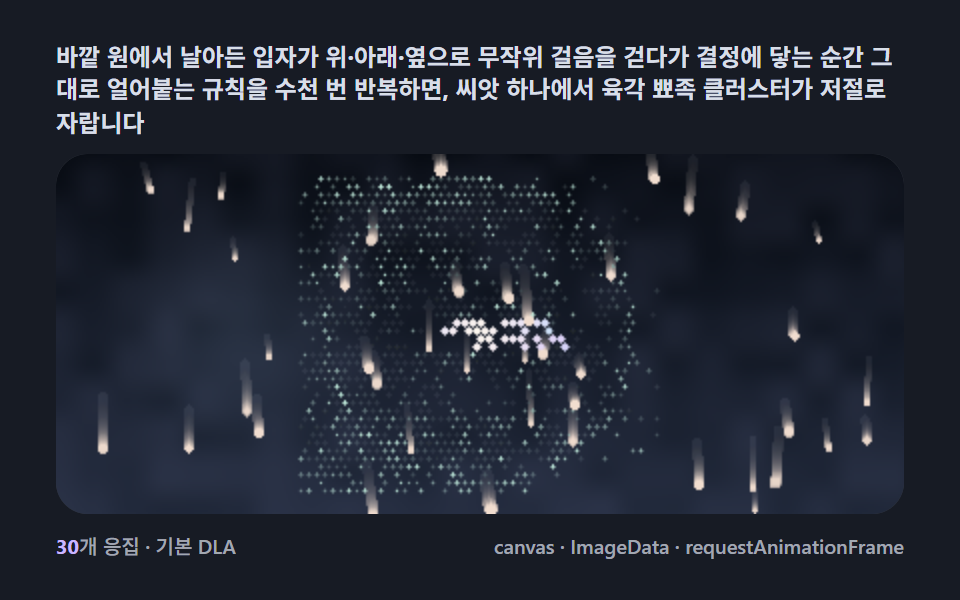 Creative UISnowflake Generator, 9 Ways (DLA, No Library)
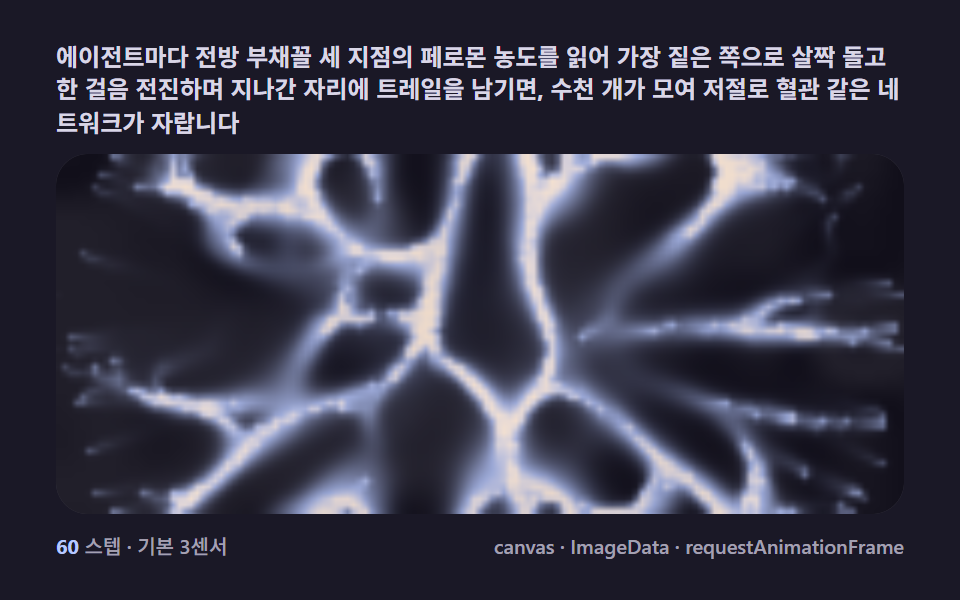 Creative UISlime Mold Simulation, 9 Ways (No Library)