Wave Interference Simulation: 9 Canvas Scenes
A wave interference simulation shows what happens on screen when two or more waves combine, and this set builds nine of those scenes with nothing but Math.sin
 01 wave-lissajous-xy-scope
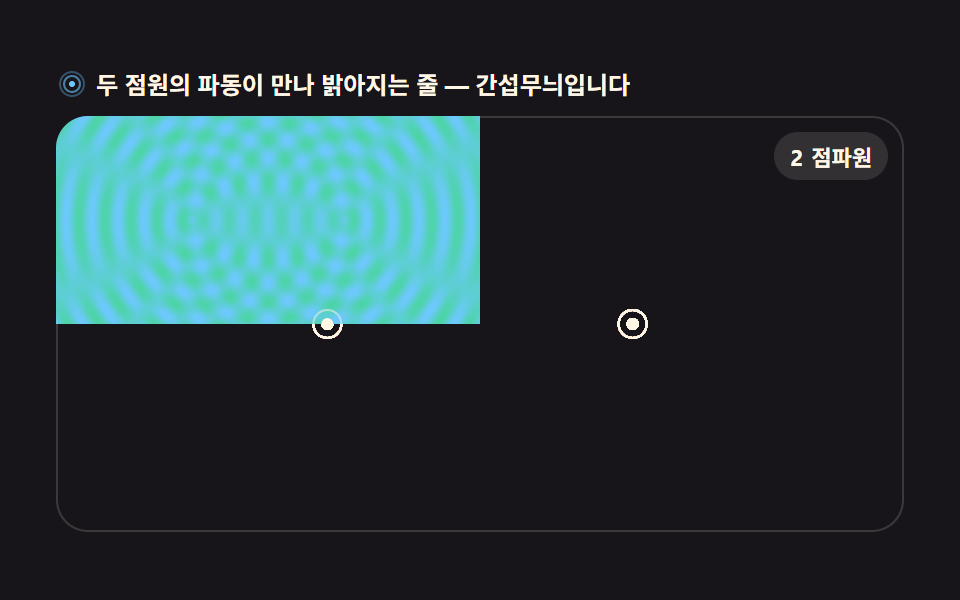 02 wave-ripple-interference-field
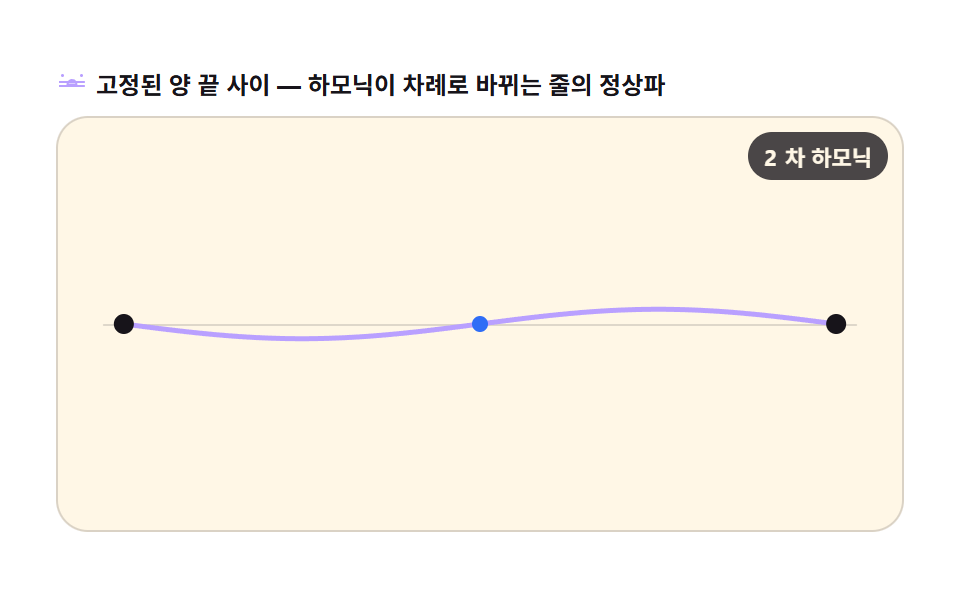 03 wave-standing-string
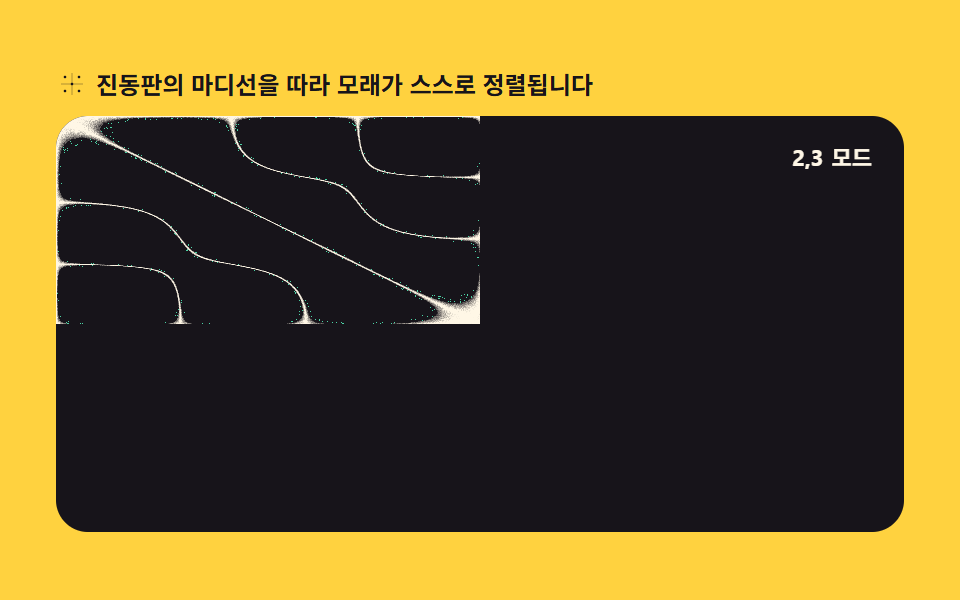 04 wave-chladni-sand-pattern
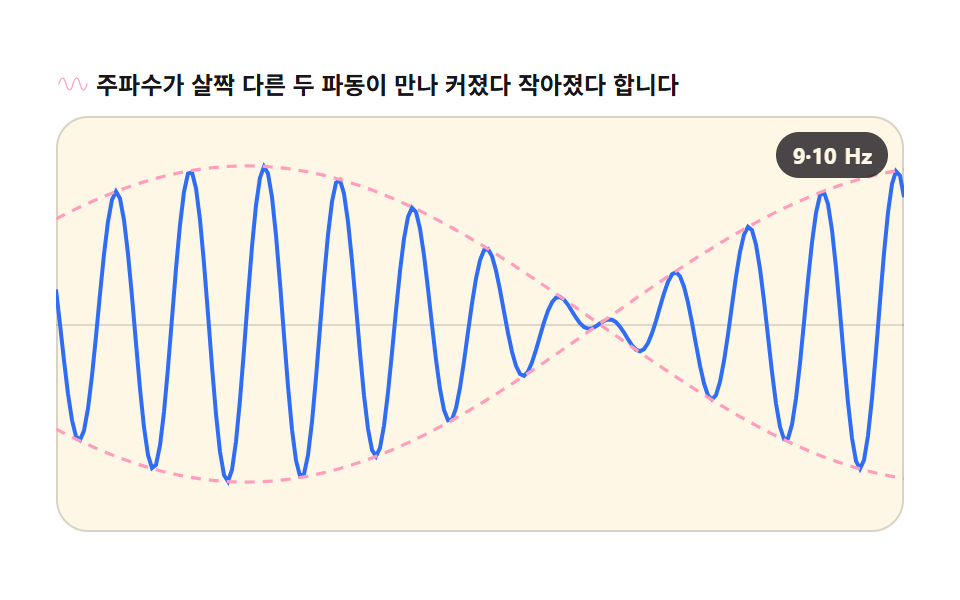 05 wave-beat-envelope
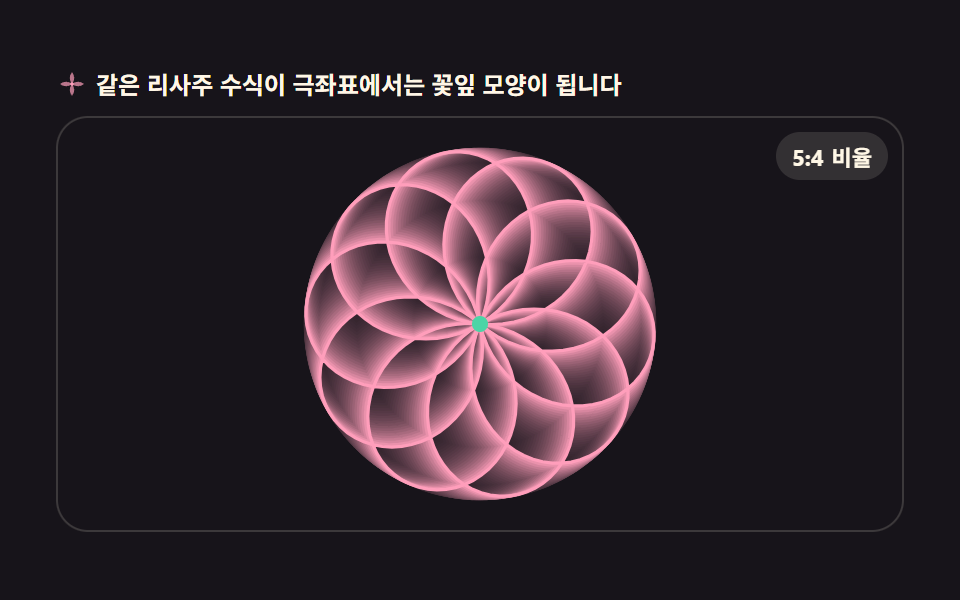 06 wave-polar-rose-lissajous
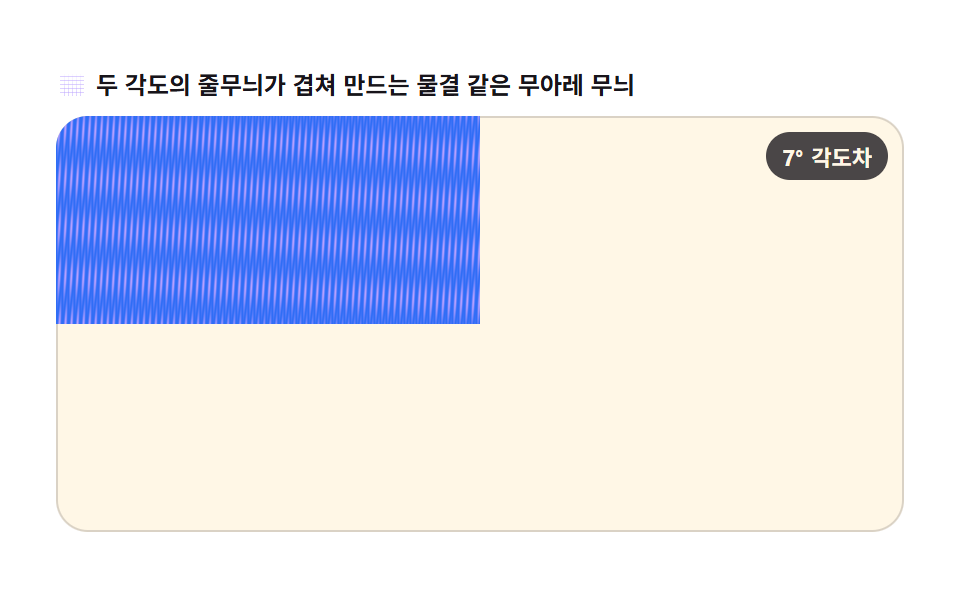 07 wave-moire-grating
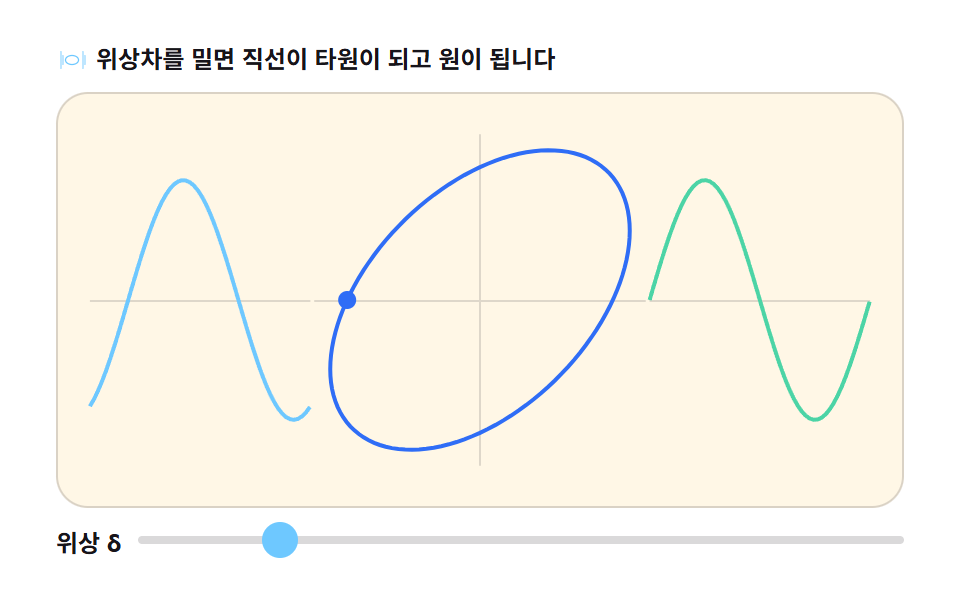 08 wave-phase-diff-panel
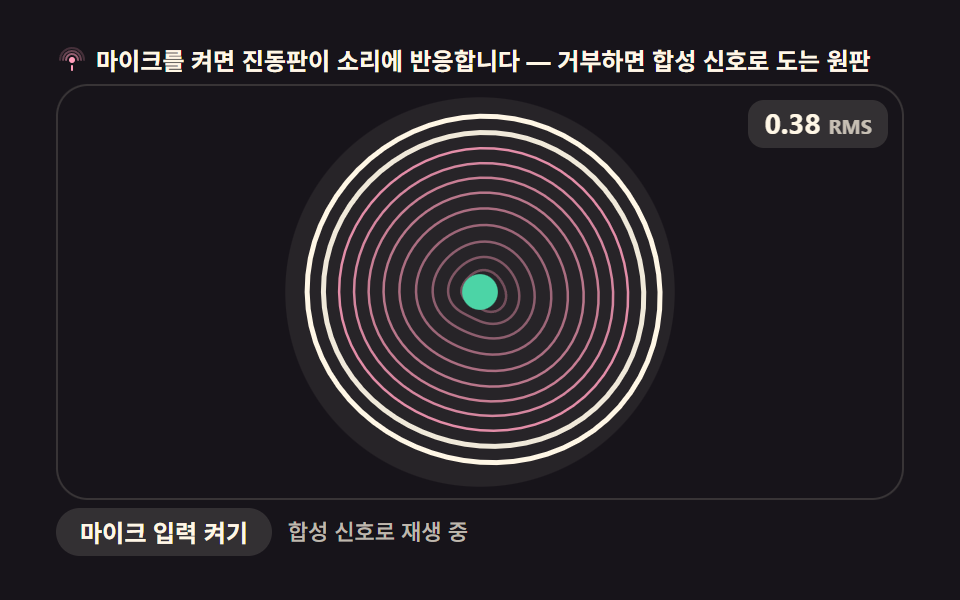 09 wave-membrane-mic-input
Auto-plays · click a tile to jump to its section · all nine in one zip
- 01 Lissajous XY scope
- 02 Two-source ripple interference field
- 03 Standing wave jump-rope harmonics
- 04 Chladni sand-pattern plate
- 05 Beat-frequency amplitude envelope
- 06 Polar rose Lissajous
- 07 Moiré grating interference
- 08 Phase-difference comparison panel
- 09 Circular membrane vibration modes (mic input)
The order below is not by difficulty but by how many waves get layered on top of each other. The first three draw a single wave's own shape (01 combines two axes, 02 sums two point sources, 03 reflects a string into a standing wave), the middle three turn overlap into a pattern you can stare at (04 piles sand along nodal lines, 05 turns a small frequency gap into a swelling beat, 06 bends the same equation into polar coordinates), and the last three put these wave patterns to work (07 crosses two gratings into a moiré, 08 hands you the phase slider directly, 09 lets a membrane react to real sound). If you came here chasing a wave interference animation, item 02 is the one to open first; if you want something that stays interesting as a static frame, 04 or 07 earn that spot. For a scene that pushes whole canvas buffers around instead of single points, HTML5 Canvas Animation: 9 Warp & Droplet Effects sits next door, particle-based motion lives in Canvas Particle Animation: 9 Engine Patterns, and the sound-reactive thread continues in Audio Visualizer JavaScript: 9 Parts, No Library.
01Lissajous XY oscilloscope
Two sine waves drive the X and Y axes while an afterglow trail keeps the pen's path visible, recreating an oscilloscope screen on canvas.
<main class="stage">
<div class="ls" id="ls">
  <p class="ls__hint">
    <svg class="ls__ico" viewBox="0 0 256 256" aria-hidden="true"><g fill="currentColor"><path d="M216 40H40a24 24 0 0 0-24 24v128a24 24 0 0 0 24 24h176a24 24 0 0 0 24-24V64a24 24 0 0 0-24-24ZM40 56h176a8 8 0 0 1 8 8v24H32V64a8 8 0 0 1 8-8Zm176 144H40a8 8 0 0 1-8-8V104h192v88a8 8 0 0 1-8 8Z"/><circle cx="56" cy="72" r="8"/><circle cx="84" cy="72" r="8"/><path d="M128 120a40 40 0 1 0 40 40a40 40 0 0 0-40-40Zm0 64a24 24 0 1 1 24-24a24 24 0 0 1-24 24Z"/></g></svg>
    <span>The two sines run at a 3:2 frequency ratio — the curve is alive</span>
  </p>
  <div class="ls__field" id="field" role="application" aria-label="Lissajous curve playground">
    <canvas class="ls__cv" id="cv"></canvas>
    <b class="ls__badge" aria-hidden="true"><span class="ls__badgeNum">3:2</span><span class="ls__badgeUnit">freq ratio</span></b>
  </div>
</div>
</main>
@use "../../../../site/static/demo-tokens" as *;
// 리사주 XY 오실로스코프 — 움직임은 전부 캔버스 rAF 루프 안에 있다. CSS 는 무대·판·배지만 맡는다.
// @keyframes 를 하나도 두지 않는다 — CSS 애니메이션이 0개라야 렌더러가 실시간으로 프레임을 찍어
// 캔버스가 실제로 도는 모습이 담긴다(도구/demo.py 렌더(), 077 선례).
$duration: $dur-loop;
$easing: $ease-spring;
$color: $subject-blue;
@include stage($stage-ink);
.ls {
--scope-bg: #{$stage-ink};
--trace: #{$subject-mint};
--grid: #{rgba($subject-cream, .14)};
--badge-bg: #{rgba($subject-cream, .12)};
--badge-fg: #{$subject-cream};
display: flex; flex-direction: column; gap: $sp-2;
width: 100%; max-width: 424px;
}
.ls__hint {
display: flex; align-items: center; gap: $sp-1; margin: 0;
font-weight: 700; font-size: clamp(10px, 2.8vw, 12px); line-height: 1.35;
color: $subject-cream;
}
.ls__ico { width: 16px; height: 16px; flex: 0 0 auto; color: $subject-mint; }
.ls__field {
position: relative; height: 208px;
border-radius: $r-card; overflow: hidden;
background: var(--scope-bg);
box-shadow: inset 0 0 0 1px rgba($subject-cream, .16);
}
.ls__cv { display: block; width: 100%; height: 100%; }
.ls__badge {
position: absolute; right: $sp-2; top: $sp-2;
display: flex; align-items: baseline; gap: $sp-1;
padding: $sp-1 $sp-2; border-radius: $r-pill;
background: var(--badge-bg);
color: var(--badge-fg); font-weight: 700; font-size: 11px;
}
@media (max-width: 340px) {
.ls__field { height: 124px; }
.ls__badge { font-size: 10px; padding: 0 $sp-1; }
}
@media (prefers-reduced-motion: reduce) {
.ls.is-still .ls__badge { opacity: .92 !important; }
}html, body {
margin: 0;
overflow: hidden;
}
.stage {
box-sizing: border-box;
min-height: 100vh;
display: grid;
place-items: center;
margin: 0;
background: #17141a;
font-family: -apple-system, "Segoe UI", "Noto Sans KR", sans-serif;
padding: clamp(8px, 4vw, 24px);
}
.ls {
--scope-bg: #17141a;
--trace: #4cd4a6;
--grid: rgba(255, 247, 230, 0.14);
--badge-bg: rgba(255, 247, 230, 0.12);
--badge-fg: #fff7e6;
display: flex;
flex-direction: column;
gap: 8px;
width: 100%;
max-width: 424px;
}
.ls__hint {
display: flex;
align-items: center;
gap: 4px;
margin: 0;
font-weight: 700;
font-size: clamp(10px, 2.8vw, 12px);
line-height: 1.35;
color: #fff7e6;
}
.ls__ico {
width: 16px;
height: 16px;
flex: 0 0 auto;
color: #4cd4a6;
}
.ls__field {
position: relative;
height: 208px;
border-radius: 16px;
overflow: hidden;
background: var(--scope-bg);
box-shadow: inset 0 0 0 1px rgba(255, 247, 230, 0.16);
}
.ls__cv {
display: block;
width: 100%;
height: 100%;
}
.ls__badge {
position: absolute;
right: 8px;
top: 8px;
display: flex;
align-items: baseline;
gap: 4px;
padding: 4px 8px;
border-radius: 999px;
background: var(--badge-bg);
color: var(--badge-fg);
font-weight: 700;
font-size: 11px;
}
@media (max-width: 340px) {
.ls__field {
height: 124px;
}
.ls__badge {
font-size: 10px;
padding: 0 4px;
}
}
@media (prefers-reduced-motion: reduce) {
.ls.is-still .ls__badge {
opacity: 0.92 !important;
}
}// 리사주 XY 오실로스코프 — X 축·Y 축에 각기 다른 주파수의 사인파를 걸면 펜이 그리는 자취가
// 리사주 곡선이 된다. 매 프레임 Math.sin 으로 좌표를 계산해 점을 찍고,
// globalCompositeOperation(destination-out) 으로 이전 프레임을 살짝 지워 잔상 트레일을 남긴다.
var root = document.getElementById('ls');
var field = document.getElementById('field');
var cv = document.getElementById('cv');
// willReadFrequently 를 안 쓰는 대신 매 프레임 전체를 다시 칠하는 방식(잔상은 destination-out)으로
// getImageData 왕복 없이 돈다 — 픽셀 계산은 02·04·07 번이 맡는다.
var ctx = cv.getContext('2d');
var css = getComputedStyle(root);
var TRACE = css.getPropertyValue('--trace').trim();
var GRID = css.getPropertyValue('--grid').trim();
var BGN = css.getPropertyValue('--scope-bg').trim();
var FX = 3, FY = 2; // X·Y 주파수 비 — 3:2 로 두면 곡선이 닫히는 데 2 초가 걸린다
var LOOP = 2; // 곡선 한 바퀴(초). 캡처 창(2초)과 같아 gif 가 이어진다
var TRAIL = 0.10; // 매 프레임 지우는 양(알파) — 작게 두면 잔상이 길게 늘어진다
var reduce = window.matchMedia('(prefers-reduced-motion: reduce)').matches;
var W = 0, H = 0, dpr = 1, raf = 0;
var phase = 0; // 슬라이더·자동 루프가 공유하는 위상(라디안)
function fit() {
var r = field.getBoundingClientRect();
dpr = window.devicePixelRatio || 1;
W = r.width; H = r.height;
cv.width = Math.round(W * dpr);
cv.height = Math.round(H * dpr);
ctx.setTransform(dpr, 0, 0, dpr, 0, 0);
}
// 눈금 — 오실로스코프 화면의 중앙 십자·가는 격자. 곡선이 어디를 지나는지의 기준이 된다
function grid() {
ctx.strokeStyle = GRID;
ctx.lineWidth = 1;
ctx.beginPath();
var step = 24;
for (var x = step; x < W; x += step) { ctx.moveTo(x + 0.5, 0); ctx.lineTo(x + 0.5, H); }
for (var y = step; y < H; y += step) { ctx.moveTo(0, y + 0.5); ctx.lineTo(W, y + 0.5); }
ctx.stroke();
ctx.strokeStyle = GRID;
ctx.lineWidth = 1.5;
ctx.beginPath();
ctx.moveTo(W * 0.5, 0); ctx.lineTo(W * 0.5, H);
ctx.moveTo(0, H * 0.5); ctx.lineTo(W, H * 0.5);
ctx.stroke();
}
// 리사주 점 하나 — X 는 sin(FX·θ), Y 는 sin(FY·θ+phase). 펜이 이 점을 계속 따라다닌다
function point(th) {
var a = Math.min(W, H) * 0.36;
return {
x: W * 0.5 + Math.sin(th * FX) * a,
y: H * 0.5 + Math.sin(th * FY + phase) * a
};
}
function drawTrail(sec) {
// 잔상 — destination-out 으로 살짝 지운 뒤 격자 위에 자취를 다시 그린다.
// 곡선 전체(θ 0→2π)를 얇게 깔고 펜 머리만 진하게 밝힌다
ctx.globalCompositeOperation = 'destination-out';
ctx.fillStyle = 'rgba(0,0,0,' + TRAIL + ')';
ctx.fillRect(0, 0, W, H);
ctx.globalCompositeOperation = 'source-over';
grid();
var N = 160; // 곡선 조각 수 — 부드러우면 충분하다
ctx.strokeStyle = TRACE;
ctx.lineWidth = 1.4;
ctx.globalAlpha = 0.5;
ctx.beginPath();
for (var i = 0; i <= N; i++) {
var p = point(i / N * Math.PI * 2);
if (i === 0) ctx.moveTo(p.x, p.y); else ctx.lineTo(p.x, p.y);
}
ctx.stroke();
ctx.globalAlpha = 1;
// 펜 머리 — 자초 위를 도는 밝은 점. sec 를 그대로 위상으로 쓴다(결정적)
var t = (sec % LOOP) / LOOP * Math.PI * 2;
var hp = point(t);
ctx.fillStyle = TRACE;
ctx.beginPath();
ctx.arc(hp.x, hp.y, 5, 0, Math.PI * 2);
ctx.fill();
ctx.fillStyle = 'rgba(255,255,255,0.85)';
ctx.beginPath();
ctx.arc(hp.x, hp.y, 2, 0, Math.PI * 2);
ctx.fill();
}
// 위상을 천천히 밀어 곡선 모양이 살아 움직이게 한다 — 같은 3:2 여도 위상이 바뀌면 기울어진다
function frame(now) {
var sec = now / 1000;
phase = sec / LOOP * Math.PI * 0.5;
drawTrail(sec);
raf = requestAnimationFrame(frame);
}
fit();
window.addEventListener('resize', function () { fit(); if (reduce) drawTrail(0.3); });
if (reduce) {
// reduce — 루프를 돌리지 않고 위상 0.3의 한 장만 그린다(빈 화면이 아니다)
root.classList.add('is-still');
phase = 0.3;
drawTrail(0.3);
} else {
raf = requestAnimationFrame(frame);
}// LissajousXyScope — vanilla 판(run/303/demo/01-wave-lissajous-xy-scope/index.html) 의 React 포트.
// X 축·Y 축에 각기 다른 주파수의 사인파를 걸어 펜이 그리는 리사주 곡선을
// 캔버스 rAF 루프(Math.sin + destination-out 잔상)로 그린다. CSS 애니메이션 0개.
import { useEffect, useRef } from "react";
import type { CSSProperties } from "react";
import styles from "./LissajousXyScope.module.scss";
export type LissajousXyScopeProps = {
duration?: number;
easing?: string;
accentColor?: string;
};
type Vars = CSSProperties & { "--duration"?: string; "--easing"?: string; "--color"?: string };
const TITLE = "리사주 XY 오실로스코프 데모";
const HINT = "두 사인파의 주파수 비 3:2 — 곡선이 살아 움직입니다";
const FIELD_LABEL = "리사주 곡선 실험판";
const BADGE_NUM = "3:2";
const BADGE_UNIT = "주파수비";
const FX = 3; // X·Y 주파수 비 — 3:2 로 두면 곡선이 닫히는 데 2 초가 걸린다
const LOOP = 2; // 곡선 한 바퀴(초)
const TRAIL = 0.10; // 매 프레임 지우는 양(알파) — 작게 두면 잔상이 길게 늘어진다
export default function LissajousXyScope({
duration = 2000,
easing = "cubic-bezier(.2, .8, .2, 1)",
accentColor = "#4cd4a6",
}: LissajousXyScopeProps) {
const rootRef = useRef<HTMLDivElement>(null);
const fieldRef = useRef<HTMLDivElement>(null);
const cvRef = useRef<HTMLCanvasElement>(null);
const vars: Vars = { "--duration": `${duration}ms`, "--easing": easing, "--color": accentColor };
useEffect(() => {
const root0 = rootRef.current;
const field0 = fieldRef.current;
const cv0 = cvRef.current;
if (!root0 || !field0 || !cv0) return;
// willReadFrequently 를 안 쓰는 대신 매 프레임 전체를 다시 칠하는 방식(잔상은 destination-out)으로
// getImageData 왕복 없이 돈다.
const ctx0 = cv0.getContext("2d");
if (!ctx0) return;
// 중첩 함수(클로저) 안에서는 가드로 좁힌 널 타입이 전달되지 않는다 — 확인된 값으로 다시 상수를 묶는다
const root: HTMLDivElement = root0;
const field: HTMLDivElement = field0;
const cv: HTMLCanvasElement = cv0;
const ctx: CanvasRenderingContext2D = ctx0;
const css = getComputedStyle(root);
const TRACE = css.getPropertyValue("--trace").trim();
const GRID = css.getPropertyValue("--grid").trim();
const reduce = window.matchMedia("(prefers-reduced-motion: reduce)").matches;
let W = 0, H = 0, dpr = 1, raf = 0;
let phase = 0; // 자동 루프가 밀어가는 위상(라디안)
function fit() {
const r = field.getBoundingClientRect();
dpr = window.devicePixelRatio || 1;
W = r.width; H = r.height;
cv.width = Math.round(W * dpr);
cv.height = Math.round(H * dpr);
ctx.setTransform(dpr, 0, 0, dpr, 0, 0);
}
// 눈금 — 오실로스코프 화면의 중앙 십자·가는 격자. 곡선이 어디를 지나는지의 기준이 된다
function grid() {
ctx.strokeStyle = GRID;
ctx.lineWidth = 1;
ctx.beginPath();
const step = 24;
for (let x = step; x < W; x += step) { ctx.moveTo(x + 0.5, 0); ctx.lineTo(x + 0.5, H); }
for (let y = step; y < H; y += step) { ctx.moveTo(0, y + 0.5); ctx.lineTo(W, y + 0.5); }
ctx.stroke();
ctx.strokeStyle = GRID;
ctx.lineWidth = 1.5;
ctx.beginPath();
ctx.moveTo(W * 0.5, 0); ctx.lineTo(W * 0.5, H);
ctx.moveTo(0, H * 0.5); ctx.lineTo(W, H * 0.5);
ctx.stroke();
}
// 리사주 점 하나 — X 는 sin(FX·θ), Y 는 sin(FY·θ+phase). 펜이 이 점을 계속 따라다닌다
function point(th: number) {
const a = Math.min(W, H) * 0.36;
return {
x: W * 0.5 + Math.sin(th * FX) * a,
y: H * 0.5 + Math.sin(th * 2 + phase) * a,
};
}
function drawTrail(sec: number) {
// 잔상 — destination-out 으로 살짝 지운 뒤 격자 위에 자취를 다시 그린다.
// 곡선 전체(θ 0→2π)를 얇게 깔고 펜 머리만 진하게 밝힌다
ctx.globalCompositeOperation = "destination-out";
ctx.fillStyle = "rgba(0,0,0," + TRAIL + ")";
ctx.fillRect(0, 0, W, H);
ctx.globalCompositeOperation = "source-over";
grid();
const N = 160; // 곡선 조각 수 — 부드러우면 충분하다
ctx.strokeStyle = TRACE;
ctx.lineWidth = 1.4;
ctx.globalAlpha = 0.5;
ctx.beginPath();
for (let i = 0; i <= N; i++) {
const p = point((i / N) * Math.PI * 2);
if (i === 0) ctx.moveTo(p.x, p.y); else ctx.lineTo(p.x, p.y);
}
ctx.stroke();
ctx.globalAlpha = 1;
// 펜 머리 — 자취 위를 도는 밝은 점. sec 를 그대로 위상으로 쓴다(결정적)
const t = ((sec % LOOP) / LOOP) * Math.PI * 2;
const hp = point(t);
ctx.fillStyle = TRACE;
ctx.beginPath();
ctx.arc(hp.x, hp.y, 5, 0, Math.PI * 2);
ctx.fill();
ctx.fillStyle = "rgba(255,255,255,0.85)";
ctx.beginPath();
ctx.arc(hp.x, hp.y, 2, 0, Math.PI * 2);
ctx.fill();
}
// 위상을 천천히 밀어 곡선 모양이 살아 움직이게 한다 — 같은 3:2 여도 위상이 바뀌면 기울어진다
function frame(now: number) {
const sec = now / 1000;
phase = (sec / LOOP) * Math.PI * 0.5;
drawTrail(sec);
raf = requestAnimationFrame(frame);
}
function onResize() {
fit();
if (reduce) drawTrail(0.3);
}
fit();
window.addEventListener("resize", onResize);
if (reduce) {
// reduce — 루프를 돌리지 않고 위상 0.3의 한 장만 그린다(빈 화면이 아니다)
root.classList.add("is-still");
phase = 0.3;
drawTrail(0.3);
} else {
raf = requestAnimationFrame(frame);
}
return () => {
cancelAnimationFrame(raf);
window.removeEventListener("resize", onResize);
};
}, []);
return (
<main className={styles.stage}>
<div className={styles.ls} style={vars} ref={rootRef}>
<p className={styles["ls__hint"]}>
<svg className={styles["ls__ico"]} viewBox="0 0 256 256" aria-hidden="true" focusable="false">
<g fill="currentColor">
<path d="M216 40H40a24 24 0 0 0-24 24v128a24 24 0 0 0 24 24h176a24 24 0 0 0 24-24V64a24 24 0 0 0-24-24ZM40 56h176a8 8 0 0 1 8 8v24H32V64a8 8 0 0 1 8-8Zm176 144H40a8 8 0 0 1-8-8V104h192v88a8 8 0 0 1-8 8Z" />
<circle cx="56" cy="72" r="8" />
<circle cx="84" cy="72" r="8" />
<path d="M128 120a40 40 0 1 0 40 40a40 40 0 0 0-40-40Zm0 64a24 24 0 1 1 24-24a24 24 0 0 1-24 24Z" />
</g>
</svg>
<span>{HINT}</span>
</p>
<div className={styles["ls__field"]} role="application" aria-label={FIELD_LABEL} ref={fieldRef}>
<canvas className={styles["ls__cv"]} ref={cvRef} aria-label={TITLE} />
<b className={styles["ls__badge"]} aria-hidden="true">
<span className={styles["ls__badgeNum"]}>{BADGE_NUM}</span>
<span className={styles["ls__badgeUnit"]}>{BADGE_UNIT}</span>
</b>
</div>
</div>
</main>
);
}01 · Lissajous XY scope — Measured area 16.829% · moving frames 23/23Original by GODRICH · SCSS and React ship in the zip · See the password
How the pen gets its coordinates each frame
var FX = 3, FY = 2;          // X:Y frequency ratio — 3:2 takes 2s for the curve to close
function point(th) {
  var a = Math.min(W, H) * 0.36;
  return {
    x: W * 0.5 + Math.sin(th * FX) * a,
    y: H * 0.5 + Math.sin(th * FY + phase) * a
  };
}
Why the trail fades instead of just clearing
ctx.globalCompositeOperation = 'destination-out';
ctx.fillStyle = 'rgba(0,0,0,' + TRAIL + ')';
ctx.fillRect(0, 0, W, H);
ctx.globalCompositeOperation = 'source-over';
X is sin(3θ) and Y is sin(2θ+phase), so the 3:2 loop tilts as the phase term shifts, and MDN's globalCompositeOperation reference explains the destination-out mode that wipes 0.10 of alpha every frame instead of erasing outright — that partial wipe is what a lissajous curve oscilloscope needs to keep a trail instead of a single dot.
02Two-source ripple interference field
Circular waves spread from two points and either reinforce or cancel, and every pixel gets its own distance-based brightness instead of drawn lines.
<main class="stage">
<div class="ri" id="ri">
  <p class="ri__hint">
    <svg class="ri__ico" viewBox="0 0 256 256" aria-hidden="true"><g fill="currentColor"><path d="M128 24a104 104 0 1 0 104 104A104.11 104.11 0 0 0 128 24Zm0 192a88 88 0 1 1 88-88a88.1 88.1 0 0 1-88 88Z" opacity=".35"/><path d="M128 56a72 72 0 1 0 72 72a72.08 72.08 0 0 0-72-72Zm0 128a56 56 0 1 1 56-56a56.06 56.06 0 0 1-56 56Z" opacity=".6"/><circle cx="128" cy="128" r="24"/></g></svg>
    <span>Where the two source waves meet they brighten into bands — interference</span>
  </p>
  <div class="ri__field" id="field" role="application" aria-label="Wave interference playground">
    <canvas class="ri__cv" id="cv"></canvas>
    <b class="ri__badge" aria-hidden="true"><span class="ri__badgeNum">2</span><span class="ri__badgeUnit">point sources</span></b>
  </div>
</div>
</main>
@use "../../../../site/static/demo-tokens" as *;
// 이중 점파원 간섭 필드 — 두 점원에서 퍼지는 원형 파동의 겹침을 픽셀 단위로 계산한다.
// 움직임은 전부 캔버스 rAF 루프(getImageData/putImageData) 안에 있다. @keyframes 0개.
$duration: $dur-loop;
$easing: $ease-spring;
$color: $subject-sky;
@include stage($stage-ink);
.ri {
--field-bg: #{$stage-ink};
--ink-line: #{$subject-sky};
--halo: #{$subject-mint};
--badge-bg: #{rgba($subject-cream, .12)};
--badge-fg: #{$subject-cream};
display: flex; flex-direction: column; gap: $sp-2;
width: 100%; max-width: 424px;
}
.ri__hint {
display: flex; align-items: center; gap: $sp-1; margin: 0;
font-weight: 700; font-size: clamp(10px, 2.8vw, 12px); line-height: 1.35;
color: $subject-cream;
}
.ri__ico { width: 16px; height: 16px; flex: 0 0 auto; color: $subject-sky; }
.ri__field {
position: relative; height: 208px;
border-radius: $r-card; overflow: hidden;
background: var(--field-bg);
box-shadow: inset 0 0 0 1px rgba($subject-cream, .16);
}
.ri__cv { display: block; width: 100%; height: 100%; }
.ri__badge {
position: absolute; right: $sp-2; top: $sp-2;
display: flex; align-items: baseline; gap: $sp-1;
padding: $sp-1 $sp-2; border-radius: $r-pill;
background: var(--badge-bg);
color: var(--badge-fg); font-weight: 700; font-size: 11px;
}
@media (max-width: 340px) {
.ri__field { height: 124px; }
.ri__badge { font-size: 10px; padding: 0 $sp-1; }
}
@media (prefers-reduced-motion: reduce) {
.ri.is-still .ri__badge { opacity: .92 !important; }
}html, body {
margin: 0;
overflow: hidden;
}
.stage {
box-sizing: border-box;
min-height: 100vh;
display: grid;
place-items: center;
margin: 0;
background: #17141a;
font-family: -apple-system, "Segoe UI", "Noto Sans KR", sans-serif;
padding: clamp(8px, 4vw, 24px);
}
.ri {
--field-bg: #17141a;
--ink-line: #6ec8ff;
--halo: #4cd4a6;
--badge-bg: rgba(255, 247, 230, 0.12);
--badge-fg: #fff7e6;
display: flex;
flex-direction: column;
gap: 8px;
width: 100%;
max-width: 424px;
}
.ri__hint {
display: flex;
align-items: center;
gap: 4px;
margin: 0;
font-weight: 700;
font-size: clamp(10px, 2.8vw, 12px);
line-height: 1.35;
color: #fff7e6;
}
.ri__ico {
width: 16px;
height: 16px;
flex: 0 0 auto;
color: #6ec8ff;
}
.ri__field {
position: relative;
height: 208px;
border-radius: 16px;
overflow: hidden;
background: var(--field-bg);
box-shadow: inset 0 0 0 1px rgba(255, 247, 230, 0.16);
}
.ri__cv {
display: block;
width: 100%;
height: 100%;
}
.ri__badge {
position: absolute;
right: 8px;
top: 8px;
display: flex;
align-items: baseline;
gap: 4px;
padding: 4px 8px;
border-radius: 999px;
background: var(--badge-bg);
color: var(--badge-fg);
font-weight: 700;
font-size: 11px;
}
@media (max-width: 340px) {
.ri__field {
height: 124px;
}
.ri__badge {
font-size: 10px;
padding: 0 4px;
}
}
@media (prefers-reduced-motion: reduce) {
.ri.is-still .ri__badge {
opacity: 0.92 !important;
}
}// 이중 point sources 간섭 필드 — 매 픽셀에서 두 점원까지의 거리를 Math.hypot 으로 잰 뒤
// 두 파동의 사인 합으로 진폭을 계산한다. 위상이 맞는 곳(보강 간섭)은 밝게,
// 어긋나는 곳(상쇄 간섭)은 어두운 쌍곡선 줄이 된다.
var root = document.getElementById('ri');
var field = document.getElementById('field');
var cv = document.getElementById('cv');
// willReadFrequently — 매 프레임 putImageData 로 되돌리는 캔버스는 이 힌트로 GPU 왕복을 줄인다
var ctx = cv.getContext('2d', { willReadFrequently: true });
var css = getComputedStyle(root);
var INK = css.getPropertyValue('--ink-line').trim();
var HALO = css.getPropertyValue('--halo').trim();
var BGN = css.getPropertyValue('--field-bg').trim();
var LOOP = 2; // 파동 한 주기(초). 캡처 창과 같아 gif 가 이어진다
var WAVE = 26; // 파장(CSS px) — 짧을수록 무늬가 촘촘해진다
var STEP = 2; // 계산 픽셀 간격 — 2px 씩 계산해 4픽셀 뭉치로 찍는다(속도)
var reduce = window.matchMedia('(prefers-reduced-motion: reduce)').matches;
var W = 0, H = 0, dpr = 1, raf = 0;
var img = null, buf = null; // createImageData 로 만든 프레임 버퍼
// 색을 [r,g,b] 로 미리 풀어둔다 — 매 픽셀마다 파싱하면 느리다
function parse(c) {
var m = c.match(/^#([0-9a-f]{6})$/i);
if (!m) return [110, 200, 255];
return [parseInt(m[1].slice(0, 2), 16), parseInt(m[1].slice(2, 4), 16), parseInt(m[1].slice(4, 6), 16)];
}
var C1 = parse(INK);
var C2 = parse(HALO);
var BGC = parse(BGN);
function fit() {
var r = field.getBoundingClientRect();
dpr = window.devicePixelRatio || 1;
W = Math.round(r.width); H = Math.round(r.height);
cv.width = Math.round(W * dpr);
cv.height = Math.round(H * dpr);
ctx.setTransform(dpr, 0, 0, dpr, 0, 0);
img = ctx.createImageData(W, H);
buf = img.data;
}
// 두 점원의 위치 — 화면 폭의 32% 지점에 좌우로 마주 본다
function sources() {
return [
{ x: W * 0.32, y: H * 0.5 },
{ x: W * 0.68, y: H * 0.5 }
];
}
// 간섭 계산 — 픽셀마다 sin(d/λ·2π − t·2π) 두 개를 더해 진폭(-2..2)을 밝기로 눕힌다
function interference(sec) {
var s = sources();
var t = (sec % LOOP) / LOOP * Math.PI * 2;
var k = Math.PI * 2 / WAVE;
var cx1 = s[0].x, cy1 = s[0].y, cx2 = s[1].x, cy2 = s[1].y;
for (var y = 0; y < H; y++) {
for (var x = 0; x < W; x++) {
var d1 = Math.hypot(x - cx1, y - cy1);
var d2 = Math.hypot(x - cx2, y - cy2);
// 보강(+)·상쇄(-)를 같은 비율로 두고 0.5 오프셋으로 밝기 축에 올린다
var a1 = Math.sin(k * d1 - t);
var a2 = Math.sin(k * d2 - t);
var v = (a1 + a2) * 0.25 + 0.5; // 0..1
var i = (y * W + x) * 4;
// 파랑(바다) → 민트(고 에너지) 두 색을 v 로 섞는다 — 파스텔 톤 안에서 대비를 만든다
buf[i] = Math.round(C1[0] + (C2[0] - C1[0]) * v);
buf[i + 1] = Math.round(C1[1] + (C2[1] - C1[1]) * v);
buf[i + 2] = Math.round(C1[2] + (C2[2] - C1[2]) * v);
buf[i + 3] = 255;
}
}
ctx.putImageData(img, 0, 0);
// point sources 두 개 표시 — 흰 점과 얇은 고리
for (var j = 0; j < 2; j++) {
ctx.fillStyle = '#fff7e6';
ctx.beginPath();
ctx.arc(s[j].x, s[j].y, 3, 0, Math.PI * 2);
ctx.fill();
ctx.strokeStyle = 'rgba(255,247,230,0.5)';
ctx.lineWidth = 1;
ctx.beginPath();
ctx.arc(s[j].x, s[j].y, 7, 0, Math.PI * 2);
ctx.stroke();
}
}
function frame(now) {
interference(now / 1000);
raf = requestAnimationFrame(frame);
}
fit();
window.addEventListener('resize', function () { fit(); if (reduce) interference(0.25); });
if (reduce) {
// reduce — 루프 없이 위상 0.25의 한 장만 그린다(빈 화면이 아니다)
root.classList.add('is-still');
interference(0.25);
} else {
raf = requestAnimationFrame(frame);
}// RippleInterferenceField — vanilla 판(run/303/demo/02-wave-ripple-interference-field/index.html) 의 React 포트.
// 매 픽셀에서 두 점원까지의 거리를 Math.hypot 으로 잰 뒤 두 파동의 사인 합으로 진폭을
// 계산한다. 위상이 맞는 곳(보강)은 밝게, 어긋나는 곳(상쇄)은 어두운 쌍곡선 줄이 된다.
import { useEffect, useRef } from "react";
import type { CSSProperties } from "react";
import styles from "./RippleInterferenceField.module.scss";
export type RippleInterferenceFieldProps = {
duration?: number;
easing?: string;
accentColor?: string;
};
type Vars = CSSProperties & { "--duration"?: string; "--easing"?: string; "--color"?: string };
const TITLE = "이중 점파원 간섭 필드 데모";
const HINT = "두 점원의 파동이 만나 밝아지는 줄 — 간섭무늬입니다";
const FIELD_LABEL = "파동 간섭 실험판";
const BADGE_NUM = "2";
const BADGE_UNIT = "점파원";
const LOOP = 2; // 파동 한 주기(초)
const WAVE = 26; // 파장(CSS px) — 짧을수록 무늬가 촘촘해진다
// 색을 [r,g,b] 로 미리 풀어둔다 — 매 픽셀마다 파싱하면 느리다
function parse(c: string): [number, number, number] {
const m = c.match(/^#([0-9a-f]{6})$/i);
if (!m) return [110, 200, 255];
return [
parseInt(m[1].slice(0, 2), 16),
parseInt(m[1].slice(2, 4), 16),
parseInt(m[1].slice(4, 6), 16),
];
}
export default function RippleInterferenceField({
duration = 2000,
easing = "cubic-bezier(.2, .8, .2, 1)",
accentColor = "#6ec8ff",
}: RippleInterferenceFieldProps) {
const rootRef = useRef<HTMLDivElement>(null);
const fieldRef = useRef<HTMLDivElement>(null);
const cvRef = useRef<HTMLCanvasElement>(null);
const vars: Vars = { "--duration": `${duration}ms`, "--easing": easing, "--color": accentColor };
useEffect(() => {
const root0 = rootRef.current;
const field0 = fieldRef.current;
const cv0 = cvRef.current;
if (!root0 || !field0 || !cv0) return;
// willReadFrequently — 매 프레임 putImageData 로 되돌리는 캔버스는 이 힌트로 GPU 왕복을 줄인다
const ctx0 = cv0.getContext("2d", { willReadFrequently: true });
if (!ctx0) return;
// 중첩 함수(클로저) 안에서는 가드로 좁힌 널 타입이 전달되지 않는다 — 확인된 값으로 다시 상수를 묶는다
const root: HTMLDivElement = root0;
const field: HTMLDivElement = field0;
const cv: HTMLCanvasElement = cv0;
const ctx: CanvasRenderingContext2D = ctx0;
const css = getComputedStyle(root);
const INK = css.getPropertyValue("--ink-line").trim();
const HALO = css.getPropertyValue("--halo").trim();
const C1 = parse(INK);
const C2 = parse(HALO);
const reduce = window.matchMedia("(prefers-reduced-motion: reduce)").matches;
let W = 0, H = 0, dpr = 1, raf = 0;
let img: ImageData | null = null;
let buf: Uint8ClampedArray | null = null; // createImageData 로 만든 프레임 버퍼
function fit() {
const r = field.getBoundingClientRect();
dpr = window.devicePixelRatio || 1;
W = Math.round(r.width); H = Math.round(r.height);
cv.width = Math.round(W * dpr);
cv.height = Math.round(H * dpr);
ctx.setTransform(dpr, 0, 0, dpr, 0, 0);
img = ctx.createImageData(W, H);
buf = img.data;
}
// 두 점원의 위치 — 화면 폭의 32% 지점에 좌우로 마주 본다
function sources() {
return [
{ x: W * 0.32, y: H * 0.5 },
{ x: W * 0.68, y: H * 0.5 },
];
}
// 간섭 계산 — 픽셀마다 sin(d/λ·2π − t·2π) 두 개를 더해 진폭(-2..2)을 밝기로 눕힌다
function interference(sec: number) {
if (!img || !buf) return;
const s = sources();
const t = ((sec % LOOP) / LOOP) * Math.PI * 2;
const k = (Math.PI * 2) / WAVE;
const cx1 = s[0].x, cy1 = s[0].y, cx2 = s[1].x, cy2 = s[1].y;
for (let y = 0; y < H; y++) {
for (let x = 0; x < W; x++) {
const d1 = Math.hypot(x - cx1, y - cy1);
const d2 = Math.hypot(x - cx2, y - cy2);
// 보강(+)·상쇄(-)를 같은 비율로 두고 0.5 오프셋으로 밝기 축에 올린다
const a1 = Math.sin(k * d1 - t);
const a2 = Math.sin(k * d2 - t);
const v = (a1 + a2) * 0.25 + 0.5; // 0..1
const i = (y * W + x) * 4;
// 파랑(바다) → 민트(고 에너지) 두 색을 v 로 섞는다 — 파스텔 톤 안에서 대비를 만든다
buf[i] = Math.round(C1[0] + (C2[0] - C1[0]) * v);
buf[i + 1] = Math.round(C1[1] + (C2[1] - C1[1]) * v);
buf[i + 2] = Math.round(C1[2] + (C2[2] - C1[2]) * v);
buf[i + 3] = 255;
}
}
ctx.putImageData(img, 0, 0);
// 점파원 두 개 표시 — 흰 점과 얇은 고리
for (let j = 0; j < 2; j++) {
ctx.fillStyle = "#fff7e6";
ctx.beginPath();
ctx.arc(s[j].x, s[j].y, 3, 0, Math.PI * 2);
ctx.fill();
ctx.strokeStyle = "rgba(255,247,230,0.5)";
ctx.lineWidth = 1;
ctx.beginPath();
ctx.arc(s[j].x, s[j].y, 7, 0, Math.PI * 2);
ctx.stroke();
}
}
function frame(now: number) {
interference(now / 1000);
raf = requestAnimationFrame(frame);
}
function onResize() {
fit();
if (reduce) interference(0.25);
}
fit();
window.addEventListener("resize", onResize);
if (reduce) {
// reduce — 루프 없이 위상 0.25의 한 장만 그린다(빈 화면이 아니다)
root.classList.add("is-still");
interference(0.25);
} else {
raf = requestAnimationFrame(frame);
}
return () => {
cancelAnimationFrame(raf);
window.removeEventListener("resize", onResize);
};
}, []);
return (
<main className={styles.stage}>
<div className={styles.ri} style={vars} ref={rootRef}>
<p className={styles["ri__hint"]}>
<svg className={styles["ri__ico"]} viewBox="0 0 256 256" aria-hidden="true" focusable="false">
<g fill="currentColor">
<path d="M128 24a104 104 0 1 0 104 104A104.11 104.11 0 0 0 128 24Zm0 192a88 88 0 1 1 88-88a88.1 88.1 0 0 1-88 88Z" opacity=".35" />
<path d="M128 56a72 72 0 1 0 72 72a72.08 72.08 0 0 0-72-72Zm0 128a56 56 0 1 1 56-56a56.06 56.06 0 0 1-56 56Z" opacity=".6" />
<circle cx="128" cy="128" r="24" />
</g>
</svg>
<span>{HINT}</span>
</p>
<div className={styles["ri__field"]} role="application" aria-label={FIELD_LABEL} ref={fieldRef}>
<canvas className={styles["ri__cv"]} ref={cvRef} aria-label={TITLE} />
<b className={styles["ri__badge"]} aria-hidden="true">
<span className={styles["ri__badgeNum"]}>{BADGE_NUM}</span>
<span className={styles["ri__badgeUnit"]}>{BADGE_UNIT}</span>
</b>
</div>
</div>
</main>
);
}02 · Two-source ripple interference field — Measured area 54.069% · moving frames 23/23Original by GODRICH · SCSS and React ship in the zip · See the password
Why Math.hypot runs twice per pixel
var d1 = Math.hypot(x - cx1, y - cy1);
var d2 = Math.hypot(x - cx2, y - cy2);
var a1 = Math.sin(k * d1 - t);
var a2 = Math.sin(k * d2 - t);
var v = (a1 + a2) * 0.25 + 0.5;           // 0..1
How the buffer becomes one putImageData call
var i = (y * W + x) * 4;
buf[i]     = Math.round(C1[0] + (C2[0] - C1[0]) * v);
buf[i + 1] = Math.round(C1[1] + (C2[1] - C1[1]) * v);
buf[i + 2] = Math.round(C1[2] + (C2[2] - C1[2]) * v);
buf[i + 3] = 255;
ctx.putImageData(img, 0, 0);
The phase at distance d is sin(d/λ·2π−t), and adding the two waves before mapping the sum to brightness is exactly the constructive interference simulation from a physics textbook — one Math.hypot call per distance (MDN's Math.hypot reference). It measured 54.07% cumulative area across 23/23 frames — second only to item 07.
03Standing-wave string harmonics
A string pinned at both ends steps through the 1st, 2nd, and 3rd harmonics as its node count grows — the same physics behind a plucked guitar string.
<main class="stage">
<div class="ss" id="ss">
  <p class="ss__hint">
    <svg class="ss__ico" viewBox="0 0 256 256" aria-hidden="true"><g fill="currentColor"><path d="M32 120h192a8 8 0 0 0 0-16H32a8 8 0 0 0 0 16Z"/><path d="M224 136H32a8 8 0 0 0 0 16h192a8 8 0 0 0 0-16Z"/><path d="M128 88a44 44 0 0 0-44 44a8 8 0 0 0 8 8h72a8 8 0 0 0 8-8a44 44 0 0 0-44-44Zm-26.91 36A28 28 0 0 1 128 104a28 28 0 0 1 26.91 20Z"/><circle cx="52" cy="60" r="12"/><circle cx="204" cy="60" r="12"/></g></svg>
    <span>Between fixed ends — a standing string stepping through harmonics</span>
  </p>
  <div class="ss__field" id="field" role="application" aria-label="Standing-wave string playground">
    <canvas class="ss__cv" id="cv"></canvas>
    <b class="ss__badge" aria-hidden="true"><span class="ss__badgeNum">3</span><span class="ss__badgeUnit">th harmonic</span></b>
  </div>
</div>
</main>
@use "../../../../site/static/demo-tokens" as *;
// 정상파 줄넘기 하모닉 — 1~N 차 하모닉 사인 합성으로 줄 모양을 그린다.
// 움직임은 전부 캔버스 rAF 루프 안에 있다. @keyframes 0개.
$duration: $dur-loop;
$easing: $ease-spring;
$color: $subject-lilac;
@include stage($stage-paper);
.ss {
--string: #{$subject-lilac};
--node: #{$subject-blue};
--rail: #{rgba($subject-ink, .14)};
--ink-fg: #{$subject-ink};
--badge-bg: #{rgba($subject-ink, .78)};
--badge-fg: #{$subject-cream};
display: flex; flex-direction: column; gap: $sp-2;
width: 100%; max-width: 424px;
}
.ss__hint {
display: flex; align-items: center; gap: $sp-1; margin: 0;
font-weight: 700; font-size: clamp(10px, 2.8vw, 12px); line-height: 1.35;
color: var(--ink-fg);
}
.ss__ico { width: 16px; height: 16px; flex: 0 0 auto; color: $subject-lilac; }
.ss__field {
position: relative; height: 208px;
border-radius: $r-card; overflow: hidden;
background: $subject-cream;
box-shadow: inset 0 0 0 1px rgba($subject-ink, .16);
}
.ss__cv { display: block; width: 100%; height: 100%; }
.ss__badge {
position: absolute; right: $sp-2; top: $sp-2;
display: flex; align-items: baseline; gap: $sp-1;
padding: $sp-1 $sp-2; border-radius: $r-pill;
background: var(--badge-bg);
color: var(--badge-fg); font-weight: 700; font-size: 11px;
}
@media (max-width: 340px) {
.ss__field { height: 124px; }
.ss__badge { font-size: 10px; padding: 0 $sp-1; }
}
@media (prefers-reduced-motion: reduce) {
.ss.is-still .ss__badge { opacity: .92 !important; }
}html, body {
margin: 0;
overflow: hidden;
}
.stage {
box-sizing: border-box;
min-height: 100vh;
display: grid;
place-items: center;
margin: 0;
background: #ffffff;
font-family: -apple-system, "Segoe UI", "Noto Sans KR", sans-serif;
padding: clamp(8px, 4vw, 24px);
}
.ss {
--string: #b9a0ff;
--node: #2f6df6;
--rail: rgba(23, 20, 26, 0.14);
--ink-fg: #17141a;
--badge-bg: rgba(23, 20, 26, 0.78);
--badge-fg: #fff7e6;
display: flex;
flex-direction: column;
gap: 8px;
width: 100%;
max-width: 424px;
}
.ss__hint {
display: flex;
align-items: center;
gap: 4px;
margin: 0;
font-weight: 700;
font-size: clamp(10px, 2.8vw, 12px);
line-height: 1.35;
color: var(--ink-fg);
}
.ss__ico {
width: 16px;
height: 16px;
flex: 0 0 auto;
color: #b9a0ff;
}
.ss__field {
position: relative;
height: 208px;
border-radius: 16px;
overflow: hidden;
background: #fff7e6;
box-shadow: inset 0 0 0 1px rgba(23, 20, 26, 0.16);
}
.ss__cv {
display: block;
width: 100%;
height: 100%;
}
.ss__badge {
position: absolute;
right: 8px;
top: 8px;
display: flex;
align-items: baseline;
gap: 4px;
padding: 4px 8px;
border-radius: 999px;
background: var(--badge-bg);
color: var(--badge-fg);
font-weight: 700;
font-size: 11px;
}
@media (max-width: 340px) {
.ss__field {
height: 124px;
}
.ss__badge {
font-size: 10px;
padding: 0 4px;
}
}
@media (prefers-reduced-motion: reduce) {
.ss.is-still .ss__badge {
opacity: 0.92 !important;
}
}// 정상파 줄넘기 하모닉 — 양 끝이 고정된 줄 위의 정상파는 sin(nπx/L) 꼴이다.
// 1차·2차·3차 하모닉을 시간이 지나며 차례로 지나가게 하고, 마디(node) 위치에 고정 점을 찍는다.
// 매 프레임 lineTo 로 줄을 다시 그린다 — 속성 트윈이 아니라 계산으로 그린다.
var root = document.getElementById('ss');
var field = document.getElementById('field');
var cv = document.getElementById('cv');
var ctx = cv.getContext('2d');
var css = getComputedStyle(root);
var STRING = css.getPropertyValue('--string').trim();
var NODE = css.getPropertyValue('--node').trim();
var RAIL = css.getPropertyValue('--rail').trim();
var INK = css.getPropertyValue('--ink-fg').trim();
var LOOP = 2; // 하모닉 하나가 머무는 시간 포함 전체 사이클(초)
var SEG = 120; // 줄을 긋는 조각 수
var reduce = window.matchMedia('(prefers-reduced-motion: reduce)').matches;
var W = 0, H = 0, dpr = 1, raf = 0;
var numEl = document.querySelector('.ss__badgeNum');
function fit() {
var r = field.getBoundingClientRect();
dpr = window.devicePixelRatio || 1;
W = r.width; H = r.height;
cv.width = Math.round(W * dpr);
cv.height = Math.round(H * dpr);
ctx.setTransform(dpr, 0, 0, dpr, 0, 0);
}
// 지금 시각에 해당하는 하모닉 차수와 진폭 — 1→2→3차를 각각 머물렀다가 다음으로 넘어간다
function modeAt(sec) {
var u = (sec % LOOP) / LOOP; // 0..1 사이클
var n = 1 + Math.floor(u * 3); // 1, 2, 3차
if (n > 3) n = 3;
return n;
}
// 정상파 줄 모양 — sin(nπs) 를 s(0..1)를 따라 그린다. 진폭은 하모닉이 커질수록 줄어든다(에너지 보존 느낌)
function drawString(sec) {
var n = modeAt(sec);
var t = (sec % LOOP) / LOOP * Math.PI * 2 * 3; // 진동 시계 — 하모닉 3개를 한 사이클로
var x0 = W * 0.08, x1 = W * 0.92;
var mid = H * 0.5;
var amp = H * 0.3 / n;
ctx.clearRect(0, 0, W, H);
// 레일 — 줄이 얹힌 고정 지지대
ctx.strokeStyle = RAIL;
ctx.lineWidth = 1;
ctx.beginPath();
ctx.moveTo(x0 - 10, mid + 0.5); ctx.lineTo(x1 + 10, mid + 0.5);
ctx.stroke();
// 줄 — sin(nπs)·cos(ωt). 공간 부분과 시간 부분이 곱해진 것이 정상파의 정의다
ctx.strokeStyle = STRING;
ctx.lineWidth = 2.5;
ctx.lineCap = 'round';
ctx.beginPath();
for (var i = 0; i <= SEG; i++) {
  var s = i / SEG;
  var x = x0 + (x1 - x0) * s;
  var y = mid - Math.sin(Math.PI * n * s) * amp * Math.cos(t);
  if (i === 0) ctx.moveTo(x, y); else ctx.lineTo(x, y);
}
ctx.stroke();
// 마디(node) — sin(nπs)=0 인 지점 n−1 개. 줄이 흔들려도 절대 움직이지 않는 점이다
ctx.fillStyle = NODE;
for (var k = 1; k < n; k++) {
  var nx = x0 + (x1 - x0) * (k / n);
  ctx.beginPath();
  ctx.arc(nx, mid, 4, 0, Math.PI * 2);
  ctx.fill();
}
// 고정단 — 양 끝의 핀
ctx.fillStyle = INK;
ctx.beginPath(); ctx.arc(x0, mid, 5, 0, Math.PI * 2); ctx.fill();
ctx.beginPath(); ctx.arc(x1, mid, 5, 0, Math.PI * 2); ctx.fill();
if (numEl && numEl.textContent !== String(n)) numEl.textContent = String(n);
}
function frame(now) {
drawString(now / 1000);
raf = requestAnimationFrame(frame);
}
fit();
window.addEventListener('resize', function () { fit(); if (reduce) drawString(0.1); });
if (reduce) {
// reduce — 루프 없이 1th harmonic 최대 진폭의 한 장만 그린다
root.classList.add('is-still');
drawString(0.1);
} else {
raf = requestAnimationFrame(frame);
}// StandingString — vanilla 판(run/303/demo/03-wave-standing-string/index.html) 의 React 포트.
// 양 끝이 고정된 줄 위의 정상파는 sin(nπx/L) 꼴이다. 1·2·3차 하모닉을 차례로 지나가게 하고
// 마디(node) 위치에 고정 점을 찍는다. 매 프레임 lineTo 로 줄을 다시 그린다 — 계산으로 그린다.
import { useEffect, useRef } from "react";
import type { CSSProperties } from "react";
import styles from "./StandingString.module.scss";
export type StandingStringProps = {
duration?: number;
easing?: string;
accentColor?: string;
};
type Vars = CSSProperties & { "--duration"?: string; "--easing"?: string; "--color"?: string };
const TITLE = "정상파 줄넘기 하모닉 데모";
const HINT = "고정된 양 끝 사이 — 하모닉이 차례로 바뀌는 줄의 정상파";
const FIELD_LABEL = "정상파 줄 진동 실험판";
const BADGE_NUM = "1";
const BADGE_UNIT = "차 하모닉";
const LOOP = 2; // 하모닉 하나가 머무는 시간 포함 전체 사이클(초)
const SEG = 120; // 줄을 긋는 조각 수
export default function StandingString({
duration = 2000,
easing = "cubic-bezier(.2, .8, .2, 1)",
accentColor = "#b9a0ff",
}: StandingStringProps) {
const rootRef = useRef<HTMLDivElement>(null);
const fieldRef = useRef<HTMLDivElement>(null);
const cvRef = useRef<HTMLCanvasElement>(null);
const numRef = useRef<HTMLSpanElement>(null);
const vars: Vars = { "--duration": `${duration}ms`, "--easing": easing, "--color": accentColor };
useEffect(() => {
const root0 = rootRef.current;
const field0 = fieldRef.current;
const cv0 = cvRef.current;
const numEl = numRef.current;
if (!root0 || !field0 || !cv0) return;
const ctx0 = cv0.getContext("2d");
if (!ctx0) return;
// 중첩 함수(클로저) 안에서는 가드로 좁힌 널 타입이 전달되지 않는다 — 확인된 값으로 다시 상수를 묶는다
const root: HTMLDivElement = root0;
const field: HTMLDivElement = field0;
const cv: HTMLCanvasElement = cv0;
const ctx: CanvasRenderingContext2D = ctx0;
const css = getComputedStyle(root);
const STRING = css.getPropertyValue("--string").trim();
const NODE = css.getPropertyValue("--node").trim();
const RAIL = css.getPropertyValue("--rail").trim();
const INK = css.getPropertyValue("--ink-fg").trim();
const reduce = window.matchMedia("(prefers-reduced-motion: reduce)").matches;
let W = 0, H = 0, dpr = 1, raf = 0;
function fit() {
const r = field.getBoundingClientRect();
dpr = window.devicePixelRatio || 1;
W = r.width; H = r.height;
cv.width = Math.round(W * dpr);
cv.height = Math.round(H * dpr);
ctx.setTransform(dpr, 0, 0, dpr, 0, 0);
}
// 지금 시각에 해당하는 하모닉 차수 — 1→2→3차를 각각 머물렀다가 다음으로 넘어간다
function modeAt(sec: number) {
const u = (sec % LOOP) / LOOP; // 0..1 사이클
let n = 1 + Math.floor(u * 3); // 1, 2, 3차
if (n > 3) n = 3;
return n;
}
// 정상파 줄 모양 — sin(nπs) 를 s(0..1)를 따라 그린다. 진폭은 하모닉이 커질수록 줄어든다(에너지 보존 느낌)
function drawString(sec: number) {
const n = modeAt(sec);
const t = ((sec % LOOP) / LOOP) * Math.PI * 2 * 3; // 진동 시계 — 하모닉 3개를 한 사이클로
const x0 = W * 0.08, x1 = W * 0.92;
const mid = H * 0.5;
const amp = (H * 0.3) / n;
ctx.clearRect(0, 0, W, H);
// 레일 — 줄이 얹힌 고정 지지대
ctx.strokeStyle = RAIL;
ctx.lineWidth = 1;
ctx.beginPath();
ctx.moveTo(x0 - 10, mid + 0.5); ctx.lineTo(x1 + 10, mid + 0.5);
ctx.stroke();
// 줄 — sin(nπs)·cos(ωt). 공간 부분과 시간 부분이 곱해진 것이 정상파의 정의다
ctx.strokeStyle = STRING;
ctx.lineWidth = 2.5;
ctx.lineCap = "round";
ctx.beginPath();
for (let i = 0; i <= SEG; i++) {
const s = i / SEG;
const x = x0 + (x1 - x0) * s;
const y = mid - Math.sin(Math.PI * n * s) * amp * Math.cos(t);
if (i === 0) ctx.moveTo(x, y); else ctx.lineTo(x, y);
}
ctx.stroke();
// 마디(node) — sin(nπs)=0 인 지점 n−1 개. 줄이 흔들려도 절대 움직이지 않는 점이다
ctx.fillStyle = NODE;
for (let k = 1; k < n; k++) {
const nx = x0 + (x1 - x0) * (k / n);
ctx.beginPath();
ctx.arc(nx, mid, 4, 0, Math.PI * 2);
ctx.fill();
}
// 고정단 — 양 끝의 핀
ctx.fillStyle = INK;
ctx.beginPath(); ctx.arc(x0, mid, 5, 0, Math.PI * 2); ctx.fill();
ctx.beginPath(); ctx.arc(x1, mid, 5, 0, Math.PI * 2); ctx.fill();
if (numEl && numEl.textContent !== String(n)) numEl.textContent = String(n);
}
function frame(now: number) {
drawString(now / 1000);
raf = requestAnimationFrame(frame);
}
function onResize() {
fit();
if (reduce) drawString(0.1);
}
fit();
window.addEventListener("resize", onResize);
if (reduce) {
// reduce — 루프 없이 1차 하모닉 최대 진폭의 한 장만 그린다
root.classList.add("is-still");
drawString(0.1);
} else {
raf = requestAnimationFrame(frame);
}
return () => {
cancelAnimationFrame(raf);
window.removeEventListener("resize", onResize);
};
}, []);
return (
<main className={styles.stage}>
<div className={styles.ss} style={vars} ref={rootRef}>
<p className={styles["ss__hint"]}>
<svg className={styles["ss__ico"]} viewBox="0 0 256 256" aria-hidden="true" focusable="false">
<g fill="currentColor">
<path d="M32 120h192a8 8 0 0 0 0-16H32a8 8 0 0 0 0 16Z" />
<path d="M224 136H32a8 8 0 0 0 0 16h192a8 8 0 0 0 0-16Z" />
<path d="M128 88a44 44 0 0 0-44 44a8 8 0 0 0 8 8h72a8 8 0 0 0 8-8a44 44 0 0 0-44-44Zm-26.91 36A28 28 0 0 1 128 104a28 28 0 0 1 26.91 20Z" />
<circle cx="52" cy="60" r="12" />
<circle cx="204" cy="60" r="12" />
</g>
</svg>
<span>{HINT}</span>
</p>
<div className={styles["ss__field"]} role="application" aria-label={FIELD_LABEL} ref={fieldRef}>
<canvas className={styles["ss__cv"]} ref={cvRef} aria-label={TITLE} />
<b className={styles["ss__badge"]} aria-hidden="true">
<span className={styles["ss__badgeNum"]} ref={numRef}>{BADGE_NUM}</span>
<span className={styles["ss__badgeUnit"]}>{BADGE_UNIT}</span>
</b>
</div>
</div>
</main>
);
}03 · Standing wave jump-rope harmonics — Measured area 10.665% · moving frames 23/23Original by GODRICH · SCSS and React ship in the zip · See the password
What shapes the string on each frame
for (var i = 0; i <= SEG; i++) {
var s = i / SEG;
var x = x0 + (x1 - x0) * s;
var y = mid - Math.sin(Math.PI * n * s) * amp * Math.cos(t);
if (i === 0) ctx.moveTo(x, y); else ctx.lineTo(x, y);
}
Why the node dots never move
ctx.fillStyle = NODE;
for (var k = 1; k < n; k++) {
var nx = x0 + (x1 - x0) * (k / n);
ctx.beginPath();
ctx.arc(nx, mid, 4, 0, Math.PI * 2);
ctx.fill();
}
A standing wave is the product of a spatial term sin(nπs) and a time term cos(ωt), so the whole string ticks on one shared clock, and the n−1 points where sin(nπs)=0 stay put no matter how hard the rest of the string swings.
04Chladni sand-pattern plate
Sand settles along the nodal lines of a vibrating plate, and this scene recreates the classic Chladni experiment by evaluating the standing-wave equation at every pixel.
<main class="stage">
<div class="ch" id="ch">
  <p class="ch__hint">
    <svg class="ch__ico" viewBox="0 0 256 256" aria-hidden="true"><g fill="currentColor"><circle cx="72" cy="72" r="10"/><circle cx="184" cy="72" r="10"/><circle cx="128" cy="128" r="10"/><circle cx="72" cy="184" r="10"/><circle cx="184" cy="184" r="10"/><path d="M40 128h176M128 40v176" stroke="currentColor" stroke-width="8" opacity=".35"/></g></svg>
    <span>Sand aligns itself along the plate nodal lines</span>
  </p>
  <div class="ch__field" id="field" role="application" aria-label="Chladni plate playground">
    <canvas class="ch__cv" id="cv"></canvas>
    <b class="ch__badge" aria-hidden="true"><span class="ch__badgeNum">3,4</span><span class="ch__badgeUnit">mode</span></b>
  </div>
</div>
</main>
@use "../../../../site/static/demo-tokens" as *;
// 클라드니 모래무늬 패턴 — 진동판의 마디선에 모래가 쌓이는 물리를 픽셀 계산으로 재현한다.
// 움직임은 전부 캔버스 rAF 루프 안에 있다. @keyframes 0개.
$duration: $dur-loop;
$easing: $ease-spring;
$color: $subject-mint;
@include stage($stage-yellow);
.ch {
--plate: #{$stage-ink};
--sand: #{$subject-cream};
--glow: #{$subject-mint};
--badge-bg: #{rgba($subject-ink, .78)};
--badge-fg: #{$subject-cream};
--ink-fg: #{$subject-ink};
display: flex; flex-direction: column; gap: $sp-2;
width: 100%; max-width: 424px;
}
.ch__hint {
display: flex; align-items: center; gap: $sp-1; margin: 0;
font-weight: 700; font-size: clamp(10px, 2.8vw, 12px); line-height: 1.35;
color: var(--ink-fg);
}
.ch__ico { width: 16px; height: 16px; flex: 0 0 auto; color: $subject-ink; }
.ch__field {
position: relative; height: 208px;
border-radius: $r-card; overflow: hidden;
background: var(--plate);
box-shadow: inset 0 0 0 1px rgba($subject-ink, .16);
}
.ch__cv { display: block; width: 100%; height: 100%; }
.ch__badge {
position: absolute; right: $sp-2; top: $sp-2;
display: flex; align-items: baseline; gap: $sp-1;
padding: $sp-1 $sp-2; border-radius: $r-pill;
background: var(--badge-bg);
color: var(--badge-fg); font-weight: 700; font-size: 11px;
}
@media (max-width: 340px) {
.ch__field { height: 124px; }
.ch__badge { font-size: 10px; padding: 0 $sp-1; }
}
@media (prefers-reduced-motion: reduce) {
.ch.is-still .ch__badge { opacity: .92 !important; }
}html, body {
margin: 0;
overflow: hidden;
}
.stage {
box-sizing: border-box;
min-height: 100vh;
display: grid;
place-items: center;
margin: 0;
background: #ffd23f;
font-family: -apple-system, "Segoe UI", "Noto Sans KR", sans-serif;
padding: clamp(8px, 4vw, 24px);
}
.ch {
--plate: #17141a;
--sand: #fff7e6;
--glow: #4cd4a6;
--badge-bg: rgba(23, 20, 26, 0.78);
--badge-fg: #fff7e6;
--ink-fg: #17141a;
display: flex;
flex-direction: column;
gap: 8px;
width: 100%;
max-width: 424px;
}
.ch__hint {
display: flex;
align-items: center;
gap: 4px;
margin: 0;
font-weight: 700;
font-size: clamp(10px, 2.8vw, 12px);
line-height: 1.35;
color: var(--ink-fg);
}
.ch__ico {
width: 16px;
height: 16px;
flex: 0 0 auto;
color: #17141a;
}
.ch__field {
position: relative;
height: 208px;
border-radius: 16px;
overflow: hidden;
background: var(--plate);
box-shadow: inset 0 0 0 1px rgba(23, 20, 26, 0.16);
}
.ch__cv {
display: block;
width: 100%;
height: 100%;
}
.ch__badge {
position: absolute;
right: 8px;
top: 8px;
display: flex;
align-items: baseline;
gap: 4px;
padding: 4px 8px;
border-radius: 999px;
background: var(--badge-bg);
color: var(--badge-fg);
font-weight: 700;
font-size: 11px;
}
@media (max-width: 340px) {
.ch__field {
height: 124px;
}
.ch__badge {
font-size: 10px;
padding: 0 4px;
}
}
@media (prefers-reduced-motion: reduce) {
.ch.is-still .ch__badge {
opacity: 0.92 !important;
}
}// 클라드니 모래무늬 패턴 — 진동판의 정상파 방정식 sin(nπx)·sin(mπy) − sin(mπx)·sin(nπy) 값이
// 0에 가까운(마디) 픽셀만 모래 입자로 남긴다. createImageData 로 프레임을 새로 만들고,
// Math.random 으로 입자 흩뿌림(잔떨림)을 더해 진짜 모래처럼 보이게 한다.
var root = document.getElementById('ch');
var field = document.getElementById('field');
var cv = document.getElementById('cv');
var ctx = cv.getContext('2d');
var css = getComputedStyle(root);
var SAND = css.getPropertyValue('--sand').trim();
var GLOW = css.getPropertyValue('--glow').trim();
var PLATE = css.getPropertyValue('--plate').trim();
var LOOP = 2; // mode 전환 한 사이클(초)
var MODES = [[2, 3], [3, 4], [4, 2], [5, 3]]; // (n, m) 하모닉 쌍 — 순서대로 지나간다
var numEl = document.querySelector('.ch__badgeNum');
var reduce = window.matchMedia('(prefers-reduced-motion: reduce)').matches;
var W = 0, H = 0, dpr = 1, raf = 0;
var img = null, buf = null;
function parse(c) {
var m = c.match(/^#([0-9a-f]{6})$/i);
if (!m) return [255, 247, 230];
return [parseInt(m[1].slice(0, 2), 16), parseInt(m[1].slice(2, 4), 16), parseInt(m[1].slice(4, 6), 16)];
}
var SANDC = parse(SAND);
var GLOWC = parse(GLOW);
var PLATEC = parse(PLATE);
function fit() {
var r = field.getBoundingClientRect();
dpr = window.devicePixelRatio || 1;
W = Math.round(r.width); H = Math.round(r.height);
cv.width = Math.round(W * dpr);
cv.height = Math.round(H * dpr);
ctx.setTransform(dpr, 0, 0, dpr, 0, 0);
img = ctx.createImageData(W, H);
buf = img.data;
}
// 지금 시각의 (n, m) 쌍과 그 안에서의 진행률(0..1) — 진행률로 두 mode 사이를 부드럽게 섞는다
function modeAt(sec) {
var total = MODES.length * LOOP;
var u = (sec % total) / LOOP;
var idx = Math.floor(u) % MODES.length;
var next = (idx + 1) % MODES.length;
var f = u - Math.floor(u);
return { a: MODES[idx], b: MODES[next], f: f };
}
function chladni(x, y, n, m) {
  return Math.sin(n * Math.PI * x) * Math.sin(m * Math.PI * y) -
         Math.sin(m * Math.PI * x) * Math.sin(n * Math.PI * y);
}
function draw(sec) {
var mode = modeAt(sec);
var n = mode.a[0] + (mode.b[0] - mode.a[0]) * mode.f;
var m = mode.a[1] + (mode.b[1] - mode.a[1]) * mode.f;
for (var y = 0; y < H; y++) {
var ny = y / H;
for (var x = 0; x < W; x++) {
var nx = x / W;
var v = Math.abs(chladni(nx, ny, n, m));
var i = (y * W + x) * 4;
if (v < 0.05) {
// 마디에 가까울수록 모래가 진하다 — Math.random 으로 알갱이 흩뿌림을 더한다
var jitter = Math.random() * 0.35;
var t = Math.min(1, (0.05 - v) / 0.05 + jitter);
buf[i] = Math.round(PLATEC[0] + (SANDC[0] - PLATEC[0]) * t);
buf[i + 1] = Math.round(PLATEC[1] + (SANDC[1] - PLATEC[1]) * t);
buf[i + 2] = Math.round(PLATEC[2] + (SANDC[2] - PLATEC[2]) * t);
} else if (v < 0.12 && Math.random() < 0.06) {
// 마디 바깥으로 튄 낱알 몇 개 — 정적인 그림이 아니라 실제로 흩어지는 느낌을 준다
buf[i] = GLOWC[0]; buf[i + 1] = GLOWC[1]; buf[i + 2] = GLOWC[2];
} else {
buf[i] = PLATEC[0]; buf[i + 1] = PLATEC[1]; buf[i + 2] = PLATEC[2];
}
buf[i + 3] = 255;
}
}
ctx.putImageData(img, 0, 0);
var label = Math.round(mode.a[0]) + ',' + Math.round(mode.a[1]);
if (numEl && numEl.textContent !== label) numEl.textContent = label;
}
function frame(now) {
draw(now / 1000);
raf = requestAnimationFrame(frame);
}
fit();
window.addEventListener('resize', function () { fit(); if (reduce) draw(0.2); });
if (reduce) {
// reduce — 루프 없이 첫 mode 한 장만 그린다(빈 화면이 아니다)
root.classList.add('is-still');
draw(0.2);
} else {
raf = requestAnimationFrame(frame);
}// ChladniSandPattern — vanilla 판(run/303/demo/04-wave-chladni-sand-pattern/index.html) 의 React 포트.
// 클라드니 모래무늬 패턴 — 진동판의 정상파 방정식 sin(nπx)·sin(mπy) − sin(mπx)·sin(nπy) 값이
// 0에 가까운(마디) 픽셀만 모래 입자로 남긴다. createImageData 로 프레임을 새로 만들고,
// Math.random 으로 입자 흩뿌림(잔떨림)을 더해 진짜 모래처럼 보이게 한다.
import { useEffect, useRef, useState } from "react";
import type { CSSProperties } from "react";
import styles from "./ChladniSandPattern.module.scss";
export type ChladniSandPatternProps = {
duration?: number;
easing?: string;
accentColor?: string;
};
type Vars = CSSProperties & { "--duration"?: string; "--easing"?: string; "--color"?: string };
const HINT = "진동판의 마디선을 따라 모래가 스스로 정렬됩니다";
const FIELD_LABEL = "클라드니 진동판 실험판";
const BADGE_UNIT = "모드";
const LOOP = 2; // 모드 전환 한 사이클(초)
const MODES: [number, number][] = [[2, 3], [3, 4], [4, 2], [5, 3]]; // (n, m) 하모닉 쌍 — 순서대로 지나간다
export default function ChladniSandPattern(props: ChladniSandPatternProps) {
const duration = props.duration ?? 2;
const easing = props.easing ?? "cubic-bezier(.2, .8, .2, 1)";
const accentColor = props.accentColor ?? "#4cd4a6";
const rootRef = useRef<HTMLDivElement>(null);
const fieldRef = useRef<HTMLDivElement>(null);
const cvRef = useRef<HTMLCanvasElement>(null);
const [modeLabel, setModeLabel] = useState<string>("3,4");
const vars: Vars = { "--duration": duration + "s", "--easing": easing, "--color": accentColor };
useEffect(() => {
const root0 = rootRef.current;
const field0 = fieldRef.current;
const cv0 = cvRef.current;
if (!root0 || !field0 || !cv0) return;
const ctx0 = cv0.getContext("2d");
if (!ctx0) return;
// 중첩 함수(클로저) 안에서는 가드로 좁힌 널 타입이 전달되지 않는다 — 확인된 값으로 다시 상수를 묶는다
const root: HTMLDivElement = root0;
const field: HTMLDivElement = field0;
const cv: HTMLCanvasElement = cv0;
const ctx: CanvasRenderingContext2D = ctx0;
const css = getComputedStyle(root);
const sand = css.getPropertyValue("--sand").trim();
const glow = css.getPropertyValue("--glow").trim();
const plate = css.getPropertyValue("--plate").trim();
const reduce = window.matchMedia("(prefers-reduced-motion: reduce)").matches;
let W = 0, H = 0, dpr = 1, raf = 0;
let img: ImageData | null = null, buf: Uint8ClampedArray | null = null;
function parse(c: string): [number, number, number] {
const m = c.match(/^#([0-9a-f]{6})$/i);
if (!m) return [255, 247, 230];
return [
parseInt(m[1].slice(0, 2), 16),
parseInt(m[1].slice(2, 4), 16),
parseInt(m[1].slice(4, 6), 16),
];
}
const sandC = parse(sand);
const glowC = parse(glow);
const plateC = parse(plate);
function fit() {
const r = field!.getBoundingClientRect();
dpr = window.devicePixelRatio || 1;
W = Math.round(r.width); H = Math.round(r.height);
cv!.width = Math.round(W * dpr);
cv!.height = Math.round(H * dpr);
ctx!.setTransform(dpr, 0, 0, dpr, 0, 0);
img = ctx!.createImageData(W, H);
buf = img.data;
}
// 지금 시각의 (n, m) 쌍과 그 안에서의 진행률(0..1) — 진행률로 두 모드 사이를 부드럽게 섞는다
function modeAt(sec: number) {
const total = MODES.length * LOOP;
const u = (sec % total) / LOOP;
const idx = Math.floor(u) % MODES.length;
const next = (idx + 1) % MODES.length;
const f = u - Math.floor(u);
return { a: MODES[idx], b: MODES[next], f };
}
function chladni(x: number, y: number, n: number, m: number) {
return Math.sin(n * Math.PI * x) * Math.sin(m * Math.PI * y) -
Math.sin(m * Math.PI * x) * Math.sin(n * Math.PI * y);
}
function draw(sec: number) {
if (!buf) return;
const mode = modeAt(sec);
const n = mode.a[0] + (mode.b[0] - mode.a[0]) * mode.f;
const m = mode.a[1] + (mode.b[1] - mode.a[1]) * mode.f;
for (let y = 0; y < H; y++) {
const ny = y / H;
for (let x = 0; x < W; x++) {
const nx = x / W;
const v = Math.abs(chladni(nx, ny, n, m));
const i = (y * W + x) * 4;
if (v < 0.05) {
// 마디에 가까울수록 모래가 진하다 — Math.random 으로 알갱이 흩뿌림을 더한다
const jitter = Math.random() * 0.35;
const t = Math.min(1, (0.05 - v) / 0.05 + jitter);
buf[i] = Math.round(plateC[0] + (sandC[0] - plateC[0]) * t);
buf[i + 1] = Math.round(plateC[1] + (sandC[1] - plateC[1]) * t);
buf[i + 2] = Math.round(plateC[2] + (sandC[2] - plateC[2]) * t);
} else if (v < 0.12 && Math.random() < 0.06) {
// 마디 바깥으로 튄 낱알 몇 개 — 정적인 그림이 아니라 실제로 흩어지는 느낌을 준다
buf[i] = glowC[0]; buf[i + 1] = glowC[1]; buf[i + 2] = glowC[2];
} else {
buf[i] = plateC[0]; buf[i + 1] = plateC[1]; buf[i + 2] = plateC[2];
}
buf[i + 3] = 255;
}
}
ctx!.putImageData(img!, 0, 0);
const label = Math.round(mode.a[0]) + "," + Math.round(mode.a[1]);
setModeLabel((prev) => (prev !== label ? label : prev));
}
function frame(now: number) {
draw(now / 1000);
raf = requestAnimationFrame(frame);
}
function onResize() {
fit();
if (reduce) draw(0.2);
}
fit();
window.addEventListener("resize", onResize);
if (reduce) {
// reduce — 루프 없이 첫 모드 한 장만 그린다(빈 화면이 아니다)
root.classList.add("is-still");
draw(0.2);
} else {
raf = requestAnimationFrame(frame);
}
return () => {
cancelAnimationFrame(raf);
window.removeEventListener("resize", onResize);
root.classList.remove("is-still");
};
}, []);
return (
<main className={styles.stage}>
<div ref={rootRef} className={styles.ch} style={vars}>
<p className={styles["ch__hint"]}>
<svg className={styles["ch__ico"]} viewBox="0 0 256 256" aria-hidden="true"><g fill="currentColor"><circle cx="72" cy="72" r="10"/><circle cx="184" cy="72" r="10"/><circle cx="128" cy="128" r="10"/><circle cx="72" cy="184" r="10"/><circle cx="184" cy="184" r="10"/><path d="M40 128h176M128 40v176" stroke="currentColor" stroke-width="8" opacity=".35"/></g></svg>
<span>{HINT}</span>
</p>
<div ref={fieldRef} className={styles["ch__field"]} role="application" aria-label={FIELD_LABEL}>
<canvas ref={cvRef} className={styles["ch__cv"]}></canvas>
<b className={styles["ch__badge"]} aria-hidden="true"><span className={styles["ch__badgeNum"]}>{modeLabel}</span><span className={styles["ch__badgeUnit"]}>{BADGE_UNIT}</span></b>
</div>
</div>
</main>
);
}04 · Chladni sand-pattern plate — Measured area 32.851% · moving frames 23/23Original by GODRICH · SCSS and React ship in the zip · See the password
Where the nodal lines actually sit
function chladni(x, y, n, m) {
return Math.sin(n * Math.PI * x) * Math.sin(m * Math.PI * y) -
Math.sin(m * Math.PI * x) * Math.sin(n * Math.PI * y);
}
Why sand only appears near zero
var v = Math.abs(chladni(nx, ny, n, m));
if (v < 0.05) {
  var jitter = Math.random() * 0.35;
  var t = Math.min(1, (0.05 - v) / 0.05 + jitter);
  buf[i]     = Math.round(PLATEC[0] + (SANDC[0] - PLATEC[0]) * t);
  buf[i + 1] = Math.round(PLATEC[1] + (SANDC[1] - PLATEC[1]) * t);
  buf[i + 2] = Math.round(PLATEC[2] + (SANDC[2] - PLATEC[2]) * t);
}
The (n, m) pair walks (2,3)→(3,4)→(4,2)→(5,3), and blending the two modes by a progress value keeps the transition smooth while Math.random scatters the grains so the pile reads as real sand rather than a flat gradient. Its heavy contrast — average intensity 106.0 — leaves the nodal lines crisp.
05Beat-frequency amplitude envelope
Two waves just 1Hz apart add up to a beat that swells and fades, and a dashed envelope curve traces the swing on top of the composite waveform.
<main class="stage">
<div class="be" id="be">
  <p class="be__hint">
    <svg class="be__ico" viewBox="0 0 256 256" aria-hidden="true"><g fill="currentColor"><path d="M24 128c16-64 40-64 56 0s40 64 56 0s40-64 56 0s40 64 56 0" fill="none" stroke="currentColor" stroke-width="10" stroke-linecap="round"/></g></svg>
    <span>Two slightly detuned waves meet and swell, then thin out — beats</span>
  </p>
  <div class="be__field" id="field" role="application" aria-label="Beat envelope playground">
    <canvas class="be__cv" id="cv"></canvas>
    <b class="be__badge" aria-hidden="true"><span class="be__badgeNum">9·10</span><span class="be__badgeUnit">Hz</span></b>
  </div>
</div>
</main>
@use "../../../../site/static/demo-tokens" as *;
// 맥놀이 진폭 엔벨로프 — 주파수가 살짝 다른 두 사인파를 더하면 생기는 맥놀이(beat)를 그린다.
// 움직임은 전부 캔버스 rAF 루프 안에 있다. @keyframes 0개.
$duration: $dur-loop;
$easing: $ease-spring;
$color: $subject-pink;
@include stage($stage-paper);
.be {
--wave: #{$subject-blue};
--env: #{$subject-pink};
--rail: #{rgba($subject-ink, .14)};
--ink-fg: #{$subject-ink};
--badge-bg: #{rgba($subject-ink, .78)};
--badge-fg: #{$subject-cream};
display: flex; flex-direction: column; gap: $sp-2;
width: 100%; max-width: 424px;
}
.be__hint {
display: flex; align-items: center; gap: $sp-1; margin: 0;
font-weight: 700; font-size: clamp(10px, 2.8vw, 12px); line-height: 1.35;
color: var(--ink-fg);
}
.be__ico { width: 16px; height: 16px; flex: 0 0 auto; color: $subject-pink; }
.be__field {
position: relative; height: 208px;
border-radius: $r-card; overflow: hidden;
background: $subject-cream;
box-shadow: inset 0 0 0 1px rgba($subject-ink, .16);
}
.be__cv { display: block; width: 100%; height: 100%; }
.be__badge {
position: absolute; right: $sp-2; top: $sp-2;
display: flex; align-items: baseline; gap: $sp-1;
padding: $sp-1 $sp-2; border-radius: $r-pill;
background: var(--badge-bg);
color: var(--badge-fg); font-weight: 700; font-size: 11px;
}
@media (max-width: 340px) {
.be__field { height: 124px; }
.be__badge { font-size: 10px; padding: 0 $sp-1; }
}
@media (prefers-reduced-motion: reduce) {
.be.is-still .be__badge { opacity: .92 !important; }
}html, body {
margin: 0;
overflow: hidden;
}
.stage {
box-sizing: border-box;
min-height: 100vh;
display: grid;
place-items: center;
margin: 0;
background: #ffffff;
font-family: -apple-system, "Segoe UI", "Noto Sans KR", sans-serif;
padding: clamp(8px, 4vw, 24px);
}
.be {
--wave: #2f6df6;
--env: #ff9ebb;
--rail: rgba(23, 20, 26, 0.14);
--ink-fg: #17141a;
--badge-bg: rgba(23, 20, 26, 0.78);
--badge-fg: #fff7e6;
display: flex;
flex-direction: column;
gap: 8px;
width: 100%;
max-width: 424px;
}
.be__hint {
display: flex;
align-items: center;
gap: 4px;
margin: 0;
font-weight: 700;
font-size: clamp(10px, 2.8vw, 12px);
line-height: 1.35;
color: var(--ink-fg);
}
.be__ico {
width: 16px;
height: 16px;
flex: 0 0 auto;
color: #ff9ebb;
}
.be__field {
position: relative;
height: 208px;
border-radius: 16px;
overflow: hidden;
background: #fff7e6;
box-shadow: inset 0 0 0 1px rgba(23, 20, 26, 0.16);
}
.be__cv {
display: block;
width: 100%;
height: 100%;
}
.be__badge {
position: absolute;
right: 8px;
top: 8px;
display: flex;
align-items: baseline;
gap: 4px;
padding: 4px 8px;
border-radius: 999px;
background: var(--badge-bg);
color: var(--badge-fg);
font-weight: 700;
font-size: 11px;
}
@media (max-width: 340px) {
.be__field {
height: 124px;
}
.be__badge {
font-size: 10px;
padding: 0 4px;
}
}
@media (prefers-reduced-motion: reduce) {
.be.is-still .be__badge {
opacity: 0.92 !important;
}
}// 맥놀이 진폭 엔벨로프 — 주파수가 살짝 다른(9Hz·10Hz) 두 Math.sin 파를 더하면 맥놀이가 생긴다.
// requestAnimationFrame 루프에서 합성 파형을 그리고, strokeStyle 을 바꿔 가며 포락선(envelope)
// 곡선을 따로 그려 진폭이 주기적으로 커졌다 작아지는 것을 보여준다.
var root = document.getElementById('be');
var field = document.getElementById('field');
var cv = document.getElementById('cv');
var ctx = cv.getContext('2d');
var css = getComputedStyle(root);
var WAVE = css.getPropertyValue('--wave').trim();
var ENV = css.getPropertyValue('--env').trim();
var RAIL = css.getPropertyValue('--rail').trim();
var F1 = 9, F2 = 10; // 두 파동의 주파수(Hz) — 차이 1Hz 가 맥놀이 주기를 만든다
var WINDOW = 1.2; // 화면에 보이는 시간창(초)
var SCROLL = 0.6; // 파형이 흘러가는 속도(초/초)
var reduce = window.matchMedia('(prefers-reduced-motion: reduce)').matches;
var W = 0, H = 0, dpr = 1, raf = 0;
function fit() {
var r = field.getBoundingClientRect();
dpr = window.devicePixelRatio || 1;
W = r.width; H = r.height;
cv.width = Math.round(W * dpr);
cv.height = Math.round(H * dpr);
ctx.setTransform(dpr, 0, 0, dpr, 0, 0);
}
function draw(sec) {
var mid = H * 0.5;
var scale = H * 0.19;
ctx.clearRect(0, 0, W, H);
ctx.strokeStyle = RAIL;
ctx.lineWidth = 1;
ctx.beginPath();
ctx.moveTo(0, mid + 0.5); ctx.lineTo(W, mid + 0.5);
ctx.stroke();
var t0 = sec * SCROLL;
// 합성 파형 — 두 사인의 합
ctx.strokeStyle = WAVE;
ctx.lineWidth = 2;
ctx.beginPath();
for (var x = 0; x <= W; x += 2) {
var t = t0 + (x / W) * WINDOW;
var v = Math.sin(2 * Math.PI * F1 * t) + Math.sin(2 * Math.PI * F2 * t);
var y = mid - v * scale;
if (x === 0) ctx.moveTo(x, y); else ctx.lineTo(x, y);
}
ctx.stroke();
// 포락선 — |cos(2π·Δf/2·t)|·2 가 순간 최대 진폭이다. 위·아래로 대칭해 감싸는 곡선을 그린다
ctx.strokeStyle = ENV;
ctx.lineWidth = 1.6;
ctx.setLineDash([5, 4]);
ctx.beginPath();
for (var xi = 0; xi <= W; xi += 2) {
var ti = t0 + (xi / W) * WINDOW;
var env = Math.abs(Math.cos(Math.PI * (F1 - F2) * ti)) * 2;
var ye = mid - env * scale;
if (xi === 0) ctx.moveTo(xi, ye); else ctx.lineTo(xi, ye);
}
ctx.stroke();
ctx.beginPath();
for (var xj = 0; xj <= W; xj += 2) {
var tj = t0 + (xj / W) * WINDOW;
var envb = Math.abs(Math.cos(Math.PI * (F1 - F2) * tj)) * 2;
var yeb = mid + envb * scale;
if (xj === 0) ctx.moveTo(xj, yeb); else ctx.lineTo(xj, yeb);
}
ctx.stroke();
ctx.setLineDash([]);
}
function frame(now) {
draw(now / 1000);
raf = requestAnimationFrame(frame);
}
fit();
window.addEventListener('resize', function () { fit(); if (reduce) draw(0.15); });
if (reduce) {
// reduce — 루프 없이 한 순간의 파형·엔벨로프 한 장만 그린다(빈 화면이 아니다)
root.classList.add('is-still');
draw(0.15);
} else {
raf = requestAnimationFrame(frame);
}// BeatEnvelope — vanilla 판(run/303/demo/05-wave-beat-envelope/index.html) 의 React 포트.
// 맥놀이 진폭 엔벨로프 — 주파수가 살짝 다른(9Hz·10Hz) 두 Math.sin 파를 더하면 맥놀이가 생긴다.
// requestAnimationFrame 루프에서 합성 파형을 그리고, strokeStyle 을 바꿔 가며 포락선(envelope)
// 곡선을 따로 그려 진폭이 주기적으로 커졌다 작아지는 것을 보여준다.
import { useEffect, useRef } from "react";
import type { CSSProperties } from "react";
import styles from "./BeatEnvelope.module.scss";
export type BeatEnvelopeProps = {
duration?: number;
easing?: string;
accentColor?: string;
};
type Vars = CSSProperties & { "--duration"?: string; "--easing"?: string; "--color"?: string };
const HINT = "주파수가 살짝 다른 두 파동이 만나 커졌다 작아졌다 합니다";
const FIELD_LABEL = "맥놀이 파형 실험판";
const BADGE_TEXT = "9·10";
const BADGE_UNIT = "Hz";
const F1 = 9, F2 = 10; // 두 파동의 주파수(Hz) — 차이 1Hz 가 맥놀이 주기를 만든다
const WINDOW = 1.2; // 화면에 보이는 시간창(초)
const SCROLL = 0.6; // 파형이 흘러가는 속도(초/초)
export default function BeatEnvelope(props: BeatEnvelopeProps) {
const duration = props.duration ?? 2;
const easing = props.easing ?? "cubic-bezier(.2, .8, .2, 1)";
const accentColor = props.accentColor ?? "#ff9ebb";
const rootRef = useRef<HTMLDivElement>(null);
const fieldRef = useRef<HTMLDivElement>(null);
const cvRef = useRef<HTMLCanvasElement>(null);
const vars: Vars = { "--duration": duration + "s", "--easing": easing, "--color": accentColor };
useEffect(() => {
const root0 = rootRef.current;
const field0 = fieldRef.current;
const cv0 = cvRef.current;
if (!root0 || !field0 || !cv0) return;
const ctx0 = cv0.getContext("2d");
if (!ctx0) return;
// 중첩 함수(클로저) 안에서는 가드로 좁힌 널 타입이 전달되지 않는다 — 확인된 값으로 다시 상수를 묶는다
const root: HTMLDivElement = root0;
const field: HTMLDivElement = field0;
const cv: HTMLCanvasElement = cv0;
const ctx: CanvasRenderingContext2D = ctx0;
const css = getComputedStyle(root);
const wave = css.getPropertyValue("--wave").trim();
const env = css.getPropertyValue("--env").trim();
const rail = css.getPropertyValue("--rail").trim();
const reduce = window.matchMedia("(prefers-reduced-motion: reduce)").matches;
let W = 0, H = 0, dpr = 1, raf = 0;
function fit() {
const r = field!.getBoundingClientRect();
dpr = window.devicePixelRatio || 1;
W = r.width; H = r.height;
cv!.width = Math.round(W * dpr);
cv!.height = Math.round(H * dpr);
ctx!.setTransform(dpr, 0, 0, dpr, 0, 0);
}
function draw(sec: number) {
const mid = H * 0.5;
const scale = H * 0.19;
ctx!.clearRect(0, 0, W, H);
ctx!.strokeStyle = rail;
ctx!.lineWidth = 1;
ctx!.beginPath();
ctx!.moveTo(0, mid + 0.5); ctx!.lineTo(W, mid + 0.5);
ctx!.stroke();
const t0 = sec * SCROLL;
// 합성 파형 — 두 사인의 합
ctx!.strokeStyle = wave;
ctx!.lineWidth = 2;
ctx!.beginPath();
for (let x = 0; x <= W; x += 2) {
const t = t0 + (x / W) * WINDOW;
const v = Math.sin(2 * Math.PI * F1 * t) + Math.sin(2 * Math.PI * F2 * t);
const y = mid - v * scale;
if (x === 0) ctx!.moveTo(x, y); else ctx!.lineTo(x, y);
}
ctx!.stroke();
// 포락선 — |cos(2π·Δf/2·t)|·2 가 순간 최대 진폭이다. 위·아래로 대칭해 감싸는 곡선을 그린다
ctx!.strokeStyle = env;
ctx!.lineWidth = 1.6;
ctx!.setLineDash([5, 4]);
ctx!.beginPath();
for (let xi = 0; xi <= W; xi += 2) {
const ti = t0 + (xi / W) * WINDOW;
const envV = Math.abs(Math.cos(Math.PI * (F1 - F2) * ti)) * 2;
const ye = mid - envV * scale;
if (xi === 0) ctx!.moveTo(xi, ye); else ctx!.lineTo(xi, ye);
}
ctx!.stroke();
ctx!.beginPath();
for (let xj = 0; xj <= W; xj += 2) {
const tj = t0 + (xj / W) * WINDOW;
const envb = Math.abs(Math.cos(Math.PI * (F1 - F2) * tj)) * 2;
const yeb = mid + envb * scale;
if (xj === 0) ctx!.moveTo(xj, yeb); else ctx!.lineTo(xj, yeb);
}
ctx!.stroke();
ctx!.setLineDash([]);
}
function frame(now: number) {
draw(now / 1000);
raf = requestAnimationFrame(frame);
}
function onResize() {
fit();
if (reduce) draw(0.15);
}
fit();
window.addEventListener("resize", onResize);
if (reduce) {
// reduce — 루프 없이 한 순간의 파형·엔벨로프 한 장만 그린다(빈 화면이 아니다)
root.classList.add("is-still");
draw(0.15);
} else {
raf = requestAnimationFrame(frame);
}
return () => {
cancelAnimationFrame(raf);
window.removeEventListener("resize", onResize);
root.classList.remove("is-still");
};
}, []);
return (
<main className={styles.stage}>
<div ref={rootRef} className={styles.be} style={vars}>
<p className={styles["be__hint"]}>
<svg className={styles["be__ico"]} viewBox="0 0 256 256" aria-hidden="true"><g fill="currentColor"><path d="M24 128c16-64 40-64 56 0s40 64 56 0s40-64 56 0s40 64 56 0" fill="none" stroke="currentColor" stroke-width="10" stroke-linecap="round"/></g></svg>
<span>{HINT}</span>
</p>
<div ref={fieldRef} className={styles["be__field"]} role="application" aria-label={FIELD_LABEL}>
<canvas ref={cvRef} className={styles["be__cv"]}></canvas>
<b className={styles["be__badge"]} aria-hidden="true"><span className={styles["be__badgeNum"]}>{BADGE_TEXT}</span><span className={styles["be__badgeUnit"]}>{BADGE_UNIT}</span></b>
</div>
</div>
</main>
);
}05 · Beat-frequency amplitude envelope — Measured area 42.926% · moving frames 23/23Original by GODRICH · SCSS and React ship in the zip · See the password
What draws the combined waveform
var F1 = 9, F2 = 10;          // frequencies in Hz — the 1Hz gap is what creates the beat
var WINDOW = 1.2;             // visible time window (seconds)
var SCROLL = 0.6;             // how fast the waveform scrolls (seconds per second)
ctx.strokeStyle = WAVE;
ctx.lineWidth = 2;
ctx.beginPath();
for (var x = 0; x <= W; x += 2) {
  var t = t0 + (x / W) * WINDOW;
  var v = Math.sin(2 * Math.PI * F1 * t) + Math.sin(2 * Math.PI * F2 * t);
  var y = mid - v * scale;
  if (x === 0) ctx.moveTo(x, y); else ctx.lineTo(x, y);
}
ctx.stroke();
How the envelope differs from the waveform
ctx.strokeStyle = ENV;
ctx.lineWidth = 1.6;
ctx.setLineDash([5, 4]);
ctx.beginPath();
for (var xi = 0; xi <= W; xi += 2) {
  var ti = t0 + (xi / W) * WINDOW;
  var env = Math.abs(Math.cos(Math.PI * (F1 - F2) * ti)) * 2;
  var ye = mid - env * scale;
  if (xi === 0) ctx.moveTo(xi, ye); else ctx.lineTo(xi, ye);
}
ctx.stroke();
ctx.setLineDash([]);
Adding two sines produces a signal whose amplitude is bounded by cos(π·Δf·t) — a standard trig identity — which is why a 1Hz gap yields a 1-second beat cycle, and the dashed envelope traces exactly that instantaneous upper bound.
06Polar rose Lissajous
The same sine-and-cosine math from item 01 gets fed into polar coordinates instead of Cartesian ones, and out comes a rotating flower instead of a closed loop.
<main class="stage">
<div class="pr" id="pr">
  <p class="pr__hint">
    <svg class="pr__ico" viewBox="0 0 256 256" aria-hidden="true"><g fill="currentColor"><path d="M128 32c-24 32-24 64 0 96c24-32 24-64 0-96Zm0 96c-32 24-64 24-96 0c32-24 64-24 96 0Zm0 0c32-24 64-24 96 0c-32 24-64 24-96 0Zm0 0c-24 32-24 64 0 96c24-32 24-64 0-96Z" opacity=".7"/><circle cx="128" cy="128" r="14"/></g></svg>
    <span>The same Lissajous math blooms into petals in polar form</span>
  </p>
  <div class="pr__field" id="field" role="application" aria-label="Polar rose playground">
    <canvas class="pr__cv" id="cv"></canvas>
    <b class="pr__badge" aria-hidden="true"><span class="pr__badgeNum">5:4</span><span class="pr__badgeUnit">ratio</span></b>
  </div>
</div>
</main>
@use "../../../../site/static/demo-tokens" as *;
// 극좌표 로즈 리사주 — 각도 θ 에 두 주파수 비율을 넣어 극좌표로 반지름을 구하는 방식.
// 움직임은 전부 캔버스 rAF 루프 안에 있다. @keyframes 0개.
$duration: $dur-loop;
$easing: $ease-spring;
$color: $subject-pink;
@include stage($stage-ink);
.pr {
--petal: #{$subject-pink};
--core: #{$subject-mint};
--badge-bg: #{rgba($subject-cream, .12)};
--badge-fg: #{$subject-cream};
display: flex; flex-direction: column; gap: $sp-2;
width: 100%; max-width: 424px;
}
.pr__hint {
display: flex; align-items: center; gap: $sp-1; margin: 0;
font-weight: 700; font-size: clamp(10px, 2.8vw, 12px); line-height: 1.35;
color: $subject-cream;
}
.pr__ico { width: 16px; height: 16px; flex: 0 0 auto; color: $subject-pink; }
.pr__field {
position: relative; height: 208px;
border-radius: $r-card; overflow: hidden;
background: $stage-ink;
box-shadow: inset 0 0 0 1px rgba($subject-cream, .16);
}
.pr__cv { display: block; width: 100%; height: 100%; }
.pr__badge {
position: absolute; right: $sp-2; top: $sp-2;
display: flex; align-items: baseline; gap: $sp-1;
padding: $sp-1 $sp-2; border-radius: $r-pill;
background: var(--badge-bg);
color: var(--badge-fg); font-weight: 700; font-size: 11px;
}
@media (max-width: 340px) {
.pr__field { height: 124px; }
.pr__badge { font-size: 10px; padding: 0 $sp-1; }
}
@media (prefers-reduced-motion: reduce) {
.pr.is-still .pr__badge { opacity: .92 !important; }
}html, body {
margin: 0;
overflow: hidden;
}
.stage {
box-sizing: border-box;
min-height: 100vh;
display: grid;
place-items: center;
margin: 0;
background: #17141a;
font-family: -apple-system, "Segoe UI", "Noto Sans KR", sans-serif;
padding: clamp(8px, 4vw, 24px);
}
.pr {
--petal: #ff9ebb;
--core: #4cd4a6;
--badge-bg: rgba(255, 247, 230, 0.12);
--badge-fg: #fff7e6;
display: flex;
flex-direction: column;
gap: 8px;
width: 100%;
max-width: 424px;
}
.pr__hint {
display: flex;
align-items: center;
gap: 4px;
margin: 0;
font-weight: 700;
font-size: clamp(10px, 2.8vw, 12px);
line-height: 1.35;
color: #fff7e6;
}
.pr__ico {
width: 16px;
height: 16px;
flex: 0 0 auto;
color: #ff9ebb;
}
.pr__field {
position: relative;
height: 208px;
border-radius: 16px;
overflow: hidden;
background: #17141a;
box-shadow: inset 0 0 0 1px rgba(255, 247, 230, 0.16);
}
.pr__cv {
display: block;
width: 100%;
height: 100%;
}
.pr__badge {
position: absolute;
right: 8px;
top: 8px;
display: flex;
align-items: baseline;
gap: 4px;
padding: 4px 8px;
border-radius: 999px;
background: var(--badge-bg);
color: var(--badge-fg);
font-weight: 700;
font-size: 11px;
}
@media (max-width: 340px) {
.pr__field {
height: 124px;
}
.pr__badge {
font-size: 10px;
padding: 0 4px;
}
}
@media (prefers-reduced-motion: reduce) {
.pr.is-still .pr__badge {
opacity: 0.92 !important;
}
}// 극좌표 로즈 리사주 — 01 번과 같은 리사주 수식(두 주파수의 사인 합)이지만
// 직교좌표 대신 각도 θ 에 주파수 비율을 넣어 Math.cos 로 반지름을 구하는 극좌표 방식이라
// 회전하는 꽃잎 모양으로 나온다. Math.sin 으로 다시 x·y 좌표로 바꿔 requestAnimationFrame 마다 찍는다.
var root = document.getElementById('pr');
var field = document.getElementById('field');
var cv = document.getElementById('cv');
var ctx = cv.getContext('2d');
var css = getComputedStyle(root);
var PETAL = css.getPropertyValue('--petal').trim();
var CORE = css.getPropertyValue('--core').trim();
var K = 5 / 4; // 꽃잎 개수를 정하는 주파수 ratio n/d
var LOOP = 2; // 곡선이 회전 한 바퀴 도는 시간(초)
var TRAIL = 0.09;
var reduce = window.matchMedia('(prefers-reduced-motion: reduce)').matches;
var W = 0, H = 0, dpr = 1, raf = 0;
function fit() {
var r = field.getBoundingClientRect();
dpr = window.devicePixelRatio || 1;
W = r.width; H = r.height;
cv.width = Math.round(W * dpr);
cv.height = Math.round(H * dpr);
ctx.setTransform(dpr, 0, 0, dpr, 0, 0);
}
// 로즈 곡선 위 한 점 — r = cos(K·θ) 를 반지름으로, 회전(spin)을 더해 전체를 돌린다
function petalPoint(th, spin, R) {
var r = Math.cos(K * th) * R;
var a = th + spin;
return {
x: W * 0.5 + Math.sin(a) * r,
y: H * 0.5 + Math.cos(a) * r
};
}
function draw(sec) {
ctx.globalCompositeOperation = 'destination-out';
ctx.fillStyle = 'rgba(0,0,0,' + TRAIL + ')';
ctx.fillRect(0, 0, W, H);
ctx.globalCompositeOperation = 'source-over';
var spin = (sec % LOOP) / LOOP * Math.PI * 2 * 0.5;
var R = Math.min(W, H) * 0.42;
var N = 480; // K 가 분수라 한 바퀴를 다 그리려면 표본이 많이 필요하다
ctx.strokeStyle = PETAL;
ctx.lineWidth = 1.6;
ctx.beginPath();
for (var i = 0; i <= N; i++) {
var p = petalPoint(i / N * Math.PI * 8, spin, R);
if (i === 0) ctx.moveTo(p.x, p.y); else ctx.lineTo(p.x, p.y);
}
ctx.stroke();
ctx.fillStyle = CORE;
ctx.beginPath();
ctx.arc(W * 0.5, H * 0.5, 4, 0, Math.PI * 2);
ctx.fill();
}
function frame(now) {
draw(now / 1000);
raf = requestAnimationFrame(frame);
}
fit();
window.addEventListener('resize', function () { fit(); if (reduce) draw(0.4); });
if (reduce) {
// reduce — 루프 없이 회전 0.4의 한 장만 그린다(빈 화면이 아니다)
root.classList.add('is-still');
draw(0.4);
} else {
raf = requestAnimationFrame(frame);
}// PolarRoseLissajous — vanilla 판(run/303/demo/06-wave-polar-rose-lissajous/index.html) 의 React 포트.
// 극좌표 로즈 리사주 — 01 번과 같은 리사주 수식(두 주파수의 사인 합)이지만
// 직교좌표 대신 각도 θ 에 주파수 비율을 넣어 Math.cos 로 반지름을 구하는 극좌표 방식이라
// 회전하는 꽃잎 모양으로 나온다. Math.sin 으로 다시 x·y 좌표로 바꿔 requestAnimationFrame 마다 찍는다.
import { useEffect, useRef } from "react";
import type { CSSProperties } from "react";
import styles from "./PolarRoseLissajous.module.scss";
export type PolarRoseLissajousProps = {
duration?: number;
easing?: string;
accentColor?: string;
};
type Vars = CSSProperties & { "--duration"?: string; "--easing"?: string; "--color"?: string };
const HINT = "같은 리사주 수식이 극좌표에서는 꽃잎 모양이 됩니다";
const FIELD_LABEL = "극좌표 로즈 실험판";
const BADGE_TEXT = "5:4";
const BADGE_UNIT = "비율";
const K = 5 / 4; // 꽃잎 개수를 정하는 주파수 비율 n/d
const LOOP = 2; // 곡선이 회전 한 바퀴 도는 시간(초)
const TRAIL = 0.09;
export default function PolarRoseLissajous(props: PolarRoseLissajousProps) {
const duration = props.duration ?? 2;
const easing = props.easing ?? "cubic-bezier(.2, .8, .2, 1)";
const accentColor = props.accentColor ?? "#ff9ebb";
const rootRef = useRef<HTMLDivElement>(null);
const fieldRef = useRef<HTMLDivElement>(null);
const cvRef = useRef<HTMLCanvasElement>(null);
const vars: Vars = { "--duration": duration + "s", "--easing": easing, "--color": accentColor };
useEffect(() => {
const root0 = rootRef.current;
const field0 = fieldRef.current;
const cv0 = cvRef.current;
if (!root0 || !field0 || !cv0) return;
const ctx0 = cv0.getContext("2d");
if (!ctx0) return;
// 중첩 함수(클로저) 안에서는 가드로 좁힌 널 타입이 전달되지 않는다 — 확인된 값으로 다시 상수를 묶는다
const root: HTMLDivElement = root0;
const field: HTMLDivElement = field0;
const cv: HTMLCanvasElement = cv0;
const ctx: CanvasRenderingContext2D = ctx0;
const css = getComputedStyle(root);
const petal = css.getPropertyValue("--petal").trim();
const core = css.getPropertyValue("--core").trim();
const reduce = window.matchMedia("(prefers-reduced-motion: reduce)").matches;
let W = 0, H = 0, dpr = 1, raf = 0;
function fit() {
const r = field!.getBoundingClientRect();
dpr = window.devicePixelRatio || 1;
W = r.width; H = r.height;
cv!.width = Math.round(W * dpr);
cv!.height = Math.round(H * dpr);
ctx!.setTransform(dpr, 0, 0, dpr, 0, 0);
}
// 로즈 곡선 위 한 점 — r = cos(K·θ) 를 반지름으로, 회전(spin)을 더해 전체를 돌린다
function petalPoint(th: number, spin: number, R: number) {
const r = Math.cos(K * th) * R;
const a = th + spin;
return {
x: W * 0.5 + Math.sin(a) * r,
y: H * 0.5 + Math.cos(a) * r,
};
}
function draw(sec: number) {
ctx!.globalCompositeOperation = "destination-out";
ctx!.fillStyle = "rgba(0,0,0," + TRAIL + ")";
ctx!.fillRect(0, 0, W, H);
ctx!.globalCompositeOperation = "source-over";
const spin = (sec % LOOP) / LOOP * Math.PI * 2 * 0.5;
const R = Math.min(W, H) * 0.42;
const N = 480; // K 가 분수라 한 바퀴를 다 그리려면 표본이 많이 필요하다
ctx!.strokeStyle = petal;
ctx!.lineWidth = 1.6;
ctx!.beginPath();
for (let i = 0; i <= N; i++) {
const p = petalPoint(i / N * Math.PI * 8, spin, R);
if (i === 0) ctx!.moveTo(p.x, p.y); else ctx!.lineTo(p.x, p.y);
}
ctx!.stroke();
ctx!.fillStyle = core;
ctx!.beginPath();
ctx!.arc(W * 0.5, H * 0.5, 4, 0, Math.PI * 2);
ctx!.fill();
}
function frame(now: number) {
draw(now / 1000);
raf = requestAnimationFrame(frame);
}
function onResize() {
fit();
if (reduce) draw(0.4);
}
fit();
window.addEventListener("resize", onResize);
if (reduce) {
// reduce — 루프 없이 회전 0.4의 한 장만 그린다(빈 화면이 아니다)
root.classList.add("is-still");
draw(0.4);
} else {
raf = requestAnimationFrame(frame);
}
return () => {
cancelAnimationFrame(raf);
window.removeEventListener("resize", onResize);
root.classList.remove("is-still");
};
}, []);
return (
<main className={styles.stage}>
<div ref={rootRef} className={styles.pr} style={vars}>
<p className={styles["pr__hint"]}>
<svg className={styles["pr__ico"]} viewBox="0 0 256 256" aria-hidden="true"><g fill="currentColor"><path d="M128 32c-24 32-24 64 0 96c24-32 24-64 0-96Zm0 96c-32 24-64 24-96 0c32-24 64-24 96 0Zm0 0c32-24 64-24 96 0c-32 24-64 24-96 0Zm0 0c-24 32-24 64 0 96c24-32 24-64 0-96Z" opacity=".7"/><circle cx="128" cy="128" r="14"/></g></svg>
<span>{HINT}</span>
</p>
<div ref={fieldRef} className={styles["pr__field"]} role="application" aria-label={FIELD_LABEL}>
<canvas ref={cvRef} className={styles["pr__cv"]}></canvas>
<b className={styles["pr__badge"]} aria-hidden="true"><span className={styles["pr__badgeNum"]}>{BADGE_TEXT}</span><span className={styles["pr__badgeUnit"]}>{BADGE_UNIT}</span></b>
</div>
</div>
</main>
);
}06 · Polar rose Lissajous — Measured area 17.09% · moving frames 23/23Original by GODRICH · SCSS and React ship in the zip · See the password
Where the radius comes from
var K = 5 / 4;                // frequency ratio n/d that sets petal count
function petalPoint(th, spin, R) {
  var r = Math.cos(K * th) * R;
  var a = th + spin;
  return {
    x: W * 0.5 + Math.sin(a) * r,
    y: H * 0.5 + Math.cos(a) * r
  };
}
Why the loop runs to 8π instead of 2π
var N = 480;                 // K is a fraction, so a full closed loop needs many samples
for (var i = 0; i <= N; i++) {
  var p = petalPoint(i / N * Math.PI * 8, spin, R);
  if (i === 0) ctx.moveTo(p.x, p.y); else ctx.lineTo(p.x, p.y);
}
A fractional K like 5/4 only closes after 8π of angle, and the slow spin of the whole shape turns the output of this lissajous curve generator into something you could drop straight into a mandala-style loading screen.
07Moiré grating interference
Two striped layers share the same 6px pitch but sit 7 degrees apart, and the far coarser moiré stripe that appears is interference translated into print.
<main class="stage">
<div class="mo" id="mo">
  <p class="mo__hint">
    <svg class="mo__ico" viewBox="0 0 256 256" aria-hidden="true"><g fill="currentColor"><path d="M32 64h192v8H32zM32 96h192v8H32zM32 128h192v8H32zM32 160h192v8H32zM32 192h192v8H32z" opacity=".5"/><path d="M64 32l8 192h-8zM96 32l8 192h-8zM128 32l8 192h-8zM160 32l8 192h-8zM192 32l8 192h-8z" opacity=".5"/></g></svg>
    <span>Two striped gratings overlap into a flowing moire</span>
  </p>
  <div class="mo__field" id="field" role="application" aria-label="Moire grating playground">
    <canvas class="mo__cv" id="cv"></canvas>
    <b class="mo__badge" aria-hidden="true"><span class="mo__badgeNum">7°</span><span class="mo__badgeUnit">angle gap</span></b>
  </div>
</div>
</main>
@use "../../../../site/static/demo-tokens" as *;
// 무아레 격자 간섭 — 두 줄무늬 층을 겹쳐 픽셀별 밝기를 곱해 무아레 무늬를 만든다.
// 움직임은 전부 캔버스 rAF 루프 안에 있다. @keyframes 0개.
$duration: $dur-loop;
$easing: $ease-spring;
$color: $subject-lilac;
@include stage($stage-paper);
.mo {
--line-a: #{$subject-blue};
--line-b: #{$subject-lilac};
--ink-fg: #{$subject-ink};
--badge-bg: #{rgba($subject-ink, .78)};
--badge-fg: #{$subject-cream};
display: flex; flex-direction: column; gap: $sp-2;
width: 100%; max-width: 424px;
}
.mo__hint {
display: flex; align-items: center; gap: $sp-1; margin: 0;
font-weight: 700; font-size: clamp(10px, 2.8vw, 12px); line-height: 1.35;
color: var(--ink-fg);
}
.mo__ico { width: 16px; height: 16px; flex: 0 0 auto; color: $subject-lilac; }
.mo__field {
position: relative; height: 208px;
border-radius: $r-card; overflow: hidden;
background: $subject-cream;
box-shadow: inset 0 0 0 1px rgba($subject-ink, .16);
}
.mo__cv { display: block; width: 100%; height: 100%; }
.mo__badge {
position: absolute; right: $sp-2; top: $sp-2;
display: flex; align-items: baseline; gap: $sp-1;
padding: $sp-1 $sp-2; border-radius: $r-pill;
background: var(--badge-bg);
color: var(--badge-fg); font-weight: 700; font-size: 11px;
}
@media (max-width: 340px) {
.mo__field { height: 124px; }
.mo__badge { font-size: 10px; padding: 0 $sp-1; }
}
@media (prefers-reduced-motion: reduce) {
.mo.is-still .mo__badge { opacity: .92 !important; }
}html, body {
margin: 0;
overflow: hidden;
}
.stage {
box-sizing: border-box;
min-height: 100vh;
display: grid;
place-items: center;
margin: 0;
background: #ffffff;
font-family: -apple-system, "Segoe UI", "Noto Sans KR", sans-serif;
padding: clamp(8px, 4vw, 24px);
}
.mo {
--line-a: #2f6df6;
--line-b: #b9a0ff;
--ink-fg: #17141a;
--badge-bg: rgba(23, 20, 26, 0.78);
--badge-fg: #fff7e6;
display: flex;
flex-direction: column;
gap: 8px;
width: 100%;
max-width: 424px;
}
.mo__hint {
display: flex;
align-items: center;
gap: 4px;
margin: 0;
font-weight: 700;
font-size: clamp(10px, 2.8vw, 12px);
line-height: 1.35;
color: var(--ink-fg);
}
.mo__ico {
width: 16px;
height: 16px;
flex: 0 0 auto;
color: #b9a0ff;
}
.mo__field {
position: relative;
height: 208px;
border-radius: 16px;
overflow: hidden;
background: #fff7e6;
box-shadow: inset 0 0 0 1px rgba(23, 20, 26, 0.16);
}
.mo__cv {
display: block;
width: 100%;
height: 100%;
}
.mo__badge {
position: absolute;
right: 8px;
top: 8px;
display: flex;
align-items: baseline;
gap: 4px;
padding: 4px 8px;
border-radius: 999px;
background: var(--badge-bg);
color: var(--badge-fg);
font-weight: 700;
font-size: 11px;
}
@media (max-width: 340px) {
.mo__field {
height: 124px;
}
.mo__badge {
font-size: 10px;
padding: 0 4px;
}
}
@media (prefers-reduced-motion: reduce) {
.mo.is-still .mo__badge {
opacity: 0.92 !important;
}
}// 무아레 격자 간섭 — 가로 줄무늬 두 장을 서로 다른 각도·위상으로 겹쳐 getImageData 로 읽은
// 픽셀별 밝기를 곱해 무아레 줄무늬를 만든다. putImageData 로 매 프레임 위상을 Math.sin 만큼
// 밀어 움직이는 물결처럼 보이게 한다.
var root = document.getElementById('mo');
var field = document.getElementById('field');
var cv = document.getElementById('cv');
var ctx = cv.getContext('2d', { willReadFrequently: true });
var css = getComputedStyle(root);
var A = css.getPropertyValue('--line-a').trim();
var B = css.getPropertyValue('--line-b').trim();
var ANGLE = 7 * Math.PI / 180; // 두 층의 angle gap — 작을수록 무늬 간격이 넓어진다
var PITCH = 6; // 줄무늬 한 칸(px)
var LOOP = 2;
var reduce = window.matchMedia('(prefers-reduced-motion: reduce)').matches;
var W = 0, H = 0, dpr = 1, raf = 0;
var img = null, buf = null;
function parse(c) {
var m = c.match(/^#([0-9a-f]{6})$/i);
if (!m) return [47, 109, 246];
return [parseInt(m[1].slice(0, 2), 16), parseInt(m[1].slice(2, 4), 16), parseInt(m[1].slice(4, 6), 16)];
}
var CA = parse(A), CB = parse(B);
function fit() {
var r = field.getBoundingClientRect();
dpr = window.devicePixelRatio || 1;
W = Math.round(r.width); H = Math.round(r.height);
cv.width = Math.round(W * dpr);
cv.height = Math.round(H * dpr);
ctx.setTransform(dpr, 0, 0, dpr, 0, 0);
img = ctx.createImageData(W, H);
buf = img.data;
}
// 줄무늬 층 하나의 밝기(0..1) — 회전된 좌표축을 따라 사인 줄무늬를 만든다
function stripe(x, y, angle, phase) {
var rx = x * Math.cos(angle) + y * Math.sin(angle);
var v = Math.sin(rx / PITCH * Math.PI * 2 + phase) * 0.5 + 0.5;
return v;
}
function draw(sec) {
var phase = (sec % LOOP) / LOOP * Math.PI * 2; // 위상을 Math.sin 인자로 밀어 물결처럼 흐르게 한다
for (var y = 0; y < H; y++) {
for (var x = 0; x < W; x++) {
var a = stripe(x, y, 0, phase);
var b = stripe(x, y, ANGLE, -phase * 0.6);
var v = a * b; // 두 층의 밝기를 곱해 겹침(무아레)을 만든다
var i = (y * W + x) * 4;
buf[i] = Math.round(CA[0] + (CB[0] - CA[0]) * v);
buf[i + 1] = Math.round(CA[1] + (CB[1] - CA[1]) * v);
buf[i + 2] = Math.round(CA[2] + (CB[2] - CA[2]) * v);
buf[i + 3] = 255;
}
}
ctx.putImageData(img, 0, 0);
}
function frame(now) {
draw(now / 1000);
raf = requestAnimationFrame(frame);
}
fit();
window.addEventListener('resize', function () { fit(); if (reduce) draw(0.35); });
if (reduce) {
// reduce — 루프 없이 위상 0.35 의 한 장만 그린다(빈 화면이 아니다)
root.classList.add('is-still');
draw(0.35);
} else {
raf = requestAnimationFrame(frame);
}// MoireGrating — vanilla 판(run/303/demo/07-wave-moire-grating/index.html) 의 React 포트.
// 두 줄무늬 층을 겹쳐 픽셀별 밝기를 곱해 무아레 무늬를 만든다. 움직임은 전부 캔버스 rAF 루프 안.
import { useEffect, useRef, useState } from "react";
import type { CSSProperties } from "react";
import styles from "./MoireGrating.module.scss";
export type MoireGratingProps = {
duration?: number;
easing?: string;
accentColor?: string;
};
type Vars = CSSProperties & { "--duration"?: string; "--easing"?: string; "--color"?: string };
const TITLE = "무아레 격자 간섭 데모";
const HINT_TEXT = "두 각도의 줄무늬가 겹쳐 만드는 물결 같은 무아레 무늬";
const FIELD_LABEL = "무아레 격자 실험판";
const BADGE_NUM = "7°";
const BADGE_UNIT = "각도차";
export default function MoireGrating({
duration = 2000,
easing = "cubic-bezier(.2, .8, .2, 1)",
accentColor = "#b9a0ff",
}: MoireGratingProps) {
const rootRef = useRef<HTMLDivElement>(null);
const fieldRef = useRef<HTMLDivElement>(null);
const cvRef = useRef<HTMLCanvasElement>(null);
const [still, setStill] = useState(false);
const vars: Vars = {
"--duration": `${duration}ms`,
"--easing": easing,
"--color": accentColor,
};
useEffect(() => {
const root0 = rootRef.current;
const field0 = fieldRef.current;
const cv0 = cvRef.current;
if (!root0 || !field0 || !cv0) return;
const ctx0 = cv0.getContext("2d", { willReadFrequently: true });
if (!ctx0) return;
// 중첩 함수(클로저) 안에서는 가드로 좁힌 널 타입이 전달되지 않는다 — 확인된 값으로 다시 상수를 묶는다
const root: HTMLDivElement = root0;
const field: HTMLDivElement = field0;
const cv: HTMLCanvasElement = cv0;
const ctx: CanvasRenderingContext2D = ctx0;
const css = getComputedStyle(root);
const lineA = css.getPropertyValue("--line-a").trim();
const lineB = css.getPropertyValue("--line-b").trim();
const ANGLE = 7 * Math.PI / 180; // 두 층의 각도차 — 작을수록 무늬 간격이 넓어진다
const PITCH = 6; // 줄무늬 한 칸(px)
const LOOP = 2;
const reduce = window.matchMedia("(prefers-reduced-motion: reduce)").matches;
let W = 0, H = 0, dpr = 1, raf = 0;
let img: ImageData | null = null;
let buf: Uint8ClampedArray | null = null;
function parse(c: string): [number, number, number] {
const m = c.match(/^#([0-9a-f]{6})$/i);
if (!m) return [47, 109, 246];
return [
parseInt(m[1].slice(0, 2), 16),
parseInt(m[1].slice(2, 4), 16),
parseInt(m[1].slice(4, 6), 16),
];
}
const CA = parse(lineA), CB = parse(lineB);
function fit() {
const r = field!.getBoundingClientRect();
dpr = window.devicePixelRatio || 1;
W = Math.round(r.width); H = Math.round(r.height);
cv!.width = Math.round(W * dpr);
cv!.height = Math.round(H * dpr);
ctx!.setTransform(dpr, 0, 0, dpr, 0, 0);
img = ctx!.createImageData(W, H);
buf = img.data;
}
// 줄무늬 층 하나의 밝기(0..1) — 회전된 좌표축을 따라 사인 줄무늬를 만든다
function stripe(x: number, y: number, angle: number, phase: number) {
const rx = x * Math.cos(angle) + y * Math.sin(angle);
return Math.sin(rx / PITCH * Math.PI * 2 + phase) * 0.5 + 0.5;
}
function draw(sec: number) {
if (!img || !buf) return;
const b = buf;
const phase = (sec % LOOP) / LOOP * Math.PI * 2; // 위상을 Math.sin 인자로 밀어 물결처럼 흐르게 한다
for (let y = 0; y < H; y++) {
for (let x = 0; x < W; x++) {
const a = stripe(x, y, 0, phase);
const c = stripe(x, y, ANGLE, -phase * 0.6);
const v = a * c; // 두 층의 밝기를 곱해 겹침(무아레)을 만든다
const i = (y * W + x) * 4;
b[i] = Math.round(CA[0] + (CB[0] - CA[0]) * v);
b[i + 1] = Math.round(CA[1] + (CB[1] - CA[1]) * v);
b[i + 2] = Math.round(CA[2] + (CB[2] - CA[2]) * v);
b[i + 3] = 255;
}
}
ctx.putImageData(img, 0, 0);
}
function frame(now: number) {
draw(now / 1000);
raf = requestAnimationFrame(frame);
}
function onResize() {
fit();
if (reduce) draw(0.35);
}
fit();
window.addEventListener("resize", onResize);
if (reduce) {
// reduce — 루프 없이 위상 0.35 의 한 장만 그린다(빈 화면이 아니다)
setStill(true);
draw(0.35);
} else {
raf = requestAnimationFrame(frame);
}
return () => {
cancelAnimationFrame(raf);
window.removeEventListener("resize", onResize);
};
}, []);
return (
<main className={styles.stage}>
<div
className={`${styles.mo}${still ? ` ${styles["is-still"]}` : ""}`}
ref={rootRef}
style={vars}
aria-label={TITLE}
>
<p className={styles["mo__hint"]}>
<svg className={styles["mo__ico"]} viewBox="0 0 256 256" aria-hidden="true">
<g fill="currentColor">
<path d="M32 64h192v8H32zM32 96h192v8H32zM32 128h192v8H32zM32 160h192v8H32zM32 192h192v8H32z" opacity=".5" />
<path d="M64 32l8 192h-8zM96 32l8 192h-8zM128 32l8 192h-8zM160 32l8 192h-8zM192 32l8 192h-8z" opacity=".5" />
</g>
</svg>
<span>{HINT_TEXT}</span>
</p>
<div
className={styles["mo__field"]}
ref={fieldRef}
role="application"
aria-label={FIELD_LABEL}
>
<canvas className={styles["mo__cv"]} ref={cvRef}></canvas>
<b className={styles["mo__badge"]} aria-hidden="true">
<span className={styles["mo__badgeNum"]}>{BADGE_NUM}</span>
<span className={styles["mo__badgeUnit"]}>{BADGE_UNIT}</span>
</b>
</div>
</div>
</main>
);
}07 · Moiré grating interference — Measured area 60.433% · moving frames 23/23Original by GODRICH · SCSS and React ship in the zip · See the password
How a single grating is drawn
var ANGLE = 7 * Math.PI / 180;   // angle gap between the two layers — smaller means wider moire bands
var PITCH = 6;                    // width of one stripe (px)
function stripe(x, y, angle, phase) {
  var rx = x * Math.cos(angle) + y * Math.sin(angle);
  var v = Math.sin(rx / PITCH * Math.PI * 2 + phase) * 0.5 + 0.5;
  return v;
}
Why the two layers multiply their brightness
var a = stripe(x, y, 0, phase);
var b = stripe(x, y, ANGLE, -phase * 0.6);
var v = a * b;                                 // multiplying the two layers is what creates the moire
The smaller the angle between the two gratings, the wider the resulting moiré band — a straightforward inverse relationship — and pushing the two phases in opposite directions makes the coarse bands ripple like flowing water. It measured the widest cumulative area of the nine at 60.43%.
08Phase-difference comparison panel
Drag a phase δ slider and the same two waves morph from a line to an ellipse to a circle, turning the abstract idea of phase into something you can feel with a mouse.
<main class="stage">
<div class="pd" id="pd">
  <p class="pd__hint">
    <svg class="pd__ico" viewBox="0 0 256 256" aria-hidden="true"><g fill="currentColor"><path d="M32 192V64a8 8 0 0 1 16 0v128a8 8 0 0 1-16 0Z" opacity=".45"/><path d="M64 96v64a8 8 0 0 1-16 0V96a8 8 0 0 1 16 0Z" opacity=".45"/><path d="M208 192V64a8 8 0 0 1 16 0v128a8 8 0 0 1-16 0Z" opacity=".45"/><path d="M240 96v64a8 8 0 0 1-16 0V96a8 8 0 0 1 16 0Z" opacity=".45"/><ellipse cx="128" cy="128" rx="52" ry="36" fill="none" stroke="currentColor" stroke-width="10"/></g></svg>
    <span>Push the phase and the line opens into an ellipse, then a circle</span>
  </p>
  <div class="pd__field" id="field" role="application" aria-label="Phase-difference comparison playground">
    <canvas class="pd__cv" id="cv"></canvas>
    <b class="pd__badge" aria-hidden="true"><span class="pd__badgeNum">0.00</span><span class="pd__badgeUnit">π rad</span></b>
  </div>
  <p class="pd__ctrl">
    <label class="pd__ctrlLabel" for="phase">phase δ</label>
    <input class="pd__slider" id="phase" type="range" min="0" max="100" value="0" step="0.5" aria-label="phase control">
  </p>
</div>
</main>
@use "../../../../site/static/demo-tokens" as *;
// 위상차 비교 패널 — 슬라이더로 위상 δ 를 바꾸면 리사주 곡선이 직선 → 타원 → 원으로 바뀐다.
// 움직임은 전부 캔버스 rAF 루프 안에 있다. @keyframes 0개.
$duration: $dur-loop;
$easing: $ease-spring;
$color: $subject-sky;
@include stage($stage-paper);
.pd {
--trace: #{$subject-blue};
--x-wave: #{$subject-sky};
--y-wave: #{$subject-mint};
--rail: #{rgba($subject-ink, .14)};
--ink-fg: #{$subject-ink};
--badge-bg: #{rgba($subject-ink, .78)};
--badge-fg: #{$subject-cream};
--track: #{rgba($subject-ink, .16)};
display: flex; flex-direction: column; gap: $sp-2;
width: 100%; max-width: 424px;
}
.pd__hint {
display: flex; align-items: center; gap: $sp-1; margin: 0;
font-weight: 700; font-size: clamp(10px, 2.8vw, 12px); line-height: 1.35;
color: var(--ink-fg);
}
.pd__ico { width: 16px; height: 16px; flex: 0 0 auto; color: $subject-sky; }
.pd__field {
position: relative; height: 208px;
border-radius: $r-card; overflow: hidden;
background: $subject-cream;
box-shadow: inset 0 0 0 1px rgba($subject-ink, .16);
}
.pd__cv { display: block; width: 100%; height: 100%; }
.pd__ctrl {
display: flex; align-items: center; gap: $sp-2;
margin: 0;
}
.pd__ctrlLabel {
flex: 0 0 auto; font-weight: 700; font-size: 12px; color: var(--ink-fg);
font-variant-numeric: tabular-nums;
}
.pd__slider {
flex: 1 1 auto; margin: 0; width: 100%;
appearance: none; -webkit-appearance: none;
height: 4px; border-radius: $r-pill; background: var(--track);
outline: none;
}
.pd__slider::-webkit-slider-thumb {
appearance: none; -webkit-appearance: none;
width: 18px; height: 18px; border-radius: 50%;
background: $color; border: none; cursor: pointer;
}
.pd__slider::-moz-range-thumb {
width: 18px; height: 18px; border-radius: 50%;
background: $color; border: none; cursor: pointer;
}
.pd__slider:focus-visible { outline: 2px solid $color; outline-offset: 2px; }
@media (max-width: 340px) {
.pd__field { height: 124px; }
}
@media (prefers-reduced-motion: reduce) {
.pd.is-still .pd__ctrlLabel { opacity: .92 !important; }
}html, body {
margin: 0;
overflow: hidden;
}
.stage {
box-sizing: border-box;
min-height: 100vh;
display: grid;
place-items: center;
margin: 0;
background: #ffffff;
font-family: -apple-system, "Segoe UI", "Noto Sans KR", sans-serif;
padding: clamp(8px, 4vw, 24px);
}
.pd {
--trace: #2f6df6;
--x-wave: #6ec8ff;
--y-wave: #4cd4a6;
--rail: rgba(23, 20, 26, 0.14);
--ink-fg: #17141a;
--badge-bg: rgba(23, 20, 26, 0.78);
--badge-fg: #fff7e6;
--track: rgba(23, 20, 26, 0.16);
display: flex;
flex-direction: column;
gap: 8px;
width: 100%;
max-width: 424px;
}
.pd__hint {
display: flex;
align-items: center;
gap: 4px;
margin: 0;
font-weight: 700;
font-size: clamp(10px, 2.8vw, 12px);
line-height: 1.35;
color: var(--ink-fg);
}
.pd__ico {
width: 16px;
height: 16px;
flex: 0 0 auto;
color: #6ec8ff;
}
.pd__field {
position: relative;
height: 208px;
border-radius: 16px;
overflow: hidden;
background: #fff7e6;
box-shadow: inset 0 0 0 1px rgba(23, 20, 26, 0.16);
}
.pd__cv {
display: block;
width: 100%;
height: 100%;
}
.pd__ctrl {
display: flex;
align-items: center;
gap: 8px;
margin: 0;
}
.pd__ctrlLabel {
flex: 0 0 auto;
font-weight: 700;
font-size: 12px;
color: var(--ink-fg);
font-variant-numeric: tabular-nums;
}
.pd__slider {
flex: 1 1 auto;
margin: 0;
width: 100%;
appearance: none;
-webkit-appearance: none;
height: 4px;
border-radius: 999px;
background: var(--track);
outline: none;
}
.pd__slider::-webkit-slider-thumb {
appearance: none;
-webkit-appearance: none;
width: 18px;
height: 18px;
border-radius: 50%;
background: #6ec8ff;
border: none;
cursor: pointer;
}
.pd__slider::-moz-range-thumb {
width: 18px;
height: 18px;
border-radius: 50%;
background: #6ec8ff;
border: none;
cursor: pointer;
}
.pd__slider:focus-visible {
outline: 2px solid #6ec8ff;
outline-offset: 2px;
}
@media (max-width: 340px) {
.pd__field {
height: 124px;
}
}
@media (prefers-reduced-motion: reduce) {
.pd.is-still .pd__ctrlLabel {
opacity: 0.92 !important;
}
}// 위상차 비교 패널 — 같은 주파수의 두 사인파를 X·Y 에 걸되 위상차 δ 만 다르게 하면
// 리사주 도형이 δ=0 직선 → δ=π/2 원 → δ=π 반직선으로 바뀐다.
// requestAnimationFrame 마다 input[type=range] 슬라이더 값을 읽어 Math.sin 위상에 반영한다.
// 슬라이더를 만지지 않을 때는 자동 루프가 δ 를 0→2π 로 천천히 왕복한다(미리보기·측정용).
var root = document.getElementById('pd');
var field = document.getElementById('field');
var cv = document.getElementById('cv');
var ctx = cv.getContext('2d');
var slider = document.getElementById('phase');
var css = getComputedStyle(root);
var TRACE = css.getPropertyValue('--trace').trim();
var XW = css.getPropertyValue('--x-wave').trim();
var YW = css.getPropertyValue('--y-wave').trim();
var RAIL = css.getPropertyValue('--rail').trim();
var LOOP = 2; // 자동 루프가 δ 를 0→2π 왕복하는 시간(초)
var reduce = window.matchMedia('(prefers-reduced-motion: reduce)').matches;
var W = 0, H = 0, dpr = 1, raf = 0;
var manual = false; // 사람이 슬라이더를 잡고 있으면 자동 루프를 멈춘다
var numEl = document.querySelector('.pd__badgeNum');
function fit() {
var r = field.getBoundingClientRect();
dpr = window.devicePixelRatio || 1;
W = r.width; H = r.height;
cv.width = Math.round(W * dpr);
cv.height = Math.round(H * dpr);
ctx.setTransform(dpr, 0, 0, dpr, 0, 0);
}
// 화면을 세 팔로 나눈다 — 왼쪽 X 파형·오른쪽 Y 파형·가운데 리사주 도형
function draw(delta, sec) {
ctx.clearRect(0, 0, W, H);
var mid = H * 0.5;
var cxr = W * 0.5, R = Math.min(W * 0.28, H * 0.36);
var xw0 = W * 0.04, xw1 = W * 0.30; // X 파형 영역
var yw0 = W * 0.70, yw1 = W * 0.96; // Y 파형 영역
var t = sec;
// 레일
ctx.strokeStyle = RAIL;
ctx.lineWidth = 1;
ctx.beginPath();
ctx.moveTo(xw0, mid + 0.5); ctx.lineTo(xw1, mid + 0.5);
ctx.moveTo(yw0, mid + 0.5); ctx.lineTo(yw1, mid + 0.5);
ctx.moveTo(cxr - R - 8, mid + 0.5); ctx.lineTo(cxr + R + 8, mid + 0.5);
ctx.moveTo(cxr, mid - R - 8); ctx.lineTo(cxr, mid + R + 8);
ctx.stroke();
// X 파형 — sin(ωt)
ctx.strokeStyle = XW;
ctx.lineWidth = 2;
ctx.beginPath();
for (var x = 0; x <= xw1 - xw0; x += 2) {
var ph = t * Math.PI * 2 + x / (xw1 - xw0) * Math.PI * 2;
var y = mid - Math.sin(ph) * R * 0.8;
if (x === 0) ctx.moveTo(xw0 + x, y); else ctx.lineTo(xw0 + x, y);
}
ctx.stroke();
// Y 파형 — sin(ωt + δ)
ctx.strokeStyle = YW;
ctx.beginPath();
for (var x2 = 0; x2 <= yw1 - yw0; x2 += 2) {
var ph2 = t * Math.PI * 2 + x2 / (yw1 - yw0) * Math.PI * 2 + delta;
var y2 = mid - Math.sin(ph2) * R * 0.8;
if (x2 === 0) ctx.moveTo(yw0 + x2, y2); else ctx.lineTo(yw0 + x2, y2);
}
ctx.stroke();
// 리사주 도형 — X=sin(ωt), Y=sin(ωt+δ). δ 가 0 이면 대각선 직선, π/2 면 원, π 면 반대 대각선
ctx.strokeStyle = TRACE;
ctx.lineWidth = 2;
ctx.beginPath();
var N = 120;
for (var i = 0; i <= N; i++) {
  var th = i / N * Math.PI * 2;
  var px = cxr + Math.sin(th) * R;
  var py = mid - Math.sin(th + delta) * R;
  if (i === 0) ctx.moveTo(px, py); else ctx.lineTo(px, py);
}
ctx.stroke();
// 진행 점 — 두 파형의 지금 값을 잇는 밝은 점
var hx = cxr + Math.sin(t * Math.PI * 2) * R;
var hy = mid - Math.sin(t * Math.PI * 2 + delta) * R;
ctx.fillStyle = TRACE;
ctx.beginPath(); ctx.arc(hx, hy, 4.5, 0, Math.PI * 2); ctx.fill();
if (numEl) {
var v = (delta / Math.PI).toFixed(2);
if (numEl.textContent !== v) numEl.textContent = v;
}
}
function frame(now) {
var sec = now / 1000;
var delta;
if (manual) {
delta = slider.value / 100 * Math.PI * 2;
} else {
// 자동 왕복 — 0→2π 를 갔다가 되돌아온다(루프가 이어진다)
var u = (sec % LOOP) / LOOP;
delta = (u < 0.5 ? u * 2 : (1 - u) * 2) * Math.PI * 2;
if (slider) slider.value = String(Math.round(delta / (Math.PI * 2) * 100));
}
draw(delta, sec);
raf = requestAnimationFrame(frame);
}
if (slider) {
slider.addEventListener('input', function () { manual = true; });
slider.addEventListener('pointerdown', function () { manual = true; });
slider.addEventListener('keydown', function () { manual = true; });
}
fit();
window.addEventListener('resize', function () { fit(); if (reduce) draw(Math.PI / 2, 0.2); });
if (reduce) {
// reduce — 루프 없이 δ=π/2 (원) 한 장만 그린다(빈 화면이 아니다)
root.classList.add('is-still');
draw(Math.PI / 2, 0.2);
} else {
raf = requestAnimationFrame(frame);
}// PhaseDiffPanel — vanilla 판(run/303/demo/08-wave-phase-diff-panel/index.html) 의 React 포트.
// 같은 주파수의 두 사인파를 X·Y 에 걸되 위상차 δ 만 다르게 하면 리사주 도형이
// δ=0 직선 → δ=π/2 원 → δ=π 반직선으로 바뀐다. 슬라이더를 만지지 않을 때는 자동 루프.
import { useEffect, useRef, useState } from "react";
import type { CSSProperties } from "react";
import styles from "./PhaseDiffPanel.module.scss";
export type PhaseDiffPanelProps = {
duration?: number;
easing?: string;
accentColor?: string;
};
type Vars = CSSProperties & { "--duration"?: string; "--easing"?: string; "--color"?: string };
// 이벤트 타입은 로컬로만 정의 (React 전역 타입 import 금지)
type RangeEvt = { target: { value: string } };
const TITLE = "위상차 비교 패널 데모";
const HINT_TEXT = "위상차를 밀면 직선이 타원이 되고 원이 됩니다";
const FIELD_LABEL = "위상차 비교 실험판";
const CTRL_LABEL = "위상 δ";
const SLIDER_LABEL = "위상차 조절";
const BADGE_UNIT = "π rad";
export default function PhaseDiffPanel({
duration = 2000,
easing = "cubic-bezier(.2, .8, .2, 1)",
accentColor = "#6ec8ff",
}: PhaseDiffPanelProps) {
const rootRef = useRef<HTMLDivElement>(null);
const fieldRef = useRef<HTMLDivElement>(null);
const cvRef = useRef<HTMLCanvasElement>(null);
const sliderRef = useRef<HTMLInputElement>(null);
const numRef = useRef<HTMLSpanElement>(null);
const [still, setStill] = useState(false);
const [sliderValue, setSliderValue] = useState("0");
const manualRef = useRef(false);
const vars: Vars = {
"--duration": `${duration}ms`,
"--easing": easing,
"--color": accentColor,
};
useEffect(() => {
const root0 = rootRef.current;
const field0 = fieldRef.current;
const cv0 = cvRef.current;
const slider = sliderRef.current;
const numEl = numRef.current;
if (!root0 || !field0 || !cv0) return;
const ctx0 = cv0.getContext("2d");
if (!ctx0) return;
// 중첩 함수(클로저) 안에서는 가드로 좁힌 널 타입이 전달되지 않는다 — 확인된 값으로 다시 상수를 묶는다
const root: HTMLDivElement = root0;
const field: HTMLDivElement = field0;
const cv: HTMLCanvasElement = cv0;
const ctx: CanvasRenderingContext2D = ctx0;
const css = getComputedStyle(root);
const TRACE = css.getPropertyValue("--trace").trim();
const XW = css.getPropertyValue("--x-wave").trim();
const YW = css.getPropertyValue("--y-wave").trim();
const RAIL = css.getPropertyValue("--rail").trim();
const LOOP = 2; // 자동 루프가 δ 를 0→2π 왕복하는 시간(초)
const reduce = window.matchMedia("(prefers-reduced-motion: reduce)").matches;
let W = 0, H = 0, dpr = 1, raf = 0;
const manual = manualRef; // 사람이 슬라이더를 잡고 있으면 자동 루프를 멈춘다
function fit() {
const r = field!.getBoundingClientRect();
dpr = window.devicePixelRatio || 1;
W = r.width; H = r.height;
cv!.width = Math.round(W * dpr);
cv!.height = Math.round(H * dpr);
ctx!.setTransform(dpr, 0, 0, dpr, 0, 0);
}
// 화면을 세 팔로 나눈다 — 왼쪽 X 파형·오른쪽 Y 파형·가운데 리사주 도형
function draw(delta: number, sec: number) {
ctx.clearRect(0, 0, W, H);
const mid = H * 0.5;
const cxr = W * 0.5, R = Math.min(W * 0.28, H * 0.36);
const xw0 = W * 0.04, xw1 = W * 0.30; // X 파형 영역
const yw0 = W * 0.70, yw1 = W * 0.96; // Y 파형 영역
const t = sec;
// 레일
ctx.strokeStyle = RAIL;
ctx.lineWidth = 1;
ctx.beginPath();
ctx.moveTo(xw0, mid + 0.5); ctx.lineTo(xw1, mid + 0.5);
ctx.moveTo(yw0, mid + 0.5); ctx.lineTo(yw1, mid + 0.5);
ctx.moveTo(cxr - R - 8, mid + 0.5); ctx.lineTo(cxr + R + 8, mid + 0.5);
ctx.moveTo(cxr, mid - R - 8); ctx.lineTo(cxr, mid + R + 8);
ctx.stroke();
// X 파형 — sin(ωt)
ctx.strokeStyle = XW;
ctx.lineWidth = 2;
ctx.beginPath();
for (let x = 0; x <= xw1 - xw0; x += 2) {
const ph = t * Math.PI * 2 + x / (xw1 - xw0) * Math.PI * 2;
const y = mid - Math.sin(ph) * R * 0.8;
if (x === 0) ctx.moveTo(xw0 + x, y); else ctx.lineTo(xw0 + x, y);
}
ctx.stroke();
// Y 파형 — sin(ωt + δ)
ctx.strokeStyle = YW;
ctx.beginPath();
for (let x2 = 0; x2 <= yw1 - yw0; x2 += 2) {
const ph2 = t * Math.PI * 2 + x2 / (yw1 - yw0) * Math.PI * 2 + delta;
const y2 = mid - Math.sin(ph2) * R * 0.8;
if (x2 === 0) ctx.moveTo(yw0 + x2, y2); else ctx.lineTo(yw0 + x2, y2);
}
ctx.stroke();
// 리사주 도형 — X=sin(ωt), Y=sin(ωt+δ). δ 가 0 이면 대각선 직선, π/2 면 원, π 면 반대 대각선
ctx.strokeStyle = TRACE;
ctx.lineWidth = 2;
ctx.beginPath();
const N = 120;
for (let i = 0; i <= N; i++) {
const th = i / N * Math.PI * 2;
const px = cxr + Math.sin(th) * R;
const py = mid - Math.sin(th + delta) * R;
if (i === 0) ctx.moveTo(px, py); else ctx.lineTo(px, py);
}
ctx.stroke();
// 진행 점 — 두 파형의 지금 값을 잇는 밝은 점
const hx = cxr + Math.sin(t * Math.PI * 2) * R;
const hy = mid - Math.sin(t * Math.PI * 2 + delta) * R;
ctx.fillStyle = TRACE;
ctx.beginPath(); ctx.arc(hx, hy, 4.5, 0, Math.PI * 2); ctx.fill();
if (numEl) {
const v = (delta / Math.PI).toFixed(2);
if (numEl.textContent !== v) numEl.textContent = v;
}
}
function frame(now: number) {
const sec = now / 1000;
let delta: number;
if (manual.current) {
delta = Number((sliderRef.current && sliderRef.current.value) || 0) / 100 * Math.PI * 2;
} else {
// 자동 왕복 — 0→2π 를 갔다가 되돌아온다(루프가 이어진다)
const u = (sec % LOOP) / LOOP;
delta = (u < 0.5 ? u * 2 : (1 - u) * 2) * Math.PI * 2;
if (slider) slider.value = String(Math.round(delta / (Math.PI * 2) * 100));
}
draw(delta, sec);
raf = requestAnimationFrame(frame);
}
function onInput() { manual.current = true; }
function onPointerDown() { manual.current = true; }
function onKeyDown() { manual.current = true; }
function onResize() {
fit();
if (reduce) draw(Math.PI / 2, 0.2);
}
if (slider) {
slider.addEventListener("input", onInput);
slider.addEventListener("pointerdown", onPointerDown);
slider.addEventListener("keydown", onKeyDown);
}
fit();
window.addEventListener("resize", onResize);
if (reduce) {
// reduce — 루프 없이 δ=π/2 (원) 한 장만 그린다(빈 화면이 아니다)
setStill(true);
draw(Math.PI / 2, 0.2);
} else {
raf = requestAnimationFrame(frame);
}
return () => {
cancelAnimationFrame(raf);
window.removeEventListener("resize", onResize);
if (slider) {
slider.removeEventListener("input", onInput);
slider.removeEventListener("pointerdown", onPointerDown);
slider.removeEventListener("keydown", onKeyDown);
}
};
}, []);
return (
<main className={styles.stage}>
<div
className={`${styles.pd}${still ? ` ${styles["is-still"]}` : ""}`}
ref={rootRef}
style={vars}
aria-label={TITLE}
>
<p className={styles["pd__hint"]}>
<svg className={styles["pd__ico"]} viewBox="0 0 256 256" aria-hidden="true">
<g fill="currentColor">
<path d="M32 192V64a8 8 0 0 1 16 0v128a8 8 0 0 1-16 0Z" opacity=".45" />
<path d="M64 96v64a8 8 0 0 1-16 0V96a8 8 0 0 1 16 0Z" opacity=".45" />
<path d="M208 192V64a8 8 0 0 1 16 0v128a8 8 0 0 1-16 0Z" opacity=".45" />
<path d="M240 96v64a8 8 0 0 1-16 0V96a8 8 0 0 1 16 0Z" opacity=".45" />
<ellipse cx="128" cy="128" rx="52" ry="36" fill="none" stroke="currentColor" stroke-width="10" />
</g>
</svg>
<span>{HINT_TEXT}</span>
</p>
<div
className={styles["pd__field"]}
ref={fieldRef}
role="application"
aria-label={FIELD_LABEL}
>
<canvas className={styles["pd__cv"]} ref={cvRef}></canvas>
<b className={styles["pd__badge"]} aria-hidden="true">
<span className={styles["pd__badgeNum"]} ref={numRef}>0.00</span>
<span className={styles["pd__badgeUnit"]}>{BADGE_UNIT}</span>
</b>
</div>
<p className={styles["pd__ctrl"]}>
<label className={styles["pd__ctrlLabel"]} htmlFor="phase">{CTRL_LABEL}</label>
<input
className={styles["pd__slider"]}
ref={sliderRef}
id="phase"
type="range"
min="0"
max="100"
value={sliderValue}
step="0.5"
aria-label={SLIDER_LABEL}
onChange={(e: RangeEvt) => { manualRef.current = true; setSliderValue(e.target.value); }}
/>
</p>
</div>
</main>
);
}08 · Phase-difference comparison panel — Measured area 27.153% · moving frames 23/23Original by GODRICH · SCSS and React ship in the zip · See the password
What X and Y actually compute
var N = 120;
for (var i = 0; i <= N; i++) {
var th = i / N * Math.PI * 2;
var px = cxr + Math.sin(th) * R;
var py = mid - Math.sin(th + delta) * R;
if (i === 0) ctx.moveTo(px, py); else ctx.lineTo(px, py);
}
What happens when you grab the slider
if (manual) {
  delta = slider.value / 100 * Math.PI * 2;
} else {
  var u = (sec % LOOP) / LOOP;
  delta = (u < 0.5 ? u * 2 : (1 - u) * 2) * Math.PI * 2;
  if (slider) slider.value = String(Math.round(delta / (Math.PI * 2) * 100));
}
At δ=0 the shape is a diagonal line, at π/2 it becomes a perfect circle, and at π it flips to the opposite diagonal — the whole definition of phase difference exposed through a single input[type=range]. Grabbing the slider stops the automatic sweep for good, so you keep whatever δ you landed on.
09Circular membrane vibration modes (mic input)
A circular membrane cycles through its vibration modes on a synthetic signal by default, and pressing a button lets real sound drive the same math.
<main class="stage">
<div class="mb" id="mb">
  <p class="mb__hint">
    <svg class="mb__ico" viewBox="0 0 256 256" aria-hidden="true"><g fill="currentColor"><circle cx="128" cy="128" r="24"/><path d="M80 128a48 48 0 0 1 96 0" fill="none" stroke="currentColor" stroke-width="16" stroke-linecap="round" opacity=".55"/><path d="M56 128a72 72 0 0 1 144 0" fill="none" stroke="currentColor" stroke-width="16" stroke-linecap="round" opacity=".35"/><path d="M32 128a96 96 0 0 1 192 0" fill="none" stroke="currentColor" stroke-width="16" stroke-linecap="round" opacity=".2"/><rect x="120" y="168" width="16" height="48" rx="8"/></g></svg>
    <span>Mic on and the plate hears you — synthetic signal otherwise</span>
  </p>
  <div class="mb__field" id="field" role="application" aria-label="Membrane plate playground">
    <canvas class="mb__cv" id="cv"></canvas>
    <b class="mb__badge" aria-hidden="true"><span class="mb__badgeNum">0.32</span><span class="mb__badgeUnit">RMS</span></b>
  </div>
  <p class="mb__ctrl">
    <button class="mb__btn" id="micBtn" type="button">Enable mic input</button>
    <span class="mb__state" id="state" role="status">Playing a synthetic signal</span>
  </p>
</div>
</main>
@use "../../../../site/static/demo-tokens" as *;
// 멤브레인 진동판 + 마이크 입력 — 움직임은 전부 캔버스 rAF 루프 안에 있다. CSS 는 무대·판·버튼만.
// @keyframes 를 하나도 두지 않는다 — CSS 애니메이션이 0개여야 렌더러가 실시간으로 프레임을 찍어
// 캔버스가 실제로 도는 모습이 담긴다(도구/demo.py 렌더(), 01~08 같은 선례).
$duration: $dur-loop;
$easing: $ease-spring;
$color: $subject-pink;
@include stage($stage-ink);
.mb {
--plate-bg: #{rgba($subject-cream, .07)};
--mem: #{$subject-pink};
--rim: #{$subject-cream};
--ring: #{$subject-mint};
--track: #{rgba($subject-cream, .22)};
--btn-bg: #{rgba($subject-cream, .12)};
--btn-fg: #{$subject-cream};
--state-fg: #{rgba($subject-cream, .72)};
display: flex; flex-direction: column; gap: $sp-1;
width: 100%; max-width: 424px;
}
.mb__hint {
display: flex; align-items: center; gap: $sp-1; margin: 0;
font-weight: 700; font-size: clamp(10px, 2.8vw, 12px); line-height: 1.35;
color: $subject-cream;
}
.mb__ico { width: 16px; height: 16px; flex: 0 0 auto; color: $subject-pink; }
.mb__field {
position: relative; height: 208px;
border-radius: $r-card; overflow: hidden;
background: $subject-ink;
box-shadow: inset 0 0 0 1px rgba($subject-cream, .14);
}
.mb__cv { display: block; width: 100%; height: 100%; }
.mb__badge {
position: absolute; top: $sp-2; right: $sp-2; margin: 0;
display: flex; align-items: baseline; gap: 4px;
padding: 4px $sp-2;
border-radius: $r-sm;
background: rgba($subject-cream, .12);
font-weight: 700; font-size: 12px; line-height: 1.2;
color: $subject-cream;
font-variant-numeric: tabular-nums;
}
.mb__badgeNum { font-size: 14px; }
.mb__badgeUnit { font-size: 10px; opacity: .72; }
.mb__ctrl {
display: flex; align-items: center; gap: $sp-2;
margin: 0;
}
.mb__btn {
flex: 0 0 auto;
margin: 0; padding: $sp-1 $sp-3;
border: none; border-radius: $r-pill;
background: var(--btn-bg);
font: inherit; font-weight: 700; font-size: 12px; line-height: 1.4;
color: var(--btn-fg);
cursor: pointer;
transition: background $dur-quick $ease-out, transform $dur-quick $ease-spring;
}
.mb__btn:hover { background: rgba($subject-cream, .2); }
.mb__btn:active { transform: scale(.96); }
.mb__btn:focus-visible { outline: 2px solid $color; outline-offset: 2px; }
.mb__btn:disabled { opacity: .6; cursor: default; transform: none; }
.mb__state {
flex: 1 1 auto; min-width: 0;
font-size: 11px; line-height: 1.4; font-weight: 500;
color: var(--state-fg);
}
@media (max-width: 340px) {
.mb { gap: 0; }
.mb__hint { font-size: 10px; line-height: 1.25; }
.mb__field { height: 108px; }
.mb__ctrl { flex-direction: column; align-items: stretch; gap: 0; }
.mb__state { font-size: 10px; line-height: 1.3; }
}
@media (prefers-reduced-motion: reduce) {
.mb__btn { transition: none !important; }
.mb.is-still .mb__state { opacity: .9 !important; }
}html, body {
margin: 0;
overflow: hidden;
}
.stage {
box-sizing: border-box;
min-height: 100vh;
display: grid;
place-items: center;
margin: 0;
background: #17141a;
font-family: -apple-system, "Segoe UI", "Noto Sans KR", sans-serif;
padding: clamp(8px, 4vw, 24px);
}
.mb {
--plate-bg: rgba(255, 247, 230, 0.07);
--mem: #ff9ebb;
--rim: #fff7e6;
--ring: #4cd4a6;
--track: rgba(255, 247, 230, 0.22);
--btn-bg: rgba(255, 247, 230, 0.12);
--btn-fg: #fff7e6;
--state-fg: rgba(255, 247, 230, 0.72);
display: flex;
flex-direction: column;
gap: 4px;
width: 100%;
max-width: 424px;
}
.mb__hint {
display: flex;
align-items: center;
gap: 4px;
margin: 0;
font-weight: 700;
font-size: clamp(10px, 2.8vw, 12px);
line-height: 1.35;
color: #fff7e6;
}
.mb__ico {
width: 16px;
height: 16px;
flex: 0 0 auto;
color: #ff9ebb;
}
.mb__field {
position: relative;
height: 208px;
border-radius: 16px;
overflow: hidden;
background: #17141a;
box-shadow: inset 0 0 0 1px rgba(255, 247, 230, 0.14);
}
.mb__cv {
display: block;
width: 100%;
height: 100%;
}
.mb__badge {
position: absolute;
top: 8px;
right: 8px;
margin: 0;
display: flex;
align-items: baseline;
gap: 4px;
padding: 4px 8px;
border-radius: 8px;
background: rgba(255, 247, 230, 0.12);
font-weight: 700;
font-size: 12px;
line-height: 1.2;
color: #fff7e6;
font-variant-numeric: tabular-nums;
}
.mb__badgeNum {
font-size: 14px;
}
.mb__badgeUnit {
font-size: 10px;
opacity: 0.72;
}
.mb__ctrl {
display: flex;
align-items: center;
gap: 8px;
margin: 0;
}
.mb__btn {
flex: 0 0 auto;
margin: 0;
padding: 4px 12px;
border: none;
border-radius: 999px;
background: var(--btn-bg);
font: inherit;
font-weight: 700;
font-size: 12px;
line-height: 1.4;
color: var(--btn-fg);
cursor: pointer;
transition: background 220ms ease-out, transform 220ms cubic-bezier(0.2, 0.8, 0.2, 1);
}
.mb__btn:hover {
background: rgba(255, 247, 230, 0.2);
}
.mb__btn:active {
transform: scale(0.96);
}
.mb__btn:focus-visible {
outline: 2px solid #ff9ebb;
outline-offset: 2px;
}
.mb__btn:disabled {
opacity: 0.6;
cursor: default;
transform: none;
}
.mb__state {
flex: 1 1 auto;
min-width: 0;
font-size: 11px;
line-height: 1.4;
font-weight: 500;
color: var(--state-fg);
}
@media (max-width: 340px) {
.mb {
gap: 0;
}
.mb__hint {
font-size: 10px;
line-height: 1.25;
}
.mb__field {
height: 108px;
}
.mb__ctrl {
flex-direction: column;
align-items: stretch;
gap: 0;
}
.mb__state {
font-size: 10px;
line-height: 1.3;
}
}
@media (prefers-reduced-motion: reduce) {
.mb__btn {
transition: none !important;
}
.mb.is-still .mb__state {
opacity: 0.9 !important;
}
}// 멤브레인 진동판 + 마이크 입력 — 원形 진동판(멤브레인)을 극좌표 격자로 나누고
// 반경 방향으로 서로 다른 mode(주파수)의 사인파를 더해 변위를 만든다. 기본은 시드 고정
// 합성 신호(미리보기·측정용 — getUserMedia 는 헤드리스 렌더에서 권한 대화상자로 막히므로),
// 마이크 버튼을 누르면 getUserMedia + AnalyserNode 로 실제 소리 진폭을 읽어 mode 진폭에 얹는다.
// 권한을 거부하거나 오디오 입력이 없으면 안전하게 합성 신호로 되돌아간다(폴백).
var root = document.getElementById('mb');
var field = document.getElementById('field');
var cv = document.getElementById('cv');
var ctx = cv.getContext('2d', { willReadFrequently: false });
var micBtn = document.getElementById('micBtn');
var stateEl = document.getElementById('state');
var numEl = document.querySelector('.mb__badgeNum');
var css = getComputedStyle(root);
var MEM = css.getPropertyValue('--mem').trim();
var RIM = css.getPropertyValue('--rim').trim();
var RING = css.getPropertyValue('--ring').trim();
var BGN = css.getPropertyValue('--plate-bg').trim();
var SEED = 7; // 합성 신호 시드 — 고정해야 24프레임 촬영이 매번 같은 무늬를 준다
var LOOP = 2; // 합성 루프 한 바퀴(초) — 캡처 창(2초)과 같아 gif 가 이어진다
var MODES = [ // (주파수 배수, 반경 방향 마디 수) — 클라드니 진동판의 낮은 모드들
{ f: 1.0, nodes: 1, amp: 1.00 },
{ f: 1.6, nodes: 2, amp: 0.55 },
{ f: 2.3, nodes: 3, amp: 0.30 }
];
var RG = 24, AG = 64; // 격자 — 반경 24칸 · 원주 64칸 (픽셀 계산은 여기서 한 번)
var reduce = window.matchMedia('(prefers-reduced-motion: reduce)').matches;
var W = 0, H = 0, dpr = 1, raf = 0;
var micOn = false, analyser = null, audioBuf = null, micStream = null, audioCtx = null;
// 시드 고정 난수 — Math.random 을 쓰면 프레임마다 무늬가 달라져 측정이 흔들린다
function seeded(i) {
var x = Math.sin(i * 127.1 + SEED * 311.7) * 43758.5453;
return x - Math.floor(x);
}
var PHASE = [];
for (var i = 0; i < MODES.length; i++) PHASE.push(seeded(i + 1) * Math.PI * 2);
function fit() {
var r = field.getBoundingClientRect();
dpr = window.devicePixelRatio || 1;
W = r.width; H = r.height;
cv.width = Math.round(W * dpr);
cv.height = Math.round(H * dpr);
ctx.setTransform(dpr, 0, 0, dpr, 0, 0);
}
// 합성 진폭(0~1) — 마이크가 켜져 있으면 실측 RMS 로 대체된다
function synthLevel(sec) {
var u = (sec % LOOP) / LOOP * Math.PI * 2;
return 0.38 + 0.30 * Math.sin(u) * Math.sin(u * 0.5 + 0.7) + 0.10 * Math.sin(u * 3.1);
}
function micLevel() {
if (!analyser || !audioBuf) return null;
analyser.getByteTimeDomainData(audioBuf);
var sum = 0;
for (var i = 0; i < audioBuf.length; i++) {
var v = (audioBuf[i] - 128) / 128;
sum += v * v;
}
var rms = Math.sqrt(sum / audioBuf.length);
return Math.min(1, rms * 3.2); // 조용한 방 기준으로 게인을 올려 놓는다
}
// 진동판 그리기 — 반경 좌표를 미리 계산해 두고 매 프레임 격자 점의 변위만 다시 잰다
function draw(level, sec) {
ctx.clearRect(0, 0, W, H);
var cx = W * 0.5, cy = H * 0.5;
var R = Math.min(W, H) * 0.42;
// 접시 배경
ctx.beginPath();
ctx.arc(cx, cy, R + 10, 0, Math.PI * 2);
ctx.fillStyle = BGN;
ctx.fill();
// 모드별 진폭 — 합성은 시간으로, 마이크는 실측 레벨로
var t = sec;
var amps = [];
for (var m = 0; m < MODES.length; m++) {
var a = MODES[m].amp * level * Math.sin(t * Math.PI * 2 * MODES[m].f + PHASE[m]);
amps.push(a);
}
// 반경 방향 링들 — 클라드니식 마디. 바깥쪽 링일수록 변위가 커 진동판이 살아 있는 것처럼 보인다
for (var rg = RG; rg >= 2; rg -= 2) {
var rr = R * (rg / RG);
var wobble = 0;
for (m = 0; m < MODES.length; m++) {
wobble += amps[m] * Math.sin((rg / RG) * Math.PI * MODES[m].nodes);
}
ctx.beginPath();
for (var ag = 0; ag <= AG; ag++) {
var th = (ag / AG) * Math.PI * 2;
// 각도 방향 물결 — 모드가 섞이며 꽃잎 무늬가 생긴다
var petal = 0;
for (m = 0; m < MODES.length; m++) {
petal += amps[m] * Math.sin(MODES[m].nodes * th + PHASE[m]);
}
var rad = rr + wobble * 10 + petal * 7;
var x = cx + Math.cos(th) * rad;
var y = cy + Math.sin(th) * rad;
if (ag === 0) ctx.moveTo(x, y); else ctx.lineTo(x, y);
}
ctx.closePath();
var depth = rg / RG; // 안쪽 링은 옅게 — 입체감
ctx.strokeStyle = depth > 0.86 ? RIM : MEM;
ctx.globalAlpha = 0.22 + depth * 0.78;
ctx.lineWidth = rg > RG - 3 ? 2.5 : 1.25;
ctx.stroke();
}
ctx.globalAlpha = 1;
// 중앙 허브 — 진폭에 따라 살짝 커진다(자기 중심에서)
ctx.beginPath();
ctx.arc(cx, cy, 7 + level * 5, 0, Math.PI * 2);
ctx.fillStyle = RING;
ctx.fill();
}
var t0 = 0;
function frame(ts) {
if (!t0) t0 = ts;
var sec = (ts - t0) / 1000;
var lv = micOn ? (micLevel() || 0.3) : synthLevel(sec);
if (numEl) numEl.textContent = lv.toFixed(2);
draw(lv, sec);
raf = requestAnimationFrame(frame);
}
// 마이크 — getUserMedia 로 실제 소리를 얻는다. 거부·오류·미지원 전부 합성 폴백.
function enableMic() {
if (!navigator.mediaDevices || !navigator.mediaDevices.getUserMedia) {
stateEl.textContent = 'This browser does not support mic input — playing a synthetic signal';
return;
}
stateEl.textContent = 'Waiting for mic permission';
navigator.mediaDevices.getUserMedia({ audio: true }).then(function (stream) {
micStream = stream;
var AC = window.AudioContext || window.webkitAudioContext;
audioCtx = new AC();
var src = audioCtx.createMediaStreamSource(stream);
analyser = audioCtx.createAnalyser();
analyser.fftSize = 1024;
audioBuf = new Uint8Array(analyser.fftSize);
src.connect(analyser); // 분석만 — 스피커로 재생하지 않는다(하울링 방지)
micOn = true;
micBtn.disabled = true;
micBtn.textContent = 'Mic on';
stateEl.textContent = 'Mic is live — make some sound';
}).catch(function () {
micOn = false;
stateEl.textContent = 'Permission denied — playing a synthetic signal';
});
}
micBtn.addEventListener('click', enableMic);
fit();
window.addEventListener('resize', function () { fit(); if (reduce) draw(0.5, 0.3); });
if (reduce) {
// reduce — 루프 없이 level 0.5 의 한 장만 그린다(빈 화면이 아니다)
root.classList.add('is-still');
draw(0.5, 0.3);
if (numEl) numEl.textContent = '0.50';
} else {
raf = requestAnimationFrame(frame);
}// MembraneMicInput — vanilla 판(run/303/demo/09-wave-membrane-mic-input/index.html) 의 React 포트.
// 원형 진동판(멤브레인)을 극좌표 격자로 나누고 반경 방향으로 서로 다른 모드의 사인파를 더해
// 변위를 만든다. 기본은 시드 고정 합성 신호, 마이크 버튼을 누르면 getUserMedia + AnalyserNode 로
// 실제 소리 진폭을 읽어 모드 진폭에 얹는다. 권한 거부·오류·미지원은 합성 폴백.
import { useEffect, useRef, useState } from "react";
import type { CSSProperties } from "react";
import styles from "./MembraneMicInput.module.scss";
export type MembraneMicInputProps = {
duration?: number;
easing?: string;
accentColor?: string;
};
type Vars = CSSProperties & { "--duration"?: string; "--easing"?: string; "--color"?: string };
const TITLE = "멤브레인 진동판 마이크 입력 데모";
const HINT_TEXT = "마이크를 켜면 진동판이 소리에 반응합니다 — 거부하면 합성 신호로 도는 원판";
const FIELD_LABEL = "멤브레인 진동판 실험판";
const BADGE_UNIT = "RMS";
const MIC_BTN_LABEL = "마이크 입력 켜기";
const MIC_ON_LABEL = "마이크 켜짐";
const STATE_PLAYING = "합성 신호로 재생 중";
const STATE_WAITING = "마이크 권한을 기다리는 중";
const STATE_LIVE = "마이크 입력 반응 중 — 소리를 내 보세요";
const STATE_UNSUPPORTED = "이 브라우저는 마이크 입력을 지원하지 않아 합성 신호로 재생합니다";
const STATE_DENIED = "권한 거부 — 합성 신호로 재생합니다";
export default function MembraneMicInput({
duration = 2000,
easing = "cubic-bezier(.2, .8, .2, 1)",
accentColor = "#ff9ebb",
}: MembraneMicInputProps) {
const rootRef = useRef<HTMLDivElement>(null);
const fieldRef = useRef<HTMLDivElement>(null);
const cvRef = useRef<HTMLCanvasElement>(null);
const numRef = useRef<HTMLSpanElement>(null);
// useEffect 안의 enableMic 를 버튼 onClick 으로 끌어내는 다리
const enableMicRef = useRef<() => void>(function () {});
const [still, setStill] = useState(false);
const [micOn, setMicOn] = useState(false);
const [btnLabel, setBtnLabel] = useState(MIC_BTN_LABEL);
const [stateText, setStateText] = useState(STATE_PLAYING);
const vars: Vars = {
"--duration": `${duration}ms`,
"--easing": easing,
"--color": accentColor,
};
useEffect(() => {
const root0 = rootRef.current;
const field0 = fieldRef.current;
const cv0 = cvRef.current;
const numEl = numRef.current;
if (!root0 || !field0 || !cv0) return;
const ctx0 = cv0.getContext("2d");
if (!ctx0) return;
// 중첩 함수(클로저) 안에서는 가드로 좁힌 널 타입이 전달되지 않는다 — 확인된 값으로 다시 상수를 묶는다
const root: HTMLDivElement = root0;
const field: HTMLDivElement = field0;
const cv: HTMLCanvasElement = cv0;
const ctx: CanvasRenderingContext2D = ctx0;
const css = getComputedStyle(root);
const MEM = css.getPropertyValue("--mem").trim();
const RIM = css.getPropertyValue("--rim").trim();
const RING = css.getPropertyValue("--ring").trim();
const BGN = css.getPropertyValue("--plate-bg").trim();
const SEED = 7; // 합성 신호 시드 — 고정해야 프레임 촬영이 매번 같은 무늬를 준다
const LOOP = 2; // 합성 루프 한 바퀴(초) — 캡처 창(2초)과 같아 gif 가 이어진다
const MODES = [ // (주파수 배수, 반경 방향 마디 수) — 클라드니 진동판의 낮은 모드들
{ f: 1.0, nodes: 1, amp: 1.00 },
{ f: 1.6, nodes: 2, amp: 0.55 },
{ f: 2.3, nodes: 3, amp: 0.30 },
];
const RG = 24, AG = 64; // 격자 — 반경 24칸 · 원주 64칸 (픽셀 계산은 여기서 한 번)
const reduce = window.matchMedia("(prefers-reduced-motion: reduce)").matches;
let W = 0, H = 0, dpr = 1, raf = 0;
let micActive = false;
let analyser: AnalyserNode | null = null;
let audioBuf: Uint8Array | null = null;
let micStream: MediaStream | null = null;
let audioCtx: AudioContext | null = null;
// 시드 고정 난수 — Math.random 을 쓰면 프레임마다 무늬가 달라져 측정이 흔들린다
function seeded(i: number) {
const x = Math.sin(i * 127.1 + SEED * 311.7) * 43758.5453;
return x - Math.floor(x);
}
const PHASE: number[] = [];
for (let i = 0; i < MODES.length; i++) PHASE.push(seeded(i + 1) * Math.PI * 2);
function fit() {
const r = field!.getBoundingClientRect();
dpr = window.devicePixelRatio || 1;
W = r.width; H = r.height;
cv!.width = Math.round(W * dpr);
cv!.height = Math.round(H * dpr);
ctx!.setTransform(dpr, 0, 0, dpr, 0, 0);
}
// 합성 진폭(0~1) — 마이크가 켜져 있으면 실측 RMS 로 대체된다
function synthLevel(sec: number) {
const u = (sec % LOOP) / LOOP * Math.PI * 2;
return 0.38 + 0.30 * Math.sin(u) * Math.sin(u * 0.5 + 0.7) + 0.10 * Math.sin(u * 3.1);
}
function micLevel() {
if (!analyser || !audioBuf) return null;
// Uint8Array<ArrayBufferLike> 는 인수로 못 넘긴다(TS5.7 제네릭) — ArrayBuffer 로 좁혀 넘긴다
analyser.getByteTimeDomainData(audioBuf as Uint8Array<ArrayBuffer>);
let sum = 0;
for (let i = 0; i < audioBuf.length; i++) {
const v = (audioBuf[i] - 128) / 128;
sum += v * v;
}
const rms = Math.sqrt(sum / audioBuf.length);
return Math.min(1, rms * 3.2); // 조용한 방 기준으로 게인을 올려 놓는다
}
// 진동판 그리기 — 반경 좌표를 미리 계산해 두고 매 프레임 격자 점의 변위만 다시 잰다
function draw(level: number, sec: number) {
ctx.clearRect(0, 0, W, H);
const cx = W * 0.5, cy = H * 0.5;
const R = Math.min(W, H) * 0.42;
// 접시 배경
ctx.beginPath();
ctx.arc(cx, cy, R + 10, 0, Math.PI * 2);
ctx.fillStyle = BGN;
ctx.fill();
// 모드별 진폭 — 합성은 시간으로, 마이크는 실측 레벨로
const t = sec;
const amps: number[] = [];
for (let m = 0; m < MODES.length; m++) {
const a = MODES[m].amp * level * Math.sin(t * Math.PI * 2 * MODES[m].f + PHASE[m]);
amps.push(a);
}
// 반경 방향 링들 — 클라드니식 마디. 바깥쪽 링일수록 변위가 커 진동판이 살아 있는 것처럼 보인다
for (let rg = RG; rg >= 2; rg -= 2) {
const rr = R * (rg / RG);
let wobble = 0;
for (let m = 0; m < MODES.length; m++) {
wobble += amps[m] * Math.sin((rg / RG) * Math.PI * MODES[m].nodes);
}
ctx.beginPath();
for (let ag = 0; ag <= AG; ag++) {
const th = (ag / AG) * Math.PI * 2;
// 각도 방향 물결 — 모드가 섞이며 꽃잎 무늬가 생긴다
let petal = 0;
for (let m = 0; m < MODES.length; m++) {
petal += amps[m] * Math.sin(MODES[m].nodes * th + PHASE[m]);
}
const rad = rr + wobble * 10 + petal * 7;
const x = cx + Math.cos(th) * rad;
const y = cy + Math.sin(th) * rad;
if (ag === 0) ctx.moveTo(x, y); else ctx.lineTo(x, y);
}
ctx.closePath();
const depth = rg / RG; // 안쪽 링은 옅게 — 입체감
ctx.strokeStyle = depth > 0.86 ? RIM : MEM;
ctx.globalAlpha = 0.22 + depth * 0.78;
ctx.lineWidth = rg > RG - 3 ? 2.5 : 1.25;
ctx.stroke();
}
ctx.globalAlpha = 1;
// 중앙 허브 — 진폭에 따라 살짝 커진다(자기 중심에서)
ctx.beginPath();
ctx.arc(cx, cy, 7 + level * 5, 0, Math.PI * 2);
ctx.fillStyle = RING;
ctx.fill();
}
let t0 = 0;
function frame(ts: number) {
if (!t0) t0 = ts;
const sec = (ts - t0) / 1000;
const lv = micActive ? (micLevel() || 0.3) : synthLevel(sec);
if (numEl) numEl.textContent = lv.toFixed(2);
draw(lv, sec);
raf = requestAnimationFrame(frame);
}
// 마이크 — getUserMedia 로 실제 소리를 얻는다. 거부·오류·미지원 전부 합성 폴백.
function enableMic() {
const nav = (navigator as unknown as {
mediaDevices?: { getUserMedia?: (c: { audio: boolean }) => Promise<MediaStream> };
});
if (!nav.mediaDevices || !nav.mediaDevices.getUserMedia) {
setStateText(STATE_UNSUPPORTED);
return;
}
setStateText(STATE_WAITING);
nav.mediaDevices.getUserMedia({ audio: true }).then(function (stream) {
micStream = stream;
const AC = (window as unknown as {
AudioContext?: new () => AudioContext;
webkitAudioContext?: new () => AudioContext;
});
const Ctor = AC.AudioContext || AC.webkitAudioContext;
if (!Ctor) return;
audioCtx = new Ctor();
const src = audioCtx.createMediaStreamSource(stream);
analyser = audioCtx.createAnalyser();
analyser.fftSize = 1024;
audioBuf = new Uint8Array(analyser.fftSize);
src.connect(analyser); // 분석만 — 스피커로 재생하지 않는다(하울링 방지)
micActive = true;
setMicOn(true);
setBtnLabel(MIC_ON_LABEL);
setStateText(STATE_LIVE);
}).catch(function () {
micActive = false;
setStateText(STATE_DENIED);
});
}
enableMicRef.current = enableMic;
function onResize() {
fit();
if (reduce) draw(0.5, 0.3);
}
fit();
window.addEventListener("resize", onResize);
if (reduce) {
// reduce — 루프 없이 level 0.5 의 한 장만 그린다(빈 화면이 아니다)
setStill(true);
draw(0.5, 0.3);
if (numEl) numEl.textContent = "0.50";
} else {
raf = requestAnimationFrame(frame);
}
return () => {
cancelAnimationFrame(raf);
window.removeEventListener("resize", onResize);
if (micStream) {
micStream.getTracks().forEach(function (tr) { tr.stop(); });
}
if (audioCtx) audioCtx.close().catch(function () { /* 종류 무관 — 이미 닫혔을 수 있다 */ });
};
}, []);
return (
<main className={styles.stage}>
<div
className={`${styles.mb}${still ? ` ${styles["is-still"]}` : ""}`}
ref={rootRef}
style={vars}
aria-label={TITLE}
>
<p className={styles["mb__hint"]}>
<svg className={styles["mb__ico"]} viewBox="0 0 256 256" aria-hidden="true">
<g fill="currentColor">
<circle cx="128" cy="128" r="24" />
<path d="M80 128a48 48 0 0 1 96 0" fill="none" stroke="currentColor" stroke-width="16" stroke-linecap="round" opacity=".55" />
<path d="M56 128a72 72 0 0 1 144 0" fill="none" stroke="currentColor" stroke-width="16" stroke-linecap="round" opacity=".35" />
<path d="M32 128a96 96 0 0 1 192 0" fill="none" stroke="currentColor" stroke-width="16" stroke-linecap="round" opacity=".2" />
<rect x="120" y="168" width="16" height="48" rx="8" />
</g>
</svg>
<span>{HINT_TEXT}</span>
</p>
<div
className={styles["mb__field"]}
ref={fieldRef}
role="application"
aria-label={FIELD_LABEL}
>
<canvas className={styles["mb__cv"]} ref={cvRef}></canvas>
<b className={styles["mb__badge"]} aria-hidden="true">
<span className={styles["mb__badgeNum"]} ref={numRef}>0.32</span>
<span className={styles["mb__badgeUnit"]}>{BADGE_UNIT}</span>
</b>
</div>
<p className={styles["mb__ctrl"]}>
<button
className={styles["mb__btn"]}
type="button"
disabled={micOn}
onClick={function () { (enableMicRef.current || (function () {}))(); }}
>
{btnLabel}
</button>
<span className={styles["mb__state"]} role="status">{stateText}</span>
</p>
</div>
</main>
);
}09 · Circular membrane vibration modes (mic input) — Measured area 18.58% · moving frames 23/23Original by GODRICH · SCSS and React ship in the zip · See the password
Why it starts from a seeded random number
var SEED = 7;                // seed for the synthetic signal — fixed so a 24-frame capture repeats the same pattern
function seeded(i) {
  var x = Math.sin(i * 127.1 + SEED * 311.7) * 43758.5453;
  return x - Math.floor(x);
}
function synthLevel(sec) {
  var u = (sec % LOOP) / LOOP * Math.PI * 2;
  return 0.38 + 0.30 * Math.sin(u) * Math.sin(u * 0.5 + 0.7) + 0.10 * Math.sin(u * 3.1);
}
What happens if the mic permission is denied
navigator.mediaDevices.getUserMedia({ audio: true }).then(function (stream) {
  var src = audioCtx.createMediaStreamSource(stream);
  analyser = audioCtx.createAnalyser();
  analyser.fftSize = 1024;
  audioBuf = new Uint8Array(analyser.fftSize);
  src.connect(analyser);         // analysis only — never routed to the speakers (avoids feedback)
  micOn = true;
}).catch(function () {
  micOn = false;
  stateEl.textContent = 'Permission denied — playing a synthetic signal';
});
MDN's getUserMedia reference hands back a stream that feeds an AnalyserNode, and a denied prompt falls back cleanly to the same seeded synthetic signal instead of freezing the animation.
Where it breaks — the trap
Why does a renderer with zero animations fail to capture frames?
None of these nine scenes uses a single CSS @keyframes rule. The capture tool this project uses normally drives a CSS animation clock forward to grab frames, and with zero keyframes that clock has nothing to grab onto — it has to wait on a live canvas loop instead. So every bit of motion here runs inside requestAnimationFrame, and all nine items still captured 23 of 23 frames. Any canvas-only scene without CSS animation has to follow that same structure if it goes through an automated capture step.
Why does Math.random make measurements drift between runs?
Item 04's sand scatter used raw Math.random at first, and that made the pattern different on every frame, which made the measured numbers drift too.
Mode progression stays tied to time t, and only the part that is genuinely meant to look random — the grain scatter itself — keeps its unseeded Math.random call.
Why does getUserMedia get blocked during headless capture?
Running item 09 through automated capture never even shows a mic permission dialog — the request is simply denied. That is why the default path is a synthetic signal and getUserMedia is only attempted after a real click: the preview and every measurement run on synthetic audio, and only a live visitor's page ever hears an actual microphone. The HTML, CSS, and JS for all nine scenes — every trap included — ship in a password-protected zip below the post, and the password is adp2w7yb.
Accessibility (reduced-motion)
When prefers-reduced-motion is on, none of the nine scenes loops — each one freezes on a single representative frame instead. Item 01 holds phase 0.3 with its trail, 02 holds an interference pattern at phase 0.25, 03 holds the 1st harmonic at peak amplitude, 04 holds the nodal lines of the (2,3) mode, 05 holds one instant of the waveform and its envelope, 06 holds the petals at rotation 0.4, 07 holds the grating at phase 0.35, 08 holds the circle at δ=π/2, and 09 holds the membrane at level 0.5. None of the nine ends up on a blank canvas. The slider in 08 and the mic button in 09 both stay reachable by keyboard, following the guidance in MDN's prefers-reduced-motion reference.
FAQ
Where should a beginner start with a wave interference simulation like this one?
Start with item 08's phase-difference panel. Dragging δ and watching a line become an ellipse and then a circle shows you, hands-on, why the 3:2 curve in item 01 twists the way it does.
Is the two-source ripple demo accurate enough to use as classroom material?
Item 02 is built from the same two-point-source equation found in any physics textbook's interference diagram, so it projects well on a classroom screen. Changing the single wavelength constant WAVE shifts the band spacing, which doubles as a live experimental variable.
Can the difference between a standing wave and a traveling wave be seen directly in the code?
Item 03's sin(nπs)·cos(ωt) product is the very definition of a standing wave — watch the node points stay fixed on screen, then compare it with item 02's sin(k·d−t) form, a traveling wave, to see exactly where the time term sits.
You might also like
 Creative UICSS Background Pattern Generator: 9 Seeded Scenes
 Creative UIVerlet Physics 9 Demos: No Library, Just Canvas
 Creative UICanvas Fluid Simulation: 9 Grid Effects
 Creative UIAudio Visualizer JavaScript: 9 Parts, No Library
 Creative UIImage Crop JavaScript: 9 Canvas Editor UIs
 Creative UICanvas Particle Animation: 9 Engine Patterns
 Creative UIHTML5 Canvas Animation: 9 Warp & Droplet Effects
 Creative UI3D Globe Website: 9 Canvas Orbit Scenes
 Creative UI9 Reaction Diffusion Simulations, No Library
 Creative UIFalling Sand Simulator, 9 Ways (No Library)