Audio Visualizer JavaScript: 9 Parts, No Library
An audio visualizer JavaScript project needs one thing from the browser: Web Audio's AnalyserNode, which turns live sound into numbers every frame — and
 01 audio-viz-bar-spectrum
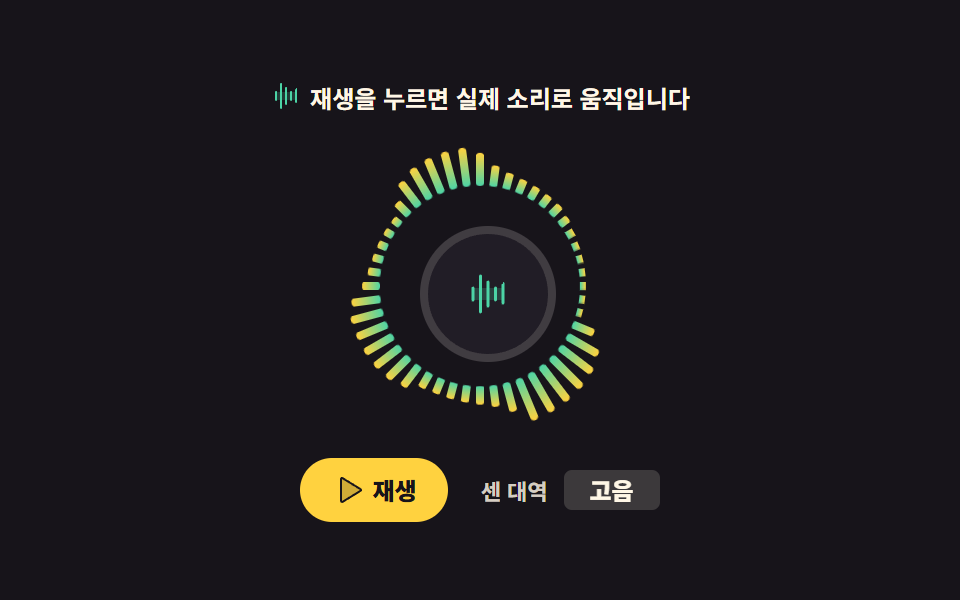 02 audio-viz-radial-spectrum
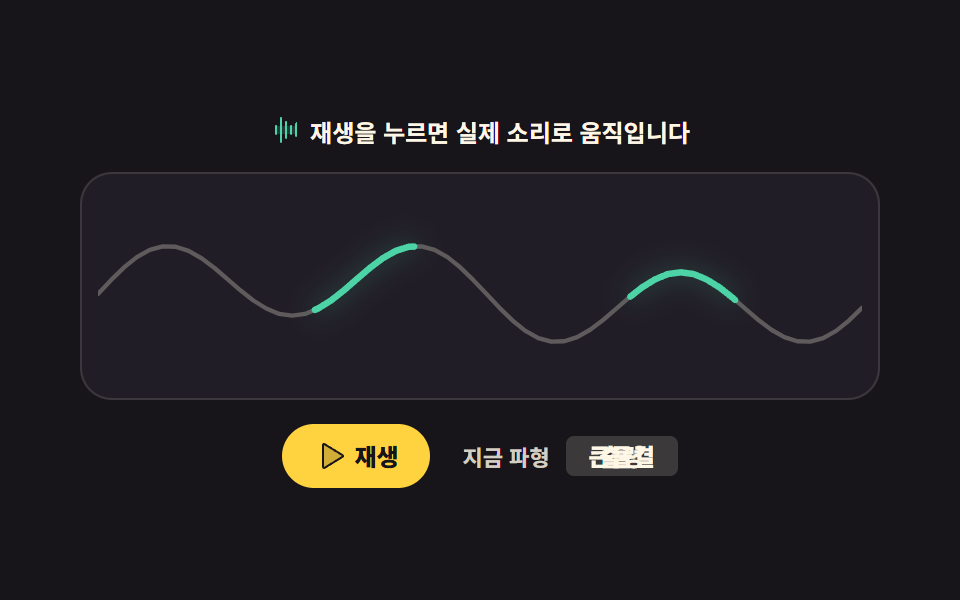 03 audio-viz-waveform-scope
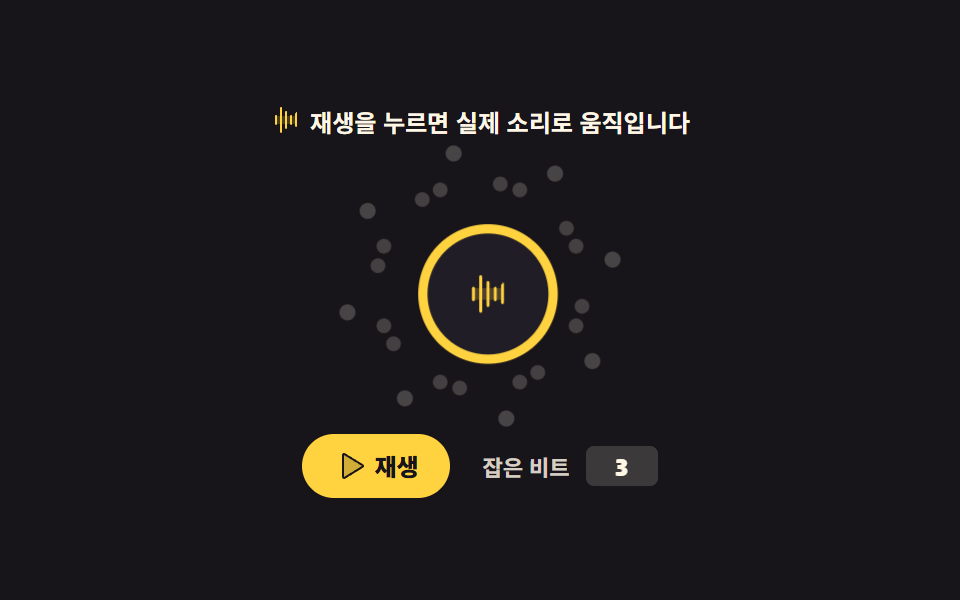 04 audio-viz-beat-particles
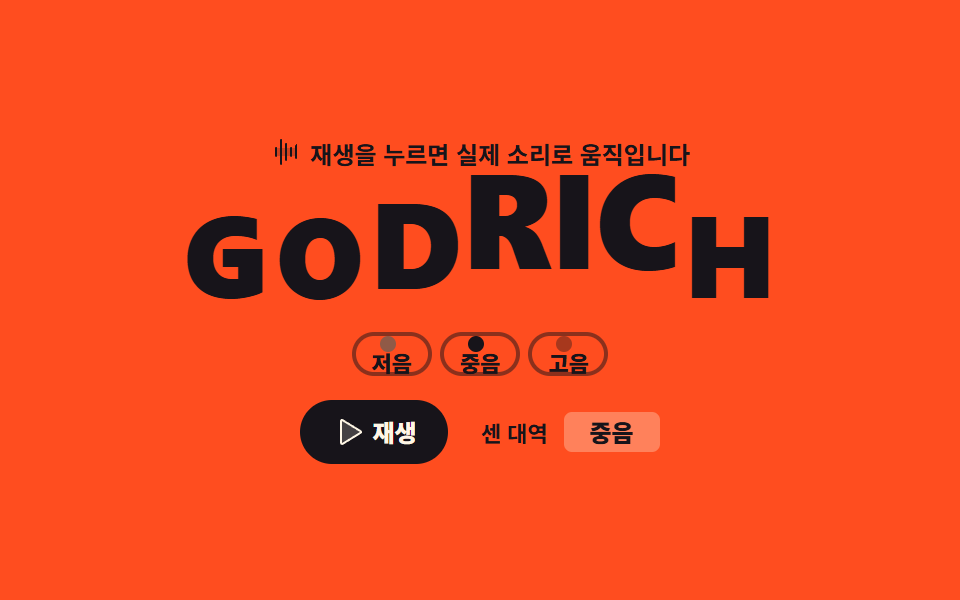 05 audio-viz-text-bounce
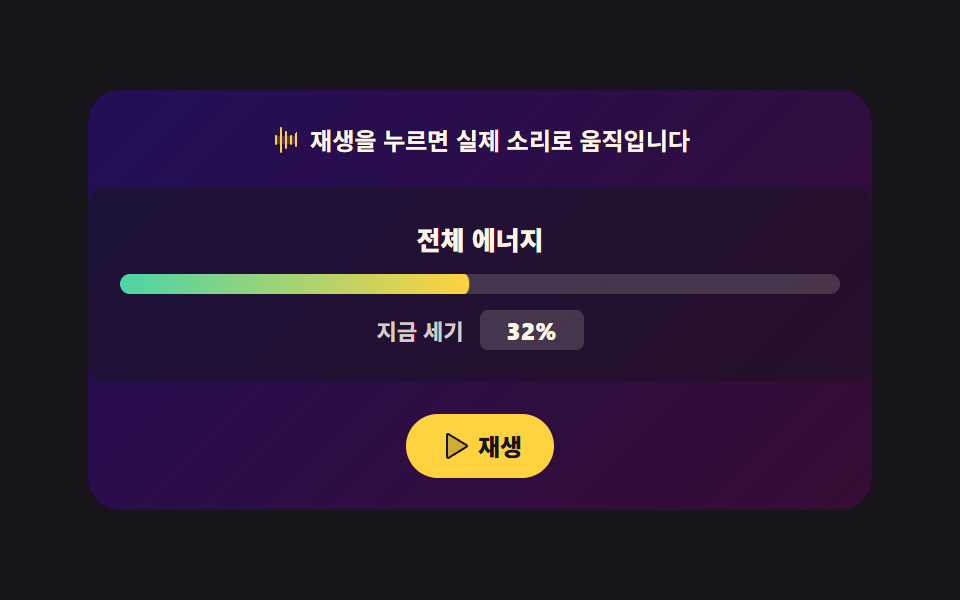 06 audio-viz-gradient-energy
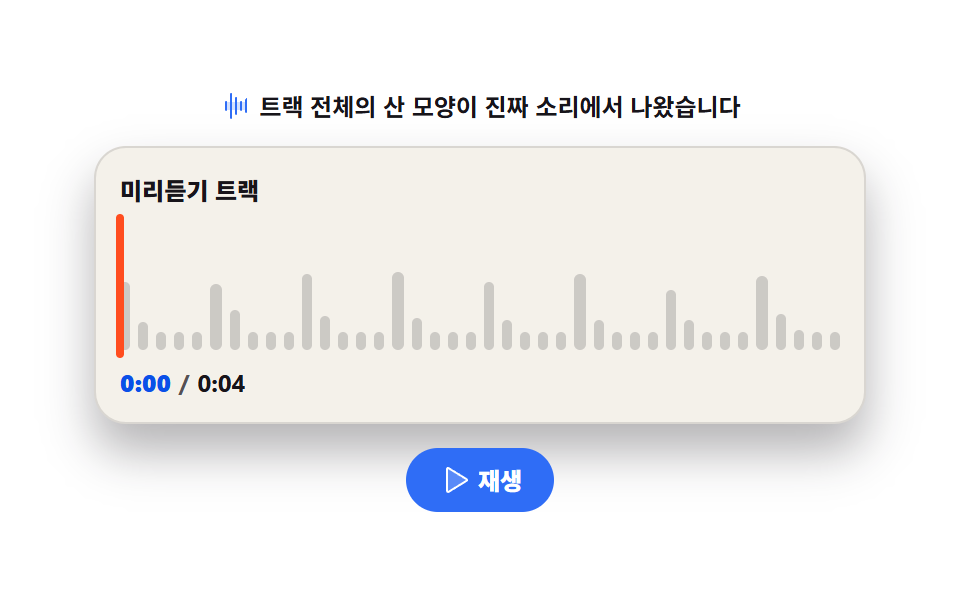 07 audio-viz-track-peaks
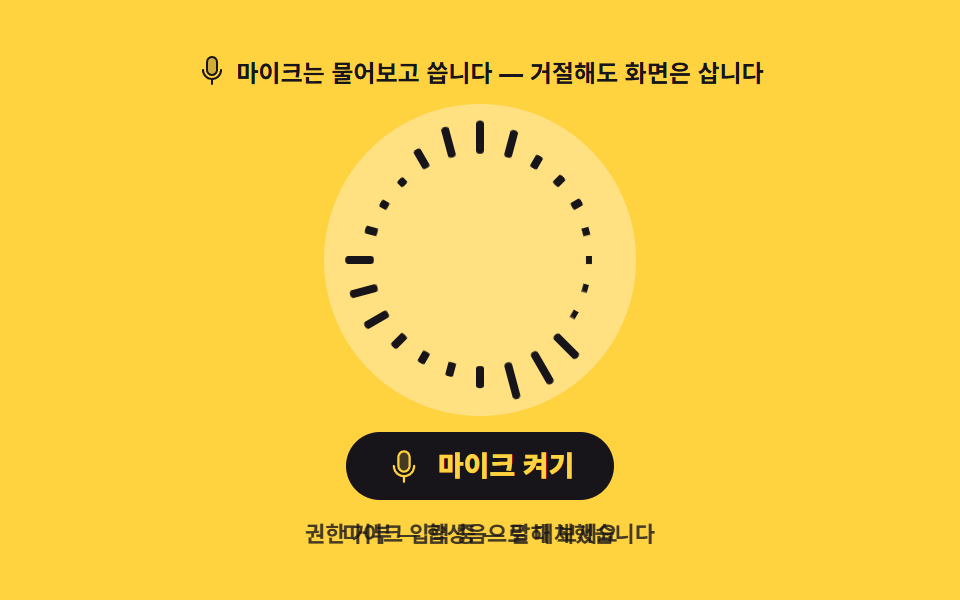 08 audio-viz-mic-input
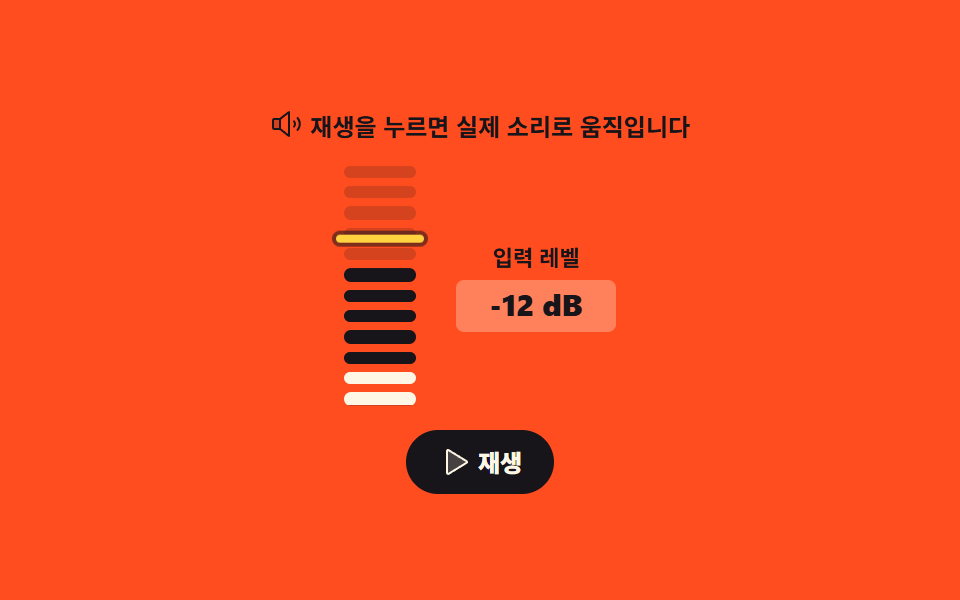 09 audio-viz-level-meter
Auto-plays · click a tile to jump to its section · all nine in one zip
- 01 Bar spectrum
- 02 Radial spectrum
- 03 Waveform scope
- 04 Beat-reactive particles
- 05 Bass-bouncing letters
- 06 Energy gradient background
- 07 Mini player peak bars
- 08 Microphone input visualizer
- 09 Level meter with peak hold
The order is a build order for an audio visualizer css scene rather than a component catalog. Mapping one frequency band to one bar that grows up from the floor (01) is the whole skill; everything after it rearranges that one idea. 02 bends the same bars around a circle, 03 stops counting frequencies and draws the wave itself, 04 collapses the spectrum into a single decision — a beat — and 05 and 06 spend that decision on letters and on color. 07 gives up live analysis on purpose, because numbers computed once draw a mountain that never shifts while a list scrolls. 08 turns the source around, from playback to input, and takes on the permission dialog along with the refusal that can follow it; 09 ends by collapsing everything into one honest number in dB. Five tiles run on the ink stage, two on orange, one on paper for the list card, and one on yellow, where someone is being asked for permission. The AnalyserNode is the only API every part touches. The wider craft of turning numbers into pictures lives in SVG chart drawing, this creative pillar's sibling is the node graph connect UI, and the player chrome these tiles drop into is video player controls. Turn the same canvas toward a hand that draws and it becomes signature pad canvas drawing; give the particles in 04 gravity and friction and you have crossed into physics simulation.
01Bar spectrum
What you see
One bar per frequency band, each scaled with scaleY by how loud its band is; transform-origin sits on the bottom edge, so the bar rises from the floor instead of stretching at both ends. The left and right halves mirror each other — bar i and its twin read the same bin, so 32 bars cost only 16 of the analyser's 32 bins.
<svg width="0" height="0" style="position:absolute" aria-hidden="true">
  <defs>
    <symbol id="ico-waveform" viewBox="0 0 256 256" fill="currentColor"><path d="M208 96v64H48V96Z" opacity=".2"/><path d="M56 96v64a8 8 0 0 1-16 0V96a8 8 0 0 1 16 0m32-72a8 8 0 0 0-8 8v192a8 8 0 0 0 16 0V32a8 8 0 0 0-8-8m40 32a8 8 0 0 0-8 8v128a8 8 0 0 0 16 0V64a8 8 0 0 0-8-8m40 32a8 8 0 0 0-8 8v64a8 8 0 0 0 16 0V96a8 8 0 0 0-8-8m40-16a8 8 0 0 0-8 8v96a8 8 0 0 0 16 0V72a8 8 0 0 0-8-8"/></symbol>
    <symbol id="ico-play" viewBox="0 0 256 256" fill="currentColor"><path d="M228.23 134.69L84.15 222.81A8 8 0 0 1 72 216.12V39.88a8 8 0 0 1 12.15-6.69l144.08 88.12a7.82 7.82 0 0 1 0 13.38" opacity=".2"/><path d="M232.4 114.49L88.32 26.35a16 16 0 0 0-16.2-.3A15.86 15.86 0 0 0 64 39.87v176.26A15.94 15.94 0 0 0 80 232a16.07 16.07 0 0 0 8.36-2.35l144.04-88.14a15.88 15.88 0 0 0 0-27.02M80 215.94V40l143.83 88Z"/></symbol>
    <symbol id="ico-pause" viewBox="0 0 256 256" fill="currentColor"><path d="M208 48v160a8 8 0 0 1-8 8h-40a8 8 0 0 1-8-8V48a8 8 0 0 1 8-8h40a8 8 0 0 1 8 8M96 40H56a8 8 0 0 0-8 8v160a8 8 0 0 0 8 8h40a8 8 0 0 0 8-8V48a8 8 0 0 0-8-8" opacity=".2"/><path d="M200 32h-40a16 16 0 0 0-16 16v160a16 16 0 0 0 16 16h40a16 16 0 0 0 16-16V48a16 16 0 0 0-16-16m0 176h-40V48h40zM96 32H56a16 16 0 0 0-16 16v160a16 16 0 0 0 16 16h40a16 16 0 0 0 16-16V48a16 16 0 0 0-16-16m0 176H56V48h40z"/></symbol>
  </defs>
</svg>
<main class="stage">
<div class="bs is-demo" id="bs">
  <p class="bs__hint"><svg class="bs__ico" aria-hidden="true"><use href="#ico-waveform"/></svg><span>Press play and it moves with real sound</span></p>
  <div class="bs__bars" id="bars" aria-hidden="true"></div>
  <div class="bs__foot">
    <button class="bs__play" id="play" type="button" aria-pressed="false">
      <svg class="bs__ico bs__ico--play" aria-hidden="true"><use href="#ico-play"/></svg>
      <svg class="bs__ico bs__ico--pause" aria-hidden="true"><use href="#ico-pause"/></svg>
      <span id="playLabel">Play</span>
    </button>
    <p class="bs__level">
      <span class="bs__levelLabel">Loudest band</span>
      <b class="bs__levelBox">
        <span class="bs__levelText" id="levelText" aria-live="polite">Bass</span>
        <span class="bs__loop" aria-hidden="true"><i>Bass</i><i>Mid</i><i>Treble</i></span>
      </b>
    </p>
  </div>
</div>
</main>@use "../../../../site/static/demo-tokens" as *;
// 막대 스펙트럼 — AnalyserNode 의 주파수 구간 하나가 막대 하나가 된다.
// 막대는 바닥에 붙어 자라는 요소라 transform-origin 을 아래 변에 둔다 (blog-demo 규칙 8 의 "붙는 지점" 예외).
// 격자 미리보기(.is-demo)는 사전에 정해 둔 스펙트럼 시퀀스를 CSS 키프레임으로 재생한다 —
// AnalyserNode 는 실제 재생 중에만 값이 나와 렌더러의 애니메이션 시계로는 잡히지 않는다.
// 사람이 재생 버튼을 누르면 JS 가 .is-demo 를 떼고 진짜 Web Audio 값으로 --h 를 쓴다.
$duration: $dur-quick;
$easing: $ease-spring;
$color: $stage-yellow;
@include stage($stage-ink);
.bs { display: flex; flex-direction: column; align-items: center; gap: $sp-3; width: 100%; max-width: 400px; }
.bs__hint {
display: flex; align-items: center; gap: $sp-1; margin: 0;
font-weight: 700; font-size: clamp(11px, 3vw, 12px); color: $subject-cream;
}
.bs__ico { width: 16px; height: 16px; color: $color; }
.bs__bars {
display: grid; grid-template-columns: repeat(32, 1fr); gap: $sp-1;
align-items: end; width: 100%; height: 104px;
}
// --h 는 JS 가 실제 소리에서 써 넣는 높이(0~1). 값이 없을 때의 정적 모습은 낮은 막대 줄이다.
.bs__bar {
height: 100%; border-radius: $r-xs;
background: linear-gradient(180deg, $subject-mint 0%, $color 60%, #cdb599 100%);
transform-origin: bottom center;
transform: scaleY(var(--h, .08));
transition: transform $duration $ease-out;
}
.bs__foot { display: flex; align-items: center; justify-content: center; gap: $sp-4; width: 100%; }
.bs__play {
display: inline-flex; align-items: center; gap: $sp-1;
border: 0; border-radius: $r-pill; padding: $sp-2 $sp-4;
background: $color; color: $subject-ink; cursor: pointer;
font-family: inherit; font-weight: 800; font-size: clamp(11px, 3vw, 12px); line-height: 1;
}
.bs__ico--pause { display: none; }
.bs__play[aria-pressed="true"] .bs__ico--play { display: none; }
.bs__play[aria-pressed="true"] .bs__ico--pause { display: inline-block; }
.bs__play .bs__ico { color: $subject-ink; }
.bs__level { margin: 0; display: flex; align-items: center; gap: $sp-2; }
.bs__levelLabel { font-weight: 700; font-size: clamp(10px, 2.6vw, 11px); color: rgba($subject-cream, .82); }
.bs__levelBox {
position: relative; display: grid; place-items: center;
min-width: 40px; height: 20px; border-radius: $r-xs; padding: 0 $sp-1;
background: rgba($subject-cream, .16); color: $subject-cream;
font-weight: 800; font-size: clamp(11px, 3vw, 12px); line-height: 1;
}
.bs__loop { position: absolute; inset: 0; display: grid; place-items: center; visibility: hidden; }
.bs__loop i { grid-area: 1 / 1; font-style: normal; visibility: hidden; }
// ── 격자 미리보기 루프 ─────────────────────────────────────────────
// 한 키프레임을 32개 막대가 공유하고, 음수 지연으로 구간 번호만큼 위상을 민다.
// 음수 지연이라 2초 루프가 끝에서 닫힌다 (양수 지연은 캡처 창 끝에서 막대가 순간이동한다 — 285 실측).
// 봉우리는 2초에 세 번(1.5Hz)이라 WCAG 2.3.1 의 초당 3회 한계 아래다.
.bs.is-demo .bs__bar {
animation-name: bsWave; animation-duration: $dur-loop; animation-timing-function: $easing;
animation-iteration-count: infinite; animation-fill-mode: backwards;
animation-delay: calc(var(--i) * -56ms);
transition: none;
}
@keyframes bsWave {
0% { transform: scaleY(.10); }
14% { transform: scaleY(.92); }
28% { transform: scaleY(.30); }
42% { transform: scaleY(.68); }
56% { transform: scaleY(.18); }
70% { transform: scaleY(.80); }
84% { transform: scaleY(.24); }
100% { transform: scaleY(.10); }
}
// 대역 이름도 같은 박자로 바뀐다. 글자 교체는 steps(1, end) 로 한 프레임에 컷 —
// 미리보기 전용 글자는 color: transparent 로만 감춘다 (display: none 은 칸 폭까지 없앤다, 274 실측).
.bs.is-demo .bs__levelText { color: transparent; }
.bs.is-demo .bs__loop { visibility: visible; }
.bs.is-demo .bs__loop i {
animation-name: bsBandName; animation-duration: $dur-loop; animation-timing-function: steps(1, end);
animation-iteration-count: infinite;
// 여기만 fill-mode 를 두지 않는다 — 양수 지연 구간에 backwards 를 쓰면 세 글자가 한꺼번에 보인다.
// 작성 상태가 이미 visibility: hidden 이라 지연 동안 그대로 숨어 있는 게 맞다 (실측: poster 에 세 글자가 겹쳐 찍혔다)
}
.bs.is-demo .bs__loop i:nth-child(1) { animation-delay: 0ms; }
.bs.is-demo .bs__loop i:nth-child(2) { animation-delay: 666ms; }
.bs.is-demo .bs__loop i:nth-child(3) { animation-delay: 1332ms; }
@keyframes bsBandName {
0%, 33% { visibility: visible; }
34%, 100% { visibility: hidden; }
}
@media (max-width: 340px) {
.bs { gap: $sp-2; }
.bs__bars { height: 76px; gap: 0; }
.bs__bar { border-radius: 0; }
.bs__foot { gap: $sp-2; }
.bs__play { padding: $sp-1 $sp-3; }
}
// reduce 에서는 루프를 멈추되 막대를 눕히지 않는다 — 구간 번호로 대칭 스펙트럼 한 장을 세워 둔다
@media (prefers-reduced-motion: reduce) {
.bs.is-demo .bs__bar,
.bs.is-demo .bs__loop i { animation: none !important; }
.bs.is-demo .bs__bar { transform: scaleY(calc(.25 + var(--i) * .045)) !important; }
.bs.is-demo .bs__levelText { color: $subject-cream !important; }
.bs.is-demo .bs__loop { visibility: hidden !important; }
.bs__bar { transition: none !important; }
}html, body {
margin: 0;
overflow: hidden;
}
.stage {
box-sizing: border-box;
min-height: 100vh;
display: grid;
place-items: center;
margin: 0;
background: #17141a;
font-family: -apple-system, "Segoe UI", "Noto Sans KR", sans-serif;
padding: clamp(8px, 4vw, 24px);
}
.bs {
display: flex;
flex-direction: column;
align-items: center;
gap: 12px;
width: 100%;
max-width: 400px;
}
.bs__hint {
display: flex;
align-items: center;
gap: 4px;
margin: 0;
font-weight: 700;
font-size: clamp(11px, 3vw, 12px);
color: #fff7e6;
}
.bs__ico {
width: 16px;
height: 16px;
color: #ffd23f;
}
.bs__bars {
display: grid;
grid-template-columns: repeat(32, 1fr);
gap: 4px;
align-items: end;
width: 100%;
height: 104px;
}
.bs__bar {
height: 100%;
border-radius: 4px;
background: linear-gradient(180deg, #4cd4a6 0%, #ffd23f 60%, #cdb599 100%);
transform-origin: bottom center;
transform: scaleY(var(--h, 0.08));
transition: transform 220ms ease-out;
}
.bs__foot {
display: flex;
align-items: center;
justify-content: center;
gap: 16px;
width: 100%;
}
.bs__play {
display: inline-flex;
align-items: center;
gap: 4px;
border: 0;
border-radius: 999px;
padding: 8px 16px;
background: #ffd23f;
color: #17141a;
cursor: pointer;
font-family: inherit;
font-weight: 800;
font-size: clamp(11px, 3vw, 12px);
line-height: 1;
}
.bs__ico--pause {
display: none;
}
.bs__play[aria-pressed=true] .bs__ico--play {
display: none;
}
.bs__play[aria-pressed=true] .bs__ico--pause {
display: inline-block;
}
.bs__play .bs__ico {
color: #17141a;
}
.bs__level {
margin: 0;
display: flex;
align-items: center;
gap: 8px;
}
.bs__levelLabel {
font-weight: 700;
font-size: clamp(10px, 2.6vw, 11px);
color: rgba(255, 247, 230, 0.82);
}
.bs__levelBox {
position: relative;
display: grid;
place-items: center;
min-width: 40px;
height: 20px;
border-radius: 4px;
padding: 0 4px;
background: rgba(255, 247, 230, 0.16);
color: #fff7e6;
font-weight: 800;
font-size: clamp(11px, 3vw, 12px);
line-height: 1;
}
.bs__loop {
position: absolute;
inset: 0;
display: grid;
place-items: center;
visibility: hidden;
}
.bs__loop i {
grid-area: 1/1;
font-style: normal;
visibility: hidden;
}
.bs.is-demo .bs__bar {
animation-name: bsWave;
animation-duration: 2s;
animation-timing-function: cubic-bezier(0.2, 0.8, 0.2, 1);
animation-iteration-count: infinite;
animation-fill-mode: backwards;
animation-delay: calc(var(--i) * -56ms);
transition: none;
}
@keyframes bsWave {
0% {
transform: scaleY(0.1);
}
14% {
transform: scaleY(0.92);
}
28% {
transform: scaleY(0.3);
}
42% {
transform: scaleY(0.68);
}
56% {
transform: scaleY(0.18);
}
70% {
transform: scaleY(0.8);
}
84% {
transform: scaleY(0.24);
}
100% {
transform: scaleY(0.1);
}
}
.bs.is-demo .bs__levelText {
color: transparent;
}
.bs.is-demo .bs__loop {
visibility: visible;
}
.bs.is-demo .bs__loop i {
animation-name: bsBandName;
animation-duration: 2s;
animation-timing-function: steps(1, end);
animation-iteration-count: infinite;
}
.bs.is-demo .bs__loop i:nth-child(1) {
animation-delay: 0ms;
}
.bs.is-demo .bs__loop i:nth-child(2) {
animation-delay: 666ms;
}
.bs.is-demo .bs__loop i:nth-child(3) {
animation-delay: 1332ms;
}
@keyframes bsBandName {
0%, 33% {
visibility: visible;
}
34%, 100% {
visibility: hidden;
}
}
@media (max-width: 340px) {
.bs {
gap: 8px;
}
.bs__bars {
height: 76px;
gap: 0;
}
.bs__bar {
border-radius: 0;
}
.bs__foot {
gap: 8px;
}
.bs__play {
padding: 4px 12px;
}
}
@media (prefers-reduced-motion: reduce) {
.bs.is-demo .bs__bar,
.bs.is-demo .bs__loop i {
animation: none !important;
}
.bs.is-demo .bs__bar {
transform: scaleY(calc(0.25 + var(--i) * 0.045)) !important;
}
.bs.is-demo .bs__levelText {
color: #fff7e6 !important;
}
.bs.is-demo .bs__loop {
visibility: hidden !important;
}
.bs__bar {
transition: none !important;
}
}var root = document.getElementById('bs');
var barBox = document.getElementById('bars');
var playBtn = document.getElementById('play');
var playLabel = document.getElementById('playLabel');
var levelText = document.getElementById('levelText');
var BAR_COUNT = 32, HALF = BAR_COUNT / 2;
var bars = [];
// 좌우 대칭: 오른쪽 절반은 0..15, 왼쪽 절반은 그 거울상이라 두 막대가 같은 주파수 구간을 쓴다.
// --i 는 그 구간 번호이자 미리보기 루프의 음수 지연 배수다.
for (var i = 0; i < BAR_COUNT; i++) {
var bar = document.createElement('span');
var band = i < HALF ? HALF - 1 - i : i - HALF;
bar.className = 'bs__bar';
bar.style.setProperty('--i', String(band));
bar.setAttribute('data-band', String(band));
barBox.appendChild(bar);
bars.push(bar);
}
var ctx = null, analyser = null, freq = null, timer = 0, playing = false;
var BAND_NAMES = ['Bass', 'Mid', 'Treble'];
function buildAudio() {
ctx = new (window.AudioContext || window.webkitAudioContext)();
analyser = ctx.createAnalyser();
analyser.fftSize = 64;
analyser.smoothingTimeConstant = 0.72;
freq = new Uint8Array(analyser.frequencyBinCount);
var out = ctx.createGain();
out.gain.value = 0.06;
out.connect(analyser);
analyser.connect(ctx.destination);
// 외부 음원 파일 없이 코드 진행을 직접 합성한다 — 네 박자마다 화음이 바뀐다.
[196, 246.94, 293.66, 392].forEach(function (hz, n) {
var osc = ctx.createOscillator();
var amp = ctx.createGain();
osc.type = n === 3 ? 'triangle' : 'sawtooth';
osc.frequency.value = hz;
amp.gain.value = 0;
for (var beat = 0; beat < 64; beat++) {
var at = ctx.currentTime + beat * 0.5;
amp.gain.setValueAtTime(beat % 4 === n % 4 ? 0.9 : 0.25, at);
amp.gain.exponentialRampToValueAtTime(0.02, at + 0.45);
}
osc.connect(amp); amp.connect(out); osc.start();
});
}
function draw() {
analyser.getByteFrequencyData(freq);
var sums = [0, 0, 0];
for (var i = 0; i < bars.length; i++) {
var band = Number(bars[i].getAttribute('data-band'));
var v = freq[band + 1] / 255;
bars[i].style.setProperty('--h', (0.06 + v * 0.94).toFixed(3));
sums[Math.min(2, Math.floor(band / 6))] += v;
}
var top = sums.indexOf(Math.max(sums[0], sums[1], sums[2]));
if (levelText.textContent !== BAND_NAMES[top]) { levelText.textContent = BAND_NAMES[top]; }
timer = requestAnimationFrame(draw);
}
playBtn.addEventListener('click', function () {
root.classList.remove('is-demo');
if (!ctx) { buildAudio(); }
playing = !playing;
playBtn.setAttribute('aria-pressed', playing ? 'true' : 'false');
playLabel.textContent = playing ? 'Stop' : 'Play';
// 자동재생 정책: AudioContext 는 사용자 제스처 뒤 resume() 해야 소리가 난다.
if (playing) { ctx.resume(); timer = requestAnimationFrame(draw); }
else { ctx.suspend(); cancelAnimationFrame(timer); }
});// BarSpectrum — vanilla 판(run/291/demo/01-audio-viz-bar-spectrum/index.html) 의 React 포트.
// 주파수 구간 하나가 막대 하나. 재생 버튼을 누르면 합성 음원을 만들어 AnalyserNode 값으로 막대를 세운다.
import { useEffect, useRef, useState } from "react";
import type { CSSProperties } from "react";
import styles from "./BarSpectrum.module.scss";
export type BarSpectrumProps = {
/** 격자 미리보기용 2초 자동 루프. 재생을 누르면 꺼진다 */
demo?: boolean;
duration?: number;
easing?: string;
color?: string;
};
type Vars = CSSProperties & { "--duration"?: string; "--easing"?: string; "--color"?: string };
type BarVars = CSSProperties & { "--i"?: string; "--h"?: string };
/** ambient 타입에 useRef<T> 의 null 합집합이 없어 로컬로 좁힌다 */
type Box<T> = { current: T };
const BAR_COUNT = 32;
const HALF = BAR_COUNT / 2;
const BAND_NAMES = ["저음", "중음", "고음"];
/** 좌우 대칭: 오른쪽 절반은 0..15, 왼쪽 절반은 그 거울상이라 두 막대가 같은 구간을 쓴다 */
const BANDS: number[] = [];
for (let i = 0; i < BAR_COUNT; i++) {
BANDS.push(i < HALF ? HALF - 1 - i : i - HALF);
}
export default function BarSpectrum({
demo = true,
duration = 220,
easing = "cubic-bezier(.2, .8, .2, 1)",
color = "#ffd23f",
}: BarSpectrumProps) {
const [live, setLive] = useState(demo);
const [playing, setPlaying] = useState(false);
const [heights, setHeights] = useState<number[]>([]);
const [band, setBand] = useState(BAND_NAMES[0]);
const ctxBox = useRef(null) as Box<AudioContext | null>;
const nodeBox = useRef(null) as Box<AnalyserNode | null>;
const frameBox = useRef(0) as Box<number>;
const vars: Vars = { "--duration": `${duration}ms`, "--easing": easing, "--color": color };
useEffect(() => {
return () => {
cancelAnimationFrame(frameBox.current);
if (ctxBox.current) {
ctxBox.current.close();
}
};
}, []);
function buildAudio() {
const ctx = new AudioContext();
const analyser = ctx.createAnalyser();
analyser.fftSize = 64;
analyser.smoothingTimeConstant = 0.72;
const out = ctx.createGain();
out.gain.value = 0.06;
out.connect(analyser);
analyser.connect(ctx.destination);
// 외부 음원 파일 없이 코드 진행을 직접 합성한다 — 네 박자마다 화음이 바뀐다.
[196, 246.94, 293.66, 392].forEach((hz, n) => {
const osc = ctx.createOscillator();
const amp = ctx.createGain();
osc.type = n === 3 ? "triangle" : "sawtooth";
osc.frequency.value = hz;
amp.gain.value = 0;
for (let beat = 0; beat < 64; beat++) {
const at = ctx.currentTime + beat * 0.5;
amp.gain.setValueAtTime(beat % 4 === n % 4 ? 0.9 : 0.25, at);
amp.gain.exponentialRampToValueAtTime(0.02, at + 0.45);
}
osc.connect(amp);
amp.connect(out);
osc.start();
});
ctxBox.current = ctx;
nodeBox.current = analyser;
}
function draw() {
const analyser = nodeBox.current;
if (!analyser) {
return;
}
const freq = new Uint8Array(analyser.frequencyBinCount);
analyser.getByteFrequencyData(freq);
const sums = [0, 0, 0];
const next = BANDS.map((b) => {
const v = freq[b + 1] / 255;
sums[Math.min(2, Math.floor(b / 6))] += v;
return 0.06 + v * 0.94;
});
setHeights(next);
setBand(BAND_NAMES[sums.indexOf(Math.max(sums[0], sums[1], sums[2]))]);
frameBox.current = requestAnimationFrame(draw);
}
function toggle() {
setLive(false);
if (!ctxBox.current) {
buildAudio();
}
const ctx = ctxBox.current;
if (!ctx) {
return;
}
const next = !playing;
setPlaying(next);
// 자동재생 정책: AudioContext 는 사용자 제스처 뒤 resume() 해야 소리가 난다.
if (next) {
ctx.resume();
frameBox.current = requestAnimationFrame(draw);
} else {
ctx.suspend();
cancelAnimationFrame(frameBox.current);
}
}
const cls = [styles.root, live ? styles.isDemo : ""].filter(Boolean).join(" ");
return (
<main className={styles.stage} style={vars}>
<svg width="0" height="0" style={{ position: "absolute" }} aria-hidden="true">
<defs>
<symbol id="ico-waveform" viewBox="0 0 256 256" fill="currentColor">
<path d="M208 96v64H48V96Z" opacity=".2" />
<path d="M56 96v64a8 8 0 0 1-16 0V96a8 8 0 0 1 16 0m32-72a8 8 0 0 0-8 8v192a8 8 0 0 0 16 0V32a8 8 0 0 0-8-8m40 32a8 8 0 0 0-8 8v128a8 8 0 0 0 16 0V64a8 8 0 0 0-8-8m40 32a8 8 0 0 0-8 8v64a8 8 0 0 0 16 0V96a8 8 0 0 0-8-8m40-16a8 8 0 0 0-8 8v96a8 8 0 0 0 16 0V72a8 8 0 0 0-8-8" />
</symbol>
<symbol id="ico-play" viewBox="0 0 256 256" fill="currentColor">
<path d="M228.23 134.69L84.15 222.81A8 8 0 0 1 72 216.12V39.88a8 8 0 0 1 12.15-6.69l144.08 88.12a7.82 7.82 0 0 1 0 13.38" opacity=".2" />
<path d="M232.4 114.49L88.32 26.35a16 16 0 0 0-16.2-.3A15.86 15.86 0 0 0 64 39.87v176.26A15.94 15.94 0 0 0 80 232a16.07 16.07 0 0 0 8.36-2.35l144.04-88.14a15.88 15.88 0 0 0 0-27.02M80 215.94V40l143.83 88Z" />
</symbol>
<symbol id="ico-pause" viewBox="0 0 256 256" fill="currentColor">
<path d="M208 48v160a8 8 0 0 1-8 8h-40a8 8 0 0 1-8-8V48a8 8 0 0 1 8-8h40a8 8 0 0 1 8 8M96 40H56a8 8 0 0 0-8 8v160a8 8 0 0 0 8 8h40a8 8 0 0 0 8-8V48a8 8 0 0 0-8-8" opacity=".2" />
<path d="M200 32h-40a16 16 0 0 0-16 16v160a16 16 0 0 0 16 16h40a16 16 0 0 0 16-16V48a16 16 0 0 0-16-16m0 176h-40V48h40zM96 32H56a16 16 0 0 0-16 16v160a16 16 0 0 0 16 16h40a16 16 0 0 0 16-16V48a16 16 0 0 0-16-16m0 176H56V48h40z" />
</symbol>
</defs>
</svg>
<div className={cls}>
<p className={styles.hint}>
<svg className={styles.ico} aria-hidden="true">
<use href="#ico-waveform" />
</svg>
<span>재생을 누르면 실제 소리로 움직입니다</span>
</p>
<div className={styles.bars} aria-hidden="true">
{BANDS.map((b, i) => {
const barVars: BarVars = { "--i": String(b) };
if (heights[i] !== undefined) {
barVars["--h"] = heights[i].toFixed(3);
}
return <span className={styles.bar} key={i} style={barVars} />;
})}
</div>
<div className={styles.foot}>
<button className={styles.play} type="button" aria-pressed={playing} onClick={toggle}>
<svg className={[styles.ico, playing ? styles.icoHidden : ""].join(" ")} aria-hidden="true">
<use href="#ico-play" />
</svg>
<svg className={[styles.ico, playing ? "" : styles.icoHidden].join(" ")} aria-hidden="true">
<use href="#ico-pause" />
</svg>
<span>{playing ? "정지" : "재생"}</span>
</button>
<p className={styles.level}>
<span className={styles.levelLabel}>센 대역</span>
<b className={styles.levelBox}>
<span className={styles.levelText} aria-live="polite">
{band}
</span>
<span className={styles.loop} aria-hidden="true">
<i>저음</i>
<i>중음</i>
<i>고음</i>
</span>
</b>
</p>
</div>
</div>
</main>
);
}01 · Bar spectrum — Measured area 19.231% · moving frames 23/23Original by GODRICH · SCSS and React ship in the zip · See the password
Where to look in the code
A now-playing indicator or a podcast page header; the second-largest mover of the nine at 19.231% area, 23/23 moving frames.
// --h is the height (0~1) that JS writes in from the real sound. with no value, the static look is a row of short bars.
.bs__bar {
  height: 100%; border-radius: $r-xs;
  background: linear-gradient(180deg, $subject-mint 0%, $color 60%, #ff9d2f 100%);
  transform-origin: bottom center;
  transform: scaleY(var(--h, .08));
  transition: transform $duration $ease-out;
}
02Radial spectrum
How a circular audio visualizer javascript ring is drawn
The same bars go around a circle, one every 7.5 degrees, and the pivot moves with them: transform-origin drops to the circle's center, so scaleY pushes each bar outward from the ring instead of straight up the screen. All 48 bars share one keyframe, phase-shifted by −41 ms per index through a negative animation-delay.
<svg width="0" height="0" style="position:absolute" aria-hidden="true">
  <defs>
    <symbol id="ico-waveform" viewBox="0 0 256 256" fill="currentColor"><path d="M208 96v64H48V96Z" opacity=".2"/><path d="M56 96v64a8 8 0 0 1-16 0V96a8 8 0 0 1 16 0m32-72a8 8 0 0 0-8 8v192a8 8 0 0 0 16 0V32a8 8 0 0 0-8-8m40 32a8 8 0 0 0-8 8v128a8 8 0 0 0 16 0V64a8 8 0 0 0-8-8m40 32a8 8 0 0 0-8 8v64a8 8 0 0 0 16 0V96a8 8 0 0 0-8-8m40-16a8 8 0 0 0-8 8v96a8 8 0 0 0 16 0V72a8 8 0 0 0-8-8"/></symbol>
    <symbol id="ico-play" viewBox="0 0 256 256" fill="currentColor"><path d="M228.23 134.69L84.15 222.81A8 8 0 0 1 72 216.12V39.88a8 8 0 0 1 12.15-6.69l144.08 88.12a7.82 7.82 0 0 1 0 13.38" opacity=".2"/><path d="M232.4 114.49L88.32 26.35a16 16 0 0 0-16.2-.3A15.86 15.86 0 0 0 64 39.87v176.26A15.94 15.94 0 0 0 80 232a16.07 16.07 0 0 0 8.36-2.35l144.04-88.14a15.88 15.88 0 0 0 0-27.02M80 215.94V40l143.83 88Z"/></symbol>
    <symbol id="ico-pause" viewBox="0 0 256 256" fill="currentColor"><path d="M208 48v160a8 8 0 0 1-8 8h-40a8 8 0 0 1-8-8V48a8 8 0 0 1 8-8h40a8 8 0 0 1 8 8M96 40H56a8 8 0 0 0-8 8v160a8 8 0 0 0 8 8h40a8 8 0 0 0 8-8V48a8 8 0 0 0-8-8" opacity=".2"/><path d="M200 32h-40a16 16 0 0 0-16 16v160a16 16 0 0 0 16 16h40a16 16 0 0 0 16-16V48a16 16 0 0 0-16-16m0 176h-40V48h40zM96 32H56a16 16 0 0 0-16 16v160a16 16 0 0 0 16 16h40a16 16 0 0 0 16-16V48a16 16 0 0 0-16-16m0 176H56V48h40z"/></symbol>
  </defs>
</svg>
<main class="stage">
<div class="rs is-demo" id="rs">
  <p class="rs__hint"><svg class="rs__ico" aria-hidden="true"><use href="#ico-waveform"/></svg><span>Press play and it moves with real sound</span></p>
  <div class="rs__dial" aria-hidden="true">
    <div class="rs__bars" id="bars"></div>
    <div class="rs__hub"><svg class="rs__hubIco" aria-hidden="true"><use href="#ico-waveform"/></svg></div>
  </div>
  <div class="rs__foot">
    <button class="rs__play" id="play" type="button" aria-pressed="false">
      <svg class="rs__ico rs__ico--play" aria-hidden="true"><use href="#ico-play"/></svg>
      <svg class="rs__ico rs__ico--pause" aria-hidden="true"><use href="#ico-pause"/></svg>
      <span id="playLabel">Play</span>
    </button>
    <p class="rs__level">
      <span class="rs__levelLabel">Loudest band</span>
      <b class="rs__levelBox">
        <span class="rs__levelText" id="levelText" aria-live="polite">Bass</span>
        <span class="rs__loop" aria-hidden="true"><i>Bass</i><i>Mid</i><i>Treble</i></span>
      </b>
    </p>
  </div>
</div>
</main>@use "../../../../site/static/demo-tokens" as *;
// 원형 스펙트럼 — 막대 48개를 원 둘레에 세운다. 각도는 --i * 1turn / 48.
// 막대의 transform-origin 은 그 막대의 아래 끝(원의 중심점)이다 — rotate 의 회전축이 원 중심이 되고,
// scaleY 는 막대가 원에 닿은 지점에서 바깥으로만 자란다. 규칙 8 의 "붙는 지점" 정당 사례.
// 격자 미리보기(.is-demo)는 사전 시퀀스를 CSS 키프레임으로 재생하고, 재생을 누르면 진짜 Web Audio 값이 온다.
$duration: $dur-quick;
$easing: $ease-spring;
$color: $subject-mint;
@include stage($stage-ink);
.rs { display: flex; flex-direction: column; align-items: center; gap: $sp-2; width: 100%; }
.rs__hint {
display: flex; align-items: center; gap: $sp-1; margin: 0;
font-weight: 700; font-size: clamp(11px, 3vw, 12px); color: $subject-cream;
}
.rs__ico { width: 16px; height: 16px; color: $color; }
.rs__dial { position: relative; width: 156px; height: 156px; }
// 막대는 왼쪽·아래 50% 에 걸어 아래 끝이 원의 중심에 닿게 한다. 원점은 그 닿은 점(50% 100%).
.rs__bars { position: absolute; inset: 0; }
.rs__bar {
position: absolute; left: 50%; bottom: 50%; width: 4px; height: 24px; margin-left: -2px;
border-radius: $r-xs;
background: linear-gradient(180deg, $stage-yellow 0%, $color 100%);
transform-origin: 50% 100%;
transform: rotate(calc(var(--i) * 1turn / 48)) translateY(-50px) scaleY(var(--h, .12));
transition: transform $duration $ease-out;
}
.rs__hub {
position: absolute; left: 50%; top: 50%; width: 60px; height: 60px; margin: -30px 0 0 -30px;
display: grid; place-items: center; border-radius: 50%;
background: #211d26; border: 4px solid rgba($subject-cream, .14);
}
.rs__hubIco { width: 24px; height: 24px; color: $color; }
.rs__foot { display: flex; align-items: center; justify-content: center; gap: $sp-4; width: 100%; }
.rs__play {
display: inline-flex; align-items: center; gap: $sp-1;
border: 0; border-radius: $r-pill; padding: $sp-2 $sp-4;
background: $stage-yellow; color: $subject-ink; cursor: pointer;
font-family: inherit; font-weight: 800; font-size: clamp(11px, 3vw, 12px); line-height: 1;
}
.rs__ico--pause { display: none; }
.rs__play[aria-pressed="true"] .rs__ico--play { display: none; }
.rs__play[aria-pressed="true"] .rs__ico--pause { display: inline-block; }
.rs__play .rs__ico { color: $subject-ink; }
.rs__level { margin: 0; display: flex; align-items: center; gap: $sp-2; }
.rs__levelLabel { font-weight: 700; font-size: clamp(10px, 2.6vw, 11px); color: rgba($subject-cream, .82); }
.rs__levelBox {
position: relative; display: grid; place-items: center;
min-width: 40px; height: 20px; border-radius: $r-xs; padding: 0 $sp-1;
background: rgba($subject-cream, .16); color: $subject-cream;
font-weight: 800; font-size: clamp(11px, 3vw, 12px); line-height: 1;
}
.rs__loop { position: absolute; inset: 0; display: grid; place-items: center; visibility: hidden; }
.rs__loop i { grid-area: 1 / 1; font-style: normal; visibility: hidden; }
// ── 격자 미리보기 루프 ─────────────────────────────────────────────
// 01 과 같은 파도 시퀀스를 원에 얹는다. 음수 지연으로 등분 번호만큼 위상을 민다(양수는 창 끝에서 순간이동).
// 회전(rot) 은 넣지 않는다 — 파도가 도는 것과 나는 것이 겹치면 무엇을 보여주는지 알 수 없다(한 데모 한 동작).
// 봉우리는 2초에 세 번(1.5Hz)이라 WCAG 2.3.1 의 초당 3회 한계 아래다.
.rs.is-demo .rs__bar {
animation-name: rsWave; animation-duration: $dur-loop; animation-timing-function: $easing;
animation-iteration-count: infinite; animation-fill-mode: backwards;
animation-delay: calc(var(--i) * -41ms);
transition: none;
}
@keyframes rsWave {
0% { transform: rotate(calc(var(--i) * 1turn / 48)) translateY(-50px) scaleY(.12); }
14% { transform: rotate(calc(var(--i) * 1turn / 48)) translateY(-50px) scaleY(.94); }
28% { transform: rotate(calc(var(--i) * 1turn / 48)) translateY(-50px) scaleY(.34); }
42% { transform: rotate(calc(var(--i) * 1turn / 48)) translateY(-50px) scaleY(.70); }
56% { transform: rotate(calc(var(--i) * 1turn / 48)) translateY(-50px) scaleY(.20); }
70% { transform: rotate(calc(var(--i) * 1turn / 48)) translateY(-50px) scaleY(.82); }
84% { transform: rotate(calc(var(--i) * 1turn / 48)) translateY(-50px) scaleY(.28); }
100% { transform: rotate(calc(var(--i) * 1turn / 48)) translateY(-50px) scaleY(.12); }
}
// 대역 이름도 같은 박자로 바뀐다. 글자 교체는 steps(1, end) 컷 — 지연 구간에 fill-mode 를 두지 않는다
// (작성 상태가 이미 숨김이라 backwards 를 주면 세 글자가 겹쳐 보인다, 01 실측).
.rs.is-demo .rs__levelText { color: transparent; }
.rs.is-demo .rs__loop { visibility: visible; }
.rs.is-demo .rs__loop i {
animation-name: rsBandName; animation-duration: $dur-loop; animation-timing-function: steps(1, end);
animation-iteration-count: infinite;
}
.rs.is-demo .rs__loop i:nth-child(1) { animation-delay: 0ms; }
.rs.is-demo .rs__loop i:nth-child(2) { animation-delay: 666ms; }
.rs.is-demo .rs__loop i:nth-child(3) { animation-delay: 1332ms; }
@keyframes rsBandName {
0%, 33% { visibility: visible; }
34%, 100% { visibility: hidden; }
}
@media (max-width: 340px) {
.rs { gap: 0; }
.rs__dial { width: 120px; height: 120px; }
.rs__bar { height: 18px; width: 4px; }
.rs__hub { width: 48px; height: 48px; margin: -24px 0 0 -24px; }
// 좁은 화면에서 막대의 바깥 반경이 무대를 넘기지 않게 반지름도 함께 줄인다 (translateY 와 세트)
.rs__bar { transform: rotate(calc(var(--i) * 1turn / 48)) translateY(-38px) scaleY(var(--h, .12)); }
.rs.is-demo .rs__bar { animation: none !important; transform: rotate(calc(var(--i) * 1turn / 48)) translateY(-38px) scaleY(calc(.3 + var(--i) * .01)); }
.rs__foot { gap: $sp-2; }
.rs__play { padding: $sp-1 $sp-3; }
}
// reduce 에서는 루프를 멈추되 빈 고리로 두지 않는다 — 등분 번호로 언덕 모양 스펙트럼 한 바퀴를 세워 둔다
@media (prefers-reduced-motion: reduce) {
.rs.is-demo .rs__bar,
.rs.is-demo .rs__loop i { animation: none !important; }
.rs.is-demo .rs__bar { transform: rotate(calc(var(--i) * 1turn / 48)) translateY(-50px) scaleY(calc(.22 + sin(var(--i) / 48 * 3.14159) * .6)) !important; }
.rs.is-demo .rs__levelText { color: $subject-cream !important; }
.rs.is-demo .rs__loop { visibility: hidden !important; }
.rs__bar { transition: none !important; }
}html, body {
margin: 0;
overflow: hidden;
}
.stage {
box-sizing: border-box;
min-height: 100vh;
display: grid;
place-items: center;
margin: 0;
background: #17141a;
font-family: -apple-system, "Segoe UI", "Noto Sans KR", sans-serif;
padding: clamp(8px, 4vw, 24px);
}
.rs {
display: flex;
flex-direction: column;
align-items: center;
gap: 8px;
width: 100%;
}
.rs__hint {
display: flex;
align-items: center;
gap: 4px;
margin: 0;
font-weight: 700;
font-size: clamp(11px, 3vw, 12px);
color: #fff7e6;
}
.rs__ico {
width: 16px;
height: 16px;
color: #4cd4a6;
}
.rs__dial {
position: relative;
width: 156px;
height: 156px;
}
.rs__bars {
position: absolute;
inset: 0;
}
.rs__bar {
position: absolute;
left: 50%;
bottom: 50%;
width: 4px;
height: 24px;
margin-left: -2px;
border-radius: 4px;
background: linear-gradient(180deg, #ffd23f 0%, #4cd4a6 100%);
transform-origin: 50% 100%;
transform: rotate(calc(var(--i) * 1turn / 48)) translateY(-50px) scaleY(var(--h, 0.12));
transition: transform 220ms ease-out;
}
.rs__hub {
position: absolute;
left: 50%;
top: 50%;
width: 60px;
height: 60px;
margin: -30px 0 0 -30px;
display: grid;
place-items: center;
border-radius: 50%;
background: #211d26;
border: 4px solid rgba(255, 247, 230, 0.14);
}
.rs__hubIco {
width: 24px;
height: 24px;
color: #4cd4a6;
}
.rs__foot {
display: flex;
align-items: center;
justify-content: center;
gap: 16px;
width: 100%;
}
.rs__play {
display: inline-flex;
align-items: center;
gap: 4px;
border: 0;
border-radius: 999px;
padding: 8px 16px;
background: #ffd23f;
color: #17141a;
cursor: pointer;
font-family: inherit;
font-weight: 800;
font-size: clamp(11px, 3vw, 12px);
line-height: 1;
}
.rs__ico--pause {
display: none;
}
.rs__play[aria-pressed=true] .rs__ico--play {
display: none;
}
.rs__play[aria-pressed=true] .rs__ico--pause {
display: inline-block;
}
.rs__play .rs__ico {
color: #17141a;
}
.rs__level {
margin: 0;
display: flex;
align-items: center;
gap: 8px;
}
.rs__levelLabel {
font-weight: 700;
font-size: clamp(10px, 2.6vw, 11px);
color: rgba(255, 247, 230, 0.82);
}
.rs__levelBox {
position: relative;
display: grid;
place-items: center;
min-width: 40px;
height: 20px;
border-radius: 4px;
padding: 0 4px;
background: rgba(255, 247, 230, 0.16);
color: #fff7e6;
font-weight: 800;
font-size: clamp(11px, 3vw, 12px);
line-height: 1;
}
.rs__loop {
position: absolute;
inset: 0;
display: grid;
place-items: center;
visibility: hidden;
}
.rs__loop i {
grid-area: 1/1;
font-style: normal;
visibility: hidden;
}
.rs.is-demo .rs__bar {
animation-name: rsWave;
animation-duration: 2s;
animation-timing-function: cubic-bezier(0.2, 0.8, 0.2, 1);
animation-iteration-count: infinite;
animation-fill-mode: backwards;
animation-delay: calc(var(--i) * -41ms);
transition: none;
}
@keyframes rsWave {
0% {
transform: rotate(calc(var(--i) * 1turn / 48)) translateY(-50px) scaleY(0.12);
}
14% {
transform: rotate(calc(var(--i) * 1turn / 48)) translateY(-50px) scaleY(0.94);
}
28% {
transform: rotate(calc(var(--i) * 1turn / 48)) translateY(-50px) scaleY(0.34);
}
42% {
transform: rotate(calc(var(--i) * 1turn / 48)) translateY(-50px) scaleY(0.7);
}
56% {
transform: rotate(calc(var(--i) * 1turn / 48)) translateY(-50px) scaleY(0.2);
}
70% {
transform: rotate(calc(var(--i) * 1turn / 48)) translateY(-50px) scaleY(0.82);
}
84% {
transform: rotate(calc(var(--i) * 1turn / 48)) translateY(-50px) scaleY(0.28);
}
100% {
transform: rotate(calc(var(--i) * 1turn / 48)) translateY(-50px) scaleY(0.12);
}
}
.rs.is-demo .rs__levelText {
color: transparent;
}
.rs.is-demo .rs__loop {
visibility: visible;
}
.rs.is-demo .rs__loop i {
animation-name: rsBandName;
animation-duration: 2s;
animation-timing-function: steps(1, end);
animation-iteration-count: infinite;
}
.rs.is-demo .rs__loop i:nth-child(1) {
animation-delay: 0ms;
}
.rs.is-demo .rs__loop i:nth-child(2) {
animation-delay: 666ms;
}
.rs.is-demo .rs__loop i:nth-child(3) {
animation-delay: 1332ms;
}
@keyframes rsBandName {
0%, 33% {
visibility: visible;
}
34%, 100% {
visibility: hidden;
}
}
@media (max-width: 340px) {
.rs {
gap: 0;
}
.rs__dial {
width: 120px;
height: 120px;
}
.rs__bar {
height: 18px;
width: 4px;
}
.rs__hub {
width: 48px;
height: 48px;
margin: -24px 0 0 -24px;
}
.rs__bar {
transform: rotate(calc(var(--i) * 1turn / 48)) translateY(-38px) scaleY(var(--h, 0.12));
}
.rs.is-demo .rs__bar {
animation: none !important;
transform: rotate(calc(var(--i) * 1turn / 48)) translateY(-38px) scaleY(calc(0.3 + var(--i) * 0.01));
}
.rs__foot {
gap: 8px;
}
.rs__play {
padding: 4px 12px;
}
}
@media (prefers-reduced-motion: reduce) {
.rs.is-demo .rs__bar,
.rs.is-demo .rs__loop i {
animation: none !important;
}
.rs.is-demo .rs__bar {
transform: rotate(calc(var(--i) * 1turn / 48)) translateY(-50px) scaleY(calc(0.22 + sin(var(--i) / 48 * 3.14159) * 0.6)) !important;
}
.rs.is-demo .rs__levelText {
color: #fff7e6 !important;
}
.rs.is-demo .rs__loop {
visibility: hidden !important;
}
.rs__bar {
transition: none !important;
}
}var root = document.getElementById('rs');
var barBox = document.getElementById('bars');
var playBtn = document.getElementById('play');
var playLabel = document.getElementById('playLabel');
var levelText = document.getElementById('levelText');
var BAR_COUNT = 48;
var bars = [];
// 원 둘레를 48 등분해 한 구간씩 맡긴다. --i 는 그 등분 번호이고, 각도는 1turn / 48 로 계산된다.
// 좌우 대칭 없이 순서대로 돌린다 — 원형에서는 거울보다 시계 방향이 자연스럽다.
for (var i = 0; i < BAR_COUNT; i++) {
var bar = document.createElement('span');
bar.className = 'rs__bar';
bar.style.setProperty('--i', String(i));
bar.setAttribute('data-band', String(i % 16));
barBox.appendChild(bar);
bars.push(bar);
}
var ctx = null, analyser = null, freq = null, timer = 0, playing = false;
var BAND_NAMES = ['Bass', 'Mid', 'Treble'];
function buildAudio() {
ctx = new (window.AudioContext || window.webkitAudioContext)();
analyser = ctx.createAnalyser();
analyser.fftSize = 64;
analyser.smoothingTimeConstant = 0.72;
freq = new Uint8Array(analyser.frequencyBinCount);
var out = ctx.createGain();
out.gain.value = 0.06;
out.connect(analyser);
analyser.connect(ctx.destination);
// 외부 음원 파일 없이 코드 진행을 직접 합성한다 — 네 박자마다 화음이 바뀐다.
[196, 246.94, 293.66, 392].forEach(function (hz, n) {
var osc = ctx.createOscillator();
var amp = ctx.createGain();
osc.type = n === 3 ? 'triangle' : 'sawtooth';
osc.frequency.value = hz;
amp.gain.value = 0;
for (var beat = 0; beat < 64; beat++) {
var at = ctx.currentTime + beat * 0.5;
amp.gain.setValueAtTime(beat % 4 === n % 4 ? 0.9 : 0.25, at);
amp.gain.exponentialRampToValueAtTime(0.02, at + 0.45);
}
osc.connect(amp); amp.connect(out); osc.start();
});
}
function draw() {
analyser.getByteFrequencyData(freq);
var sums = [0, 0, 0];
for (var i = 0; i < bars.length; i++) {
var band = Number(bars[i].getAttribute('data-band'));
var v = freq[band + 1] / 255;
bars[i].style.setProperty('--h', (0.08 + v * 0.92).toFixed(3));
sums[Math.min(2, Math.floor(band / 6))] += v;
}
var top = sums.indexOf(Math.max(sums[0], sums[1], sums[2]));
if (levelText.textContent !== BAND_NAMES[top]) { levelText.textContent = BAND_NAMES[top]; }
timer = requestAnimationFrame(draw);
}
playBtn.addEventListener('click', function () {
root.classList.remove('is-demo');
if (!ctx) { buildAudio(); }
playing = !playing;
playBtn.setAttribute('aria-pressed', playing ? 'true' : 'false');
playLabel.textContent = playing ? 'Stop' : 'Play';
// 자동재생 정책: AudioContext 는 사용자 제스처 뒤 resume() 해야 소리가 난다.
if (playing) { ctx.resume(); timer = requestAnimationFrame(draw); }
else { ctx.suspend(); cancelAnimationFrame(timer); }
});// RadialSpectrum — vanilla 판(run/291/demo/02-audio-viz-radial-spectrum/index.html) 의 React 포트.
// 주파수 구간 하나가 원 둘레의 막대 하나. 재생을 누르면 합성 음원의 AnalyserNode 값으로 막대가 자란다.
import { useEffect, useRef, useState } from "react";
import type { CSSProperties } from "react";
import styles from "./RadialSpectrum.module.scss";
export type RadialSpectrumProps = {
/** 격자 미리보기용 2초 자동 루프. 재생을 누르면 꺼진다 */
demo?: boolean;
duration?: number;
easing?: string;
color?: string;
};
type Vars = CSSProperties & { "--duration"?: string; "--easing"?: string; "--color"?: string };
type BarVars = CSSProperties & { "--i"?: string; "--h"?: string };
/** ambient 타입에 useRef<T> 의 null 합집합이 없어 로컬로 좁힌다 */
type Box<T> = { current: T };
const BAR_COUNT = 48;
const BAND_NAMES = ["저음", "중음", "고음"];
export default function RadialSpectrum({
demo = true,
duration = 220,
easing = "cubic-bezier(.2, .8, .2, 1)",
color = "#4cd4a6",
}: RadialSpectrumProps) {
const [live, setLive] = useState(demo);
const [playing, setPlaying] = useState(false);
const [heights, setHeights] = useState<number[]>([]);
const [band, setBand] = useState(BAND_NAMES[0]);
const ctxBox = useRef(null) as Box<AudioContext | null>;
const nodeBox = useRef(null) as Box<AnalyserNode | null>;
const frameBox = useRef(0) as Box<number>;
const vars: Vars = { "--duration": `${duration}ms`, "--easing": easing, "--color": color };
useEffect(() => {
return () => {
cancelAnimationFrame(frameBox.current);
if (ctxBox.current) {
ctxBox.current.close();
}
};
}, []);
function buildAudio() {
const ctx = new AudioContext();
const analyser = ctx.createAnalyser();
analyser.fftSize = 64;
analyser.smoothingTimeConstant = 0.72;
const out = ctx.createGain();
out.gain.value = 0.06;
out.connect(analyser);
analyser.connect(ctx.destination);
// 외부 음원 파일 없이 코드 진행을 직접 합성한다 — 네 박자마다 화음이 바뀐다.
[196, 246.94, 293.66, 392].forEach((hz, n) => {
const osc = ctx.createOscillator();
const amp = ctx.createGain();
osc.type = n === 3 ? "triangle" : "sawtooth";
osc.frequency.value = hz;
amp.gain.value = 0;
for (let beat = 0; beat < 64; beat++) {
const at = ctx.currentTime + beat * 0.5;
amp.gain.setValueAtTime(beat % 4 === n % 4 ? 0.9 : 0.25, at);
amp.gain.exponentialRampToValueAtTime(0.02, at + 0.45);
}
osc.connect(amp);
amp.connect(out);
osc.start();
});
ctxBox.current = ctx;
nodeBox.current = analyser;
}
function draw() {
const analyser = nodeBox.current;
if (!analyser) {
return;
}
const freq = new Uint8Array(analyser.frequencyBinCount);
analyser.getByteFrequencyData(freq);
const sums = [0, 0, 0];
const next: number[] = [];
for (let i = 0; i < BAR_COUNT; i++) {
const b = i % 16;
const v = freq[b + 1] / 255;
sums[Math.min(2, Math.floor(b / 6))] += v;
next.push(0.08 + v * 0.92);
}
setHeights(next);
setBand(BAND_NAMES[sums.indexOf(Math.max(sums[0], sums[1], sums[2]))]);
frameBox.current = requestAnimationFrame(draw);
}
function toggle() {
setLive(false);
if (!ctxBox.current) {
buildAudio();
}
const ctx = ctxBox.current;
if (!ctx) {
return;
}
const next = !playing;
setPlaying(next);
// 자동재생 정책: AudioContext 는 사용자 제스처 뒤 resume() 해야 소리가 난다.
if (next) {
ctx.resume();
frameBox.current = requestAnimationFrame(draw);
} else {
ctx.suspend();
cancelAnimationFrame(frameBox.current);
}
}
const cls = [styles.root, live ? styles.isDemo : ""].filter(Boolean).join(" ");
return (
<main className={styles.stage} style={vars}>
<svg width="0" height="0" style={{ position: "absolute" }} aria-hidden="true">
<defs>
<symbol id="ico-waveform" viewBox="0 0 256 256" fill="currentColor">
<path d="M208 96v64H48V96Z" opacity=".2" />
<path d="M56 96v64a8 8 0 0 1-16 0V96a8 8 0 0 1 16 0m32-72a8 8 0 0 0-8 8v192a8 8 0 0 0 16 0V32a8 8 0 0 0-8-8m40 32a8 8 0 0 0-8 8v128a8 8 0 0 0 16 0V64a8 8 0 0 0-8-8m40 32a8 8 0 0 0-8 8v64a8 8 0 0 0 16 0V96a8 8 0 0 0-8-8m40-16a8 8 0 0 0-8 8v96a8 8 0 0 0 16 0V72a8 8 0 0 0-8-8" />
</symbol>
<symbol id="ico-play" viewBox="0 0 256 256" fill="currentColor">
<path d="M228.23 134.69L84.15 222.81A8 8 0 0 1 72 216.12V39.88a8 8 0 0 1 12.15-6.69l144.08 88.12a7.82 7.82 0 0 1 0 13.38" opacity=".2" />
<path d="M232.4 114.49L88.32 26.35a16 16 0 0 0-16.2-.3A15.86 15.86 0 0 0 64 39.87v176.26A15.94 15.94 0 0 0 80 232a16.07 16.07 0 0 0 8.36-2.35l144.04-88.14a15.88 15.88 0 0 0 0-27.02M80 215.94V40l143.83 88Z" />
</symbol>
<symbol id="ico-pause" viewBox="0 0 256 256" fill="currentColor">
<path d="M208 48v160a8 8 0 0 1-8 8h-40a8 8 0 0 1-8-8V48a8 8 0 0 1 8-8h40a8 8 0 0 1 8 8M96 40H56a8 8 0 0 0-8 8v160a8 8 0 0 0 8 8h40a8 8 0 0 0 8-8V48a8 8 0 0 0-8-8" opacity=".2" />
<path d="M200 32h-40a16 16 0 0 0-16 16v160a16 16 0 0 0 16 16h40a16 16 0 0 0 16-16V48a16 16 0 0 0-16-16m0 176h-40V48h40zM96 32H56a16 16 0 0 0-16 16v160a16 16 0 0 0 16 16h40a16 16 0 0 0 16-16V48a16 16 0 0 0-16-16m0 176H56V48h40z" />
</symbol>
</defs>
</svg>
<div className={cls}>
<p className={styles.hint}>
<svg className={styles.ico} aria-hidden="true">
<use href="#ico-waveform" />
</svg>
<span>재생을 누르면 실제 소리로 움직입니다</span>
</p>
<div className={styles.dial} aria-hidden="true">
<div className={styles.bars}>
{Array.from({ length: BAR_COUNT }, (_, i) => {
const barVars: BarVars = { "--i": String(i) };
if (heights[i] !== undefined) {
barVars["--h"] = heights[i].toFixed(3);
}
return <span className={styles.bar} key={i} style={barVars} />;
})}
</div>
<div className={styles.hub}>
<svg className={styles.hubIco} aria-hidden="true">
<use href="#ico-waveform" />
</svg>
</div>
</div>
<div className={styles.foot}>
<button className={styles.play} type="button" aria-pressed={playing} onClick={toggle}>
<svg className={[styles.ico, playing ? styles.icoHidden : ""].join(" ")} aria-hidden="true">
<use href="#ico-play" />
</svg>
<svg className={[styles.ico, playing ? "" : styles.icoHidden].join(" ")} aria-hidden="true">
<use href="#ico-pause" />
</svg>
<span>{playing ? "정지" : "재생"}</span>
</button>
<p className={styles.level}>
<span className={styles.levelLabel}>센 대역</span>
<b className={styles.levelBox}>
<span className={styles.levelText} aria-live="polite">
{band}
</span>
<span className={styles.loop} aria-hidden="true">
<i>저음</i>
<i>중음</i>
<i>고음</i>
</span>
</b>
</p>
</div>
</div>
</main>
);
}02 · Radial spectrum — Measured area 3.751% · moving frames 23/23Original by GODRICH · SCSS and React ship in the zip · See the password
How to read the code
A ring around album art or the center visual on a radio page — 3.751% area, 23/23 moving frames.
// each bar hangs at left 50% / bottom 50% so its lower end touches the circle's center. the origin is that touching point (50% 100%).
.rs__bars { position: absolute; inset: 0; }
.rs__bar {
  position: absolute; left: 50%; bottom: 50%; width: 4px; height: 24px; margin-left: -2px;
  border-radius: $r-xs;
  background: linear-gradient(180deg, $stage-yellow 0%, $color 100%);
  transform-origin: 50% 100%;
  transform: rotate(calc(var(--i) * 1turn / 48)) translateY(-50px) scaleY(var(--h, .12));
  transition: transform $duration $ease-out;
}
03Waveform scope
What moves
getByteTimeDomainData reads the amplitude at this instant rather than a frequency spectrum, and the loop writes the same 60 x,y pairs straight into the points attribute of two stacked SVG polylines, a dim base line and the lit one above it. With no canvas anywhere, stroke color, width, and the mint glow all stay in CSS, and the preview sends a 56 px dash flowing along the static wave.
<svg width="0" height="0" style="position:absolute" aria-hidden="true">
  <defs>
    <symbol id="ico-waveform" viewBox="0 0 256 256" fill="currentColor"><path d="M208 96v64H48V96Z" opacity=".2"/><path d="M56 96v64a8 8 0 0 1-16 0V96a8 8 0 0 1 16 0m32-72a8 8 0 0 0-8 8v192a8 8 0 0 0 16 0V32a8 8 0 0 0-8-8m40 32a8 8 0 0 0-8 8v128a8 8 0 0 0 16 0V64a8 8 0 0 0-8-8m40 32a8 8 0 0 0-8 8v64a8 8 0 0 0 16 0V96a8 8 0 0 0-8-8m40-16a8 8 0 0 0-8 8v96a8 8 0 0 0 16 0V72a8 8 0 0 0-8-8"/></symbol>
    <symbol id="ico-play" viewBox="0 0 256 256" fill="currentColor"><path d="M228.23 134.69L84.15 222.81A8 8 0 0 1 72 216.12V39.88a8 8 0 0 1 12.15-6.69l144.08 88.12a7.82 7.82 0 0 1 0 13.38" opacity=".2"/><path d="M232.4 114.49L88.32 26.35a16 16 0 0 0-16.2-.3A15.86 15.86 0 0 0 64 39.87v176.26A15.94 15.94 0 0 0 80 232a16.07 16.07 0 0 0 8.36-2.35l144.04-88.14a15.88 15.88 0 0 0 0-27.02M80 215.94V40l143.83 88Z"/></symbol>
    <symbol id="ico-pause" viewBox="0 0 256 256" fill="currentColor"><path d="M208 48v160a8 8 0 0 1-8 8h-40a8 8 0 0 1-8-8V48a8 8 0 0 1 8-8h40a8 8 0 0 1 8 8M96 40H56a8 8 0 0 0-8 8v160a8 8 0 0 0 8 8h40a8 8 0 0 0 8-8V48a8 8 0 0 0-8-8" opacity=".2"/><path d="M200 32h-40a16 16 0 0 0-16 16v160a16 16 0 0 0 16 16h40a16 16 0 0 0 16-16V48a16 16 0 0 0-16-16m0 176h-40V48h40zM96 32H56a16 16 0 0 0-16 16v160a16 16 0 0 0 16 16h40a16 16 0 0 0 16-16V48a16 16 0 0 0-16-16m0 176H56V48h40z"/></symbol>
  </defs>
</svg>
<main class="stage">
<div class="ws is-demo" id="ws">
  <p class="ws__hint"><svg class="ws__ico" aria-hidden="true"><use href="#ico-waveform"/></svg><span>Press play and it moves with real sound</span></p>
  <div class="ws__scope">
    <svg class="ws__svg" viewBox="0 0 360 96" preserveAspectRatio="none" aria-hidden="true">
      <!-- 바닥 파형: 미리 계산해 둔 정적 시퀀스. 실제 재생을 시작하면 JS 가 points 를 진짜 파형으로 매 프레임 바꾼다. -->
      <polyline class="ws__base" id="baseLine" points=""/>
      <!-- 흐르는 하이라이트: 같은 파형 위를 짧은 대시가 지나간다 — 미리보기 루프의 몸통. -->
      <polyline class="ws__flow" id="flowLine" points=""/>
    </svg>
  </div>
  <div class="ws__foot">
    <button class="ws__play" id="play" type="button" aria-pressed="false">
      <svg class="ws__ico ws__ico--play" aria-hidden="true"><use href="#ico-play"/></svg>
      <svg class="ws__ico ws__ico--pause" aria-hidden="true"><use href="#ico-pause"/></svg>
      <span id="playLabel">Play</span>
    </button>
    <p class="ws__level">
      <span class="ws__levelLabel">Wave now</span>
      <b class="ws__levelBox">
        <span class="ws__levelText" id="levelText" aria-live="polite">Calm</span>
        <span class="ws__loop" aria-hidden="true"><i>Calm</i><i>Swaying</i><i>Big wave</i></span>
      </b>
    </p>
  </div>
</div>
</main>@use "../../../../site/static/demo-tokens" as *;
// 파형 오실로스코프 — 캔버스 없이 SVG polyline 하나. 색·두께·그림자는 전부 CSS 가 가진다.
// 미리보기(.is-demo)는 정적 파형 위를 stroke-dasharray 대시가 흐르는 루프 — points 는 CSS 로 움직일 수 없어서
// "같은 파형을 따라 흐르는 하이라이트"로 2초 루프를 만든다. 재생을 누르면 JS 가 points 를 진짜 파형으로 바꾼다.
$duration: $dur-quick;
$easing: $ease-out;
$color: $subject-mint;
@include stage($stage-ink);
.ws { display: flex; flex-direction: column; align-items: center; gap: $sp-3; width: 100%; max-width: 400px; }
.ws__hint {
display: flex; align-items: center; gap: $sp-1; margin: 0;
font-weight: 700; font-size: clamp(11px, 3vw, 12px); color: $subject-cream;
}
.ws__ico { width: 16px; height: 16px; color: $color; }
.ws__scope {
box-sizing: border-box; width: 100%; padding: $sp-2 $sp-2 0;
border-radius: $r-card; background: #211d26;
border: 1px solid rgba($subject-cream, .12);
}
.ws__svg { display: block; width: 100%; height: 104px; }
.ws__base {
fill: none; stroke: rgba($subject-cream, .28); stroke-width: 2;
stroke-linejoin: round; stroke-linecap: round;
}
.ws__flow {
fill: none; stroke: $color; stroke-width: 3;
stroke-linejoin: round; stroke-linecap: round;
filter: drop-shadow(0 0 6px rgba(76, 212, 166, .45));
}
.ws__foot { display: flex; align-items: center; justify-content: center; gap: $sp-4; width: 100%; }
.ws__play {
display: inline-flex; align-items: center; gap: $sp-1;
border: 0; border-radius: $r-pill; padding: $sp-2 $sp-4;
background: $stage-yellow; color: $subject-ink; cursor: pointer;
font-family: inherit; font-weight: 800; font-size: clamp(11px, 3vw, 12px); line-height: 1;
}
.ws__ico--pause { display: none; }
.ws__play[aria-pressed="true"] .ws__ico--play { display: none; }
.ws__play[aria-pressed="true"] .ws__ico--pause { display: inline-block; }
.ws__play .ws__ico { color: $subject-ink; }
.ws__level { margin: 0; display: flex; align-items: center; gap: $sp-2; }
.ws__levelLabel { font-weight: 700; font-size: clamp(10px, 2.6vw, 11px); color: rgba($subject-cream, .82); }
.ws__levelBox {
position: relative; display: grid; place-items: center;
min-width: 48px; height: 20px; border-radius: $r-xs; padding: 0 $sp-1;
background: rgba($subject-cream, .16); color: $subject-cream;
font-weight: 800; font-size: clamp(11px, 3vw, 12px); line-height: 1;
}
.ws__loop { position: absolute; inset: 0; display: grid; place-items: center; visibility: hidden; }
.ws__loop i { grid-area: 1 / 1; font-style: normal; visibility: hidden; }
// ── 격자 미리보기 루프 ─────────────────────────────────────────────
// 56px 대시가 파형 위를 왼쪽에서 오른쪽으로 흐른다. dashoffset 의 총 이동량 = 대시 주기(56+124=180)라
// 루프가 정확히 닫힌다. 하이라이트가 한 바퀴 도는 동안 상태 글자도 세 단계로 바뀐다(steps 컷).
.ws.is-demo .ws__flow {
stroke-dasharray: 56 124;
animation-name: wsFlow; animation-duration: $dur-loop; animation-timing-function: linear;
animation-iteration-count: infinite;
}
@keyframes wsFlow {
from { stroke-dashoffset: 180; }
to { stroke-dashoffset: 0; }
}
.ws.is-demo .ws__levelText { color: transparent; }
.ws.is-demo .ws__loop { visibility: visible; }
.ws.is-demo .ws__loop i {
animation-name: wsStateName; animation-duration: $dur-loop; animation-timing-function: steps(1, end);
animation-iteration-count: infinite;
}
.ws.is-demo .ws__loop i:nth-child(1) { animation-delay: 0ms; }
.ws.is-demo .ws__loop i:nth-child(2) { animation-delay: 666ms; }
.ws.is-demo .ws__loop i:nth-child(3) { animation-delay: 1332ms; }
@keyframes wsStateName {
0%, 33% { visibility: visible; }
34%, 100% { visibility: hidden; }
}
@media (max-width: 340px) {
.ws { gap: $sp-2; }
.ws__scope { padding: $sp-1 $sp-1 0; }
.ws__svg { height: 76px; }
.ws__foot { gap: $sp-2; }
.ws__play { padding: $sp-1 $sp-3; }
}
// reduce 에서는 흐르는 대시를 멈춘다 — 정적 파형이 그대로 남아 화면이 비지 않는다
@media (prefers-reduced-motion: reduce) {
.ws.is-demo .ws__flow {
animation: none !important;
stroke-dasharray: none;
}
.ws.is-demo .ws__loop i { animation: none !important; }
.ws.is-demo .ws__levelText { color: $subject-cream !important; }
.ws.is-demo .ws__loop { visibility: hidden !important; }
.ws__flow { transition: none !important; }
}html, body {
margin: 0;
overflow: hidden;
}
.stage {
box-sizing: border-box;
min-height: 100vh;
display: grid;
place-items: center;
margin: 0;
background: #17141a;
font-family: -apple-system, "Segoe UI", "Noto Sans KR", sans-serif;
padding: clamp(8px, 4vw, 24px);
}
.ws {
display: flex;
flex-direction: column;
align-items: center;
gap: 12px;
width: 100%;
max-width: 400px;
}
.ws__hint {
display: flex;
align-items: center;
gap: 4px;
margin: 0;
font-weight: 700;
font-size: clamp(11px, 3vw, 12px);
color: #fff7e6;
}
.ws__ico {
width: 16px;
height: 16px;
color: #4cd4a6;
}
.ws__scope {
box-sizing: border-box;
width: 100%;
padding: 8px 8px 0;
border-radius: 16px;
background: #211d26;
border: 1px solid rgba(255, 247, 230, 0.12);
}
.ws__svg {
display: block;
width: 100%;
height: 104px;
}
.ws__base {
fill: none;
stroke: rgba(255, 247, 230, 0.28);
stroke-width: 2;
stroke-linejoin: round;
stroke-linecap: round;
}
.ws__flow {
fill: none;
stroke: #4cd4a6;
stroke-width: 3;
stroke-linejoin: round;
stroke-linecap: round;
filter: drop-shadow(0 0 6px rgba(76, 212, 166, 0.45));
}
.ws__foot {
display: flex;
align-items: center;
justify-content: center;
gap: 16px;
width: 100%;
}
.ws__play {
display: inline-flex;
align-items: center;
gap: 4px;
border: 0;
border-radius: 999px;
padding: 8px 16px;
background: #ffd23f;
color: #17141a;
cursor: pointer;
font-family: inherit;
font-weight: 800;
font-size: clamp(11px, 3vw, 12px);
line-height: 1;
}
.ws__ico--pause {
display: none;
}
.ws__play[aria-pressed=true] .ws__ico--play {
display: none;
}
.ws__play[aria-pressed=true] .ws__ico--pause {
display: inline-block;
}
.ws__play .ws__ico {
color: #17141a;
}
.ws__level {
margin: 0;
display: flex;
align-items: center;
gap: 8px;
}
.ws__levelLabel {
font-weight: 700;
font-size: clamp(10px, 2.6vw, 11px);
color: rgba(255, 247, 230, 0.82);
}
.ws__levelBox {
position: relative;
display: grid;
place-items: center;
min-width: 48px;
height: 20px;
border-radius: 4px;
padding: 0 4px;
background: rgba(255, 247, 230, 0.16);
color: #fff7e6;
font-weight: 800;
font-size: clamp(11px, 3vw, 12px);
line-height: 1;
}
.ws__loop {
position: absolute;
inset: 0;
display: grid;
place-items: center;
visibility: hidden;
}
.ws__loop i {
grid-area: 1/1;
font-style: normal;
visibility: hidden;
}
.ws.is-demo .ws__flow {
stroke-dasharray: 56 124;
animation-name: wsFlow;
animation-duration: 2s;
animation-timing-function: linear;
animation-iteration-count: infinite;
}
@keyframes wsFlow {
from {
stroke-dashoffset: 180;
}
to {
stroke-dashoffset: 0;
}
}
.ws.is-demo .ws__levelText {
color: transparent;
}
.ws.is-demo .ws__loop {
visibility: visible;
}
.ws.is-demo .ws__loop i {
animation-name: wsStateName;
animation-duration: 2s;
animation-timing-function: steps(1, end);
animation-iteration-count: infinite;
}
.ws.is-demo .ws__loop i:nth-child(1) {
animation-delay: 0ms;
}
.ws.is-demo .ws__loop i:nth-child(2) {
animation-delay: 666ms;
}
.ws.is-demo .ws__loop i:nth-child(3) {
animation-delay: 1332ms;
}
@keyframes wsStateName {
0%, 33% {
visibility: visible;
}
34%, 100% {
visibility: hidden;
}
}
@media (max-width: 340px) {
.ws {
gap: 8px;
}
.ws__scope {
padding: 4px 4px 0;
}
.ws__svg {
height: 76px;
}
.ws__foot {
gap: 8px;
}
.ws__play {
padding: 4px 12px;
}
}
@media (prefers-reduced-motion: reduce) {
.ws.is-demo .ws__flow {
animation: none !important;
stroke-dasharray: none;
}
.ws.is-demo .ws__loop i {
animation: none !important;
}
.ws.is-demo .ws__levelText {
color: #fff7e6 !important;
}
.ws.is-demo .ws__loop {
visibility: hidden !important;
}
.ws__flow {
transition: none !important;
}
}var root = document.getElementById('ws');
var baseLine = document.getElementById('baseLine');
var flowLine = document.getElementById('flowLine');
var playBtn = document.getElementById('play');
var playLabel = document.getElementById('playLabel');
var levelText = document.getElementById('levelText');
var W = 360, H = 96, MID = H / 2, N = 60;
// 바닥 파형 — 사인 두 개를 더한 정적 시퀀스. 난수가 아니라 식이라 같은 그림이 항상 재현된다.
var pts = [];
for (var i = 0; i < N; i++) {
var x = (i / (N - 1)) * W;
var y = MID - Math.sin(i / N * Math.PI * 6) * 18 - Math.sin(i / N * Math.PI * 2) * 8;
pts.push(x.toFixed(1) + ',' + y.toFixed(1));
}
baseLine.setAttribute('points', pts.join(' '));
flowLine.setAttribute('points', pts.join(' '));
var ctx = null, analyser = null, wave = null, timer = 0, playing = false;
var STATE_NAMES = ['Calm', 'Swaying', 'Big wave'];
function buildAudio() {
ctx = new (window.AudioContext || window.webkitAudioContext)();
analyser = ctx.createAnalyser();
analyser.fftSize = 2048;
analyser.smoothingTimeConstant = 0;
wave = new Uint8Array(analyser.fftSize);
var out = ctx.createGain();
out.gain.value = 0.06;
out.connect(analyser);
analyser.connect(ctx.destination);
// 외부 음원 파일 없이 코드 진행을 직접 합성한다 — 네 박자마다 화음이 바뀐다.
[196, 246.94, 293.66, 392].forEach(function (hz, n) {
var osc = ctx.createOscillator();
var amp = ctx.createGain();
osc.type = n === 3 ? 'triangle' : 'sawtooth';
osc.frequency.value = hz;
amp.gain.value = 0;
for (var beat = 0; beat < 64; beat++) {
var at = ctx.currentTime + beat * 0.5;
amp.gain.setValueAtTime(beat % 4 === n % 4 ? 0.9 : 0.25, at);
amp.gain.exponentialRampToValueAtTime(0.02, at + 0.45);
}
osc.connect(amp); amp.connect(out); osc.start();
});
}
function draw() {
// 시간 도메인 — 주파수가 아니라 "지금 이 순간의 진폭" 을 그대로 읽는다.
analyser.getByteTimeDomainData(wave);
var step = Math.floor(wave.length / N);
var line = [];
var peak = 0;
for (var i = 0; i < N; i++) {
var v = (wave[i * step] - 128) / 128;
peak = Math.max(peak, Math.abs(v));
line.push(((i / (N - 1)) * W).toFixed(1) + ',' + (MID - v * (H / 2 - 6)).toFixed(1));
}
var p = line.join(' ');
baseLine.setAttribute('points', p);
flowLine.setAttribute('points', p);
var st = peak < 0.18 ? 0 : peak < 0.5 ? 1 : 2;
if (levelText.textContent !== STATE_NAMES[st]) { levelText.textContent = STATE_NAMES[st]; }
timer = requestAnimationFrame(draw);
}
playBtn.addEventListener('click', function () {
root.classList.remove('is-demo');
if (!ctx) { buildAudio(); }
playing = !playing;
playBtn.setAttribute('aria-pressed', playing ? 'true' : 'false');
playLabel.textContent = playing ? 'Stop' : 'Play';
// 자동재생 정책: AudioContext 는 사용자 제스처 뒤 resume() 해야 소리가 난다.
if (playing) { ctx.resume(); timer = requestAnimationFrame(draw); }
else { ctx.suspend(); cancelAnimationFrame(timer); }
});// WaveformScope — vanilla 판(run/291/demo/03-audio-viz-waveform-scope/index.html) 의 React 포트.
// 시간 도메인 파형을 SVG polyline 의 points 에 그대로 쓴다. 캔버스 없이 선 하나.
import { useEffect, useRef, useState } from "react";
import type { CSSProperties } from "react";
import styles from "./WaveformScope.module.scss";
export type WaveformScopeProps = {
/** 격자 미리보기용 2초 자동 루프. 재생을 누르면 꺼진다 */
demo?: boolean;
duration?: number;
easing?: string;
color?: string;
};
type Vars = CSSProperties & { "--duration"?: string; "--easing"?: string; "--color"?: string };
/** ambient 타입에 useRef<T> 의 null 합집합이 없어 로컬로 좁힌다 */
type Box<T> = { current: T };
const W = 360;
const H = 96;
const MID = H / 2;
const N = 60;
const STATE_NAMES = ["고요", "출렁", "큰물결"];
/** 바닥 파형 — 사인 두 개를 더한 정적 시퀀스. 난수가 아니라 식이라 같은 그림이 항상 재현된다. */
const BASE_PTS: string[] = [];
for (let i = 0; i < N; i++) {
const x = (i / (N - 1)) * W;
const y = MID - Math.sin((i / N) * Math.PI * 6) * 18 - Math.sin((i / N) * Math.PI * 2) * 8;
BASE_PTS.push(x.toFixed(1) + "," + y.toFixed(1));
}
const BASE_LINE = BASE_PTS.join(" ");
export default function WaveformScope({
demo = true,
duration = 220,
easing = "ease-out",
color = "#4cd4a6",
}: WaveformScopeProps) {
const [live, setLive] = useState(demo);
const [playing, setPlaying] = useState(false);
const [line, setLine] = useState(BASE_LINE);
const [state, setState] = useState(STATE_NAMES[0]);
const ctxBox = useRef(null) as Box<AudioContext | null>;
const nodeBox = useRef(null) as Box<AnalyserNode | null>;
const frameBox = useRef(0) as Box<number>;
const vars: Vars = { "--duration": `${duration}ms`, "--easing": easing, "--color": color };
useEffect(() => {
return () => {
cancelAnimationFrame(frameBox.current);
if (ctxBox.current) {
ctxBox.current.close();
}
};
}, []);
function buildAudio() {
const ctx = new AudioContext();
const analyser = ctx.createAnalyser();
analyser.fftSize = 2048;
analyser.smoothingTimeConstant = 0;
const out = ctx.createGain();
out.gain.value = 0.06;
out.connect(analyser);
analyser.connect(ctx.destination);
// 외부 음원 파일 없이 코드 진행을 직접 합성한다 — 네 박자마다 화음이 바뀐다.
[196, 246.94, 293.66, 392].forEach((hz, n) => {
const osc = ctx.createOscillator();
const amp = ctx.createGain();
osc.type = n === 3 ? "triangle" : "sawtooth";
osc.frequency.value = hz;
amp.gain.value = 0;
for (let beat = 0; beat < 64; beat++) {
const at = ctx.currentTime + beat * 0.5;
amp.gain.setValueAtTime(beat % 4 === n % 4 ? 0.9 : 0.25, at);
amp.gain.exponentialRampToValueAtTime(0.02, at + 0.45);
}
osc.connect(amp);
amp.connect(out);
osc.start();
});
ctxBox.current = ctx;
nodeBox.current = analyser;
}
function draw() {
const analyser = nodeBox.current;
if (!analyser) {
return;
}
// 시간 도메인 — 주파수가 아니라 "지금 이 순간의 진폭" 을 그대로 읽는다.
const wave = new Uint8Array(analyser.fftSize);
analyser.getByteTimeDomainData(wave);
const step = Math.floor(wave.length / N);
const next: string[] = [];
let peak = 0;
for (let i = 0; i < N; i++) {
const v = (wave[i * step] - 128) / 128;
peak = Math.max(peak, Math.abs(v));
next.push(((i / (N - 1)) * W).toFixed(1) + "," + (MID - v * (H / 2 - 6)).toFixed(1));
}
setLine(next.join(" "));
setState(STATE_NAMES[peak < 0.18 ? 0 : peak < 0.5 ? 1 : 2]);
frameBox.current = requestAnimationFrame(draw);
}
function toggle() {
setLive(false);
if (!ctxBox.current) {
buildAudio();
}
const ctx = ctxBox.current;
if (!ctx) {
return;
}
const next = !playing;
setPlaying(next);
// 자동재생 정책: AudioContext 는 사용자 제스처 뒤 resume() 해야 소리가 난다.
if (next) {
ctx.resume();
frameBox.current = requestAnimationFrame(draw);
} else {
ctx.suspend();
cancelAnimationFrame(frameBox.current);
}
}
const cls = [styles.root, live ? styles.isDemo : ""].filter(Boolean).join(" ");
return (
<main className={styles.stage} style={vars}>
<svg width="0" height="0" style={{ position: "absolute" }} aria-hidden="true">
<defs>
<symbol id="ico-waveform" viewBox="0 0 256 256" fill="currentColor">
<path d="M208 96v64H48V96Z" opacity=".2" />
<path d="M56 96v64a8 8 0 0 1-16 0V96a8 8 0 0 1 16 0m32-72a8 8 0 0 0-8 8v192a8 8 0 0 0 16 0V32a8 8 0 0 0-8-8m40 32a8 8 0 0 0-8 8v128a8 8 0 0 0 16 0V64a8 8 0 0 0-8-8m40 32a8 8 0 0 0-8 8v64a8 8 0 0 0 16 0V96a8 8 0 0 0-8-8m40-16a8 8 0 0 0-8 8v96a8 8 0 0 0 16 0V72a8 8 0 0 0-8-8" />
</symbol>
<symbol id="ico-play" viewBox="0 0 256 256" fill="currentColor">
<path d="M228.23 134.69L84.15 222.81A8 8 0 0 1 72 216.12V39.88a8 8 0 0 1 12.15-6.69l144.08 88.12a7.82 7.82 0 0 1 0 13.38" opacity=".2" />
<path d="M232.4 114.49L88.32 26.35a16 16 0 0 0-16.2-.3A15.86 15.86 0 0 0 64 39.87v176.26A15.94 15.94 0 0 0 80 232a16.07 16.07 0 0 0 8.36-2.35l144.04-88.14a15.88 15.88 0 0 0 0-27.02M80 215.94V40l143.83 88Z" />
</symbol>
<symbol id="ico-pause" viewBox="0 0 256 256" fill="currentColor">
<path d="M208 48v160a8 8 0 0 1-8 8h-40a8 8 0 0 1-8-8V48a8 8 0 0 1 8-8h40a8 8 0 0 1 8 8M96 40H56a8 8 0 0 0-8 8v160a8 8 0 0 0 8 8h40a8 8 0 0 0 8-8V48a8 8 0 0 0-8-8" opacity=".2" />
<path d="M200 32h-40a16 16 0 0 0-16 16v160a16 16 0 0 0 16 16h40a16 16 0 0 0 16-16V48a16 16 0 0 0-16-16m0 176h-40V48h40zM96 32H56a16 16 0 0 0-16 16v160a16 16 0 0 0 16 16h40a16 16 0 0 0 16-16V48a16 16 0 0 0-16-16m0 176H56V48h40z" />
</symbol>
</defs>
</svg>
<div className={cls}>
<p className={styles.hint}>
<svg className={styles.ico} aria-hidden="true">
<use href="#ico-waveform" />
</svg>
<span>재생을 누르면 실제 소리로 움직입니다</span>
</p>
<div className={styles.scope}>
<svg className={styles.svg} viewBox="0 0 360 96" preserveAspectRatio="none" aria-hidden="true">
<polyline className={styles.base} points={line} />
<polyline className={styles.flow} points={line} />
</svg>
</div>
<div className={styles.foot}>
<button className={styles.play} type="button" aria-pressed={playing} onClick={toggle}>
<svg className={[styles.ico, playing ? styles.icoHidden : ""].join(" ")} aria-hidden="true">
<use href="#ico-play" />
</svg>
<svg className={[styles.ico, playing ? "" : styles.icoHidden].join(" ")} aria-hidden="true">
<use href="#ico-pause" />
</svg>
<span>{playing ? "정지" : "재생"}</span>
</button>
<p className={styles.level}>
<span className={styles.levelLabel}>지금 파형</span>
<b className={styles.levelBox}>
<span className={styles.levelText} aria-live="polite">
{state}
</span>
<span className={styles.loop} aria-hidden="true">
<i>고요</i>
<i>출렁</i>
<i>큰물결</i>
</span>
</b>
</p>
</div>
</div>
</main>
);
}03 · Waveform scope — Measured area 2.893% · moving frames 23/23Original by GODRICH · SCSS and React ship in the zip · See the password
What to change
A live waveform on a recording screen, or the input display in a voice-memo app; 2.893% area, 23/23 moving frames.
  // time domain — this reads "the amplitude right now" as it is, not the frequency.
  analyser.getByteTimeDomainData(wave);
  var step = Math.floor(wave.length / N);
  var line = [];
  var peak = 0;
  for (var i = 0; i < N; i++) {
    var v = (wave[i * step] - 128) / 128;
    peak = Math.max(peak, Math.abs(v));
    line.push(((i / (N - 1)) * W).toFixed(1) + ',' + (MID - v * (H / 2 - 6)).toFixed(1));
  }
  var p = line.join(' ');
  baseLine.setAttribute('points', p);
  flowLine.setAttribute('points', p);
04Beat-reactive particles
What you see
A beat is the moment bass energy jumps above its own running average × 1.3, and only that moment fires — one of four rings bursts outward while the core stays put. A fixed threshold loses the beat when the track quiets down and double-counts when it slams; a ratio against the running average does neither, and a 220 ms minimum gap stops one kick from counting twice.
<svg width="0" height="0" style="position:absolute" aria-hidden="true">
  <defs>
    <symbol id="ico-waveform" viewBox="0 0 256 256" fill="currentColor"><path d="M208 96v64H48V96Z" opacity=".2"/><path d="M56 96v64a8 8 0 0 1-16 0V96a8 8 0 0 1 16 0m32-72a8 8 0 0 0-8 8v192a8 8 0 0 0 16 0V32a8 8 0 0 0-8-8m40 32a8 8 0 0 0-8 8v128a8 8 0 0 0 16 0V64a8 8 0 0 0-8-8m40 32a8 8 0 0 0-8 8v64a8 8 0 0 0 16 0V96a8 8 0 0 0-8-8m40-16a8 8 0 0 0-8 8v96a8 8 0 0 0 16 0V72a8 8 0 0 0-8-8"/></symbol>
    <symbol id="ico-play" viewBox="0 0 256 256" fill="currentColor"><path d="M228.23 134.69L84.15 222.81A8 8 0 0 1 72 216.12V39.88a8 8 0 0 1 12.15-6.69l144.08 88.12a7.82 7.82 0 0 1 0 13.38" opacity=".2"/><path d="M232.4 114.49L88.32 26.35a16 16 0 0 0-16.2-.3A15.86 15.86 0 0 0 64 39.87v176.26A15.94 15.94 0 0 0 80 232a16.07 16.07 0 0 0 8.36-2.35l144.04-88.14a15.88 15.88 0 0 0 0-27.02M80 215.94V40l143.83 88Z"/></symbol>
    <symbol id="ico-pause" viewBox="0 0 256 256" fill="currentColor"><path d="M208 48v160a8 8 0 0 1-8 8h-40a8 8 0 0 1-8-8V48a8 8 0 0 1 8-8h40a8 8 0 0 1 8 8M96 40H56a8 8 0 0 0-8 8v160a8 8 0 0 0 8 8h40a8 8 0 0 0 8-8V48a8 8 0 0 0-8-8" opacity=".2"/><path d="M200 32h-40a16 16 0 0 0-16 16v160a16 16 0 0 0 16 16h40a16 16 0 0 0 16-16V48a16 16 0 0 0-16-16m0 176h-40V48h40zM96 32H56a16 16 0 0 0-16 16v160a16 16 0 0 0 16 16h40a16 16 0 0 0 16-16V48a16 16 0 0 0-16-16m0 176H56V48h40z"/></symbol>
  </defs>
</svg>
<main class="stage">
<div class="bp is-demo" id="bp">
  <p class="bp__hint"><svg class="bp__ico" aria-hidden="true"><use href="#ico-waveform"/></svg><span>Press play and it moves with real sound</span></p>
  <div class="bp__field" id="field" aria-hidden="true"><div class="bp__core" id="core"><svg class="bp__coreIco" aria-hidden="true"><use href="#ico-waveform"/></svg></div></div>
  <div class="bp__foot">
    <button class="bp__play" id="play" type="button" aria-pressed="false">
      <svg class="bp__ico bp__ico--play" aria-hidden="true"><use href="#ico-play"/></svg>
      <svg class="bp__ico bp__ico--pause" aria-hidden="true"><use href="#ico-pause"/></svg>
      <span id="playLabel">Play</span>
    </button>
    <p class="bp__count">
      <span class="bp__countLabel">Beats caught</span>
      <b class="bp__countBox">
        <span class="bp__countText" id="beatText" aria-live="polite">0</span>
        <span class="bp__loop" aria-hidden="true"><i>1</i><i>3</i><i>5</i><i>7</i></span>
      </b>
    </p>
  </div>
</div>
</main>@use "../../../../site/static/demo-tokens" as *;
// 비트 반응 입자 — 저음 에너지가 자기 이동 평균을 넘는 순간(=비트)에만 겹 하나가 터진다.
// 코어는 늘 그 자리에 있는다 — 입자의 퇴장이 주인공이 되면 대표 이미지가 빈 화면이 된다(255 실측).
// 미리보기(.is-demo)는 2초에 네 번 비트가 도는 CSS 루프. 재생을 누르면 진짜 판정이 겹에 불을 붙인다.
$duration: $dur-quick;
$easing: $ease-pop;
$color: $stage-yellow;
@include stage($stage-ink);
.bp { display: flex; flex-direction: column; align-items: center; gap: $sp-2; width: 100%; }
.bp__hint {
display: flex; align-items: center; gap: $sp-1; margin: 0;
font-weight: 700; font-size: clamp(11px, 3vw, 12px); color: $subject-cream;
}
.bp__ico { width: 16px; height: 16px; color: $color; }
// --rest 는 점이 쉬는 반경, --fly 는 비트에 터지는 반경. 좁은 화면에서는 이 값만 줄인다(루프는 그대로).
.bp__field { position: relative; width: 172px; height: 132px; --rest: 52px; --fly: 84px; }
.bp__ring { position: absolute; inset: 0; }
.bp__dot {
position: absolute; left: 50%; top: 50%; width: 8px; height: 8px; margin: -4px 0 0 -4px;
border-radius: 50%; background: rgba($subject-cream, .38);
transform: rotate(var(--a)) translateY(calc(-1 * var(--rest))) scale(1);
}
// 코어 — 입자가 흩어져도 화면의 주인공으로 남는다. 커질 땐 자기 중심에서(규칙 8).
.bp__core {
position: absolute; left: 50%; top: 50%; width: 52px; height: 52px; margin: -26px 0 0 -26px;
display: grid; place-items: center; border-radius: 50%;
background: #211d26; border: 4px solid $color;
}
.bp__coreIco { width: 20px; height: 20px; color: $color; }
// 실제 비트가 오면 JS 가 클래스를 붙인다 — 일회성 transform 이지 루프가 아니다
.bp__ring--hit .bp__dot { animation: bpBurst $easing 480ms 1 both; }
.bp__core--hit { animation: bpThump $easing 480ms 1 both; }
@keyframes bpBurst {
0% { transform: rotate(var(--a)) translateY(calc(-1 * var(--rest))) scale(1); opacity: 1; }
100% { transform: rotate(var(--a)) translateY(calc(-1 * var(--fly))) scale(.4); opacity: 0; }
}
@keyframes bpThump {
0% { transform: scale(1); }
35% { transform: scale(1.18); }
100% { transform: scale(1); }
}
.bp__foot { display: flex; align-items: center; justify-content: center; gap: $sp-4; width: 100%; }
.bp__play {
display: inline-flex; align-items: center; gap: $sp-1;
border: 0; border-radius: $r-pill; padding: $sp-2 $sp-4;
background: $color; color: $subject-ink; cursor: pointer;
font-family: inherit; font-weight: 800; font-size: clamp(11px, 3vw, 12px); line-height: 1;
}
.bp__ico--pause { display: none; }
.bp__play[aria-pressed="true"] .bp__ico--play { display: none; }
.bp__play[aria-pressed="true"] .bp__ico--pause { display: inline-block; }
.bp__play .bp__ico { color: $subject-ink; }
.bp__count { margin: 0; display: flex; align-items: center; gap: $sp-2; }
.bp__countLabel { font-weight: 700; font-size: clamp(10px, 2.6vw, 11px); color: rgba($subject-cream, .82); }
.bp__countBox {
position: relative; display: grid; place-items: center;
min-width: 28px; height: 20px; border-radius: $r-xs; padding: 0 $sp-1;
background: rgba($subject-cream, .16); color: $subject-cream;
font-weight: 800; font-size: clamp(11px, 3vw, 12px); line-height: 1;
}
.bp__loop { position: absolute; inset: 0; display: grid; place-items: center; visibility: hidden; }
.bp__loop i { grid-area: 1 / 1; font-style: normal; visibility: hidden; }
// ── 격자 미리보기 루프 ─────────────────────────────────────────────
// 2초에 비트 네 번(2Hz) — 4번은 점멸이 아니라 파동이다(점들은 부드러운 감쇠 곡선으로 사라진다).
// 겹 넷은 서로 500ms 간격. animation 단축을 안 쓰고 낱개 속성만(240 실측).
.bp.is-demo .bp__dot {
animation-name: bpLoop; animation-duration: $dur-loop; animation-timing-function: $easing;
animation-iteration-count: infinite;
animation-delay: calc(var(--i) * -500ms);
}
// 미리보기에서 쉬는 상태의 점은 옅은 헤일로 — 폭 0 이 아니라 반투명 링으로 대기한다
@keyframes bpLoop {
0% { transform: rotate(var(--a)) translateY(calc(-1 * var(--rest))) scale(.92); opacity: .5; }
2% { transform: rotate(var(--a)) translateY(calc(-1 * var(--rest) - 2px)) scale(1.5); opacity: 1; }
30% { transform: rotate(var(--a)) translateY(calc(-1 * var(--fly))) scale(.4); opacity: 0; }
46% { transform: rotate(var(--a)) translateY(calc(-1 * var(--rest))) scale(.92); opacity: .5; }
100% { transform: rotate(var(--a)) translateY(calc(-1 * var(--rest))) scale(.92); opacity: .5; }
}
.bp.is-demo .bp__core {
animation-name: bpCoreLoop; animation-duration: 500ms; animation-timing-function: $easing;
animation-iteration-count: infinite;
}
@keyframes bpCoreLoop {
0% { transform: scale(1); }
22% { transform: scale(1.16); }
100% { transform: scale(1); }
}
// 잡은 비트 수도 1 → 3 → 5 → 7 로 컷. 지연 구간에 fill-mode 를 두지 않는다(작성 상태가 이미 숨김).
.bp.is-demo .bp__countText { color: transparent; }
.bp.is-demo .bp__loop { visibility: visible; }
.bp.is-demo .bp__loop i {
animation-name: bpBeatNum; animation-duration: $dur-loop; animation-timing-function: steps(1, end);
animation-iteration-count: infinite;
}
.bp.is-demo .bp__loop i:nth-child(1) { animation-delay: 0ms; }
.bp.is-demo .bp__loop i:nth-child(2) { animation-delay: 500ms; }
.bp.is-demo .bp__loop i:nth-child(3) { animation-delay: 1000ms; }
.bp.is-demo .bp__loop i:nth-child(4) { animation-delay: 1500ms; }
@keyframes bpBeatNum {
0%, 24% { visibility: visible; }
25%, 100% { visibility: hidden; }
}
@media (max-width: 340px) {
.bp { gap: 0; }
.bp__field { width: 140px; height: 104px; --rest: 40px; --fly: 58px; }
.bp__dot { width: 6px; height: 6px; margin: -3px 0 0 -3px; }
.bp__core { width: 44px; height: 44px; margin: -22px 0 0 -22px; }
.bp__foot { gap: $sp-2; }
.bp__play { padding: $sp-1 $sp-3; }
}
// reduce 에서는 루프와 실제 반응을 다 끈다 — 코어와 헤일로만 남아 화면이 비지 않는다
@media (prefers-reduced-motion: reduce) {
.bp.is-demo .bp__dot,
.bp.is-demo .bp__core,
.bp.is-demo .bp__loop i { animation: none !important; }
.bp.is-demo .bp__countText { color: $subject-cream !important; }
.bp.is-demo .bp__loop { visibility: hidden !important; }
.bp__ring--hit .bp__dot,
.bp__core--hit { animation: none !important; }
}html, body {
margin: 0;
overflow: hidden;
}
.stage {
box-sizing: border-box;
min-height: 100vh;
display: grid;
place-items: center;
margin: 0;
background: #17141a;
font-family: -apple-system, "Segoe UI", "Noto Sans KR", sans-serif;
padding: clamp(8px, 4vw, 24px);
}
.bp {
display: flex;
flex-direction: column;
align-items: center;
gap: 8px;
width: 100%;
}
.bp__hint {
display: flex;
align-items: center;
gap: 4px;
margin: 0;
font-weight: 700;
font-size: clamp(11px, 3vw, 12px);
color: #fff7e6;
}
.bp__ico {
width: 16px;
height: 16px;
color: #ffd23f;
}
.bp__field {
position: relative;
width: 172px;
height: 132px;
--rest: 52px;
--fly: 84px;
}
.bp__ring {
position: absolute;
inset: 0;
}
.bp__dot {
position: absolute;
left: 50%;
top: 50%;
width: 8px;
height: 8px;
margin: -4px 0 0 -4px;
border-radius: 50%;
background: rgba(255, 247, 230, 0.38);
transform: rotate(var(--a)) translateY(calc(-1 * var(--rest))) scale(1);
}
.bp__core {
position: absolute;
left: 50%;
top: 50%;
width: 52px;
height: 52px;
margin: -26px 0 0 -26px;
display: grid;
place-items: center;
border-radius: 50%;
background: #211d26;
border: 4px solid #ffd23f;
}
.bp__coreIco {
width: 20px;
height: 20px;
color: #ffd23f;
}
.bp__ring--hit .bp__dot {
animation: bpBurst cubic-bezier(0.2, 1.4, 0.4, 1) 480ms 1 both;
}
.bp__core--hit {
animation: bpThump cubic-bezier(0.2, 1.4, 0.4, 1) 480ms 1 both;
}
@keyframes bpBurst {
0% {
transform: rotate(var(--a)) translateY(calc(-1 * var(--rest))) scale(1);
opacity: 1;
}
100% {
transform: rotate(var(--a)) translateY(calc(-1 * var(--fly))) scale(0.4);
opacity: 0;
}
}
@keyframes bpThump {
0% {
transform: scale(1);
}
35% {
transform: scale(1.18);
}
100% {
transform: scale(1);
}
}
.bp__foot {
display: flex;
align-items: center;
justify-content: center;
gap: 16px;
width: 100%;
}
.bp__play {
display: inline-flex;
align-items: center;
gap: 4px;
border: 0;
border-radius: 999px;
padding: 8px 16px;
background: #ffd23f;
color: #17141a;
cursor: pointer;
font-family: inherit;
font-weight: 800;
font-size: clamp(11px, 3vw, 12px);
line-height: 1;
}
.bp__ico--pause {
display: none;
}
.bp__play[aria-pressed=true] .bp__ico--play {
display: none;
}
.bp__play[aria-pressed=true] .bp__ico--pause {
display: inline-block;
}
.bp__play .bp__ico {
color: #17141a;
}
.bp__count {
margin: 0;
display: flex;
align-items: center;
gap: 8px;
}
.bp__countLabel {
font-weight: 700;
font-size: clamp(10px, 2.6vw, 11px);
color: rgba(255, 247, 230, 0.82);
}
.bp__countBox {
position: relative;
display: grid;
place-items: center;
min-width: 28px;
height: 20px;
border-radius: 4px;
padding: 0 4px;
background: rgba(255, 247, 230, 0.16);
color: #fff7e6;
font-weight: 800;
font-size: clamp(11px, 3vw, 12px);
line-height: 1;
}
.bp__loop {
position: absolute;
inset: 0;
display: grid;
place-items: center;
visibility: hidden;
}
.bp__loop i {
grid-area: 1/1;
font-style: normal;
visibility: hidden;
}
.bp.is-demo .bp__dot {
animation-name: bpLoop;
animation-duration: 2s;
animation-timing-function: cubic-bezier(0.2, 1.4, 0.4, 1);
animation-iteration-count: infinite;
animation-delay: calc(var(--i) * -500ms);
}
@keyframes bpLoop {
0% {
transform: rotate(var(--a)) translateY(calc(-1 * var(--rest))) scale(0.92);
opacity: 0.5;
}
2% {
transform: rotate(var(--a)) translateY(calc(-1 * var(--rest) - 2px)) scale(1.5);
opacity: 1;
}
30% {
transform: rotate(var(--a)) translateY(calc(-1 * var(--fly))) scale(0.4);
opacity: 0;
}
46% {
transform: rotate(var(--a)) translateY(calc(-1 * var(--rest))) scale(0.92);
opacity: 0.5;
}
100% {
transform: rotate(var(--a)) translateY(calc(-1 * var(--rest))) scale(0.92);
opacity: 0.5;
}
}
.bp.is-demo .bp__core {
animation-name: bpCoreLoop;
animation-duration: 500ms;
animation-timing-function: cubic-bezier(0.2, 1.4, 0.4, 1);
animation-iteration-count: infinite;
}
@keyframes bpCoreLoop {
0% {
transform: scale(1);
}
22% {
transform: scale(1.16);
}
100% {
transform: scale(1);
}
}
.bp.is-demo .bp__countText {
color: transparent;
}
.bp.is-demo .bp__loop {
visibility: visible;
}
.bp.is-demo .bp__loop i {
animation-name: bpBeatNum;
animation-duration: 2s;
animation-timing-function: steps(1, end);
animation-iteration-count: infinite;
}
.bp.is-demo .bp__loop i:nth-child(1) {
animation-delay: 0ms;
}
.bp.is-demo .bp__loop i:nth-child(2) {
animation-delay: 500ms;
}
.bp.is-demo .bp__loop i:nth-child(3) {
animation-delay: 1000ms;
}
.bp.is-demo .bp__loop i:nth-child(4) {
animation-delay: 1500ms;
}
@keyframes bpBeatNum {
0%, 24% {
visibility: visible;
}
25%, 100% {
visibility: hidden;
}
}
@media (max-width: 340px) {
.bp {
gap: 0;
}
.bp__field {
width: 140px;
height: 104px;
--rest: 40px;
--fly: 58px;
}
.bp__dot {
width: 6px;
height: 6px;
margin: -3px 0 0 -3px;
}
.bp__core {
width: 44px;
height: 44px;
margin: -22px 0 0 -22px;
}
.bp__foot {
gap: 8px;
}
.bp__play {
padding: 4px 12px;
}
}
@media (prefers-reduced-motion: reduce) {
.bp.is-demo .bp__dot,
.bp.is-demo .bp__core,
.bp.is-demo .bp__loop i {
animation: none !important;
}
.bp.is-demo .bp__countText {
color: #fff7e6 !important;
}
.bp.is-demo .bp__loop {
visibility: hidden !important;
}
.bp__ring--hit .bp__dot,
.bp__core--hit {
animation: none !important;
}
}var root = document.getElementById('bp');
var field = document.getElementById('field');
var core = document.getElementById('core');
var playBtn = document.getElementById('play');
var playLabel = document.getElementById('playLabel');
var beatText = document.getElementById('beatText');
var RING_COUNT = 4, DOT_COUNT = 8;
var rings = [];
// 겹 넷 × 점 여덟. 겹마다 시작 각을 11.25도 민다 — 쉬는 상태에서는 점 서른두 개가 동그란 헤일로가 되고,
// 터질 때는 겹마다 다른 방향으로 흩어진다. --i 는 겹 번호이자 미리보기 루프의 음수 지연 배수다.
for (var r = 0; r < RING_COUNT; r++) {
var ring = document.createElement('div');
ring.className = 'bp__ring';
for (var d = 0; d < DOT_COUNT; d++) {
var dot = document.createElement('i');
dot.className = 'bp__dot';
dot.style.setProperty('--a', (((d * 45 + r * 11.25) % 360)).toFixed(2) + 'deg');
dot.style.setProperty('--i', String(r));
ring.appendChild(dot);
}
field.insertBefore(ring, core);
rings.push(ring);
}
var ctx = null, analyser = null, freq = null, timer = 0, playing = false;
var bassAvg = 0, lastBeatAt = 0, beats = 0, ringTurn = 0;
function buildAudio() {
ctx = new (window.AudioContext || window.webkitAudioContext)();
analyser = ctx.createAnalyser();
analyser.fftSize = 128;
analyser.smoothingTimeConstant = 0.5;
freq = new Uint8Array(analyser.frequencyBinCount);
var out = ctx.createGain();
out.gain.value = 0.08;
out.connect(analyser);
analyser.connect(ctx.destination);
// 킥 — 낮은 사인파를 0.5초마다 한 번씩 쳐서 2초에 네 번 비트(120BPM). Bass 대역을 명확히 치고 빠진다.
var kick = ctx.createOscillator();
var kickAmp = ctx.createGain();
kick.type = 'sine';
kick.frequency.value = 70;
kickAmp.gain.value = 0;
for (var b = 0; b < 128; b++) {
var at = ctx.currentTime + b * 0.5;
kickAmp.gain.setValueAtTime(1, at);
kickAmp.gain.exponentialRampToValueAtTime(0.004, at + 0.3);
}
kick.connect(kickAmp); kickAmp.connect(out); kick.start();
// 패드 — "평균보다 큰 순간"이 성립하려면 바닥 에너지가 필요하다. 킥이 없는 사이 저음의 평균을 만든다.
[110, 164.81, 220].forEach(function (hz) {
var pad = ctx.createOscillator();
var padAmp = ctx.createGain();
pad.type = 'sawtooth';
pad.frequency.value = hz;
padAmp.gain.value = 0.035;
pad.connect(padAmp); padAmp.connect(out); pad.start();
});
}
function fire(el, hitClass) {
el.classList.remove(hitClass);
void el.offsetWidth; // 같은 클래스를 다시 걸어 일회성 애니메이션을 처음부터 돌린다
el.classList.add(hitClass);
}
function draw() {
analyser.getByteFrequencyData(freq);
var bass = 0;
for (var k = 0; k < 4; k++) { bass += freq[k]; }
bass = bass / (4 * 255);
var now = performance.now();
// 비트 판정: Bass 에너지가 직전 구간의 이동 평균 × 1.3 을 넘는 순간이다.
// 고정 문턱(예: "에너지 0.5 이상")은 곡이 조용해지면 비트를 아예 못 잡고 시끄러워지면 매 순간을 비트로 만든다 —
// 평균 대비 계수여야 셈여림이 바뀌어도 비트를 놓치지 않는다. 220ms 최소 간격은 한 번 친 킥을 두 번 세는 것을 막는다.
if (bass > bassAvg * 1.3 && bass > 0.14 && now - lastBeatAt > 220) {
lastBeatAt = now;
beats += 1;
beatText.textContent = String(beats);
fire(rings[ringTurn % RING_COUNT], 'bp__ring--hit');
fire(core, 'bp__core--hit');
ringTurn += 1;
}
bassAvg += (bass - bassAvg) * 0.12;
timer = requestAnimationFrame(draw);
}
playBtn.addEventListener('click', function () {
root.classList.remove('is-demo');
if (!ctx) { buildAudio(); }
playing = !playing;
playBtn.setAttribute('aria-pressed', playing ? 'true' : 'false');
playLabel.textContent = playing ? 'Stop' : 'Play';
// 자동재생 정책: AudioContext 는 사용자 제스처 안에서 resume() 해야 소리가 난다.
if (playing) { ctx.resume(); timer = requestAnimationFrame(draw); }
else { ctx.suspend(); cancelAnimationFrame(timer); }
});// BeatParticles — vanilla 판(run/291/demo/04-audio-viz-beat-particles/index.html) 의 React 포트.
// 저음 에너지가 자기 이동 평균을 넘는 순간(비트)에 겹 하나가 터진다. 코어는 늘 그 자리에 남는다.
import { useEffect, useRef, useState } from "react";
import type { CSSProperties } from "react";
import styles from "./BeatParticles.module.scss";
export type BeatParticlesProps = {
/** 격자 미리보기용 2초 자동 루프. 재생을 누르면 꺼진다 */
demo?: boolean;
duration?: number;
easing?: string;
color?: string;
};
type Vars = CSSProperties & { "--duration"?: string; "--easing"?: string; "--color"?: string };
type DotVars = CSSProperties & { "--a"?: string; "--i"?: string };
/** ambient 타입에 useRef<T> 의 null 합집합이 없어 로컬로 좁힌다 */
type Box<T> = { current: T };
const RING_COUNT = 4;
const DOT_COUNT = 8;
export default function BeatParticles({
demo = true,
duration = 220,
easing = "cubic-bezier(.2, 1.4, .4, 1)",
color = "#ffd23f",
}: BeatParticlesProps) {
const [live, setLive] = useState(demo);
const [playing, setPlaying] = useState(false);
const [beats, setBeats] = useState(0);
const [hitRing, setHitRing] = useState(-1);
const [coreHit, setCoreHit] = useState(false);
const ctxBox = useRef(null) as Box<AudioContext | null>;
const nodeBox = useRef(null) as Box<AnalyserNode | null>;
const frameBox = useRef(0) as Box<number>;
const avgBox = useRef(0) as Box<number>;
const lastBeatBox = useRef(0) as Box<number>;
const turnBox = useRef(0) as Box<number>;
const vars: Vars = { "--duration": `${duration}ms`, "--easing": easing, "--color": color };
useEffect(() => {
return () => {
cancelAnimationFrame(frameBox.current);
if (ctxBox.current) {
ctxBox.current.close();
}
};
}, []);
function buildAudio() {
const ctx = new AudioContext();
const analyser = ctx.createAnalyser();
analyser.fftSize = 128;
analyser.smoothingTimeConstant = 0.5;
const out = ctx.createGain();
out.gain.value = 0.08;
out.connect(analyser);
analyser.connect(ctx.destination);
// 킥 — 낮은 사인파를 0.5초마다 한 번씩 쳐서 2초에 네 번 비트(120BPM).
const kick = ctx.createOscillator();
const kickAmp = ctx.createGain();
kick.type = "sine";
kick.frequency.value = 70;
kickAmp.gain.value = 0;
for (let b = 0; b < 128; b++) {
const at = ctx.currentTime + b * 0.5;
kickAmp.gain.setValueAtTime(1, at);
kickAmp.gain.exponentialRampToValueAtTime(0.004, at + 0.3);
}
kick.connect(kickAmp);
kickAmp.connect(out);
kick.start();
// 패드 — "평균보다 큰 순간"이 성립하려면 바닥 에너지가 필요하다.
[110, 164.81, 220].forEach((hz) => {
const pad = ctx.createOscillator();
const padAmp = ctx.createGain();
pad.type = "sawtooth";
pad.frequency.value = hz;
padAmp.gain.value = 0.035;
pad.connect(padAmp);
padAmp.connect(out);
pad.start();
});
ctxBox.current = ctx;
nodeBox.current = analyser;
}
function draw() {
const analyser = nodeBox.current;
if (!analyser) {
return;
}
const freq = new Uint8Array(analyser.frequencyBinCount);
analyser.getByteFrequencyData(freq);
let bass = 0;
for (let k = 0; k < 4; k++) {
bass += freq[k];
}
bass = bass / (4 * 255);
const now = performance.now();
// 비트 판정: 저음 에너지가 직전 구간의 이동 평균 × 1.3 을 넘는 순간이다(고정 문턱은 셈여림에 약하다).
if (bass > avgBox.current * 1.3 && bass > 0.14 && now - lastBeatBox.current > 220) {
lastBeatBox.current = now;
turnBox.current += 1;
setBeats(turnBox.current);
setHitRing(turnBox.current % RING_COUNT);
setCoreHit(true);
window.setTimeout(() => setCoreHit(false), 460);
}
avgBox.current += (bass - avgBox.current) * 0.12;
frameBox.current = requestAnimationFrame(draw);
}
function toggle() {
setLive(false);
if (!ctxBox.current) {
buildAudio();
}
const ctx = ctxBox.current;
if (!ctx) {
return;
}
const next = !playing;
setPlaying(next);
// 자동재생 정책: AudioContext 는 사용자 제스처 뒤 resume() 해야 소리가 난다.
if (next) {
ctx.resume();
frameBox.current = requestAnimationFrame(draw);
} else {
ctx.suspend();
cancelAnimationFrame(frameBox.current);
}
}
const cls = [styles.root, live ? styles.isDemo : ""].filter(Boolean).join(" ");
const rings = Array.from({ length: RING_COUNT }, (_, r) => (
<div className={[styles.ring, hitRing === r ? styles.ringHit : ""].join(" ")} key={r}>
{Array.from({ length: DOT_COUNT }, (_, d) => {
const dotVars: DotVars = {
"--a": (((d * 45 + r * 11.25) % 360)).toFixed(2) + "deg",
"--i": String(r),
};
return <i className={styles.dot} key={d} style={dotVars} />;
})}
</div>
));
return (
<main className={styles.stage} style={vars}>
<svg width="0" height="0" style={{ position: "absolute" }} aria-hidden="true">
<defs>
<symbol id="ico-waveform" viewBox="0 0 256 256" fill="currentColor">
<path d="M208 96v64H48V96Z" opacity=".2" />
<path d="M56 96v64a8 8 0 0 1-16 0V96a8 8 0 0 1 16 0m32-72a8 8 0 0 0-8 8v192a8 8 0 0 0 16 0V32a8 8 0 0 0-8-8m40 32a8 8 0 0 0-8 8v128a8 8 0 0 0 16 0V64a8 8 0 0 0-8-8m40 32a8 8 0 0 0-8 8v64a8 8 0 0 0 16 0V96a8 8 0 0 0-8-8m40-16a8 8 0 0 0-8 8v96a8 8 0 0 0 16 0V72a8 8 0 0 0-8-8" />
</symbol>
<symbol id="ico-play" viewBox="0 0 256 256" fill="currentColor">
<path d="M228.23 134.69L84.15 222.81A8 8 0 0 1 72 216.12V39.88a8 8 0 0 1 12.15-6.69l144.08 88.12a7.82 7.82 0 0 1 0 13.38" opacity=".2" />
<path d="M232.4 114.49L88.32 26.35a16 16 0 0 0-16.2-.3A15.86 15.86 0 0 0 64 39.87v176.26A15.94 15.94 0 0 0 80 232a16.07 16.07 0 0 0 8.36-2.35l144.04-88.14a15.88 15.88 0 0 0 0-27.02M80 215.94V40l143.83 88Z" />
</symbol>
<symbol id="ico-pause" viewBox="0 0 256 256" fill="currentColor">
<path d="M208 48v160a8 8 0 0 1-8 8h-40a8 8 0 0 1-8-8V48a8 8 0 0 1 8-8h40a8 8 0 0 1 8 8M96 40H56a8 8 0 0 0-8 8v160a8 8 0 0 0 8 8h40a8 8 0 0 0 8-8V48a8 8 0 0 0-8-8" opacity=".2" />
<path d="M200 32h-40a16 16 0 0 0-16 16v160a16 16 0 0 0 16 16h40a16 16 0 0 0 16-16V48a16 16 0 0 0-16-16m0 176h-40V48h40zM96 32H56a16 16 0 0 0-16 16v160a16 16 0 0 0 16 16h40a16 16 0 0 0 16-16V48a16 16 0 0 0-16-16m0 176H56V48h40z" />
</symbol>
</defs>
</svg>
<div className={cls}>
<p className={styles.hint}>
<svg className={styles.ico} aria-hidden="true">
<use href="#ico-waveform" />
</svg>
<span>재생을 누르면 실제 소리로 움직입니다</span>
</p>
<div className={styles.field} aria-hidden="true">
{rings}
<div className={[styles.core, coreHit ? styles.coreHit : ""].join(" ")}>
<svg className={styles.coreIco} aria-hidden="true">
<use href="#ico-waveform" />
</svg>
</div>
</div>
<div className={styles.foot}>
<button className={styles.play} type="button" aria-pressed={playing} onClick={toggle}>
<svg className={[styles.ico, playing ? styles.icoHidden : ""].join(" ")} aria-hidden="true">
<use href="#ico-play" />
</svg>
<svg className={[styles.ico, playing ? "" : styles.icoHidden].join(" ")} aria-hidden="true">
<use href="#ico-pause" />
</svg>
<span>{playing ? "정지" : "재생"}</span>
</button>
<p className={styles.count}>
<span className={styles.countLabel}>잡은 비트</span>
<b className={styles.countBox}>
<span className={styles.countText} aria-live="polite">
{beats}
</span>
<span className={styles.loop} aria-hidden="true">
<i>1</i>
<i>3</i>
<i>5</i>
<i>7</i>
</span>
</b>
</p>
</div>
</div>
</main>
);
}04 · Beat-reactive particles — Measured area 4.8% · moving frames 23/23Original by GODRICH · SCSS and React ship in the zip · See the password
Where to look in the code
A hero background on an event page or a music release landing page; 4.8% area, 23/23 moving frames.
  // beat detection: the moment bass energy rises above the running average of the preceding window × 1.3.
  // a fixed threshold (say "energy over 0.5") misses beats entirely once the track quiets down and turns every moment into a beat when it gets loud —
  // only a ratio against the average keeps the beat through changes in dynamics. the 220ms minimum gap stops one kick from being counted twice.
  if (bass > bassAvg * 1.3 && bass > 0.14 && now - lastBeatAt > 220) {
    lastBeatAt = now;
    beats += 1;
    beatText.textContent = String(beats);
    fire(rings[ringTurn % RING_COUNT], 'bp__ring--hit');
    fire(core, 'bp__core--hit');
    ringTurn += 1;
  }
  bassAvg += (bass - bassAvg) * 0.12;
05Bass-bouncing letters
What happens on screen
The title's letters are split across low, mid, and high bands, so G and R ride the bass while D and C wait for the highs — each letter jumps in place, origin centered, with only translateY and scale moving. The mid and high bands get display gains of 1.5 and 2.2 because sawtooth harmonics thin out as 1/n up the spectrum; that corrects the meter, not the sound.
<svg width="0" height="0" style="position:absolute" aria-hidden="true">
  <defs>
    <symbol id="ico-waveform" viewBox="0 0 256 256" fill="currentColor"><path d="M208 96v64H48V96Z" opacity=".2"/><path d="M56 96v64a8 8 0 0 1-16 0V96a8 8 0 0 1 16 0m32-72a8 8 0 0 0-8 8v192a8 8 0 0 0 16 0V32a8 8 0 0 0-8-8m40 32a8 8 0 0 0-8 8v128a8 8 0 0 0 16 0V64a8 8 0 0 0-8-8m40 32a8 8 0 0 0-8 8v64a8 8 0 0 0 16 0V96a8 8 0 0 0-8-8m40-16a8 8 0 0 0-8 8v96a8 8 0 0 0 16 0V72a8 8 0 0 0-8-8"/></symbol>
    <symbol id="ico-play" viewBox="0 0 256 256" fill="currentColor"><path d="M228.23 134.69L84.15 222.81A8 8 0 0 1 72 216.12V39.88a8 8 0 0 1 12.15-6.69l144.08 88.12a7.82 7.82 0 0 1 0 13.38" opacity=".2"/><path d="M232.4 114.49L88.32 26.35a16 16 0 0 0-16.2-.3A15.86 15.86 0 0 0 64 39.87v176.26A15.94 15.94 0 0 0 80 232a16.07 16.07 0 0 0 8.36-2.35l144.04-88.14a15.88 15.88 0 0 0 0-27.02M80 215.94V40l143.83 88Z"/></symbol>
    <symbol id="ico-pause" viewBox="0 0 256 256" fill="currentColor"><path d="M208 48v160a8 8 0 0 1-8 8h-40a8 8 0 0 1-8-8V48a8 8 0 0 1 8-8h40a8 8 0 0 1 8 8M96 40H56a8 8 0 0 0-8 8v160a8 8 0 0 0 8 8h40a8 8 0 0 0 8-8V48a8 8 0 0 0-8-8" opacity=".2"/><path d="M200 32h-40a16 16 0 0 0-16 16v160a16 16 0 0 0 16 16h40a16 16 0 0 0 16-16V48a16 16 0 0 0-16-16m0 176h-40V48h40zM96 32H56a16 16 0 0 0-16 16v160a16 16 0 0 0 16 16h40a16 16 0 0 0 16-16V48a16 16 0 0 0-16-16m0 176H56V48h40z"/></symbol>
  </defs>
</svg>
<main class="stage">
<div class="tb is-demo" id="tb">
  <p class="tb__hint"><svg class="tb__ico" aria-hidden="true"><use href="#ico-waveform"/></svg><span>Press play and it moves with real sound</span></p>
  <h2 class="tb__title" aria-label="GODRICH">
    <!-- 글자마다 data-band 로 대역을 나눈다: G·R 는 Bass, O·I·H 는 Mid, D·C 는 Treble. 브랜드 낱말이라 로케일을 안 탄다. -->
    <b class="tb__l" data-band="0">G</b><b class="tb__l" data-band="1">O</b><b class="tb__l" data-band="2">D</b><b class="tb__l" data-band="0">R</b><b class="tb__l" data-band="1">I</b><b class="tb__l" data-band="2">C</b><b class="tb__l" data-band="1">H</b>
  </h2>
  <ul class="tb__legend" aria-hidden="true">
    <li class="tb__band tb__band--low">Bass</li>
    <li class="tb__band tb__band--mid">Mid</li>
    <li class="tb__band tb__band--high">Treble</li>
  </ul>
  <div class="tb__foot">
    <button class="tb__play" id="play" type="button" aria-pressed="false">
      <svg class="tb__ico tb__ico--play" aria-hidden="true"><use href="#ico-play"/></svg>
      <svg class="tb__ico tb__ico--pause" aria-hidden="true"><use href="#ico-pause"/></svg>
      <span id="playLabel">Play</span>
    </button>
    <p class="tb__level">
      <span class="tb__levelLabel">Loudest band</span>
      <b class="tb__levelBox">
        <span class="tb__levelText" id="levelText" aria-live="polite">Bass</span>
        <span class="tb__loop" aria-hidden="true"><i>Bass</i><i>Mid</i><i>Treble</i></span>
      </b>
    </p>
  </div>
</div>
</main>@use "../../../../site/static/demo-tokens" as *;
// 저음에 튀는 글자 — 제목의 글자를 저·중·고 대역에 나눠 건다. 대역마다 다른 글자가 튄다.
// 글자는 자기 자리에서 커져야 하므로(규칙 8) transform-origin 은 중심 그대로 — translateY 와 scale 만 쓴다.
// --j 는 실제 소리에서 온 대역 에너지(0~1). 재생을 누르면 JS 가 매 프레임 쓴다.
$duration: $dur-quick;
$easing: $ease-pop;
$color: $subject-ink;
@include stage($stage-orange);
.tb { display: flex; flex-direction: column; align-items: center; gap: $sp-3; width: 100%; }
.tb__hint {
display: flex; align-items: center; gap: $sp-1; margin: 0;
font-weight: 700; font-size: clamp(11px, 3vw, 12px); color: $subject-ink;
}
.tb__ico { width: 16px; height: 16px; color: $subject-ink; }
.tb__title { margin: 0; display: flex; align-items: baseline; gap: $sp-1; font-weight: 900; }
.tb__l {
  display: inline-block; font-size: clamp(44px, 12vw, 60px); line-height: 1; color: $color;
  transform-origin: 50% 50%;
  transform: translateY(calc(-18px * var(--j, 0))) scale(calc(1 + var(--j, 0) * .16));
  transition: transform $duration $easing;
}
// 대역 범례 — 어떤 글자가 어느 대역에 걸렸는지 색으로 보여준다(소리 없는 독자용 보조)
.tb__legend { margin: 0; padding: 0; list-style: none; display: flex; gap: $sp-1; }
.tb__band {
border-radius: $r-pill; padding: 0 $sp-2; height: 18px; display: grid; place-items: center;
font-weight: 800; font-size: clamp(10px, 2.6vw, 11px); line-height: 1; color: $subject-ink;
border: 2px solid rgba($subject-ink, .5);
}
.tb__band--low::before, .tb__band--mid::before, .tb__band--high::before {
content: ""; width: 8px; height: 8px; border-radius: 50%; margin-right: $sp-1;
}
.tb__band--low::before { background: #905a47; }
.tb__band--mid::before { background: $subject-ink; }
.tb__band--high::before { background: rgba($subject-ink, .38); }
.tb__foot { display: flex; align-items: center; justify-content: center; gap: $sp-4; width: 100%; }
.tb__play {
display: inline-flex; align-items: center; gap: $sp-1;
border: 0; border-radius: $r-pill; padding: $sp-2 $sp-4;
background: $subject-ink; color: $subject-cream; cursor: pointer;
font-family: inherit; font-weight: 800; font-size: clamp(11px, 3vw, 12px); line-height: 1;
}
.tb__ico--pause { display: none; }
.tb__play[aria-pressed="true"] .tb__ico--play { display: none; }
.tb__play[aria-pressed="true"] .tb__ico--pause { display: inline-block; }
.tb__play .tb__ico { color: $subject-cream; }
.tb__level { margin: 0; display: flex; align-items: center; gap: $sp-2; }
.tb__levelLabel { font-weight: 700; font-size: clamp(10px, 2.6vw, 11px); color: $subject-ink; }
// 주황 무대 위 작은 글자 — 반투명 크림판을 깔아 밝힌 뒤 잉크 글자로 (잉크/주황 직접 조합은 4.5:1 에 아슬)
.tb__levelBox {
position: relative; display: grid; place-items: center;
min-width: 40px; height: 20px; border-radius: $r-xs; padding: 0 $sp-1;
background: rgba($subject-cream, .3); color: $subject-ink;
font-weight: 800; font-size: clamp(11px, 3vw, 12px); line-height: 1;
}
.tb__loop { position: absolute; inset: 0; display: grid; place-items: center; visibility: hidden; }
.tb__loop i { grid-area: 1 / 1; font-style: normal; visibility: hidden; }
// ── 격자 미리보기 루프 ─────────────────────────────────────────────
// 여섯 글자가 160ms 간격으로 차례로 튄다(양수 지연 + backwards — 지연 구간엔 0% 정지 자세가 유지된다).
// 글자는 크지만 색상은 그대로고 위치 이동만 있어 밝기 반전은 없다 — 광과민성 한계와 무관하다.
.tb.is-demo .tb__l {
animation-name: tbJump; animation-duration: $dur-loop; animation-timing-function: $easing;
animation-iteration-count: infinite; animation-fill-mode: backwards;
animation-delay: calc(var(--n) * 140ms);
transition: none;
}
// 순서값 --n — 일곱 글자가 왼쪽부터 140ms 간격으로 도는 파도가 된다(7 × 140ms = 980ms < 2s)
.tb.is-demo .tb__l:nth-child(1) { --n: 0; }
.tb.is-demo .tb__l:nth-child(2) { --n: 1; }
.tb.is-demo .tb__l:nth-child(3) { --n: 2; }
.tb.is-demo .tb__l:nth-child(4) { --n: 3; }
.tb.is-demo .tb__l:nth-child(5) { --n: 4; }
.tb.is-demo .tb__l:nth-child(6) { --n: 5; }
.tb.is-demo .tb__l:nth-child(7) { --n: 6; }
@keyframes tbJump {
0%, 8% { transform: translateY(0) scale(1); }
16%, 30% { transform: translateY(-18px) scale(1.16); }
44%, 100% { transform: translateY(0) scale(1); }
}
.tb.is-demo .tb__levelText { color: transparent; }
.tb.is-demo .tb__loop { visibility: visible; }
.tb.is-demo .tb__loop i {
animation-name: tbBandName; animation-duration: $dur-loop; animation-timing-function: steps(1, end);
animation-iteration-count: infinite;
}
.tb.is-demo .tb__loop i:nth-child(1) { animation-delay: 0ms; }
.tb.is-demo .tb__loop i:nth-child(2) { animation-delay: 666ms; }
.tb.is-demo .tb__loop i:nth-child(3) { animation-delay: 1332ms; }
@keyframes tbBandName {
0%, 33% { visibility: visible; }
34%, 100% { visibility: hidden; }
}
@media (max-width: 340px) {
.tb { gap: $sp-1; }
.tb__l { font-size: 34px; }
.tb__foot { gap: $sp-2; }
.tb__play { padding: $sp-1 $sp-3; }
}
// reduce 에서는 루프를 끈다 — 글자는 제자리에 그대로 보이고, 범례가 대역 구분을 대신 설명한다
@media (prefers-reduced-motion: reduce) {
.tb.is-demo .tb__l,
.tb.is-demo .tb__loop i { animation: none !important; }
.tb.is-demo .tb__levelText { color: $subject-ink !important; }
.tb.is-demo .tb__loop { visibility: hidden !important; }
.tb__l { transition: none !important; }
}html, body {
margin: 0;
overflow: hidden;
}
.stage {
box-sizing: border-box;
min-height: 100vh;
display: grid;
place-items: center;
margin: 0;
background: #ff4d1f;
font-family: -apple-system, "Segoe UI", "Noto Sans KR", sans-serif;
padding: clamp(8px, 4vw, 24px);
}
.tb {
display: flex;
flex-direction: column;
align-items: center;
gap: 12px;
width: 100%;
}
.tb__hint {
display: flex;
align-items: center;
gap: 4px;
margin: 0;
font-weight: 700;
font-size: clamp(11px, 3vw, 12px);
color: #17141a;
}
.tb__ico {
width: 16px;
height: 16px;
color: #17141a;
}
.tb__title {
margin: 0;
display: flex;
align-items: baseline;
gap: 4px;
font-weight: 900;
}
.tb__l {
display: inline-block;
font-size: clamp(44px, 12vw, 60px);
line-height: 1;
color: #17141a;
transform-origin: 50% 50%;
transform: translateY(calc(-18px * var(--j, 0))) scale(calc(1 + var(--j, 0) * 0.16));
transition: transform 220ms cubic-bezier(0.2, 1.4, 0.4, 1);
}
.tb__legend {
margin: 0;
padding: 0;
list-style: none;
display: flex;
gap: 4px;
}
.tb__band {
border-radius: 999px;
padding: 0 8px;
height: 18px;
display: grid;
place-items: center;
font-weight: 800;
font-size: clamp(10px, 2.6vw, 11px);
line-height: 1;
color: #17141a;
border: 2px solid rgba(23, 20, 26, 0.5);
}
.tb__band--low::before, .tb__band--mid::before, .tb__band--high::before {
content: "";
width: 8px;
height: 8px;
border-radius: 50%;
margin-right: 4px;
}
.tb__band--low::before {
background: #905a47;
}
.tb__band--mid::before {
background: #17141a;
}
.tb__band--high::before {
background: rgba(23, 20, 26, 0.38);
}
.tb__foot {
display: flex;
align-items: center;
justify-content: center;
gap: 16px;
width: 100%;
}
.tb__play {
display: inline-flex;
align-items: center;
gap: 4px;
border: 0;
border-radius: 999px;
padding: 8px 16px;
background: #17141a;
color: #fff7e6;
cursor: pointer;
font-family: inherit;
font-weight: 800;
font-size: clamp(11px, 3vw, 12px);
line-height: 1;
}
.tb__ico--pause {
display: none;
}
.tb__play[aria-pressed=true] .tb__ico--play {
display: none;
}
.tb__play[aria-pressed=true] .tb__ico--pause {
display: inline-block;
}
.tb__play .tb__ico {
color: #fff7e6;
}
.tb__level {
margin: 0;
display: flex;
align-items: center;
gap: 8px;
}
.tb__levelLabel {
font-weight: 700;
font-size: clamp(10px, 2.6vw, 11px);
color: #17141a;
}
.tb__levelBox {
position: relative;
display: grid;
place-items: center;
min-width: 40px;
height: 20px;
border-radius: 4px;
padding: 0 4px;
background: rgba(255, 247, 230, 0.3);
color: #17141a;
font-weight: 800;
font-size: clamp(11px, 3vw, 12px);
line-height: 1;
}
.tb__loop {
position: absolute;
inset: 0;
display: grid;
place-items: center;
visibility: hidden;
}
.tb__loop i {
grid-area: 1/1;
font-style: normal;
visibility: hidden;
}
.tb.is-demo .tb__l {
animation-name: tbJump;
animation-duration: 2s;
animation-timing-function: cubic-bezier(0.2, 1.4, 0.4, 1);
animation-iteration-count: infinite;
animation-fill-mode: backwards;
animation-delay: calc(var(--n) * 140ms);
transition: none;
}
.tb.is-demo .tb__l:nth-child(1) {
--n: 0;
}
.tb.is-demo .tb__l:nth-child(2) {
--n: 1;
}
.tb.is-demo .tb__l:nth-child(3) {
--n: 2;
}
.tb.is-demo .tb__l:nth-child(4) {
--n: 3;
}
.tb.is-demo .tb__l:nth-child(5) {
--n: 4;
}
.tb.is-demo .tb__l:nth-child(6) {
--n: 5;
}
.tb.is-demo .tb__l:nth-child(7) {
--n: 6;
}
@keyframes tbJump {
0%, 8% {
transform: translateY(0) scale(1);
}
16%, 30% {
transform: translateY(-18px) scale(1.16);
}
44%, 100% {
transform: translateY(0) scale(1);
}
}
.tb.is-demo .tb__levelText {
color: transparent;
}
.tb.is-demo .tb__loop {
visibility: visible;
}
.tb.is-demo .tb__loop i {
animation-name: tbBandName;
animation-duration: 2s;
animation-timing-function: steps(1, end);
animation-iteration-count: infinite;
}
.tb.is-demo .tb__loop i:nth-child(1) {
animation-delay: 0ms;
}
.tb.is-demo .tb__loop i:nth-child(2) {
animation-delay: 666ms;
}
.tb.is-demo .tb__loop i:nth-child(3) {
animation-delay: 1332ms;
}
@keyframes tbBandName {
0%, 33% {
visibility: visible;
}
34%, 100% {
visibility: hidden;
}
}
@media (max-width: 340px) {
.tb {
gap: 4px;
}
.tb__l {
font-size: 34px;
}
.tb__foot {
gap: 8px;
}
.tb__play {
padding: 4px 12px;
}
}
@media (prefers-reduced-motion: reduce) {
.tb.is-demo .tb__l,
.tb.is-demo .tb__loop i {
animation: none !important;
}
.tb.is-demo .tb__levelText {
color: #17141a !important;
}
.tb.is-demo .tb__loop {
visibility: hidden !important;
}
.tb__l {
transition: none !important;
}
}var root = document.getElementById('tb');
var playBtn = document.getElementById('play');
var playLabel = document.getElementById('playLabel');
var levelText = document.getElementById('levelText');
var letters = Array.prototype.slice.call(document.querySelectorAll('.tb__l'));
var ctx = null, analyser = null, freq = null, timer = 0, playing = false;
var BAND_NAMES = ['Bass', 'Mid', 'Treble'];
function buildAudio() {
ctx = new (window.AudioContext || window.webkitAudioContext)();
analyser = ctx.createAnalyser();
analyser.fftSize = 64;
analyser.smoothingTimeConstant = 0.6;
freq = new Uint8Array(analyser.frequencyBinCount);
var out = ctx.createGain();
out.gain.value = 0.06;
out.connect(analyser);
analyser.connect(ctx.destination);
// 외부 음원 파일 없이 코드 진행을 직접 합성한다 — 네 박자마다 화음이 바뀐다.
[196, 246.94, 293.66, 392].forEach(function (hz, n) {
var osc = ctx.createOscillator();
var amp = ctx.createGain();
osc.type = n === 3 ? 'triangle' : 'sawtooth';
osc.frequency.value = hz;
amp.gain.value = 0;
for (var beat = 0; beat < 64; beat++) {
var at = ctx.currentTime + beat * 0.5;
amp.gain.setValueAtTime(beat % 4 === n % 4 ? 0.9 : 0.25, at);
amp.gain.exponentialRampToValueAtTime(0.02, at + 0.45);
}
osc.connect(amp); amp.connect(out); osc.start();
});
}
function draw() {
analyser.getByteFrequencyData(freq);
// 대역 세 개의 에너지를 0~1 로 만들어 글자의 --j 로 넣는다. 대역마다 다른 글자가 튄다.
// 경계는 Bass 1~2번 빈, Mid 3~5번, Treble 6~10번 — 톱니파 고조파는 1/n 으로 줄어 성김문제로
// 중·고음에는 표시 게인(1.5·2.2배)을 준다. 미터 눈금 보정이지 소리를 키우는 게 아니다.
var GAIN = [1, 1.5, 2.2];
var bands = [0, 0, 0];
for (var k = 1; k <= 10; k++) {
var b = k <= 2 ? 0 : k <= 5 ? 1 : 2;
bands[b] += freq[k] / 255 / (b === 0 ? 2 : b === 1 ? 3 : 5);
}
for (var j = 0; j < 3; j++) { bands[j] = Math.min(1, bands[j] * GAIN[j]); }
for (var i = 0; i < letters.length; i++) {
var b = Number(letters[i].getAttribute('data-band'));
letters[i].style.setProperty('--j', bands[b].toFixed(3));
}
var top = bands.indexOf(Math.max(bands[0], bands[1], bands[2]));
if (levelText.textContent !== BAND_NAMES[top]) { levelText.textContent = BAND_NAMES[top]; }
timer = requestAnimationFrame(draw);
}
playBtn.addEventListener('click', function () {
root.classList.remove('is-demo');
if (!ctx) { buildAudio(); }
playing = !playing;
playBtn.setAttribute('aria-pressed', playing ? 'true' : 'false');
playLabel.textContent = playing ? 'Stop' : 'Play';
// 자동재생 정책: AudioContext 는 사용자 제스처 뒤 resume() 해야 소리가 난다.
if (playing) { ctx.resume(); timer = requestAnimationFrame(draw); }
else { ctx.suspend(); cancelAnimationFrame(timer); }
});// TextBounce — vanilla 판(run/291/demo/05-audio-viz-text-bounce/index.html) 의 React 포트.
// 제목의 글자를 저·중·고 대역에 나눠 건다. 대역마다 다른 글자가 튄다(글자는 자기 중심에서 커진다).
import { useEffect, useRef, useState } from "react";
import type { CSSProperties } from "react";
import styles from "./TextBounce.module.scss";
export type TextBounceProps = {
/** 격자 미리보기용 2초 자동 루프. 재생을 누르면 꺼진다 */
demo?: boolean;
duration?: number;
easing?: string;
color?: string;
};
type Vars = CSSProperties & { "--duration"?: string; "--easing"?: string; "--color"?: string };
type LetterVars = CSSProperties & { "--j"?: string };
/** ambient 타입에 useRef<T> 의 null 합집합이 없어 로컬로 좁힌다 */
type Box<T> = { current: T };
const BAND_NAMES = ["저음", "중음", "고음"];
/** 브랜드 낱말이라 로케일을 안 탄다. data-band 로 저·중·고에 나눠 건다 */
const LETTERS: { ch: string; band: number }[] = [
{ ch: "G", band: 0 },
{ ch: "O", band: 1 },
{ ch: "D", band: 2 },
{ ch: "R", band: 0 },
{ ch: "I", band: 1 },
{ ch: "C", band: 2 },
{ ch: "H", band: 1 },
];
export default function TextBounce({
demo = true,
duration = 220,
easing = "cubic-bezier(.2, 1.4, .4, 1)",
color = "#17141a",
}: TextBounceProps) {
const [live, setLive] = useState(demo);
const [playing, setPlaying] = useState(false);
const [bands, setBands] = useState<number[]>([0, 0, 0]);
const ctxBox = useRef(null) as Box<AudioContext | null>;
const nodeBox = useRef(null) as Box<AnalyserNode | null>;
const frameBox = useRef(0) as Box<number>;
const vars: Vars = { "--duration": `${duration}ms`, "--easing": easing, "--color": color };
useEffect(() => {
return () => {
cancelAnimationFrame(frameBox.current);
if (ctxBox.current) {
ctxBox.current.close();
}
};
}, []);
function buildAudio() {
const ctx = new AudioContext();
const analyser = ctx.createAnalyser();
analyser.fftSize = 64;
analyser.smoothingTimeConstant = 0.6;
const out = ctx.createGain();
out.gain.value = 0.06;
out.connect(analyser);
analyser.connect(ctx.destination);
// 외부 음원 파일 없이 코드 진행을 직접 합성한다 — 네 박자마다 화음이 바뀐다.
[196, 246.94, 293.66, 392].forEach((hz, n) => {
const osc = ctx.createOscillator();
const amp = ctx.createGain();
osc.type = n === 3 ? "triangle" : "sawtooth";
osc.frequency.value = hz;
amp.gain.value = 0;
for (let beat = 0; beat < 64; beat++) {
const at = ctx.currentTime + beat * 0.5;
amp.gain.setValueAtTime(beat % 4 === n % 4 ? 0.9 : 0.25, at);
amp.gain.exponentialRampToValueAtTime(0.02, at + 0.45);
}
osc.connect(amp);
amp.connect(out);
osc.start();
});
ctxBox.current = ctx;
nodeBox.current = analyser;
}
function draw() {
const analyser = nodeBox.current;
if (!analyser) {
return;
}
const freq = new Uint8Array(analyser.frequencyBinCount);
analyser.getByteFrequencyData(freq);
// 대역 세 개의 에너지를 0~1 로 만들어 글자의 --j 로 넣는다(중·고음 게인 보정은 vanilla 주석 참조).
const GAIN = [1, 1.5, 2.2];
const next = [0, 0, 0];
for (let k = 1; k <= 10; k++) {
const b = k <= 2 ? 0 : k <= 5 ? 1 : 2;
next[b] += freq[k] / 255 / (b === 0 ? 2 : b === 1 ? 3 : 5);
}
for (let j = 0; j < 3; j++) {
next[j] = Math.min(1, next[j] * GAIN[j]);
}
setBands(next);
frameBox.current = requestAnimationFrame(draw);
}
function toggle() {
setLive(false);
if (!ctxBox.current) {
buildAudio();
}
const ctx = ctxBox.current;
if (!ctx) {
return;
}
const next = !playing;
setPlaying(next);
// 자동재생 정책: AudioContext 는 사용자 제스처 뒤 resume() 해야 소리가 난다.
if (next) {
ctx.resume();
frameBox.current = requestAnimationFrame(draw);
} else {
ctx.suspend();
cancelAnimationFrame(frameBox.current);
}
}
const cls = [styles.root, live ? styles.isDemo : ""].filter(Boolean).join(" ");
const top = bands.indexOf(Math.max(bands[0], bands[1], bands[2]));
return (
<main className={styles.stage} style={vars}>
<svg width="0" height="0" style={{ position: "absolute" }} aria-hidden="true">
<defs>
<symbol id="ico-waveform" viewBox="0 0 256 256" fill="currentColor">
<path d="M208 96v64H48V96Z" opacity=".2" />
<path d="M56 96v64a8 8 0 0 1-16 0V96a8 8 0 0 1 16 0m32-72a8 8 0 0 0-8 8v192a8 8 0 0 0 16 0V32a8 8 0 0 0-8-8m40 32a8 8 0 0 0-8 8v128a8 8 0 0 0 16 0V64a8 8 0 0 0-8-8m40 32a8 8 0 0 0-8 8v64a8 8 0 0 0 16 0V96a8 8 0 0 0-8-8m40-16a8 8 0 0 0-8 8v96a8 8 0 0 0 16 0V72a8 8 0 0 0-8-8" />
</symbol>
<symbol id="ico-play" viewBox="0 0 256 256" fill="currentColor">
<path d="M228.23 134.69L84.15 222.81A8 8 0 0 1 72 216.12V39.88a8 8 0 0 1 12.15-6.69l144.08 88.12a7.82 7.82 0 0 1 0 13.38" opacity=".2" />
<path d="M232.4 114.49L88.32 26.35a16 16 0 0 0-16.2-.3A15.86 15.86 0 0 0 64 39.87v176.26A15.94 15.94 0 0 0 80 232a16.07 16.07 0 0 0 8.36-2.35l144.04-88.14a15.88 15.88 0 0 0 0-27.02M80 215.94V40l143.83 88Z" />
</symbol>
<symbol id="ico-pause" viewBox="0 0 256 256" fill="currentColor">
<path d="M208 48v160a8 8 0 0 1-8 8h-40a8 8 0 0 1-8-8V48a8 8 0 0 1 8-8h40a8 8 0 0 1 8 8M96 40H56a8 8 0 0 0-8 8v160a8 8 0 0 0 8 8h40a8 8 0 0 0 8-8V48a8 8 0 0 0-8-8" opacity=".2" />
<path d="M200 32h-40a16 16 0 0 0-16 16v160a16 16 0 0 0 16 16h40a16 16 0 0 0 16-16V48a16 16 0 0 0-16-16m0 176h-40V48h40zM96 32H56a16 16 0 0 0-16 16v160a16 16 0 0 0 16 16h40a16 16 0 0 0 16-16V48a16 16 0 0 0-16-16m0 176H56V48h40z" />
</symbol>
</defs>
</svg>
<div className={cls}>
<p className={styles.hint}>
<svg className={styles.ico} aria-hidden="true">
<use href="#ico-waveform" />
</svg>
<span>재생을 누르면 실제 소리로 움직입니다</span>
</p>
<h2 className={styles.title} aria-label="GODRICH">
{LETTERS.map((l, i) => {
const letterVars: LetterVars = { "--j": bands[l.band].toFixed(3) };
return (
<b className={styles.l} key={i} style={letterVars}>
{l.ch}
</b>
);
})}
</h2>
<ul className={styles.legend} aria-hidden="true">
<li className={styles.bandLow}>저음</li>
<li className={styles.bandMid}>중음</li>
<li className={styles.bandHigh}>고음</li>
</ul>
<div className={styles.foot}>
<button className={styles.play} type="button" aria-pressed={playing} onClick={toggle}>
<svg className={[styles.ico, playing ? styles.icoHidden : ""].join(" ")} aria-hidden="true">
<use href="#ico-play" />
</svg>
<svg className={[styles.ico, playing ? "" : styles.icoHidden].join(" ")} aria-hidden="true">
<use href="#ico-pause" />
</svg>
<span>{playing ? "정지" : "재생"}</span>
</button>
<p className={styles.level}>
<span className={styles.levelLabel}>센 대역</span>
<b className={styles.levelBox}>
<span className={styles.levelText} aria-live="polite">
{BAND_NAMES[top]}
</span>
<span className={styles.loop} aria-hidden="true">
<i>저음</i>
<i>중음</i>
<i>고음</i>
</span>
</b>
</p>
</div>
</div>
</main>
);
}05 · Bass-bouncing letters — Measured area 9.328% · moving frames 20/23Original by GODRICH · SCSS and React ship in the zip · See the password
How to read the code
An album or single release page title, or a countdown header; 9.328% area, 20/23 moving frames.
.tb__l {
display: inline-block; font-size: clamp(44px, 12vw, 60px); line-height: 1; color: $color;
transform-origin: 50% 50%;
transform: translateY(calc(-18px * var(--j, 0))) scale(calc(1 + var(--j, 0) * .16));
transition: transform $duration $easing;
}
06Energy gradient background
What moves
Total energy becomes a single hue angle that slowly stains the whole panel, and @property is what makes it continuous — registered as an <angle> (Chrome 85, Safari 16.4, Firefox 128), --hue interpolates, so the gradient slides between colors instead of snapping. It is the largest mover of the nine at 54.718% area with 23/23 moving frames, and the safest for photosensitive readers: lightness stays locked inside a 13–20% band while hue alone rotates.
<svg width="0" height="0" style="position:absolute" aria-hidden="true">
  <defs>
    <symbol id="ico-waveform" viewBox="0 0 256 256" fill="currentColor"><path d="M208 96v64H48V96Z" opacity=".2"/><path d="M56 96v64a8 8 0 0 1-16 0V96a8 8 0 0 1 16 0m32-72a8 8 0 0 0-8 8v192a8 8 0 0 0 16 0V32a8 8 0 0 0-8-8m40 32a8 8 0 0 0-8 8v128a8 8 0 0 0 16 0V64a8 8 0 0 0-8-8m40 32a8 8 0 0 0-8 8v64a8 8 0 0 0 16 0V96a8 8 0 0 0-8-8m40-16a8 8 0 0 0-8 8v96a8 8 0 0 0 16 0V72a8 8 0 0 0-8-8"/></symbol>
    <symbol id="ico-play" viewBox="0 0 256 256" fill="currentColor"><path d="M228.23 134.69L84.15 222.81A8 8 0 0 1 72 216.12V39.88a8 8 0 0 1 12.15-6.69l144.08 88.12a7.82 7.82 0 0 1 0 13.38" opacity=".2"/><path d="M232.4 114.49L88.32 26.35a16 16 0 0 0-16.2-.3A15.86 15.86 0 0 0 64 39.87v176.26A15.94 15.94 0 0 0 80 232a16.07 16.07 0 0 0 8.36-2.35l144.04-88.14a15.88 15.88 0 0 0 0-27.02M80 215.94V40l143.83 88Z"/></symbol>
    <symbol id="ico-pause" viewBox="0 0 256 256" fill="currentColor"><path d="M208 48v160a8 8 0 0 1-8 8h-40a8 8 0 0 1-8-8V48a8 8 0 0 1 8-8h40a8 8 0 0 1 8 8M96 40H56a8 8 0 0 0-8 8v160a8 8 0 0 0 8 8h40a8 8 0 0 0 8-8V48a8 8 0 0 0-8-8" opacity=".2"/><path d="M200 32h-40a16 16 0 0 0-16 16v160a16 16 0 0 0 16 16h40a16 16 0 0 0 16-16V48a16 16 0 0 0-16-16m0 176h-40V48h40zM96 32H56a16 16 0 0 0-16 16v160a16 16 0 0 0 16 16h40a16 16 0 0 0 16-16V48a16 16 0 0 0-16-16m0 176H56V48h40z"/></symbol>
  </defs>
</svg>
<main class="stage">
<div class="ge is-demo" id="ge">
  <p class="ge__hint"><svg class="ge__ico" aria-hidden="true"><use href="#ico-waveform"/></svg><span>Press play and it moves with real sound</span></p>
  <div class="ge__panel">
    <p class="ge__label">Total energy</p>
    <div class="ge__meter" aria-hidden="true"><i class="ge__fill" id="fill"></i></div>
    <p class="ge__read">
      <span class="ge__readLabel">Level now</span>
      <b class="ge__readBox">
        <span class="ge__readText" id="energyText" aria-live="polite">32%</span>
        <span class="ge__loop" aria-hidden="true"><i>32%</i><i>74%</i><i>51%</i></span>
      </b>
    </p>
  </div>
  <div class="ge__foot">
    <button class="ge__play" id="play" type="button" aria-pressed="false">
      <svg class="ge__ico ge__ico--play" aria-hidden="true"><use href="#ico-play"/></svg>
      <svg class="ge__ico ge__ico--pause" aria-hidden="true"><use href="#ico-pause"/></svg>
      <span id="playLabel">Play</span>
    </button>
  </div>
</div>
</main>@use "../../../../site/static/demo-tokens" as *;
// 에너지 그라디언트 배경 — 전체 에너지를 색상각 하나로 바꿔 무대를 물들인다.
// --hue 를 @property 로 <angle> 로 등록했기 때문에 키프레임에서 연속으로 보간된다.
// 등록 없이는 커스텀 속성이 문자열로 취급되어 그라디언트가 뚝뚝 끊겨 바뀐다 — 이 항목의 교육 포인트.
// 광과민성: 밝기(lightness)는 20%·13% 두 정지점에 고정하고 색상각만 210→340 도로 돌린다.
// 명도가 고정되면 큰 면적의 "밝기 반전"은 생기지 않는다 — 2초에 왕복 한 번(0.5Hz), WCAG 2.3.1 한계(초당 3회) 안.
$duration: $dur-base;
$easing: $ease-out;
$color: $stage-yellow;
@property --hue {
syntax: '<angle>';
inherits: false;
initial-value: 210deg;
}
@include stage($stage-ink);
.ge {
position: relative; display: flex; flex-direction: column; align-items: center; gap: $sp-4;
width: 100%; max-width: 360px;
padding: $sp-4; border-radius: $r-card;
// 그라디언트는 --hue 를 쓰는 이 판 자신에 깔린다 — inherits: false 로 등록했으므로
// 값을 쓰는 요소가 그 값을 직접 가져야 한다 (262 실측: 부모에 걸면 안 먹는다).
background: linear-gradient(135deg, hsl(var(--hue) 72% 20%) 0%, hsl(calc(var(--hue) + 48deg) 62% 13%) 100%);
transition: --hue $duration $ease-out;
}
.ge__hint {
display: flex; align-items: center; gap: $sp-1; margin: 0;
font-weight: 700; font-size: clamp(11px, 3vw, 12px); color: $subject-cream;
}
.ge__ico { width: 16px; height: 16px; color: $color; }
.ge__panel {
display: flex; flex-direction: column; align-items: center; gap: $sp-2;
width: 100%; padding: $sp-4; border-radius: $r-sm;
background: rgba($subject-ink, .45);
}
.ge__label { margin: 0; font-weight: 800; font-size: clamp(12px, 3.2vw, 13px); color: $subject-cream; }
.ge__meter {
width: 100%; height: 10px; border-radius: $r-pill; overflow: hidden;
background: rgba($subject-cream, .16);
}
.ge__fill {
display: block; height: 100%; width: 100%; border-radius: $r-pill;
background: linear-gradient(90deg, $subject-mint 0%, $color 100%);
transform-origin: left center;
transform: scaleX(var(--e, .3));
transition: transform $duration $ease-out;
}
.ge__read { margin: 0; display: flex; align-items: center; gap: $sp-2; }
.ge__readLabel { font-weight: 700; font-size: clamp(10px, 2.6vw, 11px); color: rgba($subject-cream, .82); }
.ge__readBox {
position: relative; display: grid; place-items: center;
min-width: 44px; height: 20px; border-radius: $r-xs; padding: 0 $sp-1;
background: rgba($subject-cream, .16); color: $subject-cream;
font-weight: 800; font-size: clamp(11px, 3vw, 12px); line-height: 1;
}
.ge__loop { position: absolute; inset: 0; display: grid; place-items: center; visibility: hidden; }
.ge__loop i { grid-area: 1 / 1; font-style: normal; visibility: hidden; }
.ge__foot { display: flex; align-items: center; justify-content: center; width: 100%; }
.ge__play {
display: inline-flex; align-items: center; gap: $sp-1;
border: 0; border-radius: $r-pill; padding: $sp-2 $sp-4;
background: $color; color: $subject-ink; cursor: pointer;
font-family: inherit; font-weight: 800; font-size: clamp(11px, 3vw, 12px); line-height: 1;
}
.ge__ico--pause { display: none; }
.ge__play[aria-pressed="true"] .ge__ico--play { display: none; }
.ge__play[aria-pressed="true"] .ge__ico--pause { display: inline-block; }
.ge__play .ge__ico { color: $subject-ink; }
// ── 격자 미리보기 루프 ─────────────────────────────────────────────
// 색상각이 210 → 340 → 210 으로 2초에 한 번 왕복(0.5Hz). 에너지 막대와 숫자가 같은 박자로 붙는다.
.ge.is-demo {
animation-name: geHueLoop; animation-duration: $dur-loop; animation-timing-function: ease-in-out;
animation-iteration-count: infinite;
transition: none;
}
@keyframes geHueLoop {
0% { --hue: 210deg; }
50% { --hue: 340deg; }
100% { --hue: 210deg; }
}
.ge.is-demo .ge__fill {
animation-name: geFillLoop; animation-duration: $dur-loop; animation-timing-function: ease-in-out;
animation-iteration-count: infinite;
transition: none;
}
@keyframes geFillLoop {
0% { transform: scaleX(.32); }
50% { transform: scaleX(.78); }
100% { transform: scaleX(.32); }
}
// 세기 숫자는 32 → 74 → 51 → 32 로 컷 교체. 지연 구간에 fill-mode 를 두지 않는다(작성 상태가 숨김).
.ge.is-demo .ge__readText { color: transparent; }
.ge.is-demo .ge__loop { visibility: visible; }
.ge.is-demo .ge__loop i {
animation-name: geNumLoop; animation-duration: $dur-loop; animation-timing-function: steps(1, end);
animation-iteration-count: infinite;
}
.ge.is-demo .ge__loop i:nth-child(1) { animation-delay: 0ms; }
.ge.is-demo .ge__loop i:nth-child(2) { animation-delay: 666ms; }
.ge.is-demo .ge__loop i:nth-child(3) { animation-delay: 1332ms; }
@keyframes geNumLoop {
0%, 33% { visibility: visible; }
34%, 100% { visibility: hidden; }
}
@media (max-width: 340px) {
.ge { gap: $sp-2; padding: $sp-3; }
.ge__panel { padding: $sp-3; gap: $sp-1; }
.ge__play { padding: $sp-1 $sp-3; }
}
// reduce 에서는 색이 도는 것도 멈춘다 — 초기값 색(210deg) 한 장으로 판이 서 있는다
@media (prefers-reduced-motion: reduce) {
.ge.is-demo,
.ge.is-demo .ge__fill,
.ge.is-demo .ge__loop i { animation: none !important; }
.ge.is-demo .ge__readText { color: $subject-cream !important; }
.ge.is-demo .ge__loop { visibility: hidden !important; }
.ge { transition: none !important; }
.ge__fill { transition: none !important; }
}@property --hue {
syntax: "<angle>";
inherits: false;
initial-value: 210deg;
}
html, body {
margin: 0;
overflow: hidden;
}
.stage {
box-sizing: border-box;
min-height: 100vh;
display: grid;
place-items: center;
margin: 0;
background: #17141a;
font-family: -apple-system, "Segoe UI", "Noto Sans KR", sans-serif;
padding: clamp(8px, 4vw, 24px);
}
.ge {
position: relative;
display: flex;
flex-direction: column;
align-items: center;
gap: 16px;
width: 100%;
max-width: 360px;
padding: 16px;
border-radius: 16px;
background: linear-gradient(135deg, hsl(var(--hue), 72%, 20%) 0%, hsl(calc(var(--hue) + 48deg), 62%, 13%) 100%);
transition: --hue 300ms ease-out;
}
.ge__hint {
display: flex;
align-items: center;
gap: 4px;
margin: 0;
font-weight: 700;
font-size: clamp(11px, 3vw, 12px);
color: #fff7e6;
}
.ge__ico {
width: 16px;
height: 16px;
color: #ffd23f;
}
.ge__panel {
display: flex;
flex-direction: column;
align-items: center;
gap: 8px;
width: 100%;
padding: 16px;
border-radius: 8px;
background: rgba(23, 20, 26, 0.45);
}
.ge__label {
margin: 0;
font-weight: 800;
font-size: clamp(12px, 3.2vw, 13px);
color: #fff7e6;
}
.ge__meter {
width: 100%;
height: 10px;
border-radius: 999px;
overflow: hidden;
background: rgba(255, 247, 230, 0.16);
}
.ge__fill {
display: block;
height: 100%;
width: 100%;
border-radius: 999px;
background: linear-gradient(90deg, #4cd4a6 0%, #ffd23f 100%);
transform-origin: left center;
transform: scaleX(var(--e, 0.3));
transition: transform 300ms ease-out;
}
.ge__read {
margin: 0;
display: flex;
align-items: center;
gap: 8px;
}
.ge__readLabel {
font-weight: 700;
font-size: clamp(10px, 2.6vw, 11px);
color: rgba(255, 247, 230, 0.82);
}
.ge__readBox {
position: relative;
display: grid;
place-items: center;
min-width: 44px;
height: 20px;
border-radius: 4px;
padding: 0 4px;
background: rgba(255, 247, 230, 0.16);
color: #fff7e6;
font-weight: 800;
font-size: clamp(11px, 3vw, 12px);
line-height: 1;
}
.ge__loop {
position: absolute;
inset: 0;
display: grid;
place-items: center;
visibility: hidden;
}
.ge__loop i {
grid-area: 1/1;
font-style: normal;
visibility: hidden;
}
.ge__foot {
display: flex;
align-items: center;
justify-content: center;
width: 100%;
}
.ge__play {
display: inline-flex;
align-items: center;
gap: 4px;
border: 0;
border-radius: 999px;
padding: 8px 16px;
background: #ffd23f;
color: #17141a;
cursor: pointer;
font-family: inherit;
font-weight: 800;
font-size: clamp(11px, 3vw, 12px);
line-height: 1;
}
.ge__ico--pause {
display: none;
}
.ge__play[aria-pressed=true] .ge__ico--play {
display: none;
}
.ge__play[aria-pressed=true] .ge__ico--pause {
display: inline-block;
}
.ge__play .ge__ico {
color: #17141a;
}
.ge.is-demo {
animation-name: geHueLoop;
animation-duration: 2s;
animation-timing-function: ease-in-out;
animation-iteration-count: infinite;
transition: none;
}
@keyframes geHueLoop {
0% {
--hue: 210deg;
}
50% {
--hue: 340deg;
}
100% {
--hue: 210deg;
}
}
.ge.is-demo .ge__fill {
animation-name: geFillLoop;
animation-duration: 2s;
animation-timing-function: ease-in-out;
animation-iteration-count: infinite;
transition: none;
}
@keyframes geFillLoop {
0% {
transform: scaleX(0.32);
}
50% {
transform: scaleX(0.78);
}
100% {
transform: scaleX(0.32);
}
}
.ge.is-demo .ge__readText {
color: transparent;
}
.ge.is-demo .ge__loop {
visibility: visible;
}
.ge.is-demo .ge__loop i {
animation-name: geNumLoop;
animation-duration: 2s;
animation-timing-function: steps(1, end);
animation-iteration-count: infinite;
}
.ge.is-demo .ge__loop i:nth-child(1) {
animation-delay: 0ms;
}
.ge.is-demo .ge__loop i:nth-child(2) {
animation-delay: 666ms;
}
.ge.is-demo .ge__loop i:nth-child(3) {
animation-delay: 1332ms;
}
@keyframes geNumLoop {
0%, 33% {
visibility: visible;
}
34%, 100% {
visibility: hidden;
}
}
@media (max-width: 340px) {
.ge {
gap: 8px;
padding: 12px;
}
.ge__panel {
padding: 12px;
gap: 4px;
}
.ge__play {
padding: 4px 12px;
}
}
@media (prefers-reduced-motion: reduce) {
.ge.is-demo,
.ge.is-demo .ge__fill,
.ge.is-demo .ge__loop i {
animation: none !important;
}
.ge.is-demo .ge__readText {
color: #fff7e6 !important;
}
.ge.is-demo .ge__loop {
visibility: hidden !important;
}
.ge {
transition: none !important;
}
.ge__fill {
transition: none !important;
}
}var root = document.getElementById('ge');
var fill = document.getElementById('fill');
var playBtn = document.getElementById('play');
var playLabel = document.getElementById('playLabel');
var energyText = document.getElementById('energyText');
var ctx = null, analyser = null, freq = null, timer = 0, playing = false;
function buildAudio() {
ctx = new (window.AudioContext || window.webkitAudioContext)();
analyser = ctx.createAnalyser();
analyser.fftSize = 64;
analyser.smoothingTimeConstant = 0.7;
freq = new Uint8Array(analyser.frequencyBinCount);
var out = ctx.createGain();
out.gain.value = 0.06;
out.connect(analyser);
analyser.connect(ctx.destination);
// 외부 음원 파일 없이 코드 진행을 직접 합성한다 — 네 박자마다 화음이 바뀐다.
[196, 246.94, 293.66, 392].forEach(function (hz, n) {
var osc = ctx.createOscillator();
var amp = ctx.createGain();
osc.type = n === 3 ? 'triangle' : 'sawtooth';
osc.frequency.value = hz;
amp.gain.value = 0;
for (var beat = 0; beat < 64; beat++) {
var at = ctx.currentTime + beat * 0.5;
amp.gain.setValueAtTime(beat % 4 === n % 4 ? 0.9 : 0.25, at);
amp.gain.exponentialRampToValueAtTime(0.02, at + 0.45);
}
osc.connect(amp); amp.connect(out); osc.start();
});
}
function draw() {
analyser.getByteFrequencyData(freq);
var sum = 0;
for (var k = 0; k < freq.length; k++) { sum += freq[k]; }
var e = Math.min(1, (sum / (freq.length * 255)) * 2.6); // ×2.6 은 미터 눈금 보정 — 소리 자체는 바꾸지 않는다
fill.style.setProperty('--e', e.toFixed(3));
// --hue 는 이 그라디언트 판 자신의 등록된 속성이라 여기(그 판의 부모 .ge) 에 쓴다 —
// inherits: false 로 등록했으니 값을 쓰는 요소가 스스로 가져야 한다 (262 실측).
root.style.setProperty('--hue', (200 + e * 140).toFixed(1) + 'deg');
var pct = Math.round(e * 100);
if (energyText.textContent !== pct + '%') { energyText.textContent = pct + '%'; }
timer = requestAnimationFrame(draw);
}
playBtn.addEventListener('click', function () {
root.classList.remove('is-demo');
if (!ctx) { buildAudio(); }
playing = !playing;
playBtn.setAttribute('aria-pressed', playing ? 'true' : 'false');
playLabel.textContent = playing ? 'Stop' : 'Play';
// 자동재생 정책: AudioContext 는 사용자 제스처 뒤 resume() 해야 소리가 난다.
if (playing) { ctx.resume(); timer = requestAnimationFrame(draw); }
else { ctx.suspend(); cancelAnimationFrame(timer); }
});// GradientEnergy — vanilla 판(run/291/demo/06-audio-viz-gradient-energy/index.html) 의 React 포트.
// 전체 에너지를 색상각 하나로 바꿔 판을 물들인다. --hue 는 @property 로 등록돼 있어 연속 보간된다.
import { useEffect, useRef, useState } from "react";
import type { CSSProperties } from "react";
import styles from "./GradientEnergy.module.scss";
export type GradientEnergyProps = {
/** 격자 미리보기용 2초 자동 루프. 재생을 누르면 꺼진다 */
demo?: boolean;
duration?: number;
easing?: string;
color?: string;
};
type Vars = CSSProperties & { "--duration"?: string; "--easing"?: string; "--color"?: string };
/** ambient 타입에 useRef<T> 의 null 합집합이 없어 로컬로 좁힌다 */
type Box<T> = { current: T };
export default function GradientEnergy({
demo = true,
duration = 300,
easing = "ease-out",
color = "#ffd23f",
}: GradientEnergyProps) {
const [live, setLive] = useState(demo);
const [playing, setPlaying] = useState(false);
const [energy, setEnergy] = useState(0.32);
const ctxBox = useRef(null) as Box<AudioContext | null>;
const nodeBox = useRef(null) as Box<AnalyserNode | null>;
const frameBox = useRef(0) as Box<number>;
const vars: Vars = { "--duration": `${duration}ms`, "--easing": easing, "--color": color };
useEffect(() => {
return () => {
cancelAnimationFrame(frameBox.current);
if (ctxBox.current) {
ctxBox.current.close();
}
};
}, []);
function buildAudio() {
const ctx = new AudioContext();
const analyser = ctx.createAnalyser();
analyser.fftSize = 64;
analyser.smoothingTimeConstant = 0.7;
const out = ctx.createGain();
out.gain.value = 0.06;
out.connect(analyser);
analyser.connect(ctx.destination);
// 외부 음원 파일 없이 코드 진행을 직접 합성한다 — 네 박자마다 화음이 바뀐다.
[196, 246.94, 293.66, 392].forEach((hz, n) => {
const osc = ctx.createOscillator();
const amp = ctx.createGain();
osc.type = n === 3 ? "triangle" : "sawtooth";
osc.frequency.value = hz;
amp.gain.value = 0;
for (let beat = 0; beat < 64; beat++) {
const at = ctx.currentTime + beat * 0.5;
amp.gain.setValueAtTime(beat % 4 === n % 4 ? 0.9 : 0.25, at);
amp.gain.exponentialRampToValueAtTime(0.02, at + 0.45);
}
osc.connect(amp);
amp.connect(out);
osc.start();
});
ctxBox.current = ctx;
nodeBox.current = analyser;
}
function draw() {
const analyser = nodeBox.current;
if (!analyser) {
return;
}
const freq = new Uint8Array(analyser.frequencyBinCount);
analyser.getByteFrequencyData(freq);
let sum = 0;
for (let k = 0; k < freq.length; k++) {
sum += freq[k];
}
setEnergy(Math.min(1, (sum / (freq.length * 255)) * 2.6)); // ×2.6 은 미터 눈금 보정
frameBox.current = requestAnimationFrame(draw);
}
function toggle() {
setLive(false);
if (!ctxBox.current) {
buildAudio();
}
const ctx = ctxBox.current;
if (!ctx) {
return;
}
const next = !playing;
setPlaying(next);
// 자동재생 정책: AudioContext 는 사용자 제스처 뒤 resume() 해야 소리가 난다.
if (next) {
ctx.resume();
frameBox.current = requestAnimationFrame(draw);
} else {
ctx.suspend();
cancelAnimationFrame(frameBox.current);
}
}
const cls = [styles.root, live ? styles.isDemo : ""].filter(Boolean).join(" ");
// --hue 는 이 판 자신의 등록된 속성 — inherits: false 라 값을 쓰는 요소가 스스로 가져야 한다 (262 실측).
const rootVars: Vars = { ...vars, "--hue": (200 + energy * 140).toFixed(1) + "deg" };
return (
<main className={styles.stage} style={rootVars}>
<svg width="0" height="0" style={{ position: "absolute" }} aria-hidden="true">
<defs>
<symbol id="ico-waveform" viewBox="0 0 256 256" fill="currentColor">
<path d="M208 96v64H48V96Z" opacity=".2" />
<path d="M56 96v64a8 8 0 0 1-16 0V96a8 8 0 0 1 16 0m32-72a8 8 0 0 0-8 8v192a8 8 0 0 0 16 0V32a8 8 0 0 0-8-8m40 32a8 8 0 0 0-8 8v128a8 8 0 0 0 16 0V64a8 8 0 0 0-8-8m40 32a8 8 0 0 0-8 8v64a8 8 0 0 0 16 0V96a8 8 0 0 0-8-8m40-16a8 8 0 0 0-8 8v96a8 8 0 0 0 16 0V72a8 8 0 0 0-8-8" />
</symbol>
<symbol id="ico-play" viewBox="0 0 256 256" fill="currentColor">
<path d="M228.23 134.69L84.15 222.81A8 8 0 0 1 72 216.12V39.88a8 8 0 0 1 12.15-6.69l144.08 88.12a7.82 7.82 0 0 1 0 13.38" opacity=".2" />
<path d="M232.4 114.49L88.32 26.35a16 16 0 0 0-16.2-.3A15.86 15.86 0 0 0 64 39.87v176.26A15.94 15.94 0 0 0 80 232a16.07 16.07 0 0 0 8.36-2.35l144.04-88.14a15.88 15.88 0 0 0 0-27.02M80 215.94V40l143.83 88Z" />
</symbol>
<symbol id="ico-pause" viewBox="0 0 256 256" fill="currentColor">
<path d="M208 48v160a8 8 0 0 1-8 8h-40a8 8 0 0 1-8-8V48a8 8 0 0 1 8-8h40a8 8 0 0 1 8 8M96 40H56a8 8 0 0 0-8 8v160a8 8 0 0 0 8 8h40a8 8 0 0 0 8-8V48a8 8 0 0 0-8-8" opacity=".2" />
<path d="M200 32h-40a16 16 0 0 0-16 16v160a16 16 0 0 0 16 16h40a16 16 0 0 0 16-16V48a16 16 0 0 0-16-16m0 176h-40V48h40zM96 32H56a16 16 0 0 0-16 16v160a16 16 0 0 0 16 16h40a16 16 0 0 0 16-16V48a16 16 0 0 0-16-16m0 176H56V48h40z" />
</symbol>
</defs>
</svg>
<div className={cls}>
<p className={styles.hint}>
<svg className={styles.ico} aria-hidden="true">
<use href="#ico-waveform" />
</svg>
<span>재생을 누르면 실제 소리로 움직입니다</span>
</p>
<div className={styles.panel}>
<p className={styles.label}>전체 에너지</p>
<div className={styles.meter} aria-hidden="true">
<i className={styles.fill} style={{ transform: `scaleX(${energy.toFixed(3)})` }} />
</div>
<p className={styles.read}>
<span className={styles.readLabel}>지금 세기</span>
<b className={styles.readBox}>
<span className={styles.readText} aria-live="polite">
{Math.round(energy * 100)}%
</span>
<span className={styles.loop} aria-hidden="true">
<i>32%</i>
<i>74%</i>
<i>51%</i>
</span>
</b>
</p>
</div>
<div className={styles.foot}>
<button className={styles.play} type="button" aria-pressed={playing} onClick={toggle}>
<svg className={[styles.ico, playing ? styles.icoHidden : ""].join(" ")} aria-hidden="true">
<use href="#ico-play" />
</svg>
<svg className={[styles.ico, playing ? "" : styles.icoHidden].join(" ")} aria-hidden="true">
<use href="#ico-pause" />
</svg>
<span>{playing ? "정지" : "재생"}</span>
</button>
</div>
</div>
</main>
);
}06 · Energy gradient background — Measured area 54.717% · moving frames 23/23Original by GODRICH · SCSS and React ship in the zip · See the password
What to change
A now-playing screen background in a streaming app, or a live stream page.
@property --hue {
  syntax: '<angle>';
  inherits: false;
  initial-value: 210deg;
}

@include stage($stage-ink);

.ge {
  position: relative; display: flex; flex-direction: column; align-items: center; gap: $sp-4;
  width: 100%; max-width: 360px;
  padding: $sp-4; border-radius: $r-card;
  // the gradient sits on this very panel, the one that uses --hue — it is registered with inherits: false,
  // so the element using the value has to hold that value itself (measured in 262: putting it on the parent does nothing).
  background: linear-gradient(135deg, hsl(var(--hue) 72% 20%) 0%, hsl(calc(var(--hue) + 48deg) 62% 13%) 100%);
  transition: --hue $duration $ease-out;
}
07Mini player peak bars
What you see
OfflineAudioContext renders the same four-chord loop once when the page opens; each of 40 columns stores its loudest sample, and clip-path colors the mountain only as far as the playhead has reached. Because the shape is an array of numbers rather than live analysis, the waveform never shifts while the list scrolls or the viewport resizes.
<svg width="0" height="0" style="position:absolute" aria-hidden="true">
  <defs>
    <symbol id="ico-waveform" viewBox="0 0 256 256" fill="currentColor"><path d="M208 96v64H48V96Z" opacity=".2"/><path d="M56 96v64a8 8 0 0 1-16 0V96a8 8 0 0 1 16 0m32-72a8 8 0 0 0-8 8v192a8 8 0 0 0 16 0V32a8 8 0 0 0-8-8m40 32a8 8 0 0 0-8 8v128a8 8 0 0 0 16 0V64a8 8 0 0 0-8-8m40 32a8 8 0 0 0-8 8v64a8 8 0 0 0 16 0V96a8 8 0 0 0-8-8m40-16a8 8 0 0 0-8 8v96a8 8 0 0 0 16 0V72a8 8 0 0 0-8-8"/></symbol>
    <symbol id="ico-play" viewBox="0 0 256 256" fill="currentColor"><path d="M228.23 134.69L84.15 222.81A8 8 0 0 1 72 216.12V39.88a8 8 0 0 1 12.15-6.69l144.08 88.12a7.82 7.82 0 0 1 0 13.38" opacity=".2"/><path d="M232.4 114.49L88.32 26.35a16 16 0 0 0-16.2-.3A15.86 15.86 0 0 0 64 39.87v176.26A15.94 15.94 0 0 0 80 232a16.07 16.07 0 0 0 8.36-2.35l144.04-88.14a15.88 15.88 0 0 0 0-27.02M80 215.94V40l143.83 88Z"/></symbol>
    <symbol id="ico-pause" viewBox="0 0 256 256" fill="currentColor"><path d="M208 48v160a8 8 0 0 1-8 8h-40a8 8 0 0 1-8-8V48a8 8 0 0 1 8-8h40a8 8 0 0 1 8 8M96 40H56a8 8 0 0 0-8 8v160a8 8 0 0 0 8 8h40a8 8 0 0 0 8-8V48a8 8 0 0 0-8-8" opacity=".2"/><path d="M200 32h-40a16 16 0 0 0-16 16v160a16 16 0 0 0 16 16h40a16 16 0 0 0 16-16V48a16 16 0 0 0-16-16m0 176h-40V48h40zM96 32H56a16 16 0 0 0-16 16v160a16 16 0 0 0 16 16h40a16 16 0 0 0 16-16V48a16 16 0 0 0-16-16m0 176H56V48h40z"/></symbol>
  </defs>
</svg>
<main class="stage">
<div class="tp is-demo" id="tp">
  <p class="tp__hint"><svg class="tp__ico" aria-hidden="true"><use href="#ico-waveform"/></svg><span>The mountain shape comes from the real track</span></p>
  <div class="tp__card">
    <p class="tp__label">Preview track</p>
    <div class="tp__wave" id="wave" role="progressbar" aria-label="Playback position" aria-valuemin="0" aria-valuemax="100" aria-valuenow="0">
      <div class="tp__row tp__row--base" id="baseBars" aria-hidden="true"></div>
      <div class="tp__lit" id="litWrap" aria-hidden="true"><div class="tp__row tp__row--lit" id="litBars"></div></div>
      <i class="tp__head" id="head" aria-hidden="true"></i>
    </div>
    <p class="tp__time"><span class="tp__now" id="timeText">0:00</span><span class="tp__sep">/</span><span>0:04</span></p>
  </div>
  <div class="tp__foot">
    <button class="tp__play" id="play" type="button" aria-pressed="false">
      <svg class="tp__ico tp__ico--play" aria-hidden="true"><use href="#ico-play"/></svg>
      <svg class="tp__ico tp__ico--pause" aria-hidden="true"><use href="#ico-pause"/></svg>
      <span id="playLabel">Play</span>
    </button>
  </div>
</div>
</main>@use "../../../../site/static/demo-tokens" as *;
// 미니 플레이어 파형 막대 — 트랙 전체의 피크를 미리 뽑아 산 모양으로 그려 두고, 재생 위치까지만 색을 채운다.
// 실시간 분석이 아니라 숫자 배열이라 스크롤·리사이즈에도 파형이 절대 흔들리지 않는다 — 이 항목의 교육 포인트.
// 채움은 캔버스가 아니라 clip-path: inset(0 calc(100% - var(--p)) 0 0) — 오른쪽부터 가리는 방식이라
// 막대를 두 벌 그릴 필요 없이 같은 산 위에 색만 얹는다.
$duration: $dur-quick;
$easing: $ease-out;
$color: $subject-blue;
// --x 를 등록해야 키프레임에서 연속으로 움직인다 — 등록 없는 커스텀 속성은 키프레임 경계에서 뚝 뛴다.
@property --x {
syntax: '<percentage>';
inherits: false;
initial-value: 0%;
}
@include stage($stage-paper);
.tp { display: flex; flex-direction: column; align-items: center; gap: $sp-3; width: 100%; max-width: 360px; }
.tp__hint {
display: flex; align-items: center; gap: $sp-1; margin: 0;
font-weight: 700; font-size: clamp(11px, 3vw, 12px); color: $subject-ink;
}
.tp__ico { width: 16px; height: 16px; color: $color; }
.tp__card {
display: flex; flex-direction: column; gap: $sp-2;
width: 100%; padding: $sp-3; border-radius: $r-card;
background: #f4f1ea; border: 1px solid rgba($subject-ink, .12);
box-shadow: $shadow-raised;
}
.tp__label { margin: 0; font-weight: 800; font-size: clamp(11px, 3vw, 12px); color: $subject-ink; }
.tp__wave { position: relative; width: 100%; height: 64px; }
// grid-auto-flow: column — 칸이 왼쪽에서 오른쪽으로 흐르는 한 줄. 칸 폭은 1fr 로 균등.
.tp__row {
display: grid; grid-template-rows: 1fr; grid-auto-flow: column; grid-auto-columns: 1fr;
gap: $sp-1; align-items: end; height: 100%;
}
.tp__bar {
display: block; border-radius: $r-xs;
height: calc(var(--h, .3) * 100%);
transform-origin: bottom center;
}
.tp__row--base .tp__bar { background: rgba($subject-ink, .18); }
// 채워진 쪽 산 — 포장지를 --p 지점에서 오른쪽으로 자른다.
.tp__lit {
position: absolute; inset: 0;
clip-path: inset(0 calc(100% - var(--p, 0%)) 0 0);
}
.tp__row--lit .tp__bar { background: linear-gradient(180deg, $subject-mint 0%, $color 100%); }
// 재생 머리 — 산 위를 좌에서 우로 간다. 위로 솟은 핀 모양.
.tp__head {
position: absolute; left: calc(var(--x, 0%)); top: -4px; bottom: -4px; width: 4px; margin-left: -2px;
border-radius: $r-pill; background: $stage-orange;
}
.tp__time { margin: 0; display: flex; align-items: center; gap: $sp-1; font-weight: 700; font-size: clamp(11px, 3vw, 12px); color: $subject-ink; }
.tp__now { font-weight: 800; color: $subject-blue-deep; } // 밝은 카드 위 파란 글자 — 5.65:1
.tp__sep { color: rgba($subject-ink, .72); } // AA 4.5 (.4 는 2.52:1 이었다)
.tp__foot { display: flex; align-items: center; justify-content: center; width: 100%; }
.tp__play {
display: inline-flex; align-items: center; gap: $sp-1;
border: 0; border-radius: $r-pill; padding: $sp-2 $sp-4;
background: $color; color: #ffffff; cursor: pointer;
font-family: inherit; font-weight: 800; font-size: clamp(11px, 3vw, 12px); line-height: 1;
}
.tp__ico--pause { display: none; }
.tp__play[aria-pressed="true"] .tp__ico--play { display: none; }
.tp__play[aria-pressed="true"] .tp__ico--pause { display: inline-block; }
.tp__play .tp__ico { color: #ffffff; }
// ── 격자 미리보기 루프 ─────────────────────────────────────────────
// 4초 트랙을 2초에 두 바퀴 돌린다(주기 2초의 약수 규칙): 0→90% 까지 채우고 90% 안에 되돌아온다.
// clip-path 와 재생 머리가 같은 이징이라 산과 핀이 어긋나지 않는다.
.tp.is-demo .tp__lit {
animation-name: tpFillLoop; animation-duration: $dur-loop; animation-timing-function: linear;
animation-iteration-count: infinite;
}
@keyframes tpFillLoop {
0% { clip-path: inset(0 100% 0 0); }
86% { clip-path: inset(0 8% 0 0); }
90% { clip-path: inset(0 100% 0 0); }
100% { clip-path: inset(0 100% 0 0); }
}
.tp.is-demo .tp__head {
animation-name: tpHeadLoop; animation-duration: $dur-loop; animation-timing-function: linear;
animation-iteration-count: infinite;
}
@keyframes tpHeadLoop {
0% { --x: 0%; }
86% { --x: 92%; }
88% { --x: 0%; }
100% { --x: 0%; }
}
@media (max-width: 340px) {
.tp { gap: $sp-2; }
.tp__card { padding: $sp-2; gap: $sp-1; }
.tp__wave { height: 48px; }
.tp__row { gap: 0; }
.tp__bar { border-radius: 0; }
.tp__play { padding: $sp-1 $sp-3; }
}
// reduce 에서는 채움 루프를 멈춘다 — 산은 60% 까지 칠해지고 재생 머리도 그 칠해진 끝(60%)에 선다
@media (prefers-reduced-motion: reduce) {
.tp.is-demo .tp__lit,
.tp.is-demo .tp__head { animation: none !important; }
.tp.is-demo .tp__lit { clip-path: inset(0 40% 0 0) !important; }
.tp.is-demo .tp__head { --x: 60% !important; }
}@property --x {
syntax: "<percentage>";
inherits: false;
initial-value: 0%;
}
html, body {
margin: 0;
overflow: hidden;
}
.stage {
box-sizing: border-box;
min-height: 100vh;
display: grid;
place-items: center;
margin: 0;
background: #ffffff;
font-family: -apple-system, "Segoe UI", "Noto Sans KR", sans-serif;
padding: clamp(8px, 4vw, 24px);
}
.tp {
display: flex;
flex-direction: column;
align-items: center;
gap: 12px;
width: 100%;
max-width: 360px;
}
.tp__hint {
display: flex;
align-items: center;
gap: 4px;
margin: 0;
font-weight: 700;
font-size: clamp(11px, 3vw, 12px);
color: #17141a;
}
.tp__ico {
width: 16px;
height: 16px;
color: #2f6df6;
}
.tp__card {
display: flex;
flex-direction: column;
gap: 8px;
width: 100%;
padding: 12px;
border-radius: 16px;
background: #f4f1ea;
border: 1px solid rgba(23, 20, 26, 0.12);
box-shadow: 0 14px 24px rgba(23, 20, 26, 0.32);
}
.tp__label {
margin: 0;
font-weight: 800;
font-size: clamp(11px, 3vw, 12px);
color: #17141a;
}
.tp__wave {
position: relative;
width: 100%;
height: 64px;
}
.tp__row {
display: grid;
grid-template-rows: 1fr;
grid-auto-flow: column;
grid-auto-columns: 1fr;
gap: 4px;
align-items: end;
height: 100%;
}
.tp__bar {
display: block;
border-radius: 4px;
height: calc(var(--h, 0.3) * 100%);
transform-origin: bottom center;
}
.tp__row--base .tp__bar {
background: rgba(23, 20, 26, 0.18);
}
.tp__lit {
position: absolute;
inset: 0;
clip-path: inset(0 calc(100% - var(--p, 0%)) 0 0);
}
.tp__row--lit .tp__bar {
background: linear-gradient(180deg, #4cd4a6 0%, #2f6df6 100%);
}
.tp__head {
position: absolute;
left: calc(var(--x, 0%));
top: -4px;
bottom: -4px;
width: 4px;
margin-left: -2px;
border-radius: 999px;
background: #ff4d1f;
}
.tp__time {
margin: 0;
display: flex;
align-items: center;
gap: 4px;
font-weight: 700;
font-size: clamp(11px, 3vw, 12px);
color: #17141a;
}
.tp__now {
font-weight: 800;
color: #0a4fe8;
}
.tp__sep {
color: rgba(23, 20, 26, 0.72);
}
.tp__foot {
display: flex;
align-items: center;
justify-content: center;
width: 100%;
}
.tp__play {
display: inline-flex;
align-items: center;
gap: 4px;
border: 0;
border-radius: 999px;
padding: 8px 16px;
background: #2f6df6;
color: #ffffff;
cursor: pointer;
font-family: inherit;
font-weight: 800;
font-size: clamp(11px, 3vw, 12px);
line-height: 1;
}
.tp__ico--pause {
display: none;
}
.tp__play[aria-pressed=true] .tp__ico--play {
display: none;
}
.tp__play[aria-pressed=true] .tp__ico--pause {
display: inline-block;
}
.tp__play .tp__ico {
color: #ffffff;
}
.tp.is-demo .tp__lit {
animation-name: tpFillLoop;
animation-duration: 2s;
animation-timing-function: linear;
animation-iteration-count: infinite;
}
@keyframes tpFillLoop {
0% {
clip-path: inset(0 100% 0 0);
}
86% {
clip-path: inset(0 8% 0 0);
}
90% {
clip-path: inset(0 100% 0 0);
}
100% {
clip-path: inset(0 100% 0 0);
}
}
.tp.is-demo .tp__head {
animation-name: tpHeadLoop;
animation-duration: 2s;
animation-timing-function: linear;
animation-iteration-count: infinite;
}
@keyframes tpHeadLoop {
0% {
--x: 0%;
}
86% {
--x: 92%;
}
88% {
--x: 0%;
}
100% {
--x: 0%;
}
}
@media (max-width: 340px) {
.tp {
gap: 8px;
}
.tp__card {
padding: 8px;
gap: 4px;
}
.tp__wave {
height: 48px;
}
.tp__row {
gap: 0;
}
.tp__bar {
border-radius: 0;
}
.tp__play {
padding: 4px 12px;
}
}
@media (prefers-reduced-motion: reduce) {
.tp.is-demo .tp__lit,
.tp.is-demo .tp__head {
animation: none !important;
}
.tp.is-demo .tp__lit {
clip-path: inset(0 40% 0 0) !important;
}
.tp.is-demo .tp__head {
--x: 60% !important;
}
}var root = document.getElementById('tp');
var wave = document.getElementById('wave');
var baseBars = document.getElementById('baseBars');
var litBars = document.getElementById('litBars');
var litWrap = document.getElementById('litWrap');
var head = document.getElementById('head');
var playBtn = document.getElementById('play');
var playLabel = document.getElementById('playLabel');
var timeText = document.getElementById('timeText');
var COLS = 40, TRACK_SEC = 4;
// 파형 산 모양: 페이지가 열릴 때 OfflineAudioContext 로 합성 버퍼를 한 번 렌더해
// 구간마다 최대 진폭(피크)을 뽑아 둔다. 난수가 아니라 이 트랙의 실제 데이터다.
var offline = new OfflineAudioContext(1, 44100 * TRACK_SEC, 44100);
var oOut = offline.createGain();
oOut.gain.value = 0.5;
oOut.connect(offline.destination);
[196, 246.94, 293.66, 392].forEach(function (hz, n) {
var osc = offline.createOscillator();
var amp = offline.createGain();
osc.type = n === 3 ? 'triangle' : 'sawtooth';
osc.frequency.value = hz;
amp.gain.value = 0;
for (var beat = 0; beat < TRACK_SEC * 2; beat++) {
var at = beat * 0.5;
amp.gain.setValueAtTime(beat % 4 === n % 4 ? 0.9 : 0.25, at);
amp.gain.exponentialRampToValueAtTime(0.02, at + 0.45);
}
osc.connect(amp); amp.connect(oOut); osc.start(0);
});
var peaks = [];
offline.startRendering().then(function (buf) {
  var data = buf.getChannelData(0);
  var slice = Math.floor(data.length / COLS);
  for (var c = 0; c < COLS; c++) {
    var peak = 0;
    for (var k = c * slice; k < (c + 1) * slice; k++) {
      var v = Math.abs(data[k]);
      if (v > peak) { peak = v; }
    }
    peaks.push(Math.max(.14, peak));
  }
  for (var i = 0; i < COLS; i++) {
    var a = document.createElement('i');
    a.className = 'tp__bar';
    a.style.setProperty('--h', peaks[i].toFixed(3));
    baseBars.appendChild(a);
    var b = document.createElement('i');
    b.className = 'tp__bar';
    b.style.setProperty('--h', peaks[i].toFixed(3));
    litBars.appendChild(b);
  }
});
var ctx = null, timer = 0, playing = false, startedAt = 0;
function buildAudio() {
ctx = new (window.AudioContext || window.webkitAudioContext)();
var out = ctx.createGain();
out.gain.value = 0.06;
out.connect(ctx.destination);
// 파형을 뽑은 것과 같은 진행을 실시간으로 합성해 재생한다 — 미리 뽑은 산과 지금 소리가 같은 트랙이다.
[196, 246.94, 293.66, 392].forEach(function (hz, n) {
var osc = ctx.createOscillator();
var amp = ctx.createGain();
osc.type = n === 3 ? 'triangle' : 'sawtooth';
osc.frequency.value = hz;
amp.gain.value = 0;
for (var beat = 0; beat < 64; beat++) {
var at = ctx.currentTime + beat * 0.5;
amp.gain.setValueAtTime(beat % 4 === n % 4 ? 0.9 : 0.25, at);
amp.gain.exponentialRampToValueAtTime(0.02, at + 0.45);
}
osc.connect(amp); amp.connect(out); osc.start();
});
}
function draw() {
// Playback position — 트랙 길이로 나눈 나머지라 4초마다 처음으로 돌아간다.
var t = (ctx.currentTime - startedAt) % TRACK_SEC;
var pct = t / TRACK_SEC;
litWrap.style.setProperty('--p', (pct * 100).toFixed(1) + '%');
head.style.setProperty('--x', (pct * 100).toFixed(1) + '%');
wave.setAttribute('aria-valuenow', String(Math.round(pct * 100)));
var sec = Math.floor(t);
var txt = '0:0' + Math.min(sec, TRACK_SEC - 1);
if (timeText.textContent !== txt) { timeText.textContent = txt; }
timer = requestAnimationFrame(draw);
}
playBtn.addEventListener('click', function () {
root.classList.remove('is-demo');
if (!ctx) { buildAudio(); }
playing = !playing;
playBtn.setAttribute('aria-pressed', playing ? 'true' : 'false');
playLabel.textContent = playing ? 'Stop' : 'Play';
// 자동재생 정책: AudioContext 는 사용자 제스처 뒤 resume() 해야 소리가 난다.
if (playing) { startedAt = ctx.currentTime; ctx.resume(); timer = requestAnimationFrame(draw); }
else { ctx.suspend(); cancelAnimationFrame(timer); }
});// TrackPeaks — vanilla 판(run/291/demo/07-audio-viz-track-peaks/index.html) 의 React 포트.
// 트랙 전체의 피크를 OfflineAudioContext 로 미리 뽑아 산 모양으로 그리고, 재생 위치까지만 색을 채운다.
import { useEffect, useRef, useState } from "react";
import type { CSSProperties } from "react";
import styles from "./TrackPeaks.module.scss";
export type TrackPeaksProps = {
/** 격자 미리보기용 2초 자동 루프. 재생을 누르면 꺼진다 */
demo?: boolean;
duration?: number;
easing?: string;
color?: string;
};
type Vars = CSSProperties & { "--duration"?: string; "--easing"?: string; "--color"?: string };
/** ambient 타입에 useRef<T> 의 null 합집합이 없어 로컬로 좁힌다 */
type Box<T> = { current: T };
const COLS = 40;
const TRACK_SEC = 4;
/** 파형 산 모양 — 페이지가 열릴 때 오프라인 렌더로 합성 버퍼에서 뽑는다. 난수가 아니다. */
async function renderPeaks(): Promise<number[]> {
const offline = new OfflineAudioContext(1, 44100 * TRACK_SEC, 44100);
const oOut = offline.createGain();
oOut.gain.value = 0.5;
oOut.connect(offline.destination);
[196, 246.94, 293.66, 392].forEach((hz, n) => {
const osc = offline.createOscillator();
const amp = offline.createGain();
osc.type = n === 3 ? "triangle" : "sawtooth";
osc.frequency.value = hz;
amp.gain.value = 0;
for (let beat = 0; beat < TRACK_SEC * 2; beat++) {
const at = beat * 0.5;
amp.gain.setValueAtTime(beat % 4 === n % 4 ? 0.9 : 0.25, at);
amp.gain.exponentialRampToValueAtTime(0.02, at + 0.45);
}
osc.connect(amp);
amp.connect(oOut);
osc.start(0);
});
const buf = await offline.startRendering();
const data = buf.getChannelData(0);
const slice = Math.floor(data.length / COLS);
const peaks: number[] = [];
for (let c = 0; c < COLS; c++) {
let peak = 0;
for (let k = c * slice; k < (c + 1) * slice; k++) {
peak = Math.max(peak, Math.abs(data[k]));
}
peaks.push(Math.max(0.14, peak));
}
return peaks;
}
export default function TrackPeaks({
demo = true,
duration = 220,
easing = "ease-out",
color = "#2f6df6",
}: TrackPeaksProps) {
const [live, setLive] = useState(demo);
const [playing, setPlaying] = useState(false);
const [peaks, setPeaks] = useState<number[]>([]);
const [pos, setPos] = useState(0);
const ctxBox = useRef(null) as Box<AudioContext | null>;
const frameBox = useRef(0) as Box<number>;
const startedBox = useRef(0) as Box<number>;
const vars: Vars = { "--duration": `${duration}ms`, "--easing": easing, "--color": color };
useEffect(() => {
renderPeaks().then(setPeaks);
return () => {
cancelAnimationFrame(frameBox.current);
if (ctxBox.current) {
ctxBox.current.close();
}
};
}, []);
function buildAudio() {
const ctx = new AudioContext();
const out = ctx.createGain();
out.gain.value = 0.06;
out.connect(ctx.destination);
// 파형을 뽑은 것과 같은 진행을 실시간으로 합성해 재생한다.
[196, 246.94, 293.66, 392].forEach((hz, n) => {
const osc = ctx.createOscillator();
const amp = ctx.createGain();
osc.type = n === 3 ? "triangle" : "sawtooth";
osc.frequency.value = hz;
amp.gain.value = 0;
for (let beat = 0; beat < 64; beat++) {
const at = ctx.currentTime + beat * 0.5;
amp.gain.setValueAtTime(beat % 4 === n % 4 ? 0.9 : 0.25, at);
amp.gain.exponentialRampToValueAtTime(0.02, at + 0.45);
}
osc.connect(amp);
amp.connect(out);
osc.start();
});
ctxBox.current = ctx;
}
function draw() {
const ctx = ctxBox.current;
if (!ctx) {
return;
}
// 재생 위치 — 트랙 길이로 나눈 나머지라 4초마다 처음으로 돌아간다.
const t = (ctx.currentTime - startedBox.current) % TRACK_SEC;
setPos(t / TRACK_SEC);
frameBox.current = requestAnimationFrame(draw);
}
function toggle() {
setLive(false);
if (!ctxBox.current) {
buildAudio();
}
const ctx = ctxBox.current;
if (!ctx) {
return;
}
const next = !playing;
setPlaying(next);
// 자동재생 정책: AudioContext 는 사용자 제스처 뒤 resume() 해야 소리가 난다.
if (next) {
startedBox.current = ctx.currentTime;
ctx.resume();
frameBox.current = requestAnimationFrame(draw);
} else {
ctx.suspend();
cancelAnimationFrame(frameBox.current);
}
}
const cls = [styles.root, live ? styles.isDemo : ""].filter(Boolean).join(" ");
const pct = (pos * 100).toFixed(1) + "%";
return (
<main className={styles.stage} style={vars}>
<svg width="0" height="0" style={{ position: "absolute" }} aria-hidden="true">
<defs>
<symbol id="ico-waveform" viewBox="0 0 256 256" fill="currentColor">
<path d="M208 96v64H48V96Z" opacity=".2" />
<path d="M56 96v64a8 8 0 0 1-16 0V96a8 8 0 0 1 16 0m32-72a8 8 0 0 0-8 8v192a8 8 0 0 0 16 0V32a8 8 0 0 0-8-8m40 32a8 8 0 0 0-8 8v128a8 8 0 0 0 16 0V64a8 8 0 0 0-8-8m40 32a8 8 0 0 0-8 8v64a8 8 0 0 0 16 0V96a8 8 0 0 0-8-8m40-16a8 8 0 0 0-8 8v96a8 8 0 0 0 16 0V72a8 8 0 0 0-8-8" />
</symbol>
<symbol id="ico-play" viewBox="0 0 256 256" fill="currentColor">
<path d="M228.23 134.69L84.15 222.81A8 8 0 0 1 72 216.12V39.88a8 8 0 0 1 12.15-6.69l144.08 88.12a7.82 7.82 0 0 1 0 13.38" opacity=".2" />
<path d="M232.4 114.49L88.32 26.35a16 16 0 0 0-16.2-.3A15.86 15.86 0 0 0 64 39.87v176.26A15.94 15.94 0 0 0 80 232a16.07 16.07 0 0 0 8.36-2.35l144.04-88.14a15.88 15.88 0 0 0 0-27.02M80 215.94V40l143.83 88Z" />
</symbol>
<symbol id="ico-pause" viewBox="0 0 256 256" fill="currentColor">
<path d="M208 48v160a8 8 0 0 1-8 8h-40a8 8 0 0 1-8-8V48a8 8 0 0 1 8-8h40a8 8 0 0 1 8 8M96 40H56a8 8 0 0 0-8 8v160a8 8 0 0 0 8 8h40a8 8 0 0 0 8-8V48a8 8 0 0 0-8-8" opacity=".2" />
<path d="M200 32h-40a16 16 0 0 0-16 16v160a16 16 0 0 0 16 16h40a16 16 0 0 0 16-16V48a16 16 0 0 0-16-16m0 176h-40V48h40zM96 32H56a16 16 0 0 0-16 16v160a16 16 0 0 0 16 16h40a16 16 0 0 0 16-16V48a16 16 0 0 0-16-16m0 176H56V48h40z" />
</symbol>
</defs>
</svg>
<div className={cls}>
<p className={styles.hint}>
<svg className={styles.ico} aria-hidden="true">
<use href="#ico-waveform" />
</svg>
<span>트랙 전체의 산 모양이 진짜 소리에서 나왔습니다</span>
</p>
<div className={styles.card}>
<p className={styles.label}>미리듣기 트랙</p>
<div
className={styles.wave}
role="progressbar"
aria-label="재생 위치"
aria-valuemin={0}
aria-valuemax={100}
aria-valuenow={Math.round(pos * 100)}
>
<div className={styles.rowBase} aria-hidden="true">
{peaks.map((h, i) => (
<i className={styles.bar} key={i} style={{ height: `calc(${h.toFixed(3)} * 100%)` }} />
))}
</div>
<div className={styles.lit} style={{ "--p": pct } as CSSProperties} aria-hidden="true">
<div className={styles.rowLit}>
{peaks.map((h, i) => (
<i className={styles.bar} key={i} style={{ height: `calc(${h.toFixed(3)} * 100%)` }} />
))}
</div>
</div>
<i className={styles.head} style={{ "--x": pct } as CSSProperties} aria-hidden="true" />
</div>
<p className={styles.time}>
<span className={styles.now}>0:0{Math.min(Math.floor(pos * TRACK_SEC), TRACK_SEC - 1)}</span>
<span className={styles.sep}>/</span>
<span>0:04</span>
</p>
</div>
<div className={styles.foot}>
<button className={styles.play} type="button" aria-pressed={playing} onClick={toggle}>
<svg className={[styles.ico, playing ? styles.icoHidden : ""].join(" ")} aria-hidden="true">
<use href="#ico-play" />
</svg>
<svg className={[styles.ico, playing ? "" : styles.icoHidden].join(" ")} aria-hidden="true">
<use href="#ico-pause" />
</svg>
<span>{playing ? "정지" : "재생"}</span>
</button>
</div>
</div>
</main>
);
}07 · Mini player peak bars — Measured area 5.867% · moving frames 22/23Original by GODRICH · SCSS and React ship in the zip · See the password
Where to look in the code
Podcast episode lists and track preview cards; 5.867% area, 22/23 moving frames, and at an average intensity of 184.9 the most intense loop of the set.
offline.startRendering().then(function (buf) {
var data = buf.getChannelData(0);
var slice = Math.floor(data.length / COLS);
for (var c = 0; c < COLS; c++) {
var peak = 0;
for (var k = c * slice; k < (c + 1) * slice; k++) {
var v = Math.abs(data[k]);
if (v > peak) { peak = v; }
}
peaks.push(Math.max(.14, peak));
}
for (var i = 0; i < COLS; i++) {
var a = document.createElement('i');
a.className = 'tp__bar';
a.style.setProperty('--h', peaks[i].toFixed(3));
baseBars.appendChild(a);
var b = document.createElement('i');
b.className = 'tp__bar';
b.style.setProperty('--h', peaks[i].toFixed(3));
litBars.appendChild(b);
}
});
08Microphone input visualizer
What happens on screen
getUserMedia asks exactly once: allow it and your voice drives the 24-bar ring; deny it and a synthesized 220 Hz tone drives the same ring — refusal is a designed path rather than an error, so the screen never sits empty. Measured in a real run, spoken input drove the bars to 0.446 while the fallback tone drove them to 0.831, so the handover is visible, not theoretical.
<svg width="0" height="0" style="position:absolute" aria-hidden="true">
  <defs>
    <symbol id="ico-microphone" viewBox="0 0 256 256" fill="currentColor"><path d="M168 64v64a40 40 0 0 1-40 40a40 40 0 0 1-40-40V64a40 40 0 0 1 40-40a40 40 0 0 1 40 40" opacity=".2"/><path d="M128 176a48.05 48.05 0 0 0 48-48V64a48 48 0 0 0-96 0v64a48.05 48.05 0 0 0 48 48M96 64a32 32 0 0 1 64 0v64a32 32 0 0 1-64 0Zm40 143.6V240a8 8 0 0 1-16 0v-32.4A80.11 80.11 0 0 1 48 128a8 8 0 0 1 16 0a64 64 0 0 0 128 0a8 8 0 0 1 16 0a80.11 80.11 0 0 1-72 79.6"/></symbol>
  </defs>
</svg>
<main class="stage">
<div class="mi is-demo" id="mi">
  <p class="mi__hint"><svg class="mi__ico" aria-hidden="true"><use href="#ico-microphone"/></svg><span>The mic asks first — deny it and the screen still lives</span></p>
  <div class="mi__dial" aria-hidden="true"><div class="mi__bars" id="bars"></div></div>
  <button class="mi__btn" id="micBtn" type="button" aria-pressed="false">
    <svg class="mi__btnIco" aria-hidden="true"><use href="#ico-microphone"/></svg>
    <span id="micLabel">Turn mic on</span>
  </button>
  <p class="mi__status" aria-live="polite"><span id="status">Press the button to ask for microphone permission</span><span class="mi__statusLoop" aria-hidden="true"><i>Waiting for microphone permission</i><i>Mic is live — try speaking</i><i>Permission denied — switched to a synthesized tone</i></span></p>
</div>
</main>
@use "../../../../site/static/demo-tokens" as *;
// 마이크 입력 시각화 — getUserMedia 로 권한을 물어 허락되면 목소리가, 거절되면 합성음이 같은 고리를 움직인다.
// 거절은 catch 로 잡는 정상 경로다 — 여기서 화면이 비면 "권한 거절 = 고장"이라는 인상을 준다.
// 노랑 무대 위 글자는 전부 잉크($subject-ink) — 크림 글자는 3.1:1 로 미달이다(285 실측).
$duration: $dur-quick;
$easing: $ease-spring;
$color: $subject-ink;
@include stage($stage-yellow);
.mi { display: flex; flex-direction: column; align-items: center; gap: $sp-2; width: 100%; }
.mi__hint {
display: flex; align-items: center; gap: $sp-1; margin: 0;
font-weight: 700; font-size: clamp(11px, 3vw, 12px); color: $color;
}
.mi__ico { width: 16px; height: 16px; color: $color; }
.mi__dial { position: relative; width: 156px; height: 156px; border-radius: 50%; background: rgba($subject-cream, .4); }
.mi__bars { position: absolute; inset: 0; }
// 고리 막대 — 01 원형과 같은 원리: 아래 끝이 원의 중심에 닿고, 반지름만큼 나간 자리에서 바깥으로 자란다.
.mi__bar {
position: absolute; left: 50%; bottom: 50%; width: 4px; height: 20px; margin-left: -2px;
border-radius: $r-xs;
background: $color;
transform-origin: 50% 100%;
transform: rotate(calc(var(--i) * 1turn / 24)) translateY(-53px) scaleY(var(--h, .14));
transition: transform $duration $ease-out;
}
.mi__btn {
display: inline-flex; align-items: center; gap: $sp-2;
border: 0; border-radius: $r-pill; padding: $sp-2 $sp-5;
background: $color; color: $stage-yellow; cursor: pointer;
font-family: inherit; font-weight: 800; font-size: clamp(12px, 3.4vw, 14px); line-height: 1;
}
.mi__btnIco { width: 18px; height: 18px; color: $stage-yellow; }
.mi__status { position: relative; margin: 0; min-height: 16px;
font-weight: 700; font-size: clamp(10px, 2.6vw, 11px); color: rgba($subject-ink, .8);
}
// ── 격자 미리보기 루프 ─────────────────────────────────────────────
// 고리가 파도치고(음수 지연 위상), 상태 글자는 「권한을 기다립니다」→「마이크 입력 중」→「권한 거부 — 합성음으로 대체했습니다」
// 로 컷 교체 — 미리보기가 실사용의 세 상태를 그대로 보여준다. 컷만으로는 프레임이 모자라니 막대 파도가 채운다.
// 막대는 잉크 단색이라 밝기 반전이 없다 — 광과민성과 무관하다.
.mi.is-demo .mi__bar {
animation-name: miWave; animation-duration: $dur-loop; animation-timing-function: $easing;
animation-iteration-count: infinite; animation-fill-mode: backwards;
animation-delay: calc(var(--i) * -83ms);
transition: none;
}
@keyframes miWave {
0% { transform: rotate(calc(var(--i) * 1turn / 24)) translateY(-53px) scaleY(.14); }
14% { transform: rotate(calc(var(--i) * 1turn / 24)) translateY(-53px) scaleY(.95); }
28% { transform: rotate(calc(var(--i) * 1turn / 24)) translateY(-53px) scaleY(.32); }
42% { transform: rotate(calc(var(--i) * 1turn / 24)) translateY(-53px) scaleY(.72); }
56% { transform: rotate(calc(var(--i) * 1turn / 24)) translateY(-53px) scaleY(.2); }
70% { transform: rotate(calc(var(--i) * 1turn / 24)) translateY(-53px) scaleY(.84); }
84% { transform: rotate(calc(var(--i) * 1turn / 24)) translateY(-53px) scaleY(.28); }
100% { transform: rotate(calc(var(--i) * 1turn / 24)) translateY(-53px) scaleY(.14); }
}
.mi.is-demo .mi__status { color: transparent; }
.mi.is-demo .mi__statusLoop { visibility: visible; }
// 같은 격자 칸에 세 상태를 겹쳐 두고 steps 로 하나씩 보여준다(01 대역 이름과 같은 패턴)
.mi__statusLoop { position: absolute; inset: 0; display: grid; place-items: center; visibility: hidden; }
.mi.is-demo .mi__statusLoop i {
grid-area: 1 / 1; font-style: normal; visibility: hidden; text-align: center;
font-weight: 700; font-size: clamp(10px, 2.6vw, 11px); color: rgba($subject-ink, .8);
animation-name: miStatusLoop; animation-duration: $dur-loop; animation-timing-function: steps(1, end);
animation-iteration-count: infinite;
}
.mi.is-demo .mi__statusLoop i:nth-child(1) { animation-delay: 0ms; }
.mi.is-demo .mi__statusLoop i:nth-child(2) { animation-delay: 666ms; }
.mi.is-demo .mi__statusLoop i:nth-child(3) { animation-delay: 1332ms; }
@keyframes miStatusLoop {
0%, 33% { visibility: visible; }
34%, 100% { visibility: hidden; }
}
@media (max-width: 340px) {
.mi { gap: $sp-1; }
.mi__dial { width: 96px; height: 96px; }
.mi__bar { height: 13px; width: 3px; margin-left: -1.5px; transform: rotate(calc(var(--i) * 1turn / 24)) translateY(-34px) scaleY(var(--h, .14)); }
.mi__btn { padding: $sp-1 $sp-3; }
}
// reduce 에서는 파도를 멈춘다 — 고리와 버튼, 상태 글자가 남는다
@media (prefers-reduced-motion: reduce) {
.mi.is-demo .mi__bar,
.mi.is-demo .mi__statusLoop i { animation: none !important; }
.mi.is-demo .mi__status { color: rgba($subject-ink, .8) !important; }
.mi.is-demo .mi__statusLoop { visibility: hidden !important; }
.mi__bar { transition: none !important; }
}html, body {
margin: 0;
overflow: hidden;
}
.stage {
box-sizing: border-box;
min-height: 100vh;
display: grid;
place-items: center;
margin: 0;
background: #ffd23f;
font-family: -apple-system, "Segoe UI", "Noto Sans KR", sans-serif;
padding: clamp(8px, 4vw, 24px);
}
.mi {
display: flex;
flex-direction: column;
align-items: center;
gap: 8px;
width: 100%;
}
.mi__hint {
display: flex;
align-items: center;
gap: 4px;
margin: 0;
font-weight: 700;
font-size: clamp(11px, 3vw, 12px);
color: #17141a;
}
.mi__ico {
width: 16px;
height: 16px;
color: #17141a;
}
.mi__dial {
position: relative;
width: 156px;
height: 156px;
border-radius: 50%;
background: rgba(255, 247, 230, 0.4);
}
.mi__bars {
position: absolute;
inset: 0;
}
.mi__bar {
position: absolute;
left: 50%;
bottom: 50%;
width: 4px;
height: 20px;
margin-left: -2px;
border-radius: 4px;
background: #17141a;
transform-origin: 50% 100%;
transform: rotate(calc(var(--i) * 1turn / 24)) translateY(-53px) scaleY(var(--h, 0.14));
transition: transform 220ms ease-out;
}
.mi__btn {
display: inline-flex;
align-items: center;
gap: 8px;
border: 0;
border-radius: 999px;
padding: 8px 20px;
background: #17141a;
color: #ffd23f;
cursor: pointer;
font-family: inherit;
font-weight: 800;
font-size: clamp(12px, 3.4vw, 14px);
line-height: 1;
}
.mi__btnIco {
width: 18px;
height: 18px;
color: #ffd23f;
}
.mi__status {
position: relative;
margin: 0;
min-height: 16px;
font-weight: 700;
font-size: clamp(10px, 2.6vw, 11px);
color: rgba(23, 20, 26, 0.8);
}
.mi.is-demo .mi__bar {
animation-name: miWave;
animation-duration: 2s;
animation-timing-function: cubic-bezier(0.2, 0.8, 0.2, 1);
animation-iteration-count: infinite;
animation-fill-mode: backwards;
animation-delay: calc(var(--i) * -83ms);
transition: none;
}
@keyframes miWave {
0% {
transform: rotate(calc(var(--i) * 1turn / 24)) translateY(-53px) scaleY(0.14);
}
14% {
transform: rotate(calc(var(--i) * 1turn / 24)) translateY(-53px) scaleY(0.95);
}
28% {
transform: rotate(calc(var(--i) * 1turn / 24)) translateY(-53px) scaleY(0.32);
}
42% {
transform: rotate(calc(var(--i) * 1turn / 24)) translateY(-53px) scaleY(0.72);
}
56% {
transform: rotate(calc(var(--i) * 1turn / 24)) translateY(-53px) scaleY(0.2);
}
70% {
transform: rotate(calc(var(--i) * 1turn / 24)) translateY(-53px) scaleY(0.84);
}
84% {
transform: rotate(calc(var(--i) * 1turn / 24)) translateY(-53px) scaleY(0.28);
}
100% {
transform: rotate(calc(var(--i) * 1turn / 24)) translateY(-53px) scaleY(0.14);
}
}
.mi.is-demo .mi__status {
color: transparent;
}
.mi.is-demo .mi__statusLoop {
visibility: visible;
}
.mi__statusLoop {
position: absolute;
inset: 0;
display: grid;
place-items: center;
visibility: hidden;
}
.mi.is-demo .mi__statusLoop i {
grid-area: 1/1;
font-style: normal;
visibility: hidden;
text-align: center;
font-weight: 700;
font-size: clamp(10px, 2.6vw, 11px);
color: rgba(23, 20, 26, 0.8);
animation-name: miStatusLoop;
animation-duration: 2s;
animation-timing-function: steps(1, end);
animation-iteration-count: infinite;
}
.mi.is-demo .mi__statusLoop i:nth-child(1) {
animation-delay: 0ms;
}
.mi.is-demo .mi__statusLoop i:nth-child(2) {
animation-delay: 666ms;
}
.mi.is-demo .mi__statusLoop i:nth-child(3) {
animation-delay: 1332ms;
}
@keyframes miStatusLoop {
0%, 33% {
visibility: visible;
}
34%, 100% {
visibility: hidden;
}
}
@media (max-width: 340px) {
.mi {
gap: 4px;
}
.mi__dial {
width: 96px;
height: 96px;
}
.mi__bar {
height: 13px;
width: 3px;
margin-left: -1.5px;
transform: rotate(calc(var(--i) * 1turn / 24)) translateY(-34px) scaleY(var(--h, 0.14));
}
.mi__btn {
padding: 4px 12px;
}
}
@media (prefers-reduced-motion: reduce) {
.mi.is-demo .mi__bar,
.mi.is-demo .mi__statusLoop i {
animation: none !important;
}
.mi.is-demo .mi__status {
color: rgba(23, 20, 26, 0.8) !important;
}
.mi.is-demo .mi__statusLoop {
visibility: hidden !important;
}
.mi__bar {
transition: none !important;
}
}var root = document.getElementById('mi');
var barBox = document.getElementById('bars');
var micBtn = document.getElementById('micBtn');
var micLabel = document.getElementById('micLabel');
var statusEl = document.getElementById('status');
var BAR_COUNT = 24;
var bars = [];
// 고리 막대 24개 — 마이크가 허락되면 목소리가, 거절되면 합성음이 **같은 막대**를 움직인다.
// 두 경로가 같은 그림을 공유해야 "거절 = 실패 화면"이 아니라 "거절 = 다른 음원" 이 된다.
for (var i = 0; i < BAR_COUNT; i++) {
var bar = document.createElement('span');
bar.className = 'mi__bar';
bar.style.setProperty('--i', String(i));
bar.setAttribute('data-band', String(Math.abs((i % 16) - 8)));
barBox.appendChild(bar);
bars.push(bar);
}
var ctx = null, analyser = null, freq = null, timer = 0, running = false, micOn = false;
function ensureCtx() {
if (ctx) { return; }
ctx = new (window.AudioContext || window.webkitAudioContext)();
analyser = ctx.createAnalyser();
analyser.fftSize = 256; // 256 → 빈 간격 187.5Hz — 폴백 사인파(220Hz)와 목소리 기본주파수가 맵핑된 빈에 들어온다
analyser.smoothingTimeConstant = 0.7;
freq = new Uint8Array(analyser.frequencyBinCount);
analyser.connect(ctx.destination);
}
function fallbackTone() {
// 거절 폴백 — 낮은 사인파 하나. 목소리보다 조용하고 규칙적이라 "합성음으로 돌아갔다"가 한눈에 보인다.
var osc = ctx.createOscillator();
var amp = ctx.createGain();
osc.type = 'sine';
osc.frequency.value = 220;
amp.gain.value = 0;
for (var beat = 0; beat < 128; beat++) {
var at = ctx.currentTime + beat * 0.5;
amp.gain.setValueAtTime(0.5, at);
amp.gain.exponentialRampToValueAtTime(0.02, at + 0.4);
}
osc.connect(amp); amp.connect(analyser); osc.start();
}
function draw() {
analyser.getByteFrequencyData(freq);
for (var i = 0; i < bars.length; i++) {
var band = Number(bars[i].getAttribute('data-band'));
var v = freq[band + 1] / 255;
bars[i].style.setProperty('--h', (0.1 + v * 0.9).toFixed(3));
}
timer = requestAnimationFrame(draw);
}
micBtn.addEventListener('click', function () {
root.classList.remove('is-demo');
if (running) { stopAll(); return; }
ensureCtx();
// 자동재생 정책: AudioContext 는 사용자 제스처 안에서 resume() 해야 한다.
ctx.resume();
micBtn.setAttribute('aria-pressed', 'true');
micLabel.textContent = 'Turn off';
statusEl.textContent = 'Waiting for microphone permission';
micOn = false;
var p = (navigator.mediaDevices && navigator.mediaDevices.getUserMedia)
? navigator.mediaDevices.getUserMedia({ audio: true })
: Promise.reject(new Error('no mediaDevices'));
p.then(function (stream) {
micOn = true;
var src = ctx.createMediaStreamSource(stream);
src.connect(analyser); // 스피커로 돌려주지 않는다 — 하울링이 일어난다
statusEl.textContent = 'Mic is live — try speaking';
running = true;
timer = requestAnimationFrame(draw);
}).catch(function () {
// 거절은 정상 경로다 — 화면이 비지 않게 합성음이 같은 고리를 잇는다.
micOn = false;
fallbackTone();
statusEl.textContent = 'Permission denied — switched to a synthesized tone';
running = true;
timer = requestAnimationFrame(draw);
});
});
function stopAll() {
cancelAnimationFrame(timer);
if (ctx) { ctx.suspend(); }
running = false;
micBtn.setAttribute('aria-pressed', 'false');
micLabel.textContent = 'Turn mic on';
statusEl.textContent = micOn ? 'Microphone stopped' : 'Synthesized tone stopped';
}// MicInput — vanilla 판(run/291/demo/08-audio-viz-mic-input/index.html) 의 React 포트.
// getUserMedia 로 권한을 물어 허락되면 목소리가, 거절되면 합성음이 같은 고리를 움직인다.
import { useEffect, useRef, useState } from "react";
import type { CSSProperties } from "react";
import styles from "./MicInput.module.scss";
export type MicInputProps = {
/** 격자 미리보기용 2초 자동 루프. 마이크를 누르면 꺼진다 */
demo?: boolean;
duration?: number;
easing?: string;
color?: string;
};
type Vars = CSSProperties & { "--duration"?: string; "--easing"?: string; "--color"?: string };
type BarVars = CSSProperties & { "--i"?: string; "--h"?: string };
/** ambient 타입에 useRef<T> 의 null 합집합이 없어 로컬로 좁힌다 */
type Box<T> = { current: T };
const BAR_COUNT = 24;
export default function MicInput({
demo = true,
duration = 220,
easing = "cubic-bezier(.2, .8, .2, 1)",
color = "#17141a",
}: MicInputProps) {
const [live, setLive] = useState(demo);
const [running, setRunning] = useState(false);
const [heights, setHeights] = useState<number[]>([]);
const [status, setStatus] = useState("버튼을 누르면 마이크 권한을 물어봅니다");
const [micLabel, setMicLabel] = useState("마이크 켜기");
const ctxBox = useRef(null) as Box<AudioContext | null>;
const nodeBox = useRef(null) as Box<AnalyserNode | null>;
const frameBox = useRef(0) as Box<number>;
const micOnBox = useRef(false);
const vars: Vars = { "--duration": `${duration}ms`, "--easing": easing, "--color": color };
useEffect(() => {
return () => {
cancelAnimationFrame(frameBox.current);
if (ctxBox.current) {
ctxBox.current.close();
}
};
}, []);
function ensureCtx() {
if (ctxBox.current) {
return;
}
const ctx = new AudioContext();
const analyser = ctx.createAnalyser();
analyser.fftSize = 256; // 256 → 빈 간격 187.5Hz — 폴백 사인파(220Hz)와 목소리 기본주파수가 맵핑된 빈에 들어온다
analyser.smoothingTimeConstant = 0.7;
analyser.connect(ctx.destination);
ctxBox.current = ctx;
nodeBox.current = analyser;
}
function fallbackTone() {
const ctx = ctxBox.current;
const analyser = nodeBox.current;
if (!ctx || !analyser) {
return;
}
// 거절 폴백 — 낮은 사인파 하나. "합성음으로 돌아갔다"가 한눈에 보인다.
const osc = ctx.createOscillator();
const amp = ctx.createGain();
osc.type = "sine";
osc.frequency.value = 220;
amp.gain.value = 0;
for (let beat = 0; beat < 128; beat++) {
const at = ctx.currentTime + beat * 0.5;
amp.gain.setValueAtTime(0.5, at);
amp.gain.exponentialRampToValueAtTime(0.02, at + 0.4);
}
osc.connect(amp);
amp.connect(analyser);
osc.start();
}
function draw() {
const analyser = nodeBox.current;
if (!analyser) {
return;
}
const freq = new Uint8Array(analyser.frequencyBinCount);
analyser.getByteFrequencyData(freq);
const next: number[] = [];
for (let i = 0; i < BAR_COUNT; i++) {
const band = Math.abs((i % 16) - 8);
next.push(0.1 + (freq[band + 1] / 255) * 0.9);
}
setHeights(next);
frameBox.current = requestAnimationFrame(draw);
}
function toggle() {
setLive(false);
if (running) {
stopAll();
return;
}
ensureCtx();
const ctx = ctxBox.current;
if (!ctx) {
return;
}
// 자동재생 정책: AudioContext 는 사용자 제스처 안에서 resume() 해야 한다.
ctx.resume();
setRunning(true);
setMicLabel("끄기");
setStatus("마이크 권한을 기다립니다");
micOnBox.current = false;
const p =
navigator.mediaDevices && navigator.mediaDevices.getUserMedia
? navigator.mediaDevices.getUserMedia({ audio: true })
: Promise.reject(new Error("no mediaDevices"));
p.then((stream) => {
micOnBox.current = true;
const src = ctx.createMediaStreamSource(stream);
src.connect(nodeBox.current as AnalyserNode); // 스피커로 돌려주지 않는다 — 하울링이 일어난다
setStatus("마이크 입력 중 — 말해 보세요");
frameBox.current = requestAnimationFrame(draw);
}).catch(() => {
// 거절은 정상 경로다 — 화면이 비지 않게 합성음이 같은 고리를 잇는다.
micOnBox.current = false;
fallbackTone();
setStatus("권한 거부 — 합성음으로 대체했습니다");
frameBox.current = requestAnimationFrame(draw);
});
}
function stopAll() {
cancelAnimationFrame(frameBox.current);
if (ctxBox.current) {
ctxBox.current.suspend();
}
setRunning(false);
setMicLabel("마이크 켜기");
setStatus(micOnBox.current ? "마이크를 멈췄습니다" : "합성음을 멈췄습니다");
}
const cls = [styles.root, live ? styles.isDemo : ""].filter(Boolean).join(" ");
return (
<main className={styles.stage} style={vars}>
<svg width="0" height="0" style={{ position: "absolute" }} aria-hidden="true">
<defs>
<symbol id="ico-microphone" viewBox="0 0 256 256" fill="currentColor">
<path d="M168 64v64a40 40 0 0 1-40 40a40 40 0 0 1-40-40V64a40 40 0 0 1 40-40a40 40 0 0 1 40 40" opacity=".2" />
<path d="M128 176a48.05 48.05 0 0 0 48-48V64a48 48 0 0 0-96 0v64a48.05 48.05 0 0 0 48 48M96 64a32 32 0 0 1 64 0v64a32 32 0 0 1-64 0Zm40 143.6V240a8 8 0 0 1-16 0v-32.4A80.11 80.11 0 0 1 48 128a8 8 0 0 1 16 0a64 64 0 0 0 128 0a8 8 0 0 1 16 0a80.11 80.11 0 0 1-72 79.6" />
</symbol>
</defs>
</svg>
<div className={cls}>
<p className={styles.hint}>
<svg className={styles.ico} aria-hidden="true">
<use href="#ico-microphone" />
</svg>
<span>마이크는 물어보고 씁니다 — 거절해도 화면은 삽니다</span>
</p>
<div className={styles.dial} aria-hidden="true">
<div className={styles.bars}>
{Array.from({ length: BAR_COUNT }, (_, i) => {
const barVars: BarVars = { "--i": String(i) };
if (heights[i] !== undefined) {
barVars["--h"] = heights[i].toFixed(3);
}
return <span className={styles.bar} key={i} style={barVars} />;
})}
</div>
</div>
<button className={styles.btn} type="button" aria-pressed={running} onClick={toggle}>
<svg className={styles.btnIco} aria-hidden="true">
<use href="#ico-microphone" />
</svg>
<span>{micLabel}</span>
</button>
<p className={styles.status} aria-live="polite">
<span>{status}</span>
<span className={styles.statusLoop} aria-hidden="true">
<i>마이크 권한을 기다립니다</i>
<i>마이크 입력 중 — 말해 보세요</i>
<i>권한 거부 — 합성음으로 대체했습니다</i>
</span>
</p>
</div>
</main>
);
}08 · Microphone input visualizer — Measured area 2.504% · moving frames 23/23Original by GODRICH · SCSS and React ship in the zip · See the password
How to read the code
Recording start screens, or the mic check before joining a video call; 2.504% area, 23/23 moving frames.
  var p = (navigator.mediaDevices && navigator.mediaDevices.getUserMedia)
    ? navigator.mediaDevices.getUserMedia({ audio: true })
    : Promise.reject(new Error('no mediaDevices'));
  p.then(function (stream) {
    micOn = true;
    var src = ctx.createMediaStreamSource(stream);
    src.connect(analyser); // never route it back to the speakers — that causes feedback howl
    statusEl.textContent = 'Mic is live — try speaking';
    running = true;
    timer = requestAnimationFrame(draw);
  }).catch(function () {
    // denial is a normal path — a synthesized tone picks up the same loop so the screen never goes empty.
    micOn = false;
    fallbackTone();
    statusEl.textContent = 'Permission denied — switched to a synthesized tone';
    running = true;
    timer = requestAnimationFrame(draw);
  });
09Level meter with peak hold
What moves
RMS — the square root of the mean square, an energy average rather than an amplitude average — lights the 12 segment LEDs from the bottom up, and a peak line snaps to the highest segment reached, holds 900 ms, then eases back down at 0.01 per frame. steps(1, end) cuts every readout swap, so the dB number changes in a single frame with nothing in between, and the is-snap class drops the transition for one frame so a new peak follows instantly.
<svg width="0" height="0" style="position:absolute" aria-hidden="true">
  <defs>
    <symbol id="ico-speaker-high" viewBox="0 0 256 256" fill="currentColor"><path d="M80 88v80H32a8 8 0 0 1-8-8V96a8 8 0 0 1 8-8Z" opacity=".2"/><path d="M155.51 24.81a8 8 0 0 0-8.42.88L77.25 80H32a16 16 0 0 0-16 16v64a16 16 0 0 0 16 16h45.25l69.84 54.31A8 8 0 0 0 160 224V32a8 8 0 0 0-4.49-7.19M32 96h40v64H32Zm112 111.64l-56-43.55V91.91l56-43.55Zm54-106.08a40 40 0 0 1 0 52.88a8 8 0 0 1-12-10.58a24 24 0 0 0 0-31.72a8 8 0 0 1 12-10.58m28-27a80 80 0 0 1 0 106.88a8 8 0 0 1-12-10.64a64 64 0 0 0 0-85.6a8 8 0 0 1 12-10.64"/></symbol>
    <symbol id="ico-play" viewBox="0 0 256 256" fill="currentColor"><path d="M228.23 134.69L84.15 222.81A8 8 0 0 1 72 216.12V39.88a8 8 0 0 1 12.15-6.69l144.08 88.12a7.82 7.82 0 0 1 0 13.38" opacity=".2"/><path d="M232.4 114.49L88.32 26.35a16 16 0 0 0-16.2-.3A15.86 15.86 0 0 0 64 39.87v176.26A15.94 15.94 0 0 0 80 232a16.07 16.07 0 0 0 8.36-2.35l144.04-88.14a15.88 15.88 0 0 0 0-27.02M80 215.94V40l143.83 88Z"/></symbol>
    <symbol id="ico-pause" viewBox="0 0 256 256" fill="currentColor"><path d="M208 48v160a8 8 0 0 1-8 8h-40a8 8 0 0 1-8-8V48a8 8 0 0 1 8-8h40a8 8 0 0 1 8 8M96 40H56a8 8 0 0 0-8 8v160a8 8 0 0 0 8 8h40a8 8 0 0 0 8-8V48a8 8 0 0 0-8-8" opacity=".2"/><path d="M200 32h-40a16 16 0 0 0-16 16v160a16 16 0 0 0 16 16h40a16 16 0 0 0 16-16V48a16 16 0 0 0-16-16m0 176h-40V48h40zM96 32H56a16 16 0 0 0-16 16v160a16 16 0 0 0 16 16h40a16 16 0 0 0 16-16V48a16 16 0 0 0-16-16m0 176H56V48h40z"/></symbol>
  </defs>
</svg>
<main class="stage">
<div class="lm is-demo" id="lm">
  <p class="lm__hint"><svg class="lm__ico" aria-hidden="true"><use href="#ico-speaker-high"/></svg><span>Press play and it moves with real sound</span></p>
  <div class="lm__body">
    <div class="lm__colWrap" id="colWrap" aria-hidden="true">
      <div class="lm__col lm__col--off"><i></i><i></i><i></i><i></i><i></i><i></i><i></i><i></i><i></i><i></i><i></i><i></i></div>
      <div class="lm__lit"><div class="lm__col lm__col--on"><i></i><i></i><i></i><i></i><i></i><i></i><i></i><i></i><i></i><i></i><i></i><i></i></div></div>
      <i class="lm__peak" id="peak"></i>
    </div>
    <p class="lm__read">
      <span class="lm__readLabel">Input level</span>
      <b class="lm__db">
        <span class="lm__dbText" id="dbText" aria-live="polite">-12 dB</span>
        <span class="lm__loop" aria-hidden="true"><i>-12 dB</i><i>-4 dB</i><i>-8 dB</i></span>
      </b>
    </p>
  </div>
  <div class="lm__foot">
    <button class="lm__play" id="play" type="button" aria-pressed="false">
      <svg class="lm__ico lm__ico--play" aria-hidden="true"><use href="#ico-play"/></svg>
      <svg class="lm__ico lm__ico--pause" aria-hidden="true"><use href="#ico-pause"/></svg>
      <span id="playLabel">Play</span>
    </button>
  </div>
</div>
</main>@use "../../../../site/static/demo-tokens" as *;
// 볼륨 미터와 피크 홀드 — RMS 로 세그먼트 LED 를 아래부터 켜고, 가장 높았던 칸에 선이 잠시 머문다.
// 켜진 세그먼트는 clip-path 로 아래부터 드러난다 — 칸이 12개라 채움이 지날 때마다 한 칸씩 점등된다.
// 피크 선은 transform(translateY) 으로만 움직인다. 내려올 때만 transition 이 걸리고
// 새 봉우리는 is-snap 으로 transition 을 끊어 즉시 따라올라간다.
$duration: $dur-quick;
$easing: $ease-out;
$color: $subject-ink;
@include stage($stage-orange);
.lm { display: flex; flex-direction: column; align-items: center; gap: $sp-3; width: 100%; }
.lm__hint {
display: flex; align-items: center; gap: $sp-1; margin: 0;
font-weight: 700; font-size: clamp(11px, 3vw, 12px); color: $color;
}
.lm__ico { width: 16px; height: 16px; color: $color; }
.lm__body { display: flex; align-items: center; gap: $sp-5; }
.lm__colWrap { position: relative; width: 36px; height: 120px; padding: 0; }
// 세로 12칸 — grid-template-rows: repeat(12, 1fr) 로 균등하게 쪼갠다(칸 폭 오탐도 피한다).
.lm__col {
display: grid; grid-template-rows: repeat(12, 1fr); gap: $sp-1;
height: 100%; width: 100%;
}
.lm__col i { display: block; border-radius: $r-xs; }
.lm__col--off i { background: rgba($subject-ink, .18); }
// 켜진 쪽 — 아래부터 (--fill)% 만큼 드러난다. 칸 단위라 점등이 점프한다.
.lm__lit {
position: absolute; inset: 0;
clip-path: inset(calc(100% - var(--fill, 30%)) 0 0 0);
}
.lm__col--on i { background: $subject-ink; }
.lm__col--on i:nth-child(n + 11) { background: $subject-cream; } // 위 두 칸은 클리핑 존 — 크림으로 경고
// 피크 홀드 선 — translateY 로만. 새 봉우리는 즉시(snap), 하강만 600ms transition.
.lm__peak {
position: absolute; left: -4px; right: -4px; bottom: 0; height: 4px; margin-bottom: -2px;
border-radius: $r-pill; background: $stage-yellow;
box-shadow: 0 0 0 2px rgba($subject-ink, .55);
transform: translateY(calc(-1 * var(--pkPx, 36px)));
transition: transform 600ms cubic-bezier(.2, .7, .3, 1);
}
.lm__peak.is-snap { transition: none; }
.lm__read { margin: 0; display: flex; flex-direction: column; align-items: center; gap: $sp-1; }
.lm__readLabel { font-weight: 700; font-size: clamp(10px, 2.6vw, 11px); color: $subject-ink; } // 반투명(80%) 잉크는 주황 위 4.3:1 로 미달 — 온전한 잉크로 5.5:1
.lm__db {
position: relative; display: grid; place-items: center;
min-width: 64px; height: 26px; border-radius: $r-xs; padding: 0 $sp-2;
background: rgba($subject-cream, .3); color: $subject-ink;
font-weight: 800; font-size: clamp(13px, 3.6vw, 15px); line-height: 1;
}
.lm__loop { position: absolute; inset: 0; display: grid; place-items: center; visibility: hidden; }
.lm__loop i { grid-area: 1 / 1; font-style: normal; visibility: hidden; }
.lm__foot { display: flex; align-items: center; justify-content: center; width: 100%; }
.lm__play {
display: inline-flex; align-items: center; gap: $sp-1;
border: 0; border-radius: $r-pill; padding: $sp-2 $sp-4;
background: $subject-ink; color: $subject-cream; cursor: pointer;
font-family: inherit; font-weight: 800; font-size: clamp(11px, 3vw, 12px); line-height: 1;
}
.lm__ico--pause { display: none; }
.lm__play[aria-pressed="true"] .lm__ico--play { display: none; }
.lm__play[aria-pressed="true"] .lm__ico--pause { display: inline-block; }
.lm__play .lm__ico { color: $subject-cream; }
// ── 격자 미리보기 루프 ─────────────────────────────────────────────
// 채움은 30 → 92 → 58 → 30 (%). LED 점등은 칸 단위로 점프하지만 밝은 색이 고정이라 점멸이 아니다.
// 피크 선은 봉우리를 찍은 뒤 천천히 내려온다 — 컷만 쓰면 움직인 프레임이 모자란다(252 실측).
.lm.is-demo .lm__lit {
animation-name: lmFillLoop; animation-duration: $dur-loop; animation-timing-function: ease-in-out;
animation-iteration-count: infinite;
}
@keyframes lmFillLoop {
0% { clip-path: inset(calc(100% - 30%) 0 0 0); }
36% { clip-path: inset(calc(100% - 92%) 0 0 0); }
42% { clip-path: inset(calc(100% - 92%) 0 0 0); }
86%, 100% { clip-path: inset(calc(100% - 30%) 0 0 0); }
}
.lm.is-demo .lm__peak {
animation-name: lmPeakLoop; animation-duration: $dur-loop; animation-timing-function: $easing;
animation-iteration-count: infinite;
transition: none;
}
@keyframes lmPeakLoop {
0% { transform: translateY(-36px); }
36% { transform: translateY(-110px); }
46% { transform: translateY(-110px); }
86%, 100% { transform: translateY(-36px); }
}
// dB 숫자는 -12 → -4 → -8 로 컷 교체. 지연 구간에 fill-mode 를 두지 않는다(작성 상태가 숨김).
.lm.is-demo .lm__dbText { color: transparent; }
.lm.is-demo .lm__loop { visibility: visible; }
.lm.is-demo .lm__loop i {
animation-name: lmNumLoop; animation-duration: $dur-loop; animation-timing-function: steps(1, end);
animation-iteration-count: infinite;
}
.lm.is-demo .lm__loop i:nth-child(1) { animation-delay: 0ms; }
.lm.is-demo .lm__loop i:nth-child(2) { animation-delay: 666ms; }
.lm.is-demo .lm__loop i:nth-child(3) { animation-delay: 1332ms; }
@keyframes lmNumLoop {
0%, 33% { visibility: visible; }
34%, 100% { visibility: hidden; }
}
@media (max-width: 340px) {
.lm { gap: $sp-2; }
.lm__body { gap: $sp-4; }
.lm__colWrap { width: 28px; height: 96px; }
.lm__col { gap: 0; }
.lm__col i { border-radius: 0; }
.lm.is-demo .lm__peak { animation: none !important; }
.lm__play { padding: $sp-1 $sp-3; }
}
// reduce 에서는 루프를 멈춘다 — 채움 30% 의 정지 미터와 dB 숫자가 남는다
@media (prefers-reduced-motion: reduce) {
.lm.is-demo .lm__lit,
.lm.is-demo .lm__peak,
.lm.is-demo .lm__loop i { animation: none !important; }
.lm.is-demo .lm__lit { clip-path: inset(calc(100% - 30%) 0 0 0) !important; }
.lm.is-demo .lm__peak { transform: translateY(-36px) !important; }
.lm.is-demo .lm__dbText { color: $subject-ink !important; }
.lm.is-demo .lm__loop { visibility: hidden !important; }
.lm__peak { transition: none !important; }
}html, body {
margin: 0;
overflow: hidden;
}
.stage {
box-sizing: border-box;
min-height: 100vh;
display: grid;
place-items: center;
margin: 0;
background: #ff4d1f;
font-family: -apple-system, "Segoe UI", "Noto Sans KR", sans-serif;
padding: clamp(8px, 4vw, 24px);
}
.lm {
display: flex;
flex-direction: column;
align-items: center;
gap: 12px;
width: 100%;
}
.lm__hint {
display: flex;
align-items: center;
gap: 4px;
margin: 0;
font-weight: 700;
font-size: clamp(11px, 3vw, 12px);
color: #17141a;
}
.lm__ico {
width: 16px;
height: 16px;
color: #17141a;
}
.lm__body {
display: flex;
align-items: center;
gap: 20px;
}
.lm__colWrap {
position: relative;
width: 36px;
height: 120px;
padding: 0;
}
.lm__col {
display: grid;
grid-template-rows: repeat(12, 1fr);
gap: 4px;
height: 100%;
width: 100%;
}
.lm__col i {
display: block;
border-radius: 4px;
}
.lm__col--off i {
background: rgba(23, 20, 26, 0.18);
}
.lm__lit {
position: absolute;
inset: 0;
clip-path: inset(calc(100% - var(--fill, 30%)) 0 0 0);
}
.lm__col--on i {
background: #17141a;
}
.lm__col--on i:nth-child(n+11) {
background: #fff7e6;
}
.lm__peak {
position: absolute;
left: -4px;
right: -4px;
bottom: 0;
height: 4px;
margin-bottom: -2px;
border-radius: 999px;
background: #ffd23f;
box-shadow: 0 0 0 2px rgba(23, 20, 26, 0.55);
transform: translateY(calc(-1 * var(--pkPx, 36px)));
transition: transform 600ms cubic-bezier(0.2, 0.7, 0.3, 1);
}
.lm__peak.is-snap {
transition: none;
}
.lm__read {
margin: 0;
display: flex;
flex-direction: column;
align-items: center;
gap: 4px;
}
.lm__readLabel {
font-weight: 700;
font-size: clamp(10px, 2.6vw, 11px);
color: #17141a;
}
.lm__db {
position: relative;
display: grid;
place-items: center;
min-width: 64px;
height: 26px;
border-radius: 4px;
padding: 0 8px;
background: rgba(255, 247, 230, 0.3);
color: #17141a;
font-weight: 800;
font-size: clamp(13px, 3.6vw, 15px);
line-height: 1;
}
.lm__loop {
position: absolute;
inset: 0;
display: grid;
place-items: center;
visibility: hidden;
}
.lm__loop i {
grid-area: 1/1;
font-style: normal;
visibility: hidden;
}
.lm__foot {
display: flex;
align-items: center;
justify-content: center;
width: 100%;
}
.lm__play {
display: inline-flex;
align-items: center;
gap: 4px;
border: 0;
border-radius: 999px;
padding: 8px 16px;
background: #17141a;
color: #fff7e6;
cursor: pointer;
font-family: inherit;
font-weight: 800;
font-size: clamp(11px, 3vw, 12px);
line-height: 1;
}
.lm__ico--pause {
display: none;
}
.lm__play[aria-pressed=true] .lm__ico--play {
display: none;
}
.lm__play[aria-pressed=true] .lm__ico--pause {
display: inline-block;
}
.lm__play .lm__ico {
color: #fff7e6;
}
.lm.is-demo .lm__lit {
animation-name: lmFillLoop;
animation-duration: 2s;
animation-timing-function: ease-in-out;
animation-iteration-count: infinite;
}
@keyframes lmFillLoop {
0% {
clip-path: inset(70% 0 0 0);
}
36% {
clip-path: inset(8% 0 0 0);
}
42% {
clip-path: inset(8% 0 0 0);
}
86%, 100% {
clip-path: inset(70% 0 0 0);
}
}
.lm.is-demo .lm__peak {
animation-name: lmPeakLoop;
animation-duration: 2s;
animation-timing-function: ease-out;
animation-iteration-count: infinite;
transition: none;
}
@keyframes lmPeakLoop {
0% {
transform: translateY(-36px);
}
36% {
transform: translateY(-110px);
}
46% {
transform: translateY(-110px);
}
86%, 100% {
transform: translateY(-36px);
}
}
.lm.is-demo .lm__dbText {
color: transparent;
}
.lm.is-demo .lm__loop {
visibility: visible;
}
.lm.is-demo .lm__loop i {
animation-name: lmNumLoop;
animation-duration: 2s;
animation-timing-function: steps(1, end);
animation-iteration-count: infinite;
}
.lm.is-demo .lm__loop i:nth-child(1) {
animation-delay: 0ms;
}
.lm.is-demo .lm__loop i:nth-child(2) {
animation-delay: 666ms;
}
.lm.is-demo .lm__loop i:nth-child(3) {
animation-delay: 1332ms;
}
@keyframes lmNumLoop {
0%, 33% {
visibility: visible;
}
34%, 100% {
visibility: hidden;
}
}
@media (max-width: 340px) {
.lm {
gap: 8px;
}
.lm__body {
gap: 16px;
}
.lm__colWrap {
width: 28px;
height: 96px;
}
.lm__col {
gap: 0;
}
.lm__col i {
border-radius: 0;
}
.lm.is-demo .lm__peak {
animation: none !important;
}
.lm__play {
padding: 4px 12px;
}
}
@media (prefers-reduced-motion: reduce) {
.lm.is-demo .lm__lit,
.lm.is-demo .lm__peak,
.lm.is-demo .lm__loop i {
animation: none !important;
}
.lm.is-demo .lm__lit {
clip-path: inset(70% 0 0 0) !important;
}
.lm.is-demo .lm__peak {
transform: translateY(-36px) !important;
}
.lm.is-demo .lm__dbText {
color: #17141a !important;
}
.lm.is-demo .lm__loop {
visibility: hidden !important;
}
.lm__peak {
transition: none !important;
}
}var root = document.getElementById('lm');
var colWrap = document.getElementById('colWrap');
var peak = document.getElementById('peak');
var playBtn = document.getElementById('play');
var playLabel = document.getElementById('playLabel');
var dbText = document.getElementById('dbText');
var SEGS = 12;
var ctx = null, analyser = null, wave = null, timer = 0, playing = false;
var peakFrac = 0.3, peakHoldUntil = 0;
function buildAudio() {
ctx = new (window.AudioContext || window.webkitAudioContext)();
analyser = ctx.createAnalyser();
analyser.fftSize = 2048;
analyser.smoothingTimeConstant = 0.5;
wave = new Uint8Array(analyser.fftSize);
var out = ctx.createGain();
out.gain.value = 0.06;
out.connect(analyser);
analyser.connect(ctx.destination);
// 외부 음원 파일 없이 코드 진행을 직접 합성한다 — 네 박자마다 화음이 바뀐다.
[196, 246.94, 293.66, 392].forEach(function (hz, n) {
var osc = ctx.createOscillator();
var amp = ctx.createGain();
osc.type = n === 3 ? 'triangle' : 'sawtooth';
osc.frequency.value = hz;
amp.gain.value = 0;
for (var beat = 0; beat < 64; beat++) {
var at = ctx.currentTime + beat * 0.5;
amp.gain.setValueAtTime(beat % 4 === n % 4 ? 0.9 : 0.25, at);
amp.gain.exponentialRampToValueAtTime(0.02, at + 0.45);
}
osc.connect(amp); amp.connect(out); osc.start();
});
}
function draw() {
// RMS — 제곱 평균 제곱근. 진폭의 평균이 아니라 에너지의 평균이라 미터의 눈금과 맞다.
analyser.getByteTimeDomainData(wave);
var sum = 0;
for (var k = 0; k < wave.length; k++) {
var v = (wave[k] - 128) / 128;
sum += v * v;
}
var rms = Math.sqrt(sum / wave.length);
var frac = Math.min(1, rms * 3.4); // ×3.4 는 미터 눈금 보정 — Play 음량은 바꾸지 않는다
root.style.setProperty('--fill', (frac * 100).toFixed(1) + '%');
// 피크 홀드 — 더 높은 순간이 오면 즉시 올라가 900ms 붙어 있다가 서서히 내려온다.
var now = performance.now();
if (frac >= peakFrac) {
peakFrac = frac;
peakHoldUntil = now + 900;
peak.classList.add('is-snap');
} else if (now > peakHoldUntil) {
peakFrac = Math.max(frac, peakFrac - 0.01);
peak.classList.remove('is-snap');
}
peak.style.setProperty('--pkPx', (peakFrac * colWrap.clientHeight).toFixed(1) + 'px');
var db = Math.max(-40, Math.round(20 * Math.log(Math.max(rms, 0.001)) / Math.log(10)));
var txt = db + ' dB';
if (dbText.textContent !== txt) { dbText.textContent = txt; }
timer = requestAnimationFrame(draw);
}
playBtn.addEventListener('click', function () {
root.classList.remove('is-demo');
if (!ctx) { buildAudio(); }
playing = !playing;
playBtn.setAttribute('aria-pressed', playing ? 'true' : 'false');
playLabel.textContent = playing ? 'Stop' : 'Play';
// 자동재생 정책: AudioContext 는 사용자 제스처 뒤 resume() 해야 소리가 난다.
if (playing) { ctx.resume(); timer = requestAnimationFrame(draw); }
else { ctx.suspend(); cancelAnimationFrame(timer); }
});// LevelMeter — vanilla 판(run/291/demo/09-audio-viz-level-meter/index.html) 의 React 포트.
// RMS 로 세그먼트 LED 를 아래부터 켜고, 가장 높았던 칸에 선이 잠시 머문다(피크 홀드).
import { useEffect, useRef, useState } from "react";
import type { CSSProperties } from "react";
import styles from "./LevelMeter.module.scss";
export type LevelMeterProps = {
/** 격자 미리보기용 2초 자동 루프. 재생을 누르면 꺼진다 */
demo?: boolean;
duration?: number;
easing?: string;
color?: string;
};
type Vars = CSSProperties & { "--duration"?: string; "--easing"?: string; "--color"?: string };
/** ambient 타입에 useRef<T> 의 null 합집합이 없어 로컬로 좁힌다 */
type Box<T> = { current: T };
const SEGS = 12;
export default function LevelMeter({
demo = true,
duration = 220,
easing = "ease-out",
color = "#17141a",
}: LevelMeterProps) {
const [live, setLive] = useState(demo);
const [playing, setPlaying] = useState(false);
const [fill, setFill] = useState(30);
const [db, setDb] = useState(-12);
const ctxBox = useRef(null) as Box<AudioContext | null>;
const nodeBox = useRef(null) as Box<AnalyserNode | null>;
const frameBox = useRef(0) as Box<number>;
const peakBox = useRef(0.3) as Box<number>;
const holdBox = useRef(0) as Box<number>;
const wrapBox = useRef<HTMLDivElement | null>(null);
const [pkPx, setPkPx] = useState(36);
const [snap, setSnap] = useState(false);
const vars: Vars = { "--duration": `${duration}ms`, "--easing": easing, "--color": color };
useEffect(() => {
return () => {
cancelAnimationFrame(frameBox.current);
if (ctxBox.current) {
ctxBox.current.close();
}
};
}, []);
function buildAudio() {
const ctx = new AudioContext();
const analyser = ctx.createAnalyser();
analyser.fftSize = 2048;
analyser.smoothingTimeConstant = 0.5;
const out = ctx.createGain();
out.gain.value = 0.06;
out.connect(analyser);
analyser.connect(ctx.destination);
// 외부 음원 파일 없이 코드 진행을 직접 합성한다 — 네 박자마다 화음이 바뀐다.
[196, 246.94, 293.66, 392].forEach((hz, n) => {
const osc = ctx.createOscillator();
const amp = ctx.createGain();
osc.type = n === 3 ? "triangle" : "sawtooth";
osc.frequency.value = hz;
amp.gain.value = 0;
for (let beat = 0; beat < 64; beat++) {
const at = ctx.currentTime + beat * 0.5;
amp.gain.setValueAtTime(beat % 4 === n % 4 ? 0.9 : 0.25, at);
amp.gain.exponentialRampToValueAtTime(0.02, at + 0.45);
}
osc.connect(amp);
amp.connect(out);
osc.start();
});
ctxBox.current = ctx;
nodeBox.current = analyser;
}
function draw() {
const analyser = nodeBox.current;
if (!analyser) {
return;
}
// RMS — 제곱 평균 제곱근. 진폭의 평균이 아니라 에너지의 평균이라 미터의 눈금과 맞다.
const wave = new Uint8Array(analyser.fftSize);
analyser.getByteTimeDomainData(wave);
let sum = 0;
for (let k = 0; k < wave.length; k++) {
const v = (wave[k] - 128) / 128;
sum += v * v;
}
const rms = Math.sqrt(sum / wave.length);
const frac = Math.min(1, rms * 3.4); // ×3.4 는 미터 눈금 보정 — 재생 음량은 바꾸지 않는다
setFill(frac * 100);
// 피크 홀드 — 더 높은 순간이 오면 즉시 올라가 900ms 붙어 있다가 서서히 내려온다.
const now = performance.now();
if (frac >= peakBox.current) {
peakBox.current = frac;
holdBox.current = now + 900;
setSnap(true);
} else if (now > holdBox.current) {
peakBox.current = Math.max(frac, peakBox.current - 0.01);
setSnap(false);
}
if (wrapBox.current) {
setPkPx(peakBox.current * wrapBox.current.clientHeight);
}
setDb(Math.max(-40, Math.round(20 * Math.log(Math.max(rms, 0.001)) / Math.log(10))));
frameBox.current = requestAnimationFrame(draw);
}
function toggle() {
setLive(false);
if (!ctxBox.current) {
buildAudio();
}
const ctx = ctxBox.current;
if (!ctx) {
return;
}
const next = !playing;
setPlaying(next);
// 자동재생 정책: AudioContext 는 사용자 제스처 뒤 resume() 해야 소리가 난다.
if (next) {
ctx.resume();
frameBox.current = requestAnimationFrame(draw);
} else {
ctx.suspend();
cancelAnimationFrame(frameBox.current);
}
}
const cls = [styles.root, live ? styles.isDemo : ""].filter(Boolean).join(" ");
const rootVars: Vars = { ...vars, "--fill": fill.toFixed(1) + "%" };
const segs = Array.from({ length: SEGS }, (_, i) => <i key={i} />);
return (
<main className={styles.stage} style={rootVars}>
<svg width="0" height="0" style={{ position: "absolute" }} aria-hidden="true">
<defs>
<symbol id="ico-speaker-high" viewBox="0 0 256 256" fill="currentColor">
<path d="M80 88v80H32a8 8 0 0 1-8-8V96a8 8 0 0 1 8-8Z" opacity=".2" />
<path d="M155.51 24.81a8 8 0 0 0-8.42.88L77.25 80H32a16 16 0 0 0-16 16v64a16 16 0 0 0 16 16h45.25l69.84 54.31A8 8 0 0 0 160 224V32a8 8 0 0 0-4.49-7.19M32 96h40v64H32Zm112 111.64l-56-43.55V91.91l56-43.55Zm54-106.08a40 40 0 0 1 0 52.88a8 8 0 0 1-12-10.58a24 24 0 0 0 0-31.72a8 8 0 0 1 12-10.58m28-27a80 80 0 0 1 0 106.88a8 8 0 0 1-12-10.64a64 64 0 0 0 0-85.6a8 8 0 0 1 12-10.64" />
</symbol>
<symbol id="ico-play" viewBox="0 0 256 256" fill="currentColor">
<path d="M228.23 134.69L84.15 222.81A8 8 0 0 1 72 216.12V39.88a8 8 0 0 1 12.15-6.69l144.08 88.12a7.82 7.82 0 0 1 0 13.38" opacity=".2" />
<path d="M232.4 114.49L88.32 26.35a16 16 0 0 0-16.2-.3A15.86 15.86 0 0 0 64 39.87v176.26A15.94 15.94 0 0 0 80 232a16.07 16.07 0 0 0 8.36-2.35l144.04-88.14a15.88 15.88 0 0 0 0-27.02M80 215.94V40l143.83 88Z" />
</symbol>
<symbol id="ico-pause" viewBox="0 0 256 256" fill="currentColor">
<path d="M208 48v160a8 8 0 0 1-8 8h-40a8 8 0 0 1-8-8V48a8 8 0 0 1 8-8h40a8 8 0 0 1 8 8M96 40H56a8 8 0 0 0-8 8v160a8 8 0 0 0 8 8h40a8 8 0 0 0 8-8V48a8 8 0 0 0-8-8" opacity=".2" />
<path d="M200 32h-40a16 16 0 0 0-16 16v160a16 16 0 0 0 16 16h40a16 16 0 0 0 16-16V48a16 16 0 0 0-16-16m0 176h-40V48h40zM96 32H56a16 16 0 0 0-16 16v160a16 16 0 0 0 16 16h40a16 16 0 0 0 16-16V48a16 16 0 0 0-16-16m0 176H56V48h40z" />
</symbol>
</defs>
</svg>
<div className={cls}>
<p className={styles.hint}>
<svg className={styles.ico} aria-hidden="true">
<use href="#ico-speaker-high" />
</svg>
<span>재생을 누르면 실제 소리로 움직입니다</span>
</p>
<div className={styles.body}>
<div className={styles.colWrap} ref={wrapBox} aria-hidden="true">
<div className={styles.colOff}>{segs}</div>
<div className={styles.lit}>
<div className={styles.colOn}>{segs}</div>
</div>
<i
className={[styles.peak, snap ? styles.peakSnap : ""].join(" ")}
style={{ transform: `translateY(-${pkPx.toFixed(1)}px)` }}
/>
</div>
<p className={styles.read}>
<span className={styles.readLabel}>입력 레벨</span>
<b className={styles.db}>
<span className={styles.dbText} aria-live="polite">
{db} dB
</span>
<span className={styles.loop} aria-hidden="true">
<i>-12 dB</i>
<i>-4 dB</i>
<i>-8 dB</i>
</span>
</b>
</p>
</div>
<div className={styles.foot}>
<button className={styles.play} type="button" aria-pressed={playing} onClick={toggle}>
<svg className={[styles.ico, playing ? styles.icoHidden : ""].join(" ")} aria-hidden="true">
<use href="#ico-play" />
</svg>
<svg className={[styles.ico, playing ? "" : styles.icoHidden].join(" ")} aria-hidden="true">
<use href="#ico-pause" />
</svg>
<span>{playing ? "정지" : "재생"}</span>
</button>
</div>
</div>
</main>
);
}09 · Level meter with peak hold — Measured area 2.922% · moving frames 19/23Original by GODRICH · SCSS and React ship in the zip · See the password
What to change
An input level in recording software, or a broadcast meter; 19/23 moving frames at 2.922% area.
  // RMS — the square root of the mean square. it is an average of energy rather than of amplitude, which is what the meter's scale expects.
  analyser.getByteTimeDomainData(wave);
  var sum = 0;
  for (var k = 0; k < wave.length; k++) {
    var v = (wave[k] - 128) / 128;
    sum += v * v;
  }
  var rms = Math.sqrt(sum / wave.length);
  var frac = Math.min(1, rms * 3.4); // ×3.4 calibrates the meter scale — it does not change playback volume
  root.style.setProperty('--fill', (frac * 100).toFixed(1) + '%');
  // peak hold — a higher moment lifts it instantly, it sticks for 900ms, then eases back down.
  var now = performance.now();
  if (frac >= peakFrac) {
    peakFrac = frac;
    peakHoldUntil = now + 900;
    peak.classList.add('is-snap');
  } else if (now > peakHoldUntil) {
    peakFrac = Math.max(frac, peakFrac - 0.01);
    peak.classList.remove('is-snap');
  }
Where it breaks — the trap
The trap that shaped every tile here is that an AnalyserNode only produces numbers while audio is actually running. The renderer that captures this site's still frames drives the animation clock itself through the Web Animations API, so anything drawn inside a requestAnimationFrame callback — which is how every real visualizer works — never lands in a captured frame; the capture sees silence. Each grid preview (the .is-demo class) is therefore a puppet on honest strings: a spectrum sequence computed ahead of time and played as CSS keyframes, while the play button strips the class and hands those same elements to live Web Audio. What you see before pressing play is a promise about shape; what you see after is the sound.
The second trap only turned up in headless testing. Item 08's fallback tone was perfectly audible and completely invisible: at fftSize 64 in a 48 kHz context the bins are 750 Hz wide, so a 220 Hz sine falls into bin 0 — the DC bin the ring never reads, since the bars map freq[band + 1] with band running 0 through 8. fftSize 256 narrows the bins to 187.5 Hz, the tone moves into bin 1, and the first bar wakes up. When a tone you can hear draws nothing, check where the bin edges fall before touching a single line of the drawing code.
The third is reading a live meter too literally. Measured during real playback, item 04 counted 5 beats in its first four seconds and fired 4 ring bursts, and item 09's meter sagged to −36 dB at 5.4% fill between beats — that is the music resting between kicks, not the meter dying; a meter that never sags is either lying or normalized. The same run caught item 07's progressbar at aria-valuenow 24 while its time label still read 0:00, because the position updates every frame and the label only ticks each second.
Text that rides a colored stage was measured per element, worst background included, and the weak spots were moved rather than darkened: item 05's 57.6 px title letters hold 5.5:1 as ink on the #ff4d1f stage, item 08's status sentence reads 7.72:1 as #453a21 on #ffd23f, item 09's dB readout 7.37:1 as ink on #ff805b, and item 07's play button 4.53:1 as white on #2f6df6 — each pair recorded with its background hex in the contrast sheet. Item 07's time readout was re-measured under the same rule: the current-time digits now use the darker #0a4fe8 (5.65:1) instead of body blue, and the colon separator sits at 72% ink (6.85:1). The zip below carries all nine parts — HTML, SCSS, and the driving JS, and not one media file. Passing a signal that arrived from outside, like the microphone in 08, on to the next job is what the n8n workflow examples wire up node by node, and 33t2w53s is the password that opens the archive.
Three variations
| Name | Changed value | Feel |
|---|---|---|
| Finer bands | 01 analyser.fftSize = 64 to 256 |
Each bar reads a 187.5 Hz slice instead of 750, so chord changes flicker through the low bars separately |
| Softer onsets | 04 bassAvg * 1.3 to * 1.15 |
Half-whispered kicks still burst a ring; dense tracks may over-trigger |
| Longer hold | 09 peakHoldUntil = now + 900 to + 1600 |
The peak line rides above the segments broadcast-style between beats |
AI prompt
When vibe-coding one of these from scratch, pinning down the audio graph, the trigger, and the limits in one pass saves you the rewrite. This fragment produced the beat particles.
Build a beat-reactive particle field.
Audio: Web Audio only — a 70 Hz sine kick every 500 ms over three sawtooth pads (110, 164.81, 220 Hz); no audio file, AudioContext.resume() inside the click.
Trigger: a beat is bass energy above its own running average × 1.3, minimum 220 ms apart; each hit fires one of four rings of 8 dots, start angles offset 11.25 deg per ring.
Motion: dots rest at --rest: 52px and burst to --fly: 84px in 480 ms while fading; the 52px core (#211d26 with a 4px #ffd23f ring) scales to 1.18 and never leaves.
Limits: the beat counter is text with aria-live="polite"; under prefers-reduced-motion the rings stop and the halo stays.
Never: a fixed energy threshold, particle exit as the hero shot, or sound starting without a user gesture.
If particles fire on every frame, your threshold is a number where it should be a ratio — swap energy > 0.5 for energy > average * 1.3 and it calms down.
Accessibility (reduced-motion)
A visualizer is decoration over sound, so every part carries a text alternative a silent reader can use, and each one updates as the sound does: aria-live announces the loudest band in 01·02·05, the wave state in 03, the beat count in 04, the energy percent in 06, the permission state in 08, and the dB value in 09, while 07 reports the playhead position through aria-valuenow on a progressbar, spoken as a number. The measured contrast backs the words: band labels read 11.68:1 on the ink stage, with the value chips beside them at 10.78:1. Under prefers-reduced-motion: reduce every loop stops and leaves a readable still: 01 settles into one symmetric spectrum frame, tall at the edges and low in the center, 02 keeps a hill-shaped ring drawn from a sine of the index, 03 freezes the static wave with the dash removed, 04 leaves the halo resting around its core, 05 leaves the letters standing with the legend explaining which band each rides, 06 parks at its initial 210-degree blue, 07 keeps the mountain colored to 60% with the head pin parked at that colored edge, 08 keeps the ring and its invitation, 09 holds a 30% fill beside −12 dB. Photosensitivity stays under the WCAG 2.3.1 ceiling of three flashes per second: the wave previews peak three times per two seconds, item 04's four bursts per two seconds are decaying swells rather than blinks, and item 06 cannot invert brightness at all because only hue moves.
FAQ
Why does nothing react until I press play?
Two reasons stack. An AudioContext starts suspended and only a user gesture calling resume() unlocks it — the autoplay policy every browser enforces. And before audio runs, an AnalyserNode returns silence, a flat array of zeros, so there is genuinely nothing to draw; that is exactly why the previews run precomputed CSS loops instead of pretending to be live. Web Audio measures 96.41% global support on caniuse (September 2026), and old Safari needed the webkitAudioContext prefix, which the demos still accept. Where only the rhythm has to be suggested and no sound is involved, the short motions in CSS keyframe animations are enough.
Can I plug a real track into this web audio api visualizer?
Yes. Replace buildAudio()'s oscillators with ctx.createMediaElementSource() on an <audio> element, and everything downstream — analyser, loops, meters — is unchanged. The demos synthesize their four-chord loop (196, 246.94, 293.66, 392 Hz, rotating every four beats) precisely so the zip carries no media file; the microphone path in 08 needs a secure context, https or localhost, where getUserMedia measures 96.05% global support. One caveat: 07's pre-render leans on OfflineAudioContext, which Safari only shipped at 14.1.
Is a flashing visualizer a photosensitivity risk?
The threshold in WCAG 2.3.1 is three flashes per second, and the previews stay at three peaks per two seconds — half the ceiling. Item 06 is the only large-area effect and it cannot invert brightness: lightness is locked in a 13–20% band while hue alone rotates. Under prefers-reduced-motion every loop stops and leaves a still you can read a state from, so movement is never the only channel.
You might also like
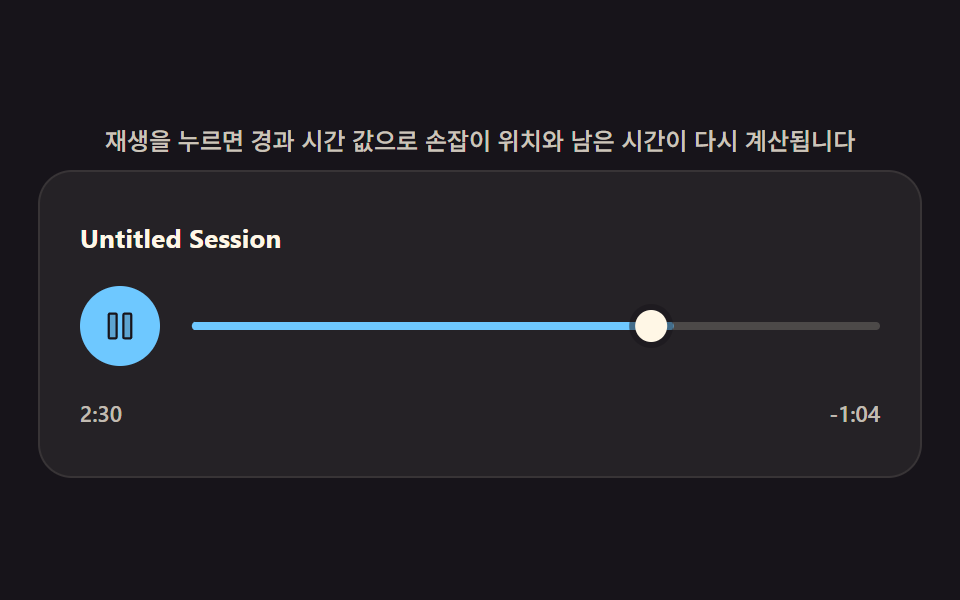 Creative UICustom Audio Player CSS — 9 Computed UI Patterns
 Creative UICSS Background Pattern Generator: 9 Seeded Scenes
 Creative UIWave Interference Simulation: 9 Canvas Scenes
 Creative UIVerlet Physics 9 Demos: No Library, Just Canvas
 Creative UIJavaScript Physics Simulation: 9 Demos, No Library
 Creative UIImage Crop JavaScript: 9 Canvas Editor UIs
 Creative UI3D Globe Website: 9 Canvas Orbit Scenes
 Creative UICanvas Fluid Simulation: 9 Grid Effects
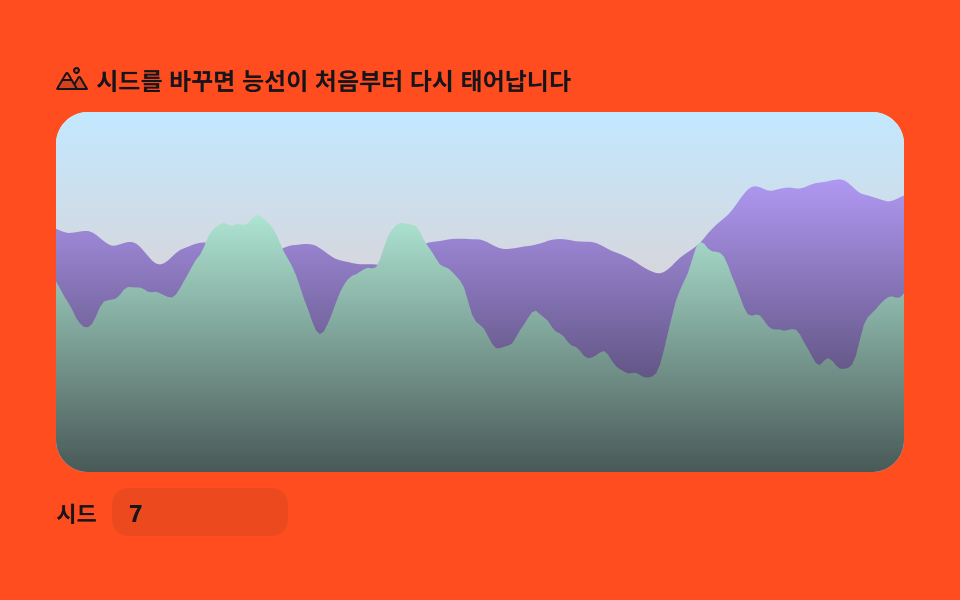 Creative UI9 Perlin Noise Animations, No Libraries, Pure Math
 Creative UI9 Reaction Diffusion Simulations, No Library