9 Perlin Noise Animations, No Libraries, Pure Math
Perlin noise animation smooths raw randomness into values that connect with their neighbours, and out of that one function come mountains, clouds, seas, and
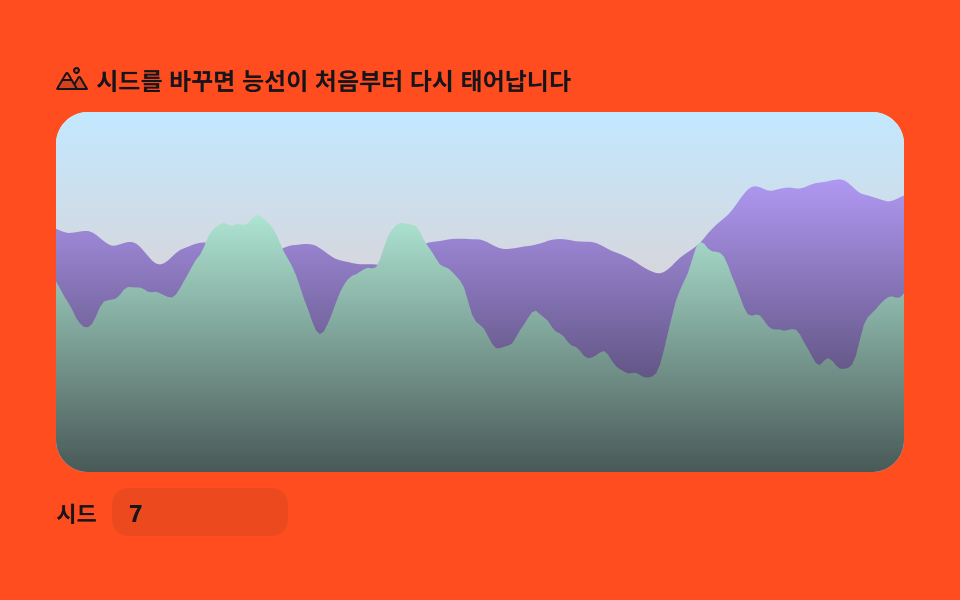 01 terrain-elevation-profile
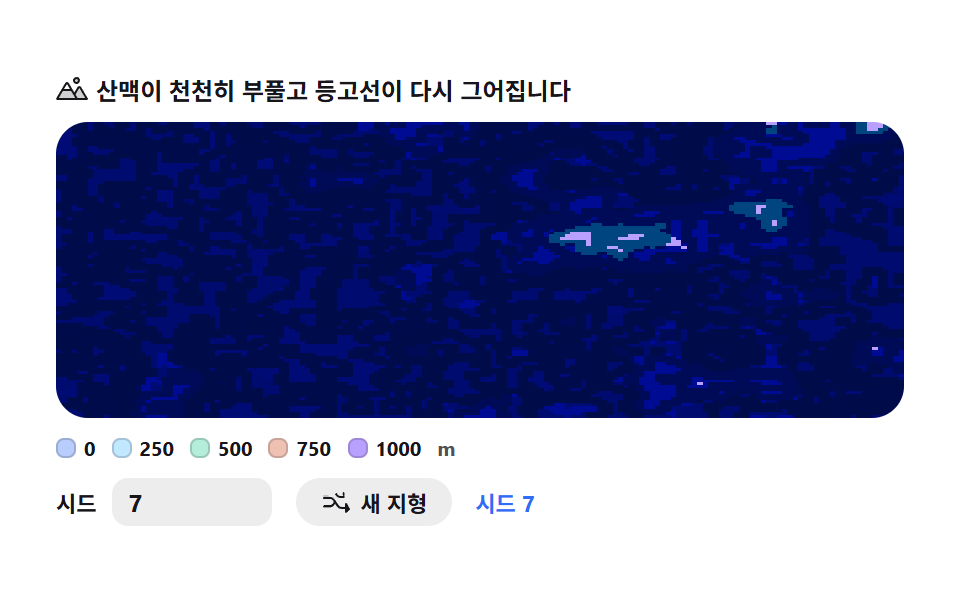 02 terrain-contour-map
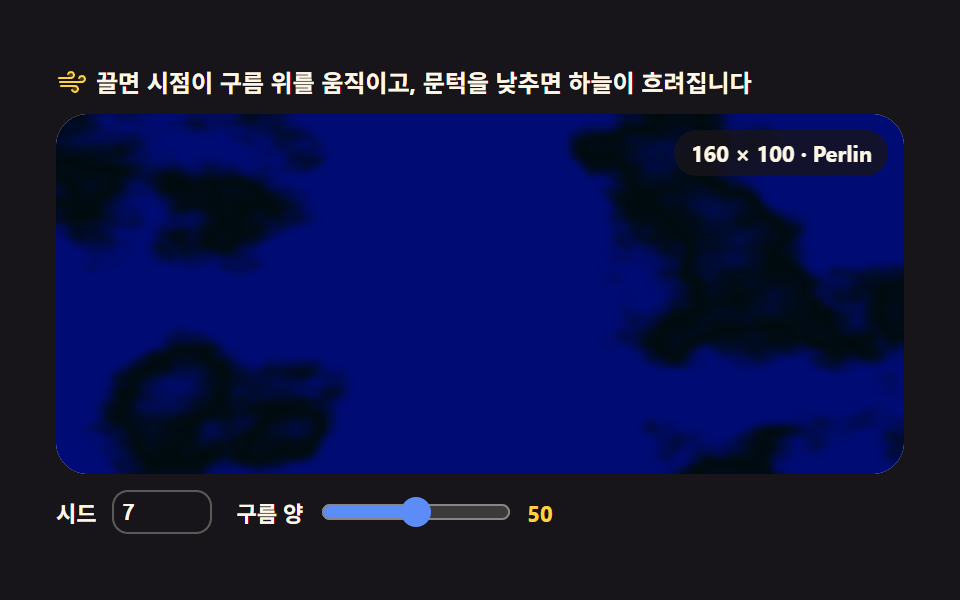 03 terrain-cloud-field
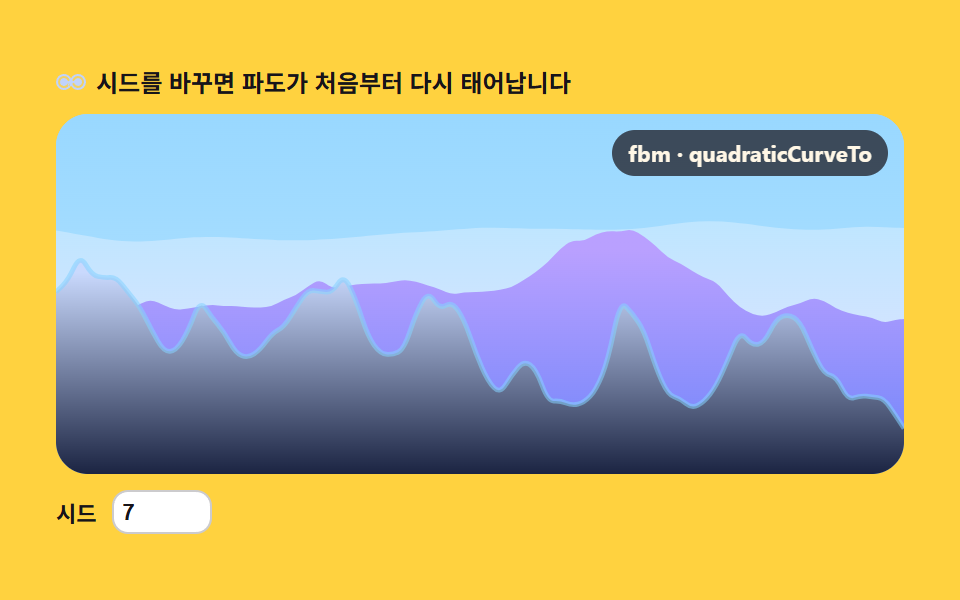 04 terrain-sea-swell
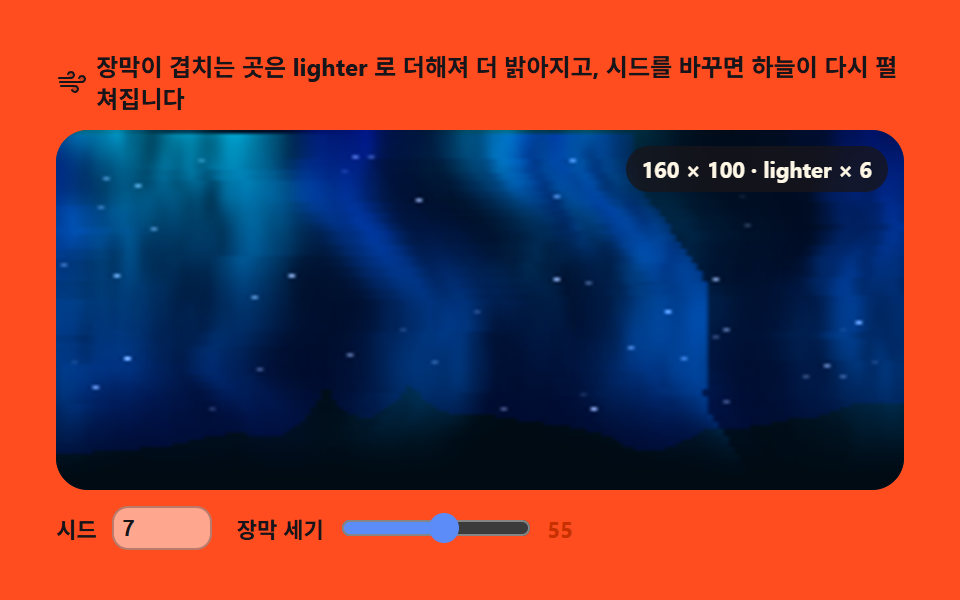 05 terrain-aurora-curtain
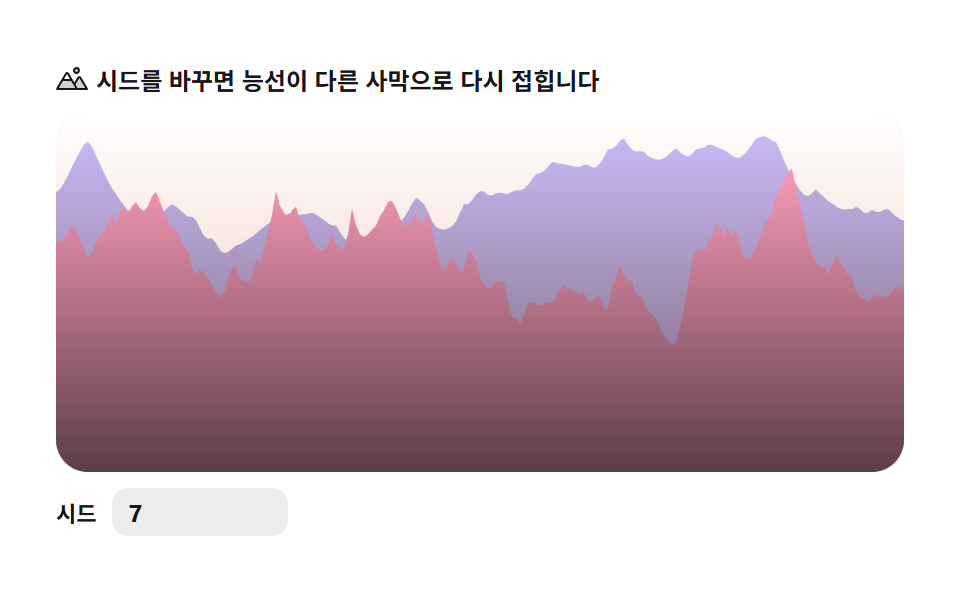 06 terrain-dune-ridge
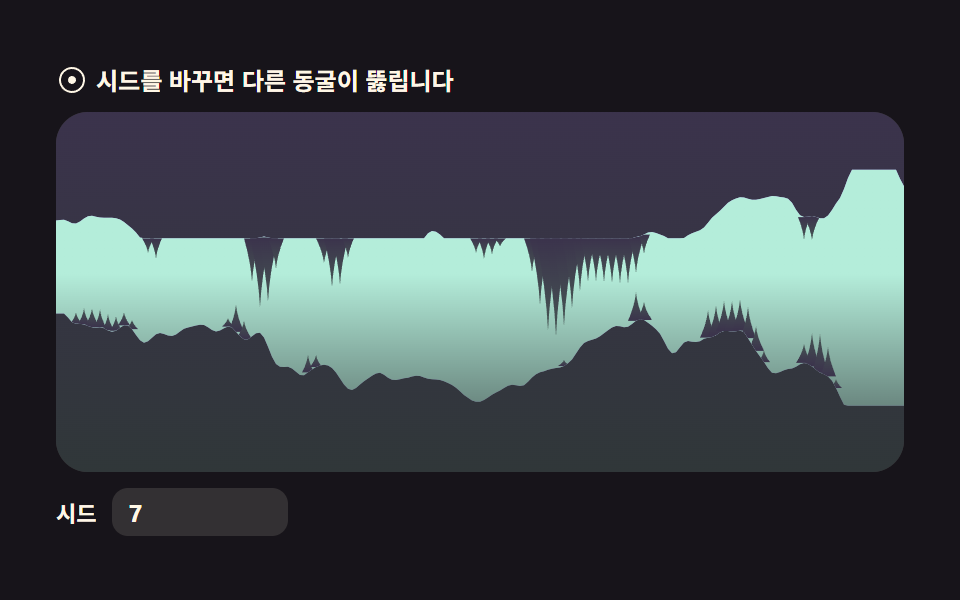 07 terrain-cave-cross-section
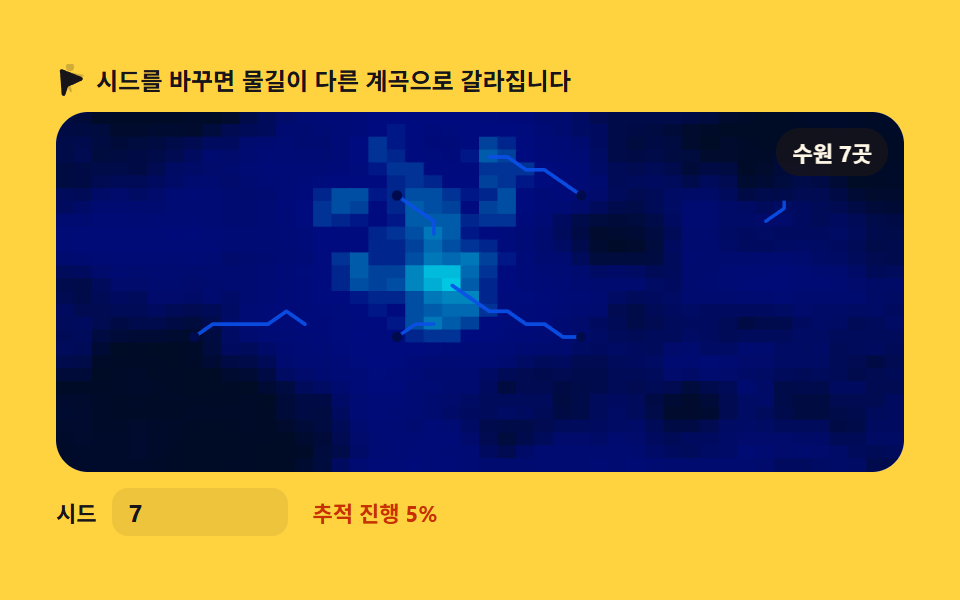 08 terrain-river-erosion
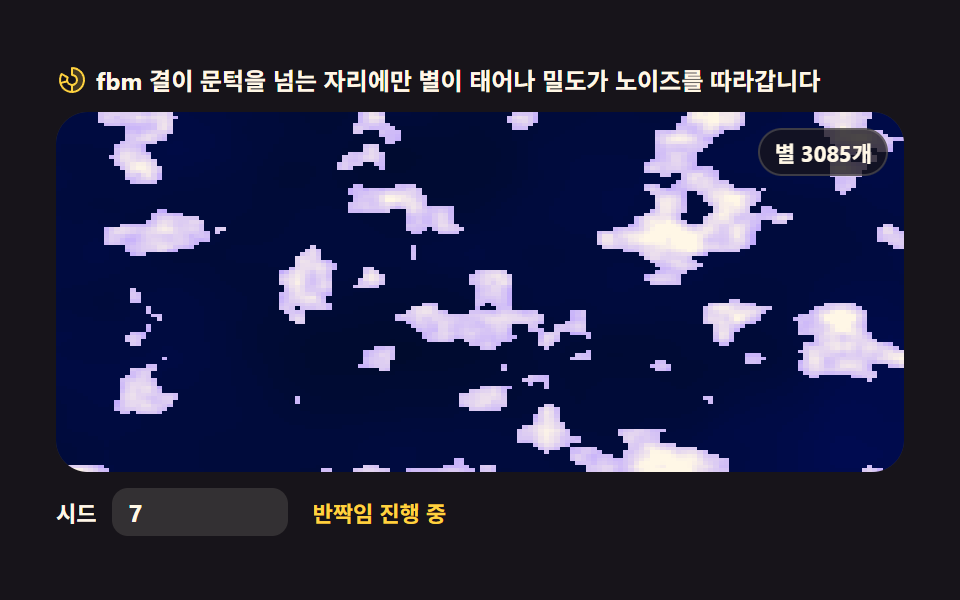 09 terrain-starfield-drift
Auto-plays · click a tile to jump to its section · all nine in one zip
- 01 Elevation profile — fbm ridge silhouette
- 02 Contour map — hypsometric bands on canvas
- 03 Cloud field — drifting fbm cloud layer
- 04 Sea swell — noise wave-height profile
- 05 Aurora curtain — vertical noise light veil
- 06 Dune ridge — ridged-noise sand hills
- 07 Cave cross-section — a cavity carved by noise
- 08 River erosion — steepest-descent flow line
- 09 Starfield drift — noise-density star field
Why this order
The order is not flashiest-first — it is the order noise stacks into land. A one-dimensional slice of noise read as height comes first and becomes a ridge line, then a sea profile (01, 04); the same field unfolded into two dimensions becomes maps (02, 08); hung in the sky it becomes drifting phenomena (03, 05, 09); and sharp transforms plus carved space bend the land itself at the end (06, 07). Most terrain generation algorithms you will meet elsewhere stack these same moves, which is why reading them in this order hands you the whole recipe. Neighbours on this site: the seeded CSS background patterns redraw their grain from one number, the canvas scene effects bend pixels through lenses and black holes, and the canvas fluid simulation advects grids instead of sampling fields.
01Elevation profile — fbm ridge silhouette
What you're seeing
Four octaves of 1D value noise stack into an fbm that draws a single ridge silhouette, and each octave's phase drifts at its own speed, so the ridge keeps re-carving itself. It belongs behind outdoor and hiking landing heroes.
<main class="stage">
<div class="tep" id="tep">
  <p class="tep__hint">
    <svg class="tep__ico" viewBox="0 0 256 256" aria-hidden="true"><g fill="currentColor"><path d="M144 52a20 20 0 1 1 20 20a20 20 0 0 1-20-20m49.44 55.92a8 8 0 0 0-13.77 0l-33 55.75l-21-35.67H50.35L8 200h240Z" opacity=".2"/><path d="M164 80a28 28 0 1 0-28-28a28 28 0 0 0 28 28m0-40a12 12 0 1 1-12 12a12 12 0 0 1 12-12m90.88 155.92l-54.56-92.08A15.87 15.87 0 0 0 186.55 96a15.85 15.85 0 0 0-13.76 7.84L146.63 148l-44.84-76.1a16 16 0 0 0-27.58 0L1.11 195.94A8 8 0 0 0 8 208h240a8 8 0 0 0 6.88-12.08M88 80l23.57 40H64.43ZM22 192l33-56h66l33 56Zm150.57 0l-16.66-28.28L186.55 112L234 192Z"/></g></svg>
    <span>Change the seed and the ridge is carved anew from scratch</span>
  </p>
  <div class="tep__field" id="field">
    <canvas class="tep__cv" id="cv"></canvas>
  </div>
  <div class="tep__bar">
    <label class="tep__dial">Seed
      <input type="number" id="seed" min="1" max="9999" step="1" value="7" aria-label="Terrain seed">
    </label>
  </div>
</div>
</main>
@use "../../../../site/static/demo-tokens" as *;
// 지형 단면 — 1차원 값 노이즈를 옥타브 4겹(fbm)으로 겹쳐 산 능선 실루엣 한 줄을 lineTo 로 그린다.
// 3D 회전·원근 투영은 쓰지 않는다(307-02 heightfield-terrain 과 다른 축) — 순수 2D 단면.
// 옥타브마다 독립된 위상(phase)을 시간에 흘려 능선이 조금씩 다시 깎이는 것처럼 보이게 한다.
// 파스텔 — mix() 로 옅게 섞은 로컬 변수만 쓴다. 리터럴 hex 0개(BD26).
$terrain-sky: mix($subject-sky, $stage-paper, 42%);
$terrain-peach: mix($subject-orange-deep, $stage-paper, 30%);
$terrain-lilac: $subject-lilac;
$terrain-mint: mix($subject-mint, $stage-paper, 42%);
$duration: $dur-loop;
$easing: $ease-out;
$color: $terrain-mint;
@include stage($stage-orange);
.tep {
// 하늘 그라디언트(위→지평선) + 원경·근경 능선 각각의 그라디언트(위→아래로 한 단계 진하게)
--sky-top: #{$terrain-sky};
--sky-bottom: #{$terrain-peach};
--far-top: #{$terrain-lilac};
--far-bottom: #{mix($terrain-lilac, $subject-ink, 24%)};
--near-top: #{$terrain-mint};
--near-bottom: #{mix($terrain-mint, $subject-ink, 32%)};
display: flex; flex-direction: column; gap: $sp-2;
width: 100%; max-width: 424px;
}
.tep__hint {
display: flex; align-items: center; gap: $sp-1; margin: 0;
font-weight: 700; font-size: clamp(10px, 2.8vw, 12px); line-height: 1.35;
color: $subject-ink;
}
.tep__ico { width: 16px; height: 16px; flex: 0 0 auto; color: $subject-ink; }
.tep__field {
position: relative; height: 180px;
border-radius: $r-card; overflow: hidden;
background: $stage-paper;
box-shadow: inset 0 0 0 1px rgba($subject-ink, .16);
}
.tep__cv { display: block; width: 100%; height: 100%; }
.tep__bar { display: flex; align-items: center; gap: $sp-3; }
.tep__dial {
display: flex; align-items: center; gap: $sp-2;
font-weight: 700; font-size: 11px; color: $subject-ink;
}
.tep__dial input {
width: 72px; margin: 0;
padding: $sp-1 $sp-2; border: 0; border-radius: $r-sm;
background: rgba($subject-ink, .08); color: $subject-ink;
font-weight: 700; font-size: 12px; font-family: inherit;
}
.tep__dial input:focus-visible { outline: 2px solid $subject-blue; outline-offset: 2px; }
@media (max-width: 340px) {
.tep { gap: $sp-1; }
.tep__field { height: 100px; }
.tep__dial input { width: 56px; }
.tep__hint { font-size: 10px; }
}
// reduce — 루프 없이 시드의 정적 한 장만 남는다. 커서 신호가 없으므로 클래스만 걸어 둔다(다른 항목과 형식 일치)
@media (prefers-reduced-motion: reduce) {
.tep.is-still .tep__field { cursor: default; }
}html, body {
margin: 0;
overflow: hidden;
}
.stage {
box-sizing: border-box;
min-height: 100vh;
display: grid;
place-items: center;
margin: 0;
background: #ff4d1f;
font-family: -apple-system, "Segoe UI", "Noto Sans KR", sans-serif;
padding: clamp(8px, 4vw, 24px);
}
.tep {
--sky-top: rgb(76.1176470588%, 90.9411764706%, 100%);
--sky-bottom: rgb(93.6470588235%, 75.6470588235%, 70%);
--far-top: #b9a0ff;
--far-bottom: rgb(24.2666666667%, 21.0196078431%, 31.7490196078%);
--near-top: rgb(70.5176470588%, 92.9176470588%, 85.3411764706%);
--near-bottom: rgb(28.6989803922%, 35.0669803922%, 34.2425098039%);
display: flex;
flex-direction: column;
gap: 8px;
width: 100%;
max-width: 424px;
}
.tep__hint {
display: flex;
align-items: center;
gap: 4px;
margin: 0;
font-weight: 700;
font-size: clamp(10px, 2.8vw, 12px);
line-height: 1.35;
color: #17141a;
}
.tep__ico {
width: 16px;
height: 16px;
flex: 0 0 auto;
color: #17141a;
}
.tep__field {
position: relative;
height: 180px;
border-radius: 16px;
overflow: hidden;
background: #ffffff;
box-shadow: inset 0 0 0 1px rgba(23, 20, 26, 0.16);
}
.tep__cv {
display: block;
width: 100%;
height: 100%;
}
.tep__bar {
display: flex;
align-items: center;
gap: 12px;
}
.tep__dial {
display: flex;
align-items: center;
gap: 8px;
font-weight: 700;
font-size: 11px;
color: #17141a;
}
.tep__dial input {
width: 72px;
margin: 0;
padding: 4px 8px;
border: 0;
border-radius: 8px;
background: rgba(23, 20, 26, 0.08);
color: #17141a;
font-weight: 700;
font-size: 12px;
font-family: inherit;
}
.tep__dial input:focus-visible {
outline: 2px solid #2f6df6;
outline-offset: 2px;
}
@media (max-width: 340px) {
.tep {
gap: 4px;
}
.tep__field {
height: 100px;
}
.tep__dial input {
width: 56px;
}
.tep__hint {
font-size: 10px;
}
}
@media (prefers-reduced-motion: reduce) {
.tep.is-still .tep__field {
cursor: default;
}
}// Elevation profile — 1차원 값 노이즈를 옥타브 4겹(fbm)으로 겹쳐 산 능선 실루엣 한 줄을 lineTo 로 그린다.
// 3D 회전·원근 투영은 안 쓴다 — 가로 위치마다 fbm(x) 값을 높이로 읽는 순수 2D 단면이다.
// 옥타브마다 독립된 위상(phase)을 시간에 흘려보내 능선이 조금씩 다시 깎이는 것처럼 보이게 한다.
// 원경·근경 두 겹을 겹쳐 그려 입체감을 준다(파라미터만 다른 같은 계열).
var root = document.getElementById('tep');
var field = document.getElementById('field');
var cv = document.getElementById('cv');
var ctx = cv.getContext('2d');
var seedIn = document.getElementById('seed');
// 결정적 난수 — mulberry32. 같은 시드면 같은 수열을 돌려준다
function mulberry32(a) {
return function () {
a |= 0; a = (a + 0x6D2B79F5) | 0;
var t = Math.imul(a ^ (a >>> 15), 1 | a);
t = (t + Math.imul(t ^ (t >>> 7), 61 | t)) ^ t;
return ((t ^ (t >>> 14)) >>> 0) / 4294967296;
};
}
var PERM = new Uint8Array(512);
var VAL = new Float32Array(256);
// Seed → PERM(순서표)·VAL(격자점 난수값) 재생성 — Seed UI 가 이걸 다시 부른다
function buildTables(seed) {
var rng = mulberry32(seed >>> 0);
var p = [], i, j, t;
for (i = 0; i < 256; i++) p[i] = i;
for (i = 255; i > 0; i--) { j = (rng() * (i + 1)) | 0; t = p[i]; p[i] = p[j]; p[j] = t; }
for (i = 0; i < 512; i++) PERM[i] = p[i & 255];
for (i = 0; i < 256; i++) VAL[i] = rng();
}
function fade(t) { return t * t * (3 - 2 * t); } // 스무스스텝 — 격자 경계에서 각이 안 지게
// 1차원 값 노이즈 — 격자점마다 난수를 하나 두고 그 사이를 fade 로 부드럽게 잇는다
function vnoise1(x) {
var xi = Math.floor(x);
var xf = x - xi;
var a = VAL[PERM[xi & 255]], b = VAL[PERM[(xi + 1) & 255]];
return a + (b - a) * fade(xf);
}
var OCT = 4; // 옥타브 4겹
// fbm — 주파수 2배·진폭 절반으로 4겹 쌓는다. 옥타브마다 자기 위상을 따로 흘려보내
// (i+1) 배로 밀기 때문에 고주파 옥타브일수록 더 빨리 밀리고 — 능선이 부위별로 다시 깎인다
function fbm1(x, sec, flow) {
var sum = 0, amp = 0.5, norm = 0, f = 1;
for (var i = 0; i < OCT; i++) {
var phase = sec * flow * (i + 1);
sum += vnoise1(x * f + phase) * amp;
norm += amp;
amp *= 0.5;
f *= 2;
}
return sum / norm;
}
// 원경(far)·근경(near) — 같은 fbm1 을 스케일·흐름·오프셋만 다르게 줘서 두 겹을 겹친다
var FAR_SCALE = 0.011, FAR_FLOW = 8.5, FAR_OFFSET = 13.7;
var NEAR_SCALE = 0.021, NEAR_FLOW = 12.0, NEAR_OFFSET = 241.3;
var reduce = window.matchMedia('(prefers-reduced-motion: reduce)').matches;
var W = 0, H = 0, dpr = 1;
var raf = 0;
var css = getComputedStyle(root);
function tok(name) { return css.getPropertyValue(name).trim(); }
var C_SKY_TOP = tok('--sky-top'), C_SKY_BOTTOM = tok('--sky-bottom');
var C_FAR_TOP = tok('--far-top'), C_FAR_BOTTOM = tok('--far-bottom');
var C_NEAR_TOP = tok('--near-top'), C_NEAR_BOTTOM = tok('--near-bottom');
function fit() {
var r = field.getBoundingClientRect();
dpr = window.devicePixelRatio || 1;
W = r.width; H = r.height;
cv.width = Math.round(W * dpr);
cv.height = Math.round(H * dpr);
ctx.setTransform(dpr, 0, 0, dpr, 0, 0);
}
function ridgeY(x, scale, offset, base, amp, sec, flow) {
var n = fbm1(x * scale + offset, sec, flow);
n = n * 1.6 - 0.3; // 값 노이즈는 가운데로 몰린다 — 대비를 한 번 펴 준다
if (n < 0) n = 0; else if (n > 1) n = 1;
return base - n * amp;
}
// 능선 실루엣 하나 — 닫힌 다각형(아래는 캔버스 바닥까지)으로 lineTo, 그라디언트 파스텔로 채운다
function drawRidge(sec, scale, offset, base, amp, flow, topColor, bottomColor) {
var step = 2;
ctx.beginPath();
ctx.moveTo(0, H);
for (var x = 0; x <= W; x += step) {
var xx = x > W ? W : x;
ctx.lineTo(xx, ridgeY(xx, scale, offset, base, amp, sec, flow));
}
ctx.lineTo(W, H);
ctx.closePath();
var g = ctx.createLinearGradient(0, base - amp, 0, H);
g.addColorStop(0, topColor);
g.addColorStop(1, bottomColor);
ctx.fillStyle = g;
ctx.fill();
}
function paint(sec) {
ctx.clearRect(0, 0, W, H);
var sky = ctx.createLinearGradient(0, 0, 0, H);
sky.addColorStop(0, C_SKY_TOP);
sky.addColorStop(1, C_SKY_BOTTOM);
ctx.fillStyle = sky;
ctx.fillRect(0, 0, W, H);
drawRidge(sec, FAR_SCALE, FAR_OFFSET, H * 0.50, H * 0.38, FAR_FLOW, C_FAR_TOP, C_FAR_BOTTOM);
drawRidge(sec, NEAR_SCALE, NEAR_OFFSET, H * 0.80, H * 0.56, NEAR_FLOW, C_NEAR_TOP, C_NEAR_BOTTOM);
}
function frame(now) {
paint(now / 1000);
raf = requestAnimationFrame(frame);
}
function onSeed() {
var v = Math.max(1, Math.min(9999, Math.floor(Number(seedIn.value)) || 1));
buildTables(v);
if (reduce) paint(0);
}
seedIn.addEventListener('input', onSeed);
seedIn.addEventListener('change', onSeed);
window.addEventListener('resize', function () { fit(); if (reduce) paint(0); });
buildTables(Number(seedIn.value) || 7);
fit();
if (reduce) {
// reduce — 루프를 시작하지 않고 시드가 정한 능선 한 장만 그린다(빈 화면이 아니다)
root.classList.add('is-still');
paint(0);
} else {
raf = requestAnimationFrame(frame);
}// ElevationProfile — vanilla 판(run/309/demo/01-terrain-elevation-profile/index.html) 의 React 포트.
// 1차원 값 노이즈를 옥타브 4겹(fbm) 으로 겹쳐 산 능선 실루엣 한 줄을 lineTo 로 그린다.
// 3D 회전·원근 투영은 안 쓴다 — 가로 위치마다 fbm(x) 값을 높이로 읽는 순수 2D 단면이다.
// 옥타브마다 독립된 위상을 시간에 흘려 능선이 조금씩 다시 깎이는 것처럼 보이게 한다.
// 원경·근경 두 겹을 겹쳐 그려 입체감을 준다. 움직임은 캔버스 rAF 루프가 전부 그리므로 @keyframes 는 없다.
import { useEffect, useRef } from "react";
import type { CSSProperties } from "react";
import styles from "./ElevationProfile.module.scss";
export type ElevationProfileProps = {
duration?: string;
easing?: string;
color?: string;
};
type Vars = CSSProperties & { "--duration"?: string; "--easing"?: string; "--color"?: string };
type Box<T> = { current: T };
type InputEvt = { target: { value: string } };
const OCT = 4; // 옥타브 4겹
const FAR_SCALE = 0.011, FAR_FLOW = 8.5, FAR_OFFSET = 13.7;
const NEAR_SCALE = 0.021, NEAR_FLOW = 12.0, NEAR_OFFSET = 241.3;
// 결정적 난수 — mulberry32. 같은 시드면 같은 수열을 돌려준다
function mulberry32(a: number): () => number {
return function () {
a |= 0; a = (a + 0x6D2B79F5) | 0;
const t = Math.imul(a ^ (a >>> 15), 1 | a);
const u = (t + Math.imul(t ^ (t >>> 7), 61 | t)) ^ t;
return ((u ^ (u >>> 14)) >>> 0) / 4294967296;
};
}
function fade(t: number): number {
return t * t * (3 - 2 * t); // 스무스스텝 — 격자 경계에서 각이 안 지게
}
// 1차원 값 노이즈 테이블 — 시드가 바뀌면 다시 짠다
class ValueNoise1 {
perm: Uint8Array;
val: Float32Array;
constructor(seed: number) {
const rng = mulberry32(seed >>> 0);
const p: number[] = [];
for (let i = 0; i < 256; i++) p[i] = i;
for (let i = 255; i > 0; i--) {
const j = (rng() * (i + 1)) | 0;
const t = p[i]; p[i] = p[j]; p[j] = t;
}
this.perm = new Uint8Array(512);
for (let i = 0; i < 512; i++) this.perm[i] = p[i & 255];
this.val = new Float32Array(256);
for (let i = 0; i < 256; i++) this.val[i] = rng();
}
at(x: number): number {
const xi = Math.floor(x);
const xf = x - xi;
const a = this.val[this.perm[xi & 255]], b = this.val[this.perm[(xi + 1) & 255]];
return a + (b - a) * fade(xf);
}
}
// fbm — 주파수 2배·진폭 절반으로 4겹. 옥타브마다 자기 위상을 따로 흘려보내
// (i+1) 배로 밀기 때문에 고주파 옥타브일수록 더 빨리 밀리고 — 능선이 부위별로 다시 깎인다
function fbm1(n: ValueNoise1, x: number, sec: number, flow: number): number {
let sum = 0, amp = 0.5, norm = 0, f = 1;
for (let i = 0; i < OCT; i++) {
const phase = sec * flow * (i + 1);
sum += n.at(x * f + phase) * amp;
norm += amp;
amp *= 0.5;
f *= 2;
}
return sum / norm;
}
export default function ElevationProfile({
duration = "2s", // vanilla $duration: $dur-loop
easing = "ease-out", // vanilla $easing: $ease-out
color = "#8fdac2", // vanilla $color: $terrain-mint (근사값)
}: ElevationProfileProps) {
const rootRef = useRef<HTMLDivElement | null>(null);
const fieldRef = useRef<HTMLDivElement | null>(null);
const cvRef = useRef<HTMLCanvasElement | null>(null);
const ctxRef = useRef<CanvasRenderingContext2D | null>(null);
const seedRef = useRef<HTMLInputElement | null>(null);
const noiseRef = useRef<ValueNoise1 | null>(null);
const sizeRef = useRef({ w: 0, h: 0 }) as Box<{ w: number; h: number }>;
const rafRef = useRef(0) as Box<number>;
const stillRef = useRef(false) as Box<boolean>;
const vars: Vars = { "--duration": duration, "--easing": easing, "--color": color };
function reduced(): boolean {
return window.matchMedia("(prefers-reduced-motion: reduce)").matches;
}
function buildTables(seed: number): void {
noiseRef.current = new ValueNoise1(seed);
}
function fit(): void {
const field = fieldRef.current, cv = cvRef.current;
if (!field || !cv) return;
const r = field.getBoundingClientRect();
const dpr = window.devicePixelRatio || 1;
sizeRef.current.w = r.width;
sizeRef.current.h = r.height;
cv.width = Math.round(r.width * dpr);
cv.height = Math.round(r.height * dpr);
const ctx = ctxRef.current;
if (ctx) ctx.setTransform(dpr, 0, 0, dpr, 0, 0);
}
function ridgeY(x: number, scale: number, offset: number, base: number, amp: number, sec: number, flow: number): number {
const n = noiseRef.current;
if (!n) return base;
let v = fbm1(n, x * scale + offset, sec, flow);
v = v * 1.6 - 0.3; // 값 노이즈는 가운데로 몰린다 — 대비를 한 번 펴 준다
if (v < 0) v = 0; else if (v > 1) v = 1;
return base - v * amp;
}
// 능선 실루엣 하나 — 닫힌 다각형(아래는 캔버스 바닥까지)으로 lineTo, 그라디언트 파스텔로 채운다
function drawRidge(
ctx: CanvasRenderingContext2D, H: number, W: number,
sec: number, scale: number, offset: number, base: number, amp: number, flow: number,
topColor: string, bottomColor: string,
): void {
const step = 2;
ctx.beginPath();
ctx.moveTo(0, H);
for (let x = 0; x <= W; x += step) {
const xx = x > W ? W : x;
ctx.lineTo(xx, ridgeY(xx, scale, offset, base, amp, sec, flow));
}
ctx.lineTo(W, H);
ctx.closePath();
const g = ctx.createLinearGradient(0, base - amp, 0, H);
g.addColorStop(0, topColor);
g.addColorStop(1, bottomColor);
ctx.fillStyle = g;
ctx.fill();
}
function paint(sec: number): void {
const ctx = ctxRef.current, root = rootRef.current;
if (!ctx || !root) return;
const W = sizeRef.current.w, H = sizeRef.current.h;
ctx.clearRect(0, 0, W, H);
const cs = getComputedStyle(root);
const tok = (name: string) => cs.getPropertyValue(name).trim();
const sky = ctx.createLinearGradient(0, 0, 0, H);
sky.addColorStop(0, tok("--sky-top"));
sky.addColorStop(1, tok("--sky-bottom"));
ctx.fillStyle = sky;
ctx.fillRect(0, 0, W, H);
drawRidge(ctx, H, W, sec, FAR_SCALE, FAR_OFFSET, H * 0.50, H * 0.38, FAR_FLOW, tok("--far-top"), tok("--far-bottom"));
drawRidge(ctx, H, W, sec, NEAR_SCALE, NEAR_OFFSET, H * 0.80, H * 0.56, NEAR_FLOW, tok("--near-top"), tok("--near-bottom"));
}
function frame(now: number): void {
paint(now / 1000);
rafRef.current = requestAnimationFrame(frame);
}
function onSeedInput(event: InputEvt): void {
const v = Math.max(1, Math.min(9999, Math.floor(Number(event.target.value)) || 1));
buildTables(v);
if (reduced()) paint(0);
}
function onResize(): void {
fit();
if (reduced()) paint(0);
}
useEffect(() => {
const cv = cvRef.current;
if (!cv) return;
ctxRef.current = cv.getContext("2d");
if (!ctxRef.current) return;
buildTables(Number(seedRef.current?.value) || 7);
fit();
window.addEventListener("resize", onResize);
if (reduced()) {
// reduce — 루프를 시작하지 않고 시드가 정한 능선 한 장만 그린다
stillRef.current = true;
paint(0);
} else {
rafRef.current = requestAnimationFrame(frame);
}
return () => {
window.removeEventListener("resize", onResize);
cancelAnimationFrame(rafRef.current);
};
}, []);
const cls = [styles.root, stillRef.current ? styles.isStill : ""].filter(Boolean).join(" ");
return (
<main className={styles.stage}>
<div className={cls} ref={rootRef} style={vars}>
<p className={styles.hint}>
<svg className={styles.ico} viewBox="0 0 256 256" aria-hidden="true"><g fill="currentColor"><path d="M144 52a20 20 0 1 1 20 20a20 20 0 0 1-20-20m49.44 55.92a8 8 0 0 0-13.77 0l-33 55.75l-21-35.67H50.35L8 200h240Z" opacity=".2"/><path d="M164 80a28 28 0 1 0-28-28a28 28 0 0 0 28 28m0-40a12 12 0 1 1-12 12a12 12 0 0 1 12-12m90.88 155.92l-54.56-92.08A15.87 15.87 0 0 0 186.55 96a15.85 15.85 0 0 0-13.76 7.84L146.63 148l-44.84-76.1a16 16 0 0 0-27.58 0L1.11 195.94A8 8 0 0 0 8 208h240a8 8 0 0 0 6.88-12.08M88 80l23.57 40H64.43ZM22 192l33-56h66l33 56Zm150.57 0l-16.66-28.28L186.55 112L234 192Z"/></g></svg>
<span>시드를 바꾸면 능선이 처음부터 다시 태어납니다</span>
</p>
<div className={styles.field} ref={fieldRef}>
<canvas className={styles.cv} ref={cvRef}></canvas>
</div>
<div className={styles.bar}>
<label className={styles.dial}>시드
<input type="number" ref={seedRef} min={1} max={9999} step={1} defaultValue={7} aria-label="지형 시드" onChange={onSeedInput} />
</label>
</div>
</div>
</main>
);
}01 · Elevation profile — fbm ridge silhouette — Measured area 31.644% · moving frames 23/23Original by GODRICH · SCSS and React ship in the zip · See the password
Where to look in the code
The measurement recorded a cumulative area of 31.64%, an average intensity of 69.7, and movement in 23 of 23 frames.
var OCT = 4;   // four octaves

// fbm — stacks layers at double frequency and half amplitude. Each octave
// drifts on its own phase, pushed at (i + 1) times the flow, so high-frequency
// octaves slide faster and the ridge re-carves region by region
function fbm1(x, sec, flow) {
  var sum = 0, amp = 0.5, norm = 0, f = 1;
  for (var i = 0; i < OCT; i++) {
    var phase = sec * flow * (i + 1);
    sum += vnoise1(x * f + phase) * amp;
    norm += amp;
    amp *= 0.5;
    f *= 2;
  }
  return sum / norm;
}
02Contour map — hypsometric bands on canvas
What you're seeing
A 2D fbm heightfield is painted pixel by pixel through createImageData into five hypsometric bands, lifted with putImageData, and then thin threshold lines from the same field overlay it as contour rings. Travel, real-estate, and weather dashboard map cards take it.
<main class="stage">
<div class="cm" id="cm">
  <p class="cm__hint">
    <svg class="cm__ico" viewBox="0 0 256 256" aria-hidden="true"><g fill="currentColor"><path d="M144 52a20 20 0 1 1 20 20a20 20 0 0 1-20-20m49.44 55.92a8 8 0 0 0-13.77 0l-33 55.75l-21-35.67H50.35L8 200h240Z" opacity=".2"/><path d="M164 80a28 28 0 1 0-28-28a28 28 0 0 0 28 28m0-40a12 12 0 1 1-12 12a12 12 0 0 1 12-12m90.88 155.92l-54.56-92.08A15.87 15.87 0 0 0 186.55 96a15.85 15.85 0 0 0-13.76 7.84L146.63 148l-44.84-76.1a16 16 0 0 0-27.58 0L1.11 195.94A8 8 0 0 0 8 208h240a8 8 0 0 0 6.88-12.08M88 80l23.57 40H64.43ZM22 192l33-56h66l33 56Zm150.57 0l-16.66-28.28L186.55 112L234 192Z"/></g></svg>
    <span>The mountains slowly swell and the contour lines are redrawn</span>
  </p>
  <div class="cm__field" id="field" role="img" aria-label="A terrain map drawn with 5 elevation bands and contour lines">
    <canvas class="cm__cv" id="cv"></canvas>
  </div>
  <div class="cm__legend" aria-hidden="true">
    <div class="cm__lg"><i class="cm__sw" style="background:var(--c0)"></i>0</div>
    <div class="cm__lg"><i class="cm__sw" style="background:var(--c1)"></i>250</div>
    <div class="cm__lg"><i class="cm__sw" style="background:var(--c2)"></i>500</div>
    <div class="cm__lg"><i class="cm__sw" style="background:var(--c3)"></i>750</div>
    <div class="cm__lg"><i class="cm__sw" style="background:var(--c4)"></i>1000</div>
    <span class="cm__unit">m</span>
  </div>
  <div class="cm__bar">
    <label class="cm__dial">Seed
      <input type="number" id="seed" min="1" max="9999" step="1" value="7" aria-label="Seed number">
    </label>
    <button class="cm__shuffle" id="shuffle" type="button">
      <svg class="cm__ico" viewBox="0 0 256 256" aria-hidden="true"><g fill="currentColor"><path d="M32 72h32l16 24-13 9-11-17H32a8 8 0 0 1 0-16" opacity=".2"/><path d="M237.66 178.34a8 8 0 0 1 0 11.32l-24 24A8 8 0 0 1 200 208V184h-29.41a40 40 0 0 1-33.94-18.75L102.71 115.5A24 24 0 0 0 82.75 104H32a8 8 0 0 1 0-16h50.75a40 40 0 0 1 33.94 18.75l33.94 49.75a24 24 0 0 0 19.96 11.5H200v-24a8 8 0 0 1 13.66-5.66ZM32 152h50.75a24 24 0 0 0 19.96-11.5l8.11-11.87 9.51 13.93-6.9 10.11a40 40 0 0 1-33.94 18.72H32a8 8 0 0 1 0-16m150.34-82.34a8 8 0 0 0 13.66 5.66V96h-34.46a40 40 0 0 1-33.94-18.75l-6.9-10.11 9.51-13.93 8.11 11.87A24 24 0 0 0 158.29 80H196V56a8 8 0 0 0-13.66-5.66" fill-rule="evenodd"/></g></svg>
      <span>New terrain</span>
    </button>
    <b class="cm__val" id="seedOut">Seed <span id="seedNum">7</span></b>
  </div>
</div>
</main>@use "../../../../site/static/demo-tokens" as *;
// 등고선 지도 — 움직임은 전부 캔버스 rAF 루프(2D fbm 높이맵을 createImageData 로 픽셀마다 채색).
// CSS 는 무대·판·범례·시드 컨트롤만. @keyframes 를 두지 않는다 — 렌더러가 시계를 고정하지 않고
// 실시간 프레임을 찍어야 지형이 부푸는 게 측정된다. 색은 파스텔 5단(hypsometric) — vivid 리터럴 0(BD26).
// 파스텔 — 토큰 그대로 쓰면 vivid(채도≥.55·명도.2~.8)라 BD26 이 잡는다. mix() 로 옅게 섞는다(브리프 실측 조합)
$terrain-blue: mix($subject-blue, $stage-paper, 34%);
$terrain-sky: mix($subject-sky, $stage-paper, 42%);
$terrain-mint: mix($subject-mint, $stage-paper, 42%);
$terrain-peach: mix($subject-orange-deep, $stage-paper, 30%);
$terrain-lilac: $subject-lilac; // 이미 명도 .81 이라 그대로 써도 통과
$duration: $dur-loop;
$easing: $ease-out;
$color: $terrain-blue;
@include stage($stage-paper);
.cm {
// 고도띠 5단 — 낮은 곳(물가)에서 높은 곳(봉우리)으로. JS 가 --c0~--c4 를 읽어 LUT 를 만든다
--c0: #{$terrain-blue};
--c1: #{$terrain-sky};
--c2: #{$terrain-mint};
--c3: #{$terrain-peach};
--c4: #{$terrain-lilac};
// 등고선 선 색 — 잉크를 종이 쪽으로 섞어 은은하게(순수 검정 리터럴 대신 토큰 mix)
--c-line: #{mix($subject-ink, $stage-paper, 74%)};
display: flex; flex-direction: column; gap: $sp-2;
width: 100%; max-width: 424px;
}
.cm__hint {
display: flex; align-items: center; gap: $sp-1; margin: 0;
font-weight: 700; font-size: clamp(10px, 2.8vw, 12px); line-height: 1.35;
color: $subject-ink;
}
.cm__ico { width: 16px; height: 16px; flex: 0 0 auto; color: $subject-ink; }
.cm__field {
position: relative; height: 148px;
border-radius: $r-card; overflow: hidden;
background: $stage-paper;
box-shadow: inset 0 0 0 1px rgba($subject-ink, .16);
}
.cm__cv { display: block; width: 100%; height: 100%; }
.cm__legend {
display: flex; align-items: center; gap: $sp-2;
font-weight: 700; font-size: 10px; color: $subject-ink;
}
.cm__lg { display: flex; align-items: center; gap: $sp-1; }
.cm__sw { width: 10px; height: 10px; border-radius: $r-xs; flex: 0 0 auto; box-shadow: inset 0 0 0 1px rgba($subject-ink, .18); }
.cm__unit { color: rgba($subject-ink, .74); font-weight: 700; }
.cm__bar { display: flex; align-items: center; gap: $sp-3; flex-wrap: wrap; }
.cm__dial {
display: flex; align-items: center; gap: $sp-2;
font-weight: 700; font-size: 11px; color: $subject-ink;
}
.cm__dial input {
width: 64px; margin: 0;
padding: $sp-1 $sp-2; border: 0; border-radius: $r-sm;
background: rgba($subject-ink, .08); color: $subject-ink;
font-weight: 700; font-size: 12px; font-family: inherit;
}
.cm__dial input:focus-visible { outline: 2px solid $subject-blue; outline-offset: 2px; }
.cm__shuffle {
display: flex; align-items: center; gap: $sp-1;
padding: $sp-1 $sp-3; border: 0; border-radius: $r-pill;
background: rgba($subject-ink, .08); color: $subject-ink;
font-weight: 700; font-size: 11px; font-family: inherit; cursor: pointer;
}
.cm__shuffle:hover { background: rgba($subject-ink, .16); }
.cm__shuffle:focus-visible { outline: 2px solid $subject-blue; outline-offset: 2px; }
.cm__val { color: $subject-blue; font-size: 11px; font-weight: 700; }
@media (max-width: 340px) {
.cm { gap: $sp-1; }
.cm__field { height: 92px; }
.cm__hint { font-size: 10px; }
.cm__legend { gap: $sp-1; font-size: 9px; }
.cm__bar { gap: $sp-2; }
.cm__dial input { width: 52px; }
}
// reduce — 루프가 안 돈다. 시드 입력은 여전히 결정적으로 한 장을 다시 그린다(is-still 만 표시)
@media (prefers-reduced-motion: reduce) {
.cm.is-still .cm__field { cursor: default !important; }
}html, body {
margin: 0;
overflow: hidden;
}
.stage {
box-sizing: border-box;
min-height: 100vh;
display: grid;
place-items: center;
margin: 0;
background: #ffffff;
font-family: -apple-system, "Segoe UI", "Noto Sans KR", sans-serif;
padding: clamp(8px, 4vw, 24px);
}
.cm {
--c0: rgb(72.2666666667%, 80.5333333333%, 98.8%);
--c1: rgb(76.1176470588%, 90.9411764706%, 100%);
--c2: rgb(70.5176470588%, 92.9176470588%, 85.3411764706%);
--c3: rgb(93.6470588235%, 75.6470588235%, 70%);
--c4: #b9a0ff;
--c-line: rgb(32.6745098039%, 31.8039215686%, 33.5450980392%);
display: flex;
flex-direction: column;
gap: 8px;
width: 100%;
max-width: 424px;
}
.cm__hint {
display: flex;
align-items: center;
gap: 4px;
margin: 0;
font-weight: 700;
font-size: clamp(10px, 2.8vw, 12px);
line-height: 1.35;
color: #17141a;
}
.cm__ico {
width: 16px;
height: 16px;
flex: 0 0 auto;
color: #17141a;
}
.cm__field {
position: relative;
height: 148px;
border-radius: 16px;
overflow: hidden;
background: #ffffff;
box-shadow: inset 0 0 0 1px rgba(23, 20, 26, 0.16);
}
.cm__cv {
display: block;
width: 100%;
height: 100%;
}
.cm__legend {
display: flex;
align-items: center;
gap: 8px;
font-weight: 700;
font-size: 10px;
color: #17141a;
}
.cm__lg {
display: flex;
align-items: center;
gap: 4px;
}
.cm__sw {
width: 10px;
height: 10px;
border-radius: 4px;
flex: 0 0 auto;
box-shadow: inset 0 0 0 1px rgba(23, 20, 26, 0.18);
}
.cm__unit {
color: rgba(23, 20, 26, 0.74);
font-weight: 700;
}
.cm__bar {
display: flex;
align-items: center;
gap: 12px;
flex-wrap: wrap;
}
.cm__dial {
display: flex;
align-items: center;
gap: 8px;
font-weight: 700;
font-size: 11px;
color: #17141a;
}
.cm__dial input {
width: 64px;
margin: 0;
padding: 4px 8px;
border: 0;
border-radius: 8px;
background: rgba(23, 20, 26, 0.08);
color: #17141a;
font-weight: 700;
font-size: 12px;
font-family: inherit;
}
.cm__dial input:focus-visible {
outline: 2px solid #2f6df6;
outline-offset: 2px;
}
.cm__shuffle {
display: flex;
align-items: center;
gap: 4px;
padding: 4px 12px;
border: 0;
border-radius: 999px;
background: rgba(23, 20, 26, 0.08);
color: #17141a;
font-weight: 700;
font-size: 11px;
font-family: inherit;
cursor: pointer;
}
.cm__shuffle:hover {
background: rgba(23, 20, 26, 0.16);
}
.cm__shuffle:focus-visible {
outline: 2px solid #2f6df6;
outline-offset: 2px;
}
.cm__val {
color: #2f6df6;
font-size: 11px;
font-weight: 700;
}
@media (max-width: 340px) {
.cm {
gap: 4px;
}
.cm__field {
height: 92px;
}
.cm__hint {
font-size: 10px;
}
.cm__legend {
gap: 4px;
font-size: 9px;
}
.cm__bar {
gap: 8px;
}
.cm__dial input {
width: 52px;
}
}
@media (prefers-reduced-motion: reduce) {
.cm.is-still .cm__field {
cursor: default !important;
}
}// 등고선 지도 — 2D fbm 높이맵을 createImageData 로 픽셀마다 채색한다.
// 1) 높이(0~1)를 5단으로 나눠 고도띠 색을 칠하고(hypsometric bands)
// 2) 같은 높이맵을 더 촘촘한 10단으로 다시 나눠, 인접 8칸과 등급이 다른 경계 픽셀만 진하게 찍어 등고선을 겹친다.
// 시간이 흐르면 fbm 의 z(셋째 인자)가 흘러 산맥이 서서히 부풀고 줄어든다 — 등고선도 같이 다시 그어진다.
var root = document.getElementById('cm');
var field = document.getElementById('field');
var cv = document.getElementById('cv');
var ctx = cv.getContext('2d');
var seedIn = document.getElementById('seed');
var shuffleBtn = document.getElementById('shuffle');
var seedNum = document.getElementById('seedNum');
var MW = 160, MH = 100; // 높이맵 버퍼 해상도 — 화면이 커져도 이 값은 그대로다
var small = document.createElement('canvas');
small.width = MW; small.height = MH;
var sctx = small.getContext('2d');
var buf = sctx.createImageData(MW, MH); // 한 번만 만들어 두고 프레임마다 같은 배열을 덮어쓴다
var px = buf.data;
var heights = new Float32Array(MW * MH); // 문턱선 검사에 다시 쓰려고 높이를 한 프레임만큼 남겨 둔다
// ── 결정적 난수 — mulberry32. Seed 하나 → 같은 테이블 ────────────────────────────
function mulberry32(a) {
return function () {
a |= 0; a = (a + 0x6D2B79F5) | 0;
var t = Math.imul(a ^ (a >>> 15), 1 | a);
t = (t + Math.imul(t ^ (t >>> 7), 61 | t)) ^ t;
return ((t ^ (t >>> 14)) >>> 0) / 4294967296;
};
}
var PERM = new Uint8Array(512);
var VAL = new Float32Array(256);
function buildTables(seed) {
var rng = mulberry32(seed >>> 0);
var p = [], i, j, t;
for (i = 0; i < 256; i++) p[i] = i;
for (i = 255; i > 0; i--) { j = (rng() * (i + 1)) | 0; t = p[i]; p[i] = p[j]; p[j] = t; }
for (i = 0; i < 512; i++) PERM[i] = p[i & 255];
for (i = 0; i < 256; i++) VAL[i] = rng();
}
function fade(t) { return t * t * (3 - 2 * t); } // 스무스스텝 — 격자 경계에서 각이 안 지게
function vnoise(x, y, z) {
var xi = Math.floor(x), yi = Math.floor(y), zi = Math.floor(z);
var xf = x - xi, yf = y - yi, zf = z - zi;
xi &= 255; yi &= 255; zi &= 255;
var u = fade(xf), v = fade(yf), w = fade(zf);
var a = PERM[xi] + yi, b = PERM[xi + 1] + yi;
var aa = PERM[a] + zi, ab = PERM[a + 1] + zi;
var ba = PERM[b] + zi, bb = PERM[b + 1] + zi;
var c000 = VAL[PERM[aa]], c100 = VAL[PERM[ba]];
var c010 = VAL[PERM[ab]], c110 = VAL[PERM[bb]];
var c001 = VAL[PERM[aa + 1]], c101 = VAL[PERM[ba + 1]];
var c011 = VAL[PERM[ab + 1]], c111 = VAL[PERM[bb + 1]];
var x00 = c000 + (c100 - c000) * u, x10 = c010 + (c110 - c010) * u;
var x01 = c001 + (c101 - c001) * u, x11 = c011 + (c111 - c011) * u;
var y0 = x00 + (x10 - x00) * v, y1 = x01 + (x11 - x01) * v;
return y0 + (y1 - y0) * w;
}
// fbm — 옥타브를 겹쳐 산맥·골짜기 굴곡을 만든다. z 가 흐르면 지형 전체가 서서히 다시 태어난다
function fbm(x, y, z, oct) {
var sum = 0, amp = 0.5, norm = 0, f = 1;
for (var i = 0; i < oct; i++) {
sum += vnoise(x * f, y * f, z * f) * amp;
norm += amp;
amp *= 0.5;
f *= 2;
}
return sum / norm;
}
// ── 색 — 고도띠 5단을 CSS 커스텀 프로퍼티(파스텔 토큰)에서 읽어 온다 ────────────────
var css = getComputedStyle(root);
function rgbOf(name) {
var v = css.getPropertyValue(name).trim().replace('#', '');
if (v.length === 3) v = v.charAt(0) + v.charAt(0) + v.charAt(1) + v.charAt(1) + v.charAt(2) + v.charAt(2);
return [parseInt(v.slice(0, 2), 16), parseInt(v.slice(2, 4), 16), parseInt(v.slice(4, 6), 16)];
}
var BANDS = [rgbOf('--c0'), rgbOf('--c1'), rgbOf('--c2'), rgbOf('--c3'), rgbOf('--c4')];
var LINE = rgbOf('--c-line');
var SCALE = 0.052; // 격자 간격 — 작을수록 산과 골짜기가 굵어진다(실측 튜닝)
var FLOW = 0.5; // 시간축이 흐르는 속도 — 산맥이 부푸는 빠르기
var OCT = 5; // fbm 옥타브 수 — 많을수록 등고선이 촘촘해진다
var LINE_LEVELS = 11; // 등고선 문턱 칸 수(색 밴드 5단과 별개 — 더 촘촘해야 지도처럼 보인다)
var reduce = window.matchMedia('(prefers-reduced-motion: reduce)').matches;
var W = 0, H = 0, dpr = 1;
var raf = 0;
function fit() {
var r = field.getBoundingClientRect();
dpr = window.devicePixelRatio || 1;
W = r.width; H = r.height;
cv.width = Math.round(W * dpr);
cv.height = Math.round(H * dpr);
ctx.setTransform(dpr, 0, 0, dpr, 0, 0);
}
function paint(sec) {
var z = sec * FLOW;
var i = 0, hi = 0;
// 1차 — 높이를 구하고 고도띠 5단 색을 채운다
for (var y = 0; y < MH; y++) {
var ny = y * SCALE;
for (var x = 0; x < MW; x++) {
var n = fbm(x * SCALE, ny, z, OCT);
n = n * 1.5 - 0.25; // 값 노이즈는 가운데로 몰린다 — 대비를 펴 준다
if (n < 0) n = 0; else if (n > 1) n = 1;
heights[hi++] = n;
var band = (n * 5) | 0; if (band > 4) band = 4;
var c = BANDS[band];
px[i] = c[0]; px[i + 1] = c[1]; px[i + 2] = c[2]; px[i + 3] = 255;
i += 4;
}
}
// 2차 — 같은 높이맵을 더 촘촘한 문턱(LINE_LEVELS)으로 다시 나눠, 8-이웃과 등급이
// 다른 경계 픽셀만 등고선 색으로 덮는다(marching squares 없이 간단하게)
for (var yy = 0; yy < MH; yy++) {
for (var xx = 0; xx < MW; xx++) {
var idx = yy * MW + xx;
var li = (heights[idx] * LINE_LEVELS) | 0;
var edge = false;
for (var dy = -1; dy <= 1 && !edge; dy++) {
var ny2 = yy + dy; if (ny2 < 0 || ny2 >= MH) continue;
for (var dx = -1; dx <= 1; dx++) {
if (dx === 0 && dy === 0) continue;
var nx2 = xx + dx; if (nx2 < 0 || nx2 >= MW) continue;
var nli = (heights[ny2 * MW + nx2] * LINE_LEVELS) | 0;
if (nli !== li) { edge = true; break; }
}
}
if (edge) {
var p2 = idx * 4;
var k = 0.62; // 등고선 진하기 — 채움색 위에 얇게 얹는 정도
px[p2] = px[p2] * (1 - k) + LINE[0] * k;
px[p2 + 1] = px[p2 + 1] * (1 - k) + LINE[1] * k;
px[p2 + 2] = px[p2 + 2] * (1 - k) + LINE[2] * k;
}
}
}
sctx.putImageData(buf, 0, 0);
ctx.imageSmoothingEnabled = false; // 고도띠 경계를 또렷하게 — 지도다운 각진 결
ctx.drawImage(small, 0, 0, MW, MH, 0, 0, W, H);
}
function frame(now) {
paint(now / 1000);
raf = requestAnimationFrame(frame);
}
function applySeed(v) {
var s = Math.max(1, Math.min(9999, Math.floor(v) || 1));
seedIn.value = String(s);
seedNum.textContent = String(s);
buildTables(s);
if (reduce) paint(0);
}
seedIn.addEventListener('input', function () { applySeed(Number(seedIn.value)); });
seedIn.addEventListener('change', function () { applySeed(Number(seedIn.value)); });
shuffleBtn.addEventListener('click', function () {
applySeed(1 + Math.floor(Math.random() * 9999));
});
window.addEventListener('resize', function () { fit(); if (reduce) paint(0); });
fit();
buildTables(Number(seedIn.value));
if (reduce) {
// reduce — 루프를 시작하지 않고 지형이 멈춰 선 한 장만 그린다(빈 화면이 아니다)
root.classList.add('is-still');
paint(0);
} else {
raf = requestAnimationFrame(frame);
}// ContourMap — vanilla 판(run/309/demo/02-terrain-contour-map/index.html) 의 React 포트.
// 2D fbm 높이맵을 160x100 ImageData 에 픽셀 단위로 채색해 고도띠 5단(hypsometric bands)을 칠하고,
// 같은 높이맵을 더 촘촘한 문턱(LINE_LEVELS)으로 다시 나눠 8-이웃과 등급이 다른 경계 픽셀만
// 등고선 색으로 덮는다(marching squares 없이 간단하게). z(시간축)가 흐르면 산맥이 서서히 부푼다.
import { useEffect, useRef, useState } from "react";
import type { CSSProperties } from "react";
import styles from "./ContourMap.module.scss";
export type ContourMapProps = {
duration?: string;
easing?: string;
color?: string;
};
type Vars = CSSProperties & { "--duration"?: string; "--easing"?: string; "--color"?: string };
type Box<T> = { current: T };
type InputEvt = { target: { value: string } };
const MW = 160, MH = 100; // 높이맵 버퍼 해상도 — 화면이 커져도 이 값은 그대로다
const SCALE = 0.052; // 격자 간격 — 작을수록 산과 골짜기가 굵어진다(실측 튜닝)
const FLOW = 0.5; // 시간축이 흐르는 속도 — 산맥이 부푸는 빠르기
const OCT = 5; // fbm 옥타브 수 — 많을수록 등고선이 촘촘해진다
const LINE_LEVELS = 11; // 등고선 문턱 칸 수(색 밴드 5단과 별개 — 더 촘촘해야 지도처럼 보인다)
const FIELD_LABEL = "고도띠 5단과 등고선으로 그린 지형 지도";
function fade(t: number): number {
return t * t * (3 - 2 * t); // 스무스스텝 — 격자 경계에서 각이 안 지게
}
// ── 결정적 난수 — mulberry32. 시드 하나 → 같은 테이블 ────────────────────────────
class ValueNoise {
perm: Uint8Array;
val: Float32Array;
constructor(seed: number) {
const a0 = seed >>> 0;
let a = a0;
const rng = () => {
a = (a + 0x6d2b79f5) | 0;
let t = Math.imul(a ^ (a >>> 15), 1 | a);
t = (t + Math.imul(t ^ (t >>> 7), 61 | t)) ^ t;
return ((t ^ (t >>> 14)) >>> 0) / 4294967296;
};
const p: number[] = [];
for (let i = 0; i < 256; i++) p[i] = i;
for (let i = 255; i > 0; i--) {
const j = (rng() * (i + 1)) | 0;
const t = p[i]; p[i] = p[j]; p[j] = t;
}
this.perm = new Uint8Array(512);
for (let i = 0; i < 512; i++) this.perm[i] = p[i & 255];
this.val = new Float32Array(256);
for (let i = 0; i < 256; i++) this.val[i] = rng();
}
at(x: number, y: number, z: number): number {
const xi = Math.floor(x), yi = Math.floor(y), zi = Math.floor(z);
const xf = x - xi, yf = y - yi, zf = z - zi;
const X = xi & 255, Y = yi & 255, Z = zi & 255;
const u = fade(xf), v = fade(yf), w = fade(zf);
const a = this.perm[X] + Y, b = this.perm[X + 1] + Y;
const aa = this.perm[a] + Z, ab = this.perm[a + 1] + Z;
const ba = this.perm[b] + Z, bb = this.perm[b + 1] + Z;
const c000 = this.val[this.perm[aa]], c100 = this.val[this.perm[ba]];
const c010 = this.val[this.perm[ab]], c110 = this.val[this.perm[bb]];
const c001 = this.val[this.perm[aa + 1]], c101 = this.val[this.perm[ba + 1]];
const c011 = this.val[this.perm[ab + 1]], c111 = this.val[this.perm[bb + 1]];
const x00 = c000 + (c100 - c000) * u, x10 = c010 + (c110 - c010) * u;
const x01 = c001 + (c101 - c001) * u, x11 = c011 + (c111 - c011) * u;
const y0 = x00 + (x10 - x00) * v, y1 = x01 + (x11 - x01) * v;
return y0 + (y1 - y0) * w;
}
}
// fbm — 옥타브를 겹쳐 산맥·골짜기 굴곡을 만든다. z 가 흐르면 지형 전체가 서서히 다시 태어난다
function fbm(n: ValueNoise, x: number, y: number, z: number, oct: number): number {
let sum = 0, amp = 0.5, norm = 0, f = 1;
for (let i = 0; i < oct; i++) {
sum += n.at(x * f, y * f, z * f) * amp;
norm += amp;
amp *= 0.5;
f *= 2;
}
return sum / norm;
}
function hex3to6(v: string): string {
if (v.length === 3) return v.charAt(0) + v.charAt(0) + v.charAt(1) + v.charAt(1) + v.charAt(2) + v.charAt(2);
return v;
}
function rgbOf(root: HTMLElement, name: string): number[] {
const v = hex3to6(getComputedStyle(root).getPropertyValue(name).trim().replace("#", ""));
return [parseInt(v.slice(0, 2), 16), parseInt(v.slice(2, 4), 16), parseInt(v.slice(4, 6), 16)];
}
export default function ContourMap({
duration = "2s", // vanilla $duration: $dur-loop
easing = "ease-out", // vanilla $easing: $ease-out
color = "#82a9f8", // vanilla $color: $terrain-blue (mix($subject-blue,$stage-paper,34%) 근사값)
}: ContourMapProps) {
const rootRef = useRef<HTMLDivElement | null>(null);
const fieldRef = useRef<HTMLDivElement | null>(null);
const cvRef = useRef<HTMLCanvasElement | null>(null);
const ctxRef = useRef<CanvasRenderingContext2D | null>(null);
const smallRef = useRef<HTMLCanvasElement | null>(null);
const sctxRef = useRef<CanvasRenderingContext2D | null>(null);
const bufRef = useRef<ImageData | null>(null);
const heightsRef = useRef<Float32Array | null>(null);
const noiseRef = useRef<ValueNoise | null>(null);
const bandsRef = useRef<number[][] | null>(null);
const lineRef = useRef<number[] | null>(null);
const sizeRef = useRef({ w: 0, h: 0 }) as Box<{ w: number; h: number }>;
const rafRef = useRef(0) as Box<number>;
const [seed, setSeed] = useState(7);
const [still, setStill] = useState(false);
const vars: Vars = { "--duration": duration, "--easing": easing, "--color": color };
function reduced(): boolean {
return window.matchMedia("(prefers-reduced-motion: reduce)").matches;
}
// 고DPI 대응 — 배킹 스토어는 devicePixelRatio 배, 그리기 좌표계는 CSS 픽셀 그대로
function fit(): void {
const field = fieldRef.current;
const cv = cvRef.current;
if (!field || !cv) return;
const r = field.getBoundingClientRect();
const dpr = window.devicePixelRatio || 1;
sizeRef.current.w = r.width;
sizeRef.current.h = r.height;
cv.width = Math.round(r.width * dpr);
cv.height = Math.round(r.height * dpr);
const ctx = ctxRef.current;
if (ctx) ctx.setTransform(dpr, 0, 0, dpr, 0, 0);
}
function paint(sec: number): void {
const ctx = ctxRef.current, sctx = sctxRef.current, n = noiseRef.current;
const buf = bufRef.current, bands = bandsRef.current, line = lineRef.current;
const heights = heightsRef.current;
if (!ctx || !sctx || !n || !buf || !bands || !line || !heights) return;
const W = sizeRef.current.w, H = sizeRef.current.h;
const z = sec * FLOW;
const px = buf.data;
let i = 0, hi = 0;
// 1차 — 높이를 구하고 고도띠 5단 색을 채운다
for (let y = 0; y < MH; y++) {
const ny = y * SCALE;
for (let x = 0; x < MW; x++) {
let v = fbm(n, x * SCALE, ny, z, OCT);
v = v * 1.5 - 0.25; // 값 노이즈는 가운데로 몰린다 — 대비를 펴 준다
if (v < 0) v = 0; else if (v > 1) v = 1;
heights[hi++] = v;
let band = (v * 5) | 0; if (band > 4) band = 4;
const c = bands[band];
px[i] = c[0]; px[i + 1] = c[1]; px[i + 2] = c[2]; px[i + 3] = 255;
i += 4;
}
}
// 2차 — 같은 높이맵을 더 촘촘한 문턱으로 다시 나눠, 8-이웃과 등급이 다른
// 경계 픽셀만 등고선 색으로 덮는다(marching squares 없이 간단하게)
for (let yy = 0; yy < MH; yy++) {
for (let xx = 0; xx < MW; xx++) {
const idx = yy * MW + xx;
const li = (heights[idx] * LINE_LEVELS) | 0;
let edge = false;
for (let dy = -1; dy <= 1 && !edge; dy++) {
const ny2 = yy + dy; if (ny2 < 0 || ny2 >= MH) continue;
for (let dx = -1; dx <= 1; dx++) {
if (dx === 0 && dy === 0) continue;
const nx2 = xx + dx; if (nx2 < 0 || nx2 >= MW) continue;
const nli = (heights[ny2 * MW + nx2] * LINE_LEVELS) | 0;
if (nli !== li) { edge = true; break; }
}
}
if (edge) {
const p2 = idx * 4;
const k = 0.62; // 등고선 진하기 — 채움색 위에 얇게 얹는 정도
px[p2] = px[p2] * (1 - k) + line[0] * k;
px[p2 + 1] = px[p2 + 1] * (1 - k) + line[1] * k;
px[p2 + 2] = px[p2 + 2] * (1 - k) + line[2] * k;
}
}
}
sctx.putImageData(buf, 0, 0);
ctx.imageSmoothingEnabled = false; // 고도띠 경계를 또렷하게 — 지도다운 각진 결
ctx.drawImage(sctx.canvas, 0, 0, MW, MH, 0, 0, W, H);
}
function frame(now: number): void {
paint(now / 1000);
rafRef.current = requestAnimationFrame(frame);
}
function applySeed(v: number): void {
const s = Math.max(1, Math.min(9999, Math.floor(v) || 1));
setSeed(s);
noiseRef.current = new ValueNoise(s);
if (reduced()) paint(0);
}
function onInput(e: InputEvt): void {
applySeed(Number(e.target.value));
}
function onShuffle(): void {
applySeed(1 + Math.floor(Math.random() * 9999));
}
function onResize(): void {
fit();
if (reduced()) paint(0);
}
useEffect(() => {
const cv = cvRef.current;
const root = rootRef.current;
if (!cv || !root) return;
ctxRef.current = cv.getContext("2d");
if (!ctxRef.current) return;
const small = document.createElement("canvas");
small.width = MW;
small.height = MH;
smallRef.current = small;
sctxRef.current = small.getContext("2d");
if (!sctxRef.current) return;
bufRef.current = sctxRef.current.createImageData(MW, MH); // 한 번만 만들어 두고 프레임마다 같은 배열을 덮어쓴다
heightsRef.current = new Float32Array(MW * MH);
noiseRef.current = new ValueNoise(seed);
bandsRef.current = [
rgbOf(root, "--c0"), rgbOf(root, "--c1"), rgbOf(root, "--c2"), rgbOf(root, "--c3"), rgbOf(root, "--c4"),
];
lineRef.current = rgbOf(root, "--c-line");
fit();
window.addEventListener("resize", onResize);
if (reduced()) {
// reduce — 루프를 시작하지 않고 지형이 멈춰 선 한 장만 그린다(빈 화면이 아니다)
setStill(true);
paint(0);
} else {
rafRef.current = requestAnimationFrame(frame);
}
return () => {
window.removeEventListener("resize", onResize);
cancelAnimationFrame(rafRef.current);
};
// eslint-disable-next-line react-hooks/exhaustive-deps
}, []);
const cls = [styles.cm, still ? styles.isStill : ""].filter(Boolean).join(" ");
return (
<main className={styles.stage}>
<div className={cls} ref={rootRef} style={vars}>
<p className={styles.hint}>
<svg className={styles.ico} viewBox="0 0 256 256" aria-hidden="true"><g fill="currentColor"><path d="M144 52a20 20 0 1 1 20 20a20 20 0 0 1-20-20m49.44 55.92a8 8 0 0 0-13.77 0l-33 55.75l-21-35.67H50.35L8 200h240Z" opacity=".2"/><path d="M164 80a28 28 0 1 0-28-28a28 28 0 0 0 28 28m0-40a12 12 0 1 1-12 12a12 12 0 0 1 12-12m90.88 155.92l-54.56-92.08A15.87 15.87 0 0 0 186.55 96a15.85 15.85 0 0 0-13.76 7.84L146.63 148l-44.84-76.1a16 16 0 0 0-27.58 0L1.11 195.94A8 8 0 0 0 8 208h240a8 8 0 0 0 6.88-12.08M88 80l23.57 40H64.43ZM22 192l33-56h66l33 56Zm150.57 0l-16.66-28.28L186.55 112L234 192Z"/></g></svg>
<span>산맥이 천천히 부풀고 등고선이 다시 그어집니다</span>
</p>
<div className={styles.field} ref={fieldRef} role="img" aria-label={FIELD_LABEL}>
<canvas className={styles.cv} ref={cvRef}></canvas>
</div>
<div className={styles.legend} aria-hidden="true">
<div className={styles.lg}><i className={styles.sw} style={{ background: "var(--c0)" }} />0</div>
<div className={styles.lg}><i className={styles.sw} style={{ background: "var(--c1)" }} />250</div>
<div className={styles.lg}><i className={styles.sw} style={{ background: "var(--c2)" }} />500</div>
<div className={styles.lg}><i className={styles.sw} style={{ background: "var(--c3)" }} />750</div>
<div className={styles.lg}><i className={styles.sw} style={{ background: "var(--c4)" }} />1000</div>
<span className={styles.unit}>m</span>
</div>
<div className={styles.bar}>
<label className={styles.dial}>시드
<input type="number" min={1} max={9999} step={1} value={seed} aria-label="시드 번호" onChange={onInput} />
</label>
<button className={styles.shuffle} type="button" onClick={onShuffle}>
<svg className={styles.ico} viewBox="0 0 256 256" aria-hidden="true"><g fill="currentColor"><path d="M32 72h32l16 24-13 9-11-17H32a8 8 0 0 1 0-16" opacity=".2"/><path d="M237.66 178.34a8 8 0 0 1 0 11.32l-24 24A8 8 0 0 1 200 208V184h-29.41a40 40 0 0 1-33.94-18.75L102.71 115.5A24 24 0 0 0 82.75 104H32a8 8 0 0 1 0-16h50.75a40 40 0 0 1 33.94 18.75l33.94 49.75a24 24 0 0 0 19.96 11.5H200v-24a8 8 0 0 1 13.66-5.66ZM32 152h50.75a24 24 0 0 0 19.96-11.5l8.11-11.87 9.51 13.93-6.9 10.11a40 40 0 0 1-33.94 18.72H32a8 8 0 0 1 0-16m150.34-82.34a8 8 0 0 0 13.66 5.66V96h-34.46a40 40 0 0 1-33.94-18.75l-6.9-10.11 9.51-13.93 8.11 11.87A24 24 0 0 0 158.29 80H196V56a8 8 0 0 0-13.66-5.66" fillRule="evenodd"/></g></svg>
<span>새 지형</span>
</button>
<b className={styles.val}>시드 <span>{seed}</span></b>
</div>
</div>
</main>
);
}02 · Contour map — hypsometric bands on canvas — Measured area 42.324% · moving frames 23/23Original by GODRICH · SCSS and React ship in the zip · See the password
Where to look in the code
The measurement recorded a cumulative area of 42.32%, an average intensity of 43.9, and movement in 23 of 23 frames.
var MW = 160, MH = 100;                 // heightfield buffer — fixed no matter how large the screen grows
var buf = sctx.createImageData(MW, MH); // built once — the same array overwritten every frame
var px = buf.data;
var heights = new Float32Array(MW * MH); // kept for one frame so the line pass can re-read them

var SCALE = 0.052;          // grid spacing — smaller spacing, fatter mountains and valleys
var FLOW = 0.5;             // time-axis speed — how fast the ranges swell
var OCT = 5;                // fbm octave count — more octaves, denser rings
var LINE_LEVELS = 11;       // contour threshold steps (separate from the 5 colour bands)
03Cloud field — drifting fbm cloud layer
What you're seeing
Board 03 runs the set's only true gradient noise — direction vectors parked at each grid corner and dotted with the offset to the sample point — with time as the third axis rewriting a createImageData buffer every frame, and only values above a threshold stay opaque, so clumps drift and dissolve slowly. Weather apps and travel sites carry it as background dressing.
<main class="stage">
<div class="cf" id="cf">
<p class="cf__hint">
<svg class="cf__ico" viewBox="0 0 256 256" aria-hidden="true"><g fill="currentColor"><path d="M120 96a24 24 0 1 1 24-24a24 24 0 0 1-24 24m88-16a24 24 0 1 0 24 24a24 24 0 0 0-24-24m-56 80a24 24 0 1 0 24 24a24 24 0 0 0-24-24" opacity=".2"/><path d="M184 184a32 32 0 0 1-32 32c-13.7 0-26.95-8.93-31.5-21.22a8 8 0 0 1 15-5.56C137.74 195.27 145 200 152 200a16 16 0 0 0 0-32H40a8 8 0 0 1 0-16h112a32 32 0 0 1 32 32m-64-80a32 32 0 0 0 0-64c-13.7 0-26.95 8.93-31.5 21.22a8 8 0 0 0 15 5.56C105.74 60.73 113 56 120 56a16 16 0 0 1 0 32H24a8 8 0 0 0 0 16Zm88-32c-13.7 0-26.95 8.93-31.5 21.22a8 8 0 0 0 15 5.56C193.74 92.73 201 88 208 88a16 16 0 0 1 0 32H32a8 8 0 0 0 0 16h176a32 32 0 0 0 0-64"/></g></svg>
<span>Drag to move the viewpoint over the clouds, and lower the threshold to cloud the sky</span>
</p>
<div class="cf__field" id="field" role="application" aria-label="Cloud field experiment panel" tabindex="0">
<canvas class="cf__cv" id="cv"></canvas>
<b class="cf__badge" aria-hidden="true">160 × 100 · Perlin</b>
</div>
<div class="cf__bar">
<label class="cf__dial">Seed
<input type="number" id="seed" min="1" max="9999" step="1" value="7">
</label>
<label class="cf__dial">Cloud amount
<input type="range" id="thr" min="0" max="100" step="1" value="50">
<b class="cf__val" id="thrVal">50</b>
</label>
</div>
</div>
</main>@use "../../../../site/static/demo-tokens" as *;
// 구름 필드 — 흐르는 fbm 구름 층. 움직임은 전부 캔버스 rAF 루프 안에 있다. CSS 는 무대·판·다이얼만 맡는다.
// @keyframes 를 두지 않는다 — CSS 애니메이션이 0개라야 렌더러가 시계를 고정하지 않고 실시간 24장을 찍는다.
// 하늘·안개층·구름 두 단계를 커스텀 프로퍼티로 내려보내고, JS 가 그 색을 픽셀에 직접 섞는다
// (077-03 처럼 LUT 로 펴지 않는다 — 이 항목은 문턱값 경계에서 스텝으로 갈라 구름 vs 빈 하늘을 만든다).
$duration: $dur-loop;
$easing: $ease-out;
$color: mix($subject-sky, $stage-paper, 46%);
@include stage($stage-ink);
.cf {
--sky: #{mix($subject-sky, $stage-paper, 46%)}; // 옅은 하늘색 — 문턱 아래(빈 하늘)
--haze: #{mix($subject-lilac, $stage-paper, 24%)}; // 얇은 권운 — 하늘보다 한 단계 흰
--cloud1: #{mix($subject-pink, $stage-paper, 8%)}; // 구름 볕든 능선 — 거의 흰색
--cloud2: #{mix($subject-blue, $stage-paper, 40%)}; // 구름 그늘진 배 — 차가운 파스텔
display: flex; flex-direction: column; gap: $sp-2;
width: 100%; max-width: 424px;
}
.cf__hint {
display: flex; align-items: center; gap: $sp-1; margin: 0;
font-weight: 700; font-size: clamp(10px, 2.8vw, 12px); line-height: 1.35;
color: $subject-cream;
}
.cf__ico { width: 16px; height: 16px; flex: 0 0 auto; color: $stage-yellow; }
.cf__field {
position: relative; height: 180px;
border-radius: $r-card; overflow: hidden;
background: mix($subject-sky, $stage-paper, 46%);
box-shadow: inset 0 0 0 1px rgba($subject-cream, .14);
cursor: grab; touch-action: none;
}
.cf__field:active { cursor: grabbing; }
.cf__field:focus-visible { outline: 2px solid $stage-yellow; outline-offset: 2px; }
.cf__cv { display: block; width: 100%; height: 100%; }
// 버퍼 해상도 + 알고리즘 이름을 화면에 적어 둔다 — 077-03(값 노이즈)과 다른 길임을 바로 알 수 있게
.cf__badge {
position: absolute; right: $sp-2; top: $sp-2;
padding: $sp-1 $sp-2; border-radius: $r-pill;
background: rgba($subject-ink, .78);
color: $subject-cream; font-weight: 700; font-size: 11px;
}
.cf__bar { display: flex; align-items: center; gap: $sp-3; flex-wrap: wrap; }
.cf__dial {
display: flex; align-items: center; gap: $sp-2;
font-weight: 700; font-size: 11px; color: $subject-cream;
}
.cf__dial input[type="range"] { width: 96px; margin: 0; accent-color: $subject-blue-light; }
.cf__dial input[type="number"] {
width: $sp-10; margin: 0; padding: $sp-1;
border-radius: $r-sm; border: 1px solid rgba($subject-cream, .3);
background: rgba($subject-ink, .4); color: $subject-cream; font-weight: 700; font-size: 11px;
}
.cf__val { color: $stage-yellow; font-size: 11px; font-weight: 700; }
@media (max-width: 340px) {
.cf { gap: $sp-1; }
.cf__field { height: 100px; }
.cf__badge { font-size: 10px; padding: 0 $sp-1; }
.cf__bar { gap: $sp-2; }
.cf__dial { gap: $sp-1; }
.cf__dial input[type="range"] { width: 60px; }
.cf__dial input[type="number"] { width: $sp-8; }
.cf__hint { font-size: 10px; }
}
// reduce — 루프가 아예 안 돌므로 끄고 말고 할 애니메이션이 없다.
// 구름이 멈춰 선 한 장이 그대로 남으므로 끌 수 있다는 커서 신호만 거둔다.
@media (prefers-reduced-motion: reduce) {
.cf.is-still .cf__field { cursor: default !important; }
.cf.is-still .cf__field:active { cursor: default !important; }
}html, body {
margin: 0;
overflow: hidden;
}
.stage {
box-sizing: border-box;
min-height: 100vh;
display: grid;
place-items: center;
margin: 0;
background: #17141a;
font-family: -apple-system, "Segoe UI", "Noto Sans KR", sans-serif;
padding: clamp(8px, 4vw, 24px);
}
.cf {
--sky: rgb(73.8431372549%, 90.0784313725%, 100%);
--haze: rgb(93.4117647059%, 91.0588235294%, 100%);
--cloud1: rgb(100%, 96.9568627451%, 97.8666666667%);
--cloud2: rgb(67.3725490196%, 77.0980392157%, 98.5882352941%);
display: flex;
flex-direction: column;
gap: 8px;
width: 100%;
max-width: 424px;
}
.cf__hint {
display: flex;
align-items: center;
gap: 4px;
margin: 0;
font-weight: 700;
font-size: clamp(10px, 2.8vw, 12px);
line-height: 1.35;
color: #fff7e6;
}
.cf__ico {
width: 16px;
height: 16px;
flex: 0 0 auto;
color: #ffd23f;
}
.cf__field {
position: relative;
height: 180px;
border-radius: 16px;
overflow: hidden;
background: rgb(73.8431372549%, 90.0784313725%, 100%);
box-shadow: inset 0 0 0 1px rgba(255, 247, 230, 0.14);
cursor: grab;
touch-action: none;
}
.cf__field:active {
cursor: grabbing;
}
.cf__field:focus-visible {
outline: 2px solid #ffd23f;
outline-offset: 2px;
}
.cf__cv {
display: block;
width: 100%;
height: 100%;
}
.cf__badge {
position: absolute;
right: 8px;
top: 8px;
padding: 4px 8px;
border-radius: 999px;
background: rgba(23, 20, 26, 0.78);
color: #fff7e6;
font-weight: 700;
font-size: 11px;
}
.cf__bar {
display: flex;
align-items: center;
gap: 12px;
flex-wrap: wrap;
}
.cf__dial {
display: flex;
align-items: center;
gap: 8px;
font-weight: 700;
font-size: 11px;
color: #fff7e6;
}
.cf__dial input[type=range] {
width: 96px;
margin: 0;
accent-color: #5b8cf8;
}
.cf__dial input[type=number] {
width: 40px;
margin: 0;
padding: 4px;
border-radius: 8px;
border: 1px solid rgba(255, 247, 230, 0.3);
background: rgba(23, 20, 26, 0.4);
color: #fff7e6;
font-weight: 700;
font-size: 11px;
}
.cf__val {
color: #ffd23f;
font-size: 11px;
font-weight: 700;
}
@media (max-width: 340px) {
.cf {
gap: 4px;
}
.cf__field {
height: 100px;
}
.cf__badge {
font-size: 10px;
padding: 0 4px;
}
.cf__bar {
gap: 8px;
}
.cf__dial {
gap: 4px;
}
.cf__dial input[type=range] {
width: 60px;
}
.cf__dial input[type=number] {
width: 32px;
}
.cf__hint {
font-size: 10px;
}
}
@media (prefers-reduced-motion: reduce) {
.cf.is-still .cf__field {
cursor: default !important;
}
.cf.is-still .cf__field:active {
cursor: default !important;
}
}// 구름 필드 — 흐르는 fbm 구름 층.
// 펄린(그라디언트) 노이즈를 직접 구현한다: 격자점마다 유닛 그라디언트 벡터를 두고
// 샘플점-격자점 거리벡터와의 내적을 모서리마다 구해 fade 로 보간한다.
// 값 노이즈(격자 꼭짓점 난수를 보간)와는 수학적으로 다른 길이라 결에 흐름이 생긴다.
// 노이즈의 셋째 축은 시간이다 — 매 프레임 createImageData 버퍼를 다시 쓰고,
// 문턱값 위쪽만 불투명하게 남겨 구름 덩어리가 천천히 흘러가게 한다.
var root = document.getElementById('cf');
var field = document.getElementById('field');
var cv = document.getElementById('cv');
var ctx = cv.getContext('2d');
var seedIn = document.getElementById('seed');
var thrIn = document.getElementById('thr');
var thrOut = document.getElementById('thrVal');
var NW = 160, NH = 100; // 노이즈 버퍼 해상도 — 16,000 픽셀만 계산하고
var small = document.createElement('canvas'); // 나머지는 브라우저 확대 보간이 채운다
small.width = NW; small.height = NH;
var sctx = small.getContext('2d');
var buf = sctx.createImageData(NW, NH); // 한 번만 만들어 두고 프레임마다 같은 배열을 덮어쓴다
var px = buf.data;
// ── mulberry32 — 시드를 고정한다. Math.random() 을 쓰면 같은 시드가 같은 구름을 내지 않는다
function mulberry32(a) {
return function () {
a |= 0; a = (a + 0x6D2B79F5) | 0;
var t = Math.imul(a ^ (a >>> 15), 1 | a);
t = (t + Math.imul(t ^ (t >>> 7), 61 | t)) ^ t;
return ((t ^ (t >>> 14)) >>> 0) / 4294967296;
};
}
// ── 펄린 테이블 — PERM 은 격자 좌표를 흩는 해시, GRAD 은 격자점마다의 유닛 그라디언트 벡터
var PERM = new Uint8Array(512);
var GRAD = new Float32Array(256 * 3);
function buildTables(seed) {
var rng = mulberry32(seed >>> 0);
var p = [], i, j, t;
for (i = 0; i < 256; i++) p[i] = i;
for (i = 255; i > 0; i--) { j = (rng() * (i + 1)) | 0; t = p[i]; p[i] = p[j]; p[j] = t; }
for (i = 0; i < 512; i++) PERM[i] = p[i & 255];
for (i = 0; i < 256; i++) { // 구 위의 균일한 단위 벡터 — 방위각 + 높이로 뽑는다
var th = rng() * Math.PI * 2, cz = rng() * 2 - 1, r = Math.sqrt(1 - cz * cz);
GRAD[i * 3] = r * Math.cos(th); GRAD[i * 3 + 1] = r * Math.sin(th); GRAD[i * 3 + 2] = cz;
}
}
// ── 3D 펄린 — 셋째 축(z) 이 시간이다. fade 는 5차(경계에서 2계도항까지 0)
function fade(t) { return t * t * t * (t * (t * 6 - 15) + 10); }
function lp(a, b, t) { return a + (b - a) * t; }
function gdot(h, x, y, z) { var i = (h & 255) * 3; return GRAD[i] * x + GRAD[i + 1] * y + GRAD[i + 2] * z; }

function noise3(x, y, z) {
  var xf0 = Math.floor(x), yf0 = Math.floor(y), zf0 = Math.floor(z);
  var xf = x - xf0, yf = y - yf0, zf = z - zf0;
  var X = xf0 & 255, Y = yf0 & 255, Z = zf0 & 255;
  var u = fade(xf), v = fade(yf), w = fade(zf);
  var A = PERM[X] + Y, AA = PERM[A] + Z, AB = PERM[A + 1] + Z;
  var B = PERM[X + 1] + Y, BA = PERM[B] + Z, BB = PERM[B + 1] + Z;
  return lp(
    lp(lp(gdot(PERM[AA], xf, yf, zf),             gdot(PERM[BA], xf - 1, yf, zf), u),
       lp(gdot(PERM[AB], xf, yf - 1, zf),         gdot(PERM[BB], xf - 1, yf - 1, zf), u), v),
    lp(lp(gdot(PERM[AA + 1], xf, yf, zf - 1),     gdot(PERM[BA + 1], xf - 1, yf, zf - 1), u),
       lp(gdot(PERM[AB + 1], xf, yf - 1, zf - 1), gdot(PERM[BB + 1], xf - 1, yf - 1, zf - 1), u), v),
    w);
}
// fbm — 주파수 2배·진폭 절반으로 쌓는다. 겹 수가 곧 구름 결의 고움이다
function fbm(x, y, z, oct) {
var sum = 0, amp = 1, norm = 0, f = 1;
for (var i = 0; i < oct; i++) {
sum += noise3(x * f, y * f, z * f) * amp;
norm += amp; amp *= 0.5; f *= 2;
}
return sum / norm;
}
// 문턱 경계에서 부드럽게 페이드 — 구름 덩어리와 빈 하늘의 경계를 물러놓는다
function sstep(a, b, t) {
t = (t - a) / (b - a);
if (t < 0) t = 0; else if (t > 1) t = 1;
return t * t * (3 - 2 * t);
}
// ── 색 — scss 가 내린 파스텔 변수를 읽어 픽셀에 섞는다 (하늘·권운·구름 두 단계)
var css = getComputedStyle(root);
function rgbOf(name) {
var v = css.getPropertyValue(name).trim().replace('#', '');
if (v.length === 3) v = v.charAt(0) + v.charAt(0) + v.charAt(1) + v.charAt(1) + v.charAt(2) + v.charAt(2);
return [parseInt(v.slice(0, 2), 16), parseInt(v.slice(2, 4), 16), parseInt(v.slice(4, 6), 16)];
}
var SKY = rgbOf('--sky'), HAZE = rgbOf('--haze'), C1 = rgbOf('--cloud1'), C2 = rgbOf('--cloud2');
var SCALE = 0.022; // 격자 간격 — 작을수록 구름 덩어리가 커진다
var FLOW = 0.30; // 시간축이 흐르는 속도. 시간은 노이즈의 셋째 차원이다
var WIND = 5.5; // 수평 바람 — 구름 덩어리가 화면을 가로질러 흘러간다
var OCT = 5; // fbm 겹 수
var BAND = 0.16; // 문턱 위 페이드 폭 — 좁힐수록 구름 가장자리가 또렷해진다
var reduce = window.matchMedia('(prefers-reduced-motion: reduce)').matches;
var W = 0, H = 0, dpr = 1;
var panX = 0, panY = 0, aimX = 0, aimY = 0;
var raf = 0;
var thrVal = 50;
function thNow() { return 0.74 - thrVal * 0.004; } // Cloud amount 다이얼 → 문턱값 (높을수록 과운)
function fit() {
var r = field.getBoundingClientRect();
dpr = window.devicePixelRatio || 1;
W = r.width; H = r.height;
cv.width = Math.round(W * dpr);
cv.height = Math.round(H * dpr);
ctx.setTransform(dpr, 0, 0, dpr, 0, 0);
}
function paint(sec) {
panX += (aimX - panX) * 0.14;
panY += (aimY - panY) * 0.14;
var z = sec * FLOW; // 셋째 축 = 시간
var drift = sec * WIND; // 바람 — 같은 방향으로 밀린다
var th = thNow();
var skyR = SKY[0], skyG = SKY[1], skyB = SKY[2];
var hzR = HAZE[0], hzG = HAZE[1], hzB = HAZE[2];
var c1R = C1[0], c1G = C1[1], c1B = C1[2];
var c2R = C2[0], c2G = C2[1], c2B = C2[2];
var i = 0;
for (var y = 0; y < NH; y++) {
var ny = (y + panY) * SCALE;
var nyh = (y + panY) * SCALE * 0.62 + 11.3; // 높은 층은 더 넓은 격자 — 천천히 흐르는 권운
for (var x = 0; x < NW; x++) {
var t = fbm((x + panX + drift) * SCALE, ny, z, OCT) * 1.24 + 0.5;
if (t < 0) t = 0; else if (t > 1) t = 1;
var hz = fbm((x + panX * 0.5 - drift * 0.55) * SCALE * 0.62 + 47.2, nyh, z * 0.55, 3) * 1.24 + 0.5;
var ah = sstep(th + 0.10, th + 0.38, hz) * 0.5; // 얇은 권운은 반투명
var r = skyR + (hzR - skyR) * ah;
var g = skyG + (hzG - skyG) * ah;
var b = skyB + (hzB - skyB) * ah;
var a = sstep(th, th + BAND, t); // 문턱 위쪽만 불투명하게 남는다
var d = sstep(th + BAND, 0.94, t); // 밀도 — 짙은 구름 핵으로 진해진다
px[i] = r + (c1R + (c2R - c1R) * d - r) * a;
px[i + 1] = g + (c1G + (c2G - c1G) * d - g) * a;
px[i + 2] = b + (c1B + (c2B - c1B) * d - b) * a;
px[i + 3] = 255;
i += 4;
}
}
sctx.putImageData(buf, 0, 0);
// 확대 보간을 켜 둔 채로 늘린다 — 낮은 해상도 버퍼가 구름으로 읽히는 지점이다
ctx.imageSmoothingEnabled = true;
ctx.imageSmoothingQuality = 'high';
ctx.drawImage(small, 0, 0, NW, NH, 0, 0, W, H);
}
function frame(now) {
paint(now / 1000);
raf = requestAnimationFrame(frame);
}
function applySeed() {
var s = Number(seedIn.value);
if (!isFinite(s) || s < 1) s = 1;
buildTables(s);
if (reduce) paint(0); // 정적 경로에서도 시드를 바꾸면 즉시 다시 그린다
}
function setThr(v) {
thrVal = v;
thrOut.textContent = String(v);
if (reduce) paint(0);
}
seedIn.addEventListener('input', applySeed);
seedIn.addEventListener('change', applySeed);
thrIn.addEventListener('input', function () { setThr(Number(thrIn.value)); });
field.addEventListener('pointermove', function (e) {
var r = field.getBoundingClientRect();
aimX = ((e.clientX - r.left) / r.width - 0.5) * 190;
aimY = ((e.clientY - r.top) / r.height - 0.5) * 120;
if (reduce) paint(0);
});
field.addEventListener('pointerleave', function () { aimX = 0; aimY = 0; });
field.addEventListener('keydown', function (e) {
var d = { ArrowLeft: [-24, 0], ArrowRight: [24, 0], ArrowUp: [0, -24], ArrowDown: [0, 24] }[e.key];
if (!d) return;
e.preventDefault();
aimX = Math.max(-190, Math.min(190, aimX + d[0]));
aimY = Math.max(-120, Math.min(120, aimY + d[1]));
if (reduce) paint(0);
});
window.addEventListener('resize', function () { fit(); if (reduce) paint(0); });
buildTables(Number(seedIn.value) || 7);
fit();
setThr(Number(thrIn.value));
if (reduce) {
// reduce — 루프를 시작하지 않고 구름이 멈춰 선 한 장만 그린다(빈 화면이 아니다)
root.classList.add('is-still');
panX = 0; panY = 0;
paint(0);
} else {
raf = requestAnimationFrame(frame);
}// CloudField — vanilla 판(run/309/demo/03-terrain-cloud-field/index.html) 의 React 포트.
// 펄린(그라디언트) 노이즈를 직접 구현해 셋째 축(시간)을 흘리고, 매 프레임 createImageData 버퍼를
// 다시 써서 문턱값 위쪽만 불투명하게 남긴다 — 구름 덩어리 vs 빈 하늘의 경계가 smoothstep 으로 페이드된다.
// 값 노이즈(격자 꼭짓점 난수 보간)가 아니라 격자점 그라디언트 벡터의 내적으로 계산하는 표준 2D/3D 펄린 방식이다.
import { useEffect, useRef, useState } from "react";
import type { CSSProperties } from "react";
import styles from "./CloudField.module.scss";
export type CloudFieldProps = {
duration?: string;
easing?: string;
color?: string;
};
type Vars = CSSProperties & { "--duration"?: string; "--easing"?: string; "--color"?: string };
type Box<T> = { current: T };
type KeyEvt = { key: string; preventDefault(): void };
type PtrEvt = { clientX: number; clientY: number };
type InputEvt = { target: { value: string } };
const NW = 160, NH = 100; // 노이즈 버퍼 해상도 — 16,000 픽셀만 계산하고 나머지는 확대 보간이 채운다
const SCALE = 0.022; // 격자 간격 — 작을수록 구름 덩어리가 커진다
const FLOW = 0.30; // 시간축이 흐르는 속도. 시간은 노이즈의 셋째 차원이다
const WIND = 5.5; // 수평 바람 — 구름 덩어리가 화면을 가로질러 흘러간다
const OCT = 5; // fbm 겹 수
const BAND = 0.16; // 문턱 위 페이드 폭 — 좁힐수록 구름 가장자리가 또렷해진다
const FIELD_LABEL = "구름 필드 실험판";
// ── mulberry32 — 시드를 고정한다. Math.random() 을 쓰면 같은 시드가 같은 구름을 내지 않는다
function mulberry32(seed: number): () => number {
let a = seed | 0;
return function () {
a = (a + 0x6d2b79f5) | 0;
let t = Math.imul(a ^ (a >>> 15), 1 | a);
t = (t + Math.imul(t ^ (t >>> 7), 61 | t)) ^ t;
return ((t ^ (t >>> 14)) >>> 0) / 4294967296;
};
}
function fade(t: number): number {
return t * t * t * (t * (t * 6 - 15) + 10); // 5차 — 경계에서 2계도항까지 0
}
function lp(a: number, b: number, t: number): number {
return a + (b - a) * t;
}
// ── 펄린 테이블 — PERM 은 격자 좌표를 흩는 해시, GRAD 은 격자점마다의 유닛 그라디언트 벡터(구 위 균일 샘플)
class PerlinNoise {
perm: Uint8Array;
grad: Float32Array;
constructor(seed: number) {
const rng = mulberry32(seed);
const p: number[] = [];
for (let i = 0; i < 256; i++) p[i] = i;
for (let i = 255; i > 0; i--) {
const j = (rng() * (i + 1)) | 0;
const t = p[i]; p[i] = p[j]; p[j] = t;
}
this.perm = new Uint8Array(512);
for (let i = 0; i < 512; i++) this.perm[i] = p[i & 255];
this.grad = new Float32Array(256 * 3);
for (let i = 0; i < 256; i++) {
const th = rng() * Math.PI * 2, cz = rng() * 2 - 1, r = Math.sqrt(1 - cz * cz);
this.grad[i * 3] = r * Math.cos(th);
this.grad[i * 3 + 1] = r * Math.sin(th);
this.grad[i * 3 + 2] = cz;
}
}
private gdot(h: number, x: number, y: number, z: number): number {
const i = (h & 255) * 3;
return this.grad[i] * x + this.grad[i + 1] * y + this.grad[i + 2] * z;
}
at(x: number, y: number, z: number): number {
const xf0 = Math.floor(x), yf0 = Math.floor(y), zf0 = Math.floor(z);
const xf = x - xf0, yf = y - yf0, zf = z - zf0;
const X = xf0 & 255, Y = yf0 & 255, Z = zf0 & 255;
const u = fade(xf), v = fade(yf), w = fade(zf);
const P = this.perm;
const A = P[X] + Y, AA = P[A] + Z, AB = P[A + 1] + Z;
const B = P[X + 1] + Y, BA = P[B] + Z, BB = P[B + 1] + Z;
return lp(
lp(lp(this.gdot(P[AA], xf, yf, zf), this.gdot(P[BA], xf - 1, yf, zf), u),
lp(this.gdot(P[AB], xf, yf - 1, zf), this.gdot(P[BB], xf - 1, yf - 1, zf), u), v),
lp(lp(this.gdot(P[AA + 1], xf, yf, zf - 1), this.gdot(P[BA + 1], xf - 1, yf, zf - 1), u),
lp(this.gdot(P[AB + 1], xf, yf - 1, zf - 1), this.gdot(P[BB + 1], xf - 1, yf - 1, zf - 1), u), v),
w);
}
}
// fbm — 주파수 2배·진폭 절반으로 쌓는다. 겹 수가 곧 구름 결의 고움이다
function fbm(n: PerlinNoise, x: number, y: number, z: number, oct: number): number {
let sum = 0, amp = 1, norm = 0, f = 1;
for (let i = 0; i < oct; i++) {
sum += n.at(x * f, y * f, z * f) * amp;
norm += amp; amp *= 0.5; f *= 2;
}
return sum / norm;
}
// 문턱 경계에서 부드럽게 페이드 — 구름 덩어리와 빈 하늘의 경계를 물러놓는다
function sstep(a: number, b: number, t: number): number {
let x = (t - a) / (b - a);
if (x < 0) x = 0; else if (x > 1) x = 1;
return x * x * (3 - 2 * x);
}
export default function CloudField({
duration = "2s", // vanilla $duration: $dur-loop
easing = "ease-out", // vanilla $easing: $ease-out
color = "#c9e6fb", // vanilla $color: mix($subject-sky, $stage-paper, 46%)
}: CloudFieldProps) {
const rootRef = useRef<HTMLDivElement | null>(null);
const fieldRef = useRef<HTMLDivElement | null>(null);
const cvRef = useRef<HTMLCanvasElement | null>(null);
const ctxRef = useRef<CanvasRenderingContext2D | null>(null);
const smallRef = useRef<HTMLCanvasElement | null>(null);
const sctxRef = useRef<CanvasRenderingContext2D | null>(null);
const bufRef = useRef<ImageData | null>(null);
const noiseRef = useRef<PerlinNoise | null>(null);
const colorsRef = useRef<{ sky: number[]; haze: number[]; cloud1: number[]; cloud2: number[] } | null>(null);
const sizeRef = useRef({ w: 0, h: 0 }) as Box<{ w: number; h: number }>;
const panRef = useRef({ x: 0, y: 0, ax: 0, ay: 0 }) as Box<{ x: number; y: number; ax: number; ay: number }>;
const thrRef = useRef(50) as Box<number>;
const rafRef = useRef(0) as Box<number>;
const [seed, setSeedState] = useState(7);
const [thr, setThr] = useState(50);
const [still, setStill] = useState(false);
const vars: Vars = { "--duration": duration, "--easing": easing, "--color": color };
function reduced(): boolean {
return window.matchMedia("(prefers-reduced-motion: reduce)").matches;
}
function hex3to6(v: string): string {
if (v.length === 3) return v.charAt(0) + v.charAt(0) + v.charAt(1) + v.charAt(1) + v.charAt(2) + v.charAt(2);
return v;
}
function rgbOf(name: string): number[] {
const root = rootRef.current;
if (!root) return [255, 255, 255];
const v = hex3to6(getComputedStyle(root).getPropertyValue(name).trim().replace("#", ""));
return [parseInt(v.slice(0, 2), 16), parseInt(v.slice(2, 4), 16), parseInt(v.slice(4, 6), 16)];
}
function readColors(): void {
colorsRef.current = {
sky: rgbOf("--sky"), haze: rgbOf("--haze"), cloud1: rgbOf("--cloud1"), cloud2: rgbOf("--cloud2"),
};
}
function thNow(): number {
return 0.74 - thrRef.current * 0.004; // 구름 양 다이얼 → 문턱값 (높을수록 과운)
}
// 고DPI 대응 — 배킹 스토어는 devicePixelRatio 배, 그리기 좌표계는 CSS 픽셀 그대로
function fit(): void {
const field = fieldRef.current;
const cv = cvRef.current;
if (!field || !cv) return;
const r = field.getBoundingClientRect();
const dpr = window.devicePixelRatio || 1;
sizeRef.current.w = r.width;
sizeRef.current.h = r.height;
cv.width = Math.round(r.width * dpr);
cv.height = Math.round(r.height * dpr);
const ctx = ctxRef.current;
if (ctx) ctx.setTransform(dpr, 0, 0, dpr, 0, 0);
}
function paint(sec: number): void {
const ctx = ctxRef.current, sctx = sctxRef.current, n = noiseRef.current;
const buf = bufRef.current, colors = colorsRef.current;
if (!ctx || !sctx || !n || !buf || !colors) return;
const W = sizeRef.current.w, H = sizeRef.current.h;
const pan = panRef.current;
pan.x += (pan.ax - pan.x) * 0.14;
pan.y += (pan.ay - pan.y) * 0.14;
const z = sec * FLOW; // 셋째 축 = 시간
const drift = sec * WIND; // 바람 — 같은 방향으로 밀린다
const th = thNow();
const [skyR, skyG, skyB] = colors.sky;
const [hzR, hzG, hzB] = colors.haze;
const [c1R, c1G, c1B] = colors.cloud1;
const [c2R, c2G, c2B] = colors.cloud2;
const px = buf.data;
let i = 0;
for (let y = 0; y < NH; y++) {
const ny = (y + pan.y) * SCALE;
const nyh = (y + pan.y) * SCALE * 0.62 + 11.3; // 높은 층은 더 넓은 격자 — 천천히 흐르는 권운
for (let x = 0; x < NW; x++) {
let t = fbm(n, (x + pan.x + drift) * SCALE, ny, z, OCT) * 1.24 + 0.5;
if (t < 0) t = 0; else if (t > 1) t = 1;
const hz = fbm(n, (x + pan.x * 0.5 - drift * 0.55) * SCALE * 0.62 + 47.2, nyh, z * 0.55, 3) * 1.24 + 0.5;
const ah = sstep(th + 0.10, th + 0.38, hz) * 0.5; // 얇은 권운은 반투명
const r = skyR + (hzR - skyR) * ah;
const g = skyG + (hzG - skyG) * ah;
const b = skyB + (hzB - skyB) * ah;
const a = sstep(th, th + BAND, t); // 문턱 위쪽만 불투명하게 남는다
const d = sstep(th + BAND, 0.94, t); // 밀도 — 짙은 구름 핵으로 진해진다
px[i] = r + (c1R + (c2R - c1R) * d - r) * a;
px[i + 1] = g + (c1G + (c2G - c1G) * d - g) * a;
px[i + 2] = b + (c1B + (c2B - c1B) * d - b) * a;
px[i + 3] = 255;
i += 4;
}
}
sctx.putImageData(buf, 0, 0);
// 확대 보간을 켜 둔 채로 늘린다 — 낮은 해상도 버퍼가 구름으로 읽히는 지점이다
ctx.imageSmoothingEnabled = true;
ctx.imageSmoothingQuality = "high";
ctx.drawImage(sctx.canvas, 0, 0, NW, NH, 0, 0, W, H);
}
function frame(now: number): void {
paint(now / 1000);
rafRef.current = requestAnimationFrame(frame);
}
function applySeed(v: number): void {
let s = v;
if (!isFinite(s) || s < 1) s = 1;
setSeedState(s);
noiseRef.current = new PerlinNoise(s);
if (reduced()) paint(0); // 정적 경로에서도 시드를 바꾸면 즉시 다시 그린다
}
function onSeedInput(e: InputEvt): void {
applySeed(Number(e.target.value));
}
function setThrValue(v: number): void {
thrRef.current = v;
setThr(v);
if (reduced()) paint(0);
}
function onThrInput(e: InputEvt): void {
setThrValue(Number(e.target.value));
}
function onMove(e: PtrEvt): void {
const field = fieldRef.current;
if (!field) return;
const r = field.getBoundingClientRect();
const pan = panRef.current;
pan.ax = ((e.clientX - r.left) / r.width - 0.5) * 190;
pan.ay = ((e.clientY - r.top) / r.height - 0.5) * 120;
if (reduced()) paint(0);
}
function onLeave(): void {
panRef.current.ax = 0;
panRef.current.ay = 0;
}
function onKey(e: KeyEvt): void {
const pan = panRef.current;
const map: Record<string, number[]> = {
ArrowLeft: [-24, 0], ArrowRight: [24, 0], ArrowUp: [0, -24], ArrowDown: [0, 24],
};
const d = map[e.key];
if (!d) return;
e.preventDefault();
pan.ax = Math.max(-190, Math.min(190, pan.ax + d[0]));
pan.ay = Math.max(-120, Math.min(120, pan.ay + d[1]));
if (reduced()) paint(0);
}
function onResize(): void {
fit();
if (reduced()) paint(0);
}
useEffect(() => {
const cv = cvRef.current;
if (!cv) return;
ctxRef.current = cv.getContext("2d");
if (!ctxRef.current) return;
const small = document.createElement("canvas");
small.width = NW;
small.height = NH;
smallRef.current = small;
sctxRef.current = small.getContext("2d");
if (!sctxRef.current) return;
bufRef.current = sctxRef.current.createImageData(NW, NH); // 한 번만 만들어 두고 프레임마다 같은 배열을 덮어쓴다
readColors();
noiseRef.current = new PerlinNoise(seed);
thrRef.current = thr;
fit();
window.addEventListener("resize", onResize);
if (reduced()) {
// reduce — 루프를 시작하지 않고 구름이 멈춰 선 한 장만 그린다
setStill(true);
panRef.current.x = 0;
panRef.current.y = 0;
paint(0);
} else {
rafRef.current = requestAnimationFrame(frame);
}
return () => {
window.removeEventListener("resize", onResize);
cancelAnimationFrame(rafRef.current);
};
// eslint-disable-next-line react-hooks/exhaustive-deps
}, []);
const cls = [styles.root, still ? styles.isStill : ""].filter(Boolean).join(" ");
return (
<main className={styles.stage}>
<div className={cls} ref={rootRef} style={vars}>
<p className={styles.hint}>
<svg className={styles.ico} viewBox="0 0 256 256" aria-hidden="true"><g fill="currentColor"><path d="M120 96a24 24 0 1 1 24-24a24 24 0 0 1-24 24m88-16a24 24 0 1 0 24 24a24 24 0 0 0-24-24m-56 80a24 24 0 1 0 24 24a24 24 0 0 0-24-24" opacity=".2"/><path d="M184 184a32 32 0 0 1-32 32c-13.7 0-26.95-8.93-31.5-21.22a8 8 0 0 1 15-5.56C137.74 195.27 145 200 152 200a16 16 0 0 0 0-32H40a8 8 0 0 1 0-16h112a32 32 0 0 1 32 32m-64-80a32 32 0 0 0 0-64c-13.7 0-26.95 8.93-31.5 21.22a8 8 0 0 0 15 5.56C105.74 60.73 113 56 120 56a16 16 0 0 1 0 32H24a8 8 0 0 0 0 16Zm88-32c-13.7 0-26.95 8.93-31.5 21.22a8 8 0 0 0 15 5.56C193.74 92.73 201 88 208 88a16 16 0 0 1 0 32H32a8 8 0 0 0 0 16h176a32 32 0 0 0 0-64"/></g></svg>
<span>끌면 시점이 구름 위를 움직이고, 문턱을 낮추면 하늘이 흐려집니다</span>
</p>
<div
className={styles.field}
ref={fieldRef}
role="application"
aria-label={FIELD_LABEL}
tabIndex={0}
onPointerMove={onMove}
onPointerLeave={onLeave}
onKeyDown={onKey}
>
<canvas className={styles.cv} ref={cvRef}></canvas>
<b className={styles.badge} aria-hidden="true">160 × 100 · Perlin</b>
</div>
<div className={styles.bar}>
<label className={styles.dial}>시드
<input type="number" min={1} max={9999} step={1} value={seed} onChange={onSeedInput} />
</label>
<label className={styles.dial}>구름 양
<input type="range" min={0} max={100} step={1} value={thr} aria-label="구름 양" onChange={onThrInput} />
<b className={styles.val}>{thr}</b>
</label>
</div>
</div>
</main>
);
}03 · Cloud field — drifting fbm cloud layer — Measured area 35.34% · moving frames 23/23Original by GODRICH · SCSS and React ship in the zip · See the password
Where to look in the code
The measurement recorded a cumulative area of 35.34%, a peak frame area of 9.85%, and movement in 23 of 23 frames.
function lp(a, b, t) { return a + (b - a) * t; }
function gdot(h, x, y, z) { var i = (h & 255) * 3; return GRAD[i] * x + GRAD[i + 1] * y + GRAD[i + 2] * z; }
function noise3(x, y, z) {
var xf0 = Math.floor(x), yf0 = Math.floor(y), zf0 = Math.floor(z);
var xf = x - xf0, yf = y - yf0, zf = z - zf0;
var X = xf0 & 255, Y = yf0 & 255, Z = zf0 & 255;
var u = fade(xf), v = fade(yf), w = fade(zf);
var A = PERM[X] + Y, AA = PERM[A] + Z, AB = PERM[A + 1] + Z;
var B = PERM[X + 1] + Y, BA = PERM[B] + Z, BB = PERM[B + 1] + Z;
return lp(
lp(lp(gdot(PERM[AA], xf, yf, zf), gdot(PERM[BA], xf - 1, yf, zf), u),
lp(gdot(PERM[AB], xf, yf - 1, zf), gdot(PERM[BB], xf - 1, yf - 1, zf), u), v),
lp(lp(gdot(PERM[AA + 1], xf, yf, zf - 1), gdot(PERM[BA + 1], xf - 1, yf, zf - 1), u),
lp(gdot(PERM[AB + 1], xf, yf - 1, zf - 1), gdot(PERM[BB + 1], xf - 1, yf - 1, zf - 1), u), v),
w);
}
04Sea swell — noise wave-height profile
What you're seeing
fbm sampled at each horizontal position becomes wave height, drawn as three layered curves joined with quadraticCurveTo, and flowing the noise over time makes the swell rise and fall with no fixed period. Ocean, surf, and resort landing backgrounds carry it.
<main class="stage">
<div class="ssw" id="ssw">
<p class="ssw__hint">
<svg class="ssw__ico" viewBox="0 0 256 256" aria-hidden="true"><g fill="currentColor"><path d="M232 128a56.06 56.06 0 0 1-56 56c-25.94 0-46.89-16.61-53.81-40h-.38C114.89 167.39 94 184 68 184a56 56 0 0 1 0-112c25.94 0 46.89 16.61 53.81 40h.38C129.11 88.61 150 72 176 72a56.06 56.06 0 0 1 56 56" opacity=".2"/><path d="M176 64c-24.68 0-45.6 13.7-56 34.71C109.6 77.7 88.68 64 64 64a64 64 0 0 0 0 128c24.68 0 45.6-13.7 56-34.71c10.4 21 31.32 34.71 56 34.71a64 64 0 0 0 0-128m-71.16 96.4a8 8 0 0 1-9.24-6.53a47.65 47.65 0 0 0-1.6-6.66a8 8 0 1 1 15.24-4.9a63.6 63.6 0 0 1 2.14 8.86a8 8 0 0 1-6.54 9.23M64 176a48 48 0 0 1 0-96a47.75 47.75 0 0 1 44.53 30.63a8 8 0 0 1-14.93 5.75A31.75 31.75 0 0 0 64 96a32 32 0 0 0 0 64a31.75 31.75 0 0 0 29.6-19.38a8 8 0 1 1 14.93 5.75A47.75 47.75 0 0 1 64 176m112 0a47.75 47.75 0 0 1-44.53-30.63a8 8 0 0 1 14.93-5.75A31.75 31.75 0 0 0 176 160a32 32 0 0 0 0-64a31.75 31.75 0 0 0-29.6 19.38a8 8 0 1 1-14.93-5.75A47.75 47.75 0 0 1 176 80a48 48 0 0 1 0 96"/></g></svg>
<span>Change the seed and the swell is born again from scratch</span>
</p>
<div class="ssw__field" id="field">
<canvas class="ssw__cv" id="cv"></canvas>
<b class="ssw__badge" aria-hidden="true">fbm · quadraticCurveTo</b>
</div>
<div class="ssw__bar">
<label class="ssw__dial">Seed
<input type="number" id="seed" min="1" max="9999" step="1" value="7" aria-label="Swell seed">
</label>
</div>
</div>
</main>@use "../../../../site/static/demo-tokens" as *;
// 바다 파고 — 움직임은 전부 캔버스 rAF 루프 안에 있다. CSS 는 무대·판·다이얼만 맡는다.
// @keyframes 를 두지 않는다 — CSS 애니메이션이 0개라야 렌더러가 시계를 고정하지 않고 실시간 24장을 찍는다.
// 하늘·수평선(far)·중경(mid)·근경(near)·포말 다섯 단계를 커스텀 프로퍼티로 내려보내고,
// JS 가 그 색으로 그라디언트를 만들어 파도 겹을 채운다.
$terrain-sky: mix($subject-sky, $stage-paper, 42%);
$terrain-lilac: $subject-lilac;
$terrain-blue: mix($subject-blue, $stage-paper, 30%);
$duration: $dur-loop;
$easing: $ease-out;
$color: $terrain-blue;
@include stage($stage-yellow);
.ssw {
--sky-top: #{mix($subject-sky, $stage-paper, 70%)}; // 하늘 위 — 거의 흰 파스텔
--sky-bottom: #{mix($subject-sky, $stage-paper, 50%)}; // 하늘 아래(수평선 근처) — 옅은 하늘색
--far-top: #{mix($subject-sky, $stage-paper, 46%)}; // 수평선 겹 — 가장 밝고 옅다
--far-bottom: #{mix($terrain-lilac, $stage-paper, 30%)};
--mid-top: #{$terrain-lilac}; // 중경 겹 — 라일락, 한 단계 진하다
--mid-bottom: #{mix($subject-lilac, $subject-blue, 45%)};
--near-top: #{mix($subject-blue, $stage-paper, 26%)}; // 근경 겹 — 가장 진하고 채도 높다
--near-bottom:#{mix($subject-blue, $subject-ink, 18%)};
--foam: #{mix($subject-sky, $stage-paper, 84%)}; // 근경 마루 위 포말 하이라이트
display: flex; flex-direction: column; gap: $sp-2;
width: 100%; max-width: 424px;
}
.ssw__hint {
display: flex; align-items: center; gap: $sp-1; margin: 0;
font-weight: 700; font-size: clamp(10px, 2.8vw, 12px); line-height: 1.35;
color: $subject-ink;
}
.ssw__ico { width: 16px; height: 16px; flex: 0 0 auto; color: $terrain-blue; }
.ssw__field {
position: relative; height: 180px;
border-radius: $r-card; overflow: hidden;
background: $terrain-sky;
box-shadow: inset 0 0 0 1px rgba($subject-ink, .1);
}
.ssw__cv { display: block; width: 100%; height: 100%; }
// 알고리즘 이름을 화면에 적어 둔다 — 01(값 노이즈 라인)과 같은 계열이지만
// quadraticCurveTo 로 곡선을 잇는 길임을 바로 알 수 있게
.ssw__badge {
position: absolute; right: $sp-2; top: $sp-2;
padding: $sp-1 $sp-2; border-radius: $r-pill;
background: rgba($subject-ink, .72);
color: $subject-cream; font-weight: 700; font-size: 11px;
}
.ssw__bar { display: flex; align-items: center; gap: $sp-3; flex-wrap: wrap; }
.ssw__dial {
display: flex; align-items: center; gap: $sp-2;
font-weight: 700; font-size: 11px; color: $subject-ink;
}
.ssw__dial input[type="number"] {
width: $sp-10; margin: 0; padding: $sp-1;
border-radius: $r-sm; border: 1px solid rgba($subject-ink, .22);
background: $stage-paper; color: $subject-ink; font-weight: 700; font-size: 11px;
}
@media (max-width: 340px) {
.ssw { gap: $sp-1; }
.ssw__field { height: 100px; }
.ssw__badge { font-size: 10px; padding: 0 $sp-1; }
.ssw__bar { gap: $sp-2; }
.ssw__dial { gap: $sp-1; }
.ssw__dial input[type="number"] { width: $sp-8; }
.ssw__hint { font-size: 10px; }
}
// reduce — 루프가 아예 안 돌므로 끄고 말고 할 애니메이션이 없다.
@media (prefers-reduced-motion: reduce) {
.ssw.is-still .ssw__field { cursor: default !important; }
}html, body {
margin: 0;
overflow: hidden;
}
.stage {
box-sizing: border-box;
min-height: 100vh;
display: grid;
place-items: center;
margin: 0;
background: #ffd23f;
font-family: -apple-system, "Segoe UI", "Noto Sans KR", sans-serif;
padding: clamp(8px, 4vw, 24px);
}
.ssw {
--sky-top: rgb(60.1960784314%, 84.9019607843%, 100%);
--sky-bottom: rgb(71.568627451%, 89.2156862745%, 100%);
--far-top: rgb(73.8431372549%, 90.0784313725%, 100%);
--far-bottom: rgb(91.7647058824%, 88.8235294118%, 100%);
--mid-top: #b9a0ff;
--mid-bottom: rgb(42.7843137255%, 51.7450980392%, 98.0588235294%);
--near-top: rgb(78.7921568627%, 85.1137254902%, 99.0823529412%);
--near-bottom:rgb(10.7137254902%, 14.1254901961%, 25.7254901961%);
--foam: rgb(52.2352941176%, 81.8823529412%, 100%);
display: flex;
flex-direction: column;
gap: 8px;
width: 100%;
max-width: 424px;
}
.ssw__hint {
display: flex;
align-items: center;
gap: 4px;
margin: 0;
font-weight: 700;
font-size: clamp(10px, 2.8vw, 12px);
line-height: 1.35;
color: #17141a;
}
.ssw__ico {
width: 16px;
height: 16px;
flex: 0 0 auto;
color: rgb(75.5294117647%, 82.8235294118%, 98.9411764706%);
}
.ssw__field {
position: relative;
height: 180px;
border-radius: 16px;
overflow: hidden;
background: rgb(76.1176470588%, 90.9411764706%, 100%);
box-shadow: inset 0 0 0 1px rgba(23, 20, 26, 0.1);
}
.ssw__cv {
display: block;
width: 100%;
height: 100%;
}
.ssw__badge {
position: absolute;
right: 8px;
top: 8px;
padding: 4px 8px;
border-radius: 999px;
background: rgba(23, 20, 26, 0.72);
color: #fff7e6;
font-weight: 700;
font-size: 11px;
}
.ssw__bar {
display: flex;
align-items: center;
gap: 12px;
flex-wrap: wrap;
}
.ssw__dial {
display: flex;
align-items: center;
gap: 8px;
font-weight: 700;
font-size: 11px;
color: #17141a;
}
.ssw__dial input[type=number] {
width: 40px;
margin: 0;
padding: 4px;
border-radius: 8px;
border: 1px solid rgba(23, 20, 26, 0.22);
background: #ffffff;
color: #17141a;
font-weight: 700;
font-size: 11px;
}
@media (max-width: 340px) {
.ssw {
gap: 4px;
}
.ssw__field {
height: 100px;
}
.ssw__badge {
font-size: 10px;
padding: 0 4px;
}
.ssw__bar {
gap: 8px;
}
.ssw__dial {
gap: 4px;
}
.ssw__dial input[type=number] {
width: 32px;
}
.ssw__hint {
font-size: 10px;
}
}
@media (prefers-reduced-motion: reduce) {
.ssw.is-still .ssw__field {
cursor: default !important;
}
}// 바다 파고 — 1차원 값 노이즈를 옥타브(fbm)로 겹쳐 가로 위치마다 파고(높이)를 읽고,
// 그 높이 점들을 quadraticCurveTo(각 점 사이 중점을 앵커로) 로 이어 부드러운 파도 단면 곡선을 그린다.
// 라인 기반 항목이라 매 프레임 fbm 을 새 노이즈로 다시 뽑지 않는다 — 옥타브마다 자기 위상(phase)을
// 시간에 흘려 "노이즈 샘플링 창"을 옆으로 팬(pan)한다. 겹마다 스케일·흐름 속도를 달리해
// 수평선 쪽(원경)은 느리고 잔잔하게, 앞쪽(근경)은 빠르고 거칠게 출렁이도록 만든다.
var root = document.getElementById('ssw');
var field = document.getElementById('field');
var cv = document.getElementById('cv');
var ctx = cv.getContext('2d');
var seedIn = document.getElementById('seed');
// 결정적 난수 — mulberry32. 같은 시드면 같은 수열을 돌려준다
function mulberry32(a) {
return function () {
a |= 0; a = (a + 0x6D2B79F5) | 0;
var t = Math.imul(a ^ (a >>> 15), 1 | a);
t = (t + Math.imul(t ^ (t >>> 7), 61 | t)) ^ t;
return ((t ^ (t >>> 14)) >>> 0) / 4294967296;
};
}
var PERM = new Uint8Array(512);
var VAL = new Float32Array(256);
// Seed → PERM(순서표)·VAL(격자점 난수값) 재생성 — Seed UI 가 이걸 다시 부른다
function buildTables(seed) {
var rng = mulberry32(seed >>> 0);
var p = [], i, j, t;
for (i = 0; i < 256; i++) p[i] = i;
for (i = 255; i > 0; i--) { j = (rng() * (i + 1)) | 0; t = p[i]; p[i] = p[j]; p[j] = t; }
for (i = 0; i < 512; i++) PERM[i] = p[i & 255];
for (i = 0; i < 256; i++) VAL[i] = rng();
}
function fade(t) { return t * t * (3 - 2 * t); } // 스무스스텝 — 격자 경계에서 각이 안 지게
// 1차원 값 노이즈 — 격자점마다 난수를 하나 두고 그 사이를 fade 로 부드럽게 잇는다
function vnoise1(x) {
var xi = Math.floor(x);
var xf = x - xi;
var a = VAL[PERM[xi & 255]], b = VAL[PERM[(xi + 1) & 255]];
return a + (b - a) * fade(xf);
}
// fbm — 옥타브마다 주파수 2배·진폭 절반. 옥타브마다 위상을 따로 흘려보내
// (i+1) 배로 밀기 때문에 고주파 옥타브일수록 더 빨리 밀린다 — 파도 결이 부위별로 다시 인다
function fbm1(x, sec, flow, oct) {
var sum = 0, amp = 0.5, norm = 0, f = 1;
for (var i = 0; i < oct; i++) {
var phase = sec * flow * (i + 1);
sum += vnoise1(x * f + phase) * amp;
norm += amp;
amp *= 0.5;
f *= 2;
}
return sum / norm;
}
// 파고 세 겹 — 수평선(far)·중경(mid)·근경(near). 스케일이 클수록 잔물결이 잘고, flow 가 클수록 빨리 출렁인다
var FAR = { scale: 0.006, flow: 2.6, offset: 5.3, oct: 3, baseR: 0.38, ampR: 0.12 };
var MID = { scale: 0.015, flow: 5.2, offset: 97.1, oct: 4, baseR: 0.60, ampR: 0.22 };
var NEAR = { scale: 0.033, flow: 8.4, offset: 241.7, oct: 5, baseR: 0.86, ampR: 0.42 };
var reduce = window.matchMedia('(prefers-reduced-motion: reduce)').matches;
var W = 0, H = 0, dpr = 1;
var raf = 0;
var css = getComputedStyle(root);
function tok(name) { return css.getPropertyValue(name).trim(); }
var C_SKY_TOP = tok('--sky-top'), C_SKY_BOTTOM = tok('--sky-bottom');
var C_FAR_TOP = tok('--far-top'), C_FAR_BOTTOM = tok('--far-bottom');
var C_MID_TOP = tok('--mid-top'), C_MID_BOTTOM = tok('--mid-bottom');
var C_NEAR_TOP = tok('--near-top'), C_NEAR_BOTTOM = tok('--near-bottom');
var C_FOAM = tok('--foam');
function fit() {
var r = field.getBoundingClientRect();
dpr = window.devicePixelRatio || 1;
W = r.width; H = r.height;
cv.width = Math.round(W * dpr);
cv.height = Math.round(H * dpr);
ctx.setTransform(dpr, 0, 0, dpr, 0, 0);
}
// 겹 하나의 파고 y 좌표 — fbm 값(0~1 로 대략 몰림)을 대비를 편 뒤 base 위아래로 흔든다
function swellY(x, sec, cfg) {
var n = fbm1(x * cfg.scale + cfg.offset, sec, cfg.flow, cfg.oct);
n = n * 2 - 0.5; // 값 노이즈는 가운데로 몰린다 — 대비를 한 번 펴 준다
return cfg.base - n * cfg.amp;
}
// 점들을 노이즈 샘플링 창을 팬(pan)해 가며 뽑고 quadraticCurveTo(중점을 앵커로) 로 이어
// 부드러운 파도 단면을 그린 뒤 캔버스 바닥까지 채운다. 근경 위에는 옅은 포말 하이라이트를 덧긋는다.
function drawSwell(sec, cfg, topColor, bottomColor, foam) {
var step = 6;
var pts = [];
for (var x = 0; x <= W; x += step) pts.push([x, swellY(x, sec, cfg)]);
var lastX = pts[pts.length - 1][0];
if (lastX < W) pts.push([W, swellY(W, sec, cfg)]);
ctx.beginPath();
ctx.moveTo(0, H);
ctx.lineTo(pts[0][0], pts[0][1]);
var i;
for (i = 0; i < pts.length - 1; i++) {
var xc = (pts[i][0] + pts[i + 1][0]) / 2;
var yc = (pts[i][1] + pts[i + 1][1]) / 2;
ctx.quadraticCurveTo(pts[i][0], pts[i][1], xc, yc);
}
var last = pts[pts.length - 1];
ctx.quadraticCurveTo(last[0], last[1], last[0], last[1]);
ctx.lineTo(W, H);
ctx.closePath();
var g = ctx.createLinearGradient(0, cfg.base - cfg.amp, 0, H);
g.addColorStop(0, topColor);
g.addColorStop(1, bottomColor);
ctx.fillStyle = g;
ctx.fill();
if (foam) {
// 마루가 빛을 받는 자리 — 같은 곡선을 다시 그려 얇게 밝히는데, 골(n 이 낮은 자리)은 옅어지게 한다
ctx.beginPath();
ctx.moveTo(pts[0][0], pts[0][1]);
for (i = 0; i < pts.length - 1; i++) {
var fxc = (pts[i][0] + pts[i + 1][0]) / 2;
var fyc = (pts[i][1] + pts[i + 1][1]) / 2;
ctx.quadraticCurveTo(pts[i][0], pts[i][1], fxc, fyc);
}
ctx.quadraticCurveTo(last[0], last[1], last[0], last[1]);
ctx.lineWidth = 2.4;
ctx.strokeStyle = foam;
ctx.globalAlpha = 0.55;
ctx.stroke();
ctx.globalAlpha = 1;
}
}
function paint(sec) {
ctx.clearRect(0, 0, W, H);
var sky = ctx.createLinearGradient(0, 0, 0, H);
sky.addColorStop(0, C_SKY_TOP);
sky.addColorStop(1, C_SKY_BOTTOM);
ctx.fillStyle = sky;
ctx.fillRect(0, 0, W, H);
FAR.base = H * FAR.baseR; FAR.amp = H * FAR.ampR;
MID.base = H * MID.baseR; MID.amp = H * MID.ampR;
NEAR.base = H * NEAR.baseR; NEAR.amp = H * NEAR.ampR;
drawSwell(sec, FAR, C_FAR_TOP, C_FAR_BOTTOM, null);
drawSwell(sec, MID, C_MID_TOP, C_MID_BOTTOM, null);
drawSwell(sec, NEAR, C_NEAR_TOP, C_NEAR_BOTTOM, C_FOAM);
}
function frame(now) {
paint(now / 1000);
raf = requestAnimationFrame(frame);
}
function onSeed() {
var v = Math.max(1, Math.min(9999, Math.floor(Number(seedIn.value)) || 1));
buildTables(v);
if (reduce) paint(0);
}
seedIn.addEventListener('input', onSeed);
seedIn.addEventListener('change', onSeed);
window.addEventListener('resize', function () { fit(); if (reduce) paint(0); });
buildTables(Number(seedIn.value) || 7);
fit();
if (reduce) {
// reduce — 루프를 시작하지 않고 시드가 정한 파도 한 장만 그린다(빈 화면이 아니다)
root.classList.add('is-still');
paint(0);
} else {
raf = requestAnimationFrame(frame);
}// SeaSwell — vanilla 판(run/309/demo/04-terrain-sea-swell/index.html) 의 React 포트.
// 가로 위치마다 1차원 값 노이즈 fbm 값을 파고(높이)로 읽고, 그 점들을
// quadraticCurveTo(각 점 사이 중점을 앵커로) 로 이어 세 겹의 파도 단면 곡선을 그린다.
// 옥타브마다 자기 위상(phase)을 시간에 흘려 "노이즈 샘플링 창"을 옆으로 팬(pan)한다.
// 움직임은 캔버스 rAF 루프가 전부 그리므로 @keyframes 가 없다 — props 는 CSS 변수로 내려간다.
import { useEffect, useRef, useState } from "react";
import type { CSSProperties } from "react";
import styles from "./SeaSwell.module.scss";
export type SeaSwellProps = {
duration?: string;
easing?: string;
color?: string;
};
type Vars = CSSProperties & { "--duration"?: string; "--easing"?: string; "--color"?: string };
type Box<T> = { current: T };
// React 이벤트 제네릭이 없는 환경이라 필요한 것만 로컬로 선언한다
type InputEvt = { target: { value: string } };
// 파도 세 겹 — 수평선(far)·중경(mid)·근경(near). 스케일이 클수록 잔물결이 잘고, flow 가 클수록 빨리 출렁인다
type Layer = { scale: number; flow: number; offset: number; oct: number; baseR: number; ampR: number };
const LAYERS: Layer[] = [
{ scale: 0.006, flow: 2.6, offset: 5.3, oct: 3, baseR: 0.38, ampR: 0.12 },
{ scale: 0.015, flow: 5.2, offset: 97.1, oct: 4, baseR: 0.60, ampR: 0.22 },
{ scale: 0.033, flow: 8.4, offset: 241.7, oct: 5, baseR: 0.86, ampR: 0.42 },
];
const FIELD_LABEL = "바다 파고 실험판";
// 결정적 난수 — mulberry32. 같은 시드면 같은 수열을 돌려준다
function mulberry32(a: number): () => number {
return function () {
a |= 0; a = (a + 0x6D2B79F5) | 0;
let t = Math.imul(a ^ (a >>> 15), 1 | a);
t = (t + Math.imul(t ^ (t >>> 7), 61 | t)) ^ t;
return ((t ^ (t >>> 14)) >>> 0) / 4294967296;
};
}
function fade(t: number): number {
return t * t * (3 - 2 * t); // 스무스스텝 — 격자 경계에서 각이 안 지게
}
// ── 1차원 값 노이즈 — 격자점마다 난수를 하나 두고 그 사이를 fade 로 부드럽게 잇는다 ───────────
class SeaNoise {
perm: Uint8Array;
val: Float32Array;
constructor(seed: number) {
const rng = mulberry32(seed >>> 0);
const p: number[] = [];
for (let i = 0; i < 256; i++) p[i] = i;
for (let i = 255; i > 0; i--) {
const j = (rng() * (i + 1)) | 0;
const t = p[i]; p[i] = p[j]; p[j] = t;
}
this.perm = new Uint8Array(512);
for (let i = 0; i < 512; i++) this.perm[i] = p[i & 255];
this.val = new Float32Array(256);
for (let i = 0; i < 256; i++) this.val[i] = rng();
}
at(x: number): number {
const xi = Math.floor(x);
const xf = x - xi;
const a = this.val[this.perm[xi & 255]];
const b = this.val[this.perm[(xi + 1) & 255]];
return a + (b - a) * fade(xf);
}
}
// fbm — 같은 노이즈를 주파수 2배·진폭 절반으로 겹쳐 쌓는다. 옥타브마다 위상을 따로 흘려보낸다
function fbm1(n: SeaNoise, x: number, sec: number, flow: number, oct: number): number {
let sum = 0, amp = 0.5, norm = 0, f = 1;
for (let i = 0; i < oct; i++) {
const phase = sec * flow * (i + 1);
sum += n.at(x * f + phase) * amp;
norm += amp;
amp *= 0.5;
f *= 2;
}
return sum / norm;
}
// 겹 하나의 파고 y 좌표 — fbm 값(0~1 로 대략 몰림)을 대비를 편 뒤 base 위아래로 흔든다
function swellY(n: SeaNoise, x: number, sec: number, cfg: Layer, H: number): number {
let v = fbm1(n, x * cfg.scale + cfg.offset, sec, cfg.flow, cfg.oct);
v = v * 2 - 0.5;
return cfg.baseR * H - v * cfg.ampR * H;
}
export default function SeaSwell({
duration = "2s", // vanilla $duration: $dur-loop
easing = "ease-out", // vanilla $easing: $ease-out
color = "#8fb7fb", // vanilla $color: $terrain-blue
}: SeaSwellProps) {
const rootRef = useRef<HTMLDivElement | null>(null);
const fieldRef = useRef<HTMLDivElement | null>(null);
const cvRef = useRef<HTMLCanvasElement | null>(null);
const ctxRef = useRef<CanvasRenderingContext2D | null>(null);
const noiseRef = useRef<SeaNoise | null>(null);
const colorsRef = useRef({}) as Box<{ [k: string]: string }>;
const sizeRef = useRef({ w: 0, h: 0 }) as Box<{ w: number; h: number }>;
const rafRef = useRef(0) as Box<number>;
const [seed, setSeed] = useState(7);
const [still, setStill] = useState(false);
const vars: Vars = { "--duration": duration, "--easing": easing, "--color": color };
function reduced(): boolean {
return window.matchMedia("(prefers-reduced-motion: reduce)").matches;
}
// 토큰 색을 한 번만 읽어 둔다 — 프레임마다 getComputedStyle 를 부르지 않게
function readColors(): void {
const root = rootRef.current;
if (!root) return;
const css = getComputedStyle(root);
const keys = [
"sky-top", "sky-bottom",
"far-top", "far-bottom",
"mid-top", "mid-bottom",
"near-top", "near-bottom",
"foam",
];
const out: { [k: string]: string } = {};
for (const k of keys) out[k] = css.getPropertyValue("--" + k).trim();
colorsRef.current = out;
}
// 고DPI 대응 — 배킹 스토어는 devicePixelRatio 배, 그리기 좌표계는 CSS 픽셀 그대로
function fit(): void {
const field = fieldRef.current;
const cv = cvRef.current;
if (!field || !cv) return;
const r = field.getBoundingClientRect();
const dpr = window.devicePixelRatio || 1;
sizeRef.current.w = r.width;
sizeRef.current.h = r.height;
cv.width = Math.round(r.width * dpr);
cv.height = Math.round(r.height * dpr);
const ctx = ctxRef.current;
if (ctx) ctx.setTransform(dpr, 0, 0, dpr, 0, 0);
}
// 점들을 노이즈 샘플링 창을 팬(pan)해 가며 뽑고 quadraticCurveTo(중점을 앵커로) 로 이어
// 부드러운 파도 단면을 그린 뒤 캔버스 바닥까지 채운다. 근경 위에는 옅은 포말 하이라이트를 덧긋는다.
function drawSwell(sec: number, cfg: Layer, W: number, H: number, top: string, bottom: string, foam: string | null): void {
const ctx = ctxRef.current, n = noiseRef.current;
if (!ctx || !n) return;
const step = 6;
const pts: number[][] = [];
for (let x = 0; x <= W; x += step) pts.push([x, swellY(n, x, sec, cfg, H)]);
if (pts[pts.length - 1][0] < W) pts.push([W, swellY(n, W, sec, cfg, H)]);
const last = pts[pts.length - 1];
ctx.beginPath();
ctx.moveTo(0, H);
ctx.lineTo(pts[0][0], pts[0][1]);
let i: number;
for (i = 0; i < pts.length - 1; i++) {
const xc = (pts[i][0] + pts[i + 1][0]) / 2;
const yc = (pts[i][1] + pts[i + 1][1]) / 2;
ctx.quadraticCurveTo(pts[i][0], pts[i][1], xc, yc);
}
ctx.lineTo(W, H);
ctx.closePath();
const g = ctx.createLinearGradient(0, (cfg.baseR - cfg.ampR) * H, 0, H);
g.addColorStop(0, top);
g.addColorStop(1, bottom);
ctx.fillStyle = g;
ctx.fill();
if (foam) {
// 마루가 빛을 받는 자리 — 같은 곡선을 다시 그려 얇게 밝힌다
ctx.beginPath();
ctx.moveTo(pts[0][0], pts[0][1]);
for (i = 0; i < pts.length - 1; i++) {
const fxc = (pts[i][0] + pts[i + 1][0]) / 2;
const fyc = (pts[i][1] + pts[i + 1][1]) / 2;
ctx.quadraticCurveTo(pts[i][0], pts[i][1], fxc, fyc);
}
ctx.lineWidth = 2.4;
ctx.strokeStyle = foam;
ctx.globalAlpha = 0.55;
ctx.stroke();
ctx.globalAlpha = 1;
}
}
function paint(sec: number): void {
const ctx = ctxRef.current;
if (!ctx) return;
const W = sizeRef.current.w, H = sizeRef.current.h;
const c = colorsRef.current;
ctx.clearRect(0, 0, W, H);
const sky = ctx.createLinearGradient(0, 0, 0, H);
sky.addColorStop(0, c["sky-top"]);
sky.addColorStop(1, c["sky-bottom"]);
ctx.fillStyle = sky;
ctx.fillRect(0, 0, W, H);
drawSwell(sec, LAYERS[0], W, H, c["far-top"], c["far-bottom"], null);
drawSwell(sec, LAYERS[1], W, H, c["mid-top"], c["mid-bottom"], null);
drawSwell(sec, LAYERS[2], W, H, c["near-top"], c["near-bottom"], c["foam"]);
}
function frame(now: number): void {
paint(now / 1000);
rafRef.current = requestAnimationFrame(frame);
}
function onSeedInput(e: InputEvt): void {
const v = Math.max(1, Math.min(9999, Math.floor(Number(e.target.value)) || 1));
noiseRef.current = new SeaNoise(v); // 시드 → 테이블 갈아끼우기
setSeed(v);
if (reduced()) paint(0); // 정적 경로에서도 시드를 바꾸면 즉시 다시 그린다
}
function onResize(): void {
fit();
if (reduced()) paint(0);
}
useEffect(() => {
const cv = cvRef.current;
if (!cv) return;
ctxRef.current = cv.getContext("2d");
if (!ctxRef.current) return;
noiseRef.current = new SeaNoise(seed);
readColors();
fit();
window.addEventListener("resize", onResize);
if (reduced()) {
// reduce — 루프를 시작하지 않고 시드가 정한 파도 한 장만 그린다
setStill(true);
paint(0);
} else {
rafRef.current = requestAnimationFrame(frame);
}
return () => {
window.removeEventListener("resize", onResize);
cancelAnimationFrame(rafRef.current);
};
// eslint-disable-next-line react-hooks/exhaustive-deps
}, []);
const cls = [styles.root, still ? styles.isStill : ""].filter(Boolean).join(" ");
return (
<main className={styles.stage}>
<div className={cls} ref={rootRef} style={vars}>
<p className={styles.hint}>
<svg className={styles.ico} viewBox="0 0 256 256" aria-hidden="true"><g fill="currentColor"><path d="M232 128a56.06 56.06 0 0 1-56 56c-25.94 0-46.89-16.61-53.81-40h-.38C114.89 167.39 94 184 68 184a56 56 0 0 1 0-112c25.94 0 46.89 16.61 53.81 40h.38C129.11 88.61 150 72 176 72a56.06 56.06 0 0 1 56 56" opacity=".2"/><path d="M176 64c-24.68 0-45.6 13.7-56 34.71C109.6 77.7 88.68 64 64 64a64 64 0 0 0 0 128c24.68 0 45.6-13.7 56-34.71c10.4 21 31.32 34.71 56 34.71a64 64 0 0 0 0-128m-71.16 96.4a8 8 0 0 1-9.24-6.53a47.65 47.65 0 0 0-1.6-6.66a8 8 0 1 1 15.24-4.9a63.6 63.6 0 0 1 2.14 8.86a8 8 0 0 1-6.54 9.23M64 176a48 48 0 0 1 0-96a47.75 47.75 0 0 1 44.53 30.63a8 8 0 0 1-14.93 5.75A31.75 31.75 0 0 0 64 96a32 32 0 0 0 0 64a31.75 31.75 0 0 0 29.6-19.38a8 8 0 1 1 14.93 5.75A47.75 47.75 0 0 1 64 176m112 0a47.75 47.75 0 0 1-44.53-30.63a8 8 0 0 1 14.93-5.75A31.75 31.75 0 0 0 176 160a32 32 0 0 0 0-64a31.75 31.75 0 0 0-29.6 19.38a8 8 0 1 1-14.93-5.75A47.75 47.75 0 0 1 176 80a48 48 0 0 1 0 96"/></g></svg>
<span>시드를 바꾸면 파도가 처음부터 다시 태어납니다</span>
</p>
<div className={styles.field} ref={fieldRef} role="application" aria-label={FIELD_LABEL}>
<canvas className={styles.cv} ref={cvRef}></canvas>
<b className={styles.badge} aria-hidden="true">fbm · quadraticCurveTo</b>
</div>
<div className={styles.bar}>
<label className={styles.dial}>시드
<input type="number" min={1} max={9999} step={1} value={seed} aria-label="파고 시드" onChange={onSeedInput} />
</label>
</div>
</div>
</main>
);
}04 · Sea swell — noise wave-height profile — Measured area 29.956% · moving frames 23/23Original by GODRICH · SCSS and React ship in the zip · See the password
Where to look in the code
The measurement recorded a cumulative area of 29.96%, a peak frame area of 12.54%, and movement in 23 of 23 frames.
// one layer's wave height — the fbm value (which crowds toward the middle)
// gets a single contrast stretch, then swings around its base line
function swellY(x, sec, cfg) {
  var n = fbm1(x * cfg.scale + cfg.offset, sec, cfg.flow, cfg.oct);
  n = n * 2 - 0.5;
  return cfg.base - n * cfg.amp;
}

// sample points every 6px, join them with quadraticCurveTo using segment
// midpoints as anchors, fill to the canvas floor, stroke foam on the near layer
function drawSwell(sec, cfg, topColor, bottomColor, foam) {
  var step = 6;
  var pts = [];
  for (var x = 0; x <= W; x += step) pts.push([x, swellY(x, sec, cfg)]);
05Aurora curtain — vertical noise light veil
What you're seeing
Six tall fbm bands layer under globalCompositeOperation 'lighter', so crossings brighten by addition, and each band's noise phase runs at its own speed — the curtain sways and crosses like real aurora. Night scenes, events, and winter campaigns take it as the hero.
<main class="stage">
<div class="ac" id="ac">
<p class="ac__hint">
<svg class="ac__ico" viewBox="0 0 256 256" aria-hidden="true"><g fill="currentColor"><path d="M120 96a24 24 0 1 1 24-24a24 24 0 0 1-24 24m88-16a24 24 0 1 0 24 24a24 24 0 0 0-24-24m-56 80a24 24 0 1 0 24 24a24 24 0 0 0-24-24" opacity=".2"/><path d="M184 184a32 32 0 0 1-32 32c-13.7 0-26.95-8.93-31.5-21.22a8 8 0 0 1 15-5.56C137.74 195.27 145 200 152 200a16 16 0 0 0 0-32H40a8 8 0 0 1 0-16h112a32 32 0 0 1 32 32m-64-80a32 32 0 0 0 0-64c-13.7 0-26.95 8.93-31.5 21.22a8 8 0 0 0 15 5.56C105.74 60.73 113 56 120 56a16 16 0 0 1 0 32H24a8 8 0 0 0 0 16Zm88-32c-13.7 0-26.95 8.93-31.5 21.22a8 8 0 0 0 15 5.56C193.74 92.73 201 88 208 88a16 16 0 0 1 0 32H32a8 8 0 0 0 0 16h176a32 32 0 0 0 0-64"/></g></svg>
<span>Where the curtains overlap, lighter blending brightens them further, and changing the seed unfurls the sky anew</span>
</p>
<div class="ac__field" id="field" role="application" aria-label="Aurora curtain experiment panel" tabindex="0">
<canvas class="ac__cv" id="cv"></canvas>
<b class="ac__badge" aria-hidden="true">160 × 100 · lighter × 6</b>
</div>
<div class="ac__bar">
<label class="ac__dial">Seed
<input type="number" id="seed" min="1" max="9999" step="1" value="7">
</label>
<label class="ac__dial">Curtain intensity
<input type="range" id="glow" min="0" max="100" step="1" value="55">
<b class="ac__val" id="glowVal">55</b>
</label>
</div>
</div>
</main>@use "../../../../site/static/demo-tokens" as *;
// 오로라 커튼 — 세로 노이즈 광막. 움직임은 전부 캔버스 rAF 루프 안에 있다(lighter 가산 합성).
// CSS 는 무대·판·다이얼만 맡는다 — @keyframes 를 두지 않는다(시계 고정 방지).
// 밤하늘·산·장막 색쌍 두 개를 커스텀 프로퍼티로 내려보내고 JS 가 픽셀에서 직접 더한다.
// 무대는 주황 — 어두운 밤 씬이 주황 바탕 위 파스텔 광막으로 읽히게(편 309 무대 기조).
$duration: $dur-loop;
$easing: $ease-out;
$color: mix($subject-mint, $stage-paper, 42%);
$terrain-mint: mix($subject-mint, $stage-paper, 42%);
$terrain-pink: $subject-pink; // 이미 명도 .81 이라 그대로 써도 통과
$terrain-lilac: $subject-lilac; // 이미 명도 .81 이라 그대로 써도 통과
@include stage($stage-orange);
.ac {
--night: #{mix($subject-ink, $stage-orange, 88%)}; // 밤하늘 꼭대기 — 무대색을 아주 조금 섞은 잉크
--night-hi: #{mix($subject-ink, $stage-orange, 72%)}; // 지평선 쪽 하늘 — 한 단계 따뜻하게
--ridge: #{mix($subject-ink, $stage-orange, 94%)}; // 산 실루엣 — 하늘보다 더 어둡다
--aur-a1: #{$terrain-mint}; // 장막 A 하단
--aur-a2: #{$terrain-pink}; // 장막 A 상단
--aur-b1: #{$terrain-lilac}; // 장막 B 하단
--aur-b2: #{$terrain-mint}; // 장막 B 상단
display: flex; flex-direction: column; gap: $sp-2;
width: 100%; max-width: 424px;
}
.ac__hint {
display: flex; align-items: center; gap: $sp-1; margin: 0;
font-weight: 700; font-size: clamp(10px, 2.8vw, 12px); line-height: 1.35;
color: $subject-ink; // 주황 무대 위 글자 — 잉크로 5.50:1
}
.ac__ico { width: 16px; height: 16px; flex: 0 0 auto; color: $subject-ink; }
.ac__field {
position: relative; height: 180px;
border-radius: $r-card; overflow: hidden;
background: mix($subject-ink, $stage-orange, 88%);
box-shadow: inset 0 0 0 1px rgba($subject-cream, .18);
cursor: grab; touch-action: none;
}
.ac__field:active { cursor: grabbing; }
.ac__field:focus-visible { outline: 2px solid $stage-yellow; outline-offset: 2px; }
.ac__cv { display: block; width: 100%; height: 100%; }
// 버퍼 해상도 + 합성 방식을 화면에 적어 둔다 — 이 데모의 요점이 lighter 라는 것
.ac__badge {
position: absolute; right: $sp-2; top: $sp-2;
padding: $sp-1 $sp-2; border-radius: $r-pill;
background: rgba($subject-ink, .78);
color: $subject-cream; font-weight: 700; font-size: 11px;
}
.ac__bar { display: flex; align-items: center; gap: $sp-3; flex-wrap: wrap; }
.ac__dial {
display: flex; align-items: center; gap: $sp-2;
font-weight: 700; font-size: 11px; color: $subject-ink;
}
.ac__dial input[type="range"] { width: 96px; margin: 0; accent-color: $subject-blue-light; }
.ac__dial input[type="number"] {
width: $sp-10; margin: 0; padding: $sp-1;
border-radius: $r-sm; border: 1px solid rgba($subject-ink, .3);
background: rgba($stage-paper, .5); color: $subject-ink; font-weight: 700; font-size: 11px;
}
.ac__val { color: $subject-orange-deep; font-size: 11px; font-weight: 700; }
@media (max-width: 340px) {
.ac { gap: $sp-1; }
.ac__field { height: 100px; }
.ac__badge { font-size: 10px; padding: 0 $sp-1; }
.ac__bar { gap: $sp-2; }
.ac__dial { gap: $sp-1; }
.ac__dial input[type="range"] { width: 60px; }
.ac__dial input[type="number"] { width: $sp-8; }
.ac__hint { font-size: 10px; }
}
// reduce — 루프가 아예 안 돌므로 끄고 말고 할 애니메이션이 없다.
// 장막이 멈춰 선 한 장이 그대로 남으므로 끌 수 있다는 커서 신호만 거둔다.
@media (prefers-reduced-motion: reduce) {
.ac.is-still .ac__field { cursor: default !important; }
.ac.is-still .ac__field:active { cursor: default !important; }
}html, body {
margin: 0;
overflow: hidden;
}
.stage {
box-sizing: border-box;
min-height: 100vh;
display: grid;
place-items: center;
margin: 0;
background: #ff4d1f;
font-family: -apple-system, "Segoe UI", "Noto Sans KR", sans-serif;
padding: clamp(8px, 4vw, 24px);
}
.ac {
--night: rgb(19.937254902%, 10.5254901961%, 10.431372549%);
--night-hi: rgb(34.4941176471%, 14.1019607843%, 10.7450980392%);
--ridge: rgb(14.4784313725%, 9.1843137255%, 10.3137254902%);
--aur-a1: rgb(70.5176470588%, 92.9176470588%, 85.3411764706%);
--aur-a2: #ff9ebb;
--aur-b1: #b9a0ff;
--aur-b2: rgb(70.5176470588%, 92.9176470588%, 85.3411764706%);
display: flex;
flex-direction: column;
gap: 8px;
width: 100%;
max-width: 424px;
}
.ac__hint {
display: flex;
align-items: center;
gap: 4px;
margin: 0;
font-weight: 700;
font-size: clamp(10px, 2.8vw, 12px);
line-height: 1.35;
color: #17141a;
}
.ac__ico {
width: 16px;
height: 16px;
flex: 0 0 auto;
color: #17141a;
}
.ac__field {
position: relative;
height: 180px;
border-radius: 16px;
overflow: hidden;
background: rgb(19.937254902%, 10.5254901961%, 10.431372549%);
box-shadow: inset 0 0 0 1px rgba(255, 247, 230, 0.18);
cursor: grab;
touch-action: none;
}
.ac__field:active {
cursor: grabbing;
}
.ac__field:focus-visible {
outline: 2px solid #ffd23f;
outline-offset: 2px;
}
.ac__cv {
display: block;
width: 100%;
height: 100%;
}
.ac__badge {
position: absolute;
right: 8px;
top: 8px;
padding: 4px 8px;
border-radius: 999px;
background: rgba(23, 20, 26, 0.78);
color: #fff7e6;
font-weight: 700;
font-size: 11px;
}
.ac__bar {
display: flex;
align-items: center;
gap: 12px;
flex-wrap: wrap;
}
.ac__dial {
display: flex;
align-items: center;
gap: 8px;
font-weight: 700;
font-size: 11px;
color: #17141a;
}
.ac__dial input[type=range] {
width: 96px;
margin: 0;
accent-color: #5b8cf8;
}
.ac__dial input[type=number] {
width: 40px;
margin: 0;
padding: 4px;
border-radius: 8px;
border: 1px solid rgba(23, 20, 26, 0.3);
background: rgba(255, 255, 255, 0.5);
color: #17141a;
font-weight: 700;
font-size: 11px;
}
.ac__val {
color: #c93000;
font-size: 11px;
font-weight: 700;
}
@media (max-width: 340px) {
.ac {
gap: 4px;
}
.ac__field {
height: 100px;
}
.ac__badge {
font-size: 10px;
padding: 0 4px;
}
.ac__bar {
gap: 8px;
}
.ac__dial {
gap: 4px;
}
.ac__dial input[type=range] {
width: 60px;
}
.ac__dial input[type=number] {
width: 32px;
}
.ac__hint {
font-size: 10px;
}
}
@media (prefers-reduced-motion: reduce) {
.ac.is-still .ac__field {
cursor: default !important;
}
.ac.is-still .ac__field:active {
cursor: default !important;
}
}// 오로라 커튼 — 세로 노이즈 광막 여러 장을 가산(lighter) 으로 포개 놓는 밤하늘.
// 화면은 세 겹으로 쌓는다: ① 값 노이즈 ridged 능선으로 산 실루엣이 깔린 밤하늘(배경),
// ② 세로로 긴 fbm 장막 여섯 장 — 각 장막의 중심선이 노이즈로 좌우로 흔들리고(hem),
// 세로 주름(strap) 이 시간축을 타고 흘러내리며, ③ 전부 globalCompositeOperation 'lighter'
// 로 더해진다. 겹치는 만큼 밝아지는 것이 lighter 합성의 본질이고, 오로라가 이렇게 빛난다.
// 노이즈의 셋째 축 z 는 시간(sec*FLOW) 이다 — 24프레임 내내 장막이 다시 짜여진다.
var root = document.getElementById('ac');
var field = document.getElementById('field');
var cv = document.getElementById('cv');
var ctx = cv.getContext('2d');
var seedIn = document.getElementById('seed');
var glowIn = document.getElementById('glow');
var glowOut = document.getElementById('glowVal');
var NW = 160, NH = 100; // 노이즈 버퍼 해상도 — 장막 여섯 장을 이 크기로 계산하고
var bg = document.createElement('canvas'); // 나머지는 브라우저 확대 보간이 채운다
bg.width = NW; bg.height = NH;
var bctx = bg.getContext('2d');
var bbuf = bctx.createImageData(NW, NH); // 배경(밤하늘+산) 버퍼 — 매 프레임 덮어쓴다
var bpx = bbuf.data;
var curt = document.createElement('canvas'); // 장막 한 장을 담는 재사용 버퍼
curt.width = NW; curt.height = NH;
var cctx = curt.getContext('2d');
var cbuf = cctx.createImageData(NW, NH);
var cpx = cbuf.data;
// ── mulberry32 — 시드를 고정한다. Math.random() 을 쓰면 같은 시드가 같은 하늘을 내지 않는다
function mulberry32(a) {
return function () {
a |= 0; a = (a + 0x6D2B79F5) | 0;
var t = Math.imul(a ^ (a >>> 15), 1 | a);
t = (t + Math.imul(t ^ (t >>> 7), 61 | t)) ^ t;
return ((t ^ (t >>> 14)) >>> 0) / 4294967296;
};
}
// ── 노이즈 테이블 — PERM 은 격자 좌표를 흩는 해시, VAL 은 격자 꼭짓점마다의 값.
// 같은 rng 로 star 위치와 장막 파라메터까지 뽑는다 — Seed 하나가 하늘 전체를 결정한다.
var PERM = new Uint8Array(512);
var VAL = new Float32Array(256);
var STARS = new Float32Array(46 * 4); // x · y · 밝기 · 반짝임 속도
var NB = 6; // 장막 수
var BP = []; // 장막 파라메터 — bx · sig · amp · spd · ph
function buildTables(seed) {
var rng = mulberry32(seed >>> 0);
var p = [], i, j, t;
for (i = 0; i < 256; i++) p[i] = i;
for (i = 255; i > 0; i--) { j = (rng() * (i + 1)) | 0; t = p[i]; p[i] = p[j]; p[j] = t; }
for (i = 0; i < 512; i++) PERM[i] = p[i & 255];
for (i = 0; i < 256; i++) VAL[i] = rng();
for (i = 0; i < 46; i++) { // star — 산 위 하늘에만 뜬다(그리는 쪽에서 걸러 낸다)
STARS[i * 4] = (rng() * NW) | 0;
STARS[i * 4 + 1] = (rng() * NH * 0.82) | 0;
STARS[i * 4 + 2] = 0.3 + rng() * 0.7;
STARS[i * 4 + 3] = 0.4 + rng() * 1.6;
}
BP.length = 0;
for (var b = 0; b < NB; b++) {
BP.push({
bx: (b + 0.5) / NB * NW + (rng() - 0.5) * 14, // 기둥 위치 — 고르게 깔고 시드로 흔든다
sig: 6.5 + rng() * 5.5, // 장막 두께(가우스 시그마)
amp: 13 + rng() * 11, // 중심선이 좌우로 치우치는 폭
spd: 0.7 + rng() * 0.7, // 이 장막만의 시간 흐름 속도(위상차)
ph: rng() * 64 // 노이즈 공간에서의 출발점
});
}
}
// ── 3D 값 노이즈 — 격자 꼭짓점마다 난수를 두고 fade 로 삼중선형 보간한다.
// 셋째 축(z) 이 시간이다. fade 는 5차(격자 경계에서 2계도항까지 0).
function fade(t) { return t * t * t * (t * (t * 6 - 15) + 10); }
function lp(a, b, t) { return a + (b - a) * t; }
function vnoise3(x, y, z) {
var xi = Math.floor(x), yi = Math.floor(y), zi = Math.floor(z);
var xf = x - xi, yf = y - yi, zf = z - zi;
var X = xi & 255, Y = yi & 255, Z = zi & 255;
var u = fade(xf), v = fade(yf), w = fade(zf);
var a = PERM[X] + Y, b = PERM[X + 1] + Y;
var aa = PERM[a] + Z, ab = PERM[a + 1] + Z, ba = PERM[b] + Z, bb = PERM[b + 1] + Z;
var c000 = VAL[PERM[aa]], c100 = VAL[PERM[ba]], c010 = VAL[PERM[ab]], c110 = VAL[PERM[bb]];
var c001 = VAL[PERM[aa + 1]], c101 = VAL[PERM[ba + 1]], c011 = VAL[PERM[ab + 1]], c111 = VAL[PERM[bb + 1]];
var x00 = c000 + (c100 - c000) * u, x10 = c010 + (c110 - c010) * u;
var x01 = c001 + (c101 - c001) * u, x11 = c011 + (c111 - c011) * u;
var y0 = x00 + (x10 - x00) * v, y1 = x01 + (x11 - x01) * v;
return y0 + (y1 - y0) * w;
}
// fbm — 주파수 2배·진폭 절반으로 쌓는다. 겹 수가 곧 장막 결의 고움이다
function fbm(x, y, z, oct) {
var sum = 0, amp = 0.5, norm = 0, f = 1;
for (var i = 0; i < oct; i++) {
sum += vnoise3(x * f, y * f, z * f) * amp;
norm += amp; amp *= 0.5; f *= 2;
}
return sum / norm;
}
// ridged — fbm 을 0.5 기준으로 접어 능선만 세운다. 산 실루엣의 뼈대
function ridged(x, z) {
var r = 1 - Math.abs(2 * fbm(x, 7.7, z, 3) - 1);
return r * r;
}
function sstep(a, b, t) {
t = (t - a) / (b - a);
if (t < 0) t = 0; else if (t > 1) t = 1;
return t * t * (3 - 2 * t);
}
function clamp01(t) { return t < 0 ? 0 : (t > 1 ? 1 : t); }
// ── 색 — scss 가 내린 파스텔 변수를 읽어 온다 (밤하늘·산·장막 두 단계)
var css = getComputedStyle(root);
function rgbOf(name) {
var v = css.getPropertyValue(name).trim().replace('#', '');
if (v.length === 3) v = v.charAt(0) + v.charAt(0) + v.charAt(1) + v.charAt(1) + v.charAt(2) + v.charAt(2);
return [parseInt(v.slice(0, 2), 16), parseInt(v.slice(2, 4), 16), parseInt(v.slice(4, 6), 16)];
}
var NIGHT = rgbOf('--night'), NHI = rgbOf('--night-hi'), RIDGEC = rgbOf('--ridge');
var CA1 = rgbOf('--aur-a1'), CA2 = rgbOf('--aur-a2'); // 장막 하단→상단 색 쌍 A (mint→pink)
var CB1 = rgbOf('--aur-b1'), CB2 = rgbOf('--aur-b2'); // 쌍 B (lilac→mint)
var SCALE = 0.022; // 배경 격자 간격 — 산 능선의 굵기
var FLOW = 0.26; // 시간축이 흐르는 속도. 시간은 노이즈의 셋째 차원이다
var DRIFT = 1.6; // 산이 아주 느리게 옆으로 미끄러지는 속도(px/s)
var reduce = window.matchMedia('(prefers-reduced-motion: reduce)').matches;
var W = 0, H = 0, dpr = 1;
var raf = 0;
var glowVal = 55;
function glowNow() { return 0.45 + glowVal * 0.011; } // Curtain intensity 다이얼 → 가산 계수
function fit() {
var r = field.getBoundingClientRect();
dpr = window.devicePixelRatio || 1;
W = r.width; H = r.height;
cv.width = Math.round(W * dpr);
cv.height = Math.round(H * dpr);
ctx.setTransform(dpr, 0, 0, dpr, 0, 0);
}
// ① 밤하늘 + 산 — ridged fbm 능선 아래를 어두운 자색으로 깔고 별을 찍는다
function paintBack(z) {
var i = 0, x, y;
var hcol = new Float32Array(NW); // 컬럼마다 산 높이 — 컬럼당 한 번만 샘플링한다
for (x = 0; x < NW; x++) {
hcol[x] = NH * (0.09 + 0.21 * Math.pow(ridged((x + z * DRIFT * 30) * SCALE, z * 0.05), 1.3));
}
for (y = 0; y < NH; y++) {
var t = y / NH; // 하늘 세로 그라디언트 — 지평선 쪽이 한 단계 밝다
var r = NIGHT[0] + (NHI[0] - NIGHT[0]) * t;
var g = NIGHT[1] + (NHI[1] - NIGHT[1]) * t;
var b = NIGHT[2] + (NHI[2] - NIGHT[2]) * t;
for (x = 0; x < NW; x++) {
if (y >= NH - hcol[x]) { // 산 아래 — 실루엣은 하늘보다 더 어둡다
bpx[i] = RIDGEC[0]; bpx[i + 1] = RIDGEC[1]; bpx[i + 2] = RIDGEC[2];
} else {
bpx[i] = r; bpx[i + 1] = g; bpx[i + 2] = b;
}
bpx[i + 3] = 255;
i += 4;
}
}
for (var s = 0; s < 46; s++) { // star — 반짝임은 z 의 사인, 산에 가린 별은 찍지 않는다
var sx = STARS[s * 4] | 0, sy = STARS[s * 4 + 1] | 0;
if (sy >= NH - hcol[sx]) continue;
var tw = STARS[s * 4 + 2] * (0.62 + 0.38 * Math.sin(z * STARS[s * 4 + 3] * 5 + sx));
var k = (sy * NW + sx) * 4;
bpx[k] = Math.min(255, bpx[k] + 165 * tw);
bpx[k + 1] = Math.min(255, bpx[k + 1] + 175 * tw);
bpx[k + 2] = Math.min(255, bpx[k + 2] + 205 * tw);
}
bctx.putImageData(bbuf, 0, 0);
}
// ② 장막 한 장 — 세로 프로파일(위가 짙고 아래로 흐려진다) × 가우스 두께 × 세로 주름.
// 색은 하단(cLow) 에서 상단(cHigh) 로 섞인다 — 오로라의 색 변화를 세로축에 얹는다.
function paintBand(b, z, cLow, cHigh) {
var P = BP[b];
var sig = P.sig, inv2 = 1 / (2 * sig * sig);
var cut = 3.5 * sig;
cpx.fill(0);
var sway = new Float32Array(NH); // 중심선의 좌우 치우침 — 행마다 한 번 샘플링한다
for (var yy = 0; yy < NH; yy++) {
var sv = fbm(P.ph * 0.13, yy * 0.02, z * P.spd, 3);
sway[yy] = (sv - 0.5) * 2 * P.amp;
}
var i = 0;
for (var y = 0; y < NH; y++) {
var vy = 1 - y / NH; // 위=1 · 아래=0
var vert = sstep(0.02, 0.36, vy) * (0.28 + 0.72 * vy); // 상단 짙게, 최하단은 산에 녹는다
if (vert < 0.01) { i += NW * 4; continue; }
var xc = P.bx + sway[y];
var x0 = Math.max(0, Math.floor(xc - cut));
var x1 = Math.min(NW - 1, Math.ceil(xc + cut));
i = (y * NW + x0) * 4;
for (var x = 0; x < NW; x++) {
if (x < x0 || x > x1) { i += 4; continue; }
var d = x - xc;
var gse = Math.exp(-d * d * inv2); // 가우스 — 장막의 단면
var st = fbm(x * 0.085 + P.ph, y * 0.02 - z * P.spd * 1.7, z * P.spd, 3);
st = clamp01((st - 0.5) * 1.9 + 0.5); // 대비를 펴 주름을 또렷하게
var a = gse * vert * (0.15 + 0.85 * st) * glowNow();
if (a > 0.004) {
cpx[i] = cLow[0] + (cHigh[0] - cLow[0]) * vy;
cpx[i + 1] = cLow[1] + (cHigh[1] - cLow[1]) * vy;
cpx[i + 2] = cLow[2] + (cHigh[2] - cLow[2]) * vy;
cpx[i + 3] = a * 255; // 알파만 조절 — rgb 는 순색 그대로
}
i += 4;
}
}
cctx.putImageData(cbuf, 0, 0);
}
function paint(sec) {
var z = sec * FLOW; // 셋째 축 = 시간
ctx.imageSmoothingEnabled = true;
ctx.imageSmoothingQuality = 'high';
paintBack(z);
ctx.globalCompositeOperation = 'source-over';
ctx.drawImage(bg, 0, 0, NW, NH, 0, 0, W, H);
// ③ 포개기 — lighter 는 src+dst 를 더한다. 장막이 겹치는 곳이 절로 밝아진다
ctx.globalCompositeOperation = 'lighter';
for (var b = 0; b < NB; b++) {
paintBand(b, z, b % 2 ? CB1 : CA1, b % 2 ? CB2 : CA2);
ctx.drawImage(curt, 0, 0, NW, NH, 0, 0, W, H);
}
ctx.globalCompositeOperation = 'source-over';
}
function frame(now) {
paint(now / 1000);
raf = requestAnimationFrame(frame);
}
function applySeed() {
var s = Number(seedIn.value);
if (!isFinite(s) || s < 1) s = 1;
buildTables(s);
if (reduce) paint(0); // 정적 경로에서도 시드를 바꾸면 즉시 다시 그린다
}
function setGlow(v) {
glowVal = v;
glowOut.textContent = String(v);
if (reduce) paint(0);
}
seedIn.addEventListener('input', applySeed);
seedIn.addEventListener('change', applySeed);
glowIn.addEventListener('input', function () { setGlow(Number(glowIn.value)); });
window.addEventListener('resize', function () { fit(); if (reduce) paint(0); });
buildTables(Number(seedIn.value) || 7);
fit();
setGlow(Number(glowIn.value));
if (reduce) {
// reduce — 루프를 시작하지 않고 장막이 멈춰 선 한 장만 그린다(빈 화면이 아니다)
root.classList.add('is-still');
paint(0);
} else {
raf = requestAnimationFrame(frame);
}// AuroraCurtain — vanilla 판(run/309/demo/05-terrain-aurora-curtain/index.html) 의 React 포트.
// 세로 노이즈 광막 여섯 장을 globalCompositeOperation 'lighter' 로 가산 합성해 겹치는 곳이
// 더 밝아지는 오로라를 만든다. 노이즈 셋째 축(z) 은 시간이라 24프레임 내내 장막이 다시 짜인다.
import { useEffect, useRef, useState } from "react";
import type { CSSProperties } from "react";
import styles from "./AuroraCurtain.module.scss";
export type AuroraCurtainProps = {
duration?: string;
easing?: string;
color?: string;
};
type Vars = CSSProperties & { "--duration"?: string; "--easing"?: string; "--color"?: string };
type Box<T> = { current: T };
// React 이벤트 제네릭이 없는 환경이라 필요한 것만 로컬로 선언한다
type InputEvt = { target: { value: string } };
type Band = { bx: number; sig: number; amp: number; spd: number; ph: number };
const NW = 160, NH = 100; // 노이즈 버퍼 해상도 — 화면이 커져도 이 값은 그대로다
const NB = 6; // 장막 수
const SCALE = 0.022; // 배경 격자 간격 — 산 능선의 굵기
const FLOW = 0.26; // 시간축이 흐르는 속도. 시간은 노이즈의 셋째 차원이다
const DRIFT = 1.6; // 산이 아주 느리게 옆으로 미끄러지는 속도(px/s)
const FIELD_LABEL = "오로라 커튼 실험판";
function mulberry32(a: number): () => number {
return function () {
a |= 0; a = (a + 0x6D2B79F5) | 0;
let t = Math.imul(a ^ (a >>> 15), 1 | a);
t = (t + Math.imul(t ^ (t >>> 7), 61 | t)) ^ t;
return ((t ^ (t >>> 14)) >>> 0) / 4294967296;
};
}
function fade(t: number): number {
return t * t * t * (t * (t * 6 - 15) + 10);
}
function lp(a: number, b: number, t: number): number {
return a + (b - a) * t;
}
// ── 3D 값 노이즈 테이블 — 시드 하나가 별·장막 파라메터·노이즈 전부를 결정한다
class NoiseSky {
perm: Uint8Array;
val: Float32Array;
stars: Float32Array;
bands: Band[];
constructor(seed: number) {
const rng = mulberry32(seed >>> 0);
const p: number[] = [];
for (let i = 0; i < 256; i++) p[i] = i;
for (let i = 255; i > 0; i--) {
const j = (rng() * (i + 1)) | 0;
const t = p[i]; p[i] = p[j]; p[j] = t;
}
this.perm = new Uint8Array(512);
for (let i = 0; i < 512; i++) this.perm[i] = p[i & 255];
this.val = new Float32Array(256);
for (let i = 0; i < 256; i++) this.val[i] = rng();
this.stars = new Float32Array(46 * 4);
for (let i = 0; i < 46; i++) {
this.stars[i * 4] = (rng() * NW) | 0;
this.stars[i * 4 + 1] = (rng() * NH * 0.82) | 0;
this.stars[i * 4 + 2] = 0.3 + rng() * 0.7;
this.stars[i * 4 + 3] = 0.4 + rng() * 1.6;
}
this.bands = [];
for (let b = 0; b < NB; b++) {
this.bands.push({
bx: (b + 0.5) / NB * NW + (rng() - 0.5) * 14,
sig: 6.5 + rng() * 5.5,
amp: 13 + rng() * 11,
spd: 0.7 + rng() * 0.7,
ph: rng() * 64,
});
}
}
vnoise3(x: number, y: number, z: number): number {
const xi = Math.floor(x), yi = Math.floor(y), zi = Math.floor(z);
const xf = x - xi, yf = y - yi, zf = z - zi;
const X = xi & 255, Y = yi & 255, Z = zi & 255;
const u = fade(xf), v = fade(yf), w = fade(zf);
const a = this.perm[X] + Y, b = this.perm[X + 1] + Y;
const aa = this.perm[a] + Z, ab = this.perm[a + 1] + Z, ba = this.perm[b] + Z, bb = this.perm[b + 1] + Z;
const c000 = this.val[this.perm[aa]], c100 = this.val[this.perm[ba]];
const c010 = this.val[this.perm[ab]], c110 = this.val[this.perm[bb]];
const c001 = this.val[this.perm[aa + 1]], c101 = this.val[this.perm[ba + 1]];
const c011 = this.val[this.perm[ab + 1]], c111 = this.val[this.perm[bb + 1]];
const x00 = c000 + (c100 - c000) * u, x10 = c010 + (c110 - c010) * u;
const x01 = c001 + (c101 - c001) * u, x11 = c011 + (c111 - c011) * u;
const y0 = x00 + (x10 - x00) * v, y1 = x01 + (x11 - x01) * v;
return y0 + (y1 - y0) * w;
}
fbm(x: number, y: number, z: number, oct: number): number {
let sum = 0, amp = 0.5, norm = 0, f = 1;
for (let i = 0; i < oct; i++) {
sum += this.vnoise3(x * f, y * f, z * f) * amp;
norm += amp; amp *= 0.5; f *= 2;
}
return sum / norm;
}
ridged(x: number, z: number): number {
const r = 1 - Math.abs(2 * this.fbm(x, 7.7, z, 3) - 1);
return r * r;
}
}
function sstep(a: number, b: number, t: number): number {
t = (t - a) / (b - a);
if (t < 0) t = 0; else if (t > 1) t = 1;
return t * t * (3 - 2 * t);
}
function clamp01(t: number): number {
return t < 0 ? 0 : (t > 1 ? 1 : t);
}
export default function AuroraCurtain({
duration = "2s", // vanilla $duration: $dur-loop
easing = "ease-out", // vanilla $easing: $ease-out
color = "#4cd4a6", // vanilla $color: mix($subject-mint, $stage-paper, 42%)
}: AuroraCurtainProps) {
const rootRef = useRef<HTMLDivElement | null>(null);
const fieldRef = useRef<HTMLDivElement | null>(null);
const cvRef = useRef<HTMLCanvasElement | null>(null);
const ctxRef = useRef<CanvasRenderingContext2D | null>(null);
const bgRef = useRef<HTMLCanvasElement | null>(null);
const bctxRef = useRef<CanvasRenderingContext2D | null>(null);
const bbufRef = useRef<ImageData | null>(null);
const curtRef = useRef<HTMLCanvasElement | null>(null);
const cctxRef = useRef<CanvasRenderingContext2D | null>(null);
const cbufRef = useRef<ImageData | null>(null);
const skyRef = useRef<NoiseSky | null>(null);
const sizeRef = useRef({ w: 0, h: 0 }) as Box<{ w: number; h: number }>;
const glowRef = useRef(55) as Box<number>;
const rafRef = useRef(0) as Box<number>;
const [seed, setSeed] = useState(7);
const [glow, setGlow] = useState(55);
const [still, setStill] = useState(false);
const vars: Vars = { "--duration": duration, "--easing": easing, "--color": color };
function reduced(): boolean {
return window.matchMedia("(prefers-reduced-motion: reduce)").matches;
}
function hex3to6(v: string): string {
if (v.length === 3) return v.charAt(0) + v.charAt(0) + v.charAt(1) + v.charAt(1) + v.charAt(2) + v.charAt(2);
return v;
}
function rgbOf(name: string): number[] {
const root = rootRef.current;
if (!root) return [0, 0, 0];
const v = hex3to6(getComputedStyle(root).getPropertyValue(name).trim().replace("#", ""));
return [parseInt(v.slice(0, 2), 16), parseInt(v.slice(2, 4), 16), parseInt(v.slice(4, 6), 16)];
}
function glowNow(): number {
return 0.45 + glowRef.current * 0.011;
}
function fit(): void {
const field = fieldRef.current, cv = cvRef.current;
if (!field || !cv) return;
const r = field.getBoundingClientRect();
const dpr = window.devicePixelRatio || 1;
sizeRef.current.w = r.width;
sizeRef.current.h = r.height;
cv.width = Math.round(r.width * dpr);
cv.height = Math.round(r.height * dpr);
const ctx = ctxRef.current;
if (ctx) ctx.setTransform(dpr, 0, 0, dpr, 0, 0);
}
// ① 밤하늘 + 산 — ridged fbm 능선 아래를 어두운 자색으로 깔고 별을 찍는다
function paintBack(z: number): void {
const bctx = bctxRef.current, buf = bbufRef.current, sky = skyRef.current;
if (!bctx || !buf || !sky) return;
const px = buf.data;
const NIGHT = rgbOf("--night"), NHI = rgbOf("--night-hi"), RIDGE = rgbOf("--ridge");
const hcol = new Float32Array(NW);
for (let x = 0; x < NW; x++) {
hcol[x] = NH * (0.09 + 0.21 * Math.pow(sky.ridged((x + z * DRIFT * 30) * SCALE, z * 0.05), 1.3));
}
let i = 0;
for (let y = 0; y < NH; y++) {
const t = y / NH;
const r = NIGHT[0] + (NHI[0] - NIGHT[0]) * t;
const g = NIGHT[1] + (NHI[1] - NIGHT[1]) * t;
const b = NIGHT[2] + (NHI[2] - NIGHT[2]) * t;
for (let x = 0; x < NW; x++) {
if (y >= NH - hcol[x]) {
px[i] = RIDGE[0]; px[i + 1] = RIDGE[1]; px[i + 2] = RIDGE[2];
} else {
px[i] = r; px[i + 1] = g; px[i + 2] = b;
}
px[i + 3] = 255;
i += 4;
}
}
for (let s = 0; s < 46; s++) {
const sx = sky.stars[s * 4] | 0, sy = sky.stars[s * 4 + 1] | 0;
if (sy >= NH - hcol[sx]) continue;
const tw = sky.stars[s * 4 + 2] * (0.62 + 0.38 * Math.sin(z * sky.stars[s * 4 + 3] * 5 + sx));
const k = (sy * NW + sx) * 4;
px[k] = Math.min(255, px[k] + 165 * tw);
px[k + 1] = Math.min(255, px[k + 1] + 175 * tw);
px[k + 2] = Math.min(255, px[k + 2] + 205 * tw);
}
bctx.putImageData(buf, 0, 0);
}
// ② 장막 한 장 — 세로 프로파일 × 가우스 두께 × 세로 주름. 색은 하단→상단으로 섞인다
function paintBand(b: number, z: number, cLow: number[], cHigh: number[]): void {
const cctx = cctxRef.current, buf = cbufRef.current, sky = skyRef.current;
if (!cctx || !buf || !sky) return;
const px = buf.data;
px.fill(0);
const P = sky.bands[b];
const sig = P.sig, inv2 = 1 / (2 * sig * sig), cut = 3.5 * sig;
const sway = new Float32Array(NH);
for (let yy = 0; yy < NH; yy++) {
const sv = sky.fbm(P.ph * 0.13, yy * 0.02, z * P.spd, 3);
sway[yy] = (sv - 0.5) * 2 * P.amp;
}
for (let y = 0; y < NH; y++) {
const vy = 1 - y / NH;
const vert = sstep(0.02, 0.36, vy) * (0.28 + 0.72 * vy);
if (vert < 0.01) continue;
const xc = P.bx + sway[y];
const x0 = Math.max(0, Math.floor(xc - cut));
const x1 = Math.min(NW - 1, Math.ceil(xc + cut));
for (let x = x0; x <= x1; x++) {
const d = x - xc;
const gse = Math.exp(-d * d * inv2);
let st = sky.fbm(x * 0.085 + P.ph, y * 0.02 - z * P.spd * 1.7, z * P.spd, 3);
st = clamp01((st - 0.5) * 1.9 + 0.5);
const a = gse * vert * (0.15 + 0.85 * st) * glowNow();
if (a > 0.004) {
const i = (y * NW + x) * 4;
px[i] = cLow[0] + (cHigh[0] - cLow[0]) * vy;
px[i + 1] = cLow[1] + (cHigh[1] - cLow[1]) * vy;
px[i + 2] = cLow[2] + (cHigh[2] - cLow[2]) * vy;
px[i + 3] = a * 255;
}
}
}
cctx.putImageData(buf, 0, 0);
}
function paint(sec: number): void {
const ctx = ctxRef.current, bg = bgRef.current, curt = curtRef.current, sky = skyRef.current;
if (!ctx || !bg || !curt || !sky) return;
const W = sizeRef.current.w, H = sizeRef.current.h;
const z = sec * FLOW;
ctx.imageSmoothingEnabled = true;
ctx.imageSmoothingQuality = "high";
paintBack(z);
ctx.globalCompositeOperation = "source-over";
ctx.drawImage(bg, 0, 0, NW, NH, 0, 0, W, H);
const CA1 = rgbOf("--aur-a1"), CA2 = rgbOf("--aur-a2");
const CB1 = rgbOf("--aur-b1"), CB2 = rgbOf("--aur-b2");
ctx.globalCompositeOperation = "lighter";
for (let b = 0; b < NB; b++) {
paintBand(b, z, b % 2 ? CB1 : CA1, b % 2 ? CB2 : CA2);
ctx.drawImage(curt, 0, 0, NW, NH, 0, 0, W, H);
}
ctx.globalCompositeOperation = "source-over";
}
function frame(now: number): void {
paint(now / 1000);
rafRef.current = requestAnimationFrame(frame);
}
function applySeed(v: number): void {
setSeed(v);
skyRef.current = new NoiseSky(v);
if (reduced()) paint(0);
}
function onSeedInput(e: InputEvt): void {
let s = Number(e.target.value);
if (!isFinite(s) || s < 1) s = 1;
applySeed(s);
}
function onGlowInput(e: InputEvt): void {
const v = Number(e.target.value);
glowRef.current = v;
setGlow(v);
if (reduced()) paint(0);
}
function onResize(): void {
fit();
if (reduced()) paint(0);
}
useEffect(() => {
const cv = cvRef.current;
if (!cv) return;
ctxRef.current = cv.getContext("2d");
if (!ctxRef.current) return;
const bg = document.createElement("canvas");
bg.width = NW; bg.height = NH;
bgRef.current = bg;
bctxRef.current = bg.getContext("2d");
const curt = document.createElement("canvas");
curt.width = NW; curt.height = NH;
curtRef.current = curt;
cctxRef.current = curt.getContext("2d");
if (!bctxRef.current || !cctxRef.current) return;
bbufRef.current = bctxRef.current.createImageData(NW, NH);
cbufRef.current = cctxRef.current.createImageData(NW, NH);
skyRef.current = new NoiseSky(seed);
fit();
window.addEventListener("resize", onResize);
if (reduced()) {
// reduce — 루프를 시작하지 않고 장막이 멈춰 선 한 장만 그린다
setStill(true);
paint(0);
} else {
rafRef.current = requestAnimationFrame(frame);
}
return () => {
window.removeEventListener("resize", onResize);
cancelAnimationFrame(rafRef.current);
};
// eslint-disable-next-line react-hooks/exhaustive-deps
}, []);
const cls = [styles.ac, still ? styles.isStill : ""].filter(Boolean).join(" ");
return (
<main className={styles.stage}>
<div className={cls} ref={rootRef} style={vars}>
<p className={styles.hint}>
<svg className={styles.ico} viewBox="0 0 256 256" aria-hidden="true"><g fill="currentColor"><path d="M120 96a24 24 0 1 1 24-24a24 24 0 0 1-24 24m88-16a24 24 0 1 0 24 24a24 24 0 0 0-24-24m-56 80a24 24 0 1 0 24 24a24 24 0 0 0-24-24" opacity=".2"/><path d="M184 184a32 32 0 0 1-32 32c-13.7 0-26.95-8.93-31.5-21.22a8 8 0 0 1 15-5.56C137.74 195.27 145 200 152 200a16 16 0 0 0 0-32H40a8 8 0 0 1 0-16h112a32 32 0 0 1 32 32m-64-80a32 32 0 0 0 0-64c-13.7 0-26.95 8.93-31.5 21.22a8 8 0 0 0 15 5.56C105.74 60.73 113 56 120 56a16 16 0 0 1 0 32H24a8 8 0 0 0 0 16Zm88-32c-13.7 0-26.95 8.93-31.5 21.22a8 8 0 0 0 15 5.56C193.74 92.73 201 88 208 88a16 16 0 0 1 0 32H32a8 8 0 0 0 0 16h176a32 32 0 0 0 0-64"/></g></svg>
<span>장막이 겹치는 곳은 lighter 로 더해져 더 밝아지고, 시드를 바꾸면 하늘이 다시 펼쳐집니다</span>
</p>
<div className={styles.field} ref={fieldRef} role="application" aria-label={FIELD_LABEL} tabIndex={0}>
<canvas className={styles.cv} ref={cvRef}></canvas>
<b className={styles.badge} aria-hidden="true">160 × 100 · lighter × 6</b>
</div>
<div className={styles.bar}>
<label className={styles.dial}>시드
<input type="number" min={1} max={9999} step={1} value={seed} aria-label="시드" onChange={onSeedInput} />
</label>
<label className={styles.dial}>장막 세기
<input type="range" min={0} max={100} step={1} value={glow} aria-label="장막 세기" onChange={onGlowInput} />
<b className={styles.val}>{glow}</b>
</label>
</div>
</div>
</main>
);
}05 · Aurora curtain — vertical noise light veil — Measured area 42.083% · moving frames 23/23Original by GODRICH · SCSS and React ship in the zip · See the password
Where to look in the code
The measurement recorded a cumulative area of 42.08% against a peak frame area of just 4.05%, and movement in 23 of 23 frames — the whole curtain is perpetually re-woven.
function paintBand(b, z, cLow, cHigh) {
  var P = BP[b];
  var sig = P.sig, inv2 = 1 / (2 * sig * sig);
  var cut = 3.5 * sig;
  cpx.fill(0);
  var sway = new Float32Array(NH);      // lateral drift of the centreline — sampled once per row
  for (var yy = 0; yy < NH; yy++) {
    var sv = fbm(P.ph * 0.13, yy * 0.02, z * P.spd, 3);
    sway[yy] = (sv - 0.5) * 2 * P.amp;
  }
function paint(sec) {
  var z = sec * FLOW;                 // third axis = time
  ctx.imageSmoothingEnabled = true;
  ctx.imageSmoothingQuality = 'high';
  paintBack(z);
  ctx.globalCompositeOperation = 'source-over';
  ctx.drawImage(bg, 0, 0, NW, NH, 0, 0, W, H);
  // stacking — 'lighter' adds src + dst, so crossing curtains brighten on their own
  ctx.globalCompositeOperation = 'lighter';
  for (var b = 0; b < NB; b++) {
    paintBand(b, z, b % 2 ? CB1 : CA1, b % 2 ? CB2 : CA2);
    ctx.drawImage(curt, 0, 0, NW, NH, 0, 0, W, H);
  }
  ctx.globalCompositeOperation = 'source-over';
}
06Dune ridge — ridged-noise sand hills
What you're seeing
Taking the absolute value of fbm and inverting it — ridged noise — stands the crestlines sharp instead of rounded, and painting a front and back layer at different globalAlpha pushes the dunes into receding depth. Travel, desert-tour, and minimal brand backgrounds carry it.
<main class="stage">
<div class="tdr" id="tdr">
  <p class="tdr__hint">
    <svg class="tdr__ico" viewBox="0 0 256 256" aria-hidden="true"><g fill="currentColor"><path d="M144 52a20 20 0 1 1 20 20a20 20 0 0 1-20-20m49.44 55.92a8 8 0 0 0-13.77 0l-33 55.75l-21-35.67H50.35L8 200h240Z" opacity=".2"/><path d="M164 80a28 28 0 1 0-28-28a28 28 0 0 0 28 28m0-40a12 12 0 1 1-12 12a12 12 0 0 1 12-12m90.88 155.92l-54.56-92.08A15.87 15.87 0 0 0 186.55 96a15.85 15.85 0 0 0-13.76 7.84L146.63 148l-44.84-76.1a16 16 0 0 0-27.58 0L1.11 195.94A8 8 0 0 0 8 208h240a8 8 0 0 0 6.88-12.08M88 80l23.57 40H64.43ZM22 192l33-56h66l33 56Zm150.57 0l-16.66-28.28L186.55 112L234 192Z"/></g></svg>
    <span>Change the seed and the ridge folds into a different desert</span>
  </p>
  <div class="tdr__field" id="field">
    <canvas class="tdr__cv" id="cv"></canvas>
  </div>
  <div class="tdr__bar">
    <label class="tdr__dial">Seed
      <input type="number" id="seed" min="1" max="9999" step="1" value="7" aria-label="Dune seed">
    </label>
  </div>
</div>
</main>
@use "../../../../site/static/demo-tokens" as *;
// 사구 능선 — 값 노이즈 fbm 을 리지드(1-|n|) 변형해 능선을 뾰족하게 세우고, 앞뒤 두 겹을
// globalAlpha 로 다르게 칠해 사막이 겹겹이 물러나는 원근을 만든다. 3D 투영은 쓰지 않는다(2D 단면).
// 파스텔 — mix() 로 옅게 섞은 로컬 변수만 쓴다. 리터럴 hex 0개(BD26).
$terrain-peach: mix($subject-orange-deep, $stage-paper, 30%);
$terrain-lilac: $subject-lilac;
$terrain-pink: $subject-pink;
$duration: $dur-loop;
$easing: $ease-out;
$color: $terrain-peach;
@include stage($stage-paper);
.tdr {
// 하늘(위→지평선) + 원경(far)·근경(near) 능선 각각의 그라디언트(위→아래로 한 단계 진하게)
--sky-top: #{$stage-paper};
--sky-bottom: #{$terrain-peach};
--far-top: #{$terrain-lilac};
--far-bottom: #{mix($terrain-lilac, $subject-ink, 20%)};
--near-top: #{$terrain-pink};
--near-bottom: #{mix($terrain-pink, $subject-ink, 30%)};
display: flex; flex-direction: column; gap: $sp-2;
width: 100%; max-width: 424px;
}
.tdr__hint {
display: flex; align-items: center; gap: $sp-1; margin: 0;
font-weight: 700; font-size: clamp(10px, 2.8vw, 12px); line-height: 1.35;
color: $subject-ink;
}
.tdr__ico { width: 16px; height: 16px; flex: 0 0 auto; color: $subject-ink; }
.tdr__field {
position: relative; height: 180px;
border-radius: $r-card; overflow: hidden;
background: $stage-paper;
box-shadow: inset 0 0 0 1px rgba($subject-ink, .16);
}
.tdr__cv { display: block; width: 100%; height: 100%; }
.tdr__bar { display: flex; align-items: center; gap: $sp-3; }
.tdr__dial {
display: flex; align-items: center; gap: $sp-2;
font-weight: 700; font-size: 11px; color: $subject-ink;
}
.tdr__dial input {
width: 72px; margin: 0;
padding: $sp-1 $sp-2; border: 0; border-radius: $r-sm;
background: rgba($subject-ink, .08); color: $subject-ink;
font-weight: 700; font-size: 12px; font-family: inherit;
}
.tdr__dial input:focus-visible { outline: 2px solid $subject-blue; outline-offset: 2px; }
@media (max-width: 340px) {
.tdr { gap: $sp-1; }
.tdr__field { height: 100px; }
.tdr__dial input { width: 56px; }
.tdr__hint { font-size: 10px; }
}
// reduce — 루프 없이 시드의 정적 한 장만 남는다. 커서 신호가 없으므로 클래스만 걸어 둔다(다른 항목과 형식 일치)
@media (prefers-reduced-motion: reduce) {
.tdr.is-still .tdr__field { cursor: default; }
}html, body {
margin: 0;
overflow: hidden;
}
.stage {
box-sizing: border-box;
min-height: 100vh;
display: grid;
place-items: center;
margin: 0;
background: #ffffff;
font-family: -apple-system, "Segoe UI", "Noto Sans KR", sans-serif;
padding: clamp(8px, 4vw, 24px);
}
.tdr {
--sky-top: #ffffff;
--sky-bottom: rgb(93.6470588235%, 75.6470588235%, 70%);
--far-top: #b9a0ff;
--far-bottom: rgb(21.7254901961%, 18.8235294118%, 28.1568627451%);
--near-top: #ff9ebb;
--near-bottom: rgb(36.3137254902%, 24.0784313725%, 29.137254902%);
display: flex;
flex-direction: column;
gap: 8px;
width: 100%;
max-width: 424px;
}
.tdr__hint {
display: flex;
align-items: center;
gap: 4px;
margin: 0;
font-weight: 700;
font-size: clamp(10px, 2.8vw, 12px);
line-height: 1.35;
color: #17141a;
}
.tdr__ico {
width: 16px;
height: 16px;
flex: 0 0 auto;
color: #17141a;
}
.tdr__field {
position: relative;
height: 180px;
border-radius: 16px;
overflow: hidden;
background: #ffffff;
box-shadow: inset 0 0 0 1px rgba(23, 20, 26, 0.16);
}
.tdr__cv {
display: block;
width: 100%;
height: 100%;
}
.tdr__bar {
display: flex;
align-items: center;
gap: 12px;
}
.tdr__dial {
display: flex;
align-items: center;
gap: 8px;
font-weight: 700;
font-size: 11px;
color: #17141a;
}
.tdr__dial input {
width: 72px;
margin: 0;
padding: 4px 8px;
border: 0;
border-radius: 8px;
background: rgba(23, 20, 26, 0.08);
color: #17141a;
font-weight: 700;
font-size: 12px;
font-family: inherit;
}
.tdr__dial input:focus-visible {
outline: 2px solid #2f6df6;
outline-offset: 2px;
}
@media (max-width: 340px) {
.tdr {
gap: 4px;
}
.tdr__field {
height: 100px;
}
.tdr__dial input {
width: 56px;
}
.tdr__hint {
font-size: 10px;
}
}
@media (prefers-reduced-motion: reduce) {
.tdr.is-still .tdr__field {
cursor: default;
}
}// 사구 능선 — 1차원 값 노이즈 fbm 을 리지드(ridged) 변형해 능선을 날카롭게 세운다.
// 리지드 변형: 값 노이즈를 -1..1 로 편 뒤 절댓값을 씌워 뒤집는다(1-|n|) — 0 근처(경계)에서 값이
// 1 에 가까워지므로 옥타브를 쌓으면 봉우리가 뾰족하게 솟는 능선이 된다(일반 fbm 은 완만하게 뭉갠다).
// 앞뒤 두 겹을 서로 다른 globalAlpha 로 칠해 뒤쪽 사구는 아지랑이처럼 흐릿하게, 앞쪽은 또렷하게 —
// 사막 원경이 겹겹이 물러나는 원근감을 globalAlpha 만으로 만든다.
var root = document.getElementById('tdr');
var field = document.getElementById('field');
var cv = document.getElementById('cv');
var ctx = cv.getContext('2d');
var seedIn = document.getElementById('seed');
// 결정적 난수 — mulberry32. 같은 시드면 같은 수열을 돌려준다
function mulberry32(a) {
return function () {
a |= 0; a = (a + 0x6D2B79F5) | 0;
var t = Math.imul(a ^ (a >>> 15), 1 | a);
t = (t + Math.imul(t ^ (t >>> 7), 61 | t)) ^ t;
return ((t ^ (t >>> 14)) >>> 0) / 4294967296;
};
}
var PERM = new Uint8Array(512);
var VAL = new Float32Array(256);
// Seed → PERM(순서표)·VAL(격자점 난수값) 재생성 — Seed UI 가 이걸 다시 부른다
function buildTables(seed) {
var rng = mulberry32(seed >>> 0);
var p = [], i, j, t;
for (i = 0; i < 256; i++) p[i] = i;
for (i = 255; i > 0; i--) { j = (rng() * (i + 1)) | 0; t = p[i]; p[i] = p[j]; p[j] = t; }
for (i = 0; i < 512; i++) PERM[i] = p[i & 255];
for (i = 0; i < 256; i++) VAL[i] = rng();
}
function fade(t) { return t * t * (3 - 2 * t); } // 스무스스텝 — 격자 경계에서 각이 안 지게
// 1차원 값 노이즈 — 격자점마다 난수를 하나 두고 그 사이를 fade 로 부드럽게 잇는다
function vnoise1(x) {
var xi = Math.floor(x);
var xf = x - xi;
var a = VAL[PERM[xi & 255]], b = VAL[PERM[(xi + 1) & 255]];
return a + (b - a) * fade(xf);
}
var OCT = 4; // 옥타브 4겹
// 리지드 fbm — vnoise1(0..1) 을 -1..1 로 펴고 절댓값 반전(1-|n|) 한 뒤 제곱해 능선을 더 뾰족하게 만든다.
// 옥타브마다 자기 위상을 따로 흘려보내 능선이 시간에 따라 부위별로 다시 깎인다(01 과 같은 패턴).
function ridgedFbm1(x, sec, flow) {
var sum = 0, amp = 0.55, norm = 0, f = 1;
for (var i = 0; i < OCT; i++) {
var phase = sec * flow * (i + 1);
var n = vnoise1(x * f + phase);
var s = n * 2 - 1; // -1..1
var r = 1 - Math.abs(s); // 리지드 — 경계(n=0.5)에서 1, 골에서 0
sum += r * amp;
norm += amp;
amp *= 0.5;
f *= 2;
}
return sum / norm; // 0..1
}
// 원경(far)·근경(near) — 같은 ridgedFbm1 을 스케일·흐름·오프셋만 다르게 줘서 두 겹을 겹친다
var FAR_SCALE = 0.014, FAR_FLOW = 17.0, FAR_OFFSET = 31.4;
var NEAR_SCALE = 0.026, NEAR_FLOW = 23.0, NEAR_OFFSET = 157.2;
var reduce = window.matchMedia('(prefers-reduced-motion: reduce)').matches;
var W = 0, H = 0, dpr = 1;
var raf = 0;
var css = getComputedStyle(root);
function tok(name) { return css.getPropertyValue(name).trim(); }
var C_SKY_TOP = tok('--sky-top'), C_SKY_BOTTOM = tok('--sky-bottom');
var C_FAR_TOP = tok('--far-top'), C_FAR_BOTTOM = tok('--far-bottom');
var C_NEAR_TOP = tok('--near-top'), C_NEAR_BOTTOM = tok('--near-bottom');
function fit() {
var r = field.getBoundingClientRect();
dpr = window.devicePixelRatio || 1;
W = r.width; H = r.height;
cv.width = Math.round(W * dpr);
cv.height = Math.round(H * dpr);
ctx.setTransform(dpr, 0, 0, dpr, 0, 0);
}
function duneY(x, scale, offset, base, amp, sec, flow) {
var n = ridgedFbm1(x * scale + offset, sec, flow);
return base - n * amp;
}
// 사구 능선 하나 — 닫힌 다각형(아래는 캔버스 바닥까지)으로 lineTo, globalAlpha 로 앞뒤 깊이를 나눈다
function drawDune(sec, scale, offset, base, amp, flow, topColor, bottomColor, alpha) {
var step = 2;
ctx.save();
ctx.globalAlpha = alpha;
ctx.beginPath();
ctx.moveTo(0, H);
for (var x = 0; x <= W; x += step) {
var xx = x > W ? W : x;
ctx.lineTo(xx, duneY(xx, scale, offset, base, amp, sec, flow));
}
ctx.lineTo(W, H);
ctx.closePath();
var g = ctx.createLinearGradient(0, base - amp, 0, H);
g.addColorStop(0, topColor);
g.addColorStop(1, bottomColor);
ctx.fillStyle = g;
ctx.fill();
ctx.restore();
}
function paint(sec) {
ctx.clearRect(0, 0, W, H);
var sky = ctx.createLinearGradient(0, 0, 0, H);
sky.addColorStop(0, C_SKY_TOP);
sky.addColorStop(1, C_SKY_BOTTOM);
ctx.fillStyle = sky;
ctx.fillRect(0, 0, W, H);
// 원경 — 낮은 globalAlpha 로 아지랑이처럼 흐리게
drawDune(sec, FAR_SCALE, FAR_OFFSET, H * 0.46, H * 0.46, FAR_FLOW, C_FAR_TOP, C_FAR_BOTTOM, 0.68);
// 근경 — globalAlpha 1 로 또렷하게
drawDune(sec, NEAR_SCALE, NEAR_OFFSET, H * 0.84, H * 0.72, NEAR_FLOW, C_NEAR_TOP, C_NEAR_BOTTOM, 1.0);
}
function frame(now) {
paint(now / 1000);
raf = requestAnimationFrame(frame);
}
function onSeed() {
var v = Math.max(1, Math.min(9999, Math.floor(Number(seedIn.value)) || 1));
buildTables(v);
if (reduce) paint(0);
}
seedIn.addEventListener('input', onSeed);
seedIn.addEventListener('change', onSeed);
window.addEventListener('resize', function () { fit(); if (reduce) paint(0); });
buildTables(Number(seedIn.value) || 7);
fit();
if (reduce) {
// reduce — 루프를 시작하지 않고 시드가 정한 능선 한 장만 그린다(빈 화면이 아니다)
root.classList.add('is-still');
paint(0);
} else {
raf = requestAnimationFrame(frame);
}// DuneRidge — vanilla 판(run/309/demo/06-terrain-dune-ridge/index.html) 의 React 포트.
// 1차원 값 노이즈 fbm 을 리지드(1-|2n-1|) 변형해 능선을 뾰족하게 세우고, 앞뒤 두 겹을
// 서로 다른 globalAlpha 로 칠해 사막이 겹겹이 물러나는 원근을 만든다.
import { useEffect, useRef, useState } from "react";
import type { CSSProperties } from "react";
import styles from "./DuneRidge.module.scss";
export type DuneRidgeProps = {
duration?: string;
easing?: string;
color?: string;
};
type Vars = CSSProperties & { "--duration"?: string; "--easing"?: string; "--color"?: string };
type Box<T> = { current: T };
type InputEvt = { target: { value: string } };
const OCT = 4;
const FAR_SCALE = 0.014, FAR_FLOW = 17.0, FAR_OFFSET = 31.4;
const NEAR_SCALE = 0.026, NEAR_FLOW = 23.0, NEAR_OFFSET = 157.2;
// 결정적 난수 — mulberry32. 같은 시드면 같은 수열을 돌려준다
function mulberry32(a: number): () => number {
return function () {
a |= 0; a = (a + 0x6D2B79F5) | 0;
let t = Math.imul(a ^ (a >>> 15), 1 | a);
t = (t + Math.imul(t ^ (t >>> 7), 61 | t)) ^ t;
return ((t ^ (t >>> 14)) >>> 0) / 4294967296;
};
}
function fade(t: number): number {
return t * t * (3 - 2 * t);
}
export default function DuneRidge({
duration = "2s",
easing = "ease-out",
color = "#c93000",
}: DuneRidgeProps) {
const rootRef = useRef<HTMLDivElement | null>(null);
const fieldRef = useRef<HTMLDivElement | null>(null);
const cvRef = useRef<HTMLCanvasElement | null>(null);
const ctxRef = useRef<CanvasRenderingContext2D | null>(null);
const permRef = useRef(new Uint8Array(512)) as Box<Uint8Array>;
const valRef = useRef(new Float32Array(256)) as Box<Float32Array>;
const sizeRef = useRef({ w: 0, h: 0 }) as Box<{ w: number; h: number }>;
const rafRef = useRef(0) as Box<number>;
const [seed, setSeed] = useState(7);
const [still, setStill] = useState(false);
const vars: Vars = { "--duration": duration, "--easing": easing, "--color": color };
function reduced(): boolean {
return window.matchMedia("(prefers-reduced-motion: reduce)").matches;
}
// 시드 → PERM(순서표)·VAL(격자점 난수값) 재생성 — 시드 UI 가 이걸 다시 부른다
function buildTables(sd: number): void {
const rng = mulberry32(sd >>> 0);
const p: number[] = [];
for (let i = 0; i < 256; i++) p[i] = i;
for (let i = 255; i > 0; i--) {
const j = (rng() * (i + 1)) | 0;
const t = p[i]; p[i] = p[j]; p[j] = t;
}
const perm = permRef.current, val = valRef.current;
for (let i = 0; i < 512; i++) perm[i] = p[i & 255];
for (let i = 0; i < 256; i++) val[i] = rng();
}
// 1차원 값 노이즈 — 격자점마다 난수를 하나 두고 그 사이를 fade 로 부드럽게 잇는다
function vnoise1(x: number): number {
const perm = permRef.current, val = valRef.current;
const xi = Math.floor(x);
const xf = x - xi;
const a = val[perm[xi & 255]], b = val[perm[(xi + 1) & 255]];
return a + (b - a) * fade(xf);
}
// 리지드 fbm — vnoise1(0..1) 을 -1..1 로 펴고 절댓값 반전(1-|n|) 해 능선을 뾰족하게 만든다.
// 옥타브마다 자기 위상을 따로 흘려보내 능선이 시간에 따라 부위별로 다시 깎인다.
function ridgedFbm1(x: number, sec: number, flow: number): number {
let sum = 0, amp = 0.55, norm = 0, f = 1;
for (let i = 0; i < OCT; i++) {
const phase = sec * flow * (i + 1);
const n = vnoise1(x * f + phase);
const s = n * 2 - 1;
const r = 1 - Math.abs(s);
sum += r * amp;
norm += amp;
amp *= 0.5;
f *= 2;
}
return sum / norm;
}
function fit(): void {
const field = fieldRef.current, cv = cvRef.current;
if (!field || !cv) return;
const r = field.getBoundingClientRect();
const dpr = window.devicePixelRatio || 1;
sizeRef.current.w = r.width;
sizeRef.current.h = r.height;
cv.width = Math.round(r.width * dpr);
cv.height = Math.round(r.height * dpr);
const ctx = ctxRef.current;
if (ctx) ctx.setTransform(dpr, 0, 0, dpr, 0, 0);
}
function duneY(x: number, scale: number, offset: number, base: number, amp: number, sec: number, flow: number): number {
const n = ridgedFbm1(x * scale + offset, sec, flow);
return base - n * amp;
}
function drawDune(
ctx: CanvasRenderingContext2D, sec: number, scale: number, offset: number,
base: number, amp: number, flow: number, topColor: string, bottomColor: string, alpha: number,
): void {
const W = sizeRef.current.w, H = sizeRef.current.h;
const step = 2;
ctx.save();
ctx.globalAlpha = alpha;
ctx.beginPath();
ctx.moveTo(0, H);
for (let x = 0; x <= W; x += step) {
const xx = x > W ? W : x;
ctx.lineTo(xx, duneY(xx, scale, offset, base, amp, sec, flow));
}
ctx.lineTo(W, H);
ctx.closePath();
const g = ctx.createLinearGradient(0, base - amp, 0, H);
g.addColorStop(0, topColor);
g.addColorStop(1, bottomColor);
ctx.fillStyle = g;
ctx.fill();
ctx.restore();
}
function tok(name: string): string {
const root = rootRef.current;
if (!root) return "#000";
return getComputedStyle(root).getPropertyValue(name).trim();
}
function paint(sec: number): void {
const ctx = ctxRef.current;
const root = rootRef.current;
if (!ctx || !root) return;
const W = sizeRef.current.w, H = sizeRef.current.h;
ctx.clearRect(0, 0, W, H);
const sky = ctx.createLinearGradient(0, 0, 0, H);
sky.addColorStop(0, tok("--sky-top"));
sky.addColorStop(1, tok("--sky-bottom"));
ctx.fillStyle = sky;
ctx.fillRect(0, 0, W, H);
drawDune(ctx, sec, FAR_SCALE, FAR_OFFSET, H * 0.46, H * 0.46, FAR_FLOW, tok("--far-top"), tok("--far-bottom"), 0.68);
drawDune(ctx, sec, NEAR_SCALE, NEAR_OFFSET, H * 0.84, H * 0.72, NEAR_FLOW, tok("--near-top"), tok("--near-bottom"), 1.0);
}
function frame(now: number): void {
paint(now / 1000);
rafRef.current = requestAnimationFrame(frame);
}
function onSeed(e: InputEvt): void {
const v = Math.max(1, Math.min(9999, Math.floor(Number(e.target.value)) || 1));
setSeed(v);
buildTables(v);
if (reduced()) paint(0);
}
function onResize(): void {
fit();
if (reduced()) paint(0);
}
useEffect(() => {
const cv = cvRef.current;
if (!cv) return;
ctxRef.current = cv.getContext("2d");
buildTables(seed);
fit();
window.addEventListener("resize", onResize);
if (reduced()) {
setStill(true);
paint(0);
} else {
rafRef.current = requestAnimationFrame(frame);
}
return () => {
window.removeEventListener("resize", onResize);
cancelAnimationFrame(rafRef.current);
};
// eslint-disable-next-line react-hooks/exhaustive-deps
}, []);
const cls = [styles.root, still ? styles.isStill : ""].filter(Boolean).join(" ");
return (
<main className={styles.stage}>
<div className={cls} ref={rootRef} style={vars}>
<p className={styles.hint}>
<svg className={styles.ico} viewBox="0 0 256 256" aria-hidden="true"><g fill="currentColor"><path d="M144 52a20 20 0 1 1 20 20a20 20 0 0 1-20-20m49.44 55.92a8 8 0 0 0-13.77 0l-33 55.75l-21-35.67H50.35L8 200h240Z" opacity=".2"/><path d="M164 80a28 28 0 1 0-28-28a28 28 0 0 0 28 28m0-40a12 12 0 1 1-12 12a12 12 0 0 1 12-12m90.88 155.92l-54.56-92.08A15.87 15.87 0 0 0 186.55 96a15.85 15.85 0 0 0-13.76 7.84L146.63 148l-44.84-76.1a16 16 0 0 0-27.58 0L1.11 195.94A8 8 0 0 0 8 208h240a8 8 0 0 0 6.88-12.08M88 80l23.57 40H64.43ZM22 192l33-56h66l33 56Zm150.57 0l-16.66-28.28L186.55 112L234 192Z"/></g></svg>
<span>시드를 바꾸면 능선이 다른 사막으로 다시 접힙니다</span>
</p>
<div className={styles.field} ref={fieldRef}>
<canvas className={styles.cv} ref={cvRef}></canvas>
</div>
<div className={styles.bar}>
<label className={styles.dial}>시드
<input type="number" min={1} max={9999} step={1} value={seed} aria-label="사구 시드" onChange={onSeed} />
</label>
</div>
</div>
</main>
);
}06 · Dune ridge — ridged-noise sand hills — Measured area 30.374% · moving frames 23/23Original by GODRICH · SCSS and React ship in the zip · See the password
Where to look in the code
The measurement recorded a cumulative area of 30.37%, an average intensity of 52.6, and movement in 23 of 23 frames.
// ridged fbm — stretch vnoise1 (0..1) to -1..1, invert the absolute value
// (1 - |n|) to stand the crest sharp. Each octave drifts on its own phase,
// so the crest re-carves over time (same pattern as board 01)
function ridgedFbm1(x, sec, flow) {
  var sum = 0, amp = 0.55, norm = 0, f = 1;
  for (var i = 0; i < OCT; i++) {
    var phase = sec * flow * (i + 1);
    var n = vnoise1(x * f + phase);
    var s = n * 2 - 1;              // -1..1
    var r = 1 - Math.abs(s);        // ridged — 1 at the sign-change boundary, 0 in the troughs
    sum += r * amp;
    norm += amp;
    amp *= 0.5;
    f *= 2;
  }
  return sum / norm; // 0..1
}
07Cave cross-section — a cavity carved by noise
What you're seeing
Two fbm curves draw a ceiling and a floor, clip keeps only the cavity between them, and stalactite and stalagmite spots land where further noise readings peak. Exploration, game, and dark-fantasy landings take it.
<main class="stage">
<div class="tcc" id="tcc">
  <p class="tcc__hint">
    <svg class="tcc__ico" viewBox="0 0 256 256" aria-hidden="true"><g fill="currentColor"><path d="M128 24a104 104 0 1 0 104 104A104.11 104.11 0 0 0 128 24m0 192a88 88 0 1 1 88-88a88.1 88.1 0 0 1-88 88m32-88a32 32 0 1 0-32 32a32 32 0 0 0 32-32"/></g></svg>
    <span>Change the seed and a different cave is carved</span>
  </p>
  <div class="tcc__field" id="field">
    <canvas class="tcc__cv" id="cv"></canvas>
  </div>
  <div class="tcc__bar">
    <label class="tcc__dial">Seed
      <input type="number" id="seed" min="1" max="9999" step="1" value="7" aria-label="Cave seed">
    </label>
  </div>
</div>
</main>
@use "../../../../site/static/demo-tokens" as *;
// 동굴 단면 — 위아래 두 fbm 곡선으로 천장·바닥을 그리고 clip 으로 공동만 남긴 뒤
// 종유석·석순을 노이즈 값이 높은 지점에 배치한다. 무대는 잉크(어두운 바위).
// 파스텔 — mix() 로 옅게 섞은 로컬 변수만 쓴다. 리터럴 hex 0개(BD26).
$terrain-lilac: $subject-lilac;
$terrain-mint: mix($subject-mint, $stage-paper, 42%);
$duration: $dur-loop;
$easing: $ease-out;
$color: $terrain-lilac;
@include stage($stage-ink);
.tcc {
// 바위 몸통(위→아래) · 공동 채움 · 공동 안쪽 아래 채광(위→아래)
--rock-top: #{mix($subject-ink, $terrain-lilac, 78%)};
--rock-bottom: #{mix($subject-ink, $terrain-mint, 84%)};
--cav-top: #{$terrain-lilac};
--cav-bottom: #{mix($terrain-lilac, $subject-ink, 38%)};
--glow-top: #{$terrain-mint};
--glow-bottom: #{mix($terrain-mint, $subject-ink, 30%)};
display: flex; flex-direction: column; gap: $sp-2;
width: 100%; max-width: 424px;
}
.tcc__hint {
display: flex; align-items: center; gap: $sp-1; margin: 0;
font-weight: 700; font-size: clamp(10px, 2.8vw, 12px); line-height: 1.35;
color: $subject-cream;
}
.tcc__ico { width: 16px; height: 16px; flex: 0 0 auto; color: $subject-cream; }
.tcc__field {
position: relative; height: 180px;
border-radius: $r-card; overflow: hidden;
background: $stage-ink;
box-shadow: inset 0 0 0 1px rgba($subject-cream, .16);
}
.tcc__cv { display: block; width: 100%; height: 100%; }
.tcc__bar { display: flex; align-items: center; gap: $sp-3; }
.tcc__dial {
display: flex; align-items: center; gap: $sp-2;
font-weight: 700; font-size: 11px; color: $subject-cream;
}
.tcc__dial input {
width: 72px; margin: 0;
padding: $sp-1 $sp-2; border: 0; border-radius: $r-sm;
background: rgba($subject-cream, .12); color: $subject-cream;
font-weight: 700; font-size: 12px; font-family: inherit;
}
.tcc__dial input:focus-visible { outline: 2px solid $subject-blue-light; outline-offset: 2px; }
@media (max-width: 340px) {
.tcc { gap: $sp-1; }
.tcc__field { height: 100px; }
.tcc__dial input { width: 56px; }
.tcc__hint { font-size: 10px; }
}
// reduce — 루프 없이 시드의 정적 한 장만 남는다. 커서 신호가 없으므로 클래스만 걸어 둔다(다른 항목과 형식 일치)
@media (prefers-reduced-motion: reduce) {
.tcc.is-still .tcc__field { cursor: default; }
}html, body {
margin: 0;
overflow: hidden;
}
.stage {
box-sizing: border-box;
min-height: 100vh;
display: grid;
place-items: center;
margin: 0;
background: #17141a;
font-family: -apple-system, "Segoe UI", "Noto Sans KR", sans-serif;
padding: clamp(8px, 4vw, 24px);
}
.tcc {
--rock-top: rgb(22.9960784314%, 19.9215686275%, 29.9529411765%);
--rock-bottom: rgb(18.8592941176%, 21.4550588235%, 22.2192941176%);
--cav-top: #b9a0ff;
--cav-bottom: rgb(33.1607843137%, 28.7058823529%, 44.3215686275%);
--glow-top: rgb(70.5176470588%, 92.9176470588%, 85.3411764706%);
--glow-bottom: rgb(27.4690196078%, 33.3654901961%, 32.7396078431%);
display: flex;
flex-direction: column;
gap: 8px;
width: 100%;
max-width: 424px;
}
.tcc__hint {
display: flex;
align-items: center;
gap: 4px;
margin: 0;
font-weight: 700;
font-size: clamp(10px, 2.8vw, 12px);
line-height: 1.35;
color: #fff7e6;
}
.tcc__ico {
width: 16px;
height: 16px;
flex: 0 0 auto;
color: #fff7e6;
}
.tcc__field {
position: relative;
height: 180px;
border-radius: 16px;
overflow: hidden;
background: #17141a;
box-shadow: inset 0 0 0 1px rgba(255, 247, 230, 0.16);
}
.tcc__cv {
display: block;
width: 100%;
height: 100%;
}
.tcc__bar {
display: flex;
align-items: center;
gap: 12px;
}
.tcc__dial {
display: flex;
align-items: center;
gap: 8px;
font-weight: 700;
font-size: 11px;
color: #fff7e6;
}
.tcc__dial input {
width: 72px;
margin: 0;
padding: 4px 8px;
border: 0;
border-radius: 8px;
background: rgba(255, 247, 230, 0.12);
color: #fff7e6;
font-weight: 700;
font-size: 12px;
font-family: inherit;
}
.tcc__dial input:focus-visible {
outline: 2px solid #5b8cf8;
outline-offset: 2px;
}
@media (max-width: 340px) {
.tcc {
gap: 4px;
}
.tcc__field {
height: 100px;
}
.tcc__dial input {
width: 56px;
}
.tcc__hint {
font-size: 10px;
}
}
@media (prefers-reduced-motion: reduce) {
.tcc.is-still .tcc__field {
cursor: default;
}
}// 동굴 단면 — 위아래 두 fbm 곡선으로 천장과 바닥을 그리고 clip 으로 그 사이 공동만 남긴다.
// 천장 곡선은 fbm, 바닥 곡선도 fbm(다른 오프셋) — 두 곡선 사이가 노이즈로 파낸 공동(cavity)이 된다.
// 종유석(천장에서 아래로)·석순(바닥에서 위로)은 노이즈 값이 높은 지점에 골라 배치한다:
// x 칸마다 vnoise 를 하나 더 읽어 문턱을 넘으면 그 길이로 밑뿌리를 내리는 식이다(좌표는 격자로 양자화).
// 천장·바닥 곡선 둘 다 옥타브 위상을 시간에 흘려 동굴이 살아 움직이게 한다(브리프 명시).
var root = document.getElementById('tcc');
var field = document.getElementById('field');
var cv = document.getElementById('cv');
var ctx = cv.getContext('2d');
var seedIn = document.getElementById('seed');
// 결정적 난수 — mulberry32. 같은 시드면 같은 수열을 돌려준다
function mulberry32(a) {
return function () {
a |= 0; a = (a + 0x6D2B79F5) | 0;
var t = Math.imul(a ^ (a >>> 15), 1 | a);
t = (t + Math.imul(t ^ (t >>> 7), 61 | t)) ^ t;
return ((t ^ (t >>> 14)) >>> 0) / 4294967296;
};
}
var PERM = new Uint8Array(512);
var VAL = new Float32Array(256);
// Seed → PERM(순서표)·VAL(격자점 난수값) 재생성 — Seed UI 가 이걸 다시 부른다
function buildTables(seed) {
var rng = mulberry32(seed >>> 0);
var p = [], i, j, t;
for (i = 0; i < 256; i++) p[i] = i;
for (i = 255; i > 0; i--) { j = (rng() * (i + 1)) | 0; t = p[i]; p[i] = p[j]; p[j] = t; }
for (i = 0; i < 512; i++) PERM[i] = p[i & 255];
for (i = 0; i < 256; i++) VAL[i] = rng();
}
function fade(t) { return t * t * (3 - 2 * t); } // 스무스스텝 — 격자 경계에서 각이 안 지게
// 1차원 값 노이즈 — 격자점마다 난수를 하나 두고 그 사이를 fade 로 부드럽게 잇는다
function vnoise1(x) {
var xi = Math.floor(x);
var xf = x - xi;
var a = VAL[PERM[xi & 255]], b = VAL[PERM[(xi + 1) & 255]];
return a + (b - a) * fade(xf);
}
var OCT = 4;
// fbm — 주파수 2배·진폭 절반으로 4겹. 옥타브마다 자기 위상을 따로 흘려보낸다
function fbm1(x, sec, flow) {
var sum = 0, amp = 0.5, norm = 0, f = 1;
for (var i = 0; i < OCT; i++) {
var phase = sec * flow * (i + 1);
sum += vnoise1(x * f + phase) * amp;
norm += amp;
amp *= 0.5;
f *= 2;
}
return sum / norm;
}
var CEIL_SCALE = 0.020, CEIL_FLOW = 9.0, CEIL_OFFSET = 17.3;
var FLOOR_SCALE = 0.017, FLOOR_FLOW = 7.5, FLOOR_OFFSET = 203.8;
var STAL_FLOW = 6.0;
var reduce = window.matchMedia('(prefers-reduced-motion: reduce)').matches;
var W = 0, H = 0, dpr = 1;
var raf = 0;
var css = getComputedStyle(root);
function tok(name) { return css.getPropertyValue(name).trim(); }
var C_ROCK_TOP = tok('--rock-top'), C_ROCK_BOTTOM = tok('--rock-bottom');
var C_CAV_TOP = tok('--cav-top'), C_CAV_BOTTOM = tok('--cav-bottom');
var C_GLOW_TOP = tok('--glow-top'), C_GLOW_BOTTOM = tok('--glow-bottom');
function fit() {
var r = field.getBoundingClientRect();
dpr = window.devicePixelRatio || 1;
W = r.width; H = r.height;
cv.width = Math.round(W * dpr);
cv.height = Math.round(H * dpr);
ctx.setTransform(dpr, 0, 0, dpr, 0, 0);
}
function ceilY(x, sec) {
var n = fbm1(x * CEIL_SCALE + CEIL_OFFSET, sec, CEIL_FLOW);
n = n * 1.7 - 0.35; // 값 노이즈는 가운데로 몰린다 — 대비를 한 번 펴 준다
if (n < 0.06) n = 0.06; else if (n > 0.62) n = 0.62;
return H * (0.14 + n * 0.34);
}
function floorY(x, sec) {
var n = fbm1(x * FLOOR_SCALE + FLOOR_OFFSET, sec, FLOOR_FLOW);
n = n * 1.7 - 0.35;
if (n < 0.30) n = 0.30; else if (n > 0.94) n = 0.94;
return H * (0.44 + n * 0.40);
}
// 종유석 — x 칸마다 노이즈를 하나 더 읽어 문턱 위일 때만 내린다(좌표는 4px 격자로 양자화).
// 옆면은 quadraticCurveTo 로 안으로 휘게(밑뿌리가 좁아지는 물방울 곡선) — 진짜 종유석 단면처럼
function drawStalactites(sec) {
ctx.fillStyle = C_ROCK_BOTTOM;
var cell = 4;
for (var gx = 2; gx < W; gx += cell) {
var s = vnoise1(gx * 0.055 + 71.7 + sec * STAL_FLOW * 0.35);
if (s > 0.62) {
var len = (s - 0.62) / 0.38; // 0..1 — 문턱을 얼마나 넘었나
var top = ceilY(gx, sec);
var h = 4 + len * H * 0.26;
var w = 3 + Math.round(len * 3);
var g = ctx.createLinearGradient(0, top, 0, top + h);
g.addColorStop(0, C_ROCK_TOP);
g.addColorStop(1, C_GLOW_BOTTOM);
ctx.fillStyle = g;
ctx.beginPath();
ctx.moveTo(gx - w, top);
ctx.quadraticCurveTo(gx - w * 0.15, top + h * 0.55, gx, top + h);
ctx.quadraticCurveTo(gx + w * 0.15, top + h * 0.55, gx + w, top);
ctx.closePath();
ctx.fill();
}
}
// 석순(stalagmite) — 바닥에서 위로, 다른 노이즈 창으로 자리를 골라 대칭을 피한다
ctx.fillStyle = C_ROCK_TOP;
for (var fx = 6; fx < W; fx += cell) {
var s2 = vnoise1(fx * 0.055 + 141.9 + sec * STAL_FLOW * 0.3);
if (s2 > 0.66) {
var len2 = (s2 - 0.66) / 0.34;
var fy = floorY(fx, sec);
var h2 = 3 + len2 * H * 0.20;
var w2 = 3 + Math.round(len2 * 3);
var g2 = ctx.createLinearGradient(0, fy, 0, fy - h2);
g2.addColorStop(0, C_ROCK_TOP);
g2.addColorStop(1, C_GLOW_BOTTOM);
ctx.fillStyle = g2;
ctx.beginPath();
ctx.moveTo(fx - w2, fy);
ctx.quadraticCurveTo(fx - w2 * 0.15, fy - h2 * 0.55, fx, fy - h2);
ctx.quadraticCurveTo(fx + w2 * 0.15, fy - h2 * 0.55, fx + w2, fy);
ctx.closePath();
ctx.fill();
}
}
}
function paint(sec) {
ctx.clearRect(0, 0, W, H);
// 1) 바위 몸통 — 화면 전체를 어두운 암석 톤으로 깐다
var rock = ctx.createLinearGradient(0, 0, 0, H);
rock.addColorStop(0, C_ROCK_TOP);
rock.addColorStop(1, C_ROCK_BOTTOM);
ctx.fillStyle = rock;
ctx.fillRect(0, 0, W, H);
// 2) 공동 — 천장·바닥 두 fbm 곡선 사이만 clip 으로 남긴다
ctx.save();
ctx.beginPath();
ctx.moveTo(0, ceilY(0, sec));
for (var x = 2; x <= W; x += 2) ctx.lineTo(x, ceilY(x, sec));
for (var x2 = W; x2 >= 0; x2 -= 2) ctx.lineTo(x2, floorY(x2, sec));
ctx.closePath();
ctx.clip();
var cav = ctx.createLinearGradient(0, 0, 0, H);
cav.addColorStop(0, C_CAV_TOP);
cav.addColorStop(1, C_CAV_BOTTOM);
ctx.fillStyle = cav;
ctx.fillRect(0, 0, W, H);
// 공동 안쪽 빛 — 아래에서 올라오는 민트 채광
var glow = ctx.createLinearGradient(0, H * 0.45, 0, H);
glow.addColorStop(0, C_GLOW_TOP);
glow.addColorStop(1, C_GLOW_BOTTOM);
ctx.fillStyle = glow;
ctx.fillRect(0, 0, W, H);
// 3) 종유석·석순 — 공동 안에서만 그린다(clip 이 걸린 상태)
drawStalactites(sec);
ctx.restore();
}
function frame(now) {
paint(now / 1000);
raf = requestAnimationFrame(frame);
}
function onSeed() {
var v = Math.max(1, Math.min(9999, Math.floor(Number(seedIn.value)) || 1));
buildTables(v);
if (reduce) paint(0);
}
seedIn.addEventListener('input', onSeed);
seedIn.addEventListener('change', onSeed);
window.addEventListener('resize', function () { fit(); if (reduce) paint(0); });
buildTables(Number(seedIn.value) || 7);
fit();
if (reduce) {
// reduce — 루프를 시작하지 않고 시드가 정한 동굴 한 장만 그린다(빈 화면이 아니다)
root.classList.add('is-still');
paint(0);
} else {
raf = requestAnimationFrame(frame);
}// CaveCrossSection — vanilla 판(run/309/demo/07-terrain-cave-cross-section/index.html) 의 React 포트.
// 위아래 두 fbm 곡선으로 천장·바닥을 그리고 clip 으로 공동만 남긴 뒤,
// 종유석·석순을 노이즈 값이 높은 지점에 배치한다. 천장·바닥 둘 다 옥타브 위상을 시간에 흘린다.
import { useEffect, useRef, useState } from "react";
import type { CSSProperties } from "react";
import styles from "./CaveCrossSection.module.scss";
export type CaveCrossSectionProps = {
duration?: string;
easing?: string;
color?: string;
};
type Vars = CSSProperties & { "--duration"?: string; "--easing"?: string; "--color"?: string };
type Box<T> = { current: T };
type InputEvt = { target: { value: string } };
const OCT = 4;
const CEIL_SCALE = 0.020, CEIL_FLOW = 9.0, CEIL_OFFSET = 17.3;
const FLOOR_SCALE = 0.017, FLOOR_FLOW = 7.5, FLOOR_OFFSET = 203.8;
const STAL_FLOW = 6.0;
// 결정적 난수 — mulberry32. 같은 시드면 같은 수열을 돌려준다
function mulberry32(a: number): () => number {
return function () {
a |= 0; a = (a + 0x6D2B79F5) | 0;
let t = Math.imul(a ^ (a >>> 15), 1 | a);
t = (t + Math.imul(t ^ (t >>> 7), 61 | t)) ^ t;
return ((t ^ (t >>> 14)) >>> 0) / 4294967296;
};
}
function fade(t: number): number {
return t * t * (3 - 2 * t);
}
export default function CaveCrossSection({
duration = "2s",
easing = "ease-out",
color = "#b9a0ff",
}: CaveCrossSectionProps) {
const rootRef = useRef<HTMLDivElement | null>(null);
const fieldRef = useRef<HTMLDivElement | null>(null);
const cvRef = useRef<HTMLCanvasElement | null>(null);
const ctxRef = useRef<CanvasRenderingContext2D | null>(null);
const permRef = useRef(new Uint8Array(512)) as Box<Uint8Array>;
const valRef = useRef(new Float32Array(256)) as Box<Float32Array>;
const sizeRef = useRef({ w: 0, h: 0 }) as Box<{ w: number; h: number }>;
const rafRef = useRef(0) as Box<number>;
const [seed, setSeed] = useState(7);
const [still, setStill] = useState(false);
const vars: Vars = { "--duration": duration, "--easing": easing, "--color": color };
function reduced(): boolean {
return window.matchMedia("(prefers-reduced-motion: reduce)").matches;
}
// 시드 → PERM(순서표)·VAL(격자점 난수값) 재생성 — 시드 UI 가 이걸 다시 부른다
function buildTables(sd: number): void {
const rng = mulberry32(sd >>> 0);
const p: number[] = [];
for (let i = 0; i < 256; i++) p[i] = i;
for (let i = 255; i > 0; i--) {
const j = (rng() * (i + 1)) | 0;
const t = p[i]; p[i] = p[j]; p[j] = t;
}
const perm = permRef.current, val = valRef.current;
for (let i = 0; i < 512; i++) perm[i] = p[i & 255];
for (let i = 0; i < 256; i++) val[i] = rng();
}
// 1차원 값 노이즈 — 격자점마다 난수를 하나 두고 그 사이를 fade 로 부드럽게 잇는다
function vnoise1(x: number): number {
const perm = permRef.current, val = valRef.current;
const xi = Math.floor(x);
const xf = x - xi;
const a = val[perm[xi & 255]], b = val[perm[(xi + 1) & 255]];
return a + (b - a) * fade(xf);
}
// fbm — 주파수 2배·진폭 절반으로 4겹. 옥타브마다 자기 위상을 따로 흘려보낸다
function fbm1(x: number, sec: number, flow: number): number {
let sum = 0, amp = 0.5, norm = 0, f = 1;
for (let i = 0; i < OCT; i++) {
const phase = sec * flow * (i + 1);
sum += vnoise1(x * f + phase) * amp;
norm += amp;
amp *= 0.5;
f *= 2;
}
return sum / norm;
}
function fit(): void {
const field = fieldRef.current, cv = cvRef.current;
if (!field || !cv) return;
const r = field.getBoundingClientRect();
const dpr = window.devicePixelRatio || 1;
sizeRef.current.w = r.width;
sizeRef.current.h = r.height;
cv.width = Math.round(r.width * dpr);
cv.height = Math.round(r.height * dpr);
const ctx = ctxRef.current;
if (ctx) ctx.setTransform(dpr, 0, 0, dpr, 0, 0);
}
function ceilY(x: number, sec: number): number {
const H = sizeRef.current.h;
let n = fbm1(x * CEIL_SCALE + CEIL_OFFSET, sec, CEIL_FLOW);
n = n * 1.7 - 0.35;
if (n < 0.06) n = 0.06; else if (n > 0.62) n = 0.62;
return H * (0.14 + n * 0.34);
}
function floorY(x: number, sec: number): number {
const H = sizeRef.current.h;
let n = fbm1(x * FLOOR_SCALE + FLOOR_OFFSET, sec, FLOOR_FLOW);
n = n * 1.7 - 0.35;
if (n < 0.30) n = 0.30; else if (n > 0.94) n = 0.94;
return H * (0.44 + n * 0.40);
}
function tok(name: string): string {
const root = rootRef.current;
if (!root) return "#000";
return getComputedStyle(root).getPropertyValue(name).trim();
}
// 종유석 — x 칸마다 노이즈를 하나 더 읽어 문턱 위일 때만 내린다(좌표는 4px 격자로 양자화).
// 옆면은 quadraticCurveTo 로 안으로 휘게(밑뿌리가 좁아지는 물방울 곡선) — 진짜 종유석 단면처럼
function drawStalactites(ctx: CanvasRenderingContext2D, sec: number): void {
const W = sizeRef.current.w, H = sizeRef.current.h;
const cell = 4;
const rockTop = tok("--rock-top"), glowBottom = tok("--glow-bottom");
for (let gx = 2; gx < W; gx += cell) {
const s = vnoise1(gx * 0.055 + 71.7 + sec * STAL_FLOW * 0.35);
if (s > 0.62) {
const len = (s - 0.62) / 0.38;
const top = ceilY(gx, sec);
const h = 4 + len * H * 0.26;
const w = 3 + Math.round(len * 3);
const g = ctx.createLinearGradient(0, top, 0, top + h);
g.addColorStop(0, rockTop);
g.addColorStop(1, glowBottom);
ctx.fillStyle = g;
ctx.beginPath();
ctx.moveTo(gx - w, top);
ctx.quadraticCurveTo(gx - w * 0.15, top + h * 0.55, gx, top + h);
ctx.quadraticCurveTo(gx + w * 0.15, top + h * 0.55, gx + w, top);
ctx.closePath();
ctx.fill();
}
}
// 석순(stalagmite) — 바닥에서 위로, 다른 노이즈 창으로 자리를 골라 대칭을 피한다
for (let fx = 6; fx < W; fx += cell) {
const s2 = vnoise1(fx * 0.055 + 141.9 + sec * STAL_FLOW * 0.3);
if (s2 > 0.66) {
const len2 = (s2 - 0.66) / 0.34;
const fy = floorY(fx, sec);
const h2 = 3 + len2 * H * 0.20;
const w2 = 3 + Math.round(len2 * 3);
const g2 = ctx.createLinearGradient(0, fy, 0, fy - h2);
g2.addColorStop(0, rockTop);
g2.addColorStop(1, glowBottom);
ctx.fillStyle = g2;
ctx.beginPath();
ctx.moveTo(fx - w2, fy);
ctx.quadraticCurveTo(fx - w2 * 0.15, fy - h2 * 0.55, fx, fy - h2);
ctx.quadraticCurveTo(fx + w2 * 0.15, fy - h2 * 0.55, fx + w2, fy);
ctx.closePath();
ctx.fill();
}
}
}
function paint(sec: number): void {
const ctx = ctxRef.current;
if (!ctx) return;
const W = sizeRef.current.w, H = sizeRef.current.h;
ctx.clearRect(0, 0, W, H);
// 1) 바위 몸통 — 화면 전체를 어두운 암석 톤으로 깐다
const rock = ctx.createLinearGradient(0, 0, 0, H);
rock.addColorStop(0, tok("--rock-top"));
rock.addColorStop(1, tok("--rock-bottom"));
ctx.fillStyle = rock;
ctx.fillRect(0, 0, W, H);
// 2) 공동 — 천장·바닥 두 fbm 곡선 사이만 clip 으로 남긴다
ctx.save();
ctx.beginPath();
ctx.moveTo(0, ceilY(0, sec));
for (let x = 2; x <= W; x += 2) ctx.lineTo(x, ceilY(x, sec));
for (let x2 = W; x2 >= 0; x2 -= 2) ctx.lineTo(x2, floorY(x2, sec));
ctx.closePath();
ctx.clip();
const cav = ctx.createLinearGradient(0, 0, 0, H);
cav.addColorStop(0, tok("--cav-top"));
cav.addColorStop(1, tok("--cav-bottom"));
ctx.fillStyle = cav;
ctx.fillRect(0, 0, W, H);
// 공동 안쪽 빛 — 아래에서 올라오는 민트 채광
const glow = ctx.createLinearGradient(0, H * 0.45, 0, H);
glow.addColorStop(0, tok("--glow-top"));
glow.addColorStop(1, tok("--glow-bottom"));
ctx.fillStyle = glow;
ctx.fillRect(0, 0, W, H);
// 3) 종유석·석순 — 공동 안에서만 그린다(clip 이 걸린 상태)
drawStalactites(ctx, sec);
ctx.restore();
}
function frame(now: number): void {
paint(now / 1000);
rafRef.current = requestAnimationFrame(frame);
}
function onSeed(e: InputEvt): void {
const v = Math.max(1, Math.min(9999, Math.floor(Number(e.target.value)) || 1));
setSeed(v);
buildTables(v);
if (reduced()) paint(0);
}
function onResize(): void {
fit();
if (reduced()) paint(0);
}
useEffect(() => {
const cv = cvRef.current;
if (!cv) return;
ctxRef.current = cv.getContext("2d");
buildTables(seed);
fit();
window.addEventListener("resize", onResize);
if (reduced()) {
setStill(true);
paint(0);
} else {
rafRef.current = requestAnimationFrame(frame);
}
return () => {
window.removeEventListener("resize", onResize);
cancelAnimationFrame(rafRef.current);
};
// eslint-disable-next-line react-hooks/exhaustive-deps
}, []);
const cls = [styles.root, still ? styles.isStill : ""].filter(Boolean).join(" ");
return (
<main className={styles.stage}>
<div className={cls} ref={rootRef} style={vars}>
<p className={styles.hint}>
<svg className={styles.ico} viewBox="0 0 256 256" aria-hidden="true"><g fill="currentColor"><path d="M128 24a104 104 0 1 0 104 104A104.11 104.11 0 0 0 128 24m0 192a88 88 0 1 1 88-88a88.1 88.1 0 0 1-88 88m32-88a32 32 0 1 0-32 32a32 32 0 0 0 32-32"/></g></svg>
<span>시드를 바꾸면 다른 동굴이 뚫립니다</span>
</p>
<div className={styles.field} ref={fieldRef}>
<canvas className={styles.cv} ref={cvRef}></canvas>
</div>
<div className={styles.bar}>
<label className={styles.dial}>시드
<input type="number" min={1} max={9999} step={1} value={seed} aria-label="동굴 시드" onChange={onSeed} />
</label>
</div>
</div>
</main>
);
}07 · Cave cross-section — a cavity carved by noise — Measured area 31.048% · moving frames 23/23Original by GODRICH · SCSS and React ship in the zip · See the password
Where to look in the code
The measurement recorded an average intensity of 120.2 — the second-deepest change of the nine boards, behind the 179.8 of the 09 night sky — with a cumulative area of 31.05% and movement in 23 of 23 frames.
function paint(sec) {
  ctx.clearRect(0, 0, W, H);
  // 1) rock body — lay a dark stone gradient across the whole screen
  var rock = ctx.createLinearGradient(0, 0, 0, H);
  rock.addColorStop(0, C_ROCK_TOP);
  rock.addColorStop(1, C_ROCK_BOTTOM);
  ctx.fillStyle = rock;
  ctx.fillRect(0, 0, W, H);

  // 2) cavity — clip keeps only the space between the ceiling and floor curves
  ctx.save();
  ctx.beginPath();
  ctx.moveTo(0, ceilY(0, sec));
  for (var x = 2; x <= W; x += 2) ctx.lineTo(x, ceilY(x, sec));
  for (var x2 = W; x2 >= 0; x2 -= 2) ctx.lineTo(x2, floorY(x2, sec));
  ctx.closePath();
  ctx.clip();
  // (cavity gradient, under-glow, and stalactites drawn while clipped, then restore)
08River erosion — steepest-descent flow line
What you're seeing
Each spring repeatedly steps to the lowest of its eight neighbouring cells on a 2D fbm heightfield, and lineTo traces the path that comes out — a river that forks into a different valley for every seed. Geography, environment, and data-storytelling pieces take it.
<main class="stage">
<div class="tre" id="tre">
  <p class="tre__hint">
    <svg class="tre__ico" viewBox="0 0 256 256" aria-hidden="true"><g fill="currentColor"><path d="M112 56a32 32 0 1 1 32-32a32 32 0 0 1-32 32" opacity=".2"/><path d="M105.46,210.4l-67-144.87a8,8,0,0,1,8.93-11.25L215.75,86A8,8,0,0,1,219,99.62l-107.52,47.12,15.4,67.6a8,8,0,0,1-15.53,4.6Z" opacity=".2"/><path d="M30.93,48.81a16,16,0,0,1,19.4-6.36l154.72,61.76a16,16,0,0,1-.77,29.84l-107.5,47.12L74.4,248.16a16,16,0,0,1-29.51-5.95Z"/></g></svg>
    <span>Change the seed and the water forks into a different valley</span>
  </p>
  <div class="tre__field" id="field" role="img" aria-label="Erosion map with rivers flowing down a banded heightfield">
    <canvas class="tre__cv" id="cv"></canvas>
    <b class="tre__badge" id="badge">7 springs</b>
  </div>
  <div class="tre__bar">
    <label class="tre__dial">Seed
      <input type="number" id="seed" min="1" max="9999" step="1" value="7" aria-label="Erosion seed">
    </label>
    <b class="tre__val" id="flowOut">Tracing 0%</b>
  </div>
</div>
</main>
@use "../../../../site/static/demo-tokens" as *;
// 강줄기 침식 — 2D fbm 높이맵 위 최급경사 추적(steepest descent). 각 시작점에서 이웃 8칸 중
// 값이 가장 낮은 칸으로 한 칸씩 내려가며 lineTo 로 강줄기를 긋는다. 시드마다 계곡의 모양이
// 달라져 물길이 다른 골짜기로 갈라진다. CSS 는 무대·판·다이얼만 — 움직임은 rAF 루프에 있다.
// 파스텔 — mix() 로 옅게 섞은 로컬 변수만 쓴다. 리터럴 hex 0개(BD26).
$terrain-sky: mix($subject-sky, $stage-paper, 34%);
$terrain-mint: mix($subject-mint, $stage-paper, 42%);
$terrain-blue: mix($subject-blue, $stage-paper, 34%);
$terrain-peach: mix($subject-orange-deep, $stage-paper, 30%);
$duration: $dur-loop;
$easing: $ease-out;
$color: $terrain-blue;
@include stage($stage-yellow);
.tre {
// 저지(밝은) → 고지(짙은) 순의 고도띠 6단 + 강줄기·시작점 색 — JS 가 커스텀 프로퍼티에서 읽는다
--c0: #{$stage-paper};
--c1: #{$terrain-sky};
--c2: #{$terrain-mint};
--c3: #{mix($terrain-mint, $subject-ink, 26%)};
--c4: #{mix($terrain-blue, $subject-ink, 38%)};
--c5: #{mix($subject-ink, $terrain-blue, 52%)};
--river: #{$subject-blue-deep};
--spring: #{$terrain-peach};
display: flex; flex-direction: column; gap: $sp-2;
width: 100%; max-width: 424px;
}
.tre__hint {
display: flex; align-items: center; gap: $sp-1; margin: 0;
font-weight: 700; font-size: clamp(10px, 2.8vw, 12px); line-height: 1.35;
color: $subject-ink;
}
.tre__ico { width: 16px; height: 16px; flex: 0 0 auto; color: $subject-ink; }
.tre__field {
position: relative; height: 180px;
border-radius: $r-card; overflow: hidden;
background: $stage-paper;
box-shadow: inset 0 0 0 1px rgba($subject-ink, .16);
}
.tre__cv { display: block; width: 100%; height: 100%; }
.tre__badge {
position: absolute; right: $sp-2; top: $sp-2;
padding: $sp-1 $sp-2; border-radius: $r-pill;
background: rgba($subject-ink, .78);
color: $subject-cream; font-weight: 700; font-size: 11px;
}
.tre__bar { display: flex; align-items: center; gap: $sp-3; flex-wrap: wrap; }
.tre__dial {
display: flex; align-items: center; gap: $sp-2;
font-weight: 700; font-size: 11px; color: $subject-ink;
}
.tre__dial input {
width: 72px; margin: 0;
padding: $sp-1 $sp-2; border: 0; border-radius: $r-sm;
background: rgba($subject-ink, .08); color: $subject-ink;
font-weight: 700; font-size: 12px; font-family: inherit;
}
.tre__dial input:focus-visible { outline: 2px solid $subject-blue; outline-offset: 2px; }
.tre__val { color: $subject-orange-deep; font-size: 11px; font-weight: 700; }
@media (max-width: 340px) {
.tre { gap: $sp-1; }
.tre__field { height: 100px; }
.tre__dial input { width: 56px; }
.tre__hint { font-size: 10px; }
.tre__badge { font-size: 10px; padding: 0 $sp-1; }
}
// reduce — 루프 없이 시드의 정적 한 장만 남는다(probe 가 이 프레임으로 시드 판정)
@media (prefers-reduced-motion: reduce) {
.tre.is-still .tre__field { cursor: default !important; }
}html, body {
margin: 0;
overflow: hidden;
}
.stage {
box-sizing: border-box;
min-height: 100vh;
display: grid;
place-items: center;
margin: 0;
background: #ffd23f;
font-family: -apple-system, "Segoe UI", "Noto Sans KR", sans-serif;
padding: clamp(8px, 4vw, 24px);
}
.tre {
--c0: #ffffff;
--c1: rgb(80.6666666667%, 92.6666666667%, 100%);
--c2: rgb(70.5176470588%, 92.9176470588%, 85.3411764706%);
--c3: rgb(25.0090980392%, 29.9625098039%, 29.7338039216%);
--c4: rgb(33.0534901961%, 35.4654117647%, 43.8655686275%);
--c5: rgb(39.3781960784%, 42.7344313725%, 52.7259607843%);
--river: #0a4fe8;
--spring: rgb(93.6470588235%, 75.6470588235%, 70%);
display: flex;
flex-direction: column;
gap: 8px;
width: 100%;
max-width: 424px;
}
.tre__hint {
display: flex;
align-items: center;
gap: 4px;
margin: 0;
font-weight: 700;
font-size: clamp(10px, 2.8vw, 12px);
line-height: 1.35;
color: #17141a;
}
.tre__ico {
width: 16px;
height: 16px;
flex: 0 0 auto;
color: #17141a;
}
.tre__field {
position: relative;
height: 180px;
border-radius: 16px;
overflow: hidden;
background: #ffffff;
box-shadow: inset 0 0 0 1px rgba(23, 20, 26, 0.16);
}
.tre__cv {
display: block;
width: 100%;
height: 100%;
}
.tre__badge {
position: absolute;
right: 8px;
top: 8px;
padding: 4px 8px;
border-radius: 999px;
background: rgba(23, 20, 26, 0.78);
color: #fff7e6;
font-weight: 700;
font-size: 11px;
}
.tre__bar {
display: flex;
align-items: center;
gap: 12px;
flex-wrap: wrap;
}
.tre__dial {
display: flex;
align-items: center;
gap: 8px;
font-weight: 700;
font-size: 11px;
color: #17141a;
}
.tre__dial input {
width: 72px;
margin: 0;
padding: 4px 8px;
border: 0;
border-radius: 8px;
background: rgba(23, 20, 26, 0.08);
color: #17141a;
font-weight: 700;
font-size: 12px;
font-family: inherit;
}
.tre__dial input:focus-visible {
outline: 2px solid #2f6df6;
outline-offset: 2px;
}
.tre__val {
color: #c93000;
font-size: 11px;
font-weight: 700;
}
@media (max-width: 340px) {
.tre {
gap: 4px;
}
.tre__field {
height: 100px;
}
.tre__dial input {
width: 56px;
}
.tre__hint {
font-size: 10px;
}
.tre__badge {
font-size: 10px;
padding: 0 4px;
}
}
@media (prefers-reduced-motion: reduce) {
.tre.is-still .tre__field {
cursor: default !important;
}
}// 강줄기 침식 — 2D fbm 높이맵 위 최급경사(steepest descent) 추적.
// ① 격자(46×28)마다 fbm 높이를 구해 고도띠 6단으로 지형을 칠한다.
// ② 시작점(springs)마다 이웃 8칸 중 값이 가장 낮은 칸으로 한 칸씩 내려가는 추적을 반복해
// 그 경로를 lineTo 로 이어 강줄기를 긋는다 — 계곡을 따라 굽이치는 건 노이즈가 아니라
// "어디가 더 낮은가"라는 계산의 결과다(077 기준선: 계산 한 겹).
// ③ 시간에는 노이즈 샘플링 창(z)을 천천히 흘려 산이 다시 태어나면 물길도 같이 다시 판다.
// 물길은 매 프레임 처음부터 다시 추적한다 — 캐시 없이, 침식이 살아 움직이는 모습을 그대로.
var root = document.getElementById('tre');
var field = document.getElementById('field');
var cv = document.getElementById('cv');
var ctx = cv.getContext('2d');
var seedIn = document.getElementById('seed');
var badge = document.getElementById('badge');
var flowOut = document.getElementById('flowOut');
var GW = 46, GH = 28; // 높이맵 격자 — 추적은 이 칸 단위로 일어난다
var heights = new Float32Array(GW * GH); // 한 프레임 동안 쓰는 높이 버퍼(추적·채색 함께)
// ── 결정적 난수 — mulberry32. Seed 하나 → 같은 테이블 ────────────────────────────
function mulberry32(a) {
return function () {
a |= 0; a = (a + 0x6D2B79F5) | 0;
var t = Math.imul(a ^ (a >>> 15), 1 | a);
t = (t + Math.imul(t ^ (t >>> 7), 61 | t)) ^ t;
return ((t ^ (t >>> 14)) >>> 0) / 4294967296;
};
}
var PERM = new Uint8Array(512);
var VAL = new Float32Array(256);
function buildTables(seed) {
var rng = mulberry32(seed >>> 0);
var p = [], i, j, t;
for (i = 0; i < 256; i++) p[i] = i;
for (i = 255; i > 0; i--) { j = (rng() * (i + 1)) | 0; t = p[i]; p[i] = p[j]; p[j] = t; }
for (i = 0; i < 512; i++) PERM[i] = p[i & 255];
for (i = 0; i < 256; i++) VAL[i] = rng();
}
function fade(t) { return t * t * (3 - 2 * t); } // 스무스스텝 — 격자 경계에서 각이 안 지게
// 3차원 값 노이즈(x·y·z — z 가 시간축). 트리플린어 보간
function vnoise(x, y, z) {
var xi = Math.floor(x), yi = Math.floor(y), zi = Math.floor(z);
var xf = x - xi, yf = y - yi, zf = z - zi;
xi &= 255; yi &= 255; zi &= 255;
var u = fade(xf), v = fade(yf), w = fade(zf);
var a = PERM[xi] + yi, b = PERM[xi + 1] + yi;
var aa = PERM[a] + zi, ab = PERM[a + 1] + zi;
var ba = PERM[b] + zi, bb = PERM[b + 1] + zi;
var c000 = VAL[PERM[aa]], c100 = VAL[PERM[ba]];
var c010 = VAL[PERM[ab]], c110 = VAL[PERM[bb]];
var c001 = VAL[PERM[aa + 1]], c101 = VAL[PERM[ba + 1]];
var c011 = VAL[PERM[ab + 1]], c111 = VAL[PERM[bb + 1]];
var x00 = c000 + (c100 - c000) * u, x10 = c010 + (c110 - c010) * u;
var x01 = c001 + (c101 - c001) * u, x11 = c011 + (c111 - c011) * u;
var y0 = x00 + (x10 - x00) * v, y1 = x01 + (x11 - x01) * v;
return y0 + (y1 - y0) * w;
}
// fbm — 옥타브 적층. z 가 흐르면 산·골짜기가 통째로 천천히 다시 태어난다
function fbm(x, y, z) {
var sum = 0, amp = 0.5, norm = 0, f = 1;
for (var i = 0; i < 5; i++) {
sum += vnoise(x * f, y * f, z * f) * amp;
norm += amp;
amp *= 0.5;
f *= 2;
}
return sum / norm;
}
// ── 색 — 고도띠 6단을 CSS 커스텀 프로퍼티(파스텔 토큰)에서 읽어 온다 ────────────────
var css = getComputedStyle(root);
function rgbOf(name) {
var v = css.getPropertyValue(name).trim().replace('#', '');
if (v.length === 3) v = v.charAt(0) + v.charAt(0) + v.charAt(1) + v.charAt(1) + v.charAt(2) + v.charAt(2);
return [parseInt(v.slice(0, 2), 16), parseInt(v.slice(2, 4), 16), parseInt(v.slice(4, 6), 16)];
}
var BANDS = [rgbOf('--c0'), rgbOf('--c1'), rgbOf('--c2'), rgbOf('--c3'), rgbOf('--c4'), rgbOf('--c5')];
var RIVER = rgbOf('--river');
var SPRING = rgbOf('--spring');
var SCALE = 0.075; // 격자 간격(노이즈 공간) — 산·골짜기의 굵기
var FLOW = 0.7; // z(시간축) 흐름 — 산이 다시 태어나는 빠르기(고도띠가 눈에 띄게 넘실댄다)
var SPRINGS = 7; // springs(시작점) 수
var MAX_STEP = 90; // 추적 최대 걸음 — 무한 루프 방지(분지 사이클·평지에서 멈춘다)
var reduce = window.matchMedia('(prefers-reduced-motion: reduce)').matches;
var W = 0, H = 0, dpr = 1;
var raf = 0;
function fit() {
var r = field.getBoundingClientRect();
dpr = window.devicePixelRatio || 1;
W = r.width; H = r.height;
cv.width = Math.round(W * dpr);
cv.height = Math.round(H * dpr);
ctx.setTransform(dpr, 0, 0, dpr, 0, 0);
}
// springs 배치 — 격자 위 균등한 칸에 오프셋을 줘 시작점이 겹치지 않게. 시드가 바뀌면
// 지형 자체가 달라지므로 같은 배치로도 완전히 다른 골짜기로 흘러간다
function springCell(k) {
var cols = Math.ceil(SPRINGS / 2);
var col = k % cols, row = (k / cols) | 0;
var cx = Math.round(((col + 0.55) / cols) * (GW - 3)) + 1;
var cy = Math.round((row === 0 ? 0.18 : 0.62) * (GH - 3)) + 1;
if (cx < 1) cx = 1; if (cx > GW - 2) cx = GW - 2;
if (cy < 1) cy = 1; if (cy > GH - 2) cy = GH - 2;
return cx + cy * GW;
}
// 최급경사 추적 — (x,y) 에서 이웃 8칸 중 가장 낮은 칸으로 한 칸. 더 낮은 이웃이 없으면
// (호수·분지) 추적을 멈춘다. 경로를 배열로 돌려준다
function trace(ix) {
var path = [ix];
var x = ix % GW, y = (ix / GW) | 0;
for (var s = 0; s < MAX_STEP; s++) {
var best = -1, bestH = heights[y * GW + x];
for (var dy = -1; dy <= 1; dy++) {
var ny = y + dy; if (ny < 0 || ny >= GH) continue;
for (var dx = -1; dx <= 1; dx++) {
if (dx === 0 && dy === 0) continue;
var nx = x + dx; if (nx < 0 || nx >= GW) continue;
var h = heights[ny * GW + nx];
if (h < bestH) { bestH = h; best = ny * GW + nx; }
}
}
if (best < 0) break; // 분지 도달 — 강이 호수로 닫는다
x = best % GW; y = (best / GW) | 0;
path.push(best);
if (y === GH - 1 || y === 0) break; // 지도 밖(바다)으로 나갔다
}
return path;
}
function paint(sec) {
var z = sec * FLOW;
// ① 높이맵 + 고도띠 채색 — 격자 칸을 화면 크기의 직사각형으로 넉넉히 그린다
var cw = W / GW + 1, ch = H / GH + 1;
var hi = 0, maxSteps = 0, stepSum = 0;
for (var gy = 0; gy < GH; gy++) {
for (var gx = 0; gx < GW; gx++) {
var n = fbm(gx * SCALE + 13.7, gy * SCALE + 71.3, z);
n = n * 1.5 - 0.25; // 값 노이즈는 가운데로 몰린다 — 대비를 펴 준다
if (n < 0) n = 0; else if (n > 1) n = 1;
heights[hi++] = n;
// 표시 색은 굵은 6단 고도띠로 고르되(BANDS), 색 사이 위치를 FINE(18) 단계로 잘게
// 쪼개 경계를 자주 넘나들게 한다 — 같은 색 팔레트를 그대로 두고 화면이 살아 움직이게
// 만드는 계산(파스텔 톤은 그대로, 경계만 촘촘해진다)
var bandF = n * 5;
var lo = bandF | 0; if (lo > 4) lo = 4;
var hi2 = lo + 1; if (hi2 > 5) hi2 = 5;
var frac = bandF - lo;
var FINE = 18;
var step = (frac * FINE) | 0;
var mixT = step / FINE;
var cl = BANDS[lo], ch2 = BANDS[hi2];
var r = cl[0] + (ch2[0] - cl[0]) * mixT;
var g = cl[1] + (ch2[1] - cl[1]) * mixT;
var bch = cl[2] + (ch2[2] - cl[2]) * mixT;
ctx.fillStyle = 'rgb(' + (r | 0) + ',' + (g | 0) + ',' + (bch | 0) + ')';
ctx.fillRect(gx * W / GW - 0.5, gy * H / GH - 0.5, cw, ch);
}
}
// ② 최급경사 추적 — 수원마다 경로를 구해 lineTo 로 강줄기를 긋는다.
// 하류로 갈수록 선이 굵어진다(유량이 모인다) — 발원지는 가늘게, 하류는 굵게
for (var k = 0; k < SPRINGS; k++) {
var path = trace(springCell(k));
if (path.length < 2) continue;
if (path.length > maxSteps) maxSteps = path.length;
stepSum += path.length;
var jx = (path[0] % GW) + 0.5, jy = ((path[0] / GW) | 0) + 0.5;
ctx.beginPath();
ctx.moveTo(jx * (W / GW), jy * (H / GH));
for (var p = 1; p < path.length; p++) {
var px = (path[p] % GW) + 0.5, py = ((path[p] / GW) | 0) + 0.5;
ctx.lineTo(px * (W / GW), py * (H / GH));
}
var wOut = 1.6 + path.length / MAX_STEP * 3.4; // 1.6px → 5px
ctx.lineWidth = wOut;
ctx.lineCap = 'round'; ctx.lineJoin = 'round';
ctx.strokeStyle = 'rgba(' + RIVER[0] + ',' + RIVER[1] + ',' + RIVER[2] + ',0.92)';
ctx.stroke();
// 발원지 표식 — springs(샘) 점
ctx.beginPath();
ctx.arc(jx * (W / GW), jy * (H / GH), 2.6, 0, Math.PI * 2);
ctx.fillStyle = 'rgb(' + SPRING[0] + ',' + SPRING[1] + ',' + SPRING[2] + ')';
ctx.fill();
}
// 상태 라벨 — 추적이 얼마나 내려갔는지(침식 진행)
var avg = stepSum / SPRINGS;
flowOut.textContent = 'Tracing ' + Math.round(avg / MAX_STEP * 100) + '%';
}
function frame(now) {
paint(now / 1000);
raf = requestAnimationFrame(frame);
}
function applySeed(v) {
var s = Math.max(1, Math.min(9999, Math.floor(v) || 1));
seedIn.value = String(s);
badge.textContent = 'springs ' + SPRINGS + ' sites';
buildTables(s);
if (reduce) paint(0);
}
seedIn.addEventListener('input', function () { applySeed(Number(seedIn.value)); });
seedIn.addEventListener('change', function () { applySeed(Number(seedIn.value)); });
window.addEventListener('resize', function () { fit(); if (reduce) paint(0); });
fit();
applySeed(Number(seedIn.value));
if (reduce) {
// reduce — 루프를 시작하지 않고 시드가 정한 물길 한 장만 그린다(빈 화면이 아니다)
root.classList.add('is-still');
paint(0);
} else {
raf = requestAnimationFrame(frame);
}// RiverErosion — vanilla 판(run/309/demo/08-terrain-river-erosion/index.html) 의 React 포트.
// 2D fbm 높이맵 위에서 시작점(수원)마다 이웃 8칸 중 가장 낮은 칸으로 한 칸씩 내려가는
// 최급경사(steepest descent) 추적을 반복해 lineTo 로 강줄기를 긋는다. 시드가 바뀌면
// 지형이 달라져 물길이 다른 계곡으로 갈라진다.
import { useEffect, useRef, useState } from "react";
import type { CSSProperties } from "react";
import styles from "./RiverErosion.module.scss";
export type RiverErosionProps = {
duration?: string;
easing?: string;
color?: string;
};
type Vars = CSSProperties & { "--duration"?: string; "--easing"?: string; "--color"?: string };
type Box<T> = { current: T };
type InputEvt = { target: { value: string } };
const GW = 46, GH = 28;
const SCALE = 0.075, FLOW = 0.7, SPRINGS = 7, MAX_STEP = 90;
// 결정적 난수 — mulberry32. 같은 시드면 같은 수열을 돌려준다
function mulberry32(a: number): () => number {
return function () {
a |= 0; a = (a + 0x6D2B79F5) | 0;
let t = Math.imul(a ^ (a >>> 15), 1 | a);
t = (t + Math.imul(t ^ (t >>> 7), 61 | t)) ^ t;
return ((t ^ (t >>> 14)) >>> 0) / 4294967296;
};
}
function fade(t: number): number {
return t * t * (3 - 2 * t);
}
function rgbOf(v: string): [number, number, number] {
let s = v.trim().replace("#", "");
if (s.length === 3) s = s[0] + s[0] + s[1] + s[1] + s[2] + s[2];
return [parseInt(s.slice(0, 2), 16), parseInt(s.slice(2, 4), 16), parseInt(s.slice(4, 6), 16)];
}
export default function RiverErosion({
duration = "2s",
easing = "ease-out",
color = "#0a4fe8",
}: RiverErosionProps) {
const rootRef = useRef<HTMLDivElement | null>(null);
const fieldRef = useRef<HTMLDivElement | null>(null);
const cvRef = useRef<HTMLCanvasElement | null>(null);
const ctxRef = useRef<CanvasRenderingContext2D | null>(null);
const permRef = useRef(new Uint8Array(512)) as Box<Uint8Array>;
const valRef = useRef(new Float32Array(256)) as Box<Float32Array>;
const heightsRef = useRef(new Float32Array(GW * GH)) as Box<Float32Array>;
const sizeRef = useRef({ w: 0, h: 0 }) as Box<{ w: number; h: number }>;
const rafRef = useRef(0) as Box<number>;
const [seed, setSeed] = useState(7);
const [still, setStill] = useState(false);
const [flowPct, setFlowPct] = useState(0);
const vars: Vars = { "--duration": duration, "--easing": easing, "--color": color };
function reduced(): boolean {
return window.matchMedia("(prefers-reduced-motion: reduce)").matches;
}
function buildTables(sd: number): void {
const rng = mulberry32(sd >>> 0);
const p: number[] = [];
for (let i = 0; i < 256; i++) p[i] = i;
for (let i = 255; i > 0; i--) {
const j = (rng() * (i + 1)) | 0;
const t = p[i]; p[i] = p[j]; p[j] = t;
}
const perm = permRef.current, val = valRef.current;
for (let i = 0; i < 512; i++) perm[i] = p[i & 255];
for (let i = 0; i < 256; i++) val[i] = rng();
}
function vnoise(x: number, y: number, z: number): number {
const perm = permRef.current, val = valRef.current;
let xi = Math.floor(x), yi = Math.floor(y), zi = Math.floor(z);
const xf = x - xi, yf = y - yi, zf = z - zi;
xi &= 255; yi &= 255; zi &= 255;
const u = fade(xf), v = fade(yf), w = fade(zf);
const a = perm[xi] + yi, b = perm[xi + 1] + yi;
const aa = perm[a] + zi, ab = perm[a + 1] + zi;
const ba = perm[b] + zi, bb = perm[b + 1] + zi;
const c000 = val[perm[aa]], c100 = val[perm[ba]];
const c010 = val[perm[ab]], c110 = val[perm[bb]];
const c001 = val[perm[aa + 1]], c101 = val[perm[ba + 1]];
const c011 = val[perm[ab + 1]], c111 = val[perm[bb + 1]];
const x00 = c000 + (c100 - c000) * u, x10 = c010 + (c110 - c010) * u;
const x01 = c001 + (c101 - c001) * u, x11 = c011 + (c111 - c011) * u;
const y0 = x00 + (x10 - x00) * v, y1 = x01 + (x11 - x01) * v;
return y0 + (y1 - y0) * w;
}
function fbm(x: number, y: number, z: number): number {
let sum = 0, amp = 0.5, norm = 0, f = 1;
for (let i = 0; i < 5; i++) {
sum += vnoise(x * f, y * f, z * f) * amp;
norm += amp;
amp *= 0.5;
f *= 2;
}
return sum / norm;
}
function fit(): void {
const field = fieldRef.current, cv = cvRef.current;
if (!field || !cv) return;
const r = field.getBoundingClientRect();
const dpr = window.devicePixelRatio || 1;
sizeRef.current.w = r.width;
sizeRef.current.h = r.height;
cv.width = Math.round(r.width * dpr);
cv.height = Math.round(r.height * dpr);
const ctx = ctxRef.current;
if (ctx) ctx.setTransform(dpr, 0, 0, dpr, 0, 0);
}
function springCell(k: number): number {
const cols = Math.ceil(SPRINGS / 2);
const col = k % cols, row = (k / cols) | 0;
let cx = Math.round(((col + 0.55) / cols) * (GW - 3)) + 1;
let cy = Math.round((row === 0 ? 0.18 : 0.62) * (GH - 3)) + 1;
if (cx < 1) cx = 1; if (cx > GW - 2) cx = GW - 2;
if (cy < 1) cy = 1; if (cy > GH - 2) cy = GH - 2;
return cx + cy * GW;
}
function trace(ix: number): number[] {
const heights = heightsRef.current;
const path = [ix];
let x = ix % GW, y = (ix / GW) | 0;
for (let s = 0; s < MAX_STEP; s++) {
let best = -1, bestH = heights[y * GW + x];
for (let dy = -1; dy <= 1; dy++) {
const ny = y + dy; if (ny < 0 || ny >= GH) continue;
for (let dx = -1; dx <= 1; dx++) {
if (dx === 0 && dy === 0) continue;
const nx = x + dx; if (nx < 0 || nx >= GW) continue;
const h = heights[ny * GW + nx];
if (h < bestH) { bestH = h; best = ny * GW + nx; }
}
}
if (best < 0) break;
x = best % GW; y = (best / GW) | 0;
path.push(best);
if (y === GH - 1 || y === 0) break;
}
return path;
}
function tok(name: string): string {
const root = rootRef.current;
if (!root) return "#000";
return getComputedStyle(root).getPropertyValue(name).trim();
}
function paint(sec: number): void {
const ctx = ctxRef.current;
if (!ctx) return;
const W = sizeRef.current.w, H = sizeRef.current.h;
const heights = heightsRef.current;
const BANDS = ["--c0", "--c1", "--c2", "--c3", "--c4", "--c5"].map((n) => rgbOf(tok(n)));
const RIVER = rgbOf(tok("--river"));
const SPRING = rgbOf(tok("--spring"));
const z = sec * FLOW;
const cw = W / GW + 1, ch = H / GH + 1;
let hi = 0, stepSum = 0;
for (let gy = 0; gy < GH; gy++) {
for (let gx = 0; gx < GW; gx++) {
let n = fbm(gx * SCALE + 13.7, gy * SCALE + 71.3, z);
n = n * 1.5 - 0.25;
if (n < 0) n = 0; else if (n > 1) n = 1;
heights[hi++] = n;
const bandF = n * 5;
let lo = bandF | 0; if (lo > 4) lo = 4;
let hi2 = lo + 1; if (hi2 > 5) hi2 = 5;
const frac = bandF - lo;
const FINE = 18;
const step = (frac * FINE) | 0;
const mixT = step / FINE;
const cl = BANDS[lo], ch2 = BANDS[hi2];
const r = cl[0] + (ch2[0] - cl[0]) * mixT;
const g = cl[1] + (ch2[1] - cl[1]) * mixT;
const bch = cl[2] + (ch2[2] - cl[2]) * mixT;
ctx.fillStyle = "rgb(" + (r | 0) + "," + (g | 0) + "," + (bch | 0) + ")";
ctx.fillRect(gx * W / GW - 0.5, gy * H / GH - 0.5, cw, ch);
}
}
for (let k = 0; k < SPRINGS; k++) {
const path = trace(springCell(k));
if (path.length < 2) continue;
stepSum += path.length;
const jx = (path[0] % GW) + 0.5, jy = ((path[0] / GW) | 0) + 0.5;
ctx.beginPath();
ctx.moveTo(jx * (W / GW), jy * (H / GH));
for (let p = 1; p < path.length; p++) {
const px = (path[p] % GW) + 0.5, py = ((path[p] / GW) | 0) + 0.5;
ctx.lineTo(px * (W / GW), py * (H / GH));
}
const wOut = 1.6 + (path.length / MAX_STEP) * 3.4;
ctx.lineWidth = wOut;
ctx.lineCap = "round"; ctx.lineJoin = "round";
ctx.strokeStyle = "rgba(" + RIVER[0] + "," + RIVER[1] + "," + RIVER[2] + ",0.92)";
ctx.stroke();
ctx.beginPath();
ctx.arc(jx * (W / GW), jy * (H / GH), 2.6, 0, Math.PI * 2);
ctx.fillStyle = "rgb(" + SPRING[0] + "," + SPRING[1] + "," + SPRING[2] + ")";
ctx.fill();
}
setFlowPct(Math.round((stepSum / SPRINGS / MAX_STEP) * 100));
}
function frame(now: number): void {
paint(now / 1000);
rafRef.current = requestAnimationFrame(frame);
}
function onSeed(e: InputEvt): void {
const v = Math.max(1, Math.min(9999, Math.floor(Number(e.target.value)) || 1));
setSeed(v);
buildTables(v);
if (reduced()) paint(0);
}
function onResize(): void {
fit();
if (reduced()) paint(0);
}
useEffect(() => {
const cv = cvRef.current;
if (!cv) return;
ctxRef.current = cv.getContext("2d");
buildTables(seed);
fit();
window.addEventListener("resize", onResize);
if (reduced()) {
setStill(true);
paint(0);
} else {
rafRef.current = requestAnimationFrame(frame);
}
return () => {
window.removeEventListener("resize", onResize);
cancelAnimationFrame(rafRef.current);
};
// eslint-disable-next-line react-hooks/exhaustive-deps
}, []);
const cls = [styles.root, still ? styles.isStill : ""].filter(Boolean).join(" ");
return (
<main className={styles.stage}>
<div className={cls} ref={rootRef} style={vars}>
<p className={styles.hint}>
<svg className={styles.ico} viewBox="0 0 256 256" aria-hidden="true"><g fill="currentColor"><path d="M112 56a32 32 0 1 1 32-32a32 32 0 0 1-32 32" opacity=".2"/><path d="M105.46,210.4l-67-144.87a8,8,0,0,1,8.93-11.25L215.75,86A8,8,0,0,1,219,99.62l-107.52,47.12,15.4,67.6a8,8,0,0,1-15.53,4.6Z" opacity=".2"/><path d="M30.93,48.81a16,16,0,0,1,19.4-6.36l154.72,61.76a16,16,0,0,1-.77,29.84l-107.5,47.12L74.4,248.16a16,16,0,0,1-29.51-5.95Z"/></g></svg>
<span>시드를 바꾸면 물길이 다른 계곡으로 갈라집니다</span>
</p>
<div className={styles.field} ref={fieldRef} role="img" aria-label="고도띠 지형 위로 강줄기가 흘러 내려가는 침식 지도">
<canvas className={styles.cv} ref={cvRef}></canvas>
<b className={styles.badge}>수원 {SPRINGS}곳</b>
</div>
<div className={styles.bar}>
<label className={styles.dial}>시드
<input type="number" min={1} max={9999} step={1} value={seed} aria-label="침식 시드" onChange={onSeed} />
</label>
<b className={styles.val}>추적 진행 {flowPct}%</b>
</div>
</div>
</main>
);
}08 · River erosion — steepest-descent flow line — Measured area 51.864% · moving frames 23/23Original by GODRICH · SCSS and React ship in the zip · See the password
Where to look in the code
The measurement recorded a cumulative area of 51.86% — the widest mover in the set — with a peak frame area of 16.7% and movement in 23 of 23 frames.
function trace(ix) {
  var path = [ix];
  var x = ix % GW, y = (ix / GW) | 0;
  for (var s = 0; s < MAX_STEP; s++) {
    var best = -1, bestH = heights[y * GW + x];
    for (var dy = -1; dy <= 1; dy++) {
      var ny = y + dy; if (ny < 0 || ny >= GH) continue;
      for (var dx = -1; dx <= 1; dx++) {
        if (dx === 0 && dy === 0) continue;
        var nx = x + dx; if (nx < 0 || nx >= GW) continue;
        var h = heights[ny * GW + nx];
        if (h < bestH) { bestH = h; best = ny * GW + nx; }
      }
    }
    if (best < 0) break;                 // reached a basin — the river closes into a lake
    x = best % GW; y = (best / GW) | 0;
    path.push(best);
    if (y === GH - 1 || y === 0) break;  // left the map — reached the sea
  }
  return path;
}
09Starfield drift — noise-density star field
What you're seeing
Stars land as createImageData pixels only where 2D fbm crosses a threshold, so density follows the noise grain, and each star's brightness twinkles from a separately phased noise value. Night-theme portfolios and event countdown backgrounds carry it.
<main class="stage">
<div class="tsf" id="tsf">
  <p class="tsf__hint">
    <svg class="tsf__ico" viewBox="0 0 256 256" aria-hidden="true"><g fill="currentColor"><path d="M224 128a96 96 0 0 1-96 96v-56a40 40 0 0 0 0-80V32a96 96 0 0 1 96 96" opacity=".2"/><path d="M128 24a8 8 0 0 0-8 8v56a8 8 0 0 0 8 8a32 32 0 1 1-27.72 16a8 8 0 0 0-2.93-10.93l-48.5-28A8 8 0 0 0 37.92 76A104 104 0 1 0 128 24M48.09 91.1L83 111.26A48.1 48.1 0 0 0 80 128c0 1.53.08 3 .22 4.52L41.28 143a88.16 88.16 0 0 1 6.81-51.9m-2.67 67.31l39-10.44A48.1 48.1 0 0 0 120 175.32v40.31a88.2 88.2 0 0 1-74.58-57.22M136 215.63v-40.31a48 48 0 0 0 0-94.65V40.36a88 88 0 0 1 0 175.27"/></g></svg>
    <span>Stars are born only where the fbm texture crosses a threshold, so density follows the noise</span>
  </p>
  <div class="tsf__field" id="field" role="img" aria-label="A night sky where noise-scattered stars twinkle">
    <canvas class="tsf__cv" id="cv"></canvas>
    <b class="tsf__badge" id="badge">0 stars</b>
  </div>
  <div class="tsf__bar">
    <label class="tsf__dial">Seed
      <input type="number" id="seed" min="1" max="9999" step="1" value="7" aria-label="Constellation seed">
    </label>
    <b class="tsf__val" id="twinkleOut">Twinkling</b>
  </div>
</div>
</main>
@use "../../../../site/static/demo-tokens" as *;
// 별 하늘 — 2D fbm 이 문턱을 넘는 자리에만 createImageData 픽셀로 별을 놓는다(밀도가 노이즈
// 결을 따른다). 별의 밝기는 다른 위상의 노이즈로 흔들어 반짝이게 한다. 시간에는 밀도 노이즈의
// z 도 천천히 흘려 별자리 결 자체가 은하수처럼 서서히 다시 태어난다. CSS 는 무대·판·다이얼만.
// 파스텔 — mix() 로 옅게 섞은 로컬 변수만 쓴다. 리터럴 hex 0개(BD26). 밤 무대(잉크) 위 별은
// $subject-cream(명도 .96)·$subject-lilac 을 그대로 쓴다 — 어두운 면 위 밝은 점은 규칙 예외
// 없이 톤 자체가 이미 파스텔(채도 낮음)이라 문제 없다(파스텔.py FUNC 제외 대상 아님, vivid 아님).
$terrain-lilac: $subject-lilac;
$terrain-sky: mix($subject-sky, $stage-ink, 55%);
$duration: $dur-loop;
$easing: $ease-out;
$color: $terrain-lilac;
@include stage($stage-ink);
.tsf {
--nebula-a: #{mix($subject-lilac, $stage-ink, 78%)};
--nebula-b: #{mix($terrain-sky, $stage-ink, 62%)};
--star: #{$subject-cream};
--star-dim: #{$terrain-lilac};
display: flex; flex-direction: column; gap: $sp-2;
width: 100%; max-width: 424px;
}
.tsf__hint {
display: flex; align-items: center; gap: $sp-1; margin: 0;
font-weight: 700; font-size: clamp(10px, 2.8vw, 12px); line-height: 1.35;
color: $subject-cream;
}
.tsf__ico { width: 16px; height: 16px; flex: 0 0 auto; color: $stage-yellow; }
.tsf__field {
position: relative; height: 180px;
border-radius: $r-card; overflow: hidden;
background: $stage-ink;
box-shadow: inset 0 0 0 1px rgba($subject-cream, .14);
}
.tsf__cv { display: block; width: 100%; height: 100%; image-rendering: pixelated; }
.tsf__badge {
position: absolute; right: $sp-2; top: $sp-2;
padding: $sp-1 $sp-2; border-radius: $r-pill;
background: rgba($subject-ink, .78);
color: $subject-cream; font-weight: 700; font-size: 11px;
box-shadow: inset 0 0 0 1px rgba($subject-cream, .18);
}
.tsf__bar { display: flex; align-items: center; gap: $sp-3; flex-wrap: wrap; }
.tsf__dial {
display: flex; align-items: center; gap: $sp-2;
font-weight: 700; font-size: 11px; color: $subject-cream;
}
.tsf__dial input {
width: 72px; margin: 0;
padding: $sp-1 $sp-2; border: 0; border-radius: $r-sm;
background: rgba($subject-cream, .12); color: $subject-cream;
font-weight: 700; font-size: 12px; font-family: inherit;
}
.tsf__dial input:focus-visible { outline: 2px solid $stage-yellow; outline-offset: 2px; }
.tsf__val { color: $stage-yellow; font-size: 11px; font-weight: 700; }
@media (max-width: 340px) {
.tsf { gap: $sp-1; }
.tsf__field { height: 100px; }
.tsf__dial input { width: 56px; }
.tsf__hint { font-size: 10px; }
.tsf__badge { font-size: 10px; padding: 0 $sp-1; }
}
// reduce — 루프 없이 시드의 정적 한 장만 남는다(probe 가 이 프레임으로 시드 판정)
@media (prefers-reduced-motion: reduce) {
.tsf.is-still .tsf__field { cursor: default !important; }
}html, body {
margin: 0;
overflow: hidden;
}
.stage {
box-sizing: border-box;
min-height: 100vh;
display: grid;
place-items: center;
margin: 0;
background: #17141a;
font-family: -apple-system, "Segoe UI", "Noto Sans KR", sans-serif;
padding: clamp(8px, 4vw, 24px);
}
.tsf {
--nebula-a: rgb(58.5725490196%, 50.6666666667%, 80.2431372549%);
--nebula-b: rgb(20.6537254902%, 31.9137254902%, 40.8192156863%);
--star: #fff7e6;
--star-dim: #b9a0ff;
display: flex;
flex-direction: column;
gap: 8px;
width: 100%;
max-width: 424px;
}
.tsf__hint {
display: flex;
align-items: center;
gap: 4px;
margin: 0;
font-weight: 700;
font-size: clamp(10px, 2.8vw, 12px);
line-height: 1.35;
color: #fff7e6;
}
.tsf__ico {
width: 16px;
height: 16px;
flex: 0 0 auto;
color: #ffd23f;
}
.tsf__field {
position: relative;
height: 180px;
border-radius: 16px;
overflow: hidden;
background: #17141a;
box-shadow: inset 0 0 0 1px rgba(255, 247, 230, 0.14);
}
.tsf__cv {
display: block;
width: 100%;
height: 100%;
image-rendering: pixelated;
}
.tsf__badge {
position: absolute;
right: 8px;
top: 8px;
padding: 4px 8px;
border-radius: 999px;
background: rgba(23, 20, 26, 0.78);
color: #fff7e6;
font-weight: 700;
font-size: 11px;
box-shadow: inset 0 0 0 1px rgba(255, 247, 230, 0.18);
}
.tsf__bar {
display: flex;
align-items: center;
gap: 12px;
flex-wrap: wrap;
}
.tsf__dial {
display: flex;
align-items: center;
gap: 8px;
font-weight: 700;
font-size: 11px;
color: #fff7e6;
}
.tsf__dial input {
width: 72px;
margin: 0;
padding: 4px 8px;
border: 0;
border-radius: 8px;
background: rgba(255, 247, 230, 0.12);
color: #fff7e6;
font-weight: 700;
font-size: 12px;
font-family: inherit;
}
.tsf__dial input:focus-visible {
outline: 2px solid #ffd23f;
outline-offset: 2px;
}
.tsf__val {
color: #ffd23f;
font-size: 11px;
font-weight: 700;
}
@media (max-width: 340px) {
.tsf {
gap: 4px;
}
.tsf__field {
height: 100px;
}
.tsf__dial input {
width: 56px;
}
.tsf__hint {
font-size: 10px;
}
.tsf__badge {
font-size: 10px;
padding: 0 4px;
}
}
@media (prefers-reduced-motion: reduce) {
.tsf.is-still .tsf__field {
cursor: default !important;
}
}// star 하늘 — 2D fbm 값이 문턱을 넘는 자리에만 createImageData 픽셀로 별을 놓는다(밀도가
// 노이즈 결을 따른다). 별의 밝기는 다른 위상(다른 오프셋 + 다른 시간 흐름)의 fbm 으로
// 흔들어 반짝이게 한다. 배경(성운)도 같은 방식의 저주파 fbm 을 밴드로 나눠 칠해, 화면
// 전체가 계산으로 살아 움직인다(077 기준선 — 속성 트윈이 아니라 노이즈 계산 한 겹).
// 시간에는 밀도·성운 노이즈의 z 를 함께 흘려 별자리 결 자체가 은하수처럼 서서히 다시 태어난다.
var root = document.getElementById('tsf');
var field = document.getElementById('field');
var cv = document.getElementById('cv');
var ctx = cv.getContext('2d');
var seedIn = document.getElementById('seed');
var badge = document.getElementById('badge');
var twinkleOut = document.getElementById('twinkleOut');
var MW = 160, MH = 100; // star 버퍼 해상도 — 화면이 커져도 이 값은 그대로다
var small = document.createElement('canvas');
small.width = MW; small.height = MH;
var sctx = small.getContext('2d');
var buf = sctx.createImageData(MW, MH); // 한 번만 만들어 두고 프레임마다 같은 배열을 덮어쓴다
var px = buf.data;
// ── 결정적 난수 — mulberry32. Seed 하나 → 같은 테이블 ────────────────────────────
function mulberry32(a) {
return function () {
a |= 0; a = (a + 0x6D2B79F5) | 0;
var t = Math.imul(a ^ (a >>> 15), 1 | a);
t = (t + Math.imul(t ^ (t >>> 7), 61 | t)) ^ t;
return ((t ^ (t >>> 14)) >>> 0) / 4294967296;
};
}
var PERM = new Uint8Array(512);
var VAL = new Float32Array(256);
function buildTables(seed) {
var rng = mulberry32(seed >>> 0);
var p = [], i, j, t;
for (i = 0; i < 256; i++) p[i] = i;
for (i = 255; i > 0; i--) { j = (rng() * (i + 1)) | 0; t = p[i]; p[i] = p[j]; p[j] = t; }
for (i = 0; i < 512; i++) PERM[i] = p[i & 255];
for (i = 0; i < 256; i++) VAL[i] = rng();
}
function fade(t) { return t * t * (3 - 2 * t); } // 스무스스텝 — 격자 경계에서 각이 안 지게
// 3차원 값 노이즈(x·y·z — z 가 시간축). 트리플린어 보간
function vnoise(x, y, z) {
var xi = Math.floor(x), yi = Math.floor(y), zi = Math.floor(z);
var xf = x - xi, yf = y - yi, zf = z - zi;
xi &= 255; yi &= 255; zi &= 255;
var u = fade(xf), v = fade(yf), w = fade(zf);
var a = PERM[xi] + yi, b = PERM[xi + 1] + yi;
var aa = PERM[a] + zi, ab = PERM[a + 1] + zi;
var ba = PERM[b] + zi, bb = PERM[b + 1] + zi;
var c000 = VAL[PERM[aa]], c100 = VAL[PERM[ba]];
var c010 = VAL[PERM[ab]], c110 = VAL[PERM[bb]];
var c001 = VAL[PERM[aa + 1]], c101 = VAL[PERM[ba + 1]];
var c011 = VAL[PERM[ab + 1]], c111 = VAL[PERM[bb + 1]];
var x00 = c000 + (c100 - c000) * u, x10 = c010 + (c110 - c010) * u;
var x01 = c001 + (c101 - c001) * u, x11 = c011 + (c111 - c011) * u;
var y0 = x00 + (x10 - x00) * v, y1 = x01 + (x11 - x01) * v;
return y0 + (y1 - y0) * w;
}
// fbm — 옥타브 적층. z 가 흐르면 결 전체가 서서히 다시 태어난다
function fbm(x, y, z, oct) {
var sum = 0, amp = 0.5, norm = 0, f = 1;
for (var i = 0; i < oct; i++) {
sum += vnoise(x * f, y * f, z * f) * amp;
norm += amp;
amp *= 0.5;
f *= 2;
}
return sum / norm;
}
// ── 색 — 성운 밴드·star 색을 CSS 커스텀 프로퍼티(파스텔 토큰)에서 읽어 온다 ────────────
var css = getComputedStyle(root);
function rgbOf(name) {
var v = css.getPropertyValue(name).trim().replace('#', '');
if (v.length === 3) v = v.charAt(0) + v.charAt(0) + v.charAt(1) + v.charAt(1) + v.charAt(2) + v.charAt(2);
return [parseInt(v.slice(0, 2), 16), parseInt(v.slice(2, 4), 16), parseInt(v.slice(4, 6), 16)];
}
var NEB_A = rgbOf('--nebula-a'), NEB_B = rgbOf('--nebula-b');
var STAR = rgbOf('--star'), STAR_DIM = rgbOf('--star-dim');
var NEB_BANDS = 22; // 성운 밴드 수 — 촘촘할수록 경계가 자주 넘나들어 화면 전체가 계산으로 넘실댄다
var D_SCALE = 0.09, D_FLOW = 0.32, D_THRESH = 0.60; // 밀도 노이즈 — 별이 태어나는 문턱
var N_SCALE = 0.018, N_FLOW = 0.5; // 성운 노이즈 — 저주파(굵은 결), 밴드 경계가 넘실댄다
var T_SCALE = 0.35, T_FLOW = 1.7; // 반짝임 노이즈 — 별마다 다른 위상으로 흔들림
var reduce = window.matchMedia('(prefers-reduced-motion: reduce)').matches;
var W = 0, H = 0, dpr = 1;
var raf = 0;
function fit() {
var r = field.getBoundingClientRect();
dpr = window.devicePixelRatio || 1;
W = r.width; H = r.height;
cv.width = Math.round(W * dpr);
cv.height = Math.round(H * dpr);
ctx.setTransform(dpr, 0, 0, dpr, 0, 0);
}
function paint(sec) {
var zd = sec * D_FLOW, zn = sec * N_FLOW;
var i = 0, hi = 0, stars = 0;
for (var y = 0; y < MH; y++) {
var ny = y * N_SCALE, dy = y * D_SCALE;
for (var x = 0; x < MW; x++) {
// 성운 — 저주파 fbm 을 밴드로 나눠 두 색 사이를 계단식으로 칠한다(경계가 매 프레임 옮겨간다)
var neb = fbm(x * N_SCALE + 4.1, ny + 91.3, zn, 4);
var band = (neb * NEB_BANDS) | 0; if (band >= NEB_BANDS) band = NEB_BANDS - 1;
var t = band / (NEB_BANDS - 1);
var r = NEB_A[0] + (NEB_B[0] - NEB_A[0]) * t;
var g = NEB_A[1] + (NEB_B[1] - NEB_A[1]) * t;
var b = NEB_A[2] + (NEB_B[2] - NEB_A[2]) * t;
// 밀도 — 문턱을 넘는 칸에만 별을 얹는다(별의 자리 자체가 fbm 결을 따른다)
var d = fbm(x * D_SCALE + 500.7, dy + 233.9, zd, 3);
if (d > D_THRESH) {
// 반짝임 — 별마다 자기 좌표를 오프셋으로 쓰는 다른 위상 노이즈로 밝기를 흔든다
var tw = fbm(x * T_SCALE + 811.2, y * T_SCALE + 47.6, sec * T_FLOW, 2);
var edge = (d - D_THRESH) / (1 - D_THRESH); // 문턱 위로 얼마나 솟았나(0..1)
var glow = Math.min(1, edge * 1.6 + tw * 0.6);
r = STAR_DIM[0] + (STAR[0] - STAR_DIM[0]) * glow;
g = STAR_DIM[1] + (STAR[1] - STAR_DIM[1]) * glow;
b = STAR_DIM[2] + (STAR[2] - STAR_DIM[2]) * glow;
stars++;
}
px[i] = r; px[i + 1] = g; px[i + 2] = b; px[i + 3] = 255;
i += 4;
}
}
sctx.putImageData(buf, 0, 0);
ctx.imageSmoothingEnabled = false; // 별을 또렷한 점으로 — 흐린 보간 없이
ctx.drawImage(small, 0, 0, MW, MH, 0, 0, W, H);
badge.textContent = 'star ' + stars + ' ';
}
function frame(now) {
paint(now / 1000);
raf = requestAnimationFrame(frame);
}
function applySeed(v) {
var s = Math.max(1, Math.min(9999, Math.floor(v) || 1));
seedIn.value = String(s);
buildTables(s);
if (reduce) paint(0);
}
seedIn.addEventListener('input', function () { applySeed(Number(seedIn.value)); });
seedIn.addEventListener('change', function () { applySeed(Number(seedIn.value)); });
window.addEventListener('resize', function () { fit(); if (reduce) paint(0); });
fit();
applySeed(Number(seedIn.value));
if (reduce) {
// reduce — 루프를 시작하지 않고 시드가 정한 별자리 한 장만 그린다(빈 화면이 아니다)
root.classList.add('is-still');
paint(0);
} else {
raf = requestAnimationFrame(frame);
}// StarfieldDrift — vanilla 판(run/309/demo/09-terrain-starfield-drift/index.html) 의 React 포트.
// 2D fbm 값이 문턱을 넘는 자리에만 createImageData 픽셀로 별을 놓아 밀도가 노이즈 결을
// 따르게 하고, 별의 밝기를 다른 위상 노이즈로 흔들어 반짝이게 한다. 성운도 저주파 fbm 을
// 촘촘한 밴드로 나눠 칠해 화면 전체가 계산으로 넘실댄다.
import { useEffect, useRef, useState } from "react";
import type { CSSProperties } from "react";
import styles from "./StarfieldDrift.module.scss";
export type StarfieldDriftProps = {
duration?: string;
easing?: string;
color?: string;
};
type Vars = CSSProperties & { "--duration"?: string; "--easing"?: string; "--color"?: string };
type Box<T> = { current: T };
type InputEvt = { target: { value: string } };
const MW = 160, MH = 100;
const NEB_BANDS = 22;
const D_SCALE = 0.09, D_FLOW = 0.32, D_THRESH = 0.60;
const N_SCALE = 0.018, N_FLOW = 0.5;
const T_SCALE = 0.35, T_FLOW = 1.7;
// 결정적 난수 — mulberry32. 같은 시드면 같은 수열을 돌려준다
function mulberry32(a: number): () => number {
return function () {
a |= 0; a = (a + 0x6D2B79F5) | 0;
let t = Math.imul(a ^ (a >>> 15), 1 | a);
t = (t + Math.imul(t ^ (t >>> 7), 61 | t)) ^ t;
return ((t ^ (t >>> 14)) >>> 0) / 4294967296;
};
}
function fade(t: number): number {
return t * t * (3 - 2 * t);
}
function rgbOf(v: string): [number, number, number] {
let s = v.trim().replace("#", "");
if (s.length === 3) s = s[0] + s[0] + s[1] + s[1] + s[2] + s[2];
return [parseInt(s.slice(0, 2), 16), parseInt(s.slice(2, 4), 16), parseInt(s.slice(4, 6), 16)];
}
export default function StarfieldDrift({
duration = "2s",
easing = "ease-out",
color = "#b9a0ff",
}: StarfieldDriftProps) {
const rootRef = useRef<HTMLDivElement | null>(null);
const fieldRef = useRef<HTMLDivElement | null>(null);
const cvRef = useRef<HTMLCanvasElement | null>(null);
const ctxRef = useRef<CanvasRenderingContext2D | null>(null);
const smallRef = useRef<HTMLCanvasElement | null>(null);
const sctxRef = useRef<CanvasRenderingContext2D | null>(null);
const bufRef = useRef<ImageData | null>(null) as Box<ImageData | null>;
const permRef = useRef(new Uint8Array(512)) as Box<Uint8Array>;
const valRef = useRef(new Float32Array(256)) as Box<Float32Array>;
const sizeRef = useRef({ w: 0, h: 0 }) as Box<{ w: number; h: number }>;
const rafRef = useRef(0) as Box<number>;
const [seed, setSeed] = useState(7);
const [still, setStill] = useState(false);
const [starCount, setStarCount] = useState(0);
const vars: Vars = { "--duration": duration, "--easing": easing, "--color": color };
function reduced(): boolean {
return window.matchMedia("(prefers-reduced-motion: reduce)").matches;
}
function buildTables(sd: number): void {
const rng = mulberry32(sd >>> 0);
const p: number[] = [];
for (let i = 0; i < 256; i++) p[i] = i;
for (let i = 255; i > 0; i--) {
const j = (rng() * (i + 1)) | 0;
const t = p[i]; p[i] = p[j]; p[j] = t;
}
const perm = permRef.current, val = valRef.current;
for (let i = 0; i < 512; i++) perm[i] = p[i & 255];
for (let i = 0; i < 256; i++) val[i] = rng();
}
function vnoise(x: number, y: number, z: number): number {
const perm = permRef.current, val = valRef.current;
let xi = Math.floor(x), yi = Math.floor(y), zi = Math.floor(z);
const xf = x - xi, yf = y - yi, zf = z - zi;
xi &= 255; yi &= 255; zi &= 255;
const u = fade(xf), v = fade(yf), w = fade(zf);
const a = perm[xi] + yi, b = perm[xi + 1] + yi;
const aa = perm[a] + zi, ab = perm[a + 1] + zi;
const ba = perm[b] + zi, bb = perm[b + 1] + zi;
const c000 = val[perm[aa]], c100 = val[perm[ba]];
const c010 = val[perm[ab]], c110 = val[perm[bb]];
const c001 = val[perm[aa + 1]], c101 = val[perm[ba + 1]];
const c011 = val[perm[ab + 1]], c111 = val[perm[bb + 1]];
const x00 = c000 + (c100 - c000) * u, x10 = c010 + (c110 - c010) * u;
const x01 = c001 + (c101 - c001) * u, x11 = c011 + (c111 - c011) * u;
const y0 = x00 + (x10 - x00) * v, y1 = x01 + (x11 - x01) * v;
return y0 + (y1 - y0) * w;
}
function fbm(x: number, y: number, z: number, oct: number): number {
let sum = 0, amp = 0.5, norm = 0, f = 1;
for (let i = 0; i < oct; i++) {
sum += vnoise(x * f, y * f, z * f) * amp;
norm += amp;
amp *= 0.5;
f *= 2;
}
return sum / norm;
}
function tok(name: string): string {
const root = rootRef.current;
if (!root) return "#000";
return getComputedStyle(root).getPropertyValue(name).trim();
}
function fit(): void {
const field = fieldRef.current, cv = cvRef.current;
if (!field || !cv) return;
const r = field.getBoundingClientRect();
const dpr = window.devicePixelRatio || 1;
sizeRef.current.w = r.width;
sizeRef.current.h = r.height;
cv.width = Math.round(r.width * dpr);
cv.height = Math.round(r.height * dpr);
const ctx = ctxRef.current;
if (ctx) ctx.setTransform(dpr, 0, 0, dpr, 0, 0);
}
function paint(sec: number): void {
const ctx = ctxRef.current, sctx = sctxRef.current, small = smallRef.current, buf = bufRef.current;
if (!ctx || !sctx || !small || !buf) return;
const px = buf.data;
const NEB_A = rgbOf(tok("--nebula-a")), NEB_B = rgbOf(tok("--nebula-b"));
const STAR = rgbOf(tok("--star")), STAR_DIM = rgbOf(tok("--star-dim"));
const zd = sec * D_FLOW, zn = sec * N_FLOW;
let i = 0, stars = 0;
for (let y = 0; y < MH; y++) {
const ny = y * N_SCALE, dy = y * D_SCALE;
for (let x = 0; x < MW; x++) {
const neb = fbm(x * N_SCALE + 4.1, ny + 91.3, zn, 4);
let band = (neb * NEB_BANDS) | 0; if (band >= NEB_BANDS) band = NEB_BANDS - 1;
const t = band / (NEB_BANDS - 1);
let r = NEB_A[0] + (NEB_B[0] - NEB_A[0]) * t;
let g = NEB_A[1] + (NEB_B[1] - NEB_A[1]) * t;
let b = NEB_A[2] + (NEB_B[2] - NEB_A[2]) * t;
const d = fbm(x * D_SCALE + 500.7, dy + 233.9, zd, 3);
if (d > D_THRESH) {
const tw = fbm(x * T_SCALE + 811.2, y * T_SCALE + 47.6, sec * T_FLOW, 2);
const edge = (d - D_THRESH) / (1 - D_THRESH);
const glow = Math.min(1, edge * 1.6 + tw * 0.6);
r = STAR_DIM[0] + (STAR[0] - STAR_DIM[0]) * glow;
g = STAR_DIM[1] + (STAR[1] - STAR_DIM[1]) * glow;
b = STAR_DIM[2] + (STAR[2] - STAR_DIM[2]) * glow;
stars++;
}
px[i] = r; px[i + 1] = g; px[i + 2] = b; px[i + 3] = 255;
i += 4;
}
}
sctx.putImageData(buf, 0, 0);
ctx.imageSmoothingEnabled = false;
ctx.drawImage(small, 0, 0, MW, MH, 0, 0, sizeRef.current.w, sizeRef.current.h);
setStarCount(stars);
}
function frame(now: number): void {
paint(now / 1000);
rafRef.current = requestAnimationFrame(frame);
}
function onSeed(e: InputEvt): void {
const v = Math.max(1, Math.min(9999, Math.floor(Number(e.target.value)) || 1));
setSeed(v);
buildTables(v);
if (reduced()) paint(0);
}
function onResize(): void {
fit();
if (reduced()) paint(0);
}
useEffect(() => {
const cv = cvRef.current;
if (!cv) return;
ctxRef.current = cv.getContext("2d");
const small = document.createElement("canvas");
small.width = MW; small.height = MH;
smallRef.current = small;
const sctx = small.getContext("2d");
sctxRef.current = sctx;
if (sctx) bufRef.current = sctx.createImageData(MW, MH);
buildTables(seed);
fit();
window.addEventListener("resize", onResize);
if (reduced()) {
setStill(true);
paint(0);
} else {
rafRef.current = requestAnimationFrame(frame);
}
return () => {
window.removeEventListener("resize", onResize);
cancelAnimationFrame(rafRef.current);
};
// eslint-disable-next-line react-hooks/exhaustive-deps
}, []);
const cls = [styles.root, still ? styles.isStill : ""].filter(Boolean).join(" ");
return (
<main className={styles.stage}>
<div className={cls} ref={rootRef} style={vars}>
<p className={styles.hint}>
<svg className={styles.ico} viewBox="0 0 256 256" aria-hidden="true"><g fill="currentColor"><path d="M224 128a96 96 0 0 1-96 96v-56a40 40 0 0 0 0-80V32a96 96 0 0 1 96 96" opacity=".2"/><path d="M128 24a8 8 0 0 0-8 8v56a8 8 0 0 0 8 8a32 32 0 1 1-27.72 16a8 8 0 0 0-2.93-10.93l-48.5-28A8 8 0 0 0 37.92 76A104 104 0 1 0 128 24M48.09 91.1L83 111.26A48.1 48.1 0 0 0 80 128c0 1.53.08 3 .22 4.52L41.28 143a88.16 88.16 0 0 1 6.81-51.9m-2.67 67.31l39-10.44A48.1 48.1 0 0 0 120 175.32v40.31a88.2 88.2 0 0 1-74.58-57.22M136 215.63v-40.31a48 48 0 0 0 0-94.65V40.36a88 88 0 0 1 0 175.27"/></g></svg>
<span>fbm 결이 문턱을 넘는 자리에만 별이 태어나 밀도가 노이즈를 따라갑니다</span>
</p>
<div className={styles.field} ref={fieldRef} role="img" aria-label="노이즈 밀도로 흩뿌린 별이 반짝이는 밤하늘">
<canvas className={styles.cv} ref={cvRef}></canvas>
<b className={styles.badge}>별 {starCount}개</b>
</div>
<div className={styles.bar}>
<label className={styles.dial}>시드
<input type="number" min={1} max={9999} step={1} value={seed} aria-label="별자리 시드" onChange={onSeed} />
</label>
<b className={styles.val}>반짝임 진행 중</b>
</div>
</div>
</main>
);
}09 · Starfield drift — noise-density star field — Measured area 34.494% · moving frames 23/23Original by GODRICH · SCSS and React ship in the zip · See the password
Where to look in the code
The measurement recorded an average intensity of 179.8 — the deepest change of the nine boards — with a peak frame area of just 2.06%, yet a cumulative area of 34.49% and movement in 23 of 23 frames.
var D_SCALE = 0.09, D_FLOW = 0.32, D_THRESH = 0.60;    // density noise — the threshold stars are born at
var N_SCALE = 0.018, N_FLOW = 0.5;                     // nebula noise — low frequency, broad bands
var T_SCALE = 0.35, T_FLOW = 1.7;                      // twinkle noise — each star on its own phase

// density — a star lands only where fbm clears the threshold, so the star
// positions themselves follow the noise texture
var d = fbm(x * D_SCALE + 500.7, dy + 233.9, zd, 3);
if (d > D_THRESH) {
  // twinkle — a second noise, offset by the star's own coordinates, swings brightness
  var tw = fbm(x * T_SCALE + 811.2, y * T_SCALE + 47.6, sec * T_FLOW, 2);
  var edge = (d - D_THRESH) / (1 - D_THRESH);          // how far past the threshold (0..1)
  var glow = Math.min(1, edge * 1.6 + tw * 0.6);
  r = STAR_DIM[0] + (STAR[0] - STAR_DIM[0]) * glow;
  g = STAR_DIM[1] + (STAR[1] - STAR_DIM[1]) * glow;
  b = STAR_DIM[2] + (STAR[2] - STAR_DIM[2]) * glow;
  stars++;
}
How does a perlin noise example turn into terrain?
One function, three readings
Noise is nothing more than random numbers on a grid, smoothed so neighbouring values connect — and every board here is one of three readings of that one field. Read the value as height and ridges, dunes, and seas come out (01, 04, 06); cut the field at thresholds and contour rings, cloud edges, and star density appear (02, 03, 09); follow the lowest neighbour downhill and a river is traced (08) — seven springs walking a 46x28 grid, retraced from scratch every frame with no cache.
A table, and either a value or a dot product
The implementation underneath all nine is one seed-shuffled permutation table plus a random value parked at each grid corner (value noise) or a gradient vector dotted with the sample offset (the board 03 Perlin) — a handful of lines either way, which is the whole reason no external library is needed. The render probes hashed every board twice at seed 7 and once more at seed 91: identical hashes for the repeated seed, a different hash for the new one. Same number in, same terrain out — the seed input on every board is the living proof of that regeneration.
The third axis is the only thing that moves
Among procedural noise algorithms this is the smallest loop that still breathes: the frame clock advances the third noise axis, every pixel samples the same deterministic function, and the screen stays alive while the computation stays exact. Boards that animate octaves push each octave's phase at (i + 1) times the flow speed, which is why fine detail re-carves before the broad shapes do.
Where it breaks — the ridge that repeated itself
The 256-cell wraparound
The first build of board 01 drew a plausible mountain range, then drew the same range again where the screen wrapped. The permutation table holds 256 cells and coordinates are masked with & 255, so once a sampling position travels a full 256 cells the values return to where they started — the periodicity is inherent to the wrap, not a bug in the drawing code. Giving every octave a different scale smears the periods so the repeat mostly hides, but when the far and near layer offsets happened to land near multiples of the period, both silhouettes cycled at one visible spacing. The fix that survived was independent offsets per octave and per layer — near-irrational constants such as 13.7 and 241.3 in the source — so no two layers ever realign.
Contour lines glued to the band edges
The contour map broke differently: while the line thresholds shared edges with the five colour bands, every contour sat exactly on a band boundary, and the result read as an outline drawing, not a map. Setting the line steps (11) denser than the colour steps (5) and marking only pixels whose 8-neighbourhood crosses a grade is the structure that came out of that repair.
The finished source for all nine boards and the React ports sits in the password archive under this article, and the password is p2v2mgjz.
Three variants and accessibility
| Knob | Change | What it does |
|---|---|---|
| Octave count | 02 contour map, 5 octaves to 8 | coarse grain splits into fine, closely spaced detail |
| Seed | 09 starfield, seed 7 to 91 | same rules, an entirely different constellation |
| Colour | $terrain-mint to $terrain-peach | a cold terrain tone turns to warm desert |
Octave count
Stacking three more octaves on the contour map's fbm adds a layer at half amplitude each time, so valleys gain rims and the rings multiply — the grain that read coarse splits into fine, closely spaced detail.
Seed
Type 91 into the starfield's seed box and the same threshold rule scatters a completely different sky: the permutation table is rebuilt, so every placement decision lands elsewhere while the rule itself stays fixed.
Colour
Every board reads its palette from pastel token variables at the top of its scss; swapping $terrain-mint for $terrain-peach shifts the whole scene from cold terrain to warm desert without touching a line of math.
What reduced-motion keeps
All nine boards honour prefers-reduced-motion the same way: the animation loop never starts, and the board draws the single frame its seed chose — 01 a finished ridge silhouette, 02 a map with every contour drawn, 08 a river traced to its end. The seed input stays live in that still frame, so a new number redraws a different terrain instantly. The noise animation stops; the terrain remains.
FAQ
Do these perlin noise boards stay fast without a library?
Yes. The pixel boards (02, 03, 09) fix their buffers at 160x100 — 16,000 cells — and let upscale interpolation absorb the screen size, so the per-frame cost never grows with the window. All nine boards moved in 23 of 23 measured frames, and because frames advance on the timestamps requestAnimationFrame hands over, a slow device plays the same computation more slowly without work piling up.
Simplex noise vs perlin noise — which one does this code need?
Simplex noise replaces the square grid with simplices so fewer corners get interpolated; converting this set means swapping the grid access and interpolation inside vnoise for simplex coordinates and keeping every fbm, threshold, and tracing layer as is. It wins on cost and directional evenness in three dimensions and above, but for two-dimensional terrain and skies the value and Perlin noise in these boards already carry the scene.
Can I paste the source straight into a project?
Yes — the password archive holds vanilla and React versions of all nine boards, and each one pastes in and runs. Colours swap through the token variables at the top of each scss file, and feeding the same seed number to the input reproduces the same terrain every time.
References: Wikipedia: Perlin noise · MDN getImageData · MDN putImageData · MDN createImageData · MDN requestAnimationFrame · MDN prefers-reduced-motion
You might also like
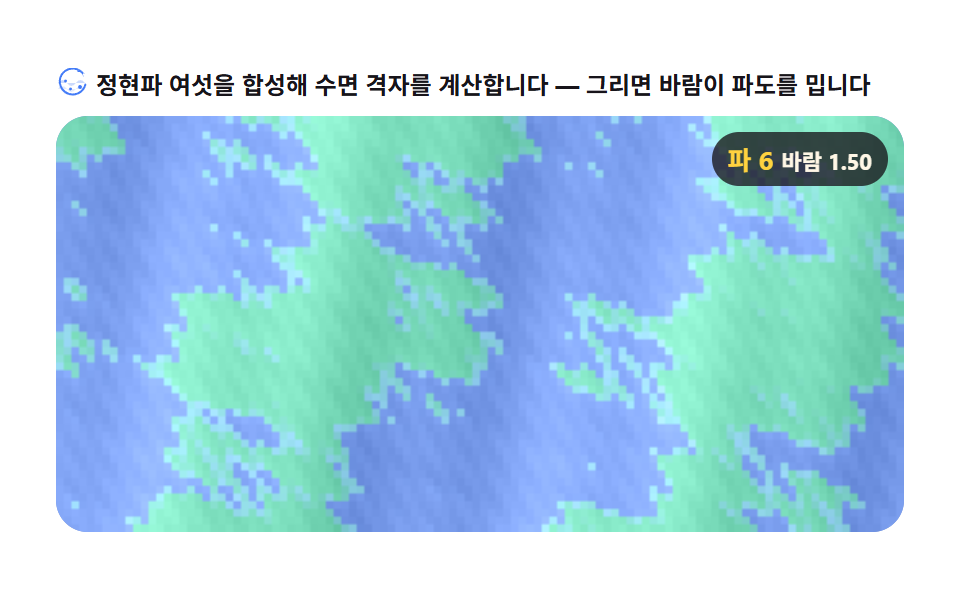 Creative UI9 Canvas Wave Animation Scenes: Gerstner Field
 Creative UIAudio Visualizer JavaScript: 9 Parts, No Library
 Creative UICSS Background Pattern Generator: 9 Seeded Scenes
 Creative UIWave Interference Simulation: 9 Canvas Scenes
 Creative UI3D Globe Website: 9 Canvas Orbit Scenes
 Creative UIVerlet Physics 9 Demos: No Library, Just Canvas
 Creative UI9 Text Particle Effect CSS Ideas From Pixels
 Creative UI9 Reaction Diffusion Simulations, No Library
 Creative UI9 Ray Marching Scenes in Canvas (No WebGL)
 Creative UI9 Metaball Effect Scenes, Marching Squares Canvas