9 Text Particle Effect CSS Ideas From Pixels
A text particle effect built with CSS keyframes always drags the whole letter as one block.
 01 glyph-particle-formation
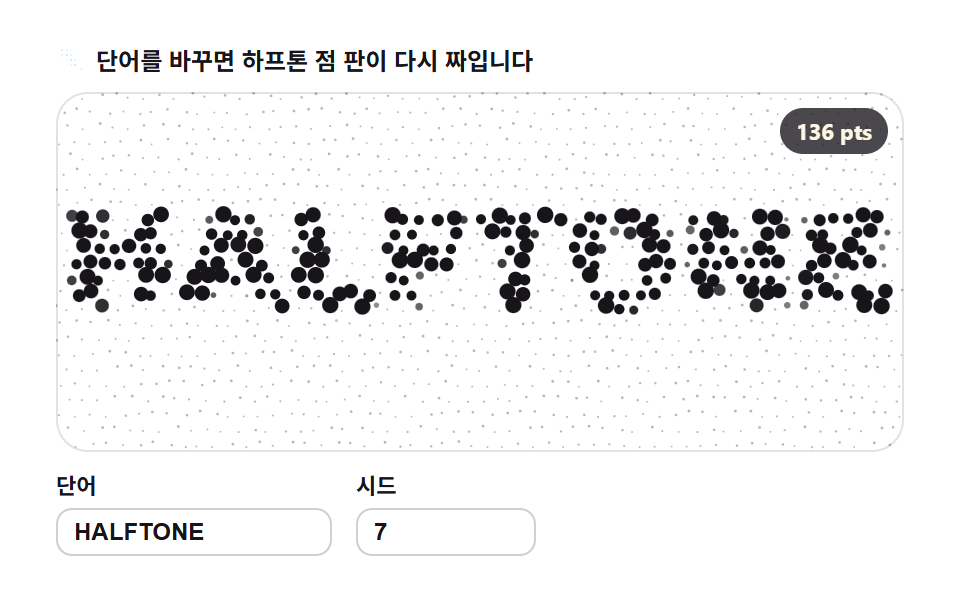 02 glyph-grid-dot-halftone
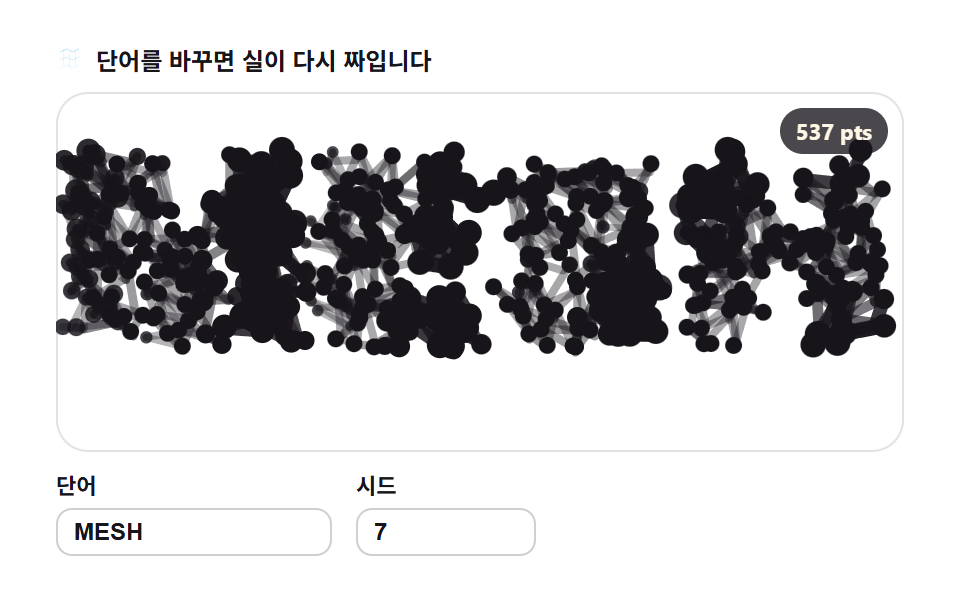 03 glyph-line-segment-mesh
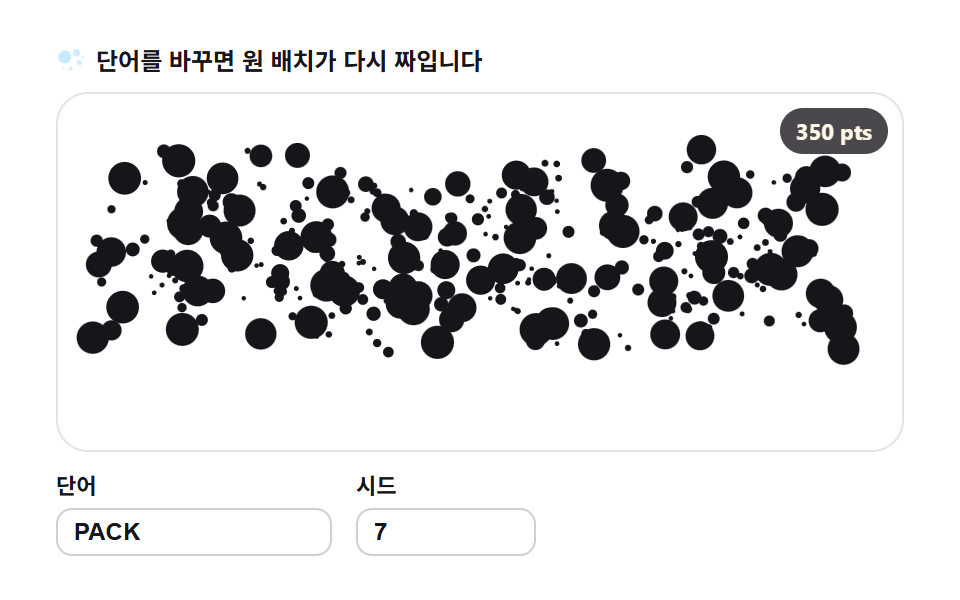 04 glyph-circle-packing
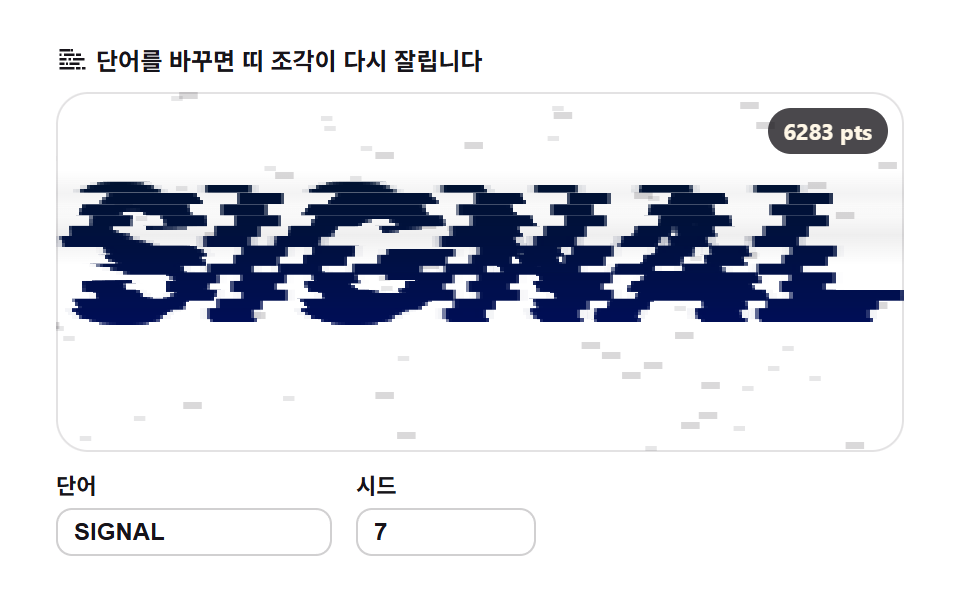 05 glyph-glitch-shard
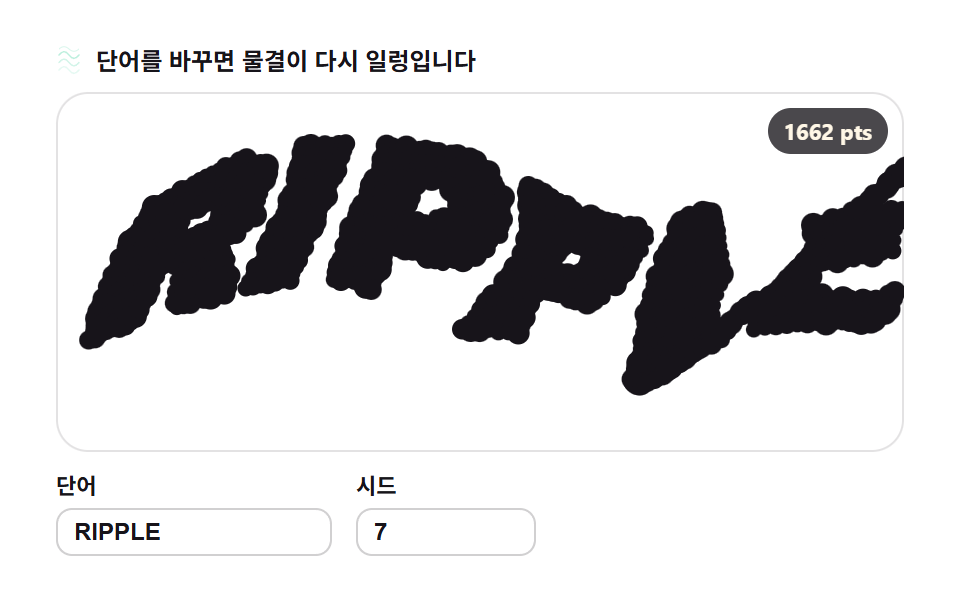 06 glyph-distortion-noise-warp
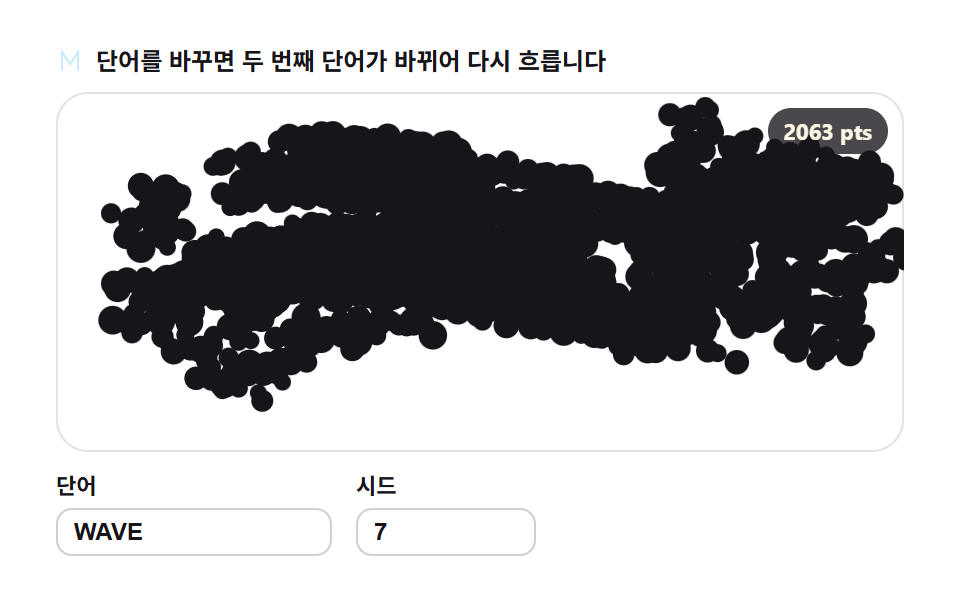 07 glyph-morph-crossfade
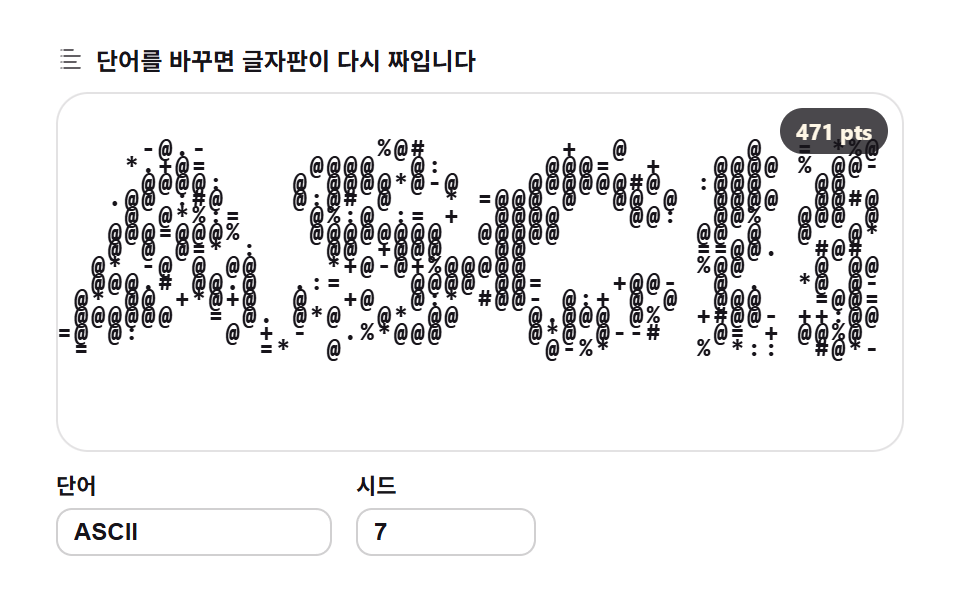 08 glyph-ascii-density-map
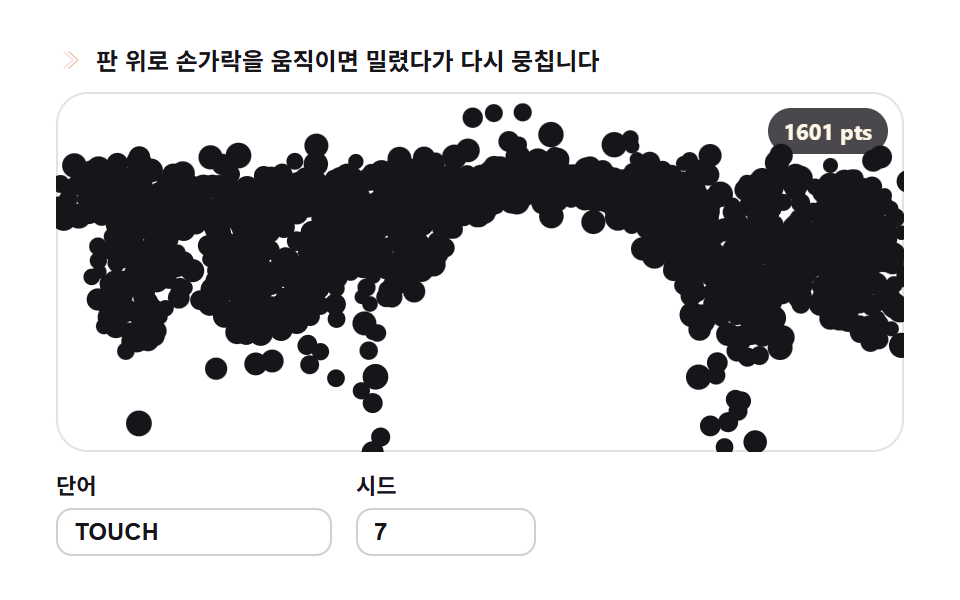 09 glyph-scatter-reassemble-pointer
Auto-plays · click a tile to jump to its section · all nine in one zip
- 01 Particle formation — dust condensing into letters
- 02 Grid dot halftone — letters made of sample spacing
- 03 Line segment mesh — threads between neighbor samples
- 04 Circle packing — most circles inside the mask
- 05 Glitch shards — letters slipping in bands
- 06 Noise warp — letters washed by ripples
- 07 Morphing — one word becoming another
- 08 ASCII density — brightness choosing glyphs
- 09 Scatter and reassemble — letters reforming around the pointer
Demo
Nine boards, one pipeline: draw a word on an invisible canvas, read its pixels back, and rebuild the word out of whatever material the board favors — particles, halftone dots, threads, packed circles, torn rows, ASCII glyphs. The morph board sweeps the widest footprint of the set at a measured 41.55 percent cumulative area, while the noise warp covers the least ground at 30.59 percent and compensates with a mean intensity of 151.0; every board moved in 23 of 23 sampled frames.
Each board also takes input — type a different word or seed into the field and the mask is rebuilt and every target recomputed on the spot, which is the real difference from a particle text reveal after effects template that renders once and exports a finished clip. Nothing on this page is a video: the word you see is being sampled while you watch.
Why this order
The sequence follows what the letters are made of, not how loud the result is. The dust-to-word condensation sets the prototype (01), the samples are then re-stamped as dots, threads, and circles (02, 03, 04), the mask itself gets torn, washed, and morphed (05, 06, 07), and the last two change how the mask is read — as density, and as a force field around the pointer (08, 09). Results for a particle text effect css search usually land on whole-letter keyframes or heavyweight WebGL demos, and this set deliberately sits between them: plain 2D canvas, no library, no build step. It is also a different axis from the neighbors on this site — the noise terrain boards compute their material out of a noise function and the raymarching scene traces rays into a 3D field, while these boards re-read letters that were already drawn.
Per-item code
01Particle formation — dust condensing into letters
<main class="stage">
<div class="gp" id="gp">
  <p class="gp__hint">
    <svg class="gp__ico" viewBox="0 0 256 256" aria-hidden="true"><g fill="currentColor"><circle cx="64" cy="72" r="18"/><circle cx="112" cy="48" r="12"/><circle cx="96" cy="112" r="9"/><circle cx="160" cy="80" r="14"/><circle cx="208" cy="64" r="8"/><circle cx="184" cy="128" r="11"/><circle cx="136" cy="152" r="7"/><path d="M56 184h144a8 8 0 0 1 0 16H56a8 8 0 0 1 0-16m28 28h88a8 8 0 0 1 0 16H84a8 8 0 0 1 0-16" opacity=".45"/></g></svg>
    <span>Change the word and the dust gathers anew</span>
  </p>
  <div class="gp__field" id="field" role="application" aria-label="Particle formation playground" tabindex="0">
    <canvas class="gp__cv" id="cv"></canvas>
    <b class="gp__badge" aria-hidden="true" id="badge">0 pts</b>
  </div>
  <div class="gp__bar">
    <label class="gp__dial">Word
      <input type="text" id="word" value="GLYPH" maxlength="12" spellcheck="false" aria-label="Word">
    </label>
    <label class="gp__dial">Seed
      <input type="number" id="seed" min="1" max="9999" value="7" aria-label="Seed">
    </label>
  </div>
</div>
</main>
@use "../../../../site/static/demo-tokens" as *;
// 입자 재구성 — 움직임은 전부 캔버스 rAF 루프 안에 있다(@keyframes 0개 — 077-03 패턴).
// 입자색은 파스텔 변수를 커스텀 프로퍼티로 내려 JS 가 읽어 쓴다. 리터럴 hex 는 없다(BD26).
$glyph-ink: $subject-ink; // 글릿 본색 — 잉크
$glyph-sky: mix($subject-sky, $stage-paper, 42%); // 파스텔 하늘
$glyph-mint: mix($subject-mint, $stage-paper, 42%); // 파스텔 민트
$glyph-peach: mix($subject-orange-deep, $stage-paper, 30%); // 파스텔 복숭아
@include stage($stage-paper);
.gp {
--g0: #{$glyph-ink};
--g1: #{$glyph-sky};
--g2: #{$glyph-mint};
--g3: #{$glyph-peach};
display: flex; flex-direction: column; gap: $sp-2;
width: 100%; max-width: 424px;
}
.gp__hint {
display: flex; align-items: center; gap: $sp-1; margin: 0;
font-weight: 700; font-size: clamp(10px, 2.8vw, 12px); line-height: 1.35;
color: $subject-ink;
}
.gp__ico { width: 16px; height: 16px; flex: 0 0 auto; color: $glyph-peach; }
.gp__field {
position: relative; height: 180px;
border-radius: $r-card; overflow: hidden;
background: $stage-paper;
box-shadow: inset 0 0 0 1px rgba($subject-ink, .12);
}
.gp__field:focus-visible { outline: 2px solid $glyph-sky; outline-offset: 2px; }
.gp__cv { display: block; width: 100%; height: 100%; }
// 목표점(=샘플 픽셀) 수를 화면에 적는다 — 런타임 샘플링이 이 데모의 요점이다
.gp__badge {
position: absolute; right: $sp-2; top: $sp-2;
padding: $sp-1 $sp-2; border-radius: $r-pill;
background: rgba($subject-ink, .78);
color: $subject-cream; font-weight: 700; font-size: 11px;
}
.gp__bar { display: flex; align-items: flex-end; gap: $sp-3; }
.gp__dial {
display: flex; flex-direction: column; gap: $sp-1;
font-weight: 700; font-size: 11px; color: $subject-ink;
}
.gp__dial input {
width: 120px; margin: 0; padding: $sp-1 $sp-2;
border: 1px solid rgba($subject-ink, .2); border-radius: $r-sm;
background: $stage-paper; color: $subject-ink;
font-weight: 700; font-size: 12px;
}
.gp__dial input[type="number"] { width: 72px; }
.gp__dial input:focus-visible { outline: 2px solid $glyph-sky; outline-offset: 1px; }
@media (max-width: 340px) {
.gp { gap: $sp-1; }
.gp__field { height: 100px; }
.gp__badge { font-size: 10px; padding: 0 $sp-1; }
.gp__dial input { width: 88px; }
.gp__dial input[type="number"] { width: 56px; }
.gp__hint { font-size: 10px; }
}
// reduce — 루프가 아예 안 돈다. 목표에 붙은 정지 한 장이 남는다.
@media (prefers-reduced-motion: reduce) {
.gp.is-still .gp__field { cursor: default !important; }
}html, body {
margin: 0;
overflow: hidden;
}
.stage {
box-sizing: border-box;
min-height: 100vh;
display: grid;
place-items: center;
margin: 0;
background: #ffffff;
font-family: -apple-system, "Segoe UI", "Noto Sans KR", sans-serif;
padding: clamp(8px, 4vw, 24px);
}
.gp {
--g0: #17141a;
--g1: rgb(76.1176470588%, 90.9411764706%, 100%);
--g2: rgb(70.5176470588%, 92.9176470588%, 85.3411764706%);
--g3: rgb(93.6470588235%, 75.6470588235%, 70%);
display: flex;
flex-direction: column;
gap: 8px;
width: 100%;
max-width: 424px;
}
.gp__hint {
display: flex;
align-items: center;
gap: 4px;
margin: 0;
font-weight: 700;
font-size: clamp(10px, 2.8vw, 12px);
line-height: 1.35;
color: #17141a;
}
.gp__ico {
width: 16px;
height: 16px;
flex: 0 0 auto;
color: rgb(93.6470588235%, 75.6470588235%, 70%);
}
.gp__field {
position: relative;
height: 180px;
border-radius: 16px;
overflow: hidden;
background: #ffffff;
box-shadow: inset 0 0 0 1px rgba(23, 20, 26, 0.12);
}
.gp__field:focus-visible {
outline: 2px solid rgb(76.1176470588%, 90.9411764706%, 100%);
outline-offset: 2px;
}
.gp__cv {
display: block;
width: 100%;
height: 100%;
}
.gp__badge {
position: absolute;
right: 8px;
top: 8px;
padding: 4px 8px;
border-radius: 999px;
background: rgba(23, 20, 26, 0.78);
color: #fff7e6;
font-weight: 700;
font-size: 11px;
}
.gp__bar {
display: flex;
align-items: flex-end;
gap: 12px;
}
.gp__dial {
display: flex;
flex-direction: column;
gap: 4px;
font-weight: 700;
font-size: 11px;
color: #17141a;
}
.gp__dial input {
width: 120px;
margin: 0;
padding: 4px 8px;
border: 1px solid rgba(23, 20, 26, 0.2);
border-radius: 8px;
background: #ffffff;
color: #17141a;
font-weight: 700;
font-size: 12px;
}
.gp__dial input[type=number] {
width: 72px;
}
.gp__dial input:focus-visible {
outline: 2px solid rgb(76.1176470588%, 90.9411764706%, 100%);
outline-offset: 1px;
}
@media (max-width: 340px) {
.gp {
gap: 4px;
}
.gp__field {
height: 100px;
}
.gp__badge {
font-size: 10px;
padding: 0 4px;
}
.gp__dial input {
width: 88px;
}
.gp__dial input[type=number] {
width: 56px;
}
.gp__hint {
font-size: 10px;
}
}
@media (prefers-reduced-motion: reduce) {
.gp.is-still .gp__field {
cursor: default !important;
}
}// 입자 재구성 — 글자를 통째로 옮기지 않고 픽셀로 뜯어 다시 짓는다.
// 1) 오프스크린 캔버스에 fillText 로 단어를 그려 getImageData 로 알파 마스크를 뽑는다
// 2) 격자 간격 STEP 로 걸어 알파>128 인 칸의 (x,y) 를 목표점 목록으로 만든다
// 3) 시드로 뿌린 입자들이 스프링(복원 0.012 · 감쇠 0.86)으로 제 목표 픽셀을 찾아간다
// 무작위는 전부 mulberry32(Seed) — 같은 시드는 같은 그림. Math.random 은 쓰지 않는다.
var root = document.getElementById('gp');
var field = document.getElementById('field');
var cv = document.getElementById('cv');
var ctx = cv.getContext('2d');
var wordIn = document.getElementById('word');
var seedIn = document.getElementById('seed');
var badge = document.getElementById('badge');
var SW = 252, SH = 108; // 샘플 해상도 — 판 비율과 같아 늘려 뭉개지지 않는다
var STEP = 2; // 샘플 간격(px) — 좁힐수록 입자 수가 늘어난다
var BASE = 0.28; // 산란 비율 — 매 주기 시작을 목표가 아니라 판에 뿌린 먼지에서 시작한다
var reduce = window.matchMedia('(prefers-reduced-motion: reduce)').matches;
var W = 0, H = 0;
var parts = [];
var t0 = 0, raf = 0;
// 색 — scss 가 파스텔 커스텀 프로퍼티(--g0..--g3)로 내려준 넉 색을 읽어 쓴다
var css = getComputedStyle(root);
function hexOf(name) {
var v = css.getPropertyValue(name).trim().replace('#', '');
if (v.length === 3) v = v.charAt(0) + v.charAt(0) + v.charAt(1) + v.charAt(1) + v.charAt(2) + v.charAt(2);
return '#' + v;
}
var cols = [hexOf('--g0'), hexOf('--g1'), hexOf('--g2'), hexOf('--g3')];
// 결정적 난수 — Seed 하나가 입자의 시작 위치·위상·크기·색 전부를 정한다
function mulberry32(a) {
return function () {
a |= 0; a = a + 0x6D2B79F5 | 0;
var t = Math.imul(a ^ a >>> 15, 1 | a);
t = t + Math.imul(t ^ t >>> 7, 61 | t) ^ t;
return ((t ^ t >>> 14) >>> 0) / 4294967296;
};
}
// ── 1) 글자 → 알파 마스크 ────────────────────────────────────────
function buildMask(word) {
var off = document.createElement('canvas');
off.width = SW; off.height = SH;
var oc = off.getContext('2d', { willReadFrequently: true });
oc.textAlign = 'center'; oc.textBaseline = 'middle';
var fs = 200;
oc.font = '900 ' + fs + 'px Arial';
var w = oc.measureText(word).width || 1;
fs = Math.min(fs * ((SW - 8) / w), SH - 6); // 폭·높이 안에서 제일 큰 글자
oc.font = '900 ' + Math.round(fs) + 'px Arial';
oc.fillStyle = '#fff';
oc.fillText(word, SW / 2, SH / 2);
return oc.getImageData(0, 0, SW, SH).data;
}
// ── 2) 마스크 → 목표점 목록 ─────────────────────────────────────
function samplePoints(data) {
var pts = [];
for (var y = 0; y < SH; y += STEP) {
for (var x = 0; x < SW; x += STEP) {
if (data[(y * SW + x) * 4 + 3] > 128) pts.push({ x: x, y: y });
}
}
return pts;
}
function pickColor(r) {
if (r < 0.55) return 0; // 잉크 다수
if (r < 0.73) return 1; // 하늘
if (r < 0.88) return 2; // 민트
return 3; // 복숭아
}
// ── 3) 입자 재구성 — Word·시드가 바뀌면 목표와 입자 수가 다시 계산된다 ──
var word = 'GLYPH', seed = 7;
function resample(nextWord, nextSeed) {
var w = String(nextWord == null ? word : nextWord).trim().toUpperCase();
if (w) word = w; // 빈 문자열이면 직전 값을 유지
var s = Math.floor(Number(nextSeed));
if (s >= 1) seed = s;
var pts = samplePoints(buildMask(word));
var rnd = mulberry32(seed);
parts = [];
for (var i = 0; i < pts.length; i++) {
var r1 = rnd(), r2 = rnd(), r3 = rnd(), r4 = rnd(), r5 = rnd();
parts.push({
x: r1 * SW, y: r2 * SH, vx: 0, vy: 0, // 시작은 판 전체에 흩뿌린 먼지
tx: pts[i].x, ty: pts[i].y,
ph: r3 * 6.2832, sz: 1.7 + r4 * 1.7, ci: pickColor(r5)
});
}
window.__sampleInfo = { targets: pts.length, particles: parts.length };
badge.textContent = pts.length + ' pts';
if (reduce) {
// 정지 한 장 — 입자를 목표에 붙인 상태로 그린다(Seed 위상만큼 비껴 있다)
for (var k = 0; k < parts.length; k++) {
var q = parts[k];
q.x = q.tx + Math.cos(q.ph) * 1.3;
q.y = q.ty + Math.sin(q.ph * 1.3) * 1.3;
}
paint(0);
} else {
t0 = performance.now(); // 모임 연기를 처음부터 다시
}
}
function fit() {
var r = field.getBoundingClientRect();
var d = window.devicePixelRatio || 1;
W = r.width; H = r.height;
cv.width = Math.round(W * d); cv.height = Math.round(H * d);
ctx.setTransform(d, 0, 0, d, 0, 0);
}
function paint(t) {
ctx.clearRect(0, 0, W, H);
var sx = W / SW, sy = H / SH;
for (var i = 0; i < parts.length; i++) {
var p = parts[i];
var wx = Math.sin(t * 3.4 + p.ph) * 10.5; // 정착 뒤에도 입자가 숨쉰다
var wy = Math.cos(t * 2.9 + p.ph * 1.7) * 9.5;
ctx.fillStyle = cols[p.ci];
ctx.beginPath();
ctx.arc((p.x + wx) * sx, (p.y + wy) * sy, p.sz * sx * 0.85, 0, 6.2832);
ctx.fill();
}
}
function frame(now) {
var t = (now - t0) / 1000;
var cyc = Math.floor(t / 2) * 2; // 2초마다 —
var u = t - cyc; // 주기 안 진행(초)
var k;
if (u < 0.5) {
var q = u / 0.5;
k = q * q; // 도입부: 먼지 → 글자로 가속해 뭉친다
} else {
var s = (u - 0.5) / 1.5; // 정착부: 숨쉬듯 모였다 퍼졌다
k = 0.68 + 0.34 * Math.sin(s * 6.2832);
}
var br = BASE + (1 - BASE) * k; // 산란 ↔ 뭉침 사이를 오간다
var cx = SW / 2, cy = SH / 2;
for (var i = 0; i < parts.length; i++) {
var p = parts[i];
var tx = cx + (p.tx - cx) * br, ty = cy + (p.ty - cy) * br;
p.vx = (p.vx + (tx - p.x) * 0.014) * 0.86;
p.vy = (p.vy + (ty - p.y) * 0.014) * 0.86;
p.x += p.vx; p.y += p.vy;
}
paint(t);
raf = requestAnimationFrame(frame);
}
wordIn.addEventListener('input', function () { resample(wordIn.value, seedIn.value); });
seedIn.addEventListener('input', function () { resample(wordIn.value, seedIn.value); });
window.addEventListener('resize', function () { fit(); if (reduce) paint(0); });
fit();
resample(wordIn.value, seedIn.value);
if (reduce) {
root.classList.add('is-still'); // 루프 없이 정지 한 장
} else {
raf = requestAnimationFrame(frame);
}// GlyphParticleFormation — vanilla 판(run/310/demo/01-glyph-particle-formation/index.html) 의 React 포트.
// 오프스크린 캔버스에 fillText 로 단어를 그려 getImageData 로 알파 마스크를 뽑고,
// 격자 간격 STEP 로 걸어 알파>128 칸의 (x,y) 를 목표점으로 삼아 입자가 스프링으로 모여들게 한다.
// 입자 시작 위치·위상·크기·색은 전부 mulberry32(시드) 로 정한다 — 같은 시드는 같은 그림.
// 움직임은 캔버스 rAF 루프가 전부 그리므로 @keyframes 는 없다 — props 는 CSS 변수로 내려간다.
import { useEffect, useRef, useState } from "react";
import type { CSSProperties } from "react";
import styles from "./GlyphParticleFormation.module.scss";
export type GlyphParticleFormationProps = {
duration?: string;
easing?: string;
color?: string;
};
type Vars = CSSProperties & { "--duration"?: string; "--easing"?: string; "--color"?: string };
type Box<T> = { current: T };
// React 이벤트 제네릭이 없는 환경이라 필요한 것만 로컬로 선언한다
type InputEvt = { target: { value: string } };
const SW = 252, SH = 108; // 샘플 해상도 — 판 비율과 같아 늘려 뭉개지지 않는다
const STEP = 2; // 샘플 간격(px) — 좁힐수록 입자 수가 늘어난다
const BASE = 0.28; // 산란 비율 — 매 주기 시작을 판에 뿌린 먼지에서 시작한다
const FIELD_LABEL = "입자 재구성 실험판";
// 결정적 난수 — mulberry32. 같은 시드면 같은 수열을 돌려준다
function mulberry32(a: number): () => number {
return function () {
a |= 0; a = (a + 0x6D2B79F5) | 0;
const t = Math.imul(a ^ (a >>> 15), 1 | a);
const u = (t + Math.imul(t ^ (t >>> 7), 61 | t)) ^ t;
return ((u ^ (u >>> 14)) >>> 0) / 4294967296;
};
}
type Particle = {
x: number; y: number; vx: number; vy: number;
tx: number; ty: number; ph: number; sz: number; ci: number;
};
// 오프스크린 fillText → 알파 마스크 픽셀 배열
function buildMask(word: string): Uint8ClampedArray {
const off = document.createElement("canvas");
off.width = SW; off.height = SH;
const oc = off.getContext("2d", { willReadFrequently: true }) as CanvasRenderingContext2D;
oc.textAlign = "center"; oc.textBaseline = "middle";
let fs = 200;
oc.font = "900 " + fs + "px Arial";
const w = oc.measureText(word).width || 1;
fs = Math.min(fs * ((SW - 8) / w), SH - 6); // 폭·높이 안에서 제일 큰 글자
oc.font = "900 " + Math.round(fs) + "px Arial";
oc.fillStyle = "#fff";
oc.fillText(word, SW / 2, SH / 2);
return oc.getImageData(0, 0, SW, SH).data;
}
// 마스크 → 목표점 목록 — 격자 간격 STEP 로 걸어 알파>128 인 칸만
function samplePoints(data: Uint8ClampedArray): { x: number; y: number }[] {
const pts: { x: number; y: number }[] = [];
for (let y = 0; y < SH; y += STEP) {
for (let x = 0; x < SW; x += STEP) {
if (data[(y * SW + x) * 4 + 3] > 128) pts.push({ x, y });
}
}
return pts;
}
function pickColor(r: number): number {
if (r < 0.55) return 0; // 잉크 다수
if (r < 0.73) return 1; // 하늘
if (r < 0.88) return 2; // 민트
return 3; // 복숭아
}
export default function GlyphParticleFormation({
duration = "2s", // vanilla $duration: $dur-loop
easing = "cubic-bezier(.2, .8, .2, 1)", // vanilla $easing: $ease-spring
color = "#17141a", // vanilla $glyph-ink
}: GlyphParticleFormationProps) {
const rootRef = useRef<HTMLDivElement | null>(null);
const fieldRef = useRef<HTMLDivElement | null>(null);
const cvRef = useRef<HTMLCanvasElement | null>(null);
const ctxRef = useRef<CanvasRenderingContext2D | null>(null);
const partsRef = useRef<Particle[]>([]) as Box<Particle[]>;
const colsRef = useRef<string[]>([]) as Box<string[]>;
const sizeRef = useRef({ w: 0, h: 0 }) as Box<{ w: number; h: number }>;
const stateRef = useRef({ word: "GLYPH", seed: 7, t0: 0 }) as Box<{ word: string; seed: number; t0: number }>;
const rafRef = useRef(0) as Box<number>;
const [word, setWord] = useState("GLYPH");
const [seed, setSeed] = useState(7);
const [count, setCount] = useState(0);
const [still, setStill] = useState(false);
const vars: Vars = { "--duration": duration, "--easing": easing, "--color": color };
function reduced(): boolean {
return window.matchMedia("(prefers-reduced-motion: reduce)").matches;
}
function hex3to6(v: string): string {
if (v.length === 3) return v.charAt(0) + v.charAt(0) + v.charAt(1) + v.charAt(1) + v.charAt(2) + v.charAt(2);
return v;
}
function colors(): string[] {
const root = rootRef.current;
if (!root) return ["#17141a", "#17141a", "#17141a", "#17141a"];
const one = (n: string) => hex3to6(getComputedStyle(root).getPropertyValue(n).trim());
return [one("--g0"), one("--g1"), one("--g2"), one("--g3")];
}
// 고DPI 대응 — 배킹 스토어는 devicePixelRatio 배, 그리기 좌표계는 CSS 픽셀 그대로
function fit(): void {
const field = fieldRef.current;
const cv = cvRef.current;
if (!field || !cv) return;
const r = field.getBoundingClientRect();
const dpr = window.devicePixelRatio || 1;
sizeRef.current.w = r.width;
sizeRef.current.h = r.height;
cv.width = Math.round(r.width * dpr);
cv.height = Math.round(r.height * dpr);
const ctx = ctxRef.current;
if (ctx) ctx.setTransform(dpr, 0, 0, dpr, 0, 0);
}
function paint(t: number): void {
const ctx = ctxRef.current;
const parts = partsRef.current;
const cols = colsRef.current;
if (!ctx) return;
const W = sizeRef.current.w, H = sizeRef.current.h;
ctx.clearRect(0, 0, W, H);
const sx = W / SW, sy = H / SH;
for (let i = 0; i < parts.length; i++) {
const p = parts[i];
const wx = Math.sin(t * 3.4 + p.ph) * 9.5; // 정착 뒤에도 입자가 숨쉰다
const wy = Math.cos(t * 2.9 + p.ph * 1.7) * 9.5;
ctx.fillStyle = cols[p.ci] || "#17141a";
ctx.beginPath();
ctx.arc((p.x + wx) * sx, (p.y + wy) * sy, p.sz * sx * 0.85, 0, 6.2832);
ctx.fill();
}
}
// 단어·시드가 바뀌면 목표와 입자 수가 다시 계산된다(런타임 샘플링)
function resample(nextWord: string, nextSeed: number): void {
const st = stateRef.current;
const w = String(nextWord == null ? st.word : nextWord).trim().toUpperCase();
if (w) st.word = w;
if (nextSeed >= 1) st.seed = Math.floor(nextSeed);
const pts = samplePoints(buildMask(st.word));
const rnd = mulberry32(st.seed);
const parts: Particle[] = [];
for (let i = 0; i < pts.length; i++) {
const r1 = rnd(), r2 = rnd(), r3 = rnd(), r4 = rnd(), r5 = rnd();
parts.push({
x: r1 * SW, y: r2 * SH, vx: 0, vy: 0, // 시작은 판 전체에 흩뿌린 먼지
tx: pts[i].x, ty: pts[i].y,
ph: r3 * 6.2832, sz: 1.7 + r4 * 1.7, ci: pickColor(r5)
});
}
partsRef.current = parts;
setCount(pts.length);
if (reduced()) {
// 정지 한 장 — 입자를 목표에 붙인 상태로 그린다
for (let k = 0; k < parts.length; k++) {
const q = parts[k];
q.x = q.tx + Math.cos(q.ph) * 1.3;
q.y = q.ty + Math.sin(q.ph * 1.3) * 1.3;
}
paint(0);
} else {
st.t0 = performance.now(); // 모임 연기를 처음부터 다시
}
}
function frame(now: number): void {
const st = stateRef.current;
const parts = partsRef.current;
const t = (now - st.t0) / 1000;
const cyc = Math.floor(t / 2) * 2; // 2초마다 —
const u = t - cyc; // 주기 안 진행(초)
let k: number;
if (u < 0.5) {
const q = u / 0.5;
k = q * q; // 도입부: 먼지 → 글자로 가속해 뭉친다
} else {
const s = (u - 0.5) / 1.5; // 정착부: 숨쉬듯 모였다 퍼졌다
k = 0.68 + 0.34 * Math.sin(s * 6.2832);
}
const br = BASE + (1 - BASE) * k; // 산란 ↔ 뭉침 사이를 오간다
const cx = SW / 2, cy = SH / 2;
for (let i = 0; i < parts.length; i++) {
const p = parts[i];
const tx = cx + (p.tx - cx) * br, ty = cy + (p.ty - cy) * br;
p.vx = (p.vx + (tx - p.x) * 0.014) * 0.86;
p.vy = (p.vy + (ty - p.y) * 0.014) * 0.86;
p.x += p.vx; p.y += p.vy;
}
paint(t);
rafRef.current = requestAnimationFrame(frame);
}
function onWord(e: InputEvt): void {
setWord(e.target.value);
resample(e.target.value, stateRef.current.seed);
}
function onSeed(e: InputEvt): void {
const v = Math.floor(Number(e.target.value)) || 1;
setSeed(v);
resample(stateRef.current.word, v);
}
function onResize(): void {
fit();
if (reduced()) paint(0);
}
useEffect(() => {
const cv = cvRef.current;
if (!cv) return;
ctxRef.current = cv.getContext("2d");
if (!ctxRef.current) return;
colsRef.current = colors();
fit();
resample("GLYPH", 7);
window.addEventListener("resize", onResize);
if (reduced()) {
// reduce — 루프를 시작하지 않고 목표에 붙은 정지 한 장만 그린다
setStill(true);
} else {
rafRef.current = requestAnimationFrame(frame);
}
return () => {
window.removeEventListener("resize", onResize);
cancelAnimationFrame(rafRef.current);
};
}, []);
const cls = [styles.root, still ? styles.isStill : ""].filter(Boolean).join(" ");
return (
<main className={styles.stage}>
<div className={cls} ref={rootRef} style={vars}>
<p className={styles.hint}>
<svg className={styles.ico} viewBox="0 0 256 256" aria-hidden="true"><g fill="currentColor"><circle cx="64" cy="72" r="18"/><circle cx="112" cy="48" r="12"/><circle cx="96" cy="112" r="9"/><circle cx="160" cy="80" r="14"/><circle cx="208" cy="64" r="8"/><circle cx="184" cy="128" r="11"/><circle cx="136" cy="152" r="7"/><path d="M56 184h144a8 8 0 0 1 0 16H56a8 8 0 0 1 0-16m28 28h88a8 8 0 0 1 0 16H84a8 8 0 0 1 0-16" opacity=".45"/></g></svg>
<span>단어를 바꾸면 먼지가 다시 뭉칩니다</span>
</p>
<div className={styles.field} ref={fieldRef} role="application" aria-label={FIELD_LABEL} tabIndex={0}>
<canvas className={styles.cv} ref={cvRef} id="cv"></canvas>
<b className={styles.badge} aria-hidden="true">{count} pts</b>
</div>
<div className={styles.bar}>
<label className={styles.dial}>단어
<input type="text" id="word" defaultValue="GLYPH" maxLength={12} spellCheck={false} aria-label="단어" onInput={onWord} />
</label>
<label className={styles.dial}>시드
<input type="number" id="seed" defaultValue={7} min={1} max={9999} aria-label="시드" onInput={onSeed} />
</label>
</div>
</div>
</main>
);
}01 · Particle formation — dust condensing into letters — Measured area 30.128% · moving frames 23/23Original by GODRICH · SCSS and React ship in the zip · See the password
How the mask is built and how particles find it
The word is drawn offscreen with fillText, its alpha mask read back through getImageData, and every particle is handed one target pixel to spring toward — the prototype the other eight boards remix, and the standard move for a landing hero wordmark reveal.
// 1) word → alpha mask
function buildMask(word) {
  var off = document.createElement('canvas');
  off.width = SW; off.height = SH;
  var oc = off.getContext('2d', { willReadFrequently: true });
  oc.textAlign = 'center'; oc.textBaseline = 'middle';
  var fs = 200;
  oc.font = '900 ' + fs + 'px Arial';
  var w = oc.measureText(word).width || 1;
  fs = Math.min(fs * ((SW - 8) / w), SH - 6);       // largest size that fits
  oc.font = '900 ' + Math.round(fs) + 'px Arial';
  oc.fillStyle = '#fff';
  oc.fillText(word, SW / 2, SH / 2);
  return oc.getImageData(0, 0, SW, SH).data;
}
// 2) mask → list of target points
function samplePoints(data) {
  var pts = [];
  for (var y = 0; y < SH; y += STEP) {
    for (var x = 0; x < SW; x += STEP) {
      if (data[(y * SW + x) * 4 + 3] > 128) pts.push({ x: x, y: y });
    }
  }
  return pts;
}
A spring breathing between scatter and cluster
Sizing the word with measureText so it fills the frame and stamping it white leaves the alpha channel shaped exactly like the glyphs, and walking that buffer at a 2px stride while keeping every cell above alpha 128 is the two-step sampler all nine boards start from. Each frame, the targets breathe in and out around the board center with spring pull 0.014 and damping 0.86, so the dust condenses into the word and loosens back on a 2s cycle (measured: cumulative area 30.13 percent, mean intensity 167.7, 23/23 frames in motion).
02Grid dot halftone — letters made of sample spacing
<main class="stage">
<div class="gh" id="gh">
  <p class="gh__hint">
    <svg class="gh__ico" viewBox="0 0 256 256" aria-hidden="true"><g fill="currentColor"><circle cx="48" cy="48" r="8"/><circle cx="88" cy="48" r="5"/><circle cx="120" cy="48" r="3"/><circle cx="152" cy="48" r="2"/><circle cx="48" cy="88" r="5"/><circle cx="88" cy="88" r="8"/><circle cx="120" cy="88" r="5"/><circle cx="152" cy="88" r="3"/><circle cx="48" cy="128" r="3"/><circle cx="88" cy="128" r="5"/><circle cx="120" cy="128" r="8"/><circle cx="152" cy="128" r="5"/><circle cx="48" cy="168" r="2"/><circle cx="88" cy="168" r="3"/><circle cx="120" cy="168" r="5"/><circle cx="152" cy="168" r="8"/><circle cx="200" cy="200" r="10" opacity=".35"/></g></svg>
    <span>Change the word and the halftone plate re-weaves</span>
  </p>
  <div class="gh__field" id="field" role="application" aria-label="Grid dot halftone playground" tabindex="0">
    <canvas class="gh__cv" id="cv"></canvas>
    <b class="gh__badge" aria-hidden="true" id="badge">0 pts</b>
  </div>
  <div class="gh__bar">
    <label class="gh__dial">Word
      <input type="text" id="word" value="HALFTONE" maxlength="12" spellcheck="false" aria-label="Word">
    </label>
    <label class="gh__dial">Seed
      <input type="number" id="seed" min="1" max="9999" value="7" aria-label="Seed">
    </label>
  </div>
</div>
</main>
@use "../../../../site/static/demo-tokens" as *;
// 격자 점 하프톤 — 움직임은 전부 캔버스 rAF 루프 안에 있다(@keyframes 0개 — 077-03 패턴).
// 점색은 파스텔 변수를 커스텀 프로퍼티로 내려 JS 가 읽어 쓴다. 리터럴 hex 는 없다(BD26).
$glyph-ink: $subject-ink; // 진한 잉크 점 — 하프톤 본색
$glyph-sky: mix($subject-sky, $stage-paper, 42%); // 파스텔 하늘 점
$glyph-mint: mix($subject-mint, $stage-paper, 42%); // 파스텔 민트 점
@include stage($stage-paper);
.gh {
--g0: #{$glyph-ink};
--g1: #{$glyph-sky};
--g2: #{$glyph-mint};
--g3: #{$glyph-sky};
display: flex; flex-direction: column; gap: $sp-2;
width: 100%; max-width: 424px;
}
.gh__hint {
display: flex; align-items: center; gap: $sp-1; margin: 0;
font-weight: 700; font-size: clamp(10px, 2.8vw, 12px); line-height: 1.35;
color: $subject-ink;
}
.gh__ico { width: 16px; height: 16px; flex: 0 0 auto; color: $glyph-sky; }
.gh__field {
position: relative; height: 180px;
border-radius: $r-card; overflow: hidden;
background: $stage-paper;
box-shadow: inset 0 0 0 1px rgba($subject-ink, .12);
}
.gh__field:focus-visible { outline: 2px solid $glyph-sky; outline-offset: 2px; }
.gh__cv { display: block; width: 100%; height: 100%; }
// 격자점(=샘플 칸) 수를 화면에 적는다 — 런타임 샘플링이 이 데모의 요점이다
.gh__badge {
position: absolute; right: $sp-2; top: $sp-2;
padding: $sp-1 $sp-2; border-radius: $r-pill;
background: rgba($subject-ink, .78);
color: $subject-cream; font-weight: 700; font-size: 11px;
}
.gh__bar { display: flex; align-items: flex-end; gap: $sp-3; }
.gh__dial {
display: flex; flex-direction: column; gap: $sp-1;
font-weight: 700; font-size: 11px; color: $subject-ink;
}
.gh__dial input {
width: 120px; margin: 0; padding: $sp-1 $sp-2;
border: 1px solid rgba($subject-ink, .2); border-radius: $r-sm;
background: $stage-paper; color: $subject-ink;
font-weight: 700; font-size: 12px;
}
.gh__dial input[type="number"] { width: 72px; }
.gh__dial input:focus-visible { outline: 2px solid $glyph-sky; outline-offset: 1px; }
@media (max-width: 340px) {
.gh { gap: $sp-1; }
.gh__field { height: 100px; }
.gh__badge { font-size: 10px; padding: 0 $sp-1; }
.gh__dial input { width: 88px; }
.gh__dial input[type="number"] { width: 56px; }
.gh__hint { font-size: 10px; }
}
// reduce — 루프가 아예 안 돈다. 정지 격자 한 장이 남는다.
@media (prefers-reduced-motion: reduce) {
.gh.is-still .gh__field { cursor: default !important; }
}html, body {
margin: 0;
overflow: hidden;
}
.stage {
box-sizing: border-box;
min-height: 100vh;
display: grid;
place-items: center;
margin: 0;
background: #ffffff;
font-family: -apple-system, "Segoe UI", "Noto Sans KR", sans-serif;
padding: clamp(8px, 4vw, 24px);
}
.gh {
--g0: #17141a;
--g1: rgb(76.1176470588%, 90.9411764706%, 100%);
--g2: rgb(70.5176470588%, 92.9176470588%, 85.3411764706%);
--g3: rgb(76.1176470588%, 90.9411764706%, 100%);
display: flex;
flex-direction: column;
gap: 8px;
width: 100%;
max-width: 424px;
}
.gh__hint {
display: flex;
align-items: center;
gap: 4px;
margin: 0;
font-weight: 700;
font-size: clamp(10px, 2.8vw, 12px);
line-height: 1.35;
color: #17141a;
}
.gh__ico {
width: 16px;
height: 16px;
flex: 0 0 auto;
color: rgb(76.1176470588%, 90.9411764706%, 100%);
}
.gh__field {
position: relative;
height: 180px;
border-radius: 16px;
overflow: hidden;
background: #ffffff;
box-shadow: inset 0 0 0 1px rgba(23, 20, 26, 0.12);
}
.gh__field:focus-visible {
outline: 2px solid rgb(76.1176470588%, 90.9411764706%, 100%);
outline-offset: 2px;
}
.gh__cv {
display: block;
width: 100%;
height: 100%;
}
.gh__badge {
position: absolute;
right: 8px;
top: 8px;
padding: 4px 8px;
border-radius: 999px;
background: rgba(23, 20, 26, 0.78);
color: #fff7e6;
font-weight: 700;
font-size: 11px;
}
.gh__bar {
display: flex;
align-items: flex-end;
gap: 12px;
}
.gh__dial {
display: flex;
flex-direction: column;
gap: 4px;
font-weight: 700;
font-size: 11px;
color: #17141a;
}
.gh__dial input {
width: 120px;
margin: 0;
padding: 4px 8px;
border: 1px solid rgba(23, 20, 26, 0.2);
border-radius: 8px;
background: #ffffff;
color: #17141a;
font-weight: 700;
font-size: 12px;
}
.gh__dial input[type=number] {
width: 72px;
}
.gh__dial input:focus-visible {
outline: 2px solid rgb(76.1176470588%, 90.9411764706%, 100%);
outline-offset: 1px;
}
@media (max-width: 340px) {
.gh {
gap: 4px;
}
.gh__field {
height: 100px;
}
.gh__badge {
font-size: 10px;
padding: 0 4px;
}
.gh__dial input {
width: 88px;
}
.gh__dial input[type=number] {
width: 56px;
}
.gh__hint {
font-size: 10px;
}
}
@media (prefers-reduced-motion: reduce) {
.gh.is-still .gh__field {
cursor: default !important;
}
}// 격자 점 하프톤 — 글자를 픽셀로 샘플링해 격자점마다 점 크기로 옮겨 적는다(인쇄 하프톤의 원리).
// 1) 오프스크린 캔버스에 fillText 로 단어를 그려 getImageData 로 알파 마스크를 뽑는다
// 2) 격자점 (x,y) 에서 알파를 읽어 0..1 값으로 정규화한다
// 3) 점 반경 = 값 비례. 격자 간격 자체를 사인으로 6↔10px 오가며 조밀↔성김 — 판 전체가 호흡한다
// 무작위 요소는 격자점 위상 흔들림뿐이고 전부 mulberry32(Seed) 로 돌린다.
var root = document.getElementById('gh');
var field = document.getElementById('field');
var cv = document.getElementById('cv');
var ctx = cv.getContext('2d');
var wordIn = document.getElementById('word');
var seedIn = document.getElementById('seed');
var badge = document.getElementById('badge');
var SW = 252, SH = 108; // 샘플 해상도
var MSZ = 1.4; // 확대 배율 — 글자를 판보다 크게 키워 잉크 면적을 늘린다
var reduce = window.matchMedia('(prefers-reduced-motion: reduce)').matches;
var W = 0, H = 0;
var mask = null; // 현재 단어의 알파 마스크(ImageData.data)
var phas = []; // 격자점마다의 Seed 위상 — 점마다 반짝이는 타이밍이 다르다
var seed = 7, word = 'HALFTONE';
var t0 = 0, raf = 0;
var css = getComputedStyle(root);
function hexOf(name) {
var v = css.getPropertyValue(name).trim().replace('#', '');
if (v.length === 3) v = v.charAt(0) + v.charAt(0) + v.charAt(1) + v.charAt(1) + v.charAt(2) + v.charAt(2);
return '#' + v;
}
var cols = [hexOf('--g0'), hexOf('--g1'), hexOf('--g2'), hexOf('--g3')];
function mulberry32(a) {
return function () {
a |= 0; a = a + 0x6D2B79F5 | 0;
var t = Math.imul(a ^ a >>> 15, 1 | a);
t = t + Math.imul(t ^ t >>> 7, 61 | t) ^ t;
return ((t ^ t >>> 14) >>> 0) / 4294967296;
};
}
// ── 1) 글자 → 알파 마스크 ────────────────────────────────────────
function buildMask(text) {
var off = document.createElement('canvas');
off.width = SW; off.height = SH;
var oc = off.getContext('2d', { willReadFrequently: true });
oc.textAlign = 'center'; oc.textBaseline = 'middle';
var fs = 200 * MSZ;
oc.font = '900 ' + fs + 'px Arial';
var w = oc.measureText(text).width || 1;
fs = Math.min(fs * ((SW - 4) / w), SH * 1.05);
oc.font = '900 ' + Math.round(fs) + 'px Arial';
oc.fillStyle = '#fff';
// 두 줄 겹인쇄(overprint) — 글자 중앙을 두 번 찍어 잉크 면적을 늘리고 명암 단계를 만든다
oc.fillText(text, SW / 2, SH / 2);
oc.globalAlpha = 1;
return oc.getImageData(0, 0, SW, SH).data;
}
// 샘플 간격이 시간에 따라 4.2↔7.8px — 주기 2초. 판이 조밀해졌다 성겨진다
function stepAt(t) { return 6 + 1.8 * Math.sin(t * Math.PI); }
// ── 2)+(3) 매 프레임 격자를 다시 걸어 점을 찍는다 ─────────────────
// 간격이 매끈하게 미끄러지면 점이 격자 위를 떠다닌다 — 마이크로 흔들림(jitter)을 더해
// 점 하나 하나가 프레임마다 살짝 비껴 그려지게 한다. 판 등록 흔들림도 함께.
function paint(t) {
ctx.clearRect(0, 0, W, H);
var sx = W / SW, sy = H / SH;
var s = stepAt(t);
var ox = Math.sin(t * 1.2) * 4.0, oy = Math.cos(t * 0.9) * 3.2;
var rows = Math.ceil((SH + 8) / s) + 2, colsN = Math.ceil((SW + 8) / s) + 2;
var idx = 0;
for (var gy = -2; gy < rows; gy++) {
var y = gy * s + oy;
for (var gx = -2; gx < colsN; gx++) {
var x = gx * s + ((gy & 1) ? s * 0.5 : 0) + ox; // 한 줄 걸러 반 칸 엇갈림 — 하프톤 결
idx = ((gy + 8) * 131 + (gx + 8)) % phas.length; // 격자점 고유 위상(시드로 결정)
var jx = x + Math.sin(t * 5.1 + phas[idx]) * 0.9; // 점마다 마이크로 흔들림
var jy = y + Math.cos(t * 4.7 + phas[idx] * 1.3) * 0.9;
var xi = Math.round(jx), yi = Math.round(jy);
if (xi < 0 || yi < 0 || xi >= SW || yi >= SH) continue;
var a = mask[(yi * SW + xi) * 4 + 3] / 255; // 이 칸의 잉크 농도
var fl = 0.80 + 0.20 * Math.sin(t * 4.4 + phas[idx]); // 점마다 다른 반짝임
// 인쇄판 하프톤 — 빈 칸도 희미한 바탕점을 받는다. 글자는 점이 커지는 곳에서 떠오른다
var r = (0.17 + Math.pow(a, 1.2) * 0.86) * s * 0.52 * fl;
ctx.globalAlpha = 0.30 + a * 0.70;
ctx.fillStyle = cols[a > 0.66 ? 0 : (a > 0.4 ? 1 : 2)];
ctx.beginPath();
ctx.arc(jx * sx, jy * sy, r * sx, 0, 6.2832);
ctx.fill();
}
}
ctx.globalAlpha = 1;
}
function countTargets() {
// probe 계약 — 현재 간격(정지 시각 기준)에서 잉크 칸 수
var s = stepAt(0), n = 0;
for (var y = 0; y < SH; y += s) {
for (var x = 0; x < SW; x += s) {
if (mask[(Math.round(y) * SW + Math.round(x)) * 4 + 3] > 128) n++;
}
}
return n;
}
function resample(nextWord, nextSeed) {
var w = String(nextWord == null ? word : nextWord).trim().toUpperCase();
if (w) word = w;
var sv = Math.floor(Number(nextSeed));
if (sv >= 1) seed = sv;
mask = buildMask(word);
var rnd = mulberry32(seed);
phas = [];
for (var i = 0; i < 617; i++) phas.push(rnd() * 6.2832);
var n = countTargets();
window.__sampleInfo = { targets: n, particles: n };
badge.textContent = n + ' pts';
if (reduce) paint(0);
else t0 = performance.now();
}
function fit() {
var r = field.getBoundingClientRect();
var d = window.devicePixelRatio || 1;
W = r.width; H = r.height;
cv.width = Math.round(W * d); cv.height = Math.round(H * d);
ctx.setTransform(d, 0, 0, d, 0, 0);
}
function frame(now) {
paint((now - t0) / 1000);
raf = requestAnimationFrame(frame);
}
wordIn.addEventListener('input', function () { resample(wordIn.value, seedIn.value); });
seedIn.addEventListener('input', function () { resample(wordIn.value, seedIn.value); });
window.addEventListener('resize', function () { fit(); if (reduce) paint(0); });
fit();
resample(wordIn.value, seedIn.value);
if (reduce) {
root.classList.add('is-still'); // 루프 없이 정지 한 장
} else {
raf = requestAnimationFrame(frame);
}// GlyphGridDotHalftone — vanilla 판(run/310/demo/02-glyph-grid-dot-halftone/index.html) 의 React 포트.
// 오프스크린 캔버스에 fillText 로 단어를 그려 getImageData 로 알파 마스크를 뽑고,
// 격자점마다 알파를 읽어 점 크기로 옮겨 적는다(인쇄 하프톤의 원리). 빈 칸도 희미한 바탕점을 받는다.
// 격자 간격 자체를 사인으로 오가며 판이 조밀해졌다 성겨진다 — 간격·판 흔들림·점 반짝임이 전부 rAF 안에서 계산된다.
// 무작위 요소는 격자점 위상뿐이고 전부 mulberry32(시드) 로 정한다. @keyframes 는 없다.
import { useEffect, useRef, useState } from "react";
import type { CSSProperties } from "react";
import styles from "./GlyphGridDotHalftone.module.scss";
export type GlyphGridDotHalftoneProps = {
duration?: string;
easing?: string;
color?: string;
};
type Vars = CSSProperties & { "--duration"?: string; "--easing"?: string; "--color"?: string };
type Box<T> = { current: T };
type InputEvt = { target: { value: string } };
const SW = 252, SH = 108; // 샘플 해상도
const MSZ = 1.4; // 확대 배율 — 글자를 판보다 크게 키워 잉크 면적을 늘린다
const FIELD_LABEL = "격자 점 하프톤 실험판";
// 결정적 난수 — mulberry32. 같은 시드면 같은 수열을 돌려준다
function mulberry32(a: number): () => number {
return function () {
a |= 0; a = (a + 0x6D2B79F5) | 0;
const t = Math.imul(a ^ (a >>> 15), 1 | a);
const u = (t + Math.imul(t ^ (t >>> 7), 61 | t)) ^ t;
return ((u ^ (u >>> 14)) >>> 0) / 4294967296;
};
}
// 오프스크린 fillText → 알파 마스크 픽셀 배열
function buildMask(text: string): Uint8ClampedArray {
const off = document.createElement("canvas");
off.width = SW; off.height = SH;
const oc = off.getContext("2d", { willReadFrequently: true }) as CanvasRenderingContext2D;
oc.textAlign = "center"; oc.textBaseline = "middle";
let fs = 200 * MSZ;
oc.font = "900 " + fs + "px Arial";
const w = oc.measureText(text).width || 1;
fs = Math.min(fs * ((SW - 4) / w), SH * 1.05);
oc.font = "900 " + Math.round(fs) + "px Arial";
oc.fillStyle = "#fff";
oc.fillText(text, SW / 2, SH / 2);
return oc.getImageData(0, 0, SW, SH).data;
}
// 샘플 간격이 시간에 따라 4.2↔7.8px — 주기 2초. 판이 조밀해졌다 성겨진다
function stepAt(t: number): number {
return 6 + 1.8 * Math.sin(t * Math.PI);
}
export default function GlyphGridDotHalftone({
duration = "2s", // vanilla $duration: $dur-loop
easing = "cubic-bezier(.2, .8, .2, 1)", // vanilla $easing: $ease-spring
color = "#17141a", // vanilla $glyph-ink
}: GlyphGridDotHalftoneProps) {
const rootRef = useRef<HTMLDivElement | null>(null);
const fieldRef = useRef<HTMLDivElement | null>(null);
const cvRef = useRef<HTMLCanvasElement | null>(null);
const ctxRef = useRef<CanvasRenderingContext2D | null>(null);
const maskRef = useRef<Uint8ClampedArray | null>(null);
const phasRef = useRef<number[]>([]) as Box<number[]>;
const colsRef = useRef<string[]>([]) as Box<string[]>;
const sizeRef = useRef({ w: 0, h: 0 }) as Box<{ w: number; h: number }>;
const stateRef = useRef({ word: "HALFTONE", seed: 7, t0: 0 }) as Box<{ word: string; seed: number; t0: number }>;
const rafRef = useRef(0) as Box<number>;
const [count, setCount] = useState(0);
const [still, setStill] = useState(false);
const vars: Vars = { "--duration": duration, "--easing": easing, "--color": color };
function reduced(): boolean {
return window.matchMedia("(prefers-reduced-motion: reduce)").matches;
}
function hex3to6(v: string): string {
if (v.length === 3) return v.charAt(0) + v.charAt(0) + v.charAt(1) + v.charAt(1) + v.charAt(2) + v.charAt(2);
return v;
}
function colors(): string[] {
const root = rootRef.current;
if (!root) return ["#17141a", "#17141a", "#17141a"];
const one = (n: string) => hex3to6(getComputedStyle(root).getPropertyValue(n).trim());
return [one("--g0"), one("--g1"), one("--g2")];
}
// 고DPI 대응 — 배킹 스토어는 devicePixelRatio 배, 그리기 좌표계는 CSS 픽셀 그대로
function fit(): void {
const field = fieldRef.current;
const cv = cvRef.current;
if (!field || !cv) return;
const r = field.getBoundingClientRect();
const dpr = window.devicePixelRatio || 1;
sizeRef.current.w = r.width;
sizeRef.current.h = r.height;
cv.width = Math.round(r.width * dpr);
cv.height = Math.round(r.height * dpr);
const ctx = ctxRef.current;
if (ctx) ctx.setTransform(dpr, 0, 0, dpr, 0, 0);
}
// 매 프레임 격자를 다시 걸어 점을 찍는다 — 판 흔들림 + 점마다 마이크로 흔들림·반짝임
function paint(t: number): void {
const ctx = ctxRef.current;
const mask = maskRef.current;
const phas = phasRef.current;
const cols = colsRef.current;
if (!ctx || !mask || !phas.length) return;
const W = sizeRef.current.w, H = sizeRef.current.h;
ctx.clearRect(0, 0, W, H);
const sx = W / SW, sy = H / SH;
const s = stepAt(t);
const ox = Math.sin(t * 1.2) * 4.0, oy = Math.cos(t * 0.9) * 3.2;
const rows = Math.ceil((SH + 8) / s) + 2, colsN = Math.ceil((SW + 8) / s) + 2;
for (let gy = -2; gy < rows; gy++) {
const y = gy * s + oy;
for (let gx = -2; gx < colsN; gx++) {
const x = gx * s + ((gy & 1) ? s * 0.5 : 0) + ox; // 한 줄 걸러 반 칸 엇갈림 — 하프톤 결
const idx = ((gy + 8) * 131 + (gx + 8)) % phas.length;
const jx = x + Math.sin(t * 5.1 + phas[idx]) * 0.9; // 점마다 마이크로 흔들림
const jy = y + Math.cos(t * 4.7 + phas[idx] * 1.3) * 0.9;
const xi = Math.round(jx), yi = Math.round(jy);
if (xi < 0 || yi < 0 || xi >= SW || yi >= SH) continue;
const a = mask[(yi * SW + xi) * 4 + 3] / 255; // 이 칸의 잉크 농도
const fl = 0.80 + 0.20 * Math.sin(t * 4.4 + phas[idx]); // 점마다 다른 반짝임
// 인쇄판 하프톤 — 빈 칸도 희미한 바탕점을 받는다. 글자는 점이 커지는 곳에서 떠오른다
const r = (0.17 + Math.pow(a, 1.2) * 0.86) * s * 0.52 * fl;
ctx.globalAlpha = 0.30 + a * 0.70;
ctx.fillStyle = cols[a > 0.66 ? 0 : (a > 0.4 ? 1 : 2)] || "#17141a";
ctx.beginPath();
ctx.arc(jx * sx, jy * sy, r * sx, 0, 6.2832);
ctx.fill();
}
}
ctx.globalAlpha = 1;
}
// probe 계약 대응 — 정지 시각 기준 잉크 칸 수
function countTargets(): number {
const mask = maskRef.current;
if (!mask) return 0;
const s = stepAt(0);
let n = 0;
for (let y = 0; y < SH; y += s) {
for (let x = 0; x < SW; x += s) {
if (mask[(Math.round(y) * SW + Math.round(x)) * 4 + 3] > 128) n++;
}
}
return n;
}
// 단어·시드가 바뀌면 마스크와 위상표가 다시 계산된다(런타임 샘플링)
function resample(nextWord: string, nextSeed: number): void {
const st = stateRef.current;
const w = String(nextWord == null ? st.word : nextWord).trim().toUpperCase();
if (w) st.word = w;
if (nextSeed >= 1) st.seed = Math.floor(nextSeed);
maskRef.current = buildMask(st.word);
const rnd = mulberry32(st.seed);
const phas: number[] = [];
for (let i = 0; i < 617; i++) phas.push(rnd() * 6.2832);
phasRef.current = phas;
setCount(countTargets());
if (reduced()) paint(0);
else st.t0 = performance.now();
}
function frame(now: number): void {
paint((now - stateRef.current.t0) / 1000);
rafRef.current = requestAnimationFrame(frame);
}
function onWord(e: InputEvt): void {
resample(e.target.value, stateRef.current.seed);
}
function onSeed(e: InputEvt): void {
const v = Math.floor(Number(e.target.value)) || 1;
resample(stateRef.current.word, v);
}
function onResize(): void {
fit();
if (reduced()) paint(0);
}
useEffect(() => {
const cv = cvRef.current;
if (!cv) return;
ctxRef.current = cv.getContext("2d");
if (!ctxRef.current) return;
colsRef.current = colors();
fit();
resample("HALFTONE", 7);
window.addEventListener("resize", onResize);
if (reduced()) {
// reduce — 루프를 시작하지 않고 정지 격자 한 장만 그린다
setStill(true);
} else {
rafRef.current = requestAnimationFrame(frame);
}
return () => {
window.removeEventListener("resize", onResize);
cancelAnimationFrame(rafRef.current);
};
}, []);
const cls = [styles.root, still ? styles.isStill : ""].filter(Boolean).join(" ");
return (
<main className={styles.stage}>
<div className={cls} ref={rootRef} style={vars}>
<p className={styles.hint}>
<svg className={styles.ico} viewBox="0 0 256 256" aria-hidden="true"><g fill="currentColor"><circle cx="48" cy="48" r="8"/><circle cx="88" cy="48" r="5"/><circle cx="120" cy="48" r="3"/><circle cx="152" cy="48" r="2"/><circle cx="48" cy="88" r="5"/><circle cx="88" cy="88" r="8"/><circle cx="120" cy="88" r="5"/><circle cx="152" cy="88" r="3"/><circle cx="48" cy="128" r="3"/><circle cx="88" cy="128" r="5"/><circle cx="120" cy="128" r="8"/><circle cx="152" cy="128" r="5"/><circle cx="48" cy="168" r="2"/><circle cx="88" cy="168" r="3"/><circle cx="120" cy="168" r="5"/><circle cx="152" cy="168" r="8"/><circle cx="200" cy="200" r="10" opacity=".35"/></g></svg>
<span>단어를 바꾸면 하프톤 점 판이 다시 짜입니다</span>
</p>
<div className={styles.field} ref={fieldRef} role="application" aria-label={FIELD_LABEL} tabIndex={0}>
<canvas className={styles.cv} ref={cvRef} id="cv"></canvas>
<b className={styles.badge} aria-hidden="true">{count} pts</b>
</div>
<div className={styles.bar}>
<label className={styles.dial}>단어
<input type="text" id="word" defaultValue="HALFTONE" maxLength={12} spellCheck={false} aria-label="단어" onInput={onWord} />
</label>
<label className={styles.dial}>시드
<input type="number" id="seed" defaultValue={7} min={1} max={9999} aria-label="시드" onInput={onSeed} />
</label>
</div>
</div>
</main>
);
}02 · Grid dot halftone — letters made of sample spacing — Measured area 36.418% · moving frames 23/23Original by GODRICH · SCSS and React ship in the zip · See the password
Ink density rewritten as dot size at every grid point
The alpha mask is read only at fixed grid intervals with dot radius scaled by the sampled value, and the interval itself tightens and loosens over time so the letters densify and rarify like a printing plate — a natural fit for print and publishing concept heroes.
// sample interval drifts 4.2↔7.8px over a 2s cycle — the plate densifies and rarifies
function stepAt(t) { return 6 + 1.8 * Math.sin(t * Math.PI); }
function paint(t) {
  ctx.clearRect(0, 0, W, H);
  var sx = W / SW, sy = H / SH, s = stepAt(t);
  var ox = Math.sin(t * 1.2) * 4.0, oy = Math.cos(t * 0.9) * 3.2;
  var rows = Math.ceil((SH + 8) / s) + 2, colsN = Math.ceil((SW + 8) / s) + 2;
  for (var gy = -2; gy < rows; gy++) {
    var y = gy * s + oy;
    for (var gx = -2; gx < colsN; gx++) {
      var x = gx * s + ((gy & 1) ? s * 0.5 : 0) + ox;  // every other row offset half a cell
      var idx = ((gy + 8) * 131 + (gx + 8)) % phas.length; // per-gridpoint phase
      var jx = x + Math.sin(t * 5.1 + phas[idx]) * 0.9;
      var jy = y + Math.cos(t * 4.7 + phas[idx] * 1.3) * 0.9;
      var xi = Math.round(jx), yi = Math.round(jy);
      if (xi < 0 || yi < 0 || xi >= SW || yi >= SH) continue;
      var a = mask[(yi * SW + xi) * 4 + 3] / 255;  // ink density of this cell
      var r = (0.17 + Math.pow(a, 1.2) * 0.86) * s * 0.52;
      ctx.globalAlpha = 0.30 + a * 0.70;
      ctx.fillStyle = cols[a > 0.66 ? 0 : (a > 0.4 ? 1 : 2)];
      ctx.beginPath(); ctx.arc(jx * sx, jy * sy, r * sx, 0, 6.2832); ctx.fill();
    }
  }
  ctx.globalAlpha = 1;
}
What halftone reading keeps on the page
Because the interval slides smoothly, the dots would otherwise surf across the grid, so each one carries a seeded micro jitter of ±0.9px and lands slightly off its exact cell every frame while still holding its place. Letters rise exactly where grid points read high ink, going dense or sparse as the stride breathes between 4.2 and 7.8px on a 2s cycle, and even empty cells receive a faint ground dot so the whole plate breathes like paper (measured: cumulative area 36.42 percent, 23/23 frames in motion).
03Line segment mesh — threads between neighbor samples
<main class="stage">
<div class="gm" id="gm">
  <p class="gm__hint">
    <svg class="gm__ico" viewBox="0 0 256 256" aria-hidden="true"><g fill="none" stroke="currentColor" stroke-width="10" stroke-linecap="round"><path d="M36 64l48-24 48 24 48-24" opacity=".9"/><path d="M36 128l48-24 48 24 48-24" opacity=".6"/><path d="M36 192l48-24 48 24 48-24" opacity=".35"/><path d="M60 40v128M108 64v128M156 40v128" stroke-width="6" opacity=".5"/></g></svg>
    <span>Change the word and the threads re-weave</span>
  </p>
  <div class="gm__field" id="field" role="application" aria-label="Line segment mesh playground" tabindex="0">
    <canvas class="gm__cv" id="cv"></canvas>
    <b class="gm__badge" aria-hidden="true" id="badge">0 pts</b>
  </div>
  <div class="gm__bar">
    <label class="gm__dial">Word
      <input type="text" id="word" value="MESH" maxlength="12" spellcheck="false" aria-label="Word">
    </label>
    <label class="gm__dial">Seed
      <input type="number" id="seed" min="1" max="9999" value="7" aria-label="Seed">
    </label>
  </div>
</div>
</main>
@use "../../../../site/static/demo-tokens" as *;
// 선분 메시 — 움직임은 전부 캔버스 rAF 루프 안에 있다(@keyframes 0개 — 077-03 패턴).
// 실색은 파스텔 변수를 커스텀 프로퍼티로 내려 JS 가 읽어 쓴다. 리터럴 hex 는 없다(BD26).
$glyph-ink: $subject-ink; // 진한 실 — 매듭·마루
$glyph-sky: mix($subject-sky, $stage-paper, 42%); // 파스텔 하늘 실
$glyph-mint: mix($subject-mint, $stage-paper, 42%); // 파스텔 민트 실
@include stage($stage-paper);
.gm {
--g0: #{$glyph-ink};
--g1: #{$glyph-sky};
--g2: #{$glyph-mint};
display: flex; flex-direction: column; gap: $sp-2;
width: 100%; max-width: 424px;
}
.gm__hint {
display: flex; align-items: center; gap: $sp-1; margin: 0;
font-weight: 700; font-size: clamp(10px, 2.8vw, 12px); line-height: 1.35;
color: $subject-ink;
}
.gm__ico { width: 16px; height: 16px; flex: 0 0 auto; color: $glyph-sky; }
.gm__field {
position: relative; height: 180px;
border-radius: $r-card; overflow: hidden;
background: $stage-paper;
box-shadow: inset 0 0 0 1px rgba($subject-ink, .12);
}
.gm__field:focus-visible { outline: 2px solid $glyph-sky; outline-offset: 2px; }
.gm__cv { display: block; width: 100%; height: 100%; }
// 샘플점(=실의 매듭) 수를 화면에 적는다 — 런타임 샘플링이 이 데모의 요점이다
.gm__badge {
position: absolute; right: $sp-2; top: $sp-2;
padding: $sp-1 $sp-2; border-radius: $r-pill;
background: rgba($subject-ink, .78);
color: $subject-cream; font-weight: 700; font-size: 11px;
}
.gm__bar { display: flex; align-items: flex-end; gap: $sp-3; }
.gm__dial {
display: flex; flex-direction: column; gap: $sp-1;
font-weight: 700; font-size: 11px; color: $subject-ink;
}
.gm__dial input {
width: 120px; margin: 0; padding: $sp-1 $sp-2;
border: 1px solid rgba($subject-ink, .2); border-radius: $r-sm;
background: $stage-paper; color: $subject-ink;
font-weight: 700; font-size: 12px;
}
.gm__dial input[type="number"] { width: 72px; }
.gm__dial input:focus-visible { outline: 2px solid $glyph-sky; outline-offset: 1px; }
@media (max-width: 340px) {
.gm { gap: $sp-1; }
.gm__field { height: 100px; }
.gm__badge { font-size: 10px; padding: 0 $sp-1; }
.gm__dial input { width: 88px; }
.gm__dial input[type="number"] { width: 56px; }
.gm__hint { font-size: 10px; }
}
// reduce — 루프가 아예 안 돈다. 정지 실 한 장이 남는다.
@media (prefers-reduced-motion: reduce) {
.gm.is-still .gm__field { cursor: default !important; }
}html, body {
margin: 0;
overflow: hidden;
}
.stage {
box-sizing: border-box;
min-height: 100vh;
display: grid;
place-items: center;
margin: 0;
background: #ffffff;
font-family: -apple-system, "Segoe UI", "Noto Sans KR", sans-serif;
padding: clamp(8px, 4vw, 24px);
}
.gm {
--g0: #17141a;
--g1: rgb(76.1176470588%, 90.9411764706%, 100%);
--g2: rgb(70.5176470588%, 92.9176470588%, 85.3411764706%);
display: flex;
flex-direction: column;
gap: 8px;
width: 100%;
max-width: 424px;
}
.gm__hint {
display: flex;
align-items: center;
gap: 4px;
margin: 0;
font-weight: 700;
font-size: clamp(10px, 2.8vw, 12px);
line-height: 1.35;
color: #17141a;
}
.gm__ico {
width: 16px;
height: 16px;
flex: 0 0 auto;
color: rgb(76.1176470588%, 90.9411764706%, 100%);
}
.gm__field {
position: relative;
height: 180px;
border-radius: 16px;
overflow: hidden;
background: #ffffff;
box-shadow: inset 0 0 0 1px rgba(23, 20, 26, 0.12);
}
.gm__field:focus-visible {
outline: 2px solid rgb(76.1176470588%, 90.9411764706%, 100%);
outline-offset: 2px;
}
.gm__cv {
display: block;
width: 100%;
height: 100%;
}
.gm__badge {
position: absolute;
right: 8px;
top: 8px;
padding: 4px 8px;
border-radius: 999px;
background: rgba(23, 20, 26, 0.78);
color: #fff7e6;
font-weight: 700;
font-size: 11px;
}
.gm__bar {
display: flex;
align-items: flex-end;
gap: 12px;
}
.gm__dial {
display: flex;
flex-direction: column;
gap: 4px;
font-weight: 700;
font-size: 11px;
color: #17141a;
}
.gm__dial input {
width: 120px;
margin: 0;
padding: 4px 8px;
border: 1px solid rgba(23, 20, 26, 0.2);
border-radius: 8px;
background: #ffffff;
color: #17141a;
font-weight: 700;
font-size: 12px;
}
.gm__dial input[type=number] {
width: 72px;
}
.gm__dial input:focus-visible {
outline: 2px solid rgb(76.1176470588%, 90.9411764706%, 100%);
outline-offset: 1px;
}
@media (max-width: 340px) {
.gm {
gap: 4px;
}
.gm__field {
height: 100px;
}
.gm__badge {
font-size: 10px;
padding: 0 4px;
}
.gm__dial input {
width: 88px;
}
.gm__dial input[type=number] {
width: 56px;
}
.gm__hint {
font-size: 10px;
}
}
@media (prefers-reduced-motion: reduce) {
.gm.is-still .gm__field {
cursor: default !important;
}
}// 선분 메시 — 글자를 픽셀로 샘플링해, 이웃한 샘플쌍을 잇는 실로 실루엣을 띄운다.
// 1) 오프스크린 캔버스에 fillText 로 단어를 그려 getImageData 로 알파 마스크를 뽑는다
// 2) 격자 간격 STEP 로 걸어 알파>128 인 칸을 샘플점으로 삼는다
// 3) 각 점에서 오른쪽·아래 이웃이 마스크 안이면 moveTo·lineTo 로 실을 긋는다
// 선 알파 = 두 점 알파의 곱 * (0.3 + 0.7 * 흐르는 위상) — 위상이 지나가면 실이 반짝인다
// 무작위 요소는 점마다의 위상 흔들림이고 전부 mulberry32(Seed) 로 돌린다.
var root = document.getElementById('gm');
var field = document.getElementById('field');
var cv = document.getElementById('cv');
var ctx = cv.getContext('2d');
var wordIn = document.getElementById('word');
var seedIn = document.getElementById('seed');
var badge = document.getElementById('badge');
var SW = 252, SH = 108; // 샘플 해상도
var STEP = 4; // 격자 간격(px)
var LINK = STEP * 1.6; // 이웃 판정 거리 — 이 안의 쌍만 실로 잇는다
var reduce = window.matchMedia('(prefers-reduced-motion: reduce)').matches;
var W = 0, H = 0;
var pts = []; // 샘플점 { x, y, a(알파), ph(위상), gx, gy }
var seed = 7, word = 'MESH';
var t0 = 0, raf = 0;
var css = getComputedStyle(root);
function hexOf(name) {
var v = css.getPropertyValue(name).trim().replace('#', '');
if (v.length === 3) v = v.charAt(0) + v.charAt(0) + v.charAt(1) + v.charAt(1) + v.charAt(2) + v.charAt(2);
return '#' + v;
}
var colA = hexOf('--g0'), colB = hexOf('--g1'), colC = hexOf('--g2');
function mulberry32(a) {
return function () {
a |= 0; a = a + 0x6D2B79F5 | 0;
var t = Math.imul(a ^ a >>> 15, 1 | a);
t = t + Math.imul(t ^ t >>> 7, 61 | t) ^ t;
return ((t ^ t >>> 14) >>> 0) / 4294967296;
};
}
// ── 1) 글자 → 알파 마스크 ────────────────────────────────────────
function buildMask(text) {
var off = document.createElement('canvas');
off.width = SW; off.height = SH;
var oc = off.getContext('2d', { willReadFrequently: true });
oc.textAlign = 'center'; oc.textBaseline = 'middle';
var fs = 200;
oc.font = '900 ' + fs + 'px Arial';
var w = oc.measureText(text).width || 1;
fs = Math.min(fs * ((SW - 8) / w), SH - 6);
oc.font = '900 ' + Math.round(fs) + 'px Arial';
oc.fillStyle = '#fff';
oc.fillText(text, SW / 2, SH / 2);
return oc.getImageData(0, 0, SW, SH).data;
}
// ── 2) 격자 샘플점 — (x,y,알파,시드위상) ────────────────────────
function samplePoints(data, rnd) {
var out = [];
for (var y = 0; y < SH; y += STEP) {
for (var x = 0; x < SW; x += STEP) {
var a = data[(y * SW + x) * 4 + 3] / 255;
if (a > 0.5) out.push({ x: x, y: y, a: a, ph: rnd() * 6.2832, gx: x / STEP, gy: y / STEP });
}
}
return out;
}
// 점 인덱스 격자 — 이웃 찾기를 O(1) 로. key = gx + gy * 4096
var grid = {};
function gkey(gx, gy) { return gx + gy * 4096; }
function resample(nextWord, nextSeed) {
var w = String(nextWord == null ? word : nextWord).trim().toUpperCase();
if (w) word = w;
var sv = Math.floor(Number(nextSeed));
if (sv >= 1) seed = sv;
var rnd = mulberry32(seed);
pts = samplePoints(buildMask(word), rnd);
grid = {};
for (var i = 0; i < pts.length; i++) grid[gkey(pts[i].gx, pts[i].gy)] = i;
window.__sampleInfo = { targets: pts.length, particles: pts.length };
badge.textContent = pts.length + ' pts';
if (reduce) paint(0);
else t0 = performance.now();
}
function fit() {
var r = field.getBoundingClientRect();
var d = window.devicePixelRatio || 1;
W = r.width; H = r.height;
cv.width = Math.round(W * d); cv.height = Math.round(H * d);
ctx.setTransform(d, 0, 0, d, 0, 0);
}
// ── 3) 매 프레임: 이웃쌍 실 그리기 ──────────────────────────────
// 위상 파동이 격자를 흐른다 — 파동 앞을 지나는 선이 밝아졌다 어두워진다
function paint(t) {
ctx.clearRect(0, 0, W, H);
var sx = W / SW, sy = H / SH;
ctx.lineCap = 'round';
ctx.lineWidth = 2.6 * sx;
var i, p, q;
// 파동 원점이 판을 빠르게 크게 돈다 — 마루가 지나가는 자리가 넓게 바뀐다
var wx = SW * (0.5 + 0.46 * Math.sin(t * 3.9));
var wy = SH * (0.5 + 0.44 * Math.cos(t * 3.1));
for (i = 0; i < pts.length; i++) {
p = pts[i];
// 오른쪽·아래 두 이웃만 본다(중복 선 방지) — 격자라 거리 계산이 필요 없다
var nbs = [grid[gkey(p.gx + 1, p.gy)], grid[gkey(p.gx, p.gy + 1)],
grid[gkey(p.gx + 1, p.gy + 1)], grid[gkey(p.gx + 1, p.gy - 1)]];
for (var k = 0; k < nbs.length; k++) {
var j = nbs[k];
if (j === undefined || j <= i) continue;
q = pts[j];
var dx = q.x - p.x, dy = q.y - p.y;
if (dx * dx + dy * dy > LINK * LINK) continue;
// 실의 끝이 시간에 따라 2.6px 안팎으로 숨쉰다(breath) — 전 실루엣이 매 프레임 미세하게 움직인다
var breath = 1 + 0.34 * Math.sin(t * 2.2 + p.ph * 0.5);
var jx1 = p.x + Math.sin(t * 3.1 + p.ph) * 5.0 * breath;
var jy1 = p.y + Math.cos(t * 2.7 + p.ph) * 5.0 * breath;
var jx2 = q.x + Math.sin(t * 3.1 + q.ph) * 5.0 / breath;
var jy2 = q.y + Math.cos(t * 2.7 + q.ph) * 5.0 / breath;
var mx = (p.x + q.x) * 0.5, my = (p.y + q.y) * 0.5;
var d = Math.sqrt((mx - wx) * (mx - wx) + (my - wy) * (my - wy));
var wave = 0.26 + 0.74 * Math.max(0, Math.cos(d * 0.11 - t * 2.6)); // 파동 마루
var tw = 0.82 + 0.18 * Math.sin(t * 4.4 + p.ph * 0.7 + q.ph * 0.3); // 점쌍 위상 반짝임
var al = p.a * q.a * wave * tw;
if (al < 0.05) continue;
ctx.strokeStyle = al > 0.62 ? colA : (al > 0.32 ? colB : colC);
ctx.globalAlpha = Math.min(1, 0.2 + al);
ctx.lineWidth = (1.8 + al * 3.4) * sx; // 밝은 실일수록 굵다 — 파동 마루가 부피로 보인다
ctx.beginPath();
ctx.moveTo(jx1 * sx, jy1 * sy);
ctx.lineTo(jx2 * sx, jy2 * sy);
ctx.stroke();
}
}
// 매듭 — 실이 만나는 샘플점에 작은 점 하나. 실루엣이 또렷해진다
ctx.globalAlpha = 1;
ctx.fillStyle = colA;
for (i = 0; i < pts.length; i++) {
p = pts[i];
var d2 = Math.sqrt((p.x - wx) * (p.x - wx) + (p.y - wy) * (p.y - wy));
var g = Math.max(0, Math.cos(d2 * 0.11 - t * 2.6));
var r = (0.9 + p.a * 1.6 + g * 1.4) * sx;
var br2 = 1 + 0.34 * Math.sin(t * 2.2 + p.ph * 0.5);
ctx.globalAlpha = 0.5 + p.a * 0.5 + g * 0.15;
ctx.beginPath();
ctx.arc((p.x + Math.sin(t * 3.1 + p.ph) * 5.0 * br2) * sx, (p.y + Math.cos(t * 2.7 + p.ph) * 5.0 * br2) * sy, r, 0, 6.2832);
ctx.fill();
}
ctx.globalAlpha = 1;
}
function frame(now) {
paint((now - t0) / 1000);
raf = requestAnimationFrame(frame);
}
wordIn.addEventListener('input', function () { resample(wordIn.value, seedIn.value); });
seedIn.addEventListener('input', function () { resample(wordIn.value, seedIn.value); });
window.addEventListener('resize', function () { fit(); if (reduce) paint(0); });
fit();
resample(wordIn.value, seedIn.value);
if (reduce) {
root.classList.add('is-still'); // 루프 없이 정지 한 장
} else {
raf = requestAnimationFrame(frame);
}// GlyphLineSegmentMesh — vanilla 판(run/310/demo/03-glyph-line-segment-mesh/index.html) 의 React 포트.
// 오프스크린 캔버스에 fillText 로 단어를 그려 getImageData 로 알파 마스크를 뽑고,
// 격자 간격 STEP 로 걸어 알파>128 칸을 샘플점으로 삼아 이웃쌍을 moveTo·lineTo 로 잇는다.
// 파동 원점이 판을 돌며 지나가는 선이 밝아지고, 실의 끝이 숨쉰다(breath) — 전부 rAF 안에서 계산된다.
// 점마다의 위상은 mulberry32(시드) 로 정한다. @keyframes 는 없다.
import { useEffect, useRef, useState } from "react";
import type { CSSProperties } from "react";
import styles from "./GlyphLineSegmentMesh.module.scss";
export type GlyphLineSegmentMeshProps = {
duration?: string;
easing?: string;
color?: string;
};
type Vars = CSSProperties & { "--duration"?: string; "--easing"?: string; "--color"?: string };
type Box<T> = { current: T };
type InputEvt = { target: { value: string } };
const SW = 252, SH = 108; // 샘플 해상도
const STEP = 4; // 격자 간격(px)
const LINK = STEP * 1.6; // 이웃 판정 거리 — 이 안의 쌍만 실로 잇는다
const FIELD_LABEL = "선분 메시 실험판";
// 결정적 난수 — mulberry32. 같은 시드면 같은 수열을 돌려준다
function mulberry32(a: number): () => number {
return function () {
a |= 0; a = (a + 0x6D2B79F5) | 0;
const t = Math.imul(a ^ (a >>> 15), 1 | a);
const u = (t + Math.imul(t ^ (t >>> 7), 61 | t)) ^ t;
return ((u ^ (u >>> 14)) >>> 0) / 4294967296;
};
}
type SamplePt = { x: number; y: number; a: number; ph: number; gx: number; gy: number };
// 오프스크린 fillText → 알파 마스크 픽셀 배열
function buildMask(text: string): Uint8ClampedArray {
const off = document.createElement("canvas");
off.width = SW; off.height = SH;
const oc = off.getContext("2d", { willReadFrequently: true }) as CanvasRenderingContext2D;
oc.textAlign = "center"; oc.textBaseline = "middle";
let fs = 200;
oc.font = "900 " + fs + "px Arial";
const w = oc.measureText(text).width || 1;
fs = Math.min(fs * ((SW - 8) / w), SH - 6);
oc.font = "900 " + Math.round(fs) + "px Arial";
oc.fillStyle = "#fff";
oc.fillText(text, SW / 2, SH / 2);
return oc.getImageData(0, 0, SW, SH).data;
}
// 격자 샘플점 — (x,y,알파,시드위상)
function samplePoints(data: Uint8ClampedArray, rnd: () => number): SamplePt[] {
const out: SamplePt[] = [];
for (let y = 0; y < SH; y += STEP) {
for (let x = 0; x < SW; x += STEP) {
const a = data[(y * SW + x) * 4 + 3] / 255;
if (a > 0.5) out.push({ x, y, a, ph: rnd() * 6.2832, gx: x / STEP, gy: y / STEP });
}
}
return out;
}
// 점 인덱스 격자 — 이웃 찾기를 O(1) 로
function gkey(gx: number, gy: number): number {
return gx + gy * 4096;
}
export default function GlyphLineSegmentMesh({
duration = "2s", // vanilla $duration: $dur-loop
easing = "cubic-bezier(.2, .8, .2, 1)", // vanilla $easing: $ease-spring
color = "#17141a", // vanilla $glyph-ink
}: GlyphLineSegmentMeshProps) {
const rootRef = useRef<HTMLDivElement | null>(null);
const fieldRef = useRef<HTMLDivElement | null>(null);
const cvRef = useRef<HTMLCanvasElement | null>(null);
const ctxRef = useRef<CanvasRenderingContext2D | null>(null);
const ptsRef = useRef<SamplePt[]>([]) as Box<SamplePt[]>;
const gridRef = useRef<Record<number, number>>({}) as Box<Record<number, number>>;
const colsRef = useRef<string[]>([]) as Box<string[]>;
const sizeRef = useRef({ w: 0, h: 0 }) as Box<{ w: number; h: number }>;
const stateRef = useRef({ word: "MESH", seed: 7, t0: 0 }) as Box<{ word: string; seed: number; t0: number }>;
const rafRef = useRef(0) as Box<number>;
const [count, setCount] = useState(0);
const [still, setStill] = useState(false);
const vars: Vars = { "--duration": duration, "--easing": easing, "--color": color };
function reduced(): boolean {
return window.matchMedia("(prefers-reduced-motion: reduce)").matches;
}
function hex3to6(v: string): string {
if (v.length === 3) return v.charAt(0) + v.charAt(0) + v.charAt(1) + v.charAt(1) + v.charAt(2) + v.charAt(2);
return v;
}
function colors(): string[] {
const root = rootRef.current;
if (!root) return ["#17141a", "#17141a", "#17141a"];
const one = (n: string) => hex3to6(getComputedStyle(root).getPropertyValue(n).trim());
return [one("--g0"), one("--g1"), one("--g2")];
}
// 고DPI 대응 — 배킹 스토어는 devicePixelRatio 배, 그리기 좌표계는 CSS 픽셀 그대로
function fit(): void {
const field = fieldRef.current;
const cv = cvRef.current;
if (!field || !cv) return;
const r = field.getBoundingClientRect();
const dpr = window.devicePixelRatio || 1;
sizeRef.current.w = r.width;
sizeRef.current.h = r.height;
cv.width = Math.round(r.width * dpr);
cv.height = Math.round(r.height * dpr);
const ctx = ctxRef.current;
if (ctx) ctx.setTransform(dpr, 0, 0, dpr, 0, 0);
}
// 매 프레임: 이웃쌍 실 그리기 — 파동 마루가 지나가는 선이 밝아지고 실의 끝이 숨쉰다
function paint(t: number): void {
const ctx = ctxRef.current;
const pts = ptsRef.current;
const grid = gridRef.current;
const cols = colsRef.current;
if (!ctx) return;
const W = sizeRef.current.w, H = sizeRef.current.h;
ctx.clearRect(0, 0, W, H);
const sx = W / SW, sy = H / SH;
ctx.lineCap = "round";
// 파동 원점이 판을 빠르게 크게 돈다 — 마루가 지나가는 자리가 넓게 바뀐다
const wx = SW * (0.5 + 0.46 * Math.sin(t * 3.9));
const wy = SH * (0.5 + 0.44 * Math.cos(t * 3.1));
for (let i = 0; i < pts.length; i++) {
const p = pts[i];
// 오른쪽·아래·대각 이웃만 본다(중복 선 방지) — 격자라 거리 계산이 필요 없다
const nbs = [grid[gkey(p.gx + 1, p.gy)], grid[gkey(p.gx, p.gy + 1)],
grid[gkey(p.gx + 1, p.gy + 1)], grid[gkey(p.gx + 1, p.gy - 1)]];
for (let k = 0; k < nbs.length; k++) {
const j = nbs[k];
if (j === undefined || j <= i) continue;
const q = pts[j];
const dx = q.x - p.x, dy = q.y - p.y;
if (dx * dx + dy * dy > LINK * LINK) continue;
// 실의 끝이 시간에 따라 숨쉰다(breath) — 전 실루엣이 매 프레임 미세하게 움직인다
const breath = 1 + 0.34 * Math.sin(t * 2.2 + p.ph * 0.5);
const jx1 = p.x + Math.sin(t * 3.1 + p.ph) * 5.0 * breath;
const jy1 = p.y + Math.cos(t * 2.7 + p.ph) * 5.0 * breath;
const jx2 = q.x + Math.sin(t * 3.1 + q.ph) * 5.0 / breath;
const jy2 = q.y + Math.cos(t * 2.7 + q.ph) * 5.0 / breath;
const mx = (p.x + q.x) * 0.5, my = (p.y + q.y) * 0.5;
const d = Math.sqrt((mx - wx) * (mx - wx) + (my - wy) * (my - wy));
const wave = 0.26 + 0.74 * Math.max(0, Math.cos(d * 0.11 - t * 2.6)); // 파동 마루
const tw = 0.82 + 0.18 * Math.sin(t * 4.4 + p.ph * 0.7 + q.ph * 0.3); // 점쌍 위상 반짝임
const al = p.a * q.a * wave * tw;
if (al < 0.05) continue;
ctx.strokeStyle = (al > 0.62 ? cols[0] : (al > 0.32 ? cols[1] : cols[2])) || "#17141a";
ctx.globalAlpha = Math.min(1, 0.2 + al);
ctx.lineWidth = (1.8 + al * 3.4) * sx; // 밝은 실일수록 굵다 — 파동 마루가 부피로 보인다
ctx.beginPath();
ctx.moveTo(jx1 * sx, jy1 * sy);
ctx.lineTo(jx2 * sx, jy2 * sy);
ctx.stroke();
}
}
// 매듭 — 실이 만나는 샘플점에 작은 점 하나. 실루엣이 또렷해진다
ctx.globalAlpha = 1;
ctx.fillStyle = cols[0] || "#17141a";
for (let i = 0; i < pts.length; i++) {
const p = pts[i];
const d2 = Math.sqrt((p.x - wx) * (p.x - wx) + (p.y - wy) * (p.y - wy));
const g = Math.max(0, Math.cos(d2 * 0.11 - t * 2.6));
const r = (0.9 + p.a * 1.6 + g * 1.4) * sx;
const br2 = 1 + 0.34 * Math.sin(t * 2.2 + p.ph * 0.5);
ctx.globalAlpha = 0.5 + p.a * 0.5 + g * 0.15;
ctx.beginPath();
ctx.arc((p.x + Math.sin(t * 3.1 + p.ph) * 5.0 * br2) * sx, (p.y + Math.cos(t * 2.7 + p.ph) * 5.0 * br2) * sy, r, 0, 6.2832);
ctx.fill();
}
ctx.globalAlpha = 1;
}
// 단어·시드가 바뀌면 샘플점과 이웃 격자가 다시 계산된다(런타임 샘플링)
function resample(nextWord: string, nextSeed: number): void {
const st = stateRef.current;
const w = String(nextWord == null ? st.word : nextWord).trim().toUpperCase();
if (w) st.word = w;
if (nextSeed >= 1) st.seed = Math.floor(nextSeed);
const rnd = mulberry32(st.seed);
const pts = samplePoints(buildMask(st.word), rnd);
const grid: Record<number, number> = {};
for (let i = 0; i < pts.length; i++) grid[gkey(pts[i].gx, pts[i].gy)] = i;
ptsRef.current = pts;
gridRef.current = grid;
setCount(pts.length);
if (reduced()) paint(0);
else st.t0 = performance.now();
}
function frame(now: number): void {
paint((now - stateRef.current.t0) / 1000);
rafRef.current = requestAnimationFrame(frame);
}
function onWord(e: InputEvt): void {
resample(e.target.value, stateRef.current.seed);
}
function onSeed(e: InputEvt): void {
const v = Math.floor(Number(e.target.value)) || 1;
resample(stateRef.current.word, v);
}
function onResize(): void {
fit();
if (reduced()) paint(0);
}
useEffect(() => {
const cv = cvRef.current;
if (!cv) return;
ctxRef.current = cv.getContext("2d");
if (!ctxRef.current) return;
colsRef.current = colors();
fit();
resample("MESH", 7);
window.addEventListener("resize", onResize);
if (reduced()) {
// reduce — 루프를 시작하지 않고 정지 실 한 장만 그린다
setStill(true);
} else {
rafRef.current = requestAnimationFrame(frame);
}
return () => {
window.removeEventListener("resize", onResize);
cancelAnimationFrame(rafRef.current);
};
}, []);
const cls = [styles.root, still ? styles.isStill : ""].filter(Boolean).join(" ");
return (
<main className={styles.stage}>
<div className={cls} ref={rootRef} style={vars}>
<p className={styles.hint}>
<svg className={styles.ico} viewBox="0 0 256 256" aria-hidden="true"><g fill="none" stroke="currentColor" stroke-width="10" stroke-linecap="round"><path d="M36 64l48-24 48 24 48-24" opacity=".9"/><path d="M36 128l48-24 48 24 48-24" opacity=".6"/><path d="M36 192l48-24 48 24 48-24" opacity=".35"/><path d="M60 40v128M108 64v128M156 40v128" stroke-width="6" opacity=".5"/></g></svg>
<span>단어를 바꾸면 실이 다시 짜입니다</span>
</p>
<div className={styles.field} ref={fieldRef} role="application" aria-label={FIELD_LABEL} tabIndex={0}>
<canvas className={styles.cv} ref={cvRef} id="cv"></canvas>
<b className={styles.badge} aria-hidden="true">{count} pts</b>
</div>
<div className={styles.bar}>
<label className={styles.dial}>단어
<input type="text" id="word" defaultValue="MESH" maxLength={12} spellCheck={false} aria-label="단어" onInput={onWord} />
</label>
<label className={styles.dial}>시드
<input type="number" id="seed" defaultValue={7} min={1} max={9999} aria-label="시드" onInput={onSeed} />
</label>
</div>
</div>
</main>
);
}03 · Line segment mesh — threads between neighbor samples — Measured area 30.981% · moving frames 23/23Original by GODRICH · SCSS and React ship in the zip · See the password
Only the near neighbor pairs become threads
Sampled grid points pick only their near neighbor pairs and get stitched with moveTo and lineTo, each thread's alpha fluttering with its value until the letter silhouette rises out of the weave — a background treatment that suits tech and AI startup heroes.
function paint(t) {
  ctx.clearRect(0, 0, W, H);
  var sx = W / SW, sy = H / SH, wx = SW * (0.5 + 0.46 * Math.sin(t * 3.9)), wy = SH * (0.5 + 0.44 * Math.cos(t * 3.1));
  ctx.lineCap = 'round';
  for (var i = 0; i < pts.length; i++) {
    var p = pts[i];
    var nbs = [grid[gkey(p.gx + 1, p.gy)], grid[gkey(p.gx, p.gy + 1)],
               grid[gkey(p.gx + 1, p.gy + 1)], grid[gkey(p.gx + 1, p.gy - 1)]];
    for (var k = 0; k < nbs.length; k++) {
      var j = nbs[k];
      if (j === undefined || j <= i) continue;
      var q = pts[j], dx = q.x - p.x, dy = q.y - p.y;
      if (dx * dx + dy * dy > LINK * LINK) continue;
      var mx = (p.x + q.x) * 0.5, my = (p.y + q.y) * 0.5;
      var d = Math.sqrt((mx - wx) * (mx - wx) + (my - wy) * (my - wy));
      var al = p.a * q.a * (0.26 + 0.74 * Math.max(0, Math.cos(d * 0.11 - t * 2.6)));  // bright only under the crest
      if (al < 0.05) continue;
      ctx.strokeStyle = al > 0.62 ? colA : (al > 0.32 ? colB : colC);
      ctx.globalAlpha = Math.min(1, 0.2 + al);
      ctx.lineWidth = (1.8 + al * 3.4) * sx;
      ctx.beginPath();
      ctx.moveTo(p.x * sx, p.y * sy); ctx.lineTo(q.x * sx, q.y * sy); ctx.stroke();
    }
  }
}
A wave crest waking the silhouette
Checking only the right, lower, and two diagonal neighbors means no thread is ever drawn twice, and indexing the candidates through grid coordinates skips any distance sort entirely. The wave origin travels a large loop around the board, so threads brighten and thicken from a base width of 1.8px only where the crest passes, and the letters switch on in a sweep instead of all at once (measured: cumulative area 30.98 percent, 23/23 frames in motion).
04Circle packing — most circles inside the mask
<main class="stage">
<div class="gc" id="gc">
  <p class="gc__hint">
    <svg class="gc__ico" viewBox="0 0 256 256" aria-hidden="true"><g fill="currentColor"><circle cx="70" cy="104" r="52" opacity=".9"/><circle cx="164" cy="70" r="30" opacity=".8"/><circle cx="186" cy="150" r="22" opacity=".7"/><circle cx="118" cy="196" r="16" opacity=".6"/><circle cx="212" cy="106" r="12" opacity=".55"/><circle cx="58" cy="196" r="10" opacity=".5"/></g></svg>
    <span>Change the word and the circles pack anew</span>
  </p>
  <div class="gc__field" id="field" role="application" aria-label="Circle packing playground" tabindex="0">
    <canvas class="gc__cv" id="cv"></canvas>
    <b class="gc__badge" aria-hidden="true" id="badge">0 pts</b>
  </div>
  <div class="gc__bar">
    <label class="gc__dial">Word
      <input type="text" id="word" value="PACK" maxlength="12" spellcheck="false" aria-label="Word">
    </label>
    <label class="gc__dial">Seed
      <input type="number" id="seed" min="1" max="9999" value="7" aria-label="Seed">
    </label>
  </div>
</div>
</main>
@use "../../../../site/static/demo-tokens" as *;
// 원 채우기 — 움직임은 전부 캔버스 rAF 루프 안에 있다(@keyframes 0개 — 077-03 패턴).
// 입자색은 파스텔 변수를 커스텀 프로퍼티로 내려 JS 가 읽어 쓴다. 리터럴 hex 는 없다(BD26).
$glyph-ink: $subject-ink; // 글릿 본색 — 잉크
$glyph-sky: mix($subject-sky, $stage-paper, 42%); // 파스텔 하늘
$glyph-mint: mix($subject-mint, $stage-paper, 42%); // 파스텔 민트
$glyph-peach: mix($subject-orange-deep, $stage-paper, 30%); // 파스텔 복숭아
@include stage($stage-paper);
.gc {
--g0: #{$glyph-ink};
--g1: #{$glyph-sky};
--g2: #{$glyph-mint};
--g3: #{$glyph-peach};
display: flex; flex-direction: column; gap: $sp-2;
width: 100%; max-width: 424px;
}
.gc__hint {
display: flex; align-items: center; gap: $sp-1; margin: 0;
font-weight: 700; font-size: clamp(10px, 2.8vw, 12px); line-height: 1.35;
color: $subject-ink;
}
.gc__ico { width: 16px; height: 16px; flex: 0 0 auto; color: $glyph-sky; }
.gc__field {
position: relative; height: 180px;
border-radius: $r-card; overflow: hidden;
background: $stage-paper;
box-shadow: inset 0 0 0 1px rgba($subject-ink, .12);
}
.gc__field:focus-visible { outline: 2px solid $glyph-sky; outline-offset: 2px; }
.gc__cv { display: block; width: 100%; height: 100%; }
// 놓인 원의 수를 화면에 적는다 — 런타임 샘플링이 이 데모의 요점이다
.gc__badge {
position: absolute; right: $sp-2; top: $sp-2;
padding: $sp-1 $sp-2; border-radius: $r-pill;
background: rgba($subject-ink, .78);
color: $subject-cream; font-weight: 700; font-size: 11px;
}
.gc__bar { display: flex; align-items: flex-end; gap: $sp-3; }
.gc__dial {
display: flex; flex-direction: column; gap: $sp-1;
font-weight: 700; font-size: 11px; color: $subject-ink;
}
.gc__dial input {
width: 120px; margin: 0; padding: $sp-1 $sp-2;
border: 1px solid rgba($subject-ink, .2); border-radius: $r-sm;
background: $stage-paper; color: $subject-ink;
font-weight: 700; font-size: 12px;
}
.gc__dial input[type="number"] { width: 72px; }
.gc__dial input:focus-visible { outline: 2px solid $glyph-sky; outline-offset: 1px; }
@media (max-width: 340px) {
.gc { gap: $sp-1; }
.gc__field { height: 100px; }
.gc__badge { font-size: 10px; padding: 0 $sp-1; }
.gc__dial input { width: 88px; }
.gc__dial input[type="number"] { width: 56px; }
.gc__hint { font-size: 10px; }
}
// reduce — 루프가 아예 안 돈다. 완성 포즈의 정지 한 장이 남는다.
@media (prefers-reduced-motion: reduce) {
.gc.is-still .gc__field { cursor: default !important; }
}html, body {
margin: 0;
overflow: hidden;
}
.stage {
box-sizing: border-box;
min-height: 100vh;
display: grid;
place-items: center;
margin: 0;
background: #ffffff;
font-family: -apple-system, "Segoe UI", "Noto Sans KR", sans-serif;
padding: clamp(8px, 4vw, 24px);
}
.gc {
--g0: #17141a;
--g1: rgb(76.1176470588%, 90.9411764706%, 100%);
--g2: rgb(70.5176470588%, 92.9176470588%, 85.3411764706%);
--g3: rgb(93.6470588235%, 75.6470588235%, 70%);
display: flex;
flex-direction: column;
gap: 8px;
width: 100%;
max-width: 424px;
}
.gc__hint {
display: flex;
align-items: center;
gap: 4px;
margin: 0;
font-weight: 700;
font-size: clamp(10px, 2.8vw, 12px);
line-height: 1.35;
color: #17141a;
}
.gc__ico {
width: 16px;
height: 16px;
flex: 0 0 auto;
color: rgb(76.1176470588%, 90.9411764706%, 100%);
}
.gc__field {
position: relative;
height: 180px;
border-radius: 16px;
overflow: hidden;
background: #ffffff;
box-shadow: inset 0 0 0 1px rgba(23, 20, 26, 0.12);
}
.gc__field:focus-visible {
outline: 2px solid rgb(76.1176470588%, 90.9411764706%, 100%);
outline-offset: 2px;
}
.gc__cv {
display: block;
width: 100%;
height: 100%;
}
.gc__badge {
position: absolute;
right: 8px;
top: 8px;
padding: 4px 8px;
border-radius: 999px;
background: rgba(23, 20, 26, 0.78);
color: #fff7e6;
font-weight: 700;
font-size: 11px;
}
.gc__bar {
display: flex;
align-items: flex-end;
gap: 12px;
}
.gc__dial {
display: flex;
flex-direction: column;
gap: 4px;
font-weight: 700;
font-size: 11px;
color: #17141a;
}
.gc__dial input {
width: 120px;
margin: 0;
padding: 4px 8px;
border: 1px solid rgba(23, 20, 26, 0.2);
border-radius: 8px;
background: #ffffff;
color: #17141a;
font-weight: 700;
font-size: 12px;
}
.gc__dial input[type=number] {
width: 72px;
}
.gc__dial input:focus-visible {
outline: 2px solid rgb(76.1176470588%, 90.9411764706%, 100%);
outline-offset: 1px;
}
@media (max-width: 340px) {
.gc {
gap: 4px;
}
.gc__field {
height: 100px;
}
.gc__badge {
font-size: 10px;
padding: 0 4px;
}
.gc__dial input {
width: 88px;
}
.gc__dial input[type=number] {
width: 56px;
}
.gc__hint {
font-size: 10px;
}
}
@media (prefers-reduced-motion: reduce) {
.gc.is-still .gc__field {
cursor: default !important;
}
}// 원 채우기 — 글자를 픽셀로 뜯어 그 안에 최대한 많은 원을 탐욕적으로 놓는다.
// 1) 오프스크린 캔버스에 fillText 로 단어를 그려 getImageData 로 알파 마스크를 뽑는다
// 2) 지름을 10px 에서 1.4px 까지 줄여가며 무작위 위치에 원을 놓고, 마스크 밖이거나 겹치면 버린다
// 3) Seed(mulberry32) 가 시도 순서를 정하므로 같은 Word+같은 시드는 항상 같은 배치가 나온다
// 완성 뒤에는 원들이 제각각의 위상으로 맥동한다(반경 ±7%) — 판이 숨쉰다.
var root = document.getElementById('gc');
var field = document.getElementById('field');
var cv = document.getElementById('cv');
var ctx = cv.getContext('2d');
var wordIn = document.getElementById('word');
var seedIn = document.getElementById('seed');
var badge = document.getElementById('badge');
var SW = 252, SH = 108; // 샘플 해상도 — 판 비율과 같다
var DIAMS = [9.2, 7.2, 5.6, 4.4, 3.4, 2.6, 1.9, 1.4]; // 지름 단계 — 큰 원부터 채운다
var TRIES = [1500, 2400, 3600, 5000, 6400, 7400, 8000, 8600]; // 단계별 시도 수
var CELL = 12, GW = 24; // 충돌 조회 격자(한 칸 12px — 최대 지름 10 보다 넉넉)
var reduce = window.matchMedia('(prefers-reduced-motion: reduce)').matches;
var W = 0, H = 0;
var circles = [];
var t0 = 0, raf = 0;
// 색 — scss 가 파스텔 커스텀 프로퍼티(--g0..--g3)로 내려준 넉 색을 읽어 쓴다
var css = getComputedStyle(root);
function hexOf(name) {
var v = css.getPropertyValue(name).trim().replace('#', '');
if (v.length === 3) v = v.charAt(0) + v.charAt(0) + v.charAt(1) + v.charAt(1) + v.charAt(2) + v.charAt(2);
return '#' + v;
}
var cols = [hexOf('--g0'), hexOf('--g1'), hexOf('--g2'), hexOf('--g3')];
// 결정적 난수 — Seed 하나가 시도 순서·원의 위상·색 전부를 정한다
function mulberry32(a) {
return function () {
a |= 0; a = a + 0x6D2B79F5 | 0;
var t = Math.imul(a ^ a >>> 15, 1 | a);
t = t + Math.imul(t ^ t >>> 7, 61 | t) ^ t;
return ((t ^ t >>> 14) >>> 0) / 4294967296;
};
}
// ── 1) 글자 → 알파 마스크 ────────────────────────────────────────
function buildMask(word) {
var off = document.createElement('canvas');
off.width = SW; off.height = SH;
var oc = off.getContext('2d', { willReadFrequently: true });
oc.textAlign = 'center'; oc.textBaseline = 'middle';
var fs = 200;
oc.font = '900 ' + fs + 'px Arial';
var w = oc.measureText(word).width || 1;
fs = Math.min(fs * ((SW - 8) / w), SH - 6); // 폭·높이 안에서 제일 큰 글자
oc.font = '900 ' + Math.round(fs) + 'px Arial';
oc.fillStyle = '#fff';
oc.fillText(word, SW / 2, SH / 2);
return oc.getImageData(0, 0, SW, SH).data;
}
function pickColor(r) {
if (r < 0.55) return 0; // 잉크 다수
if (r < 0.73) return 1; // 하늘
if (r < 0.88) return 2; // 민트
return 3; // 복숭아
}
// ── 2) 탐욕 원 채우기 — 격자 조회로 충돌 검사를 O(1) 에 가깝게 ──
// 각 원은 흩어진 시작 자리(sx,sy — 시드로 결정)를 함께 받는다. 등장 때 이 자리에서 목표로 날아든다.
function packCircles(data, seed) {
var rnd = mulberry32(seed);
var out = [];
var grid = []; // 칸 -> 원 인덱스 목록
function hits(x, y, r) {
var cx = Math.floor(x / CELL), cy = Math.floor(y / CELL);
for (var gy = cy - 1; gy <= cy + 1; gy++) {
for (var gx = cx - 1; gx <= cx + 1; gx++) {
if (gx < 0 || gy < 0 || gx >= GW) continue;
var cell = grid[gy * GW + gx];
if (!cell) continue;
for (var k = 0; k < cell.length; k++) {
var c = out[cell[k]];
var dx = c.x - x, dy = c.y - y, rr = c.r + r + 0.25;
if (dx * dx + dy * dy < rr * rr) return true;
}
}
}
return false;
}
for (var d = 0; d < DIAMS.length; d++) {
var r = DIAMS[d] / 2;
for (var i = 0; i < TRIES[d]; i++) {
var x = rnd() * SW, y = rnd() * SH;
var xi = x | 0, yi = y | 0;
if (data[(yi * SW + xi) * 4 + 3] <= 128) continue; // 마스크 밖 — 버린다
if (hits(x, y, r)) continue; // 겹침 — 버린다
var c = { x: x, y: y, r: r, ph: rnd() * 6.2832, ci: pickColor(rnd()), sx: rnd() * SW, sy: rnd() * SH };
var gi = (y / CELL | 0) * GW + (x / CELL | 0);
(grid[gi] || (grid[gi] = [])).push(out.length);
out.push(c);
}
}
return out;
}
// ── 3) Word·시드가 바뀌면 배치를 다시 계산한다 ───────────────────
var word = 'PACK', seed = 7;
function resample(nextWord, nextSeed) {
var w = String(nextWord == null ? word : nextWord).trim().toUpperCase();
if (w) word = w; // 빈 문자열이면 직전 값을 유지
var s = Math.floor(Number(nextSeed));
if (s >= 1) seed = s;
circles = packCircles(buildMask(word), seed);
window.__sampleInfo = { targets: circles.length, particles: circles.length };
badge.textContent = circles.length + ' pts';
if (reduce) {
paint(1); // 완성 포즈 한 장 — k=1
} else {
t0 = performance.now(); // 등장 연출을 처음부터 다시
}
}
function fit() {
var r = field.getBoundingClientRect();
var d = window.devicePixelRatio || 1;
W = r.width; H = r.height;
cv.width = Math.round(W * d); cv.height = Math.round(H * d);
ctx.setTransform(d, 0, 0, d, 0, 0);
}
// 등장 — 원들이 흩어진 자리에서 채워진 배치로 날아든다(0.55 초, easeOutQuad).
// 이후 2초 주기로 숨쉰다: 배치가 중심 쪽으로 0.78↔1.0 만큼 오그라들었다 펴진다.
function posK(t) {
var cyc = Math.floor(t / 2) * 2;
var u = t - cyc;
if (u < 0.55) {
var q = u / 0.55;
return 1 - (1 - q) * (1 - q); // 날아드는 중 — 목표를 향해 가속
}
var s = (u - 0.55) / 1.45;
return 0.78 + 0.22 * (0.5 - 0.5 * Math.cos(s * 6.2832)); // 정착부 — 호흡
}
function paint(t) {
ctx.clearRect(0, 0, W, H);
var sx = W / SW, sy = H / SH;
var k = reduce ? 1 : posK(t);
var ox = Math.sin(t * 0.8) * 1.2, oy = Math.cos(t * 0.6) * 1.0; // 판 등록 미세 흔들림
for (var i = 0; i < circles.length; i++) {
var c = circles[i];
var x = c.sx + (c.x - c.sx) * k; // 흩어진 자리 → 채워진 자리
var y = c.sy + (c.y - c.sy) * k;
var pulse = 1 + 0.07 * Math.sin(t * 6.2832 + c.ph); // 원마다 위상이 다른 맥동
ctx.fillStyle = cols[c.ci];
ctx.beginPath();
ctx.arc((x + ox) * sx, (y + oy) * sy, c.r * pulse * sx, 0, 6.2832);
ctx.fill();
}
}
function frame(now) {
paint((now - t0) / 1000);
raf = requestAnimationFrame(frame);
}
wordIn.addEventListener('input', function () { resample(wordIn.value, seedIn.value); });
seedIn.addEventListener('input', function () { resample(wordIn.value, seedIn.value); });
window.addEventListener('resize', function () { fit(); if (reduce) paint(1); });
fit();
resample(wordIn.value, seedIn.value);
if (reduce) {
root.classList.add('is-still'); // 루프 없이 정지 한 장
} else {
raf = requestAnimationFrame(frame);
}// GlyphCirclePacking — vanilla 판(run/310/demo/04-glyph-circle-packing/index.html) 의 React 포트.
// 오프스크린 캔버스에 fillText 로 단어를 그려 getImageData 로 알파 마스크를 뽑고,
// 지름을 9.2→1.4px 로 줄여가며 마스크 안에 겹치지 않게 원을 탐욕적으로 놓는다.
// 시도 순서·시작 자리·위상·색은 전부 mulberry32(시드) 로 정한다 — 같은 시드는 같은 배치.
// 움직임은 캔버스 rAF 루프가 전부 그리므로 @keyframes 는 없다 — props 는 CSS 변수로 내려간다.
import { useEffect, useRef, useState } from "react";
import type { CSSProperties } from "react";
import styles from "./GlyphCirclePacking.module.scss";
export type GlyphCirclePackingProps = {
duration?: string;
easing?: string;
color?: string;
};
type Vars = CSSProperties & { "--duration"?: string; "--easing"?: string; "--color"?: string };
type Box<T> = { current: T };
// React 이벤트 제네릭이 없는 환경이라 필요한 것만 로컬로 선언한다
type InputEvt = { target: { value: string } };
const SW = 252, SH = 108; // 샘플 해상도 — 판 비율과 같다
const DIAMS = [9.2, 7.2, 5.6, 4.4, 3.4, 2.6, 1.9, 1.4]; // 지름 단계 — 큰 원부터 채운다
const TRIES = [1500, 2400, 3600, 5000, 6400, 7400, 8000, 8600]; // 단계별 시도 수
const CELL = 12, GW = 24; // 충돌 조회 격자(한 칸 12px)
const FIELD_LABEL = "원 채우기 실험판";
// 결정적 난수 — mulberry32. 같은 시드면 같은 수열을 돌려준다
function mulberry32(a: number): () => number {
return function () {
a |= 0; a = (a + 0x6D2B79F5) | 0;
const t = Math.imul(a ^ (a >>> 15), 1 | a);
const u = (t + Math.imul(t ^ (t >>> 7), 61 | t)) ^ t;
return ((u ^ (u >>> 14)) >>> 0) / 4294967296;
};
}
type Circle = { x: number; y: number; r: number; ph: number; ci: number; sx: number; sy: number };
// 오프스크린 fillText → 알파 마스크 픽셀 배열
function buildMask(word: string): Uint8ClampedArray {
const off = document.createElement("canvas");
off.width = SW; off.height = SH;
const oc = off.getContext("2d", { willReadFrequently: true }) as CanvasRenderingContext2D;
oc.textAlign = "center"; oc.textBaseline = "middle";
let fs = 200;
oc.font = "900 " + fs + "px Arial";
const w = oc.measureText(word).width || 1;
fs = Math.min(fs * ((SW - 8) / w), SH - 6); // 폭·높이 안에서 제일 큰 글자
oc.font = "900 " + Math.round(fs) + "px Arial";
oc.fillStyle = "#fff";
oc.fillText(word, SW / 2, SH / 2);
return oc.getImageData(0, 0, SW, SH).data;
}
function pickColor(r: number): number {
if (r < 0.55) return 0; // 잉크 다수
if (r < 0.73) return 1; // 하늘
if (r < 0.88) return 2; // 민트
return 3; // 복숭아
}
// 탐욕 원 채우기 — 격자 조회로 충돌 검사를 O(1) 에 가깝게.
// 각 원은 흩어진 시작 자리(sx,sy — 시드로 결정)를 함께 받는다.
function packCircles(data: Uint8ClampedArray, seed: number): Circle[] {
const rnd = mulberry32(seed);
const out: Circle[] = [];
const grid: (number[] | undefined)[] = []; // 칸 -> 원 인덱스 목록
function hits(x: number, y: number, r: number): boolean {
const cx = Math.floor(x / CELL), cy = Math.floor(y / CELL);
for (let gy = cy - 1; gy <= cy + 1; gy++) {
for (let gx = cx - 1; gx <= cx + 1; gx++) {
if (gx < 0 || gy < 0 || gx >= GW) continue;
const cell = grid[gy * GW + gx];
if (!cell) continue;
for (let k = 0; k < cell.length; k++) {
const c = out[cell[k]];
const dx = c.x - x, dy = c.y - y, rr = c.r + r + 0.25;
if (dx * dx + dy * dy < rr * rr) return true;
}
}
}
return false;
}
for (let d = 0; d < DIAMS.length; d++) {
const r = DIAMS[d] / 2;
for (let i = 0; i < TRIES[d]; i++) {
const x = rnd() * SW, y = rnd() * SH;
const xi = x | 0, yi = y | 0;
if (data[(yi * SW + xi) * 4 + 3] <= 128) continue; // 마스크 밖 — 버린다
if (hits(x, y, r)) continue; // 겹침 — 버린다
const c: Circle = { x, y, r, ph: rnd() * 6.2832, ci: pickColor(rnd()), sx: rnd() * SW, sy: rnd() * SH };
const gi = ((y / CELL) | 0) * GW + ((x / CELL) | 0);
(grid[gi] || (grid[gi] = [])).push(out.length);
out.push(c);
}
}
return out;
}
// 등장(0.55 초 easeOutQuad) 뒤 2초 주기로 숨쉰다 — 배치가 0.78↔1.0 만큼 오그라들었다 펴진다
function posK(t: number): number {
const cyc = Math.floor(t / 2) * 2;
const u = t - cyc;
if (u < 0.55) {
const q = u / 0.55;
return 1 - (1 - q) * (1 - q); // 날아드는 중 — 목표를 향해 가속
}
const s = (u - 0.55) / 1.45;
return 0.78 + 0.22 * (0.5 - 0.5 * Math.cos(s * 6.2832)); // 정착부 — 호흡
}
export default function GlyphCirclePacking({
duration = "2s", // vanilla $duration: $dur-loop
easing = "cubic-bezier(.2, .8, .2, 1)", // vanilla $easing: $ease-spring
color = "#17141a", // vanilla $glyph-ink
}: GlyphCirclePackingProps) {
const rootRef = useRef<HTMLDivElement | null>(null);
const fieldRef = useRef<HTMLDivElement | null>(null);
const cvRef = useRef<HTMLCanvasElement | null>(null);
const ctxRef = useRef<CanvasRenderingContext2D | null>(null);
const circlesRef = useRef<Circle[]>([]) as Box<Circle[]>;
const colsRef = useRef<string[]>([]) as Box<string[]>;
const sizeRef = useRef({ w: 0, h: 0 }) as Box<{ w: number; h: number }>;
const stateRef = useRef({ word: "PACK", seed: 7, t0: 0 }) as Box<{ word: string; seed: number; t0: number }>;
const rafRef = useRef(0) as Box<number>;
const [count, setCount] = useState(0);
const [still, setStill] = useState(false);
const vars: Vars = { "--duration": duration, "--easing": easing, "--color": color };
function reduced(): boolean {
return window.matchMedia("(prefers-reduced-motion: reduce)").matches;
}
function hex3to6(v: string): string {
if (v.length === 3) return v.charAt(0) + v.charAt(0) + v.charAt(1) + v.charAt(1) + v.charAt(2) + v.charAt(2);
return v;
}
function colors(): string[] {
const root = rootRef.current;
if (!root) return ["#17141a", "#17141a", "#17141a", "#17141a"];
const one = (n: string) => hex3to6(getComputedStyle(root).getPropertyValue(n).trim());
return [one("--g0"), one("--g1"), one("--g2"), one("--g3")];
}
// 고DPI 대응 — 배킹 스토어는 devicePixelRatio 배, 그리기 좌표계는 CSS 픽셀 그대로
function fit(): void {
const field = fieldRef.current;
const cv = cvRef.current;
if (!field || !cv) return;
const r = field.getBoundingClientRect();
const dpr = window.devicePixelRatio || 1;
sizeRef.current.w = r.width;
sizeRef.current.h = r.height;
cv.width = Math.round(r.width * dpr);
cv.height = Math.round(r.height * dpr);
const ctx = ctxRef.current;
if (ctx) ctx.setTransform(dpr, 0, 0, dpr, 0, 0);
}
function paint(t: number): void {
const ctx = ctxRef.current;
const circles = circlesRef.current;
const cols = colsRef.current;
if (!ctx) return;
const W = sizeRef.current.w, H = sizeRef.current.h;
ctx.clearRect(0, 0, W, H);
const sx = W / SW, sy = H / SH;
const k = reduced() ? 1 : posK(t);
const ox = Math.sin(t * 0.8) * 1.2, oy = Math.cos(t * 0.6) * 1.0; // 판 등록 미세 흔들림
for (let i = 0; i < circles.length; i++) {
const c = circles[i];
const x = c.sx + (c.x - c.sx) * k; // 흩어진 자리 → 채워진 자리
const y = c.sy + (c.y - c.sy) * k;
const pulse = 1 + 0.07 * Math.sin(t * 6.2832 + c.ph); // 원마다 위상이 다른 맥동
ctx.fillStyle = cols[c.ci] || "#17141a";
ctx.beginPath();
ctx.arc((x + ox) * sx, (y + oy) * sy, c.r * pulse * sx, 0, 6.2832);
ctx.fill();
}
}
// 단어·시드가 바뀌면 배치를 다시 계산한다(런타임 샘플링)
function resample(nextWord: string, nextSeed: number): void {
const st = stateRef.current;
const w = String(nextWord == null ? st.word : nextWord).trim().toUpperCase();
if (w) st.word = w;
if (nextSeed >= 1) st.seed = Math.floor(nextSeed);
circlesRef.current = packCircles(buildMask(st.word), st.seed);
setCount(circlesRef.current.length);
if (reduced()) {
paint(1); // 완성 포즈 한 장 — k=1
} else {
st.t0 = performance.now(); // 등장 연출을 처음부터 다시
}
}
function frame(now: number): void {
paint((now - stateRef.current.t0) / 1000);
rafRef.current = requestAnimationFrame(frame);
}
function onWord(e: InputEvt): void {
resample(e.target.value, stateRef.current.seed);
}
function onSeed(e: InputEvt): void {
const v = Math.floor(Number(e.target.value)) || 1;
resample(stateRef.current.word, v);
}
function onResize(): void {
fit();
if (reduced()) paint(1);
}
useEffect(() => {
const cv = cvRef.current;
if (!cv) return;
ctxRef.current = cv.getContext("2d");
if (!ctxRef.current) return;
colsRef.current = colors();
fit();
resample("PACK", 7);
window.addEventListener("resize", onResize);
if (reduced()) {
// reduce — 루프를 시작하지 않고 완성 포즈 한 장만 그린다
setStill(true);
} else {
rafRef.current = requestAnimationFrame(frame);
}
return () => {
window.removeEventListener("resize", onResize);
cancelAnimationFrame(rafRef.current);
};
}, []);
const cls = [styles.root, still ? styles.isStill : ""].filter(Boolean).join(" ");
return (
<main className={styles.stage}>
<div className={cls} ref={rootRef} style={vars}>
<p className={styles.hint}>
<svg className={styles.ico} viewBox="0 0 256 256" aria-hidden="true"><g fill="currentColor"><circle cx="70" cy="104" r="52" opacity=".9"/><circle cx="164" cy="70" r="30" opacity=".8"/><circle cx="186" cy="150" r="22" opacity=".7"/><circle cx="118" cy="196" r="16" opacity=".6"/><circle cx="212" cy="106" r="12" opacity=".55"/><circle cx="58" cy="196" r="10" opacity=".5"/></g></svg>
<span>단어를 바꾸면 원 배치가 다시 짜입니다</span>
</p>
<div className={styles.field} ref={fieldRef} role="application" aria-label={FIELD_LABEL} tabIndex={0}>
<canvas className={styles.cv} ref={cvRef} id="cv"></canvas>
<b className={styles.badge} aria-hidden="true">{count} pts</b>
</div>
<div className={styles.bar}>
<label className={styles.dial}>단어
<input type="text" id="word" defaultValue="PACK" maxLength={12} spellCheck={false} aria-label="단어" onInput={onWord} />
</label>
<label className={styles.dial}>시드
<input type="number" id="seed" defaultValue={7} min={1} max={9999} aria-label="시드" onInput={onSeed} />
</label>
</div>
</div>
</main>
);
}04 · Circle packing — most circles inside the mask — Measured area 32.033% · moving frames 23/23Original by GODRICH · SCSS and React ship in the zip · See the password
Shrinking diameters, overlaps discarded
Circles are dropped at random inside the mask at shrinking diameters with every overlap thrown away — a greedy fill finished with a gentle pulse, and because the seed is fixed, the same word always gets the same packing, which makes it a dependable choice for an event or keynote slide title.
function packCircles(data, seed) {
  var rnd = mulberry32(seed), out = [], grid = [];   // cell → circle index list
  function hits(x, y, r) { var cx = Math.floor(x / CELL), cy = Math.floor(y / CELL);
    for (var gy = cy - 1; gy <= cy + 1; gy++) {
      for (var gx = cx - 1; gx <= cx + 1; gx++) {
        if (gx < 0 || gy < 0 || gx >= GW || !grid[gy * GW + gx]) continue;
        var cell = grid[gy * GW + gx];
        for (var k = 0; k < cell.length; k++) {
          var c = out[cell[k]], dx = c.x - x, dy = c.y - y, rr = c.r + r + 0.25;
          if (dx * dx + dy * dy < rr * rr) return true;
        }
      }
    }
    return false;
  }
  for (var d = 0; d < DIAMS.length; d++) { var r = DIAMS[d] / 2;
    for (var i = 0; i < TRIES[d]; i++) {
      var x = rnd() * SW, y = rnd() * SH;
      if (data[((y | 0) * SW + (x | 0)) * 4 + 3] <= 128 || hits(x, y, r)) continue;  // outside mask or overlapping
      var gi = (y / CELL | 0) * GW + (x / CELL | 0);
      (grid[gi] || (grid[gi] = [])).push(out.length); out.push({ x: x, y: y, r: r, ph: rnd() * 6.2832, ci: pickColor(rnd()) });
    }
  }
  return out;
}
The same seed guarantees the same layout
Stepping the diameter down through eight stages from 9.2px to 1.4px fills the thick strokes with big circles first and leaves the thin stroke ends to the small ones. Collision lookups go through a 12px spatial hash so only the nine neighboring cells are ever tested, and since mulberry32(seed) decides every trial order, typing seed 7 twice returns the identical arrangement while 91 redraws it completely (measured: cumulative area 32.03 percent, mean intensity 167.9, 23/23 frames in motion).
05Glitch shards — letters slipping in bands
<main class="stage">
<div class="gg" id="gg">
  <p class="gg__hint">
    <svg class="gg__ico" viewBox="0 0 256 256" aria-hidden="true"><g fill="currentColor"><path d="M28 40h84v20H28zM116 40h20v20h-20zM28 76h16v20H28zM64 76h84v20H64zM160 76h40v20h-40zM28 112h56v20H28zM100 112h20v20h-20zM136 112h92v20h-92zM28 148h40v20H28zM80 148h16v20H80zM108 148h80v20h-80zM28 184h120v20H28zM160 184h36v20h-36zM208 184h28v20h-28z"/></g></svg>
    <span>Change the word and the shards re-cut</span>
  </p>
  <div class="gg__field" id="field" role="application" aria-label="Glitch shard playground" tabindex="0">
    <canvas class="gg__cv" id="cv"></canvas>
    <b class="gg__badge" aria-hidden="true" id="badge">0 pts</b>
  </div>
  <div class="gg__bar">
    <label class="gg__dial">Word
      <input type="text" id="word" value="SIGNAL" maxlength="12" spellcheck="false" aria-label="Word">
    </label>
    <label class="gg__dial">Seed
      <input type="number" id="seed" min="1" max="9999" value="7" aria-label="Seed">
    </label>
  </div>
</div>
</main>
@use "../../../../site/static/demo-tokens" as *;
// 글리치 조각 — 움직임은 전부 캔버스 rAF 루프 안에 있다(@keyframes 0개 — 077-03 패턴).
// 잉크 판 색은 파스텔 변수를 커스텀 프로퍼티로 내려 JS 가 읽어 쓴다. 리터럴 hex 는 없다(BD26).
$glyph-ink: $subject-ink; // 글릿 본색 — 잉크
$glyph-sky: mix($subject-sky, $stage-paper, 42%); // 파스텔 하늘
$glyph-mint: mix($subject-mint, $stage-paper, 42%); // 파스텔 민트
$glyph-peach: mix($subject-orange-deep, $stage-paper, 30%); // 파스텔 복숭아
@include stage($stage-paper);
.gg {
--g0: #{$glyph-ink};
--g1: #{$glyph-sky};
--g2: #{$glyph-mint};
--g3: #{$glyph-peach};
display: flex; flex-direction: column; gap: $sp-2;
width: 100%; max-width: 424px;
}
.gg__hint {
display: flex; align-items: center; gap: $sp-1; margin: 0;
font-weight: 700; font-size: clamp(10px, 2.8vw, 12px); line-height: 1.35;
color: $subject-ink;
}
.gg__ico { width: 16px; height: 16px; flex: 0 0 auto; color: $glyph-ink; }
.gg__field {
position: relative; height: 180px;
border-radius: $r-card; overflow: hidden;
background: $stage-paper;
box-shadow: inset 0 0 0 1px rgba($subject-ink, .12);
}
.gg__field:focus-visible { outline: 2px solid $glyph-sky; outline-offset: 2px; }
.gg__cv { display: block; width: 100%; height: 100%; }
// 잉크 픽셀(=샘플 픽셀) 수를 화면에 적는다 — 런타임 샘플링이 이 데모의 요점이다
.gg__badge {
position: absolute; right: $sp-2; top: $sp-2;
padding: $sp-1 $sp-2; border-radius: $r-pill;
background: rgba($subject-ink, .78);
color: $subject-cream; font-weight: 700; font-size: 11px;
}
.gg__bar { display: flex; align-items: flex-end; gap: $sp-3; }
.gg__dial {
display: flex; flex-direction: column; gap: $sp-1;
font-weight: 700; font-size: 11px; color: $subject-ink;
}
.gg__dial input {
width: 120px; margin: 0; padding: $sp-1 $sp-2;
border: 1px solid rgba($subject-ink, .2); border-radius: $r-sm;
background: $stage-paper; color: $subject-ink;
font-weight: 700; font-size: 12px;
}
.gg__dial input[type="number"] { width: 72px; }
.gg__dial input:focus-visible { outline: 2px solid $glyph-sky; outline-offset: 1px; }
@media (max-width: 340px) {
.gg { gap: $sp-1; }
.gg__field { height: 100px; }
.gg__badge { font-size: 10px; padding: 0 $sp-1; }
.gg__dial input { width: 88px; }
.gg__dial input[type="number"] { width: 56px; }
.gg__hint { font-size: 10px; }
}
// reduce — 루프가 아예 안 돈다. 어긋남 없는 정합 한 장이 남는다.
@media (prefers-reduced-motion: reduce) {
.gg.is-still .gg__field { cursor: default !important; }
}html, body {
margin: 0;
overflow: hidden;
}
.stage {
box-sizing: border-box;
min-height: 100vh;
display: grid;
place-items: center;
margin: 0;
background: #ffffff;
font-family: -apple-system, "Segoe UI", "Noto Sans KR", sans-serif;
padding: clamp(8px, 4vw, 24px);
}
.gg {
--g0: #17141a;
--g1: rgb(76.1176470588%, 90.9411764706%, 100%);
--g2: rgb(70.5176470588%, 92.9176470588%, 85.3411764706%);
--g3: rgb(93.6470588235%, 75.6470588235%, 70%);
display: flex;
flex-direction: column;
gap: 8px;
width: 100%;
max-width: 424px;
}
.gg__hint {
display: flex;
align-items: center;
gap: 4px;
margin: 0;
font-weight: 700;
font-size: clamp(10px, 2.8vw, 12px);
line-height: 1.35;
color: #17141a;
}
.gg__ico {
width: 16px;
height: 16px;
flex: 0 0 auto;
color: #17141a;
}
.gg__field {
position: relative;
height: 180px;
border-radius: 16px;
overflow: hidden;
background: #ffffff;
box-shadow: inset 0 0 0 1px rgba(23, 20, 26, 0.12);
}
.gg__field:focus-visible {
outline: 2px solid rgb(76.1176470588%, 90.9411764706%, 100%);
outline-offset: 2px;
}
.gg__cv {
display: block;
width: 100%;
height: 100%;
}
.gg__badge {
position: absolute;
right: 8px;
top: 8px;
padding: 4px 8px;
border-radius: 999px;
background: rgba(23, 20, 26, 0.78);
color: #fff7e6;
font-weight: 700;
font-size: 11px;
}
.gg__bar {
display: flex;
align-items: flex-end;
gap: 12px;
}
.gg__dial {
display: flex;
flex-direction: column;
gap: 4px;
font-weight: 700;
font-size: 11px;
color: #17141a;
}
.gg__dial input {
width: 120px;
margin: 0;
padding: 4px 8px;
border: 1px solid rgba(23, 20, 26, 0.2);
border-radius: 8px;
background: #ffffff;
color: #17141a;
font-weight: 700;
font-size: 12px;
}
.gg__dial input[type=number] {
width: 72px;
}
.gg__dial input:focus-visible {
outline: 2px solid rgb(76.1176470588%, 90.9411764706%, 100%);
outline-offset: 1px;
}
@media (max-width: 340px) {
.gg {
gap: 4px;
}
.gg__field {
height: 100px;
}
.gg__badge {
font-size: 10px;
padding: 0 4px;
}
.gg__dial input {
width: 88px;
}
.gg__dial input[type=number] {
width: 56px;
}
.gg__hint {
font-size: 10px;
}
}
@media (prefers-reduced-motion: reduce) {
.gg.is-still .gg__field {
cursor: default !important;
}
}// 글리치 조각 — 글자를 픽셀로 뜯어 가로 띠 조각으로 재조립한다.
// 1) 오프스크린 캔버스에 fillText 로 단어를 그려 getImageData 로 알파 마스크를 뽑는다
// (이 데모는 마스크를 다시 오프스크린 '잉크 판'에 그려 띠 단위로 뜯어 쓴다)
// 2) 잉크 판을 BH개의 가로 띠로 자르고, 매 프레임 띠마다 drawImage 로 제 갈지길 옮겨 붙인다
// 오프셋 = 사인 흐름 + 행별 Seed 잡음 + 주기마다 크게 튀는 킥
// 3) RGB 채널 어긋남(같은 띠를 빨강·청록으로 ±2px)을 얹어 찢어지는 순간을 강조한다
// Seed(mulberry32) 가 행 잡음을 정하므로 같은 Word+같은 시드는 같은 흐름이 나온다.
var root = document.getElementById('gg');
var field = document.getElementById('field');
var cv = document.getElementById('cv');
var ctx = cv.getContext('2d');
var wordIn = document.getElementById('word');
var seedIn = document.getElementById('seed');
var badge = document.getElementById('badge');
var SW = 252, SH = 108; // 샘플 해상도 — 판 비율과 같다
var BH = 3; // 띠 높이(px) — 행 단위 조각
var KICK = 0.8; // 크게 튀는 주기(초)
var reduce = window.matchMedia('(prefers-reduced-motion: reduce)').matches;
var W = 0, H = 0;
var ink = null; // 단어를 그린 잉크 판(오프스크린) — 띠의 원본
var bands = 0;
var rowNoise = [];
var targets = 0;
var t0 = 0, raf = 0;
// 색 — scss 가 파스텔 커스텀 프로퍼티(--g0..--g3)로 내려준 넉 색을 읽어 쓴다
var css = getComputedStyle(root);
function hexOf(name) {
var v = css.getPropertyValue(name).trim().replace('#', '');
if (v.length === 3) v = v.charAt(0) + v.charAt(0) + v.charAt(1) + v.charAt(1) + v.charAt(2) + v.charAt(2);
return '#' + v;
}
var cols = [hexOf('--g0'), hexOf('--g1'), hexOf('--g2'), hexOf('--g3')];
// 결정적 난수 — Seed 하나가 행 잡음·위상 전부를 정한다
function mulberry32(a) {
return function () {
a |= 0; a = a + 0x6D2B79F5 | 0;
var t = Math.imul(a ^ a >>> 15, 1 | a);
t = t + Math.imul(t ^ t >>> 7, 61 | t) ^ t;
return ((t ^ t >>> 14) >>> 0) / 4294967296;
};
}
// ── 1) 글자 → 알파 마스크 → 잉크 판 ────────────────────────────
// 잉크 판은 단어를 원하는 파스텔색으로 그려둔 오프스크린 캔버스다. 띠는 여기서 잘린다.
function buildInk(word) {
var off = document.createElement('canvas');
off.width = SW; off.height = SH;
var oc = off.getContext('2d', { willReadFrequently: true });
oc.textAlign = 'center'; oc.textBaseline = 'middle';
var fs = 200;
oc.font = '900 ' + fs + 'px Arial';
var w = oc.measureText(word).width || 1;
fs = Math.min(fs * ((SW - 8) / w), SH - 6); // 폭·높이 안에서 제일 큰 글자
oc.font = '900 ' + Math.round(fs) + 'px Arial';
oc.fillStyle = '#fff';
oc.fillText(word, SW / 2, SH / 2);
var data = oc.getImageData(0, 0, SW, SH).data;
// 잉크 픽셀 수(=목표점) — probe 계약 노출용
targets = 0;
for (var i = 3; i < data.length; i += 4) if (data[i] > 128) targets++;
// 알파를 그대로 옮겨 잉크 판을 다시 그린다 — 마스크가 색의 모양을 정한다
var plate = document.createElement('canvas');
plate.width = SW; plate.height = SH;
var pc = plate.getContext('2d');
var img = pc.createImageData(SW, SH);
var col = [cols[0], cols[1], cols[2], cols[3]];
for (var p = 0; p < SW * SH; p++) {
var a = data[p * 4 + 3];
if (a <= 128) continue;
// 세로 위치로 부드럽게 섞인 두 파스텔 — 잉크(아래) → 하늘(위)
var mixT = p / SW / SH;
img.data[p * 4] = Math.round(parseInt(col[1].slice(1, 3), 16) * mixT + parseInt(col[0].slice(1, 3), 16) * (1 - mixT));
img.data[p * 4 + 1] = Math.round(parseInt(col[1].slice(3, 5), 16) * mixT + parseInt(col[0].slice(3, 5), 16) * (1 - mixT));
img.data[p * 4 + 2] = Math.round(parseInt(col[1].slice(5, 7), 16) * mixT + parseInt(col[0].slice(5, 7), 16) * (1 - mixT));
img.data[p * 4 + 3] = a;
}
pc.putImageData(img, 0, 0);
return plate;
}
// ── 2)+(3) Word·시드가 바뀌면 잉크 판과 행 잡음을 다시 만든다 ──
var word = 'SIGNAL', seed = 7;
function resample(nextWord, nextSeed) {
var w = String(nextWord == null ? word : nextWord).trim().toUpperCase();
if (w) word = w; // 빈 문자열이면 직전 값을 유지
var s = Math.floor(Number(nextSeed));
if (s >= 1) seed = s;
ink = buildInk(word);
bands = Math.ceil(SH / BH);
var rnd = mulberry32(seed);
rowNoise = [];
for (var y = 0; y < bands; y++) rowNoise.push({ n1: rnd() * 6.2832, n2: rnd() * 6.2832, sp: 0.6 + rnd() * 0.9 });
window.__sampleInfo = { targets: targets, particles: bands };
badge.textContent = targets + ' pts';
if (reduce) {
paint(0); // 어긋남 없는 정합 한 장
} else {
t0 = performance.now();
}
}
function fit() {
var r = field.getBoundingClientRect();
var d = window.devicePixelRatio || 1;
W = r.width; H = r.height;
cv.width = Math.round(W * d); cv.height = Math.round(H * d);
ctx.setTransform(d, 0, 0, d, 0, 0);
}
// 띠 하나의 x-오프셋 — 사인 흐름(행별 주파수)에 주기 KICK 초마다 샤프한 킥을 섞는다
function offsetAt(row, t) {
var nz = rowNoise[row];
var o = Math.sin(t * 2.1 * nz.sp + nz.n1) * 4.6 + Math.sin(t * 3.7 * nz.sp + nz.n2) * 2.2;
// 킥 — KICK 초 주기의 좁은 창(0.09s)에서 행 절반이 크게 튄다(시드가 행을 가른다)
var ph = (t % KICK) / KICK;
if (ph < 0.09) {
var kq = Math.sin((ph / 0.09) * Math.PI);
if ((row * 2654435761 + seed) % 2 === 0) o += (nz.n1 > 3.14 ? 1 : -1) * 16 * kq;
}
return o;
}
// 킥이 얼마나 임박했는지(0~1) — 잡음 대시가 킥 직전 밝아진다
function kickNear(t) {
var ph = (t % KICK) / KICK;
return ph < 0.09 ? Math.sin((ph / 0.09) * Math.PI) : 0;
}
function paint(t) {
ctx.clearRect(0, 0, W, H);
if (!ink) return;
var sx = W / SW, sy = H / SH;
var kn = kickNear(t);
ctx.imageSmoothingEnabled = false;
// CRT 스윕 — 주사선 하나가 판을 1.33초에 한 번 훑고 지나간다(위→아래, 두 번째는 아래→위).
// 잉크를 옅게 깐 그라디언트 띠라 화면 전체가 2초 안에 최소 한 번은 숨쉰다.
var sw1 = ((t * 0.75) % 1) * (SH + 36) - 18;
var sw2 = SH - (((t * 0.55) + 0.37) % 1) * (SH + 36) - 18;
var gr = ctx.createLinearGradient(0, (sw1 - 9) * sy, 0, (sw1 + 9) * sy);
gr.addColorStop(0, 'rgba(23,20,26,0)');
gr.addColorStop(0.5, 'rgba(23,20,26,' + (0.07 + 0.03 * kn) + ')');
gr.addColorStop(1, 'rgba(23,20,26,0)');
ctx.fillStyle = gr;
ctx.fillRect(0, (sw1 - 9) * sy, W, 18 * sy);
var gr2 = ctx.createLinearGradient(0, (sw2 - 7) * sy, 0, (sw2 + 7) * sy);
gr2.addColorStop(0, 'rgba(23,20,26,0)');
gr2.addColorStop(0.5, 'rgba(23,20,26,0.05)');
gr2.addColorStop(1, 'rgba(23,20,26,0)');
ctx.fillStyle = gr2;
ctx.fillRect(0, (sw2 - 7) * sy, W, 14 * sy);
// 잡음 대시 — 띠마다 시드가 정한 자리·속도로 흐르는 짧은 신호 표시. 띠와 같은 오프셋으로 밀린다
for (var d = 0; d < bands; d++) {
var dnz = rowNoise[d];
var oD = offsetAt(d, t) * 0.5;
var dx1 = ((dnz.n1 / 6.2832) * SW + t * (6 + dnz.sp * 10)) % (SW + 8) - 4;
var dx2 = ((dnz.n2 / 6.2832) * SW + t * (4 + dnz.sp * 6)) % (SW + 8) - 4;
ctx.globalAlpha = 0.16 + 0.16 * kn;
ctx.fillStyle = cols[0];
ctx.fillRect((dx1 + oD) * sx, (d * BH) * sy, 5.5 * sx, BH * sy * 0.7);
ctx.globalAlpha = 0.10 + 0.12 * kn;
ctx.fillStyle = cols[1];
ctx.fillRect((dx2 + oD) * sx, (d * BH + BH * 0.4) * sy, 3.4 * sx, BH * sy * 0.5);
}
ctx.globalAlpha = 1;
for (var row = 0; row < bands; row++) {
var o = offsetAt(row, t);
var y = row * BH;
var drawY = y + Math.sin(t * 1.6 + row * 0.35) * 1.2; // 띠가 위아래로도 흔들린다
// 본띠 — 잉크 판의 이 행을 오프셋에 그대로 찍는다 (drawImage)
ctx.drawImage(ink, 0, y, SW, BH, (o * 1.0) * sx, drawY * sy, SW * sx, BH * sy + 0.5);
// RGB 어긋남 — 크게 튀는 순간만 복숭아·민트 고스트를 ±2.2px 에 깔아댄다
var aa = Math.abs(o);
if (aa > 4.5) {
var g = Math.min((aa - 4.5) / 8, 1) * 0.6;
ctx.globalAlpha = g;
ctx.drawImage(ink, 0, y, SW, BH, (o * 1.0 - 2.2) * sx, drawY * sy, SW * sx, BH * sy + 0.5);
ctx.drawImage(ink, 0, y, SW, BH, (o * 1.0 + 2.2) * sx, drawY * sy, SW * sx, BH * sy + 0.5);
ctx.globalAlpha = 1;
}
}
ctx.imageSmoothingEnabled = true;
}
function frame(now) {
paint((now - t0) / 1000);
raf = requestAnimationFrame(frame);
}
wordIn.addEventListener('input', function () { resample(wordIn.value, seedIn.value); });
seedIn.addEventListener('input', function () { resample(wordIn.value, seedIn.value); });
window.addEventListener('resize', function () { fit(); if (reduce) paint(0); });
fit();
resample(wordIn.value, seedIn.value);
if (reduce) {
root.classList.add('is-still'); // 루프 없이 정합 한 장
} else {
raf = requestAnimationFrame(frame);
}// GlyphGlitchShard — vanilla 판(run/310/demo/05-glyph-glitch-shard/index.html) 의 React 포트.
// 오프스크린 캔버스에 fillText 로 단어를 그려 getImageData 로 알파 마스크를 뽑고,
// 마스크 모양대로 그린 잉크 판을 가로 띠(BH px)로 잘라 drawImage 로 띠마다 다른 오프셋에 재조립한다.
// 행 잡음은 mulberry32(시드) 로 정한다 — 같은 시드는 같은 흐름.
// 움직임은 캔버스 rAF 루프가 전부 그리므로 @keyframes 는 없다 — props 는 CSS 변수로 내려간다.
import { useEffect, useRef, useState } from "react";
import type { CSSProperties } from "react";
import styles from "./GlyphGlitchShard.module.scss";
export type GlyphGlitchShardProps = {
duration?: string;
easing?: string;
color?: string;
};
type Vars = CSSProperties & { "--duration"?: string; "--easing"?: string; "--color"?: string };
type Box<T> = { current: T };
// React 이벤트 제네릭이 없는 환경이라 필요한 것만 로컬로 선언한다
type InputEvt = { target: { value: string } };
const SW = 252, SH = 108; // 샘플 해상도 — 판 비율과 같다
const BH = 3; // 띠 높이(px) — 행 단위 조각
const KICK = 0.8; // 크게 튀는 주기(초)
const FIELD_LABEL = "글리치 조각 실험판";
// 결정적 난수 — mulberry32. 같은 시드면 같은 수열을 돌려준다
function mulberry32(a: number): () => number {
return function () {
a |= 0; a = (a + 0x6D2B79F5) | 0;
const t = Math.imul(a ^ (a >>> 15), 1 | a);
const u = (t + Math.imul(t ^ (t >>> 7), 61 | t)) ^ t;
return ((u ^ (u >>> 14)) >>> 0) / 4294967296;
};
}
type RowNoise = { n1: number; n2: number; sp: number };
type InkResult = { plate: HTMLCanvasElement; targets: number };
// 글자 → 알파 마스크 → 파스텔 잉크 판. 띠는 이 판에서 잘라 나간다
function buildInk(word: string, col0: string, col1: string): InkResult {
const off = document.createElement("canvas");
off.width = SW; off.height = SH;
const oc = off.getContext("2d", { willReadFrequently: true }) as CanvasRenderingContext2D;
oc.textAlign = "center"; oc.textBaseline = "middle";
let fs = 200;
oc.font = "900 " + fs + "px Arial";
const w = oc.measureText(word).width || 1;
fs = Math.min(fs * ((SW - 8) / w), SH - 6); // 폭·높이 안에서 제일 큰 글자
oc.font = "900 " + Math.round(fs) + "px Arial";
oc.fillStyle = "#fff";
oc.fillText(word, SW / 2, SH / 2);
const data = oc.getImageData(0, 0, SW, SH).data;
let targets = 0;
for (let i = 3; i < data.length; i += 4) if (data[i] > 128) targets++;
const plate = document.createElement("canvas");
plate.width = SW; plate.height = SH;
const pc = plate.getContext("2d") as CanvasRenderingContext2D;
const img = pc.createImageData(SW, SH);
const c0 = [parseInt(col0.slice(1, 3), 16), parseInt(col0.slice(3, 5), 16), parseInt(col0.slice(5, 7), 16)];
const c1 = [parseInt(col1.slice(1, 3), 16), parseInt(col1.slice(3, 5), 16), parseInt(col1.slice(5, 7), 16)];
for (let p = 0; p < SW * SH; p++) {
const a = data[p * 4 + 3];
if (a <= 128) continue;
// 세로 위치로 부드럽게 섞인 두 파스텔 — 잉크(아래) → 하늘(위)
const mixT = p / SW / SH;
img.data[p * 4] = Math.round(c1[0] * mixT + c0[0] * (1 - mixT));
img.data[p * 4 + 1] = Math.round(c1[1] * mixT + c0[1] * (1 - mixT));
img.data[p * 4 + 2] = Math.round(c1[2] * mixT + c0[2] * (1 - mixT));
img.data[p * 4 + 3] = a;
}
pc.putImageData(img, 0, 0);
return { plate, targets };
}
// 띠 하나의 x-오프셋 — 사인 흐름(행별 주파수)에 주기 KICK 초마다 샤프한 킥을 섞는다
function offsetAt(row: number, t: number, nz: RowNoise, seed: number): number {
let o = Math.sin(t * 2.1 * nz.sp + nz.n1) * 4.6 + Math.sin(t * 3.7 * nz.sp + nz.n2) * 2.2;
const ph = (t % KICK) / KICK;
if (ph < 0.09) {
const kq = Math.sin((ph / 0.09) * Math.PI);
const h = (Math.imul(row, 2654435761) + seed) % 2;
if (h === 0) o += (nz.n1 > 3.14 ? 1 : -1) * 16 * kq;
}
return o;
}
// 킥이 얼마나 임박했는지(0~1) — 잡음 대시가 킥 직전 밝아진다
function kickNear(t: number): number {
const ph = (t % KICK) / KICK;
return ph < 0.09 ? Math.sin((ph / 0.09) * Math.PI) : 0;
}
export default function GlyphGlitchShard({
duration = "2s", // vanilla $duration: $dur-loop
easing = "cubic-bezier(.2, .8, .2, 1)", // vanilla $easing: $ease-spring
color = "#17141a", // vanilla $glyph-ink
}: GlyphGlitchShardProps) {
const rootRef = useRef<HTMLDivElement | null>(null);
const fieldRef = useRef<HTMLDivElement | null>(null);
const cvRef = useRef<HTMLCanvasElement | null>(null);
const ctxRef = useRef<CanvasRenderingContext2D | null>(null);
const inkRef = useRef<InkResult | null>(null) as Box<InkResult | null>;
const noiseRef = useRef<RowNoise[]>([]) as Box<RowNoise[]>;
const colsRef = useRef<string[]>([]) as Box<string[]>;
const sizeRef = useRef({ w: 0, h: 0 }) as Box<{ w: number; h: number }>;
const stateRef = useRef({ word: "SIGNAL", seed: 7, t0: 0, targets: 0 }) as Box<{ word: string; seed: number; t0: number; targets: number }>;
const rafRef = useRef(0) as Box<number>;
const [count, setCount] = useState(0);
const [still, setStill] = useState(false);
const vars: Vars = { "--duration": duration, "--easing": easing, "--color": color };
function reduced(): boolean {
return window.matchMedia("(prefers-reduced-motion: reduce)").matches;
}
function hex3to6(v: string): string {
if (v.length === 3) return v.charAt(0) + v.charAt(0) + v.charAt(1) + v.charAt(1) + v.charAt(2) + v.charAt(2);
return v;
}
function colors(): string[] {
const root = rootRef.current;
if (!root) return ["#17141a", "#17141a", "#17141a", "#17141a"];
const one = (n: string) => hex3to6(getComputedStyle(root).getPropertyValue(n).trim());
return [one("--g0"), one("--g1"), one("--g2"), one("--g3")];
}
// 고DPI 대응 — 배킹 스토어는 devicePixelRatio 배, 그리기 좌표계는 CSS 픽셀 그대로
function fit(): void {
const field = fieldRef.current;
const cv = cvRef.current;
if (!field || !cv) return;
const r = field.getBoundingClientRect();
const dpr = window.devicePixelRatio || 1;
sizeRef.current.w = r.width;
sizeRef.current.h = r.height;
cv.width = Math.round(r.width * dpr);
cv.height = Math.round(r.height * dpr);
const ctx = ctxRef.current;
if (ctx) ctx.setTransform(dpr, 0, 0, dpr, 0, 0);
}
function paint(t: number): void {
const ctx = ctxRef.current;
const ink = inkRef.current;
const cols = colsRef.current;
const nzs = noiseRef.current;
if (!ctx || !ink) return;
const st = stateRef.current;
const W = sizeRef.current.w, H = sizeRef.current.h;
const bands = Math.ceil(SH / BH);
ctx.clearRect(0, 0, W, H);
const sx = W / SW, sy = H / SH;
const kn = kickNear(t);
ctx.imageSmoothingEnabled = false;
// CRT 스윕 — 주사선 하나가 판을 1.33초에 한 번 훑고 지나간다(위→아래, 두 번째는 아래→위)
const sw1 = ((t * 0.75) % 1) * (SH + 36) - 18;
const sw2 = SH - (((t * 0.55) + 0.37) % 1) * (SH + 36) - 18;
const gr = ctx.createLinearGradient(0, (sw1 - 9) * sy, 0, (sw1 + 9) * sy);
gr.addColorStop(0, "rgba(23,20,26,0)");
gr.addColorStop(0.5, "rgba(23,20,26," + (0.07 + 0.03 * kn) + ")");
gr.addColorStop(1, "rgba(23,20,26,0)");
ctx.fillStyle = gr;
ctx.fillRect(0, (sw1 - 9) * sy, W, 18 * sy);
const gr2 = ctx.createLinearGradient(0, (sw2 - 7) * sy, 0, (sw2 + 7) * sy);
gr2.addColorStop(0, "rgba(23,20,26,0)");
gr2.addColorStop(0.5, "rgba(23,20,26,0.05)");
gr2.addColorStop(1, "rgba(23,20,26,0)");
ctx.fillStyle = gr2;
ctx.fillRect(0, (sw2 - 7) * sy, W, 14 * sy);
// 잡음 대시 — 띠마다 시드가 정한 자리·속도로 흐르는 짧은 신호 표시
for (let d = 0; d < bands; d++) {
const dnz = nzs[d];
if (!dnz) continue;
const oD = offsetAt(d, t, dnz, st.seed) * 0.5;
const dx1 = ((dnz.n1 / 6.2832) * SW + t * (6 + dnz.sp * 10)) % (SW + 8) - 4;
const dx2 = ((dnz.n2 / 6.2832) * SW + t * (4 + dnz.sp * 6)) % (SW + 8) - 4;
ctx.globalAlpha = 0.16 + 0.16 * kn;
ctx.fillStyle = cols[0] || "#17141a";
ctx.fillRect((dx1 + oD) * sx, (d * BH) * sy, 5.5 * sx, BH * sy * 0.7);
ctx.globalAlpha = 0.10 + 0.12 * kn;
ctx.fillStyle = cols[1] || "#17141a";
ctx.fillRect((dx2 + oD) * sx, (d * BH + BH * 0.4) * sy, 3.4 * sx, BH * sy * 0.5);
}
ctx.globalAlpha = 1;
for (let row = 0; row < bands; row++) {
const nz = nzs[row];
if (!nz) continue;
const o = offsetAt(row, t, nz, st.seed);
const y = row * BH;
const drawY = y + Math.sin(t * 1.6 + row * 0.35) * 1.2; // 띠가 위아래로도 흔들린다
// 본띠 — 잉크 판의 이 행을 오프셋에 그대로 찍는다 (drawImage)
ctx.drawImage(ink.plate, 0, y, SW, BH, o * sx, drawY * sy, SW * sx, BH * sy + 0.5);
// RGB 어긋남 — 크게 튀는 순간만 복숭아·민트 고스트를 ±2.2px 에 깔아댄다
const aa = Math.abs(o);
if (aa > 4.5) {
const g = Math.min((aa - 4.5) / 8, 1) * 0.6;
ctx.globalAlpha = g;
ctx.drawImage(ink.plate, 0, y, SW, BH, (o - 2.2) * sx, drawY * sy, SW * sx, BH * sy + 0.5);
ctx.drawImage(ink.plate, 0, y, SW, BH, (o + 2.2) * sx, drawY * sy, SW * sx, BH * sy + 0.5);
ctx.globalAlpha = 1;
}
}
ctx.imageSmoothingEnabled = true;
}
// 단어·시드가 바뀌면 잉크 판과 행 잡음을 다시 만든다(런타임 샘플링)
function resample(nextWord: string, nextSeed: number): void {
const st = stateRef.current;
const cols = colsRef.current;
const w = String(nextWord == null ? st.word : nextWord).trim().toUpperCase();
if (w) st.word = w;
if (nextSeed >= 1) st.seed = Math.floor(nextSeed);
inkRef.current = buildInk(st.word, cols[0] || "#17141a", cols[1] || "#17141a");
st.targets = inkRef.current.targets;
const bands = Math.ceil(SH / BH);
const rnd = mulberry32(st.seed);
const nz: RowNoise[] = [];
for (let y = 0; y < bands; y++) nz.push({ n1: rnd() * 6.2832, n2: rnd() * 6.2832, sp: 0.6 + rnd() * 0.9 });
noiseRef.current = nz;
setCount(st.targets);
if (reduced()) {
paint(0); // 어긋남 없는 정합 한 장
} else {
st.t0 = performance.now();
}
}
function frame(now: number): void {
paint((now - stateRef.current.t0) / 1000);
rafRef.current = requestAnimationFrame(frame);
}
function onWord(e: InputEvt): void {
resample(e.target.value, stateRef.current.seed);
}
function onSeed(e: InputEvt): void {
const v = Math.floor(Number(e.target.value)) || 1;
resample(stateRef.current.word, v);
}
function onResize(): void {
fit();
if (reduced()) paint(0);
}
useEffect(() => {
const cv = cvRef.current;
if (!cv) return;
ctxRef.current = cv.getContext("2d");
if (!ctxRef.current) return;
colsRef.current = colors();
fit();
resample("SIGNAL", 7);
window.addEventListener("resize", onResize);
if (reduced()) {
// reduce — 루프를 시작하지 않고 정합 한 장만 그린다
setStill(true);
} else {
rafRef.current = requestAnimationFrame(frame);
}
return () => {
window.removeEventListener("resize", onResize);
cancelAnimationFrame(rafRef.current);
};
}, []);
const cls = [styles.root, still ? styles.isStill : ""].filter(Boolean).join(" ");
return (
<main className={styles.stage}>
<div className={cls} ref={rootRef} style={vars}>
<p className={styles.hint}>
<svg className={styles.ico} viewBox="0 0 256 256" aria-hidden="true"><g fill="currentColor"><path d="M28 40h84v20H28zM116 40h20v20h-20zM28 76h16v20H28zM64 76h84v20H64zM160 76h40v20h-40zM28 112h56v20H28zM100 112h20v20h-20zM136 112h92v20h-92zM28 148h40v20H28zM80 148h16v20H80zM108 148h80v20h-80zM28 184h120v20H28zM160 184h36v20h-36zM208 184h28v20h-28z"/></g></svg>
<span>단어를 바꾸면 띠 조각이 다시 잘립니다</span>
</p>
<div className={styles.field} ref={fieldRef} role="application" aria-label={FIELD_LABEL} tabIndex={0}>
<canvas className={styles.cv} ref={cvRef} id="cv"></canvas>
<b className={styles.badge} aria-hidden="true">{count} pts</b>
</div>
<div className={styles.bar}>
<label className={styles.dial}>단어
<input type="text" id="word" defaultValue="SIGNAL" maxLength={12} spellCheck={false} aria-label="단어" onInput={onWord} />
</label>
<label className={styles.dial}>시드
<input type="number" id="seed" defaultValue={7} min={1} max={9999} aria-label="시드" onInput={onSeed} />
</label>
</div>
</div>
</main>
);
}05 · Glitch shards — letters slipping in bands — Measured area 37.567% · moving frames 23/23Original by GODRICH · SCSS and React ship in the zip · See the password
Rows torn off and re-stamped at new offsets
Each sampled horizontal band becomes an independent shard re-stamped with drawImage at its own offset, so rows jump on their own timing and the word tears apart and re-joins — the texture of game and hacking concept error screens.
function offsetAt(row, t) {
  var nz = rowNoise[row];
  var o = Math.sin(t * 2.1 * nz.sp + nz.n1) * 4.6 + Math.sin(t * 3.7 * nz.sp + nz.n2) * 2.2;
  var ph = (t % KICK) / KICK;                        // kick — half the rows jump hard inside a 0.09s window
  if (ph < 0.09 && (row * 2654435761 + seed) % 2 === 0) o += (nz.n1 > 3.14 ? 1 : -1) * 16 * Math.sin((ph / 0.09) * Math.PI);
  return o;
}
function paint(t) {
  ctx.clearRect(0, 0, W, H);
  if (!ink) return;
  var sx = W / SW, sy = H / SH;
  ctx.imageSmoothingEnabled = false;
  for (var row = 0; row < bands; row++) {
    var o = offsetAt(row, t), y = row * BH, aa = Math.abs(o);
    ctx.drawImage(ink, 0, y, SW, BH, o * sx, y * sy, SW * sx, BH * sy + 0.5);
    if (aa > 4.5) {                                  // ghosts only on large slips ±2.2px
      ctx.globalAlpha = Math.min((aa - 4.5) / 8, 1) * 0.6;
      ctx.drawImage(ink, 0, y, SW, BH, (o - 2.2) * sx, y * sy, SW * sx, BH * sy + 0.5);
      ctx.drawImage(ink, 0, y, SW, BH, (o + 2.2) * sx, y * sy, SW * sx, BH * sy + 0.5);
      ctx.globalAlpha = 1;
    }
  }
  ctx.imageSmoothingEnabled = true;
}
Ghosting only when the slip is large
The mask is pre-rendered once onto an offscreen ink plate, so tearing a row means stamping that slice of the plate at a new offset and not one pixel of it is ever recomputed — thirty-six 3px rows can ride along every frame without the cost stacking up. Ghost copies ±2.2px appear only above a 4.5px slip, and a 0.09s kick window shoves half the rows by 16px, keeping the tear rare and violent rather than constantly jittering (measured: cumulative area 37.57 percent, 23/23 frames in motion).
06Noise warp — letters washed by ripples
<main class="stage">
<div class="gw" id="gw">
  <p class="gw__hint">
    <svg class="gw__ico" viewBox="0 0 256 256" aria-hidden="true"><g fill="none" stroke="currentColor" stroke-width="12" stroke-linecap="round"><path d="M24 88c28-36 52-36 80 0s52 36 80 0" opacity=".9"/><path d="M24 148c28-36 52-36 80 0s52 36 80 0" opacity=".6"/><path d="M24 208c28-36 52-36 80 0s52 36 80 0" opacity=".35"/><path d="M24 40c28-24 52-24 80 0s52 24 80 0" stroke-width="8" opacity=".5"/></g></svg>
    <span>Change the word and the ripples sway anew</span>
  </p>
  <div class="gw__field" id="field" role="application" aria-label="Noise warp playground" tabindex="0">
    <canvas class="gw__cv" id="cv"></canvas>
    <b class="gw__badge" aria-hidden="true" id="badge">0 pts</b>
  </div>
  <div class="gw__bar">
    <label class="gw__dial">Word
      <input type="text" id="word" value="RIPPLE" maxlength="12" spellcheck="false" aria-label="Word">
    </label>
    <label class="gw__dial">Seed
      <input type="number" id="seed" min="1" max="9999" value="7" aria-label="Seed">
    </label>
  </div>
</div>
</main>
@use "../../../../site/static/demo-tokens" as *;
// 노이즈 왜곡 — 움직임은 전부 캔버스 rAF 루프 안에 있다(@keyframes 0개 — 077-03 패턴).
// 입자색은 파스텔 변수를 커스텀 프로퍼티로 내려 JS 가 읽어 쓴다. 리터럴 hex 는 없다(BD26).
$glyph-ink: $subject-ink; // 글릿 본색 — 잉크
$glyph-sky: mix($subject-sky, $stage-paper, 42%); // 파스텔 하늘
$glyph-mint: mix($subject-mint, $stage-paper, 42%); // 파스텔 민트
$glyph-peach: mix($subject-orange-deep, $stage-paper, 30%); // 파스텔 복숭아
@include stage($stage-paper);
.gw {
--g0: #{$glyph-ink};
--g1: #{$glyph-sky};
--g2: #{$glyph-mint};
--g3: #{$glyph-peach};
display: flex; flex-direction: column; gap: $sp-2;
width: 100%; max-width: 424px;
}
.gw__hint {
display: flex; align-items: center; gap: $sp-1; margin: 0;
font-weight: 700; font-size: clamp(10px, 2.8vw, 12px); line-height: 1.35;
color: $subject-ink;
}
.gw__ico { width: 16px; height: 16px; flex: 0 0 auto; color: $glyph-mint; }
.gw__field {
position: relative; height: 180px;
border-radius: $r-card; overflow: hidden;
background: $stage-paper;
box-shadow: inset 0 0 0 1px rgba($subject-ink, .12);
}
.gw__field:focus-visible { outline: 2px solid $glyph-sky; outline-offset: 2px; }
.gw__cv { display: block; width: 100%; height: 100%; }
// 목표점(=샘플 픽셀) 수를 화면에 적는다 — 런타임 샘플링이 이 데모의 요점이다
.gw__badge {
position: absolute; right: $sp-2; top: $sp-2;
padding: $sp-1 $sp-2; border-radius: $r-pill;
background: rgba($subject-ink, .78);
color: $subject-cream; font-weight: 700; font-size: 11px;
}
.gw__bar { display: flex; align-items: flex-end; gap: $sp-3; }
.gw__dial {
display: flex; flex-direction: column; gap: $sp-1;
font-weight: 700; font-size: 11px; color: $subject-ink;
}
.gw__dial input {
width: 120px; margin: 0; padding: $sp-1 $sp-2;
border: 1px solid rgba($subject-ink, .2); border-radius: $r-sm;
background: $stage-paper; color: $subject-ink;
font-weight: 700; font-size: 12px;
}
.gw__dial input[type="number"] { width: 72px; }
.gw__dial input:focus-visible { outline: 2px solid $glyph-sky; outline-offset: 1px; }
@media (max-width: 340px) {
.gw { gap: $sp-1; }
.gw__field { height: 100px; }
.gw__badge { font-size: 10px; padding: 0 $sp-1; }
.gw__dial input { width: 88px; }
.gw__dial input[type="number"] { width: 56px; }
.gw__hint { font-size: 10px; }
}
// reduce — 루프가 아예 안 돈다. t=0 물결 포즈 한 장이 남는다.
@media (prefers-reduced-motion: reduce) {
.gw.is-still .gw__field { cursor: default !important; }
}html, body {
margin: 0;
overflow: hidden;
}
.stage {
box-sizing: border-box;
min-height: 100vh;
display: grid;
place-items: center;
margin: 0;
background: #ffffff;
font-family: -apple-system, "Segoe UI", "Noto Sans KR", sans-serif;
padding: clamp(8px, 4vw, 24px);
}
.gw {
--g0: #17141a;
--g1: rgb(76.1176470588%, 90.9411764706%, 100%);
--g2: rgb(70.5176470588%, 92.9176470588%, 85.3411764706%);
--g3: rgb(93.6470588235%, 75.6470588235%, 70%);
display: flex;
flex-direction: column;
gap: 8px;
width: 100%;
max-width: 424px;
}
.gw__hint {
display: flex;
align-items: center;
gap: 4px;
margin: 0;
font-weight: 700;
font-size: clamp(10px, 2.8vw, 12px);
line-height: 1.35;
color: #17141a;
}
.gw__ico {
width: 16px;
height: 16px;
flex: 0 0 auto;
color: rgb(70.5176470588%, 92.9176470588%, 85.3411764706%);
}
.gw__field {
position: relative;
height: 180px;
border-radius: 16px;
overflow: hidden;
background: #ffffff;
box-shadow: inset 0 0 0 1px rgba(23, 20, 26, 0.12);
}
.gw__field:focus-visible {
outline: 2px solid rgb(76.1176470588%, 90.9411764706%, 100%);
outline-offset: 2px;
}
.gw__cv {
display: block;
width: 100%;
height: 100%;
}
.gw__badge {
position: absolute;
right: 8px;
top: 8px;
padding: 4px 8px;
border-radius: 999px;
background: rgba(23, 20, 26, 0.78);
color: #fff7e6;
font-weight: 700;
font-size: 11px;
}
.gw__bar {
display: flex;
align-items: flex-end;
gap: 12px;
}
.gw__dial {
display: flex;
flex-direction: column;
gap: 4px;
font-weight: 700;
font-size: 11px;
color: #17141a;
}
.gw__dial input {
width: 120px;
margin: 0;
padding: 4px 8px;
border: 1px solid rgba(23, 20, 26, 0.2);
border-radius: 8px;
background: #ffffff;
color: #17141a;
font-weight: 700;
font-size: 12px;
}
.gw__dial input[type=number] {
width: 72px;
}
.gw__dial input:focus-visible {
outline: 2px solid rgb(76.1176470588%, 90.9411764706%, 100%);
outline-offset: 1px;
}
@media (max-width: 340px) {
.gw {
gap: 4px;
}
.gw__field {
height: 100px;
}
.gw__badge {
font-size: 10px;
padding: 0 4px;
}
.gw__dial input {
width: 88px;
}
.gw__dial input[type=number] {
width: 56px;
}
.gw__hint {
font-size: 10px;
}
}
@media (prefers-reduced-motion: reduce) {
.gw.is-still .gw__field {
cursor: default !important;
}
}// 노이즈 왜곡 — 글자를 픽셀로 뜯어 사인파 두 겹으로 밀어 물결치게 한다.
// 1) 오프스크린 캔버스에 fillText 로 단어를 그려 getImageData 로 알파 마스크를 뽑는다
// 2) 격자 간격 STEP 로 걸어 알파>128 인 칸의 (x,y) 를 목표점 목록으로 만든다
// 3) 매 프레임 목표 자체를 물결친다: tx = x + sin(y*F1+t)*sin(x*F2-t*0.7)*AMP
// 입자는 lerp(0.14) 로 이 밀린 목표를 쫓아가며 글자 전체가 열김처럼 일렁인다
// Seed(mulberry32) 가 입자의 반경·위상·색을 정하므로 같은 시드는 같은 그림이 나온다.
var root = document.getElementById('gw');
var field = document.getElementById('field');
var cv = document.getElementById('cv');
var ctx = cv.getContext('2d');
var wordIn = document.getElementById('word');
var seedIn = document.getElementById('seed');
var badge = document.getElementById('badge');
var SW = 252, SH = 108; // 샘플 해상도 — 판 비율과 같다
var STEP = 2; // 샘플 간격(px) — 좁힐수록 입자 수가 늘어난다
var F1 = 0.115, F2 = 0.083; // 사인파 공간 주파수 — 두 겹이 어긋나며 물결 무늬를 만든다
var AMP = 5.2; // 왜곡 진폭(px) — 윤곽이 물결친다
var LERP = 0.14; // 목표 추적 계수 — 뒤처짐이 물결의 잔상이 된다
var reduce = window.matchMedia('(prefers-reduced-motion: reduce)').matches;
var W = 0, H = 0;
var parts = [];
var t0 = 0, raf = 0;
// 색 — scss 가 파스텔 커스텀 프로퍼티(--g0..--g3)로 내려준 넉 색을 읽어 쓴다
var css = getComputedStyle(root);
function hexOf(name) {
var v = css.getPropertyValue(name).trim().replace('#', '');
if (v.length === 3) v = v.charAt(0) + v.charAt(0) + v.charAt(1) + v.charAt(1) + v.charAt(2) + v.charAt(2);
return '#' + v;
}
var cols = [hexOf('--g0'), hexOf('--g1'), hexOf('--g2'), hexOf('--g3')];
// 결정적 난수 — Seed 하나가 입자의 크기·색 전부를 정한다
function mulberry32(a) {
return function () {
a |= 0; a = a + 0x6D2B79F5 | 0;
var t = Math.imul(a ^ a >>> 15, 1 | a);
t = t + Math.imul(t ^ t >>> 7, 61 | t) ^ t;
return ((t ^ t >>> 14) >>> 0) / 4294967296;
};
}
// ── 1) 글자 → 알파 마스크 ────────────────────────────────────────
function buildMask(word) {
var off = document.createElement('canvas');
off.width = SW; off.height = SH;
var oc = off.getContext('2d', { willReadFrequently: true });
oc.textAlign = 'center'; oc.textBaseline = 'middle';
var fs = 200;
oc.font = '900 ' + fs + 'px Arial';
var w = oc.measureText(word).width || 1;
fs = Math.min(fs * ((SW - 8) / w), SH - 6); // 폭·높이 안에서 제일 큰 글자
oc.font = '900 ' + Math.round(fs) + 'px Arial';
oc.fillStyle = '#fff';
oc.fillText(word, SW / 2, SH / 2);
return oc.getImageData(0, 0, SW, SH).data;
}
// ── 2) 마스크 → 목표점 목록 ─────────────────────────────────────
function samplePoints(data) {
var pts = [];
for (var y = 0; y < SH; y += STEP) {
for (var x = 0; x < SW; x += STEP) {
if (data[(y * SW + x) * 4 + 3] > 128) pts.push({ x: x, y: y });
}
}
return pts;
}
function pickColor(r) {
if (r < 0.55) return 0; // 잉크 다수
if (r < 0.73) return 1; // 하늘
if (r < 0.88) return 2; // 민트
return 3; // 복숭아
}
// ── 3) Word·시드가 바뀌면 목표와 입자 수가 다시 계산된다 ──────────
var word = 'RIPPLE', seed = 7;
function resample(nextWord, nextSeed) {
var w = String(nextWord == null ? word : nextWord).trim().toUpperCase();
if (w) word = w; // 빈 문자열이면 직전 값을 유지
var s = Math.floor(Number(nextSeed));
if (s >= 1) seed = s;
var pts = samplePoints(buildMask(word));
var rnd = mulberry32(seed);
parts = [];
for (var i = 0; i < pts.length; i++) {
var r1 = rnd(), r2 = rnd();
parts.push({
x: pts[i].x, y: pts[i].y, // 시작 = 샘플 자리 (물결이 곧 움직인다)
ox: pts[i].x, oy: pts[i].y, // 원본 샘플 좌표 — 왜곡의 기준점
sz: 2.3 + r1 * 2.1, ci: pickColor(r2)
});
}
window.__sampleInfo = { targets: pts.length, particles: parts.length };
badge.textContent = pts.length + ' pts';
if (reduce) {
paint(0); // t=0 물결 포즈 한 장
} else {
t0 = performance.now();
}
}
function fit() {
var r = field.getBoundingClientRect();
var d = window.devicePixelRatio || 1;
W = r.width; H = r.height;
cv.width = Math.round(W * d); cv.height = Math.round(H * d);
ctx.setTransform(d, 0, 0, d, 0, 0);
}
function paint(t) {
ctx.clearRect(0, 0, W, H);
var sx = W / SW, sy = H / SH;
for (var i = 0; i < parts.length; i++) {
var p = parts[i];
// 느린 대굴곡 — 행·열마다 위상이 어긋난 큰 사인. 글자 전체가 물결에 씻기듯 휘청인다
var swx = Math.sin(t * 0.95 + p.oy * 0.028) * 19;
var swy = Math.cos(t * 0.75 + p.ox * 0.031) * 13;
// 잔물결 — 목표점 자체를 물결친다. 진폭도 느리게 부풀었다 가라앉는다(파도의 결)
var amp = AMP * (1 + 0.85 * Math.sin(t * 2.4 + p.ox * 0.02 + p.oy * 0.015));
var tx = p.ox + swx + Math.sin(p.oy * F1 + t * 2.0) * Math.sin(p.ox * F2 - t * 1.4) * amp;
var ty = p.oy + swy + Math.cos(p.ox * F2 * 1.15 + t * 1.7) * Math.sin(p.oy * F1 * 0.9 + t * 1.1) * amp * 0.72;
p.x += (tx - p.x) * LERP; // lerp 추적 — 잔상이 일렁임을 키운다
p.y += (ty - p.y) * LERP;
ctx.fillStyle = cols[p.ci];
ctx.beginPath();
ctx.arc(p.x * sx, p.y * sy, p.sz * sx * 0.85, 0, 6.2832);
ctx.fill();
}
}
function frame(now) {
paint((now - t0) / 1000);
raf = requestAnimationFrame(frame);
}
wordIn.addEventListener('input', function () { resample(wordIn.value, seedIn.value); });
seedIn.addEventListener('input', function () { resample(wordIn.value, seedIn.value); });
window.addEventListener('resize', function () { fit(); if (reduce) paint(0); });
fit();
resample(wordIn.value, seedIn.value);
if (reduce) {
root.classList.add('is-still'); // 루프 없이 t=0 한 장
} else {
raf = requestAnimationFrame(frame);
}// GlyphDistortionNoiseWarp — vanilla 판(run/310/demo/06-glyph-distortion-noise-warp/index.html) 의 React 포트.
// 오프스크린 캔버스에 fillText 로 단어를 그려 getImageData 로 알파 마스크를 뽑고,
// 격자 간격 STEP 로 걸어 알파>128 칸의 (x,y) 를 목표점으로 삼는다. 매 프레임 목표 자체를
// 사인파 두 겹(느린 대굴곡 + 잔물결)으로 밀어 입자가 lerp 로 쫓아가며 글자가 열김처럼 일렁인다.
// 입자 크기·색은 전부 mulberry32(시드) 로 정한다 — 같은 시드는 같은 그림.
// 움직임은 캔버스 rAF 루프가 전부 그리므로 @keyframes 는 없다 — props 는 CSS 변수로 내려간다.
import { useEffect, useRef, useState } from "react";
import type { CSSProperties } from "react";
import styles from "./GlyphDistortionNoiseWarp.module.scss";
export type GlyphDistortionNoiseWarpProps = {
duration?: string;
easing?: string;
color?: string;
};
type Vars = CSSProperties & { "--duration"?: string; "--easing"?: string; "--color"?: string };
type Box<T> = { current: T };
// React 이벤트 제네릭이 없는 환경이라 필요한 것만 로컬로 선언한다
type InputEvt = { target: { value: string } };
const SW = 252, SH = 108; // 샘플 해상도 — 판 비율과 같다
const STEP = 2; // 샘플 간격(px) — 좁힐수록 입자 수가 늘어난다
const F1 = 0.115, F2 = 0.083; // 사인파 공간 주파수 — 두 겹이 어긋나며 물결 무늬를 만든다
const AMP = 5.2; // 왜곡 진폭(px) — 윤곽이 물결친다
const LERP = 0.14; // 목표 추적 계수 — 뒤처짐이 물결의 잔상이 된다
const FIELD_LABEL = "노이즈 왜곡 실험판";
// 결정적 난수 — mulberry32. 같은 시드면 같은 수열을 돌려준다
function mulberry32(a: number): () => number {
return function () {
a |= 0; a = (a + 0x6D2B79F5) | 0;
const t = Math.imul(a ^ (a >>> 15), 1 | a);
const u = (t + Math.imul(t ^ (t >>> 7), 61 | t)) ^ t;
return ((u ^ (u >>> 14)) >>> 0) / 4294967296;
};
}
type Particle = {
x: number; y: number; ox: number; oy: number; sz: number; ci: number;
};
// 오프스크린 fillText → 알파 마스크 픽셀 배열
function buildMask(word: string): Uint8ClampedArray {
const off = document.createElement("canvas");
off.width = SW; off.height = SH;
const oc = off.getContext("2d", { willReadFrequently: true }) as CanvasRenderingContext2D;
oc.textAlign = "center"; oc.textBaseline = "middle";
let fs = 200;
oc.font = "900 " + fs + "px Arial";
const w = oc.measureText(word).width || 1;
fs = Math.min(fs * ((SW - 8) / w), SH - 6); // 폭·높이 안에서 제일 큰 글자
oc.font = "900 " + Math.round(fs) + "px Arial";
oc.fillStyle = "#fff";
oc.fillText(word, SW / 2, SH / 2);
return oc.getImageData(0, 0, SW, SH).data;
}
// 마스크 → 목표점 목록 — 격자 간격 STEP 로 걸어 알파>128 인 칸만
function samplePoints(data: Uint8ClampedArray): { x: number; y: number }[] {
const pts: { x: number; y: number }[] = [];
for (let y = 0; y < SH; y += STEP) {
for (let x = 0; x < SW; x += STEP) {
if (data[(y * SW + x) * 4 + 3] > 128) pts.push({ x, y });
}
}
return pts;
}
function pickColor(r: number): number {
if (r < 0.55) return 0; // 잉크 다수
if (r < 0.73) return 1; // 하늘
if (r < 0.88) return 2; // 민트
return 3; // 복숭아
}
export default function GlyphDistortionNoiseWarp({
duration = "2s", // vanilla $duration: $dur-loop
easing = "cubic-bezier(.2, .8, .2, 1)", // vanilla $easing: $ease-spring
color = "#17141a", // vanilla $glyph-ink
}: GlyphDistortionNoiseWarpProps) {
const rootRef = useRef<HTMLDivElement | null>(null);
const fieldRef = useRef<HTMLDivElement | null>(null);
const cvRef = useRef<HTMLCanvasElement | null>(null);
const ctxRef = useRef<CanvasRenderingContext2D | null>(null);
const partsRef = useRef<Particle[]>([]) as Box<Particle[]>;
const colsRef = useRef<string[]>([]) as Box<string[]>;
const sizeRef = useRef({ w: 0, h: 0 }) as Box<{ w: number; h: number }>;
const stateRef = useRef({ word: "RIPPLE", seed: 7, t0: 0 }) as Box<{ word: string; seed: number; t0: number }>;
const rafRef = useRef(0) as Box<number>;
const [count, setCount] = useState(0);
const [still, setStill] = useState(false);
const vars: Vars = { "--duration": duration, "--easing": easing, "--color": color };
function reduced(): boolean {
return window.matchMedia("(prefers-reduced-motion: reduce)").matches;
}
function hex3to6(v: string): string {
if (v.length === 3) return v.charAt(0) + v.charAt(0) + v.charAt(1) + v.charAt(1) + v.charAt(2) + v.charAt(2);
return v;
}
function colors(): string[] {
const root = rootRef.current;
if (!root) return ["#17141a", "#17141a", "#17141a", "#17141a"];
const one = (n: string) => hex3to6(getComputedStyle(root).getPropertyValue(n).trim());
return [one("--g0"), one("--g1"), one("--g2"), one("--g3")];
}
// 고DPI 대응 — 배킹 스토어는 devicePixelRatio 배, 그리기 좌표계는 CSS 픽셀 그대로
function fit(): void {
const field = fieldRef.current;
const cv = cvRef.current;
if (!field || !cv) return;
const r = field.getBoundingClientRect();
const dpr = window.devicePixelRatio || 1;
sizeRef.current.w = r.width;
sizeRef.current.h = r.height;
cv.width = Math.round(r.width * dpr);
cv.height = Math.round(r.height * dpr);
const ctx = ctxRef.current;
if (ctx) ctx.setTransform(dpr, 0, 0, dpr, 0, 0);
}
function paint(t: number): void {
const ctx = ctxRef.current;
const parts = partsRef.current;
const cols = colsRef.current;
if (!ctx) return;
const W = sizeRef.current.w, H = sizeRef.current.h;
ctx.clearRect(0, 0, W, H);
const sx = W / SW, sy = H / SH;
for (let i = 0; i < parts.length; i++) {
const p = parts[i];
// 느린 대굴곡 — 행·열마다 위상이 어긋난 큰 사인. 글자 전체가 물결에 씻기듯 휘청인다
const swx = Math.sin(t * 0.95 + p.oy * 0.028) * 19;
const swy = Math.cos(t * 0.75 + p.ox * 0.031) * 13;
// 잔물결 — 목표점 자체를 물결친다. 진폭도 느리게 부풀었다 가라앉는다(파도의 결)
const amp = AMP * (1 + 0.85 * Math.sin(t * 2.4 + p.ox * 0.02 + p.oy * 0.015));
const tx = p.ox + swx + Math.sin(p.oy * F1 + t * 2.0) * Math.sin(p.ox * F2 - t * 1.4) * amp;
const ty = p.oy + swy + Math.cos(p.ox * F2 * 1.15 + t * 1.7) * Math.sin(p.oy * F1 * 0.9 + t * 1.1) * amp * 0.72;
p.x += (tx - p.x) * LERP; // lerp 추적 — 잔상이 일렁임을 키운다
p.y += (ty - p.y) * LERP;
ctx.fillStyle = cols[p.ci] || "#17141a";
ctx.beginPath();
ctx.arc(p.x * sx, p.y * sy, p.sz * sx * 0.85, 0, 6.2832);
ctx.fill();
}
}
// 단어·시드가 바뀌면 목표와 입자 수가 다시 계산된다(런타임 샘플링)
function resample(nextWord: string, nextSeed: number): void {
const st = stateRef.current;
const w = String(nextWord == null ? st.word : nextWord).trim().toUpperCase();
if (w) st.word = w;
if (nextSeed >= 1) st.seed = Math.floor(nextSeed);
const pts = samplePoints(buildMask(st.word));
const rnd = mulberry32(st.seed);
const parts: Particle[] = [];
for (let i = 0; i < pts.length; i++) {
const r1 = rnd(), r2 = rnd();
parts.push({
x: pts[i].x, y: pts[i].y, // 시작 = 샘플 자리 (물결이 곧 움직인다)
ox: pts[i].x, oy: pts[i].y, // 원본 샘플 좌표 — 왜곡의 기준점
sz: 2.3 + r1 * 2.1, ci: pickColor(r2)
});
}
partsRef.current = parts;
setCount(pts.length);
if (reduced()) {
paint(0); // t=0 물결 포즈 한 장
} else {
st.t0 = performance.now();
}
}
function frame(now: number): void {
paint((now - stateRef.current.t0) / 1000);
rafRef.current = requestAnimationFrame(frame);
}
function onWord(e: InputEvt): void {
resample(e.target.value, stateRef.current.seed);
}
function onSeed(e: InputEvt): void {
const v = Math.floor(Number(e.target.value)) || 1;
resample(stateRef.current.word, v);
}
function onResize(): void {
fit();
if (reduced()) paint(0);
}
useEffect(() => {
const cv = cvRef.current;
if (!cv) return;
ctxRef.current = cv.getContext("2d");
if (!ctxRef.current) return;
colsRef.current = colors();
fit();
resample("RIPPLE", 7);
window.addEventListener("resize", onResize);
if (reduced()) {
// reduce — 루프를 시작하지 않고 t=0 포즈 한 장만 그린다
setStill(true);
} else {
rafRef.current = requestAnimationFrame(frame);
}
return () => {
window.removeEventListener("resize", onResize);
cancelAnimationFrame(rafRef.current);
};
}, []);
const cls = [styles.root, still ? styles.isStill : ""].filter(Boolean).join(" ");
return (
<main className={styles.stage}>
<div className={cls} ref={rootRef} style={vars}>
<p className={styles.hint}>
<svg className={styles.ico} viewBox="0 0 256 256" aria-hidden="true"><g fill="none" stroke="currentColor" stroke-width="12" stroke-linecap="round"><path d="M24 88c28-36 52-36 80 0s52 36 80 0" opacity=".9"/><path d="M24 148c28-36 52-36 80 0s52 36 80 0" opacity=".6"/><path d="M24 208c28-36 52-36 80 0s52 36 80 0" opacity=".35"/><path d="M24 40c28-24 52-24 80 0s52 24 80 0" stroke-width="8" opacity=".5"/></g></svg>
<span>단어를 바꾸면 물결이 다시 일렁입니다</span>
</p>
<div className={styles.field} ref={fieldRef} role="application" aria-label={FIELD_LABEL} tabIndex={0}>
<canvas className={styles.cv} ref={cvRef} id="cv"></canvas>
<b className={styles.badge} aria-hidden="true">{count} pts</b>
</div>
<div className={styles.bar}>
<label className={styles.dial}>단어
<input type="text" id="word" defaultValue="RIPPLE" maxLength={12} spellCheck={false} aria-label="단어" onInput={onWord} />
</label>
<label className={styles.dial}>시드
<input type="number" id="seed" defaultValue={7} min={1} max={9999} aria-label="시드" onInput={onSeed} />
</label>
</div>
</div>
</main>
);
}06 · Noise warp — letters washed by ripples — Measured area 30.59% · moving frames 23/23Original by GODRICH · SCSS and React ship in the zip · See the password
The target points themselves get pushed into waves
Two layered sine phases shift the target points as they are read, and the particles chasing those wobbling targets make the whole word shimmer like heat haze — a backdrop suited to music and festival landings.
function paint(t) {
  ctx.clearRect(0, 0, W, H);
  var sx = W / SW, sy = H / SH;
  for (var i = 0; i < parts.length; i++) {
    var p = parts[i];
    // slow sway — a big sine, phase offset per row and column, the whole word staggers
    var swx = Math.sin(t * 0.95 + p.oy * 0.028) * 19;
    var swy = Math.cos(t * 0.75 + p.ox * 0.031) * 13;
    // ripple — the target itself waves; amplitude slowly swells and sinks too
    var amp = AMP * (1 + 0.85 * Math.sin(t * 2.4 + p.ox * 0.02 + p.oy * 0.015));
    var tx = p.ox + swx + Math.sin(p.oy * F1 + t * 2.0) * Math.sin(p.ox * F2 - t * 1.4) * amp;
    var ty = p.oy + swy + Math.cos(p.ox * F2 * 1.15 + t * 1.7) * Math.sin(p.oy * F1 * 0.9 + t * 1.1) * amp * 0.72;
    p.x += (tx - p.x) * LERP;                       // lerp chase — the afterimage magnifies the shimmer
    p.y += (ty - p.y) * LERP;
    ctx.fillStyle = cols[p.ci];
    ctx.beginPath();
    ctx.arc(p.x * sx, p.y * sy, p.sz * sx * 0.85, 0, 6.2832);
    ctx.fill();
  }
}
A product of two sines making the grain of the water
One sine would just rock the word side to side, but multiplying a vertical carrier by a horizontal one — sin(y·F1+t) × sin(x·F2−t·0.7) — reverses the push wherever crest meets trough, and the interference reads as water grain instead of sway. The amplitude itself swells and sinks on a slow sine so no two waves match, and the particles chase their moving targets at LERP 0.14, leaving afterimages where the target has already traveled on (measured: cumulative area 30.59 percent with mean intensity 151.0 — the narrowest sweep of the nine, and one of the shakiest).
07Morphing — one word becoming another
<main class="stage">
<div class="gm" id="gm">
  <p class="gm__hint">
    <svg class="gm__ico" viewBox="0 0 256 256" aria-hidden="true"><g fill="none" stroke="currentColor" stroke-width="14" stroke-linecap="round"><path d="M48 208V64l64 96 64-96v144"/></g></svg>
    <span>Change the word and the second word flows in anew</span>
  </p>
  <div class="gm__field" id="field" role="application" aria-label="Morph crossfade playground" tabindex="0">
    <canvas class="gm__cv" id="cv"></canvas>
    <b class="gm__badge" aria-hidden="true" id="badge">0 pts</b>
  </div>
  <div class="gm__bar">
    <label class="gm__dial">Word
      <input type="text" id="word" value="WAVE" maxlength="12" spellcheck="false" aria-label="Word">
    </label>
    <label class="gm__dial">Seed
      <input type="number" id="seed" min="1" max="9999" value="7" aria-label="Seed">
    </label>
  </div>
</div>
</main>
@use "../../../../site/static/demo-tokens" as *;
// 모핑 크로스페이드 — 움직임은 전부 캔버스 rAF 루프 안에 있다(@keyframes 0개 — 077-03 패턴).
// 입자색은 파스텔 변수를 커스텀 프로퍼티로 내려 JS 가 읽어 쓴다. 리터럴 hex 는 없다(BD26).
$glyph-ink: $subject-ink; // 글릿 본색 — 잉크
$glyph-sky: mix($subject-sky, $stage-paper, 42%); // 파스텔 하늘
$glyph-mint: mix($subject-mint, $stage-paper, 42%); // 파스텔 민트
$glyph-peach: mix($subject-orange-deep, $stage-paper, 30%); // 파스텔 복숭아
@include stage($stage-paper);
.gm {
--g0: #{$glyph-ink};
--g1: #{$glyph-sky};
--g2: #{$glyph-mint};
--g3: #{$glyph-peach};
display: flex; flex-direction: column; gap: $sp-2;
width: 100%; max-width: 424px;
}
.gm__hint {
display: flex; align-items: center; gap: $sp-1; margin: 0;
font-weight: 700; font-size: clamp(10px, 2.8vw, 12px); line-height: 1.35;
color: $subject-ink;
}
.gm__ico { width: 16px; height: 16px; flex: 0 0 auto; color: $glyph-sky; }
.gm__field {
position: relative; height: 180px;
border-radius: $r-card; overflow: hidden;
background: $stage-paper;
box-shadow: inset 0 0 0 1px rgba($subject-ink, .12);
}
.gm__field:focus-visible { outline: 2px solid $glyph-sky; outline-offset: 2px; }
.gm__cv { display: block; width: 100%; height: 100%; }
// 입자 수(=많은 쪽 목표점 수)를 화면에 적는다 — 런타임 샘플링이 이 데모의 요점이다
.gm__badge {
position: absolute; right: $sp-2; top: $sp-2;
padding: $sp-1 $sp-2; border-radius: $r-pill;
background: rgba($subject-ink, .78);
color: $subject-cream; font-weight: 700; font-size: 11px;
}
.gm__bar { display: flex; align-items: flex-end; gap: $sp-3; }
.gm__dial {
display: flex; flex-direction: column; gap: $sp-1;
font-weight: 700; font-size: 11px; color: $subject-ink;
}
.gm__dial input {
width: 120px; margin: 0; padding: $sp-1 $sp-2;
border: 1px solid rgba($subject-ink, .2); border-radius: $r-sm;
background: $stage-paper; color: $subject-ink;
font-weight: 700; font-size: 12px;
}
.gm__dial input[type="number"] { width: 72px; }
.gm__dial input:focus-visible { outline: 2px solid $glyph-sky; outline-offset: 1px; }
@media (max-width: 340px) {
.gm { gap: $sp-1; }
.gm__field { height: 100px; }
.gm__badge { font-size: 10px; padding: 0 $sp-1; }
.gm__dial input { width: 88px; }
.gm__dial input[type="number"] { width: 56px; }
.gm__hint { font-size: 10px; }
}
// reduce — 루프가 아예 안 돈다. t=0 = HELLO 포즈 한 장이 남는다.
@media (prefers-reduced-motion: reduce) {
.gm.is-still .gm__field { cursor: default !important; }
}html, body {
margin: 0;
overflow: hidden;
}
.stage {
box-sizing: border-box;
min-height: 100vh;
display: grid;
place-items: center;
margin: 0;
background: #ffffff;
font-family: -apple-system, "Segoe UI", "Noto Sans KR", sans-serif;
padding: clamp(8px, 4vw, 24px);
}
.gm {
--g0: #17141a;
--g1: rgb(76.1176470588%, 90.9411764706%, 100%);
--g2: rgb(70.5176470588%, 92.9176470588%, 85.3411764706%);
--g3: rgb(93.6470588235%, 75.6470588235%, 70%);
display: flex;
flex-direction: column;
gap: 8px;
width: 100%;
max-width: 424px;
}
.gm__hint {
display: flex;
align-items: center;
gap: 4px;
margin: 0;
font-weight: 700;
font-size: clamp(10px, 2.8vw, 12px);
line-height: 1.35;
color: #17141a;
}
.gm__ico {
width: 16px;
height: 16px;
flex: 0 0 auto;
color: rgb(76.1176470588%, 90.9411764706%, 100%);
}
.gm__field {
position: relative;
height: 180px;
border-radius: 16px;
overflow: hidden;
background: #ffffff;
box-shadow: inset 0 0 0 1px rgba(23, 20, 26, 0.12);
}
.gm__field:focus-visible {
outline: 2px solid rgb(76.1176470588%, 90.9411764706%, 100%);
outline-offset: 2px;
}
.gm__cv {
display: block;
width: 100%;
height: 100%;
}
.gm__badge {
position: absolute;
right: 8px;
top: 8px;
padding: 4px 8px;
border-radius: 999px;
background: rgba(23, 20, 26, 0.78);
color: #fff7e6;
font-weight: 700;
font-size: 11px;
}
.gm__bar {
display: flex;
align-items: flex-end;
gap: 12px;
}
.gm__dial {
display: flex;
flex-direction: column;
gap: 4px;
font-weight: 700;
font-size: 11px;
color: #17141a;
}
.gm__dial input {
width: 120px;
margin: 0;
padding: 4px 8px;
border: 1px solid rgba(23, 20, 26, 0.2);
border-radius: 8px;
background: #ffffff;
color: #17141a;
font-weight: 700;
font-size: 12px;
}
.gm__dial input[type=number] {
width: 72px;
}
.gm__dial input:focus-visible {
outline: 2px solid rgb(76.1176470588%, 90.9411764706%, 100%);
outline-offset: 1px;
}
@media (max-width: 340px) {
.gm {
gap: 4px;
}
.gm__field {
height: 100px;
}
.gm__badge {
font-size: 10px;
padding: 0 4px;
}
.gm__dial input {
width: 88px;
}
.gm__dial input[type=number] {
width: 56px;
}
.gm__hint {
font-size: 10px;
}
}
@media (prefers-reduced-motion: reduce) {
.gm.is-still .gm__field {
cursor: default !important;
}
}// 모핑 크로스페이드 — 글자를 픽셀로 뜯어 두 Word 사이를 흐르듯 오간다.
// 1) 오프스크린 캔버스에 fillText 로 단어를 그려 getImageData 로 알파 마스크를 뽑는다
// 2) 격자 간격 STEP 로 걸어 알파>128 인 칸의 (x,y) 를 목표점 목록으로 만든다 — 두 Word 각각
// 3) 입자 수는 많은 쪽에 맞추고 목표 인덱스 i → setA[i % lenA] · setB[i % lenB] 로 짝짓는다.
// 매 프레임 사인 믹스(0..1) 로 두 목표 사이를 좌표 보간 — 부드러운 교차가 아니라
// 좌표가 흘러가므로 유령 프레임이 없다. 추가로 호흡 진폭(원 궤도)을 얹어 멈추는 프레임이 없다.
// Seed(mulberry32) 가 입자의 반경·궤도 위상·색을 정하므로 같은 시드는 같은 그림이 나온다.
var root = document.getElementById('gm');
var field = document.getElementById('field');
var cv = document.getElementById('cv');
var ctx = cv.getContext('2d');
var wordIn = document.getElementById('word');
var seedIn = document.getElementById('seed');
var badge = document.getElementById('badge');
var SW = 252, SH = 108; // 샘플 해상도 — 판 비율과 같다
var STEP = 2; // 샘플 간격(px) — 좁힐수록 입자 수가 늘어난다
var CYCLE = 1.0; // 모핑 왕복 주기(초) — 2초 gif 안에 두 바퀴 돈다
var ORBIT = 3.6; // 호흡 진폭(px) — 정지 상태에서도 입자가 원 궤도로 살아 움직인다
var LERP = 0.12; // 목표 추적 계수 — 느린 추적이 흐름의 밴드를 넓힌다
var WORD_A = 'HELLO'; // 첫 Word — 고정
var reduce = window.matchMedia('(prefers-reduced-motion: reduce)').matches;
var W = 0, H = 0;
var parts = [];
var t0 = 0, raf = 0;
// 색 — scss 가 파스텔 커스텀 프로퍼티(--g0..--g3)로 내려준 넉 색을 읽어 쓴다
var css = getComputedStyle(root);
function hexOf(name) {
var v = css.getPropertyValue(name).trim().replace('#', '');
if (v.length === 3) v = v.charAt(0) + v.charAt(0) + v.charAt(1) + v.charAt(1) + v.charAt(2) + v.charAt(2);
return '#' + v;
}
var cols = [hexOf('--g0'), hexOf('--g1'), hexOf('--g2'), hexOf('--g3')];
// 결정적 난수 — Seed 하나가 입자의 크기·궤도·색 전부를 정한다
function mulberry32(a) {
return function () {
a |= 0; a = a + 0x6D2B79F5 | 0;
var t = Math.imul(a ^ a >>> 15, 1 | a);
t = t + Math.imul(t ^ t >>> 7, 61 | t) ^ t;
return ((t ^ t >>> 14) >>> 0) / 4294967296;
};
}
// ── 1) 글자 → 알파 마스크 ────────────────────────────────────────
function buildMask(word) {
var off = document.createElement('canvas');
off.width = SW; off.height = SH;
var oc = off.getContext('2d', { willReadFrequently: true });
oc.textAlign = 'center'; oc.textBaseline = 'middle';
var fs = 200;
oc.font = '900 ' + fs + 'px Arial';
var w = oc.measureText(word).width || 1;
fs = Math.min(fs * ((SW - 8) / w), SH - 6); // 폭·높이 안에서 제일 큰 글자
oc.font = '900 ' + Math.round(fs) + 'px Arial';
oc.fillStyle = '#fff';
oc.fillText(word, SW / 2, SH / 2);
return oc.getImageData(0, 0, SW, SH).data;
}
// ── 2) 마스크 → 목표점 목록 ─────────────────────────────────────
function samplePoints(data) {
var pts = [];
for (var y = 0; y < SH; y += STEP) {
for (var x = 0; x < SW; x += STEP) {
if (data[(y * SW + x) * 4 + 3] > 128) pts.push({ x: x, y: y });
}
}
return pts;
}
function pickColor(r) {
if (r < 0.55) return 0; // 잉크 다수
if (r < 0.73) return 1; // 하늘
if (r < 0.88) return 2; // 민트
return 3; // 복숭아
}
// ── 3) 두 단어를 샘플링해 입자 수는 많은 쪽에 맞춘다 ─────────────
var wordB = 'WAVE', seed = 7;
function resample(nextWord, nextSeed) {
var w = String(nextWord == null ? wordB : nextWord).trim().toUpperCase();
if (w) wordB = w; // 빈 문자열이면 직전 값을 유지
var s = Math.floor(Number(nextSeed));
if (s >= 1) seed = s;
var setA = samplePoints(buildMask(WORD_A));
var setB = samplePoints(buildMask(wordB));
var n = Math.max(setA.length, setB.length); // 입자 수 = 많은 쪽 (나머지는 % 로 재사용)
var rnd = mulberry32(seed);
parts = [];
for (var i = 0; i < n; i++) {
var a = setA[i % setA.length];
var b = setB[i % setB.length];
var r1 = rnd(), r2 = rnd(), r3 = rnd(), r4 = rnd();
parts.push({
x: a.x, y: a.y, // 시작 = 첫 Word 모양
ax: a.x, ay: a.y, // 목표 A — HELLO 쪽 좌표
bx: b.x, by: b.y, // 목표 B — 입력 Word 쪽 좌표
sz: 2.9 + r1 * 2.2, // 반경 — 시드가 정한다
ph: r2 * 6.2832, // 호흡 궤도 위상 — 시드가 정한다
ci: pickColor(r3),
bl: (r4 - 0.5) * 26 // 활꼴 휨(px) — 이동 경로를 직선이 아니라 활으로 벌린다
});
}
window.__sampleInfo = { targets: setB.length, particles: parts.length };
badge.textContent = n + ' pts';
if (reduce) {
paint(0); // t=0 = HELLO 포즈 한 장
} else {
t0 = performance.now();
}
}
function fit() {
var r = field.getBoundingClientRect();
var d = window.devicePixelRatio || 1;
W = r.width; H = r.height;
cv.width = Math.round(W * d); cv.height = Math.round(H * d);
ctx.setTransform(d, 0, 0, d, 0, 0);
}
function paint(t) {
ctx.clearRect(0, 0, W, H);
var sx = W / SW, sy = H / SH;
// 모핑 믹스 — 사인으로 0..1..0 왕복. 2초 gif 안에 두 바퀴 돈다
var mix = 0.5 - 0.5 * Math.cos(t / CYCLE * 6.2832);
var ease = mix * mix * (3 - 2 * mix); // smoothstep — 흐름이 급발진하지 않게
for (var i = 0; i < parts.length; i++) {
var p = parts[i];
// 좌표 보간 — 두 목표 사이를 흐른다. 직선 대신 활꼴(사인 벌림)로 벌려
// 이동 경로가 입자마다 달라져 sweep 면적이 크게 벌어진다
var dx = p.bx - p.ax, dy = p.by - p.ay;
var tx = p.ax + dx * ease;
var ty = p.ay + dy * ease;
var bow = Math.sin(ease * Math.PI); // 출발·도착에서 0, 중간에서 최대인 활의 결
tx += -dy * 0.35 * bow + p.bl * bow; // 직교 방향 벌림 + Seed 활 개량
ty += dx * 0.35 * bow + p.bl * 0.6 * bow;
// 느린 대굴곡 — 행·열마다 위상이 어긋난 큰 사인. 판 전체가 흔들린다(면적의 주된 원천)
tx += Math.sin(t * 0.95 + p.ay * 0.028) * 12;
ty += Math.cos(t * 0.75 + p.ax * 0.031) * 9;
// 호흡 — 정지 상태에서도 입자마다 원 궤도로 움직여 프레임이 죽지 않는다
var ob = 0.55 + 0.45 * Math.sin(t * 1.9 + p.ph * 3.1); // 궤도 크기도 느리게 부풀었다 가라앉는다
tx += Math.cos(t * 1.35 + p.ph) * ORBIT * ob;
ty += Math.sin(t * 1.15 + p.ph * 1.7) * ORBIT * ob * 0.8;
p.x += (tx - p.x) * LERP; // lerp 추적 — 잔상이 흐름을 키운다
p.y += (ty - p.y) * LERP;
ctx.fillStyle = cols[p.ci];
ctx.beginPath();
ctx.arc(p.x * sx, p.y * sy, p.sz * sx * 0.85, 0, 6.2832);
ctx.fill();
}
}
function frame(now) {
paint((now - t0) / 1000);
raf = requestAnimationFrame(frame);
}
wordIn.addEventListener('input', function () { resample(wordIn.value, seedIn.value); });
seedIn.addEventListener('input', function () { resample(wordIn.value, seedIn.value); });
window.addEventListener('resize', function () { fit(); if (reduce) paint(0); });
fit();
resample(wordIn.value, seedIn.value);
if (reduce) {
root.classList.add('is-still'); // 루프 없이 t=0 한 장
} else {
raf = requestAnimationFrame(frame);
}// GlyphMorphCrossfade — vanilla 판(run/310/demo/07-glyph-morph-crossfade/index.html) 의 React 포트.
// 오프스크린 캔버스에 fillText 로 HELLO 와 입력 단어를 각각 그려 getImageData 로 알파 마스크를 뽑고,
// 격자 간격 STEP 로 걸어 알파>128 칸의 (x,y) 를 두 목표점 집합으로 삼는다. 입자 수는 많은 쪽에 맞추고
// 인덱스를 % 로 재사용해 짝짓는다. 매 프레임 smoothstep 믹스로 두 목표 사이를 활꼴로 벌려 흐르고,
// 대굴곡(느린 판 흔들림)·호흡(원 궤도)을 더해 정지 상태에서도 항상 움직인다.
// 입자 크기·궤도 위상·색·활꼴 개량은 전부 mulberry32(시드) 로 정한다 — 같은 시드는 같은 그림.
// 움직임은 캔버스 rAF 루프가 전부 그리므로 @keyframes 는 없다 — props 는 CSS 변수로 내려간다.
import { useEffect, useRef, useState } from "react";
import type { CSSProperties } from "react";
import styles from "./GlyphMorphCrossfade.module.scss";
export type GlyphMorphCrossfadeProps = {
duration?: string;
easing?: string;
color?: string;
};
type Vars = CSSProperties & { "--duration"?: string; "--easing"?: string; "--color"?: string };
type Box<T> = { current: T };
type InputEvt = { target: { value: string } };
const SW = 252, SH = 108; // 샘플 해상도 — 판 비율과 같다
const STEP = 2; // 샘플 간격(px) — 좁힐수록 입자 수가 늘어난다
const CYCLE = 1.0; // 모핑 왕복 주기(초) — 2초 gif 안에 두 바퀴 돈다
const ORBIT = 3.6; // 호흡 진폭(px) — 정지 상태에서도 입자가 원 궤도로 살아 움직인다
const LERP = 0.12; // 목표 추적 계수 — 느린 추적이 흐름의 밴드를 넓힌다
const WORD_A = "HELLO"; // 첫 단어 — 고정
const FIELD_LABEL = "모핑 크로스페이드 실험판";
// 결정적 난수 — mulberry32. 같은 시드면 같은 수열을 돌려준다
function mulberry32(a: number): () => number {
return function () {
a |= 0; a = (a + 0x6D2B79F5) | 0;
const t = Math.imul(a ^ (a >>> 15), 1 | a);
const u = (t + Math.imul(t ^ (t >>> 7), 61 | t)) ^ t;
return ((u ^ (u >>> 14)) >>> 0) / 4294967296;
};
}
type Point = { x: number; y: number };
type Particle = {
x: number; y: number; ax: number; ay: number; bx: number; by: number;
sz: number; ph: number; ci: number; bl: number;
};
// 오프스크린 fillText → 알파 마스크 픽셀 배열
function buildMask(word: string): Uint8ClampedArray {
const off = document.createElement("canvas");
off.width = SW; off.height = SH;
const oc = off.getContext("2d", { willReadFrequently: true }) as CanvasRenderingContext2D;
oc.textAlign = "center"; oc.textBaseline = "middle";
let fs = 200;
oc.font = "900 " + fs + "px Arial";
const w = oc.measureText(word).width || 1;
fs = Math.min(fs * ((SW - 8) / w), SH - 6); // 폭·높이 안에서 제일 큰 글자
oc.font = "900 " + Math.round(fs) + "px Arial";
oc.fillStyle = "#fff";
oc.fillText(word, SW / 2, SH / 2);
return oc.getImageData(0, 0, SW, SH).data;
}
// 마스크 → 목표점 목록 — 격자 간격 STEP 로 걸어 알파>128 인 칸만
function samplePoints(data: Uint8ClampedArray): Point[] {
const pts: Point[] = [];
for (let y = 0; y < SH; y += STEP) {
for (let x = 0; x < SW; x += STEP) {
if (data[(y * SW + x) * 4 + 3] > 128) pts.push({ x, y });
}
}
return pts;
}
function pickColor(r: number): number {
if (r < 0.55) return 0; // 잉크 다수
if (r < 0.73) return 1; // 하늘
if (r < 0.88) return 2; // 민트
return 3; // 복숭아
}
export default function GlyphMorphCrossfade({
duration = "2s", // vanilla $duration: $dur-loop
easing = "cubic-bezier(.2, .8, .2, 1)", // vanilla $easing: $ease-spring
color = "#17141a", // vanilla $glyph-ink
}: GlyphMorphCrossfadeProps) {
const rootRef = useRef<HTMLDivElement | null>(null);
const fieldRef = useRef<HTMLDivElement | null>(null);
const cvRef = useRef<HTMLCanvasElement | null>(null);
const ctxRef = useRef<CanvasRenderingContext2D | null>(null);
const partsRef = useRef<Particle[]>([]) as Box<Particle[]>;
const colsRef = useRef<string[]>([]) as Box<string[]>;
const sizeRef = useRef({ w: 0, h: 0 }) as Box<{ w: number; h: number }>;
const stateRef = useRef({ wordB: "WAVE", seed: 7, t0: 0 }) as Box<{ wordB: string; seed: number; t0: number }>;
const rafRef = useRef(0) as Box<number>;
const [count, setCount] = useState(0);
const [still, setStill] = useState(false);
const vars: Vars = { "--duration": duration, "--easing": easing, "--color": color };
function reduced(): boolean {
return window.matchMedia("(prefers-reduced-motion: reduce)").matches;
}
function hex3to6(v: string): string {
if (v.length === 3) return v.charAt(0) + v.charAt(0) + v.charAt(1) + v.charAt(1) + v.charAt(2) + v.charAt(2);
return v;
}
function colors(): string[] {
const root = rootRef.current;
if (!root) return ["#17141a", "#17141a", "#17141a", "#17141a"];
const one = (n: string) => hex3to6(getComputedStyle(root).getPropertyValue(n).trim());
return [one("--g0"), one("--g1"), one("--g2"), one("--g3")];
}
// 고DPI 대응 — 배킹 스토어는 devicePixelRatio 배, 그리기 좌표계는 CSS 픽셀 그대로
function fit(): void {
const field = fieldRef.current;
const cv = cvRef.current;
if (!field || !cv) return;
const r = field.getBoundingClientRect();
const dpr = window.devicePixelRatio || 1;
sizeRef.current.w = r.width;
sizeRef.current.h = r.height;
cv.width = Math.round(r.width * dpr);
cv.height = Math.round(r.height * dpr);
const ctx = ctxRef.current;
if (ctx) ctx.setTransform(dpr, 0, 0, dpr, 0, 0);
}
function paint(t: number): void {
const ctx = ctxRef.current;
const parts = partsRef.current;
const cols = colsRef.current;
if (!ctx) return;
const W = sizeRef.current.w, H = sizeRef.current.h;
ctx.clearRect(0, 0, W, H);
const sx = W / SW, sy = H / SH;
// 모핑 믹스 — 사인으로 0..1..0 왕복. 2초 gif 안에 두 바퀴 돈다
const mix = 0.5 - 0.5 * Math.cos((t / CYCLE) * 6.2832);
const ease = mix * mix * (3 - 2 * mix); // smoothstep — 흐름이 급발진하지 않게
for (let i = 0; i < parts.length; i++) {
const p = parts[i];
// 좌표 보간 — 두 목표 사이를 흐른다. 직선 대신 활꼴(사인 벌림)로 벌려
// 이동 경로가 입자마다 달라져 sweep 면적이 크게 벌어진다
const dx = p.bx - p.ax, dy = p.by - p.ay;
let tx = p.ax + dx * ease;
let ty = p.ay + dy * ease;
const bow = Math.sin(ease * Math.PI); // 출발·도착에서 0, 중간에서 최대인 활의 결
tx += -dy * 0.35 * bow + p.bl * bow;
ty += dx * 0.35 * bow + p.bl * 0.6 * bow;
// 느린 대굴곡 — 행·열마다 위상이 어긋난 큰 사인. 판 전체가 흔들린다(면적의 주된 원천)
tx += Math.sin(t * 0.95 + p.ay * 0.028) * 12;
ty += Math.cos(t * 0.75 + p.ax * 0.031) * 9;
// 호흡 — 정지 상태에서도 입자마다 원 궤도로 움직여 프레임이 죽지 않는다
const ob = 0.55 + 0.45 * Math.sin(t * 1.9 + p.ph * 3.1);
tx += Math.cos(t * 1.35 + p.ph) * ORBIT * ob;
ty += Math.sin(t * 1.15 + p.ph * 1.7) * ORBIT * ob * 0.8;
p.x += (tx - p.x) * LERP; // lerp 추적 — 잔상이 흐름을 키운다
p.y += (ty - p.y) * LERP;
ctx.fillStyle = cols[p.ci] || "#17141a";
ctx.beginPath();
ctx.arc(p.x * sx, p.y * sy, p.sz * sx * 0.85, 0, 6.2832);
ctx.fill();
}
}
// 단어·시드가 바뀌면 목표와 입자 수가 다시 계산된다(런타임 샘플링)
function resample(nextWord: string, nextSeed: number): void {
const st = stateRef.current;
const w = String(nextWord == null ? st.wordB : nextWord).trim().toUpperCase();
if (w) st.wordB = w;
if (nextSeed >= 1) st.seed = Math.floor(nextSeed);
const setA = samplePoints(buildMask(WORD_A));
const setB = samplePoints(buildMask(st.wordB));
const n = Math.max(setA.length, setB.length);
const rnd = mulberry32(st.seed);
const parts: Particle[] = [];
for (let i = 0; i < n; i++) {
const a = setA[i % setA.length];
const b = setB[i % setB.length];
const r1 = rnd(), r2 = rnd(), r3 = rnd(), r4 = rnd();
parts.push({
x: a.x, y: a.y,
ax: a.x, ay: a.y,
bx: b.x, by: b.y,
sz: 2.9 + r1 * 2.2,
ph: r2 * 6.2832,
ci: pickColor(r3),
bl: (r4 - 0.5) * 26,
});
}
partsRef.current = parts;
setCount(n);
if (reduced()) {
paint(0); // t=0 = HELLO 포즈 한 장
} else {
st.t0 = performance.now();
}
}
function frame(now: number): void {
paint((now - stateRef.current.t0) / 1000);
rafRef.current = requestAnimationFrame(frame);
}
function onWord(e: InputEvt): void {
resample(e.target.value, stateRef.current.seed);
}
function onSeed(e: InputEvt): void {
const v = Math.floor(Number(e.target.value)) || 1;
resample(stateRef.current.wordB, v);
}
function onResize(): void {
fit();
if (reduced()) paint(0);
}
useEffect(() => {
const cv = cvRef.current;
if (!cv) return;
ctxRef.current = cv.getContext("2d");
if (!ctxRef.current) return;
colsRef.current = colors();
fit();
resample("WAVE", 7);
window.addEventListener("resize", onResize);
if (reduced()) {
setStill(true);
} else {
rafRef.current = requestAnimationFrame(frame);
}
return () => {
window.removeEventListener("resize", onResize);
cancelAnimationFrame(rafRef.current);
};
}, []);
const cls = [styles.root, still ? styles.isStill : ""].filter(Boolean).join(" ");
return (
<main className={styles.stage}>
<div className={cls} ref={rootRef} style={vars}>
<p className={styles.hint}>
<svg className={styles.ico} viewBox="0 0 256 256" aria-hidden="true"><g fill="none" stroke="currentColor" stroke-width="14" stroke-linecap="round"><path d="M48 208V64l64 96 64-96v144"/></g></svg>
<span>단어를 바꾸면 두 번째 단어가 바뀌어 다시 흐릅니다</span>
</p>
<div className={styles.field} ref={fieldRef} role="application" aria-label={FIELD_LABEL} tabIndex={0}>
<canvas className={styles.cv} ref={cvRef} id="cv"></canvas>
<b className={styles.badge} aria-hidden="true">{count} pts</b>
</div>
<div className={styles.bar}>
<label className={styles.dial}>단어
<input type="text" id="word" defaultValue="WAVE" maxLength={12} spellCheck={false} aria-label="단어" onInput={onWord} />
</label>
<label className={styles.dial}>시드
<input type="number" id="seed" defaultValue={7} min={1} max={9999} aria-label="시드" onInput={onSeed} />
</label>
</div>
</div>
</main>
);
}07 · Morphing — one word becoming another — Measured area 41.546% · moving frames 23/23Original by GODRICH · SCSS and React ship in the zip · See the password
Two target sets built, then swapped mid-flight
Both words are sampled into two target sets, particles are paired in order up to the larger count, and swapping the targets makes one word flow into the other — the rolling value-proposition move, and the widest-moving board of the nine.
// 3) sample both words, particle count matched to the larger set
function resample(nextWord, nextSeed) {
  var w = String(nextWord == null ? wordB : nextWord).trim().toUpperCase();
  if (w) wordB = w;                          // empty string keeps the stored value
  var s = Math.floor(Number(nextSeed));
  if (s >= 1) seed = s;
  var setA = samplePoints(buildMask(WORD_A));
  var setB = samplePoints(buildMask(wordB));
  var n = Math.max(setA.length, setB.length);  // particle count = larger set
  var rnd = mulberry32(seed);
  parts = [];
  for (var i = 0; i < n; i++) {
    var a = setA[i % setA.length], b = setB[i % setB.length];
    var r1 = rnd(), r2 = rnd(), r3 = rnd(), r4 = rnd();
    parts.push({
      x: a.x, y: a.y,                        // start = first word's shape
      ax: a.x, ay: a.y,                      // target A — HELLO-side coordinates
      bx: b.x, by: b.y,                      // target B — typed word's coordinates
      sz: 2.9 + r1 * 2.2, ph: r2 * 6.2832, ci: pickColor(r3),
      bl: (r4 - 0.5) * 26                    // arc bow (px) — bends the path into an arc
    });
  }
}
Coordinates flow, so no ghost frames exist
// morph mix — sine round trip 0..1..0, two loops inside the 2s gif
var mix = 0.5 - 0.5 * Math.cos(t / CYCLE * 6.2832);
var ease = mix * mix * (3 - 2 * mix);               // smoothstep
for (var i = 0; i < parts.length; i++) {
  var p = parts[i];
  var dx = p.bx - p.ax, dy = p.by - p.ay;
  var tx = p.ax + dx * ease, ty = p.ay + dy * ease;
  var bow = Math.sin(ease * Math.PI);               // zero at the ends, max in the middle
  tx += -dy * 0.35 * bow + p.bl * bow;              // orthogonal arc spread
  ty +=  dx * 0.35 * bow + p.bl * 0.6 * bow;
  tx += Math.sin(t * 0.95 + p.ay * 0.028) * 12;     // slow sway (the main source of area)
  ty += Math.cos(t * 0.75 + p.ax * 0.031) * 9;
  var ob = 0.55 + 0.45 * Math.sin(t * 1.9 + p.ph * 3.1);   // breathing orbit size
  tx += Math.cos(t * 1.35 + p.ph) * ORBIT * ob;
  ty += Math.sin(t * 1.15 + p.ph * 1.7) * ORBIT * ob * 0.8;
  p.x += (tx - p.x) * LERP;                         // lerp chase
  p.y += (ty - p.y) * LERP;
}
Cross-fading the two words' alpha would drag a half-and-half ghost frame through the middle, but coordinate interpolation holds every particle at exactly one point per instant, with the sparser target set recycled through modulo pairing onto the same particles. An orthogonal bow of 0.35 plus each particle's own arc spread bends the flight into a wide sweep — the move a particle text animation after effects template must pre-render as a fixed path, recomputed here live from any typed pair — and a slow sway of 12 and 9px makes this the widest traveler of the nine (measured: cumulative area 41.55 percent, 23/23 frames in motion).
08ASCII density — brightness choosing glyphs
<main class="stage">
<div class="ga" id="ga">
  <p class="ga__hint">
    <svg class="ga__ico" viewBox="0 0 256 256" aria-hidden="true"><g fill="none" stroke="currentColor" stroke-width="12" stroke-linecap="round"><path d="M64 48h72M64 96h128M64 144h96M64 192h128" opacity=".9"/><path d="M40 48h8M40 96h8M40 144h8M40 192h8" opacity=".55"/></g></svg>
    <span>Change the word and the character grid reassembles</span>
  </p>
  <div class="ga__field" id="field" role="application" aria-label="ASCII density playground" tabindex="0">
    <canvas class="ga__cv" id="cv"></canvas>
    <b class="ga__badge" aria-hidden="true" id="badge">0 pts</b>
  </div>
  <div class="ga__bar">
    <label class="ga__dial">Word
      <input type="text" id="word" value="ASCII" maxlength="12" spellcheck="false" aria-label="Word">
    </label>
    <label class="ga__dial">Seed
      <input type="number" id="seed" min="1" max="9999" value="7" aria-label="Seed">
    </label>
  </div>
</div>
</main>
@use "../../../../site/static/demo-tokens" as *;
// ASCII 밀도 — 움직임은 전부 캔버스 rAF 루프 안에 있다(@keyframes 0개 — 077-03 패턴).
// 글자색은 파스텔 변수를 커스텀 프로퍼티로 내려 JS 가 읽어 쓴다. 리터럴 hex 는 없다(BD26).
$glyph-ink: $subject-ink; // 글릿 본색 — 잉크
$glyph-sky: mix($subject-sky, $stage-paper, 42%); // 파스텔 하늘
$glyph-mint: mix($subject-mint, $stage-paper, 42%); // 파스텔 민트
$glyph-peach: mix($subject-orange-deep, $stage-paper, 30%); // 파스텔 복숭아
@include stage($stage-paper);
.ga {
--g0: #{$glyph-ink};
--g1: #{$glyph-sky};
--g2: #{$glyph-mint};
--g3: #{$glyph-peach};
display: flex; flex-direction: column; gap: $sp-2;
width: 100%; max-width: 424px;
}
.ga__hint {
display: flex; align-items: center; gap: $sp-1; margin: 0;
font-weight: 700; font-size: clamp(10px, 2.8vw, 12px); line-height: 1.35;
color: $subject-ink;
}
.ga__ico { width: 16px; height: 16px; flex: 0 0 auto; color: $glyph-ink; }
.ga__field {
position: relative; height: 180px;
border-radius: $r-card; overflow: hidden;
background: $stage-paper;
box-shadow: inset 0 0 0 1px rgba($subject-ink, .12);
}
.ga__field:focus-visible { outline: 2px solid $glyph-sky; outline-offset: 2px; }
.ga__cv { display: block; width: 100%; height: 100%; }
// 마스크 안 칸 수를 화면에 적는다 — 런타임 샘플링이 이 데모의 요점이다
.ga__badge {
position: absolute; right: $sp-2; top: $sp-2;
padding: $sp-1 $sp-2; border-radius: $r-pill;
background: rgba($subject-ink, .78);
color: $subject-cream; font-weight: 700; font-size: 11px;
}
.ga__bar { display: flex; align-items: flex-end; gap: $sp-3; }
.ga__dial {
display: flex; flex-direction: column; gap: $sp-1;
font-weight: 700; font-size: 11px; color: $subject-ink;
}
.ga__dial input {
width: 120px; margin: 0; padding: $sp-1 $sp-2;
border: 1px solid rgba($subject-ink, .2); border-radius: $r-sm;
background: $stage-paper; color: $subject-ink;
font-weight: 700; font-size: 12px;
}
.ga__dial input[type="number"] { width: 72px; }
.ga__dial input:focus-visible { outline: 2px solid $glyph-sky; outline-offset: 1px; }
@media (max-width: 340px) {
.ga { gap: $sp-1; }
.ga__field { height: 100px; }
.ga__badge { font-size: 10px; padding: 0 $sp-1; }
.ga__dial input { width: 88px; }
.ga__dial input[type="number"] { width: 56px; }
.ga__hint { font-size: 10px; }
}
// reduce — 루프가 아예 안 돈다. t=0 계단 포즈 한 장이 남는다.
@media (prefers-reduced-motion: reduce) {
.ga.is-still .ga__field { cursor: default !important; }
}html, body {
margin: 0;
overflow: hidden;
}
.stage {
box-sizing: border-box;
min-height: 100vh;
display: grid;
place-items: center;
margin: 0;
background: #ffffff;
font-family: -apple-system, "Segoe UI", "Noto Sans KR", sans-serif;
padding: clamp(8px, 4vw, 24px);
}
.ga {
--g0: #17141a;
--g1: rgb(76.1176470588%, 90.9411764706%, 100%);
--g2: rgb(70.5176470588%, 92.9176470588%, 85.3411764706%);
--g3: rgb(93.6470588235%, 75.6470588235%, 70%);
display: flex;
flex-direction: column;
gap: 8px;
width: 100%;
max-width: 424px;
}
.ga__hint {
display: flex;
align-items: center;
gap: 4px;
margin: 0;
font-weight: 700;
font-size: clamp(10px, 2.8vw, 12px);
line-height: 1.35;
color: #17141a;
}
.ga__ico {
width: 16px;
height: 16px;
flex: 0 0 auto;
color: #17141a;
}
.ga__field {
position: relative;
height: 180px;
border-radius: 16px;
overflow: hidden;
background: #ffffff;
box-shadow: inset 0 0 0 1px rgba(23, 20, 26, 0.12);
}
.ga__field:focus-visible {
outline: 2px solid rgb(76.1176470588%, 90.9411764706%, 100%);
outline-offset: 2px;
}
.ga__cv {
display: block;
width: 100%;
height: 100%;
}
.ga__badge {
position: absolute;
right: 8px;
top: 8px;
padding: 4px 8px;
border-radius: 999px;
background: rgba(23, 20, 26, 0.78);
color: #fff7e6;
font-weight: 700;
font-size: 11px;
}
.ga__bar {
display: flex;
align-items: flex-end;
gap: 12px;
}
.ga__dial {
display: flex;
flex-direction: column;
gap: 4px;
font-weight: 700;
font-size: 11px;
color: #17141a;
}
.ga__dial input {
width: 120px;
margin: 0;
padding: 4px 8px;
border: 1px solid rgba(23, 20, 26, 0.2);
border-radius: 8px;
background: #ffffff;
color: #17141a;
font-weight: 700;
font-size: 12px;
}
.ga__dial input[type=number] {
width: 72px;
}
.ga__dial input:focus-visible {
outline: 2px solid rgb(76.1176470588%, 90.9411764706%, 100%);
outline-offset: 1px;
}
@media (max-width: 340px) {
.ga {
gap: 4px;
}
.ga__field {
height: 100px;
}
.ga__badge {
font-size: 10px;
padding: 0 4px;
}
.ga__dial input {
width: 88px;
}
.ga__dial input[type=number] {
width: 56px;
}
.ga__hint {
font-size: 10px;
}
}
@media (prefers-reduced-motion: reduce) {
.ga.is-still .ga__field {
cursor: default !important;
}
}// ASCII 밀도 — 글자를 픽셀로 뜯어 밝기가 글자를 고르는 판으로 짠다.
// 1) 오프스크린 캔버스에 fillText 로 단어를 그려 getImageData 로 알파 마스크를 뽑는다
// 2) 격자 칸(CELL px) 안 알파를 평균해 밀도(0..1) 로 읽는다 — 칸마다 하나의 값
// 3) 밀도 → 문자 계단 " .:-=+*#%@" 에서 한 글자를 골라 fillText 로 찍는다.
// 계단 기준을 시간에 따라 밀면 같은 밀도가 다른 글자로 바뀌어 판 전체가 살아 움직인다.
// Seed(mulberry32) 가 칸마다 색·주사 위상을 정하므로 같은 시드는 같은 그림이 나온다.
var root = document.getElementById('ga');
var field = document.getElementById('field');
var cv = document.getElementById('cv');
var ctx = cv.getContext('2d');
var wordIn = document.getElementById('word');
var seedIn = document.getElementById('seed');
var badge = document.getElementById('badge');
var SW = 252, SH = 108; // 샘플 해상도 — 판 비율과 같다
var CELL = 5; // 격자 칸(px) — 칸이 작을수록 판이 조밀해진다
var LADDER = ' .:-=+*#%@'; // 밀도 계단 — 옅은 것부터 짙은 것 순서
var CYCLE = 0.30; // 계단 슬라이드 주기(초) — 프레임 사이 83ms 에 계단이 확 걸린다
var reduce = window.matchMedia('(prefers-reduced-motion: reduce)').matches;
var W = 0, H = 0;
var cells = [];
var t0 = 0, raf = 0;
// 색 — scss 가 파스텔 커스텀 프로퍼티(--g0..--g3)로 내려준 넉 색을 읽어 쓴다
var css = getComputedStyle(root);
function hexOf(name) {
var v = css.getPropertyValue(name).trim().replace('#', '');
if (v.length === 3) v = v.charAt(0) + v.charAt(0) + v.charAt(1) + v.charAt(1) + v.charAt(2) + v.charAt(2);
return '#' + v;
}
var cols = [hexOf('--g0'), hexOf('--g1'), hexOf('--g2'), hexOf('--g3')];
// 결정적 난수 — Seed 하나가 칸의 색·위상을 정한다
function mulberry32(a) {
return function () {
a |= 0; a = a + 0x6D2B79F5 | 0;
var t = Math.imul(a ^ a >>> 15, 1 | a);
t = t + Math.imul(t ^ t >>> 7, 61 | t) ^ t;
return ((t ^ t >>> 14) >>> 0) / 4294967296;
};
}
// ── 1) 글자 → 알파 마스크 ────────────────────────────────────────
function buildMask(word) {
var off = document.createElement('canvas');
off.width = SW; off.height = SH;
var oc = off.getContext('2d', { willReadFrequently: true });
oc.textAlign = 'center'; oc.textBaseline = 'middle';
var fs = 200;
oc.font = '900 ' + fs + 'px Arial';
var w = oc.measureText(word).width || 1;
fs = Math.min(fs * ((SW - 8) / w), SH - 6); // 폭·높이 안에서 제일 큰 글자
oc.font = '900 ' + Math.round(fs) + 'px Arial';
oc.fillStyle = '#fff';
oc.fillText(word, SW / 2, SH / 2);
return oc.getImageData(0, 0, SW, SH).data;
}
// ── 2) 마스크 → 칸 밀도 격자 ────────────────────────────────────
// 칸 안 픽셀 알파를 전부 더해 평균 — 두께·가장자리 반쯤 걸친 칸까지 값으로 읽는다
function buildCells(word) {
var data = buildMask(word);
var cw = Math.floor(SW / CELL), ch = Math.floor(SH / CELL);
var rnd = mulberry32(seed);
var out = [];
for (var cy = 0; cy < ch; cy++) {
for (var cx = 0; cx < cw; cx++) {
var sum = 0, n = 0;
for (var py = cy * CELL; py < (cy + 1) * CELL; py++) {
for (var px = cx * CELL; px < (cx + 1) * CELL; px++) {
sum += data[(py * SW + px) * 4 + 3]; n++;
}
}
var d = sum / (n * 255); // 0..1 밀도
var r1 = rnd(), r2 = rnd();
out.push({
cx: cx, cy: cy,
d: d,
ci: d > 0.02 ? (r1 < 0.6 ? 0 : r1 < 0.78 ? 1 : r1 < 0.9 ? 2 : 3) : 0,
ph: r2 * 6.2832 // 주사 위상 — 시드가 정한다
});
}
}
return out;
}
function pickColor(r) {
if (r < 0.55) return 0; // 잉크 다수
if (r < 0.73) return 1; // 하늘
if (r < 0.88) return 2; // 민트
return 3; // 복숭아
}
// ── 3) Word·시드가 바뀌면 칸 격자가 다시 계산된다 ─────────────────
var word = 'ASCII', seed = 7;
function resample(nextWord, nextSeed) {
var w = String(nextWord == null ? word : nextWord).trim().toUpperCase();
if (w) word = w; // 빈 문자열이면 직전 값을 유지
var s = Math.floor(Number(nextSeed));
if (s >= 1) seed = s;
cells = buildCells(word);
var inMask = 0;
for (var i = 0; i < cells.length; i++) if (cells[i].d > 0.02) inMask++;
window.__sampleInfo = { targets: inMask, particles: cells.length };
badge.textContent = inMask + ' pts';
if (reduce) {
paint(0); // t=0 계단 포즈 한 장
} else {
t0 = performance.now();
}
}
function fit() {
var r = field.getBoundingClientRect();
var d = window.devicePixelRatio || 1;
W = r.width; H = r.height;
cv.width = Math.round(W * d); cv.height = Math.round(H * d);
ctx.setTransform(d, 0, 0, d, 0, 0);
}
function paint(t) {
ctx.clearRect(0, 0, W, H);
var sx = W / SW, sy = H / SH;
var fs = CELL * 1.5 * sx; // 칸보다 반 큰 활자 — 판이 성기지 않게
ctx.textAlign = 'center'; ctx.textBaseline = 'middle';
// 계단 슬라이드 — 밀도→글자 대응이 시간에 따라 밀린다(등장 시퀀스: 판이 차오르는 결).
// 슬라이드 항은 잠시 등장에만 쓰고(0.28 계수로 완만) 상시 운동은 아래 사인 주사가 맡는다
var slide = (t / CYCLE) * LADDER.length;
var bgA = 0.46 + 0.36 * Math.sin(t * 5.3 * 0.5 + 1.1); // 바탕 주사 — 마스크 밖 칸의 명멸 알파
// 바탕 계단 위치 — 주사 사인의 절반 위상으로 마스크 밖 칸이 0..2 계단을 오간다.
// 마스크 안(글릿)과 위상이 어긋나므로 두 층이 번갈아 살아 움직인다
var slBg = Math.sin(t * 5.3 + 2.2) * 5.0 - 0.6;
for (var i = 0; i < cells.length; i++) {
var c = cells[i];
var bg = c.d <= 0.02; // 마스크 밖 칸 — 바탕 주사가 담당
if (bg && slBg <= 0) continue; // 이 프레임에 바탕이 꺼져 있으면 쉰다
// 주사 위상 — 칸마다 Seed 위상으로 계단 슬라이드가 물린다. 위상이 퍼져 판 전체가 반짝인다.
// 진폭은 계단 전체 폭(LADDER.length) 을 넘게 — 마스크 안 모든 칸이 프레임마다
// 최소 한 계단 이상 오르내려 빈 칸(' ')과 짙은 글자를 오간다(면적 하선).
// 슬라이드 등장항은 사인 반주기(π/5.3≈0.59s) 안에 끝나도록 코사인 창으로 감쇠한다 —
// 창이 닫히면(≈1.2s 뒤) 순수 주사만 남아 2초 내내 계단이 계속 움직인다
var win = Math.max(0, Math.cos(Math.min(t * 2.6, Math.PI))); // 등장 창 — 1.2초 뒤 0
var sl = slide * 0.28 * win + Math.sin(t * 5.3 + c.ph) * (LADDER.length + 1.5) + Math.sin(t * 2.6 + c.ph * 2.7) * 2.2;
var lv = (bg ? 0 : c.d) * (LADDER.length - 1) + (bg ? slBg : sl);
var idx = Math.max(0, Math.min(LADDER.length - 1, Math.round(lv)));
var ch = LADDER.charAt(idx);
if (ch === ' ') continue; // 계단 아래로 떨어진 칸은 이 프레임에 쉰다
if (bg) ctx.globalAlpha = bgA; // 바탕 글자는 옅게 — 글릿보다 한 단계 뒤에 있다
ctx.fillStyle = cols[c.ci];
ctx.font = '700 ' + fs.toFixed(1) + 'px monospace';
ctx.fillText(ch, (c.cx + 0.5) * CELL * sx, (c.cy + 0.5) * CELL * sy);
if (bg) ctx.globalAlpha = 1;
}
}
function frame(now) {
paint((now - t0) / 1000);
raf = requestAnimationFrame(frame);
}
wordIn.addEventListener('input', function () { resample(wordIn.value, seedIn.value); });
seedIn.addEventListener('input', function () { resample(wordIn.value, seedIn.value); });
window.addEventListener('resize', function () { fit(); if (reduce) paint(0); });
fit();
resample(wordIn.value, seedIn.value);
if (reduce) {
root.classList.add('is-still'); // 루프 없이 t=0 한 장
} else {
raf = requestAnimationFrame(frame);
}// GlyphAsciiDensityMap — vanilla 판(run/310/demo/08-glyph-ascii-density-map/index.html) 의 React 포트.
// 오프스크린 캔버스에 fillText 로 단어를 그려 getImageData 로 알파 마스크를 뽑고,
// 격자 칸(CELL px) 안 알파를 평균해 밀도(0..1) 로 읽는다. 밀도 → 문자 계단 " .:-=+*#%@"
// 에서 한 글자를 골라 fillText 로 찍는다. 계단 기준을 시간에 따라 밀면 같은 밀도가 다른
// 글자로 바뀌어 판 전체가 살아 움직인다. 마스크 밖 칸은 바탕 주사가 옅게 명멸시켜
// 빈 화면까지 면적에 들어온다. 칸마다 색·주사 위상은 mulberry32(시드) 로 정한다.
// 움직임은 캔버스 rAF 루프가 전부 그리므로 @keyframes 는 없다 — props 는 CSS 변수로 내려간다.
import { useEffect, useRef, useState } from "react";
import type { CSSProperties } from "react";
import styles from "./GlyphAsciiDensityMap.module.scss";
export type GlyphAsciiDensityMapProps = {
duration?: string;
easing?: string;
color?: string;
};
type Vars = CSSProperties & { "--duration"?: string; "--easing"?: string; "--color"?: string };
type Box<T> = { current: T };
type InputEvt = { target: { value: string } };
const SW = 252, SH = 108; // 샘플 해상도 — 판 비율과 같다
const CELL = 5; // 격자 칸(px) — 칸이 작을수록 판이 조밀해진다
const LADDER = " .:-=+*#%@"; // 밀도 계단 — 옅은 것부터 짙은 것 순서
const CYCLE = 0.30; // 계단 슬라이드 주기(초) — 등장 시퀀스의 밀림 속도
const FIELD_LABEL = "ASCII 밀도 실험판";
// 결정적 난수 — mulberry32. 같은 시드면 같은 수열을 돌려준다
function mulberry32(a: number): () => number {
return function () {
a |= 0; a = (a + 0x6D2B79F5) | 0;
const t = Math.imul(a ^ (a >>> 15), 1 | a);
const u = (t + Math.imul(t ^ (t >>> 7), 61 | t)) ^ t;
return ((u ^ (u >>> 14)) >>> 0) / 4294967296;
};
}
type Cell = { cx: number; cy: number; d: number; ci: number; ph: number };
// 오프스크린 fillText → 알파 마스크 픽셀 배열
function buildMask(word: string): Uint8ClampedArray {
const off = document.createElement("canvas");
off.width = SW; off.height = SH;
const oc = off.getContext("2d", { willReadFrequently: true }) as CanvasRenderingContext2D;
oc.textAlign = "center"; oc.textBaseline = "middle";
let fs = 200;
oc.font = "900 " + fs + "px Arial";
const w = oc.measureText(word).width || 1;
fs = Math.min(fs * ((SW - 8) / w), SH - 6); // 폭·높이 안에서 제일 큰 글자
oc.font = "900 " + Math.round(fs) + "px Arial";
oc.fillStyle = "#fff";
oc.fillText(word, SW / 2, SH / 2);
return oc.getImageData(0, 0, SW, SH).data;
}
// 마스크 → 칸 밀도 격자. 칸 안 픽셀 알파를 전부 더해 평균 —
// 두께·가장자리 반쯤 걸친 칸까지 값으로 읽는다
function buildCells(word: string, seed: number): Cell[] {
const data = buildMask(word);
const cw = Math.floor(SW / CELL), ch = Math.floor(SH / CELL);
const rnd = mulberry32(seed);
const out: Cell[] = [];
for (let cy = 0; cy < ch; cy++) {
for (let cx = 0; cx < cw; cx++) {
let sum = 0, n = 0;
for (let py = cy * CELL; py < (cy + 1) * CELL; py++) {
for (let px = cx * CELL; px < (cx + 1) * CELL; px++) {
sum += data[(py * SW + px) * 4 + 3]; n++;
}
}
const d = sum / (n * 255); // 0..1 밀도
const r1 = rnd(), r2 = rnd();
out.push({
cx, cy, d,
ci: d > 0.02 ? (r1 < 0.6 ? 0 : r1 < 0.78 ? 1 : r1 < 0.9 ? 2 : 3) : 0,
ph: r2 * 6.2832, // 주사 위상 — 시드가 정한다
});
}
}
return out;
}
export default function GlyphAsciiDensityMap({
duration = "2s", // vanilla $duration: $dur-loop
easing = "cubic-bezier(.2, .8, .2, 1)", // vanilla $easing: $ease-spring
color = "#17141a", // vanilla $glyph-ink
}: GlyphAsciiDensityMapProps) {
const rootRef = useRef<HTMLDivElement | null>(null);
const fieldRef = useRef<HTMLDivElement | null>(null);
const cvRef = useRef<HTMLCanvasElement | null>(null);
const ctxRef = useRef<CanvasRenderingContext2D | null>(null);
const cellsRef = useRef<Cell[]>([]) as Box<Cell[]>;
const colsRef = useRef<string[]>([]) as Box<string[]>;
const sizeRef = useRef({ w: 0, h: 0 }) as Box<{ w: number; h: number }>;
const stateRef = useRef({ word: "ASCII", seed: 7, t0: 0 }) as Box<{ word: string; seed: number; t0: number }>;
const rafRef = useRef(0) as Box<number>;
const [count, setCount] = useState(0);
const [still, setStill] = useState(false);
const vars: Vars = { "--duration": duration, "--easing": easing, "--color": color };
function reduced(): boolean {
return window.matchMedia("(prefers-reduced-motion: reduce)").matches;
}
function hex3to6(v: string): string {
if (v.length === 3) return v.charAt(0) + v.charAt(0) + v.charAt(1) + v.charAt(1) + v.charAt(2) + v.charAt(2);
return v;
}
function colors(): string[] {
const root = rootRef.current;
if (!root) return ["#17141a", "#17141a", "#17141a", "#17141a"];
const one = (n: string) => hex3to6(getComputedStyle(root).getPropertyValue(n).trim());
return [one("--g0"), one("--g1"), one("--g2"), one("--g3")];
}
// 고DPI 대응 — 배킹 스토어는 devicePixelRatio 배, 그리기 좌표계는 CSS 픽셀 그대로
function fit(): void {
const field = fieldRef.current;
const cv = cvRef.current;
if (!field || !cv) return;
const r = field.getBoundingClientRect();
const dpr = window.devicePixelRatio || 1;
sizeRef.current.w = r.width;
sizeRef.current.h = r.height;
cv.width = Math.round(r.width * dpr);
cv.height = Math.round(r.height * dpr);
const ctx = ctxRef.current;
if (ctx) ctx.setTransform(dpr, 0, 0, dpr, 0, 0);
}
function paint(t: number): void {
const ctx = ctxRef.current;
const cells = cellsRef.current;
const cols = colsRef.current;
if (!ctx) return;
const W = sizeRef.current.w, H = sizeRef.current.h;
ctx.clearRect(0, 0, W, H);
const sx = W / SW, sy = H / SH;
const fs = CELL * 1.5 * sx; // 칸보다 반 큰 활자 — 판이 성기지 않게
ctx.textAlign = "center"; ctx.textBaseline = "middle";
// 계단 슬라이드 — 밀도→글자 대응이 시간에 따라 밀린다(등장 시퀀스: 판이 차오르는 결).
// 슬라이드 항은 잠시 등장에만 쓰고(0.28 계수로 완만) 상시 운동은 사인 주사가 맡는다
const slide = (t / CYCLE) * LADDER.length;
const bgA = 0.46 + 0.36 * Math.sin(t * 5.3 * 0.5 + 1.1); // 바탕 주사 — 마스크 밖 칸의 명멸 알파
// 바탕 계단 위치 — 주사 사인의 절반 위상으로 마스크 밖 칸이 0..2 계단을 오간다
const slBg = Math.sin(t * 5.3 + 2.2) * 5.0 - 0.6;
for (let i = 0; i < cells.length; i++) {
const c = cells[i];
const bg = c.d <= 0.02; // 마스크 밖 칸 — 바탕 주사가 담당
if (bg && slBg <= 0) continue; // 이 프레임에 바탕이 꺼져 있으면 쉰다
// 주사 위상 — 칸마다 시드 위상으로 계단 슬라이드가 물린다. 진폭은 계단 전체 폭을
// 넘게 — 마스크 안 모든 칸이 프레임마다 최소 한 계단 이상 오르내린다(면적 하선).
// 슬라이드 등장항은 사인 반주기 안에 끝나도록 코사인 창으로 감쇠한다(≈1.2s 뒤 0)
const win = Math.max(0, Math.cos(Math.min(t * 2.6, Math.PI))); // 등장 창
const sl = slide * 0.28 * win + Math.sin(t * 5.3 + c.ph) * (LADDER.length + 1.5) + Math.sin(t * 2.6 + c.ph * 2.7) * 2.2;
const lv = (bg ? 0 : c.d) * (LADDER.length - 1) + (bg ? slBg : sl);
const idx = Math.max(0, Math.min(LADDER.length - 1, Math.round(lv)));
const ch = LADDER.charAt(idx);
if (ch === " ") continue; // 계단 아래로 떨어진 칸은 이 프레임에 쉰다
if (bg) ctx.globalAlpha = bgA; // 바탕 글자는 옅게 — 글릿보다 한 단계 뒤에
ctx.fillStyle = cols[c.ci] || "#17141a";
ctx.font = "700 " + fs.toFixed(1) + "px monospace";
ctx.fillText(ch, (c.cx + 0.5) * CELL * sx, (c.cy + 0.5) * CELL * sy);
if (bg) ctx.globalAlpha = 1;
}
}
// 단어·시드가 바뀌면 칸 격자가 다시 계산된다(런타임 샘플링)
function resample(nextWord: string, nextSeed: number): void {
const st = stateRef.current;
const w = String(nextWord == null ? st.word : nextWord).trim().toUpperCase();
if (w) st.word = w;
if (nextSeed >= 1) st.seed = Math.floor(nextSeed);
cellsRef.current = buildCells(st.word, st.seed);
let inMask = 0;
for (let i = 0; i < cellsRef.current.length; i++) if (cellsRef.current[i].d > 0.02) inMask++;
setCount(inMask);
if (reduced()) {
paint(0); // t=0 계단 포즈 한 장
} else {
st.t0 = performance.now();
}
}
function frame(now: number): void {
paint((now - stateRef.current.t0) / 1000);
rafRef.current = requestAnimationFrame(frame);
}
function onWord(e: InputEvt): void {
resample(e.target.value, stateRef.current.seed);
}
function onSeed(e: InputEvt): void {
const v = Math.floor(Number(e.target.value)) || 1;
resample(stateRef.current.word, v);
}
function onResize(): void {
fit();
if (reduced()) paint(0);
}
useEffect(() => {
const cv = cvRef.current;
if (!cv) return;
ctxRef.current = cv.getContext("2d");
if (!ctxRef.current) return;
colsRef.current = colors();
fit();
resample("ASCII", 7);
window.addEventListener("resize", onResize);
if (reduced()) {
setStill(true);
} else {
rafRef.current = requestAnimationFrame(frame);
}
return () => {
window.removeEventListener("resize", onResize);
cancelAnimationFrame(rafRef.current);
};
}, []);
const cls = [styles.root, still ? styles.isStill : ""].filter(Boolean).join(" ");
return (
<main className={styles.stage}>
<div className={cls} ref={rootRef} style={vars}>
<p className={styles.hint}>
<svg className={styles.ico} viewBox="0 0 256 256" aria-hidden="true"><g fill="none" stroke="currentColor" stroke-width="12" stroke-linecap="round"><path d="M64 48h72M64 96h128M64 144h96M64 192h128" opacity=".9"/><path d="M40 48h8M40 96h8M40 144h8M40 192h8" opacity=".55"/></g></svg>
<span>단어를 바꾸면 글자판이 다시 짜입니다</span>
</p>
<div className={styles.field} ref={fieldRef} role="application" aria-label={FIELD_LABEL} tabIndex={0}>
<canvas className={styles.cv} ref={cvRef} id="cv"></canvas>
<b className={styles.badge} aria-hidden="true">{count} pts</b>
</div>
<div className={styles.bar}>
<label className={styles.dial}>단어
<input type="text" id="word" defaultValue="ASCII" maxLength={12} spellCheck={false} aria-label="단어" onInput={onWord} />
</label>
<label className={styles.dial}>시드
<input type="number" id="seed" defaultValue={7} min={1} max={9999} aria-label="시드" onInput={onSeed} />
</label>
</div>
</div>
</main>
);
}08 · ASCII density — brightness choosing glyphs — Measured area 32.283% · moving frames 23/23Original by GODRICH · SCSS and React ship in the zip · See the password
Cell alpha averaged into a density reading
Each grid cell's alpha is averaged into a density that picks one glyph from the ladder " .:-=+*#%@" stamped back with fillText, and sliding the ladder over time changes the order the board fills in — the native look of retro terminal and developer landings.
// 2) mask → cell density grid
function buildCells(word) {
  var data = buildMask(word);
  var cw = Math.floor(SW / CELL), ch = Math.floor(SH / CELL);
  var rnd = mulberry32(seed);
  var out = [];
  for (var cy = 0; cy < ch; cy++) {
    for (var cx = 0; cx < cw; cx++) {
      var sum = 0, n = 0;
      for (var py = cy * CELL; py < (cy + 1) * CELL; py++) {
        for (var px = cx * CELL; px < (cx + 1) * CELL; px++) {
          sum += data[(py * SW + px) * 4 + 3]; n++;
        }
      }
      var d = sum / (n * 255);                   // 0..1 density
      var r1 = rnd(), r2 = rnd();
      out.push({
        cx: cx, cy: cy, d: d,
        ci: d > 0.02 ? (r1 < 0.6 ? 0 : r1 < 0.78 ? 1 : r1 < 0.9 ? 2 : 3) : 0,
        ph: r2 * 6.2832                          // scan phase — the seed decides
      });
    }
  }
  return out;
}
Sliding the ladder changes the fill order
// ladder slide — the density→glyph mapping drifts over time (entrance sequence)
var slide = (t / CYCLE) * LADDER.length;
for (var i = 0; i < cells.length; i++) {
  var c = cells[i];
  var bg = c.d <= 0.02;                    // cell outside the mask
  if (bg && slBg <= 0) continue;
  var win = Math.max(0, Math.cos(Math.min(t * 2.6, Math.PI)));  // entrance window
  var sl = slide * 0.28 * win + Math.sin(t * 5.3 + c.ph) * (LADDER.length + 1.5);
  var lv = (bg ? 0 : c.d) * (LADDER.length - 1) + (bg ? slBg : sl);
  var idx = Math.max(0, Math.min(LADDER.length - 1, Math.round(lv)));
  var ch = LADDER.charAt(idx);
  if (ch === ' ') continue;
  ctx.fillText(ch, (c.cx + 0.5) * CELL * sx, (c.cy + 0.5) * CELL * sy);
}
Reading each cell as a plain in-or-out threshold flattened the word into a cut stamp, so the fill averages every pixel's alpha inside the cell instead, and half-covered edge cells receive faint dots and colons while solid stroke centers earn the heavy # and @. The ladder's reference point is pushed along by time so identical densities resolve to different glyphs as the sequence slides, and a per-cell scan phase inherited from the seed keeps the fill crawling cell by cell (measured: cumulative area 32.28 percent, 23/23 frames in motion).
09Scatter and reassemble — letters reforming around the pointer
<main class="stage">
<div class="gr" id="gr">
  <p class="gr__hint">
    <svg class="gr__ico" viewBox="0 0 256 256" aria-hidden="true"><g fill="none" stroke="currentColor" stroke-width="12" stroke-linecap="round"><path d="M104 64l72 64-72 64" opacity=".9"/><path d="M64 64l72 64-72 64" opacity=".5"/></g></svg>
    <span>Move your finger across the board and the particles scatter, then gather again</span>
  </p>
  <div class="gr__field" id="field" role="application" aria-label="Reassemble playground" tabindex="0">
    <canvas class="gr__cv" id="cv"></canvas>
    <b class="gr__badge" aria-hidden="true" id="badge">0 pts</b>
  </div>
  <div class="gr__bar">
    <label class="gr__dial">Word
      <input type="text" id="word" value="TOUCH" maxlength="12" spellcheck="false" aria-label="Word">
    </label>
    <label class="gr__dial">Seed
      <input type="number" id="seed" min="1" max="9999" value="7" aria-label="Seed">
    </label>
  </div>
</div>
</main>
@use "../../../../site/static/demo-tokens" as *;
// 재집합 — 움직임은 전부 캔버스 rAF 루프 안에 있다(@keyframes 0개 — 077-03 패턴).
// 입자색은 파스텔 변수를 커스텀 프로퍼티로 내려 JS 가 읽어 쓴다. 리터럴 hex 는 없다(BD26).
$glyph-ink: $subject-ink; // 글릿 본색 — 잉크
$glyph-sky: mix($subject-sky, $stage-paper, 42%); // 파스텔 하늘
$glyph-mint: mix($subject-mint, $stage-paper, 42%); // 파스텔 민트
$glyph-peach: mix($subject-orange-deep, $stage-paper, 30%); // 파스텔 복숭아
@include stage($stage-paper);
.gr {
--g0: #{$glyph-ink};
--g1: #{$glyph-sky};
--g2: #{$glyph-mint};
--g3: #{$glyph-peach};
display: flex; flex-direction: column; gap: $sp-2;
width: 100%; max-width: 424px;
}
.gr__hint {
display: flex; align-items: center; gap: $sp-1; margin: 0;
font-weight: 700; font-size: clamp(10px, 2.8vw, 12px); line-height: 1.35;
color: $subject-ink;
}
.gr__ico { width: 16px; height: 16px; flex: 0 0 auto; color: $glyph-peach; }
.gr__field {
position: relative; height: 180px;
border-radius: $r-card; overflow: hidden;
background: $stage-paper;
box-shadow: inset 0 0 0 1px rgba($subject-ink, .12);
cursor: none;
touch-action: none;
}
.gr__field:focus-visible { outline: 2px solid $glyph-sky; outline-offset: 2px; }
.gr__cv { display: block; width: 100%; height: 100%; }
// 목표점(=샘플 픽셀) 수를 화면에 적는다 — 런타임 샘플링이 이 데모의 요점이다
.gr__badge {
position: absolute; right: $sp-2; top: $sp-2;
padding: $sp-1 $sp-2; border-radius: $r-pill;
background: rgba($subject-ink, .78);
color: $subject-cream; font-weight: 700; font-size: 11px;
}
.gr__bar { display: flex; align-items: flex-end; gap: $sp-3; }
.gr__dial {
display: flex; flex-direction: column; gap: $sp-1;
font-weight: 700; font-size: 11px; color: $subject-ink;
}
.gr__dial input {
width: 120px; margin: 0; padding: $sp-1 $sp-2;
border: 1px solid rgba($subject-ink, .2); border-radius: $r-sm;
background: $stage-paper; color: $subject-ink;
font-weight: 700; font-size: 12px;
}
.gr__dial input[type="number"] { width: 72px; }
.gr__dial input:focus-visible { outline: 2px solid $glyph-sky; outline-offset: 1px; }
@media (max-width: 340px) {
.gr { gap: $sp-1; }
.gr__field { height: 100px; }
.gr__badge { font-size: 10px; padding: 0 $sp-1; }
.gr__dial input { width: 88px; }
.gr__dial input[type="number"] { width: 56px; }
.gr__hint { font-size: 10px; }
}
// reduce — 루프가 아예 안 돈다. 목표로 수렴한 정지 포즈 한 장이 남는다.
@media (prefers-reduced-motion: reduce) {
.gr.is-still .gr__field { cursor: default !important; }
}html, body {
margin: 0;
overflow: hidden;
}
.stage {
box-sizing: border-box;
min-height: 100vh;
display: grid;
place-items: center;
margin: 0;
background: #ffffff;
font-family: -apple-system, "Segoe UI", "Noto Sans KR", sans-serif;
padding: clamp(8px, 4vw, 24px);
}
.gr {
--g0: #17141a;
--g1: rgb(76.1176470588%, 90.9411764706%, 100%);
--g2: rgb(70.5176470588%, 92.9176470588%, 85.3411764706%);
--g3: rgb(93.6470588235%, 75.6470588235%, 70%);
display: flex;
flex-direction: column;
gap: 8px;
width: 100%;
max-width: 424px;
}
.gr__hint {
display: flex;
align-items: center;
gap: 4px;
margin: 0;
font-weight: 700;
font-size: clamp(10px, 2.8vw, 12px);
line-height: 1.35;
color: #17141a;
}
.gr__ico {
width: 16px;
height: 16px;
flex: 0 0 auto;
color: rgb(93.6470588235%, 75.6470588235%, 70%);
}
.gr__field {
position: relative;
height: 180px;
border-radius: 16px;
overflow: hidden;
background: #ffffff;
box-shadow: inset 0 0 0 1px rgba(23, 20, 26, 0.12);
cursor: none;
touch-action: none;
}
.gr__field:focus-visible {
outline: 2px solid rgb(76.1176470588%, 90.9411764706%, 100%);
outline-offset: 2px;
}
.gr__cv {
display: block;
width: 100%;
height: 100%;
}
.gr__badge {
position: absolute;
right: 8px;
top: 8px;
padding: 4px 8px;
border-radius: 999px;
background: rgba(23, 20, 26, 0.78);
color: #fff7e6;
font-weight: 700;
font-size: 11px;
}
.gr__bar {
display: flex;
align-items: flex-end;
gap: 12px;
}
.gr__dial {
display: flex;
flex-direction: column;
gap: 4px;
font-weight: 700;
font-size: 11px;
color: #17141a;
}
.gr__dial input {
width: 120px;
margin: 0;
padding: 4px 8px;
border: 1px solid rgba(23, 20, 26, 0.2);
border-radius: 8px;
background: #ffffff;
color: #17141a;
font-weight: 700;
font-size: 12px;
}
.gr__dial input[type=number] {
width: 72px;
}
.gr__dial input:focus-visible {
outline: 2px solid rgb(76.1176470588%, 90.9411764706%, 100%);
outline-offset: 1px;
}
@media (max-width: 340px) {
.gr {
gap: 4px;
}
.gr__field {
height: 100px;
}
.gr__badge {
font-size: 10px;
padding: 0 4px;
}
.gr__dial input {
width: 88px;
}
.gr__dial input[type=number] {
width: 56px;
}
.gr__hint {
font-size: 10px;
}
}
@media (prefers-reduced-motion: reduce) {
.gr.is-still .gr__field {
cursor: default !important;
}
}// 재집합 — 글자를 픽셀로 뜯어 포인터가 헤치면 밀리고 제자리로 되돌아오게 한다.
// 1) 오프스크린 캔버스에 fillText 로 단어를 그려 getImageData 로 알파 마스크를 뽑는다
// 2) 격자 간격 STEP 로 걸어 알파>128 인 칸의 (x,y) 를 목표점 목록으로 만든다
// 3) 입자마다 목표로 돌아가는 복원 스프링(속도 감쇠 0.86 · 복원 0.012)을 두고,
// 포인터(마우스·터치) 반경 RADIUS 안에서는 밀어내는 힘이 이긴다.
// 포인터가 없을 때는 가상 포인터가 사인으로 흘러 판이 항상 살아 움직인다(자동 모드).
// 실제 포인터가 들어오면 즉시 그 위치를 따라간다.
// Seed(mulberry32) 가 입자의 시작 위치·반경·색을 정하므로 같은 시드는 같은 그림이 나온다.
var root = document.getElementById('gr');
var field = document.getElementById('field');
var cv = document.getElementById('cv');
var ctx = cv.getContext('2d');
var wordIn = document.getElementById('word');
var seedIn = document.getElementById('seed');
var badge = document.getElementById('badge');
var SW = 252, SH = 108; // 샘플 해상도 — 판 비율과 같다
var STEP = 2; // 샘플 간격(px) — 좁힐수록 입자 수가 늘어난다
var RADIUS = 46; // 포인터 반발 반경(샘플 px)
var PUSH = 2.9; // 반발 가속 — 복원보다 세게
var DAMP = 0.86; // 속도 감쇠 — 스프링의 점성
var SPRING = 0.012; // 목표 복원 계수
var AUTO_R = 62; // 자동 모드 가상 포인터 반경(샘플 px) — 글자를 가로질러 흐른다
var reduce = window.matchMedia('(prefers-reduced-motion: reduce)').matches;
var W = 0, H = 0;
var parts = [];
var t0 = 0, raf = 0;
var ptr = { x: -999, y: -999, on: false }; // 실제 포인터(샘플 좌표계)
// 색 — scss 가 파스텔 커스텀 프로퍼티(--g0..--g3)로 내려준 넉 색을 읽어 쓴다
var css = getComputedStyle(root);
function hexOf(name) {
var v = css.getPropertyValue(name).trim().replace('#', '');
if (v.length === 3) v = v.charAt(0) + v.charAt(0) + v.charAt(1) + v.charAt(1) + v.charAt(2) + v.charAt(2);
return '#' + v;
}
var cols = [hexOf('--g0'), hexOf('--g1'), hexOf('--g2'), hexOf('--g3')];
// 결정적 난수 — Seed 하나가 입자의 크기·색 전부를 정한다
function mulberry32(a) {
return function () {
a |= 0; a = a + 0x6D2B79F5 | 0;
var t = Math.imul(a ^ a >>> 15, 1 | a);
t = t + Math.imul(t ^ t >>> 7, 61 | t) ^ t;
return ((t ^ t >>> 14) >>> 0) / 4294967296;
};
}
// ── 1) 글자 → 알파 마스크 ────────────────────────────────────────
function buildMask(word) {
var off = document.createElement('canvas');
off.width = SW; off.height = SH;
var oc = off.getContext('2d', { willReadFrequently: true });
oc.textAlign = 'center'; oc.textBaseline = 'middle';
var fs = 200;
oc.font = '900 ' + fs + 'px Arial';
var w = oc.measureText(word).width || 1;
fs = Math.min(fs * ((SW - 8) / w), SH - 6); // 폭·높이 안에서 제일 큰 글자
oc.font = '900 ' + Math.round(fs) + 'px Arial';
oc.fillStyle = '#fff';
oc.fillText(word, SW / 2, SH / 2);
return oc.getImageData(0, 0, SW, SH).data;
}
// ── 2) 마스크 → 목표점 목록 ─────────────────────────────────────
function samplePoints(data) {
var pts = [];
for (var y = 0; y < SH; y += STEP) {
for (var x = 0; x < SW; x += STEP) {
if (data[(y * SW + x) * 4 + 3] > 128) pts.push({ x: x, y: y });
}
}
return pts;
}
function pickColor(r) {
if (r < 0.55) return 0; // 잉크 다수
if (r < 0.73) return 1; // 하늘
if (r < 0.88) return 2; // 민트
return 3; // 복숭아
}
// ── 3) Word·시드가 바뀌면 목표와 입자 수가 다시 계산된다 ──────────
var word = 'TOUCH', seed = 7;
function resample(nextWord, nextSeed) {
var w = String(nextWord == null ? word : nextWord).trim().toUpperCase();
if (w) word = w; // 빈 문자열이면 직전 값을 유지
var s = Math.floor(Number(nextSeed));
if (s >= 1) seed = s;
var pts = samplePoints(buildMask(word));
var rnd = mulberry32(seed);
parts = [];
for (var i = 0; i < pts.length; i++) {
var a = rnd() * 6.2832, rr = rnd();
// 시작 위치 = 판 가장자리 링 — 흩어진 상태에서 모여드는 등장 시퀀스
var edge = 0.5 + 0.5 * Math.sin(a * 3.0 + rr * 6.2832);
parts.push({
x: pts[i].x + Math.cos(a) * (46 + rr * 58) * edge, // 흩어짐 출발
y: pts[i].y + Math.sin(a) * (30 + rr * 38) * edge,
vx: 0, vy: 0,
ox: pts[i].x, oy: pts[i].y, // 목표 = 샘플 픽셀 (복원 기준점)
sz: 2.4 + rr * 2.1, ci: pickColor(rnd())
});
}
window.__sampleInfo = { targets: pts.length, particles: parts.length };
badge.textContent = pts.length + ' pts';
if (reduce) {
step(0); // t=0 — 스프링 몇 걸음만 둔 포즈
for (var k = 0; k < 90; k++) step(1 / 60); // 안정 상태로 수렴시킨 한 장
draw(); // 수렴한 위치·색을 즉시 화면에 반영한다
} else {
t0 = performance.now();
}
}
function fit() {
var r = field.getBoundingClientRect();
var d = window.devicePixelRatio || 1;
W = r.width; H = r.height;
cv.width = Math.round(W * d); cv.height = Math.round(H * d);
ctx.setTransform(d, 0, 0, d, 0, 0);
}
// 물리 한 걸음 — 포인터(실제 또는 가상) 반발 + 목표 복원 스프링
function step(dt) {
// 가상 포인터 — 실제 포인터가 없을 때 사인으로 판을 가로질러 흐른다(자동 모드)
var px, py;
if (ptr.on) {
px = ptr.x; py = ptr.y;
} else {
var w = tNow * 0.9; // 자동 흐름 위상
px = SW / 2 + Math.sin(w) * (SW * 0.36);
py = SH / 2 + Math.sin(w * 2.3 + 1.2) * (SH * 0.30);
}
for (var i = 0; i < parts.length; i++) {
var p = parts[i];
var dx = p.x - px, dy = p.y - py;
var d2 = dx * dx + dy * dy;
var R = ptr.on ? RADIUS : AUTO_R; // 자동 모드는 더 넓게 훑는다
if (d2 < R * R && d2 > 0.01) {
var d = Math.sqrt(d2);
var f = (1 - d / R) * PUSH; // 가까울수록 세게 민다
p.vx += (dx / d) * f;
p.vy += (dy / d) * f;
}
p.vx += (p.ox - p.x) * SPRING; // 목표 복원
p.vy += (p.oy - p.y) * SPRING;
p.vx *= DAMP; p.vy *= DAMP;
p.x += p.vx; p.y += p.vy;
}
}
var tNow = 0;
function paint(now) {
tNow = now;
step(1 / 60);
ctx.clearRect(0, 0, W, H);
var sx = W / SW, sy = H / SH;
for (var i = 0; i < parts.length; i++) {
var p = parts[i];
ctx.fillStyle = cols[p.ci];
ctx.beginPath();
ctx.arc(p.x * sx, p.y * sy, p.sz * sx * 0.85, 0, 6.2832);
ctx.fill();
}
}
function frame(now) {
paint((now - t0) / 1000);
raf = requestAnimationFrame(frame);
}
// 실제 포인터 — 마우스·터치. 들어오면 자동 모드를 즉시 내어준다
function toSample(e) {
var r = cv.getBoundingClientRect();
var cx = (e.touches ? e.touches[0].clientX : e.clientX) - r.left;
var cy = (e.touches ? e.touches[0].clientY : e.clientY) - r.top;
return { x: cx / r.width * SW, y: cy / r.height * SH };
}
field.addEventListener('pointermove', function (e) {
var s = toSample(e); ptr.x = s.x; ptr.y = s.y; ptr.on = true;
});
field.addEventListener('pointerleave', function () { ptr.on = false; });
field.addEventListener('pointerdown', function (e) {
var s = toSample(e); ptr.x = s.x; ptr.y = s.y; ptr.on = true;
});
field.addEventListener('pointerup', function () { ptr.on = false; });
wordIn.addEventListener('input', function () { resample(wordIn.value, seedIn.value); });
seedIn.addEventListener('input', function () { resample(wordIn.value, seedIn.value); });
window.addEventListener('resize', function () { fit(); if (reduce) { for (var k = 0; k < 90; k++) step(1 / 60); draw(); } });
function draw() {
ctx.clearRect(0, 0, W, H);
var sx = W / SW, sy = H / SH;
for (var i = 0; i < parts.length; i++) {
var p = parts[i];
ctx.fillStyle = cols[p.ci];
ctx.beginPath();
ctx.arc(p.x * sx, p.y * sy, p.sz * sx * 0.85, 0, 6.2832);
ctx.fill();
}
}
fit();
resample(wordIn.value, seedIn.value);
if (reduce) {
root.classList.add('is-still'); // 루프 없이 수렴 포즈 한 장
draw();
} else {
raf = requestAnimationFrame(frame);
}// GlyphScatterReassemblePointer — vanilla 판(run/310/demo/09-glyph-scatter-reassemble-pointer/index.html) 의 React 포트.
// 오프스크린 캔버스에 fillText 로 단어를 그려 getImageData 로 알파 마스크를 뽑고,
// 격자 간격 STEP 로 걸어 알파>128 칸의 (x,y) 를 목표점 목록으로 만든다. 입자마다 목표로
// 돌아가는 복원 스프링(속도 감쇠 0.86 · 복원 0.012)을 두고, 포인터(마우스·터치) 반경
// RADIUS 안에서는 밀어내는 힘이 이긴다. 포인터가 없을 때는 가상 포인터가 사인으로 흘러
// 판이 항상 살아 움직인다(자동 모드). 실제 포인터가 들어오면 즉시 그 위치를 따라간다.
// 시드(mulberry32) 가 입자의 시작 위치·반경·색을 정하므로 같은 시드는 같은 그림이 나온다.
// 움직임은 캔버스 rAF 루프가 전부 그리므로 @keyframes 는 없다 — props 는 CSS 변수로 내려간다.
import { useEffect, useRef, useState } from "react";
import type { CSSProperties } from "react";
import styles from "./GlyphScatterReassemblePointer.module.scss";
export type GlyphScatterReassemblePointerProps = {
duration?: string;
easing?: string;
color?: string;
};
type Vars = CSSProperties & { "--duration"?: string; "--easing"?: string; "--color"?: string };
type Box<T> = { current: T };
type InputEvt = { target: { value: string } };
type PtrEvt = { clientX: number; clientY: number };
const SW = 252, SH = 108; // 샘플 해상도 — 판 비율과 같다
const STEP = 2; // 샘플 간격(px) — 좁힐수록 입자 수가 늘어난다
const RADIUS = 46; // 포인터 반발 반경(샘플 px)
const PUSH = 2.9; // 반발 가속 — 복원보다 세게
const DAMP = 0.86; // 속도 감쇠 — 스프링의 점성
const SPRING = 0.012; // 목표 복원 계수
const AUTO_R = 62; // 자동 모드 가상 포인터 반경(샘플 px) — 글자를 가로질러 흐른다
const FIELD_LABEL = "재집합 실험판";
// 결정적 난수 — mulberry32. 같은 시드면 같은 수열을 돌려준다
function mulberry32(a: number): () => number {
return function () {
a |= 0; a = (a + 0x6D2B79F5) | 0;
const t = Math.imul(a ^ (a >>> 15), 1 | a);
const u = (t + Math.imul(t ^ (t >>> 7), 61 | t)) ^ t;
return ((u ^ (u >>> 14)) >>> 0) / 4294967296;
};
}
type Point = { x: number; y: number };
type Particle = {
x: number; y: number; vx: number; vy: number;
ox: number; oy: number; sz: number; ci: number;
};
// 오프스크린 fillText → 알파 마스크 픽셀 배열
function buildMask(word: string): Uint8ClampedArray {
const off = document.createElement("canvas");
off.width = SW; off.height = SH;
const oc = off.getContext("2d", { willReadFrequently: true }) as CanvasRenderingContext2D;
oc.textAlign = "center"; oc.textBaseline = "middle";
let fs = 200;
oc.font = "900 " + fs + "px Arial";
const w = oc.measureText(word).width || 1;
fs = Math.min(fs * ((SW - 8) / w), SH - 6); // 폭·높이 안에서 제일 큰 글자
oc.font = "900 " + Math.round(fs) + "px Arial";
oc.fillStyle = "#fff";
oc.fillText(word, SW / 2, SH / 2);
return oc.getImageData(0, 0, SW, SH).data;
}
// 마스크 → 목표점 목록 — 격자 간격 STEP 로 걸어 알파>128 인 칸만
function samplePoints(data: Uint8ClampedArray): Point[] {
const pts: Point[] = [];
for (let y = 0; y < SH; y += STEP) {
for (let x = 0; x < SW; x += STEP) {
if (data[(y * SW + x) * 4 + 3] > 128) pts.push({ x, y });
}
}
return pts;
}
function pickColor(r: number): number {
if (r < 0.55) return 0; // 잉크 다수
if (r < 0.73) return 1; // 하늘
if (r < 0.88) return 2; // 민트
return 3; // 복숭아
}
export default function GlyphScatterReassemblePointer({
duration = "2s", // vanilla $duration: $dur-loop
easing = "cubic-bezier(.2, .8, .2, 1)", // vanilla $easing: $ease-spring
color = "#17141a", // vanilla $glyph-ink
}: GlyphScatterReassemblePointerProps) {
const rootRef = useRef<HTMLDivElement | null>(null);
const fieldRef = useRef<HTMLDivElement | null>(null);
const cvRef = useRef<HTMLCanvasElement | null>(null);
const ctxRef = useRef<CanvasRenderingContext2D | null>(null);
const partsRef = useRef<Particle[]>([]) as Box<Particle[]>;
const colsRef = useRef<string[]>([]) as Box<string[]>;
const sizeRef = useRef({ w: 0, h: 0 }) as Box<{ w: number; h: number }>;
const stateRef = useRef({ word: "TOUCH", seed: 7, t0: 0 }) as Box<{ word: string; seed: number; t0: number }>;
const ptrRef = useRef({ x: -999, y: -999, on: false }) as Box<{ x: number; y: number; on: boolean }>;
const tNowRef = useRef(0) as Box<number>;
const rafRef = useRef(0) as Box<number>;
const [count, setCount] = useState(0);
const [still, setStill] = useState(false);
const vars: Vars = { "--duration": duration, "--easing": easing, "--color": color };
function reduced(): boolean {
return window.matchMedia("(prefers-reduced-motion: reduce)").matches;
}
function hex3to6(v: string): string {
if (v.length === 3) return v.charAt(0) + v.charAt(0) + v.charAt(1) + v.charAt(1) + v.charAt(2) + v.charAt(2);
return v;
}
function colors(): string[] {
const root = rootRef.current;
if (!root) return ["#17141a", "#17141a", "#17141a", "#17141a"];
const one = (n: string) => hex3to6(getComputedStyle(root).getPropertyValue(n).trim());
return [one("--g0"), one("--g1"), one("--g2"), one("--g3")];
}
// 고DPI 대응 — 배킹 스토어는 devicePixelRatio 배, 그리기 좌표계는 CSS 픽셀 그대로
function fit(): void {
const field = fieldRef.current;
const cv = cvRef.current;
if (!field || !cv) return;
const r = field.getBoundingClientRect();
const dpr = window.devicePixelRatio || 1;
sizeRef.current.w = r.width;
sizeRef.current.h = r.height;
cv.width = Math.round(r.width * dpr);
cv.height = Math.round(r.height * dpr);
const ctx = ctxRef.current;
if (ctx) ctx.setTransform(dpr, 0, 0, dpr, 0, 0);
}
function draw(): void {
const ctx = ctxRef.current;
const parts = partsRef.current;
const cols = colsRef.current;
if (!ctx) return;
const W = sizeRef.current.w, H = sizeRef.current.h;
ctx.clearRect(0, 0, W, H);
const sx = W / SW, sy = H / SH;
for (let i = 0; i < parts.length; i++) {
const p = parts[i];
ctx.fillStyle = cols[p.ci] || "#17141a";
ctx.beginPath();
ctx.arc(p.x * sx, p.y * sy, p.sz * sx * 0.85, 0, 6.2832);
ctx.fill();
}
}
// 물리 한 걸음 — 포인터(실제 또는 가상) 반발 + 목표 복원 스프링
function step(dt: number): void {
const parts = partsRef.current;
const ptr = ptrRef.current;
let px: number, py: number;
if (ptr.on) {
px = ptr.x; py = ptr.y;
} else {
// 가상 포인터 — 실제 포인터가 없을 때 사인으로 판을 가로질러 흐른다(자동 모드)
const w = tNowRef.current * 0.9; // 자동 흐름 위상
px = SW / 2 + Math.sin(w) * (SW * 0.36);
py = SH / 2 + Math.sin(w * 2.3 + 1.2) * (SH * 0.30);
}
for (let i = 0; i < parts.length; i++) {
const p = parts[i];
const dx = p.x - px, dy = p.y - py;
const d2 = dx * dx + dy * dy;
const R = ptr.on ? RADIUS : AUTO_R; // 자동 모드는 더 넓게 훑는다
if (d2 < R * R && d2 > 0.01) {
const d = Math.sqrt(d2);
const f = (1 - d / R) * PUSH; // 가까울수록 세게 민다
p.vx += (dx / d) * f;
p.vy += (dy / d) * f;
}
p.vx += (p.ox - p.x) * SPRING; // 목표 복원
p.vy += (p.oy - p.y) * SPRING;
p.vx *= DAMP; p.vy *= DAMP;
p.x += p.vx; p.y += p.vy;
}
}
function paint(now: number): void {
tNowRef.current = now;
step(1 / 60);
draw();
}
function frame(now: number): void {
paint((now - stateRef.current.t0) / 1000);
rafRef.current = requestAnimationFrame(frame);
}
// 단어·시드가 바뀌면 목표와 입자 수가 다시 계산된다(런타임 샘플링)
function resample(nextWord: string, nextSeed: number): void {
const st = stateRef.current;
const w = String(nextWord == null ? st.word : nextWord).trim().toUpperCase();
if (w) st.word = w;
if (nextSeed >= 1) st.seed = Math.floor(nextSeed);
const pts = samplePoints(buildMask(st.word));
const rnd = mulberry32(st.seed);
const parts: Particle[] = [];
for (let i = 0; i < pts.length; i++) {
const a = rnd() * 6.2832, rr = rnd();
// 시작 위치 = 판 가장자리 링 — 흩어진 상태에서 모여드는 등장 시퀀스
const edge = 0.5 + 0.5 * Math.sin(a * 3.0 + rr * 6.2832);
parts.push({
x: pts[i].x + Math.cos(a) * (46 + rr * 58) * edge, // 흩어짐 출발
y: pts[i].y + Math.sin(a) * (30 + rr * 38) * edge,
vx: 0, vy: 0,
ox: pts[i].x, oy: pts[i].y, // 목표 = 샘플 픽셀 (복원 기준점)
sz: 2.4 + rr * 2.1, ci: pickColor(rnd()),
});
}
partsRef.current = parts;
setCount(pts.length);
if (reduced()) {
tNowRef.current = 0;
step(0); // t=0 — 스프링 몇 걸음만 둔 포즈
for (let k = 0; k < 90; k++) step(1 / 60); // 안정 상태로 수렴시킨 한 장
draw(); // 수렴한 위치·색을 즉시 화면에 반영한다
} else {
st.t0 = performance.now();
}
}
// 실제 포인터 — 마우스·터치. 들어오면 자동 모드를 즉시 내어준다
function toSample(e: PtrEvt): Point {
const cv = cvRef.current;
if (!cv) return { x: -999, y: -999 };
const r = cv.getBoundingClientRect();
return {
x: ((e.clientX - r.left) / r.width) * SW,
y: ((e.clientY - r.top) / r.height) * SH,
};
}
function onPoint(e: PtrEvt): void {
const s = toSample(e);
ptrRef.current.x = s.x; ptrRef.current.y = s.y; ptrRef.current.on = true;
}
function onPointerLeave(): void {
ptrRef.current.on = false;
}
function onPointerUp(): void {
ptrRef.current.on = false;
}
function onWord(e: InputEvt): void {
resample(e.target.value, stateRef.current.seed);
}
function onSeed(e: InputEvt): void {
const v = Math.floor(Number(e.target.value)) || 1;
resample(stateRef.current.word, v);
}
function onResize(): void {
fit();
if (reduced()) {
for (let k = 0; k < 90; k++) step(1 / 60);
draw();
}
}
useEffect(() => {
const cv = cvRef.current;
if (!cv) return;
ctxRef.current = cv.getContext("2d");
if (!ctxRef.current) return;
colsRef.current = colors();
fit();
resample("TOUCH", 7);
window.addEventListener("resize", onResize);
if (reduced()) {
setStill(true);
} else {
rafRef.current = requestAnimationFrame(frame);
}
return () => {
window.removeEventListener("resize", onResize);
cancelAnimationFrame(rafRef.current);
};
}, []);
const cls = [styles.root, still ? styles.isStill : ""].filter(Boolean).join(" ");
return (
<main className={styles.stage}>
<div className={cls} ref={rootRef} style={vars}>
<p className={styles.hint}>
<svg className={styles.ico} viewBox="0 0 256 256" aria-hidden="true"><g fill="none" stroke="currentColor" stroke-width="12" stroke-linecap="round"><path d="M104 64l72 64-72 64" opacity=".9"/><path d="M64 64l72 64-64 64" opacity=".5"/></g></svg>
<span>판 위로 손가락을 움직이면 밀렸다가 다시 뭉칩니다</span>
</p>
<div
className={styles.field}
ref={fieldRef}
role="application"
aria-label={FIELD_LABEL}
tabIndex={0}
onPointerMove={onPoint}
onPointerDown={onPoint}
onPointerLeave={onPointerLeave}
onPointerUp={onPointerUp}
>
<canvas className={styles.cv} ref={cvRef} id="cv"></canvas>
<b className={styles.badge} aria-hidden="true">{count} pts</b>
</div>
<div className={styles.bar}>
<label className={styles.dial}>단어
<input type="text" id="word" defaultValue="TOUCH" maxLength={12} spellCheck={false} aria-label="단어" onInput={onWord} />
</label>
<label className={styles.dial}>시드
<input type="number" id="seed" defaultValue={7} min={1} max={9999} aria-label="시드" onInput={onSeed} />
</label>
</div>
</div>
</main>
);
}09 · Scatter and reassemble — letters reforming around the pointer — Measured area 35.76% · moving frames 23/23Original by GODRICH · SCSS and React ship in the zip · See the password
The tug of war between restore spring and push
Every particle keeps a restoring force toward its target pixel while the pointer's push wins only inside its radius, so letters displaced by the hand re-assemble back into place — the interactive hero or exhibition installation piece.
function step(dt) {
  // virtual pointer — with no real pointer, a sine sweeps across the board (auto mode)
  var px, py;
  if (ptr.on) {
    px = ptr.x; py = ptr.y;
  } else {
    var w = tNow * 0.9;
    px = SW / 2 + Math.sin(w) * (SW * 0.36);
    py = SH / 2 + Math.sin(w * 2.3 + 1.2) * (SH * 0.30);
  }
  for (var i = 0; i < parts.length; i++) {
    var p = parts[i];
    var dx = p.x - px, dy = p.y - py;
    var d2 = dx * dx + dy * dy;
    var R = ptr.on ? RADIUS : AUTO_R;                // auto mode sweeps wider
    if (d2 < R * R && d2 > 0.01) {
      var d = Math.sqrt(d2), f = (1 - d / R) * PUSH;  // pushes harder when closer
      p.vx += (dx / d) * f; p.vy += (dy / d) * f;
    }
    p.vx += (p.ox - p.x) * SPRING;                   // restore toward target
    p.vy += (p.oy - p.y) * SPRING;
    p.vx *= DAMP; p.vy *= DAMP;
    p.x += p.vx; p.y += p.vy;
  }
}
Target restoration, not an emitter
Canvas particle scenes usually reach for a firework emitter and a lifetime axis, and this board deliberately carries neither — particles are never born and never die, they simply remember the pixel they were sampled from and return home through a SPRING of 0.012 the moment the push fades. With no pointer present a virtual one sweeps the board on a pair of sines at a wider radius, so the word shreds and heals itself even untouched (measured: cumulative area 35.76 percent, mean intensity 176.2, 23/23 frames in motion).
How does sampling turn letters into pixels? — getImageData
One invisible canvas, read straight back
Every board repeats the same opening move: a 252x108 offscreen canvas receives the word in white through fillText, and wherever ink lands the alpha byte sits near 255 while empty space stays at 0 — so the fourth byte of each pixel alone is a numeric map of the glyph shapes. getImageData carries that array out of the canvas, and everything downstream is arithmetic on those numbers.
Six fork-roads after the read
What happens next is the only place the boards differ. Coordinates where alpha clears 128 become a target list for particles (01, 06, 07, 09); values read at grid points become dot sizes (02); neighbor pairs become threads (03); circles packed inside the mask become the typography itself (04); rows torn off the ink plate become shards (05); and cell-by-cell averages become density (08). One mask, six readings, nine boards.
No library, no font download
The whole chain runs on the system font and canvas 2D that ship with the browser — no particle library, no webfont fetch, no build step. That re-reading of already-drawn letters as raw material is what separates this axis from the noise terrain approach of computing texture from a noise function or the raymarching approach of tracing rays into a 3D field.
Where it breaks — the trap
Dots that surfed the grid
The first halftone build pushed the dot interval along a sine, and the dots slid across the grid like beads on a net — the word read as a mesh, not a printing plate. Grid coordinates were changing continuously frame to frame, so each dot flowed into the neighboring cell instead of growing where it stood. Giving every dot its own seeded micro jitter and drawing it slightly off its exact cell each frame fixed the slide: the dots hold their positions and still look alive.
The stamp that lost its shading
The ASCII board broke in the opposite direction. Reading each cell as a binary threshold — ink or no ink — turned the word into a flat cut stamp with no interior shading at all, and only after the read was changed to average every pixel's alpha inside the cell did the faint ladder of dots and colons appear along the edges.
The fallback font flash
One more trap lives in fillText itself: drawn before the intended font has loaded, it stretches the word in a fallback face, and the moment the real face arrives the mask is re-sampled and the target count jumps by hundreds — the particles visibly bounce. The boards now use only the system Arial and recompute every target from scratch on each word change, so the jump never has a chance to appear. Everything — the vanilla source of all nine boards plus the React ports — ships in the locked archive below this article, and the key that opens it is ex82wzp9.
Three variants and accessibility
| Knob | Change | What it does |
|---|---|---|
| Sample interval | 02 grid dots, 6px to 3px | a sparse dot-word densifies into print-grade texture |
| The word | 07 morph, HELLO to WELCOME | the same particles flow into different letters |
| Color | $glyph-sky to $glyph-peach | cold cyan particles turn a warm peach |
Sample interval
Halving the halftone stride from 6px to 3px multiplies the grid points per row and the dots tighten into an offset-print texture — the same word, read at double the resolution.
The word
The morph board resamples whatever sits in its input field, so swapping HELLO for WELCOME sends the identical particle cloud flowing into a new set of targets with no rebuild visible to the eye.
Color
Each board reads its palette from pastel token variables at the top of its scss, and trading $glyph-sky for $glyph-peach re-tints the cold cyan particles warm without touching a line of the sampling math.
What reduced-motion keeps
Under prefers-reduced-motion the animation loop never starts, and each board draws the single frame its seed chose — 01 a settled word with every particle home, 02 a fully inked halftone plate, 08 a terminal page with the ladder landed. The word and seed inputs stay live in that still frame, so typing a new value redraws one different frame instantly: the motion stops, the letters remain.
FAQ
Does the input field resample the word live?
Yes. All nine boards listen for input events on the word and seed fields and rerun the whole chain from buildMask down, recomputing every target on the spot. In the render probes the default word GLYPH resampled from 1631 target points down to 856 for a longer word — the auto-fit shrinks the glyphs to stay inside the frame, so fewer cells clear the stride — and the morph board's WAVE went from 2063 targets to 1110. The same seed typed twice reproduces the identical arrangement and seed 7 versus 91 draws a different one, which is most visible on the circle packing and the morph.
When is a text animation css keyframe enough, and when do I need canvas?
While the letter moves as one rigid shape — sliding, fading, scaling — CSS keyframes and transitions remain the lighter and more precise tool. The canvas earns its place the moment the letter's interior becomes the material: particles scattering out of pixels, halftone dots densifying, one word flowing into another all require the pixel map inside the glyphs that CSS never sees.
Can I paste the source straight into a project?
Yes — both the vanilla source and the React port of every board live inside the locked archive, and each file pastes into a page and runs as-is. Colors swap through the pastel token variables at the top of each scss, and the word and seed defaults sit in plain sight near the top of the source where the demo's own inputs read them.
Further reading
- fillText — drawing text on canvas (MDN)
- getImageData — reading drawn pixels back (MDN)
- Canvas text drawing tutorial (MDN)
- requestAnimationFrame — scheduling the loop (MDN)
- prefers-reduced-motion (MDN)
- OffscreenCanvas (MDN)
- Canvas scene effects — a neighbor post
- Canvas noise terrain — a neighbor post
- Canvas raymarching SDF — a neighbor post
You might also like
 Creative UICSS Background Pattern Generator: 9 Seeded Scenes
 Creative UI3D Globe Website: 9 Canvas Orbit Scenes
 Creative UIVerlet Physics 9 Demos: No Library, Just Canvas
 Creative UI9 Reaction Diffusion Simulations, No Library
 Creative UI9 Ray Marching Scenes in Canvas (No WebGL)
 Creative UI9 Metaball Effect Scenes, Marching Squares Canvas
 Creative UICanvas Particle Animation: 9 Engine Patterns
 Creative UIHTML5 Canvas Animation: 9 Warp & Droplet Effects
 Creative UIWave Interference Simulation: 9 Canvas Scenes
 Creative UICanvas Fluid Simulation: 9 Grid Effects