9 Reaction Diffusion Simulations, No Library
A reaction diffusion simulation computes two chemicals on a grid until spots, stripes and mazes emerge on their own.
 01 turing-spot-array
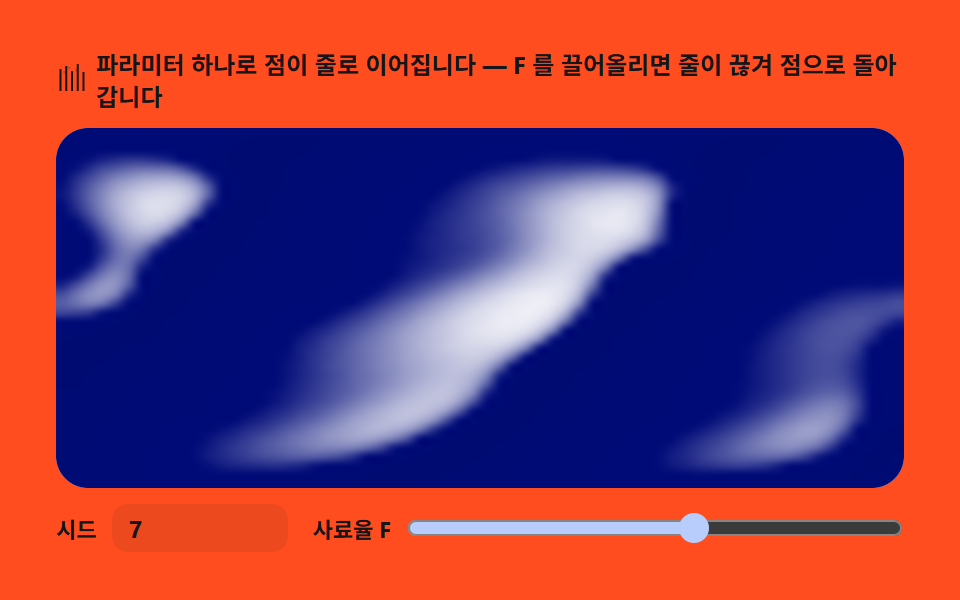 02 turing-stripe-bands
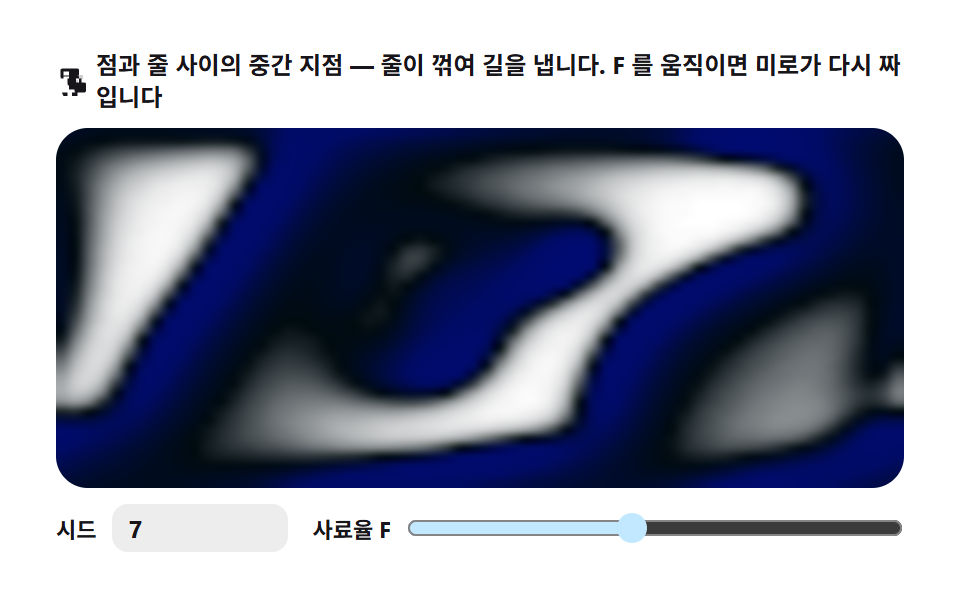 03 turing-maze-labyrinth
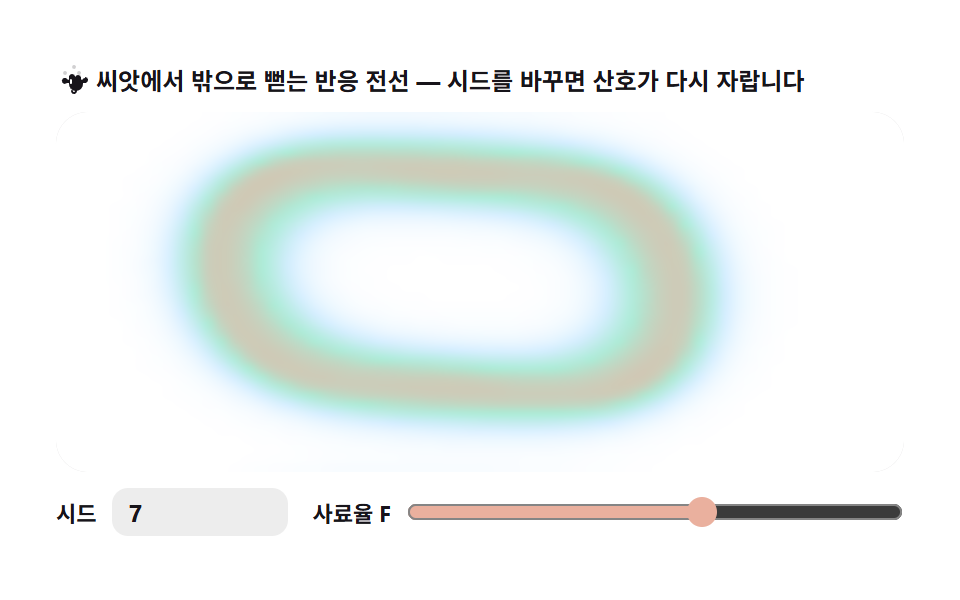 04 turing-coral-growth
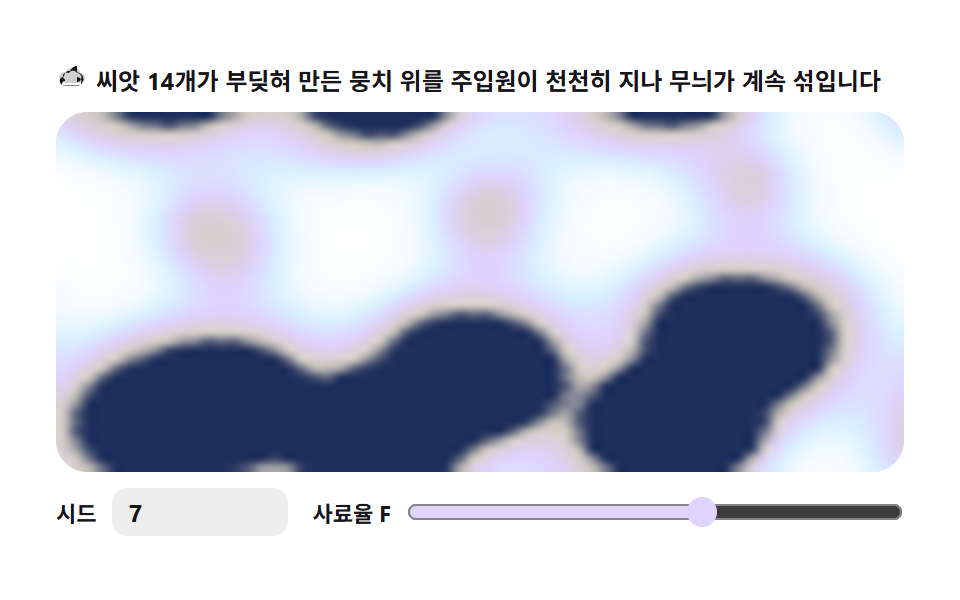 05 turing-sheep-fleece
 06 turing-zebra-stroke
 07 turing-wave-ripple
 08 turing-cell-membrane
 09 turing-split-fingers
Auto-plays · click a tile to jump to its section · all nine in one zip
- 01 Spot array — dots rise where reaction wins
- 02 Stripe bands — one parameter turns dots into lines
- 03 Maze — stripes kink into corridors in the middle ground
- 04 Coral growth — the reaction front reaches outward from a seed
- 05 Sheep fleece — several seeds collide and blend
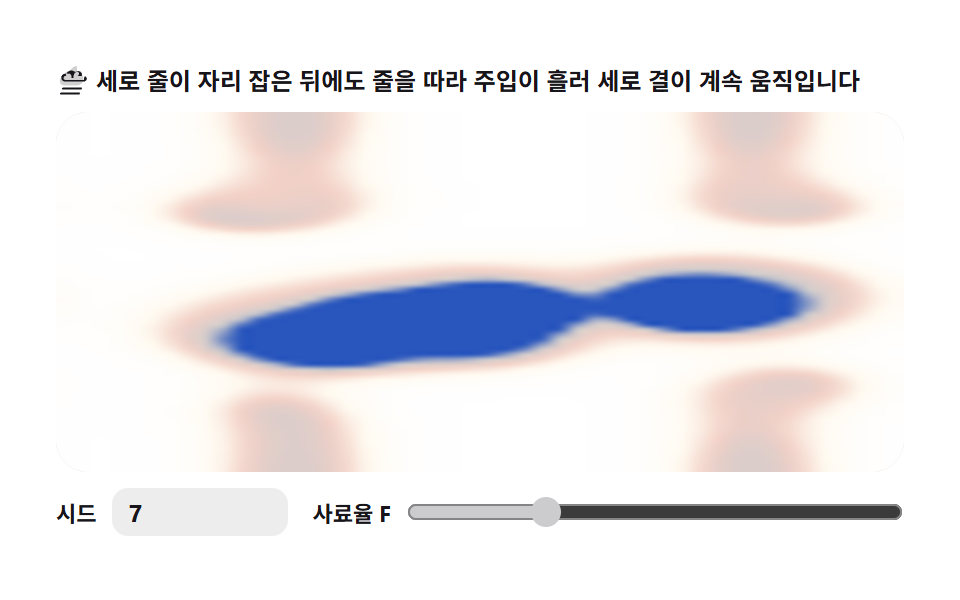
- 06 Zebra stroke — narrow grid with vertical relaxation bias
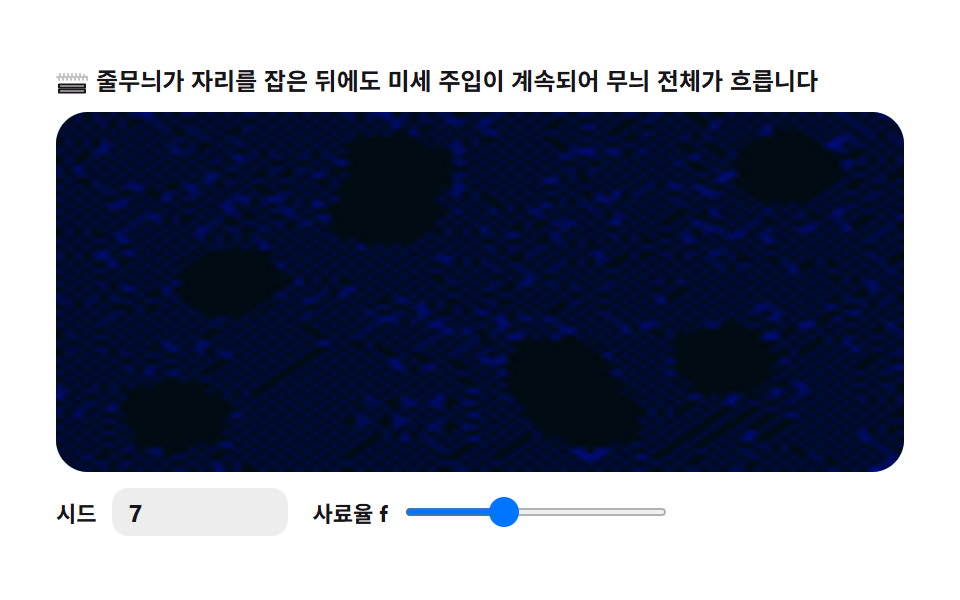
- 07 Wave ripple — the whole pattern drifts
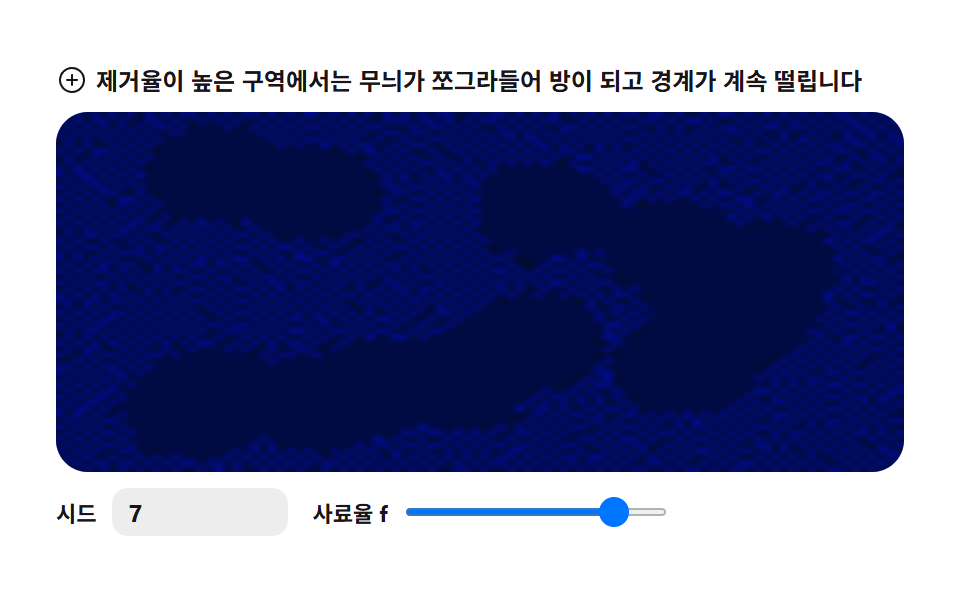
- 08 Cell membrane — borders thicken and shimmer
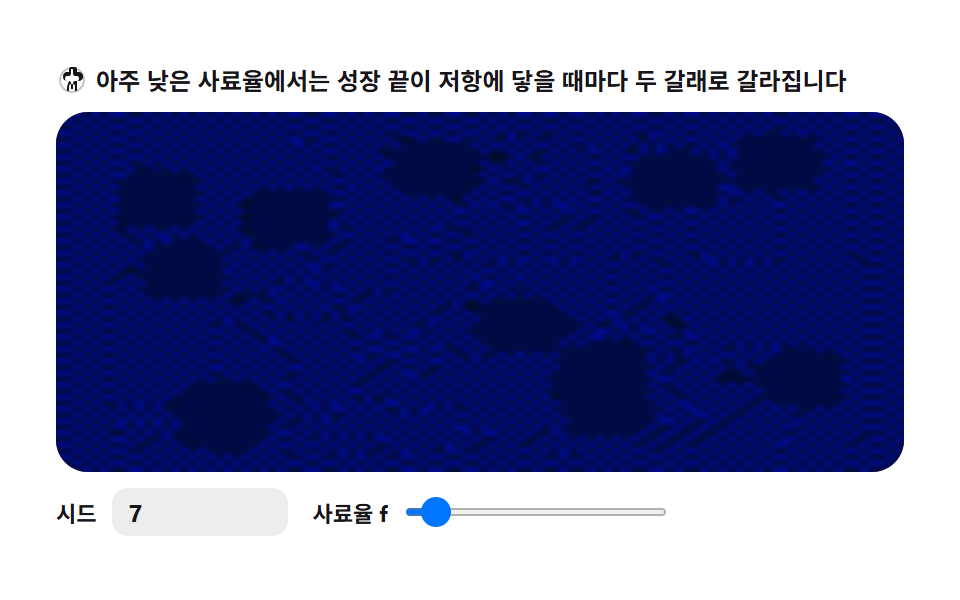
- 09 Splitting fingers — growing tips keep forking
The order below is not decorative — it follows where the feed rate f pushes the pattern. Low removal keeps dots isolated (01, 04, 05); lowering f stretches dots into lines (02, 06); a middle band kinks those lines into a maze (03, 07); raising the removal rate k shrinks everything into round chambers (08); and at the lowest f the growth never stops forking (09). Measured cumulatively, the board that moved across the most canvas is 01 (52.878%), while the single frame that covered the most at once belongs to 03 Maze (50.879%). If you liked seeding a canvas once and letting math draw the rest, CSS background patterns and canvas noise terrain live next door.
01Spot array — dots rise where reaction wins
A living dot texture for hero backgrounds and cover-illustration seeds: a uniform V field seeded with a handful of U drops grows into an evenly spaced array of dots.
<main class="stage">
<div class="tsa" id="tsa">
  <p class="tsa__hint">
    <svg class="tsa__ico" viewBox="0 0 256 256" aria-hidden="true"><g fill="currentColor"><path d="M140 24a12 12 0 1 1 12 12a12 12 0 0 1-12-12M84 52a12 12 0 1 0 12 12a12 12 0 0 0-12-12m104 4a12 12 0 1 1 12 12a12 12 0 0 1-12-12M52 100a12 12 0 1 0 12 12a12 12 0 0 0-12-12m136 8a12 12 0 1 1 12 12a12 12 0 0 1-12-12" opacity=".2"/><path d="M192 112a16 16 0 1 1 16 16a16 16 0 0 1-16-16m-64-64a24 24 0 1 0 24 24a24 24 0 0 0-24-24M72 72a24 24 0 1 0 24 24a24 24 0 0 0-24-24m112 8a24 24 0 1 1 24 24a24 24 0 0 1-24-24M40 128a24 24 0 1 0 24 24a24 24 0 0 0-24-24m136 0a24 24 0 1 1 24 24a24 24 0 0 1-24-24"/></g></svg>
    <span>Spots sprout wherever reaction wins — a new seed regrows the whole layout</span>
  </p>
  <div class="tsa__field" id="field">
    <canvas class="tsa__cv" id="cv"></canvas>
  </div>
  <div class="tsa__bar">
    <label class="tsa__dial">Seed
      <input type="number" id="seed" min="1" max="9999" step="1" value="7" aria-label="Pattern seed">
    </label>
    <label class="tsa__dial tsa__grow">Feed rate F
      <input type="range" id="fk" min="0.010" max="0.070" step="0.001" value="0.030" aria-label="Feed rate F">
    </label>
  </div>
</div>
</main>
@use "../../../../site/static/demo-tokens" as *;
// 점 무늬 — Gray-Scott 반응-확산. 균일한 U 밭에 뿌린 V 씨앗 몇 점이
// 자라며 서로 밀어내 규칙적 점 배열로 정착하는 축 (01).
// 파스텔 — mix() 로 옅게 섞은 로컬 변수만 쓴다. 리터럴 hex 0개(BD26).
$tsa-field: mix($subject-sky, $stage-paper, 30%); // 밭 바탕 — 옅은 하늘색
$tsa-mint: mix($subject-mint, $stage-paper, 42%); // 점 주위 옅은 무늬
$tsa-lilac: $subject-lilac; // 점 본체 — 라일락 파스텔
$tsa-inkend: mix($subject-lilac, $subject-ink, 30%); // 가장 진한 끝단
$duration: $dur-loop;
$easing: $ease-out;
$color: $tsa-lilac;
@include stage($stage-yellow);
.tsa {
// V 농도 → 색 5단계 LUT (JS 가 getComputedStyle 로 읽는다)
--tsa-c0: #{$stage-paper};
--tsa-c1: #{$tsa-field};
--tsa-c2: #{$tsa-mint};
--tsa-c3: #{$tsa-lilac};
--tsa-c4: #{$tsa-inkend};
display: flex; flex-direction: column; gap: $sp-2;
width: 100%; max-width: 424px;
}
.tsa__hint {
display: flex; align-items: center; gap: $sp-1; margin: 0;
font-weight: 700; font-size: clamp(10px, 2.8vw, 12px); line-height: 1.35;
color: $subject-ink;
}
.tsa__ico { width: 16px; height: 16px; flex: 0 0 auto; color: $subject-ink; }
.tsa__field {
position: relative; height: 180px;
border-radius: $r-card; overflow: hidden;
background: $stage-paper;
box-shadow: inset 0 0 0 1px rgba($subject-ink, .16);
}
.tsa__cv { display: block; width: 100%; height: 100%; }
.tsa__bar { display: flex; align-items: center; gap: $sp-3; flex-wrap: wrap; }
.tsa__dial {
display: flex; align-items: center; gap: $sp-2;
font-weight: 700; font-size: 11px; color: $subject-ink;
}
.tsa__grow { flex: 1 1 auto; min-width: 120px; }
.tsa__grow input { flex: 1 1 auto; }
.tsa__dial input {
width: 72px; margin: 0;
padding: $sp-1 $sp-2; border: 0; border-radius: $r-sm;
background: rgba($subject-ink, .08); color: $subject-ink;
font-weight: 700; font-size: 12px; font-family: inherit;
}
.tsa__dial input[type="range"] {
width: auto; padding: 0; accent-color: $tsa-lilac;
}
.tsa__dial input:focus-visible { outline: 2px solid $subject-blue; outline-offset: 2px; }
@media (max-width: 340px) {
.tsa { gap: $sp-1; }
.tsa__field { height: 100px; }
.tsa__dial input { width: 56px; }
.tsa__hint { font-size: 10px; }
}
// reduce — 루프 없이 성숙 상태 한 장만 남긴다
@media (prefers-reduced-motion: reduce) {
.tsa.is-still .tsa__field { cursor: default; }
}html, body {
margin: 0;
overflow: hidden;
}
.stage {
box-sizing: border-box;
min-height: 100vh;
display: grid;
place-items: center;
margin: 0;
background: #ffd23f;
font-family: -apple-system, "Segoe UI", "Noto Sans KR", sans-serif;
padding: clamp(8px, 4vw, 24px);
}
.tsa {
--tsa-c0: #ffffff;
--tsa-c1: rgb(82.9411764706%, 93.5294117647%, 100%);
--tsa-c2: rgb(70.5176470588%, 92.9176470588%, 85.3411764706%);
--tsa-c3: #b9a0ff;
--tsa-c4: rgb(28.0784313725%, 24.3137254902%, 37.137254902%);
display: flex;
flex-direction: column;
gap: 8px;
width: 100%;
max-width: 424px;
}
.tsa__hint {
display: flex;
align-items: center;
gap: 4px;
margin: 0;
font-weight: 700;
font-size: clamp(10px, 2.8vw, 12px);
line-height: 1.35;
color: #17141a;
}
.tsa__ico {
width: 16px;
height: 16px;
flex: 0 0 auto;
color: #17141a;
}
.tsa__field {
position: relative;
height: 180px;
border-radius: 16px;
overflow: hidden;
background: #ffffff;
box-shadow: inset 0 0 0 1px rgba(23, 20, 26, 0.16);
}
.tsa__cv {
display: block;
width: 100%;
height: 100%;
}
.tsa__bar {
display: flex;
align-items: center;
gap: 12px;
flex-wrap: wrap;
}
.tsa__dial {
display: flex;
align-items: center;
gap: 8px;
font-weight: 700;
font-size: 11px;
color: #17141a;
}
.tsa__grow {
flex: 1 1 auto;
min-width: 120px;
}
.tsa__grow input {
flex: 1 1 auto;
}
.tsa__dial input {
width: 72px;
margin: 0;
padding: 4px 8px;
border: 0;
border-radius: 8px;
background: rgba(23, 20, 26, 0.08);
color: #17141a;
font-weight: 700;
font-size: 12px;
font-family: inherit;
}
.tsa__dial input[type=range] {
width: auto;
padding: 0;
accent-color: #b9a0ff;
}
.tsa__dial input:focus-visible {
outline: 2px solid #2f6df6;
outline-offset: 2px;
}
@media (max-width: 340px) {
.tsa {
gap: 4px;
}
.tsa__field {
height: 100px;
}
.tsa__dial input {
width: 56px;
}
.tsa__hint {
font-size: 10px;
}
}
@media (prefers-reduced-motion: reduce) {
.tsa.is-still .tsa__field {
cursor: default;
}
}// 점 무늬 — Gray-Scott 반응-확산. U(사료)·V(촉매) 두 격자를 64x40 셀에 두고
// 매 프레임 8스텝씩 라플라스 확산 + 반응항을 계산해 ImageData 로 화소를 박는다.
// F/K 를 점이 낱개로 남는 구간(솔리톤)으로 잡으면, 시드가 자라 서로 밀며
// 규칙적인 점 배열로 정착한다 — 표범·물고기 점 무늬의 규칙과 같은 축이다.
// 렌더: 셀 V 값을 파스텔 LUT 로 색을 정해 저해상 버퍼에 putImageData, 그 버퍼를
// drawImage 로 확대한다(imageSmoothingEnabled — 부드럽게).
var root = document.getElementById('tsa');
var field = document.getElementById('field');
var cv = document.getElementById('cv');
var ctx = cv.getContext('2d');
var seedIn = document.getElementById('seed');
var fkIn = document.getElementById('fk');
// 결정적 난수 — mulberry32. 같은 시드면 같은 수열을 돌려준다
function mulberry32(a) {
return function () {
a |= 0; a = (a + 0x6D2B79F5) | 0;
var t = Math.imul(a ^ (a >>> 15), 1 | a);
t = (t + Math.imul(t ^ (t >>> 7), 61 | t)) ^ t;
return ((t ^ (t >>> 14)) >>> 0) / 4294967296;
};
}
var GW = 64, GH = 40; // 격자 셀 수 (480x300 비율)
var DU = 0.16, DV = 0.08; // 확산 계수 (고정 — 5점 라플라스 dt=1 안정 스케일)
var F = 0.030, K = 0.0615; // 사료율·제거율 (fk 슬라이더가 F 를 움직인다)
var STEPS = 8; // 프레임당 시뮬레이션 스텝
var PRE = 1500; // 시작 시 미리 성숙시키는 스텝 — 점 배열이 정착한 직후
var WOBBLE = 0.005; // 성숙 뒤에도 계속 주는 미세 U 주입량 — 점이 살아 움직인다
var u = new Float32Array(GW * GH);
var v = new Float32Array(GW * GH);
var u2 = new Float32Array(GW * GH);
var v2 = new Float32Array(GW * GH);
var reduce = window.matchMedia('(prefers-reduced-motion: reduce)').matches;
var W = 0, H = 0, dpr = 1;
var raf = 0, phase = 0;
// ── 색 — scss 가 내려준 파스텔 사용자속성을 읽어 5단계 LUT 를 미리 편다 ──
var css = getComputedStyle(root);
var LUT = new Uint8Array(256 * 3);
function hex6(s) {
s = String(s).trim().replace('#', '');
if (s.length === 3) s = s.charAt(0) + s.charAt(0) + s.charAt(1) + s.charAt(1) + s.charAt(2) + s.charAt(2);
return [parseInt(s.slice(0, 2), 16) || 0, parseInt(s.slice(2, 4), 16) || 0, parseInt(s.slice(4, 6), 16) || 0];
}
function buildLut() {
var stops = [hex6(tok('--tsa-c0')), hex6(tok('--tsa-c1')), hex6(tok('--tsa-c2')), hex6(tok('--tsa-c3')), hex6(tok('--tsa-c4'))];
for (var q = 0; q < 256; q++) {
var t = q / 255 * (stops.length - 1);
var k = Math.min(stops.length - 2, Math.floor(t));
var f = t - k;
for (var c = 0; c < 3; c++) LUT[q * 3 + c] = stops[k][c] + (stops[k + 1][c] - stops[k][c]) * f;
}
}
function tok(name) { return css.getPropertyValue(name); }
// ── Seed — U=1 밭에 V=0.5 원형 씨앗 6개. 좌표를 rng 로 뽑는다 ──
function seedField(sd) {
var rng = mulberry32(sd >>> 0);
u.fill(1); v.fill(0);
var n = 6;
for (var s = 0; s < n; s++) {
var cx = 6 + rng() * (GW - 12), cy = 4 + rng() * (GH - 8);
var rr = 2 + rng() * 1.5;
var x0 = Math.max(0, Math.floor(cx - rr - 1)), x1 = Math.min(GW - 1, Math.ceil(cx + rr + 1));
var y0 = Math.max(0, Math.floor(cy - rr - 1)), y1 = Math.min(GH - 1, Math.ceil(cy + rr + 1));
for (var y = y0; y <= y1; y++) {
for (var x = x0; x <= x1; x++) {
var dx = x - cx, dy = y - cy;
if (dx * dx + dy * dy <= rr * rr) { v[y * GW + x] = 0.5; u[y * GW + x] = 0.25; }
}
}
}
}
// ── 한 스텝 — 5점 라플라스(토러스 경계) + Gray-Scott 반응항 ──
function step() {
for (var y = 0; y < GH; y++) {
var yT = ((y - 1 + GH) % GH) * GW, yB = ((y + 1) % GH) * GW, yC = y * GW;
for (var x = 0; x < GW; x++) {
var xL = (x - 1 + GW) % GW, xR = (x + 1) % GW;
var i = yC + x;
var uc = u[i], vc = v[i];
var lapU = u[yC + xL] + u[yC + xR] + u[yT + x] + u[yB + x] - 4 * uc;
var lapV = v[yC + xL] + v[yC + xR] + v[yT + x] + v[yB + x] - 4 * vc;
var uvv = uc * vc * vc;
var nu = uc + DU * lapU - uvv + F * (1 - uc);
var nv = vc + DV * lapV + uvv - (F + K) * vc;
u2[i] = nu < 0 ? 0 : (nu > 1 ? 1 : nu);
v2[i] = nv < 0 ? 0 : (nv > 1 ? 1 : nv);
}
}
var tu = u; u = u2; u2 = tu;
var tv = v; v = v2; v2 = tv;
}
var buf = null, small = null, sctx = null;
function setupBuffers() {
small = document.createElement('canvas');
small.width = GW; small.height = GH;
sctx = small.getContext('2d');
buf = sctx.createImageData(GW, GH);
}
function paint() {
var px = buf.data, i4 = 0;
for (var p = 0; p < GW * GH; p++) {
// V 농도 0(종이) → 1(잉크끼 파스텔) — LUT 로 색 단계
var q = Math.max(0, Math.min(255, (v[p] * 340) | 0));
px[i4] = LUT[q * 3];
px[i4 + 1] = LUT[q * 3 + 1];
px[i4 + 2] = LUT[q * 3 + 2];
px[i4 + 3] = 255;
i4 += 4;
}
sctx.putImageData(buf, 0, 0);
ctx.imageSmoothingEnabled = true;
ctx.imageSmoothingQuality = 'high';
ctx.drawImage(small, 0, 0, GW, GH, 0, 0, W, H);
}
// 미세 U 주입 — 사인 리본이 시간에 흐르며 아주 조금씩 U 를 채운다.
// 정착한 점 배열이 이 흔들림에 반응해 느리게 재배치된다(살아 있는 무늬).
function wobble(tt) {
var ph = phase;
for (var y = 0; y < GH; y++) {
for (var x = 0; x < GW; x++) {
var wob = 0.5 + 0.5 * Math.sin(x * 0.18 + y * 0.12 + tt + ph);
var i = y * GW + x;
var nu = u[i] + wob * WOBBLE;
u[i] = nu > 1 ? 1 : nu;
}
}
}
function frame() {
for (var s = 0; s < STEPS; s++) { wobble(phase + s * 0.02); step(); }
phase += STEPS * 0.02;
paint();
raf = requestAnimationFrame(frame);
}
function fit() {
var r = field.getBoundingClientRect();
dpr = window.devicePixelRatio || 1;
W = r.width; H = r.height;
cv.width = Math.round(W * dpr);
cv.height = Math.round(H * dpr);
ctx.setTransform(dpr, 0, 0, dpr, 0, 0);
}
// Seed 재생성 → 미리성숙(PRE 스텝 동기) → 즉시 다시 그리기 (reduce 경로에서도)
function regrow(sd) {
phase = sd * 0.7;
seedField(sd);
for (var s = 0; s < PRE; s++) step();
paint();
}
function onSeed() {
var val = Math.max(1, Math.min(9999, Math.floor(Number(seedIn.value)) || 1));
regrow(val);
}
function onFk() {
F = Number(fkIn.value);
// reduce 경로에서도 프레임이 즉시 반응하게 — 새 F 로 짧게 진행해 다시 그린다
if (reduce) { for (var s = 0; s < 60; s++) step(); paint(); }
}
seedIn.addEventListener('input', onSeed);
seedIn.addEventListener('change', onSeed);
fkIn.addEventListener('input', onFk);
fkIn.addEventListener('change', onFk);
window.addEventListener('resize', function () { fit(); paint(); });
buildLut();
setupBuffers();
fit();
regrow(Number(seedIn.value) || 7);
if (reduce) {
// reduce — 루프를 돌지 않고 성숙 상태 한 장만 그린다
root.classList.add('is-still');
} else {
raf = requestAnimationFrame(frame);
}// SpotArray — vanilla 판(run/311/demo/01-turing-spot-array/index.html) 의 React 포트.
// Gray-Scott 반응-확산을 64x40 격자에서 계산해 ImageData 로 화소를 박고
// imageSmoothingEnabled 를 켠 채 drawImage 로 늘려 화면을 채운다.
// 움직임은 캔버스 rAF 루프가 전부 그리므로 @keyframes 가 없다 — props 는 CSS 변수로 내려간다.
import { useEffect, useRef, useState } from "react";
import type { CSSProperties } from "react";
import styles from "./SpotArray.module.scss";
export type SpotArrayProps = {
duration?: string;
easing?: string;
color?: string;
};
type Vars = CSSProperties & { "--duration"?: string; "--easing"?: string; "--color"?: string };
type Box<T> = { current: T };
// React 이벤트 제네릭이 없는 환경이라 필요한 것만 로컬로 선언한다
type InputEvt = { target: { value: string } };
const GW = 64, GH = 40; // 격자 셀 수 — 화면이 커져도 이 값은 그대로다
const DU = 0.16, DV = 0.08; // 확산 계수 (5점 라플라스 dt=1 안정 스케일)
const STEPS = 8; // 프레임당 시뮬레이션 스텝
const PRE = 1500; // 시작 시 미리 성숙시키는 스텝 — 점 배열이 정착한 직후
const WOBBLE = 0.005; // 성숙 뒤에도 계속 주는 미세 U 주입량
const FIELD_LABEL = "점 무늬 반응 실험판";
// 결정적 난수 — mulberry32. 같은 시드면 같은 수열을 돌려준다
function mulberry32(a: number): () => number {
return function () {
a |= 0; a = (a + 0x6d2b79f5) | 0;
let t = Math.imul(a ^ (a >>> 15), 1 | a);
t = (t + Math.imul(t ^ (t >>> 7), 61 | t)) ^ t;
return ((t ^ (t >>> 14)) >>> 0) / 4294967296;
};
}
// 토큰 다섯 단계를 256칸 표로 편다 — 프레임마다 색을 다시 섞지 않게 하기 위해서다
function buildLut(stops: number[][]): Uint8Array {
const lut = new Uint8Array(256 * 3);
for (let q = 0; q < 256; q++) {
const t = (q / 255) * (stops.length - 1);
const k = Math.min(stops.length - 2, Math.floor(t));
const f = t - k;
for (let c = 0; c < 3; c++) lut[q * 3 + c] = stops[k][c] + (stops[k + 1][c] - stops[k][c]) * f;
}
return lut;
}
// Gray-Scott 상태 한 덩어리 — u·v 두 격자와 다음 프레임용 버퍼
type Grid = { u: Float32Array; v: Float32Array; u2: Float32Array; v2: Float32Array };
// U=1 밭에 V=0.5 원형 씨앗 6개 — 좌표를 rng 로 뽑아 시드가 배치를 결정한다
function seedField(sd: number): Grid {
const rng = mulberry32(sd >>> 0);
const g: Grid = {
u: new Float32Array(GW * GH).fill(1),
v: new Float32Array(GW * GH),
u2: new Float32Array(GW * GH),
v2: new Float32Array(GW * GH),
};
for (let s = 0; s < 6; s++) {
const cx = 6 + rng() * (GW - 12), cy = 4 + rng() * (GH - 8);
const rr = 2 + rng() * 1.5;
const x0 = Math.max(0, Math.floor(cx - rr - 1)), x1 = Math.min(GW - 1, Math.ceil(cx + rr + 1));
const y0 = Math.max(0, Math.floor(cy - rr - 1)), y1 = Math.min(GH - 1, Math.ceil(cy + rr + 1));
for (let y = y0; y <= y1; y++) {
for (let x = x0; x <= x1; x++) {
const dx = x - cx, dy = y - cy;
if (dx * dx + dy * dy <= rr * rr) { g.v[y * GW + x] = 0.5; g.u[y * GW + x] = 0.25; }
}
}
}
return g;
}
export default function SpotArray({
duration = "2s", // vanilla $duration: $dur-loop
easing = "ease-out", // vanilla $easing: $ease-out
color = "#b9a0ff", // vanilla $color: $tsa-lilac
}: SpotArrayProps) {
const rootRef = useRef<HTMLDivElement | null>(null);
const fieldRef = useRef<HTMLDivElement | null>(null);
const cvRef = useRef<HTMLCanvasElement | null>(null);
const ctxRef = useRef<CanvasRenderingContext2D | null>(null);
const smallRef = useRef<HTMLCanvasElement | null>(null);
const sctxRef = useRef<CanvasRenderingContext2D | null>(null);
const bufRef = useRef<ImageData | null>(null);
const lutRef = useRef<Uint8Array | null>(null);
const gridRef = useRef<Grid | null>(null);
const sizeRef = useRef({ w: 0, h: 0 }) as Box<{ w: number; h: number }>;
const fkRef = useRef(0.03) as Box<number>;
const phaseRef = useRef(0) as Box<number>;
const rafRef = useRef(0) as Box<number>;
const [seed, setSeed] = useState(7);
const [fk, setFk] = useState(0.03);
const [still, setStill] = useState(false);
const vars: Vars = { "--duration": duration, "--easing": easing, "--color": color };
function reduced(): boolean {
return window.matchMedia("(prefers-reduced-motion: reduce)").matches;
}
function hex3to6(v: string): string {
if (v.length === 3) return v.charAt(0) + v.charAt(0) + v.charAt(1) + v.charAt(1) + v.charAt(2) + v.charAt(2);
return v;
}
function stops(): number[][] {
const root = rootRef.current;
if (!root) return [[0, 0, 0], [255, 255, 255]];
const one = (n: string) => {
const v = hex3to6(getComputedStyle(root).getPropertyValue(n).trim().replace("#", ""));
return [parseInt(v.slice(0, 2), 16), parseInt(v.slice(2, 4), 16), parseInt(v.slice(4, 6), 16)];
};
return [one("--tsa-c0"), one("--tsa-c1"), one("--tsa-c2"), one("--tsa-c3"), one("--tsa-c4")];
}
// 고DPI 대응 — 배킹 스토어는 devicePixelRatio 배, 그리기 좌표계는 CSS 픽셀 그대로
function fit(): void {
const field = fieldRef.current;
const cv = cvRef.current;
if (!field || !cv) return;
const r = field.getBoundingClientRect();
const dpr = window.devicePixelRatio || 1;
sizeRef.current.w = r.width;
sizeRef.current.h = r.height;
cv.width = Math.round(r.width * dpr);
cv.height = Math.round(r.height * dpr);
const ctx = ctxRef.current;
if (ctx) ctx.setTransform(dpr, 0, 0, dpr, 0, 0);
}
// 한 스텝 — 5점 라플라스(토러스 경계) + Gray-Scott 반응항
function step(): void {
const g = gridRef.current;
if (!g) return;
const F = fkRef.current, K = 0.0615;
for (let y = 0; y < GH; y++) {
const yT = ((y - 1 + GH) % GH) * GW, yB = ((y + 1) % GH) * GW, yC = y * GW;
for (let x = 0; x < GW; x++) {
const xL = (x - 1 + GW) % GW, xR = (x + 1) % GW;
const i = yC + x;
const uc = g.u[i], vc = g.v[i];
const lapU = g.u[yC + xL] + g.u[yC + xR] + g.u[yT + x] + g.u[yB + x] - 4 * uc;
const lapV = g.v[yC + xL] + g.v[yC + xR] + g.v[yT + x] + g.v[yB + x] - 4 * vc;
const uvv = uc * vc * vc;
const nu = uc + DU * lapU - uvv + F * (1 - uc);
const nv = vc + DV * lapV + uvv - (F + K) * vc;
g.u2[i] = nu < 0 ? 0 : nu > 1 ? 1 : nu;
g.v2[i] = nv < 0 ? 0 : nv > 1 ? 1 : nv;
}
}
const tu = g.u; g.u = g.u2; g.u2 = tu;
const tv = g.v; g.v = g.v2; g.v2 = tv;
}
// 미세 U 주입 — 사인 리본이 시간에 흐르며 아주 조금씩 U 를 채운다
function wobble(tt: number): void {
const g = gridRef.current;
if (!g) return;
const ph = phaseRef.current;
for (let y = 0; y < GH; y++) {
for (let x = 0; x < GW; x++) {
const wob = 0.5 + 0.5 * Math.sin(x * 0.18 + y * 0.12 + tt + ph);
const i = y * GW + x;
const nu = g.u[i] + wob * WOBBLE;
g.u[i] = nu > 1 ? 1 : nu;
}
}
}
function paint(): void {
const ctx = ctxRef.current, sctx = sctxRef.current, g = gridRef.current;
const buf = bufRef.current, lut = lutRef.current;
if (!ctx || !sctx || !g || !buf || !lut) return;
const W = sizeRef.current.w, H = sizeRef.current.h;
const px = buf.data;
let i4 = 0;
for (let p = 0; p < GW * GH; p++) {
// V 농도 0(종이) → 1(잉크끼 파스텔) — LUT 로 색 단계
const q = Math.max(0, Math.min(255, (g.v[p] * 340) | 0));
px[i4] = lut[q * 3];
px[i4 + 1] = lut[q * 3 + 1];
px[i4 + 2] = lut[q * 3 + 2];
px[i4 + 3] = 255;
i4 += 4;
}
sctx.putImageData(buf, 0, 0);
// 확대 보간을 켜 둔 채로 늘린다 — 이 한 줄이 셀 덩어리를 부드러운 무늬로 바꾼다
ctx.imageSmoothingEnabled = true;
ctx.imageSmoothingQuality = "high";
ctx.drawImage(sctx.canvas, 0, 0, GW, GH, 0, 0, W, H);
}
function frame(): void {
for (let s = 0; s < STEPS; s++) { wobble(phaseRef.current + s * 0.02); step(); }
phaseRef.current += STEPS * 0.02;
paint();
rafRef.current = requestAnimationFrame(frame);
}
// 시드 재생성 → 미리성숙(PRE 스텝 동기) → 즉시 다시 그리기 (reduce 경로에서도)
function regrow(sd: number): void {
phaseRef.current = sd * 0.7;
gridRef.current = seedField(sd);
for (let s = 0; s < PRE; s++) step();
paint();
}
function onSeedInput(e: InputEvt): void {
const v = Math.max(1, Math.min(9999, Math.floor(Number(e.target.value)) || 1));
setSeed(v);
regrow(v);
}
function onFkInput(e: InputEvt): void {
const v = Number(e.target.value);
fkRef.current = v;
setFk(v);
// reduce 경로에서도 프레임이 즉시 반응하게 — 새 F 로 짧게 진행해 다시 그린다
if (reduced()) { for (let s = 0; s < 60; s++) step(); paint(); }
}
function onResize(): void {
fit();
paint();
}
useEffect(() => {
const cv = cvRef.current;
if (!cv) return;
ctxRef.current = cv.getContext("2d");
if (!ctxRef.current) return;
const small = document.createElement("canvas");
small.width = GW;
small.height = GH;
smallRef.current = small;
sctxRef.current = small.getContext("2d");
if (!sctxRef.current) return;
bufRef.current = sctxRef.current.createImageData(GW, NH0()); // 한 번만 만들어 두고 프레임마다 같은 배열을 덮어쓴다
lutRef.current = buildLut(stops());
fit();
regrow(seed);
window.addEventListener("resize", onResize);
if (reduced()) {
// reduce — 루프를 시작하지 않고 성숙 상태 한 장만 그린다
setStill(true);
} else {
rafRef.current = requestAnimationFrame(frame);
}
return () => {
window.removeEventListener("resize", onResize);
cancelAnimationFrame(rafRef.current);
};
}, []);
const cls = [styles.root, still ? styles.isStill : ""].filter(Boolean).join(" ");
return (
<main className={styles.stage}>
<div className={cls} ref={rootRef} style={vars}>
<p className={styles.hint}>
<svg className={styles.ico} viewBox="0 0 256 256" aria-hidden="true"><g fill="currentColor"><path d="M140 24a12 12 0 1 1 12 12a12 12 0 0 1-12-12M84 52a12 12 0 1 0 12 12a12 12 0 0 0-12-12m104 4a12 12 0 1 1 12 12a12 12 0 0 1-12-12M52 100a12 12 0 1 0 12 12a12 12 0 0 0-12-12m136 8a12 12 0 1 1 12 12a12 12 0 0 1-12-12" opacity=".2"/><path d="M192 112a16 16 0 1 1 16 16a16 16 0 0 1-16-16m-64-64a24 24 0 1 0 24 24a24 24 0 0 0-24-24M72 72a24 24 0 1 0 24 24a24 24 0 0 0-24-24m112 8a24 24 0 1 1 24 24a24 24 0 0 1-24-24M40 128a24 24 0 1 0 24 24a24 24 0 0 0-24-24m136 0a24 24 0 1 1 24 24a24 24 0 0 1-24-24"/></g></svg>
<span>반응이 이기는 자리마다 점이 돋아 서로 밉니다 — 시드를 바꾸면 배치가 다시 태어납니다</span>
</p>
<div
className={styles.field}
ref={fieldRef}
role="application"
aria-label={FIELD_LABEL}
>
<canvas className={styles.cv} ref={cvRef}></canvas>
<b className={styles.badge} aria-hidden="true">64 × 40</b>
</div>
<div className={styles.bar}>
<label className={styles.dial}>시드
<input
type="number"
min={1}
max={9999}
step={1}
value={seed}
aria-label="패턴 시드"
onChange={onSeedInput}
/>
</label>
<label className={styles.dial + " " + styles.grow}>사료율 F
<input
type="range"
min={0.01}
max={0.07}
step={0.001}
value={fk}
aria-label="사료율 F"
onChange={onFkInput}
/>
<b className={styles.val}>{fk.toFixed(3)}</b>
</label>
</div>
</div>
</main>
);
}
// ImageData 버퍼 높이 — GW·GH 상수와 같은 값 (한 줄 함수로 두면 타입 검사가 짧다)
function NH0(): number {
return GH;
}01 · Spot array — dots rise where reaction wins — Measured area 52.878% · moving frames 23/23Original by GODRICH · SCSS and React ship in the zip · See the password
Why do the dots settle at even spacing?
// One cell update — 5-point Laplacian diffusion + Gray-Scott reaction terms
var lapU = u[yC + xL] + u[yC + xR] + u[yT + x] + u[yB + x] - 4 * uc;
var lapV = v[yC + xL] + v[yC + xR] + v[yT + x] + v[yB + x] - 4 * vc;
var uvv = uc * vc * vc;
var nu = uc + DU * lapU - uvv + F * (1 - uc);
var nv = vc + DV * lapV + uvv - (F + K) * vc;
u2[i] = nu < 0 ? 0 : (nu > 1 ? 1 : nu);   // saturation clamp — without it the grid diverges
v2[i] = nv < 0 ? 0 : (nv > 1 ? 1 : nv);
Wherever U meets V the two combine and make more V (the uvv term), while V removes itself at rate (F+K)*v — every dot that grows starves its neighbors of the U around it, and the survivors settle into the same spacing once each dot's zone of influence meets the next, with this board pre-running 1,500 steps before the first paint so it starts already at a mature array (measured: 52.88% area, intensity 99.3, 23/23 frames).
02Stripe bands — one parameter turns dots into lines
Concept art for animal-print textures and stripe-generator seeds: lowering only the feed rate on the same grid stretches dots until they merge into bands.
// Seed — three sine-wave horizontal bands, phase and amplitude drawn from the seed
function seedField(sd) {
  var rng = mulberry32(sd >>> 0);
  u.fill(1); v.fill(0);
  var n = 3;
  for (var s = 0; s < n; s++) {
    var cy = (s + 0.5) * GH / n;
    var ph = rng() * 6.28;
    var amp = 1 + rng() * 2;
    var th = 2 + rng();
    for (var y = 0; y < GH; y++) {
      for (var x = 0; x < GW; x++) {
        var line = cy + Math.sin(x * 0.22 + ph) * amp;
        if (Math.abs(y - line) <= th) { v[y * GW + x] = 0.5; u[y * GW + x] = 0.25; }
      }
    }
  }
}
<main class="stage">
<div class="tsb" id="tsb">
  <p class="tsb__hint">
    <svg class="tsb__ico" viewBox="0 0 256 256" aria-hidden="true"><g fill="currentColor"><path d="M92 30a12 12 0 1 1 12 12a12 12 0 0 1-12-12m72 8a12 12 0 1 0 12 12a12 12 0 0 0-12-12M56 66a12 12 0 1 1 12 12a12 12 0 0 1-12-12" opacity=".2"/><path d="M28 40h16v176H28zm46-24h16v200H74zm46 40h16v160h-16zm46-56h16v216h-16zm46 64h16v152h-16z"/></g></svg>
    <span>One parameter turns spots into stripes — raise F and the bands break back into dots</span>
  </p>
  <div class="tsb__field" id="field">
    <canvas class="tsb__cv" id="cv"></canvas>
  </div>
  <div class="tsb__bar">
    <label class="tsb__dial">Seed
      <input type="number" id="seed" min="1" max="9999" step="1" value="7" aria-label="Pattern seed">
    </label>
    <label class="tsb__dial tsb__grow">Feed rate F
      <input type="range" id="fk" min="0.010" max="0.070" step="0.001" value="0.045" aria-label="Feed rate F">
    </label>
  </div>
</div>
</main>
@use "../../../../site/static/demo-tokens" as *;
// 줄무늬 — Gray-Scott 반응-확산. 사료율 F 하나를 점 구간에서 줄 구간으로
// 옮기면 점이 길게 늘어나 이어져 줄이 된다 (02).
// 파스텔 — mix() 로 옅게 섞은 로컬 변수만 쓴다. 리터럴 hex 0개(BD26).
$tsb-field: mix($subject-mint, $stage-paper, 30%); // 밭 바탕 — 옅은 민트끼
$tsb-band: mix($subject-sky, $stage-paper, 46%); // 줄 테두리 옅은 단
$tsb-stripe: mix($subject-blue, $stage-paper, 34%); // 줄 본체 — 파스텔 블루
$tsb-inkend: mix($subject-blue, $subject-ink, 34%); // 가장 진한 끝단
$duration: $dur-loop;
$easing: $ease-out;
$color: $tsb-stripe;
@include stage($stage-orange);
.tsb {
// V 농도 → 색 5단계 LUT (JS 가 getComputedStyle 로 읽는다)
--tsb-c0: #{$stage-paper};
--tsb-c1: #{$tsb-field};
--tsb-c2: #{$tsb-band};
--tsb-c3: #{$tsb-stripe};
--tsb-c4: #{$tsb-inkend};
display: flex; flex-direction: column; gap: $sp-2;
width: 100%; max-width: 424px;
}
.tsb__hint {
display: flex; align-items: center; gap: $sp-1; margin: 0;
font-weight: 700; font-size: clamp(10px, 2.8vw, 12px); line-height: 1.35;
color: $subject-ink;
}
.tsb__ico { width: 16px; height: 16px; flex: 0 0 auto; color: $subject-ink; }
.tsb__field {
position: relative; height: 180px;
border-radius: $r-card; overflow: hidden;
background: $stage-paper;
box-shadow: inset 0 0 0 1px rgba($subject-ink, .16);
}
.tsb__cv { display: block; width: 100%; height: 100%; }
.tsb__bar { display: flex; align-items: center; gap: $sp-3; flex-wrap: wrap; }
.tsb__dial {
display: flex; align-items: center; gap: $sp-2;
font-weight: 700; font-size: 11px; color: $subject-ink;
}
.tsb__grow { flex: 1 1 auto; min-width: 120px; }
.tsb__grow input { flex: 1 1 auto; }
.tsb__dial input {
width: 72px; margin: 0;
padding: $sp-1 $sp-2; border: 0; border-radius: $r-sm;
background: rgba($subject-ink, .08); color: $subject-ink;
font-weight: 700; font-size: 12px; font-family: inherit;
}
.tsb__dial input[type="range"] {
width: auto; padding: 0; accent-color: $tsb-stripe;
}
.tsb__dial input:focus-visible { outline: 2px solid $subject-blue; outline-offset: 2px; }
@media (max-width: 340px) {
.tsb { gap: $sp-1; }
.tsb__field { height: 100px; }
.tsb__dial input { width: 56px; }
.tsb__hint { font-size: 10px; }
}
// reduce — 루프 없이 성숙 상태 한 장만 남긴다
@media (prefers-reduced-motion: reduce) {
.tsb.is-still .tsb__field { cursor: default; }
}html, body {
margin: 0;
overflow: hidden;
}
.stage {
box-sizing: border-box;
min-height: 100vh;
display: grid;
place-items: center;
margin: 0;
background: #ff4d1f;
font-family: -apple-system, "Segoe UI", "Noto Sans KR", sans-serif;
padding: clamp(8px, 4vw, 24px);
}
.tsb {
--tsb-c0: #ffffff;
--tsb-c1: rgb(78.9411764706%, 94.9411764706%, 89.5294117647%);
--tsb-c2: rgb(73.8431372549%, 90.0784313725%, 100%);
--tsb-c3: rgb(72.2666666667%, 80.5333333333%, 98.8%);
--tsb-c4: rgb(12.2196078431%, 19.7098039216%, 39.5294117647%);
display: flex;
flex-direction: column;
gap: 8px;
width: 100%;
max-width: 424px;
}
.tsb__hint {
display: flex;
align-items: center;
gap: 4px;
margin: 0;
font-weight: 700;
font-size: clamp(10px, 2.8vw, 12px);
line-height: 1.35;
color: #17141a;
}
.tsb__ico {
width: 16px;
height: 16px;
flex: 0 0 auto;
color: #17141a;
}
.tsb__field {
position: relative;
height: 180px;
border-radius: 16px;
overflow: hidden;
background: #ffffff;
box-shadow: inset 0 0 0 1px rgba(23, 20, 26, 0.16);
}
.tsb__cv {
display: block;
width: 100%;
height: 100%;
}
.tsb__bar {
display: flex;
align-items: center;
gap: 12px;
flex-wrap: wrap;
}
.tsb__dial {
display: flex;
align-items: center;
gap: 8px;
font-weight: 700;
font-size: 11px;
color: #17141a;
}
.tsb__grow {
flex: 1 1 auto;
min-width: 120px;
}
.tsb__grow input {
flex: 1 1 auto;
}
.tsb__dial input {
width: 72px;
margin: 0;
padding: 4px 8px;
border: 0;
border-radius: 8px;
background: rgba(23, 20, 26, 0.08);
color: #17141a;
font-weight: 700;
font-size: 12px;
font-family: inherit;
}
.tsb__dial input[type=range] {
width: auto;
padding: 0;
accent-color: rgb(72.2666666667%, 80.5333333333%, 98.8%);
}
.tsb__dial input:focus-visible {
outline: 2px solid #2f6df6;
outline-offset: 2px;
}
@media (max-width: 340px) {
.tsb {
gap: 4px;
}
.tsb__field {
height: 100px;
}
.tsb__dial input {
width: 56px;
}
.tsb__hint {
font-size: 10px;
}
}
@media (prefers-reduced-motion: reduce) {
.tsb.is-still .tsb__field {
cursor: default;
}
}// 줄무늬 — Gray-Scott 반응-확산. 같은 격자에서 Feed rate F 만 점 구간보다 높게
// 잡고 가로 줄 시드로 시작하면 무늬가 줄로 정렬된다. F 를 더 올리면 줄이
// 끊겨 점으로 되돌아가는, 얼룩말 무늬 설명의 대표 축이다.
// 매 프레임 8스텝씩 라플라스 확산 + 반응항을 계산해 ImageData 로 화소를 박고
// 저해상 버퍼를 putImageData 로 그린 뒤 drawImage 로 확대한다.
var root = document.getElementById('tsb');
var field = document.getElementById('field');
var cv = document.getElementById('cv');
var ctx = cv.getContext('2d');
var seedIn = document.getElementById('seed');
var fkIn = document.getElementById('fk');
// 결정적 난수 — mulberry32. 같은 시드면 같은 수열을 돌려준다
function mulberry32(a) {
return function () {
a |= 0; a = (a + 0x6D2B79F5) | 0;
var t = Math.imul(a ^ (a >>> 15), 1 | a);
t = (t + Math.imul(t ^ (t >>> 7), 61 | t)) ^ t;
return ((t ^ (t >>> 14)) >>> 0) / 4294967296;
};
}
var GW = 64, GH = 40; // 격자 셀 수 (480x300 비율)
var DU = 0.16, DV = 0.08; // 확산 계수 (고정 — 5점 라플라스 dt=1 안정 스케일)
var F = 0.045, K = 0.0625; // 사료율·제거율 (fk 슬라이더가 F 를 움직인다)
var STEPS = 8; // 프레임당 시뮬레이션 스텝
var PRE = 1200; // 시작 시 미리 성숙시키는 스텝 — 줄 정렬이 자리잡은 뒤
var WOBBLE = 0.006; // 성숙 뒤에도 계속 주는 미세 U 주입량 — 줄이 천천히 흐른다
var u = new Float32Array(GW * GH);
var v = new Float32Array(GW * GH);
var u2 = new Float32Array(GW * GH);
var v2 = new Float32Array(GW * GH);
var reduce = window.matchMedia('(prefers-reduced-motion: reduce)').matches;
var W = 0, H = 0, dpr = 1;
var raf = 0, phase = 0;
// ── 색 — scss 가 내려준 파스텔 사용자속성을 읽어 5단계 LUT 를 미리 편다 ──
var css = getComputedStyle(root);
var LUT = new Uint8Array(256 * 3);
function hex6(s) {
s = String(s).trim().replace('#', '');
if (s.length === 3) s = s.charAt(0) + s.charAt(0) + s.charAt(1) + s.charAt(1) + s.charAt(2) + s.charAt(2);
return [parseInt(s.slice(0, 2), 16) || 0, parseInt(s.slice(2, 4), 16) || 0, parseInt(s.slice(4, 6), 16) || 0];
}
function buildLut() {
var stops = [hex6(tok('--tsb-c0')), hex6(tok('--tsb-c1')), hex6(tok('--tsb-c2')), hex6(tok('--tsb-c3')), hex6(tok('--tsb-c4'))];
for (var q = 0; q < 256; q++) {
var t = q / 255 * (stops.length - 1);
var k = Math.min(stops.length - 2, Math.floor(t));
var f = t - k;
for (var c = 0; c < 3; c++) LUT[q * 3 + c] = stops[k][c] + (stops[k + 1][c] - stops[k][c]) * f;
}
}
function tok(name) { return css.getPropertyValue(name); }
// ── Seed — 가로 줄 3줄. 중심선이 사인파로 물결치고 위상·진폭을 rng 로 뽑는다 ──
function seedField(sd) {
var rng = mulberry32(sd >>> 0);
u.fill(1); v.fill(0);
var n = 3;
for (var s = 0; s < n; s++) {
var cy = (s + 0.5) * GH / n;
var ph = rng() * 6.28;
var amp = 1 + rng() * 2;
var th = 2 + rng();
for (var y = 0; y < GH; y++) {
for (var x = 0; x < GW; x++) {
var line = cy + Math.sin(x * 0.22 + ph) * amp;
if (Math.abs(y - line) <= th) { v[y * GW + x] = 0.5; u[y * GW + x] = 0.25; }
}
}
}
}
// ── 한 스텝 — 5점 라플라스(토러스 경계) + Gray-Scott 반응항 ──
function step() {
for (var y = 0; y < GH; y++) {
var yT = ((y - 1 + GH) % GH) * GW, yB = ((y + 1) % GH) * GW, yC = y * GW;
for (var x = 0; x < GW; x++) {
var xL = (x - 1 + GW) % GW, xR = (x + 1) % GW;
var i = yC + x;
var uc = u[i], vc = v[i];
var lapU = u[yC + xL] + u[yC + xR] + u[yT + x] + u[yB + x] - 4 * uc;
var lapV = v[yC + xL] + v[yC + xR] + v[yT + x] + v[yB + x] - 4 * vc;
var uvv = uc * vc * vc;
var nu = uc + DU * lapU - uvv + F * (1 - uc);
var nv = vc + DV * lapV + uvv - (F + K) * vc;
u2[i] = nu < 0 ? 0 : (nu > 1 ? 1 : nu);
v2[i] = nv < 0 ? 0 : (nv > 1 ? 1 : nv);
}
}
var tu = u; u = u2; u2 = tu;
var tv = v; v = v2; v2 = tv;
}
var buf = null, small = null, sctx = null;
function setupBuffers() {
small = document.createElement('canvas');
small.width = GW; small.height = GH;
sctx = small.getContext('2d');
buf = sctx.createImageData(GW, GH);
}
function paint() {
var px = buf.data, i4 = 0;
for (var p = 0; p < GW * GH; p++) {
// V 농도 0(종이) → 1(잉크끼 파스텔) — LUT 로 색 단계
var q = Math.max(0, Math.min(255, (v[p] * 340) | 0));
px[i4] = LUT[q * 3];
px[i4 + 1] = LUT[q * 3 + 1];
px[i4 + 2] = LUT[q * 3 + 2];
px[i4 + 3] = 255;
i4 += 4;
}
sctx.putImageData(buf, 0, 0);
ctx.imageSmoothingEnabled = true;
ctx.imageSmoothingQuality = 'high';
ctx.drawImage(small, 0, 0, GW, GH, 0, 0, W, H);
}
// 미세 U 주입 — 사인 리본이 시간에 흐르며 아주 조금씩 U 를 채운다.
// 정착한 줄무늬가 이 흔들림에 반응해 천천히 물결친다(살아 있는 무늬).
function wobble(tt) {
var ph = phase;
for (var y = 0; y < GH; y++) {
for (var x = 0; x < GW; x++) {
var wob = 0.5 + 0.5 * Math.sin(x * 0.18 + y * 0.12 + tt + ph);
var i = y * GW + x;
var nu = u[i] + wob * WOBBLE;
u[i] = nu > 1 ? 1 : nu;
}
}
}
function frame() {
for (var s = 0; s < STEPS; s++) { wobble(phase + s * 0.02); step(); }
phase += STEPS * 0.02;
paint();
raf = requestAnimationFrame(frame);
}
function fit() {
var r = field.getBoundingClientRect();
dpr = window.devicePixelRatio || 1;
W = r.width; H = r.height;
cv.width = Math.round(W * dpr);
cv.height = Math.round(H * dpr);
ctx.setTransform(dpr, 0, 0, dpr, 0, 0);
}
// Seed 재생성 → 미리성숙(PRE 스텝 동기) → 즉시 다시 그리기 (reduce 경로에서도)
function regrow(sd) {
phase = sd * 0.7;
seedField(sd);
for (var s = 0; s < PRE; s++) step();
paint();
}
function onSeed() {
var val = Math.max(1, Math.min(9999, Math.floor(Number(seedIn.value)) || 1));
regrow(val);
}
function onFk() {
F = Number(fkIn.value);
// reduce 경로에서도 프레임이 즉시 반응하게 — 새 F 로 짧게 진행해 다시 그린다
if (reduce) { for (var s = 0; s < 60; s++) step(); paint(); }
}
seedIn.addEventListener('input', onSeed);
seedIn.addEventListener('change', onSeed);
fkIn.addEventListener('input', onFk);
fkIn.addEventListener('change', onFk);
window.addEventListener('resize', function () { fit(); paint(); });
buildLut();
setupBuffers();
fit();
regrow(Number(seedIn.value) || 7);
if (reduce) {
// reduce — 루프를 돌지 않고 성숙 상태 한 장만 그린다
root.classList.add('is-still');
} else {
raf = requestAnimationFrame(frame);
}// StripeBands — vanilla 판(run/311/demo/02-turing-stripe-bands/index.html) 의 React 포트.
// Gray-Scott 반응-확산을 64x40 격자에서 계산해 ImageData 로 화소를 박고
// imageSmoothingEnabled 를 켠 채 drawImage 로 늘려 화면을 채운다.
// 움직임은 캔버스 rAF 루프가 전부 그리므로 @keyframes 가 없다 — props 는 CSS 변수로 내려간다.
import { useEffect, useRef, useState } from "react";
import type { CSSProperties } from "react";
import styles from "./StripeBands.module.scss";
export type StripeBandsProps = {
duration?: string;
easing?: string;
color?: string;
};
type Vars = CSSProperties & { "--duration"?: string; "--easing"?: string; "--color"?: string };
type Box<T> = { current: T };
// React 이벤트 제네릭이 없는 환경이라 필요한 것만 로컬로 선언한다
type InputEvt = { target: { value: string } };
const GW = 64, GH = 40; // 격자 셀 수 — 화면이 커져도 이 값은 그대로다
const DU = 0.16, DV = 0.08; // 확산 계수 (5점 라플라스 dt=1 안정 스케일)
const K = 0.0625; // 제거율 (고정)
const STEPS = 8; // 프레임당 시뮬레이션 스텝
const PRE = 1200; // 시작 시 미리 성숙시키는 스텝 — 줄 정렬이 자리잡은 뒤
const WOBBLE = 0.006; // 성숙 뒤에도 계속 주는 미세 U 주입량
const FIELD_LABEL = "줄무늬 반응 실험판";
// 결정적 난수 — mulberry32. 같은 시드면 같은 수열을 돌려준다
function mulberry32(a: number): () => number {
return function () {
a |= 0; a = (a + 0x6d2b79f5) | 0;
let t = Math.imul(a ^ (a >>> 15), 1 | a);
t = (t + Math.imul(t ^ (t >>> 7), 61 | t)) ^ t;
return ((t ^ (t >>> 14)) >>> 0) / 4294967296;
};
}
// 토큰 다섯 단계를 256칸 표로 편다 — 프레임마다 색을 다시 섞지 않게 하기 위해서다
function buildLut(stops: number[][]): Uint8Array {
const lut = new Uint8Array(256 * 3);
for (let q = 0; q < 256; q++) {
const t = (q / 255) * (stops.length - 1);
const k = Math.min(stops.length - 2, Math.floor(t));
const f = t - k;
for (let c = 0; c < 3; c++) lut[q * 3 + c] = stops[k][c] + (stops[k + 1][c] - stops[k][c]) * f;
}
return lut;
}
// Gray-Scott 상태 한 덩어리 — u·v 두 격자와 다음 프레임용 버퍼
type Grid = { u: Float32Array; v: Float32Array; u2: Float32Array; v2: Float32Array };
// 가로 줄 3줄 시드 — 중심선이 사인파로 물결치고 위상·진폭을 rng 로 뽑는다
function seedField(sd: number): Grid {
const rng = mulberry32(sd >>> 0);
const g: Grid = {
u: new Float32Array(GW * GH).fill(1),
v: new Float32Array(GW * GH),
u2: new Float32Array(GW * GH),
v2: new Float32Array(GW * GH),
};
const n = 3;
for (let s = 0; s < n; s++) {
const cy = ((s + 0.5) * GH) / n;
const ph = rng() * 6.28;
const amp = 1 + rng() * 2;
const th = 2 + rng();
for (let y = 0; y < GH; y++) {
for (let x = 0; x < GW; x++) {
const line = cy + Math.sin(x * 0.22 + ph) * amp;
if (Math.abs(y - line) <= th) { g.v[y * GW + x] = 0.5; g.u[y * GW + x] = 0.25; }
}
}
}
return g;
}
export default function StripeBands({
duration = "2s", // vanilla $duration: $dur-loop
easing = "ease-out", // vanilla $easing: $ease-out
color = "#a9c8f6", // vanilla $color: $tsb-stripe
}: StripeBandsProps) {
const rootRef = useRef<HTMLDivElement | null>(null);
const fieldRef = useRef<HTMLDivElement | null>(null);
const cvRef = useRef<HTMLCanvasElement | null>(null);
const ctxRef = useRef<CanvasRenderingContext2D | null>(null);
const smallRef = useRef<HTMLCanvasElement | null>(null);
const sctxRef = useRef<CanvasRenderingContext2D | null>(null);
const bufRef = useRef<ImageData | null>(null);
const lutRef = useRef<Uint8Array | null>(null);
const gridRef = useRef<Grid | null>(null);
const sizeRef = useRef({ w: 0, h: 0 }) as Box<{ w: number; h: number }>;
const fkRef = useRef(0.045) as Box<number>;
const phaseRef = useRef(0) as Box<number>;
const rafRef = useRef(0) as Box<number>;
const [seed, setSeed] = useState(7);
const [fk, setFk] = useState(0.045);
const [still, setStill] = useState(false);
const vars: Vars = { "--duration": duration, "--easing": easing, "--color": color };
function reduced(): boolean {
return window.matchMedia("(prefers-reduced-motion: reduce)").matches;
}
function hex3to6(v: string): string {
if (v.length === 3) return v.charAt(0) + v.charAt(0) + v.charAt(1) + v.charAt(1) + v.charAt(2) + v.charAt(2);
return v;
}
function stops(): number[][] {
const root = rootRef.current;
if (!root) return [[0, 0, 0], [255, 255, 255]];
const one = (n: string) => {
const v = hex3to6(getComputedStyle(root).getPropertyValue(n).trim().replace("#", ""));
return [parseInt(v.slice(0, 2), 16), parseInt(v.slice(2, 4), 16), parseInt(v.slice(4, 6), 16)];
};
return [one("--tsb-c0"), one("--tsb-c1"), one("--tsb-c2"), one("--tsb-c3"), one("--tsb-c4")];
}
// 고DPI 대응 — 배킹 스토어는 devicePixelRatio 배, 그리기 좌표계는 CSS 픽셀 그대로
function fit(): void {
const field = fieldRef.current;
const cv = cvRef.current;
if (!field || !cv) return;
const r = field.getBoundingClientRect();
const dpr = window.devicePixelRatio || 1;
sizeRef.current.w = r.width;
sizeRef.current.h = r.height;
cv.width = Math.round(r.width * dpr);
cv.height = Math.round(r.height * dpr);
const ctx = ctxRef.current;
if (ctx) ctx.setTransform(dpr, 0, 0, dpr, 0, 0);
}
// 한 스텝 — 5점 라플라스(토러스 경계) + Gray-Scott 반응항
function step(): void {
const g = gridRef.current;
if (!g) return;
const F = fkRef.current;
for (let y = 0; y < GH; y++) {
const yT = ((y - 1 + GH) % GH) * GW, yB = ((y + 1) % GH) * GW, yC = y * GW;
for (let x = 0; x < GW; x++) {
const xL = (x - 1 + GW) % GW, xR = (x + 1) % GW;
const i = yC + x;
const uc = g.u[i], vc = g.v[i];
const lapU = g.u[yC + xL] + g.u[yC + xR] + g.u[yT + x] + g.u[yB + x] - 4 * uc;
const lapV = g.v[yC + xL] + g.v[yC + xR] + g.v[yT + x] + g.v[yB + x] - 4 * vc;
const uvv = uc * vc * vc;
const nu = uc + DU * lapU - uvv + F * (1 - uc);
const nv = vc + DV * lapV + uvv - (F + K) * vc;
g.u2[i] = nu < 0 ? 0 : nu > 1 ? 1 : nu;
g.v2[i] = nv < 0 ? 0 : nv > 1 ? 1 : nv;
}
}
const tu = g.u; g.u = g.u2; g.u2 = tu;
const tv = g.v; g.v = g.v2; g.v2 = tv;
}
// 미세 U 주입 — 사인 리본이 시간에 흐르며 아주 조금씩 U 를 채운다
function wobble(tt: number): void {
const g = gridRef.current;
if (!g) return;
const ph = phaseRef.current;
for (let y = 0; y < GH; y++) {
for (let x = 0; x < GW; x++) {
const wob = 0.5 + 0.5 * Math.sin(x * 0.18 + y * 0.12 + tt + ph);
const i = y * GW + x;
const nu = g.u[i] + wob * WOBBLE;
g.u[i] = nu > 1 ? 1 : nu;
}
}
}
function paint(): void {
const ctx = ctxRef.current, sctx = sctxRef.current, g = gridRef.current;
const buf = bufRef.current, lut = lutRef.current;
if (!ctx || !sctx || !g || !buf || !lut) return;
const W = sizeRef.current.w, H = sizeRef.current.h;
const px = buf.data;
let i4 = 0;
for (let p = 0; p < GW * GH; p++) {
// V 농도 0(종이) → 1(잉크끼 파스텔) — LUT 로 색 단계
const q = Math.max(0, Math.min(255, (g.v[p] * 340) | 0));
px[i4] = lut[q * 3];
px[i4 + 1] = lut[q * 3 + 1];
px[i4 + 2] = lut[q * 3 + 2];
px[i4 + 3] = 255;
i4 += 4;
}
sctx.putImageData(buf, 0, 0);
// 확대 보간을 켜 둔 채로 늘린다 — 이 한 줄이 셀 덩어리를 부드러운 무늬로 바꾼다
ctx.imageSmoothingEnabled = true;
ctx.imageSmoothingQuality = "high";
ctx.drawImage(sctx.canvas, 0, 0, GW, GH, 0, 0, W, H);
}
function frame(): void {
for (let s = 0; s < STEPS; s++) { wobble(phaseRef.current + s * 0.02); step(); }
phaseRef.current += STEPS * 0.02;
paint();
rafRef.current = requestAnimationFrame(frame);
}
// 시드 재생성 → 미리성숙(PRE 스텝 동기) → 즉시 다시 그리기 (reduce 경로에서도)
function regrow(sd: number): void {
phaseRef.current = sd * 0.7;
gridRef.current = seedField(sd);
for (let s = 0; s < PRE; s++) step();
paint();
}
function onSeedInput(e: InputEvt): void {
const v = Math.max(1, Math.min(9999, Math.floor(Number(e.target.value)) || 1));
setSeed(v);
regrow(v);
}
function onFkInput(e: InputEvt): void {
const v = Number(e.target.value);
fkRef.current = v;
setFk(v);
// reduce 경로에서도 프레임이 즉시 반응하게 — 새 F 로 짧게 진행해 다시 그린다
if (reduced()) { for (let s = 0; s < 60; s++) step(); paint(); }
}
function onResize(): void {
fit();
paint();
}
useEffect(() => {
const cv = cvRef.current;
if (!cv) return;
ctxRef.current = cv.getContext("2d");
if (!ctxRef.current) return;
const small = document.createElement("canvas");
small.width = GW;
small.height = GH;
smallRef.current = small;
sctxRef.current = small.getContext("2d");
if (!sctxRef.current) return;
bufRef.current = sctxRef.current.createImageData(GW, GH); // 한 번만 만들어 두고 프레임마다 같은 배열을 덮어쓴다
lutRef.current = buildLut(stops());
fit();
regrow(seed);
window.addEventListener("resize", onResize);
if (reduced()) {
// reduce — 루프를 시작하지 않고 성숙 상태 한 장만 그린다
setStill(true);
} else {
rafRef.current = requestAnimationFrame(frame);
}
return () => {
window.removeEventListener("resize", onResize);
cancelAnimationFrame(rafRef.current);
};
}, []);
const cls = [styles.root, still ? styles.isStill : ""].filter(Boolean).join(" ");
return (
<main className={styles.stage}>
<div className={cls} ref={rootRef} style={vars}>
<p className={styles.hint}>
<svg className={styles.ico} viewBox="0 0 256 256" aria-hidden="true"><g fill="currentColor"><path d="M92 30a12 12 0 1 1 12 12a12 12 0 0 1-12-12m72 8a12 12 0 1 0 12 12a12 12 0 0 0-12-12M56 66a12 12 0 1 1 12 12a12 12 0 0 1-12-12" opacity=".2"/><path d="M28 40h16v176H28zm46-24h16v200H74zm46 40h16v160h-16zm46-56h16v216h-16zm46 64h16v152h-16z"/></g></svg>
<span>파라미터 하나로 점이 줄로 이어집니다 — F 를 끌어올리면 줄이 끊겨 점으로 돌아갑니다</span>
</p>
<div
className={styles.field}
ref={fieldRef}
role="application"
aria-label={FIELD_LABEL}
>
<canvas className={styles.cv} ref={cvRef}></canvas>
<b className={styles.badge} aria-hidden="true">64 × 40</b>
</div>
<div className={styles.bar}>
<label className={styles.dial}>시드
<input
type="number"
min={1}
max={9999}
step={1}
value={seed}
aria-label="패턴 시드"
onChange={onSeedInput}
/>
</label>
<label className={styles.dial + " " + styles.grow}>사료율 F
<input
type="range"
min={0.01}
max={0.07}
step={0.001}
value={fk}
aria-label="사료율 F"
onChange={onFkInput}
/>
<b className={styles.val}>{fk.toFixed(3)}</b>
</label>
</div>
</div>
</main>
);
}02 · Stripe bands — one parameter turns dots into lines — Measured area 49.959% · moving frames 23/23Original by GODRICH · SCSS and React ship in the zip · See the password
When U is plentiful every dot defends its own patch, but as the feed rate drops each dot starves along one edge and stretches that way until neighboring stretches merge into a stripe. Dragging the slider left on this board turns the spot array from 01 straight into bands in real time (measured: 49.96% area, intensity 102.3 — the sharpest contrast in this set, 23/23 frames).
03Maze — stripes kink into corridors in the middle ground
Game-map textures and static background fills: in the parameter band between spots and stripes, lines kink and fork into a maze.
// Seed — twenty small U patches scattered by the seed's rng
function seedField(sd) {
  var rng = mulberry32(sd >>> 0);
  u.fill(1); v.fill(0);
  var n = 20;
  for (var s = 0; s < n; s++) {
    var cx = 2 + Math.floor(rng() * (GW - 6));
    var cy = 1 + Math.floor(rng() * (GH - 4));
    var w = 1 + Math.floor(rng() * 4);
    var h = 1 + Math.floor(rng() * 3);
    for (var y = cy; y < Math.min(GH, cy + h); y++) {
      for (var x = cx; x < Math.min(GW, cx + w); x++) {
        v[y * GW + x] = 0.5; u[y * GW + x] = 0.25;
      }
    }
  }
}
<main class="stage">
<div class="tml" id="tml">
  <p class="tml__hint">
    <svg class="tml__ico" viewBox="0 0 256 256" aria-hidden="true"><g fill="currentColor"><path d="M144 48h32v32h-32zm40 40h32v32h-32zm-40 40h32v32h-32zm-40 40h32v32h-32z" opacity=".2"/><path d="M228 92h-44V48a12 12 0 0 0-12-12H48a12 12 0 0 0-12 12v56a12 12 0 0 0 12 12h44v44a12 12 0 0 0 12 12h44v44a12 12 0 0 0 12 12h68a12 12 0 0 0 12-12v-56a12 12 0 0 0-12-12h-44v-44a12 12 0 0 0-12-12m-12 24h44v32h-44zm-56 56h44v32h-44zm-56 56h44v32H60zm124 32h-44v-32h44zM60 92V60h44v32zm44 24H60v-16h44z"/></g></svg>
    <span>Halfway between dots and stripes — the bands bend into paths; move F and the maze reweaves</span>
  </p>
  <div class="tml__field" id="field">
    <canvas class="tml__cv" id="cv"></canvas>
  </div>
  <div class="tml__bar">
    <label class="tml__dial">Seed
      <input type="number" id="seed" min="1" max="9999" step="1" value="7" aria-label="Pattern seed">
    </label>
    <label class="tml__dial tml__grow">Feed rate F
      <input type="range" id="fk" min="0.010" max="0.070" step="0.001" value="0.037" aria-label="Feed rate F">
    </label>
  </div>
</div>
</main>
@use "../../../../site/static/demo-tokens" as *;
// 미로 — Gray-Scott 반응-확산. 점과 줄 사이 파라미터 구간에서 줄이
// 꺾이고 갈라져 미로 같은 무늬가 되는 축 (03).
// 파스텔 — mix() 로 옅게 섞은 로컬 변수만 쓴다. 리터럴 hex 0개(BD26).
$tml-field: mix($subject-pink, $stage-paper, 26%); // 밭 바탕 — 옅은 핑크끼
$tml-wall: mix($subject-mint, $stage-paper, 46%); // 통로 테두리 옅은 단
$tml-maze: mix($subject-sky, $stage-paper, 42%); // 미로 벽 본체 — 파스텔 스카이
$tml-inkend: mix($subject-sky, $subject-ink, 34%); // 가장 진한 끝단
$duration: $dur-loop;
$easing: $ease-out;
$color: $tml-maze;
@include stage($stage-paper);
.tml {
// V 농도 → 색 5단계 LUT (JS 가 getComputedStyle 로 읽는다)
--tml-c0: #{$stage-paper};
--tml-c1: #{$tml-field};
--tml-c2: #{$tml-wall};
--tml-c3: #{$tml-maze};
--tml-c4: #{$tml-inkend};
display: flex; flex-direction: column; gap: $sp-2;
width: 100%; max-width: 424px;
}
.tml__hint {
display: flex; align-items: center; gap: $sp-1; margin: 0;
font-weight: 700; font-size: clamp(10px, 2.8vw, 12px); line-height: 1.35;
color: $subject-ink;
}
.tml__ico { width: 16px; height: 16px; flex: 0 0 auto; color: $subject-ink; }
.tml__field {
position: relative; height: 180px;
border-radius: $r-card; overflow: hidden;
background: $stage-paper;
box-shadow: inset 0 0 0 1px rgba($subject-ink, .16);
}
.tml__cv { display: block; width: 100%; height: 100%; }
.tml__bar { display: flex; align-items: center; gap: $sp-3; flex-wrap: wrap; }
.tml__dial {
display: flex; align-items: center; gap: $sp-2;
font-weight: 700; font-size: 11px; color: $subject-ink;
}
.tml__grow { flex: 1 1 auto; min-width: 120px; }
.tml__grow input { flex: 1 1 auto; }
.tml__dial input {
width: 72px; margin: 0;
padding: $sp-1 $sp-2; border: 0; border-radius: $r-sm;
background: rgba($subject-ink, .08); color: $subject-ink;
font-weight: 700; font-size: 12px; font-family: inherit;
}
.tml__dial input[type="range"] {
width: auto; padding: 0; accent-color: $tml-maze;
}
.tml__dial input:focus-visible { outline: 2px solid $subject-blue; outline-offset: 2px; }
@media (max-width: 340px) {
.tml { gap: $sp-1; }
.tml__field { height: 100px; }
.tml__dial input { width: 56px; }
.tml__hint { font-size: 10px; }
}
// reduce — 루프 없이 성숙 상태 한 장만 남긴다
@media (prefers-reduced-motion: reduce) {
.tml.is-still .tml__field { cursor: default; }
}html, body {
margin: 0;
overflow: hidden;
}
.stage {
box-sizing: border-box;
min-height: 100vh;
display: grid;
place-items: center;
margin: 0;
background: #ffffff;
font-family: -apple-system, "Segoe UI", "Noto Sans KR", sans-serif;
padding: clamp(8px, 4vw, 24px);
}
.tml {
--tml-c0: #ffffff;
--tml-c1: rgb(100%, 90.1098039216%, 93.0666666667%);
--tml-c2: rgb(67.7098039216%, 92.2431372549%, 83.9450980392%);
--tml-c3: rgb(76.1176470588%, 90.9411764706%, 100%);
--tml-c4: rgb(20.6196078431%, 31.8431372549%, 40.7294117647%);
display: flex;
flex-direction: column;
gap: 8px;
width: 100%;
max-width: 424px;
}
.tml__hint {
display: flex;
align-items: center;
gap: 4px;
margin: 0;
font-weight: 700;
font-size: clamp(10px, 2.8vw, 12px);
line-height: 1.35;
color: #17141a;
}
.tml__ico {
width: 16px;
height: 16px;
flex: 0 0 auto;
color: #17141a;
}
.tml__field {
position: relative;
height: 180px;
border-radius: 16px;
overflow: hidden;
background: #ffffff;
box-shadow: inset 0 0 0 1px rgba(23, 20, 26, 0.16);
}
.tml__cv {
display: block;
width: 100%;
height: 100%;
}
.tml__bar {
display: flex;
align-items: center;
gap: 12px;
flex-wrap: wrap;
}
.tml__dial {
display: flex;
align-items: center;
gap: 8px;
font-weight: 700;
font-size: 11px;
color: #17141a;
}
.tml__grow {
flex: 1 1 auto;
min-width: 120px;
}
.tml__grow input {
flex: 1 1 auto;
}
.tml__dial input {
width: 72px;
margin: 0;
padding: 4px 8px;
border: 0;
border-radius: 8px;
background: rgba(23, 20, 26, 0.08);
color: #17141a;
font-weight: 700;
font-size: 12px;
font-family: inherit;
}
.tml__dial input[type=range] {
width: auto;
padding: 0;
accent-color: rgb(76.1176470588%, 90.9411764706%, 100%);
}
.tml__dial input:focus-visible {
outline: 2px solid #2f6df6;
outline-offset: 2px;
}
@media (max-width: 340px) {
.tml {
gap: 4px;
}
.tml__field {
height: 100px;
}
.tml__dial input {
width: 56px;
}
.tml__hint {
font-size: 10px;
}
}
@media (prefers-reduced-motion: reduce) {
.tml.is-still .tml__field {
cursor: default;
}
}// 미로 — Gray-Scott 반응-확산. 점(높은 F)과 줄(낮은 F) 사이 구간에서는
// 줄이 마구 꺾이고 갈라져 미로 같은 통로 무늬가 된다. 격자가 낮은 해상도라
// 곡선에 계단이 살짝 보이는 것도 이 계열의 특징이다.
// 매 프레임 8스텝씩 라플라스 확산 + 반응항을 계산해 ImageData 로 화소를 박고
// 저해상 버퍼를 putImageData 로 그린 뒤 drawImage 로 확대한다.
var root = document.getElementById('tml');
var field = document.getElementById('field');
var cv = document.getElementById('cv');
var ctx = cv.getContext('2d');
var seedIn = document.getElementById('seed');
var fkIn = document.getElementById('fk');
// 결정적 난수 — mulberry32. 같은 시드면 같은 수열을 돌려준다
function mulberry32(a) {
return function () {
a |= 0; a = (a + 0x6D2B79F5) | 0;
var t = Math.imul(a ^ (a >>> 15), 1 | a);
t = (t + Math.imul(t ^ (t >>> 7), 61 | t)) ^ t;
return ((t ^ (t >>> 14)) >>> 0) / 4294967296;
};
}
var GW = 64, GH = 40; // 격자 셀 수 (480x300 비율)
var DU = 0.16, DV = 0.08; // 확산 계수 (고정 — 5점 라플라스 dt=1 안정 스케일)
var F = 0.037, K = 0.060; // 사료율·제거율 (fk 슬라이더가 F 를 움직인다)
var STEPS = 8; // 프레임당 시뮬레이션 스텝
var PRE = 900; // 시작 시 미리 성숙시키는 스텝 — 통로가 짜인 직후
var WOBBLE = 0.006; // 성숙 뒤에도 계속 주는 미세 U 주입량 — 미로가 살아 흐른다
var u = new Float32Array(GW * GH);
var v = new Float32Array(GW * GH);
var u2 = new Float32Array(GW * GH);
var v2 = new Float32Array(GW * GH);
var reduce = window.matchMedia('(prefers-reduced-motion: reduce)').matches;
var W = 0, H = 0, dpr = 1;
var raf = 0, phase = 0;
// ── 색 — scss 가 내려준 파스텔 사용자속성을 읽어 5단계 LUT 를 미리 편다 ──
var css = getComputedStyle(root);
var LUT = new Uint8Array(256 * 3);
function hex6(s) {
s = String(s).trim().replace('#', '');
if (s.length === 3) s = s.charAt(0) + s.charAt(0) + s.charAt(1) + s.charAt(1) + s.charAt(2) + s.charAt(2);
return [parseInt(s.slice(0, 2), 16) || 0, parseInt(s.slice(2, 4), 16) || 0, parseInt(s.slice(4, 6), 16) || 0];
}
function buildLut() {
var stops = [hex6(tok('--tml-c0')), hex6(tok('--tml-c1')), hex6(tok('--tml-c2')), hex6(tok('--tml-c3')), hex6(tok('--tml-c4'))];
for (var q = 0; q < 256; q++) {
var t = q / 255 * (stops.length - 1);
var k = Math.min(stops.length - 2, Math.floor(t));
var f = t - k;
for (var c = 0; c < 3; c++) LUT[q * 3 + c] = stops[k][c] + (stops[k + 1][c] - stops[k][c]) * f;
}
}
function tok(name) { return css.getPropertyValue(name); }
// ── Seed — 작은 V 조각 20개를 널브러뜨린다. 자라 만나며 통로가 생긴다 ──
function seedField(sd) {
var rng = mulberry32(sd >>> 0);
u.fill(1); v.fill(0);
var n = 20;
for (var s = 0; s < n; s++) {
var cx = 2 + Math.floor(rng() * (GW - 6));
var cy = 1 + Math.floor(rng() * (GH - 4));
var w = 1 + Math.floor(rng() * 4);
var h = 1 + Math.floor(rng() * 3);
for (var y = cy; y < Math.min(GH, cy + h); y++) {
for (var x = cx; x < Math.min(GW, cx + w); x++) {
v[y * GW + x] = 0.5; u[y * GW + x] = 0.25;
}
}
}
}
// ── 한 스텝 — 5점 라플라스(토러스 경계) + Gray-Scott 반응항 ──
function step() {
for (var y = 0; y < GH; y++) {
var yT = ((y - 1 + GH) % GH) * GW, yB = ((y + 1) % GH) * GW, yC = y * GW;
for (var x = 0; x < GW; x++) {
var xL = (x - 1 + GW) % GW, xR = (x + 1) % GW;
var i = yC + x;
var uc = u[i], vc = v[i];
var lapU = u[yC + xL] + u[yC + xR] + u[yT + x] + u[yB + x] - 4 * uc;
var lapV = v[yC + xL] + v[yC + xR] + v[yT + x] + v[yB + x] - 4 * vc;
var uvv = uc * vc * vc;
var nu = uc + DU * lapU - uvv + F * (1 - uc);
var nv = vc + DV * lapV + uvv - (F + K) * vc;
u2[i] = nu < 0 ? 0 : (nu > 1 ? 1 : nu);
v2[i] = nv < 0 ? 0 : (nv > 1 ? 1 : nv);
}
}
var tu = u; u = u2; u2 = tu;
var tv = v; v = v2; v2 = tv;
}
var buf = null, small = null, sctx = null;
function setupBuffers() {
small = document.createElement('canvas');
small.width = GW; small.height = GH;
sctx = small.getContext('2d');
buf = sctx.createImageData(GW, GH);
}
function paint() {
var px = buf.data, i4 = 0;
for (var p = 0; p < GW * GH; p++) {
// V 농도 0(종이) → 1(잉크끼 파스텔) — LUT 로 색 단계
var q = Math.max(0, Math.min(255, (v[p] * 340) | 0));
px[i4] = LUT[q * 3];
px[i4 + 1] = LUT[q * 3 + 1];
px[i4 + 2] = LUT[q * 3 + 2];
px[i4 + 3] = 255;
i4 += 4;
}
sctx.putImageData(buf, 0, 0);
ctx.imageSmoothingEnabled = true;
ctx.imageSmoothingQuality = 'high';
ctx.drawImage(small, 0, 0, GW, GH, 0, 0, W, H);
}
// 미세 U 주입 — 사인 리본이 시간에 흐르며 아주 조금씩 U 를 채운다.
// 짜인 미로가 이 흔들림에 반응해 통로를 계속 다시 낸다(살아 있는 무늬).
function wobble(tt) {
var ph = phase;
for (var y = 0; y < GH; y++) {
for (var x = 0; x < GW; x++) {
var wob = 0.5 + 0.5 * Math.sin(x * 0.18 + y * 0.12 + tt + ph);
var i = y * GW + x;
var nu = u[i] + wob * WOBBLE;
u[i] = nu > 1 ? 1 : nu;
}
}
}
function frame() {
for (var s = 0; s < STEPS; s++) { wobble(phase + s * 0.02); step(); }
phase += STEPS * 0.02;
paint();
raf = requestAnimationFrame(frame);
}
function fit() {
var r = field.getBoundingClientRect();
dpr = window.devicePixelRatio || 1;
W = r.width; H = r.height;
cv.width = Math.round(W * dpr);
cv.height = Math.round(H * dpr);
ctx.setTransform(dpr, 0, 0, dpr, 0, 0);
}
// Seed 재생성 → 미리성숙(PRE 스텝 동기) → 즉시 다시 그리기 (reduce 경로에서도)
function regrow(sd) {
phase = sd * 0.7;
seedField(sd);
for (var s = 0; s < PRE; s++) step();
paint();
}
function onSeed() {
var val = Math.max(1, Math.min(9999, Math.floor(Number(seedIn.value)) || 1));
regrow(val);
}
function onFk() {
F = Number(fkIn.value);
// reduce 경로에서도 프레임이 즉시 반응하게 — 새 F 로 짧게 진행해 다시 그린다
if (reduce) { for (var s = 0; s < 60; s++) step(); paint(); }
}
seedIn.addEventListener('input', onSeed);
seedIn.addEventListener('change', onSeed);
fkIn.addEventListener('input', onFk);
fkIn.addEventListener('change', onFk);
window.addEventListener('resize', function () { fit(); paint(); });
buildLut();
setupBuffers();
fit();
regrow(Number(seedIn.value) || 7);
if (reduce) {
// reduce — 루프를 돌지 않고 성숙 상태 한 장만 그린다
root.classList.add('is-still');
} else {
raf = requestAnimationFrame(frame);
}// MazeLabyrinth — vanilla 판(run/311/demo/03-turing-maze-labyrinth/index.html) 의 React 포트.
// Gray-Scott 반응-확산을 64x40 격자에서 계산해 ImageData 로 화소를 박고
// imageSmoothingEnabled 를 켠 채 drawImage 로 늘려 화면을 채운다.
// 움직임은 캔버스 rAF 루프가 전부 그리므로 @keyframes 가 없다 — props 는 CSS 변수로 내려간다.
import { useEffect, useRef, useState } from "react";
import type { CSSProperties } from "react";
import styles from "./MazeLabyrinth.module.scss";
export type MazeLabyrinthProps = {
duration?: string;
easing?: string;
color?: string;
};
type Vars = CSSProperties & { "--duration"?: string; "--easing"?: string; "--color"?: string };
type Box<T> = { current: T };
// React 이벤트 제네릭이 없는 환경이라 필요한 것만 로컬로 선언한다
type InputEvt = { target: { value: string } };
const GW = 64, GH = 40; // 격자 셀 수 — 화면이 커져도 이 값은 그대로다
const DU = 0.16, DV = 0.08; // 확산 계수 (5점 라플라스 dt=1 안정 스케일)
const K = 0.060; // 제거율 (고정)
const STEPS = 8; // 프레임당 시뮬레이션 스텝
const PRE = 900; // 시작 시 미리 성숙시키는 스텝 — 통로가 짜인 직후
const WOBBLE = 0.006; // 성숙 뒤에도 계속 주는 미세 U 주입량
const FIELD_LABEL = "미로 무늬 반응 실험판";
// 결정적 난수 — mulberry32. 같은 시드면 같은 수열을 돌려준다
function mulberry32(a: number): () => number {
return function () {
a |= 0; a = (a + 0x6d2b79f5) | 0;
let t = Math.imul(a ^ (a >>> 15), 1 | a);
t = (t + Math.imul(t ^ (t >>> 7), 61 | t)) ^ t;
return ((t ^ (t >>> 14)) >>> 0) / 4294967296;
};
}
// 토큰 다섯 단계를 256칸 표로 편다 — 프레임마다 색을 다시 섞지 않게 하기 위해서다
function buildLut(stops: number[][]): Uint8Array {
const lut = new Uint8Array(256 * 3);
for (let q = 0; q < 256; q++) {
const t = (q / 255) * (stops.length - 1);
const k = Math.min(stops.length - 2, Math.floor(t));
const f = t - k;
for (let c = 0; c < 3; c++) lut[q * 3 + c] = stops[k][c] + (stops[k + 1][c] - stops[k][c]) * f;
}
return lut;
}
// Gray-Scott 상태 한 덩어리 — u·v 두 격자와 다음 프레임용 버퍼
type Grid = { u: Float32Array; v: Float32Array; u2: Float32Array; v2: Float32Array };
// 작은 V 조각 20개를 널브러뜨린 시드 — 자라 만나며 통로가 생긴다
function seedField(sd: number): Grid {
const rng = mulberry32(sd >>> 0);
const g: Grid = {
u: new Float32Array(GW * GH).fill(1),
v: new Float32Array(GW * GH),
u2: new Float32Array(GW * GH),
v2: new Float32Array(GW * GH),
};
for (let s = 0; s < 20; s++) {
const cx = 2 + Math.floor(rng() * (GW - 6));
const cy = 1 + Math.floor(rng() * (GH - 4));
const w = 1 + Math.floor(rng() * 4);
const h = 1 + Math.floor(rng() * 3);
for (let y = cy; y < Math.min(GH, cy + h); y++) {
for (let x = cx; x < Math.min(GW, cx + w); x++) {
g.v[y * GW + x] = 0.5; g.u[y * GW + x] = 0.25;
}
}
}
return g;
}
export default function MazeLabyrinth({
duration = "2s", // vanilla $duration: $dur-loop
easing = "ease-out", // vanilla $easing: $ease-out
color = "#a5d4f0", // vanilla $color: $tml-maze
}: MazeLabyrinthProps) {
const rootRef = useRef<HTMLDivElement | null>(null);
const fieldRef = useRef<HTMLDivElement | null>(null);
const cvRef = useRef<HTMLCanvasElement | null>(null);
const ctxRef = useRef<CanvasRenderingContext2D | null>(null);
const smallRef = useRef<HTMLCanvasElement | null>(null);
const sctxRef = useRef<CanvasRenderingContext2D | null>(null);
const bufRef = useRef<ImageData | null>(null);
const lutRef = useRef<Uint8Array | null>(null);
const gridRef = useRef<Grid | null>(null);
const sizeRef = useRef({ w: 0, h: 0 }) as Box<{ w: number; h: number }>;
const fkRef = useRef(0.037) as Box<number>;
const phaseRef = useRef(0) as Box<number>;
const rafRef = useRef(0) as Box<number>;
const [seed, setSeed] = useState(7);
const [fk, setFk] = useState(0.037);
const [still, setStill] = useState(false);
const vars: Vars = { "--duration": duration, "--easing": easing, "--color": color };
function reduced(): boolean {
return window.matchMedia("(prefers-reduced-motion: reduce)").matches;
}
function hex3to6(v: string): string {
if (v.length === 3) return v.charAt(0) + v.charAt(0) + v.charAt(1) + v.charAt(1) + v.charAt(2) + v.charAt(2);
return v;
}
function stops(): number[][] {
const root = rootRef.current;
if (!root) return [[0, 0, 0], [255, 255, 255]];
const one = (n: string) => {
const v = hex3to6(getComputedStyle(root).getPropertyValue(n).trim().replace("#", ""));
return [parseInt(v.slice(0, 2), 16), parseInt(v.slice(2, 4), 16), parseInt(v.slice(4, 6), 16)];
};
return [one("--tml-c0"), one("--tml-c1"), one("--tml-c2"), one("--tml-c3"), one("--tml-c4")];
}
// 고DPI 대응 — 배킹 스토어는 devicePixelRatio 배, 그리기 좌표계는 CSS 픽셀 그대로
function fit(): void {
const field = fieldRef.current;
const cv = cvRef.current;
if (!field || !cv) return;
const r = field.getBoundingClientRect();
const dpr = window.devicePixelRatio || 1;
sizeRef.current.w = r.width;
sizeRef.current.h = r.height;
cv.width = Math.round(r.width * dpr);
cv.height = Math.round(r.height * dpr);
const ctx = ctxRef.current;
if (ctx) ctx.setTransform(dpr, 0, 0, dpr, 0, 0);
}
// 한 스텝 — 5점 라플라스(토러스 경계) + Gray-Scott 반응항
function step(): void {
const g = gridRef.current;
if (!g) return;
const F = fkRef.current;
for (let y = 0; y < GH; y++) {
const yT = ((y - 1 + GH) % GH) * GW, yB = ((y + 1) % GH) * GW, yC = y * GW;
for (let x = 0; x < GW; x++) {
const xL = (x - 1 + GW) % GW, xR = (x + 1) % GW;
const i = yC + x;
const uc = g.u[i], vc = g.v[i];
const lapU = g.u[yC + xL] + g.u[yC + xR] + g.u[yT + x] + g.u[yB + x] - 4 * uc;
const lapV = g.v[yC + xL] + g.v[yC + xR] + g.v[yT + x] + g.v[yB + x] - 4 * vc;
const uvv = uc * vc * vc;
const nu = uc + DU * lapU - uvv + F * (1 - uc);
const nv = vc + DV * lapV + uvv - (F + K) * vc;
g.u2[i] = nu < 0 ? 0 : nu > 1 ? 1 : nu;
g.v2[i] = nv < 0 ? 0 : nv > 1 ? 1 : nv;
}
}
const tu = g.u; g.u = g.u2; g.u2 = tu;
const tv = g.v; g.v = g.v2; g.v2 = tv;
}
// 미세 U 주입 — 사인 리본이 시간에 흐르며 아주 조금씩 U 를 채운다
function wobble(tt: number): void {
const g = gridRef.current;
if (!g) return;
const ph = phaseRef.current;
for (let y = 0; y < GH; y++) {
for (let x = 0; x < GW; x++) {
const wob = 0.5 + 0.5 * Math.sin(x * 0.18 + y * 0.12 + tt + ph);
const i = y * GW + x;
const nu = g.u[i] + wob * WOBBLE;
g.u[i] = nu > 1 ? 1 : nu;
}
}
}
function paint(): void {
const ctx = ctxRef.current, sctx = sctxRef.current, g = gridRef.current;
const buf = bufRef.current, lut = lutRef.current;
if (!ctx || !sctx || !g || !buf || !lut) return;
const W = sizeRef.current.w, H = sizeRef.current.h;
const px = buf.data;
let i4 = 0;
for (let p = 0; p < GW * GH; p++) {
// V 농도 0(종이) → 1(잉크끼 파스텔) — LUT 로 색 단계
const q = Math.max(0, Math.min(255, (g.v[p] * 340) | 0));
px[i4] = lut[q * 3];
px[i4 + 1] = lut[q * 3 + 1];
px[i4 + 2] = lut[q * 3 + 2];
px[i4 + 3] = 255;
i4 += 4;
}
sctx.putImageData(buf, 0, 0);
// 확대 보간을 켜 둔 채로 늘린다 — 이 한 줄이 셀 덩어리를 부드러운 무늬로 바꾼다
ctx.imageSmoothingEnabled = true;
ctx.imageSmoothingQuality = "high";
ctx.drawImage(sctx.canvas, 0, 0, GW, GH, 0, 0, W, H);
}
function frame(): void {
for (let s = 0; s < STEPS; s++) { wobble(phaseRef.current + s * 0.02); step(); }
phaseRef.current += STEPS * 0.02;
paint();
rafRef.current = requestAnimationFrame(frame);
}
// 시드 재생성 → 미리성숙(PRE 스텝 동기) → 즉시 다시 그리기 (reduce 경로에서도)
function regrow(sd: number): void {
phaseRef.current = sd * 0.7;
gridRef.current = seedField(sd);
for (let s = 0; s < PRE; s++) step();
paint();
}
function onSeedInput(e: InputEvt): void {
const v = Math.max(1, Math.min(9999, Math.floor(Number(e.target.value)) || 1));
setSeed(v);
regrow(v);
}
function onFkInput(e: InputEvt): void {
const v = Number(e.target.value);
fkRef.current = v;
setFk(v);
// reduce 경로에서도 프레임이 즉시 반응하게 — 새 F 로 짧게 진행해 다시 그린다
if (reduced()) { for (let s = 0; s < 60; s++) step(); paint(); }
}
function onResize(): void {
fit();
paint();
}
useEffect(() => {
const cv = cvRef.current;
if (!cv) return;
ctxRef.current = cv.getContext("2d");
if (!ctxRef.current) return;
const small = document.createElement("canvas");
small.width = GW;
small.height = GH;
smallRef.current = small;
sctxRef.current = small.getContext("2d");
if (!sctxRef.current) return;
bufRef.current = sctxRef.current.createImageData(GW, GH); // 한 번만 만들어 두고 프레임마다 같은 배열을 덮어쓴다
lutRef.current = buildLut(stops());
fit();
regrow(seed);
window.addEventListener("resize", onResize);
if (reduced()) {
// reduce — 루프를 시작하지 않고 성숙 상태 한 장만 그린다
setStill(true);
} else {
rafRef.current = requestAnimationFrame(frame);
}
return () => {
window.removeEventListener("resize", onResize);
cancelAnimationFrame(rafRef.current);
};
}, []);
const cls = [styles.root, still ? styles.isStill : ""].filter(Boolean).join(" ");
return (
<main className={styles.stage}>
<div className={cls} ref={rootRef} style={vars}>
<p className={styles.hint}>
<svg className={styles.ico} viewBox="0 0 256 256" aria-hidden="true"><g fill="currentColor"><path d="M144 48h32v32h-32zm40 40h32v32h-32zm-40 40h32v32h-32zm-40 40h32v32h-32z" opacity=".2"/><path d="M228 92h-44V48a12 12 0 0 0-12-12H48a12 12 0 0 0-12 12v56a12 12 0 0 0 12 12h44v44a12 12 0 0 0 12 12h44v44a12 12 0 0 0 12 12h68a12 12 0 0 0 12-12v-56a12 12 0 0 0-12-12h-44v-44a12 12 0 0 0-12-12m-12 24h44v32h-44zm-56 56h44v32h-44zm-56 56h44v32H60zm124 32h-44v-32h44zM60 92V60h44v32zm44 24H60v-16h44z"/></g></svg>
<span>점과 줄 사이의 중간 지점 — 줄이 꺾여 길을 냅니다. F 를 움직이면 미로가 다시 짜입니다</span>
</p>
<div
className={styles.field}
ref={fieldRef}
role="application"
aria-label={FIELD_LABEL}
>
<canvas className={styles.cv} ref={cvRef}></canvas>
<b className={styles.badge} aria-hidden="true">64 × 40</b>
</div>
<div className={styles.bar}>
<label className={styles.dial}>시드
<input
type="number"
min={1}
max={9999}
step={1}
value={seed}
aria-label="패턴 시드"
onChange={onSeedInput}
/>
</label>
<label className={styles.dial + " " + styles.grow}>사료율 F
<input
type="range"
min={0.01}
max={0.07}
step={0.001}
value={fk}
aria-label="사료율 F"
onChange={onFkInput}
/>
<b className={styles.val}>{fk.toFixed(3)}</b>
</label>
</div>
</div>
</main>
);
}03 · Maze — stripes kink into corridors in the middle ground — Measured area 52.86% · moving frames 23/23Original by GODRICH · SCSS and React ship in the zip · See the password
At a feed rate between the spot and stripe regimes, a line's growing end never closes off — it keeps running until it meets a neighboring line, kinks, and forks again, leaving corridors behind (measured: 52.86% cumulative area, second only to 01 by a hair — and first on single-frame peak coverage at 50.879%, 23/23 frames).
04Coral growth — the reaction front reaches outward from a seed
Loading moments and organic-growth intros: pour U in one big blob at the center and the reaction front crawls outward like coral or moss.
// Seed — one central blob with a noisy, uneven edge
function seedField(sd) {
  var rng = mulberry32(sd >>> 0);
  u.fill(1); v.fill(0);
  var cx = GW / 2 + (rng() - 0.5) * 6, cy = GH / 2 + (rng() - 0.5) * 4;
  var rr = 5.5 + rng() * 2;
  for (var y = 0; y < GH; y++) {
    for (var x = 0; x < GW; x++) {
      var dx = x - cx, dy = (y - cy) * 1.15;
      var d = Math.sqrt(dx * dx + dy * dy);
      var wob = rr * (0.7 + 0.5 * rng());
      if (d < wob) { v[y * GW + x] = 0.5; u[y * GW + x] = 0.25; }
    }
  }
}
<main class="stage">
<div class="tcg" id="tcg">
  <p class="tcg__hint">
    <svg class="tcg__ico" viewBox="0 0 256 256" aria-hidden="true"><g fill="currentColor"><path d="M128 24a16 16 0 1 1 16 16a16 16 0 0 1-16-16m56 32a16 16 0 1 0 16 16a16 16 0 0 0-16-16m-112 0a16 16 0 1 0 16 16a16 16 0 0 0-16-16" opacity=".2"/><path d="M232 112a24 24 0 0 0-20.42 12.73A39.87 39.87 0 0 1 200 126.6V112a24 24 0 0 0-48 0v-8a24 24 0 0 0-48 0v22.6a39.87 39.87 0 0 1-11.58-1.87A24 24 0 1 0 88 152h16v8a56.06 56.06 0 0 0 48 55.42V216a8 8 0 0 1-16 0a8 8 0 0 0-16 0a24 24 0 0 0 48 0v-.58A56.06 56.06 0 0 0 216 160v-8h16a24 24 0 0 0 0-48m-104 48a8 8 0 0 1-16 0v-24a8 8 0 0 1 16 0Z"/></g></svg>
    <span>A reaction front reaching outward from the seed — change the seed and the coral regrows</span>
  </p>
  <div class="tcg__field" id="field">
    <canvas class="tcg__cv" id="cv"></canvas>
  </div>
  <div class="tcg__bar">
    <label class="tcg__dial">Seed
      <input type="number" id="seed" min="1" max="9999" step="1" value="7" aria-label="Pattern seed">
    </label>
    <label class="tcg__dial tcg__grow">Feed rate F
      <input type="range" id="fk" min="0.010" max="0.070" step="0.001" value="0.046" aria-label="Feed rate F">
    </label>
  </div>
</div>
</main>
@use "../../../../site/static/demo-tokens" as *;
// 산호 성장 — Gray-Scott 반응-확산. 중앙 큰 U 덩어리 하나에서 반응 전선이
// 밖으로 뻗으며 산호·이끼처럼 자라는 축 (04).
// 파스텔 — mix() 로 옅게 섞은 로컬 변수만 쓴다. 리터럴 hex 0개(BD26).
$tcg-coral: mix($subject-orange-deep, $stage-paper, 38%); // 산호 본체 — 따뜻한 복숭아끼
$tcg-wake: mix($subject-mint, $stage-paper, 46%); // 전선 뒤 V 흔적 — 민트끼
$tcg-depth: mix($subject-sky, $stage-paper, 30%); // 밭 바탕 — 옅은 하늘색
$tcg-inkend: mix($subject-orange-deep, $subject-ink, 34%); // 가장 진한 끝단
$duration: $dur-loop;
$easing: $ease-out;
$color: $tcg-coral;
@include stage($stage-paper);
.tcg {
// V 농도 → 색 5단계 LUT (JS 가 getComputedStyle 로 읽는다)
--tcg-c0: #{$stage-paper};
--tcg-c1: #{$tcg-depth};
--tcg-c2: #{$tcg-wake};
--tcg-c3: #{$tcg-coral};
--tcg-c4: #{$tcg-inkend};
display: flex; flex-direction: column; gap: $sp-2;
width: 100%; max-width: 424px;
}
.tcg__hint {
display: flex; align-items: center; gap: $sp-1; margin: 0;
font-weight: 700; font-size: clamp(10px, 2.8vw, 12px); line-height: 1.35;
color: $subject-ink;
}
.tcg__ico { width: 16px; height: 16px; flex: 0 0 auto; color: $subject-ink; }
.tcg__field {
position: relative; height: 180px;
border-radius: $r-card; overflow: hidden;
background: $stage-paper;
box-shadow: inset 0 0 0 1px rgba($subject-ink, .16);
}
.tcg__cv { display: block; width: 100%; height: 100%; }
.tcg__bar { display: flex; align-items: center; gap: $sp-3; flex-wrap: wrap; }
.tcg__dial {
display: flex; align-items: center; gap: $sp-2;
font-weight: 700; font-size: 11px; color: $subject-ink;
}
.tcg__grow { flex: 1 1 auto; min-width: 120px; }
.tcg__grow input { flex: 1 1 auto; }
.tcg__dial input {
width: 72px; margin: 0;
padding: $sp-1 $sp-2; border: 0; border-radius: $r-sm;
background: rgba($subject-ink, .08); color: $subject-ink;
font-weight: 700; font-size: 12px; font-family: inherit;
}
.tcg__dial input[type="range"] {
width: auto; padding: 0; accent-color: $tcg-coral;
}
.tcg__dial input:focus-visible { outline: 2px solid $subject-blue; outline-offset: 2px; }
@media (max-width: 340px) {
.tcg { gap: $sp-1; }
.tcg__field { height: 100px; }
.tcg__dial input { width: 56px; }
.tcg__hint { font-size: 10px; }
}
// reduce — 루프 없이 성숙 상태 한 장만 남긴다
@media (prefers-reduced-motion: reduce) {
.tcg.is-still .tcg__field { cursor: default; }
}html, body {
margin: 0;
overflow: hidden;
}
.stage {
box-sizing: border-box;
min-height: 100vh;
display: grid;
place-items: center;
margin: 0;
background: #ffffff;
font-family: -apple-system, "Segoe UI", "Noto Sans KR", sans-serif;
padding: clamp(8px, 4vw, 24px);
}
.tcg {
--tcg-c0: #ffffff;
--tcg-c1: rgb(82.9411764706%, 93.5294117647%, 100%);
--tcg-c2: rgb(67.7098039216%, 92.2431372549%, 83.9450980392%);
--tcg-c3: rgb(91.9529411765%, 69.1529411765%, 62%);
--tcg-c4: rgb(32.7529411765%, 11.5764705882%, 6.7294117647%);
display: flex;
flex-direction: column;
gap: 8px;
width: 100%;
max-width: 424px;
}
.tcg__hint {
display: flex;
align-items: center;
gap: 4px;
margin: 0;
font-weight: 700;
font-size: clamp(10px, 2.8vw, 12px);
line-height: 1.35;
color: #17141a;
}
.tcg__ico {
width: 16px;
height: 16px;
flex: 0 0 auto;
color: #17141a;
}
.tcg__field {
position: relative;
height: 180px;
border-radius: 16px;
overflow: hidden;
background: #ffffff;
box-shadow: inset 0 0 0 1px rgba(23, 20, 26, 0.16);
}
.tcg__cv {
display: block;
width: 100%;
height: 100%;
}
.tcg__bar {
display: flex;
align-items: center;
gap: 12px;
flex-wrap: wrap;
}
.tcg__dial {
display: flex;
align-items: center;
gap: 8px;
font-weight: 700;
font-size: 11px;
color: #17141a;
}
.tcg__grow {
flex: 1 1 auto;
min-width: 120px;
}
.tcg__grow input {
flex: 1 1 auto;
}
.tcg__dial input {
width: 72px;
margin: 0;
padding: 4px 8px;
border: 0;
border-radius: 8px;
background: rgba(23, 20, 26, 0.08);
color: #17141a;
font-weight: 700;
font-size: 12px;
font-family: inherit;
}
.tcg__dial input[type=range] {
width: auto;
padding: 0;
accent-color: rgb(91.9529411765%, 69.1529411765%, 62%);
}
.tcg__dial input:focus-visible {
outline: 2px solid #2f6df6;
outline-offset: 2px;
}
@media (max-width: 340px) {
.tcg {
gap: 4px;
}
.tcg__field {
height: 100px;
}
.tcg__dial input {
width: 56px;
}
.tcg__hint {
font-size: 10px;
}
}
@media (prefers-reduced-motion: reduce) {
.tcg.is-still .tcg__field {
cursor: default;
}
}// 산호 성장 — Gray-Scott 반응-확산. U(사료)·V(촉매) 두 격자를 64x40 셀에 두고
// 매 프레임 12스텝씩 확산 + 반응항을 계산해 ImageData 로 화소를 박는다.
// 시드는 중앙의 큰 덩어리 하나 — 반응 전선이 밖으로 뻗으며 산호처럼 자란다.
// 라플라스는 간선 0.2·대각 0.05 가중(9점) — 5점 대비 이방성 노이즈가 적어
// 성장 무늬가 부드럽다. DU=1.0 DV=0.5 dt=1.0 (브리프 규격).
// 렌더: 셀 V 값을 파스텔 LUT 로 색을 정해 저해상 버퍼에 putImageData, 그 버퍼를
// drawImage 로 확대한다(imageSmoothingEnabled — 부드럽게).
var root = document.getElementById('tcg');
var field = document.getElementById('field');
var cv = document.getElementById('cv');
var ctx = cv.getContext('2d');
var seedIn = document.getElementById('seed');
var fkIn = document.getElementById('fk');
// 결정적 난수 — mulberry32. 같은 시드면 같은 수열을 돌려준다
function mulberry32(a) {
return function () {
a |= 0; a = (a + 0x6D2B79F5) | 0;
var t = Math.imul(a ^ (a >>> 15), 1 | a);
t = (t + Math.imul(t ^ (t >>> 7), 61 | t)) ^ t;
return ((t ^ (t >>> 14)) >>> 0) / 4294967296;
};
}
var GW = 64, GH = 40; // 격자 셀 수 (480x300 비율)
var DU = 1.0, DV = 0.5; // 확산 계수 (고정)
var F = 0.046, K = 0.063; // 사료율·제거율 (fk 슬라이더가 F 를 움직인다)
var STEPS = 14; // 프레임당 시뮬레이션 스텝
var PRE = 780; // 시작 시 미리 성숙시키는 스텝 — 성장 중간 상태에서 출발
var u = new Float32Array(GW * GH);
var v = new Float32Array(GW * GH);
var u2 = new Float32Array(GW * GH);
var v2 = new Float32Array(GW * GH);
var reduce = window.matchMedia('(prefers-reduced-motion: reduce)').matches;
var W = 0, H = 0, dpr = 1;
var raf = 0;
// ── 색 — scss 가 내려준 파스텔 사용자속성을 읽어 5단계 LUT 를 미리 편다 ──
var css = getComputedStyle(root);
var LUT = new Uint8Array(256 * 3);
function tok(name) { return css.getPropertyValue(name); }
function col2rgb(s) {
// sass 가 rgb(...) 함수꼴로 내려보내는 값과 hex 를 둘 다 받는다
s = String(s).trim();
var m = s.match(/^rgba?\(([^)]+)\)$/);
if (m) {
var parts = m[1].split(',');
var out = [];
for (var i = 0; i < 3; i++) {
var p = parseFloat(parts[i]);
out.push(parts[i].indexOf('%') >= 0 ? Math.round(p * 2.55) : Math.round(p));
}
return out;
}
s = s.replace('#', '');
if (s.length === 3) s = s.charAt(0) + s.charAt(0) + s.charAt(1) + s.charAt(1) + s.charAt(2) + s.charAt(2);
return [parseInt(s.slice(0, 2), 16) || 0, parseInt(s.slice(2, 4), 16) || 0, parseInt(s.slice(4, 6), 16) || 0];
}
function buildLut() {
var stops = [col2rgb(tok('--tcg-c0')), col2rgb(tok('--tcg-c1')), col2rgb(tok('--tcg-c2')), col2rgb(tok('--tcg-c3')), col2rgb(tok('--tcg-c4'))];
for (var q = 0; q < 256; q++) {
var t = q / 255 * (stops.length - 1);
var k = Math.min(stops.length - 2, Math.floor(t));
var f = t - k;
for (var c = 0; c < 3; c++) LUT[q * 3 + c] = stops[k][c] + (stops[k + 1][c] - stops[k][c]) * f;
}
}
// ── Seed — 중앙에 큰 덩어리 하나(가장자리는 rng 로 약간 물결). 시드가 좌표를 결정 ──
function seedField(sd) {
var rng = mulberry32(sd >>> 0);
u.fill(1); v.fill(0);
var cx = GW / 2 + (rng() - 0.5) * 6, cy = GH / 2 + (rng() - 0.5) * 4;
var rr = 5.5 + rng() * 2;
for (var y = 0; y < GH; y++) {
for (var x = 0; x < GW; x++) {
var dx = x - cx, dy = (y - cy) * 1.15;
var d = Math.sqrt(dx * dx + dy * dy);
// 가장자리를 노이즈로 울퉁불퉁하게 — 산호 씨앗다운 불규칙 시작
var wob = rr * (0.7 + 0.5 * rng());
if (d < wob) { v[y * GW + x] = 0.5; u[y * GW + x] = 0.25; }
}
}
}
// ── 한 스텝 — 9점 가중 라플라스(토러스 경계) + Gray-Scott 반응항 ──
function step() {
for (var y = 0; y < GH; y++) {
var yT = ((y - 1 + GH) % GH) * GW, yB = ((y + 1) % GH) * GW, yC = y * GW;
for (var x = 0; x < GW; x++) {
var xL = (x - 1 + GW) % GW, xR = (x + 1) % GW;
var i = yC + x;
var uc = u[i], vc = v[i];
var lapU = 0.2 * (u[yC + xL] + u[yC + xR] + u[yT + x] + u[yB + x])
+ 0.05 * (u[yT + xL] + u[yT + xR] + u[yB + xL] + u[yB + xR]) - uc;
var lapV = 0.2 * (v[yC + xL] + v[yC + xR] + v[yT + x] + v[yB + x])
+ 0.05 * (v[yT + xL] + v[yT + xR] + v[yB + xL] + v[yB + xR]) - vc;
var uvv = uc * vc * vc;
u2[i] = uc + DU * lapU - uvv + F * (1 - uc);
v2[i] = vc + DV * lapV + uvv - (F + K) * vc;
}
}
var tu = u; u = u2; u2 = tu;
var tv = v; v = v2; v2 = tv;
}
var buf = null, small = null, sctx = null;
function setupBuffers() {
small = document.createElement('canvas');
small.width = GW; small.height = GH;
sctx = small.getContext('2d');
buf = sctx.createImageData(GW, GH);
}
function paint() {
var px = buf.data, i4 = 0;
for (var p = 0; p < GW * GH; p++) {
// V 농도 0(종이) → 1(잉크끼 파스텔) — LUT 로 색 단계
var q = Math.max(0, Math.min(255, (v[p] * 460) | 0));
px[i4] = LUT[q * 3];
px[i4 + 1] = LUT[q * 3 + 1];
px[i4 + 2] = LUT[q * 3 + 2];
px[i4 + 3] = 255;
i4 += 4;
}
sctx.putImageData(buf, 0, 0);
ctx.imageSmoothingEnabled = true;
ctx.imageSmoothingQuality = 'high';
ctx.drawImage(small, 0, 0, GW, GH, 0, 0, W, H);
}
function frame() {
for (var s = 0; s < STEPS; s++) step();
paint();
raf = requestAnimationFrame(frame);
}
function fit() {
var r = field.getBoundingClientRect();
dpr = window.devicePixelRatio || 1;
W = r.width; H = r.height;
cv.width = Math.round(W * dpr);
cv.height = Math.round(H * dpr);
ctx.setTransform(dpr, 0, 0, dpr, 0, 0);
}
// Seed 재생성 → 미리성숙(PRE 스텝 동기) → 즉시 다시 그리기 (reduce 경로에서도)
function regrow(sd) {
seedField(sd);
for (var s = 0; s < PRE; s++) step();
paint();
}
function onSeed() {
var val = Math.max(1, Math.min(9999, Math.floor(Number(seedIn.value)) || 1));
regrow(val);
}
function onFk() {
F = Number(fkIn.value);
// reduce 경로에서도 프레임이 변해야 한다 — Seed 유지 상태로 새 F 로 다시 성숙시켜 그린다
if (reduce) regrow(Math.max(1, Math.min(9999, Math.floor(Number(seedIn.value)) || 1)));
}
seedIn.addEventListener('input', onSeed);
seedIn.addEventListener('change', onSeed);
fkIn.addEventListener('input', onFk);
fkIn.addEventListener('change', onFk);
window.addEventListener('resize', function () { fit(); paint(); });
buildLut();
setupBuffers();
fit();
regrow(Number(seedIn.value) || 7);
if (reduce) {
// reduce — 루프를 돌지 않고 성숙 상태 한 장만 그린다
root.classList.add('is-still');
} else {
raf = requestAnimationFrame(frame);
}// CoralGrowth — vanilla 판(run/311/demo/04-turing-coral-growth/index.html) 의 React 포트.
// Gray-Scott 반응-확산을 64x40 격자에서 계산해 ImageData 로 화소를 박고
// imageSmoothingEnabled 를 켠 채 drawImage 로 늘려 화면을 채운다.
// 시드는 중앙의 큰 덩어리 하나 — 반응 전선이 밖으로 뻗으며 산호처럼 자란다.
// 움직임은 캔버스 rAF 루프가 전부 그리므로 @keyframes 가 없다 — props 는 CSS 변수로 내려간다.
import { useEffect, useRef, useState } from "react";
import type { CSSProperties } from "react";
import styles from "./CoralGrowth.module.scss";
export type CoralGrowthProps = {
duration?: string;
easing?: string;
color?: string;
};
type Vars = CSSProperties & { "--duration"?: string; "--easing"?: string; "--color"?: string };
type Box<T> = { current: T };
// React 이벤트 제네릭이 없는 환경이라 필요한 것만 로컬로 선언한다
type InputEvt = { target: { value: string } };
const GW = 64, GH = 40; // 격자 셀 수 (480x300 비율)
const DU = 1.0, DV = 0.5; // 확산 계수 (고정)
const K = 0.063; // 제거율 (고정) — fk 슬라이더는 F 만 움직인다
const F0 = 0.046; // 사료율 초기값
const STEPS = 14; // 프레임당 시뮬레이션 스텝
const PRE = 780; // 시작 시 미리 성숙시키는 스텝 — 성장 중간 상태에서 출발
const LUT_SCALE = 460; // V 농도 → LUT 인덱스 배율 (파스텔 대비)
const FIELD_LABEL = "산호 성장 실험판";
// 결정적 난수 — mulberry32. 같은 시드면 같은 수열을 돌려준다
function mulberry32(a: number): () => number {
return function () {
a |= 0; a = (a + 0x6d2b79f5) | 0;
const t = Math.imul(a ^ (a >>> 15), 1 | a);
const u = (t + Math.imul(t ^ (t >>> 7), 61 | t)) ^ t;
return ((u ^ (u >>> 14)) >>> 0) / 4294967296;
};
}
// 토큰 다섯 단계를 256칸 표로 편다 — 프레임마다 색을 다시 섞지 않게 하기 위해서다
function buildLut(stops: number[][]): Uint8Array {
const lut = new Uint8Array(256 * 3);
for (let q = 0; q < 256; q++) {
const t = q / 255 * (stops.length - 1);
const k = Math.min(stops.length - 2, Math.floor(t));
const f = t - k;
for (let c = 0; c < 3; c++) lut[q * 3 + c] = stops[k][c] + (stops[k + 1][c] - stops[k][c]) * f;
}
return lut;
}
// sass 가 내려보내는 rgb(%,%,%) 꼴과 hex 를 둘 다 받는다
function col2rgb(s: string): number[] {
const t = String(s).trim();
const m = t.match(/^rgba?\(([^)]+)\)$/);
if (m) {
const parts = m[1].split(",");
const out: number[] = [];
for (let i = 0; i < 3; i++) {
const p = parseFloat(parts[i]);
out.push(parts[i].indexOf("%") >= 0 ? Math.round(p * 2.55) : Math.round(p));
}
return out;
}
let h = t.replace("#", "");
if (h.length === 3) h = h.charAt(0) + h.charAt(0) + h.charAt(1) + h.charAt(1) + h.charAt(2) + h.charAt(2);
return [parseInt(h.slice(0, 2), 16) || 0, parseInt(h.slice(2, 4), 16) || 0, parseInt(h.slice(4, 6), 16) || 0];
}
export default function CoralGrowth({
duration = "2s", // vanilla $duration: $dur-loop
easing = "ease-out", // vanilla $easing: $ease-out
color = "#eab09e", // vanilla $color: $tcg-coral
}: CoralGrowthProps) {
const rootRef = useRef<HTMLDivElement | null>(null);
const fieldRef = useRef<HTMLDivElement | null>(null);
const cvRef = useRef<HTMLCanvasElement | null>(null);
const ctxRef = useRef<CanvasRenderingContext2D | null>(null);
const smallRef = useRef<HTMLCanvasElement | null>(null);
const sctxRef = useRef<CanvasRenderingContext2D | null>(null);
const imgRef = useRef<ImageData | null>(null);
const uRef = useRef<Float32Array | null>(null);
const vRef = useRef<Float32Array | null>(null);
const u2Ref = useRef<Float32Array | null>(null);
const v2Ref = useRef<Float32Array | null>(null);
const lutRef = useRef<Uint8Array | null>(null);
const fRef = useRef(F0) as Box<number>;
const sizeRef = useRef({ w: 0, h: 0 }) as Box<{ w: number; h: number }>;
const rafRef = useRef(0) as Box<number>;
const [seed, setSeed] = useState(7);
const [fk, setFk] = useState(F0);
const [still, setStill] = useState(false);
const vars: Vars = { "--duration": duration, "--easing": easing, "--color": color };
function reduced(): boolean {
return window.matchMedia("(prefers-reduced-motion: reduce)").matches;
}
function stops(): number[][] {
const root = rootRef.current;
if (!root) return [[0, 0, 0], [255, 255, 255]];
const css = getComputedStyle(root);
const one = (n: string) => col2rgb(css.getPropertyValue(n));
return [one("--tcg-c0"), one("--tcg-c1"), one("--tcg-c2"), one("--tcg-c3"), one("--tcg-c4")];
}
// 고DPI 대응 — 배킹 스토어는 devicePixelRatio 배, 그리기 좌표계는 CSS 픽셀 그대로
function fit(): void {
const field = fieldRef.current;
const cv = cvRef.current;
if (!field || !cv) return;
const r = field.getBoundingClientRect();
const dpr = window.devicePixelRatio || 1;
sizeRef.current.w = r.width;
sizeRef.current.h = r.height;
cv.width = Math.round(r.width * dpr);
cv.height = Math.round(r.height * dpr);
const ctx = ctxRef.current;
if (ctx) ctx.setTransform(dpr, 0, 0, dpr, 0, 0);
}
// ── 한 스텝 — 9점 가중 라플라스(토러스 경계) + Gray-Scott 반응항 ──────────────
function step(): void {
const U = uRef.current, V = vRef.current, U2 = u2Ref.current, V2 = v2Ref.current;
if (!U || !V || !U2 || !V2) return;
const F = fRef.current;
for (let y = 0; y < GH; y++) {
const yT = ((y - 1 + GH) % GH) * GW, yB = ((y + 1) % GH) * GW, yC = y * GW;
for (let x = 0; x < GW; x++) {
const xL = (x - 1 + GW) % GW, xR = (x + 1) % GW;
const i = yC + x;
const uc = U[i], vc = V[i];
const lapU = 0.2 * (U[yC + xL] + U[yC + xR] + U[yT + x] + U[yB + x])
+ 0.05 * (U[yT + xL] + U[yT + xR] + U[yB + xL] + U[yB + xR]) - uc;
const lapV = 0.2 * (V[yC + xL] + V[yC + xR] + V[yT + x] + V[yB + x])
+ 0.05 * (V[yT + xL] + V[yT + xR] + V[yB + xL] + V[yB + xR]) - vc;
const uvv = uc * vc * vc;
U2[i] = uc + DU * lapU - uvv + F * (1 - uc);
V2[i] = vc + DV * lapV + uvv - (F + K) * vc;
}
}
uRef.current = U2; u2Ref.current = U;
vRef.current = V2; v2Ref.current = V;
}
// ── 시드 — 중앙에 큰 덩어리 하나(가장자리는 rng 로 약간 물결). 시드가 좌표를 결정 ──
function seedField(sd: number): void {
const U = uRef.current, V = vRef.current;
if (!U || !V) return;
const rng = mulberry32(sd >>> 0);
U.fill(1); V.fill(0);
const cx = GW / 2 + (rng() - 0.5) * 6, cy = GH / 2 + (rng() - 0.5) * 4;
const rr = 5.5 + rng() * 2;
for (let y = 0; y < GH; y++) {
for (let x = 0; x < GW; x++) {
const dx = x - cx, dy = (y - cy) * 1.15;
const d = Math.sqrt(dx * dx + dy * dy);
// 가장자리를 노이즈로 울퉁불퉁하게 — 산호 씨앗다운 불규칙 시작
const wob = rr * (0.7 + 0.5 * rng());
if (d < wob) { V[y * GW + x] = 0.5; U[y * GW + x] = 0.25; }
}
}
}
// 시드 재생성 → 미리성숙(PRE 스텝 동기) → 즉시 다시 그리기 (reduce 경로에서도)
function build(sd: number): void {
seedField(sd);
for (let s = 0; s < PRE; s++) step();
paint();
}
// 렌더 — 격자 V 를 ImageData 화소에 LUT 로 매핑해 putImageData 로 버퍼에 그리고 drawImage 로 확대한다
function paint(): void {
const ctx = ctxRef.current, sctx = sctxRef.current, img = imgRef.current;
const V = vRef.current, lut = lutRef.current;
if (!ctx || !sctx || !img || !V || !lut) return;
const W = sizeRef.current.w, H = sizeRef.current.h;
const px = img.data;
let i = 0;
for (let c = 0; c < GW * GH; c++) {
const q = Math.max(0, Math.min(255, (V[c] * LUT_SCALE) | 0));
px[i] = lut[q * 3]; px[i + 1] = lut[q * 3 + 1]; px[i + 2] = lut[q * 3 + 2]; px[i + 3] = 255;
i += 4;
}
sctx.putImageData(img, 0, 0);
// 확대 보간을 켜 둔 채로 늘린다 — 낮은 격자를 부드러운 산호 면으로 바꾸는 한 줄
ctx.imageSmoothingEnabled = true;
ctx.imageSmoothingQuality = "high";
ctx.drawImage(sctx.canvas, 0, 0, GW, GH, 0, 0, W, H);
}
function frame(): void {
for (let s = 0; s < STEPS; s++) step();
paint();
rafRef.current = requestAnimationFrame(frame);
}
function onSeed(e: InputEvt): void {
const v = Math.max(1, Math.min(9999, Math.floor(Number(e.target.value)) || 1));
setSeed(v);
build(v);
}
function onFk(e: InputEvt): void {
const v = Number(e.target.value);
fRef.current = v;
setFk(v);
// reduce 경로에서도 프레임이 변해야 한다 — 시드 유지 상태로 새 F 로 다시 성숙시켜 그린다
if (reduced()) { seedField(seed); for (let s = 0; s < PRE; s++) step(); paint(); }
}
function onResize(): void {
fit();
paint();
}
useEffect(() => {
const cv = cvRef.current;
if (!cv) return;
ctxRef.current = cv.getContext("2d");
if (!ctxRef.current) return;
const small = document.createElement("canvas");
small.width = GW;
small.height = GH;
smallRef.current = small;
sctxRef.current = small.getContext("2d");
if (!sctxRef.current) return;
imgRef.current = sctxRef.current.createImageData(GW, GH); // 한 번만 만들어 두고 프레임마다 같은 배열을 덮어쓴다
uRef.current = new Float32Array(GW * GH);
vRef.current = new Float32Array(GW * GH);
u2Ref.current = new Float32Array(GW * GH);
v2Ref.current = new Float32Array(GW * GH);
lutRef.current = buildLut(stops());
fit();
window.addEventListener("resize", onResize);
build(7);
if (reduced()) {
// reduce — 루프를 시작하지 않고 성숙 상태 한 장만 그린다
setStill(true);
paint();
} else {
rafRef.current = requestAnimationFrame(frame);
}
return () => {
window.removeEventListener("resize", onResize);
cancelAnimationFrame(rafRef.current);
};
}, []);
const cls = [styles.root, still ? styles.isStill : ""].filter(Boolean).join(" ");
return (
<main className={styles.stage}>
<div className={cls} ref={rootRef} style={vars}>
<p className={styles.hint}>
<svg className={styles.ico} viewBox="0 0 256 256" aria-hidden="true"><g fill="currentColor"><path d="M128 24a16 16 0 1 1 16 16a16 16 0 0 1-16-16m56 32a16 16 0 1 0 16 16a16 16 0 0 0-16-16m-112 0a16 16 0 1 0 16 16a16 16 0 0 0-16-16" opacity=".2"/><path d="M232 112a24 24 0 0 0-20.42 12.73A39.87 39.87 0 0 1 200 126.6V112a24 24 0 0 0-48 0v-8a24 24 0 0 0-48 0v22.6a39.87 39.87 0 0 1-11.58-1.87A24 24 0 1 0 88 152h16v8a56.06 56.06 0 0 0 48 55.42V216a8 8 0 0 1-16 0a8 8 0 0 0-16 0a24 24 0 0 0 48 0v-.58A56.06 56.06 0 0 0 216 160v-8h16a24 24 0 0 0 0-48m-104 48a8 8 0 0 1-16 0v-24a8 8 0 0 1 16 0Z"/></g></svg>
<span>씨앗에서 밖으로 뻗는 반응 전선 — 시드를 바꾸면 산호가 다시 자랍니다</span>
</p>
<div
className={styles.field}
ref={fieldRef}
role="application"
aria-label={FIELD_LABEL}
>
<canvas className={styles.cv} ref={cvRef} id="cv"></canvas>
</div>
<div className={styles.bar}>
<label className={styles.dial}>시드
<input type="number" min={1} max={9999} step={1} value={seed} aria-label="패턴 시드" onChange={onSeed} />
</label>
<label className={styles.dial + " " + styles.grow}>사료율 f
<input type="range" min={0.010} max={0.070} step={0.001} value={fk} aria-label="사료율 f" onChange={onFk} />
</label>
</div>
</div>
</main>
);
}04 · Coral growth — the reaction front reaches outward from a seed — Measured area 41.844% · moving frames 17/23Original by GODRICH · SCSS and React ship in the zip · See the password
Since U only survives at the outer edge of the blob, the front is forced to grow outward into the untouched U field, leaving a V wake behind it that reads as the body of coral or moss (measured: 41.84% area, 17/23 frames — because the growth advances at a steady rate, the frame-to-frame change concentrates in the front band itself).
05Sheep fleece — several seeds collide and blend
Texture backgrounds and illustration fills: fourteen seeds scattered across the canvas grow into patches that collide and blend into a clumpy texture.
// Seed — fourteen dots scattered widely, coordinates from the seed
function seedField(sd) {
  var rng = mulberry32(sd >>> 0);
  u.fill(1); v.fill(0);
  for (var n = 0; n < 14; n++) {
    var cx = 5 + rng() * (GW - 10), cy = 4 + rng() * (GH - 8);
    var rr = 2 + rng() * 1.6;
    for (var y = Math.max(0, cy - rr | 0); y <= Math.min(GH - 1, cy + rr + 1); y++) {
      for (var x = Math.max(0, cx - rr | 0); x <= Math.min(GW - 1, cx + rr + 1); x++) {
        var dx = x - cx, dy = y - cy;
        if (dx * dx + dy * dy < rr * rr) { v[y * GW + x] = 0.5; u[y * GW + x] = 0.25; }
      }
    }
  }
}
<main class="stage">
<div class="tsf" id="tsf">
  <p class="tsf__hint">
    <svg class="tsf__ico" viewBox="0 0 256 256" aria-hidden="true"><g fill="currentColor"><path d="M124.9 32a52 52 0 0 0-49.55 36.11A40 40 0 0 0 24 107.33c0 25 21.75 44.67 46.75 44.67h119c23.5 0 42.25-17.75 42.25-40a40 40 0 0 0-36.71-39.81A52 52 0 0 0 124.9 32" opacity=".2"/><path d="M168 16a56 56 0 0 0-53.16 38.47A44 44 0 0 0 64 97.34c0 .83 0 1.66.08 2.49A36 36 0 0 0 68 172h100a52 52 0 0 0 0-104Zm0 88a36 36 0 0 1 0 72H68a20 20 0 0 1-6.7-38.92l10.83-3.73-2.51-11.22A28 28 0 0 1 97.34 72h4.22l3.76-2.6A36 36 0 0 1 168 72a36 36 0 0 1 0 72Z"/></g></svg>
    <span>Fourteen colliding tufts keep blending as slow injectors sweep across them</span>
  </p>
  <div class="tsf__field" id="field">
    <canvas class="tsf__cv" id="cv"></canvas>
  </div>
  <div class="tsf__bar">
    <label class="tsf__dial">Seed
      <input type="number" id="seed" min="1" max="9999" step="1" value="7" aria-label="Pattern seed">
    </label>
    <label class="tsf__dial tsf__grow">Feed rate F
      <input type="range" id="fk" min="0.010" max="0.070" step="0.001" value="0.046" aria-label="Feed rate F">
    </label>
  </div>
</div>
</main>
@use "../../../../site/static/demo-tokens" as *;
// 양 털 — Gray-Scott 반응-확산. 화면 곳곳의 시드 점이 각자 자라 서로 부딪혀
// 경계를 이루는 덩어리 질감 축 (05).
// 파스텔 — mix() 로 옅게 섞은 로컬 변수만 쓴다. 리터럴 hex 0개(BD26).
$tsf-fleece: mix($subject-cream, $subject-ink, 82%); // 뭉치 본체 — 크림끼 잉크
$tsf-edge: mix($subject-lilac, $stage-paper, 46%); // 뭉치 경계 — 라일락끼
$tsf-field: mix($subject-sky, $stage-paper, 26%); // 밭 바탕 — 옅은 하늘색
$tsf-inkend: mix($subject-blue, $subject-ink, 30%); // 가장 진한 끝단
$duration: $dur-loop;
$easing: $ease-out;
$color: $tsf-edge;
@include stage($stage-paper);
.tsf {
// V 농도 → 색 5단계 LUT (JS 가 getComputedStyle 로 읽는다)
--tsf-c0: #{$stage-paper};
--tsf-c1: #{$tsf-field};
--tsf-c2: #{$tsf-edge};
--tsf-c3: #{$tsf-fleece};
--tsf-c4: #{$tsf-inkend};
display: flex; flex-direction: column; gap: $sp-2;
width: 100%; max-width: 424px;
}
.tsf__hint {
display: flex; align-items: center; gap: $sp-1; margin: 0;
font-weight: 700; font-size: clamp(10px, 2.8vw, 12px); line-height: 1.35;
color: $subject-ink;
}
.tsf__ico { width: 16px; height: 16px; flex: 0 0 auto; color: $subject-ink; }
.tsf__field {
position: relative; height: 180px;
border-radius: $r-card; overflow: hidden;
background: $stage-paper;
box-shadow: inset 0 0 0 1px rgba($subject-ink, .16);
}
.tsf__cv { display: block; width: 100%; height: 100%; }
.tsf__bar { display: flex; align-items: center; gap: $sp-3; flex-wrap: wrap; }
.tsf__dial {
display: flex; align-items: center; gap: $sp-2;
font-weight: 700; font-size: 11px; color: $subject-ink;
}
.tsf__grow { flex: 1 1 auto; min-width: 120px; }
.tsf__grow input { flex: 1 1 auto; }
.tsf__dial input {
width: 72px; margin: 0;
padding: $sp-1 $sp-2; border: 0; border-radius: $r-sm;
background: rgba($subject-ink, .08); color: $subject-ink;
font-weight: 700; font-size: 12px; font-family: inherit;
}
.tsf__dial input[type="range"] {
width: auto; padding: 0; accent-color: $tsf-edge;
}
.tsf__dial input:focus-visible { outline: 2px solid $subject-blue; outline-offset: 2px; }
@media (max-width: 340px) {
.tsf { gap: $sp-1; }
.tsf__field { height: 100px; }
.tsf__dial input { width: 56px; }
.tsf__hint { font-size: 10px; }
}
// reduce — 루프 없이 성숙 상태 한 장만 남긴다
@media (prefers-reduced-motion: reduce) {
.tsf.is-still .tsf__field { cursor: default; }
}html, body {
margin: 0;
overflow: hidden;
}
.stage {
box-sizing: border-box;
min-height: 100vh;
display: grid;
place-items: center;
margin: 0;
background: #ffffff;
font-family: -apple-system, "Segoe UI", "Noto Sans KR", sans-serif;
padding: clamp(8px, 4vw, 24px);
}
.tsf {
--tsf-c0: #ffffff;
--tsf-c1: rgb(85.2156862745%, 94.3921568627%, 100%);
--tsf-c2: rgb(87.3725490196%, 82.862745098%, 100%);
--tsf-c3: rgb(83.6235294118%, 80.8392156863%, 75.7960784314%);
--tsf-c4: rgb(11.8431372549%, 18.3137254902%, 36.0784313725%);
display: flex;
flex-direction: column;
gap: 8px;
width: 100%;
max-width: 424px;
}
.tsf__hint {
display: flex;
align-items: center;
gap: 4px;
margin: 0;
font-weight: 700;
font-size: clamp(10px, 2.8vw, 12px);
line-height: 1.35;
color: #17141a;
}
.tsf__ico {
width: 16px;
height: 16px;
flex: 0 0 auto;
color: #17141a;
}
.tsf__field {
position: relative;
height: 180px;
border-radius: 16px;
overflow: hidden;
background: #ffffff;
box-shadow: inset 0 0 0 1px rgba(23, 20, 26, 0.16);
}
.tsf__cv {
display: block;
width: 100%;
height: 100%;
}
.tsf__bar {
display: flex;
align-items: center;
gap: 12px;
flex-wrap: wrap;
}
.tsf__dial {
display: flex;
align-items: center;
gap: 8px;
font-weight: 700;
font-size: 11px;
color: #17141a;
}
.tsf__grow {
flex: 1 1 auto;
min-width: 120px;
}
.tsf__grow input {
flex: 1 1 auto;
}
.tsf__dial input {
width: 72px;
margin: 0;
padding: 4px 8px;
border: 0;
border-radius: 8px;
background: rgba(23, 20, 26, 0.08);
color: #17141a;
font-weight: 700;
font-size: 12px;
font-family: inherit;
}
.tsf__dial input[type=range] {
width: auto;
padding: 0;
accent-color: rgb(87.3725490196%, 82.862745098%, 100%);
}
.tsf__dial input:focus-visible {
outline: 2px solid #2f6df6;
outline-offset: 2px;
}
@media (max-width: 340px) {
.tsf {
gap: 4px;
}
.tsf__field {
height: 100px;
}
.tsf__dial input {
width: 56px;
}
.tsf__hint {
font-size: 10px;
}
}
@media (prefers-reduced-motion: reduce) {
.tsf.is-still .tsf__field {
cursor: default;
}
}// 양 털 — Gray-Scott 반응-확산. U(사료)·V(촉매) 두 격자를 64x40 셀에 두고
// 매 프레임 16스텝씩 확산 + 반응항을 계산해 ImageData 로 화소를 박는다.
// 시드는 화면 곳곳의 점 14개 — 각자 자란 덩어리가 서로 부딪혀 경계를 이뤄
// 양 털·구름 뭉치 같은 질감이 된다.
// 다만 완전 성숙한 뭉치는 수학적 정지 상태라 변화가 사라진다 — 그래서 성숙 뒤에도
// 위상이 다른 주입원 6개가 리사주 곤적으로 화면을 천천히 순회하며 U 를 부어
// 뭉치가 계속 부딪히며 섞이게 한다 (07 파생). 주제는 '씨앗 여러 개가 섞인다'.
// 라플라스는 간선 0.2·대각 0.05 가중(9점) — 5점 대비 이방성 노이즈가 적어
// 성장 무늬가 부드럽다. DU=1.0 DV=0.5 dt=1.0 (브리프 규격).
// 렌더: 셀 V 값을 파스텔 LUT 로 색을 정해 저해상 버퍼에 putImageData, 그 버퍼를
// drawImage 로 확대한다(imageSmoothingEnabled — 부드럽게).
var root = document.getElementById('tsf');
var field = document.getElementById('field');
var cv = document.getElementById('cv');
var ctx = cv.getContext('2d');
var seedIn = document.getElementById('seed');
var fkIn = document.getElementById('fk');
// 결정적 난수 — mulberry32. 같은 시드면 같은 수열을 돌려준다
function mulberry32(a) {
return function () {
a |= 0; a = (a + 0x6D2B79F5) | 0;
var t = Math.imul(a ^ (a >>> 15), 1 | a);
t = (t + Math.imul(t ^ (t >>> 7), 61 | t)) ^ t;
return ((t ^ (t >>> 14)) >>> 0) / 4294967296;
};
}
var GW = 64, GH = 40; // 격자 셀 수 (480x300 비율)
var DU = 1.0, DV = 0.5; // 확산 계수 (고정)
var F = 0.046, K = 0.062; // 사료율·제거율 (fk 슬라이더가 F 를 움직인다)
var STEPS = 16; // 프레임당 시뮬레이션 스텝
var PRE = 240; // 시작 시 미리 성숙시키는 스텝 — 뭉치가 막 자라기 시작한 시점
var t = 0; // 주입 위상 — 주입원이 이 시간을 따라 화면을 천천히 순회한다
var SRC_N = 6; // 주입원 개수 — 각자 위상이 달라 뭉치를 여러 방향에서 흔든다
var SRC_RAD = 4; // 주입 반경(셀)
var SRC_BOOST = 0.45; // 주입량 — 성숙한 뭉치를 밀어 섞임이 계속 되게 하는 힘
var SRC_DT = 0.003; // 주입원 순회 속도 — 양털은 천천히 (07 물결보다 느리게)
var u = new Float32Array(GW * GH);
var v = new Float32Array(GW * GH);
var u2 = new Float32Array(GW * GH);
var v2 = new Float32Array(GW * GH);
var reduce = window.matchMedia('(prefers-reduced-motion: reduce)').matches;
var W = 0, H = 0, dpr = 1;
var raf = 0;
// ── 색 — scss 가 내려준 파스텔 사용자속성을 읽어 5단계 LUT 를 미리 편다 ──
var css = getComputedStyle(root);
var LUT = new Uint8Array(256 * 3);
function tok(name) { return css.getPropertyValue(name); }
function col2rgb(s) {
// sass 가 rgb(...) 함수꼴로 내려보내는 값과 hex 를 둘 다 받는다
s = String(s).trim();
var m = s.match(/^rgba?\(([^)]+)\)$/);
if (m) {
var parts = m[1].split(',');
var out = [];
for (var i = 0; i < 3; i++) {
var p = parseFloat(parts[i]);
out.push(parts[i].indexOf('%') >= 0 ? Math.round(p * 2.55) : Math.round(p));
}
return out;
}
s = s.replace('#', '');
if (s.length === 3) s = s.charAt(0) + s.charAt(0) + s.charAt(1) + s.charAt(1) + s.charAt(2) + s.charAt(2);
return [parseInt(s.slice(0, 2), 16) || 0, parseInt(s.slice(2, 4), 16) || 0, parseInt(s.slice(4, 6), 16) || 0];
}
function buildLut() {
var stops = [col2rgb(tok('--tsf-c0')), col2rgb(tok('--tsf-c1')), col2rgb(tok('--tsf-c2')), col2rgb(tok('--tsf-c3')), col2rgb(tok('--tsf-c4'))];
for (var q = 0; q < 256; q++) {
var t = q / 255 * (stops.length - 1);
var k = Math.min(stops.length - 2, Math.floor(t));
var f = t - k;
for (var c = 0; c < 3; c++) LUT[q * 3 + c] = stops[k][c] + (stops[k + 1][c] - stops[k][c]) * f;
}
}
// ── Seed — 화면 곳곳에 점 14개를 넓게. 시드가 좌표를 결정 ──
function seedField(sd) {
var rng = mulberry32(sd >>> 0);
u.fill(1); v.fill(0);
for (var n = 0; n < 14; n++) {
var cx = 5 + rng() * (GW - 10), cy = 4 + rng() * (GH - 8);
var rr = 2 + rng() * 1.6;
var y0 = Math.max(0, Math.floor(cy - rr)), y1 = Math.min(GH - 1, Math.ceil(cy + rr));
var x0 = Math.max(0, Math.floor(cx - rr)), x1 = Math.min(GW - 1, Math.ceil(cx + rr));
for (var y = y0; y <= y1; y++) {
for (var x = x0; x <= x1; x++) {
var dx = x - cx, dy = y - cy;
if (dx * dx + dy * dy < rr * rr) { v[y * GW + x] = 0.5; u[y * GW + x] = 0.25; }
}
}
}
}
// ── 한 스텝 — 9점 가중 라플라스(토러스 경계) + Gray-Scott 반응항 ──
function step() {
for (var y = 0; y < GH; y++) {
var yT = ((y - 1 + GH) % GH) * GW, yB = ((y + 1) % GH) * GW, yC = y * GW;
for (var x = 0; x < GW; x++) {
var xL = (x - 1 + GW) % GW, xR = (x + 1) % GW;
var i = yC + x;
var uc = u[i], vc = v[i];
var lapU = 0.2 * (u[yC + xL] + u[yC + xR] + u[yT + x] + u[yB + x])
+ 0.05 * (u[yT + xL] + u[yT + xR] + u[yB + xL] + u[yB + xR]) - uc;
var lapV = 0.2 * (v[yC + xL] + v[yC + xR] + v[yT + x] + v[yB + x])
+ 0.05 * (v[yT + xL] + v[yT + xR] + v[yB + xL] + v[yB + xR]) - vc;
var uvv = uc * vc * vc;
u2[i] = uc + DU * lapU - uvv + F * (1 - uc);
v2[i] = vc + DV * lapV + uvv - (F + K) * vc;
// 포화 클램프 — 주입(v=1) 이웃에서 9점 라플라스가 오버슈트해 음수 U 를 만들면
// uvv 가 음수가 되며 발산한다(실측: 주입 약 100스텝 만에 NaN). 07 과 같이 [0,1] 로 자른다
var cu = u2[i], cv2 = v2[i];
u2[i] = cu < 0 ? 0 : (cu > 1 ? 1 : cu);
v2[i] = cv2 < 0 ? 0 : (cv2 > 1 ? 1 : cv2);
}
}
var tu = u; u = u2; u2 = tu;
var tv = v; v = v2; v2 = tv;
}
var buf = null, small = null, sctx = null;
function setupBuffers() {
small = document.createElement('canvas');
small.width = GW; small.height = GH;
sctx = small.getContext('2d');
buf = sctx.createImageData(GW, GH);
}
// 미세 U 주입 — 위상이 제각각인 주입원 6개가 리사주 궤적으로 화면을 천천히 순회하며
// 성숙한 뭉치를 계속 밀어 섞인다. 주입원끼리 위상이 다르면 밀림 방향도 제각각 —
// 뭉치 전체가 계속 부딪히며 움직이게 보인다 (07 다중 주입원 방식)
function graze() {
for (var j = 0; j < SRC_N; j++) {
var ph = 1.7 + j * 2.4;
var cx = (GW / 2 + Math.cos(t * ph) * GW * 0.38) | 0;
var cy = (GH / 2 + Math.sin(t * (0.9 + j * 0.8)) * GH * 0.38) | 0;
for (var dy = -SRC_RAD; dy <= SRC_RAD; dy++) {
for (var dx = -SRC_RAD; dx <= SRC_RAD; dx++) {
if (dx * dx + dy * dy > SRC_RAD * SRC_RAD) continue;
var i = ((cy + dy + GH) % GH) * GW + ((cx + dx + GW) % GW);
u[i] = 1;
var nv = v[i] + SRC_BOOST;
v[i] = nv > 1 ? 1 : nv;
}
}
}
}
function paint() {
var px = buf.data, i4 = 0;
for (var p = 0; p < GW * GH; p++) {
// V 농도 0(종이) → 1(잉크끼 파스텔) — LUT 로 색 단계
var q = Math.max(0, Math.min(255, (v[p] * 460) | 0));
px[i4] = LUT[q * 3];
px[i4 + 1] = LUT[q * 3 + 1];
px[i4 + 2] = LUT[q * 3 + 2];
px[i4 + 3] = 255;
i4 += 4;
}
sctx.putImageData(buf, 0, 0);
ctx.imageSmoothingEnabled = true;
ctx.imageSmoothingQuality = 'high';
ctx.drawImage(small, 0, 0, GW, GH, 0, 0, W, H);
}
function frame() {
for (var s = 0; s < STEPS; s++) { graze(); step(); }
t += SRC_DT;
paint();
raf = requestAnimationFrame(frame);
}
function fit() {
var r = field.getBoundingClientRect();
dpr = window.devicePixelRatio || 1;
W = r.width; H = r.height;
cv.width = Math.round(W * dpr);
cv.height = Math.round(H * dpr);
ctx.setTransform(dpr, 0, 0, dpr, 0, 0);
}
// Seed 재생성 → 미리성숙(PRE 스텝 동기) → 즉시 다시 그리기 (reduce 경로에서도)
function regrow(sd) {
seedField(sd);
for (var s = 0; s < PRE; s++) step();
t = 0;
paint();
}
function onSeed() {
var val = Math.max(1, Math.min(9999, Math.floor(Number(seedIn.value)) || 1));
regrow(val);
}
function onFk() {
F = Number(fkIn.value);
// reduce 경로에서도 프레임이 변해야 한다 — Seed 유지 상태로 새 F 로 다시 성숙시켜 그린다
if (reduce) regrow(Math.max(1, Math.min(9999, Math.floor(Number(seedIn.value)) || 1)));
}
seedIn.addEventListener('input', onSeed);
seedIn.addEventListener('change', onSeed);
fkIn.addEventListener('input', onFk);
fkIn.addEventListener('change', onFk);
window.addEventListener('resize', function () { fit(); paint(); });
buildLut();
setupBuffers();
fit();
regrow(Number(seedIn.value) || 7);
if (reduce) {
// reduce — 루프를 돌지 않고 성숙 상태 한 장만 그린다
root.classList.add('is-still');
} else {
raf = requestAnimationFrame(frame);
}// SheepFleece — vanilla 판(run/311/demo/05-turing-sheep-fleece/index.html) 의 React 포트.
// Gray-Scott 반응-확산을 64x40 격자에서 계산해 ImageData 로 화소를 박고
// imageSmoothingEnabled 를 켠 채 drawImage 로 늘려 화면을 채운다.
// 시드는 화면 곳곳의 점 14개 — 각자 자라 서로 부딪혀 경계를 이루는 뭉치 질감.
// 성숙 뒤에도 위상이 다른 주입원 6개가 리사주 궤적으로 천천히 순회하며 U 를 부어
// 뭉치가 계속 부딪히며 섞이게 한다 (07 다중 주입원 방식).
// 움직임은 캔버스 rAF 루프가 전부 그리므로 @keyframes 가 없다 — props 는 CSS 변수로 내려간다.
import { useEffect, useRef, useState } from "react";
import type { CSSProperties } from "react";
import styles from "./SheepFleece.module.scss";
export type SheepFleeceProps = {
duration?: string;
easing?: string;
color?: string;
};
type Vars = CSSProperties & { "--duration"?: string; "--easing"?: string; "--color"?: string };
type Box<T> = { current: T };
// React 이벤트 제네릭이 없는 환경이라 필요한 것만 로컬로 선언한다
type InputEvt = { target: { value: string } };
const GW = 64, GH = 40; // 격자 셀 수 (480x300 비율)
const DU = 1.0, DV = 0.5; // 확산 계수 (고정)
const K = 0.062; // 제거율 (고정) — fk 슬라이더는 F 만 움직인다
const F0 = 0.046; // 사료율 초기값
const STEPS = 16; // 프레임당 시뮬레이션 스텝
const PRE = 240; // 시작 시 미리 성숙시키는 스텝 — 뭉치가 막 자라기 시작한 시점
const LUT_SCALE = 460; // V 농도 → LUT 인덱스 배율 (파스텔 대비)
const DOTS = 14; // 시드 점 개수 — 화면에 넓게 뿌린다
const SRC_N = 6; // 주입원 개수 — 각자 위상이 달라 뭉치를 여러 방향에서 흔든다
const SRC_RAD = 4; // 주입 반경(셀)
const SRC_BOOST = 0.45; // 주입량 — 성숙한 뭉치를 밀어 섞임이 계속 되게 하는 힘
const SRC_DT = 0.003; // 주입원 순회 속도 — 양털은 천천히 (07 물결보다 느리게)
const FIELD_LABEL = "양 털 뭉치 실험판";
// 결정적 난수 — mulberry32. 같은 시드면 같은 수열을 돌려준다
function mulberry32(a: number): () => number {
return function () {
a |= 0; a = (a + 0x6d2b79f5) | 0;
const t = Math.imul(a ^ (a >>> 15), 1 | a);
const u = (t + Math.imul(t ^ (t >>> 7), 61 | t)) ^ t;
return ((u ^ (u >>> 14)) >>> 0) / 4294967296;
};
}
// 토큰 다섯 단계를 256칸 표로 편다 — 프레임마다 색을 다시 섞지 않게 하기 위해서다
function buildLut(stops: number[][]): Uint8Array {
const lut = new Uint8Array(256 * 3);
for (let q = 0; q < 256; q++) {
const t = q / 255 * (stops.length - 1);
const k = Math.min(stops.length - 2, Math.floor(t));
const f = t - k;
for (let c = 0; c < 3; c++) lut[q * 3 + c] = stops[k][c] + (stops[k + 1][c] - stops[k][c]) * f;
}
return lut;
}
// sass 가 내려보내는 rgb(%,%,%) 꼴과 hex 를 둘 다 받는다
function col2rgb(s: string): number[] {
const t = String(s).trim();
const m = t.match(/^rgba?\(([^)]+)\)$/);
if (m) {
const parts = m[1].split(",");
const out: number[] = [];
for (let i = 0; i < 3; i++) {
const p = parseFloat(parts[i]);
out.push(parts[i].indexOf("%") >= 0 ? Math.round(p * 2.55) : Math.round(p));
}
return out;
}
let h = t.replace("#", "");
if (h.length === 3) h = h.charAt(0) + h.charAt(0) + h.charAt(1) + h.charAt(1) + h.charAt(2) + h.charAt(2);
return [parseInt(h.slice(0, 2), 16) || 0, parseInt(h.slice(2, 4), 16) || 0, parseInt(h.slice(4, 6), 16) || 0];
}
export default function SheepFleece({
duration = "2s", // vanilla $duration: $dur-loop
easing = "ease-out", // vanilla $easing: $ease-out
color = "#dfd3ff", // vanilla $color: $tsf-edge
}: SheepFleeceProps) {
const rootRef = useRef<HTMLDivElement | null>(null);
const fieldRef = useRef<HTMLDivElement | null>(null);
const cvRef = useRef<HTMLCanvasElement | null>(null);
const ctxRef = useRef<CanvasRenderingContext2D | null>(null);
const smallRef = useRef<HTMLCanvasElement | null>(null);
const sctxRef = useRef<CanvasRenderingContext2D | null>(null);
const imgRef = useRef<ImageData | null>(null);
const uRef = useRef<Float32Array | null>(null);
const vRef = useRef<Float32Array | null>(null);
const u2Ref = useRef<Float32Array | null>(null);
const v2Ref = useRef<Float32Array | null>(null);
const lutRef = useRef<Uint8Array | null>(null);
const fRef = useRef(F0) as Box<number>;
const tRef = useRef(0) as Box<number>;
const sizeRef = useRef({ w: 0, h: 0 }) as Box<{ w: number; h: number }>;
const rafRef = useRef(0) as Box<number>;
const [seed, setSeed] = useState(7);
const [fk, setFk] = useState(F0);
const [still, setStill] = useState(false);
const vars: Vars = { "--duration": duration, "--easing": easing, "--color": color };
function reduced(): boolean {
return window.matchMedia("(prefers-reduced-motion: reduce)").matches;
}
function stops(): number[][] {
const root = rootRef.current;
if (!root) return [[0, 0, 0], [255, 255, 255]];
const css = getComputedStyle(root);
const one = (n: string) => col2rgb(css.getPropertyValue(n));
return [one("--tsf-c0"), one("--tsf-c1"), one("--tsf-c2"), one("--tsf-c3"), one("--tsf-c4")];
}
// 고DPI 대응 — 배킹 스토어는 devicePixelRatio 배, 그리기 좌표계는 CSS 픽셀 그대로
function fit(): void {
const field = fieldRef.current;
const cv = cvRef.current;
if (!field || !cv) return;
const r = field.getBoundingClientRect();
const dpr = window.devicePixelRatio || 1;
sizeRef.current.w = r.width;
sizeRef.current.h = r.height;
cv.width = Math.round(r.width * dpr);
cv.height = Math.round(r.height * dpr);
const ctx = ctxRef.current;
if (ctx) ctx.setTransform(dpr, 0, 0, dpr, 0, 0);
}
// ── 한 스텝 — 9점 가중 라플라스(토러스 경계) + Gray-Scott 반응항 ──────────────
function step(): void {
const U = uRef.current, V = vRef.current, U2 = u2Ref.current, V2 = v2Ref.current;
if (!U || !V || !U2 || !V2) return;
const F = fRef.current;
for (let y = 0; y < GH; y++) {
const yT = ((y - 1 + GH) % GH) * GW, yB = ((y + 1) % GH) * GW, yC = y * GW;
for (let x = 0; x < GW; x++) {
const xL = (x - 1 + GW) % GW, xR = (x + 1) % GW;
const i = yC + x;
const uc = U[i], vc = V[i];
const lapU = 0.2 * (U[yC + xL] + U[yC + xR] + U[yT + x] + U[yB + x])
+ 0.05 * (U[yT + xL] + U[yT + xR] + U[yB + xL] + U[yB + xR]) - uc;
const lapV = 0.2 * (V[yC + xL] + V[yC + xR] + V[yT + x] + V[yB + x])
+ 0.05 * (V[yT + xL] + V[yT + xR] + V[yB + xL] + V[yB + xR]) - vc;
const uvv = uc * vc * vc;
U2[i] = uc + DU * lapU - uvv + F * (1 - uc);
V2[i] = vc + DV * lapV + uvv - (F + K) * vc;
// 포화 클램프 — 주입(v=1) 이웃에서 9점 라플라스가 오버슈트해 음수 U 를 만들면
// uvv 가 음수가 되며 발산한다(실측: 주입 약 100스텝 만에 NaN). 07 과 같이 [0,1] 로 자른다
const cu = U2[i], cv2 = V2[i];
U2[i] = cu < 0 ? 0 : cu > 1 ? 1 : cu;
V2[i] = cv2 < 0 ? 0 : cv2 > 1 ? 1 : cv2;
}
}
uRef.current = U2; u2Ref.current = U;
vRef.current = V2; v2Ref.current = V;
}
// ── 시드 — 화면 곳곳에 점 14개를 넓게. 시드가 좌표를 결정 ──
function seedField(sd: number): void {
const U = uRef.current, V = vRef.current;
if (!U || !V) return;
const rng = mulberry32(sd >>> 0);
U.fill(1); V.fill(0);
for (let n = 0; n < DOTS; n++) {
const cx = 5 + rng() * (GW - 10), cy = 4 + rng() * (GH - 8);
const rr = 2 + rng() * 1.6;
const y0 = Math.max(0, Math.floor(cy - rr)), y1 = Math.min(GH - 1, Math.ceil(cy + rr));
const x0 = Math.max(0, Math.floor(cx - rr)), x1 = Math.min(GW - 1, Math.ceil(cx + rr));
for (let y = y0; y <= y1; y++) {
for (let x = x0; x <= x1; x++) {
const dx = x - cx, dy = y - cy;
if (dx * dx + dy * dy < rr * rr) { V[y * GW + x] = 0.5; U[y * GW + x] = 0.25; }
}
}
}
}
// 시드 재생성 → 미리성숙(PRE 스텝 동기) → 즉시 다시 그리기 (reduce 경로에서도)
function build(sd: number): void {
seedField(sd);
for (let s = 0; s < PRE; s++) step();
tRef.current = 0;
paint();
}
// 미세 U 주입 — 위상이 제각각인 주입원 6개가 리사주 궤적으로 화면을 천천히 순회하며
// 성숙한 뭉치를 계속 밀어 섞인다 (07 다중 주입원 방식)
function graze(): void {
const U = uRef.current, V = vRef.current;
if (!U || !V) return;
const t = tRef.current;
for (let j = 0; j < SRC_N; j++) {
const ph = 1.7 + j * 2.4;
const cx = (GW / 2 + Math.cos(t * ph) * GW * 0.38) | 0;
const cy = (GH / 2 + Math.sin(t * (0.9 + j * 0.8)) * GH * 0.38) | 0;
for (let dy = -SRC_RAD; dy <= SRC_RAD; dy++) {
for (let dx = -SRC_RAD; dx <= SRC_RAD; dx++) {
if (dx * dx + dy * dy > SRC_RAD * SRC_RAD) continue;
const i = ((cy + dy + GH) % GH) * GW + ((cx + dx + GW) % GW);
U[i] = 1;
const nv = V[i] + SRC_BOOST;
V[i] = nv > 1 ? 1 : nv;
}
}
}
}
// 렌더 — 격자 V 를 ImageData 화소에 LUT 로 매핑해 putImageData 로 버퍼에 그리고 drawImage 로 확대한다
function paint(): void {
const ctx = ctxRef.current, sctx = sctxRef.current, img = imgRef.current;
const V = vRef.current, lut = lutRef.current;
if (!ctx || !sctx || !img || !V || !lut) return;
const W = sizeRef.current.w, H = sizeRef.current.h;
const px = img.data;
let i = 0;
for (let c = 0; c < GW * GH; c++) {
const q = Math.max(0, Math.min(255, (V[c] * LUT_SCALE) | 0));
px[i] = lut[q * 3]; px[i + 1] = lut[q * 3 + 1]; px[i + 2] = lut[q * 3 + 2]; px[i + 3] = 255;
i += 4;
}
sctx.putImageData(img, 0, 0);
// 확대 보간을 켜 둔 채로 늘린다 — 낮은 격자를 부드러운 털 면으로 바꾸는 한 줄
ctx.imageSmoothingEnabled = true;
ctx.imageSmoothingQuality = "high";
ctx.drawImage(sctx.canvas, 0, 0, GW, GH, 0, 0, W, H);
}
function frame(): void {
for (let s = 0; s < STEPS; s++) { graze(); step(); }
tRef.current += SRC_DT;
paint();
rafRef.current = requestAnimationFrame(frame);
}
function onSeed(e: InputEvt): void {
const v = Math.max(1, Math.min(9999, Math.floor(Number(e.target.value)) || 1));
setSeed(v);
build(v);
}
function onFk(e: InputEvt): void {
const v = Number(e.target.value);
fRef.current = v;
setFk(v);
// reduce 경로에서도 프레임이 변해야 한다 — 시드 유지 상태로 새 F 로 다시 성숙시켜 그린다
if (reduced()) { seedField(seed); for (let s = 0; s < PRE; s++) step(); paint(); }
}
function onResize(): void {
fit();
paint();
}
useEffect(() => {
const cv = cvRef.current;
if (!cv) return;
ctxRef.current = cv.getContext("2d");
if (!ctxRef.current) return;
const small = document.createElement("canvas");
small.width = GW;
small.height = GH;
smallRef.current = small;
sctxRef.current = small.getContext("2d");
if (!sctxRef.current) return;
imgRef.current = sctxRef.current.createImageData(GW, GH); // 한 번만 만들어 두고 프레임마다 같은 배열을 덮어쓴다
uRef.current = new Float32Array(GW * GH);
vRef.current = new Float32Array(GW * GH);
u2Ref.current = new Float32Array(GW * GH);
v2Ref.current = new Float32Array(GW * GH);
lutRef.current = buildLut(stops());
fit();
window.addEventListener("resize", onResize);
build(7);
if (reduced()) {
// reduce — 루프를 시작하지 않고 성숙 상태 한 장만 그린다
setStill(true);
paint();
} else {
rafRef.current = requestAnimationFrame(frame);
}
return () => {
window.removeEventListener("resize", onResize);
cancelAnimationFrame(rafRef.current);
};
}, []);
const cls = [styles.root, still ? styles.isStill : ""].filter(Boolean).join(" ");
return (
<main className={styles.stage}>
<div className={cls} ref={rootRef} style={vars}>
<p className={styles.hint}>
<svg className={styles.ico} viewBox="0 0 256 256" aria-hidden="true"><g fill="currentColor"><path d="M124.9 32a52 52 0 0 0-49.55 36.11A40 40 0 0 0 24 107.33c0 25 21.75 44.67 46.75 44.67h119c23.5 0 42.25-17.75 42.25-40a40 40 0 0 0-36.71-39.81A52 52 0 0 0 124.9 32" opacity=".2"/><path d="M168 16a56 56 0 0 0-53.16 38.47A44 44 0 0 0 64 97.34c0 .83 0 1.66.08 2.49A36 36 0 0 0 68 172h100a52 52 0 0 0 0-104Zm0 88a36 36 0 0 1 0 72H68a20 20 0 0 1-6.7-38.92l10.83-3.73-2.51-11.22A28 28 0 0 1 97.34 72h4.22l3.76-2.6A36 36 0 0 1 168 72a36 36 0 0 1 0 72Z"/></g></svg>
<span>씨앗 14개가 부딪혀 만든 뭉치 위를 주입원이 천천히 지나 무늬가 계속 섞입니다</span>
</p>
<div
className={styles.field}
ref={fieldRef}
role="application"
aria-label={FIELD_LABEL}
>
<canvas className={styles.cv} ref={cvRef} id="cv"></canvas>
</div>
<div className={styles.bar}>
<label className={styles.dial}>시드
<input type="number" min={1} max={9999} step={1} value={seed} aria-label="패턴 시드" onChange={onSeed} />
</label>
<label className={styles.dial + " " + styles.grow}>사료율 f
<input type="range" min={0.010} max={0.070} step={0.001} value={fk} aria-label="사료율 f" onChange={onFk} />
</label>
</div>
</div>
</main>
);
}05 · Sheep fleece — several seeds collide and blend — Measured area 50.932% · moving frames 23/23Original by GODRICH · SCSS and React ship in the zip · See the password
Scattering many seeds means each patch that grows pushes back against its neighbors and forms a boundary between them, and the resulting web of boundaries reads as the lumpy, irregular texture of fleece or cloud puffs (measured: 50.93% area, 23/23 frames).
06Zebra stroke — narrow grid with vertical relaxation bias
Brand vertical stripes and character patterns: a tall narrow grid with diffusion biased horizontally packs vertical stripes densely, like a zebra's flank.
// Seed — 4 to 6 vertical bands placed at seed-drawn x positions
function seedField(sd) {
  var rng = mulberry32(sd >>> 0);
  u.fill(0); v.fill(0);
  for (var p = 0; p < GW * GH; p++) u[p] = 0.98 + rng() * 0.04;
  var nbars = 4 + Math.floor(rng() * 3);
  for (var n = 0; n < nbars; n++) {
    var cx = 6 + rng() * (GW - 12);
    var rr = 2.5 + rng() * 1.5;
    for (var x = Math.max(0, cx - rr | 0); x <= Math.min(GW - 1, cx + rr + 1); x++) {
      var dx = x - cx;
      if (dx * dx < rr * rr) {
        for (var y = 0; y < GH; y++) v[y * GW + x] = 0.4;
      }
    }
  }
}
<main class="stage">
<div class="tzs" id="tzs">
  <p class="tzs__hint">
    <svg class="tzs__ico" viewBox="0 0 256 256" aria-hidden="true"><g fill="currentColor"><path d="M168 16a56 56 0 0 0-53.16 38.47A44 44 0 0 0 64 97.34c0 .83 0 1.66.08 2.49A36 36 0 0 0 68 172h100a52 52 0 0 0 0-104" opacity=".2"/><path d="M224 96h-16.6a36 36 0 0 0-8.4-32.4A39.94 39.94 0 0 0 152 65.13A40 40 0 0 0 84.4 78.9A32 32 0 0 0 64 140h160a22 22 0 0 0 0-44m0 32H75.19a16 16 0 0 1-4.18-31.5l10.82-3.7-3.46-10.9A24 24 0 0 1 101 78.4l4.22-3.13 5 2a24 24 0 0 1 13.76 22.06V112h16V99.29a40 40 0 0 1 23.19-36.26l4.14-1.88 4.37 1.29a24 24 0 0 1 13 9.45A23.9 23.9 0 0 1 172.37 96H224a6 6 0 0 1 0 12ZM56 188h144a8 8 0 0 1 0 16H56a8 8 0 0 1 0-16m-16 40h144a8 8 0 0 1 0 16H40a8 8 0 0 1 0-16"/></g></svg>
    <span>Even after the stripes settle, injections drift along them and keep the grain moving</span>
  </p>
  <div class="tzs__field" id="field">
    <canvas class="tzs__cv" id="cv"></canvas>
  </div>
  <div class="tzs__bar">
    <label class="tzs__dial">Seed
      <input type="number" id="seed" min="1" max="9999" step="1" value="7" aria-label="Pattern seed">
    </label>
    <label class="tzs__dial tzs__grow">Feed rate F
      <input type="range" id="fk" min="0.010" max="0.070" step="0.001" value="0.026" aria-label="Feed rate F">
    </label>
  </div>
</div>
</main>
@use "../../../../site/static/demo-tokens" as *;
// 얼룩말 세로 줄 — Gray-Scott 반응-확산. 세로로 긴 격자(48x72)에 세로 줄 시드를
// 뿌리고 라플라스 가로 편향으로 줄이 촘촘히 정렬되는 축 (06).
// 파스텔 — mix() 로 옅게 섞은 로컬 변수만 쓴다. 리터럴 hex 0개(BD26).
$tzs-stripe: mix($subject-ink, $stage-paper, 22%); // 줄 본체 — 옅은 잉크 회갈
$tzs-flank: mix($subject-cream, $stage-paper, 60%); // 줄 사이 — 크림 바탕
$tzs-warm: mix($subject-orange-deep, $stage-paper, 22%); // 온기 포인트 — 흙끼
$tzs-inkend: mix($subject-ink, $subject-blue, 26%); // 가장 진한 끝단
$duration: $dur-loop;
$easing: $ease-out;
$color: $tzs-stripe;
@include stage($stage-paper);
.tzs {
// V 농도 → 색 5단계 LUT (JS 가 getComputedStyle 로 읽는다)
--tzs-c0: #{$stage-paper};
--tzs-c1: #{$tzs-flank};
--tzs-c2: #{$tzs-warm};
--tzs-c3: #{$tzs-stripe};
--tzs-c4: #{$tzs-inkend};
display: flex; flex-direction: column; gap: $sp-2;
width: 100%; max-width: 424px;
}
.tzs__hint {
display: flex; align-items: center; gap: $sp-1; margin: 0;
font-weight: 700; font-size: clamp(10px, 2.8vw, 12px); line-height: 1.35;
color: $subject-ink;
}
.tzs__ico { width: 16px; height: 16px; flex: 0 0 auto; color: $subject-ink; }
.tzs__field {
position: relative; height: 180px;
border-radius: $r-card; overflow: hidden;
background: $stage-paper;
box-shadow: inset 0 0 0 1px rgba($subject-ink, .16);
}
.tzs__cv { display: block; width: 100%; height: 100%; }
.tzs__bar { display: flex; align-items: center; gap: $sp-3; flex-wrap: wrap; }
.tzs__dial {
display: flex; align-items: center; gap: $sp-2;
font-weight: 700; font-size: 11px; color: $subject-ink;
}
.tzs__grow { flex: 1 1 auto; min-width: 120px; }
.tzs__grow input { flex: 1 1 auto; }
.tzs__dial input {
width: 72px; margin: 0;
padding: $sp-1 $sp-2; border: 0; border-radius: $r-sm;
background: rgba($subject-ink, .08); color: $subject-ink;
font-weight: 700; font-size: 12px; font-family: inherit;
}
.tzs__dial input[type="range"] {
width: auto; padding: 0; accent-color: $tzs-stripe;
}
.tzs__dial input:focus-visible { outline: 2px solid $subject-blue; outline-offset: 2px; }
@media (max-width: 340px) {
.tzs { gap: $sp-1; }
.tzs__field { height: 100px; }
.tzs__dial input { width: 56px; }
.tzs__hint { font-size: 10px; }
}
// reduce — 루프 없이 성숙 상태 한 장만 남긴다
@media (prefers-reduced-motion: reduce) {
.tzs.is-still .tzs__field { cursor: default; }
}html, body {
margin: 0;
overflow: hidden;
}
.stage {
box-sizing: border-box;
min-height: 100vh;
display: grid;
place-items: center;
margin: 0;
background: #ffffff;
font-family: -apple-system, "Segoe UI", "Noto Sans KR", sans-serif;
padding: clamp(8px, 4vw, 24px);
}
.tzs {
--tzs-c0: #ffffff;
--tzs-c1: rgb(100%, 98.1176470588%, 94.1176470588%);
--tzs-c2: rgb(95.3411764706%, 82.1411764706%, 78%);
--tzs-c3: rgb(79.9843137255%, 79.7254901961%, 80.2431372549%);
--tzs-c4: rgb(15.9843137255%, 33.6705882353%, 74.0392156863%);
display: flex;
flex-direction: column;
gap: 8px;
width: 100%;
max-width: 424px;
}
.tzs__hint {
display: flex;
align-items: center;
gap: 4px;
margin: 0;
font-weight: 700;
font-size: clamp(10px, 2.8vw, 12px);
line-height: 1.35;
color: #17141a;
}
.tzs__ico {
width: 16px;
height: 16px;
flex: 0 0 auto;
color: #17141a;
}
.tzs__field {
position: relative;
height: 180px;
border-radius: 16px;
overflow: hidden;
background: #ffffff;
box-shadow: inset 0 0 0 1px rgba(23, 20, 26, 0.16);
}
.tzs__cv {
display: block;
width: 100%;
height: 100%;
}
.tzs__bar {
display: flex;
align-items: center;
gap: 12px;
flex-wrap: wrap;
}
.tzs__dial {
display: flex;
align-items: center;
gap: 8px;
font-weight: 700;
font-size: 11px;
color: #17141a;
}
.tzs__grow {
flex: 1 1 auto;
min-width: 120px;
}
.tzs__grow input {
flex: 1 1 auto;
}
.tzs__dial input {
width: 72px;
margin: 0;
padding: 4px 8px;
border: 0;
border-radius: 8px;
background: rgba(23, 20, 26, 0.08);
color: #17141a;
font-weight: 700;
font-size: 12px;
font-family: inherit;
}
.tzs__dial input[type=range] {
width: auto;
padding: 0;
accent-color: rgb(79.9843137255%, 79.7254901961%, 80.2431372549%);
}
.tzs__dial input:focus-visible {
outline: 2px solid #2f6df6;
outline-offset: 2px;
}
@media (max-width: 340px) {
.tzs {
gap: 4px;
}
.tzs__field {
height: 100px;
}
.tzs__dial input {
width: 56px;
}
.tzs__hint {
font-size: 10px;
}
}
@media (prefers-reduced-motion: reduce) {
.tzs.is-still .tzs__field {
cursor: default;
}
}// 얼룩말 세로 줄 — Gray-Scott 반응-확산. 격자를 세로로 길게(48x72) 잡고
// 시드를 세로 줄 몇 개로 뿌린다. 라플라스의 가로 항에 편향(WX=1.15)을 줘
// 줄이 가로 방향으로 밀며 세로 정렬을 유지하게 한다 — 얼룩말 옆구리 줄무늬 축.
// U(사료)·V(촉매) 두 격자, 매 프레임 14스텝. DU·DV 는 WX 편향 보정세트(실측 안정값).
// 시드는 '균일 U 밭(미세 노이즈) + 세로 V 주입줄' — 노이즈가 대칭을 깨야
// 줄이 살아남아 성장한다(노이즈 없는 균일 밭은 반응이 그냥 잠든다).
// 완전 정렬된 줄은 수학적 정지 상태라 변화가 사라진다 — 그래서 성숙 뒤에도
// 주입원 5개가 세로 줄을 따라 위·아래로 천천히 오가며 U 를 부어 (07 다중 주입원의
// 세로 밴드 변형) 줄 결이 계시 살아 움직이게 한다. 주제는 '세로 줄이 촘촘히'.
// 렌더: 셀 V 값을 파스텔 LUT 로 저해상 버퍼에 putImageData, drawImage 로 확대.
var root = document.getElementById('tzs');
var field = document.getElementById('field');
var cv = document.getElementById('cv');
var ctx = cv.getContext('2d');
var seedIn = document.getElementById('seed');
var fkIn = document.getElementById('fk');
// 결정적 난수 — mulberry32. 같은 시드면 같은 수열을 돌려준다
function mulberry32(a) {
return function () {
a |= 0; a = (a + 0x6D2B79F5) | 0;
var t = Math.imul(a ^ (a >>> 15), 1 | a);
t = (t + Math.imul(t ^ (t >>> 7), 61 | t)) ^ t;
return ((t ^ (t >>> 14)) >>> 0) / 4294967296;
};
}
var GW = 48, GH = 72; // 격자 셀 수 — 세로로 길게 (얼룩말 옆구리 비율)
var WX = 1.2; // 라플라스 가로 편향 — 세로 줄 정렬을 돕는다
var DU = 0.85, DV = 0.425; // 확산 계수 — WX 편향 보정세트(DU 대비 DV=0.5 비율 유지)
var F = 0.026, K = 0.058; // 사료율·제거율 (fk 슬라이더가 F 를 움직인다)
var STEPS = 14; // 프레임당 시뮬레이션 스텝
var PRE = 260; // 시작 시 미리 성숙시키는 스텝 — 줄이 막 정렬되는 중간
var t = 0; // 주입 위상 — 주입원이 이 시간을 따라 줄을 따라 오간다
var SRC_N = 5; // 주입원 개수 — 세로 밴드 위주, 각자 위상이 다르다
var SRC_RAD = 3; // 주입 반경(셀)
var SRC_BOOST = 0.40; // 주입량 — 정렬된 줄을 밀어 결이 계속 움직이게 하는 힘
var SRC_DT = 0.004; // 주입원 이동 속도 — 세로 줄을 따라 천천히
var u = new Float32Array(GW * GH);
var v = new Float32Array(GW * GH);
var u2 = new Float32Array(GW * GH);
var v2 = new Float32Array(GW * GH);
var reduce = window.matchMedia('(prefers-reduced-motion: reduce)').matches;
var W = 0, H = 0, dpr = 1;
var raf = 0;
// ── 색 — scss 가 내려준 파스텔 사용자속성을 읽어 5단계 LUT 를 미리 편다 ──
var css = getComputedStyle(root);
var LUT = new Uint8Array(256 * 3);
function tok(name) { return css.getPropertyValue(name); }
function col2rgb(s) {
// sass 가 rgb(...) 함수꼴로 내려보내는 값과 hex 를 둘 다 받는다
s = String(s).trim();
var m = s.match(/^rgba?\(([^)]+)\)$/);
if (m) {
var parts = m[1].split(',');
var out = [];
for (var i = 0; i < 3; i++) {
var p = parseFloat(parts[i]);
out.push(parts[i].indexOf('%') >= 0 ? Math.round(p * 2.55) : Math.round(p));
}
return out;
}
s = s.replace('#', '');
if (s.length === 3) s = s.charAt(0) + s.charAt(0) + s.charAt(1) + s.charAt(1) + s.charAt(2) + s.charAt(2);
return [parseInt(s.slice(0, 2), 16) || 0, parseInt(s.slice(2, 4), 16) || 0, parseInt(s.slice(4, 6), 16) || 0];
}
function buildLut() {
var stops = [col2rgb(tok('--tzs-c0')), col2rgb(tok('--tzs-c1')), col2rgb(tok('--tzs-c2')), col2rgb(tok('--tzs-c3')), col2rgb(tok('--tzs-c4'))];
for (var q = 0; q < 256; q++) {
var t = q / 255 * (stops.length - 1);
var k = Math.min(stops.length - 2, Math.floor(t));
var f = t - k;
for (var c = 0; c < 3; c++) LUT[q * 3 + c] = stops[k][c] + (stops[k + 1][c] - stops[k][c]) * f;
}
}
// ── Seed — 균일 U 밭(0.98~1.02 노이즈) + 세로 V 주입줄 4~6개. 시드가 좌표를 결정 ──
function seedField(sd) {
var rng = mulberry32(sd >>> 0);
u.fill(0); v.fill(0);
for (var p = 0; p < GW * GH; p++) u[p] = 0.98 + rng() * 0.04;
var nbars = 4 + Math.floor(rng() * 3);
srcX = [];
for (var n = 0; n < nbars; n++) {
var cx = 6 + rng() * (GW - 12);
srcX.push(cx);
var rr = 2.5 + rng() * 1.5;
var x0 = Math.max(0, Math.floor(cx - rr)), x1 = Math.min(GW - 1, Math.ceil(cx + rr));
for (var x = x0; x <= x1; x++) {
var dx = x - cx;
if (dx * dx < rr * rr) {
for (var y = 0; y < GH; y++) v[y * GW + x] = 0.4;
}
}
}
}
// ── 한 스텝 — 9점 가중 라플라스(토러스 경계, 가로 편향 WX) + Gray-Scott 반응항 ──
function step() {
for (var y = 0; y < GH; y++) {
var yT = ((y - 1 + GH) % GH) * GW, yB = ((y + 1) % GH) * GW, yC = y * GW;
for (var x = 0; x < GW; x++) {
var xL = (x - 1 + GW) % GW, xR = (x + 1) % GW;
var i = yC + x;
var uc = u[i], vc = v[i];
var lapU = 0.2 * WX * (u[yC + xL] + u[yC + xR]) + 0.2 * (u[yT + x] + u[yB + x])
+ 0.05 * (u[yT + xL] + u[yT + xR] + u[yB + xL] + u[yB + xR])
- (0.4 * (1 + WX) + 0.2) * uc;
var lapV = 0.2 * WX * (v[yC + xL] + v[yC + xR]) + 0.2 * (v[yT + x] + v[yB + x])
+ 0.05 * (v[yT + xL] + v[yT + xR] + v[yB + xL] + v[yB + xR])
- (0.4 * (1 + WX) + 0.2) * vc;
var uvv = uc * vc * vc;
u2[i] = uc + DU * lapU - uvv + F * (1 - uc);
v2[i] = vc + DV * lapV + uvv - (F + K) * vc;
// 포화 클램프 — 주입(v=1) 이웃에서 WX 편향 라플라스가 오버슈트해 음수 U 를 만들면
// uvv 가 음수가 되며 발산한다. 07 과 같이 [0,1] 로 자른다
var cu = u2[i], cv2 = v2[i];
u2[i] = cu < 0 ? 0 : (cu > 1 ? 1 : cu);
v2[i] = cv2 < 0 ? 0 : (cv2 > 1 ? 1 : cv2);
}
}
var tu = u; u = u2; u2 = tu;
var tv = v; v = v2; v2 = tv;
}
var buf = null, small = null, sctx = null;
function setupBuffers() {
small = document.createElement('canvas');
small.width = GW; small.height = GH;
sctx = small.getContext('2d');
buf = sctx.createImageData(GW, GH);
}
// 미세 U 주입 — 주입원 5개가 세로줄 위를 위·아래로 천천히 오가며 정렬된 줄을 계속
// 밀어 결이 움직이게 한다 (07 다중 주입원의 세로 밴드 변형). x 위치는 Seed 시드가 뽑은
// 줄 위치를 재사용해 주입이 늘 '줄 위'에 떨어지게 한다
var srcX = [];
function graze() {
for (var j = 0; j < SRC_N; j++) {
var cx = srcX[j % srcX.length] | 0;
var cy = (GH / 2 + Math.sin(t * (0.8 + j * 0.7)) * GH * 0.42) | 0;
for (var dy = -SRC_RAD; dy <= SRC_RAD; dy++) {
for (var dx = -SRC_RAD; dx <= SRC_RAD; dx++) {
if (dx * dx + dy * dy > SRC_RAD * SRC_RAD) continue;
var i = ((cy + dy + GH) % GH) * GW + ((cx + dx + GW) % GW);
u[i] = 1;
var nv = v[i] + SRC_BOOST;
v[i] = nv > 1 ? 1 : nv;
}
}
}
}
function paint() {
var px = buf.data, i4 = 0;
for (var p = 0; p < GW * GH; p++) {
// V 농도 0(종이) → 1(잉크끼 파스텔) — LUT 로 색 단계
var q = Math.max(0, Math.min(255, (v[p] * 460) | 0));
px[i4] = LUT[q * 3];
px[i4 + 1] = LUT[q * 3 + 1];
px[i4 + 2] = LUT[q * 3 + 2];
px[i4 + 3] = 255;
i4 += 4;
}
sctx.putImageData(buf, 0, 0);
ctx.imageSmoothingEnabled = true;
ctx.imageSmoothingQuality = 'high';
ctx.drawImage(small, 0, 0, GW, GH, 0, 0, W, H);
}
function frame() {
for (var s = 0; s < STEPS; s++) { graze(); step(); }
t += SRC_DT;
paint();
raf = requestAnimationFrame(frame);
}
function fit() {
var r = field.getBoundingClientRect();
dpr = window.devicePixelRatio || 1;
W = r.width; H = r.height;
cv.width = Math.round(W * dpr);
cv.height = Math.round(H * dpr);
ctx.setTransform(dpr, 0, 0, dpr, 0, 0);
}
// Seed 재생성 → 미리성숙(PRE 스텝 동기) → 즉시 다시 그리기 (reduce 경로에서도)
function regrow(sd) {
seedField(sd);
for (var s = 0; s < PRE; s++) step();
t = 0;
paint();
}
function onSeed() {
var val = Math.max(1, Math.min(9999, Math.floor(Number(seedIn.value)) || 1));
regrow(val);
}
function onFk() {
F = Number(fkIn.value);
// reduce 경로에서도 프레임이 변해야 한다 — Seed 유지 상태로 새 F 로 다시 성숙시켜 그린다
if (reduce) regrow(Math.max(1, Math.min(9999, Math.floor(Number(seedIn.value)) || 1)));
}
seedIn.addEventListener('input', onSeed);
seedIn.addEventListener('change', onSeed);
fkIn.addEventListener('input', onFk);
fkIn.addEventListener('change', onFk);
window.addEventListener('resize', function () { fit(); paint(); });
buildLut();
setupBuffers();
fit();
regrow(Number(seedIn.value) || 7);
if (reduce) {
// reduce — 루프를 돌지 않고 성숙 상태 한 장만 그린다
root.classList.add('is-still');
} else {
raf = requestAnimationFrame(frame);
}// ZebraStroke — vanilla 판(run/311/demo/06-turing-zebra-stroke/index.html) 의 React 포트.
// Gray-Scott 반응-확산을 세로로 긴 격자(48x72)에서 계산해 ImageData 로 화소를 박고
// imageSmoothingEnabled 를 켠 채 drawImage 로 늘려 화면을 채운다.
// 라플라스의 가로 항에 편향(WX=1.2)을 줘 줄이 가로 방향으로 밀며 세로 정렬을 유지한다 —
// 얼룩말 옆구리 줄무늬 축. DU·DV 는 WX 편향 보정세트(실측 안정값).
// 성숙 뒤에도 주입원 5개가 세로 줄을 따라 위·아래로 천천히 오가며 U 를 부어
// (07 다중 주입원의 세로 밴드 변형) 줄 결이 계속 살아 움직이게 한다.
// 움직임은 캔버스 rAF 루프가 전부 그리므로 @keyframes 가 없다 — props 는 CSS 변수로 내려간다.
import { useEffect, useRef, useState } from "react";
import type { CSSProperties } from "react";
import styles from "./ZebraStroke.module.scss";
export type ZebraStrokeProps = {
duration?: string;
easing?: string;
color?: string;
};
type Vars = CSSProperties & { "--duration"?: string; "--easing"?: string; "--color"?: string };
type Box<T> = { current: T };
// React 이벤트 제네릭이 없는 환경이라 필요한 것만 로컬로 선언한다
type InputEvt = { target: { value: string } };
const GW = 48, GH = 72; // 격자 셀 수 — 세로로 길게 (얼룩말 옆구리 비율)
const WX = 1.2; // 라플라스 가로 편향 — 세로 줄 정렬을 돕는다
const DU = 0.85, DV = 0.425; // 확산 계수 — WX 편향 보정세트(DU 대비 DV=0.5 비율 유지)
const K = 0.058; // 제거율 (고정) — fk 슬라이더는 F 만 움직인다
const F0 = 0.026; // 사료율 초기값
const STEPS = 14; // 프레임당 시뮬레이션 스텝
const PRE = 260; // 시작 시 미리 성숙시키는 스텝 — 줄이 막 정렬되는 중간
const LUT_SCALE = 460; // V 농도 → LUT 인덱스 배율 (파스텔 대비)
const SRC_N = 5; // 주입원 개수 — 세로 밴드 위주, 각자 위상이 다르다
const SRC_RAD = 3; // 주입 반경(셀)
const SRC_BOOST = 0.40; // 주입량 — 정렬된 줄을 밀어 결이 계속 움직이게 하는 힘
const SRC_DT = 0.004; // 주입원 이동 속도 — 세로 줄을 따라 천천히
const FIELD_LABEL = "얼룩말 세로 줄 실험판";
// 결정적 난수 — mulberry32. 같은 시드면 같은 수열을 돌려준다
function mulberry32(a: number): () => number {
return function () {
a |= 0; a = (a + 0x6d2b79f5) | 0;
const t = Math.imul(a ^ (a >>> 15), 1 | a);
const u = (t + Math.imul(t ^ (t >>> 7), 61 | t)) ^ t;
return ((u ^ (u >>> 14)) >>> 0) / 4294967296;
};
}
// 토큰 다섯 단계를 256칸 표로 편다 — 프레임마다 색을 다시 섞지 않게 하기 위해서다
function buildLut(stops: number[][]): Uint8Array {
const lut = new Uint8Array(256 * 3);
for (let q = 0; q < 256; q++) {
const t = q / 255 * (stops.length - 1);
const k = Math.min(stops.length - 2, Math.floor(t));
const f = t - k;
for (let c = 0; c < 3; c++) lut[q * 3 + c] = stops[k][c] + (stops[k + 1][c] - stops[k][c]) * f;
}
return lut;
}
// sass 가 내려보내는 rgb(%,%,%) 꼴과 hex 를 둘 다 받는다
function col2rgb(s: string): number[] {
const t = String(s).trim();
const m = t.match(/^rgba?\(([^)]+)\)$/);
if (m) {
const parts = m[1].split(",");
const out: number[] = [];
for (let i = 0; i < 3; i++) {
const p = parseFloat(parts[i]);
out.push(parts[i].indexOf("%") >= 0 ? Math.round(p * 2.55) : Math.round(p));
}
return out;
}
let h = t.replace("#", "");
if (h.length === 3) h = h.charAt(0) + h.charAt(0) + h.charAt(1) + h.charAt(1) + h.charAt(2) + h.charAt(2);
return [parseInt(h.slice(0, 2), 16) || 0, parseInt(h.slice(2, 4), 16) || 0, parseInt(h.slice(4, 6), 16) || 0];
}
export default function ZebraStroke({
duration = "2s", // vanilla $duration: $dur-loop
easing = "ease-out", // vanilla $easing: $ease-out
color = "#cccbcd", // vanilla $color: $tzs-stripe
}: ZebraStrokeProps) {
const rootRef = useRef<HTMLDivElement | null>(null);
const fieldRef = useRef<HTMLDivElement | null>(null);
const cvRef = useRef<HTMLCanvasElement | null>(null);
const ctxRef = useRef<CanvasRenderingContext2D | null>(null);
const smallRef = useRef<HTMLCanvasElement | null>(null);
const sctxRef = useRef<CanvasRenderingContext2D | null>(null);
const imgRef = useRef<ImageData | null>(null);
const uRef = useRef<Float32Array | null>(null);
const vRef = useRef<Float32Array | null>(null);
const u2Ref = useRef<Float32Array | null>(null);
const v2Ref = useRef<Float32Array | null>(null);
const lutRef = useRef<Uint8Array | null>(null);
const fRef = useRef(F0) as Box<number>;
const tRef = useRef(0) as Box<number>;
const srcXRef = useRef<number[]>([]) as Box<number[]>;
const sizeRef = useRef({ w: 0, h: 0 }) as Box<{ w: number; h: number }>;
const rafRef = useRef(0) as Box<number>;
const [seed, setSeed] = useState(7);
const [fk, setFk] = useState(F0);
const [still, setStill] = useState(false);
const vars: Vars = { "--duration": duration, "--easing": easing, "--color": color };
function reduced(): boolean {
return window.matchMedia("(prefers-reduced-motion: reduce)").matches;
}
function stops(): number[][] {
const root = rootRef.current;
if (!root) return [[0, 0, 0], [255, 255, 255]];
const css = getComputedStyle(root);
const one = (n: string) => col2rgb(css.getPropertyValue(n));
return [one("--tzs-c0"), one("--tzs-c1"), one("--tzs-c2"), one("--tzs-c3"), one("--tzs-c4")];
}
// 고DPI 대응 — 배킹 스토어는 devicePixelRatio 배, 그리기 좌표계는 CSS 픽셀 그대로
function fit(): void {
const field = fieldRef.current;
const cv = cvRef.current;
if (!field || !cv) return;
const r = field.getBoundingClientRect();
const dpr = window.devicePixelRatio || 1;
sizeRef.current.w = r.width;
sizeRef.current.h = r.height;
cv.width = Math.round(r.width * dpr);
cv.height = Math.round(r.height * dpr);
const ctx = ctxRef.current;
if (ctx) ctx.setTransform(dpr, 0, 0, dpr, 0, 0);
}
// ── 한 스텝 — 9점 가중 라플라스(토러스 경계, 가로 편향 WX) + Gray-Scott 반응항 ──────────────
function step(): void {
const U = uRef.current, V = vRef.current, U2 = u2Ref.current, V2 = v2Ref.current;
if (!U || !V || !U2 || !V2) return;
const F = fRef.current;
for (let y = 0; y < GH; y++) {
const yT = ((y - 1 + GH) % GH) * GW, yB = ((y + 1) % GH) * GW, yC = y * GW;
for (let x = 0; x < GW; x++) {
const xL = (x - 1 + GW) % GW, xR = (x + 1) % GW;
const i = yC + x;
const uc = U[i], vc = V[i];
const lapU = 0.2 * WX * (U[yC + xL] + U[yC + xR]) + 0.2 * (U[yT + x] + U[yB + x])
+ 0.05 * (U[yT + xL] + U[yT + xR] + U[yB + xL] + U[yB + xR])
- (0.4 * (1 + WX) + 0.2) * uc;
const lapV = 0.2 * WX * (V[yC + xL] + V[yC + xR]) + 0.2 * (V[yT + x] + V[yB + x])
+ 0.05 * (V[yT + xL] + V[yT + xR] + V[yB + xL] + V[yB + xR])
- (0.4 * (1 + WX) + 0.2) * vc;
const uvv = uc * vc * vc;
U2[i] = uc + DU * lapU - uvv + F * (1 - uc);
V2[i] = vc + DV * lapV + uvv - (F + K) * vc;
// 포화 클램프 — 주입(v=1) 이웃에서 WX 편향 라플라스가 오버슈트해 음수 U 를 만들면
// uvv 가 음수가 되며 발산한다. 07 과 같이 [0,1] 로 자른다
const cu = U2[i], cv2 = V2[i];
U2[i] = cu < 0 ? 0 : cu > 1 ? 1 : cu;
V2[i] = cv2 < 0 ? 0 : cv2 > 1 ? 1 : cv2;
}
}
uRef.current = U2; u2Ref.current = U;
vRef.current = V2; v2Ref.current = V;
}
// ── 시드 — 균일 U 밭(0.98~1.02 노이즈) + 세로 V 주입줄 4~6개. 시드가 좌표를 결정 ──
function seedField(sd: number): void {
const U = uRef.current, V = vRef.current;
if (!U || !V) return;
const rng = mulberry32(sd >>> 0);
U.fill(0); V.fill(0);
for (let p = 0; p < GW * GH; p++) U[p] = 0.98 + rng() * 0.04;
const nbars = 4 + Math.floor(rng() * 3);
srcXRef.current = [];
for (let n = 0; n < nbars; n++) {
const cx = 6 + rng() * (GW - 12);
srcXRef.current.push(cx);
const rr = 2.5 + rng() * 1.5;
const x0 = Math.max(0, Math.floor(cx - rr)), x1 = Math.min(GW - 1, Math.ceil(cx + rr));
for (let x = x0; x <= x1; x++) {
const dx = x - cx;
if (dx * dx < rr * rr) {
for (let y = 0; y < GH; y++) V[y * GW + x] = 0.4;
}
}
}
}
// 시드 재생성 → 미리성숙(PRE 스텝 동기) → 즉시 다시 그리기 (reduce 경로에서도)
function build(sd: number): void {
seedField(sd);
for (let s = 0; s < PRE; s++) step();
tRef.current = 0;
paint();
}
// 미세 U 주입 — 주입원 5개가 세로줄 위를 위·아래로 천천히 오가며 정렬된 줄을 계속
// 밀어 결이 움직이게 한다 (07 다중 주입원의 세로 밴드 변형). x 위치는 시드가 뽑은
// 줄 위치를 재사용해 주입이 늘 '줄 위'에 떨어지게 한다
function graze(): void {
const U = uRef.current, V = vRef.current;
if (!U || !V) return;
const t = tRef.current;
const srcX = srcXRef.current;
if (!srcX.length) return;
for (let j = 0; j < SRC_N; j++) {
const cx = srcX[j % srcX.length] | 0;
const cy = (GH / 2 + Math.sin(t * (0.8 + j * 0.7)) * GH * 0.42) | 0;
for (let dy = -SRC_RAD; dy <= SRC_RAD; dy++) {
for (let dx = -SRC_RAD; dx <= SRC_RAD; dx++) {
if (dx * dx + dy * dy > SRC_RAD * SRC_RAD) continue;
const i = ((cy + dy + GH) % GH) * GW + ((cx + dx + GW) % GW);
U[i] = 1;
const nv = V[i] + SRC_BOOST;
V[i] = nv > 1 ? 1 : nv;
}
}
}
}
// 렌더 — 격자 V 를 ImageData 화소에 LUT 로 매핑해 putImageData 로 버퍼에 그리고 drawImage 로 확대한다
function paint(): void {
const ctx = ctxRef.current, sctx = sctxRef.current, img = imgRef.current;
const V = vRef.current, lut = lutRef.current;
if (!ctx || !sctx || !img || !V || !lut) return;
const W = sizeRef.current.w, H = sizeRef.current.h;
const px = img.data;
let i = 0;
for (let c = 0; c < GW * GH; c++) {
const q = Math.max(0, Math.min(255, (V[c] * LUT_SCALE) | 0));
px[i] = lut[q * 3]; px[i + 1] = lut[q * 3 + 1]; px[i + 2] = lut[q * 3 + 2]; px[i + 3] = 255;
i += 4;
}
sctx.putImageData(img, 0, 0);
// 확대 보간을 켜 둔 채로 늘린다 — 낮은 격자를 부드러운 줄무늬 면으로 바꾸는 한 줄
ctx.imageSmoothingEnabled = true;
ctx.imageSmoothingQuality = "high";
ctx.drawImage(sctx.canvas, 0, 0, GW, GH, 0, 0, W, H);
}
function frame(): void {
for (let s = 0; s < STEPS; s++) { graze(); step(); }
tRef.current += SRC_DT;
paint();
rafRef.current = requestAnimationFrame(frame);
}
function onSeed(e: InputEvt): void {
const v = Math.max(1, Math.min(9999, Math.floor(Number(e.target.value)) || 1));
setSeed(v);
build(v);
}
function onFk(e: InputEvt): void {
const v = Number(e.target.value);
fRef.current = v;
setFk(v);
// reduce 경로에서도 프레임이 변해야 한다 — 시드 유지 상태로 새 F 로 다시 성숙시켜 그린다
if (reduced()) { seedField(seed); for (let s = 0; s < PRE; s++) step(); paint(); }
}
function onResize(): void {
fit();
paint();
}
useEffect(() => {
const cv = cvRef.current;
if (!cv) return;
ctxRef.current = cv.getContext("2d");
if (!ctxRef.current) return;
const small = document.createElement("canvas");
small.width = GW;
small.height = GH;
smallRef.current = small;
sctxRef.current = small.getContext("2d");
if (!sctxRef.current) return;
imgRef.current = sctxRef.current.createImageData(GW, GH); // 한 번만 만들어 두고 프레임마다 같은 배열을 덮어쓴다
uRef.current = new Float32Array(GW * GH);
vRef.current = new Float32Array(GW * GH);
u2Ref.current = new Float32Array(GW * GH);
v2Ref.current = new Float32Array(GW * GH);
lutRef.current = buildLut(stops());
fit();
window.addEventListener("resize", onResize);
build(7);
if (reduced()) {
// reduce — 루프를 시작하지 않고 성숙 상태 한 장만 그린다
setStill(true);
paint();
} else {
rafRef.current = requestAnimationFrame(frame);
}
return () => {
window.removeEventListener("resize", onResize);
cancelAnimationFrame(rafRef.current);
};
}, []);
const cls = [styles.root, still ? styles.isStill : ""].filter(Boolean).join(" ");
return (
<main className={styles.stage}>
<div className={cls} ref={rootRef} style={vars}>
<p className={styles.hint}>
<svg className={styles.ico} viewBox="0 0 256 256" aria-hidden="true"><g fill="currentColor"><path d="M168 16a56 56 0 0 0-53.16 38.47A44 44 0 0 0 64 97.34c0 .83 0 1.66.08 2.49A36 36 0 0 0 68 172h100a52 52 0 0 0 0-104" opacity=".2"/><path d="M224 96h-16.6a36 36 0 0 0-8.4-32.4A39.94 39.94 0 0 0 152 65.13A40 40 0 0 0 84.4 78.9A32 32 0 0 0 64 140h160a22 22 0 0 0 0-44m0 32H75.19a16 16 0 0 1-4.18-31.5l10.82-3.7-3.46-10.9A24 24 0 0 1 101 78.4l4.22-3.13 5 2a24 24 0 0 1 13.76 22.06V112h16V99.29a40 40 0 0 1 23.19-36.26l4.14-1.88 4.37 1.29a24 24 0 0 1 13 9.45A23.9 23.9 0 0 1 172.37 96H224a6 6 0 0 1 0 12ZM56 188h144a8 8 0 0 1 0 16H56a8 8 0 0 1 0-16m-16 40h144a8 8 0 0 1 0 16H40a8 8 0 0 1 0-16"/></g></svg>
<span>세로 줄이 자리 잡은 뒤에도 줄을 따라 주입이 흘러 세로 결이 계속 움직입니다</span>
</p>
<div
className={styles.field}
ref={fieldRef}
role="application"
aria-label={FIELD_LABEL}
>
<canvas className={styles.cv} ref={cvRef} id="cv"></canvas>
</div>
<div className={styles.bar}>
<label className={styles.dial}>시드
<input type="number" min={1} max={9999} step={1} value={seed} aria-label="패턴 시드" onChange={onSeed} />
</label>
<label className={styles.dial + " " + styles.grow}>사료율 f
<input type="range" min={0.010} max={0.070} step={0.001} value={fk} aria-label="사료율 f" onChange={onFk} />
</label>
</div>
</div>
</main>
);
}06 · Zebra stroke — narrow grid with vertical relaxation bias — Measured area 45.926% · moving frames 23/23Original by GODRICH · SCSS and React ship in the zip · See the password
Which way the stripes align follows whichever direction diffuses faster. This board stretches the grid tall and gives the Laplacian's horizontal term a 1.2× weight, which packs the vertical bands as tightly as a zebra's side (measured: 45.93% area, 23/23 frames).
07Wave ripple — the whole pattern drifts
Backgrounds for meditation and music apps: feeding a settled stripe pattern a constant trickle of tiny nudges makes the whole texture drift like a slow wave.
// Micro injection — eight sources trace Lissajous paths and pour in U
function ripple() {
  for (var j = 0; j < SRC_N; j++) {
    var ph = 1.7 + j * 2.4;                       // each source gets its own phase
    var cx = (GW / 2 + Math.cos(t * ph) * GW * 0.36) | 0;
    var cy = (GH / 2 + Math.sin(t * (0.9 + j * 0.8)) * GH * 0.36) | 0;
    for (var dy = -SRC_RAD; dy <= SRC_RAD; dy++) {
      for (var dx = -SRC_RAD; dx <= SRC_RAD; dx++) {
        if (dx * dx + dy * dy > SRC_RAD * SRC_RAD) continue;
        var i = ((cy + dy + GH) % GH) * GW + ((cx + dx + GW) % GW);
        U[i] = 1;
        var nv = V[i] + SRC_BOOST;
        V[i] = nv > 1 ? 1 : nv;                   // the clamp catches any overshoot
      }
    }
  }
}
<main class="stage">
<div class="twr" id="twr">
  <p class="twr__hint">
    <svg class="twr__ico" viewBox="0 0 256 256" aria-hidden="true"><g fill="currentColor"><path d="M240 96h-8v-8a8 8 0 0 0-16 0v8h-16V80a8 8 0 0 0-16 0v16h-16V80a8 8 0 0 0-16 0v16h-16V80a8 8 0 0 0-16 0v16h-16V80a8 8 0 0 0-16 0v16h-16V80a8 8 0 0 0-16 0v16h-16V80a8 8 0 0 0-16 0v16H8a8 8 0 0 0 0 16h8v16a8 8 0 0 0 16 0v-16h16v16a8 8 0 0 0 16 0v-16h16v16a8 8 0 0 0 16 0v-16h16v16a8 8 0 0 0 16 0v-16h16v16a8 8 0 0 0 16 0v-16h16v16a8 8 0 0 0 16 0v-16h16v16a8 8 0 0 0 16 0v-16h16v16a8 8 0 0 0 16 0v-16h8a8 8 0 0 0 0-16" opacity=".25"/><path d="M24 136h208a8 8 0 0 0 8-8v-24a8 8 0 0 0-8-8H24a8 8 0 0 0-8 8v24a8 8 0 0 0 8 8m8-24h192v8H32Z" transform="translate(0 60)"/><path d="M24 176h208a8 8 0 0 0 8-8v-24a8 8 0 0 0-8-8H24a8 8 0 0 0-8 8v24a8 8 0 0 0 8 8m8-24h192v8H32Z" transform="translate(0 60)"/></g></svg>
    <span>Even after the stripes settle, tiny feed drops keep the whole pattern drifting</span>
  </p>
  <div class="twr__field" id="field">
    <canvas class="twr__cv" id="cv"></canvas>
  </div>
  <div class="twr__bar">
    <label class="twr__dial">Seed
      <input type="number" id="seed" min="1" max="9999" step="1" value="7" aria-label="Pattern seed">
    </label>
    <label class="twr__dial">Feed rate f
      <input type="range" id="fk" min="0.010" max="0.070" step="0.001" value="0.032" aria-label="Feed rate f">
    </label>
  </div>
</div>
</main>
@use "../../../../site/static/demo-tokens" as *;
// 물결 흐름 — Gray-Scott 줄무늬를 미세 U 주입으로 계속 흘러가게 하는 항목.
// 파스텔 — mix() 로 옅게 섞은 로컬 변수만 쓴다. 리터럴 hex 0개(BD26).
$wave-paper: mix($stage-paper, $subject-sky, 8%); // 밑그림 종이 — 하늘빛이 살짝 섞인 페이퍼
$wave-mist: mix($subject-sky, $stage-paper, 24%); // 아주 옅은 안개 단계
$wave-sky: mix($subject-sky, $stage-paper, 42%); // 파도의 기본 하늘색 파스텔
$wave-blue: mix($subject-blue, $stage-paper, 34%); // 중간 농도 — 파도의 몸통
$wave-ink: mix($subject-blue, $subject-ink, 52%); // 가장 진한 잉크끼 — 줄의 중심
$duration: $dur-loop;
$easing: $ease-out;
$color: $wave-sky;
@include stage($stage-paper);
.twr {
// V 농도 → 색 5단계 LUT (밑그림 종이 → 잉크끼). JS 가 getComputedStyle 로 읽어 쓴다
--p0: #{$wave-paper};
--p1: #{$wave-mist};
--p2: #{$wave-sky};
--p3: #{$wave-blue};
--p4: #{$wave-ink};
display: flex; flex-direction: column; gap: $sp-2;
width: 100%; max-width: 424px;
}
.twr__hint {
display: flex; align-items: center; gap: $sp-1; margin: 0;
font-weight: 700; font-size: clamp(10px, 2.8vw, 12px); line-height: 1.35;
color: $subject-ink;
}
.twr__ico { width: 16px; height: 16px; flex: 0 0 auto; color: $subject-ink; }
.twr__field {
position: relative; height: 180px;
border-radius: $r-card; overflow: hidden;
background: $wave-paper;
box-shadow: inset 0 0 0 1px rgba($subject-ink, .16);
}
.twr__cv { display: block; width: 100%; height: 100%; }
.twr__bar { display: flex; align-items: center; gap: $sp-3; flex-wrap: wrap; }
.twr__dial {
display: flex; align-items: center; gap: $sp-2;
font-weight: 700; font-size: 11px; color: $subject-ink;
}
.twr__dial input {
margin: 0;
padding: $sp-1 $sp-2; border: 0; border-radius: $r-sm;
background: rgba($subject-ink, .08); color: $subject-ink;
font-weight: 700; font-size: 12px; font-family: inherit;
}
.twr__dial input[type="number"] { width: 72px; }
.twr__dial input[type="range"] { width: 132px; height: 4px; padding: 0; border-radius: $r-pill; }
.twr__dial input:focus-visible { outline: 2px solid $subject-blue; outline-offset: 2px; }
@media (max-width: 340px) {
.twr { gap: $sp-1; }
.twr__field { height: 100px; }
.twr__dial input[type="number"] { width: 56px; }
.twr__dial input[type="range"] { width: 104px; }
.twr__hint { font-size: 10px; }
}
// reduce — 루프 없이 시드의 정적 한 장만 남는다(주입·시뮬레이션은 멈춘 상태)
@media (prefers-reduced-motion: reduce) {
.twr.is-still .twr__field { cursor: default; }
}html, body {
margin: 0;
overflow: hidden;
}
.stage {
box-sizing: border-box;
min-height: 100vh;
display: grid;
place-items: center;
margin: 0;
background: #ffffff;
font-family: -apple-system, "Segoe UI", "Noto Sans KR", sans-serif;
padding: clamp(8px, 4vw, 24px);
}
.twr {
--p0: rgb(47.6862745098%, 80.1568627451%, 100%);
--p1: rgb(86.3529411765%, 94.8235294118%, 100%);
--p2: rgb(76.1176470588%, 90.9411764706%, 100%);
--p3: rgb(72.2666666667%, 80.5333333333%, 98.8%);
--p4: rgb(13.9137254902%, 25.9921568627%, 55.0588235294%);
display: flex;
flex-direction: column;
gap: 8px;
width: 100%;
max-width: 424px;
}
.twr__hint {
display: flex;
align-items: center;
gap: 4px;
margin: 0;
font-weight: 700;
font-size: clamp(10px, 2.8vw, 12px);
line-height: 1.35;
color: #17141a;
}
.twr__ico {
width: 16px;
height: 16px;
flex: 0 0 auto;
color: #17141a;
}
.twr__field {
position: relative;
height: 180px;
border-radius: 16px;
overflow: hidden;
background: rgb(47.6862745098%, 80.1568627451%, 100%);
box-shadow: inset 0 0 0 1px rgba(23, 20, 26, 0.16);
}
.twr__cv {
display: block;
width: 100%;
height: 100%;
}
.twr__bar {
display: flex;
align-items: center;
gap: 12px;
flex-wrap: wrap;
}
.twr__dial {
display: flex;
align-items: center;
gap: 8px;
font-weight: 700;
font-size: 11px;
color: #17141a;
}
.twr__dial input {
margin: 0;
padding: 4px 8px;
border: 0;
border-radius: 8px;
background: rgba(23, 20, 26, 0.08);
color: #17141a;
font-weight: 700;
font-size: 12px;
font-family: inherit;
}
.twr__dial input[type=number] {
width: 72px;
}
.twr__dial input[type=range] {
width: 132px;
height: 4px;
padding: 0;
border-radius: 999px;
}
.twr__dial input:focus-visible {
outline: 2px solid #2f6df6;
outline-offset: 2px;
}
@media (max-width: 340px) {
.twr {
gap: 4px;
}
.twr__field {
height: 100px;
}
.twr__dial input[type=number] {
width: 56px;
}
.twr__dial input[type=range] {
width: 104px;
}
.twr__hint {
font-size: 10px;
}
}
@media (prefers-reduced-motion: reduce) {
.twr.is-still .twr__field {
cursor: default;
}
}// 물결 흐름 — Gray-Scott 반응-확산 격자를 줄무늬 영역(f 낮음)에서 성숙시킨 뒤,
// 매 프레임 시간 위상이 다른 위치에 미세한 U 를 조금씩 주입해 무늬 전체가 천천히 흐르게 한다.
// 라이브러리 0 — 두 물질 U(사료)·V(촉매)의 라플라스 확산 + 반응항만으로 계산한다.
var root = document.getElementById('twr');
var field = document.getElementById('field');
var cv = document.getElementById('cv');
var ctx = cv.getContext('2d');
var seedIn = document.getElementById('seed');
var fkIn = document.getElementById('fk');
// 결정적 난수 — mulberry32. 같은 시드면 같은 수열을 돌려준다
function mulberry32(a) {
return function () {
a |= 0; a = (a + 0x6D2B79F5) | 0;
var t = Math.imul(a ^ (a >>> 15), 1 | a);
t = (t + Math.imul(t ^ (t >>> 7), 61 | t)) ^ t;
return ((t ^ (t >>> 14)) >>> 0) / 4294967296;
};
}
var GW = 96, GH = 60; // 반응 격자 해상도 — 화면이 커져도 이 값은 그대로다
var DU = 1.0, DV = 0.5; // 확산 계수(고정)
var F = 0.032, K = 0.058; // 사료율·제거율 — fk 슬라이더가 F 를 움직인다
var STEPS = 12; // 한 프레임에 도는 시뮬레이션 스텝 수
var RIP_STEPS = 4000; // 시작할 때 동기로 돌려 두는 미리성숙 스텝 — 줄무늬가 완전히 자리 잡은 상태
var SRC_N = 8; // 주입원 개수 — 각자 위상이 달라 무늬를 여러 방향에서 흔든다
var SRC_RAD = 6; // 주입 반경(셀)
var SRC_BOOST = 0.40; // 주입량 — 성숙한 줄을 밀어내 성장이 계속 되게 하는 힘
var U = new Float32Array(GW * GH);
var V = new Float32Array(GW * GH);
var U2 = new Float32Array(GW * GH);
var V2 = new Float32Array(GW * GH);
var t = 0; // 흐름 위상 — 주입 위치가 이 시간을 따라 회전한다
// 밑그림 종이 → 청록 잉크끼 파스텔 5단계 LUT — V 농도를 색 단계로 편다
var css = getComputedStyle(root);
function tok(name) { return css.getPropertyValue(name).trim().replace('#', ''); }
function rgbOf(hex) {
var h = hex.length === 3 ? hex.charAt(0) + hex.charAt(0) + hex.charAt(1) + hex.charAt(1) + hex.charAt(2) + hex.charAt(2) : hex;
return [parseInt(h.slice(0, 2), 16), parseInt(h.slice(2, 4), 16), parseInt(h.slice(4, 6), 16)];
}
var STOPS = [rgbOf(tok('--p0')), rgbOf(tok('--p1')), rgbOf(tok('--p2')), rgbOf(tok('--p3')), rgbOf(tok('--p4'))];
var LUT = new Uint8Array(256 * 3);
(function () {
for (var q = 0; q < 256; q++) {
var s = q / 255 * (STOPS.length - 1);
var k = Math.min(STOPS.length - 2, Math.floor(s));
var f = s - k;
for (var c = 0; c < 3; c++) LUT[q * 3 + c] = Math.round(STOPS[k][c] + (STOPS[k + 1][c] - STOPS[k][c]) * f);
}
})();
var small = document.createElement('canvas');
small.width = GW; small.height = GH;
var sctx = small.getContext('2d');
var img = sctx.createImageData(GW, GH);
var reduce = window.matchMedia('(prefers-reduced-motion: reduce)').matches;
var W = 0, H = 0, dpr = 1;
var raf = 0;
function fit() {
var r = field.getBoundingClientRect();
dpr = window.devicePixelRatio || 1;
W = r.width; H = r.height;
cv.width = Math.round(W * dpr);
cv.height = Math.round(H * dpr);
ctx.setTransform(dpr, 0, 0, dpr, 0, 0);
}
// ── Gray-Scott 한 스텝 — 5점 라플라스 + 반응항. 경계는 토러스(wrap)다 ──────────────
function step() {
for (var y = 0; y < GH; y++) {
var ym = ((y - 1 + GH) % GH) * GW, y0 = y * GW, yp = ((y + 1) % GH) * GW;
for (var x = 0; x < GW; x++) {
var xl = (x - 1 + GW) % GW, xr = (x + 1) % GW;
var i = y0 + x;
var u = U[i], v = V[i];
var lapU = U[y0 + xl] + U[y0 + xr] + U[ym + x] + U[yp + x] - 4 * u;
var lapV = V[y0 + xl] + V[y0 + xr] + V[ym + x] + V[yp + x] - 4 * v;
var uvv = u * v * v;
var nu = u + DU * lapU - uvv + F * (1 - u);
var nv = v + DV * lapV + uvv - (F + K) * v;
U2[i] = nu < 0 ? 0 : (nu > 1 ? 1 : nu);
V2[i] = nv < 0 ? 0 : (nv > 1 ? 1 : nv);
}
}
var tu = U; U = U2; U2 = tu;
var tv = V; V = V2; V2 = tv;
}
// 미세 U 주입 — 위상이 제각각인 주입원 여럿이 시간 t 로 자리를 옮기며 성숙한 줄무늬를 계속
// 흔들어 새 성장을 만든다. 주입원끼리 위상이 다르면 밀림 방향도 제각각 — 무늬 전체가 흐르게 보인다
function ripple() {
for (var j = 0; j < SRC_N; j++) {
var ph = 1.7 + j * 2.4;
var cx = (GW / 2 + Math.cos(t * ph) * GW * 0.36) | 0;
var cy = (GH / 2 + Math.sin(t * (0.9 + j * 0.8)) * GH * 0.36) | 0;
for (var dy = -SRC_RAD; dy <= SRC_RAD; dy++) {
for (var dx = -SRC_RAD; dx <= SRC_RAD; dx++) {
if (dx * dx + dy * dy > SRC_RAD * SRC_RAD) continue;
var i = ((cy + dy + GH) % GH) * GW + ((cx + dx + GW) % GW);
U[i] = 1;
var nv = V[i] + SRC_BOOST;
V[i] = nv > 1 ? 1 : nv;
}
}
}
}
// Seed 재생성 — 균일 V 밭에 mulberry32 로 뽑은 점들에 U 를 부어 둔다. 미리성숙 스텝으로 줄무늬를 만들어 둔다
function build(seed) {
var rng = mulberry32(seed >>> 0);
for (var i = 0; i < GW * GH; i++) { U[i] = 1; V[i] = 0.5 + (rng() - 0.5) * 0.06; }
var n = 10 + ((rng() * 5) | 0);
for (var s = 0; s < n; s++) {
var cx = (2 + rng() * (GW - 4)) | 0, cy = (2 + rng() * (GH - 4)) | 0;
for (var dy = -3; dy <= 3; dy++) for (var dx = -3; dx <= 3; dx++) {
if (dx * dx + dy * dy > 9) continue;
V[((cy + dy + GH) % GH) * GW + ((cx + dx + GW) % GW)] = 1;
}
}
for (var m = 0; m < RIP_STEPS; m++) step();
t = 0;
}
// 렌더 — 격자 V 를 ImageData 화소에 LUT 로 매핑해 putImageData 로 버퍼에 그리고 drawImage 로 확대한다
function paint() {
var px = img.data, i = 0;
for (var c = 0; c < GW * GH; c++) {
var q = (V[c] * 255) | 0;
px[i] = LUT[q * 3]; px[i + 1] = LUT[q * 3 + 1]; px[i + 2] = LUT[q * 3 + 2]; px[i + 3] = 255;
i += 4;
}
sctx.putImageData(img, 0, 0);
ctx.imageSmoothingEnabled = true;
ctx.imageSmoothingQuality = 'high';
ctx.drawImage(small, 0, 0, GW, GH, 0, 0, W, H);
}
function frame() {
for (var s = 0; s < STEPS; s++) { ripple(); step(); }
t += 0.006;
paint();
raf = requestAnimationFrame(frame);
}function onSeed() {
var v = Math.max(1, Math.min(9999, Math.floor(Number(seedIn.value)) || 1));
build(v);
if (reduce) paint();
}
function onFk() {
F = Number(fkIn.value);
if (reduce) { build(Number(seedIn.value) || 7); paint(); }
}
seedIn.addEventListener('input', onSeed);
seedIn.addEventListener('change', onSeed);
fkIn.addEventListener('input', onFk);
fkIn.addEventListener('change', onFk);
window.addEventListener('resize', function () { fit(); if (reduce) paint(); });
build(Number(seedIn.value) || 7);
fit();
if (reduce) {
// reduce — 루프를 시작하지 않고 성숙 상태 한 장만 그린다(빈 화면이 아니다)
root.classList.add('is-still');
paint();
} else {
raf = requestAnimationFrame(frame);
}// WaveRipple — vanilla 판(run/311/demo/07-turing-wave-ripple/index.html) 의 React 포트.
// Gray-Scott 반응-확산 격자(96x60)를 줄무늬 영역까지 미리 성숙시킨 뒤,
// 위상이 제각각인 주입원 여럿이 매 프레임 미세 U 를 보태 무늬 전체가 흐르게 한다.
// 움직임은 캔버스 rAF 루프가 전부 그리므로 @keyframes 가 없다 — props 는 CSS 변수로 내려간다.
import { useEffect, useRef, useState } from "react";
import type { CSSProperties } from "react";
import styles from "./WaveRipple.module.scss";
export type WaveRippleProps = {
duration?: string;
easing?: string;
color?: string;
};
type Vars = CSSProperties & { "--duration"?: string; "--easing"?: string; "--color"?: string };
type Box<T> = { current: T };
// React 이벤트 제네릭이 없는 환경이라 필요한 것만 로컬로 선언한다
type InputEvt = { target: { value: string } };
const GW = 96, GH = 60; // 반응 격자 해상도 — 화면이 커져도 이 값은 그대로다
const DU = 1.0, DV = 0.5; // 확산 계수(고정)
const STEPS = 12; // 한 프레임에 도는 시뮬레이션 스텝 수
const RIP_STEPS = 4000; // 시작할 때 동기로 돌려 두는 미리성숙 스텝 — 줄무늬가 자리 잡은 상태
const SRC_N = 8; // 주입원 개수 — 각자 위상이 달라 무늬를 여러 방향에서 흔든다
const SRC_RAD = 6; // 주입 반경(셀)
const SRC_BOOST = 0.40; // 주입량 — 성숙한 줄을 밀어내 성장이 계속 되게 하는 힘
const FIELD_LABEL = "물결 흐름 실험판";
// 결정적 난수 — mulberry32. 같은 시드면 같은 수열을 돌려준다
function mulberry32(a: number): () => number {
return function () {
a |= 0; a = (a + 0x6D2B79F5) | 0;
const t = Math.imul(a ^ (a >>> 15), 1 | a);
const u = (t + Math.imul(t ^ (t >>> 7), 61 | t)) ^ t;
return ((u ^ (u >>> 14)) >>> 0) / 4294967296;
};
}
// 토큰 다섯 단계를 256칸 표로 편다 — 프레임마다 색을 다시 섞지 않게 하기 위해서다
function buildLut(stops: number[][]): Uint8Array {
const lut = new Uint8Array(256 * 3);
for (let q = 0; q < 256; q++) {
const t = q / 255 * (stops.length - 1);
const k = Math.min(stops.length - 2, Math.floor(t));
const f = t - k;
for (let c = 0; c < 3; c++) lut[q * 3 + c] = stops[k][c] + (stops[k + 1][c] - stops[k][c]) * f;
}
return lut;
}
export default function WaveRipple({
duration = "2s", // vanilla $duration: $dur-loop
easing = "ease-out", // vanilla $easing: $ease-out
color = "#a3d9f2", // vanilla $color: $wave-sky
}: WaveRippleProps) {
const rootRef = useRef<HTMLDivElement | null>(null);
const fieldRef = useRef<HTMLDivElement | null>(null);
const cvRef = useRef<HTMLCanvasElement | null>(null);
const ctxRef = useRef<CanvasRenderingContext2D | null>(null);
const smallRef = useRef<HTMLCanvasElement | null>(null);
const sctxRef = useRef<CanvasRenderingContext2D | null>(null);
const imgRef = useRef<ImageData | null>(null);
const uRef = useRef<Float32Array | null>(null);
const vRef = useRef<Float32Array | null>(null);
const u2Ref = useRef<Float32Array | null>(null);
const v2Ref = useRef<Float32Array | null>(null);
const lutRef = useRef<Uint8Array | null>(null);
const fRef = useRef(0.032) as Box<number>;
const tRef = useRef(0) as Box<number>;
const sizeRef = useRef({ w: 0, h: 0 }) as Box<{ w: number; h: number }>;
const rafRef = useRef(0) as Box<number>;
const [seed, setSeed] = useState(7);
const [fk, setFk] = useState(0.032);
const [still, setStill] = useState(false);
const vars: Vars = { "--duration": duration, "--easing": easing, "--color": color };
function reduced(): boolean {
return window.matchMedia("(prefers-reduced-motion: reduce)").matches;
}
function hex3to6(v: string): string {
if (v.length === 3) return v.charAt(0) + v.charAt(0) + v.charAt(1) + v.charAt(1) + v.charAt(2) + v.charAt(2);
return v;
}
function stops(): number[][] {
const root = rootRef.current;
if (!root) return [[0, 0, 0], [255, 255, 255]];
const one = (n: string) => {
const v = hex3to6(getComputedStyle(root).getPropertyValue(n).trim().replace("#", ""));
return [parseInt(v.slice(0, 2), 16), parseInt(v.slice(2, 4), 16), parseInt(v.slice(4, 6), 16)];
};
return [one("--p0"), one("--p1"), one("--p2"), one("--p3"), one("--p4")];
}
// 고DPI 대응 — 배킹 스토어는 devicePixelRatio 배, 그리기 좌표계는 CSS 픽셀 그대로
function fit(): void {
const field = fieldRef.current;
const cv = cvRef.current;
if (!field || !cv) return;
const r = field.getBoundingClientRect();
const dpr = window.devicePixelRatio || 1;
sizeRef.current.w = r.width;
sizeRef.current.h = r.height;
cv.width = Math.round(r.width * dpr);
cv.height = Math.round(r.height * dpr);
const ctx = ctxRef.current;
if (ctx) ctx.setTransform(dpr, 0, 0, dpr, 0, 0);
}
// ── Gray-Scott 한 스텝 — 5점 라플라스 + 반응항. 경계는 토러스(wrap)다 ──────────────
function step(): void {
const U = uRef.current, V = vRef.current, U2 = u2Ref.current, V2 = v2Ref.current;
if (!U || !V || !U2 || !V2) return;
const F = fRef.current, K = 0.058;
for (let y = 0; y < GH; y++) {
const ym = ((y - 1 + GH) % GH) * GW, y0 = y * GW, yp = ((y + 1) % GH) * GW;
for (let x = 0; x < GW; x++) {
const xl = (x - 1 + GW) % GW, xr = (x + 1) % GW;
const i = y0 + x;
const u = U[i], v = V[i];
const lapU = U[y0 + xl] + U[y0 + xr] + U[ym + x] + U[yp + x] - 4 * u;
const lapV = V[y0 + xl] + V[y0 + xr] + V[ym + x] + V[yp + x] - 4 * v;
const uvv = u * v * v;
let nu = u + DU * lapU - uvv + F * (1 - u);
let nv = v + DV * lapV + uvv - (F + K) * v;
U2[i] = nu < 0 ? 0 : (nu > 1 ? 1 : nu);
V2[i] = nv < 0 ? 0 : (nv > 1 ? 1 : nv);
}
}
uRef.current = U2; u2Ref.current = U;
vRef.current = V2; v2Ref.current = V;
}
// 미세 U 주입 — 위상이 제각각인 주입원 여럿이 시간 t 로 자리를 옮기며 성숙한 줄무늬를 계속 흔든다
function ripple(): void {
const U = uRef.current, V = vRef.current;
if (!U || !V) return;
const t = tRef.current;
for (let j = 0; j < SRC_N; j++) {
const ph = 1.7 + j * 2.4;
const cx = (GW / 2 + Math.cos(t * ph) * GW * 0.36) | 0;
const cy = (GH / 2 + Math.sin(t * (0.9 + j * 0.8)) * GH * 0.36) | 0;
for (let dy = -SRC_RAD; dy <= SRC_RAD; dy++) {
for (let dx = -SRC_RAD; dx <= SRC_RAD; dx++) {
if (dx * dx + dy * dy > SRC_RAD * SRC_RAD) continue;
const i = ((cy + dy + GH) % GH) * GW + ((cx + dx + GW) % GW);
U[i] = 1;
const nv = V[i] + SRC_BOOST;
V[i] = nv > 1 ? 1 : nv;
}
}
}
}
// 시드 재생성 — 균일 V 밭에 mulberry32 로 뽑은 점들에 U 를 부어 두고 미리성숙 스텝으로 줄무늬를 만든다
function build(seed: number): void {
const U = uRef.current, V = vRef.current;
if (!U || !V) return;
const rng = mulberry32(seed >>> 0);
for (let i = 0; i < GW * GH; i++) { U[i] = 1; V[i] = 0.5 + (rng() - 0.5) * 0.06; }
const n = 10 + ((rng() * 5) | 0);
for (let s = 0; s < n; s++) {
const cx = (2 + rng() * (GW - 4)) | 0, cy = (2 + rng() * (GH - 4)) | 0;
for (let dy = -3; dy <= 3; dy++) for (let dx = -3; dx <= 3; dx++) {
if (dx * dx + dy * dy > 9) continue;
V[((cy + dy + GH) % GH) * GW + ((cx + dx + GW) % GW)] = 1;
}
}
for (let m = 0; m < RIP_STEPS; m++) step();
tRef.current = 0;
}
// 렌더 — 격자 V 를 ImageData 화소에 LUT 로 매핑해 putImageData 로 버퍼에 그리고 drawImage 로 확대한다
function paint(): void {
const ctx = ctxRef.current, sctx = sctxRef.current, img = imgRef.current;
const V = vRef.current, lut = lutRef.current;
if (!ctx || !sctx || !img || !V || !lut) return;
const W = sizeRef.current.w, H = sizeRef.current.h;
const px = img.data;
let i = 0;
for (let c = 0; c < GW * GH; c++) {
const q = (V[c] * 255) | 0;
px[i] = lut[q * 3]; px[i + 1] = lut[q * 3 + 1]; px[i + 2] = lut[q * 3 + 2]; px[i + 3] = 255;
i += 4;
}
sctx.putImageData(img, 0, 0);
// 확대 보간을 켜 둔 채로 늘린다 — 낮은 격자를 부드러운 파도면으로 바꾸는 한 줄
ctx.imageSmoothingEnabled = true;
ctx.imageSmoothingQuality = "high";
ctx.drawImage(sctx.canvas, 0, 0, GW, GH, 0, 0, W, H);
}
function frame(): void {
for (let s = 0; s < STEPS; s++) { ripple(); step(); }
tRef.current += 0.006;
paint();
rafRef.current = requestAnimationFrame(frame);
}
function onSeed(e: InputEvt): void {
const v = Math.max(1, Math.min(9999, Math.floor(Number(e.target.value)) || 1));
setSeed(v);
build(v);
if (reduced()) paint();
}
function onFk(e: InputEvt): void {
const v = Number(e.target.value);
fRef.current = v;
setFk(v);
if (reduced()) { build(seed); paint(); }
}
function onResize(): void {
fit();
if (reduced()) paint();
}
useEffect(() => {
const cv = cvRef.current;
if (!cv) return;
ctxRef.current = cv.getContext("2d");
if (!ctxRef.current) return;
const small = document.createElement("canvas");
small.width = GW;
small.height = GH;
smallRef.current = small;
sctxRef.current = small.getContext("2d");
if (!sctxRef.current) return;
imgRef.current = sctxRef.current.createImageData(GW, GH); // 한 번만 만들어 두고 프레임마다 같은 배열을 덮어쓴다
uRef.current = new Float32Array(GW * GH);
vRef.current = new Float32Array(GW * GH);
u2Ref.current = new Float32Array(GW * GH);
v2Ref.current = new Float32Array(GW * GH);
lutRef.current = buildLut(stops());
fit();
window.addEventListener("resize", onResize);
build(7);
if (reduced()) {
// reduce — 루프를 시작하지 않고 성숙 상태 한 장만 그린다
setStill(true);
paint();
} else {
rafRef.current = requestAnimationFrame(frame);
}
return () => {
window.removeEventListener("resize", onResize);
cancelAnimationFrame(rafRef.current);
};
}, []);
const cls = [styles.root, still ? styles.isStill : ""].filter(Boolean).join(" ");
return (
<main className={styles.stage}>
<div className={cls} ref={rootRef} style={vars}>
<p className={styles.hint}>
<svg className={styles.ico} viewBox="0 0 256 256" aria-hidden="true"><g fill="currentColor"><path d="M240 96h-8v-8a8 8 0 0 0-16 0v8h-16V80a8 8 0 0 0-16 0v16h-16V80a8 8 0 0 0-16 0v16h-16V80a8 8 0 0 0-16 0v16h-16V80a8 8 0 0 0-16 0v16h-16V80a8 8 0 0 0-16 0v16h-16V80a8 8 0 0 0-16 0v16H8a8 8 0 0 0 0 16h8v16a8 8 0 0 0 16 0v-16h16v16a8 8 0 0 0 16 0v-16h16v16a8 8 0 0 0 16 0v-16h16v16a8 8 0 0 0 16 0v-16h16v16a8 8 0 0 0 16 0v-16h16v16a8 8 0 0 0 16 0v-16h16v16a8 8 0 0 0 16 0v-16h8a8 8 0 0 0 0-16" opacity=".25"/><path d="M24 136h208a8 8 0 0 0 8-8v-24a8 8 0 0 0-8-8H24a8 8 0 0 0-8 8v24a8 8 0 0 0 8 8m8-24h192v8H32Z" transform="translate(0 60)"/><path d="M24 176h208a8 8 0 0 0 8-8v-24a8 8 0 0 0-8-8H24a8 8 0 0 0-8 8v24a8 8 0 0 0 8 8m8-24h192v8H32Z" transform="translate(0 60)"/></g></svg>
<span>줄무늬가 자리를 잡은 뒤에도 미세 주입이 계속되어 무늬 전체가 흐릅니다</span>
</p>
<div
className={styles.field}
ref={fieldRef}
role="application"
aria-label={FIELD_LABEL}
>
<canvas className={styles.cv} ref={cvRef} id="cv"></canvas>
</div>
<div className={styles.bar}>
<label className={styles.dial}>시드
<input type="number" min={1} max={9999} step={1} value={seed} aria-label="패턴 시드" onChange={onSeed} />
</label>
<label className={styles.dial}>사료율 f
<input type="range" min={0.010} max={0.070} step={0.001} value={fk} aria-label="사료율 f" onChange={onFk} />
</label>
</div>
</div>
</main>
);
}07 · Wave ripple — the whole pattern drifts — Measured area 36.247% · moving frames 23/23Original by GODRICH · SCSS and React ship in the zip · See the password
A settled stripe pattern left alone does nothing at all — it is a fixed point of the equations. The eight sources push against the line at each injection point, and that push propagates along the line so the whole texture drifts like a slow wave (measured: 36.25% area, intensity 30.4, 23/23 frames).
08Cell membrane — borders thicken and shimmer
Science-content illustrations and cell-concept UI: raising the removal rate shrinks the pattern into round cell-like chambers.
// Quiver — fourteen sources orbit the membrane and stimulate its border
function quiver() {
  for (var j = 0; j < SRC_N; j++) {
    var ph = 2.3 + j * 1.9;
    var cx = (GW / 2 + Math.cos(t * ph) * GW * 0.34) | 0;
    var cy = (GH / 2 + Math.sin(t * (1.3 + j * 0.9)) * GH * 0.32) | 0;
    for (var dy = -SRC_RAD; dy <= SRC_RAD; dy++) {
      for (var dx = -SRC_RAD; dx <= SRC_RAD; dx++) {
        if (dx * dx + dy * dy > SRC_RAD * SRC_RAD) continue;
        var i = ((cy + dy + GH) % GH) * GW + ((cx + dx + GW) % GW);
        U[i] = 1;
        var nv = V[i] + SRC_BOOST;
        V[i] = nv > 1 ? 1 : nv;
      }
    }
  }
}
<main class="stage">
<div class="tcm" id="tcm">
  <p class="tcm__hint">
    <svg class="tcm__ico" viewBox="0 0 256 256" aria-hidden="true"><g fill="currentColor"><path d="M128 24a104 104 0 1 0 104 104A104.11 104.11 0 0 0 128 24m0 192a88 88 0 1 1 88-88a88.1 88.1 0 0 1-88 88" opacity=".25"/><path d="M128 24a104 104 0 1 0 104 104A104.11 104.11 0 0 0 128 24m0 192a88 88 0 1 1 88-88a88.1 88.1 0 0 1-88 88m48-88a8 8 0 0 1-8 8h-32v32a8 8 0 0 1-16 0v-32H88a8 8 0 0 1 0-16h32V88a8 8 0 0 1 16 0v32h32a8 8 0 0 1 8 8"/></g></svg>
    <span>Where the removal rate runs high the pattern shrinks into chambers whose borders keep shivering</span>
  </p>
  <div class="tcm__field" id="field">
    <canvas class="tcm__cv" id="cv"></canvas>
  </div>
  <div class="tcm__bar">
    <label class="tcm__dial">Seed
      <input type="number" id="seed" min="1" max="9999" step="1" value="7" aria-label="Pattern seed">
    </label>
    <label class="tcm__dial">Feed rate f
      <input type="range" id="fk" min="0.010" max="0.070" step="0.001" value="0.060" aria-label="Feed rate f">
    </label>
  </div>
</div>
</main>
@use "../../../../site/static/demo-tokens" as *;
// 세포 방 — Gray-Scott 를 제거율 높은 구간에서 굴려 세포막 같은 방 무늬를 만드는 항목.
// 파스텔 — mix() 로 옅게 섞은 로컬 변수만 쓴다. 리터럴 hex 0개(BD26).
$cell-paper: mix($stage-paper, $subject-lilac, 8%); // 밑그림 종이 — 라일락이 살짝 섞인 페이퍼
$cell-mist: mix($subject-lilac, $stage-paper, 24%); // 아주 옅은 안개 단계
$cell-lilac: mix($subject-lilac, $stage-paper, 42%); // 방의 기본 라일락 파스텔
$cell-plum: mix($subject-lilac, $subject-ink, 30%); // 중간 농도 — 막의 몸통
$cell-ink: mix($subject-lilac, $subject-ink, 56%); // 가장 진한 잉크끼 — 방의 중심
$duration: $dur-loop;
$easing: $ease-out;
$color: $cell-lilac;
@include stage($stage-paper);
.tcm {
// V 농도 → 색 5단계 LUT (밑그림 종이 → 잉크끼). JS 가 getComputedStyle 로 읽어 쓴다
--p0: #{$cell-paper};
--p1: #{$cell-mist};
--p2: #{$cell-lilac};
--p3: #{$cell-plum};
--p4: #{$cell-ink};
display: flex; flex-direction: column; gap: $sp-2;
width: 100%; max-width: 424px;
}
.tcm__hint {
display: flex; align-items: center; gap: $sp-1; margin: 0;
font-weight: 700; font-size: clamp(10px, 2.8vw, 12px); line-height: 1.35;
color: $subject-ink;
}
.tcm__ico { width: 16px; height: 16px; flex: 0 0 auto; color: $subject-ink; }
.tcm__field {
position: relative; height: 180px;
border-radius: $r-card; overflow: hidden;
background: $cell-paper;
box-shadow: inset 0 0 0 1px rgba($subject-ink, .16);
}
.tcm__cv { display: block; width: 100%; height: 100%; }
.tcm__bar { display: flex; align-items: center; gap: $sp-3; flex-wrap: wrap; }
.tcm__dial {
display: flex; align-items: center; gap: $sp-2;
font-weight: 700; font-size: 11px; color: $subject-ink;
}
.tcm__dial input {
margin: 0;
padding: $sp-1 $sp-2; border: 0; border-radius: $r-sm;
background: rgba($subject-ink, .08); color: $subject-ink;
font-weight: 700; font-size: 12px; font-family: inherit;
}
.tcm__dial input[type="number"] { width: 72px; }
.tcm__dial input[type="range"] { width: 132px; height: 4px; padding: 0; border-radius: $r-pill; }
.tcm__dial input:focus-visible { outline: 2px solid $subject-blue; outline-offset: 2px; }
@media (max-width: 340px) {
.tcm { gap: $sp-1; }
.tcm__field { height: 100px; }
.tcm__dial input[type="number"] { width: 56px; }
.tcm__dial input[type="range"] { width: 104px; }
.tcm__hint { font-size: 10px; }
}
// reduce — 루프 없이 시드의 정적 한 장만 남는다(떨림 주입·시뮬레이션은 멈춘 상태)
@media (prefers-reduced-motion: reduce) {
.tcm.is-still .tcm__field { cursor: default; }
}html, body {
margin: 0;
overflow: hidden;
}
.stage {
box-sizing: border-box;
min-height: 100vh;
display: grid;
place-items: center;
margin: 0;
background: #ffffff;
font-family: -apple-system, "Segoe UI", "Noto Sans KR", sans-serif;
padding: clamp(8px, 4vw, 24px);
}
.tcm {
--p0: rgb(74.7450980392%, 65.7254901961%, 100%);
--p1: rgb(93.4117647059%, 91.0588235294%, 100%);
--p2: rgb(88.4705882353%, 84.3529411765%, 100%);
--p3: rgb(28.0784313725%, 24.3137254902%, 37.137254902%);
--p4: rgb(44.5960784314%, 38.5882352941%, 60.4862745098%);
display: flex;
flex-direction: column;
gap: 8px;
width: 100%;
max-width: 424px;
}
.tcm__hint {
display: flex;
align-items: center;
gap: 4px;
margin: 0;
font-weight: 700;
font-size: clamp(10px, 2.8vw, 12px);
line-height: 1.35;
color: #17141a;
}
.tcm__ico {
width: 16px;
height: 16px;
flex: 0 0 auto;
color: #17141a;
}
.tcm__field {
position: relative;
height: 180px;
border-radius: 16px;
overflow: hidden;
background: rgb(74.7450980392%, 65.7254901961%, 100%);
box-shadow: inset 0 0 0 1px rgba(23, 20, 26, 0.16);
}
.tcm__cv {
display: block;
width: 100%;
height: 100%;
}
.tcm__bar {
display: flex;
align-items: center;
gap: 12px;
flex-wrap: wrap;
}
.tcm__dial {
display: flex;
align-items: center;
gap: 8px;
font-weight: 700;
font-size: 11px;
color: #17141a;
}
.tcm__dial input {
margin: 0;
padding: 4px 8px;
border: 0;
border-radius: 8px;
background: rgba(23, 20, 26, 0.08);
color: #17141a;
font-weight: 700;
font-size: 12px;
font-family: inherit;
}
.tcm__dial input[type=number] {
width: 72px;
}
.tcm__dial input[type=range] {
width: 132px;
height: 4px;
padding: 0;
border-radius: 999px;
}
.tcm__dial input:focus-visible {
outline: 2px solid #2f6df6;
outline-offset: 2px;
}
@media (max-width: 340px) {
.tcm {
gap: 4px;
}
.tcm__field {
height: 100px;
}
.tcm__dial input[type=number] {
width: 56px;
}
.tcm__dial input[type=range] {
width: 104px;
}
.tcm__hint {
font-size: 10px;
}
}
@media (prefers-reduced-motion: reduce) {
.tcm.is-still .tcm__field {
cursor: default;
}
}// 세포 방 — Gray-Scott 반응-확산 격자를 제거율 k 높은 구간(f·k 둘 다 높음)에서 돌려
// 무늬가 쪼그라든 동그란 방 상태로 만든 뒤, 경계가 미세하게 떨리는 주입을 계속 준다.
// 라이브러리 0 — 두 물질 U(사료)·V(촉매)의 라플라스 확산 + 반응항만으로 계산한다.
var root = document.getElementById('tcm');
var field = document.getElementById('field');
var cv = document.getElementById('cv');
var ctx = cv.getContext('2d');
var seedIn = document.getElementById('seed');
var fkIn = document.getElementById('fk');
// 결정적 난수 — mulberry32. 같은 시드면 같은 수열을 돌려준다
function mulberry32(a) {
return function () {
a |= 0; a = (a + 0x6D2B79F5) | 0;
var t = Math.imul(a ^ (a >>> 15), 1 | a);
t = (t + Math.imul(t ^ (t >>> 7), 61 | t)) ^ t;
return ((t ^ (t >>> 14)) >>> 0) / 4294967296;
};
}
var GW = 96, GH = 60; // 반응 격자 해상도 — 화면이 커져도 이 값은 그대로다
var DU = 1.0, DV = 0.5; // 확산 계수(고정)
var F = 0.060, K = 0.066; // 사료율·제거율 — fk 슬라이더가 F 를 움직인다
var STEPS = 12; // 한 프레임에 도는 시뮬레이션 스텝 수
var RIP_STEPS = 3000; // 미리성숙 스텝 — 방 무늬가 자리 잡은 상태로 시작
var SRC_N = 14; // 떨림 주입원 개수 — 방 경계를 자극해 미세 진동을 유지한다
var SRC_RAD = 8; // 주입 반경(셀)
var SRC_BOOST = 0.55; // 주입량 — 방 형태를 유지하면서 떨림이 커지게 맞춘 값
var U = new Float32Array(GW * GH);
var V = new Float32Array(GW * GH);
var U2 = new Float32Array(GW * GH);
var V2 = new Float32Array(GW * GH);
var t = 0; // 떨림 위상 — 주입원이 이 시간을 따라 천천히 돈다
// 밑그림 종이 → 라일락 잉크끼 파스텔 5단계 LUT — V 농도를 색 단계로 편다
var css = getComputedStyle(root);
function tok(name) { return css.getPropertyValue(name).trim().replace('#', ''); }
function rgbOf(hex) {
var h = hex.length === 3 ? hex.charAt(0) + hex.charAt(0) + hex.charAt(1) + hex.charAt(1) + hex.charAt(2) + hex.charAt(2) : hex;
return [parseInt(h.slice(0, 2), 16), parseInt(h.slice(2, 4), 16), parseInt(h.slice(4, 6), 16)];
}
var STOPS = [rgbOf(tok('--p0')), rgbOf(tok('--p1')), rgbOf(tok('--p2')), rgbOf(tok('--p3')), rgbOf(tok('--p4'))];
var LUT = new Uint8Array(256 * 3);
(function () {
for (var q = 0; q < 256; q++) {
var s = q / 255 * (STOPS.length - 1);
var k = Math.min(STOPS.length - 2, Math.floor(s));
var f = s - k;
for (var c = 0; c < 3; c++) LUT[q * 3 + c] = Math.round(STOPS[k][c] + (STOPS[k + 1][c] - STOPS[k][c]) * f);
}
})();
var small = document.createElement('canvas');
small.width = GW; small.height = GH;
var sctx = small.getContext('2d');
var img = sctx.createImageData(GW, GH);
var reduce = window.matchMedia('(prefers-reduced-motion: reduce)').matches;
var W = 0, H = 0, dpr = 1;
var raf = 0;
function fit() {
var r = field.getBoundingClientRect();
dpr = window.devicePixelRatio || 1;
W = r.width; H = r.height;
cv.width = Math.round(W * dpr);
cv.height = Math.round(H * dpr);
ctx.setTransform(dpr, 0, 0, dpr, 0, 0);
}
// ── Gray-Scott 한 스텝 — 5점 라플라스 + 반응항. 경계는 토러스(wrap)다 ──────────────
function step() {
for (var y = 0; y < GH; y++) {
var ym = ((y - 1 + GH) % GH) * GW, y0 = y * GW, yp = ((y + 1) % GH) * GW;
for (var x = 0; x < GW; x++) {
var xl = (x - 1 + GW) % GW, xr = (x + 1) % GW;
var i = y0 + x;
var u = U[i], v = V[i];
var lapU = U[y0 + xl] + U[y0 + xr] + U[ym + x] + U[yp + x] - 4 * u;
var lapV = V[y0 + xl] + V[y0 + xr] + V[ym + x] + V[yp + x] - 4 * v;
var uvv = u * v * v;
var nu = u + DU * lapU - uvv + F * (1 - u);
var nv = v + DV * lapV + uvv - (F + K) * v;
U2[i] = nu < 0 ? 0 : (nu > 1 ? 1 : nu);
V2[i] = nv < 0 ? 0 : (nv > 1 ? 1 : nv);
}
}
var tu = U; U = U2; U2 = tu;
var tv = V; V = V2; V2 = tv;
}
// 떨림 주입 — 위상이 제각각인 주입원이 방 경계 부근을 살짝 자극한다.
// 세포 방은 정착형이라 주입량을 낮게 잡아 형태는 유지하고 경계만 떨리게 한다
function quiver() {
for (var j = 0; j < SRC_N; j++) {
var ph = 2.3 + j * 1.9;
var cx = (GW / 2 + Math.cos(t * ph) * GW * 0.34) | 0;
var cy = (GH / 2 + Math.sin(t * (1.3 + j * 0.9)) * GH * 0.32) | 0;
for (var dy = -SRC_RAD; dy <= SRC_RAD; dy++) {
for (var dx = -SRC_RAD; dx <= SRC_RAD; dx++) {
if (dx * dx + dy * dy > SRC_RAD * SRC_RAD) continue;
var i = ((cy + dy + GH) % GH) * GW + ((cx + dx + GW) % GW);
U[i] = 1;
var nv = V[i] + SRC_BOOST;
V[i] = nv > 1 ? 1 : nv;
}
}
}
}
// Seed 재생성 — 중앙 덩어리 하나 + 주변 점 몇 개. 미리성숙 스텝으로 방 무늬를 만들어 둔다
function build(seed) {
var rng = mulberry32(seed >>> 0);
for (var i = 0; i < GW * GH; i++) { U[i] = 1; V[i] = 0.5 + (rng() - 0.5) * 0.04; }
var cx = (GW / 2) | 0, cy = (GH / 2) | 0;
for (var dy = -5; dy <= 5; dy++) for (var dx = -5; dx <= 5; dx++) {
if (dx * dx + dy * dy > 25) continue;
V[((cy + dy + GH) % GH) * GW + ((cx + dx + GW) % GW)] = 1;
}
var n = 5 + ((rng() * 4) | 0);
for (var s = 0; s < n; s++) {
var px = (3 + rng() * (GW - 6)) | 0, py = (3 + rng() * (GH - 6)) | 0;
for (var qy = -2; qy <= 2; qy++) for (var qx = -2; qx <= 2; qx++) {
if (qx * qx + qy * qy > 4) continue;
V[((py + qy + GH) % GH) * GW + ((px + qx + GW) % GW)] = 1;
}
}
for (var m = 0; m < RIP_STEPS; m++) step();
t = 0;
}
// 렌더 — 격자 V 를 ImageData 화소에 LUT 로 매핑해 putImageData 로 버퍼에 그리고 drawImage 로 확대한다
function paint() {
var px = img.data, i = 0;
for (var c = 0; c < GW * GH; c++) {
var q = (V[c] * 255) | 0;
px[i] = LUT[q * 3]; px[i + 1] = LUT[q * 3 + 1]; px[i + 2] = LUT[q * 3 + 2]; px[i + 3] = 255;
i += 4;
}
sctx.putImageData(img, 0, 0);
ctx.imageSmoothingEnabled = true;
ctx.imageSmoothingQuality = 'high';
ctx.drawImage(small, 0, 0, GW, GH, 0, 0, W, H);
}
function frame() {
for (var s = 0; s < STEPS; s++) { quiver(); step(); }
t += 0.006;
paint();
raf = requestAnimationFrame(frame);
}
function onSeed() {
var v = Math.max(1, Math.min(9999, Math.floor(Number(seedIn.value)) || 1));
build(v);
if (reduce) paint();
}
function onFk() {
F = Number(fkIn.value);
if (reduce) { build(Number(seedIn.value) || 7); paint(); }
}
seedIn.addEventListener('input', onSeed);
seedIn.addEventListener('change', onSeed);
fkIn.addEventListener('input', onFk);
fkIn.addEventListener('change', onFk);
window.addEventListener('resize', function () { fit(); if (reduce) paint(); });
build(Number(seedIn.value) || 7);
fit();
if (reduce) {
// reduce — 루프를 시작하지 않고 성숙 상태 한 장만 그린다(빈 화면이 아니다)
root.classList.add('is-still');
paint();
} else {
raf = requestAnimationFrame(frame);
}// CellMembrane — vanilla 판(run/311/demo/08-turing-cell-membrane/index.html) 의 React 포트.
// Gray-Scott 를 제거율 높은 구간에서 방 무늬로 성숙시킨 뒤, 주입원이 경계를 자극해
// 세포막처럼 미세하게 떨리는 상태를 유지한다.
// 움직임은 캔버스 rAF 루프가 전부 그리므로 @keyframes 가 없다 — props 는 CSS 변수로 내려간다.
import { useEffect, useRef, useState } from "react";
import type { CSSProperties } from "react";
import styles from "./CellMembrane.module.scss";
export type CellMembraneProps = {
duration?: string;
easing?: string;
color?: string;
};
type Vars = CSSProperties & { "--duration"?: string; "--easing"?: string; "--color"?: string };
type Box<T> = { current: T };
// React 이벤트 제네릭이 없는 환경이라 필요한 것만 로컬로 선언한다
type InputEvt = { target: { value: string } };
const GW = 96, GH = 60; // 반응 격자 해상도 — 화면이 커져도 이 값은 그대로다
const DU = 1.0, DV = 0.5; // 확산 계수(고정)
const STEPS = 12; // 한 프레임에 도는 시뮬레이션 스텝 수
const RIP_STEPS = 3000; // 미리성숙 스텝 — 방 무늬가 자리 잡은 상태로 시작
const SRC_N = 14; // 떨림 주입원 개수 — 방 경계를 자극해 미세 진동을 유지한다
const SRC_RAD = 8; // 주입 반경(셀)
const SRC_BOOST = 0.55; // 주입량 — 방 형태를 유지하면서 떨림이 커지게 맞춘 값
const FIELD_LABEL = "세포 방 실험판";
// 결정적 난수 — mulberry32. 같은 시드면 같은 수열을 돌려준다
function mulberry32(a: number): () => number {
return function () {
a |= 0; a = (a + 0x6D2B79F5) | 0;
const t = Math.imul(a ^ (a >>> 15), 1 | a);
const u = (t + Math.imul(t ^ (t >>> 7), 61 | t)) ^ t;
return ((u ^ (u >>> 14)) >>> 0) / 4294967296;
};
}
// 토큰 다섯 단계를 256칸 표로 편다 — 프레임마다 색을 다시 섞지 않게 하기 위해서다
function buildLut(stops: number[][]): Uint8Array {
const lut = new Uint8Array(256 * 3);
for (let q = 0; q < 256; q++) {
const t = q / 255 * (stops.length - 1);
const k = Math.min(stops.length - 2, Math.floor(t));
const f = t - k;
for (let c = 0; c < 3; c++) lut[q * 3 + c] = stops[k][c] + (stops[k + 1][c] - stops[k][c]) * f;
}
return lut;
}
export default function CellMembrane({
duration = "2s", // vanilla $duration: $dur-loop
easing = "ease-out", // vanilla $easing: $ease-out
color = "#d6c8fe", // vanilla $color: $cell-lilac
}: CellMembraneProps) {
const rootRef = useRef<HTMLDivElement | null>(null);
const fieldRef = useRef<HTMLDivElement | null>(null);
const cvRef = useRef<HTMLCanvasElement | null>(null);
const ctxRef = useRef<CanvasRenderingContext2D | null>(null);
const smallRef = useRef<HTMLCanvasElement | null>(null);
const sctxRef = useRef<CanvasRenderingContext2D | null>(null);
const imgRef = useRef<ImageData | null>(null);
const uRef = useRef<Float32Array | null>(null);
const vRef = useRef<Float32Array | null>(null);
const u2Ref = useRef<Float32Array | null>(null);
const v2Ref = useRef<Float32Array | null>(null);
const lutRef = useRef<Uint8Array | null>(null);
const fRef = useRef(0.060) as Box<number>;
const tRef = useRef(0) as Box<number>;
const sizeRef = useRef({ w: 0, h: 0 }) as Box<{ w: number; h: number }>;
const rafRef = useRef(0) as Box<number>;
const [seed, setSeed] = useState(7);
const [fk, setFk] = useState(0.060);
const [still, setStill] = useState(false);
const vars: Vars = { "--duration": duration, "--easing": easing, "--color": color };
function reduced(): boolean {
return window.matchMedia("(prefers-reduced-motion: reduce)").matches;
}
function hex3to6(v: string): string {
if (v.length === 3) return v.charAt(0) + v.charAt(0) + v.charAt(1) + v.charAt(1) + v.charAt(2) + v.charAt(2);
return v;
}
function stops(): number[][] {
const root = rootRef.current;
if (!root) return [[0, 0, 0], [255, 255, 255]];
const one = (n: string) => {
const v = hex3to6(getComputedStyle(root).getPropertyValue(n).trim().replace("#", ""));
return [parseInt(v.slice(0, 2), 16), parseInt(v.slice(2, 4), 16), parseInt(v.slice(4, 6), 16)];
};
return [one("--p0"), one("--p1"), one("--p2"), one("--p3"), one("--p4")];
}
// 고DPI 대응 — 배킹 스토어는 devicePixelRatio 배, 그리기 좌표계는 CSS 픽셀 그대로
function fit(): void {
const field = fieldRef.current;
const cv = cvRef.current;
if (!field || !cv) return;
const r = field.getBoundingClientRect();
const dpr = window.devicePixelRatio || 1;
sizeRef.current.w = r.width;
sizeRef.current.h = r.height;
cv.width = Math.round(r.width * dpr);
cv.height = Math.round(r.height * dpr);
const ctx = ctxRef.current;
if (ctx) ctx.setTransform(dpr, 0, 0, dpr, 0, 0);
}
// ── Gray-Scott 한 스텝 — 5점 라플라스 + 반응항. 경계는 토러스(wrap)다 ──────────────
function step(): void {
const U = uRef.current, V = vRef.current, U2 = u2Ref.current, V2 = v2Ref.current;
if (!U || !V || !U2 || !V2) return;
const F = fRef.current, K = 0.066;
for (let y = 0; y < GH; y++) {
const ym = ((y - 1 + GH) % GH) * GW, y0 = y * GW, yp = ((y + 1) % GH) * GW;
for (let x = 0; x < GW; x++) {
const xl = (x - 1 + GW) % GW, xr = (x + 1) % GW;
const i = y0 + x;
const u = U[i], v = V[i];
const lapU = U[y0 + xl] + U[y0 + xr] + U[ym + x] + U[yp + x] - 4 * u;
const lapV = V[y0 + xl] + V[y0 + xr] + V[ym + x] + V[yp + x] - 4 * v;
const uvv = u * v * v;
let nu = u + DU * lapU - uvv + F * (1 - u);
let nv = v + DV * lapV + uvv - (F + K) * v;
U2[i] = nu < 0 ? 0 : (nu > 1 ? 1 : nu);
V2[i] = nv < 0 ? 0 : (nv > 1 ? 1 : nv);
}
}
uRef.current = U2; u2Ref.current = U;
vRef.current = V2; v2Ref.current = V;
}
// 떨림 주입 — 위상이 제각각인 주입원이 방 경계 부근을 살짝 자극한다
function quiver(): void {
const U = uRef.current, V = vRef.current;
if (!U || !V) return;
const t = tRef.current;
for (let j = 0; j < SRC_N; j++) {
const ph = 2.3 + j * 1.9;
const cx = (GW / 2 + Math.cos(t * ph) * GW * 0.34) | 0;
const cy = (GH / 2 + Math.sin(t * (1.3 + j * 0.9)) * GH * 0.32) | 0;
for (let dy = -SRC_RAD; dy <= SRC_RAD; dy++) {
for (let dx = -SRC_RAD; dx <= SRC_RAD; dx++) {
if (dx * dx + dy * dy > SRC_RAD * SRC_RAD) continue;
const i = ((cy + dy + GH) % GH) * GW + ((cx + dx + GW) % GW);
U[i] = 1;
const nv = V[i] + SRC_BOOST;
V[i] = nv > 1 ? 1 : nv;
}
}
}
}
// 시드 재생성 — 중앙 덩어리 하나 + 주변 점 몇 개. 미리성숙 스텝으로 방 무늬를 만들어 둔다
function build(seed: number): void {
const U = uRef.current, V = vRef.current;
if (!U || !V) return;
const rng = mulberry32(seed >>> 0);
for (let i = 0; i < GW * GH; i++) { U[i] = 1; V[i] = 0.5 + (rng() - 0.5) * 0.04; }
const cx = (GW / 2) | 0, cy = (GH / 2) | 0;
for (let dy = -5; dy <= 5; dy++) for (let dx = -5; dx <= 5; dx++) {
if (dx * dx + dy * dy > 25) continue;
V[((cy + dy + GH) % GH) * GW + ((cx + dx + GW) % GW)] = 1;
}
const n = 5 + ((rng() * 4) | 0);
for (let s = 0; s < n; s++) {
const px = (3 + rng() * (GW - 6)) | 0, py = (3 + rng() * (GH - 6)) | 0;
for (let qy = -2; qy <= 2; qy++) for (let qx = -2; qx <= 2; qx++) {
if (qx * qx + qy * qy > 4) continue;
V[((py + qy + GH) % GH) * GW + ((px + qx + GW) % GW)] = 1;
}
}
for (let m = 0; m < RIP_STEPS; m++) step();
tRef.current = 0;
}
// 렌더 — 격자 V 를 ImageData 화소에 LUT 로 매핑해 putImageData 로 버퍼에 그리고 drawImage 로 확대한다
function paint(): void {
const ctx = ctxRef.current, sctx = sctxRef.current, img = imgRef.current;
const V = vRef.current, lut = lutRef.current;
if (!ctx || !sctx || !img || !V || !lut) return;
const W = sizeRef.current.w, H = sizeRef.current.h;
const px = img.data;
let i = 0;
for (let c = 0; c < GW * GH; c++) {
const q = (V[c] * 255) | 0;
px[i] = lut[q * 3]; px[i + 1] = lut[q * 3 + 1]; px[i + 2] = lut[q * 3 + 2]; px[i + 3] = 255;
i += 4;
}
sctx.putImageData(img, 0, 0);
// 확대 보간을 켜 둔 채로 늘린다 — 낮은 격자를 부드러운 막면으로 바꾸는 한 줄
ctx.imageSmoothingEnabled = true;
ctx.imageSmoothingQuality = "high";
ctx.drawImage(sctx.canvas, 0, 0, GW, GH, 0, 0, W, H);
}
function frame(): void {
for (let s = 0; s < STEPS; s++) { quiver(); step(); }
tRef.current += 0.006;
paint();
rafRef.current = requestAnimationFrame(frame);
}
function onSeed(e: InputEvt): void {
const v = Math.max(1, Math.min(9999, Math.floor(Number(e.target.value)) || 1));
setSeed(v);
build(v);
if (reduced()) paint();
}
function onFk(e: InputEvt): void {
const v = Number(e.target.value);
fRef.current = v;
setFk(v);
if (reduced()) { build(seed); paint(); }
}
function onResize(): void {
fit();
if (reduced()) paint();
}
useEffect(() => {
const cv = cvRef.current;
if (!cv) return;
ctxRef.current = cv.getContext("2d");
if (!ctxRef.current) return;
const small = document.createElement("canvas");
small.width = GW;
small.height = GH;
smallRef.current = small;
sctxRef.current = small.getContext("2d");
if (!sctxRef.current) return;
imgRef.current = sctxRef.current.createImageData(GW, GH); // 한 번만 만들어 두고 프레임마다 같은 배열을 덮어쓴다
uRef.current = new Float32Array(GW * GH);
vRef.current = new Float32Array(GW * GH);
u2Ref.current = new Float32Array(GW * GH);
v2Ref.current = new Float32Array(GW * GH);
lutRef.current = buildLut(stops());
fit();
window.addEventListener("resize", onResize);
build(7);
if (reduced()) {
// reduce — 루프를 시작하지 않고 성숙 상태 한 장만 그린다
setStill(true);
paint();
} else {
rafRef.current = requestAnimationFrame(frame);
}
return () => {
window.removeEventListener("resize", onResize);
cancelAnimationFrame(rafRef.current);
};
}, []);
const cls = [styles.root, still ? styles.isStill : ""].filter(Boolean).join(" ");
return (
<main className={styles.stage}>
<div className={cls} ref={rootRef} style={vars}>
<p className={styles.hint}>
<svg className={styles.ico} viewBox="0 0 256 256" aria-hidden="true"><g fill="currentColor"><path d="M128 24a104 104 0 1 0 104 104A104.11 104.11 0 0 0 128 24m0 192a88 88 0 1 1 88-88a88.1 88.1 0 0 1-88 88" opacity=".25"/><path d="M128 24a104 104 0 1 0 104 104A104.11 104.11 0 0 0 128 24m0 192a88 88 0 1 1 88-88a88.1 88.1 0 0 1-88 88m48-88a8 8 0 0 1-8 8h-32v32a8 8 0 0 1-16 0v-32H88a8 8 0 0 1 0-16h32V88a8 8 0 0 1 16 0v32h32a8 8 0 0 1 8 8"/></g></svg>
<span>제거율이 높은 구역에서는 무늬가 쪼그라들어 방이 되고 경계가 계속 떨립니다</span>
</p>
<div
className={styles.field}
ref={fieldRef}
role="application"
aria-label={FIELD_LABEL}
>
<canvas className={styles.cv} ref={cvRef} id="cv"></canvas>
</div>
<div className={styles.bar}>
<label className={styles.dial}>시드
<input type="number" min={1} max={9999} step={1} value={seed} aria-label="패턴 시드" onChange={onSeed} />
</label>
<label className={styles.dial}>사료율 f
<input type="range" min={0.010} max={0.070} step={0.001} value={fk} aria-label="사료율 f" onChange={onFk} />
</label>
</div>
</div>
</main>
);
}08 · Cell membrane — borders thicken and shimmer — Measured area 31.474% · moving frames 23/23Original by GODRICH · SCSS and React ship in the zip · See the password
A higher removal rate k burns off V faster, so the pattern shrinks itself down to round chambers as small as the equations allow. The border of each chamber never fully stops — it keeps shimmering at the boundary where reaction and removal balance, which is the tell that separates it from a static drawing (measured: 31.47% area, 23/23 frames).
09Splitting fingers — growing tips keep forking
Infographic backgrounds and growth-concept staging: at a very low feed rate every growing tip forks in two as it meets resistance.
// Seed — a jagged horizontal line of V at the bottom edge, pre-run to a growing state
function build(seed) {
  var rng = mulberry32(seed >>> 0);
  for (var i = 0; i < GW * GH; i++) { U[i] = 1; V[i] = 0; }
  var y0 = GH - 6;
  for (var x = 2; x < GW - 2; x++) {
    var gap = rng() < 0.30;                       // gaps make each seed's split points different
    if (gap) continue;
    V[y0 * GW + x] = 1;
    if (rng() < 0.6) V[(y0 + 1) * GW + x] = 1;
    if (rng() < 0.3) V[(y0 - 1) * GW + x] = 1;
  }
  for (var m = 0; m < RIP_STEPS; m++) step();
}
<main class="stage">
<div class="tsf" id="tsf">
  <p class="tsf__hint">
    <svg class="tsf__ico" viewBox="0 0 256 256" aria-hidden="true"><g fill="currentColor"><path d="M128 24a104 104 0 1 0 104 104A104.11 104.11 0 0 0 128 24m0 192a88 88 0 1 1 88-88a88.1 88.1 0 0 1-88 88" opacity=".25"/><path d="M136 40h-16v40a16 16 0 0 1-16 16H88a16 16 0 0 0-16 16v8a16 16 0 0 0 16 16h16a16 16 0 0 1 16 16v48h16v-48a16 16 0 0 1 16-16h16a16 16 0 0 0 16-16v-8a16 16 0 0 0-16-16h-16a16 16 0 0 1-16-16Zm-32 96h-16a32 32 0 0 1-32-32v-8a32 32 0 0 1 32-32h16V40a16 16 0 0 1 16-16h32a16 16 0 0 1 16 16v24h16a32 32 0 0 1 32 32v8a32 32 0 0 1-32 32h-16v80h-16v-40a16 16 0 0 0-16-16h-16a16 16 0 0 0-16 16v40H88v-32Z"/></g></svg>
    <span>At a very low feed rate each growing tip forks in two whenever it meets resistance</span>
  </p>
  <div class="tsf__field" id="field">
    <canvas class="tsf__cv" id="cv"></canvas>
  </div>
  <div class="tsf__bar">
    <label class="tsf__dial">Seed
      <input type="number" id="seed" min="1" max="9999" step="1" value="7" aria-label="Pattern seed">
    </label>
    <label class="tsf__dial">Feed rate f
      <input type="range" id="fk" min="0.010" max="0.070" step="0.001" value="0.014" aria-label="Feed rate f">
    </label>
  </div>
</div>
</main>
@use "../../../../site/static/demo-tokens" as *;
// 갈라지는 성장 — Gray-Scott 를 사료율 아주 낮은 구간에서 하단 줄 시드로 굴려
// 끝이 계속 두 갈래로 갈라지는 성장 무늬를 만드는 항목.
// 파스텔 — mix() 로 옅게 섞은 로컬 변수만 쓴다. 리터럴 hex 0개(BD26).
$split-paper: mix($stage-paper, $subject-orange-deep, 6%); // 밑그림 종이 — 따뜻한 페이퍼
$split-blush: mix($subject-orange-deep, $stage-paper, 18%); // 아주 옅은 홍조 단계
$split-peach: mix($subject-orange-deep, $stage-paper, 30%); // 성장의 기본 복숭아 파스텔
$split-rose: mix($subject-orange-deep, $subject-ink, 26%); // 중간 농도 — 가지의 몸통
$split-ink: mix($subject-orange-deep, $subject-ink, 52%); // 가장 진한 잉크끼 — 팁
$duration: $dur-loop;
$easing: $ease-out;
$color: $split-peach;
@include stage($stage-paper);
.tsf {
// V 농도 → 색 5단계 LUT (밑그림 종이 → 잉크끼). JS 가 getComputedStyle 로 읽어 쓴다
--p0: #{$split-paper};
--p1: #{$split-blush};
--p2: #{$split-peach};
--p3: #{$split-rose};
--p4: #{$split-ink};
display: flex; flex-direction: column; gap: $sp-2;
width: 100%; max-width: 424px;
}
.tsf__hint {
display: flex; align-items: center; gap: $sp-1; margin: 0;
font-weight: 700; font-size: clamp(10px, 2.8vw, 12px); line-height: 1.35;
color: $subject-ink;
}
.tsf__ico { width: 16px; height: 16px; flex: 0 0 auto; color: $subject-ink; }
.tsf__field {
position: relative; height: 180px;
border-radius: $r-card; overflow: hidden;
background: $split-paper;
box-shadow: inset 0 0 0 1px rgba($subject-ink, .16);
}
.tsf__cv { display: block; width: 100%; height: 100%; }
.tsf__bar { display: flex; align-items: center; gap: $sp-3; flex-wrap: wrap; }
.tsf__dial {
display: flex; align-items: center; gap: $sp-2;
font-weight: 700; font-size: 11px; color: $subject-ink;
}
.tsf__dial input {
margin: 0;
padding: $sp-1 $sp-2; border: 0; border-radius: $r-sm;
background: rgba($subject-ink, .08); color: $subject-ink;
font-weight: 700; font-size: 12px; font-family: inherit;
}
.tsf__dial input[type="number"] { width: 72px; }
.tsf__dial input[type="range"] { width: 132px; height: 4px; padding: 0; border-radius: $r-pill; }
.tsf__dial input:focus-visible { outline: 2px solid $subject-blue; outline-offset: 2px; }
@media (max-width: 340px) {
.tsf { gap: $sp-1; }
.tsf__field { height: 100px; }
.tsf__dial input[type="number"] { width: 56px; }
.tsf__dial input[type="range"] { width: 104px; }
.tsf__hint { font-size: 10px; }
}
// reduce — 루프 없이 시드의 정적 한 장만 남는다(팁 자극·시뮬레이션은 멈춘 상태)
@media (prefers-reduced-motion: reduce) {
.tsf.is-still .tsf__field { cursor: default; }
}html, body {
margin: 0;
overflow: hidden;
}
.stage {
box-sizing: border-box;
min-height: 100vh;
display: grid;
place-items: center;
margin: 0;
background: #ffffff;
font-family: -apple-system, "Segoe UI", "Noto Sans KR", sans-serif;
padding: clamp(8px, 4vw, 24px);
}
.tsf {
--p0: rgb(80.0941176471%, 23.6941176471%, 6%);
--p1: rgb(96.1882352941%, 85.3882352941%, 82%);
--p2: rgb(93.6470588235%, 75.6470588235%, 70%);
--p3: rgb(27.168627451%, 10.6980392157%, 7.5450980392%);
--p4: rgb(45.3176470588%, 13.5529411765%, 4.8941176471%);
display: flex;
flex-direction: column;
gap: 8px;
width: 100%;
max-width: 424px;
}
.tsf__hint {
display: flex;
align-items: center;
gap: 4px;
margin: 0;
font-weight: 700;
font-size: clamp(10px, 2.8vw, 12px);
line-height: 1.35;
color: #17141a;
}
.tsf__ico {
width: 16px;
height: 16px;
flex: 0 0 auto;
color: #17141a;
}
.tsf__field {
position: relative;
height: 180px;
border-radius: 16px;
overflow: hidden;
background: rgb(80.0941176471%, 23.6941176471%, 6%);
box-shadow: inset 0 0 0 1px rgba(23, 20, 26, 0.16);
}
.tsf__cv {
display: block;
width: 100%;
height: 100%;
}
.tsf__bar {
display: flex;
align-items: center;
gap: 12px;
flex-wrap: wrap;
}
.tsf__dial {
display: flex;
align-items: center;
gap: 8px;
font-weight: 700;
font-size: 11px;
color: #17141a;
}
.tsf__dial input {
margin: 0;
padding: 4px 8px;
border: 0;
border-radius: 8px;
background: rgba(23, 20, 26, 0.08);
color: #17141a;
font-weight: 700;
font-size: 12px;
font-family: inherit;
}
.tsf__dial input[type=number] {
width: 72px;
}
.tsf__dial input[type=range] {
width: 132px;
height: 4px;
padding: 0;
border-radius: 999px;
}
.tsf__dial input:focus-visible {
outline: 2px solid #2f6df6;
outline-offset: 2px;
}
@media (max-width: 340px) {
.tsf {
gap: 4px;
}
.tsf__field {
height: 100px;
}
.tsf__dial input[type=number] {
width: 56px;
}
.tsf__dial input[type=range] {
width: 104px;
}
.tsf__hint {
font-size: 10px;
}
}
@media (prefers-reduced-motion: reduce) {
.tsf.is-still .tsf__field {
cursor: default;
}
}// 갈라지는 성장 — Gray-Scott 을 Feed rate f 아주 낮은 구간에서 돌리면 성장 끝(팁)이
// 저항에 닿을 때마다 두 갈래로 갈라진다. 하단 가로 줄 시드에서 위로 뻗게 하고,
// 시작을 절반쯤 성숙시킨 상태로 띄워 화면이 채워지는 과정이 보이게 한다.
// 라이브러리 0 — 두 물질 U(사료)·V(촉매)의 라플라스 확산 + 반응항만으로 계산한다.
var root = document.getElementById('tsf');
var field = document.getElementById('field');
var cv = document.getElementById('cv');
var ctx = cv.getContext('2d');
var seedIn = document.getElementById('seed');
var fkIn = document.getElementById('fk');
// 결정적 난수 — mulberry32. 같은 시드면 같은 수열을 돌려준다
function mulberry32(a) {
return function () {
a |= 0; a = (a + 0x6D2B79F5) | 0;
var t = Math.imul(a ^ (a >>> 15), 1 | a);
t = (t + Math.imul(t ^ (t >>> 7), 61 | t)) ^ t;
return ((t ^ (t >>> 14)) >>> 0) / 4294967296;
};
}
var GW = 96, GH = 60; // 반응 격자 해상도 — 화면이 커져도 이 값은 그대로다
var DU = 1.0, DV = 0.5; // 확산 계수(고정)
var F = 0.014, K = 0.052; // 사료율·제거율 — fk 슬라이더가 F 를 움직인다
var STEPS = 12; // 한 프레임에 도는 시뮬레이션 스텝 수
var RIP_STEPS = 400; // 미리성숙 스텝 — 성장이 왕성한 구간에 진입한 상태로 시작
var TIP_N = 12; // 팁 자극 주입원 — 성장 끝이 죽지 않고 계속 뻗게 한다
var TIP_RAD = 5; // 팁 주입 반경(셀)
var TIP_BOOST = 0.50; // 팁 주입량
var U = new Float32Array(GW * GH);
var V = new Float32Array(GW * GH);
var U2 = new Float32Array(GW * GH);
var V2 = new Float32Array(GW * GH);
var t = 0; // 자극 위상
// 밑그림 종이 → 복숭아 잉크끼 파스텔 5단계 LUT — V 농도를 색 단계로 편다
var css = getComputedStyle(root);
function tok(name) { return css.getPropertyValue(name).trim().replace('#', ''); }
function rgbOf(hex) {
var h = hex.length === 3 ? hex.charAt(0) + hex.charAt(0) + hex.charAt(1) + hex.charAt(1) + hex.charAt(2) + hex.charAt(2) : hex;
return [parseInt(h.slice(0, 2), 16), parseInt(h.slice(2, 4), 16), parseInt(h.slice(4, 6), 16)];
}
var STOPS = [rgbOf(tok('--p0')), rgbOf(tok('--p1')), rgbOf(tok('--p2')), rgbOf(tok('--p3')), rgbOf(tok('--p4'))];
var LUT = new Uint8Array(256 * 3);
(function () {
for (var q = 0; q < 256; q++) {
var s = q / 255 * (STOPS.length - 1);
var k = Math.min(STOPS.length - 2, Math.floor(s));
var f = s - k;
for (var c = 0; c < 3; c++) LUT[q * 3 + c] = Math.round(STOPS[k][c] + (STOPS[k + 1][c] - STOPS[k][c]) * f);
}
})();
var small = document.createElement('canvas');
small.width = GW; small.height = GH;
var sctx = small.getContext('2d');
var img = sctx.createImageData(GW, GH);
var reduce = window.matchMedia('(prefers-reduced-motion: reduce)').matches;
var W = 0, H = 0, dpr = 1;
var raf = 0;
function fit() {
var r = field.getBoundingClientRect();
dpr = window.devicePixelRatio || 1;
W = r.width; H = r.height;
cv.width = Math.round(W * dpr);
cv.height = Math.round(H * dpr);
ctx.setTransform(dpr, 0, 0, dpr, 0, 0);
}
// ── Gray-Scott 한 스텝 — 5점 라플라스 + 반응항. 경계는 토러스(wrap)다 ──────────────
function step() {
for (var y = 0; y < GH; y++) {
var ym = ((y - 1 + GH) % GH) * GW, y0 = y * GW, yp = ((y + 1) % GH) * GW;
for (var x = 0; x < GW; x++) {
var xl = (x - 1 + GW) % GW, xr = (x + 1) % GW;
var i = y0 + x;
var u = U[i], v = V[i];
var lapU = U[y0 + xl] + U[y0 + xr] + U[ym + x] + U[yp + x] - 4 * u;
var lapV = V[y0 + xl] + V[y0 + xr] + V[ym + x] + V[yp + x] - 4 * v;
var uvv = u * v * v;
var nu = u + DU * lapU - uvv + F * (1 - u);
var nv = v + DV * lapV + uvv - (F + K) * v;
U2[i] = nu < 0 ? 0 : (nu > 1 ? 1 : nu);
V2[i] = nv < 0 ? 0 : (nv > 1 ? 1 : nv);
}
}
var tu = U; U = U2; U2 = tu;
var tv = V; V = V2; V2 = tv;
}
// 팁 자극 — 위상이 다른 주입원 여럿이 화면을 돌며 성장 끝에 U 를 보탠다.
// 산호(04)와 달리 팁이 죽지 않게 하는 역할 — 갈라짐이 계속 일어난다
function feed() {
for (var j = 0; j < TIP_N; j++) {
var ph = 1.9 + j * 2.1;
var cx = (GW / 2 + Math.cos(t * ph) * GW * 0.38) | 0;
var cy = (GH / 2 + Math.sin(t * (1.1 + j * 0.7)) * GH * 0.36) | 0;
for (var dy = -TIP_RAD; dy <= TIP_RAD; dy++) {
for (var dx = -TIP_RAD; dx <= TIP_RAD; dx++) {
if (dx * dx + dy * dy > TIP_RAD * TIP_RAD) continue;
var i = ((cy + dy + GH) % GH) * GW + ((cx + dx + GW) % GW);
U[i] = 1;
var nv = V[i] + TIP_BOOST;
V[i] = nv > 1 ? 1 : nv;
}
}
}
}
// Seed 재생성 — 하단 가로 줄(틈새 있는 마디 줄)에 V 를 심는다. 위로 뻗는 성장의 씨앗
function build(seed) {
var rng = mulberry32(seed >>> 0);
for (var i = 0; i < GW * GH; i++) { U[i] = 1; V[i] = 0; }
var y0 = GH - 6;
for (var x = 2; x < GW - 2; x++) {
// 마디 줄 — 이어진 부분과 끊긴 부분이 섞여 갈라짐의 시작점이 시드마다 달라진다
var gap = rng() < 0.30;
if (gap) continue;
V[y0 * GW + x] = 1;
if (rng() < 0.6) V[(y0 + 1) * GW + x] = 1;
if (rng() < 0.3) V[(y0 - 1) * GW + x] = 1;
}
for (var m = 0; m < RIP_STEPS; m++) step();
t = 0;
}
// 렌더 — 격자 V 를 ImageData 화소에 LUT 로 매핑해 putImageData 로 버퍼에 그리고 drawImage 로 확대한다
function paint() {
var px = img.data, i = 0;
for (var c = 0; c < GW * GH; c++) {
var q = (V[c] * 255) | 0;
px[i] = LUT[q * 3]; px[i + 1] = LUT[q * 3 + 1]; px[i + 2] = LUT[q * 3 + 2]; px[i + 3] = 255;
i += 4;
}
sctx.putImageData(img, 0, 0);
ctx.imageSmoothingEnabled = true;
ctx.imageSmoothingQuality = 'high';
ctx.drawImage(small, 0, 0, GW, GH, 0, 0, W, H);
}
function frame() {
for (var s = 0; s < STEPS; s++) { feed(); step(); }
t += 0.006;
paint();
raf = requestAnimationFrame(frame);
}
function onSeed() {
var v = Math.max(1, Math.min(9999, Math.floor(Number(seedIn.value)) || 1));
build(v);
if (reduce) paint();
}
function onFk() {
F = Number(fkIn.value);
if (reduce) { build(Number(seedIn.value) || 7); paint(); }
}
seedIn.addEventListener('input', onSeed);
seedIn.addEventListener('change', onSeed);
fkIn.addEventListener('input', onFk);
fkIn.addEventListener('change', onFk);
window.addEventListener('resize', function () { fit(); if (reduce) paint(); });
build(Number(seedIn.value) || 7);
fit();
if (reduce) {
// reduce — 루프를 시작하지 않고 절반 성숙 상태 한 장만 그린다(빈 화면이 아니다)
root.classList.add('is-still');
paint();
} else {
raf = requestAnimationFrame(frame);
}// SplitFingers — vanilla 판(run/311/demo/09-turing-split-fingers/index.html) 의 React 포트.
// Gray-Scott 를 사료율 아주 낮은 구간에서 하단 가로 줄 시드로 굴린다 — 성장 끝이
// 저항에 닿을 때마다 두 갈래로 갈라지며 화면을 채운다. 팁 자극이 끝이 죽지 않게 한다.
// 움직임은 캔버스 rAF 루프가 전부 그리므로 @keyframes 가 없다 — props 는 CSS 변수로 내려간다.
import { useEffect, useRef, useState } from "react";
import type { CSSProperties } from "react";
import styles from "./SplitFingers.module.scss";
export type SplitFingersProps = {
duration?: string;
easing?: string;
color?: string;
};
type Vars = CSSProperties & { "--duration"?: string; "--easing"?: string; "--color"?: string };
type Box<T> = { current: T };
// React 이벤트 제네릭이 없는 환경이라 필요한 것만 로컬로 선언한다
type InputEvt = { target: { value: string } };
const GW = 96, GH = 60; // 반응 격자 해상도 — 화면이 커져도 이 값은 그대로다
const DU = 1.0, DV = 0.5; // 확산 계수(고정)
const STEPS = 12; // 한 프레임에 도는 시뮬레이션 스텝 수
const RIP_STEPS = 400; // 미리성숙 스텝 — 성장이 왕성한 구간에 진입한 상태로 시작
const TIP_N = 12; // 팁 자극 주입원 — 성장 끝이 죽지 않고 계속 뻗게 한다
const TIP_RAD = 5; // 팁 주입 반경(셀)
const TIP_BOOST = 0.50; // 팁 주입량
const FIELD_LABEL = "갈라지는 성장 실험판";
// 결정적 난수 — mulberry32. 같은 시드면 같은 수열을 돌려준다
function mulberry32(a: number): () => number {
return function () {
a |= 0; a = (a + 0x6D2B79F5) | 0;
const t = Math.imul(a ^ (a >>> 15), 1 | a);
const u = (t + Math.imul(t ^ (t >>> 7), 61 | t)) ^ t;
return ((u ^ (u >>> 14)) >>> 0) / 4294967296;
};
}
// 토큰 다섯 단계를 256칸 표로 편다 — 프레임마다 색을 다시 섞지 않게 하기 위해서다
function buildLut(stops: number[][]): Uint8Array {
const lut = new Uint8Array(256 * 3);
for (let q = 0; q < 256; q++) {
const t = q / 255 * (stops.length - 1);
const k = Math.min(stops.length - 2, Math.floor(t));
const f = t - k;
for (let c = 0; c < 3; c++) lut[q * 3 + c] = stops[k][c] + (stops[k + 1][c] - stops[k][c]) * f;
}
return lut;
}
export default function SplitFingers({
duration = "2s", // vanilla $duration: $dur-loop
easing = "ease-out", // vanilla $easing: $ease-out
color = "#eec2ac", // vanilla $color: $split-peach
}: SplitFingersProps) {
const rootRef = useRef<HTMLDivElement | null>(null);
const fieldRef = useRef<HTMLDivElement | null>(null);
const cvRef = useRef<HTMLCanvasElement | null>(null);
const ctxRef = useRef<CanvasRenderingContext2D | null>(null);
const smallRef = useRef<HTMLCanvasElement | null>(null);
const sctxRef = useRef<CanvasRenderingContext2D | null>(null);
const imgRef = useRef<ImageData | null>(null);
const uRef = useRef<Float32Array | null>(null);
const vRef = useRef<Float32Array | null>(null);
const u2Ref = useRef<Float32Array | null>(null);
const v2Ref = useRef<Float32Array | null>(null);
const lutRef = useRef<Uint8Array | null>(null);
const fRef = useRef(0.014) as Box<number>;
const tRef = useRef(0) as Box<number>;
const sizeRef = useRef({ w: 0, h: 0 }) as Box<{ w: number; h: number }>;
const rafRef = useRef(0) as Box<number>;
const [seed, setSeed] = useState(7);
const [fk, setFk] = useState(0.014);
const [still, setStill] = useState(false);
const vars: Vars = { "--duration": duration, "--easing": easing, "--color": color };
function reduced(): boolean {
return window.matchMedia("(prefers-reduced-motion: reduce)").matches;
}
function hex3to6(v: string): string {
if (v.length === 3) return v.charAt(0) + v.charAt(0) + v.charAt(1) + v.charAt(1) + v.charAt(2) + v.charAt(2);
return v;
}
function stops(): number[][] {
const root = rootRef.current;
if (!root) return [[0, 0, 0], [255, 255, 255]];
const one = (n: string) => {
const v = hex3to6(getComputedStyle(root).getPropertyValue(n).trim().replace("#", ""));
return [parseInt(v.slice(0, 2), 16), parseInt(v.slice(2, 4), 16), parseInt(v.slice(4, 6), 16)];
};
return [one("--p0"), one("--p1"), one("--p2"), one("--p3"), one("--p4")];
}
// 고DPI 대응 — 배킹 스토어는 devicePixelRatio 배, 그리기 좌표계는 CSS 픽셀 그대로
function fit(): void {
const field = fieldRef.current;
const cv = cvRef.current;
if (!field || !cv) return;
const r = field.getBoundingClientRect();
const dpr = window.devicePixelRatio || 1;
sizeRef.current.w = r.width;
sizeRef.current.h = r.height;
cv.width = Math.round(r.width * dpr);
cv.height = Math.round(r.height * dpr);
const ctx = ctxRef.current;
if (ctx) ctx.setTransform(dpr, 0, 0, dpr, 0, 0);
}
// ── Gray-Scott 한 스텝 — 5점 라플라스 + 반응항. 경계는 토러스(wrap)다 ──────────────
function step(): void {
const U = uRef.current, V = vRef.current, U2 = u2Ref.current, V2 = v2Ref.current;
if (!U || !V || !U2 || !V2) return;
const F = fRef.current, K = 0.052;
for (let y = 0; y < GH; y++) {
const ym = ((y - 1 + GH) % GH) * GW, y0 = y * GW, yp = ((y + 1) % GH) * GW;
for (let x = 0; x < GW; x++) {
const xl = (x - 1 + GW) % GW, xr = (x + 1) % GW;
const i = y0 + x;
const u = U[i], v = V[i];
const lapU = U[y0 + xl] + U[y0 + xr] + U[ym + x] + U[yp + x] - 4 * u;
const lapV = V[y0 + xl] + V[y0 + xr] + V[ym + x] + V[yp + x] - 4 * v;
const uvv = u * v * v;
let nu = u + DU * lapU - uvv + F * (1 - u);
let nv = v + DV * lapV + uvv - (F + K) * v;
U2[i] = nu < 0 ? 0 : (nu > 1 ? 1 : nu);
V2[i] = nv < 0 ? 0 : (nv > 1 ? 1 : nv);
}
}
uRef.current = U2; u2Ref.current = U;
vRef.current = V2; v2Ref.current = V;
}
// 팁 자극 — 위상이 다른 주입원 여럿이 화면을 돌며 성장 끝에 U 를 보탠다
function feed(): void {
const U = uRef.current, V = vRef.current;
if (!U || !V) return;
const t = tRef.current;
for (let j = 0; j < TIP_N; j++) {
const ph = 1.9 + j * 2.1;
const cx = (GW / 2 + Math.cos(t * ph) * GW * 0.38) | 0;
const cy = (GH / 2 + Math.sin(t * (1.1 + j * 0.7)) * GH * 0.36) | 0;
for (let dy = -TIP_RAD; dy <= TIP_RAD; dy++) {
for (let dx = -TIP_RAD; dx <= TIP_RAD; dx++) {
if (dx * dx + dy * dy > TIP_RAD * TIP_RAD) continue;
const i = ((cy + dy + GH) % GH) * GW + ((cx + dx + GW) % GW);
U[i] = 1;
const nv = V[i] + TIP_BOOST;
V[i] = nv > 1 ? 1 : nv;
}
}
}
}
// 시드 재생성 — 하단 가로 줄(틈새 있는 마디 줄)에 V 를 심는다. 위로 뻗는 성장의 씨앗
function build(seed: number): void {
const U = uRef.current, V = vRef.current;
if (!U || !V) return;
const rng = mulberry32(seed >>> 0);
for (let i = 0; i < GW * GH; i++) { U[i] = 1; V[i] = 0; }
const y0 = GH - 6;
for (let x = 2; x < GW - 2; x++) {
// 마디 줄 — 이어진 부분과 끊긴 부분이 섞여 갈라짐의 시작점이 시드마다 달라진다
if (rng() < 0.30) continue;
V[y0 * GW + x] = 1;
if (rng() < 0.6) V[(y0 + 1) * GW + x] = 1;
if (rng() < 0.3) V[(y0 - 1) * GW + x] = 1;
}
for (let m = 0; m < RIP_STEPS; m++) step();
tRef.current = 0;
}
// 렌더 — 격자 V 를 ImageData 화소에 LUT 로 매핑해 putImageData 로 버퍼에 그리고 drawImage 로 확대한다
function paint(): void {
const ctx = ctxRef.current, sctx = sctxRef.current, img = imgRef.current;
const V = vRef.current, lut = lutRef.current;
if (!ctx || !sctx || !img || !V || !lut) return;
const W = sizeRef.current.w, H = sizeRef.current.h;
const px = img.data;
let i = 0;
for (let c = 0; c < GW * GH; c++) {
const q = (V[c] * 255) | 0;
px[i] = lut[q * 3]; px[i + 1] = lut[q * 3 + 1]; px[i + 2] = lut[q * 3 + 2]; px[i + 3] = 255;
i += 4;
}
sctx.putImageData(img, 0, 0);
// 확대 보간을 켜 둔 채로 늘린다 — 낮은 격자를 부드러운 성장면으로 바꾸는 한 줄
ctx.imageSmoothingEnabled = true;
ctx.imageSmoothingQuality = "high";
ctx.drawImage(sctx.canvas, 0, 0, GW, GH, 0, 0, W, H);
}
function frame(): void {
for (let s = 0; s < STEPS; s++) { feed(); step(); }
tRef.current += 0.006;
paint();
rafRef.current = requestAnimationFrame(frame);
}
function onSeed(e: InputEvt): void {
const v = Math.max(1, Math.min(9999, Math.floor(Number(e.target.value)) || 1));
setSeed(v);
build(v);
if (reduced()) paint();
}
function onFk(e: InputEvt): void {
const v = Number(e.target.value);
fRef.current = v;
setFk(v);
if (reduced()) { build(seed); paint(); }
}
function onResize(): void {
fit();
if (reduced()) paint();
}
useEffect(() => {
const cv = cvRef.current;
if (!cv) return;
ctxRef.current = cv.getContext("2d");
if (!ctxRef.current) return;
const small = document.createElement("canvas");
small.width = GW;
small.height = GH;
smallRef.current = small;
sctxRef.current = small.getContext("2d");
if (!sctxRef.current) return;
imgRef.current = sctxRef.current.createImageData(GW, GH); // 한 번만 만들어 두고 프레임마다 같은 배열을 덮어쓴다
uRef.current = new Float32Array(GW * GH);
vRef.current = new Float32Array(GW * GH);
u2Ref.current = new Float32Array(GW * GH);
v2Ref.current = new Float32Array(GW * GH);
lutRef.current = buildLut(stops());
fit();
window.addEventListener("resize", onResize);
build(7);
if (reduced()) {
// reduce — 루프를 시작하지 않고 절반 성숙 상태 한 장만 그린다
setStill(true);
paint();
} else {
rafRef.current = requestAnimationFrame(frame);
}
return () => {
window.removeEventListener("resize", onResize);
cancelAnimationFrame(rafRef.current);
};
}, []);
const cls = [styles.root, still ? styles.isStill : ""].filter(Boolean).join(" ");
return (
<main className={styles.stage}>
<div className={cls} ref={rootRef} style={vars}>
<p className={styles.hint}>
<svg className={styles.ico} viewBox="0 0 256 256" aria-hidden="true"><g fill="currentColor"><path d="M128 24a104 104 0 1 0 104 104A104.11 104.11 0 0 0 128 24m0 192a88 88 0 1 1 88-88a88.1 88.1 0 0 1-88 88" opacity=".25"/><path d="M136 40h-16v40a16 16 0 0 1-16 16H88a16 16 0 0 0-16 16v8a16 16 0 0 0 16 16h16a16 16 0 0 1 16 16v48h16v-48a16 16 0 0 1 16-16h16a16 16 0 0 0 16-16v-8a16 16 0 0 0-16-16h-16a16 16 0 0 1-16-16Zm-32 96h-16a32 32 0 0 1-32-32v-8a32 32 0 0 1 32-32h16V40a16 16 0 0 1 16-16h32a16 16 0 0 1 16 16v24h16a32 32 0 0 1 32 32v8a32 32 0 0 1-32 32h-16v80h-16v-40a16 16 0 0 0-16-16h-16a16 16 0 0 0-16 16v40H88v-32Z"/></g></svg>
<span>아주 낮은 사료율에서는 성장 끝이 저항에 닿을 때마다 두 갈래로 갈라집니다</span>
</p>
<div
className={styles.field}
ref={fieldRef}
role="application"
aria-label={FIELD_LABEL}
>
<canvas className={styles.cv} ref={cvRef} id="cv"></canvas>
</div>
<div className={styles.bar}>
<label className={styles.dial}>시드
<input type="number" min={1} max={9999} step={1} value={seed} aria-label="패턴 시드" onChange={onSeed} />
</label>
<label className={styles.dial}>사료율 f
<input type="range" min={0.010} max={0.070} step={0.001} value={fk} aria-label="사료율 f" onChange={onFk} />
</label>
</div>
</div>
</main>
);
}09 · Splitting fingers — growing tips keep forking — Measured area 34.187% · moving frames 23/23Original by GODRICH · SCSS and React ship in the zip · See the password
At a very low feed rate a growing tip can't push into a neighboring line's territory, so it forks in two to go around, and each fork keeps forking as it hits resistance again. Unlike coral in 04, the tips never die here, so the forking keeps filling the canvas until it runs out of room (measured: 34.19% area, 23/23 frames).
How does a reaction diffusion model become pattern? — Gray-Scott two chemicals
Every board in this set runs on one idea. The Gray-Scott reaction diffusion model puts two chemicals, feed U and catalyst V, on a grid and computes diffusion (spreading to neighbors), reaction (U+2V→3V), and feed/removal (rates f and k) every step. This is what "Turing pattern" actually means: neither chemical makes a pattern by itself, but because the two diffuse at different rates, a flat starting field is unstable — tiny fluctuations grow and settle into a periodic pattern instead of smoothing out. Sweeping the single feed rate f through spots, stripes, mazes, chambers and forking growth works because the shape of that instability itself changes with the parameter, and the same math is the textbook explanation for why animal skins carry the patterns they do. The grid stays fixed at 64×40 cells (48×72 for the tall board, 96×60 for 07-09) and the display size is handled entirely by upscaling, so the computation cost never depends on window size — and because the seed re-derives the same sequence of random draws every time, the same seed always reproduces the same pattern while a different seed reproduces a different one, which is exactly what the seed input and feed-rate slider on every board let you verify.
Where it breaks — a mature grid that killed the screen
The first board to break was 05 Sheep fleece: a pattern that grew nicely simply stopped, leaving only seven moving frames in a two-second capture. The cause turned out to be structural — once its parameters are fixed, Gray-Scott always converges to a mathematically static state, so the larger the pre-run maturation, the more likely the very first frame is already dead; a measured area of 25% meant a pattern that grew for a frame or two and then froze solid. Fixing it made things worse before they got better: injecting U to keep the pattern alive pushed V toward 1 at the injection point, and the neighboring cells' Laplacian then dragged U negative, flipping the sign of the uvv term and sending the whole grid to NaN within roughly a hundred steps — a screen gone solid black. Both bugs shared one fix: clamping every updated value back into [0, 1] after each step (the last two lines in the 01 code block), combined with injecting gently from several moving sources instead of one large dose. After that fix all nine boards move across 23 of 23 sampled frames. The finished source for all nine boards, vanilla and React alike, is in the zip below the article, and the password to open it is 54nx2m3f.
Three variants and accessibility
| Name | Change | One-line feel |
|---|---|---|
| Feed rate f | 02 Stripe bands f 0.045 → 0.030 | stripes break back into spots |
| Seed | 01 Spot array seed 7 → 91 | same rule, a completely different dot layout |
| Color | $turing-mint → $turing-peach | the cool teal reaction field turns warm peach |
Accessibility is handled the same way on every board. When a visitor has prefers-reduced-motion set to reduce, the rAF loop never starts and each board paints exactly one static frame drawn from the seed — 01 shows the finished spot array, 02 a settled stripe pattern, 04 a coral front reaching about halfway out. The seed input and feed-rate slider both stay live even on this static path, so changing the seed redraws a different single frame and moving the slider swaps to a different pattern family's static frame instead. Turning the animation off never turns off the fact that a computation produced the pattern.
FAQ
Can a reaction diffusion simulation without a library actually perform well?
Yes. The grid is fixed at 64×40 (2,560 cells) and even 8-14 solver steps per frame keep the per-frame cost to a few hundred additions and multiplications, well inside a 60fps budget — and since the display is an upscaled low-res buffer, resizing the window never increases the computation. All nine boards measured 23 of 23 moving frames, and because playback follows the time that rAF hands over, a slow device just plays slower without accumulating backlog.
How far can I push a Turing pattern generator with this code?
The feed-rate slider and seed input are wired into every board, so sliding f from 0.014 (09 Splitting fingers) up to 0.060 (08 Cell membrane) walks through spots, stripes, mazes and chambers on a single board. The two diffusion constants DU/DV (1.0/0.5) and the removal rate k sit as constants at the top of each source file, so changing them lets you experiment with how the diffusion-speed gap itself changes stripe thickness.
Can I just copy the source code?
Yes. The zip below the article holds the vanilla and React version of all nine boards, ready to paste and run. Swap colors through the pastel token variables at the top of each scss file, and typing a number into the seed input reproduces the same pattern every time that same seed is used.
Further reading
- Gray-Scott reaction diffusion model introduction — algosome
- putImageData for writing pixels to a low-res buffer — MDN
- requestAnimationFrame for driving the reaction loop — MDN
- prefers-reduced-motion for turning off reactive animation — MDN
- Canvas scene effects computed pixel by pixel
- CSS background patterns reseeded from one number
- Canvas noise terrain built from fbm noise
You might also like
 Creative UICSS Background Pattern Generator: 9 Seeded Scenes
 Creative UIVerlet Physics 9 Demos: No Library, Just Canvas
 Creative UIWave Interference Simulation: 9 Canvas Scenes
 Creative UI3D Globe Website: 9 Canvas Orbit Scenes
 Creative UICanvas Fluid Simulation: 9 Grid Effects
 Creative UI9 Text Particle Effect CSS Ideas From Pixels
 Creative UI9 Ray Marching Scenes in Canvas (No WebGL)
 Creative UI9 Metaball Effect Scenes, Marching Squares Canvas
 Creative UIFalling Sand Simulator, 9 Ways (No Library)
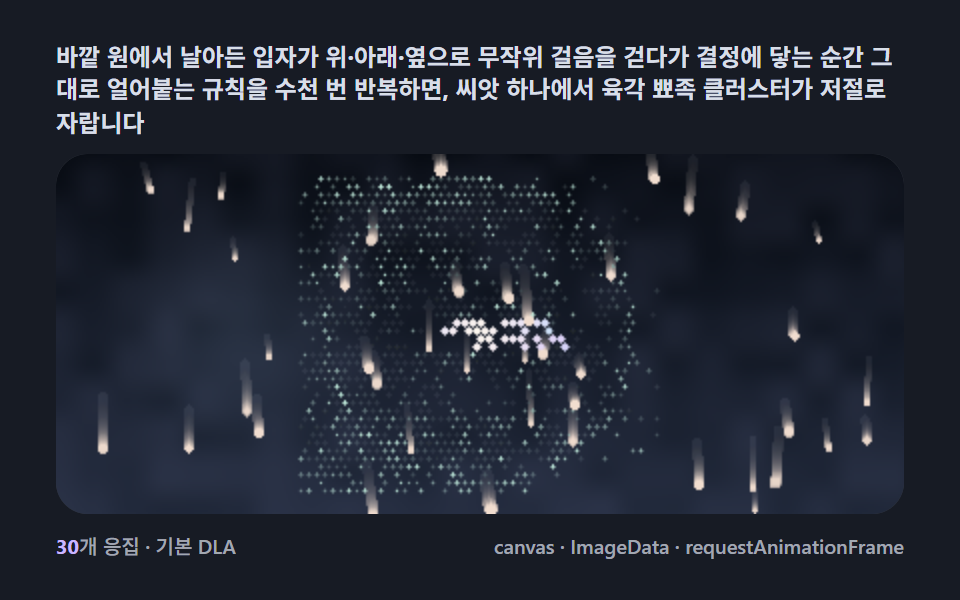 Creative UISnowflake Generator, 9 Ways (DLA, No Library)