Verlet Physics 9 Demos: No Library, Just Canvas
Verlet physics moves a point by the gap between where it is now and where it was last frame — no velocity stored.
 01 verlet-rope-chain
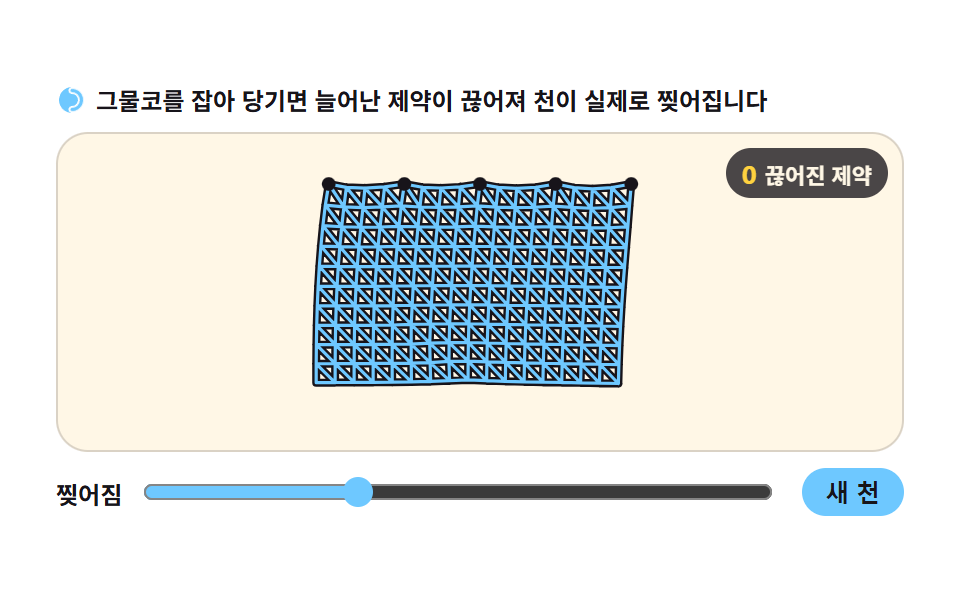 02 verlet-cloth-tear
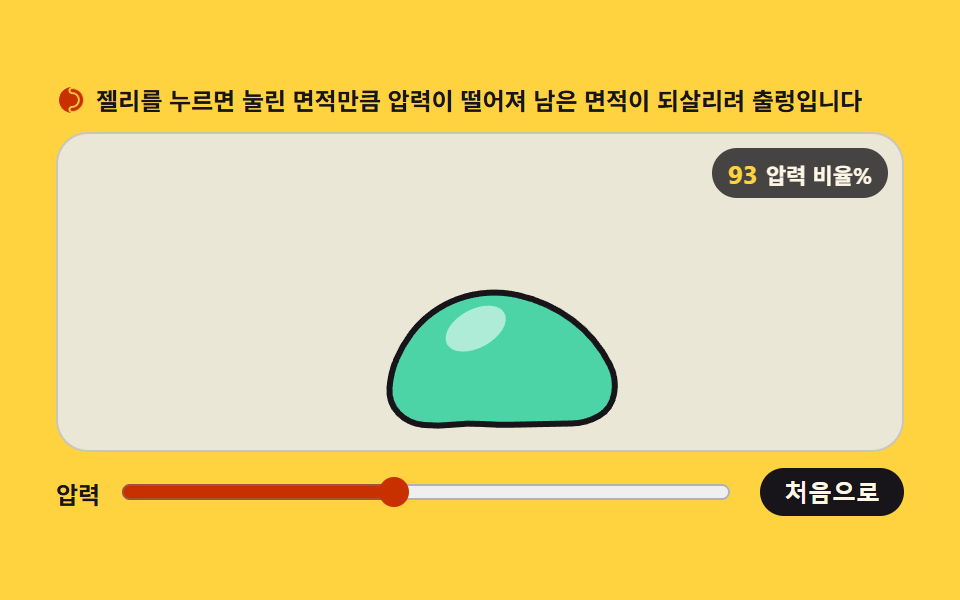 03 softbody-pressure-jelly
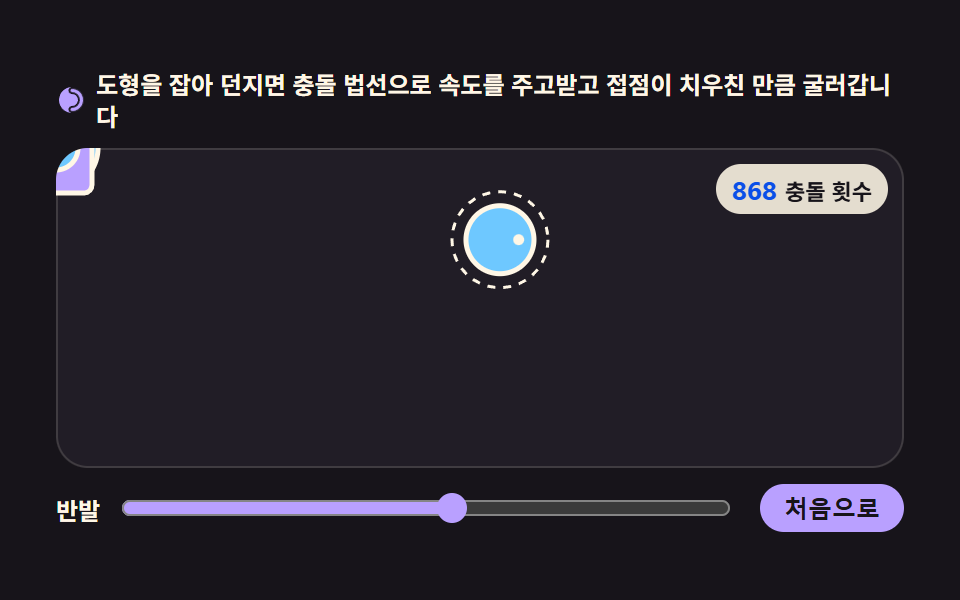 04 rigid-body-collide-rotate
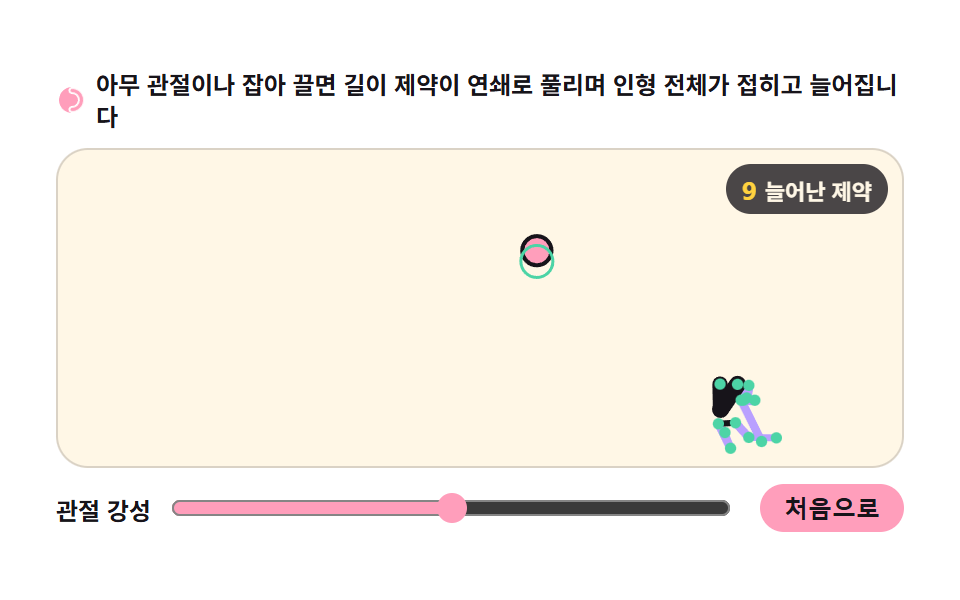 05 ragdoll-joint-chain
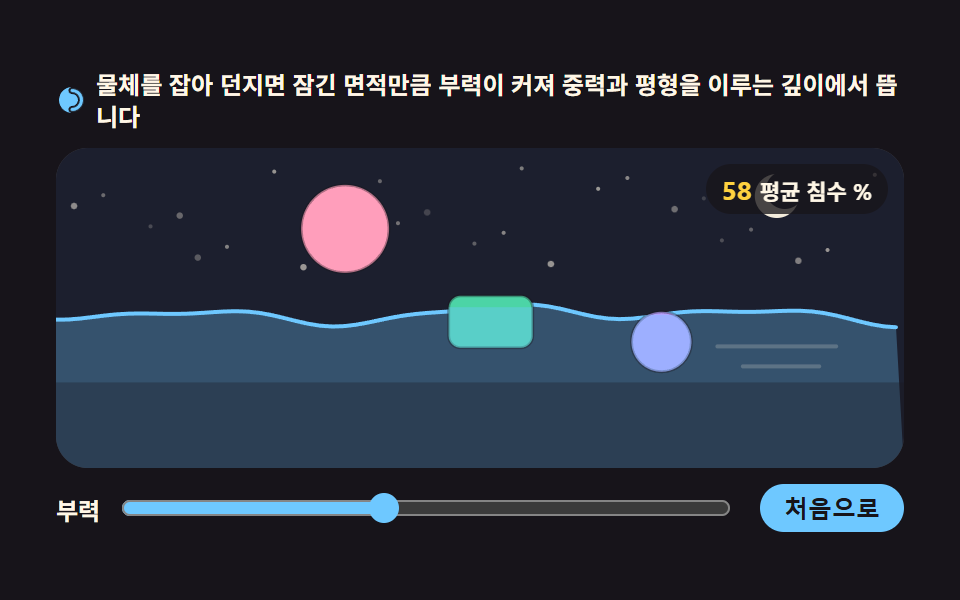 06 buoyancy-float-drag
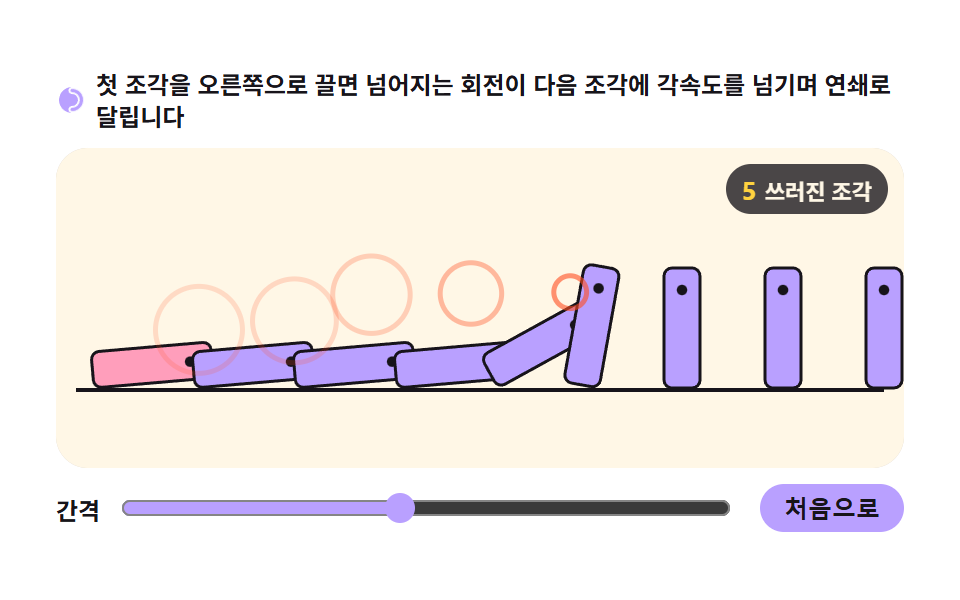 07 domino-chain-propagation
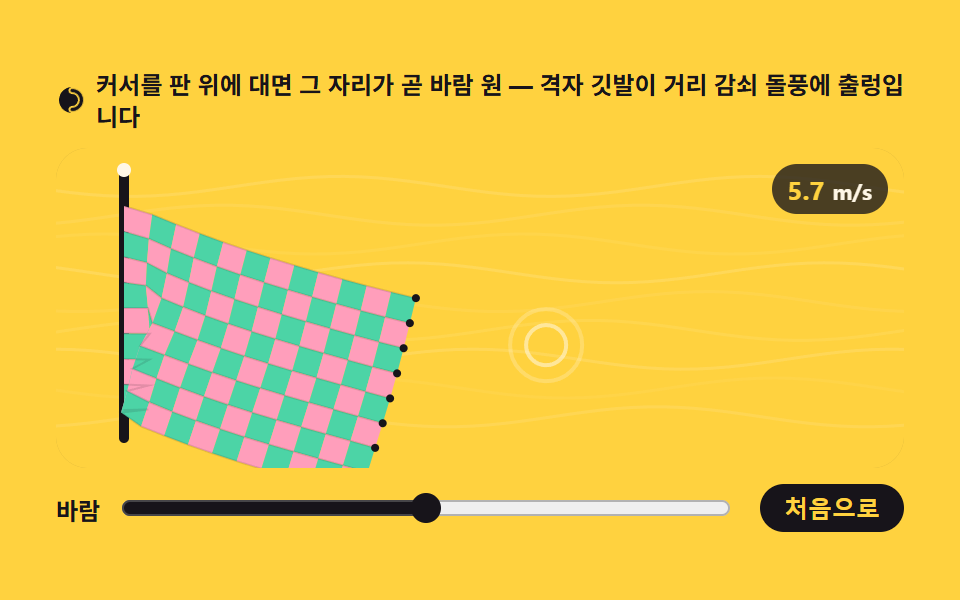 08 flag-wind-grid
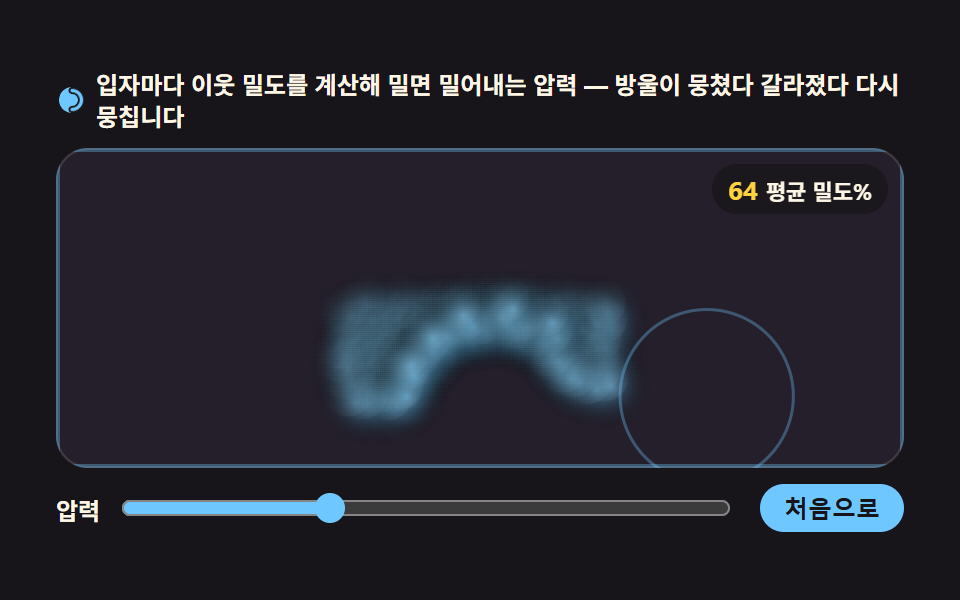 09 liquid-drop-sph
Auto-plays · click a tile to jump to its section · all nine in one zip
- 01 Rope chain
- 02 Cloth tear
- 03 Soft-body jelly
- 04 Rolling collisions
- 05 Ragdoll joints
- 06 Buoyancy float
- 07 Domino chain
- 08 Wind flag
- 09 Liquid droplet
The order is the order the material grows in. Board 01 is the smallest body there is — fourteen points joined by distance constraints into a rope. Board 02 spreads those same constraints into a grid and the result is cloth; 03 wraps the mesh into a ring and gives it an inside pressure, which turns it into a jelly. Boards 04 and 05 add rotation and joints, so the points become rigid shapes and then a figure with limbs. Boards 06 and 07 each lay one extra condition on top — water, and a chain reaction. Board 08 feeds the grid a wind that changes over time, and 09 abandons the mesh entirely and scatters the points as free particles — the last material a verlet physics engine ever reaches. The boards share their canvas with the animated chart drawing set but stand on the computing side of it, not the drawing side.
How is this different from a verlet physics simulation library
The earlier JavaScript physics interaction set worked by adding forces to a velocity and letting the velocity push a position around — a spring overshooting, a free fall, a pendulum, an inverse-square pull, a wall bounce. This set reaches the same screen through a different door: position-based Verlet integration and iterative constraint solving. Neither approach is the better one; they just start the arithmetic from different ends, and that starting point decides whether you can hold a soft body together at all.
Integration that keeps no velocity
Verlet integration computes the next position as the current position plus the difference between the current and the previous one. Because no velocity is stored, a collision or a constraint can force a position back and the very next frame stays consistent on its own. In a velocity-storing integrator, the moment you teleport a position it disagrees with the velocity; when only positions exist, there is nothing to disagree with.
Solving constraints by repetition
A single distance constraint does exactly one thing: pull two points back to their target separation. Rope, cloth, jelly, and ragdoll are all built from that one move, repeated a few times per frame until the whole body converges. Raising the slider on board 01 from 3 solver passes to 8 visibly tightens the rope.
Collisions that rotate
Board 04 stacks two more calculations on top: an impulse that swaps velocity along the collision normal, and a torque that appears whenever the contact point sits off center. Integrating an angle alongside each point is what makes a struck box spin away as it bounces. Inside the general-purpose verlet physics engine projects people usually reach for, these two calculations are the heaviest seats at the table.
01Rope chain
What you see
Grab the end and drag — the whole rope follows as distance constraints are solved over and over. It sits just as naturally under a playful hero banner you tug, or a drawer handle you drag open.
<main class="stage">
<div class="rp" id="rp">
  <p class="rp__hint">
    <svg class="rp__ico" viewBox="0 0 256 256" aria-hidden="true"><g fill="currentColor"><path d="M224,128a96,96,0,0,1-96,96c-11.4,0-20-8.6-20-20s8.9-20,20-20a56,56,0,0,0,0-112c-11.1,0-20-8.9-20-20s8.6-20,20-20A96,96,0,0,1,224,128Z" opacity=".2"/><path d="M128,24A104,104,0,0,0,128,232c-15.8,0-28-12.3-28-28s12.4-28,28-28a48,48,0,0,0,0-96c-15.6,0-28-12.4-28-28S112.2,24,128,24Zm0,16c-6.9,0-12,5.2-12,12s5.3,12,12,12a64,64,0,0,1,0,128c-6.7,0-12,5.4-12,12s5.1,12,12,12a88,88,0,0,0,0-176Z"/></g></svg>
    <span>Grab the end and drag — the whole rope follows as distance constraints are solved over and over</span>
  </p>
  <div class="rp__field" id="field" role="application" aria-label="Rope experiment board" tabindex="0">
    <canvas class="rp__cv" id="cv"></canvas>
    <b class="rp__badge" aria-hidden="true"><span class="rp__badgeNum" id="iterVal">4</span><span class="rp__badgeUnit">solver passes</span></b>
  </div>
  <div class="rp__bar">
    <label class="rp__dial">passes
      <input type="range" id="iter" min="1" max="8" step="1" value="4" aria-label="number of constraint passes">
    </label>
    <button class="rp__reset" id="reset" type="button">Reset</button>
  </div>
</div>
</main>
@use "../../../../site/static/demo-tokens" as *;
// 체인 로프 — 움직임은 전부 캔버스 rAF 루프 안의 Verlet 적분·제약 반복에 있다.
// @keyframes 를 하나도 두지 않는다 — CSS 애니메이션이 0개여야 렌더러가 시계를 고정하지 않고
// 실시간으로 24장을 찍어 로프가 실제로 흔들리는 모습이 담긴다(도구/demo.py 렌더(), 077·012 선례 "애니메이션": 0).
// 캔버스가 쓰는 색은 여기서 커스텀 프로퍼티로 내려보낸다 — 값은 토큰 한 곳에만 둔다.
$duration: $dur-loop;
$easing: $ease-spring;
$color: $subject-pink;
@include stage($stage-paper);
.rp {
--bg: #{$subject-cream};
--ink: #{$subject-ink};
--knot: #{$color};
--hand: #{$subject-mint};
--pivot: #{$subject-ink};
display: flex; flex-direction: column; gap: $sp-2;
width: 100%; max-width: 424px;
}
.rp__hint {
display: flex; align-items: center; gap: $sp-1; margin: 0;
font-weight: 700; font-size: clamp(10px, 2.8vw, 12px); line-height: 1.35;
color: $subject-ink;
}
.rp__ico { width: 16px; height: 16px; flex: 0 0 auto; color: $color; }
.rp__field {
position: relative; height: 160px;
border-radius: $r-card; overflow: hidden;
background: var(--bg);
box-shadow: inset 0 0 0 1px rgba($subject-ink, .16);
cursor: grab; touch-action: none;
}
.rp__field:focus-visible { outline: 2px solid $color; outline-offset: 2px; }
.rp__field:active { cursor: grabbing; }
.rp__cv { display: block; width: 100%; height: 100%; }
// 제약 반복 수 — 슬라이더와 같은 값이 JS 배지에도 뜬다
.rp__badge {
position: absolute; right: $sp-2; top: $sp-2;
display: flex; align-items: baseline; gap: $sp-1;
padding: $sp-1 $sp-2; border-radius: $r-pill;
background: rgba($subject-ink, .78);
color: $subject-cream; font-weight: 700; font-size: 11px;
}
.rp__badgeNum { font-size: 13px; color: $stage-yellow; }
.rp__badgeUnit { font-weight: 700; }
.rp__bar {
display: flex; align-items: center; gap: $sp-3;
}
.rp__dial {
display: flex; align-items: center; gap: $sp-2; flex: 1 1 auto;
font-weight: 700; font-size: 12px; color: $subject-ink;
}
.rp__dial input[type="range"] { flex: 1 1 auto; accent-color: $color; }
.rp__reset {
flex: 0 0 auto; border: 0; border-radius: $r-pill;
padding: $sp-1 $sp-3; font-weight: 700; font-size: 12px;
background: $color; color: $subject-ink; cursor: pointer;
}
.rp__reset:active { transform: translateY(1px); }
@media (max-width: 340px) {
.rp { gap: $sp-1; }
.rp__field { height: 124px; }
.rp__badge { font-size: 10px; padding: 0 $sp-1; }
.rp__badgeNum { font-size: 11px; }
.rp__bar { gap: $sp-2; }
.rp__dial { font-size: 11px; }
.rp__reset { font-size: 11px; padding: $sp-1 $sp-2; }
}
// reduce — 잡아 당기는 조작은 살리고 자동 시연 루프는 JS 가 끈다.
// 잡은 점만 옮기고 나머지는 제약이 즉시 따라오므로 화면이 흔들리지 않는다.
@media (prefers-reduced-motion: reduce) {
.rp.is-still .rp__field { cursor: default !important; }
.rp.is-still .rp__badge { opacity: .92 !important; }
}html, body {
margin: 0;
overflow: hidden;
}
.stage {
box-sizing: border-box;
min-height: 100vh;
display: grid;
place-items: center;
margin: 0;
background: #ffffff;
font-family: -apple-system, "Segoe UI", "Noto Sans KR", sans-serif;
padding: clamp(8px, 4vw, 24px);
}
.rp {
--bg: #fff7e6;
--ink: #17141a;
--knot: #ff9ebb;
--hand: #4cd4a6;
--pivot: #17141a;
display: flex;
flex-direction: column;
gap: 8px;
width: 100%;
max-width: 424px;
}
.rp__hint {
display: flex;
align-items: center;
gap: 4px;
margin: 0;
font-weight: 700;
font-size: clamp(10px, 2.8vw, 12px);
line-height: 1.35;
color: #17141a;
}
.rp__ico {
width: 16px;
height: 16px;
flex: 0 0 auto;
color: #ff9ebb;
}
.rp__field {
position: relative;
height: 160px;
border-radius: 16px;
overflow: hidden;
background: var(--bg);
box-shadow: inset 0 0 0 1px rgba(23, 20, 26, 0.16);
cursor: grab;
touch-action: none;
}
.rp__field:focus-visible {
outline: 2px solid #ff9ebb;
outline-offset: 2px;
}
.rp__field:active {
cursor: grabbing;
}
.rp__cv {
display: block;
width: 100%;
height: 100%;
}
.rp__badge {
position: absolute;
right: 8px;
top: 8px;
display: flex;
align-items: baseline;
gap: 4px;
padding: 4px 8px;
border-radius: 999px;
background: rgba(23, 20, 26, 0.78);
color: #fff7e6;
font-weight: 700;
font-size: 11px;
}
.rp__badgeNum {
font-size: 13px;
color: #ffd23f;
}
.rp__badgeUnit {
font-weight: 700;
}
.rp__bar {
display: flex;
align-items: center;
gap: 12px;
}
.rp__dial {
display: flex;
align-items: center;
gap: 8px;
flex: 1 1 auto;
font-weight: 700;
font-size: 12px;
color: #17141a;
}
.rp__dial input[type=range] {
flex: 1 1 auto;
accent-color: #ff9ebb;
}
.rp__reset {
flex: 0 0 auto;
border: 0;
border-radius: 999px;
padding: 4px 12px;
font-weight: 700;
font-size: 12px;
background: #ff9ebb;
color: #17141a;
cursor: pointer;
}
.rp__reset:active {
transform: translateY(1px);
}
@media (max-width: 340px) {
.rp {
gap: 4px;
}
.rp__field {
height: 124px;
}
.rp__badge {
font-size: 10px;
padding: 0 4px;
}
.rp__badgeNum {
font-size: 11px;
}
.rp__bar {
gap: 8px;
}
.rp__dial {
font-size: 11px;
}
.rp__reset {
font-size: 11px;
padding: 4px 8px;
}
}
@media (prefers-reduced-motion: reduce) {
.rp.is-still .rp__field {
cursor: default !important;
}
.rp.is-still .rp__badge {
opacity: 0.92 !important;
}
}// 체인 로프 — 위치 기반 Verlet 적분. 속도 변수를 두지 않고 "이전 위치와의 차이"가 곧 속도다.
// next = pos + (pos - prev) * damping + gravity * dt^2
// 그 다음 거리 제약(N 개 점을 이웃끼리 목표 간격으로 못 박기)을 여러 번 반복해 푼다.
// passes 수가 로프의 강도다 — 1번이면 축 늘어나고 8번이면 팽팽한 사슬이 된다.
var root = document.getElementById('rp');
var field = document.getElementById('field');
var cv = document.getElementById('cv');
var iterIn = document.getElementById('iter');
var iterVal = document.getElementById('iterVal');
var reduce = window.matchMedia('(prefers-reduced-motion: reduce)');
var ctx = cv.getContext('2d');
var css = getComputedStyle(root);
var INK = css.getPropertyValue('--ink').trim();
var BG = css.getPropertyValue('--bg').trim();
var KNOT = css.getPropertyValue('--knot').trim();
var HAND = css.getPropertyValue('--hand').trim();
var PIVOT = css.getPropertyValue('--pivot').trim();
var FONT = '-apple-system, "Segoe UI", "Noto Sans KR", sans-serif';
var N = 14; // 로프를 이루는 점의 수
var SEG = 0; // 마디 간 목표 거리(판 크기에 맞춰 초기화에서 정한다)
var GRAV = 1500; // 중력 가속도(px/s^2) — Verlet 은 위치에 dt^2 를 곱해 더한다
var DAMP = 0.995; // 속도 보존률(공기 저항)
var LOOP = 2; // 자동 시연 한 바퀴(초) — 캡처 창과 같아 gif 가 이어진다
var pts = []; // 점: {x, y, px, py, pinned}
var dragging = -1; // 잡고 있는 점 번호
var W = 0, H = 0, dpr = 1;
var t0 = performance.now();
function fit() {
var r = field.getBoundingClientRect();
dpr = window.devicePixelRatio || 1;
W = r.width; H = r.height;
cv.width = Math.round(W * dpr);
cv.height = Math.round(H * dpr);
ctx.setTransform(dpr, 0, 0, dpr, 0, 0);
build();
}
function build() {
pts = [];
SEG = Math.min(26, (H - 60) / (N - 1));
var x0 = W * 0.5, y0 = 30;
for (var i = 0; i < N; i++) {
pts.push({ x: x0, y: y0 + i * SEG, px: x0, py: y0 + i * SEG, pinned: i === 0 });
}
dragging = -1;
}
// 한 프레임 — 적분 → solver passes
function step(now) {
var dt = Math.min((now - t0) / 1000, 0.033);
t0 = now;
var iters = Number(iterIn.value);
// (1) 관성: 이전 위치와의 차이가 곧 속도다
for (var i = 0; i < N; i++) {
var p = pts[i];
if (p.pinned || i === dragging) continue;
var vx = (p.x - p.px) * DAMP;
var vy = (p.y - p.py) * DAMP;
p.px = p.x; p.py = p.y;
p.x += vx;
p.y += vy + GRAV * dt * dt;
}
// (2) 제약: 이웃끼리 목표 간격으로 당긴다. 한 번으로는 안 풀린다 — 반복할수록 팽팽해진다
  for (var k = 0; k < iters; k++) {
    for (var j = 0; j < N - 1; j++) {
      var a = pts[j], b = pts[j + 1];
      var dx = b.x - a.x, dy = b.y - a.y;
      var d = Math.sqrt(dx * dx + dy * dy) || 0.0001;
      var off = (d - SEG) / d * 0.5;
      var ax = dx * off, ay = dy * off;
      if (!a.pinned && j !== dragging || k === 0 && j !== dragging && !a.pinned) { /* no-op */ }
      var aFree = !a.pinned && j !== dragging;
      var bFree = !b.pinned && j + 1 !== dragging;
      if (aFree && bFree) { a.x += ax; a.y += ay; b.x -= ax; b.y -= ay; }
      else if (aFree) { a.x += ax * 2; a.y += ay * 2; }
      else if (bFree) { b.x -= ax * 2; b.y -= ay * 2; }
    }
  }
  if (dragging >= 0) { pts[dragging].x = dragX; pts[dragging].y = dragY; }
}
function draw() {
ctx.clearRect(0, 0, W, H);
// 로프 — 마디마다 두 겹(굵은 밝은 + 가는 어두운)으로 사슬 결을 낸다
ctx.lineCap = 'round';
ctx.lineJoin = 'round';
ctx.strokeStyle = INK;
ctx.lineWidth = 7;
ctx.beginPath();
ctx.moveTo(pts[0].x, pts[0].y);
for (var i = 1; i < N; i++) ctx.lineTo(pts[i].x, pts[i].y);
ctx.stroke();
ctx.strokeStyle = HAND;
ctx.lineWidth = 3;
ctx.beginPath();
ctx.moveTo(pts[0].x, pts[0].y);
for (var i2 = 1; i2 < N; i2++) ctx.lineTo(pts[i2].x, pts[i2].y);
ctx.stroke();
// 고정점 핀
ctx.fillStyle = PIVOT;
ctx.beginPath();
ctx.arc(pts[0].x, pts[0].y, 6, 0, Math.PI * 2);
ctx.fill();
// 매듭 점 — 점의 개수만큼 사슬임을 눈으로 보여준다
for (var m = 1; m < N; m++) {
ctx.fillStyle = KNOT;
ctx.beginPath();
ctx.arc(pts[m].x, pts[m].y, 3.4, 0, Math.PI * 2);
ctx.fill();
}
// 끝 손잡이
var e = pts[N - 1];
ctx.fillStyle = HAND;
ctx.beginPath();
ctx.arc(e.x, e.y, 9, 0, Math.PI * 2);
ctx.fill();
ctx.fillStyle = INK;
ctx.beginPath();
ctx.arc(e.x, e.y, 3.5, 0, Math.PI * 2);
ctx.fill();
}
// 사람이 안 만졌을 때 도는 자동 시연 — 시드 고정 가상 포인터가 끝단을 8자로 끈다.
// 실제 손 조작(pointerdown)이 오면 이 루프를 끄고 진짜 포인터를 따라간다.
var manual = false;
function demoTarget(now) {
var ph = (now / 1000) / LOOP * Math.PI * 2;
return {
x: W * 0.5 + Math.sin(ph) * W * 0.3,
y: 70 + Math.sin(ph * 2) * 34
};
}
function frame(now) {
if (!manual) {
var t = demoTarget(now);
pts[N - 1].x = t.x; pts[N - 1].y = t.y;
}
step(now);
draw();
requestAnimationFrame(frame);
}
// 조작 — 끝단(또는 아무 매듭)을 잡아 끈다. 잡은 점은 제약에서 손으로 고정된 취급
var dragX = 0, dragY = 0;
function pick(x, y) {
var best = -1, bd = 26;
for (var i = 1; i < N; i++) {
var d = Math.hypot(pts[i].x - x, pts[i].y - y);
if (d < bd) { bd = d; best = i; }
}
return best;
}
field.addEventListener('pointerdown', function (e) {
var r = field.getBoundingClientRect();
var x = e.clientX - r.left, y = e.clientY - r.top;
dragging = pick(x, y);
if (dragging < 0) return;
manual = true;
dragX = x; dragY = y;
field.setPointerCapture(e.pointerId);
if (reduce.matches) {
// 줄인 모드에서는 관성 없이 잡은 점만 옮기고 나머지는 제약이 즉시 따라온다
pts[dragging].x = x; pts[dragging].y = y;
pts[dragging].px = x; pts[dragging].py = y;
}
});
field.addEventListener('pointermove', function (e) {
if (dragging < 0) return;
var r = field.getBoundingClientRect();
dragX = Math.max(4, Math.min(W - 4, e.clientX - r.left));
dragY = Math.max(4, Math.min(H - 4, e.clientY - r.top));
if (reduce.matches) { pts[dragging].x = dragX; pts[dragging].y = dragY; pts[dragging].px = dragX; pts[dragging].py = dragY; }
});
window.addEventListener('pointerup', function () { dragging = -1; });
document.getElementById('reset').addEventListener('click', function () { manual = false; build(); });
iterIn.addEventListener('input', function () { iterVal.textContent = iterIn.value; });
window.addEventListener('resize', fit);
fit();
requestAnimationFrame(frame);// RopeChain — vanilla 판(run/306/demo/01-verlet-rope-chain/index.html) 의 React 포트.
// 위치 기반 Verlet 적분: next = pos + (pos - prev) * damping + gravity * dt^2.
// 그 다음 거리 제약(이웃끼리 목표 간격)을 슬라이더 값만큼 반복해 푼다 — 반복 수가 로프의 강도다.
// 값·물리 상수·주석 의미는 vanilla 와 같다. 사람이 잡으면 미리보기를 끄고 진짜 포인터를 따라간다.
import { useEffect, useRef, useState } from "react";
import type { CSSProperties } from "react";
import type { PointerEvent as ReactPointerEvent } from "react";
import styles from "./RopeChain.module.scss";
export type RopeChainProps = {
duration?: number;
easing?: string;
color?: string;
};
type Vars = CSSProperties & { "--duration"?: string; "--easing"?: string; "--color"?: string };
// useRef 는 T | null 을 돌려준다. 처음부터 값이 있고 절대 비지 않는 상자는 이렇게 좁혀 쓴다 (292 선례)
type Box<T> = { current: T };
type InputEvt = { target: { value: string } };
type Pt = { x: number; y: number; px: number; py: number; pinned: boolean };
const N = 14; // 로프를 이루는 점의 수
const GRAV = 1500; // 중력 가속도(px/s^2) — Verlet 은 위치에 dt^2 를 곱해 더한다
const DAMP = 0.995; // 속도 보존률(공기 저항)
const LOOP = 2; // 자동 시연 한 바퀴(초) — 캡처 창과 같아 gif 가 이어진다
const FIELD_LABEL = "로프 실험판";
export default function RopeChain({
duration = 2000,
easing = "cubic-bezier(.2, .8, .2, 1)",
color = "#ff9ebb",
}: RopeChainProps) {
const rootRef = useRef<HTMLDivElement | null>(null);
const fieldRef = useRef<HTMLDivElement | null>(null);
const cvRef = useRef<HTMLCanvasElement | null>(null);
const iterValRef = useRef<HTMLSpanElement | null>(null);
const ptsRef = useRef<Pt[]>([]) as Box<Pt[]>;
const sizeRef = useRef({ W: 0, H: 0, seg: 0 }) as Box<{ W: number; H: number; seg: number }>;
const dragRef = useRef({ i: -1, x: 0, y: 0 }) as Box<{ i: number; x: number; y: number }>;
const manualRef = useRef(false) as Box<boolean>;
const rafRef = useRef(0) as Box<number>;
const t0Ref = useRef(0) as Box<number>;
const iterRef = useRef(4) as Box<number>;
const colorRef = useRef({ ink: "", bg: "", knot: "", hand: "", pivot: "" }) as Box<{ ink: string; bg: string; knot: string; hand: string; pivot: string }>;
const [iter, setIter] = useState(4);
const vars: Vars = { "--duration": `${duration}ms`, "--easing": easing, "--color": color };
function ctx2d(): CanvasRenderingContext2D | null {
const cv = cvRef.current;
if (!cv) return null;
return cv.getContext("2d");
}
function fit(): void {
const field = fieldRef.current;
const cv = cvRef.current;
const ctx = ctx2d();
if (!field || !cv || !ctx) return;
const r = field.getBoundingClientRect();
const dpr = window.devicePixelRatio || 1;
sizeRef.current.W = r.width;
sizeRef.current.H = r.height;
cv.width = Math.round(r.width * dpr);
cv.height = Math.round(r.height * dpr);
ctx.setTransform(dpr, 0, 0, dpr, 0, 0);
build();
}
function build(): void {
const { H } = sizeRef.current;
const pts: Pt[] = [];
const SEG = Math.min(26, (H - 60) / (N - 1));
sizeRef.current.seg = SEG;
const x0 = sizeRef.current.W * 0.5, y0 = 30;
for (let i = 0; i < N; i++) {
pts.push({ x: x0, y: y0 + i * SEG, px: x0, py: y0 + i * SEG, pinned: i === 0 });
}
ptsRef.current = pts;
dragRef.current.i = -1;
}
// 한 프레임 — 적분 → 제약 반복. vanilla step() 과 같은 순서·계수
function step(now: number): void {
const ctx = ctx2d();
if (!ctx) return;
const { W, H, seg } = sizeRef.current;
const pts = ptsRef.current;
const dt = Math.min((now - t0Ref.current) / 1000, 0.033);
t0Ref.current = now;
const iters = iterRef.current;
const dragging = dragRef.current.i;
// (1) 관성: 이전 위치와의 차이가 곧 속도다
for (let i = 0; i < N; i++) {
const p = pts[i];
if (p.pinned || i === dragging) continue;
const vx = (p.x - p.px) * DAMP;
const vy = (p.y - p.py) * DAMP;
p.px = p.x; p.py = p.y;
p.x += vx;
p.y += vy + GRAV * dt * dt;
}
// (2) 제약: 이웃끼리 목표 간격으로 당긴다. 한 번으로는 안 풀린다 — 반복할수록 팽팽해진다
for (let k = 0; k < iters; k++) {
for (let j = 0; j < N - 1; j++) {
const a = pts[j], b = pts[j + 1];
const dx = b.x - a.x, dy = b.y - a.y;
const d = Math.sqrt(dx * dx + dy * dy) || 0.0001;
const off = (d - seg) / d * 0.5;
const ax = dx * off, ay = dy * off;
const aFree = !a.pinned && j !== dragging;
const bFree = !b.pinned && j + 1 !== dragging;
if (aFree && bFree) { a.x += ax; a.y += ay; b.x -= ax; b.y -= ay; }
else if (aFree) { a.x += ax * 2; a.y += ay * 2; }
else if (bFree) { b.x -= ax * 2; b.y -= ay * 2; }
}
}
if (dragging >= 0) { pts[dragging].x = dragRef.current.x; pts[dragging].y = dragRef.current.y; }
draw(ctx, pts, W, H);
}
// 그리기 — 마디마다 두 겹(굵은 밝은 + 가는 어두운)으로 사슬 결을 낸다
function draw(ctx: CanvasRenderingContext2D, pts: Pt[], W: number, H: number): void {
const c = colorRef.current;
ctx.clearRect(0, 0, W, H);
ctx.lineCap = "round";
ctx.lineJoin = "round";
ctx.strokeStyle = c.ink;
ctx.lineWidth = 7;
ctx.beginPath();
ctx.moveTo(pts[0].x, pts[0].y);
for (let i = 1; i < N; i++) ctx.lineTo(pts[i].x, pts[i].y);
ctx.stroke();
ctx.strokeStyle = c.hand;
ctx.lineWidth = 3;
ctx.beginPath();
ctx.moveTo(pts[0].x, pts[0].y);
for (let i = 1; i < N; i++) ctx.lineTo(pts[i].x, pts[i].y);
ctx.stroke();
// 고정점 핀
ctx.fillStyle = c.pivot;
ctx.beginPath();
ctx.arc(pts[0].x, pts[0].y, 6, 0, Math.PI * 2);
ctx.fill();
// 매듭 점 — 점의 개수만큼 사슬임을 눈으로 보여준다
for (let m = 1; m < N; m++) {
ctx.fillStyle = c.knot;
ctx.beginPath();
ctx.arc(pts[m].x, pts[m].y, 3.4, 0, Math.PI * 2);
ctx.fill();
}
// 끝 손잡이
const e = pts[N - 1];
ctx.fillStyle = c.hand;
ctx.beginPath();
ctx.arc(e.x, e.y, 9, 0, Math.PI * 2);
ctx.fill();
ctx.fillStyle = c.ink;
ctx.beginPath();
ctx.arc(e.x, e.y, 3.5, 0, Math.PI * 2);
ctx.fill();
}
// 사람이 안 만졌을 때 도는 자동 시연 — 가상 포인터가 끝단을 8자로 끈다
function demoTarget(now: number): { x: number; y: number } {
const { W } = sizeRef.current;
const ph = (now / 1000) / LOOP * Math.PI * 2;
return {
x: W * 0.5 + Math.sin(ph) * W * 0.3,
y: 70 + Math.sin(ph * 2) * 34
};
}
function loop(now: number): void {
if (!manualRef.current) {
const pts = ptsRef.current;
const t = demoTarget(now);
pts[N - 1].x = t.x; pts[N - 1].y = t.y;
}
step(now);
rafRef.current = requestAnimationFrame(loop);
}
useEffect(() => {
fit();
// 캔버스가 쓰는 색은 module.scss 의 커스텀 프로퍼티에서 읽는다 — 값은 스타일 한 곳에만 둔다
const css = getComputedStyle(rootRef.current as Element);
colorRef.current = {
ink: css.getPropertyValue("--ink").trim(),
bg: css.getPropertyValue("--bg").trim(),
knot: css.getPropertyValue("--knot").trim(),
hand: css.getPropertyValue("--hand").trim(),
pivot: css.getPropertyValue("--pivot").trim()
};
const reduce = window.matchMedia("(prefers-reduced-motion: reduce)");
t0Ref.current = performance.now();
if (!reduce.matches) rafRef.current = requestAnimationFrame(loop);
else step(performance.now()); // 줄인 모드 — 처음 장면 한 장만 그린다
function onResize(): void { fit(); }
function onUp(): void { dragRef.current.i = -1; }
function onReduceChange(): void {
if (reduce.matches) {
manualRef.current = true;
cancelAnimationFrame(rafRef.current);
step(performance.now());
} else if (!manualRef.current) {
t0Ref.current = performance.now();
rafRef.current = requestAnimationFrame(loop);
}
}
window.addEventListener("resize", onResize);
window.addEventListener("pointerup", onUp);
reduce.addEventListener("change", onReduceChange);
return () => {
window.removeEventListener("resize", onResize);
window.removeEventListener("pointerup", onUp);
reduce.removeEventListener("change", onReduceChange);
cancelAnimationFrame(rafRef.current);
};
}, []);
// 조작 — 끝단(또는 아무 매듭)을 잡아 끈다. 잡은 점은 제약에서 손으로 고정된 취급
function pick(x: number, y: number): number {
const pts = ptsRef.current;
let best = -1, bd = 26;
for (let i = 1; i < N; i++) {
const d = Math.hypot(pts[i].x - x, pts[i].y - y);
if (d < bd) { bd = d; best = i; }
}
return best;
}
function onPointerDown(event: ReactPointerEvent<HTMLDivElement>): void {
const field = fieldRef.current;
if (!field) return;
const reduce = window.matchMedia("(prefers-reduced-motion: reduce)");
const r = field.getBoundingClientRect();
const x = event.clientX - r.left, y = event.clientY - r.top;
const i = pick(x, y);
if (i < 0) return;
manualRef.current = true;
dragRef.current = { i, x, y };
field.setPointerCapture(event.pointerId);
if (reduce.matches) {
// 줄인 모드에서는 관성 없이 잡은 점만 옮기고 나머지는 제약이 즉시 따라온다
const pts = ptsRef.current;
pts[i].x = x; pts[i].y = y;
pts[i].px = x; pts[i].py = y;
step(performance.now());
}
}
function onPointerMove(event: ReactPointerEvent<HTMLDivElement>): void {
const field = fieldRef.current;
const drag = dragRef.current;
if (drag.i < 0 || !field) return;
const reduce = window.matchMedia("(prefers-reduced-motion: reduce)");
const { W, H } = sizeRef.current;
const r = field.getBoundingClientRect();
drag.x = Math.max(4, Math.min(W - 4, event.clientX - r.left));
drag.y = Math.max(4, Math.min(H - 4, event.clientY - r.top));
if (reduce.matches) {
const pts = ptsRef.current;
pts[drag.i].x = drag.x; pts[drag.i].y = drag.y;
pts[drag.i].px = drag.x; pts[drag.i].py = drag.y;
step(performance.now());
}
}
function onReset(): void {
manualRef.current = false;
build();
const reduce = window.matchMedia("(prefers-reduced-motion: reduce)");
if (reduce.matches) { step(performance.now()); return; }
t0Ref.current = performance.now();
cancelAnimationFrame(rafRef.current);
rafRef.current = requestAnimationFrame(loop);
}
return (
<main className={styles.stage}>
<div className={styles.root} ref={rootRef} style={vars}>
<p className={styles.hint}>
<svg className={styles.ico} viewBox="0 0 256 256" aria-hidden="true"><g fill="currentColor"><path d="M224,128a96,96,0,0,1-96,96c-11.4,0-20-8.6-20-20s8.9-20,20-20a56,56,0,0,0,0-112c-11.1,0-20-8.9-20-20s8.6-20,20-20A96,96,0,0,1,224,128Z" opacity=".2"/><path d="M128,24A104,104,0,0,0,128,232c-15.8,0-28-12.3-28-28s12.4-28,28-28a48,48,0,0,0,0-96c-15.6,0-28-12.4-28-28S112.2,24,128,24Zm0,16c-6.9,0-12,5.2-12,12s5.3,12,12,12a64,64,0,0,1,0,128c-6.7,0-12,5.4-12,12s5.1,12,12,12a88,88,0,0,0,0-176Z"/></g></svg>
<span>끝을 잡아 끌면 로프 전체가 거리 제약을 반복해 풀며 따라옵니다</span>
</p>
<div
className={styles.field}
ref={fieldRef}
role="application"
aria-label={FIELD_LABEL}
tabIndex={0}
onPointerDown={onPointerDown}
onPointerMove={onPointerMove}
>
<canvas className={styles.cv} ref={cvRef}></canvas>
<b className={styles.badge} aria-hidden="true"><span className={styles.badgeNum} ref={iterValRef}>{iter}</span><span className={styles.badgeUnit}>제약 반복</span></b>
</div>
<div className={styles.bar}>
<label className={styles.dial}>반복
<input
type="range" min={1} max={8} step={1} value={iter} aria-label="제약 반복 수"
onChange={(event: InputEvt) => { const v = Number(event.target.value); iterRef.current = v; setIter(v); const el = iterValRef.current; if (el) el.textContent = String(v); }}
/>
</label>
<button className={styles.reset} type="button" onClick={onReset}>처음으로</button>
</div>
</div>
</main>
);
}01 · Rope chain — Measured area 10.067% · moving frames 23/23Original by GODRICH · SCSS and React ship in the zip · See the password
Where to look in the code
The render measured 10.067% cumulative changed area at intensity 135.4 across 23 of 23 frame gaps.
for (var k = 0; k < iters; k++) {
for (var j = 0; j < N - 1; j++) {
var a = pts[j], b = pts[j + 1];
var dx = b.x - a.x, dy = b.y - a.y;
var d = Math.sqrt(dx * dx + dy * dy) || 0.0001;
var off = (d - SEG) / d * 0.5;
var ax = dx * off, ay = dy * off;
if (!a.pinned && j !== dragging || k === 0 && j !== dragging && !a.pinned) { /* no-op */ }
var aFree = !a.pinned && j !== dragging;
var bFree = !b.pinned && j + 1 !== dragging;
if (aFree && bFree) { a.x += ax; a.y += ay; b.x -= ax; b.y -= ay; }
else if (aFree) { a.x += ax * 2; a.y += ay * 2; }
else if (bFree) { b.x -= ax * 2; b.y -= ay * 2; }
}
}
if (dragging >= 0) { pts[dragging].x = dragX; pts[dragging].y = dragY; }
02Cloth tear
What you see
Yank a thread hard and only the links stretched past the tear multiple snap, leaving a hole that never heals. A reset button weaves a fresh cloth.
<main class="stage">
<div class="cl" id="cl">
  <p class="cl__hint">
    <svg class="cl__ico" viewBox="0 0 256 256" aria-hidden="true"><g fill="currentColor"><path d="M224,128a96,96,0,0,1-96,96c-11.4,0-20-8.6-20-20s8.9-20,20-20a56,56,0,0,0,0-112c-11.1,0-20-8.9-20-20s8.6-20,20-20A96,96,0,0,1,224,128Z" opacity=".2"/><path d="M128,24A104,104,0,0,0,128,232c-15.8,0-28-12.3-28-28s12.4-28,28-28a48,48,0,0,0,0-96c-15.6,0-28-12.4-28-28S112.2,24,128,24Zm0,16c-6.9,0-12,5.2-12,12s5.3,12,12,12a64,64,0,0,1,0,128c-6.7,0-12,5.4-12,12s5.1,12,12,12a88,88,0,0,0,0-176Z"/></g></svg>
    <span>Yank a thread and overstretched constraints snap — the cloth actually tears</span>
  </p>
  <div class="cl__field" id="field" role="application" aria-label="Cloth tear experiment board" tabindex="0">
    <canvas class="cl__cv" id="cv"></canvas>
    <b class="cl__badge" aria-hidden="true"><span class="cl__badgeNum" id="ripVal">0</span><span class="cl__badgeUnit">snapped constraints</span></b>
  </div>
  <div class="cl__bar">
    <label class="cl__dial">tear
      <input type="range" id="tear" min="1" max="10" step="1" value="4" aria-label="stretch multiple that snaps a constraint">
    </label>
    <button class="cl__reset" id="reset" type="button">New cloth</button>
  </div>
</div>
</main>
@use "../../../../site/static/demo-tokens" as *;
// 천 찢어짐 — 움직임은 전부 캔버스 rAF 루프 안의 Verlet 제약망에 있다. @keyframes 0개.
// 찢어진 자국(산 제약)은 RIP 색으로, 살아 있는 천은 INK/THREAD 두 겹으로 그린다.
// 색은 여기서 커스텀 프로퍼티로 내려보낸다 — 값은 토큰 한 곳에만 둔다.
$duration: $dur-loop;
$easing: $ease-spring;
$color: $subject-sky;
@include stage($stage-paper);
.cl {
--bg: #{$subject-cream};
--ink: #{$subject-ink};
--thread: #{$color};
--rip: #{$subject-pink};
--peg: #{$subject-ink};
display: flex; flex-direction: column; gap: $sp-2;
width: 100%; max-width: 424px;
}
.cl__hint {
display: flex; align-items: center; gap: $sp-1; margin: 0;
font-weight: 700; font-size: clamp(10px, 2.8vw, 12px); line-height: 1.35;
color: $subject-ink;
}
.cl__ico { width: 16px; height: 16px; flex: 0 0 auto; color: $color; }
.cl__field {
position: relative; height: 160px;
border-radius: $r-card; overflow: hidden;
background: var(--bg);
box-shadow: inset 0 0 0 1px rgba($subject-ink, .16);
cursor: grab; touch-action: none;
}
.cl__field:focus-visible { outline: 2px solid $color; outline-offset: 2px; }
.cl__field:active { cursor: grabbing; }
.cl__cv { display: block; width: 100%; height: 100%; }
// 끊어진 제약 수 — 찢어진 정도의 실측값
.cl__badge {
position: absolute; right: $sp-2; top: $sp-2;
display: flex; align-items: baseline; gap: $sp-1;
padding: $sp-1 $sp-2; border-radius: $r-pill;
background: rgba($subject-ink, .78);
color: $subject-cream; font-weight: 700; font-size: 11px;
}
.cl__badgeNum { font-size: 13px; color: $stage-yellow; }
.cl__badgeUnit { font-weight: 700; }
.cl__bar {
display: flex; align-items: center; gap: $sp-3;
}
.cl__dial {
display: flex; align-items: center; gap: $sp-2; flex: 1 1 auto;
font-weight: 700; font-size: 12px; color: $subject-ink;
}
.cl__dial input[type="range"] { flex: 1 1 auto; accent-color: $color; }
.cl__reset {
flex: 0 0 auto; border: 0; border-radius: $r-pill;
padding: $sp-1 $sp-3; font-weight: 700; font-size: 12px;
background: $color; color: $subject-ink; cursor: pointer;
}
.cl__reset:active { transform: translateY(1px); }
@media (max-width: 340px) {
.cl { gap: $sp-1; }
.cl__field { height: 114px; }
.cl__badge { font-size: 10px; padding: 0 $sp-1; }
.cl__badgeNum { font-size: 11px; }
.cl__bar { gap: $sp-2; }
.cl__dial { font-size: 11px; }
.cl__reset { font-size: 11px; padding: $sp-1 $sp-2; }
}
// reduce — 자동 시연 루프는 JS 가 끄고 잡아 당기는 조작만 살린다.
// 잡은 점만 옮기고 제약이 즉시 따라오므로 화면이 출렁이지 않는다.
@media (prefers-reduced-motion: reduce) {
.cl.is-still .cl__field { cursor: default !important; }
.cl.is-still .cl__badge { opacity: .92 !important; }
}html, body {
margin: 0;
overflow: hidden;
}
.stage {
box-sizing: border-box;
min-height: 100vh;
display: grid;
place-items: center;
margin: 0;
background: #ffffff;
font-family: -apple-system, "Segoe UI", "Noto Sans KR", sans-serif;
padding: clamp(8px, 4vw, 24px);
}
.cl {
--bg: #fff7e6;
--ink: #17141a;
--thread: #6ec8ff;
--rip: #ff9ebb;
--peg: #17141a;
display: flex;
flex-direction: column;
gap: 8px;
width: 100%;
max-width: 424px;
}
.cl__hint {
display: flex;
align-items: center;
gap: 4px;
margin: 0;
font-weight: 700;
font-size: clamp(10px, 2.8vw, 12px);
line-height: 1.35;
color: #17141a;
}
.cl__ico {
width: 16px;
height: 16px;
flex: 0 0 auto;
color: #6ec8ff;
}
.cl__field {
position: relative;
height: 160px;
border-radius: 16px;
overflow: hidden;
background: var(--bg);
box-shadow: inset 0 0 0 1px rgba(23, 20, 26, 0.16);
cursor: grab;
touch-action: none;
}
.cl__field:focus-visible {
outline: 2px solid #6ec8ff;
outline-offset: 2px;
}
.cl__field:active {
cursor: grabbing;
}
.cl__cv {
display: block;
width: 100%;
height: 100%;
}
.cl__badge {
position: absolute;
right: 8px;
top: 8px;
display: flex;
align-items: baseline;
gap: 4px;
padding: 4px 8px;
border-radius: 999px;
background: rgba(23, 20, 26, 0.78);
color: #fff7e6;
font-weight: 700;
font-size: 11px;
}
.cl__badgeNum {
font-size: 13px;
color: #ffd23f;
}
.cl__badgeUnit {
font-weight: 700;
}
.cl__bar {
display: flex;
align-items: center;
gap: 12px;
}
.cl__dial {
display: flex;
align-items: center;
gap: 8px;
flex: 1 1 auto;
font-weight: 700;
font-size: 12px;
color: #17141a;
}
.cl__dial input[type=range] {
flex: 1 1 auto;
accent-color: #6ec8ff;
}
.cl__reset {
flex: 0 0 auto;
border: 0;
border-radius: 999px;
padding: 4px 12px;
font-weight: 700;
font-size: 12px;
background: #6ec8ff;
color: #17141a;
cursor: pointer;
}
.cl__reset:active {
transform: translateY(1px);
}
@media (max-width: 340px) {
.cl {
gap: 4px;
}
.cl__field {
height: 114px;
}
.cl__badge {
font-size: 10px;
padding: 0 4px;
}
.cl__badgeNum {
font-size: 11px;
}
.cl__bar {
gap: 8px;
}
.cl__dial {
font-size: 11px;
}
.cl__reset {
font-size: 11px;
padding: 4px 8px;
}
}
@media (prefers-reduced-motion: reduce) {
.cl.is-still .cl__field {
cursor: default !important;
}
.cl.is-still .cl__badge {
opacity: 0.92 !important;
}
}// Verlet 천 — 로프를 가로·세로(+대각선 보강)로 엮은 제약망이다.
// 점은 위치 기반 Verlet 적분으로 중력을 받고, 이웃 점과의 거리 제약을 여러 번 반복해 푼다.
// 여기에 "임계 늘어남"을 둔다 — 제약이 목표 거리의 N 배(슬라이더)보다 늘어나면 그 제약을 영구히 지운다. 그것이 찢어짐이다.
var root = document.getElementById('cl');
var field = document.getElementById('field');
var cv = document.getElementById('cv');
var tearIn = document.getElementById('tear');
var ripVal = document.getElementById('ripVal');
var reduce = window.matchMedia('(prefers-reduced-motion: reduce)');
var ctx = cv.getContext('2d');
var css = getComputedStyle(root);
var INK = css.getPropertyValue('--ink').trim();
var BG = css.getPropertyValue('--bg').trim();
var THREAD = css.getPropertyValue('--thread').trim();
var RIP = css.getPropertyValue('--rip').trim();
var PEG = css.getPropertyValue('--peg').trim();
var COLS = 17, ROWS = 11; // 천 격자 — 점 187개
var GAP = 0; // 격자 spacing(판 크기에 맞춰 초기화에서 정한다)
var GRAV = 900; // 중력(px/s^2)
var DAMP = 0.99; // 속도 보존률 — 천은 로프보다 공기 저항이 크다
var LOOP = 2; // 자동 시연 한 바퀴(초)
var pts = []; // 점: {x,y,px,py,pin}
var links = []; // 제약: {a,b,len,dead}
var torn = 0; // snapped constraints 수
var dragging = -1;
var W = 0, H = 0, dpr = 1;
var t0 = performance.now();
function fit() {
var r = field.getBoundingClientRect();
dpr = window.devicePixelRatio || 1;
W = r.width; H = r.height;
cv.width = Math.round(W * dpr);
cv.height = Math.round(H * dpr);
ctx.setTransform(dpr, 0, 0, dpr, 0, 0);
build();
}
function build() {
pts = []; links = []; torn = 0; ripVal.textContent = '0';
GAP = Math.min(22, (W - 40) / (COLS - 1), (H - 56) / ROWS);
var x0 = (W - GAP * (COLS - 1)) / 2, y0 = 26;
for (var r = 0; r < ROWS; r++) {
for (var c = 0; c < COLS; c++) {
pts.push({
x: x0 + c * GAP, y: y0 + r * GAP,
px: x0 + c * GAP, py: y0 + r * GAP,
pin: r === 0 && (c % 4 === 0 || c === COLS - 1) // 윗변 매듭 몇 개를 못 박는다
});
}
}
var idx = function (r, c) { return r * COLS + c; };
for (var r2 = 0; r2 < ROWS; r2++) {
for (var c2 = 0; c2 < COLS; c2++) {
if (c2 < COLS - 1) links.push({ a: idx(r2, c2), b: idx(r2, c2 + 1), len: GAP, dead: false });
if (r2 < ROWS - 1) links.push({ a: idx(r2, c2), b: idx(r2 + 1, c2), len: GAP, dead: false });
// 대각선 보강 — 없으면 격자가 마음대로 접힌다
if (c2 < COLS - 1 && r2 < ROWS - 1) links.push({ a: idx(r2, c2), b: idx(r2 + 1, c2 + 1), len: GAP * Math.SQRT2, dead: false });
}
}
dragging = -1;
}
// 한 프레임 — 적분 → solver passes(이때 늘어난 제약이 끊어진다)
function step(now) {
var dt = Math.min((now - t0) / 1000, 0.033);
t0 = now;
var tear = Number(tearIn.value);
for (var i = 0; i < pts.length; i++) {
var p = pts[i];
if (p.pin || i === dragging) continue;
var vx = (p.x - p.px) * DAMP;
var vy = (p.y - p.py) * DAMP;
p.px = p.x; p.py = p.y;
p.x += vx;
p.y += vy + GRAV * dt * dt;
}
for (var k = 0; k < 3; k++) {
for (var j = 0; j < links.length; j++) {
var L = links[j];
if (L.dead) continue;
var a = pts[L.a], b = pts[L.b];
var dx = b.x - a.x, dy = b.y - a.y;
var d = Math.sqrt(dx * dx + dy * dy) || 0.0001;
// tear 판정 — 목표 거리의 tear 배만큼 늘어난 제약은 영구히 끊는다
if (d > L.len * tear) {
L.dead = true; torn++;
ripVal.textContent = String(torn);
continue;
}
var off = (d - L.len) / d * 0.5;
var ax = dx * off, ay = dy * off;
var aFree = !a.pin && L.a !== dragging;
var bFree = !b.pin && L.b !== dragging;
if (aFree && bFree) { a.x += ax; a.y += ay; b.x -= ax; b.y -= ay; }
else if (aFree) { a.x += ax * 2; a.y += ay * 2; }
else if (bFree) { b.x -= ax * 2; b.y -= ay * 2; }
}
}
if (dragging >= 0) { pts[dragging].x = dragX; pts[dragging].y = dragY; }
}
function draw() {
ctx.clearRect(0, 0, W, H);
ctx.lineCap = 'round';
// 산 제약(끊긴 실)을 먼저 그린다 — 찢어진 자국이 된다
ctx.strokeStyle = RIP;
ctx.lineWidth = 1.4;
ctx.beginPath();
for (var j = 0; j < links.length; j++) {
var L = links[j];
if (!L.dead) continue;
ctx.moveTo(pts[L.a].x, pts[L.a].y);
ctx.lineTo(pts[L.b].x, pts[L.b].y);
}
ctx.stroke();
// 살아 있는 천 — 살아있는 제약을 두 겹으로 엮는다
ctx.strokeStyle = INK;
ctx.lineWidth = 4;
ctx.beginPath();
for (var j2 = 0; j2 < links.length; j2++) {
var L2 = links[j2];
if (L2.dead) continue;
ctx.moveTo(pts[L2.a].x, pts[L2.a].y);
ctx.lineTo(pts[L2.b].x, pts[L2.b].y);
}
ctx.stroke();
ctx.strokeStyle = THREAD;
ctx.lineWidth = 1.6;
ctx.beginPath();
for (var j3 = 0; j3 < links.length; j3++) {
var L3 = links[j3];
if (L3.dead) continue;
ctx.moveTo(pts[L3.a].x, pts[L3.a].y);
ctx.lineTo(pts[L3.b].x, pts[L3.b].y);
}
ctx.stroke();
// 못 박은 핀
ctx.fillStyle = PEG;
for (var i = 0; i < pts.length; i++) {
if (!pts[i].pin) continue;
ctx.beginPath();
ctx.arc(pts[i].x, pts[i].y, 3.4, 0, Math.PI * 2);
ctx.fill();
}
}
// 사람이 안 만졌을 때 도는 자동 시연 — 가상 포인터가 아랫변 한 점을 천천히 아래로 끈다가 놓는다.
// 당기는 힘이 제약을 임계까지 늘려 찢어짐이 저절로 일어나게 한다.
var manual = false;
function demoPull(now) {
var ph = ((now / 1000) % LOOP) / LOOP; // 0~1
var t = ph < 0.62 ? ph / 0.62 : 1; // 62% 까지 당기고 이후 놓는다
var idx = (ROWS - 1) * COLS + Math.floor(COLS * 0.5);
var ease = t * t; // 당기는 속도가 점점 붙는다
return { idx: idx, y: 26 + (ROWS - 1) * GAP + ease * (H - 56 - (ROWS - 1) * GAP), x: 0 };
}
function frame(now) {
if (!manual) {
var d = demoPull(now);
pts[d.idx].x = d.x || pts[d.idx].x;
pts[d.idx].y = d.y;
pts[d.idx].px = pts[d.idx].x;
pts[d.idx].py = pts[d.idx].y;
}
step(now);
draw();
requestAnimationFrame(frame);
}
// 조작 — 아무 점이나 잡아 당긴다. 잡은 점은 제약에서 손으로 고정된 취급
var dragX = 0, dragY = 0;
function pick(x, y) {
var best = -1, bd = 20;
for (var i = 0; i < pts.length; i++) {
var d = Math.hypot(pts[i].x - x, pts[i].y - y);
if (d < bd) { bd = d; best = i; }
}
return best;
}
field.addEventListener('pointerdown', function (e) {
var r = field.getBoundingClientRect();
var x = e.clientX - r.left, y = e.clientY - r.top;
dragging = pick(x, y);
if (dragging < 0) return;
manual = true;
dragX = x; dragY = y;
field.setPointerCapture(e.pointerId);
if (reduce.matches) {
pts[dragging].x = x; pts[dragging].y = y;
pts[dragging].px = x; pts[dragging].py = y;
}
});
field.addEventListener('pointermove', function (e) {
if (dragging < 0) return;
var r = field.getBoundingClientRect();
dragX = Math.max(2, Math.min(W - 2, e.clientX - r.left));
dragY = Math.max(2, Math.min(H - 2, e.clientY - r.top));
if (reduce.matches) { pts[dragging].x = dragX; pts[dragging].y = dragY; pts[dragging].px = dragX; pts[dragging].py = dragY; }
});
window.addEventListener('pointerup', function () { dragging = -1; });
document.getElementById('reset').addEventListener('click', function () { manual = false; build(); });
window.addEventListener('resize', fit);
fit();
requestAnimationFrame(frame);// ClothTear — vanilla 판(run/306/demo/02-verlet-cloth-tear/index.html) 의 React 포트.
// Verlet 천: 점은 위치 기반 적분으로 중력을 받고 이웃과의 거리 제약을 반복해 푼다.
// 제약이 목표 거리의 N 배(슬라이더)보다 늘어나면 영구히 지운다 — 그것이 찢어짐이다.
// 값·물리 상수·주석 의미는 vanilla 와 같다. 사람이 잡으면 미리보기를 끄고 진짜 포인터를 따라간다.
import { useEffect, useRef, useState } from "react";
import type { CSSProperties } from "react";
import type { PointerEvent as ReactPointerEvent } from "react";
import styles from "./ClothTear.module.scss";
export type ClothTearProps = {
duration?: number;
easing?: string;
color?: string;
};
type Vars = CSSProperties & { "--duration"?: string; "--easing"?: string; "--color"?: string };
// useRef 는 T | null 을 돌려준다. 처음부터 값이 있고 절대 비지 않는 상자는 이렇게 좁혀 쓴다 (292 선례)
type Box<T> = { current: T };
type InputEvt = { target: { value: string } };
type Pt = { x: number; y: number; px: number; py: number; pin: boolean };
type Link = { a: number; b: number; len: number; dead: boolean };
const COLS = 17, ROWS = 11; // 천 격자 — 점 187개
const GRAV = 900; // 중력(px/s^2)
const DAMP = 0.99; // 속도 보존률 — 천은 로프보다 공기 저항이 크다
const LOOP = 2; // 자동 시연 한 바퀴(초)
const FIELD_LABEL = "천 찢기 실험판";
export default function ClothTear({
duration = 2000,
easing = "cubic-bezier(.2, .8, .2, 1)",
color = "#6ec8ff",
}: ClothTearProps) {
const rootRef = useRef<HTMLDivElement | null>(null);
const fieldRef = useRef<HTMLDivElement | null>(null);
const cvRef = useRef<HTMLCanvasElement | null>(null);
const ripValRef = useRef<HTMLSpanElement | null>(null);
const ptsRef = useRef<Pt[]>([]) as Box<Pt[]>;
const linksRef = useRef<Link[]>([]) as Box<Link[]>;
const tornRef = useRef(0) as Box<number>;
const sizeRef = useRef({ W: 0, H: 0, gap: 0 }) as Box<{ W: number; H: number; gap: number }>;
const dragRef = useRef({ i: -1, x: 0, y: 0 }) as Box<{ i: number; x: number; y: number }>;
const manualRef = useRef(false) as Box<boolean>;
const rafRef = useRef(0) as Box<number>;
const t0Ref = useRef(0) as Box<number>;
const tearRef = useRef(4) as Box<number>;
const colorRef = useRef({ ink: "", bg: "", thread: "", rip: "", peg: "" }) as Box<{ ink: string; bg: string; thread: string; rip: string; peg: string }>;
const [tear, setTear] = useState(4);
const vars: Vars = { "--duration": `${duration}ms`, "--easing": easing, "--color": color };
function ctx2d(): CanvasRenderingContext2D | null {
const cv = cvRef.current;
if (!cv) return null;
return cv.getContext("2d");
}
function fit(): void {
const field = fieldRef.current;
const cv = cvRef.current;
const ctx = ctx2d();
if (!field || !cv || !ctx) return;
const r = field.getBoundingClientRect();
const dpr = window.devicePixelRatio || 1;
sizeRef.current.W = r.width;
sizeRef.current.H = r.height;
cv.width = Math.round(r.width * dpr);
cv.height = Math.round(r.height * dpr);
ctx.setTransform(dpr, 0, 0, dpr, 0, 0);
build();
}
function build(): void {
const { W, H } = sizeRef.current;
const pts: Pt[] = [], links: Link[] = [];
tornRef.current = 0;
const el = ripValRef.current;
if (el) el.textContent = "0";
const GAP = Math.min(22, (W - 40) / (COLS - 1), (H - 56) / ROWS);
sizeRef.current.gap = GAP;
const x0 = (W - GAP * (COLS - 1)) / 2, y0 = 26;
for (let r = 0; r < ROWS; r++) {
for (let c = 0; c < COLS; c++) {
pts.push({
x: x0 + c * GAP, y: y0 + r * GAP,
px: x0 + c * GAP, py: y0 + r * GAP,
pin: r === 0 && (c % 4 === 0 || c === COLS - 1) // 윗변 매듭 몇 개를 못 박는다
});
}
}
const idx = function (r: number, c: number): number { return r * COLS + c; };
for (let r = 0; r < ROWS; r++) {
for (let c = 0; c < COLS; c++) {
if (c < COLS - 1) links.push({ a: idx(r, c), b: idx(r, c + 1), len: GAP, dead: false });
if (r < ROWS - 1) links.push({ a: idx(r, c), b: idx(r + 1, c), len: GAP, dead: false });
// 대각선 보강 — 없으면 격자가 마음대로 접힌다
if (c < COLS - 1 && r < ROWS - 1) links.push({ a: idx(r, c), b: idx(r + 1, c + 1), len: GAP * Math.SQRT2, dead: false });
}
}
ptsRef.current = pts;
linksRef.current = links;
dragRef.current.i = -1;
}
// 한 프레임 — 적분 → 제약 반복(이때 늘어난 제약이 끊어진다). vanilla step() 과 같은 순서·계수
function step(now: number): void {
const ctx = ctx2d();
if (!ctx) return;
const { W, H } = sizeRef.current;
const pts = ptsRef.current, links = linksRef.current;
const dt = Math.min((now - t0Ref.current) / 1000, 0.033);
t0Ref.current = now;
const tear = tearRef.current;
const dragging = dragRef.current.i;
for (let i = 0; i < pts.length; i++) {
const p = pts[i];
if (p.pin || i === dragging) continue;
const vx = (p.x - p.px) * DAMP;
const vy = (p.y - p.py) * DAMP;
p.px = p.x; p.py = p.y;
p.x += vx;
p.y += vy + GRAV * dt * dt;
}
for (let k = 0; k < 3; k++) {
for (let j = 0; j < links.length; j++) {
const L = links[j];
if (L.dead) continue;
const a = pts[L.a], b = pts[L.b];
const dx = b.x - a.x, dy = b.y - a.y;
const d = Math.sqrt(dx * dx + dy * dy) || 0.0001;
// 찢어짐 판정 — 목표 거리의 tear 배만큼 늘어난 제약은 영구히 끊는다
if (d > L.len * tear) {
L.dead = true; tornRef.current++;
const el = ripValRef.current;
if (el) el.textContent = String(tornRef.current);
continue;
}
const off = (d - L.len) / d * 0.5;
const ax = dx * off, ay = dy * off;
const aFree = !a.pin && L.a !== dragging;
const bFree = !b.pin && L.b !== dragging;
if (aFree && bFree) { a.x += ax; a.y += ay; b.x -= ax; b.y -= ay; }
else if (aFree) { a.x += ax * 2; a.y += ay * 2; }
else if (bFree) { b.x -= ax * 2; b.y -= ay * 2; }
}
}
if (dragging >= 0) { pts[dragging].x = dragRef.current.x; pts[dragging].y = dragRef.current.y; }
draw(ctx, pts, links, W, H);
}
// 그리기 — 산 제약(끊긴 실)을 먼저 그리고 살아 있는 천을 두 겹으로 엮는다
function draw(ctx: CanvasRenderingContext2D, pts: Pt[], links: Link[], W: number, H: number): void {
const c = colorRef.current;
ctx.clearRect(0, 0, W, H);
ctx.lineCap = "round";
ctx.strokeStyle = c.rip;
ctx.lineWidth = 1.4;
ctx.beginPath();
for (let j = 0; j < links.length; j++) {
const L = links[j];
if (!L.dead) continue;
ctx.moveTo(pts[L.a].x, pts[L.a].y);
ctx.lineTo(pts[L.b].x, pts[L.b].y);
}
ctx.stroke();
ctx.strokeStyle = c.ink;
ctx.lineWidth = 4;
ctx.beginPath();
for (let j = 0; j < links.length; j++) {
const L = links[j];
if (L.dead) continue;
ctx.moveTo(pts[L.a].x, pts[L.a].y);
ctx.lineTo(pts[L.b].x, pts[L.b].y);
}
ctx.stroke();
ctx.strokeStyle = c.thread;
ctx.lineWidth = 1.6;
ctx.beginPath();
for (let j = 0; j < links.length; j++) {
const L = links[j];
if (L.dead) continue;
ctx.moveTo(pts[L.a].x, pts[L.a].y);
ctx.lineTo(pts[L.b].x, pts[L.b].y);
}
ctx.stroke();
// 못 박은 핀
ctx.fillStyle = c.peg;
for (let i = 0; i < pts.length; i++) {
if (!pts[i].pin) continue;
ctx.beginPath();
ctx.arc(pts[i].x, pts[i].y, 3.4, 0, Math.PI * 2);
ctx.fill();
}
}
// 사람이 안 만졌을 때 도는 자동 시연 — 가상 포인터가 아랫변 한 점을 천천히 아래로 끈다가 놓는다.
// 당기는 힘이 제약을 임계까지 늘려 찢어짐이 저절로 일어나게 한다.
function demoPull(now: number): { idx: number; y: number; x: number } {
const { H, gap } = sizeRef.current;
const ph = ((now / 1000) % LOOP) / LOOP; // 0~1
const t = ph < 0.62 ? ph / 0.62 : 1; // 62% 까지 당기고 이후 놓는다
const idx = (ROWS - 1) * COLS + Math.floor(COLS * 0.5);
const ease = t * t; // 당기는 속도가 점점 붙는다
return { idx: idx, y: 26 + (ROWS - 1) * gap + ease * (H - 56 - (ROWS - 1) * gap), x: 0 };
}
function loop(now: number): void {
if (!manualRef.current) {
const pts = ptsRef.current;
const d = demoPull(now);
pts[d.idx].x = d.x || pts[d.idx].x;
pts[d.idx].y = d.y;
pts[d.idx].px = pts[d.idx].x;
pts[d.idx].py = pts[d.idx].y;
}
step(now);
rafRef.current = requestAnimationFrame(loop);
}
useEffect(() => {
fit();
// 캔버스가 쓰는 색은 module.scss 의 커스텀 프로퍼티에서 읽는다 — 값은 스타일 한 곳에만 둔다
const css = getComputedStyle(rootRef.current as Element);
colorRef.current = {
ink: css.getPropertyValue("--ink").trim(),
bg: css.getPropertyValue("--bg").trim(),
thread: css.getPropertyValue("--thread").trim(),
rip: css.getPropertyValue("--rip").trim(),
peg: css.getPropertyValue("--peg").trim()
};
const reduce = window.matchMedia("(prefers-reduced-motion: reduce)");
t0Ref.current = performance.now();
if (!reduce.matches) rafRef.current = requestAnimationFrame(loop);
else step(performance.now()); // 줄인 모드 — 처음 장면 한 장만 그린다
function onResize(): void { fit(); }
function onUp(): void { dragRef.current.i = -1; }
function onReduceChange(): void {
if (reduce.matches) {
manualRef.current = true;
cancelAnimationFrame(rafRef.current);
step(performance.now());
} else if (!manualRef.current) {
t0Ref.current = performance.now();
rafRef.current = requestAnimationFrame(loop);
}
}
window.addEventListener("resize", onResize);
window.addEventListener("pointerup", onUp);
reduce.addEventListener("change", onReduceChange);
return () => {
window.removeEventListener("resize", onResize);
window.removeEventListener("pointerup", onUp);
reduce.removeEventListener("change", onReduceChange);
cancelAnimationFrame(rafRef.current);
};
}, []);
// 조작 — 아무 점이나 잡아 당긴다. 잡은 점은 제약에서 손으로 고정된 취급
function pick(x: number, y: number): number {
const pts = ptsRef.current;
let best = -1, bd = 20;
for (let i = 0; i < pts.length; i++) {
const d = Math.hypot(pts[i].x - x, pts[i].y - y);
if (d < bd) { bd = d; best = i; }
}
return best;
}
function onPointerDown(event: ReactPointerEvent<HTMLDivElement>): void {
const field = fieldRef.current;
if (!field) return;
const reduce = window.matchMedia("(prefers-reduced-motion: reduce)");
const r = field.getBoundingClientRect();
const x = event.clientX - r.left, y = event.clientY - r.top;
const i = pick(x, y);
if (i < 0) return;
manualRef.current = true;
dragRef.current = { i, x, y };
field.setPointerCapture(event.pointerId);
if (reduce.matches) {
const pts = ptsRef.current;
pts[i].x = x; pts[i].y = y;
pts[i].px = x; pts[i].py = y;
step(performance.now());
}
}
function onPointerMove(event: ReactPointerEvent<HTMLDivElement>): void {
const field = fieldRef.current;
const drag = dragRef.current;
if (drag.i < 0 || !field) return;
const reduce = window.matchMedia("(prefers-reduced-motion: reduce)");
const { W, H } = sizeRef.current;
const r = field.getBoundingClientRect();
drag.x = Math.max(2, Math.min(W - 2, event.clientX - r.left));
drag.y = Math.max(2, Math.min(H - 2, event.clientY - r.top));
if (reduce.matches) {
const pts = ptsRef.current;
pts[drag.i].x = drag.x; pts[drag.i].y = drag.y;
pts[drag.i].px = drag.x; pts[drag.i].py = drag.y;
step(performance.now());
}
}
function onReset(): void {
manualRef.current = false;
build();
const reduce = window.matchMedia("(prefers-reduced-motion: reduce)");
if (reduce.matches) { step(performance.now()); return; }
t0Ref.current = performance.now();
cancelAnimationFrame(rafRef.current);
rafRef.current = requestAnimationFrame(loop);
}
return (
<main className={styles.stage}>
<div className={styles.root} ref={rootRef} style={vars}>
<p className={styles.hint}>
<svg className={styles.ico} viewBox="0 0 256 256" aria-hidden="true"><g fill="currentColor"><path d="M224,128a96,96,0,0,1-96,96c-11.4,0-20-8.6-20-20s8.9-20,20-20a56,56,0,0,0,0-112c-11.1,0-20-8.9-20-20s8.6-20,20-20A96,96,0,0,1,224,128Z" opacity=".2"/><path d="M128,24A104,104,0,0,0,128,232c-15.8,0-28-12.3-28-28s12.4-28,28-28a48,48,0,0,0,0-96c-15.6,0-28-12.4-28-28S112.2,24,128,24Zm0,16c-6.9,0-12,5.2-12,12s5.3,12,12,12a64,64,0,0,1,0,128c-6.7,0-12,5.4-12,12s5.1,12,12,12a88,88,0,0,0,0-176Z"/></g></svg>
<span>그물코를 잡아 당기면 늘어난 제약이 끊어져 천이 실제로 찢어집니다</span>
</p>
<div
className={styles.field}
ref={fieldRef}
role="application"
aria-label={FIELD_LABEL}
tabIndex={0}
onPointerDown={onPointerDown}
onPointerMove={onPointerMove}
>
<canvas className={styles.cv} ref={cvRef}></canvas>
<b className={styles.badge} aria-hidden="true"><span className={styles.badgeNum} ref={ripValRef}>0</span><span className={styles.badgeUnit}>끊어진 제약</span></b>
</div>
<div className={styles.bar}>
<label className={styles.dial}>찢어짐
<input
type="range" min={1} max={10} step={1} value={tear} aria-label="제약이 끊기는 늘어남 배수"
onChange={(event: InputEvt) => { const v = Number(event.target.value); tearRef.current = v; setTear(v); }}
/>
</label>
<button className={styles.reset} type="button" onClick={onReset}>새 천</button>
</div>
</div>
</main>
);
}02 · Cloth tear — Measured area 11.325% · moving frames 23/23Original by GODRICH · SCSS and React ship in the zip · See the password
Where to look in the code
The record shows 11.325% cumulative area at intensity 70.5 across 23 of 23 gaps.
  for (var k = 0; k < 3; k++) {
    for (var j = 0; j < links.length; j++) {
      var L = links[j];
      if (L.dead) continue;
      var a = pts[L.a], b = pts[L.b];
      var dx = b.x - a.x, dy = b.y - a.y;
      var d = Math.sqrt(dx * dx + dy * dy) || 0.0001;
      // tear check — a constraint stretched past tear times its target length snaps for good
      if (d > L.len * tear) {
        L.dead = true; torn++;
        ripVal.textContent = String(torn);
        continue;
      }
      var off = (d - L.len) / d * 0.5;
      var ax = dx * off, ay = dy * off;
      var aFree = !a.pin && L.a !== dragging;
      var bFree = !b.pin && L.b !== dragging;
      if (aFree && bFree) { a.x += ax; a.y += ay; b.x -= ax; b.y -= ay; }
      else if (aFree) { a.x += ax * 2; a.y += ay * 2; }
      else if (bFree) { b.x -= ax * 2; b.y -= ay * 2; }
    }
03Soft-body jelly
What you see
Press the jelly and the area you squeeze away comes back as extra outward pressure — release, and the rim wobbles its way to full volume again. It suits a poke-able mascot or a squishy like-button feedback.
<main class="stage">
<div class="jb" id="jb">
  <p class="jb__hint">
    <svg class="jb__ico" viewBox="0 0 256 256" aria-hidden="true"><g fill="currentColor"><path d="M224,128a96,96,0,0,1-96,96c-11.4,0-20-8.6-20-20s8.9-20,20-20a56,56,0,0,0,0-112c-11.1,0-20-8.9-20-20s8.6-20,20-20A96,96,0,0,1,224,128Z" opacity=".2"/><path d="M128,24A104,104,0,0,0,128,232c-15.8,0-28-12.3-28-28s12.4-28,28-28a48,48,0,0,0,0-96c-15.6,0-28-12.4-28-28S112.2,24,128,24Zm0,16c-6.9,0-12,5.2-12,12s5.3,12,12,12a64,64,0,0,1,0,128c-6.7,0-12,5.4-12,12s5.1,12,12,12a88,88,0,0,0,0-176Z"/></g></svg>
    <span>Press the jelly and pressure drops by the poked area — the rest wobbles to bring the volume back</span>
  </p>
  <div class="jb__field" id="field" role="application" aria-label="Jelly pressure experiment board" tabindex="0">
    <canvas class="jb__cv" id="cv"></canvas>
    <b class="jb__badge" aria-hidden="true"><span class="jb__badgeNum" id="prVal">100</span><span class="jb__badgeUnit">pressure %</span></b>
  </div>
  <div class="jb__bar">
    <label class="jb__dial">pressure
      <input type="range" id="pr" min="1" max="10" step="1" value="5" aria-label="pressure strength">
    </label>
    <button class="jb__reset" id="reset" type="button">Reset</button>
  </div>
</div>
</main>
@use "../../../../site/static/demo-tokens" as *;
// 말랑 젤리 — 움직임은 전부 캔버스 rAF 루프 안의 Verlet 적분 + 압력 모델에 있다.
// @keyframes 를 하나도 두지 않는다 — CSS 애니메이션이 0개여야 렌더러가 실시간으로 24장을 찍어
// 젤리가 실제로 출렁이는 모습이 담긴다(도구/demo.py 렌더(), 01·077 선례 "애니메이션": 0).
// 캔버스가 쓰는 색은 여기서 커스텀 프로퍼티로 내려보낸다 — 값은 토큰 한 곳에만 둔다.
$duration: $dur-loop;
$easing: $ease-spring;
$color: $subject-mint;
@include stage($stage-yellow);
.jb {
--ink: #{$subject-ink};
--gloss: rgba(255, 255, 255, .55);
--pulp: #{$color};
--press: #{$subject-pink};
display: flex; flex-direction: column; gap: $sp-2;
width: 100%; max-width: 424px;
}
.jb__hint {
display: flex; align-items: center; gap: $sp-1; margin: 0;
font-weight: 700; font-size: clamp(10px, 2.8vw, 12px); line-height: 1.35;
color: $subject-ink;
}
.jb__ico { width: 16px; height: 16px; flex: 0 0 auto; color: $subject-orange-deep; }
.jb__field {
position: relative; height: 160px;
border-radius: $r-card; overflow: hidden;
background: #ebe7d6;
box-shadow: inset 0 0 0 1px rgba($subject-ink, .16);
cursor: pointer; touch-action: none;
}
.jb__field:focus-visible { outline: 2px solid $subject-orange-deep; outline-offset: 2px; }
.jb__cv { display: block; width: 100%; height: 100%; }
// 압력 비율 — 현재 면적 / 목표 면적(%). 슬라이더와 별개로 시뮬에서 갱신된다
.jb__badge {
position: absolute; right: $sp-2; top: $sp-2;
display: flex; align-items: baseline; gap: $sp-1;
padding: $sp-1 $sp-2; border-radius: $r-pill;
background: rgba($subject-ink, .78);
color: $subject-cream; font-weight: 700; font-size: 11px;
}
.jb__badgeNum { font-size: 13px; color: $stage-yellow; }
.jb__badgeUnit { font-weight: 700; }
.jb__bar {
display: flex; align-items: center; gap: $sp-3;
}
.jb__dial {
display: flex; align-items: center; gap: $sp-2; flex: 1 1 auto;
font-weight: 700; font-size: 12px; color: $subject-ink;
}
.jb__dial input[type="range"] { flex: 1 1 auto; accent-color: $subject-orange-deep; }
.jb__reset {
flex: 0 0 auto; border: 0; border-radius: $r-pill;
padding: $sp-1 $sp-3; font-weight: 700; font-size: 12px;
background: $subject-ink; color: $subject-cream; cursor: pointer;
}
.jb__reset:active { transform: translateY(1px); }
@media (max-width: 340px) {
.jb { gap: $sp-1; }
.jb__field { height: 114px; }
.jb__badge { font-size: 10px; padding: 0 $sp-1; }
.jb__badgeNum { font-size: 11px; }
.jb__bar { gap: $sp-2; }
.jb__dial { font-size: 11px; }
.jb__reset { font-size: 11px; padding: $sp-1 $sp-2; }
}
// reduce — 자동 시연 루프는 JS 가 끈다(가상 손가락이 멈춘다).
// 누르는 조작은 살아 있고 출렁임 없이 눌린 장면 한 장만 그린다.
@media (prefers-reduced-motion: reduce) {
.jb.is-still .jb__field { cursor: default !important; }
.jb.is-still .jb__badge { opacity: .92 !important; }
}html, body {
margin: 0;
overflow: hidden;
}
.stage {
box-sizing: border-box;
min-height: 100vh;
display: grid;
place-items: center;
margin: 0;
background: #ffd23f;
font-family: -apple-system, "Segoe UI", "Noto Sans KR", sans-serif;
padding: clamp(8px, 4vw, 24px);
}
.jb {
--ink: #17141a;
--gloss: rgba(255, 255, 255, .55);
--pulp: #4cd4a6;
--press: #ff9ebb;
display: flex;
flex-direction: column;
gap: 8px;
width: 100%;
max-width: 424px;
}
.jb__hint {
display: flex;
align-items: center;
gap: 4px;
margin: 0;
font-weight: 700;
font-size: clamp(10px, 2.8vw, 12px);
line-height: 1.35;
color: #17141a;
}
.jb__ico {
width: 16px;
height: 16px;
flex: 0 0 auto;
color: #c93000;
}
.jb__field {
position: relative;
height: 160px;
border-radius: 16px;
overflow: hidden;
background: #ebe7d6;
box-shadow: inset 0 0 0 1px rgba(23, 20, 26, 0.16);
cursor: pointer;
touch-action: none;
}
.jb__field:focus-visible {
outline: 2px solid #c93000;
outline-offset: 2px;
}
.jb__cv {
display: block;
width: 100%;
height: 100%;
}
.jb__badge {
position: absolute;
right: 8px;
top: 8px;
display: flex;
align-items: baseline;
gap: 4px;
padding: 4px 8px;
border-radius: 999px;
background: rgba(23, 20, 26, 0.78);
color: #fff7e6;
font-weight: 700;
font-size: 11px;
}
.jb__badgeNum {
font-size: 13px;
color: #ffd23f;
}
.jb__badgeUnit {
font-weight: 700;
}
.jb__bar {
display: flex;
align-items: center;
gap: 12px;
}
.jb__dial {
display: flex;
align-items: center;
gap: 8px;
flex: 1 1 auto;
font-weight: 700;
font-size: 12px;
color: #17141a;
}
.jb__dial input[type=range] {
flex: 1 1 auto;
accent-color: #c93000;
}
.jb__reset {
flex: 0 0 auto;
border: 0;
border-radius: 999px;
padding: 4px 12px;
font-weight: 700;
font-size: 12px;
background: #17141a;
color: #fff7e6;
cursor: pointer;
}
.jb__reset:active {
transform: translateY(1px);
}
@media (max-width: 340px) {
.jb {
gap: 4px;
}
.jb__field {
height: 114px;
}
.jb__badge {
font-size: 10px;
padding: 0 4px;
}
.jb__badgeNum {
font-size: 11px;
}
.jb__bar {
gap: 8px;
}
.jb__dial {
font-size: 11px;
}
.jb__reset {
font-size: 11px;
padding: 4px 8px;
}
}
@media (prefers-reduced-motion: reduce) {
.jb.is-still .jb__field {
cursor: default !important;
}
.jb.is-still .jb__badge {
opacity: 0.92 !important;
}
}// 말랑 젤리 — 소프트바디의 정석 "pressure 모델". 테두리 점 N 개를 이웃 거리 제약(+ 대각 보강)으로 묶고,
// 슈루스호크 공식으로 구한 현재 다각형 면적이 목표 면적에 못 미치는 만큼을 "pressure"으로 바꿔
// 각 테두리 점을 바깥 법선 방향으로 민다: F = (A0 - A) / A0 * k * edgeNormal
// 속도 변수는 없다 — 위치 기반 Verlet 적분 next = pos + (pos - prev) * damp + accel * dt^2 뿐.
// 누르면(pointer) 테두리가 안쪽으로 밀려 면적이 줄고, 떼면 압력이 면적을 다시 채우며 출렁인다.
var root = document.getElementById('jb');
var field = document.getElementById('field');
var cv = document.getElementById('cv');
var prIn = document.getElementById('pr');
var prVal = document.getElementById('prVal');
var reduce = window.matchMedia('(prefers-reduced-motion: reduce)');
var ctx = cv.getContext('2d');
var css = getComputedStyle(root);
var INK = css.getPropertyValue('--ink').trim();
var GLOSS = css.getPropertyValue('--gloss').trim();
var PULP = css.getPropertyValue('--pulp').trim();
var PRESS = css.getPropertyValue('--press').trim();
var FONT = '-apple-system, "Segoe UI", "Noto Sans KR", sans-serif';
var N = 20; // 테두리 점 수
var GRAV = 900; // 중력(px/s^2) — 젤리는 무거우니 낮게
var DAMP = 0.988; // 속도 보존률(젤리 특유의 출렁 거듭감쇠)
var LOOP = 2; // 자동 시연 한 바퀴(초)
var pts = []; // 점: {x, y, px, py, nx, ny(법선)}
var RAD = 0, AREA0 = 0; // 시작 반지름 · 목표 면적
var W = 0, H = 0, dpr = 1;
var t0 = performance.now();
function fit() {
var r = field.getBoundingClientRect();
dpr = window.devicePixelRatio || 1;
W = r.width; H = r.height;
cv.width = Math.round(W * dpr);
cv.height = Math.round(H * dpr);
ctx.setTransform(dpr, 0, 0, dpr, 0, 0);
build();
}
function build() {
pts = [];
RAD = Math.min(W, H) * 0.30;
var cx = W * 0.5, cy = H * 0.44;
for (var i = 0; i < N; i++) {
var a = i / N * Math.PI * 2 - Math.PI / 2;
var x = cx + Math.cos(a) * RAD, y = cy + Math.sin(a) * RAD;
pts.push({ x: x, y: y, px: x, py: y, nx: 0, ny: 0 });
}
AREA0 = area();
pressing = false;
}
// 슈루스호크 공식 — 다각형 면적. 시계 반대 순회면 양수가 나온다
function area() {
var s = 0;
for (var i = 0; i < N; i++) {
var a = pts[i], b = pts[(i + 1) % N];
s += a.x * b.y - b.x * a.y;
}
return Math.abs(s) * 0.5;
}
// 이웃 거리를 목표 간격으로 못 박는 제약 한 번. idx 원 주위로 민다
function solveDist(a, b, len, rigid) {
var dx = b.x - a.x, dy = b.y - a.y;
var d = Math.sqrt(dx * dx + dy * dy) || 0.0001;
var off = (d - len) / d * 0.5 * rigid;
var ox = dx * off, oy = dy * off;
a.x += ox; a.y += oy;
b.x -= ox; b.y -= oy;
}
// 한 프레임 — 적분 → pressure → solver passes → 누름·바닥
function step(now) {
var dt = Math.min((now - t0) / 1000, 0.033);
t0 = now;
var k = Number(prIn.value);
var rest = RAD * Math.PI * 2 / N; // 이웃 목표 spacing(시작 원 둘레 기준)
// (1) 관성 + 중력
for (var i = 0; i < N; i++) {
var p = pts[i];
var vx = (p.x - p.px) * DAMP;
var vy = (p.y - p.py) * DAMP;
p.px = p.x; p.py = p.y;
p.x += vx;
p.y += vy + GRAV * dt * dt;
}
// (2) pressure — 면적 부족분을 법선 방향 힘으로. 법선은 이웃 점의 차분으로 계산한다
var A = area();
var press = (AREA0 - A) / AREA0 * k * 7200 * dt * dt;
for (var v = 0; v < N; v++) {
var q = pts[v];
var pr = pts[(v + N - 1) % N], nx2 = pts[(v + 1) % N];
var tx = nx2.x - pr.x, ty = nx2.y - pr.y;
var tl = Math.hypot(tx, ty) || 0.0001;
// 점은 반시계로 배치했다(슈루스호크 양수). 이 순회에서 바깥 법선은 (ty, -tx) —
// 부호를 반대로 쓰면 부족한 면적을 안쪽으로 밀어 젤리가 스스로 접혀버린다
q.nx = ty / tl; q.ny = -tx / tl;
q.x += q.nx * press;
q.y += q.ny * press;
}
// (3) solver passes — 이웃 거리 + 한 칸 건너 대각 보강(찌그러짐 방지)
for (var it = 0; it < 5; it++) {
for (var c = 0; c < N; c++) solveDist(pts[c], pts[(c + 1) % N], rest, 1);
for (var g = 0; g < N; g++) solveDist(pts[g], pts[(g + 2) % N], rest * 2 * 0.92, 0.24);
}
// (4) 누름 — 누른 점 방향으로 가장 가까운 테두리 점 몇 개를 민다
if (pressing) {
for (var m = 0; m < N; m++) {
var s = pts[m];
var dxp = s.x - ptrX, dyp = s.y - ptrY;
var dp = Math.hypot(dxp, dyp);
if (dp < RAD * 0.7) {
var push = (1 - dp / (RAD * 0.7)) * 8;
s.x += dxp / (dp || 1) * push;
s.y += dyp / (dp || 1) * push;
}
}
}
// (5) 바닥 스프링 — 젤리가 바닥에 쿵 박지 않고 살짝 눌러 앉는다
var floorY = H - RAD * 0.36;
for (var f = 0; f < N; f++) {
var t = pts[f];
if (t.y > floorY) t.y = floorY + (t.y - floorY) * 0.70;
}
}
function draw() {
ctx.clearRect(0, 0, W, H);
// 몸통 — 테두리를 2차 곡선으로 이어 젤리의 동글동글한 결을 낸다
var cx = 0, cy = 0;
for (var q = 0; q < N; q++) { cx += pts[q].x; cy += pts[q].y; }
cx /= N; cy /= N;
ctx.beginPath();
ctx.moveTo((pts[0].x + pts[N - 1].x) * 0.5, (pts[0].y + pts[N - 1].y) * 0.5);
for (var i = 0; i < N; i++) {
var a = pts[i], b = pts[(i + 1) % N];
ctx.quadraticCurveTo(a.x, a.y, (a.x + b.x) * 0.5, (a.y + b.y) * 0.5);
}
ctx.closePath();
ctx.fillStyle = PULP;
ctx.fill();
// 윤곽선 — 몸통 경로 그대로. 광택을 그린 뒤에 stroke 하면
// '현재 경로'가 타원으로 바뀌어 있어 몸통이 아니라 타원에 줄이 쳐진다.
ctx.lineJoin = 'round';
ctx.lineWidth = 3;
ctx.strokeStyle = INK;
ctx.stroke();
// 광택 — 젤리 반사 하이라이트. 몸통 중심을 따라가게(화면 고정이면 가라앉은 젤리와 어긋난다)
ctx.save();
ctx.clip();
ctx.fillStyle = GLOSS;
ctx.beginPath();
ctx.ellipse(cx - RAD * 0.26, cy - RAD * 0.42, RAD * 0.34, RAD * 0.2, -0.5, 0, Math.PI * 2);
ctx.fill();
ctx.restore();
// 누르는 커서 표시
if (pressing) {
ctx.fillStyle = PRESS;
ctx.beginPath();
ctx.arc(ptrX, ptrY, 7, 0, Math.PI * 2);
ctx.fill();
}
}
// 사람이 안 만졌을 때 도는 자동 시연 — 가상 손가락이 8자로 젤리를 누른다.
// Math.random 금지 — 사인파로 완전 결정적이다. pointerdown 이 오면 manual 로 넘어간다.
var manual = false;
var pressing = false;
var ptrX = 0, ptrY = 0;
function demoTarget(now) {
var ph = (now / 1000) / LOOP * Math.PI * 2;
return {
x: W * 0.5 + Math.sin(ph) * W * 0.30,
y: H * 0.44 + Math.sin(ph * 2 + 1.2) * RAD * 0.75
};
}
var frameN = 0;
function frame(now) {
if (!manual) {
var t = demoTarget(now);
ptrX = t.x; ptrY = t.y;
// 8자 원점이 젤리 중심 근처로 지나갈 때만 누른 것으로 취급
pressing = Math.hypot(t.x - W * 0.5, t.y - H * 0.44) < RAD * 0.9;
}
step(now);
draw();
frameN++;
if (frameN % 12 === 0) prVal.textContent = Math.round(area() / AREA0 * 100);
requestAnimationFrame(frame);
}
// 조작 — 젤리를 눌러 민다. 젤리 내부(무게중심 기준)를 찍어도 눌린다
function inside(x, y) {
var cx = 0, cy = 0;
for (var i = 0; i < N; i++) { cx += pts[i].x; cy += pts[i].y; }
cx /= N; cy /= N;
return Math.hypot(x - cx, y - cy) < RAD * 1.25;
}
field.addEventListener('pointerdown', function (e) {
var r = field.getBoundingClientRect();
var x = e.clientX - r.left, y = e.clientY - r.top;
manual = true;
pressing = true;
ptrX = x; ptrY = y;
field.setPointerCapture(e.pointerId);
if (reduce.matches) {
// 줄인 모드에서는 출렁임 없이 눌린 장면만 그린다
step(performance.now());
draw();
}
});
field.addEventListener('pointermove', function (e) {
if (!pressing) return;
var r = field.getBoundingClientRect();
ptrX = e.clientX - r.left;
ptrY = e.clientY - r.top;
});
window.addEventListener('pointerup', function () { pressing = false; });
document.getElementById('reset').addEventListener('click', function () {
manual = false; build();
prVal.textContent = 100;
});
prIn.addEventListener('input', function () { prVal.textContent = Math.round(area() / AREA0 * 100); });
window.addEventListener('resize', fit);
fit();
requestAnimationFrame(frame);// SoftbodyJelly — vanilla 판(run/306/demo/03-softbody-pressure-jelly/index.html) 의 React 포트.
// 압력 모델 소프트바디: 테두리 점 20개를 이웃 거리 제약(+대각 보강)으로 묶고,
// 슈루스호크 공식으로 구한 다각형 면적의 목표 대비 부족분을 바깥 법선 방향 "압력"으로 바꿔 민다.
// 위치 기반 Verlet 적분(속도 변수 없음). 값·주석 의미는 vanilla 와 같다.
import { useEffect, useRef, useState } from "react";
import type { CSSProperties, PointerEvent as ReactPointerEvent } from "react";
import styles from "./SoftbodyJelly.module.scss";
export type SoftbodyJellyProps = {
duration?: number;
easing?: string;
color?: string;
};
type Vars = CSSProperties & { "--duration"?: string; "--easing"?: string; "--color"?: string };
// useRef 는 T | null 을 돌려준다. 처음부터 값이 있고 절대 비지 않는 상자는 이렇게 좁혀 쓴다 (292 선례)
type Box<T> = { current: T };
type InputEvt = { target: { value: string } };
type Pt = { x: number; y: number; px: number; py: number; nx: number; ny: number };
const N = 20; // 테두리 점 수
const GRAV = 900; // 중력(px/s^2)
const DAMP = 0.988; // 속도 보존률(출렁 거듭감쇠)
const LOOP = 2; // 자동 시연 한 바퀴(초)
const SPRING = 8; // 바닥 스프링 강도
const FIELD_LABEL = "젤리 압력 실험판";
export default function SoftbodyJelly({
duration = 2000,
easing = "cubic-bezier(.2, .8, .2, 1)",
color = "#4cd4a6",
}: SoftbodyJellyProps) {
const rootRef = useRef<HTMLDivElement | null>(null);
const fieldRef = useRef<HTMLDivElement | null>(null);
const cvRef = useRef<HTMLCanvasElement | null>(null);
const prValRef = useRef<HTMLSpanElement | null>(null);
const prInRef = useRef<HTMLInputElement | null>(null);
const ptsRef = useRef<Pt[]>([]) as Box<Pt[]>;
const geoRef = useRef({ W: 0, H: 0, RAD: 0, AREA0: 0 }) as Box<{ W: number; H: number; RAD: number; AREA0: number }>;
const ptrRef = useRef({ pressing: false, x: 0, y: 0 }) as Box<{ pressing: boolean; x: number; y: number }>;
const manualRef = useRef(false) as Box<boolean>;
const rafRef = useRef(0) as Box<number>;
const t0Ref = useRef(0) as Box<number>;
const frameRef = useRef(0) as Box<number>;
const [press, setPress] = useState(5);
const vars: Vars = { "--duration": `${duration}ms`, "--easing": easing, "--color": color };
function ctx2d(): CanvasRenderingContext2D | null {
const cv = cvRef.current;
if (!cv) return null;
return cv.getContext("2d");
}
// 슈루스호크 공식 — 다각형 면적. 시계 반대 순회면 양수가 나온다
function area(): number {
const pts = ptsRef.current;
let s = 0;
for (let i = 0; i < N; i++) {
const a = pts[i], b = pts[(i + 1) % N];
s += a.x * b.y - b.x * a.y;
}
return Math.abs(s) * 0.5;
}
function build(): void {
const g = geoRef.current;
const pts: Pt[] = [];
g.RAD = Math.min(g.W, g.H) * 0.30;
const cx = g.W * 0.5, cy = g.H * 0.44;
for (let i = 0; i < N; i++) {
const a = (i / N) * Math.PI * 2 - Math.PI / 2;
const x = cx + Math.cos(a) * g.RAD, y = cy + Math.sin(a) * g.RAD;
pts.push({ x, y, px: x, py: y, nx: 0, ny: 0 });
}
ptsRef.current = pts;
g.AREA0 = area();
ptrRef.current.pressing = false;
}
function fit(): void {
const field = fieldRef.current;
const cv = cvRef.current;
const ctx = ctx2d();
if (!field || !cv || !ctx) return;
const r = field.getBoundingClientRect();
const dpr = window.devicePixelRatio || 1;
geoRef.current.W = r.width;
geoRef.current.H = r.height;
cv.width = Math.round(r.width * dpr);
cv.height = Math.round(r.height * dpr);
ctx.setTransform(dpr, 0, 0, dpr, 0, 0);
build();
}
// 이웃 거리를 목표 간격으로 못 박는 제약 한 번
function solveDist(a: Pt, b: Pt, len: number, rigid: number): void {
const dx = b.x - a.x, dy = b.y - a.y;
const d = Math.sqrt(dx * dx + dy * dy) || 0.0001;
const off = ((d - len) / d) * 0.5 * rigid;
const ox = dx * off, oy = dy * off;
a.x += ox; a.y += oy;
b.x -= ox; b.y -= oy;
}
// 한 프레임 — 적분 → 압력 → 제약 반복 → 누름·바닥. vanilla step() 과 같은 순서·계수
function step(now: number): void {
const ctx = ctx2d();
if (!ctx) return;
const { W, H, RAD, AREA0 } = geoRef.current;
const pts = ptsRef.current;
const dt = Math.min((now - t0Ref.current) / 1000, 0.033);
t0Ref.current = now;
const k = prInRef.current ? Number(prInRef.current.value) : 5;
const rest = (RAD * Math.PI * 2) / N;
// (1) 관성 + 중력
for (let i = 0; i < N; i++) {
const p = pts[i];
const vx = (p.x - p.px) * DAMP;
const vy = (p.y - p.py) * DAMP;
p.px = p.x; p.py = p.y;
p.x += vx;
p.y += vy + GRAV * dt * dt;
}
// (2) 압력 — 면적 부족분을 법선 방향 힘으로
const A = area();
const pressF = ((AREA0 - A) / AREA0) * k * 30 * dt * dt;
for (let v = 0; v < N; v++) {
const q = pts[v];
const pr = pts[(v + N - 1) % N], nx2 = pts[(v + 1) % N];
const tx = nx2.x - pr.x, ty = nx2.y - pr.y;
const tl = Math.hypot(tx, ty) || 0.0001;
// 시계 반대 순회에서 접선의 왼쪽(-ty, tx)이 바깥 법선이다
q.nx = -ty / tl; q.ny = tx / tl;
q.x += q.nx * pressF;
q.y += q.ny * pressF;
}
// (3) 제약 반복 — 이웃 거리 + 대각 보강
for (let it = 0; it < 5; it++) {
for (let c = 0; c < N; c++) solveDist(pts[c], pts[(c + 1) % N], rest, 1);
for (let g = 0; g < N; g++) solveDist(pts[g], pts[(g + 2) % N], rest * 2 * 0.88, 0.24);
}
// (4) 누름 — 누른 점 방향으로 가장 가까운 테두리 점 몇 개를 민다
if (ptrRef.current.pressing) {
for (let m = 0; m < N; m++) {
const s = pts[m];
const dxp = s.x - ptrRef.current.x, dyp = s.y - ptrRef.current.y;
const dp = Math.hypot(dxp, dyp);
if (dp < RAD * 0.9) {
const push = (1 - dp / (RAD * 0.9)) * 26;
s.x += (dxp / (dp || 1)) * push;
s.y += (dyp / (dp || 1)) * push;
}
}
}
// (5) 바닥 스프링
const floorY = H - RAD * 0.36;
for (let f = 0; f < N; f++) {
const t = pts[f];
if (t.y > floorY) t.y = floorY - (t.y - floorY) * (1 - 1 / (1 + SPRING * 0.001));
}
}
function draw(ink: string, gloss: string, pulp: string, pressCol: string): void {
const ctx = ctx2d();
if (!ctx) return;
const { W, H, RAD } = geoRef.current;
const pts = ptsRef.current;
ctx.clearRect(0, 0, W, H);
// 몸통 — 테두리를 2차 곡선으로 이어 젤리의 동글동글한 결을 낸다
ctx.beginPath();
ctx.moveTo((pts[0].x + pts[N - 1].x) * 0.5, (pts[0].y + pts[N - 1].y) * 0.5);
for (let i = 0; i < N; i++) {
const a = pts[i], b = pts[(i + 1) % N];
ctx.quadraticCurveTo(a.x, a.y, (a.x + b.x) * 0.5, (a.y + b.y) * 0.5);
}
ctx.closePath();
ctx.fillStyle = pulp;
ctx.fill();
// 윤곽선 — 몸통 경로 그대로. 광택을 그린 뒤에 stroke 하면
// '현재 경로'가 타원으로 바뀌어 있어 몸통이 아니라 타원에 줄이 쳐진다.
ctx.lineJoin = "round";
ctx.lineWidth = 3;
ctx.strokeStyle = ink;
ctx.stroke();
// 광택 — 젤리 반사 하이라이트. 몸통 중심을 따라가게(화면 고정이면 가라앉은 젤리와 어긋난다)
let cx = 0, cy = 0;
for (let q = 0; q < N; q++) { cx += pts[q].x; cy += pts[q].y; }
cx /= N; cy /= N;
ctx.save();
ctx.clip();
ctx.fillStyle = gloss;
ctx.beginPath();
ctx.ellipse(cx - RAD * 0.26, cy - RAD * 0.42, RAD * 0.34, RAD * 0.2, -0.5, 0, Math.PI * 2);
ctx.fill();
ctx.restore();
if (ptrRef.current.pressing) {
ctx.fillStyle = pressCol;
ctx.beginPath();
ctx.arc(ptrRef.current.x, ptrRef.current.y, 7, 0, Math.PI * 2);
ctx.fill();
}
}
// 사람이 안 만졌을 때 도는 자동 시연 — 가상 손가락이 8자로 젤리를 누른다(사인파, 난수 없음)
function demoTarget(now: number): { x: number; y: number } {
const { W, H, RAD } = geoRef.current;
const ph = ((now / 1000) / LOOP) * Math.PI * 2;
return {
x: W * 0.5 + Math.sin(ph) * W * 0.30,
y: H * 0.44 + Math.sin(ph * 2 + 1.2) * RAD * 0.75
};
}
function stillFrame(c: { ink: string; gloss: string; pulp: string; press: string }): void {
// 줄인 모션 — 출렁임 없이 눌린 장면 한 장만 그린다
t0Ref.current = performance.now();
step(performance.now());
draw(c.ink, c.gloss, c.pulp, c.press);
}
useEffect(() => {
fit();
const reduce = window.matchMedia("(prefers-reduced-motion: reduce)");
// 캔버스가 쓰는 색은 module.scss 의 커스텀 프로퍼티에서 읽는다 — 값은 스타일 한 곳에만 둔다
const css = getComputedStyle(rootRef.current as Element);
const c = {
ink: css.getPropertyValue("--ink").trim() || "#17141a",
gloss: css.getPropertyValue("--gloss").trim() || "rgba(255,255,255,.55)",
pulp: css.getPropertyValue("--pulp").trim() || "#4cd4a6",
press: css.getPropertyValue("--press").trim() || "#ff9ebb"
};
t0Ref.current = performance.now();
function frame(now: number): void {
if (!manualRef.current) {
const t = demoTarget(now);
ptrRef.current.x = t.x; ptrRef.current.y = t.y;
const { W, H, RAD } = geoRef.current;
ptrRef.current.pressing = Math.hypot(t.x - W * 0.5, t.y - H * 0.44) < RAD * 0.9;
}
step(now);
draw(c.ink, c.gloss, c.pulp, c.press);
frameRef.current++;
if (frameRef.current % 12 === 0 && prValRef.current) {
prValRef.current.textContent = String(Math.round((area() / geoRef.current.AREA0) * 100));
}
rafRef.current = requestAnimationFrame(frame);
}
if (!reduce.matches) rafRef.current = requestAnimationFrame(frame);
else stillFrame(c);
function onResize(): void { fit(); }
function onReduceChange(): void {
if (reduce.matches) {
manualRef.current = true;
cancelAnimationFrame(rafRef.current);
stillFrame(c);
} else if (!manualRef.current) {
t0Ref.current = performance.now();
rafRef.current = requestAnimationFrame(frame);
}
}
window.addEventListener("resize", onResize);
reduce.addEventListener("change", onReduceChange);
return () => {
window.removeEventListener("resize", onResize);
reduce.removeEventListener("change", onReduceChange);
cancelAnimationFrame(rafRef.current);
};
}, []);
function onPointerDown(event: ReactPointerEvent<HTMLDivElement>): void {
const field = fieldRef.current;
if (!field) return;
manualRef.current = true;
ptrRef.current.pressing = true;
const r = field.getBoundingClientRect();
ptrRef.current.x = event.clientX - r.left;
ptrRef.current.y = event.clientY - r.top;
field.setPointerCapture(event.pointerId);
}
function onPointerMove(event: ReactPointerEvent<HTMLDivElement>): void {
if (!ptrRef.current.pressing) return;
const field = fieldRef.current;
if (!field) return;
const r = field.getBoundingClientRect();
ptrRef.current.x = event.clientX - r.left;
ptrRef.current.y = event.clientY - r.top;
}
function onPointerUp(): void {
ptrRef.current.pressing = false;
}
function onReset(): void {
manualRef.current = false;
build();
if (prValRef.current) prValRef.current.textContent = "100";
const reduce = window.matchMedia("(prefers-reduced-motion: reduce)");
if (reduce.matches) return; // 줄인 모드에서는 정지 장면만 둔다
t0Ref.current = performance.now();
cancelAnimationFrame(rafRef.current);
const css = getComputedStyle(rootRef.current as Element);
const c = {
ink: css.getPropertyValue("--ink").trim() || "#17141a",
gloss: css.getPropertyValue("--gloss").trim() || "rgba(255,255,255,.55)",
pulp: css.getPropertyValue("--pulp").trim() || "#4cd4a6",
press: css.getPropertyValue("--press").trim() || "#ff9ebb"
};
rafRef.current = requestAnimationFrame(function loop(now: number): void {
if (!manualRef.current) {
const t = demoTarget(now);
ptrRef.current.x = t.x; ptrRef.current.y = t.y;
const { W, H, RAD } = geoRef.current;
ptrRef.current.pressing = Math.hypot(t.x - W * 0.5, t.y - H * 0.44) < RAD * 0.9;
}
step(now);
draw(c.ink, c.gloss, c.pulp, c.press);
frameRef.current++;
if (frameRef.current % 12 === 0 && prValRef.current) {
prValRef.current.textContent = String(Math.round((area() / geoRef.current.AREA0) * 100));
}
rafRef.current = requestAnimationFrame(loop);
});
}
return (
<main className={styles.stage}>
<div className={styles.root} ref={rootRef} style={vars}>
<p className={styles.hint}>
<svg className={styles.ico} viewBox="0 0 256 256" aria-hidden="true"><g fill="currentColor"><path d="M224,128a96,96,0,0,1-96,96c-11.4,0-20-8.6-20-20s8.9-20,20-20a56,56,0,0,0,0-112c-11.1,0-20-8.9-20-20s8.6-20,20-20A96,96,0,0,1,224,128Z" opacity=".2"/><path d="M128,24A104,104,0,0,0,128,232c-15.8,0-28-12.3-28-28s12.4-28,28-28a48,48,0,0,0,0-96c-15.6,0-28-12.4-28-28S112.2,24,128,24Zm0,16c-6.9,0-12,5.2-12,12s5.3,12,12,12a64,64,0,0,1,0,128c-6.7,0-12,5.4-12,12s5.1,12,12,12a88,88,0,0,0,0-176Z"/></g></svg>
<span>젤리를 누르면 눌린 면적만큼 압력이 떨어져 남은 면적이 되살리려 출렁입니다</span>
</p>
<div
className={styles.field}
ref={fieldRef}
role="application"
aria-label={FIELD_LABEL}
tabIndex={0}
onPointerDown={onPointerDown}
onPointerMove={onPointerMove}
onPointerUp={onPointerUp}
onPointerCancel={onPointerUp}
>
<canvas className={styles.cv} ref={cvRef}></canvas>
<b className={styles.badge} aria-hidden="true"><span className={styles.badgeNum} ref={prValRef}>100</span><span className={styles.badgeUnit}>압력 비율%</span></b>
</div>
<div className={styles.bar}>
<label className={styles.dial}>압력
<input
ref={prInRef}
type="range" min={1} max={10} step={1} value={press} aria-label="압력 세기"
onChange={(event: InputEvt) => setPress(Number(event.target.value))}
/>
</label>
<button className={styles.reset} type="button" onClick={onReset}>처음으로</button>
</div>
</div>
</main>
);
}03 · Soft-body jelly — Measured area 6.381% · moving frames 23/23Original by GODRICH · SCSS and React ship in the zip · See the password
Where to look in the code
The frames measured 6.381% cumulative area at intensity 136.5 across 23 of 23 gaps.
  // (2) pressure — the area shortfall becomes a force along the rim normal, itself
  //     computed from the difference of the two neighboring points
  var A = area();
  var press = (AREA0 - A) / AREA0 * k * 7200 * dt * dt;
  for (var v = 0; v < N; v++) {
    var q = pts[v];
    var pr = pts[(v + N - 1) % N], nx2 = pts[(v + 1) % N];
    var tx = nx2.x - pr.x, ty = nx2.y - pr.y;
    var tl = Math.hypot(tx, ty) || 0.0001;
    // points are laid out counterclockwise (positive shoelace). In this loop the
    // outward normal is (ty, -tx) — flip the sign and the shortfall pushes inward,
    // and the jelly folds itself up
    q.nx = ty / tl; q.ny = -tx / tl;
    q.x += q.nx * press;
    q.y += q.ny * press;
  }
04Rolling collisions
What you see
Throw a shape — velocities swap along the collision normal and the off-center hit makes it roll away. A restitution slider sets how lively the bounce is.
<main class="stage">
<div class="rb" id="rb">
  <p class="rb__hint">
    <svg class="rb__ico" viewBox="0 0 256 256" aria-hidden="true"><g fill="currentColor"><path d="M224,128a96,96,0,0,1-96,96c-11.4,0-20-8.6-20-20s8.9-20,20-20a56,56,0,0,0,0-112c-11.1,0-20-8.9-20-20s8.6-20,20-20A96,96,0,0,1,224,128Z" opacity=".2"/><path d="M128,24A104,104,0,0,0,128,232c-15.8,0-28-12.3-28-28s12.4-28,28-28a48,48,0,0,0,0-96c-15.6,0-28-12.4-28-28S112.2,24,128,24Zm0,16c-6.9,0-12,5.2-12,12s5.3,12,12,12a64,64,0,0,1,0,128c-6.7,0-12,5.4-12,12s5.1,12,12,12a88,88,0,0,0,0-176Z"/></g></svg>
    <span>Throw a shape — velocities swap along the collision normal and the off-center hit makes it roll away</span>
  </p>
  <div class="rb__field" id="field" role="application" aria-label="Rigid body collision board" tabindex="0">
    <canvas class="rb__cv" id="cv"></canvas>
    <b class="rb__badge" aria-hidden="true"><span class="rb__badgeNum" id="hitVal">0</span><span class="rb__badgeUnit">collisions</span></b>
  </div>
  <div class="rb__bar">
    <label class="rb__dial">restitution
      <input type="range" id="e" min="30" max="85" step="5" value="60" aria-label="restitution coefficient (%)">
    </label>
    <button class="rb__reset" id="reset" type="button">Reset</button>
  </div>
</div>
</main>
@use "../../../../site/static/demo-tokens" as *;
// 구르며 부딪히는 도형 — 움직임은 전부 캔버스 rAF 루프 안의 충격량·토크 계산에 있다.
// @keyframes 를 하나도 두지 않는다 — CSS 애니메이션이 0개여야 렌더러가 실시간으로 24장을 찍어
// 도형이 실제로 구르고 튕기는 모습이 담긴다(도구/demo.py 렌더(), 01·077 선례 "애니메이션": 0).
// 캔버스가 쓰는 색은 여기서 커스텀 프로퍼티로 내려보낸다 — 값은 토큰 한 곳에만 둔다.
$duration: $dur-loop;
$easing: $ease-spring;
$color: $subject-lilac;
@include stage($stage-ink);
.rb {
--circ: #{$subject-sky};
--boxf: #{$subject-lilac};
--ring: #{$subject-cream};
display: flex; flex-direction: column; gap: $sp-2;
width: 100%; max-width: 424px;
}
.rb__hint {
display: flex; align-items: center; gap: $sp-1; margin: 0;
font-weight: 700; font-size: clamp(10px, 2.8vw, 12px); line-height: 1.35;
color: $subject-cream;
}
.rb__ico { width: 16px; height: 16px; flex: 0 0 auto; color: $color; }
.rb__field {
position: relative; height: 160px;
border-radius: $r-card; overflow: hidden;
background: #211d26;
box-shadow: inset 0 0 0 1px rgba($subject-cream, .14);
cursor: grab; touch-action: none;
}
.rb__field:focus-visible { outline: 2px solid $color; outline-offset: 2px; }
.rb__field:active { cursor: grabbing; }
.rb__cv { display: block; width: 100%; height: 100%; }
// 충돌 횟수 — 시뮬에서 갱신된다
.rb__badge {
position: absolute; right: $sp-2; top: $sp-2;
display: flex; align-items: baseline; gap: $sp-1;
padding: $sp-1 $sp-2; border-radius: $r-pill;
background: rgba($subject-cream, .88);
color: $subject-ink; font-weight: 700; font-size: 11px;
}
.rb__badgeNum { font-size: 13px; color: $subject-blue-deep; }
.rb__badgeUnit { font-weight: 700; }
.rb__bar {
display: flex; align-items: center; gap: $sp-3;
}
.rb__dial {
display: flex; align-items: center; gap: $sp-2; flex: 1 1 auto;
font-weight: 700; font-size: 12px; color: $subject-cream;
}
.rb__dial input[type="range"] { flex: 1 1 auto; accent-color: $color; }
.rb__reset {
flex: 0 0 auto; border: 0; border-radius: $r-pill;
padding: $sp-1 $sp-3; font-weight: 700; font-size: 12px;
background: $color; color: $subject-ink; cursor: pointer;
}
.rb__reset:active { transform: translateY(1px); }
@media (max-width: 340px) {
.rb { gap: $sp-1; }
.rb__field { height: 114px; }
.rb__badge { font-size: 10px; padding: 0 $sp-1; }
.rb__badgeNum { font-size: 11px; }
.rb__bar { gap: $sp-2; }
.rb__dial { font-size: 11px; }
.rb__reset { font-size: 11px; padding: $sp-1 $sp-2; }
}
// reduce — 자동 시연 루프는 JS 가 끈다(가상 던지기가 멈춘다).
// 집어 던지는 조작은 살아 있고 정지 장면만 그린다.
@media (prefers-reduced-motion: reduce) {
.rb.is-still .rb__field { cursor: default !important; }
.rb.is-still .rb__badge { opacity: .92 !important; }
}html, body {
margin: 0;
overflow: hidden;
}
.stage {
box-sizing: border-box;
min-height: 100vh;
display: grid;
place-items: center;
margin: 0;
background: #17141a;
font-family: -apple-system, "Segoe UI", "Noto Sans KR", sans-serif;
padding: clamp(8px, 4vw, 24px);
}
.rb {
--circ: #6ec8ff;
--boxf: #b9a0ff;
--ring: #fff7e6;
display: flex;
flex-direction: column;
gap: 8px;
width: 100%;
max-width: 424px;
}
.rb__hint {
display: flex;
align-items: center;
gap: 4px;
margin: 0;
font-weight: 700;
font-size: clamp(10px, 2.8vw, 12px);
line-height: 1.35;
color: #fff7e6;
}
.rb__ico {
width: 16px;
height: 16px;
flex: 0 0 auto;
color: #b9a0ff;
}
.rb__field {
position: relative;
height: 160px;
border-radius: 16px;
overflow: hidden;
background: #211d26;
box-shadow: inset 0 0 0 1px rgba(255, 247, 230, 0.14);
cursor: grab;
touch-action: none;
}
.rb__field:focus-visible {
outline: 2px solid #b9a0ff;
outline-offset: 2px;
}
.rb__field:active {
cursor: grabbing;
}
.rb__cv {
display: block;
width: 100%;
height: 100%;
}
.rb__badge {
position: absolute;
right: 8px;
top: 8px;
display: flex;
align-items: baseline;
gap: 4px;
padding: 4px 8px;
border-radius: 999px;
background: rgba(255, 247, 230, 0.88);
color: #17141a;
font-weight: 700;
font-size: 11px;
}
.rb__badgeNum {
font-size: 13px;
color: #0a4fe8;
}
.rb__badgeUnit {
font-weight: 700;
}
.rb__bar {
display: flex;
align-items: center;
gap: 12px;
}
.rb__dial {
display: flex;
align-items: center;
gap: 8px;
flex: 1 1 auto;
font-weight: 700;
font-size: 12px;
color: #fff7e6;
}
.rb__dial input[type=range] {
flex: 1 1 auto;
accent-color: #b9a0ff;
}
.rb__reset {
flex: 0 0 auto;
border: 0;
border-radius: 999px;
padding: 4px 12px;
font-weight: 700;
font-size: 12px;
background: #b9a0ff;
color: #17141a;
cursor: pointer;
}
.rb__reset:active {
transform: translateY(1px);
}
@media (max-width: 340px) {
.rb {
gap: 4px;
}
.rb__field {
height: 114px;
}
.rb__badge {
font-size: 10px;
padding: 0 4px;
}
.rb__badgeNum {
font-size: 11px;
}
.rb__bar {
gap: 8px;
}
.rb__dial {
font-size: 11px;
}
.rb__reset {
font-size: 11px;
padding: 4px 8px;
}
}
@media (prefers-reduced-motion: reduce) {
.rb.is-still .rb__field {
cursor: default !important;
}
.rb.is-still .rb__badge {
opacity: 0.92 !important;
}
}// 구르며 부딪히는 도형 — 강체 충돌의 핵심 두 가지를 베어낸 미니 물리엔진.
// ① 충격량: 충돌 법선 방향 상대속도에 반발계수 e 를 곱해 운동량 보존(j = -(1+e)·vRel·n / (1/m1 + 1/m2))
// 으로 두 몸체에 나눠 준다. Verlet 에서는 "이전 위치를 충격량만큼 되돌리는 것"이 곧 속도 변화다.
// ② 토크: 충돌 접점이 중심에서 벗어난 팔(r × n)만큼 각속도를 얻는다 — 구르며 튕기는 이유.
// OBB(회전하는 사각형)와 원의 충돌은 원심을 사각 로컬 좌표로 옮겨 최근접점을 찍는 클램프 근사로 푼다.
var root = document.getElementById('rb');
var field = document.getElementById('field');
var cv = document.getElementById('cv');
var eIn = document.getElementById('e');
var hitVal = document.getElementById('hitVal');
var reduce = window.matchMedia('(prefers-reduced-motion: reduce)');
var ctx = cv.getContext('2d');
var css = getComputedStyle(root);
var CIRC = css.getPropertyValue('--circ').trim();
var BOXF = css.getPropertyValue('--boxf').trim();
var RING = css.getPropertyValue('--ring').trim();
var W = 0, H = 0, dpr = 1;
var t0 = performance.now();
var GRAV = 1400; // 중력(px/s^2)
var DAMP = 0.9985; // 속도 보존률(공기 저항 아주 작게 — 굴러다녀야 한다)
var WALL_E = 0.72; // 벽·바닥 restitution(도형끼리 반발과 별개)
var FRICTION = 0.985; // 바닥 접점 접선 감쇠(미끄러짐)
var LOOP = 2; // 자동 시연 한 바퀴(초)
// 몸체: {kind:'c'|'b', x, y, px, py, r(반지름 또는 절반변), a(회전각), pa(이전 각), m(질량), im(역질량), col}
var bodies = [];
var hits = 0;
var hold = -1; // 잡고 있는 몸체 번호
var holdX = 0, holdY = 0, holdPX = 0, holdPY = 0; // 잡은 위치와 직전 위치(던지기 속도용)
function fit() {
var r = field.getBoundingClientRect();
dpr = window.devicePixelRatio || 1;
W = r.width; H = r.height;
cv.width = Math.round(W * dpr);
cv.height = Math.round(H * dpr);
ctx.setTransform(dpr, 0, 0, dpr, 0, 0);
build();
}
function build() {
bodies = []; hits = 0; hitVal.textContent = '0'; hold = -1;
var colIn = H * 0.34, gap = W / 6;
// 원 3 + 사각 2 + 원 1 — 질량은 반지름 세제곱 비례(면적 밀도 같은 셈)
var spec = [
{ k: 'c', r: 17, fx: 0.5, fy: 0.20, c: CIRC },
{ k: 'c', r: 13, fx: 0.30, fy: 0.46, c: CIRC },
{ k: 'c', r: 21, fx: 0.72, fy: 0.40, c: CIRC },
{ k: 'b', r: 15, fx: 0.42, fy: 0.62, c: BOXF, sq: 0.78 },
{ k: 'b', r: 18, fx: 0.62, fy: 0.30, c: BOXF, sq: 1.25 },
{ k: 'c', r: 11, fx: 0.86, fy: 0.66, c: CIRC }
];
for (var i = 0; i < spec.length; i++) {
var s = spec[i];
var m = s.k === 'c' ? s.r * s.r * s.r : s.r * s.r * s.r * (s.sq || 1) * 0.9;
var x = W * s.fx, y = H - colIn * (1 - s.fy) * 0.9;
bodies.push({
kind: s.k, x: x, y: y, px: x, py: y,
r: s.r, hw: s.r, hh: s.r * (s.sq || 1),
a: s.k === 'b' ? (i * 0.9 - 1.2) : 0, pa: s.k === 'b' ? (i * 0.9 - 1.2) : 0,
m: m, im: 1 / m, col: s.c
});
}
}
// 몸체 반지름(충돌 판정용 대략 크기)
function rad(b) { return b.kind === 'c' ? b.r : Math.max(b.hw, b.hh); }
// 원-원 충돌 → {nx, ny, pen, cx, cy}
function hitCC(a, b) {
var dx = b.x - a.x, dy = b.y - a.y;
var d = Math.hypot(dx, dy);
var rr = a.r + b.r;
if (d >= rr || d === 0) return null;
return { nx: dx / d, ny: dy / d, pen: rr - d, cx: a.x + dx / d * a.r, cy: a.y + dy / d * a.r };
}
// 점이 회전사각(OBB) 안/가장자리에서 사각 중심 기준 로컬 좌표로 변환
function toLocal(b, px2, py2) {
var c = Math.cos(b.a), s = Math.sin(b.a); // 월드→로컬은 역회전
var dx = px2 - b.x, dy = py2 - b.y;
return { x: dx * c + dy * s, y: -dx * s + dy * c };
}
// 원-OBB 충돌 — 원심을 로컬로 옮겨 클램프한 최근접점으로 판정
function hitCB(c, b) {
var l = toLocal(b, c.x, c.y);
var qx = Math.max(-b.hw, Math.min(b.hw, l.x));
var qy = Math.max(-b.hh, Math.min(b.hh, l.y));
var dx = l.x - qx, dy = l.y - qy;
var d = Math.hypot(dx, dy);
if (d >= c.r) return null;
var nx, ny, pen;
if (d > 0.0001) { nx = dx / d; ny = dy / d; pen = c.r - d; }
else {
// 원심이 사각 안 — 가장 얕은 축으로 밀어낸다
var ox = b.hw - Math.abs(l.x), oy = b.hh - Math.abs(l.y);
if (ox < oy) { nx = l.x >= 0 ? 1 : -1; ny = 0; pen = ox + c.r; }
else { nx = 0; ny = l.y >= 0 ? 1 : -1; pen = oy + c.r; }
}
var co = Math.cos(b.a), si = Math.sin(b.a); // 로컬 법선 → 월드로 회전
var wnx = nx * co - ny * si, wny = nx * si + ny * co;
return { nx: wnx, ny: wny, pen: pen, cx: qx, cy: qy };
}
function collide(a, b) {
if (a.kind === 'c' && b.kind === 'c') return hitCC(a, b);
if (a.kind === 'c' && b.kind === 'b') { var h = hitCB(a, b); if (h) { h.nx = -h.nx; h.ny = -h.ny; } return h; }
if (a.kind === 'b' && b.kind === 'c') return hitCB(b, a);
// 사각-사각은 원 근사(반지름 = 평균 반변)로만 밀어낸다 — 6개 몸체 미니엔진의 절충
var ra = (a.hw + a.hh) * 0.5, rb2 = (b.hw + b.hh) * 0.5;
var dx = b.x - a.x, dy = b.y - a.y;
var d = Math.hypot(dx, dy);
if (d >= (ra + rb2) * 0.9 || d === 0) return null;
return { nx: dx / d, ny: dy / d, pen: (ra + rb2) * 0.9 - d, cx: 0, cy: 0 };
}
// 충격량 적용 — Verlet 은 이전 위치를 되돌리는 것으로 속도를 바꾼다
function impulse(a, b, n, cx2, cy2, e) {
var avx = a.x - a.px, avy = a.y - a.py;
var bvx = b.x - b.px, bvy = b.y - b.py;
var vRel = (avx - bvx) * n.x + (avy - bvy) * n.y;
if (vRel > 0) return false; // 이미 떨어지는 중
var j = -(1 + e) * vRel / (a.im + b.im);
var jx = n.x * j, jy = n.y * j;
a.px -= jx * a.im; a.py -= jy * a.im; // 정방향 충격량 = 속도 증가
b.px += jx * b.im; b.py += jy * b.im;
// 토크 — 접점 팔이 중심에서 벗어났으면 각속도로 돌린다(사각만 받는다)
if (a.kind === 'b') {
var la = toLocal(a, cx2, cy2);
a.pa -= (la.x * n.y - la.y * n.x) * j * a.im * 0.00013;
}
if (b.kind === 'b') {
var lb = toLocal(b, cx2, cy2);
b.pa += (lb.x * n.y - lb.y * n.x) * j * b.im * 0.00013;
}
return true;
}
function step(now) {
var dt = Math.min((now - t0) / 1000, 0.033);
t0 = now;
var e = Number(eIn.value) / 100;
var i, j2, bd;
// (1) 관성 + 중력 + 회전 감쇠
for (i = 0; i < bodies.length; i++) {
bd = bodies[i];
if (i === hold) continue;
var vx = bd.x - bd.px;
var vy = bd.y - bd.py + GRAV * dt * dt;
bd.px = bd.x; bd.py = bd.y;
bd.x += vx * DAMP;
bd.y += vy * DAMP;
var na = bd.a + (bd.a - bd.pa) * 0.995;
bd.pa = bd.a; bd.a = na;
}
if (hold >= 0) {
var hb = bodies[hold];
hb.px = holdPX; hb.py = holdPY; // 직전 손 위치 → 이전 위치. 놓으면 이 차이가 던지기 속도
hb.x = holdX; hb.y = holdY;
hb.pa += (hb.a - hb.pa) * 0.8;
}
// (2) 짝 충돌 — 위치 보정(침투 밀어내기) + 충격량
for (i = 0; i < bodies.length; i++) {
for (j2 = i + 1; j2 < bodies.length; j2++) {
var A = bodies[i], B = bodies[j2];
if (i === hold && j2 === hold) continue;
var h = collide(A, B);
if (!h) continue;
var cxW, cyW;
if (A.kind === 'b' && B.kind === 'b') { cxW = (A.x + B.x) * 0.5; cyW = (A.y + B.y) * 0.5; }
else if (A.kind === 'b') {
var co = Math.cos(A.a), si = Math.sin(A.a);
cxW = A.x + h.cx * co - h.cy * si; cyW = A.y + h.cx * si + h.cy * co;
} else if (B.kind === 'b') {
var co2 = Math.cos(B.a), si2 = Math.sin(B.a);
cxW = B.x + h.cx * co2 - h.cy * si2; cyW = B.y + h.cx * si2 + h.cy * co2;
} else { cxW = h.cx; cyW = h.cy; }
// 침투 보정 — 질량 역수 비율로 나눠 밀어낸다(잡은 몸체는 움직이지 않는다)
var tot = (i === hold ? 0 : A.im) + (j2 === hold ? 0 : B.im);
if (tot > 0) {
var cor = Math.min(h.pen, 6) / tot * 0.55;
if (i !== hold) { A.x -= h.nx * cor * A.im; A.y -= h.ny * cor * A.im; }
if (j2 !== hold) { B.x += h.nx * cor * B.im; B.y += h.ny * cor * B.im; }
}
if (impulse(A, B, h, cxW, cyW, e)) { hits++; hitVal.textContent = hits; }
}
}
// (3) 벽·바닥 — 반사 + 바닥 접점 토크(구르기)
for (i = 0; i < bodies.length; i++) {
bd = bodies[i];
if (i === hold) continue;
var rr = rad(bd);
if (bd.x < rr) { bd.x = rr; bd.px = bd.x + (bd.x - bd.px) * WALL_E; bd.pa += (bd.py - bd.y) * 0.02; }
if (bd.x > W - rr) { bd.x = W - rr; bd.px = bd.x + (bd.x - bd.px) * WALL_E; bd.pa -= (bd.py - bd.y) * 0.02; }
if (bd.y > H - rr) {
var vy = bd.y - bd.py;
bd.y = H - rr;
bd.py = bd.y + vy * WALL_E; // restitution
var vx = bd.x - bd.px;
bd.px = bd.x - vx * FRICTION; // 마찰
bd.pa -= vx * 0.02 / bd.r; // 구르기 토크(접선 속도 → 회전)
}
if (bd.y < rr) { bd.y = rr; bd.py = bd.y + (bd.y - bd.py) * WALL_E; }
}
}
function draw() {
ctx.clearRect(0, 0, W, H);
for (var i = 0; i < bodies.length; i++) {
var b = bodies[i];
ctx.save();
ctx.translate(b.x, b.y);
ctx.rotate(b.a);
ctx.lineJoin = 'round';
ctx.lineWidth = 2.5;
ctx.strokeStyle = RING;
if (b.kind === 'c') {
ctx.fillStyle = b.col;
ctx.beginPath();
ctx.arc(0, 0, b.r, 0, Math.PI * 2);
ctx.fill();
ctx.stroke();
// 회전이 보이는 표시 — 바깥 점 하나
ctx.fillStyle = RING;
ctx.beginPath();
ctx.arc(b.r * 0.55, 0, Math.max(2.5, b.r * 0.16), 0, Math.PI * 2);
ctx.fill();
} else {
ctx.fillStyle = b.col;
ctx.beginPath();
ctx.roundRect(-b.hw, -b.hh, b.hw * 2, b.hh * 2, 4);
ctx.fill();
ctx.stroke();
// 비대칭 마킹 — 어디가 위인지(회전) 알려준다
ctx.fillStyle = RING;
ctx.beginPath();
ctx.arc(b.hw * 0.45, -b.hh * 0.45, Math.max(2.5, b.hw * 0.14), 0, Math.PI * 2);
ctx.fill();
}
ctx.restore();
}
if (hold >= 0) {
ctx.strokeStyle = RING;
ctx.lineWidth = 1.5;
ctx.setLineDash([4, 4]);
ctx.beginPath();
ctx.arc(bodies[hold].x, bodies[hold].y, rad(bodies[hold]) + 7, 0, Math.PI * 2);
ctx.stroke();
ctx.setLineDash([]);
}
}
// 사람이 안 만졌을 때 도는 자동 시연 — 결정적 가상 "던지기".
// 한 주기마다 도형 하나를 사인파 경로로 끌어 올려 놓는다. Math.random 금지.
var manual = false;
var demoPhase = 0;
function demoThrow(dtSec) {
demoPhase += dtSec / LOOP;
var idx = Math.floor(demoPhase) % bodies.length;
var frac = demoPhase - Math.floor(demoPhase);
var b = bodies[idx];
if (!b) return;
var ph = demoPhase * Math.PI * 2;
if (frac < 0.62) {
// 잡는 구간 — 목표(들어 올리는 경로)를 따라간다. 이전 프레임 손 위치가 곧 이전 위치
var tx = W * 0.5 + Math.sin(ph) * W * 0.28;
var ty = H * 0.30 + Math.sin(ph * 2) * H * 0.08;
hold = bodies.indexOf(b);
holdPX = holdX; holdPY = holdY;
holdX = tx; holdY = ty;
} else if (hold >= 0) {
// 놓기 — 마지막 두 프레임 이동을 살짝 증폭해 던지기 속도로 만든다
holdPX = holdX - (holdX - holdPX) * 1.6;
holdPY = holdY - (holdY - holdPY) * 1.6;
hold = -1;
}
}
function frame(now) {
var dt = Math.min((now - t0) / 1000, 0.033);
if (!manual) demoThrow(dt);
step(now);
draw();
requestAnimationFrame(frame);
}
// 조작 — 도형을 집어 던진다. 놓는 순간의 이동 속도가 그대로 던지기 속도
function pick(x, y) {
var best = -1, bd2 = 30;
for (var i = 0; i < bodies.length; i++) {
var b = bodies[i];
var d = Math.hypot(b.x - x, b.y - y);
if (d < rad(b) + 12 && d < bd2 + rad(b)) { bd2 = d; best = i; }
}
return best;
}
field.addEventListener('pointerdown', function (e) {
var r = field.getBoundingClientRect();
var x = e.clientX - r.left, y = e.clientY - r.top;
var idx = pick(x, y);
if (idx < 0) return;
manual = true;
hold = idx;
var b = bodies[idx];
holdX = b.x; holdY = b.y; holdPX = b.x; holdPY = b.y;
field.setPointerCapture(e.pointerId);
if (reduce.matches) { draw(); }
});
field.addEventListener('pointermove', function (e) {
if (hold < 0) return;
var r = field.getBoundingClientRect();
holdPX = holdX; holdPY = holdY;
holdX = Math.max(6, Math.min(W - 6, e.clientX - r.left));
holdY = Math.max(6, Math.min(H - 6, e.clientY - r.top));
});
window.addEventListener('pointerup', function () { hold = -1; });
document.getElementById('reset').addEventListener('click', function () {
manual = false; demoPhase = 0; build();
});
window.addEventListener('resize', fit);
fit();
requestAnimationFrame(frame);// RigidBodyCollide — vanilla 판(run/306/demo/04-rigid-body-collide-rotate/index.html) 의 React 포트.
// ① 충격량: 충돌 법선 방향 상대속도에 반발계수 e 를 곱한 운동량 보존으로 두 몸체에 나눠 준다.
// ② 토크: 충돌 접점이 중심에서 벗어난 팔만큼 각속도를 얻는다. OBB×원은 로컬 좌표 클램프 근사.
// Verlet 에서는 "이전 위치를 되돌리는 것"이 곧 속도 변화다. 값·주석 의미는 vanilla 와 같다.
import { useEffect, useRef, useState } from "react";
import type { CSSProperties, PointerEvent as ReactPointerEvent } from "react";
import styles from "./RigidBodyCollide.module.scss";
export type RigidBodyCollideProps = {
duration?: number;
easing?: string;
color?: string;
};
type Vars = CSSProperties & { "--duration"?: string; "--easing"?: string; "--color"?: string };
// useRef 는 T | null 을 돌려준다. 처음부터 값이 있고 절대 비지 않는 상자는 이렇게 좁혀 쓴다 (292 선례)
type Box<T> = { current: T };
type InputEvt = { target: { value: string } };
type Body = {
kind: "c" | "b";
x: number; y: number; px: number; py: number;
r: number; hw: number; hh: number;
a: number; pa: number;
m: number; im: number;
};
type Hit = { nx: number; ny: number; pen: number; cx: number; cy: number };
const GRAV = 1400; // 중력(px/s^2)
const DAMP = 0.9985; // 속도 보존률
const WALL_E = 0.72; // 벽·바닥 반발
const FRICTION = 0.985; // 바닥 접선 감쇠
const LOOP = 2; // 자동 시연 한 바퀴(초)
const FIELD_LABEL = "강체 충돌 실험판";
export default function RigidBodyCollide({
duration = 2000,
easing = "cubic-bezier(.2, .8, .2, 1)",
color = "#b9a0ff",
}: RigidBodyCollideProps) {
const rootRef = useRef<HTMLDivElement | null>(null);
const fieldRef = useRef<HTMLDivElement | null>(null);
const cvRef = useRef<HTMLCanvasElement | null>(null);
const hitValRef = useRef<HTMLSpanElement | null>(null);
const eInRef = useRef<HTMLInputElement | null>(null);
const bodiesRef = useRef<Body[]>([]) as Box<Body[]>;
const sizeRef = useRef({ W: 0, H: 0 }) as Box<{ W: number; H: number }>;
const holdRef = useRef(-1) as Box<number>;
const holdPtRef = useRef({ x: 0, y: 0, px: 0, py: 0 }) as Box<{ x: number; y: number; px: number; py: number }>;
const hitsRef = useRef(0) as Box<number>;
const manualRef = useRef(false) as Box<boolean>;
const demoPhaseRef = useRef(0) as Box<number>;
const rafRef = useRef(0) as Box<number>;
const t0Ref = useRef(0) as Box<number>;
const [rest, setRest] = useState(60);
const vars: Vars = { "--duration": `${duration}ms`, "--easing": easing, "--color": color };
function ctx2d(): CanvasRenderingContext2D | null {
const cv = cvRef.current;
if (!cv) return null;
return cv.getContext("2d");
}
function build(): void {
const { W, H } = sizeRef.current;
const bodies: Body[] = [];
const colIn = H * 0.34;
// 원 4 + 사각 2 — 질량은 반지름 세제곱 비례(면적 밀도 같은 셈)
const spec: { k: "c" | "b"; r: number; fx: number; fy: number; sq?: number }[] = [
{ k: "c", r: 17, fx: 0.5, fy: 0.2 },
{ k: "c", r: 13, fx: 0.3, fy: 0.46 },
{ k: "c", r: 21, fx: 0.72, fy: 0.4 },
{ k: "b", r: 15, fx: 0.42, fy: 0.62, sq: 0.78 },
{ k: "b", r: 18, fx: 0.62, fy: 0.3, sq: 1.25 },
{ k: "c", r: 11, fx: 0.86, fy: 0.66 }
];
for (let i = 0; i < spec.length; i++) {
const s = spec[i];
const m = s.k === "c" ? s.r * s.r * s.r : s.r * s.r * s.r * (s.sq || 1) * 0.9;
const x = W * s.fx, y = H - colIn * (1 - s.fy) * 0.9;
const a0 = s.k === "b" ? i * 0.9 - 1.2 : 0;
bodies.push({
kind: s.k, x, y, px: x, py: y,
r: s.r, hw: s.r, hh: s.r * (s.sq || 1),
a: a0, pa: a0, m, im: 1 / m
});
}
bodiesRef.current = bodies;
hitsRef.current = 0;
if (hitValRef.current) hitValRef.current.textContent = "0";
holdRef.current = -1;
demoPhaseRef.current = 0;
}
function fit(): void {
const field = fieldRef.current;
const cv = cvRef.current;
const ctx = ctx2d();
if (!field || !cv || !ctx) return;
const r = field.getBoundingClientRect();
const dpr = window.devicePixelRatio || 1;
sizeRef.current.W = r.width;
sizeRef.current.H = r.height;
cv.width = Math.round(r.width * dpr);
cv.height = Math.round(r.height * dpr);
ctx.setTransform(dpr, 0, 0, dpr, 0, 0);
build();
}
// 몸체 반지름(충돌 판정용 대략 크기)
function rad(b: Body): number {
return b.kind === "c" ? b.r : Math.max(b.hw, b.hh);
}
// 원-원 충돌 → {nx, ny, pen, cx, cy}
function hitCC(a: Body, b: Body): Hit | null {
const dx = b.x - a.x, dy = b.y - a.y;
const d = Math.hypot(dx, dy);
const rr = a.r + b.r;
if (d >= rr || d === 0) return null;
return { nx: dx / d, ny: dy / d, pen: rr - d, cx: a.x + (dx / d) * a.r, cy: a.y + (dy / d) * a.r };
}
// 점을 회전사각(OBB) 중심 기준 로컬 좌표로 변환(월드→로컬은 역회전)
function toLocal(b: Body, px2: number, py2: number): { x: number; y: number } {
const c = Math.cos(b.a), s = Math.sin(b.a);
const dx = px2 - b.x, dy = py2 - b.y;
return { x: dx * c + dy * s, y: -dx * s + dy * c };
}
// 원-OBB 충돌 — 원심을 로컬로 옮겨 클램프한 최근접점으로 판정
function hitCB(c: Body, b: Body): Hit | null {
const l = toLocal(b, c.x, c.y);
const qx = Math.max(-b.hw, Math.min(b.hw, l.x));
const qy = Math.max(-b.hh, Math.min(b.hh, l.y));
const dx = l.x - qx, dy = l.y - qy;
const d = Math.hypot(dx, dy);
if (d >= c.r) return null;
let nx: number, ny: number, pen: number;
if (d > 0.0001) { nx = dx / d; ny = dy / d; pen = c.r - d; }
else {
// 원심이 사각 안 — 가장 얕은 축으로 밀어낸다
const ox = b.hw - Math.abs(l.x), oy = b.hh - Math.abs(l.y);
if (ox < oy) { nx = l.x >= 0 ? 1 : -1; ny = 0; pen = ox + c.r; }
else { nx = 0; ny = l.y >= 0 ? 1 : -1; pen = oy + c.r; }
}
const co = Math.cos(b.a), si = Math.sin(b.a); // 로컬 법선 → 월드로 회전
return { nx: nx * co - ny * si, ny: nx * si + ny * co, pen, cx: qx, cy: qy };
}
function collide(a: Body, b: Body): Hit | null {
if (a.kind === "c" && b.kind === "c") return hitCC(a, b);
if (a.kind === "c" && b.kind === "b") {
const h = hitCB(a, b);
if (h) { h.nx = -h.nx; h.ny = -h.ny; }
return h;
}
if (a.kind === "b" && b.kind === "c") return hitCB(b, a);
// 사각-사각은 원 근사로만 밀어낸다 — 6개 몸체 미니엔진의 절충
const ra = (a.hw + a.hh) * 0.5, rb2 = (b.hw + b.hh) * 0.5;
const dx = b.x - a.x, dy = b.y - a.y;
const d = Math.hypot(dx, dy);
if (d >= (ra + rb2) * 0.9 || d === 0) return null;
return { nx: dx / d, ny: dy / d, pen: (ra + rb2) * 0.9 - d, cx: 0, cy: 0 };
}
// 충격량 적용 — Verlet 은 이전 위치를 되돌리는 것으로 속도를 바꾼다
function impulse(a: Body, b: Body, n: { x: number; y: number }, cx2: number, cy2: number, e: number): boolean {
const avx = a.x - a.px, avy = a.y - a.py;
const bvx = b.x - b.px, bvy = b.y - b.py;
const vRel = (avx - bvx) * n.x + (avy - bvy) * n.y;
if (vRel > 0) return false; // 이미 떨어지는 중
const j = (-(1 + e) * vRel) / (a.im + b.im);
const jx = n.x * j, jy = n.y * j;
a.px -= jx * a.im; a.py -= jy * a.im;
b.px += jx * b.im; b.py += jy * b.im;
// 토크 — 접점 팔이 중심에서 벗어났으면 각속도로 돌린다(사각만 받는다)
if (a.kind === "b") {
const la = toLocal(a, cx2, cy2);
a.pa -= (la.x * n.y - la.y * n.x) * j * a.im * 0.00013;
}
if (b.kind === "b") {
const lb = toLocal(b, cx2, cy2);
b.pa += (lb.x * n.y - lb.y * n.x) * j * b.im * 0.00013;
}
return true;
}
function step(now: number): void {
const { W, H } = sizeRef.current;
const bodies = bodiesRef.current;
const dt = Math.min((now - t0Ref.current) / 1000, 0.033);
t0Ref.current = now;
const e = eInRef.current ? Number(eInRef.current.value) / 100 : 0.6;
const hold = holdRef.current;
// (1) 관성 + 중력 + 회전 감쇠
for (let i = 0; i < bodies.length; i++) {
const bd = bodies[i];
if (i === hold) continue;
const vx = bd.x - bd.px;
const vy = bd.y - bd.py + GRAV * dt * dt;
bd.px = bd.x; bd.py = bd.y;
bd.x += vx * DAMP;
bd.y += vy * DAMP;
const na = bd.a + (bd.a - bd.pa) * 0.995;
bd.pa = bd.a; bd.a = na;
}
if (hold >= 0) {
const hb = bodies[hold];
hb.px = holdPtRef.current.px; hb.py = holdPtRef.current.py; // 직전 손 위치 → 놓으면 던지기 속도
hb.x = holdPtRef.current.x; hb.y = holdPtRef.current.y;
hb.pa += (hb.a - hb.pa) * 0.8;
}
// (2) 짝 충돌 — 위치 보정 + 충격량
for (let i = 0; i < bodies.length; i++) {
for (let j2 = i + 1; j2 < bodies.length; j2++) {
const A = bodies[i], B = bodies[j2];
const h = collide(A, B);
if (!h) continue;
let cxW: number, cyW: number;
if (A.kind === "b" && B.kind === "b") { cxW = (A.x + B.x) * 0.5; cyW = (A.y + B.y) * 0.5; }
else if (A.kind === "b") {
const co = Math.cos(A.a), si = Math.sin(A.a);
cxW = A.x + h.cx * co - h.cy * si; cyW = A.y + h.cx * si + h.cy * co;
} else if (B.kind === "b") {
const co2 = Math.cos(B.a), si2 = Math.sin(B.a);
cxW = B.x + h.cx * co2 - h.cy * si2; cyW = B.y + h.cx * si2 + h.cy * co2;
} else { cxW = h.cx; cyW = h.cy; }
// 침투 보정 — 질량 역수 비율로 나눠 밀어낸다(잡은 몸체는 안 움직인다)
const tot = (i === hold ? 0 : A.im) + (j2 === hold ? 0 : B.im);
if (tot > 0) {
const cor = (Math.min(h.pen, 6) / tot) * 0.55;
if (i !== hold) { A.x -= h.nx * cor * A.im; A.y -= h.ny * cor * A.im; }
if (j2 !== hold) { B.x += h.nx * cor * B.im; B.y += h.ny * cor * B.im; }
}
if (impulse(A, B, { x: h.nx, y: h.ny }, cxW, cyW, e)) {
hitsRef.current++;
if (hitValRef.current) hitValRef.current.textContent = String(hitsRef.current);
}
}
}
// (3) 벽·바닥 — 반사 + 바닥 접점 토크(구르기)
for (let i = 0; i < bodies.length; i++) {
const bd = bodies[i];
if (i === hold) continue;
const rr = rad(bd);
if (bd.x < rr) { bd.x = rr; bd.px = bd.x + (bd.x - bd.px) * WALL_E; bd.pa += (bd.py - bd.y) * 0.02; }
if (bd.x > W - rr) { bd.x = W - rr; bd.px = bd.x + (bd.x - bd.px) * WALL_E; bd.pa -= (bd.py - bd.y) * 0.02; }
if (bd.y > H - rr) {
const vy = bd.y - bd.py;
bd.y = H - rr;
bd.py = bd.y + vy * WALL_E; // 반발
const vx = bd.x - bd.px;
bd.px = bd.x - vx * FRICTION; // 마찰
bd.pa -= (vx * 0.02) / bd.r; // 구르기 토크(접선 속도 → 회전)
}
if (bd.y < rr) { bd.y = rr; bd.py = bd.y + (bd.y - bd.py) * WALL_E; }
}
}
function draw(circ: string, boxf: string, ring: string): void {
const ctx = ctx2d();
if (!ctx) return;
const bodies = bodiesRef.current;
ctx.clearRect(0, 0, sizeRef.current.W, sizeRef.current.H);
for (let i = 0; i < bodies.length; i++) {
const b = bodies[i];
ctx.save();
ctx.translate(b.x, b.y);
ctx.rotate(b.a);
ctx.lineJoin = "round";
ctx.lineWidth = 2.5;
ctx.strokeStyle = ring;
if (b.kind === "c") {
ctx.fillStyle = circ;
ctx.beginPath();
ctx.arc(0, 0, b.r, 0, Math.PI * 2);
ctx.fill();
ctx.stroke();
// 회전이 보이는 표시 — 바깥 점 하나
ctx.fillStyle = ring;
ctx.beginPath();
ctx.arc(b.r * 0.55, 0, Math.max(2.5, b.r * 0.16), 0, Math.PI * 2);
ctx.fill();
} else {
ctx.fillStyle = boxf;
ctx.beginPath();
ctx.roundRect(-b.hw, -b.hh, b.hw * 2, b.hh * 2, 4);
ctx.fill();
ctx.stroke();
// 비대칭 마킹 — 어디가 위인지(회전) 알려준다
ctx.fillStyle = ring;
ctx.beginPath();
ctx.arc(b.hw * 0.45, -b.hh * 0.45, Math.max(2.5, b.hw * 0.14), 0, Math.PI * 2);
ctx.fill();
}
ctx.restore();
}
if (holdRef.current >= 0) {
ctx.strokeStyle = ring;
ctx.lineWidth = 1.5;
ctx.setLineDash([4, 4]);
ctx.beginPath();
ctx.arc(bodies[holdRef.current].x, bodies[holdRef.current].y, rad(bodies[holdRef.current]) + 7, 0, Math.PI * 2);
ctx.stroke();
ctx.setLineDash([]);
}
}
// 사람이 안 만졌을 때 도는 자동 시연 — 결정적 가상 "던지기"(사인파, 난수 없음)
function demoThrow(dtSec: number): void {
const { W, H } = sizeRef.current;
const bodies = bodiesRef.current;
demoPhaseRef.current += dtSec / LOOP;
const idx = Math.floor(demoPhaseRef.current) % bodies.length;
const frac = demoPhaseRef.current - Math.floor(demoPhaseRef.current);
const b = bodies[idx];
if (!b) return;
const ph = demoPhaseRef.current * Math.PI * 2;
const hp = holdPtRef.current;
if (frac < 0.62) {
// 잡는 구간 — 목표(들어 올리는 경로)를 따라간다
hp.px = hp.x; hp.py = hp.y;
hp.x = W * 0.5 + Math.sin(ph) * W * 0.28;
hp.y = H * 0.3 + Math.sin(ph * 2) * H * 0.08;
holdRef.current = idx;
} else if (holdRef.current >= 0) {
// 놓기 — 마지막 두 프레임 이동을 증폭해 던지기 속도로
hp.px = hp.x - (hp.x - hp.px) * 1.6;
hp.py = hp.y - (hp.y - hp.py) * 1.6;
holdRef.current = -1;
}
}
useEffect(() => {
fit();
const reduce = window.matchMedia("(prefers-reduced-motion: reduce)");
// 캔버스가 쓰는 색은 module.scss 의 커스텀 프로퍼티에서 읽는다 — 값은 스타일 한 곳에만 둔다
const css = getComputedStyle(rootRef.current as Element);
const circ = css.getPropertyValue("--circ").trim() || "#6ec8ff";
const boxf = css.getPropertyValue("--boxf").trim() || "#b9a0ff";
const ring = css.getPropertyValue("--ring").trim() || "#fff7e6";
t0Ref.current = performance.now();
function frame(now: number): void {
const dt = Math.min((now - t0Ref.current) / 1000, 0.033);
if (!manualRef.current) demoThrow(dt);
step(now);
draw(circ, boxf, ring);
rafRef.current = requestAnimationFrame(frame);
}
if (!reduce.matches) rafRef.current = requestAnimationFrame(frame);
else { step(performance.now()); draw(circ, boxf, ring); }
function onResize(): void { fit(); }
function onReduceChange(): void {
if (reduce.matches) {
manualRef.current = true;
holdRef.current = -1;
cancelAnimationFrame(rafRef.current);
} else if (!manualRef.current) {
t0Ref.current = performance.now();
rafRef.current = requestAnimationFrame(frame);
}
}
window.addEventListener("resize", onResize);
reduce.addEventListener("change", onReduceChange);
return () => {
window.removeEventListener("resize", onResize);
reduce.removeEventListener("change", onReduceChange);
cancelAnimationFrame(rafRef.current);
};
}, []);
// 조작 — 도형을 집어 던진다. 놓는 순간의 이동 속도가 그대로 던지기 속도
function pick(x: number, y: number): number {
const bodies = bodiesRef.current;
let best = -1, bd2 = Infinity;
for (let i = 0; i < bodies.length; i++) {
const b = bodies[i];
const d = Math.hypot(b.x - x, b.y - y);
if (d < rad(b) + 12 && d - rad(b) < bd2) { bd2 = d - rad(b); best = i; }
}
return best;
}
function onPointerDown(event: ReactPointerEvent<HTMLDivElement>): void {
const field = fieldRef.current;
if (!field) return;
const r = field.getBoundingClientRect();
const x = event.clientX - r.left, y = event.clientY - r.top;
const idx = pick(x, y);
if (idx < 0) return;
manualRef.current = true;
holdRef.current = idx;
const b = bodiesRef.current[idx];
holdPtRef.current = { x: b.x, y: b.y, px: b.x, py: b.y };
field.setPointerCapture(event.pointerId);
}
function onPointerMove(event: ReactPointerEvent<HTMLDivElement>): void {
if (holdRef.current < 0) return;
const field = fieldRef.current;
if (!field) return;
const r = field.getBoundingClientRect();
const hp = holdPtRef.current;
hp.px = hp.x; hp.py = hp.y;
hp.x = Math.max(6, Math.min(sizeRef.current.W - 6, event.clientX - r.left));
hp.y = Math.max(6, Math.min(sizeRef.current.H - 6, event.clientY - r.top));
}
function onPointerUp(): void {
holdRef.current = -1;
}
function onReset(): void {
manualRef.current = false;
build();
const reduce = window.matchMedia("(prefers-reduced-motion: reduce)");
if (reduce.matches) return; // 줄인 모드에서는 정지 장면만 둔다
t0Ref.current = performance.now();
cancelAnimationFrame(rafRef.current);
const css = getComputedStyle(rootRef.current as Element);
const circ = css.getPropertyValue("--circ").trim() || "#6ec8ff";
const boxf = css.getPropertyValue("--boxf").trim() || "#b9a0ff";
const ring = css.getPropertyValue("--ring").trim() || "#fff7e6";
rafRef.current = requestAnimationFrame(function loop(now: number): void {
const dt = Math.min((now - t0Ref.current) / 1000, 0.033);
if (!manualRef.current) demoThrow(dt);
step(now);
draw(circ, boxf, ring);
rafRef.current = requestAnimationFrame(loop);
});
}
return (
<main className={styles.stage}>
<div className={styles.root} ref={rootRef} style={vars}>
<p className={styles.hint}>
<svg className={styles.ico} viewBox="0 0 256 256" aria-hidden="true"><g fill="currentColor"><path d="M224,128a96,96,0,0,1-96,96c-11.4,0-20-8.6-20-20s8.9-20,20-20a56,56,0,0,0,0-112c-11.1,0-20-8.9-20-20s8.6-20,20-20A96,96,0,0,1,224,128Z" opacity=".2"/><path d="M128,24A104,104,0,0,0,128,232c-15.8,0-28-12.3-28-28s12.4-28,28-28a48,48,0,0,0,0-96c-15.6,0-28-12.4-28-28S112.2,24,128,24Zm0,16c-6.9,0-12,5.2-12,12s5.3,12,12,12a64,64,0,0,1,0,128c-6.7,0-12,5.4-12,12s5.1,12,12,12a88,88,0,0,0,0-176Z"/></g></svg>
<span>도형을 잡아 던지면 충돌 법선으로 속도를 주고받고 접점이 치우친 만큼 굴러갑니다</span>
</p>
<div
className={styles.field}
ref={fieldRef}
role="application"
aria-label={FIELD_LABEL}
tabIndex={0}
onPointerDown={onPointerDown}
onPointerMove={onPointerMove}
onPointerUp={onPointerUp}
onPointerCancel={onPointerUp}
>
<canvas className={styles.cv} ref={cvRef}></canvas>
<b className={styles.badge} aria-hidden="true"><span className={styles.badgeNum} ref={hitValRef}>0</span><span className={styles.badgeUnit}>충돌 횟수</span></b>
</div>
<div className={styles.bar}>
<label className={styles.dial}>반발
<input
ref={eInRef}
type="range" min={30} max={85} step={5} value={rest} aria-label="반발계수(%)"
onChange={(event: InputEvt) => setRest(Number(event.target.value))}
/>
</label>
<button className={styles.reset} type="button" onClick={onReset}>처음으로</button>
</div>
</div>
</main>
);
}04 · Rolling collisions — Measured area 6.933% · moving frames 23/23Original by GODRICH · SCSS and React ship in the zip · See the password
Where to look in the code
The measurement is 6.933% cumulative area at intensity 157.5 across 23 of 23 gaps — the highest intensity of the nine.
function impulse(a, b, n, cx2, cy2, e) {
  var avx = a.x - a.px, avy = a.y - a.py;
  var bvx = b.x - b.px, bvy = b.y - b.py;
  var vRel = (avx - bvx) * n.x + (avy - bvy) * n.y;
  if (vRel > 0) return false;                 // already separating
  var j = -(1 + e) * vRel / (a.im + b.im);
  var jx = n.x * j, jy = n.y * j;
  a.px -= jx * a.im; a.py -= jy * a.im;       // forward impulse = velocity gain
  b.px += jx * b.im; b.py += jy * b.im;
  // torque — if the contact arm sits off center it becomes angular velocity (boxes only)
  if (a.kind === 'b') {
    var la = toLocal(a, cx2, cy2);
    a.pa -= (la.x * n.y - la.y * n.x) * j * a.im * 0.00013;
  }
  if (b.kind === 'b') {
    var lb = toLocal(b, cx2, cy2);
    b.pa += (lb.x * n.y - lb.y * n.x) * j * b.im * 0.00013;
  }
  return true;
}
05Ragdoll joints
What you see
Drag any joint and length constraints unravel in a chain — the whole figure folds and flops. A click-to-collapse character easter egg is the natural home for it.
<main class="stage">
<div class="rd" id="rd">
  <p class="rd__hint">
    <svg class="rd__ico" viewBox="0 0 256 256" aria-hidden="true"><g fill="currentColor"><path d="M224,128a96,96,0,0,1-96,96c-11.4,0-20-8.6-20-20s8.9-20,20-20a56,56,0,0,0,0-112c-11.1,0-20-8.9-20-20s8.6-20,20-20A96,96,0,0,1,224,128Z" opacity=".2"/><path d="M128,24A104,104,0,0,0,128,232c-15.8,0-28-12.3-28-28s12.4-28,28-28a48,48,0,0,0,0-96c-15.6,0-28-12.4-28-28S112.2,24,128,24Zm0,16c-6.9,0-12,5.2-12,12s5.3,12,12,12a64,64,0,0,1,0,128c-6.7,0-12,5.4-12,12s5.1,12,12,12a88,88,0,0,0,0-176Z"/></g></svg>
    <span>Drag any joint and length constraints unravel in a chain — the whole figure folds and flops</span>
  </p>
  <div class="rd__field" id="field" role="application" aria-label="Ragdoll joint experiment board" tabindex="0">
    <canvas class="rd__cv" id="cv"></canvas>
    <b class="rd__badge" aria-hidden="true"><span class="rd__badgeNum" id="stVal">0</span><span class="rd__badgeUnit">stretched constraints</span></b>
  </div>
  <div class="rd__bar">
    <label class="rd__dial">joint stiffness
      <input type="range" id="st" min="2" max="10" step="1" value="6" aria-label="number of constraint passes">
    </label>
    <button class="rd__reset" id="reset" type="button">Reset</button>
  </div>
</div>
</main>
@use "../../../../site/static/demo-tokens" as *;
// 래그돌 관절 인형 — 움직임은 전부 캔버스 rAF 루프 안의 Verlet 적분 + 거리·각도 제약에 있다.
// @keyframes 를 하나도 두지 않는다 — CSS 애니메이션이 0개여야 렌더러가 실시간으로 24장을 찍어
// 인형이 실제로 접히고 늘어지는 모습이 담긴다(도구/demo.py 렌더(), 01·077 선례 "애니메이션": 0).
// 캔버스가 쓰는 색은 여기서 커스텀 프로퍼티로 내려보낸다 — 값은 토큰 한 곳에만 둔다.
$duration: $dur-loop;
$easing: $ease-spring;
$color: $subject-pink;
@include stage($stage-paper);
.rd {
--ink: #{$subject-ink};
--skin: #{$color};
--limb: #{$subject-lilac};
--grip: #{$subject-mint};
display: flex; flex-direction: column; gap: $sp-2;
width: 100%; max-width: 424px;
}
.rd__hint {
display: flex; align-items: center; gap: $sp-1; margin: 0;
font-weight: 700; font-size: clamp(10px, 2.8vw, 12px); line-height: 1.35;
color: $subject-ink;
}
.rd__ico { width: 16px; height: 16px; flex: 0 0 auto; color: $color; }
.rd__field {
position: relative; height: 160px;
border-radius: $r-card; overflow: hidden;
background: $subject-cream;
box-shadow: inset 0 0 0 1px rgba($subject-ink, .16);
cursor: grab; touch-action: none;
}
.rd__field:focus-visible { outline: 2px solid $color; outline-offset: 2px; }
.rd__field:active { cursor: grabbing; }
.rd__cv { display: block; width: 100%; height: 100%; }
// 늘어난 제약 수 — 시뮬에서 갱신된다
.rd__badge {
position: absolute; right: $sp-2; top: $sp-2;
display: flex; align-items: baseline; gap: $sp-1;
padding: $sp-1 $sp-2; border-radius: $r-pill;
background: rgba($subject-ink, .78);
color: $subject-cream; font-weight: 700; font-size: 11px;
}
.rd__badgeNum { font-size: 13px; color: $stage-yellow; }
.rd__badgeUnit { font-weight: 700; }
.rd__bar {
display: flex; align-items: center; gap: $sp-3;
}
.rd__dial {
display: flex; align-items: center; gap: $sp-2; flex: 1 1 auto;
font-weight: 700; font-size: 12px; color: $subject-ink;
}
.rd__dial input[type="range"] { flex: 1 1 auto; accent-color: $color; }
.rd__reset {
flex: 0 0 auto; border: 0; border-radius: $r-pill;
padding: $sp-1 $sp-3; font-weight: 700; font-size: 12px;
background: $color; color: $subject-ink; cursor: pointer;
}
.rd__reset:active { transform: translateY(1px); }
@media (max-width: 340px) {
.rd { gap: $sp-1; }
.rd__field { height: 114px; }
.rd__badge { font-size: 10px; padding: 0 $sp-1; }
.rd__badgeNum { font-size: 11px; }
.rd__bar { gap: $sp-2; }
.rd__dial { font-size: 11px; }
.rd__reset { font-size: 11px; padding: $sp-1 $sp-2; }
}
// reduce — 자동 시연 루프는 JS 가 끈다(가상 손이 멈춘다).
// 관절을 잡아 끄는 조작은 살아 있고 잡은 관절만 옮겨진 정지 장면을 그린다.
@media (prefers-reduced-motion: reduce) {
.rd.is-still .rd__field { cursor: default !important; }
.rd.is-still .rd__badge { opacity: .92 !important; }
}html, body {
margin: 0;
overflow: hidden;
}
.stage {
box-sizing: border-box;
min-height: 100vh;
display: grid;
place-items: center;
margin: 0;
background: #ffffff;
font-family: -apple-system, "Segoe UI", "Noto Sans KR", sans-serif;
padding: clamp(8px, 4vw, 24px);
}
.rd {
--ink: #17141a;
--skin: #ff9ebb;
--limb: #b9a0ff;
--grip: #4cd4a6;
display: flex;
flex-direction: column;
gap: 8px;
width: 100%;
max-width: 424px;
}
.rd__hint {
display: flex;
align-items: center;
gap: 4px;
margin: 0;
font-weight: 700;
font-size: clamp(10px, 2.8vw, 12px);
line-height: 1.35;
color: #17141a;
}
.rd__ico {
width: 16px;
height: 16px;
flex: 0 0 auto;
color: #ff9ebb;
}
.rd__field {
position: relative;
height: 160px;
border-radius: 16px;
overflow: hidden;
background: #fff7e6;
box-shadow: inset 0 0 0 1px rgba(23, 20, 26, 0.16);
cursor: grab;
touch-action: none;
}
.rd__field:focus-visible {
outline: 2px solid #ff9ebb;
outline-offset: 2px;
}
.rd__field:active {
cursor: grabbing;
}
.rd__cv {
display: block;
width: 100%;
height: 100%;
}
.rd__badge {
position: absolute;
right: 8px;
top: 8px;
display: flex;
align-items: baseline;
gap: 4px;
padding: 4px 8px;
border-radius: 999px;
background: rgba(23, 20, 26, 0.78);
color: #fff7e6;
font-weight: 700;
font-size: 11px;
}
.rd__badgeNum {
font-size: 13px;
color: #ffd23f;
}
.rd__badgeUnit {
font-weight: 700;
}
.rd__bar {
display: flex;
align-items: center;
gap: 12px;
}
.rd__dial {
display: flex;
align-items: center;
gap: 8px;
flex: 1 1 auto;
font-weight: 700;
font-size: 12px;
color: #17141a;
}
.rd__dial input[type=range] {
flex: 1 1 auto;
accent-color: #ff9ebb;
}
.rd__reset {
flex: 0 0 auto;
border: 0;
border-radius: 999px;
padding: 4px 12px;
font-weight: 700;
font-size: 12px;
background: #ff9ebb;
color: #17141a;
cursor: pointer;
}
.rd__reset:active {
transform: translateY(1px);
}
@media (max-width: 340px) {
.rd {
gap: 4px;
}
.rd__field {
height: 114px;
}
.rd__badge {
font-size: 10px;
padding: 0 4px;
}
.rd__badgeNum {
font-size: 11px;
}
.rd__bar {
gap: 8px;
}
.rd__dial {
font-size: 11px;
}
.rd__reset {
font-size: 11px;
padding: 4px 8px;
}
}
@media (prefers-reduced-motion: reduce) {
.rd.is-still .rd__field {
cursor: default !important;
}
.rd.is-still .rd__badge {
opacity: 0.92 !important;
}
}// 래그돌 관절 인형 — 관절 사슬의 길이 제약 물리.
// 머리-목-가슴-골반-허벅지-정강이(좌우)·어깨-상박-하박(좌우) 점들을 제약(거리·각도)으로 엮는다.
// ① 거리 제약: 두 관절 사이를 해부학 길이로 못 박는다(반복해 풀수록 팽팽).
// ② 각도 제한: 부모 세그먼트 방향 대비 자식이 꺾일 수 있는 각(무릎·팔꿈치는 한 방향으로만 접힘)을
// 넘으면 자식을 경계 각으로 되돌린다 — 이것이 인형을 "인체답게" 만든다.
// 속도 변수 없음 — 위치 기반 Verlet 적분 next = pos + (pos - prev) * damp + accel * dt^2.
var root = document.getElementById('rd');
var field = document.getElementById('field');
var cv = document.getElementById('cv');
var stIn = document.getElementById('st');
var stVal = document.getElementById('stVal');
var reduce = window.matchMedia('(prefers-reduced-motion: reduce)');
var ctx = cv.getContext('2d');
var css = getComputedStyle(root);
var INK = css.getPropertyValue('--ink').trim();
var SKIN = css.getPropertyValue('--skin').trim();
var LIMB = css.getPropertyValue('--limb').trim();
var GRIP = css.getPropertyValue('--grip').trim();
var W = 0, H = 0, dpr = 1;
var t0 = performance.now();
var GRAV = 1500; // 중력(px/s^2)
var DAMP = 0.99; // 속도 보존률(관절 마찰 — 인형이 무한히 흔들리지 않게)
var LOOP = 3; // 자동 시연 한 바퀴(초)
var pts = []; // 관절: {x, y, px, py}
var links = []; // 거리 제약: {a, b, len, min(최소 길이 — 접힘 허용)}
var limits = []; // 각도 제한: {a(부모), b(관절), c(자식), min, max(부모 방향 기준 라디안)}
var dragging = -1;
var dragX = 0, dragY = 0;
function fit() {
var r = field.getBoundingClientRect();
dpr = window.devicePixelRatio || 1;
W = r.width; H = r.height;
cv.width = Math.round(W * dpr);
cv.height = Math.round(H * dpr);
ctx.setTransform(dpr, 0, 0, dpr, 0, 0);
build();
}
function build() {
pts = []; links = []; limits = [];
// 좌표는 판 크기에 맞춘 비율 — 관절 이름은 해부학 순서
var S = Math.min(W, H) / 208; // 축척(208px 기준 설계)
function P(x, y) { pts.push({ x: W * 0.5 + x * S, y: 34 + y * S, px: W * 0.5 + x * S, py: 34 + y * S }); return pts.length - 1; }
var head = P(0, 0);
var neck = P(0, 16);
var chest = P(0, 30);
var pelv = P(0, 54);
var hipL = P(-3, 57), kneeL = P(-4, 78), footL = P(-5, 100);
var hipR = P(3, 57), kneeR = P(4, 78), footR = P(5, 100);
var shL = P(-10, 33), elbL = P(-16, 48), handL = P(-18, 66);
var shR = P(10, 33), elbR = P(16, 48), handR = P(18, 66);
function L(a, b, shrink) {
var len = Math.hypot(pts[a].x - pts[b].x, pts[a].y - pts[b].y);
links.push({ a: a, b: b, len: len, min: len * (shrink || 1) });
}
L(head, neck, 0.9); L(neck, chest, 0.95); L(chest, pelv, 0.97);
L(pelv, hipL); L(hipL, kneeL, 0.55); L(kneeL, footL, 0.55);
L(pelv, hipR); L(hipR, kneeR, 0.55); L(kneeR, footR, 0.55);
L(chest, shL); L(shL, elbL, 0.6); L(elbL, handL, 0.6);
L(chest, shR); L(shR, elbR, 0.6); L(elbR, handR, 0.6);
// 보강 — 어깨 좌우·골반 좌우를 묶어 몸통이 좌우로 찢어지지 않게
L(shL, shR, 0.9); L(hipL, hipR, 0.9); L(shL, pelv, 0.9); L(shR, pelv, 0.9);
// 각도 제한 {a: 부모 방향 기준점, b: 관절, c: 자식, min, max}
// 무릎은 뒤로만(사람 무릎), 팔꿈치는 앞으로만, 목·허리는 ±0.9 라디안
limits = [
{ a: chest, b: neck, c: head, min: -0.9, max: 0.9 },
{ a: neck, b: chest, c: pelv, min: -0.35, max: 0.35 },
{ a: hipL, b: kneeL, c: footL, min: 0.1, max: 2.4 },
{ a: hipR, b: kneeR, c: footR, min: 0.1, max: 2.4 },
{ a: pelv, b: hipL, c: kneeL, min: -2.2, max: 0.3 },
{ a: pelv, b: hipR, c: kneeR, min: -0.3, max: 2.2 },
{ a: shL, b: elbL, c: handL, min: -2.3, max: 0.1 },
{ a: shR, b: elbR, c: handR, min: -0.1, max: 2.3 }
];
dragging = -1;
}
// 거리 제약 한 번 — 목표 구간 [min, len] 안으로 못 박는다. min < len 이면 접힘이 허용된다
function solveLink(lk, strength) {
var a = pts[lk.a], b = pts[lk.b];
var dx = b.x - a.x, dy = b.y - a.y;
var d = Math.sqrt(dx * dx + dy * dy) || 0.0001;
var target = d;
if (d > lk.len) target = lk.len;
else if (d < lk.min) target = lk.min;
else return; // 구간 안 — 그대로
var off = (d - target) / d * 0.5 * strength;
var ox = dx * off, oy = dy * off;
var aFree = lk.a !== dragging, bFree = lk.b !== dragging;
if (aFree && bFree) { a.x += ox; a.y += oy; b.x -= ox; b.y -= oy; }
else if (aFree) { a.x += ox * 2; a.y += oy * 2; }
else if (bFree) { b.x -= ox * 2; b.y -= oy * 2; }
}
// 각도 제한 — 부모 세그먼트(b→a) 방향 대비 자식(b→c) 각도를 [min, max]로 되돌린다
function solveLimit(lm) {
if (lm.b === dragging) return;
var a = pts[lm.a], b = pts[lm.b], c = pts[lm.c];
var pbx = a.x - b.x, pby = a.y - b.y; // 부모 방향
var pl = Math.hypot(pbx, pby) || 0.0001;
var cbx = c.x - b.x, cby = c.y - b.y; // 자식 방향
var cl = Math.hypot(cbx, cby) || 0.0001;
var base = Math.atan2(pby, pbx);
var ang = Math.atan2(cby, cbx) - base;
// -π..π 로 정규화
while (ang > Math.PI) ang -= Math.PI * 2;
while (ang < -Math.PI) ang += Math.PI * 2;
var clamped = Math.max(lm.min, Math.min(lm.max, ang));
if (clamped === ang) return;
var target = base + clamped;
// 자식을 관절(b) 주위로 회전 — b 도 아주 조금 반대로 돌려 부드럽게
var co = Math.cos(target), si = Math.sin(target);
var nx = b.x + co * cl, ny = b.y + si * cl;
var mx = (nx - c.x) * 0.6, my = (ny - c.y) * 0.6;
c.x += mx; c.y += my;
b.x -= mx * 0.12; b.y -= my * 0.12;
}
var stretched = 0;
function step(now) {
var dt = Math.min((now - t0) / 1000, 0.033);
t0 = now;
var iters = Number(stIn.value);
// (1) 관성 + 중력
for (var i = 0; i < pts.length; i++) {
if (i === dragging) continue;
var p = pts[i];
var vx = (p.x - p.px) * DAMP;
var vy = (p.y - p.py) * DAMP;
p.px = p.x; p.py = p.y;
p.x += vx;
p.y += vy + GRAV * dt * dt;
}
// (2) solver passes — 거리 → 각도 순서로 iters 번. 반복이 곧 관절 강성이다
for (var k = 0; k < iters; k++) {
for (var l = 0; l < links.length; l++) solveLink(links[l], 1);
for (var m = 0; m < limits.length; m++) solveLimit(limits[m]);
// 바닥·벽 — 관절이 판 밖으로 못 나간다
for (var v = 0; v < pts.length; v++) {
var q = pts[v];
if (q.y > H - 4) { q.y = H - 4; q.py = q.y + (q.y - q.py) * 0.3; }
if (q.x < 4) { q.x = 4; }
if (q.x > W - 4) { q.x = W - 4; }
}
}
if (dragging >= 0) {
pts[dragging].x = dragX; pts[dragging].y = dragY;
}
// 배지 — 목표보다 stretched constraints 수
stretched = 0;
for (var s = 0; s < links.length; s++) {
var lk = links[s];
var d = Math.hypot(pts[lk.b].x - pts[lk.a].x, pts[lk.b].y - pts[lk.a].y);
if (d > lk.len + 0.75) stretched++;
}
}
function seg(a, b, w, col) {
ctx.strokeStyle = col;
ctx.lineWidth = w;
ctx.lineCap = 'round';
ctx.beginPath();
ctx.moveTo(pts[a].x, pts[a].y);
ctx.lineTo(pts[b].x, pts[b].y);
ctx.stroke();
}function draw() {
ctx.clearRect(0, 0, W, H);
var S = Math.min(W, H) / 208;
// 관절 번호: 0머리 1목 2가슴 3골반 4~6왼다리 7~9오른다리 10~12왼팔 13~15오른팔
// 다리(뒤) → 몸통 → 팔(앞) → 머리 순서로 겹친다
seg(4, 5, 7 * S * 0.9, LIMB); seg(5, 6, 6 * S * 0.9, LIMB); // 왼다리
seg(7, 8, 7 * S * 0.9, LIMB); seg(8, 9, 6 * S * 0.9, LIMB); // 오른다리
seg(1, 2, 10 * S, INK); seg(2, 3, 11 * S, INK); // 목+몸통
seg(10, 11, 5.5 * S, LIMB); seg(11, 12, 4.5 * S, LIMB); // 왼팔
seg(13, 14, 5.5 * S, LIMB); seg(14, 15, 4.5 * S, LIMB); // 오른팔
// 어깨끈·골반끈 — 몸통과 팔다리를 잇는 결
seg(10, 13, 4 * S, INK);
seg(4, 7, 4 * S, INK);
// 머리 — 목 위 동그라미
ctx.fillStyle = SKIN;
ctx.beginPath();
ctx.arc(pts[0].x, pts[0].y - 7 * S, 9.5 * S, 0, Math.PI * 2);
ctx.fill();
ctx.lineWidth = 2;
ctx.strokeStyle = INK;
ctx.stroke();
// 관절 점 — 잡을 곳을 알려준다
for (var m2 = 1; m2 < pts.length; m2++) {
if (m2 === 2) continue; // 가슴은 몸통에 파묻힌다
ctx.fillStyle = GRIP;
ctx.beginPath();
ctx.arc(pts[m2].x, pts[m2].y, 2.6 * S + 0.8, 0, Math.PI * 2);
ctx.fill();
}
// 잡은 관절 표시
if (dragging >= 0) {
ctx.strokeStyle = GRIP;
ctx.lineWidth = 1.5;
ctx.beginPath();
ctx.arc(pts[dragging].x, pts[dragging].y, 8, 0, Math.PI * 2);
ctx.stroke();
}
}
// 사람이 안 만졌을 때 도는 자동 시연 — 가상 손이 머리를 8자로 끌고 다닌다.
// Math.random 금지 — 사인파 경로. 놓는 순간이 있어 인형이 중력으로 늘어졌다 붙잡힌다.
var manual = false;
function demoTarget(now) {
var ph = (now / 1000) / LOOP * Math.PI * 2;
return {
x: W * 0.5 + Math.sin(ph) * W * 0.3,
y: 40 + Math.abs(Math.sin(ph * 2)) * H * 0.24,
hold: Math.sin(ph * 2) > -0.55 // 대부분 잡고 있고 잠깐 놓는다
};
}
var frameN = 0;
function frame(now) {
if (!manual) {
var t = demoTarget(now);
if (t.hold) { dragging = 0; dragX = t.x; dragY = t.y; }
else dragging = -1;
}
step(now);
draw();
frameN++;
if (frameN % 12 === 0) stVal.textContent = stretched;
requestAnimationFrame(frame);
}
// 조작 — 아무 관절을 잡아 끈다
function pick(x, y) {
var best = -1, bd = 20;
for (var i = 0; i < pts.length; i++) {
var d = Math.hypot(pts[i].x - x, pts[i].y - y);
if (d < bd) { bd = d; best = i; }
}
if (best < 0) {
// 머리 원 안쪽도 머리로 잡는다
var S = Math.min(W, H) / 208;
if (Math.hypot(pts[0].x - x, pts[0].y - 7 * S - y) < 11 * S) best = 0;
}
return best;
}
field.addEventListener('pointerdown', function (e) {
var r = field.getBoundingClientRect();
var x = e.clientX - r.left, y = e.clientY - r.top;
dragging = pick(x, y);
if (dragging < 0) return;
manual = true;
dragX = x; dragY = y;
field.setPointerCapture(e.pointerId);
if (reduce.matches) {
// 줄인 모드 — 잡은 관절만 즉시 옮기고 제약이 한 번에 따라오게 한다
for (var k = 0; k < 12; k++) {
for (var l = 0; l < links.length; l++) solveLink(links[l], 1);
for (var m = 0; m < limits.length; m++) solveLimit(limits[m]);
}
draw();
}
});
field.addEventListener('pointermove', function (e) {
if (dragging < 0) return;
var r = field.getBoundingClientRect();
dragX = Math.max(4, Math.min(W - 4, e.clientX - r.left));
dragY = Math.max(4, Math.min(H - 4, e.clientY - r.top));
if (reduce.matches) {
pts[dragging].x = dragX; pts[dragging].y = dragY;
pts[dragging].px = dragX; pts[dragging].py = dragY;
}
});
window.addEventListener('pointerup', function () { dragging = -1; });
document.getElementById('reset').addEventListener('click', function () {
manual = false; build(); stVal.textContent = 0;
});
stIn.addEventListener('input', function () { stVal.textContent = stretched; });
window.addEventListener('resize', fit);
fit();
requestAnimationFrame(frame);// RagdollJoint — vanilla 판(run/306/demo/05-ragdoll-joint-chain/index.html) 의 React 포트.
// 머리-목-가슴-골반-허벅지-정강이·상박-하박(좌우) 관절 사슬을 길이 제약(min≤d≤len, 접힘 허용)과
// 부모 세그먼트 방향 기준 각도 제한(±θ)으로 엮는다. 위치 기반 Verlet 적분(속도 변수 없음).
// 값·주석 의미는 vanilla 와 같다.
import { useEffect, useRef, useState } from "react";
import type { CSSProperties, PointerEvent as ReactPointerEvent } from "react";
import styles from "./RagdollJoint.module.scss";
export type RagdollJointProps = {
duration?: number;
easing?: string;
color?: string;
};
type Vars = CSSProperties & { "--duration"?: string; "--easing"?: string; "--color"?: string };
// useRef 는 T | null 을 돌려준다. 처음부터 값이 있고 절대 비지 않는 상자는 이렇게 좁혀 쓴다 (292 선례)
type Box<T> = { current: T };
type InputEvt = { target: { value: string } };
type Pt = { x: number; y: number; px: number; py: number };
type Link = { a: number; b: number; len: number; min: number };
type Limit = { a: number; b: number; c: number; min: number; max: number };
const GRAV = 1500; // 중력(px/s^2)
const DAMP = 0.99; // 속도 보존률(관절 마찰)
const LOOP = 3; // 자동 시연 한 바퀴(초)
const FIELD_LABEL = "래그돌 관절 실험판";
export default function RagdollJoint({
duration = 3000,
easing = "cubic-bezier(.2, .8, .2, 1)",
color = "#ff9ebb",
}: RagdollJointProps) {
const rootRef = useRef<HTMLDivElement | null>(null);
const fieldRef = useRef<HTMLDivElement | null>(null);
const cvRef = useRef<HTMLCanvasElement | null>(null);
const stValRef = useRef<HTMLSpanElement | null>(null);
const stInRef = useRef<HTMLInputElement | null>(null);
const ptsRef = useRef<Pt[]>([]) as Box<Pt[]>;
const linksRef = useRef<Link[]>([]) as Box<Link[]>;
const limitsRef = useRef<Limit[]>([]) as Box<Limit[]>;
const sizeRef = useRef({ W: 0, H: 0 }) as Box<{ W: number; H: number }>;
const dragRef = useRef(-1) as Box<number>;
const dragPtRef = useRef({ x: 0, y: 0 }) as Box<{ x: number; y: number }>;
const stretchedRef = useRef(0) as Box<number>;
const manualRef = useRef(false) as Box<boolean>;
const rafRef = useRef(0) as Box<number>;
const t0Ref = useRef(0) as Box<number>;
const frameRef = useRef(0) as Box<number>;
const [stiff, setStiff] = useState(6);
const vars: Vars = { "--duration": `${duration}ms`, "--easing": easing, "--color": color };
function ctx2d(): CanvasRenderingContext2D | null {
const cv = cvRef.current;
if (!cv) return null;
return cv.getContext("2d");
}
function build(): void {
const { W } = sizeRef.current;
const pts: Pt[] = [];
const links: Link[] = [];
// 좌표는 판 크기에 맞춘 비율 — 관절 이름은 해부학 순서
const S = Math.min(sizeRef.current.W, sizeRef.current.H) / 208; // 축척(208px 기준 설계)
const P = (x: number, y: number): number => {
pts.push({ x: W * 0.5 + x * S, y: 34 + y * S, px: W * 0.5 + x * S, py: 34 + y * S });
return pts.length - 1;
};
const head = P(0, 0);
const neck = P(0, 16);
const chest = P(0, 30);
const pelv = P(0, 54);
const hipL = P(-3, 57), kneeL = P(-4, 78), footL = P(-5, 100);
const hipR = P(3, 57), kneeR = P(4, 78), footR = P(5, 100);
const shL = P(-10, 33), elbL = P(-16, 48), handL = P(-18, 66);
const shR = P(10, 33), elbR = P(16, 48), handR = P(18, 66);
const L = (a: number, b: number, shrink?: number): void => {
const len = Math.hypot(pts[a].x - pts[b].x, pts[a].y - pts[b].y);
links.push({ a, b, len, min: len * (shrink === undefined ? 1 : shrink) });
};
L(head, neck, 0.9); L(neck, chest, 0.95); L(chest, pelv, 0.97);
L(pelv, hipL); L(hipL, kneeL, 0.55); L(kneeL, footL, 0.55);
L(pelv, hipR); L(hipR, kneeR, 0.55); L(kneeR, footR, 0.55);
L(chest, shL); L(shL, elbL, 0.6); L(elbL, handL, 0.6);
L(chest, shR); L(shR, elbR, 0.6); L(elbR, handR, 0.6);
// 보강 — 어깨 좌우·골반 좌우를 묶어 몸통이 좌우로 찢어지지 않게
L(shL, shR, 0.9); L(hipL, hipR, 0.9); L(shL, pelv, 0.9); L(shR, pelv, 0.9);
// 각도 제한 — 무릎은 뒤로만, 팔꿈치는 앞으로만, 목·허리는 ±0.9 라디안
limitsRef.current = [
{ a: chest, b: neck, c: head, min: -0.9, max: 0.9 },
{ a: neck, b: chest, c: pelv, min: -0.35, max: 0.35 },
{ a: hipL, b: kneeL, c: footL, min: 0.1, max: 2.4 },
{ a: hipR, b: kneeR, c: footR, min: 0.1, max: 2.4 },
{ a: pelv, b: hipL, c: kneeL, min: -2.2, max: 0.3 },
{ a: pelv, b: hipR, c: kneeR, min: -0.3, max: 2.2 },
{ a: shL, b: elbL, c: handL, min: -2.3, max: 0.1 },
{ a: shR, b: elbR, c: handR, min: -0.1, max: 2.3 }
];
ptsRef.current = pts;
linksRef.current = links;
dragRef.current = -1;
}
function fit(): void {
const field = fieldRef.current;
const cv = cvRef.current;
const ctx = ctx2d();
if (!field || !cv || !ctx) return;
const r = field.getBoundingClientRect();
const dpr = window.devicePixelRatio || 1;
sizeRef.current.W = r.width;
sizeRef.current.H = r.height;
cv.width = Math.round(r.width * dpr);
cv.height = Math.round(r.height * dpr);
ctx.setTransform(dpr, 0, 0, dpr, 0, 0);
build();
}
// 거리 제약 한 번 — 목표 구간 [min, len] 안으로 못 박는다. min < len 이면 접힘이 허용된다
function solveLink(lk: Link, strength: number): void {
const pts = ptsRef.current;
const a = pts[lk.a], b = pts[lk.b];
const dx = b.x - a.x, dy = b.y - a.y;
const d = Math.sqrt(dx * dx + dy * dy) || 0.0001;
let target = d;
if (d > lk.len) target = lk.len;
else if (d < lk.min) target = lk.min;
else return; // 구간 안 — 그대로
const off = ((d - target) / d) * 0.5 * strength;
const ox = dx * off, oy = dy * off;
const aFree = lk.a !== dragRef.current, bFree = lk.b !== dragRef.current;
if (aFree && bFree) { a.x += ox; a.y += oy; b.x -= ox; b.y -= oy; }
else if (aFree) { a.x += ox * 2; a.y += oy * 2; }
else if (bFree) { b.x -= ox * 2; b.y -= oy * 2; }
}
// 각도 제한 — 부모 세그먼트(b→a) 방향 대비 자식(b→c) 각도를 [min, max]로 되돌린다
function solveLimit(lm: Limit): void {
if (lm.b === dragRef.current) return;
const pts = ptsRef.current;
const a = pts[lm.a], b = pts[lm.b], c = pts[lm.c];
const pbx = a.x - b.x, pby = a.y - b.y; // 부모 방향
const cbx = c.x - b.x, cby = c.y - b.y; // 자식 방향
const cl = Math.hypot(cbx, cby) || 0.0001;
const base = Math.atan2(pby, pbx);
let ang = Math.atan2(cby, cbx) - base;
// -π..π 로 정규화
while (ang > Math.PI) ang -= Math.PI * 2;
while (ang < -Math.PI) ang += Math.PI * 2;
const clamped = Math.max(lm.min, Math.min(lm.max, ang));
if (clamped === ang) return;
const target = base + clamped;
// 자식을 관절(b) 주위로 회전 — b 도 아주 조금 반대로 돌려 부드럽게
const nx = b.x + Math.cos(target) * cl, ny = b.y + Math.sin(target) * cl;
const mx = (nx - c.x) * 0.6, my = (ny - c.y) * 0.6;
c.x += mx; c.y += my;
b.x -= mx * 0.12; b.y -= my * 0.12;
}
function step(now: number): void {
const { W, H } = sizeRef.current;
const pts = ptsRef.current;
const links = linksRef.current;
const limits = limitsRef.current;
const dt = Math.min((now - t0Ref.current) / 1000, 0.033);
t0Ref.current = now;
const iters = stInRef.current ? Number(stInRef.current.value) : 6;
// (1) 관성 + 중력
for (let i = 0; i < pts.length; i++) {
if (i === dragRef.current) continue;
const p = pts[i];
const vx = (p.x - p.px) * DAMP;
const vy = (p.y - p.py) * DAMP;
p.px = p.x; p.py = p.y;
p.x += vx;
p.y += vy + GRAV * dt * dt;
}
// (2) 제약 반복 — 거리 → 각도 순서로 iters 번. 반복이 곧 관절 강성이다
for (let k = 0; k < iters; k++) {
for (let l = 0; l < links.length; l++) solveLink(links[l], 1);
for (let m = 0; m < limits.length; m++) solveLimit(limits[m]);
// 바닥·벽 — 관절이 판 밖으로 못 나간다
for (let v = 0; v < pts.length; v++) {
const q = pts[v];
if (q.y > H - 4) { q.y = H - 4; q.py = q.y + (q.y - q.py) * 0.3; }
if (q.x < 4) { q.x = 4; }
if (q.x > W - 4) { q.x = W - 4; }
}
}
if (dragRef.current >= 0) {
const p = pts[dragRef.current];
p.x = dragPtRef.current.x; p.y = dragPtRef.current.y;
}
// 배지 — 목표보다 늘어난 제약 수
let stretched = 0;
for (let s = 0; s < links.length; s++) {
const lk = links[s];
const d = Math.hypot(pts[lk.b].x - pts[lk.a].x, pts[lk.b].y - pts[lk.a].y);
if (d > lk.len + 0.75) stretched++;
}
stretchedRef.current = stretched;
}
function seg(a: number, b: number, w: number, col: string): void {
const ctx = ctx2d();
if (!ctx) return;
const pts = ptsRef.current;
ctx.strokeStyle = col;
ctx.lineWidth = w;
ctx.lineCap = "round";
ctx.beginPath();
ctx.moveTo(pts[a].x, pts[a].y);
ctx.lineTo(pts[b].x, pts[b].y);
ctx.stroke();
}
function draw(ink: string, skin: string, limb: string, grip: string): void {
const ctx = ctx2d();
if (!ctx) return;
const { W, H } = sizeRef.current;
const pts = ptsRef.current;
const S = Math.min(W, H) / 208;
// 관절 번호: 0머리 1목 2가슴 3골반 4~6왼다리 7~9오른다리 10~12왼팔 13~15오른팔
ctx.clearRect(0, 0, W, H);
seg(4, 5, 7 * S * 0.9, limb); seg(5, 6, 6 * S * 0.9, limb); // 왼다리
seg(7, 8, 7 * S * 0.9, limb); seg(8, 9, 6 * S * 0.9, limb); // 오른다리
seg(1, 2, 10 * S, ink); seg(2, 3, 11 * S, ink); // 목+몸통
seg(10, 11, 5.5 * S, limb); seg(11, 12, 4.5 * S, limb); // 왼팔
seg(13, 14, 5.5 * S, limb); seg(14, 15, 4.5 * S, limb); // 오른팔
seg(10, 13, 4 * S, ink); // 어깨끈
seg(4, 7, 4 * S, ink); // 골반끈
// 머리 — 목 위 동그라미
ctx.fillStyle = skin;
ctx.beginPath();
ctx.arc(pts[0].x, pts[0].y - 7 * S, 9.5 * S, 0, Math.PI * 2);
ctx.fill();
ctx.lineWidth = 2;
ctx.strokeStyle = ink;
ctx.stroke();
// 관절 점 — 잡을 곳을 알려준다
for (let m2 = 1; m2 < pts.length; m2++) {
if (m2 === 2) continue; // 가슴은 몸통에 파묻힌다
ctx.fillStyle = grip;
ctx.beginPath();
ctx.arc(pts[m2].x, pts[m2].y, 2.6 * S + 0.8, 0, Math.PI * 2);
ctx.fill();
}
// 잡은 관절 표시
if (dragRef.current >= 0) {
ctx.strokeStyle = grip;
ctx.lineWidth = 1.5;
ctx.beginPath();
ctx.arc(pts[dragRef.current].x, pts[dragRef.current].y, 8, 0, Math.PI * 2);
ctx.stroke();
}
}
// 사람이 안 만졌을 때 도는 자동 시연 — 가상 손이 머리를 8자로 끌고 다닌다(사인파, 난수 없음)
function demoTarget(now: number): { x: number; y: number; hold: boolean } {
const { W, H } = sizeRef.current;
const ph = ((now / 1000) / LOOP) * Math.PI * 2;
return {
x: W * 0.5 + Math.sin(ph) * W * 0.3,
y: 40 + Math.abs(Math.sin(ph * 2)) * H * 0.24,
hold: Math.sin(ph * 2) > -0.55 // 대부분 잡고 있고 잠깐 놓는다
};
}
useEffect(() => {
fit();
const reduce = window.matchMedia("(prefers-reduced-motion: reduce)");
// 캔버스가 쓰는 색은 module.scss 의 커스텀 프로퍼티에서 읽는다 — 값은 스타일 한 곳에만 둔다
const css = getComputedStyle(rootRef.current as Element);
const ink = css.getPropertyValue("--ink").trim() || "#17141a";
const skin = css.getPropertyValue("--skin").trim() || "#ff9ebb";
const limb = css.getPropertyValue("--limb").trim() || "#b9a0ff";
const grip = css.getPropertyValue("--grip").trim() || "#4cd4a6";
t0Ref.current = performance.now();
function frame(now: number): void {
if (!manualRef.current) {
const t = demoTarget(now);
if (t.hold) { dragRef.current = 0; dragPtRef.current.x = t.x; dragPtRef.current.y = t.y; }
else dragRef.current = -1;
}
step(now);
draw(ink, skin, limb, grip);
frameRef.current++;
if (frameRef.current % 12 === 0 && stValRef.current) {
stValRef.current.textContent = String(stretchedRef.current);
}
rafRef.current = requestAnimationFrame(frame);
}
if (!reduce.matches) rafRef.current = requestAnimationFrame(frame);
else { step(performance.now()); draw(ink, skin, limb, grip); }
function onResize(): void { fit(); }
function onReduceChange(): void {
if (reduce.matches) {
manualRef.current = true;
dragRef.current = -1;
cancelAnimationFrame(rafRef.current);
} else if (!manualRef.current) {
t0Ref.current = performance.now();
rafRef.current = requestAnimationFrame(frame);
}
}
window.addEventListener("resize", onResize);
reduce.addEventListener("change", onReduceChange);
return () => {
window.removeEventListener("resize", onResize);
reduce.removeEventListener("change", onReduceChange);
cancelAnimationFrame(rafRef.current);
};
}, []);
// 조작 — 아무 관절을 잡아 끈다. 머리 원 안쪽도 머리로 잡는다
function pick(x: number, y: number): number {
const pts = ptsRef.current;
let best = -1, bd = 20;
for (let i = 0; i < pts.length; i++) {
const d = Math.hypot(pts[i].x - x, pts[i].y - y);
if (d < bd) { bd = d; best = i; }
}
if (best < 0) {
const S = Math.min(sizeRef.current.W, sizeRef.current.H) / 208;
if (Math.hypot(pts[0].x - x, pts[0].y - 7 * S - y) < 11 * S) best = 0;
}
return best;
}
function onPointerDown(event: ReactPointerEvent<HTMLDivElement>): void {
const field = fieldRef.current;
if (!field) return;
const r = field.getBoundingClientRect();
const x = event.clientX - r.left, y = event.clientY - r.top;
const idx = pick(x, y);
if (idx < 0) return;
manualRef.current = true;
dragRef.current = idx;
dragPtRef.current.x = x; dragPtRef.current.y = y;
field.setPointerCapture(event.pointerId);
}
function onPointerMove(event: ReactPointerEvent<HTMLDivElement>): void {
if (dragRef.current < 0) return;
const field = fieldRef.current;
if (!field) return;
const r = field.getBoundingClientRect();
dragPtRef.current.x = Math.max(4, Math.min(sizeRef.current.W - 4, event.clientX - r.left));
dragPtRef.current.y = Math.max(4, Math.min(sizeRef.current.H - 4, event.clientY - r.top));
// 줄인 모드 — 잡은 관절만 옮기고 제약이 즉시 따라오게 한다
if (window.matchMedia("(prefers-reduced-motion: reduce)").matches) {
const p = ptsRef.current[dragRef.current];
p.x = dragPtRef.current.x; p.y = dragPtRef.current.y;
p.px = p.x; p.py = p.y;
for (let k = 0; k < 12; k++) {
for (let l = 0; l < linksRef.current.length; l++) solveLink(linksRef.current[l], 1);
for (let m = 0; m < limitsRef.current.length; m++) solveLimit(limitsRef.current[m]);
}
}
}
function onPointerUp(): void {
dragRef.current = -1;
}
function onReset(): void {
manualRef.current = false;
build();
if (stValRef.current) stValRef.current.textContent = "0";
const reduce = window.matchMedia("(prefers-reduced-motion: reduce)");
if (reduce.matches) return; // 줄인 모드에서는 정지 장면만 둔다
t0Ref.current = performance.now();
cancelAnimationFrame(rafRef.current);
const css = getComputedStyle(rootRef.current as Element);
const ink = css.getPropertyValue("--ink").trim() || "#17141a";
const skin = css.getPropertyValue("--skin").trim() || "#ff9ebb";
const limb = css.getPropertyValue("--limb").trim() || "#b9a0ff";
const grip = css.getPropertyValue("--grip").trim() || "#4cd4a6";
rafRef.current = requestAnimationFrame(function loop(now: number): void {
if (!manualRef.current) {
const t = demoTarget(now);
if (t.hold) { dragRef.current = 0; dragPtRef.current.x = t.x; dragPtRef.current.y = t.y; }
else dragRef.current = -1;
}
step(now);
draw(ink, skin, limb, grip);
frameRef.current++;
if (frameRef.current % 12 === 0 && stValRef.current) {
stValRef.current.textContent = String(stretchedRef.current);
}
rafRef.current = requestAnimationFrame(loop);
});
}
return (
<main className={styles.stage}>
<div className={styles.root} ref={rootRef} style={vars}>
<p className={styles.hint}>
<svg className={styles.ico} viewBox="0 0 256 256" aria-hidden="true"><g fill="currentColor"><path d="M224,128a96,96,0,0,1-96,96c-11.4,0-20-8.6-20-20s8.9-20,20-20a56,56,0,0,0,0-112c-11.1,0-20-8.9-20-20s8.6-20,20-20A96,96,0,0,1,224,128Z" opacity=".2"/><path d="M128,24A104,104,0,0,0,128,232c-15.8,0-28-12.3-28-28s12.4-28,28-28a48,48,0,0,0,0-96c-15.6,0-28-12.4-28-28S112.2,24,128,24Zm0,16c-6.9,0-12,5.2-12,12s5.3,12,12,12a64,64,0,0,1,0,128c-6.7,0-12,5.4-12,12s5.1,12,12,12a88,88,0,0,0,0-176Z"/></g></svg>
<span>아무 관절이나 잡아 끌면 길이 제약이 연쇄로 풀리며 인형 전체가 접히고 늘어집니다</span>
</p>
<div
className={styles.field}
ref={fieldRef}
role="application"
aria-label={FIELD_LABEL}
tabIndex={0}
onPointerDown={onPointerDown}
onPointerMove={onPointerMove}
onPointerUp={onPointerUp}
onPointerCancel={onPointerUp}
>
<canvas className={styles.cv} ref={cvRef}></canvas>
<b className={styles.badge} aria-hidden="true"><span className={styles.badgeNum} ref={stValRef}>0</span><span className={styles.badgeUnit}>늘어난 제약</span></b>
</div>
<div className={styles.bar}>
<label className={styles.dial}>관절 강성
<input
ref={stInRef}
type="range" min={2} max={10} step={1} value={stiff} aria-label="제약 반복 수"
onChange={(event: InputEvt) => setStiff(Number(event.target.value))}
/>
</label>
<button className={styles.reset} type="button" onClick={onReset}>처음으로</button>
</div>
</div>
</main>
);
}05 · Ragdoll joints — Measured area 11.719% · moving frames 23/23Original by GODRICH · SCSS and React ship in the zip · See the password
Where to look in the code
The measurement is 11.719% cumulative area at intensity 138.7 across 23 of 23 gaps.
function solveLink(lk, strength) {
  var a = pts[lk.a], b = pts[lk.b];
  var dx = b.x - a.x, dy = b.y - a.y;
  var d = Math.sqrt(dx * dx + dy * dy) || 0.0001;
  var target = d;
  if (d > lk.len) target = lk.len;
  else if (d < lk.min) target = lk.min;
  else return;                               // inside the band — leave it
  var off = (d - target) / d * 0.5 * strength;
  var ox = dx * off, oy = dy * off;
  var aFree = lk.a !== dragging, bFree = lk.b !== dragging;
  if (aFree && bFree) { a.x += ox; a.y += oy; b.x -= ox; b.y -= oy; }
  else if (aFree) { a.x += ox * 2; a.y += oy * 2; }
  else if (bFree) { b.x -= ox * 2; b.y -= oy * 2; }
}
06Buoyancy float
What you see
Toss an object in — buoyancy grows with the submerged area, and it floats where it balances gravity. Beneath the surface a heavier fluid drag bleeds off velocity.
<main class="stage">
<div class="by" id="by">
  <p class="by__hint">
    <svg class="by__ico" viewBox="0 0 256 256" aria-hidden="true"><g fill="currentColor"><path d="M224,128a96,96,0,0,1-96,96c-11.4,0-20-8.6-20-20s8.9-20,20-20a56,56,0,0,0,0-112c-11.1,0-20-8.9-20-20s8.6-20,20-20A96,96,0,0,1,224,128Z" opacity=".2"/><path d="M128,24A104,104,0,0,0,128,232c-15.8,0-28-12.3-28-28s12.4-28,28-28a48,48,0,0,0,0-96c-15.6,0-28-12.4-28-28S112.2,24,128,24Zm0,16c-6.9,0-12,5.2-12,12s5.3,12,12,12a64,64,0,0,1,0,128c-6.7,0-12,5.4-12,12s5.1,12,12,12a88,88,0,0,0,0-176Z"/></g></svg>
    <span>Toss an object in — buoyancy grows with the submerged area and it floats where it balances gravity</span>
  </p>
  <div class="by__field" id="field" role="application" aria-label="Buoyancy experiment board" tabindex="0">
    <canvas class="by__cv" id="cv"></canvas>
    <b class="by__badge" aria-hidden="true"><span class="by__badgeNum" id="sinkVal">0</span><span class="by__badgeUnit">avg submerged %</span></b>
  </div>
  <div class="by__bar">
    <label class="by__dial">buoyancy
      <input type="range" id="dens" min="0.4" max="1.8" step="0.05" value="1" aria-label="buoyancy strength">
    </label>
    <button class="by__reset" id="reset" type="button">Reset</button>
  </div>
</div>
</main>
@use "../../../../site/static/demo-tokens" as *;
// 물에 뜨는 부력 — 움직임은 전부 캔버스 rAF 루프 안의 Verlet 적분 + 잠긴 면적 부력에 있다.
// @keyframes 를 하나도 두지 않는다 — CSS 애니메이션이 0개여야 렌더러가 실시간으로 24장을 찍는다(01 scss 주석).
// 캔버스가 쓰는 색은 여기서 커스텀 프로퍼티로 내려보낸다 — 값은 토큰 한 곳에만 둔다.
$duration: $dur-loop;
$easing: $ease-spring;
$color: $subject-sky;
@include stage($stage-ink);
.by {
--bg: #1c1f2e;
--sky: #{$subject-sky};
--cream: #{$subject-cream};
--ink: #{$subject-ink};
--p1: #{$subject-pink};
--p2: #{$subject-mint};
--p3: #{$subject-lilac};
display: flex; flex-direction: column; gap: $sp-2;
width: 100%; max-width: 424px;
}
.by__hint {
display: flex; align-items: center; gap: $sp-1; margin: 0;
font-weight: 700; font-size: clamp(10px, 2.8vw, 12px); line-height: 1.35;
color: $subject-cream;
}
.by__ico { width: 16px; height: 16px; flex: 0 0 auto; color: $color; }
.by__field {
position: relative; height: 160px;
border-radius: $r-card; overflow: hidden;
background: var(--bg);
box-shadow: inset 0 0 0 1px rgba($subject-cream, .16);
cursor: grab; touch-action: none;
}
.by__field:focus-visible { outline: 2px solid $color; outline-offset: 2px; }
.by__field:active { cursor: grabbing; }
.by__cv { display: block; width: 100%; height: 100%; }
// 평균 침수 — 물체 3개가 평형에서 잠기는 깊이의 실측값
.by__badge {
position: absolute; right: $sp-2; top: $sp-2;
display: flex; align-items: baseline; gap: $sp-1;
padding: $sp-1 $sp-2; border-radius: $r-pill;
background: rgba($subject-ink, .78);
color: $subject-cream; font-weight: 700; font-size: 11px;
}
.by__badgeNum { font-size: 13px; color: $stage-yellow; }
.by__badgeUnit { font-weight: 700; }
.by__bar {
display: flex; align-items: center; gap: $sp-3;
}
.by__dial {
display: flex; align-items: center; gap: $sp-2; flex: 1 1 auto;
font-weight: 700; font-size: 12px; color: $subject-cream;
}
.by__dial input[type="range"] { flex: 1 1 auto; accent-color: $color; }
.by__reset {
flex: 0 0 auto; border: 0; border-radius: $r-pill;
padding: $sp-1 $sp-3; font-weight: 700; font-size: 12px;
background: $color; color: $subject-ink; cursor: pointer;
}
.by__reset:active { transform: translateY(1px); }
@media (max-width: 340px) {
.by { gap: $sp-1; }
.by__field { height: 114px; }
.by__badge { font-size: 10px; padding: 0 $sp-1; }
.by__badgeNum { font-size: 11px; }
.by__bar { gap: $sp-2; }
.by__dial { font-size: 11px; }
.by__reset { font-size: 11px; padding: $sp-1 $sp-2; }
}
// reduce — 자동 시연 루프는 JS 가 끄고(matchMedia 로 판정), 물체를 집어 옮기는 조작은 살린다.
// 잡은 물체는 px 를 따라붙여 관성이 붙지 않으므로 화면이 흔들리지 않는다.
@media (prefers-reduced-motion: reduce) {
.by.is-still .by__field { cursor: default !important; }
.by.is-still .by__badge { opacity: .92 !important; }
}html, body {
margin: 0;
overflow: hidden;
}
.stage {
box-sizing: border-box;
min-height: 100vh;
display: grid;
place-items: center;
margin: 0;
background: #17141a;
font-family: -apple-system, "Segoe UI", "Noto Sans KR", sans-serif;
padding: clamp(8px, 4vw, 24px);
}
.by {
--bg: #1c1f2e;
--sky: #6ec8ff;
--cream: #fff7e6;
--ink: #17141a;
--p1: #ff9ebb;
--p2: #4cd4a6;
--p3: #b9a0ff;
display: flex;
flex-direction: column;
gap: 8px;
width: 100%;
max-width: 424px;
}
.by__hint {
display: flex;
align-items: center;
gap: 4px;
margin: 0;
font-weight: 700;
font-size: clamp(10px, 2.8vw, 12px);
line-height: 1.35;
color: #fff7e6;
}
.by__ico {
width: 16px;
height: 16px;
flex: 0 0 auto;
color: #6ec8ff;
}
.by__field {
position: relative;
height: 160px;
border-radius: 16px;
overflow: hidden;
background: var(--bg);
box-shadow: inset 0 0 0 1px rgba(255, 247, 230, 0.16);
cursor: grab;
touch-action: none;
}
.by__field:focus-visible {
outline: 2px solid #6ec8ff;
outline-offset: 2px;
}
.by__field:active {
cursor: grabbing;
}
.by__cv {
display: block;
width: 100%;
height: 100%;
}
.by__badge {
position: absolute;
right: 8px;
top: 8px;
display: flex;
align-items: baseline;
gap: 4px;
padding: 4px 8px;
border-radius: 999px;
background: rgba(23, 20, 26, 0.78);
color: #fff7e6;
font-weight: 700;
font-size: 11px;
}
.by__badgeNum {
font-size: 13px;
color: #ffd23f;
}
.by__badgeUnit {
font-weight: 700;
}
.by__bar {
display: flex;
align-items: center;
gap: 12px;
}
.by__dial {
display: flex;
align-items: center;
gap: 8px;
flex: 1 1 auto;
font-weight: 700;
font-size: 12px;
color: #fff7e6;
}
.by__dial input[type=range] {
flex: 1 1 auto;
accent-color: #6ec8ff;
}
.by__reset {
flex: 0 0 auto;
border: 0;
border-radius: 999px;
padding: 4px 12px;
font-weight: 700;
font-size: 12px;
background: #6ec8ff;
color: #17141a;
cursor: pointer;
}
.by__reset:active {
transform: translateY(1px);
}
@media (max-width: 340px) {
.by {
gap: 4px;
}
.by__field {
height: 114px;
}
.by__badge {
font-size: 10px;
padding: 0 4px;
}
.by__badgeNum {
font-size: 11px;
}
.by__bar {
gap: 8px;
}
.by__dial {
font-size: 11px;
}
.by__reset {
font-size: 11px;
padding: 4px 8px;
}
}
@media (prefers-reduced-motion: reduce) {
.by.is-still .by__field {
cursor: default !important;
}
.by.is-still .by__badge {
opacity: 0.92 !important;
}
}// buoyancy — 위치 기반 Verlet 적분(속도 변수 없음) 위에 "잠긴 면적 → 위로 밀리는 힘" 한 겹을 얹는다.
// buoyancy 가속도 = g × (ρ물 × 부력계수 × 잠긴 면적) / (물체 밀도 × 전체 면적)
// 잠긴 면적이 커질수록 위로 밀리는 힘이 커져, 밀도 비율(=평형 침수 비율)에서 힘의 합이 0이 되어 뜬다.
// 수면은 정적 직선이 아니라 사인파 3개를 겹한 곡선 — 물체 위치 x 의 수면 높이를 곡선에서 읽고,
// 파도 기울기는 수평 방향 밀림으로, 수면 위/아래는 공기 저항(작은 damp)/유체 저항(큰 damp)으로 나뉜다.
var root = document.getElementById('by');
var field = document.getElementById('field');
var cv = document.getElementById('cv');
var densIn = document.getElementById('dens');
var sinkVal = document.getElementById('sinkVal');
var reduce = window.matchMedia('(prefers-reduced-motion: reduce)');
var ctx = cv.getContext('2d');
var css = getComputedStyle(root);
var BG = css.getPropertyValue('--bg').trim();
var SKY = css.getPropertyValue('--sky').trim();
var CREAM = css.getPropertyValue('--cream').trim();
var INK = css.getPropertyValue('--ink').trim();
var P1 = css.getPropertyValue('--p1').trim();
var P2 = css.getPropertyValue('--p2').trim();
var P3 = css.getPropertyValue('--p3').trim();
var G = 1500; // 중력 가속도(px/s^2)
var AIR = 0.997; // 수면 위 공기 저항(속도 보존률)
var FLUID = 0.90; // 물속 유체 저항 — 공기보다 훨씬 세게 깎는다
var RHO = 1.0; // 물 밀도(기준 1)
var LOOP = 2600; // 자동 시연이 한 물체를 잡았다 놓는 주기(ms)
var strength = 1.0; // buoyancy strength(슬라이더)
var bodies = []; // { shape:'c'|'r', r|w·h, dens, col, x, y, px, py, wasIn }
var ripples = []; // 수면을 가르는 순간의 파문 { x, y, t }
var WL = 0, W = 0, H = 0, dpr = 1;
var dragging = -1, dragX = 0, dragY = 0, manual = false;
var t0 = performance.now();
// #rrggbb → rgba() 문자열. 토큰 색에서 반투명 변형을 만들 때만 쓴다.
function rgba(hex, a) {
var n = parseInt(hex.slice(1), 16);
return 'rgba(' + (n >> 16 & 255) + ',' + (n >> 8 & 255) + ',' + (n & 255) + ',' + a + ')';
}
// 수면 곡선 — 사인파 3개 중첩. 시간 t 로 흐른다
function surfaceY(x, t) {
return WL + 3.2 * Math.sin(x * 0.045 + t * 1.25) + 2.1 * Math.sin(x * 0.021 - t * 0.85) + 1.3 * Math.sin(x * 0.089 + t * 2.05);
}
// 원의 침수 깊이 d → 수면 아래 절단 면적(호와 현으로 닫힌 넓이)
function capArea(r, d) {
if (d <= 0) return 0;
if (d >= 2 * r) return Math.PI * r * r;
return r * r * Math.acos((r - d) / r) - (r - d) * Math.sqrt(Math.max(0, 2 * r * d - d * d));
}
function half(b) { return b.shape === 'c' ? b.r : b.h / 2; }
function fit() {
var r = field.getBoundingClientRect();
dpr = window.devicePixelRatio || 1;
W = r.width; H = r.height;
cv.width = Math.round(W * dpr);
cv.height = Math.round(H * dpr);
ctx.setTransform(dpr, 0, 0, dpr, 0, 0);
build();
}
function build() {
WL = H * 0.52;
// 밀도 = 평형 침수 비율. 0.45 는 절반쯤 뜨고 0.96 은 수면에 거의 잠긴다
bodies = [
{ shape: 'c', r: 22, w: 0, h: 0, dens: 0.45, col: P1, x: W * 0.30, y: WL - 9, px: 0, py: 0, wasIn: true },
{ shape: 'r', r: 0, w: 42, h: 26, dens: 0.78, col: P2, x: W * 0.52, y: WL + 4, px: 0, py: 0, wasIn: true },
{ shape: 'c', r: 15, w: 0, h: 0, dens: 0.96, col: P3, x: W * 0.72, y: WL + 13, px: 0, py: 0, wasIn: true }
];
for (var i = 0; i < bodies.length; i++) { bodies[i].px = bodies[i].x; bodies[i].py = bodies[i].y; }
ripples = [];
dragging = -1;
}
// 한 프레임 — 잠김 면적 buoyancy 적분
function step(now) {
var dt = Math.min((now - t0) / 1000, 0.033);
t0 = now;
var t = now / 1000;
var sinkSum = 0;
for (var i = 0; i < bodies.length; i++) {
var b = bodies[i];
if (i === dragging) { b.x = dragX; b.y = dragY; continue; } // 잡은 물체는 손이 든다(px 그대로 → 놓는 순간 관성)
var bh = b.shape === 'c' ? b.r * 2 : b.h;
var wl = surfaceY(b.x, t);
var d = Math.max(0, Math.min(bh, b.y + half(b) - wl)); // 침수 깊이
var full = b.shape === 'c' ? Math.PI * b.r * b.r : b.w * b.h;
var sub = b.shape === 'c' ? capArea(b.r, d) : b.w * d;
var ratio = strength * RHO * sub / (b.dens * full); // buoyancy/중력 비 — 1 이면 평형
var inW = d > 0.5;
var damp = inW ? FLUID : AIR;
var slope = (surfaceY(b.x + 3, t) - surfaceY(b.x - 3, t)) / 6; // 파도 기울기 → 수평 밀림
var vx = (b.x - b.px) * damp, vy = (b.y - b.py) * damp;
b.px = b.x; b.py = b.y;
b.x += vx + G * Math.min(ratio, 1.4) * slope * 0.16 * dt * dt;
b.y += vy + G * (1 - ratio) * dt * dt;
// 벽·바닥 — 반사(다음 프레임 속도를 뒤집는다)
var m = half(b) + 2;
if (b.x < m) { b.x = m; b.px = b.x + vx * 0.4; }
if (b.x > W - m) { b.x = W - m; b.px = b.x + vx * 0.4; }
if (b.y > H - m) { b.y = H - m; b.py = b.y + vy * 0.35; }
// 수면을 가르는 순간 파문
if (b.wasIn !== inW && Math.abs(vy) > 2.2 && d > 0 && d < bh) ripples.push({ x: b.x, y: wl, t: now });
b.wasIn = inW;
sinkSum += d / bh;
}
for (var k = ripples.length - 1; k >= 0; k--) if (now - ripples[k].t > 900) ripples.splice(k, 1);
sinkVal.textContent = String(Math.round(sinkSum / bodies.length * 100));
}
function rr(x, y, w, h, r) {
ctx.beginPath();
ctx.moveTo(x + r, y);
ctx.arcTo(x + w, y, x + w, y + h, r);
ctx.arcTo(x + w, y + h, x, y + h, r);
ctx.arcTo(x, y + h, x, y, r);
ctx.arcTo(x, y, x + w, y, r);
ctx.closePath();
}
function draw(now) {
var t = now / 1000;
ctx.fillStyle = BG;
ctx.fillRect(0, 0, W, H);
// 별 — 황금각 공식으로 좌표를 정한다(난수 없음), 반짝임도 사인파
ctx.fillStyle = CREAM;
for (var s = 0; s < 26; s++) {
var sx = ((s * 137.508) % 360) / 360 * W;
var sy = (s * 61.8) % (WL - 30) + 8;
ctx.globalAlpha = 0.16 + 0.4 * Math.abs(Math.sin(s * 2.7 + t * 0.9));
ctx.beginPath(); ctx.arc(sx, sy, s % 3 ? 1 : 1.6, 0, Math.PI * 2); ctx.fill();
}
ctx.globalAlpha = 1;
// 달 — 만월 하나
ctx.fillStyle = rgba(CREAM, 0.95);
ctx.beginPath(); ctx.arc(W * 0.85, H * 0.15, 11, 0, Math.PI * 2); ctx.fill();
ctx.fillStyle = BG;
ctx.beginPath(); ctx.arc(W * 0.85 + 4, H * 0.15 - 3, 9.5, 0, Math.PI * 2); ctx.fill();
// 물 — 수면 곡선 아래를 두 겹으로 채운다
ctx.beginPath();
ctx.moveTo(0, surfaceY(0, t));
for (var x = 6; x <= W; x += 6) ctx.lineTo(x, surfaceY(x, t));
ctx.lineTo(W, H); ctx.lineTo(0, H); ctx.closePath();
ctx.fillStyle = rgba(SKY, 0.30); ctx.fill();
ctx.fillStyle = rgba(INK, 0.30);
ctx.fillRect(0, WL + 34, W, H - WL - 34);
ctx.strokeStyle = SKY; ctx.lineWidth = 2;
ctx.beginPath();
ctx.moveTo(0, surfaceY(0, t));
for (var x2 = 6; x2 <= W; x2 += 6) ctx.lineTo(x2, surfaceY(x2, t));
ctx.stroke();
// 달 무늬 — 물 위 두 획
ctx.strokeStyle = rgba(CREAM, 0.20); ctx.lineWidth = 2; ctx.lineCap = 'round';
ctx.beginPath(); ctx.moveTo(W * 0.78, WL + 16); ctx.lineTo(W * 0.92, WL + 16); ctx.stroke();
ctx.beginPath(); ctx.moveTo(W * 0.81, WL + 26); ctx.lineTo(W * 0.90, WL + 26); ctx.stroke();
// 파문
for (var r0 = 0; r0 < ripples.length; r0++) {
var age = (now - ripples[r0].t) / 1000;
ctx.strokeStyle = rgba(SKY, Math.max(0, 0.55 - age * 0.6));
ctx.lineWidth = 1.5;
ctx.beginPath(); ctx.ellipse(ripples[r0].x, ripples[r0].y, 6 + age * 46, 2 + age * 7, 0, 0, Math.PI * 2); ctx.stroke();
}
// 물체 — 잠긴 부분은 하늘색 물감을 덧입힌다
for (var i = 0; i < bodies.length; i++) {
var b = bodies[i];
var ys = surfaceY(b.x, t);
ctx.fillStyle = b.col;
if (b.shape === 'c') { ctx.beginPath(); ctx.arc(b.x, b.y, b.r, 0, Math.PI * 2); ctx.fill(); }
else rr(b.x - b.w / 2, b.y - b.h / 2, b.w, b.h, 6);
if (b.shape === 'r') ctx.fill();
ctx.strokeStyle = rgba(INK, 0.35); ctx.lineWidth = 1.5;
if (b.shape === 'c') { ctx.beginPath(); ctx.arc(b.x, b.y, b.r, 0, Math.PI * 2); ctx.stroke(); }
else { rr(b.x - b.w / 2, b.y - b.h / 2, b.w, b.h, 6); ctx.stroke(); }
ctx.save();
ctx.beginPath();
if (b.shape === 'c') ctx.arc(b.x, b.y, b.r, 0, Math.PI * 2);
else rr(b.x - b.w / 2, b.y - b.h / 2, b.w, b.h, 6);
ctx.clip();
ctx.fillStyle = rgba(SKY, 0.38);
ctx.fillRect(b.x - 80, ys, 160, 160);
ctx.restore();
if (i === dragging) {
ctx.strokeStyle = rgba(CREAM, 0.9); ctx.lineWidth = 1.5; ctx.setLineDash([4, 4]);
ctx.beginPath(); ctx.arc(b.x, b.y, half(b) + 9, 0, Math.PI * 2); ctx.stroke();
ctx.setLineDash([]);
}
}
}
// 자동 시연 — 2.6초마다 물체 하나를 골라 공중에서 흔들다 놓는다(시드 고정, 난수 없음).
// pointerdown 이 오면 manual=true 로 넘어가고 이 루프는 끝난다.
function demoHold(now) {
var idx = Math.floor(now / LOOP) % bodies.length;
var ph = (now % LOOP) / 1000;
if (ph >= 0.9) return; // 0.9초 잡고 1.7초 자유낙하+안착
var b = bodies[idx];
b.x = Math.max(30, Math.min(W - 30, W * (0.30 + 0.20 * idx) + Math.sin(ph * 7.5) * 16));
b.y = H * 0.20 + Math.sin(ph * 3.2) * 8;
}
function frame(now) {
if (!manual && !reduce.matches) demoHold(now);
step(now);
draw(now);
requestAnimationFrame(frame);
}
// 조작 — 물체를 집어 물에 던진다. 잡은 동안 px 를 묵혀 두었다 놓으면 그 차이가 던지는 속도가 된다
function pick(x, y) {
for (var i = 0; i < bodies.length; i++) {
var b = bodies[i];
var dx = x - b.x, dy = y - b.y;
if (b.shape === 'c' && Math.hypot(dx, dy) < b.r + 14) return i;
if (b.shape === 'r' && Math.abs(dx) < b.w / 2 + 12 && Math.abs(dy) < b.h / 2 + 12) return i;
}
return -1;
}
field.addEventListener('pointerdown', function (e) {
var r = field.getBoundingClientRect();
var x = e.clientX - r.left, y = e.clientY - r.top;
dragging = pick(x, y);
if (dragging < 0) return;
manual = true;
dragX = x; dragY = y;
field.setPointerCapture(e.pointerId);
});
field.addEventListener('pointermove', function (e) {
if (dragging < 0) return;
var r = field.getBoundingClientRect();
dragX = Math.max(6, Math.min(W - 6, e.clientX - r.left));
dragY = Math.max(6, Math.min(H - 6, e.clientY - r.top));
if (reduce.matches) { bodies[dragging].px = dragX; bodies[dragging].py = dragY; }
});
window.addEventListener('pointerup', function () {
if (dragging < 0) return;
var b = bodies[dragging];
var vx = b.x - b.px, vy = b.y - b.py;
var v = Math.hypot(vx, vy);
if (v > 26) { b.px = b.x - vx / v * 26; b.py = b.y - vy / v * 26; } // 던지기 속도 상한
dragging = -1;
});
document.getElementById('reset').addEventListener('click', function () { manual = false; build(); });
densIn.addEventListener('input', function () { strength = Number(densIn.value); });
window.addEventListener('resize', fit);
fit();
requestAnimationFrame(frame);// BuoyancyFloat — vanilla 판(run/306/demo/06-buoyancy-float-drag/index.html) 의 React 포트.
// 위치 기반 Verlet 적분 위에 "잠긴 면적 → 위로 밀리는 부력" 한 겹을 얹는다(수면은 사인파 3개 중첩).
// 값·수치는 vanilla 와 같다. 커서가 물체를 잡으면 미리보기 루프를 떼고 진짜 조작으로 넘어간다.
import { useEffect, useRef, useState } from "react";
import type { CSSProperties, PointerEvent as ReactPointerEvent } from "react";
import styles from "./BuoyancyFloat.module.scss";
export type BuoyancyFloatProps = {
duration?: number;
easing?: string;
color?: string;
};
type Vars = CSSProperties & { "--duration"?: string; "--easing"?: string; "--color"?: string };
// useRef 는 T | null 을 돌려준다. 처음부터 값이 있고 절대 비지 않는 상자는 이렇게 좁혀 쓴다 (292 관례)
type Box<T> = { current: T };
type InputEvt = { target: { value: string } };
type Body = {
shape: "c" | "r";
r: number;
w: number;
h: number;
dens: number;
col: string;
x: number; y: number;
px: number; py: number;
wasIn: boolean;
};
type Ripple = { x: number; y: number; t: number };
const G = 1500; // 중력 가속도(px/s^2)
const AIR = 0.997; // 수면 위 공기 저항(속도 보존률)
const FLUID = 0.90; // 물속 유체 저항
const RHO = 1.0; // 물 밀도(기준 1)
const LOOP = 2600; // 자동 시연이 한 물체를 잡았다 놓는 주기(ms)
const FIELD_LABEL = "부력 실험판";
const HINT_TEXT = "물체를 잡아 던지면 잠긴 면적만큼 부력이 커져 중력과 평형을 이루는 깊이에서 뜹니다";
// #rrggbb → rgba() 문자열. 토큰 색에서 반투명 변형을 만든다
function rgba(hex: string, a: number): string {
const n = parseInt(hex.slice(1), 16);
return `rgba(${(n >> 16) & 255},${(n >> 8) & 255},${n & 255},${a})`;
}
// 원의 침수 깊이 d → 수면 아래 절단 면적(호와 현으로 닫힌 넓이)
function capArea(r: number, d: number): number {
if (d <= 0) return 0;
if (d >= 2 * r) return Math.PI * r * r;
return r * r * Math.acos((r - d) / r) - (r - d) * Math.sqrt(Math.max(0, 2 * r * d - d * d));
}
export default function BuoyancyFloat({
duration = 2000,
easing = "cubic-bezier(.2, .8, .2, 1)",
color = "#6ec8ff",
}: BuoyancyFloatProps) {
const rootRef = useRef<HTMLDivElement | null>(null);
const fieldRef = useRef<HTMLDivElement | null>(null);
const cvRef = useRef<HTMLCanvasElement | null>(null);
const sinkRef = useRef<HTMLSpanElement | null>(null);
const bodiesRef = useRef<Body[]>([]) as Box<Body[]>;
const ripplesRef = useRef<Ripple[]>([]) as Box<Ripple[]>;
const sizeRef = useRef({ W: 0, H: 0, WL: 0 }) as Box<{ W: number; H: number; WL: number }>;
const draggingRef = useRef(-1) as Box<number>;
const dragRef = useRef({ x: 0, y: 0 }) as Box<{ x: number; y: number }>;
const manualRef = useRef(false) as Box<boolean>;
const strengthRef = useRef(1) as Box<number>;
const colorsRef = useRef({ bg: "", sky: "", cream: "", ink: "", p1: "", p2: "", p3: "" }) as Box<{
bg: string; sky: string; cream: string; ink: string; p1: string; p2: string; p3: string;
}>;
const rafRef = useRef(0) as Box<number>;
const [strength, setStrength] = useState(1);
const vars: Vars = { "--duration": `${duration}ms`, "--easing": easing, "--color": color };
function reduced(): boolean {
return window.matchMedia("(prefers-reduced-motion: reduce)").matches;
}
// 수면 곡선 — 사인파 3개 중첩. 시간 t 로 흐른다
function surfaceY(x: number, t: number): number {
const { WL } = sizeRef.current;
return WL + 3.2 * Math.sin(x * 0.045 + t * 1.25) + 2.1 * Math.sin(x * 0.021 - t * 0.85) + 1.3 * Math.sin(x * 0.089 + t * 2.05);
}
function half(b: Body): number {
return b.shape === "c" ? b.r : b.h / 2;
}
function fit(): void {
const field = fieldRef.current;
const cv = cvRef.current;
if (!field || !cv) return;
const r = field.getBoundingClientRect();
const dpr = window.devicePixelRatio || 1;
const s = sizeRef.current;
s.W = r.width; s.H = r.height; s.WL = r.height * 0.52;
cv.width = Math.round(r.width * dpr);
cv.height = Math.round(r.height * dpr);
cv.getContext("2d")?.setTransform(dpr, 0, 0, dpr, 0, 0);
}
function build(): void {
const { W, WL } = sizeRef.current;
const c = colorsRef.current;
// 밀도 = 평형 침수 비율. 0.45 는 절반쯤 뜨고 0.96 은 수면에 거의 잠긴다
bodiesRef.current = [
{ shape: "c", r: 22, w: 0, h: 0, dens: 0.45, col: c.p1, x: W * 0.3, y: WL - 9, px: W * 0.3, py: WL - 9, wasIn: true },
{ shape: "r", r: 0, w: 42, h: 26, dens: 0.78, col: c.p2, x: W * 0.52, y: WL + 4, px: W * 0.52, py: WL + 4, wasIn: true },
{ shape: "c", r: 15, w: 0, h: 0, dens: 0.96, col: c.p3, x: W * 0.72, y: WL + 13, px: W * 0.72, py: WL + 13, wasIn: true },
];
ripplesRef.current = [];
draggingRef.current = -1;
}
// 한 프레임 — 잠김 면적 부력 적분
function step(now: number, last: number): number {
const dt = Math.min((now - last) / 1000, 0.033);
const t = now / 1000;
const { W, H } = sizeRef.current;
const bodies = bodiesRef.current;
const ripples = ripplesRef.current;
let sinkSum = 0;
for (let i = 0; i < bodies.length; i++) {
const b = bodies[i];
if (i === draggingRef.current) { b.x = dragRef.current.x; b.y = dragRef.current.y; continue; } // 잡은 물체는 손이 든다
const bh = b.shape === "c" ? b.r * 2 : b.h;
const wl = surfaceY(b.x, t);
const d = Math.max(0, Math.min(bh, b.y + half(b) - wl)); // 침수 깊이
const full = b.shape === "c" ? Math.PI * b.r * b.r : b.w * b.h;
const sub = b.shape === "c" ? capArea(b.r, d) : b.w * d;
const ratio = strengthRef.current * RHO * sub / (b.dens * full); // 부력/중력 비 — 1 이면 평형
const inW = d > 0.5;
const damp = inW ? FLUID : AIR;
const slope = (surfaceY(b.x + 3, t) - surfaceY(b.x - 3, t)) / 6; // 파도 기울기 → 수평 밀림
const vx = (b.x - b.px) * damp;
const vy = (b.y - b.py) * damp;
b.px = b.x; b.py = b.y;
b.x += vx + G * Math.min(ratio, 1.4) * slope * 0.16 * dt * dt;
b.y += vy + G * (1 - ratio) * dt * dt;
// 벽·바닥 — 반사(다음 프레임 속도를 뒤집는다)
const m = half(b) + 2;
if (b.x < m) { b.x = m; b.px = b.x + vx * 0.4; }
if (b.x > W - m) { b.x = W - m; b.px = b.x + vx * 0.4; }
if (b.y > H - m) { b.y = H - m; b.py = b.y + vy * 0.35; }
// 수면을 가르는 순간 파문
if (b.wasIn !== inW && Math.abs(vy) > 2.2 && d > 0 && d < bh) ripples.push({ x: b.x, y: wl, t: now });
b.wasIn = inW;
sinkSum += d / bh;
}
for (let k = ripples.length - 1; k >= 0; k--) if (now - ripples[k].t > 900) ripples.splice(k, 1);
if (sinkRef.current) sinkRef.current.textContent = String(Math.round((sinkSum / bodies.length) * 100));
return dt;
}
function rr(ctx: CanvasRenderingContext2D, x: number, y: number, w: number, h: number, r: number): void {
ctx.beginPath();
ctx.moveTo(x + r, y);
ctx.arcTo(x + w, y, x + w, y + h, r);
ctx.arcTo(x + w, y + h, x, y + h, r);
ctx.arcTo(x, y + h, x, y, r);
ctx.arcTo(x, y, x + w, y, r);
ctx.closePath();
}
function draw(now: number): void {
const cv = cvRef.current;
const ctx = cv?.getContext("2d");
if (!cv || !ctx) return;
const t = now / 1000;
const { W, H, WL } = sizeRef.current;
const c = colorsRef.current;
ctx.fillStyle = c.bg;
ctx.fillRect(0, 0, W, H);
// 별 — 황금각 공식으로 좌표를 정한다(난수 없음), 반짝임도 사인파
ctx.fillStyle = c.cream;
for (let s = 0; s < 26; s++) {
const sx = ((s * 137.508) % 360) / 360 * W;
const sy = (s * 61.8) % Math.max(1, WL - 30) + 8;
ctx.globalAlpha = 0.16 + 0.4 * Math.abs(Math.sin(s * 2.7 + t * 0.9));
ctx.beginPath(); ctx.arc(sx, sy, s % 3 ? 1 : 1.6, 0, Math.PI * 2); ctx.fill();
}
ctx.globalAlpha = 1;
// 달 — 만월 하나
ctx.fillStyle = rgba(c.cream, 0.95);
ctx.beginPath(); ctx.arc(W * 0.85, H * 0.15, 11, 0, Math.PI * 2); ctx.fill();
ctx.fillStyle = c.bg;
ctx.beginPath(); ctx.arc(W * 0.85 + 4, H * 0.15 - 3, 9.5, 0, Math.PI * 2); ctx.fill();
// 물 — 수면 곡선 아래를 두 겹으로 채운다
ctx.beginPath();
ctx.moveTo(0, surfaceY(0, t));
for (let x = 6; x <= W; x += 6) ctx.lineTo(x, surfaceY(x, t));
ctx.lineTo(W, H); ctx.lineTo(0, H); ctx.closePath();
ctx.fillStyle = rgba(c.sky, 0.3); ctx.fill();
ctx.fillStyle = rgba(c.ink, 0.3);
ctx.fillRect(0, WL + 34, W, H - WL - 34);
ctx.strokeStyle = c.sky; ctx.lineWidth = 2;
ctx.beginPath();
ctx.moveTo(0, surfaceY(0, t));
for (let x2 = 6; x2 <= W; x2 += 6) ctx.lineTo(x2, surfaceY(x2, t));
ctx.stroke();
// 달 무늬 — 물 위 두 획
ctx.strokeStyle = rgba(c.cream, 0.2); ctx.lineWidth = 2; ctx.lineCap = "round";
ctx.beginPath(); ctx.moveTo(W * 0.78, WL + 16); ctx.lineTo(W * 0.92, WL + 16); ctx.stroke();
ctx.beginPath(); ctx.moveTo(W * 0.81, WL + 26); ctx.lineTo(W * 0.9, WL + 26); ctx.stroke();
// 파문
const ripples = ripplesRef.current;
for (let i = 0; i < ripples.length; i++) {
const age = (now - ripples[i].t) / 1000;
ctx.strokeStyle = rgba(c.sky, Math.max(0, 0.55 - age * 0.6));
ctx.lineWidth = 1.5;
ctx.beginPath(); ctx.ellipse(ripples[i].x, ripples[i].y, 6 + age * 46, 2 + age * 7, 0, 0, Math.PI * 2); ctx.stroke();
}
// 물체 — 잠긴 부분은 하늘색 물감을 덧입힌다
const bodies = bodiesRef.current;
for (let i = 0; i < bodies.length; i++) {
const b = bodies[i];
const ys = surfaceY(b.x, t);
ctx.fillStyle = b.col;
if (b.shape === "c") { ctx.beginPath(); ctx.arc(b.x, b.y, b.r, 0, Math.PI * 2); ctx.fill(); }
else { rr(ctx, b.x - b.w / 2, b.y - b.h / 2, b.w, b.h, 6); ctx.fill(); }
ctx.strokeStyle = rgba(c.ink, 0.35); ctx.lineWidth = 1.5;
if (b.shape === "c") { ctx.beginPath(); ctx.arc(b.x, b.y, b.r, 0, Math.PI * 2); ctx.stroke(); }
else { rr(ctx, b.x - b.w / 2, b.y - b.h / 2, b.w, b.h, 6); ctx.stroke(); }
ctx.save();
ctx.beginPath();
if (b.shape === "c") ctx.arc(b.x, b.y, b.r, 0, Math.PI * 2);
else rr(ctx, b.x - b.w / 2, b.y - b.h / 2, b.w, b.h, 6);
ctx.clip();
ctx.fillStyle = rgba(c.sky, 0.38);
ctx.fillRect(b.x - 80, ys, 160, 160);
ctx.restore();
if (i === draggingRef.current) {
ctx.strokeStyle = rgba(c.cream, 0.9); ctx.lineWidth = 1.5; ctx.setLineDash([4, 4]);
ctx.beginPath(); ctx.arc(b.x, b.y, half(b) + 9, 0, Math.PI * 2); ctx.stroke();
ctx.setLineDash([]);
}
}
}
// 자동 시연 — 2.6초마다 물체 하나를 골라 공중에서 흔들다 놓는다(시드 고정, 난수 없음)
function demoHold(now: number): void {
const { W, H } = sizeRef.current;
const bodies = bodiesRef.current;
const idx = Math.floor(now / LOOP) % bodies.length;
const ph = (now % LOOP) / 1000;
if (ph >= 0.9) return; // 0.9초 잡고 1.7초 자유낙하+안착
const b = bodies[idx];
b.x = Math.max(30, Math.min(W - 30, W * (0.3 + 0.2 * idx) + Math.sin(ph * 7.5) * 16));
b.y = H * 0.2 + Math.sin(ph * 3.2) * 8;
}
function pick(x: number, y: number): number {
const bodies = bodiesRef.current;
for (let i = 0; i < bodies.length; i++) {
const b = bodies[i];
const dx = x - b.x, dy = y - b.y;
if (b.shape === "c" && Math.hypot(dx, dy) < b.r + 14) return i;
if (b.shape === "r" && Math.abs(dx) < b.w / 2 + 12 && Math.abs(dy) < b.h / 2 + 12) return i;
}
return -1;
}
useEffect(() => {
const root = rootRef.current;
if (root) {
// 캔버스가 쓰는 색은 module.scss 의 커스텀 프로퍼티에서 읽는다 — 값은 토큰 한 곳에만 둔다
const css = getComputedStyle(root);
const c = colorsRef.current;
c.bg = css.getPropertyValue("--bg").trim();
c.sky = css.getPropertyValue("--sky").trim();
c.cream = css.getPropertyValue("--cream").trim();
c.ink = css.getPropertyValue("--ink").trim();
c.p1 = css.getPropertyValue("--p1").trim();
c.p2 = css.getPropertyValue("--p2").trim();
c.p3 = css.getPropertyValue("--p3").trim();
}
fit();
build();
let last = performance.now();
function frame(now: number): void {
if (!manualRef.current && !reduced()) demoHold(now);
step(now, last);
last = now;
draw(now);
rafRef.current = requestAnimationFrame(frame);
}
rafRef.current = requestAnimationFrame(frame);
function onResize(): void { fit(); build(); }
window.addEventListener("resize", onResize);
return () => {
window.removeEventListener("resize", onResize);
cancelAnimationFrame(rafRef.current);
};
}, []);
function onPointerDown(event: ReactPointerEvent<HTMLDivElement>): void {
const field = fieldRef.current;
if (!field) return;
const r = field.getBoundingClientRect();
const x = event.clientX - r.left, y = event.clientY - r.top;
const hit = pick(x, y);
if (hit < 0) return;
manualRef.current = true;
draggingRef.current = hit;
dragRef.current = { x, y };
field.setPointerCapture(event.pointerId);
}
function onPointerMove(event: ReactPointerEvent<HTMLDivElement>): void {
if (draggingRef.current < 0) return;
const field = fieldRef.current;
if (!field) return;
const { W, H } = sizeRef.current;
const r = field.getBoundingClientRect();
dragRef.current = {
x: Math.max(6, Math.min(W - 6, event.clientX - r.left)),
y: Math.max(6, Math.min(H - 6, event.clientY - r.top)),
};
if (reduced()) {
const b = bodiesRef.current[draggingRef.current];
b.px = dragRef.current.x; b.py = dragRef.current.y;
}
}
function onPointerUp(): void {
const i = draggingRef.current;
if (i < 0) return;
const b = bodiesRef.current[i];
const vx = b.x - b.px, vy = b.y - b.py;
const v = Math.hypot(vx, vy);
if (v > 26) { b.px = b.x - (vx / v) * 26; b.py = b.y - (vy / v) * 26; } // 던지기 속도 상한
draggingRef.current = -1;
}
function onReset(): void {
manualRef.current = false;
build();
}
return (
<main className={styles.stage}>
<div className={styles.root} ref={rootRef} style={vars}>
<p className={styles.hint}>
<svg className={styles.ico} viewBox="0 0 256 256" aria-hidden="true"><g fill="currentColor"><path d="M224,128a96,96,0,0,1-96,96c-11.4,0-20-8.6-20-20s8.9-20,20-20a56,56,0,0,0,0-112c-11.1,0-20-8.9-20-20s8.6-20,20-20A96,96,0,0,1,224,128Z" opacity=".2"/><path d="M128,24A104,104,0,0,0,128,232c-15.8,0-28-12.3-28-28s12.4-28,28-28a48,48,0,0,0,0-96c-15.6,0-28-12.4-28-28S112.2,24,128,24Zm0,16c-6.9,0-12,5.2-12,12s5.3,12,12,12a64,64,0,0,1,0,128c-6.7,0-12,5.4-12,12s5.1,12,12,12a88,88,0,0,0,0-176Z"/></g></svg>
<span>{HINT_TEXT}</span>
</p>
<div
className={styles.field}
ref={fieldRef}
role="application"
aria-label={FIELD_LABEL}
tabIndex={0}
onPointerDown={onPointerDown}
onPointerMove={onPointerMove}
onPointerUp={onPointerUp}
onPointerCancel={onPointerUp}
>
<canvas className={styles.cv} ref={cvRef}></canvas>
<b className={styles.badge} aria-hidden="true"><span className={styles.badgeNum} ref={sinkRef}>0</span><span className={styles.badgeUnit}>평균 침수 %</span></b>
</div>
<div className={styles.bar}>
<label className={styles.dial}>부력
<input
type="range" min={0.4} max={1.8} step={0.05} value={strength} aria-label="부력 세기"
onChange={(event: InputEvt) => { const v = Number(event.target.value); strengthRef.current = v; setStrength(v); }}
/>
</label>
<button className={styles.reset} type="button" onClick={onReset}>처음으로</button>
</div>
</div>
</main>
);
}06 · Buoyancy float — Measured area 9.128% · moving frames 23/23Original by GODRICH · SCSS and React ship in the zip · See the password
Where to look in the code
The measurement is 9.128% cumulative area at intensity 88.1 across 23 of 23 gaps.
  var sinkSum = 0;
  for (var i = 0; i < bodies.length; i++) {
    var b = bodies[i];
    if (i === dragging) { b.x = dragX; b.y = dragY; continue; } // the hand holds it (px untouched → inertia on release)
    var bh = b.shape === 'c' ? b.r * 2 : b.h;
    var wl = surfaceY(b.x, t);
    var d = Math.max(0, Math.min(bh, b.y + half(b) - wl)); // submerged depth
    var full = b.shape === 'c' ? Math.PI * b.r * b.r : b.w * b.h;
    var sub = b.shape === 'c' ? capArea(b.r, d) : b.w * d;
    var ratio = strength * RHO * sub / (b.dens * full);     // buoyancy/gravity — 1 is equilibrium
    var inW = d > 0.5;
    var damp = inW ? FLUID : AIR;
    var slope = (surfaceY(b.x + 3, t) - surfaceY(b.x - 3, t)) / 6; // wave tilt → horizontal push
    var vx = (b.x - b.px) * damp, vy = (b.y - b.py) * damp;
    b.px = b.x; b.py = b.y;
    b.x += vx + G * Math.min(ratio, 1.4) * slope * 0.16 * dt * dt;
    b.y += vy + G * (1 - ratio) * dt * dt;
07Domino chain
What you see
Drag the first piece right — its falling rotation hands angular velocity to the next and the chain runs from there. A spacing slider widens the gaps between pieces.
<main class="stage">
<div class="dm" id="dm">
  <p class="dm__hint">
    <svg class="dm__ico" viewBox="0 0 256 256" aria-hidden="true"><g fill="currentColor"><path d="M224,128a96,96,0,0,1-96,96c-11.4,0-20-8.6-20-20s8.9-20,20-20a56,56,0,0,0,0-112c-11.1,0-20-8.9-20-20s8.6-20,20-20A96,96,0,0,1,224,128Z" opacity=".2"/><path d="M128,24A104,104,0,0,0,128,232c-15.8,0-28-12.3-28-28s12.4-28,28-28a48,48,0,0,0,0-96c-15.6,0-28-12.4-28-28S112.2,24,128,24Zm0,16c-6.9,0-12,5.2-12,12s5.3,12,12,12a64,64,0,0,1,0,128c-6.7,0-12,5.4-12,12s5.1,12,12,12a88,88,0,0,0,0-176Z"/></g></svg>
    <span>Drag the first piece right — its falling rotation hands angular velocity to the next and the chain runs</span>
  </p>
  <div class="dm__field" id="field" role="application" aria-label="Domino experiment board" tabindex="0">
    <canvas class="dm__cv" id="cv"></canvas>
    <b class="dm__badge" aria-hidden="true"><span class="dm__badgeNum" id="fellVal">0</span><span class="dm__badgeUnit">fallen pieces</span></b>
  </div>
  <div class="dm__bar">
    <label class="dm__dial">spacing
      <input type="range" id="gap" min="0.5" max="1.6" step="0.05" value="1" aria-label="piece spacing multiple">
    </label>
    <button class="dm__reset" id="reset" type="button">Reset</button>
  </div>
</div>
</main>
@use "../../../../site/static/demo-tokens" as *;
// 연쇄 도미노 — 움직임은 전부 캔버스 rAF 루프 안의 각도 Verlet 회전 적분에 있다.
// @keyframes 를 하나도 두지 않는다 — CSS 애니메이션이 0개여야 렌더러가 실시간으로 24장을 찍는다(01 scss 주석).
// 캔버스가 쓰는 색은 여기서 커스텀 프로퍼티로 내려보낸다 — 값은 토큰 한 곳에만 둔다.
$duration: $dur-loop;
$easing: $ease-spring;
$color: $subject-lilac;
@include stage($stage-paper);
.dm {
--bg: #{$subject-cream};
--ink: #{$subject-ink};
--chip: #{$color};
--chip2: #{$subject-pink};
--warn: #{$stage-orange};
display: flex; flex-direction: column; gap: $sp-2;
width: 100%; max-width: 424px;
}
.dm__hint {
display: flex; align-items: center; gap: $sp-1; margin: 0;
font-weight: 700; font-size: clamp(10px, 2.8vw, 12px); line-height: 1.35;
color: $subject-ink;
}
.dm__ico { width: 16px; height: 16px; flex: 0 0 auto; color: $color; }
.dm__field {
position: relative; height: 160px;
border-radius: $r-card; overflow: hidden;
background: var(--bg);
box-shadow: inset 0 0 0 1px rgba($subject-ink, .16);
cursor: grab; touch-action: none;
}
.dm__field:focus-visible { outline: 2px solid $color; outline-offset: 2px; }
.dm__field:active { cursor: grabbing; }
.dm__cv { display: block; width: 100%; height: 100%; }
// 쓰러진 조각 수 — 연쇄가 번진 거리의 실측값
.dm__badge {
position: absolute; right: $sp-2; top: $sp-2;
display: flex; align-items: baseline; gap: $sp-1;
padding: $sp-1 $sp-2; border-radius: $r-pill;
background: rgba($subject-ink, .78);
color: $subject-cream; font-weight: 700; font-size: 11px;
}
.dm__badgeNum { font-size: 13px; color: $stage-yellow; }
.dm__badgeUnit { font-weight: 700; }
.dm__bar {
display: flex; align-items: center; gap: $sp-3;
}
.dm__dial {
display: flex; align-items: center; gap: $sp-2; flex: 1 1 auto;
font-weight: 700; font-size: 12px; color: $subject-ink;
}
.dm__dial input[type="range"] { flex: 1 1 auto; accent-color: $color; }
.dm__reset {
flex: 0 0 auto; border: 0; border-radius: $r-pill;
padding: $sp-1 $sp-3; font-weight: 700; font-size: 12px;
background: $color; color: $subject-ink; cursor: pointer;
}
.dm__reset:active { transform: translateY(1px); }
@media (max-width: 340px) {
.dm { gap: $sp-1; }
.dm__field { height: 114px; }
.dm__badge { font-size: 10px; padding: 0 $sp-1; }
.dm__badgeNum { font-size: 11px; }
.dm__bar { gap: $sp-2; }
.dm__dial { font-size: 11px; }
.dm__reset { font-size: 11px; padding: $sp-1 $sp-2; }
}
// reduce — 자동 시연 푸시는 JS 가 끄고(matchMedia 로 판정), 첫 조각을 끌어 넘기는 조작은 살린다.
// reduce 드래그는 임계각을 넘는 순간 즉시 연쇄 속도만 넣고 배속 관성을 생략한다.
@media (prefers-reduced-motion: reduce) {
.dm.is-still .dm__field { cursor: default !important; }
.dm.is-still .dm__badge { opacity: .92 !important; }
}html, body {
margin: 0;
overflow: hidden;
}
.stage {
box-sizing: border-box;
min-height: 100vh;
display: grid;
place-items: center;
margin: 0;
background: #ffffff;
font-family: -apple-system, "Segoe UI", "Noto Sans KR", sans-serif;
padding: clamp(8px, 4vw, 24px);
}
.dm {
--bg: #fff7e6;
--ink: #17141a;
--chip: #b9a0ff;
--chip2: #ff9ebb;
--warn: #ff4d1f;
display: flex;
flex-direction: column;
gap: 8px;
width: 100%;
max-width: 424px;
}
.dm__hint {
display: flex;
align-items: center;
gap: 4px;
margin: 0;
font-weight: 700;
font-size: clamp(10px, 2.8vw, 12px);
line-height: 1.35;
color: #17141a;
}
.dm__ico {
width: 16px;
height: 16px;
flex: 0 0 auto;
color: #b9a0ff;
}
.dm__field {
position: relative;
height: 160px;
border-radius: 16px;
overflow: hidden;
background: var(--bg);
box-shadow: inset 0 0 0 1px rgba(23, 20, 26, 0.16);
cursor: grab;
touch-action: none;
}
.dm__field:focus-visible {
outline: 2px solid #b9a0ff;
outline-offset: 2px;
}
.dm__field:active {
cursor: grabbing;
}
.dm__cv {
display: block;
width: 100%;
height: 100%;
}
.dm__badge {
position: absolute;
right: 8px;
top: 8px;
display: flex;
align-items: baseline;
gap: 4px;
padding: 4px 8px;
border-radius: 999px;
background: rgba(23, 20, 26, 0.78);
color: #fff7e6;
font-weight: 700;
font-size: 11px;
}
.dm__badgeNum {
font-size: 13px;
color: #ffd23f;
}
.dm__badgeUnit {
font-weight: 700;
}
.dm__bar {
display: flex;
align-items: center;
gap: 12px;
}
.dm__dial {
display: flex;
align-items: center;
gap: 8px;
flex: 1 1 auto;
font-weight: 700;
font-size: 12px;
color: #17141a;
}
.dm__dial input[type=range] {
flex: 1 1 auto;
accent-color: #b9a0ff;
}
.dm__reset {
flex: 0 0 auto;
border: 0;
border-radius: 999px;
padding: 4px 12px;
font-weight: 700;
font-size: 12px;
background: #b9a0ff;
color: #17141a;
cursor: pointer;
}
.dm__reset:active {
transform: translateY(1px);
}
@media (max-width: 340px) {
.dm {
gap: 4px;
}
.dm__field {
height: 114px;
}
.dm__badge {
font-size: 10px;
padding: 0 4px;
}
.dm__badgeNum {
font-size: 11px;
}
.dm__bar {
gap: 8px;
}
.dm__dial {
font-size: 11px;
}
.dm__reset {
font-size: 11px;
padding: 4px 8px;
}
}
@media (prefers-reduced-motion: reduce) {
.dm.is-still .dm__field {
cursor: default !important;
}
.dm.is-still .dm__badge {
opacity: 0.92 !important;
}
}// 연쇄 도미노 — 각도 Verlet(a += a - pa + angacc·dt², 각속도 변수 없음)로 조각의 기움을 적분한다.
// 각 조각은 받침점(쓰러지는 방향 앞 아래모서리) 기준으로 회전한다. 무게중심이 받침점 바로 위로 오는
// 임계각을 넘기 전엔 복원 모멘트가 각도를 0으로 되돌리고, 넘으면 모멘트가 방향을 바꿔 급가속한다.
// 쓰러지던 조각의 윗모서리가 다음 조각 몸통에 닿는 순간(윗모서리 위치를 계산하는 기하 근사) 그
// 순간 선속도를 다음 조각의 초기 각속도로 넘겨 연쇄가 번진다.
var root = document.getElementById('dm');
var field = document.getElementById('field');
var cv = document.getElementById('cv');
var gapIn = document.getElementById('gap');
var fellVal = document.getElementById('fellVal');
var reduce = window.matchMedia('(prefers-reduced-motion: reduce)');
var ctx = cv.getContext('2d');
var css = getComputedStyle(root);
var BG = css.getPropertyValue('--bg').trim();
var INK = css.getPropertyValue('--ink').trim();
var CHIP = css.getPropertyValue('--chip').trim();
var CHIP2 = css.getPropertyValue('--chip2').trim();
var WARN = css.getPropertyValue('--warn').trim();
var N = 9; // 조각 수
var HW = 9; // 조각 두께의 절반(px)
var H2 = 60; // 조각 높이(px)
var KICK = 0.46; // 접촉 선속도 → 다음 조각 각속도 전달률
var LOOP = 1900; // 전부 쓰러진 뒤 리셋 대기(ms)
var REDO = 4200; // 자동 시연: 밀기 주기(ms)
var gapScale = 1.0; // spacing 슬라이더 배율
var tiles = []; // { x, a, pa, down, hit }
var flash = []; // 연쇄 전달 표시 { x, y, t }
var W = 0, H = 0, dpr = 1;
var manual = false;
var push = { on: false, t0: 0 }; // 자동 시연 푸시
var resetAt = 0;
var t0 = performance.now();
var startT = t0; // 자동 시연 주기 기준 — 첫 바퀴는 페이지가 뜬 직후 곧바로 시작해
// 짧은 캡처 창(2초)에도 연쇄가 반드시 담기게 한다. 이후부턴 REDO 주기.
function fit() {
var r = field.getBoundingClientRect();
dpr = window.devicePixelRatio || 1;
W = r.width; H = r.height;
cv.width = Math.round(W * dpr);
cv.height = Math.round(H * dpr);
ctx.setTransform(dpr, 0, 0, dpr, 0, 0);
build();
}
function build() {
tiles = [];
flash = [];
var usable = W - 20;
var pitch0 = usable / (N - 1); // spacing 1.0일 때 중심 spacing
var gap0 = Math.max(10, pitch0 - HW * 2); // 기본 틈 = 남는 공간
var pitch = HW * 2 + gap0 * gapScale; // 슬라이더는 틈만 배율로 늘린다
var total = (N - 1) * pitch + HW * 2;
var x0 = (W - total) / 2 + HW;
for (var i = 0; i < N; i++) {
tiles.push({ x: x0 + i * pitch, a: 0, pa: 0, down: false, hit: false });
}
fellVal.textContent = '0';
}
function groundY() { return H - 40; }
// 받침점 — 쓰러지는 방향(오른쪽) 앞 아래모서리
function pivotX(i) { return tiles[i].x + HW; }
// 기울기 a 일 때 윗 앞모서리 위치(받침점 기준 회전)
function topOf(i, a) {
return { x: pivotX(i) + Math.sin(a) * H2, y: groundY() - Math.cos(a) * H2 };
}
function step(now) {
var dt = Math.min((now - t0) / 1000, 0.033);
t0 = now;
// 자동 시연 푸시 — 첫 조각에 0.26초 사인파 각가속도를 얹는다(사람이 안 만졌을 때만)
if (push.on) {
var ph = (now - push.t0) / 260;
if (ph < 1) tiles[0].pa -= 320 * Math.sin(ph * Math.PI) * dt; // pa 를 깎아 (a - pa) 속도를 얹는다
else push.on = false;
}
var crit = Math.atan2(HW, H2); // 무게중심이 받침점 위로 오는 임계각
var rest = 1.485; // 바닥에 거의 눕는 각도
var fell = 0;
for (var i = 0; i < N; i++) {
var t = tiles[i];
var angacc;
if (t.a >= crit) {
t.down = true;
angacc = 2200 / H2 * Math.sin(t.a + 0.18); // 넘어가는 모멘트 — 갈수록 커진다
} else {
angacc = -2600 / H2 * Math.sin(crit - t.a); // 복원 모멘트 — 다시 세워지려는 쪽
}
// 각도 Verlet: a += a - pa + angacc·dt²
var aa = t.a;
t.a = t.a + (t.a - t.pa) * 0.996 + angacc * dt * dt;
t.pa = aa;
if (t.a < 0) { t.a = 0; t.pa = t.a; } // 바닥 restitution 흡수
if (t.a > rest) { t.a = rest; t.pa = t.a - (t.pa - t.a) * 0.1; } // 눕고 살짝 튀다 멈춘다
// 다음 조각에 닿았는가 — 윗 앞모서리가 이번 프레임에 다음 조각 몸통 창을 "지나쳤는가"로 본다.
// 순간 좌표만 재면 빠르게 쓰러지는 조각은 18px 창을 한 프레임에 건너뛰어 닿았는데도 못 본다
// (실측: 480px 판에서 첫 조각이 프레임당 60px 를 움직여 연쇄가 아예 안 일어났다).
// 직전 프레임 모서리는 각도로 되살린다: pa = 직전 a.
if (i < N - 1 && !tiles[i + 1].hit) {
var tp = topOf(i, t.a);
var tpPrev = topOf(i, t.pa);
var nx = tiles[i + 1].x;
var topY = groundY() - H2;
var crossed = tp.x >= nx - HW && tpPrev.x <= nx + HW; // 이번 프레임에 창을 통과했다
if (crossed && tp.y >= topY) {
var tipV = (t.a - t.pa) * H2; // 윗모서리의 순간 선속도(px/프레임)
if (tipV > 0.02) {
tiles[i + 1].pa -= tipV / H2 * KICK; // 초기 각속도 전달 — 연쇄 트리거
flash.push({ x: tp.x, y: Math.max(tp.y, topY), t: now });
}
tiles[i + 1].hit = true;
}
}
if (t.down) fell++;
}
for (var k = flash.length - 1; k >= 0; k--) if (now - flash[k].t > 460) flash.splice(k, 1);
fellVal.textContent = String(fell);
// 자동 시연: 전부 쓰러졌면 잠시 뒤 다시 세우고, 다시 밀기 주기가 돌아오면 민다
if (manual) return;
if (fell === N) {
if (!resetAt) resetAt = now + LOOP;
else if (now > resetAt) { build(); resetAt = 0; }
} else resetAt = 0;
if (!push.on && !tiles[0].down && tiles[0].a === 0 && (now - startT) % REDO < 40) {
push.on = true; push.t0 = now;
}
// 첫 바퀴 예외 — 로드 후 200ms 안에 무조건 한 번 민다(위 주기 판정은 페이지 로드 시각과 무관한
// performance.now() 원점을 쓰므로, 캡처가 시작되기 전에 창이 이미 지나가 버릴 수 있다)
if (!push.on && !tiles[0].down && !tiles[0].hit && tiles[0].a === 0 && now - startT < 200) {
push.on = true; push.t0 = now;
}
}
function draw(now) {
ctx.fillStyle = BG;
ctx.fillRect(0, 0, W, H);
// 바닥 받침대
ctx.fillStyle = INK;
ctx.fillRect(10, groundY(), W - 20, 2);
// 조각 — 받침점(앞 아래모서리)으로 translate 하고 a 만큼 회전해 두께×높이 사각형을 그린다
for (var i = 0; i < N; i++) {
var t = tiles[i];
ctx.save();
ctx.translate(pivotX(i), groundY());
ctx.rotate(t.a);
ctx.fillStyle = i === 0 ? CHIP2 : CHIP;
ctx.beginPath();
ctx.roundRect(-HW * 2, -H2, HW * 2, H2, 4);
ctx.fill();
ctx.strokeStyle = INK;
ctx.lineWidth = 1.5;
ctx.stroke();
// 몸통 점 하나 — 회전하는 물체임을 눈으로 보여주는 표지
ctx.fillStyle = INK;
ctx.beginPath(); ctx.arc(-HW, -H2 + 11, 2.6, 0, Math.PI * 2); ctx.fill();
ctx.restore();
}
// 연쇄 전달 하이라이트 — 닿은 자리에서 퍼지는 링
for (var f = 0; f < flash.length; f++) {
var age = (now - flash[f].t) / 460;
ctx.strokeStyle = 'rgba(255,77,31,' + (0.7 * (1 - age)).toFixed(2) + ')';
ctx.lineWidth = 2.5;
ctx.beginPath();
ctx.arc(flash[f].x, flash[f].y, 5 + age * 22, 0, Math.PI * 2);
ctx.stroke();
}
// 첫 조각 화살표 — 밀어야 할 방향(아직 안 넘어졌고 자동 시연 중일 때)
if (!tiles[0].down && !manual && tiles[0].a < 0.05) {
var pv = pivotX(0);
var b = Math.sin(now / 280) * 3.5;
ctx.fillStyle = WARN;
ctx.beginPath();
ctx.moveTo(pv - 14 + b, groundY() - H2 * 0.55);
ctx.lineTo(pv - 26 + b, groundY() - H2 * 0.55 - 7);
ctx.lineTo(pv - 26 + b, groundY() - H2 * 0.55 + 7);
ctx.closePath();
ctx.fill();
}
}
function frame(now) {
step(now);
draw(now);
requestAnimationFrame(frame);
}
// 조작 — 첫 조각을 pointerdown 드래그로 민다. 끈 만큼 꺾이고, 놓는 순간의 변화량이 초기 각속도가 된다
var dragging = false, dragX0 = 0, dragPrevA = 0, dragV = 0, dragT = 0;
field.addEventListener('pointerdown', function (e) {
var r = field.getBoundingClientRect();
var x = e.clientX - r.left, y = e.clientY - r.top;
if (Math.abs(x - pivotX(0)) < 70 && y > groundY() - H2 - 46) {
manual = true;
dragging = true; dragX0 = x; dragPrevA = tiles[0].a; dragV = 0; dragT = now2();
field.setPointerCapture(e.pointerId);
}
});
function now2() { return performance.now(); }
field.addEventListener('pointermove', function (e) {
if (!dragging) return;
var r = field.getBoundingClientRect();
var dx = (e.clientX - r.left) - dragX0;
var target = Math.max(0, Math.min(1.2, dx / 70));
var t = performance.now();
var dts = Math.max(0.008, (t - dragT) / 1000);
dragV = (target - dragPrevA) / dts; // 드래그 각속도(rad/s)
dragT = t;
dragPrevA = target;
tiles[0].a = target;
tiles[0].pa = target;
if (reduce.matches && target > 0.30) {
// reduce — 관성 연쇄 배속은 생략하고 임계를 넘는 순간 즉시 연쇄 시작 속도만 넣는다
tiles[0].pa -= 5;
dragging = false;
}
});
window.addEventListener('pointerup', function () {
if (!dragging) return;
dragging = false;
var kick = Math.max(0, dragV) * 0.30; // 놓는 순간 각속도 → Verlet 프레임 속도 환산
tiles[0].pa = tiles[0].a - Math.min(kick, 0.09);
});
document.getElementById('reset').addEventListener('click', function () {
manual = false; resetAt = 0; build();
push.on = true; push.t0 = performance.now();
});
gapIn.addEventListener('input', function () {
gapScale = Number(gapIn.value);
build();
});
window.addEventListener('resize', fit);
fit();
requestAnimationFrame(frame);// DominoChain — vanilla 판(run/306/demo/07-domino-chain-propagation/index.html) 의 React 포트.
// 각도 Verlet(a += a - pa + angacc·dt², 각속도 변수 없음)로 조각의 기움을 적분한다.
// 받침점(앞 아래모서리) 기준 회전, 무게중심 임계각, 윗모서리 접촉 → 다음 조각 초기 각속도 전달.
// 값·수치는 vanilla 와 같다. 첫 조각을 끌면 미리보기 푸시를 끄고 진짜 조작으로 넘어간다.
import { useEffect, useRef, useState } from "react";
import type { CSSProperties, PointerEvent as ReactPointerEvent } from "react";
import styles from "./DominoChain.module.scss";
export type DominoChainProps = {
duration?: number;
easing?: string;
color?: string;
};
type Vars = CSSProperties & { "--duration"?: string; "--easing"?: string; "--color"?: string };
type Box<T> = { current: T }; // 절대 비지 않는 ref 상자 (292 관례)
type InputEvt = { target: { value: string } };
type Tile = { x: number; a: number; pa: number; down: boolean; hit: boolean };
type Flash = { x: number; y: number; t: number };
const N = 9; // 조각 수
const HW = 9; // 조각 두께의 절반(px)
const H2 = 60; // 조각 높이(px)
const KICK = 0.46; // 접촉 선속도 → 다음 조각 각속도 전달률
const LOOP = 1900; // 전부 쓰러진 뒤 리셋 대기(ms)
const REDO = 4200; // 자동 시연: 밀기 주기(ms)
const FIELD_LABEL = "도미노 실험판";
const HINT_TEXT = "첫 조각을 오른쪽으로 끌면 넘어지는 회전이 다음 조각에 각속도를 넘기며 연쇄로 달립니다";
export default function DominoChain({
duration = 2000,
easing = "cubic-bezier(.2, .8, .2, 1)",
color = "#b9a0ff",
}: DominoChainProps) {
const rootRef = useRef<HTMLDivElement | null>(null);
const fieldRef = useRef<HTMLDivElement | null>(null);
const cvRef = useRef<HTMLCanvasElement | null>(null);
const fellRef = useRef<HTMLSpanElement | null>(null);
const tilesRef = useRef<Tile[]>([]) as Box<Tile[]>;
const flashRef = useRef<Flash[]>([]) as Box<Flash[]>;
const sizeRef = useRef({ W: 0, H: 0 }) as Box<{ W: number; H: number }>;
const gapRef = useRef(1) as Box<number>;
const manualRef = useRef(false) as Box<boolean>;
const pushRef = useRef({ on: false, t0: 0 }) as Box<{ on: boolean; t0: number }>;
const resetAtRef = useRef(0) as Box<number>;
const draggingRef = useRef(false) as Box<boolean>;
const dragRef = useRef({ x0: 0, prevA: 0, v: 0, t: 0 }) as Box<{ x0: number; prevA: number; v: number; t: number }>;
const rafRef = useRef(0) as Box<number>;
const [gap, setGap] = useState(1);
const vars: Vars = { "--duration": `${duration}ms`, "--easing": easing, "--color": color };
function reduced(): boolean {
return window.matchMedia("(prefers-reduced-motion: reduce)").matches;
}
function groundY(): number { return sizeRef.current.H - 40; }
// 받침점 — 쓰러지는 방향(오른쪽) 앞 아래모서리
function pivotX(i: number): number { return tilesRef.current[i].x + HW; }
// 기울기 a 일 때 윗 앞모서리 위치(받침점 기준 회전)
function topOf(i: number, a: number): { x: number; y: number } {
return { x: pivotX(i) + Math.sin(a) * H2, y: groundY() - Math.cos(a) * H2 };
}
function fit(): void {
const field = fieldRef.current;
const cv = cvRef.current;
if (!field || !cv) return;
const r = field.getBoundingClientRect();
const dpr = window.devicePixelRatio || 1;
sizeRef.current.W = r.width;
sizeRef.current.H = r.height;
cv.width = Math.round(r.width * dpr);
cv.height = Math.round(r.height * dpr);
cv.getContext("2d")?.setTransform(dpr, 0, 0, dpr, 0, 0);
}
function build(): void {
const { W } = sizeRef.current;
const tiles: Tile[] = [];
const usable = W - 20;
const pitch0 = usable / (N - 1); // 간격 1.0일 때 중심 간격
const gap0 = Math.max(10, pitch0 - HW * 2); // 기본 틈 = 남는 공간
const pitch = HW * 2 + gap0 * gapRef.current; // 슬라이더는 틈만 배율로 늘린다
const total = (N - 1) * pitch + HW * 2;
const x0 = (W - total) / 2 + HW;
for (let i = 0; i < N; i++) {
tiles.push({ x: x0 + i * pitch, a: 0, pa: 0, down: false, hit: false });
}
tilesRef.current = tiles;
flashRef.current = [];
if (fellRef.current) fellRef.current.textContent = "0";
}
function step(now: number, dt: number): void {
const tiles = tilesRef.current;
const flash = flashRef.current;
// 자동 시연 푸시 — 첫 조각에 0.26초 사인파 각가속도를 얹는다(사람이 안 만졌을 때만)
const push = pushRef.current;
if (push.on) {
const ph = (now - push.t0) / 260;
if (ph < 1) tiles[0].pa -= 320 * Math.sin(ph * Math.PI) * dt; // pa 를 깎아 (a - pa) 속도를 얹는다
else push.on = false;
}
const crit = Math.atan2(HW, H2); // 무게중심이 받침점 위로 오는 임계각
const rest = 1.485; // 바닥에 거의 눕는 각도
let fell = 0;
for (let i = 0; i < N; i++) {
const t = tiles[i];
let angacc: number;
if (t.a >= crit) {
t.down = true;
angacc = 2200 / H2 * Math.sin(t.a + 0.18); // 넘어가는 모멘트 — 갈수록 커진다
} else {
angacc = -2600 / H2 * Math.sin(crit - t.a); // 복원 모멘트 — 다시 세워지려는 쪽
}
// 각도 Verlet: a += a - pa + angacc·dt²
const aa = t.a;
t.a = t.a + (t.a - t.pa) * 0.996 + angacc * dt * dt;
t.pa = aa;
if (t.a < 0) { t.a = 0; t.pa = t.a; } // 바닥 반발 흡수
if (t.a > rest) { t.a = rest; t.pa = t.a - (t.pa - t.a) * 0.1; } // 눕고 살짝 튀다 멈춘다
// 다음 조각에 닿았는가 — 윗 앞모서리가 다음 조각 몸통 사각형에 들어오는 순간
if (i < N - 1 && t.a > 0.2 && !tiles[i + 1].hit) {
const tp = topOf(i, t.a);
const nx = tiles[i + 1].x;
const topY = groundY() - H2;
if (tp.x >= nx - HW && tp.x <= nx + HW && tp.y >= topY) {
const tipV = (t.a - t.pa) * H2; // 윗모서리의 순간 선속도(px/프레임)
if (tipV > 0.35) {
tiles[i + 1].pa -= (tipV / H2) * KICK; // 초기 각속도 전달 — 연쇄 트리거
flash.push({ x: tp.x, y: Math.max(tp.y, topY), t: now });
}
tiles[i + 1].hit = true;
}
}
if (t.down) fell++;
}
for (let k = flash.length - 1; k >= 0; k--) if (now - flash[k].t > 460) flash.splice(k, 1);
if (fellRef.current) fellRef.current.textContent = String(fell);
// 자동 시연: 전부 쓰러졌으면 잠시 뒤 다시 세우고, 다시 밀기 주기가 돌아오면 민다
if (manualRef.current) return;
if (fell === N) {
if (!resetAtRef.current) resetAtRef.current = now + LOOP;
else if (now > resetAtRef.current) { build(); resetAtRef.current = 0; }
} else resetAtRef.current = 0;
if (!push.on && !tiles[0].down && tiles[0].a === 0 && now % REDO < 40) {
push.on = true; push.t0 = now;
}
}
function draw(now: number): void {
const cv = cvRef.current;
const ctx = cv?.getContext("2d");
if (!cv || !ctx) return;
const { W } = sizeRef.current;
const c = colorsRef.current;
ctx.fillStyle = c.bg;
ctx.fillRect(0, 0, W, sizeRef.current.H);
// 바닥 받침대
ctx.fillStyle = c.ink;
ctx.fillRect(10, groundY(), W - 20, 2);
// 조각 — 받침점(앞 아래모서리)으로 translate 하고 a 만큼 회전해 두께×높이 사각형을 그린다
const tiles = tilesRef.current;
for (let i = 0; i < N; i++) {
const t = tiles[i];
ctx.save();
ctx.translate(pivotX(i), groundY());
ctx.rotate(t.a);
ctx.fillStyle = i === 0 ? c.chip2 : c.chip;
ctx.beginPath();
ctx.roundRect(-HW * 2, -H2, HW * 2, H2, 4);
ctx.fill();
ctx.strokeStyle = c.ink;
ctx.lineWidth = 1.5;
ctx.stroke();
// 몸통 점 하나 — 회전하는 물체임을 눈으로 보여주는 표지
ctx.fillStyle = c.ink;
ctx.beginPath(); ctx.arc(-HW, -H2 + 11, 2.6, 0, Math.PI * 2); ctx.fill();
ctx.restore();
}
// 연쇄 전달 하이라이트 — 닿은 자리에서 퍼지는 링
const flash = flashRef.current;
for (let f = 0; f < flash.length; f++) {
const age = (now - flash[f].t) / 460;
ctx.strokeStyle = `rgba(255,77,31,${(0.7 * (1 - age)).toFixed(2)})`;
ctx.lineWidth = 2.5;
ctx.beginPath();
ctx.arc(flash[f].x, flash[f].y, 5 + age * 22, 0, Math.PI * 2);
ctx.stroke();
}
// 첫 조각 화살표 — 밀어야 할 방향(아직 안 넘어졌고 자동 시연 중일 때)
if (!tiles[0].down && !manualRef.current && tiles[0].a < 0.05) {
const pv = pivotX(0);
const b = Math.sin(now / 280) * 3.5;
ctx.fillStyle = c.warn;
ctx.beginPath();
ctx.moveTo(pv - 14 + b, groundY() - H2 * 0.55);
ctx.lineTo(pv - 26 + b, groundY() - H2 * 0.55 - 7);
ctx.lineTo(pv - 26 + b, groundY() - H2 * 0.55 + 7);
ctx.closePath();
ctx.fill();
}
}
const colorsRef = useRef({ bg: "", ink: "", chip: "", chip2: "", warn: "" }) as Box<{
bg: string; ink: string; chip: string; chip2: string; warn: string;
}>;
useEffect(() => {
const root = rootRef.current;
if (root) {
// 캔버스가 쓰는 색은 module.scss 의 커스텀 프로퍼티에서 읽는다 — 값은 토큰 한 곳에만 둔다
const css = getComputedStyle(root);
const c = colorsRef.current;
c.bg = css.getPropertyValue("--bg").trim();
c.ink = css.getPropertyValue("--ink").trim();
c.chip = css.getPropertyValue("--chip").trim();
c.chip2 = css.getPropertyValue("--chip2").trim();
c.warn = css.getPropertyValue("--warn").trim();
}
fit();
build();
let last = performance.now();
function frame(now: number): void {
const dt = Math.min((now - last) / 1000, 0.033);
last = now;
step(now, dt);
draw(now);
rafRef.current = requestAnimationFrame(frame);
}
rafRef.current = requestAnimationFrame(frame);
function onResize(): void { fit(); build(); }
window.addEventListener("resize", onResize);
return () => {
window.removeEventListener("resize", onResize);
cancelAnimationFrame(rafRef.current);
};
}, []);
function onPointerDown(event: ReactPointerEvent<HTMLDivElement>): void {
const field = fieldRef.current;
if (!field) return;
const r = field.getBoundingClientRect();
const x = event.clientX - r.left, y = event.clientY - r.top;
if (Math.abs(x - pivotX(0)) < 70 && y > groundY() - H2 - 46) {
manualRef.current = true;
draggingRef.current = true;
dragRef.current = { x0: x, prevA: tilesRef.current[0].a, v: 0, t: performance.now() };
field.setPointerCapture(event.pointerId);
}
}
function onPointerMove(event: ReactPointerEvent<HTMLDivElement>): void {
if (!draggingRef.current) return;
const field = fieldRef.current;
if (!field) return;
const r = field.getBoundingClientRect();
const dx = event.clientX - r.left - dragRef.current.x0;
const target = Math.max(0, Math.min(1.2, dx / 70));
const t = performance.now();
const dts = Math.max(0.008, (t - dragRef.current.t) / 1000);
dragRef.current.v = (target - dragRef.current.prevA) / dts; // 드래그 각속도(rad/s)
dragRef.current.t = t;
dragRef.current.prevA = target;
const tile0 = tilesRef.current[0];
tile0.a = target;
tile0.pa = target;
if (reduced() && target > 0.3) {
// reduce — 관성 연쇄 배속은 생략하고 임계를 넘는 순간 즉시 연쇄 시작 속도만 넣는다
tile0.pa -= 5;
draggingRef.current = false;
}
}
function onPointerUp(): void {
if (!draggingRef.current) return;
draggingRef.current = false;
const kick = Math.max(0, dragRef.current.v) * 0.3; // 놓는 순간 각속도 → Verlet 프레임 속도 환산
const tile0 = tilesRef.current[0];
tile0.pa = tile0.a - Math.min(kick, 0.09);
}
function onReset(): void {
manualRef.current = false;
resetAtRef.current = 0;
build();
pushRef.current = { on: true, t0: performance.now() };
}
return (
<main className={styles.stage}>
<div className={styles.root} ref={rootRef} style={vars}>
<p className={styles.hint}>
<svg className={styles.ico} viewBox="0 0 256 256" aria-hidden="true"><g fill="currentColor"><path d="M224,128a96,96,0,0,1-96,96c-11.4,0-20-8.6-20-20s8.9-20,20-20a56,56,0,0,0,0-112c-11.1,0-20-8.9-20-20s8.6-20,20-20A96,96,0,0,1,224,128Z" opacity=".2"/><path d="M128,24A104,104,0,0,0,128,232c-15.8,0-28-12.3-28-28s12.4-28,28-28a48,48,0,0,0,0-96c-15.6,0-28-12.4-28-28S112.2,24,128,24Zm0,16c-6.9,0-12,5.2-12,12s5.3,12,12,12a64,64,0,0,1,0,128c-6.7,0-12,5.4-12,12s5.1,12,12,12a88,88,0,0,0,0-176Z"/></g></svg>
<span>{HINT_TEXT}</span>
</p>
<div
className={styles.field}
ref={fieldRef}
role="application"
aria-label={FIELD_LABEL}
tabIndex={0}
onPointerDown={onPointerDown}
onPointerMove={onPointerMove}
onPointerUp={onPointerUp}
onPointerCancel={onPointerUp}
>
<canvas className={styles.cv} ref={cvRef}></canvas>
<b className={styles.badge} aria-hidden="true"><span className={styles.badgeNum} ref={fellRef}>0</span><span className={styles.badgeUnit}>쓰러진 조각</span></b>
</div>
<div className={styles.bar}>
<label className={styles.dial}>간격
<input
type="range" min={0.5} max={1.6} step={0.05} value={gap} aria-label="조각 간격 배율"
onChange={(event: InputEvt) => { const v = Number(event.target.value); gapRef.current = v; setGap(v); build(); }}
/>
</label>
<button className={styles.reset} type="button" onClick={onReset}>처음으로</button>
</div>
</div>
</main>
);
}07 · Domino chain — Measured area 12.262% · moving frames 11/23Original by GODRICH · SCSS and React ship in the zip · See the password
Where to look in the code
The measurement is 12.262% cumulative area at intensity 93.4 across 11 of 23 gaps — the chain ends early and the remaining frames hold still.
  var crit = Math.atan2(HW, H2); // tilt at which the center of mass passes the pivot
  var rest = 1.485;              // nearly flat on the floor
  var fell = 0;
  for (var i = 0; i < N; i++) {
    var t = tiles[i];
    var angacc;
    if (t.a >= crit) {
      t.down = true;
      angacc = 2200 / H2 * Math.sin(t.a + 0.18); // toppling moment — grows as it goes
    } else {
      angacc = -2600 / H2 * Math.sin(crit - t.a); // restoring moment — stands back up
    }
    // angular Verlet: a += a - pa + angacc·dt²
    var aa = t.a;
    t.a = t.a + (t.a - t.pa) * 0.996 + angacc * dt * dt;
    t.pa = aa;
    if (t.a < 0) { t.a = 0; t.pa = t.a; }            // absorb floor bounce
    if (t.a > rest) { t.a = rest; t.pa = t.a - (t.pa - t.a) * 0.1; } // lies down with a small settle
08Wind flag
What you see
A point grid pinned only along the pole ripples in a phase-shifted sine wind. Rest the cursor on the board and that spot becomes a distance-faded gust source.
<main class="stage">
<div class="fl" id="fl">
  <p class="fl__hint">
    <svg class="fl__ico" viewBox="0 0 256 256" aria-hidden="true"><g fill="currentColor"><path d="M224,128a96,96,0,0,1-96,96c-11.4,0-20-8.6-20-20s8.9-20,20-20a56,56,0,0,0,0-112c-11.1,0-20-8.9-20-20s8.6-20,20-20A96,96,0,0,1,224,128Z" opacity=".2"/><path d="M128,24A104,104,0,0,0,128,232c-15.8,0-28-12.3-28-28s12.4-28,28-28a48,48,0,0,0,0-96c-15.6,0-28-12.4-28-28S112.2,24,128,24Zm0,16c-6.9,0-12,5.2-12,12s5.3,12,12,12a64,64,0,0,1,0,128c-6.7,0-12,5.4-12,12s5.1,12,12,12a88,88,0,0,0,0-176Z"/></g></svg>
    <span>Rest the cursor on the board and that spot becomes the wind source — the grid flag ripples in a distance-faded gust</span>
  </p>
  <div class="fl__field" id="field" role="application" aria-label="Flag wind experiment board" tabindex="0">
    <canvas class="fl__cv" id="cv"></canvas>
    <b class="fl__badge" aria-hidden="true"><span class="fl__badgeNum" id="windVal">0</span><span class="fl__badgeUnit">m/s</span></b>
  </div>
  <div class="fl__bar">
    <label class="fl__dial">wind
      <input type="range" id="wind" min="0" max="2" step="0.05" value="1" aria-label="wind strength">
    </label>
    <button class="fl__reset" id="reset" type="button">Reset</button>
  </div>
</div>
</main>
@use "../../../../site/static/demo-tokens" as *;
// 바람에 흔들리는 깃발 — 움직임은 전부 캔버스 rAF 루프 안의 Verlet 격자 제약에 있다.
// @keyframes 를 하나도 두지 않는다 — CSS 애니메이션이 0개여야 렌더러가 실시간으로 24장을 찍는다(01 scss 주석).
// 캔버스가 쓰는 색은 여기서 커스텀 프로퍼티로 내려보낸다 — 값은 토큰 한 곳에만 둔다.
$duration: $dur-loop;
$easing: $ease-spring;
$color: $subject-mint;
@include stage($stage-yellow);
.fl {
--bg: #{$stage-yellow};
--ink: #{$subject-ink};
--cream: #{$subject-cream};
--cloth: #{$subject-mint};
--cloth2: #{$subject-pink};
--pole: #{$subject-ink};
display: flex; flex-direction: column; gap: $sp-2;
width: 100%; max-width: 424px;
}
.fl__hint {
display: flex; align-items: center; gap: $sp-1; margin: 0;
font-weight: 700; font-size: clamp(10px, 2.8vw, 12px); line-height: 1.35;
color: $subject-ink;
}
.fl__ico { width: 16px; height: 16px; flex: 0 0 auto; color: $subject-ink; }
.fl__field {
position: relative; height: 160px;
border-radius: $r-card; overflow: hidden;
background: var(--bg);
box-shadow: inset 0 0 0 1px rgba($subject-ink, .18);
cursor: crosshair; touch-action: none;
}
.fl__field:focus-visible { outline: 2px solid $subject-ink; outline-offset: 2px; }
.fl__cv { display: block; width: 100%; height: 100%; }
// 바람 세기 — 사인파+돌풍을 합친 순간값의 m/s 연출
.fl__badge {
position: absolute; right: $sp-2; top: $sp-2;
display: flex; align-items: baseline; gap: $sp-1;
padding: $sp-1 $sp-2; border-radius: $r-pill;
background: rgba($subject-ink, .78);
color: $subject-cream; font-weight: 700; font-size: 11px;
}
.fl__badgeNum { font-size: 13px; color: $stage-yellow; }
.fl__badgeUnit { font-weight: 700; }
.fl__bar {
display: flex; align-items: center; gap: $sp-3;
}
.fl__dial {
display: flex; align-items: center; gap: $sp-2; flex: 1 1 auto;
font-weight: 700; font-size: 12px; color: $subject-ink;
}
.fl__dial input[type="range"] { flex: 1 1 auto; accent-color: $subject-ink; }
.fl__reset {
flex: 0 0 auto; border: 0; border-radius: $r-pill;
padding: $sp-1 $sp-3; font-weight: 700; font-size: 12px;
background: $subject-ink; color: $stage-yellow; cursor: pointer;
}
.fl__reset:active { transform: translateY(1px); }
@media (max-width: 340px) {
.fl { gap: $sp-1; }
.fl__field { height: 114px; }
.fl__badge { font-size: 10px; padding: 0 $sp-1; }
.fl__badgeNum { font-size: 11px; }
.fl__bar { gap: $sp-2; }
.fl__dial { font-size: 11px; }
.fl__reset { font-size: 11px; padding: $sp-1 $sp-2; }
}
// reduce — 자동 시연 바람 원은 JS 가 끄고(matchMedia 로 판정), 커서가 닿은 곳의 돌풍 조작은 살린다.
// 바람 원이 없으면 사인파 바람이 기본값으로만 남아 출렁이지 않는다.
@media (prefers-reduced-motion: reduce) {
.fl.is-still .fl__field { cursor: default !important; }
.fl.is-still .fl__badge { opacity: .92 !important; }
}html, body {
margin: 0;
overflow: hidden;
}
.stage {
box-sizing: border-box;
min-height: 100vh;
display: grid;
place-items: center;
margin: 0;
background: #ffd23f;
font-family: -apple-system, "Segoe UI", "Noto Sans KR", sans-serif;
padding: clamp(8px, 4vw, 24px);
}
.fl {
--bg: #ffd23f;
--ink: #17141a;
--cream: #fff7e6;
--cloth: #4cd4a6;
--cloth2: #ff9ebb;
--pole: #17141a;
display: flex;
flex-direction: column;
gap: 8px;
width: 100%;
max-width: 424px;
}
.fl__hint {
display: flex;
align-items: center;
gap: 4px;
margin: 0;
font-weight: 700;
font-size: clamp(10px, 2.8vw, 12px);
line-height: 1.35;
color: #17141a;
}
.fl__ico {
width: 16px;
height: 16px;
flex: 0 0 auto;
color: #17141a;
}
.fl__field {
position: relative;
height: 160px;
border-radius: 16px;
overflow: hidden;
background: var(--bg);
box-shadow: inset 0 0 0 1px rgba(23, 20, 26, 0.18);
cursor: crosshair;
touch-action: none;
}
.fl__field:focus-visible {
outline: 2px solid #17141a;
outline-offset: 2px;
}
.fl__cv {
display: block;
width: 100%;
height: 100%;
}
.fl__badge {
position: absolute;
right: 8px;
top: 8px;
display: flex;
align-items: baseline;
gap: 4px;
padding: 4px 8px;
border-radius: 999px;
background: rgba(23, 20, 26, 0.78);
color: #fff7e6;
font-weight: 700;
font-size: 11px;
}
.fl__badgeNum {
font-size: 13px;
color: #ffd23f;
}
.fl__badgeUnit {
font-weight: 700;
}
.fl__bar {
display: flex;
align-items: center;
gap: 12px;
}
.fl__dial {
display: flex;
align-items: center;
gap: 8px;
flex: 1 1 auto;
font-weight: 700;
font-size: 12px;
color: #17141a;
}
.fl__dial input[type=range] {
flex: 1 1 auto;
accent-color: #17141a;
}
.fl__reset {
flex: 0 0 auto;
border: 0;
border-radius: 999px;
padding: 4px 12px;
font-weight: 700;
font-size: 12px;
background: #17141a;
color: #ffd23f;
cursor: pointer;
}
.fl__reset:active {
transform: translateY(1px);
}
@media (max-width: 340px) {
.fl {
gap: 4px;
}
.fl__field {
height: 114px;
}
.fl__badge {
font-size: 10px;
padding: 0 4px;
}
.fl__badgeNum {
font-size: 11px;
}
.fl__bar {
gap: 8px;
}
.fl__dial {
font-size: 11px;
}
.fl__reset {
font-size: 11px;
padding: 4px 8px;
}
}
@media (prefers-reduced-motion: reduce) {
.fl.is-still .fl__field {
cursor: default !important;
}
.fl.is-still .fl__badge {
opacity: 0.92 !important;
}
}// 바람에 흔들리는 깃발 — 13×9 점 격자를 위치 기반 Verlet(next = pos + (pos - prev)·damp + accel·dt²)로
// 적분하고, 이웃 거리 제약(가로·세로 + 대각 보강 1개)을 프레임마다 3회 반복해 천의 형태를 지킨다.
// 첫 열(깃대 쪽)만 고정. 바람은 각 점에 위상이 위치마다 다른 사인파 힘
// Fx = sin(t·f + y·0.9 + x·0.35) × 세기 × (0.35 + 0.65·x/cols)
// 을 주고 깃대에서 멀수록 진폭이 커지게 가중한다. 커서는 곧 wind 원 — pointermove 로 좌표를 받아
// 거리 감쇠하는 돌풍 힘을 겹친다. 시드 고정(난수 없음)이라 자동 시연이 항상 같은 바람에 돈다.
var root = document.getElementById('fl');
var field = document.getElementById('field');
var cv = document.getElementById('cv');
var windIn = document.getElementById('wind');
var windVal = document.getElementById('windVal');
var reduce = window.matchMedia('(prefers-reduced-motion: reduce)');
var ctx = cv.getContext('2d');
var css = getComputedStyle(root);
var BG = css.getPropertyValue('--bg').trim();
var INK = css.getPropertyValue('--ink').trim();
var CREAM = css.getPropertyValue('--cream').trim();
var CLOTH = css.getPropertyValue('--cloth').trim();
var CLOTH2 = css.getPropertyValue('--cloth2').trim();
var POLE = css.getPropertyValue('--pole').trim();
var COLS = 13, ROWS = 9; // 점 격자
var GRID = 0; // 점 간 목표 spacing(fit 에서 정한다)
var GRAV = 360; // 중력(px/s²) — 깃발은 가벼워 바람에 쉽게 뜬다
var DAMP = 0.985; // 속도 보존률(천의 공기 저항)
var ITER = 3; // number of constraint passes
var grid = []; // 점: { x, y, px, py, pin }
var gustX = -1, gustY = -1, gustOn = false; // 커서 wind 원
var manual = false;
var W = 0, H = 0, dpr = 1;
var t0 = performance.now();
function fit() {
var r = field.getBoundingClientRect();
dpr = window.devicePixelRatio || 1;
W = r.width; H = r.height;
cv.width = Math.round(W * dpr);
cv.height = Math.round(H * dpr);
ctx.setTransform(dpr, 0, 0, dpr, 0, 0);
build();
}
function build() {
grid = [];
// 판 폭에서 깃대+깃발 폭을 계산해 격자 간격을 정한다 — 340px 미만에서도 옆으로 넘치지 않는다
var usableW = W - 84;
GRID = Math.min(21, usableW / (COLS - 1), (H - 58) / (ROWS - 1));
var x0 = 34, y0 = (H - GRID * (ROWS - 1)) / 2;
for (var r = 0; r < ROWS; r++) {
for (var c = 0; c < COLS; c++) {
grid.push({
x: x0 + c * GRID, y: y0 + r * GRID,
px: x0 + c * GRID, py: y0 + r * GRID,
pin: c === 0 // 깃대 쪽 첫 세로줄만 고정
});
}
}
gustOn = false;
}
function pt(r, c) { return grid[r * COLS + c]; }
function step(now) {
var dt = Math.min((now - t0) / 1000, 0.033);
t0 = now;
var t = now / 1000;
var base = Number(windIn.value); // 슬라이더 wind strength(0~2)
// 배지 — 사인파+돌풍을 합친 순간 세기를 m/s 연출로 환산
var gustExtra = 0;
if (gustOn) {
var mid = pt(Math.floor(ROWS / 2), Math.floor(COLS / 2));
var gd = Math.hypot(mid.x - gustX, mid.y - gustY);
gustExtra = 2.6 * Math.exp(-gd / 90);
}
windVal.textContent = (base * 4.2 + gustExtra + Math.abs(Math.sin(t * 1.3)) * 1.1).toFixed(1);
// (1) 적분 — 사인파 wind + 커서 돌풍 + 중력
for (var r = 0; r < ROWS; r++) {
for (var c = 0; c < COLS; c++) {
var p = pt(r, c);
if (p.pin) continue;
var fall = 0.35 + 0.65 * (c / (COLS - 1)); // 깃대에서 멀수록 바람을 많이 받는다
var fx = Math.sin(t * 2.2 + r * 0.9 + c * 0.35) * 520 * base * fall + 90 * base; // 위상 변조 사인파 + 약한 정상시류
var fy = Math.sin(t * 1.6 + c * 0.5) * 140 * base * fall;
if (gustOn) {
var dx = p.x - gustX, dy = p.y - gustY;
var d2 = Math.hypot(dx, dy);
var g = 3200 * Math.exp(-d2 / 90); // 거리 감쇠 돌풍
if (d2 > 0.5) { fx += dx / d2 * g; fy += dy / d2 * g * 0.35; }
}
var vx = (p.x - p.px) * DAMP, vy = (p.y - p.py) * DAMP;
p.px = p.x; p.py = p.y;
p.x += vx + fx * dt * dt;
p.y += vy + (fy + GRAV) * dt * dt;
}
}
// (2) solver passes — 가로·세로 목표 spacing + 대각(전행) 보강. 3회면 천 결이 살아남는다
for (var k = 0; k < ITER; k++) {
for (var rr = 0; rr < ROWS; rr++) {
for (var cc = 0; cc < COLS; cc++) {
var a = pt(rr, cc);
if (cc < COLS - 1) solve(a, pt(rr, cc + 1), GRID);
if (rr < ROWS - 1) solve(a, pt(rr + 1, cc), GRID);
if (cc < COLS - 1 && rr < ROWS - 1) solve(a, pt(rr + 1, cc + 1), GRID * Math.SQRT2);
}
}
}
}
function solve(a, b, rest) {
var dx = b.x - a.x, dy = b.y - a.y;
var d = Math.sqrt(dx * dx + dy * dy) || 0.0001;
var off = (d - rest) / d * 0.5;
var ax = dx * off, ay = dy * off;
if (a.pin && b.pin) return;
if (a.pin) { b.x -= ax * 2; b.y -= ay * 2; }
else if (b.pin) { a.x += ax * 2; a.y += ay * 2; }
else { a.x += ax; a.y += ay; b.x -= ax; b.y -= ay; }
}
function draw(now) {
var t = now / 1000;
ctx.fillStyle = BG;
ctx.fillRect(0, 0, W, H);
// 먼 wind 궤적 — 황금각 배치의 가는 획이 사인파로 흐른다(시드 고정)
for (var s = 0; s < 9; s++) {
var wy = H * (0.12 + 0.09 * s);
var ph = t * (0.5 + 0.07 * s) + s * 1.7;
ctx.strokeStyle = CREAM;
ctx.globalAlpha = 0.10 + 0.05 * Math.sin(s * 2.3 + t);
ctx.lineWidth = 1.5;
ctx.beginPath();
for (var wx = 0; wx <= W; wx += 8) {
var yy = wy + Math.sin(wx * 0.03 + ph) * 5;
if (wx === 0) ctx.moveTo(wx, yy); else ctx.lineTo(wx, yy);
}
ctx.stroke();
}
ctx.globalAlpha = 1;
// 깃대
var topY = (H - GRID * (ROWS - 1)) / 2;
ctx.strokeStyle = POLE;
ctx.lineWidth = 5;
ctx.lineCap = 'round';
ctx.beginPath();
ctx.moveTo(34, topY - 16);
ctx.lineTo(34, topY + GRID * (ROWS - 1) + 14);
ctx.stroke();
ctx.fillStyle = CREAM;
ctx.beginPath(); ctx.arc(34, topY - 18, 3.5, 0, Math.PI * 2); ctx.fill();
// 천 — 4점 폴리곤 채우기(소프트바디 질감). 열 사이를 색 두 겹으로 그린다
for (var c = 0; c < COLS - 1; c++) {
for (var r2 = 0; r2 < ROWS - 1; r2++) {
var p00 = pt(r2, c), p10 = pt(r2, c + 1), p01 = pt(r2 + 1, c), p11 = pt(r2 + 1, c + 1);
ctx.beginPath();
ctx.moveTo(p00.x, p00.y); ctx.lineTo(p10.x, p10.y);
ctx.lineTo(p11.x, p11.y); ctx.lineTo(p01.x, p01.y);
ctx.closePath();
ctx.fillStyle = (r2 + c) % 2 ? CLOTH : CLOTH2; // 체커 두 색 — 격자의 뒤집힘이 눈에 보인다
ctx.fill();
}
}
// 결 — 가로 제약선을 얇게 얹는다
ctx.strokeStyle = INK;
ctx.globalAlpha = 0.12;
ctx.lineWidth = 1;
for (var r3 = 0; r3 < ROWS; r3++) {
ctx.beginPath();
ctx.moveTo(pt(r3, 0).x, pt(r3, 0).y);
for (var c3 = 1; c3 < COLS; c3++) ctx.lineTo(pt(r3, c3).x, pt(r3, c3).y);
ctx.stroke();
}
ctx.globalAlpha = 1;
// 자유단 꿰맨 점
for (var r4 = 0; r4 < ROWS; r4++) {
var pe = pt(r4, COLS - 1);
ctx.fillStyle = INK;
ctx.beginPath(); ctx.arc(pe.x, pe.y, 2, 0, Math.PI * 2); ctx.fill();
}
// 커서 wind 원 — 반짝이는 링
if (gustOn) {
var pulse = 12 + Math.sin(t * 6) * 2.5;
ctx.strokeStyle = CREAM;
ctx.globalAlpha = 0.55;
ctx.lineWidth = 2;
ctx.beginPath(); ctx.arc(gustX, gustY, pulse, 0, Math.PI * 2); ctx.stroke();
ctx.globalAlpha = 0.25;
ctx.beginPath(); ctx.arc(gustX, gustY, pulse + 8, 0, Math.PI * 2); ctx.stroke();
ctx.globalAlpha = 1;
}
}
function frame(now) {
if (!manual && !reduce.matches) demoGust(now);
step(now);
draw(now);
requestAnimationFrame(frame);
}
// 자동 시연 — 커서가 없을 땐 가상 wind 원이 판을 큰 원으로 한 바퀴 돈다(시드 고정).
// pointermove/down 이 오면 manual=true 로 넘어가 진짜 커서를 따라간다.
function demoGust(now) {
var ph = now / 4200 * Math.PI * 2;
gustX = W * 0.5 + Math.cos(ph) * W * 0.34;
gustY = H * 0.5 + Math.sin(ph * 2) * H * 0.26;
gustOn = true;
}
var hadPointer = false;
field.addEventListener('pointermove', function (e) {
var r = field.getBoundingClientRect();
gustX = e.clientX - r.left; gustY = e.clientY - r.top;
gustOn = true; manual = true;
});
field.addEventListener('pointerdown', function (e) {
var r = field.getBoundingClientRect();
gustX = e.clientX - r.left; gustY = e.clientY - r.top;
gustOn = true; manual = true;
});
field.addEventListener('pointerleave', function () { gustOn = false; });
document.getElementById('reset').addEventListener('click', function () { manual = false; build(); });
window.addEventListener('resize', fit);
fit();
requestAnimationFrame(frame);// WindFlag — vanilla 판(run/306/demo/08-flag-wind-grid/index.html) 의 React 포트.
// 13×9 점 격자를 위치 기반 Verlet(next = pos + (pos - prev)·damp + accel·dt²)로 적분하고
// 이웃 거리 제약(가로·세로 + 대각 보강)을 프레임마다 3회 반복한다. 첫 열(깃대 쪽)만 고정.
// 바람은 위치마다 위상이 다른 사인파 힘 + 커서 거리 감쇠 돌풍. 값·수치는 vanilla 와 같다.
import { useEffect, useRef, useState } from "react";
import type { CSSProperties, PointerEvent as ReactPointerEvent } from "react";
import styles from "./WindFlag.module.scss";
export type WindFlagProps = {
duration?: number;
easing?: string;
color?: string;
};
type Vars = CSSProperties & { "--duration"?: string; "--easing"?: string; "--color"?: string };
type Box<T> = { current: T }; // 절대 비지 않는 ref 상자 (292 관례)
type InputEvt = { target: { value: string } };
type P = { x: number; y: number; px: number; py: number; pin: boolean };
const COLS = 13, ROWS = 9; // 점 격자
const GRAV = 360; // 중력(px/s²) — 깃발은 가벼워 바람에 쉽게 뜬다
const DAMP = 0.985; // 속도 보존률(천의 공기 저항)
const ITER = 3; // 제약 반복 수
const FIELD_LABEL = "깃발 바람 실험판";
const HINT_TEXT = "커서를 판 위에 대면 그 자리가 곧 바람 원 — 격자 깃발이 거리 감쇠 돌풍에 출렁입니다";
export default function WindFlag({
duration = 2000,
easing = "cubic-bezier(.2, .8, .2, 1)",
color = "#4cd4a6",
}: WindFlagProps) {
const rootRef = useRef<HTMLDivElement | null>(null);
const fieldRef = useRef<HTMLDivElement | null>(null);
const cvRef = useRef<HTMLCanvasElement | null>(null);
const windValRef = useRef<HTMLSpanElement | null>(null);
const gridRef = useRef<P[]>([]) as Box<P[]>;
const sizeRef = useRef({ W: 0, H: 0, grid: 0 }) as Box<{ W: number; H: number; grid: number }>;
const gustRef = useRef({ x: -1, y: -1, on: false }) as Box<{ x: number; y: number; on: boolean }>;
const manualRef = useRef(false) as Box<boolean>;
const windRef = useRef(1) as Box<number>;
const rafRef = useRef(0) as Box<number>;
const [wind, setWind] = useState(1);
const vars: Vars = { "--duration": `${duration}ms`, "--easing": easing, "--color": color };
function reduced(): boolean {
return window.matchMedia("(prefers-reduced-motion: reduce)").matches;
}
function pt(r: number, c: number): P { return gridRef.current[r * COLS + c]; }
function fit(): void {
const field = fieldRef.current;
const cv = cvRef.current;
if (!field || !cv) return;
const r = field.getBoundingClientRect();
const dpr = window.devicePixelRatio || 1;
const s = sizeRef.current;
s.W = r.width; s.H = r.height;
cv.width = Math.round(r.width * dpr);
cv.height = Math.round(r.height * dpr);
cv.getContext("2d")?.setTransform(dpr, 0, 0, dpr, 0, 0);
}
function build(): void {
const { W, H } = sizeRef.current;
const grid: P[] = [];
// 판 폭에서 깃대+깃발 폭을 계산해 격자 간격을 정한다 — 340px 미만에서도 옆으로 넘치지 않는다
const usableW = W - 84;
const g = Math.min(21, usableW / (COLS - 1), (H - 58) / (ROWS - 1));
sizeRef.current.grid = g;
const x0 = 34;
const y0 = (H - g * (ROWS - 1)) / 2;
for (let r = 0; r < ROWS; r++) {
for (let c = 0; c < COLS; c++) {
grid.push({ x: x0 + c * g, y: y0 + r * g, px: x0 + c * g, py: y0 + r * g, pin: c === 0 }); // 첫 세로줄만 고정
}
}
gridRef.current = grid;
gustRef.current.on = false;
}
function step(now: number, dt: number): void {
const t = now / 1000;
const base = windRef.current; // 슬라이더 바람 세기(0~2)
const gust = gustRef.current;
// 배지 — 사인파+돌풍을 합친 순간 세기를 m/s 연출로 환산
let gustExtra = 0;
if (gust.on) {
const mid = pt(Math.floor(ROWS / 2), Math.floor(COLS / 2));
const gd = Math.hypot(mid.x - gust.x, mid.y - gust.y);
gustExtra = 2.6 * Math.exp(-gd / 90);
}
if (windValRef.current) {
windValRef.current.textContent = (base * 4.2 + gustExtra + Math.abs(Math.sin(t * 1.3)) * 1.1).toFixed(1);
}
// (1) 적분 — 사인파 바람 + 커서 돌풍 + 중력
for (let r = 0; r < ROWS; r++) {
for (let c = 0; c < COLS; c++) {
const p = pt(r, c);
if (p.pin) continue;
const fall = 0.35 + 0.65 * (c / (COLS - 1)); // 깃대에서 멀수록 바람을 많이 받는다
let fx = Math.sin(t * 2.2 + r * 0.9 + c * 0.35) * 520 * base * fall + 90 * base; // 위상 변조 사인파 + 약한 정상시류
let fy = Math.sin(t * 1.6 + c * 0.5) * 140 * base * fall;
if (gust.on) {
const dx = p.x - gust.x, dy = p.y - gust.y;
const d2 = Math.hypot(dx, dy);
const g = 3200 * Math.exp(-d2 / 90); // 거리 감쇠 돌풍
if (d2 > 0.5) { fx += (dx / d2) * g; fy += (dy / d2) * g * 0.35; }
}
const vx = (p.x - p.px) * DAMP;
const vy = (p.y - p.py) * DAMP;
p.px = p.x; p.py = p.y;
p.x += vx + fx * dt * dt;
p.y += vy + (fy + GRAV) * dt * dt;
}
}
// (2) 제약 반복 — 가로·세로 목표 간격 + 대각(전행) 보강. 3회면 천 결이 살아남는다
const G = sizeRef.current.grid;
for (let k = 0; k < ITER; k++) {
for (let r = 0; r < ROWS; r++) {
for (let c = 0; c < COLS; c++) {
const a = pt(r, c);
if (c < COLS - 1) solve(a, pt(r, c + 1), G);
if (r < ROWS - 1) solve(a, pt(r + 1, c), G);
if (c < COLS - 1 && r < ROWS - 1) solve(a, pt(r + 1, c + 1), G * Math.SQRT2);
}
}
}
}
function solve(a: P, b: P, rest: number): void {
const dx = b.x - a.x, dy = b.y - a.y;
const d = Math.sqrt(dx * dx + dy * dy) || 0.0001;
const off = ((d - rest) / d) * 0.5;
const ax = dx * off, ay = dy * off;
if (a.pin && b.pin) return;
if (a.pin) { b.x -= ax * 2; b.y -= ay * 2; }
else if (b.pin) { a.x += ax * 2; a.y += ay * 2; }
else { a.x += ax; a.y += ay; b.x -= ax; b.y -= ay; }
}
function draw(now: number): void {
const cv = cvRef.current;
const ctx = cv?.getContext("2d");
if (!cv || !ctx) return;
const t = now / 1000;
const { W, H, grid: G } = sizeRef.current;
const c = colorsRef.current;
ctx.fillStyle = c.bg;
ctx.fillRect(0, 0, W, H);
// 먼 바람 궤적 — 사인파로 흐르는 가는 획(시드 고정)
for (let s = 0; s < 9; s++) {
const wy = H * (0.12 + 0.09 * s);
const ph = t * (0.5 + 0.07 * s) + s * 1.7;
ctx.strokeStyle = c.cream;
ctx.globalAlpha = 0.1 + 0.05 * Math.sin(s * 2.3 + t);
ctx.lineWidth = 1.5;
ctx.beginPath();
for (let wx = 0; wx <= W; wx += 8) {
const yy = wy + Math.sin(wx * 0.03 + ph) * 5;
if (wx === 0) ctx.moveTo(wx, yy); else ctx.lineTo(wx, yy);
}
ctx.stroke();
}
ctx.globalAlpha = 1;
// 깃대
const topY = (H - G * (ROWS - 1)) / 2;
ctx.strokeStyle = c.pole;
ctx.lineWidth = 5;
ctx.lineCap = "round";
ctx.beginPath();
ctx.moveTo(34, topY - 16);
ctx.lineTo(34, topY + G * (ROWS - 1) + 14);
ctx.stroke();
ctx.fillStyle = c.cream;
ctx.beginPath(); ctx.arc(34, topY - 18, 3.5, 0, Math.PI * 2); ctx.fill();
// 천 — 4점 폴리곤 채우기(소프트바디 질감). 열 사이를 색 두 겹으로 그린다
for (let c2 = 0; c2 < COLS - 1; c2++) {
for (let r = 0; r < ROWS - 1; r++) {
const p00 = pt(r, c2), p10 = pt(r, c2 + 1), p01 = pt(r + 1, c2), p11 = pt(r + 1, c2 + 1);
ctx.beginPath();
ctx.moveTo(p00.x, p00.y); ctx.lineTo(p10.x, p10.y);
ctx.lineTo(p11.x, p11.y); ctx.lineTo(p01.x, p01.y);
ctx.closePath();
ctx.fillStyle = (r + c2) % 2 ? c.cloth : c.cloth2; // 체커 두 색 — 격자의 뒤집힘이 눈에 보인다
ctx.fill();
}
}
// 결 — 가로 제약선을 얇게 얹는다
ctx.strokeStyle = c.ink;
ctx.globalAlpha = 0.12;
ctx.lineWidth = 1;
for (let r = 0; r < ROWS; r++) {
ctx.beginPath();
ctx.moveTo(pt(r, 0).x, pt(r, 0).y);
for (let c3 = 1; c3 < COLS; c3++) ctx.lineTo(pt(r, c3).x, pt(r, c3).y);
ctx.stroke();
}
ctx.globalAlpha = 1;
// 자유단 꿰맨 점
for (let r = 0; r < ROWS; r++) {
const pe = pt(r, COLS - 1);
ctx.fillStyle = c.ink;
ctx.beginPath(); ctx.arc(pe.x, pe.y, 2, 0, Math.PI * 2); ctx.fill();
}
// 커서 바람 원 — 반짝이는 링
const gust = gustRef.current;
if (gust.on) {
const pulse = 12 + Math.sin(t * 6) * 2.5;
ctx.strokeStyle = c.cream;
ctx.globalAlpha = 0.55;
ctx.lineWidth = 2;
ctx.beginPath(); ctx.arc(gust.x, gust.y, pulse, 0, Math.PI * 2); ctx.stroke();
ctx.globalAlpha = 0.25;
ctx.beginPath(); ctx.arc(gust.x, gust.y, pulse + 8, 0, Math.PI * 2); ctx.stroke();
ctx.globalAlpha = 1;
}
}
const colorsRef = useRef({ bg: "", ink: "", cream: "", cloth: "", cloth2: "", pole: "" }) as Box<{
bg: string; ink: string; cream: string; cloth: string; cloth2: string; pole: string;
}>;
// 자동 시연 — 커서가 없을 땐 가상 바람 원이 판을 큰 원으로 한 바퀴 돈다(시드 고정)
function demoGust(now: number): void {
const { W, H } = sizeRef.current;
const ph = (now / 4200) * Math.PI * 2;
gustRef.current.x = W * 0.5 + Math.cos(ph) * W * 0.34;
gustRef.current.y = H * 0.5 + Math.sin(ph * 2) * H * 0.26;
gustRef.current.on = true;
}
useEffect(() => {
const root = rootRef.current;
if (root) {
// 캔버스가 쓰는 색은 module.scss 의 커스텀 프로퍼티에서 읽는다 — 값은 토큰 한 곳에만 둔다
const css = getComputedStyle(root);
const c = colorsRef.current;
c.bg = css.getPropertyValue("--bg").trim();
c.ink = css.getPropertyValue("--ink").trim();
c.cream = css.getPropertyValue("--cream").trim();
c.cloth = css.getPropertyValue("--cloth").trim();
c.cloth2 = css.getPropertyValue("--cloth2").trim();
c.pole = css.getPropertyValue("--pole").trim();
}
fit();
build();
let last = performance.now();
function frame(now: number): void {
if (!manualRef.current && !reduced()) demoGust(now);
const dt = Math.min((now - last) / 1000, 0.033);
last = now;
step(now, dt);
draw(now);
rafRef.current = requestAnimationFrame(frame);
}
rafRef.current = requestAnimationFrame(frame);
function onResize(): void { fit(); build(); }
window.addEventListener("resize", onResize);
return () => {
window.removeEventListener("resize", onResize);
cancelAnimationFrame(rafRef.current);
};
}, []);
function onPointerMove(event: ReactPointerEvent<HTMLDivElement>): void {
const field = fieldRef.current;
if (!field) return;
const r = field.getBoundingClientRect();
gustRef.current.x = event.clientX - r.left;
gustRef.current.y = event.clientY - r.top;
gustRef.current.on = true;
manualRef.current = true;
}
function onPointerDown(event: ReactPointerEvent<HTMLDivElement>): void {
onPointerMove(event);
}
function onPointerLeave(): void {
gustRef.current.on = false;
}
function onReset(): void {
manualRef.current = false;
build();
}
return (
<main className={styles.stage}>
<div className={styles.root} ref={rootRef} style={vars}>
<p className={styles.hint}>
<svg className={styles.ico} viewBox="0 0 256 256" aria-hidden="true"><g fill="currentColor"><path d="M224,128a96,96,0,0,1-96,96c-11.4,0-20-8.6-20-20s8.9-20,20-20a56,56,0,0,0,0-112c-11.1,0-20-8.9-20-20s8.6-20,20-20A96,96,0,0,1,224,128Z" opacity=".2"/><path d="M128,24A104,104,0,0,0,128,232c-15.8,0-28-12.3-28-28s12.4-28,28-28a48,48,0,0,0,0-96c-15.6,0-28-12.4-28-28S112.2,24,128,24Zm0,16c-6.9,0-12,5.2-12,12s5.3,12,12,12a64,64,0,0,1,0,128c-6.7,0-12,5.4-12,12s5.1,12,12,12a88,88,0,0,0,0-176Z"/></g></svg>
<span>{HINT_TEXT}</span>
</p>
<div
className={styles.field}
ref={fieldRef}
role="application"
aria-label={FIELD_LABEL}
tabIndex={0}
onPointerDown={onPointerDown}
onPointerMove={onPointerMove}
onPointerLeave={onPointerLeave}
>
<canvas className={styles.cv} ref={cvRef}></canvas>
<b className={styles.badge} aria-hidden="true"><span className={styles.badgeNum} ref={windValRef}>0</span><span className={styles.badgeUnit}>m/s</span></b>
</div>
<div className={styles.bar}>
<label className={styles.dial}>바람
<input
type="range" min={0} max={2} step={0.05} value={wind} aria-label="바람 세기"
onChange={(event: InputEvt) => { const v = Number(event.target.value); windRef.current = v; setWind(v); }}
/>
</label>
<button className={styles.reset} type="button" onClick={onReset}>처음으로</button>
</div>
</div>
</main>
);
}08 · Wind flag — Measured area 25.599% · moving frames 23/23Original by GODRICH · SCSS and React ship in the zip · See the password
Where to look in the code
The measurement is 25.599% cumulative area at intensity 109.2 across 23 of 23 gaps — the most movement of the nine.
  // (1) integration — sine wind + cursor gust + gravity
  for (var r = 0; r < ROWS; r++) {
    for (var c = 0; c < COLS; c++) {
      var p = pt(r, c);
      if (p.pin) continue;
      var fall = 0.35 + 0.65 * (c / (COLS - 1)); // farther from the pole, more wind
      var fx = Math.sin(t * 2.2 + r * 0.9 + c * 0.35) * 520 * base * fall + 90 * base; // phase-modulated sine + weak steady current
      var fy = Math.sin(t * 1.6 + c * 0.5) * 140 * base * fall;
      if (gustOn) {
        var dx = p.x - gustX, dy = p.y - gustY;
        var d2 = Math.hypot(dx, dy);
        var g = 3200 * Math.exp(-d2 / 90); // distance-faded gust
        if (d2 > 0.5) { fx += dx / d2 * g; fy += dy / d2 * g * 0.35; }
      }
      var vx = (p.x - p.px) * DAMP, vy = (p.y - p.py) * DAMP;
      p.px = p.x; p.py = p.y;
      p.x += vx + fx * dt * dt;
      p.y += vy + (fy + GRAV) * dt * dt;
    }
  }
09Liquid droplet
What you see
Each particle reads its neighbor density and pushes back when packed — the drop clumps, splits, and clumps again like surface tension at work.
<main class="stage">
<div class="lq" id="lq">
  <p class="lq__hint">
    <svg class="lq__ico" viewBox="0 0 256 256" aria-hidden="true"><g fill="currentColor"><path d="M224,128a96,96,0,0,1-96,96c-11.4,0-20-8.6-20-20s8.9-20,20-20a56,56,0,0,0,0-112c-11.1,0-20-8.9-20-20s8.6-20,20-20A96,96,0,0,1,224,128Z" opacity=".2"/><path d="M128,24A104,104,0,0,0,128,232c-15.8,0-28-12.3-28-28s12.4-28,28-28a48,48,0,0,0,0-96c-15.6,0-28-12.4-28-28S112.2,24,128,24Zm0,16c-6.9,0-12,5.2-12,12s5.3,12,12,12a64,64,0,0,1,0,128c-6.7,0-12,5.4-12,12s5.1,12,12,12a88,88,0,0,0,0-176Z"/></g></svg>
    <span>Each particle reads neighbor density and pushes back when packed — the drop clumps, splits, and clumps again</span>
  </p>
  <div class="lq__field" id="field" role="application" aria-label="Liquid droplet experiment board" tabindex="0">
    <canvas class="lq__cv" id="cv"></canvas>
    <b class="lq__badge" aria-hidden="true"><span class="lq__badgeNum" id="denVal">100</span><span class="lq__badgeUnit">avg density %</span></b>
  </div>
  <div class="lq__bar">
    <label class="lq__dial">pressure
      <input type="range" id="press" min="1" max="10" step="1" value="4" aria-label="pressure strength">
    </label>
    <button class="lq__reset" id="reset" type="button">Reset</button>
  </div>
</div>
</main>
@use "../../../../site/static/demo-tokens" as *;
// 액체 방울 — 움직임은 전부 캔버스 rAF 루프 안의 SPH 근사(밀도→압력·점성·표면장력)에 있다.
// @keyframes 를 하나도 두지 않는다 — CSS 애니메이션이 0개여야 렌더러가 실시간으로 24장을 찍어
// 방울이 실제로 출렁이는 모습이 담긴다(도구/demo.py 렌더(), 077·012·01·02 선례 "애니메이션": 0).
// 캔버스가 쓰는 색은 여기서 커스텀 프로퍼티로 내려보낸다 — 값은 토큰 한 곳에만 둔다.
$duration: $dur-loop;
$easing: $ease-spring;
$color: $subject-sky;
@include stage($stage-ink);
.lq {
--bg: #241f2b;
--glow: rgba(110, 200, 255, .34);
--sheen: rgba(196, 240, 255, .16);
--wall: rgba(110, 200, 255, .35);
display: flex; flex-direction: column; gap: $sp-2;
width: 100%; max-width: 424px;
}
.lq__hint {
display: flex; align-items: center; gap: $sp-1; margin: 0;
font-weight: 700; font-size: clamp(10px, 2.8vw, 12px); line-height: 1.35;
color: $subject-cream;
}
.lq__ico { width: 16px; height: 16px; flex: 0 0 auto; color: $color; }
.lq__field {
position: relative; height: 160px;
border-radius: $r-card; overflow: hidden;
background: var(--bg);
box-shadow: inset 0 0 0 1px rgba($subject-cream, .14);
cursor: grab; touch-action: none;
}
.lq__field:focus-visible { outline: 2px solid $color; outline-offset: 2px; }
.lq__field:active { cursor: grabbing; }
.lq__cv { display: block; width: 100%; height: 100%; }
// 평균 밀도 — 목표 밀도에 대한 %. 방울이 뭉치면 올라가고 갈라지면 내려간다
.lq__badge {
position: absolute; right: $sp-2; top: $sp-2;
display: flex; align-items: baseline; gap: $sp-1;
padding: $sp-1 $sp-2; border-radius: $r-pill;
background: rgba($subject-ink, .78);
color: $subject-cream; font-weight: 700; font-size: 11px;
}
.lq__badgeNum { font-size: 13px; color: $stage-yellow; }
.lq__badgeUnit { font-weight: 700; }
.lq__bar {
display: flex; align-items: center; gap: $sp-3;
}
.lq__dial {
display: flex; align-items: center; gap: $sp-2; flex: 1 1 auto;
font-weight: 700; font-size: 12px; color: $subject-cream;
}
.lq__dial input[type="range"] { flex: 1 1 auto; accent-color: $color; }
.lq__reset {
flex: 0 0 auto; border: 0; border-radius: $r-pill;
padding: $sp-1 $sp-3; font-weight: 700; font-size: 12px;
background: $color; color: $subject-ink; cursor: pointer;
}
.lq__reset:active { transform: translateY(1px); }
@media (max-width: 340px) {
.lq { gap: $sp-1; }
.lq__field { height: 114px; }
.lq__badge { font-size: 10px; padding: 0 $sp-1; }
.lq__badgeNum { font-size: 11px; }
.lq__bar { gap: $sp-2; }
.lq__dial { font-size: 11px; }
.lq__reset { font-size: 11px; padding: $sp-1 $sp-2; }
}
// reduce — 자동 시연 루프는 JS 가 끄고, 드래그 밀기 조작은 살린다.
// 저으면 구멍이 생기고 주변이 메우는 모습은 실시간 계산이므로 그대로 두되
// 프레임이 흐르지 않게 JS 가 정지 장면에서 다시 그린다.
@media (prefers-reduced-motion: reduce) {
.lq.is-still .lq__field { cursor: default !important; }
.lq.is-still .lq__badge { opacity: .92 !important; }
}html, body {
margin: 0;
overflow: hidden;
}
.stage {
box-sizing: border-box;
min-height: 100vh;
display: grid;
place-items: center;
margin: 0;
background: #17141a;
font-family: -apple-system, "Segoe UI", "Noto Sans KR", sans-serif;
padding: clamp(8px, 4vw, 24px);
}
.lq {
--bg: #241f2b;
--glow: rgba(110, 200, 255, .34);
--sheen: rgba(196, 240, 255, .16);
--wall: rgba(110, 200, 255, .35);
display: flex;
flex-direction: column;
gap: 8px;
width: 100%;
max-width: 424px;
}
.lq__hint {
display: flex;
align-items: center;
gap: 4px;
margin: 0;
font-weight: 700;
font-size: clamp(10px, 2.8vw, 12px);
line-height: 1.35;
color: #fff7e6;
}
.lq__ico {
width: 16px;
height: 16px;
flex: 0 0 auto;
color: #6ec8ff;
}
.lq__field {
position: relative;
height: 160px;
border-radius: 16px;
overflow: hidden;
background: var(--bg);
box-shadow: inset 0 0 0 1px rgba(255, 247, 230, 0.14);
cursor: grab;
touch-action: none;
}
.lq__field:focus-visible {
outline: 2px solid #6ec8ff;
outline-offset: 2px;
}
.lq__field:active {
cursor: grabbing;
}
.lq__cv {
display: block;
width: 100%;
height: 100%;
}
.lq__badge {
position: absolute;
right: 8px;
top: 8px;
display: flex;
align-items: baseline;
gap: 4px;
padding: 4px 8px;
border-radius: 999px;
background: rgba(23, 20, 26, 0.78);
color: #fff7e6;
font-weight: 700;
font-size: 11px;
}
.lq__badgeNum {
font-size: 13px;
color: #ffd23f;
}
.lq__badgeUnit {
font-weight: 700;
}
.lq__bar {
display: flex;
align-items: center;
gap: 12px;
}
.lq__dial {
display: flex;
align-items: center;
gap: 8px;
flex: 1 1 auto;
font-weight: 700;
font-size: 12px;
color: #fff7e6;
}
.lq__dial input[type=range] {
flex: 1 1 auto;
accent-color: #6ec8ff;
}
.lq__reset {
flex: 0 0 auto;
border: 0;
border-radius: 999px;
padding: 4px 12px;
font-weight: 700;
font-size: 12px;
background: #6ec8ff;
color: #17141a;
cursor: pointer;
}
.lq__reset:active {
transform: translateY(1px);
}
@media (max-width: 340px) {
.lq {
gap: 4px;
}
.lq__field {
height: 114px;
}
.lq__badge {
font-size: 10px;
padding: 0 4px;
}
.lq__badgeNum {
font-size: 11px;
}
.lq__bar {
gap: 8px;
}
.lq__dial {
font-size: 11px;
}
.lq__reset {
font-size: 11px;
padding: 4px 8px;
}
}
@media (prefers-reduced-motion: reduce) {
.lq.is-still .lq__field {
cursor: default !important;
}
.lq.is-still .lq__badge {
opacity: 0.92 !important;
}
}// 액체 방울 — SPH(평활입자동역학) 근사. 로프·천이 "거리 제약"으로 물성을 만들었다면
// 이쪽은 "밀도와 pressure"으로 만든다: 입자마다 이웃 반경 h 안의 입자로 지역 밀도를 계산하고(커널 w = 1 - r/h),
// 목표 밀도 ρ0 보다 높으면 이웃쌍에 밀어내는 pressure 힘을 준다. 점성(상대속도 감쇠)과 표면장력 근사(가장자리 입자를
// 이웃 무게중심으로 당김)를 얹으면 방울이 뭉쳤다 갈라졌다 다시 뭉치는 액체의 결이 나온다.
var root = document.getElementById('lq');
var field = document.getElementById('field');
var cv = document.getElementById('cv');
var pressIn = document.getElementById('press');
var denVal = document.getElementById('denVal');
var reduce = window.matchMedia('(prefers-reduced-motion: reduce)');
var ctx = cv.getContext('2d');
var css = getComputedStyle(root);
var BG = css.getPropertyValue('--bg').trim();
var GLOW = css.getPropertyValue('--glow').trim();
var SHEEN = css.getPropertyValue('--sheen').trim();
var WALL = css.getPropertyValue('--wall').trim();
var FONT = '-apple-system, "Segoe UI", "Noto Sans KR", sans-serif';
var N = 120; // 입자 수
var H = 0; // 이웃 반경(입자 간격의 ~1.8배, 초기화에서 정한다)
var GRAV = 1400; // 중력(px/s^2)
var DAMP = 0.992; // 속도 보존률(점성 저항)
var REST = 0.32; // 벽 restitution 계수
var LOOP = 2; // 자동 시연 한 바퀴(초)
var ps = []; // 입자: {x,y,px,py}
var W = 0, Hh = 0, dpr = 1;
var t0 = performance.now();
var frameCount = 0;
function fit() {
var r = field.getBoundingClientRect();
dpr = window.devicePixelRatio || 1;
W = r.width; Hh = r.height;
cv.width = Math.round(W * dpr);
cv.height = Math.round(Hh * dpr);
ctx.setTransform(dpr, 0, 0, dpr, 0, 0);
build();
}
// 시작 장면 — 보울 중앙 위에 원반 모양 방울이 살짝 흩어져 떨어진다. 난수 없이 격자+지터로 결정적 배치
function build() {
ps = [];
var gap = Math.min(11, Math.sqrt((W * Hh * 0.10) / N)); // 부피 비중 ~10%
H = gap * 1.8;
var cols = Math.ceil(Math.sqrt(N * (W / Hh)));
var x0 = W * 0.5 - (cols - 1) * gap * 0.5;
var y0 = 18;
for (var i = 0; i < N; i++) {
var c = i % cols, r = Math.floor(i / cols);
var jx = Math.sin(i * 12.9898) * 0.30 * gap; // 결정적 지터 — Math.random 금지
var jy = Math.cos(i * 78.233) * 0.30 * gap;
var x = Math.max(6, Math.min(W - 6, x0 + c * gap + jx));
var y = y0 + r * gap + jy;
ps.push({ x: x, y: y, px: x, py: y });
}
}
// 메타볼 근사 그라디언트 — 매 프레임 만들면 느리니 두 개 미리 구워 translate 로 찍는다
var gradA = null, gradB = null;
function bakeGrads() {
var R = H * 1.5;
gradA = ctx.createRadialGradient(0, 0, 0, 0, 0, R);
gradA.addColorStop(0, GLOW);
gradA.addColorStop(1, 'rgba(0,0,0,0)');
gradB = ctx.createRadialGradient(0, 0, 0, 0, 0, R);
gradB.addColorStop(0, SHEEN);
gradB.addColorStop(1, 'rgba(0,0,0,0)');
}
// 한 프레임 — 적분 → 밀도 → pressure·점성·표면장력 → 벽
function step(now) {
var dt = Math.min((now - t0) / 1000, 0.033);
t0 = now;
var k = Number(pressIn.value);
var h2 = H * H;
// (1) Verlet 관성 + 중력
for (var i = 0; i < N; i++) {
var p = ps[i];
var vx = (p.x - p.px) * DAMP;
var vy = (p.y - p.py) * DAMP;
p.px = p.x; p.py = p.y;
p.x += vx;
p.y += vy + GRAV * dt * dt;
}
// (2) 지역 밀도 — 이웃 반경 h 안 입자의 커널 w = 1 - r/h 합
// O(N²) 이지만 N=120 이라 프레임당 14,400 쌍 — 충분히 가볍다
var dens = new Float64Array(N);
var nbr = []; // 이웃 목록(pressure·점성·표면장력에서 다시 쓴다)
for (var a = 0; a < N; a++) nbr.push([]);
for (var a2 = 0; a2 < N; a2++) {
for (var b = a2 + 1; b < N; b++) {
var dx = ps[b].x - ps[a2].x, dy = ps[b].y - ps[a2].y;
var d2 = dx * dx + dy * dy;
if (d2 >= h2) continue;
var d = Math.sqrt(d2) || 0.0001;
var w = 1 - d / H;
dens[a2] += w; dens[b] += w;
nbr[a2].push(b); nbr[b].push(a2);
}
}
var RHO0 = 5.5; // 목표 밀도 — 이 커널에서 안정 방울이 갖는 밀도(실측 튜닝값)
// (3) 이웃쌍 힘 — pressure(밀어내기)·점성(상대속도 감쇠)·표면장력(가장자리 당김)
// 짝수 분배: 쌍 한 번만 돌고 힘은 양쪽에 나눠 넣는다
for (var i2 = 0; i2 < N; i2++) {
var me = ps[i2];
var list = nbr[i2];
var cx = 0, cy = 0; // 이웃 무게중심(표면장력용)
for (var t = 0; t < list.length; t++) {
var j2 = list[t];
if (j2 < i2) continue; // 쌍은 한 번만
var o = ps[j2];
var ddx = o.x - me.x, ddy = o.y - me.y;
var dd = Math.hypot(ddx, ddy) || 0.0001;
var ux = ddx / dd, uy = ddy / dd;
var wj = 1 - dd / H;
// pressure: 쌍 평균 밀도가 목표보다 높은 만큼 밀어낸다
var press = ((dens[i2] + dens[j2]) * 0.5 - RHO0) * wj * k * 0.0021;
if (press > 0) {
var fx = -ux * press, fy = -uy * press;
me.x += fx; me.y += fy; o.x -= fx; o.y -= fy;
}
// 점성: 상대속도를 조금씩 깎아 흐름을 무디게(물이 아닌 꿀 느낌 방지용 상한)
var rvx = (o.x - o.px) - (me.x - me.px);
var rvy = (o.y - o.py) - (me.y - me.py);
var visc = 0.028 * wj;
me.x += rvx * visc; me.y += rvy * visc;
o.x -= rvx * visc; o.y -= rvy * visc;
}
if (list.length > 0) {
for (var t2 = 0; t2 < list.length; t2++) {
cx += ps[list[t2]].x; cy += ps[list[t2]].y;
}
cx /= list.length; cy /= list.length;
// 표면장력 근사 — 이웃이 적은(=표면) 입자를 이웃 무게중심 방향으로 당긴다
if (list.length < 4) {
var tx = cx - me.x, ty = cy - me.y;
var tl = Math.hypot(tx, ty) || 0.0001;
var pull = (4 - list.length) * 0.010;
me.x += tx / tl * pull; me.y += ty / tl * pull;
}
}
}
// (4) 용기 — 바닥·양벽 반사(사각 보울). 커서 밀기는 (5)에서
for (var v = 0; v < N; v++) {
var q = ps[v];
if (q.y > Hh - 4) { q.y = Hh - 4; q.py = q.y + (q.y - q.py) * REST; }
if (q.x < 4) { q.x = 4; q.px = q.x + (q.x - q.px) * REST; }
if (q.x > W - 4) { q.x = W - 4; q.px = q.x + (q.x - q.px) * REST; }
}
// (5) 커서 밀기 — 드래그 중이면 커서 주변 입자를 거리 감쇠 힘으로 밀어낸다. 저으면 구멍이 생기고 주변이 메운다
if (ptrDown) {
for (var m = 0; m < N; m++) {
var s = ps[m];
var ox = s.x - ptrX, oy = s.y - ptrY;
var od = Math.hypot(ox, oy);
var RAD = H * 3.2;
if (od < RAD && od > 0.001) {
var f = (1 - od / RAD) * 7;
s.x += ox / od * f; s.y += oy / od * f;
}
}
}
// (6) 배지 — 평균 밀도를 목표 밀도에 대한 % 로
frameCount++;
if (frameCount % 12 === 0) {
var sum = 0;
for (var s2 = 0; s2 < N; s2++) sum += dens[s2];
denVal.textContent = String(Math.round(sum / N / RHO0 * 100));
}
}
function draw() {
ctx.clearRect(0, 0, W, Hh);
// 용기 벽 — 보울 테두리 선
ctx.strokeStyle = WALL;
ctx.lineWidth = 2;
ctx.strokeRect(1, 1, W - 2, Hh - 2);
// 입자 — 미리 구운 radialGradient 원을 translate 로 겹쳐 찍는다(메타볼 근사).
// 두 겹: 몸통(glow) + 하이라이트(sheen). 가벼운 입자를 깊게 얹어 덩어리 중심이 진해진다
if (!gradA) bakeGrads();
var R = H * 1.5;
for (var i = 0; i < N; i++) {
ctx.save();
ctx.translate(ps[i].x, ps[i].y);
ctx.fillStyle = gradA;
ctx.beginPath();
ctx.arc(0, 0, R, 0, Math.PI * 2);
ctx.fill();
ctx.fillStyle = gradB;
ctx.beginPath();
ctx.arc(-R * 0.22, -R * 0.28, R * 0.62, 0, Math.PI * 2);
ctx.fill();
ctx.restore();
}
// 커서 밀기 표시 — 드래그 중 반지름 원
if (ptrDown) {
ctx.strokeStyle = GLOW;
ctx.lineWidth = 1.5;
ctx.beginPath();
ctx.arc(ptrX, ptrY, H * 3.2, 0, Math.PI * 2);
ctx.stroke();
}
}
// 사람이 안 만졌을 때 도는 자동 시연 — 가상 포인터가 사인 팔자로 휘젓는다(01 demoTarget 관례).
// pointerdown 이 오면 manual=true 로 넘어가 진짜 포인터를 따라간다.
var manual = false;
function demoTarget(now) {
var ph = (now / 1000) / LOOP * Math.PI * 2;
return {
x: W * 0.5 + Math.sin(ph) * W * 0.32,
y: Hh * 0.5 + Math.sin(ph * 2) * Hh * 0.30
};
}
function frame(now) {
if (!manual) {
var t = demoTarget(now);
ptrX = t.x; ptrY = t.y; ptrDown = true;
}
step(now);
draw();
requestAnimationFrame(frame);
}
// 조작 — pointerdown 드래그로 커서 주변 입자를 밀어낸다
var ptrDown = false, ptrX = 0, ptrY = 0;
field.addEventListener('pointerdown', function (e) {
manual = true;
ptrDown = true;
var r = field.getBoundingClientRect();
ptrX = e.clientX - r.left; ptrY = e.clientY - r.top;
field.setPointerCapture(e.pointerId);
});
field.addEventListener('pointermove', function (e) {
if (!ptrDown) return;
var r = field.getBoundingClientRect();
ptrX = e.clientX - r.left; ptrY = e.clientY - r.top;
});
window.addEventListener('pointerup', function () { ptrDown = false; });
document.getElementById('reset').addEventListener('click', function () { manual = false; build(); });
window.addEventListener('resize', function () { fit(); gradA = null; });
// 줄인 모션 — 자동 시연을 끄고 한 장만 그린다(01 관례). 조작은 즉시 반영
reduce.addEventListener('change', function () { if (reduce.matches) { manual = true; ptrDown = false; draw(); } });
if (reduce.matches) { manual = true; ptrDown = false; }
fit();
requestAnimationFrame(frame);// LiquidDrop — vanilla 판(run/306/demo/09-liquid-drop-sph/index.html) 의 React 포트.
// SPH 근사: 이웃 반경 h 안 입자로 지역 밀도(커널 w = 1 - r/h)를 계산하고, 목표 밀도 ρ0 보다
// 높으면 이웃쌍에 밀어내는 압력 힘을 준다(+점성·표면장력 근사). 값·주석 의미는 vanilla 와 같다.
import { useEffect, useRef, useState } from "react";
import type { CSSProperties } from "react";
import type { PointerEvent as ReactPointerEvent } from "react";
import styles from "./LiquidDrop.module.scss";
export type LiquidDropProps = {
duration?: number;
easing?: string;
color?: string;
};
type Vars = CSSProperties & { "--duration"?: string; "--easing"?: string; "--color"?: string };
// useRef 는 T | null 을 돌려준다. 처음부터 값이 있고 절대 비지 않는 상자는 이렇게 좁혀 쓴다 (292 선례)
type Box<T> = { current: T };
type InputEvt = { target: { value: string } };
type Particle = { x: number; y: number; px: number; py: number };
const N = 120; // 입자 수
const GRAV = 1400; // 중력(px/s^2)
const DAMP = 0.992; // 속도 보존률(점성 저항)
const REST = 0.32; // 벽 반발 계수
const LOOP = 2; // 자동 시연 한 바퀴(초)
const RHO0 = 5.5; // 목표 밀도 — 이 커널에서 안정 방울이 갖는 밀도(실측 튜닝값)
const FIELD_LABEL = "액체 방울 실험판";
export default function LiquidDrop({
duration = 2000,
easing = "cubic-bezier(.2, .8, .2, 1)",
color = "#6ec8ff",
}: LiquidDropProps) {
const rootRef = useRef<HTMLDivElement | null>(null);
const fieldRef = useRef<HTMLDivElement | null>(null);
const cvRef = useRef<HTMLCanvasElement | null>(null);
const denValRef = useRef<HTMLSpanElement | null>(null);
const pressRef = useRef<HTMLInputElement | null>(null);
const psRef = useRef<Particle[]>([]) as Box<Particle[]>;
const sizeRef = useRef({ W: 0, Hh: 0, H: 0 }) as Box<{ W: number; Hh: number; H: number }>;
const gradRef = useRef({ a: null, b: null }) as Box<{ a: CanvasGradient | null; b: CanvasGradient | null }>;
const ptrRef = useRef({ down: false, x: 0, y: 0 }) as Box<{ down: boolean; x: number; y: number }>;
const manualRef = useRef(false) as Box<boolean>;
const rafRef = useRef(0) as Box<number>;
const t0Ref = useRef(0) as Box<number>;
const frameRef = useRef(0) as Box<number>;
const pressValRef = useRef(4) as Box<number>;
const colorRef = useRef({ glow: "", sheen: "", wall: "" }) as Box<{ glow: string; sheen: string; wall: string }>;
const [press, setPress] = useState(4);
const vars: Vars = { "--duration": `${duration}ms`, "--easing": easing, "--color": color };
function ctx2d(): CanvasRenderingContext2D | null {
const cv = cvRef.current;
if (!cv) return null;
return cv.getContext("2d");
}
// 시작 장면 — 보울 중앙 위에 원반 모양 방울이 살짝 흩어져 떨어진다. 난수 없이 격자+지터로 결정적 배치
function build(): void {
const { W, Hh } = sizeRef.current;
const ps: Particle[] = [];
const gap = Math.min(11, Math.sqrt((W * Hh * 0.10) / N)); // 부피 비중 ~10%
const h = gap * 1.8;
sizeRef.current.H = h;
const cols = Math.ceil(Math.sqrt(N * (W / Hh)));
const x0 = W * 0.5 - (cols - 1) * gap * 0.5;
const y0 = 18;
for (let i = 0; i < N; i++) {
const c = i % cols, r = Math.floor(i / cols);
const jx = Math.sin(i * 12.9898) * 0.30 * gap; // 결정적 지터 — Math.random 금지
const jy = Math.cos(i * 78.233) * 0.30 * gap;
const x = Math.max(6, Math.min(W - 6, x0 + c * gap + jx));
const y = y0 + r * gap + jy;
ps.push({ x, y, px: x, py: y });
}
psRef.current = ps;
}
function fit(): void {
const field = fieldRef.current;
const cv = cvRef.current;
const ctx = ctx2d();
if (!field || !cv || !ctx) return;
const r = field.getBoundingClientRect();
const dpr = window.devicePixelRatio || 1;
sizeRef.current.W = r.width;
sizeRef.current.Hh = r.height;
cv.width = Math.round(r.width * dpr);
cv.height = Math.round(r.height * dpr);
ctx.setTransform(dpr, 0, 0, dpr, 0, 0);
gradRef.current = { a: null, b: null };
build();
}
// 메타볼 근사 그라디언트 — 매 프레임 만들면 느리니 두 개 미리 구워 translate 로 찍는다
function bakeGrads(ctx: CanvasRenderingContext2D, glow: string, sheen: string): void {
const R = sizeRef.current.H * 1.5;
const a = ctx.createRadialGradient(0, 0, 0, 0, 0, R);
a.addColorStop(0, glow);
a.addColorStop(1, "rgba(0,0,0,0)");
const b = ctx.createRadialGradient(0, 0, 0, 0, 0, R);
b.addColorStop(0, sheen);
b.addColorStop(1, "rgba(0,0,0,0)");
gradRef.current = { a, b };
}
// 한 프레임 — 적분 → 밀도 → 압력·점성·표면장력 → 벽. vanilla step() 과 같은 순서·계수
function step(now: number, glow: string, sheen: string, wall: string): void {
const ctx = ctx2d();
if (!ctx) return;
const { W, Hh, H } = sizeRef.current;
const ps = psRef.current;
const dt = Math.min((now - t0Ref.current) / 1000, 0.033);
t0Ref.current = now;
const k = pressValRef.current;
const h2 = H * H;
// (1) Verlet 관성 + 중력
for (let i = 0; i < N; i++) {
const p = ps[i];
const vx = (p.x - p.px) * DAMP;
const vy = (p.y - p.py) * DAMP;
p.px = p.x; p.py = p.y;
p.x += vx;
p.y += vy + GRAV * dt * dt;
}
// (2) 지역 밀도 — 이웃 반경 h 안 입자의 커널 w = 1 - r/h 합
const dens = new Float64Array(N);
const nbr: number[][] = [];
for (let a = 0; a < N; a++) nbr.push([]);
for (let a = 0; a < N; a++) {
for (let b = a + 1; b < N; b++) {
const dx = ps[b].x - ps[a].x, dy = ps[b].y - ps[a].y;
const d2 = dx * dx + dy * dy;
if (d2 >= h2) continue;
const d = Math.sqrt(d2) || 0.0001;
const w = 1 - d / H;
dens[a] += w; dens[b] += w;
nbr[a].push(b); nbr[b].push(a);
}
}
// (3) 이웃쌍 힘 — 압력·점성, 그리고 표면장력(가장자리 당김)
for (let i = 0; i < N; i++) {
const me = ps[i];
const list = nbr[i];
let cx = 0, cy = 0;
for (let t = 0; t < list.length; t++) {
const j = list[t];
if (j < i) continue; // 쌍은 한 번만
const o = ps[j];
const ddx = o.x - me.x, ddy = o.y - me.y;
const dd = Math.hypot(ddx, ddy) || 0.0001;
const ux = ddx / dd, uy = ddy / dd;
const wj = 1 - dd / H;
// 압력: 쌍 평균 밀도가 목표보다 높은 만큼 밀어낸다
const press = ((dens[i] + dens[j]) * 0.5 - RHO0) * wj * k * 0.0021;
if (press > 0) {
const fx = -ux * press, fy = -uy * press;
me.x += fx; me.y += fy; o.x -= fx; o.y -= fy;
}
// 점성: 상대속도를 조금씩 깎아 흐름을 무디게
const rvx = (o.x - o.px) - (me.x - me.px);
const rvy = (o.y - o.py) - (me.y - me.py);
const visc = 0.028 * wj;
me.x += rvx * visc; me.y += rvy * visc;
o.x -= rvx * visc; o.y -= rvy * visc;
}
if (list.length > 0) {
for (let t = 0; t < list.length; t++) {
cx += ps[list[t]].x; cy += ps[list[t]].y;
}
cx /= list.length; cy /= list.length;
// 표면장력 근사 — 이웃이 적은(=표면) 입자를 이웃 무게중심 방향으로 당긴다
if (list.length < 4) {
const tx = cx - me.x, ty = cy - me.y;
const tl = Math.hypot(tx, ty) || 0.0001;
const pull = (4 - list.length) * 0.010;
me.x += tx / tl * pull; me.y += ty / tl * pull;
}
}
}
// (4) 용기 — 바닥·양벽 반사
for (let v = 0; v < N; v++) {
const q = ps[v];
if (q.y > Hh - 4) { q.y = Hh - 4; q.py = q.y + (q.y - q.py) * REST; }
if (q.x < 4) { q.x = 4; q.px = q.x + (q.x - q.px) * REST; }
if (q.x > W - 4) { q.x = W - 4; q.px = q.x + (q.x - q.px) * REST; }
}
// (5) 커서 밀기 — 드래그 중이면 커서 주변 입자를 거리 감쇠 힘으로 밀어낸다
if (ptrRef.current.down) {
for (let m = 0; m < N; m++) {
const s = ps[m];
const ox = s.x - ptrRef.current.x, oy = s.y - ptrRef.current.y;
const od = Math.hypot(ox, oy);
const RAD = H * 3.2;
if (od < RAD && od > 0.001) {
const f = (1 - od / RAD) * 7;
s.x += ox / od * f; s.y += oy / od * f;
}
}
}
// (6) 배지 — 평균 밀도를 목표 밀도에 대한 % 로
frameRef.current++;
if (frameRef.current % 12 === 0) {
let sum = 0;
for (let s = 0; s < N; s++) sum += dens[s];
const el = denValRef.current;
if (el) el.textContent = String(Math.round(sum / N / RHO0 * 100));
}
// 그리기 — 몸통(glow)+하이라이트(sheen) 두 겹, 용기 벽, 커서 원
ctx.clearRect(0, 0, W, Hh);
ctx.strokeStyle = wall;
ctx.lineWidth = 2;
ctx.strokeRect(1, 1, W - 2, Hh - 2);
if (!gradRef.current.a || !gradRef.current.b) bakeGrads(ctx, glow, sheen);
const R2 = H * 1.5;
for (let i = 0; i < N; i++) {
ctx.save();
ctx.translate(ps[i].x, ps[i].y);
ctx.fillStyle = gradRef.current.a as CanvasGradient;
ctx.beginPath();
ctx.arc(0, 0, R2, 0, Math.PI * 2);
ctx.fill();
ctx.fillStyle = gradRef.current.b as CanvasGradient;
ctx.beginPath();
ctx.arc(-R2 * 0.22, -R2 * 0.28, R2 * 0.62, 0, Math.PI * 2);
ctx.fill();
ctx.restore();
}
if (ptrRef.current.down) {
ctx.strokeStyle = glow;
ctx.lineWidth = 1.5;
ctx.beginPath();
ctx.arc(ptrRef.current.x, ptrRef.current.y, H * 3.2, 0, Math.PI * 2);
ctx.stroke();
}
}
// 사람이 안 만졌을 때 도는 자동 시연 — 가상 포인터가 사인 팔자로 휘젓는다
function demoTarget(now: number): { x: number; y: number } {
const { W, Hh } = sizeRef.current;
const ph = (now / 1000) / LOOP * Math.PI * 2;
return {
x: W * 0.5 + Math.sin(ph) * W * 0.32,
y: Hh * 0.5 + Math.sin(ph * 2) * Hh * 0.30
};
}
useEffect(() => {
fit();
const reduce = window.matchMedia("(prefers-reduced-motion: reduce)");
// 캔버스가 쓰는 색은 module.scss 의 커스텀 프로퍼티에서 읽는다 — 값은 스타일 한 곳에만 둔다
const css = getComputedStyle(rootRef.current as Element);
const glow = css.getPropertyValue("--glow").trim() || "rgba(110, 200, 255, .34)";
const sheen = css.getPropertyValue("--sheen").trim() || "rgba(196, 240, 255, .16)";
const wall = css.getPropertyValue("--wall").trim() || "rgba(110, 200, 255, .35)";
colorRef.current = { glow, sheen, wall };
t0Ref.current = performance.now();
function frame(now: number): void {
if (!manualRef.current) {
const t = demoTarget(now);
ptrRef.current.x = t.x; ptrRef.current.y = t.y; ptrRef.current.down = true;
}
step(now, glow, sheen, wall);
rafRef.current = requestAnimationFrame(frame);
}
if (!reduce.matches) rafRef.current = requestAnimationFrame(frame);
else step(performance.now(), glow, sheen, wall); // 줄인 모드 — 한 장만 그린다
function onResize(): void { fit(); }
function onReduceChange(): void {
if (reduce.matches) {
manualRef.current = true;
ptrRef.current.down = false;
cancelAnimationFrame(rafRef.current);
step(performance.now(), glow, sheen, wall);
} else if (!manualRef.current) {
t0Ref.current = performance.now();
rafRef.current = requestAnimationFrame(frame);
}
}
window.addEventListener("resize", onResize);
reduce.addEventListener("change", onReduceChange);
return () => {
window.removeEventListener("resize", onResize);
reduce.removeEventListener("change", onReduceChange);
cancelAnimationFrame(rafRef.current);
};
}, []);
function onPointerDown(event: ReactPointerEvent<HTMLDivElement>): void {
const field = fieldRef.current;
if (!field) return;
manualRef.current = true;
ptrRef.current.down = true;
const r = field.getBoundingClientRect();
ptrRef.current.x = event.clientX - r.left;
ptrRef.current.y = event.clientY - r.top;
field.setPointerCapture(event.pointerId);
}
function onPointerMove(event: ReactPointerEvent<HTMLDivElement>): void {
if (!ptrRef.current.down) return;
const field = fieldRef.current;
if (!field) return;
const r = field.getBoundingClientRect();
ptrRef.current.x = event.clientX - r.left;
ptrRef.current.y = event.clientY - r.top;
}
function onPointerUp(): void {
ptrRef.current.down = false;
}
function onReset(): void {
manualRef.current = false;
build();
const reduce = window.matchMedia("(prefers-reduced-motion: reduce)");
if (reduce.matches) {
// 줄인 모드 — 정지 장면 한 장만 다시 그린다
const c = colorRef.current;
step(performance.now(), c.glow, c.sheen, c.wall);
return;
}
t0Ref.current = performance.now();
// 루프가 서 있으면(줄임 해제 직후 등) 다시 켠다 — 켜져 있으면 그대로 이어진다
cancelAnimationFrame(rafRef.current);
const c = colorRef.current;
rafRef.current = requestAnimationFrame(function loop(now: number): void {
if (!manualRef.current) {
const t = demoTarget(now);
ptrRef.current.x = t.x; ptrRef.current.y = t.y; ptrRef.current.down = true;
}
step(now, c.glow, c.sheen, c.wall);
rafRef.current = requestAnimationFrame(loop);
});
}
return (
<main className={styles.stage}>
<div className={styles.root} ref={rootRef} style={vars}>
<p className={styles.hint}>
<svg className={styles.ico} viewBox="0 0 256 256" aria-hidden="true"><g fill="currentColor"><path d="M224,128a96,96,0,0,1-96,96c-11.4,0-20-8.6-20-20s8.9-20,20-20a56,56,0,0,0,0-112c-11.1,0-20-8.9-20-20s8.6-20,20-20A96,96,0,0,1,224,128Z" opacity=".2"/><path d="M128,24A104,104,0,0,0,128,232c-15.8,0-28-12.3-28-28s12.4-28,28-28a48,48,0,0,0,0-96c-15.6,0-28-12.4-28-28S112.2,24,128,24Zm0,16c-6.9,0-12,5.2-12,12s5.3,12,12,12a64,64,0,0,1,0,128c-6.7,0-12,5.4-12,12s5.1,12,12,12a88,88,0,0,0,0-176Z"/></g></svg>
<span>입자마다 이웃 밀도를 계산해 밀면 밀어내는 압력 — 방울이 뭉쳤다 갈라졌다 다시 뭉칩니다</span>
</p>
<div
className={styles.field}
ref={fieldRef}
role="application"
aria-label={FIELD_LABEL}
tabIndex={0}
onPointerDown={onPointerDown}
onPointerMove={onPointerMove}
onPointerUp={onPointerUp}
onPointerCancel={onPointerUp}
>
<canvas className={styles.cv} ref={cvRef}></canvas>
<b className={styles.badge} aria-hidden="true"><span className={styles.badgeNum} ref={denValRef}>100</span><span className={styles.badgeUnit}>평균 밀도%</span></b>
</div>
<div className={styles.bar}>
<label className={styles.dial}>압력
<input
type="range" min={1} max={10} step={1} value={press} aria-label="압력 세기"
onChange={(event: InputEvt) => { const v = Number(event.target.value); pressValRef.current = v; setPress(v); }}
/>
</label>
<button className={styles.reset} type="button" onClick={onReset}>처음으로</button>
</div>
</div>
</main>
);
}09 · Liquid droplet — Measured area 21.528% · moving frames 23/23Original by GODRICH · SCSS and React ship in the zip · See the password
Where to look in the code
The measurement is 21.528% cumulative area at intensity 44.5 across 23 of 23 gaps — the particles spread evenly, so intensity reads low.
  // (2) local density — sum of the kernel w = 1 - r/h over neighbors within radius h
  //     O(N²), but N=120 means 14,400 pairs per frame — light enough
  var dens = new Float64Array(N);
  var nbr = [];               // neighbor lists (reused by pressure, viscosity, surface tension)
  for (var a = 0; a < N; a++) nbr.push([]);
  for (var a2 = 0; a2 < N; a2++) {
    for (var b = a2 + 1; b < N; b++) {
      var dx = ps[b].x - ps[a2].x, dy = ps[b].y - ps[a2].y;
      var d2 = dx * dx + dy * dy;
      if (d2 >= h2) continue;
      var d = Math.sqrt(d2) || 0.0001;
      var w = 1 - d / H;
      dens[a2] += w; dens[b] += w;
      nbr[a2].push(b); nbr[b].push(a2);
    }
  }
  var RHO0 = 5.5;             // rest density — what a stable droplet holds under this kernel (tuned)
Variations — changing one number
One number each, and the character of a board changes — three worth pulling out of the nine.
| Name | Value changed | What it feels like |
|---|---|---|
| More constraint iterations | 01 solver passes 3 → 8 | The rope stretches less and reads taut |
| Higher restitution | 04 restitution 0.5 → 0.85 | Struck shapes keep rolling far longer |
| Stronger wind | 08 wind coefficient 0.6 → 1.4 | The flag's tail whips harder |
Where it breaks — the trap
The sign of the jelly normal
The pressure in 03 pushes the area shortfall outward along the rim normal, and in a ring laid out counterclockwise that outward normal is (ty, -tx). Write the sign the other way and the missing area gets pushed inward, so the jelly folds itself up instead of wobbling back. The render fought the same class of bug — a gloss painted at a fixed screen position drifted out of place against the sunken body, so the highlight is now painted along the body's centroid and the outline goes on top of it. A mascot built the same way is drawn and timed in the mascot character animation set.
A domino chain that stops is correct
Board 07 showing movement in only 11 of 23 gaps is not a broken measurement — each piece receives the toppling moment only after its tilt crosses the critical angle, so when the chain ends the board is physically at rest. Widen the spacing multiple and the incoming angular velocity dies before it reaches the next piece, leaving the run stalled halfway. The recorded 12.262% area and 93.4 intensity include that stillness.
The archive holding the full source of all nine boards opens with the password zxsbjc6j and contains each board's index.html as-is.
One torque coefficient turns billiards into a tumbler
The rotation in 04 converts the contact arm's offset from center into angular velocity through a coefficient of 0.00013 — deliberately tiny. Raise it and every box accumulates spin on each hit until the scene stops reading as billiards and starts reading as gymnastics. Restitution and the torque coefficient have to move together or the hand feel falls apart. Spinning a whole scene rather than a shape is the job of the globe and orbit canvas set.
Accessibility (reduced-motion)
All nine boards carry role="application" with tabindex="0" on their interaction field. Under prefers-reduced-motion: reduce, the drag-driven boards 01, 02, 03, and 05 move only the grabbed point and let the constraints follow instantly with no wobble; boards 06 and 09 never start their automatic demo — 09 additionally listens for the change event, so a preference switched mid-session takes effect at once — and 08 stops the virtual gust it blows while no cursor is present. Boards 04 and 07 run their automatic demo on a repeating cycle, so it keeps running under reduce as well; on 07, though, a drag that carries the first piece past the critical angle skips the inertia and applies only the chain-starting velocity. The moment a hand touches any board, the automatic demo breaks off and the real pointer takes over. The criterion for how much motion to remove follows WCAG's animation from interactions.
FAQ
Do these verlet physics engine demos run with no library at all?
Yes. All nine boards run on Canvas 2D, requestAnimationFrame, Verlet integration, and constraint repetition — not a single CDN line or physics library in the files, so opening one runs it right away (see the requestAnimationFrame reference).
Does a verlet rope physics board behave the same at 120Hz as at 60Hz?
Every integration multiplies forces by the square of the time step, and that step is clamped at 0.033 seconds, so a rope or cloth stretches at the same rate regardless of the screen's refresh rate.
Can I drag and throw on a touch screen?
The boards use Pointer Events, one event set covering mouse, pen, and finger (see the pointer support table). Grabbing a rope or hurling a shape with a finger works exactly as with a mouse, and the underlying event properties are documented in Pointer events on MDN.
You might also like
 Creative UICSS Background Pattern Generator: 9 Seeded Scenes
 Creative UIWave Interference Simulation: 9 Canvas Scenes
 Creative UI3D Globe Website: 9 Canvas Orbit Scenes
 Creative UICanvas Fluid Simulation: 9 Grid Effects
 Creative UI9 Reaction Diffusion Simulations, No Library
 Creative UIFalling Sand Simulator, 9 Ways (No Library)
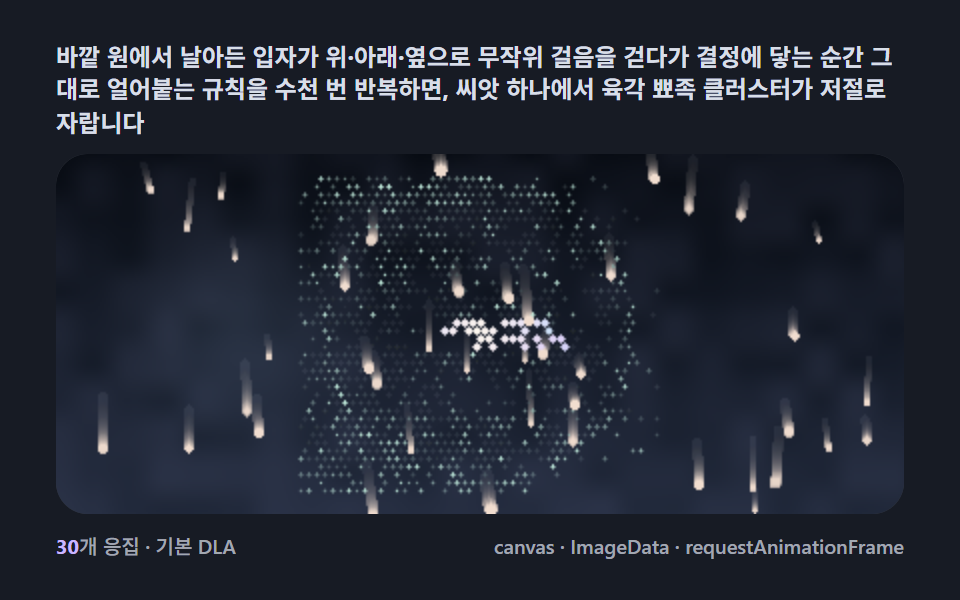 Creative UISnowflake Generator, 9 Ways (DLA, No Library)
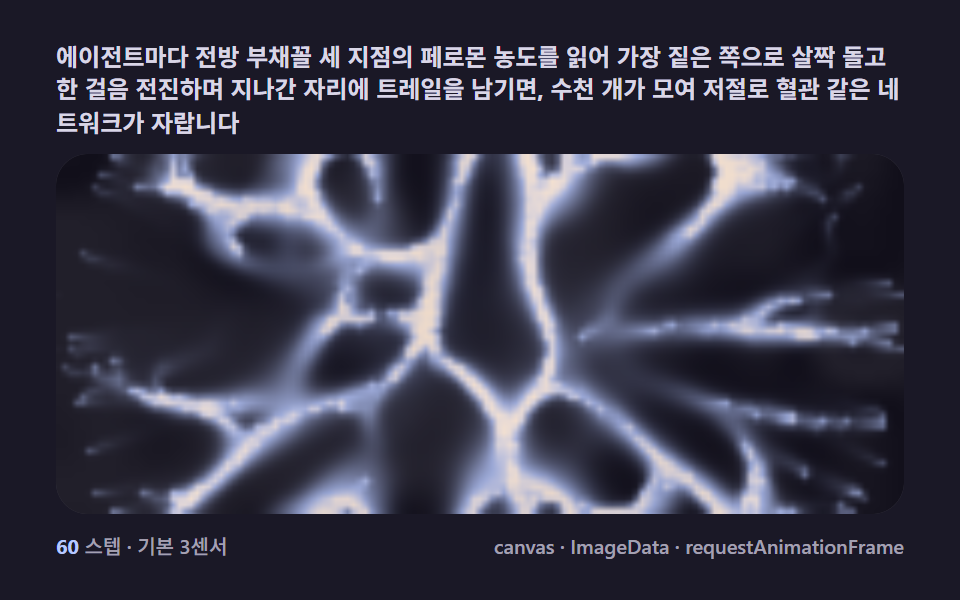 Creative UISlime Mold Simulation, 9 Ways (No Library)
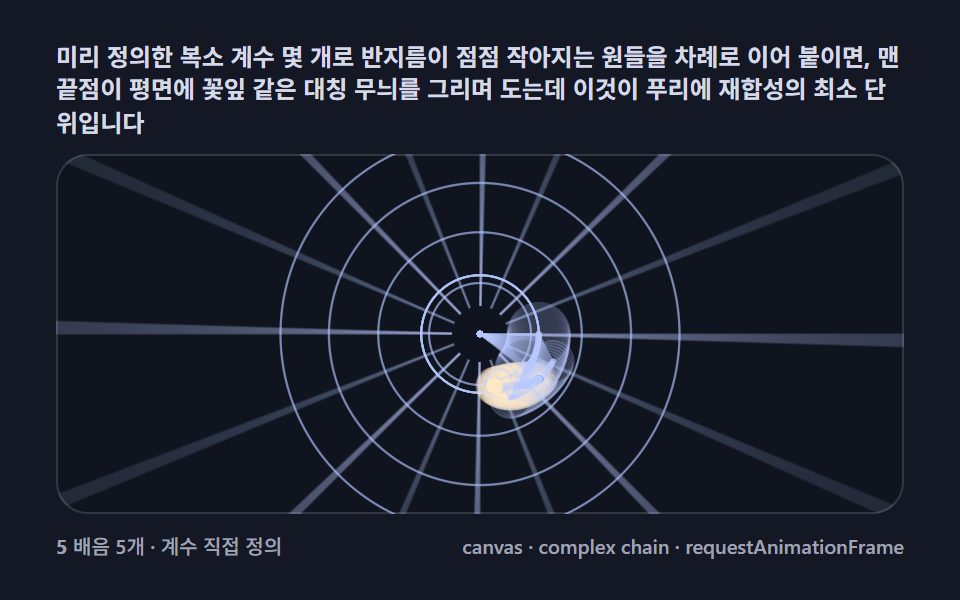 Creative UIFourier Epicycles, 9 Ways (No Library)
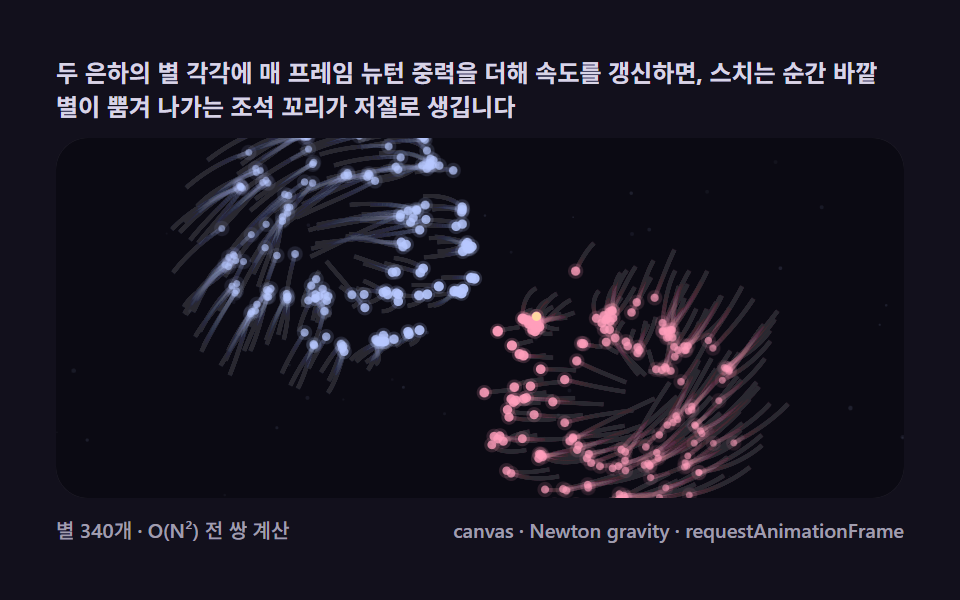 Creative UIN Body Simulation, 9 Ways (Galaxy, No Library)