Fourier Epicycles, 9 Ways (No Library)
No library, no WebGL — put a path's points on the complex plane, run one sine/cosine integral, and circles stacked on circles start to spin; the pen at the
 01 fourier-epicycle-chain-basic
 02 fourier-square-wave-synth
 03 fourier-star-draw-path
 04 fourier-heart-draw-path
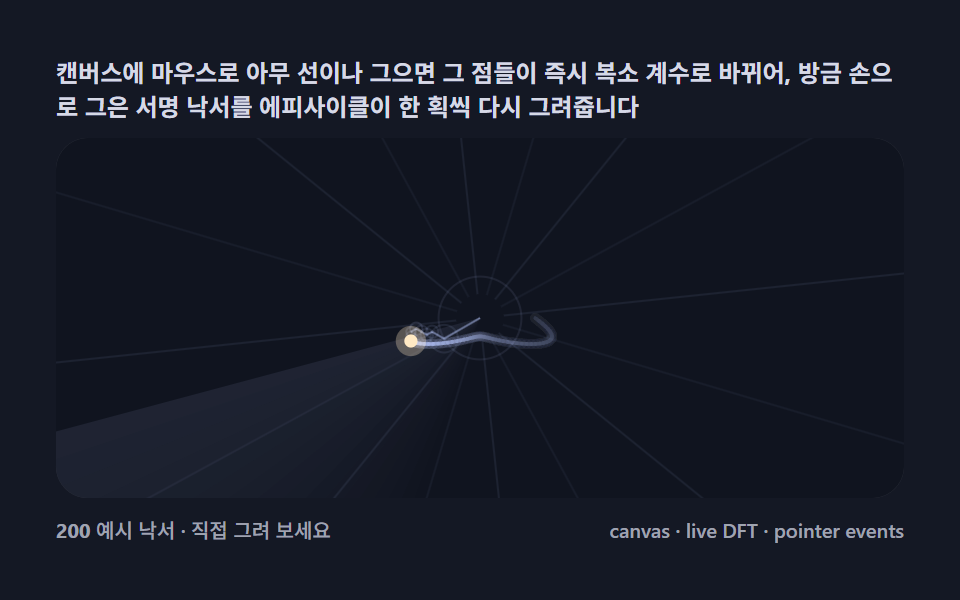 05 fourier-draw-your-line
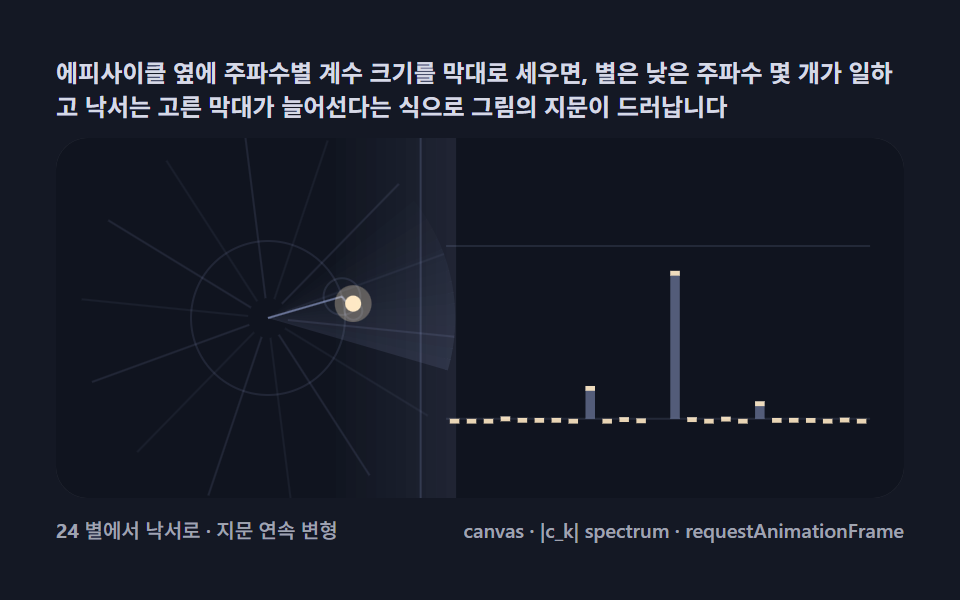 06 fourier-spectrum-magnitude
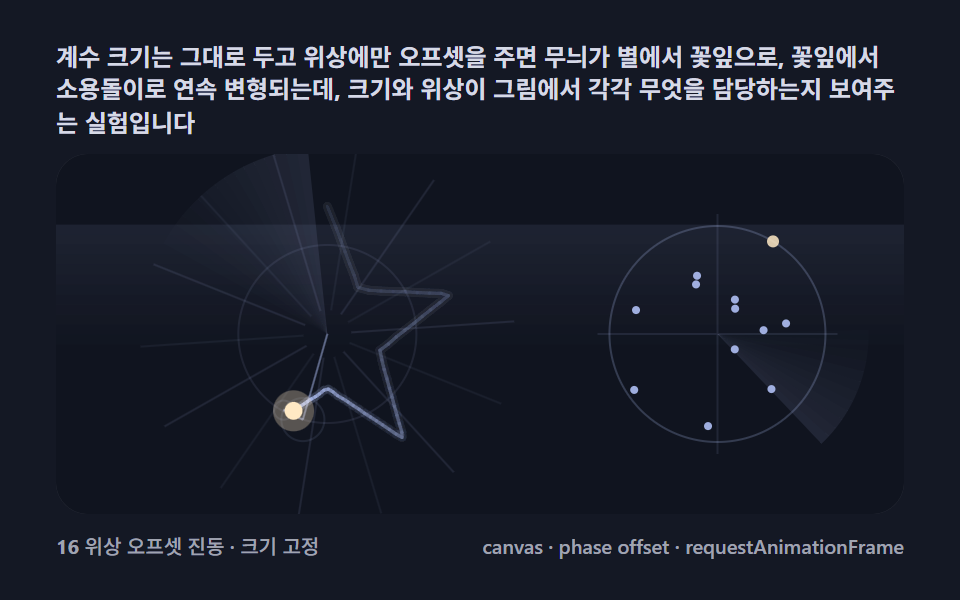 07 fourier-phase-circle-morph
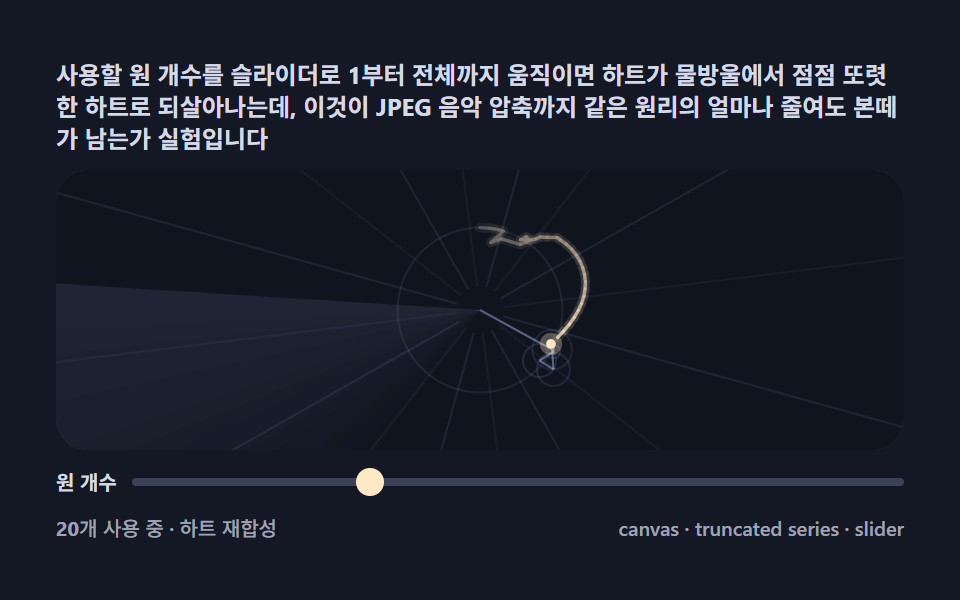 08 fourier-harmonic-slider-lab
 09 fourier-logo-trace-scene
Auto-plays · click a tile to jump to its section · all nine in one zip
- 01 Basic epicycle chain — circles stacked on circles, orbiting and plotting a point
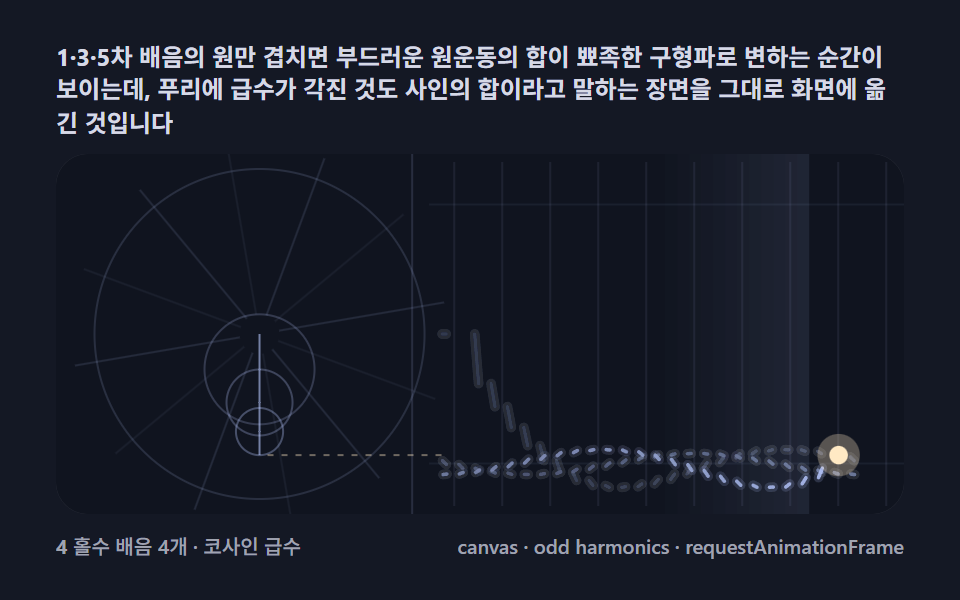
- 02 Square-wave synthesis — a few odd-harmonic circles building a sharp wave
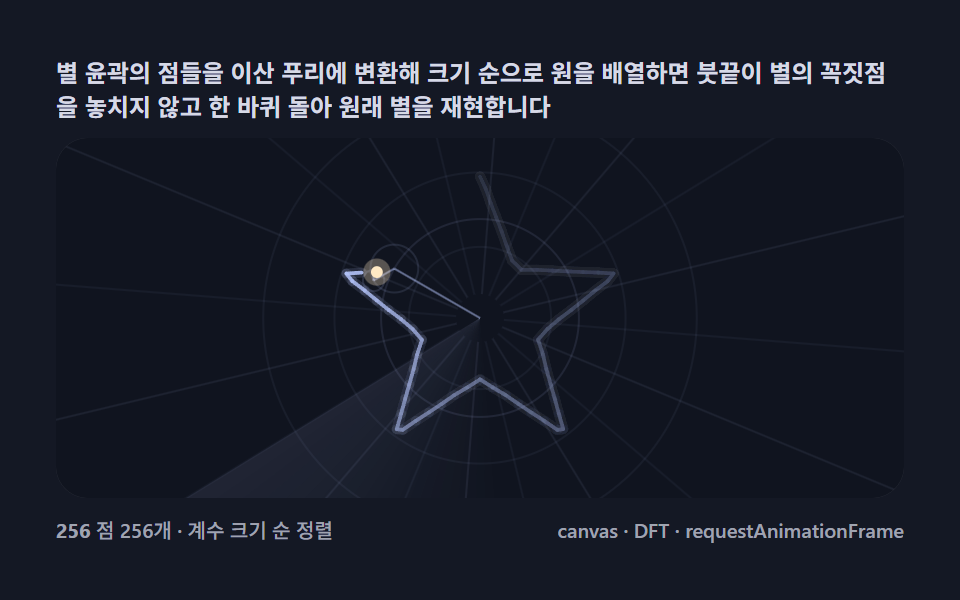
- 03 Drawing a star — coefficients sorted by size, one stroke of the pen
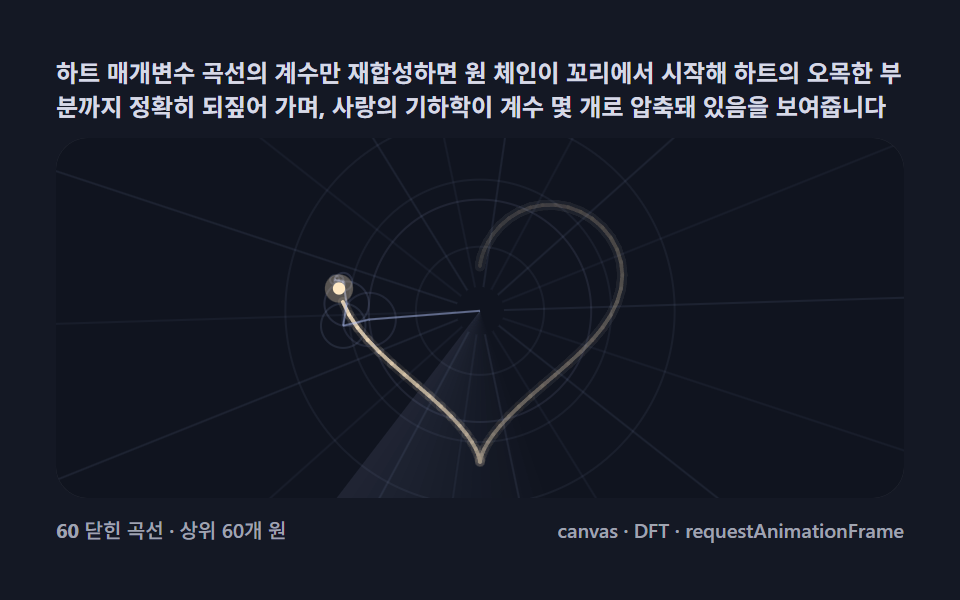
- 04 Drawing a heart — closed-curve coefficients bringing a heart back
- 05 Draw your own line — sketch it, and circles redraw it live
- 06 Spectrum bars — coefficient magnitudes showing which circles do the work
- 07 Phase morph — same coefficients, rotated phases, a pattern that shape-shifts
- 08 Harmonic slider — how the drawing blurs as you remove circles
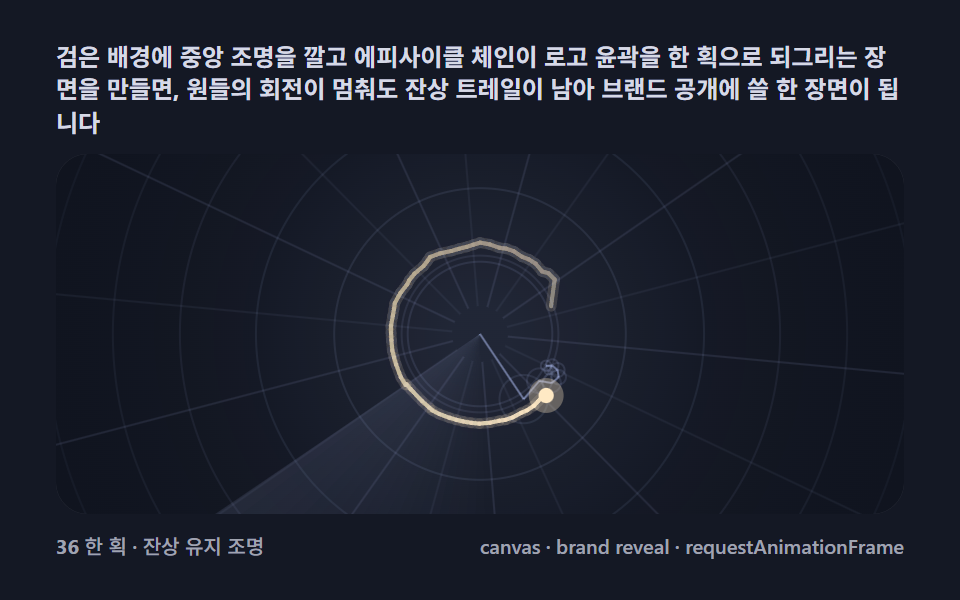
- 09 Logo-trace scene — a one-stroke logo reveal on a dark stage
From Hand-Picked Coefficients to the Discrete Fourier Transform, Nine Steps
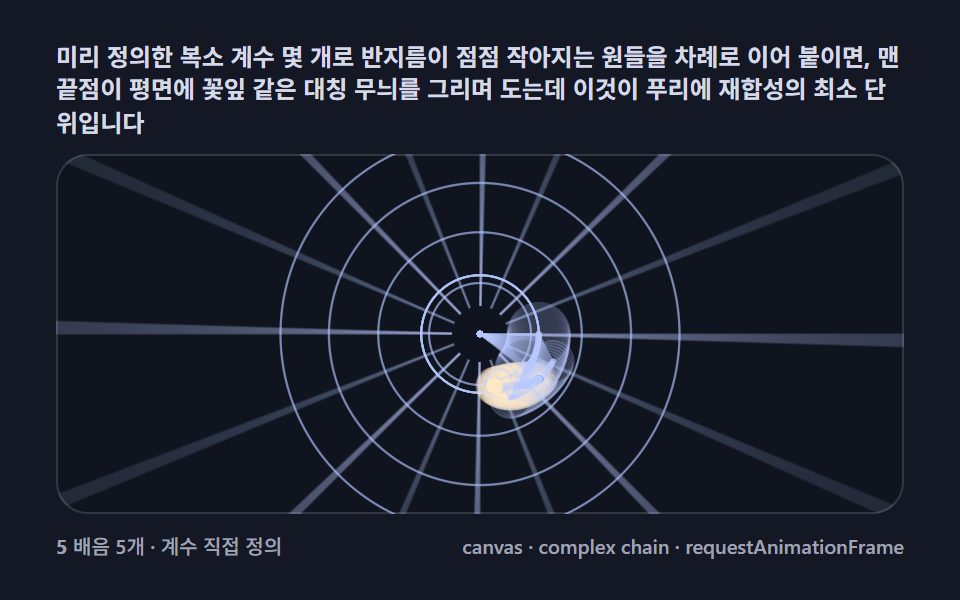
The nine scenes climb a single axis: how the coefficients get into the chain. 01 places five of them by hand, so you can see that a chain is nothing but radius, frequency, and phase. 02 swaps them for the odd-harmonic series of a square wave — still no transform, just circles building a sharp edge out of smooth spins. 03 is the door everything else walks through: a real star outline is sampled at 256 points and transformed, and the pen draws the star back. 04 throws most of the coefficients away and the heart survives, 05 lets your pointer supply the path and recomputes on every stroke, 06 erects the coefficients as bars and morphs between two drawings' fingerprints beside the still-spinning chain, 07 freezes magnitudes and rotates only the phases, 08 hands the throw-away decision to a slider, and 09 stages the same resynthesis as a one-stroke logo reveal in the dark. It shares nothing with a slime mold network grown from deposits and evaporation — there nothing is computed ahead, here everything is arithmetic on a fixed path — and a fourier epicycles drawing is readable in both directions: path to coefficients, or coefficients back to path.
Code per item
Each snippet below is lifted from that item's own script tag, constant names and all — comments translated, identifiers untouched. Drop one into a console next to a canvas and it grows the same chain the panel above it draws.
01Basic epicycle chain — circles stacked on circles, orbiting and plotting a point
Five coefficients — frequency k, radius r, starting phase p — are chained tip-to-center, and the endpoint orbits into a petal-like symmetric figure: the minimal unit of resynthesis, with no transform anywhere, backed by a polar grid of sixteen rotating spokes and four breathing rings redrawn every frame. Every circle's angle is k * t + p, each next center sits one cos/sin step from the previous endpoint, and this exact loop — fed by hand-set numbers here, by transform output in items 03 through 09 — paints 36.176% of the frame cumulatively, peaks at 4.983%, and shines at 33.1 average intensity, tied for the brightest of the nine.
<main class="stage">
<div class="fe is-demo" id="feRoot">
  <p class="fe__hint">
    <span>Chain a few precomputed complex coefficients into circles of shrinking radius, tip to center — the endpoint traces petal-like symmetric figures across the plane: the minimal unit of Fourier resynthesis</span>
  </p>
  <div class="fe__field" id="feField" role="application" aria-label="Basic Epicycle Chain Demo" tabindex="0">
    <canvas class="fe__cv" id="feCv"></canvas>
  </div>
  <div class="fe__bar">
    <span class="fe__meta"><b class="fe__val" id="feN">0</b><span id="feUnit"> 5 terms · coefficients hand-set</span></span>
    <span class="fe__meta fe__meta--dim">canvas · complex chain · requestAnimationFrame</span>
  </div>
</div>
</main>
@use "../../../../site/static/demo-tokens" as *;
// 기본 에피사이클 체인(01). @keyframes 를 두지 않는다 —
// 움직임은 전부 캔버스 rAF 루프(복소 계수 체인 회전 → 펜 궤적 누적)가 만든다.
// 무대는 심야 관측 팔레트. 파스텔 주색을 --fe-* 로 편 전체(01~09) 공통 규격.
$duration: $dur-loop;
$easing: $ease-spring;
$color: $subject-lilac;
// ── 편 공통 심야 관측 팔레트(BD9~11 원칙: 편마다 다시 정하지 않는다) ──
$fe-stage: #141824; // 심야 그래프지 — 저채도 짙은 남색 (파스텔 검사 무관: 저채도·저명도)
@include stage($fe-stage);
$fe-ink: #10141f; // 필드 바닥 — 무대보다 한 톤 어두운 남흑
$fe-glow: #b7c8ff; // 궤적 주색 — 파스텔 페리윙클(고명도라 vivid 아님)
$fe-hot: #ffe9c4; // 펜 절정 — 파스텔 크림
$fe-text: #d6d9e6; // 라벨 글자 — 밝은 회청
.fe {
// 렌더러가 읽는 색 — JS 는 getComputedStyle 로 --fe-* 를 받아 쓴다
--fe-ink: #{$fe-ink};
--fe-glow: #{$fe-glow};
--fe-hot: #{$fe-hot};
display: flex; flex-direction: column; gap: $sp-2;
width: 100%; max-width: 424px;
}
.fe__hint {
display: flex; align-items: center; gap: $sp-1; margin: 0;
font-weight: 700; font-size: clamp(10px, 2.8vw, 12px); line-height: 1.35;
color: $fe-text;
}
.fe__field {
position: relative; height: 180px;
border-radius: $r-card; overflow: hidden;
background: $fe-ink;
box-shadow: inset 0 0 0 1px rgba($fe-text, .18);
}
.fe__field:focus-visible { outline: 2px solid $fe-glow; outline-offset: 2px; }
.fe__cv { display: block; width: 100%; height: 100%; }
.fe__bar { display: flex; align-items: baseline; justify-content: space-between; gap: $sp-2; }
.fe__meta { font-size: 10px; font-weight: 500; color: rgba($fe-text, .72); }
.fe__meta--dim { font-size: 10px; }
@media (max-width: 340px) {
.fe { gap: $sp-1; }
.fe__field { height: 100px; }
.fe__meta--dim { display: none; }
}
// reduce — rAF 를 돌리지 않고 궤적이 다 쌓인 한 장만 남는다.
@media (prefers-reduced-motion: reduce) {
.fe.is-still .fe__field { cursor: default !important; }
}html, body {
margin: 0;
overflow: hidden;
}
.stage {
box-sizing: border-box;
min-height: 100vh;
display: grid;
place-items: center;
margin: 0;
background: #141824;
font-family: -apple-system, "Segoe UI", "Noto Sans KR", sans-serif;
padding: clamp(8px, 4vw, 24px);
}
.fe {
--fe-ink: #10141f;
--fe-glow: #b7c8ff;
--fe-hot: #ffe9c4;
display: flex;
flex-direction: column;
gap: 8px;
width: 100%;
max-width: 424px;
}
.fe__hint {
display: flex;
align-items: center;
gap: 4px;
margin: 0;
font-weight: 700;
font-size: clamp(10px, 2.8vw, 12px);
line-height: 1.35;
color: #d6d9e6;
}
.fe__field {
position: relative;
height: 180px;
border-radius: 16px;
overflow: hidden;
background: #10141f;
box-shadow: inset 0 0 0 1px rgba(214, 217, 230, 0.18);
}
.fe__field:focus-visible {
outline: 2px solid #b7c8ff;
outline-offset: 2px;
}
.fe__cv {
display: block;
width: 100%;
height: 100%;
}
.fe__bar {
display: flex;
align-items: baseline;
justify-content: space-between;
gap: 8px;
}
.fe__meta {
font-size: 10px;
font-weight: 500;
color: rgba(214, 217, 230, 0.72);
}
.fe__meta--dim {
font-size: 10px;
}
@media (max-width: 340px) {
.fe {
gap: 4px;
}
.fe__field {
height: 100px;
}
.fe__meta--dim {
display: none;
}
}
@media (prefers-reduced-motion: reduce) {
.fe.is-still .fe__field {
cursor: default !important;
}
}// 기본 에피사이클 체인(01). 푸리에 재합성의 최소 단위 —
// 계수열 coef[k] = (반지름, 시작 위상) 을 직접 정의하고 주파수 k 배로 도는 원들을
// 앞 원의 끝점을 다음 원의 중심으로 삼아 이어 붙인다. 맨 끝점(펜)의 자리가
// 원운동의 합 f(t) = Σ r_k · e^(i(k·t + φ_k)) 이다. 계수를 잘 고르면
// 꽃잎 무늬가 되고, 이 구조 그대로 경로 점의 DFT 계수로 바꾸면(03·04) 그림이 그려진다.
//
// 화면이 사는 장치 — 077 캔버스 기준의 "매 프레임 계산":
// · 밑바탕 극격자(회전 스포크·동심원)가 매 프레임 다시 그려진다 — 푸리에의 본향인 극좌표 무늬가
// 천천히 돌며 화면 전면이 살아 움직인다(누적면적 ↑).
// · 궤적은 투명 누적 캔버스에 쌓고 혜성 꼬리처럼 서서히 감쇠한다(절대 clear 하지 않는다).
// · 펜 끝에 크기가 맥동하는 점을 얹어 순간 강도를 유지한다.
(function () {
// ── 변형 상수 블록 — 아래 값 하나만 바꿔 변형을 만든다 ──
var SPEED = 1.0; // 회전 속도(배) — 변형 "시간 속도"가 이 값을 1→3으로 바꾼다
var TERMS = 5; // 체인에 얹는 계수(원) 개수
// ────────────────────────────────────────────────────
// 계수 5개 — 주파수 2·3·5·7·9, 위상을 어긋나게 잡아 꽃잎 대칭이 나오게 한다
  var COEF = [
    { k: 2, r: 0.34, p: 0.0 },
    { k: 3, r: 0.18, p: 1.1 },
    { k: 5, r: 0.12, p: 2.4 },
    { k: 7, r: 0.07, p: 0.6 },
    { k: 9, r: 0.05, p: 3.6 }
  ];
var root = document.getElementById('feRoot');
var field = document.getElementById('feField');
var cv = document.getElementById('feCv');
var nOut = document.getElementById('feN');
var css = getComputedStyle(root);
function tokRGB(name) {
var s = css.getPropertyValue(name).trim();
var hx = s.length === 4
? s.charAt(1) + s.charAt(1) + s.charAt(2) + s.charAt(2) + s.charAt(3) + s.charAt(3)
: s.slice(1);
return [parseInt(hx.slice(0, 2), 16), parseInt(hx.slice(2, 4), 16), parseInt(hx.slice(4, 6), 16)];
}
var C_INK = tokRGB('--fe-ink');
var C_GLOW = tokRGB('--fe-glow');
var C_HOT = tokRGB('--fe-hot');
var reduce = window.matchMedia('(prefers-reduced-motion: reduce)').matches;
var raf = 0, t0 = -1;
var W = 0, H = 0, dpr = 1;
var chainCv, chainCtx; // 누적 궤적용 투명 오프스크린 캔버스
var ROT = 0;
function fit() {
var r = field.getBoundingClientRect();
W = Math.round(r.width); H = Math.round(r.height);
dpr = Math.min(2, window.devicePixelRatio || 1);
cv.width = W * dpr; cv.height = H * dpr;
cv.style.width = '100%'; cv.style.height = '100%';
chainCv = document.createElement('canvas');
chainCv.width = W * dpr; chainCv.height = H * dpr;
chainCtx = chainCv.getContext('2d');
chainCtx.scale(dpr, dpr);
}
// 계수 체인을 t 각도로 돌려 펜 위치까지의 중심·반지름 배열을 계산한다
function computeChain(t) {
var cx = W * 0.5, cy = H * 0.5;
var base = Math.min(W, H) * 0.48;
var pts = [{ x: cx, y: cy }];
for (var i = 0; i < TERMS && i < COEF.length; i++) {
var c = COEF[i];
var a = c.k * t + c.p;
var px = pts[i].x + Math.cos(a) * c.r * base;
var py = pts[i].y + Math.sin(a) * c.r * base;
pts.push({ x: px, y: py });
}
return pts;
}
function rgba(c, a) { return 'rgba(' + c[0] + ',' + c[1] + ',' + c[2] + ',' + a + ')'; }
// 밑바탕 극격자 — 매 프레임 계산해 다시 그린다(절대 누적 안 함). 천천히 도는 스포크 16개 + 동심원
function drawGrid(t) {
var ctx = cv.getContext('2d');
ctx.setTransform(dpr, 0, 0, dpr, 0, 0);
var cx = W * 0.5, cy = H * 0.5;
var maxR = Math.sqrt(cx * cx + cy * cy);
var spin = t * 0.09;
// 스포크 16 — 안쪽은 진하고 바깥은 옅게(그라디언트 아님: 두 구간 알파)
for (var i = 0; i < 16; i++) {
var a = spin + (i / 16) * Math.PI * 2;
ctx.strokeStyle = rgba(C_GLOW, i % 2 === 0 ? 0.075 : 0.038);
ctx.lineWidth = 1;
ctx.beginPath();
ctx.moveTo(cx + Math.cos(a) * 14, cy + Math.sin(a) * 14);
ctx.lineTo(cx + Math.cos(a) * maxR, cy + Math.sin(a) * maxR);
ctx.stroke();
}
// 동심원 4 — 반지름이 살짝 숨쉰다
for (var k = 1; k <= 4; k++) {
var rr = (Math.min(W, H) * 0.14) * k * (1 + 0.012 * Math.sin(t * 1.3 + k));
ctx.strokeStyle = rgba(C_GLOW, 0.05);
ctx.beginPath();
ctx.arc(cx, cy, rr, 0, Math.PI * 2);
ctx.stroke();
}
}
function drawFrame(t, penPulse) {
var ctx = cv.getContext('2d');
ctx.setTransform(dpr, 0, 0, dpr, 0, 0);
drawGrid(t);
ctx.drawImage(chainCv, 0, 0, W, H);
var pts = computeChain(t);
var base = Math.min(W, H) * 0.48;
// 원 체인 — 링은 옅게, 링크는 주색
ctx.lineWidth = 1;
for (var i = 0; i < pts.length - 1; i++) {
var r = COEF[i].r * base;
ctx.strokeStyle = rgba(C_GLOW, 0.16 + 0.05 * i);
ctx.beginPath();
ctx.arc(pts[i].x, pts[i].y, r, 0, Math.PI * 2);
ctx.stroke();
ctx.strokeStyle = rgba(C_GLOW, 0.55);
ctx.beginPath();
ctx.moveTo(pts[i].x, pts[i].y);
ctx.lineTo(pts[i + 1].x, pts[i + 1].y);
ctx.stroke();
ctx.fillStyle = rgba(C_GLOW, 0.8);
ctx.beginPath();
ctx.arc(pts[i].x, pts[i].y, 1.6, 0, Math.PI * 2);
ctx.fill();
}
// 펜 — 맥동하는 절정 점
var pen = pts[pts.length - 1];
var pr = 2.6 + penPulse * 2.4;
ctx.fillStyle = rgba(C_HOT, 0.28);
ctx.beginPath();
ctx.arc(pen.x, pen.y, pr * 2.4, 0, Math.PI * 2);
ctx.fill();
ctx.fillStyle = rgba(C_HOT, 1);
ctx.beginPath();
ctx.arc(pen.x, pen.y, pr, 0, Math.PI * 2);
ctx.fill();
return pen;
}
function stampPen(pen, prev) {
// 궤적 누적 — 펜이 지나간 자리를 주색으로 쌓는다(두꺼운 선 + 옅은 확장)
chainCtx.strokeStyle = rgba(C_GLOW, 0.85);
chainCtx.lineWidth = 1.8;
chainCtx.lineCap = 'round';
chainCtx.beginPath();
chainCtx.moveTo(prev.x, prev.y);
chainCtx.lineTo(pen.x, pen.y);
chainCtx.stroke();
chainCtx.strokeStyle = rgba(C_GLOW, 0.2);
chainCtx.lineWidth = 4.4;
chainCtx.stroke();
}
function decayTrail() {
// 혜성 감쇠 — 목적지 알파를 1 로 유지하며 목적지 외 픽셀을 천천히 지운다
chainCtx.setTransform(1, 0, 0, 1, 0, 0);
chainCtx.globalCompositeOperation = 'destination-out';
chainCtx.fillStyle = 'rgba(0,0,0,0.028)';
chainCtx.fillRect(0, 0, W * dpr, H * dpr);
chainCtx.globalCompositeOperation = 'source-over';
chainCtx.setTransform(dpr, 0, 0, dpr, 0, 0);
}
var prevPen = null;
function frame(now) {
if (t0 < 0) { t0 = now; prevPen = null; }
var t = ((now - t0) / 1000) * SPEED;
var pulse = 0.5 + 0.5 * Math.sin(t * 9.0);
decayTrail();
var pen = drawFrame(t, pulse);
if (prevPen) stampPen(pen, prevPen);
prevPen = pen;
if (nOut) nOut.textContent = String(TERMS);
raf = requestAnimationFrame(frame);
}
function stillFrame() {
// reduce — 궤적을 미리 한 바퀴 쌓은 뒤 마지막 장면을 고정한다
var prev = computeChain(0)[TERMS];
for (var i = 1; i <= 240; i++) {
var tt = (i / 240) * Math.PI * 2;
var pen = computeChain(tt)[TERMS];
stampPen(pen, prev);
prev = pen;
}
var ctx = cv.getContext('2d');
ctx.setTransform(dpr, 0, 0, dpr, 0, 0);
ctx.fillStyle = 'rgb(' + C_INK[0] + ',' + C_INK[1] + ',' + C_INK[2] + ')';
ctx.fillRect(0, 0, W, H);
drawFrame(2.1, 0.5);
}
window.addEventListener('resize', function () {
fit();
if (reduce) stillFrame();
});
fit();
if (reduce) {
stillFrame();
root.classList.add('is-still');
} else {
raf = requestAnimationFrame(frame);
}
})();// EpicycleChainBasic — vanilla 판(run/321/demo/01-fourier-epicycle-chain-basic/index.html) 의 React 포트.
// 기본 에피사이클 체인. 푸리에 재합성의 최소 단위 — 계수열 coef[k] = (반지름, 시작 위상) 을
// 직접 정의하고 주파수 k 배로 도는 원들을 앞 원의 끝점을 다음 원의 중심으로 삼아 이어 붙인다.
// 맨 끝점(펜)의 자리가 원운동의 합 f(t) = Σ r_k · e^(i(k·t + φ_k)) 이다.
// 화면이 사는 장치 — 극격자(회전 스포크·동심원)가 매 프레임 다시 그려지고,
// 궤적은 투명 누적 캔버스에 쌓여 혜성 꼬리처럼 감쇠한다(절대 clear 하지 않는다).
import { useEffect, useRef, useState } from "react";
import type { CSSProperties } from "react";
import styles from "./EpicycleChainBasic.module.scss";
export type EpicycleChainBasicProps = {
duration?: string;
easing?: string;
color?: string;
speed?: number; // 회전 속도(배) — 변형 "시간 속도"가 이 값을 1→3 으로 바꾼다
terms?: number; // 체인에 얹는 계수(원) 개수
};
type Vars = CSSProperties & { "--duration"?: string; "--easing"?: string; "--color"?: string };
type Box<T> = { current: T };
type RGB = [number, number, number];
type Pt = { x: number; y: number };
type Coef = { k: number; r: number; p: number };
const FIELD_LABEL = "기본 에피사이클 체인 실험판";
// 계수 5개 — 주파수 2·3·5·7·9, 위상을 어긋나게 잡아 꽃잎 대칭이 나오게 한다
const COEF: Coef[] = [
{ k: 2, r: 0.34, p: 0.0 },
{ k: 3, r: 0.18, p: 1.1 },
{ k: 5, r: 0.12, p: 2.4 },
{ k: 7, r: 0.07, p: 0.6 },
{ k: 9, r: 0.05, p: 3.6 }
];
export default function EpicycleChainBasic({
duration = "2s",
easing = "cubic-bezier(.2, .8, .2, 1)",
color = "#b7c8ff",
speed = 1.0,
terms = 5
}: EpicycleChainBasicProps) {
const rootRef = useRef<HTMLDivElement | null>(null);
const fieldRef = useRef<HTMLDivElement | null>(null);
const cvRef = useRef<HTMLCanvasElement | null>(null);
const ctxRef = useRef<CanvasRenderingContext2D | null>(null);
const colRef = useRef<{ ink: RGB; glow: RGB; hot: RGB } | null>(null);
const chainCvRef = useRef<HTMLCanvasElement | null>(null);
const chainCtxRef = useRef<CanvasRenderingContext2D | null>(null);
const speedRef = useRef(speed) as Box<number>;
const termsRef = useRef(terms) as Box<number>;
const wRef = useRef(0) as Box<number>;
const hRef = useRef(0) as Box<number>;
const dprRef = useRef(1) as Box<number>;
const rafRef = useRef(0) as Box<number>;
const [n, setN] = useState("0");
const [still, setStill] = useState(false);
const vars: Vars = { "--duration": duration, "--easing": easing, "--color": color };
function reduced(): boolean {
return window.matchMedia("(prefers-reduced-motion: reduce)").matches;
}
function tokRGB(root: HTMLDivElement, name: string): RGB {
const s = getComputedStyle(root).getPropertyValue(name).trim();
const hx = s.length === 4
? s.charAt(1) + s.charAt(1) + s.charAt(2) + s.charAt(2) + s.charAt(3) + s.charAt(3)
: s.slice(1);
return [parseInt(hx.slice(0, 2), 16), parseInt(hx.slice(2, 4), 16), parseInt(hx.slice(4, 6), 16)];
}
function rgba(c: RGB, a: number): string {
return "rgba(" + c[0] + "," + c[1] + "," + c[2] + "," + a + ")";
}
function fit(): void {
const field = fieldRef.current;
const cv = cvRef.current;
if (!field || !cv) return;
const r = field.getBoundingClientRect();
const W = Math.round(r.width), H = Math.round(r.height);
const dpr = Math.min(2, window.devicePixelRatio || 1);
wRef.current = W; hRef.current = H; dprRef.current = dpr;
cv.width = W * dpr; cv.height = H * dpr;
cv.style.width = "100%"; cv.style.height = "100%";
ctxRef.current = cv.getContext("2d");
const chainCv = document.createElement("canvas");
chainCv.width = W * dpr; chainCv.height = H * dpr;
const chainCtx = chainCv.getContext("2d");
if (chainCtx) chainCtx.scale(dpr, dpr);
chainCvRef.current = chainCv;
chainCtxRef.current = chainCtx;
}
// 계수 체인을 t 각도로 돌려 펜 위치까지의 중심·반지름 배열을 계산한다
function computeChain(t: number): Pt[] {
const W = wRef.current, H = hRef.current;
const cx = W * 0.5, cy = H * 0.5;
const base = Math.min(W, H) * 0.48;
const pts: Pt[] = [{ x: cx, y: cy }];
const T = termsRef.current;
for (let i = 0; i < T && i < COEF.length; i++) {
const c = COEF[i];
const a = c.k * t + c.p;
pts.push({ x: pts[i].x + Math.cos(a) * c.r * base, y: pts[i].y + Math.sin(a) * c.r * base });
}
return pts;
}
// 밑바탕 극격자 — 매 프레임 계산해 다시 그린다(절대 누적 안 함). 천천히 도는 스포크 16개 + 동심원
function drawGrid(ctx: CanvasRenderingContext2D, t: number): void {
const W = wRef.current, H = hRef.current;
const col = colRef.current;
if (!col) return;
const cx = W * 0.5, cy = H * 0.5;
const maxR = Math.sqrt(cx * cx + cy * cy);
const spin = t * 0.09;
for (let i = 0; i < 16; i++) {
const a = spin + (i / 16) * Math.PI * 2;
ctx.strokeStyle = rgba(col.glow, i % 2 === 0 ? 0.075 : 0.038);
ctx.lineWidth = 1;
ctx.beginPath();
ctx.moveTo(cx + Math.cos(a) * 14, cy + Math.sin(a) * 14);
ctx.lineTo(cx + Math.cos(a) * maxR, cy + Math.sin(a) * maxR);
ctx.stroke();
}
for (let k = 1; k <= 4; k++) {
const rr = (Math.min(W, H) * 0.14) * k * (1 + 0.012 * Math.sin(t * 1.3 + k));
ctx.strokeStyle = rgba(col.glow, 0.05);
ctx.beginPath();
ctx.arc(cx, cy, rr, 0, Math.PI * 2);
ctx.stroke();
}
}
function drawFrame(t: number, penPulse: number): Pt {
const ctx = ctxRef.current;
const chainCv = chainCvRef.current;
const col = colRef.current;
const dpr = dprRef.current;
const W = wRef.current, H = hRef.current;
const pts: Pt[] = [];
if (!ctx || !chainCv || !col) return { x: 0, y: 0 };
ctx.setTransform(dpr, 0, 0, dpr, 0, 0);
drawGrid(ctx, t);
ctx.drawImage(chainCv, 0, 0, W, H);
const chain = computeChain(t);
const base = Math.min(W, H) * 0.48;
// 원 체인 — 링은 옅게, 링크는 주색
ctx.lineWidth = 1;
for (let i = 0; i < chain.length - 1; i++) {
const r = COEF[i].r * base;
ctx.strokeStyle = rgba(col.glow, 0.16 + 0.05 * i);
ctx.beginPath();
ctx.arc(chain[i].x, chain[i].y, r, 0, Math.PI * 2);
ctx.stroke();
ctx.strokeStyle = rgba(col.glow, 0.55);
ctx.beginPath();
ctx.moveTo(chain[i].x, chain[i].y);
ctx.lineTo(chain[i + 1].x, chain[i + 1].y);
ctx.stroke();
ctx.fillStyle = rgba(col.glow, 0.8);
ctx.beginPath();
ctx.arc(chain[i].x, chain[i].y, 1.6, 0, Math.PI * 2);
ctx.fill();
}
pts.push(chain[chain.length - 1]);
// 펜 — 맥동하는 절정 점
const pen = pts[pts.length - 1];
const pr = 2.6 + penPulse * 2.4;
ctx.fillStyle = rgba(col.hot, 0.28);
ctx.beginPath();
ctx.arc(pen.x, pen.y, pr * 2.4, 0, Math.PI * 2);
ctx.fill();
ctx.fillStyle = rgba(col.hot, 1);
ctx.beginPath();
ctx.arc(pen.x, pen.y, pr, 0, Math.PI * 2);
ctx.fill();
return pen;
}
function stampPen(pen: Pt, prev: Pt): void {
// 궤적 누적 — 펜이 지나간 자리를 주색으로 쌓는다(두꺼운 선 + 옅은 확장)
const chainCtx = chainCtxRef.current;
const col = colRef.current;
if (!chainCtx || !col) return;
chainCtx.strokeStyle = rgba(col.glow, 0.85);
chainCtx.lineWidth = 1.8;
chainCtx.lineCap = "round";
chainCtx.beginPath();
chainCtx.moveTo(prev.x, prev.y);
chainCtx.lineTo(pen.x, pen.y);
chainCtx.stroke();
chainCtx.strokeStyle = rgba(col.glow, 0.2);
chainCtx.lineWidth = 4.4;
chainCtx.stroke();
}
function decayTrail(): void {
// 혜성 감쇠 — 투명 궤적 캔버스를 매 프레임 조금씩 지운다
const chainCtx = chainCtxRef.current;
const dpr = dprRef.current;
const W = wRef.current, H = hRef.current;
if (!chainCtx) return;
chainCtx.setTransform(1, 0, 0, 1, 0, 0);
chainCtx.globalCompositeOperation = "destination-out";
chainCtx.fillStyle = "rgba(0,0,0,0.028)";
chainCtx.fillRect(0, 0, W * dpr, H * dpr);
chainCtx.globalCompositeOperation = "source-over";
chainCtx.setTransform(dpr, 0, 0, dpr, 0, 0);
}
function stillFrame(): void {
// reduce — 궤적을 미리 한 바퀴 쌓은 뒤 마지막 장면을 고정한다
const ctx = ctxRef.current;
const col = colRef.current;
const dpr = dprRef.current;
const W = wRef.current, H = hRef.current;
if (!ctx || !col) return;
const T = termsRef.current;
let prev = computeChain(0)[T];
for (let i = 1; i <= 240; i++) {
const tt = (i / 240) * Math.PI * 2;
const pen = computeChain(tt)[T];
stampPen(pen, prev);
prev = pen;
}
ctx.setTransform(dpr, 0, 0, dpr, 0, 0);
ctx.fillStyle = "rgb(" + col.ink[0] + "," + col.ink[1] + "," + col.ink[2] + ")";
ctx.fillRect(0, 0, W, H);
drawFrame(2.1, 0.5);
}
const prevPenRef = useRef<Pt | null>(null) as Box<Pt | null>;
let t0 = -1;
function frame(now: number): void {
if (t0 < 0) { t0 = now; prevPenRef.current = null; }
const t = ((now - t0) / 1000) * speedRef.current;
const pulse = 0.5 + 0.5 * Math.sin(t * 9.0);
decayTrail();
const pen = drawFrame(t, pulse);
if (prevPenRef.current) stampPen(pen, prevPenRef.current);
prevPenRef.current = pen;
setN(String(termsRef.current));
rafRef.current = requestAnimationFrame(frame);
}
useEffect(() => {
const root = rootRef.current;
if (!root) return;
speedRef.current = speed;
termsRef.current = terms;
colRef.current = {
ink: tokRGB(root, "--fe-ink"),
glow: tokRGB(root, "--fe-glow"),
hot: tokRGB(root, "--fe-hot"),
};
fit();
setN(String(terms));
function onResize(): void {
fit();
if (reduced()) stillFrame();
}
window.addEventListener("resize", onResize);
if (reduced()) {
stillFrame();
setStill(true);
} else {
t0 = -1;
rafRef.current = requestAnimationFrame(frame);
}
return () => {
window.removeEventListener("resize", onResize);
cancelAnimationFrame(rafRef.current);
};
// eslint-disable-next-line react-hooks/exhaustive-deps
}, [speed, terms]);
const rootCls = still ? `${styles.root} ${styles.isStill}` : styles.root;
return (
<main className={styles.stage}>
<div className={rootCls} ref={rootRef} style={vars}>
<p className={styles.hint}>
<span>미리 정의한 복소 계수 몇 개로 반지름이 점점 작아지는 원들을 차례로 이어 붙이면, 맨 끝점이 평면에 꽃잎 같은 대칭 무늬를 그리며 도는데 이것이 푸리에 재합성의 최소 단위입니다</span>
</p>
<div
className={styles.field}
ref={fieldRef}
role="application"
aria-label={FIELD_LABEL}
tabIndex={0}
>
<canvas className={styles.cv} ref={cvRef}></canvas>
</div>
<div className={styles.bar}>
<span className={styles.meta}><b className={styles.val}>{n}</b> 배음 5개 · 계수 직접 정의</span>
<span className={styles.metaDim}>canvas · complex chain · requestAnimationFrame</span>
</div>
</div>
</main>
);
}01 · Basic epicycle chain — circles stacked on circles, orbiting and plotting a point — Measured area 36.176% · moving frames 23/23Original by GODRICH · SCSS and React ship in the zip · See the password
The five coefficients are the whole drawing
var COEF = [
{ k: 2, r: 0.34, p: 0.0 },
{ k: 3, r: 0.18, p: 1.1 },
{ k: 5, r: 0.12, p: 2.4 },
{ k: 7, r: 0.07, p: 0.6 },
{ k: 9, r: 0.05, p: 3.6 }
];
02Square-wave synthesis — a few odd-harmonic circles building a sharp wave
A square wave decomposes into odd harmonics only — f(t) = (4/π)·Σ sin(k t)/k — and each term is a circle of radius 1/k spinning k times faster; the fourth circle's radius is a seventh of the first, but it spins seven times as fast, and that trade is what sharpens the corners. Stack those circles vertically on the left, plot the endpoint's height along the t axis on the right, and smooth circular motion sums into a sharp staircase before your eyes — the classic oscilloscope scene for science content, painted at 36.880% cumulative area with a 9.004% peak at 27.4 intensity, the classical series acting as a coefficient table before any transform runs.
<main class="stage">
<div class="fe is-demo" id="feRoot">
  <p class="fe__hint">
    <span>Stack just the 1st, 3rd, 5th harmonics and the sum of smooth circular motion turns into a sharp square wave — the moment Fourier series proves even corners are sums of sines, put on screen</span>
  </p>
  <div class="fe__field" id="feField" role="application" aria-label="Square-Wave Synthesis Demo" tabindex="0">
    <canvas class="fe__cv" id="feCv"></canvas>
  </div>
  <div class="fe__bar">
    <span class="fe__meta"><b class="fe__val" id="feN">0</b><span id="feUnit"> 4 odd harmonics · cosine series</span></span>
    <span class="fe__meta fe__meta--dim">canvas · odd harmonics · requestAnimationFrame</span>
  </div>
</div>
</main>
@use "../../../../site/static/demo-tokens" as *;
// 기본 에피사이클 체인(01). @keyframes 를 두지 않는다 —
// 움직임은 전부 캔버스 rAF 루프(복소 계수 체인 회전 → 펜 궤적 누적)가 만든다.
// 무대는 심야 관측 팔레트. 파스텔 주색을 --fe-* 로 편 전체(01~09) 공통 규격.
$duration: $dur-loop;
$easing: $ease-spring;
$color: $subject-lilac;
// ── 편 공통 심야 관측 팔레트(BD9~11 원칙: 편마다 다시 정하지 않는다) ──
$fe-stage: #141824; // 심야 그래프지 — 저채도 짙은 남색 (파스텔 검사 무관: 저채도·저명도)
@include stage($fe-stage);
$fe-ink: #10141f; // 필드 바닥 — 무대보다 한 톤 어두운 남흑
$fe-glow: #b7c8ff; // 궤적 주색 — 파스텔 페리윙클(고명도라 vivid 아님)
$fe-hot: #ffe9c4; // 펜 절정 — 파스텔 크림
$fe-text: #d6d9e6; // 라벨 글자 — 밝은 회청
.fe {
// 렌더러가 읽는 색 — JS 는 getComputedStyle 로 --fe-* 를 받아 쓴다
--fe-ink: #{$fe-ink};
--fe-glow: #{$fe-glow};
--fe-hot: #{$fe-hot};
display: flex; flex-direction: column; gap: $sp-2;
width: 100%; max-width: 424px;
}
.fe__hint {
display: flex; align-items: center; gap: $sp-1; margin: 0;
font-weight: 700; font-size: clamp(10px, 2.8vw, 12px); line-height: 1.35;
color: $fe-text;
}
.fe__field {
position: relative; height: 180px;
border-radius: $r-card; overflow: hidden;
background: $fe-ink;
box-shadow: inset 0 0 0 1px rgba($fe-text, .18);
}
.fe__field:focus-visible { outline: 2px solid $fe-glow; outline-offset: 2px; }
.fe__cv { display: block; width: 100%; height: 100%; }
.fe__bar { display: flex; align-items: baseline; justify-content: space-between; gap: $sp-2; }
.fe__meta { font-size: 10px; font-weight: 500; color: rgba($fe-text, .72); }
.fe__meta--dim { font-size: 10px; }
@media (max-width: 340px) {
.fe { gap: $sp-1; }
.fe__field { height: 100px; }
.fe__meta--dim { display: none; }
}
// reduce — rAF 를 돌리지 않고 궤적이 다 쌓인 한 장만 남는다.
@media (prefers-reduced-motion: reduce) {
.fe.is-still .fe__field { cursor: default !important; }
}html, body {
margin: 0;
overflow: hidden;
}
.stage {
box-sizing: border-box;
min-height: 100vh;
display: grid;
place-items: center;
margin: 0;
background: #141824;
font-family: -apple-system, "Segoe UI", "Noto Sans KR", sans-serif;
padding: clamp(8px, 4vw, 24px);
}
.fe {
--fe-ink: #10141f;
--fe-glow: #b7c8ff;
--fe-hot: #ffe9c4;
display: flex;
flex-direction: column;
gap: 8px;
width: 100%;
max-width: 424px;
}
.fe__hint {
display: flex;
align-items: center;
gap: 4px;
margin: 0;
font-weight: 700;
font-size: clamp(10px, 2.8vw, 12px);
line-height: 1.35;
color: #d6d9e6;
}
.fe__field {
position: relative;
height: 180px;
border-radius: 16px;
overflow: hidden;
background: #10141f;
box-shadow: inset 0 0 0 1px rgba(214, 217, 230, 0.18);
}
.fe__field:focus-visible {
outline: 2px solid #b7c8ff;
outline-offset: 2px;
}
.fe__cv {
display: block;
width: 100%;
height: 100%;
}
.fe__bar {
display: flex;
align-items: baseline;
justify-content: space-between;
gap: 8px;
}
.fe__meta {
font-size: 10px;
font-weight: 500;
color: rgba(214, 217, 230, 0.72);
}
.fe__meta--dim {
font-size: 10px;
}
@media (max-width: 340px) {
.fe {
gap: 4px;
}
.fe__field {
height: 100px;
}
.fe__meta--dim {
display: none;
}
}
@media (prefers-reduced-motion: reduce) {
.fe.is-still .fe__field {
cursor: default !important;
}
}// 구형파 합성(02). 푸리에 급수의 고전 증명 장면 —
// 구형파는 홀수 배음만 남긴 코사인 급수 f(t) = (4/π)·Σ_{k 홀수} sin(k t)/k 로分解된다.
// 각 항 sin(k t)/k 는 반지름 1/k 인 원이 k 배속으로 도는 것과 같다(오일러 공식의 허수부).
// 왼쪽에서 그 원 체인을 세로로 쌓으면 맨 끝점의 높이가 f(t) — 오른쪽 파형 영역에 t 축으로 펼쳐
// 쌓는다. 원들이 합쳐져 각진 계단이 되는 순간이 매 프레임 계산으로 그려진다.
//
// 화면이 사는 장치 — 077 기준:
// · 왼쪽 체인 뒤 극격자 스포크가 천천히 돌고 오른쪽 파형 영역에 시간 눈금이 흐른다(매 프레임 재계산).
// · 파형은 t 가 전진하며 투명 누적 캔버스에 쌓이고 혜성 감쇠로 사라진다(절대 clear 없음).
// · 링 체인 + 링크 + 가이드 수평선 + 맥동 절정 점이 매 프레임 다시 그려진다(23/23).
(function () {
// ── 변형 상수 블록 ──
var TERMS = 4; // 사용할 홀수 배음 개수 (1·3·5·7차)
var SPEED = 0.55; // 시간 전진 속도
// ──────────────────
var AMP = 1.2732395; // 4/π — 구형파 진폭 정규화
var root = document.getElementById('feRoot');
var field = document.getElementById('feField');
var cv = document.getElementById('feCv');
var nOut = document.getElementById('feN');
var css = getComputedStyle(root);
function tokRGB(name) {
var s = css.getPropertyValue(name).trim();
var hx = s.length === 4
? s.charAt(1) + s.charAt(1) + s.charAt(2) + s.charAt(2) + s.charAt(3) + s.charAt(3)
: s.slice(1);
return [parseInt(hx.slice(0, 2), 16), parseInt(hx.slice(2, 4), 16), parseInt(hx.slice(4, 6), 16)];
}
var C_INK = tokRGB('--fe-ink');
var C_GLOW = tokRGB('--fe-glow');
var C_HOT = tokRGB('--fe-hot');
var reduce = window.matchMedia('(prefers-reduced-motion: reduce)').matches;
var raf = 0, t0 = -1;
var W = 0, H = 0, dpr = 1;
var waveCv, waveCtx;
function fit() {
var r = field.getBoundingClientRect();
W = Math.round(r.width); H = Math.round(r.height);
dpr = Math.min(2, window.devicePixelRatio || 1);
cv.width = W * dpr; cv.height = H * dpr;
cv.style.width = '100%'; cv.style.height = '100%';
waveCv = document.createElement('canvas');
waveCv.width = W * dpr; waveCv.height = H * dpr;
waveCtx = waveCv.getContext('2d');
waveCtx.scale(dpr, dpr);
}
function rgba(c, a) { return 'rgba(' + c[0] + ',' + c[1] + ',' + c[2] + ',' + a + ')'; }
// 밑바탕 — 왼쪽 극격자(회전 스포크) + 오른쪽 흐르는 시간 눈금 + 스캔 밴드. 매 프레임 재계산
function drawGrid(t) {
var ctx = cv.getContext('2d');
var cx = W * 0.24, cy = H * 0.5;
var maxR = Math.min(W, H) * 0.52;
var spin = t * 0.3;
for (var i = 0; i < 12; i++) {
var a = spin + (i / 12) * Math.PI * 2;
ctx.strokeStyle = rgba(C_GLOW, i % 2 === 0 ? 0.12 : 0.06);
ctx.lineWidth = 1;
ctx.beginPath();
ctx.moveTo(cx + Math.cos(a) * 10, cy + Math.sin(a) * 10);
ctx.lineTo(cx + Math.cos(a) * maxR, cy + Math.sin(a) * maxR);
ctx.stroke();
}
// 오른쪽 시간 눈금 — 세로선이 왼쪽으로 흐른다
var x0 = W * 0.46;
var flow = (t * 26) % 24;
for (var x = x0 + flow; x < W; x += 24) {
ctx.strokeStyle = rgba(C_GLOW, 0.082);
ctx.beginPath();
ctx.moveTo(x, 4); ctx.lineTo(x, H - 4);
ctx.stroke();
}
// 스캔 밴드 — 파형 영역을 가로질러 흐르는 계단 밴드(그라디언트 아님 — 12단).
// 2초 안에 오른쪽 영역 전체를 한 번 쓸고 지나가는 속도
var bx = W * 0.46 + ((t * 60) % (W * 0.58));
for (var sb = 0; sb < 12; sb++) {
ctx.fillStyle = rgba(C_GLOW, 0.095 * (1 - sb / 12));
ctx.fillRect(bx - sb * 6, 0, 6, H);
}
// 기준 레벨선(진폭 ±1) — 숨쉰다
ctx.strokeStyle = rgba(C_GLOW, 0.09 + 0.03 * Math.sin(t * 1.7));
ctx.beginPath();
ctx.moveTo(W * 0.44, cy - H * 0.36); ctx.lineTo(W, cy - H * 0.36);
ctx.moveTo(W * 0.44, cy + H * 0.36); ctx.lineTo(W, cy + H * 0.36);
ctx.stroke();
}
function computeChain(t) {
// 세로 스택: 원 k 반지름 = AMP/k, 각속도 = k
var pts = [];
var cx = W * 0.24, cy = H * 0.5;
var base = H * 0.36;
pts.push({ x: cx, y: cy });
for (var k = 1; k <= TERMS * 2; k += 2) {
var y = pts[pts.length - 1].y + Math.sin(k * t) * (AMP / k) * base;
pts.push({ x: cx, y: y });
}
return pts;
}
function draw(t, pulse) {
var ctx = cv.getContext('2d');
ctx.setTransform(dpr, 0, 0, dpr, 0, 0);
ctx.fillStyle = 'rgb(' + C_INK[0] + ',' + C_INK[1] + ',' + C_INK[2] + ')';
ctx.fillRect(0, 0, W, H);
drawGrid(t);
ctx.drawImage(waveCv, 0, 0, W, H);
var pts = computeChain(t);
var base = H * 0.36;
var cx = W * 0.24;
// 파형 영역 구분선
ctx.strokeStyle = rgba(C_GLOW, 0.14);
ctx.lineWidth = 1;
ctx.beginPath();
ctx.moveTo(W * 0.42, 0); ctx.lineTo(W * 0.42, H);
ctx.stroke();
// 원 체인(세로 스택)
for (var i = 0; i < pts.length - 1; i++) {
var k = i * 2 + 1;
var r = (AMP / k) * base;
ctx.strokeStyle = rgba(C_GLOW, 0.15 + 0.06 * i);
ctx.beginPath();
ctx.arc(cx, pts[i].y, Math.abs(r), 0, Math.PI * 2);
ctx.stroke();
ctx.strokeStyle = rgba(C_GLOW, 0.6);
ctx.beginPath();
ctx.moveTo(cx, pts[i].y);
ctx.lineTo(cx, pts[i + 1].y);
ctx.stroke();
}
var penY = pts[pts.length - 1].y;
// 펜 → 파형 절정을 잇는 가이드 수평선
ctx.strokeStyle = rgba(C_HOT, 0.4);
ctx.setLineDash([3, 4]);
ctx.beginPath();
ctx.moveTo(cx + 4, penY);
ctx.lineTo(W * 0.46, penY);
ctx.stroke();
ctx.setLineDash([]);
// 파형의 현재 끝점 — 맥동 절정 점
var wx = W * 0.46 + (t * W * 0.5) % (W * 0.5);
if (wx > W - 3) wx = W - 3;
var pr = 2.4 + pulse * 2.2;
ctx.fillStyle = rgba(C_HOT, 0.3);
ctx.beginPath();
ctx.arc(wx, penY, pr * 2.3, 0, Math.PI * 2);
ctx.fill();
ctx.fillStyle = rgba(C_HOT, 1);
ctx.beginPath();
ctx.arc(wx, penY, pr, 0, Math.PI * 2);
ctx.fill();
return penY;
}
function stampWave(penY, prevY, t) {
var wx = W * 0.46 + (t * W * 0.5) % (W * 0.5);
if (wx > W - 3) return;
if (prevY === null) { prevY = penY; }
waveCtx.strokeStyle = rgba(C_GLOW, 0.85);
waveCtx.lineWidth = 1.8;
waveCtx.lineCap = 'round';
waveCtx.beginPath();
waveCtx.moveTo(wx - W * 0.5 * SPEED * (1 / 60), prevY);
waveCtx.lineTo(wx, penY);
waveCtx.stroke();
waveCtx.strokeStyle = rgba(C_GLOW, 0.18);
waveCtx.lineWidth = 4.8;
waveCtx.stroke();
}
function decayWave() {
waveCtx.setTransform(1, 0, 0, 1, 0, 0);
waveCtx.globalCompositeOperation = 'destination-out';
waveCtx.fillStyle = 'rgba(0,0,0,0.02)';
waveCtx.fillRect(0, 0, W * dpr, H * dpr);
waveCtx.globalCompositeOperation = 'source-over';
waveCtx.setTransform(dpr, 0, 0, dpr, 0, 0);
}
var prevY = null;
function frame(now) {
if (t0 < 0) t0 = now;
var t = ((now - t0) / 1000) * SPEED * 4.2;
var pulse = 0.5 + 0.5 * Math.sin(t * 7.0);
decayWave();
var penY = draw(t, pulse);
stampWave(penY, prevY, t);
prevY = penY;
if (nOut) nOut.textContent = String(TERMS);
raf = requestAnimationFrame(frame);
}
function stillFrame() {
var prev = null;
for (var i = 0; i <= 340; i++) {
var tt = (i / 340) * 6.4;
var y = computeChain(tt)[computeChain(0).length - 1];
stampWave(y, prev, tt);
prev = y;
}
draw(2.2, 0.5);
}
window.addEventListener('resize', function () {
fit(); prevY = null;
if (reduce) stillFrame();
});
fit();
if (reduce) {
stillFrame();
root.classList.add('is-still');
} else {
raf = requestAnimationFrame(frame);
}
})();// SquareWaveSynth — vanilla 판(run/321/demo/02-fourier-square-wave-synth/index.html) 의 React 포트.
// 구형파 합성. 푸리에 급수의 고전 증명 장면 — 구형파는 홀수 배음만 남긴 코사인 급수
// f(t) = (4/π)·Σ_{k 홀수} sin(k t)/k 로 분해된다. 각 항 sin(k t)/k 는 반지름 1/k 인 원이
// k 배속으로 도는 것과 같다(오일러 공식의 허수부). 왼쪽에서 그 원 체인을 세로로 쌓으면
// 맨 끝점의 높이가 f(t) — 오른쪽 파형 영역에 t 축으로 펼쳐 쌓는다.
// 화면이 사는 장치 — 왼쪽 체인 뒤 극격자 스포크가 천천히 돌고 오른쪽 파형 영역에
// 시간 눈금·스캔 밴드가 흐른다(매 프레임 재계산). 파형은 투명 누적 캔버스에 쌓이고 혜성 감쇠.
import { useEffect, useRef, useState } from "react";
import type { CSSProperties } from "react";
import styles from "./SquareWaveSynth.module.scss";
export type SquareWaveSynthProps = {
duration?: string;
easing?: string;
color?: string;
terms?: number; // 사용할 홀수 배음 개수 (1·3·5·7차)
speed?: number; // 시간 전진 속도
};
type Vars = CSSProperties & { "--duration"?: string; "--easing"?: string; "--color"?: string };
type Box<T> = { current: T };
type RGB = [number, number, number];
type Pt = { x: number; y: number };
const FIELD_LABEL = "구형파 합성 실험판";
const AMP = 1.2732395; // 4/π — 구형파 진폭 정규화
export default function SquareWaveSynth({
duration = "2s",
easing = "cubic-bezier(.2, .8, .2, 1)",
color = "#b7c8ff",
terms = 4,
speed = 0.55
}: SquareWaveSynthProps) {
const rootRef = useRef<HTMLDivElement | null>(null);
const fieldRef = useRef<HTMLDivElement | null>(null);
const cvRef = useRef<HTMLCanvasElement | null>(null);
const ctxRef = useRef<CanvasRenderingContext2D | null>(null);
const colRef = useRef<{ ink: RGB; glow: RGB; hot: RGB } | null>(null);
const waveCvRef = useRef<HTMLCanvasElement | null>(null);
const waveCtxRef = useRef<CanvasRenderingContext2D | null>(null);
const termsRef = useRef(terms) as Box<number>;
const speedRef = useRef(speed) as Box<number>;
const wRef = useRef(0) as Box<number>;
const hRef = useRef(0) as Box<number>;
const dprRef = useRef(1) as Box<number>;
const rafRef = useRef(0) as Box<number>;
const [n, setN] = useState("0");
const [still, setStill] = useState(false);
const vars: Vars = { "--duration": duration, "--easing": easing, "--color": color };
function reduced(): boolean {
return window.matchMedia("(prefers-reduced-motion: reduce)").matches;
}
function tokRGB(root: HTMLDivElement, name: string): RGB {
const s = getComputedStyle(root).getPropertyValue(name).trim();
const hx = s.length === 4
? s.charAt(1) + s.charAt(1) + s.charAt(2) + s.charAt(2) + s.charAt(3) + s.charAt(3)
: s.slice(1);
return [parseInt(hx.slice(0, 2), 16), parseInt(hx.slice(2, 4), 16), parseInt(hx.slice(4, 6), 16)];
}
function rgba(c: RGB, a: number): string {
return "rgba(" + c[0] + "," + c[1] + "," + c[2] + "," + a + ")";
}
function fit(): void {
const field = fieldRef.current;
const cv = cvRef.current;
if (!field || !cv) return;
const r = field.getBoundingClientRect();
const W = Math.round(r.width), H = Math.round(r.height);
const dpr = Math.min(2, window.devicePixelRatio || 1);
wRef.current = W; hRef.current = H; dprRef.current = dpr;
cv.width = W * dpr; cv.height = H * dpr;
cv.style.width = "100%"; cv.style.height = "100%";
ctxRef.current = cv.getContext("2d");
const waveCv = document.createElement("canvas");
waveCv.width = W * dpr; waveCv.height = H * dpr;
const waveCtx = waveCv.getContext("2d");
if (waveCtx) waveCtx.scale(dpr, dpr);
waveCvRef.current = waveCv;
waveCtxRef.current = waveCtx;
}
// 밑바탕 — 왼쪽 극격자(회전 스포크) + 오른쪽 흐르는 시간 눈금 + 스캔 밴드. 매 프레임 재계산
function drawGrid(ctx: CanvasRenderingContext2D, t: number): void {
const W = wRef.current, H = hRef.current;
const col = colRef.current;
if (!col) return;
const cx = W * 0.24, cy = H * 0.5;
const maxR = Math.min(W, H) * 0.52;
const spin = t * 0.3;
for (let i = 0; i < 12; i++) {
const a = spin + (i / 12) * Math.PI * 2;
ctx.strokeStyle = rgba(col.glow, i % 2 === 0 ? 0.12 : 0.06);
ctx.lineWidth = 1;
ctx.beginPath();
ctx.moveTo(cx + Math.cos(a) * 10, cy + Math.sin(a) * 10);
ctx.lineTo(cx + Math.cos(a) * maxR, cy + Math.sin(a) * maxR);
ctx.stroke();
}
// 오른쪽 시간 눈금 — 세로선이 왼쪽으로 흐른다
const x0 = W * 0.46;
const flow = (t * 26) % 24;
for (let x = x0 + flow; x < W; x += 24) {
ctx.strokeStyle = rgba(col.glow, 0.082);
ctx.beginPath();
ctx.moveTo(x, 4); ctx.lineTo(x, H - 4);
ctx.stroke();
}
// 스캔 밴드 — 파형 영역을 가로질러 흐르는 계단 밴드(그라디언트 아님 — 12단)
const bx = W * 0.46 + ((t * 60) % (W * 0.58));
for (let sb = 0; sb < 12; sb++) {
ctx.fillStyle = rgba(col.glow, 0.095 * (1 - sb / 12));
ctx.fillRect(bx - sb * 6, 0, 6, H);
}
// 기준 레벨선(진폭 ±1) — 숨쉰다
ctx.strokeStyle = rgba(col.glow, 0.09 + 0.03 * Math.sin(t * 1.7));
ctx.beginPath();
ctx.moveTo(W * 0.44, cy - H * 0.36); ctx.lineTo(W, cy - H * 0.36);
ctx.moveTo(W * 0.44, cy + H * 0.36); ctx.lineTo(W, cy + H * 0.36);
ctx.stroke();
}
function computeChain(t: number): Pt[] {
// 세로 스택: 원 k 반지름 = AMP/k, 각속도 = k
const W = wRef.current, H = hRef.current;
const pts: Pt[] = [];
const cx = W * 0.24, cy = H * 0.5;
const base = H * 0.36;
pts.push({ x: cx, y: cy });
for (let k = 1; k <= termsRef.current * 2; k += 2) {
const y = pts[pts.length - 1].y + Math.sin(k * t) * (AMP / k) * base;
pts.push({ x: cx, y: y });
}
return pts;
}
function draw(t: number, pulse: number): number {
const ctx = ctxRef.current;
const waveCv = waveCvRef.current;
const col = colRef.current;
const dpr = dprRef.current;
const W = wRef.current, H = hRef.current;
if (!ctx || !waveCv || !col) return 0;
ctx.setTransform(dpr, 0, 0, dpr, 0, 0);
ctx.fillStyle = "rgb(" + col.ink[0] + "," + col.ink[1] + "," + col.ink[2] + ")";
ctx.fillRect(0, 0, W, H);
drawGrid(ctx, t);
ctx.drawImage(waveCv, 0, 0, W, H);
const pts = computeChain(t);
const base = H * 0.36;
const cx = W * 0.24;
// 파형 영역 구분선
ctx.strokeStyle = rgba(col.glow, 0.14);
ctx.lineWidth = 1;
ctx.beginPath();
ctx.moveTo(W * 0.42, 0); ctx.lineTo(W * 0.42, H);
ctx.stroke();
// 원 체인(세로 스택)
for (let i = 0; i < pts.length - 1; i++) {
const k = i * 2 + 1;
const r = (AMP / k) * base;
ctx.strokeStyle = rgba(col.glow, 0.15 + 0.06 * i);
ctx.beginPath();
ctx.arc(cx, pts[i].y, Math.abs(r), 0, Math.PI * 2);
ctx.stroke();
ctx.strokeStyle = rgba(col.glow, 0.6);
ctx.beginPath();
ctx.moveTo(cx, pts[i].y);
ctx.lineTo(cx, pts[i + 1].y);
ctx.stroke();
}
const penY = pts[pts.length - 1].y;
// 펜 → 파형 절정을 잇는 가이드 수평선
ctx.strokeStyle = rgba(col.hot, 0.4);
ctx.setLineDash([3, 4]);
ctx.beginPath();
ctx.moveTo(cx + 4, penY);
ctx.lineTo(W * 0.46, penY);
ctx.stroke();
ctx.setLineDash([]);
// 파형의 현재 끝점 — 맥동 절정 점
let wx = W * 0.46 + (t * W * 0.5) % (W * 0.5);
if (wx > W - 3) wx = W - 3;
const pr = 2.4 + pulse * 2.2;
ctx.fillStyle = rgba(col.hot, 0.3);
ctx.beginPath();
ctx.arc(wx, penY, pr * 2.3, 0, Math.PI * 2);
ctx.fill();
ctx.fillStyle = rgba(col.hot, 1);
ctx.beginPath();
ctx.arc(wx, penY, pr, 0, Math.PI * 2);
ctx.fill();
return penY;
}
function stampWave(penY: number, prevY: number | null, t: number): void {
const waveCtx = waveCtxRef.current;
const col = colRef.current;
const W = wRef.current;
if (!waveCtx || !col) return;
const wx = W * 0.46 + (t * W * 0.5) % (W * 0.5);
if (wx > W - 3) return;
const py = prevY === null ? penY : prevY;
waveCtx.strokeStyle = rgba(col.glow, 0.85);
waveCtx.lineWidth = 1.8;
waveCtx.lineCap = "round";
waveCtx.beginPath();
waveCtx.moveTo(wx - W * 0.5 * speedRef.current * (1 / 60), py);
waveCtx.lineTo(wx, penY);
waveCtx.stroke();
waveCtx.strokeStyle = rgba(col.glow, 0.18);
waveCtx.lineWidth = 4.8;
waveCtx.stroke();
}
function decayWave(): void {
const waveCtx = waveCtxRef.current;
const dpr = dprRef.current;
const W = wRef.current, H = hRef.current;
if (!waveCtx) return;
waveCtx.setTransform(1, 0, 0, 1, 0, 0);
waveCtx.globalCompositeOperation = "destination-out";
waveCtx.fillStyle = "rgba(0,0,0,0.02)";
waveCtx.fillRect(0, 0, W * dpr, H * dpr);
waveCtx.globalCompositeOperation = "source-over";
waveCtx.setTransform(dpr, 0, 0, dpr, 0, 0);
}
const prevYRef = useRef<number | null>(null) as Box<number | null>;
let t0 = -1;
function frame(now: number): void {
if (t0 < 0) t0 = now;
const t = ((now - t0) / 1000) * speedRef.current * 4.2;
const pulse = 0.5 + 0.5 * Math.sin(t * 7.0);
decayWave();
const penY = draw(t, pulse);
stampWave(penY, prevYRef.current, t);
prevYRef.current = penY;
setN(String(termsRef.current));
rafRef.current = requestAnimationFrame(frame);
}
function stillFrame(): void {
let prev: number | null = null;
for (let i = 0; i <= 340; i++) {
const tt = (i / 340) * 6.4;
const chain = computeChain(tt);
const y = chain[chain.length - 1].y;
stampWave(y, prev, tt);
prev = y;
}
draw(2.2, 0.5);
}
useEffect(() => {
const root = rootRef.current;
if (!root) return;
termsRef.current = terms;
speedRef.current = speed;
colRef.current = {
ink: tokRGB(root, "--fe-ink"),
glow: tokRGB(root, "--fe-glow"),
hot: tokRGB(root, "--fe-hot"),
};
fit();
setN(String(terms));
function onResize(): void {
fit(); prevYRef.current = null;
if (reduced()) stillFrame();
}
window.addEventListener("resize", onResize);
if (reduced()) {
stillFrame();
setStill(true);
} else {
t0 = -1;
rafRef.current = requestAnimationFrame(frame);
}
return () => {
window.removeEventListener("resize", onResize);
cancelAnimationFrame(rafRef.current);
};
// eslint-disable-next-line react-hooks/exhaustive-deps
}, [terms, speed]);
const rootCls = still ? `${styles.root} ${styles.isStill}` : styles.root;
return (
<main className={styles.stage}>
<div className={rootCls} ref={rootRef} style={vars}>
<p className={styles.hint}>
<span>1·3·5차 배음의 원만 겹치면 부드러운 원운동의 합이 뾰족한 구형파로 변하는 순간이 보이는데, 푸리에 급수가 각진 것도 사인의 합이라고 말하는 장면을 그대로 화면에 옮긴 것입니다</span>
</p>
<div
className={styles.field}
ref={fieldRef}
role="application"
aria-label={FIELD_LABEL}
tabIndex={0}
>
<canvas className={styles.cv} ref={cvRef}></canvas>
</div>
<div className={styles.bar}>
<span className={styles.meta}><b className={styles.val}>{n}</b> 홀수 배음 4개 · 코사인 급수</span>
<span className={styles.metaDim}>canvas · odd harmonics · requestAnimationFrame</span>
</div>
</div>
</main>
);
}02 · Square-wave synthesis — a few odd-harmonic circles building a sharp wave — Measured area 36.88% · moving frames 23/23Original by GODRICH · SCSS and React ship in the zip · See the password
Radius one over k, angular speed k
  function computeChain(t) {
    // Vertical stack: circle k has radius AMP/k and angular speed k
    var pts = [];
    var cx = W * 0.24, cy = H * 0.5;
    var base = H * 0.36;
    pts.push({ x: cx, y: cy });
    for (var k = 1; k <= TERMS * 2; k += 2) {
      var y = pts[pts.length - 1].y + Math.sin(k * t) * (AMP / k) * base;
      pts.push({ x: cx, y: y });
    }
    return pts;
  }
03Drawing a star — coefficients sorted by size, one stroke of the pen
A five-point star — outer radius 1, inner 0.42, closed through ten vertices — is sampled at 256 points and run through the discrete Fourier transform, where each output coefficient is the average of every point multiplied by a spinning unit complex number — e^(−i·2πkn/N) split into cos and sin parts — with indices past the halfway point folded into negative frequencies so circles spin both directions. The final magnitude sort puts big circles first, which keeps the chain from swinging off-screen, and the pen then rounds the star's outline in a single revolution — the chain carries the top 14 coefficients (SHOW=14), so the edges come out very slightly softened but the star is essentially complete with them, HOLD=0.45 dwell — painting 45.551% cumulatively at 6.447% peak and 26.4 intensity over a radar sweep of 22 stepped-alpha wedges: the one-stroke reveal for logos and splash screens.
<main class="stage">
<div class="fe is-demo" id="feRoot">
  <p class="fe__hint">
    <span>Run a discrete Fourier transform on a star outline's points, sort the circles by amplitude — the pen tip rounds every vertex without missing one and reproduces the original star</span>
  </p>
  <div class="fe__field" id="feField" role="application" aria-label="Star-Drawing Epicycle Demo" tabindex="0">
    <canvas class="fe__cv" id="feCv"></canvas>
  </div>
  <div class="fe__bar">
    <span class="fe__meta"><b class="fe__val" id="feN">0</b><span id="feUnit"> 256 points · sorted by amplitude</span></span>
    <span class="fe__meta fe__meta--dim">canvas · DFT · requestAnimationFrame</span>
  </div>
</div>
</main>
@use "../../../../site/static/demo-tokens" as *;
// 기본 에피사이클 체인(01). @keyframes 를 두지 않는다 —
// 움직임은 전부 캔버스 rAF 루프(복소 계수 체인 회전 → 펜 궤적 누적)가 만든다.
// 무대는 심야 관측 팔레트. 파스텔 주색을 --fe-* 로 편 전체(01~09) 공통 규격.
$duration: $dur-loop;
$easing: $ease-spring;
$color: $subject-lilac;
// ── 편 공통 심야 관측 팔레트(BD9~11 원칙: 편마다 다시 정하지 않는다) ──
$fe-stage: #141824; // 심야 그래프지 — 저채도 짙은 남색 (파스텔 검사 무관: 저채도·저명도)
@include stage($fe-stage);
$fe-ink: #10141f; // 필드 바닥 — 무대보다 한 톤 어두운 남흑
$fe-glow: #b7c8ff; // 궤적 주색 — 파스텔 페리윙클(고명도라 vivid 아님)
$fe-hot: #ffe9c4; // 펜 절정 — 파스텔 크림
$fe-text: #d6d9e6; // 라벨 글자 — 밝은 회청
.fe {
// 렌더러가 읽는 색 — JS 는 getComputedStyle 로 --fe-* 를 받아 쓴다
--fe-ink: #{$fe-ink};
--fe-glow: #{$fe-glow};
--fe-hot: #{$fe-hot};
display: flex; flex-direction: column; gap: $sp-2;
width: 100%; max-width: 424px;
}
.fe__hint {
display: flex; align-items: center; gap: $sp-1; margin: 0;
font-weight: 700; font-size: clamp(10px, 2.8vw, 12px); line-height: 1.35;
color: $fe-text;
}
.fe__field {
position: relative; height: 180px;
border-radius: $r-card; overflow: hidden;
background: $fe-ink;
box-shadow: inset 0 0 0 1px rgba($fe-text, .18);
}
.fe__field:focus-visible { outline: 2px solid $fe-glow; outline-offset: 2px; }
.fe__cv { display: block; width: 100%; height: 100%; }
.fe__bar { display: flex; align-items: baseline; justify-content: space-between; gap: $sp-2; }
.fe__meta { font-size: 10px; font-weight: 500; color: rgba($fe-text, .72); }
.fe__meta--dim { font-size: 10px; }
@media (max-width: 340px) {
.fe { gap: $sp-1; }
.fe__field { height: 100px; }
.fe__meta--dim { display: none; }
}
// reduce — rAF 를 돌리지 않고 궤적이 다 쌓인 한 장만 남는다.
@media (prefers-reduced-motion: reduce) {
.fe.is-still .fe__field { cursor: default !important; }
}html, body {
margin: 0;
overflow: hidden;
}
.stage {
box-sizing: border-box;
min-height: 100vh;
display: grid;
place-items: center;
margin: 0;
background: #141824;
font-family: -apple-system, "Segoe UI", "Noto Sans KR", sans-serif;
padding: clamp(8px, 4vw, 24px);
}
.fe {
--fe-ink: #10141f;
--fe-glow: #b7c8ff;
--fe-hot: #ffe9c4;
display: flex;
flex-direction: column;
gap: 8px;
width: 100%;
max-width: 424px;
}
.fe__hint {
display: flex;
align-items: center;
gap: 4px;
margin: 0;
font-weight: 700;
font-size: clamp(10px, 2.8vw, 12px);
line-height: 1.35;
color: #d6d9e6;
}
.fe__field {
position: relative;
height: 180px;
border-radius: 16px;
overflow: hidden;
background: #10141f;
box-shadow: inset 0 0 0 1px rgba(214, 217, 230, 0.18);
}
.fe__field:focus-visible {
outline: 2px solid #b7c8ff;
outline-offset: 2px;
}
.fe__cv {
display: block;
width: 100%;
height: 100%;
}
.fe__bar {
display: flex;
align-items: baseline;
justify-content: space-between;
gap: 8px;
}
.fe__meta {
font-size: 10px;
font-weight: 500;
color: rgba(214, 217, 230, 0.72);
}
.fe__meta--dim {
font-size: 10px;
}
@media (max-width: 340px) {
.fe {
gap: 4px;
}
.fe__field {
height: 100px;
}
.fe__meta--dim {
display: none;
}
}
@media (prefers-reduced-motion: reduce) {
.fe.is-still .fe__field {
cursor: default !important;
}
}// 별 그리기(03). 이 편의 심장 — 경로 점 → 이산 푸리에 변환(DFT) → 원 체인 재합성.
// ① 별 윤곽을 매개변수 t(0~2π)로 256 점 샘플링해 복소평면 점 z_n = x_n + i·y_n 으로 올린다.
// ② DFT: c_k = (1/N)·Σ z_n · e^(-i·2πkn/N) — 모든 k(음수·양수 주파수)에 대해 계산.
// ③ |c_k| 큰 순서로 정렬(변형 "계수 정렬 기준"이 이 순서를 주파수 순으로 바꾼다).
// ④ 재합성: 시각 t 에 각 원이 중심 p += c_k·e^(i·k·t) 로 이어 붙는다. 맨 끝 = 원래 별 좌표.
// 붓끝이 별을 다 그리면 트레일이 잠시 머물렀다 옅어지고 다시 그린다(루프).
//
// 화면이 사는 장치 — 077 기준:
// · 밑바탕 극격자(회전 스포크·동심원)가 매 프레임 재계산되어 화면 전면이 살아 있다(누적면적 ↑).
// · 트레일은 투명 누적 캔버스에 쌓인다(절대 clear 없음).
// · 원 체인(상위 14개만 표시)·링크·붓끝 절정 점이 매 프레임 계산된다(23/23).
(function () {
// ── 변형 상수 블록 ──
var N = 256; // 경로 샘플 점 수
var SHOW = 14; // 화면에 그리는 circles(계수는 전부 사용)
var HOLD = 0.45; // 완성 후 머무는 비율
// ──────────────────
var TAU = Math.PI * 2;
var root = document.getElementById('feRoot');
var field = document.getElementById('feField');
var cv = document.getElementById('feCv');
var nOut = document.getElementById('feN');
var css = getComputedStyle(root);
function tokRGB(name) {
var s = css.getPropertyValue(name).trim();
var hx = s.length === 4
? s.charAt(1) + s.charAt(1) + s.charAt(2) + s.charAt(2) + s.charAt(3) + s.charAt(3)
: s.slice(1);
return [parseInt(hx.slice(0, 2), 16), parseInt(hx.slice(2, 4), 16), parseInt(hx.slice(4, 6), 16)];
}
var C_INK = tokRGB('--fe-ink');
var C_GLOW = tokRGB('--fe-glow');
var C_HOT = tokRGB('--fe-hot');
var reduce = window.matchMedia('(prefers-reduced-motion: reduce)').matches;
var raf = 0, t0 = -1;
var W = 0, H = 0, dpr = 1;
var trailCv, trailCtx;
// ── ① 별 윤곽 샘플 — 다섯 포인트 별(바깥·안 꼭짓점 교차) ──
function starPath(u) {
// u: 0~1. 외곽 반지름 1, 내곽 0.42. 열 개 꼭짓점을 지나는 닫힌 경로
var seg = u * 10;
var i = Math.floor(seg);
var f = seg - i;
var a1 = i / 10 * TAU - Math.PI / 2;
var a2 = (i + 1) / 10 * TAU - Math.PI / 2;
var outer = (i % 2 === 0);
var r1 = outer ? 1 : 0.42;
var r2 = (i % 2 === 0) ? 0.42 : 1;
var x1 = Math.cos(a1) * r1, y1 = Math.sin(a1) * r1;
var x2 = Math.cos(a2) * r2, y2 = Math.sin(a2) * r2;
return { x: x1 + (x2 - x1) * f, y: y1 + (y2 - y1) * f };
}
// ── ② DFT ──
function dft(path) {
var M = path.length;
var out = [];
for (var k = 0; k < M; k++) {
var freq = (k <= M / 2) ? k : k - M; // 음수 주파수 접기
var re = 0, im = 0;
for (var n = 0; n < M; n++) {
var a = -TAU * k * n / M;
var c = Math.cos(a), s = Math.sin(a);
re += path[n].x * c - path[n].y * s;
im += path[n].x * s + path[n].y * c;
}
re /= M; im /= M;
out.push({ freq: freq, re: re, im: im, amp: Math.sqrt(re * re + im * im) });
}
out.sort(function (a, b) { return b.amp - a.amp; }); // ③ 크기 순
return out;
}
var PATH = [], COEF = [];
function fit() {
var r = field.getBoundingClientRect();
W = Math.round(r.width); H = Math.round(r.height);
dpr = Math.min(2, window.devicePixelRatio || 1);
cv.width = W * dpr; cv.height = H * dpr;
cv.style.width = '100%'; cv.style.height = '100%';
trailCv = document.createElement('canvas');
trailCv.width = W * dpr; trailCv.height = H * dpr;
trailCtx = trailCv.getContext('2d');
trailCtx.scale(dpr, dpr);
// 경로·계수는 한 번만
if (!PATH.length) {
for (var i = 0; i < N; i++) PATH.push(starPath(i / N));
COEF = dft(PATH);
}
}
function rgba(c, a) { return 'rgba(' + c[0] + ',' + c[1] + ',' + c[2] + ',' + a + ')'; }
// ── ④ 재합성 — 시각 u(0~1)에서 체인 끝점 계산 ──
function chainAt(u, show) {
var base = Math.min(W, H) * 0.4;
var cx = W * 0.5, cy = H * 0.5;
var pts = [{ x: cx, y: cy }];
var n = show || COEF.length;
for (var i = 0; i < n && i < COEF.length; i++) {
var c = COEF[i];
var a = c.freq * u * TAU;
var ph = Math.atan2(c.im, c.re);
var ang = a + ph;
var px = pts[i].x + Math.cos(ang) * c.amp * base;
var py = pts[i].y + Math.sin(ang) * c.amp * base;
pts.push({ x: px, y: py });
}
return pts;
}
// 밑바탕 — 레이더 스윕 + 극격자. 매 프레임 재계산(누적 안 함).
// 스윕은 스치는 부채꼴이 뒤로 갈수록 옅어지는 계단 밴드(그라디언트 아님 — 22단 알파).
function drawGrid(t) {
var ctx = cv.getContext('2d');
var cx = W * 0.5, cy = H * 0.5;
var maxR = Math.sqrt(cx * cx + cy * cy);
var sweep = t * 0.9;
for (var b = 0; b < 22; b++) {
ctx.fillStyle = rgba(C_GLOW, 0.09 * (1 - b / 22));
ctx.beginPath();
ctx.moveTo(cx, cy);
ctx.arc(cx, cy, maxR, sweep - (b + 1) * 0.05, sweep - b * 0.05);
ctx.closePath();
ctx.fill();
}
// 스포크 20 — 별의 오른쪽 회전 방향과 어긋나게 돈다(양쪽 알파 모두 문턱 위)
var spin = -t * 0.3;
for (var i = 0; i < 20; i++) {
var a = spin + (i / 20) * TAU;
ctx.strokeStyle = rgba(C_GLOW, i % 2 === 0 ? 0.075 : 0.05);
ctx.lineWidth = 1;
ctx.beginPath();
ctx.moveTo(cx + Math.cos(a) * 12, cy + Math.sin(a) * 12);
ctx.lineTo(cx + Math.cos(a) * maxR, cy + Math.sin(a) * maxR);
ctx.stroke();
}
for (var k = 1; k <= 3; k++) {
var rr = (Math.min(W, H) * 0.2) * k * (1 + 0.014 * Math.sin(t * 1.1 + k * 2));
ctx.strokeStyle = rgba(C_GLOW, 0.055);
ctx.beginPath();
ctx.arc(cx, cy, rr, 0, TAU);
ctx.stroke();
}
}
function draw(u, pulse, show, gt) {
var ctx = cv.getContext('2d');
ctx.setTransform(dpr, 0, 0, dpr, 0, 0);
ctx.fillStyle = 'rgb(' + C_INK[0] + ',' + C_INK[1] + ',' + C_INK[2] + ')';
ctx.fillRect(0, 0, W, H);
drawGrid(gt);
ctx.drawImage(trailCv, 0, 0, W, H);
var base = Math.min(W, H) * 0.4;
var pts = chainAt(u, show);
for (var i = 0; i < pts.length - 1; i++) {
var r = COEF[i].amp * base;
if (r > 2) {
ctx.strokeStyle = rgba(C_GLOW, 0.1 + 0.02 * i);
ctx.lineWidth = 1;
ctx.beginPath();
ctx.arc(pts[i].x, pts[i].y, r, 0, TAU);
ctx.stroke();
}
if (i < 3 || r > 3) {
ctx.strokeStyle = rgba(C_GLOW, 0.5);
ctx.beginPath();
ctx.moveTo(pts[i].x, pts[i].y);
ctx.lineTo(pts[i + 1].x, pts[i + 1].y);
ctx.stroke();
}
}
var pen = pts[pts.length - 1];
var pr = 2.4 + pulse * 2.2;
ctx.fillStyle = rgba(C_HOT, 0.3);
ctx.beginPath();
ctx.arc(pen.x, pen.y, pr * 2.3, 0, TAU);
ctx.fill();
ctx.fillStyle = rgba(C_HOT, 1);
ctx.beginPath();
ctx.arc(pen.x, pen.y, pr, 0, TAU);
ctx.fill();
return pen;
}
var prevPen = null, loopT = 0;
function stampTrail(pen) {
if (!prevPen) { prevPen = pen; return; }
trailCtx.strokeStyle = rgba(C_GLOW, 0.9);
trailCtx.lineWidth = 1.9;
trailCtx.lineCap = 'round';
trailCtx.beginPath();
trailCtx.moveTo(prevPen.x, prevPen.y);
trailCtx.lineTo(pen.x, pen.y);
trailCtx.stroke();
trailCtx.strokeStyle = rgba(C_GLOW, 0.14);
trailCtx.lineWidth = 5;
trailCtx.stroke();
prevPen = pen;
}
var PHASE_DRAW = 1 - HOLD;
// 혜성 감쇠 — 투명 트레일 캔버스를 매 프레임 조금씩 지운다(절대 opaque fillRect 없음)
function decayTrail() {
trailCtx.setTransform(1, 0, 0, 1, 0, 0);
trailCtx.globalCompositeOperation = 'destination-out';
trailCtx.fillStyle = 'rgba(0,0,0,0.03)';
trailCtx.fillRect(0, 0, W * dpr, H * dpr);
trailCtx.globalCompositeOperation = 'source-over';
trailCtx.setTransform(dpr, 0, 0, dpr, 0, 0);
}
var wasHold = false;
function frame(now) {
if (t0 < 0) t0 = now;
var lt = ((now - t0) / 1000) * 0.5; // 한 바퀴 2초
var u = lt % 1;
var pulse = 0.5 + 0.5 * Math.sin(lt * 8.0);
var inHold = u >= PHASE_DRAW;
if (wasHold && !inHold) prevPen = null; // 머문 뒤 다음 그리기 사이클 시작점 재동기화
wasHold = inHold;
decayTrail();
var pen = draw(inHold ? 1 : u / PHASE_DRAW, pulse, SHOW, lt * TAU);
if (!inHold) stampTrail(pen);
if (nOut) nOut.textContent = String(N);
raf = requestAnimationFrame(frame);
}
function stillFrame() {
// reduce — 별 한 바퀴 궤적을 미리 쌓은 뒤 완성 장면을 고정한다
var prev = chainAt(0)[COEF.length - 1];
for (var i = 1; i <= 200; i++) {
var pen = chainAt(i / 200)[COEF.length - 1];
stampTrail(pen);
prev = pen;
}
draw(1, 0.5, SHOW, 2.1);
}
window.addEventListener('resize', function () {
fit(); prevPen = null;
if (reduce) stillFrame();
});
fit();
if (reduce) {
stillFrame();
root.classList.add('is-still');
} else {
raf = requestAnimationFrame(frame);
}
})();// FourierStarDrawPath — vanilla 판(run/321/demo/03-fourier-star-draw-path/index.html) 의 React 포트.
// 별 그리기 — 경로 점 → 이산 푸리에 변환(DFT) → 원 체인 재합성의 심장.
// ① 별 윤곽을 매개변수 t(0~2π)로 256 점 샘플링해 복소평면 점으로 올린다.
// ② DFT: c_k = (1/N)·Σ z_n · e^(-i·2πkn/N) — 모든 k(음수·양수 주파수)에 대해 계산.
// ③ |c_k| 큰 순서로 정렬.
// ④ 재합성: 시각 t 에 각 원이 중심 p += c_k·e^(i·k·t) 로 이어 붙는다. 맨 끝 = 원래 별 좌표.
// 붓끝이 별을 다 그리면 트레일이 잠시 머물렀다 옅어지고 다시 그린다(루프).
// 화면이 사는 장치 — 레이더 스윕·극격자가 매 프레임 재계산, 트레일은 투명 누적 캔버스(절대 clear 없음).
import { useEffect, useRef, useState } from "react";
import type { CSSProperties } from "react";
import styles from "./FourierStarDrawPath.module.scss";
export type FourierStarDrawPathProps = {
duration?: string;
easing?: string;
color?: string;
n?: number; // 경로 샘플 점 수
show?: number; // 화면에 그리는 원 개수(계수는 전부 사용)
hold?: number; // 완성 후 머무는 비율
};
type Vars = CSSProperties & { "--duration"?: string; "--easing"?: string; "--color"?: string };
type Box<T> = { current: T };
type RGB = [number, number, number];
type Pt = { x: number; y: number };
type Coef = { freq: number; re: number; im: number; amp: number };
const FIELD_LABEL = "별 그리기 에피사이클 실험판";
const TAU = Math.PI * 2;
// ── ① 별 윤곽 샘플 — 다섯 포인트 별(바깥·안 꼭짓점 교차) ──
function starPath(u: number): Pt {
// u: 0~1. 외곽 반지름 1, 내곽 0.42. 열 개 꼭짓점을 지나는 닫힌 경로
const seg = u * 10;
const i = Math.floor(seg);
const f = seg - i;
const a1 = i / 10 * TAU - Math.PI / 2;
const a2 = (i + 1) / 10 * TAU - Math.PI / 2;
const r1 = (i % 2 === 0) ? 1 : 0.42;
const r2 = (i % 2 === 0) ? 0.42 : 1;
const x1 = Math.cos(a1) * r1, y1 = Math.sin(a1) * r1;
const x2 = Math.cos(a2) * r2, y2 = Math.sin(a2) * r2;
return { x: x1 + (x2 - x1) * f, y: y1 + (y2 - y1) * f };
}
// ── ② DFT ──
function dft(path: Pt[]): Coef[] {
const M = path.length;
const out: Coef[] = [];
for (let k = 0; k < M; k++) {
const freq = (k <= M / 2) ? k : k - M; // 음수 주파수 접기
let re = 0, im = 0;
for (let n = 0; n < M; n++) {
const a = -TAU * k * n / M;
const c = Math.cos(a), s = Math.sin(a);
re += path[n].x * c - path[n].y * s;
im += path[n].x * s + path[n].y * c;
}
re /= M; im /= M;
out.push({ freq: freq, re: re, im: im, amp: Math.sqrt(re * re + im * im) });
}
out.sort((a, b) => b.amp - a.amp); // ③ 크기 순
return out;
}
export default function FourierStarDrawPath({
duration = "2s",
easing = "cubic-bezier(.2, .8, .2, 1)",
color = "#b7c8ff",
n = 256,
show = 14,
hold = 0.45
}: FourierStarDrawPathProps) {
const rootRef = useRef<HTMLDivElement | null>(null);
const fieldRef = useRef<HTMLDivElement | null>(null);
const cvRef = useRef<HTMLCanvasElement | null>(null);
const ctxRef = useRef<CanvasRenderingContext2D | null>(null);
const colRef = useRef<{ ink: RGB; glow: RGB; hot: RGB } | null>(null);
const trailCvRef = useRef<HTMLCanvasElement | null>(null);
const trailCtxRef = useRef<CanvasRenderingContext2D | null>(null);
const nRef = useRef(n) as Box<number>;
const showRef = useRef(show) as Box<number>;
const holdRef = useRef(hold) as Box<number>;
const pathRef = useRef<Pt[]>([]) as Box<Pt[]>;
const coefRef = useRef<Coef[]>([]) as Box<Coef[]>;
const wRef = useRef(0) as Box<number>;
const hRef = useRef(0) as Box<number>;
const dprRef = useRef(1) as Box<number>;
const rafRef = useRef(0) as Box<number>;
const [cnt, setCnt] = useState("0");
const [still, setStill] = useState(false);
const vars: Vars = { "--duration": duration, "--easing": easing, "--color": color };
function reduced(): boolean {
return window.matchMedia("(prefers-reduced-motion: reduce)").matches;
}
function tokRGB(root: HTMLDivElement, name: string): RGB {
const s = getComputedStyle(root).getPropertyValue(name).trim();
const hx = s.length === 4
? s.charAt(1) + s.charAt(1) + s.charAt(2) + s.charAt(2) + s.charAt(3) + s.charAt(3)
: s.slice(1);
return [parseInt(hx.slice(0, 2), 16), parseInt(hx.slice(2, 4), 16), parseInt(hx.slice(4, 6), 16)];
}
function rgba(c: RGB, a: number): string {
return "rgba(" + c[0] + "," + c[1] + "," + c[2] + "," + a + ")";
}
function fit(): void {
const field = fieldRef.current;
const cv = cvRef.current;
if (!field || !cv) return;
const r = field.getBoundingClientRect();
const W = Math.round(r.width), H = Math.round(r.height);
const dpr = Math.min(2, window.devicePixelRatio || 1);
wRef.current = W; hRef.current = H; dprRef.current = dpr;
cv.width = W * dpr; cv.height = H * dpr;
cv.style.width = "100%"; cv.style.height = "100%";
ctxRef.current = cv.getContext("2d");
const trailCv = document.createElement("canvas");
trailCv.width = W * dpr; trailCv.height = H * dpr;
const trailCtx = trailCv.getContext("2d");
if (trailCtx) trailCtx.scale(dpr, dpr);
trailCvRef.current = trailCv;
trailCtxRef.current = trailCtx;
// 경로·계수는 한 번만
if (!pathRef.current.length) {
const PATH: Pt[] = [];
for (let i = 0; i < nRef.current; i++) PATH.push(starPath(i / nRef.current));
pathRef.current = PATH;
coefRef.current = dft(PATH);
}
}
// ── ④ 재합성 — 시각 u(0~1)에서 체인 끝점 계산 ──
function chainAt(u: number, showCount?: number): Pt[] {
const W = wRef.current, H = hRef.current;
const COEF = coefRef.current;
const base = Math.min(W, H) * 0.4;
const cx = W * 0.5, cy = H * 0.5;
const pts: Pt[] = [{ x: cx, y: cy }];
const n = showCount || COEF.length;
for (let i = 0; i < n && i < COEF.length; i++) {
const c = COEF[i];
const a = c.freq * u * TAU;
const ph = Math.atan2(c.im, c.re);
const ang = a + ph;
pts.push({ x: pts[i].x + Math.cos(ang) * c.amp * base, y: pts[i].y + Math.sin(ang) * c.amp * base });
}
return pts;
}
// 밑바탕 — 레이더 스윕 + 극격자. 매 프레임 재계산(누적 안 함).
// 스윕은 스치는 부채꼴이 뒤로 갈수록 옅어지는 계단 밴드(그라디언트 아님 — 22단 알파).
function drawGrid(ctx: CanvasRenderingContext2D, t: number): void {
const W = wRef.current, H = hRef.current;
const col = colRef.current;
if (!col) return;
const cx = W * 0.5, cy = H * 0.5;
const maxR = Math.sqrt(cx * cx + cy * cy);
const sweep = t * 0.9;
for (let b = 0; b < 22; b++) {
ctx.fillStyle = rgba(col.glow, 0.09 * (1 - b / 22));
ctx.beginPath();
ctx.moveTo(cx, cy);
ctx.arc(cx, cy, maxR, sweep - (b + 1) * 0.05, sweep - b * 0.05);
ctx.closePath();
ctx.fill();
}
// 스포크 20 — 별의 오른쪽 회전 방향과 어긋나게 돈다(양쪽 알파 모두 문턱 위)
const spin = -t * 0.3;
for (let i = 0; i < 20; i++) {
const a = spin + (i / 20) * TAU;
ctx.strokeStyle = rgba(col.glow, i % 2 === 0 ? 0.075 : 0.05);
ctx.lineWidth = 1;
ctx.beginPath();
ctx.moveTo(cx + Math.cos(a) * 12, cy + Math.sin(a) * 12);
ctx.lineTo(cx + Math.cos(a) * maxR, cy + Math.sin(a) * maxR);
ctx.stroke();
}
for (let k = 1; k <= 3; k++) {
const rr = (Math.min(W, H) * 0.2) * k * (1 + 0.014 * Math.sin(t * 1.1 + k * 2));
ctx.strokeStyle = rgba(col.glow, 0.055);
ctx.beginPath();
ctx.arc(cx, cy, rr, 0, TAU);
ctx.stroke();
}
}
function draw(u: number, pulse: number, showCount: number, gt: number): Pt {
const ctx = ctxRef.current;
const trailCv = trailCvRef.current;
const col = colRef.current;
const dpr = dprRef.current;
const W = wRef.current, H = hRef.current;
const COEF = coefRef.current;
if (!ctx || !trailCv || !col) return { x: 0, y: 0 };
ctx.setTransform(dpr, 0, 0, dpr, 0, 0);
ctx.fillStyle = "rgb(" + col.ink[0] + "," + col.ink[1] + "," + col.ink[2] + ")";
ctx.fillRect(0, 0, W, H);
drawGrid(ctx, gt);
ctx.drawImage(trailCv, 0, 0, W, H);
const base = Math.min(W, H) * 0.4;
const pts = chainAt(u, showCount);
for (let i = 0; i < pts.length - 1; i++) {
const r = COEF[i].amp * base;
if (r > 2) {
ctx.strokeStyle = rgba(col.glow, 0.1 + 0.02 * i);
ctx.lineWidth = 1;
ctx.beginPath();
ctx.arc(pts[i].x, pts[i].y, r, 0, TAU);
ctx.stroke();
}
if (i < 3 || r > 3) {
ctx.strokeStyle = rgba(col.glow, 0.5);
ctx.beginPath();
ctx.moveTo(pts[i].x, pts[i].y);
ctx.lineTo(pts[i + 1].x, pts[i + 1].y);
ctx.stroke();
}
}
const pen = pts[pts.length - 1];
const pr = 2.4 + pulse * 2.2;
ctx.fillStyle = rgba(col.hot, 0.3);
ctx.beginPath();
ctx.arc(pen.x, pen.y, pr * 2.3, 0, TAU);
ctx.fill();
ctx.fillStyle = rgba(col.hot, 1);
ctx.beginPath();
ctx.arc(pen.x, pen.y, pr, 0, TAU);
ctx.fill();
return pen;
}
const prevPenRef = useRef<Pt | null>(null) as Box<Pt | null>;
function stampTrail(pen: Pt): void {
const trailCtx = trailCtxRef.current;
const col = colRef.current;
const prev = prevPenRef.current;
if (!trailCtx || !col) return;
if (!prev) { prevPenRef.current = pen; return; }
trailCtx.strokeStyle = rgba(col.glow, 0.9);
trailCtx.lineWidth = 1.9;
trailCtx.lineCap = "round";
trailCtx.beginPath();
trailCtx.moveTo(prev.x, prev.y);
trailCtx.lineTo(pen.x, pen.y);
trailCtx.stroke();
trailCtx.strokeStyle = rgba(col.glow, 0.14);
trailCtx.lineWidth = 5;
trailCtx.stroke();
prevPenRef.current = pen;
}
// 혜성 감쇠 — 투명 트레일 캔버스를 매 프레임 조금씩 지운다(절대 opaque fillRect 없음)
function decayTrail(): void {
const trailCtx = trailCtxRef.current;
const dpr = dprRef.current;
const W = wRef.current, H = hRef.current;
if (!trailCtx) return;
trailCtx.setTransform(1, 0, 0, 1, 0, 0);
trailCtx.globalCompositeOperation = "destination-out";
trailCtx.fillStyle = "rgba(0,0,0,0.03)";
trailCtx.fillRect(0, 0, W * dpr, H * dpr);
trailCtx.globalCompositeOperation = "source-over";
trailCtx.setTransform(dpr, 0, 0, dpr, 0, 0);
}
const wasHoldRef = useRef(false) as Box<boolean>;
let t0 = -1;
function frame(now: number): void {
if (t0 < 0) t0 = now;
const lt = ((now - t0) / 1000) * 0.5; // 한 바퀴 2초
const u = lt % 1;
const pulse = 0.5 + 0.5 * Math.sin(lt * 8.0);
const PHASE_DRAW = 1 - holdRef.current;
const inHold = u >= PHASE_DRAW;
if (wasHoldRef.current && !inHold) prevPenRef.current = null; // 머문 뒤 다음 그리기 사이클 시작점 재동기화
wasHoldRef.current = inHold;
decayTrail();
const pen = draw(inHold ? 1 : u / PHASE_DRAW, pulse, showRef.current, lt * TAU);
if (!inHold) stampTrail(pen);
setCnt(String(nRef.current));
rafRef.current = requestAnimationFrame(frame);
}
function stillFrame(): void {
// reduce — 별 한 바퀴 궤적을 미리 쌓은 뒤 완성 장면을 고정한다
const COEF = coefRef.current;
const S = showRef.current;
let prev = chainAt(0)[COEF.length - 1];
for (let i = 1; i <= 200; i++) {
const pen = chainAt(i / 200)[COEF.length - 1];
stampTrail(pen);
prev = pen;
}
draw(1, 0.5, S, 2.1);
}
useEffect(() => {
const root = rootRef.current;
if (!root) return;
nRef.current = n;
showRef.current = show;
holdRef.current = hold;
colRef.current = {
ink: tokRGB(root, "--fe-ink"),
glow: tokRGB(root, "--fe-glow"),
hot: tokRGB(root, "--fe-hot"),
};
fit();
setCnt(String(n));
function onResize(): void {
fit(); prevPenRef.current = null;
if (reduced()) stillFrame();
}
window.addEventListener("resize", onResize);
if (reduced()) {
stillFrame();
setStill(true);
} else {
t0 = -1;
rafRef.current = requestAnimationFrame(frame);
}
return () => {
window.removeEventListener("resize", onResize);
cancelAnimationFrame(rafRef.current);
};
// eslint-disable-next-line react-hooks/exhaustive-deps
}, [n, show, hold]);
const rootCls = still ? `${styles.root} ${styles.isStill}` : styles.root;
return (
<main className={styles.stage}>
<div className={rootCls} ref={rootRef} style={vars}>
<p className={styles.hint}>
<span>별 윤곽의 점들을 이산 푸리에 변환해 크기 순으로 원을 배열하면 붓끝이 별의 꼭짓점을 놓치지 않고 한 바퀴 돌아 원래 별을 재현합니다</span>
</p>
<div
className={styles.field}
ref={fieldRef}
role="application"
aria-label={FIELD_LABEL}
tabIndex={0}
>
<canvas className={styles.cv} ref={cvRef}></canvas>
</div>
<div className={styles.bar}>
<span className={styles.meta}><b className={styles.val}>{cnt}</b> 점 256개 · 계수 크기 순 정렬</span>
<span className={styles.metaDim}>canvas · DFT · requestAnimationFrame</span>
</div>
</div>
</main>
);
}03 · Drawing a star — coefficients sorted by size, one stroke of the pen — Measured area 45.551% · moving frames 23/23Original by GODRICH · SCSS and React ship in the zip · See the password
The transform is one nested loop with a frequency fold
  function dft(path) {
    var M = path.length;
    var out = [];
    for (var k = 0; k < M; k++) {
      var freq = (k <= M / 2) ? k : k - M;   // fold into negative frequencies
      var re = 0, im = 0;
      for (var n = 0; n < M; n++) {
        var a = -TAU * k * n / M;
        var c = Math.cos(a), s = Math.sin(a);
        re += path[n].x * c - path[n].y * s;
        im += path[n].x * s + path[n].y * c;
      }
      re /= M; im /= M;
      out.push({ freq: freq, re: re, im: im, amp: Math.sqrt(re * re + im * im) });
    }
    out.sort(function (a, b) { return b.amp - a.amp; });   // sort by magnitude
    return out;
  }
04Drawing a heart — closed-curve coefficients bringing a heart back
A heart parametric curve sampled at 256 points goes through the same transform, and only the top 60 circles are drawn (SHOW=60, HOLD=0.4) — the chain reads each coefficient's phase with Math.atan2(c.im, c.re) and places the next center one cos/sin step from the last, so nothing about the heart is stored beyond the coefficient list and the drawing you watch is nothing but the sum. Starting at the concave dip between the lobes it retraces the heart exactly, tail included — throwing coefficients away while the shape survives is the trailer for compression that item 08's slider finishes, painted at 46.641% cumulative area, 5.647% peak, 27.7 intensity: the campaign-hero one-stroke scene.
<main class="stage">
<div class="fe is-demo" id="feRoot">
  <p class="fe__hint">
    <span>Re-synthesize just the heart curve's coefficients and the chain of circles starts at the cusp, retraces even the concave dip — showing the geometry of love compressed into a handful of numbers</span>
  </p>
  <div class="fe__field" id="feField" role="application" aria-label="Heart-Drawing Epicycle Demo" tabindex="0">
    <canvas class="fe__cv" id="feCv"></canvas>
  </div>
  <div class="fe__bar">
    <span class="fe__meta"><b class="fe__val" id="feN">0</b><span id="feUnit"> closed curve · top 60 circles</span></span>
    <span class="fe__meta fe__meta--dim">canvas · DFT · requestAnimationFrame</span>
  </div>
</div>
</main>
@use "../../../../site/static/demo-tokens" as *;
// 기본 에피사이클 체인(01). @keyframes 를 두지 않는다 —
// 움직임은 전부 캔버스 rAF 루프(복소 계수 체인 회전 → 펜 궤적 누적)가 만든다.
// 무대는 심야 관측 팔레트. 파스텔 주색을 --fe-* 로 편 전체(01~09) 공통 규격.
$duration: $dur-loop;
$easing: $ease-spring;
$color: $subject-lilac;
// ── 편 공통 심야 관측 팔레트(BD9~11 원칙: 편마다 다시 정하지 않는다) ──
$fe-stage: #141824; // 심야 그래프지 — 저채도 짙은 남색 (파스텔 검사 무관: 저채도·저명도)
@include stage($fe-stage);
$fe-ink: #10141f; // 필드 바닥 — 무대보다 한 톤 어두운 남흑
$fe-glow: #b7c8ff; // 궤적 주색 — 파스텔 페리윙클(고명도라 vivid 아님)
$fe-hot: #ffe9c4; // 펜 절정 — 파스텔 크림
$fe-text: #d6d9e6; // 라벨 글자 — 밝은 회청
.fe {
// 렌더러가 읽는 색 — JS 는 getComputedStyle 로 --fe-* 를 받아 쓴다
--fe-ink: #{$fe-ink};
--fe-glow: #{$fe-glow};
--fe-hot: #{$fe-hot};
display: flex; flex-direction: column; gap: $sp-2;
width: 100%; max-width: 424px;
}
.fe__hint {
display: flex; align-items: center; gap: $sp-1; margin: 0;
font-weight: 700; font-size: clamp(10px, 2.8vw, 12px); line-height: 1.35;
color: $fe-text;
}
.fe__field {
position: relative; height: 180px;
border-radius: $r-card; overflow: hidden;
background: $fe-ink;
box-shadow: inset 0 0 0 1px rgba($fe-text, .18);
}
.fe__field:focus-visible { outline: 2px solid $fe-glow; outline-offset: 2px; }
.fe__cv { display: block; width: 100%; height: 100%; }
.fe__bar { display: flex; align-items: baseline; justify-content: space-between; gap: $sp-2; }
.fe__meta { font-size: 10px; font-weight: 500; color: rgba($fe-text, .72); }
.fe__meta--dim { font-size: 10px; }
@media (max-width: 340px) {
.fe { gap: $sp-1; }
.fe__field { height: 100px; }
.fe__meta--dim { display: none; }
}
// reduce — rAF 를 돌리지 않고 궤적이 다 쌓인 한 장만 남는다.
@media (prefers-reduced-motion: reduce) {
.fe.is-still .fe__field { cursor: default !important; }
}html, body {
margin: 0;
overflow: hidden;
}
.stage {
box-sizing: border-box;
min-height: 100vh;
display: grid;
place-items: center;
margin: 0;
background: #141824;
font-family: -apple-system, "Segoe UI", "Noto Sans KR", sans-serif;
padding: clamp(8px, 4vw, 24px);
}
.fe {
--fe-ink: #10141f;
--fe-glow: #b7c8ff;
--fe-hot: #ffe9c4;
display: flex;
flex-direction: column;
gap: 8px;
width: 100%;
max-width: 424px;
}
.fe__hint {
display: flex;
align-items: center;
gap: 4px;
margin: 0;
font-weight: 700;
font-size: clamp(10px, 2.8vw, 12px);
line-height: 1.35;
color: #d6d9e6;
}
.fe__field {
position: relative;
height: 180px;
border-radius: 16px;
overflow: hidden;
background: #10141f;
box-shadow: inset 0 0 0 1px rgba(214, 217, 230, 0.18);
}
.fe__field:focus-visible {
outline: 2px solid #b7c8ff;
outline-offset: 2px;
}
.fe__cv {
display: block;
width: 100%;
height: 100%;
}
.fe__bar {
display: flex;
align-items: baseline;
justify-content: space-between;
gap: 8px;
}
.fe__meta {
font-size: 10px;
font-weight: 500;
color: rgba(214, 217, 230, 0.72);
}
.fe__meta--dim {
font-size: 10px;
}
@media (max-width: 340px) {
.fe {
gap: 4px;
}
.fe__field {
height: 100px;
}
.fe__meta--dim {
display: none;
}
}
@media (prefers-reduced-motion: reduce) {
.fe.is-still .fe__field {
cursor: default !important;
}
}// 하트 그리기(04). 03 의 DFT 파이프라인을 닫힌 매개변수 곡선에 다시 적용 —
// ① 하트 곡선 x=16sin³t, y=13cos t−5cos2t−2cos3t−cos4t 를 256 점 샘플링.
// ② 같은 DFT 로 전체 계수를 구하고 크기 순 정렬, 상위 60개만 그린다(압축의 예고편, 08 슬라이더로 이어진다).
// ③ 재합성 시 체인이 꼬리(뾰족한 아래 끝)에서 출발해 양쪽 볼록·중앙 오목까지 정확히 되짚는다.
// 붓끝이 하트를 다 그리면 트레일이 잠시 머물다 옅어지고 다시 그린다(루프).
//
// 화면이 사는 장치 — 077 기준:
// · 밑바탕 극격자(방사 스윕 + 스포크)가 매 프레임 재계산되어 화면 전면이 살아 있다.
// · 트레일은 투명 누적 캔버스에 쌓인다(절대 clear 없음).
// · 원 체인(상위 60개)·링크·붓끝 절정 점이 매 프레임 계산된다(23/23).
(function () {
// ── 변형 상수 블록 ──
var N = 256; // 경로 샘플 점 수
var SHOW = 60; // 화면에 그리는 circles
var HOLD = 0.4; // 완성 후 머무는 비율
// ──────────────────
var TAU = Math.PI * 2;
var root = document.getElementById('feRoot');
var field = document.getElementById('feField');
var cv = document.getElementById('feCv');
var nOut = document.getElementById('feN');
var css = getComputedStyle(root);
function tokRGB(name) {
var s = css.getPropertyValue(name).trim();
var hx = s.length === 4
? s.charAt(1) + s.charAt(1) + s.charAt(2) + s.charAt(2) + s.charAt(3) + s.charAt(3)
: s.slice(1);
return [parseInt(hx.slice(0, 2), 16), parseInt(hx.slice(2, 4), 16), parseInt(hx.slice(4, 6), 16)];
}
var C_INK = tokRGB('--fe-ink');
var C_GLOW = tokRGB('--fe-glow');
var C_HOT = tokRGB('--fe-hot');
var reduce = window.matchMedia('(prefers-reduced-motion: reduce)').matches;
var raf = 0, t0 = -1;
var W = 0, H = 0, dpr = 1;
var trailCv, trailCtx;
// ── ① 하트 매개변수 곡선 ──
function heartPath(u) {
var t = u * TAU;
var x = 16 * Math.pow(Math.sin(t), 3);
var y = -(13 * Math.cos(t) - 5 * Math.cos(2 * t) - 2 * Math.cos(3 * t) - Math.cos(4 * t));
return { x: x / 17, y: y / 17 };
}
// ── ② DFT ──
function dft(path) {
var M = path.length;
var out = [];
for (var k = 0; k < M; k++) {
var freq = (k <= M / 2) ? k : k - M;
var re = 0, im = 0;
for (var n = 0; n < M; n++) {
var a = -TAU * k * n / M;
var c = Math.cos(a), s = Math.sin(a);
re += path[n].x * c - path[n].y * s;
im += path[n].x * s + path[n].y * c;
}
re /= M; im /= M;
out.push({ freq: freq, re: re, im: im, amp: Math.sqrt(re * re + im * im) });
}
out.sort(function (a, b) { return b.amp - a.amp; });
return out;
}
var PATH = [], COEF = [];
function fit() {
var r = field.getBoundingClientRect();
W = Math.round(r.width); H = Math.round(r.height);
dpr = Math.min(2, window.devicePixelRatio || 1);
cv.width = W * dpr; cv.height = H * dpr;
cv.style.width = '100%'; cv.style.height = '100%';
trailCv = document.createElement('canvas');
trailCv.width = W * dpr; trailCv.height = H * dpr;
trailCtx = trailCv.getContext('2d');
trailCtx.scale(dpr, dpr);
if (!PATH.length) {
for (var i = 0; i < N; i++) PATH.push(heartPath(i / N));
COEF = dft(PATH);
}
}
function rgba(c, a) { return 'rgba(' + c[0] + ',' + c[1] + ',' + c[2] + ',' + a + ')'; }
function chainAt(u, show) {
var base = Math.min(W, H) * 0.42;
var cx = W * 0.5, cy = H * 0.48;
var pts = [{ x: cx, y: cy }];
var n = show || COEF.length;
for (var i = 0; i < n && i < COEF.length; i++) {
var c = COEF[i];
var a = c.freq * u * TAU;
var ph = Math.atan2(c.im, c.re);
var ang = a + ph;
var px = pts[i].x + Math.cos(ang) * c.amp * base;
var py = pts[i].y + Math.sin(ang) * c.amp * base;
pts.push({ x: px, y: py });
}
return pts;
}
// 밑바탕 — 방사 스윕(계단 밴드) + 스포크. 하트의 대칭축과 어긋나게 돈다
function drawGrid(t) {
var ctx = cv.getContext('2d');
var cx = W * 0.5, cy = H * 0.48;
var maxR = Math.sqrt(W * W + H * H) * 0.5;
var sweep = t * 0.8;
for (var b = 0; b < 18; b++) {
ctx.fillStyle = rgba(C_GLOW, 0.09 * (1 - b / 18));
ctx.beginPath();
ctx.moveTo(cx, cy);
ctx.arc(cx, cy, maxR, sweep - (b + 1) * 0.055, sweep - b * 0.055);
ctx.closePath();
ctx.fill();
}
var spin = t * 0.24;
for (var i = 0; i < 18; i++) {
var a = spin + (i / 18) * TAU;
ctx.strokeStyle = rgba(C_GLOW, i % 2 === 0 ? 0.08 : 0.05);
ctx.lineWidth = 1;
ctx.beginPath();
ctx.moveTo(cx + Math.cos(a) * 12, cy + Math.sin(a) * 12);
ctx.lineTo(cx + Math.cos(a) * maxR, cy + Math.sin(a) * maxR);
ctx.stroke();
}
for (var k = 1; k <= 3; k++) {
var rr = (Math.min(W, H) * 0.18) * k * (1 + 0.014 * Math.sin(t * 1.2 + k * 2));
ctx.strokeStyle = rgba(C_GLOW, 0.06);
ctx.beginPath();
ctx.arc(cx, cy, rr, 0, TAU);
ctx.stroke();
}
}
function draw(u, pulse, show, gt) {
var ctx = cv.getContext('2d');
ctx.setTransform(dpr, 0, 0, dpr, 0, 0);
ctx.fillStyle = 'rgb(' + C_INK[0] + ',' + C_INK[1] + ',' + C_INK[2] + ')';
ctx.fillRect(0, 0, W, H);
drawGrid(gt);
ctx.drawImage(trailCv, 0, 0, W, H);
var base = Math.min(W, H) * 0.42;
var pts = chainAt(u, show);
for (var i = 0; i < pts.length - 1; i++) {
var r = COEF[i].amp * base;
if (r > 2) {
ctx.strokeStyle = rgba(C_GLOW, 0.09 + 0.012 * i);
ctx.lineWidth = 1;
ctx.beginPath();
ctx.arc(pts[i].x, pts[i].y, r, 0, TAU);
ctx.stroke();
}
if (i < 4 || r > 3) {
ctx.strokeStyle = rgba(C_GLOW, 0.48);
ctx.beginPath();
ctx.moveTo(pts[i].x, pts[i].y);
ctx.lineTo(pts[i + 1].x, pts[i + 1].y);
ctx.stroke();
}
}
var pen = pts[pts.length - 1];
var pr = 2.4 + pulse * 2.2;
ctx.fillStyle = rgba(C_HOT, 0.3);
ctx.beginPath();
ctx.arc(pen.x, pen.y, pr * 2.3, 0, TAU);
ctx.fill();
ctx.fillStyle = rgba(C_HOT, 1);
ctx.beginPath();
ctx.arc(pen.x, pen.y, pr, 0, TAU);
ctx.fill();
return pen;
}
var prevPen = null;
function stampTrail(pen) {
if (!prevPen) { prevPen = pen; return; }
trailCtx.strokeStyle = rgba(C_HOT, 0.85);
trailCtx.lineWidth = 1.9;
trailCtx.lineCap = 'round';
trailCtx.beginPath();
trailCtx.moveTo(prevPen.x, prevPen.y);
trailCtx.lineTo(pen.x, pen.y);
trailCtx.stroke();
trailCtx.strokeStyle = rgba(C_HOT, 0.12);
trailCtx.lineWidth = 5;
trailCtx.stroke();
prevPen = pen;
}
function decayTrail() {
trailCtx.setTransform(1, 0, 0, 1, 0, 0);
trailCtx.globalCompositeOperation = 'destination-out';
trailCtx.fillStyle = 'rgba(0,0,0,0.03)';
trailCtx.fillRect(0, 0, W * dpr, H * dpr);
trailCtx.globalCompositeOperation = 'source-over';
trailCtx.setTransform(dpr, 0, 0, dpr, 0, 0);
}
var PHASE_DRAW = 1 - HOLD, wasHold = false;
function frame(now) {
if (t0 < 0) t0 = now;
var lt = ((now - t0) / 1000) * 0.45;
var u = lt % 1;
var pulse = 0.5 + 0.5 * Math.sin(lt * 8.0);
var inHold = u >= PHASE_DRAW;
if (wasHold && !inHold) prevPen = null;
wasHold = inHold;
decayTrail();
var pen = draw(inHold ? 1 : u / PHASE_DRAW, pulse, SHOW, lt * TAU);
if (!inHold) stampTrail(pen);
if (nOut) nOut.textContent = String(SHOW);
raf = requestAnimationFrame(frame);
}
function stillFrame() {
var prev = chainAt(0)[SHOW];
for (var i = 1; i <= 200; i++) {
var pen = chainAt(i / 200, SHOW)[SHOW];
stampTrail(pen);
prev = pen;
}
draw(1, 0.5, SHOW, 2.1);
}
window.addEventListener('resize', function () {
fit(); prevPen = null;
if (reduce) stillFrame();
});
fit();
if (reduce) {
stillFrame();
root.classList.add('is-still');
} else {
raf = requestAnimationFrame(frame);
}
})();// FourierHeartDrawPath — vanilla 판(run/321/demo/04-fourier-heart-draw-path/index.html) 의 React 포트.
// 하트 그리기 — 03 의 DFT 파이프라인을 닫힌 매개변수 곡선에 다시 적용.
// ① 하트 곡선 x=16sin³t, y=13cos t−5cos2t−2cos3t−cos4t 를 256 점 샘플링.
// ② 같은 DFT 로 전체 계수를 구하고 크기 순 정렬, 상위 60개만 그린다(압축의 예고편, 08 슬라이더로 이어진다).
// ③ 재합성 시 체인이 꼬리(뾰족한 아래 끝)에서 출발해 양쪽 볼록·중앙 오목까지 정확히 되짚는다.
// 붓끝이 하트를 다 그리면 트레일이 잠시 머물다 옅어지고 다시 그린다(루프).
// 화면이 사는 장치 — 방사 스윕 + 스포크가 매 프레임 재계산, 트레일은 투명 누적 캔버스(절대 clear 없음).
import { useEffect, useRef, useState } from "react";
import type { CSSProperties } from "react";
import styles from "./FourierHeartDrawPath.module.scss";
export type FourierHeartDrawPathProps = {
duration?: string;
easing?: string;
color?: string;
n?: number; // 경로 샘플 점 수
show?: number; // 화면에 그리는 원 개수
hold?: number; // 완성 후 머무는 비율
};
type Vars = CSSProperties & { "--duration"?: string; "--easing"?: string; "--color"?: string };
type Box<T> = { current: T };
type RGB = [number, number, number];
type Pt = { x: number; y: number };
type Coef = { freq: number; re: number; im: number; amp: number };
const FIELD_LABEL = "하트 그리기 에피사이클 실험판";
const TAU = Math.PI * 2;
// ── ① 하트 매개변수 곡선 ──
function heartPath(u: number): Pt {
const t = u * TAU;
const x = 16 * Math.pow(Math.sin(t), 3);
const y = -(13 * Math.cos(t) - 5 * Math.cos(2 * t) - 2 * Math.cos(3 * t) - Math.cos(4 * t));
return { x: x / 17, y: y / 17 };
}
// ── ② DFT ──
function dft(path: Pt[]): Coef[] {
const M = path.length;
const out: Coef[] = [];
for (let k = 0; k < M; k++) {
const freq = (k <= M / 2) ? k : k - M;
let re = 0, im = 0;
for (let n = 0; n < M; n++) {
const a = -TAU * k * n / M;
const c = Math.cos(a), s = Math.sin(a);
re += path[n].x * c - path[n].y * s;
im += path[n].x * s + path[n].y * c;
}
re /= M; im /= M;
out.push({ freq: freq, re: re, im: im, amp: Math.sqrt(re * re + im * im) });
}
out.sort((a, b) => b.amp - a.amp);
return out;
}
export default function FourierHeartDrawPath({
duration = "2s",
easing = "cubic-bezier(.2, .8, .2, 1)",
color = "#b7c8ff",
n = 256,
show = 60,
hold = 0.4
}: FourierHeartDrawPathProps) {
const rootRef = useRef<HTMLDivElement | null>(null);
const fieldRef = useRef<HTMLDivElement | null>(null);
const cvRef = useRef<HTMLCanvasElement | null>(null);
const ctxRef = useRef<CanvasRenderingContext2D | null>(null);
const colRef = useRef<{ ink: RGB; glow: RGB; hot: RGB } | null>(null);
const trailCvRef = useRef<HTMLCanvasElement | null>(null);
const trailCtxRef = useRef<CanvasRenderingContext2D | null>(null);
const nRef = useRef(n) as Box<number>;
const showRef = useRef(show) as Box<number>;
const holdRef = useRef(hold) as Box<number>;
const pathRef = useRef<Pt[]>([]) as Box<Pt[]>;
const coefRef = useRef<Coef[]>([]) as Box<Coef[]>;
const wRef = useRef(0) as Box<number>;
const hRef = useRef(0) as Box<number>;
const dprRef = useRef(1) as Box<number>;
const rafRef = useRef(0) as Box<number>;
const [cnt, setCnt] = useState("0");
const [still, setStill] = useState(false);
const vars: Vars = { "--duration": duration, "--easing": easing, "--color": color };
function reduced(): boolean {
return window.matchMedia("(prefers-reduced-motion: reduce)").matches;
}
function tokRGB(root: HTMLDivElement, name: string): RGB {
const s = getComputedStyle(root).getPropertyValue(name).trim();
const hx = s.length === 4
? s.charAt(1) + s.charAt(1) + s.charAt(2) + s.charAt(2) + s.charAt(3) + s.charAt(3)
: s.slice(1);
return [parseInt(hx.slice(0, 2), 16), parseInt(hx.slice(2, 4), 16), parseInt(hx.slice(4, 6), 16)];
}
function rgba(c: RGB, a: number): string {
return "rgba(" + c[0] + "," + c[1] + "," + c[2] + "," + a + ")";
}
function fit(): void {
const field = fieldRef.current;
const cv = cvRef.current;
if (!field || !cv) return;
const r = field.getBoundingClientRect();
const W = Math.round(r.width), H = Math.round(r.height);
const dpr = Math.min(2, window.devicePixelRatio || 1);
wRef.current = W; hRef.current = H; dprRef.current = dpr;
cv.width = W * dpr; cv.height = H * dpr;
cv.style.width = "100%"; cv.style.height = "100%";
ctxRef.current = cv.getContext("2d");
const trailCv = document.createElement("canvas");
trailCv.width = W * dpr; trailCv.height = H * dpr;
const trailCtx = trailCv.getContext("2d");
if (trailCtx) trailCtx.scale(dpr, dpr);
trailCvRef.current = trailCv;
trailCtxRef.current = trailCtx;
if (!pathRef.current.length) {
const PATH: Pt[] = [];
for (let i = 0; i < nRef.current; i++) PATH.push(heartPath(i / nRef.current));
pathRef.current = PATH;
coefRef.current = dft(PATH);
}
}
function chainAt(u: number, showCount?: number): Pt[] {
const W = wRef.current, H = hRef.current;
const COEF = coefRef.current;
const base = Math.min(W, H) * 0.42;
const cx = W * 0.5, cy = H * 0.48;
const pts: Pt[] = [{ x: cx, y: cy }];
const n = showCount || COEF.length;
for (let i = 0; i < n && i < COEF.length; i++) {
const c = COEF[i];
const a = c.freq * u * TAU;
const ph = Math.atan2(c.im, c.re);
const ang = a + ph;
pts.push({ x: pts[i].x + Math.cos(ang) * c.amp * base, y: pts[i].y + Math.sin(ang) * c.amp * base });
}
return pts;
}
// 밑바탕 — 방사 스윕(계단 밴드) + 스포크. 하트의 대칭축과 어긋나게 돈다
function drawGrid(ctx: CanvasRenderingContext2D, t: number): void {
const W = wRef.current, H = hRef.current;
const col = colRef.current;
if (!col) return;
const cx = W * 0.5, cy = H * 0.48;
const maxR = Math.sqrt(W * W + H * H) * 0.5;
const sweep = t * 0.8;
for (let b = 0; b < 18; b++) {
ctx.fillStyle = rgba(col.glow, 0.09 * (1 - b / 18));
ctx.beginPath();
ctx.moveTo(cx, cy);
ctx.arc(cx, cy, maxR, sweep - (b + 1) * 0.055, sweep - b * 0.055);
ctx.closePath();
ctx.fill();
}
const spin = t * 0.24;
for (let i = 0; i < 18; i++) {
const a = spin + (i / 18) * TAU;
ctx.strokeStyle = rgba(col.glow, i % 2 === 0 ? 0.08 : 0.05);
ctx.lineWidth = 1;
ctx.beginPath();
ctx.moveTo(cx + Math.cos(a) * 12, cy + Math.sin(a) * 12);
ctx.lineTo(cx + Math.cos(a) * maxR, cy + Math.sin(a) * maxR);
ctx.stroke();
}
for (let k = 1; k <= 3; k++) {
const rr = (Math.min(W, H) * 0.18) * k * (1 + 0.014 * Math.sin(t * 1.2 + k * 2));
ctx.strokeStyle = rgba(col.glow, 0.06);
ctx.beginPath();
ctx.arc(cx, cy, rr, 0, TAU);
ctx.stroke();
}
}
function draw(u: number, pulse: number, showCount: number, gt: number): Pt {
const ctx = ctxRef.current;
const trailCv = trailCvRef.current;
const col = colRef.current;
const dpr = dprRef.current;
const W = wRef.current, H = hRef.current;
const COEF = coefRef.current;
if (!ctx || !trailCv || !col) return { x: 0, y: 0 };
ctx.setTransform(dpr, 0, 0, dpr, 0, 0);
ctx.fillStyle = "rgb(" + col.ink[0] + "," + col.ink[1] + "," + col.ink[2] + ")";
ctx.fillRect(0, 0, W, H);
drawGrid(ctx, gt);
ctx.drawImage(trailCv, 0, 0, W, H);
const base = Math.min(W, H) * 0.42;
const pts = chainAt(u, showCount);
for (let i = 0; i < pts.length - 1; i++) {
const r = COEF[i].amp * base;
if (r > 2) {
ctx.strokeStyle = rgba(col.glow, 0.09 + 0.012 * i);
ctx.lineWidth = 1;
ctx.beginPath();
ctx.arc(pts[i].x, pts[i].y, r, 0, TAU);
ctx.stroke();
}
if (i < 4 || r > 3) {
ctx.strokeStyle = rgba(col.glow, 0.48);
ctx.beginPath();
ctx.moveTo(pts[i].x, pts[i].y);
ctx.lineTo(pts[i + 1].x, pts[i + 1].y);
ctx.stroke();
}
}
const pen = pts[pts.length - 1];
const pr = 2.4 + pulse * 2.2;
ctx.fillStyle = rgba(col.hot, 0.3);
ctx.beginPath();
ctx.arc(pen.x, pen.y, pr * 2.3, 0, TAU);
ctx.fill();
ctx.fillStyle = rgba(col.hot, 1);
ctx.beginPath();
ctx.arc(pen.x, pen.y, pr, 0, TAU);
ctx.fill();
return pen;
}
const prevPenRef = useRef<Pt | null>(null) as Box<Pt | null>;
function stampTrail(pen: Pt): void {
const trailCtx = trailCtxRef.current;
const col = colRef.current;
const prev = prevPenRef.current;
if (!trailCtx || !col) return;
if (!prev) { prevPenRef.current = pen; return; }
trailCtx.strokeStyle = rgba(col.hot, 0.85);
trailCtx.lineWidth = 1.9;
trailCtx.lineCap = "round";
trailCtx.beginPath();
trailCtx.moveTo(prev.x, prev.y);
trailCtx.lineTo(pen.x, pen.y);
trailCtx.stroke();
trailCtx.strokeStyle = rgba(col.hot, 0.12);
trailCtx.lineWidth = 5;
trailCtx.stroke();
prevPenRef.current = pen;
}
function decayTrail(): void {
const trailCtx = trailCtxRef.current;
const dpr = dprRef.current;
const W = wRef.current, H = hRef.current;
if (!trailCtx) return;
trailCtx.setTransform(1, 0, 0, 1, 0, 0);
trailCtx.globalCompositeOperation = "destination-out";
trailCtx.fillStyle = "rgba(0,0,0,0.03)";
trailCtx.fillRect(0, 0, W * dpr, H * dpr);
trailCtx.globalCompositeOperation = "source-over";
trailCtx.setTransform(dpr, 0, 0, dpr, 0, 0);
}
const wasHoldRef = useRef(false) as Box<boolean>;
let t0 = -1;
function frame(now: number): void {
if (t0 < 0) t0 = now;
const lt = ((now - t0) / 1000) * 0.45;
const u = lt % 1;
const pulse = 0.5 + 0.5 * Math.sin(lt * 8.0);
const PHASE_DRAW = 1 - holdRef.current;
const inHold = u >= PHASE_DRAW;
if (wasHoldRef.current && !inHold) prevPenRef.current = null;
wasHoldRef.current = inHold;
decayTrail();
const pen = draw(inHold ? 1 : u / PHASE_DRAW, pulse, showRef.current, lt * TAU);
if (!inHold) stampTrail(pen);
setCnt(String(showRef.current));
rafRef.current = requestAnimationFrame(frame);
}
function stillFrame(): void {
const S = showRef.current;
let prev = chainAt(0, S)[S];
for (let i = 1; i <= 200; i++) {
const pen = chainAt(i / 200, S)[S];
stampTrail(pen);
prev = pen;
}
draw(1, 0.5, S, 2.1);
}
useEffect(() => {
const root = rootRef.current;
if (!root) return;
nRef.current = n;
showRef.current = show;
holdRef.current = hold;
colRef.current = {
ink: tokRGB(root, "--fe-ink"),
glow: tokRGB(root, "--fe-glow"),
hot: tokRGB(root, "--fe-hot"),
};
fit();
setCnt(String(show));
function onResize(): void {
fit(); prevPenRef.current = null;
if (reduced()) stillFrame();
}
window.addEventListener("resize", onResize);
if (reduced()) {
stillFrame();
setStill(true);
} else {
t0 = -1;
rafRef.current = requestAnimationFrame(frame);
}
return () => {
window.removeEventListener("resize", onResize);
cancelAnimationFrame(rafRef.current);
};
// eslint-disable-next-line react-hooks/exhaustive-deps
}, [n, show, hold]);
const rootCls = still ? `${styles.root} ${styles.isStill}` : styles.root;
return (
<main className={styles.stage}>
<div className={rootCls} ref={rootRef} style={vars}>
<p className={styles.hint}>
<span>하트 매개변수 곡선의 계수만 재합성하면 원 체인이 꼬리에서 시작해 하트의 오목한 부분까지 정확히 되짚어 가며, 사랑의 기하학이 계수 몇 개로 압축돼 있음을 보여줍니다</span>
</p>
<div
className={styles.field}
ref={fieldRef}
role="application"
aria-label={FIELD_LABEL}
tabIndex={0}
>
<canvas className={styles.cv} ref={cvRef}></canvas>
</div>
<div className={styles.bar}>
<span className={styles.meta}><b className={styles.val}>{cnt}</b> 닫힌 곡선 · 상위 60개 원</span>
<span className={styles.metaDim}>canvas · DFT · requestAnimationFrame</span>
</div>
</div>
</main>
);
}04 · Drawing a heart — closed-curve coefficients bringing a heart back — Measured area 46.641% · moving frames 23/23Original by GODRICH · SCSS and React ship in the zip · See the password
One formula defines the path, resynthesis walks it back
  function heartPath(u) {
    var t = u * TAU;
    var x = 16 * Math.pow(Math.sin(t), 3);
    var y = -(13 * Math.cos(t) - 5 * Math.cos(2 * t) - 2 * Math.cos(3 * t) - Math.cos(4 * t));
    return { x: x / 17, y: y / 17 };
  }

  function chainAt(u, show) {
    var base = Math.min(W, H) * 0.42;
    var cx = W * 0.5, cy = H * 0.48;
    var pts = [{ x: cx, y: cy }];
    var n = show || COEF.length;
    for (var i = 0; i < n && i < COEF.length; i++) {
      var c = COEF[i];
      var a = c.freq * u * TAU;
      var ph = Math.atan2(c.im, c.re);
      var ang = a + ph;
      var px = pts[i].x + Math.cos(ang) * c.amp * base;
      var py = pts[i].y + Math.sin(ang) * c.amp * base;
      pts.push({ x: px, y: py });
    }
    return pts;
  }
05Draw your own line — sketch it, and circles redraw it live
Draw any line with the pointer — every added point re-normalizes the path and re-runs the transform, so the epicycles re-form around your just-drawn signature or doodle live, stroke by stroke. The O(N²) transform over up to MAXPTS=512 points finishes instantly — no debounce, no worker — and normalizing to center and unit span means the SHOW=48-circle chain fits the stage whatever size you draw at, painting 42.997% cumulatively at 7.037% peak and 23.7 intensity — until you draw, the epicycles keep redrawing a sample wavy signature and leave a faint afterimage of it: the interactive easter egg of the set.
<main class="stage">
<div class="fe is-demo" id="feRoot">
  <p class="fe__hint">
    <span>Draw any line with the mouse — the points instantly become complex coefficients, and epicycles redraw your just-drawn signature or doodle stroke by stroke</span>
  </p>
  <div class="fe__field" id="feField" role="application" aria-label="Draw-Your-Own-Line Demo" tabindex="0">
    <canvas class="fe__cv" id="feCv"></canvas>
  </div>
  <div class="fe__bar">
    <span class="fe__meta"><b class="fe__val" id="feN">0</b><span id="feUnit"> sample doodle · draw yours</span></span>
    <span class="fe__meta fe__meta--dim">canvas · live DFT · pointer events</span>
  </div>
</div>
</main>
@use "../../../../site/static/demo-tokens" as *;
// 기본 에피사이클 체인(01). @keyframes 를 두지 않는다 —
// 움직임은 전부 캔버스 rAF 루프(복소 계수 체인 회전 → 펜 궤적 누적)가 만든다.
// 무대는 심야 관측 팔레트. 파스텔 주색을 --fe-* 로 편 전체(01~09) 공통 규격.
$duration: $dur-loop;
$easing: $ease-spring;
$color: $subject-lilac;
// ── 편 공통 심야 관측 팔레트(BD9~11 원칙: 편마다 다시 정하지 않는다) ──
$fe-stage: #141824; // 심야 그래프지 — 저채도 짙은 남색 (파스텔 검사 무관: 저채도·저명도)
@include stage($fe-stage);
$fe-ink: #10141f; // 필드 바닥 — 무대보다 한 톤 어두운 남흑
$fe-glow: #b7c8ff; // 궤적 주색 — 파스텔 페리윙클(고명도라 vivid 아님)
$fe-hot: #ffe9c4; // 펜 절정 — 파스텔 크림
$fe-text: #d6d9e6; // 라벨 글자 — 밝은 회청
.fe {
// 렌더러가 읽는 색 — JS 는 getComputedStyle 로 --fe-* 를 받아 쓴다
--fe-ink: #{$fe-ink};
--fe-glow: #{$fe-glow};
--fe-hot: #{$fe-hot};
display: flex; flex-direction: column; gap: $sp-2;
width: 100%; max-width: 424px;
}
.fe__hint {
display: flex; align-items: center; gap: $sp-1; margin: 0;
font-weight: 700; font-size: clamp(10px, 2.8vw, 12px); line-height: 1.35;
color: $fe-text;
}
.fe__field {
position: relative; height: 180px;
border-radius: $r-card; overflow: hidden;
background: $fe-ink;
box-shadow: inset 0 0 0 1px rgba($fe-text, .18);
}
.fe__field:focus-visible { outline: 2px solid $fe-glow; outline-offset: 2px; }
.fe__cv { display: block; width: 100%; height: 100%; }
.fe__bar { display: flex; align-items: baseline; justify-content: space-between; gap: $sp-2; }
.fe__meta { font-size: 10px; font-weight: 500; color: rgba($fe-text, .72); }
.fe__meta--dim { font-size: 10px; }
@media (max-width: 340px) {
.fe { gap: $sp-1; }
.fe__field { height: 100px; }
.fe__meta--dim { display: none; }
}
// reduce — rAF 를 돌리지 않고 궤적이 다 쌓인 한 장만 남는다.
@media (prefers-reduced-motion: reduce) {
.fe.is-still .fe__field { cursor: default !important; }
}html, body {
margin: 0;
overflow: hidden;
}
.stage {
box-sizing: border-box;
min-height: 100vh;
display: grid;
place-items: center;
margin: 0;
background: #141824;
font-family: -apple-system, "Segoe UI", "Noto Sans KR", sans-serif;
padding: clamp(8px, 4vw, 24px);
}
.fe {
--fe-ink: #10141f;
--fe-glow: #b7c8ff;
--fe-hot: #ffe9c4;
display: flex;
flex-direction: column;
gap: 8px;
width: 100%;
max-width: 424px;
}
.fe__hint {
display: flex;
align-items: center;
gap: 4px;
margin: 0;
font-weight: 700;
font-size: clamp(10px, 2.8vw, 12px);
line-height: 1.35;
color: #d6d9e6;
}
.fe__field {
position: relative;
height: 180px;
border-radius: 16px;
overflow: hidden;
background: #10141f;
box-shadow: inset 0 0 0 1px rgba(214, 217, 230, 0.18);
}
.fe__field:focus-visible {
outline: 2px solid #b7c8ff;
outline-offset: 2px;
}
.fe__cv {
display: block;
width: 100%;
height: 100%;
}
.fe__bar {
display: flex;
align-items: baseline;
justify-content: space-between;
gap: 8px;
}
.fe__meta {
font-size: 10px;
font-weight: 500;
color: rgba(214, 217, 230, 0.72);
}
.fe__meta--dim {
font-size: 10px;
}
@media (max-width: 340px) {
.fe {
gap: 4px;
}
.fe__field {
height: 100px;
}
.fe__meta--dim {
display: none;
}
}
@media (prefers-reduced-motion: reduce) {
.fe.is-still .fe__field {
cursor: default !important;
}
}// 내 선 그리기(05). 편의 인터랙티브 축 — 손으로 그은 선이 그대로 DFT 입력이 된다.
// ① 기본 상태: 예시 낙서(물결 서명)를 낮은 알파로 깔아두고 에피사이클이 반복해서 되그린다.
// ② pointerdown~move 로 점을 모으면(최대 512) 기존 계수를 지우고 즉시 dft() 재계산 —
// 계산은 O(N²) 이지만 N=512 로 순식간이고, 체인이 새 경로를 다시 그리기 시작한다.
// ③ 같은 재합성 루프(투명 트레일 누적 + 혜성 감쇠)를 공유한다.
//
// 화면이 사는 장치 — 077 기준:
// · 밑바탕 방사 스윕·스포크가 매 프레임 재계산되어 화면 전면이 살아 있다.
// · 손 궤적(입력)도 옅은 잔상으로 함께 남는다 — 그은 즉시 바뀌는 계수를 눈으로 읽는다.
(function () {
// ── 변형 상수 블록 ──
var MAXPTS = 512; // 입력 받는 최대 점 수
var SHOW = 48; // 화면에 그리는 circles
// ──────────────────
var TAU = Math.PI * 2;
var root = document.getElementById('feRoot');
var field = document.getElementById('feField');
var cv = document.getElementById('feCv');
var nOut = document.getElementById('feN');
var css = getComputedStyle(root);
function tokRGB(name) {
var s = css.getPropertyValue(name).trim();
var hx = s.length === 4
? s.charAt(1) + s.charAt(1) + s.charAt(2) + s.charAt(2) + s.charAt(3) + s.charAt(3)
: s.slice(1);
return [parseInt(hx.slice(0, 2), 16), parseInt(hx.slice(2, 4), 16), parseInt(hx.slice(4, 6), 16)];
}
var C_INK = tokRGB('--fe-ink');
var C_GLOW = tokRGB('--fe-glow');
var C_HOT = tokRGB('--fe-hot');
var reduce = window.matchMedia('(prefers-reduced-motion: reduce)').matches;
var raf = 0, t0 = -1;
var W = 0, H = 0, dpr = 1;
var trailCv, trailCtx;
// ── DFT (03·04 와 같은 계산) ──
function dft(path) {
var M = path.length;
var out = [];
for (var k = 0; k < M; k++) {
var freq = (k <= M / 2) ? k : k - M;
var re = 0, im = 0;
for (var n = 0; n < M; n++) {
var a = -TAU * k * n / M;
var c = Math.cos(a), s = Math.sin(a);
re += path[n].x * c - path[n].y * s;
im += path[n].x * s + path[n].y * c;
}
re /= M; im /= M;
out.push({ freq: freq, re: re, im: im, amp: Math.sqrt(re * re + im * im) });
}
out.sort(function (a, b) { return b.amp - a.amp; });
return out;
}
var PATH = [], COEF = [];
var normPath = []; // 정규화된 경로(체인 재현용)
function normalize() {
// 그은 점을 무대 중심·단위반지름으로 정규화
var minx = 1e9, maxx = -1e9, miny = 1e9, maxy = -1e9;
for (var i = 0; i < PATH.length; i++) {
if (PATH[i].x < minx) minx = PATH[i].x;
if (PATH[i].x > maxx) maxx = PATH[i].x;
if (PATH[i].y < miny) miny = PATH[i].y;
if (PATH[i].y > maxy) maxy = PATH[i].y;
}
var cx = (minx + maxx) / 2, cy = (miny + maxy) / 2;
var span = Math.max(maxx - minx, maxy - miny) || 1;
normPath = [];
for (var j = 0; j < PATH.length; j++) {
normPath.push({ x: (PATH[j].x - cx) / span, y: (PATH[j].y - cy) / span });
}
COEF = dft(normPath);
}
function sampleDoodle() {
// 예시 낙서 — 서명 같은 물결. t 0~1 로 닫힌 물결 무늬
PATH = [];
for (var i = 0; i < 200; i++) {
var t = i / 200;
PATH.push({
x: Math.cos(t * TAU) * (0.36 + 0.16 * Math.sin(t * TAU * 3)),
y: Math.sin(t * TAU) * (0.24 + 0.12 * Math.cos(t * TAU * 2))
});
}
normalize();
}
function fit() {
var r = field.getBoundingClientRect();
W = Math.round(r.width); H = Math.round(r.height);
dpr = Math.min(2, window.devicePixelRatio || 1);
cv.width = W * dpr; cv.height = H * dpr;
cv.style.width = '100%'; cv.style.height = '100%';
trailCv = document.createElement('canvas');
trailCv.width = W * dpr; trailCv.height = H * dpr;
trailCtx = trailCv.getContext('2d');
trailCtx.scale(dpr, dpr);
if (!COEF.length) sampleDoodle();
}
function rgba(c, a) { return 'rgba(' + c[0] + ',' + c[1] + ',' + c[2] + ',' + a + ')'; }
function chainAt(u, show) {
var base = Math.min(W, H) * 0.4;
var cx = W * 0.5, cy = H * 0.5;
var pts = [{ x: cx, y: cy }];
var n = show || COEF.length;
for (var i = 0; i < n && i < COEF.length; i++) {
var c = COEF[i];
var a = c.freq * u * TAU;
var ph = Math.atan2(c.im, c.re);
var ang = a + ph;
var px = pts[i].x + Math.cos(ang) * c.amp * base;
var py = pts[i].y + Math.sin(ang) * c.amp * base;
pts.push({ x: px, y: py });
}
return pts;
}
// 밑바탕 — 방사 스윕(계단 밴드) + 스포크
function drawGrid(t) {
var ctx = cv.getContext('2d');
var cx = W * 0.5, cy = H * 0.5;
var maxR = Math.sqrt(W * W + H * H) * 0.5;
var sweep = t * 1.1;
for (var b = 0; b < 16; b++) {
ctx.fillStyle = rgba(C_GLOW, 0.085 * (1 - b / 16));
ctx.beginPath();
ctx.moveTo(cx, cy);
ctx.arc(cx, cy, maxR, sweep - (b + 1) * 0.06, sweep - b * 0.06);
ctx.closePath();
ctx.fill();
}
var spin = t * 0.26;
for (var i = 0; i < 16; i++) {
var a = spin + (i / 16) * TAU;
ctx.strokeStyle = rgba(C_GLOW, i % 2 === 0 ? 0.08 : 0.05);
ctx.lineWidth = 1;
ctx.beginPath();
ctx.moveTo(cx + Math.cos(a) * 12, cy + Math.sin(a) * 12);
ctx.lineTo(cx + Math.cos(a) * maxR, cy + Math.sin(a) * maxR);
ctx.stroke();
}
}
function draw(u, pulse, show, gt) {
var ctx = cv.getContext('2d');
ctx.setTransform(dpr, 0, 0, dpr, 0, 0);
ctx.fillStyle = 'rgb(' + C_INK[0] + ',' + C_INK[1] + ',' + C_INK[2] + ')';
ctx.fillRect(0, 0, W, H);
drawGrid(gt);
// 손 궤적 잔상 — 사용자가 그은 원본(정규화 전 화면 좌표)을 옅게
if (handCv) ctx.drawImage(handCv, 0, 0, W, H);
ctx.drawImage(trailCv, 0, 0, W, H);
var base = Math.min(W, H) * 0.4;
var pts = chainAt(u, show);
for (var i = 0; i < pts.length - 1; i++) {
var r = COEF[i].amp * base;
if (r > 2) {
ctx.strokeStyle = rgba(C_GLOW, 0.09 + 0.01 * i);
ctx.lineWidth = 1;
ctx.beginPath();
ctx.arc(pts[i].x, pts[i].y, r, 0, TAU);
ctx.stroke();
}
if (i < 4 || r > 3) {
ctx.strokeStyle = rgba(C_GLOW, 0.48);
ctx.beginPath();
ctx.moveTo(pts[i].x, pts[i].y);
ctx.lineTo(pts[i + 1].x, pts[i + 1].y);
ctx.stroke();
}
}
var pen = pts[pts.length - 1];
var pr = 2.4 + pulse * 2.2;
ctx.fillStyle = rgba(C_HOT, 0.3);
ctx.beginPath();
ctx.arc(pen.x, pen.y, pr * 2.3, 0, TAU);
ctx.fill();
ctx.fillStyle = rgba(C_HOT, 1);
ctx.beginPath();
ctx.arc(pen.x, pen.y, pr, 0, TAU);
ctx.fill();
return pen;
}
var prevPen = null;
var handCv = null, handCtx = null; // 손 궤적 잔상 캔버스
function stampTrail(pen) {
if (!prevPen) { prevPen = pen; return; }
trailCtx.strokeStyle = rgba(C_GLOW, 0.88);
trailCtx.lineWidth = 1.9;
trailCtx.lineCap = 'round';
trailCtx.beginPath();
trailCtx.moveTo(prevPen.x, prevPen.y);
trailCtx.lineTo(pen.x, pen.y);
trailCtx.stroke();
trailCtx.strokeStyle = rgba(C_GLOW, 0.14);
trailCtx.lineWidth = 5;
trailCtx.stroke();
prevPen = pen;
}
function decayTrail() {
trailCtx.setTransform(1, 0, 0, 1, 0, 0);
trailCtx.globalCompositeOperation = 'destination-out';
trailCtx.fillStyle = 'rgba(0,0,0,0.03)';
trailCtx.fillRect(0, 0, W * dpr, H * dpr);
trailCtx.globalCompositeOperation = 'source-over';
trailCtx.setTransform(dpr, 0, 0, dpr, 0, 0);
}
function frame(now) {
if (t0 < 0) t0 = now;
var lt = ((now - t0) / 1000) * 0.5;
var u = lt % 1;
var pulse = 0.5 + 0.5 * Math.sin(lt * 8.0);
decayTrail();
var pen = draw(u, pulse, SHOW, lt * TAU);
stampTrail(pen);
if (nOut) nOut.textContent = String(PATH.length);
raf = requestAnimationFrame(frame);
}
// ── 입력 — 그으면 즉시 DFT 재계산 ──
var drawing = false, lastPt = null;
function toField(e) {
var r = cv.getBoundingClientRect();
return { x: e.clientX - r.left, y: e.clientY - r.top };
}
function startDraw(e) {
drawing = true; lastPt = toField(e);
PATH = [lastPt];
if (!handCv) {
handCv = document.createElement('canvas');
handCv.width = W * dpr; handCv.height = H * dpr;
handCtx = handCv.getContext('2d');
handCtx.scale(dpr, dpr);
}
handCtx.clearRect(0, 0, W, H);
prevPen = null;
e.preventDefault();
}
function moveDraw(e) {
if (!drawing) return;
var p = toField(e);
if (Math.abs(p.x - lastPt.x) + Math.abs(p.y - lastPt.y) < 4) return;
PATH.push(p);
if (PATH.length > MAXPTS) PATH.shift();
handCtx.strokeStyle = rgba(C_HOT, 0.28);
handCtx.lineWidth = 2;
handCtx.lineCap = 'round';
handCtx.beginPath();
handCtx.moveTo(lastPt.x, lastPt.y);
handCtx.lineTo(p.x, p.y);
handCtx.stroke();
lastPt = p;
normalize();
prevPen = null;
e.preventDefault();
}
function endDraw() {
if (!drawing) return;
drawing = false;
if (PATH.length > 8) normalize();
}
cv.addEventListener('pointerdown', startDraw);
cv.addEventListener('pointermove', moveDraw);
window.addEventListener('pointerup', endDraw);
function stillFrame() {
var prev = chainAt(0, SHOW)[SHOW];
for (var i = 1; i <= 200; i++) {
var pen = chainAt(i / 200, SHOW)[SHOW];
stampTrail(pen);
prev = pen;
}
draw(0.5, 0.5, SHOW, 2.1);
}
window.addEventListener('resize', function () {
fit(); prevPen = null; handCv = null;
if (reduce) stillFrame();
});
fit();
if (reduce) {
stillFrame();
root.classList.add('is-still');
} else {
raf = requestAnimationFrame(frame);
}
})();// FourierDrawYourLine — vanilla 판(run/321/demo/05-fourier-draw-your-line/index.html) 의 React 포트.
// 내 선 그리기 — 편의 인터랙티브 축. 손으로 그은 선이 그대로 DFT 입력이 된다.
// ① 기본 상태: 예시 낙서(물결 서명)를 낮은 알파로 깔아두고 에피사이클이 반복해서 되그린다.
// ② pointerdown~move 로 점을 모으면(최대 512) 기존 계수를 지우고 즉시 dft() 재계산 —
// 계산은 O(N²) 이지만 N=512 로 순식간이고, 체인이 새 경로를 다시 그리기 시작한다.
// ③ 같은 재합성 루프(투명 트레일 누적 + 혜성 감쇠)를 공유한다.
// 화면이 사는 장치 — 밑바탕 방사 스윕·스포크가 매 프레임 재계산,
// 손 궤적(입력)도 옅은 잔상으로 함께 남는다 — 그은 즉시 바뀌는 계수를 눈으로 읽는다.
import { useEffect, useRef, useState } from "react";
import type { CSSProperties, PointerEvent as ReactPointerEvent } from "react";
import styles from "./FourierDrawYourLine.module.scss";
export type FourierDrawYourLineProps = {
duration?: string;
easing?: string;
color?: string;
maxPts?: number; // 입력 받는 최대 점 수
show?: number; // 화면에 그리는 원 개수
};
type Vars = CSSProperties & { "--duration"?: string; "--easing"?: string; "--color"?: string };
type Box<T> = { current: T };
type RGB = [number, number, number];
type Pt = { x: number; y: number };
type Coef = { freq: number; re: number; im: number; amp: number };
const FIELD_LABEL = "내 선 그리기 에피사이클 실험판";
const TAU = Math.PI * 2;
// ── DFT (03·04 와 같은 계산) ──
function dft(path: Pt[]): Coef[] {
const M = path.length;
const out: Coef[] = [];
for (let k = 0; k < M; k++) {
const freq = (k <= M / 2) ? k : k - M;
let re = 0, im = 0;
for (let n = 0; n < M; n++) {
const a = -TAU * k * n / M;
const c = Math.cos(a), s = Math.sin(a);
re += path[n].x * c - path[n].y * s;
im += path[n].x * s + path[n].y * c;
}
re /= M; im /= M;
out.push({ freq: freq, re: re, im: im, amp: Math.sqrt(re * re + im * im) });
}
out.sort((a, b) => b.amp - a.amp);
return out;
}
export default function FourierDrawYourLine({
duration = "2s",
easing = "cubic-bezier(.2, .8, .2, 1)",
color = "#b7c8ff",
maxPts = 512,
show = 48
}: FourierDrawYourLineProps) {
const rootRef = useRef<HTMLDivElement | null>(null);
const fieldRef = useRef<HTMLDivElement | null>(null);
const cvRef = useRef<HTMLCanvasElement | null>(null);
const ctxRef = useRef<CanvasRenderingContext2D | null>(null);
const colRef = useRef<{ ink: RGB; glow: RGB; hot: RGB } | null>(null);
const trailCvRef = useRef<HTMLCanvasElement | null>(null);
const trailCtxRef = useRef<CanvasRenderingContext2D | null>(null);
const handCvRef = useRef<HTMLCanvasElement | null>(null);
const handCtxRef = useRef<CanvasRenderingContext2D | null>(null);
const maxPtsRef = useRef(maxPts) as Box<number>;
const showRef = useRef(show) as Box<number>;
const pathRef = useRef<Pt[]>([]) as Box<Pt[]>;
const normPathRef = useRef<Pt[]>([]) as Box<Pt[]>; // 정규화된 경로(체인 재현용)
const coefRef = useRef<Coef[]>([]) as Box<Coef[]>;
const wRef = useRef(0) as Box<number>;
const hRef = useRef(0) as Box<number>;
const dprRef = useRef(1) as Box<number>;
const rafRef = useRef(0) as Box<number>;
const drawingRef = useRef(false) as Box<boolean>;
const lastPtRef = useRef<Pt | null>(null) as Box<Pt | null>;
const [cnt, setCnt] = useState("0");
const [still, setStill] = useState(false);
const vars: Vars = { "--duration": duration, "--easing": easing, "--color": color };
function reduced(): boolean {
return window.matchMedia("(prefers-reduced-motion: reduce)").matches;
}
function tokRGB(root: HTMLDivElement, name: string): RGB {
const s = getComputedStyle(root).getPropertyValue(name).trim();
const hx = s.length === 4
? s.charAt(1) + s.charAt(1) + s.charAt(2) + s.charAt(2) + s.charAt(3) + s.charAt(3)
: s.slice(1);
return [parseInt(hx.slice(0, 2), 16), parseInt(hx.slice(2, 4), 16), parseInt(hx.slice(4, 6), 16)];
}
function rgba(c: RGB, a: number): string {
return "rgba(" + c[0] + "," + c[1] + "," + c[2] + "," + a + ")";
}
function normalize(): void {
// 그은 점을 무대 중심·단위반지름으로 정규화
const PATH = pathRef.current;
let minx = 1e9, maxx = -1e9, miny = 1e9, maxy = -1e9;
for (let i = 0; i < PATH.length; i++) {
if (PATH[i].x < minx) minx = PATH[i].x;
if (PATH[i].x > maxx) maxx = PATH[i].x;
if (PATH[i].y < miny) miny = PATH[i].y;
if (PATH[i].y > maxy) maxy = PATH[i].y;
}
const cx = (minx + maxx) / 2, cy = (miny + maxy) / 2;
const span = Math.max(maxx - minx, maxy - miny) || 1;
const norm: Pt[] = [];
for (let j = 0; j < PATH.length; j++) {
norm.push({ x: (PATH[j].x - cx) / span, y: (PATH[j].y - cy) / span });
}
normPathRef.current = norm;
coefRef.current = dft(norm);
}
function sampleDoodle(): void {
// 예시 낙서 — 서명 같은 물결. t 0~1 로 닫힌 물결 무늬
const PATH: Pt[] = [];
for (let i = 0; i < 200; i++) {
const t = i / 200;
PATH.push({
x: Math.cos(t * TAU) * (0.36 + 0.16 * Math.sin(t * TAU * 3)),
y: Math.sin(t * TAU) * (0.24 + 0.12 * Math.cos(t * TAU * 2))
});
}
pathRef.current = PATH;
normalize();
}
function fit(): void {
const field = fieldRef.current;
const cv = cvRef.current;
if (!field || !cv) return;
const r = field.getBoundingClientRect();
const W = Math.round(r.width), H = Math.round(r.height);
const dpr = Math.min(2, window.devicePixelRatio || 1);
wRef.current = W; hRef.current = H; dprRef.current = dpr;
cv.width = W * dpr; cv.height = H * dpr;
cv.style.width = "100%"; cv.style.height = "100%";
ctxRef.current = cv.getContext("2d");
const trailCv = document.createElement("canvas");
trailCv.width = W * dpr; trailCv.height = H * dpr;
const trailCtx = trailCv.getContext("2d");
if (trailCtx) trailCtx.scale(dpr, dpr);
trailCvRef.current = trailCv;
trailCtxRef.current = trailCtx;
handCvRef.current = null;
handCtxRef.current = null;
if (!coefRef.current.length) sampleDoodle();
}
function chainAt(u: number, showCount?: number): Pt[] {
const W = wRef.current, H = hRef.current;
const COEF = coefRef.current;
const base = Math.min(W, H) * 0.4;
const cx = W * 0.5, cy = H * 0.5;
const pts: Pt[] = [{ x: cx, y: cy }];
const n = showCount || COEF.length;
for (let i = 0; i < n && i < COEF.length; i++) {
const c = COEF[i];
const a = c.freq * u * TAU;
const ph = Math.atan2(c.im, c.re);
const ang = a + ph;
pts.push({ x: pts[i].x + Math.cos(ang) * c.amp * base, y: pts[i].y + Math.sin(ang) * c.amp * base });
}
return pts;
}
// 밑바탕 — 방사 스윕(계단 밴드) + 스포크
function drawGrid(ctx: CanvasRenderingContext2D, t: number): void {
const W = wRef.current, H = hRef.current;
const col = colRef.current;
if (!col) return;
const cx = W * 0.5, cy = H * 0.5;
const maxR = Math.sqrt(W * W + H * H) * 0.5;
const sweep = t * 1.1;
for (let b = 0; b < 16; b++) {
ctx.fillStyle = rgba(col.glow, 0.085 * (1 - b / 16));
ctx.beginPath();
ctx.moveTo(cx, cy);
ctx.arc(cx, cy, maxR, sweep - (b + 1) * 0.06, sweep - b * 0.06);
ctx.closePath();
ctx.fill();
}
const spin = t * 0.26;
for (let i = 0; i < 16; i++) {
const a = spin + (i / 16) * TAU;
ctx.strokeStyle = rgba(col.glow, i % 2 === 0 ? 0.08 : 0.05);
ctx.lineWidth = 1;
ctx.beginPath();
ctx.moveTo(cx + Math.cos(a) * 12, cy + Math.sin(a) * 12);
ctx.lineTo(cx + Math.cos(a) * maxR, cy + Math.sin(a) * maxR);
ctx.stroke();
}
}
function draw(u: number, pulse: number, showCount: number, gt: number): Pt {
const ctx = ctxRef.current;
const trailCv = trailCvRef.current;
const handCv = handCvRef.current;
const col = colRef.current;
const dpr = dprRef.current;
const W = wRef.current, H = hRef.current;
const COEF = coefRef.current;
if (!ctx || !trailCv || !col) return { x: 0, y: 0 };
ctx.setTransform(dpr, 0, 0, dpr, 0, 0);
ctx.fillStyle = "rgb(" + col.ink[0] + "," + col.ink[1] + "," + col.ink[2] + ")";
ctx.fillRect(0, 0, W, H);
drawGrid(ctx, gt);
// 손 궤적 잔상 — 사용자가 그은 원본(정규화 전 화면 좌표)을 옅게
if (handCv) ctx.drawImage(handCv, 0, 0, W, H);
ctx.drawImage(trailCv, 0, 0, W, H);
const base = Math.min(W, H) * 0.4;
const pts = chainAt(u, showCount);
for (let i = 0; i < pts.length - 1; i++) {
const r = COEF[i].amp * base;
if (r > 2) {
ctx.strokeStyle = rgba(col.glow, 0.09 + 0.01 * i);
ctx.lineWidth = 1;
ctx.beginPath();
ctx.arc(pts[i].x, pts[i].y, r, 0, TAU);
ctx.stroke();
}
if (i < 4 || r > 3) {
ctx.strokeStyle = rgba(col.glow, 0.48);
ctx.beginPath();
ctx.moveTo(pts[i].x, pts[i].y);
ctx.lineTo(pts[i + 1].x, pts[i + 1].y);
ctx.stroke();
}
}
const pen = pts[pts.length - 1];
const pr = 2.4 + pulse * 2.2;
ctx.fillStyle = rgba(col.hot, 0.3);
ctx.beginPath();
ctx.arc(pen.x, pen.y, pr * 2.3, 0, TAU);
ctx.fill();
ctx.fillStyle = rgba(col.hot, 1);
ctx.beginPath();
ctx.arc(pen.x, pen.y, pr, 0, TAU);
ctx.fill();
return pen;
}
const prevPenRef = useRef<Pt | null>(null) as Box<Pt | null>;
function stampTrail(pen: Pt): void {
const trailCtx = trailCtxRef.current;
const col = colRef.current;
const prev = prevPenRef.current;
if (!trailCtx || !col) return;
if (!prev) { prevPenRef.current = pen; return; }
trailCtx.strokeStyle = rgba(col.glow, 0.88);
trailCtx.lineWidth = 1.9;
trailCtx.lineCap = "round";
trailCtx.beginPath();
trailCtx.moveTo(prev.x, prev.y);
trailCtx.lineTo(pen.x, pen.y);
trailCtx.stroke();
trailCtx.strokeStyle = rgba(col.glow, 0.14);
trailCtx.lineWidth = 5;
trailCtx.stroke();
prevPenRef.current = pen;
}
function decayTrail(): void {
const trailCtx = trailCtxRef.current;
const dpr = dprRef.current;
const W = wRef.current, H = hRef.current;
if (!trailCtx) return;
trailCtx.setTransform(1, 0, 0, 1, 0, 0);
trailCtx.globalCompositeOperation = "destination-out";
trailCtx.fillStyle = "rgba(0,0,0,0.03)";
trailCtx.fillRect(0, 0, W * dpr, H * dpr);
trailCtx.globalCompositeOperation = "source-over";
trailCtx.setTransform(dpr, 0, 0, dpr, 0, 0);
}
let t0 = -1;
function frame(now: number): void {
if (t0 < 0) t0 = now;
const lt = ((now - t0) / 1000) * 0.5;
const u = lt % 1;
const pulse = 0.5 + 0.5 * Math.sin(lt * 8.0);
decayTrail();
const pen = draw(u, pulse, showRef.current, lt * TAU);
stampTrail(pen);
setCnt(String(pathRef.current.length));
rafRef.current = requestAnimationFrame(frame);
}
// ── 입력 — 그으면 즉시 DFT 재계산 ──
function toField(e: ReactPointerEvent<HTMLCanvasElement>): Pt {
const cv = cvRef.current;
if (!cv) return { x: 0, y: 0 };
const r = cv.getBoundingClientRect();
return { x: e.clientX - r.left, y: e.clientY - r.top };
}
function startDraw(e: ReactPointerEvent<HTMLCanvasElement>): void {
const col = colRef.current;
const W = wRef.current, H = hRef.current;
const dpr = dprRef.current;
if (!col) return;
drawingRef.current = true;
const p = toField(e);
lastPtRef.current = p;
pathRef.current = [p];
if (!handCvRef.current) {
const handCv = document.createElement("canvas");
handCv.width = W * dpr; handCv.height = H * dpr;
const handCtx = handCv.getContext("2d");
if (handCtx) handCtx.scale(dpr, dpr);
handCvRef.current = handCv;
handCtxRef.current = handCtx;
}
const handCtx = handCtxRef.current;
if (handCtx) handCtx.clearRect(0, 0, W, H);
prevPenRef.current = null;
e.preventDefault();
}
function moveDraw(e: ReactPointerEvent<HTMLCanvasElement>): void {
const handCtx = handCtxRef.current;
const col = colRef.current;
const last = lastPtRef.current;
if (!drawingRef.current || !handCtx || !col || !last) return;
const p = toField(e);
if (Math.abs(p.x - last.x) + Math.abs(p.y - last.y) < 4) return;
pathRef.current.push(p);
if (pathRef.current.length > maxPtsRef.current) pathRef.current.shift();
handCtx.strokeStyle = rgba(col.hot, 0.28);
handCtx.lineWidth = 2;
handCtx.lineCap = "round";
handCtx.beginPath();
handCtx.moveTo(last.x, last.y);
handCtx.lineTo(p.x, p.y);
handCtx.stroke();
lastPtRef.current = p;
normalize();
prevPenRef.current = null;
e.preventDefault();
}
function endDraw(): void {
if (!drawingRef.current) return;
drawingRef.current = false;
if (pathRef.current.length > 8) normalize();
}
function stillFrame(): void {
const S = showRef.current;
let prev = chainAt(0, S)[S];
for (let i = 1; i <= 200; i++) {
const pen = chainAt(i / 200, S)[S];
stampTrail(pen);
prev = pen;
}
draw(0.5, 0.5, S, 2.1);
}
useEffect(() => {
const root = rootRef.current;
if (!root) return;
maxPtsRef.current = maxPts;
showRef.current = show;
colRef.current = {
ink: tokRGB(root, "--fe-ink"),
glow: tokRGB(root, "--fe-glow"),
hot: tokRGB(root, "--fe-hot"),
};
fit();
setCnt(String(pathRef.current.length));
function onResize(): void {
fit(); prevPenRef.current = null;
if (reduced()) stillFrame();
}
function onPointerUp(): void {
endDraw();
}
window.addEventListener("resize", onResize);
window.addEventListener("pointerup", onPointerUp);
if (reduced()) {
stillFrame();
setStill(true);
} else {
t0 = -1;
rafRef.current = requestAnimationFrame(frame);
}
return () => {
window.removeEventListener("resize", onResize);
window.removeEventListener("pointerup", onPointerUp);
cancelAnimationFrame(rafRef.current);
};
// eslint-disable-next-line react-hooks/exhaustive-deps
}, [maxPts, show]);
const rootCls = still ? `${styles.root} ${styles.isStill}` : styles.root;
return (
<main className={styles.stage}>
<div className={rootCls} ref={rootRef} style={vars}>
<p className={styles.hint}>
<span>캔버스에 마우스로 아무 선이나 그으면 그 점들이 즉시 복소 계수로 바뀌어, 방금 손으로 그은 서명 낙서를 에피사이클이 한 획씩 다시 그려줍니다</span>
</p>
<div
className={styles.field}
ref={fieldRef}
role="application"
aria-label={FIELD_LABEL}
tabIndex={0}
>
<canvas
className={styles.cv}
ref={cvRef}
onPointerDown={startDraw}
onPointerMove={moveDraw}
></canvas>
</div>
<div className={styles.bar}>
<span className={styles.meta}><b className={styles.val}>{cnt}</b> 예시 낙서 · 직접 그려 보세요</span>
<span className={styles.metaDim}>canvas · live DFT · pointer events</span>
</div>
</div>
</main>
);
}05 · Draw your own line — sketch it, and circles redraw it live — Measured area 42.997% · moving frames 23/23Original by GODRICH · SCSS and React ship in the zip · See the password
Every stroke redraws the coefficients from scratch
  function normalize() {
    // Normalize the drawn points to stage center and unit radius
    var minx = 1e9, maxx = -1e9, miny = 1e9, maxy = -1e9;
    for (var i = 0; i < PATH.length; i++) {
      if (PATH[i].x < minx) minx = PATH[i].x;
      if (PATH[i].x > maxx) maxx = PATH[i].x;
      if (PATH[i].y < miny) miny = PATH[i].y;
      if (PATH[i].y > maxy) maxy = PATH[i].y;
    }
    var cx = (minx + maxx) / 2, cy = (miny + maxy) / 2;
    var span = Math.max(maxx - minx, maxy - miny) || 1;
    normPath = [];
    for (var j = 0; j < PATH.length; j++) {
      normPath.push({ x: (PATH[j].x - cx) / span, y: (PATH[j].y - cy) / span });
    }
    COEF = dft(normPath);
  }
06Spectrum bars — coefficient magnitudes showing which circles do the work
Two drawings — the same star and an "even spectrum" doodle mixing many frequencies at similar size — are transformed at N=128 and erected as bars across frequency slots −12 through +12 (25 slots), a slot joining the interpolated chain only when both drawings have a coefficient there (if (!s || !d) continue;). Amplitude slides linearly while phase takes the angular road between the two atan2 values, and the bars and the chain read the same interpolated array — what you watch slide is literally what the pen draws — as over MORPH=2.6s the fingerprint morphs from a few tall low-frequency bars into an even comb, painting 36.266% cumulatively with the smallest peak frame of the nine at 2.672% — the bars live in a narrow band — at 33.1 intensity, tied brightest.
<main class="stage">
<div class="fe is-demo" id="feRoot">
  <p class="fe__hint">
    <span>Erect bars for each frequency's coefficient magnitude beside the epicycles — a star shows a few low frequencies doing the work, a doodle shows an even comb: the drawing's fingerprint</span>
  </p>
  <div class="fe__field" id="feField" role="application" aria-label="Spectrum Bars Demo" tabindex="0">
    <canvas class="fe__cv" id="feCv"></canvas>
  </div>
  <div class="fe__bar">
    <span class="fe__meta"><b class="fe__val" id="feN">0</b><span id="feUnit"> star to doodle · continuous morph</span></span>
    <span class="fe__meta fe__meta--dim">canvas · |c_k| spectrum · requestAnimationFrame</span>
  </div>
</div>
</main>
@use "../../../../site/static/demo-tokens" as *;
// 기본 에피사이클 체인(01). @keyframes 를 두지 않는다 —
// 움직임은 전부 캔버스 rAF 루프(복소 계수 체인 회전 → 펜 궤적 누적)가 만든다.
// 무대는 심야 관측 팔레트. 파스텔 주색을 --fe-* 로 편 전체(01~09) 공통 규격.
$duration: $dur-loop;
$easing: $ease-spring;
$color: $subject-lilac;
// ── 편 공통 심야 관측 팔레트(BD9~11 원칙: 편마다 다시 정하지 않는다) ──
$fe-stage: #141824; // 심야 그래프지 — 저채도 짙은 남색 (파스텔 검사 무관: 저채도·저명도)
@include stage($fe-stage);
$fe-ink: #10141f; // 필드 바닥 — 무대보다 한 톤 어두운 남흑
$fe-glow: #b7c8ff; // 궤적 주색 — 파스텔 페리윙클(고명도라 vivid 아님)
$fe-hot: #ffe9c4; // 펜 절정 — 파스텔 크림
$fe-text: #d6d9e6; // 라벨 글자 — 밝은 회청
.fe {
// 렌더러가 읽는 색 — JS 는 getComputedStyle 로 --fe-* 를 받아 쓴다
--fe-ink: #{$fe-ink};
--fe-glow: #{$fe-glow};
--fe-hot: #{$fe-hot};
display: flex; flex-direction: column; gap: $sp-2;
width: 100%; max-width: 424px;
}
.fe__hint {
display: flex; align-items: center; gap: $sp-1; margin: 0;
font-weight: 700; font-size: clamp(10px, 2.8vw, 12px); line-height: 1.35;
color: $fe-text;
}
.fe__field {
position: relative; height: 180px;
border-radius: $r-card; overflow: hidden;
background: $fe-ink;
box-shadow: inset 0 0 0 1px rgba($fe-text, .18);
}
.fe__field:focus-visible { outline: 2px solid $fe-glow; outline-offset: 2px; }
.fe__cv { display: block; width: 100%; height: 100%; }
.fe__bar { display: flex; align-items: baseline; justify-content: space-between; gap: $sp-2; }
.fe__meta { font-size: 10px; font-weight: 500; color: rgba($fe-text, .72); }
.fe__meta--dim { font-size: 10px; }
@media (max-width: 340px) {
.fe { gap: $sp-1; }
.fe__field { height: 100px; }
.fe__meta--dim { display: none; }
}
// reduce — rAF 를 돌리지 않고 궤적이 다 쌓인 한 장만 남는다.
@media (prefers-reduced-motion: reduce) {
.fe.is-still .fe__field { cursor: default !important; }
}html, body {
margin: 0;
overflow: hidden;
}
.stage {
box-sizing: border-box;
min-height: 100vh;
display: grid;
place-items: center;
margin: 0;
background: #141824;
font-family: -apple-system, "Segoe UI", "Noto Sans KR", sans-serif;
padding: clamp(8px, 4vw, 24px);
}
.fe {
--fe-ink: #10141f;
--fe-glow: #b7c8ff;
--fe-hot: #ffe9c4;
display: flex;
flex-direction: column;
gap: 8px;
width: 100%;
max-width: 424px;
}
.fe__hint {
display: flex;
align-items: center;
gap: 4px;
margin: 0;
font-weight: 700;
font-size: clamp(10px, 2.8vw, 12px);
line-height: 1.35;
color: #d6d9e6;
}
.fe__field {
position: relative;
height: 180px;
border-radius: 16px;
overflow: hidden;
background: #10141f;
box-shadow: inset 0 0 0 1px rgba(214, 217, 230, 0.18);
}
.fe__field:focus-visible {
outline: 2px solid #b7c8ff;
outline-offset: 2px;
}
.fe__cv {
display: block;
width: 100%;
height: 100%;
}
.fe__bar {
display: flex;
align-items: baseline;
justify-content: space-between;
gap: 8px;
}
.fe__meta {
font-size: 10px;
font-weight: 500;
color: rgba(214, 217, 230, 0.72);
}
.fe__meta--dim {
font-size: 10px;
}
@media (max-width: 340px) {
.fe {
gap: 4px;
}
.fe__field {
height: 100px;
}
.fe__meta--dim {
display: none;
}
}
@media (prefers-reduced-motion: reduce) {
.fe.is-still .fe__field {
cursor: default !important;
}
}// 스펙트럼 막대(06). 주파수 영역의 시각화 — |c_k| 를 주파수 축에 세운다.
// ① 왼쪽 절반: 에피사이클 체인(03 의 별 파이프라인 재사용)이 그림을 그린다.
// ② 오른쪽 절반: 그 그림의 계수 크기 |c_k| 를 주파수 순(-M/2 ~ +M/2) 막대그래프로 세운다.
// ③ 시간이 흐르며 별 → 낙서로 계수가 연속 보간되어 막대 무늬(지문)가 실시간으로 바뀐다.
// 별은 저주파 몇 개가 크고, 낙서는 고른 빗이 선다 — 이 대비가 이 항목의 주제다.
//
// 화면이 사는 장치 — 077 기준:
// · 막대 전체가 매 프레임 다시 그려진다(높이·색이 계속 흔들린다).
// · 밑바탕 수평 기준선·스캔 밴드가 흐른다. 체인 쪽 방사 스윕도 함께 돈다.
(function () {
// ── 변형 상수 블록 ──
var NBARS = 24; // 막대 개수(표시할 주파수 슬롯, ±12)
var MORPH = 2.6; // 별↔낙서 보간 주기(초)
// ──────────────────
var TAU = Math.PI * 2;
var N = 128;
var root = document.getElementById('feRoot');
var field = document.getElementById('feField');
var cv = document.getElementById('feCv');
var nOut = document.getElementById('feN');
var css = getComputedStyle(root);
function tokRGB(name) {
var s = css.getPropertyValue(name).trim();
var hx = s.length === 4
? s.charAt(1) + s.charAt(1) + s.charAt(2) + s.charAt(2) + s.charAt(3) + s.charAt(3)
: s.slice(1);
return [parseInt(hx.slice(0, 2), 16), parseInt(hx.slice(2, 4), 16), parseInt(hx.slice(4, 6), 16)];
}
var C_INK = tokRGB('--fe-ink');
var C_GLOW = tokRGB('--fe-glow');
var C_HOT = tokRGB('--fe-hot');
var reduce = window.matchMedia('(prefers-reduced-motion: reduce)').matches;
var raf = 0, t0 = -1;
var W = 0, H = 0, dpr = 1;
// ── 두 그림의 경로·계수 ──
function starPath(u) {
var seg = u * 10;
var i = Math.floor(seg);
var f = seg - i;
var a1 = i / 10 * TAU - Math.PI / 2;
var a2 = (i + 1) / 10 * TAU - Math.PI / 2;
var r1 = (i % 2 === 0) ? 1 : 0.42;
var r2 = (i % 2 === 0) ? 0.42 : 1;
var x1 = Math.cos(a1) * r1, y1 = Math.sin(a1) * r1;
var x2 = Math.cos(a2) * r2, y2 = Math.sin(a2) * r2;
return { x: x1 + (x2 - x1) * f, y: y1 + (y2 - y1) * f };
}
function doodlePath(u) {
// 고른 스펙트럼이 나오는 낙서 — 여러 주파수가 비슷한 크기로 섞인 물결 무늬
var t = u * TAU;
return {
x: Math.cos(t) * (0.32 + 0.18 * Math.sin(t * 3) + 0.1 * Math.sin(t * 7 + 1)),
y: Math.sin(t) * (0.3 + 0.16 * Math.cos(t * 5) + 0.09 * Math.sin(t * 8 + 2))
};
}
function dft(path) {
var M = path.length;
var out = [];
for (var k = 0; k < M; k++) {
var freq = (k <= M / 2) ? k : k - M;
var re = 0, im = 0;
for (var n = 0; n < M; n++) {
var a = -TAU * k * n / M;
var c = Math.cos(a), s = Math.sin(a);
re += path[n].x * c - path[n].y * s;
im += path[n].x * s + path[n].y * c;
}
re /= M; im /= M;
out.push({ freq: freq, re: re, im: im, amp: Math.sqrt(re * re + im * im) });
}
out.sort(function (a, b) { return b.amp - a.amp; });
return out;
}
var STAR = [], DOODLE = [];
var STARC = [], DOODLEC = [];
// 주파수 슬롯: freq → 두 그림의 계수 매핑(보간용)
var slotStar = {}, slotDoodle = {};
function fit() {
var r = field.getBoundingClientRect();
W = Math.round(r.width); H = Math.round(r.height);
dpr = Math.min(2, window.devicePixelRatio || 1);
cv.width = W * dpr; cv.height = H * dpr;
cv.style.width = '100%'; cv.style.height = '100%';
if (!STAR.length) {
for (var i = 0; i < N; i++) {
STAR.push(starPath(i / N));
DOODLE.push(doodlePath(i / N));
}
STARC = dft(STAR);
DOODLEC = dft(DOODLE);
for (var a = 0; a < STARC.length; a++) slotStar[STARC[a].freq] = STARC[a];
for (var b = 0; b < DOODLEC.length; b++) slotDoodle[DOODLEC[b].freq] = DOODLEC[b];
}
}
function rgba(c, a) { return 'rgba(' + c[0] + ',' + c[1] + ',' + c[2] + ',' + a + ')'; }
// 보간 계수 — mix 0(별)~1(낙서). 진폭은 lerp, 위상은 그대로(별의 위상 우선)
function coefAt(mix) {
var used = [];
for (var fi = -NBARS / 2; fi <= NBARS / 2; fi++) {
if (fi === 0 && mix < 0.5) continue;
var s = slotStar[fi], d = slotDoodle[fi];
if (!s || !d) continue;
used.push({
freq: fi,
amp: s.amp + (d.amp - s.amp) * mix,
ph: s.ph !== undefined ? s.ph + (d.ph - s.ph) * mix : 0
});
}
// 위상 채우기(첫 계산 후 고정)
for (var i = 0; i < used.length; i++) {
var s2 = slotStar[used[i].freq], d2 = slotDoodle[used[i].freq];
used[i].ph = Math.atan2(s2.im, s2.re) + (Math.atan2(d2.im, d2.re) - Math.atan2(s2.im, s2.re)) * mix;
}
return used;
}
var CO = []; // 최근 보간 계수(막대 그리기에 재사용)
function chainAt(u, co) {
var base = Math.min(W, H) * 0.34;
var cx = W * 0.25, cy = H * 0.5;
var pts = [{ x: cx, y: cy }];
co.sort(function (a, b) { return b.amp - a.amp; });
for (var i = 0; i < co.length && i < 20; i++) {
var c = co[i];
var ang = c.freq * u * TAU + c.ph;
pts.push({
x: pts[i].x + Math.cos(ang) * c.amp * base,
y: pts[i].y + Math.sin(ang) * c.amp * base
});
}
return pts;
}
function draw(t) {
var ctx = cv.getContext('2d');
ctx.setTransform(dpr, 0, 0, dpr, 0, 0);
ctx.fillStyle = 'rgb(' + C_INK[0] + ',' + C_INK[1] + ',' + C_INK[2] + ')';
ctx.fillRect(0, 0, W, H);
var mix = 0.5 - 0.5 * Math.cos(t * TAU / MORPH); // 0↔1 왕복
CO = coefAt(mix);
// ── 왼쪽: 체인 ──
var cx = W * 0.25, cy = H * 0.5;
var maxR = Math.min(W, H) * 0.52;
var sweep = t * 0.85;
for (var b = 0; b < 16; b++) {
ctx.fillStyle = rgba(C_GLOW, 0.1 * (1 - b / 16));
ctx.beginPath();
ctx.moveTo(cx, cy);
ctx.arc(cx, cy, maxR, sweep - (b + 1) * 0.06, sweep - b * 0.06);
ctx.closePath();
ctx.fill();
}
var spin = t * 0.3;
for (var i = 0; i < 14; i++) {
var a = spin + (i / 14) * TAU;
ctx.strokeStyle = rgba(C_GLOW, i % 2 === 0 ? 0.1 : 0.06);
ctx.lineWidth = 1;
ctx.beginPath();
ctx.moveTo(cx + Math.cos(a) * 10, cy + Math.sin(a) * 10);
ctx.lineTo(cx + Math.cos(a) * maxR, cy + Math.sin(a) * maxR);
ctx.stroke();
}
var u = (t * 0.5) % 1;
var pts = chainAt(u, CO);
var base = Math.min(W, H) * 0.34;
for (var ci = 0; ci < pts.length - 1; ci++) {
var r = CO[ci].amp * base;
if (r > 2) {
ctx.strokeStyle = rgba(C_GLOW, 0.1 + 0.01 * ci);
ctx.lineWidth = 1;
ctx.beginPath();
ctx.arc(pts[ci].x, pts[ci].y, r, 0, TAU);
ctx.stroke();
}
ctx.strokeStyle = rgba(C_GLOW, 0.5);
ctx.beginPath();
ctx.moveTo(pts[ci].x, pts[ci].y);
ctx.lineTo(pts[ci + 1].x, pts[ci + 1].y);
ctx.stroke();
}
var pen = pts[pts.length - 1];
var pulse = 0.5 + 0.5 * Math.sin(t * 8);
ctx.fillStyle = rgba(C_HOT, 0.3);
ctx.beginPath();
ctx.arc(pen.x, pen.y, (2.4 + pulse * 2.2) * 2.3, 0, TAU);
ctx.fill();
ctx.fillStyle = rgba(C_HOT, 1);
ctx.beginPath();
ctx.arc(pen.x, pen.y, 2.4 + pulse * 2.2, 0, TAU);
ctx.fill();
// ── 오른쪽: 스펙트럼 ──
var gx = W * 0.46, gw = W * 0.5, baseY = H * 0.78;
// 구분선
ctx.strokeStyle = rgba(C_GLOW, 0.16);
ctx.lineWidth = 1;
ctx.beginPath();
ctx.moveTo(W * 0.43, 0); ctx.lineTo(W * 0.43, H);
ctx.stroke();
// 기준선(밑변·중앙) — 숨쉰다
ctx.strokeStyle = rgba(C_GLOW, 0.1 + 0.03 * Math.sin(t * 1.6));
ctx.beginPath();
ctx.moveTo(gx, baseY); ctx.lineTo(gx + gw, baseY);
ctx.moveTo(gx, H * 0.3); ctx.lineTo(gx + gw, H * 0.3);
ctx.stroke();
// 스캔 밴드 — 막대 영역을 흐른다(계단 12단)
var bx = gx + ((t * 60) % (gw + 40)) - 20;
for (var sb = 0; sb < 12; sb++) {
ctx.fillStyle = rgba(C_GLOW, 0.09 * (1 - sb / 12));
ctx.fillRect(bx - sb * 5, 0, 5, H);
}
// 막대 — freq -12~+12 를 좌우로. 현재 mix 의 진폭
var bw = gw / (NBARS + 1);
var maxAmp = 0.02;
for (var q = 0; q < CO.length; q++) if (CO[q].amp > maxAmp) maxAmp = CO[q].amp;
for (var qq = 0; qq < CO.length; qq++) {
var c2 = CO[qq];
var x = gx + gw / 2 + c2.freq * bw;
var hbar = (c2.amp / maxAmp) * (H * 0.4);
var jitter = 1 + 0.06 * Math.sin(t * 5 + c2.freq);
ctx.fillStyle = rgba(C_GLOW, 0.4);
ctx.fillRect(x - bw * 0.28, baseY - hbar * jitter, bw * 0.56, hbar * jitter);
ctx.fillStyle = rgba(C_HOT, 0.9);
ctx.fillRect(x - bw * 0.28, baseY - hbar * jitter, bw * 0.56, 2.4);
}
return pen;
}
function frame(now) {
if (t0 < 0) t0 = now;
var t = (now - t0) / 1000;
draw(t);
if (nOut) nOut.textContent = String(NBARS);
raf = requestAnimationFrame(frame);
}
function stillFrame() {
draw(MORPH * 0.25);
}
window.addEventListener('resize', function () {
fit();
if (reduce) stillFrame();
});
fit();
if (reduce) {
stillFrame();
root.classList.add('is-still');
} else {
raf = requestAnimationFrame(frame);
}
})();// FourierSpectrumMagnitude — vanilla 판(run/321/demo/06-fourier-spectrum-magnitude/index.html) 의 React 포트.
// 스펙트럼 막대 — 주파수 영역의 시각화. |c_k| 를 주파수 축에 세운다.
// ① 왼쪽 절반: 에피사이클 체인(03 의 별 파이프라인 재사용)이 그림을 그린다.
// ② 오른쪽 절반: 그 그림의 계수 크기 |c_k| 를 주파수 순(-M/2 ~ +M/2) 막대그래프로 세운다.
// ③ 시간이 흐르며 별 → 낙서로 계수가 연속 보간되어 막대 무늬(지문)가 실시간으로 바뀐다.
// 별은 저주파 몇 개가 크고, 낙서는 고른 빗이 선다 — 이 대비가 이 항목의 주제다.
// 화면이 사는 장치 — 막대 전체가 매 프레임 다시 그려지고(높이·색이 계속 흔들린다),
// 밑바탕 수평 기준선·스캔 밴드가 흐른다. 체인 쪽 방사 스윕도 함께 돈다.
import { useEffect, useRef, useState } from "react";
import type { CSSProperties } from "react";
import styles from "./FourierSpectrumMagnitude.module.scss";
export type FourierSpectrumMagnitudeProps = {
duration?: string;
easing?: string;
color?: string;
nbars?: number; // 막대 개수(표시할 주파수 슬롯, ±nbars/2)
morph?: number; // 별↔낙서 보간 주기(초)
};
type Vars = CSSProperties & { "--duration"?: string; "--easing"?: string; "--color"?: string };
type Box<T> = { current: T };
type RGB = [number, number, number];
type Pt = { x: number; y: number };
type Coef = { freq: number; re: number; im: number; amp: number };
type Used = { freq: number; amp: number; ph: number };
const FIELD_LABEL = "스펙트럼 막대 실험판";
const TAU = Math.PI * 2;
const N = 128;
// ── 두 그림의 경로 ──
function starPath(u: number): Pt {
const seg = u * 10;
const i = Math.floor(seg);
const f = seg - i;
const a1 = i / 10 * TAU - Math.PI / 2;
const a2 = (i + 1) / 10 * TAU - Math.PI / 2;
const r1 = (i % 2 === 0) ? 1 : 0.42;
const r2 = (i % 2 === 0) ? 0.42 : 1;
const x1 = Math.cos(a1) * r1, y1 = Math.sin(a1) * r1;
const x2 = Math.cos(a2) * r2, y2 = Math.sin(a2) * r2;
return { x: x1 + (x2 - x1) * f, y: y1 + (y2 - y1) * f };
}
function doodlePath(u: number): Pt {
// 고른 스펙트럼이 나오는 낙서 — 여러 주파수가 비슷한 크기로 섞인 물결 무늬
const t = u * TAU;
return {
x: Math.cos(t) * (0.32 + 0.18 * Math.sin(t * 3) + 0.1 * Math.sin(t * 7 + 1)),
y: Math.sin(t) * (0.3 + 0.16 * Math.cos(t * 5) + 0.09 * Math.sin(t * 8 + 2))
};
}
function dft(path: Pt[]): Coef[] {
const M = path.length;
const out: Coef[] = [];
for (let k = 0; k < M; k++) {
const freq = (k <= M / 2) ? k : k - M;
let re = 0, im = 0;
for (let n = 0; n < M; n++) {
const a = -TAU * k * n / M;
const c = Math.cos(a), s = Math.sin(a);
re += path[n].x * c - path[n].y * s;
im += path[n].x * s + path[n].y * c;
}
re /= M; im /= M;
out.push({ freq: freq, re: re, im: im, amp: Math.sqrt(re * re + im * im) });
}
out.sort((a, b) => b.amp - a.amp);
return out;
}
export default function FourierSpectrumMagnitude({
duration = "2s",
easing = "cubic-bezier(.2, .8, .2, 1)",
color = "#b7c8ff",
nbars = 24,
morph = 2.6
}: FourierSpectrumMagnitudeProps) {
const rootRef = useRef<HTMLDivElement | null>(null);
const fieldRef = useRef<HTMLDivElement | null>(null);
const cvRef = useRef<HTMLCanvasElement | null>(null);
const ctxRef = useRef<CanvasRenderingContext2D | null>(null);
const colRef = useRef<{ ink: RGB; glow: RGB; hot: RGB } | null>(null);
const nbarsRef = useRef(nbars) as Box<number>;
const morphRef = useRef(morph) as Box<number>;
const starRef = useRef<Pt[]>([]) as Box<Pt[]>;
const doodleRef = useRef<Pt[]>([]) as Box<Pt[]>;
const starCRef = useRef<Coef[]>([]) as Box<Coef[]>;
const doodleCRef = useRef<Coef[]>([]) as Box<Coef[]>;
const slotStarRef = useRef<Record<number, Coef>>({}) as Box<Record<number, Coef>>;
const slotDoodleRef = useRef<Record<number, Coef>>({}) as Box<Record<number, Coef>>;
const coRef = useRef<Used[]>([]) as Box<Used[]>;
const wRef = useRef(0) as Box<number>;
const hRef = useRef(0) as Box<number>;
const dprRef = useRef(1) as Box<number>;
const rafRef = useRef(0) as Box<number>;
const [cnt, setCnt] = useState("0");
const [still, setStill] = useState(false);
const vars: Vars = { "--duration": duration, "--easing": easing, "--color": color };
function reduced(): boolean {
return window.matchMedia("(prefers-reduced-motion: reduce)").matches;
}
function tokRGB(root: HTMLDivElement, name: string): RGB {
const s = getComputedStyle(root).getPropertyValue(name).trim();
const hx = s.length === 4
? s.charAt(1) + s.charAt(1) + s.charAt(2) + s.charAt(2) + s.charAt(3) + s.charAt(3)
: s.slice(1);
return [parseInt(hx.slice(0, 2), 16), parseInt(hx.slice(2, 4), 16), parseInt(hx.slice(4, 6), 16)];
}
function rgba(c: RGB, a: number): string {
return "rgba(" + c[0] + "," + c[1] + "," + c[2] + "," + a + ")";
}
function fit(): void {
const field = fieldRef.current;
const cv = cvRef.current;
if (!field || !cv) return;
const r = field.getBoundingClientRect();
const W = Math.round(r.width), H = Math.round(r.height);
const dpr = Math.min(2, window.devicePixelRatio || 1);
wRef.current = W; hRef.current = H; dprRef.current = dpr;
cv.width = W * dpr; cv.height = H * dpr;
cv.style.width = "100%"; cv.style.height = "100%";
ctxRef.current = cv.getContext("2d");
if (!starRef.current.length) {
const STAR: Pt[] = [], DOODLE: Pt[] = [];
for (let i = 0; i < N; i++) {
STAR.push(starPath(i / N));
DOODLE.push(doodlePath(i / N));
}
const STARC = dft(STAR);
const DOODLEC = dft(DOODLE);
starRef.current = STAR; doodleRef.current = DOODLE;
starCRef.current = STARC; doodleCRef.current = DOODLEC;
const slotStar: Record<number, Coef> = {};
for (let a = 0; a < STARC.length; a++) slotStar[STARC[a].freq] = STARC[a];
const slotDoodle: Record<number, Coef> = {};
for (let b = 0; b < DOODLEC.length; b++) slotDoodle[DOODLEC[b].freq] = DOODLEC[b];
slotStarRef.current = slotStar;
slotDoodleRef.current = slotDoodle;
}
}
// 보간 계수 — mix 0(별)~1(낙서). 진폭은 lerp, 위상은 별의 위상 우선
function coefAt(mix: number): Used[] {
const slotStar = slotStarRef.current;
const slotDoodle = slotDoodleRef.current;
const used: Used[] = [];
const NB = nbarsRef.current;
for (let fi = -NB / 2; fi <= NB / 2; fi++) {
if (fi === 0 && mix < 0.5) continue;
const s = slotStar[fi], d = slotDoodle[fi];
if (!s || !d) continue;
used.push({
freq: fi,
amp: s.amp + (d.amp - s.amp) * mix,
ph: 0
});
}
// 위상 채우기
for (let i = 0; i < used.length; i++) {
const s2 = slotStar[used[i].freq], d2 = slotDoodle[used[i].freq];
used[i].ph = Math.atan2(s2.im, s2.re) + (Math.atan2(d2.im, d2.re) - Math.atan2(s2.im, s2.re)) * mix;
}
return used;
}
function chainAt(u: number, co: Used[]): Pt[] {
const W = wRef.current, H = hRef.current;
const base = Math.min(W, H) * 0.34;
const cx = W * 0.25, cy = H * 0.5;
const pts: Pt[] = [{ x: cx, y: cy }];
co.sort((a, b) => b.amp - a.amp);
for (let i = 0; i < co.length && i < 20; i++) {
const c = co[i];
const ang = c.freq * u * TAU + c.ph;
pts.push({
x: pts[i].x + Math.cos(ang) * c.amp * base,
y: pts[i].y + Math.sin(ang) * c.amp * base
});
}
return pts;
}
function draw(t: number): Pt {
const ctx = ctxRef.current;
const col = colRef.current;
const dpr = dprRef.current;
const W = wRef.current, H = hRef.current;
const NB = nbarsRef.current;
if (!ctx || !col) return { x: 0, y: 0 };
ctx.setTransform(dpr, 0, 0, dpr, 0, 0);
ctx.fillStyle = "rgb(" + col.ink[0] + "," + col.ink[1] + "," + col.ink[2] + ")";
ctx.fillRect(0, 0, W, H);
const mix = 0.5 - 0.5 * Math.cos(t * TAU / morphRef.current); // 0↔1 왕복
const CO = coefAt(mix);
coRef.current = CO;
// ── 왼쪽: 체인 ──
const cx = W * 0.25, cy = H * 0.5;
const maxR = Math.min(W, H) * 0.52;
const sweep = t * 0.85;
for (let b = 0; b < 16; b++) {
ctx.fillStyle = rgba(col.glow, 0.1 * (1 - b / 16));
ctx.beginPath();
ctx.moveTo(cx, cy);
ctx.arc(cx, cy, maxR, sweep - (b + 1) * 0.06, sweep - b * 0.06);
ctx.closePath();
ctx.fill();
}
const spin = t * 0.3;
for (let i = 0; i < 14; i++) {
const a = spin + (i / 14) * TAU;
ctx.strokeStyle = rgba(col.glow, i % 2 === 0 ? 0.1 : 0.06);
ctx.lineWidth = 1;
ctx.beginPath();
ctx.moveTo(cx + Math.cos(a) * 10, cy + Math.sin(a) * 10);
ctx.lineTo(cx + Math.cos(a) * maxR, cy + Math.sin(a) * maxR);
ctx.stroke();
}
const u = (t * 0.5) % 1;
const pts = chainAt(u, CO);
const base = Math.min(W, H) * 0.34;
for (let ci = 0; ci < pts.length - 1; ci++) {
const r = CO[ci].amp * base;
if (r > 2) {
ctx.strokeStyle = rgba(col.glow, 0.1 + 0.01 * ci);
ctx.lineWidth = 1;
ctx.beginPath();
ctx.arc(pts[ci].x, pts[ci].y, r, 0, TAU);
ctx.stroke();
}
ctx.strokeStyle = rgba(col.glow, 0.5);
ctx.beginPath();
ctx.moveTo(pts[ci].x, pts[ci].y);
ctx.lineTo(pts[ci + 1].x, pts[ci + 1].y);
ctx.stroke();
}
const pen = pts[pts.length - 1];
const pulse = 0.5 + 0.5 * Math.sin(t * 8);
ctx.fillStyle = rgba(col.hot, 0.3);
ctx.beginPath();
ctx.arc(pen.x, pen.y, (2.4 + pulse * 2.2) * 2.3, 0, TAU);
ctx.fill();
ctx.fillStyle = rgba(col.hot, 1);
ctx.beginPath();
ctx.arc(pen.x, pen.y, 2.4 + pulse * 2.2, 0, TAU);
ctx.fill();
// ── 오른쪽: 스펙트럼 ──
const gx = W * 0.46, gw = W * 0.5, baseY = H * 0.78;
// 구분선
ctx.strokeStyle = rgba(col.glow, 0.16);
ctx.lineWidth = 1;
ctx.beginPath();
ctx.moveTo(W * 0.43, 0); ctx.lineTo(W * 0.43, H);
ctx.stroke();
// 기준선(밑변·중앙) — 숨쉰다
ctx.strokeStyle = rgba(col.glow, 0.1 + 0.03 * Math.sin(t * 1.6));
ctx.beginPath();
ctx.moveTo(gx, baseY); ctx.lineTo(gx + gw, baseY);
ctx.moveTo(gx, H * 0.3); ctx.lineTo(gx + gw, H * 0.3);
ctx.stroke();
// 스캔 밴드 — 막대 영역을 흐른다(계단 12단)
const bx = gx + ((t * 60) % (gw + 40)) - 20;
for (let sb = 0; sb < 12; sb++) {
ctx.fillStyle = rgba(col.glow, 0.09 * (1 - sb / 12));
ctx.fillRect(bx - sb * 5, 0, 5, H);
}
// 막대 — freq -12~+12 를 좌우로. 현재 mix 의 진폭
const bw = gw / (NB + 1);
let maxAmp = 0.02;
for (let q = 0; q < CO.length; q++) if (CO[q].amp > maxAmp) maxAmp = CO[q].amp;
for (let qq = 0; qq < CO.length; qq++) {
const c2 = CO[qq];
const x = gx + gw / 2 + c2.freq * bw;
const hbar = (c2.amp / maxAmp) * (H * 0.4);
const jitter = 1 + 0.06 * Math.sin(t * 5 + c2.freq);
ctx.fillStyle = rgba(col.glow, 0.4);
ctx.fillRect(x - bw * 0.28, baseY - hbar * jitter, bw * 0.56, hbar * jitter);
ctx.fillStyle = rgba(col.hot, 0.9);
ctx.fillRect(x - bw * 0.28, baseY - hbar * jitter, bw * 0.56, 2.4);
}
return pen;
}
let t0 = -1;
function frame(now: number): void {
if (t0 < 0) t0 = now;
const t = (now - t0) / 1000;
draw(t);
setCnt(String(nbarsRef.current));
rafRef.current = requestAnimationFrame(frame);
}
function stillFrame(): void {
draw(morphRef.current * 0.25);
}
useEffect(() => {
const root = rootRef.current;
if (!root) return;
nbarsRef.current = nbars;
morphRef.current = morph;
colRef.current = {
ink: tokRGB(root, "--fe-ink"),
glow: tokRGB(root, "--fe-glow"),
hot: tokRGB(root, "--fe-hot"),
};
fit();
setCnt(String(nbars));
function onResize(): void {
fit();
if (reduced()) stillFrame();
}
window.addEventListener("resize", onResize);
if (reduced()) {
stillFrame();
setStill(true);
} else {
t0 = -1;
rafRef.current = requestAnimationFrame(frame);
}
return () => {
window.removeEventListener("resize", onResize);
cancelAnimationFrame(rafRef.current);
};
// eslint-disable-next-line react-hooks/exhaustive-deps
}, [nbars, morph]);
const rootCls = still ? `${styles.root} ${styles.isStill}` : styles.root;
return (
<main className={styles.stage}>
<div className={rootCls} ref={rootRef} style={vars}>
<p className={styles.hint}>
<span>에피사이클 옆에 주파수별 계수 크기를 막대로 세우면, 별은 낮은 주파수 몇 개가 일하고 낙서는 고른 막대가 늘어선다는 식으로 그림의 지문이 드러납니다</span>
</p>
<div
className={styles.field}
ref={fieldRef}
role="application"
aria-label={FIELD_LABEL}
tabIndex={0}
>
<canvas className={styles.cv} ref={cvRef}></canvas>
</div>
<div className={styles.bar}>
<span className={styles.meta}><b className={styles.val}>{cnt}</b> 별에서 낙서로 · 지문 연속 변형</span>
<span className={styles.metaDim}>canvas · |c_k| spectrum · requestAnimationFrame</span>
</div>
</div>
</main>
);
}06 · Spectrum bars — coefficient magnitudes showing which circles do the work — Measured area 36.266% · moving frames 23/23Original by GODRICH · SCSS and React ship in the zip · See the password
Morphing is amplitude lerp plus phase blend
  function coefAt(mix) {
    var used = [];
    for (var fi = -NBARS / 2; fi <= NBARS / 2; fi++) {
      if (fi === 0 && mix < 0.5) continue;
      var s = slotStar[fi], d = slotDoodle[fi];
      if (!s || !d) continue;
      used.push({
        freq: fi,
        amp: s.amp + (d.amp - s.amp) * mix,
        ph: s.ph !== undefined ? s.ph + (d.ph - s.ph) * mix : 0
      });
    }
    // Blend the phases in a second pass
    for (var i = 0; i < used.length; i++) {
      var s2 = slotStar[used[i].freq], d2 = slotDoodle[used[i].freq];
      used[i].ph = Math.atan2(s2.im, s2.re) + (Math.atan2(d2.im, d2.re) - Math.atan2(s2.im, s2.re)) * mix;
    }
    return used;
  }
07Phase morph — same coefficients, rotated phases, a pattern that shape-shifts
The star's amplitudes stay frozen; only the phases receive an offset proportional to frequency, φ_k = d·k, with d swinging between −0.8 and 0.8 over SWEEP=2.4s — the one added term + c.freq * d inside the chain's phase gives each circle an extra head start proportional to its frequency, so slow circles barely move while fast circles swing wide. The pen's trajectory morphs continuously from star to petal to swirl, the accumulating trail overlapping the whole family as afterglow (SHOW=16) — magnitude answers "how much", phase answers "where from" — painting 40.690% cumulatively with the largest single-frame change of the nine at 15.098% peak and 24.6 intensity: a generative-art background that keeps shape-shifting through its whole cycle.
<main class="stage">
<div class="fe is-demo" id="feRoot">
  <p class="fe__hint">
    <span>Keep magnitudes, offset only the phases — the figure morphs continuously from star to petal to swirl, an experiment in what magnitude versus phase each contribute to a drawing</span>
  </p>
  <div class="fe__field" id="feField" role="application" aria-label="Phase Morph Demo" tabindex="0">
    <canvas class="fe__cv" id="feCv"></canvas>
  </div>
  <div class="fe__bar">
    <span class="fe__meta"><b class="fe__val" id="feN">0</b><span id="feUnit"> phase offset oscillates · size fixed</span></span>
    <span class="fe__meta fe__meta--dim">canvas · phase offset · requestAnimationFrame</span>
  </div>
</div>
</main>
@use "../../../../site/static/demo-tokens" as *;
// 기본 에피사이클 체인(01). @keyframes 를 두지 않는다 —
// 움직임은 전부 캔버스 rAF 루프(복소 계수 체인 회전 → 펜 궤적 누적)가 만든다.
// 무대는 심야 관측 팔레트. 파스텔 주색을 --fe-* 로 편 전체(01~09) 공통 규격.
$duration: $dur-loop;
$easing: $ease-spring;
$color: $subject-lilac;
// ── 편 공통 심야 관측 팔레트(BD9~11 원칙: 편마다 다시 정하지 않는다) ──
$fe-stage: #141824; // 심야 그래프지 — 저채도 짙은 남색 (파스텔 검사 무관: 저채도·저명도)
@include stage($fe-stage);
$fe-ink: #10141f; // 필드 바닥 — 무대보다 한 톤 어두운 남흑
$fe-glow: #b7c8ff; // 궤적 주색 — 파스텔 페리윙클(고명도라 vivid 아님)
$fe-hot: #ffe9c4; // 펜 절정 — 파스텔 크림
$fe-text: #d6d9e6; // 라벨 글자 — 밝은 회청
.fe {
// 렌더러가 읽는 색 — JS 는 getComputedStyle 로 --fe-* 를 받아 쓴다
--fe-ink: #{$fe-ink};
--fe-glow: #{$fe-glow};
--fe-hot: #{$fe-hot};
display: flex; flex-direction: column; gap: $sp-2;
width: 100%; max-width: 424px;
}
.fe__hint {
display: flex; align-items: center; gap: $sp-1; margin: 0;
font-weight: 700; font-size: clamp(10px, 2.8vw, 12px); line-height: 1.35;
color: $fe-text;
}
.fe__field {
position: relative; height: 180px;
border-radius: $r-card; overflow: hidden;
background: $fe-ink;
box-shadow: inset 0 0 0 1px rgba($fe-text, .18);
}
.fe__field:focus-visible { outline: 2px solid $fe-glow; outline-offset: 2px; }
.fe__cv { display: block; width: 100%; height: 100%; }
.fe__bar { display: flex; align-items: baseline; justify-content: space-between; gap: $sp-2; }
.fe__meta { font-size: 10px; font-weight: 500; color: rgba($fe-text, .72); }
.fe__meta--dim { font-size: 10px; }
@media (max-width: 340px) {
.fe { gap: $sp-1; }
.fe__field { height: 100px; }
.fe__meta--dim { display: none; }
}
// reduce — rAF 를 돌리지 않고 궤적이 다 쌓인 한 장만 남는다.
@media (prefers-reduced-motion: reduce) {
.fe.is-still .fe__field { cursor: default !important; }
}html, body {
margin: 0;
overflow: hidden;
}
.stage {
box-sizing: border-box;
min-height: 100vh;
display: grid;
place-items: center;
margin: 0;
background: #141824;
font-family: -apple-system, "Segoe UI", "Noto Sans KR", sans-serif;
padding: clamp(8px, 4vw, 24px);
}
.fe {
--fe-ink: #10141f;
--fe-glow: #b7c8ff;
--fe-hot: #ffe9c4;
display: flex;
flex-direction: column;
gap: 8px;
width: 100%;
max-width: 424px;
}
.fe__hint {
display: flex;
align-items: center;
gap: 4px;
margin: 0;
font-weight: 700;
font-size: clamp(10px, 2.8vw, 12px);
line-height: 1.35;
color: #d6d9e6;
}
.fe__field {
position: relative;
height: 180px;
border-radius: 16px;
overflow: hidden;
background: #10141f;
box-shadow: inset 0 0 0 1px rgba(214, 217, 230, 0.18);
}
.fe__field:focus-visible {
outline: 2px solid #b7c8ff;
outline-offset: 2px;
}
.fe__cv {
display: block;
width: 100%;
height: 100%;
}
.fe__bar {
display: flex;
align-items: baseline;
justify-content: space-between;
gap: 8px;
}
.fe__meta {
font-size: 10px;
font-weight: 500;
color: rgba(214, 217, 230, 0.72);
}
.fe__meta--dim {
font-size: 10px;
}
@media (max-width: 340px) {
.fe {
gap: 4px;
}
.fe__field {
height: 100px;
}
.fe__meta--dim {
display: none;
}
}
@media (prefers-reduced-motion: reduce) {
.fe.is-still .fe__field {
cursor: default !important;
}
}// 위상 모프(07). 계수의 두 축 — 크기와 위상 — 중 위상만 흔든다.
// ① 별 경로(03 과 동일)의 DFT 계수에서 진폭은 얼리고 위상에만 오프셋 φ_k = d·k 를 더한다.
// ② d 가 0 이면 원래 별. d 가 커질수록 각 원의 시각이 어긋나 무늬가 별→꽃잎→소용돌이로 변한다.
// ③ d 를 사인파로 왕복시키면 무늬가 계속 모프한다 — 크기는 무늬의 "에너지"·위상은 "배치"임을 보여준다.
// 두 번째 시각화: 같은 계수를 오른쪽 위상 원반(각 계수를 단위원 위의 점으로)에 띄운다 —
// 위상이 흔들리면 점들이 원반을 따라 미끄러진다.
//
// 화면이 사는 장치 — 077 기준:
// · 궤적이 투명 캔버스에 쌓이며 혜성 감쇠 — 모프가 지나간 자리가 잔상으로 겹친다.
// · 방사 스윕·스포크가 매 프레임 재계산된다. 위상 원반 점들이 매 프레임 미끄러진다.
(function () {
// ── 변형 상수 블록 ──
var N = 256;
var SHOW = 16; // 체인에 쓰는 계수 수
var SWEEP = 2.4; // 위상 오프셋 왕복 주기(초)
// ──────────────────
var TAU = Math.PI * 2;
var root = document.getElementById('feRoot');
var field = document.getElementById('feField');
var cv = document.getElementById('feCv');
var nOut = document.getElementById('feN');
var css = getComputedStyle(root);
function tokRGB(name) {
var s = css.getPropertyValue(name).trim();
var hx = s.length === 4
? s.charAt(1) + s.charAt(1) + s.charAt(2) + s.charAt(2) + s.charAt(3) + s.charAt(3)
: s.slice(1);
return [parseInt(hx.slice(0, 2), 16), parseInt(hx.slice(2, 4), 16), parseInt(hx.slice(4, 6), 16)];
}
var C_INK = tokRGB('--fe-ink');
var C_GLOW = tokRGB('--fe-glow');
var C_HOT = tokRGB('--fe-hot');
var reduce = window.matchMedia('(prefers-reduced-motion: reduce)').matches;
var raf = 0, t0 = -1;
var W = 0, H = 0, dpr = 1;
var trailCv, trailCtx;
function starPath(u) {
var seg = u * 10;
var i = Math.floor(seg);
var f = seg - i;
var a1 = i / 10 * TAU - Math.PI / 2;
var a2 = (i + 1) / 10 * TAU - Math.PI / 2;
var r1 = (i % 2 === 0) ? 1 : 0.42;
var r2 = (i % 2 === 0) ? 0.42 : 1;
var x1 = Math.cos(a1) * r1, y1 = Math.sin(a1) * r1;
var x2 = Math.cos(a2) * r2, y2 = Math.sin(a2) * r2;
return { x: x1 + (x2 - x1) * f, y: y1 + (y2 - y1) * f };
}
function dft(path) {
var M = path.length;
var out = [];
for (var k = 0; k < M; k++) {
var freq = (k <= M / 2) ? k : k - M;
var re = 0, im = 0;
for (var n = 0; n < M; n++) {
var a = -TAU * k * n / M;
var c = Math.cos(a), s = Math.sin(a);
re += path[n].x * c - path[n].y * s;
im += path[n].x * s + path[n].y * c;
}
re /= M; im /= M;
out.push({ freq: freq, re: re, im: im, amp: Math.sqrt(re * re + im * im) });
}
out.sort(function (a, b) { return b.amp - a.amp; });
return out;
}
var PATH = [], COEF = [];
function fit() {
var r = field.getBoundingClientRect();
W = Math.round(r.width); H = Math.round(r.height);
dpr = Math.min(2, window.devicePixelRatio || 1);
cv.width = W * dpr; cv.height = H * dpr;
cv.style.width = '100%'; cv.style.height = '100%';
trailCv = document.createElement('canvas');
trailCv.width = W * dpr; trailCv.height = H * dpr;
trailCtx = trailCv.getContext('2d');
trailCtx.scale(dpr, dpr);
if (!PATH.length) {
for (var i = 0; i < N; i++) PATH.push(starPath(i / N));
COEF = dft(PATH);
}
}
function rgba(c, a) { return 'rgba(' + c[0] + ',' + c[1] + ',' + c[2] + ',' + a + ')'; }
// 위상 오프셋 체인 — d 만큼 각 계수 위상을 민다
  function chainAt(u, d, show) {
    var base = Math.min(W, H) * 0.36;
    var cx = W * 0.32, cy = H * 0.5;
    var pts = [{ x: cx, y: cy }];
    for (var i = 0; i < show && i < COEF.length; i++) {
      var c = COEF[i];
      var ph = Math.atan2(c.im, c.re) + c.freq * d;
      var ang = c.freq * u * TAU + ph;
      pts.push({
        x: pts[i].x + Math.cos(ang) * c.amp * base,
        y: pts[i].y + Math.sin(ang) * c.amp * base
      });
    }
    return pts;
  }
function drawGrid(t) {
var ctx = cv.getContext('2d');
// 왼쪽 체인 자리 스윕
var cx = W * 0.32, cy = H * 0.5;
var maxR = Math.min(W, H) * 0.52;
var sweep = t * 0.8;
for (var b = 0; b < 16; b++) {
ctx.fillStyle = rgba(C_GLOW, 0.1 * (1 - b / 16));
ctx.beginPath();
ctx.moveTo(cx, cy);
ctx.arc(cx, cy, maxR, sweep - (b + 1) * 0.06, sweep - b * 0.06);
ctx.closePath();
ctx.fill();
}
var spin = t * 0.3;
for (var i = 0; i < 14; i++) {
var a = spin + (i / 14) * TAU;
ctx.strokeStyle = rgba(C_GLOW, i % 2 === 0 ? 0.1 : 0.06);
ctx.lineWidth = 1;
ctx.beginPath();
ctx.moveTo(cx + Math.cos(a) * 12, cy + Math.sin(a) * 12);
ctx.lineTo(cx + Math.cos(a) * maxR, cy + Math.sin(a) * maxR);
ctx.stroke();
}
// 오른쪽 위상 원반 자리 — 반대 방향 스윕(계단 밴드)
var px = W * 0.78, py = H * 0.5, prad = Math.min(W, H) * 0.42;
var sweep2 = -t * 0.95;
for (var b2 = 0; b2 < 12; b2++) {
ctx.fillStyle = rgba(C_GLOW, 0.1 * (1 - b2 / 12));
ctx.beginPath();
ctx.moveTo(px, py);
ctx.arc(px, py, prad, sweep2 - (b2 + 1) * 0.07, sweep2 - b2 * 0.07);
ctx.closePath();
ctx.fill();
}
// 하단 가로 스캔 밴드 — 전체 폭을 흐른다(계단 12단)
var bandY = H - 18 - ((t * 22) % (H - 24));
for (var sb = 0; sb < 12; sb++) {
ctx.fillStyle = rgba(C_GLOW, 0.08 * (1 - sb / 12));
ctx.fillRect(0, bandY + sb * 5, W, 5);
}
}
function draw(u, pulse, d, gt) {
var ctx = cv.getContext('2d');
ctx.setTransform(dpr, 0, 0, dpr, 0, 0);
ctx.fillStyle = 'rgb(' + C_INK[0] + ',' + C_INK[1] + ',' + C_INK[2] + ')';
ctx.fillRect(0, 0, W, H);
drawGrid(gt);
ctx.drawImage(trailCv, 0, 0, W, H);
var pts = chainAt(u, d, SHOW);
var base = Math.min(W, H) * 0.36;
for (var i = 0; i < pts.length - 1; i++) {
var r = COEF[i].amp * base;
if (r > 2) {
ctx.strokeStyle = rgba(C_GLOW, 0.09 + 0.01 * i);
ctx.lineWidth = 1;
ctx.beginPath();
ctx.arc(pts[i].x, pts[i].y, r, 0, TAU);
ctx.stroke();
}
if (i < 4 || r > 3) {
ctx.strokeStyle = rgba(C_GLOW, 0.46);
ctx.beginPath();
ctx.moveTo(pts[i].x, pts[i].y);
ctx.lineTo(pts[i + 1].x, pts[i + 1].y);
ctx.stroke();
}
}
var pen = pts[pts.length - 1];
var pr = 2.4 + pulse * 2.2;
ctx.fillStyle = rgba(C_HOT, 0.3);
ctx.beginPath();
ctx.arc(pen.x, pen.y, pr * 2.3, 0, TAU);
ctx.fill();
ctx.fillStyle = rgba(C_HOT, 1);
ctx.beginPath();
ctx.arc(pen.x, pen.y, pr, 0, TAU);
ctx.fill();
// ── 오른쪽 위상 원반 — 상위 계수의 위상을 단위원 위 점으로 ──
var px = W * 0.78, py = H * 0.5, prad = Math.min(W, H) * 0.3;
ctx.strokeStyle = rgba(C_GLOW, 0.22);
ctx.lineWidth = 1;
ctx.beginPath();
ctx.arc(px, py, prad, 0, TAU);
ctx.stroke();
ctx.strokeStyle = rgba(C_GLOW, 0.1);
ctx.beginPath();
ctx.moveTo(px - prad - 6, py); ctx.lineTo(px + prad + 6, py);
ctx.moveTo(px, py - prad - 6); ctx.lineTo(px, py + prad + 6);
ctx.stroke();
// 계수별 위상 각도(오프셋 적용 뒤)에 점 — 주파수 비례 반지름
for (var k = 0; k < 12 && k < COEF.length; k++) {
var c = COEF[k];
var ph2 = Math.atan2(c.im, c.re) + c.freq * d;
var rr = prad * (1 - k / 14);
var qx = px + Math.cos(ph2) * rr, qy = py + Math.sin(ph2) * rr;
ctx.fillStyle = rgba(k === 0 ? C_HOT : C_GLOW, 0.85);
ctx.beginPath();
ctx.arc(qx, qy, k === 0 ? 3 : 2, 0, TAU);
ctx.fill();
}
return pen;
}
var prevPen = null;
function stampTrail(pen) {
if (!prevPen) { prevPen = pen; return; }
// globalAlpha 로 코어/확산 두께를 한 경로에서 두 번 칠한다(계수 개수가 흔들려도 잔상이 곱해진다)
trailCtx.globalAlpha = 0.8;
trailCtx.strokeStyle = rgba(C_GLOW, 1);
trailCtx.lineWidth = 1.7;
trailCtx.lineCap = 'round';
trailCtx.beginPath();
trailCtx.moveTo(prevPen.x, prevPen.y);
trailCtx.lineTo(pen.x, pen.y);
trailCtx.stroke();
trailCtx.globalAlpha = 0.12;
trailCtx.lineWidth = 4.4;
trailCtx.stroke();
trailCtx.globalAlpha = 1;
prevPen = pen;
}
function decayTrail() {
trailCtx.setTransform(1, 0, 0, 1, 0, 0);
trailCtx.globalCompositeOperation = 'destination-out';
trailCtx.fillStyle = 'rgba(0,0,0,0.03)';
trailCtx.fillRect(0, 0, W * dpr, H * dpr);
trailCtx.globalCompositeOperation = 'source-over';
trailCtx.setTransform(dpr, 0, 0, dpr, 0, 0);
}
function frame(now) {
if (t0 < 0) t0 = now;
var lt = (now - t0) / 1000;
var u = (lt * 0.5) % 1;
var d = Math.sin(lt * TAU / SWEEP) * 0.8;
var pulse = 0.5 + 0.5 * Math.sin(lt * 8.0);
decayTrail();
var pen = draw(u, pulse, d, lt * TAU);
stampTrail(pen);
if (nOut) nOut.textContent = String(SHOW);
raf = requestAnimationFrame(frame);
}
function stillFrame() {
var prev = chainAt(0, 0, SHOW)[SHOW];
for (var i = 1; i <= 200; i++) {
var pen = chainAt(i / 200, 0, SHOW)[SHOW];
stampTrail(pen);
prev = pen;
}
draw(0.5, 0.5, 0, 2.1);
}
window.addEventListener('resize', function () {
fit(); prevPen = null;
if (reduce) stillFrame();
});
fit();
if (reduce) {
stillFrame();
root.classList.add('is-still');
} else {
raf = requestAnimationFrame(frame);
}
})();// FourierPhaseCircleMorph — vanilla 판(run/321/demo/07-fourier-phase-circle-morph/index.html) 의 React 포트.
// 위상 모프 — 계수의 두 축(크기·위상) 중 위상만 흔든다.
// ① 별 경로(03 과 동일)의 DFT 계수에서 진폭은 얼리고 위상에만 오프셋 φ_k = d·k 를 더한다.
// ② d 가 0 이면 원래 별. d 가 커질수록 각 원의 시각이 어긋나 무늬가 별→꽃잎→소용돌이로 변한다.
// ③ d 를 사인파로 왕복시키면 무늬가 계속 모프한다 — 크기는 무늬의 "에너지"·위상은 "배치"임을 보여준다.
// 두 번째 시각화: 같은 계수를 오른쪽 위상 원반(각 계수를 단위원 위의 점으로)에 띄운다 —
// 위상이 흔들리면 점들이 원반을 따라 미끄러진다.
// 화면이 사는 장치 — 궤적이 투명 캔버스에 쌓이며 혜성 감쇠, 방사 스윕·스포크가 매 프레임 재계산.
import { useEffect, useRef, useState } from "react";
import type { CSSProperties } from "react";
import styles from "./FourierPhaseCircleMorph.module.scss";
export type FourierPhaseCircleMorphProps = {
duration?: string;
easing?: string;
color?: string;
n?: number; // 경로 샘플 점 수
show?: number; // 체인에 쓰는 계수 수
sweep?: number; // 위상 오프셋 왕복 주기(초)
};
type Vars = CSSProperties & { "--duration"?: string; "--easing"?: string; "--color"?: string };
type Box<T> = { current: T };
type RGB = [number, number, number];
type Pt = { x: number; y: number };
type Coef = { freq: number; re: number; im: number; amp: number };
const FIELD_LABEL = "위상 모프 실험판";
const TAU = Math.PI * 2;
function starPath(u: number): Pt {
const seg = u * 10;
const i = Math.floor(seg);
const f = seg - i;
const a1 = i / 10 * TAU - Math.PI / 2;
const a2 = (i + 1) / 10 * TAU - Math.PI / 2;
const r1 = (i % 2 === 0) ? 1 : 0.42;
const r2 = (i % 2 === 0) ? 0.42 : 1;
const x1 = Math.cos(a1) * r1, y1 = Math.sin(a1) * r1;
const x2 = Math.cos(a2) * r2, y2 = Math.sin(a2) * r2;
return { x: x1 + (x2 - x1) * f, y: y1 + (y2 - y1) * f };
}
function dft(path: Pt[]): Coef[] {
const M = path.length;
const out: Coef[] = [];
for (let k = 0; k < M; k++) {
const freq = (k <= M / 2) ? k : k - M;
let re = 0, im = 0;
for (let n = 0; n < M; n++) {
const a = -TAU * k * n / M;
const c = Math.cos(a), s = Math.sin(a);
re += path[n].x * c - path[n].y * s;
im += path[n].x * s + path[n].y * c;
}
re /= M; im /= M;
out.push({ freq: freq, re: re, im: im, amp: Math.sqrt(re * re + im * im) });
}
out.sort((a, b) => b.amp - a.amp);
return out;
}
export default function FourierPhaseCircleMorph({
duration = "2s",
easing = "cubic-bezier(.2, .8, .2, 1)",
color = "#b7c8ff",
n = 256,
show = 16,
sweep = 2.4
}: FourierPhaseCircleMorphProps) {
const rootRef = useRef<HTMLDivElement | null>(null);
const fieldRef = useRef<HTMLDivElement | null>(null);
const cvRef = useRef<HTMLCanvasElement | null>(null);
const ctxRef = useRef<CanvasRenderingContext2D | null>(null);
const colRef = useRef<{ ink: RGB; glow: RGB; hot: RGB } | null>(null);
const trailCvRef = useRef<HTMLCanvasElement | null>(null);
const trailCtxRef = useRef<CanvasRenderingContext2D | null>(null);
const nRef = useRef(n) as Box<number>;
const showRef = useRef(show) as Box<number>;
const sweepRef = useRef(sweep) as Box<number>;
const pathRef = useRef<Pt[]>([]) as Box<Pt[]>;
const coefRef = useRef<Coef[]>([]) as Box<Coef[]>;
const wRef = useRef(0) as Box<number>;
const hRef = useRef(0) as Box<number>;
const dprRef = useRef(1) as Box<number>;
const rafRef = useRef(0) as Box<number>;
const [cnt, setCnt] = useState("0");
const [still, setStill] = useState(false);
const vars: Vars = { "--duration": duration, "--easing": easing, "--color": color };
function reduced(): boolean {
return window.matchMedia("(prefers-reduced-motion: reduce)").matches;
}
function tokRGB(root: HTMLDivElement, name: string): RGB {
const s = getComputedStyle(root).getPropertyValue(name).trim();
const hx = s.length === 4
? s.charAt(1) + s.charAt(1) + s.charAt(2) + s.charAt(2) + s.charAt(3) + s.charAt(3)
: s.slice(1);
return [parseInt(hx.slice(0, 2), 16), parseInt(hx.slice(2, 4), 16), parseInt(hx.slice(4, 6), 16)];
}
function rgba(c: RGB, a: number): string {
return "rgba(" + c[0] + "," + c[1] + "," + c[2] + "," + a + ")";
}
function fit(): void {
const field = fieldRef.current;
const cv = cvRef.current;
if (!field || !cv) return;
const r = field.getBoundingClientRect();
const W = Math.round(r.width), H = Math.round(r.height);
const dpr = Math.min(2, window.devicePixelRatio || 1);
wRef.current = W; hRef.current = H; dprRef.current = dpr;
cv.width = W * dpr; cv.height = H * dpr;
cv.style.width = "100%"; cv.style.height = "100%";
ctxRef.current = cv.getContext("2d");
const trailCv = document.createElement("canvas");
trailCv.width = W * dpr; trailCv.height = H * dpr;
const trailCtx = trailCv.getContext("2d");
if (trailCtx) trailCtx.scale(dpr, dpr);
trailCvRef.current = trailCv;
trailCtxRef.current = trailCtx;
if (!pathRef.current.length) {
const PATH: Pt[] = [];
for (let i = 0; i < nRef.current; i++) PATH.push(starPath(i / nRef.current));
pathRef.current = PATH;
coefRef.current = dft(PATH);
}
}
// 위상 오프셋 체인 — d 만큼 각 계수 위상을 민다
function chainAt(u: number, d: number, showCount: number): Pt[] {
const W = wRef.current, H = hRef.current;
const COEF = coefRef.current;
const base = Math.min(W, H) * 0.36;
const cx = W * 0.32, cy = H * 0.5;
const pts: Pt[] = [{ x: cx, y: cy }];
for (let i = 0; i < showCount && i < COEF.length; i++) {
const c = COEF[i];
const ph = Math.atan2(c.im, c.re) + c.freq * d;
const ang = c.freq * u * TAU + ph;
pts.push({
x: pts[i].x + Math.cos(ang) * c.amp * base,
y: pts[i].y + Math.sin(ang) * c.amp * base
});
}
return pts;
}
function drawGrid(ctx: CanvasRenderingContext2D, t: number): void {
const W = wRef.current, H = hRef.current;
const col = colRef.current;
if (!col) return;
// 왼쪽 체인 자리 스윕
const cx = W * 0.32, cy = H * 0.5;
const maxR = Math.min(W, H) * 0.52;
const sweepA = t * 0.8;
for (let b = 0; b < 16; b++) {
ctx.fillStyle = rgba(col.glow, 0.1 * (1 - b / 16));
ctx.beginPath();
ctx.moveTo(cx, cy);
ctx.arc(cx, cy, maxR, sweepA - (b + 1) * 0.06, sweepA - b * 0.06);
ctx.closePath();
ctx.fill();
}
const spin = t * 0.3;
for (let i = 0; i < 14; i++) {
const a = spin + (i / 14) * TAU;
ctx.strokeStyle = rgba(col.glow, i % 2 === 0 ? 0.1 : 0.06);
ctx.lineWidth = 1;
ctx.beginPath();
ctx.moveTo(cx + Math.cos(a) * 12, cy + Math.sin(a) * 12);
ctx.lineTo(cx + Math.cos(a) * maxR, cy + Math.sin(a) * maxR);
ctx.stroke();
}
// 오른쪽 위상 원반 자리 — 반대 방향 스윕(계단 밴드)
const px = W * 0.78, py = H * 0.5, prad = Math.min(W, H) * 0.42;
const sweep2 = -t * 0.95;
for (let b2 = 0; b2 < 12; b2++) {
ctx.fillStyle = rgba(col.glow, 0.1 * (1 - b2 / 12));
ctx.beginPath();
ctx.moveTo(px, py);
ctx.arc(px, py, prad, sweep2 - (b2 + 1) * 0.07, sweep2 - b2 * 0.07);
ctx.closePath();
ctx.fill();
}
// 하단 가로 스캔 밴드 — 전체 폭을 흐른다(계단 12단)
const bandY = H - 18 - ((t * 22) % (H - 24));
for (let sb = 0; sb < 12; sb++) {
ctx.fillStyle = rgba(col.glow, 0.08 * (1 - sb / 12));
ctx.fillRect(0, bandY + sb * 5, W, 5);
}
}
function draw(u: number, pulse: number, d: number, gt: number): Pt {
const ctx = ctxRef.current;
const trailCv = trailCvRef.current;
const col = colRef.current;
const dpr = dprRef.current;
const W = wRef.current, H = hRef.current;
const COEF = coefRef.current;
if (!ctx || !trailCv || !col) return { x: 0, y: 0 };
ctx.setTransform(dpr, 0, 0, dpr, 0, 0);
ctx.fillStyle = "rgb(" + col.ink[0] + "," + col.ink[1] + "," + col.ink[2] + ")";
ctx.fillRect(0, 0, W, H);
drawGrid(ctx, gt);
ctx.drawImage(trailCv, 0, 0, W, H);
const S = showRef.current;
const pts = chainAt(u, d, S);
const base = Math.min(W, H) * 0.36;
for (let i = 0; i < pts.length - 1; i++) {
const r = COEF[i].amp * base;
if (r > 2) {
ctx.strokeStyle = rgba(col.glow, 0.09 + 0.01 * i);
ctx.lineWidth = 1;
ctx.beginPath();
ctx.arc(pts[i].x, pts[i].y, r, 0, TAU);
ctx.stroke();
}
if (i < 4 || r > 3) {
ctx.strokeStyle = rgba(col.glow, 0.46);
ctx.beginPath();
ctx.moveTo(pts[i].x, pts[i].y);
ctx.lineTo(pts[i + 1].x, pts[i + 1].y);
ctx.stroke();
}
}
const pen = pts[pts.length - 1];
const pr = 2.4 + pulse * 2.2;
ctx.fillStyle = rgba(col.hot, 0.3);
ctx.beginPath();
ctx.arc(pen.x, pen.y, pr * 2.3, 0, TAU);
ctx.fill();
ctx.fillStyle = rgba(col.hot, 1);
ctx.beginPath();
ctx.arc(pen.x, pen.y, pr, 0, TAU);
ctx.fill();
// ── 오른쪽 위상 원반 — 상위 계수의 위상을 단위원 위 점으로 ──
const px = W * 0.78, py = H * 0.5, prad = Math.min(W, H) * 0.3;
ctx.strokeStyle = rgba(col.glow, 0.22);
ctx.lineWidth = 1;
ctx.beginPath();
ctx.arc(px, py, prad, 0, TAU);
ctx.stroke();
ctx.strokeStyle = rgba(col.glow, 0.1);
ctx.beginPath();
ctx.moveTo(px - prad - 6, py); ctx.lineTo(px + prad + 6, py);
ctx.moveTo(px, py - prad - 6); ctx.lineTo(px, py + prad + 6);
ctx.stroke();
// 계수별 위상 각도(오프셋 적용 뒤)에 점 — 주파수 비례 반지름
for (let k = 0; k < 12 && k < COEF.length; k++) {
const c = COEF[k];
const ph2 = Math.atan2(c.im, c.re) + c.freq * d;
const rr = prad * (1 - k / 14);
const qx = px + Math.cos(ph2) * rr, qy = py + Math.sin(ph2) * rr;
ctx.fillStyle = rgba(k === 0 ? col.hot : col.glow, 0.85);
ctx.beginPath();
ctx.arc(qx, qy, k === 0 ? 3 : 2, 0, TAU);
ctx.fill();
}
return pen;
}
const prevPenRef = useRef<Pt | null>(null) as Box<Pt | null>;
function stampTrail(pen: Pt): void {
const trailCtx = trailCtxRef.current;
const col = colRef.current;
const prev = prevPenRef.current;
if (!trailCtx || !col) return;
if (!prev) { prevPenRef.current = pen; return; }
// globalAlpha 로 코어/확산 두께를 한 경로에서 두 번 칠한다(계수 개수가 흔들려도 잔상이 곱해진다)
trailCtx.globalAlpha = 0.8;
trailCtx.strokeStyle = rgba(col.glow, 1);
trailCtx.lineWidth = 1.7;
trailCtx.lineCap = "round";
trailCtx.beginPath();
trailCtx.moveTo(prev.x, prev.y);
trailCtx.lineTo(pen.x, pen.y);
trailCtx.stroke();
trailCtx.globalAlpha = 0.12;
trailCtx.lineWidth = 4.4;
trailCtx.stroke();
trailCtx.globalAlpha = 1;
prevPenRef.current = pen;
}
function decayTrail(): void {
const trailCtx = trailCtxRef.current;
const dpr = dprRef.current;
const W = wRef.current, H = hRef.current;
if (!trailCtx) return;
trailCtx.setTransform(1, 0, 0, 1, 0, 0);
trailCtx.globalCompositeOperation = "destination-out";
trailCtx.fillStyle = "rgba(0,0,0,0.03)";
trailCtx.fillRect(0, 0, W * dpr, H * dpr);
trailCtx.globalCompositeOperation = "source-over";
trailCtx.setTransform(dpr, 0, 0, dpr, 0, 0);
}
let t0 = -1;
function frame(now: number): void {
if (t0 < 0) t0 = now;
const lt = (now - t0) / 1000;
const u = (lt * 0.5) % 1;
const d = Math.sin(lt * TAU / sweepRef.current) * 0.8;
const pulse = 0.5 + 0.5 * Math.sin(lt * 8.0);
decayTrail();
const pen = draw(u, pulse, d, lt * TAU);
stampTrail(pen);
setCnt(String(showRef.current));
rafRef.current = requestAnimationFrame(frame);
}
function stillFrame(): void {
const S = showRef.current;
let prev = chainAt(0, 0, S)[S];
for (let i = 1; i <= 200; i++) {
const pen = chainAt(i / 200, 0, S)[S];
stampTrail(pen);
prev = pen;
}
draw(0.5, 0.5, 0, 2.1);
}
useEffect(() => {
const root = rootRef.current;
if (!root) return;
nRef.current = n;
showRef.current = show;
sweepRef.current = sweep;
colRef.current = {
ink: tokRGB(root, "--fe-ink"),
glow: tokRGB(root, "--fe-glow"),
hot: tokRGB(root, "--fe-hot"),
};
fit();
setCnt(String(show));
function onResize(): void {
fit(); prevPenRef.current = null;
if (reduced()) stillFrame();
}
window.addEventListener("resize", onResize);
if (reduced()) {
stillFrame();
setStill(true);
} else {
t0 = -1;
rafRef.current = requestAnimationFrame(frame);
}
return () => {
window.removeEventListener("resize", onResize);
cancelAnimationFrame(rafRef.current);
};
// eslint-disable-next-line react-hooks/exhaustive-deps
}, [n, show, sweep]);
const rootCls = still ? `${styles.root} ${styles.isStill}` : styles.root;
return (
<main className={styles.stage}>
<div className={rootCls} ref={rootRef} style={vars}>
<p className={styles.hint}>
<span>계수 크기는 그대로 두고 위상에만 오프셋을 주면 무늬가 별에서 꽃잎으로, 꽃잎에서 소용돌이로 연속 변형되는데, 크기와 위상이 그림에서 각각 무엇을 담당하는지 보여주는 실험입니다</span>
</p>
<div
className={styles.field}
ref={fieldRef}
role="application"
aria-label={FIELD_LABEL}
tabIndex={0}
>
<canvas className={styles.cv} ref={cvRef}></canvas>
</div>
<div className={styles.bar}>
<span className={styles.meta}><b className={styles.val}>{cnt}</b> 위상 오프셋 진동 · 크기 고정</span>
<span className={styles.metaDim}>canvas · phase offset · requestAnimationFrame</span>
</div>
</div>
</main>
);
}07 · Phase morph — same coefficients, rotated phases, a pattern that shape-shifts — Measured area 40.69% · moving frames 23/23Original by GODRICH · SCSS and React ship in the zip · See the password
One added term rotates every phase
function chainAt(u, d, show) {
var base = Math.min(W, H) * 0.36;
var cx = W * 0.32, cy = H * 0.5;
var pts = [{ x: cx, y: cy }];
for (var i = 0; i < show && i < COEF.length; i++) {
var c = COEF[i];
var ph = Math.atan2(c.im, c.re) + c.freq * d;
var ang = c.freq * u * TAU + ph;
pts.push({
x: pts[i].x + Math.cos(ang) * c.amp * base,
y: pts[i].y + Math.sin(ang) * c.amp * base
});
}
return pts;
}
08Harmonic slider — how the drawing blurs as you remove circles
Item 04's heart coefficients, magnitude-sorted, sit behind an input[type=range] from 1 to 64 circles — the auto demo sweeps the count on a smooth 0.5 - 0.5 * Math.cos(lt * TAU / SWEEP) triangle over SWEEP=3.2s, and grabbing the slider (pointerdown, input, or keydown) stops auto mode, leaving the count in your hand. At show=1 the heart is a droplet blur, somewhere around a dozen circles the lobes commit, and by 64 it is crisp — the same "how much can you throw away and keep the essence" question that image and audio compression ask of a signal, painted at 41.044% cumulative area, 12.360% peak, 31.8 intensity: the teaching toy of the set.
<main class="stage">
<div class="fe is-demo" id="feRoot">
  <p class="fe__hint">
    <span>Drag the circle-count slider from 1 to full and a heart re-emerges from a droplet blur into crisp focus — the same how-much-can-you-throw-away experiment behind JPEG and audio compression</span>
  </p>
  <div class="fe__field" id="feField" role="application" aria-label="Harmonic Slider Demo" tabindex="0">
    <canvas class="fe__cv" id="feCv"></canvas>
  </div>
  <p class="fe__panel">
    <label class="fe__label" for="feSlider">circles</label>
    <input class="fe__slider" id="feSlider" type="range" min="1" max="64" step="1" value="1" aria-label="circles">
  </p>
  <div class="fe__bar">
    <span class="fe__meta"><b class="fe__val" id="feN">1</b><span id="feUnit">in use · resynthesizing heart</span></span>
    <span class="fe__meta fe__meta--dim">canvas · truncated series · slider</span>
  </div>
</div>
</main>
@use "../../../../site/static/demo-tokens" as *;
// 배음 슬라이더 실험(08). @keyframes 를 두지 않는다 —
// 움직임은 전부 캔버스 rAF 루프(하트 DFT 계수 체인 → 원 개수 변화)가 만든다.
// 무대는 심야 관측 팔레트. 파스텔 주색을 --fe-* 로 편 전체(01~09) 공통 규격.
$duration: $dur-loop;
$easing: $ease-spring;
$color: $subject-lilac;
// ── 편 공통 심야 관측 팔레트(BD9~11 원칙: 편마다 다시 정하지 않는다) ──
$fe-stage: #141824; // 심야 그래프지 — 저채도 짙은 남색 (파스텔 검사 무관: 저채도·저명도)
@include stage($fe-stage);
$fe-ink: #10141f; // 필드 바닥 — 무대보다 한 톤 어두운 남흑
$fe-glow: #b7c8ff; // 궤적 주색 — 파스텔 페리윙클(고명도라 vivid 아님)
$fe-hot: #ffe9c4; // 펜 절정 — 파스텔 크림
$fe-text: #d6d9e6; // 라벨 글자 — 밝은 회청
.fe {
// 렌더러가 읽는 색 — JS 는 getComputedStyle 로 --fe-* 를 받아 쓴다
--fe-ink: #{$fe-ink};
--fe-glow: #{$fe-glow};
--fe-hot: #{$fe-hot};
display: flex; flex-direction: column; gap: $sp-2;
width: 100%; max-width: 424px;
}
// 좁은 폭(320px) — 슬라이더 패널 한 줄까지 넣고도 무대 안에 들어오게 여백을 당긴다
@media (max-width: 359px) {
.fe { gap: $sp-1; }
}
.fe__hint {
display: flex; align-items: center; gap: $sp-1; margin: 0;
font-weight: 700; font-size: clamp(10px, 2.8vw, 12px); line-height: 1.35;
color: $fe-text;
}
.fe__field {
position: relative; height: 140px; // 슬라이더 패널 한 줄이 들어와 필드는 낮게(480x300·320px 넘침 방지)
border-radius: $r-card; overflow: hidden;
background: $fe-ink;
box-shadow: inset 0 0 0 1px rgba($fe-text, .18);
}
.fe__field:focus-visible { outline: 2px solid $fe-glow; outline-offset: 2px; }
.fe__cv { display: block; width: 100%; height: 100%; }
// 슬라이더 — 원 개수를 1~전체로 움직인다. 라벨 글자는 밝은 회청(ink 면 위 대비 확보)
.fe__panel {
display: flex; align-items: center; gap: $sp-2; margin: 0;
}
.fe__label { font-size: 10px; font-weight: 700; color: $fe-text; white-space: nowrap; }
.fe__panel input[type=range] {
flex: 1 1 auto; -webkit-appearance: none; appearance: none;
height: 4px; border-radius: $r-pill; margin: 0;
background: rgba($fe-glow, .24);
}
.fe__panel input[type=range]::-webkit-slider-thumb {
-webkit-appearance: none; appearance: none;
width: 14px; height: 14px; border-radius: 50%;
background: $fe-hot; border: 0; cursor: pointer;
}
.fe__panel input[type=range]::-moz-range-thumb {
width: 14px; height: 14px; border-radius: 50%;
background: $fe-hot; border: 0; cursor: pointer;
}
.fe__panel input[type=range]:focus-visible { outline: 2px solid $fe-glow; outline-offset: 2px; }
.fe__bar { display: flex; align-items: baseline; justify-content: space-between; gap: $sp-2; }
.fe__meta { font-size: 10px; font-weight: 500; color: rgba($fe-text, .72); }
.fe__meta--dim { font-size: 10px; }
@media (max-width: 340px) {
.fe { gap: $sp-1; }
.fe__field { height: 84px; }
.fe__meta--dim { display: none; }
}
// reduce — rAF 를 돌리지 않고 궤적이 다 쌓인 한 장만 남는다.
@media (prefers-reduced-motion: reduce) {
.fe.is-still .fe__field { cursor: default !important; }
}html, body {
margin: 0;
overflow: hidden;
}
.stage {
box-sizing: border-box;
min-height: 100vh;
display: grid;
place-items: center;
margin: 0;
background: #141824;
font-family: -apple-system, "Segoe UI", "Noto Sans KR", sans-serif;
padding: clamp(8px, 4vw, 24px);
}
.fe {
--fe-ink: #10141f;
--fe-glow: #b7c8ff;
--fe-hot: #ffe9c4;
display: flex;
flex-direction: column;
gap: 8px;
width: 100%;
max-width: 424px;
}
@media (max-width: 359px) {
.fe {
gap: 4px;
}
}
.fe__hint {
display: flex;
align-items: center;
gap: 4px;
margin: 0;
font-weight: 700;
font-size: clamp(10px, 2.8vw, 12px);
line-height: 1.35;
color: #d6d9e6;
}
.fe__field {
position: relative;
height: 140px;
border-radius: 16px;
overflow: hidden;
background: #10141f;
box-shadow: inset 0 0 0 1px rgba(214, 217, 230, 0.18);
}
.fe__field:focus-visible {
outline: 2px solid #b7c8ff;
outline-offset: 2px;
}
.fe__cv {
display: block;
width: 100%;
height: 100%;
}
.fe__panel {
display: flex;
align-items: center;
gap: 8px;
margin: 0;
}
.fe__label {
font-size: 10px;
font-weight: 700;
color: #d6d9e6;
white-space: nowrap;
}
.fe__panel input[type=range] {
flex: 1 1 auto;
-webkit-appearance: none;
appearance: none;
height: 4px;
border-radius: 999px;
margin: 0;
background: rgba(183, 200, 255, 0.24);
}
.fe__panel input[type=range]::-webkit-slider-thumb {
-webkit-appearance: none;
appearance: none;
width: 14px;
height: 14px;
border-radius: 50%;
background: #ffe9c4;
border: 0;
cursor: pointer;
}
.fe__panel input[type=range]::-moz-range-thumb {
width: 14px;
height: 14px;
border-radius: 50%;
background: #ffe9c4;
border: 0;
cursor: pointer;
}
.fe__panel input[type=range]:focus-visible {
outline: 2px solid #b7c8ff;
outline-offset: 2px;
}
.fe__bar {
display: flex;
align-items: baseline;
justify-content: space-between;
gap: 8px;
}
.fe__meta {
font-size: 10px;
font-weight: 500;
color: rgba(214, 217, 230, 0.72);
}
.fe__meta--dim {
font-size: 10px;
}
@media (max-width: 340px) {
.fe {
gap: 4px;
}
.fe__field {
height: 84px;
}
.fe__meta--dim {
display: none;
}
}
@media (prefers-reduced-motion: reduce) {
.fe.is-still .fe__field {
cursor: default !important;
}
}// 배음 슬라이더 실험(08). 몇 개의 원만 남겨도 본떼가 남는가 — 계수 절약(압축)의 실험판.
// ① 하트 곡선(04 와 동일)의 DFT 계수를 크기 순으로 준비한다.
// ② 슬라이더(1~64)가 체인에 얹을 계수 개수를 정한다. 1개면 원 하나 — 물방울 한 바퀴.
// ③ 늘릴수록 디테일이 되살아나 오목한 하트가 완성된다 — JPEG·MP3 의 "버려도 되는 계수"와 같은 원리.
// 자동 모드(.is-demo)에서는 슬라이더 값이 스스로 1→64→1 로 왕복해 렌더·측정이 가능하다.
// 사람이 직접 잡으면 자동 왕복을 멈춘다(pointerdown).
//
// 화면이 사는 장치 — 077 기준:
// · 원 개수가 매 순간 변하므로 체인·궤적 전체가 매 프레임 다시 계산된다.
// · 밑바탕 방사 스윕·스포크가 매 프레임 재계산된다. 궤적은 투명 캔버스에 쌓이며 혜성 감쇠.
(function () {
// ── 변형 상수 블록 ──
var N = 256; // 경로 샘플 수
var MAXSHOW = 64; // 슬라이더 최대(체인에 얹을 계수 수)
var SWEEP = 3.2; // 자동 왕복 주기(초)
// ──────────────────
var TAU = Math.PI * 2;
var root = document.getElementById('feRoot');
var field = document.getElementById('feField');
var cv = document.getElementById('feCv');
var slider = document.getElementById('feSlider');
var nOut = document.getElementById('feN');
var css = getComputedStyle(root);
function tokRGB(name) {
var s = css.getPropertyValue(name).trim();
var hx = s.length === 4
? s.charAt(1) + s.charAt(1) + s.charAt(2) + s.charAt(2) + s.charAt(3) + s.charAt(3)
: s.slice(1);
return [parseInt(hx.slice(0, 2), 16), parseInt(hx.slice(2, 4), 16), parseInt(hx.slice(4, 6), 16)];
}
var C_INK = tokRGB('--fe-ink');
var C_GLOW = tokRGB('--fe-glow');
var C_HOT = tokRGB('--fe-hot');
var reduce = window.matchMedia('(prefers-reduced-motion: reduce)').matches;
var raf = 0, t0 = -1;
var W = 0, H = 0, dpr = 1;
var trailCv, trailCtx;
function heartPath(u) {
var t = u * TAU;
var x = 16 * Math.pow(Math.sin(t), 3);
var y = -(13 * Math.cos(t) - 5 * Math.cos(2 * t) - 2 * Math.cos(3 * t) - Math.cos(4 * t));
return { x: x / 17, y: y / 17 };
}
function dft(path) {
var M = path.length;
var out = [];
for (var k = 0; k < M; k++) {
var freq = (k <= M / 2) ? k : k - M;
var re = 0, im = 0;
for (var n = 0; n < M; n++) {
var a = -TAU * k * n / M;
var c = Math.cos(a), s = Math.sin(a);
re += path[n].x * c - path[n].y * s;
im += path[n].x * s + path[n].y * c;
}
re /= M; im /= M;
out.push({ freq: freq, re: re, im: im, amp: Math.sqrt(re * re + im * im) });
}
out.sort(function (a, b) { return b.amp - a.amp; });
return out;
}
var PATH = [], COEF = [];
function fit() {
var r = field.getBoundingClientRect();
W = Math.round(r.width); H = Math.round(r.height);
dpr = Math.min(2, window.devicePixelRatio || 1);
cv.width = W * dpr; cv.height = H * dpr;
cv.style.width = '100%'; cv.style.height = '100%';
trailCv = document.createElement('canvas');
trailCv.width = W * dpr; trailCv.height = H * dpr;
trailCtx = trailCv.getContext('2d');
trailCtx.scale(dpr, dpr);
if (!PATH.length) {
for (var i = 0; i < N; i++) PATH.push(heartPath(i / N));
COEF = dft(PATH);
}
}
function rgba(c, a) { return 'rgba(' + c[0] + ',' + c[1] + ',' + c[2] + ',' + a + ')'; }
function chainAt(u, show) {
var base = Math.min(W, H) * 0.4;
var cx = W * 0.5, cy = H * 0.5;
var pts = [{ x: cx, y: cy }];
for (var i = 0; i < show && i < COEF.length; i++) {
var c = COEF[i];
var ph = Math.atan2(c.im, c.re);
var ang = c.freq * u * TAU + ph;
pts.push({
x: pts[i].x + Math.cos(ang) * c.amp * base,
y: pts[i].y + Math.sin(ang) * c.amp * base
});
}
return pts;
}
function drawGrid(t) {
var ctx = cv.getContext('2d');
var cx = W * 0.5, cy = H * 0.5;
var maxR = Math.sqrt(W * W + H * H) * 0.5;
var sweep = t * 0.85;
for (var b = 0; b < 18; b++) {
ctx.fillStyle = rgba(C_GLOW, 0.095 * (1 - b / 18));
ctx.beginPath();
ctx.moveTo(cx, cy);
ctx.arc(cx, cy, maxR, sweep - (b + 1) * 0.055, sweep - b * 0.055);
ctx.closePath();
ctx.fill();
}
var spin = t * 0.28;
for (var i = 0; i < 16; i++) {
var a = spin + (i / 16) * TAU;
ctx.strokeStyle = rgba(C_GLOW, i % 2 === 0 ? 0.095 : 0.055);
ctx.lineWidth = 1;
ctx.beginPath();
ctx.moveTo(cx + Math.cos(a) * 12, cy + Math.sin(a) * 12);
ctx.lineTo(cx + Math.cos(a) * maxR, cy + Math.sin(a) * maxR);
ctx.stroke();
}
}
function draw(u, pulse, show, gt) {
var ctx = cv.getContext('2d');
ctx.setTransform(dpr, 0, 0, dpr, 0, 0);
ctx.fillStyle = 'rgb(' + C_INK[0] + ',' + C_INK[1] + ',' + C_INK[2] + ')';
ctx.fillRect(0, 0, W, H);
drawGrid(gt);
ctx.drawImage(trailCv, 0, 0, W, H);
var base = Math.min(W, H) * 0.4;
var pts = chainAt(u, show);
for (var i = 0; i < pts.length - 1; i++) {
var r = COEF[i].amp * base;
if (r > 2) {
ctx.strokeStyle = rgba(C_GLOW, 0.09 + 0.01 * i);
ctx.lineWidth = 1;
ctx.beginPath();
ctx.arc(pts[i].x, pts[i].y, r, 0, TAU);
ctx.stroke();
}
if (i < 4 || r > 3) {
ctx.strokeStyle = rgba(C_GLOW, 0.46);
ctx.beginPath();
ctx.moveTo(pts[i].x, pts[i].y);
ctx.lineTo(pts[i + 1].x, pts[i + 1].y);
ctx.stroke();
}
}
var pen = pts[pts.length - 1];
var pr = 2.4 + pulse * 2.2;
ctx.fillStyle = rgba(C_HOT, 0.3);
ctx.beginPath();
ctx.arc(pen.x, pen.y, pr * 2.3, 0, TAU);
ctx.fill();
ctx.fillStyle = rgba(C_HOT, 1);
ctx.beginPath();
ctx.arc(pen.x, pen.y, pr, 0, TAU);
ctx.fill();
return pen;
}
var prevPen = null;
function stampTrail(pen) {
if (!prevPen) { prevPen = pen; return; }
trailCtx.strokeStyle = rgba(C_HOT, 0.8);
trailCtx.lineWidth = 1.7;
trailCtx.lineCap = 'round';
trailCtx.beginPath();
trailCtx.moveTo(prevPen.x, prevPen.y);
trailCtx.lineTo(pen.x, pen.y);
trailCtx.stroke();
trailCtx.strokeStyle = rgba(C_HOT, 0.12);
trailCtx.lineWidth = 4.6;
trailCtx.stroke();
prevPen = pen;
}
function decayTrail() {
trailCtx.setTransform(1, 0, 0, 1, 0, 0);
trailCtx.globalCompositeOperation = 'destination-out';
trailCtx.fillStyle = 'rgba(0,0,0,0.03)';
trailCtx.fillRect(0, 0, W * dpr, H * dpr);
trailCtx.globalCompositeOperation = 'source-over';
trailCtx.setTransform(dpr, 0, 0, dpr, 0, 0);
}
var autoMode = true;
function frame(now) {
if (t0 < 0) t0 = now;
var lt = (now - t0) / 1000;
var u = (lt * 0.55) % 1;
var pulse = 0.5 + 0.5 * Math.sin(lt * 8.0);
var show;
if (autoMode) {
// 자동 왕복 — 1→64→1. 사람이 잡으면 멈춘다
var tri = 0.5 - 0.5 * Math.cos(lt * TAU / SWEEP);
show = 1 + Math.round(tri * (MAXSHOW - 1));
if (slider && String(slider.value) !== String(show)) slider.value = String(show);
} else {
show = slider ? parseInt(slider.value, 10) : MAXSHOW;
}
decayTrail();
var pen = draw(u, pulse, show, lt * TAU);
stampTrail(pen);
if (nOut) nOut.textContent = String(show);
raf = requestAnimationFrame(frame);
}
if (slider) {
slider.addEventListener('pointerdown', function () { autoMode = false; });
slider.addEventListener('input', function () {
autoMode = false;
prevPen = null;
if (nOut) nOut.textContent = slider.value;
});
slider.addEventListener('keydown', function () { autoMode = false; });
}
function stillFrame() {
// reduce — 원 8개 궤적을 미리 쌓은 뒤 한 장 고정
var show = 8;
var prev = chainAt(0, show)[show];
for (var i = 1; i <= 200; i++) {
var pen = chainAt(i / 200, show)[show];
stampTrail(pen);
prev = pen;
}
draw(0.5, 0.5, show, 2.1);
}
window.addEventListener('resize', function () {
fit(); prevPen = null;
if (reduce) stillFrame();
});
fit();
if (reduce) {
stillFrame();
root.classList.add('is-still');
} else {
raf = requestAnimationFrame(frame);
}
})();// FourierHarmonicSliderLab — vanilla 판(run/321/demo/08-fourier-harmonic-slider-lab/index.html) 의 React 포트.
// 배음 슬라이더 실험 — 몇 개의 원만 남겨도 본떼가 남는가(계수 절약·압축)의 실험판.
// ① 하트 곡선(04 와 동일)의 DFT 계수를 크기 순으로 준비한다.
// ② 슬라이더(1~64)가 체인에 얹을 계수 개수를 정한다. 1개면 원 하나 — 물방울 한 바퀴.
// ③ 늘릴수록 디테일이 되살아나 오목한 하트가 완성된다 — JPEG·MP3 의 "버려도 되는 계수"와 같은 원리.
// 자동 모드에서는 슬라이더 값이 스스로 1→64→1 로 왕복한다. 사람이 직접 잡으면(pointerdown·input)
// 자동 왕복을 멈춘다.
// 화면이 사는 장치 — 원 개수가 매 순간 변하므로 체인·궤적 전체가 매 프레임 다시 계산된다.
import { useEffect, useRef, useState } from "react";
import type { ChangeEvent, CSSProperties, PointerEvent as ReactPointerEvent } from "react";
import styles from "./FourierHarmonicSliderLab.module.scss";
export type FourierHarmonicSliderLabProps = {
duration?: string;
easing?: string;
color?: string;
n?: number; // 경로 샘플 수
maxShow?: number; // 슬라이더 최대(체인에 얹을 계수 수)
sweep?: number; // 자동 왕복 주기(초)
};
type Vars = CSSProperties & { "--duration"?: string; "--easing"?: string; "--color"?: string };
type Box<T> = { current: T };
type RGB = [number, number, number];
type Pt = { x: number; y: number };
type Coef = { freq: number; re: number; im: number; amp: number };
const FIELD_LABEL = "배음 슬라이더 실험판";
const TAU = Math.PI * 2;
function heartPath(u: number): Pt {
const t = u * TAU;
const x = 16 * Math.pow(Math.sin(t), 3);
const y = -(13 * Math.cos(t) - 5 * Math.cos(2 * t) - 2 * Math.cos(3 * t) - Math.cos(4 * t));
return { x: x / 17, y: y / 17 };
}
function dft(path: Pt[]): Coef[] {
const M = path.length;
const out: Coef[] = [];
for (let k = 0; k < M; k++) {
const freq = (k <= M / 2) ? k : k - M;
let re = 0, im = 0;
for (let n = 0; n < M; n++) {
const a = -TAU * k * n / M;
const c = Math.cos(a), s = Math.sin(a);
re += path[n].x * c - path[n].y * s;
im += path[n].x * s + path[n].y * c;
}
re /= M; im /= M;
out.push({ freq: freq, re: re, im: im, amp: Math.sqrt(re * re + im * im) });
}
out.sort((a, b) => b.amp - a.amp);
return out;
}
export default function FourierHarmonicSliderLab({
duration = "2s",
easing = "cubic-bezier(.2, .8, .2, 1)",
color = "#b7c8ff",
n = 256,
maxShow = 64,
sweep = 3.2
}: FourierHarmonicSliderLabProps) {
const rootRef = useRef<HTMLDivElement | null>(null);
const fieldRef = useRef<HTMLDivElement | null>(null);
const cvRef = useRef<HTMLCanvasElement | null>(null);
const ctxRef = useRef<CanvasRenderingContext2D | null>(null);
const colRef = useRef<{ ink: RGB; glow: RGB; hot: RGB } | null>(null);
const trailCvRef = useRef<HTMLCanvasElement | null>(null);
const trailCtxRef = useRef<CanvasRenderingContext2D | null>(null);
const sliderRef = useRef<HTMLInputElement | null>(null);
const nRef = useRef(n) as Box<number>;
const maxShowRef = useRef(maxShow) as Box<number>;
const sweepRef = useRef(sweep) as Box<number>;
const pathRef = useRef<Pt[]>([]) as Box<Pt[]>;
const coefRef = useRef<Coef[]>([]) as Box<Coef[]>;
const autoModeRef = useRef(true) as Box<boolean>;
const wRef = useRef(0) as Box<number>;
const hRef = useRef(0) as Box<number>;
const dprRef = useRef(1) as Box<number>;
const rafRef = useRef(0) as Box<number>;
const [cnt, setCnt] = useState("1");
const [sliderVal, setSliderVal] = useState(1);
const [still, setStill] = useState(false);
const vars: Vars = { "--duration": duration, "--easing": easing, "--color": color };
function reduced(): boolean {
return window.matchMedia("(prefers-reduced-motion: reduce)").matches;
}
function tokRGB(root: HTMLDivElement, name: string): RGB {
const s = getComputedStyle(root).getPropertyValue(name).trim();
const hx = s.length === 4
? s.charAt(1) + s.charAt(1) + s.charAt(2) + s.charAt(2) + s.charAt(3) + s.charAt(3)
: s.slice(1);
return [parseInt(hx.slice(0, 2), 16), parseInt(hx.slice(2, 4), 16), parseInt(hx.slice(4, 6), 16)];
}
function rgba(c: RGB, a: number): string {
return "rgba(" + c[0] + "," + c[1] + "," + c[2] + "," + a + ")";
}
function fit(): void {
const field = fieldRef.current;
const cv = cvRef.current;
if (!field || !cv) return;
const r = field.getBoundingClientRect();
const W = Math.round(r.width), H = Math.round(r.height);
const dpr = Math.min(2, window.devicePixelRatio || 1);
wRef.current = W; hRef.current = H; dprRef.current = dpr;
cv.width = W * dpr; cv.height = H * dpr;
cv.style.width = "100%"; cv.style.height = "100%";
ctxRef.current = cv.getContext("2d");
const trailCv = document.createElement("canvas");
trailCv.width = W * dpr; trailCv.height = H * dpr;
const trailCtx = trailCv.getContext("2d");
if (trailCtx) trailCtx.scale(dpr, dpr);
trailCvRef.current = trailCv;
trailCtxRef.current = trailCtx;
if (!pathRef.current.length) {
const PATH: Pt[] = [];
for (let i = 0; i < nRef.current; i++) PATH.push(heartPath(i / nRef.current));
pathRef.current = PATH;
coefRef.current = dft(PATH);
}
}
function chainAt(u: number, show: number): Pt[] {
const W = wRef.current, H = hRef.current;
const COEF = coefRef.current;
const base = Math.min(W, H) * 0.4;
const cx = W * 0.5, cy = H * 0.5;
const pts: Pt[] = [{ x: cx, y: cy }];
for (let i = 0; i < show && i < COEF.length; i++) {
const c = COEF[i];
const ph = Math.atan2(c.im, c.re);
const ang = c.freq * u * TAU + ph;
pts.push({
x: pts[i].x + Math.cos(ang) * c.amp * base,
y: pts[i].y + Math.sin(ang) * c.amp * base
});
}
return pts;
}
function drawGrid(ctx: CanvasRenderingContext2D, t: number): void {
const W = wRef.current, H = hRef.current;
const col = colRef.current;
if (!col) return;
const cx = W * 0.5, cy = H * 0.5;
const maxR = Math.sqrt(W * W + H * H) * 0.5;
const sweepA = t * 0.85;
for (let b = 0; b < 18; b++) {
ctx.fillStyle = rgba(col.glow, 0.095 * (1 - b / 18));
ctx.beginPath();
ctx.moveTo(cx, cy);
ctx.arc(cx, cy, maxR, sweepA - (b + 1) * 0.055, sweepA - b * 0.055);
ctx.closePath();
ctx.fill();
}
const spin = t * 0.28;
for (let i = 0; i < 16; i++) {
const a = spin + (i / 16) * TAU;
ctx.strokeStyle = rgba(col.glow, i % 2 === 0 ? 0.095 : 0.055);
ctx.lineWidth = 1;
ctx.beginPath();
ctx.moveTo(cx + Math.cos(a) * 12, cy + Math.sin(a) * 12);
ctx.lineTo(cx + Math.cos(a) * maxR, cy + Math.sin(a) * maxR);
ctx.stroke();
}
}
function draw(u: number, pulse: number, show: number, gt: number): Pt {
const ctx = ctxRef.current;
const trailCv = trailCvRef.current;
const col = colRef.current;
const dpr = dprRef.current;
const W = wRef.current, H = hRef.current;
const COEF = coefRef.current;
if (!ctx || !trailCv || !col) return { x: 0, y: 0 };
ctx.setTransform(dpr, 0, 0, dpr, 0, 0);
ctx.fillStyle = "rgb(" + col.ink[0] + "," + col.ink[1] + "," + col.ink[2] + ")";
ctx.fillRect(0, 0, W, H);
drawGrid(ctx, gt);
ctx.drawImage(trailCv, 0, 0, W, H);
const base = Math.min(W, H) * 0.4;
const pts = chainAt(u, show);
for (let i = 0; i < pts.length - 1; i++) {
const r = COEF[i].amp * base;
if (r > 2) {
ctx.strokeStyle = rgba(col.glow, 0.09 + 0.01 * i);
ctx.lineWidth = 1;
ctx.beginPath();
ctx.arc(pts[i].x, pts[i].y, r, 0, TAU);
ctx.stroke();
}
if (i < 4 || r > 3) {
ctx.strokeStyle = rgba(col.glow, 0.46);
ctx.beginPath();
ctx.moveTo(pts[i].x, pts[i].y);
ctx.lineTo(pts[i + 1].x, pts[i + 1].y);
ctx.stroke();
}
}
const pen = pts[pts.length - 1];
const pr = 2.4 + pulse * 2.2;
ctx.fillStyle = rgba(col.hot, 0.3);
ctx.beginPath();
ctx.arc(pen.x, pen.y, pr * 2.3, 0, TAU);
ctx.fill();
ctx.fillStyle = rgba(col.hot, 1);
ctx.beginPath();
ctx.arc(pen.x, pen.y, pr, 0, TAU);
ctx.fill();
return pen;
}
const prevPenRef = useRef<Pt | null>(null) as Box<Pt | null>;
function stampTrail(pen: Pt): void {
const trailCtx = trailCtxRef.current;
const col = colRef.current;
const prev = prevPenRef.current;
if (!trailCtx || !col) return;
if (!prev) { prevPenRef.current = pen; return; }
trailCtx.strokeStyle = rgba(col.hot, 0.8);
trailCtx.lineWidth = 1.7;
trailCtx.lineCap = "round";
trailCtx.beginPath();
trailCtx.moveTo(prev.x, prev.y);
trailCtx.lineTo(pen.x, pen.y);
trailCtx.stroke();
trailCtx.strokeStyle = rgba(col.hot, 0.12);
trailCtx.lineWidth = 4.6;
trailCtx.stroke();
prevPenRef.current = pen;
}
function decayTrail(): void {
const trailCtx = trailCtxRef.current;
const dpr = dprRef.current;
const W = wRef.current, H = hRef.current;
if (!trailCtx) return;
trailCtx.setTransform(1, 0, 0, 1, 0, 0);
trailCtx.globalCompositeOperation = "destination-out";
trailCtx.fillStyle = "rgba(0,0,0,0.03)";
trailCtx.fillRect(0, 0, W * dpr, H * dpr);
trailCtx.globalCompositeOperation = "source-over";
trailCtx.setTransform(dpr, 0, 0, dpr, 0, 0);
}
let t0 = -1;
function frame(now: number): void {
if (t0 < 0) t0 = now;
const lt = (now - t0) / 1000;
const u = (lt * 0.55) % 1;
const pulse = 0.5 + 0.5 * Math.sin(lt * 8.0);
let show: number;
if (autoModeRef.current) {
// 자동 왕복 — 1→64→1. 사람이 잡으면 멈춘다
const tri = 0.5 - 0.5 * Math.cos(lt * TAU / sweepRef.current);
show = 1 + Math.round(tri * (maxShowRef.current - 1));
const slider = sliderRef.current;
if (slider && slider.value !== String(show)) {
slider.value = String(show);
setSliderVal(show);
}
} else {
const slider = sliderRef.current;
show = slider ? parseInt(slider.value, 10) : maxShowRef.current;
}
decayTrail();
const pen = draw(u, pulse, show, lt * TAU);
stampTrail(pen);
setCnt(String(show));
rafRef.current = requestAnimationFrame(frame);
}
// 사람이 잡으면 자동 왕복을 멈춘다
function onSliderPointerDown(_e: ReactPointerEvent<HTMLInputElement>): void {
autoModeRef.current = false;
}
function onSliderInput(e: ChangeEvent<HTMLInputElement>): void {
autoModeRef.current = false;
prevPenRef.current = null;
const v = parseInt(e.target.value, 10);
setSliderVal(v);
setCnt(String(v));
}
function stillFrame(): void {
// reduce — 원 8개 궤적을 미리 쌓은 뒤 한 장 고정
const show = 8;
let prev = chainAt(0, show)[show];
for (let i = 1; i <= 200; i++) {
const pen = chainAt(i / 200, show)[show];
stampTrail(pen);
prev = pen;
}
draw(0.5, 0.5, show, 2.1);
}
useEffect(() => {
const root = rootRef.current;
if (!root) return;
nRef.current = n;
maxShowRef.current = maxShow;
sweepRef.current = sweep;
colRef.current = {
ink: tokRGB(root, "--fe-ink"),
glow: tokRGB(root, "--fe-glow"),
hot: tokRGB(root, "--fe-hot"),
};
fit();
function onResize(): void {
fit(); prevPenRef.current = null;
if (reduced()) stillFrame();
}
window.addEventListener("resize", onResize);
if (reduced()) {
stillFrame();
setStill(true);
} else {
t0 = -1;
rafRef.current = requestAnimationFrame(frame);
}
return () => {
window.removeEventListener("resize", onResize);
cancelAnimationFrame(rafRef.current);
};
// eslint-disable-next-line react-hooks/exhaustive-deps
}, [n, maxShow, sweep]);
const rootCls = still ? `${styles.root} ${styles.isStill}` : styles.root;
return (
<main className={styles.stage}>
<div className={rootCls} ref={rootRef} style={vars}>
<p className={styles.hint}>
<span>사용할 원 개수를 슬라이더로 1부터 전체까지 움직이면 하트가 물방울에서 점점 또렷한 하트로 되살아나는데, 이것이 JPEG 음악 압축까지 같은 원리의 얼마나 줄여도 본떼가 남는가 실험입니다</span>
</p>
<div
className={styles.field}
ref={fieldRef}
role="application"
aria-label={FIELD_LABEL}
tabIndex={0}
>
<canvas className={styles.cv} ref={cvRef}></canvas>
</div>
<p className={styles.panel}>
<label className={styles.label} htmlFor="feSlider">원 개수</label>
<input
className={styles.slider}
id="feSlider"
ref={sliderRef}
type="range"
min={1}
max={maxShow}
step={1}
value={sliderVal}
aria-label="원 개수"
onPointerDown={onSliderPointerDown}
onChange={onSliderInput}
/>
</p>
<div className={styles.bar}>
<span className={styles.meta}><b className={styles.val}>{cnt}</b>개 사용 중 · 하트 재합성</span>
<span className={styles.metaDim}>canvas · truncated series · slider</span>
</div>
</div>
</main>
);
}08 · Harmonic slider — how the drawing blurs as you remove circles — Measured area 41.044% · moving frames 23/23Original by GODRICH · SCSS and React ship in the zip · See the password
A cosine triangle walks the slider until you grab it
  function frame(now) {
    if (t0 < 0) t0 = now;
    var lt = (now - t0) / 1000;
    var u = (lt * 0.55) % 1;
    var pulse = 0.5 + 0.5 * Math.sin(lt * 8.0);

    var show;
    if (autoMode) {
      // Auto round trip 1 -> 64 -> 1; a grab stops it
      var tri = 0.5 - 0.5 * Math.cos(lt * TAU / SWEEP);
      show = 1 + Math.round(tri * (MAXSHOW - 1));
      if (slider && String(slider.value) !== String(show)) slider.value = String(show);
    } else {
      show = slider ? parseInt(slider.value, 10) : MAXSHOW;
    }

    decayTrail();
    var pen = draw(u, pulse, show, lt * TAU);
    stampTrail(pen);
    if (nOut) nOut.textContent = String(show);
    raf = requestAnimationFrame(frame);
  }
09Logo-trace scene — a one-stroke logo reveal on a dark stage
A one-stroke letter shape — our own path, not any real brand's — is a 300-degree arc bending inward into a horizontal bar, sampled at 256 points and redrawn through the same transform and chain (SHOW=36, HOLD=0.35), the first 72% of the parameter walking the arc and the rest interpolating a straight run into the bar's end. Two segments and nothing else, yet after the transform it is just another coefficient list drawn by the identical chain that drew the star and the heart, on a dark stage breathing a central spotlight of concentric rings with stepping alpha and the slowest trail decay of the nine at α=0.012 — the finished stroke lingers as afterglow even after the circles pause, at 47.314% cumulative area, the largest of the nine, 8.119% peak and 24.2 intensity: the brand-splash closer.
<main class="stage">
<div class="fe is-demo" id="feRoot">
  <p class="fe__hint">
    <span>Light a dark stage, let the epicycle chain redraw a logo outline in one stroke — even after the circles stop, the residual trail remains: a scene ready for a brand reveal</span>
  </p>
  <div class="fe__field" id="feField" role="application" aria-label="Logo-Trace Scene Demo" tabindex="0">
    <canvas class="fe__cv" id="feCv"></canvas>
  </div>
  <div class="fe__bar">
    <span class="fe__meta"><b class="fe__val" id="feN">0</b><span id="feUnit"> one stroke · residual-glow lighting</span></span>
    <span class="fe__meta fe__meta--dim">canvas · brand reveal · requestAnimationFrame</span>
  </div>
</div>
</main>
@use "../../../../site/static/demo-tokens" as *;
// 기본 에피사이클 체인(01). @keyframes 를 두지 않는다 —
// 움직임은 전부 캔버스 rAF 루프(복소 계수 체인 회전 → 펜 궤적 누적)가 만든다.
// 무대는 심야 관측 팔레트. 파스텔 주색을 --fe-* 로 편 전체(01~09) 공통 규격.
$duration: $dur-loop;
$easing: $ease-spring;
$color: $subject-lilac;
// ── 편 공통 심야 관측 팔레트(BD9~11 원칙: 편마다 다시 정하지 않는다) ──
$fe-stage: #141824; // 심야 그래프지 — 저채도 짙은 남색 (파스텔 검사 무관: 저채도·저명도)
@include stage($fe-stage);
$fe-ink: #10141f; // 필드 바닥 — 무대보다 한 톤 어두운 남흑
$fe-glow: #b7c8ff; // 궤적 주색 — 파스텔 페리윙클(고명도라 vivid 아님)
$fe-hot: #ffe9c4; // 펜 절정 — 파스텔 크림
$fe-text: #d6d9e6; // 라벨 글자 — 밝은 회청
.fe {
// 렌더러가 읽는 색 — JS 는 getComputedStyle 로 --fe-* 를 받아 쓴다
--fe-ink: #{$fe-ink};
--fe-glow: #{$fe-glow};
--fe-hot: #{$fe-hot};
display: flex; flex-direction: column; gap: $sp-2;
width: 100%; max-width: 424px;
}
.fe__hint {
display: flex; align-items: center; gap: $sp-1; margin: 0;
font-weight: 700; font-size: clamp(10px, 2.8vw, 12px); line-height: 1.35;
color: $fe-text;
}
.fe__field {
position: relative; height: 180px;
border-radius: $r-card; overflow: hidden;
background: $fe-ink;
box-shadow: inset 0 0 0 1px rgba($fe-text, .18);
}
.fe__field:focus-visible { outline: 2px solid $fe-glow; outline-offset: 2px; }
.fe__cv { display: block; width: 100%; height: 100%; }
.fe__bar { display: flex; align-items: baseline; justify-content: space-between; gap: $sp-2; }
.fe__meta { font-size: 10px; font-weight: 500; color: rgba($fe-text, .72); }
.fe__meta--dim { font-size: 10px; }
@media (max-width: 340px) {
.fe { gap: $sp-1; }
.fe__field { height: 100px; }
.fe__meta--dim { display: none; }
}
// reduce — rAF 를 돌리지 않고 궤적이 다 쌓인 한 장만 남는다.
@media (prefers-reduced-motion: reduce) {
.fe.is-still .fe__field { cursor: default !important; }
}html, body {
margin: 0;
overflow: hidden;
}
.stage {
box-sizing: border-box;
min-height: 100vh;
display: grid;
place-items: center;
margin: 0;
background: #141824;
font-family: -apple-system, "Segoe UI", "Noto Sans KR", sans-serif;
padding: clamp(8px, 4vw, 24px);
}
.fe {
--fe-ink: #10141f;
--fe-glow: #b7c8ff;
--fe-hot: #ffe9c4;
display: flex;
flex-direction: column;
gap: 8px;
width: 100%;
max-width: 424px;
}
.fe__hint {
display: flex;
align-items: center;
gap: 4px;
margin: 0;
font-weight: 700;
font-size: clamp(10px, 2.8vw, 12px);
line-height: 1.35;
color: #d6d9e6;
}
.fe__field {
position: relative;
height: 180px;
border-radius: 16px;
overflow: hidden;
background: #10141f;
box-shadow: inset 0 0 0 1px rgba(214, 217, 230, 0.18);
}
.fe__field:focus-visible {
outline: 2px solid #b7c8ff;
outline-offset: 2px;
}
.fe__cv {
display: block;
width: 100%;
height: 100%;
}
.fe__bar {
display: flex;
align-items: baseline;
justify-content: space-between;
gap: 8px;
}
.fe__meta {
font-size: 10px;
font-weight: 500;
color: rgba(214, 217, 230, 0.72);
}
.fe__meta--dim {
font-size: 10px;
}
@media (max-width: 340px) {
.fe {
gap: 4px;
}
.fe__field {
height: 100px;
}
.fe__meta--dim {
display: none;
}
}
@media (prefers-reduced-motion: reduce) {
.fe.is-still .fe__field {
cursor: default !important;
}
}// 로고 트레이스 씬(09). 편의 마무리 — DFT 재합성을 "브랜드 공개" 장면으로 연출한다.
// ① 로고 윤곽: G 의 원호 + 가로획으로 이루어진 한 획 경로를 매개변수 점열로 정의한다.
// ② 03·04 와 같은 DFT → 체인 재합성으로 붓끝이 윤곽을 되그린다.
// ③ 연출 — 중앙 스포트라이트(계단 밴드 동심원)가 천천히 돌고, 붓끝에 하이라이트 절정 점.
// 한 바퀴를 그린 뒤엔 체인이 잠시 사라지고 잔상 트레일만 남는다(브랜드 공개의 정적 순간).
//
// 화면이 사는 장치 — 077 기준:
// · 스포트라이트 동심원·스포크가 매 프레임 재계산되어 화면 전면이 살아 있다.
// · 트레일은 투명 캔버스에 쌓이고 아주 느리게 감쇠 — 잔상 유지가 컨셉이다.
// · 머무는 단계에서도 스포트라이트가 계속 숨쉬므로 23/23 프레임이 움직인다.
(function () {
// ── 변형 상수 블록 ──
var N = 256; // 경로 샘플 수
var SHOW = 36; // 체인에 그리는 circles
var HOLD = 0.35; // 완성 후 잔상만 머무는 비율
// ──────────────────
var TAU = Math.PI * 2;
var root = document.getElementById('feRoot');
var field = document.getElementById('feField');
var cv = document.getElementById('feCv');
var nOut = document.getElementById('feN');
var css = getComputedStyle(root);
function tokRGB(name) {
var s = css.getPropertyValue(name).trim();
var hx = s.length === 4
? s.charAt(1) + s.charAt(1) + s.charAt(2) + s.charAt(2) + s.charAt(3) + s.charAt(3)
: s.slice(1);
return [parseInt(hx.slice(0, 2), 16), parseInt(hx.slice(2, 4), 16), parseInt(hx.slice(4, 6), 16)];
}
var C_INK = tokRGB('--fe-ink');
var C_GLOW = tokRGB('--fe-glow');
var C_HOT = tokRGB('--fe-hot');
var reduce = window.matchMedia('(prefers-reduced-motion: reduce)').matches;
var raf = 0, t0 = -1;
var W = 0, H = 0, dpr = 1;
var trailCv, trailCtx;
// ── ① 로고 윤곽 — "G" 한 획. 원호 300도 + 안쪽으로 꺾여 가로획 ──
function logoPath(u) {
// 0~0.72: 원호(각도 -60도에서 240도 방향으로), 0.72~1: 가로획
var ARC = 0.72;
var R = 1;
if (u < ARC) {
var ang = (-Math.PI / 6) + (u / ARC) * (TAU * 300 / 360) * -1;
return { x: Math.cos(ang) * R * 0.62, y: Math.sin(ang) * R * 0.62 };
}
var f = (u - ARC) / (1 - ARC);
var sx = Math.cos(-Math.PI / 6) * 0.62, sy = Math.sin(-Math.PI / 6) * 0.62;
var ex = 0.42, ey = 0.02;
var cx2 = sx + (ex - sx) * f, cy2 = sy + (ey - sy) * f;
return { x: cx2, y: cy2 };
}
function dft(path) {
var M = path.length;
var out = [];
for (var k = 0; k < M; k++) {
var freq = (k <= M / 2) ? k : k - M;
var re = 0, im = 0;
for (var n = 0; n < M; n++) {
var a = -TAU * k * n / M;
var c = Math.cos(a), s = Math.sin(a);
re += path[n].x * c - path[n].y * s;
im += path[n].x * s + path[n].y * c;
}
re /= M; im /= M;
out.push({ freq: freq, re: re, im: im, amp: Math.sqrt(re * re + im * im) });
}
out.sort(function (a, b) { return b.amp - a.amp; });
return out;
}
var PATH = [], COEF = [];
function fit() {
var r = field.getBoundingClientRect();
W = Math.round(r.width); H = Math.round(r.height);
dpr = Math.min(2, window.devicePixelRatio || 1);
cv.width = W * dpr; cv.height = H * dpr;
cv.style.width = '100%'; cv.style.height = '100%';
trailCv = document.createElement('canvas');
trailCv.width = W * dpr; trailCv.height = H * dpr;
trailCtx = trailCv.getContext('2d');
trailCtx.scale(dpr, dpr);
if (!PATH.length) {
for (var i = 0; i < N; i++) PATH.push(logoPath(i / N));
COEF = dft(PATH);
}
}
function rgba(c, a) { return 'rgba(' + c[0] + ',' + c[1] + ',' + c[2] + ',' + a + ')'; }
function chainAt(u, show) {
var base = Math.min(W, H) * 0.4;
var cx = W * 0.5, cy = H * 0.5;
var pts = [{ x: cx, y: cy }];
for (var i = 0; i < show && i < COEF.length; i++) {
var c = COEF[i];
var ph = Math.atan2(c.im, c.re);
var ang = c.freq * u * TAU + ph;
pts.push({
x: pts[i].x + Math.cos(ang) * c.amp * base,
y: pts[i].y + Math.sin(ang) * c.amp * base
});
}
return pts;
}
// 중앙 스포트라이트 — 레이더 스윕(계단 밴드) + createRadialGradient 조명 + 동심원 + 스포크
function drawGrid(t) {
var ctx = cv.getContext('2d');
var cx = W * 0.5, cy = H * 0.5;
var maxR = Math.sqrt(W * W + H * H) * 0.5;
// 스포트라이트 조명 — 중앙이 밝고 가장자리로 어두워지는 방사 그라디언트(브랜드 공개 무대)
var spot = ctx.createRadialGradient(cx, cy, Math.min(W, H) * 0.08, cx, cy, maxR);
spot.addColorStop(0, rgba(C_GLOW, 0.1));
spot.addColorStop(0.45, rgba(C_GLOW, 0.03));
spot.addColorStop(1, rgba(C_INK, 0));
ctx.fillStyle = spot;
ctx.fillRect(0, 0, W, H);
// 레이더 스윕 — 스치는 부채꼴이 뒤로 갈수록 옅어지는 계단 밴드 20단
var sweep = t * 0.9;
for (var b = 0; b < 20; b++) {
ctx.fillStyle = rgba(C_GLOW, 0.1 * (1 - b / 20));
ctx.beginPath();
ctx.moveTo(cx, cy);
ctx.arc(cx, cy, maxR, sweep - (b + 1) * 0.05, sweep - b * 0.05);
ctx.closePath();
ctx.fill();
}
// 동심원 8 — 반지름이 숨쉬고 알파도 계단으로 감쇠
for (var ring = 1; ring <= 8; ring++) {
var rr = (maxR * 0.16) * ring * (1 + 0.02 * Math.sin(t * 1.1 + ring * 1.3));
ctx.strokeStyle = rgba(C_GLOW, 0.12 * (1 - ring / 9));
ctx.lineWidth = 1;
ctx.beginPath();
ctx.arc(cx, cy, rr, 0, TAU);
ctx.stroke();
}
// 스포크 18 — 천천히 돈다
var spin = t * 0.28;
for (var i = 0; i < 18; i++) {
var a = spin + (i / 18) * TAU;
ctx.strokeStyle = rgba(C_GLOW, i % 2 === 0 ? 0.1 : 0.06);
ctx.beginPath();
ctx.moveTo(cx + Math.cos(a) * 14, cy + Math.sin(a) * 14);
ctx.lineTo(cx + Math.cos(a) * maxR, cy + Math.sin(a) * maxR);
ctx.stroke();
}
}
function draw(u, pulse, show, gt, showChain) {
var ctx = cv.getContext('2d');
ctx.setTransform(dpr, 0, 0, dpr, 0, 0);
ctx.fillStyle = 'rgb(' + C_INK[0] + ',' + C_INK[1] + ',' + C_INK[2] + ')';
ctx.fillRect(0, 0, W, H);
drawGrid(gt);
ctx.drawImage(trailCv, 0, 0, W, H);
var base = Math.min(W, H) * 0.4;
var pen = null;
if (showChain) {
var pts = chainAt(u, show);
for (var i = 0; i < pts.length - 1; i++) {
var r = COEF[i].amp * base;
if (r > 2) {
ctx.strokeStyle = rgba(C_GLOW, 0.09 + 0.008 * i);
ctx.lineWidth = 1;
ctx.beginPath();
ctx.arc(pts[i].x, pts[i].y, r, 0, TAU);
ctx.stroke();
}
if (i < 4 || r > 3) {
ctx.strokeStyle = rgba(C_GLOW, 0.5);
ctx.beginPath();
ctx.moveTo(pts[i].x, pts[i].y);
ctx.lineTo(pts[i + 1].x, pts[i + 1].y);
ctx.stroke();
}
}
pen = pts[pts.length - 1];
var pr = 2.6 + pulse * 2.4;
ctx.fillStyle = rgba(C_HOT, 0.32);
ctx.beginPath();
ctx.arc(pen.x, pen.y, pr * 2.3, 0, TAU);
ctx.fill();
ctx.fillStyle = rgba(C_HOT, 1);
ctx.beginPath();
ctx.arc(pen.x, pen.y, pr, 0, TAU);
ctx.fill();
}
return pen;
}
var prevPen = null;
function stampTrail(pen) {
if (!prevPen) { prevPen = pen; return; }
trailCtx.strokeStyle = rgba(C_HOT, 0.92);
trailCtx.lineWidth = 2.1;
trailCtx.lineCap = 'round';
trailCtx.beginPath();
trailCtx.moveTo(prevPen.x, prevPen.y);
trailCtx.lineTo(pen.x, pen.y);
trailCtx.stroke();
trailCtx.strokeStyle = rgba(C_HOT, 0.14);
trailCtx.lineWidth = 5.4;
trailCtx.stroke();
prevPen = pen;
}
// 잔상 유지 — 감쇠가 아주 느리다(컨셉: 머무는 잔상)
function decayTrail() {
trailCtx.setTransform(1, 0, 0, 1, 0, 0);
trailCtx.globalCompositeOperation = 'destination-out';
trailCtx.fillStyle = 'rgba(0,0,0,0.012)';
trailCtx.fillRect(0, 0, W * dpr, H * dpr);
trailCtx.globalCompositeOperation = 'source-over';
trailCtx.setTransform(dpr, 0, 0, dpr, 0, 0);
}
var PHASE_DRAW = 1 - HOLD, wasHold = false;
function frame(now) {
if (t0 < 0) t0 = now;
var lt = ((now - t0) / 1000) * 0.5;
var u = lt % 1;
var pulse = 0.5 + 0.5 * Math.sin(lt * 7.0);
var inHold = u >= PHASE_DRAW;
if (wasHold && !inHold) prevPen = null;
wasHold = inHold;
decayTrail();
if (!inHold) {
var pen = draw(u / PHASE_DRAW, pulse, SHOW, lt * TAU, true);
stampTrail(pen);
} else {
// 머무는 단계 — 체인은 물러나고 잔상만
draw(1, pulse, SHOW, lt * TAU, false);
}
if (nOut) nOut.textContent = String(SHOW);
raf = requestAnimationFrame(frame);
}
function stillFrame() {
var prev = chainAt(0, SHOW)[SHOW];
for (var i = 1; i <= 200; i++) {
var pen = chainAt(i / 200, SHOW)[SHOW];
stampTrail(pen);
prev = pen;
}
draw(1, 0.5, SHOW, 2.1, false);
}
window.addEventListener('resize', function () {
fit(); prevPen = null;
if (reduce) stillFrame();
});
fit();
if (reduce) {
stillFrame();
root.classList.add('is-still');
} else {
raf = requestAnimationFrame(frame);
}
})();// FourierLogoTraceScene — vanilla 판(run/321/demo/09-fourier-logo-trace-scene/index.html) 의 React 포트.
// 로고 트레이스 씬 — 편의 마무리. DFT 재합성을 "브랜드 공개" 장면으로 연출한다.
// ① 로고 윤곽: G 의 원호 + 가로획으로 이루어진 한 획 경로를 매개변수 점열로 정의한다.
// ② 03·04 와 같은 DFT → 체인 재합성으로 붓끝이 윤곽을 되그린다.
// ③ 연출 — 중앙 스포트라이트(계단 밴드 동심원 + 방사 그라디언트 조명)가 천천히 돌고,
// 붓끝에 하이라이트 절정 점. 한 바퀴를 그린 뒤엔 체인이 잠시 사라지고 잔상 트레일만 남는다.
// 화면이 사는 장치 — 스포트라이트 동심원·스포크가 매 프레임 재계산,
// 트레일은 투명 캔버스에 쌓이고 아주 느리게 감쇠(잔상 유지가 컨셉). 머무는 단계에서도 숨쉰다.
import { useEffect, useRef, useState } from "react";
import type { CSSProperties } from "react";
import styles from "./FourierLogoTraceScene.module.scss";
export type FourierLogoTraceSceneProps = {
duration?: string;
easing?: string;
color?: string;
n?: number; // 경로 샘플 수
show?: number; // 체인에 그리는 원 개수
hold?: number; // 완성 후 잔상만 머무는 비율
};
type Vars = CSSProperties & { "--duration"?: string; "--easing"?: string; "--color"?: string };
type Box<T> = { current: T };
type RGB = [number, number, number];
type Pt = { x: number; y: number };
type Coef = { freq: number; re: number; im: number; amp: number };
const FIELD_LABEL = "로고 트레이스 씬 실험판";
const TAU = Math.PI * 2;
// ── ① 로고 윤곽 — "G" 한 획. 원호 300도 + 안쪽으로 꺾여 가로획 ──
function logoPath(u: number): Pt {
// 0~0.72: 원호(각도 -60도에서 240도 방향으로), 0.72~1: 가로획
const ARC = 0.72;
const R = 1;
if (u < ARC) {
const ang = (-Math.PI / 6) + (u / ARC) * (TAU * 300 / 360) * -1;
return { x: Math.cos(ang) * R * 0.62, y: Math.sin(ang) * R * 0.62 };
}
const f = (u - ARC) / (1 - ARC);
const sx = Math.cos(-Math.PI / 6) * 0.62, sy = Math.sin(-Math.PI / 6) * 0.62;
const ex = 0.42, ey = 0.02;
return { x: sx + (ex - sx) * f, y: sy + (ey - sy) * f };
}
function dft(path: Pt[]): Coef[] {
const M = path.length;
const out: Coef[] = [];
for (let k = 0; k < M; k++) {
const freq = (k <= M / 2) ? k : k - M;
let re = 0, im = 0;
for (let n = 0; n < M; n++) {
const a = -TAU * k * n / M;
const c = Math.cos(a), s = Math.sin(a);
re += path[n].x * c - path[n].y * s;
im += path[n].x * s + path[n].y * c;
}
re /= M; im /= M;
out.push({ freq: freq, re: re, im: im, amp: Math.sqrt(re * re + im * im) });
}
out.sort((a, b) => b.amp - a.amp);
return out;
}
export default function FourierLogoTraceScene({
duration = "2s",
easing = "cubic-bezier(.2, .8, .2, 1)",
color = "#b7c8ff",
n = 256,
show = 36,
hold = 0.35
}: FourierLogoTraceSceneProps) {
const rootRef = useRef<HTMLDivElement | null>(null);
const fieldRef = useRef<HTMLDivElement | null>(null);
const cvRef = useRef<HTMLCanvasElement | null>(null);
const ctxRef = useRef<CanvasRenderingContext2D | null>(null);
const colRef = useRef<{ ink: RGB; glow: RGB; hot: RGB } | null>(null);
const trailCvRef = useRef<HTMLCanvasElement | null>(null);
const trailCtxRef = useRef<CanvasRenderingContext2D | null>(null);
const nRef = useRef(n) as Box<number>;
const showRef = useRef(show) as Box<number>;
const holdRef = useRef(hold) as Box<number>;
const pathRef = useRef<Pt[]>([]) as Box<Pt[]>;
const coefRef = useRef<Coef[]>([]) as Box<Coef[]>;
const wRef = useRef(0) as Box<number>;
const hRef = useRef(0) as Box<number>;
const dprRef = useRef(1) as Box<number>;
const rafRef = useRef(0) as Box<number>;
const [cnt, setCnt] = useState("0");
const [still, setStill] = useState(false);
const vars: Vars = { "--duration": duration, "--easing": easing, "--color": color };
function reduced(): boolean {
return window.matchMedia("(prefers-reduced-motion: reduce)").matches;
}
function tokRGB(root: HTMLDivElement, name: string): RGB {
const s = getComputedStyle(root).getPropertyValue(name).trim();
const hx = s.length === 4
? s.charAt(1) + s.charAt(1) + s.charAt(2) + s.charAt(2) + s.charAt(3) + s.charAt(3)
: s.slice(1);
return [parseInt(hx.slice(0, 2), 16), parseInt(hx.slice(2, 4), 16), parseInt(hx.slice(4, 6), 16)];
}
function rgba(c: RGB, a: number): string {
return "rgba(" + c[0] + "," + c[1] + "," + c[2] + "," + a + ")";
}
function fit(): void {
const field = fieldRef.current;
const cv = cvRef.current;
if (!field || !cv) return;
const r = field.getBoundingClientRect();
const W = Math.round(r.width), H = Math.round(r.height);
const dpr = Math.min(2, window.devicePixelRatio || 1);
wRef.current = W; hRef.current = H; dprRef.current = dpr;
cv.width = W * dpr; cv.height = H * dpr;
cv.style.width = "100%"; cv.style.height = "100%";
ctxRef.current = cv.getContext("2d");
const trailCv = document.createElement("canvas");
trailCv.width = W * dpr; trailCv.height = H * dpr;
const trailCtx = trailCv.getContext("2d");
if (trailCtx) trailCtx.scale(dpr, dpr);
trailCvRef.current = trailCv;
trailCtxRef.current = trailCtx;
if (!pathRef.current.length) {
const PATH: Pt[] = [];
for (let i = 0; i < nRef.current; i++) PATH.push(logoPath(i / nRef.current));
pathRef.current = PATH;
coefRef.current = dft(PATH);
}
}
function chainAt(u: number, showCount: number): Pt[] {
const W = wRef.current, H = hRef.current;
const COEF = coefRef.current;
const base = Math.min(W, H) * 0.4;
const cx = W * 0.5, cy = H * 0.5;
const pts: Pt[] = [{ x: cx, y: cy }];
for (let i = 0; i < showCount && i < COEF.length; i++) {
const c = COEF[i];
const ph = Math.atan2(c.im, c.re);
const ang = c.freq * u * TAU + ph;
pts.push({
x: pts[i].x + Math.cos(ang) * c.amp * base,
y: pts[i].y + Math.sin(ang) * c.amp * base
});
}
return pts;
}
// 중앙 스포트라이트 — 레이더 스윕(계단 밴드) + createRadialGradient 조명 + 동심원 + 스포크
function drawGrid(ctx: CanvasRenderingContext2D, t: number): void {
const W = wRef.current, H = hRef.current;
const col = colRef.current;
if (!col) return;
const cx = W * 0.5, cy = H * 0.5;
const maxR = Math.sqrt(W * W + H * H) * 0.5;
// 스포트라이트 조명 — 중앙이 밝고 가장자리로 어두워지는 방사 그라디언트(브랜드 공개 무대)
const spot = ctx.createRadialGradient(cx, cy, Math.min(W, H) * 0.08, cx, cy, maxR);
spot.addColorStop(0, rgba(col.glow, 0.1));
spot.addColorStop(0.45, rgba(col.glow, 0.03));
spot.addColorStop(1, rgba(col.ink, 0));
ctx.fillStyle = spot;
ctx.fillRect(0, 0, W, H);
// 레이더 스윕 — 스치는 부채꼴이 뒤로 갈수록 옅어지는 계단 밴드 20단
const sweep = t * 0.9;
for (let b = 0; b < 20; b++) {
ctx.fillStyle = rgba(col.glow, 0.1 * (1 - b / 20));
ctx.beginPath();
ctx.moveTo(cx, cy);
ctx.arc(cx, cy, maxR, sweep - (b + 1) * 0.05, sweep - b * 0.05);
ctx.closePath();
ctx.fill();
}
// 동심원 8 — 반지름이 숨쉬고 알파도 계단으로 감쇠
for (let ring = 1; ring <= 8; ring++) {
const rr = (maxR * 0.16) * ring * (1 + 0.02 * Math.sin(t * 1.1 + ring * 1.3));
ctx.strokeStyle = rgba(col.glow, 0.12 * (1 - ring / 9));
ctx.lineWidth = 1;
ctx.beginPath();
ctx.arc(cx, cy, rr, 0, TAU);
ctx.stroke();
}
// 스포크 18 — 천천히 돈다
const spin = t * 0.28;
for (let i = 0; i < 18; i++) {
const a = spin + (i / 18) * TAU;
ctx.strokeStyle = rgba(col.glow, i % 2 === 0 ? 0.1 : 0.06);
ctx.beginPath();
ctx.moveTo(cx + Math.cos(a) * 14, cy + Math.sin(a) * 14);
ctx.lineTo(cx + Math.cos(a) * maxR, cy + Math.sin(a) * maxR);
ctx.stroke();
}
}
function draw(u: number, pulse: number, showCount: number, gt: number, showChain: boolean): Pt | null {
const ctx = ctxRef.current;
const trailCv = trailCvRef.current;
const col = colRef.current;
const dpr = dprRef.current;
const W = wRef.current, H = hRef.current;
const COEF = coefRef.current;
if (!ctx || !trailCv || !col) return null;
ctx.setTransform(dpr, 0, 0, dpr, 0, 0);
ctx.fillStyle = "rgb(" + col.ink[0] + "," + col.ink[1] + "," + col.ink[2] + ")";
ctx.fillRect(0, 0, W, H);
drawGrid(ctx, gt);
ctx.drawImage(trailCv, 0, 0, W, H);
const base = Math.min(W, H) * 0.4;
let pen: Pt | null = null;
if (showChain) {
const pts = chainAt(u, showCount);
for (let i = 0; i < pts.length - 1; i++) {
const r = COEF[i].amp * base;
if (r > 2) {
ctx.strokeStyle = rgba(col.glow, 0.09 + 0.008 * i);
ctx.lineWidth = 1;
ctx.beginPath();
ctx.arc(pts[i].x, pts[i].y, r, 0, TAU);
ctx.stroke();
}
if (i < 4 || r > 3) {
ctx.strokeStyle = rgba(col.glow, 0.5);
ctx.beginPath();
ctx.moveTo(pts[i].x, pts[i].y);
ctx.lineTo(pts[i + 1].x, pts[i + 1].y);
ctx.stroke();
}
}
pen = pts[pts.length - 1];
const pr = 2.6 + pulse * 2.4;
ctx.fillStyle = rgba(col.hot, 0.32);
ctx.beginPath();
ctx.arc(pen.x, pen.y, pr * 2.3, 0, TAU);
ctx.fill();
ctx.fillStyle = rgba(col.hot, 1);
ctx.beginPath();
ctx.arc(pen.x, pen.y, pr, 0, TAU);
ctx.fill();
}
return pen;
}
const prevPenRef = useRef<Pt | null>(null) as Box<Pt | null>;
function stampTrail(pen: Pt): void {
const trailCtx = trailCtxRef.current;
const col = colRef.current;
const prev = prevPenRef.current;
if (!trailCtx || !col) return;
if (!prev) { prevPenRef.current = pen; return; }
trailCtx.strokeStyle = rgba(col.hot, 0.92);
trailCtx.lineWidth = 2.1;
trailCtx.lineCap = "round";
trailCtx.beginPath();
trailCtx.moveTo(prev.x, prev.y);
trailCtx.lineTo(pen.x, pen.y);
trailCtx.stroke();
trailCtx.strokeStyle = rgba(col.hot, 0.14);
trailCtx.lineWidth = 5.4;
trailCtx.stroke();
prevPenRef.current = pen;
}
// 잔상 유지 — 감쇠가 아주 느리다(컨셉: 머무는 잔상)
function decayTrail(): void {
const trailCtx = trailCtxRef.current;
const dpr = dprRef.current;
const W = wRef.current, H = hRef.current;
if (!trailCtx) return;
trailCtx.setTransform(1, 0, 0, 1, 0, 0);
trailCtx.globalCompositeOperation = "destination-out";
trailCtx.fillStyle = "rgba(0,0,0,0.012)";
trailCtx.fillRect(0, 0, W * dpr, H * dpr);
trailCtx.globalCompositeOperation = "source-over";
trailCtx.setTransform(dpr, 0, 0, dpr, 0, 0);
}
const wasHoldRef = useRef(false) as Box<boolean>;
let t0 = -1;
function frame(now: number): void {
if (t0 < 0) t0 = now;
const lt = ((now - t0) / 1000) * 0.5;
const u = lt % 1;
const pulse = 0.5 + 0.5 * Math.sin(lt * 7.0);
const PHASE_DRAW = 1 - holdRef.current;
const inHold = u >= PHASE_DRAW;
if (wasHoldRef.current && !inHold) prevPenRef.current = null;
wasHoldRef.current = inHold;
decayTrail();
if (!inHold) {
const pen = draw(u / PHASE_DRAW, pulse, showRef.current, lt * TAU, true);
if (pen) stampTrail(pen);
} else {
// 머무는 단계 — 체인은 물러나고 잔상만
draw(1, pulse, showRef.current, lt * TAU, false);
}
setCnt(String(showRef.current));
rafRef.current = requestAnimationFrame(frame);
}
function stillFrame(): void {
const S = showRef.current;
let prev = chainAt(0, S)[S];
for (let i = 1; i <= 200; i++) {
const pen = chainAt(i / 200, S)[S];
stampTrail(pen);
prev = pen;
}
draw(1, 0.5, S, 2.1, false);
}
useEffect(() => {
const root = rootRef.current;
if (!root) return;
nRef.current = n;
showRef.current = show;
holdRef.current = hold;
colRef.current = {
ink: tokRGB(root, "--fe-ink"),
glow: tokRGB(root, "--fe-glow"),
hot: tokRGB(root, "--fe-hot"),
};
fit();
setCnt(String(show));
function onResize(): void {
fit(); prevPenRef.current = null;
if (reduced()) stillFrame();
}
window.addEventListener("resize", onResize);
if (reduced()) {
stillFrame();
setStill(true);
} else {
t0 = -1;
rafRef.current = requestAnimationFrame(frame);
}
return () => {
window.removeEventListener("resize", onResize);
cancelAnimationFrame(rafRef.current);
};
// eslint-disable-next-line react-hooks/exhaustive-deps
}, [n, show, hold]);
const rootCls = still ? `${styles.root} ${styles.isStill}` : styles.root;
return (
<main className={styles.stage}>
<div className={rootCls} ref={rootRef} style={vars}>
<p className={styles.hint}>
<span>검은 배경에 중앙 조명을 깔고 에피사이클 체인이 로고 윤곽을 한 획으로 되그리는 장면을 만들면, 원들의 회전이 멈춰도 잔상 트레일이 남아 브랜드 공개에 쓸 한 장면이 됩니다</span>
</p>
<div
className={styles.field}
ref={fieldRef}
role="application"
aria-label={FIELD_LABEL}
tabIndex={0}
>
<canvas className={styles.cv} ref={cvRef}></canvas>
</div>
<div className={styles.bar}>
<span className={styles.meta}><b className={styles.val}>{cnt}</b> 한 획 · 잔상 유지 조명</span>
<span className={styles.metaDim}>canvas · brand reveal · requestAnimationFrame</span>
</div>
</div>
</main>
);
}09 · Logo-trace scene — a one-stroke logo reveal on a dark stage — Measured area 47.314% · moving frames 23/23Original by GODRICH · SCSS and React ship in the zip · See the password
The logo is a 300-degree arc plus a straight bar
  function logoPath(u) {
    // 0-0.72: arc (starting at -60 degrees, sweeping 300), 0.72-1: horizontal bar
    var ARC = 0.72;
    var R = 1;
    if (u < ARC) {
      var ang = (-Math.PI / 6) + (u / ARC) * (TAU * 300 / 360) * -1;
      return { x: Math.cos(ang) * R * 0.62, y: Math.sin(ang) * R * 0.62 };
    }
    var f = (u - ARC) / (1 - ARC);
    var sx = Math.cos(-Math.PI / 6) * 0.62, sy = Math.sin(-Math.PI / 6) * 0.62;
    var ex = 0.42, ey = 0.02;
    var cx2 = sx + (ex - sx) * f, cy2 = sy + (ey - sy) * f;
    return { x: cx2, y: cy2 };
  }
Sorting coefficients by frequency instead of size is where the chain breaks loose
Frequencies left as positives break the closure
Skip the fold (k <= M / 2) ? k : k - M and every circle spins the same direction, the chain drifts, and the pen never returns to its start — the star smears into an open spiral instead of closing. Negative frequencies are not a nicety; they are half the answer, and without them no closed path comes back to life.
Sorting by frequency swings the chain off-screen
Magnitude-first stacking means each new circle is smaller than the last, so the chain converges toward its pen. Frequency order puts some of the biggest circles late in the chain, the intermediate endpoints leave the stage entirely, and the drawing survives only as off-screen arithmetic. The truncation games of items 04 and 08 also silently assume magnitude order — "top k circles" is meaningless otherwise.
Dropping the phase loses the drawing
Keep every amplitude and zero every phase, and the circles still spin — but the pen wanders a blob and never finds the star. Magnitude answers "how much" and phase answers "where from"; lose either and the sum stops being the drawing. Item 07 is the controlled experiment: it slides a frequency-proportional offset through every phase at once, and you watch the star dissolve into petals and swirls as the offset deepens.
clearRect kills the comet tail
Erasing the main canvas every frame and redrawing the trace from a stored point array throws away both the decay feel and the painted-area numbers — the trail becomes a polyline, not ink fading at α between 0.012 and 0.03 per frame with destination-out. The separate transparent trail canvas is not an optimization; it is the look. Item 09's 47.314% cumulative area exists only because its α=0.012 erasure is the gentlest of the nine.
Why do spinning circles draw a picture? — complex coefficients and frequency decomposition
A path is a list of complex numbers
Treat every sampled point (x, y) as z = x + iy. Multiplying two complex numbers adds their angles and multiplies their lengths, which is exactly the arithmetic a spinning circle needs: a coefficient times e^(iθ) is a circle of that radius at that angle. Once the path is a list of z_n, one formula reads all the circles out of it — c_k = (1/N)·Σ z_n · e^(−i·2πkn/N) — and the chain is just that sum, term by term, drawn as it evaluates.
The transform asks every frequency how much it contributes
Each c_k correlates the whole path against one rotation speed: a frequency present in the path adds up coherently and lands a large amplitude, amp = √(re² + im²), while an absent one cancels toward zero. The phase, atan2(im, re), records where that frequency's circle must start if the sum is to retrace the path exactly. Frequencies above N/2 fold into negatives so loops can close — circles spinning in both directions is what lets a pen retrace a closed drawing. It is the same stacked-sines idea that moves an ocean wave scene whose surface is nothing but summed traveling sines — there the sines are chosen by hand, here the transform recovers them from a finished drawing. A fourier transform circle animation stays compelling precisely because the arithmetic never hides: every circle on screen is one row of the coefficient table.
Resynthesis walks the chain, and the pen is the last point
At time u each coefficient contributes radius amp at angle freq·u·2π + phase; the next center sits on the previous endpoint, and the drawing is the locus of the final point. HOLD pauses u after the stroke completes so the finished figure gets its moment on stage. Nothing is pre-drawn or overlaid — delete the coefficient list and the drawing deletes with it.
Three variants that swap rotation speed and sort order, tuned for reduced-motion
One constant, three different drawings
| Name | Change | Feel |
|---|---|---|
| Circles in use | 03 SHOW all → top 5 | Vertices round off into a soft star |
| Time speed | 01 SPEED 1× → 3× | The trail stretches into long hatching streaks |
| Sort order | 03 magnitude → frequency | Same pen trajectory, a completely different circle arrangement |
None of these touch the transform — the drawing lives entirely in how the coefficient list is sampled and read back.
Reduced motion still shows the finished drawing
Every item checks matchMedia('(prefers-reduced-motion: reduce)') before the requestAnimationFrame loop starts, and for those visitors the loop never runs. Instead, one full cycle of the trace is pre-stamped and the finished scene freezes with an .is-still class — the star, the heart, and the letter sit there complete and legible, just not spinning.
One slider to grab, eight panels that run themselves
Only item 05 wants a pointer and only item 08 wants a grab — every other panel runs on requestAnimationFrame alone, so the page stays alive unattended. Nothing above is retyped or trimmed: tjy7w4m5 unlocks the same nine source files the snippets came from, HTML, CSS, and JS together, inside this page's zip.
Questions before you wire an epicycle chain into a page
Do all nine items run the same Fourier transform
No — and the spread is deliberate. 01 hand-defines five coefficients and 02 reads its circles straight off the odd-harmonic series of a square wave, no transform at all; items 03 through 09 all run the full discrete transform on a sampled path (06 runs it twice, once per drawing, then interpolates between the two coefficient sets). The epicycles fourier series pipeline — path in, coefficients out, chain redraws — is one idea that each item enters by a different door. The hand-set chain of 01 and the series table of 02 exist so you can verify that claim: the chain code never changes, only where its numbers come from.
Can I draw my own shape and watch the circles redraw it
Yes — item 05 is the fourier epicycles online playground of this page: press, draw, release, and up to 512 of your points become coefficients on the spot, then the chain redraws your line stroke by stroke. The recompute is O(N²) and still instantaneous at that size, so the circles re-form while you are still drawing. Every other item is self-running and needs no input at all. Closed shapes work best — the transform assumes the path wraps around, so a signature with a clear start and end reproduces more faithfully than a scribble that doubles back on itself.
Why does item 09 paint the largest area of the nine
Because it erases the slowest. Its trail decay α=0.012 is the gentlest of the nine, so old ink survives longest and the cumulative painted area climbs to 47.314% — ahead of the heart's 46.641% and the star's 45.551%. Its HOLD=0.35 dwell keeps the finished letter on stage after the circles stop, which is the whole point of a reveal scene: the stroke stays lit after the machine that drew it goes quiet. The same arithmetic explains why item 06 posts the smallest peak frame at 2.672% — its bars live in a narrow band of the screen, so even a big morph moves few pixels per frame.
Sources: MDN — CanvasRenderingContext2D · MDN — Window.requestAnimationFrame() · MDN — prefers-reduced-motion · Wikipedia — Fourier series · Wikipedia — Fourier transform.
Logo reveals and hand-drawn demos — where these nine actually land
A brand intro or a loading screen reaches for item 09 first — the one-stroke logo reveal on a dark stage is already staged for exactly that moment, so swapping in a logo path is the only change needed. An event page or a guestbook built for visitors who want to leave a mark does better with item 05: a line sketched with the mouse comes back as an epicycle chain on the spot, turning a demo into something to play with.
For content that explains audio or signal processing, item 06's spectrum bars are the fit — coefficient magnitude shown as a bar turns an abstract Fourier idea into a chart a reader can follow. All three ship as one self-contained file, so none of them need a build step to sit inside a static section.
You might also like
 Creative UIVerlet Physics 9 Demos: No Library, Just Canvas
 Creative UIFalling Sand Simulator, 9 Ways (No Library)
 Creative UISnowflake Generator, 9 Ways (DLA, No Library)
 Creative UISlime Mold Simulation, 9 Ways (No Library)
 Creative UIN Body Simulation, 9 Ways (Galaxy, No Library)
 Creative UIMandelbrot Zoom, 9 Ways (Escape-Time, No Library)
 Creative UILorenz Attractor: 9 Butterfly Chaos Demos
 Creative UIMagic Eye Stereograms: 9 Depth Map Demos
 Creative UIString Art: 9 Thread-Geometry Demos
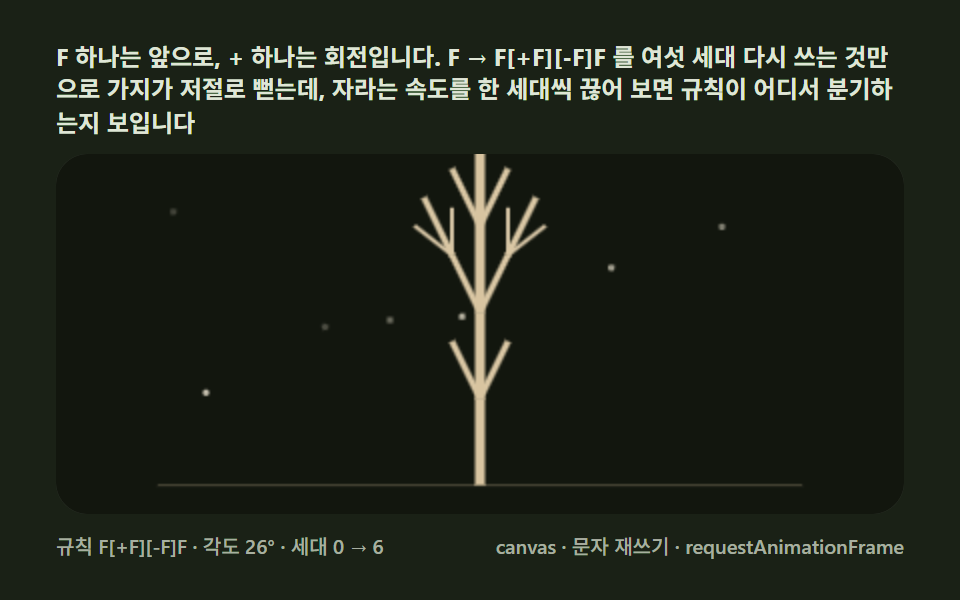 Creative UIL-System Fractal Tree Generator: 9 Demos