Magic Eye Stereograms: 9 Depth Map Demos
Read each pixel's brightness as depth, shift it a few pixels along the row, and a solid shape hides inside flat noise.
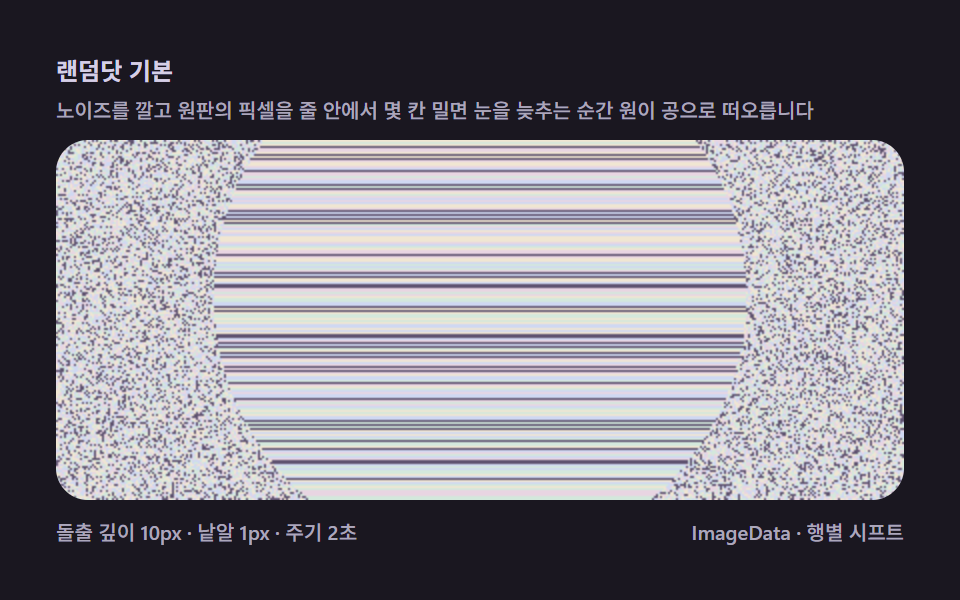 01 magic-eye-random-dot-basic
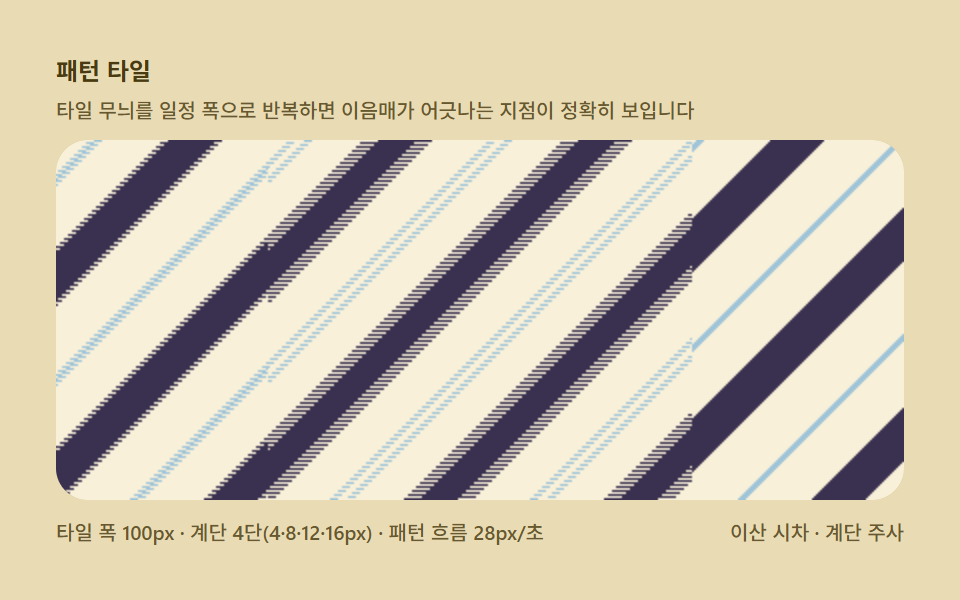 02 magic-eye-texture-pattern-repeat
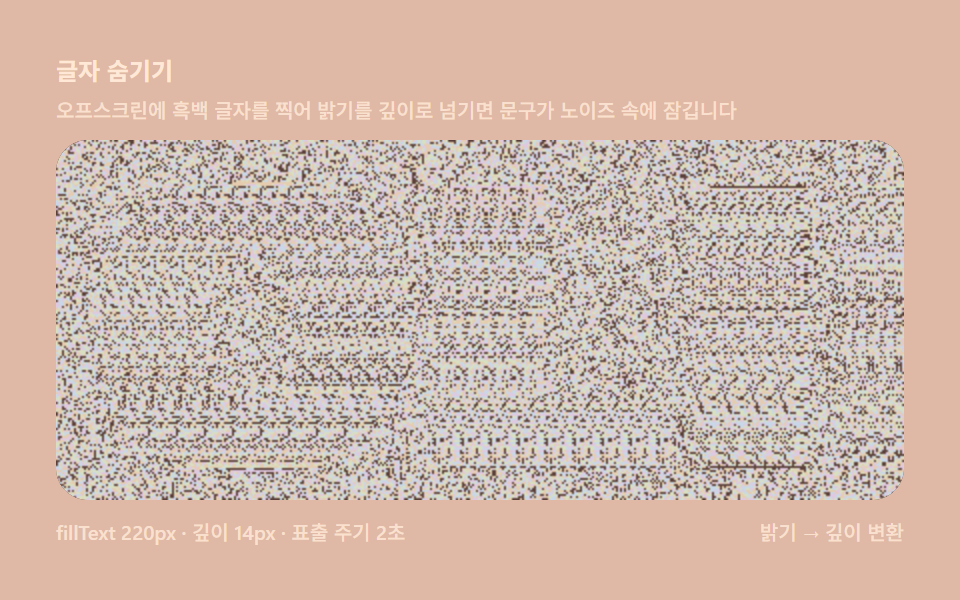 03 magic-eye-text-shape-depthmap
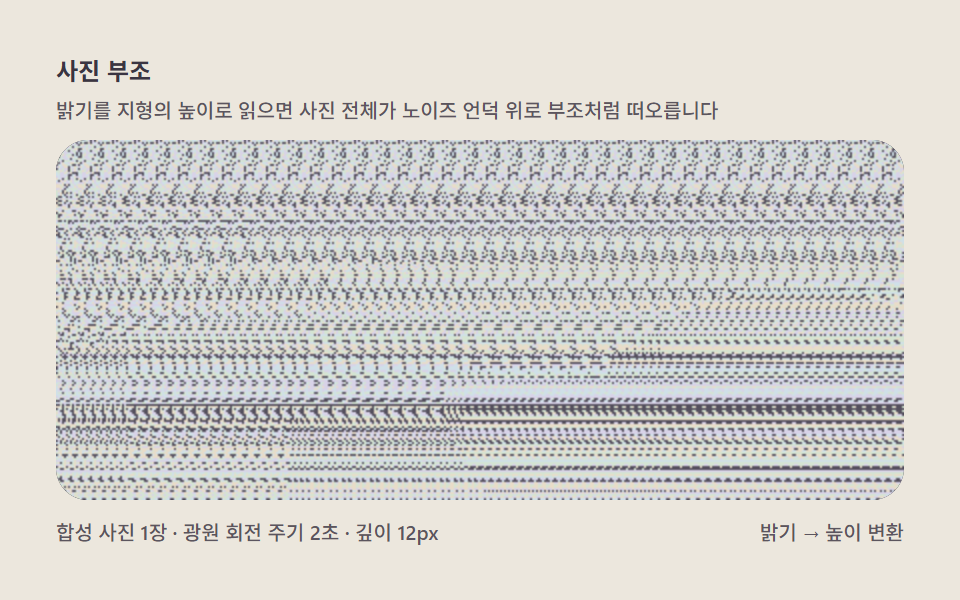 04 magic-eye-photo-depthmap-lift
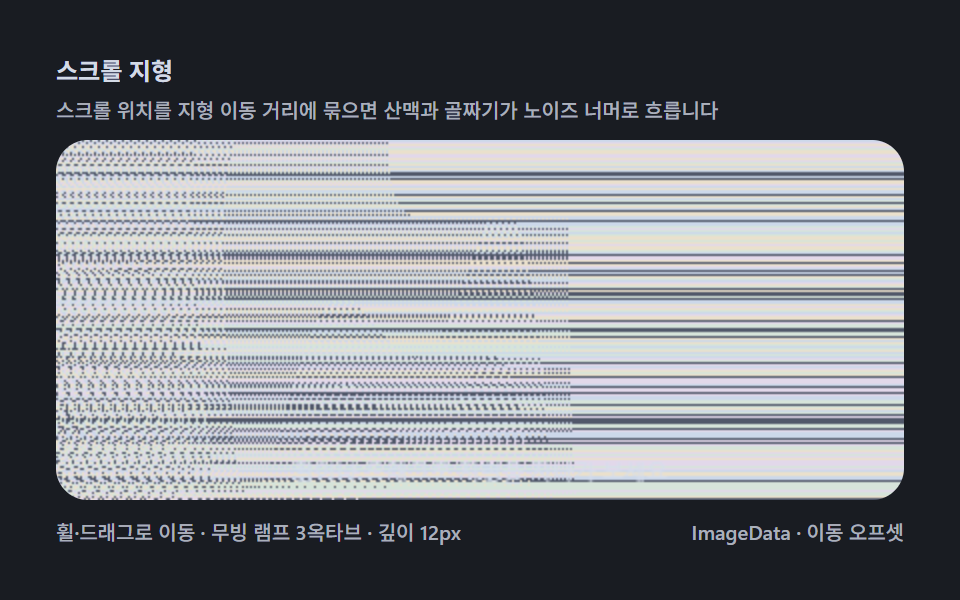 05 magic-eye-scroll-landscape-reveal
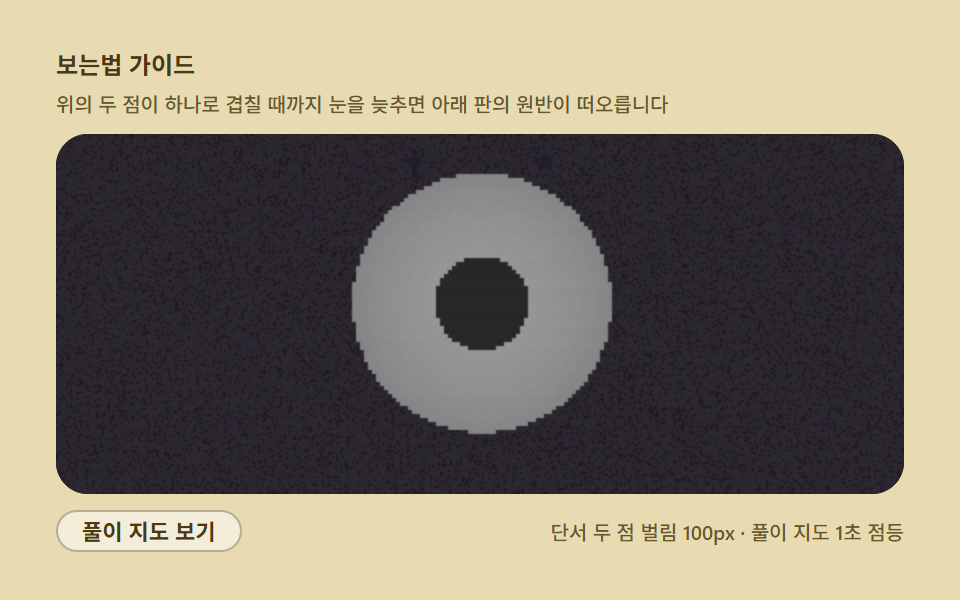 06 magic-eye-focus-blur-guide
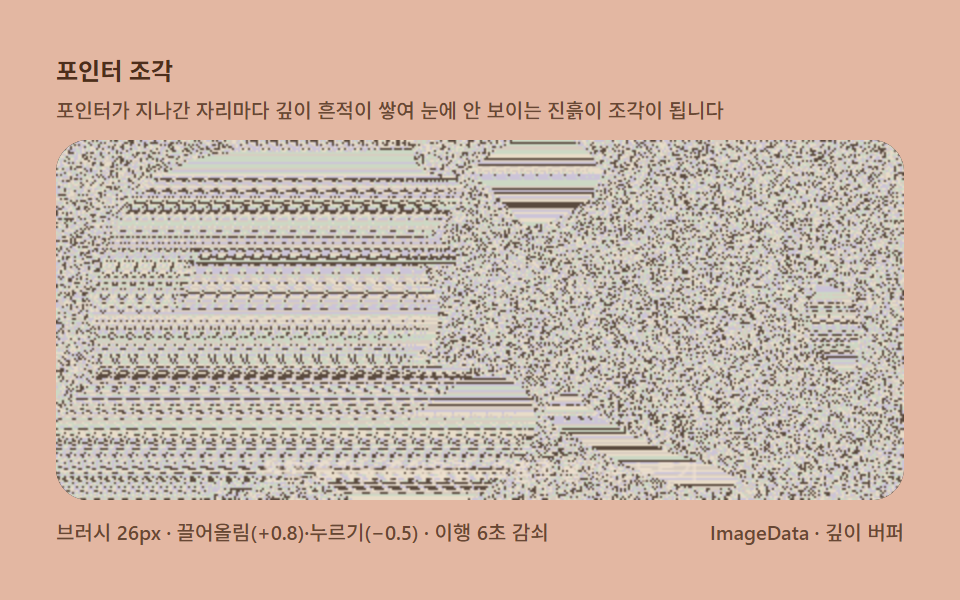 07 magic-eye-pointer-depth-sculpt
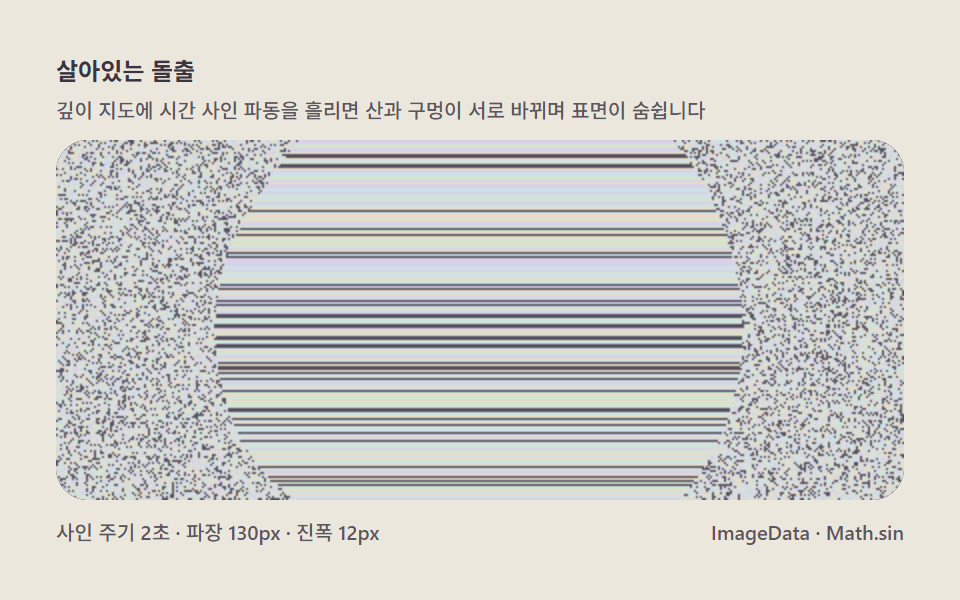 08 magic-eye-anim-depth-wave
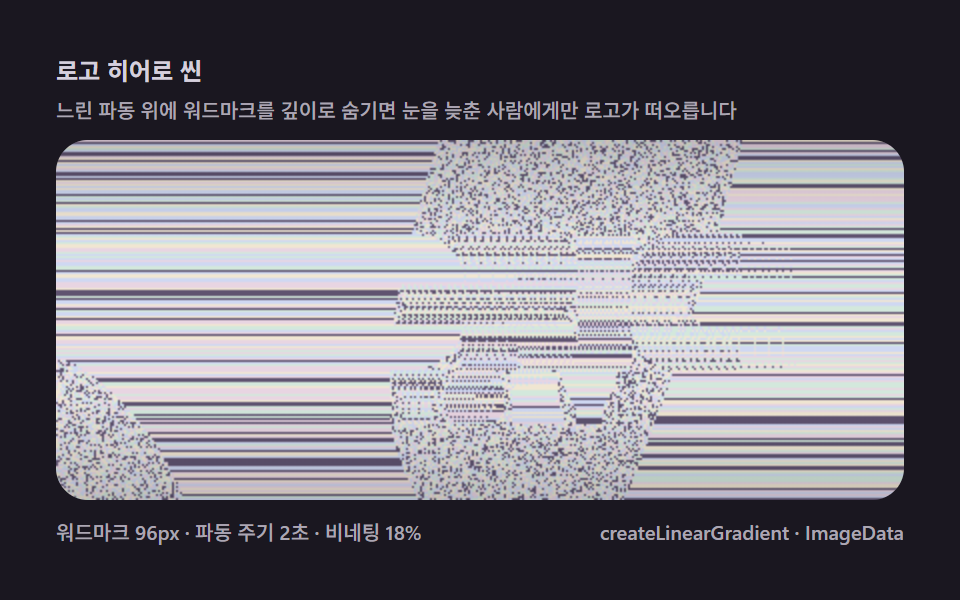 09 magic-eye-logo-hero-scene
Auto-plays · click a tile to jump to its section · all nine in one zip
- 01 Random-dot basics — a sphere silently surfacing on the first screen
- 02 Pattern tiling — the repeat width is the angle your eyes converge at
- 03 Hiding text — fillText stamped straight into the depth map
- 04 Photo relief — reading brightness as terrain height and lifting it
- 05 Scroll landscape — mountain ranges unveiling as you roll
- 06 How-to-see guide — guide dots and a self-solve overlay
- 07 Pointer sculpting — pressing depth down and pulling it up
- 08 Living bulge — a surface that breathes through depth waves
- 09 Logo hero scene — a front door hiding the brand in plain sight
From a Hemisphere Formula to Pointer Sculpting: Widening Magic Eye Depth
The nine scenes share one pipeline and differ only in what feeds it. 01 is the pipeline itself, bare: a breathing disc drives the depth and a circle becomes a ball. 02 swaps the noise for a repeating tile and makes the disparity visible as seam misalignment. 03 opens the big door — stamp any image on an offscreen canvas, read its luminance, and that luminance is the depth map. 04 pushes that door onto terrain synthesized from gradients, 05 turns depth into a landscape you travel through by wheel and drag, 06 answers the people who cannot see stereograms at all, 07 hands the depth map to your pointer as clay, 08 runs a time-driven wave through it, and 09 assembles a wordmark, a slow wave, and a vignette into a front door. Every scene here moved on 23 of 24 sampled frames, and painted area sits above 31% on every item — a magic eye is a screen where noise blankets the whole field, so the items separate on peak frame (how much re-weaving happens within one frame) and on brightness. Item 02 shines brightest at 155.2 average intensity; 06 hits the highest peak frame at 52.87%.
| # | Item | Technique | Painted area | Peak frame | Avg intensity |
|---|---|---|---|---|---|
| 01 | Random-dot basics | breathing disc, MAXSHIFT 10px, 2s cycle | 31.427% | 20.921% | 69.7 |
| 02 | Pattern tiling | TILE 100px, steps 4/8/12/16px | 52.806% | 12.343% | 155.2 |
| 03 | Hiding text | fillText SOLID 220px, depth 14px | 31.934% | 19.192% | 85.8 |
| 04 | Photo relief | synthesized photo, brightness as height | 50.087% | 31.937% | 71.8 |
| 05 | Scroll landscape | 3 sine octaves 0.45/0.30/0.18, cruise 90px/s | 51.918% | 36.326% | 71.8 |
| 06 | How-to-see guide | guide dots parting to 100px, solution map | 52.87% | 52.87% | 66.0 |
| 07 | Pointer sculpting | brush 26px, lift +0.8, press -0.5, 6s decay | 34.71% | 13.015% | 76.0 |
| 08 | Living bulge | diagonal sine, wavelength 130px, amplitude 12px | 31.176% | 22.983% | 71.1 |
| 09 | Logo hero scene | GODRICH 96px, wave 150px, vignette 18% | 52.539% | 31.517% | 69.9 |
Code per item
Every fence below is copied from that item's own source file — same constants, same identifier names — with comments and on-screen phrases rendered in English. One function arrives split across two consecutive fences, the 06 guide cuts off where the solution overlay begins, and the zip carries the nine full files plus a React port of each.
01Random-dot basics — a sphere silently surfacing on the first screen
A hemispheric disc swells and settles on a 2s cycle while the copy distance follows its depth — 31.427% painted area, a 20.921% peak frame, 69.7 average intensity. The grain is a coordinate-only hash, one sample per pixel, five colors.
<main class="stage">
<div class="me is-demo" id="meRoot">
  <p class="me__hint">
    <span>Random-dot basics</span>
    <span class="me__desc">Lay noise, nudge the disc pixels a few columns per row, and a circle turns into a ball the moment your eyes relax</span>
  </p>
  <div class="me__field" role="application" aria-label="Random-dot lab" tabindex="0">
    <canvas class="me__cv" id="meCv"></canvas>
  </div>
  <div class="me__bar">
    <span class="me__meta">bulge depth 10px · 1px grain · cycle 2s</span>
    <span class="me__meta me__meta--dim">ImageData · per-row shift</span>
  </div>
</div>
</main>
@use "../../../../site/static/demo-tokens" as *;
// 매직아이 기본(01) — @keyframes 를 두지 않는다.
// 움직임은 전부 캔버스 rAF 루프(행별 시프트 재계산)가 만든다.
// 무대 잉크 — 어두운 판 위 파스텔 노이즈로 입체를 띄운다.
$me-stage: #1a1720;
@include stage($me-stage);
$me-panel: #241f2d; // 스테레오 판 바닥 — 무대보다 한 단계 밝은 먹보라
$me-text: #d5cfe6; // 라벨 글자 — 밝은 라일락 회색
$me-p0: #cfd8f2; // 노이즈 파스텔 1 — 얼음 블루
$me-p1: #e8d5e2; // 노이즈 파스텔 2 — 벚꽃
$me-p2: #d3e8dc; // 노이즈 파스텔 3 — 민트 크림
$me-p3: #f0e6d2; // 노이즈 파스텔 4 — 크림
$me-p4: #5f5370; // 노이즈 어두운 칸 — 저채도 보라(명암 대비용)
$duration: $dur-loop;
$easing: $ease-out;
$color: $me-p0;
.me {
--me-p0: #{$me-p0};
--me-p1: #{$me-p1};
--me-p2: #{$me-p2};
--me-p3: #{$me-p3};
--me-p4: #{$me-p4};
display: flex; flex-direction: column; gap: $sp-2;
width: 100%; max-width: 424px;
}
.me__hint {
display: flex; flex-direction: column; gap: 0; margin: 0;
font-weight: 700; font-size: clamp(10px, 2.8vw, 12px); line-height: 1.35;
color: $me-text;
}
.me__desc {
margin-top: $sp-1;
font-weight: 500; font-size: clamp(9px, 2.4vw, 10px); line-height: 1.4;
color: rgba($me-text, .78);
}
.me__field {
position: relative; height: 180px;
border-radius: $r-card; overflow: hidden;
background: $me-panel;
box-shadow: inset 0 0 0 1px rgba($me-text, .16);
}
.me__field:focus-visible { outline: 2px solid $me-p0; outline-offset: 2px; }
.me__cv { display: block; width: 100%; height: 100%; }
.me__bar { display: flex; align-items: baseline; justify-content: space-between; gap: $sp-2; }
.me__meta { font-size: 10px; font-weight: 500; color: rgba($me-text, .78); }
@media (max-width: 340px) {
.me { gap: $sp-1; }
.me__field { height: 100px; }
.me__meta--dim { display: none; }
}
// reduce — rAF 를 돌리지 않고 부풀은 원판 한 장만 남는다.
@media (prefers-reduced-motion: reduce) {
.me.is-still .me__field { cursor: default !important; }
}html, body {
margin: 0;
overflow: hidden;
}
.stage {
box-sizing: border-box;
min-height: 100vh;
display: grid;
place-items: center;
margin: 0;
background: #1a1720;
font-family: -apple-system, "Segoe UI", "Noto Sans KR", sans-serif;
padding: clamp(8px, 4vw, 24px);
}
.me {
--me-p0: #cfd8f2;
--me-p1: #e8d5e2;
--me-p2: #d3e8dc;
--me-p3: #f0e6d2;
--me-p4: #5f5370;
display: flex;
flex-direction: column;
gap: 8px;
width: 100%;
max-width: 424px;
}
.me__hint {
display: flex;
flex-direction: column;
gap: 0;
margin: 0;
font-weight: 700;
font-size: clamp(10px, 2.8vw, 12px);
line-height: 1.35;
color: #d5cfe6;
}
.me__desc {
margin-top: 4px;
font-weight: 500;
font-size: clamp(9px, 2.4vw, 10px);
line-height: 1.4;
color: rgba(213, 207, 230, 0.78);
}
.me__field {
position: relative;
height: 180px;
border-radius: 16px;
overflow: hidden;
background: #241f2d;
box-shadow: inset 0 0 0 1px rgba(213, 207, 230, 0.16);
}
.me__field:focus-visible {
outline: 2px solid #cfd8f2;
outline-offset: 2px;
}
.me__cv {
display: block;
width: 100%;
height: 100%;
}
.me__bar {
display: flex;
align-items: baseline;
justify-content: space-between;
gap: 8px;
}
.me__meta {
font-size: 10px;
font-weight: 500;
color: rgba(213, 207, 230, 0.78);
}
@media (max-width: 340px) {
.me {
gap: 4px;
}
.me__field {
height: 100px;
}
.me__meta--dim {
display: none;
}
}
@media (prefers-reduced-motion: reduce) {
.me.is-still .me__field {
cursor: default !important;
}
}// 매직아이 기본(01) — 랜덤닷 스테레오그램의 최소 구현.
// 1) 시간이 지나도 같은 난수 노이즈를 깔는다(밑칠 baseIdx — 씨앗은 좌표만 받는다).
// 2) 깊이 지도 depth(x,y) 를 계산해 0..1 로 정규화한다(여기선 숨쉬는 반구 원판).
// 3) 각 행을 왼쪽에서 오른쪽으로 훑며, 깊이가 0인 칸은 밑칠 그대로 두고
// 깊이가 있는 칸은 col[x] = col[x - round(depth*MAXSHIFT)] 로 왼쪽에서 복사한다.
// 같은 낱알이 두 눈에 시차를 두고 들어와 입체로 읽히는 autostereogram 계산의 전부다.
// 원판이 주기 안에 부풀었다 가라앉으면 복사 거리가 바뀌어 원판 영역의 낱알이 다시 엮인다.
(function () {
// ── 변형 상수 블록 — 아래 값 하나만 바꿔 변형을 만든다 ──
var MAXSHIFT = 10; // 돌출 깊이(px) — 22로 올리면 공이 코앞까지 나온다(변형 1)
var CYCLE = 2.0; // 숨쉬기 주기(초)
// ────────────────────────────────────────────────────
var root = document.getElementById('meRoot');
var cvEl = document.getElementById('meCv');
if (!root || !cvEl) return;
var fieldEl = cvEl.parentElement;
var css = getComputedStyle(root);
function tokRGB(name) {
var s = css.getPropertyValue(name).trim();
var hx = s.length === 4
? s.charAt(1) + s.charAt(1) + s.charAt(2) + s.charAt(2) + s.charAt(3) + s.charAt(3)
: s.slice(1);
return [parseInt(hx.slice(0, 2), 16), parseInt(hx.slice(2, 4), 16), parseInt(hx.slice(4, 6), 16)];
}
var PAL = [];
for (var i = 0; i < 5; i++) PAL.push(tokRGB('--me-p' + i));
// ── 밑칠 노이즈 — 좌표만 받는 결정적 해시. 시간을 안 받으므로 프레임 사이에 같다(눈이 패턴을 기억한다) ──
function baseIdx(x, y) {
var h = (Math.imul(x + 11, 374761393) + Math.imul(y + 7, 668265263)) >>> 0;
h ^= h >>> 13;
h = Math.imul(h, 1274126177) >>> 0;
h ^= h >>> 16;
return ((h % PAL.length) + PAL.length) % PAL.length; // ^ 는 ToInt32 로 음수가 될 수 있어 접는다
}
var ctx = cvEl.getContext('2d');
var W = 0, H = 0, img = null;
function fit() {
var r = fieldEl.getBoundingClientRect();
W = Math.round(r.width); H = Math.round(r.height);
cvEl.width = W; cvEl.height = H;
img = ctx.createImageData(W, H);
}
// 깊이 지도 — 중앙 반구가 부풀었다 가라앉으며 살짝 위아래로도 흐른다. 0(배경) .. 1(최대 돌출)
function depthAt(x, y, t) {
var ph = t / CYCLE * Math.PI * 2;
var cx = W * 0.5, cy = H * 0.5 + Math.sin(ph) * H * 0.07;
var rad = Math.min(W, H) * 0.74;
var dx = (x - cx) / rad, dy = (y - cy) / rad;
var d2 = dx * dx + dy * dy;
if (d2 >= 1) return 0;
var bulge = 0.16 + 0.84 * (Math.sin(ph - Math.PI / 2) * .5 + .5);
return Math.sqrt(1 - d2) * bulge; // 반구 단면 × 숨쉬기
}
function draw(t) {
var d = img.data, x, y, di;
var col = new Int32Array(W); // 이 행의 낱알 팔레트 인덱스
for (y = 0; y < H; y++) {
for (x = 0; x < W; x++) {
var s = Math.round(depthAt(x, y, t) * MAXSHIFT);
if (s <= 0) {
col[x] = baseIdx(x, y); // 배경 — 밑칠 낱알 그대로
} else {
var from = x - s;
col[x] = from >= 0 ? col[from] : baseIdx(from + W, y); // 왼쪽에서 복사(화면 밖은 되감아)
}
}
for (x = 0; x < W; x++) {
var c = PAL[col[x]];
di = (y * W + x) * 4;
d[di] = c[0]; d[di + 1] = c[1]; d[di + 2] = c[2]; d[di + 3] = 255;
}
}
ctx.putImageData(img, 0, 0);
}
var reduce = window.matchMedia('(prefers-reduced-motion: reduce)').matches;
var t0 = -1;
function frame(now) {
if (t0 < 0) t0 = now;
draw((now - t0) / 1000);
requestAnimationFrame(frame);
}
window.addEventListener('resize', function () {
fit();
if (reduce) draw(0.5);
});
fit();
if (reduce) {
draw(0.5); // reduce — 부풀은 원판 한 장만 고정
root.classList.add('is-still');
} else {
requestAnimationFrame(frame);
}
})();// MagicEyeRandomDotBasic — vanilla 판(run/325/demo/01-magic-eye-random-dot-basic/index.html) 의 React 포트.
// 1) 시간이 지나도 같은 난수 노이즈를 깐다(밑칠 baseIdx — 씨앗은 좌표만 받는다).
// 2) 깊이 지도 depth(x,y) 를 계산해 0..1 로 정규화한다(여기선 숨쉬는 반구 원판).
// 3) 각 행을 왼쪽에서 오른쪽으로 훑며, 깊이가 0인 칸은 밑칠 그대로 두고
// 깊이가 있는 칸은 col[x] = col[x - round(depth*MAXSHIFT)] 로 왼쪽에서 복사한다.
// 같은 낱알이 두 눈에 시차를 두고 들어와 입체로 읽히는 autostereogram 계산의 전부다.
// 원판이 주기 안에 부풀었다 가라앉으면 복사 거리가 바뀌어 원판 영역의 낱알이 다시 엮인다.
import { useEffect, useRef, useState } from "react";
import type { CSSProperties } from "react";
import styles from "./MagicEyeRandomDotBasic.module.scss";
export type MagicEyeRandomDotBasicProps = {
duration?: string;
easing?: string;
color?: string;
maxshift?: number; // 돌출 깊이(px) — 22로 올리면 공이 코앞까지 나온다(변형 1)
cycle?: number; // 숨쉬기 주기(초)
};
// ── 변형 상수(기본값) — vanilla 판과 동일 ──
const MAXSHIFT = 10; // 돌출 깊이(px)
const CYCLE = 2.0; // 숨쉬기 주기(초) — 설정 초(2s)와 같아 한 주기가 한 루프
type Vars = CSSProperties & { "--duration"?: string; "--easing"?: string; "--color"?: string };
type Box<T> = { current: T };
type RGB = [number, number, number];
const FIELD_LABEL = "랜덤닷 실험판";
const META_LEFT = "돌출 깊이 10px · 낱알 1px · 주기 2초";
const META_RIGHT = "ImageData · 행별 시프트";
const HINT_TITLE = "랜덤닷 기본";
const HINT_DESC = "노이즈를 깔고 원판의 픽셀을 줄 안에서 몇 칸 밀면 눈을 늦추는 순간 원이 공으로 떠오릅니다";
export default function MagicEyeRandomDotBasic({
duration = "2s",
easing = "ease-out",
color = "#cfd8f2",
maxshift = MAXSHIFT,
cycle = CYCLE
}: MagicEyeRandomDotBasicProps) {
const rootRef = useRef<HTMLDivElement | null>(null);
const fieldRef = useRef<HTMLDivElement | null>(null);
const cvRef = useRef<HTMLCanvasElement | null>(null);
const ctxRef = useRef<CanvasRenderingContext2D | null>(null);
const palRef = useRef<RGB[] | null>(null);
const imgRef = useRef<ImageData | null>(null);
const wRef = useRef(0) as Box<number>;
const hRef = useRef(0) as Box<number>;
const rafRef = useRef(0) as Box<number>;
const [still, setStill] = useState(false);
const vars: Vars = { "--duration": duration, "--easing": easing, "--color": color };
function reduced(): boolean {
return window.matchMedia("(prefers-reduced-motion: reduce)").matches;
}
function tokRGB(root: HTMLDivElement, name: string): RGB {
const s = getComputedStyle(root).getPropertyValue(name).trim();
const hx = s.length === 4
? s.charAt(1) + s.charAt(1) + s.charAt(2) + s.charAt(2) + s.charAt(3) + s.charAt(3)
: s.slice(1);
return [parseInt(hx.slice(0, 2), 16), parseInt(hx.slice(2, 4), 16), parseInt(hx.slice(4, 6), 16)];
}
// ── 밑칠 노이즈 — 좌표만 받는 결정적 해시. 시간을 안 받으므로 프레임 사이에 같다(눈이 패턴을 기억한다) ──
function baseIdx(x: number, y: number): number {
const pal = palRef.current;
if (!pal) return 0;
let h = (Math.imul(x + 11, 374761393) + Math.imul(y + 7, 668265263)) >>> 0;
h ^= h >>> 13;
h = Math.imul(h, 1274126177) >>> 0;
h ^= h >>> 16;
return ((h % pal.length) + pal.length) % pal.length; // ^ 는 ToInt32 로 음수가 될 수 있어 접는다
}
function fit(): void {
const field = fieldRef.current;
const cv = cvRef.current;
const ctx = ctxRef.current;
if (!field || !cv || !ctx) return;
const r = field.getBoundingClientRect();
wRef.current = Math.round(r.width);
hRef.current = Math.round(r.height);
cv.width = wRef.current;
cv.height = hRef.current;
imgRef.current = ctx.createImageData(wRef.current, hRef.current);
}
// 깊이 지도 — 중앙 반구가 부풀었다 가라앉으며 살짝 위아래로도 흐른다. 0(배경) .. 1(최대 돌출)
function depthAt(x: number, y: number, t: number): number {
const W = wRef.current, H = hRef.current;
const ph = t / cycle * Math.PI * 2;
const cx = W * 0.5, cy = H * 0.5 + Math.sin(ph) * H * 0.07;
const rad = Math.min(W, H) * 0.74;
const dx = (x - cx) / rad, dy = (y - cy) / rad;
const d2 = dx * dx + dy * dy;
if (d2 >= 1) return 0;
const bulge = 0.16 + 0.84 * (Math.sin(ph - Math.PI / 2) * .5 + .5);
return Math.sqrt(1 - d2) * bulge; // 반구 단면 × 숨쉬기
}
function draw(t: number): void {
const ctx = ctxRef.current;
const img = imgRef.current;
const pal = palRef.current;
const W = wRef.current, H = hRef.current;
if (!ctx || !img || !pal) return;
const d = img.data;
const col = new Int32Array(W); // 이 행의 낱알 팔레트 인덱스
for (let y = 0; y < H; y++) {
for (let x = 0; x < W; x++) {
const s = Math.round(depthAt(x, y, t) * maxshift);
if (s <= 0) {
col[x] = baseIdx(x, y); // 배경 — 밑칠 낱알 그대로
} else {
const from = x - s;
col[x] = from >= 0 ? col[from] : baseIdx(from + W, y); // 왼쪽에서 복사(화면 밖은 되감아)
}
}
for (let x = 0; x < W; x++) {
const c = pal[col[x]];
const di = (y * W + x) * 4;
d[di] = c[0]; d[di + 1] = c[1]; d[di + 2] = c[2]; d[di + 3] = 255;
}
}
ctx.putImageData(img, 0, 0);
}
let t0 = -1;
function frame(now: number): void {
if (t0 < 0) t0 = now;
draw((now - t0) / 1000);
rafRef.current = requestAnimationFrame(frame);
}
useEffect(() => {
const root = rootRef.current;
const cv = cvRef.current;
if (!root || !cv) return;
const pal: RGB[] = [];
for (let i = 0; i < 5; i++) pal.push(tokRGB(root, "--me-p" + i));
palRef.current = pal;
ctxRef.current = cv.getContext("2d");
fit();
function onResize(): void {
fit();
if (reduced()) draw(0.5);
}
window.addEventListener("resize", onResize);
if (reduced()) {
draw(0.5); // reduce — 부풀은 원판 한 장만 고정
setStill(true);
} else {
t0 = -1;
rafRef.current = requestAnimationFrame(frame);
}
return () => {
window.removeEventListener("resize", onResize);
cancelAnimationFrame(rafRef.current);
};
// eslint-disable-next-line react-hooks/exhaustive-deps
}, [maxshift, cycle]);
const rootCls = still ? `${styles.root} ${styles.isStill}` : styles.root;
return (
<main className={styles.stage}>
<div className={rootCls} ref={rootRef} style={vars}>
<p className={styles.hint}>
<span>{HINT_TITLE}</span>
<span className={styles.desc}>{HINT_DESC}</span>
</p>
<div
className={styles.field}
ref={fieldRef}
role="application"
aria-label={FIELD_LABEL}
tabIndex={0}
>
<canvas className={styles.cv} ref={cvRef}></canvas>
</div>
<div className={styles.bar}>
<span className={styles.meta}>{META_LEFT}</span>
<span className={styles.metaDim}>{META_RIGHT}</span>
</div>
</div>
</main>
);
}01 · Random-dot basics — a sphere silently surfacing on the first screen — Measured area 31.427% · moving frames 23/23Original by GODRICH · SCSS and React ship in the zip · See the password
The hash that must not remember time
  function baseIdx(x, y) {
    var h = (Math.imul(x + 11, 374761393) + Math.imul(y + 7, 668265263)) >>> 0;
    h ^= h >>> 13;
    h = Math.imul(h, 1274126177) >>> 0;
    h ^= h >>> 16;
    return ((h % PAL.length) + PAL.length) % PAL.length;   // ^ folds to ToInt32, so wrap negatives back in
  }
The disc, breathing inside its own cycle
  function depthAt(x, y, t) {
    var ph = t / CYCLE * Math.PI * 2;
    var cx = W * 0.5, cy = H * 0.5 + Math.sin(ph) * H * 0.07;
    var rad = Math.min(W, H) * 0.74;
    var dx = (x - cx) / rad, dy = (y - cy) / rad;
    var d2 = dx * dx + dy * dy;
    if (d2 >= 1) return 0;
    var bulge = 0.16 + 0.84 * (Math.sin(ph - Math.PI / 2) * .5 + .5);
    return Math.sqrt(1 - d2) * bulge;   // hemisphere cross-section × breathing
  }
The per-row copy shift, whole
  function draw(t) {
    var d = img.data, x, y, di;
    var col = new Int32Array(W);   // this row's palette indices
    for (y = 0; y < H; y++) {
      for (x = 0; x < W; x++) {
        var s = Math.round(depthAt(x, y, t) * MAXSHIFT);
        if (s <= 0) {
          col[x] = baseIdx(x, y);                    // background — base grain untouched
        } else {
          var from = x - s;
          col[x] = from >= 0 ? col[from] : baseIdx(from + W, y);  // copy from the left (wrap past the edge)
        }
      }
      for (x = 0; x < W; x++) {
        var c = PAL[col[x]];
        di = (y * W + x) * 4;
        d[di] = c[0]; d[di + 1] = c[1]; d[di + 2] = c[2]; d[di + 3] = 255;
      }
    }
    ctx.putImageData(img, 0, 0);
  }
02Pattern tiling — the repeat width is the angle your eyes converge at
Trapezoid-stripe tiles 100px wide replace the noise, and the depth is a 4-step staircase (4, 8, 12, 16px) whose bands sweep on a 2s cycle while the tile itself streams upward at 28px/s — the brightest screen of the set at 155.2 average intensity, 52.806% painted, a 12.343% peak.
<main class="stage">
<div class="me is-demo" id="meRoot">
  <p class="me__hint">
    <span>Pattern tile</span>
    <span class="me__desc">Repeat a tile at a fixed width and you see exactly where the seams misalign</span>
  </p>
  <div class="me__field" role="application" aria-label="Tile precision board" tabindex="0">
    <canvas class="me__cv" id="meCv"></canvas>
  </div>
  <div class="me__bar">
    <span class="me__meta">Tile width 100px · 4 steps (4·8·12·16px) · pattern flow 28px/s</span>
    <span class="me__meta me__meta--dim">Discrete disparity · stepped sweep</span>
  </div>
</div>
</main>
@use "../../../../site/static/demo-tokens" as *;
// 패턴 타일(02) — keyframes 없음. rAF 계산이 전부.
// 무대 옐로 — 밝은 판 위 잉크 계열 타일 무늬로 이음매를 보여준다.
$me-stage: #e9dbb4;
@include stage($me-stage);
$me-panel: #f7e7b0; // 정밀 판 바닥 — 무대보다 한 단계 밝은 모래
$me-text: #4a3a12; // 라벨 글자 — 진한 갈색 잉크
$me-c0: #f8f0d8; // 타일 바탕 — 크림
$me-c1: #9fc4d8; // 보조선 — 파스텔 청회
$me-c2: #3a3050; // 사선 띠 — 진보라 잉크(크림과的大 대비)
$duration: $dur-loop;
$easing: $ease-out;
$color: $me-c2;
.me {
--me-c0: #{$me-c0};
--me-c1: #{$me-c1};
--me-c2: #{$me-c2};
display: flex; flex-direction: column; gap: $sp-2;
width: 100%; max-width: 424px;
}
.me__hint {
display: flex; flex-direction: column; gap: 0; margin: 0;
font-weight: 700; font-size: clamp(10px, 2.8vw, 12px); line-height: 1.35;
color: $me-text;
}
.me__desc {
margin-top: $sp-1;
font-weight: 500; font-size: clamp(9px, 2.4vw, 10px); line-height: 1.4;
color: rgba($me-text, .82);
}
.me__field {
position: relative; height: 180px;
border-radius: $r-card; overflow: hidden;
background: $me-panel;
box-shadow: inset 0 0 0 1px rgba($me-text, .2);
}
.me__field:focus-visible { outline: 2px solid $me-c2; outline-offset: 2px; }
.me__cv { display: block; width: 100%; height: 100%; }
.me__bar { display: flex; align-items: baseline; justify-content: space-between; gap: $sp-2; }
.me__meta { font-size: 10px; font-weight: 500; color: rgba($me-text, .82); }
@media (max-width: 340px) {
.me { gap: $sp-1; }
.me__field { height: 100px; }
.me__meta--dim { display: none; }
}
// reduce — 계단 한 장만 남는다.
@media (prefers-reduced-motion: reduce) {
.me.is-still .me__field { cursor: default !important; }
}html, body {
margin: 0;
overflow: hidden;
}
.stage {
box-sizing: border-box;
min-height: 100vh;
display: grid;
place-items: center;
margin: 0;
background: #e9dbb4;
font-family: -apple-system, "Segoe UI", "Noto Sans KR", sans-serif;
padding: clamp(8px, 4vw, 24px);
}
.me {
--me-c0: #f8f0d8;
--me-c1: #9fc4d8;
--me-c2: #3a3050;
display: flex;
flex-direction: column;
gap: 8px;
width: 100%;
max-width: 424px;
}
.me__hint {
display: flex;
flex-direction: column;
gap: 0;
margin: 0;
font-weight: 700;
font-size: clamp(10px, 2.8vw, 12px);
line-height: 1.35;
color: #4a3a12;
}
.me__desc {
margin-top: 4px;
font-weight: 500;
font-size: clamp(9px, 2.4vw, 10px);
line-height: 1.4;
color: rgba(74, 58, 18, 0.82);
}
.me__field {
position: relative;
height: 180px;
border-radius: 16px;
overflow: hidden;
background: #f7e7b0;
box-shadow: inset 0 0 0 1px rgba(74, 58, 18, 0.2);
}
.me__field:focus-visible {
outline: 2px solid #3a3050;
outline-offset: 2px;
}
.me__cv {
display: block;
width: 100%;
height: 100%;
}
.me__bar {
display: flex;
align-items: baseline;
justify-content: space-between;
gap: 8px;
}
.me__meta {
font-size: 10px;
font-weight: 500;
color: rgba(74, 58, 18, 0.82);
}
@media (max-width: 340px) {
.me {
gap: 4px;
}
.me__field {
height: 100px;
}
.me__meta--dim {
display: none;
}
}
@media (prefers-reduced-motion: reduce) {
.me.is-still .me__field {
cursor: default !important;
}
}// Pattern tile(02) — 반복 무늬 폭과 이산 시차의 관계.
// 노이즈 대신 폭 TILE=100px 짜리 타일 무늬(사다리꼴 스트라이프)를 깐다.
// 무늬가 주기적이면 시프트가 주기의 배수일 때 이음매가 딱 맞고, 그렇지 않으면 어긋나 도드라진다 —
// 깊이를 4단 계단으로 두면 단마다 어긋남의 크기가 달라 "몇 픽셀 밀었는지"가 무늬로 읽힌다.
// 계단이 좌우로 주사하며 한 단씩 올라오므로 어긋남의 띠가 화면을 흐른다.
(function () {
// ── 변형 상수 블록 ──
var TILE = 100; // 타일 폭(px) — 140으로 넓히면 눈을 더 멀리 늦춰야 한다(변형 2)
var STEPS = [4, 8, 12, 16]; // 계단 깊이(px)
var CYCLE = 2.0; // 주사 주기(초)
// ─────────────────
var root = document.getElementById('meRoot');
var cvEl = document.getElementById('meCv');
if (!root || !cvEl) return;
var fieldEl = cvEl.parentElement;
var css = getComputedStyle(root);
function tokRGB(name) {
var s = css.getPropertyValue(name).trim();
var hx = s.length === 4
? s.charAt(1) + s.charAt(1) + s.charAt(2) + s.charAt(2) + s.charAt(3) + s.charAt(3)
: s.slice(1);
return [parseInt(hx.slice(0, 2), 16), parseInt(hx.slice(2, 4), 16), parseInt(hx.slice(4, 6), 16)];
}
var C0 = tokRGB('--me-c0');
var C1 = tokRGB('--me-c1');
var C2 = tokRGB('--me-c2');
var ctx = cvEl.getContext('2d');
var W = 0, H = 0, img = null;
function fit() {
var r = fieldEl.getBoundingClientRect();
W = Math.round(r.width); H = Math.round(r.height);
cvEl.width = W; cvEl.height = H;
img = ctx.createImageData(W, H);
}
// 타일 무늬 — 캔버스 좌표(반복 주기 좌표)를 받아 색을 결정한다.
// 사선 스트라이프 + 링: 같은 타일이 반복되는지 바로 보이는 무늬.
function tileColor(px, py) {
var tx = ((px % TILE) + TILE) % TILE, ty = ((py % TILE) + TILE) % TILE;
var diag = (tx + ty) % TILE; // 사선 좌표
if (diag < 14 || diag > TILE - 14) return C2; // 굵은 사선 띠
var dx = tx - TILE * 0.5, dy = ty - TILE * 0.5;
var rr = Math.sqrt(dx * dx + dy * dy);
if (rr < 9) return C2; // 중앙 점
if (rr < 15) return C0; // 점 테두리
return (diag % 50 < 4) ? C1 : C0; // 바탕 + 가는 보조선
}
// 깊이 — 가로 4단 계단. 주사相位에 따라 어떤 단이 화면에 들어와 있는지 달라진다.
function depthAt(x, y, t) {
var band = (y * 4 + Math.floor(x / (W / 4))); // 대각 계단 인덱스
var scan = (t / CYCLE) % 1; // 0..1 주사 위상
var appear = ((band % 8) + 8) % 8 / 8; // 단마다 등장 시각을 엇갈리게
var lift = Math.max(0, Math.sin((scan - appear) * Math.PI * 2 - Math.PI / 2) * .5 + .5);
return lift * lift;
}
function shiftFor(x, y, t) {
var band = Math.floor(x / (W / 4)) % 4;
var d = depthAt(x, y, t);
return Math.round(STEPS[band] * d);
}
function draw(t) {
var d = img.data, x, y, di;
var flowY = Math.floor(t * 28); // 패턴 순환 — 타일이 천천히 아래로 흐른다(정수 픽셀)
for (y = 0; y < H; y++) {
var rowY = y + flowY;
for (x = 0; x < W; x++) {
var s = shiftFor(x, rowY, t);
var src = x - s;
// 타일 좌표계는 무한히 반복되므로 음수도 그냥 넘겨면 tileColor 가 되감는다
var c = tileColor(src, rowY);
di = (y * W + x) * 4;
d[di] = c[0]; d[di + 1] = c[1]; d[di + 2] = c[2]; d[di + 3] = 255;
}
}
ctx.putImageData(img, 0, 0);
}
var reduce = window.matchMedia('(prefers-reduced-motion: reduce)').matches;
var t0 = -1;
function frame(now) {
if (t0 < 0) t0 = now;
draw((now - t0) / 1000);
requestAnimationFrame(frame);
}
window.addEventListener('resize', function () {
fit();
if (reduce) draw(0.25);
});
fit();
if (reduce) {
draw(0.25); // reduce — 한 단이 뜬 계단 한 장만 고정
root.classList.add('is-still');
} else {
requestAnimationFrame(frame);
}
})();// MagicEyeTexturePatternRepeat — vanilla 판(run/325/demo/02-magic-eye-texture-pattern-repeat/index.html) 의 React 포트.
// 노이즈 대신 폭 TILE=100px 짜리 타일 무늬(사다리꼴 스트라이프)를 깐다.
// 무늬가 주기적이면 시프트가 주기의 배수일 때 이음매가 딱 맞고, 그렇지 않으면 어긋나 도드라진다 —
// 깊이를 4단 계단으로 두면 단마다 어긋남의 크기가 달라 "몇 픽셀 밀었는지"가 무늬로 읽힌다.
// 계단이 좌우로 주사하며 한 단씩 올라오므로 어긋남의 띠가 화면을 흐른다.
import { useEffect, useRef, useState } from "react";
import type { CSSProperties } from "react";
import styles from "./MagicEyeTexturePatternRepeat.module.scss";
export type MagicEyeTexturePatternRepeatProps = {
duration?: string;
easing?: string;
color?: string;
tile?: number; // 타일 폭(px) — 140으로 넓히면 눈을 더 멀리 늦춰야 한다(변형 2)
cycle?: number; // 주사 주기(초)
};
// ── 변형 상수(기본값) — vanilla 판과 동일 ──
const TILE = 100; // 타일 폭(px)
const STEPS = [4, 8, 12, 16]; // 계단 깊이(px)
const CYCLE = 2.0; // 주사 주기(초) — 설정 초(2s)와 같다
const FLOW = 28; // 패턴 순환 속도(px/초)
type Vars = CSSProperties & { "--duration"?: string; "--easing"?: string; "--color"?: string };
type Box<T> = { current: T };
type RGB = [number, number, number];
const FIELD_LABEL = "타일 정밀 판";
const META_LEFT = "타일 폭 100px · 계단 4단(4·8·12·16px) · 패턴 흐름 28px/초";
const META_RIGHT = "이산 시차 · 계단 주사";
const HINT_TITLE = "패턴 타일";
const HINT_DESC = "타일 무늬를 일정 폭으로 반복하면 이음매가 어긋나는 지점이 정확히 보입니다";
export default function MagicEyeTexturePatternRepeat({
duration = "2s",
easing = "ease-out",
color = "#3a3050",
tile = TILE,
cycle = CYCLE
}: MagicEyeTexturePatternRepeatProps) {
const rootRef = useRef<HTMLDivElement | null>(null);
const fieldRef = useRef<HTMLDivElement | null>(null);
const cvRef = useRef<HTMLCanvasElement | null>(null);
const ctxRef = useRef<CanvasRenderingContext2D | null>(null);
const c0Ref = useRef<RGB | null>(null);
const c1Ref = useRef<RGB | null>(null);
const c2Ref = useRef<RGB | null>(null);
const imgRef = useRef<ImageData | null>(null);
const wRef = useRef(0) as Box<number>;
const hRef = useRef(0) as Box<number>;
const rafRef = useRef(0) as Box<number>;
const [still, setStill] = useState(false);
const vars: Vars = { "--duration": duration, "--easing": easing, "--color": color };
function reduced(): boolean {
return window.matchMedia("(prefers-reduced-motion: reduce)").matches;
}
function tokRGB(root: HTMLDivElement, name: string): RGB {
const s = getComputedStyle(root).getPropertyValue(name).trim();
const hx = s.length === 4
? s.charAt(1) + s.charAt(1) + s.charAt(2) + s.charAt(2) + s.charAt(3) + s.charAt(3)
: s.slice(1);
return [parseInt(hx.slice(0, 2), 16), parseInt(hx.slice(2, 4), 16), parseInt(hx.slice(4, 6), 16)];
}
function fit(): void {
const field = fieldRef.current;
const cv = cvRef.current;
const ctx = ctxRef.current;
if (!field || !cv || !ctx) return;
const r = field.getBoundingClientRect();
wRef.current = Math.round(r.width);
hRef.current = Math.round(r.height);
cv.width = wRef.current;
cv.height = hRef.current;
imgRef.current = ctx.createImageData(wRef.current, hRef.current);
}
// 타일 무늬 — 캔버스 좌표(반복 주기 좌표)를 받아 색을 결정한다.
// 사선 스트라이프 + 링: 같은 타일이 반복되는지 바로 보이는 무늬.
function tileColor(px: number, py: number): RGB {
const C0 = c0Ref.current, C1 = c1Ref.current, C2 = c2Ref.current;
if (!C0 || !C1 || !C2) return C0 || [0, 0, 0];
const tx = ((px % tile) + tile) % tile, ty = ((py % tile) + tile) % tile;
const diag = (tx + ty) % tile; // 사선 좌표
if (diag < 14 || diag > tile - 14) return C2; // 굵은 사선 띠
const dx = tx - tile * 0.5, dy = ty - tile * 0.5;
const rr = Math.sqrt(dx * dx + dy * dy);
if (rr < 9) return C2; // 중앙 점
if (rr < 15) return C0; // 점 테두리
return (diag % 50 < 4) ? C1 : C0; // 바탕 + 가는 보조선
}
// 깊이 — 가로 4단 계단. 주사 위상에 따라 어떤 단이 화면에 들어와 있는지 달라진다.
function depthAt(x: number, y: number, t: number): number {
const W = wRef.current;
const band = Math.floor(y * 4 + Math.floor(x / (W / 4))); // 대각 계단 인덱스
const scan = (t / cycle) % 1; // 0..1 주사 위상
const appear = (((band % 8) + 8) % 8) / 8; // 단마다 등장 시각을 엇갈리게
const lift = Math.max(0, Math.sin((scan - appear) * Math.PI * 2 - Math.PI / 2) * .5 + .5);
return lift * lift;
}
function shiftFor(x: number, y: number, t: number): number {
const W = wRef.current;
const band = Math.floor(x / (W / 4)) % 4;
return Math.round(STEPS[band] * depthAt(x, y, t));
}
function draw(t: number): void {
const ctx = ctxRef.current;
const img = imgRef.current;
const W = wRef.current, H = hRef.current;
if (!ctx || !img) return;
const d = img.data;
const flowY = Math.floor(t * FLOW); // 패턴 순환 — 타일이 천천히 아래로 흐른다(정수 픽셀)
for (let y = 0; y < H; y++) {
const rowY = y + flowY;
for (let x = 0; x < W; x++) {
const s = shiftFor(x, rowY, t);
const src = x - s;
// 타일 좌표계는 무한히 반복되므로 음수도 그냥 넘겨면 tileColor 가 되감는다
const c = tileColor(src, rowY);
const di = (y * W + x) * 4;
d[di] = c[0]; d[di + 1] = c[1]; d[di + 2] = c[2]; d[di + 3] = 255;
}
}
ctx.putImageData(img, 0, 0);
}
let t0 = -1;
function frame(now: number): void {
if (t0 < 0) t0 = now;
draw((now - t0) / 1000);
rafRef.current = requestAnimationFrame(frame);
}
useEffect(() => {
const root = rootRef.current;
const cv = cvRef.current;
if (!root || !cv) return;
c0Ref.current = tokRGB(root, "--me-c0"); // 타일 바탕 — 크림
c1Ref.current = tokRGB(root, "--me-c1"); // 보조선 — 파스텔 청회
c2Ref.current = tokRGB(root, "--me-c2"); // 사선 띠 — 진보라 잉크
ctxRef.current = cv.getContext("2d");
fit();
function onResize(): void {
fit();
if (reduced()) draw(0.25);
}
window.addEventListener("resize", onResize);
if (reduced()) {
draw(0.25); // reduce — 한 단이 뜬 계단 한 장만 고정
setStill(true);
} else {
t0 = -1;
rafRef.current = requestAnimationFrame(frame);
}
return () => {
window.removeEventListener("resize", onResize);
cancelAnimationFrame(rafRef.current);
};
// eslint-disable-next-line react-hooks/exhaustive-deps
}, [tile, cycle]);
const rootCls = still ? `${styles.root} ${styles.isStill}` : styles.root;
return (
<main className={styles.stage}>
<div className={rootCls} ref={rootRef} style={vars}>
<p className={styles.hint}>
<span>{HINT_TITLE}</span>
<span className={styles.desc}>{HINT_DESC}</span>
</p>
<div
className={styles.field}
ref={fieldRef}
role="application"
aria-label={FIELD_LABEL}
tabIndex={0}
>
<canvas className={styles.cv} ref={cvRef}></canvas>
</div>
<div className={styles.bar}>
<span className={styles.meta}>{META_LEFT}</span>
<span className={styles.metaDim}>{META_RIGHT}</span>
</div>
</div>
</main>
);
}02 · Pattern tiling — the repeat width is the angle your eyes converge at — Measured area 52.806% · moving frames 23/23Original by GODRICH · SCSS and React ship in the zip · See the password
A tile pattern infinite in both directions
  function tileColor(px, py) {
    var tx = ((px % TILE) + TILE) % TILE, ty = ((py % TILE) + TILE) % TILE;
    var diag = (tx + ty) % TILE;                       // diagonal coordinate
    if (diag < 14 || diag > TILE - 14) return C2;      // thick diagonal band
    var dx = tx - TILE * 0.5, dy = ty - TILE * 0.5;
    var rr = Math.sqrt(dx * dx + dy * dy);
    if (rr < 9) return C2;                             // center dot
    if (rr < 15) return C0;                            // dot rim
    return (diag % 50 < 4) ? C1 : C0;                  // field + thin secondary line
  }
The staircase, and why seams lock or stand proud
  function depthAt(x, y, t) {
    var band = (y * 4 + Math.floor(x / (W / 4)));      // diagonal staircase index
    var scan = (t / CYCLE) % 1;                        // 0..1 sweep phase
    var appear = ((band % 8) + 8) % 8 / 8;             // stagger each band's entrance time
    var lift = Math.max(0, Math.sin((scan - appear) * Math.PI * 2 - Math.PI / 2) * .5 + .5);
    return lift * lift;
  }

  function draw(t) {
    var d = img.data, x, y, di;
    var flowY = Math.floor(t * 28);   // pattern drift — the tile streams down (integer pixels)
    for (y = 0; y < H; y++) {
      var rowY = y + flowY;
      for (x = 0; x < W; x++) {
        var s = shiftFor(x, rowY, t);
        var src = x - s;
        // the tile grid repeats forever, so negatives pass straight through — tileColor wraps them
        var c = tileColor(src, rowY);
        di = (y * W + x) * 4;
        d[di] = c[0]; d[di + 1] = c[1]; d[di + 2] = c[2]; d[di + 3] = 255;
      }
    }
    ctx.putImageData(img, 0, 0);
  }
03Hiding text — fillText stamped straight into the depth map
The word SOLID goes down in 220px black-weight type on an offscreen canvas, getImageData reads it back, and the luminance becomes depth — 31.934% painted, a 19.192% peak, 85.8 average intensity.
<main class="stage">
<div class="me is-demo" id="meRoot">
  <p class="me__hint">
    <span>Hiding text</span>
    <span class="me__desc">Stamp grayscale text offscreen, feed brightness in as depth, and a phrase sinks into the noise</span>
  </p>
  <div class="me__field" role="application" aria-label="Text hiding board" tabindex="0">
    <canvas class="me__cv" id="meCv"></canvas>
  </div>
  <div class="me__bar">
    <span class="me__meta">fillText 220px · depth 14px · surfacing cycle 2s</span>
    <span class="me__meta me__meta--dim">Luminance → depth</span>
  </div>
</div>
</main>
@use "../../../../site/static/demo-tokens" as *;
// 글자 숨기기(03) — keyframes 없음. fillText 래스터 → 밝기 깊이 → 행별 시프트.
// 무대 오렌지 — 어두운 노이즈 칸으로 글자를 숨긴다.
$me-stage: #e0b8a6;
@include stage($me-stage);
$me-panel: #38241e; // 은닉 판 바닥 — 어두운 갈색 먹(노이즈가 잘 뜨는 어두운 바탕)
$me-text: #ffe8d6; // 라벨 글자 — 크림
$me-p0: #e6ccae; // 노이즈 파스텔 1 — 모래
$me-p1: #c8d8e8; // 노이즈 파스텔 2 — 파스텔 블루
$me-p2: #e0c8e0; // 노이즈 파스텔 3 — 라일락
$me-p3: #d8e0c0; // 노이즈 파스텔 4 — 올리브 크림
$me-p4: #5a4038; // 노이즈 어두운 칸 — 저채도 갈색
$duration: $dur-loop;
$easing: $ease-out;
$color: $me-p1;
.me {
--me-p0: #{$me-p0};
--me-p1: #{$me-p1};
--me-p2: #{$me-p2};
--me-p3: #{$me-p3};
--me-p4: #{$me-p4};
display: flex; flex-direction: column; gap: $sp-2;
width: 100%; max-width: 424px;
}
.me__hint {
display: flex; flex-direction: column; gap: 0; margin: 0;
font-weight: 700; font-size: clamp(10px, 2.8vw, 12px); line-height: 1.35;
color: $me-text;
}
.me__desc {
margin-top: $sp-1;
font-weight: 500; font-size: clamp(9px, 2.4vw, 10px); line-height: 1.4;
color: rgba($me-text, .84);
}
.me__field {
position: relative; height: 180px;
border-radius: $r-card; overflow: hidden;
background: $me-panel;
box-shadow: inset 0 0 0 1px rgba($me-text, .16);
}
.me__field:focus-visible { outline: 2px solid $me-p1; outline-offset: 2px; }
.me__cv { display: block; width: 100%; height: 100%; }
.me__bar { display: flex; align-items: baseline; justify-content: space-between; gap: $sp-2; }
.me__meta { font-size: 10px; font-weight: 500; color: rgba($me-text, .84); }
@media (max-width: 340px) {
.me { gap: $sp-1; }
.me__field { height: 100px; }
.me__meta--dim { display: none; }
}
// reduce — 떠오른 글자 한 장만 남는다.
@media (prefers-reduced-motion: reduce) {
.me.is-still .me__field { cursor: default !important; }
}html, body {
margin: 0;
overflow: hidden;
}
.stage {
box-sizing: border-box;
min-height: 100vh;
display: grid;
place-items: center;
margin: 0;
background: #e0b8a6;
font-family: -apple-system, "Segoe UI", "Noto Sans KR", sans-serif;
padding: clamp(8px, 4vw, 24px);
}
.me {
--me-p0: #e6ccae;
--me-p1: #c8d8e8;
--me-p2: #e0c8e0;
--me-p3: #d8e0c0;
--me-p4: #5a4038;
display: flex;
flex-direction: column;
gap: 8px;
width: 100%;
max-width: 424px;
}
.me__hint {
display: flex;
flex-direction: column;
gap: 0;
margin: 0;
font-weight: 700;
font-size: clamp(10px, 2.8vw, 12px);
line-height: 1.35;
color: #ffe8d6;
}
.me__desc {
margin-top: 4px;
font-weight: 500;
font-size: clamp(9px, 2.4vw, 10px);
line-height: 1.4;
color: rgba(255, 232, 214, 0.84);
}
.me__field {
position: relative;
height: 180px;
border-radius: 16px;
overflow: hidden;
background: #38241e;
box-shadow: inset 0 0 0 1px rgba(255, 232, 214, 0.16);
}
.me__field:focus-visible {
outline: 2px solid #c8d8e8;
outline-offset: 2px;
}
.me__cv {
display: block;
width: 100%;
height: 100%;
}
.me__bar {
display: flex;
align-items: baseline;
justify-content: space-between;
gap: 8px;
}
.me__meta {
font-size: 10px;
font-weight: 500;
color: rgba(255, 232, 214, 0.84);
}
@media (max-width: 340px) {
.me {
gap: 4px;
}
.me__field {
height: 100px;
}
.me__meta--dim {
display: none;
}
}
@media (prefers-reduced-motion: reduce) {
.me.is-still .me__field {
cursor: default !important;
}
}// Hiding text(03) — fillText 로 찍은 글자를 깊이 지도로 쓴다.
// 오프스크린 캔버스에 글자를 흰색/검은 배경으로 그린 뒤 getImageData 로 밝기를 읽어
// 0(검은 배경) .. 1(글자 살) 깊이로 넘긴다. 이후는 01 과 같은 행별 복사 시프트.
// 글자 깊이가 주기 안에 0 → 1 → 0 으로 움직이므로 문구가 노이즈 속에서 떠올랐다 가라앉는다.
// 깊이 소스가 "그림 한 장"이면 뭐든 된다는 문을 여는 항목 — 사진(04)·로고(09)가 같은 길을 잇는다.
(function () {
// ── 변형 상수 블록 ──
var WORD = 'SOLID'; // 숨길 단어 — 몸통이 굵은 짧은 단어가 잘 뜬다
var FSIZE = 220; // fillText 크기(px)
var MAXSHIFT = 14; // 글자 깊이(px)
var CYCLE = 2.0; // 표출 주기(초)
// ─────────────────
var root = document.getElementById('meRoot');
var cvEl = document.getElementById('meCv');
if (!root || !cvEl) return;
var fieldEl = cvEl.parentElement;
var css = getComputedStyle(root);
function tokRGB(name) {
var s = css.getPropertyValue(name).trim();
var hx = s.length === 4
? s.charAt(1) + s.charAt(1) + s.charAt(2) + s.charAt(2) + s.charAt(3) + s.charAt(3)
: s.slice(1);
return [parseInt(hx.slice(0, 2), 16), parseInt(hx.slice(2, 4), 16), parseInt(hx.slice(4, 6), 16)];
}
var PAL = [];
for (var i = 0; i < 5; i++) PAL.push(tokRGB('--me-p' + i));
function baseIdx(x, y) {
var h = (Math.imul(x + 11, 374761393) + Math.imul(y + 7, 668265263)) >>> 0;
h ^= h >>> 13;
h = Math.imul(h, 1274126177) >>> 0;
h ^= h >>> 16;
return ((h % PAL.length) + PAL.length) % PAL.length; // ^ 는 ToInt32 로 음수가 될 수 있어 접는다
}
var ctx = cvEl.getContext('2d');
var W = 0, H = 0, img = null;
// ── 오프스크린 깊이 원본 — 글자 래스터 ──
var srcCv = document.createElement('canvas');
var srcCtx = srcCv.getContext('2d');
var depthBuf = null;
function fit() {
var r = fieldEl.getBoundingClientRect();
W = Math.round(r.width); H = Math.round(r.height);
cvEl.width = W; cvEl.height = H;
img = ctx.createImageData(W, H);
srcCv.width = W; srcCv.height = H;
srcCtx.fillStyle = '#000';
srcCtx.fillRect(0, 0, W, H);
    srcCtx.fillStyle = '#fff';
    srcCtx.textAlign = 'center';
    srcCtx.textBaseline = 'middle';
    var fs = Math.min(FSIZE, W * 0.46);
    srcCtx.font = '900 ' + fs + 'px "Arial Black", "Segoe UI", sans-serif';
    srcCtx.fillText(WORD, W * 0.5, H * 0.58);
    var sd = srcCtx.getImageData(0, 0, W, H).data;
// 밝기 → 깊이. 좌우 1px 평균으로 가장자리 낙차를 무디게 한다(꺾여 보이지 않게)
depthBuf = new Float32Array(W * H);
var x, y, v, sum, n;
for (y = 0; y < H; y++) {
for (x = 0; x < W; x++) {
v = sd[(y * W + x) * 4] / 255;
sum = v; n = 1;
if (x > 0) { sum += sd[(y * W + x - 1) * 4] / 255; n++; }
if (x < W - 1) { sum += sd[(y * W + x + 1) * 4] / 255; n++; }
depthBuf[y * W + x] = sum / n;
}
}
}
function draw(t) {
var d = img.data, x, y, di;
var ph = t / CYCLE * Math.PI * 2;
var appear = Math.sin(ph - Math.PI / 2) * .5 + .5;
var amp = 0.12 + 0.88 * appear; // 최저 12% 유지 — 루프가 이어진다
var bob = Math.round(Math.sin(ph) * H * 0.09); // 글자가 위아래로 흐른다 — 행마다 깊이가 흐른다
var col = new Int32Array(W);
for (y = 0; y < H; y++) {
var sy = y - bob;
var rowOff = (sy >= 0 && sy < H ? sy : y) * W;
for (x = 0; x < W; x++) {
var s = Math.round(depthBuf[rowOff + x] * amp * MAXSHIFT);
if (s <= 0) {
col[x] = baseIdx(x, y);
} else {
var from = x - s;
col[x] = from >= 0 ? col[from] : baseIdx(from + W, y);
}
}
for (x = 0; x < W; x++) {
var c = PAL[col[x]];
di = (y * W + x) * 4;
d[di] = c[0]; d[di + 1] = c[1]; d[di + 2] = c[2]; d[di + 3] = 255;
}
}
ctx.putImageData(img, 0, 0);
}
var reduce = window.matchMedia('(prefers-reduced-motion: reduce)').matches;
var t0 = -1;
function frame(now) {
if (t0 < 0) t0 = now;
draw((now - t0) / 1000);
requestAnimationFrame(frame);
}
window.addEventListener('resize', function () {
fit();
if (reduce) draw(0.5);
});
fit();
if (reduce) {
draw(0.5); // reduce — 떠오른 글자 한 장만 고정
root.classList.add('is-still');
} else {
requestAnimationFrame(frame);
}
})();// MagicEyeTextShapeDepthmap — vanilla 판(run/325/demo/03-magic-eye-text-shape-depthmap/index.html) 의 React 포트.
// fillText 로 찍은 글자를 깊이 지도로 쓴다. 오프스크린 캔버스에 글자를 흰색/검은 배경으로 그린 뒤
// getImageData 로 밝기를 읽어 0(검은 배경) .. 1(글자 살) 깊이로 넘긴다. 이후는 01 과 같은 행별 복사 시프트.
// 글자 깊이가 주기 안에 0 → 1 → 0 으로 움직이므로 문구가 노이즈 속에서 떠올랐다 가라앉는다.
// 깊이 소스가 "그림 한 장"이면 뭐든 된다는 문을 여는 항목 — 사진(04)·로고(09)가 같은 길을 잇는다.
import { useEffect, useRef, useState } from "react";
import type { CSSProperties } from "react";
import styles from "./MagicEyeTextShapeDepthmap.module.scss";
export type MagicEyeTextShapeDepthmapProps = {
duration?: string;
easing?: string;
color?: string;
word?: string; // 숨길 단어 — 몸통이 굵은 짧은 단어가 잘 뜬다
fsize?: number; // fillText 크기(px)
maxshift?: number; // 글자 깊이(px)
cycle?: number; // 표출 주기(초)
};
// ── 변형 상수(기본값) — vanilla 판과 동일 ──
const WORD = "SOLID"; // 숨길 단어
const FSIZE = 220; // fillText 크기(px)
const MAXSHIFT = 14; // 글자 깊이(px)
const CYCLE = 2.0; // 표출 주기(초) — 설정 초(2s)와 같아 한 표출이 한 루프
type Vars = CSSProperties & { "--duration"?: string; "--easing"?: string; "--color"?: string };
type Box<T> = { current: T };
type RGB = [number, number, number];
const FIELD_LABEL = "글자 은닉 판";
const META_LEFT = "fillText 220px · 깊이 14px · 표출 주기 2초";
const META_RIGHT = "밝기 → 깊이 변환";
const HINT_TITLE = "글자 숨기기";
const HINT_DESC = "오프스크린에 흑백 글자를 찍어 밝기를 깊이로 넘기면 문구가 노이즈 속에 잠깁니다";
export default function MagicEyeTextShapeDepthmap({
duration = "2s",
easing = "ease-out",
color = "#c8d8e8",
word = WORD,
fsize = FSIZE,
maxshift = MAXSHIFT,
cycle = CYCLE
}: MagicEyeTextShapeDepthmapProps) {
const rootRef = useRef<HTMLDivElement | null>(null);
const fieldRef = useRef<HTMLDivElement | null>(null);
const cvRef = useRef<HTMLCanvasElement | null>(null);
const ctxRef = useRef<CanvasRenderingContext2D | null>(null);
const palRef = useRef<RGB[] | null>(null);
const imgRef = useRef<ImageData | null>(null);
const depthRef = useRef<Float32Array | null>(null);
const wRef = useRef(0) as Box<number>;
const hRef = useRef(0) as Box<number>;
const rafRef = useRef(0) as Box<number>;
const [still, setStill] = useState(false);
const vars: Vars = { "--duration": duration, "--easing": easing, "--color": color };
function reduced(): boolean {
return window.matchMedia("(prefers-reduced-motion: reduce)").matches;
}
function tokRGB(root: HTMLDivElement, name: string): RGB {
const s = getComputedStyle(root).getPropertyValue(name).trim();
const hx = s.length === 4
? s.charAt(1) + s.charAt(1) + s.charAt(2) + s.charAt(2) + s.charAt(3) + s.charAt(3)
: s.slice(1);
return [parseInt(hx.slice(0, 2), 16), parseInt(hx.slice(2, 4), 16), parseInt(hx.slice(4, 6), 16)];
}
function baseIdx(x: number, y: number): number {
const pal = palRef.current;
if (!pal) return 0;
let h = (Math.imul(x + 11, 374761393) + Math.imul(y + 7, 668265263)) >>> 0;
h ^= h >>> 13;
h = Math.imul(h, 1274126177) >>> 0;
h ^= h >>> 16;
return ((h % pal.length) + pal.length) % pal.length; // ^ 는 ToInt32 로 음수가 될 수 있어 접는다
}
// ── 오프스크린 깊이 원본 — 글자 래스터 ──
function rasterizeDepth(): void {
const W = wRef.current, H = hRef.current;
if (W <= 0 || H <= 0) return;
const srcCv = document.createElement("canvas");
srcCv.width = W; srcCv.height = H;
const srcCtx = srcCv.getContext("2d");
if (!srcCtx) return;
srcCtx.fillStyle = "#000";
srcCtx.fillRect(0, 0, W, H);
srcCtx.fillStyle = "#fff";
srcCtx.textAlign = "center";
srcCtx.textBaseline = "middle";
const fs = Math.min(fsize, W * 0.46);
srcCtx.font = "900 " + fs + 'px "Arial Black", "Segoe UI", sans-serif';
srcCtx.fillText(word, W * 0.5, H * 0.58);
const sd = srcCtx.getImageData(0, 0, W, H).data;
// 밝기 → 깊이. 좌우 1px 평균으로 가장자리 낙차를 무디게 한다(꺾여 보이지 않게)
const depthBuf = new Float32Array(W * H);
for (let y = 0; y < H; y++) {
for (let x = 0; x < W; x++) {
const v = sd[(y * W + x) * 4] / 255;
let sum = v, n = 1;
if (x > 0) { sum += sd[(y * W + x - 1) * 4] / 255; n++; }
if (x < W - 1) { sum += sd[(y * W + x + 1) * 4] / 255; n++; }
depthBuf[y * W + x] = sum / n;
}
}
depthRef.current = depthBuf;
}
function fit(): void {
const field = fieldRef.current;
const cv = cvRef.current;
const ctx = ctxRef.current;
if (!field || !cv || !ctx) return;
const r = field.getBoundingClientRect();
wRef.current = Math.round(r.width);
hRef.current = Math.round(r.height);
cv.width = wRef.current;
cv.height = hRef.current;
imgRef.current = ctx.createImageData(wRef.current, hRef.current);
rasterizeDepth();
}
function draw(t: number): void {
const ctx = ctxRef.current;
const img = imgRef.current;
const pal = palRef.current;
const depthBuf = depthRef.current;
const W = wRef.current, H = hRef.current;
if (!ctx || !img || !pal || !depthBuf) return;
const d = img.data;
const ph = t / cycle * Math.PI * 2;
const appear = Math.sin(ph - Math.PI / 2) * .5 + .5;
const amp = 0.12 + 0.88 * appear; // 최저 12% 유지 — 루프가 이어진다
const bob = Math.round(Math.sin(ph) * H * 0.09); // 글자가 위아래로 흐른다 — 행마다 깊이가 흐른다
const col = new Int32Array(W);
for (let y = 0; y < H; y++) {
const sy = y - bob;
const rowOff = (sy >= 0 && sy < H ? sy : y) * W;
for (let x = 0; x < W; x++) {
const s = Math.round(depthBuf[rowOff + x] * amp * maxshift);
if (s <= 0) {
col[x] = baseIdx(x, y);
} else {
const from = x - s;
col[x] = from >= 0 ? col[from] : baseIdx(from + W, y);
}
}
for (let x = 0; x < W; x++) {
const c = pal[col[x]];
const di = (y * W + x) * 4;
d[di] = c[0]; d[di + 1] = c[1]; d[di + 2] = c[2]; d[di + 3] = 255;
}
}
ctx.putImageData(img, 0, 0);
}
let t0 = -1;
function frame(now: number): void {
if (t0 < 0) t0 = now;
draw((now - t0) / 1000);
rafRef.current = requestAnimationFrame(frame);
}
useEffect(() => {
const root = rootRef.current;
const cv = cvRef.current;
if (!root || !cv) return;
const pal: RGB[] = [];
for (let i = 0; i < 5; i++) pal.push(tokRGB(root, "--me-p" + i));
palRef.current = pal;
ctxRef.current = cv.getContext("2d");
fit();
function onResize(): void {
fit();
if (reduced()) draw(0.5);
}
window.addEventListener("resize", onResize);
if (reduced()) {
draw(0.5); // reduce — 떠오른 글자 한 장만 고정
setStill(true);
} else {
t0 = -1;
rafRef.current = requestAnimationFrame(frame);
}
return () => {
window.removeEventListener("resize", onResize);
cancelAnimationFrame(rafRef.current);
};
// eslint-disable-next-line react-hooks/exhaustive-deps
}, [word, fsize, maxshift, cycle]);
const rootCls = still ? `${styles.root} ${styles.isStill}` : styles.root;
return (
<main className={styles.stage}>
<div className={rootCls} ref={rootRef} style={vars}>
<p className={styles.hint}>
<span>{HINT_TITLE}</span>
<span className={styles.desc}>{HINT_DESC}</span>
</p>
<div
className={styles.field}
ref={fieldRef}
role="application"
aria-label={FIELD_LABEL}
tabIndex={0}
>
<canvas className={styles.cv} ref={cvRef}></canvas>
</div>
<div className={styles.bar}>
<span className={styles.meta}>{META_LEFT}</span>
<span className={styles.metaDim}>{META_RIGHT}</span>
</div>
</div>
</main>
);
}03 · Hiding text — fillText stamped straight into the depth map — Measured area 31.934% · moving frames 23/23Original by GODRICH · SCSS and React ship in the zip · See the password
The word stamped, and luminance read back
srcCtx.fillStyle = '#fff';
srcCtx.textAlign = 'center';
srcCtx.textBaseline = 'middle';
var fs = Math.min(FSIZE, W * 0.46);
srcCtx.font = '900 ' + fs + 'px "Arial Black", "Segoe UI", sans-serif';
srcCtx.fillText(WORD, W * 0.5, H * 0.58);
var sd = srcCtx.getImageData(0, 0, W, H).data;
Luminance to depth, with the edges softened
    // luminance → depth. Averaging with the 1px neighbors blunts the edge drop (no visible kink)
    depthBuf = new Float32Array(W * H);
    var x, y, v, sum, n;
    for (y = 0; y < H; y++) {
      for (x = 0; x < W; x++) {
        v = sd[(y * W + x) * 4] / 255;
        sum = v; n = 1;
        if (x > 0)     { sum += sd[(y * W + x - 1) * 4] / 255; n++; }
        if (x < W - 1) { sum += sd[(y * W + x + 1) * 4] / 255; n++; }
        depthBuf[y * W + x] = sum / n;
      }
    }
The same row shift, driven by a picture
  function draw(t) {
    var d = img.data, x, y, di;
    var ph = t / CYCLE * Math.PI * 2;
    var appear = Math.sin(ph - Math.PI / 2) * .5 + .5;
    var amp = 0.12 + 0.88 * appear;   // hold a 12% floor — the loop stays connected
    var bob = Math.round(Math.sin(ph) * H * 0.09);   // the word bobs — per-row depth drifts
    var col = new Int32Array(W);
    for (y = 0; y < H; y++) {
      var sy = y - bob;
      var rowOff = (sy >= 0 && sy < H ? sy : y) * W;
      for (x = 0; x < W; x++) {
        var s = Math.round(depthBuf[rowOff + x] * amp * MAXSHIFT);
        if (s <= 0) {
          col[x] = baseIdx(x, y);
        } else {
          var from = x - s;
          col[x] = from >= 0 ? col[from] : baseIdx(from + W, y);
        }
      }
Emptying the row buffer into the frame
      for (x = 0; x < W; x++) {
        var c = PAL[col[x]];
        di = (y * W + x) * 4;
        d[di] = c[0]; d[di + 1] = c[1]; d[di + 2] = c[2]; d[di + 3] = 255;
      }
    }
    ctx.putImageData(img, 0, 0);
  }
04Photo relief — reading brightness as terrain height and lifting it
No external image: the photo is synthesized on canvas — a sky gradient, a light patch orbiting horizontally on a 2s period, three hills shaded toward the light — and the raster's brightness feeds the shift directly (50.087% painted, a 31.937% peak, 71.8 intensity).
<main class="stage">
<div class="me is-demo" id="meRoot">
  <p class="me__hint">
    <span>Photo relief</span>
    <span class="me__desc">Read brightness as terrain height and a whole photo rises like relief over the noise</span>
  </p>
  <div class="me__field" role="application" aria-label="Photo relief converter" tabindex="0">
    <canvas class="me__cv" id="meCv"></canvas>
  </div>
  <div class="me__bar">
    <span class="me__meta">one composite photo · light orbit 2s · depth 12px</span>
    <span class="me__meta me__meta--dim">Luminance → height</span>
  </div>
</div>
</main>
@use "../../../../site/static/demo-tokens" as *;
// 사진 부조(04) — keyframes 없음. 합성 사진 밝기 → 깊이 → 행별 시프트.
// 무대 페이퍼 — 밝은 도화지 위 어두운 판에 부조를 띄운다.
$me-stage: #ece7dd;
@include stage($me-stage);
$me-panel: #2e2a36; // 부조 판 바닥 — 어두운 먹보라(노이즈가 잘 뜨는 바탕)
$me-text: #3a3542; // 라벨 글자 — 잉크보라
$me-p0: #d8d2e8; // 노이즈 파스텔 1 — 라일락 화이트
$me-p1: #cfe0e8; // 노이즈 파스텔 2 — 파스텔 스카이
$me-p2: #e8dcc8; // 노이즈 파스텔 3 — 크림
$me-p3: #d4e4d2; // 노이즈 파스텔 4 — 민트 크림
$me-p4: #55505e; // 노이즈 어두운 칸 — 저채도 보라
$duration: $dur-loop;
$easing: $ease-out;
$color: $me-p0;
.me {
--me-p0: #{$me-p0};
--me-p1: #{$me-p1};
--me-p2: #{$me-p2};
--me-p3: #{$me-p3};
--me-p4: #{$me-p4};
display: flex; flex-direction: column; gap: $sp-2;
width: 100%; max-width: 424px;
}
.me__hint {
display: flex; flex-direction: column; gap: 0; margin: 0;
font-weight: 700; font-size: clamp(10px, 2.8vw, 12px); line-height: 1.35;
color: $me-text;
}
.me__desc {
margin-top: $sp-1;
font-weight: 500; font-size: clamp(9px, 2.4vw, 10px); line-height: 1.4;
color: rgba($me-text, .82);
}
.me__field {
position: relative; height: 180px;
border-radius: $r-card; overflow: hidden;
background: $me-panel;
box-shadow: inset 0 0 0 1px rgba($me-text, .18);
}
.me__field:focus-visible { outline: 2px solid $me-p0; outline-offset: 2px; }
.me__cv { display: block; width: 100%; height: 100%; }
.me__bar { display: flex; align-items: baseline; justify-content: space-between; gap: $sp-2; }
.me__meta { font-size: 10px; font-weight: 500; color: rgba($me-text, .82); }
@media (max-width: 340px) {
.me { gap: $sp-1; }
.me__field { height: 100px; }
.me__meta--dim { display: none; }
}
// reduce — 광원 한 방향의 부조 한 장만 남는다.
@media (prefers-reduced-motion: reduce) {
.me.is-still .me__field { cursor: default !important; }
}html, body {
margin: 0;
overflow: hidden;
}
.stage {
box-sizing: border-box;
min-height: 100vh;
display: grid;
place-items: center;
margin: 0;
background: #ece7dd;
font-family: -apple-system, "Segoe UI", "Noto Sans KR", sans-serif;
padding: clamp(8px, 4vw, 24px);
}
.me {
--me-p0: #d8d2e8;
--me-p1: #cfe0e8;
--me-p2: #e8dcc8;
--me-p3: #d4e4d2;
--me-p4: #55505e;
display: flex;
flex-direction: column;
gap: 8px;
width: 100%;
max-width: 424px;
}
.me__hint {
display: flex;
flex-direction: column;
gap: 0;
margin: 0;
font-weight: 700;
font-size: clamp(10px, 2.8vw, 12px);
line-height: 1.35;
color: #3a3542;
}
.me__desc {
margin-top: 4px;
font-weight: 500;
font-size: clamp(9px, 2.4vw, 10px);
line-height: 1.4;
color: rgba(58, 53, 66, 0.82);
}
.me__field {
position: relative;
height: 180px;
border-radius: 16px;
overflow: hidden;
background: #2e2a36;
box-shadow: inset 0 0 0 1px rgba(58, 53, 66, 0.18);
}
.me__field:focus-visible {
outline: 2px solid #d8d2e8;
outline-offset: 2px;
}
.me__cv {
display: block;
width: 100%;
height: 100%;
}
.me__bar {
display: flex;
align-items: baseline;
justify-content: space-between;
gap: 8px;
}
.me__meta {
font-size: 10px;
font-weight: 500;
color: rgba(58, 53, 66, 0.82);
}
@media (max-width: 340px) {
.me {
gap: 4px;
}
.me__field {
height: 100px;
}
.me__meta--dim {
display: none;
}
}
@media (prefers-reduced-motion: reduce) {
.me.is-still .me__field {
cursor: default !important;
}
}// Photo relief(04) — 사진 한 장의 밝기를 지형 높이로 읽어 올린다.
// 외부 이미지 없이 캔버스로 "사진"을 합성한다(구름 하늘 그라디언트 + 언덕 두 개 + 얼굴 실루엣 언덕).
// 광원 방향이 주기마다 돌면 언덕의 음영이 바뀌고, 음영이 곧 높이(깊이)라서 부조 전체가 살아 움직인다.
// 실 서비스에서는 드래그앤드롭된 임의 사진의 getImageData 를 같은 파이프라인에 넣으면 된다.
(function () {
// ── 변형 상수 블록 ──
var MAXSHIFT = 12; // 부조 깊이(px)
var CYCLE = 2.0; // 광원 회전 주기(초)
// ─────────────────
var root = document.getElementById('meRoot');
var cvEl = document.getElementById('meCv');
if (!root || !cvEl) return;
var fieldEl = cvEl.parentElement;
var css = getComputedStyle(root);
function tokRGB(name) {
var s = css.getPropertyValue(name).trim();
var hx = s.length === 4
? s.charAt(1) + s.charAt(1) + s.charAt(2) + s.charAt(2) + s.charAt(3) + s.charAt(3)
: s.slice(1);
return [parseInt(hx.slice(0, 2), 16), parseInt(hx.slice(2, 4), 16), parseInt(hx.slice(4, 6), 16)];
}
var PAL = [];
for (var i = 0; i < 5; i++) PAL.push(tokRGB('--me-p' + i));
function baseIdx(x, y) {
var h = (Math.imul(x + 11, 374761393) + Math.imul(y + 7, 668265263)) >>> 0;
h ^= h >>> 13;
h = Math.imul(h, 1274126177) >>> 0;
h ^= h >>> 16;
return ((h % PAL.length) + PAL.length) % PAL.length;
}
var ctx = cvEl.getContext('2d');
var W = 0, H = 0, img = null;
// 합성 사진 — 회전 광원 아래 언덕 지형. 라스터를 읽어 밝기 → 깊이로 쓴다.
var phCv = document.createElement('canvas');
var phCtx = phCv.getContext('2d');
function paintPhoto(t) {
var ang = t / CYCLE * Math.PI * 2;
var lx = W * 0.5 + Math.cos(ang) * W * 0.4; // 광원이 좌우로 돈다
var ly = H * 0.28 + Math.sin(ang) * H * 0.1;
// 하늘 — 세로 그라디언트(밝기가 위에서 아래로 낮아진다 = 뒤로 낮아지는 지형)
var sky = phCtx.createLinearGradient(0, 0, 0, H);
sky.addColorStop(0, '#e8e2d4');
sky.addColorStop(0.7, '#c9c0ae');
sky.addColorStop(1, '#b3a894');
phCtx.fillStyle = sky;
phCtx.fillRect(0, 0, W, H);
// 광원 패치 — 하늘의 가장 밝은 점(가장 앞으로 나온 봉우리로 읽힌다)
var glow = phCtx.createRadialGradient(lx, ly, 2, lx, ly, W * 0.16);
glow.addColorStop(0, '#ffffff');
glow.addColorStop(1, 'rgba(255,255,255,0)');
phCtx.fillStyle = glow;
phCtx.fillRect(0, 0, W, H);
// 언덕 세 개 — 포물선 낙차. 광원 쪽이 밝다(높이 음영)
function hill(cx2, baseY, halfW, lift, hue) {
var g2 = phCtx.createLinearGradient(cx2 - halfW, 0, cx2 + halfW, 0);
var lit = Math.max(0, Math.min(1, 0.5 + (lx - cx2) / W));
var r = Math.round(hue[0] + (255 - hue[0]) * lit * lift);
var g3 = Math.round(hue[1] + (255 - hue[1]) * lit * lift);
var b2 = Math.round(hue[2] + (255 - hue[2]) * lit * lift);
var dk = 0.82;
g2.addColorStop(0, 'rgb(' + Math.round(r * dk) + ',' + Math.round(g3 * dk) + ',' + Math.round(b2 * dk) + ')');
g2.addColorStop(0.5, 'rgb(' + r + ',' + g3 + ',' + b2 + ')');
g2.addColorStop(1, 'rgb(' + Math.round(r * dk) + ',' + Math.round(g3 * dk) + ',' + Math.round(b2 * dk) + ')');
phCtx.fillStyle = g2;
phCtx.beginPath();
phCtx.moveTo(cx2 - halfW, H);
for (var sx = -halfW; sx <= halfW; sx += 4) {
phCtx.lineTo(cx2 + sx, baseY - Math.cos(sx / halfW * Math.PI / 2) * lift * H * 0.3);
}
phCtx.lineTo(cx2 + halfW, H);
phCtx.closePath();
phCtx.fill();
}
hill(W * 0.24, H * 0.66, W * 0.30, 0.55, [96, 104, 88]);
hill(W * 0.62, H * 0.78, W * 0.34, 0.40, [80, 90, 78]);
hill(W * 0.88, H * 0.60, W * 0.22, 0.66, [110, 112, 92]);
// 실루엣 초상 — 오른쪽 언덕 위 이마·코·턱 곡선(부조의 주인공)
phCtx.fillStyle = '#8d8474';
phCtx.beginPath();
phCtx.moveTo(W * 0.30, H);
phCtx.lineTo(W * 0.30, H * 0.52);
phCtx.quadraticCurveTo(W * 0.33, H * 0.30, W * 0.44, H * 0.34); // 이마
phCtx.quadraticCurveTo(W * 0.50, H * 0.36, W * 0.50, H * 0.44); // 콧등
phCtx.quadraticCurveTo(W * 0.53, H * 0.56, W * 0.47, H * 0.66); // 입·턱
phCtx.quadraticCurveTo(W * 0.44, H * 0.78, W * 0.52, H);
phCtx.closePath();
phCtx.fill();
}
function fit() {
var r = fieldEl.getBoundingClientRect();
W = Math.round(r.width); H = Math.round(r.height);
cvEl.width = W; cvEl.height = H;
phCv.width = W; phCv.height = H;
img = ctx.createImageData(W, H);
}
function draw(t) {
paintPhoto(t);
var ph = phCtx.getImageData(0, 0, W, H).data;
var d = img.data, x, y, di;
var col = new Int32Array(W);
for (y = 0; y < H; y++) {
var rowOff = y * W;
for (x = 0; x < W; x++) {
var lum = ph[(rowOff + x) * 4]; // 밝기 0..255
var s = Math.round(lum / 255 * MAXSHIFT);
if (s <= 0) {
col[x] = baseIdx(x, y);
} else {
var from = x - s;
col[x] = from >= 0 ? col[from] : baseIdx(from + W, y);
}
}
for (x = 0; x < W; x++) {
var c = PAL[col[x]];
di = (y * W + x) * 4;
d[di] = c[0]; d[di + 1] = c[1]; d[di + 2] = c[2]; d[di + 3] = 255;
}
}
ctx.putImageData(img, 0, 0);
}
var reduce = window.matchMedia('(prefers-reduced-motion: reduce)').matches;
var t0 = -1;
function frame(now) {
if (t0 < 0) t0 = now;
draw((now - t0) / 1000);
requestAnimationFrame(frame);
}
window.addEventListener('resize', function () {
fit();
if (reduce) draw(0.3);
});
fit();
if (reduce) {
draw(0.3); // reduce — 광원이 오른쪽에 있는 부조 한 장만 고정
root.classList.add('is-still');
} else {
requestAnimationFrame(frame);
}
})();// MagicEyePhotoDepthmapLift — vanilla 판(run/325/demo/04-magic-eye-photo-depthmap-lift/index.html) 의 React 포트.
// 사진 한 장의 밝기를 지형 높이로 읽어 올린다. 외부 이미지 없이 캔버스로 "사진"을 합성한다
// (구름 하늘 그라디언트 + 언덕 두 개 + 얼굴 실루엣 언덕). 광원 방향이 주기마다 돌면 언덕의 음영이
// 바뀌고, 음영이 곧 높이(깊이)라서 부조 전체가 살아 움직인다.
// 실 서비스에서는 드래그앤드롭된 임의 사진의 getImageData 를 같은 파이프라인에 넣으면 된다.
import { useEffect, useRef, useState } from "react";
import type { CSSProperties } from "react";
import styles from "./MagicEyePhotoDepthmapLift.module.scss";
export type MagicEyePhotoDepthmapLiftProps = {
duration?: string;
easing?: string;
color?: string;
maxshift?: number; // 부조 깊이(px)
cycle?: number; // 광원 회전 주기(초)
};
// ── 변형 상수(기본값) — vanilla 판과 동일 ──
const MAXSHIFT = 12; // 부조 깊이(px)
const CYCLE = 2.0; // 광원 회전 주기(초) — 설정 초(2s)와 같아 한 바퀴가 한 루프
type Vars = CSSProperties & { "--duration"?: string; "--easing"?: string; "--color"?: string };
type Box<T> = { current: T };
type RGB = [number, number, number];
const FIELD_LABEL = "사진 부조 변환기";
const META_LEFT = "합성 사진 1장 · 광원 회전 주기 2초 · 깊이 12px";
const META_RIGHT = "밝기 → 높이 변환";
const HINT_TITLE = "사진 부조";
const HINT_DESC = "밝기를 지형의 높이로 읽으면 사진 전체가 노이즈 언덕 위로 부조처럼 떠오릅니다";
export default function MagicEyePhotoDepthmapLift({
duration = "2s",
easing = "ease-out",
color = "#d8d2e8",
maxshift = MAXSHIFT,
cycle = CYCLE
}: MagicEyePhotoDepthmapLiftProps) {
const rootRef = useRef<HTMLDivElement | null>(null);
const fieldRef = useRef<HTMLDivElement | null>(null);
const cvRef = useRef<HTMLCanvasElement | null>(null);
const ctxRef = useRef<CanvasRenderingContext2D | null>(null);
const palRef = useRef<RGB[] | null>(null);
const imgRef = useRef<ImageData | null>(null);
const phRef = useRef<HTMLCanvasElement | null>(null);
const phCtxRef = useRef<CanvasRenderingContext2D | null>(null);
const wRef = useRef(0) as Box<number>;
const hRef = useRef(0) as Box<number>;
const rafRef = useRef(0) as Box<number>;
const [still, setStill] = useState(false);
const vars: Vars = { "--duration": duration, "--easing": easing, "--color": color };
function reduced(): boolean {
return window.matchMedia("(prefers-reduced-motion: reduce)").matches;
}
function tokRGB(root: HTMLDivElement, name: string): RGB {
const s = getComputedStyle(root).getPropertyValue(name).trim();
const hx = s.length === 4
? s.charAt(1) + s.charAt(1) + s.charAt(2) + s.charAt(2) + s.charAt(3) + s.charAt(3)
: s.slice(1);
return [parseInt(hx.slice(0, 2), 16), parseInt(hx.slice(2, 4), 16), parseInt(hx.slice(4, 6), 16)];
}
function baseIdx(x: number, y: number): number {
const pal = palRef.current;
if (!pal) return 0;
let h = (Math.imul(x + 11, 374761393) + Math.imul(y + 7, 668265263)) >>> 0;
h ^= h >>> 13;
h = Math.imul(h, 1274126177) >>> 0;
h ^= h >>> 16;
return ((h % pal.length) + pal.length) % pal.length;
}
function fit(): void {
const field = fieldRef.current;
const cv = cvRef.current;
const ctx = ctxRef.current;
const phCv = phRef.current;
if (!field || !cv || !ctx || !phCv) return;
const r = field.getBoundingClientRect();
wRef.current = Math.round(r.width);
hRef.current = Math.round(r.height);
cv.width = wRef.current;
cv.height = hRef.current;
phCv.width = wRef.current;
phCv.height = hRef.current;
imgRef.current = ctx.createImageData(wRef.current, hRef.current);
}
// 합성 사진 — 회전 광원 아래 언덕 지형. 라스터를 읽어 밝기 → 깊이로 쓴다.
function paintPhoto(t: number): void {
const phCtx: CanvasRenderingContext2D | null = phCtxRef.current;
const W = wRef.current, H = hRef.current;
if (!phCtx || W <= 0) return;
const ang = t / cycle * Math.PI * 2;
const lx = W * 0.5 + Math.cos(ang) * W * 0.4; // 광원이 좌우로 돈다
const ly = H * 0.28 + Math.sin(ang) * H * 0.1;
const P: CanvasRenderingContext2D = phCtx;
// 하늘 — 세로 그라디언트(밝기가 위에서 아래로 낮아진다 = 뒤로 낮아지는 지형)
const sky = P.createLinearGradient(0, 0, 0, H);
sky.addColorStop(0, "#e8e2d4");
sky.addColorStop(0.7, "#c9c0ae");
sky.addColorStop(1, "#b3a894");
P.fillStyle = sky;
P.fillRect(0, 0, W, H);
// 광원 패치 — 하늘의 가장 밝은 점(가장 앞으로 나온 봉우리로 읽힌다)
const glow = P.createRadialGradient(lx, ly, 2, lx, ly, W * 0.16);
glow.addColorStop(0, "#ffffff");
glow.addColorStop(1, "rgba(255,255,255,0)");
P.fillStyle = glow;
P.fillRect(0, 0, W, H);
// 언덕 세 개 — 포물선 낙차. 광원 쪽이 밝다(높이 음영)
function hill(cx2: number, baseY: number, halfW: number, lift: number, hue: RGB): void {
const g2 = P.createLinearGradient(cx2 - halfW, 0, cx2 + halfW, 0);
const lit = Math.max(0, Math.min(1, 0.5 + (lx - cx2) / W));
const r = Math.round(hue[0] + (255 - hue[0]) * lit * lift);
const g3 = Math.round(hue[1] + (255 - hue[1]) * lit * lift);
const b2 = Math.round(hue[2] + (255 - hue[2]) * lit * lift);
const dk = 0.82;
g2.addColorStop(0, "rgb(" + Math.round(r * dk) + "," + Math.round(g3 * dk) + "," + Math.round(b2 * dk) + ")");
g2.addColorStop(0.5, "rgb(" + r + "," + g3 + "," + b2 + ")");
g2.addColorStop(1, "rgb(" + Math.round(r * dk) + "," + Math.round(g3 * dk) + "," + Math.round(b2 * dk) + ")");
P.fillStyle = g2;
P.beginPath();
P.moveTo(cx2 - halfW, H);
for (let sx = -halfW; sx <= halfW; sx += 4) {
P.lineTo(cx2 + sx, baseY - Math.cos(sx / halfW * Math.PI / 2) * lift * H * 0.3);
}
P.lineTo(cx2 + halfW, H);
P.closePath();
P.fill();
}
hill(W * 0.24, H * 0.66, W * 0.30, 0.55, [96, 104, 88]);
hill(W * 0.62, H * 0.78, W * 0.34, 0.40, [80, 90, 78]);
hill(W * 0.88, H * 0.60, W * 0.22, 0.66, [110, 112, 92]);
// 실루엣 초상 — 오른쪽 언덕 위 이마·코·턱 곡선(부조의 주인공)
P.fillStyle = "#8d8474";
P.beginPath();
P.moveTo(W * 0.30, H);
P.lineTo(W * 0.30, H * 0.52);
P.quadraticCurveTo(W * 0.33, H * 0.30, W * 0.44, H * 0.34); // 이마
P.quadraticCurveTo(W * 0.50, H * 0.36, W * 0.50, H * 0.44); // 콧등
P.quadraticCurveTo(W * 0.53, H * 0.56, W * 0.47, H * 0.66); // 입·턱
P.quadraticCurveTo(W * 0.44, H * 0.78, W * 0.52, H);
P.closePath();
P.fill();
}
function draw(t: number): void {
const ctx = ctxRef.current;
const phCtx = phCtxRef.current;
const img = imgRef.current;
const pal = palRef.current;
const W = wRef.current, H = hRef.current;
if (!ctx || !phCtx || !img || !pal) return;
paintPhoto(t);
const ph = phCtx.getImageData(0, 0, W, H).data;
const d = img.data;
const col = new Int32Array(W);
for (let y = 0; y < H; y++) {
const rowOff = y * W;
for (let x = 0; x < W; x++) {
const lum = ph[(rowOff + x) * 4]; // 밝기 0..255
const s = Math.round(lum / 255 * maxshift);
if (s <= 0) {
col[x] = baseIdx(x, y);
} else {
const from = x - s;
col[x] = from >= 0 ? col[from] : baseIdx(from + W, y);
}
}
for (let x = 0; x < W; x++) {
const c = pal[col[x]];
const di = (y * W + x) * 4;
d[di] = c[0]; d[di + 1] = c[1]; d[di + 2] = c[2]; d[di + 3] = 255;
}
}
ctx.putImageData(img, 0, 0);
}
let t0 = -1;
function frame(now: number): void {
if (t0 < 0) t0 = now;
draw((now - t0) / 1000);
rafRef.current = requestAnimationFrame(frame);
}
useEffect(() => {
const root = rootRef.current;
const cv = cvRef.current;
if (!root || !cv) return;
const pal: RGB[] = [];
for (let i = 0; i < 5; i++) pal.push(tokRGB(root, "--me-p" + i));
palRef.current = pal;
// 합성 사진용 오프스크린 캔버스 — ref 로 만들어 재사용한다
const phCv = document.createElement("canvas");
phRef.current = phCv;
phCtxRef.current = phCv.getContext("2d");
ctxRef.current = cv.getContext("2d");
fit();
function onResize(): void {
fit();
if (reduced()) draw(0.3);
}
window.addEventListener("resize", onResize);
if (reduced()) {
draw(0.3); // reduce — 광원이 오른쪽에 있는 부조 한 장만 고정
setStill(true);
} else {
t0 = -1;
rafRef.current = requestAnimationFrame(frame);
}
return () => {
window.removeEventListener("resize", onResize);
cancelAnimationFrame(rafRef.current);
};
// eslint-disable-next-line react-hooks/exhaustive-deps
}, [maxshift, cycle]);
const rootCls = still ? `${styles.root} ${styles.isStill}` : styles.root;
return (
<main className={styles.stage}>
<div className={rootCls} ref={rootRef} style={vars}>
<p className={styles.hint}>
<span>{HINT_TITLE}</span>
<span className={styles.desc}>{HINT_DESC}</span>
</p>
<div
className={styles.field}
ref={fieldRef}
role="application"
aria-label={FIELD_LABEL}
tabIndex={0}
>
<canvas className={styles.cv} ref={cvRef}></canvas>
</div>
<div className={styles.bar}>
<span className={styles.meta}>{META_LEFT}</span>
<span className={styles.metaDim}>{META_RIGHT}</span>
</div>
</div>
</main>
);
}04 · Photo relief — reading brightness as terrain height and lifting it — Measured area 50.087% · moving frames 23/23Original by GODRICH · SCSS and React ship in the zip · See the password
Painting the photo the depth will come from
    // sky — vertical gradient (brightness falls top to bottom = terrain falling away behind)
    var sky = phCtx.createLinearGradient(0, 0, 0, H);
    sky.addColorStop(0, '#e8e2d4');
    sky.addColorStop(0.7, '#c9c0ae');
    sky.addColorStop(1, '#b3a894');
    phCtx.fillStyle = sky;
    phCtx.fillRect(0, 0, W, H);

    // light patch — the brightest point of the sky (reads as the nearest peak)
    var glow = phCtx.createRadialGradient(lx, ly, 2, lx, ly, W * 0.16);
    glow.addColorStop(0, '#ffffff');
    glow.addColorStop(1, 'rgba(255,255,255,0)');
    phCtx.fillStyle = glow;
    phCtx.fillRect(0, 0, W, H);
Brightness straight into the shift
  function draw(t) {
    paintPhoto(t);
    var ph = phCtx.getImageData(0, 0, W, H).data;
    var d = img.data, x, y, di;
    var col = new Int32Array(W);
    for (y = 0; y < H; y++) {
      var rowOff = y * W;
      for (x = 0; x < W; x++) {
        var lum = ph[(rowOff + x) * 4];   // brightness 0..255
        var s = Math.round(lum / 255 * MAXSHIFT);
        if (s <= 0) {
          col[x] = baseIdx(x, y);
        } else {
          var from = x - s;
          col[x] = from >= 0 ? col[from] : baseIdx(from + W, y);
        }
      }
      for (x = 0; x < W; x++) {
        var c = PAL[col[x]];
        di = (y * W + x) * 4;
        d[di] = c[0]; d[di + 1] = c[1]; d[di + 2] = c[2]; d[di + 3] = 255;
      }
    }
    ctx.putImageData(img, 0, 0);
  }
05Scroll landscape — mountain ranges unveiling as you roll
Terrain height is a moving ramp of three sines weighted 0.45, 0.30, and 0.18, sampled at x plus a travel offset — wheel (0.6x) and horizontal drag (1.2x) move you on top of an auto-cruise of 90px/s that runs every frame, so the loop never breaks (51.918% painted, a 36.326% peak, 71.8 intensity).
<main class="stage">
<div class="me is-demo" id="meRoot">
  <p class="me__hint">
    <span>Scroll landscape</span>
    <span class="me__desc">Bind scroll to travel through terrain and ranges and valleys stream past the noise</span>
  </p>
  <div class="me__field" role="application" aria-label="Scroll landscape explorer" tabindex="0">
    <canvas class="me__cv" id="meCv"></canvas>
  </div>
  <div class="me__bar">
    <span class="me__meta">wheel or drag to travel · moving ramp 3 octaves · depth 12px</span>
    <span class="me__meta me__meta--dim">ImageData · travel offset</span>
  </div>
</div>
</main>
@use "../../../../site/static/demo-tokens" as *;
// 스크롤 지형(05) — keyframes 없음. 여행 오프셋이 깊이 샘플을 흐르게 한다.
// 무대 잉크 — 심야 탐사판 톤.
$me-stage: #191c22;
@include stage($me-stage);
$me-panel: #232830; // 탐사판 바닥 — 무대보다 한 단계 밝은 밤청
$me-text: #d3dae6; // 라벨 글자 — 밝은 청회
$me-p0: #ccd8ea; // 노이즈 파스텔 1 — 얼음 블루
$me-p1: #e2d8ea; // 노이즈 파스텔 2 — 라일락
$me-p2: #d6e4da; // 노이즈 파스텔 3 — 민트 크림
$me-p3: #eae0cc; // 노이즈 파스텔 4 — 크림
$me-p4: #51586a; // 노이즈 어두운 칸 — 저채소 청회
$duration: $dur-loop;
$easing: $ease-out;
$color: $me-p0;
.me {
--me-p0: #{$me-p0};
--me-p1: #{$me-p1};
--me-p2: #{$me-p2};
--me-p3: #{$me-p3};
--me-p4: #{$me-p4};
display: flex; flex-direction: column; gap: $sp-2;
width: 100%; max-width: 424px;
}
.me__hint {
display: flex; flex-direction: column; gap: 0; margin: 0;
font-weight: 700; font-size: clamp(10px, 2.8vw, 12px); line-height: 1.35;
color: $me-text;
}
.me__desc {
margin-top: $sp-1;
font-weight: 500; font-size: clamp(9px, 2.4vw, 10px); line-height: 1.4;
color: rgba($me-text, .78);
}
.me__field {
position: relative; height: 180px;
border-radius: $r-card; overflow: hidden;
background: $me-panel;
box-shadow: inset 0 0 0 1px rgba($me-text, .16);
cursor: grab;
touch-action: none;
}
.me__field:active { cursor: grabbing; }
.me__field:focus-visible { outline: 2px solid $me-p0; outline-offset: 2px; }
.me__cv { display: block; width: 100%; height: 100%; }
.me__bar { display: flex; align-items: baseline; justify-content: space-between; gap: $sp-2; }
.me__meta { font-size: 10px; font-weight: 500; color: rgba($me-text, .78); }
@media (max-width: 340px) {
.me { gap: $sp-1; }
.me__field { height: 100px; }
.me__meta--dim { display: none; }
}
// reduce — 골짜기 한 장만 남는다.
@media (prefers-reduced-motion: reduce) {
.me.is-still .me__field { cursor: default !important; }
}html, body {
margin: 0;
overflow: hidden;
}
.stage {
box-sizing: border-box;
min-height: 100vh;
display: grid;
place-items: center;
margin: 0;
background: #191c22;
font-family: -apple-system, "Segoe UI", "Noto Sans KR", sans-serif;
padding: clamp(8px, 4vw, 24px);
}
.me {
--me-p0: #ccd8ea;
--me-p1: #e2d8ea;
--me-p2: #d6e4da;
--me-p3: #eae0cc;
--me-p4: #51586a;
display: flex;
flex-direction: column;
gap: 8px;
width: 100%;
max-width: 424px;
}
.me__hint {
display: flex;
flex-direction: column;
gap: 0;
margin: 0;
font-weight: 700;
font-size: clamp(10px, 2.8vw, 12px);
line-height: 1.35;
color: #d3dae6;
}
.me__desc {
margin-top: 4px;
font-weight: 500;
font-size: clamp(9px, 2.4vw, 10px);
line-height: 1.4;
color: rgba(211, 218, 230, 0.78);
}
.me__field {
position: relative;
height: 180px;
border-radius: 16px;
overflow: hidden;
background: #232830;
box-shadow: inset 0 0 0 1px rgba(211, 218, 230, 0.16);
cursor: grab;
touch-action: none;
}
.me__field:active {
cursor: grabbing;
}
.me__field:focus-visible {
outline: 2px solid #ccd8ea;
outline-offset: 2px;
}
.me__cv {
display: block;
width: 100%;
height: 100%;
}
.me__bar {
display: flex;
align-items: baseline;
justify-content: space-between;
gap: 8px;
}
.me__meta {
font-size: 10px;
font-weight: 500;
color: rgba(211, 218, 230, 0.78);
}
@media (max-width: 340px) {
.me {
gap: 4px;
}
.me__field {
height: 100px;
}
.me__meta--dim {
display: none;
}
}
@media (prefers-reduced-motion: reduce) {
.me.is-still .me__field {
cursor: default !important;
}
}// Scroll landscape(05) — 깊이 지도를 가로지르는 이동 거리를 입력에 묶는다.
// 지형 높이 = 무빙 램프 3옥타브(서로 다른 파장의 사인 합) — x 에 여행 오프셋을 더해 샘플한다.
// 휠·가로 드래그로 직접 여행하고, 손을 떼면 자동 주행이 이어받아 루프가 끊기지 않는다.
// 산맥이 노이즈 너머로 흐르는 대표 장면 — 스크롤 트리거와 픽셀 계산이 한 몸이다.
(function () {
// ── 변형 상수 블록 ──
var MAXSHIFT = 12; // 산 높이(px)
var SPEED = 90; // 자동 주행 속도(px/초)
// ─────────────────
var root = document.getElementById('meRoot');
var cvEl = document.getElementById('meCv');
if (!root || !cvEl) return;
var fieldEl = cvEl.parentElement;
var css = getComputedStyle(root);
function tokRGB(name) {
var s = css.getPropertyValue(name).trim();
var hx = s.length === 4
? s.charAt(1) + s.charAt(1) + s.charAt(2) + s.charAt(2) + s.charAt(3) + s.charAt(3)
: s.slice(1);
return [parseInt(hx.slice(0, 2), 16), parseInt(hx.slice(2, 4), 16), parseInt(hx.slice(4, 6), 16)];
}
var PAL = [];
for (var i = 0; i < 5; i++) PAL.push(tokRGB('--me-p' + i));
function baseIdx(x, y) {
var h = (Math.imul(x + 11, 374761393) + Math.imul(y + 7, 668265263)) >>> 0;
h ^= h >>> 13;
h = Math.imul(h, 1274126177) >>> 0;
h ^= h >>> 16;
return ((h % PAL.length) + PAL.length) % PAL.length;
}
var ctx = cvEl.getContext('2d');
var W = 0, H = 0, img = null;
function fit() {
var r = fieldEl.getBoundingClientRect();
W = Math.round(r.width); H = Math.round(r.height);
cvEl.width = W; cvEl.height = H;
img = ctx.createImageData(W, H);
}
// 지형 — 3옥타브 무빙 램프. wx = 세계 좌표(여행 오프셋 더한 x)
function terrain(wx, y) {
var v = 0;
v += Math.sin(wx * 0.011 + y * 0.004) * 0.45;
v += Math.sin(wx * 0.031 + 1.7 + y * 0.010) * 0.30;
v += Math.sin(wx * 0.074 + 4.2) * 0.18;
v += (Math.cos(wx * 0.005 + y * 0.006) * 0.5 + 0.5) * 0.35;
var front = y / H; // 화면 하단(앞쪽)이 더 높게 솟는다
var h01 = Math.max(0, Math.min(1, v * 0.5 + 0.5)) * (0.35 + 0.65 * front * front);
return h01;
}
function draw(travel, hover) {
var d = img.data, x, y, di;
var col = new Int32Array(W);
for (y = 0; y < H; y++) {
for (x = 0; x < W; x++) {
var s = Math.round(terrain(x + travel, y) * MAXSHIFT);
if (s <= 0) {
col[x] = baseIdx(x, y);
} else {
var from = x - s;
col[x] = from >= 0 ? col[from] : baseIdx(from + W, y);
}
}
for (x = 0; x < W; x++) {
var c = PAL[col[x]];
di = (y * W + x) * 4;
d[di] = c[0]; d[di + 1] = c[1]; d[di + 2] = c[2]; d[di + 3] = 255;
}
}
ctx.putImageData(img, 0, 0);
if (!hover) {
ctx.fillStyle = 'rgba(214, 222, 236, 0.8)';
ctx.font = '500 11px "Segoe UI", sans-serif';
ctx.textAlign = 'center';
ctx.fillText('Wheel or drag to travel the terrain', W / 2, H - 10);
}
}
// ── 입력 — 휠 · 가로 드래그 ──
var travel = 0, hover = false, dragX = null;
fieldEl.addEventListener('wheel', function (ev) {
ev.preventDefault();
travel += (ev.deltaY + ev.deltaX) * 0.6;
hover = true;
}, { passive: false });
fieldEl.addEventListener('pointerdown', function (ev) {
dragX = ev.clientX; hover = true;
ev.preventDefault();
});
window.addEventListener('pointermove', function (ev) {
if (dragX === null) return;
travel -= (ev.clientX - dragX) * 1.2;
dragX = ev.clientX;
});
window.addEventListener('pointerup', function () { dragX = null; });
fieldEl.addEventListener('pointerenter', function () { hover = true; });
var reduce = window.matchMedia('(prefers-reduced-motion: reduce)').matches;
var t0 = -1, lastNow = -1;
function frame(now) {
if (t0 < 0) { t0 = now; lastNow = now; }
var dt = Math.min(0.05, (now - lastNow) / 1000 || 0.016);
lastNow = now;
travel += dt * SPEED; // 자동 주행 — 손이 있으면 휠·드래그가 겹쳐 더해진다
draw(travel, hover);
requestAnimationFrame(frame);
}
window.addEventListener('resize', function () {
fit();
if (reduce) draw(0, true);
});
fit();
if (reduce) {
draw(0, true); // reduce — 골짜기 한 장만 고정
root.classList.add('is-still');
} else {
requestAnimationFrame(frame);
}
})();// MagicEyeScrollLandscapeReveal — vanilla 판(run/325/demo/05-magic-eye-scroll-landscape-reveal/index.html) 의 React 포트.
// 깊이 지도를 가로지르는 이동 거리를 입력에 묶는다. 지형 높이 = 무빙 램프 3옥타브
// (서로 다른 파장의 사인 합) — x 에 여행 오프셋을 더해 샘플한다.
// 휠·가로 드래그로 직접 여행하고, 손을 떼면 자동 주행이 이어받아 루프가 끊기지 않는다.
// 산맥이 노이즈 너머로 흐르는 대표 장면 — 스크롤 트리거와 픽셀 계산이 한 몸이다.
import { useEffect, useRef, useState } from "react";
import type { CSSProperties } from "react";
import styles from "./MagicEyeScrollLandscapeReveal.module.scss";
export type MagicEyeScrollLandscapeRevealProps = {
duration?: string;
easing?: string;
color?: string;
maxshift?: number; // 산 높이(px)
speed?: number; // 자동 주행 속도(px/초)
};
// ── 변형 상수(기본값) — vanilla 판과 동일 ──
const MAXSHIFT = 12; // 산 높이(px)
const SPEED = 90; // 자동 주행 속도(px/초)
type Vars = CSSProperties & { "--duration"?: string; "--easing"?: string; "--color"?: string };
type Box<T> = { current: T };
type RGB = [number, number, number];
const FIELD_LABEL = "스크롤 지형 탐사판";
const META_LEFT = "휠·드래그로 이동 · 무빙 램프 3옥타브 · 깊이 12px";
const META_RIGHT = "ImageData · 이동 오프셋";
const HINT_TITLE = "스크롤 지형";
const HINT_DESC = "스크롤 위치를 지형 이동 거리에 묶으면 산맥과 골짜기가 노이즈 너머로 흐릅니다";
const GUIDE = "휠이나 드래그로 지형을 지나가 보세요";
export default function MagicEyeScrollLandscapeReveal({
duration = "2s",
easing = "ease-out",
color = "#ccd8ea",
maxshift = MAXSHIFT,
speed = SPEED
}: MagicEyeScrollLandscapeRevealProps) {
const rootRef = useRef<HTMLDivElement | null>(null);
const fieldRef = useRef<HTMLDivElement | null>(null);
const cvRef = useRef<HTMLCanvasElement | null>(null);
const ctxRef = useRef<CanvasRenderingContext2D | null>(null);
const palRef = useRef<RGB[] | null>(null);
const imgRef = useRef<ImageData | null>(null);
const travelRef = useRef(0) as Box<number>;
const hoverRef = useRef(false) as Box<boolean>;
const dragRef = useRef<number | null>(null) as Box<number | null>;
const wRef = useRef(0) as Box<number>;
const hRef = useRef(0) as Box<number>;
const rafRef = useRef(0) as Box<number>;
const [still, setStill] = useState(false);
const vars: Vars = { "--duration": duration, "--easing": easing, "--color": color };
function reduced(): boolean {
return window.matchMedia("(prefers-reduced-motion: reduce)").matches;
}
function tokRGB(root: HTMLDivElement, name: string): RGB {
const s = getComputedStyle(root).getPropertyValue(name).trim();
const hx = s.length === 4
? s.charAt(1) + s.charAt(1) + s.charAt(2) + s.charAt(2) + s.charAt(3) + s.charAt(3)
: s.slice(1);
return [parseInt(hx.slice(0, 2), 16), parseInt(hx.slice(2, 4), 16), parseInt(hx.slice(4, 6), 16)];
}
function baseIdx(x: number, y: number): number {
const pal = palRef.current;
if (!pal) return 0;
let h = (Math.imul(x + 11, 374761393) + Math.imul(y + 7, 668265263)) >>> 0;
h ^= h >>> 13;
h = Math.imul(h, 1274126177) >>> 0;
h ^= h >>> 16;
return ((h % pal.length) + pal.length) % pal.length;
}
function fit(): void {
const field = fieldRef.current;
const cv = cvRef.current;
const ctx = ctxRef.current;
if (!field || !cv || !ctx) return;
const r = field.getBoundingClientRect();
wRef.current = Math.round(r.width);
hRef.current = Math.round(r.height);
cv.width = wRef.current;
cv.height = hRef.current;
imgRef.current = ctx.createImageData(wRef.current, hRef.current);
}
// 지형 — 3옥타브 무빙 램프. wx = 세계 좌표(여행 오프셋 더한 x)
function terrain(wx: number, y: number): number {
const H = hRef.current;
let v = 0;
v += Math.sin(wx * 0.011 + y * 0.004) * 0.45;
v += Math.sin(wx * 0.031 + 1.7 + y * 0.010) * 0.30;
v += Math.sin(wx * 0.074 + 4.2) * 0.18;
v += (Math.cos(wx * 0.005 + y * 0.006) * 0.5 + 0.5) * 0.35;
const front = y / H; // 화면 하단(앞쪽)이 더 높게 솟는다
return Math.max(0, Math.min(1, v * 0.5 + 0.5)) * (0.35 + 0.65 * front * front);
}
function draw(travel: number, hover: boolean): void {
const ctx = ctxRef.current;
const img = imgRef.current;
const pal = palRef.current;
const W = wRef.current, H = hRef.current;
if (!ctx || !img || !pal) return;
const d = img.data;
const col = new Int32Array(W);
for (let y = 0; y < H; y++) {
for (let x = 0; x < W; x++) {
const s = Math.round(terrain(x + travel, y) * maxshift);
if (s <= 0) {
col[x] = baseIdx(x, y);
} else {
const from = x - s;
col[x] = from >= 0 ? col[from] : baseIdx(from + W, y);
}
}
for (let x = 0; x < W; x++) {
const c = pal[col[x]];
const di = (y * W + x) * 4;
d[di] = c[0]; d[di + 1] = c[1]; d[di + 2] = c[2]; d[di + 3] = 255;
}
}
ctx.putImageData(img, 0, 0);
if (!hover) {
ctx.fillStyle = "rgba(214, 222, 236, 0.8)";
ctx.font = '500 11px "Segoe UI", sans-serif';
ctx.textAlign = "center";
ctx.fillText(GUIDE, W / 2, H - 10);
}
}
let t0 = -1;
let lastNow = -1;
function frame(now: number): void {
if (t0 < 0) { t0 = now; lastNow = now; }
const dt = Math.min(0.05, (now - lastNow) / 1000 || 0.016);
lastNow = now;
travelRef.current += dt * speed; // 자동 주행 — 손이 있으면 휠·드래그가 겹쳐 더해진다
draw(travelRef.current, hoverRef.current);
rafRef.current = requestAnimationFrame(frame);
}
useEffect(() => {
const root = rootRef.current;
const cv = cvRef.current;
const field = fieldRef.current;
if (!root || !cv || !field) return;
const pal: RGB[] = [];
for (let i = 0; i < 5; i++) pal.push(tokRGB(root, "--me-p" + i));
palRef.current = pal;
ctxRef.current = cv.getContext("2d");
fit();
// ── 입력 — 휠 · 가로 드래그 ──
function onWheel(ev: WheelEvent): void {
ev.preventDefault();
travelRef.current += (ev.deltaY + ev.deltaX) * 0.6;
hoverRef.current = true;
}
function onPointerDown(ev: PointerEvent): void {
dragRef.current = ev.clientX; hoverRef.current = true;
ev.preventDefault();
}
function onPointerMove(ev: PointerEvent): void {
if (dragRef.current === null) return;
travelRef.current -= (ev.clientX - dragRef.current) * 1.2;
dragRef.current = ev.clientX;
}
function onPointerUp(): void { dragRef.current = null; }
function onPointerEnter(): void { hoverRef.current = true; }
field.addEventListener("wheel", onWheel, { passive: false });
field.addEventListener("pointerdown", onPointerDown);
window.addEventListener("pointermove", onPointerMove);
window.addEventListener("pointerup", onPointerUp);
field.addEventListener("pointerenter", onPointerEnter);
function onResize(): void {
fit();
if (reduced()) draw(0, true);
}
window.addEventListener("resize", onResize);
if (reduced()) {
draw(0, true); // reduce — 골짜기 한 장만 고정
setStill(true);
} else {
t0 = -1;
lastNow = -1;
rafRef.current = requestAnimationFrame(frame);
}
return () => {
field.removeEventListener("wheel", onWheel);
field.removeEventListener("pointerdown", onPointerDown);
window.removeEventListener("pointermove", onPointerMove);
window.removeEventListener("pointerup", onPointerUp);
field.removeEventListener("pointerenter", onPointerEnter);
window.removeEventListener("resize", onResize);
cancelAnimationFrame(rafRef.current);
};
// eslint-disable-next-line react-hooks/exhaustive-deps
}, [maxshift, speed]);
const rootCls = still ? `${styles.root} ${styles.isStill}` : styles.root;
return (
<main className={styles.stage}>
<div className={rootCls} ref={rootRef} style={vars}>
<p className={styles.hint}>
<span>{HINT_TITLE}</span>
<span className={styles.desc}>{HINT_DESC}</span>
</p>
<div
className={styles.field}
ref={fieldRef}
role="application"
aria-label={FIELD_LABEL}
tabIndex={0}
>
<canvas className={styles.cv} ref={cvRef}></canvas>
</div>
<div className={styles.bar}>
<span className={styles.meta}>{META_LEFT}</span>
<span className={styles.metaDim}>{META_RIGHT}</span>
</div>
</div>
</main>
);
}05 · Scroll landscape — mountain ranges unveiling as you roll — Measured area 51.918% · moving frames 23/23Original by GODRICH · SCSS and React ship in the zip · See the password
Three octaves of ramp
  // terrain — a moving ramp of 3 octaves. wx = world coordinate (x plus the travel offset)
  function terrain(wx, y) {
    var v = 0;
    v += Math.sin(wx * 0.011 + y * 0.004) * 0.45;
    v += Math.sin(wx * 0.031 + 1.7 + y * 0.010) * 0.30;
    v += Math.sin(wx * 0.074 + 4.2) * 0.18;
    v += (Math.cos(wx * 0.005 + y * 0.006) * 0.5 + 0.5) * 0.35;
    var front = y / H;                       // the bottom of the screen (foreground) rises higher
    var h01 = Math.max(0, Math.min(1, v * 0.5 + 0.5)) * (0.35 + 0.65 * front * front);
    return h01;
  }
Wheel, drag, and the cruise that never stops
  var travel = 0, hover = false, dragX = null;
  fieldEl.addEventListener('wheel', function (ev) {
    ev.preventDefault();
    travel += (ev.deltaY + ev.deltaX) * 0.6;
    hover = true;
  }, { passive: false });
  fieldEl.addEventListener('pointerdown', function (ev) {
    dragX = ev.clientX; hover = true;
    ev.preventDefault();
  });
  window.addEventListener('pointermove', function (ev) {
    if (dragX === null) return;
    travel -= (ev.clientX - dragX) * 1.2;
    dragX = ev.clientX;
  });
  window.addEventListener('pointerup', function () { dragX = null; });
06How-to-see guide — guide dots and a self-solve overlay
The accessibility item: two dots part slowly to 100px — exactly the disparity your eyes must relax to — training the parallel gaze until they overlap, and a button overlays the depth map itself — a donut whose inner hole sits low at 0.22 — as a grayscale wash (52.87% painted and a 52.87% peak frame the instant the map lights, 66.0 intensity).
<main class="stage">
<div class="me is-demo" id="meRoot">
  <p class="me__hint">
    <span>How-to-see guide</span>
    <span class="me__desc">Relax your eyes until the two dots above overlap and the disc in the board below rises</span>
  </p>
  <div class="me__field" role="application" aria-label="Viewing practice board" tabindex="0">
    <canvas class="me__cv" id="meCv"></canvas>
  </div>
  <div class="me__bar">
    <button class="me__btn" id="meBtn" type="button">Show solution map</button>
    <span class="me__meta">guide dots 100px apart · solution map lit for 1s</span>
  </div>
</div>
</main>
@use "../../../../site/static/demo-tokens" as *;
// 보는법 가이드(06) — keyframes 없음. 단서 두 점 벌림과 풀이 지도 점등을
// 전부 rAF 캔버스로 그린다(CSS 애니메이션은 캡처 시계와 어긋난다).
// 무대 옐로 — 밝은 연습판(파스텔 모래).
$me-stage: #e8dbb2;
@include stage($me-stage);
$me-panel: #2c2620; // 연습판 바닥 — 어두운 갈색 먹(노이즈가 잘 뜬다)
$me-text: #4a3a14; // 라벨 글자 — 진한 갈색 잉크
$me-p0: #e6dcc4; // 노이즈 파스텔 1 — 크림
$me-p1: #c8d4e4; // 노이즈 파스텔 2 — 파스텔 블루
$me-p2: #d8cbe0; // 노이즈 파스텔 3 — 라일락
$me-p3: #cfe2d0; // 노이즈 파스텔 4 — 민트 크림
$me-p4: #5e5346; // 노이즈 어두운 칸 — 저채도 갈색
$me-dot: #5d74c0; // 단서 점 — 파스텔 청(모래 판 위 또렷)
$duration: $dur-loop;
$easing: $ease-out;
$color: $me-dot;
.me {
--me-p0: #{$me-p0};
--me-p1: #{$me-p1};
--me-p2: #{$me-p2};
--me-p3: #{$me-p3};
--me-p4: #{$me-p4};
--me-dot: #{$me-dot};
display: flex; flex-direction: column; gap: $sp-2;
width: 100%; max-width: 424px;
}
.me__hint {
display: flex; flex-direction: column; gap: 0; margin: 0;
font-weight: 700; font-size: clamp(10px, 2.8vw, 12px); line-height: 1.35;
color: $me-text;
}
.me__desc {
margin-top: $sp-1;
font-weight: 500; font-size: clamp(9px, 2.4vw, 10px); line-height: 1.4;
color: rgba($me-text, .82);
}
.me__field {
position: relative; height: 180px;
border-radius: $r-card; overflow: hidden;
background: $me-panel;
box-shadow: inset 0 0 0 1px rgba($me-text, .2);
}
.me__field:focus-visible { outline: 2px solid $me-dot; outline-offset: 2px; }
.me__cv { display: block; width: 100%; height: 100%; }
.me__bar {
display: flex; align-items: center; justify-content: space-between; gap: $sp-2;
}
.me__btn {
font-family: inherit;
font-weight: 600; font-size: 11px; line-height: 1;
color: $me-text;
background: rgba(255, 255, 255, .5);
border: 1px solid rgba($me-text, .35);
border-radius: $r-pill;
padding: $sp-1 $sp-3;
cursor: pointer;
}
.me__btn:hover { background: rgba(255, 255, 255, .75); }
.me__btn:focus-visible { outline: 2px solid $me-dot; outline-offset: 2px; }
.me__meta { font-size: 10px; font-weight: 500; color: rgba($me-text, .82); }
@media (max-width: 340px) {
.me { gap: $sp-1; }
.me__field { height: 100px; }
.me__meta { display: none; }
}
// reduce — 완전히 벌어진 단서와 판 한 장만 남는다(캔버스가 직접 그린다).
@media (prefers-reduced-motion: reduce) {
.me.is-still .me__btn { cursor: default; }
}html, body {
margin: 0;
overflow: hidden;
}
.stage {
box-sizing: border-box;
min-height: 100vh;
display: grid;
place-items: center;
margin: 0;
background: #e8dbb2;
font-family: -apple-system, "Segoe UI", "Noto Sans KR", sans-serif;
padding: clamp(8px, 4vw, 24px);
}
.me {
--me-p0: #e6dcc4;
--me-p1: #c8d4e4;
--me-p2: #d8cbe0;
--me-p3: #cfe2d0;
--me-p4: #5e5346;
--me-dot: #5d74c0;
display: flex;
flex-direction: column;
gap: 8px;
width: 100%;
max-width: 424px;
}
.me__hint {
display: flex;
flex-direction: column;
gap: 0;
margin: 0;
font-weight: 700;
font-size: clamp(10px, 2.8vw, 12px);
line-height: 1.35;
color: #4a3a14;
}
.me__desc {
margin-top: 4px;
font-weight: 500;
font-size: clamp(9px, 2.4vw, 10px);
line-height: 1.4;
color: rgba(74, 58, 20, 0.82);
}
.me__field {
position: relative;
height: 180px;
border-radius: 16px;
overflow: hidden;
background: #2c2620;
box-shadow: inset 0 0 0 1px rgba(74, 58, 20, 0.2);
}
.me__field:focus-visible {
outline: 2px solid #5d74c0;
outline-offset: 2px;
}
.me__cv {
display: block;
width: 100%;
height: 100%;
}
.me__bar {
display: flex;
align-items: center;
justify-content: space-between;
gap: 8px;
}
.me__btn {
font-family: inherit;
font-weight: 600;
font-size: 11px;
line-height: 1;
color: #4a3a14;
background: rgba(255, 255, 255, 0.5);
border: 1px solid rgba(74, 58, 20, 0.35);
border-radius: 999px;
padding: 4px 12px;
cursor: pointer;
}
.me__btn:hover {
background: rgba(255, 255, 255, 0.75);
}
.me__btn:focus-visible {
outline: 2px solid #5d74c0;
outline-offset: 2px;
}
.me__meta {
font-size: 10px;
font-weight: 500;
color: rgba(74, 58, 20, 0.82);
}
@media (max-width: 340px) {
.me {
gap: 4px;
}
.me__field {
height: 100px;
}
.me__meta {
display: none;
}
}
@media (prefers-reduced-motion: reduce) {
.me.is-still .me__btn {
cursor: default;
}
}// How-to-see guide(06) — 안 되는 사람을 10초 안에 보게 만드는 접근성 항목.
// ① cue 두 점: 판 위에 스테레오 시차(100px)만큼 벌어진 같은 점을 띄운다 —
// 두 점이 하나로 겹치는 순간 눈이 평행이 되고, 그 상태로 판을 보면 도넛이 떠오른다.
// 격자 미리보기(.is-demo)에서 점이 천천히 벌어졋다 모이며 그 각을 연습시킨다.
// ② 풀이 지도: 같은 깊이 지도를 회색 농담으로 캔버스에 겹쳐 그린다 — 노이즈로는 안 보이는
// 사람에게 "무엇이 어디에" 있는지 확정해 주고, 다시 숨기면 노이즈가 이해된다.
// 모든 움직임(점 벌림·지도 점등)을 rAF 캔버스로 그린다 — CSS 애니메이션은 캡처 시계와 어긋난다.
(function () {
// ── 변형 상수 블록 ──
var SEP = 100; // cue 두 점 벌림(px) — 눈이 늦춰야 할 시차
var MAXSHIFT = 10; // 도넛 깊이(px)
var CYCLE = 2.0; // cue 벌림 주기(초)
// ─────────────────
var root = document.getElementById('meRoot');
var cvEl = document.getElementById('meCv');
var btnEl = document.getElementById('meBtn');
if (!root || !cvEl || !btnEl) return;
var fieldEl = cvEl.parentElement;
var css = getComputedStyle(root);
function tokRGB(name) {
var s = css.getPropertyValue(name).trim();
var hx = s.length === 4
? s.charAt(1) + s.charAt(1) + s.charAt(2) + s.charAt(2) + s.charAt(3) + s.charAt(3)
: s.slice(1);
return [parseInt(hx.slice(0, 2), 16), parseInt(hx.slice(2, 4), 16), parseInt(hx.slice(4, 6), 16)];
}
var PAL = [];
for (var i = 0; i < 5; i++) PAL.push(tokRGB('--me-p' + i));
var DOT = tokRGB('--me-dot');
function baseIdx(x, y) {
var h = (Math.imul(x + 11, 374761393) + Math.imul(y + 7, 668265263)) >>> 0;
h ^= h >>> 13;
h = Math.imul(h, 1274126177) >>> 0;
h ^= h >>> 16;
return ((h % PAL.length) + PAL.length) % PAL.length;
}
var ctx = cvEl.getContext('2d');
var W = 0, H = 0, img = null;
function fit() {
var r = fieldEl.getBoundingClientRect();
W = Math.round(r.width); H = Math.round(r.height);
cvEl.width = W; cvEl.height = H;
img = ctx.createImageData(W, H);
}
// 깊이 — 중앙 도넛(안쪽 구멍이 낮다). 풀이 지도와 같은 식을 공유한다.
// 도넛은 천천히 떠오랐다 가라앉으며(bob) 깊이도 맥동한다 — 노이즈 판이 쉬지 않고 재엮긴다.
function depthAt(x, y, t) {
var ph = t / CYCLE * Math.PI * 2;
var cy = H * 0.54 + Math.sin(ph) * H * 0.08; // 수직 bob
var cx = W * 0.5;
var rad = Math.min(W, H) * 0.36;
var dx = (x - cx) / rad, dy = (y - cy) / rad;
var d2 = dx * dx + dy * dy;
if (d2 >= 1) return 0;
var ring = Math.sqrt(d2);
var hole = ring < 0.36 ? 0.22 : 1; // 안쪽 구멍은 낮게 — 입체로 읽으면 도넛
var pulse = 0.55 + 0.45 * (Math.sin(ph - Math.PI / 2) * .5 + .5); // 깊이 맥동
return Math.sqrt(1 - d2 * 0.25) * 0.92 * hole * pulse;
}
// 풀이 지도 알파 — 사람 토글(showMap) 또는 격자 주기 뒤 30% 점등
var showMap = false;
btnEl.addEventListener('click', function () {
showMap = !showMap;
btnEl.textContent = showMap ? 'Hide solution map' : 'Show solution map';
root.classList.remove('is-demo');
});
function draw(t) {
var ph = t / CYCLE * Math.PI * 2;
var d = img.data, x, y, di;
var col = new Int32Array(W);
for (y = 0; y < H; y++) {
for (x = 0; x < W; x++) {
var s = Math.round(depthAt(x, y, t) * MAXSHIFT);
if (s <= 0) {
col[x] = baseIdx(x, y);
} else {
var from = x - s;
col[x] = from >= 0 ? col[from] : baseIdx(from + W, y);
}
}
for (x = 0; x < W; x++) {
var c = PAL[col[x]];
di = (y * W + x) * 4;
d[di] = c[0]; d[di + 1] = c[1]; d[di + 2] = c[2]; d[di + 3] = 255;
}
}
ctx.putImageData(img, 0, 0);
// ── 격자 미리보기 연출(.is-demo 가 있을 때만) ──
if (root.classList.contains('is-demo')) {
// cue 두 점 — 천천히 벌어졋다 모인다
var open = Math.max(0, Math.sin(ph - Math.PI / 2) * .5 + .5);
var px = open * SEP / 2;
ctx.fillStyle = 'rgba(' + DOT[0] + ',' + DOT[1] + ',' + DOT[2] + ',0.92)';
ctx.beginPath(); ctx.arc(W / 2 - px, 14, 3.5, 0, 6.2832); ctx.fill();
ctx.beginPath(); ctx.arc(W / 2 + px, 14, 3.5, 0, 6.2832); ctx.fill();
// 풀이 지도 — 주기 뒤 절반(1초) 동안 농담으로 겹쳐 그렷다 지운다
var litPhase = ph % (Math.PI * 2);
if (litPhase > Math.PI) {
var a = Math.min(1, (litPhase - Math.PI) / (Math.PI * 0.15));
var fade = Math.max(0, (Math.PI * 1.92 - litPhase) / (Math.PI * 0.08));
var alpha = Math.min(a, fade) * 0.9;
ctx.fillStyle = 'rgba(24, 20, 30, ' + alpha.toFixed(3) + ')';
ctx.fillRect(0, 0, W, H);
// 도넛을 밝은 농담으로 — 깊이를 그대로 밝기로 보여준다
var gy, gx;
for (gy = 0; gy < H; gy += 2) {
for (gx = 0; gx < W; gx += 2) {
var dp = depthAt(gx, gy, t);
if (dp <= 0) continue;
var v = Math.round(dp * 255 * alpha);
ctx.fillStyle = 'rgba(' + v + ',' + v + ',' + v + ',' + (0.9 * alpha).toFixed(3) + ')';
ctx.fillRect(gx, gy, 2, 2);
}
}
}
} else if (showMap) {
// 사람 토글 상태 — 지도를 계속 띄운다
var gy2, gx2;
ctx.fillStyle = 'rgba(24, 20, 30, 0.9)';
ctx.fillRect(0, 0, W, H);
for (gy2 = 0; gy2 < H; gy2 += 2) {
for (gx2 = 0; gx2 < W; gx2 += 2) {
var dp2 = depthAt(gx2, gy2, t);
if (dp2 <= 0) continue;
var v2 = Math.round(dp2 * 255);
ctx.fillStyle = 'rgba(' + v2 + ',' + v2 + ',' + v2 + ',0.9)';
ctx.fillRect(gx2, gy2, 2, 2);
}
}
}
}
var reduce = window.matchMedia('(prefers-reduced-motion: reduce)').matches;
var t0 = -1;
function frame(now) {
if (t0 < 0) t0 = now;
draw((now - t0) / 1000);
requestAnimationFrame(frame);
}
window.addEventListener('resize', function () {
fit();
if (reduce) draw(CYCLE / 2);
});
fit();
if (reduce) {
draw(CYCLE / 2); // reduce — 완전히 벌어진 단서와 판 한 장만 고정
root.classList.add('is-still');
} else {
requestAnimationFrame(frame);
}
})();// MagicEyeFocusBlurGuide — vanilla 판(run/325/demo/06-magic-eye-focus-blur-guide/index.html) 의 React 포트.
// 안 되는 사람을 10초 안에 보게 만드는 접근성 항목.
// ① 단서 두 점: 판 위에 스테레오 시차(100px)만큼 벌어진 같은 점을 띄운다 —
// 두 점이 하나로 겹치는 순간 눈이 평행이 되고, 그 상태로 판을 보면 도넛이 떠오른다.
// 격자 미리보기(isDemo)에서 점이 천천히 벌어졌다 모이며 그 각을 연습시킨다.
// ② 풀이 지도: 같은 깊이 지도를 회색 농담으로 캔버스에 겹쳐 그린다 — 노이즈로는 안 보이는
// 사람에게 "무엇이 어디에" 있는지 확정해 주고, 다시 숨기면 노이즈가 이해된다.
// 모든 움직임(점 벌림·지도 점등)을 rAF 캔버스로 그린다 — CSS 애니메이션은 캡처 시계와 어긋난다.
import { useEffect, useRef, useState } from "react";
import type { CSSProperties } from "react";
import styles from "./MagicEyeFocusBlurGuide.module.scss";
export type MagicEyeFocusBlurGuideProps = {
duration?: string;
easing?: string;
color?: string;
sep?: number; // 단서 두 점 벌림(px) — 눈이 늦춰야 할 시차
maxshift?: number; // 도넛 깊이(px)
cycle?: number; // 단서 벌림 주기(초)
};
// ── 변형 상수(기본값) — vanilla 판과 동일 ──
const SEP = 100; // 단서 두 점 벌림(px)
const MAXSHIFT = 10; // 도넛 깊이(px)
const CYCLE = 2.0; // 단서 벌림 주기(초) — 설정 초(2s)와 같다
type Vars = CSSProperties & { "--duration"?: string; "--easing"?: string; "--color"?: string };
type Box<T> = { current: T };
type RGB = [number, number, number];
const FIELD_LABEL = "보는법 연습판";
const META = "단서 두 점 벌림 100px · 풀이 지도 1초 점등";
const HINT_TITLE = "보는법 가이드";
const HINT_DESC = "위의 두 점이 하나로 겹칠 때까지 눈을 늦추면 아래 판의 원반이 떠오릅니다";
const BTN_SHOW = "풀이 지도 보기";
const BTN_HIDE = "풀이 지도 숨기기";
export default function MagicEyeFocusBlurGuide({
duration = "2s",
easing = "ease-out",
color = "#5d74c0",
sep = SEP,
maxshift = MAXSHIFT,
cycle = CYCLE
}: MagicEyeFocusBlurGuideProps) {
const rootRef = useRef<HTMLDivElement | null>(null);
const fieldRef = useRef<HTMLDivElement | null>(null);
const cvRef = useRef<HTMLCanvasElement | null>(null);
const ctxRef = useRef<CanvasRenderingContext2D | null>(null);
const palRef = useRef<RGB[] | null>(null);
const dotRef = useRef<RGB | null>(null);
const imgRef = useRef<ImageData | null>(null);
const wRef = useRef(0) as Box<number>;
const hRef = useRef(0) as Box<number>;
const rafRef = useRef(0) as Box<number>;
const demoRef = useRef(true) as Box<boolean>;
const mapRef = useRef(false) as Box<boolean>;
const [still, setStill] = useState(false);
const [showMap, setShowMap] = useState(false);
const vars: Vars = { "--duration": duration, "--easing": easing, "--color": color };
function reduced(): boolean {
return window.matchMedia("(prefers-reduced-motion: reduce)").matches;
}
function tokRGB(root: HTMLDivElement, name: string): RGB {
const s = getComputedStyle(root).getPropertyValue(name).trim();
const hx = s.length === 4
? s.charAt(1) + s.charAt(1) + s.charAt(2) + s.charAt(2) + s.charAt(3) + s.charAt(3)
: s.slice(1);
return [parseInt(hx.slice(0, 2), 16), parseInt(hx.slice(2, 4), 16), parseInt(hx.slice(4, 6), 16)];
}
function baseIdx(x: number, y: number): number {
const pal = palRef.current;
if (!pal) return 0;
let h = (Math.imul(x + 11, 374761393) + Math.imul(y + 7, 668265263)) >>> 0;
h ^= h >>> 13;
h = Math.imul(h, 1274126177) >>> 0;
h ^= h >>> 16;
return ((h % pal.length) + pal.length) % pal.length;
}
function fit(): void {
const field = fieldRef.current;
const cv = cvRef.current;
const ctx = ctxRef.current;
if (!field || !cv || !ctx) return;
const r = field.getBoundingClientRect();
wRef.current = Math.round(r.width);
hRef.current = Math.round(r.height);
cv.width = wRef.current;
cv.height = hRef.current;
imgRef.current = ctx.createImageData(wRef.current, hRef.current);
}
// 깊이 — 중앙 도넛(안쪽 구멍이 낮다). 풀이 지도와 같은 식을 공유한다.
// 도넛은 천천히 떠오랐다 가라앉으며(bob) 깊이도 맥동한다 — 노이즈 판이 쉬지 않고 재엮긴다.
function depthAt(x: number, y: number, t: number): number {
const W = wRef.current, H = hRef.current;
const ph = t / cycle * Math.PI * 2;
const cy = H * 0.54 + Math.sin(ph) * H * 0.08; // 수직 bob
const cx = W * 0.5;
const rad = Math.min(W, H) * 0.36;
const dx = (x - cx) / rad, dy = (y - cy) / rad;
const d2 = dx * dx + dy * dy;
if (d2 >= 1) return 0;
const ring = Math.sqrt(d2);
const hole = ring < 0.36 ? 0.22 : 1; // 안쪽 구멍은 낮게 — 입체로 읽으면 도넛
const pulse = 0.55 + 0.45 * (Math.sin(ph - Math.PI / 2) * .5 + .5); // 깊이 맥동
return Math.sqrt(1 - d2 * 0.25) * 0.92 * hole * pulse;
}
function draw(t: number): void {
const ctx = ctxRef.current;
const img = imgRef.current;
const pal = palRef.current;
const DOT = dotRef.current;
const W = wRef.current, H = hRef.current;
if (!ctx || !img || !pal || !DOT) return;
const ph = t / cycle * Math.PI * 2;
const d = img.data;
const col = new Int32Array(W);
for (let y = 0; y < H; y++) {
for (let x = 0; x < W; x++) {
const s = Math.round(depthAt(x, y, t) * maxshift);
if (s <= 0) {
col[x] = baseIdx(x, y);
} else {
const from = x - s;
col[x] = from >= 0 ? col[from] : baseIdx(from + W, y);
}
}
for (let x = 0; x < W; x++) {
const c = pal[col[x]];
const di = (y * W + x) * 4;
d[di] = c[0]; d[di + 1] = c[1]; d[di + 2] = c[2]; d[di + 3] = 255;
}
}
ctx.putImageData(img, 0, 0);
// ── 격자 미리보기 연출(demoRef 가 참일 때만) ──
if (demoRef.current) {
// 단서 두 점 — 천천히 벌어졌다 모인다
const open = Math.max(0, Math.sin(ph - Math.PI / 2) * .5 + .5);
const px = open * sep / 2;
ctx.fillStyle = "rgba(" + DOT[0] + "," + DOT[1] + "," + DOT[2] + ",0.92)";
ctx.beginPath(); ctx.arc(W / 2 - px, 14, 3.5, 0, 6.2832); ctx.fill();
ctx.beginPath(); ctx.arc(W / 2 + px, 14, 3.5, 0, 6.2832); ctx.fill();
// 풀이 지도 — 주기 뒤 절반(1초) 동안 농담으로 겹쳐 그렸다 지운다
const litPhase = ph % (Math.PI * 2);
if (litPhase > Math.PI) {
const a = Math.min(1, (litPhase - Math.PI) / (Math.PI * 0.15));
const fade = Math.max(0, (Math.PI * 1.92 - litPhase) / (Math.PI * 0.08));
const alpha = Math.min(a, fade) * 0.9;
ctx.fillStyle = "rgba(24, 20, 30, " + alpha.toFixed(3) + ")";
ctx.fillRect(0, 0, W, H);
// 도넛을 밝은 농담으로 — 깊이를 그대로 밝기로 보여준다
for (let gy = 0; gy < H; gy += 2) {
for (let gx = 0; gx < W; gx += 2) {
const dp = depthAt(gx, gy, t);
if (dp <= 0) continue;
const v = Math.round(dp * 255 * alpha);
ctx.fillStyle = "rgba(" + v + "," + v + "," + v + "," + (0.9 * alpha).toFixed(3) + ")";
ctx.fillRect(gx, gy, 2, 2);
}
}
}
} else if (mapRef.current) {
// 사람 토글 상태 — 지도를 계속 띄운다
ctx.fillStyle = "rgba(24, 20, 30, 0.9)";
ctx.fillRect(0, 0, W, H);
for (let gy = 0; gy < H; gy += 2) {
for (let gx = 0; gx < W; gx += 2) {
const dp = depthAt(gx, gy, t);
if (dp <= 0) continue;
const v = Math.round(dp * 255);
ctx.fillStyle = "rgba(" + v + "," + v + "," + v + ",0.9)";
ctx.fillRect(gx, gy, 2, 2);
}
}
}
}
let t0 = -1;
function frame(now: number): void {
if (t0 < 0) t0 = now;
draw((now - t0) / 1000);
rafRef.current = requestAnimationFrame(frame);
}
function toggleMap(): void {
const next = !mapRef.current;
mapRef.current = next;
demoRef.current = false; // 격자 연출을 물린다
setShowMap(next);
}
useEffect(() => {
const root = rootRef.current;
const cv = cvRef.current;
if (!root || !cv) return;
const pal: RGB[] = [];
for (let i = 0; i < 5; i++) pal.push(tokRGB(root, "--me-p" + i));
palRef.current = pal;
dotRef.current = tokRGB(root, "--me-dot");
ctxRef.current = cv.getContext("2d");
fit();
function onResize(): void {
fit();
if (reduced()) draw(cycle / 2);
}
window.addEventListener("resize", onResize);
if (reduced()) {
draw(cycle / 2); // reduce — 완전히 벌어진 단서와 판 한 장만 고정
setStill(true);
} else {
t0 = -1;
rafRef.current = requestAnimationFrame(frame);
}
return () => {
window.removeEventListener("resize", onResize);
cancelAnimationFrame(rafRef.current);
};
// eslint-disable-next-line react-hooks/exhaustive-deps
}, [sep, maxshift, cycle]);
const rootCls = still
? `${styles.root} ${styles.isStill}`
: `${styles.root} ${styles.isDemo}`;
return (
<main className={styles.stage}>
<div className={rootCls} ref={rootRef} style={vars}>
<p className={styles.hint}>
<span>{HINT_TITLE}</span>
<span className={styles.desc}>{HINT_DESC}</span>
</p>
<div
className={styles.field}
ref={fieldRef}
role="application"
aria-label={FIELD_LABEL}
tabIndex={0}
>
<canvas className={styles.cv} ref={cvRef}></canvas>
</div>
<div className={styles.bar}>
<button className={styles.btn} type="button" onClick={toggleMap}>
{showMap ? BTN_HIDE : BTN_SHOW}
</button>
<span className={styles.meta}>{META}</span>
</div>
</div>
</main>
);
}06 · How-to-see guide — guide dots and a self-solve overlay — Measured area 52.87% · moving frames 23/23Original by GODRICH · SCSS and React ship in the zip · See the password
A donut with a low hole reads as a donut
  function depthAt(x, y, t) {
    var ph = t / CYCLE * Math.PI * 2;
    var cy = H * 0.54 + Math.sin(ph) * H * 0.08;              // vertical bob
    var cx = W * 0.5;
    var rad = Math.min(W, H) * 0.36;
    var dx = (x - cx) / rad, dy = (y - cy) / rad;
    var d2 = dx * dx + dy * dy;
    if (d2 >= 1) return 0;
    var ring = Math.sqrt(d2);
    var hole = ring < 0.36 ? 0.22 : 1;   // the inner hole sits low — in stereo it reads as a donut
    var pulse = 0.55 + 0.45 * (Math.sin(ph - Math.PI / 2) * .5 + .5);   // depth pulsing
    return Math.sqrt(1 - d2 * 0.25) * 0.92 * hole * pulse;
  }
Dots at the disparity, drawn on the capture clock
    if (root.classList.contains('is-demo')) {
      // two cue dots — slowly parting, then meeting
      var open = Math.max(0, Math.sin(ph - Math.PI / 2) * .5 + .5);
      var px = open * SEP / 2;
      ctx.fillStyle = 'rgba(' + DOT[0] + ',' + DOT[1] + ',' + DOT[2] + ',0.92)';
      ctx.beginPath(); ctx.arc(W / 2 - px, 14, 3.5, 0, 6.2832); ctx.fill();
      ctx.beginPath(); ctx.arc(W / 2 + px, 14, 3.5, 0, 6.2832); ctx.fill();

      // solution map — during the back half of the cycle (1s) it is overlaid, then erased
      var litPhase = ph % (Math.PI * 2);
      if (litPhase > Math.PI) {
07Pointer sculpting — pressing depth down and pulling it up
A Float32Array sculpt buffer where left-drag lifts (+0.8) and right-drag presses (-0.5) with a 26px brush, and every trace soaks in over 6 seconds of exponential decay (34.71% painted, a 13.015% peak, 76.0 intensity).
<main class="stage">
<div class="me is-demo" id="meRoot">
  <p class="me__hint">
    <span>Pointer sculpting</span>
    <span class="me__desc">Depth traces pile up wherever the pointer goes and invisible clay becomes sculpture</span>
  </p>
  <div class="me__field" role="application" aria-label="Depth sculpting board" tabindex="0">
    <canvas class="me__cv" id="meCv"></canvas>
  </div>
  <div class="me__bar">
    <span class="me__meta">brush 26px · lift (+0.8) · press (−0.5) · 6s decay</span>
    <span class="me__meta me__meta--dim">ImageData · depth buffer</span>
  </div>
</div>
</main>
@use "../../../../site/static/demo-tokens" as *;
// 포인터 조각(07) — keyframes 없음. sculpt 버퍼의 감쇠와 브러시가 전부다.
// 무대 오렌지 — 작업장 톤(파스텔 점토).
$me-stage: #e3b7a2;
@include stage($me-stage);
$me-panel: #2d2522; // 조각 판 바닥 — 어두운 갈색 먹(노이즈가 잘 뜬다)
$me-text: #4d2e1c; // 라벨 글자 — 진한 갈색 잉크
$me-p0: #e8dcc8; // 노이즈 파스텔 1 — 크림
$me-p1: #d8ccc0; // 노이즈 파스텔 2 — 웜 그레이
$me-p2: #ccc4d8; // 노이즈 파스텔 3 — 라일락
$me-p3: #ccd8c4; // 노이즈 파스텔 4 — 세이지
$me-p4: #5a4a3e; // 노이즈 어두운 칸 — 저채도 갈색
$duration: $dur-loop;
$easing: $ease-out;
$color: $me-p0;
.me {
--me-p0: #{$me-p0};
--me-p1: #{$me-p1};
--me-p2: #{$me-p2};
--me-p3: #{$me-p3};
--me-p4: #{$me-p4};
display: flex; flex-direction: column; gap: $sp-2;
width: 100%; max-width: 424px;
}
.me__hint {
display: flex; flex-direction: column; gap: 0; margin: 0;
font-weight: 700; font-size: clamp(10px, 2.8vw, 12px); line-height: 1.35;
color: $me-text;
}
.me__desc {
margin-top: $sp-1;
font-weight: 500; font-size: clamp(9px, 2.4vw, 10px); line-height: 1.4;
color: rgba($me-text, .82);
}
.me__field {
position: relative; height: 180px;
border-radius: $r-card; overflow: hidden;
background: $me-panel;
box-shadow: inset 0 0 0 1px rgba($me-text, .22);
cursor: crosshair;
touch-action: none;
}
.me__field:focus-visible { outline: 2px solid $me-p0; outline-offset: 2px; }
.me__cv { display: block; width: 100%; height: 100%; }
.me__bar { display: flex; align-items: baseline; justify-content: space-between; gap: $sp-2; }
.me__meta { font-size: 10px; font-weight: 500; color: rgba($me-text, .82); }
@media (max-width: 340px) {
.me { gap: $sp-1; }
.me__field { height: 100px; }
.me__meta--dim { display: none; }
}
// reduce — 조각 한 점만 남은 정지 판.
@media (prefers-reduced-motion: reduce) {
.me.is-still .me__field { cursor: default; }
}html, body {
margin: 0;
overflow: hidden;
}
.stage {
box-sizing: border-box;
min-height: 100vh;
display: grid;
place-items: center;
margin: 0;
background: #e3b7a2;
font-family: -apple-system, "Segoe UI", "Noto Sans KR", sans-serif;
padding: clamp(8px, 4vw, 24px);
}
.me {
--me-p0: #e8dcc8;
--me-p1: #d8ccc0;
--me-p2: #ccc4d8;
--me-p3: #ccd8c4;
--me-p4: #5a4a3e;
display: flex;
flex-direction: column;
gap: 8px;
width: 100%;
max-width: 424px;
}
.me__hint {
display: flex;
flex-direction: column;
gap: 0;
margin: 0;
font-weight: 700;
font-size: clamp(10px, 2.8vw, 12px);
line-height: 1.35;
color: #4d2e1c;
}
.me__desc {
margin-top: 4px;
font-weight: 500;
font-size: clamp(9px, 2.4vw, 10px);
line-height: 1.4;
color: rgba(77, 46, 28, 0.82);
}
.me__field {
position: relative;
height: 180px;
border-radius: 16px;
overflow: hidden;
background: #2d2522;
box-shadow: inset 0 0 0 1px rgba(77, 46, 28, 0.22);
cursor: crosshair;
touch-action: none;
}
.me__field:focus-visible {
outline: 2px solid #e8dcc8;
outline-offset: 2px;
}
.me__cv {
display: block;
width: 100%;
height: 100%;
}
.me__bar {
display: flex;
align-items: baseline;
justify-content: space-between;
gap: 8px;
}
.me__meta {
font-size: 10px;
font-weight: 500;
color: rgba(77, 46, 28, 0.82);
}
@media (max-width: 340px) {
.me {
gap: 4px;
}
.me__field {
height: 100px;
}
.me__meta--dim {
display: none;
}
}
@media (prefers-reduced-motion: reduce) {
.me.is-still .me__field {
cursor: default;
}
}// Pointer sculpting(07) — 깊이 지도를 손으로 만지는 항목.
// sculpt 버퍼(Float32Array)에 포인터가 지나간 자리의 깊이를 더하고 빼고,
// 흔적은 6초에 걸쳐 지수 감쇠로 스며든다. 눈에는 아무 변화가 없다가
// 눈을 늦추는 순간 진흙 위에 쌓인 조각이 떠오른다 — 결과 확인 자체가 반전.
// 왼쪽 끌기는 끌어올림(+0.8), 오른쪽 끌기는 누르기(−0.5).
(function () {
// ── 변형 상수 블록 ──
var BRUSH = 26; // 브러시 지름(px)
var LIFT = 0.8; // 끌어올림(왼쪽 끌기) — 한 번 스치면 올라가는 깊이 계수
var PRESS = 0.5; // 누르기(오른쪽 끌기)
var DECAY = 6; // 이행 감쇠(초) — 흔적이 스며드는 시간
var MAXSHIFT = 10; // 최대 시프트(px)
// ─────────────────
var root = document.getElementById('meRoot');
var cvEl = document.getElementById('meCv');
if (!root || !cvEl) return;
var fieldEl = cvEl.parentElement;
var css = getComputedStyle(root);
function tokRGB(name) {
var s = css.getPropertyValue(name).trim();
var hx = s.length === 4
? s.charAt(1) + s.charAt(1) + s.charAt(2) + s.charAt(2) + s.charAt(3) + s.charAt(3)
: s.slice(1);
return [parseInt(hx.slice(0, 2), 16), parseInt(hx.slice(2, 4), 16), parseInt(hx.slice(4, 6), 16)];
}
var PAL = [];
for (var i = 0; i < 5; i++) PAL.push(tokRGB('--me-p' + i));
function baseIdx(x, y) {
var h = (Math.imul(x + 11, 374761393) + Math.imul(y + 7, 668265263)) >>> 0;
h ^= h >>> 13;
h = Math.imul(h, 1274126177) >>> 0;
h ^= h >>> 16;
return ((h % PAL.length) + PAL.length) % PAL.length;
}
var ctx = cvEl.getContext('2d');
var W = 0, H = 0, img = null, sculpt = null;
function fit() {
var r = fieldEl.getBoundingClientRect();
W = Math.round(r.width); H = Math.round(r.height);
cvEl.width = W; cvEl.height = H;
img = ctx.createImageData(W, H);
sculpt = new Float32Array(W * H); // 리사이즈의 흔적 리셋은 감수한다
}
// 브러시 — 선분 (x0,y0)→(x1,y1) 을 따라 반지름 r 원뿔로 찍는다
function brush(x0, y0, x1, y1, amount, r) {
r = r || BRUSH / 2;
var dist = Math.hypot(x1 - x0, y1 - y0);
var steps = Math.max(1, Math.ceil(dist / (r * 0.4)));
for (var i = 0; i <= steps; i++) {
var bx = x0 + (x1 - x0) * (i / steps);
var by = y0 + (y1 - y0) * (i / steps);
var x0i = Math.max(0, Math.floor(bx - r)), x1i = Math.min(W - 1, Math.ceil(bx + r));
var y0i = Math.max(0, Math.floor(by - r)), y1i = Math.min(H - 1, Math.ceil(by + r));
for (var yy = y0i; yy <= y1i; yy++) {
for (var xx = x0i; xx <= x1i; xx++) {
var dx = xx - bx, dy = yy - by;
var dd = Math.sqrt(dx * dx + dy * dy);
if (dd >= r) continue;
var fall = 1 - dd / r; // 원뿔 falloff — 가장자리는 얕게
var idx = yy * W + xx;
var v = sculpt[idx] + amount * fall;
sculpt[idx] = v < 0 ? 0 : (v > 1 ? 1 : v);
}
}
}
}
function draw() {
var d = img.data, x, y, di;
var col = new Int32Array(W);
for (y = 0; y < H; y++) {
var row = y * W;
for (x = 0; x < W; x++) {
var s = Math.round(sculpt[row + x] * MAXSHIFT);
if (s <= 0) {
col[x] = baseIdx(x, y);
} else {
var from = x - s;
col[x] = from >= 0 ? col[from] : baseIdx(from + W, y);
}
}
for (x = 0; x < W; x++) {
var c = PAL[col[x]];
di = (y * W + x) * 4;
d[di] = c[0]; d[di + 1] = c[1]; d[di + 2] = c[2]; d[di + 3] = 255;
}
}
ctx.putImageData(img, 0, 0);
if (root.classList.contains('is-demo')) {
ctx.fillStyle = 'rgba(240, 224, 208, 0.85)';
ctx.font = '500 11px "Segoe UI", sans-serif';
ctx.textAlign = 'center';
ctx.fillText('left-drag lifts · right-drag presses', W / 2, H - 10);
}
}
// ── 사람 입력 — 왼쪽/오른쪽 끌기 ──
var mode = 0, lastX = null, lastY = null;
function localXY(ev) {
var r = fieldEl.getBoundingClientRect();
return [ev.clientX - r.left, ev.clientY - r.top];
}
fieldEl.addEventListener('contextmenu', function (ev) { ev.preventDefault(); });
fieldEl.addEventListener('pointerdown', function (ev) {
ev.preventDefault();
root.classList.remove('is-demo'); // 첫 손질에서 격자 연출을 물린다
mode = ev.button === 2 ? -1 : 1; // 오른쪽 버튼 = 누르기
var p = localXY(ev); lastX = p[0]; lastY = p[1];
fieldEl.setPointerCapture(ev.pointerId);
});
fieldEl.addEventListener('pointermove', function (ev) {
if (!mode) return;
var p = localXY(ev);
if (lastX !== null) {
brush(lastX, lastY, p[0], p[1], mode > 0 ? LIFT : -PRESS);
}
lastX = p[0]; lastY = p[1];
});
function endStroke() { mode = 0; lastX = null; lastY = null; }
fieldEl.addEventListener('pointerup', endStroke);
fieldEl.addEventListener('pointercancel', endStroke);
var reduce = window.matchMedia('(prefers-reduced-motion: reduce)').matches;
var t0 = -1, lastNow = -1, HOOKS = 5, prevXs = [], prevYs = [];
function frame(now) {
if (t0 < 0) { t0 = now; lastNow = now; }
var dt = Math.min(0.05, (now - lastNow) / 1000 || 0.016);
lastNow = now;
var t = (now - t0) / 1000;
// 격자 연출(.is-demo) — 갈고리 5개(리사주 궤적)가 판을 넓게 쓸고 다닌다
if (root.classList.contains('is-demo')) {
var RX = [0.40, 0.30, 0.44, 0.36, 0.24];
var RY = [0.36, 0.44, 0.24, 0.30, 0.40];
var CY = [0.5, 0.3, 0.7, 0.5, 0.5];
for (var g = 0; g < HOOKS; g++) {
var ph = t * 2.6 + g * 1.26;
var bx = W / 2 + Math.cos(ph) * W * RX[g];
var by = H * CY[g] + Math.sin(ph * 2 + g) * H * RY[g];
if (prevXs[g] !== null && prevXs[g] !== undefined) {
var amt = Math.sin(t * 1.9 + g) > -0.25 ? LIFT : -PRESS;
brush(prevXs[g], prevYs[g], bx, by, amt, 20 + (g % 3) * 5);
}
prevXs[g] = bx; prevYs[g] = by;
}
}
// 이행 감쇠 — 흔적이 6초에 걸쳐 스며든다
var k = Math.exp(-dt / DECAY);
for (var i = 0; i < sculpt.length; i++) {
if (sculpt[i] !== 0) sculpt[i] *= k;
}
draw();
requestAnimationFrame(frame);
}
window.addEventListener('resize', function () {
fit();
if (reduce) draw();
});
fit();
if (reduce) {
// reduce — 조각 한 점(브러시 자국 몇 개)만 남긴 정지 판
brush(W * 0.36, H * 0.5, W * 0.64, H * 0.5, LIFT);
brush(W * 0.5, H * 0.3, W * 0.5, H * 0.7, LIFT);
draw();
root.classList.add('is-still');
} else {
requestAnimationFrame(frame);
}
})();// MagicEyePointerDepthSculpt — vanilla 판(run/325/demo/07-magic-eye-pointer-depth-sculpt/index.html) 의 React 포트.
// 깊이 지도를 손으로 만지는 항목. sculpt 버퍼(Float32Array)에 포인터가 지나간 자리의 깊이를
// 더하고 빼고, 흔적은 6초에 걸쳐 지수 감쇠로 스며든다. 눈에는 아무 변화가 없다가
// 눈을 늦추는 순간 진흙 위에 쌓인 조각이 떠오른다 — 결과 확인 자체가 반전.
// 왼쪽 끌기는 끌어올림(+0.8), 오른쪽 끌기는 누르기(−0.5).
import { useEffect, useRef, useState } from "react";
import type { CSSProperties } from "react";
import styles from "./MagicEyePointerDepthSculpt.module.scss";
export type MagicEyePointerDepthSculptProps = {
duration?: string;
easing?: string;
color?: string;
brush?: number; // 브러시 지름(px)
lift?: number; // 끌어올림(왼쪽 끌기) — 한 번 스치면 올라가는 깊이 계수
press?: number; // 누르기(오른쪽 끌기)
decay?: number; // 이행 감쇠(초) — 흔적이 스며드는 시간
maxshift?: number; // 최대 시프트(px)
};
// ── 변형 상수(기본값) — vanilla 판과 동일 ──
const BRUSH = 26; // 브러시 지름(px)
const LIFT = 0.8; // 끌어올림(왼쪽 끌기)
const PRESS = 0.5; // 누르기(오른쪽 끌기)
const DECAY = 6; // 이행 감쇠(초)
const MAXSHIFT = 10; // 최대 시프트(px)
const HOOKS = 5; // 격자 연출 갈고리 수
type Vars = CSSProperties & { "--duration"?: string; "--easing"?: string; "--color"?: string };
type Box<T> = { current: T };
type RGB = [number, number, number];
const FIELD_LABEL = "깊이 조각 판";
const META_LEFT = "브러시 26px · 끌어올림(+0.8)·누르기(−0.5) · 이행 6초 감쇠";
const META_RIGHT = "ImageData · 깊이 버퍼";
const HINT_TITLE = "포인터 조각";
const HINT_DESC = "포인터가 지나간 자리마다 깊이 흔적이 쌓여 눈에 안 보이는 진흙이 조각이 됩니다";
const GUIDE = "왼쪽 끌기는 끌어올림 · 오른쪽 끌기는 누르기";
// 격자 연출 갈고리 — 리사주 궤적 계수
const RX = [0.40, 0.30, 0.44, 0.36, 0.24];
const RY = [0.36, 0.44, 0.24, 0.30, 0.40];
const CYc = [0.5, 0.3, 0.7, 0.5, 0.5];
export default function MagicEyePointerDepthSculpt({
duration = "2s",
easing = "ease-out",
color = "#e8dcc8",
brush = BRUSH,
lift = LIFT,
press = PRESS,
decay = DECAY,
maxshift = MAXSHIFT
}: MagicEyePointerDepthSculptProps) {
const rootRef = useRef<HTMLDivElement | null>(null);
const fieldRef = useRef<HTMLDivElement | null>(null);
const cvRef = useRef<HTMLCanvasElement | null>(null);
const ctxRef = useRef<CanvasRenderingContext2D | null>(null);
const palRef = useRef<RGB[] | null>(null);
const imgRef = useRef<ImageData | null>(null);
const sculptRef = useRef<Float32Array | null>(null);
const wRef = useRef(0) as Box<number>;
const hRef = useRef(0) as Box<number>;
const rafRef = useRef(0) as Box<number>;
const demoRef = useRef(true) as Box<boolean>;
const modeRef = useRef(0) as Box<number>;
const lastXRef = useRef<number | null>(null) as Box<number | null>;
const lastYRef = useRef<number | null>(null) as Box<number | null>;
const prevXsRef = useRef<(number | null)[]>([]) as Box<(number | null)[]>;
const prevYsRef = useRef<(number | null)[]>([]) as Box<(number | null)[]>;
const [still, setStill] = useState(false);
const vars: Vars = { "--duration": duration, "--easing": easing, "--color": color };
function reduced(): boolean {
return window.matchMedia("(prefers-reduced-motion: reduce)").matches;
}
function tokRGB(root: HTMLDivElement, name: string): RGB {
const s = getComputedStyle(root).getPropertyValue(name).trim();
const hx = s.length === 4
? s.charAt(1) + s.charAt(1) + s.charAt(2) + s.charAt(2) + s.charAt(3) + s.charAt(3)
: s.slice(1);
return [parseInt(hx.slice(0, 2), 16), parseInt(hx.slice(2, 4), 16), parseInt(hx.slice(4, 6), 16)];
}
function baseIdx(x: number, y: number): number {
const pal = palRef.current;
if (!pal) return 0;
let h = (Math.imul(x + 11, 374761393) + Math.imul(y + 7, 668265263)) >>> 0;
h ^= h >>> 13;
h = Math.imul(h, 1274126177) >>> 0;
h ^= h >>> 16;
return ((h % pal.length) + pal.length) % pal.length;
}
function fit(): void {
const field = fieldRef.current;
const cv = cvRef.current;
const ctx = ctxRef.current;
if (!field || !cv || !ctx) return;
const r = field.getBoundingClientRect();
wRef.current = Math.round(r.width);
hRef.current = Math.round(r.height);
cv.width = wRef.current;
cv.height = hRef.current;
imgRef.current = ctx.createImageData(wRef.current, hRef.current);
sculptRef.current = new Float32Array(wRef.current * hRef.current); // 리사이즈의 흔적 리셋은 감수한다
}
// 브러시 — 선분 (x0,y0)→(x1,y1) 을 따라 반지름 r 원뿔로 찍는다
function brushStroke(x0: number, y0: number, x1: number, y1: number, amount: number, r2?: number): void {
const sculpt = sculptRef.current;
const W = wRef.current, H = hRef.current;
if (!sculpt) return;
const r = r2 || brush / 2;
const dist = Math.hypot(x1 - x0, y1 - y0);
const steps = Math.max(1, Math.ceil(dist / (r * 0.4)));
for (let i = 0; i <= steps; i++) {
const bx = x0 + (x1 - x0) * (i / steps);
const by = y0 + (y1 - y0) * (i / steps);
const x0i = Math.max(0, Math.floor(bx - r)), x1i = Math.min(W - 1, Math.ceil(bx + r));
const y0i = Math.max(0, Math.floor(by - r)), y1i = Math.min(H - 1, Math.ceil(by + r));
for (let yy = y0i; yy <= y1i; yy++) {
for (let xx = x0i; xx <= x1i; xx++) {
const dx = xx - bx, dy = yy - by;
const dd = Math.sqrt(dx * dx + dy * dy);
if (dd >= r) continue;
const fall = 1 - dd / r; // 원뿔 falloff — 가장자리는 얕게
const idx = yy * W + xx;
const v = sculpt[idx] + amount * fall;
sculpt[idx] = v < 0 ? 0 : (v > 1 ? 1 : v);
}
}
}
}
function draw(): void {
const ctx = ctxRef.current;
const img = imgRef.current;
const pal = palRef.current;
const sculpt = sculptRef.current;
const W = wRef.current, H = hRef.current;
if (!ctx || !img || !pal || !sculpt) return;
const d = img.data;
const col = new Int32Array(W);
for (let y = 0; y < H; y++) {
const row = y * W;
for (let x = 0; x < W; x++) {
const s = Math.round(sculpt[row + x] * maxshift);
if (s <= 0) {
col[x] = baseIdx(x, y);
} else {
const from = x - s;
col[x] = from >= 0 ? col[from] : baseIdx(from + W, y);
}
}
for (let x = 0; x < W; x++) {
const c = pal[col[x]];
const di = (y * W + x) * 4;
d[di] = c[0]; d[di + 1] = c[1]; d[di + 2] = c[2]; d[di + 3] = 255;
}
}
ctx.putImageData(img, 0, 0);
if (demoRef.current) {
ctx.fillStyle = "rgba(240, 224, 208, 0.85)";
ctx.font = '500 11px "Segoe UI", sans-serif';
ctx.textAlign = "center";
ctx.fillText(GUIDE, W / 2, H - 10);
}
}
let t0 = -1;
let lastNow = -1;
function frame(now: number): void {
const sculpt = sculptRef.current;
const W = wRef.current, H = hRef.current;
if (t0 < 0) { t0 = now; lastNow = now; }
const dt = Math.min(0.05, (now - lastNow) / 1000 || 0.016);
lastNow = now;
const t = (now - t0) / 1000;
// 격자 연출(demoRef 참) — 갈고리 5개(리사주 궤적)가 판을 넓게 쓸고 다닌다
if (demoRef.current && sculpt) {
for (let g = 0; g < HOOKS; g++) {
const ph = t * 2.6 + g * 1.26;
const bx = W / 2 + Math.cos(ph) * W * RX[g];
const by = H * CYc[g] + Math.sin(ph * 2 + g) * H * RY[g];
const prevX = prevXsRef.current[g];
if (prevX !== null && prevX !== undefined) {
const amt = Math.sin(t * 1.9 + g) > -0.25 ? lift : -press;
brushStroke(prevX, prevYsRef.current[g] as number, bx, by, amt, 20 + (g % 3) * 5);
}
prevXsRef.current[g] = bx;
prevYsRef.current[g] = by;
}
}
// 이행 감쇠 — 흔적이 6초에 걸쳐 스며든다
if (sculpt) {
const k = Math.exp(-dt / decay);
for (let i = 0; i < sculpt.length; i++) {
if (sculpt[i] !== 0) sculpt[i] *= k;
}
}
draw();
rafRef.current = requestAnimationFrame(frame);
}
useEffect(() => {
const root = rootRef.current;
const cv = cvRef.current;
const field = fieldRef.current;
if (!root || !cv || !field) return;
const pal: RGB[] = [];
for (let i = 0; i < 5; i++) pal.push(tokRGB(root, "--me-p" + i));
palRef.current = pal;
ctxRef.current = cv.getContext("2d");
fit();
// ── 사람 입력 — 왼쪽/오른쪽 끌기 ──
const fld: HTMLDivElement = field;
function localXY(ev: PointerEvent): [number, number] {
const r = fld.getBoundingClientRect();
return [ev.clientX - r.left, ev.clientY - r.top];
}
function onContext(ev: MouseEvent): void { ev.preventDefault(); }
function onPointerDown(ev: PointerEvent): void {
ev.preventDefault();
demoRef.current = false; // 첫 손질에서 격자 연출을 물린다
modeRef.current = ev.button === 2 ? -1 : 1; // 오른쪽 버튼 = 누르기
const p = localXY(ev); lastXRef.current = p[0]; lastYRef.current = p[1];
try { fld.setPointerCapture(ev.pointerId); } catch { /* 캡처 실패는 무시 */ }
}
function onPointerMove(ev: PointerEvent): void {
if (!modeRef.current) return;
const p = localXY(ev);
if (lastXRef.current !== null) {
brushStroke(lastXRef.current, lastYRef.current as number, p[0], p[1], modeRef.current > 0 ? lift : -press);
}
lastXRef.current = p[0]; lastYRef.current = p[1];
}
function endStroke(): void { modeRef.current = 0; lastXRef.current = null; lastYRef.current = null; }
field.addEventListener("contextmenu", onContext);
field.addEventListener("pointerdown", onPointerDown);
field.addEventListener("pointermove", onPointerMove);
field.addEventListener("pointerup", endStroke);
field.addEventListener("pointercancel", endStroke);
function onResize(): void {
fit();
if (reduced()) draw();
}
window.addEventListener("resize", onResize);
if (reduced()) {
// reduce — 조각 한 점(브러시 자국 몇 개)만 남긴 정지 판
const W = wRef.current, H = hRef.current;
brushStroke(W * 0.36, H * 0.5, W * 0.64, H * 0.5, lift);
brushStroke(W * 0.5, H * 0.3, W * 0.5, H * 0.7, lift);
draw();
setStill(true);
} else {
t0 = -1;
lastNow = -1;
prevXsRef.current = [];
prevYsRef.current = [];
rafRef.current = requestAnimationFrame(frame);
}
return () => {
field.removeEventListener("contextmenu", onContext);
field.removeEventListener("pointerdown", onPointerDown);
field.removeEventListener("pointermove", onPointerMove);
field.removeEventListener("pointerup", endStroke);
field.removeEventListener("pointercancel", endStroke);
window.removeEventListener("resize", onResize);
cancelAnimationFrame(rafRef.current);
};
// eslint-disable-next-line react-hooks/exhaustive-deps
}, [brush, lift, press, decay, maxshift]);
const rootCls = still ? `${styles.root} ${styles.isStill}` : `${styles.root} ${styles.isDemo}`;
return (
<main className={styles.stage}>
<div className={rootCls} ref={rootRef} style={vars}>
<p className={styles.hint}>
<span>{HINT_TITLE}</span>
<span className={styles.desc}>{HINT_DESC}</span>
</p>
<div
className={styles.field}
ref={fieldRef}
role="application"
aria-label={FIELD_LABEL}
tabIndex={0}
>
<canvas className={styles.cv} ref={cvRef}></canvas>
</div>
<div className={styles.bar}>
<span className={styles.meta}>{META_LEFT}</span>
<span className={styles.metaDim}>{META_RIGHT}</span>
</div>
</div>
</main>
);
}07 · Pointer sculpting — pressing depth down and pulling it up — Measured area 34.71% · moving frames 23/23Original by GODRICH · SCSS and React ship in the zip · See the password
The brush, with a conic falloff
  function brush(x0, y0, x1, y1, amount, r) {
    r = r || BRUSH / 2;
    var dist = Math.hypot(x1 - x0, y1 - y0);
    var steps = Math.max(1, Math.ceil(dist / (r * 0.4)));
    for (var i = 0; i <= steps; i++) {
      var bx = x0 + (x1 - x0) * (i / steps);
      var by = y0 + (y1 - y0) * (i / steps);
      var x0i = Math.max(0, Math.floor(bx - r)), x1i = Math.min(W - 1, Math.ceil(bx + r));
      var y0i = Math.max(0, Math.floor(by - r)), y1i = Math.min(H - 1, Math.ceil(by + r));
      for (var yy = y0i; yy <= y1i; yy++) {
        for (var xx = x0i; xx <= x1i; xx++) {
          var dx = xx - bx, dy = yy - by;
          var dd = Math.sqrt(dx * dx + dy * dy);
          if (dd >= r) continue;
          var fall = 1 - dd / r;               // conic falloff — shallow at the rim
          var idx = yy * W + xx;
          var v = sculpt[idx] + amount * fall;
          sculpt[idx] = v < 0 ? 0 : (v > 1 ? 1 : v);
        }
      }
    }
  }
Six seconds of soak, and the two drags
    // transfer decay — traces soak in over 6 seconds
    var k = Math.exp(-dt / DECAY);
    for (var i = 0; i < sculpt.length; i++) {
      if (sculpt[i] !== 0) sculpt[i] *= k;
    }

  fieldEl.addEventListener('pointerdown', function (ev) {
    ev.preventDefault();
    root.classList.remove('is-demo');   // the first touch dismisses the five-hook sweep staging
    mode = ev.button === 2 ? -1 : 1;    // right button = press
    var p = localXY(ev); lastX = p[0]; lastY = p[1];
    fieldEl.setPointerCapture(ev.pointerId);
  });
08Living bulge — a surface that breathes through depth waves
A diagonal sine of 130px wavelength crosses a central dome; the crest produces the 12px maximum shift and the trough flattens to zero, so cells with and without shift alternate down each row — 31.176% painted, a 22.983% peak, 71.1 intensity.
<main class="stage">
<div class="me is-demo" id="meRoot">
  <p class="me__hint">
    <span>Living bulge</span>
    <span class="me__desc">Run a time-driven sine wave through the depth map and mountains trade places with holes</span>
  </p>
  <div class="me__field" role="application" aria-label="Depth wave board" tabindex="0">
    <canvas class="me__cv" id="meCv"></canvas>
  </div>
  <div class="me__bar">
    <span class="me__meta">sine period 2s · wavelength 130px · amplitude 12px</span>
    <span class="me__meta me__meta--dim">ImageData · Math.sin</span>
  </div>
</div>
</main>
@use "../../../../site/static/demo-tokens" as *;
// 살아있는 돌출(08) — keyframes 없음. 시간 사인 파동이 깊이를 흐르게 한다.
// 무대 페이퍼 — 밝은 도화지(파스텔 크림).
$me-stage: #ece7dd;
@include stage($me-stage);
$me-panel: #2c2832; // 파동 판 바닥 — 어두운 먹보라(노이즈가 잘 뜨는 바탕)
$me-text: #3a3542; // 라벨 글자 — 잉크보라
$me-p0: #d8d2e8; // 노이즈 파스텔 1 — 라일락 화이트
$me-p1: #cfe0e8; // 노이즈 파스텔 2 — 파스텔 스카이
$me-p2: #e8dcc8; // 노이즈 파스텔 3 — 크림
$me-p3: #d4e4d2; // 노이즈 파스텔 4 — 민트 크림
$me-p4: #55505e; // 노이즈 어두운 칸 — 저채도 보라
$duration: $dur-loop;
$easing: $ease-out;
$color: $me-p0;
.me {
--me-p0: #{$me-p0};
--me-p1: #{$me-p1};
--me-p2: #{$me-p2};
--me-p3: #{$me-p3};
--me-p4: #{$me-p4};
display: flex; flex-direction: column; gap: $sp-2;
width: 100%; max-width: 424px;
}
.me__hint {
display: flex; flex-direction: column; gap: 0; margin: 0;
font-weight: 700; font-size: clamp(10px, 2.8vw, 12px); line-height: 1.35;
color: $me-text;
}
.me__desc {
margin-top: $sp-1;
font-weight: 500; font-size: clamp(9px, 2.4vw, 10px); line-height: 1.4;
color: rgba($me-text, .82);
}
.me__field {
position: relative; height: 180px;
border-radius: $r-card; overflow: hidden;
background: $me-panel;
box-shadow: inset 0 0 0 1px rgba($me-text, .18);
}
.me__field:focus-visible { outline: 2px solid $me-p0; outline-offset: 2px; }
.me__cv { display: block; width: 100%; height: 100%; }
.me__bar { display: flex; align-items: baseline; justify-content: space-between; gap: $sp-2; }
.me__meta { font-size: 10px; font-weight: 500; color: rgba($me-text, .82); }
@media (max-width: 340px) {
.me { gap: $sp-1; }
.me__field { height: 100px; }
.me__meta--dim { display: none; }
}
// reduce — 파동 한 장만 남는다.
@media (prefers-reduced-motion: reduce) {
.me.is-still .me__field { cursor: default; }
}html, body {
margin: 0;
overflow: hidden;
}
.stage {
box-sizing: border-box;
min-height: 100vh;
display: grid;
place-items: center;
margin: 0;
background: #ece7dd;
font-family: -apple-system, "Segoe UI", "Noto Sans KR", sans-serif;
padding: clamp(8px, 4vw, 24px);
}
.me {
--me-p0: #d8d2e8;
--me-p1: #cfe0e8;
--me-p2: #e8dcc8;
--me-p3: #d4e4d2;
--me-p4: #55505e;
display: flex;
flex-direction: column;
gap: 8px;
width: 100%;
max-width: 424px;
}
.me__hint {
display: flex;
flex-direction: column;
gap: 0;
margin: 0;
font-weight: 700;
font-size: clamp(10px, 2.8vw, 12px);
line-height: 1.35;
color: #3a3542;
}
.me__desc {
margin-top: 4px;
font-weight: 500;
font-size: clamp(9px, 2.4vw, 10px);
line-height: 1.4;
color: rgba(58, 53, 66, 0.82);
}
.me__field {
position: relative;
height: 180px;
border-radius: 16px;
overflow: hidden;
background: #2c2832;
box-shadow: inset 0 0 0 1px rgba(58, 53, 66, 0.18);
}
.me__field:focus-visible {
outline: 2px solid #d8d2e8;
outline-offset: 2px;
}
.me__cv {
display: block;
width: 100%;
height: 100%;
}
.me__bar {
display: flex;
align-items: baseline;
justify-content: space-between;
gap: 8px;
}
.me__meta {
font-size: 10px;
font-weight: 500;
color: rgba(58, 53, 66, 0.82);
}
@media (max-width: 340px) {
.me {
gap: 4px;
}
.me__field {
height: 100px;
}
.me__meta--dim {
display: none;
}
}
@media (prefers-reduced-motion: reduce) {
.me.is-still .me__field {
cursor: default;
}
}// Living bulge(08) — 깊이 지도에 시간 사인 파동을 흘린다.
// 기저 부풀음(중앙 돔) 위로 파장 130px 사인 파동이 대각선으로 지나가면
// 산과 구멍이 서로 바뀌며 표면이 숨쉰다 — 정지 화면이 전부였던 매직아이의
// 애니메이션 국면. 파동의 봉우리가 최대 시프트(12px)를 만들고 골은 0으로
// 눌러 시프트가 없는 칸과 있는 칸이 행마다 번갈아 흐른다.
(function () {
// ── 변형 상수 블록 ──
var CYCLE = 2.0; // 사인 주기(초)
var WAVELEN = 130; // 파장(px) — 이만큼 이동할 때마다 한 주기
var AMP = 12; // 최대 시프트(px) — 파동 진폭이자 최대 깊이
// ─────────────────
var root = document.getElementById('meRoot');
var cvEl = document.getElementById('meCv');
if (!root || !cvEl) return;
var fieldEl = cvEl.parentElement;
var css = getComputedStyle(root);
function tokRGB(name) {
var s = css.getPropertyValue(name).trim();
var hx = s.length === 4
? s.charAt(1) + s.charAt(1) + s.charAt(2) + s.charAt(2) + s.charAt(3) + s.charAt(3)
: s.slice(1);
return [parseInt(hx.slice(0, 2), 16), parseInt(hx.slice(2, 4), 16), parseInt(hx.slice(4, 6), 16)];
}
var PAL = [];
for (var i = 0; i < 5; i++) PAL.push(tokRGB('--me-p' + i));
function baseIdx(x, y) {
var h = (Math.imul(x + 11, 374761393) + Math.imul(y + 7, 668265263)) >>> 0;
h ^= h >>> 13;
h = Math.imul(h, 1274126177) >>> 0;
h ^= h >>> 16;
return ((h % PAL.length) + PAL.length) % PAL.length;
}
var ctx = cvEl.getContext('2d');
var W = 0, H = 0, img = null;
function fit() {
var r = fieldEl.getBoundingClientRect();
W = Math.round(r.width); H = Math.round(r.height);
cvEl.width = W; cvEl.height = H;
img = ctx.createImageData(W, H);
}
// 깊이 — 기저 돔 × 사인 파동. 파동이 대각선으로 흐르고 위상이 시간에 따라 진행한다.
function depthAt(x, y, t) {
var ph = t / CYCLE * Math.PI * 2;
// 기저 — 중앙 돔(화면 가장자리는 0). 중심이 천천히 수직으로 bob 한다.
var cx = W * 0.5, cy = H * 0.5 + Math.sin(ph) * H * 0.06;
var rad = Math.min(W, H) * 0.74;
var dx = (x - cx) / rad, dy = (y - cy) / rad;
var d2 = dx * dx + dy * dy;
if (d2 >= 1) return 0;
var dome = Math.sqrt(1 - d2) * 0.60;
// 파동 — 대각선 사인 + 직교 사인(파동면이 비틀린다), 파장 WAVELEN
var wpos = (x + y * 0.6) / WAVELEN * Math.PI * 2;
var wpos2 = (x * 0.4 - y) / (WAVELEN * 1.4) * Math.PI * 2;
var wave = Math.sin(wpos - ph) * 0.5 + 0.5;
var wave2 = Math.sin(wpos2 - ph * 0.7 + 2.1) * 0.5 + 0.5;
var v = dome * (0.28 + 0.44 * wave + 0.28 * wave2);
// 숨쉬기 — 전체 진폭이 주기의 절반 위상으로 느리게 부풀고 가라앉는다
var breathe = 0.68 + 0.32 * Math.sin(ph * 0.5);
return v * breathe;
}
function draw(t) {
var d = img.data, x, y, di;
var col = new Int32Array(W);
for (y = 0; y < H; y++) {
for (x = 0; x < W; x++) {
var s = Math.round(depthAt(x, y, t) * AMP);
if (s <= 0) {
col[x] = baseIdx(x, y);
} else {
var from = x - s;
col[x] = from >= 0 ? col[from] : baseIdx(from + W, y);
}
}
for (x = 0; x < W; x++) {
var c = PAL[col[x]];
di = (y * W + x) * 4;
d[di] = c[0]; d[di + 1] = c[1]; d[di + 2] = c[2]; d[di + 3] = 255;
}
}
ctx.putImageData(img, 0, 0);
}
var reduce = window.matchMedia('(prefers-reduced-motion: reduce)').matches;
var t0 = -1;
function frame(now) {
if (t0 < 0) t0 = now;
draw((now - t0) / 1000);
requestAnimationFrame(frame);
}
window.addEventListener('resize', function () {
fit();
if (reduce) draw(0);
});
fit();
if (reduce) {
draw(0); // reduce — 파동 한 장만 고정
root.classList.add('is-still');
} else {
requestAnimationFrame(frame);
}
})();// MagicEyeAnimDepthWave — vanilla 판(run/325/demo/08-magic-eye-anim-depth-wave/index.html) 의 React 포트.
// 깊이 지도에 시간 사인 파동을 흘린다. 기저 부풀음(중앙 돔) 위로 파장 130px 사인 파동이
// 대각선으로 지나가면 산과 구멍이 서로 바뀌며 표면이 숨쉰다 — 정지 화면이 전부였던 매직아이의
// 애니메이션 국면. 파동의 봉우리가 최대 시프트(12px)를 만들고 골은 0으로 눌러
// 시프트가 없는 칸과 있는 칸이 행마다 번갈아 흐른다.
import { useEffect, useRef, useState } from "react";
import type { CSSProperties } from "react";
import styles from "./MagicEyeAnimDepthWave.module.scss";
export type MagicEyeAnimDepthWaveProps = {
duration?: string;
easing?: string;
color?: string;
cycle?: number; // 사인 주기(초)
wavelen?: number; // 파장(px) — 이만큼 이동할 때마다 한 주기
amp?: number; // 최대 시프트(px) — 파동 진폭이자 최대 깊이
};
// ── 변형 상수(기본값) — vanilla 판과 동일 ──
const CYCLE = 2.0; // 사인 주기(초) — 설정 초(2s)와 같아 한 파동이 한 루프
const WAVELEN = 130; // 파장(px)
const AMP = 12; // 최대 시프트(px)
type Vars = CSSProperties & { "--duration"?: string; "--easing"?: string; "--color"?: string };
type Box<T> = { current: T };
type RGB = [number, number, number];
const FIELD_LABEL = "깊이 파동 판";
const META_LEFT = "사인 주기 2초 · 파장 130px · 진폭 12px";
const META_RIGHT = "ImageData · Math.sin";
const HINT_TITLE = "살아있는 돌출";
const HINT_DESC = "깊이 지도에 시간 사인 파동을 흘리면 산과 구멍이 서로 바뀌며 표면이 숨쉽니다";
export default function MagicEyeAnimDepthWave({
duration = "2s",
easing = "ease-out",
color = "#d8d2e8",
cycle = CYCLE,
wavelen = WAVELEN,
amp = AMP
}: MagicEyeAnimDepthWaveProps) {
const rootRef = useRef<HTMLDivElement | null>(null);
const fieldRef = useRef<HTMLDivElement | null>(null);
const cvRef = useRef<HTMLCanvasElement | null>(null);
const ctxRef = useRef<CanvasRenderingContext2D | null>(null);
const palRef = useRef<RGB[] | null>(null);
const imgRef = useRef<ImageData | null>(null);
const wRef = useRef(0) as Box<number>;
const hRef = useRef(0) as Box<number>;
const rafRef = useRef(0) as Box<number>;
const [still, setStill] = useState(false);
const vars: Vars = { "--duration": duration, "--easing": easing, "--color": color };
function reduced(): boolean {
return window.matchMedia("(prefers-reduced-motion: reduce)").matches;
}
function tokRGB(root: HTMLDivElement, name: string): RGB {
const s = getComputedStyle(root).getPropertyValue(name).trim();
const hx = s.length === 4
? s.charAt(1) + s.charAt(1) + s.charAt(2) + s.charAt(2) + s.charAt(3) + s.charAt(3)
: s.slice(1);
return [parseInt(hx.slice(0, 2), 16), parseInt(hx.slice(2, 4), 16), parseInt(hx.slice(4, 6), 16)];
}
function baseIdx(x: number, y: number): number {
const pal = palRef.current;
if (!pal) return 0;
let h = (Math.imul(x + 11, 374761393) + Math.imul(y + 7, 668265263)) >>> 0;
h ^= h >>> 13;
h = Math.imul(h, 1274126177) >>> 0;
h ^= h >>> 16;
return ((h % pal.length) + pal.length) % pal.length;
}
function fit(): void {
const field = fieldRef.current;
const cv = cvRef.current;
const ctx = ctxRef.current;
if (!field || !cv || !ctx) return;
const r = field.getBoundingClientRect();
wRef.current = Math.round(r.width);
hRef.current = Math.round(r.height);
cv.width = wRef.current;
cv.height = hRef.current;
imgRef.current = ctx.createImageData(wRef.current, hRef.current);
}
// 깊이 — 기저 돔 × 사인 파동. 파동이 대각선으로 흐르고 위상이 시간에 따라 진행한다.
function depthAt(x: number, y: number, t: number): number {
const W = wRef.current, H = hRef.current;
const ph = t / cycle * Math.PI * 2;
// 기저 — 중앙 돔(화면 가장자리는 0). 중심이 천천히 수직으로 bob 한다.
const cx = W * 0.5, cy = H * 0.5 + Math.sin(ph) * H * 0.06;
const rad = Math.min(W, H) * 0.74;
const dx = (x - cx) / rad, dy = (y - cy) / rad;
const d2 = dx * dx + dy * dy;
if (d2 >= 1) return 0;
const dome = Math.sqrt(1 - d2) * 0.60;
// 파동 — 대각선 사인 + 직교 사인(파동면이 비틀린다), 파장 wavelen
const wpos = (x + y * 0.6) / wavelen * Math.PI * 2;
const wpos2 = (x * 0.4 - y) / (wavelen * 1.4) * Math.PI * 2;
const wave = Math.sin(wpos - ph) * 0.5 + 0.5;
const wave2 = Math.sin(wpos2 - ph * 0.7 + 2.1) * 0.5 + 0.5;
const v = dome * (0.28 + 0.44 * wave + 0.28 * wave2);
// 숨쉬기 — 전체 진폭이 주기의 절반 위상으로 느리게 부풀고 가라앉는다
const breathe = 0.68 + 0.32 * Math.sin(ph * 0.5);
return v * breathe;
}
function draw(t: number): void {
const ctx = ctxRef.current;
const img = imgRef.current;
const pal = palRef.current;
const W = wRef.current, H = hRef.current;
if (!ctx || !img || !pal) return;
const d = img.data;
const col = new Int32Array(W);
for (let y = 0; y < H; y++) {
for (let x = 0; x < W; x++) {
const s = Math.round(depthAt(x, y, t) * amp);
if (s <= 0) {
col[x] = baseIdx(x, y);
} else {
const from = x - s;
col[x] = from >= 0 ? col[from] : baseIdx(from + W, y);
}
}
for (let x = 0; x < W; x++) {
const c = pal[col[x]];
const di = (y * W + x) * 4;
d[di] = c[0]; d[di + 1] = c[1]; d[di + 2] = c[2]; d[di + 3] = 255;
}
}
ctx.putImageData(img, 0, 0);
}
let t0 = -1;
function frame(now: number): void {
if (t0 < 0) t0 = now;
draw((now - t0) / 1000);
rafRef.current = requestAnimationFrame(frame);
}
useEffect(() => {
const root = rootRef.current;
const cv = cvRef.current;
if (!root || !cv) return;
const pal: RGB[] = [];
for (let i = 0; i < 5; i++) pal.push(tokRGB(root, "--me-p" + i));
palRef.current = pal;
ctxRef.current = cv.getContext("2d");
fit();
function onResize(): void {
fit();
if (reduced()) draw(0);
}
window.addEventListener("resize", onResize);
if (reduced()) {
draw(0); // reduce — 파동 한 장만 고정
setStill(true);
} else {
t0 = -1;
rafRef.current = requestAnimationFrame(frame);
}
return () => {
window.removeEventListener("resize", onResize);
cancelAnimationFrame(rafRef.current);
};
// eslint-disable-next-line react-hooks/exhaustive-deps
}, [cycle, wavelen, amp]);
const rootCls = still ? `${styles.root} ${styles.isStill}` : styles.root;
return (
<main className={styles.stage}>
<div className={rootCls} ref={rootRef} style={vars}>
<p className={styles.hint}>
<span>{HINT_TITLE}</span>
<span className={styles.desc}>{HINT_DESC}</span>
</p>
<div
className={styles.field}
ref={fieldRef}
role="application"
aria-label={FIELD_LABEL}
tabIndex={0}
>
<canvas className={styles.cv} ref={cvRef}></canvas>
</div>
<div className={styles.bar}>
<span className={styles.meta}>{META_LEFT}</span>
<span className={styles.metaDim}>{META_RIGHT}</span>
</div>
</div>
</main>
);
}08 · Living bulge — a surface that breathes through depth waves — Measured area 31.176% · moving frames 23/23Original by GODRICH · SCSS and React ship in the zip · See the password
Two twisted waves over one dome
  function depthAt(x, y, t) {
    var ph = t / CYCLE * Math.PI * 2;
    // base — central dome (zero at the screen edge). The center bobs vertically, slowly.
    var cx = W * 0.5, cy = H * 0.5 + Math.sin(ph) * H * 0.06;
    var rad = Math.min(W, H) * 0.74;
    var dx = (x - cx) / rad, dy = (y - cy) / rad;
    var d2 = dx * dx + dy * dy;
    if (d2 >= 1) return 0;
    var dome = Math.sqrt(1 - d2) * 0.60;
    // waves — a diagonal sine + an orthogonal one (the wavefront twists), wavelength WAVELEN
    var wpos = (x + y * 0.6) / WAVELEN * Math.PI * 2;
    var wpos2 = (x * 0.4 - y) / (WAVELEN * 1.4) * Math.PI * 2;
    var wave = Math.sin(wpos - ph) * 0.5 + 0.5;
    var wave2 = Math.sin(wpos2 - ph * 0.7 + 2.1) * 0.5 + 0.5;
    var v = dome * (0.28 + 0.44 * wave + 0.28 * wave2);
    // breathing — the whole amplitude swells and settles at half the cycle's phase
    var breathe = 0.68 + 0.32 * Math.sin(ph * 0.5);
    return v * breathe;
  }
09Logo hero scene — a front door hiding the brand in plain sight
The wordmark GODRICH is stamped at 96px bold, luminance becomes depth, a slow 150px wavelength makes the letters swell and settle on a 2s cycle, and an 18% vignette darkens the edges — 52.539% painted, a 31.517% peak, 69.9 intensity.
<main class="stage">
<div class="me is-demo" id="meRoot">
  <p class="me__hint">
    <span>Logo hero scene</span>
    <span class="me__desc">Hide the wordmark as depth over slow waves and the logo surfaces only for eyes that rest</span>
  </p>
  <div class="me__field" role="application" aria-label="Brand front-door board" tabindex="0">
    <canvas class="me__cv" id="meCv"></canvas>
  </div>
  <div class="me__bar">
    <span class="me__meta">wordmark 96px · wave cycle 2s · vignette 18%</span>
    <span class="me__meta me__meta--dim">createLinearGradient · ImageData</span>
  </div>
</div>
</main>
@use "../../../../site/static/demo-tokens" as *;
// 로고 히어로 씬(09) — keyframes 없음. 워드마크 깊이 × 느린 파동 × 비네팅.
// 무대 잉크 — 브랜드 대문의 심야 톤.
$me-stage: #1a1720;
@include stage($me-stage);
$me-panel: #241f2d; // 대문 판 바닥 — 어두운 먹보라(노이즈가 잘 뜨는 바탕)
$me-text: #d5d0dc; // 라벨 글자 — 밝은 라일락 회색
$me-p0: #cfd8f2; // 노이즈 파스텔 1 — 파스텔 퍼워더 블루
$me-p1: #e8d5e2; // 노이즈 파스텔 2 — 파스텔 로즈
$me-p2: #d3e8dc; // 노이즈 파스텔 3 — 파스텔 민트
$me-p3: #f0e6d2; // 노이즈 팔레트 4 — 파스텔 크림
$me-p4: #5f5370; // 노이즈 어두운 칸 — 저채도 보라
$duration: $dur-loop;
$easing: $ease-out;
$color: $me-p0;
.me {
--me-p0: #{$me-p0};
--me-p1: #{$me-p1};
--me-p2: #{$me-p2};
--me-p3: #{$me-p3};
--me-p4: #{$me-p4};
display: flex; flex-direction: column; gap: $sp-2;
width: 100%; max-width: 424px;
}
.me__hint {
display: flex; flex-direction: column; gap: 0; margin: 0;
font-weight: 700; font-size: clamp(10px, 2.8vw, 12px); line-height: 1.35;
color: $me-text;
}
.me__desc {
margin-top: $sp-1;
font-weight: 500; font-size: clamp(9px, 2.4vw, 10px); line-height: 1.4;
color: rgba($me-text, .78);
}
.me__field {
position: relative; height: 180px;
border-radius: $r-card; overflow: hidden;
background: $me-panel;
box-shadow: inset 0 0 0 1px rgba($me-text, .16);
}
.me__field:focus-visible { outline: 2px solid $me-p0; outline-offset: 2px; }
.me__cv { display: block; width: 100%; height: 100%; }
.me__bar { display: flex; align-items: baseline; justify-content: space-between; gap: $sp-2; }
.me__meta { font-size: 10px; font-weight: 500; color: rgba($me-text, .78); }
@media (max-width: 340px) {
.me { gap: $sp-1; }
.me__field { height: 100px; }
.me__meta--dim { display: none; }
}
// reduce — 대문 한 장만 남는다.
@media (prefers-reduced-motion: reduce) {
.me.is-still .me__field { cursor: default; }
}html, body {
margin: 0;
overflow: hidden;
}
.stage {
box-sizing: border-box;
min-height: 100vh;
display: grid;
place-items: center;
margin: 0;
background: #1a1720;
font-family: -apple-system, "Segoe UI", "Noto Sans KR", sans-serif;
padding: clamp(8px, 4vw, 24px);
}
.me {
--me-p0: #cfd8f2;
--me-p1: #e8d5e2;
--me-p2: #d3e8dc;
--me-p3: #f0e6d2;
--me-p4: #5f5370;
display: flex;
flex-direction: column;
gap: 8px;
width: 100%;
max-width: 424px;
}
.me__hint {
display: flex;
flex-direction: column;
gap: 0;
margin: 0;
font-weight: 700;
font-size: clamp(10px, 2.8vw, 12px);
line-height: 1.35;
color: #d5d0dc;
}
.me__desc {
margin-top: 4px;
font-weight: 500;
font-size: clamp(9px, 2.4vw, 10px);
line-height: 1.4;
color: rgba(213, 208, 220, 0.78);
}
.me__field {
position: relative;
height: 180px;
border-radius: 16px;
overflow: hidden;
background: #241f2d;
box-shadow: inset 0 0 0 1px rgba(213, 208, 220, 0.16);
}
.me__field:focus-visible {
outline: 2px solid #cfd8f2;
outline-offset: 2px;
}
.me__cv {
display: block;
width: 100%;
height: 100%;
}
.me__bar {
display: flex;
align-items: baseline;
justify-content: space-between;
gap: 8px;
}
.me__meta {
font-size: 10px;
font-weight: 500;
color: rgba(213, 208, 220, 0.78);
}
@media (max-width: 340px) {
.me {
gap: 4px;
}
.me__field {
height: 100px;
}
.me__meta--dim {
display: none;
}
}
@media (prefers-reduced-motion: reduce) {
.me.is-still .me__field {
cursor: default;
}
}// Logo hero scene(09) — 브랜드 워드마크를 깊이로 숨긴 대문 장면.
// 오프스크린 캔버스에 워드마크(GODRICH, 96px 굵은 글자)를 찍고 밝기를 깊이로 넘긴 뒤
// 그 위로 느린 사인 파동(주기 2초)을 흘린다 — 글자가 부풀었다 가라앉으며 숨쉰다.
// 비네팅 18%: 노이즈 판 위에 createLinearGradient 어두운 가장자리를 얹어 씬으로 완성한다.
(function () {
// ── 변형 상수 블록 ──
var MARK = 'GODRICH'; // 워드마크
var FS = 96; // 워드마크 크기(px)
var CYCLE = 2.0; // 파동 주기(초)
var WAVELEN = 150; // 파동 파장(px)
var VIG = 0.18; // 비네팅 강도(0..1)
var MAXSHIFT = 12; // 글자 최대 시프트(px)
// ─────────────────
var root = document.getElementById('meRoot');
var cvEl = document.getElementById('meCv');
if (!root || !cvEl) return;
var fieldEl = cvEl.parentElement;
var css = getComputedStyle(root);
function tokRGB(name) {
var s = css.getPropertyValue(name).trim();
var hx = s.length === 4
? s.charAt(1) + s.charAt(1) + s.charAt(2) + s.charAt(2) + s.charAt(3) + s.charAt(3)
: s.slice(1);
return [parseInt(hx.slice(0, 2), 16), parseInt(hx.slice(2, 4), 16), parseInt(hx.slice(4, 6), 16)];
}
var PAL = [];
for (var i = 0; i < 5; i++) PAL.push(tokRGB('--me-p' + i));
function baseIdx(x, y) {
var h = (Math.imul(x + 11, 374761393) + Math.imul(y + 7, 668265263)) >>> 0;
h ^= h >>> 13;
h = Math.imul(h, 1274126177) >>> 0;
h ^= h >>> 16;
return ((h % PAL.length) + PAL.length) % PAL.length;
}
var ctx = cvEl.getContext('2d');
var W = 0, H = 0, img = null;
var off = document.createElement('canvas'); // 워드마크 오프스크린
var offCtx = off.getContext('2d');
var markMap = null;
function fit() {
var r = fieldEl.getBoundingClientRect();
W = Math.round(r.width); H = Math.round(r.height);
cvEl.width = W; cvEl.height = H;
img = ctx.createImageData(W, H);
off.width = W; off.height = H;
renderMark();
}
// 워드마크를 오프스크린에 찍는다 — 2단 락업(대 워드마크 + 서브 워드)으로 판을 채운다
function renderMark() {
offCtx.clearRect(0, 0, W, H);
var fs = Math.min(FS, W * 0.21);
offCtx.textAlign = 'center'; offCtx.textBaseline = 'middle';
offCtx.fillStyle = '#fff';
// 판폭에 맞출 수 없으면 가로 축소 — 마크는 항상 화면을 꽉 채운다
offCtx.font = '900 ' + fs + 'px "Segoe UI", "Arial Black", sans-serif';
var tw = offCtx.measureText(MARK).width;
var line1y = H * 0.42, line2y = H * 0.66;
if (tw > W * 0.94) {
offCtx.save();
offCtx.translate(W / 2, line1y);
offCtx.scale(W * 0.94 / tw, 1);
offCtx.fillText(MARK, 0, 0);
offCtx.restore();
} else {
offCtx.fillText(MARK, W / 2, line1y);
}
// 서브 워드 — 자간을 벌려 브랜드 락업을 만든다
var sub = 'S T O R Y';
offCtx.font = '700 ' + Math.round(fs * 0.34) + 'px "Segoe UI", sans-serif';
var tw2 = offCtx.measureText(sub).width;
if (tw2 > W * 0.94) {
offCtx.save();
offCtx.translate(W / 2, line2y);
offCtx.scale(W * 0.94 / tw2, 1);
offCtx.fillText(sub, 0, 0);
offCtx.restore();
} else {
offCtx.fillText(sub, W / 2, line2y);
}
var id = offCtx.getImageData(0, 0, W, H);
var lum = new Float32Array(W * H);
var yy, xx;
for (yy = 0; yy < H; yy++) {
for (xx = 0; xx < W; xx++) {
var v = id.data[(yy * W + xx) * 4] / 255; // 흰 글자 → 1
if (v > 0.25) lum[yy * W + xx] = v;
}
}
// 두께 확장 — 깊이 맵만 3px 부풀려 스트로크 사이도 조각되게(화면 픽셀이 아니라 깊이만)
markMap = new Float32Array(W * H);
for (yy = 0; yy < H; yy++) {
for (xx = 0; xx < W; xx++) {
var base = lum[yy * W + xx];
if (base > 0) { markMap[yy * W + xx] = base; continue; }
var m = 0;
for (var oy = -3; oy <= 3 && !m; oy++) {
var sy2 = yy + oy; if (sy2 < 0 || sy2 >= H) continue;
for (var ox = -3; ox <= 3; ox++) {
var sx2 = xx + ox; if (sx2 < 0 || sx2 >= W) continue;
if (lum[sy2 * W + sx2] > 0) { m = 0.55; break; }
}
}
markMap[yy * W + xx] = m;
}
}
}
function depthAt(x, y, t) {
if (!markMap) return 0;
var ph = t / CYCLE * Math.PI * 2;
var breathe = 0.55 + 0.45 * Math.sin(ph + 0.8);
// 바닥 지면 — 판 전체에 아주 얕은 원거리 지형(1~2px)을 깐다. 마크 뒤 안개처럼
// 숨쉬며, 노이즈 배경 전체가 느리게 재엮인다(마크만으로는 면적이 좁다).
var fx = (x / W) * Math.PI * 2;
var fw = 0.5 + 0.5 * Math.sin(fx * 1.5 - ph * 0.5);
var fw2 = 0.5 + 0.5 * Math.sin(fx * 0.8 + y * 0.012 - ph * 0.34 + 2.0);
var floorD = (0.085 * fw + 0.075 * fw2) * breathe;
// 수직 bob — 마크를 천천히 떠오르게 한다(행마다 샘플이 흐른다)
var bob = Math.round(Math.sin(ph) * H * 0.08);
var sy = y - bob;
if (sy < 0 || sy >= H) sy = y;
var m = markMap[sy * W + x];
if (!m || m <= 0) return floorD;
// 느린 파동 — 마크를 대각선으로 가로지르는 사인이 글자를 부풀렸다 가라앉힌다
var wpos = ((x + y * 0.5) / WAVELEN) * Math.PI * 2;
var wave = Math.sin(wpos - ph) * 0.5 + 0.5;
var wave2 = Math.sin(((x * 0.4 - y) / (WAVELEN * 1.3)) * Math.PI * 2 - ph * 0.6 + 1.4) * 0.5 + 0.5;
var markD = m * (0.22 + 0.42 * wave + 0.36 * wave2) * breathe;
return markD > floorD ? markD : floorD;
}
function draw(t) {
var d = img.data, x, y, di;
var col = new Int32Array(W);
for (y = 0; y < H; y++) {
for (x = 0; x < W; x++) {
var s = Math.round(depthAt(x, y, t) * MAXSHIFT);
if (s <= 0) {
col[x] = baseIdx(x, y);
} else {
var from = x - s;
col[x] = from >= 0 ? col[from] : baseIdx(from + W, y);
}
}
for (x = 0; x < W; x++) {
var c = PAL[col[x]];
di = (y * W + x) * 4;
d[di] = c[0]; d[di + 1] = c[1]; d[di + 2] = c[2]; d[di + 3] = 255;
}
}
ctx.putImageData(img, 0, 0);
// 비네팅 18% — 노이즈 판 위에 어두운 가장자리를 얹는다(씬 완성)
var vg = ctx.createLinearGradient(0, 0, 0, H);
vg.addColorStop(0, 'rgba(12, 10, 18, ' + (VIG * 0.9).toFixed(3) + ')');
vg.addColorStop(0.28, 'rgba(12, 10, 18, 0)');
vg.addColorStop(0.72, 'rgba(12, 10, 18, 0)');
vg.addColorStop(1, 'rgba(12, 10, 18, ' + (VIG * 0.9).toFixed(3) + ')');
ctx.fillStyle = vg;
ctx.fillRect(0, 0, W, H);
}
var reduce = window.matchMedia('(prefers-reduced-motion: reduce)').matches;
var t0 = -1;
function frame(now) {
if (t0 < 0) t0 = now;
draw((now - t0) / 1000);
requestAnimationFrame(frame);
}
window.addEventListener('resize', function () {
fit();
if (reduce) draw(0);
});
fit();
if (reduce) {
draw(0);
root.classList.add('is-still');
} else {
requestAnimationFrame(frame);
}
})();// MagicEyeLogoHeroScene — vanilla 판(run/325/demo/09-magic-eye-logo-hero-scene/index.html) 의 React 포트.
// 브랜드 워드마크를 깊이로 숨긴 대문 장면. 오프스크린 캔버스에 워드마크(GODRICH, 96px 굵은 글자)를
// 찍고 밝기를 깊이로 넘긴 뒤 그 위로 느린 사인 파동(주기 2초)을 흘린다 — 글자가 부풀었다 가라앉으며 숨쉰다.
// 비네팅 18%: 노이즈 판 위에 createLinearGradient 어두운 가장자리를 얹어 씬으로 완성한다.
import { useEffect, useRef, useState } from "react";
import type { CSSProperties } from "react";
import styles from "./MagicEyeLogoHeroScene.module.scss";
export type MagicEyeLogoHeroSceneProps = {
duration?: string;
easing?: string;
color?: string;
mark?: string; // 워드마크
fs?: number; // 워드마크 크기(px)
cycle?: number; // 파동 주기(초)
wavelen?: number; // 파동 파장(px)
vig?: number; // 비네팅 강도(0..1)
maxshift?: number; // 글자 최대 시프트(px)
};
// ── 변형 상수(기본값) — vanilla 판과 동일 ──
const MARK = "GODRICH"; // 워드마크
const FS = 96; // 워드마크 크기(px)
const CYCLE = 2.0; // 파동 주기(초) — 설정 초(2s)와 같다
const WAVELEN = 150; // 파동 파장(px)
const VIG = 0.18; // 비네팅 강도(0..1)
const MAXSHIFT = 12; // 글자 최대 시프트(px)
type Vars = CSSProperties & { "--duration"?: string; "--easing"?: string; "--color"?: string };
type Box<T> = { current: T };
type RGB = [number, number, number];
const FIELD_LABEL = "브랜드 대문 판";
const META_LEFT = "워드마크 96px · 파동 주기 2초 · 비네팅 18%";
const META_RIGHT = "createLinearGradient · ImageData";
const HINT_TITLE = "로고 히어로 씬";
const HINT_DESC = "느린 파동 위에 워드마크를 깊이로 숨기면 눈을 늦춘 사람에게만 로고가 떠오릅니다";
const SUB_WORD = "S T O R Y"; // 서브 워드 — 자간을 벌린 브랜드 락업
export default function MagicEyeLogoHeroScene({
duration = "2s",
easing = "ease-out",
color = "#cfd8f2",
mark = MARK,
fs = FS,
cycle = CYCLE,
wavelen = WAVELEN,
vig = VIG,
maxshift = MAXSHIFT
}: MagicEyeLogoHeroSceneProps) {
const rootRef = useRef<HTMLDivElement | null>(null);
const fieldRef = useRef<HTMLDivElement | null>(null);
const cvRef = useRef<HTMLCanvasElement | null>(null);
const ctxRef = useRef<CanvasRenderingContext2D | null>(null);
const palRef = useRef<RGB[] | null>(null);
const imgRef = useRef<ImageData | null>(null);
const markRef = useRef<Float32Array | null>(null);
const wRef = useRef(0) as Box<number>;
const hRef = useRef(0) as Box<number>;
const rafRef = useRef(0) as Box<number>;
const [still, setStill] = useState(false);
const vars: Vars = { "--duration": duration, "--easing": easing, "--color": color };
function reduced(): boolean {
return window.matchMedia("(prefers-reduced-motion: reduce)").matches;
}
function tokRGB(root: HTMLDivElement, name: string): RGB {
const s = getComputedStyle(root).getPropertyValue(name).trim();
const hx = s.length === 4
? s.charAt(1) + s.charAt(1) + s.charAt(2) + s.charAt(2) + s.charAt(3) + s.charAt(3)
: s.slice(1);
return [parseInt(hx.slice(0, 2), 16), parseInt(hx.slice(2, 4), 16), parseInt(hx.slice(4, 6), 16)];
}
function baseIdx(x: number, y: number): number {
const pal = palRef.current;
if (!pal) return 0;
let h = (Math.imul(x + 11, 374761393) + Math.imul(y + 7, 668265263)) >>> 0;
h ^= h >>> 13;
h = Math.imul(h, 1274126177) >>> 0;
h ^= h >>> 16;
return ((h % pal.length) + pal.length) % pal.length;
}
// 워드마크를 오프스크린에 찍는다 — 2단 락업(대 워드마크 + 서브 워드)으로 판을 채운다
function renderMark(): void {
const W = wRef.current, H = hRef.current;
if (W <= 0 || H <= 0) return;
const off = document.createElement("canvas"); // 워드마크 오프스크린
off.width = W; off.height = H;
const offCtx = off.getContext("2d");
if (!offCtx) return;
offCtx.clearRect(0, 0, W, H);
const fsz = Math.min(fs, W * 0.21);
offCtx.textAlign = "center"; offCtx.textBaseline = "middle";
offCtx.fillStyle = "#fff";
// 판폭에 맞출 수 없으면 가로 축소 — 마크는 항상 화면을 꽉 채운다
offCtx.font = '900 ' + fsz + 'px "Segoe UI", "Arial Black", sans-serif';
const tw = offCtx.measureText(mark).width;
const line1y = H * 0.42, line2y = H * 0.66;
if (tw > W * 0.94) {
offCtx.save();
offCtx.translate(W / 2, line1y);
offCtx.scale(W * 0.94 / tw, 1);
offCtx.fillText(mark, 0, 0);
offCtx.restore();
} else {
offCtx.fillText(mark, W / 2, line1y);
}
// 서브 워드 — 자간을 벌려 브랜드 락업을 만든다
offCtx.font = '700 ' + Math.round(fsz * 0.34) + 'px "Segoe UI", sans-serif';
const tw2 = offCtx.measureText(SUB_WORD).width;
if (tw2 > W * 0.94) {
offCtx.save();
offCtx.translate(W / 2, line2y);
offCtx.scale(W * 0.94 / tw2, 1);
offCtx.fillText(SUB_WORD, 0, 0);
offCtx.restore();
} else {
offCtx.fillText(SUB_WORD, W / 2, line2y);
}
const id = offCtx.getImageData(0, 0, W, H);
const lum = new Float32Array(W * H);
for (let yy = 0; yy < H; yy++) {
for (let xx = 0; xx < W; xx++) {
const v = id.data[(yy * W + xx) * 4] / 255; // 흰 글자 → 1
if (v > 0.25) lum[yy * W + xx] = v;
}
}
// 두께 확장 — 깊이 맵만 3px 부풀려 스트로크 사이도 조각되게(화면 픽셀이 아니라 깊이만)
const markMap = new Float32Array(W * H);
for (let yy = 0; yy < H; yy++) {
for (let xx = 0; xx < W; xx++) {
const base = lum[yy * W + xx];
if (base > 0) { markMap[yy * W + xx] = base; continue; }
let m = 0;
for (let oy = -3; oy <= 3 && !m; oy++) {
const sy2 = yy + oy; if (sy2 < 0 || sy2 >= H) continue;
for (let ox = -3; ox <= 3; ox++) {
const sx2 = xx + ox; if (sx2 < 0 || sx2 >= W) continue;
if (lum[sy2 * W + sx2] > 0) { m = 0.55; break; }
}
}
markMap[yy * W + xx] = m;
}
}
markRef.current = markMap;
}
function fit(): void {
const field = fieldRef.current;
const cv = cvRef.current;
const ctx = ctxRef.current;
if (!field || !cv || !ctx) return;
const r = field.getBoundingClientRect();
wRef.current = Math.round(r.width);
hRef.current = Math.round(r.height);
cv.width = wRef.current;
cv.height = hRef.current;
imgRef.current = ctx.createImageData(wRef.current, hRef.current);
renderMark();
}
function depthAt(x: number, y: number, t: number): number {
const markMap = markRef.current;
const W = wRef.current, H = hRef.current;
if (!markMap) return 0;
const ph = t / cycle * Math.PI * 2;
const breathe = 0.55 + 0.45 * Math.sin(ph + 0.8);
// 바닥 지면 — 판 전체에 아주 얕은 원거리 지형(1~2px)을 깐다. 마크 뒤 안개처럼
// 숨쉬며, 노이즈 배경 전체가 느리게 재엮인다(마크만으로는 면적이 좁다).
const fx = (x / W) * Math.PI * 2;
const fw = 0.5 + 0.5 * Math.sin(fx * 1.5 - ph * 0.5);
const fw2 = 0.5 + 0.5 * Math.sin(fx * 0.8 + y * 0.012 - ph * 0.34 + 2.0);
const floorD = (0.085 * fw + 0.075 * fw2) * breathe;
// 수직 bob — 마크를 천천히 떠오르게 한다(행마다 샘플이 흐른다)
const bob = Math.round(Math.sin(ph) * H * 0.08);
let sy = y - bob;
if (sy < 0 || sy >= H) sy = y;
const m = markMap[sy * W + x];
if (!m || m <= 0) return floorD;
// 느린 파동 — 마크를 대각선으로 가로지르는 사인이 글자를 부풀렸다 가라앉힌다
const wpos = ((x + y * 0.5) / wavelen) * Math.PI * 2;
const wave = Math.sin(wpos - ph) * 0.5 + 0.5;
const wave2 = Math.sin(((x * 0.4 - y) / (wavelen * 1.3)) * Math.PI * 2 - ph * 0.6 + 1.4) * 0.5 + 0.5;
const markD = m * (0.22 + 0.42 * wave + 0.36 * wave2) * breathe;
return markD > floorD ? markD : floorD;
}
function draw(t: number): void {
const ctx = ctxRef.current;
const img = imgRef.current;
const pal = palRef.current;
const W = wRef.current, H = hRef.current;
if (!ctx || !img || !pal) return;
const d = img.data;
const col = new Int32Array(W);
for (let y = 0; y < H; y++) {
for (let x = 0; x < W; x++) {
const s = Math.round(depthAt(x, y, t) * maxshift);
if (s <= 0) {
col[x] = baseIdx(x, y);
} else {
const from = x - s;
col[x] = from >= 0 ? col[from] : baseIdx(from + W, y);
}
}
for (let x = 0; x < W; x++) {
const c = pal[col[x]];
const di = (y * W + x) * 4;
d[di] = c[0]; d[di + 1] = c[1]; d[di + 2] = c[2]; d[di + 3] = 255;
}
}
ctx.putImageData(img, 0, 0);
// 비네팅 18% — 노이즈 판 위에 어두운 가장자리를 얹는다(씬 완성)
const vg = ctx.createLinearGradient(0, 0, 0, H);
vg.addColorStop(0, "rgba(12, 10, 18, " + (vig * 0.9).toFixed(3) + ")");
vg.addColorStop(0.28, "rgba(12, 10, 18, 0)");
vg.addColorStop(0.72, "rgba(12, 10, 18, 0)");
vg.addColorStop(1, "rgba(12, 10, 18, " + (vig * 0.9).toFixed(3) + ")");
ctx.fillStyle = vg;
ctx.fillRect(0, 0, W, H);
}
let t0 = -1;
function frame(now: number): void {
if (t0 < 0) t0 = now;
draw((now - t0) / 1000);
rafRef.current = requestAnimationFrame(frame);
}
useEffect(() => {
const root = rootRef.current;
const cv = cvRef.current;
if (!root || !cv) return;
const pal: RGB[] = [];
for (let i = 0; i < 5; i++) pal.push(tokRGB(root, "--me-p" + i));
palRef.current = pal;
ctxRef.current = cv.getContext("2d");
fit();
function onResize(): void {
fit();
if (reduced()) draw(0);
}
window.addEventListener("resize", onResize);
if (reduced()) {
draw(0); // reduce — 대문 한 장만 고정
setStill(true);
} else {
t0 = -1;
rafRef.current = requestAnimationFrame(frame);
}
return () => {
window.removeEventListener("resize", onResize);
cancelAnimationFrame(rafRef.current);
};
// eslint-disable-next-line react-hooks/exhaustive-deps
}, [mark, fs, cycle, wavelen, vig, maxshift]);
const rootCls = still ? `${styles.root} ${styles.isStill}` : styles.root;
return (
<main className={styles.stage}>
<div className={rootCls} ref={rootRef} style={vars}>
<p className={styles.hint}>
<span>{HINT_TITLE}</span>
<span className={styles.desc}>{HINT_DESC}</span>
</p>
<div
className={styles.field}
ref={fieldRef}
role="application"
aria-label={FIELD_LABEL}
tabIndex={0}
>
<canvas className={styles.cv} ref={cvRef}></canvas>
</div>
<div className={styles.bar}>
<span className={styles.meta}>{META_LEFT}</span>
<span className={styles.metaDim}>{META_RIGHT}</span>
</div>
</div>
</main>
);
}09 · Logo hero scene — a front door hiding the brand in plain sight — Measured area 52.539% · moving frames 23/23Original by GODRICH · SCSS and React ship in the zip · See the password
The mark, the wave, and a distant floor
    if (!markMap) return 0;
    var ph = t / CYCLE * Math.PI * 2;
    var breathe = 0.55 + 0.45 * Math.sin(ph + 0.8);
    // the floor — a very shallow far terrain (1~2px) laid across the whole board. Like fog behind
    // the mark it breathes, slowly re-weaving the entire noise field (the mark alone is small).
    var fx = (x / W) * Math.PI * 2;
    var fw = 0.5 + 0.5 * Math.sin(fx * 1.5 - ph * 0.5);
    var fw2 = 0.5 + 0.5 * Math.sin(fx * 0.8 + y * 0.012 - ph * 0.34 + 2.0);
    var floorD = (0.085 * fw + 0.075 * fw2) * breathe;
    // vertical bob — slowly raising the mark (the per-row sample drifts)
    var bob = Math.round(Math.sin(ph) * H * 0.08);
    var sy = y - bob;
    if (sy < 0 || sy >= H) sy = y;
    var m = markMap[sy * W + x];
    if (!m || m <= 0) return floorD;
    // the slow wave — a sine crossing the mark diagonally swells and settles the letters
    var wpos = ((x + y * 0.5) / WAVELEN) * Math.PI * 2;
    var wave = Math.sin(wpos - ph) * 0.5 + 0.5;
    var wave2 = Math.sin(((x * 0.4 - y) / (WAVELEN * 1.3)) * Math.PI * 2 - ph * 0.6 + 1.4) * 0.5 + 0.5;
    var markD = m * (0.22 + 0.42 * wave + 0.36 * wave2) * breathe;
    return markD > floorD ? markD : floorD;
The vignette that finishes the scene
    // vignette 18% — darkened edges laid over the noise plate (the scene completes)
    var vg = ctx.createLinearGradient(0, 0, 0, H);
    vg.addColorStop(0, 'rgba(12, 10, 18, ' + (VIG * 0.9).toFixed(3) + ')');
    vg.addColorStop(0.28, 'rgba(12, 10, 18, 0)');
    vg.addColorStop(0.72, 'rgba(12, 10, 18, 0)');
    vg.addColorStop(1, 'rgba(12, 10, 18, ' + (VIG * 0.9).toFixed(3) + ')');
    ctx.fillStyle = vg;
    ctx.fillRect(0, 0, W, H);
Why a solid rises from flat noise — binocular disparity and the depth map
Your eyes measure depth by comparing two pictures
Hold a finger up and close one eye, then the other: the finger jumps sideways against the background. That jump is binocular disparity — each eye gets a slightly different horizontal picture, and the brain reads the difference as distance. Near things jump far, far things barely move. Every depth cue in these scenes rides that one mechanism.
The stereogram is the same trick run backwards
Instead of showing each eye a separate picture, a stereogram prints one picture whose rows contain repeated texture at a controlled spacing. Look through the page so your eyes converge past it, and one patch of grain lands on the left retina while its twin lands on the right — the brain, finding the two identical, assigns them a distance. The depth map's job is to decide that spacing pixel by pixel: at depth 0.8 with MAXSHIFT 10, the copy comes from 8 columns to the left, and that cell fuses as nearer than its neighbor copied from 2 columns. Nothing is drawn in 3D anywhere; the solid is an agreement between the pattern and your visual cortex.
Why the noise hash takes coordinates and nothing else
Fusion requires both eyes to find the same grain. Re-roll the noise each frame and the correspondence your eyes locked onto a moment ago is gone — the sculpture dissolves before it can appear. So baseIdx hashes x and y alone, never time: the same pixel holds the same grain on every frame, the memory survives, and only the shift amount changes. This is the one rule every one of the nine items inherits unchanged.
The same family as the other computed fields on this site
Each scene here computes a full field per pixel per frame — the same premise as a sphere that appears only where a marched ray stops, a butterfly orbit that never repeats its path, and a fractal that keeps refining its outline as the dive deepens. The stereogram is the quiet member of that family: the ray marcher and the fractal compute what color a pixel is, while this computes only how far left a pixel's twin should sit — and hands the rendering to the viewer.
Three variants, and one lands straight on reduced-motion accessibility
Three knobs to turn
| Name | Change | Feel |
|---|---|---|
| Bulge depth | item 01 disc MAXSHIFT 10 → 22 | the ball leaps to your face and shows itself even to viewers who do not know the trick; push further and the pattern tears into double vision |
| Pattern width | item 02 tile width 100 → 140px | the wider the tile, the farther the eyes must relax and the stronger the strain; narrow it and viewing becomes easy |
| Wave speed | item 08 sine period 2s → 1s | the surface that breathed like a sleeper pulses like a heartbeat, the solid's outline changing faster |
Reduced motion still shows the solid
Each scene checks prefers-reduced-motion before scheduling its loop, and when the preference is set the loop never starts: the scene draws one representative frame at a fixed phase, freezes, and the root takes an is-still class. The goal is that a still user still receives one solid picture, not a blank canvas.
Two pointer items, seven that run alone
Items 05 and 07 listen to pointer events over their fields — 05 to wheel and drag for travel, 07 to left-drag lift and right-drag press; the other seven run on requestAnimationFrame alone. Every canvas host carries an aria-label and a tabindex, keeping the boards keyboard-reachable, and 06 exists precisely for viewers who cannot fuse stereograms unaided.
A MAXSHIFT above the stable range is where this breaks
Nine boards funnel every failure people hit while building this into two shapes: pushing the shift past where correspondence holds, or feeding it a source that the shift math can't survive. Both keep rendering without a single error — the pattern just stops fusing into a solid.
A MAXSHIFT above the stable range tears the pattern
Correspondence with the neighboring grain collapses as the shift grows: at 18px or more the eyes find two candidate matches and the image splits into doubled ghosts. The stable range across this set is 10 to 16px — item 01 runs 10, item 03 pushes 14, item 02's top staircase step sits at 16 — and 22px belongs to the variant scene only, where the tearing is the lesson.
Vertical shift of any size kills fusion
Stereogram disparity is horizontal only. Each row must stay an independent left-to-right one-way copy; the moment a cell pulls from the row above or below, the two eyes receive vertically mismatched grain and the solid never forms. Even the bob in items 03 and 09 works by re-sampling which row the depth comes from, never by copying pixels across rows.
Thin letterforms dissolve after the shift
If the strokes are 1 or 2px wide in the offscreen raster, the shift smears them into noise — which is why 03 stamps SOLID at up to 220px in a 900-weight face and 09 sets GODRICH at 96px bold. Short bold words surface; long thin paragraphs never do.
Item 02's staircase must stay a multiple of the tile's rhythm
Seams lock only where the discrete shift lands on the pattern's own period; step the staircase arbitrarily and the misalignment bands turn to mush. The 4/8/12/16px steps against the 100px tile keep every band readable as texture — the 16px step included, which sits at the top of the 10~16px comfort band.
Re-rolled grain and CSS-animated guides
Swap baseIdx for Math.random and every frame redraws differently — the eyes lose the pattern and nothing ever surfaces. And item 06's parting dots are drawn inside the rAF loop for the same reason a CSS animation would fail it: an animation drifting against the capture clock desynchronizes from the depth map underneath, so the guide would lie about where the fusion sits. Treat this set as a small stereogram generator — nine magic eye pictures you can retype from the fences — and keep its one law: same grain, different shift. The zip of nine source folders plus the React ports behind this post opens with 9kzb6vjj and carries every scene in full.
Where this actually gets used — a brand hero and a product backdrop
Item 09 hides a wordmark inside repeating grain, so it drops straight into a landing page's first screen: the letters stay invisible until a visitor's eyes converge, which holds attention for the few seconds fusion takes without a single line of instructional copy.
Item 04 turns a photo's brightness into a depth relief, which suits a product page or an about-page backdrop where the picture should read as texture rather than a literal photograph. Item 05 unveils a mountain range as the page scrolls, which fits neatly into a mid-page transition on a scrollytelling layout.
All three only need a different depth map underneath — the noise wash and the shift loop stay exactly as written.
Questions before you paste this magic eye stereogram code
How do I view a magic eye picture if I have never managed to see one
Start with item 06: two dots float at the top, slowly parting to exactly the disparity distance. Relax your eyes as if looking through the screen at something behind it until the two dots overlap, then hold that gaze and drop it to the board below — the donut rises. If it still fails, press the solution-map button to see the depth map itself, then try again knowing what hides there. Most people land their first fusion within ten seconds of the dots.
Does this stereogram generator need a library, WebGL, or image files
No. Each item is one self-contained HTML file — a plain canvas 2D context, a hand-rolled integer hash, getImageData reads, and putImageData writes; no CDN, no WebGL, and no external image (even item 04's photo is synthesized on canvas in the same file). Paste it into any page and it runs as-is, and the zip adds a React port of every scene for component-tree projects.
Why does the solid wobble or tear when I raise the shift
Because disparity has a comfort band. Up to about 16px the brain finds the correspondence quickly; past 18px, neighboring grain starts to offer competing matches and the image doubles. The variant that lifts item 01 to 22px stands right at that boundary deliberately — it shows the mechanism by breaking it. If a custom scene tears, lower the shift before touching anything else.
Sources: MDN — ImageData · MDN — CanvasRenderingContext2D.putImageData() · MDN — prefers-reduced-motion · Wikipedia — Autostereogram · Wikipedia — Stereopsis
You might also like
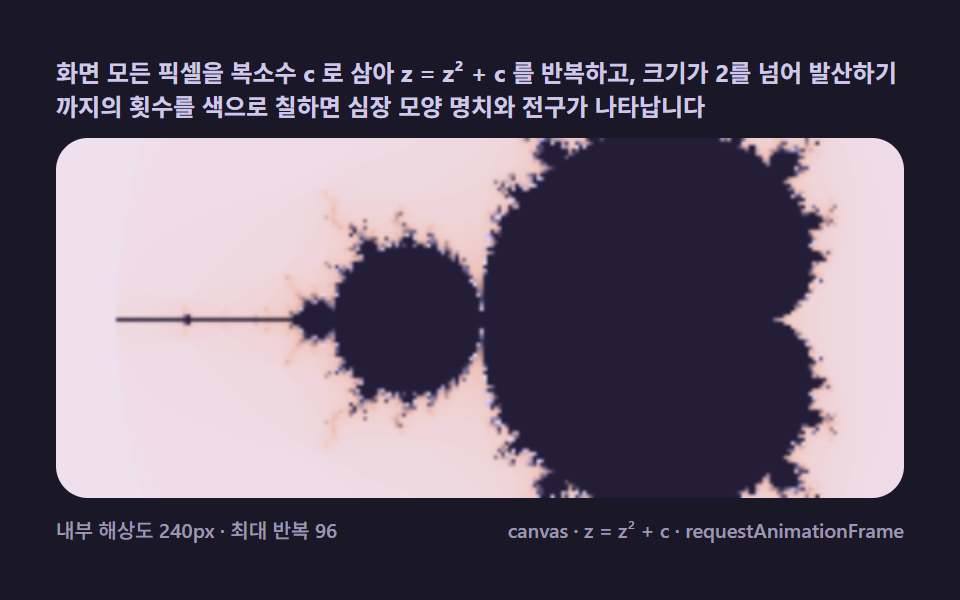 Creative UIMandelbrot Zoom, 9 Ways (Escape-Time, No Library)
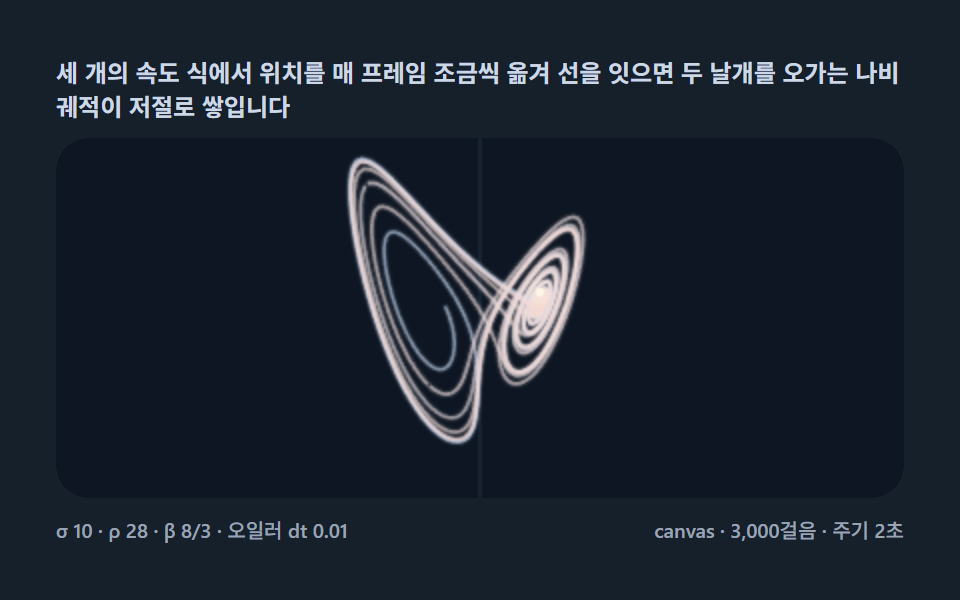 Creative UILorenz Attractor: 9 Butterfly Chaos Demos
 Creative UIVerlet Physics 9 Demos: No Library, Just Canvas
 Creative UIFalling Sand Simulator, 9 Ways (No Library)
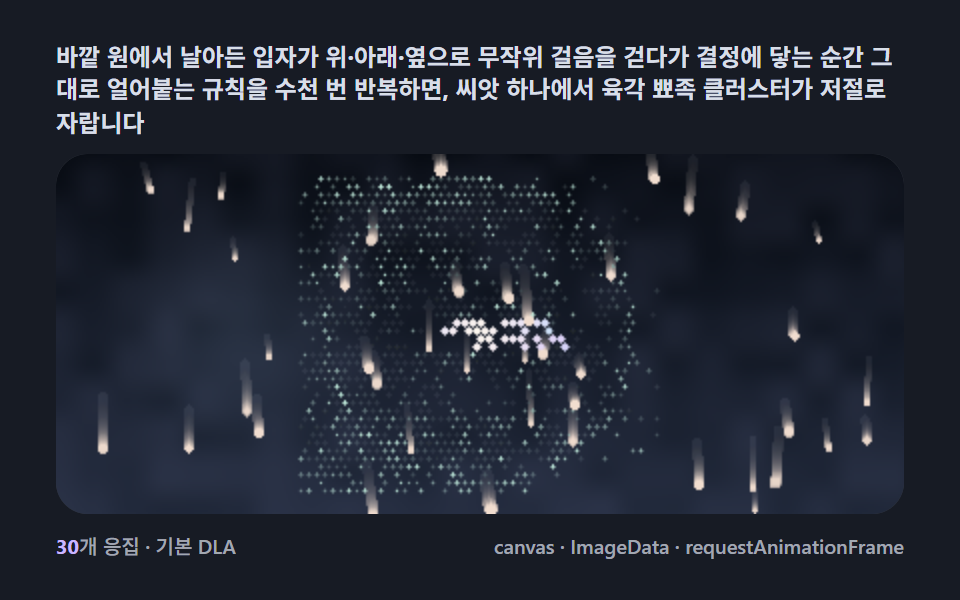 Creative UISnowflake Generator, 9 Ways (DLA, No Library)
 Creative UISlime Mold Simulation, 9 Ways (No Library)
 Creative UIFourier Epicycles, 9 Ways (No Library)
 Creative UIN Body Simulation, 9 Ways (Galaxy, No Library)
 Creative UIString Art: 9 Thread-Geometry Demos
 Creative UIL-System Fractal Tree Generator: 9 Demos