String Art: 9 Thread-Geometry Demos
Let thread hop between pins by a rule and curves appear on their own. A canvas engine that computes every wrap — copy-paste, zero libraries.
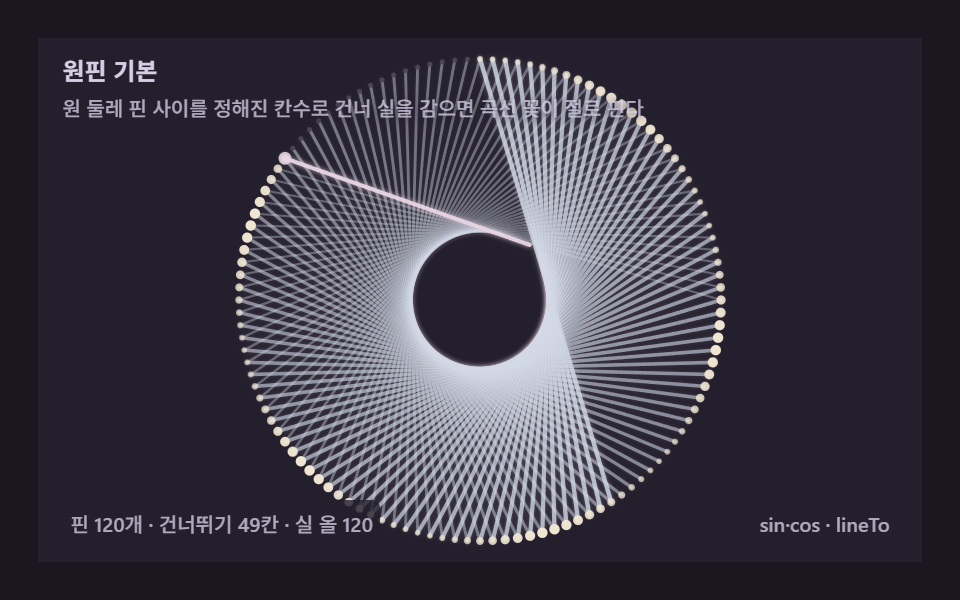 01 string-pin-circle-basic
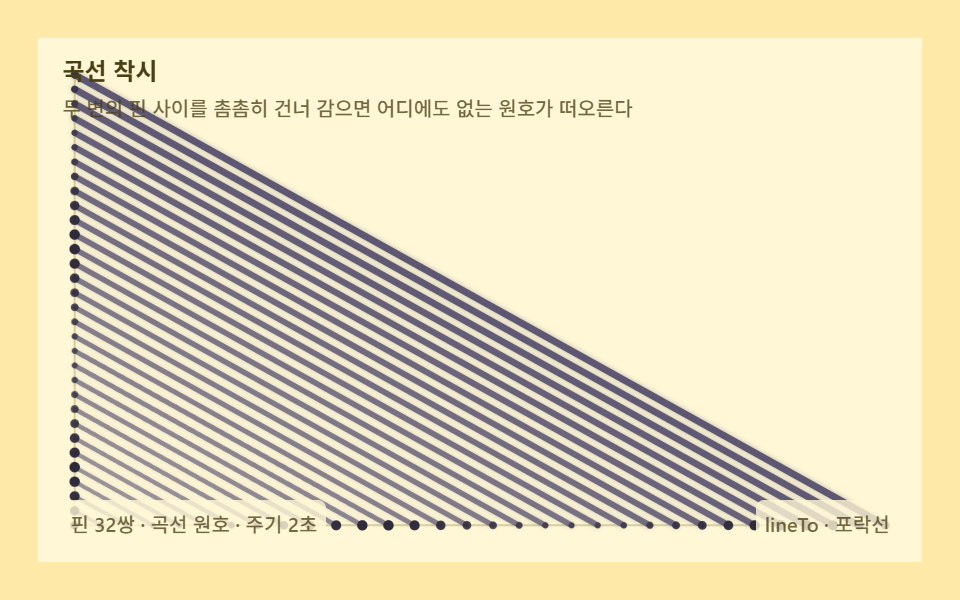 02 string-hyperbola-curve-illusion
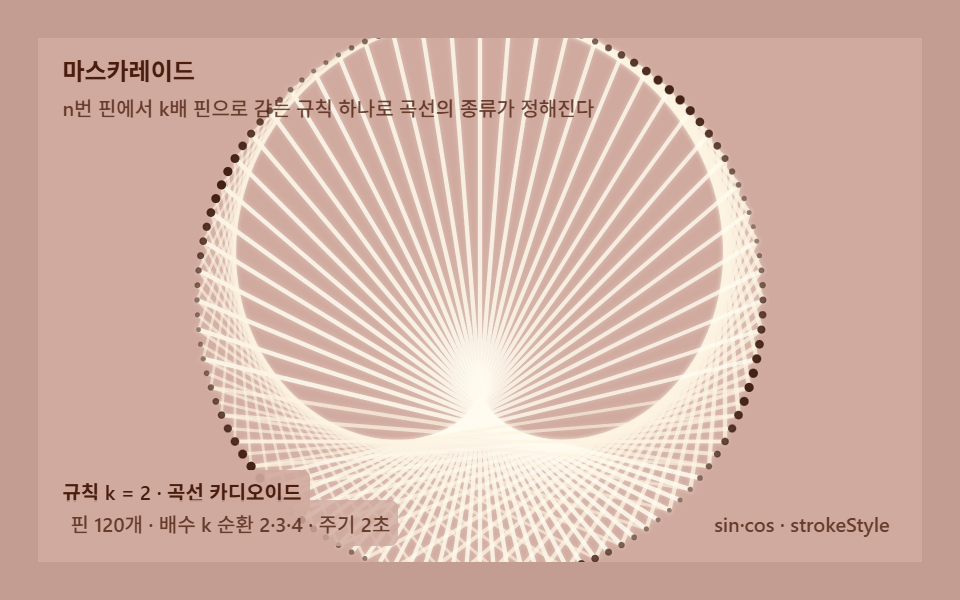 03 string-cardioid-circle-math
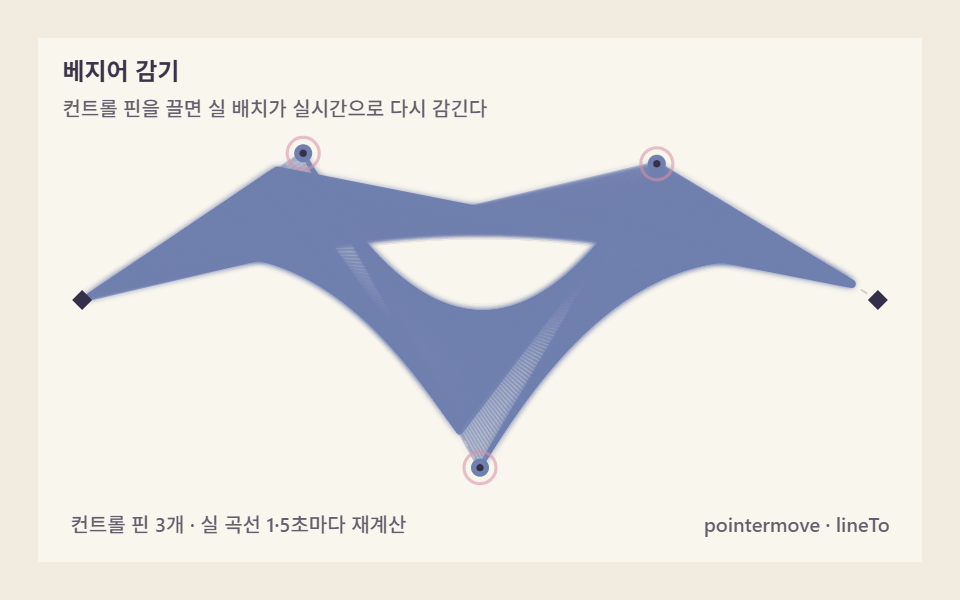 04 string-bezier-pins-control
 05 string-chord-density-photo
 06 string-thread-greedy-order
 07 string-pins-from-image-edge
 08 string-loom-weave-pattern
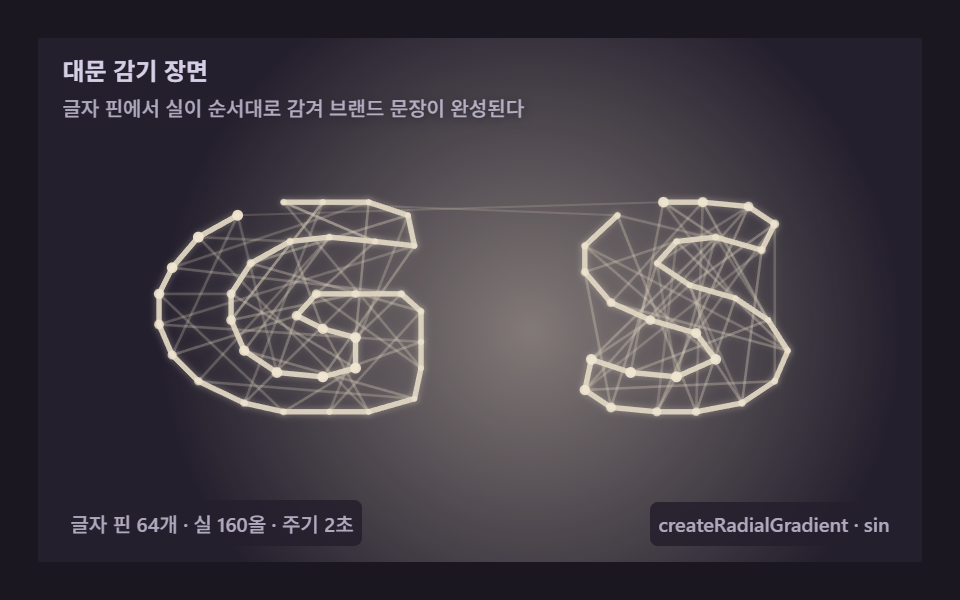 09 string-thread-decor-hero
Auto-plays · click a tile to jump to its section · all nine in one zip
- 01 Circle-pin basics — a fixed skip that blooms a flower
- 02 Curve illusion — an envelope that bends circles from straight thread
- 03 The cardioid — the math of doubling pins on a circle
- 04 Bezier threading — drag a control pin and the thread rewraps
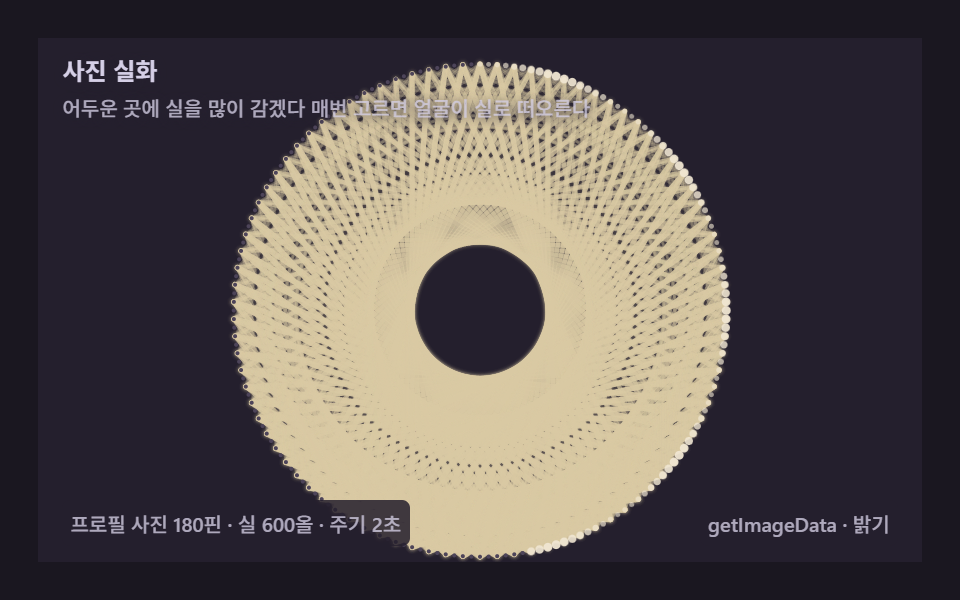
- 05 Thread portrait — brightness rewritten as thread density
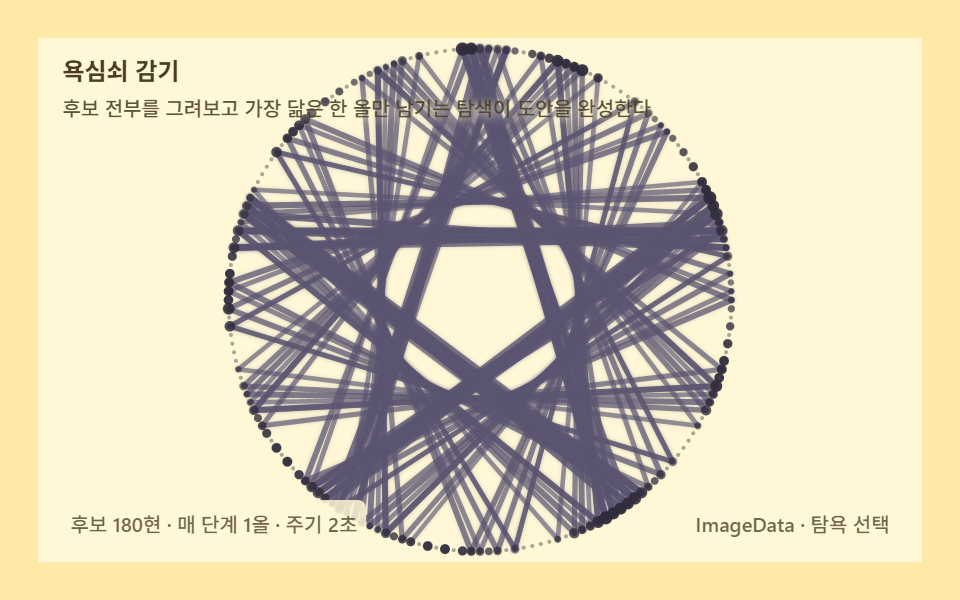
- 06 Greedy wrapping — the optimization that picks the next thread
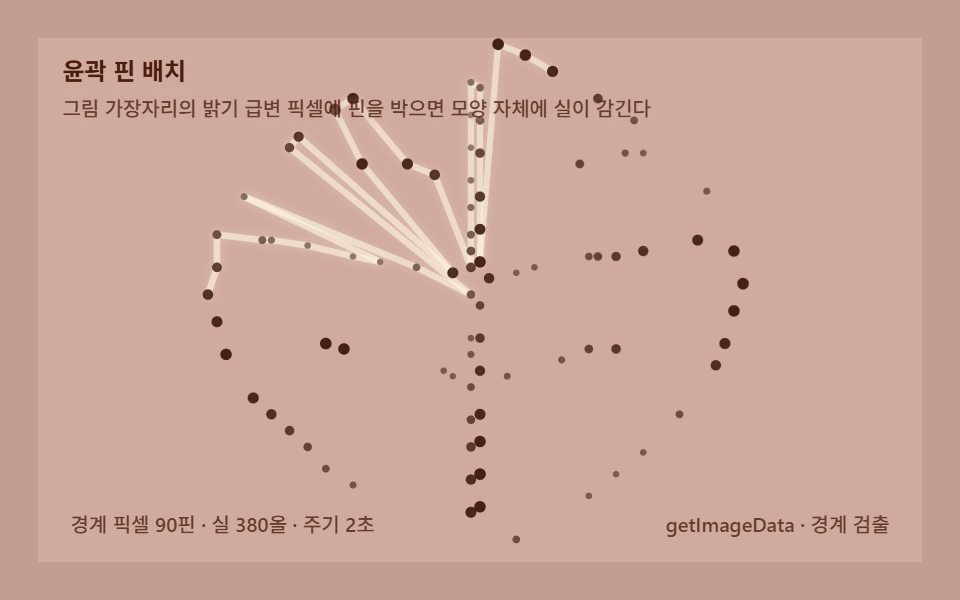
- 07 Edge pins — pulling pin positions out of a picture's outline
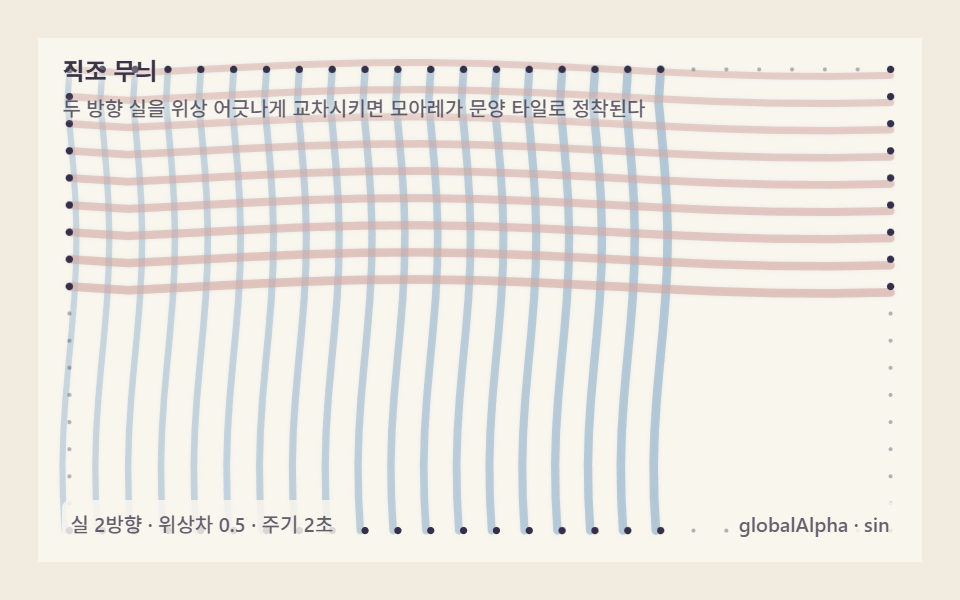
- 08 Loom weave — grid patterns born where threads cross
- 09 Hero weave — a front door knitting the brand in thread
String art on a web page is usually a picture of string art. This post builds the working thing nine ways: each scene computes where every pin sits and which pin the thread jumps to next, then draws nothing but straight chords — and the overlaps brighten into curves on their own. Every item is one self-contained HTML file, paste-ready, zero libraries; the zip behind this post carries all nine plus a React port of each.
From Winding a Circle to Reading Photo Brightness: Widening the String Art Rule
The nine scenes share one pipeline and differ in where the pins come from and who picks the next thread. 01 is the pipeline itself, bare: 120 pins on a circle rim, one rule — hop 49 pins — and a rosette blooms out of 120 straight chords. 02 moves the pins onto two edges and shows the principle in its purest form: an arc floats up although no curve was ever drawn. 03 lets one parameter, the multiple k, decide which curve you get. 04 hands the pins to your pointer as Bezier control points. 05 and 06 are the pixel-computation pair — 05 lays thread where a portrait is dark, 06 scores every candidate chord and keeps only the one that helps. 07 pulls pins out of a leaf's outline instead of a circle, 08 crosses two thread directions into a loom weave, and 09 knits a two-letter wordmark under a spotlight as a front-door hero. Every item moved on 23 of 24 sampled frames. Painted area clears 30% on seven of the nine (01 through 07, landing in a 30–33% band); the two outliers sit above that band — 08 loom weave at 50.97%, the only layout whose two thread directions blanket the whole board, and 09 hero weave at 42.744%. The items separate on average intensity, where 04 Bezier threading is brightest at 62.5, and on peak frame, where 09 fills up to 43.653% in a single frame as its wrap nears the end.
| # | Item | Technique | Painted area | Peak frame | Avg intensity |
|---|---|---|---|---|---|
| 01 | Circle-pin basics | N=120, SKIP=49, 120 threads, 2s | 30.758% | 30.051% | 40.2 |
| 02 | Curve illusion | 32+32 edge pins, i ↔ M-1-i, 2s | 30.674% | 30.422% | 40.5 |
| 03 | Cardioid math | k cycles 2·3·4, wrap 70% / hold 30% | 33.049% | 25.442% | 31.9 |
| 04 | Bezier control pins | 3 control pins, fans of 128+96+84×2 | 30.737% | 18.419% | 62.5 |
| 05 | Thread portrait | 96² darkness grid, 4 candidates, 600 threads | 30.144% | 29.881% | 51.4 |
| 06 | Greedy wrapping | 180 candidates scored, 190 picks, 72² grid | 32.857% | 32.465% | 47.0 |
| 07 | Edge pins from a leaf | flood-fill boundary, 90 pins, 380 threads | 32.144% | 32.082% | 35.9 |
| 08 | Loom weave | warp 26 × weft 18, phase gap 0.5, alpha 0.5 | 50.97% | 32.46% | 38.6 |
| 09 | Hero weave | 64 letter pins, 160 threads, radial spotlight | 42.744% | 43.653% | 32.8 |
Code per item
Each fence below comes straight out of that item's own source — the real constants, the real identifiers — with the Korean comments and on-screen phrases carried into English. The 05 portrait cuts off where the drawing loop begins, and the zip carries the nine full files plus the React ports.
01Circle-pin basics — a fixed skip that blooms a flower
Pin 120 nails around a circle rim, connect pin i to pin i+49, repeat 120 times, and a rosette curve surfaces although every stroke is a straight chord — 30.758% painted area, 30.051% peak frame, 40.2 average intensity. Use it as the intro explainer of any string art generator: one board, one rule, everything visible.
<main class="stage">
<div class="sa is-demo" id="saRoot" role="application" aria-label="Circle-pin wrapping board" tabindex="0">
  <canvas class="sa__cv" id="saCv"></canvas>
  <p class="sa__hint">
    <span class="sa__title">Circle-pin basics</span>
    <span class="sa__desc">Run thread across a circle of pins with a fixed skip and a curve-flower blooms on its own</span>
  </p>
  <div class="sa__bar">
    <span class="sa__meta">120 pins · skip 49 · 120 threads</span>
    <span class="sa__meta sa__meta--dim">sin·cos · lineTo</span>
  </div>
</div>
</main>
@use "../../../../site/static/demo-tokens" as *;
// 스트링아트 기본(01) — @keyframes 를 두지 않는다. 움직임은 전부 캔버스 rAF 루프(감기 진행 재계산)가 만든다.
// 무대 잉크 — 어두운 판 위 파스텔 실로 장미꼴 포락선을 띄운다. 캔버스가 판 전체다.
$sa-stage: #1a1720;
@include stage($sa-stage);
$sa-panel: #241f2d; // 감기판 바닥 — 무대보다 한 단계 밝은 먹보라
$sa-text: #d5cfe6; // 라벨 글자 — 밝은 라일락 회색
$sa-thread: #cfd9e7; // 실 — 파스텔 아이리스 블루
$sa-pin: #f0e6d2; // 감긴 핀 — 크림
$sa-dim: #4d4459; // 아직 안 감긴 핀 — 저채도 보라
$sa-glow: #e8d5e2; // 활 실 끝 광택 — 벚꽃 파스텔
$duration: $dur-loop;
$easing: $ease-out;
$color: $sa-thread;
.sa {
--sa-panel: #{$sa-panel};
--sa-thread: #{$sa-thread};
--sa-pin: #{$sa-pin};
--sa-dim: #{$sa-dim};
--sa-glow: #{$sa-glow};
position: relative;
display: flex; flex-direction: column;
width: 100%; height: 100%; min-height: 164px; // 폰 뷰포트(320×200) 안 — 스테이지 패딩 2회분 여유
overflow: hidden;
}
.sa__cv { position: absolute; inset: 0; display: block; width: 100%; height: 100%; }
.sa__hint {
position: relative; z-index: 1;
display: flex; flex-direction: column; gap: 0; margin: 0;
padding: $sp-2 $sp-3 0;
font-weight: 700; font-size: clamp(10px, 2.8vw, 12px); line-height: 1.35;
color: $sa-text;
}
.sa__title { text-shadow: 0 1px 6px rgba($sa-panel, 1); }
.sa__desc {
margin-top: $sp-1;
font-weight: 500; font-size: clamp(9px, 2.4vw, 10px); line-height: 1.4;
color: rgba($sa-text, .78);
text-shadow: 0 1px 6px rgba($sa-panel, 1);
}
.sa__bar {
position: relative; z-index: 1;
margin-top: auto;
display: flex; align-items: baseline; justify-content: space-between; gap: $sp-2;
padding: 0 $sp-3 $sp-2;
}
.sa__meta {
font-size: 10px; font-weight: 500; color: rgba($sa-text, .78);
background: rgba($sa-panel, .8);
border-radius: $r-xs;
padding: 4px $sp-1;
}
.sa:focus-visible { outline: 2px solid $sa-thread; outline-offset: -2px; }
@media (max-width: 340px) {
.sa__meta--dim { display: none; }
}
// reduce — rAF 를 돌리지 않고 다 감긴 꽃 한 장만 남는다.
@media (prefers-reduced-motion: reduce) {
.sa.is-still { cursor: default !important; }
}html, body {
margin: 0;
overflow: hidden;
}
.stage {
box-sizing: border-box;
min-height: 100vh;
display: grid;
place-items: center;
margin: 0;
background: #1a1720;
font-family: -apple-system, "Segoe UI", "Noto Sans KR", sans-serif;
padding: clamp(8px, 4vw, 24px);
}
.sa {
--sa-panel: #241f2d;
--sa-thread: #cfd9e7;
--sa-pin: #f0e6d2;
--sa-dim: #4d4459;
--sa-glow: #e8d5e2;
position: relative;
display: flex;
flex-direction: column;
width: 100%;
height: 100%;
min-height: 164px;
overflow: hidden;
}
.sa__cv {
position: absolute;
inset: 0;
display: block;
width: 100%;
height: 100%;
}
.sa__hint {
position: relative;
z-index: 1;
display: flex;
flex-direction: column;
gap: 0;
margin: 0;
padding: 8px 12px 0;
font-weight: 700;
font-size: clamp(10px, 2.8vw, 12px);
line-height: 1.35;
color: #d5cfe6;
}
.sa__title {
text-shadow: 0 1px 6px #241f2d;
}
.sa__desc {
margin-top: 4px;
font-weight: 500;
font-size: clamp(9px, 2.4vw, 10px);
line-height: 1.4;
color: rgba(213, 207, 230, 0.78);
text-shadow: 0 1px 6px #241f2d;
}
.sa__bar {
position: relative;
z-index: 1;
margin-top: auto;
display: flex;
align-items: baseline;
justify-content: space-between;
gap: 8px;
padding: 0 12px 8px;
}
.sa__meta {
font-size: 10px;
font-weight: 500;
color: rgba(213, 207, 230, 0.78);
background: rgba(36, 31, 45, 0.8);
border-radius: 4px;
padding: 4px 4px;
}
.sa:focus-visible {
outline: 2px solid #cfd9e7;
outline-offset: -2px;
}
@media (max-width: 340px) {
.sa__meta--dim {
display: none;
}
}
@media (prefers-reduced-motion: reduce) {
.sa.is-still {
cursor: default !important;
}
}// 스트링아트 기본(01) — 원 둘레 핀 + 일정 칸 건너뛰기의 최소 구현.
// 핀 i 의 좌표는 (cx + R cos(2πi/N), cy + R sin(2πi/N)).
// 실은 i 번 핀에서 i + SKIP 번 핀으로 한 올씩 감긴다. 직선 현만 그리는데
// 현들이 겹치는 밝기가 원판 안에 장미꼴 포락선을 띄운다.
// 감기 진행량 progress 0→1 이 주기 안에 차오르고, 감는 손이 지나간 올은
// 최근일수록 밝다(광택) — 감기가 어디까지 왔는지 눈이 따라간다.
(function () {
// ── 변형 상수 블록 — 아래 값 하나만 바꿔 변형을 만든다 ──
var N = 120; // 핀 개수 — 더 올리면 곡선이 매끈해진다
var SKIP = 49; // 건너뛰기 칸수 — 2로 내리면 꽃잎이 크고 무늬가 성기다(변형 1)
var CYCLE = 2.0; // 감기 완료 주기(초)
// ────────────────────────────────────────────────────
var root = document.getElementById('saRoot');
var cvEl = document.getElementById('saCv');
if (!root || !cvEl) return;
var css = getComputedStyle(root);
function tokRGB(name) {
var s = css.getPropertyValue(name).trim();
var hx = s.length === 4
? s.charAt(1) + s.charAt(1) + s.charAt(2) + s.charAt(2) + s.charAt(3) + s.charAt(3)
: s.slice(1);
return [parseInt(hx.slice(0, 2), 16), parseInt(hx.slice(2, 4), 16), parseInt(hx.slice(4, 6), 16)];
}
var COL_THRD = tokRGB('--sa-thread');
var COL_PIN = tokRGB('--sa-pin');
var COL_GLOW = tokRGB('--sa-glow');
var COL_PANEL = tokRGB('--sa-panel');
var COL_DIM = tokRGB('--sa-dim');
var ctx = cvEl.getContext('2d');
var W = 0, H = 0, dpr = Math.min(window.devicePixelRatio || 1, 2);
var R = 0;
function fit() {
var r = root.getBoundingClientRect();
W = Math.round(r.width); H = Math.round(r.height);
cvEl.width = Math.round(W * dpr); cvEl.height = Math.round(H * dpr);
ctx.setTransform(dpr, 0, 0, dpr, 0, 0);
R = Math.min(W, H) * 0.46;
}
function pinXY(i) {
var a = Math.PI * 2 * i / N - Math.PI / 2; // 0번 핀을 12시에 두고 시계 방향
return [W / 2 + Math.cos(a) * R, H / 2 + Math.sin(a) * R];
}
function draw(progress, t) {
ctx.clearRect(0, 0, W, H);
ctx.fillStyle = 'rgb(' + COL_PANEL.join(',') + ')';
ctx.fillRect(0, 0, W, H);
// 실 — 감기 순서대로. progress 만큼의 올이 걸려 있다.
var total = N; // 한 바퀴 = N 올 (i → i+SKIP, N번)
var seg = progress * total;
var full = Math.floor(seg);
var frac = seg - full;
ctx.lineCap = 'round';
ctx.shadowBlur = 5; // 실 광택 — 올 주위 헤일로그가 겹침 밝기를 더한다
for (var i = 0; i < full; i++) {
var a = pinXY(i), b = pinXY(i + SKIP);
// 감기 근처의 최근 올은 진하게 — 감는 손이 지나가는 자리가 밝다
var recency = (full - i) / total; // 1(방금) → 0(처음)
var alpha = 0.34 + 0.62 * Math.pow(recency, 1.6);
ctx.strokeStyle = 'rgba(' + COL_THRD.join(',') + ',' + alpha.toFixed(3) + ')';
ctx.shadowColor = 'rgba(' + COL_GLOW.join(',') + ',' + (alpha * 0.5).toFixed(3) + ')';
ctx.lineWidth = 1 + recency * 1.4;
ctx.beginPath(); ctx.moveTo(a[0], a[1]); ctx.lineTo(b[0], b[1]); ctx.stroke();
}
// 이어지는 한 올 — 부드러운 진행
if (full < total && frac > 0) {
var a = pinXY(full), b = pinXY(full + SKIP);
ctx.strokeStyle = 'rgba(' + COL_GLOW.join(',') + ',0.95)';
ctx.shadowColor = 'rgba(' + COL_GLOW.join(',') + ',0.8)';
ctx.lineWidth = 2;
ctx.beginPath();
ctx.moveTo(a[0], a[1]);
ctx.lineTo(a[0] + (b[0] - a[0]) * frac, a[1] + (b[1] - a[1]) * frac);
ctx.stroke();
}
ctx.shadowBlur = 0;
// 핀 — 감긴 실이 지나간 핀은 밝게 숨쉰다(유지 구간에도 순차 맥동)
for (var p = 0; p < N; p++) {
var xy = pinXY(p);
var done = p <= full;
if (done) {
var pulse = 0.5 + 0.5 * Math.sin(t * 4 - p * 0.3);
ctx.fillStyle = 'rgba(' + COL_PIN.join(',') + ',' + (0.65 + 0.35 * pulse).toFixed(3) + ')';
ctx.beginPath(); ctx.arc(xy[0], xy[1], 1.4 + 1.2 * pulse, 0, Math.PI * 2); ctx.fill();
} else {
ctx.fillStyle = 'rgb(' + COL_DIM.join(',') + ')';
ctx.beginPath(); ctx.arc(xy[0], xy[1], 1.2, 0, Math.PI * 2); ctx.fill();
}
}
// 활 실 끝의 광택 — 현재 감는 지점을 알린다(다 감긴 뒤엔 꽃 중심이 숨쉰다)
if (full < total) {
var tip = pinXY(full);
ctx.fillStyle = 'rgba(' + COL_GLOW.join(',') + ',0.9)';
ctx.beginPath(); ctx.arc(tip[0], tip[1], 3.2, 0, Math.PI * 2); ctx.fill();
} else {
var breathe = 0.5 + 0.5 * Math.sin(t * 5);
ctx.fillStyle = 'rgba(' + COL_GLOW.join(',') + ',' + (0.35 + 0.45 * breathe).toFixed(3) + ')';
ctx.beginPath(); ctx.arc(W / 2, H / 2, 4 + 2.5 * breathe, 0, Math.PI * 2); ctx.fill();
}
}
var reduce = window.matchMedia('(prefers-reduced-motion: reduce)').matches;
var t0 = -1;
function frame(now) {
if (t0 < 0) t0 = now;
var t = ((now - t0) / 1000) % CYCLE;
// 0→0.78 감기 · 0.78→1 유지(다 감긴 꽃을 볼 시간)
var progress = Math.min(1, t / CYCLE / 0.78);
draw(progress, t);
requestAnimationFrame(frame);
}
window.addEventListener('resize', function () {
fit();
if (reduce) draw(1, 0);
});
fit();
if (reduce) {
draw(1, 0); // reduce — 다 감긴 꽃 한 장만 고정
root.classList.add('is-still');
} else {
requestAnimationFrame(frame);
}
})();// StringPinCircleBasic — vanilla 판(run/326/demo/01-string-pin-circle-basic/index.html) 의 React 포트.
// 원 둘레 핀 사이를 정해진 칸수로 건너 실을 감는 스트링아트 기본.
// 핀 i 의 좌표는 (cx + R·cos(2πi/N), cy + R·sin(2πi/N)). 실은 i 번 핀에서 i+SKIP 번 핀으로
// 한 올씩 감기고, 직선 현만 그리는데 현들이 겹치는 밝기가 원판 안에 장미꼴 포락선을 띄운다.
// progress 0→1 이 주기 안에 차오르고, 감는 손이 지나간 올은 최근일수록 밝다(광택).
import { useEffect, useRef, useState } from "react";
import type { CSSProperties } from "react";
import styles from "./StringPinCircleBasic.module.scss";
export type StringPinCircleBasicProps = {
duration?: string;
easing?: string;
color?: string;
n?: number; // 핀 개수 — 더 올리면 곡선이 매끈해진다
skip?: number; // 건너뛰기 칸수 — 2로 내리면 꽃잎이 크고 무늬가 성기다(변형 1)
cycle?: number; // 감기 완료 주기(초)
};
// ── 변형 상수(기본값) — vanilla 판과 동일 ──
const N = 120; // 핀 개수
const SKIP = 49; // 건너뛰기 칸수
const CYCLE = 2.0; // 감기 완료 주기(초) — 설정 초(2s)와 같아 한 감기가 한 루프
type Vars = CSSProperties & { "--duration"?: string; "--easing"?: string; "--color"?: string };
type Box<T> = { current: T };
type RGB = [number, number, number];
type XY = [number, number];
const BOARD_LABEL = "원핀 감기판";
const META_LEFT = "핀 120개 · 건너뛰기 49칸 · 실 올 120";
const META_RIGHT = "sin·cos · lineTo";
const HINT_TITLE = "원핀 기본";
const HINT_DESC = "원 둘레 핀 사이를 정해진 칸수로 건너 실을 감으면 곡선 꽃이 절로 핀다";
export default function StringPinCircleBasic({
duration = "2s",
easing = "ease-out",
color = "#cfd9e7",
n = N,
skip = SKIP,
cycle = CYCLE
}: StringPinCircleBasicProps) {
const rootRef = useRef<HTMLDivElement | null>(null);
const cvRef = useRef<HTMLCanvasElement | null>(null);
const ctxRef = useRef<CanvasRenderingContext2D | null>(null);
const colRef = useRef<{ thrd: RGB; pin: RGB; glow: RGB; panel: RGB; dim: RGB } | null>(null);
const wRef = useRef(0) as Box<number>;
const hRef = useRef(0) as Box<number>;
const rRef = useRef(0) as Box<number>;
const rafRef = useRef(0) as Box<number>;
const [still, setStill] = useState(false);
const vars: Vars = { "--duration": duration, "--easing": easing, "--color": color };
function reduced(): boolean {
return window.matchMedia("(prefers-reduced-motion: reduce)").matches;
}
function tokRGB(root: HTMLDivElement, name: string): RGB {
const s = getComputedStyle(root).getPropertyValue(name).trim();
const hx = s.length === 4
? s.charAt(1) + s.charAt(1) + s.charAt(2) + s.charAt(2) + s.charAt(3) + s.charAt(3)
: s.slice(1);
return [parseInt(hx.slice(0, 2), 16), parseInt(hx.slice(2, 4), 16), parseInt(hx.slice(4, 6), 16)];
}
function fit(): void {
const root = rootRef.current;
const cv = cvRef.current;
const ctx = ctxRef.current;
if (!root || !cv || !ctx) return;
const r = root.getBoundingClientRect();
const dpr = Math.min(window.devicePixelRatio || 1, 2);
wRef.current = Math.round(r.width);
hRef.current = Math.round(r.height);
cv.width = Math.round(wRef.current * dpr);
cv.height = Math.round(hRef.current * dpr);
ctx.setTransform(dpr, 0, 0, dpr, 0, 0);
rRef.current = Math.min(wRef.current, hRef.current) * 0.46;
}
function pinXY(i: number): XY {
const a = Math.PI * 2 * i / n - Math.PI / 2; // 0번 핀을 12시에 두고 시계 방향
return [wRef.current / 2 + Math.cos(a) * rRef.current, hRef.current / 2 + Math.sin(a) * rRef.current];
}
function draw(progress: number, t: number): void {
const ctx = ctxRef.current;
const col = colRef.current;
const W = wRef.current, H = hRef.current;
if (!ctx || !col) return;
ctx.clearRect(0, 0, W, H);
ctx.fillStyle = "rgb(" + col.panel.join(",") + ")";
ctx.fillRect(0, 0, W, H);
// 실 — 감기 순서대로. progress 만큼의 올이 걸려 있다.
const total = n; // 한 바퀴 = n 올 (i → i+SKIP, n번)
const seg = progress * total;
const full = Math.floor(seg);
const frac = seg - full;
ctx.lineCap = "round";
ctx.shadowBlur = 5; // 실 광택 — 올 주위 헤일로그가 겹침 밝기를 더한다
for (let i = 0; i < full; i++) {
const a = pinXY(i), b = pinXY(i + skip);
// 감기 근처의 최근 올은 진하게 — 감는 손이 지나가는 자리가 밝다
const recency = (full - i) / total; // 1(방금) → 0(처음)
const alpha = 0.34 + 0.62 * Math.pow(recency, 1.6);
ctx.strokeStyle = "rgba(" + col.thrd.join(",") + "," + alpha.toFixed(3) + ")";
ctx.shadowColor = "rgba(" + col.glow.join(",") + "," + (alpha * 0.5).toFixed(3) + ")";
ctx.lineWidth = 1 + recency * 1.4;
ctx.beginPath(); ctx.moveTo(a[0], a[1]); ctx.lineTo(b[0], b[1]); ctx.stroke();
}
// 이어지는 한 올 — 부드러운 진행
if (full < total && frac > 0) {
const a = pinXY(full), b = pinXY(full + skip);
ctx.strokeStyle = "rgba(" + col.glow.join(",") + ",0.95)";
ctx.shadowColor = "rgba(" + col.glow.join(",") + ",0.8)";
ctx.lineWidth = 2;
ctx.beginPath();
ctx.moveTo(a[0], a[1]);
ctx.lineTo(a[0] + (b[0] - a[0]) * frac, a[1] + (b[1] - a[1]) * frac);
ctx.stroke();
}
ctx.shadowBlur = 0;
// 핀 — 감긴 실이 지나간 핀은 밝게 숨쉰다(유지 구간에도 순차 맥동)
for (let p = 0; p < n; p++) {
const xy = pinXY(p);
const done = p <= full;
if (done) {
const pulse = 0.5 + 0.5 * Math.sin(t * 4 - p * 0.3);
ctx.fillStyle = "rgba(" + col.pin.join(",") + "," + (0.65 + 0.35 * pulse).toFixed(3) + ")";
ctx.beginPath(); ctx.arc(xy[0], xy[1], 1.4 + 1.2 * pulse, 0, Math.PI * 2); ctx.fill();
} else {
ctx.fillStyle = "rgb(" + col.dim.join(",") + ")";
ctx.beginPath(); ctx.arc(xy[0], xy[1], 1.2, 0, Math.PI * 2); ctx.fill();
}
}
// 활 실 끝의 광택 — 현재 감는 지점을 알린다(다 감긴 뒤엔 꽃 중심이 숨쉰다)
if (full < total) {
const tip = pinXY(full);
ctx.fillStyle = "rgba(" + col.glow.join(",") + ",0.9)";
ctx.beginPath(); ctx.arc(tip[0], tip[1], 3.2, 0, Math.PI * 2); ctx.fill();
} else {
const breathe = 0.5 + 0.5 * Math.sin(t * 5);
ctx.fillStyle = "rgba(" + col.glow.join(",") + "," + (0.35 + 0.45 * breathe).toFixed(3) + ")";
ctx.beginPath(); ctx.arc(W / 2, H / 2, 4 + 2.5 * breathe, 0, Math.PI * 2); ctx.fill();
}
}
let t0 = -1;
function frame(now: number): void {
if (t0 < 0) t0 = now;
const t = ((now - t0) / 1000) % cycle;
// 0→0.78 감기 · 0.78→1 유지(다 감긴 꽃을 볼 시간)
const progress = Math.min(1, t / cycle / 0.78);
draw(progress, t);
rafRef.current = requestAnimationFrame(frame);
}
useEffect(() => {
const root = rootRef.current;
const cv = cvRef.current;
if (!root || !cv) return;
colRef.current = {
thrd: tokRGB(root, "--sa-thread"),
pin: tokRGB(root, "--sa-pin"),
glow: tokRGB(root, "--sa-glow"),
panel: tokRGB(root, "--sa-panel"),
dim: tokRGB(root, "--sa-dim")
};
ctxRef.current = cv.getContext("2d");
fit();
function onResize(): void {
fit();
if (reduced()) draw(1, 0);
}
window.addEventListener("resize", onResize);
if (reduced()) {
draw(1, 0); // reduce — 다 감긴 꽃 한 장만 고정
setStill(true);
} else {
t0 = -1;
rafRef.current = requestAnimationFrame(frame);
}
return () => {
window.removeEventListener("resize", onResize);
cancelAnimationFrame(rafRef.current);
};
// eslint-disable-next-line react-hooks/exhaustive-deps
}, [n, skip, cycle]);
const rootCls = still ? `${styles.root} ${styles.isStill}` : styles.root;
return (
<main className={styles.stage}>
<div
className={rootCls}
ref={rootRef}
style={vars}
role="application"
aria-label={BOARD_LABEL}
tabIndex={0}
>
<canvas className={styles.cv} ref={cvRef}></canvas>
<p className={styles.hint}>
<span className={styles.title}>{HINT_TITLE}</span>
<span className={styles.desc}>{HINT_DESC}</span>
</p>
<div className={styles.bar}>
<span className={styles.meta}>{META_LEFT}</span>
<span className={styles.metaDim}>{META_RIGHT}</span>
</div>
</div>
</main>
);
}01 · Circle-pin basics — a fixed skip that blooms a flower — Measured area 30.685% · moving frames 23/23Original by GODRICH · SCSS and React ship in the zip · See the password
Pin coordinates — equal angles around the rim
  function pinXY(i) {
    var a = Math.PI * 2 * i / N - Math.PI / 2;   // pin 0 sits at 12 o'clock, clockwise
    return [W / 2 + Math.cos(a) * R, H / 2 + Math.sin(a) * R];
  }
The wrap loop — chords, recency brightness, nothing else
    var total = N;                      // one lap = N threads (i → i+SKIP, N times)
    var seg = progress * total;
    var full = Math.floor(seg);
    var frac = seg - full;

    ctx.lineCap = 'round';
    ctx.shadowBlur = 5;                 // thread sheen — halo adds to overlap brightness
    for (var i = 0; i < full; i++) {
      var a = pinXY(i), b = pinXY(i + SKIP);
      // threads near the wrap front are bold — where the hand just passed glows
      var recency = (full - i) / total;           // 1 (just laid) → 0 (first)
      var alpha = 0.34 + 0.62 * Math.pow(recency, 1.6);
      ctx.strokeStyle = 'rgba(' + COL_THRD.join(',') + ',' + alpha.toFixed(3) + ')';
      ctx.shadowColor = 'rgba(' + COL_GLOW.join(',') + ',' + (alpha * 0.5).toFixed(3) + ')';
      ctx.lineWidth = 1 + recency * 1.4;
      ctx.beginPath(); ctx.moveTo(a[0], a[1]); ctx.lineTo(b[0], b[1]); ctx.stroke();
    }
02Curve illusion — an envelope that bends arcs from straight thread
Move the pins off the circle onto two edges: 32 on the left, 32 along the bottom, left pin i crossed to bottom pin (M-1-i). Every chord is tangent to one and the same arc — the canonical construction of a curve as the envelope of straight lines, at 30.674% painted area, 30.422% peak frame, 40.5 average intensity.
<main class="stage">
<div class="sb is-demo" id="sbRoot" role="application" aria-label="Envelope wrapping board" tabindex="0">
  <canvas class="sb__cv" id="sbCv"></canvas>
  <p class="sb__hint">
    <span class="sb__title">Curve illusion</span>
    <span class="sb__desc">Weave densely between two edges of pins and an arc that exists nowhere floats up</span>
  </p>
  <div class="sb__bar">
    <span class="sb__meta">32 pin pairs · arc envelope · cycle 2s</span>
    <span class="sb__meta sb__meta--dim">lineTo · envelope</span>
  </div>
</div>
</main>
@use "../../../../site/static/demo-tokens" as *;
// 스트링아트 곡선 착시(02) — @keyframes 를 두지 않는다. 움직임은 전부 캔버스 rAF 루프(감기 진행 재계산)가 만든다.
// 무대 노랑 — 밝은 판 위 잉크보라 실로 원호 포락선을 띄운다. 캔버스가 판 전체다.
$sb-stage: #ffe9a8;
@include stage($sb-stage);
$sb-panel: #fff7d6; // 감기판 바닥 — 무대보다 한 단계 밝은 크림옐로
$sb-text: #4a3f14; // 라벨 글자 — 진옐로 잉크
$sb-thread: #5a5470; // 실 — 잉크보라(밝은 판 위 직선)
$sb-pin: #2e2a3a; // 핀 — 먹
$sb-dim: #cdbd8a; // 아직 안 감긴 핀 — 저채도 모래
$sb-guide: #b3a770; // 두 변 가이드 — 저채도 올리브
$duration: $dur-loop;
$easing: $ease-out;
$color: $sb-thread;
.sb {
--sb-panel: #{$sb-panel};
--sb-thread: #{$sb-thread};
--sb-pin: #{$sb-pin};
--sb-dim: #{$sb-dim};
--sb-guide: #{$sb-guide};
position: relative;
display: flex; flex-direction: column;
width: 100%; height: 100%; min-height: 164px; // 폰 뷰포트(320×200) 안 — 스테이지 패딩 2회분 여유
overflow: hidden;
}
.sb__cv { position: absolute; inset: 0; display: block; width: 100%; height: 100%; }
.sb__hint {
position: relative; z-index: 1;
display: flex; flex-direction: column; gap: 0; margin: 0;
padding: $sp-2 $sp-3 0;
font-weight: 700; font-size: clamp(10px, 2.8vw, 12px); line-height: 1.35;
color: $sb-text;
}
.sb__desc {
margin-top: $sp-1;
font-weight: 500; font-size: clamp(9px, 2.4vw, 10px); line-height: 1.4;
color: rgba($sb-text, .78);
}
.sb__bar {
position: relative; z-index: 1;
margin-top: auto;
display: flex; align-items: baseline; justify-content: space-between; gap: $sp-2;
padding: 0 $sp-3 $sp-2;
}
.sb__meta {
font-size: 10px; font-weight: 500; color: rgba($sb-text, .78);
background: rgba($sb-panel, .8);
border-radius: $r-xs;
padding: 4px $sp-1;
}
.sb:focus-visible { outline: 2px solid $sb-thread; outline-offset: -2px; }
@media (max-width: 340px) {
.sb__meta--dim { display: none; }
}
// reduce — rAF 를 돌리지 않고 다 감긴 포락선 한 장만 남는다.
@media (prefers-reduced-motion: reduce) {
.sb.is-still { cursor: default !important; }
}html, body {
margin: 0;
overflow: hidden;
}
.stage {
box-sizing: border-box;
min-height: 100vh;
display: grid;
place-items: center;
margin: 0;
background: #ffe9a8;
font-family: -apple-system, "Segoe UI", "Noto Sans KR", sans-serif;
padding: clamp(8px, 4vw, 24px);
}
.sb {
--sb-panel: #fff7d6;
--sb-thread: #5a5470;
--sb-pin: #2e2a3a;
--sb-dim: #cdbd8a;
--sb-guide: #b3a770;
position: relative;
display: flex;
flex-direction: column;
width: 100%;
height: 100%;
min-height: 164px;
overflow: hidden;
}
.sb__cv {
position: absolute;
inset: 0;
display: block;
width: 100%;
height: 100%;
}
.sb__hint {
position: relative;
z-index: 1;
display: flex;
flex-direction: column;
gap: 0;
margin: 0;
padding: 8px 12px 0;
font-weight: 700;
font-size: clamp(10px, 2.8vw, 12px);
line-height: 1.35;
color: #4a3f14;
}
.sb__desc {
margin-top: 4px;
font-weight: 500;
font-size: clamp(9px, 2.4vw, 10px);
line-height: 1.4;
color: rgba(74, 63, 20, 0.78);
}
.sb__bar {
position: relative;
z-index: 1;
margin-top: auto;
display: flex;
align-items: baseline;
justify-content: space-between;
gap: 8px;
padding: 0 12px 8px;
}
.sb__meta {
font-size: 10px;
font-weight: 500;
color: rgba(74, 63, 20, 0.78);
background: rgba(255, 247, 214, 0.8);
border-radius: 4px;
padding: 4px 4px;
}
.sb:focus-visible {
outline: 2px solid #5a5470;
outline-offset: -2px;
}
@media (max-width: 340px) {
.sb__meta--dim {
display: none;
}
}
@media (prefers-reduced-motion: reduce) {
.sb.is-still {
cursor: default !important;
}
}// 스트링아트 Curve illusion(02) — 직선 현만으로 곡선을 만드는 포락선 원리.
// 왼변·아래변에 핀을 나란히 박고, 왼변의 i 번 핀을 아래변의 (M-1-i) 번 핀과 이으면
// 모든 현이 한 원호에 닿는다 — 현의 집합이 원호를 포락한다.
// 곡선을 한 번도 그리지 않았는데 눈은 원호를 본다. 감기가 차오르는 과정이 애니메이션이다.
(function () {
// ── 변형 상수 블록 — 아래 값 하나만 바꿔 변형을 만든다 ──
var M = 32; // 변마다 핀 개수 — 더 올리면 호가 더 매끈해진다
var CYCLE = 2.0; // 감기 완료 주기(초)
// ────────────────────────────────────────────────────
var root = document.getElementById('sbRoot');
var cvEl = document.getElementById('sbCv');
if (!root || !cvEl) return;
var css = getComputedStyle(root);
function tokRGB(name) {
var s = css.getPropertyValue(name).trim();
var hx = s.length === 4
? s.charAt(1) + s.charAt(1) + s.charAt(2) + s.charAt(2) + s.charAt(3) + s.charAt(3)
: s.slice(1);
return [parseInt(hx.slice(0, 2), 16), parseInt(hx.slice(2, 4), 16), parseInt(hx.slice(4, 6), 16)];
}
var COL_THRD = tokRGB('--sb-thread');
var COL_PIN = tokRGB('--sb-pin');
var COL_GUIDE = tokRGB('--sb-guide');
var COL_PANEL = tokRGB('--sb-panel');
var COL_DIM = tokRGB('--sb-dim');
var ctx = cvEl.getContext('2d');
var W = 0, H = 0, dpr = Math.min(window.devicePixelRatio || 1, 2);
var pad = 0;
function fit() {
var r = root.getBoundingClientRect();
W = Math.round(r.width); H = Math.round(r.height);
cvEl.width = Math.round(W * dpr); cvEl.height = Math.round(H * dpr);
ctx.setTransform(dpr, 0, 0, dpr, 0, 0);
pad = Math.min(W, H) * 0.07;
}
// 왼변 핀 i (위에서 아래) — 판 세로를 전부 쓴다
function pinL(i) { return [pad, pad + (H - 2 * pad) * i / (M - 1)]; }
// 아래변 핀 j (왼쪽에서 오른쪽) — 판 가로를 전부 쓴다
function pinB(j) { return [pad + (W - 2 * pad) * j / (M - 1), H - pad]; }
function draw(progress, t) {
ctx.clearRect(0, 0, W, H);
ctx.fillStyle = 'rgb(' + COL_PANEL.join(',') + ')';
ctx.fillRect(0, 0, W, H);
// 두 변 표시 — 실이 어느 틀에 감기는지 보여주는 가이드
ctx.strokeStyle = 'rgba(' + COL_GUIDE.join(',') + ',0.5)';
ctx.lineWidth = 1;
ctx.beginPath(); ctx.moveTo(pad, pad); ctx.lineTo(pad, H - pad); ctx.lineTo(W - pad, H - pad); ctx.stroke();
// 실 — 왼변 i ↔ 아래변 (M-1-i). 감는 손이 지나간 자리일수록 밝다
ctx.lineCap = 'round';
ctx.shadowBlur = 5;
for (var i = 0; i < M; i++) {
if (i / M >= progress) continue;
var a = pinL(i), b = pinB(M - 1 - i);
var recency = (progress * M - i) / M; // 1(방금 감은 올) → 0(처음 올)
var alpha = 0.55 + 0.42 * Math.pow(recency, 1.4);
ctx.strokeStyle = 'rgba(' + COL_THRD.join(',') + ',' + alpha.toFixed(3) + ')';
ctx.shadowColor = 'rgba(' + COL_THRD.join(',') + ',' + (alpha * 0.45).toFixed(3) + ')';
ctx.lineWidth = 1.8 + recency * 1.6;
ctx.beginPath(); ctx.moveTo(a[0], a[1]); ctx.lineTo(b[0], b[1]); ctx.stroke();
}
ctx.shadowBlur = 0;
// 핀 — 감긴 핀은 밝게 숨쉰다(유지 구간에도 순차 맥동)
for (var p = 0; p < M; p++) {
var la = pinL(p), ba = pinB(p);
var doneL = p / M < progress;
var doneB = (M - 1 - p) / M < progress;
var pulse = 0.5 + 0.5 * Math.sin(t * 4 - p * 0.4);
if (doneL) {
ctx.fillStyle = 'rgba(' + COL_PIN.join(',') + ',' + (0.65 + 0.35 * pulse).toFixed(3) + ')';
ctx.beginPath(); ctx.arc(la[0], la[1], 1.5 + 1.1 * pulse, 0, Math.PI * 2); ctx.fill();
} else {
ctx.fillStyle = 'rgb(' + COL_DIM.join(',') + ')';
ctx.beginPath(); ctx.arc(la[0], la[1], 1.3, 0, Math.PI * 2); ctx.fill();
}
if (doneB) {
ctx.fillStyle = 'rgba(' + COL_PIN.join(',') + ',' + (0.65 + 0.35 * pulse).toFixed(3) + ')';
ctx.beginPath(); ctx.arc(ba[0], ba[1], 1.5 + 1.1 * pulse, 0, Math.PI * 2); ctx.fill();
} else {
ctx.fillStyle = 'rgb(' + COL_DIM.join(',') + ')';
ctx.beginPath(); ctx.arc(ba[0], ba[1], 1.3, 0, Math.PI * 2); ctx.fill();
}
}
}
var reduce = window.matchMedia('(prefers-reduced-motion: reduce)').matches;
var t0 = -1;
function frame(now) {
if (t0 < 0) t0 = now;
var t = ((now - t0) / 1000) % CYCLE;
// 0→0.75 감기 · 0.75→1 유지(다 감긴 착시 원호를 볼 시간)
var progress = Math.min(1, t / CYCLE / 0.75);
draw(progress, t);
requestAnimationFrame(frame);
}
window.addEventListener('resize', function () {
fit();
if (reduce) draw(1, 0);
});
fit();
if (reduce) {
draw(1, 0); // reduce — 다 감긴 포락선 한 장만 고정
root.classList.add('is-still');
} else {
requestAnimationFrame(frame);
}
})();// StringHyperbolaCurveIllusion — vanilla 판(run/326/demo/02-string-hyperbola-curve-illusion/index.html) 의 React 포트.
// 직선 현만으로 곡선을 만드는 포락선 원리. 왼변·아래변에 핀을 나란히 박고,
// 왼변의 i 번 핀을 아래변의 (M-1-i) 번 핀과 이으면 모든 현이 한 원호에 닿는다 —
// 현의 집합이 원호를 포락한다. 곡선을 한 번도 그리지 않았는데 눈은 원호를 본다.
import { useEffect, useRef, useState } from "react";
import type { CSSProperties } from "react";
import styles from "./StringHyperbolaCurveIllusion.module.scss";
export type StringHyperbolaCurveIllusionProps = {
duration?: string;
easing?: string;
color?: string;
m?: number; // 변마다 핀 개수 — 더 올리면 호가 더 매끈해진다
cycle?: number; // 감기 완료 주기(초)
};
// ── 변형 상수(기본값) — vanilla 판과 동일 ──
const M = 32; // 변마다 핀 개수
const CYCLE = 2.0; // 감기 완료 주기(초) — 설정 초(2s)와 같아 한 감기가 한 루프
type Vars = CSSProperties & { "--duration"?: string; "--easing"?: string; "--color"?: string };
type Box<T> = { current: T };
type RGB = [number, number, number];
type XY = [number, number];
const BOARD_LABEL = "포락선 감기판";
const META_LEFT = "핀 32쌍 · 곡선 원호 · 주기 2초";
const META_RIGHT = "lineTo · 포락선";
const HINT_TITLE = "곡선 착시";
const HINT_DESC = "두 변의 핀 사이를 촘촘히 건너 감으면 어디에도 없는 원호가 떠오른다";
export default function StringHyperbolaCurveIllusion({
duration = "2s",
easing = "ease-out",
color = "#5a5470",
m = M,
cycle = CYCLE
}: StringHyperbolaCurveIllusionProps) {
const rootRef = useRef<HTMLDivElement | null>(null);
const cvRef = useRef<HTMLCanvasElement | null>(null);
const ctxRef = useRef<CanvasRenderingContext2D | null>(null);
const colRef = useRef<{ thrd: RGB; pin: RGB; guide: RGB; panel: RGB; dim: RGB } | null>(null);
const wRef = useRef(0) as Box<number>;
const hRef = useRef(0) as Box<number>;
const padRef = useRef(0) as Box<number>;
const rafRef = useRef(0) as Box<number>;
const [still, setStill] = useState(false);
const vars: Vars = { "--duration": duration, "--easing": easing, "--color": color };
function reduced(): boolean {
return window.matchMedia("(prefers-reduced-motion: reduce)").matches;
}
function tokRGB(root: HTMLDivElement, name: string): RGB {
const s = getComputedStyle(root).getPropertyValue(name).trim();
const hx = s.length === 4
? s.charAt(1) + s.charAt(1) + s.charAt(2) + s.charAt(2) + s.charAt(3) + s.charAt(3)
: s.slice(1);
return [parseInt(hx.slice(0, 2), 16), parseInt(hx.slice(2, 4), 16), parseInt(hx.slice(4, 6), 16)];
}
function fit(): void {
const root = rootRef.current;
const cv = cvRef.current;
const ctx = ctxRef.current;
if (!root || !cv || !ctx) return;
const r = root.getBoundingClientRect();
const dpr = Math.min(window.devicePixelRatio || 1, 2);
wRef.current = Math.round(r.width);
hRef.current = Math.round(r.height);
cv.width = Math.round(wRef.current * dpr);
cv.height = Math.round(hRef.current * dpr);
ctx.setTransform(dpr, 0, 0, dpr, 0, 0);
padRef.current = Math.min(wRef.current, hRef.current) * 0.07;
}
// 왼변 핀 i (위에서 아래) — 판 세로를 전부 쓴다
function pinL(i: number): XY {
const pad = padRef.current, H = hRef.current;
return [pad, pad + (H - 2 * pad) * i / (m - 1)];
}
// 아래변 핀 j (왼쪽에서 오른쪽) — 판 가로를 전부 쓴다
function pinB(j: number): XY {
const pad = padRef.current, W = wRef.current;
return [pad + (W - 2 * pad) * j / (m - 1), hRef.current - pad];
}
function draw(progress: number, t: number): void {
const ctx = ctxRef.current;
const col = colRef.current;
const W = wRef.current, H = hRef.current, pad = padRef.current;
if (!ctx || !col) return;
ctx.clearRect(0, 0, W, H);
ctx.fillStyle = "rgb(" + col.panel.join(",") + ")";
ctx.fillRect(0, 0, W, H);
// 두 변 표시 — 실이 어느 틀에 감기는지 보여주는 가이드
ctx.strokeStyle = "rgba(" + col.guide.join(",") + ",0.5)";
ctx.lineWidth = 1;
ctx.beginPath(); ctx.moveTo(pad, pad); ctx.lineTo(pad, H - pad); ctx.lineTo(W - pad, H - pad); ctx.stroke();
// 실 — 왼변 i ↔ 아래변 (m-1-i). 감는 손이 지나간 자리일수록 밝다
ctx.lineCap = "round";
ctx.shadowBlur = 5;
for (let i = 0; i < m; i++) {
if (i / m >= progress) continue;
const a = pinL(i), b = pinB(m - 1 - i);
const recency = (progress * m - i) / m; // 1(방금 감은 올) → 0(처음 올)
const alpha = 0.55 + 0.42 * Math.pow(recency, 1.4);
ctx.strokeStyle = "rgba(" + col.thrd.join(",") + "," + alpha.toFixed(3) + ")";
ctx.shadowColor = "rgba(" + col.thrd.join(",") + "," + (alpha * 0.45).toFixed(3) + ")";
ctx.lineWidth = 1.8 + recency * 1.6;
ctx.beginPath(); ctx.moveTo(a[0], a[1]); ctx.lineTo(b[0], b[1]); ctx.stroke();
}
ctx.shadowBlur = 0;
// 핀 — 감긴 핀은 밝게 숨쉰다(유지 구간에도 순차 맥동)
for (let p = 0; p < m; p++) {
const la = pinL(p), ba = pinB(p);
const doneL = p / m < progress;
const doneB = (m - 1 - p) / m < progress;
const pulse = 0.5 + 0.5 * Math.sin(t * 4 - p * 0.4);
if (doneL) {
ctx.fillStyle = "rgba(" + col.pin.join(",") + "," + (0.65 + 0.35 * pulse).toFixed(3) + ")";
ctx.beginPath(); ctx.arc(la[0], la[1], 1.5 + 1.1 * pulse, 0, Math.PI * 2); ctx.fill();
} else {
ctx.fillStyle = "rgb(" + col.dim.join(",") + ")";
ctx.beginPath(); ctx.arc(la[0], la[1], 1.3, 0, Math.PI * 2); ctx.fill();
}
if (doneB) {
ctx.fillStyle = "rgba(" + col.pin.join(",") + "," + (0.65 + 0.35 * pulse).toFixed(3) + ")";
ctx.beginPath(); ctx.arc(ba[0], ba[1], 1.5 + 1.1 * pulse, 0, Math.PI * 2); ctx.fill();
} else {
ctx.fillStyle = "rgb(" + col.dim.join(",") + ")";
ctx.beginPath(); ctx.arc(ba[0], ba[1], 1.3, 0, Math.PI * 2); ctx.fill();
}
}
}
let t0 = -1;
function frame(now: number): void {
if (t0 < 0) t0 = now;
const t = ((now - t0) / 1000) % cycle;
// 0→0.75 감기 · 0.75→1 유지(다 감긴 착시 원호를 볼 시간)
const progress = Math.min(1, t / cycle / 0.75);
draw(progress, t);
rafRef.current = requestAnimationFrame(frame);
}
useEffect(() => {
const root = rootRef.current;
const cv = cvRef.current;
if (!root || !cv) return;
colRef.current = {
thrd: tokRGB(root, "--sb-thread"),
pin: tokRGB(root, "--sb-pin"),
guide: tokRGB(root, "--sb-guide"),
panel: tokRGB(root, "--sb-panel"),
dim: tokRGB(root, "--sb-dim")
};
ctxRef.current = cv.getContext("2d");
fit();
function onResize(): void {
fit();
if (reduced()) draw(1, 0);
}
window.addEventListener("resize", onResize);
if (reduced()) {
draw(1, 0); // reduce — 다 감긴 포락선 한 장만 고정
setStill(true);
} else {
t0 = -1;
rafRef.current = requestAnimationFrame(frame);
}
return () => {
window.removeEventListener("resize", onResize);
cancelAnimationFrame(rafRef.current);
};
// eslint-disable-next-line react-hooks/exhaustive-deps
}, [m, cycle]);
const rootCls = still ? `${styles.root} ${styles.isStill}` : styles.root;
return (
<main className={styles.stage}>
<div
className={rootCls}
ref={rootRef}
style={vars}
role="application"
aria-label={BOARD_LABEL}
tabIndex={0}
>
<canvas className={styles.cv} ref={cvRef}></canvas>
<p className={styles.hint}>
<span className={styles.title}>{HINT_TITLE}</span>
<span className={styles.desc}>{HINT_DESC}</span>
</p>
<div className={styles.bar}>
<span className={styles.meta}>{META_LEFT}</span>
<span className={styles.metaDim}>{META_RIGHT}</span>
</div>
</div>
</main>
);
}02 · Curve illusion — an envelope that bends circles from straight thread — Measured area 30.669% · moving frames 23/23Original by GODRICH · SCSS and React ship in the zip · See the password
Two edge rails, evenly divided
  function pinL(i) { return [pad, pad + (H - 2 * pad) * i / (M - 1)]; }
  // bottom-edge pin j (left to right) — uses the board's full width
  function pinB(j) { return [pad + (W - 2 * pad) * j / (M - 1), H - pad]; }
Cross-wiring the two rails
    for (var i = 0; i < M; i++) {
      if (i / M >= progress) continue;
      var a = pinL(i), b = pinB(M - 1 - i);
      var recency = (progress * M - i) / M;      // 1 (just wrapped) → 0 (first)
      var alpha = 0.55 + 0.42 * Math.pow(recency, 1.4);
      ctx.strokeStyle = 'rgba(' + COL_THRD.join(',') + ',' + alpha.toFixed(3) + ')';
      ctx.shadowColor = 'rgba(' + COL_THRD.join(',') + ',' + (alpha * 0.45).toFixed(3) + ')';
      ctx.lineWidth = 1.8 + recency * 1.6;
      ctx.beginPath(); ctx.moveTo(a[0], a[1]); ctx.lineTo(b[0], b[1]); ctx.stroke();
    }
    ctx.shadowBlur = 0;
03The cardioid — the math of doubling pins on a circle
One rule — wrap pin n to pin k×n — decides which curve you get: k=2 a cardioid, k=3 a nephroid, k=4 a three-petal epicycloid, each phase wrapping across its first 70% and holding the last 30% so the re-knit stays watchable. 33.049% painted area, 25.442% peak frame, 31.9 average intensity.
<main class="stage">
<div class="sc is-demo" id="scRoot" role="application" aria-label="Multiple-rule lab" tabindex="0">
  <canvas class="sc__cv" id="scCv"></canvas>
  <p class="sc__hint">
    <span class="sc__title">The cardioid</span>
    <span class="sc__desc">One rule — pin n to pin k·n — decides which curve you get</span>
  </p>
  <span class="sc__rule" id="scRule">rule k = 2 · curve: cardioid</span>
  <div class="sc__bar">
    <span class="sc__meta">120 pins · k cycles 2·3·4 · cycle 2s</span>
    <span class="sc__meta sc__meta--dim">sin·cos · strokeStyle</span>
  </div>
</div>
</main>
@use "../../../../site/static/demo-tokens" as *;
// 스트링아트 마스카레이드(03) — @keyframes 를 두지 않는다. 움직임은 전부 캔버스 rAF 루프(k 규칙 재계산)가 만든다.
// 무대 로즈 파스텔 — 따뜻한 판 위 크림 실로 심장 곡선을 띄운다. 캔버스가 판 전체다.
$sc-stage: #c49d92;
@include stage($sc-stage);
$sc-panel: #d0aa9f; // 감기판 바닥 — 무대보다 한 단계 밝은 연로즈
$sc-text: #4a1d0d; // 라벨 글자 — 진적갈 잉크
$sc-thread: #fdf3e0; // 실 — 크림(연로즈 판 위 직선)
$sc-hot: #fffbef; // 포락선 꼭짓점쪽 현 — 더 밝은 크림
$sc-pin: #3a180b; // 핀 — 진갈먹
$duration: $dur-loop;
$easing: $ease-out;
$color: $sc-thread;
.sc {
--sc-thread: #{$sc-thread};
--sc-hot: #{$sc-hot};
--sc-pin: #{$sc-pin};
--sc-panel: #{$sc-panel};
position: relative;
display: flex; flex-direction: column;
width: 100%; height: 100%; min-height: 164px; // 폰 뷰포트(320×200) 안 — 스테이지 패딩 2회분 여유
overflow: hidden;
}
.sc__cv { position: absolute; inset: 0; display: block; width: 100%; height: 100%; }
.sc__hint {
position: relative; z-index: 1;
display: flex; flex-direction: column; gap: 0; margin: 0;
padding: $sp-2 $sp-3 0;
font-weight: 700; font-size: clamp(10px, 2.8vw, 12px); line-height: 1.35;
color: $sc-text;
}
.sc__desc {
margin-top: $sp-1;
font-weight: 500; font-size: clamp(9px, 2.4vw, 10px); line-height: 1.4;
color: rgba($sc-text, .78);
}
.sc__rule {
position: absolute; z-index: 1;
left: $sp-2; bottom: $sp-6;
font-weight: 600; font-size: 10px; line-height: 1.4;
color: $sc-text;
background: rgba($sc-panel, .9);
border-radius: $r-xs;
padding: 4px $sp-1;
}
.sc__bar {
position: relative; z-index: 1;
margin-top: auto;
display: flex; align-items: baseline; justify-content: space-between; gap: $sp-2;
padding: 0 $sp-3 $sp-2;
}
.sc__meta {
font-size: 10px; font-weight: 500; color: rgba($sc-text, .78);
background: rgba($sc-panel, .8);
border-radius: $r-xs;
padding: 4px $sp-1;
}
.sc:focus-visible { outline: 2px solid $sc-thread; outline-offset: -2px; }
@media (max-width: 340px) {
.sc__meta--dim { display: none; }
}
// reduce — rAF 를 돌리지 않고 k=2 카디오이드 한 장만 남는다.
@media (prefers-reduced-motion: reduce) {
.sc.is-still { cursor: default !important; }
}html, body {
margin: 0;
overflow: hidden;
}
.stage {
box-sizing: border-box;
min-height: 100vh;
display: grid;
place-items: center;
margin: 0;
background: #c49d92;
font-family: -apple-system, "Segoe UI", "Noto Sans KR", sans-serif;
padding: clamp(8px, 4vw, 24px);
}
.sc {
--sc-thread: #fdf3e0;
--sc-hot: #fffbef;
--sc-pin: #3a180b;
--sc-panel: #d0aa9f;
position: relative;
display: flex;
flex-direction: column;
width: 100%;
height: 100%;
min-height: 164px;
overflow: hidden;
}
.sc__cv {
position: absolute;
inset: 0;
display: block;
width: 100%;
height: 100%;
}
.sc__hint {
position: relative;
z-index: 1;
display: flex;
flex-direction: column;
gap: 0;
margin: 0;
padding: 8px 12px 0;
font-weight: 700;
font-size: clamp(10px, 2.8vw, 12px);
line-height: 1.35;
color: #4a1d0d;
}
.sc__desc {
margin-top: 4px;
font-weight: 500;
font-size: clamp(9px, 2.4vw, 10px);
line-height: 1.4;
color: rgba(74, 29, 13, 0.78);
}
.sc__rule {
position: absolute;
z-index: 1;
left: 8px;
bottom: 24px;
font-weight: 600;
font-size: 10px;
line-height: 1.4;
color: #4a1d0d;
background: rgba(208, 170, 159, 0.9);
border-radius: 4px;
padding: 4px 4px;
}
.sc__bar {
position: relative;
z-index: 1;
margin-top: auto;
display: flex;
align-items: baseline;
justify-content: space-between;
gap: 8px;
padding: 0 12px 8px;
}
.sc__meta {
font-size: 10px;
font-weight: 500;
color: rgba(74, 29, 13, 0.78);
background: rgba(208, 170, 159, 0.8);
border-radius: 4px;
padding: 4px 4px;
}
.sc:focus-visible {
outline: 2px solid #fdf3e0;
outline-offset: -2px;
}
@media (max-width: 340px) {
.sc__meta--dim {
display: none;
}
}
@media (prefers-reduced-motion: reduce) {
.sc.is-still {
cursor: default !important;
}
}// 스트링아트 The cardioid(03) — 원 위 n번 핀에서 k·n번 핀으로 감는 배수 규칙의 수학.
// k=2 는 cardioid(The cardioid 곡선), k=3 은 nephroid, k=4 는 3꽃잎 에피사이클로이드.
// 현들이 겹쳐 밝아지는 자리가 이 곡선들을 포락한다 — 극방정식 계열의 하필(下匹) 현 밝기 계산.
// k 가 구간마다 2→3→4 로 바뀌면 곡선 전체가 다시 짜인다.
(function () {
// ── 변형 상수 블록 — 아래 값 하나만 바꿔 변형을 만든다 ──
var N = 120; // 핀 개수 — 60으로 내리면 곡선이 각져 보인다(변형 2)
var CYCLE = 2.0; // k 구간 주기(초)
// ────────────────────────────────────────────────────
var root = document.getElementById('scRoot');
var cvEl = document.getElementById('scCv');
var ruleEl = document.getElementById('scRule');
if (!root || !cvEl) return;
var css = getComputedStyle(root);
function tokRGB(name) {
var s = css.getPropertyValue(name).trim();
var hx = s.length === 4
? s.charAt(1) + s.charAt(1) + s.charAt(2) + s.charAt(2) + s.charAt(3) + s.charAt(3)
: s.slice(1);
return [parseInt(hx.slice(0, 2), 16), parseInt(hx.slice(2, 4), 16), parseInt(hx.slice(4, 6), 16)];
}
var COL_THRD = tokRGB('--sc-thread');
var COL_PIN = tokRGB('--sc-pin');
var COL_HOT = tokRGB('--sc-hot');
var COL_PANEL = tokRGB('--sc-panel');
var ctx = cvEl.getContext('2d');
var W = 0, H = 0, dpr = Math.min(window.devicePixelRatio || 1, 2);
var R = 0;
var RULE_NAMES = ['cardioid', 'nephroid', '3-petal epicycloid'];
function fit() {
var r = root.getBoundingClientRect();
W = Math.round(r.width); H = Math.round(r.height);
cvEl.width = Math.round(W * dpr); cvEl.height = Math.round(H * dpr);
ctx.setTransform(dpr, 0, 0, dpr, 0, 0);
R = Math.min(W, H) * 0.54;
}
function pinXY(i) {
var a = Math.PI * 2 * i / N - Math.PI / 2;
return [W / 2 + Math.cos(a) * R, H / 2 + Math.sin(a) * R];
}
// k 를 구간마다 2→3→4 로 바꾼다. 감는 동안은 현재 구간의 k 로 전부 감고,
// 구간이 바뀌는 순간 곡선 전체가 다시 짜인다(실을 다 감는 것과 같은 계산).
function draw(t) {
ctx.clearRect(0, 0, W, H);
ctx.fillStyle = 'rgb(' + COL_PANEL.join(',') + ')';
ctx.fillRect(0, 0, W, H);
var phase = (t / CYCLE) % 3; // 0..3 — 구간마다 k
var k = 2 + Math.floor(phase); // 2, 3, 4
var local = phase - Math.floor(phase); // 구간 안 진행 0..1
var label = 'rule k = ' + k + ' · curve ' + RULE_NAMES[k - 2];
// 감기 진행 — 구간 앞 70% 에 걸어 다 감고 뒤 30% 유지(다 감긴 곡선을 볼 시간)
var progress = Math.min(1, local / 0.7);
var total = N; // 한 번에 보이는 올 수
var full = Math.floor(progress * total);
ctx.lineCap = 'round';
ctx.shadowBlur = 5;
for (var i = 0; i < full; i++) {
var a = pinXY(i), b = pinXY((i * k) % N);
// 중심에 가까워지는 현(포락선 꼭짓점 쪽)을 강조 + 최근 올 강조
var mx = (a[0] + b[0]) / 2 - W / 2, my = (a[1] + b[1]) / 2 - H / 2;
var near = 1 - Math.min(1, Math.sqrt(mx * mx + my * my) / R);
var recency = (full - i) / total;
var hot = near > 0.55;
var alpha = (hot ? 0.72 : 0.58) + 0.26 * Math.pow(recency, 1.5);
var base = hot ? COL_HOT : COL_THRD;
ctx.strokeStyle = 'rgba(' + base.join(',') + ',' + Math.min(0.97, alpha).toFixed(3) + ')';
ctx.shadowColor = 'rgba(' + COL_HOT.join(',') + ',' + (alpha * 0.45).toFixed(3) + ')';
ctx.lineWidth = (hot ? 1.6 : 1.2) + recency * 1.1;
ctx.beginPath(); ctx.moveTo(a[0], a[1]); ctx.lineTo(b[0], b[1]); ctx.stroke();
}
ctx.shadowBlur = 0;
// 핀 — 순차적으로 숨쉰다(유지 구간에도 맥동)
for (var p = 0; p < N; p++) {
var xy = pinXY(p);
var pulse = 0.5 + 0.5 * Math.sin(t * 4 - p * 0.3);
ctx.fillStyle = 'rgba(' + COL_PIN.join(',') + ',' + (0.55 + 0.4 * pulse).toFixed(3) + ')';
ctx.beginPath(); ctx.arc(xy[0], xy[1], 1.2 + 1.1 * pulse, 0, Math.PI * 2); ctx.fill();
}
if (ruleEl) ruleEl.textContent = label;
}
var reduce = window.matchMedia('(prefers-reduced-motion: reduce)').matches;
var t0 = -1;
function frame(now) {
if (t0 < 0) t0 = now;
draw((now - t0) / 1000);
requestAnimationFrame(frame);
}
window.addEventListener('resize', function () {
fit();
if (reduce) draw(0.45);
});
fit();
if (reduce) {
draw(0.45); // reduce — k=2 cardioid 다 감긴 한 장만 고정
root.classList.add('is-still');
} else {
requestAnimationFrame(frame);
}
})();// StringCardioidCircleMath — vanilla 판(run/326/demo/03-string-cardioid-circle-math/index.html) 의 React 포트.
// 원 위 n번 핀에서 k·n번 핀으로 감는 배수 규칙의 수학. k=2 는 카디오이드(마스카레이드 곡선),
// k=3 은 네프로이드, k=4 는 3꽃잎 에피사이클로이드. 현들이 겹쳐 밝아지는 자리가 이 곡선들을
// 포락한다. k 가 구간마다 2→3→4 로 바뀌면 곡선 전체가 다시 짜인다.
import { useEffect, useRef, useState } from "react";
import type { CSSProperties } from "react";
import styles from "./StringCardioidCircleMath.module.scss";
export type StringCardioidCircleMathProps = {
duration?: string;
easing?: string;
color?: string;
n?: number; // 핀 개수 — 60으로 내리면 곡선이 각져 보인다(변형 2)
cycle?: number; // k 구간 주기(초)
};
// ── 변형 상수(기본값) — vanilla 판과 동일 ──
const N = 120; // 핀 개수
const CYCLE = 2.0; // k 구간 주기(초) — 설정 초(2s)와 같아 한 구간이 한 루프
type Vars = CSSProperties & { "--duration"?: string; "--easing"?: string; "--color"?: string };
type Box<T> = { current: T };
type RGB = [number, number, number];
type XY = [number, number];
const BOARD_LABEL = "배수 규칙 실험판";
const META_LEFT = "핀 120개 · 배수 k 순환 2·3·4 · 주기 2초";
const META_RIGHT = "sin·cos · strokeStyle";
const HINT_TITLE = "마스카레이드";
const HINT_DESC = "n번 핀에서 k배 핀으로 감는 규칙 하나로 곡선의 종류가 정해진다";
const RULE_NAMES = ["카디오이드", "네프로이드", "3꽃 에피사이클로이드"];
export default function StringCardioidCircleMath({
duration = "2s",
easing = "ease-out",
color = "#fdf3e0",
n = N,
cycle = CYCLE
}: StringCardioidCircleMathProps) {
const rootRef = useRef<HTMLDivElement | null>(null);
const cvRef = useRef<HTMLCanvasElement | null>(null);
const ctxRef = useRef<CanvasRenderingContext2D | null>(null);
const colRef = useRef<{ thrd: RGB; pin: RGB; hot: RGB; panel: RGB } | null>(null);
const wRef = useRef(0) as Box<number>;
const hRef = useRef(0) as Box<number>;
const rRef = useRef(0) as Box<number>;
const rafRef = useRef(0) as Box<number>;
const [still, setStill] = useState(false);
const [rule, setRule] = useState("규칙 k = 2 · 곡선 카디오이드");
const vars: Vars = { "--duration": duration, "--easing": easing, "--color": color };
function reduced(): boolean {
return window.matchMedia("(prefers-reduced-motion: reduce)").matches;
}
function tokRGB(root: HTMLDivElement, name: string): RGB {
const s = getComputedStyle(root).getPropertyValue(name).trim();
const hx = s.length === 4
? s.charAt(1) + s.charAt(1) + s.charAt(2) + s.charAt(2) + s.charAt(3) + s.charAt(3)
: s.slice(1);
return [parseInt(hx.slice(0, 2), 16), parseInt(hx.slice(2, 4), 16), parseInt(hx.slice(4, 6), 16)];
}
function fit(): void {
const root = rootRef.current;
const cv = cvRef.current;
const ctx = ctxRef.current;
if (!root || !cv || !ctx) return;
const r = root.getBoundingClientRect();
const dpr = Math.min(window.devicePixelRatio || 1, 2);
wRef.current = Math.round(r.width);
hRef.current = Math.round(r.height);
cv.width = Math.round(wRef.current * dpr);
cv.height = Math.round(hRef.current * dpr);
ctx.setTransform(dpr, 0, 0, dpr, 0, 0);
rRef.current = Math.min(wRef.current, hRef.current) * 0.54;
}
function pinXY(i: number): XY {
const a = Math.PI * 2 * i / n - Math.PI / 2;
return [wRef.current / 2 + Math.cos(a) * rRef.current, hRef.current / 2 + Math.sin(a) * rRef.current];
}
// k 를 구간마다 2→3→4 로 바꾼다. 감는 동안은 현재 구간의 k 로 전부 감고,
// 구간이 바뀌는 순간 곡선 전체가 다시 짜인다(실을 다 감는 것과 같은 계산).
function draw(t: number): void {
const ctx = ctxRef.current;
const col = colRef.current;
const W = wRef.current, H = hRef.current;
if (!ctx || !col) return;
ctx.clearRect(0, 0, W, H);
ctx.fillStyle = "rgb(" + col.panel.join(",") + ")";
ctx.fillRect(0, 0, W, H);
const phase = (t / cycle) % 3; // 0..3 — 구간마다 k
const k = 2 + Math.floor(phase); // 2, 3, 4
const local = phase - Math.floor(phase); // 구간 안 진행 0..1
const label = "규칙 k = " + k + " · 곡선 " + RULE_NAMES[k - 2];
// 감기 진행 — 구간 앞 70% 에 걸어 다 감고 뒤 30% 유지(다 감긴 곡선을 볼 시간)
const progress = Math.min(1, local / 0.7);
const total = n; // 한 번에 보이는 올 수
const full = Math.floor(progress * total);
ctx.lineCap = "round";
ctx.shadowBlur = 5;
for (let i = 0; i < full; i++) {
const a = pinXY(i), b = pinXY((i * k) % n);
// 중심에 가까워지는 현(포락선 꼭짓점 쪽)을 강조 + 최근 올 강조
const mx = (a[0] + b[0]) / 2 - W / 2, my = (a[1] + b[1]) / 2 - H / 2;
const near = 1 - Math.min(1, Math.sqrt(mx * mx + my * my) / rRef.current);
const recency = (full - i) / total;
const hot = near > 0.55;
const alpha = (hot ? 0.72 : 0.58) + 0.26 * Math.pow(recency, 1.5);
const base = hot ? col.hot : col.thrd;
ctx.strokeStyle = "rgba(" + base.join(",") + "," + Math.min(0.97, alpha).toFixed(3) + ")";
ctx.shadowColor = "rgba(" + col.hot.join(",") + "," + (alpha * 0.45).toFixed(3) + ")";
ctx.lineWidth = (hot ? 1.6 : 1.2) + recency * 1.1;
ctx.beginPath(); ctx.moveTo(a[0], a[1]); ctx.lineTo(b[0], b[1]); ctx.stroke();
}
ctx.shadowBlur = 0;
// 핀 — 순차적으로 숨쉰다(유지 구간에도 맥동)
for (let p = 0; p < n; p++) {
const xy = pinXY(p);
const pulse = 0.5 + 0.5 * Math.sin(t * 4 - p * 0.3);
ctx.fillStyle = "rgba(" + col.pin.join(",") + "," + (0.55 + 0.4 * pulse).toFixed(3) + ")";
ctx.beginPath(); ctx.arc(xy[0], xy[1], 1.2 + 1.1 * pulse, 0, Math.PI * 2); ctx.fill();
}
setRule(label); // 규칙 라벨 — vanilla 판의 ruleEl.textContent 갱신에 해당
}
let t0 = -1;
function frame(now: number): void {
if (t0 < 0) t0 = now;
draw((now - t0) / 1000);
rafRef.current = requestAnimationFrame(frame);
}
useEffect(() => {
const root = rootRef.current;
const cv = cvRef.current;
if (!root || !cv) return;
colRef.current = {
thrd: tokRGB(root, "--sc-thread"),
pin: tokRGB(root, "--sc-pin"),
hot: tokRGB(root, "--sc-hot"),
panel: tokRGB(root, "--sc-panel")
};
ctxRef.current = cv.getContext("2d");
fit();
function onResize(): void {
fit();
if (reduced()) draw(0.45);
}
window.addEventListener("resize", onResize);
if (reduced()) {
draw(0.45); // reduce — k=2 카디오이드 다 감긴 한 장만 고정
setStill(true);
} else {
t0 = -1;
rafRef.current = requestAnimationFrame(frame);
}
return () => {
window.removeEventListener("resize", onResize);
cancelAnimationFrame(rafRef.current);
};
// eslint-disable-next-line react-hooks/exhaustive-deps
}, [n, cycle]);
const rootCls = still ? `${styles.root} ${styles.isStill}` : styles.root;
return (
<main className={styles.stage}>
<div
className={rootCls}
ref={rootRef}
style={vars}
role="application"
aria-label={BOARD_LABEL}
tabIndex={0}
>
<canvas className={styles.cv} ref={cvRef}></canvas>
<p className={styles.hint}>
<span className={styles.title}>{HINT_TITLE}</span>
<span className={styles.desc}>{HINT_DESC}</span>
</p>
<span className={styles.rule}>{rule}</span>
<div className={styles.bar}>
<span className={styles.meta}>{META_LEFT}</span>
<span className={styles.metaDim}>{META_RIGHT}</span>
</div>
</div>
</main>
);
}03 · The cardioid — the math of doubling pins on a circle — Measured area 33.918% · moving frames 23/23Original by GODRICH · SCSS and React ship in the zip · See the password
The phase clock that retunes k
    var phase = (t / CYCLE) % 3;            // 0..3 — one k per phase
    var k = 2 + Math.floor(phase);          // 2, 3, 4
    var local = phase - Math.floor(phase);  // progress inside the phase, 0..1
    var label = 'rule k = ' + k + ' · curve ' + RULE_NAMES[k - 2];

    // wrap across the first 70%, hold for the last 30% (time to see the full curve)
    var progress = Math.min(1, local / 0.7);
    var total = N;                          // thread count visible at once
    var full = Math.floor(progress * total);
The multiply rule, with the vertex side highlighted
    for (var i = 0; i < full; i++) {
      var a = pinXY(i), b = pinXY((i * k) % N);
      // emphasize chords closing on the center (near the envelope's vertex) + recency
      var mx = (a[0] + b[0]) / 2 - W / 2, my = (a[1] + b[1]) / 2 - H / 2;
      var near = 1 - Math.min(1, Math.sqrt(mx * mx + my * my) / R);
      var recency = (full - i) / total;
      var hot = near > 0.55;
      var alpha = (hot ? 0.72 : 0.58) + 0.26 * Math.pow(recency, 1.5);
      var base = hot ? COL_HOT : COL_THRD;
      ctx.strokeStyle = 'rgba(' + base.join(',') + ',' + Math.min(0.97, alpha).toFixed(3) + ')';
      ctx.shadowColor = 'rgba(' + COL_HOT.join(',') + ',' + (alpha * 0.45).toFixed(3) + ')';
      ctx.lineWidth = (hot ? 1.6 : 1.2) + recency * 1.1;
      ctx.beginPath(); ctx.moveTo(a[0], a[1]); ctx.lineTo(b[0], b[1]); ctx.stroke();
    }
    ctx.shadowBlur = 0;
04Bezier threading — drag a control pin and the thread rewraps
Chain end pins A and B to three control pins (C1, C2, C3) and thread equal-ratio points of the chain together — a de Casteljau construction whose thread envelope follows the Bezier curve, draggable live through pointer events, retargeting itself every 1.5 seconds when left alone. This is the brightest item at 62.5 average intensity — thick 2.4-to-4.2px threads and strong recency contrast — with 30.737% painted area and an 18.419% peak frame, the lowest in the set, because the wrap retraces a narrow band rather than flooding the board.
<main class="stage">
<div class="sd is-demo" id="sdRoot" role="application" aria-label="Bezier lab" tabindex="0">
  <canvas class="sd__cv" id="sdCv"></canvas>
  <p class="sd__hint">
    <span class="sd__title">Bezier threading</span>
    <span class="sd__desc">Drag a control pin and the thread layout rewraps in real time</span>
  </p>
  <div class="sd__bar">
    <span class="sd__meta">3 control pins · curve recomputed each 1.5s</span>
    <span class="sd__meta sd__meta--dim">pointermove · lineTo</span>
  </div>
</div>
</main>
@use "../../../../site/static/demo-tokens" as *;
// 스트링아트 베지어 감기(04) — @keyframes 를 두지 않는다. 움직임은 전부 캔버스 rAF 루프(핀 글라이드 + 실 재감기)가 만든다.
// 무대 종이 — 밝은 판 위 먼지남색 실로 베지어 부채꼴을 띄운다. 캔버스가 판 전체다.
$sd-stage: #f1ecdf;
@include stage($sd-stage);
$sd-panel: #f9f6ee; // 감기판 바닥 — 종이보다 한 단계 밝은 크림
$sd-text: #3a3448; // 라벨 글자 — 진먹보라 잉크
$sd-thread: #6f7fae; // 실 — 먼지남색 파스텔
$sd-pin: #35304a; // 고정핀 — 진먹보라
$sd-hot: #d98fa6; // 컨트롤 핀 광택 고리 — 더스티 로즈
$sd-guide: #b9b2a0; // 사슬 가이드 점선 — 웜 그레이
$duration: $dur-loop;
$easing: $ease-out;
$color: $sd-thread;
.sd {
--sd-panel: #{$sd-panel};
--sd-thread: #{$sd-thread};
--sd-pin: #{$sd-pin};
--sd-hot: #{$sd-hot};
--sd-guide: #{$sd-guide};
position: relative;
display: flex; flex-direction: column;
width: 100%; height: 100%; min-height: 164px; // 폰 뷰포트(320×200) 안 — 스테이지 패딩 2회분 여유
overflow: hidden;
}
.sd__cv {
position: absolute; inset: 0; display: block;
width: 100%; height: 100%;
touch-action: none; // 컨트롤 핀 끌기가 페이지 스크롤과 겹치지 않게
cursor: crosshair;
}
.sd__hint {
position: relative; z-index: 1;
display: flex; flex-direction: column; gap: 0; margin: 0;
padding: $sp-2 $sp-3 0;
font-weight: 700; font-size: clamp(10px, 2.8vw, 12px); line-height: 1.35;
color: $sd-text;
text-shadow: 0 1px 4px rgba($sd-panel, .9);
}
.sd__desc {
margin-top: $sp-1;
font-weight: 500; font-size: clamp(9px, 2.4vw, 10px); line-height: 1.4;
color: rgba($sd-text, .78);
text-shadow: 0 1px 4px rgba($sd-panel, .9);
}
.sd__bar {
position: relative; z-index: 1;
margin-top: auto;
display: flex; align-items: baseline; justify-content: space-between; gap: $sp-2;
padding: 0 $sp-3 $sp-2;
}
.sd__meta {
font-size: 10px; font-weight: 500; color: rgba($sd-text, .78);
background: rgba($sd-panel, .85);
border-radius: $r-xs;
padding: 4px $sp-1;
}
.sd:focus-visible { outline: 2px solid $sd-thread; outline-offset: -2px; }
@media (max-width: 340px) {
.sd__meta--dim { display: none; }
}
// reduce — rAF 를 돌리지 않고 다 감긴 부채꼴 한 장만 남는다.
@media (prefers-reduced-motion: reduce) {
.sd.is-still,
.sd.is-still .sd__cv { cursor: default !important; }
}html, body {
margin: 0;
overflow: hidden;
}
.stage {
box-sizing: border-box;
min-height: 100vh;
display: grid;
place-items: center;
margin: 0;
background: #f1ecdf;
font-family: -apple-system, "Segoe UI", "Noto Sans KR", sans-serif;
padding: clamp(8px, 4vw, 24px);
}
.sd {
--sd-panel: #f9f6ee;
--sd-thread: #6f7fae;
--sd-pin: #35304a;
--sd-hot: #d98fa6;
--sd-guide: #b9b2a0;
position: relative;
display: flex;
flex-direction: column;
width: 100%;
height: 100%;
min-height: 164px;
overflow: hidden;
}
.sd__cv {
position: absolute;
inset: 0;
display: block;
width: 100%;
height: 100%;
touch-action: none;
cursor: crosshair;
}
.sd__hint {
position: relative;
z-index: 1;
display: flex;
flex-direction: column;
gap: 0;
margin: 0;
padding: 8px 12px 0;
font-weight: 700;
font-size: clamp(10px, 2.8vw, 12px);
line-height: 1.35;
color: #3a3448;
text-shadow: 0 1px 4px rgba(249, 246, 238, 0.9);
}
.sd__desc {
margin-top: 4px;
font-weight: 500;
font-size: clamp(9px, 2.4vw, 10px);
line-height: 1.4;
color: rgba(58, 52, 72, 0.78);
text-shadow: 0 1px 4px rgba(249, 246, 238, 0.9);
}
.sd__bar {
position: relative;
z-index: 1;
margin-top: auto;
display: flex;
align-items: baseline;
justify-content: space-between;
gap: 8px;
padding: 0 12px 8px;
}
.sd__meta {
font-size: 10px;
font-weight: 500;
color: rgba(58, 52, 72, 0.78);
background: rgba(249, 246, 238, 0.85);
border-radius: 4px;
padding: 4px 4px;
}
.sd:focus-visible {
outline: 2px solid #6f7fae;
outline-offset: -2px;
}
@media (max-width: 340px) {
.sd__meta--dim {
display: none;
}
}
@media (prefers-reduced-motion: reduce) {
.sd.is-still,
.sd.is-still .sd__cv {
cursor: default !important;
}
}// 스트링아트 Bezier threading(04) — 컨트롤 핀이 실 부채꼴의 뼈대가 되는 드 카스텔료 구성.
// 양끝 고정핀 A·B 와 그 사이 컨트롤 핀 3개(C1·C2·C3)를 사슬로 잇고,
// 사슬의 같은 비율 점끼리 실을 건다 — 실의 포락선이 베지어 곡선을 따라간다.
// 컨트롤 핀을 끌면(pointermove) 그 자리에서 전체 실배치가 다시 감기고,
// 놔두면 1.5초마다 핀이 스스로 다음 자리로 옮겨가며 재계산한다.
(function () {
// ── 변형 상수 블록 — 아래 값 하나만 바꿔 변형을 만든다 ──
var NCTRL = 3; // 컨트롤 핀 개수
var RECOMPUTE = 1.5; // 실 배치 재계산 주기(초)
var FAN = 128; // 바깥 부채꼴 실 수 (A→C1 · C3→B 사이)
var FAN2 = 96; // 안쪽 부채꼴 실 수 (C1→C2 · C2→C3 사이)
var FAN3 = 84; // 옆 부채꼴 실 수 (사슬 앞쪽·뒤쪽 각 1개)
// ────────────────────────────────────────────────────
var root = document.getElementById('sdRoot');
var cvEl = document.getElementById('sdCv');
if (!root || !cvEl) return;
var css = getComputedStyle(root);
function tokRGB(name) {
var s = css.getPropertyValue(name).trim();
var hx = s.length === 4
? s.charAt(1) + s.charAt(1) + s.charAt(2) + s.charAt(2) + s.charAt(3) + s.charAt(3)
: s.slice(1);
return [parseInt(hx.slice(0, 2), 16), parseInt(hx.slice(2, 4), 16), parseInt(hx.slice(4, 6), 16)];
}
var COL_THRD = tokRGB('--sd-thread');
var COL_PIN = tokRGB('--sd-pin');
var COL_HOT = tokRGB('--sd-hot');
var COL_GUIDE = tokRGB('--sd-guide');
var COL_PANEL = tokRGB('--sd-panel');
var ctx = cvEl.getContext('2d');
var W = 0, H = 0, dpr = Math.min(window.devicePixelRatio || 1, 2);
// 양끝 고정핀(비율 좌표) — 컨트롤 핀만 움직인다
var A = [0.05, 0.50], B = [0.95, 0.50];
// 컨트롤 핀 목표 자리 후보 — 1.5초마다 다음 후보로 글라이드(무대 전체 폭을 쓴다)
var PRESETS = [
[[0.30, 0.22], [0.50, 0.82], [0.70, 0.24]],
[[0.26, 0.78], [0.54, 0.16], [0.76, 0.70]],
[[0.36, 0.14], [0.66, 0.86], [0.80, 0.26]],
[[0.22, 0.46], [0.50, 0.90], [0.72, 0.42]],
[[0.38, 0.84], [0.60, 0.14], [0.82, 0.74]],
[[0.28, 0.28], [0.70, 0.40], [0.78, 0.82]]
];
var cur = PRESETS[0].map(function (p) { return [p[0], p[1]]; });
var tgt = PRESETS[0].map(function (p) { return [p[0], p[1]]; });
function px(p) { return [p[0] * W, p[1] * H]; }
function lerp(p, q, u) { return [p[0] + (q[0] - p[0]) * u, p[1] + (q[1] - p[1]) * u]; }
function fit() {
var r = root.getBoundingClientRect();
W = Math.round(r.width); H = Math.round(r.height);
cvEl.width = Math.round(W * dpr); cvEl.height = Math.round(H * dpr);
ctx.setTransform(dpr, 0, 0, dpr, 0, 0);
}
function draw(t, progress) {
ctx.clearRect(0, 0, W, H);
ctx.fillStyle = 'rgb(' + COL_PANEL.join(',') + ')';
ctx.fillRect(0, 0, W, H);
var C1 = cur[0], C2 = cur[1], C3 = cur[2];
// 사슬 가이드 — 실이 어느 뼈대에 걸리는지 보여주는 점선
ctx.strokeStyle = 'rgba(' + COL_GUIDE.join(',') + ',0.55)';
ctx.lineWidth = 1;
ctx.setLineDash([3, 4]);
ctx.beginPath();
ctx.moveTo(px(A)[0], px(A)[1]);
ctx.lineTo(px(C1)[0], px(C1)[1]);
ctx.lineTo(px(C2)[0], px(C2)[1]);
ctx.lineTo(px(C3)[0], px(C3)[1]);
ctx.lineTo(px(B)[0], px(B)[1]);
ctx.stroke();
ctx.setLineDash([]);
// 실 — 두 부채꼴. 방금 감은 올일수록 밝고 굵다(recency)
ctx.lineCap = 'round';
ctx.shadowBlur = 6;
ctx.shadowColor = 'rgba(' + COL_THRD.join(',') + ',0.35)';
var i, u, recency, a, b, alpha;
    for (i = 0; i < FAN; i++) {
      u = i / (FAN - 1);
      if (u > progress) continue;
      a = px(lerp(A, C1, u)); b = px(lerp(C3, B, u));
      recency = Math.max(0, 1 - (progress - u));
      alpha = 0.44 + 0.5 * Math.pow(recency, 1.1);
      ctx.strokeStyle = 'rgba(' + COL_THRD.join(',') + ',' + Math.min(0.95, alpha).toFixed(3) + ')';
      ctx.lineWidth = 2.4 + recency * 1.8;
      ctx.beginPath(); ctx.moveTo(a[0], a[1]); ctx.lineTo(b[0], b[1]); ctx.stroke();
    }
for (i = 0; i < FAN2; i++) {
u = i / (FAN2 - 1);
if (u > progress) continue;
a = px(lerp(C1, C2, u)); b = px(lerp(C2, C3, u));
recency = Math.max(0, 1 - (progress - u));
alpha = (0.38 + 0.5 * Math.pow(recency, 1.1)) * 0.9;
ctx.strokeStyle = 'rgba(' + COL_THRD.join(',') + ',' + Math.min(0.9, alpha).toFixed(3) + ')';
ctx.lineWidth = 2.1 + recency * 1.5;
ctx.beginPath(); ctx.moveTo(a[0], a[1]); ctx.lineTo(b[0], b[1]); ctx.stroke();
}
// 옆 부채꼴 2개 — 사슬 앞쪽(A·C1·C2)과 뒤쪽(C2·C3·B)을 각자 부채로 펼친다
for (i = 0; i < FAN3; i++) {
u = i / (FAN3 - 1);
if (u > progress) continue;
a = px(lerp(A, C1, u)); b = px(lerp(C1, C2, u));
recency = Math.max(0, 1 - (progress - u));
alpha = 0.36 + 0.48 * Math.pow(recency, 1.1);
ctx.strokeStyle = 'rgba(' + COL_THRD.join(',') + ',' + Math.min(0.9, alpha).toFixed(3) + ')';
ctx.lineWidth = 2.2 + recency * 1.5;
ctx.beginPath(); ctx.moveTo(a[0], a[1]); ctx.lineTo(b[0], b[1]); ctx.stroke();
}
for (i = 0; i < FAN3; i++) {
u = i / (FAN3 - 1);
if (u > progress) continue;
a = px(lerp(C2, C3, u)); b = px(lerp(C3, B, u));
recency = Math.max(0, 1 - (progress - u));
alpha = 0.36 + 0.48 * Math.pow(recency, 1.1);
ctx.strokeStyle = 'rgba(' + COL_THRD.join(',') + ',' + Math.min(0.9, alpha).toFixed(3) + ')';
ctx.lineWidth = 2.2 + recency * 1.5;
ctx.beginPath(); ctx.moveTo(a[0], a[1]); ctx.lineTo(b[0], b[1]); ctx.stroke();
}
ctx.shadowBlur = 0;
// 고정핀 — 마름모
var anchors = [px(A), px(B)];
for (i = 0; i < 2; i++) {
var an = anchors[i];
ctx.fillStyle = 'rgb(' + COL_PIN.join(',') + ')';
ctx.beginPath();
ctx.moveTo(an[0], an[1] - 5); ctx.lineTo(an[0] + 5, an[1]);
ctx.lineTo(an[0], an[1] + 5); ctx.lineTo(an[0] - 5, an[1]);
ctx.closePath(); ctx.fill();
}
// 컨트롤 핀 — 실색 채운 원 + 광택 고리(끌고 있는 핀은 더 밝게 맥동)
var dragBoost = 0.5 + 0.5 * Math.sin(t * 6);
for (i = 0; i < NCTRL; i++) {
var c = px(cur[i]);
ctx.strokeStyle = 'rgba(' + COL_HOT.join(',') + ',' + (0.55 + (drag === i ? 0.45 * dragBoost : 0)).toFixed(3) + ')';
ctx.lineWidth = 1.6;
ctx.beginPath(); ctx.arc(c[0], c[1], drag === i ? 10 : 8, 0, Math.PI * 2); ctx.stroke();
ctx.fillStyle = 'rgb(' + COL_THRD.join(',') + ')';
ctx.beginPath(); ctx.arc(c[0], c[1], 4.5, 0, Math.PI * 2); ctx.fill();
ctx.fillStyle = 'rgb(' + COL_PIN.join(',') + ')';
ctx.beginPath(); ctx.arc(c[0], c[1], 1.8, 0, Math.PI * 2); ctx.fill();
}
}
// ── 포인터 — 컨트롤 핀 끌기(pointermove 로 실시간 재감기) ──
var drag = -1;
function evPos(e) {
var r = cvEl.getBoundingClientRect();
return [e.clientX - r.left, e.clientY - r.top];
}
function hit(x, y) {
for (var k = 0; k < NCTRL; k++) {
var c = px(cur[k]);
var dx = x - c[0], dy = y - c[1];
if (dx * dx + dy * dy < 18 * 18) return k;
}
return -1;
}
cvEl.addEventListener('pointerdown', function (e) {
var p = evPos(e);
drag = hit(p[0], p[1]);
if (drag >= 0) {
try { cvEl.setPointerCapture(e.pointerId); } catch (err) { /* 캡처 실패해도 드래그는 유지 */ }
e.preventDefault();
}
});
cvEl.addEventListener('pointermove', function (e) {
if (drag < 0) return;
var p = evPos(e);
var rx = Math.max(0.06, Math.min(0.94, p[0] / W));
var ry = Math.max(0.10, Math.min(0.90, p[1] / H));
cur[drag] = [rx, ry]; tgt[drag] = [rx, ry];
e.preventDefault();
});
function drop() { drag = -1; }
cvEl.addEventListener('pointerup', drop);
cvEl.addEventListener('pointercancel', drop);
var reduce = window.matchMedia('(prefers-reduced-motion: reduce)').matches;
var t0 = -1;
function frame(now) {
if (t0 < 0) t0 = now;
var t = (now - t0) / 1000;
// 1.5초마다 다음 자리로 목표 갱신 — 컨트롤 핀이 스스로 움직여 재계산을 보여준다
var pi = Math.floor(t / RECOMPUTE) % PRESETS.length;
for (var k = 0; k < NCTRL; k++) {
if (drag !== k) tgt[k] = PRESETS[pi][k];
cur[k][0] += (tgt[k][0] - cur[k][0]) * 0.09;
cur[k][1] += (tgt[k][1] - cur[k][1]) * 0.09;
}
// 주기 안 앞 85% 에 걸쳐 다시 감고, 나머지 구간은 핀 글라이드가 계속 움직인다
var progress = Math.min(1, (t % RECOMPUTE) / RECOMPUTE / 0.85);
draw(t, progress);
requestAnimationFrame(frame);
}
window.addEventListener('resize', function () {
fit();
if (reduce) draw(0, 1);
});
fit();
if (reduce) {
draw(0, 1); // reduce — 다 감긴 부채꼴 한 장만 고정
root.classList.add('is-still');
} else {
requestAnimationFrame(frame);
}
})();// StringBezierPinsControl — vanilla 판(run/326/demo/04-string-bezier-pins-control/index.html) 의 React 포트.
// 컨트롤 핀이 실 부채꼴의 뼈대가 되는 드 카스텔료 구성. 양끝 고정핀 A·B 와 그 사이
// 컨트롤 핀 3개(C1·C2·C3)를 사슬로 잇고, 사슬의 같은 비율 점끼리 실을 건다 —
// 실의 포락선이 베지어 곡선을 따라간다. 컨트롤 핀을 끌면(pointermove) 그 자리에서
// 전체 실배치가 다시 감기고, 놔두면 1.5초마다 핀이 스스로 다음 자리로 옮겨가며 재계산한다.
import { useEffect, useRef, useState } from "react";
import type { CSSProperties } from "react";
import styles from "./StringBezierPinsControl.module.scss";
export type StringBezierPinsControlProps = {
duration?: string;
easing?: string;
color?: string;
recompute?: number; // 실 배치 재계산 주기(초)
fan?: number; // 바깥 부채꼴 실 수 (A→C1 · C3→B 사이)
fan2?: number; // 안쪽 부채꼴 실 수 (C1→C2 · C2→C3 사이)
fan3?: number; // 옆 부채꼴 실 수 (사슬 앞쪽·뒤쪽 각 1개)
};
// ── 변형 상수(기본값) — vanilla 판과 동일 ──
const NCTRL = 3; // 컨트롤 핀 개수
const RECOMPUTE = 1.5; // 실 배치 재계산 주기(초)
const FAN = 128; // 바깥 부채꼴 실 수
const FAN2 = 96; // 안쪽 부채꼴 실 수
const FAN3 = 84; // 옆 부채꼴 실 수
type Vars = CSSProperties & { "--duration"?: string; "--easing"?: string; "--color"?: string };
type Box<T> = { current: T };
type RGB = [number, number, number];
type XY = [number, number];
type UV = [number, number]; // 비율 좌표
const BOARD_LABEL = "베지어 실험판";
const META_LEFT = "컨트롤 핀 3개 · 실 곡선 1·5초마다 재계산";
const META_RIGHT = "pointermove · lineTo";
const HINT_TITLE = "베지어 감기";
const HINT_DESC = "컨트롤 핀을 끌면 실 배치가 실시간으로 다시 감긴다";
// 양끝 고정핀(비율 좌표) — 컨트롤 핀만 움직인다
const A: UV = [0.05, 0.50], B: UV = [0.95, 0.50];
// 컨트롤 핀 목표 자리 후보 — 재계산 주기마다 다음 후보로 글라이드(무대 전체 폭을 쓴다)
const PRESETS: UV[][] = [
[[0.30, 0.22], [0.50, 0.82], [0.70, 0.24]],
[[0.26, 0.78], [0.54, 0.16], [0.76, 0.70]],
[[0.36, 0.14], [0.66, 0.86], [0.80, 0.26]],
[[0.22, 0.46], [0.50, 0.90], [0.72, 0.42]],
[[0.38, 0.84], [0.60, 0.14], [0.82, 0.74]],
[[0.28, 0.28], [0.70, 0.40], [0.78, 0.82]]
];
export default function StringBezierPinsControl({
duration = "2s",
easing = "ease-out",
color = "#6f7fae",
recompute = RECOMPUTE,
fan = FAN,
fan2 = FAN2,
fan3 = FAN3
}: StringBezierPinsControlProps) {
const rootRef = useRef<HTMLDivElement | null>(null);
const cvRef = useRef<HTMLCanvasElement | null>(null);
const ctxRef = useRef<CanvasRenderingContext2D | null>(null);
const colRef = useRef<{ thrd: RGB; pin: RGB; hot: RGB; guide: RGB; panel: RGB } | null>(null);
const wRef = useRef(0) as Box<number>;
const hRef = useRef(0) as Box<number>;
const rafRef = useRef(0) as Box<number>;
const curRef = useRef<UV[]>(PRESETS[0].map((p): UV => [p[0], p[1]]));
const tgtRef = useRef<UV[]>(PRESETS[0].map((p): UV => [p[0], p[1]]));
const dragRef = useRef(-1) as Box<number>;
const [still, setStill] = useState(false);
const vars: Vars = { "--duration": duration, "--easing": easing, "--color": color };
function reduced(): boolean {
return window.matchMedia("(prefers-reduced-motion: reduce)").matches;
}
function tokRGB(root: HTMLDivElement, name: string): RGB {
const s = getComputedStyle(root).getPropertyValue(name).trim();
const hx = s.length === 4
? s.charAt(1) + s.charAt(1) + s.charAt(2) + s.charAt(2) + s.charAt(3) + s.charAt(3)
: s.slice(1);
return [parseInt(hx.slice(0, 2), 16), parseInt(hx.slice(2, 4), 16), parseInt(hx.slice(4, 6), 16)];
}
function px(p: UV): XY {
return [p[0] * wRef.current, p[1] * hRef.current];
}
function lerp(p: UV, q: UV, u: number): UV {
return [p[0] + (q[0] - p[0]) * u, p[1] + (q[1] - p[1]) * u];
}
function fit(): void {
const root = rootRef.current;
const cv = cvRef.current;
const ctx = ctxRef.current;
if (!root || !cv || !ctx) return;
const r = root.getBoundingClientRect();
const dpr = Math.min(window.devicePixelRatio || 1, 2);
wRef.current = Math.round(r.width);
hRef.current = Math.round(r.height);
cv.width = Math.round(wRef.current * dpr);
cv.height = Math.round(hRef.current * dpr);
ctx.setTransform(dpr, 0, 0, dpr, 0, 0);
}
function draw(t: number, progress: number): void {
const ctx = ctxRef.current;
const col = colRef.current;
const W = wRef.current, H = hRef.current;
const cur = curRef.current;
const drag = dragRef.current;
if (!ctx || !col || !cur) return;
ctx.clearRect(0, 0, W, H);
ctx.fillStyle = "rgb(" + col.panel.join(",") + ")";
ctx.fillRect(0, 0, W, H);
const C1 = cur[0], C2 = cur[1], C3 = cur[2];
// 사슬 가이드 — 실이 어느 뼈대에 걸리는지 보여주는 점선
ctx.strokeStyle = "rgba(" + col.guide.join(",") + ",0.55)";
ctx.lineWidth = 1;
ctx.setLineDash([3, 4]);
ctx.beginPath();
const a0 = px(A);
ctx.moveTo(a0[0], a0[1]);
const c1p = px(C1), c2p = px(C2), c3p = px(C3), bp = px(B);
ctx.lineTo(c1p[0], c1p[1]);
ctx.lineTo(c2p[0], c2p[1]);
ctx.lineTo(c3p[0], c3p[1]);
ctx.lineTo(bp[0], bp[1]);
ctx.stroke();
ctx.setLineDash([]);
// 실 — 두 부채꼴. 방금 감은 올일수록 밝고 굵다(recency)
ctx.lineCap = "round";
ctx.shadowBlur = 6;
ctx.shadowColor = "rgba(" + col.thrd.join(",") + ",0.35)";
let i: number, u: number, recency: number, a: XY, b: XY, alpha: number;
for (i = 0; i < fan; i++) {
u = i / (fan - 1);
if (u > progress) continue;
a = px(lerp(A, C1, u)); b = px(lerp(C3, B, u));
recency = Math.max(0, 1 - (progress - u));
alpha = 0.44 + 0.5 * Math.pow(recency, 1.1);
ctx.strokeStyle = "rgba(" + col.thrd.join(",") + "," + Math.min(0.95, alpha).toFixed(3) + ")";
ctx.lineWidth = 2.4 + recency * 1.8;
ctx.beginPath(); ctx.moveTo(a[0], a[1]); ctx.lineTo(b[0], b[1]); ctx.stroke();
}
for (i = 0; i < fan2; i++) {
u = i / (fan2 - 1);
if (u > progress) continue;
a = px(lerp(C1, C2, u)); b = px(lerp(C2, C3, u));
recency = Math.max(0, 1 - (progress - u));
alpha = (0.38 + 0.5 * Math.pow(recency, 1.1)) * 0.9;
ctx.strokeStyle = "rgba(" + col.thrd.join(",") + "," + Math.min(0.9, alpha).toFixed(3) + ")";
ctx.lineWidth = 2.1 + recency * 1.5;
ctx.beginPath(); ctx.moveTo(a[0], a[1]); ctx.lineTo(b[0], b[1]); ctx.stroke();
}
// 옆 부채꼴 2개 — 사슬 앞쪽(A·C1·C2)과 뒤쪽(C2·C3·B)을 각자 부채로 펼친다
for (i = 0; i < fan3; i++) {
u = i / (fan3 - 1);
if (u > progress) continue;
a = px(lerp(A, C1, u)); b = px(lerp(C1, C2, u));
recency = Math.max(0, 1 - (progress - u));
alpha = 0.36 + 0.48 * Math.pow(recency, 1.1);
ctx.strokeStyle = "rgba(" + col.thrd.join(",") + "," + Math.min(0.9, alpha).toFixed(3) + ")";
ctx.lineWidth = 2.2 + recency * 1.5;
ctx.beginPath(); ctx.moveTo(a[0], a[1]); ctx.lineTo(b[0], b[1]); ctx.stroke();
}
for (i = 0; i < fan3; i++) {
u = i / (fan3 - 1);
if (u > progress) continue;
a = px(lerp(C2, C3, u)); b = px(lerp(C3, B, u));
recency = Math.max(0, 1 - (progress - u));
alpha = 0.36 + 0.48 * Math.pow(recency, 1.1);
ctx.strokeStyle = "rgba(" + col.thrd.join(",") + "," + Math.min(0.9, alpha).toFixed(3) + ")";
ctx.lineWidth = 2.2 + recency * 1.5;
ctx.beginPath(); ctx.moveTo(a[0], a[1]); ctx.lineTo(b[0], b[1]); ctx.stroke();
}
ctx.shadowBlur = 0;
// 고정핀 — 마름모
const anchors: XY[] = [px(A), px(B)];
for (i = 0; i < 2; i++) {
const an = anchors[i];
ctx.fillStyle = "rgb(" + col.pin.join(",") + ")";
ctx.beginPath();
ctx.moveTo(an[0], an[1] - 5); ctx.lineTo(an[0] + 5, an[1]);
ctx.lineTo(an[0], an[1] + 5); ctx.lineTo(an[0] - 5, an[1]);
ctx.closePath(); ctx.fill();
}
// 컨트롤 핀 — 실색 채운 원 + 광택 고리(끌고 있는 핀은 더 밝게 맥동)
const dragBoost = 0.5 + 0.5 * Math.sin(t * 6);
for (i = 0; i < NCTRL; i++) {
const c = px(cur[i]);
ctx.strokeStyle = "rgba(" + col.hot.join(",") + "," + (0.55 + (drag === i ? 0.45 * dragBoost : 0)).toFixed(3) + ")";
ctx.lineWidth = 1.6;
ctx.beginPath(); ctx.arc(c[0], c[1], drag === i ? 10 : 8, 0, Math.PI * 2); ctx.stroke();
ctx.fillStyle = "rgb(" + col.thrd.join(",") + ")";
ctx.beginPath(); ctx.arc(c[0], c[1], 4.5, 0, Math.PI * 2); ctx.fill();
ctx.fillStyle = "rgb(" + col.pin.join(",") + ")";
ctx.beginPath(); ctx.arc(c[0], c[1], 1.8, 0, Math.PI * 2); ctx.fill();
}
}
let t0 = -1;
function frame(now: number): void {
if (t0 < 0) t0 = now;
const t = (now - t0) / 1000;
const cur = curRef.current, tgt = tgtRef.current;
if (cur && tgt) {
// 재계산 주기마다 다음 자리로 목표 갱신 — 컨트롤 핀이 스스로 움직여 재계산을 보여준다
const pi = Math.floor(t / recompute) % PRESETS.length;
for (let k = 0; k < NCTRL; k++) {
if (dragRef.current !== k) tgt[k] = PRESETS[pi][k];
cur[k][0] += (tgt[k][0] - cur[k][0]) * 0.09;
cur[k][1] += (tgt[k][1] - cur[k][1]) * 0.09;
}
}
// 주기 안 앞 85% 에 걸쳐 다시 감고, 나머지 구간은 핀 글라이드가 계속 움직인다
const progress = Math.min(1, (t % recompute) / recompute / 0.85);
draw(t, progress);
rafRef.current = requestAnimationFrame(frame);
}
useEffect(() => {
const root = rootRef.current;
const cv = cvRef.current;
if (!root || !cv) return;
colRef.current = {
thrd: tokRGB(root, "--sd-thread"),
pin: tokRGB(root, "--sd-pin"),
hot: tokRGB(root, "--sd-hot"),
guide: tokRGB(root, "--sd-guide"),
panel: tokRGB(root, "--sd-panel")
};
ctxRef.current = cv.getContext("2d");
fit();
curRef.current = PRESETS[0].map((p): UV => [p[0], p[1]]);
tgtRef.current = PRESETS[0].map((p): UV => [p[0], p[1]]);
// ── 포인터 — 컨트롤 핀 끌기(pointermove 로 실시간 재감기) ──
const cvs: HTMLCanvasElement = cv; // 클로저 안 null narrowing 보존(325 해법 — 지역 별칭)
function evPos(ev: PointerEvent): XY {
const r = cvs.getBoundingClientRect();
return [ev.clientX - r.left, ev.clientY - r.top];
}
function hit(x: number, y: number): number {
const cur = curRef.current;
if (!cur) return -1;
for (let k = 0; k < NCTRL; k++) {
const c = px(cur[k]);
const dx = x - c[0], dy = y - c[1];
if (dx * dx + dy * dy < 18 * 18) return k;
}
return -1;
}
function onPointerDown(ev: PointerEvent): void {
const p = evPos(ev);
dragRef.current = hit(p[0], p[1]);
if (dragRef.current >= 0) {
try { cvs.setPointerCapture(ev.pointerId); } catch { /* 캡처 실패해도 드래그는 유지 */ }
ev.preventDefault();
}
}
function onPointerMove(ev: PointerEvent): void {
const drag = dragRef.current;
const cur = curRef.current, tgt = tgtRef.current;
if (drag < 0 || !cur || !tgt) return;
const p = evPos(ev);
const rx = Math.max(0.06, Math.min(0.94, p[0] / wRef.current));
const ry = Math.max(0.10, Math.min(0.90, p[1] / hRef.current));
cur[drag] = [rx, ry]; tgt[drag] = [rx, ry];
ev.preventDefault();
}
function drop(): void { dragRef.current = -1; }
cvs.addEventListener("pointerdown", onPointerDown);
cvs.addEventListener("pointermove", onPointerMove);
cvs.addEventListener("pointerup", drop);
cvs.addEventListener("pointercancel", drop);
function onResize(): void {
fit();
if (reduced()) draw(0, 1);
}
window.addEventListener("resize", onResize);
if (reduced()) {
draw(0, 1); // reduce — 다 감긴 부채꼴 한 장만 고정
setStill(true);
} else {
t0 = -1;
rafRef.current = requestAnimationFrame(frame);
}
return () => {
cvs.removeEventListener("pointerdown", onPointerDown);
cvs.removeEventListener("pointermove", onPointerMove);
cvs.removeEventListener("pointerup", drop);
cvs.removeEventListener("pointercancel", drop);
window.removeEventListener("resize", onResize);
cancelAnimationFrame(rafRef.current);
};
// eslint-disable-next-line react-hooks/exhaustive-deps
}, [recompute, fan, fan2, fan3]);
const rootCls = still ? `${styles.root} ${styles.isStill}` : styles.root;
return (
<main className={styles.stage}>
<div
className={rootCls}
ref={rootRef}
style={vars}
role="application"
aria-label={BOARD_LABEL}
tabIndex={0}
>
<canvas className={styles.cv} ref={cvRef}></canvas>
<p className={styles.hint}>
<span className={styles.title}>{HINT_TITLE}</span>
<span className={styles.desc}>{HINT_DESC}</span>
</p>
<div className={styles.bar}>
<span className={styles.meta}>{META_LEFT}</span>
<span className={styles.metaDim}>{META_RIGHT}</span>
</div>
</div>
</main>
);
}04 · Bezier threading — drag a control pin and the thread rewraps — Measured area 30.967% · moving frames 22/23Original by GODRICH · SCSS and React ship in the zip · See the password
The two outer fans, lerped point to point
for (i = 0; i < FAN; i++) {
u = i / (FAN - 1);
if (u > progress) continue;
a = px(lerp(A, C1, u)); b = px(lerp(C3, B, u));
recency = Math.max(0, 1 - (progress - u));
alpha = 0.44 + 0.5 * Math.pow(recency, 1.1);
ctx.strokeStyle = 'rgba(' + COL_THRD.join(',') + ',' + Math.min(0.95, alpha).toFixed(3) + ')';
ctx.lineWidth = 2.4 + recency * 1.8;
ctx.beginPath(); ctx.moveTo(a[0], a[1]); ctx.lineTo(b[0], b[1]); ctx.stroke();
}
Dragging a control pin rethreads the wrap
  cvEl.addEventListener('pointerdown', function (e) {
    var p = evPos(e);
    drag = hit(p[0], p[1]);
    if (drag >= 0) {
      try { cvEl.setPointerCapture(e.pointerId); } catch (err) { /* drag survives a failed capture */ }
      e.preventDefault();
    }
  });
  cvEl.addEventListener('pointermove', function (e) {
    if (drag < 0) return;
    var p = evPos(e);
    var rx = Math.max(0.06, Math.min(0.94, p[0] / W));
    var ry = Math.max(0.10, Math.min(0.90, p[1] / H));
    cur[drag] = [rx, ry]; tgt[drag] = [rx, ry];
    e.preventDefault();
  });
Left alone, the pins move themselves every 1.5s
    // retarget every 1.5s — the control pins move on their own to show the recompute
    var pi = Math.floor(t / RECOMPUTE) % PRESETS.length;
    for (var k = 0; k < NCTRL; k++) {
      if (drag !== k) tgt[k] = PRESETS[pi][k];
      cur[k][0] += (tgt[k][0] - cur[k][0]) * 0.09;
      cur[k][1] += (tgt[k][1] - cur[k][1]) * 0.09;
    }

    // rewrap across the first 85% of the period; the pin glide keeps moving after
    var progress = Math.min(1, (t % RECOMPUTE) / RECOMPUTE / 0.85);
    draw(t, progress);
05Thread portrait — brightness rewritten as thread density
No external image: the portrait silhouette (head circle, neck, shoulder curve, cheek shading, corner columns) is painted procedurally on an offscreen canvas and read back as a 96×96 darkness grid, and each of the 600 threads connects to whichever of four candidate pins (1–4× skip 74) passes through the darker path — a schedule built once, so thread piles only where the portrait is dark. 30.144% painted area, 29.881% peak frame, 51.4 average intensity.
<main class="stage">
<div class="se is-demo" id="seRoot" role="application" aria-label="Brightness-to-density board" tabindex="0">
  <canvas class="se__cv" id="seCv"></canvas>
  <p class="se__hint">
    <span class="se__title">Thread portrait</span>
    <span class="se__desc">Always pick the chord that darkens the photo most and a face surfaces in thread</span>
  </p>
  <div class="se__bar">
    <span class="se__meta">profile photo · 180 pins · 600 threads · cycle 2s</span>
    <span class="se__meta se__meta--dim">getImageData · brightness</span>
  </div>
</div>
</main>
@use "../../../../site/static/demo-tokens" as *;
// 스트링아트 사진 실화(05) — @keyframes 를 두지 않는다. 움직임은 전부 캔버스 rAF 루프(욕심 감기 진행)가 만든다.
// 무대 잉크 — 어두운 판 위 아마 실로 프로필 명암을 띄운다. 캔버스가 판 전체다.
$se-stage: #1a1720;
@include stage($se-stage);
$se-panel: #241f2d; // 감기판 바닥 — 무대보다 한 단계 밝은 먹보라
$se-text: #d5cfe6; // 라벨 글자 — 밝은 라일락 회색
$se-thread: #d9c9a3; // 실 — 아마 골드 파스텔(어두운 판 위 밝은 올)
$se-pin: #f0e6d2; // 감긴 핀 — 크림
$se-dim: #4d4459; // 아직 안 감긴 핀 — 저채도 보라
$duration: $dur-loop;
$easing: $ease-out;
$color: $se-thread;
.se {
--se-panel: #{$se-panel};
--se-thread: #{$se-thread};
--se-pin: #{$se-pin};
--se-dim: #{$se-dim};
position: relative;
display: flex; flex-direction: column;
width: 100%; height: 100%; min-height: 164px; // 폰 뷰포트(320×200) 안 — 스테이지 패딩 2회분 여유
overflow: hidden;
}
.se__cv { position: absolute; inset: 0; display: block; width: 100%; height: 100%; }
.se__hint {
position: relative; z-index: 1;
display: flex; flex-direction: column; gap: 0; margin: 0;
padding: $sp-2 $sp-3 0;
font-weight: 700; font-size: clamp(10px, 2.8vw, 12px); line-height: 1.35;
color: $se-text;
text-shadow: 0 1px 6px rgba($se-panel, 1);
}
.se__desc {
margin-top: $sp-1;
font-weight: 500; font-size: clamp(9px, 2.4vw, 10px); line-height: 1.4;
color: rgba($se-text, .78);
text-shadow: 0 1px 6px rgba($se-panel, 1);
}
.se__bar {
position: relative; z-index: 1;
margin-top: auto;
display: flex; align-items: baseline; justify-content: space-between; gap: $sp-2;
padding: 0 $sp-3 $sp-2;
}
.se__meta {
font-size: 10px; font-weight: 500; color: rgba($se-text, .78);
background: rgba($se-panel, .85);
border-radius: $r-xs;
padding: 4px $sp-1;
}
.se:focus-visible { outline: 2px solid $se-thread; outline-offset: -2px; }
@media (max-width: 340px) {
.se__meta--dim { display: none; }
}
// reduce — rAF 를 돌리지 않고 다 감긴 실 초상 한 장만 남는다.
@media (prefers-reduced-motion: reduce) {
.se.is-still { cursor: default !important; }
}html, body {
margin: 0;
overflow: hidden;
}
.stage {
box-sizing: border-box;
min-height: 100vh;
display: grid;
place-items: center;
margin: 0;
background: #1a1720;
font-family: -apple-system, "Segoe UI", "Noto Sans KR", sans-serif;
padding: clamp(8px, 4vw, 24px);
}
.se {
--se-panel: #241f2d;
--se-thread: #d9c9a3;
--se-pin: #f0e6d2;
--se-dim: #4d4459;
position: relative;
display: flex;
flex-direction: column;
width: 100%;
height: 100%;
min-height: 164px;
overflow: hidden;
}
.se__cv {
position: absolute;
inset: 0;
display: block;
width: 100%;
height: 100%;
}
.se__hint {
position: relative;
z-index: 1;
display: flex;
flex-direction: column;
gap: 0;
margin: 0;
padding: 8px 12px 0;
font-weight: 700;
font-size: clamp(10px, 2.8vw, 12px);
line-height: 1.35;
color: #d5cfe6;
text-shadow: 0 1px 6px #241f2d;
}
.se__desc {
margin-top: 4px;
font-weight: 500;
font-size: clamp(9px, 2.4vw, 10px);
line-height: 1.4;
color: rgba(213, 207, 230, 0.78);
text-shadow: 0 1px 6px #241f2d;
}
.se__bar {
position: relative;
z-index: 1;
margin-top: auto;
display: flex;
align-items: baseline;
justify-content: space-between;
gap: 8px;
padding: 0 12px 8px;
}
.se__meta {
font-size: 10px;
font-weight: 500;
color: rgba(213, 207, 230, 0.78);
background: rgba(36, 31, 45, 0.85);
border-radius: 4px;
padding: 4px 4px;
}
.se:focus-visible {
outline: 2px solid #d9c9a3;
outline-offset: -2px;
}
@media (max-width: 340px) {
.se__meta--dim {
display: none;
}
}
@media (prefers-reduced-motion: reduce) {
.se.is-still {
cursor: default !important;
}
}// 스트링아트 Thread portrait(05) — 밝기를 실 밀도로 바꾸는 명암 변환.
// 외부 이미지 없이 오프스크린 캔버스에 프로필 실루엣(머리·어깨)을 절차적으로 그리고
// getImageData 로 밝기를 읽는다. 감을 올 후보 둘 중 "지나는 길이 더 어두운 쪽"을
// 매번 골라 걸어가면(욕심 선택) 어두운 영역에만 실이 쌓여 초상이 떠오른다.
(function () {
// ── 변형 상수 블록 — 아래 값 하나만 바꿔 변형을 만든다 ──
var N = 180; // 원 둘레 핀 개수
var STR = 600; // 감는 실 올 수
var CYCLE = 2.0; // 감기 완료 주기(초)
var SS = 96; // 오프스크린 밝기 격자 크기(SS×SS)
// ────────────────────────────────────────────────────
var root = document.getElementById('seRoot');
var cvEl = document.getElementById('seCv');
if (!root || !cvEl) return;
var css = getComputedStyle(root);
function tokRGB(name) {
var s = css.getPropertyValue(name).trim();
var hx = s.length === 4
? s.charAt(1) + s.charAt(1) + s.charAt(2) + s.charAt(2) + s.charAt(3) + s.charAt(3)
: s.slice(1);
return [parseInt(hx.slice(0, 2), 16), parseInt(hx.slice(2, 4), 16), parseInt(hx.slice(4, 6), 16)];
}
var COL_THRD = tokRGB('--se-thread');
var COL_PIN = tokRGB('--se-pin');
var COL_PANEL = tokRGB('--se-panel');
var COL_DIM = tokRGB('--se-dim');
var ctx = cvEl.getContext('2d');
var W = 0, H = 0, dpr = Math.min(window.devicePixelRatio || 1, 2);
var R = 0, CX = 0, CY = 0;
// ── 오프스크린 프로필 실루엣 → 밝기 격자 ──
// 머리(원) + 목 + 어깨(둥근 사다리꼴, 판 아래까지) + 뺨 음영 + 하단 좌우 배경 칼럼 — 절차적으로만 그린다.
var lum = new Float32Array(SS * SS);
(function buildProfile() {
var oc = document.createElement('canvas');
oc.width = SS; oc.height = SS;
var o = oc.getContext('2d');
o.fillStyle = '#fff'; o.fillRect(0, 0, SS, SS); // 바탕 밝게
o.fillStyle = '#000';
// 하단 좌우 배경 칼럼 — 사진 테두리 어둡기. 아래쪽에도 실이 감기게 하여 판이 비지 않게
o.fillRect(0, SS * 0.80, SS * 0.20, SS * 0.20);
o.fillRect(SS * 0.80, SS * 0.80, SS * 0.20, SS * 0.20);
// 머리 — 중앙 위쪽 큰 원
o.beginPath(); o.arc(SS * 0.50, SS * 0.30, SS * 0.155, 0, Math.PI * 2); o.fill();
// 목
o.fillRect(SS * 0.455, SS * 0.40, SS * 0.09, SS * 0.10);
// 어깨 — 둥근 사다리꼴, 판 아래까지 이어진다
o.beginPath();
o.moveTo(SS * 0.16, SS * 0.94);
o.quadraticCurveTo(SS * 0.22, SS * 0.585, SS * 0.44, SS * 0.50);
o.lineTo(SS * 0.56, SS * 0.50);
o.quadraticCurveTo(SS * 0.78, SS * 0.585, SS * 0.84, SS * 0.94);
o.lineTo(SS * 0.16, SS * 0.94);
o.closePath(); o.fill();
// 머리카락 음영 — 위쪽 반달 더 어둡게(중첩)
o.beginPath(); o.arc(SS * 0.50, SS * 0.325, SS * 0.158, Math.PI, Math.PI * 2); o.fill();
// 뺨·턱 음영 — 살짝 어두운 타원 2
o.fillStyle = '#555';
o.beginPath(); o.ellipse(SS * 0.445, SS * 0.365, SS * 0.026, SS * 0.017, 0.3, 0, Math.PI * 2); o.fill();
o.beginPath(); o.ellipse(SS * 0.555, SS * 0.365, SS * 0.026, SS * 0.017, -0.3, 0, Math.PI * 2); o.fill();
var d = o.getImageData(0, 0, SS, SS).data;
for (var i = 0; i < SS * SS; i++) {
lum[i] = 1 - d[i * 4] / 255; // 어두움 0..1
}
})();
// 감기 순서 — 매 올을 "남은 후보 중 길이 어두움이 큰 쪽"으로 연결하는
// 결정적 욕심 스케줄(같은 배열이라 매번 같은 그림이 나오도록 시드 고정).
// 계산용 고정 좌표(스케줄은 판 크기와 무관하게 0..1 비율 격자 위에서 짠다)
var SKIP = Math.round(N * 0.41);
var PINU = [];
for (var pi = 0; pi < N; pi++) {
var pa = Math.PI * 2 * pi / N - Math.PI / 2;
PINU.push([0.5 + Math.cos(pa) * 0.5, 0.5 + Math.sin(pa) * 0.5]);
}
function pinXY0(i) { return [PINU[i][0] * SS, PINU[i][1] * SS]; }
function chordDark0(a, b) {
var s = 0, n = 7;
for (var k = 1; k <= n; k++) {
var u = k / (n + 1);
var x = a[0] + (b[0] - a[0]) * u, y = a[1] + (b[1] - a[1]) * u;
var gx = Math.round(x), gy = Math.round(y);
if (gx < 0 || gy < 0 || gx >= SS || gy >= SS) continue;
s += lum[gy * SS + gx];
}
return s / n;
}
var schedule = [];
(function plan() {
var pos = 0, used = {};
for (var s = 0; s < STR; s++) {
var bestJ = -1, bestV = -1;
var base = pinXY0(pos);
for (var c = 1; c <= 4; c++) {
var j = (pos + c * SKIP) % N;
var key = pos + '-' + j;
if (used[key]) continue;
var v = chordDark0(base, pinXY0(j));
if (v > bestV) { bestV = v; bestJ = j; }
}
if (bestJ < 0) bestJ = (pos + SKIP) % N;
used[pos + '-' + bestJ] = 1;
schedule.push([pos, bestJ, Math.min(1, bestV * 1.6)]);
pos = bestJ;
}
})();
function pinXY(i) {
var a = Math.PI * 2 * i / N - Math.PI / 2;
return [CX + Math.cos(a) * R, CY + Math.sin(a) * R];
}
function fit() {
var r = root.getBoundingClientRect();
W = Math.round(r.width); H = Math.round(r.height);
cvEl.width = Math.round(W * dpr); cvEl.height = Math.round(H * dpr);
ctx.setTransform(dpr, 0, 0, dpr, 0, 0);
R = Math.min(W, H) * 0.47;
CX = W / 2; CY = H / 2 + Math.min(H, W) * 0.02;
}
function draw(progress, t) {
ctx.clearRect(0, 0, W, H);
ctx.fillStyle = 'rgb(' + COL_PANEL.join(',') + ')';
ctx.fillRect(0, 0, W, H);
var full = Math.floor(progress * STR);
ctx.lineCap = 'round';
ctx.shadowBlur = 4;
for (var i = 0; i < full; i++) {
var seg = schedule[i];
var a = pinXY(seg[0]), b = pinXY(seg[1]);
var dens = seg[2]; // 이 올이 지나는 길의 어두움
var recency = (full - i) / STR;
// 어두운 길의 올은 진하게, 밝은 길의 올은 성겁게 — 밀도가 명암이 된다
var alpha = 0.24 + 0.62 * dens + 0.2 * Math.pow(recency, 1.4);
ctx.strokeStyle = 'rgba(' + COL_THRD.join(',') + ',' + Math.min(0.95, alpha).toFixed(3) + ')';
ctx.shadowColor = 'rgba(' + COL_THRD.join(',') + ',' + (alpha * 0.3).toFixed(3) + ')';
ctx.lineWidth = 1.1 + dens * 1.1 + recency * 0.9;
ctx.beginPath(); ctx.moveTo(a[0], a[1]); ctx.lineTo(b[0], b[1]); ctx.stroke();
}
ctx.shadowBlur = 0;
// 핀 — 감기가 지난 핀은 밝게 숨쉰다(유지 구간에도 순차 맥동)
var lim = full > 0 ? schedule[full - 1][1] : 0;
for (var p = 0; p < N; p++) {
var xy = pinXY(p);
if (p <= lim) {
var pulse = 0.5 + 0.5 * Math.sin(t * 4 - p * 0.35);
ctx.fillStyle = 'rgba(' + COL_PIN.join(',') + ',' + (0.6 + 0.35 * pulse).toFixed(3) + ')';
ctx.beginPath(); ctx.arc(xy[0], xy[1], 1.2 + 1.0 * pulse, 0, Math.PI * 2); ctx.fill();
} else {
ctx.fillStyle = 'rgb(' + COL_DIM.join(',') + ')';
ctx.beginPath(); ctx.arc(xy[0], xy[1], 1, 0, Math.PI * 2); ctx.fill();
}
}
}
var reduce = window.matchMedia('(prefers-reduced-motion: reduce)').matches;
var t0 = -1;
function frame(now) {
if (t0 < 0) t0 = now;
var t = ((now - t0) / 1000) % CYCLE;
// 0→0.8 감기 · 0.8→1 유지(다 감긴 초상을 볼 시간)
var progress = Math.min(1, t / CYCLE / 0.8);
draw(progress, t);
requestAnimationFrame(frame);
}
window.addEventListener('resize', function () {
fit();
if (reduce) draw(1, 0);
});
fit();
if (reduce) {
draw(1, 0); // reduce — 다 감긴 실 초상 한 장만 고정
root.classList.add('is-still');
} else {
requestAnimationFrame(frame);
}
})();// StringChordDensityPhoto — vanilla 판(run/326/demo/05-string-chord-density-photo/index.html) 의 React 포트.
// 밝기를 실 밀도로 바꾸는 명암 변환. 외부 이미지 없이 오프스크린 캔버스에 프로필 실루엣
// (머리·어깨)을 절차적으로 그리고 getImageData 로 밝기를 읽는다. 감을 올 후보 둘 중
// "지나는 길이 더 어두운 쪽"을 매번 골라 걸어가면(욕심 선택) 어두운 영역에만 실이
// 쌓여 초상이 떠오른다. 스케줄은 0..1 비율 격자 위에서 미리 계산해 둔다(결정적).
import { useEffect, useRef, useState } from "react";
import type { CSSProperties } from "react";
import styles from "./StringChordDensityPhoto.module.scss";
export type StringChordDensityPhotoProps = {
duration?: string;
easing?: string;
color?: string;
n?: number; // 원 둘레 핀 개수
str?: number; // 감는 실 올 수
cycle?: number; // 감기 완료 주기(초)
};
// ── 변형 상수(기본값) — vanilla 판과 동일 ──
const N = 180; // 원 둘레 핀 개수
const STR = 600; // 감는 실 올 수
const CYCLE = 2.0; // 감기 완료 주기(초) — 설정 초(2s)와 같아 한 감기가 한 루프
const SS = 96; // 오프스크린 밝기 격자 크기(SS×SS)
type Vars = CSSProperties & { "--duration"?: string; "--easing"?: string; "--color"?: string };
type Box<T> = { current: T };
type RGB = [number, number, number];
type XY = [number, number];
type Seg = [number, number, number]; // [시작핀, 끝핀, 길 어두움 0..1]
const BOARD_LABEL = "밝기 실밀도판";
const META_LEFT = "프로필 사진 180핀 · 실 600올 · 주기 2초";
const META_RIGHT = "getImageData · 밝기";
const HINT_TITLE = "사진 실화";
const HINT_DESC = "어두운 곳에 실을 많이 감겠다 매번 고르면 얼굴이 실로 떠오른다";
export default function StringChordDensityPhoto({
duration = "2s",
easing = "ease-out",
color = "#d9c9a3",
n = N,
str = STR,
cycle = CYCLE
}: StringChordDensityPhotoProps) {
const rootRef = useRef<HTMLDivElement | null>(null);
const cvRef = useRef<HTMLCanvasElement | null>(null);
const ctxRef = useRef<CanvasRenderingContext2D | null>(null);
const colRef = useRef<{ thrd: RGB; pin: RGB; panel: RGB; dim: RGB } | null>(null);
const wRef = useRef(0) as Box<number>;
const hRef = useRef(0) as Box<number>;
const rRef = useRef(0) as Box<number>;
const cxRef = useRef(0) as Box<number>;
const cyRef = useRef(0) as Box<number>;
const rafRef = useRef(0) as Box<number>;
const schedRef = useRef<Seg[] | null>(null);
const [still, setStill] = useState(false);
const vars: Vars = { "--duration": duration, "--easing": easing, "--color": color };
function reduced(): boolean {
return window.matchMedia("(prefers-reduced-motion: reduce)").matches;
}
function tokRGB(root: HTMLDivElement, name: string): RGB {
const s = getComputedStyle(root).getPropertyValue(name).trim();
const hx = s.length === 4
? s.charAt(1) + s.charAt(1) + s.charAt(2) + s.charAt(2) + s.charAt(3) + s.charAt(3)
: s.slice(1);
return [parseInt(hx.slice(0, 2), 16), parseInt(hx.slice(2, 4), 16), parseInt(hx.slice(4, 6), 16)];
}
// ── 오프스크린 프로필 실루엣 → 밝기 격자 ──
// 머리(원) + 목 + 어깨(둥근 사다리꼴, 판 아래까지) + 뺨 음영 + 하단 좌우 배경 칼럼 — 절차적으로만 그린다.
function buildProfile(): Float32Array {
const lum = new Float32Array(SS * SS);
const oc = document.createElement("canvas");
oc.width = SS; oc.height = SS;
const o = oc.getContext("2d");
if (!o) return lum;
o.fillStyle = "#fff"; o.fillRect(0, 0, SS, SS); // 바탕 밝게
o.fillStyle = "#000";
// 하단 좌우 배경 칼럼 — 사진 테두리 어둡기. 아래쪽에도 실이 감기게 하여 판이 비지 않게
o.fillRect(0, SS * 0.80, SS * 0.20, SS * 0.20);
o.fillRect(SS * 0.80, SS * 0.80, SS * 0.20, SS * 0.20);
// 머리 — 중앙 위쪽 큰 원
o.beginPath(); o.arc(SS * 0.50, SS * 0.30, SS * 0.155, 0, Math.PI * 2); o.fill();
// 목
o.fillRect(SS * 0.455, SS * 0.40, SS * 0.09, SS * 0.10);
// 어깨 — 둥근 사다리꼴, 판 아래까지 이어진다
o.beginPath();
o.moveTo(SS * 0.16, SS * 0.94);
o.quadraticCurveTo(SS * 0.22, SS * 0.585, SS * 0.44, SS * 0.50);
o.lineTo(SS * 0.56, SS * 0.50);
o.quadraticCurveTo(SS * 0.78, SS * 0.585, SS * 0.84, SS * 0.94);
o.lineTo(SS * 0.16, SS * 0.94);
o.closePath(); o.fill();
// 머리카락 음영 — 위쪽 반달 더 어둡게(중첩)
o.beginPath(); o.arc(SS * 0.50, SS * 0.325, SS * 0.158, Math.PI, Math.PI * 2); o.fill();
// 뺨·턱 음영 — 살짝 어두운 타원 2
o.fillStyle = "#555";
o.beginPath(); o.ellipse(SS * 0.445, SS * 0.365, SS * 0.026, SS * 0.017, 0.3, 0, Math.PI * 2); o.fill();
o.beginPath(); o.ellipse(SS * 0.555, SS * 0.365, SS * 0.026, SS * 0.017, -0.3, 0, Math.PI * 2); o.fill();
const d = o.getImageData(0, 0, SS, SS).data;
for (let i = 0; i < SS * SS; i++) {
lum[i] = 1 - d[i * 4] / 255; // 어두움 0..1
}
return lum;
}
// 감기 순서 — 매 올을 "남은 후보 중 길이 어두움이 큰 쪽"으로 연결하는 결정적 욕심 스케줄.
// 계산용 고정 좌표(스케줄은 판 크기와 무관하게 0..1 비율 격자 위에서 짠다)
function plan(): Seg[] {
const lum = buildProfile();
const SKIP = Math.round(n * 0.41);
const PINU: XY[] = [];
for (let pi = 0; pi < n; pi++) {
const pa = Math.PI * 2 * pi / n - Math.PI / 2;
PINU.push([0.5 + Math.cos(pa) * 0.5, 0.5 + Math.sin(pa) * 0.5]);
}
function pinXY0(i: number): XY {
const u = PINU[i];
return [u[0] * SS, u[1] * SS];
}
function chordDark0(a: XY, b: XY): number {
let s = 0;
const cnt = 7;
for (let k = 1; k <= cnt; k++) {
const u = k / (cnt + 1);
const x = a[0] + (b[0] - a[0]) * u, y = a[1] + (b[1] - a[1]) * u;
const gx = Math.round(x), gy = Math.round(y);
if (gx < 0 || gy < 0 || gx >= SS || gy >= SS) continue;
s += lum[gy * SS + gx];
}
return s / cnt;
}
const schedule: Seg[] = [];
const used: Record<string, number> = {};
let pos = 0;
for (let s = 0; s < str; s++) {
let bestJ = -1, bestV = -1;
const base = pinXY0(pos);
for (let c = 1; c <= 4; c++) {
const j = (pos + c * SKIP) % n;
const key = pos + "-" + j;
if (used[key]) continue;
const v = chordDark0(base, pinXY0(j));
if (v > bestV) { bestV = v; bestJ = j; }
}
if (bestJ < 0) bestJ = (pos + SKIP) % n;
used[pos + "-" + bestJ] = 1;
schedule.push([pos, bestJ, Math.min(1, bestV * 1.6)]);
pos = bestJ;
}
return schedule;
}
function pinXY(i: number): XY {
const a = Math.PI * 2 * i / n - Math.PI / 2;
return [cxRef.current + Math.cos(a) * rRef.current, cyRef.current + Math.sin(a) * rRef.current];
}
function fit(): void {
const root = rootRef.current;
const cv = cvRef.current;
const ctx = ctxRef.current;
if (!root || !cv || !ctx) return;
const r = root.getBoundingClientRect();
const dpr = Math.min(window.devicePixelRatio || 1, 2);
wRef.current = Math.round(r.width);
hRef.current = Math.round(r.height);
cv.width = Math.round(wRef.current * dpr);
cv.height = Math.round(hRef.current * dpr);
ctx.setTransform(dpr, 0, 0, dpr, 0, 0);
rRef.current = Math.min(wRef.current, hRef.current) * 0.47;
cxRef.current = wRef.current / 2;
cyRef.current = hRef.current / 2 + Math.min(hRef.current, wRef.current) * 0.02;
}
function draw(progress: number, t: number): void {
const ctx = ctxRef.current;
const col = colRef.current;
const schedule = schedRef.current;
const W = wRef.current, H = hRef.current;
if (!ctx || !col || !schedule) return;
ctx.clearRect(0, 0, W, H);
ctx.fillStyle = "rgb(" + col.panel.join(",") + ")";
ctx.fillRect(0, 0, W, H);
const full = Math.floor(progress * str);
ctx.lineCap = "round";
ctx.shadowBlur = 4;
for (let i = 0; i < full; i++) {
const seg = schedule[i];
const a = pinXY(seg[0]), b = pinXY(seg[1]);
const dens = seg[2]; // 이 올이 지나는 길의 어두움
const recency = (full - i) / str;
// 어두운 길의 올은 진하게, 밝은 길의 올은 성겁게 — 밀도가 명암이 된다
const alpha = 0.24 + 0.62 * dens + 0.2 * Math.pow(recency, 1.4);
ctx.strokeStyle = "rgba(" + col.thrd.join(",") + "," + Math.min(0.95, alpha).toFixed(3) + ")";
ctx.shadowColor = "rgba(" + col.thrd.join(",") + "," + (alpha * 0.3).toFixed(3) + ")";
ctx.lineWidth = 1.1 + dens * 1.1 + recency * 0.9;
ctx.beginPath(); ctx.moveTo(a[0], a[1]); ctx.lineTo(b[0], b[1]); ctx.stroke();
}
ctx.shadowBlur = 0;
// 핀 — 감기가 지난 핀은 밝게 숨쉰다(유지 구간에도 순차 맥동)
const lim = full > 0 ? schedule[full - 1][1] : 0;
for (let p = 0; p < n; p++) {
const xy = pinXY(p);
if (p <= lim) {
const pulse = 0.5 + 0.5 * Math.sin(t * 4 - p * 0.35);
ctx.fillStyle = "rgba(" + col.pin.join(",") + "," + (0.6 + 0.35 * pulse).toFixed(3) + ")";
ctx.beginPath(); ctx.arc(xy[0], xy[1], 1.2 + 1.0 * pulse, 0, Math.PI * 2); ctx.fill();
} else {
ctx.fillStyle = "rgb(" + col.dim.join(",") + ")";
ctx.beginPath(); ctx.arc(xy[0], xy[1], 1, 0, Math.PI * 2); ctx.fill();
}
}
}
let t0 = -1;
function frame(now: number): void {
if (t0 < 0) t0 = now;
const t = ((now - t0) / 1000) % cycle;
// 0→0.8 감기 · 0.8→1 유지(다 감긴 초상을 볼 시간)
const progress = Math.min(1, t / cycle / 0.8);
draw(progress, t);
rafRef.current = requestAnimationFrame(frame);
}
useEffect(() => {
const root = rootRef.current;
const cv = cvRef.current;
if (!root || !cv) return;
colRef.current = {
thrd: tokRGB(root, "--se-thread"),
pin: tokRGB(root, "--se-pin"),
panel: tokRGB(root, "--se-panel"),
dim: tokRGB(root, "--se-dim")
};
ctxRef.current = cv.getContext("2d");
schedRef.current = plan(); // 주기마다 재현할 감기 순서를 미리 계산(결정적 — 매번 같은 초상)
fit();
function onResize(): void {
fit();
if (reduced()) draw(1, 0);
}
window.addEventListener("resize", onResize);
if (reduced()) {
draw(1, 0); // reduce — 다 감긴 실 초상 한 장만 고정
setStill(true);
} else {
t0 = -1;
rafRef.current = requestAnimationFrame(frame);
}
return () => {
window.removeEventListener("resize", onResize);
cancelAnimationFrame(rafRef.current);
};
// eslint-disable-next-line react-hooks/exhaustive-deps
}, [n, str, cycle]);
const rootCls = still ? `${styles.root} ${styles.isStill}` : styles.root;
return (
<main className={styles.stage}>
<div
className={rootCls}
ref={rootRef}
style={vars}
role="application"
aria-label={BOARD_LABEL}
tabIndex={0}
>
<canvas className={styles.cv} ref={cvRef}></canvas>
<p className={styles.hint}>
<span className={styles.title}>{HINT_TITLE}</span>
<span className={styles.desc}>{HINT_DESC}</span>
</p>
<div className={styles.bar}>
<span className={styles.meta}>{META_LEFT}</span>
<span className={styles.metaDim}>{META_RIGHT}</span>
</div>
</div>
</main>
);
}05 · Thread portrait — brightness rewritten as thread density — Measured area 31.687% · moving frames 23/23Original by GODRICH · SCSS and React ship in the zip · See the password
The portrait, painted with no image file
    o.fillStyle = '#fff'; o.fillRect(0, 0, SS, SS);   // bright ground
    o.fillStyle = '#000';
    // bottom corner columns — dark photo frame; keeps thread at the bottom so the board never empties
    o.fillRect(0, SS * 0.80, SS * 0.20, SS * 0.20);
    o.fillRect(SS * 0.80, SS * 0.80, SS * 0.20, SS * 0.20);
    // head — a large circle, upper center
    o.beginPath(); o.arc(SS * 0.50, SS * 0.30, SS * 0.155, 0, Math.PI * 2); o.fill();
    // neck
    o.fillRect(SS * 0.455, SS * 0.40, SS * 0.09, SS * 0.10);
    // hair shading — an upper half-moon, darker (overlaid)
    o.beginPath(); o.arc(SS * 0.50, SS * 0.325, SS * 0.158, Math.PI, Math.PI * 2); o.fill();
Sampling a chord's darkness at 7 interior points
  function chordDark0(a, b) {
    var s = 0, n = 7;
    for (var k = 1; k <= n; k++) {
      var u = k / (n + 1);
      var x = a[0] + (b[0] - a[0]) * u, y = a[1] + (b[1] - a[1]) * u;
      var gx = Math.round(x), gy = Math.round(y);
      if (gx < 0 || gy < 0 || gx >= SS || gy >= SS) continue;
      s += lum[gy * SS + gx];
    }
    return s / n;
  }
The greedy schedule, built once and never re-rolled
  var schedule = [];
  (function plan() {
    var pos = 0, used = {};
    for (var s = 0; s < STR; s++) {
      var bestJ = -1, bestV = -1;
      var base = pinXY0(pos);
      for (var c = 1; c <= 4; c++) {
        var j = (pos + c * SKIP) % N;
        var key = pos + '-' + j;
        if (used[key]) continue;
        var v = chordDark0(base, pinXY0(j));
        if (v > bestV) { bestV = v; bestJ = j; }
      }
      if (bestJ < 0) bestJ = (pos + SKIP) % N;
      used[pos + '-' + bestJ] = 1;
      schedule.push([pos, bestJ, Math.min(1, bestV * 1.6)]);
      pos = bestJ;
    }
  })();
06Greedy wrapping — the optimization that picks the next thread
Keep a target pattern (a five-point star stroked in white offscreen) as a 72×72 goal grid and the woven state as a same-size board; each step lays every one of 180 candidate chords onto the board, rolls it back, scores sum((saturated ink − goal)²), and keeps only the single thread that lowers the score most. 190 of those picks draw a star out of thread alone, and when no candidate improves, a 0.37N skip-rule thread keeps the weave moving — 32.857% painted area, 32.465% peak frame, 47.0 average intensity.
<main class="stage">
<div class="sf is-demo" id="sfRoot" role="application" aria-label="Greedy search board" tabindex="0">
  <canvas class="sf__cv" id="sfCv"></canvas>
  <p class="sf__hint">
    <span class="sf__title">Greedy wrapping</span>
    <span class="sf__desc">Draw every candidate, keep the single thread that matches best — that search completes the pattern</span>
  </p>
  <div class="sf__bar">
    <span class="sf__meta">180 candidate chords · 1 thread per step · cycle 2s</span>
    <span class="sf__meta sf__meta--dim">ImageData · greedy pick</span>
  </div>
</div>
</main>
@use "../../../../site/static/demo-tokens" as *;
// 스트링아트 욕심쇠 감기(06) — @keyframes 를 두지 않는다. 움직임은 전부 캔버스 rAF 루프(탐욕 단계 진행)가 만든다.
// 무대 옐로우 — 밝은 판 위 잉크보라 실로 별 도안을 채운다. 캔버스가 판 전체다.
$sf-stage: #ffe9a8;
@include stage($sf-stage);
$sf-panel: #fff7d6; // 감기판 바닥 — 무대보다 한 단계 밝은 크림옐로우
$sf-text: #4a3d20; // 라벨 글자 — 진갈먹 잉크
$sf-thread: #5a5470; // 실 — 잉크보라(밝은 판 위 진한 올)
$sf-cand: #d98fa6; // 탐색 중 후보 올 — 더스티 로즈
$sf-pin: #2e2a3a; // 핀 — 진먹보라
$duration: $dur-loop;
$easing: $ease-out;
$color: $sf-thread;
.sf {
--sf-panel: #{$sf-panel};
--sf-thread: #{$sf-thread};
--sf-cand: #{$sf-cand};
--sf-pin: #{$sf-pin};
position: relative;
display: flex; flex-direction: column;
width: 100%; height: 100%; min-height: 164px; // 폰 뷰포트(320×200) 안 — 스테이지 패딩 2회분 여유
overflow: hidden;
}
.sf__cv { position: absolute; inset: 0; display: block; width: 100%; height: 100%; }
.sf__hint {
position: relative; z-index: 1;
display: flex; flex-direction: column; gap: 0; margin: 0;
padding: $sp-2 $sp-3 0;
font-weight: 700; font-size: clamp(10px, 2.8vw, 12px); line-height: 1.35;
color: $sf-text;
text-shadow: 0 1px 4px rgba($sf-panel, .9);
}
.sf__desc {
margin-top: $sp-1;
font-weight: 500; font-size: clamp(9px, 2.4vw, 10px); line-height: 1.4;
color: rgba($sf-text, .88);
text-shadow: 0 1px 4px rgba($sf-panel, .9);
}
.sf__bar {
position: relative; z-index: 1;
margin-top: auto;
display: flex; align-items: baseline; justify-content: space-between; gap: $sp-2;
padding: 0 $sp-3 $sp-2;
}
.sf__meta {
font-size: 10px; font-weight: 500; color: rgba($sf-text, .78);
background: rgba($sf-panel, .85);
border-radius: $r-xs;
padding: 4px $sp-1;
}
.sf:focus-visible { outline: 2px solid $sf-thread; outline-offset: -2px; }
@media (max-width: 340px) {
.sf__meta--dim { display: none; }
}
// reduce — rAF 를 돌리지 않고 완성된 탐욕 도안 한 장만 남는다.
@media (prefers-reduced-motion: reduce) {
.sf.is-still { cursor: default !important; }
}html, body {
margin: 0;
overflow: hidden;
}
.stage {
box-sizing: border-box;
min-height: 100vh;
display: grid;
place-items: center;
margin: 0;
background: #ffe9a8;
font-family: -apple-system, "Segoe UI", "Noto Sans KR", sans-serif;
padding: clamp(8px, 4vw, 24px);
}
.sf {
--sf-panel: #fff7d6;
--sf-thread: #5a5470;
--sf-cand: #d98fa6;
--sf-pin: #2e2a3a;
position: relative;
display: flex;
flex-direction: column;
width: 100%;
height: 100%;
min-height: 164px;
overflow: hidden;
}
.sf__cv {
position: absolute;
inset: 0;
display: block;
width: 100%;
height: 100%;
}
.sf__hint {
position: relative;
z-index: 1;
display: flex;
flex-direction: column;
gap: 0;
margin: 0;
padding: 8px 12px 0;
font-weight: 700;
font-size: clamp(10px, 2.8vw, 12px);
line-height: 1.35;
color: #4a3d20;
text-shadow: 0 1px 4px rgba(255, 247, 214, 0.9);
}
.sf__desc {
margin-top: 4px;
font-weight: 500;
font-size: clamp(9px, 2.4vw, 10px);
line-height: 1.4;
color: rgba(74, 61, 32, 0.88);
text-shadow: 0 1px 4px rgba(255, 247, 214, 0.9);
}
.sf__bar {
position: relative;
z-index: 1;
margin-top: auto;
display: flex;
align-items: baseline;
justify-content: space-between;
gap: 8px;
padding: 0 12px 8px;
}
.sf__meta {
font-size: 10px;
font-weight: 500;
color: rgba(74, 61, 32, 0.78);
background: rgba(255, 247, 214, 0.85);
border-radius: 4px;
padding: 4px 4px;
}
.sf:focus-visible {
outline: 2px solid #5a5470;
outline-offset: -2px;
}
@media (max-width: 340px) {
.sf__meta--dim {
display: none;
}
}
@media (prefers-reduced-motion: reduce) {
.sf.is-still {
cursor: default !important;
}
}// 스트링아트 Greedy wrapping(06) — 후보를 전부 그려보고 가장 나은 한 올만 남기는 탐색 루프.
// 목표 도안(오프스크린 캔버스에 절차적으로 그린 별 문양)을 getImageData 로 읽어 격자로 두고,
// 감은 판 상태를 같은 크기 보드(Float32Array)에 유지한다. 매 단계에서 후보 180현을 보드에
// 얹었다 되돌리며 점수를 재고, 목표와 가장 가까워지는 한 올만 실제로 남긴다 —
// 이 탐욕 선택을 반복하면 실만으로 별이 그려진다.
(function () {
// ── 변형 상수 블록 — 아래 값 하나만 바꿔 변형을 만든다 ──
var N = 180; // 원 둘레 핀 개수
var CAND = 180; // 매 단계 비교하는 후보 현 수
var STEPS = 190; // 주기 안에 완성하는 올 수
var CYCLE = 2.0; // 감기 주기(초)
var SS = 72; // 비교용 축소 격자 크기(SS×SS)
// ────────────────────────────────────────────────────
var root = document.getElementById('sfRoot');
var cvEl = document.getElementById('sfCv');
if (!root || !cvEl) return;
var css = getComputedStyle(root);
function tokRGB(name) {
var s = css.getPropertyValue(name).trim();
var hx = s.length === 4
? s.charAt(1) + s.charAt(1) + s.charAt(2) + s.charAt(2) + s.charAt(3) + s.charAt(3)
: s.slice(1);
return [parseInt(hx.slice(0, 2), 16), parseInt(hx.slice(2, 4), 16), parseInt(hx.slice(4, 6), 16)];
}
var COL_THRD = tokRGB('--sf-thread');
var COL_CAND = tokRGB('--sf-cand');
var COL_PIN = tokRGB('--sf-pin');
var COL_PANEL = tokRGB('--sf-panel');
var ctx = cvEl.getContext('2d');
var W = 0, H = 0, dpr = Math.min(window.devicePixelRatio || 1, 2);
var R = 0, CX = 0, CY = 0;
// ── 목표 도안 — 오프스크린에 5각 별을 그리고 ImageData 로 읽어 격자로 둔다 ──
var goal = new Float32Array(SS * SS);
(function buildGoal() {
var oc = document.createElement('canvas');
oc.width = SS; oc.height = SS;
var o = oc.getContext('2d');
o.fillStyle = '#000'; o.fillRect(0, 0, SS, SS);
o.strokeStyle = '#fff'; o.lineWidth = 2.6;
o.beginPath();
for (var k = 0; k <= 5; k++) {
var a = -Math.PI / 2 + Math.PI * 4 * k / 5;
var x = SS / 2 + Math.cos(a) * SS * 0.38;
var y = SS / 2 + Math.sin(a) * SS * 0.38;
if (k === 0) o.moveTo(x, y); else o.lineTo(x, y);
}
o.stroke();
var d = o.getImageData(0, 0, SS, SS).data;
for (var i = 0; i < SS * SS; i++) goal[i] = d[i * 4] / 255;
})();
// ── 감기 상태 — 핀 사용 횟수와 확정 올 목록 ──
var pinsUsed = [];
var woven = []; // [i, j] 확정 올
var board = new Float32Array(SS * SS); // 감은 판의 잉크량
function resetBoard() {
for (var b = 0; b < SS * SS; b++) board[b] = 0;
for (var u = 0; u < N; u++) pinsUsed[u] = 0;
woven = [];
}
// 격자 좌표의 핀 위치
function gPin(i) {
var a = Math.PI * 2 * i / N - Math.PI / 2;
return [SS / 2 + Math.cos(a) * SS * 0.46, SS / 2 + Math.sin(a) * SS * 0.46];
}
// 올 얹기/되돌리기 — 현을 따라 점을 찍어 잉크량을 더거나 뺀다
  function paintChord(i, j, sign) {
    var a = gPin(i), b = gPin(j);
    var K = 60;
    for (var k = 0; k <= K; k++) {
      var u = k / K;
      var x = a[0] + (b[0] - a[0]) * u, y = a[1] + (b[1] - a[1]) * u;
      var gx = x | 0, gy = y | 0;
      if (gx < 0 || gy < 0 || gx >= SS || gy >= SS) continue;
      var idx = gy * SS + gx;
      board[idx] += sign * 0.5;
    }
  }
// 보드가 목표와 얼마나 다른가 — 작을수록 닮았다
function score() {
var s = 0;
for (var i = 0; i < SS * SS; i++) {
var ink = board[i] > 1 ? 1 : board[i]; // 겹친 올은 포화
var diff = ink - goal[i];
s += diff * diff;
}
return s;
}
// 매 단계 — 후보 CAND현을 얹었다 되돌리며 점수를 재고 최선 한 올을 확정한다
function greedyStep() {
var base = score();
var i0 = woven.length ? woven[woven.length - 1][1] : 0; // 이전 올 끝핀에서 이어서
var bestJ = -1, bestSc = base;
for (var c = 1; c <= CAND; c++) {
var j = (i0 + c) % N;
paintChord(i0, j, 1);
var sc = score();
paintChord(i0, j, -1);
if (sc < bestSc) { bestSc = sc; bestJ = j; }
}
if (bestJ >= 0) {
paintChord(i0, bestJ, 1);
woven.push([i0, bestJ]);
pinsUsed[i0]++; pinsUsed[bestJ]++;
return bestJ;
}
// 나아질 후보가 없으면 규칙 올 한 개라도 감아 진행을 지킨다
var fallback = (i0 + Math.round(N * 0.37)) % N;
paintChord(i0, fallback, 1);
woven.push([i0, fallback]);
pinsUsed[i0]++; pinsUsed[fallback]++;
return fallback;
}
// 주기마다 재현할 STEPS 단계의 탐욕 결과를 미리 계산해 둔다(같은 도안이 반복된다)
var endpoints = [];
(function precompute() {
resetBoard();
for (var s = 0; s < STEPS; s++) endpoints.push(greedyStep());
})();
function pinXY(i) {
var a = Math.PI * 2 * i / N - Math.PI / 2;
return [CX + Math.cos(a) * R, CY + Math.sin(a) * R];
}
function fit() {
var r = root.getBoundingClientRect();
W = Math.round(r.width); H = Math.round(r.height);
cvEl.width = Math.round(W * dpr); cvEl.height = Math.round(H * dpr);
ctx.setTransform(dpr, 0, 0, dpr, 0, 0);
R = Math.min(W, H) * 0.48;
CX = W / 2; CY = H / 2;
}
function draw(progress, t) {
ctx.clearRect(0, 0, W, H);
ctx.fillStyle = 'rgb(' + COL_PANEL.join(',') + ')';
ctx.fillRect(0, 0, W, H);
var full = Math.min(STEPS, Math.floor(progress * STEPS));
var frac = progress * STEPS - full; // 지금 탐색 중인 올의 진행 0..1
ctx.lineCap = 'round';
ctx.shadowBlur = 4;
ctx.shadowColor = 'rgba(' + COL_THRD.join(',') + ',0.3)';
for (var i = 0; i < full; i++) {
var seg = woven[i];
var a = pinXY(seg[0]), b = pinXY(seg[1]);
var recency = (full - i) / STEPS;
var alpha = 0.6 + 0.34 * Math.pow(recency, 1.2);
ctx.strokeStyle = 'rgba(' + COL_THRD.join(',') + ',' + Math.min(0.95, alpha).toFixed(3) + ')';
ctx.lineWidth = 2.2 + recency * 1.6;
ctx.beginPath(); ctx.moveTo(a[0], a[1]); ctx.lineTo(b[0], b[1]); ctx.stroke();
}
ctx.shadowBlur = 0;
// 지금 탐색 중인 올 — 확정되어 자라나는 후보(더스티 로즈)
if (full > 0 && full <= STEPS && frac > 0) {
var i0 = woven[full - 1][1];
var jNow = endpoints[full - 1];
var a2 = pinXY(i0), b2 = pinXY(jNow);
var grow = Math.min(1, frac * 2);
ctx.strokeStyle = 'rgba(' + COL_CAND.join(',') + ',' + (0.6 + 0.25 * Math.sin(t * 9)).toFixed(3) + ')';
ctx.lineWidth = 2.2;
ctx.beginPath();
ctx.moveTo(a2[0], a2[1]);
ctx.lineTo(a2[0] + (b2[0] - a2[0]) * grow, a2[1] + (b2[1] - a2[1]) * grow);
ctx.stroke();
}
// 핀 — 감긴 핀일수록 크고 진하며 순차적으로 숨쉰다(유지 구간에도 맥동)
for (var p = 0; p < N; p++) {
var xy = pinXY(p);
var use = pinsUsed[p];
var pulse = 0.5 + 0.5 * Math.sin(t * 4 - p * 0.3);
if (use > 0) {
var sz = 1 + Math.min(1.4, use * 0.28) + 0.9 * pulse;
ctx.fillStyle = 'rgba(' + COL_PIN.join(',') + ',' + (0.6 + 0.35 * pulse).toFixed(3) + ')';
ctx.beginPath(); ctx.arc(xy[0], xy[1], sz, 0, Math.PI * 2); ctx.fill();
} else {
ctx.fillStyle = 'rgba(' + COL_PIN.join(',') + ',0.4)';
ctx.beginPath(); ctx.arc(xy[0], xy[1], 1, 0, Math.PI * 2); ctx.fill();
}
}
}
var reduce = window.matchMedia('(prefers-reduced-motion: reduce)').matches;
var t0 = -1;
function frame(now) {
if (t0 < 0) t0 = now;
var t = ((now - t0) / 1000) % CYCLE;
// 0→0.85 탐색+감기 · 0.85→1 유지(완성 도안을 볼 시간)
var progress = Math.min(1, t / CYCLE / 0.85);
draw(progress, t);
requestAnimationFrame(frame);
}
window.addEventListener('resize', function () {
fit();
if (reduce) draw(1, 0);
});
fit();
if (reduce) {
draw(1, 0); // reduce — 완성된 탐욕 도안 한 장만 고정
root.classList.add('is-still');
} else {
requestAnimationFrame(frame);
}
})();// StringThreadGreedyOrder — vanilla 판(run/326/demo/06-string-thread-greedy-order/index.html) 의 React 포트.
// 후보를 전부 그려보고 가장 나은 한 올만 남기는 탐색 루프. 목표 도안(오프스크린 캔버스에
// 절차적으로 그린 별 문양)을 getImageData 로 읽어 격자로 두고, 감은 판 상태를 같은 크기
// 보드(Float32Array)에 유지한다. 매 단계에서 후보 180현을 보드에 얹었다 되돌리며 점수를
// 재고, 목표와 가장 가까워지는 한 올만 실제로 남긴다 — 이 탐욕 선택을 반복하면 실만으로 별이 그려진다.
import { useEffect, useRef, useState } from "react";
import type { CSSProperties } from "react";
import styles from "./StringThreadGreedyOrder.module.scss";
export type StringThreadGreedyOrderProps = {
duration?: string;
easing?: string;
color?: string;
n?: number; // 원 둘레 핀 개수
cand?: number; // 매 단계 비교하는 후보 현 수
steps?: number; // 주기 안에 완성하는 올 수
cycle?: number; // 감기 주기(초)
};
// ── 변형 상수(기본값) — vanilla 판과 동일 ──
const N = 180; // 원 둘레 핀 개수
const CAND = 180; // 매 단계 비교하는 후보 현 수
const STEPS = 190; // 주기 안에 완성하는 올 수
const CYCLE = 2.0; // 감기 주기(초) — 설정 초(2s)와 같아 한 감기가 한 루프
const SS = 72; // 비교용 축소 격자 크기(SS×SS)
type Vars = CSSProperties & { "--duration"?: string; "--easing"?: string; "--color"?: string };
type Box<T> = { current: T };
type RGB = [number, number, number];
type XY = [number, number];
type Woven = [number, number]; // 확정 올 [시작핀, 끝핀]
const BOARD_LABEL = "욕심쇠 탐색판";
const META_LEFT = "후보 180현 · 매 단계 1올 · 주기 2초";
const META_RIGHT = "ImageData · 탐욕 선택";
const HINT_TITLE = "욕심쇠 감기";
const HINT_DESC = "후보 전부를 그려보고 가장 닮은 한 올만 남기는 탐색이 도안을 완성한다";
export default function StringThreadGreedyOrder({
duration = "2s",
easing = "ease-out",
color = "#5a5470",
n = N,
cand = CAND,
steps = STEPS,
cycle = CYCLE
}: StringThreadGreedyOrderProps) {
const rootRef = useRef<HTMLDivElement | null>(null);
const cvRef = useRef<HTMLCanvasElement | null>(null);
const ctxRef = useRef<CanvasRenderingContext2D | null>(null);
const colRef = useRef<{ thrd: RGB; candCol: RGB; pin: RGB; panel: RGB } | null>(null);
const wRef = useRef(0) as Box<number>;
const hRef = useRef(0) as Box<number>;
const rRef = useRef(0) as Box<number>;
const cxRef = useRef(0) as Box<number>;
const cyRef = useRef(0) as Box<number>;
const rafRef = useRef(0) as Box<number>;
const stateRef = useRef<{ woven: Woven[]; endpoints: number[]; pinsUsed: number[] } | null>(null);
const [still, setStill] = useState(false);
const vars: Vars = { "--duration": duration, "--easing": easing, "--color": color };
function reduced(): boolean {
return window.matchMedia("(prefers-reduced-motion: reduce)").matches;
}
function tokRGB(root: HTMLDivElement, name: string): RGB {
const s = getComputedStyle(root).getPropertyValue(name).trim();
const hx = s.length === 4
? s.charAt(1) + s.charAt(1) + s.charAt(2) + s.charAt(2) + s.charAt(3) + s.charAt(3)
: s.slice(1);
return [parseInt(hx.slice(0, 2), 16), parseInt(hx.slice(2, 4), 16), parseInt(hx.slice(4, 6), 16)];
}
// ── 목표 도안 — 오프스크린에 5각 별을 그리고 ImageData 로 읽어 격자로 둔다 ──
function buildGoal(): Float32Array {
const goal = new Float32Array(SS * SS);
const oc = document.createElement("canvas");
oc.width = SS; oc.height = SS;
const o = oc.getContext("2d");
if (!o) return goal;
o.fillStyle = "#000"; o.fillRect(0, 0, SS, SS);
o.strokeStyle = "#fff"; o.lineWidth = 2.6;
o.beginPath();
for (let k = 0; k <= 5; k++) {
const a = -Math.PI / 2 + Math.PI * 4 * k / 5;
const x = SS / 2 + Math.cos(a) * SS * 0.38;
const y = SS / 2 + Math.sin(a) * SS * 0.38;
if (k === 0) o.moveTo(x, y); else o.lineTo(x, y);
}
o.stroke();
const d = o.getImageData(0, 0, SS, SS).data;
for (let i = 0; i < SS * SS; i++) goal[i] = d[i * 4] / 255;
return goal;
}
// 주기마다 재현할 steps 단계의 탐욕 결과를 미리 계산해 둔다(같은 도안이 반복된다)
function precompute(): { woven: Woven[]; endpoints: number[]; pinsUsed: number[] } {
const goal = buildGoal();
const board = new Float32Array(SS * SS); // 감은 판의 잉크량
const pinsUsed: number[] = [];
const woven: Woven[] = [];
const endpoints: number[] = [];
// 격자 좌표의 핀 위치
function gPin(i: number): XY {
const a = Math.PI * 2 * i / n - Math.PI / 2;
return [SS / 2 + Math.cos(a) * SS * 0.46, SS / 2 + Math.sin(a) * SS * 0.46];
}
// 올 얹기/되돌리기 — 현을 따라 점을 찍어 잉크량을 더거나 뺀다
function paintChord(i: number, j: number, sign: number): void {
const a = gPin(i), b = gPin(j);
const K = 60;
for (let k = 0; k <= K; k++) {
const u = k / K;
const x = a[0] + (b[0] - a[0]) * u, y = a[1] + (b[1] - a[1]) * u;
const gx = x | 0, gy = y | 0;
if (gx < 0 || gy < 0 || gx >= SS || gy >= SS) continue;
board[gy * SS + gx] += sign * 0.5;
}
}
// 보드가 목표와 얼마나 다른가 — 작을수록 닮았다
function score(): number {
let s = 0;
for (let i = 0; i < SS * SS; i++) {
const ink = board[i] > 1 ? 1 : board[i]; // 겹친 올은 포화
const diff = ink - goal[i];
s += diff * diff;
}
return s;
}
// 매 단계 — 후보 cand현을 얹었다 되돌리며 점수를 재고 최선 한 올을 확정한다
function greedyStep(): number {
const base = score();
const i0 = woven.length ? woven[woven.length - 1][1] : 0; // 이전 올 끝핀에서 이어서
let bestJ = -1, bestSc = base;
for (let c = 1; c <= cand; c++) {
const j = (i0 + c) % n;
paintChord(i0, j, 1);
const sc = score();
paintChord(i0, j, -1);
if (sc < bestSc) { bestSc = sc; bestJ = j; }
}
if (bestJ >= 0) {
paintChord(i0, bestJ, 1);
woven.push([i0, bestJ]);
pinsUsed[i0]++; pinsUsed[bestJ]++;
return bestJ;
}
// 나아질 후보가 없으면 규칙 올 한 개라도 감아 진행을 지킨다
const fallback = (i0 + Math.round(n * 0.37)) % n;
paintChord(i0, fallback, 1);
woven.push([i0, fallback]);
pinsUsed[i0]++; pinsUsed[fallback]++;
return fallback;
}
for (let u = 0; u < n; u++) pinsUsed[u] = 0;
for (let s = 0; s < steps; s++) endpoints.push(greedyStep());
return { woven, endpoints, pinsUsed };
}
function pinXY(i: number): XY {
const a = Math.PI * 2 * i / n - Math.PI / 2;
return [cxRef.current + Math.cos(a) * rRef.current, cyRef.current + Math.sin(a) * rRef.current];
}
function fit(): void {
const root = rootRef.current;
const cv = cvRef.current;
const ctx = ctxRef.current;
if (!root || !cv || !ctx) return;
const r = root.getBoundingClientRect();
const dpr = Math.min(window.devicePixelRatio || 1, 2);
wRef.current = Math.round(r.width);
hRef.current = Math.round(r.height);
cv.width = Math.round(wRef.current * dpr);
cv.height = Math.round(hRef.current * dpr);
ctx.setTransform(dpr, 0, 0, dpr, 0, 0);
rRef.current = Math.min(wRef.current, hRef.current) * 0.48;
cxRef.current = wRef.current / 2;
cyRef.current = hRef.current / 2;
}
function draw(progress: number, t: number): void {
const ctx = ctxRef.current;
const col = colRef.current;
const st = stateRef.current;
const W = wRef.current, H = hRef.current;
if (!ctx || !col || !st) return;
ctx.clearRect(0, 0, W, H);
ctx.fillStyle = "rgb(" + col.panel.join(",") + ")";
ctx.fillRect(0, 0, W, H);
const full = Math.min(steps, Math.floor(progress * steps));
const frac = progress * steps - full; // 지금 탐색 중인 올의 진행 0..1
ctx.lineCap = "round";
ctx.shadowBlur = 4;
ctx.shadowColor = "rgba(" + col.thrd.join(",") + ",0.3)";
for (let i = 0; i < full; i++) {
const seg = st.woven[i];
const a = pinXY(seg[0]), b = pinXY(seg[1]);
const recency = (full - i) / steps;
const alpha = 0.6 + 0.34 * Math.pow(recency, 1.2);
ctx.strokeStyle = "rgba(" + col.thrd.join(",") + "," + Math.min(0.95, alpha).toFixed(3) + ")";
ctx.lineWidth = 2.2 + recency * 1.6;
ctx.beginPath(); ctx.moveTo(a[0], a[1]); ctx.lineTo(b[0], b[1]); ctx.stroke();
}
ctx.shadowBlur = 0;
// 지금 탐색 중인 올 — 확정되어 자라나는 후보(더스티 로즈)
if (full > 0 && full <= steps && frac > 0) {
const i0 = st.woven[full - 1][1];
const jNow = st.endpoints[full - 1];
const a2 = pinXY(i0), b2 = pinXY(jNow);
const grow = Math.min(1, frac * 2);
ctx.strokeStyle = "rgba(" + col.candCol.join(",") + "," + (0.6 + 0.25 * Math.sin(t * 9)).toFixed(3) + ")";
ctx.lineWidth = 2.2;
ctx.beginPath();
ctx.moveTo(a2[0], a2[1]);
ctx.lineTo(a2[0] + (b2[0] - a2[0]) * grow, a2[1] + (b2[1] - a2[1]) * grow);
ctx.stroke();
}
// 핀 — 감긴 핀일수록 크고 진하며 순차적으로 숨쉰다(유지 구간에도 맥동)
for (let p = 0; p < n; p++) {
const xy = pinXY(p);
const use = st.pinsUsed[p];
const pulse = 0.5 + 0.5 * Math.sin(t * 4 - p * 0.3);
if (use > 0) {
const sz = 1 + Math.min(1.4, use * 0.28) + 0.9 * pulse;
ctx.fillStyle = "rgba(" + col.pin.join(",") + "," + (0.6 + 0.35 * pulse).toFixed(3) + ")";
ctx.beginPath(); ctx.arc(xy[0], xy[1], sz, 0, Math.PI * 2); ctx.fill();
} else {
ctx.fillStyle = "rgba(" + col.pin.join(",") + ",0.4)";
ctx.beginPath(); ctx.arc(xy[0], xy[1], 1, 0, Math.PI * 2); ctx.fill();
}
}
}
let t0 = -1;
function frame(now: number): void {
if (t0 < 0) t0 = now;
const t = ((now - t0) / 1000) % cycle;
// 0→0.85 탐색+감기 · 0.85→1 유지(완성 도안을 볼 시간)
const progress = Math.min(1, t / cycle / 0.85);
draw(progress, t);
rafRef.current = requestAnimationFrame(frame);
}
useEffect(() => {
const root = rootRef.current;
const cv = cvRef.current;
if (!root || !cv) return;
colRef.current = {
thrd: tokRGB(root, "--sf-thread"),
candCol: tokRGB(root, "--sf-cand"),
pin: tokRGB(root, "--sf-pin"),
panel: tokRGB(root, "--sf-panel")
};
ctxRef.current = cv.getContext("2d");
stateRef.current = precompute(); // 감기 상태·탐욕 결과를 미리 계산(결정적)
fit();
function onResize(): void {
fit();
if (reduced()) draw(1, 0);
}
window.addEventListener("resize", onResize);
if (reduced()) {
draw(1, 0); // reduce — 완성된 탐욕 도안 한 장만 고정
setStill(true);
} else {
t0 = -1;
rafRef.current = requestAnimationFrame(frame);
}
return () => {
window.removeEventListener("resize", onResize);
cancelAnimationFrame(rafRef.current);
};
// eslint-disable-next-line react-hooks/exhaustive-deps
}, [n, cand, steps, cycle]);
const rootCls = still ? `${styles.root} ${styles.isStill}` : styles.root;
return (
<main className={styles.stage}>
<div
className={rootCls}
ref={rootRef}
style={vars}
role="application"
aria-label={BOARD_LABEL}
tabIndex={0}
>
<canvas className={styles.cv} ref={cvRef}></canvas>
<p className={styles.hint}>
<span className={styles.title}>{HINT_TITLE}</span>
<span className={styles.desc}>{HINT_DESC}</span>
</p>
<div className={styles.bar}>
<span className={styles.meta}>{META_LEFT}</span>
<span className={styles.metaDim}>{META_RIGHT}</span>
</div>
</div>
</main>
);
}06 · Greedy wrapping — the optimization that picks the next thread — Measured area 33.037% · moving frames 23/23Original by GODRICH · SCSS and React ship in the zip · See the password
Laying a chord onto the board — and taking it back
function paintChord(i, j, sign) {
var a = gPin(i), b = gPin(j);
var K = 60;
for (var k = 0; k <= K; k++) {
var u = k / K;
var x = a[0] + (b[0] - a[0]) * u, y = a[1] + (b[1] - a[1]) * u;
var gx = x | 0, gy = y | 0;
if (gx < 0 || gy < 0 || gx >= SS || gy >= SS) continue;
var idx = gy * SS + gx;
board[idx] += sign * 0.5;
}
}
The score, with saturation clamped at 1
  // how far the board is from the goal — smaller means more alike
  function score() {
    var s = 0;
    for (var i = 0; i < SS * SS; i++) {
      var ink = board[i] > 1 ? 1 : board[i];   // overlapping threads saturate
      var diff = ink - goal[i];
      s += diff * diff;
    }
    return s;
  }
One greedy step — try every candidate, keep the best
  function greedyStep() {
    var base = score();
    var i0 = woven.length ? woven[woven.length - 1][1] : 0;   // continue from the previous end pin
    var bestJ = -1, bestSc = base;
    for (var c = 1; c <= CAND; c++) {
      var j = (i0 + c) % N;
      paintChord(i0, j, 1);
      var sc = score();
      paintChord(i0, j, -1);
      if (sc < bestSc) { bestSc = sc; bestJ = j; }
    }
    if (bestJ >= 0) {
      paintChord(i0, bestJ, 1);
      woven.push([i0, bestJ]);
      pinsUsed[i0]++; pinsUsed[bestJ]++;
      return bestJ;
    }
    // no candidate improves — lay one rule thread anyway to keep the weave moving
    var fallback = (i0 + Math.round(N * 0.37)) % N;
    paintChord(i0, fallback, 1);
    woven.push([i0, fallback]);
    pinsUsed[i0]++; pinsUsed[fallback]++;
    return fallback;
  }
07Edge pins — pulling pin positions out of a picture's outline
Draw a leaf motif in two flat tones offscreen, then flood-fill the white background from the outside — only the points where it touches the dark body form the outer boundary, and the veins, enclosed by dark, never qualify. Sorted by angle, sampled evenly into 90 pins, stretched 1.7× horizontally to fill the wide board, the boundary becomes the pin rail for an outline lap and 7, 11, 16-pin skip laps that pack the body — 32.144% painted area, 32.082% peak frame, 35.9 average intensity.
<main class="stage">
<div class="sg is-demo" id="sgRoot" role="application" aria-label="Outline wrapping board" tabindex="0">
  <canvas class="sg__cv" id="sgCv"></canvas>
  <p class="sg__hint">
    <span class="sg__title">Edge pins</span>
    <span class="sg__desc">Pin the brightness-cliff pixels of an outline and thread wraps the shape itself</span>
  </p>
  <div class="sg__bar">
    <span class="sg__meta">90 edge-pixels as pins · 380 threads · cycle 2s</span>
    <span class="sg__meta sg__meta--dim">getImageData · edge detect</span>
  </div>
</div>
</main>
@use "../../../../site/static/demo-tokens" as *;
// 스트링아트 윤곽 핀 배치(07) — @keyframes 를 두지 않는다. 움직임은 전부 캔버스 rAF 루프(경계 핀 감기)가 만든다.
// 무대 오렌지 — 따뜻한 판 위 크림 실로 잎 윤곽을 감는다. 캔버스가 판 전체다.
$sg-stage: #c49d92;
@include stage($sg-stage);
$sg-panel: #d0aa9f; // 감기판 바닥 — 무대보다 한 단계 밝은 연산호
$sg-text: #4a1d0d; // 라벨 글자 — 진적갈 잉크
$sg-thread: #fdf3e0; // 실 — 크림(연산호 판 위 밝은 올)
$sg-pin: #3a180b; // 핀 — 진갈먹
$duration: $dur-loop;
$easing: $ease-out;
$color: $sg-thread;
.sg {
--sg-panel: #{$sg-panel};
--sg-thread: #{$sg-thread};
--sg-pin: #{$sg-pin};
position: relative;
display: flex; flex-direction: column;
width: 100%; height: 100%; min-height: 164px; // 폰 뷰포트(320×200) 안 — 스테이지 패딩 2회분 여유
overflow: hidden;
}
.sg__cv { position: absolute; inset: 0; display: block; width: 100%; height: 100%; }
.sg__hint {
position: relative; z-index: 1;
display: flex; flex-direction: column; gap: 0; margin: 0;
padding: $sp-2 $sp-3 0;
font-weight: 700; font-size: clamp(10px, 2.8vw, 12px); line-height: 1.35;
color: $sg-text;
text-shadow: 0 1px 4px rgba($sg-panel, .9);
}
.sg__desc {
margin-top: $sp-1;
font-weight: 500; font-size: clamp(9px, 2.4vw, 10px); line-height: 1.4;
color: rgba($sg-text, .78);
text-shadow: 0 1px 4px rgba($sg-panel, .9);
}
.sg__bar {
position: relative; z-index: 1;
margin-top: auto;
display: flex; align-items: baseline; justify-content: space-between; gap: $sp-2;
padding: 0 $sp-3 $sp-2;
}
.sg__meta {
font-size: 10px; font-weight: 500; color: rgba($sg-text, .78);
background: rgba($sg-panel, .85);
border-radius: $r-xs;
padding: 4px $sp-1;
}
.sg:focus-visible { outline: 2px solid $sg-thread; outline-offset: -2px; }
@media (max-width: 340px) {
.sg__meta--dim { display: none; }
}
// reduce — rAF 를 돌리지 않고 다 감긴 잎 문양 한 장만 남는다.
@media (prefers-reduced-motion: reduce) {
.sg.is-still { cursor: default !important; }
}html, body {
margin: 0;
overflow: hidden;
}
.stage {
box-sizing: border-box;
min-height: 100vh;
display: grid;
place-items: center;
margin: 0;
background: #c49d92;
font-family: -apple-system, "Segoe UI", "Noto Sans KR", sans-serif;
padding: clamp(8px, 4vw, 24px);
}
.sg {
--sg-panel: #d0aa9f;
--sg-thread: #fdf3e0;
--sg-pin: #3a180b;
position: relative;
display: flex;
flex-direction: column;
width: 100%;
height: 100%;
min-height: 164px;
overflow: hidden;
}
.sg__cv {
position: absolute;
inset: 0;
display: block;
width: 100%;
height: 100%;
}
.sg__hint {
position: relative;
z-index: 1;
display: flex;
flex-direction: column;
gap: 0;
margin: 0;
padding: 8px 12px 0;
font-weight: 700;
font-size: clamp(10px, 2.8vw, 12px);
line-height: 1.35;
color: #4a1d0d;
text-shadow: 0 1px 4px rgba(208, 170, 159, 0.9);
}
.sg__desc {
margin-top: 4px;
font-weight: 500;
font-size: clamp(9px, 2.4vw, 10px);
line-height: 1.4;
color: rgba(74, 29, 13, 0.78);
text-shadow: 0 1px 4px rgba(208, 170, 159, 0.9);
}
.sg__bar {
position: relative;
z-index: 1;
margin-top: auto;
display: flex;
align-items: baseline;
justify-content: space-between;
gap: 8px;
padding: 0 12px 8px;
}
.sg__meta {
font-size: 10px;
font-weight: 500;
color: rgba(74, 29, 13, 0.78);
background: rgba(208, 170, 159, 0.85);
border-radius: 4px;
padding: 4px 4px;
}
.sg:focus-visible {
outline: 2px solid #fdf3e0;
outline-offset: -2px;
}
@media (max-width: 340px) {
.sg__meta--dim {
display: none;
}
}
@media (prefers-reduced-motion: reduce) {
.sg.is-still {
cursor: default !important;
}
}// 스트링아트 Edge pins(07) — 이미지 경계(엣지) 검출로 핀 위치를 자동으로 정하는 계산.
// 오프스크린 캔버스에 절차적으로 잎(leaf) 문양을 그리고 getImageData 로 밝기를 읽는다.
// 바깥에서 흰 배경을 홍수 채우기해 닿는 지점만 골라 바깥 테두리에 90개 핀을 박는다 —
// 잎맥 같은 속 무늬는 빼고 외곽선만 핀이 된다. 첫 바퀴는 이웃 핀을 이어 테두리를 그리고
// 둘째 바퀴부터 몇 칸 건너뛴 올로 속을 채운다 — 모양 자체가 핀판이 되는 국면.
(function () {
// ── 변형 상수 블록 — 아래 값 하나만 바꿔 변형을 만든다 ──
var NPIN = 90; // 경계에서 뽑는 핀 개수
var STR = 380; // 감는 실 올 수
var CYCLE = 2.0; // 감기 완료 주기(초)
var SS = 110; // 경계 검출 격자 크기(SS×SS)
// ────────────────────────────────────────────────────
var root = document.getElementById('sgRoot');
var cvEl = document.getElementById('sgCv');
if (!root || !cvEl) return;
var css = getComputedStyle(root);
function tokRGB(name) {
var s = css.getPropertyValue(name).trim();
var hx = s.length === 4
? s.charAt(1) + s.charAt(1) + s.charAt(2) + s.charAt(2) + s.charAt(3) + s.charAt(3)
: s.slice(1);
return [parseInt(hx.slice(0, 2), 16), parseInt(hx.slice(2, 4), 16), parseInt(hx.slice(4, 6), 16)];
}
var COL_THRD = tokRGB('--sg-thread');
var COL_PIN = tokRGB('--sg-pin');
var COL_PANEL = tokRGB('--sg-panel');
var ctx = cvEl.getContext('2d');
var W = 0, H = 0, dpr = Math.min(window.devicePixelRatio || 1, 2);
// ── 절차적 잎 문양 → 밝기 → 경계 픽셀 → 핀 90개(0..1 비율 좌표) ──
var PINS = [];
(function buildPins() {
var oc = document.createElement('canvas');
oc.width = SS; oc.height = SS;
var o = oc.getContext('2d');
// 배경 그라데이션 대신 두 톤 평면 — 경계가 또렷해야 핀이 정확히 나온다
o.fillStyle = '#fff'; o.fillRect(0, 0, SS, SS);
o.fillStyle = '#000';
// 잎 몸통 — 두 개의 2차 곡선으로 이은 통통한 잎사귀(폭을 넓게 — 실 감기 면적)
o.beginPath();
o.moveTo(SS * 0.50, SS * 0.06);
o.quadraticCurveTo(SS * 1.02, SS * 0.46, SS * 0.50, SS * 0.94);
o.quadraticCurveTo(SS * -0.02, SS * 0.46, SS * 0.50, SS * 0.06);
o.closePath(); o.fill();
// 잎맥 — 가운데 세로줄과 옆줄 3쌍을 하얗게 파낸다(경계 추가)
o.strokeStyle = '#fff'; o.lineWidth = 2.2; o.lineCap = 'round';
o.beginPath();
o.moveTo(SS * 0.50, SS * 0.14); o.lineTo(SS * 0.50, SS * 0.86);
o.stroke();
for (var v = 0; v < 3; v++) {
var yy = SS * (0.30 + v * 0.17);
var ww = SS * 0.30 * (1 - v * 0.22);
o.lineWidth = 1.6;
o.beginPath(); o.moveTo(SS * 0.50, yy); o.lineTo(SS * 0.50 - ww, yy - SS * 0.07); o.stroke();
o.beginPath(); o.moveTo(SS * 0.50, yy); o.lineTo(SS * 0.50 + ww, yy - SS * 0.07); o.stroke();
}
// 밝기 격자
var lum = new Float32Array(SS * SS);
var d = o.getImageData(0, 0, SS, SS).data;
for (var i = 0; i < SS * SS; i++) lum[i] = d[i * 4];
// 바깥 경계만 — 바깥에서 흰 배경을 홍수 채우기(BFS)해 어두운 몸통에 닿는 지점.
// 잎맥(속의 하얀 줄)은 어두운 몸에 둘러싸여 바깥과 이어지지 않으니 핀에서 제외된다.
var dark = new Uint8Array(SS * SS);
for (var b0 = 0; b0 < SS * SS; b0++) dark[b0] = lum[b0] < 128 ? 1 : 0;
var seen = new Uint8Array(SS * SS);
var bnd = new Uint8Array(SS * SS);
var stack = [0];
seen[0] = 1;
var NX = [1, -1, 0, 0], NY = [0, 0, 1, -1];
while (stack.length) {
var q = stack.pop();
var qx = q % SS, qy = (q - qx) / SS;
for (var d4 = 0; d4 < 4; d4++) {
var nx = qx + NX[d4], ny = qy + NY[d4];
if (nx < 0 || ny < 0 || nx >= SS || ny >= SS) continue;
var qi = ny * SS + nx;
if (dark[qi]) bnd[q] = 1; // 흰 픽셀 옆이 몸통 → 외곽선 바로 바깥 점
else if (!seen[qi]) { seen[qi] = 1; stack.push(qi); }
}
}
var ring = [];
for (var r0 = 0; r0 < SS * SS; r0++) if (bnd[r0]) ring.push([r0 % SS, (r0 - r0 % SS) / SS]);
// 각도 순 정렬 후 고리를 따라 일정 간격으로 NPIN개 — 감기가 모양을 따라 돌게
var cxg = SS / 2, cyg = SS / 2;
ring.sort(function (a, b) {
return Math.atan2(a[1] - cyg, a[0] - cxg) - Math.atan2(b[1] - cyg, b[0] - cxg);
});
var stepR = ring.length / NPIN;
for (var p = 0; p < NPIN; p++) {
var q2 = ring[Math.floor(p * stepR) % ring.length];
PINS.push([(q2[0] / SS - 0.5) * 1.12 + 0.5, (q2[1] / SS - 0.5) * 1.12 + 0.5]);
}
})();
var CX = 0, CY = 0;
function pinPx(i) {
var u = PINS[i % PINS.length];
var s = Math.min(W, H);
// 가로로 넓게 — 캔버스 폭(480)이 높이(300)보다 넓으니 잎을 넓적하게 펴 꽉 채운다
return [CX + (u[0] - 0.5) * s * 1.7, CY + (u[1] - 0.5) * s * 1.02];
}
function fit() {
var r = root.getBoundingClientRect();
W = Math.round(r.width); H = Math.round(r.height);
cvEl.width = Math.round(W * dpr); cvEl.height = Math.round(H * dpr);
ctx.setTransform(dpr, 0, 0, dpr, 0, 0);
CX = W / 2; CY = H / 2;
}
function draw(progress, t) {
ctx.clearRect(0, 0, W, H);
ctx.fillStyle = 'rgb(' + COL_PANEL.join(',') + ')';
ctx.fillRect(0, 0, W, H);
var n = PINS.length;
var full = Math.floor(progress * STR);
ctx.lineCap = 'round';
ctx.shadowBlur = 10;
ctx.shadowColor = 'rgba(' + COL_THRD.join(',') + ',0.4)';
for (var i = 0; i < full; i++) {
// 감기 규칙 — 첫 바퀴(n올)는 이웃 핀만 이어 잎 테두리를 그리고,
// 둘째 바퀴부터 7·11·16칸 건너뛴 올을 순환해 속을 채운다(포락선이 잎을 메운다)
var K = i < n ? 1 : [7, 11, 16][(i - n) % 3];
var a = pinPx(i % n), b = pinPx((i + K) % n);
var recency = (full - i) / STR;
var alpha = 0.6 + 0.34 * Math.pow(recency, 1.2);
ctx.strokeStyle = 'rgba(' + COL_THRD.join(',') + ',' + Math.min(0.95, alpha).toFixed(3) + ')';
ctx.lineWidth = 3.1 + recency * 2.2;
ctx.beginPath(); ctx.moveTo(a[0], a[1]); ctx.lineTo(b[0], b[1]); ctx.stroke();
}
ctx.shadowBlur = 0;
// 핀 — 감긴 올이 닿은 핀은 밝게 커진다. 스캔 하이라이트(경계 검출 순서 흔적)
for (var p = 0; p < n; p++) {
var xy = pinPx(p);
var pulse = 0.5 + 0.5 * Math.sin(t * 4 - p * 0.35);
var rr = 1.6 + 1.3 * pulse;
ctx.fillStyle = 'rgba(' + COL_PIN.join(',') + ',' + (0.55 + 0.4 * pulse).toFixed(3) + ')';
ctx.beginPath(); ctx.arc(xy[0], xy[1], rr, 0, Math.PI * 2); ctx.fill();
}
}
var reduce = window.matchMedia('(prefers-reduced-motion: reduce)').matches;
var t0 = -1;
function frame(now) {
if (t0 < 0) t0 = now;
var t = ((now - t0) / 1000) % CYCLE;
// 0→0.8 감기 · 0.8→1 유지 — 유지 구간에도 핀 맥동이 계속 움직인다
var progress = Math.min(1, t / CYCLE / 0.8);
draw(progress, t);
requestAnimationFrame(frame);
}
window.addEventListener('resize', function () {
fit();
if (reduce) draw(1, 0);
});
fit();
if (reduce) {
draw(1, 0); // reduce — 다 감긴 잎 문양 한 장만 고정
root.classList.add('is-still');
} else {
requestAnimationFrame(frame);
}
})();// StringPinsFromImageEdge — vanilla 판(run/326/demo/07-string-pins-from-image-edge/index.html) 의 React 포트.
// 이미지 경계(엣지) 검출로 핀 위치를 자동으로 정하는 계산. 오프스크린 캔버스에 절차적으로
// 잎(leaf) 문양을 그리고 getImageData 로 밝기를 읽는다. 바깥에서 흰 배경을 홍수 채우기해
// 닿는 지점만 골라 바깥 테두리에 90개 핀을 박는다 — 잎맥 같은 속 무늬는 빼고 외곽선만
// 핀이 된다. 첫 바퀴는 이웃 핀을 이어 테두리를 그리고 둘째 바퀴부터 몇 칸 건너뛴 올로
// 속을 채운다 — 모양 자체가 핀판이 되는 국면.
import { useEffect, useRef, useState } from "react";
import type { CSSProperties } from "react";
import styles from "./StringPinsFromImageEdge.module.scss";
export type StringPinsFromImageEdgeProps = {
duration?: string;
easing?: string;
color?: string;
npin?: number; // 경계에서 뽑는 핀 개수
str?: number; // 감는 실 올 수
cycle?: number; // 감기 완료 주기(초)
};
// ── 변형 상수(기본값) — vanilla 판과 동일 ──
const NPIN = 90; // 경계에서 뽑는 핀 개수
const STR = 380; // 감는 실 올 수
const CYCLE = 2.0; // 감기 완료 주기(초) — 설정 초(2s)와 같아 한 감기가 한 루프
const SS = 110; // 경계 검출 격자 크기(SS×SS)
type Vars = CSSProperties & { "--duration"?: string; "--easing"?: string; "--color"?: string };
type Box<T> = { current: T };
type RGB = [number, number, number];
type XY = [number, number];
const BOARD_LABEL = "윤곽 감기판";
const META_LEFT = "경계 픽셀 90핀 · 실 380올 · 주기 2초";
const META_RIGHT = "getImageData · 경계 검출";
const HINT_TITLE = "윤곽 핀 배치";
const HINT_DESC = "그림 가장자리의 밝기 급변 픽셀에 핀을 박으면 모양 자체에 실이 감긴다";
export default function StringPinsFromImageEdge({
duration = "2s",
easing = "ease-out",
color = "#fdf3e0",
npin = NPIN,
str = STR,
cycle = CYCLE
}: StringPinsFromImageEdgeProps) {
const rootRef = useRef<HTMLDivElement | null>(null);
const cvRef = useRef<HTMLCanvasElement | null>(null);
const ctxRef = useRef<CanvasRenderingContext2D | null>(null);
const colRef = useRef<{ thrd: RGB; pin: RGB; panel: RGB } | null>(null);
const wRef = useRef(0) as Box<number>;
const hRef = useRef(0) as Box<number>;
const cxRef = useRef(0) as Box<number>;
const cyRef = useRef(0) as Box<number>;
const rafRef = useRef(0) as Box<number>;
const pinsRef = useRef<XY[] | null>(null);
const [still, setStill] = useState(false);
const vars: Vars = { "--duration": duration, "--easing": easing, "--color": color };
function reduced(): boolean {
return window.matchMedia("(prefers-reduced-motion: reduce)").matches;
}
function tokRGB(root: HTMLDivElement, name: string): RGB {
const s = getComputedStyle(root).getPropertyValue(name).trim();
const hx = s.length === 4
? s.charAt(1) + s.charAt(1) + s.charAt(2) + s.charAt(2) + s.charAt(3) + s.charAt(3)
: s.slice(1);
return [parseInt(hx.slice(0, 2), 16), parseInt(hx.slice(2, 4), 16), parseInt(hx.slice(4, 6), 16)];
}
// ── 절차적 잎 문양 → 밝기 → 경계 픽셀 → 핀 90개(0..1 비율 좌표) ──
function buildPins(): XY[] {
const pins: XY[] = [];
const oc = document.createElement("canvas");
oc.width = SS; oc.height = SS;
const o = oc.getContext("2d");
if (!o) return pins;
// 배경 그라데이션 대신 두 톤 평면 — 경계가 또렷해야 핀이 정확히 나온다
o.fillStyle = "#fff"; o.fillRect(0, 0, SS, SS);
o.fillStyle = "#000";
// 잎 몸통 — 두 개의 2차 곡선으로 이은 통통한 잎사귀(폭을 넓게 — 실 감기 면적)
o.beginPath();
o.moveTo(SS * 0.50, SS * 0.06);
o.quadraticCurveTo(SS * 1.02, SS * 0.46, SS * 0.50, SS * 0.94);
o.quadraticCurveTo(SS * -0.02, SS * 0.46, SS * 0.50, SS * 0.06);
o.closePath(); o.fill();
// 잎맥 — 가운데 세로줄과 옆줄 3쌍을 하얗게 파낸다(경계 추가)
o.strokeStyle = "#fff"; o.lineWidth = 2.2; o.lineCap = "round";
o.beginPath();
o.moveTo(SS * 0.50, SS * 0.14); o.lineTo(SS * 0.50, SS * 0.86);
o.stroke();
for (let v = 0; v < 3; v++) {
const yy = SS * (0.30 + v * 0.17);
const ww = SS * 0.30 * (1 - v * 0.22);
o.lineWidth = 1.6;
o.beginPath(); o.moveTo(SS * 0.50, yy); o.lineTo(SS * 0.50 - ww, yy - SS * 0.07); o.stroke();
o.beginPath(); o.moveTo(SS * 0.50, yy); o.lineTo(SS * 0.50 + ww, yy - SS * 0.07); o.stroke();
}
// 밝기 격자
const lum = new Float32Array(SS * SS);
const d = o.getImageData(0, 0, SS, SS).data;
for (let i = 0; i < SS * SS; i++) lum[i] = d[i * 4];
// 바깥 경계만 — 바깥에서 흰 배경을 홍수 채우기(BFS)해 어두운 몸통에 닿는 지점.
// 잎맥(속의 하얀 줄)은 어두운 몸에 둘러싸여 바깥과 이어지지 않으니 핀에서 제외된다.
const dark = new Uint8Array(SS * SS);
for (let b0 = 0; b0 < SS * SS; b0++) dark[b0] = lum[b0] < 128 ? 1 : 0;
const seen = new Uint8Array(SS * SS);
const bnd = new Uint8Array(SS * SS);
const stack: number[] = [0];
seen[0] = 1;
const NX = [1, -1, 0, 0], NY = [0, 0, 1, -1];
while (stack.length) {
const q = stack.pop() as number;
const qx = q % SS, qy = (q - qx) / SS;
for (let d4 = 0; d4 < 4; d4++) {
const nx = qx + NX[d4], ny = qy + NY[d4];
if (nx < 0 || ny < 0 || nx >= SS || ny >= SS) continue;
const qi = ny * SS + nx;
if (dark[qi]) bnd[q] = 1; // 흰 픽셀 옆이 몸통 → 외곽선 바로 바깥 점
else if (!seen[qi]) { seen[qi] = 1; stack.push(qi); }
}
}
const ring: XY[] = [];
for (let r0 = 0; r0 < SS * SS; r0++) if (bnd[r0]) ring.push([r0 % SS, (r0 - r0 % SS) / SS]);
// 각도 순 정렬 후 고리를 따라 일정 간격으로 npin개 — 감기가 모양을 따라 돌게
const cxg = SS / 2, cyg = SS / 2;
ring.sort(function (a: XY, b: XY): number {
return Math.atan2(a[1] - cyg, a[0] - cxg) - Math.atan2(b[1] - cyg, b[0] - cxg);
});
const stepR = ring.length / npin;
for (let p = 0; p < npin; p++) {
const q2 = ring[Math.floor(p * stepR) % ring.length];
pins.push([(q2[0] / SS - 0.5) * 1.12 + 0.5, (q2[1] / SS - 0.5) * 1.12 + 0.5]);
}
return pins;
}
function pinPx(i: number): XY {
const pins = pinsRef.current;
if (!pins) return [0, 0];
const u = pins[i % pins.length];
const s = Math.min(wRef.current, hRef.current);
// 가로로 넓게 — 캔버스 폭이 높이보다 넓으니 잎을 넓적하게 펴 꽉 채운다
return [cxRef.current + (u[0] - 0.5) * s * 1.7, cyRef.current + (u[1] - 0.5) * s * 1.02];
}
function fit(): void {
const root = rootRef.current;
const cv = cvRef.current;
const ctx = ctxRef.current;
if (!root || !cv || !ctx) return;
const r = root.getBoundingClientRect();
const dpr = Math.min(window.devicePixelRatio || 1, 2);
wRef.current = Math.round(r.width);
hRef.current = Math.round(r.height);
cv.width = Math.round(wRef.current * dpr);
cv.height = Math.round(hRef.current * dpr);
ctx.setTransform(dpr, 0, 0, dpr, 0, 0);
cxRef.current = wRef.current / 2;
cyRef.current = hRef.current / 2;
}
function draw(progress: number, t: number): void {
const ctx = ctxRef.current;
const col = colRef.current;
const pins = pinsRef.current;
const W = wRef.current, H = hRef.current;
if (!ctx || !col || !pins) return;
ctx.clearRect(0, 0, W, H);
ctx.fillStyle = "rgb(" + col.panel.join(",") + ")";
ctx.fillRect(0, 0, W, H);
const n = pins.length;
const full = Math.floor(progress * str);
ctx.lineCap = "round";
ctx.shadowBlur = 10;
ctx.shadowColor = "rgba(" + col.thrd.join(",") + ",0.4)";
for (let i = 0; i < full; i++) {
// 감기 규칙 — 첫 바퀴(n올)는 이웃 핀만 이어 잎 테두리를 그리고,
// 둘째 바퀴부터 7·11·16칸 건너뛴 올을 순환해 속을 채운다(포락선이 잎을 메운다)
const K = i < n ? 1 : [7, 11, 16][(i - n) % 3];
const a = pinPx(i % n), b = pinPx((i + K) % n);
const recency = (full - i) / str;
const alpha = 0.6 + 0.34 * Math.pow(recency, 1.2);
ctx.strokeStyle = "rgba(" + col.thrd.join(",") + "," + Math.min(0.95, alpha).toFixed(3) + ")";
ctx.lineWidth = 3.1 + recency * 2.2;
ctx.beginPath(); ctx.moveTo(a[0], a[1]); ctx.lineTo(b[0], b[1]); ctx.stroke();
}
ctx.shadowBlur = 0;
// 핀 — 감긴 올이 닿은 핀은 밝게 커진다. 스캔 하이라이트(경계 검출 순서 흔적)
for (let p = 0; p < n; p++) {
const xy = pinPx(p);
const pulse = 0.5 + 0.5 * Math.sin(t * 4 - p * 0.35);
const rr = 1.6 + 1.3 * pulse;
ctx.fillStyle = "rgba(" + col.pin.join(",") + "," + (0.55 + 0.4 * pulse).toFixed(3) + ")";
ctx.beginPath(); ctx.arc(xy[0], xy[1], rr, 0, Math.PI * 2); ctx.fill();
}
}
let t0 = -1;
function frame(now: number): void {
if (t0 < 0) t0 = now;
const t = ((now - t0) / 1000) % cycle;
// 0→0.8 감기 · 0.8→1 유지 — 유지 구간에도 핀 맥동이 계속 움직인다
const progress = Math.min(1, t / cycle / 0.8);
draw(progress, t);
rafRef.current = requestAnimationFrame(frame);
}
useEffect(() => {
const root = rootRef.current;
const cv = cvRef.current;
if (!root || !cv) return;
colRef.current = {
thrd: tokRGB(root, "--sg-thread"),
pin: tokRGB(root, "--sg-pin"),
panel: tokRGB(root, "--sg-panel")
};
ctxRef.current = cv.getContext("2d");
pinsRef.current = buildPins(); // 홍수 채우기 윤곽 핀을 미리 계산(결정적)
fit();
function onResize(): void {
fit();
if (reduced()) draw(1, 0);
}
window.addEventListener("resize", onResize);
if (reduced()) {
draw(1, 0); // reduce — 다 감긴 잎 문양 한 장만 고정
setStill(true);
} else {
t0 = -1;
rafRef.current = requestAnimationFrame(frame);
}
return () => {
window.removeEventListener("resize", onResize);
cancelAnimationFrame(rafRef.current);
};
// eslint-disable-next-line react-hooks/exhaustive-deps
}, [npin, str, cycle]);
const rootCls = still ? `${styles.root} ${styles.isStill}` : styles.root;
return (
<main className={styles.stage}>
<div
className={rootCls}
ref={rootRef}
style={vars}
role="application"
aria-label={BOARD_LABEL}
tabIndex={0}
>
<canvas className={styles.cv} ref={cvRef}></canvas>
<p className={styles.hint}>
<span className={styles.title}>{HINT_TITLE}</span>
<span className={styles.desc}>{HINT_DESC}</span>
</p>
<div className={styles.bar}>
<span className={styles.meta}>{META_LEFT}</span>
<span className={styles.metaDim}>{META_RIGHT}</span>
</div>
</div>
</main>
);
}07 · Edge pins — pulling pin positions out of a picture's outline — Measured area 32.166% · moving frames 23/23Original by GODRICH · SCSS and React ship in the zip · See the password
A leaf in two flat tones, so the boundary stays crisp
    // two flat tones instead of a gradient — the boundary must stay sharp for accurate pins
    o.fillStyle = '#fff'; o.fillRect(0, 0, SS, SS);
    o.fillStyle = '#000';
    // leaf body — a plump leaf joined from two quadratic curves (wide, for wrap area)
    o.beginPath();
    o.moveTo(SS * 0.50, SS * 0.06);
    o.quadraticCurveTo(SS * 1.02, SS * 0.46, SS * 0.50, SS * 0.94);
    o.quadraticCurveTo(SS * -0.02, SS * 0.46, SS * 0.50, SS * 0.06);
    o.closePath(); o.fill();
Binarize at 128 and flood-fill for the outer boundary
    // only the outer boundary — flood-fill the white background from outside (BFS);
    // the points where it touches the dark body are the outline. The veins, cut off
    // from the outside by dark body, never qualify as pins.
    var dark = new Uint8Array(SS * SS);
    for (var b0 = 0; b0 < SS * SS; b0++) dark[b0] = lum[b0] < 128 ? 1 : 0;
    var seen = new Uint8Array(SS * SS);
    var bnd  = new Uint8Array(SS * SS);
    var stack = [0];
    seen[0] = 1;
    var NX = [1, -1, 0, 0], NY = [0, 0, 1, -1];
    while (stack.length) {
      var q = stack.pop();
      var qx = q % SS, qy = (q - qx) / SS;
      for (var d4 = 0; d4 < 4; d4++) {
        var nx = qx + NX[d4], ny = qy + NY[d4];
        if (nx < 0 || ny < 0 || nx >= SS || ny >= SS) continue;
        var qi = ny * SS + nx;
        if (dark[qi]) bnd[q] = 1;            // white pixel beside the body → outline point
        else if (!seen[qi]) { seen[qi] = 1; stack.push(qi); }
      }
    }
Sort by angle, sample 90 pins, stretch the board wide
    var ring = [];
    for (var r0 = 0; r0 < SS * SS; r0++) if (bnd[r0]) ring.push([r0 % SS, (r0 - r0 % SS) / SS]);
    // sort by angle, then take NPIN pins at even spacing — the wrap follows the shape
    var cxg = SS / 2, cyg = SS / 2;
    ring.sort(function (a, b) {
      return Math.atan2(a[1] - cyg, a[0] - cxg) - Math.atan2(b[1] - cyg, b[0] - cxg);
    });
    var stepR = ring.length / NPIN;
    for (var p = 0; p < NPIN; p++) {
      var q2 = ring[Math.floor(p * stepR) % ring.length];
      PINS.push([(q2[0] / SS - 0.5) * 1.12 + 0.5, (q2[1] / SS - 0.5) * 1.12 + 0.5]);
    }
  })();

  var CX = 0, CY = 0;
  function pinPx(i) {
    var u = PINS[i % PINS.length];
    var s = Math.min(W, H);
    // stretch wide — the canvas (480×300) is wider than tall, so the leaf spreads to fill it
    return [CX + (u[0] - 0.5) * s * 1.7, CY + (u[1] - 0.5) * s * 1.02];
  }
Outline lap first, then 7·11·16-pin skip laps
    for (var i = 0; i < full; i++) {
      // lap 1 (n threads) joins neighbors to draw the leaf border; later laps cycle
      // 7·11·16-pin skips to fill the body (the envelope packs the leaf)
      var K = i < n ? 1 : [7, 11, 16][(i - n) % 3];
      var a = pinPx(i % n), b = pinPx((i + K) % n);
      var recency = (full - i) / STR;
      var alpha = 0.6 + 0.34 * Math.pow(recency, 1.2);
      ctx.strokeStyle = 'rgba(' + COL_THRD.join(',') + ',' + Math.min(0.95, alpha).toFixed(3) + ')';
      ctx.lineWidth = 3.1 + recency * 2.2;
      ctx.beginPath(); ctx.moveTo(a[0], a[1]); ctx.lineTo(b[0], b[1]); ctx.stroke();
    }
08Loom weave — grid patterns born where threads cross
Lay 26 vertical warp threads and 18 horizontal weft threads, each a 14-segment polyline wobbling ±3.5px along its normal, the weft streaming a phase gap of 0.5 behind the warp; overlaid at translucent globalAlpha, the crossings brighten and the moiré settles into a disciplined pattern tile. This is the painted-area outlier at 50.97% — two thread directions blanket the whole board while every other item gathers thread inside a disc or a shape — with a 32.46% peak frame and 38.6 average intensity.
<main class="stage">
<div class="sh is-demo" id="shRoot" role="application" aria-label="Loom lab" tabindex="0">
  <canvas class="sh__cv" id="shCv"></canvas>
  <p class="sh__hint">
    <span class="sh__title">Loom weave</span>
    <span class="sh__desc">Cross two thread directions with offset phases and moire settles into a pattern tile</span>
  </p>
  <div class="sh__bar">
    <span class="sh__meta">2 thread directions · phase gap 0.5 · cycle 2s</span>
    <span class="sh__meta sh__meta--dim">globalAlpha · sin</span>
  </div>
</div>
</main>
@use "../../../../site/static/demo-tokens" as *;
// 스트링아트 직조 무늬(08) — @keyframes 를 두지 않는다. 움직임은 전부 캔버스 rAF 루프(경위사 감기 + 출렁임)가 만든다.
// 무대 종이 — 밝은 판 위 두 파스텔 실로 직조 타일을 짠다. 캔버스가 판 전체다.
$sh-stage: #f1ecdf;
@include stage($sh-stage);
$sh-panel: #f9f6ee; // 직조판 바닥 — 종이보다 한 단계 밝은 크림
$sh-text: #3a3448; // 라벨 글자 — 진먹보라 잉크
$sh-thread: #8fafc9; // 경사 실 — 파스텔 블루그레이
$sh-cross: #d9a8a0; // 위사 실 — 파스텔 코랄 로즈
$sh-pin: #35304a; // 직조 핀 — 진먹보라
$duration: $dur-loop;
$easing: $ease-out;
$color: $sh-thread;
.sh {
--sh-panel: #{$sh-panel};
--sh-thread: #{$sh-thread};
--sh-cross: #{$sh-cross};
--sh-pin: #{$sh-pin};
position: relative;
display: flex; flex-direction: column;
width: 100%; height: 100%; min-height: 164px; // 폰 뷰포트(320×200) 안 — 스테이지 패딩 2회분 여유
overflow: hidden;
}
.sh__cv { position: absolute; inset: 0; display: block; width: 100%; height: 100%; }
.sh__hint {
position: relative; z-index: 1;
display: flex; flex-direction: column; gap: 0; margin: 0;
padding: $sp-2 $sp-3 0;
font-weight: 700; font-size: clamp(10px, 2.8vw, 12px); line-height: 1.35;
color: $sh-text;
text-shadow: 0 1px 4px rgba($sh-panel, .9);
}
.sh__desc {
margin-top: $sp-1;
font-weight: 500; font-size: clamp(9px, 2.4vw, 10px); line-height: 1.4;
color: rgba($sh-text, .78);
text-shadow: 0 1px 4px rgba($sh-panel, .9);
}
.sh__bar {
position: relative; z-index: 1;
margin-top: auto;
display: flex; align-items: baseline; justify-content: space-between; gap: $sp-2;
padding: 0 $sp-3 $sp-2;
}
.sh__meta {
font-size: 10px; font-weight: 500; color: rgba($sh-text, .78);
background: rgba($sh-panel, .85);
border-radius: $r-xs;
padding: 4px $sp-1;
}
.sh:focus-visible { outline: 2px solid $sh-thread; outline-offset: -2px; }
@media (max-width: 340px) {
.sh__meta--dim { display: none; }
}
// reduce — rAF 를 돌리지 않고 다 짜진 직조 타일 한 장만 남는다.
@media (prefers-reduced-motion: reduce) {
.sh.is-still { cursor: default !important; }
}html, body {
margin: 0;
overflow: hidden;
}
.stage {
box-sizing: border-box;
min-height: 100vh;
display: grid;
place-items: center;
margin: 0;
background: #f1ecdf;
font-family: -apple-system, "Segoe UI", "Noto Sans KR", sans-serif;
padding: clamp(8px, 4vw, 24px);
}
.sh {
--sh-panel: #f9f6ee;
--sh-thread: #8fafc9;
--sh-cross: #d9a8a0;
--sh-pin: #35304a;
position: relative;
display: flex;
flex-direction: column;
width: 100%;
height: 100%;
min-height: 164px;
overflow: hidden;
}
.sh__cv {
position: absolute;
inset: 0;
display: block;
width: 100%;
height: 100%;
}
.sh__hint {
position: relative;
z-index: 1;
display: flex;
flex-direction: column;
gap: 0;
margin: 0;
padding: 8px 12px 0;
font-weight: 700;
font-size: clamp(10px, 2.8vw, 12px);
line-height: 1.35;
color: #3a3448;
text-shadow: 0 1px 4px rgba(249, 246, 238, 0.9);
}
.sh__desc {
margin-top: 4px;
font-weight: 500;
font-size: clamp(9px, 2.4vw, 10px);
line-height: 1.4;
color: rgba(58, 52, 72, 0.78);
text-shadow: 0 1px 4px rgba(249, 246, 238, 0.9);
}
.sh__bar {
position: relative;
z-index: 1;
margin-top: auto;
display: flex;
align-items: baseline;
justify-content: space-between;
gap: 8px;
padding: 0 12px 8px;
}
.sh__meta {
font-size: 10px;
font-weight: 500;
color: rgba(58, 52, 72, 0.78);
background: rgba(249, 246, 238, 0.85);
border-radius: 4px;
padding: 4px 4px;
}
.sh:focus-visible {
outline: 2px solid #8fafc9;
outline-offset: -2px;
}
@media (max-width: 340px) {
.sh__meta--dim {
display: none;
}
}
@media (prefers-reduced-motion: reduce) {
.sh.is-still {
cursor: default !important;
}
}// 스트링아트 Loom weave(08) — 두 실 방향이 위상차를 두고 교차하며 짜는 직조 계산.
// 세로 경사(warp)와 가로 위사(weft)를 각각 실 격자로 놓고, 위상차 PHASE 만큼
// 어긋나게 흘려 보낸다. globalAlpha 로 두 방향을 반투명하게 겹치면 교차점이
// 밝아지며 모아레 문양 타일이 정착된다 — 베틀의 경위사 교차를 축소한 판.
(function () {
// ── 변형 상수 블록 — 아래 값 하나만 바꿔 변형을 만든다 ──
var NW = 26; // 경사(세로 실) 올 수
var NF = 18; // 위사(가로 실) 올 수
var PHASE = 0.5; // 두 방향 위상차(주기 비율) — 0.25 로 줄이면 문양이 촘촘해진다(변형 3)
var BASE = 0.5; // 실 기본 globalAlpha — 0.25 로 내리면 더 성긴 레이스가 된다(변형 3)
var CYCLE = 2.0; // 직조 주기(초)
// ────────────────────────────────────────────────────
var root = document.getElementById('shRoot');
var cvEl = document.getElementById('shCv');
if (!root || !cvEl) return;
var css = getComputedStyle(root);
function tokRGB(name) {
var s = css.getPropertyValue(name).trim();
var hx = s.length === 4
? s.charAt(1) + s.charAt(1) + s.charAt(2) + s.charAt(2) + s.charAt(3) + s.charAt(3)
: s.slice(1);
return [parseInt(hx.slice(0, 2), 16), parseInt(hx.slice(2, 4), 16), parseInt(hx.slice(4, 6), 16)];
}
var COL_THRD = tokRGB('--sh-thread');
var COL_CROSS = tokRGB('--sh-cross');
var COL_PIN = tokRGB('--sh-pin');
var COL_PANEL = tokRGB('--sh-panel');
var ctx = cvEl.getContext('2d');
var W = 0, H = 0, dpr = Math.min(window.devicePixelRatio || 1, 2);
var pad = 0;
function fit() {
var r = root.getBoundingClientRect();
W = Math.round(r.width); H = Math.round(r.height);
cvEl.width = Math.round(W * dpr); cvEl.height = Math.round(H * dpr);
ctx.setTransform(dpr, 0, 0, dpr, 0, 0);
pad = Math.min(W, H) * 0.06;
}
// 실 한 올 — 사인 곡선으로 출렁이는 직선(경사·위사 공통)
function thread(x0, y0, x1, y1, wob, t) {
var K = 14;
ctx.beginPath();
ctx.moveTo(x0, y0);
for (var k = 1; k <= K; k++) {
var u = k / K;
var x = x0 + (x1 - x0) * u, y = y0 + (y1 - y0) * u;
// 진행 방향의 법선으로 wobble — 실의 장력 출렁임
var dx = x1 - x0, dy = y1 - y0;
var len = Math.sqrt(dx * dx + dy * dy) || 1;
var nx = -dy / len, ny = dx / len;
var off = Math.sin(u * Math.PI * 2 + t * 2) * wob;
ctx.lineTo(x + nx * off, y + ny * off);
}
ctx.stroke();
}
function draw(progress, t) {
ctx.clearRect(0, 0, W, H);
ctx.fillStyle = 'rgb(' + COL_PANEL.join(',') + ')';
ctx.fillRect(0, 0, W, H);
var iw = W - 2 * pad, ih = H - 2 * pad;
var doneW = Math.floor(progress * NW);
var i, u, recency, alpha;
ctx.lineCap = 'round';
ctx.shadowBlur = 4;
ctx.shadowColor = 'rgba(' + COL_THRD.join(',') + ',0.3)';
// 경사(세로) — 위상 0. 왼→오른 순서로 감는다
for (i = 0; i < doneW; i++) {
u = i / (NW - 1);
recency = Math.max(0, 1 - (progress - u));
alpha = BASE * (0.72 + 0.5 * Math.pow(recency, 1.2));
ctx.globalAlpha = Math.min(0.95, alpha);
ctx.strokeStyle = 'rgb(' + COL_THRD.join(',') + ')';
ctx.lineWidth = 2.6 + recency * 1.8;
thread(pad + iw * u, pad, pad + iw * u, H - pad, 3.5, t);
}
// 위사(가로) — 위상차 PHASE 만큼 늦게 흐른다
var pF = Math.max(0, progress - PHASE) / (1 - PHASE);
var doneF2 = Math.floor(pF * NF);
for (i = 0; i < doneF2; i++) {
u = i / (NF - 1);
recency = Math.max(0, 1 - (pF - u));
alpha = BASE * (0.72 + 0.5 * Math.pow(recency, 1.2));
ctx.globalAlpha = Math.min(0.95, alpha);
ctx.strokeStyle = 'rgb(' + COL_CROSS.join(',') + ')';
ctx.lineWidth = 2.6 + recency * 1.8;
thread(pad, pad + ih * u, W - pad, pad + ih * u, 3.5, t + PHASE * 6);
}
ctx.globalAlpha = 1;
ctx.shadowBlur = 0;
// 핀 — 네 변에 박힌 직조 핀. 감긴 핀은 밝게
var k;
for (k = 0; k < NW; k++) {
u = k / (NW - 1);
var done = k < doneW;
ctx.fillStyle = done ? 'rgb(' + COL_PIN.join(',') + ')' : 'rgba(' + COL_PIN.join(',') + ',0.35)';
var r0 = done ? 1.8 : 1;
ctx.beginPath(); ctx.arc(pad + iw * u, pad, r0, 0, Math.PI * 2); ctx.fill();
ctx.beginPath(); ctx.arc(pad + iw * u, H - pad, r0, 0, Math.PI * 2); ctx.fill();
}
for (k = 0; k < NF; k++) {
u = k / (NF - 1);
var done2 = k < doneF2;
ctx.fillStyle = done2 ? 'rgb(' + COL_PIN.join(',') + ')' : 'rgba(' + COL_PIN.join(',') + ',0.35)';
var r2 = done2 ? 1.8 : 1;
ctx.beginPath(); ctx.arc(pad, pad + ih * u, r2, 0, Math.PI * 2); ctx.fill();
ctx.beginPath(); ctx.arc(W - pad, pad + ih * u, r2, 0, Math.PI * 2); ctx.fill();
}
}
var reduce = window.matchMedia('(prefers-reduced-motion: reduce)').matches;
var t0 = -1;
function frame(now) {
if (t0 < 0) t0 = now;
var t = ((now - t0) / 1000) % CYCLE;
// 0→0.8 감기 · 0.8→1 유지 — 유지 구간에도 실 출렁임(wobble)이 계속 움직인다
var progress = Math.min(1, t / CYCLE / 0.8);
draw(progress, t);
requestAnimationFrame(frame);
}
window.addEventListener('resize', function () {
fit();
if (reduce) draw(1, 0);
});
fit();
if (reduce) {
draw(1, 0); // reduce — 다 짜진 직조 타일 한 장만 고정
root.classList.add('is-still');
} else {
requestAnimationFrame(frame);
}
})();// StringLoomWeavePattern — vanilla 판(run/326/demo/08-string-loom-weave-pattern/index.html) 의 React 포트.
// 두 실 방향이 위상차를 두고 교차하며 짜는 직조 계산. 세로 경사(warp)와 가로 위사(weft)를
// 각각 실 격자로 놓고, 위상차 PHASE 만큼 어긋나게 흘려 보낸다. globalAlpha 로 두 방향을
// 반투명하게 겹치면 교차점이 밝아지며 모아레 문양 타일이 정착된다 — 베틀의 경위사 교차를 축소한 판.
import { useEffect, useRef, useState } from "react";
import type { CSSProperties } from "react";
import styles from "./StringLoomWeavePattern.module.scss";
export type StringLoomWeavePatternProps = {
duration?: string;
easing?: string;
color?: string;
nw?: number; // 경사(세로 실) 올 수
nf?: number; // 위사(가로 실) 올 수
phase?: number; // 두 방향 위상차(주기 비율) — 0.25 로 줄이면 문양이 촘촘해진다(변형 3)
base?: number; // 실 기본 globalAlpha — 0.25 로 내리면 더 성긴 레이스가 된다(변형 3)
cycle?: number; // 직조 주기(초)
};
// ── 변형 상수(기본값) — vanilla 판과 동일 ──
const NW = 26; // 경사(세로 실) 올 수
const NF = 18; // 위사(가로 실) 올 수
const PHASE = 0.5; // 두 방향 위상차(주기 비율)
const BASE = 0.5; // 실 기본 globalAlpha
const CYCLE = 2.0; // 직조 주기(초) — 설정 초(2s)와 같아 한 직조가 한 루프
type Vars = CSSProperties & { "--duration"?: string; "--easing"?: string; "--color"?: string };
type Box<T> = { current: T };
type RGB = [number, number, number];
const BOARD_LABEL = "직조 실험판";
const META_LEFT = "실 2방향 · 위상차 0.5 · 주기 2초";
const META_RIGHT = "globalAlpha · sin";
const HINT_TITLE = "직조 무늬";
const HINT_DESC = "두 방향 실을 위상 어긋나게 교차시키면 모아레가 문양 타일로 정착된다";
export default function StringLoomWeavePattern({
duration = "2s",
easing = "ease-out",
color = "#8fafc9",
nw = NW,
nf = NF,
phase = PHASE,
base = BASE,
cycle = CYCLE
}: StringLoomWeavePatternProps) {
const rootRef = useRef<HTMLDivElement | null>(null);
const cvRef = useRef<HTMLCanvasElement | null>(null);
const ctxRef = useRef<CanvasRenderingContext2D | null>(null);
const colRef = useRef<{ thrd: RGB; cross: RGB; pin: RGB; panel: RGB } | null>(null);
const wRef = useRef(0) as Box<number>;
const hRef = useRef(0) as Box<number>;
const padRef = useRef(0) as Box<number>;
const rafRef = useRef(0) as Box<number>;
const [still, setStill] = useState(false);
const vars: Vars = { "--duration": duration, "--easing": easing, "--color": color };
function reduced(): boolean {
return window.matchMedia("(prefers-reduced-motion: reduce)").matches;
}
function tokRGB(root: HTMLDivElement, name: string): RGB {
const s = getComputedStyle(root).getPropertyValue(name).trim();
const hx = s.length === 4
? s.charAt(1) + s.charAt(1) + s.charAt(2) + s.charAt(2) + s.charAt(3) + s.charAt(3)
: s.slice(1);
return [parseInt(hx.slice(0, 2), 16), parseInt(hx.slice(2, 4), 16), parseInt(hx.slice(4, 6), 16)];
}
function fit(): void {
const root = rootRef.current;
const cv = cvRef.current;
const ctx = ctxRef.current;
if (!root || !cv || !ctx) return;
const r = root.getBoundingClientRect();
const dpr = Math.min(window.devicePixelRatio || 1, 2);
wRef.current = Math.round(r.width);
hRef.current = Math.round(r.height);
cv.width = Math.round(wRef.current * dpr);
cv.height = Math.round(hRef.current * dpr);
ctx.setTransform(dpr, 0, 0, dpr, 0, 0);
padRef.current = Math.min(wRef.current, hRef.current) * 0.06;
}
// 실 한 올 — 사인 곡선으로 출렁이는 직선(경사·위사 공통)
function thread(x0: number, y0: number, x1: number, y1: number, wob: number, t: number): void {
const ctx = ctxRef.current;
if (!ctx) return;
const K = 14;
ctx.beginPath();
ctx.moveTo(x0, y0);
for (let k = 1; k <= K; k++) {
const u = k / K;
const x = x0 + (x1 - x0) * u, y = y0 + (y1 - y0) * u;
// 진행 방향의 법선으로 wobble — 실의 장력 출렁임
const dx = x1 - x0, dy = y1 - y0;
const len = Math.sqrt(dx * dx + dy * dy) || 1;
const nx = -dy / len, ny = dx / len;
const off = Math.sin(u * Math.PI * 2 + t * 2) * wob;
ctx.lineTo(x + nx * off, y + ny * off);
}
ctx.stroke();
}
function draw(progress: number, t: number): void {
const ctx = ctxRef.current;
const col = colRef.current;
const W = wRef.current, H = hRef.current, pad = padRef.current;
if (!ctx || !col) return;
ctx.clearRect(0, 0, W, H);
ctx.fillStyle = "rgb(" + col.panel.join(",") + ")";
ctx.fillRect(0, 0, W, H);
const iw = W - 2 * pad, ih = H - 2 * pad;
const doneW = Math.floor(progress * nw);
let i: number, u: number, recency: number, alpha: number;
ctx.lineCap = "round";
ctx.shadowBlur = 4;
ctx.shadowColor = "rgba(" + col.thrd.join(",") + ",0.3)";
// 경사(세로) — 위상 0. 왼→오른 순서로 감는다
for (i = 0; i < doneW; i++) {
u = i / (nw - 1);
recency = Math.max(0, 1 - (progress - u));
alpha = base * (0.72 + 0.5 * Math.pow(recency, 1.2));
ctx.globalAlpha = Math.min(0.95, alpha);
ctx.strokeStyle = "rgb(" + col.thrd.join(",") + ")";
ctx.lineWidth = 2.6 + recency * 1.8;
thread(pad + iw * u, pad, pad + iw * u, H - pad, 3.5, t);
}
// 위사(가로) — 위상차 phase 만큼 늦게 흐른다
const pF = Math.max(0, progress - phase) / (1 - phase);
const doneF2 = Math.floor(pF * nf);
for (i = 0; i < doneF2; i++) {
u = i / (nf - 1);
recency = Math.max(0, 1 - (pF - u));
alpha = base * (0.72 + 0.5 * Math.pow(recency, 1.2));
ctx.globalAlpha = Math.min(0.95, alpha);
ctx.strokeStyle = "rgb(" + col.cross.join(",") + ")";
ctx.lineWidth = 2.6 + recency * 1.8;
thread(pad, pad + ih * u, W - pad, pad + ih * u, 3.5, t + phase * 6);
}
ctx.globalAlpha = 1;
ctx.shadowBlur = 0;
// 핀 — 네 변에 박힌 직조 핀. 감긴 핀은 밝게
let k: number;
for (k = 0; k < nw; k++) {
u = k / (nw - 1);
const done = k < doneW;
ctx.fillStyle = done ? "rgb(" + col.pin.join(",") + ")" : "rgba(" + col.pin.join(",") + ",0.35)";
const r0 = done ? 1.8 : 1;
ctx.beginPath(); ctx.arc(pad + iw * u, pad, r0, 0, Math.PI * 2); ctx.fill();
ctx.beginPath(); ctx.arc(pad + iw * u, H - pad, r0, 0, Math.PI * 2); ctx.fill();
}
for (k = 0; k < nf; k++) {
u = k / (nf - 1);
const done2 = k < doneF2;
ctx.fillStyle = done2 ? "rgb(" + col.pin.join(",") + ")" : "rgba(" + col.pin.join(",") + ",0.35)";
const r2 = done2 ? 1.8 : 1;
ctx.beginPath(); ctx.arc(pad, pad + ih * u, r2, 0, Math.PI * 2); ctx.fill();
ctx.beginPath(); ctx.arc(W - pad, pad + ih * u, r2, 0, Math.PI * 2); ctx.fill();
}
}
let t0 = -1;
function frame(now: number): void {
if (t0 < 0) t0 = now;
const t = ((now - t0) / 1000) % cycle;
// 0→0.8 감기 · 0.8→1 유지 — 유지 구간에도 실 출렁임(wobble)이 계속 움직인다
const progress = Math.min(1, t / cycle / 0.8);
draw(progress, t);
rafRef.current = requestAnimationFrame(frame);
}
useEffect(() => {
const root = rootRef.current;
const cv = cvRef.current;
if (!root || !cv) return;
colRef.current = {
thrd: tokRGB(root, "--sh-thread"),
cross: tokRGB(root, "--sh-cross"),
pin: tokRGB(root, "--sh-pin"),
panel: tokRGB(root, "--sh-panel")
};
ctxRef.current = cv.getContext("2d");
fit();
function onResize(): void {
fit();
if (reduced()) draw(1, 0);
}
window.addEventListener("resize", onResize);
if (reduced()) {
draw(1, 0); // reduce — 다 짜진 직조 타일 한 장만 고정
setStill(true);
} else {
t0 = -1;
rafRef.current = requestAnimationFrame(frame);
}
return () => {
window.removeEventListener("resize", onResize);
cancelAnimationFrame(rafRef.current);
};
// eslint-disable-next-line react-hooks/exhaustive-deps
}, [nw, nf, phase, base, cycle]);
const rootCls = still ? `${styles.root} ${styles.isStill}` : styles.root;
return (
<main className={styles.stage}>
<div
className={rootCls}
ref={rootRef}
style={vars}
role="application"
aria-label={BOARD_LABEL}
tabIndex={0}
>
<canvas className={styles.cv} ref={cvRef}></canvas>
<p className={styles.hint}>
<span className={styles.title}>{HINT_TITLE}</span>
<span className={styles.desc}>{HINT_DESC}</span>
</p>
<div className={styles.bar}>
<span className={styles.meta}>{META_LEFT}</span>
<span className={styles.metaDim}>{META_RIGHT}</span>
</div>
</div>
</main>
);
}08 · Loom weave — grid patterns born where threads cross — Measured area 50.901% · moving frames 23/23Original by GODRICH · SCSS and React ship in the zip · See the password
One thread — a straight run that wobbles along its normal
  function thread(x0, y0, x1, y1, wob, t) {
    var K = 14;
    ctx.beginPath();
    ctx.moveTo(x0, y0);
    for (var k = 1; k <= K; k++) {
      var u = k / K;
      var x = x0 + (x1 - x0) * u, y = y0 + (y1 - y0) * u;
      // wobble along the normal of travel — the thread's tension sway
      var dx = x1 - x0, dy = y1 - y0;
      var len = Math.sqrt(dx * dx + dy * dy) || 1;
      var nx = -dy / len, ny = dx / len;
      var off = Math.sin(u * Math.PI * 2 + t * 2) * wob;
      ctx.lineTo(x + nx * off, y + ny * off);
    }
    ctx.stroke();
  }
Warp first, weft delayed by the phase gap
    // warp (vertical) — phase 0. Laid left to right.
    for (i = 0; i < doneW; i++) {
      u = i / (NW - 1);
      recency = Math.max(0, 1 - (progress - u));
      alpha = BASE * (0.72 + 0.5 * Math.pow(recency, 1.2));
      ctx.globalAlpha = Math.min(0.95, alpha);
      ctx.strokeStyle = 'rgb(' + COL_THRD.join(',') + ')';
      ctx.lineWidth = 2.6 + recency * 1.8;
      thread(pad + iw * u, pad, pad + iw * u, H - pad, 3.5, t);
    }

    // weft (horizontal) — streams a phase gap PHASE behind
    var pF = Math.max(0, progress - PHASE) / (1 - PHASE);
    var doneF2 = Math.floor(pF * NF);
    for (i = 0; i < doneF2; i++) {
      u = i / (NF - 1);
      recency = Math.max(0, 1 - (pF - u));
      alpha = BASE * (0.72 + 0.5 * Math.pow(recency, 1.2));
      ctx.globalAlpha = Math.min(0.95, alpha);
      ctx.strokeStyle = 'rgb(' + COL_CROSS.join(',') + ')';
      ctx.lineWidth = 2.6 + recency * 1.8;
      thread(pad, pad + ih * u, W - pad, pad + ih * u, 3.5, t + PHASE * 6);
    }
    ctx.globalAlpha = 1;
09Hero weave — a front door knitting the brand in thread
Stamp a two-letter wordmark large on an offscreen canvas, flood-fill the outside to keep only the outer contour rings, split them into connected components (the G ring, the S ring), and order 64 pins around the rings. The first lap traces the contour in bold strokes with only the between-letters bridge kept faint at alpha 0.18, later laps fill each letter sparsely with 5, 9, 13-pin skips inside that letter's own pin range, and a radial-gradient spotlight of radius max(W,H)×0.42 rises behind the finished wordmark — 42.744% painted area, a 43.653% peak single frame near the wrap's end (the highest in the set), 32.8 average intensity.
<main class="stage">
<div class="si is-demo" id="siRoot" role="application" aria-label="Hero weave stage" tabindex="0">
  <canvas class="si__cv" id="siCv"></canvas>
  <p class="si__hint">
    <span class="si__title">Hero weave</span>
    <span class="si__desc">Thread wraps in sequence off letter pins until the brand line completes</span>
  </p>
  <div class="si__bar">
    <span class="si__meta">64 letter pins · 160 threads · cycle 2s</span>
    <span class="si__meta si__meta--dim">createRadialGradient · sin</span>
  </div>
</div>
</main>
@use "../../../../site/static/demo-tokens" as *;
// 스트링아트 대문 감기 장면(09) — @keyframes 를 두지 않는다. 움직임은 전부 캔버스 rAF 루프(글자 감기 + 스포트라이트)가 만든다.
// 무대 잉크 — 어두운 판 위 골드 실로 워드마크를 띄운다. 캔버스가 판 전체다.
$si-stage: #1a1720;
@include stage($si-stage);
$si-panel: #241f2d; // 감기판 바닥 — 무대보다 한 단계 밝은 먹보라
$si-text: #d5cfe6; // 라벨 글자 — 밝은 라일락 회색
$si-thread: #e2d8c3; // 실 — 골드 파스텔(어두운 판 위 밝은 올)
$si-glow: #ece0cb; // 스포트라이트 — 밝은 골드
$si-pin: #f0e6d2; // 글자 핀 — 크림
$duration: $dur-loop;
$easing: $ease-out;
$color: $si-thread;
.si {
--si-panel: #{$si-panel};
--si-thread: #{$si-thread};
--si-glow: #{$si-glow};
--si-pin: #{$si-pin};
position: relative;
display: flex; flex-direction: column;
width: 100%; height: 100%; min-height: 164px; // 폰 뷰포트(320×200) 안 — 스테이지 패딩 2회분 여유
overflow: hidden;
}
.si__cv { position: absolute; inset: 0; display: block; width: 100%; height: 100%; }
.si__hint {
position: relative; z-index: 1;
display: flex; flex-direction: column; gap: 0; margin: 0;
padding: $sp-2 $sp-3 0;
font-weight: 700; font-size: clamp(10px, 2.8vw, 12px); line-height: 1.35;
color: $si-text;
text-shadow: 0 1px 6px rgba($si-panel, 1);
}
.si__desc {
margin-top: $sp-1;
font-weight: 500; font-size: clamp(9px, 2.4vw, 10px); line-height: 1.4;
color: rgba($si-text, .78);
text-shadow: 0 1px 6px rgba($si-panel, 1);
}
.si__bar {
position: relative; z-index: 1;
margin-top: auto;
display: flex; align-items: baseline; justify-content: space-between; gap: $sp-2;
padding: 0 $sp-3 $sp-2;
}
.si__meta {
font-size: 10px; font-weight: 500; color: rgba($si-text, .78);
background: rgba($si-panel, .85);
border-radius: $r-xs;
padding: 4px $sp-1;
}
.si:focus-visible { outline: 2px solid $si-thread; outline-offset: -2px; }
@media (max-width: 340px) {
.si__meta--dim { display: none; }
}
// reduce — rAF 를 돌리지 않고 다 감긴 워드마크 한 장만 남는다.
@media (prefers-reduced-motion: reduce) {
.si.is-still { cursor: default !important; }
}html, body {
margin: 0;
overflow: hidden;
}
.stage {
box-sizing: border-box;
min-height: 100vh;
display: grid;
place-items: center;
margin: 0;
background: #1a1720;
font-family: -apple-system, "Segoe UI", "Noto Sans KR", sans-serif;
padding: clamp(8px, 4vw, 24px);
}
.si {
--si-panel: #241f2d;
--si-thread: #e2d8c3;
--si-glow: #ece0cb;
--si-pin: #f0e6d2;
position: relative;
display: flex;
flex-direction: column;
width: 100%;
height: 100%;
min-height: 164px;
overflow: hidden;
}
.si__cv {
position: absolute;
inset: 0;
display: block;
width: 100%;
height: 100%;
}
.si__hint {
position: relative;
z-index: 1;
display: flex;
flex-direction: column;
gap: 0;
margin: 0;
padding: 8px 12px 0;
font-weight: 700;
font-size: clamp(10px, 2.8vw, 12px);
line-height: 1.35;
color: #d5cfe6;
text-shadow: 0 1px 6px #241f2d;
}
.si__desc {
margin-top: 4px;
font-weight: 500;
font-size: clamp(9px, 2.4vw, 10px);
line-height: 1.4;
color: rgba(213, 207, 230, 0.78);
text-shadow: 0 1px 6px #241f2d;
}
.si__bar {
position: relative;
z-index: 1;
margin-top: auto;
display: flex;
align-items: baseline;
justify-content: space-between;
gap: 8px;
padding: 0 12px 8px;
}
.si__meta {
font-size: 10px;
font-weight: 500;
color: rgba(213, 207, 230, 0.78);
background: rgba(36, 31, 45, 0.85);
border-radius: 4px;
padding: 4px 4px;
}
.si:focus-visible {
outline: 2px solid #e2d8c3;
outline-offset: -2px;
}
@media (max-width: 340px) {
.si__meta--dim {
display: none;
}
}
@media (prefers-reduced-motion: reduce) {
.si.is-still {
cursor: default !important;
}
}// 스트링아트 Hero weave(09) — 글자 윤곽을 핀으로 삼아 워드마크를 실로 짜는 히어로.
// 오프스크린 캔버스에 두 글자("GS" — godrichstory 머리글자)를 크게 그려 getImageData 로
// 읽고, 바깥 홍수 채우기로 **바깥 윤곽 링만** 뽑아 연결 성분(G 링·S 링)으로 나눈 뒤
// 각 링을 따라 도는 순서로 64개 핀을 정한다. 첫 바퀴는 바로 옆 핀을 이어 윤곽을 그리고
// 둘째 바퀴부터 건너뛴 올로 속을 성기게 채운다 — 실이 차오르면 글자가 떠오르고,
// 뒤편 중앙의 createRadialGradient 스포트라이트가 완성 문장을 비춘다.
(function () {
// ── 변형 상수 블록 — 아래 값 하나만 바꿔 변형을 만든다 ──
var NPIN = 64; // 글자 핀 개수
var STR = 160; // 감는 실 올 수
var CYCLE = 2.0; // 감기 완료 주기(초)
var SS = 120; // 글자 샘플 격자 크기
// ────────────────────────────────────────────────────
var root = document.getElementById('siRoot');
var cvEl = document.getElementById('siCv');
if (!root || !cvEl) return;
var css = getComputedStyle(root);
function tokRGB(name) {
var s = css.getPropertyValue(name).trim();
var hx = s.length === 4
? s.charAt(1) + s.charAt(1) + s.charAt(2) + s.charAt(2) + s.charAt(3) + s.charAt(3)
: s.slice(1);
return [parseInt(hx.slice(0, 2), 16), parseInt(hx.slice(2, 4), 16), parseInt(hx.slice(4, 6), 16)];
}
var COL_THRD = tokRGB('--si-thread');
var COL_GLOW = tokRGB('--si-glow');
var COL_PIN = tokRGB('--si-pin');
var COL_PANEL = tokRGB('--si-panel');
var ctx = cvEl.getContext('2d');
var W = 0, H = 0, dpr = Math.min(window.devicePixelRatio || 1, 2);
// ── 글자 → 핀 64개(글자별 구간 기록, 0..1 비율) ──
var PINS = [], PINC = [], RUNS = [];
(function buildPins() {
var oc = document.createElement('canvas');
oc.width = SS; oc.height = SS;
var o = oc.getContext('2d');
o.fillStyle = '#000'; o.fillRect(0, 0, SS, SS);
o.fillStyle = '#fff';
o.font = '900 ' + Math.floor(SS * 0.52) + 'px sans-serif';
o.textAlign = 'center'; o.textBaseline = 'middle';
o.fillText('G', SS * 0.27, SS * 0.52);
o.fillText('S', SS * 0.76, SS * 0.52);
var d = o.getImageData(0, 0, SS, SS).data;
// 진 글자 픽셀 중 **바깥 윤곽만** — 바깥에서 홍수 채우기(BFS)해 닿는 지점.
// 속(글자 내부) 픽셀은 바깥과 이어지지 않으니 핀에서 제외되고, 얇은 윤곽 링만 남는다
var ink = new Uint8Array(SS * SS);
for (var i0 = 0; i0 < SS * SS; i0++) ink[i0] = d[i0 * 4] > 128 ? 1 : 0;
var seen = new Uint8Array(SS * SS);
var isIn = new Uint8Array(SS * SS);
var stack = [0]; seen[0] = 1;
var NX = [1, -1, 0, 0], NY = [0, 0, 1, -1];
while (stack.length) {
var q = stack.pop();
var qx = q % SS, qy = (q - qx) / SS;
for (var d4 = 0; d4 < 4; d4++) {
var nx = qx + NX[d4], ny = qy + NY[d4];
if (nx < 0 || ny < 0 || nx >= SS || ny >= SS) continue;
var qi = ny * SS + nx;
if (ink[qi]) isIn[q] = 1; // 바깥 픽셀 옆이 글자 → 윤곽 바로 바깥 점
else if (!seen[qi]) { seen[qi] = 1; stack.push(qi); }
}
}
// 윤곽 링을 연결 성분으로 나눈다(G 링과 S 링이 따로)
var ring = [];
for (var r0 = 0; r0 < SS * SS; r0++) if (isIn[r0]) ring.push(r0);
var taken = new Uint8Array(SS * SS);
var comps = [];
for (var r1 = 0; r1 < ring.length; r1++) {
if (taken[ring[r1]]) continue;
var comp = [ring[r1]], st2 = [ring[r1]];
taken[ring[r1]] = 1;
while (st2.length) {
var q2 = st2.pop();
var qx2 = q2 % SS, qy2 = (q2 - qx2) / SS;
for (var dx = -1; dx <= 1; dx++) {
for (var dy = -1; dy <= 1; dy++) {
var nx2 = qx2 + dx, ny2 = qy2 + dy;
if (nx2 < 0 || ny2 < 0 || nx2 >= SS || ny2 >= SS) continue;
var qi2 = ny2 * SS + nx2;
if (isIn[qi2] && !taken[qi2]) { taken[qi2] = 1; comp.push(qi2); st2.push(qi2); }
}
}
}
comps.push(comp);
}
// 성분을 왼쪽부터 정렬 — G 링을 다 감은 뒤 S 링으로 감기가 넘어간다
comps.sort(function (a, b) {
var ax = SS + 1, bx = SS + 1;
for (var i2 = 0; i2 < a.length; i2++) { var v = a[i2] % SS; if (v < ax) ax = v; }
for (var i3 = 0; i3 < b.length; i3++) { var w = b[i3] % SS; if (w < bx) bx = w; }
return ax - bx;
});
// 각 링을 최근접 이웃 경로로 얽는다 — 링이 얇아(몇 픽셀) 경로가 윤곽을 따라 돈다.
// pathComp 로 각 지점이 몇 번째 글자(성분)인지 함께 남긴다
var path = [], pathComp = [];
for (var c0 = 0; c0 < comps.length; c0++) {
var pts = [];
for (var c1 = 0; c1 < comps[c0].length; c1++) {
var qq = comps[c0][c1];
pts.push([qq % SS / SS, ((qq - qq % SS) / SS) / SS]);
}
var used = [], cur2 = 0;
for (var s2 = 0; s2 < pts.length; s2++) {
path.push(pts[cur2]); pathComp.push(c0); used[cur2] = 1;
var bi2 = -1, bd2 = 1e9;
for (var j2 = 0; j2 < pts.length; j2++) {
if (used[j2]) continue;
var ddx = pts[j2][0] - pts[cur2][0], ddy = pts[j2][1] - pts[cur2][1];
var dd = ddx * ddx + ddy * ddy;
if (dd < bd2) { bd2 = dd; bi2 = j2; }
}
if (bi2 < 0) break;
cur2 = bi2;
}
}
// 경로를 따라 균등 간격으로 NPIN개 — 윤곽 위 등 간격 핀.
// PINC 는 핀의 글자 번호, RUNS 는 글자별 핀 구간 [시작, 끝) — 채움 올이 글자 안에서만 놀게
for (var k = 0; k < NPIN; k++) {
var pi = Math.floor(k * path.length / NPIN) % path.length;
PINS.push(path[pi]);
PINC.push(pathComp[pi]);
if (!RUNS.length || RUNS[RUNS.length - 1][0] !== pathComp[pi]) RUNS.push([pathComp[pi], k, k + 1]);
else RUNS[RUNS.length - 1][2] = k + 1;
}
})();
var CX = 0, CY = 0;
function pinPx(i) {
var u = PINS[i % PINS.length];
var s = Math.min(W, H);
// 글자 종횡비 유지 — 늘어나지 않게, 가로만 여유 있게
return [CX + (u[0] - 0.5) * s * 1.5, CY + (u[1] - 0.5) * s * 1.0];
}
function fit() {
var r = root.getBoundingClientRect();
W = Math.round(r.width); H = Math.round(r.height);
cvEl.width = Math.round(W * dpr); cvEl.height = Math.round(H * dpr);
ctx.setTransform(dpr, 0, 0, dpr, 0, 0);
CX = W / 2; CY = H * 0.53;
}
function draw(progress, t) {
ctx.clearRect(0, 0, W, H);
ctx.fillStyle = 'rgb(' + COL_PANEL.join(',') + ')';
ctx.fillRect(0, 0, W, H);
// 뒤편 스포트라이트 — createRadialGradient 로 완성 문장을 비춘다
var lit = 0.5 + 0.5 * progress;
var sx = W / 2 + Math.sin(t * 0.9) * W * 0.06;
var sy = H * 0.53 + Math.cos(t * 0.7) * H * 0.05;
var rg = ctx.createRadialGradient(sx, sy, 0, sx, sy, Math.max(W, H) * 0.42);
rg.addColorStop(0, 'rgba(' + COL_GLOW.join(',') + ',' + (0.5 * lit).toFixed(3) + ')');
rg.addColorStop(1, 'rgba(' + COL_GLOW.join(',') + ',0)');
ctx.fillStyle = rg;
ctx.fillRect(0, 0, W, H);
var full = Math.floor(progress * STR);
var n = PINS.length;
ctx.lineCap = 'round';
ctx.shadowBlur = 7;
ctx.shadowColor = 'rgba(' + COL_THRD.join(',') + ',0.45)';
for (var i = 0; i < full; i++) {
if (i < n) {
// 첫 바퀴 — 바로 옆 핀을 이어 글자 윤곽을 진하게 그린다(G 링 → S 링).
// 글자 사이(성분이 바뀌는 한 올)만 엷고 가늘게 건너간다
var bridge = PINC[i] !== PINC[(i + 1) % n];
var a1 = pinPx(i), b1 = pinPx((i + 1) % n);
ctx.strokeStyle = 'rgba(' + COL_THRD.join(',') + ',' + (bridge ? 0.18 : 0.92) + ')';
ctx.lineWidth = bridge ? 1.0 : 2.7;
if (bridge) ctx.shadowBlur = 0;
ctx.beginPath(); ctx.moveTo(a1[0], a1[1]); ctx.lineTo(b1[0], b1[1]); ctx.stroke();
if (bridge) ctx.shadowBlur = 7;
} else {
// 둘째 바퀴부터 — **같은 글자 안에서만** 5·9·13칸 건너뛴 올로 속을 성기게 채운다.
// 글자를 넘는 긴 올이 없으니 실 다발이 글자 모양대로만 묶인다
var f = i - n;
var run = RUNS[f % RUNS.length];
var m = run[2] - run[1];
var c = Math.floor(f / RUNS.length);
var K2 = [5, 9, 13][c % 3] % Math.max(2, m - 1);
var q0 = run[1] + (c % m);
var q1 = run[1] + ((c % m) + K2) % m;
var a2 = pinPx(q0), b2 = pinPx(q1);
var recency = (full - i) / STR;
var alpha = 0.22 + 0.3 * Math.pow(recency, 1.1);
ctx.strokeStyle = 'rgba(' + COL_THRD.join(',') + ',' + alpha.toFixed(3) + ')';
ctx.lineWidth = 1.3;
ctx.beginPath(); ctx.moveTo(a2[0], a2[1]); ctx.lineTo(b2[0], b2[1]); ctx.stroke();
}
}
ctx.shadowBlur = 0;
// 글자 핀 — 감기가 지나간 핀은 밝게 숨쉰다
for (var p = 0; p < n; p++) {
var xy = pinPx(p);
var pulse = 0.5 + 0.5 * Math.sin(t * 4 - p * 0.3);
ctx.fillStyle = 'rgba(' + COL_PIN.join(',') + ',' + (0.5 + 0.45 * pulse).toFixed(3) + ')';
ctx.beginPath(); ctx.arc(xy[0], xy[1], 1.5 + 1.2 * pulse, 0, Math.PI * 2); ctx.fill();
}
}
var reduce = window.matchMedia('(prefers-reduced-motion: reduce)').matches;
var t0 = -1;
function frame(now) {
if (t0 < 0) t0 = now;
var t = ((now - t0) / 1000) % CYCLE;
// 0→0.8 감기 · 0.8→1 유지 — 유지 구간에도 스포트라이트·핀 맥동이 계속 움직인다
var progress = Math.min(1, t / CYCLE / 0.8);
draw(progress, t);
requestAnimationFrame(frame);
}
window.addEventListener('resize', function () {
fit();
if (reduce) draw(1, 0);
});
fit();
if (reduce) {
draw(1, 0); // reduce — 다 감긴 워드마크 한 장만 고정
root.classList.add('is-still');
} else {
requestAnimationFrame(frame);
}
})();// StringThreadDecorHero — vanilla 판(run/326/demo/09-string-thread-decor-hero/index.html) 의 React 포트.
// 글자 윤곽을 핀으로 삼아 워드마크를 실로 짜는 히어로. 오프스크린 캔버스에 두 글자("GS" —
// godrichstory 머리글자)를 크게 그려 getImageData 로 읽고, 바깥 홍수 채우기로 바깥 윤곽 링만
// 뽑아 연결 성분(G 링·S 링)으로 나눈 뒤 각 링을 따라 도는 순서로 64개 핀을 정한다.
// 첫 바퀴는 바로 옆 핀을 이어 윤곽을 그리고 둘째 바퀴부터 건너뛴 올로 속을 성기게 채운다 —
// 실이 차오르면 글자가 떠오르고, 뒤편 중앙의 createRadialGradient 스포트라이트가 완성 문장을 비춘다.
import { useEffect, useRef, useState } from "react";
import type { CSSProperties } from "react";
import styles from "./StringThreadDecorHero.module.scss";
export type StringThreadDecorHeroProps = {
duration?: string;
easing?: string;
color?: string;
npin?: number; // 글자 핀 개수
str?: number; // 감는 실 올 수
cycle?: number; // 감기 완료 주기(초)
};
// ── 변형 상수(기본값) — vanilla 판과 동일 ──
const NPIN = 64; // 글자 핀 개수
const STR = 160; // 감는 실 올 수
const CYCLE = 2.0; // 감기 완료 주기(초) — 설정 초(2s)와 같아 한 감기가 한 루프
const SS = 120; // 글자 샘플 격자 크기
type Vars = CSSProperties & { "--duration"?: string; "--easing"?: string; "--color"?: string };
type Box<T> = { current: T };
type RGB = [number, number, number];
type XY = [number, number];
type Run = [number, number, number]; // 글자별 핀 구간 [성분, 시작, 끝)
const BOARD_LABEL = "대문 감기 장면 실험판";
const META_LEFT = "글자 핀 64개 · 실 160올 · 주기 2초";
const META_RIGHT = "createRadialGradient · sin";
const HINT_TITLE = "대문 감기 장면";
const HINT_DESC = "글자 핀에서 실이 순서대로 감겨 브랜드 문장이 완성된다";
export default function StringThreadDecorHero({
duration = "2s",
easing = "ease-out",
color = "#e2d8c3",
npin = NPIN,
str = STR,
cycle = CYCLE
}: StringThreadDecorHeroProps) {
const rootRef = useRef<HTMLDivElement | null>(null);
const cvRef = useRef<HTMLCanvasElement | null>(null);
const ctxRef = useRef<CanvasRenderingContext2D | null>(null);
const colRef = useRef<{ thrd: RGB; glow: RGB; pin: RGB; panel: RGB } | null>(null);
const wRef = useRef(0) as Box<number>;
const hRef = useRef(0) as Box<number>;
const cxRef = useRef(0) as Box<number>;
const cyRef = useRef(0) as Box<number>;
const rafRef = useRef(0) as Box<number>;
const pinsRef = useRef<{ pins: XY[]; pinc: number[]; runs: Run[] } | null>(null);
const [still, setStill] = useState(false);
const vars: Vars = { "--duration": duration, "--easing": easing, "--color": color };
function reduced(): boolean {
return window.matchMedia("(prefers-reduced-motion: reduce)").matches;
}
function tokRGB(root: HTMLDivElement, name: string): RGB {
const s = getComputedStyle(root).getPropertyValue(name).trim();
const hx = s.length === 4
? s.charAt(1) + s.charAt(1) + s.charAt(2) + s.charAt(2) + s.charAt(3) + s.charAt(3)
: s.slice(1);
return [parseInt(hx.slice(0, 2), 16), parseInt(hx.slice(2, 4), 16), parseInt(hx.slice(4, 6), 16)];
}
// ── 글자 → 핀 64개(글자별 구간 기록, 0..1 비율) ──
function buildPins(): { pins: XY[]; pinc: number[]; runs: Run[] } {
const PINS: XY[] = [], PINC: number[] = [], RUNS: Run[] = [];
const oc = document.createElement("canvas");
oc.width = SS; oc.height = SS;
const o = oc.getContext("2d");
if (!o) return { pins: PINS, pinc: PINC, runs: RUNS };
o.fillStyle = "#000"; o.fillRect(0, 0, SS, SS);
o.fillStyle = "#fff";
o.font = "900 " + Math.floor(SS * 0.52) + "px sans-serif";
o.textAlign = "center"; o.textBaseline = "middle";
o.fillText("G", SS * 0.27, SS * 0.52);
o.fillText("S", SS * 0.76, SS * 0.52);
const d = o.getImageData(0, 0, SS, SS).data;
// 진 글자 픽셀 중 바깥 윤곽만 — 바깥에서 홍수 채우기(BFS)해 닿는 지점.
// 속(글자 내부) 픽셀은 바깥과 이어지지 않으니 핀에서 제외되고, 얇은 윤곽 링만 남는다
const ink = new Uint8Array(SS * SS);
for (let i0 = 0; i0 < SS * SS; i0++) ink[i0] = d[i0 * 4] > 128 ? 1 : 0;
const seen = new Uint8Array(SS * SS);
const isIn = new Uint8Array(SS * SS);
const stack: number[] = [0]; seen[0] = 1;
const NX = [1, -1, 0, 0], NY = [0, 0, 1, -1];
while (stack.length) {
const q = stack.pop() as number;
const qx = q % SS, qy = (q - qx) / SS;
for (let d4 = 0; d4 < 4; d4++) {
const nx = qx + NX[d4], ny = qy + NY[d4];
if (nx < 0 || ny < 0 || nx >= SS || ny >= SS) continue;
const qi = ny * SS + nx;
if (ink[qi]) isIn[q] = 1; // 바깥 픽셀 옆이 글자 → 윤곽 바로 바깥 점
else if (!seen[qi]) { seen[qi] = 1; stack.push(qi); }
}
}
// 윤곽 링을 연결 성분으로 나눈다(G 링과 S 링이 따로)
const ring: number[] = [];
for (let r0 = 0; r0 < SS * SS; r0++) if (isIn[r0]) ring.push(r0);
const taken = new Uint8Array(SS * SS);
const comps: number[][] = [];
for (let r1 = 0; r1 < ring.length; r1++) {
if (taken[ring[r1]]) continue;
const comp: number[] = [ring[r1]], st2: number[] = [ring[r1]];
taken[ring[r1]] = 1;
while (st2.length) {
const q2 = st2.pop() as number;
const qx2 = q2 % SS, qy2 = (q2 - qx2) / SS;
for (let dx = -1; dx <= 1; dx++) {
for (let dy = -1; dy <= 1; dy++) {
const nx2 = qx2 + dx, ny2 = qy2 + dy;
if (nx2 < 0 || ny2 < 0 || nx2 >= SS || ny2 >= SS) continue;
const qi2 = ny2 * SS + nx2;
if (isIn[qi2] && !taken[qi2]) { taken[qi2] = 1; comp.push(qi2); st2.push(qi2); }
}
}
}
comps.push(comp);
}
// 성분을 왼쪽부터 정렬 — G 링을 다 감은 뒤 S 링으로 감기가 넘어간다
comps.sort(function (a: number[], b: number[]): number {
let ax = SS + 1, bx = SS + 1;
for (let i2 = 0; i2 < a.length; i2++) { const v = a[i2] % SS; if (v < ax) ax = v; }
for (let i3 = 0; i3 < b.length; i3++) { const w = b[i3] % SS; if (w < bx) bx = w; }
return ax - bx;
});
// 각 링을 최근접 이웃 경로로 얽는다 — 링이 얇아(몇 픽셀) 경로가 윤곽을 따라 돈다.
// pathComp 로 각 지점이 몇 번째 글자(성분)인지 함께 남긴다
const path: XY[] = [], pathComp: number[] = [];
for (let c0 = 0; c0 < comps.length; c0++) {
const pts: XY[] = [];
for (let c1 = 0; c1 < comps[c0].length; c1++) {
const qq = comps[c0][c1];
pts.push([qq % SS / SS, ((qq - qq % SS) / SS) / SS]);
}
const used: number[] = [];
let cur2 = 0;
for (let s2 = 0; s2 < pts.length; s2++) {
path.push(pts[cur2]); pathComp.push(c0); used[cur2] = 1;
let bi2 = -1, bd2 = 1e9;
for (let j2 = 0; j2 < pts.length; j2++) {
if (used[j2]) continue;
const ddx = pts[j2][0] - pts[cur2][0], ddy = pts[j2][1] - pts[cur2][1];
const dd = ddx * ddx + ddy * ddy;
if (dd < bd2) { bd2 = dd; bi2 = j2; }
}
if (bi2 < 0) break;
cur2 = bi2;
}
}
// 경로를 따라 균등 간격으로 npin개 — 윤곽 위 등 간격 핀.
// pinc 는 핀의 글자 번호, runs 는 글자별 핀 구간 [시작, 끝) — 채움 올이 글자 안에서만 놀게
for (let k = 0; k < npin; k++) {
const pi = Math.floor(k * path.length / npin) % path.length;
PINS.push(path[pi]);
PINC.push(pathComp[pi]);
if (!RUNS.length || RUNS[RUNS.length - 1][0] !== pathComp[pi]) RUNS.push([pathComp[pi], k, k + 1]);
else RUNS[RUNS.length - 1][2] = k + 1;
}
return { pins: PINS, pinc: PINC, runs: RUNS };
}
function pinPx(i: number): XY {
const st = pinsRef.current;
if (!st) return [0, 0];
const u = st.pins[i % st.pins.length];
const s = Math.min(wRef.current, hRef.current);
// 글자 종횡비 유지 — 늘어나지 않게, 가로만 여유 있게
return [cxRef.current + (u[0] - 0.5) * s * 1.5, cyRef.current + (u[1] - 0.5) * s * 1.0];
}
function fit(): void {
const root = rootRef.current;
const cv = cvRef.current;
const ctx = ctxRef.current;
if (!root || !cv || !ctx) return;
const r = root.getBoundingClientRect();
const dpr = Math.min(window.devicePixelRatio || 1, 2);
wRef.current = Math.round(r.width);
hRef.current = Math.round(r.height);
cv.width = Math.round(wRef.current * dpr);
cv.height = Math.round(hRef.current * dpr);
ctx.setTransform(dpr, 0, 0, dpr, 0, 0);
cxRef.current = wRef.current / 2;
cyRef.current = hRef.current * 0.53;
}
function draw(progress: number, t: number): void {
const ctx = ctxRef.current;
const col = colRef.current;
const st = pinsRef.current;
const W = wRef.current, H = hRef.current;
if (!ctx || !col || !st) return;
ctx.clearRect(0, 0, W, H);
ctx.fillStyle = "rgb(" + col.panel.join(",") + ")";
ctx.fillRect(0, 0, W, H);
// 뒤편 스포트라이트 — createRadialGradient 로 완성 문장을 비춘다
const lit = 0.5 + 0.5 * progress;
const sx = W / 2 + Math.sin(t * 0.9) * W * 0.06;
const sy = H * 0.53 + Math.cos(t * 0.7) * H * 0.05;
const rg = ctx.createRadialGradient(sx, sy, 0, sx, sy, Math.max(W, H) * 0.42);
rg.addColorStop(0, "rgba(" + col.glow.join(",") + "," + (0.5 * lit).toFixed(3) + ")");
rg.addColorStop(1, "rgba(" + col.glow.join(",") + ",0)");
ctx.fillStyle = rg;
ctx.fillRect(0, 0, W, H);
const full = Math.floor(progress * str);
const n = st.pins.length;
ctx.lineCap = "round";
ctx.shadowBlur = 7;
ctx.shadowColor = "rgba(" + col.thrd.join(",") + ",0.45)";
for (let i = 0; i < full; i++) {
if (i < n) {
// 첫 바퀴 — 바로 옆 핀을 이어 글자 윤곽을 진하게 그린다(G 링 → S 링).
// 글자 사이(성분이 바뀌는 한 올)만 엷고 가늘게 건너간다
const bridge = st.pinc[i] !== st.pinc[(i + 1) % n];
const a1 = pinPx(i), b1 = pinPx((i + 1) % n);
ctx.strokeStyle = "rgba(" + col.thrd.join(",") + "," + (bridge ? 0.18 : 0.92) + ")";
ctx.lineWidth = bridge ? 1.0 : 2.7;
if (bridge) ctx.shadowBlur = 0;
ctx.beginPath(); ctx.moveTo(a1[0], a1[1]); ctx.lineTo(b1[0], b1[1]); ctx.stroke();
if (bridge) ctx.shadowBlur = 7;
} else {
// 둘째 바퀴부터 — 같은 글자 안에서만 5·9·13칸 건너뛴 올로 속을 성기게 채운다.
// 글자를 넘는 긴 올이 없으니 실 다발이 글자 모양대로만 묶인다
const f = i - n;
const run = st.runs[f % st.runs.length];
const m = run[2] - run[1];
const c = Math.floor(f / st.runs.length);
const K2 = [5, 9, 13][c % 3] % Math.max(2, m - 1);
const q0 = run[1] + (c % m);
const q1 = run[1] + ((c % m) + K2) % m;
const a2 = pinPx(q0), b2 = pinPx(q1);
const recency = (full - i) / str;
const alpha = 0.22 + 0.3 * Math.pow(recency, 1.1);
ctx.strokeStyle = "rgba(" + col.thrd.join(",") + "," + alpha.toFixed(3) + ")";
ctx.lineWidth = 1.3;
ctx.beginPath(); ctx.moveTo(a2[0], a2[1]); ctx.lineTo(b2[0], b2[1]); ctx.stroke();
}
}
ctx.shadowBlur = 0;
// 글자 핀 — 감기가 지나간 핀은 밝게 숨쉰다
for (let p = 0; p < n; p++) {
const xy = pinPx(p);
const pulse = 0.5 + 0.5 * Math.sin(t * 4 - p * 0.3);
ctx.fillStyle = "rgba(" + col.pin.join(",") + "," + (0.5 + 0.45 * pulse).toFixed(3) + ")";
ctx.beginPath(); ctx.arc(xy[0], xy[1], 1.5 + 1.2 * pulse, 0, Math.PI * 2); ctx.fill();
}
}
let t0 = -1;
function frame(now: number): void {
if (t0 < 0) t0 = now;
const t = ((now - t0) / 1000) % cycle;
// 0→0.8 감기 · 0.8→1 유지 — 유지 구간에도 스포트라이트·핀 맥동이 계속 움직인다
const progress = Math.min(1, t / cycle / 0.8);
draw(progress, t);
rafRef.current = requestAnimationFrame(frame);
}
useEffect(() => {
const root = rootRef.current;
const cv = cvRef.current;
if (!root || !cv) return;
colRef.current = {
thrd: tokRGB(root, "--si-thread"),
glow: tokRGB(root, "--si-glow"),
pin: tokRGB(root, "--si-pin"),
panel: tokRGB(root, "--si-panel")
};
ctxRef.current = cv.getContext("2d");
pinsRef.current = buildPins(); // 글자 윤곽 핀을 미리 계산(결정적)
fit();
function onResize(): void {
fit();
if (reduced()) draw(1, 0);
}
window.addEventListener("resize", onResize);
if (reduced()) {
draw(1, 0); // reduce — 다 감긴 워드마크 한 장만 고정
setStill(true);
} else {
t0 = -1;
rafRef.current = requestAnimationFrame(frame);
}
return () => {
window.removeEventListener("resize", onResize);
cancelAnimationFrame(rafRef.current);
};
// eslint-disable-next-line react-hooks/exhaustive-deps
}, [npin, str, cycle]);
const rootCls = still ? `${styles.root} ${styles.isStill}` : styles.root;
return (
<main className={styles.stage}>
<div
className={rootCls}
ref={rootRef}
style={vars}
role="application"
aria-label={BOARD_LABEL}
tabIndex={0}
>
<canvas className={styles.cv} ref={cvRef}></canvas>
<p className={styles.hint}>
<span className={styles.title}>{HINT_TITLE}</span>
<span className={styles.desc}>{HINT_DESC}</span>
</p>
<div className={styles.bar}>
<span className={styles.meta}>{META_LEFT}</span>
<span className={styles.metaDim}>{META_RIGHT}</span>
</div>
</div>
</main>
);
}09 · Hero weave — a front door knitting the brand in thread — Measured area 43.626% · moving frames 23/23Original by GODRICH · SCSS and React ship in the zip · See the password
Contour rings only — the outside flood fill decides
    // of the stamped letter pixels, keep only the OUTER contour — flood-fill from outside
    // (BFS) and mark what it touches. Interior pixels never connect to the outside, so
    // they are excluded and only a thin contour ring remains
    var ink = new Uint8Array(SS * SS);
    for (var i0 = 0; i0 < SS * SS; i0++) ink[i0] = d[i0 * 4] > 128 ? 1 : 0;
    var seen = new Uint8Array(SS * SS);
    var isIn = new Uint8Array(SS * SS);
    var stack = [0]; seen[0] = 1;
    var NX = [1, -1, 0, 0], NY = [0, 0, 1, -1];
    while (stack.length) {
      var q = stack.pop();
      var qx = q % SS, qy = (q - qx) / SS;
      for (var d4 = 0; d4 < 4; d4++) {
        var nx = qx + NX[d4], ny = qy + NY[d4];
        if (nx < 0 || ny < 0 || nx >= SS || ny >= SS) continue;
        var qi = ny * SS + nx;
        if (ink[qi]) isIn[q] = 1;   // an outside pixel beside a letter → contour point
        else if (!seen[qi]) { seen[qi] = 1; stack.push(qi); }
      }
    }
The bold contour lap and the faint letter bridge
      if (i < n) {
        // first lap — join neighboring pins to trace the letter contour boldly (G ring → S ring).
        // only the one thread where the component changes stays faint and thin
        var bridge = PINC[i] !== PINC[(i + 1) % n];
        var a1 = pinPx(i), b1 = pinPx((i + 1) % n);
        ctx.strokeStyle = 'rgba(' + COL_THRD.join(',') + ',' + (bridge ? 0.18 : 0.92) + ')';
        ctx.lineWidth = bridge ? 1.0 : 2.7;
        if (bridge) ctx.shadowBlur = 0;
        ctx.beginPath(); ctx.moveTo(a1[0], a1[1]); ctx.lineTo(b1[0], b1[1]); ctx.stroke();
        if (bridge) ctx.shadowBlur = 7;
      } else {
Sparse fill, kept inside each letter's pin range
        // from the second lap on — sparse fill with 5·9·13-pin skips, INSIDE each letter only.
        // no long thread crosses a letter, so the bundle stays letter-shaped
        var f = i - n;
        var run = RUNS[f % RUNS.length];
        var m = run[2] - run[1];
        var c = Math.floor(f / RUNS.length);
        var K2 = [5, 9, 13][c % 3] % Math.max(2, m - 1);
        var q0 = run[1] + (c % m);
        var q1 = run[1] + ((c % m) + K2) % m;
        var a2 = pinPx(q0), b2 = pinPx(q1);
        var recency = (full - i) / STR;
        var alpha = 0.22 + 0.3 * Math.pow(recency, 1.1);
        ctx.strokeStyle = 'rgba(' + COL_THRD.join(',') + ',' + alpha.toFixed(3) + ')';
        ctx.lineWidth = 1.3;
        ctx.beginPath(); ctx.moveTo(a2[0], a2[1]); ctx.lineTo(b2[0], b2[1]); ctx.stroke();
      }
The spotlight that rises with the wrap
    // spotlight behind — a createRadialGradient lighting the finished wordmark
    var lit = 0.5 + 0.5 * progress;
    var sx = W / 2 + Math.sin(t * 0.9) * W * 0.06;
    var sy = H * 0.53 + Math.cos(t * 0.7) * H * 0.05;
    var rg = ctx.createRadialGradient(sx, sy, 0, sx, sy, Math.max(W, H) * 0.42);
    rg.addColorStop(0, 'rgba(' + COL_GLOW.join(',') + ',' + (0.5 * lit).toFixed(3) + ')');
    rg.addColorStop(1, 'rgba(' + COL_GLOW.join(',') + ',0)');
    ctx.fillStyle = rg;
    ctx.fillRect(0, 0, W, H);
Skip counts that aren't coprime are where this breaks
N and the skip count must be coprime
Item 01 runs N=120 against SKIP=49. Because the two share no common divisor, one lap of i → i+SKIP passes through every one of the 120 pins before returning to the start. Give them a common divisor — N=120 with SKIP=40 — and the wrap closes after just 3 hops, back at its starting pin, the lap touching only 3 of the 120 pins; the envelope grows holes where the rosette should be. This is the first thing that breaks in every circle-rim string art generator, and it fails loudly enough to catch in one look.
Drawing the curve directly kills the principle
The temptation is to help the picture along with one arc or one quadraticCurveTo where the curve "should" be. The moment a real curve is drawn, the scene stops being string art — it becomes a drawing decorated with straight lines. The discipline is total: the code computes pins and chords, the envelope does the rest, and not one bend is ever stroked.
Re-planning the greedy schedule per frame jitters the portrait
Items 05 and 06 build their schedules once, before the loop starts, so every cycle redraws the identical picture. Rebuild the schedule every frame and two problems arrive at once: the portrait flickers as threads change their minds, and the cost explodes — item 06 scores 180 candidates against a 72×72 board per pick, 190 picks per cycle, and doing that 60 times a second is a different program. Deterministic is not a style choice here; it is what lets the scene repeat identically forever.
Skipping the saturation clamp in item 06's score
Board values above 1 must clamp to 1 before scoring. Unclamped, one heavily wrapped spot keeps improving its own brightness forever — the greedy loop piles every thread onto the same few pins and the rest of the board goes bare. The clamp maps thread density to pattern brightness with a ceiling, which is what lets the star's arms and its center coexist.
Promoting inner strokes to pins dissolves the outline
Items 07 and 09 keep only the boundary the outer flood fill can reach. Make the leaf's veins or the letters' interior strokes into pins and the wrap starts cutting across the interior immediately — the outline you were tracing dissolves into a shaggy blob within one lap. The rule is mechanical, not aesthetic: a pin exists only where white background outside the shape touches dark body, or where the outside touches a letter stroke.
A gradient background defeats the binarizing threshold
Item 07 hunts its boundary by binarizing brightness at 128 — dark body against white ground. Paint the ground as a gradient and the threshold no longer separates the two: parts of the background fall under 128, parts of the body sit above it, and the pin ring wanders off the shape. Two flat tones keep the boundary pixel-crisp, which is exactly why the source draws them that way instead of reaching for the prettier gradient. The wrap itself never slips when the rule laps cycle — the 7·11·16 skips of item 07 and the 5·9·13 skips of item 09 are what keep thread density even inside the shape. Treat this set as a small string art generator with ready-made string art patterns for every item — the fences above retypable, the zip carrying the nine full source files plus the React ports behind this post, opening with 77qjdznz — and keep its one law: straight chords only, curves by crowding.
Three variants, one wired straight into reduced-motion accessibility
Three knobs to turn
| Name | Change | Feel |
|---|---|---|
| Skip count | item 01 SKIP 49 → 2 | a thread that hopped barely two pins now takes the long way around the rim; the rosette's petals grow huge and the pattern turns sparse and graphic |
| Pin count | item 03 pins 120 → 360 | three times the pins smooth the cardioid's envelope, but the crossings start smearing where threads overlap |
| Thread opacity | item 08 BASE alpha 0.5 → 0.25 | the more translucent the thread, the darker the crossings get, and the weave's contrast flips — a lacier tile from one number |
Reduced motion freezes a finished wrap, except one teaching frame
Every scene checks prefers-reduced-motion before scheduling its loop, and when the preference is set the loop never starts: the scene draws one fixed frame, freezes, and the root takes an is-still class. Eight items draw their fully wrapped board — the finished envelope, portrait, star, leaf, weave, or wordmark — while item 03 stops a third of the way into its first wrap, a cardioid with the wrapping hand still visible, so the still picture still shows that a wrap is happening.
One pointer item, eight that run alone
Item 04 listens to pointerdown, pointermove, and pointerup over its control pins; the other eight run on requestAnimationFrame alone. Every canvas host carries an aria-label and a tabindex, keeping the boards keyboard-reachable, and each board reports its measurement meta — pins, threads, cycle seconds — in one line under the canvas.
Where this actually gets used — a hero wordmark and a photo-portrait card
Item 09 winds thread between letter-shaped pins, so the finished scene is a brand wordmark that can sit in a landing page's hero slot as-is. Showing the wrap mid-progress while the rest of the page loads, then cutting to the next screen the instant it completes, makes a wait feel shorter than a bare spinner does.
Item 05 turns a portrait's brightness into thread density, which fits an about-page photo card or a profile picture that reads as art rather than a plain photograph. Item 07 keeps only a picture's outline, so dropping it behind a product shot leaves the object recognizable without the photo itself ever appearing.
All three only need a different source image behind the same pin math — the wrap loop and canvas size stay exactly as written.
Questions before you wire up nine string art boards
Can I use these string art patterns on a personal site without a library
Yes. Each item is one self-contained HTML file — a plain canvas 2D context, sin and cos for the pins, moveTo and lineTo for the thread, getImageData where a scene reads brightness. No CDN, no WebGL, no external image; even the portrait in item 05 and the letters in item 09 are stamped procedurally offscreen. Paste the file into any page and it runs as-is, and the zip adds a React port of every scene for component-tree projects.
How does a string art generator decide which pin the thread goes to next
Three ways, one per family. A fixed rule hops a set number of pins — item 01's skip 49, item 03's multiple k — and the curve is decided before the first thread is laid. A crossing rule pairs two rails the way item 02 pairs left pin i with bottom pin M-1-i. A greedy pick measures candidates: item 05 samples the darkness each chord passes through, item 06 scores every candidate against the goal grid and keeps the best. The rules get more expensive in that order, and all three stay deterministic so the picture repeats.
Why do my curves look faint when I copy the code
Usually the recency brightness has been flattened. These scenes draw every thread at a low base alpha and reserve the bright end for freshly laid strands, so the wrap front stays visible while old thread recedes into the weave; level the alphas and the envelope loses its density gradient and reads as gray mush. The two things to check are the alpha formula (base + boost × recency) and the shadowBlur halo, which adds to the overlap brightness where threads crowd — the exact places the curve lives.
Sources: MDN — CanvasRenderingContext2D.moveTo() · MDN — CanvasRenderingContext2D.lineTo() · MDN — CanvasRenderingContext2D.beginPath() · MDN — Window.requestAnimationFrame() · Wikipedia — String art · Wikipedia — Envelope (mathematics)
Looking back — why straight threads read as curves
No curve is drawn anywhere in the nine scenes
Every thread in items 01 through 07 is one moveTo and one lineTo — a straight chord from pin to pin. (Item 08's threads are wobbling 14-segment polylines, still straight segments joined end to end; 09's contour and fill laps are the same single chord each.) Pins themselves are tiny circles drawn with ctx.arc, but the thread paths never bend. The arcs, cardioids, and rosettes you see are not strokes: they are the places where chords happen to pass close together and brighten. The eye, handed a field of tangent-ish straight lines, completes the boundary they crowd around — and that perceived boundary is the curve.
The envelope is where the crowd is densest
Mathematically, the family of chords in item 02 has an envelope: a curve that every chord touches and that no chord crosses. Thread i from the left rail crosses thread j from the bottom rail at a point, and those intersection points march along a smooth arc as i advances. The intersections are where threads pile on top of each other, so they accumulate the most ink — the density peak and the envelope are the same line. Nothing is computed about the curve itself; the wrap rule computes chords, and the curve is a by-product of their crowding.
One rule per curve
This is why a single parameter decides the whole picture. Item 01's skip count fixes the chord family and therefore the rosette; item 02's crossing rails fix the arc; item 03's multiple k picks cardioid, nephroid, or epicycloid. If you want a different curve you do not draw a different curve — you change where the pins sit or how the thread hops, and the envelope follows. It is the same family as the other computed scenes on this site: a depth field that hides a solid inside noise, a sphere that appears only where a marched ray stops, a network a slime mold grows between food sites. Each computes something other than the picture you end up seeing.
You might also like
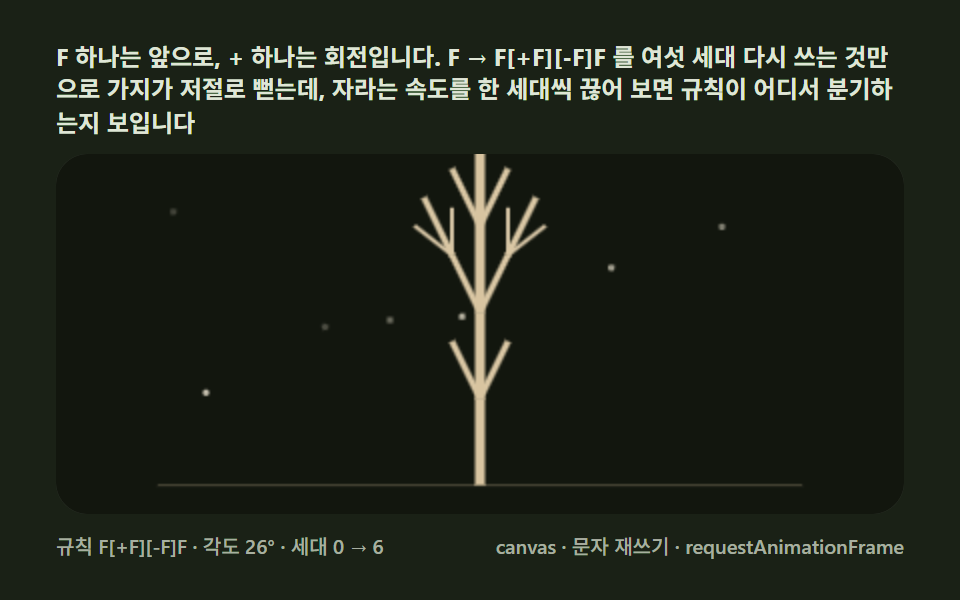 Creative UIL-System Fractal Tree Generator: 9 Demos
 Creative UIVerlet Physics 9 Demos: No Library, Just Canvas
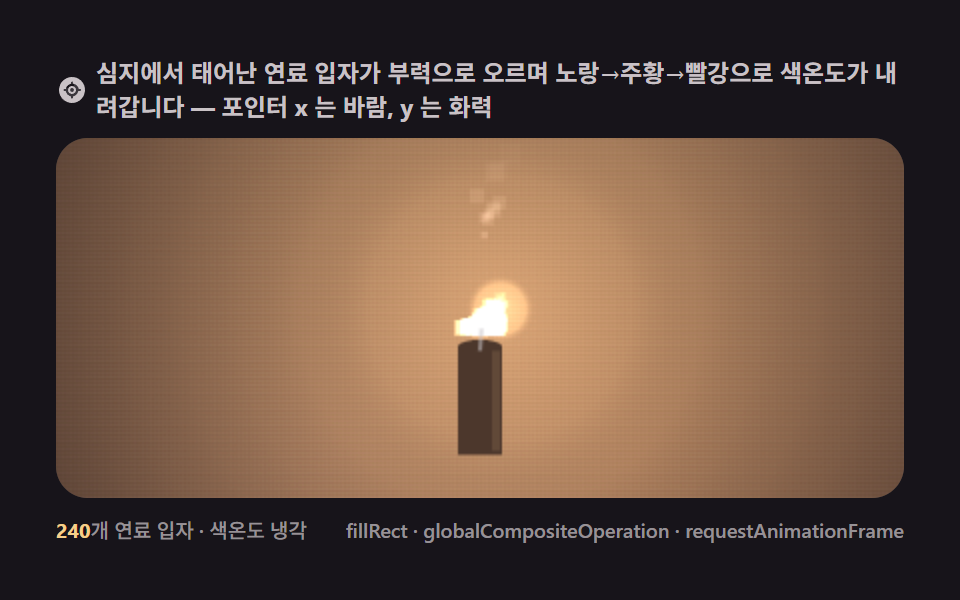 Creative UI9 Canvas Fire Animation Scenes, No WebGL
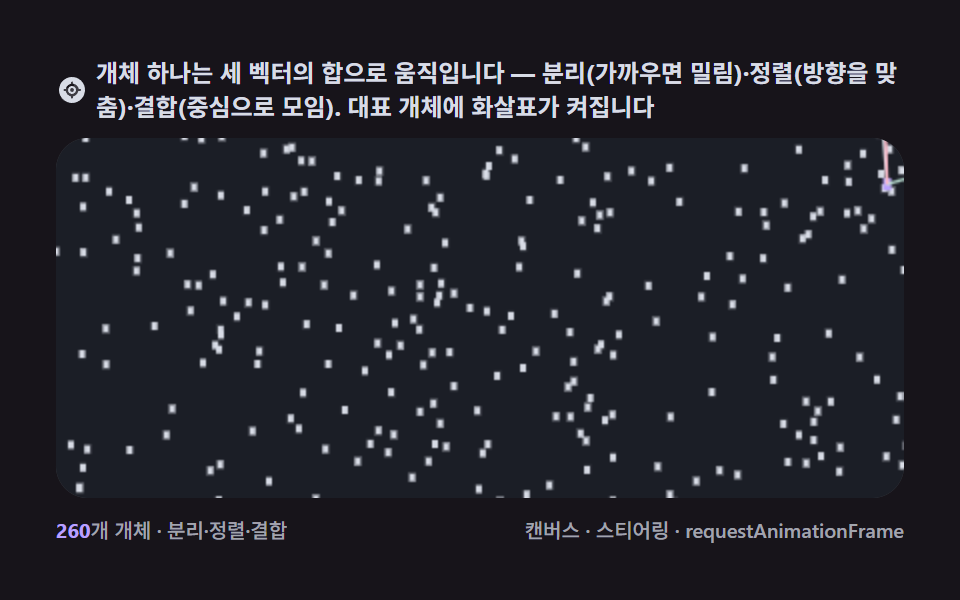 Creative UI9 Canvas Boids Algorithm Flocking Birds Simulation
 Creative UI9 Lightning Effect Background Scenes, No WebGL
 Creative UIFalling Sand Simulator, 9 Ways (No Library)
 Creative UISnowflake Generator, 9 Ways (DLA, No Library)
 Creative UISlime Mold Simulation, 9 Ways (No Library)
 Creative UIFourier Epicycles, 9 Ways (No Library)
 Creative UIN Body Simulation, 9 Ways (Galaxy, No Library)