Force Directed Graph: 9 Network Layout Demos
Give nodes a push-and-pull force and a tangled relationship untangles into a readable picture on its own.
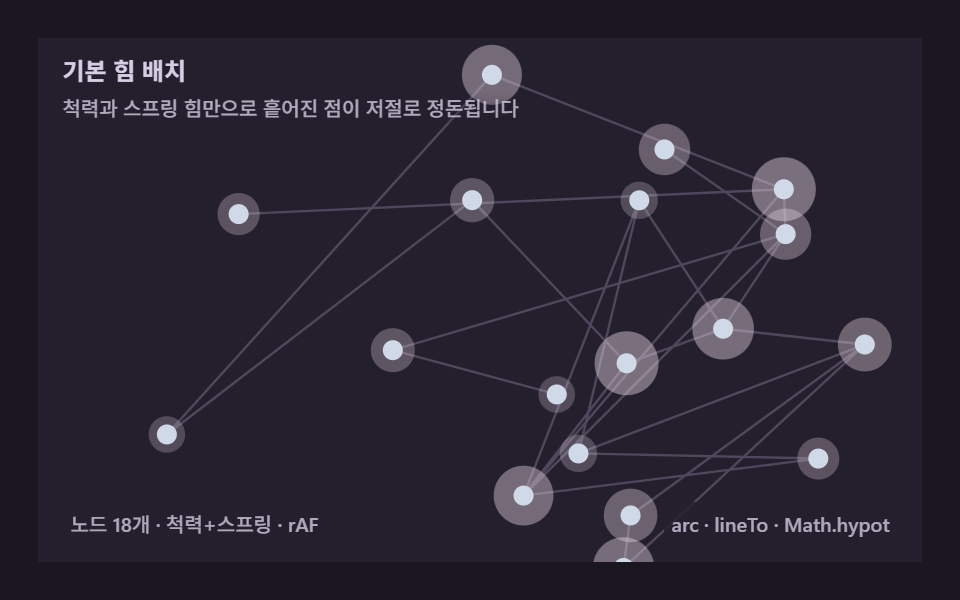 01 graph-force-basic-spring
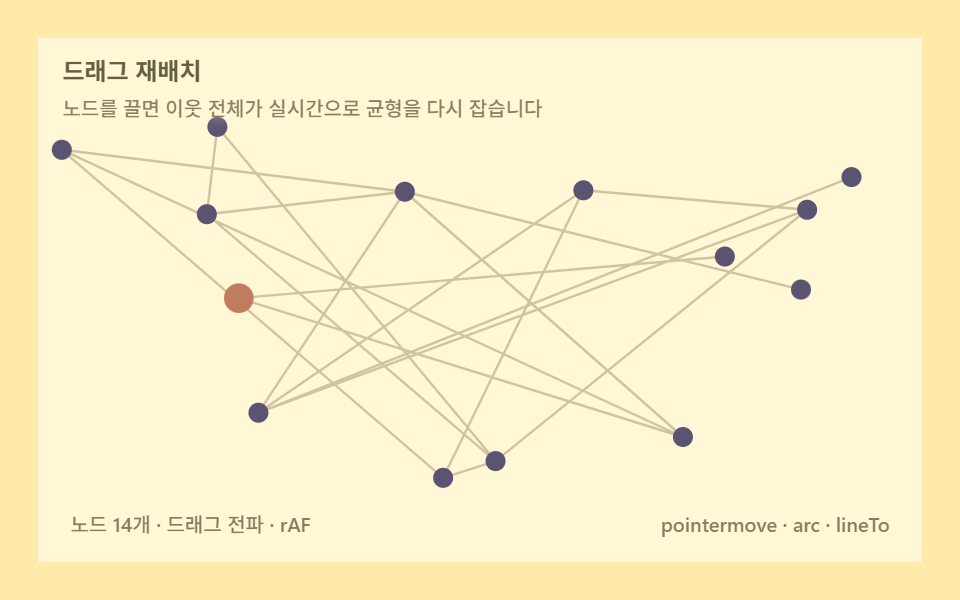 02 graph-force-drag-node
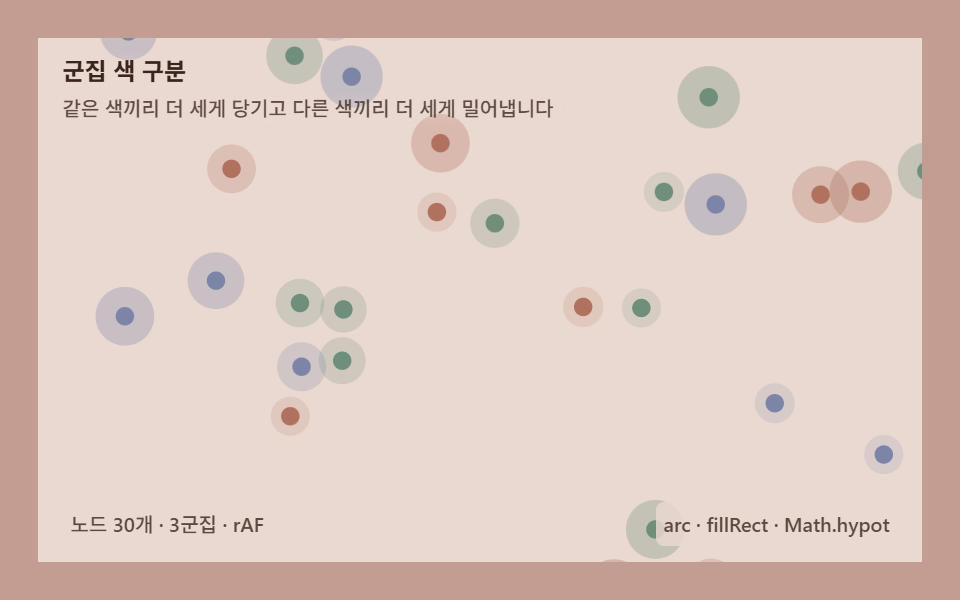 03 graph-force-cluster-color
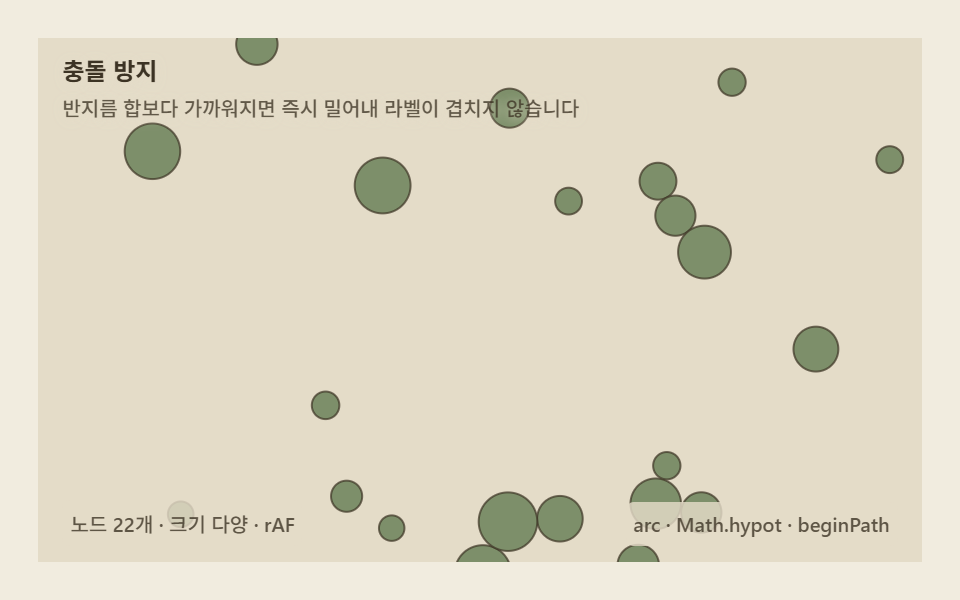 04 graph-force-collision-avoid
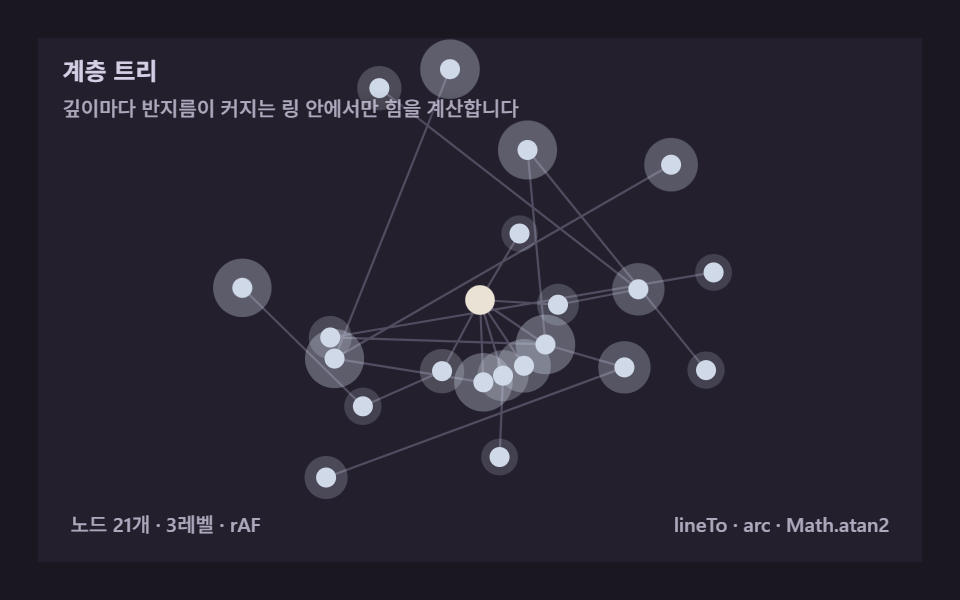 05 graph-force-hierarchy-tree
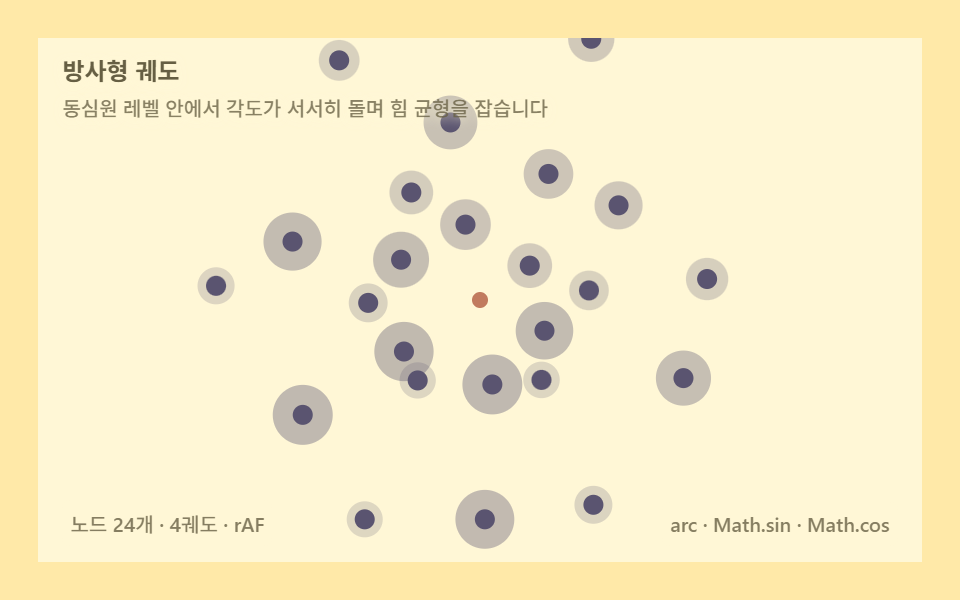 06 graph-force-radial-orbit
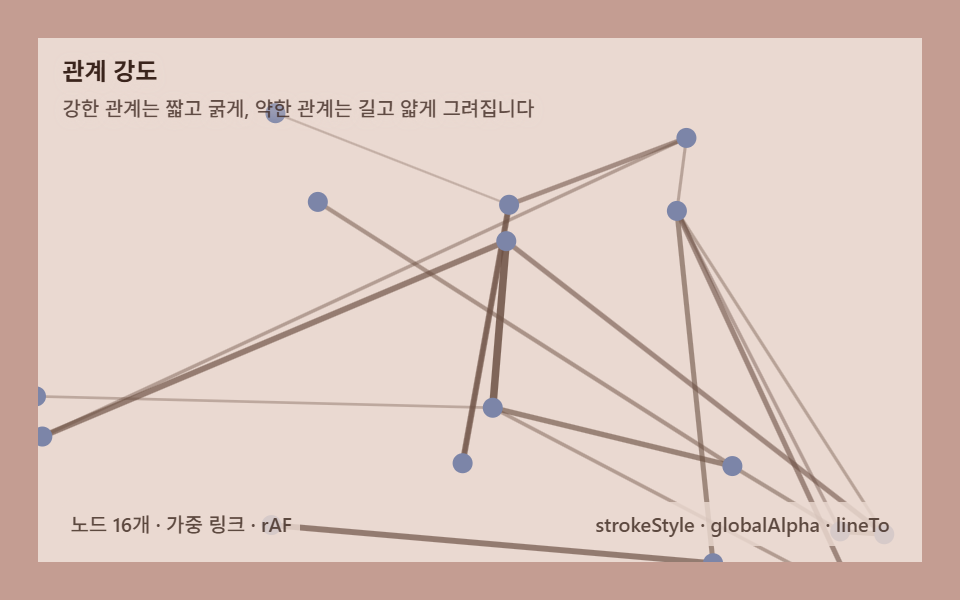 07 graph-force-link-weight
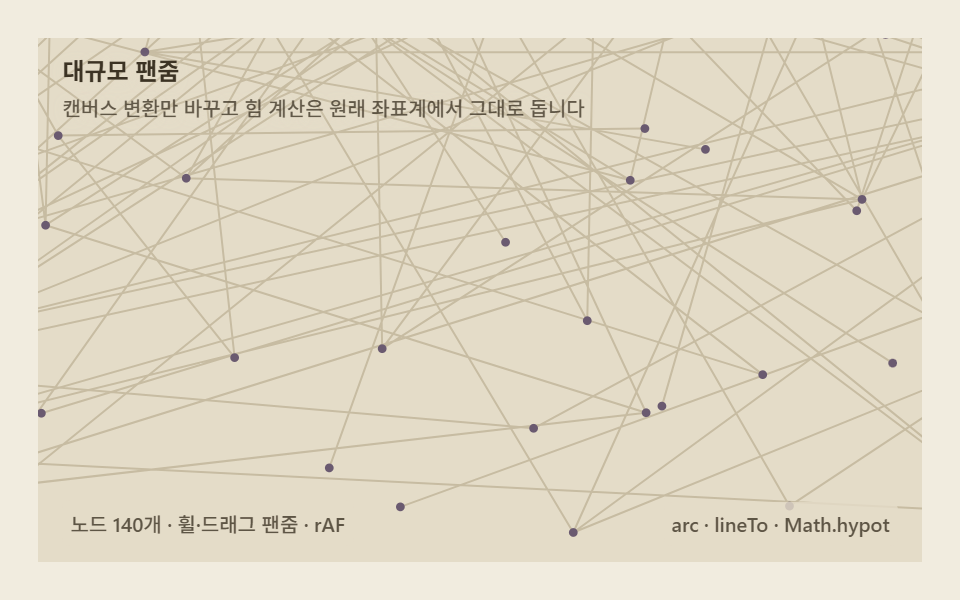 08 graph-force-pan-zoom-large
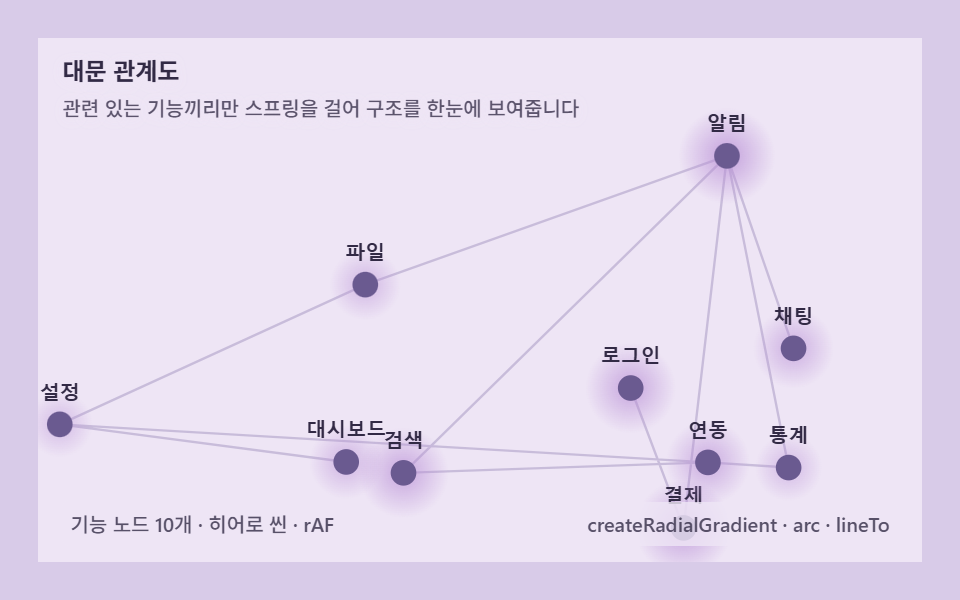 09 graph-force-hero-scene
Auto-plays · click a tile to jump to its section · all nine in one zip
- 01 Basic force layout — repulsion and springs alone tidy scattered dots
- 02 Drag to reflow — pull one node and the whole graph rebalances
- 03 Cluster coloring — same-group pulls stronger and huddles together
- 04 Collision avoidance — nodes push apart by their own radius, never overlap
- 05 Hierarchy tree — levels radiating out from a single root
- 06 Radial orbit — nodes settle while orbiting concentric levels
- 07 Relationship weight — weight rewrites link length and thickness
- 08 Large-scale pan/zoom — sweeping hundreds of nodes across canvas coordinates
- 09 Hero graph — a front door that knits a product's features together by force
A network graph on a page is usually a static picture exported from some other tool. This post builds the working thing nine ways: each scene computes where nodes push each other apart and where edges — or, for two items, a direct parent-and-polar coordinate instead — pull them back together, then lets that balance settle again every single frame. Nine standalone HTML files hold the whole set, each one small enough to paste into a page with nothing else installed; a bundled React version of every scene rides along in the same archive.
From Repulsion and Springs to Polar Coordinates: Recomputing the Graph Layout
All nine scenes share one core: repulsion pushes every pair of nodes apart, and something pulls related nodes back together, and the layout that falls out is whichever shape balances the two. 01 is that core alone — eighteen nodes, a random spanning tree of springs, nothing else — the item every other one branches from. 02 keeps the same physics and adds one interaction: pin a node with a pointer and watch the rest of the graph reflow around it, exactly the interactivity a force directed graph visualization is built around — you never lay a graph out twice, you just nudge it. 03 turns one number, the repulsion multiplier between groups, into a sorting operation: raise it and clusters that share nothing but a color pull apart on their own, with zero edges anywhere. 04 adds a second pass after the physics runs — a hard correction that resolves overlap by radius — because repulsion alone still lets two fast-moving nodes graze past each other for a frame or two. 05 and 06 are the odd pair out: neither runs edges or springs at all. 05 places nodes by parent[] and a radial-plus-tangential spring computed in angle space, and 06 drops springs entirely for polar coordinates — a per-ring angular velocity, a tangential separation force, and a radius that breathes on a sine wave. 07 puts a weight on every edge and lets that one number rewrite both the spring's rest length and the drawn line's width. 08 scales the same pipeline to a hundred and forty nodes inside a fixed 1400×900 world and keeps the camera — pan, zoom, or an automatic sweep — entirely separate from the physics; it is the only item where rotateAll never runs, because there is no single shared rotation to apply once a camera already owns the view. 09 is the front door: the same repulsion-and-spring core as 01, tuned stronger, holding ten labeled feature nodes instead of anonymous dots.
All nine moved on 23 of 24 sampled frames — nothing here is a static card pretending to be a demo. Painted area ranks 08 highest at 70.841%, the one scene with a big enough world and enough nodes to keep lighting new pixels every frame, then 03 (55.851%), 07 (47.947%), 01 (46.931%), 02 (39.459%), 09 (36.535%), 06 (35.355%), 05 (32.872%), and 04 lowest at 31.53% — the collision-avoidance layout stays the most compact because its correction pass never lets nodes share a patch of pixels for long. Average intensity runs the other way: 04 is brightest at 83.3, since a position correction that shoves overlapping pairs apart flips pixels sharply every frame it fires, while 08 is dimmest at 28.3, its brightness spread thin across a much larger stage.
| # | Item | Technique | Painted area | Peak frame | Avg intensity |
|---|---|---|---|---|---|
| 01 | Basic spring layout | N=18, REPEL=900, k=0.02, REST=46 | 46.931% | 10.174% | 53.7 |
| 02 | Drag to reflow | N=14, pin-and-drag, 5.6s auto-script | 39.459% | 7.694% | 53.7 |
| 03 | Cluster coloring | N=30/3 groups, intra 0.5× / inter 1.9× | 55.851% | 10.608% | 42.1 |
| 04 | Collision avoidance | N=22, hard correction pass, r 6–15 | 31.53% | 5.551% | 83.3 |
| 05 | Hierarchy tree | 3 levels × 7, radial + parent spring | 32.872% | 7.752% | 53.2 |
| 06 | Radial orbit | 4 rings × 6, per-ring ω, breathing radius | 35.355% | 6.037% | 57.3 |
| 07 | Relationship weight | N=16, weight rewrites length & width | 47.947% | 9.865% | 55.6 |
| 08 | Large-scale pan/zoom | N=140, world 1400×900, camera decoupled | 70.841% | 21.407% | 28.3 |
| 09 | Hero graph | N=10 fixed labels, REPEL=1500 | 36.535% | 6.272% | 52.7 |
Code per item
What follows below comes directly out of each item's own file: the real constant names, the real order the loops run in, only the Korean comments and on-screen text swapped for English. No fragment stops mid-function — every block shown here is a complete loop, pass, or draw call exactly as it runs on the page. Download links for all nine full files, plus a React rewrite of each, sit inside the archive this article unlocks.
01Basic spring layout — repulsion and springs untangle scattered nodes alone
Give eighteen nodes a mutual push, tie a random spanning tree between them with springs, and a scattered mess of dots untangles into a readable layout on its own — 46.931% painted area, 10.174% peak frame, 53.7 average intensity. This is the bare pipeline the other eight items branch from: nothing but repulsion, springs, and a shared slow rotation.
<main class="stage">
<div class="ga is-demo" id="gaRoot" role="application" aria-label="Force layout network graph demo" tabindex="0">
  <canvas class="ga__cv" id="gaCv"></canvas>
  <p class="ga__hint">
    <span class="ga__title">Basic force layout</span>
    <span class="ga__desc">Repulsion and spring force alone let scattered points settle on their own</span>
  </p>
  <div class="ga__bar">
    <span class="ga__meta">18 nodes · repulsion+spring · rAF</span>
    <span class="ga__meta ga__meta--dim">arc · lineTo · Math.hypot</span>
  </div>
</div>
</main>
@use "../../../../site/static/demo-tokens" as *;
// 기본 힘 배치(01) — @keyframes 를 두지 않는다. 움직임은 전부 캔버스 rAF 루프
// (매 프레임 척력·스프링 재계산)가 만든다. 무대 잉크 — 어두운 판 위 파스텔 노드.
$ga-stage: #1a1720;
@include stage($ga-stage);
$ga-panel: #241f2d; // 캔버스 바닥 — 무대보다 한 단계 밝은 먹보라
$ga-text: #d5cfe6; // 라벨 글자 — 밝은 라일락 회색
$ga-edge: #6f6a82; // 링크 선 — 저채도 회보라
$ga-node: #cfd9e7; // 노드 — 파스텔 아이리스 블루
$ga-glow: #e8d5e2; // 노드 둘레 광 — 벚꽃 파스텔
$duration: $dur-loop;
$easing: $ease-out;
$color: $ga-node;
.ga {
--ga-panel: #{$ga-panel};
--ga-edge: #{$ga-edge};
--ga-node: #{$ga-node};
--ga-glow: #{$ga-glow};
position: relative;
display: flex; flex-direction: column;
width: 100%; height: 100%; min-height: 164px;
overflow: hidden;
}
.ga__cv { position: absolute; inset: 0; display: block; width: 100%; height: 100%; }
.ga__hint {
position: relative; z-index: 1;
display: flex; flex-direction: column; gap: 0; margin: 0;
padding: $sp-2 $sp-3 0;
font-weight: 700; font-size: clamp(10px, 2.8vw, 12px); line-height: 1.35;
color: $ga-text;
}
.ga__title { text-shadow: 0 1px 6px rgba($ga-panel, 1); }
.ga__desc {
margin-top: $sp-1;
font-weight: 500; font-size: clamp(9px, 2.4vw, 10px); line-height: 1.4;
color: rgba($ga-text, .78);
text-shadow: 0 1px 6px rgba($ga-panel, 1);
}
.ga__bar {
position: relative; z-index: 1;
margin-top: auto;
display: flex; align-items: baseline; justify-content: space-between; gap: $sp-2;
padding: 0 $sp-3 $sp-2;
}
.ga__meta {
font-size: 10px; font-weight: 500; color: rgba($ga-text, .78);
background: rgba($ga-panel, .8);
border-radius: $r-xs;
padding: 4px $sp-1;
}
.ga:focus-visible { outline: 2px solid $ga-node; outline-offset: -2px; }
@media (max-width: 340px) {
.ga__meta--dim { display: none; }
}
// reduce — rAF 를 돌리지 않고 정착된 배치 한 장만 남는다.
@media (prefers-reduced-motion: reduce) {
.ga.is-still { cursor: default !important; }
}html, body {
margin: 0;
overflow: hidden;
}
.stage {
box-sizing: border-box;
min-height: 100vh;
display: grid;
place-items: center;
margin: 0;
background: #1a1720;
font-family: -apple-system, "Segoe UI", "Noto Sans KR", sans-serif;
padding: clamp(8px, 4vw, 24px);
}
.ga {
--ga-panel: #241f2d;
--ga-edge: #6f6a82;
--ga-node: #cfd9e7;
--ga-glow: #e8d5e2;
position: relative;
display: flex;
flex-direction: column;
width: 100%;
height: 100%;
min-height: 164px;
overflow: hidden;
}
.ga__cv {
position: absolute;
inset: 0;
display: block;
width: 100%;
height: 100%;
}
.ga__hint {
position: relative;
z-index: 1;
display: flex;
flex-direction: column;
gap: 0;
margin: 0;
padding: 8px 12px 0;
font-weight: 700;
font-size: clamp(10px, 2.8vw, 12px);
line-height: 1.35;
color: #d5cfe6;
}
.ga__title {
text-shadow: 0 1px 6px #241f2d;
}
.ga__desc {
margin-top: 4px;
font-weight: 500;
font-size: clamp(9px, 2.4vw, 10px);
line-height: 1.4;
color: rgba(213, 207, 230, 0.78);
text-shadow: 0 1px 6px #241f2d;
}
.ga__bar {
position: relative;
z-index: 1;
margin-top: auto;
display: flex;
align-items: baseline;
justify-content: space-between;
gap: 8px;
padding: 0 12px 8px;
}
.ga__meta {
font-size: 10px;
font-weight: 500;
color: rgba(213, 207, 230, 0.78);
background: rgba(36, 31, 45, 0.8);
border-radius: 4px;
padding: 4px 4px;
}
.ga:focus-visible {
outline: 2px solid #cfd9e7;
outline-offset: -2px;
}
@media (max-width: 340px) {
.ga__meta--dim {
display: none;
}
}
@media (prefers-reduced-motion: reduce) {
.ga.is-still {
cursor: default !important;
}
}// Basic force layout(01) — 모든 노드 쌍의 척력(쿨롱형)과 엣지의 스프링(훅 법칙)을
// 매 프레임 합산해 좌표 자체를 다시 계산한다. 속성 트윈이 아니라 계산으로 움직인다.
// 흩어진 시작점에서 출발해 실시간으로 정돈된 그림으로 수렴하고, 수렴한 뒤에도
// 아주 약한 무작위 힘(온도)을 계속 더해 화면이 완전히 멈추지 않게 한다.
(function () {
// ── 변형 상수 블록 — 아래 값 하나만 바꿔 변형을 만든다 ──
var N = 18; // 노드 개수
var ATTRACT = 0.02; // 스프링 강도(k) — 변형 1: 0.02 → 0.08
var REPEL = 900; // 척력 강도
// ────────────────────────────────────────────────────
var REST = 46; // 스프링 목표 길이
var DAMP = 0.955; // 속도 감쇠 — 낮출수록 오래 출렁인다
var CENTER_K = 0.0009; // 중심으로 약하게 당기는 힘 — 그래프가 화면 밖으로 흘러가지 않게
var JITTER = 50; // 항상 더하는 무작위 힘(온도) — 화면 전역이 계속 출렁이게 한다
var NR = 5; // 노드 반지름
var OMEGA = 0.5; // 전체를 중심 기준 아주 천천히 돌리는 각속도(rad/s) — 화면 넓게 훑는다
var root = document.getElementById('gaRoot');
var cvEl = document.getElementById('gaCv');
if (!root || !cvEl) return;
var css = getComputedStyle(root);
function tokRGB(name) {
var s = css.getPropertyValue(name).trim();
var hx = s.length === 4
? s.charAt(1) + s.charAt(1) + s.charAt(2) + s.charAt(2) + s.charAt(3) + s.charAt(3)
: s.slice(1);
return [parseInt(hx.slice(0, 2), 16), parseInt(hx.slice(2, 4), 16), parseInt(hx.slice(4, 6), 16)];
}
var C_PANEL = tokRGB('--ga-panel');
var C_EDGE = tokRGB('--ga-edge');
var C_NODE = tokRGB('--ga-node');
var C_GLOW = tokRGB('--ga-glow');
var ctx = cvEl.getContext('2d');
var W = 0, H = 0, dpr = Math.min(window.devicePixelRatio || 1, 2);
function makeRand(seed) {
var st = seed >>> 0;
return function () {
st = (st + 0x6D2B79F5) >>> 0;
var t = st;
t = Math.imul(t ^ (t >>> 15), t | 1);
t ^= t + Math.imul(t ^ (t >>> 7), t | 61);
return ((t ^ (t >>> 14)) >>> 0) / 4294967296;
};
}
var rand = makeRand(0x327001);
var px, py, vx, vy, edges;
function buildGraph() {
px = new Float32Array(N); py = new Float32Array(N);
vx = new Float32Array(N); vy = new Float32Array(N);
for (var i = 0; i < N; i++) {
px[i] = rand() * W; py[i] = rand() * H;
}
edges = [];
for (var a = 1; a < N; a++) {
edges.push([a, Math.floor(rand() * a)]); // 스패닝 트리 — 모든 노드가 연결된다
}
var extra = Math.round(N * 0.5);
for (var k = 0; k < extra; k++) {
var u = Math.floor(rand() * N), v = Math.floor(rand() * N);
if (u !== v) edges.push([u, v]);
}
}
function fit() {
var r = root.getBoundingClientRect();
W = Math.round(r.width); H = Math.round(r.height);
cvEl.width = Math.round(W * dpr); cvEl.height = Math.round(H * dpr);
ctx.setTransform(dpr, 0, 0, dpr, 0, 0);
buildGraph();
}
function step(dt) {
var fx = new Float32Array(N), fy = new Float32Array(N);
    for (var i = 0; i < N; i++) {
      for (var j = i + 1; j < N; j++) {
        var dx = px[j] - px[i], dy = py[j] - py[i];
        var d2 = dx * dx + dy * dy; if (d2 < 4) d2 = 4;
        var d = Math.sqrt(d2);
        var f = REPEL / d2;
        var ux = dx / d, uy = dy / d;
        fx[i] -= ux * f; fy[i] -= uy * f;
        fx[j] += ux * f; fy[j] += uy * f;
      }
    }
    for (var e = 0; e < edges.length; e++) {
      var a = edges[e][0], b = edges[e][1];
      var dx2 = px[b] - px[a], dy2 = py[b] - py[a];
      var d3 = Math.hypot(dx2, dy2) || 0.001;
      var diff = (d3 - REST) * ATTRACT;
      var ux2 = dx2 / d3, uy2 = dy2 / d3;
      fx[a] += ux2 * diff; fy[a] += uy2 * diff;
      fx[b] -= ux2 * diff; fy[b] -= uy2 * diff;
    }
var cx = W / 2, cy = H / 2;
for (var n = 0; n < N; n++) {
fx[n] += (cx - px[n]) * CENTER_K;
fy[n] += (cy - py[n]) * CENTER_K;
fx[n] += (rand() - 0.5) * JITTER;
fy[n] += (rand() - 0.5) * JITTER;
vx[n] = (vx[n] + fx[n] * dt) * DAMP;
vy[n] = (vy[n] + fy[n] * dt) * DAMP;
px[n] += vx[n] * dt; py[n] += vy[n] * dt;
}
}
function rotateAll(dtheta) {
var cx = W / 2, cy = H / 2, cs = Math.cos(dtheta), sn = Math.sin(dtheta);
for (var i = 0; i < N; i++) {
var rx = px[i] - cx, ry = py[i] - cy;
px[i] = cx + rx * cs - ry * sn;
py[i] = cy + rx * sn + ry * cs;
}
}
function draw(t) {
ctx.clearRect(0, 0, W, H);
ctx.fillStyle = 'rgb(' + C_PANEL.join(',') + ')';
ctx.fillRect(0, 0, W, H);
ctx.lineWidth = 1.2;
ctx.strokeStyle = 'rgba(' + C_EDGE.join(',') + ',0.55)';
ctx.beginPath();
for (var e = 0; e < edges.length; e++) {
var a = edges[e][0], b = edges[e][1];
ctx.moveTo(px[a], py[a]); ctx.lineTo(px[b], py[b]);
}
ctx.stroke();
for (var i = 0; i < N; i++) {
var pulse = 0.5 + 0.5 * Math.sin(t * 2.2 + i * 0.7);
ctx.fillStyle = 'rgba(' + C_GLOW.join(',') + ',' + (0.24 + 0.2 * pulse).toFixed(3) + ')';
ctx.beginPath(); ctx.arc(px[i], py[i], NR + 4 + pulse * 7, 0, Math.PI * 2); ctx.fill();
ctx.fillStyle = 'rgb(' + C_NODE.join(',') + ')';
ctx.beginPath(); ctx.arc(px[i], py[i], NR, 0, Math.PI * 2); ctx.fill();
}
}
var reduce = window.matchMedia('(prefers-reduced-motion: reduce)').matches;
var t0 = -1, last = -1;
function frame(now) {
if (t0 < 0) { t0 = now; last = now; }
var dt = Math.min((now - last) / 1000, 0.05); last = now;
var t = (now - t0) / 1000;
step(dt);
rotateAll(OMEGA * dt);
draw(t);
requestAnimationFrame(frame);
}
window.addEventListener('resize', function () {
fit();
if (reduce) settle();
});
function settle() {
for (var s = 0; s < 260; s++) step(1 / 60);
draw(0);
}
fit();
if (reduce) {
settle();
root.classList.add('is-still');
} else {
requestAnimationFrame(frame);
}
})();// GraphForceBasicSpring — vanilla 판(run/327/demo/01-graph-force-basic-spring/index.html) 의 React 포트.
// 모든 노드 쌍의 척력(쿨롱형)과 엣지의 스프링(훅 법칙)을 매 프레임 합산해 좌표 자체를 다시 계산한다.
// 속성 트윈이 아니라 계산으로 움직인다. 흩어진 시작점에서 정돈된 그림으로 수렴하고, 수렴한 뒤에도
// 아주 약한 무작위 힘(온도)을 계속 더해 화면이 완전히 멈추지 않는다. 전체는 rotateAll 로 천천히 강체 회전한다.
import { useEffect, useRef, useState } from "react";
import type { CSSProperties } from "react";
import styles from "./GraphForceBasicSpring.module.scss";
export type GraphForceBasicSpringProps = {
duration?: string;
easing?: string;
color?: string;
n?: number; // 노드 개수
attract?: number; // 스프링 강도(k) — 변형 1: 0.02 → 0.08
repel?: number; // 척력 강도
};
// ── 변형 상수(기본값) — vanilla 판과 동일 ──
const N = 18;
const ATTRACT = 0.02;
const REPEL = 900;
const REST = 46; // 스프링 목표 길이
const DAMP = 0.955; // 속도 감쇠 — 낮출수록 오래 출렁인다
const CENTER_K = 0.0009; // 중심으로 약하게 당기는 힘
const JITTER = 50; // 항상 더하는 무작위 힘(온도)
const NR = 5; // 노드 반지름
const OMEGA = 0.5; // 전체를 중심 기준 천천히 돌리는 각속도(rad/s)
const SEED = 0x327001;
type Vars = CSSProperties & { "--duration"?: string; "--easing"?: string; "--color"?: string };
type Box<T> = { current: T };
type RGB = [number, number, number];
const BOARD_LABEL = "힘 배치 관계도 실험판";
const META_LEFT = "노드 18개 · 척력+스프링 · rAF";
const META_RIGHT = "arc · lineTo · Math.hypot";
const HINT_TITLE = "기본 힘 배치";
const HINT_DESC = "척력과 스프링 힘만으로 흩어진 점이 저절로 정돈됩니다";
function makeRand(seed: number): () => number {
let st = seed >>> 0;
return function () {
st = (st + 0x6d2b79f5) >>> 0;
let t = st;
t = Math.imul(t ^ (t >>> 15), t | 1);
t ^= t + Math.imul(t ^ (t >>> 7), t | 61);
return ((t ^ (t >>> 14)) >>> 0) / 4294967296;
};
}
export default function GraphForceBasicSpring({
duration = "2s",
easing = "ease-out",
color = "#cfd9e7",
n = N,
attract = ATTRACT,
repel = REPEL
}: GraphForceBasicSpringProps) {
const rootRef = useRef<HTMLDivElement | null>(null);
const cvRef = useRef<HTMLCanvasElement | null>(null);
const ctxRef = useRef<CanvasRenderingContext2D | null>(null);
const colRef = useRef<{ panel: RGB; edge: RGB; node: RGB; glow: RGB } | null>(null);
const wRef = useRef(0) as Box<number>;
const hRef = useRef(0) as Box<number>;
const rafRef = useRef(0) as Box<number>;
const randRef = useRef(makeRand(SEED)) as Box<() => number>;
const pxRef = useRef<Float32Array | null>(null);
const pyRef = useRef<Float32Array | null>(null);
const vxRef = useRef<Float32Array | null>(null);
const vyRef = useRef<Float32Array | null>(null);
const edgesRef = useRef<[number, number][]>([]);
const [still, setStill] = useState(false);
const vars: Vars = { "--duration": duration, "--easing": easing, "--color": color };
function reduced(): boolean {
return window.matchMedia("(prefers-reduced-motion: reduce)").matches;
}
function tokRGB(root: HTMLDivElement, name: string): RGB {
const s = getComputedStyle(root).getPropertyValue(name).trim();
const hx = s.length === 4
? s.charAt(1) + s.charAt(1) + s.charAt(2) + s.charAt(2) + s.charAt(3) + s.charAt(3)
: s.slice(1);
return [parseInt(hx.slice(0, 2), 16), parseInt(hx.slice(2, 4), 16), parseInt(hx.slice(4, 6), 16)];
}
function buildGraph(): void {
const rand = randRef.current;
const W = wRef.current, H = hRef.current;
const px = new Float32Array(n), py = new Float32Array(n);
const vx = new Float32Array(n), vy = new Float32Array(n);
for (let i = 0; i < n; i++) {
px[i] = rand() * W; py[i] = rand() * H;
}
const edges: [number, number][] = [];
for (let a = 1; a < n; a++) {
edges.push([a, Math.floor(rand() * a)]); // 스패닝 트리 — 모든 노드가 연결된다
}
const extra = Math.round(n * 0.5);
for (let k = 0; k < extra; k++) {
const u = Math.floor(rand() * n), v = Math.floor(rand() * n);
if (u !== v) edges.push([u, v]);
}
pxRef.current = px; pyRef.current = py; vxRef.current = vx; vyRef.current = vy;
edgesRef.current = edges;
}
function fit(): void {
const root = rootRef.current;
const cv = cvRef.current;
const ctx = ctxRef.current;
if (!root || !cv || !ctx) return;
const r = root.getBoundingClientRect();
const dpr = Math.min(window.devicePixelRatio || 1, 2);
wRef.current = Math.round(r.width);
hRef.current = Math.round(r.height);
cv.width = Math.round(wRef.current * dpr);
cv.height = Math.round(hRef.current * dpr);
ctx.setTransform(dpr, 0, 0, dpr, 0, 0);
buildGraph();
}
function step(dt: number): void {
const px = pxRef.current, py = pyRef.current, vx = vxRef.current, vy = vyRef.current;
const edges = edgesRef.current;
const rand = randRef.current;
const W = wRef.current, H = hRef.current;
if (!px || !py || !vx || !vy || !edges) return;
const fx = new Float32Array(n), fy = new Float32Array(n);
for (let i = 0; i < n; i++) {
for (let j = i + 1; j < n; j++) {
const dx = px[j] - px[i], dy = py[j] - py[i];
let d2 = dx * dx + dy * dy; if (d2 < 4) d2 = 4;
const d = Math.sqrt(d2);
const f = repel / d2;
const ux = dx / d, uy = dy / d;
fx[i] -= ux * f; fy[i] -= uy * f;
fx[j] += ux * f; fy[j] += uy * f;
}
}
for (let e = 0; e < edges.length; e++) {
const a = edges[e][0], b = edges[e][1];
const dx2 = px[b] - px[a], dy2 = py[b] - py[a];
const d3 = Math.hypot(dx2, dy2) || 0.001;
const diff = (d3 - REST) * attract;
const ux2 = dx2 / d3, uy2 = dy2 / d3;
fx[a] += ux2 * diff; fy[a] += uy2 * diff;
fx[b] -= ux2 * diff; fy[b] -= uy2 * diff;
}
const cx = W / 2, cy = H / 2;
for (let i = 0; i < n; i++) {
fx[i] += (cx - px[i]) * CENTER_K;
fy[i] += (cy - py[i]) * CENTER_K;
fx[i] += (rand() - 0.5) * JITTER;
fy[i] += (rand() - 0.5) * JITTER;
vx[i] = (vx[i] + fx[i] * dt) * DAMP;
vy[i] = (vy[i] + fy[i] * dt) * DAMP;
px[i] += vx[i] * dt; py[i] += vy[i] * dt;
}
}
function rotateAll(dtheta: number): void {
const px = pxRef.current, py = pyRef.current;
if (!px || !py) return;
const W = wRef.current, H = hRef.current;
const cx = W / 2, cy = H / 2, cs = Math.cos(dtheta), sn = Math.sin(dtheta);
for (let i = 0; i < n; i++) {
const rx = px[i] - cx, ry = py[i] - cy;
px[i] = cx + rx * cs - ry * sn;
py[i] = cy + rx * sn + ry * cs;
}
}
function draw(t: number): void {
const ctx = ctxRef.current;
const col = colRef.current;
const px = pxRef.current, py = pyRef.current;
const edges = edgesRef.current;
const W = wRef.current, H = hRef.current;
const rand = randRef.current;
if (!ctx || !col || !px || !py || !edges) return;
ctx.clearRect(0, 0, W, H);
ctx.fillStyle = "rgb(" + col.panel.join(",") + ")";
ctx.fillRect(0, 0, W, H);
ctx.lineWidth = 1.2;
ctx.strokeStyle = "rgba(" + col.edge.join(",") + ",0.55)";
ctx.beginPath();
for (let e = 0; e < edges.length; e++) {
const a = edges[e][0], b = edges[e][1];
ctx.moveTo(px[a], py[a]); ctx.lineTo(px[b], py[b]);
}
ctx.stroke();
for (let i = 0; i < n; i++) {
const pulse = 0.5 + 0.5 * Math.sin(t * 2.2 + i * 0.7);
ctx.fillStyle = "rgba(" + col.glow.join(",") + "," + (0.24 + 0.2 * pulse).toFixed(3) + ")";
ctx.beginPath(); ctx.arc(px[i], py[i], NR + 4 + pulse * 7, 0, Math.PI * 2); ctx.fill();
ctx.fillStyle = "rgb(" + col.node.join(",") + ")";
ctx.beginPath(); ctx.arc(px[i], py[i], NR, 0, Math.PI * 2); ctx.fill();
}
}
function settle(): void {
for (let s = 0; s < 260; s++) step(1 / 60);
draw(0);
}
let t0 = -1, last = -1;
function frame(now: number): void {
if (t0 < 0) { t0 = now; last = now; }
const dt = Math.min((now - last) / 1000, 0.05); last = now;
const t = (now - t0) / 1000;
step(dt);
rotateAll(OMEGA * dt);
draw(t);
rafRef.current = requestAnimationFrame(frame);
}
useEffect(() => {
const root = rootRef.current;
const cv = cvRef.current;
if (!root || !cv) return;
colRef.current = {
panel: tokRGB(root, "--ga-panel"),
edge: tokRGB(root, "--ga-edge"),
node: tokRGB(root, "--ga-node"),
glow: tokRGB(root, "--ga-glow")
};
ctxRef.current = cv.getContext("2d");
fit();
function onResize(): void {
fit();
if (reduced()) settle();
}
window.addEventListener("resize", onResize);
if (reduced()) {
settle();
setStill(true);
} else {
t0 = -1; last = -1;
rafRef.current = requestAnimationFrame(frame);
}
return () => {
window.removeEventListener("resize", onResize);
cancelAnimationFrame(rafRef.current);
};
// eslint-disable-next-line react-hooks/exhaustive-deps
}, [n, attract, repel]);
const rootCls = still ? `${styles.root} ${styles.isStill}` : styles.root;
return (
<main className={styles.stage}>
<div
className={rootCls}
ref={rootRef}
style={vars}
role="application"
aria-label={BOARD_LABEL}
tabIndex={0}
>
<canvas className={styles.cv} ref={cvRef}></canvas>
<p className={styles.hint}>
<span className={styles.title}>{HINT_TITLE}</span>
<span className={styles.desc}>{HINT_DESC}</span>
</p>
<div className={styles.bar}>
<span className={styles.meta}>{META_LEFT}</span>
<span className={styles.metaDim}>{META_RIGHT}</span>
</div>
</div>
</main>
);
}01 · Basic force layout — repulsion and springs alone tidy scattered dots — Measured area 46.931% · moving frames 23/23Original by GODRICH · SCSS and React ship in the zip · See the password
Repulsion between every pair
for (var i = 0; i < N; i++) {
for (var j = i + 1; j < N; j++) {
var dx = px[j] - px[i], dy = py[j] - py[i];
var d2 = dx * dx + dy * dy; if (d2 < 4) d2 = 4;
var d = Math.sqrt(d2);
var f = REPEL / d2;
var ux = dx / d, uy = dy / d;
fx[i] -= ux * f; fy[i] -= uy * f;
fx[j] += ux * f; fy[j] += uy * f;
}
}
Springs pull connected pairs toward the rest length
for (var e = 0; e < edges.length; e++) {
var a = edges[e][0], b = edges[e][1];
var dx2 = px[b] - px[a], dy2 = py[b] - py[a];
var d3 = Math.hypot(dx2, dy2) || 0.001;
var diff = (d3 - REST) * ATTRACT;
var ux2 = dx2 / d3, uy2 = dy2 / d3;
fx[a] += ux2 * diff; fy[a] += uy2 * diff;
fx[b] -= ux2 * diff; fy[b] -= uy2 * diff;
}
02Drag to reflow — pin one node, watch the rest of the graph rebalance
Fourteen nodes settle the same way, but grab one with a pointer and it pins in place while the rest of the graph reflows around that fixed point — 39.459% painted area, 7.694% peak frame, 53.7 average intensity. No human touch is required to see it: an auto-drag script pulls a node through three legs of its own on a 5.6-second cycle whenever no one is holding the canvas.
<main class="stage">
<div class="gb is-demo" id="gbRoot" role="application" aria-label="Network graph demo rearranged by drag" tabindex="0">
  <canvas class="gb__cv" id="gbCv"></canvas>
  <p class="gb__hint">
    <span class="gb__title">Drag to rearrange</span>
    <span class="gb__desc">Drag one node and every neighbor rebalances in real time</span>
  </p>
  <div class="gb__bar">
    <span class="gb__meta">14 nodes · drag propagation · rAF</span>
    <span class="gb__meta gb__meta--dim">pointermove · arc · lineTo</span>
  </div>
</div>
</main>
@use "../../../../site/static/demo-tokens" as *;
// 드래그 재배치(02) — 무대 노랑. 01 과 같은 엔진 위에 포인터 드래그를 얹는다.
// 움직임은 전부 캔버스 rAF(척력·스프링 재계산 + 드래그 강제 고정)가 만든다.
$gb-stage: #ffe9a8;
@include stage($gb-stage);
$gb-panel: #fff7d6; // 캔버스 바닥 — 무대보다 밝은 크림
$gb-text: #665f43; // 라벨 글자 — 짙은 올리브 브라운(파스텔)
$gb-edge: #b3a074; // 링크 선 — 저채도 탠
$gb-node: #5a5470; // 노드 — 그레이 플럼
$gb-hot: #c17b5e; // 붙잡힌 노드 — 러스트
$duration: $dur-loop;
$easing: $ease-out;
$color: $gb-node;
.gb {
--gb-panel: #{$gb-panel};
--gb-edge: #{$gb-edge};
--gb-node: #{$gb-node};
--gb-hot: #{$gb-hot};
position: relative;
display: flex; flex-direction: column;
width: 100%; height: 100%; min-height: 164px;
overflow: hidden;
}
.gb__cv { position: absolute; inset: 0; display: block; width: 100%; height: 100%; touch-action: none; cursor: grab; }
.gb__cv:active { cursor: grabbing; }
.gb__hint {
position: relative; z-index: 1;
display: flex; flex-direction: column; gap: 0; margin: 0;
padding: $sp-2 $sp-3 0;
font-weight: 700; font-size: clamp(10px, 2.8vw, 12px); line-height: 1.35;
color: $gb-text;
}
.gb__title { text-shadow: 0 1px 6px rgba($gb-panel, .9); }
.gb__desc {
margin-top: $sp-1;
font-weight: 500; font-size: clamp(9px, 2.4vw, 10px); line-height: 1.4;
color: rgba($gb-text, .78);
text-shadow: 0 1px 6px rgba($gb-panel, .9);
}
.gb__bar {
position: relative; z-index: 1;
margin-top: auto;
display: flex; align-items: baseline; justify-content: space-between; gap: $sp-2;
padding: 0 $sp-3 $sp-2;
}
.gb__meta {
font-size: 10px; font-weight: 500; color: rgba($gb-text, .8);
background: rgba($gb-panel, .82);
border-radius: $r-xs;
padding: 4px $sp-1;
}
.gb:focus-visible { outline: 2px solid $gb-node; outline-offset: -2px; }
@media (max-width: 340px) {
.gb__meta--dim { display: none; }
}
// reduce — rAF 를 돌리지 않고 정착된 배치 한 장만 남는다.
@media (prefers-reduced-motion: reduce) {
.gb.is-still { cursor: default !important; }
}html, body {
margin: 0;
overflow: hidden;
}
.stage {
box-sizing: border-box;
min-height: 100vh;
display: grid;
place-items: center;
margin: 0;
background: #ffe9a8;
font-family: -apple-system, "Segoe UI", "Noto Sans KR", sans-serif;
padding: clamp(8px, 4vw, 24px);
}
.gb {
--gb-panel: #fff7d6;
--gb-edge: #b3a074;
--gb-node: #5a5470;
--gb-hot: #c17b5e;
position: relative;
display: flex;
flex-direction: column;
width: 100%;
height: 100%;
min-height: 164px;
overflow: hidden;
}
.gb__cv {
position: absolute;
inset: 0;
display: block;
width: 100%;
height: 100%;
touch-action: none;
cursor: grab;
}
.gb__cv:active {
cursor: grabbing;
}
.gb__hint {
position: relative;
z-index: 1;
display: flex;
flex-direction: column;
gap: 0;
margin: 0;
padding: 8px 12px 0;
font-weight: 700;
font-size: clamp(10px, 2.8vw, 12px);
line-height: 1.35;
color: #665f43;
}
.gb__title {
text-shadow: 0 1px 6px rgba(255, 247, 214, 0.9);
}
.gb__desc {
margin-top: 4px;
font-weight: 500;
font-size: clamp(9px, 2.4vw, 10px);
line-height: 1.4;
color: rgba(102, 95, 67, 0.78);
text-shadow: 0 1px 6px rgba(255, 247, 214, 0.9);
}
.gb__bar {
position: relative;
z-index: 1;
margin-top: auto;
display: flex;
align-items: baseline;
justify-content: space-between;
gap: 8px;
padding: 0 12px 8px;
}
.gb__meta {
font-size: 10px;
font-weight: 500;
color: rgba(102, 95, 67, 0.8);
background: rgba(255, 247, 214, 0.82);
border-radius: 4px;
padding: 4px 4px;
}
.gb:focus-visible {
outline: 2px solid #5a5470;
outline-offset: -2px;
}
@media (max-width: 340px) {
.gb__meta--dim {
display: none;
}
}
@media (prefers-reduced-motion: reduce) {
.gb.is-still {
cursor: default !important;
}
}// Drag to rearrange(02) — 01 의 척력+스프링 엔진에 포인터 드래그를 얹는다. 붙잡은 노드는
// 매 프레임 포인터 좌표로 강제 고정되고(적분에서 제외), 그 힘이 스프링을 타고 이웃으로
// 퍼져 나머지 노드가 실시간으로 재배치된다. .is-demo 동안은 같은 로직을 자동 각본이
// 반복 호출해 사람이 만지지 않아도 화면이 산다 — 실제 드래그와 자동 각본은 같은 함수를 쓴다.
(function () {
// ── 변형 상수 블록 ──
var N = 14;
var ATTRACT = 0.03;
var REPEL = 760;
// ────────────────────────
var REST = 44;
var DAMP = 0.95;
var CENTER_K = 0.0011;
var JITTER = 42;
var NR = 5;
var HIT_R = 16; // 드래그 인식 반경(px)
var OMEGA = 0.4; // 안 잡힌 나머지 노드를 아주 천천히 회전시켜 화면을 넓게 훑는다
var root = document.getElementById('gbRoot');
var cvEl = document.getElementById('gbCv');
if (!root || !cvEl) return;
var css = getComputedStyle(root);
function tokRGB(name) {
var s = css.getPropertyValue(name).trim();
var hx = s.length === 4
? s.charAt(1) + s.charAt(1) + s.charAt(2) + s.charAt(2) + s.charAt(3) + s.charAt(3)
: s.slice(1);
return [parseInt(hx.slice(0, 2), 16), parseInt(hx.slice(2, 4), 16), parseInt(hx.slice(4, 6), 16)];
}
var C_PANEL = tokRGB('--gb-panel');
var C_EDGE = tokRGB('--gb-edge');
var C_NODE = tokRGB('--gb-node');
var C_HOT = tokRGB('--gb-hot');
var ctx = cvEl.getContext('2d');
var W = 0, H = 0, dpr = Math.min(window.devicePixelRatio || 1, 2);
function makeRand(seed) {
var st = seed >>> 0;
return function () {
st = (st + 0x6D2B79F5) >>> 0;
var t = st;
t = Math.imul(t ^ (t >>> 15), t | 1);
t ^= t + Math.imul(t ^ (t >>> 7), t | 61);
return ((t ^ (t >>> 14)) >>> 0) / 4294967296;
};
}
var rand = makeRand(0x327002);
var px, py, vx, vy, edges;
var dragIdx = -1, autoIdx = -1, autoEntry = null;
function buildGraph() {
px = new Float32Array(N); py = new Float32Array(N);
vx = new Float32Array(N); vy = new Float32Array(N);
for (var i = 0; i < N; i++) { px[i] = rand() * W; py[i] = rand() * H; }
edges = [];
for (var a = 1; a < N; a++) edges.push([a, Math.floor(rand() * a)]);
var extra = Math.round(N * 0.4);
for (var k = 0; k < extra; k++) {
var u = Math.floor(rand() * N), v = Math.floor(rand() * N);
if (u !== v) edges.push([u, v]);
}
dragIdx = -1; autoIdx = -1; autoEntry = null;
}
function fit() {
var r = root.getBoundingClientRect();
W = Math.round(r.width); H = Math.round(r.height);
cvEl.width = Math.round(W * dpr); cvEl.height = Math.round(H * dpr);
ctx.setTransform(dpr, 0, 0, dpr, 0, 0);
buildGraph();
}
function nearestNode(x, y) {
var best = -1, bd = Infinity;
for (var i = 0; i < N; i++) {
var dx = px[i] - x, dy = py[i] - y, d = Math.hypot(dx, dy);
if (d < bd) { bd = d; best = i; }
}
return best;
}
function step(dt, pinnedIdx) {
var fx = new Float32Array(N), fy = new Float32Array(N);
for (var i = 0; i < N; i++) {
for (var j = i + 1; j < N; j++) {
var dx = px[j] - px[i], dy = py[j] - py[i];
var d2 = dx * dx + dy * dy; if (d2 < 4) d2 = 4;
var d = Math.sqrt(d2);
var f = REPEL / d2;
var ux = dx / d, uy = dy / d;
fx[i] -= ux * f; fy[i] -= uy * f;
fx[j] += ux * f; fy[j] += uy * f;
}
}
for (var e = 0; e < edges.length; e++) {
var a = edges[e][0], b = edges[e][1];
var dx2 = px[b] - px[a], dy2 = py[b] - py[a];
var d3 = Math.hypot(dx2, dy2) || 0.001;
var diff = (d3 - REST) * ATTRACT;
var ux2 = dx2 / d3, uy2 = dy2 / d3;
fx[a] += ux2 * diff; fy[a] += uy2 * diff;
fx[b] -= ux2 * diff; fy[b] -= uy2 * diff;
}
    var cx = W / 2, cy = H / 2;
    for (var n = 0; n < N; n++) {
      if (n === pinnedIdx) { vx[n] = 0; vy[n] = 0; continue; }
      fx[n] += (cx - px[n]) * CENTER_K;
      fy[n] += (cy - py[n]) * CENTER_K;
      fx[n] += (rand() - 0.5) * JITTER;
      fy[n] += (rand() - 0.5) * JITTER;
      vx[n] = (vx[n] + fx[n] * dt) * DAMP;
      vy[n] = (vy[n] + fy[n] * dt) * DAMP;
      px[n] += vx[n] * dt; py[n] += vy[n] * dt;
    }
}
function rotateAll(dtheta, exclude) {
var cx = W / 2, cy = H / 2, cs = Math.cos(dtheta), sn = Math.sin(dtheta);
for (var i = 0; i < N; i++) {
if (i === exclude) continue;
var rx = px[i] - cx, ry = py[i] - cy;
px[i] = cx + rx * cs - ry * sn;
py[i] = cy + rx * sn + ry * cs;
}
}
function draw() {
ctx.clearRect(0, 0, W, H);
ctx.fillStyle = 'rgb(' + C_PANEL.join(',') + ')';
ctx.fillRect(0, 0, W, H);
ctx.lineWidth = 1.2;
ctx.strokeStyle = 'rgba(' + C_EDGE.join(',') + ',0.6)';
ctx.beginPath();
for (var e = 0; e < edges.length; e++) {
var a = edges[e][0], b = edges[e][1];
ctx.moveTo(px[a], py[a]); ctx.lineTo(px[b], py[b]);
}
ctx.stroke();
var pinned = dragIdx >= 0 ? dragIdx : autoIdx;
for (var i = 0; i < N; i++) {
var isPinned = i === pinned;
ctx.fillStyle = isPinned ? 'rgb(' + C_HOT.join(',') + ')' : 'rgb(' + C_NODE.join(',') + ')';
ctx.beginPath(); ctx.arc(px[i], py[i], isPinned ? NR + 2.4 : NR, 0, Math.PI * 2); ctx.fill();
}
}
// .is-demo 자동 드래그 각본 — 사람이 안 눌러도 같은 pinnedIdx 경로로 화면이 산다.
var script = [
{ t: 0.3, dur: 1.3, from: { x: 0.22, y: 0.5 }, to: { x: 0.78, y: 0.22 } },
{ t: 2.1, dur: 1.3, from: { x: 0.78, y: 0.7 }, to: { x: 0.24, y: 0.82 } },
{ t: 3.9, dur: 1.3, from: { x: 0.5, y: 0.18 }, to: { x: 0.62, y: 0.86 } }
];
var AUTO_CYCLE = 5.6;
function findEntry(tMod) {
for (var i = 0; i < script.length; i++) {
var s = script[i];
if (tMod >= s.t && tMod <= s.t + s.dur) return s;
}
return null;
}
var reduce = window.matchMedia('(prefers-reduced-motion: reduce)').matches;
var t0 = -1, last = -1;
function frame(now) {
if (t0 < 0) { t0 = now; last = now; }
var dt = Math.min((now - last) / 1000, 0.05); last = now;
if (dragIdx < 0 && root.classList.contains('is-demo')) {
var tMod = ((now - t0) / 1000) % AUTO_CYCLE;
var entry = findEntry(tMod);
if (entry) {
if (autoEntry !== entry) {
autoEntry = entry;
autoIdx = nearestNode(entry.from.x * W, entry.from.y * H);
}
var k = (tMod - entry.t) / entry.dur;
px[autoIdx] = W * (entry.from.x + (entry.to.x - entry.from.x) * k);
py[autoIdx] = H * (entry.from.y + (entry.to.y - entry.from.y) * k);
} else { autoEntry = null; autoIdx = -1; }
}
var pinned = dragIdx >= 0 ? dragIdx : autoIdx;
step(dt, pinned);
rotateAll(OMEGA * dt, pinned);
draw();
requestAnimationFrame(frame);
}
function pointerXY(e) {
var r = cvEl.getBoundingClientRect();
return [(e.clientX - r.left) / r.width * W, (e.clientY - r.top) / r.height * H];
}
cvEl.addEventListener('pointerdown', function (e) {
var xy = pointerXY(e);
var idx = nearestNode(xy[0], xy[1]);
if (idx >= 0 && Math.hypot(px[idx] - xy[0], py[idx] - xy[1]) <= HIT_R) {
dragIdx = idx; autoIdx = -1; autoEntry = null;
cvEl.setPointerCapture(e.pointerId);
}
});
cvEl.addEventListener('pointermove', function (e) {
if (dragIdx < 0) return;
var xy = pointerXY(e);
px[dragIdx] = xy[0]; py[dragIdx] = xy[1];
});
function release() { dragIdx = -1; }
cvEl.addEventListener('pointerup', release);
cvEl.addEventListener('pointercancel', release);
function settle() {
for (var s = 0; s < 200; s++) step(1 / 60, -1);
draw();
}
window.addEventListener('resize', function () {
fit();
if (reduce) settle();
});
fit();
if (reduce) {
settle();
root.classList.add('is-still');
} else {
requestAnimationFrame(frame);
}
})();// GraphForceDragNode — vanilla 판(run/327/demo/02-graph-force-drag-node/index.html) 의 React 포트.
// 01 의 척력+스프링 엔진에 포인터 드래그를 얹는다. 붙잡은 노드는 매 프레임 포인터 좌표로
// 강제 고정되고(적분에서 제외), 그 힘이 스프링을 타고 이웃으로 퍼져 나머지가 실시간으로 재배치된다.
// 사람이 잡지 않는 동안은 자동 각본이 같은 pinnedIdx 경로를 반복 호출해 화면이 계속 산다
// (실제 드래그와 자동 각본은 같은 step/rotateAll 함수를 쓴다 — vanilla 의 .is-demo 상시 동작과 동일).
import { useEffect, useRef, useState } from "react";
import type { CSSProperties } from "react";
import styles from "./GraphForceDragNode.module.scss";
export type GraphForceDragNodeProps = {
duration?: string;
easing?: string;
color?: string;
n?: number;
attract?: number;
repel?: number;
};
// ── 변형 상수(기본값) — vanilla 판과 동일 ──
const N = 14;
const ATTRACT = 0.03;
const REPEL = 760;
const REST = 44;
const DAMP = 0.95;
const CENTER_K = 0.0011;
const JITTER = 42;
const NR = 5;
const HIT_R = 16; // 드래그 인식 반경(px)
const OMEGA = 0.4; // 안 잡힌 나머지 노드를 아주 천천히 회전시켜 화면을 넓게 훑는다
const SEED = 0x327002;
const AUTO_CYCLE = 5.6;
type ScriptEntry = { t: number; dur: number; from: { x: number; y: number }; to: { x: number; y: number } };
const SCRIPT: ScriptEntry[] = [
{ t: 0.3, dur: 1.3, from: { x: 0.22, y: 0.5 }, to: { x: 0.78, y: 0.22 } },
{ t: 2.1, dur: 1.3, from: { x: 0.78, y: 0.7 }, to: { x: 0.24, y: 0.82 } },
{ t: 3.9, dur: 1.3, from: { x: 0.5, y: 0.18 }, to: { x: 0.62, y: 0.86 } }
];
type Vars = CSSProperties & { "--duration"?: string; "--easing"?: string; "--color"?: string };
type Box<T> = { current: T };
type RGB = [number, number, number];
const BOARD_LABEL = "드래그로 다시 배치하는 관계도 실험판";
const META_LEFT = "노드 14개 · 드래그 전파 · rAF";
const META_RIGHT = "pointermove · arc · lineTo";
const HINT_TITLE = "드래그 재배치";
const HINT_DESC = "노드를 끌면 이웃 전체가 실시간으로 균형을 다시 잡습니다";
function makeRand(seed: number): () => number {
let st = seed >>> 0;
return function () {
st = (st + 0x6d2b79f5) >>> 0;
let t = st;
t = Math.imul(t ^ (t >>> 15), t | 1);
t ^= t + Math.imul(t ^ (t >>> 7), t | 61);
return ((t ^ (t >>> 14)) >>> 0) / 4294967296;
};
}
export default function GraphForceDragNode({
duration = "2s",
easing = "ease-out",
color = "#cfd9e7",
n = N,
attract = ATTRACT,
repel = REPEL
}: GraphForceDragNodeProps) {
const rootRef = useRef<HTMLDivElement | null>(null);
const cvRef = useRef<HTMLCanvasElement | null>(null);
const ctxRef = useRef<CanvasRenderingContext2D | null>(null);
const colRef = useRef<{ panel: RGB; edge: RGB; node: RGB; hot: RGB } | null>(null);
const wRef = useRef(0) as Box<number>;
const hRef = useRef(0) as Box<number>;
const rafRef = useRef(0) as Box<number>;
const randRef = useRef(makeRand(SEED)) as Box<() => number>;
const pxRef = useRef<Float32Array | null>(null);
const pyRef = useRef<Float32Array | null>(null);
const vxRef = useRef<Float32Array | null>(null);
const vyRef = useRef<Float32Array | null>(null);
const edgesRef = useRef<[number, number][]>([]);
const dragIdxRef = useRef(-1) as Box<number>;
const autoIdxRef = useRef(-1) as Box<number>;
const autoEntryRef = useRef<ScriptEntry | null>(null);
const [still, setStill] = useState(false);
const vars: Vars = { "--duration": duration, "--easing": easing, "--color": color };
function reduced(): boolean {
return window.matchMedia("(prefers-reduced-motion: reduce)").matches;
}
function tokRGB(root: HTMLDivElement, name: string): RGB {
const s = getComputedStyle(root).getPropertyValue(name).trim();
const hx = s.length === 4
? s.charAt(1) + s.charAt(1) + s.charAt(2) + s.charAt(2) + s.charAt(3) + s.charAt(3)
: s.slice(1);
return [parseInt(hx.slice(0, 2), 16), parseInt(hx.slice(2, 4), 16), parseInt(hx.slice(4, 6), 16)];
}
function buildGraph(): void {
const rand = randRef.current;
const W = wRef.current, H = hRef.current;
const px = new Float32Array(n), py = new Float32Array(n);
const vx = new Float32Array(n), vy = new Float32Array(n);
for (let i = 0; i < n; i++) { px[i] = rand() * W; py[i] = rand() * H; }
const edges: [number, number][] = [];
for (let a = 1; a < n; a++) edges.push([a, Math.floor(rand() * a)]);
const extra = Math.round(n * 0.4);
for (let k = 0; k < extra; k++) {
const u = Math.floor(rand() * n), v = Math.floor(rand() * n);
if (u !== v) edges.push([u, v]);
}
pxRef.current = px; pyRef.current = py; vxRef.current = vx; vyRef.current = vy;
edgesRef.current = edges;
dragIdxRef.current = -1; autoIdxRef.current = -1; autoEntryRef.current = null;
}
function fit(): void {
const root = rootRef.current;
const cv = cvRef.current;
const ctx = ctxRef.current;
if (!root || !cv || !ctx) return;
const r = root.getBoundingClientRect();
const dpr = Math.min(window.devicePixelRatio || 1, 2);
wRef.current = Math.round(r.width);
hRef.current = Math.round(r.height);
cv.width = Math.round(wRef.current * dpr);
cv.height = Math.round(hRef.current * dpr);
ctx.setTransform(dpr, 0, 0, dpr, 0, 0);
buildGraph();
}
function nearestNode(x: number, y: number): number {
const px = pxRef.current, py = pyRef.current;
if (!px || !py) return -1;
let best = -1, bd = Infinity;
for (let i = 0; i < n; i++) {
const dx = px[i] - x, dy = py[i] - y, d = Math.hypot(dx, dy);
if (d < bd) { bd = d; best = i; }
}
return best;
}
function step(dt: number, pinnedIdx: number): void {
const px = pxRef.current, py = pyRef.current, vx = vxRef.current, vy = vyRef.current;
const edges = edgesRef.current;
const rand = randRef.current;
const W = wRef.current, H = hRef.current;
if (!px || !py || !vx || !vy || !edges) return;
const fx = new Float32Array(n), fy = new Float32Array(n);
for (let i = 0; i < n; i++) {
for (let j = i + 1; j < n; j++) {
const dx = px[j] - px[i], dy = py[j] - py[i];
let d2 = dx * dx + dy * dy; if (d2 < 4) d2 = 4;
const d = Math.sqrt(d2);
const f = repel / d2;
const ux = dx / d, uy = dy / d;
fx[i] -= ux * f; fy[i] -= uy * f;
fx[j] += ux * f; fy[j] += uy * f;
}
}
for (let e = 0; e < edges.length; e++) {
const a = edges[e][0], b = edges[e][1];
const dx2 = px[b] - px[a], dy2 = py[b] - py[a];
const d3 = Math.hypot(dx2, dy2) || 0.001;
const diff = (d3 - REST) * attract;
const ux2 = dx2 / d3, uy2 = dy2 / d3;
fx[a] += ux2 * diff; fy[a] += uy2 * diff;
fx[b] -= ux2 * diff; fy[b] -= uy2 * diff;
}
const cx = W / 2, cy = H / 2;
for (let i = 0; i < n; i++) {
if (i === pinnedIdx) { vx[i] = 0; vy[i] = 0; continue; }
fx[i] += (cx - px[i]) * CENTER_K;
fy[i] += (cy - py[i]) * CENTER_K;
fx[i] += (rand() - 0.5) * JITTER;
fy[i] += (rand() - 0.5) * JITTER;
vx[i] = (vx[i] + fx[i] * dt) * DAMP;
vy[i] = (vy[i] + fy[i] * dt) * DAMP;
px[i] += vx[i] * dt; py[i] += vy[i] * dt;
}
}
function rotateAll(dtheta: number, exclude: number): void {
const px = pxRef.current, py = pyRef.current;
if (!px || !py) return;
const W = wRef.current, H = hRef.current;
const cx = W / 2, cy = H / 2, cs = Math.cos(dtheta), sn = Math.sin(dtheta);
for (let i = 0; i < n; i++) {
if (i === exclude) continue;
const rx = px[i] - cx, ry = py[i] - cy;
px[i] = cx + rx * cs - ry * sn;
py[i] = cy + rx * sn + ry * cs;
}
}
function draw(): void {
const ctx = ctxRef.current;
const col = colRef.current;
const px = pxRef.current, py = pyRef.current;
const edges = edgesRef.current;
const W = wRef.current, H = hRef.current;
if (!ctx || !col || !px || !py || !edges) return;
ctx.clearRect(0, 0, W, H);
ctx.fillStyle = "rgb(" + col.panel.join(",") + ")";
ctx.fillRect(0, 0, W, H);
ctx.lineWidth = 1.2;
ctx.strokeStyle = "rgba(" + col.edge.join(",") + ",0.6)";
ctx.beginPath();
for (let e = 0; e < edges.length; e++) {
const a = edges[e][0], b = edges[e][1];
ctx.moveTo(px[a], py[a]); ctx.lineTo(px[b], py[b]);
}
ctx.stroke();
const pinned = dragIdxRef.current >= 0 ? dragIdxRef.current : autoIdxRef.current;
for (let i = 0; i < n; i++) {
const isPinned = i === pinned;
ctx.fillStyle = isPinned ? "rgb(" + col.hot.join(",") + ")" : "rgb(" + col.node.join(",") + ")";
ctx.beginPath(); ctx.arc(px[i], py[i], isPinned ? NR + 2.4 : NR, 0, Math.PI * 2); ctx.fill();
}
}
function findEntry(tMod: number): ScriptEntry | null {
for (let i = 0; i < SCRIPT.length; i++) {
const s = SCRIPT[i];
if (tMod >= s.t && tMod <= s.t + s.dur) return s;
}
return null;
}
function settle(): void {
for (let s = 0; s < 200; s++) step(1 / 60, -1);
draw();
}
let t0 = -1, last = -1;
function frame(now: number): void {
if (t0 < 0) { t0 = now; last = now; }
const dt = Math.min((now - last) / 1000, 0.05); last = now;
const px = pxRef.current, py = pyRef.current;
if (dragIdxRef.current < 0 && px && py) {
const tMod = ((now - t0) / 1000) % AUTO_CYCLE;
const entry = findEntry(tMod);
if (entry) {
if (autoEntryRef.current !== entry) {
autoEntryRef.current = entry;
autoIdxRef.current = nearestNode(entry.from.x * wRef.current, entry.from.y * hRef.current);
}
const k = (tMod - entry.t) / entry.dur;
const idx = autoIdxRef.current;
if (idx >= 0) {
px[idx] = wRef.current * (entry.from.x + (entry.to.x - entry.from.x) * k);
py[idx] = hRef.current * (entry.from.y + (entry.to.y - entry.from.y) * k);
}
} else { autoEntryRef.current = null; autoIdxRef.current = -1; }
}
const pinned = dragIdxRef.current >= 0 ? dragIdxRef.current : autoIdxRef.current;
step(dt, pinned);
rotateAll(OMEGA * dt, pinned);
draw();
rafRef.current = requestAnimationFrame(frame);
}
function pointerXY(e: PointerEvent): [number, number] {
const cv = cvRef.current;
if (!cv) return [0, 0];
const r = cv.getBoundingClientRect();
return [(e.clientX - r.left) / r.width * wRef.current, (e.clientY - r.top) / r.height * hRef.current];
}
useEffect(() => {
const root = rootRef.current;
const cv = cvRef.current;
if (!root || !cv) return;
colRef.current = {
panel: tokRGB(root, "--gb-panel"),
edge: tokRGB(root, "--gb-edge"),
node: tokRGB(root, "--gb-node"),
hot: tokRGB(root, "--gb-hot")
};
ctxRef.current = cv.getContext("2d");
fit();
function onPointerDown(e: PointerEvent): void {
const cv2 = cvRef.current;
if (!cv2) return;
const xy = pointerXY(e);
const idx = nearestNode(xy[0], xy[1]);
const px = pxRef.current, py = pyRef.current;
if (idx >= 0 && px && py && Math.hypot(px[idx] - xy[0], py[idx] - xy[1]) <= HIT_R) {
dragIdxRef.current = idx; autoIdxRef.current = -1; autoEntryRef.current = null;
cv2.setPointerCapture(e.pointerId);
}
}
function onPointerMove(e: PointerEvent): void {
if (dragIdxRef.current < 0) return;
const xy = pointerXY(e);
const px = pxRef.current, py = pyRef.current;
if (!px || !py) return;
px[dragIdxRef.current] = xy[0]; py[dragIdxRef.current] = xy[1];
}
function release(): void { dragIdxRef.current = -1; }
cv.addEventListener("pointerdown", onPointerDown);
cv.addEventListener("pointermove", onPointerMove);
cv.addEventListener("pointerup", release);
cv.addEventListener("pointercancel", release);
function onResize(): void {
fit();
if (reduced()) settle();
}
window.addEventListener("resize", onResize);
if (reduced()) {
settle();
setStill(true);
} else {
t0 = -1; last = -1;
rafRef.current = requestAnimationFrame(frame);
}
return () => {
window.removeEventListener("resize", onResize);
cv.removeEventListener("pointerdown", onPointerDown);
cv.removeEventListener("pointermove", onPointerMove);
cv.removeEventListener("pointerup", release);
cv.removeEventListener("pointercancel", release);
cancelAnimationFrame(rafRef.current);
};
// eslint-disable-next-line react-hooks/exhaustive-deps
}, [n, attract, repel]);
const rootCls = still ? `${styles.root} ${styles.isStill}` : styles.root;
return (
<main className={styles.stage}>
<div
className={rootCls}
ref={rootRef}
style={vars}
role="application"
aria-label={BOARD_LABEL}
tabIndex={0}
>
<canvas className={styles.cv} ref={cvRef}></canvas>
<p className={styles.hint}>
<span className={styles.title}>{HINT_TITLE}</span>
<span className={styles.desc}>{HINT_DESC}</span>
</p>
<div className={styles.bar}>
<span className={styles.meta}>{META_LEFT}</span>
<span className={styles.metaDim}>{META_RIGHT}</span>
</div>
</div>
</main>
);
}02 · Drag to reflow — pull one node and the whole graph rebalances — Measured area 39.459% · moving frames 23/23Original by GODRICH · SCSS and React ship in the zip · See the password
Integration skips whichever node is pinned
var cx = W / 2, cy = H / 2;
for (var n = 0; n < N; n++) {
if (n === pinnedIdx) { vx[n] = 0; vy[n] = 0; continue; }
fx[n] += (cx - px[n]) * CENTER_K;
fy[n] += (cy - py[n]) * CENTER_K;
fx[n] += (rand() - 0.5) * JITTER;
fy[n] += (rand() - 0.5) * JITTER;
vx[n] = (vx[n] + fx[n] * dt) * DAMP;
vy[n] = (vy[n] + fy[n] * dt) * DAMP;
px[n] += vx[n] * dt; py[n] += vy[n] * dt;
}
An auto-drag script keeps the demo alive with no pointer at all
  // .is-demo auto-drag script — even with no human press, the screen moves through the same pinnedIdx path
  var script = [
    { t: 0.3, dur: 1.3, from: { x: 0.22, y: 0.5 }, to: { x: 0.78, y: 0.22 } },
    { t: 2.1, dur: 1.3, from: { x: 0.78, y: 0.7 }, to: { x: 0.24, y: 0.82 } },
    { t: 3.9, dur: 1.3, from: { x: 0.5, y: 0.18 }, to: { x: 0.62, y: 0.86 } }
  ];
  var AUTO_CYCLE = 5.6;

  function findEntry(tMod) {
    for (var i = 0; i < script.length; i++) {
      var s = script[i];
      if (tMod >= s.t && tMod <= s.t + s.dur) return s;
    }
    return null;
  }
03Cluster coloring — a repulsion multiplier huddles same-color nodes together
Thirty nodes split across three groups where same-group repulsion is weak (0.5×) and cross-group repulsion is strong (1.9×), and every frame recomputes each group's centroid to pull its own members home — 55.851% painted area, 10.608% peak frame, 42.1 average intensity. There isn't a single edge or spring anywhere in this item; color and a repulsion multiplier are the entire sorting mechanism.
<main class="stage">
<div class="gc is-demo" id="gcRoot" role="img" aria-label="Network graph where three color clusters gather by force" tabindex="0">
  <canvas class="gc__cv" id="gcCv"></canvas>
  <p class="gc__hint">
    <span class="gc__title">Cluster color split</span>
    <span class="gc__desc">Same colors pull harder together, different colors push harder apart</span>
  </p>
  <div class="gc__bar">
    <span class="gc__meta">30 nodes · 3 clusters · rAF</span>
    <span class="gc__meta gc__meta--dim">arc · fillRect · Math.hypot</span>
  </div>
</div>
</main>
@use "../../../../site/static/demo-tokens" as *;
// 군집 색 구분(03) — 무대 테라코타. @keyframes 없음, 전부 rAF 물리 계산.
// 같은 그룹은 무게중심으로 약하게, 다른 그룹은 척력을 세게 — 색 덩어리가 스스로 갈라진다.
$gc-stage: #c49d92;
@include stage($gc-stage);
$gc-panel: #ead9d1; // 캔버스 바닥 — 무대보다 밝은 테라코타
$gc-text: #3a241c; // 라벨 글자 — 짙은 브라운
$gc-g1: #6f8f7c; // 그룹 1 — 세이지
$gc-g2: #7c85a8; // 그룹 2 — 더스티 바이올렛
$gc-g3: #b0725f; // 그룹 3 — 러스트 로즈
$duration: $dur-loop;
$easing: $ease-out;
$color: $gc-g2;
.gc {
--gc-panel: #{$gc-panel};
--gc-g1: #{$gc-g1};
--gc-g2: #{$gc-g2};
--gc-g3: #{$gc-g3};
position: relative;
display: flex; flex-direction: column;
width: 100%; height: 100%; min-height: 164px;
overflow: hidden;
}
.gc__cv { position: absolute; inset: 0; display: block; width: 100%; height: 100%; }
.gc__hint {
position: relative; z-index: 1;
display: flex; flex-direction: column; gap: 0; margin: 0;
padding: $sp-2 $sp-3 0;
font-weight: 700; font-size: clamp(10px, 2.8vw, 12px); line-height: 1.35;
color: $gc-text;
}
.gc__title { text-shadow: 0 1px 6px rgba($gc-panel, .9); }
.gc__desc {
margin-top: $sp-1;
font-weight: 500; font-size: clamp(9px, 2.4vw, 10px); line-height: 1.4;
color: rgba($gc-text, .78);
text-shadow: 0 1px 6px rgba($gc-panel, .9);
}
.gc__bar {
position: relative; z-index: 1;
margin-top: auto;
display: flex; align-items: baseline; justify-content: space-between; gap: $sp-2;
padding: 0 $sp-3 $sp-2;
}
.gc__meta {
font-size: 10px; font-weight: 500; color: rgba($gc-text, .8);
background: rgba($gc-panel, .82);
border-radius: $r-xs;
padding: 4px $sp-1;
}
.gc:focus-visible { outline: 2px solid $gc-g2; outline-offset: -2px; }
@media (max-width: 340px) {
.gc__meta--dim { display: none; }
}
@media (prefers-reduced-motion: reduce) {
.gc.is-still { cursor: default !important; }
}html, body {
margin: 0;
overflow: hidden;
}
.stage {
box-sizing: border-box;
min-height: 100vh;
display: grid;
place-items: center;
margin: 0;
background: #c49d92;
font-family: -apple-system, "Segoe UI", "Noto Sans KR", sans-serif;
padding: clamp(8px, 4vw, 24px);
}
.gc {
--gc-panel: #ead9d1;
--gc-g1: #6f8f7c;
--gc-g2: #7c85a8;
--gc-g3: #b0725f;
position: relative;
display: flex;
flex-direction: column;
width: 100%;
height: 100%;
min-height: 164px;
overflow: hidden;
}
.gc__cv {
position: absolute;
inset: 0;
display: block;
width: 100%;
height: 100%;
}
.gc__hint {
position: relative;
z-index: 1;
display: flex;
flex-direction: column;
gap: 0;
margin: 0;
padding: 8px 12px 0;
font-weight: 700;
font-size: clamp(10px, 2.8vw, 12px);
line-height: 1.35;
color: #3a241c;
}
.gc__title {
text-shadow: 0 1px 6px rgba(234, 217, 209, 0.9);
}
.gc__desc {
margin-top: 4px;
font-weight: 500;
font-size: clamp(9px, 2.4vw, 10px);
line-height: 1.4;
color: rgba(58, 36, 28, 0.78);
text-shadow: 0 1px 6px rgba(234, 217, 209, 0.9);
}
.gc__bar {
position: relative;
z-index: 1;
margin-top: auto;
display: flex;
align-items: baseline;
justify-content: space-between;
gap: 8px;
padding: 0 12px 8px;
}
.gc__meta {
font-size: 10px;
font-weight: 500;
color: rgba(58, 36, 28, 0.8);
background: rgba(234, 217, 209, 0.82);
border-radius: 4px;
padding: 4px 4px;
}
.gc:focus-visible {
outline: 2px solid #7c85a8;
outline-offset: -2px;
}
@media (max-width: 340px) {
.gc__meta--dim {
display: none;
}
}
@media (prefers-reduced-motion: reduce) {
.gc.is-still {
cursor: default !important;
}
}// Cluster color split(03) — 엣지는 없다. 대신 같은 그룹 노드는 그룹 무게중심 쪽으로
// 약하게 끌리고, 다른 그룹끼리는 척력이 더 세다. 이 비대칭 힘만으로 색깔별
// 덩어리가 화면 위에서 스스로 갈라진다 — 매 프레임 중심을 다시 구해 계속 움직인다.
(function () {
// ── 변형 상수 블록 ──
var N = 30;
var GROUPS = 3;
var INTRA_REPEL = 0.5; // 같은 그룹 척력 배율(작을수록 잘 뭉친다)
var INTER_REPEL = 1.9; // 다른 그룹 척력 배율(클수록 잘 갈라진다)
// ────────────────────────
var REPEL = 640;
var CENTROID_K = 0.05; // 그룹 무게중심으로 끌리는 힘
var CENTER_K = 0.0006;
var DAMP = 0.955;
var JITTER = 46;
var NR = 4.6;
var OMEGA = 0.75; // 전체를 천천히 돌려 색 덩어리가 화면을 넓게 훑게 한다
var root = document.getElementById('gcRoot');
var cvEl = document.getElementById('gcCv');
if (!root || !cvEl) return;
var css = getComputedStyle(root);
function tokRGB(name) {
var s = css.getPropertyValue(name).trim();
var hx = s.length === 4
? s.charAt(1) + s.charAt(1) + s.charAt(2) + s.charAt(2) + s.charAt(3) + s.charAt(3)
: s.slice(1);
return [parseInt(hx.slice(0, 2), 16), parseInt(hx.slice(2, 4), 16), parseInt(hx.slice(4, 6), 16)];
}
var C_PANEL = tokRGB('--gc-panel');
var C_G = [tokRGB('--gc-g1'), tokRGB('--gc-g2'), tokRGB('--gc-g3')];
var ctx = cvEl.getContext('2d');
var W = 0, H = 0, dpr = Math.min(window.devicePixelRatio || 1, 2);
function makeRand(seed) {
var st = seed >>> 0;
return function () {
st = (st + 0x6D2B79F5) >>> 0;
var t = st;
t = Math.imul(t ^ (t >>> 15), t | 1);
t ^= t + Math.imul(t ^ (t >>> 7), t | 61);
return ((t ^ (t >>> 14)) >>> 0) / 4294967296;
};
}
var rand = makeRand(0x327003);
var px, py, vx, vy, grp;
function buildGraph() {
px = new Float32Array(N); py = new Float32Array(N);
vx = new Float32Array(N); vy = new Float32Array(N);
grp = new Int8Array(N);
for (var i = 0; i < N; i++) {
px[i] = rand() * W; py[i] = rand() * H;
grp[i] = i % GROUPS;
}
}
function fit() {
var r = root.getBoundingClientRect();
W = Math.round(r.width); H = Math.round(r.height);
cvEl.width = Math.round(W * dpr); cvEl.height = Math.round(H * dpr);
ctx.setTransform(dpr, 0, 0, dpr, 0, 0);
buildGraph();
}
function step(dt) {
var fx = new Float32Array(N), fy = new Float32Array(N);
    for (var i = 0; i < N; i++) {
      for (var j = i + 1; j < N; j++) {
        var dx = px[j] - px[i], dy = py[j] - py[i];
        var d = Math.hypot(dx, dy) || 0.001;
        var d2 = d * d; if (d2 < 4) d2 = 4;
        var mult = grp[i] === grp[j] ? INTRA_REPEL : INTER_REPEL;
        var f = (REPEL * mult) / d2;
        var ux = dx / d, uy = dy / d;
        fx[i] -= ux * f; fy[i] -= uy * f;
        fx[j] += ux * f; fy[j] += uy * f;
      }
    }
// 그룹 무게중심 — 매 프레임 다시 구해 그 쪽으로 약하게 당긴다
var cxg = new Float32Array(GROUPS), cyg = new Float32Array(GROUPS), cnt = new Float32Array(GROUPS);
for (var n = 0; n < N; n++) { cxg[grp[n]] += px[n]; cyg[grp[n]] += py[n]; cnt[grp[n]]++; }
for (var g = 0; g < GROUPS; g++) { if (cnt[g] > 0) { cxg[g] /= cnt[g]; cyg[g] /= cnt[g]; } }
var cx = W / 2, cy = H / 2;
for (var m = 0; m < N; m++) {
fx[m] += (cxg[grp[m]] - px[m]) * CENTROID_K;
fy[m] += (cyg[grp[m]] - py[m]) * CENTROID_K;
fx[m] += (cx - px[m]) * CENTER_K;
fy[m] += (cy - py[m]) * CENTER_K;
fx[m] += (rand() - 0.5) * JITTER;
fy[m] += (rand() - 0.5) * JITTER;
vx[m] = (vx[m] + fx[m] * dt) * DAMP;
vy[m] = (vy[m] + fy[m] * dt) * DAMP;
px[m] += vx[m] * dt; py[m] += vy[m] * dt;
}
}
function rotateAll(dtheta) {
var cx = W / 2, cy = H / 2, cs = Math.cos(dtheta), sn = Math.sin(dtheta);
for (var i = 0; i < N; i++) {
var rx = px[i] - cx, ry = py[i] - cy;
px[i] = cx + rx * cs - ry * sn;
py[i] = cy + rx * sn + ry * cs;
}
}
function draw(t) {
ctx.clearRect(0, 0, W, H);
ctx.fillStyle = 'rgb(' + C_PANEL.join(',') + ')';
ctx.fillRect(0, 0, W, H);
for (var i = 0; i < N; i++) {
var c = C_G[grp[i]];
var pulse = 0.5 + 0.5 * Math.sin(t * 1.8 + i * 0.9);
ctx.fillStyle = 'rgba(' + c.join(',') + ',' + (0.16 + 0.18 * pulse).toFixed(3) + ')';
ctx.beginPath(); ctx.arc(px[i], py[i], NR + 5 + pulse * 6, 0, Math.PI * 2); ctx.fill();
ctx.fillStyle = 'rgb(' + c.join(',') + ')';
ctx.beginPath(); ctx.arc(px[i], py[i], NR, 0, Math.PI * 2); ctx.fill();
}
}
var reduce = window.matchMedia('(prefers-reduced-motion: reduce)').matches;
var t0 = -1, last = -1;
function frame(now) {
if (t0 < 0) { t0 = now; last = now; }
var dt = Math.min((now - last) / 1000, 0.05); last = now;
var t = (now - t0) / 1000;
step(dt);
rotateAll(OMEGA * dt);
draw(t);
requestAnimationFrame(frame);
}
function settle() {
for (var s = 0; s < 260; s++) step(1 / 60);
draw(0);
}
window.addEventListener('resize', function () {
fit();
if (reduce) settle();
});
fit();
if (reduce) {
settle();
root.classList.add('is-still');
} else {
requestAnimationFrame(frame);
}
})();// GraphForceClusterColor — vanilla 판(run/327/demo/03-graph-force-cluster-color/index.html) 의 React 포트.
// 엣지는 없다. 대신 같은 그룹 노드는 그룹 무게중심 쪽으로 약하게 끌리고, 다른 그룹끼리는
// 척력이 더 세다. 이 비대칭 힘만으로 색깔별 덩어리가 화면 위에서 스스로 갈라진다 —
// 매 프레임 중심을 다시 구해 계속 움직인다. 전체는 rotateAll 로 천천히 강체 회전한다.
import { useEffect, useRef, useState } from "react";
import type { CSSProperties } from "react";
import styles from "./GraphForceClusterColor.module.scss";
export type GraphForceClusterColorProps = {
duration?: string;
easing?: string;
color?: string;
n?: number;
intraRepel?: number; // 같은 그룹 척력 배율(작을수록 잘 뭉친다)
interRepel?: number; // 다른 그룹 척력 배율(클수록 잘 갈라진다)
};
// ── 변형 상수(기본값) — vanilla 판과 동일 ──
const N = 30;
const GROUPS = 3;
const INTRA_REPEL = 0.5;
const INTER_REPEL = 1.9;
const REPEL = 640;
const CENTROID_K = 0.05; // 그룹 무게중심으로 끌리는 힘
const CENTER_K = 0.0006;
const DAMP = 0.955;
const JITTER = 46;
const NR = 4.6;
const OMEGA = 0.75; // 전체를 천천히 돌려 색 덩어리가 화면을 넓게 훑게 한다
const SEED = 0x327003;
type Vars = CSSProperties & { "--duration"?: string; "--easing"?: string; "--color"?: string };
type Box<T> = { current: T };
type RGB = [number, number, number];
const BOARD_LABEL = "색으로 나뉜 세 군집이 힘으로 뭉치는 관계도";
const META_LEFT = "노드 30개 · 3군집 · rAF";
const META_RIGHT = "arc · fillRect · Math.hypot";
const HINT_TITLE = "군집 색 구분";
const HINT_DESC = "같은 색끼리 더 세게 당기고 다른 색끼리 더 세게 밀어냅니다";
function makeRand(seed: number): () => number {
let st = seed >>> 0;
return function () {
st = (st + 0x6d2b79f5) >>> 0;
let t = st;
t = Math.imul(t ^ (t >>> 15), t | 1);
t ^= t + Math.imul(t ^ (t >>> 7), t | 61);
return ((t ^ (t >>> 14)) >>> 0) / 4294967296;
};
}
export default function GraphForceClusterColor({
duration = "2s",
easing = "ease-out",
color = "#7c85a8",
n = N,
intraRepel = INTRA_REPEL,
interRepel = INTER_REPEL
}: GraphForceClusterColorProps) {
const rootRef = useRef<HTMLDivElement | null>(null);
const cvRef = useRef<HTMLCanvasElement | null>(null);
const ctxRef = useRef<CanvasRenderingContext2D | null>(null);
const colRef = useRef<{ panel: RGB; g: RGB[] } | null>(null);
const wRef = useRef(0) as Box<number>;
const hRef = useRef(0) as Box<number>;
const rafRef = useRef(0) as Box<number>;
const randRef = useRef(makeRand(SEED)) as Box<() => number>;
const pxRef = useRef<Float32Array | null>(null);
const pyRef = useRef<Float32Array | null>(null);
const vxRef = useRef<Float32Array | null>(null);
const vyRef = useRef<Float32Array | null>(null);
const grpRef = useRef<Int8Array | null>(null);
const [still, setStill] = useState(false);
const vars: Vars = { "--duration": duration, "--easing": easing, "--color": color };
function reduced(): boolean {
return window.matchMedia("(prefers-reduced-motion: reduce)").matches;
}
function tokRGB(root: HTMLDivElement, name: string): RGB {
const s = getComputedStyle(root).getPropertyValue(name).trim();
const hx = s.length === 4
? s.charAt(1) + s.charAt(1) + s.charAt(2) + s.charAt(2) + s.charAt(3) + s.charAt(3)
: s.slice(1);
return [parseInt(hx.slice(0, 2), 16), parseInt(hx.slice(2, 4), 16), parseInt(hx.slice(4, 6), 16)];
}
function buildGraph(): void {
const rand = randRef.current;
const W = wRef.current, H = hRef.current;
const px = new Float32Array(n), py = new Float32Array(n);
const vx = new Float32Array(n), vy = new Float32Array(n);
const grp = new Int8Array(n);
for (let i = 0; i < n; i++) {
px[i] = rand() * W; py[i] = rand() * H;
grp[i] = i % GROUPS;
}
pxRef.current = px; pyRef.current = py; vxRef.current = vx; vyRef.current = vy;
grpRef.current = grp;
}
function fit(): void {
const root = rootRef.current;
const cv = cvRef.current;
const ctx = ctxRef.current;
if (!root || !cv || !ctx) return;
const r = root.getBoundingClientRect();
const dpr = Math.min(window.devicePixelRatio || 1, 2);
wRef.current = Math.round(r.width);
hRef.current = Math.round(r.height);
cv.width = Math.round(wRef.current * dpr);
cv.height = Math.round(hRef.current * dpr);
ctx.setTransform(dpr, 0, 0, dpr, 0, 0);
buildGraph();
}
function step(dt: number): void {
const px = pxRef.current, py = pyRef.current, vx = vxRef.current, vy = vyRef.current, grp = grpRef.current;
const rand = randRef.current;
const W = wRef.current, H = hRef.current;
if (!px || !py || !vx || !vy || !grp) return;
const fx = new Float32Array(n), fy = new Float32Array(n);
for (let i = 0; i < n; i++) {
for (let j = i + 1; j < n; j++) {
const dx = px[j] - px[i], dy = py[j] - py[i];
const d = Math.hypot(dx, dy) || 0.001;
let d2 = d * d; if (d2 < 4) d2 = 4;
const mult = grp[i] === grp[j] ? intraRepel : interRepel;
const f = (REPEL * mult) / d2;
const ux = dx / d, uy = dy / d;
fx[i] -= ux * f; fy[i] -= uy * f;
fx[j] += ux * f; fy[j] += uy * f;
}
}
// 그룹 무게중심 — 매 프레임 다시 구해 그 쪽으로 약하게 당긴다
const cxg = new Float32Array(GROUPS), cyg = new Float32Array(GROUPS), cnt = new Float32Array(GROUPS);
for (let i = 0; i < n; i++) { cxg[grp[i]] += px[i]; cyg[grp[i]] += py[i]; cnt[grp[i]]++; }
for (let g = 0; g < GROUPS; g++) { if (cnt[g] > 0) { cxg[g] /= cnt[g]; cyg[g] /= cnt[g]; } }
const cx = W / 2, cy = H / 2;
for (let m = 0; m < n; m++) {
fx[m] += (cxg[grp[m]] - px[m]) * CENTROID_K;
fy[m] += (cyg[grp[m]] - py[m]) * CENTROID_K;
fx[m] += (cx - px[m]) * CENTER_K;
fy[m] += (cy - py[m]) * CENTER_K;
fx[m] += (rand() - 0.5) * JITTER;
fy[m] += (rand() - 0.5) * JITTER;
vx[m] = (vx[m] + fx[m] * dt) * DAMP;
vy[m] = (vy[m] + fy[m] * dt) * DAMP;
px[m] += vx[m] * dt; py[m] += vy[m] * dt;
}
}
function rotateAll(dtheta: number): void {
const px = pxRef.current, py = pyRef.current;
if (!px || !py) return;
const W = wRef.current, H = hRef.current;
const cx = W / 2, cy = H / 2, cs = Math.cos(dtheta), sn = Math.sin(dtheta);
for (let i = 0; i < n; i++) {
const rx = px[i] - cx, ry = py[i] - cy;
px[i] = cx + rx * cs - ry * sn;
py[i] = cy + rx * sn + ry * cs;
}
}
function draw(t: number): void {
const ctx = ctxRef.current;
const col = colRef.current;
const px = pxRef.current, py = pyRef.current, grp = grpRef.current;
const W = wRef.current, H = hRef.current;
if (!ctx || !col || !px || !py || !grp) return;
ctx.clearRect(0, 0, W, H);
ctx.fillStyle = "rgb(" + col.panel.join(",") + ")";
ctx.fillRect(0, 0, W, H);
for (let i = 0; i < n; i++) {
const c = col.g[grp[i]];
const pulse = 0.5 + 0.5 * Math.sin(t * 1.8 + i * 0.9);
ctx.fillStyle = "rgba(" + c.join(",") + "," + (0.16 + 0.18 * pulse).toFixed(3) + ")";
ctx.beginPath(); ctx.arc(px[i], py[i], NR + 5 + pulse * 6, 0, Math.PI * 2); ctx.fill();
ctx.fillStyle = "rgb(" + c.join(",") + ")";
ctx.beginPath(); ctx.arc(px[i], py[i], NR, 0, Math.PI * 2); ctx.fill();
}
}
function settle(): void {
for (let s = 0; s < 260; s++) step(1 / 60);
draw(0);
}
let t0 = -1, last = -1;
function frame(now: number): void {
if (t0 < 0) { t0 = now; last = now; }
const dt = Math.min((now - last) / 1000, 0.05); last = now;
const t = (now - t0) / 1000;
step(dt);
rotateAll(OMEGA * dt);
draw(t);
rafRef.current = requestAnimationFrame(frame);
}
useEffect(() => {
const root = rootRef.current;
const cv = cvRef.current;
if (!root || !cv) return;
colRef.current = {
panel: tokRGB(root, "--gc-panel"),
g: [tokRGB(root, "--gc-g1"), tokRGB(root, "--gc-g2"), tokRGB(root, "--gc-g3")]
};
ctxRef.current = cv.getContext("2d");
fit();
function onResize(): void {
fit();
if (reduced()) settle();
}
window.addEventListener("resize", onResize);
if (reduced()) {
settle();
setStill(true);
} else {
t0 = -1; last = -1;
rafRef.current = requestAnimationFrame(frame);
}
return () => {
window.removeEventListener("resize", onResize);
cancelAnimationFrame(rafRef.current);
};
// eslint-disable-next-line react-hooks/exhaustive-deps
}, [n, intraRepel, interRepel]);
const rootCls = still ? `${styles.root} ${styles.isStill}` : styles.root;
return (
<main className={styles.stage}>
<div
className={rootCls}
ref={rootRef}
style={vars}
role="img"
aria-label={BOARD_LABEL}
tabIndex={0}
>
<canvas className={styles.cv} ref={cvRef}></canvas>
<p className={styles.hint}>
<span className={styles.title}>{HINT_TITLE}</span>
<span className={styles.desc}>{HINT_DESC}</span>
</p>
<div className={styles.bar}>
<span className={styles.meta}>{META_LEFT}</span>
<span className={styles.metaDim}>{META_RIGHT}</span>
</div>
</div>
</main>
);
}03 · Cluster coloring — same-group pulls stronger and huddles together — Measured area 55.851% · moving frames 23/23Original by GODRICH · SCSS and React ship in the zip · See the password
Repulsion multiplies by whether two nodes share a group
for (var i = 0; i < N; i++) {
for (var j = i + 1; j < N; j++) {
var dx = px[j] - px[i], dy = py[j] - py[i];
var d = Math.hypot(dx, dy) || 0.001;
var d2 = d * d; if (d2 < 4) d2 = 4;
var mult = grp[i] === grp[j] ? INTRA_REPEL : INTER_REPEL;
var f = (REPEL * mult) / d2;
var ux = dx / d, uy = dy / d;
fx[i] -= ux * f; fy[i] -= uy * f;
fx[j] += ux * f; fy[j] += uy * f;
}
}
Group centroids are recomputed every frame and pull their members home
    // group centroid — recomputed every frame, pulls members gently toward it
    var cxg = new Float32Array(GROUPS), cyg = new Float32Array(GROUPS), cnt = new Float32Array(GROUPS);
    for (var n = 0; n < N; n++) { cxg[grp[n]] += px[n]; cyg[grp[n]] += py[n]; cnt[grp[n]]++; }
    for (var g = 0; g < GROUPS; g++) { if (cnt[g] > 0) { cxg[g] /= cnt[g]; cyg[g] /= cnt[g]; } }

    var cx = W / 2, cy = H / 2;
    for (var m = 0; m < N; m++) {
      fx[m] += (cxg[grp[m]] - px[m]) * CENTROID_K;
      fy[m] += (cyg[grp[m]] - py[m]) * CENTROID_K;
      fx[m] += (cx - px[m]) * CENTER_K;
      fy[m] += (cy - py[m]) * CENTER_K;
      vx[m] = (vx[m] + fx[m] * dt) * DAMP;
      vy[m] = (vy[m] + fy[m] * dt) * DAMP;
      px[m] += vx[m] * dt; py[m] += vy[m] * dt;
    }
04Collision avoidance — a correction pass keeps node circles from ever overlapping
Twenty-two nodes drift on their own random heading, and a second pass run right after force integration pushes any overlapping pair apart by exactly half the gap between their two radii — 31.53% painted area, 5.551% peak frame, 83.3 average intensity, the brightest and the most compact of the nine. Repulsion alone still lets nodes graze past each other for a frame; the hard correction pass is what actually stops the overlap.
<main class="stage">
<div class="gd is-demo" id="gdRoot" role="img" aria-label="Demo where nodes push apart by their own radius to avoid overlap" tabindex="0">
  <canvas class="gd__cv" id="gdCv"></canvas>
  <p class="gd__hint">
    <span class="gd__title">Collision avoidance</span>
    <span class="gd__desc">The moment two circles get closer than their combined radius, they push apart instantly</span>
  </p>
  <div class="gd__bar">
    <span class="gd__meta">22 nodes · mixed sizes · rAF</span>
    <span class="gd__meta gd__meta--dim">arc · Math.hypot · beginPath</span>
  </div>
</div>
</main>
@use "../../../../site/static/demo-tokens" as *;
// 충돌 방지(04) — 무대 종이. 힘 계산 뒤 위치 보정 패스까지 전부 rAF 캔버스가 만든다.
$gd-stage: #f1ecdf;
@include stage($gd-stage);
$gd-panel: #e4dcc8; // 캔버스 바닥 — 무대보다 어두운 모래
$gd-text: #3c3324; // 라벨 글자 — 짙은 카키 브라운
$gd-node: #7d8f6a; // 노드 — 올리브 세이지
$gd-ring: #3c3324; // 노드 테두리 — 짙은 카키(경계 강조)
$duration: $dur-loop;
$easing: $ease-out;
$color: $gd-node;
.gd {
--gd-panel: #{$gd-panel};
--gd-node: #{$gd-node};
--gd-ring: #{$gd-ring};
position: relative;
display: flex; flex-direction: column;
width: 100%; height: 100%; min-height: 164px;
overflow: hidden;
}
.gd__cv { position: absolute; inset: 0; display: block; width: 100%; height: 100%; }
.gd__hint {
position: relative; z-index: 1;
display: flex; flex-direction: column; gap: 0; margin: 0;
padding: $sp-2 $sp-3 0;
font-weight: 700; font-size: clamp(10px, 2.8vw, 12px); line-height: 1.35;
color: $gd-text;
}
.gd__title { text-shadow: 0 1px 6px rgba($gd-panel, .9); }
.gd__desc {
margin-top: $sp-1;
font-weight: 500; font-size: clamp(9px, 2.4vw, 10px); line-height: 1.4;
color: rgba($gd-text, .78);
text-shadow: 0 1px 6px rgba($gd-panel, .9);
}
.gd__bar {
position: relative; z-index: 1;
margin-top: auto;
display: flex; align-items: baseline; justify-content: space-between; gap: $sp-2;
padding: 0 $sp-3 $sp-2;
}
.gd__meta {
font-size: 10px; font-weight: 500; color: rgba($gd-text, .8);
background: rgba($gd-panel, .82);
border-radius: $r-xs;
padding: 4px $sp-1;
}
.gd:focus-visible { outline: 2px solid $gd-node; outline-offset: -2px; }
@media (max-width: 340px) {
.gd__meta--dim { display: none; }
}
@media (prefers-reduced-motion: reduce) {
.gd.is-still { cursor: default !important; }
}html, body {
margin: 0;
overflow: hidden;
}
.stage {
box-sizing: border-box;
min-height: 100vh;
display: grid;
place-items: center;
margin: 0;
background: #f1ecdf;
font-family: -apple-system, "Segoe UI", "Noto Sans KR", sans-serif;
padding: clamp(8px, 4vw, 24px);
}
.gd {
--gd-panel: #e4dcc8;
--gd-node: #7d8f6a;
--gd-ring: #3c3324;
position: relative;
display: flex;
flex-direction: column;
width: 100%;
height: 100%;
min-height: 164px;
overflow: hidden;
}
.gd__cv {
position: absolute;
inset: 0;
display: block;
width: 100%;
height: 100%;
}
.gd__hint {
position: relative;
z-index: 1;
display: flex;
flex-direction: column;
gap: 0;
margin: 0;
padding: 8px 12px 0;
font-weight: 700;
font-size: clamp(10px, 2.8vw, 12px);
line-height: 1.35;
color: #3c3324;
}
.gd__title {
text-shadow: 0 1px 6px rgba(228, 220, 200, 0.9);
}
.gd__desc {
margin-top: 4px;
font-weight: 500;
font-size: clamp(9px, 2.4vw, 10px);
line-height: 1.4;
color: rgba(60, 51, 36, 0.78);
text-shadow: 0 1px 6px rgba(228, 220, 200, 0.9);
}
.gd__bar {
position: relative;
z-index: 1;
margin-top: auto;
display: flex;
align-items: baseline;
justify-content: space-between;
gap: 8px;
padding: 0 12px 8px;
}
.gd__meta {
font-size: 10px;
font-weight: 500;
color: rgba(60, 51, 36, 0.8);
background: rgba(228, 220, 200, 0.82);
border-radius: 4px;
padding: 4px 4px;
}
.gd:focus-visible {
outline: 2px solid #7d8f6a;
outline-offset: -2px;
}
@media (max-width: 340px) {
.gd__meta--dim {
display: none;
}
}
@media (prefers-reduced-motion: reduce) {
.gd.is-still {
cursor: default !important;
}
}// Collision avoidance(04) — 척력만으로는 순간적으로 겹칠 수 있다. 매 프레임 위치를 적분한
// 뒤, 반지름 합보다 중심 거리가 가까운 쌍을 찾아 그 자리에서 즉시 밀어내는
// 보정 패스(하드 충돌 해소)를 한 겹 더 끼운다 — 힘이 아니라 위치 자체를 고친다.
(function () {
// ── 변형 상수 블록 ──
var N = 22;
var REPEL = 420;
var SPEED = 78; // 자유 유영 속도(무작위 방향 힘의 크기)
// ────────────────────────
var DAMP = 0.965;
var CENTER_K = 0.0016;
var OMEGA = 0.6;
var RMIN = 6, RMAX = 15;
var root = document.getElementById('gdRoot');
var cvEl = document.getElementById('gdCv');
if (!root || !cvEl) return;
var css = getComputedStyle(root);
function tokRGB(name) {
var s = css.getPropertyValue(name).trim();
var hx = s.length === 4
? s.charAt(1) + s.charAt(1) + s.charAt(2) + s.charAt(2) + s.charAt(3) + s.charAt(3)
: s.slice(1);
return [parseInt(hx.slice(0, 2), 16), parseInt(hx.slice(2, 4), 16), parseInt(hx.slice(4, 6), 16)];
}
var C_PANEL = tokRGB('--gd-panel');
var C_NODE = tokRGB('--gd-node');
var C_RING = tokRGB('--gd-ring');
var ctx = cvEl.getContext('2d');
var W = 0, H = 0, dpr = Math.min(window.devicePixelRatio || 1, 2);
function makeRand(seed) {
var st = seed >>> 0;
return function () {
st = (st + 0x6D2B79F5) >>> 0;
var t = st;
t = Math.imul(t ^ (t >>> 15), t | 1);
t ^= t + Math.imul(t ^ (t >>> 7), t | 61);
return ((t ^ (t >>> 14)) >>> 0) / 4294967296;
};
}
var rand = makeRand(0x327004);
var px, py, vx, vy, rad;
function buildGraph() {
px = new Float32Array(N); py = new Float32Array(N);
vx = new Float32Array(N); vy = new Float32Array(N);
rad = new Float32Array(N);
for (var i = 0; i < N; i++) {
px[i] = rand() * W; py[i] = rand() * H;
rad[i] = RMIN + rand() * (RMAX - RMIN);
}
}
function fit() {
var r = root.getBoundingClientRect();
W = Math.round(r.width); H = Math.round(r.height);
cvEl.width = Math.round(W * dpr); cvEl.height = Math.round(H * dpr);
ctx.setTransform(dpr, 0, 0, dpr, 0, 0);
buildGraph();
}
function step(dt) {
var fx = new Float32Array(N), fy = new Float32Array(N);
    for (var i = 0; i < N; i++) {
      for (var j = i + 1; j < N; j++) {
        var dx = px[j] - px[i], dy = py[j] - py[i];
        var d = Math.hypot(dx, dy) || 0.001;
        var d2 = d * d; if (d2 < 4) d2 = 4;
        var f = REPEL / d2;
        var ux = dx / d, uy = dy / d;
        fx[i] -= ux * f; fy[i] -= uy * f;
        fx[j] += ux * f; fy[j] += uy * f;
      }
    }
var cx = W / 2, cy = H / 2;
for (var n = 0; n < N; n++) {
fx[n] += (cx - px[n]) * CENTER_K;
fy[n] += (cy - py[n]) * CENTER_K;
fx[n] += (rand() - 0.5) * SPEED;
fy[n] += (rand() - 0.5) * SPEED;
vx[n] = (vx[n] + fx[n] * dt) * DAMP;
vy[n] = (vy[n] + fy[n] * dt) * DAMP;
px[n] += vx[n] * dt; py[n] += vy[n] * dt;
}
// 하드 충돌 해소 — 반지름 합보다 가까운 쌍을 그 자리에서 절반씩 밀어낸다
for (var a = 0; a < N; a++) {
for (var b = a + 1; b < N; b++) {
var ddx = px[b] - px[a], ddy = py[b] - py[a];
var dist = Math.hypot(ddx, ddy) || 0.001;
var minDist = rad[a] + rad[b];
if (dist < minDist) {
var push = (minDist - dist) / 2;
var nx = ddx / dist, ny = ddy / dist;
px[a] -= nx * push; py[a] -= ny * push;
px[b] += nx * push; py[b] += ny * push;
}
}
}
}
function rotateAll(dtheta) {
var cx = W / 2, cy = H / 2, cs = Math.cos(dtheta), sn = Math.sin(dtheta);
for (var i = 0; i < N; i++) {
var rx = px[i] - cx, ry = py[i] - cy;
px[i] = cx + rx * cs - ry * sn;
py[i] = cy + rx * sn + ry * cs;
}
}
function draw() {
ctx.clearRect(0, 0, W, H);
ctx.fillStyle = 'rgb(' + C_PANEL.join(',') + ')';
ctx.fillRect(0, 0, W, H);
for (var i = 0; i < N; i++) {
ctx.beginPath();
ctx.fillStyle = 'rgb(' + C_NODE.join(',') + ')';
ctx.arc(px[i], py[i], rad[i], 0, Math.PI * 2);
ctx.fill();
ctx.lineWidth = 1;
ctx.strokeStyle = 'rgba(' + C_RING.join(',') + ',0.7)';
ctx.stroke();
}
}
var reduce = window.matchMedia('(prefers-reduced-motion: reduce)').matches;
var t0 = -1, last = -1;
function frame(now) {
if (t0 < 0) { t0 = now; last = now; }
var dt = Math.min((now - last) / 1000, 0.05); last = now;
step(dt);
rotateAll(OMEGA * dt);
draw();
requestAnimationFrame(frame);
}
function settle() {
for (var s = 0; s < 260; s++) step(1 / 60);
draw();
}
window.addEventListener('resize', function () {
fit();
if (reduce) settle();
});
fit();
if (reduce) {
settle();
root.classList.add('is-still');
} else {
requestAnimationFrame(frame);
}
})();// GraphForceCollisionAvoid — vanilla 판(run/327/demo/04-graph-force-collision-avoid/index.html) 의 React 포트.
// 척력만으로는 순간적으로 겹칠 수 있다. 매 프레임 위치를 적분한 뒤, 반지름 합보다 중심 거리가
// 가까운 쌍을 찾아 그 자리에서 즉시 밀어내는 보정 패스(하드 충돌 해소)를 한 겹 더 끼운다 —
// 힘이 아니라 위치 자체를 고친다. 전체는 rotateAll 로 천천히 강체 회전한다.
import { useEffect, useRef, useState } from "react";
import type { CSSProperties } from "react";
import styles from "./GraphForceCollisionAvoid.module.scss";
export type GraphForceCollisionAvoidProps = {
duration?: string;
easing?: string;
color?: string;
n?: number;
repel?: number;
speed?: number; // 자유 유영 속도(무작위 방향 힘의 크기)
};
// ── 변형 상수(기본값) — vanilla 판과 동일 ──
const N = 22;
const REPEL = 420;
const SPEED = 78;
const DAMP = 0.965;
const CENTER_K = 0.0016;
const OMEGA = 0.6;
const RMIN = 6, RMAX = 15;
const SEED = 0x327004;
type Vars = CSSProperties & { "--duration"?: string; "--easing"?: string; "--color"?: string };
type Box<T> = { current: T };
type RGB = [number, number, number];
const BOARD_LABEL = "노드 반지름만큼 서로 밀어내 겹치지 않는 실험판";
const META_LEFT = "노드 22개 · 크기 다양 · rAF";
const META_RIGHT = "arc · Math.hypot · beginPath";
const HINT_TITLE = "충돌 방지";
const HINT_DESC = "반지름 합보다 가까워지면 즉시 밀어내 라벨이 겹치지 않습니다";
function makeRand(seed: number): () => number {
let st = seed >>> 0;
return function () {
st = (st + 0x6d2b79f5) >>> 0;
let t = st;
t = Math.imul(t ^ (t >>> 15), t | 1);
t ^= t + Math.imul(t ^ (t >>> 7), t | 61);
return ((t ^ (t >>> 14)) >>> 0) / 4294967296;
};
}
export default function GraphForceCollisionAvoid({
duration = "2s",
easing = "ease-out",
color = "#7d8f6a",
n = N,
repel = REPEL,
speed = SPEED
}: GraphForceCollisionAvoidProps) {
const rootRef = useRef<HTMLDivElement | null>(null);
const cvRef = useRef<HTMLCanvasElement | null>(null);
const ctxRef = useRef<CanvasRenderingContext2D | null>(null);
const colRef = useRef<{ panel: RGB; node: RGB; ring: RGB } | null>(null);
const wRef = useRef(0) as Box<number>;
const hRef = useRef(0) as Box<number>;
const rafRef = useRef(0) as Box<number>;
const randRef = useRef(makeRand(SEED)) as Box<() => number>;
const pxRef = useRef<Float32Array | null>(null);
const pyRef = useRef<Float32Array | null>(null);
const vxRef = useRef<Float32Array | null>(null);
const vyRef = useRef<Float32Array | null>(null);
const radRef = useRef<Float32Array | null>(null);
const [still, setStill] = useState(false);
const vars: Vars = { "--duration": duration, "--easing": easing, "--color": color };
function reduced(): boolean {
return window.matchMedia("(prefers-reduced-motion: reduce)").matches;
}
function tokRGB(root: HTMLDivElement, name: string): RGB {
const s = getComputedStyle(root).getPropertyValue(name).trim();
const hx = s.length === 4
? s.charAt(1) + s.charAt(1) + s.charAt(2) + s.charAt(2) + s.charAt(3) + s.charAt(3)
: s.slice(1);
return [parseInt(hx.slice(0, 2), 16), parseInt(hx.slice(2, 4), 16), parseInt(hx.slice(4, 6), 16)];
}
function buildGraph(): void {
const rand = randRef.current;
const W = wRef.current, H = hRef.current;
const px = new Float32Array(n), py = new Float32Array(n);
const vx = new Float32Array(n), vy = new Float32Array(n);
const rad = new Float32Array(n);
for (let i = 0; i < n; i++) {
px[i] = rand() * W; py[i] = rand() * H;
rad[i] = RMIN + rand() * (RMAX - RMIN);
}
pxRef.current = px; pyRef.current = py; vxRef.current = vx; vyRef.current = vy;
radRef.current = rad;
}
function fit(): void {
const root = rootRef.current;
const cv = cvRef.current;
const ctx = ctxRef.current;
if (!root || !cv || !ctx) return;
const r = root.getBoundingClientRect();
const dpr = Math.min(window.devicePixelRatio || 1, 2);
wRef.current = Math.round(r.width);
hRef.current = Math.round(r.height);
cv.width = Math.round(wRef.current * dpr);
cv.height = Math.round(hRef.current * dpr);
ctx.setTransform(dpr, 0, 0, dpr, 0, 0);
buildGraph();
}
function step(dt: number): void {
const px = pxRef.current, py = pyRef.current, vx = vxRef.current, vy = vyRef.current, rad = radRef.current;
const rand = randRef.current;
const W = wRef.current, H = hRef.current;
if (!px || !py || !vx || !vy || !rad) return;
const fx = new Float32Array(n), fy = new Float32Array(n);
for (let i = 0; i < n; i++) {
for (let j = i + 1; j < n; j++) {
const dx = px[j] - px[i], dy = py[j] - py[i];
const d = Math.hypot(dx, dy) || 0.001;
let d2 = d * d; if (d2 < 4) d2 = 4;
const f = repel / d2;
const ux = dx / d, uy = dy / d;
fx[i] -= ux * f; fy[i] -= uy * f;
fx[j] += ux * f; fy[j] += uy * f;
}
}
const cx = W / 2, cy = H / 2;
for (let i = 0; i < n; i++) {
fx[i] += (cx - px[i]) * CENTER_K;
fy[i] += (cy - py[i]) * CENTER_K;
fx[i] += (rand() - 0.5) * speed;
fy[i] += (rand() - 0.5) * speed;
vx[i] = (vx[i] + fx[i] * dt) * DAMP;
vy[i] = (vy[i] + fy[i] * dt) * DAMP;
px[i] += vx[i] * dt; py[i] += vy[i] * dt;
}
// 하드 충돌 해소 — 반지름 합보다 가까운 쌍을 그 자리에서 절반씩 밀어낸다
for (let a = 0; a < n; a++) {
for (let b = a + 1; b < n; b++) {
const ddx = px[b] - px[a], ddy = py[b] - py[a];
const dist = Math.hypot(ddx, ddy) || 0.001;
const minDist = rad[a] + rad[b];
if (dist < minDist) {
const push = (minDist - dist) / 2;
const nx = ddx / dist, ny = ddy / dist;
px[a] -= nx * push; py[a] -= ny * push;
px[b] += nx * push; py[b] += ny * push;
}
}
}
}
function rotateAll(dtheta: number): void {
const px = pxRef.current, py = pyRef.current;
if (!px || !py) return;
const W = wRef.current, H = hRef.current;
const cx = W / 2, cy = H / 2, cs = Math.cos(dtheta), sn = Math.sin(dtheta);
for (let i = 0; i < n; i++) {
const rx = px[i] - cx, ry = py[i] - cy;
px[i] = cx + rx * cs - ry * sn;
py[i] = cy + rx * sn + ry * cs;
}
}
function draw(): void {
const ctx = ctxRef.current;
const col = colRef.current;
const px = pxRef.current, py = pyRef.current, rad = radRef.current;
const W = wRef.current, H = hRef.current;
if (!ctx || !col || !px || !py || !rad) return;
ctx.clearRect(0, 0, W, H);
ctx.fillStyle = "rgb(" + col.panel.join(",") + ")";
ctx.fillRect(0, 0, W, H);
for (let i = 0; i < n; i++) {
ctx.beginPath();
ctx.fillStyle = "rgb(" + col.node.join(",") + ")";
ctx.arc(px[i], py[i], rad[i], 0, Math.PI * 2);
ctx.fill();
ctx.lineWidth = 1;
ctx.strokeStyle = "rgba(" + col.ring.join(",") + ",0.7)";
ctx.stroke();
}
}
function settle(): void {
for (let s = 0; s < 260; s++) step(1 / 60);
draw();
}
let t0 = -1, last = -1;
function frame(now: number): void {
if (t0 < 0) { t0 = now; last = now; }
const dt = Math.min((now - last) / 1000, 0.05); last = now;
step(dt);
rotateAll(OMEGA * dt);
draw();
rafRef.current = requestAnimationFrame(frame);
}
useEffect(() => {
const root = rootRef.current;
const cv = cvRef.current;
if (!root || !cv) return;
colRef.current = {
panel: tokRGB(root, "--gd-panel"),
node: tokRGB(root, "--gd-node"),
ring: tokRGB(root, "--gd-ring")
};
ctxRef.current = cv.getContext("2d");
fit();
function onResize(): void {
fit();
if (reduced()) settle();
}
window.addEventListener("resize", onResize);
if (reduced()) {
settle();
setStill(true);
} else {
t0 = -1; last = -1;
rafRef.current = requestAnimationFrame(frame);
}
return () => {
window.removeEventListener("resize", onResize);
cancelAnimationFrame(rafRef.current);
};
// eslint-disable-next-line react-hooks/exhaustive-deps
}, [n, repel, speed]);
const rootCls = still ? `${styles.root} ${styles.isStill}` : styles.root;
return (
<main className={styles.stage}>
<div
className={rootCls}
ref={rootRef}
style={vars}
role="img"
aria-label={BOARD_LABEL}
tabIndex={0}
>
<canvas className={styles.cv} ref={cvRef}></canvas>
<p className={styles.hint}>
<span className={styles.title}>{HINT_TITLE}</span>
<span className={styles.desc}>{HINT_DESC}</span>
</p>
<div className={styles.bar}>
<span className={styles.meta}>{META_LEFT}</span>
<span className={styles.metaDim}>{META_RIGHT}</span>
</div>
</div>
</main>
);
}04 · Collision avoidance — nodes push apart by their own radius, never overlap — Measured area 31.53% · moving frames 23/23Original by GODRICH · SCSS and React ship in the zip · See the password
Free drift under repulsion and a wandering push
for (var i = 0; i < N; i++) {
for (var j = i + 1; j < N; j++) {
var dx = px[j] - px[i], dy = py[j] - py[i];
var d = Math.hypot(dx, dy) || 0.001;
var d2 = d * d; if (d2 < 4) d2 = 4;
var f = REPEL / d2;
var ux = dx / d, uy = dy / d;
fx[i] -= ux * f; fy[i] -= uy * f;
fx[j] += ux * f; fy[j] += uy * f;
}
}
A hard correction pass pushes overlapping pairs apart by their radii
    // hard collision resolution — pairs closer than the sum of their radii get pushed apart, split evenly
    for (var a = 0; a < N; a++) {
      for (var b = a + 1; b < N; b++) {
        var ddx = px[b] - px[a], ddy = py[b] - py[a];
        var dist = Math.hypot(ddx, ddy) || 0.001;
        var minDist = rad[a] + rad[b];
        if (dist < minDist) {
          var push = (minDist - dist) / 2;
          var nx = ddx / dist, ny = ddy / dist;
          px[a] -= nx * push; py[a] -= ny * push;
          px[b] += nx * push; py[b] += ny * push;
        }
      }
    }
05Hierarchy tree — levels radiate outward from a root by angle, not by edge
Twenty-two nodes fan out from a single root across three levels, each held at its own level's target radius by a radial spring and toward its parent by a tangential one, with same-level nodes nudged apart in angle space so the ring never crowds — 32.872% painted area, 7.752% peak frame, 53.2 average intensity. There is no edges array here at all: parent[] and Math.atan2 place every node directly.
<main class="stage">
<div class="ge is-demo" id="geRoot" role="img" aria-label="Hierarchy tree demo radiating from a root" tabindex="0">
  <canvas class="ge__cv" id="geCv"></canvas>
  <p class="ge__hint">
    <span class="ge__title">Hierarchy tree</span>
    <span class="ge__desc">Force is calculated only within a ring whose radius grows with each depth</span>
  </p>
  <div class="ge__bar">
    <span class="ge__meta">21 nodes · 3 levels · rAF</span>
    <span class="ge__meta ge__meta--dim">lineTo · arc · Math.atan2</span>
  </div>
</div>
</main>
@use "../../../../site/static/demo-tokens" as *;
// 계층 트리(05) — 무대 잉크. 방사 스프링 + 접선 힘 전부 rAF 캔버스 계산.
$ge-stage: #1a1720;
@include stage($ge-stage);
$ge-panel: #241f2d;
$ge-text: #d5cfe6;
$ge-edge: #6f6a82;
$ge-node: #cfd9e7;
$ge-root: #ebe2d6; // 루트 노드 — 따뜻한 살구빛으로 구분(파스텔)
$duration: $dur-loop;
$easing: $ease-out;
$color: $ge-node;
.ge {
--ge-panel: #{$ge-panel};
--ge-edge: #{$ge-edge};
--ge-node: #{$ge-node};
--ge-root: #{$ge-root};
position: relative;
display: flex; flex-direction: column;
width: 100%; height: 100%; min-height: 164px;
overflow: hidden;
}
.ge__cv { position: absolute; inset: 0; display: block; width: 100%; height: 100%; }
.ge__hint {
position: relative; z-index: 1;
display: flex; flex-direction: column; gap: 0; margin: 0;
padding: $sp-2 $sp-3 0;
font-weight: 700; font-size: clamp(10px, 2.8vw, 12px); line-height: 1.35;
color: $ge-text;
}
.ge__title { text-shadow: 0 1px 6px rgba($ge-panel, 1); }
.ge__desc {
margin-top: $sp-1;
font-weight: 500; font-size: clamp(9px, 2.4vw, 10px); line-height: 1.4;
color: rgba($ge-text, .78);
text-shadow: 0 1px 6px rgba($ge-panel, 1);
}
.ge__bar {
position: relative; z-index: 1;
margin-top: auto;
display: flex; align-items: baseline; justify-content: space-between; gap: $sp-2;
padding: 0 $sp-3 $sp-2;
}
.ge__meta {
font-size: 10px; font-weight: 500; color: rgba($ge-text, .78);
background: rgba($ge-panel, .8);
border-radius: $r-xs;
padding: 4px $sp-1;
}
.ge:focus-visible { outline: 2px solid $ge-node; outline-offset: -2px; }
@media (max-width: 340px) {
.ge__meta--dim { display: none; }
}
@media (prefers-reduced-motion: reduce) {
.ge.is-still { cursor: default !important; }
}html, body {
margin: 0;
overflow: hidden;
}
.stage {
box-sizing: border-box;
min-height: 100vh;
display: grid;
place-items: center;
margin: 0;
background: #1a1720;
font-family: -apple-system, "Segoe UI", "Noto Sans KR", sans-serif;
padding: clamp(8px, 4vw, 24px);
}
.ge {
--ge-panel: #241f2d;
--ge-edge: #6f6a82;
--ge-node: #cfd9e7;
--ge-root: #ebe2d6;
position: relative;
display: flex;
flex-direction: column;
width: 100%;
height: 100%;
min-height: 164px;
overflow: hidden;
}
.ge__cv {
position: absolute;
inset: 0;
display: block;
width: 100%;
height: 100%;
}
.ge__hint {
position: relative;
z-index: 1;
display: flex;
flex-direction: column;
gap: 0;
margin: 0;
padding: 8px 12px 0;
font-weight: 700;
font-size: clamp(10px, 2.8vw, 12px);
line-height: 1.35;
color: #d5cfe6;
}
.ge__title {
text-shadow: 0 1px 6px #241f2d;
}
.ge__desc {
margin-top: 4px;
font-weight: 500;
font-size: clamp(9px, 2.4vw, 10px);
line-height: 1.4;
color: rgba(213, 207, 230, 0.78);
text-shadow: 0 1px 6px #241f2d;
}
.ge__bar {
position: relative;
z-index: 1;
margin-top: auto;
display: flex;
align-items: baseline;
justify-content: space-between;
gap: 8px;
padding: 0 12px 8px;
}
.ge__meta {
font-size: 10px;
font-weight: 500;
color: rgba(213, 207, 230, 0.78);
background: rgba(36, 31, 45, 0.8);
border-radius: 4px;
padding: 4px 4px;
}
.ge:focus-visible {
outline: 2px solid #cfd9e7;
outline-offset: -2px;
}
@media (max-width: 340px) {
.ge__meta--dim {
display: none;
}
}
@media (prefers-reduced-motion: reduce) {
.ge.is-still {
cursor: default !important;
}
}// Hierarchy tree(05) — 루트에서 깊이가 늘 때마다 반지름이 커지는 링을 목표로 하는
// 방사(radial) 스프링과, 같은 레벨끼리만 각도로 밀어내는 접선 힘을 합쳐 방향성
// 있는 조직도가 저절로 정렬된다. Math.atan2 로 루트 기준 각도를 매 프레임 다시 잰다.
(function () {
// ── 변형 상수 블록 ──
var LEVELS = 3;
var PER_LEVEL = 7; // 레벨마다 노드 수
var RSTEP = 40; // 레벨 하나당 늘어나는 목표 반지름
// ────────────────────────
var RADIAL_K = 0.06;
var TANGENT_K = 60;
var PARENT_K = 0.03;
var DAMP = 0.95;
var JITTER = 46;
var OMEGA = 0.55;
var NR = 5;
var root = document.getElementById('geRoot');
var cvEl = document.getElementById('geCv');
if (!root || !cvEl) return;
var css = getComputedStyle(root);
function tokRGB(name) {
var s = css.getPropertyValue(name).trim();
var hx = s.length === 4
? s.charAt(1) + s.charAt(1) + s.charAt(2) + s.charAt(2) + s.charAt(3) + s.charAt(3)
: s.slice(1);
return [parseInt(hx.slice(0, 2), 16), parseInt(hx.slice(2, 4), 16), parseInt(hx.slice(4, 6), 16)];
}
var C_PANEL = tokRGB('--ge-panel');
var C_EDGE = tokRGB('--ge-edge');
var C_NODE = tokRGB('--ge-node');
var C_ROOT = tokRGB('--ge-root');
var ctx = cvEl.getContext('2d');
var W = 0, H = 0, dpr = Math.min(window.devicePixelRatio || 1, 2);
function makeRand(seed) {
var st = seed >>> 0;
return function () {
st = (st + 0x6D2B79F5) >>> 0;
var t = st;
t = Math.imul(t ^ (t >>> 15), t | 1);
t ^= t + Math.imul(t ^ (t >>> 7), t | 61);
return ((t ^ (t >>> 14)) >>> 0) / 4294967296;
};
}
var rand = makeRand(0x327005);
var N, px, py, vx, vy, level, parent;
function buildGraph() {
N = 1 + LEVELS * PER_LEVEL;
px = new Float32Array(N); py = new Float32Array(N);
vx = new Float32Array(N); vy = new Float32Array(N);
level = new Int8Array(N); parent = new Int32Array(N);
var cx = W / 2, cy = H / 2;
px[0] = cx; py[0] = cy; level[0] = 0; parent[0] = -1;
var idx = 1;
for (var lv = 1; lv <= LEVELS; lv++) {
var prevStart = lv === 1 ? 0 : 1 + (lv - 2) * PER_LEVEL;
var prevCount = lv === 1 ? 1 : PER_LEVEL;
for (var k = 0; k < PER_LEVEL; k++) {
level[idx] = lv;
parent[idx] = prevStart + Math.floor(rand() * prevCount);
var a = rand() * Math.PI * 2;
var r = lv * RSTEP;
px[idx] = cx + Math.cos(a) * r; py[idx] = cy + Math.sin(a) * r;
idx++;
}
}
}
function fit() {
var r = root.getBoundingClientRect();
W = Math.round(r.width); H = Math.round(r.height);
cvEl.width = Math.round(W * dpr); cvEl.height = Math.round(H * dpr);
ctx.setTransform(dpr, 0, 0, dpr, 0, 0);
buildGraph();
}
function step(dt) {
var fx = new Float32Array(N), fy = new Float32Array(N);
var cx = px[0], cy = py[0];
var ang = new Float32Array(N), rd = new Float32Array(N);
for (var i = 1; i < N; i++) {
var dx = px[i] - cx, dy = py[i] - cy;
rd[i] = Math.hypot(dx, dy) || 0.001;
ang[i] = Math.atan2(dy, dx);
var targetR = level[i] * RSTEP;
var diff = (rd[i] - targetR) * RADIAL_K;
var ux = dx / rd[i], uy = dy / rd[i];
fx[i] -= ux * diff; fy[i] -= uy * diff;
// 부모 쪽으로 약한 스프링 — 트리 모양을 유지
var pdx = px[parent[i]] - px[i], pdy = py[parent[i]] - py[i];
fx[i] += pdx * PARENT_K; fy[i] += pdy * PARENT_K;
}
// 같은 레벨끼리 각도로 밀어내기(접선 힘) — 겹치지 않게 링 위에 퍼진다
for (var a = 1; a < N; a++) {
for (var b = a + 1; b < N; b++) {
if (level[a] !== level[b]) continue;
var da = ang[a] - ang[b];
while (da > Math.PI) da -= Math.PI * 2;
while (da < -Math.PI) da += Math.PI * 2;
if (Math.abs(da) < 0.001) da = 0.02;
var strength = TANGENT_K / (Math.abs(da) * rd[a] + 8);
var sign = da > 0 ? 1 : -1;
// 접선 방향(반지름에 수직) 힘
var tx = -Math.sin(ang[a]), ty = Math.cos(ang[a]);
fx[a] += tx * strength * sign; fy[a] += ty * strength * sign;
var tx2 = -Math.sin(ang[b]), ty2 = Math.cos(ang[b]);
fx[b] -= tx2 * strength * sign; fy[b] -= ty2 * strength * sign;
}
}
for (var n = 1; n < N; n++) {
fx[n] += (rand() - 0.5) * JITTER;
fy[n] += (rand() - 0.5) * JITTER;
vx[n] = (vx[n] + fx[n] * dt) * DAMP;
vy[n] = (vy[n] + fy[n] * dt) * DAMP;
px[n] += vx[n] * dt; py[n] += vy[n] * dt;
}
}
function rotateAll(dtheta) {
var cx = px[0], cy = py[0], cs = Math.cos(dtheta), sn = Math.sin(dtheta);
for (var i = 1; i < N; i++) {
var rx = px[i] - cx, ry = py[i] - cy;
px[i] = cx + rx * cs - ry * sn;
py[i] = cy + rx * sn + ry * cs;
}
}
function draw(t) {
ctx.clearRect(0, 0, W, H);
ctx.fillStyle = 'rgb(' + C_PANEL.join(',') + ')';
ctx.fillRect(0, 0, W, H);
ctx.lineWidth = 1.1;
ctx.strokeStyle = 'rgba(' + C_EDGE.join(',') + ',0.6)';
ctx.beginPath();
for (var i = 1; i < N; i++) {
ctx.moveTo(px[parent[i]], py[parent[i]]);
ctx.lineTo(px[i], py[i]);
}
ctx.stroke();
for (var n = 1; n < N; n++) {
var pulse = 0.5 + 0.5 * Math.sin(t * 2 + n * 0.8);
ctx.fillStyle = 'rgba(' + C_NODE.join(',') + ',' + (0.18 + 0.16 * pulse).toFixed(3) + ')';
ctx.beginPath(); ctx.arc(px[n], py[n], NR + 4 + pulse * 6, 0, Math.PI * 2); ctx.fill();
ctx.fillStyle = 'rgb(' + C_NODE.join(',') + ')';
ctx.beginPath(); ctx.arc(px[n], py[n], NR, 0, Math.PI * 2); ctx.fill();
}
ctx.fillStyle = 'rgb(' + C_ROOT.join(',') + ')';
ctx.beginPath(); ctx.arc(px[0], py[0], NR + 2.4, 0, Math.PI * 2); ctx.fill();
}
var reduce = window.matchMedia('(prefers-reduced-motion: reduce)').matches;
var t0 = -1, last = -1;
function frame(now) {
if (t0 < 0) { t0 = now; last = now; }
var dt = Math.min((now - last) / 1000, 0.05); last = now;
var t = (now - t0) / 1000;
step(dt);
rotateAll(OMEGA * dt);
draw(t);
requestAnimationFrame(frame);
}
function settle() {
for (var s = 0; s < 260; s++) step(1 / 60);
draw(0);
}
window.addEventListener('resize', function () {
fit();
if (reduce) settle();
});
fit();
if (reduce) {
settle();
root.classList.add('is-still');
} else {
requestAnimationFrame(frame);
}
})();// GraphForceHierarchyTree — vanilla 판(run/327/demo/05-graph-force-hierarchy-tree/index.html) 의 React 포트.
// 루트에서 깊이가 늘 때마다 반지름이 커지는 링을 목표로 하는 방사(radial) 스프링과,
// 같은 레벨끼리만 각도로 밀어내는 접선 힘을 합쳐 방향성 있는 조직도가 저절로 정렬된다.
// Math.atan2 로 루트 기준 각도를 매 프레임 다시 잰다. 전체는 루트 기준 rotateAll 강체 회전.
import { useEffect, useRef, useState } from "react";
import type { CSSProperties } from "react";
import styles from "./GraphForceHierarchyTree.module.scss";
export type GraphForceHierarchyTreeProps = {
duration?: string;
easing?: string;
color?: string;
levels?: number; // 깊이 레벨 수
perLevel?: number; // 레벨마다 노드 수
rstep?: number; // 레벨 하나당 늘어나는 목표 반지름
};
// ── 변형 상수(기본값) — vanilla 판과 동일 ──
const LEVELS = 3;
const PER_LEVEL = 7;
const RSTEP = 40;
const RADIAL_K = 0.06;
const TANGENT_K = 60;
const PARENT_K = 0.03;
const DAMP = 0.95;
const JITTER = 46;
const OMEGA = 0.55;
const NR = 5;
const SEED = 0x327005;
type Vars = CSSProperties & { "--duration"?: string; "--easing"?: string; "--color"?: string };
type Box<T> = { current: T };
type RGB = [number, number, number];
const BOARD_LABEL = "루트에서 방사하는 계층 트리 실험판";
const META_LEFT = "노드 21개 · 3레벨 · rAF";
const META_RIGHT = "lineTo · arc · Math.atan2";
const HINT_TITLE = "계층 트리";
const HINT_DESC = "깊이마다 반지름이 커지는 링 안에서만 힘을 계산합니다";
function makeRand(seed: number): () => number {
let st = seed >>> 0;
return function () {
st = (st + 0x6d2b79f5) >>> 0;
let t = st;
t = Math.imul(t ^ (t >>> 15), t | 1);
t ^= t + Math.imul(t ^ (t >>> 7), t | 61);
return ((t ^ (t >>> 14)) >>> 0) / 4294967296;
};
}
export default function GraphForceHierarchyTree({
duration = "2s",
easing = "ease-out",
color = "#cfd9e7",
levels = LEVELS,
perLevel = PER_LEVEL,
rstep = RSTEP
}: GraphForceHierarchyTreeProps) {
const rootRef = useRef<HTMLDivElement | null>(null);
const cvRef = useRef<HTMLCanvasElement | null>(null);
const ctxRef = useRef<CanvasRenderingContext2D | null>(null);
const colRef = useRef<{ panel: RGB; edge: RGB; node: RGB; root: RGB } | null>(null);
const wRef = useRef(0) as Box<number>;
const hRef = useRef(0) as Box<number>;
const rafRef = useRef(0) as Box<number>;
const randRef = useRef(makeRand(SEED)) as Box<() => number>;
const nRef = useRef(0) as Box<number>;
const pxRef = useRef<Float32Array | null>(null);
const pyRef = useRef<Float32Array | null>(null);
const vxRef = useRef<Float32Array | null>(null);
const vyRef = useRef<Float32Array | null>(null);
const levelRef = useRef<Int8Array | null>(null);
const parentRef = useRef<Int32Array | null>(null);
const [still, setStill] = useState(false);
const vars: Vars = { "--duration": duration, "--easing": easing, "--color": color };
function reduced(): boolean {
return window.matchMedia("(prefers-reduced-motion: reduce)").matches;
}
function tokRGB(root: HTMLDivElement, name: string): RGB {
const s = getComputedStyle(root).getPropertyValue(name).trim();
const hx = s.length === 4
? s.charAt(1) + s.charAt(1) + s.charAt(2) + s.charAt(2) + s.charAt(3) + s.charAt(3)
: s.slice(1);
return [parseInt(hx.slice(0, 2), 16), parseInt(hx.slice(2, 4), 16), parseInt(hx.slice(4, 6), 16)];
}
function buildGraph(): void {
const rand = randRef.current;
const W = wRef.current, H = hRef.current;
const N = 1 + levels * perLevel;
const px = new Float32Array(N), py = new Float32Array(N);
const vx = new Float32Array(N), vy = new Float32Array(N);
const level = new Int8Array(N), parent = new Int32Array(N);
const cx = W / 2, cy = H / 2;
px[0] = cx; py[0] = cy; level[0] = 0; parent[0] = -1;
let idx = 1;
for (let lv = 1; lv <= levels; lv++) {
const prevStart = lv === 1 ? 0 : 1 + (lv - 2) * perLevel;
const prevCount = lv === 1 ? 1 : perLevel;
for (let k = 0; k < perLevel; k++) {
level[idx] = lv;
parent[idx] = prevStart + Math.floor(rand() * prevCount);
const a = rand() * Math.PI * 2;
const r = lv * rstep;
px[idx] = cx + Math.cos(a) * r; py[idx] = cy + Math.sin(a) * r;
idx++;
}
}
nRef.current = N;
pxRef.current = px; pyRef.current = py; vxRef.current = vx; vyRef.current = vy;
levelRef.current = level; parentRef.current = parent;
}
function fit(): void {
const root = rootRef.current;
const cv = cvRef.current;
const ctx = ctxRef.current;
if (!root || !cv || !ctx) return;
const r = root.getBoundingClientRect();
const dpr = Math.min(window.devicePixelRatio || 1, 2);
wRef.current = Math.round(r.width);
hRef.current = Math.round(r.height);
cv.width = Math.round(wRef.current * dpr);
cv.height = Math.round(hRef.current * dpr);
ctx.setTransform(dpr, 0, 0, dpr, 0, 0);
buildGraph();
}
function step(dt: number): void {
const px = pxRef.current, py = pyRef.current, vx = vxRef.current, vy = vyRef.current;
const level = levelRef.current, parent = parentRef.current;
const rand = randRef.current;
const N = nRef.current;
if (!px || !py || !vx || !vy || !level || !parent) return;
const fx = new Float32Array(N), fy = new Float32Array(N);
const cx = px[0], cy = py[0];
const ang = new Float32Array(N), rd = new Float32Array(N);
for (let i = 1; i < N; i++) {
const dx = px[i] - cx, dy = py[i] - cy;
rd[i] = Math.hypot(dx, dy) || 0.001;
ang[i] = Math.atan2(dy, dx);
const targetR = level[i] * rstep;
const diff = (rd[i] - targetR) * RADIAL_K;
const ux = dx / rd[i], uy = dy / rd[i];
fx[i] -= ux * diff; fy[i] -= uy * diff;
// 부모 쪽으로 약한 스프링 — 트리 모양을 유지
const pdx = px[parent[i]] - px[i], pdy = py[parent[i]] - py[i];
fx[i] += pdx * PARENT_K; fy[i] += pdy * PARENT_K;
}
// 같은 레벨끼리 각도로 밀어내기(접선 힘) — 겹치지 않게 링 위에 퍼진다
for (let a = 1; a < N; a++) {
for (let b = a + 1; b < N; b++) {
if (level[a] !== level[b]) continue;
let da = ang[a] - ang[b];
while (da > Math.PI) da -= Math.PI * 2;
while (da < -Math.PI) da += Math.PI * 2;
if (Math.abs(da) < 0.001) da = 0.02;
const strength = TANGENT_K / (Math.abs(da) * rd[a] + 8);
const sign = da > 0 ? 1 : -1;
// 접선 방향(반지름에 수직) 힘
const tx = -Math.sin(ang[a]), ty = Math.cos(ang[a]);
fx[a] += tx * strength * sign; fy[a] += ty * strength * sign;
const tx2 = -Math.sin(ang[b]), ty2 = Math.cos(ang[b]);
fx[b] -= tx2 * strength * sign; fy[b] -= ty2 * strength * sign;
}
}
for (let i = 1; i < N; i++) {
fx[i] += (rand() - 0.5) * JITTER;
fy[i] += (rand() - 0.5) * JITTER;
vx[i] = (vx[i] + fx[i] * dt) * DAMP;
vy[i] = (vy[i] + fy[i] * dt) * DAMP;
px[i] += vx[i] * dt; py[i] += vy[i] * dt;
}
}
function rotateAll(dtheta: number): void {
const px = pxRef.current, py = pyRef.current;
const N = nRef.current;
if (!px || !py) return;
const cx = px[0], cy = py[0], cs = Math.cos(dtheta), sn = Math.sin(dtheta);
for (let i = 1; i < N; i++) {
const rx = px[i] - cx, ry = py[i] - cy;
px[i] = cx + rx * cs - ry * sn;
py[i] = cy + rx * sn + ry * cs;
}
}
function draw(t: number): void {
const ctx = ctxRef.current;
const col = colRef.current;
const px = pxRef.current, py = pyRef.current, parent = parentRef.current;
const N = nRef.current;
const W = wRef.current, H = hRef.current;
if (!ctx || !col || !px || !py || !parent) return;
ctx.clearRect(0, 0, W, H);
ctx.fillStyle = "rgb(" + col.panel.join(",") + ")";
ctx.fillRect(0, 0, W, H);
ctx.lineWidth = 1.1;
ctx.strokeStyle = "rgba(" + col.edge.join(",") + ",0.6)";
ctx.beginPath();
for (let i = 1; i < N; i++) {
ctx.moveTo(px[parent[i]], py[parent[i]]);
ctx.lineTo(px[i], py[i]);
}
ctx.stroke();
for (let i = 1; i < N; i++) {
const pulse = 0.5 + 0.5 * Math.sin(t * 2 + i * 0.8);
ctx.fillStyle = "rgba(" + col.node.join(",") + "," + (0.18 + 0.16 * pulse).toFixed(3) + ")";
ctx.beginPath(); ctx.arc(px[i], py[i], NR + 4 + pulse * 6, 0, Math.PI * 2); ctx.fill();
ctx.fillStyle = "rgb(" + col.node.join(",") + ")";
ctx.beginPath(); ctx.arc(px[i], py[i], NR, 0, Math.PI * 2); ctx.fill();
}
ctx.fillStyle = "rgb(" + col.root.join(",") + ")";
ctx.beginPath(); ctx.arc(px[0], py[0], NR + 2.4, 0, Math.PI * 2); ctx.fill();
}
function settle(): void {
for (let s = 0; s < 260; s++) step(1 / 60);
draw(0);
}
let t0 = -1, last = -1;
function frame(now: number): void {
if (t0 < 0) { t0 = now; last = now; }
const dt = Math.min((now - last) / 1000, 0.05); last = now;
const t = (now - t0) / 1000;
step(dt);
rotateAll(OMEGA * dt);
draw(t);
rafRef.current = requestAnimationFrame(frame);
}
useEffect(() => {
const root = rootRef.current;
const cv = cvRef.current;
if (!root || !cv) return;
colRef.current = {
panel: tokRGB(root, "--ge-panel"),
edge: tokRGB(root, "--ge-edge"),
node: tokRGB(root, "--ge-node"),
root: tokRGB(root, "--ge-root")
};
ctxRef.current = cv.getContext("2d");
fit();
function onResize(): void {
fit();
if (reduced()) settle();
}
window.addEventListener("resize", onResize);
if (reduced()) {
settle();
setStill(true);
} else {
t0 = -1; last = -1;
rafRef.current = requestAnimationFrame(frame);
}
return () => {
window.removeEventListener("resize", onResize);
cancelAnimationFrame(rafRef.current);
};
// eslint-disable-next-line react-hooks/exhaustive-deps
}, [levels, perLevel, rstep]);
const rootCls = still ? `${styles.root} ${styles.isStill}` : styles.root;
return (
<main className={styles.stage}>
<div
className={rootCls}
ref={rootRef}
style={vars}
role="img"
aria-label={BOARD_LABEL}
tabIndex={0}
>
<canvas className={styles.cv} ref={cvRef}></canvas>
<p className={styles.hint}>
<span className={styles.title}>{HINT_TITLE}</span>
<span className={styles.desc}>{HINT_DESC}</span>
</p>
<div className={styles.bar}>
<span className={styles.meta}>{META_LEFT}</span>
<span className={styles.metaDim}>{META_RIGHT}</span>
</div>
</div>
</main>
);
}05 · Hierarchy tree — levels radiating out from a single root — Measured area 32.872% · moving frames 23/23Original by GODRICH · SCSS and React ship in the zip · See the password
Radial and parent springs place each node by level, not by an edge
    for (var i = 1; i < N; i++) {
      var dx = px[i] - cx, dy = py[i] - cy;
      rd[i] = Math.hypot(dx, dy) || 0.001;
      ang[i] = Math.atan2(dy, dx);
      var targetR = level[i] * RSTEP;
      var diff = (rd[i] - targetR) * RADIAL_K;
      var ux = dx / rd[i], uy = dy / rd[i];
      fx[i] -= ux * diff; fy[i] -= uy * diff;
      // weak spring toward the parent — keeps the tree shape
      var pdx = px[parent[i]] - px[i], pdy = py[parent[i]] - py[i];
      fx[i] += pdx * PARENT_K; fy[i] += pdy * PARENT_K;
    }
Same-level nodes push apart along the tangent so the ring never crowds
    for (var a = 1; a < N; a++) {
      for (var b = a + 1; b < N; b++) {
        if (level[a] !== level[b]) continue;
        var da = ang[a] - ang[b];
        while (da > Math.PI) da -= Math.PI * 2;
        while (da < -Math.PI) da += Math.PI * 2;
        if (Math.abs(da) < 0.001) da = 0.02;
        var strength = TANGENT_K / (Math.abs(da) * rd[a] + 8);
        var sign = da > 0 ? 1 : -1;
        // tangent direction (perpendicular to the radius)
        var tx = -Math.sin(ang[a]), ty = Math.cos(ang[a]);
        fx[a] += tx * strength * sign; fy[a] += ty * strength * sign;
        var tx2 = -Math.sin(ang[b]), ty2 = Math.cos(ang[b]);
        fx[b] -= tx2 * strength * sign; fy[b] -= ty2 * strength * sign;
      }
    }
06Radial orbit — concentric rings spin at their own speed while nodes settle
Twenty-four nodes sit on four concentric rings, each ring spinning at its own angular velocity — some clockwise, some the opposite way — while same-ring neighbors keep a minimum angular gap and every radius breathes in and out on a sine wave — 35.355% painted area, 6.037% peak frame, 57.3 average intensity. Polar coordinates place every node each frame; this is the one item with no force-directed physics running at all.
<main class="stage">
<div class="gf is-demo" id="gfRoot" role="img" aria-label="Radial network graph demo rotating along concentric levels" tabindex="0">
  <canvas class="gf__cv" id="gfCv"></canvas>
  <p class="gf__hint">
    <span class="gf__title">Radial orbit</span>
    <span class="gf__desc">Angles slowly rotate within concentric levels to keep the force in balance</span>
  </p>
  <div class="gf__bar">
    <span class="gf__meta">24 nodes · 4 orbits · rAF</span>
    <span class="gf__meta gf__meta--dim">arc · Math.sin · Math.cos</span>
  </div>
</div>
</main>
@use "../../../../site/static/demo-tokens" as *;
// 방사형 궤도(06) — 무대 노랑. 각도·반지름 전부 Math.sin/cos 로 매 프레임 다시 계산.
$gf-stage: #ffe9a8;
@include stage($gf-stage);
$gf-panel: #fff7d6;
$gf-text: #665f43;
$gf-node: #5a5470;
$gf-ctr: #c17b5e;
$duration: $dur-loop;
$easing: $ease-out;
$color: $gf-node;
.gf {
--gf-panel: #{$gf-panel};
--gf-node: #{$gf-node};
--gf-ctr: #{$gf-ctr};
position: relative;
display: flex; flex-direction: column;
width: 100%; height: 100%; min-height: 164px;
overflow: hidden;
}
.gf__cv { position: absolute; inset: 0; display: block; width: 100%; height: 100%; }
.gf__hint {
position: relative; z-index: 1;
display: flex; flex-direction: column; gap: 0; margin: 0;
padding: $sp-2 $sp-3 0;
font-weight: 700; font-size: clamp(10px, 2.8vw, 12px); line-height: 1.35;
color: $gf-text;
}
.gf__title { text-shadow: 0 1px 6px rgba($gf-panel, .9); }
.gf__desc {
margin-top: $sp-1;
font-weight: 500; font-size: clamp(9px, 2.4vw, 10px); line-height: 1.4;
color: rgba($gf-text, .78);
text-shadow: 0 1px 6px rgba($gf-panel, .9);
}
.gf__bar {
position: relative; z-index: 1;
margin-top: auto;
display: flex; align-items: baseline; justify-content: space-between; gap: $sp-2;
padding: 0 $sp-3 $sp-2;
}
.gf__meta {
font-size: 10px; font-weight: 500; color: rgba($gf-text, .8);
background: rgba($gf-panel, .82);
border-radius: $r-xs;
padding: 4px $sp-1;
}
.gf:focus-visible { outline: 2px solid $gf-node; outline-offset: -2px; }
@media (max-width: 340px) {
.gf__meta--dim { display: none; }
}
@media (prefers-reduced-motion: reduce) {
.gf.is-still { cursor: default !important; }
}html, body {
margin: 0;
overflow: hidden;
}
.stage {
box-sizing: border-box;
min-height: 100vh;
display: grid;
place-items: center;
margin: 0;
background: #ffe9a8;
font-family: -apple-system, "Segoe UI", "Noto Sans KR", sans-serif;
padding: clamp(8px, 4vw, 24px);
}
.gf {
--gf-panel: #fff7d6;
--gf-node: #5a5470;
--gf-ctr: #c17b5e;
position: relative;
display: flex;
flex-direction: column;
width: 100%;
height: 100%;
min-height: 164px;
overflow: hidden;
}
.gf__cv {
position: absolute;
inset: 0;
display: block;
width: 100%;
height: 100%;
}
.gf__hint {
position: relative;
z-index: 1;
display: flex;
flex-direction: column;
gap: 0;
margin: 0;
padding: 8px 12px 0;
font-weight: 700;
font-size: clamp(10px, 2.8vw, 12px);
line-height: 1.35;
color: #665f43;
}
.gf__title {
text-shadow: 0 1px 6px rgba(255, 247, 214, 0.9);
}
.gf__desc {
margin-top: 4px;
font-weight: 500;
font-size: clamp(9px, 2.4vw, 10px);
line-height: 1.4;
color: rgba(102, 95, 67, 0.78);
text-shadow: 0 1px 6px rgba(255, 247, 214, 0.9);
}
.gf__bar {
position: relative;
z-index: 1;
margin-top: auto;
display: flex;
align-items: baseline;
justify-content: space-between;
gap: 8px;
padding: 0 12px 8px;
}
.gf__meta {
font-size: 10px;
font-weight: 500;
color: rgba(102, 95, 67, 0.8);
background: rgba(255, 247, 214, 0.82);
border-radius: 4px;
padding: 4px 4px;
}
.gf:focus-visible {
outline: 2px solid #5a5470;
outline-offset: -2px;
}
@media (max-width: 340px) {
.gf__meta--dim {
display: none;
}
}
@media (prefers-reduced-motion: reduce) {
.gf.is-still {
cursor: default !important;
}
}// Radial orbit(06) — 각 노드는 자기 링의 반지름을 유지한 채 각도만 시간에 따라
// 회전한다(링마다 각속도가 다르다). 같은 링 안에서는 각도가 너무 가까워지면
// 접선 방향으로 서로 밀어내 겹치지 않는다 — 매 프레임 Math.sin/cos 로 좌표를 다시 계산한다.
(function () {
// ── 변형 상수 블록 ──
var RINGS = 4;
var PER_RING = 6;
var RSTEP = 32; // 링 사이 반지름 간격
// ────────────────────────
var RING_OMEGA = [0.5, -0.38, 0.62, -0.46]; // 링마다 다른 각속도(방향도 반대)
var SEP_K = 0.9;
var BREATHE = 14; // 반지름 숨쉬기 폭
var NR = 5;
var root = document.getElementById('gfRoot');
var cvEl = document.getElementById('gfCv');
if (!root || !cvEl) return;
var css = getComputedStyle(root);
function tokRGB(name) {
var s = css.getPropertyValue(name).trim();
var hx = s.length === 4
? s.charAt(1) + s.charAt(1) + s.charAt(2) + s.charAt(2) + s.charAt(3) + s.charAt(3)
: s.slice(1);
return [parseInt(hx.slice(0, 2), 16), parseInt(hx.slice(2, 4), 16), parseInt(hx.slice(4, 6), 16)];
}
var C_PANEL = tokRGB('--gf-panel');
var C_NODE = tokRGB('--gf-node');
var C_CTR = tokRGB('--gf-ctr');
var ctx = cvEl.getContext('2d');
var W = 0, H = 0, dpr = Math.min(window.devicePixelRatio || 1, 2);
function makeRand(seed) {
var st = seed >>> 0;
return function () {
st = (st + 0x6D2B79F5) >>> 0;
var t = st;
t = Math.imul(t ^ (t >>> 15), t | 1);
t ^= t + Math.imul(t ^ (t >>> 7), t | 61);
return ((t ^ (t >>> 14)) >>> 0) / 4294967296;
};
}
var rand = makeRand(0x327006);
var N, ring, angle, px, py;
function buildGraph() {
N = RINGS * PER_RING;
ring = new Int8Array(N);
angle = new Float32Array(N);
px = new Float32Array(N); py = new Float32Array(N);
var idx = 0;
for (var r = 0; r < RINGS; r++) {
for (var k = 0; k < PER_RING; k++) {
ring[idx] = r;
angle[idx] = (k / PER_RING) * Math.PI * 2 + rand() * 0.3;
idx++;
}
}
}
function fit() {
var r = root.getBoundingClientRect();
W = Math.round(r.width); H = Math.round(r.height);
cvEl.width = Math.round(W * dpr); cvEl.height = Math.round(H * dpr);
ctx.setTransform(dpr, 0, 0, dpr, 0, 0);
buildGraph();
}
function step(dt, t) {
// 링별 각속도 회전
for (var i = 0; i < N; i++) {
angle[i] += RING_OMEGA[ring[i]] * dt;
}
// 같은 링끼리 각도 간격 벌리기(접선 힘, 각도 공간에서 직접 보정)
for (var a = 0; a < N; a++) {
for (var b = a + 1; b < N; b++) {
if (ring[a] !== ring[b]) continue;
var da = angle[a] - angle[b];
while (da > Math.PI) da -= Math.PI * 2;
while (da < -Math.PI) da += Math.PI * 2;
var minGap = (Math.PI * 2 / PER_RING) * 0.7;
if (Math.abs(da) < minGap && Math.abs(da) > 0.0001) {
var push = (minGap - Math.abs(da)) * SEP_K * dt;
var sign = da > 0 ? 1 : -1;
angle[a] += push * sign;
angle[b] -= push * sign;
}
}
}
var cx = W / 2, cy = H / 2;
for (var n = 0; n < N; n++) {
var baseR = (ring[n] + 1) * RSTEP;
var rr = baseR + Math.sin(t * 0.7 + n * 0.6) * BREATHE;
px[n] = cx + Math.cos(angle[n]) * rr;
py[n] = cy + Math.sin(angle[n]) * rr;
}
}
function draw(t) {
ctx.clearRect(0, 0, W, H);
ctx.fillStyle = 'rgb(' + C_PANEL.join(',') + ')';
ctx.fillRect(0, 0, W, H);
ctx.fillStyle = 'rgb(' + C_CTR.join(',') + ')';
ctx.beginPath(); ctx.arc(W / 2, H / 2, 4, 0, Math.PI * 2); ctx.fill();
for (var i = 0; i < N; i++) {
var pulse = 0.5 + 0.5 * Math.sin(t * 2.4 + i * 0.5);
ctx.fillStyle = 'rgba(' + C_NODE.join(',') + ',' + (0.2 + 0.18 * pulse).toFixed(3) + ')';
ctx.beginPath(); ctx.arc(px[i], py[i], NR + 4 + pulse * 6, 0, Math.PI * 2); ctx.fill();
ctx.fillStyle = 'rgb(' + C_NODE.join(',') + ')';
ctx.beginPath(); ctx.arc(px[i], py[i], NR, 0, Math.PI * 2); ctx.fill();
}
}
var reduce = window.matchMedia('(prefers-reduced-motion: reduce)').matches;
var t0 = -1, last = -1;
function frame(now) {
if (t0 < 0) { t0 = now; last = now; }
var dt = Math.min((now - last) / 1000, 0.05); last = now;
var t = (now - t0) / 1000;
step(dt, t);
draw(t);
requestAnimationFrame(frame);
}
function settle(t) {
for (var s = 0; s < 200; s++) step(1 / 60, s / 60);
draw(t || 0);
}
window.addEventListener('resize', function () {
fit();
if (reduce) settle(1.2);
});
fit();
if (reduce) {
settle(1.2);
root.classList.add('is-still');
} else {
requestAnimationFrame(frame);
}
})();// GraphForceRadialOrbit — vanilla 판(run/327/demo/06-graph-force-radial-orbit/index.html) 의 React 포트.
// 각 노드는 자기 링의 반지름을 유지한 채 각도만 시간에 따라 회전한다(링마다 각속도가 다르다).
// 같은 링 안에서는 각도가 너무 가까워지면 접선 방향으로 서로 밀어내 겹치지 않는다 — 매 프레임
// Math.sin/cos 로 좌표를 다시 계산한다. 링별 각속도 자체가 그 링의 rotateAll 강체 회전이다.
import { useEffect, useRef, useState } from "react";
import type { CSSProperties } from "react";
import styles from "./GraphForceRadialOrbit.module.scss";
export type GraphForceRadialOrbitProps = {
duration?: string;
easing?: string;
color?: string;
rings?: number;
perRing?: number;
rstep?: number; // 링 사이 반지름 간격
};
// ── 변형 상수(기본값) — vanilla 판과 동일 ──
const RINGS = 4;
const PER_RING = 6;
const RSTEP = 32;
const RING_OMEGA = [0.5, -0.38, 0.62, -0.46]; // 링마다 다른 각속도(방향도 반대) — OMEGA 값은 vanilla 와 일치해야 한다
const SEP_K = 0.9;
const BREATHE = 14; // 반지름 숨쉬기 폭
const NR = 5;
const SEED = 0x327006;
type Vars = CSSProperties & { "--duration"?: string; "--easing"?: string; "--color"?: string };
type Box<T> = { current: T };
type RGB = [number, number, number];
const BOARD_LABEL = "동심원 레벨을 따라 도는 방사형 관계도 실험판";
const META_LEFT = "노드 24개 · 4궤도 · rAF";
const META_RIGHT = "arc · Math.sin · Math.cos";
const HINT_TITLE = "방사형 궤도";
const HINT_DESC = "동심원 레벨 안에서 각도가 서서히 돌며 힘 균형을 잡습니다";
function makeRand(seed: number): () => number {
let st = seed >>> 0;
return function () {
st = (st + 0x6d2b79f5) >>> 0;
let t = st;
t = Math.imul(t ^ (t >>> 15), t | 1);
t ^= t + Math.imul(t ^ (t >>> 7), t | 61);
return ((t ^ (t >>> 14)) >>> 0) / 4294967296;
};
}
export default function GraphForceRadialOrbit({
duration = "2s",
easing = "ease-out",
color = "#5a5470",
rings = RINGS,
perRing = PER_RING,
rstep = RSTEP
}: GraphForceRadialOrbitProps) {
const rootRef = useRef<HTMLDivElement | null>(null);
const cvRef = useRef<HTMLCanvasElement | null>(null);
const ctxRef = useRef<CanvasRenderingContext2D | null>(null);
const colRef = useRef<{ panel: RGB; node: RGB; ctr: RGB } | null>(null);
const wRef = useRef(0) as Box<number>;
const hRef = useRef(0) as Box<number>;
const rafRef = useRef(0) as Box<number>;
const randRef = useRef(makeRand(SEED)) as Box<() => number>;
const nRef = useRef(0) as Box<number>;
const ringRef = useRef<Int8Array | null>(null);
const angleRef = useRef<Float32Array | null>(null);
const pxRef = useRef<Float32Array | null>(null);
const pyRef = useRef<Float32Array | null>(null);
const [still, setStill] = useState(false);
const vars: Vars = { "--duration": duration, "--easing": easing, "--color": color };
function reduced(): boolean {
return window.matchMedia("(prefers-reduced-motion: reduce)").matches;
}
function tokRGB(root: HTMLDivElement, name: string): RGB {
const s = getComputedStyle(root).getPropertyValue(name).trim();
const hx = s.length === 4
? s.charAt(1) + s.charAt(1) + s.charAt(2) + s.charAt(2) + s.charAt(3) + s.charAt(3)
: s.slice(1);
return [parseInt(hx.slice(0, 2), 16), parseInt(hx.slice(2, 4), 16), parseInt(hx.slice(4, 6), 16)];
}
function buildGraph(): void {
const rand = randRef.current;
const N = rings * perRing;
const ring = new Int8Array(N);
const angle = new Float32Array(N);
const px = new Float32Array(N), py = new Float32Array(N);
let idx = 0;
for (let r = 0; r < rings; r++) {
for (let k = 0; k < perRing; k++) {
ring[idx] = r;
angle[idx] = (k / perRing) * Math.PI * 2 + rand() * 0.3;
idx++;
}
}
nRef.current = N;
ringRef.current = ring; angleRef.current = angle;
pxRef.current = px; pyRef.current = py;
}
function fit(): void {
const root = rootRef.current;
const cv = cvRef.current;
const ctx = ctxRef.current;
if (!root || !cv || !ctx) return;
const r = root.getBoundingClientRect();
const dpr = Math.min(window.devicePixelRatio || 1, 2);
wRef.current = Math.round(r.width);
hRef.current = Math.round(r.height);
cv.width = Math.round(wRef.current * dpr);
cv.height = Math.round(hRef.current * dpr);
ctx.setTransform(dpr, 0, 0, dpr, 0, 0);
buildGraph();
}
function step(dt: number, t: number): void {
const ring = ringRef.current, angle = angleRef.current, px = pxRef.current, py = pyRef.current;
const N = nRef.current;
const W = wRef.current, H = hRef.current;
if (!ring || !angle || !px || !py) return;
// 링별 각속도 회전
for (let i = 0; i < N; i++) {
angle[i] += RING_OMEGA[ring[i]] * dt;
}
// 같은 링끼리 각도 간격 벌리기(접선 힘, 각도 공간에서 직접 보정)
for (let a = 0; a < N; a++) {
for (let b = a + 1; b < N; b++) {
if (ring[a] !== ring[b]) continue;
let da = angle[a] - angle[b];
while (da > Math.PI) da -= Math.PI * 2;
while (da < -Math.PI) da += Math.PI * 2;
const minGap = (Math.PI * 2 / perRing) * 0.7;
if (Math.abs(da) < minGap && Math.abs(da) > 0.0001) {
const push = (minGap - Math.abs(da)) * SEP_K * dt;
const sign = da > 0 ? 1 : -1;
angle[a] += push * sign;
angle[b] -= push * sign;
}
}
}
const cx = W / 2, cy = H / 2;
for (let i = 0; i < N; i++) {
const baseR = (ring[i] + 1) * rstep;
const rr = baseR + Math.sin(t * 0.7 + i * 0.6) * BREATHE;
px[i] = cx + Math.cos(angle[i]) * rr;
py[i] = cy + Math.sin(angle[i]) * rr;
}
}
function draw(t: number): void {
const ctx = ctxRef.current;
const col = colRef.current;
const px = pxRef.current, py = pyRef.current;
const N = nRef.current;
const W = wRef.current, H = hRef.current;
if (!ctx || !col || !px || !py) return;
ctx.clearRect(0, 0, W, H);
ctx.fillStyle = "rgb(" + col.panel.join(",") + ")";
ctx.fillRect(0, 0, W, H);
ctx.fillStyle = "rgb(" + col.ctr.join(",") + ")";
ctx.beginPath(); ctx.arc(W / 2, H / 2, 4, 0, Math.PI * 2); ctx.fill();
for (let i = 0; i < N; i++) {
const pulse = 0.5 + 0.5 * Math.sin(t * 2.4 + i * 0.5);
ctx.fillStyle = "rgba(" + col.node.join(",") + "," + (0.2 + 0.18 * pulse).toFixed(3) + ")";
ctx.beginPath(); ctx.arc(px[i], py[i], NR + 4 + pulse * 6, 0, Math.PI * 2); ctx.fill();
ctx.fillStyle = "rgb(" + col.node.join(",") + ")";
ctx.beginPath(); ctx.arc(px[i], py[i], NR, 0, Math.PI * 2); ctx.fill();
}
}
function settle(t: number): void {
for (let s = 0; s < 200; s++) step(1 / 60, s / 60);
draw(t || 0);
}
let t0 = -1, last = -1;
function frame(now: number): void {
if (t0 < 0) { t0 = now; last = now; }
const dt = Math.min((now - last) / 1000, 0.05); last = now;
const t = (now - t0) / 1000;
step(dt, t);
draw(t);
rafRef.current = requestAnimationFrame(frame);
}
useEffect(() => {
const root = rootRef.current;
const cv = cvRef.current;
if (!root || !cv) return;
colRef.current = {
panel: tokRGB(root, "--gf-panel"),
node: tokRGB(root, "--gf-node"),
ctr: tokRGB(root, "--gf-ctr")
};
ctxRef.current = cv.getContext("2d");
fit();
function onResize(): void {
fit();
if (reduced()) settle(1.2);
}
window.addEventListener("resize", onResize);
if (reduced()) {
settle(1.2);
setStill(true);
} else {
t0 = -1; last = -1;
rafRef.current = requestAnimationFrame(frame);
}
return () => {
window.removeEventListener("resize", onResize);
cancelAnimationFrame(rafRef.current);
};
// eslint-disable-next-line react-hooks/exhaustive-deps
}, [rings, perRing, rstep]);
const rootCls = still ? `${styles.root} ${styles.isStill}` : styles.root;
return (
<main className={styles.stage}>
<div
className={rootCls}
ref={rootRef}
style={vars}
role="img"
aria-label={BOARD_LABEL}
tabIndex={0}
>
<canvas className={styles.cv} ref={cvRef}></canvas>
<p className={styles.hint}>
<span className={styles.title}>{HINT_TITLE}</span>
<span className={styles.desc}>{HINT_DESC}</span>
</p>
<div className={styles.bar}>
<span className={styles.meta}>{META_LEFT}</span>
<span className={styles.metaDim}>{META_RIGHT}</span>
</div>
</div>
</main>
);
}06 · Radial orbit — nodes settle while orbiting concentric levels — Measured area 35.355% · moving frames 23/23Original by GODRICH · SCSS and React ship in the zip · See the password
Each ring spins at its own angular velocity
    for (var i = 0; i < N; i++) {
      angle[i] += RING_OMEGA[ring[i]] * dt;
    }
    // same-ring neighbors keep a minimum angular gap (tangential push, corrected directly in angle space)
    for (var a = 0; a < N; a++) {
      for (var b = a + 1; b < N; b++) {
        if (ring[a] !== ring[b]) continue;
        var da = angle[a] - angle[b];
        while (da > Math.PI) da -= Math.PI * 2;
        while (da < -Math.PI) da += Math.PI * 2;
        var minGap = (Math.PI * 2 / PER_RING) * 0.7;
        if (Math.abs(da) < minGap && Math.abs(da) > 0.0001) {
          var push = (minGap - Math.abs(da)) * SEP_K * dt;
          var sign = da > 0 ? 1 : -1;
          angle[a] += push * sign;
          angle[b] -= push * sign;
        }
      }
    }
Radius breathes on a sine wave as polar coordinates place every node
    var cx = W / 2, cy = H / 2;
    for (var n = 0; n < N; n++) {
      var baseR = (ring[n] + 1) * RSTEP;
      var rr = baseR + Math.sin(t * 0.7 + n * 0.6) * BREATHE;
      px[n] = cx + Math.cos(angle[n]) * rr;
      py[n] = cy + Math.sin(angle[n]) * rr;
    }
07Relationship weight — one number rewrites a link's length and its line width
Sixteen nodes connect over weighted edges, and a heavier weight both shortens the spring's target length and stiffens its pull, drawing the link thicker and closer the stronger the tie gets — 47.947% painted area, 9.865% peak frame, 55.6 average intensity. Edge weight becomes something you can actually see: the more important the relationship, the tighter and bolder its line renders.
<main class="stage">
<div class="gg is-demo" id="ggRoot" role="img" aria-label="Network graph demo where weight changes link length and thickness" tabindex="0">
  <canvas class="gg__cv" id="ggCv"></canvas>
  <p class="gg__hint">
    <span class="gg__title">Relationship strength</span>
    <span class="gg__desc">Strong ties are drawn short and thick, weak ties long and thin</span>
  </p>
  <div class="gg__bar">
    <span class="gg__meta">16 nodes · weighted links · rAF</span>
    <span class="gg__meta gg__meta--dim">strokeStyle · globalAlpha · lineTo</span>
  </div>
</div>
</main>
@use "../../../../site/static/demo-tokens" as *;
// 관계 강도(07) — 무대 테라코타. 링크 굵기·투명도까지 전부 rAF 매 프레임 재계산.
$gg-stage: #c49d92;
@include stage($gg-stage);
$gg-panel: #ead9d1;
$gg-text: #3a241c;
$gg-edge: #6b4f42;
$gg-node: #7c85a8;
$duration: $dur-loop;
$easing: $ease-out;
$color: $gg-node;
.gg {
--gg-panel: #{$gg-panel};
--gg-edge: #{$gg-edge};
--gg-node: #{$gg-node};
position: relative;
display: flex; flex-direction: column;
width: 100%; height: 100%; min-height: 164px;
overflow: hidden;
}
.gg__cv { position: absolute; inset: 0; display: block; width: 100%; height: 100%; }
.gg__hint {
position: relative; z-index: 1;
display: flex; flex-direction: column; gap: 0; margin: 0;
padding: $sp-2 $sp-3 0;
font-weight: 700; font-size: clamp(10px, 2.8vw, 12px); line-height: 1.35;
color: $gg-text;
}
.gg__title { text-shadow: 0 1px 6px rgba($gg-panel, .9); }
.gg__desc {
margin-top: $sp-1;
font-weight: 500; font-size: clamp(9px, 2.4vw, 10px); line-height: 1.4;
color: rgba($gg-text, .78);
text-shadow: 0 1px 6px rgba($gg-panel, .9);
}
.gg__bar {
position: relative; z-index: 1;
margin-top: auto;
display: flex; align-items: baseline; justify-content: space-between; gap: $sp-2;
padding: 0 $sp-3 $sp-2;
}
.gg__meta {
font-size: 10px; font-weight: 500; color: rgba($gg-text, .8);
background: rgba($gg-panel, .82);
border-radius: $r-xs;
padding: 4px $sp-1;
}
.gg:focus-visible { outline: 2px solid $gg-node; outline-offset: -2px; }
@media (max-width: 340px) {
.gg__meta--dim { display: none; }
}
@media (prefers-reduced-motion: reduce) {
.gg.is-still { cursor: default !important; }
}html, body {
margin: 0;
overflow: hidden;
}
.stage {
box-sizing: border-box;
min-height: 100vh;
display: grid;
place-items: center;
margin: 0;
background: #c49d92;
font-family: -apple-system, "Segoe UI", "Noto Sans KR", sans-serif;
padding: clamp(8px, 4vw, 24px);
}
.gg {
--gg-panel: #ead9d1;
--gg-edge: #6b4f42;
--gg-node: #7c85a8;
position: relative;
display: flex;
flex-direction: column;
width: 100%;
height: 100%;
min-height: 164px;
overflow: hidden;
}
.gg__cv {
position: absolute;
inset: 0;
display: block;
width: 100%;
height: 100%;
}
.gg__hint {
position: relative;
z-index: 1;
display: flex;
flex-direction: column;
gap: 0;
margin: 0;
padding: 8px 12px 0;
font-weight: 700;
font-size: clamp(10px, 2.8vw, 12px);
line-height: 1.35;
color: #3a241c;
}
.gg__title {
text-shadow: 0 1px 6px rgba(234, 217, 209, 0.9);
}
.gg__desc {
margin-top: 4px;
font-weight: 500;
font-size: clamp(9px, 2.4vw, 10px);
line-height: 1.4;
color: rgba(58, 36, 28, 0.78);
text-shadow: 0 1px 6px rgba(234, 217, 209, 0.9);
}
.gg__bar {
position: relative;
z-index: 1;
margin-top: auto;
display: flex;
align-items: baseline;
justify-content: space-between;
gap: 8px;
padding: 0 12px 8px;
}
.gg__meta {
font-size: 10px;
font-weight: 500;
color: rgba(58, 36, 28, 0.8);
background: rgba(234, 217, 209, 0.82);
border-radius: 4px;
padding: 4px 4px;
}
.gg:focus-visible {
outline: 2px solid #7c85a8;
outline-offset: -2px;
}
@media (max-width: 340px) {
.gg__meta--dim {
display: none;
}
}
@media (prefers-reduced-motion: reduce) {
.gg.is-still {
cursor: default !important;
}
}// Relationship strength(07) — 엣지마다 무작위 가중치를 매기고, 그 값에 비례해 스프링 목표
// 길이와 선 굵기·투명도를 계산한다. 강한 관계는 짧고 굵고 진하게, 약한 관계는
// 길고 얇고 흐리게 — 데이터 값이 곧 그림의 언어가 된다.
(function () {
// ── 변형 상수 블록 ──
var N = 16;
var LINK_BASE = 60; // 목표 링크 거리 기준 — 변형: 60px → 160px
var ATTRACT = 0.03;
// ────────────────────────
var REPEL = 780;
var DAMP = 0.955;
var CENTER_K = 0.001;
var JITTER = 40;
var OMEGA = 0.4;
var NR = 5;
var root = document.getElementById('ggRoot');
var cvEl = document.getElementById('ggCv');
if (!root || !cvEl) return;
var css = getComputedStyle(root);
function tokRGB(name) {
var s = css.getPropertyValue(name).trim();
var hx = s.length === 4
? s.charAt(1) + s.charAt(1) + s.charAt(2) + s.charAt(2) + s.charAt(3) + s.charAt(3)
: s.slice(1);
return [parseInt(hx.slice(0, 2), 16), parseInt(hx.slice(2, 4), 16), parseInt(hx.slice(4, 6), 16)];
}
var C_PANEL = tokRGB('--gg-panel');
var C_EDGE = tokRGB('--gg-edge');
var C_NODE = tokRGB('--gg-node');
var ctx = cvEl.getContext('2d');
var W = 0, H = 0, dpr = Math.min(window.devicePixelRatio || 1, 2);
function makeRand(seed) {
var st = seed >>> 0;
return function () {
st = (st + 0x6D2B79F5) >>> 0;
var t = st;
t = Math.imul(t ^ (t >>> 15), t | 1);
t ^= t + Math.imul(t ^ (t >>> 7), t | 61);
return ((t ^ (t >>> 14)) >>> 0) / 4294967296;
};
}
var rand = makeRand(0x327007);
var px, py, vx, vy, edges;
function buildGraph() {
px = new Float32Array(N); py = new Float32Array(N);
vx = new Float32Array(N); vy = new Float32Array(N);
for (var i = 0; i < N; i++) { px[i] = rand() * W; py[i] = rand() * H; }
edges = [];
for (var a = 1; a < N; a++) {
edges.push({ a: a, b: Math.floor(rand() * a), w: 0.15 + rand() * 0.85 });
}
var extra = Math.round(N * 0.35);
for (var k = 0; k < extra; k++) {
var u = Math.floor(rand() * N), v = Math.floor(rand() * N);
if (u !== v) edges.push({ a: u, b: v, w: 0.15 + rand() * 0.85 });
}
}
function fit() {
var r = root.getBoundingClientRect();
W = Math.round(r.width); H = Math.round(r.height);
cvEl.width = Math.round(W * dpr); cvEl.height = Math.round(H * dpr);
ctx.setTransform(dpr, 0, 0, dpr, 0, 0);
buildGraph();
}
function step(dt) {
var fx = new Float32Array(N), fy = new Float32Array(N);
for (var i = 0; i < N; i++) {
for (var j = i + 1; j < N; j++) {
var dx = px[j] - px[i], dy = py[j] - py[i];
var d2 = dx * dx + dy * dy; if (d2 < 4) d2 = 4;
var d = Math.sqrt(d2);
var f = REPEL / d2;
var ux = dx / d, uy = dy / d;
fx[i] -= ux * f; fy[i] -= uy * f;
fx[j] += ux * f; fy[j] += uy * f;
}
}
for (var e = 0; e < edges.length; e++) {
var ed = edges[e], a = ed.a, b = ed.b;
// 가중치가 클수록(관계가 강할수록) 목표 거리가 짧다
var rest = LINK_BASE * (1.5 - ed.w);
var dx2 = px[b] - px[a], dy2 = py[b] - py[a];
var d3 = Math.hypot(dx2, dy2) || 0.001;
var diff = (d3 - rest) * ATTRACT * (0.5 + ed.w);
var ux2 = dx2 / d3, uy2 = dy2 / d3;
fx[a] += ux2 * diff; fy[a] += uy2 * diff;
fx[b] -= ux2 * diff; fy[b] -= uy2 * diff;
}
var cx = W / 2, cy = H / 2;
for (var n = 0; n < N; n++) {
fx[n] += (cx - px[n]) * CENTER_K;
fy[n] += (cy - py[n]) * CENTER_K;
fx[n] += (rand() - 0.5) * JITTER;
fy[n] += (rand() - 0.5) * JITTER;
vx[n] = (vx[n] + fx[n] * dt) * DAMP;
vy[n] = (vy[n] + fy[n] * dt) * DAMP;
px[n] += vx[n] * dt; py[n] += vy[n] * dt;
}
}
function rotateAll(dtheta) {
var cx = W / 2, cy = H / 2, cs = Math.cos(dtheta), sn = Math.sin(dtheta);
for (var i = 0; i < N; i++) {
var rx = px[i] - cx, ry = py[i] - cy;
px[i] = cx + rx * cs - ry * sn;
py[i] = cy + rx * sn + ry * cs;
}
}
function draw() {
ctx.clearRect(0, 0, W, H);
ctx.fillStyle = 'rgb(' + C_PANEL.join(',') + ')';
ctx.fillRect(0, 0, W, H);
for (var e = 0; e < edges.length; e++) {
var ed = edges[e];
ctx.lineWidth = 0.6 + ed.w * 3.2;
ctx.strokeStyle = 'rgb(' + C_EDGE.join(',') + ')';
ctx.globalAlpha = 0.2 + ed.w * 0.65;
ctx.beginPath();
ctx.moveTo(px[ed.a], py[ed.a]);
ctx.lineTo(px[ed.b], py[ed.b]);
ctx.stroke();
}
ctx.globalAlpha = 1;
for (var i = 0; i < N; i++) {
ctx.fillStyle = 'rgb(' + C_NODE.join(',') + ')';
ctx.beginPath(); ctx.arc(px[i], py[i], NR, 0, Math.PI * 2); ctx.fill();
}
}
var reduce = window.matchMedia('(prefers-reduced-motion: reduce)').matches;
var t0 = -1, last = -1;
function frame(now) {
if (t0 < 0) { t0 = now; last = now; }
var dt = Math.min((now - last) / 1000, 0.05); last = now;
step(dt);
rotateAll(OMEGA * dt);
draw();
requestAnimationFrame(frame);
}
function settle() {
for (var s = 0; s < 260; s++) step(1 / 60);
draw();
}
window.addEventListener('resize', function () {
fit();
if (reduce) settle();
});
fit();
if (reduce) {
settle();
root.classList.add('is-still');
} else {
requestAnimationFrame(frame);
}
})();// GraphForceLinkWeight — vanilla 판(run/327/demo/07-graph-force-link-weight/index.html) 의 React 포트.
// 엣지마다 무작위 가중치를 매기고, 그 값에 비례해 스프링 목표 길이·선 굵기·투명도를 계산한다.
// 강한 관계는 짧고 굵고 진하게, 약한 관계는 길고 얇고 흐리게 — 데이터 값이 그림의 언어가 된다.
import { useEffect, useRef, useState } from "react";
import type { CSSProperties } from "react";
import styles from "./GraphForceLinkWeight.module.scss";
export type GraphForceLinkWeightProps = {
duration?: string;
easing?: string;
color?: string;
n?: number;
linkBase?: number; // 목표 링크 거리 기준
attract?: number;
};
// ── 변형 상수(기본값) — vanilla 판과 동일 ──
const N = 16;
const LINK_BASE = 60;
const ATTRACT = 0.03;
const REPEL = 780;
const DAMP = 0.955;
const CENTER_K = 0.001;
const JITTER = 40;
const OMEGA = 0.4;
const NR = 5;
const SEED = 0x327007;
type Vars = CSSProperties & { "--duration"?: string; "--easing"?: string; "--color"?: string };
type Box<T> = { current: T };
type RGB = [number, number, number];
type Edge = { a: number; b: number; w: number };
const BOARD_LABEL = "가중치가 링크 길이와 굵기를 바꾸는 관계도 실험판";
const META_LEFT = "노드 16개 · 가중 링크 · rAF";
const META_RIGHT = "strokeStyle · globalAlpha · lineTo";
const HINT_TITLE = "관계 강도";
const HINT_DESC = "강한 관계는 짧고 굵게, 약한 관계는 길고 얇게 그려집니다";
function makeRand(seed: number): () => number {
let st = seed >>> 0;
return function () {
st = (st + 0x6d2b79f5) >>> 0;
let t = st;
t = Math.imul(t ^ (t >>> 15), t | 1);
t ^= t + Math.imul(t ^ (t >>> 7), t | 61);
return ((t ^ (t >>> 14)) >>> 0) / 4294967296;
};
}
export default function GraphForceLinkWeight({
duration = "2s",
easing = "ease-out",
color = "#7c85a8",
n = N,
linkBase = LINK_BASE,
attract = ATTRACT
}: GraphForceLinkWeightProps) {
const rootRef = useRef<HTMLDivElement | null>(null);
const cvRef = useRef<HTMLCanvasElement | null>(null);
const ctxRef = useRef<CanvasRenderingContext2D | null>(null);
const colRef = useRef<{ panel: RGB; edge: RGB; node: RGB } | null>(null);
const wRef = useRef(0) as Box<number>;
const hRef = useRef(0) as Box<number>;
const rafRef = useRef(0) as Box<number>;
const randRef = useRef(makeRand(SEED)) as Box<() => number>;
const pxRef = useRef<Float32Array | null>(null);
const pyRef = useRef<Float32Array | null>(null);
const vxRef = useRef<Float32Array | null>(null);
const vyRef = useRef<Float32Array | null>(null);
const edgesRef = useRef<Edge[] | null>(null);
const [still, setStill] = useState(false);
const vars: Vars = { "--duration": duration, "--easing": easing, "--color": color };
function reduced(): boolean {
return window.matchMedia("(prefers-reduced-motion: reduce)").matches;
}
function tokRGB(root: HTMLDivElement, name: string): RGB {
const s = getComputedStyle(root).getPropertyValue(name).trim();
const hx = s.length === 4
? s.charAt(1) + s.charAt(1) + s.charAt(2) + s.charAt(2) + s.charAt(3) + s.charAt(3)
: s.slice(1);
return [parseInt(hx.slice(0, 2), 16), parseInt(hx.slice(2, 4), 16), parseInt(hx.slice(4, 6), 16)];
}
function buildGraph(): void {
const rand = randRef.current;
const W = wRef.current, H = hRef.current;
const px = new Float32Array(n), py = new Float32Array(n);
const vx = new Float32Array(n), vy = new Float32Array(n);
for (let i = 0; i < n; i++) { px[i] = rand() * W; py[i] = rand() * H; }
const edges: Edge[] = [];
for (let a = 1; a < n; a++) {
edges.push({ a, b: Math.floor(rand() * a), w: 0.15 + rand() * 0.85 });
}
const extra = Math.round(n * 0.35);
for (let k = 0; k < extra; k++) {
const u = Math.floor(rand() * n), v = Math.floor(rand() * n);
if (u !== v) edges.push({ a: u, b: v, w: 0.15 + rand() * 0.85 });
}
pxRef.current = px; pyRef.current = py; vxRef.current = vx; vyRef.current = vy;
edgesRef.current = edges;
}
function fit(): void {
const root = rootRef.current;
const cv = cvRef.current;
const ctx = ctxRef.current;
if (!root || !cv || !ctx) return;
const r = root.getBoundingClientRect();
const dpr = Math.min(window.devicePixelRatio || 1, 2);
wRef.current = Math.round(r.width);
hRef.current = Math.round(r.height);
cv.width = Math.round(wRef.current * dpr);
cv.height = Math.round(hRef.current * dpr);
ctx.setTransform(dpr, 0, 0, dpr, 0, 0);
buildGraph();
}
function step(dt: number): void {
const px = pxRef.current, py = pyRef.current, vx = vxRef.current, vy = vyRef.current, edges = edgesRef.current;
const rand = randRef.current;
const W = wRef.current, H = hRef.current;
if (!px || !py || !vx || !vy || !edges) return;
const fx = new Float32Array(n), fy = new Float32Array(n);
for (let i = 0; i < n; i++) {
for (let j = i + 1; j < n; j++) {
const dx = px[j] - px[i], dy = py[j] - py[i];
let d2 = dx * dx + dy * dy; if (d2 < 4) d2 = 4;
const d = Math.sqrt(d2);
const f = REPEL / d2;
const ux = dx / d, uy = dy / d;
fx[i] -= ux * f; fy[i] -= uy * f;
fx[j] += ux * f; fy[j] += uy * f;
}
}
for (let e = 0; e < edges.length; e++) {
const ed = edges[e], a = ed.a, b = ed.b;
const rest = linkBase * (1.5 - ed.w);
const dx2 = px[b] - px[a], dy2 = py[b] - py[a];
const d3 = Math.hypot(dx2, dy2) || 0.001;
const diff = (d3 - rest) * attract * (0.5 + ed.w);
const ux2 = dx2 / d3, uy2 = dy2 / d3;
fx[a] += ux2 * diff; fy[a] += uy2 * diff;
fx[b] -= ux2 * diff; fy[b] -= uy2 * diff;
}
const cx = W / 2, cy = H / 2;
for (let i = 0; i < n; i++) {
fx[i] += (cx - px[i]) * CENTER_K;
fy[i] += (cy - py[i]) * CENTER_K;
fx[i] += (rand() - 0.5) * JITTER;
fy[i] += (rand() - 0.5) * JITTER;
vx[i] = (vx[i] + fx[i] * dt) * DAMP;
vy[i] = (vy[i] + fy[i] * dt) * DAMP;
px[i] += vx[i] * dt; py[i] += vy[i] * dt;
}
}
function rotateAll(dtheta: number): void {
const px = pxRef.current, py = pyRef.current;
if (!px || !py) return;
const W = wRef.current, H = hRef.current;
const cx = W / 2, cy = H / 2, cs = Math.cos(dtheta), sn = Math.sin(dtheta);
for (let i = 0; i < n; i++) {
const rx = px[i] - cx, ry = py[i] - cy;
px[i] = cx + rx * cs - ry * sn;
py[i] = cy + rx * sn + ry * cs;
}
}
function draw(): void {
const ctx = ctxRef.current;
const col = colRef.current;
const px = pxRef.current, py = pyRef.current, edges = edgesRef.current;
const W = wRef.current, H = hRef.current;
if (!ctx || !col || !px || !py || !edges) return;
ctx.clearRect(0, 0, W, H);
ctx.fillStyle = "rgb(" + col.panel.join(",") + ")";
ctx.fillRect(0, 0, W, H);
for (let e = 0; e < edges.length; e++) {
const ed = edges[e];
ctx.lineWidth = 0.6 + ed.w * 3.2;
ctx.strokeStyle = "rgb(" + col.edge.join(",") + ")";
ctx.globalAlpha = 0.2 + ed.w * 0.65;
ctx.beginPath();
ctx.moveTo(px[ed.a], py[ed.a]);
ctx.lineTo(px[ed.b], py[ed.b]);
ctx.stroke();
}
ctx.globalAlpha = 1;
for (let i = 0; i < n; i++) {
ctx.fillStyle = "rgb(" + col.node.join(",") + ")";
ctx.beginPath(); ctx.arc(px[i], py[i], NR, 0, Math.PI * 2); ctx.fill();
}
}
function settle(): void {
for (let s = 0; s < 260; s++) step(1 / 60);
draw();
}
let t0 = -1, last = -1;
function frame(now: number): void {
if (t0 < 0) { t0 = now; last = now; }
const dt = Math.min((now - last) / 1000, 0.05); last = now;
step(dt);
rotateAll(OMEGA * dt);
draw();
rafRef.current = requestAnimationFrame(frame);
}
useEffect(() => {
const root = rootRef.current;
const cv = cvRef.current;
if (!root || !cv) return;
colRef.current = {
panel: tokRGB(root, "--gg-panel"),
edge: tokRGB(root, "--gg-edge"),
node: tokRGB(root, "--gg-node")
};
ctxRef.current = cv.getContext("2d");
fit();
function onResize(): void {
fit();
if (reduced()) settle();
}
window.addEventListener("resize", onResize);
if (reduced()) {
settle();
setStill(true);
} else {
t0 = -1; last = -1;
rafRef.current = requestAnimationFrame(frame);
}
return () => {
window.removeEventListener("resize", onResize);
cancelAnimationFrame(rafRef.current);
};
// eslint-disable-next-line react-hooks/exhaustive-deps
}, [n, linkBase, attract]);
const rootCls = still ? `${styles.root} ${styles.isStill}` : styles.root;
return (
<main className={styles.stage}>
<div
className={rootCls}
ref={rootRef}
style={vars}
role="img"
aria-label={BOARD_LABEL}
tabIndex={0}
>
<canvas className={styles.cv} ref={cvRef}></canvas>
<p className={styles.hint}>
<span className={styles.title}>{HINT_TITLE}</span>
<span className={styles.desc}>{HINT_DESC}</span>
</p>
<div className={styles.bar}>
<span className={styles.meta}>{META_LEFT}</span>
<span className={styles.metaDim}>{META_RIGHT}</span>
</div>
</div>
</main>
);
}07 · Relationship weight — weight rewrites link length and thickness — Measured area 47.947% · moving frames 23/23Original by GODRICH · SCSS and React ship in the zip · See the password
A heavier edge weight shortens the spring's rest length and stiffens it
    for (var e = 0; e < edges.length; e++) {
      var ed = edges[e], a = ed.a, b = ed.b;
      // the stronger the relationship (higher weight), the shorter the target distance
      var rest = LINK_BASE * (1.5 - ed.w);
      var dx2 = px[b] - px[a], dy2 = py[b] - py[a];
      var d3 = Math.hypot(dx2, dy2) || 0.001;
      var diff = (d3 - rest) * ATTRACT * (0.5 + ed.w);
      var ux2 = dx2 / d3, uy2 = dy2 / d3;
      fx[a] += ux2 * diff; fy[a] += uy2 * diff;
      fx[b] -= ux2 * diff; fy[b] -= uy2 * diff;
    }
The same weight sets each edge's line width and opacity when drawn
    for (var e = 0; e < edges.length; e++) {
      var ed = edges[e];
      ctx.lineWidth = 0.6 + ed.w * 3.2;
      ctx.strokeStyle = 'rgb(' + C_EDGE.join(',') + ')';
      ctx.globalAlpha = 0.2 + ed.w * 0.65;
      ctx.beginPath();
      ctx.moveTo(px[ed.a], py[ed.a]);
      ctx.lineTo(px[ed.b], py[ed.b]);
      ctx.stroke();
    }
    ctx.globalAlpha = 1;
08Large-scale pan and zoom — a camera sweeps hundreds of nodes without touching the physics
A hundred and forty nodes settle inside a fixed 1400×900 world, repulsion skipping any pair more than 200px apart to keep the O(n²) loop affordable, while the camera alone pans and zooms across that world on wheel, drag, or an automatic sweep — 70.841% painted area (the highest of the nine), 21.407% peak frame (also the highest), 28.3 average intensity (the lowest, spread thin across so much more of the frame). Physics never touches the camera transform: every force is computed in world coordinates before ctx.translate and ctx.scale ever run.
<main class="stage">
<div class="gh is-demo" id="ghRoot" role="application" aria-label="Pan-zoom demo sweeping across a graph of hundreds of nodes" tabindex="0">
  <canvas class="gh__cv" id="ghCv"></canvas>
  <p class="gh__hint">
    <span class="gh__title">Large-scale pan and zoom</span>
    <span class="gh__desc">Only the canvas transform changes, the force math keeps running in the original coordinates</span>
  </p>
  <div class="gh__bar">
    <span class="gh__meta">140 nodes · wheel and drag pan-zoom · rAF</span>
    <span class="gh__meta gh__meta--dim">arc · lineTo · Math.hypot</span>
  </div>
</div>
</main>
@use "../../../../site/static/demo-tokens" as *;
// 대규모 팬줌(08) — 무대 종이. 카메라 변환·물리 둘 다 rAF 매 프레임 재계산.
$gh-stage: #f1ecdf;
@include stage($gh-stage);
$gh-panel: #e4dcc8;
$gh-text: #3c3324;
$gh-edge: #a99b7c;
$gh-node: #6a5a70;
$duration: $dur-loop;
$easing: $ease-out;
$color: $gh-node;
.gh {
--gh-panel: #{$gh-panel};
--gh-edge: #{$gh-edge};
--gh-node: #{$gh-node};
position: relative;
display: flex; flex-direction: column;
width: 100%; height: 100%; min-height: 164px;
overflow: hidden;
}
.gh__cv { position: absolute; inset: 0; display: block; width: 100%; height: 100%; touch-action: none; cursor: grab; }
.gh__cv:active { cursor: grabbing; }
.gh__hint {
position: relative; z-index: 1;
display: flex; flex-direction: column; gap: 0; margin: 0;
padding: $sp-2 $sp-3 0;
font-weight: 700; font-size: clamp(10px, 2.8vw, 12px); line-height: 1.35;
color: $gh-text;
}
.gh__title { text-shadow: 0 1px 6px rgba($gh-panel, .9); }
.gh__desc {
margin-top: $sp-1;
font-weight: 500; font-size: clamp(9px, 2.4vw, 10px); line-height: 1.4;
color: rgba($gh-text, .78);
text-shadow: 0 1px 6px rgba($gh-panel, .9);
}
.gh__bar {
position: relative; z-index: 1;
margin-top: auto;
display: flex; align-items: baseline; justify-content: space-between; gap: $sp-2;
padding: 0 $sp-3 $sp-2;
}
.gh__meta {
font-size: 10px; font-weight: 500; color: rgba($gh-text, .8);
background: rgba($gh-panel, .82);
border-radius: $r-xs;
padding: 4px $sp-1;
}
.gh:focus-visible { outline: 2px solid $gh-node; outline-offset: -2px; }
@media (max-width: 340px) {
.gh__meta--dim { display: none; }
}
@media (prefers-reduced-motion: reduce) {
.gh.is-still { cursor: default !important; }
}html, body {
margin: 0;
overflow: hidden;
}
.stage {
box-sizing: border-box;
min-height: 100vh;
display: grid;
place-items: center;
margin: 0;
background: #f1ecdf;
font-family: -apple-system, "Segoe UI", "Noto Sans KR", sans-serif;
padding: clamp(8px, 4vw, 24px);
}
.gh {
--gh-panel: #e4dcc8;
--gh-edge: #a99b7c;
--gh-node: #6a5a70;
position: relative;
display: flex;
flex-direction: column;
width: 100%;
height: 100%;
min-height: 164px;
overflow: hidden;
}
.gh__cv {
position: absolute;
inset: 0;
display: block;
width: 100%;
height: 100%;
touch-action: none;
cursor: grab;
}
.gh__cv:active {
cursor: grabbing;
}
.gh__hint {
position: relative;
z-index: 1;
display: flex;
flex-direction: column;
gap: 0;
margin: 0;
padding: 8px 12px 0;
font-weight: 700;
font-size: clamp(10px, 2.8vw, 12px);
line-height: 1.35;
color: #3c3324;
}
.gh__title {
text-shadow: 0 1px 6px rgba(228, 220, 200, 0.9);
}
.gh__desc {
margin-top: 4px;
font-weight: 500;
font-size: clamp(9px, 2.4vw, 10px);
line-height: 1.4;
color: rgba(60, 51, 36, 0.78);
text-shadow: 0 1px 6px rgba(228, 220, 200, 0.9);
}
.gh__bar {
position: relative;
z-index: 1;
margin-top: auto;
display: flex;
align-items: baseline;
justify-content: space-between;
gap: 8px;
padding: 0 12px 8px;
}
.gh__meta {
font-size: 10px;
font-weight: 500;
color: rgba(60, 51, 36, 0.8);
background: rgba(228, 220, 200, 0.82);
border-radius: 4px;
padding: 4px 4px;
}
.gh:focus-visible {
outline: 2px solid #6a5a70;
outline-offset: -2px;
}
@media (max-width: 340px) {
.gh__meta--dim {
display: none;
}
}
@media (prefers-reduced-motion: reduce) {
.gh.is-still {
cursor: default !important;
}
}// Large-scale pan and zoom(08) — 물리 계산은 항상 원래(월드) 좌표계에서 돈다. 화면에 보이는
// 것은 카메라 변환(이동 camX·camY, 배율 zoom)을 씌운 결과일 뿐이다. .is-demo 동안은
// 카메라가 스스로 서서히 훑고, 실제 휠·드래그가 들어오면 그 값을 그대로 이어받는다.
(function () {
// ── 변형 상수 블록 ──
var N = 140;
var WORLD_W = 1400, WORLD_H = 900;
// ────────────────────────
var REPEL = 2600;
var ATTRACT = 0.018;
var REST = 42;
var DAMP = 0.93;
var CENTER_K = 0.0007;
var JITTER = 30;
var NR = 3.2;
var ZOOM_MIN = 0.28, ZOOM_MAX = 1.6;
var root = document.getElementById('ghRoot');
var cvEl = document.getElementById('ghCv');
if (!root || !cvEl) return;
var css = getComputedStyle(root);
function tokRGB(name) {
var s = css.getPropertyValue(name).trim();
var hx = s.length === 4
? s.charAt(1) + s.charAt(1) + s.charAt(2) + s.charAt(2) + s.charAt(3) + s.charAt(3)
: s.slice(1);
return [parseInt(hx.slice(0, 2), 16), parseInt(hx.slice(2, 4), 16), parseInt(hx.slice(4, 6), 16)];
}
var C_PANEL = tokRGB('--gh-panel');
var C_EDGE = tokRGB('--gh-edge');
var C_NODE = tokRGB('--gh-node');
var ctx = cvEl.getContext('2d');
var W = 0, H = 0, dpr = Math.min(window.devicePixelRatio || 1, 2);
function makeRand(seed) {
var st = seed >>> 0;
return function () {
st = (st + 0x6D2B79F5) >>> 0;
var t = st;
t = Math.imul(t ^ (t >>> 15), t | 1);
t ^= t + Math.imul(t ^ (t >>> 7), t | 61);
return ((t ^ (t >>> 14)) >>> 0) / 4294967296;
};
}
var rand = makeRand(0x327008);
var px, py, vx, vy, edges;
var camX = WORLD_W / 2, camY = WORLD_H / 2, zoom = 0.32;
var userDrag = false, lastPX = 0, lastPY = 0, userActive = false;
function buildGraph() {
px = new Float32Array(N); py = new Float32Array(N);
vx = new Float32Array(N); vy = new Float32Array(N);
for (var i = 0; i < N; i++) { px[i] = rand() * WORLD_W; py[i] = rand() * WORLD_H; }
edges = [];
for (var a = 1; a < N; a++) edges.push([a, Math.floor(rand() * a)]);
var extra = Math.round(N * 0.25);
for (var k = 0; k < extra; k++) {
var u = Math.floor(rand() * N), v = Math.floor(rand() * N);
if (u !== v) edges.push([u, v]);
}
}
function fit() {
var r = root.getBoundingClientRect();
W = Math.round(r.width); H = Math.round(r.height);
cvEl.width = Math.round(W * dpr); cvEl.height = Math.round(H * dpr);
buildGraph();
}
function step(dt) {
var fx = new Float32Array(N), fy = new Float32Array(N);
for (var i = 0; i < N; i++) {
for (var j = i + 1; j < N; j++) {
var dx = px[j] - px[i], dy = py[j] - py[i];
var d2 = dx * dx + dy * dy; if (d2 < 9) d2 = 9;
if (d2 > 40000) continue; // 먼 쌍은 생략 — 큰 그래프 성능 보호
var d = Math.sqrt(d2);
var f = REPEL / d2;
var ux = dx / d, uy = dy / d;
fx[i] -= ux * f; fy[i] -= uy * f;
fx[j] += ux * f; fy[j] += uy * f;
}
}
for (var e = 0; e < edges.length; e++) {
var a = edges[e][0], b = edges[e][1];
var dx2 = px[b] - px[a], dy2 = py[b] - py[a];
var d3 = Math.hypot(dx2, dy2) || 0.001;
var diff = (d3 - REST) * ATTRACT;
var ux2 = dx2 / d3, uy2 = dy2 / d3;
fx[a] += ux2 * diff; fy[a] += uy2 * diff;
fx[b] -= ux2 * diff; fy[b] -= uy2 * diff;
}
var cx = WORLD_W / 2, cy = WORLD_H / 2;
for (var n = 0; n < N; n++) {
fx[n] += (cx - px[n]) * CENTER_K;
fy[n] += (cy - py[n]) * CENTER_K;
fx[n] += (rand() - 0.5) * JITTER;
fy[n] += (rand() - 0.5) * JITTER;
vx[n] = (vx[n] + fx[n] * dt) * DAMP;
vy[n] = (vy[n] + fy[n] * dt) * DAMP;
px[n] += vx[n] * dt; py[n] += vy[n] * dt;
}
}
// .is-demo 자동 카메라 훑기 — 사람이 조작하지 않는 동안 서서히 팬·줌한다
function autoCam(t) {
camX = WORLD_W / 2 + Math.sin(t * 0.3) * WORLD_W * 0.32;
camY = WORLD_H / 2 + Math.cos(t * 0.24) * WORLD_H * 0.28;
zoom = 0.62 + 0.4 * Math.sin(t * 0.5);
}
function draw() {
ctx.setTransform(dpr, 0, 0, dpr, 0, 0);
ctx.clearRect(0, 0, W, H);
ctx.fillStyle = 'rgb(' + C_PANEL.join(',') + ')';
ctx.fillRect(0, 0, W, H);
ctx.save();
ctx.translate(W / 2, H / 2);
ctx.scale(zoom, zoom);
ctx.translate(-camX, -camY);
ctx.lineWidth = 1 / zoom;
ctx.strokeStyle = 'rgba(' + C_EDGE.join(',') + ',0.5)';
ctx.beginPath();
for (var e = 0; e < edges.length; e++) {
var a = edges[e][0], b = edges[e][1];
ctx.moveTo(px[a], py[a]); ctx.lineTo(px[b], py[b]);
}
ctx.stroke();
ctx.fillStyle = 'rgb(' + C_NODE.join(',') + ')';
for (var i = 0; i < N; i++) {
ctx.beginPath(); ctx.arc(px[i], py[i], NR, 0, Math.PI * 2); ctx.fill();
}
ctx.restore();
}
var reduce = window.matchMedia('(prefers-reduced-motion: reduce)').matches;
var t0 = -1, last = -1;
function frame(now) {
if (t0 < 0) { t0 = now; last = now; }
var dt = Math.min((now - last) / 1000, 0.05); last = now;
var t = (now - t0) / 1000;
step(dt);
if (!userActive && root.classList.contains('is-demo')) autoCam(t);
draw();
requestAnimationFrame(frame);
}
function worldXY(clientX, clientY) {
var r = cvEl.getBoundingClientRect();
var sx = (clientX - r.left) - W / 2;
var sy = (clientY - r.top) - H / 2;
return [camX + sx / zoom, camY + sy / zoom];
}
cvEl.addEventListener('pointerdown', function (e) {
userDrag = true; userActive = true;
lastPX = e.clientX; lastPY = e.clientY;
cvEl.setPointerCapture(e.pointerId);
});
cvEl.addEventListener('pointermove', function (e) {
if (!userDrag) return;
camX -= (e.clientX - lastPX) / zoom;
camY -= (e.clientY - lastPY) / zoom;
lastPX = e.clientX; lastPY = e.clientY;
});
window.addEventListener('pointerup', function () { userDrag = false; });
cvEl.addEventListener('wheel', function (e) {
e.preventDefault();
userActive = true;
var before = worldXY(e.clientX, e.clientY);
zoom = Math.min(ZOOM_MAX, Math.max(ZOOM_MIN, zoom * (e.deltaY < 0 ? 1.12 : 0.89)));
var after = worldXY(e.clientX, e.clientY);
camX += before[0] - after[0];
camY += before[1] - after[1];
}, { passive: false });
function settle() {
for (var s = 0; s < 200; s++) step(1 / 60);
autoCam(1.4);
draw();
}
window.addEventListener('resize', function () {
fit();
if (reduce) settle();
});
fit();
if (reduce) {
settle();
root.classList.add('is-still');
} else {
requestAnimationFrame(frame);
}
})();// GraphForcePanZoomLarge — vanilla 판(run/327/demo/08-graph-force-pan-zoom-large/index.html) 의 React 포트.
// 물리 계산은 항상 원래(월드) 좌표계에서 돈다. 화면에 보이는 것은 카메라 변환
// (이동 camX·camY, 배율 zoom)을 씌운 결과일 뿐이다. 자동 상태에서는 카메라가 스스로
// 서서히 훑고, 실제 휠·드래그가 들어오면 그 값을 그대로 이어받는다.
import { useEffect, useRef, useState } from "react";
import type { CSSProperties } from "react";
import styles from "./GraphForcePanZoomLarge.module.scss";
export type GraphForcePanZoomLargeProps = {
duration?: string;
easing?: string;
color?: string;
n?: number;
worldW?: number;
worldH?: number;
};
// ── 변형 상수(기본값) — vanilla 판과 동일 ──
const N = 140;
const WORLD_W = 1400, WORLD_H = 900;
const REPEL = 2600;
const ATTRACT = 0.018;
const REST = 42;
const DAMP = 0.93;
const CENTER_K = 0.0007;
const JITTER = 30;
const NR = 3.2;
const ZOOM_MIN = 0.28, ZOOM_MAX = 1.6;
const SEED = 0x327008;
type Vars = CSSProperties & { "--duration"?: string; "--easing"?: string; "--color"?: string };
type Box<T> = { current: T };
type RGB = [number, number, number];
type Edge = [number, number];
const BOARD_LABEL = "노드 수백 개짜리 그래프를 훑는 팬줌 실험판";
const META_LEFT = "노드 140개 · 휠·드래그 팬줌 · rAF";
const META_RIGHT = "arc · lineTo · Math.hypot";
const HINT_TITLE = "대규모 팬줌";
const HINT_DESC = "캔버스 변환만 바꾸고 힘 계산은 원래 좌표계에서 그대로 돕니다";
function makeRand(seed: number): () => number {
let st = seed >>> 0;
return function () {
st = (st + 0x6d2b79f5) >>> 0;
let t = st;
t = Math.imul(t ^ (t >>> 15), t | 1);
t ^= t + Math.imul(t ^ (t >>> 7), t | 61);
return ((t ^ (t >>> 14)) >>> 0) / 4294967296;
};
}
export default function GraphForcePanZoomLarge({
duration = "2s",
easing = "ease-out",
color = "#6a5a70",
n = N,
worldW = WORLD_W,
worldH = WORLD_H
}: GraphForcePanZoomLargeProps) {
const rootRef = useRef<HTMLDivElement | null>(null);
const cvRef = useRef<HTMLCanvasElement | null>(null);
const ctxRef = useRef<CanvasRenderingContext2D | null>(null);
const colRef = useRef<{ panel: RGB; edge: RGB; node: RGB } | null>(null);
const wRef = useRef(0) as Box<number>;
const hRef = useRef(0) as Box<number>;
const rafRef = useRef(0) as Box<number>;
const randRef = useRef(makeRand(SEED)) as Box<() => number>;
const pxRef = useRef<Float32Array | null>(null);
const pyRef = useRef<Float32Array | null>(null);
const vxRef = useRef<Float32Array | null>(null);
const vyRef = useRef<Float32Array | null>(null);
const edgesRef = useRef<Edge[] | null>(null);
const camRef = useRef({ x: worldW / 2, y: worldH / 2, zoom: 0.32 }) as Box<{ x: number; y: number; zoom: number }>;
const userDragRef = useRef(false) as Box<boolean>;
const lastPXRef = useRef(0) as Box<number>;
const lastPYRef = useRef(0) as Box<number>;
const userActiveRef = useRef(false) as Box<boolean>;
const [still, setStill] = useState(false);
const vars: Vars = { "--duration": duration, "--easing": easing, "--color": color };
function reduced(): boolean {
return window.matchMedia("(prefers-reduced-motion: reduce)").matches;
}
function tokRGB(root: HTMLDivElement, name: string): RGB {
const s = getComputedStyle(root).getPropertyValue(name).trim();
const hx = s.length === 4
? s.charAt(1) + s.charAt(1) + s.charAt(2) + s.charAt(2) + s.charAt(3) + s.charAt(3)
: s.slice(1);
return [parseInt(hx.slice(0, 2), 16), parseInt(hx.slice(2, 4), 16), parseInt(hx.slice(4, 6), 16)];
}
function buildGraph(): void {
const rand = randRef.current;
const px = new Float32Array(n), py = new Float32Array(n);
const vx = new Float32Array(n), vy = new Float32Array(n);
for (let i = 0; i < n; i++) { px[i] = rand() * worldW; py[i] = rand() * worldH; }
const edges: Edge[] = [];
for (let a = 1; a < n; a++) edges.push([a, Math.floor(rand() * a)]);
const extra = Math.round(n * 0.25);
for (let k = 0; k < extra; k++) {
const u = Math.floor(rand() * n), v = Math.floor(rand() * n);
if (u !== v) edges.push([u, v]);
}
pxRef.current = px; pyRef.current = py; vxRef.current = vx; vyRef.current = vy;
edgesRef.current = edges;
}
function fit(): void {
const root = rootRef.current;
const cv = cvRef.current;
const ctx = ctxRef.current;
if (!root || !cv || !ctx) return;
const r = root.getBoundingClientRect();
const dpr = Math.min(window.devicePixelRatio || 1, 2);
wRef.current = Math.round(r.width);
hRef.current = Math.round(r.height);
cv.width = Math.round(wRef.current * dpr);
cv.height = Math.round(hRef.current * dpr);
ctx.setTransform(dpr, 0, 0, dpr, 0, 0);
buildGraph();
}
function step(dt: number): void {
const px = pxRef.current, py = pyRef.current, vx = vxRef.current, vy = vyRef.current, edges = edgesRef.current;
const rand = randRef.current;
if (!px || !py || !vx || !vy || !edges) return;
const fx = new Float32Array(n), fy = new Float32Array(n);
for (let i = 0; i < n; i++) {
for (let j = i + 1; j < n; j++) {
const dx = px[j] - px[i], dy = py[j] - py[i];
let d2 = dx * dx + dy * dy; if (d2 < 9) d2 = 9;
if (d2 > 40000) continue; // 먼 쌍은 생략 — 큰 그래프 성능 보호
const d = Math.sqrt(d2);
const f = REPEL / d2;
const ux = dx / d, uy = dy / d;
fx[i] -= ux * f; fy[i] -= uy * f;
fx[j] += ux * f; fy[j] += uy * f;
}
}
for (let e = 0; e < edges.length; e++) {
const a = edges[e][0], b = edges[e][1];
const dx2 = px[b] - px[a], dy2 = py[b] - py[a];
const d3 = Math.hypot(dx2, dy2) || 0.001;
const diff = (d3 - REST) * ATTRACT;
const ux2 = dx2 / d3, uy2 = dy2 / d3;
fx[a] += ux2 * diff; fy[a] += uy2 * diff;
fx[b] -= ux2 * diff; fy[b] -= uy2 * diff;
}
const cx = worldW / 2, cy = worldH / 2;
for (let i = 0; i < n; i++) {
fx[i] += (cx - px[i]) * CENTER_K;
fy[i] += (cy - py[i]) * CENTER_K;
fx[i] += (rand() - 0.5) * JITTER;
fy[i] += (rand() - 0.5) * JITTER;
vx[i] = (vx[i] + fx[i] * dt) * DAMP;
vy[i] = (vy[i] + fy[i] * dt) * DAMP;
px[i] += vx[i] * dt; py[i] += vy[i] * dt;
}
}
// 자동 카메라 훑기 — 사람이 조작하지 않는 동안 서서히 팬·줌한다(vanilla .is-demo 상태 그대로)
function autoCam(t: number): void {
const cam = camRef.current;
cam.x = worldW / 2 + Math.sin(t * 0.3) * worldW * 0.32;
cam.y = worldH / 2 + Math.cos(t * 0.24) * worldH * 0.28;
cam.zoom = 0.62 + 0.4 * Math.sin(t * 0.5);
}
function draw(): void {
const ctx = ctxRef.current;
const col = colRef.current;
const px = pxRef.current, py = pyRef.current, edges = edgesRef.current;
const W = wRef.current, H = hRef.current;
const cam = camRef.current;
if (!ctx || !col || !px || !py || !edges) return;
const dpr = Math.min(window.devicePixelRatio || 1, 2);
ctx.setTransform(dpr, 0, 0, dpr, 0, 0);
ctx.clearRect(0, 0, W, H);
ctx.fillStyle = "rgb(" + col.panel.join(",") + ")";
ctx.fillRect(0, 0, W, H);
ctx.save();
ctx.translate(W / 2, H / 2);
ctx.scale(cam.zoom, cam.zoom);
ctx.translate(-cam.x, -cam.y);
ctx.lineWidth = 1 / cam.zoom;
ctx.strokeStyle = "rgba(" + col.edge.join(",") + ",0.5)";
ctx.beginPath();
for (let e = 0; e < edges.length; e++) {
const a = edges[e][0], b = edges[e][1];
ctx.moveTo(px[a], py[a]); ctx.lineTo(px[b], py[b]);
}
ctx.stroke();
ctx.fillStyle = "rgb(" + col.node.join(",") + ")";
for (let i = 0; i < n; i++) {
ctx.beginPath(); ctx.arc(px[i], py[i], NR, 0, Math.PI * 2); ctx.fill();
}
ctx.restore();
}
function worldXY(clientX: number, clientY: number): [number, number] {
const cv = cvRef.current;
const cam = camRef.current;
const W = wRef.current, H = hRef.current;
if (!cv) return [cam.x, cam.y];
const r = cv.getBoundingClientRect();
const sx = (clientX - r.left) - W / 2;
const sy = (clientY - r.top) - H / 2;
return [cam.x + sx / cam.zoom, cam.y + sy / cam.zoom];
}
function settle(): void {
for (let s = 0; s < 200; s++) step(1 / 60);
autoCam(1.4);
draw();
}
let t0 = -1, last = -1;
function frame(now: number): void {
if (t0 < 0) { t0 = now; last = now; }
const dt = Math.min((now - last) / 1000, 0.05); last = now;
const t = (now - t0) / 1000;
step(dt);
if (!userActiveRef.current) autoCam(t);
draw();
rafRef.current = requestAnimationFrame(frame);
}
useEffect(() => {
const root = rootRef.current;
const cv = cvRef.current;
if (!root || !cv) return;
colRef.current = {
panel: tokRGB(root, "--gh-panel"),
edge: tokRGB(root, "--gh-edge"),
node: tokRGB(root, "--gh-node")
};
ctxRef.current = cv.getContext("2d");
fit();
function onResize(): void {
fit();
if (reduced()) settle();
}
function onPointerDown(e: PointerEvent): void {
const cv2 = cvRef.current;
if (!cv2) return;
userDragRef.current = true; userActiveRef.current = true;
lastPXRef.current = e.clientX; lastPYRef.current = e.clientY;
cv2.setPointerCapture(e.pointerId);
}
function onPointerMove(e: PointerEvent): void {
if (!userDragRef.current) return;
const cam = camRef.current;
cam.x -= (e.clientX - lastPXRef.current) / cam.zoom;
cam.y -= (e.clientY - lastPYRef.current) / cam.zoom;
lastPXRef.current = e.clientX; lastPYRef.current = e.clientY;
}
function onPointerUp(): void {
userDragRef.current = false;
}
function onWheel(e: WheelEvent): void {
e.preventDefault();
userActiveRef.current = true;
const cam = camRef.current;
const before = worldXY(e.clientX, e.clientY);
cam.zoom = Math.min(ZOOM_MAX, Math.max(ZOOM_MIN, cam.zoom * (e.deltaY < 0 ? 1.12 : 0.89)));
const after = worldXY(e.clientX, e.clientY);
cam.x += before[0] - after[0];
cam.y += before[1] - after[1];
}
window.addEventListener("resize", onResize);
cv.addEventListener("pointerdown", onPointerDown);
cv.addEventListener("pointermove", onPointerMove);
window.addEventListener("pointerup", onPointerUp);
cv.addEventListener("wheel", onWheel, { passive: false });
if (reduced()) {
settle();
setStill(true);
} else {
t0 = -1; last = -1;
rafRef.current = requestAnimationFrame(frame);
}
return () => {
window.removeEventListener("resize", onResize);
cv.removeEventListener("pointerdown", onPointerDown);
cv.removeEventListener("pointermove", onPointerMove);
window.removeEventListener("pointerup", onPointerUp);
cv.removeEventListener("wheel", onWheel);
cancelAnimationFrame(rafRef.current);
};
// eslint-disable-next-line react-hooks/exhaustive-deps
}, [n, worldW, worldH]);
const rootCls = still ? `${styles.root} ${styles.isStill}` : styles.root;
return (
<main className={styles.stage}>
<div
className={rootCls}
ref={rootRef}
style={vars}
role="application"
aria-label={BOARD_LABEL}
tabIndex={0}
>
<canvas className={styles.cv} ref={cvRef}></canvas>
<p className={styles.hint}>
<span className={styles.title}>{HINT_TITLE}</span>
<span className={styles.desc}>{HINT_DESC}</span>
</p>
<div className={styles.bar}>
<span className={styles.meta}>{META_LEFT}</span>
<span className={styles.metaDim}>{META_RIGHT}</span>
</div>
</div>
</main>
);
}08 · Large-scale pan/zoom — sweeping hundreds of nodes across canvas coordinates — Measured area 70.841% · moving frames 23/23Original by GODRICH · SCSS and React ship in the zip · See the password
Repulsion skips far pairs, computed entirely in world space
    for (var i = 0; i < N; i++) {
      for (var j = i + 1; j < N; j++) {
        var dx = px[j] - px[i], dy = py[j] - py[i];
        var d2 = dx * dx + dy * dy; if (d2 < 9) d2 = 9;
        if (d2 > 40000) continue;   // far pairs are skipped — protects performance on a large graph
        var d = Math.sqrt(d2);
        var f = REPEL / d2;
        var ux = dx / d, uy = dy / d;
        fx[i] -= ux * f; fy[i] -= uy * f;
        fx[j] += ux * f; fy[j] += uy * f;
      }
    }
The camera transform is the only thing that ever moves the view
    ctx.setTransform(dpr, 0, 0, dpr, 0, 0);
    ctx.clearRect(0, 0, W, H);
    ctx.fillStyle = 'rgb(' + C_PANEL.join(',') + ')';
    ctx.fillRect(0, 0, W, H);

    ctx.save();
    ctx.translate(W / 2, H / 2);
    ctx.scale(zoom, zoom);
    ctx.translate(-camX, -camY);
09Hero graph — a front door that knits a product's own features together by force
Ten fixed-label nodes — Login, Payment, Alerts, Search, Chat, Files, Settings, Stats, Dashboard, Integrations — settle under the same repulsion-and-spring pipeline as item 01, tuned stronger (REPEL=1500) to hold a wider hero-banner spread — 36.535% painted area, 6.272% peak frame, 52.7 average intensity. This is the front door: the same nine-item pipeline, pointed at a product's own feature names instead of anonymous dots.
<main class="stage">
<div class="gi is-demo" id="giRoot" role="img" aria-label="Hero network scene weaving service features together by force" tabindex="0">
  <canvas class="gi__cv" id="giCv"></canvas>
  <p class="gi__hint">
    <span class="gi__title">Hero network scene</span>
    <span class="gi__desc">Springs link only related features so the structure reads at a glance</span>
  </p>
  <div class="gi__bar">
    <span class="gi__meta">10 feature nodes · hero scene · rAF</span>
    <span class="gi__meta gi__meta--dim">createRadialGradient · arc · lineTo</span>
  </div>
</div>
</main>
@use "../../../../site/static/demo-tokens" as *;
// 대문 관계도(09) — 히어로 씬. 기능 이름 노드마다 radial gradient 광을 두른다.
$gi-stage: #d8cbe8;
@include stage($gi-stage);
$gi-panel: #eee5f5;
$gi-text: #322a45;
$gi-edge: #a99bc4;
$gi-node: #6a5a90;
$gi-glow: #b98fd6;
$duration: $dur-loop;
$easing: $ease-out;
$color: $gi-node;
.gi {
--gi-panel: #{$gi-panel};
--gi-edge: #{$gi-edge};
--gi-node: #{$gi-node};
--gi-glow: #{$gi-glow};
--gi-label: #{$gi-text};
position: relative;
display: flex; flex-direction: column;
width: 100%; height: 100%; min-height: 164px;
overflow: hidden;
}
.gi__cv { position: absolute; inset: 0; display: block; width: 100%; height: 100%; }
.gi__hint {
position: relative; z-index: 1;
display: flex; flex-direction: column; gap: 0; margin: 0;
padding: $sp-2 $sp-3 0;
font-weight: 700; font-size: clamp(10px, 2.8vw, 12px); line-height: 1.35;
color: $gi-text;
}
.gi__title { text-shadow: 0 1px 6px rgba($gi-panel, .9); }
.gi__desc {
margin-top: $sp-1;
font-weight: 500; font-size: clamp(9px, 2.4vw, 10px); line-height: 1.4;
color: rgba($gi-text, .78);
text-shadow: 0 1px 6px rgba($gi-panel, .9);
}
.gi__bar {
position: relative; z-index: 1;
margin-top: auto;
display: flex; align-items: baseline; justify-content: space-between; gap: $sp-2;
padding: 0 $sp-3 $sp-2;
}
.gi__meta {
font-size: 10px; font-weight: 500; color: rgba($gi-text, .8);
background: rgba($gi-panel, .82);
border-radius: $r-xs;
padding: 4px $sp-1;
}
.gi:focus-visible { outline: 2px solid $gi-node; outline-offset: -2px; }
@media (max-width: 340px) {
.gi__meta--dim { display: none; }
}
@media (prefers-reduced-motion: reduce) {
.gi.is-still { cursor: default !important; }
}html, body {
margin: 0;
overflow: hidden;
}
.stage {
box-sizing: border-box;
min-height: 100vh;
display: grid;
place-items: center;
margin: 0;
background: #d8cbe8;
font-family: -apple-system, "Segoe UI", "Noto Sans KR", sans-serif;
padding: clamp(8px, 4vw, 24px);
}
.gi {
--gi-panel: #eee5f5;
--gi-edge: #a99bc4;
--gi-node: #6a5a90;
--gi-glow: #b98fd6;
--gi-label: #322a45;
position: relative;
display: flex;
flex-direction: column;
width: 100%;
height: 100%;
min-height: 164px;
overflow: hidden;
}
.gi__cv {
position: absolute;
inset: 0;
display: block;
width: 100%;
height: 100%;
}
.gi__hint {
position: relative;
z-index: 1;
display: flex;
flex-direction: column;
gap: 0;
margin: 0;
padding: 8px 12px 0;
font-weight: 700;
font-size: clamp(10px, 2.8vw, 12px);
line-height: 1.35;
color: #322a45;
}
.gi__title {
text-shadow: 0 1px 6px rgba(238, 229, 245, 0.9);
}
.gi__desc {
margin-top: 4px;
font-weight: 500;
font-size: clamp(9px, 2.4vw, 10px);
line-height: 1.4;
color: rgba(50, 42, 69, 0.78);
text-shadow: 0 1px 6px rgba(238, 229, 245, 0.9);
}
.gi__bar {
position: relative;
z-index: 1;
margin-top: auto;
display: flex;
align-items: baseline;
justify-content: space-between;
gap: 8px;
padding: 0 12px 8px;
}
.gi__meta {
font-size: 10px;
font-weight: 500;
color: rgba(50, 42, 69, 0.8);
background: rgba(238, 229, 245, 0.82);
border-radius: 4px;
padding: 4px 4px;
}
.gi:focus-visible {
outline: 2px solid #6a5a90;
outline-offset: -2px;
}
@media (max-width: 340px) {
.gi__meta--dim {
display: none;
}
}
@media (prefers-reduced-motion: reduce) {
.gi.is-still {
cursor: default !important;
}
}// Hero network scene(09) — 제품 기능 이름을 노드로 두고 관련된 것끼리만 스프링을 건다.
// 각 노드는 createRadialGradient 로 은은한 광을 두르고, 힘 계산과 회전으로
// 화면 전체가 첫 방문에 살아 움직이는 느낌을 준다.
(function () {
// ── 변형 상수 블록 ──
var LABELS = ['Login', 'Payment', 'Alerts', 'Search', 'Chat', 'Files', 'Settings', 'Stats', 'Dashboard', 'Integrations'];
var ATTRACT = 0.026;
// ────────────────────────
var REPEL = 1500;
var REST = 70;
var DAMP = 0.95;
var CENTER_K = 0.0012;
var JITTER = 34;
var OMEGA = 0.32;
var NR = 6.4;
var root = document.getElementById('giRoot');
var cvEl = document.getElementById('giCv');
if (!root || !cvEl) return;
var css = getComputedStyle(root);
function tokRGB(name) {
var s = css.getPropertyValue(name).trim();
var hx = s.length === 4
? s.charAt(1) + s.charAt(1) + s.charAt(2) + s.charAt(2) + s.charAt(3) + s.charAt(3)
: s.slice(1);
return [parseInt(hx.slice(0, 2), 16), parseInt(hx.slice(2, 4), 16), parseInt(hx.slice(4, 6), 16)];
}
var C_PANEL = tokRGB('--gi-panel');
var C_EDGE = tokRGB('--gi-edge');
var C_NODE = tokRGB('--gi-node');
var C_GLOW = tokRGB('--gi-glow');
var C_TEXT = tokRGB('--gi-label');
var ctx = cvEl.getContext('2d');
var W = 0, H = 0, dpr = Math.min(window.devicePixelRatio || 1, 2);
var N = LABELS.length;
function makeRand(seed) {
var st = seed >>> 0;
return function () {
st = (st + 0x6D2B79F5) >>> 0;
var t = st;
t = Math.imul(t ^ (t >>> 15), t | 1);
t ^= t + Math.imul(t ^ (t >>> 7), t | 61);
return ((t ^ (t >>> 14)) >>> 0) / 4294967296;
};
}
var rand = makeRand(0x327009);
var px, py, vx, vy, edges;
function buildGraph() {
px = new Float32Array(N); py = new Float32Array(N);
vx = new Float32Array(N); vy = new Float32Array(N);
for (var i = 0; i < N; i++) { px[i] = rand() * W; py[i] = rand() * H; }
edges = [];
for (var a = 1; a < N; a++) edges.push([a, Math.floor(rand() * a)]);
var extra = Math.round(N * 0.4);
for (var k = 0; k < extra; k++) {
var u = Math.floor(rand() * N), v = Math.floor(rand() * N);
if (u !== v) edges.push([u, v]);
}
}
function fit() {
var r = root.getBoundingClientRect();
W = Math.round(r.width); H = Math.round(r.height);
cvEl.width = Math.round(W * dpr); cvEl.height = Math.round(H * dpr);
ctx.setTransform(dpr, 0, 0, dpr, 0, 0);
buildGraph();
}
function step(dt) {
var fx = new Float32Array(N), fy = new Float32Array(N);
for (var i = 0; i < N; i++) {
for (var j = i + 1; j < N; j++) {
var dx = px[j] - px[i], dy = py[j] - py[i];
var d2 = dx * dx + dy * dy; if (d2 < 4) d2 = 4;
var d = Math.sqrt(d2);
var f = REPEL / d2;
var ux = dx / d, uy = dy / d;
fx[i] -= ux * f; fy[i] -= uy * f;
fx[j] += ux * f; fy[j] += uy * f;
}
}
for (var e = 0; e < edges.length; e++) {
var a = edges[e][0], b = edges[e][1];
var dx2 = px[b] - px[a], dy2 = py[b] - py[a];
var d3 = Math.hypot(dx2, dy2) || 0.001;
var diff = (d3 - REST) * ATTRACT;
var ux2 = dx2 / d3, uy2 = dy2 / d3;
fx[a] += ux2 * diff; fy[a] += uy2 * diff;
fx[b] -= ux2 * diff; fy[b] -= uy2 * diff;
}
var cx = W / 2, cy = H / 2;
for (var n = 0; n < N; n++) {
fx[n] += (cx - px[n]) * CENTER_K;
fy[n] += (cy - py[n]) * CENTER_K;
fx[n] += (rand() - 0.5) * JITTER;
fy[n] += (rand() - 0.5) * JITTER;
vx[n] = (vx[n] + fx[n] * dt) * DAMP;
vy[n] = (vy[n] + fy[n] * dt) * DAMP;
px[n] += vx[n] * dt; py[n] += vy[n] * dt;
}
}
function rotateAll(dtheta) {
var cx = W / 2, cy = H / 2, cs = Math.cos(dtheta), sn = Math.sin(dtheta);
for (var i = 0; i < N; i++) {
var rx = px[i] - cx, ry = py[i] - cy;
px[i] = cx + rx * cs - ry * sn;
py[i] = cy + rx * sn + ry * cs;
}
}
function draw(t) {
ctx.clearRect(0, 0, W, H);
ctx.fillStyle = 'rgb(' + C_PANEL.join(',') + ')';
ctx.fillRect(0, 0, W, H);
ctx.lineWidth = 1.2;
ctx.strokeStyle = 'rgba(' + C_EDGE.join(',') + ',0.55)';
ctx.beginPath();
for (var e = 0; e < edges.length; e++) {
var a = edges[e][0], b = edges[e][1];
ctx.moveTo(px[a], py[a]); ctx.lineTo(px[b], py[b]);
}
ctx.stroke();
ctx.font = '600 10px sans-serif';
ctx.textAlign = 'center';
for (var i = 0; i < N; i++) {
var pulse = 0.5 + 0.5 * Math.sin(t * 2 + i * 0.65);
var glowR = NR + 10 + pulse * 8;
var grad = ctx.createRadialGradient(px[i], py[i], 0, px[i], py[i], glowR);
grad.addColorStop(0, 'rgba(' + C_GLOW.join(',') + ',' + (0.5 + 0.3 * pulse).toFixed(3) + ')');
grad.addColorStop(1, 'rgba(' + C_GLOW.join(',') + ',0)');
ctx.fillStyle = grad;
ctx.beginPath(); ctx.arc(px[i], py[i], glowR, 0, Math.PI * 2); ctx.fill();
ctx.fillStyle = 'rgb(' + C_NODE.join(',') + ')';
ctx.beginPath(); ctx.arc(px[i], py[i], NR, 0, Math.PI * 2); ctx.fill();
ctx.fillStyle = 'rgb(' + C_TEXT.join(',') + ')';
ctx.fillText(LABELS[i], px[i], py[i] - NR - 6);
}
}
var reduce = window.matchMedia('(prefers-reduced-motion: reduce)').matches;
var t0 = -1, last = -1;
  function frame(now) {
    if (t0 < 0) { t0 = now; last = now; }
    var dt = Math.min((now - last) / 1000, 0.05); last = now;
    var t = (now - t0) / 1000;
    step(dt);
    rotateAll(OMEGA * dt);
    draw(t);
    requestAnimationFrame(frame);
  }
function settle() {
for (var s = 0; s < 260; s++) step(1 / 60);
draw(0);
}
window.addEventListener('resize', function () {
fit();
if (reduce) settle();
});
fit();
if (reduce) {
settle();
root.classList.add('is-still');
} else {
requestAnimationFrame(frame);
}
})();// GraphForceHeroScene — vanilla 판(run/327/demo/09-graph-force-hero-scene/index.html) 의 React 포트.
// 제품 기능 이름을 노드로 두고 관련된 것끼리만 스프링을 건다. 각 노드는
// createRadialGradient 로 은은한 광을 두르고, 힘 계산과 rotateAll 강체 회전으로
// 화면 전체가 첫 방문에 살아 움직이는 느낌을 준다.
import { useEffect, useRef, useState } from "react";
import type { CSSProperties } from "react";
import styles from "./GraphForceHeroScene.module.scss";
export type GraphForceHeroSceneProps = {
duration?: string;
easing?: string;
color?: string;
attract?: number;
};
// ── 변형 상수(기본값) — vanilla 판과 동일 ──
const LABELS = ["로그인", "결제", "알림", "검색", "채팅", "파일", "설정", "통계", "대시보드", "연동"];
const ATTRACT = 0.026;
const REPEL = 1500;
const REST = 70;
const DAMP = 0.95;
const CENTER_K = 0.0012;
const JITTER = 34;
const OMEGA = 0.32;
const NR = 6.4;
const SEED = 0x327009;
type Vars = CSSProperties & { "--duration"?: string; "--easing"?: string; "--color"?: string };
type Box<T> = { current: T };
type RGB = [number, number, number];
type Edge = [number, number];
const BOARD_LABEL = "서비스 기능을 힘으로 엮어 보여주는 대문 관계도";
const META_LEFT = "기능 노드 10개 · 히어로 씬 · rAF";
const META_RIGHT = "createRadialGradient · arc · lineTo";
const HINT_TITLE = "대문 관계도";
const HINT_DESC = "관련 있는 기능끼리만 스프링을 걸어 구조를 한눈에 보여줍니다";
function makeRand(seed: number): () => number {
let st = seed >>> 0;
return function () {
st = (st + 0x6d2b79f5) >>> 0;
let t = st;
t = Math.imul(t ^ (t >>> 15), t | 1);
t ^= t + Math.imul(t ^ (t >>> 7), t | 61);
return ((t ^ (t >>> 14)) >>> 0) / 4294967296;
};
}
export default function GraphForceHeroScene({
duration = "2s",
easing = "ease-out",
color = "#6a5a90",
attract = ATTRACT
}: GraphForceHeroSceneProps) {
const rootRef = useRef<HTMLDivElement | null>(null);
const cvRef = useRef<HTMLCanvasElement | null>(null);
const ctxRef = useRef<CanvasRenderingContext2D | null>(null);
const colRef = useRef<{ panel: RGB; edge: RGB; node: RGB; glow: RGB; label: RGB } | null>(null);
const wRef = useRef(0) as Box<number>;
const hRef = useRef(0) as Box<number>;
const rafRef = useRef(0) as Box<number>;
const randRef = useRef(makeRand(SEED)) as Box<() => number>;
const n = LABELS.length;
const pxRef = useRef<Float32Array | null>(null);
const pyRef = useRef<Float32Array | null>(null);
const vxRef = useRef<Float32Array | null>(null);
const vyRef = useRef<Float32Array | null>(null);
const edgesRef = useRef<Edge[] | null>(null);
const [still, setStill] = useState(false);
const vars: Vars = { "--duration": duration, "--easing": easing, "--color": color };
function reduced(): boolean {
return window.matchMedia("(prefers-reduced-motion: reduce)").matches;
}
function tokRGB(root: HTMLDivElement, name: string): RGB {
const s = getComputedStyle(root).getPropertyValue(name).trim();
const hx = s.length === 4
? s.charAt(1) + s.charAt(1) + s.charAt(2) + s.charAt(2) + s.charAt(3) + s.charAt(3)
: s.slice(1);
return [parseInt(hx.slice(0, 2), 16), parseInt(hx.slice(2, 4), 16), parseInt(hx.slice(4, 6), 16)];
}
function buildGraph(): void {
const rand = randRef.current;
const W = wRef.current, H = hRef.current;
const px = new Float32Array(n), py = new Float32Array(n);
const vx = new Float32Array(n), vy = new Float32Array(n);
for (let i = 0; i < n; i++) { px[i] = rand() * W; py[i] = rand() * H; }
const edges: Edge[] = [];
for (let a = 1; a < n; a++) edges.push([a, Math.floor(rand() * a)]);
const extra = Math.round(n * 0.4);
for (let k = 0; k < extra; k++) {
const u = Math.floor(rand() * n), v = Math.floor(rand() * n);
if (u !== v) edges.push([u, v]);
}
pxRef.current = px; pyRef.current = py; vxRef.current = vx; vyRef.current = vy;
edgesRef.current = edges;
}
function fit(): void {
const root = rootRef.current;
const cv = cvRef.current;
const ctx = ctxRef.current;
if (!root || !cv || !ctx) return;
const r = root.getBoundingClientRect();
const dpr = Math.min(window.devicePixelRatio || 1, 2);
wRef.current = Math.round(r.width);
hRef.current = Math.round(r.height);
cv.width = Math.round(wRef.current * dpr);
cv.height = Math.round(hRef.current * dpr);
ctx.setTransform(dpr, 0, 0, dpr, 0, 0);
buildGraph();
}
function step(dt: number): void {
const px = pxRef.current, py = pyRef.current, vx = vxRef.current, vy = vyRef.current, edges = edgesRef.current;
const rand = randRef.current;
const W = wRef.current, H = hRef.current;
if (!px || !py || !vx || !vy || !edges) return;
const fx = new Float32Array(n), fy = new Float32Array(n);
for (let i = 0; i < n; i++) {
for (let j = i + 1; j < n; j++) {
const dx = px[j] - px[i], dy = py[j] - py[i];
let d2 = dx * dx + dy * dy; if (d2 < 4) d2 = 4;
const d = Math.sqrt(d2);
const f = REPEL / d2;
const ux = dx / d, uy = dy / d;
fx[i] -= ux * f; fy[i] -= uy * f;
fx[j] += ux * f; fy[j] += uy * f;
}
}
for (let e = 0; e < edges.length; e++) {
const a = edges[e][0], b = edges[e][1];
const dx2 = px[b] - px[a], dy2 = py[b] - py[a];
const d3 = Math.hypot(dx2, dy2) || 0.001;
const diff = (d3 - REST) * attract;
const ux2 = dx2 / d3, uy2 = dy2 / d3;
fx[a] += ux2 * diff; fy[a] += uy2 * diff;
fx[b] -= ux2 * diff; fy[b] -= uy2 * diff;
}
const cx = W / 2, cy = H / 2;
for (let i = 0; i < n; i++) {
fx[i] += (cx - px[i]) * CENTER_K;
fy[i] += (cy - py[i]) * CENTER_K;
fx[i] += (rand() - 0.5) * JITTER;
fy[i] += (rand() - 0.5) * JITTER;
vx[i] = (vx[i] + fx[i] * dt) * DAMP;
vy[i] = (vy[i] + fy[i] * dt) * DAMP;
px[i] += vx[i] * dt; py[i] += vy[i] * dt;
}
}
function rotateAll(dtheta: number): void {
const px = pxRef.current, py = pyRef.current;
if (!px || !py) return;
const W = wRef.current, H = hRef.current;
const cx = W / 2, cy = H / 2, cs = Math.cos(dtheta), sn = Math.sin(dtheta);
for (let i = 0; i < n; i++) {
const rx = px[i] - cx, ry = py[i] - cy;
px[i] = cx + rx * cs - ry * sn;
py[i] = cy + rx * sn + ry * cs;
}
}
function draw(t: number): void {
const ctx = ctxRef.current;
const col = colRef.current;
const px = pxRef.current, py = pyRef.current, edges = edgesRef.current;
const W = wRef.current, H = hRef.current;
if (!ctx || !col || !px || !py || !edges) return;
ctx.clearRect(0, 0, W, H);
ctx.fillStyle = "rgb(" + col.panel.join(",") + ")";
ctx.fillRect(0, 0, W, H);
ctx.lineWidth = 1.2;
ctx.strokeStyle = "rgba(" + col.edge.join(",") + ",0.55)";
ctx.beginPath();
for (let e = 0; e < edges.length; e++) {
const a = edges[e][0], b = edges[e][1];
ctx.moveTo(px[a], py[a]); ctx.lineTo(px[b], py[b]);
}
ctx.stroke();
ctx.font = "600 10px sans-serif";
ctx.textAlign = "center";
for (let i = 0; i < n; i++) {
const pulse = 0.5 + 0.5 * Math.sin(t * 2 + i * 0.65);
const glowR = NR + 10 + pulse * 8;
const grad = ctx.createRadialGradient(px[i], py[i], 0, px[i], py[i], glowR);
grad.addColorStop(0, "rgba(" + col.glow.join(",") + "," + (0.5 + 0.3 * pulse).toFixed(3) + ")");
grad.addColorStop(1, "rgba(" + col.glow.join(",") + ",0)");
ctx.fillStyle = grad;
ctx.beginPath(); ctx.arc(px[i], py[i], glowR, 0, Math.PI * 2); ctx.fill();
ctx.fillStyle = "rgb(" + col.node.join(",") + ")";
ctx.beginPath(); ctx.arc(px[i], py[i], NR, 0, Math.PI * 2); ctx.fill();
ctx.fillStyle = "rgb(" + col.label.join(",") + ")";
ctx.fillText(LABELS[i], px[i], py[i] - NR - 6);
}
}
function settle(): void {
for (let s = 0; s < 260; s++) step(1 / 60);
draw(0);
}
let t0 = -1, last = -1;
function frame(now: number): void {
if (t0 < 0) { t0 = now; last = now; }
const dt = Math.min((now - last) / 1000, 0.05); last = now;
const t = (now - t0) / 1000;
step(dt);
rotateAll(OMEGA * dt);
draw(t);
rafRef.current = requestAnimationFrame(frame);
}
useEffect(() => {
const root = rootRef.current;
const cv = cvRef.current;
if (!root || !cv) return;
colRef.current = {
panel: tokRGB(root, "--gi-panel"),
edge: tokRGB(root, "--gi-edge"),
node: tokRGB(root, "--gi-node"),
glow: tokRGB(root, "--gi-glow"),
label: tokRGB(root, "--gi-label")
};
ctxRef.current = cv.getContext("2d");
fit();
function onResize(): void {
fit();
if (reduced()) settle();
}
window.addEventListener("resize", onResize);
if (reduced()) {
settle();
setStill(true);
} else {
t0 = -1; last = -1;
rafRef.current = requestAnimationFrame(frame);
}
return () => {
window.removeEventListener("resize", onResize);
cancelAnimationFrame(rafRef.current);
};
// eslint-disable-next-line react-hooks/exhaustive-deps
}, [attract]);
const rootCls = still ? `${styles.root} ${styles.isStill}` : styles.root;
return (
<main className={styles.stage}>
<div
className={rootCls}
ref={rootRef}
style={vars}
role="img"
aria-label={BOARD_LABEL}
tabIndex={0}
>
<canvas className={styles.cv} ref={cvRef}></canvas>
<p className={styles.hint}>
<span className={styles.title}>{HINT_TITLE}</span>
<span className={styles.desc}>{HINT_DESC}</span>
</p>
<div className={styles.bar}>
<span className={styles.meta}>{META_LEFT}</span>
<span className={styles.metaDim}>{META_RIGHT}</span>
</div>
</div>
</main>
);
}09 · Hero graph — a front door that knits a product's features together by force — Measured area 36.535% · moving frames 23/23Original by GODRICH · SCSS and React ship in the zip · See the password
The same physics as item 01, tuned stronger, driving the frame loop
function frame(now) {
if (t0 < 0) { t0 = now; last = now; }
var dt = Math.min((now - last) / 1000, 0.05); last = now;
var t = (now - t0) / 1000;
step(dt);
rotateAll(OMEGA * dt);
draw(t);
requestAnimationFrame(frame);
}
Glow, node, and label render together for each of the ten features
    ctx.font = '600 10px sans-serif';
    ctx.textAlign = 'center';
    for (var i = 0; i < N; i++) {
      var pulse = 0.5 + 0.5 * Math.sin(t * 2 + i * 0.65);
      var glowR = NR + 10 + pulse * 8;
      var grad = ctx.createRadialGradient(px[i], py[i], 0, px[i], py[i], glowR);
      grad.addColorStop(0, 'rgba(' + C_GLOW.join(',') + ',' + (0.5 + 0.3 * pulse).toFixed(3) + ')');
      grad.addColorStop(1, 'rgba(' + C_GLOW.join(',') + ',0)');
      ctx.fillStyle = grad;
      ctx.beginPath(); ctx.arc(px[i], py[i], glowR, 0, Math.PI * 2); ctx.fill();

      ctx.fillStyle = 'rgb(' + C_NODE.join(',') + ')';
      ctx.beginPath(); ctx.arc(px[i], py[i], NR, 0, Math.PI * 2); ctx.fill();

      ctx.fillStyle = 'rgb(' + C_TEXT.join(',') + ')';
      ctx.fillText(LABELS[i], px[i], py[i] - NR - 6);
    }
Why a couple of forces alone tidy a relationship map — repulsion and springs
Two forces, nothing else, and a layout appears
Every scene in this set stands on the same two terms: a repulsion that pushes every pair of nodes apart, falling off with distance, and something that pulls related nodes back together — a spring along an edge in seven of the nine items, or a radial/tangential pull computed straight from coordinates in the other two. Sum both into a force each frame, add it to velocity, damp the velocity so energy bleeds off, then move the position — and a graph that started as a scatter of random points resolves into a spread where connected things sit close and unconnected things sit apart. Nothing decides the final shape ahead of time; it falls out of the balance. This is the same idea a full network graph visualization library packages behind a bigger API — here it's laid bare in under a hundred lines per item, the same way this site works out the thread-and-pin layout that recomputes chord brightness every frame and an organism that lays down its own shortest-path network as it feeds from a handful of rules instead of a drawn picture.
rotateAll keeps a rigid rotation from ever fighting the physics
rotateAll is a rotation about one shared center by one shared angle, and it runs after step() finishes each frame, never before or during. Because it rotates every node by the exact same angle around the exact same point, it changes no distance and no angle between any pair of nodes — the force math has no idea the rotation happened, and the rotation never has to know what the forces computed. That separation is what lets a fully converged, motionless layout keep sweeping slowly across the screen forever without the physics re-triggering: items 01 through 05, 07, and 09 all call it this way, each with its own OMEGA.
Not every item spins, and two skip force entirely
06 and 08 both leave rotateAll out. 06 already spins each of its four rings at its own RING_OMEGA — a rotation baked directly into the polar placement, so a second shared rotation on top would be redundant. 08 hands rotation-like movement to the camera instead: the world of 140 nodes never turns, but panning and zooming make the view feel like it does, and mixing a rigid rotateAll into a scene that's also being panned and zoomed would double up on motion the camera already owns. 05 and 06 go a step further and skip springs and edges altogether — 05 computes a radial spring and a parent-directed pull straight from parent[] and Math.atan2, and 06 computes position directly from polar coordinates every frame — so "force-directed" describes seven of the nine items literally and the other two only in spirit, by the same repulsion-and-pull principle applied to angles instead of edges.
Three knobs turn into a settled layout and a reduced-motion freeze
Three knobs to turn
| Name | Change | Feel |
|---|---|---|
| Attraction strength | item 01 spring k 0.02 → 0.08 | the same eighteen nodes snap into shape faster, but the stronger pull also overshoots and oscillates wider before it settles |
| Node count | item 01's eighteen-node base grown toward eighty | more nodes take longer to settle and the O(n²) repulsion cost climbs with the square of the count, so the layout visibly slows down finding its balance |
| Link target distance | item 07 LINK_BASE 60px → 160px | the whole graph spreads out at once, and labels that used to overlap at close range finally get room to breathe |
Reduced motion freezes a settled layout, never a scattered one
Every scene checks prefers-reduced-motion before its loop ever starts, and when the preference is set the loop never runs at all: instead, step() is pre-run 200 to 260 times in a tight loop (260 for most items, 200 for 02, 06, and 08) so the graph reaches its converged layout, then the canvas freezes there and the root takes an is-still class. What a reduced-motion visitor sees is never the initial random scatter — it's the same readable, settled picture everyone else eventually watches the physics arrive at, just held still from the first paint.
One item takes a pointer, one takes wheel and drag, the rest run themselves — and stay reachable without either
Item 02 listens for real pointer drag when a person provides it, falling back to its auto-drag script otherwise; item 08 does the same with wheel and drag input for its camera. The other seven run purely on requestAnimationFrame with no interaction at all. Every canvas host carries a human-readable aria-label and a tabindex regardless of which family it belongs to, so a keyboard or screen-reader visitor can still reach and identify each node graph visualization, and each item reports its own measurement meta — node count, key constants — in one line under the canvas.
Rewriting a node's move as a CSS transition is where this breaks
CSS transitions and @keyframes never touch these nodes
The whole premise here is recomputing coordinates from a summed force every single frame. Swap a node's movement for a CSS transition or an @keyframes rule and repulsion and springs vanish along with it — what's left is a property tween that happens to look similar for one cycle and then repeats identically forever, none of it responsive to the graph's actual shape. Position has to come out of step(), every frame, or it isn't a force layout anymore.
A purely random edge list can strand nodes with no path back to the rest
Every item that uses edges builds a spanning tree first — edges.push([a, Math.floor(rand() * a)]) for a running 1 to N-1 guarantees every node has at least one path to every other — and only then adds a handful of random extra edges on top (item 01 adds Math.round(N * 0.5) more). Skip the spanning tree and generate edges purely at random instead, and there's a real chance some node, or some whole cluster, ends up with no edge into the rest of the graph at all — repulsion pushes it away with nothing to pull it back, and it drifts off into open space alone.
Drop the jitter term and the layout can freeze mid-tangle
JITTER is a small random force added every frame regardless of whether anything else is happening — a constant "temperature" that never turns off. Once the springs and repulsion settle into balance, velocity converges toward zero and, without jitter, the whole scene would simply stop, frozen in whatever shape it happened to reach, crossed edges and all. The random push is what keeps enough energy in the system for the layout to keep working itself loose even after it looks basically done.
rotateAll has to run after step(), with one shared angle for every node
Call rotateAll before that frame's step(), and the force math ends up operating on coordinates that already got rotated out from under it, skewing the physics against the previous frame's layout. Give different nodes different rotation angles instead of one shared angle for all of them, and every spring's measured length changes — the rigid-body guarantee that makes rotateAll invisible to the physics only holds when the angle and the center are the same for the whole scene, every time.
Item 04's collisions need a correction pass, not a bigger repulsion number
Repulsion is continuous and its force grows only as two nodes get close — it never actually stops two centers from crossing within a single frame, no matter how large REPEL gets. That's why item 04 runs a second pass after the force integration: find any pair closer together than the sum of their two radii, and push each one apart by exactly half the overlap. Raising REPEL instead just makes the layout twitchier without ever fully closing the gap.
05 and 06 both need a tangential push or every sibling piles onto one angle
A radial spring only fixes how far a node sits from its center — it says nothing about which direction. Leave that unconstrained in 05 or 06 and every node at the same level, or on the same ring, drifts toward the same angle, because nothing is telling them apart in that dimension. The tangential separation force in both items works directly in angle space — pushing same-level or same-ring neighbors apart along the circle rather than through px/py — which is what turns a pile-up into an even ring.
Item 08's forces must live in world coordinates, before the camera ever touches them
08 always computes repulsion and springs inside the same fixed WORLD_W×WORLD_H space, and only the drawing step applies ctx.translate and ctx.scale for the camera's pan and zoom. Compute the physics after that transform instead — on screen coordinates that already carry the current zoom — and the effective strength of every force changes every time someone zooms in or out, because the same REPEL constant now covers a different amount of world space. Keeping force and camera in separate coordinate systems is what lets one repulsion constant behave consistently at any zoom level.
A seeded PRNG keeps the same layout reproducible on every load
Every item builds its own makeRand(seed) generator instead of reaching for Math.random() — item 01 seeds with 0x327001, item 05 with 0x327005, and so on. Swap in Math.random() and the graph would come out different on every reload: a different spanning tree, different starting positions, a different settled shape. That seeded generator is what makes a screenshot, a bug report, or a measurement describable — the exact same graph reproduces exactly, every single run. This set's nine complete files, seeds and all, sit in the archive this article guards; type in 6bpjfdyj and they're yours.
Where this actually gets used — an org chart and a recommendation web
The first place these nine scenes tend to land is a hero section like item 09's graph, knitting a product's own features together in front of a headline while the rest of the page loads behind it. Drop item 02 in next to it and a visitor can drag a single node and watch the whole map rebalance around their hand, which turns a static diagram into something worth pausing on.
Org charts and team pages fit item 05 better. Levels radiate outward from a root by angle rather than by edge, so reporting lines read off the layout itself, and pairing it with item 03's cluster coloring groups people by department without a single line of explanatory text.
Questions before you wire up a force layout
Can I use these force directed graph examples in a personal or commercial project
Yes, without restriction. Each of the nine runs from a single HTML file — canvas 2D, Math.hypot and Math.atan2 doing the geometry, requestAnimationFrame driving the loop, nothing pulled in from a CDN or D3-force or WebGL. Drop any one straight into a page and it behaves exactly like the live demo above it, and the archive behind this post throws in a React build of every item for anyone building with components.
Why do my nodes fly off screen or spin out of control
Almost always one of three constants. DAMP too close to 1 lets velocity keep almost all of its energy every frame, so any imbalance compounds instead of settling — every item that damps velocity here (all but the polar-coordinate 06) sits somewhere between 0.93 and 0.965. REPEL set far too high relative to the canvas size can push nodes out past the edges faster than a spring or a centering pull can recover them. And a missing centering force (CENTER_K in most of these items) leaves the whole graph free to drift anywhere at all, since nothing is telling it where "the middle" is supposed to be.
How is this different from D3's force simulation
The physics is the same idea — forceManyBody for repulsion, forceLink for springs, a velocity Verlet-style integration underneath — but D3 wraps all of it behind an API you configure and never have to read. Every line of force math in these nine items is visible and editable in the same file that draws the canvas, so changing how a force directed graph visualization behaves means editing REPEL or ATTRACT directly rather than learning a simulation object's method chain. Reach for D3 when a project already depends on it for other things; reach for one of these files when the whole point is understanding, or owning, every line that moves a node.
Sources: MDN — CanvasRenderingContext2D.arc() · MDN — CanvasRenderingContext2D.lineTo() · MDN — CanvasRenderingContext2D.beginPath() · MDN — Window.requestAnimationFrame() · MDN — Math.hypot() · Wikipedia — Force-directed graph drawing
You might also like
 Creative UIString Art: 9 Thread-Geometry Demos
 Creative UIL-System Fractal Tree Generator: 9 Demos
 Creative UICSS Background Pattern Generator: 9 Seeded Scenes
 Creative UICanvas Particle Animation: 9 Engine Patterns
 Creative UIHTML5 Canvas Animation: 9 Warp & Droplet Effects
 Creative UIWave Interference Simulation: 9 Canvas Scenes
 Creative UI3D Globe Website: 9 Canvas Orbit Scenes
 Creative UIVerlet Physics 9 Demos: No Library, Just Canvas
 Creative UICanvas Fluid Simulation: 9 Grid Effects
 Creative UI9 Reaction Diffusion Simulations, No Library