9 Lightning Effect Background Scenes, No WebGL
No library, no WebGL — a single recursive midpoint-displacement split makes lightning branches fork on their own, and that's the whole trick behind every
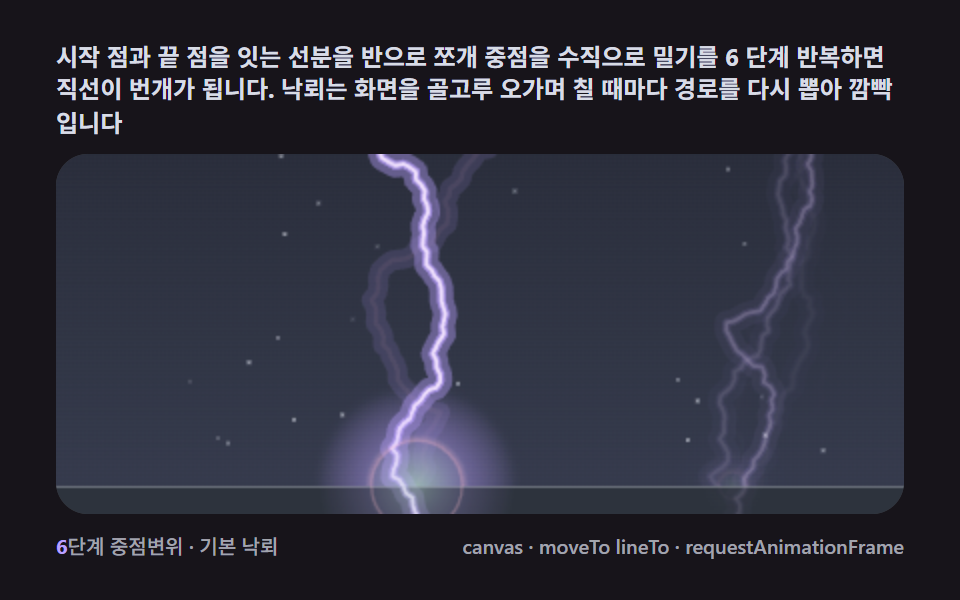 01 lightning-bolt-midpoint-basic
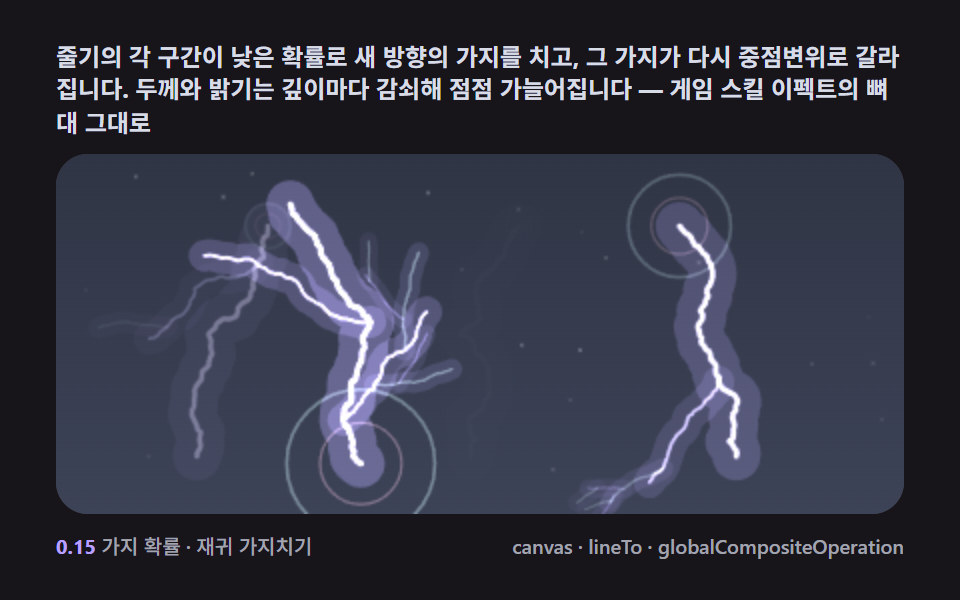 02 lightning-branch-recursive-tree
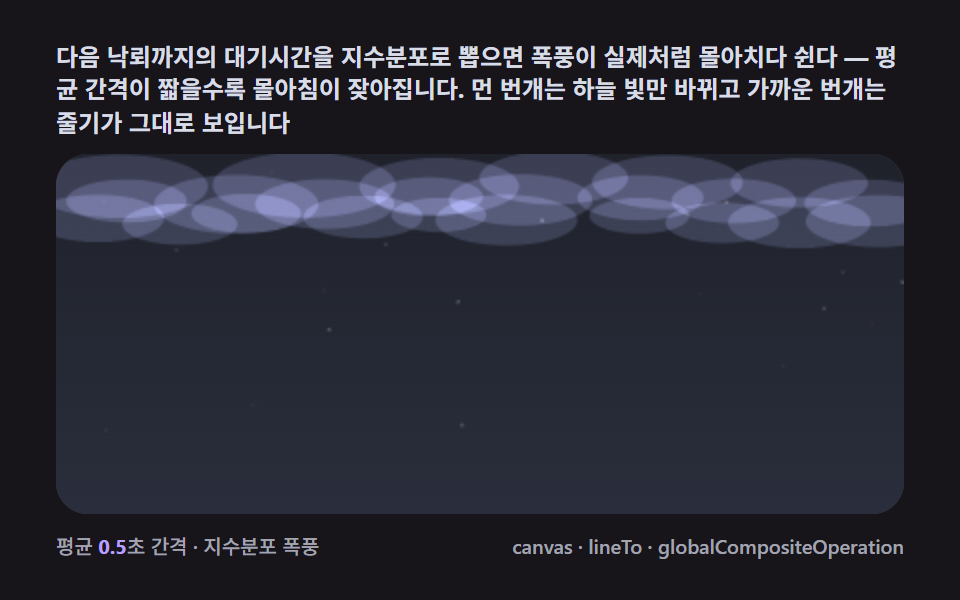 03 lightning-storm-sky-multi-strike
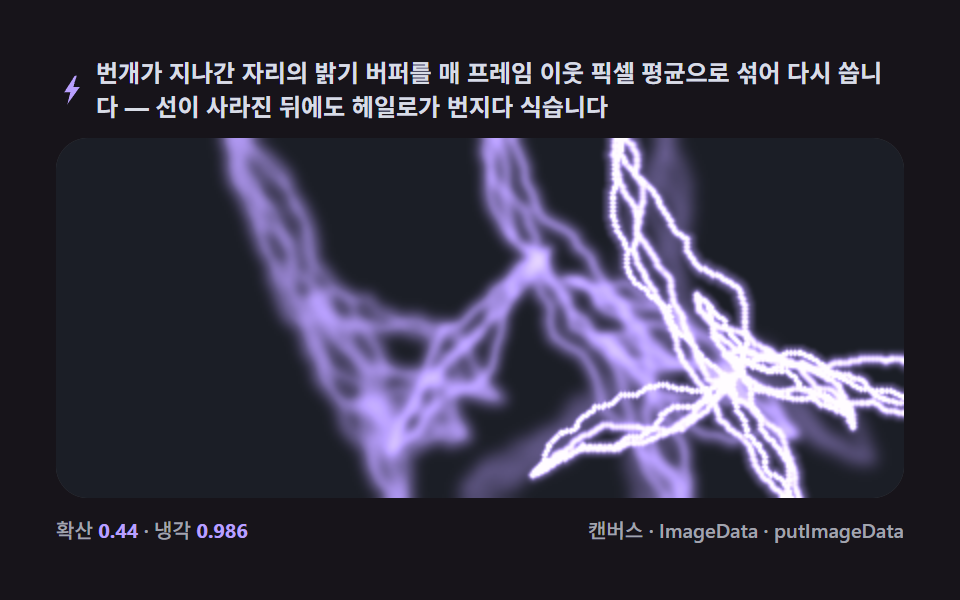 04 lightning-glow-halo-diffusion
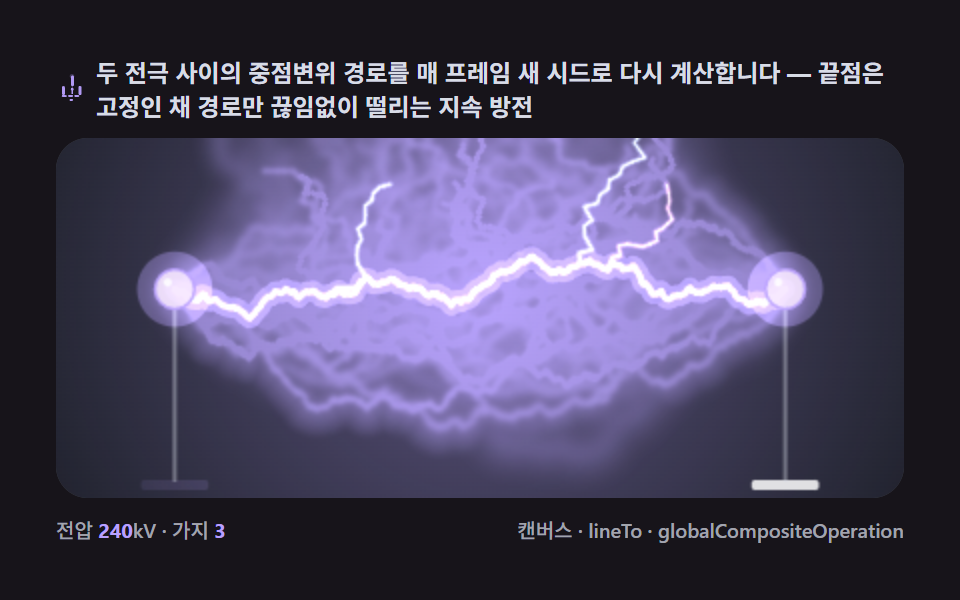 05 lightning-tesla-arc-electrode
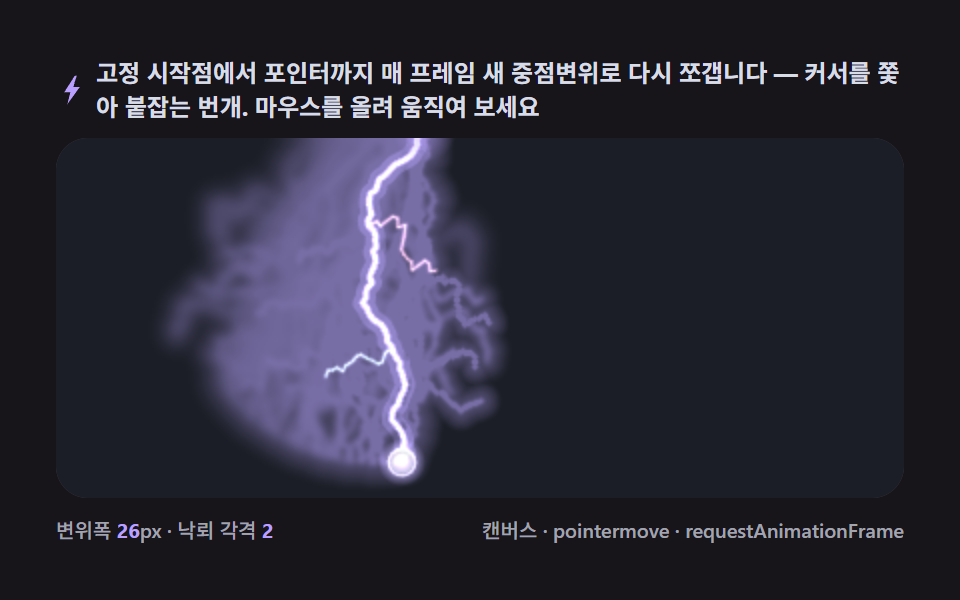 06 lightning-pointer-follow-strike
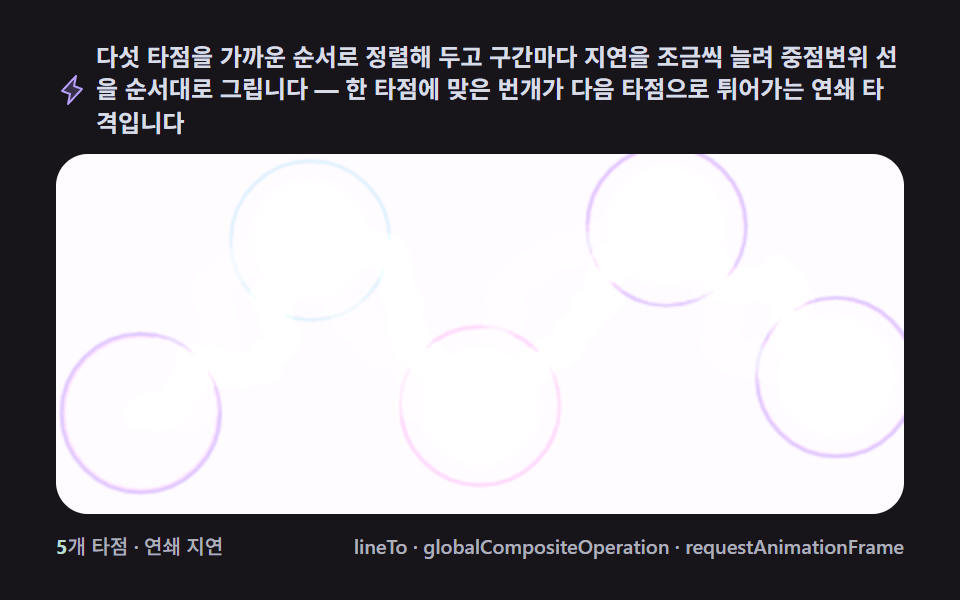 07 lightning-chain-multi-target
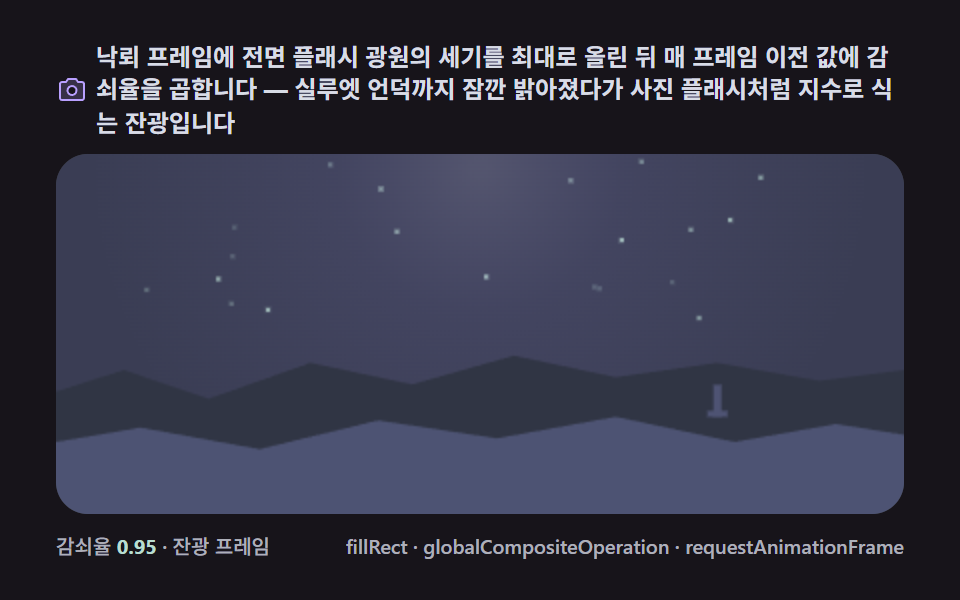 08 lightning-flash-afterglow-fade
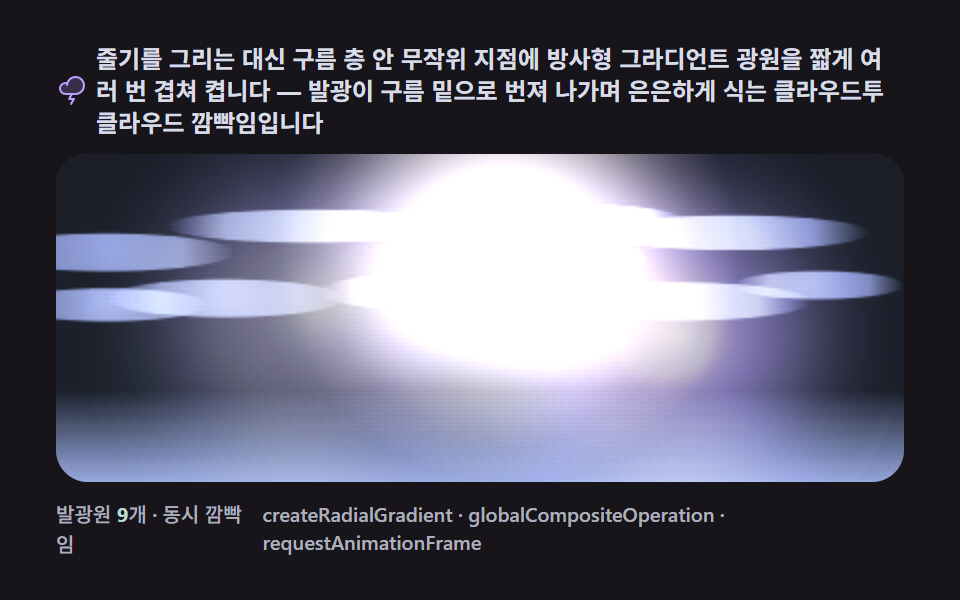 09 lightning-cloud-flicker-ambient
Auto-plays · click a tile to jump to its section · all nine in one zip
- 01 The basic strike — one layer of midpoint displacement halving a segment
- 02 Recursive branching — side forks thinning and dimming with depth
- 03 Storm sky — several strikes overlapping at random intervals
- 04 Afterglow diffusion — the bolt's halo bleeding through a pixel buffer
- 05 Tesla arc — a sustained discharge redrawn between two electrodes every frame
- 06 Pointer-tracking strike — the path redrawn toward the cursor
- 07 Chain lightning — hopping from one target point to the next
- 08 Strike flash — the whole scene cools off exponentially right after impact
- 09 Glow inside the cloud — a stemless cloud-to-cloud flicker in the haze
Why splitting one segment branches into nine bolts
The nine scenes climb one axis: how much of the frame each strike recomputes. 01's single stem is one recursive midpoint-displacement call, seeded once per strike. 02 keeps that same displace() call but adds a coin flip at every segment, so generation depth alone decides whether a fork survives. 03 moves the randomness from space to time — the recursion stays put, but an exponential-distribution wait decides when the next of several bolts fires, the same clustering math that runs a heat-diffusion terrain field, recomputing its neighbors on a schedule. 04 throws the stem's own pixels into a diffusion buffer instead of drawing a fresh one. 05 and 06 both recompute the full path every frame — 05 between two fixed electrodes, 06 chasing a moving pointer — while 07 keeps the path fixed and instead reorders which targets get hit first. 08 spends its entire per-frame budget on one multiply against a decay constant, the same single-value cooling curve that runs a lava flow's heat grid one scene over. 09 drops the stem altogether and lets a schedule of radial pulses stand in for a strike no eye could resolve as a line anyway. Follow them in sequence and item 09 isn't really a fresh idea — it's 01's midpoint displacement with the segment itself deleted, leaving only the light that used to travel along it.
Why fractals draw lightning? — midpoint displacement and recursive branching
A midpoint pushed sideways is a fractal in one line
Every item on this page traces back to one operation: take a segment, find its midpoint, and push that midpoint sideways by a random amount proportional to the segment's own length. 01 calls it with ROUGH = 0.42 and DEPTH = 6, so the recursion runs six levels deep. The same rule run on a square instead of a line is the recursive step terrain generators use to fold a flat grid into mountains; run it on a line instead and the output reads as lightning rather than terrain, because both share a fractal path, not a domain-specific behavior.
Branching only needs a probability that decays with generation
02 doesn't add new math for its branches — every fork calls the identical displace() function 01 uses, just with a smaller amplitude. What makes it read as a tree and not noise is DECAY = 0.66: a branch born at generation gen displaces with ROUGH * Math.pow(DECAY, gen), so a fifth-generation twig moves about 12% as far as the trunk (0.66 to the fifth power is roughly 0.125). MAX_GEN = 5 caps how deep that can go before a branch stops splitting.
Recomputing beats tweening when the path itself is the point
Items 05 through 07 never store a path and animate its opacity — they throw the old path away and call the displacement function again next frame. 05 does it between two electrodes fixed by fit(), which is what makes the arc feel anchored even as JITTER = 9 levels of recursion make every frame's path different from the last. Anything that keyframes a fixed SVG path instead pays for that same look with a much larger set of hand-authored frames.
Diffusion is displacement's smoothing counterpart, not a different trick
04's diffuse() doesn't call displace() at all, yet it produces the same family of soft, uneven edges — averaging every pixel toward its four neighbors (SPREAD = 0.44) and cooling the result (COOL = 0.986) is a low-pass filter, and a low-pass filter is what turns a hard fractal edge into the kind of glow a flat image only fakes with a pre-blurred layer.
Code per item
Every function under a heading below is pulled straight out of that item's own script tag rather than paraphrased into pseudocode, keeping the same constant names and the same order of operations as the live version — paste it into a project and it behaves exactly like the demo above it.
01The basic strike — one layer of midpoint displacement halving a segment
Halve the straight line between the two endpoints and nudge each midpoint sideways by a random amount, recursively, and the straight line turns into a jagged lightning stem. It's a momentary strike well suited to a hero background or a flash on a loading screen.
<main class="stage">
<div class="cd is-demo" id="cdRoot">
  <p class="cd__hint">
    <span>Halve each segment and push the midpoint sideways for 6 levels — a straight line becomes lightning. Strikes roam the screen, redrawing a fresh path and flickering each time</span>
  </p>
  <div class="cd__field" id="cdField" role="application" aria-label="Midpoint-Displacement Basic Strike test panel" tabindex="0">
    <canvas class="cd__cv" id="cdCv"></canvas>
  </div>
  <div class="cd__bar">
    <span class="cd__meta"><b class="cd__val" id="cdN">6</b>levels · basic strike</span>
    <span class="cd__meta cd__meta--dim">canvas · moveTo lineTo · requestAnimationFrame</span>
  </div>
</div>
</main>
@use "../../../../site/static/demo-tokens" as *;
// 중점변위 기본 낙뢰(01). @keyframes 를 아예 두지 않는다 —
// 움직임은 전부 캔버스 rAF 루프(재귀 중점변위 + 재점등 + 플래시)가 만든다.
// 무대는 어스름 잉크. 파스텔 고정 팔레트를 --bolt-* 로 편 공통 규격(01~09 동일).
$duration: $dur-loop;
$easing: $ease-spring;
$color: $subject-lilac;
@include stage($stage-ink);
// ── 편 공통 파스텔 팔레트(BD9~11 원칙: 편마다 다시 정하지 않는다) ──
$bolt-ink: #1b1e26; // 어스름 무대
$bolt-dusk: #3d4358; // 하늘 깊은 슬레이트 — 플래시에 띄어오르는 쪽
$bolt-core: #f6e7ff; // 번개 코어 — 화이트-라일락
$bolt-lilac: #b9a0ff; // 헤일로 — 라일락
$bolt-mint: #b9ddd1; // 지면 착지 블룸 — 민트
$bolt-pink: #ffb9c8; // 착지 고리 — 핑크
$bolt-mist: #d8dce6; // 밤하늘 먼지·보조 글자
.cd {
// 렌더러가 읽는 색 — JS 는 getComputedStyle 로 --bolt-* 를 받아 쓴다
--bolt-ink: #{$bolt-ink};
--bolt-dusk: #{$bolt-dusk};
--bolt-core: #{$bolt-core};
--bolt-lilac: #{$bolt-lilac};
--bolt-mint: #{$bolt-mint};
--bolt-pink: #{$bolt-pink};
--bolt-mist: #{$bolt-mist};
display: flex; flex-direction: column; gap: $sp-2;
width: 100%; max-width: 424px;
}
.cd__hint {
display: flex; align-items: center; gap: $sp-1; margin: 0;
font-weight: 700; font-size: clamp(10px, 2.8vw, 12px); line-height: 1.35;
color: $bolt-mist; // 잉크 무대 위 — 먼 먼지 톤 글자
}
.cd__field {
position: relative; height: 180px;
border-radius: $r-card; overflow: hidden;
background: $bolt-ink;
box-shadow: inset 0 0 0 1px rgba($bolt-mist, .18);
}
.cd__field:focus-visible { outline: 2px solid $bolt-lilac; outline-offset: 2px; }
.cd__cv { display: block; width: 100%; height: 100%; }
.cd__bar { display: flex; align-items: baseline; justify-content: space-between; gap: $sp-2; }
.cd__meta { font-size: 10px; font-weight: 500; color: rgba($bolt-mist, .72); }
.cd__val { color: $bolt-lilac; font-weight: 700; } // 잉크 위 라일락 라벨
.cd__meta--dim { font-size: 10px; }
@media (max-width: 340px) {
.cd { gap: $sp-1; }
.cd__field { height: 100px; }
.cd__meta--dim { display: none; }
}
// reduce — rAF 를 돌리지 않고 낙뢰 한 방의 한 장만 남는다.
@media (prefers-reduced-motion: reduce) {
.cd.is-still .cd__field { cursor: default !important; }
}html, body {
margin: 0;
overflow: hidden;
}
.stage {
box-sizing: border-box;
min-height: 100vh;
display: grid;
place-items: center;
margin: 0;
background: #17141a;
font-family: -apple-system, "Segoe UI", "Noto Sans KR", sans-serif;
padding: clamp(8px, 4vw, 24px);
}
.cd {
--bolt-ink: #1b1e26;
--bolt-dusk: #3d4358;
--bolt-core: #f6e7ff;
--bolt-lilac: #b9a0ff;
--bolt-mint: #b9ddd1;
--bolt-pink: #ffb9c8;
--bolt-mist: #d8dce6;
display: flex;
flex-direction: column;
gap: 8px;
width: 100%;
max-width: 424px;
}
.cd__hint {
display: flex;
align-items: center;
gap: 4px;
margin: 0;
font-weight: 700;
font-size: clamp(10px, 2.8vw, 12px);
line-height: 1.35;
color: #d8dce6;
}
.cd__field {
position: relative;
height: 180px;
border-radius: 16px;
overflow: hidden;
background: #1b1e26;
box-shadow: inset 0 0 0 1px rgba(216, 220, 230, 0.18);
}
.cd__field:focus-visible {
outline: 2px solid #b9a0ff;
outline-offset: 2px;
}
.cd__cv {
display: block;
width: 100%;
height: 100%;
}
.cd__bar {
display: flex;
align-items: baseline;
justify-content: space-between;
gap: 8px;
}
.cd__meta {
font-size: 10px;
font-weight: 500;
color: rgba(216, 220, 230, 0.72);
}
.cd__val {
color: #b9a0ff;
font-weight: 700;
}
.cd__meta--dim {
font-size: 10px;
}
@media (max-width: 340px) {
.cd {
gap: 4px;
}
.cd__field {
height: 100px;
}
.cd__meta--dim {
display: none;
}
}
@media (prefers-reduced-motion: reduce) {
.cd.is-still .cd__field {
cursor: default !important;
}
}// 중점변위 기본 낙뢰(01). 선분 (a, b) 를 반으로 나눠 중점을 선분에 수직인 방향으로 무작위 오프셋만큼 밀고
// 이 쪼개기를 깊이 DEPTH 까지 재귀로 반복하면 직선이 들쭉날쭉한 번개 줄기가 된다.
// 낙뢰는 정해진 순서로 화면을 골고루 오가고(누적 면적), 살아 있는 동안 60 밀리초마다 경로를 다시 뽑아
// 깜빡인다(실제 번개의 재점등). 낙뢰 순간 하늘 전체가 잠깐 밝아지는 플래시와 지면 착지 블룸이 붙는다.
(function () {
// ── 변형 상수 블록 — 아래 값 하나만 바꿔 변형을 만든다 ──
var DEPTH = 6; // 재귀 분할 깊이 — 5 는 굵직한 굴곡, 7 은 잔잔한 지그재그
var ROUGH = 0.42; // 중점변위 거칠기 — 중점을 선분 길이의 몇 배까지 미는지
var FLASH = 0.85; // 하늘 플래시 비율 — 낙뢰 순간 하늘이 밝아지는 정도(전면 라이팅)
// ────────────────────────────────────────────────────
var root = document.getElementById('cdRoot');
var field = document.getElementById('cdField');
var cv = document.getElementById('cdCv');
var ctx = cv.getContext('2d');
var nOut = document.getElementById('cdN');
// 시드 고정 PRNG — mulberry32. 미리보기가 항상 같은 낙뢰 순서로 흐른다
function makeRand(seed) {
var st = seed >>> 0;
return function () {
st = (st + 0x6D2B79F5) >>> 0;
var t = st;
t = Math.imul(t ^ (t >>> 15), t | 1);
t ^= t + Math.imul(t ^ (t >>> 7), t | 61);
return ((t ^ (t >>> 14)) >>> 0) / 4294967296;
};
}
var rand = makeRand(0x316A01);
// 색은 CSS 커스텀 프로퍼티(--bolt-*)에서 getComputedStyle 로 읽는다 — 파스텔 토큰이 scss 한 곳에
var css = getComputedStyle(root);
function tokRGB(name) {
var s = css.getPropertyValue(name).trim();
var hx = s.length === 4
? s.charAt(1) + s.charAt(1) + s.charAt(2) + s.charAt(2) + s.charAt(3) + s.charAt(3)
: s.slice(1);
return [parseInt(hx.slice(0, 2), 16), parseInt(hx.slice(2, 4), 16), parseInt(hx.slice(4, 6), 16)];
}
var C_INK = tokRGB('--bolt-ink');
var C_DUSK = tokRGB('--bolt-dusk');
var C_CORE = tokRGB('--bolt-core');
var C_LILA = tokRGB('--bolt-lilac');
var C_MINT = tokRGB('--bolt-mint');
var C_PINK = tokRGB('--bolt-pink');
var C_MIST = tokRGB('--bolt-mist');
var TAU = Math.PI * 2;
var reduce = window.matchMedia('(prefers-reduced-motion: reduce)').matches;
var W = 0, H = 0;
var raf = 0, t0 = -1;
var GROUND_H = 14;
// ── 중점변위 — 번개의 전부 ──
function displace(ax, ay, bx, by, depth, out) {
if (depth === 0) { out.push([bx, by]); return; }
var mx = (ax + bx) / 2, my = (ay + by) / 2;
var dx = bx - ax, dy = by - ay;
var len = Math.hypot(dx, dy) || 1;
var nx = -dy / len, ny = dx / len; // 선분에 수직인 법선
var off = (rand() * 2 - 1) * len * ROUGH * 0.5; // 선분 길이에 비례하는 무작위 변위
mx += nx * off; my += ny * off;
displace(ax, ay, mx, my, depth - 1, out);
displace(mx, my, bx, by, depth - 1, out);
}
function makePath(sx, ex) {
var pts = [[sx, -8]];
displace(sx, -8, ex, H + 6, DEPTH, pts);
return pts;
}
// ── 낙뢰 스케줄 — 화면을 골고루 쓸는 정해진 순서 ──
var strikes = [];
var nextAt = 0.08;
var cycle = 0;
var flash = 0.3;
var ANCHORS = [0.18, 0.55, 0.86, 0.34, 0.7, 0.1, 0.92, 0.46];
// 밤하늘 먼지 — 낙뢰 사이 구간에도 명도가 흔들리는 안전판
var specks = [];
function buildSpecks() {
specks = [];
for (var i = 0; i < 22; i++) {
specks.push({ rx: rand(), ry: rand() * 0.82, ph: rand() * TAU, spd: 1.1 + rand() * 1.7 });
}
}
function spawn(t) {
var ax = ANCHORS[cycle % ANCHORS.length] + (rand() - 0.5) * 0.1;
cycle++;
var sx = Math.max(0.05, Math.min(0.95, ax)) * W;
var ex = sx + (rand() - 0.5) * W * 0.26;
strikes.push({ sx: sx, ex: ex, pts: makePath(sx, ex), born: t, life: 0.62, flickAt: t });
flash = Math.min(1, flash + 0.95);
}
// 낙뢰 밝기 포락선 — 감쇠하다 두 번 다시 밝아지는 실제 번개의 재점등
function env(s, t) {
var u = (t - s.born) / s.life;
if (u >= 1 || u < 0) return 0;
var b = Math.pow(1 - u, 1.5);
if (u > 0.3 && u < 0.37) b = Math.max(b, 0.82);
if (u > 0.55 && u < 0.61) b = Math.max(b, 0.5);
return b;
}
function rgba(c, a) { return 'rgba(' + c[0] + ',' + c[1] + ',' + c[2] + ',' + a + ')'; }
function mix(c1, c2, k) {
return [c1[0] + (c2[0] - c1[0]) * k, c1[1] + (c2[1] - c1[1]) * k, c1[2] + (c2[2] - c1[2]) * k];
}
function strokePath(pts, col, wdt, alpha) {
ctx.strokeStyle = rgba(col, alpha);
ctx.lineWidth = wdt;
ctx.beginPath();
ctx.moveTo(pts[0][0], pts[0][1]);
for (var i = 1; i < pts.length; i++) ctx.lineTo(pts[i][0], pts[i][1]);
ctx.stroke();
}
function draw(t) {
var f = flash * FLASH;
// 하늘 — 잉크에서 지평선 쪽 슬레이트로. 플래시만큼 전체가 띄어오른다
// 잔광 diffusion: 하늘을 매 프레임 완전히 덮어쓰지 않고 FADE 만큼만 섞는다 —
// 직전 프레임의 밝은 흔적(헤일로·블룸)이 몇 프레임에 걸쳐 식으며 남는다(누적면적 ↑)
var FADE = 0.30;
var top = mix(C_INK, C_DUSK, 0.10 + 0.55 * f);
var bot = mix(C_INK, C_DUSK, 0.50 + 0.50 * f);
var sky = ctx.createLinearGradient(0, 0, 0, H);
sky.addColorStop(0, rgba(top, FADE));
sky.addColorStop(1, rgba(bot, FADE));
ctx.fillStyle = sky;
ctx.fillRect(0, 0, W, H);
for (var i = 0; i < specks.length; i++) {
var sp = specks[i];
var a = 0.05 + 0.30 * (0.5 + 0.5 * Math.sin(t * sp.spd + sp.ph));
ctx.fillStyle = rgba(C_MIST, a);
ctx.fillRect(sp.rx * W, sp.ry * H, 1.6, 1.6);
}
var gy = H - GROUND_H;
ctx.fillStyle = rgba(mix(C_INK, C_DUSK, 0.16 + 0.2 * f), 1);
ctx.fillRect(0, gy, W, GROUND_H);
ctx.fillStyle = rgba(C_MIST, 0.20 + 0.25 * f);
ctx.fillRect(0, gy, W, 1);
// 잔광 — 방금 지나간 낙뢰가 줄기 자리에 남기는 옅은 빛
var j, s, age, k;
for (j = 0; j < strikes.length; j++) {
s = strikes[j];
age = t - s.born;
if (age > s.life && age < s.life + 0.5) {
k = 1 - (age - s.life) / 0.5;
strokePath(s.pts, C_LILA, 10, 0.11 * k);
strokePath(s.pts, C_PINK, 2.4, 0.06 * k);
}
}
// 활성 낙뢰 — 헤일로·중간광·코어 세 겹
for (j = 0; j < strikes.length; j++) {
s = strikes[j];
var b = env(s, t);
if (b <= 0) continue;
strokePath(s.pts, C_LILA, 12, 0.22 * b);
strokePath(s.pts, C_LILA, 4.2, 0.55 * b);
strokePath(s.pts, C_CORE, 1.8, b);
// 착지 블룸 — 지면에 번지는 민트 빛과 핑크 고리
var bx = s.ex, by = gy;
var r = 12 + 42 * b;
var g2 = ctx.createRadialGradient(bx, by, 0, bx, by, r);
g2.addColorStop(0, rgba(C_MINT, 0.5 * b));
g2.addColorStop(0.55, rgba(C_LILA, 0.2 * b));
g2.addColorStop(1, rgba(C_LILA, 0));
ctx.fillStyle = g2;
ctx.fillRect(bx - r, by - r, r * 2, r * 2);
ctx.beginPath();
ctx.arc(bx, by, 5 + 20 * b, 0, TAU);
ctx.strokeStyle = rgba(C_PINK, 0.3 * b);
ctx.lineWidth = 1.4;
ctx.stroke();
}
if (f > 0.02) {
ctx.fillStyle = rgba(C_MINT, 0.08 * f);
ctx.fillRect(0, gy, W, GROUND_H);
}
}
function update(t, dt) {
if (t >= nextAt) {
spawn(t);
nextAt = t + 0.42 + rand() * 0.14;
}
flash *= Math.exp(-dt * 3.4);
for (var i = 0; i < strikes.length; i++) {
var s = strikes[i];
if (t - s.born < s.life && t - s.flickAt > 0.06) {
s.pts = makePath(s.sx, s.ex); // 재점동 — 경로를 다시 뽑는 깜빡임
s.flickAt = t;
}
}
while (strikes.length && t - strikes[0].born > 1.3) strikes.shift();
}
function fit() {
var r = field.getBoundingClientRect();
W = r.width; H = r.height;
cv.width = Math.round(W); cv.height = Math.round(H);
ctx.lineCap = 'round';
ctx.lineJoin = 'round';
}
function stillFrame() {
strikes = [];
flash = 0.85;
var sx = 0.52 * W;
var ex = sx + W * 0.06;
strikes.push({ sx: sx, ex: ex, pts: makePath(sx, ex), born: 0.05, life: 0.62, flickAt: 0 });
draw(0.06);
}
function frame(now) {
if (t0 < 0) t0 = now;
var t = (now - t0) / 1000;
var dt = Math.min(0.05, (now - (frame.prev || now)) / 1000);
frame.prev = now;
update(t, dt);
draw(t);
raf = requestAnimationFrame(frame);
}
window.addEventListener('resize', function () {
fit();
if (reduce) stillFrame();
});
fit();
buildSpecks();
nOut.textContent = String(DEPTH);
if (reduce) {
stillFrame();
root.classList.add('is-still');
} else {
raf = requestAnimationFrame(frame);
}
})();// MidpointBasic — vanilla 판(run/316/demo/01-lightning-bolt-midpoint-basic/index.html) 의 React 포트.
// 중점변위 기본 낙뢰 — 선분을 반으로 쪼개 중점을 수직으로 밀기를 DEPTH 단계 반복해 직선을 번개로 만든다.
// 낙뢰는 정해진 순서로 화면을 골고루 오가고, 살아 있는 동안 경로를 다시 뽑아 깜빡이며(재점등),
// 낙뢰 순간 하늘 플래시와 지면 착지 블룸이 함께 온다.
import { useEffect, useRef, useState } from "react";
import type { CSSProperties } from "react";
import styles from "./MidpointBasic.module.scss";
export type MidpointBasicProps = {
duration?: string;
easing?: string;
color?: string;
depth?: number; // 재귀 분할 깊이 — 변형 "분할 깊이" 축(5 굵직 · 7 잔잔)
rough?: number; // 중점변위 거칠기 — 중점을 선분 길이의 몇 배까지 미는지
flash?: number; // 하늘 플래시 비율 — 낙뢰 순간 하늘이 밝아지는 정도
};
type Vars = CSSProperties & { "--duration"?: string; "--easing"?: string; "--color"?: string };
type Box<T> = { current: T };
type RGB = [number, number, number];
type Pt = [number, number];
type Strike = { sx: number; ex: number; pts: Pt[]; born: number; life: number; flickAt: number };
type Speck = { rx: number; ry: number; ph: number; spd: number };
type Colors = { ink: RGB; dusk: RGB; core: RGB; lilac: RGB; mint: RGB; pink: RGB; mist: RGB };
const TAU = Math.PI * 2;
const FIELD_LABEL = "중점변위 기본 낙뢰 실험판";
const GROUND_H = 14;
const ANCHORS = [0.18, 0.55, 0.86, 0.34, 0.7, 0.1, 0.92, 0.46];
// 시드 고정 PRNG — mulberry32. 미리보기가 항상 같은 낙뢰 순서로 흐른다
function makePRNG(seed: number): () => number {
let s = seed >>> 0;
return function () {
s = (s + 0x6d2b79f5) >>> 0;
let t = s;
t = Math.imul(t ^ (t >>> 15), t | 1);
t ^= t + Math.imul(t ^ (t >>> 7), t | 61);
return ((t ^ (t >>> 14)) >>> 0) / 4294967296;
};
}
export default function MidpointBasic({
duration = "2s",
easing = "cubic-bezier(.2, .8, .2, 1)",
color = "#b9a0ff",
depth = 6,
rough = 0.42,
flash = 0.85,
}: MidpointBasicProps) {
const rootRef = useRef<HTMLDivElement | null>(null);
const fieldRef = useRef<HTMLDivElement | null>(null);
const cvRef = useRef<HTMLCanvasElement | null>(null);
const ctxRef = useRef<CanvasRenderingContext2D | null>(null);
const sizeRef = useRef({ w: 0, h: 0 }) as Box<{ w: number; h: number }>;
const colRef = useRef<Colors | null>(null);
const depthRef = useRef(depth) as Box<number>;
const roughRef = useRef(rough) as Box<number>;
const flashRef = useRef(flash) as Box<number>;
const strikesRef = useRef<Strike[]>([]) as Box<Strike[]>;
const specksRef = useRef<Speck[]>([]) as Box<Speck[]>;
const schedRef = useRef({ nextAt: 0.08, cycle: 0, flash: 0.3 }) as Box<{ nextAt: number; cycle: number; flash: number }>;
const rafRef = useRef(0) as Box<number>;
const [n, setN] = useState(String(depth));
const [still, setStill] = useState(false);
const vars: Vars = { "--duration": duration, "--easing": easing, "--color": color };
function reduced(): boolean {
return window.matchMedia("(prefers-reduced-motion: reduce)").matches;
}
// 색은 CSS 커스텀 프로퍼티(--bolt-*)에서 getComputedStyle 로 읽는다 — 파스텔 토큰이 scss 한 곳에
function tokRGB(root: HTMLDivElement, name: string): RGB {
const s = getComputedStyle(root).getPropertyValue(name).trim();
const hx = s.length === 4
? s.charAt(1) + s.charAt(1) + s.charAt(2) + s.charAt(2) + s.charAt(3) + s.charAt(3)
: s.slice(1);
return [parseInt(hx.slice(0, 2), 16), parseInt(hx.slice(2, 4), 16), parseInt(hx.slice(4, 6), 16)];
}
// ── 중점변위 — 번개의 전부 ──
function displace(ax: number, ay: number, bx: number, by: number, d: number, out: Pt[]): void {
if (d === 0) { out.push([bx, by]); return; }
let mx = (ax + bx) / 2, my = (ay + by) / 2;
const dx = bx - ax, dy = by - ay;
const len = Math.hypot(dx, dy) || 1;
const nx = -dy / len, ny = dx / len; // 선분에 수직인 법선
const off = (randRef.current() * 2 - 1) * len * roughRef.current * 0.5;
mx += nx * off; my += ny * off;
displace(ax, ay, mx, my, d - 1, out);
displace(mx, my, bx, by, d - 1, out);
}
const randRef = useRef(makePRNG(0x316a01)) as Box<() => number>;
function makePath(sx: number, ex: number): Pt[] {
const { h: H } = sizeRef.current;
const pts: Pt[] = [[sx, -8]];
displace(sx, -8, ex, H + 6, depthRef.current, pts);
return pts;
}
function buildSpecks(): void {
const rand = randRef.current;
const arr: Speck[] = [];
for (let i = 0; i < 22; i++) {
arr.push({ rx: rand(), ry: rand() * 0.82, ph: rand() * TAU, spd: 1.1 + rand() * 1.7 });
}
specksRef.current = arr;
}
function spawn(t: number): void {
const rand = randRef.current;
const { w: W } = sizeRef.current;
const sched = schedRef.current;
const ax = ANCHORS[sched.cycle % ANCHORS.length] + (rand() - 0.5) * 0.1;
sched.cycle++;
const sx = Math.max(0.05, Math.min(0.95, ax)) * W;
const ex = sx + (rand() - 0.5) * W * 0.26;
strikesRef.current.push({ sx, ex, pts: makePath(sx, ex), born: t, life: 0.62, flickAt: t });
sched.flash = Math.min(1, sched.flash + 0.95);
}
// 낙뢰 밝기 포락선 — 감쇠하다 두 번 다시 밝아지는 실제 번개의 재점등
function env(s: Strike, t: number): number {
const u = (t - s.born) / s.life;
if (u >= 1 || u < 0) return 0;
let b = Math.pow(1 - u, 1.5);
if (u > 0.3 && u < 0.37) b = Math.max(b, 0.82);
if (u > 0.55 && u < 0.61) b = Math.max(b, 0.5);
return b;
}
function rgba(c: RGB, a: number): string {
return `rgba(${c[0]},${c[1]},${c[2]},${a})`;
}
function mix(c1: RGB, c2: RGB, k: number): RGB {
return [c1[0] + (c2[0] - c1[0]) * k, c1[1] + (c2[1] - c1[1]) * k, c1[2] + (c2[2] - c1[2]) * k];
}
function strokePath(pts: Pt[], col: RGB, wdt: number, alpha: number): void {
const ctx = ctxRef.current;
if (!ctx) return;
ctx.strokeStyle = rgba(col, alpha);
ctx.lineWidth = wdt;
ctx.beginPath();
ctx.moveTo(pts[0][0], pts[0][1]);
for (let i = 1; i < pts.length; i++) ctx.lineTo(pts[i][0], pts[i][1]);
ctx.stroke();
}
function draw(t: number): void {
const ctx = ctxRef.current;
const col = colRef.current;
if (!ctx || !col) return;
const { w: W, h: H } = sizeRef.current;
const f = schedRef.current.flash * flashRef.current;
// 하늘 — 잉크에서 지평선 쪽 슬레이트로. 플래시만큼 전체가 띄어오른다
// 잔광 확산: 하늘을 매 프레임 완전히 덮어쓰지 않고 FADE 만큼만 섞는다 —
// 직전 프레임의 밝은 흔적(헤일로·블룸)이 몇 프레임에 걸쳐 식으며 남는다(누적면적 ↑)
const FADE = 0.3;
const top = mix(col.ink, col.dusk, 0.10 + 0.55 * f);
const bot = mix(col.ink, col.dusk, 0.50 + 0.50 * f);
const sky = ctx.createLinearGradient(0, 0, 0, H);
sky.addColorStop(0, rgba(top, FADE));
sky.addColorStop(1, rgba(bot, FADE));
ctx.fillStyle = sky;
ctx.fillRect(0, 0, W, H);
const specks = specksRef.current;
for (let i = 0; i < specks.length; i++) {
const sp = specks[i];
const a = 0.05 + 0.3 * (0.5 + 0.5 * Math.sin(t * sp.spd + sp.ph));
ctx.fillStyle = rgba(col.mist, a);
ctx.fillRect(sp.rx * W, sp.ry * H, 1.6, 1.6);
}
const gy = H - GROUND_H;
ctx.fillStyle = rgba(mix(col.ink, col.dusk, 0.16 + 0.2 * f), 1);
ctx.fillRect(0, gy, W, GROUND_H);
ctx.fillStyle = rgba(col.mist, 0.2 + 0.25 * f);
ctx.fillRect(0, gy, W, 1);
const strikes = strikesRef.current;
// 잔광 — 방금 지나간 낙뢰가 줄기 자리에 남기는 옅은 빛
for (let j = 0; j < strikes.length; j++) {
const s = strikes[j];
const age = t - s.born;
if (age > s.life && age < s.life + 0.5) {
const k = 1 - (age - s.life) / 0.5;
strokePath(s.pts, col.lilac, 10, 0.11 * k);
strokePath(s.pts, col.pink, 2.4, 0.06 * k);
}
}
// 활성 낙뢰 — 헤일로·중간광·코어 세 겹
for (let j = 0; j < strikes.length; j++) {
const s = strikes[j];
const b = env(s, t);
if (b <= 0) continue;
strokePath(s.pts, col.lilac, 12, 0.22 * b);
strokePath(s.pts, col.lilac, 4.2, 0.55 * b);
strokePath(s.pts, col.core, 1.8, b);
// 착지 블룸 — 지면에 번지는 민트 빛과 핑크 고리
const bx = s.ex, by = gy;
const r = 12 + 42 * b;
const g2 = ctx.createRadialGradient(bx, by, 0, bx, by, r);
g2.addColorStop(0, rgba(col.mint, 0.5 * b));
g2.addColorStop(0.55, rgba(col.lilac, 0.2 * b));
g2.addColorStop(1, rgba(col.lilac, 0));
ctx.fillStyle = g2;
ctx.fillRect(bx - r, by - r, r * 2, r * 2);
ctx.beginPath();
ctx.arc(bx, by, 5 + 20 * b, 0, TAU);
ctx.strokeStyle = rgba(col.pink, 0.3 * b);
ctx.lineWidth = 1.4;
ctx.stroke();
}
if (f > 0.02) {
ctx.fillStyle = rgba(col.mint, 0.08 * f);
ctx.fillRect(0, gy, W, GROUND_H);
}
}
function update(t: number, dt: number): void {
const sched = schedRef.current;
if (t >= sched.nextAt) {
spawn(t);
sched.nextAt = t + 0.42 + randRef.current() * 0.14;
}
sched.flash *= Math.exp(-dt * 3.4);
const strikes = strikesRef.current;
for (let i = 0; i < strikes.length; i++) {
const s = strikes[i];
if (t - s.born < s.life && t - s.flickAt > 0.06) {
s.pts = makePath(s.sx, s.ex); // 재점동 — 경로를 다시 뽑는 깜빡임
s.flickAt = t;
}
}
while (strikes.length && t - strikes[0].born > 1.3) strikes.shift();
}
function fit(): void {
const field = fieldRef.current;
const cv = cvRef.current;
if (!field || !cv) return;
const ctx = cv.getContext("2d");
if (!ctx) return;
const r = field.getBoundingClientRect();
sizeRef.current.w = r.width;
sizeRef.current.h = r.height;
cv.width = Math.round(r.width);
cv.height = Math.round(r.height);
ctx.lineCap = "round";
ctx.lineJoin = "round";
ctxRef.current = ctx;
}
function stillFrame(): void {
const { w: W } = sizeRef.current;
strikesRef.current = [];
schedRef.current.flash = 0.85;
const sx = 0.52 * W;
const ex = sx + W * 0.06;
strikesRef.current.push({ sx, ex, pts: makePath(sx, ex), born: 0.05, life: 0.62, flickAt: 0 });
draw(0.06);
}
let t0 = -1;
let prev = 0;
function frame(now: number): void {
if (t0 < 0) t0 = now;
const t = (now - t0) / 1000;
const dt = Math.min(0.05, (now - (prev || now)) / 1000);
prev = now;
update(t, dt);
draw(t);
rafRef.current = requestAnimationFrame(frame);
}
useEffect(() => {
const root = rootRef.current;
if (!root) return;
depthRef.current = depth;
roughRef.current = rough;
flashRef.current = flash;
colRef.current = {
ink: tokRGB(root, "--bolt-ink"),
dusk: tokRGB(root, "--bolt-dusk"),
core: tokRGB(root, "--bolt-core"),
lilac: tokRGB(root, "--bolt-lilac"),
mint: tokRGB(root, "--bolt-mint"),
pink: tokRGB(root, "--bolt-pink"),
mist: tokRGB(root, "--bolt-mist"),
};
randRef.current = makePRNG(0x316a01);
schedRef.current = { nextAt: 0.08, cycle: 0, flash: 0.3 };
strikesRef.current = [];
fit();
buildSpecks();
setN(String(depth));
function onResize(): void {
fit();
if (reduced()) stillFrame();
}
window.addEventListener("resize", onResize);
if (reduced()) {
stillFrame();
setStill(true);
} else {
rafRef.current = requestAnimationFrame(frame);
}
return () => {
window.removeEventListener("resize", onResize);
cancelAnimationFrame(rafRef.current);
};
// eslint-disable-next-line react-hooks/exhaustive-deps
}, [depth, rough, flash]);
const rootCls = still ? `${styles.root} ${styles.isStill}` : styles.root;
return (
<main className={styles.stage}>
<div className={rootCls} ref={rootRef} style={vars}>
<p className={styles.hint}>
<span>시작 점과 끝 점을 잇는 선분을 반으로 쪼개 중점을 수직으로 밀기를 6 단계 반복하면 직선이 번개가 됩니다. 낙뢰는 화면을 골고루 오가며 칠 때마다 경로를 다시 뽑아 깜빡입니다</span>
</p>
<div
className={styles.field}
ref={fieldRef}
role="application"
aria-label={FIELD_LABEL}
tabIndex={0}
>
<canvas className={styles.cv} ref={cvRef}></canvas>
</div>
<div className={styles.bar}>
<span className={styles.meta}><b className={styles.val}>{n}</b>단계 중점변위 · 기본 낙뢰</span>
<span className={styles.metaDim}>canvas · moveTo lineTo · requestAnimationFrame</span>
</div>
</div>
</main>
);
}01 · The basic strike — one layer of midpoint displacement halving a segment — Measured area 37.683% · moving frames 23/23Original by GODRICH · SCSS and React ship in the zip · See the password
Six levels of displacement turn a line into a stem
var DEPTH = 6;
var ROUGH = 0.42;

function displace(ax, ay, bx, by, depth, out) {
  if (depth === 0) { out.push([bx, by]); return; }
  var mx = (ax + bx) / 2, my = (ay + by) / 2;
  var dx = bx - ax, dy = by - ay;
  var len = Math.hypot(dx, dy) || 1;
  var nx = -dy / len, ny = dx / len;
  var off = (rand() * 2 - 1) * len * ROUGH * 0.5;
  mx += nx * off; my += ny * off;
  displace(ax, ay, mx, my, depth - 1, out);
  displace(mx, my, bx, by, depth - 1, out);
}
function makePath(sx, ex) {
  var pts = [[sx, -8]];
  displace(sx, -8, ex, H + 6, DEPTH, pts);
  return pts;
}
02Recursive branching — side forks thinning and dimming with depth
At each segment split by displacement, a low-probability new branch is drawn with its own displacement, its thickness and brightness scaled down by recursion depth so it never reads as the main stem. That decay rule is what keeps a game skill effect or an ornate banner strike from turning into visual noise.
<main class="stage">
<div class="cd is-demo" id="cdRoot">
  <p class="cd__hint">
    <span>Each stem segment branches with low probability, splitting again through midpoint displacement. Thickness and brightness decay with depth — the skeleton behind a game skill effect</span>
  </p>
  <div class="cd__field" id="cdField" role="application" aria-label="Recursive-Branching Lightning test panel" tabindex="0">
    <canvas class="cd__cv" id="cdCv"></canvas>
  </div>
  <div class="cd__bar">
    <span class="cd__meta"><b class="cd__val" id="cdN">0.15</b> branch probability · recursive branching</span>
    <span class="cd__meta cd__meta--dim">canvas · lineTo · globalCompositeOperation</span>
  </div>
</div>
</main>
@use "../../../../site/static/demo-tokens" as *;
// 재귀 가지치기 번개(02). @keyframes 를 아예 두지 않는다 —
// 움직임은 전부 캔버스 rAF 루프(확률 가지 재귀 + lighter 합성 광 누적)가 만든다.
// 파스텔 팔레트 --bolt-* 는 편 공통 규격(01~09 동일).
$duration: $dur-loop;
$easing: $ease-spring;
$color: $subject-lilac;
@include stage($stage-ink);
// ── 편 공통 파스텔 팔레트(BD9~11 원칙) ──
$bolt-ink: #1b1e26;
$bolt-dusk: #3d4358;
$bolt-core: #f6e7ff;
$bolt-lilac: #b9a0ff;
$bolt-mint: #b9ddd1;
$bolt-pink: #ffb9c8;
$bolt-mist: #d8dce6;
.cd {
--bolt-ink: #{$bolt-ink};
--bolt-dusk: #{$bolt-dusk};
--bolt-core: #{$bolt-core};
--bolt-lilac: #{$bolt-lilac};
--bolt-mint: #{$bolt-mint};
--bolt-pink: #{$bolt-pink};
--bolt-mist: #{$bolt-mist};
display: flex; flex-direction: column; gap: $sp-2;
width: 100%; max-width: 424px;
}
.cd__hint {
display: flex; align-items: center; gap: $sp-1; margin: 0;
font-weight: 700; font-size: clamp(10px, 2.8vw, 12px); line-height: 1.35;
color: $bolt-mist;
}
.cd__field {
position: relative; height: 180px;
border-radius: $r-card; overflow: hidden;
background: $bolt-ink;
box-shadow: inset 0 0 0 1px rgba($bolt-mist, .18);
}
.cd__field:focus-visible { outline: 2px solid $bolt-lilac; outline-offset: 2px; }
.cd__cv { display: block; width: 100%; height: 100%; }
.cd__bar { display: flex; align-items: baseline; justify-content: space-between; gap: $sp-2; }
.cd__meta { font-size: 10px; font-weight: 500; color: rgba($bolt-mist, .72); }
.cd__val { color: $bolt-lilac; font-weight: 700; }
.cd__meta--dim { font-size: 10px; }
@media (max-width: 340px) {
.cd { gap: $sp-1; }
.cd__field { height: 100px; }
.cd__meta--dim { display: none; }
}
// reduce — rAF 없이 시전 한 번의 한 장.
@media (prefers-reduced-motion: reduce) {
.cd.is-still .cd__field { cursor: default !important; }
}html, body {
margin: 0;
overflow: hidden;
}
.stage {
box-sizing: border-box;
min-height: 100vh;
display: grid;
place-items: center;
margin: 0;
background: #17141a;
font-family: -apple-system, "Segoe UI", "Noto Sans KR", sans-serif;
padding: clamp(8px, 4vw, 24px);
}
.cd {
--bolt-ink: #1b1e26;
--bolt-dusk: #3d4358;
--bolt-core: #f6e7ff;
--bolt-lilac: #b9a0ff;
--bolt-mint: #b9ddd1;
--bolt-pink: #ffb9c8;
--bolt-mist: #d8dce6;
display: flex;
flex-direction: column;
gap: 8px;
width: 100%;
max-width: 424px;
}
.cd__hint {
display: flex;
align-items: center;
gap: 4px;
margin: 0;
font-weight: 700;
font-size: clamp(10px, 2.8vw, 12px);
line-height: 1.35;
color: #d8dce6;
}
.cd__field {
position: relative;
height: 180px;
border-radius: 16px;
overflow: hidden;
background: #1b1e26;
box-shadow: inset 0 0 0 1px rgba(216, 220, 230, 0.18);
}
.cd__field:focus-visible {
outline: 2px solid #b9a0ff;
outline-offset: 2px;
}
.cd__cv {
display: block;
width: 100%;
height: 100%;
}
.cd__bar {
display: flex;
align-items: baseline;
justify-content: space-between;
gap: 8px;
}
.cd__meta {
font-size: 10px;
font-weight: 500;
color: rgba(216, 220, 230, 0.72);
}
.cd__val {
color: #b9a0ff;
font-weight: 700;
}
.cd__meta--dim {
font-size: 10px;
}
@media (max-width: 340px) {
.cd {
gap: 4px;
}
.cd__field {
height: 100px;
}
.cd__meta--dim {
display: none;
}
}
@media (prefers-reduced-motion: reduce) {
.cd.is-still .cd__field {
cursor: default !important;
}
}// 재귀 가지치기 번개(02). 중점변위로 줄기를 그리되, 분할 과정의 각 구간이 확률 BRANCH_P 로 가지를 친다.
// 가지는 원 선분을 짧게 자른 뒤 선분 방향에서 무작위로 비틀어 새 방향을 정하고, 그 가지도 같은 규칙으로
// 재귀 분할 + 가지치기를 되풀이한다. 깊이가 깊어질수록 두께·밝기·변위폭이 감쇠해 자연스러운 프랙탈이 된다.
// 화면은 lighter 합성으로 겹치는 광이 더 밝아지게 하고, 스킬 시전 느낌의 쿨다운 리듬으로 시전-소멸을 반복한다.
(function () {
// ── 변형 상수 블록 — 아래 값 하나만 바꿔 변형을 만든다 ──
var BRANCH_P = 0.15; // 구간당 가지 확률 — 0.08 은 곧은 줄기, 0.24 는 잎같이 갈라짐
var MAX_GEN = 5; // 가지 최대 세대 — 3 은 단순, 5 는 덤불
var CHARGE = 0.4; // 시전 주기(초) — 스킬 쿨다운 리듬(짧을수록 몰아쳐 화면이 계속 산다)
// ────────────────────────────────────────────────────
var root = document.getElementById('cdRoot');
var field = document.getElementById('cdField');
var cv = document.getElementById('cdCv');
var ctx = cv.getContext('2d');
var nOut = document.getElementById('cdN');
// 시드 고정 PRNG — mulberry32. 미리보기가 항상 같은 가지 모양으로 흐른다
function makeRand(seed) {
var st = seed >>> 0;
return function () {
st = (st + 0x6D2B79F5) >>> 0;
var t = st;
t = Math.imul(t ^ (t >>> 15), t | 1);
t ^= t + Math.imul(t ^ (t >>> 7), t | 61);
return ((t ^ (t >>> 14)) >>> 0) / 4294967296;
};
}
var rand = makeRand(0x316B02);
var css = getComputedStyle(root);
function tokRGB(name) {
var s = css.getPropertyValue(name).trim();
var hx = s.length === 4
? s.charAt(1) + s.charAt(1) + s.charAt(2) + s.charAt(2) + s.charAt(3) + s.charAt(3)
: s.slice(1);
return [parseInt(hx.slice(0, 2), 16), parseInt(hx.slice(2, 4), 16), parseInt(hx.slice(4, 6), 16)];
}
var C_INK = tokRGB('--bolt-ink');
var C_DUSK = tokRGB('--bolt-dusk');
var C_CORE = tokRGB('--bolt-core');
var C_LILA = tokRGB('--bolt-lilac');
var C_MINT = tokRGB('--bolt-mint');
var C_PINK = tokRGB('--bolt-pink');
var C_MIST = tokRGB('--bolt-mist');
var TAU = Math.PI * 2;
var reduce = window.matchMedia('(prefers-reduced-motion: reduce)').matches;
var W = 0, H = 0;
var raf = 0, t0 = -1;
var ROUGH = 0.4; // 중점변위 거칠기
var DEPTH = 6; // 줄기 재귀 깊이
var DECAY = 0.66; // 세대당 두께·밝기·변위 decay
// ── 재귀 가지치기 — 세대별로 속성을 달리 한 번에 전체 트리를 뽑는다 ──
// segments: [{pts, gen}] — pts 는 displace 가 만든 꺾은선
function displace(ax, ay, bx, by, depth, amp, out) {
if (depth === 0) { out.push([bx, by]); return; }
var mx = (ax + bx) / 2, my = (ay + by) / 2;
var dx = bx - ax, dy = by - ay;
var len = Math.hypot(dx, dy) || 1;
var nx = -dy / len, ny = dx / len;
var off = (rand() * 2 - 1) * len * amp * 0.5;
mx += nx * off; my += ny * off;
displace(ax, ay, mx, my, depth - 1, amp, out);
displace(mx, my, bx, by, depth - 1, amp, out);
}
function grow(ax, ay, bx, by, gen, angle, depth, segments) {
var pts = [[ax, ay]];
displace(ax, ay, bx, by, depth, ROUGH * Math.pow(DECAY, gen), pts);
segments.push({ pts: pts, gen: gen });
if (gen >= MAX_GEN) return;
// 줄기를 따라 가지 후보를 넓게 검사한다
var baseA = Math.atan2(by - ay, bx - ax);
var k, idx, ba, bl, p;
for (k = 1; k <= 5; k++) {
idx = Math.floor(pts.length * k / 6);
if (idx < 1 || idx >= pts.length) continue;
if (rand() < BRANCH_P * (1.15 - gen / (MAX_GEN + 1))) {
p = pts[idx];
ba = baseA + (rand() < 0.5 ? -1 : 1) * (0.35 + rand() * 0.6);
bl = Math.hypot(bx - ax, by - ay) * (0.5 + rand() * 0.28);
grow(p[0], p[1], p[0] + Math.cos(ba) * bl, p[1] + Math.sin(ba) * bl, gen + 1, ba, depth - 1, segments);
}
}
}
var casts = []; // [{segments, born, life, flickAt, ox, oy}]
var nextAt = 0.1;
var cycle = 0;
var SPOTS = [0.5, 0.26, 0.74, 0.4, 0.62, 0.14, 0.86];
// 밤하늘 잔불티 — 시전 사이 고요 구간에도 명도가 흔들리는 안전판(칩 없이도 화면이 계속 산다)
var specks = [];
function buildSpecks() {
specks = [];
for (var i = 0; i < 20; i++) {
specks.push({ rx: rand(), ry: rand() * 0.9, ph: rand() * TAU, spd: 1.2 + rand() * 1.8 });
}
}
function cast(t) {
var cx = SPOTS[cycle % SPOTS.length] * W + (rand() - 0.5) * W * 0.1;
cycle++;
var dir = rand() < 0.5 ? -1 : 1; // 위로 뻗거나 아래로 꽂히거나
var ay = dir > 0 ? H * 0.86 : H * 0.2;
var by = dir > 0 ? H * 0.14 : H * 0.84;
var segments = [];
grow(cx, ay, cx + (rand() - 0.5) * W * 0.2, by, 0, 0, DEPTH, segments);
casts.push({ segments: segments, born: t, life: 1.15 + rand() * 0.25, flickAt: t, seedX: cx, dir: dir });
}
function env(s, t) {
var u = (t - s.born) / s.life;
if (u >= 1 || u < 0) return 0;
var b = Math.pow(1 - u, 1.4);
if (u > 0.25 && u < 0.32) b = Math.max(b, 0.78); // 재점등
return b;
}
function rgba(c, a) { return 'rgba(' + c[0] + ',' + c[1] + ',' + c[2] + ',' + a + ')'; }
function mix(c1, c2, k) {
return [c1[0] + (c2[0] - c1[0]) * k, c1[1] + (c2[1] - c1[1]) * k, c1[2] + (c2[2] - c1[2]) * k];
}
function draw(t) {
// 하늘 — 시전이 살아 있으면 전면이 띄어오른다(전면 플래시 라이팅 — 배경 픽셀이 변해 면적으로 직결)
var boost = 0;
var i0;
for (i0 = 0; i0 < casts.length; i0++) {
var s0 = casts[i0];
var b0 = env(s0, t);
var age0 = t - s0.born;
if (b0 > 0) boost = Math.max(boost, b0);
else if (age0 > s0.life && age0 < s0.life + 0.55) boost = Math.max(boost, 0.4 * (1 - (age0 - s0.life) / 0.55));
}
var top = mix(C_INK, C_DUSK, 0.16 + 0.5 * boost);
var bot = mix(C_INK, C_DUSK, 0.44 + 0.6 * boost);
var sky = ctx.createLinearGradient(0, 0, 0, H);
sky.addColorStop(0, rgba(top, 1));
sky.addColorStop(1, rgba(bot, 1));
ctx.fillStyle = sky;
ctx.fillRect(0, 0, W, H);
for (var sI = 0; sI < specks.length; sI++) {
var sp = specks[sI];
var sa = 0.05 + 0.30 * (0.5 + 0.5 * Math.sin(t * sp.spd + sp.ph));
ctx.fillStyle = rgba(C_MIST, sa);
ctx.fillRect(sp.rx * W, sp.ry * H, 1.6, 1.6);
}
// 겹치는 광이 더해지게 — lighter 합성(칩: globalCompositeOperation)
ctx.globalCompositeOperation = 'lighter';
var i, j, s, b;
for (i = 0; i < casts.length; i++) {
s = casts[i];
b = env(s, t);
if (b <= 0) continue;
// 시전 원 — 스킬 발동 링
var oy = s.dir > 0 ? H * 0.86 : H * 0.2;
var ringR = 6 + 34 * b;
ctx.beginPath();
ctx.arc(s.seedX, oy, ringR, 0, TAU);
ctx.strokeStyle = rgba(C_MINT, 0.35 * b);
ctx.lineWidth = 1.6;
ctx.stroke();
ctx.beginPath();
ctx.arc(s.seedX, oy, ringR * 0.55, 0, TAU);
ctx.strokeStyle = rgba(C_PINK, 0.3 * b);
ctx.lineWidth = 1.2;
ctx.stroke();
for (j = 0; j < s.segments.length; j++) {
var seg = s.segments[j];
var decay = Math.pow(DECAY, seg.gen);
var pts = seg.pts;
var wCore = Math.max(0.8, 2.2 * decay);
var col = seg.gen === 0 ? C_CORE : (seg.gen % 2 === 1 ? C_LILA : C_MINT);
// 헤일로
ctx.strokeStyle = rgba(C_LILA, 0.28 * b * decay);
ctx.lineWidth = Math.max(9, 24 * decay);
ctx.beginPath();
ctx.moveTo(pts[0][0], pts[0][1]);
for (var m = 1; m < pts.length; m++) ctx.lineTo(pts[m][0], pts[m][1]);
ctx.stroke();
// 세대 색 중간광
ctx.strokeStyle = rgba(col, 0.55 * b * (0.4 + 0.6 * decay));
ctx.lineWidth = Math.max(1.2, 3.2 * decay);
ctx.beginPath();
ctx.moveTo(pts[0][0], pts[0][1]);
for (m = 1; m < pts.length; m++) ctx.lineTo(pts[m][0], pts[m][1]);
ctx.stroke();
// 코어 — 세대 0·1 만 진한 코어
if (seg.gen <= 1) {
ctx.strokeStyle = rgba(C_CORE, b * decay);
ctx.lineWidth = wCore;
ctx.beginPath();
ctx.moveTo(pts[0][0], pts[0][1]);
for (m = 1; m < pts.length; m++) ctx.lineTo(pts[m][0], pts[m][1]);
ctx.stroke();
}
}
}
ctx.globalCompositeOperation = 'source-over';
}
function update(t) {
if (t >= nextAt) {
cast(t);
nextAt = t + CHARGE * (0.8 + rand() * 0.4);
}
for (var i = 0; i < casts.length; i++) {
var s = casts[i];
if (t - s.born < s.life * 0.8 && t - s.flickAt > 0.07) s.flickAt = t;
}
while (casts.length && t - casts[0].born > 2.0) casts.shift();
}
function fit() {
var r = field.getBoundingClientRect();
W = r.width; H = r.height;
cv.width = Math.round(W); cv.height = Math.round(H);
ctx.lineCap = 'round';
ctx.lineJoin = 'round';
}
function stillFrame() {
casts = [];
cast(0.05);
draw(0.05);
}
function frame(now) {
if (t0 < 0) t0 = now;
var t = (now - t0) / 1000;
var dt = Math.min(0.05, (now - (frame.prev || now)) / 1000);
frame.prev = now;
update(t, dt);
draw(t);
raf = requestAnimationFrame(frame);
}
window.addEventListener('resize', function () {
fit();
if (reduce) stillFrame();
});
fit();
buildSpecks();
nOut.textContent = BRANCH_P.toFixed(2);
if (reduce) {
stillFrame();
root.classList.add('is-still');
} else {
raf = requestAnimationFrame(frame);
}
})();// RecursiveBranch — vanilla 판(run/316/demo/02-lightning-branch-recursive-tree/index.html) 의 React 포트.
// 재귀 가지치기 번개 — 중점변위 줄기의 각 구간이 확률로 가지를 치고, 가지가 다시 중점변위로 갈라진다.
// 두께·밝기·변위폭은 세대마다 감쇠하고, lighter 합성으로 겹치는 광이 쌓인다(스킬 이펙트 뼈대).
import { useEffect, useRef, useState } from "react";
import type { CSSProperties } from "react";
import styles from "./RecursiveBranch.module.scss";
export type RecursiveBranchProps = {
duration?: string;
easing?: string;
color?: string;
branchP?: number; // 구간당 가지 확률 — 변형 "가지 확률" 축(0.08 곧은 줄기 · 0.24 잎같이)
maxGen?: number; // 가지 최대 세대
charge?: number; // 시전 주기(초) — 스킬 쿨다운 리듬
};
type Vars = CSSProperties & { "--duration"?: string; "--easing"?: string; "--color"?: string };
type Box<T> = { current: T };
type RGB = [number, number, number];
type Pt = [number, number];
type Segment = { pts: Pt[]; gen: number };
type Cast = { segments: Segment[]; born: number; life: number; flickAt: number; seedX: number; dir: number };
type Speck = { rx: number; ry: number; ph: number; spd: number };
type Colors = { ink: RGB; dusk: RGB; core: RGB; lilac: RGB; mint: RGB; pink: RGB; mist: RGB };
const TAU = Math.PI * 2;
const FIELD_LABEL = "재귀 가지치기 번개 실험판";
const ROUGH = 0.4; // 중점변위 거칠기
const DEPTH = 6; // 줄기 재귀 깊이
const DECAY = 0.66; // 세대당 두께·밝기·변위 감쇠율
const SPOTS = [0.5, 0.26, 0.74, 0.4, 0.62, 0.14, 0.86];
// 시드 고정 PRNG — mulberry32
function makePRNG(seed: number): () => number {
let s = seed >>> 0;
return function () {
s = (s + 0x6d2b79f5) >>> 0;
let t = s;
t = Math.imul(t ^ (t >>> 15), t | 1);
t ^= t + Math.imul(t ^ (t >>> 7), t | 61);
return ((t ^ (t >>> 14)) >>> 0) / 4294967296;
};
}
export default function RecursiveBranch({
duration = "2s",
easing = "cubic-bezier(.2, .8, .2, 1)",
color = "#b9a0ff",
branchP = 0.15,
maxGen = 5,
charge = 0.4,
}: RecursiveBranchProps) {
const rootRef = useRef<HTMLDivElement | null>(null);
const fieldRef = useRef<HTMLDivElement | null>(null);
const cvRef = useRef<HTMLCanvasElement | null>(null);
const ctxRef = useRef<CanvasRenderingContext2D | null>(null);
const sizeRef = useRef({ w: 0, h: 0 }) as Box<{ w: number; h: number }>;
const colRef = useRef<Colors | null>(null);
const bpRef = useRef(branchP) as Box<number>;
const mgRef = useRef(maxGen) as Box<number>;
const chRef = useRef(charge) as Box<number>;
const castsRef = useRef<Cast[]>([]) as Box<Cast[]>;
const specksRef = useRef<Speck[]>([]) as Box<Speck[]>;
const schedRef = useRef({ nextAt: 0.1, cycle: 0 }) as Box<{ nextAt: number; cycle: number }>;
const rafRef = useRef(0) as Box<number>;
const randRef = useRef(makePRNG(0x316b02)) as Box<() => number>;
const [label, setLabel] = useState(branchP.toFixed(2));
const [still, setStill] = useState(false);
const vars: Vars = { "--duration": duration, "--easing": easing, "--color": color };
function reduced(): boolean {
return window.matchMedia("(prefers-reduced-motion: reduce)").matches;
}
function tokRGB(root: HTMLDivElement, name: string): RGB {
const s = getComputedStyle(root).getPropertyValue(name).trim();
const hx = s.length === 4
? s.charAt(1) + s.charAt(1) + s.charAt(2) + s.charAt(2) + s.charAt(3) + s.charAt(3)
: s.slice(1);
return [parseInt(hx.slice(0, 2), 16), parseInt(hx.slice(2, 4), 16), parseInt(hx.slice(4, 6), 16)];
}
// ── 재귀 가지치기 — 세대별로 속성을 달리 한 번에 전체 트리를 뽑는다 ──
function displace(ax: number, ay: number, bx: number, by: number, d: number, amp: number, out: Pt[]): void {
if (d === 0) { out.push([bx, by]); return; }
let mx = (ax + bx) / 2, my = (ay + by) / 2;
const dx = bx - ax, dy = by - ay;
const len = Math.hypot(dx, dy) || 1;
const nx = -dy / len, ny = dx / len;
const off = (randRef.current() * 2 - 1) * len * amp * 0.5;
mx += nx * off; my += ny * off;
displace(ax, ay, mx, my, d - 1, amp, out);
displace(mx, my, bx, by, d - 1, amp, out);
}
function grow(ax: number, ay: number, bx: number, by: number, gen: number, depth: number, segments: Segment[]): void {
const rand = randRef.current;
const pts: Pt[] = [[ax, ay]];
displace(ax, ay, bx, by, depth, ROUGH * Math.pow(DECAY, gen), pts);
segments.push({ pts, gen });
if (gen >= mgRef.current) return;
// 줄기를 따라 가지 후보를 넓게 검사한다
const baseA = Math.atan2(by - ay, bx - ax);
for (let k = 1; k <= 5; k++) {
const idx = Math.floor(pts.length * k / 6);
if (idx < 1 || idx >= pts.length) continue;
if (rand() < bpRef.current * (1.15 - gen / (mgRef.current + 1))) {
const p = pts[idx];
const ba = baseA + (rand() < 0.5 ? -1 : 1) * (0.35 + rand() * 0.6);
const bl = Math.hypot(bx - ax, by - ay) * (0.5 + rand() * 0.28);
grow(p[0], p[1], p[0] + Math.cos(ba) * bl, p[1] + Math.sin(ba) * bl, gen + 1, depth - 1, segments);
}
}
}
function buildSpecks(): void {
const rand = randRef.current;
const arr: Speck[] = [];
for (let i = 0; i < 20; i++) {
arr.push({ rx: rand(), ry: rand() * 0.9, ph: rand() * TAU, spd: 1.2 + rand() * 1.8 });
}
specksRef.current = arr;
}
function cast(t: number): void {
const rand = randRef.current;
const { w: W, h: H } = sizeRef.current;
const sched = schedRef.current;
const cx = SPOTS[sched.cycle % SPOTS.length] * W + (rand() - 0.5) * W * 0.1;
sched.cycle++;
const dir = rand() < 0.5 ? -1 : 1; // 위로 뻗거나 아래로 꽂히거나
const ay = dir > 0 ? H * 0.86 : H * 0.2;
const by = dir > 0 ? H * 0.14 : H * 0.84;
const segments: Segment[] = [];
grow(cx, ay, cx + (rand() - 0.5) * W * 0.2, by, 0, DEPTH, segments);
castsRef.current.push({ segments, born: t, life: 1.15 + rand() * 0.25, flickAt: t, seedX: cx, dir });
}
function env(s: Cast, t: number): number {
const u = (t - s.born) / s.life;
if (u >= 1 || u < 0) return 0;
let b = Math.pow(1 - u, 1.4);
if (u > 0.25 && u < 0.32) b = Math.max(b, 0.78); // 재점등
return b;
}
function rgba(c: RGB, a: number): string {
return `rgba(${c[0]},${c[1]},${c[2]},${a})`;
}
function mix(c1: RGB, c2: RGB, k: number): RGB {
return [c1[0] + (c2[0] - c1[0]) * k, c1[1] + (c2[1] - c1[1]) * k, c1[2] + (c2[2] - c1[2]) * k];
}
function strokePts(pts: Pt[]): void {
const ctx = ctxRef.current;
if (!ctx) return;
ctx.beginPath();
ctx.moveTo(pts[0][0], pts[0][1]);
for (let m = 1; m < pts.length; m++) ctx.lineTo(pts[m][0], pts[m][1]);
ctx.stroke();
}
function draw(t: number): void {
const ctx = ctxRef.current;
const col = colRef.current;
if (!ctx || !col) return;
const { w: W, h: H } = sizeRef.current;
const casts = castsRef.current;
// 하늘 — 시전이 살아 있으면 전면이 띄어오른다(전면 플래시 라이팅 — 배경 픽셀이 변해 면적으로 직결)
let boost = 0;
for (let i0 = 0; i0 < casts.length; i0++) {
const s0 = casts[i0];
const b0 = env(s0, t);
const age0 = t - s0.born;
if (b0 > 0) boost = Math.max(boost, b0);
else if (age0 > s0.life && age0 < s0.life + 0.55) boost = Math.max(boost, 0.4 * (1 - (age0 - s0.life) / 0.55));
}
const top = mix(col.ink, col.dusk, 0.16 + 0.5 * boost);
const bot = mix(col.ink, col.dusk, 0.44 + 0.6 * boost);
const sky = ctx.createLinearGradient(0, 0, 0, H);
sky.addColorStop(0, rgba(top, 1));
sky.addColorStop(1, rgba(bot, 1));
ctx.fillStyle = sky;
ctx.fillRect(0, 0, W, H);
// 밤하늘 잔불티 — 시전 사이 고요 구간에도 명도가 흔들린다
const specks = specksRef.current;
for (let i = 0; i < specks.length; i++) {
const sp = specks[i];
const sa = 0.05 + 0.3 * (0.5 + 0.5 * Math.sin(t * sp.spd + sp.ph));
ctx.fillStyle = rgba(col.mist, sa);
ctx.fillRect(sp.rx * W, sp.ry * H, 1.6, 1.6);
}
// 겹치는 광이 더해지게 — lighter 합성(globalCompositeOperation)
ctx.globalCompositeOperation = "lighter";
for (let i = 0; i < casts.length; i++) {
const s = casts[i];
const b = env(s, t);
if (b <= 0) continue;
// 시전 원 — 스킬 발동 링
const oy = s.dir > 0 ? H * 0.86 : H * 0.2;
const ringR = 6 + 34 * b;
ctx.beginPath();
ctx.arc(s.seedX, oy, ringR, 0, TAU);
ctx.strokeStyle = rgba(col.mint, 0.35 * b);
ctx.lineWidth = 1.6;
ctx.stroke();
ctx.beginPath();
ctx.arc(s.seedX, oy, ringR * 0.55, 0, TAU);
ctx.strokeStyle = rgba(col.pink, 0.3 * b);
ctx.lineWidth = 1.2;
ctx.stroke();
for (let j = 0; j < s.segments.length; j++) {
const seg = s.segments[j];
const decay = Math.pow(DECAY, seg.gen);
const pts = seg.pts;
// 헤일로
ctx.strokeStyle = rgba(col.lilac, 0.28 * b * decay);
ctx.lineWidth = Math.max(9, 24 * decay);
strokePts(pts);
// 세대 색 중간광 — 홀수 세대는 라일락, 짝수는 민트
const cg: RGB = seg.gen === 0 ? col.core : (seg.gen % 2 === 1 ? col.lilac : col.mint);
ctx.strokeStyle = rgba(cg, 0.55 * b * (0.4 + 0.6 * decay));
ctx.lineWidth = Math.max(1.2, 3.2 * decay);
strokePts(pts);
// 코어 — 세대 0·1 만 진한 코어
if (seg.gen <= 1) {
ctx.strokeStyle = rgba(col.core, b * decay);
ctx.lineWidth = Math.max(0.8, 2.2 * decay);
strokePts(pts);
}
}
}
ctx.globalCompositeOperation = "source-over";
}
function update(t: number): void {
const sched = schedRef.current;
if (t >= sched.nextAt) {
cast(t);
sched.nextAt = t + chRef.current * (0.8 + randRef.current() * 0.4);
}
const casts = castsRef.current;
for (let i = 0; i < casts.length; i++) {
const s = casts[i];
if (t - s.born < s.life * 0.8 && t - s.flickAt > 0.07) s.flickAt = t;
}
while (casts.length && t - casts[0].born > 2.0) casts.shift();
}
function fit(): void {
const field = fieldRef.current;
const cv = cvRef.current;
if (!field || !cv) return;
const ctx = cv.getContext("2d");
if (!ctx) return;
const r = field.getBoundingClientRect();
sizeRef.current.w = r.width;
sizeRef.current.h = r.height;
cv.width = Math.round(r.width);
cv.height = Math.round(r.height);
ctx.lineCap = "round";
ctx.lineJoin = "round";
ctxRef.current = ctx;
}
function stillFrame(): void {
castsRef.current = [];
cast(0.05);
draw(0.05);
}
let t0 = -1;
let prev = 0;
function frame(now: number): void {
if (t0 < 0) t0 = now;
const t = (now - t0) / 1000;
const dt = Math.min(0.05, (now - (prev || now)) / 1000);
prev = now;
update(t);
draw(t);
rafRef.current = requestAnimationFrame(frame);
}
useEffect(() => {
const root = rootRef.current;
if (!root) return;
bpRef.current = branchP;
mgRef.current = maxGen;
chRef.current = charge;
colRef.current = {
ink: tokRGB(root, "--bolt-ink"),
dusk: tokRGB(root, "--bolt-dusk"),
core: tokRGB(root, "--bolt-core"),
lilac: tokRGB(root, "--bolt-lilac"),
mint: tokRGB(root, "--bolt-mint"),
pink: tokRGB(root, "--bolt-pink"),
mist: tokRGB(root, "--bolt-mist"),
};
randRef.current = makePRNG(0x316b02);
schedRef.current = { nextAt: 0.1, cycle: 0 };
castsRef.current = [];
fit();
buildSpecks();
setLabel(branchP.toFixed(2));
function onResize(): void {
fit();
if (reduced()) stillFrame();
}
window.addEventListener("resize", onResize);
if (reduced()) {
stillFrame();
setStill(true);
} else {
rafRef.current = requestAnimationFrame(frame);
}
return () => {
window.removeEventListener("resize", onResize);
cancelAnimationFrame(rafRef.current);
};
// eslint-disable-next-line react-hooks/exhaustive-deps
}, [branchP, maxGen, charge]);
const rootCls = still ? `${styles.root} ${styles.isStill}` : styles.root;
return (
<main className={styles.stage}>
<div className={rootCls} ref={rootRef} style={vars}>
<p className={styles.hint}>
<span>줄기의 각 구간이 낮은 확률로 새 방향의 가지를 치고, 그 가지가 다시 중점변위로 갈라집니다. 두께와 밝기는 깊이마다 감쇠해 점점 가늘어집니다 — 게임 스킬 이펙트의 뼈대 그대로</span>
</p>
<div
className={styles.field}
ref={fieldRef}
role="application"
aria-label={FIELD_LABEL}
tabIndex={0}
>
<canvas className={styles.cv} ref={cvRef}></canvas>
</div>
<div className={styles.bar}>
<span className={styles.meta}><b className={styles.val}>{label}</b> 가지 확률 · 재귀 가지치기</span>
<span className={styles.metaDim}>canvas · lineTo · globalCompositeOperation</span>
</div>
</div>
</main>
);
}02 · Recursive branching — side forks thinning and dimming with depth — Measured area 31.275% · moving frames 23/23Original by GODRICH · SCSS and React ship in the zip · See the password
Branch probability decays with generation depth
function grow(ax, ay, bx, by, gen, angle, depth, segments) {
  var pts = [[ax, ay]];
  displace(ax, ay, bx, by, depth, ROUGH * Math.pow(DECAY, gen), pts);
  segments.push({ pts: pts, gen: gen });
  if (gen >= MAX_GEN) return;
  var baseA = Math.atan2(by - ay, bx - ax);
  var k, idx, ba, bl, p;
  for (k = 1; k <= 5; k++) {
    idx = Math.floor(pts.length * k / 6);
    if (idx < 1 || idx >= pts.length) continue;
    if (rand() < BRANCH_P * (1.15 - gen / (MAX_GEN + 1))) {
      p = pts[idx];
      ba = baseA + (rand() < 0.5 ? -1 : 1) * (0.35 + rand() * 0.6);
      bl = Math.hypot(bx - ax, by - ay) * (0.5 + rand() * 0.28);
      grow(p[0], p[1], p[0] + Math.cos(ba) * bl, p[1] + Math.sin(ba) * bl, gen + 1, ba, depth - 1, segments);
    }
  }
}
03Storm sky — several strikes overlapping at random intervals
Sampling each bolt's wait time from an exponential distribution reproduces the real, uneven rhythm of clustered strikes followed by long lulls across several points on the canvas. It reads well as a background scene for a dark-mode hero or a page-transition loading flourish.
<main class="stage">
<div class="cd is-demo" id="cdRoot">
  <p class="cd__hint">
    <span>Drawing the wait for the next strike from an exponential distribution makes the storm surge and pause like the real thing. Distant lightning only changes the sky's light; nearby lightning shows its stem in full</span>
  </p>
  <div class="cd__field" id="cdField" role="application" aria-label="Storm-Sky Multi-Strike test panel" tabindex="0">
    <canvas class="cd__cv" id="cdCv"></canvas>
  </div>
  <div class="cd__bar">
    <span class="cd__meta">avg <b class="cd__val" id="cdN">0.5</b>sec interval · storm burst</span>
    <span class="cd__meta cd__meta--dim">canvas · lineTo · globalCompositeOperation</span>
  </div>
</div>
</main>
@use "../../../../site/static/demo-tokens" as *;
// 폭풍 하늘 다회 낙뢰(03). @keyframes 를 아예 두지 않는다 —
// 움직임은 전부 캔버스 rAF 루프(지수분포 대기 + 원근 낙뢰 + 구름 실루엣)가 만든다.
// 파스텔 팔레트 --bolt-* 는 편 공통 규격(01~09 동일).
$duration: $dur-loop;
$easing: $ease-spring;
$color: $subject-lilac;
@include stage($stage-ink);
// ── 편 공통 파스텔 팔레트(BD9~11 원칙) ──
$bolt-ink: #1b1e26;
$bolt-dusk: #3d4358;
$bolt-core: #f6e7ff;
$bolt-lilac: #b9a0ff;
$bolt-mint: #b9ddd1;
$bolt-pink: #ffb9c8;
$bolt-mist: #d8dce6;
.cd {
--bolt-ink: #{$bolt-ink};
--bolt-dusk: #{$bolt-dusk};
--bolt-core: #{$bolt-core};
--bolt-lilac: #{$bolt-lilac};
--bolt-mint: #{$bolt-mint};
--bolt-pink: #{$bolt-pink};
--bolt-mist: #{$bolt-mist};
display: flex; flex-direction: column; gap: $sp-2;
width: 100%; max-width: 424px;
}
.cd__hint {
display: flex; align-items: center; gap: $sp-1; margin: 0;
font-weight: 700; font-size: clamp(10px, 2.8vw, 12px); line-height: 1.35;
color: $bolt-mist;
}
.cd__field {
position: relative; height: 180px;
border-radius: $r-card; overflow: hidden;
background: $bolt-ink;
box-shadow: inset 0 0 0 1px rgba($bolt-mist, .18);
}
.cd__field:focus-visible { outline: 2px solid $bolt-lilac; outline-offset: 2px; }
.cd__cv { display: block; width: 100%; height: 100%; }
.cd__bar { display: flex; align-items: baseline; justify-content: space-between; gap: $sp-2; }
.cd__meta { font-size: 10px; font-weight: 500; color: rgba($bolt-mist, .72); }
.cd__val { color: $bolt-lilac; font-weight: 700; }
.cd__meta--dim { font-size: 10px; }
@media (max-width: 340px) {
.cd { gap: $sp-1; }
.cd__field { height: 100px; }
.cd__meta--dim { display: none; }
}
// reduce — rAF 없이 낙뢰 한 방의 한 장.
@media (prefers-reduced-motion: reduce) {
.cd.is-still .cd__field { cursor: default !important; }
}html, body {
margin: 0;
overflow: hidden;
}
.stage {
box-sizing: border-box;
min-height: 100vh;
display: grid;
place-items: center;
margin: 0;
background: #17141a;
font-family: -apple-system, "Segoe UI", "Noto Sans KR", sans-serif;
padding: clamp(8px, 4vw, 24px);
}
.cd {
--bolt-ink: #1b1e26;
--bolt-dusk: #3d4358;
--bolt-core: #f6e7ff;
--bolt-lilac: #b9a0ff;
--bolt-mint: #b9ddd1;
--bolt-pink: #ffb9c8;
--bolt-mist: #d8dce6;
display: flex;
flex-direction: column;
gap: 8px;
width: 100%;
max-width: 424px;
}
.cd__hint {
display: flex;
align-items: center;
gap: 4px;
margin: 0;
font-weight: 700;
font-size: clamp(10px, 2.8vw, 12px);
line-height: 1.35;
color: #d8dce6;
}
.cd__field {
position: relative;
height: 180px;
border-radius: 16px;
overflow: hidden;
background: #1b1e26;
box-shadow: inset 0 0 0 1px rgba(216, 220, 230, 0.18);
}
.cd__field:focus-visible {
outline: 2px solid #b9a0ff;
outline-offset: 2px;
}
.cd__cv {
display: block;
width: 100%;
height: 100%;
}
.cd__bar {
display: flex;
align-items: baseline;
justify-content: space-between;
gap: 8px;
}
.cd__meta {
font-size: 10px;
font-weight: 500;
color: rgba(216, 220, 230, 0.72);
}
.cd__val {
color: #b9a0ff;
font-weight: 700;
}
.cd__meta--dim {
font-size: 10px;
}
@media (max-width: 340px) {
.cd {
gap: 4px;
}
.cd__field {
height: 100px;
}
.cd__meta--dim {
display: none;
}
}
@media (prefers-reduced-motion: reduce) {
.cd.is-still .cd__field {
cursor: default !important;
}
}// 폭풍 하늘 다회 낙뢰(03). 다음 낙뢰까지의 대기를 지수분포(-ln(u)*MEAN)로 뽑아 몰아침-고요 리듬을 만든다.
// 폭풍 강도(쿨다운)가 사인파로 천천히 오르내려 파도 치는 밤이 되고, 각 낙뢰는 거리(원근)를 가진다 —
// 먼 번개는 줄기 대신 하늘 면적이 확 밝아지는 섬광, 가까운 번개는 중점변위 줄기 + 구름 윤곽 실루엣.
// lighter 합성으로 섬광과 줄기 광이 겹쳐 쌓인다. 다크 모드 히어로 배경용.
(function () {
// ── 변형 상수 블록 — 아래 값 하나만 바꿔 변형을 만든다 ──
var MEAN = 0.5; // 지수분포 avg 간격(초) — 작을수록 몰아침
var STORM_A = 0.5; // 폭풍 강도 진폭 — 몰아침-고요의 대비
var FARMAX = 1.0; // 원근 최대 거리 — 1 은 먼 번개까지, 0.6 은 대부분 가까운 번개
// ────────────────────────────────────────────────────
var root = document.getElementById('cdRoot');
var field = document.getElementById('cdField');
var cv = document.getElementById('cdCv');
var ctx = cv.getContext('2d');
var nOut = document.getElementById('cdN');
// 시드 고정 PRNG — mulberry32. 미리보기가 항상 같은 폭풍으로 흐른다
function makeRand(seed) {
var st = seed >>> 0;
return function () {
st = (st + 0x6D2B79F5) >>> 0;
var t = st;
t = Math.imul(t ^ (t >>> 15), t | 1);
t ^= t + Math.imul(t ^ (t >>> 7), t | 61);
return ((t ^ (t >>> 14)) >>> 0) / 4294967296;
};
}
var rand = makeRand(0x316C03);
var css = getComputedStyle(root);
function tokRGB(name) {
var s = css.getPropertyValue(name).trim();
var hx = s.length === 4
? s.charAt(1) + s.charAt(1) + s.charAt(2) + s.charAt(2) + s.charAt(3) + s.charAt(3)
: s.slice(1);
return [parseInt(hx.slice(0, 2), 16), parseInt(hx.slice(2, 4), 16), parseInt(hx.slice(4, 6), 16)];
}
var C_INK = tokRGB('--bolt-ink');
var C_DUSK = tokRGB('--bolt-dusk');
var C_CORE = tokRGB('--bolt-core');
var C_LILA = tokRGB('--bolt-lilac');
var C_MINT = tokRGB('--bolt-mint');
var C_PINK = tokRGB('--bolt-pink');
var C_MIST = tokRGB('--bolt-mist');
var TAU = Math.PI * 2;
var reduce = window.matchMedia('(prefers-reduced-motion: reduce)').matches;
var W = 0, H = 0;
var raf = 0, t0 = -1;
var DEPTH = 6;
var ROUGH = 0.4;
// ── 중점변위 ──
function displace(ax, ay, bx, by, depth, out) {
if (depth === 0) { out.push([bx, by]); return; }
var mx = (ax + bx) / 2, my = (ay + by) / 2;
var dx = bx - ax, dy = by - ay;
var len = Math.hypot(dx, dy) || 1;
var nx = -dy / len, ny = dx / len;
var off = (rand() * 2 - 1) * len * ROUGH * 0.5;
mx += nx * off; my += ny * off;
displace(ax, ay, mx, my, depth - 1, out);
displace(mx, my, bx, by, depth - 1, out);
}
// ── 구름 — 층층이 쌓인 실루엣. 섬광에 따라 명도가 오르내리고, 느린 표류로 계속 움직인다 ──
var clouds = [];
function buildClouds() {
clouds = [];
var layers = 3;
for (var L = 0; L < layers; L++) {
var lobes = [];
var count = 6 + L * 2;
for (var i = 0; i < count; i++) {
lobes.push({
rx: (i + 0.5) / count + (rand() - 0.5) * 0.06,
ry: 0.08 + L * 0.05 + (rand() - 0.5) * 0.03,
r: 0.10 + rand() * 0.08 + (2 - L) * 0.02,
ph: (i / count) * TAU + L * 1.7
});
}
clouds.push({ lobes: lobes, depth: (L + 1) / layers, spd: 0.05 + L * 0.02 });
}
}
var bolts = []; // {pts, born, life, dist, ex, flickAt}
var nextAt = 0.05;
var cycle = 0;
var ANCHORS = [0.2, 0.5, 0.82, 0.35, 0.66, 0.08, 0.92, 0.48];
function spawn(t, storm) {
// 거리 — 폭풍이 몰아칠 때는 가까운 번개의 비중이 커진다
var dist = Math.pow(rand(), 1.6 - storm * 0.8) * FARMAX;
var ax = ANCHORS[cycle % ANCHORS.length] + (rand() - 0.5) * 0.12;
cycle++;
var sx = (ax + (dist * 0.5 - 0.25) * 0.2) * W; // 먼 번개는 중앙 쪽으로 몰림
var ex = sx + (rand() - 0.5) * W * 0.2 * (1 - dist * 0.5);
var pts = null;
if (dist < 0.55) {
pts = [[sx, -6]];
displace(sx, -6, ex, H * (0.82 - dist * 0.1), DEPTH - (dist > 0.3 ? 1 : 0), pts);
}
bolts.push({ pts: pts, born: t, life: 0.45 + rand() * 0.25, dist: dist, ex: ex, flickAt: t, sx: sx });
}
function env(s, t) {
var u = (t - s.born) / s.life;
if (u >= 1 || u < 0) return 0;
var b = Math.pow(1 - u, 1.6);
if (u > 0.28 && u < 0.36) b = Math.max(b, 0.75);
return b;
}
function rgba(c, a) { return 'rgba(' + c[0] + ',' + c[1] + ',' + c[2] + ',' + a + ')'; }
function mix(c1, c2, k) {
return [c1[0] + (c2[0] - c1[0]) * k, c1[1] + (c2[1] - c1[1]) * k, c1[2] + (c2[2] - c1[2]) * k];
}
function draw(t, sky) {
// 하늘 — 어스름 잉크에서 지평선 슬레이트. sky(0..1) 로 전체 명도가 오르내린다
var top = mix(C_INK, C_DUSK, 0.08 + 0.5 * sky);
var bot = mix(C_INK, C_DUSK, 0.4 + 0.6 * sky);
var g = ctx.createLinearGradient(0, 0, 0, H);
g.addColorStop(0, rgba(top, 1));
g.addColorStop(1, rgba(bot, 1));
ctx.fillStyle = g;
ctx.fillRect(0, 0, W, H);
// 별먼지 — 폭풍 밤바닥의 미세 명도 요동
for (var i = 0; i < specks.length; i++) {
var sp = specks[i];
var a = 0.04 + 0.26 * (0.5 + 0.5 * Math.sin(t * sp.spd + sp.ph));
ctx.fillStyle = rgba(C_MIST, a);
ctx.fillRect(sp.rx * W, sp.ry * H, 1.5, 1.5);
}
// 구름 — 섬광(sky) 에 반응하는 실루엣. lighter 로 빛이 쌓인다(칩: globalCompositeOperation)
ctx.globalCompositeOperation = 'lighter';
for (var c = 0; c < clouds.length; c++) {
var cl = clouds[c];
var clCol = mix(mix(C_INK, C_DUSK, 0.3), C_LILA, 0.10 + 0.38 * sky * (1 - cl.depth * 0.3));
ctx.fillStyle = rgba(clCol, 0.5);
for (var L = 0; L < cl.lobes.length; L++) {
var lb = cl.lobes[L];
var drift = Math.sin(t * cl.spd + lb.ph) * 0.018; // 느린 표류 — 매 프레임 실루엣이 미세하게 흘러간다
ctx.beginPath();
ctx.ellipse((lb.rx + drift) * W, lb.ry * H, lb.r * W * 0.5, lb.r * H * 0.42, 0, 0, TAU);
ctx.fill();
}
}
// 줄기 — 가까운 번개만. 헤일로·중간광·코어
for (var j = 0; j < bolts.length; j++) {
var s = bolts[j];
var b = env(s, t);
if (b <= 0 || !s.pts) continue;
var near = 1 - s.dist / FARMAX;
var pts = s.pts;
var k, m;
ctx.strokeStyle = rgba(C_LILA, 0.16 * b * near);
ctx.lineWidth = 8;
ctx.beginPath();
ctx.moveTo(pts[0][0], pts[0][1]);
for (k = 1; k < pts.length; k++) ctx.lineTo(pts[k][0], pts[k][1]);
ctx.stroke();
ctx.strokeStyle = rgba(C_LILA, 0.5 * b * near);
ctx.lineWidth = 3;
ctx.beginPath();
ctx.moveTo(pts[0][0], pts[0][1]);
for (k = 1; k < pts.length; k++) ctx.lineTo(pts[k][0], pts[k][1]);
ctx.stroke();
ctx.strokeStyle = rgba(C_CORE, b * near);
ctx.lineWidth = 1.6;
ctx.beginPath();
ctx.moveTo(pts[0][0], pts[0][1]);
for (k = 1; k < pts.length; k++) ctx.lineTo(pts[k][0], pts[k][1]);
ctx.stroke();
// 지면 블룸
var gy = H * (0.82 - s.dist * 0.1);
var br = 8 + 26 * b * near;
var g2 = ctx.createRadialGradient(s.ex, gy, 0, s.ex, gy, br);
g2.addColorStop(0, rgba(C_MINT, 0.45 * b * near));
g2.addColorStop(1, rgba(C_LILA, 0));
ctx.fillStyle = g2;
ctx.fillRect(s.ex - br, gy - br, br * 2, br * 2);
// 착지 핑크 고리
ctx.beginPath();
ctx.arc(s.ex, gy, 4 + 18 * b * near, 0, TAU);
ctx.strokeStyle = rgba(C_PINK, 0.28 * b * near);
ctx.lineWidth = 1.3;
ctx.stroke();
}
ctx.globalCompositeOperation = 'source-over';
}
var specks = [];
function buildSpecks() {
specks = [];
for (var i = 0; i < 18; i++) {
specks.push({ rx: rand(), ry: rand() * 0.8, ph: rand() * TAU, spd: 1 + rand() * 1.6 });
}
}
function stormLevel(t) {
return 0.5 + STORM_A * Math.sin(t * 0.5) * Math.sin(t * 0.23 + 1.7);
}
var skyGlow = 0;
function update(t, dt) {
var storm = stormLevel(t);
if (t >= nextAt) {
spawn(t, storm);
// 지수분포 대기 — 다음 낙뢰까지. 몰아칠 때는 평균이 짧아진다
var mean = MEAN * (1.65 - storm * 1.1);
nextAt = t + -Math.log(1 - rand()) * mean;
}
var target = 0;
for (var i = 0; i < bolts.length; i++) {
var s = bolts[i];
var b = env(s, t);
if (b > 0) target = Math.max(target, b * (0.25 + 0.75 * (1 - s.dist / FARMAX)));
if (t - s.born < s.life * 0.8 && t - s.flickAt > 0.06) {
s.flickAt = t;
if (s.pts && s.dist < 0.4) {
var pts = [[s.sx, -6]];
displace(s.sx, -6, s.ex, H * (0.82 - s.dist * 0.1), DEPTH - (s.dist > 0.3 ? 1 : 0), pts);
s.pts = pts;
}
}
}
skyGlow += (target - skyGlow) * Math.min(1, dt * 14);
while (bolts.length && t - bolts[0].born > 1.2) bolts.shift();
return storm;
}
function fit() {
var r = field.getBoundingClientRect();
W = r.width; H = r.height;
cv.width = Math.round(W); cv.height = Math.round(H);
ctx.lineCap = 'round';
ctx.lineJoin = 'round';
}
function stillFrame() {
bolts = [];
var pts = [[W * 0.5, -6]];
displace(W * 0.5, -6, W * 0.56, H * 0.8, DEPTH, pts);
bolts.push({ pts: pts, born: 0.04, life: 0.55, dist: 0.12, ex: W * 0.56, flickAt: 0, sx: W * 0.5 });
draw(0.04, 0.8);
}
function frame(now) {
if (t0 < 0) t0 = now;
var t = (now - t0) / 1000;
var dt = Math.min(0.05, (now - (frame.prev || now)) / 1000);
frame.prev = now;
update(t, dt);
draw(t, Math.max(0, skyGlow + 0.04));
raf = requestAnimationFrame(frame);
}
window.addEventListener('resize', function () {
fit();
if (reduce) stillFrame();
});
fit();
buildClouds();
buildSpecks();
nOut.textContent = MEAN.toFixed(1);
if (reduce) {
stillFrame();
root.classList.add('is-still');
} else {
raf = requestAnimationFrame(frame);
}
})();// StormSky — vanilla 판(run/316/demo/03-lightning-storm-sky-multi-strike/index.html) 의 React 포트.
// 폭풍 하늘 다회 낙뢰 — 다음 낙뢰까지의 대기를 지수분포(-ln(u)*MEAN)로 뽑아 몰아침-고요 리듬을 만든다.
// 폭풍 강도가 사인파로 오르내리고, 각 낙뢰는 거리(원근)를 가진다 — 먼 번개는 하늘 섬광, 가까운 번개는
// 중점변위 줄기 + 구름 실루엣. lighter 합성으로 섬광과 줄기 광이 겹쳐 쌓인다.
import { useEffect, useRef, useState } from "react";
import type { CSSProperties } from "react";
import styles from "./StormSky.module.scss";
export type StormSkyProps = {
duration?: string;
easing?: string;
color?: string;
mean?: number; // 지수분포 평균 간격(초) — 변형 "평균 간격" 축(작을수록 몰아침)
stormAmp?: number; // 폭풍 강도 진폭 — 몰아침-고요의 대비
farMax?: number; // 원근 최대 거리 — 1 은 먼 번개까지, 0.6 은 대부분 가까운 번개
};
type Vars = CSSProperties & { "--duration"?: string; "--easing"?: string; "--color"?: string };
type Box<T> = { current: T };
type RGB = [number, number, number];
type Pt = [number, number];
type Bolt = { pts: Pt[] | null; born: number; life: number; dist: number; ex: number; flickAt: number; sx: number };
type Speck = { rx: number; ry: number; ph: number; spd: number };
type Lobe = { rx: number; ry: number; r: number; ph: number };
type Cloud = { lobes: Lobe[]; depth: number; spd: number };
type Colors = { ink: RGB; dusk: RGB; core: RGB; lilac: RGB; mint: RGB; pink: RGB; mist: RGB };
const TAU = Math.PI * 2;
const FIELD_LABEL = "폭풍 하늘 다회 낙뢰 실험판";
const DEPTH = 6;
const ROUGH = 0.4;
const ANCHORS = [0.2, 0.5, 0.82, 0.35, 0.66, 0.08, 0.92, 0.48];
// 시드 고정 PRNG — mulberry32
function makePRNG(seed: number): () => number {
let s = seed >>> 0;
return function () {
s = (s + 0x6d2b79f5) >>> 0;
let t = s;
t = Math.imul(t ^ (t >>> 15), t | 1);
t ^= t + Math.imul(t ^ (t >>> 7), t | 61);
return ((t ^ (t >>> 14)) >>> 0) / 4294967296;
};
}
export default function StormSky({
duration = "2s",
easing = "cubic-bezier(.2, .8, .2, 1)",
color = "#b9a0ff",
mean = 0.5,
stormAmp = 0.5,
farMax = 1.0,
}: StormSkyProps) {
const rootRef = useRef<HTMLDivElement | null>(null);
const fieldRef = useRef<HTMLDivElement | null>(null);
const cvRef = useRef<HTMLCanvasElement | null>(null);
const ctxRef = useRef<CanvasRenderingContext2D | null>(null);
const sizeRef = useRef({ w: 0, h: 0 }) as Box<{ w: number; h: number }>;
const colRef = useRef<Colors | null>(null);
const meanRef = useRef(mean) as Box<number>;
const ampRef = useRef(stormAmp) as Box<number>;
const farRef = useRef(farMax) as Box<number>;
const boltsRef = useRef<Bolt[]>([]) as Box<Bolt[]>;
const specksRef = useRef<Speck[]>([]) as Box<Speck[]>;
const cloudsRef = useRef<Cloud[]>([]) as Box<Cloud[]>;
const schedRef = useRef({ nextAt: 0.05, cycle: 0 }) as Box<{ nextAt: number; cycle: number }>;
const skyRef = useRef(0) as Box<number>;
const rafRef = useRef(0) as Box<number>;
const randRef = useRef(makePRNG(0x316c03)) as Box<() => number>;
const [label, setLabel] = useState(mean.toFixed(1));
const [still, setStill] = useState(false);
const vars: Vars = { "--duration": duration, "--easing": easing, "--color": color };
function reduced(): boolean {
return window.matchMedia("(prefers-reduced-motion: reduce)").matches;
}
function tokRGB(root: HTMLDivElement, name: string): RGB {
const s = getComputedStyle(root).getPropertyValue(name).trim();
const hx = s.length === 4
? s.charAt(1) + s.charAt(1) + s.charAt(2) + s.charAt(2) + s.charAt(3) + s.charAt(3)
: s.slice(1);
return [parseInt(hx.slice(0, 2), 16), parseInt(hx.slice(2, 4), 16), parseInt(hx.slice(4, 6), 16)];
}
// ── 중점변위 ──
function displace(ax: number, ay: number, bx: number, by: number, d: number, out: Pt[]): void {
if (d === 0) { out.push([bx, by]); return; }
let mx = (ax + bx) / 2, my = (ay + by) / 2;
const dx = bx - ax, dy = by - ay;
const len = Math.hypot(dx, dy) || 1;
const nx = -dy / len, ny = dx / len;
const off = (randRef.current() * 2 - 1) * len * ROUGH * 0.5;
mx += nx * off; my += ny * off;
displace(ax, ay, mx, my, d - 1, out);
displace(mx, my, bx, by, d - 1, out);
}
// ── 구름 — 층층이 쌓인 실루엣. 섬광에 따라 명도가 오르내리고, 느린 표류로 계속 움직인다 ──
function buildClouds(): void {
const rand = randRef.current;
const arr: Cloud[] = [];
for (let L = 0; L < 3; L++) {
const lobes: Lobe[] = [];
const count = 6 + L * 2;
for (let i = 0; i < count; i++) {
lobes.push({
rx: (i + 0.5) / count + (rand() - 0.5) * 0.06,
ry: 0.08 + L * 0.05 + (rand() - 0.5) * 0.03,
r: 0.1 + rand() * 0.08 + (2 - L) * 0.02,
ph: (i / count) * TAU + L * 1.7,
});
}
arr.push({ lobes, depth: (L + 1) / 3, spd: 0.05 + L * 0.02 });
}
cloudsRef.current = arr;
}
function buildSpecks(): void {
const rand = randRef.current;
const arr: Speck[] = [];
for (let i = 0; i < 18; i++) {
arr.push({ rx: rand(), ry: rand() * 0.8, ph: rand() * TAU, spd: 1 + rand() * 1.6 });
}
specksRef.current = arr;
}
function spawn(t: number, storm: number): void {
const rand = randRef.current;
const { w: W, h: H } = sizeRef.current;
const sched = schedRef.current;
// 거리 — 폭풍이 몰아칠 때는 가까운 번개의 비중이 커진다
const dist = Math.pow(rand(), 1.6 - storm * 0.8) * farRef.current;
const ax = ANCHORS[sched.cycle % ANCHORS.length] + (rand() - 0.5) * 0.12;
sched.cycle++;
const sx = (ax + (dist * 0.5 - 0.25) * 0.2) * W; // 먼 번개는 중앙 쪽으로 몰림
const ex = sx + (rand() - 0.5) * W * 0.2 * (1 - dist * 0.5);
let pts: Pt[] | null = null;
if (dist < 0.55) {
pts = [[sx, -6]];
displace(sx, -6, ex, H * (0.82 - dist * 0.1), DEPTH - (dist > 0.3 ? 1 : 0), pts);
}
boltsRef.current.push({ pts, born: t, life: 0.45 + rand() * 0.25, dist, ex, flickAt: t, sx });
}
function env(s: Bolt, t: number): number {
const u = (t - s.born) / s.life;
if (u >= 1 || u < 0) return 0;
let b = Math.pow(1 - u, 1.6);
if (u > 0.28 && u < 0.36) b = Math.max(b, 0.75);
return b;
}
function rgba(c: RGB, a: number): string {
return `rgba(${c[0]},${c[1]},${c[2]},${a})`;
}
function mix(c1: RGB, c2: RGB, k: number): RGB {
return [c1[0] + (c2[0] - c1[0]) * k, c1[1] + (c2[1] - c1[1]) * k, c1[2] + (c2[2] - c1[2]) * k];
}
function draw(t: number, sky: number): void {
const ctx = ctxRef.current;
const col = colRef.current;
if (!ctx || !col) return;
const { w: W, h: H } = sizeRef.current;
// 하늘 — 어스름 잉크에서 지평선 슬레이트. sky(0..1) 로 전체 명도가 오르내린다
const top = mix(col.ink, col.dusk, 0.08 + 0.5 * sky);
const bot = mix(col.ink, col.dusk, 0.4 + 0.6 * sky);
const g = ctx.createLinearGradient(0, 0, 0, H);
g.addColorStop(0, rgba(top, 1));
g.addColorStop(1, rgba(bot, 1));
ctx.fillStyle = g;
ctx.fillRect(0, 0, W, H);
// 별먼지 — 폭풍 밤바닥의 미세 명도 요동
const specks = specksRef.current;
for (let i = 0; i < specks.length; i++) {
const sp = specks[i];
const a = 0.04 + 0.26 * (0.5 + 0.5 * Math.sin(t * sp.spd + sp.ph));
ctx.fillStyle = rgba(col.mist, a);
ctx.fillRect(sp.rx * W, sp.ry * H, 1.5, 1.5);
}
// 구름 — 섬광(sky) 에 반응하는 실루엣. lighter 로 빛이 쌓인다
ctx.globalCompositeOperation = "lighter";
const clouds = cloudsRef.current;
for (let c = 0; c < clouds.length; c++) {
const cl = clouds[c];
const clCol = mix(mix(col.ink, col.dusk, 0.3), col.lilac, 0.1 + 0.38 * sky * (1 - cl.depth * 0.3));
ctx.fillStyle = rgba(clCol, 0.5);
for (let L = 0; L < cl.lobes.length; L++) {
const lb = cl.lobes[L];
const drift = Math.sin(t * cl.spd + lb.ph) * 0.018; // 느린 표류 — 매 프레임 실루엣이 미세하게 흘러간다
ctx.beginPath();
ctx.ellipse((lb.rx + drift) * W, lb.ry * H, lb.r * W * 0.5, lb.r * H * 0.42, 0, 0, TAU);
ctx.fill();
}
}
// 줄기 — 가까운 번개만. 헤일로·중간광·코어
const bolts = boltsRef.current;
for (let j = 0; j < bolts.length; j++) {
const s = bolts[j];
const b = env(s, t);
if (b <= 0 || !s.pts) continue;
const near = 1 - s.dist / farRef.current;
const pts = s.pts;
ctx.strokeStyle = rgba(col.lilac, 0.16 * b * near);
ctx.lineWidth = 8;
ctx.beginPath();
ctx.moveTo(pts[0][0], pts[0][1]);
for (let k = 1; k < pts.length; k++) ctx.lineTo(pts[k][0], pts[k][1]);
ctx.stroke();
ctx.strokeStyle = rgba(col.lilac, 0.5 * b * near);
ctx.lineWidth = 3;
ctx.beginPath();
ctx.moveTo(pts[0][0], pts[0][1]);
for (let k = 1; k < pts.length; k++) ctx.lineTo(pts[k][0], pts[k][1]);
ctx.stroke();
ctx.strokeStyle = rgba(col.core, b * near);
ctx.lineWidth = 1.6;
ctx.beginPath();
ctx.moveTo(pts[0][0], pts[0][1]);
for (let k = 1; k < pts.length; k++) ctx.lineTo(pts[k][0], pts[k][1]);
ctx.stroke();
// 지면 블룸
const gy = H * (0.82 - s.dist * 0.1);
const br = 8 + 26 * b * near;
const g2 = ctx.createRadialGradient(s.ex, gy, 0, s.ex, gy, br);
g2.addColorStop(0, rgba(col.mint, 0.45 * b * near));
g2.addColorStop(1, rgba(col.lilac, 0));
ctx.fillStyle = g2;
ctx.fillRect(s.ex - br, gy - br, br * 2, br * 2);
// 착지 핑크 고리
ctx.beginPath();
ctx.arc(s.ex, gy, 4 + 18 * b * near, 0, TAU);
ctx.strokeStyle = rgba(col.pink, 0.28 * b * near);
ctx.lineWidth = 1.3;
ctx.stroke();
}
ctx.globalCompositeOperation = "source-over";
}
function stormLevel(t: number): number {
return 0.5 + ampRef.current * Math.sin(t * 0.5) * Math.sin(t * 0.23 + 1.7);
}
function update(t: number, dt: number): number {
const sched = schedRef.current;
const storm = stormLevel(t);
if (t >= sched.nextAt) {
spawn(t, storm);
// 지수분포 대기 — 다음 낙뢰까지. 몰아칠 때는 평균이 짧아진다
const m = meanRef.current * (1.65 - storm * 1.1);
sched.nextAt = t + -Math.log(1 - randRef.current()) * m;
}
let target = 0;
const bolts = boltsRef.current;
for (let i = 0; i < bolts.length; i++) {
const s = bolts[i];
const b = env(s, t);
if (b > 0) target = Math.max(target, b * (0.25 + 0.75 * (1 - s.dist / farRef.current)));
if (t - s.born < s.life * 0.8 && t - s.flickAt > 0.06) {
s.flickAt = t;
if (s.pts && s.dist < 0.4) {
const { h: H } = sizeRef.current;
const pts: Pt[] = [[s.sx, -6]];
displace(s.sx, -6, s.ex, H * (0.82 - s.dist * 0.1), DEPTH - (s.dist > 0.3 ? 1 : 0), pts);
s.pts = pts;
}
}
}
skyRef.current += (target - skyRef.current) * Math.min(1, dt * 14);
while (bolts.length && t - bolts[0].born > 1.2) bolts.shift();
return storm;
}
function fit(): void {
const field = fieldRef.current;
const cv = cvRef.current;
if (!field || !cv) return;
const ctx = cv.getContext("2d");
if (!ctx) return;
const r = field.getBoundingClientRect();
sizeRef.current.w = r.width;
sizeRef.current.h = r.height;
cv.width = Math.round(r.width);
cv.height = Math.round(r.height);
ctx.lineCap = "round";
ctx.lineJoin = "round";
ctxRef.current = ctx;
}
function stillFrame(): void {
const { w: W, h: H } = sizeRef.current;
boltsRef.current = [];
const pts: Pt[] = [[W * 0.5, -6]];
displace(W * 0.5, -6, W * 0.56, H * 0.8, DEPTH, pts);
boltsRef.current.push({ pts, born: 0.04, life: 0.55, dist: 0.12, ex: W * 0.56, flickAt: 0, sx: W * 0.5 });
draw(0.04, 0.8);
}
let t0 = -1;
let prev = 0;
function frame(now: number): void {
if (t0 < 0) t0 = now;
const t = (now - t0) / 1000;
const dt = Math.min(0.05, (now - (prev || now)) / 1000);
prev = now;
update(t, dt);
draw(t, Math.max(0, skyRef.current + 0.04));
rafRef.current = requestAnimationFrame(frame);
}
useEffect(() => {
const root = rootRef.current;
if (!root) return;
meanRef.current = mean;
ampRef.current = stormAmp;
farRef.current = farMax;
colRef.current = {
ink: tokRGB(root, "--bolt-ink"),
dusk: tokRGB(root, "--bolt-dusk"),
core: tokRGB(root, "--bolt-core"),
lilac: tokRGB(root, "--bolt-lilac"),
mint: tokRGB(root, "--bolt-mint"),
pink: tokRGB(root, "--bolt-pink"),
mist: tokRGB(root, "--bolt-mist"),
};
randRef.current = makePRNG(0x316c03);
schedRef.current = { nextAt: 0.05, cycle: 0 };
boltsRef.current = [];
skyRef.current = 0;
fit();
buildClouds();
buildSpecks();
setLabel(mean.toFixed(1));
function onResize(): void {
fit();
if (reduced()) stillFrame();
}
window.addEventListener("resize", onResize);
if (reduced()) {
stillFrame();
setStill(true);
} else {
rafRef.current = requestAnimationFrame(frame);
}
return () => {
window.removeEventListener("resize", onResize);
cancelAnimationFrame(rafRef.current);
};
// eslint-disable-next-line react-hooks/exhaustive-deps
}, [mean, stormAmp, farMax]);
const rootCls = still ? `${styles.root} ${styles.isStill}` : styles.root;
return (
<main className={styles.stage}>
<div className={rootCls} ref={rootRef} style={vars}>
<p className={styles.hint}>
<span>다음 낙뢰까지의 대기시간을 지수분포로 뽑으면 폭풍이 실제처럼 몰아치다 쉰다 — 평균 간격이 짧을수록 몰아침이 잦아집니다. 먼 번개는 하늘 빛만 바뀌고 가까운 번개는 줄기가 그대로 보입니다</span>
</p>
<div
className={styles.field}
ref={fieldRef}
role="application"
aria-label={FIELD_LABEL}
tabIndex={0}
>
<canvas className={styles.cv} ref={cvRef}></canvas>
</div>
<div className={styles.bar}>
<span className={styles.meta}>평균 <b className={styles.val}>{label}</b>초 간격 · 지수분포 폭풍</span>
<span className={styles.metaDim}>canvas · lineTo · globalCompositeOperation</span>
</div>
</div>
</main>
);
}03 · Storm sky — several strikes overlapping at random intervals — Measured area 52.833% · moving frames 20/23Original by GODRICH · SCSS and React ship in the zip · See the password
An exponential wait reproduces storm clustering
var MEAN = 0.5;

function stormLevel(t) {
  return 0.5 + STORM_A * Math.sin(t * 0.5) * Math.sin(t * 0.23 + 1.7);
}

var storm = stormLevel(t);
if (t >= nextAt) {
  spawn(t, storm);
  var mean = MEAN * (1.65 - storm * 1.1);
  nextAt = t + -Math.log(1 - rand()) * mean;
}
04Afterglow diffusion — the bolt's halo bleeding through a pixel buffer
Blending each pixel toward its neighbors' average brightness every frame, then writing it back, leaves a soft halo that lingers and cools even after the stroke itself is gone. That lingering glow works as an emphasis background on a product page or a faint glowing edge on a dark card, closer to a slow-breathing wash than the flat, single-moment look of a lightning effect png.
<main class="stage">
<div class="cd is-demo" id="cdRoot">
  <p class="cd__hint">
    <svg class="cd__ico" viewBox="0 0 256 256" aria-hidden="true"><path fill="currentColor" d="M150 14 66 146h49l-24 96 99-138h-52l28-90z"/></svg>
    <span>The brightness buffer left behind by the lightning is rewritten every frame by averaging it with neighboring pixels — even after the line vanishes, a halo keeps spreading and cooling</span>
  </p>
  <div class="cd__field" id="cdField" role="application" aria-label="Lightning Afterglow Diffusion test panel" tabindex="0">
    <canvas class="cd__cv" id="cdCv"></canvas>
  </div>
  <div class="cd__bar">
    <span class="cd__meta">diffusion <b class="cd__val" id="cdSpread"></b> · cooling <b class="cd__val" id="cdCool"></b></span>
    <span class="cd__meta cd__meta--dim">canvas · ImageData · putImageData</span>
  </div>
</div>
</main>
@use "../../../../site/static/demo-tokens" as *;
// 잔광 확산(04). @keyframes 를 아예 두지 않는다 — 움직임은 전부 캔버스 rAF 루프
// (밝기 버퍼 확산 + 냉각 + LUT putImageData)가 만든다.
// 무대는 어스름 잉크. 파스텔 팔레트를 --bolt-* 로 편다(편 316 공통 규격).
$duration: $dur-loop;
$easing: $ease-spring;
$color: $subject-lilac;
@include stage($stage-ink);
// ── 편 공통 파스텔 팔레트(BD9~11 원칙: 편마다 다시 정하지 않는다) ──
$bolt-ink: #1b1e26; // 어스름 무대
$bolt-dusk: #3d4358; // 슬레이트
$bolt-core: #f6e7ff; // 번개 코어 — 밝은 라벤다 화이트
$bolt-halo: #b9a0ff; // 헤일로 라일락
$bolt-mint: #b9ddd1; // 민트 보조
$bolt-pink: #ffb9c8; // 핑크 보조
$bolt-mist: #d8dce6; // 안개 회색빛
.cd {
// 렌더러가 읽는 색 — JS 는 getComputedStyle 로 --bolt-* 를 받아 쓴다
--bolt-ink: #{$bolt-ink};
--bolt-dusk: #{$bolt-dusk};
--bolt-core: #{$bolt-core};
--bolt-halo: #{$bolt-halo};
--bolt-mint: #{$bolt-mint};
--bolt-pink: #{$bolt-pink};
--bolt-mist: #{$bolt-mist};
// 항목 반경 토큰(01~09 공통 — 실사용은 $r-* SCSS 토큰, 표기 참조용)
--radius-sm: 4px;
--radius-md: 10px;
--radius-lg: 20px;
display: flex; flex-direction: column; gap: $sp-2;
width: 100%; max-width: 424px;
}
.cd__hint {
display: flex; align-items: center; gap: $sp-1; margin: 0;
font-weight: 700; font-size: clamp(10px, 2.8vw, 12px); line-height: 1.35;
color: $bolt-mist; // 잉크 무대 위 — 안개 톤 글자
}
.cd__ico { width: 16px; height: 16px; flex: 0 0 auto; color: $bolt-halo; }
.cd__field {
position: relative; height: 180px;
border-radius: $r-card; overflow: hidden;
background: $bolt-ink;
box-shadow: inset 0 0 0 1px rgba($bolt-mist, .18);
}
.cd__field:focus-visible { outline: 2px solid $bolt-halo; outline-offset: 2px; }
.cd__cv { display: block; width: 100%; height: 100%; }
.cd__bar { display: flex; align-items: baseline; justify-content: space-between; gap: $sp-2; }
.cd__meta { font-size: 10px; font-weight: 500; color: rgba($bolt-mist, .72); }
.cd__val { color: $bolt-halo; font-weight: 700; } // 잉크 위 라일락 라벨
.cd__meta--dim { font-size: 10px; }
@media (max-width: 340px) {
.cd { gap: $sp-1; }
.cd__field { height: 100px; }
.cd__meta--dim { display: none; }
}
// reduce — rAF 를 돌리지 않고 잔광이 번진 한 장만 남는다.
@media (prefers-reduced-motion: reduce) {
.cd.is-still .cd__field { cursor: default !important; }
}html, body {
margin: 0;
overflow: hidden;
}
.stage {
box-sizing: border-box;
min-height: 100vh;
display: grid;
place-items: center;
margin: 0;
background: #17141a;
font-family: -apple-system, "Segoe UI", "Noto Sans KR", sans-serif;
padding: clamp(8px, 4vw, 24px);
}
.cd {
--bolt-ink: #1b1e26;
--bolt-dusk: #3d4358;
--bolt-core: #f6e7ff;
--bolt-halo: #b9a0ff;
--bolt-mint: #b9ddd1;
--bolt-pink: #ffb9c8;
--bolt-mist: #d8dce6;
--radius-sm: 4px;
--radius-md: 10px;
--radius-lg: 20px;
display: flex;
flex-direction: column;
gap: 8px;
width: 100%;
max-width: 424px;
}
.cd__hint {
display: flex;
align-items: center;
gap: 4px;
margin: 0;
font-weight: 700;
font-size: clamp(10px, 2.8vw, 12px);
line-height: 1.35;
color: #d8dce6;
}
.cd__ico {
width: 16px;
height: 16px;
flex: 0 0 auto;
color: #b9a0ff;
}
.cd__field {
position: relative;
height: 180px;
border-radius: 16px;
overflow: hidden;
background: #1b1e26;
box-shadow: inset 0 0 0 1px rgba(216, 220, 230, 0.18);
}
.cd__field:focus-visible {
outline: 2px solid #b9a0ff;
outline-offset: 2px;
}
.cd__cv {
display: block;
width: 100%;
height: 100%;
}
.cd__bar {
display: flex;
align-items: baseline;
justify-content: space-between;
gap: 8px;
}
.cd__meta {
font-size: 10px;
font-weight: 500;
color: rgba(216, 220, 230, 0.72);
}
.cd__val {
color: #b9a0ff;
font-weight: 700;
}
.cd__meta--dim {
font-size: 10px;
}
@media (max-width: 340px) {
.cd {
gap: 4px;
}
.cd__field {
height: 100px;
}
.cd__meta--dim {
display: none;
}
}
@media (prefers-reduced-motion: reduce) {
.cd.is-still .cd__field {
cursor: default !important;
}
}// 잔광 diffusion(04). 밝기 버퍼 lum(픽셀당 실수 1채널)을 매 프레임 이웃 4픽셀 avg 쪽으로 섞고(diffuse)
// 냉각 계수를 곱해 식힌다. 낙뢰는 살아 있는 동안 매 프레임 새 중점변위 경로로 버퍼에 도장찍는다(max 갱신).
// 화면 재구성은 LUT(잉크-진보라-라일락-코어)를 통한 ImageData 한 장 putImageData 로 끝낸다.
(function () {
// ── 변형 상수 블록 — 아래 값 하나만 바꿔 변형 3종을 만든다 ──
var SPREAD = 0.44; // diffusion 계수 — 변형 "번짐" 축(0.38 → 0.62)
var COOL = 0.986; // 냉각 계수 — 변형 "잔광 시간" 축(0.975 → 0.988)
var GAP_MS = 430; // avg 낙뢰 간격(ms) — 변형 "하늘 리듬" 축(640 → 1500)
// ────────────────────────────────────────────────────
var root = document.getElementById('cdRoot');
var field = document.getElementById('cdField');
var cv = document.getElementById('cdCv');
var ctx = cv.getContext('2d');
document.getElementById('cdSpread').textContent = String(SPREAD);
document.getElementById('cdCool').textContent = String(COOL);
// 시드 고정 PRNG — mulberry32. 미리보기가 항상 같은 흐름으로 번친다
var SEED = 0x3160404;
var prngState = SEED >>> 0;
function rand() {
prngState = (prngState + 0x6D2B79F5) >>> 0;
var t = prngState;
t = Math.imul(t ^ (t >>> 15), t | 1);
t ^= t + Math.imul(t ^ (t >>> 7), t | 61);
return ((t ^ (t >>> 14)) >>> 0) / 4294967296;
}
// 색은 CSS 커스텀 프로퍼티(--bolt-*)에서 getComputedStyle 로 읽는다 — 파스텔 토큰이 scss 한 곳에
var css = getComputedStyle(root);
function tokRGB(name) {
var s = css.getPropertyValue(name).trim();
var hx = s.length === 4
? s.charAt(1) + s.charAt(1) + s.charAt(2) + s.charAt(2) + s.charAt(3) + s.charAt(3)
: s.slice(1);
return [parseInt(hx.slice(0, 2), 16), parseInt(hx.slice(2, 4), 16), parseInt(hx.slice(4, 6), 16)];
}
var C_INK = tokRGB('--bolt-ink');
var C_HALO = tokRGB('--bolt-halo');
var C_CORE = tokRGB('--bolt-core');
// LUT — 밝기 t 0(잉크) 부터 1(코어 위 흰끼) 까지 4구간 색 ramp. compose 에서 픽셀당 조회만 한다
var lutR = new Uint8ClampedArray(256), lutG = new Uint8ClampedArray(256), lutB = new Uint8ClampedArray(256);
function buildLUT() {
var m = [0, 0.32, 0.62, 0.88, 1];
var cs = [
[C_INK[0], C_INK[1], C_INK[2]],
[C_INK[0] + (C_HALO[0] - C_INK[0]) * 0.42, C_INK[1] + (C_HALO[1] - C_INK[1]) * 0.42, C_INK[2] + (C_HALO[2] - C_INK[2]) * 0.42],
[C_HALO[0], C_HALO[1], C_HALO[2]],
[C_CORE[0], C_CORE[1], C_CORE[2]],
[255, 252, 255]
];
for (var i = 0; i < 256; i++) {
var t = i / 255, k = 0;
while (k < 3 && t > m[k + 1]) k++;
var f = (t - m[k]) / (m[k + 1] - m[k] || 1);
lutR[i] = cs[k][0] + (cs[k + 1][0] - cs[k][0]) * f;
lutG[i] = cs[k][1] + (cs[k + 1][1] - cs[k][1]) * f;
lutB[i] = cs[k][2] + (cs[k + 1][2] - cs[k][2]) * f;
}
}
var W = 0, H = 0;
var lum = null, lum2 = null, img = null; // 밝기 이중 버퍼 + 출력 ImageData
var strikes = [], timer = 0;
var reduce = window.matchMedia('(prefers-reduced-motion: reduce)').matches;
var raf = 0, prev = 0;
function fit() {
var r = field.getBoundingClientRect();
W = Math.max(2, Math.round(r.width));
H = Math.max(2, Math.round(r.height));
cv.width = W; cv.height = H;
lum = new Float32Array(W * H);
lum2 = new Float32Array(W * H);
img = ctx.createImageData(W, H);
var d = img.data;
for (var i = 3; i < d.length; i += 4) d[i] = 255; // 알파는 한 번 채운 뒤 건드리지 않는다
prngState = SEED >>> 0;
strikes = [];
timer = 0; // 첫 프레임에 곧장 낙뢰 — 로드 직후 화면이 이미 산다
}
// diffusion — 각 픽셀을 이웃 4개 avg 쪽으로 SPREAD 만큼 끌고 COOL 로 식힌다. 두 버퍼를 교대로 써 편향을 없앤다
function diffuse() {
  for (var y = 0; y < H; y++) {
    var row = y * W;
    var up = (y > 0 ? y - 1 : y) * W;
    var dn = (y < H - 1 ? y + 1 : y) * W;
    for (var x = 0; x < W; x++) {
      var i = row + x;
      var l = lum[i];
      var av = (lum[row + (x > 0 ? x - 1 : x)] + lum[row + (x < W - 1 ? x + 1 : x)] +
                lum[up + x] + lum[dn + x]) * 0.25;
      lum2[i] = (l + SPREAD * (av - l)) * COOL;
    }
  }
  var tmp = lum; lum = lum2; lum2 = tmp;
}
// 중점변위 — 선분을 depth 번 반분하며 중점을 법선 방향으로 무작위 오프셋. 호출마다 새 경로가 나온다
function genBolt(ax, ay, bx, by, mag, depth) {
var pts = [{ x: ax, y: ay }, { x: bx, y: by }];
var dx = bx - ax, dy = by - ay;
var len = Math.hypot(dx, dy) || 1;
var nx = -dy / len, ny = dx / len; // 법선 — 변위가 놓이는 방향
var off = mag;
for (var d = 0; d < depth; d++) {
var next = [pts[0]];
for (var i = 0; i < pts.length - 1; i++) {
var p = pts[i], q = pts[i + 1];
var r = (rand() * 2 - 1) * off;
next.push({ x: (p.x + q.x) * 0.5 + nx * r, y: (p.y + q.y) * 0.5 + ny * r }, q);
}
pts = next;
off *= 0.55;
}
return pts;
}
// 점 하나를 밝기 버퍼에 도장 — 코어는 과노출(1.25), 둘레는 거리 비례 감쇠. 기존 값과 비교해 max 만 취한다
function stampPoint(px, py, radius) {
var cx = Math.round(px), cy = Math.round(py);
for (var yy = cy - radius; yy <= cy + radius; yy++) {
if (yy < 0 || yy >= H) continue;
for (var xx = cx - radius; xx <= cx + radius; xx++) {
if (xx < 0 || xx >= W) continue;
var dxx = xx - cx, dyy = yy - cy;
var d = Math.sqrt(dxx * dxx + dyy * dyy);
if (d > radius) continue;
var v = d <= 1 ? 1.25 : (1 - d / radius) * 0.62;
var idx = yy * W + xx;
if (v > lum[idx]) lum[idx] = v;
}
}
}
// 경로 도장 — 선분을 2px 간격으로 보간해 찍어 끊김 없는 줄기를 만든다
function stampPath(pts, radius) {
for (var i = 0; i < pts.length - 1; i++) {
var p = pts[i], q = pts[i + 1];
var seg = Math.max(1, Math.ceil(Math.hypot(q.x - p.x, q.y - p.y) / 2));
for (var s = 0; s < seg; s++) {
var f = s / seg;
stampPoint(p.x + (q.x - p.x) * f, p.y + (q.y - p.y) * f, radius);
}
}
stampPoint(pts[pts.length - 1].x, pts[pts.length - 1].y, radius);
}
// 낙뢰 정의 — 메인 줄기(상단→하단)와 본 줄기 중간에서 갈라지는 곁가지 2~3개
function newStrike() {
var ax = W * (0.12 + rand() * 0.76);
var bx = W * (0.12 + rand() * 0.76);
var s = { ax: ax, bx: bx, life: 4 + (rand() * 3 | 0), branches: [] };
var nb = 2 + (rand() * 2 | 0);
for (var k = 0; k < nb; k++) {
var t = 0.3 + rand() * 0.45;
var dir = rand() < 0.5 ? -1 : 1;
s.branches.push({
sx: ax + (bx - ax) * t,
sy: H * t,
ex: ax + (bx - ax) * t + dir * (W * 0.1 + rand() * W * 0.2),
ey: H * (0.7 + rand() * 0.35),
mag: H * 0.1
});
}
return s;
}
// 살아 있는 낙뢰는 매 프레임 새 경로로 다시 도장 — 줄기가 몇 프레임 떨리다 지워진다
function stepStrikes(dtMs) {
timer -= dtMs;
if (timer <= 0) {
strikes.push(newStrike());
timer = GAP_MS * (0.5 + rand()); // 몰아치다 쉬는 불규칙 간격
}
for (var i = strikes.length - 1; i >= 0; i--) {
var s = strikes[i];
stampPath(genBolt(s.ax, -8, s.bx, H + 8, H * 0.14, 5), 6);
for (var k = 0; k < s.branches.length; k++) {
var b = s.branches[k];
stampPath(genBolt(b.sx, b.sy, b.ex, b.ey, b.mag, 4), 5);
}
s.life--;
if (s.life <= 0) strikes.splice(i, 1);
}
}
// LUT 로 픽셀 색을 매기고 한 장에 뿌린다
function compose() {
var d = img.data, n = W * H;
for (var i = 0; i < n; i++) {
var v = lum[i];
var li = v >= 1 ? 255 : (v <= 0 ? 0 : (v * 255) | 0);
var j = i << 2;
d[j] = lutR[li]; d[j + 1] = lutG[li]; d[j + 2] = lutB[li];
}
ctx.putImageData(img, 0, 0);
}
// reduce 용 한 장 — rAF 없이 낙뢰 직후 잔광이 번진 상태를 시뮬레이션으로 만들어 찍는다
function stillDraw() {
fit();
diffuse();
stepStrikes(1000);
for (var w = 0; w < 6; w++) { diffuse(); stepStrikes(16); }
compose();
}
function frame(now) {
var dt = Math.min(50, now - (prev || now));
prev = now;
diffuse();
stepStrikes(dt);
compose();
raf = requestAnimationFrame(frame);
}
window.addEventListener('resize', function () { if (reduce) stillDraw(); });
fit();
buildLUT();
if (reduce) {
stillDraw();
root.classList.add('is-still');
} else {
raf = requestAnimationFrame(frame);
}
})();// HaloDiffusion — vanilla 판(run/316/demo/04-lightning-glow-halo-diffusion/index.html) 의 React 포트.
// 밝기 버퍼(Float32Array) 를 매 프레임 이웃 4픽셀 평균 쪽으로 확산 + 냉각하고, 살아 있는 낙뢰를
// 중점변위 경로로 도장찍는다. 화면 재구성은 LUT 조회 + putImageData 한 번으로 끝낸다.
import { useEffect, useRef, useState } from "react";
import type { CSSProperties } from "react";
import styles from "./HaloDiffusion.module.scss";
export type HaloDiffusionProps = {
duration?: string;
easing?: string;
color?: string;
spread?: number; // 확산 계수 — 변형 "번짐" 축(0.44 → 0.62)
cool?: number; // 냉각 계수 — 변형 "잔광 시간" 축(0.986 → 0.988)
gapMs?: number; // 평균 낙뢰 간격(ms) — 변형 "하늘 리듬" 축(430 → 1500)
};
type Vars = CSSProperties & { "--duration"?: string; "--easing"?: string; "--color"?: string };
type Box<T> = { current: T };
type RGB = [number, number, number];
type Pt = { x: number; y: number };
type Branch = { sx: number; sy: number; ex: number; ey: number; mag: number };
type Strike = { ax: number; bx: number; life: number; branches: Branch[] };
type Colors = { ink: RGB; halo: RGB; core: RGB };
const FIELD_LABEL = "번개 잔광 확산 실험판";
function makePRNG(seed: number): () => number {
let s = seed >>> 0;
return function () {
s = (s + 0x6d2b79f5) >>> 0;
let t = s;
t = Math.imul(t ^ (t >>> 15), t | 1);
t ^= t + Math.imul(t ^ (t >>> 7), t | 61);
return ((t ^ (t >>> 14)) >>> 0) / 4294967296;
};
}
export default function HaloDiffusion({
duration = "2s",
easing = "cubic-bezier(.2, .8, .2, 1)",
color = "#b9a0ff",
spread = 0.44,
cool = 0.986,
gapMs = 430,
}: HaloDiffusionProps) {
const rootRef = useRef<HTMLDivElement | null>(null);
const fieldRef = useRef<HTMLDivElement | null>(null);
const cvRef = useRef<HTMLCanvasElement | null>(null);
const ctxRef = useRef<CanvasRenderingContext2D | null>(null);
const sizeRef = useRef({ w: 0, h: 0 }) as Box<{ w: number; h: number }>;
const colRef = useRef<Colors | null>(null);
const spreadRef = useRef(spread) as Box<number>;
const coolRef = useRef(cool) as Box<number>;
const gapRef = useRef(gapMs) as Box<number>;
const lumRef = useRef<Float32Array | null>(null) as Box<Float32Array | null>;
const lum2Ref = useRef<Float32Array | null>(null) as Box<Float32Array | null>;
const imgRef = useRef<ImageData | null>(null) as Box<ImageData | null>;
const lutRef = useRef<{ r: Uint8ClampedArray; g: Uint8ClampedArray; b: Uint8ClampedArray } | null>(null);
const strikesRef = useRef<Strike[]>([]) as Box<Strike[]>;
const timerRef = useRef(0) as Box<number>;
const randRef = useRef<() => number>(makePRNG(0x3160404)) as Box<() => number>;
const rafRef = useRef(0) as Box<number>;
const [still, setStill] = useState(false);
const [spreadShown] = useState(spread);
const [coolShown] = useState(cool);
const vars: Vars = { "--duration": duration, "--easing": easing, "--color": color };
function reduced(): boolean {
return window.matchMedia("(prefers-reduced-motion: reduce)").matches;
}
function tokRGB(root: HTMLDivElement, name: string): RGB {
const s = getComputedStyle(root).getPropertyValue(name).trim();
const hx = s.length === 4
? s.charAt(1) + s.charAt(1) + s.charAt(2) + s.charAt(2) + s.charAt(3) + s.charAt(3)
: s.slice(1);
return [parseInt(hx.slice(0, 2), 16), parseInt(hx.slice(2, 4), 16), parseInt(hx.slice(4, 6), 16)];
}
function buildLUT(col: Colors): void {
const r = new Uint8ClampedArray(256), g = new Uint8ClampedArray(256), b = new Uint8ClampedArray(256);
const m = [0, 0.32, 0.62, 0.88, 1];
const cs: RGB[] = [
col.ink,
[col.ink[0] + (col.halo[0] - col.ink[0]) * 0.42, col.ink[1] + (col.halo[1] - col.ink[1]) * 0.42, col.ink[2] + (col.halo[2] - col.ink[2]) * 0.42],
col.halo,
col.core,
[255, 252, 255],
];
for (let i = 0; i < 256; i++) {
const t = i / 255;
let k = 0;
while (k < 3 && t > m[k + 1]) k++;
const f = (t - m[k]) / (m[k + 1] - m[k] || 1);
r[i] = cs[k][0] + (cs[k + 1][0] - cs[k][0]) * f;
g[i] = cs[k][1] + (cs[k + 1][1] - cs[k][1]) * f;
b[i] = cs[k][2] + (cs[k + 1][2] - cs[k][2]) * f;
}
lutRef.current = { r, g, b };
}
function fit(): void {
const field = fieldRef.current;
const cv = cvRef.current;
if (!field || !cv) return;
const ctx = cv.getContext("2d");
if (!ctx) return;
const r = field.getBoundingClientRect();
const W = Math.max(2, Math.round(r.width));
const H = Math.max(2, Math.round(r.height));
sizeRef.current.w = W;
sizeRef.current.h = H;
cv.width = W; cv.height = H;
ctxRef.current = ctx;
lumRef.current = new Float32Array(W * H);
lum2Ref.current = new Float32Array(W * H);
const img = ctx.createImageData(W, H);
const d = img.data;
for (let i = 3; i < d.length; i += 4) d[i] = 255;
imgRef.current = img;
randRef.current = makePRNG(0x3160404);
strikesRef.current = [];
timerRef.current = 0;
}
function diffuse(): void {
const { w: W, h: H } = sizeRef.current;
let lum = lumRef.current, lum2 = lum2Ref.current;
if (!lum || !lum2) return;
const SP = spreadRef.current, CL = coolRef.current;
for (let y = 0; y < H; y++) {
const row = y * W;
const up = (y > 0 ? y - 1 : y) * W;
const dn = (y < H - 1 ? y + 1 : y) * W;
for (let x = 0; x < W; x++) {
const i = row + x;
const l = lum[i];
const av = (lum[row + (x > 0 ? x - 1 : x)] + lum[row + (x < W - 1 ? x + 1 : x)] + lum[up + x] + lum[dn + x]) * 0.25;
lum2[i] = (l + SP * (av - l)) * CL;
}
}
lumRef.current = lum2;
lum2Ref.current = lum;
}
function genBolt(ax: number, ay: number, bx: number, by: number, mag: number, depth: number): Pt[] {
const rand = randRef.current;
let pts: Pt[] = [{ x: ax, y: ay }, { x: bx, y: by }];
const dx = bx - ax, dy = by - ay;
const len = Math.hypot(dx, dy) || 1;
const nx = -dy / len, ny = dx / len;
let off = mag;
for (let d = 0; d < depth; d++) {
const next: Pt[] = [pts[0]];
for (let i = 0; i < pts.length - 1; i++) {
const p = pts[i], q = pts[i + 1];
const r = (rand() * 2 - 1) * off;
next.push({ x: (p.x + q.x) * 0.5 + nx * r, y: (p.y + q.y) * 0.5 + ny * r }, q);
}
pts = next;
off *= 0.55;
}
return pts;
}
function stampPoint(px: number, py: number, radius: number): void {
const lum = lumRef.current;
const { w: W, h: H } = sizeRef.current;
if (!lum) return;
const cx = Math.round(px), cy = Math.round(py);
for (let yy = cy - radius; yy <= cy + radius; yy++) {
if (yy < 0 || yy >= H) continue;
for (let xx = cx - radius; xx <= cx + radius; xx++) {
if (xx < 0 || xx >= W) continue;
const dxx = xx - cx, dyy = yy - cy;
const d = Math.sqrt(dxx * dxx + dyy * dyy);
if (d > radius) continue;
const v = d <= 1 ? 1.25 : (1 - d / radius) * 0.62;
const idx = yy * W + xx;
if (v > lum[idx]) lum[idx] = v;
}
}
}
function stampPath(pts: Pt[], radius: number): void {
for (let i = 0; i < pts.length - 1; i++) {
const p = pts[i], q = pts[i + 1];
const seg = Math.max(1, Math.ceil(Math.hypot(q.x - p.x, q.y - p.y) / 2));
for (let s = 0; s < seg; s++) {
const f = s / seg;
stampPoint(p.x + (q.x - p.x) * f, p.y + (q.y - p.y) * f, radius);
}
}
stampPoint(pts[pts.length - 1].x, pts[pts.length - 1].y, radius);
}
function newStrike(): Strike {
const rand = randRef.current;
const { w: W, h: H } = sizeRef.current;
const ax = W * (0.12 + rand() * 0.76);
const bx = W * (0.12 + rand() * 0.76);
const s: Strike = { ax, bx, life: 4 + ((rand() * 3) | 0), branches: [] };
const nb = 2 + ((rand() * 2) | 0);
for (let k = 0; k < nb; k++) {
const t = 0.3 + rand() * 0.45;
const dir = rand() < 0.5 ? -1 : 1;
s.branches.push({
sx: ax + (bx - ax) * t,
sy: H * t,
ex: ax + (bx - ax) * t + dir * (W * 0.1 + rand() * W * 0.2),
ey: H * (0.7 + rand() * 0.35),
mag: H * 0.1,
});
}
return s;
}
function stepStrikes(dtMs: number): void {
const rand = randRef.current;
const { h: H } = sizeRef.current;
timerRef.current -= dtMs;
if (timerRef.current <= 0) {
strikesRef.current.push(newStrike());
timerRef.current = gapRef.current * (0.5 + rand());
}
const strikes = strikesRef.current;
for (let i = strikes.length - 1; i >= 0; i--) {
const s = strikes[i];
stampPath(genBolt(s.ax, -8, s.bx, H + 8, H * 0.14, 5), 6);
for (let k = 0; k < s.branches.length; k++) {
const b = s.branches[k];
stampPath(genBolt(b.sx, b.sy, b.ex, b.ey, b.mag, 4), 5);
}
s.life--;
if (s.life <= 0) strikes.splice(i, 1);
}
}
function compose(): void {
const ctx = ctxRef.current;
const img = imgRef.current;
const lum = lumRef.current;
const lut = lutRef.current;
const { w: W, h: H } = sizeRef.current;
if (!ctx || !img || !lum || !lut) return;
const d = img.data, n = W * H;
for (let i = 0; i < n; i++) {
const v = lum[i];
const li = v >= 1 ? 255 : v <= 0 ? 0 : (v * 255) | 0;
const j = i << 2;
d[j] = lut.r[li]; d[j + 1] = lut.g[li]; d[j + 2] = lut.b[li];
}
ctx.putImageData(img, 0, 0);
}
let t0 = -1;
let prev = 0;
function frame(now: number): void {
if (t0 < 0) t0 = now;
const dt = Math.min(50, now - (prev || now));
prev = now;
diffuse();
stepStrikes(dt);
compose();
rafRef.current = requestAnimationFrame(frame);
}
function stillDraw(): void {
fit();
diffuse();
stepStrikes(1000);
for (let w = 0; w < 6; w++) { diffuse(); stepStrikes(16); }
compose();
}
useEffect(() => {
const root = rootRef.current;
if (!root) return;
spreadRef.current = spread;
coolRef.current = cool;
gapRef.current = gapMs;
colRef.current = {
ink: tokRGB(root, "--bolt-ink"),
halo: tokRGB(root, "--bolt-halo"),
core: tokRGB(root, "--bolt-core"),
};
fit();
buildLUT(colRef.current);
function onResize(): void {
fit();
if (colRef.current) buildLUT(colRef.current);
if (reduced()) stillDraw();
}
window.addEventListener("resize", onResize);
if (reduced()) {
stillDraw();
setStill(true);
} else {
rafRef.current = requestAnimationFrame(frame);
}
return () => {
window.removeEventListener("resize", onResize);
cancelAnimationFrame(rafRef.current);
};
// eslint-disable-next-line react-hooks/exhaustive-deps
}, [spread, cool, gapMs]);
const rootCls = still ? `${styles.root} ${styles.isStill}` : styles.root;
return (
<main className={styles.stage}>
<div className={rootCls} ref={rootRef} style={vars}>
<p className={styles.hint}>
<svg className={styles.ico} viewBox="0 0 256 256" aria-hidden="true"><path fill="currentColor" d="M150 14 66 146h49l-24 96 99-138h-52l28-90z"/></svg>
<span>번개가 지나간 자리의 밝기 버퍼를 매 프레임 이웃 픽셀 평균으로 섞어 다시 씁니다 — 선이 사라진 뒤에도 헤일로가 번지다 식습니다</span>
</p>
<div className={styles.field} ref={fieldRef} role="application" aria-label={FIELD_LABEL} tabIndex={0}>
<canvas className={styles.cv} ref={cvRef}></canvas>
</div>
<div className={styles.bar}>
<span className={styles.meta}>확산 <b className={styles.val}>{spreadShown}</b> · 냉각 <b className={styles.val}>{coolShown}</b></span>
<span className={styles.metaDim}>캔버스 · ImageData · putImageData</span>
</div>
</div>
</main>
);
}04 · Afterglow diffusion — the bolt's halo bleeding through a pixel buffer — Measured area 33.303% · moving frames 23/23Original by GODRICH · SCSS and React ship in the zip · See the password
Four-neighbor averaging writes a cooling halo back
function diffuse() {
for (var y = 0; y < H; y++) {
var row = y * W;
var up = (y > 0 ? y - 1 : y) * W;
var dn = (y < H - 1 ? y + 1 : y) * W;
for (var x = 0; x < W; x++) {
var i = row + x;
var l = lum[i];
var av = (lum[row + (x > 0 ? x - 1 : x)] + lum[row + (x < W - 1 ? x + 1 : x)] +
lum[up + x] + lum[dn + x]) * 0.25;
lum2[i] = (l + SPREAD * (av - l)) * COOL;
}
}
var tmp = lum; lum = lum2; lum2 = tmp;
}
05Tesla arc — a sustained discharge redrawn between two electrodes every frame
Recomputing the displaced path between two fixed points with a fresh random seed every frame keeps the endpoints still while the path itself trembles continuously, reading as a sustained arc. It suits a decorative element on a sci-fi themed site or a boss-pattern game background.
<main class="stage">
<div class="cd is-demo" id="cdRoot">
  <p class="cd__hint">
    <svg class="cd__ico" viewBox="0 0 256 256" aria-hidden="true"><path fill="currentColor" d="M134 12a10 10 0 0 1 10 10v66a12 12 0 1 1-24 0V22a10 10 0 0 1 10-10h4zM62 96a10 10 0 0 1 10 10v52a12 12 0 1 1-24 0v-52a10 10 0 0 1 10-10h4zm132 0a10 10 0 0 1 10 10v52a12 12 0 1 1-24 0v-52a10 10 0 0 1 10-10h4zM128 108a14 14 0 0 1 8 25v27h-12v-27a14 14 0 0 1 4-25zM78 168a8 8 0 0 1 0 16H54a8 8 0 0 1 0-16h24zm50 0a8 8 0 0 1 0 16h-24a8 8 0 0 1 0-16h24zm50 0a8 8 0 0 1 0 16h-24a8 8 0 0 1 0-16h24zM128 200a8 8 0 0 1 0 16h-6v-16h6zm-6 0v16h-6a8 8 0 0 1 0-16h6z" opacity=".95"/><circle cx="128" cy="18" r="18" fill="currentColor" opacity=".25"/></svg>
    <span>The midpoint-displacement path between the two electrodes is recomputed with a new seed every frame — a sustained discharge whose endpoints stay fixed while the path keeps trembling</span>
  </p>
  <div class="cd__field" id="cdField" role="application" aria-label="Tesla-Arc Discharge test panel" tabindex="0">
    <canvas class="cd__cv" id="cdCv"></canvas>
  </div>
  <div class="cd__bar">
    <span class="cd__meta">voltage <b class="cd__val" id="cdVolt"></b>kV · branches <b class="cd__val" id="cdFork"></b></span>
    <span class="cd__meta cd__meta--dim">canvas · lineTo · globalCompositeOperation</span>
  </div>
</div>
</main>
@use "../../../../site/static/demo-tokens" as *;
// 테슬라 아크(05). @keyframes 를 아예 두지 않는다 — 움직임은 전부 캔버스 rAF 루프
// (매 프레임 중점변위 재계산 + lighter 컴포짓)가 만든다.
// 무대는 어스름 잉크. 파스텔 팔레트를 --bolt-* 로 편다(편 316 공통 규격).
$duration: $dur-loop;
$easing: $ease-spring;
$color: $subject-lilac;
@include stage($stage-ink);
// ── 편 공통 파스텔 팔레트(BD9~11 원칙: 편마다 다시 정하지 않는다) ──
$bolt-ink: #1b1e26; // 어스름 무대
$bolt-dusk: #3d4358; // 슬레이트
$bolt-core: #f6e7ff; // 번개 코어 — 밝은 라벤다 화이트
$bolt-halo: #b9a0ff; // 헤일로 라일락
$bolt-mint: #b9ddd1; // 민트 보조(곁가지)
$bolt-pink: #ffb9c8; // 핑크 보조(곁가지)
$bolt-mist: #d8dce6; // 안개 회색빛
.cd {
// 렌더러가 읽는 색 — JS 는 getComputedStyle 로 --bolt-* 를 받아 쓴다
--bolt-ink: #{$bolt-ink};
--bolt-dusk: #{$bolt-dusk};
--bolt-core: #{$bolt-core};
--bolt-halo: #{$bolt-halo};
--bolt-mint: #{$bolt-mint};
--bolt-pink: #{$bolt-pink};
--bolt-mist: #{$bolt-mist};
// 항목 반경 토큰(01~09 공통 — 실사용은 $r-* SCSS 토큰, 표기 참조용)
--radius-sm: 4px;
--radius-md: 10px;
--radius-lg: 20px;
display: flex; flex-direction: column; gap: $sp-2;
width: 100%; max-width: 424px;
}
.cd__hint {
display: flex; align-items: center; gap: $sp-1; margin: 0;
font-weight: 700; font-size: clamp(10px, 2.8vw, 12px); line-height: 1.35;
color: $bolt-mist; // 잉크 무대 위 — 안개 톤 글자
}
.cd__ico { width: 16px; height: 16px; flex: 0 0 auto; color: $bolt-halo; }
.cd__field {
position: relative; height: 180px;
border-radius: $r-card; overflow: hidden;
background: $bolt-ink;
box-shadow: inset 0 0 0 1px rgba($bolt-mist, .18);
}
.cd__field:focus-visible { outline: 2px solid $bolt-halo; outline-offset: 2px; }
.cd__cv { display: block; width: 100%; height: 100%; }
.cd__bar { display: flex; align-items: baseline; justify-content: space-between; gap: $sp-2; }
.cd__meta { font-size: 10px; font-weight: 500; color: rgba($bolt-mist, .72); }
.cd__val { color: $bolt-halo; font-weight: 700; } // 잉크 위 라일락 라벨
.cd__meta--dim { font-size: 10px; }
@media (max-width: 340px) {
.cd { gap: $sp-1; }
.cd__field { height: 100px; }
.cd__meta--dim { display: none; }
}
// reduce — rAF 를 돌리지 않고 방전이 붙은 한 장만 남는다.
@media (prefers-reduced-motion: reduce) {
.cd.is-still .cd__field { cursor: default !important; }
}html, body {
margin: 0;
overflow: hidden;
}
.stage {
box-sizing: border-box;
min-height: 100vh;
display: grid;
place-items: center;
margin: 0;
background: #17141a;
font-family: -apple-system, "Segoe UI", "Noto Sans KR", sans-serif;
padding: clamp(8px, 4vw, 24px);
}
.cd {
--bolt-ink: #1b1e26;
--bolt-dusk: #3d4358;
--bolt-core: #f6e7ff;
--bolt-halo: #b9a0ff;
--bolt-mint: #b9ddd1;
--bolt-pink: #ffb9c8;
--bolt-mist: #d8dce6;
--radius-sm: 4px;
--radius-md: 10px;
--radius-lg: 20px;
display: flex;
flex-direction: column;
gap: 8px;
width: 100%;
max-width: 424px;
}
.cd__hint {
display: flex;
align-items: center;
gap: 4px;
margin: 0;
font-weight: 700;
font-size: clamp(10px, 2.8vw, 12px);
line-height: 1.35;
color: #d8dce6;
}
.cd__ico {
width: 16px;
height: 16px;
flex: 0 0 auto;
color: #b9a0ff;
}
.cd__field {
position: relative;
height: 180px;
border-radius: 16px;
overflow: hidden;
background: #1b1e26;
box-shadow: inset 0 0 0 1px rgba(216, 220, 230, 0.18);
}
.cd__field:focus-visible {
outline: 2px solid #b9a0ff;
outline-offset: 2px;
}
.cd__cv {
display: block;
width: 100%;
height: 100%;
}
.cd__bar {
display: flex;
align-items: baseline;
justify-content: space-between;
gap: 8px;
}
.cd__meta {
font-size: 10px;
font-weight: 500;
color: rgba(216, 220, 230, 0.72);
}
.cd__val {
color: #b9a0ff;
font-weight: 700;
}
.cd__meta--dim {
font-size: 10px;
}
@media (max-width: 340px) {
.cd {
gap: 4px;
}
.cd__field {
height: 100px;
}
.cd__meta--dim {
display: none;
}
}
@media (prefers-reduced-motion: reduce) {
.cd.is-still .cd__field {
cursor: default !important;
}
}// 테슬라 아크(05). 좌우 고정 전극(구 스탠드) 사이의 아크를 매 프레임 새 난수로 중점변위 재계산해 그린다.
// 밝기 겹침은 lighter 컴포짓(가산혼합)으로, 떨림 세기는 시간 반주기로 붙였다 뗐다 한다.
// 곁가지는 아크 경로의 무작위 지점에서 위쪽으로 짧게 갈라진다(매 프레임 새 지점 — 아크가 살아 있는 인상).
(function () {
// ── 변형 상수 블록 — 아래 값 하나만 바꿔 변형 3종을 만든다 ──
var VOLT = 240; // 표시 voltage(kV) — 변형 "voltage" 축(240 → 480)
var JITTER = 9; // 변위 깊이 — 클수록 경로가 잘게 떨린다(9 → 12)
var FORK_N = 3; // 곁가지 수 — 변형 "방전 가지" 축(3 → 6)
// ────────────────────────────────────────────────────
// 잔광 diffusion(04 와 같은 기법) — 아크가 지나간 자리의 밝기 버퍼 lum 을 매 프레임
// 이웃 4픽셀 avg 쪽으로 섞고(SWARM) 냉각(DIE_OUT)해 식힌다. 전극 사이 무대에
// 방전의 잔상이 번지다 사라진다 — 라인 두께를 키우지 않고도 화면에 남는 빛의 면적이 커진다.
var SWARM = 0.50; // diffusion 계수
var DIE_OUT = 0.985; // 냉각 계수 — 잔상이 한 동안 남아 누적면적을 채운다
var root = document.getElementById('cdRoot');
var field = document.getElementById('cdField');
var cv = document.getElementById('cdCv');
var ctx = cv.getContext('2d');
document.getElementById('cdVolt').textContent = String(VOLT);
document.getElementById('cdFork').textContent = String(FORK_N);
// 시드 고정 PRNG — mulberry32. 미리보기가 항상 같은 떨림으로 시작한다
var SEED = 0x3160505;
var prngState = SEED >>> 0;
function rand() {
prngState = (prngState + 0x6D2B79F5) >>> 0;
var t = prngState;
t = Math.imul(t ^ (t >>> 15), t | 1);
t ^= t + Math.imul(t ^ (t >>> 7), t | 61);
return ((t ^ (t >>> 14)) >>> 0) / 4294967296;
}
// 색은 CSS 커스텀 프로퍼티(--bolt-*)에서 getComputedStyle 로 읽는다 — 파스텔 토큰이 scss 한 곳에
var css = getComputedStyle(root);
function tokRGB(name) {
var s = css.getPropertyValue(name).trim();
var hx = s.length === 4
? s.charAt(1) + s.charAt(1) + s.charAt(2) + s.charAt(2) + s.charAt(3) + s.charAt(3)
: s.slice(1);
return [parseInt(hx.slice(0, 2), 16), parseInt(hx.slice(2, 4), 16), parseInt(hx.slice(4, 6), 16)];
}
var C_INK = tokRGB('--bolt-ink');
var C_CORE = tokRGB('--bolt-core');
var C_HALO = tokRGB('--bolt-halo');
var C_MINT = tokRGB('--bolt-mint');
var C_PINK = tokRGB('--bolt-pink');
var C_MIST = tokRGB('--bolt-mist');
function rgb(c, a) { return 'rgba(' + c[0] + ',' + c[1] + ',' + c[2] + ',' + a + ')'; }
var W = 0, H = 0;
var reduce = window.matchMedia('(prefers-reduced-motion: reduce)').matches;
var raf = 0, t0 = -1, prev = 0;
var STILL_T = 1.6; // reduce 에서 그리는 시각 — 방전이 붙은 한 장
// 중점변위 — 선분을 depth 번 반분하며 중점을 법선 방향으로 무작위 오프셋
function genBolt(ax, ay, bx, by, mag, depth) {
  var pts = [{ x: ax, y: ay }, { x: bx, y: by }];
  var dx = bx - ax, dy = by - ay;
  var len = Math.hypot(dx, dy) || 1;
  var nx = -dy / len, ny = dx / len;
  var off = mag;
  for (var d = 0; d < depth; d++) {
    var next = [pts[0]];
    for (var i = 0; i < pts.length - 1; i++) {
      var p = pts[i], q = pts[i + 1];
      var r = (rand() * 2 - 1) * off;
      next.push({ x: (p.x + q.x) * 0.5 + nx * r, y: (p.y + q.y) * 0.5 + ny * r }, q);
    }
    pts = next;
    off *= 0.55;
  }
  return pts;
}
// ── 전극 위치(핏에서 계산) ──
var elL = { x: 0, y: 0 }, elR = { x: 0, y: 0 };
// ── 잔광 버퍼(04 diffusion 기법) — fit 에서 크기를 잡는다 ──
var glow = null, glow2 = null, glowCv = null, glowCtx = null, glowImg = null;
var HALO_LUT = new Uint8ClampedArray(256);
(function () { // 밝기 t → 불투명도. 라일락 헤일로 색으로 뿌린다
for (var i = 0; i < 256; i++) {
var t = i / 255;
HALO_LUT[i] = Math.round(255 * Math.pow(t, 0.78) * 0.5);
}
})();
function glowFit() {
glow = new Float32Array(W * H);
glow2 = new Float32Array(W * H);
glowCv = document.createElement('canvas');
glowCv.width = W; glowCv.height = H;
glowCtx = glowCv.getContext('2d');
glowImg = glowCtx.createImageData(W, H);
var d = glowImg.data;
for (var i = 3; i < d.length; i += 4) d[i] = 255;
}
// 아크 경로를 밝기 버퍼에 도장 — 코어는 1.2, 둘레는 거리 비례 감쇠(04 stampPoint 와 동일 규격)
function glowStamp(px, py, radius) {
var cx = Math.round(px), cy = Math.round(py);
for (var yy = cy - radius; yy <= cy + radius; yy++) {
if (yy < 0 || yy >= H) continue;
for (var xx = cx - radius; xx <= cx + radius; xx++) {
if (xx < 0 || xx >= W) continue;
var dxx = xx - cx, dyy = yy - cy;
var d = Math.sqrt(dxx * dxx + dyy * dyy);
if (d > radius) continue;
var v = d <= 1 ? 1.2 : (1 - d / radius) * 0.6;
var idx = yy * W + xx;
if (v > glow[idx]) glow[idx] = v;
}
}
}
function glowStampPath(pts, radius) {
for (var i = 0; i < pts.length - 1; i++) {
var p = pts[i], q = pts[i + 1];
var seg = Math.max(1, Math.ceil(Math.hypot(q.x - p.x, q.y - p.y) / 2));
for (var s = 0; s < seg; s++) {
var f = s / seg;
glowStamp(p.x + (q.x - p.x) * f, p.y + (q.y - p.y) * f, radius);
}
}
}
// diffusion — 이웃 4픽셀 avg 쪽으로 섞고 냉각. 이중 버퍼 교체
function glowDiffuse() {
for (var y = 0; y < H; y++) {
var row = y * W;
var up = (y > 0 ? y - 1 : y) * W;
var dn = (y < H - 1 ? y + 1 : y) * W;
for (var x = 0; x < W; x++) {
var i = row + x;
var l = glow[i];
var av = (glow[row + (x > 0 ? x - 1 : x)] + glow[row + (x < W - 1 ? x + 1 : x)] +
glow[up + x] + glow[dn + x]) * 0.25;
glow2[i] = (l + SWARM * (av - l)) * DIE_OUT;
}
}
var tmp = glow; glow = glow2; glow2 = tmp;
}
// 버퍼 → 라일락 헤일로 반투명 레이어. draw 초반에 lighter 로 깔면 아크·전극이 그 위에 산다
function glowCompose() {
var d = glowImg.data, n = W * H;
for (var i = 0; i < n; i++) {
var v = glow[i];
var li = v >= 1 ? 255 : (v <= 0 ? 0 : (v * 255) | 0);
var a = HALO_LUT[li];
var j = i << 2;
d[j] = C_HALO[0]; d[j + 1] = C_HALO[1]; d[j + 2] = C_HALO[2]; d[j + 3] = a;
}
glowCtx.putImageData(glowImg, 0, 0);
}
// 아크 한 겹 그리기 — 두께·알파가 다른 같은 경로 3번 겹치기(헤일로·몸통·코어)
function strokePath(pts, width, color) {
ctx.strokeStyle = color;
ctx.lineWidth = width;
ctx.lineJoin = 'round';
ctx.lineCap = 'round';
ctx.beginPath();
ctx.moveTo(pts[0].x, pts[0].y);
for (var i = 1; i < pts.length; i++) ctx.lineTo(pts[i].x, pts[i].y);
ctx.stroke();
}
function draw(tSec) {
// 무대 — 어스름 잉크. 아크 세기(throb)에 맞춰 무대 전체가 호흡처럼 밝아졌다 어두워진다
// (전면 라이팅 — 배경 픽셀 자체가 변해 누적면적으로 직결. 방전의 방 안 밝기 변화)
var throb0 = 0.62 + 0.38 * Math.abs(Math.sin(tSec * 2.1));
var roomA = 0.04 + 0.42 * throb0; // 잉크 위에 깔리는 라일락 라이팅의 알파 — 방전 세기를 무대가 그대로 받는다
ctx.globalCompositeOperation = 'source-over';
ctx.fillStyle = rgb(C_INK, 1);
ctx.fillRect(0, 0, W, H);
var room = ctx.createRadialGradient((elL.x + elR.x) / 2, H * 0.42, 0, (elL.x + elR.x) / 2, H * 0.42, W * 0.62);
room.addColorStop(0, rgb(C_HALO, roomA * 0.9));
room.addColorStop(1, rgb(C_HALO, 0));
ctx.fillStyle = room;
ctx.fillRect(0, 0, W, H);
// 떨림 세기 — 시간 반주기 진동. 아크가 붙었다 약해지는 호흡. 진폭을 넓혀 화면을 더 크게 쓸게 한다
var throb = throb0;
var mag = H * 0.38 * throb;
var main = genBolt(elL.x, elL.y, elR.x, elR.y, mag, JITTER);
// 잔광 diffusion 버퍼 — 이번 프레임 아크를 도장한 뒤 번지게 하고 무대 위에 깐다(반경 확대로 광륜을 키운다)
glowStampPath(main, 14);
glowDiffuse();
glowCompose();
ctx.globalCompositeOperation = 'lighter';
ctx.drawImage(glowCv, 0, 0);
// 가산혼합 — 아크의 겹친 빛
ctx.globalCompositeOperation = 'lighter';
strokePath(main, 10, rgb(C_HALO, 0.17 * throb + 0.06));
strokePath(main, 3.2, rgb(C_HALO, 0.5));
strokePath(main, 1.4, rgb(C_CORE, 0.95));
// 곁가지 — 경로의 무작위 지점에서 위쪽으로 짧게 갈라진다. 매 프레임 새 지점·새 경로
for (var k = 0; k < FORK_N; k++) {
var t = 0.2 + rand() * 0.6;
var idx = Math.min(main.length - 2, Math.floor(t * (main.length - 1)));
var p = main[idx];
var bl = H * (0.18 + rand() * 0.22);
var side = rand() < 0.5 ? -1 : 1;
var br = genBolt(p.x, p.y, p.x + side * W * 0.07, p.y - bl, bl * 0.42, 4);
glowStampPath(br, 9); // 곁가지도 잔광에 남긴다
var fc = k % 2 === 0 ? C_MINT : C_PINK;
strokePath(br, 3.0, rgb(fc, 0.2));
strokePath(br, 1.0, rgb(fc, 0.6));
}
// 전극 — 구(전구) + 스탠드. source-over 로 되돌려 또렷하게
ctx.globalCompositeOperation = 'source-over';
drawElectrode(elL, tSec);
drawElectrode(elR, tSec);
}
// 전극 한 쪽 — 받침대·봉·구(구체 하이라이트 포함). 구는 아크 쪽을 향해 뜨겁게 밝는다
function drawElectrode(e, tSec) {
var r = Math.max(5, H * 0.055);
var baseY = H - 6;
// 받침 — 어두운 슬레이트
ctx.fillStyle = rgb(C_INK[0] + 26, C_INK[1] + 26, C_INK[2] + 34, 1);
roundRect(e.x - r * 1.7, baseY - 3, r * 3.4, 5, 2);
// 봉
ctx.strokeStyle = rgb(C_MIST, 0.4);
ctx.lineWidth = 2;
ctx.beginPath();
ctx.moveTo(e.x, baseY - 3);
ctx.lineTo(e.x, e.y + r);
ctx.stroke();
// 구 — 코어 채움 + 라일락 테두리 + 반대편 하이라이트 점
var glow = 0.55 + 0.45 * Math.abs(Math.sin(tSec * 2.1 + 1.2));
ctx.globalCompositeOperation = 'lighter';
ctx.fillStyle = rgb(C_HALO, 0.3 * glow);
ctx.beginPath(); ctx.arc(e.x, e.y, r * 1.9, 0, Math.PI * 2); ctx.fill();
ctx.globalCompositeOperation = 'source-over';
ctx.fillStyle = rgb(C_CORE, 0.9);
ctx.beginPath(); ctx.arc(e.x, e.y, r, 0, Math.PI * 2); ctx.fill();
ctx.strokeStyle = rgb(C_HALO, 0.85);
ctx.lineWidth = 1.5;
ctx.beginPath(); ctx.arc(e.x, e.y, r, 0, Math.PI * 2); ctx.stroke();
ctx.fillStyle = 'rgba(255,255,255,0.85)';
ctx.beginPath(); ctx.arc(e.x - r * 0.35, e.y - r * 0.35, r * 0.2, 0, Math.PI * 2); ctx.fill();
}
function roundRect(x, y, w, h, r) {
ctx.beginPath();
ctx.moveTo(x + r, y);
ctx.arcTo(x + w, y, x + w, y + h, r);
ctx.arcTo(x + w, y + h, x, y + h, r);
ctx.arcTo(x, y + h, x, y, r);
ctx.arcTo(x, y, x + w, y, r);
ctx.fill();
}
function fit() {
var r = field.getBoundingClientRect();
W = Math.max(2, Math.round(r.width));
H = Math.max(2, Math.round(r.height));
cv.width = W; cv.height = H;
prngState = SEED >>> 0;
glowFit();
// 전극 — 좌우 안쪽으로 살짝 들어간 구 스탠드, 수직 중앙보다 약간 위
var m = Math.max(34, W * 0.14);
elL.x = m; elL.y = H * 0.42;
elR.x = W - m; elR.y = H * 0.42;
}
function frame(now) {
if (t0 < 0) t0 = now;
var t = (now - t0) / 1000;
prev = now;
draw(t);
raf = requestAnimationFrame(frame);
}
window.addEventListener('resize', function () { fit(); if (reduce) draw(STILL_T); });
fit();
if (reduce) {
draw(STILL_T);
root.classList.add('is-still');
} else {
raf = requestAnimationFrame(frame);
}
})();// TeslaArc — vanilla 판(run/316/demo/05-lightning-tesla-arc-electrode/index.html) 의 React 포트.
// 좌우 고정 전극 사이의 중점변위 경로를 매 프레임 새 난수로 재계산해 그린다(끝점 고정·경로만 떨림).
// 밝기 겹침은 lighter 컴포짓, 곁가지는 경로의 무작위 지점에서 매 프레임 새로 갈라진다.
// 잔광 확산(04 와 같은 기법) — 아크가 지나간 자리의 밝기 버퍼를 오프스크린 캔버스로 번지게 해 무대 위에 깐다.
// 전면 라이팅 — 아크 세기(throb)에 맞춰 무대 전체가 호흡처럼 밝아졌다 어두워진다.
import { useEffect, useRef, useState } from "react";
import type { CSSProperties } from "react";
import styles from "./TeslaArc.module.scss";
export type TeslaArcProps = {
duration?: string;
easing?: string;
color?: string;
volt?: number; // 표시 전압(kV) — 변형 "전압" 축(240 → 480)
jitter?: number; // 변위 깊이 — 클수록 경로가 잘게 떨린다(9 → 12)
forkN?: number; // 곁가지 수 — 변형 "방전 가지" 축(3 → 6)
};
type Vars = CSSProperties & { "--duration"?: string; "--easing"?: string; "--color"?: string };
type Box<T> = { current: T };
type RGB = [number, number, number];
type Pt = { x: number; y: number };
type Electrode = { x: number; y: number };
type Colors = { ink: RGB; core: RGB; halo: RGB; mint: RGB; pink: RGB; mist: RGB };
type Glow = {
buf: Float32Array;
buf2: Float32Array;
cv: HTMLCanvasElement;
ctx: CanvasRenderingContext2D;
img: ImageData;
};
const FIELD_LABEL = "테슬라 아크 방전 실험판";
const STILL_T = 1.6;
const SWARM = 0.50; // 잔광 확산 계수
const DIE_OUT = 0.985; // 잔광 냉각 계수 — 잔상이 한 동안 남아 누적면적을 채운다
// 밝기 t → 불투명도 LUT. 라일락 헤일로 색으로 뿌린다
const HALO_LUT = new Uint8ClampedArray(256);
for (let i = 0; i < 256; i++) {
const t = i / 255;
HALO_LUT[i] = Math.round(255 * Math.pow(t, 0.78) * 0.5);
}
function makePRNG(seed: number): () => number {
let s = seed >>> 0;
return function () {
s = (s + 0x6d2b79f5) >>> 0;
let t = s;
t = Math.imul(t ^ (t >>> 15), t | 1);
t ^= t + Math.imul(t ^ (t >>> 7), t | 61);
return ((t ^ (t >>> 14)) >>> 0) / 4294967296;
};
}
export default function TeslaArc({
duration = "2s",
easing = "cubic-bezier(.2, .8, .2, 1)",
color = "#b9a0ff",
volt = 240,
jitter = 9,
forkN = 3,
}: TeslaArcProps) {
const rootRef = useRef<HTMLDivElement | null>(null);
const fieldRef = useRef<HTMLDivElement | null>(null);
const cvRef = useRef<HTMLCanvasElement | null>(null);
const ctxRef = useRef<CanvasRenderingContext2D | null>(null);
const sizeRef = useRef({ w: 0, h: 0 }) as Box<{ w: number; h: number }>;
const colRef = useRef<Colors | null>(null);
const jitterRef = useRef(jitter) as Box<number>;
const forkRef = useRef(forkN) as Box<number>;
const elLRef = useRef<Electrode>({ x: 0, y: 0 }) as Box<Electrode>;
const elRRef = useRef<Electrode>({ x: 0, y: 0 }) as Box<Electrode>;
const glowRef = useRef<Glow | null>(null);
const randRef = useRef<() => number>(makePRNG(0x3160505)) as Box<() => number>;
const rafRef = useRef(0) as Box<number>;
const [still, setStill] = useState(false);
const vars: Vars = { "--duration": duration, "--easing": easing, "--color": color };
function reduced(): boolean {
return window.matchMedia("(prefers-reduced-motion: reduce)").matches;
}
function tokRGB(root: HTMLDivElement, name: string): RGB {
const s = getComputedStyle(root).getPropertyValue(name).trim();
const hx = s.length === 4
? s.charAt(1) + s.charAt(1) + s.charAt(2) + s.charAt(2) + s.charAt(3) + s.charAt(3)
: s.slice(1);
return [parseInt(hx.slice(0, 2), 16), parseInt(hx.slice(2, 4), 16), parseInt(hx.slice(4, 6), 16)];
}
function rgbStr(c: RGB, a: number): string {
return `rgba(${c[0]},${c[1]},${c[2]},${a})`;
}
function genBolt(ax: number, ay: number, bx: number, by: number, mag: number, depth: number): Pt[] {
const rand = randRef.current;
let pts: Pt[] = [{ x: ax, y: ay }, { x: bx, y: by }];
const dx = bx - ax, dy = by - ay;
const len = Math.hypot(dx, dy) || 1;
const nx = -dy / len, ny = dx / len;
let off = mag;
for (let d = 0; d < depth; d++) {
const next: Pt[] = [pts[0]];
for (let i = 0; i < pts.length - 1; i++) {
const p = pts[i], q = pts[i + 1];
const r = (rand() * 2 - 1) * off;
next.push({ x: (p.x + q.x) * 0.5 + nx * r, y: (p.y + q.y) * 0.5 + ny * r }, q);
}
pts = next;
off *= 0.55;
}
return pts;
}
// ── 잔광 버퍼(04 확산 기법) ──
function glowFit(): void {
const { w: W, h: H } = sizeRef.current;
const cv = document.createElement("canvas");
cv.width = W; cv.height = H;
const gctx = cv.getContext("2d");
if (!gctx) return;
const img = gctx.createImageData(W, H);
const d = img.data;
for (let i = 3; i < d.length; i += 4) d[i] = 255;
glowRef.current = { buf: new Float32Array(W * H), buf2: new Float32Array(W * H), cv, ctx: gctx, img };
}
// 아크 경로를 밝기 버퍼에 도장 — 코어는 1.2, 둘레는 거리 비례 감쇠
function glowStamp(px: number, py: number, radius: number): void {
const g = glowRef.current;
const { w: W, h: H } = sizeRef.current;
if (!g) return;
const cx = Math.round(px), cy = Math.round(py);
for (let yy = cy - radius; yy <= cy + radius; yy++) {
if (yy < 0 || yy >= H) continue;
for (let xx = cx - radius; xx <= cx + radius; xx++) {
if (xx < 0 || xx >= W) continue;
const dxx = xx - cx, dyy = yy - cy;
const d = Math.sqrt(dxx * dxx + dyy * dyy);
if (d > radius) continue;
const v = d <= 1 ? 1.2 : (1 - d / radius) * 0.6;
const idx = yy * W + xx;
if (v > g.buf[idx]) g.buf[idx] = v;
}
}
}
function glowStampPath(pts: Pt[], radius: number): void {
for (let i = 0; i < pts.length - 1; i++) {
const p = pts[i], q = pts[i + 1];
const seg = Math.max(1, Math.ceil(Math.hypot(q.x - p.x, q.y - p.y) / 2));
for (let s = 0; s < seg; s++) {
const f = s / seg;
glowStamp(p.x + (q.x - p.x) * f, p.y + (q.y - p.y) * f, radius);
}
}
}
// 확산 — 이웃 4픽셀 평균 쪽으로 섞고 냉각. 이중 버퍼 교체
function glowDiffuse(): void {
const g = glowRef.current;
const { w: W, h: H } = sizeRef.current;
if (!g) return;
const buf = g.buf, buf2 = g.buf2;
for (let y = 0; y < H; y++) {
const row = y * W;
const up = (y > 0 ? y - 1 : y) * W;
const dn = (y < H - 1 ? y + 1 : y) * W;
for (let x = 0; x < W; x++) {
const i = row + x;
const l = buf[i];
const av = (buf[row + (x > 0 ? x - 1 : x)] + buf[row + (x < W - 1 ? x + 1 : x)] + buf[up + x] + buf[dn + x]) * 0.25;
buf2[i] = (l + SWARM * (av - l)) * DIE_OUT;
}
}
g.buf = buf2;
g.buf2 = buf;
}
// 버퍼 → 라일락 헤일로 반투명 레이어
function glowCompose(): void {
const g = glowRef.current;
const col = colRef.current;
const { w: W, h: H } = sizeRef.current;
if (!g || !col) return;
const d = g.img.data, n = W * H;
for (let i = 0; i < n; i++) {
const v = g.buf[i];
const li = v >= 1 ? 255 : v <= 0 ? 0 : (v * 255) | 0;
const a = HALO_LUT[li];
const j = i << 2;
d[j] = col.halo[0]; d[j + 1] = col.halo[1]; d[j + 2] = col.halo[2]; d[j + 3] = a;
}
g.ctx.putImageData(g.img, 0, 0);
}
function strokePath(pts: Pt[], width: number, color2: string): void {
const ctx = ctxRef.current;
if (!ctx) return;
ctx.strokeStyle = color2;
ctx.lineWidth = width;
ctx.lineJoin = "round";
ctx.lineCap = "round";
ctx.beginPath();
ctx.moveTo(pts[0].x, pts[0].y);
for (let i = 1; i < pts.length; i++) ctx.lineTo(pts[i].x, pts[i].y);
ctx.stroke();
}
function roundRect(x: number, y: number, w: number, h: number, r: number): void {
const ctx = ctxRef.current;
if (!ctx) return;
ctx.beginPath();
ctx.moveTo(x + r, y);
ctx.arcTo(x + w, y, x + w, y + h, r);
ctx.arcTo(x + w, y + h, x, y + h, r);
ctx.arcTo(x, y + h, x, y, r);
ctx.arcTo(x, y, x + w, y, r);
ctx.fill();
}
function drawElectrode(e: Electrode, tSec: number): void {
const ctx = ctxRef.current;
const col = colRef.current;
const { h: H } = sizeRef.current;
if (!ctx || !col) return;
const r = Math.max(5, H * 0.055);
const baseY = H - 6;
ctx.fillStyle = rgbStr([col.ink[0] + 26, col.ink[1] + 26, col.ink[2] + 34], 1);
roundRect(e.x - r * 1.7, baseY - 3, r * 3.4, 5, 2);
ctx.strokeStyle = rgbStr(col.mist, 0.4);
ctx.lineWidth = 2;
ctx.beginPath();
ctx.moveTo(e.x, baseY - 3);
ctx.lineTo(e.x, e.y + r);
ctx.stroke();
const glow = 0.55 + 0.45 * Math.abs(Math.sin(tSec * 2.1 + 1.2));
ctx.globalCompositeOperation = "lighter";
ctx.fillStyle = rgbStr(col.halo, 0.3 * glow);
ctx.beginPath(); ctx.arc(e.x, e.y, r * 1.9, 0, Math.PI * 2); ctx.fill();
ctx.globalCompositeOperation = "source-over";
ctx.fillStyle = rgbStr(col.core, 0.9);
ctx.beginPath(); ctx.arc(e.x, e.y, r, 0, Math.PI * 2); ctx.fill();
ctx.strokeStyle = rgbStr(col.halo, 0.85);
ctx.lineWidth = 1.5;
ctx.beginPath(); ctx.arc(e.x, e.y, r, 0, Math.PI * 2); ctx.stroke();
ctx.fillStyle = "rgba(255,255,255,0.85)";
ctx.beginPath(); ctx.arc(e.x - r * 0.35, e.y - r * 0.35, r * 0.2, 0, Math.PI * 2); ctx.fill();
}
function draw(tSec: number): void {
const ctx = ctxRef.current;
const col = colRef.current;
const g = glowRef.current;
const { w: W, h: H } = sizeRef.current;
if (!ctx || !col || !g) return;
const elL = elLRef.current, elR = elRRef.current;
// 무대 — 어스름 잉크 + 전면 라이팅(아크 세기에 맞춰 방 안 밝기가 호흡)
const throb = 0.62 + 0.38 * Math.abs(Math.sin(tSec * 2.1));
const roomA = 0.04 + 0.42 * throb; // 라일락 라이팅 알파 — 방전 세기를 무대가 그대로 받는다
ctx.globalCompositeOperation = "source-over";
ctx.fillStyle = rgbStr(col.ink, 1);
ctx.fillRect(0, 0, W, H);
const midX = (elL.x + elR.x) / 2;
const room = ctx.createRadialGradient(midX, H * 0.42, 0, midX, H * 0.42, W * 0.62);
room.addColorStop(0, rgbStr(col.halo, roomA * 0.9));
room.addColorStop(1, rgbStr(col.halo, 0));
ctx.fillStyle = room;
ctx.fillRect(0, 0, W, H);
const mag = H * 0.16 * throb;
const main = genBolt(elL.x, elL.y, elR.x, elR.y, mag, jitterRef.current);
// 잔광 확산 버퍼 — 이번 프레임 아크를 도장한 뒤 번지게 하고 무대 위에 깐다
glowStampPath(main, 14);
glowDiffuse();
glowCompose();
ctx.globalCompositeOperation = "lighter";
ctx.drawImage(g.cv, 0, 0);
// 가산혼합 — 아크의 겹친 빛
strokePath(main, 10, rgbStr(col.halo, 0.17 * throb + 0.06));
strokePath(main, 3.2, rgbStr(col.halo, 0.5));
strokePath(main, 1.4, rgbStr(col.core, 0.95));
const rand = randRef.current;
for (let k = 0; k < forkRef.current; k++) {
const t = 0.2 + rand() * 0.6;
const idx = Math.min(main.length - 2, Math.floor(t * (main.length - 1)));
const p = main[idx];
const bl = H * (0.18 + rand() * 0.22);
const side = rand() < 0.5 ? -1 : 1;
const br = genBolt(p.x, p.y, p.x + side * W * 0.07, p.y - bl, bl * 0.42, 4);
glowStampPath(br, 9);
const fc = k % 2 === 0 ? col.mint : col.pink;
strokePath(br, 3.0, rgbStr(fc, 0.2));
strokePath(br, 1.0, rgbStr(fc, 0.6));
}
ctx.globalCompositeOperation = "source-over";
drawElectrode(elL, tSec);
drawElectrode(elR, tSec);
}
function fit(): void {
const field = fieldRef.current;
const cv = cvRef.current;
if (!field || !cv) return;
const ctx = cv.getContext("2d");
if (!ctx) return;
const r = field.getBoundingClientRect();
const W = Math.max(2, Math.round(r.width));
const H = Math.max(2, Math.round(r.height));
sizeRef.current.w = W;
sizeRef.current.h = H;
cv.width = W; cv.height = H;
ctxRef.current = ctx;
randRef.current = makePRNG(0x3160505);
glowFit();
const m = Math.max(34, W * 0.14);
elLRef.current = { x: m, y: H * 0.42 };
elRRef.current = { x: W - m, y: H * 0.42 };
}
let t0 = -1;
function frame(now: number): void {
if (t0 < 0) t0 = now;
const t = (now - t0) / 1000;
draw(t);
rafRef.current = requestAnimationFrame(frame);
}
useEffect(() => {
const root = rootRef.current;
if (!root) return;
jitterRef.current = jitter;
forkRef.current = forkN;
colRef.current = {
ink: tokRGB(root, "--bolt-ink"),
core: tokRGB(root, "--bolt-core"),
halo: tokRGB(root, "--bolt-halo"),
mint: tokRGB(root, "--bolt-mint"),
pink: tokRGB(root, "--bolt-pink"),
mist: tokRGB(root, "--bolt-mist"),
};
fit();
function onResize(): void {
fit();
if (reduced()) draw(STILL_T);
}
window.addEventListener("resize", onResize);
if (reduced()) {
draw(STILL_T);
setStill(true);
} else {
rafRef.current = requestAnimationFrame(frame);
}
return () => {
window.removeEventListener("resize", onResize);
cancelAnimationFrame(rafRef.current);
};
// eslint-disable-next-line react-hooks/exhaustive-deps
}, [volt, jitter, forkN]);
const rootCls = still ? `${styles.root} ${styles.isStill}` : styles.root;
return (
<main className={styles.stage}>
<div className={rootCls} ref={rootRef} style={vars}>
<p className={styles.hint}>
<svg className={styles.ico} viewBox="0 0 256 256" aria-hidden="true"><path fill="currentColor" opacity=".95" d="M134 12a10 10 0 0 1 10 10v66a12 12 0 1 1-24 0V22a10 10 0 0 1 10-10h4zM62 96a10 10 0 0 1 10 10v52a12 12 0 1 1-24 0v-52a10 10 0 0 1 10-10h4zm132 0a10 10 0 0 1 10 10v52a12 12 0 1 1-24 0v-52a10 10 0 0 1 10-10h4zM128 108a14 14 0 0 1 8 25v27h-12v-27a14 14 0 0 1 4-25zM78 168a8 8 0 0 1 0 16H54a8 8 0 0 1 0-16h24zm50 0a8 8 0 0 1 0 16h-24a8 8 0 0 1 0-16h24zm50 0a8 8 0 0 1 0 16h-24a8 8 0 0 1 0-16h24zM128 200a8 8 0 0 1 0 16h-6v-16h6zm-6 0v16h-6a8 8 0 0 1 0-16h6z"/><circle cx="128" cy="18" r="18" fill="currentColor" opacity=".25"/></svg>
<span>두 전극 사이의 중점변위 경로를 매 프레임 새 시드로 다시 계산합니다 — 끝점은 고정인 채 경로만 끊임없이 떨리는 지속 방전</span>
</p>
<div className={styles.field} ref={fieldRef} role="application" aria-label={FIELD_LABEL} tabIndex={0}>
<canvas className={styles.cv} ref={cvRef}></canvas>
</div>
<div className={styles.bar}>
<span className={styles.meta}>전압 <b className={styles.val}>{volt}</b>kV · 가지 <b className={styles.val}>{forkN}</b></span>
<span className={styles.metaDim}>캔버스 · lineTo · globalCompositeOperation</span>
</div>
</div>
</main>
);
}05 · Tesla arc — a sustained discharge redrawn between two electrodes every frame — Measured area 32.122% · moving frames 23/23Original by GODRICH · SCSS and React ship in the zip · See the password
A fresh random seed every frame keeps the arc trembling
function genBolt(ax, ay, bx, by, mag, depth) {
var pts = [{ x: ax, y: ay }, { x: bx, y: by }];
var dx = bx - ax, dy = by - ay;
var len = Math.hypot(dx, dy) || 1;
var nx = -dy / len, ny = dx / len;
var off = mag;
for (var d = 0; d < depth; d++) {
var next = [pts[0]];
for (var i = 0; i < pts.length - 1; i++) {
var p = pts[i], q = pts[i + 1];
var r = (rand() * 2 - 1) * off;
next.push({ x: (p.x + q.x) * 0.5 + nx * r, y: (p.y + q.y) * 0.5 + ny * r }, q);
}
pts = next;
off *= 0.55;
}
return pts;
}
06Pointer-tracking strike — the path redrawn toward the cursor
Re-splitting the segment from a fixed origin to the pointer's coordinates with fresh displacement every frame makes the bolt feel like it chases and grips the cursor as it moves. It works as a mouse trail on an interactive hero or a badge hover effect.
<main class="stage">
<div class="cd is-demo" id="cdRoot">
  <p class="cd__hint">
    <svg class="cd__ico" viewBox="0 0 256 256" aria-hidden="true"><path fill="currentColor" d="M150 14 66 146h49l-24 96 99-138h-52l28-90z"/></svg>
    <span>The path from a fixed start point to the pointer is re-split with fresh midpoint displacement every frame — lightning that chases and grabs the cursor. Hover and move your mouse to try it</span>
  </p>
  <div class="cd__field" id="cdField" role="application" aria-label="Pointer-Tracking Strike test panel" tabindex="0">
    <canvas class="cd__cv" id="cdCv"></canvas>
  </div>
  <div class="cd__bar">
    <span class="cd__meta">displacement width <b class="cd__val" id="cdMag"></b>px · strike interval <b class="cd__val" id="cdFork"></b></span>
    <span class="cd__meta cd__meta--dim">canvas · pointermove · requestAnimationFrame</span>
  </div>
</div>
</main>
@use "../../../../site/static/demo-tokens" as *;
// 포인터 추적 낙뢰(06). @keyframes 를 아예 두지 않는다 — 움직임은 전부 캔버스 rAF 루프
// (매 프레임 중점변위 재계산 + 포인터 lerp 추적)가 만든다.
// 무대는 어스름 잉크. 파스텔 팔레트를 --bolt-* 로 편다(편 316 공통 규격).
$duration: $dur-loop;
$easing: $ease-spring;
$color: $subject-lilac;
@include stage($stage-ink);
// ── 편 공통 파스텔 팔레트(BD9~11 원칙: 편마다 다시 정하지 않는다) ──
$bolt-ink: #1b1e26; // 어스름 무대
$bolt-dusk: #3d4358; // 슬레이트
$bolt-core: #f6e7ff; // 번개 코어 — 밝은 라벤다 화이트
$bolt-halo: #b9a0ff; // 헤일로 라일락
$bolt-mint: #b9ddd1; // 민트 보조(곁가지)
$bolt-pink: #ffb9c8; // 핑크 보조(곁가지)
$bolt-mist: #d8dce6; // 안개 회색빛
.cd {
// 렌더러가 읽는 색 — JS 는 getComputedStyle 로 --bolt-* 를 받아 쓴다
--bolt-ink: #{$bolt-ink};
--bolt-dusk: #{$bolt-dusk};
--bolt-core: #{$bolt-core};
--bolt-halo: #{$bolt-halo};
--bolt-mint: #{$bolt-mint};
--bolt-pink: #{$bolt-pink};
--bolt-mist: #{$bolt-mist};
// 항목 반경 토큰(01~09 공통 — 실사용은 $r-* SCSS 토큰, 표기 참조용)
--radius-sm: 4px;
--radius-md: 10px;
--radius-lg: 20px;
display: flex; flex-direction: column; gap: $sp-2;
width: 100%; max-width: 424px;
}
.cd__hint {
display: flex; align-items: center; gap: $sp-1; margin: 0;
font-weight: 700; font-size: clamp(10px, 2.8vw, 12px); line-height: 1.35;
color: $bolt-mist; // 잉크 무대 위 — 안개 톤 글자
}
.cd__ico { width: 16px; height: 16px; flex: 0 0 auto; color: $bolt-halo; }
.cd__field {
position: relative; height: 180px;
border-radius: $r-card; overflow: hidden;
background: $bolt-ink;
box-shadow: inset 0 0 0 1px rgba($bolt-mist, .18);
cursor: crosshair;
}
.cd__field:focus-visible { outline: 2px solid $bolt-halo; outline-offset: 2px; }
.cd__cv { display: block; width: 100%; height: 100%; }
.cd__bar { display: flex; align-items: baseline; justify-content: space-between; gap: $sp-2; }
.cd__meta { font-size: 10px; font-weight: 500; color: rgba($bolt-mist, .72); }
.cd__val { color: $bolt-halo; font-weight: 700; } // 잉크 위 라일락 라벨
.cd__meta--dim { font-size: 10px; }
@media (max-width: 340px) {
.cd { gap: $sp-1; }
.cd__field { height: 100px; }
.cd__meta--dim { display: none; }
}
// reduce — rAF 를 돌리지 않고 한 번 잡은 한 장만 남는다.
@media (prefers-reduced-motion: reduce) {
.cd.is-still .cd__field { cursor: default !important; }
}html, body {
margin: 0;
overflow: hidden;
}
.stage {
box-sizing: border-box;
min-height: 100vh;
display: grid;
place-items: center;
margin: 0;
background: #17141a;
font-family: -apple-system, "Segoe UI", "Noto Sans KR", sans-serif;
padding: clamp(8px, 4vw, 24px);
}
.cd {
--bolt-ink: #1b1e26;
--bolt-dusk: #3d4358;
--bolt-core: #f6e7ff;
--bolt-halo: #b9a0ff;
--bolt-mint: #b9ddd1;
--bolt-pink: #ffb9c8;
--bolt-mist: #d8dce6;
--radius-sm: 4px;
--radius-md: 10px;
--radius-lg: 20px;
display: flex;
flex-direction: column;
gap: 8px;
width: 100%;
max-width: 424px;
}
.cd__hint {
display: flex;
align-items: center;
gap: 4px;
margin: 0;
font-weight: 700;
font-size: clamp(10px, 2.8vw, 12px);
line-height: 1.35;
color: #d8dce6;
}
.cd__ico {
width: 16px;
height: 16px;
flex: 0 0 auto;
color: #b9a0ff;
}
.cd__field {
position: relative;
height: 180px;
border-radius: 16px;
overflow: hidden;
background: #1b1e26;
box-shadow: inset 0 0 0 1px rgba(216, 220, 230, 0.18);
cursor: crosshair;
}
.cd__field:focus-visible {
outline: 2px solid #b9a0ff;
outline-offset: 2px;
}
.cd__cv {
display: block;
width: 100%;
height: 100%;
}
.cd__bar {
display: flex;
align-items: baseline;
justify-content: space-between;
gap: 8px;
}
.cd__meta {
font-size: 10px;
font-weight: 500;
color: rgba(216, 220, 230, 0.72);
}
.cd__val {
color: #b9a0ff;
font-weight: 700;
}
.cd__meta--dim {
font-size: 10px;
}
@media (max-width: 340px) {
.cd {
gap: 4px;
}
.cd__field {
height: 100px;
}
.cd__meta--dim {
display: none;
}
}
@media (prefers-reduced-motion: reduce) {
.cd.is-still .cd__field {
cursor: default !important;
}
}// 포인터 추적 낙뢰(06). 상단 고정 시작점에서 포인터 좌표까지 매 프레임 새 중점변위 경로를 그린다.
// pointermove 없으면(렌더 환경) 리사처 자가 천천히 움직이는 시연 경로 — 8자 리사주 — 를 따라간다(is-demo 자동 모드).
// 곁가지 2개가 줄기 중간에서 갈라지고, 끝점엔 착탄 광륜이 퍼진다.
(function () {
// ── 변형 상수 블록 — 아래 값 하나만 바꿔 변형 3종을 만든다 ──
var MAG_PX = 26; // displacement width(px) — 변형 "변위 강도" 축(26 → 60)
var FORK_N = 2; // 곁가지 수 — 변형 "가지 확률" 축(2 → 5)
var AUTOSPD = 0.9; // 자동 모드 리사주 속도 배율 — 변형 "추적 속도" 축(0.9 → 1.8)
// ────────────────────────────────────────────────────
// 잔광 diffusion(04·05 와 같은 기법) — 줄기가 지나간 자리의 밝기 버퍼를 diffusion·냉각해 잔상을 남긴다
var SWARM = 0.55, DIE_OUT = 0.988;
var root = document.getElementById('cdRoot');
var field = document.getElementById('cdField');
var cv = document.getElementById('cdCv');
var ctx = cv.getContext('2d');
document.getElementById('cdMag').textContent = String(MAG_PX);
document.getElementById('cdFork').textContent = String(FORK_N);
// 시드 고정 PRNG — mulberry32. 미리보기가 항상 같은 추적으로 시작한다
var SEED = 0x3160606;
var prngState = SEED >>> 0;
function rand() {
prngState = (prngState + 0x6D2B79F5) >>> 0;
var t = prngState;
t = Math.imul(t ^ (t >>> 15), t | 1);
t ^= t + Math.imul(t ^ (t >>> 7), t | 61);
return ((t ^ (t >>> 14)) >>> 0) / 4294967296;
}
// 색은 CSS 커스텀 프로퍼티(--bolt-*)에서 getComputedStyle 로 읽는다 — 파스텔 토큰이 scss 한 곳에
var css = getComputedStyle(root);
function tokRGB(name) {
var s = css.getPropertyValue(name).trim();
var hx = s.length === 4
? s.charAt(1) + s.charAt(1) + s.charAt(2) + s.charAt(2) + s.charAt(3) + s.charAt(3)
: s.slice(1);
return [parseInt(hx.slice(0, 2), 16), parseInt(hx.slice(2, 4), 16), parseInt(hx.slice(4, 6), 16)];
}
var C_INK = tokRGB('--bolt-ink');
var C_CORE = tokRGB('--bolt-core');
var C_HALO = tokRGB('--bolt-halo');
var C_MINT = tokRGB('--bolt-mint');
var C_PINK = tokRGB('--bolt-pink');
var C_MIST = tokRGB('--bolt-mist');
function rgb(c, a) { return 'rgba(' + c[0] + ',' + c[1] + ',' + c[2] + ',' + a + ')'; }
var W = 0, H = 0;
var reduce = window.matchMedia('(prefers-reduced-motion: reduce)').matches;
var raf = 0, t0 = -1;
var STILL_T = 1.6; // reduce 에서 그리는 시각 — 한 번 잡은 한 장
// ── 상태 ──
var hasPointer = false; // pointermove 를 한 번이라도 받았는가
var ptrX = 0, ptrY = 0; // 목표(실제 포인터 또는 자동 경로)
var curX = 0, curY = 0; // 표시 위치 — 목표를 lerp 로 쫓아 미끄럽게
var origin = { x: 0, y: 0 }; // 고정 시작점(상단)
// 중점변위 — 선분을 depth 번 반분하며 중점을 법선 방향으로 무작위 오프셋
function genBolt(ax, ay, bx, by, mag, depth) {
var pts = [{ x: ax, y: ay }, { x: bx, y: by }];
var dx = bx - ax, dy = by - ay;
var len = Math.hypot(dx, dy) || 1;
var nx = -dy / len, ny = dx / len;
var off = mag;
for (var d = 0; d < depth; d++) {
var next = [pts[0]];
for (var i = 0; i < pts.length - 1; i++) {
var p = pts[i], q = pts[i + 1];
var r = (rand() * 2 - 1) * off;
next.push({ x: (p.x + q.x) * 0.5 + nx * r, y: (p.y + q.y) * 0.5 + ny * r }, q);
}
pts = next;
off *= 0.55;
}
return pts;
}
function strokePath(pts, width, color) {
ctx.strokeStyle = color;
ctx.lineWidth = width;
ctx.lineJoin = 'round';
ctx.lineCap = 'round';
ctx.beginPath();
ctx.moveTo(pts[0].x, pts[0].y);
for (var i = 1; i < pts.length; i++) ctx.lineTo(pts[i].x, pts[i].y);
ctx.stroke();
}
// ── 잔광 버퍼(04·05 와 같은 규격) ──
var glow = null, glow2 = null, glowCv = null, glowCtx = null, glowImg = null;
var HALO_LUT = new Uint8ClampedArray(256);
(function () {
for (var i = 0; i < 256; i++) {
var t = i / 255;
HALO_LUT[i] = Math.round(255 * Math.pow(t, 0.78) * 0.5);
}
})();
function glowFit() {
glow = new Float32Array(W * H);
glow2 = new Float32Array(W * H);
glowCv = document.createElement('canvas');
glowCv.width = W; glowCv.height = H;
glowCtx = glowCv.getContext('2d');
glowImg = glowCtx.createImageData(W, H);
var d = glowImg.data;
for (var i = 3; i < d.length; i += 4) d[i] = 255;
}
function glowStamp(px, py, radius) {
var cx = Math.round(px), cy = Math.round(py);
for (var yy = cy - radius; yy <= cy + radius; yy++) {
if (yy < 0 || yy >= H) continue;
for (var xx = cx - radius; xx <= cx + radius; xx++) {
var dxx = xx - cx, dyy = yy - cy;
var d = Math.sqrt(dxx * dxx + dyy * dyy);
if (d > radius || xx < 0 || xx >= W) continue;
var v = d <= 1 ? 1.2 : (1 - d / radius) * 0.6;
var idx = yy * W + xx;
if (v > glow[idx]) glow[idx] = v;
}
}
}
function glowStampPath(pts, radius) {
for (var i = 0; i < pts.length - 1; i++) {
var p = pts[i], q = pts[i + 1];
var seg = Math.max(1, Math.ceil(Math.hypot(q.x - p.x, q.y - p.y) / 2));
for (var s = 0; s < seg; s++) {
var f = s / seg;
glowStamp(p.x + (q.x - p.x) * f, p.y + (q.y - p.y) * f, radius);
}
}
}
function glowDiffuse() {
for (var y = 0; y < H; y++) {
var row = y * W;
var up = (y > 0 ? y - 1 : y) * W;
var dn = (y < H - 1 ? y + 1 : y) * W;
for (var x = 0; x < W; x++) {
var i = row + x;
var l = glow[i];
var av = (glow[row + (x > 0 ? x - 1 : x)] + glow[row + (x < W - 1 ? x + 1 : x)] +
glow[up + x] + glow[dn + x]) * 0.25;
glow2[i] = (l + SWARM * (av - l)) * DIE_OUT;
}
}
var tmp = glow; glow = glow2; glow2 = tmp;
}
function glowCompose() {
var d = glowImg.data, n = W * H;
for (var i = 0; i < n; i++) {
var v = glow[i];
var li = v >= 1 ? 255 : (v <= 0 ? 0 : (v * 255) | 0);
var a = HALO_LUT[li];
var j = i << 2;
d[j] = C_HALO[0]; d[j + 1] = C_HALO[1]; d[j + 2] = C_HALO[2]; d[j + 3] = a;
}
glowCtx.putImageData(glowImg, 0, 0);
}
function draw(tSec) {
// 무대 — 어스름 잉크
ctx.globalCompositeOperation = 'source-over';
ctx.fillStyle = rgb(C_INK, 1);
ctx.fillRect(0, 0, W, H);
// 목표 갱신 — 포인터가 없으면 리사주 8자 자동 시연 경로. 진폭을 넓혀 화면 구석까지 쓴다
// 위상을 당겨 2초 시연 안에 8자가 좌우를 왕복하게 시작한다
if (!hasPointer) {
var a = tSec * AUTOSPD;
ptrX = W * 0.5 + Math.sin(a * 1.3 - 1.1) * W * 0.40;
ptrY = H * 0.55 + Math.sin(a * 2.6) * H * 0.36;
}
// 표시 위치 lerp — 목표를 부드럽게 쫓는다
curX += (ptrX - curX) * 0.22;
curY += (ptrY - curY) * 0.22;
// 시작점(구름 매듭)도 자동 모드에선 천천히 좌우로 흘러간다 — 줄기가 상단 전체를 쓴다
if (!hasPointer) {
origin.x = W * 0.5 + Math.sin(tSec * AUTOSPD * 0.55 - 0.6) * W * 0.32;
}
// 줄기 — 시작점에서 표시 위치까지 새 경로
var main = genBolt(origin.x, origin.y, curX, curY, MAG_PX, 6);
// 잔광 diffusion 버퍼 — 줄기를 도장한 뒤 번지게 하고 무대 위에 깐다
glowStampPath(main, 13);
glowDiffuse();
glowCompose();
ctx.globalCompositeOperation = 'lighter';
ctx.drawImage(glowCv, 0, 0);
// 가산혼합 — 빛 겹침
ctx.globalCompositeOperation = 'lighter';
strokePath(main, 10, rgb(C_HALO, 0.14));
strokePath(main, 3.4, rgb(C_HALO, 0.48));
strokePath(main, 1.5, rgb(C_CORE, 0.95));
// 곁가지 — 줄기 중간 무작위 지점에서 비스듬히 짧게
for (var k = 0; k < FORK_N; k++) {
var t = 0.3 + rand() * 0.5;
var idx = Math.min(main.length - 2, Math.floor(t * (main.length - 1)));
var p = main[idx];
var fl = H * (0.16 + rand() * 0.18);
var side = rand() < 0.5 ? -1 : 1;
var fr = genBolt(p.x, p.y, p.x + side * W * 0.08, p.y + fl * 0.4, fl * 0.4, 4);
glowStampPath(fr, 10); // 곁가지도 잔광에 남긴다
var fc = k % 2 === 0 ? C_MINT : C_PINK;
strokePath(fr, 2.6, rgb(fc, 0.18));
strokePath(fr, 0.9, rgb(fc, 0.55));
}
// 착탄 광륜 — 끝점에서 퍼지는 링(위상으로 반복)
var ringPh = (tSec * 1.4) % 1;
ctx.strokeStyle = rgb(C_MIST, 0.5 * (1 - ringPh));
ctx.lineWidth = 1.5;
ctx.beginPath();
ctx.arc(curX, curY, 4 + ringPh * 22, 0, Math.PI * 2);
ctx.stroke();
// 끝점 코어 광점
var g = ctx.createRadialGradient(curX, curY, 0, curX, curY, 12);
g.addColorStop(0, rgb(C_CORE, 0.85));
g.addColorStop(1, rgb(C_HALO, 0));
ctx.fillStyle = g;
ctx.beginPath(); ctx.arc(curX, curY, 12, 0, Math.PI * 2); ctx.fill();
// 시작점 — 상단 구름 매듭
ctx.globalCompositeOperation = 'source-over';
var hg = ctx.createRadialGradient(origin.x, origin.y, 0, origin.x, origin.y, 16);
hg.addColorStop(0, rgb(C_HALO, 0.55));
hg.addColorStop(1, rgb(C_HALO, 0));
ctx.fillStyle = hg;
ctx.beginPath(); ctx.arc(origin.x, origin.y, 16, 0, Math.PI * 2); ctx.fill();
ctx.fillStyle = rgb(C_CORE, 0.9);
ctx.beginPath(); ctx.arc(origin.x, origin.y, 2.5, 0, Math.PI * 2); ctx.fill();
// 자동 모드 표시 — 포인터를 아직 안 움직였으면 커서 점을 또렷이
if (!hasPointer) {
ctx.strokeStyle = rgb(C_MIST, 0.65);
ctx.lineWidth = 1.2;
ctx.beginPath(); ctx.arc(curX, curY, 5, 0, Math.PI * 2); ctx.stroke();
}
}
function fit() {
var r = field.getBoundingClientRect();
W = Math.max(2, Math.round(r.width));
H = Math.max(2, Math.round(r.height));
cv.width = W; cv.height = H;
prngState = SEED >>> 0;
glowFit();
origin.x = W * 0.5; origin.y = -4;
ptrX = W * 0.5; ptrY = H * 0.62;
curX = ptrX; curY = ptrY;
}
// 포인터 — 첫 이동부터 추적. field 밖으로 나가도 마지막 좌표를 유지한다
field.addEventListener('pointermove', function (ev) {
var r = field.getBoundingClientRect();
ptrX = ev.clientX - r.left;
ptrY = ev.clientY - r.top;
if (!hasPointer) { curX = ptrX; curY = ptrY; } // 첫 접촉은 점프 — 뒤끝김 방지
hasPointer = true;
});
function frame(now) {
if (t0 < 0) t0 = now;
var t = (now - t0) / 1000;
draw(t);
raf = requestAnimationFrame(frame);
}
window.addEventListener('resize', function () { fit(); if (reduce) draw(STILL_T); });
fit();
if (reduce) {
draw(STILL_T);
root.classList.add('is-still');
} else {
raf = requestAnimationFrame(frame);
}
})();// PointerStrike — vanilla 판(run/316/demo/06-lightning-pointer-follow-strike/index.html) 의 React 포트.
// 상단 고정 시작점에서 포인터까지 매 프레임 새 중점변위 경로를 그린다. pointermove 가 없으면
// (렌더 환경) 리사주 8자 자동 시연 경로를 따라간다 — is-demo 자동 모드, 레코더가 24프레임을 뽑는다.
// 잔광 확산(04·05 와 같은 기법) — 줄기가 지나간 자리의 밝기 버퍼를 오프스크린 캔버스로 번지게 해 무대 위에 깐다.
import { useEffect, useRef, useState } from "react";
import type { CSSProperties } from "react";
import styles from "./PointerStrike.module.scss";
export type PointerStrikeProps = {
duration?: string;
easing?: string;
color?: string;
magPx?: number; // 변위폭(px) — 변형 "변위 강도" 축(26 → 60)
forkN?: number; // 곁가지 수 — 변형 "가지 확률" 축(2 → 5)
autoSpeed?: number; // 자동 모드 리사주 속도 배율 — 변형 "추적 속도" 축(0.9 → 1.8)
};
type Vars = CSSProperties & { "--duration"?: string; "--easing"?: string; "--color"?: string };
type Box<T> = { current: T };
type PointerEvt = { clientX: number; clientY: number };
type RGB = [number, number, number];
type Pt = { x: number; y: number };
type Colors = { ink: RGB; core: RGB; halo: RGB; mint: RGB; pink: RGB; mist: RGB };
type Glow = {
buf: Float32Array;
buf2: Float32Array;
cv: HTMLCanvasElement;
ctx: CanvasRenderingContext2D;
img: ImageData;
};
const FIELD_LABEL = "포인터 추적 낙뢰 실험판";
const STILL_T = 1.6;
const SWARM = 0.55; // 잔광 확산 계수
const DIE_OUT = 0.988; // 잔광 냉각 계수
// 밝기 t → 불투명도 LUT. 라일락 헤일로 색으로 뿌린다
const HALO_LUT = new Uint8ClampedArray(256);
for (let i = 0; i < 256; i++) {
const t = i / 255;
HALO_LUT[i] = Math.round(255 * Math.pow(t, 0.78) * 0.5);
}
function makePRNG(seed: number): () => number {
let s = seed >>> 0;
return function () {
s = (s + 0x6d2b79f5) >>> 0;
let t = s;
t = Math.imul(t ^ (t >>> 15), t | 1);
t ^= t + Math.imul(t ^ (t >>> 7), t | 61);
return ((t ^ (t >>> 14)) >>> 0) / 4294967296;
};
}
export default function PointerStrike({
duration = "2s",
easing = "cubic-bezier(.2, .8, .2, 1)",
color = "#b9a0ff",
magPx = 26,
forkN = 2,
autoSpeed = 0.9,
}: PointerStrikeProps) {
const rootRef = useRef<HTMLDivElement | null>(null);
const fieldRef = useRef<HTMLDivElement | null>(null);
const cvRef = useRef<HTMLCanvasElement | null>(null);
const ctxRef = useRef<CanvasRenderingContext2D | null>(null);
const sizeRef = useRef({ w: 0, h: 0 }) as Box<{ w: number; h: number }>;
const colRef = useRef<Colors | null>(null);
const magRef = useRef(magPx) as Box<number>;
const forkRef = useRef(forkN) as Box<number>;
const autoRef = useRef(autoSpeed) as Box<number>;
const hasPointerRef = useRef(false) as Box<boolean>;
const ptrRef = useRef({ x: 0, y: 0 }) as Box<{ x: number; y: number }>;
const curRef = useRef({ x: 0, y: 0 }) as Box<{ x: number; y: number }>;
const originRef = useRef({ x: 0, y: 0 }) as Box<{ x: number; y: number }>;
const glowRef = useRef<Glow | null>(null);
const randRef = useRef<() => number>(makePRNG(0x3160606)) as Box<() => number>;
const rafRef = useRef(0) as Box<number>;
const [still, setStill] = useState(false);
const vars: Vars = { "--duration": duration, "--easing": easing, "--color": color };
function reduced(): boolean {
return window.matchMedia("(prefers-reduced-motion: reduce)").matches;
}
function tokRGB(root: HTMLDivElement, name: string): RGB {
const s = getComputedStyle(root).getPropertyValue(name).trim();
const hx = s.length === 4
? s.charAt(1) + s.charAt(1) + s.charAt(2) + s.charAt(2) + s.charAt(3) + s.charAt(3)
: s.slice(1);
return [parseInt(hx.slice(0, 2), 16), parseInt(hx.slice(2, 4), 16), parseInt(hx.slice(4, 6), 16)];
}
function rgbStr(c: RGB, a: number): string {
return `rgba(${c[0]},${c[1]},${c[2]},${a})`;
}
function genBolt(ax: number, ay: number, bx: number, by: number, mag: number, depth: number): Pt[] {
const rand = randRef.current;
let pts: Pt[] = [{ x: ax, y: ay }, { x: bx, y: by }];
const dx = bx - ax, dy = by - ay;
const len = Math.hypot(dx, dy) || 1;
const nx = -dy / len, ny = dx / len;
let off = mag;
for (let d = 0; d < depth; d++) {
const next: Pt[] = [pts[0]];
for (let i = 0; i < pts.length - 1; i++) {
const p = pts[i], q = pts[i + 1];
const r = (rand() * 2 - 1) * off;
next.push({ x: (p.x + q.x) * 0.5 + nx * r, y: (p.y + q.y) * 0.5 + ny * r }, q);
}
pts = next;
off *= 0.55;
}
return pts;
}
function strokePath(pts: Pt[], width: number, color2: string): void {
const ctx = ctxRef.current;
if (!ctx) return;
ctx.strokeStyle = color2;
ctx.lineWidth = width;
ctx.lineJoin = "round";
ctx.lineCap = "round";
ctx.beginPath();
ctx.moveTo(pts[0].x, pts[0].y);
for (let i = 1; i < pts.length; i++) ctx.lineTo(pts[i].x, pts[i].y);
ctx.stroke();
}
// ── 잔광 버퍼(04·05 와 같은 규격) ──
function glowFit(): void {
const { w: W, h: H } = sizeRef.current;
const cv = document.createElement("canvas");
cv.width = W; cv.height = H;
const gctx = cv.getContext("2d");
if (!gctx) return;
const img = gctx.createImageData(W, H);
const d = img.data;
for (let i = 3; i < d.length; i += 4) d[i] = 255;
glowRef.current = { buf: new Float32Array(W * H), buf2: new Float32Array(W * H), cv, ctx: gctx, img };
}
function glowStamp(px: number, py: number, radius: number): void {
const g = glowRef.current;
const { w: W, h: H } = sizeRef.current;
if (!g) return;
const cx = Math.round(px), cy = Math.round(py);
for (let yy = cy - radius; yy <= cy + radius; yy++) {
if (yy < 0 || yy >= H) continue;
for (let xx = cx - radius; xx <= cx + radius; xx++) {
const dxx = xx - cx, dyy = yy - cy;
const d = Math.sqrt(dxx * dxx + dyy * dyy);
if (d > radius || xx < 0 || xx >= W) continue;
const v = d <= 1 ? 1.2 : (1 - d / radius) * 0.6;
const idx = yy * W + xx;
if (v > g.buf[idx]) g.buf[idx] = v;
}
}
}
function glowStampPath(pts: Pt[], radius: number): void {
for (let i = 0; i < pts.length - 1; i++) {
const p = pts[i], q = pts[i + 1];
const seg = Math.max(1, Math.ceil(Math.hypot(q.x - p.x, q.y - p.y) / 2));
for (let s = 0; s < seg; s++) {
const f = s / seg;
glowStamp(p.x + (q.x - p.x) * f, p.y + (q.y - p.y) * f, radius);
}
}
}
function glowDiffuse(): void {
const g = glowRef.current;
const { w: W, h: H } = sizeRef.current;
if (!g) return;
const buf = g.buf, buf2 = g.buf2;
for (let y = 0; y < H; y++) {
const row = y * W;
const up = (y > 0 ? y - 1 : y) * W;
const dn = (y < H - 1 ? y + 1 : y) * W;
for (let x = 0; x < W; x++) {
const i = row + x;
const l = buf[i];
const av = (buf[row + (x > 0 ? x - 1 : x)] + buf[row + (x < W - 1 ? x + 1 : x)] + buf[up + x] + buf[dn + x]) * 0.25;
buf2[i] = (l + SWARM * (av - l)) * DIE_OUT;
}
}
g.buf = buf2;
g.buf2 = buf;
}
function glowCompose(): void {
const g = glowRef.current;
const col = colRef.current;
const { w: W, h: H } = sizeRef.current;
if (!g || !col) return;
const d = g.img.data, n = W * H;
for (let i = 0; i < n; i++) {
const v = g.buf[i];
const li = v >= 1 ? 255 : v <= 0 ? 0 : (v * 255) | 0;
const a = HALO_LUT[li];
const j = i << 2;
d[j] = col.halo[0]; d[j + 1] = col.halo[1]; d[j + 2] = col.halo[2]; d[j + 3] = a;
}
g.ctx.putImageData(g.img, 0, 0);
}
function draw(tSec: number): void {
const ctx = ctxRef.current;
const col = colRef.current;
const g = glowRef.current;
const { w: W, h: H } = sizeRef.current;
if (!ctx || !col || !g) return;
ctx.globalCompositeOperation = "source-over";
ctx.fillStyle = rgbStr(col.ink, 1);
ctx.fillRect(0, 0, W, H);
const ptr = ptrRef.current, cur = curRef.current, origin = originRef.current;
const auto = !hasPointerRef.current;
// 목표 갱신 — 포인터가 없으면 리사주 8자 자동 시연 경로. 진폭을 넓혀 화면 구석까지 쓴다
if (auto) {
const a = tSec * autoRef.current;
ptr.x = W * 0.5 + Math.sin(a * 1.3 - 1.1) * W * 0.40;
ptr.y = H * 0.55 + Math.sin(a * 2.6) * H * 0.36;
}
cur.x += (ptr.x - cur.x) * 0.22;
cur.y += (ptr.y - cur.y) * 0.22;
// 시작점(구름 매듭)도 자동 모드에선 천천히 좌우로 흘러간다 — 줄기가 상단 전체를 쓴다
if (auto) {
origin.x = W * 0.5 + Math.sin(tSec * autoRef.current * 0.55 - 0.6) * W * 0.32;
}
const main = genBolt(origin.x, origin.y, cur.x, cur.y, magRef.current, 6);
// 잔광 확산 버퍼 — 줄기를 도장한 뒤 번지게 하고 무대 위에 깐다
glowStampPath(main, 13);
glowDiffuse();
glowCompose();
ctx.globalCompositeOperation = "lighter";
ctx.drawImage(g.cv, 0, 0);
strokePath(main, 10, rgbStr(col.halo, 0.14));
strokePath(main, 3.4, rgbStr(col.halo, 0.48));
strokePath(main, 1.5, rgbStr(col.core, 0.95));
const rand = randRef.current;
for (let k = 0; k < forkRef.current; k++) {
const t = 0.3 + rand() * 0.5;
const idx = Math.min(main.length - 2, Math.floor(t * (main.length - 1)));
const p = main[idx];
const fl = H * (0.16 + rand() * 0.18);
const side = rand() < 0.5 ? -1 : 1;
const fr = genBolt(p.x, p.y, p.x + side * W * 0.08, p.y + fl * 0.4, fl * 0.4, 4);
glowStampPath(fr, 10);
const fc = k % 2 === 0 ? col.mint : col.pink;
strokePath(fr, 2.6, rgbStr(fc, 0.18));
strokePath(fr, 0.9, rgbStr(fc, 0.55));
}
// 착탄 광륜 — 끝점에서 퍼지는 링(위상으로 반복)
const ringPh = (tSec * 1.4) % 1;
ctx.strokeStyle = rgbStr(col.mist, 0.5 * (1 - ringPh));
ctx.lineWidth = 1.5;
ctx.beginPath();
ctx.arc(cur.x, cur.y, 4 + ringPh * 22, 0, Math.PI * 2);
ctx.stroke();
const grad = ctx.createRadialGradient(cur.x, cur.y, 0, cur.x, cur.y, 12);
grad.addColorStop(0, rgbStr(col.core, 0.85));
grad.addColorStop(1, rgbStr(col.halo, 0));
ctx.fillStyle = grad;
ctx.beginPath(); ctx.arc(cur.x, cur.y, 12, 0, Math.PI * 2); ctx.fill();
// 시작점 — 상단 구름 매듭
ctx.globalCompositeOperation = "source-over";
const hg = ctx.createRadialGradient(origin.x, origin.y, 0, origin.x, origin.y, 16);
hg.addColorStop(0, rgbStr(col.halo, 0.55));
hg.addColorStop(1, rgbStr(col.halo, 0));
ctx.fillStyle = hg;
ctx.beginPath(); ctx.arc(origin.x, origin.y, 16, 0, Math.PI * 2); ctx.fill();
ctx.fillStyle = rgbStr(col.core, 0.9);
ctx.beginPath(); ctx.arc(origin.x, origin.y, 2.5, 0, Math.PI * 2); ctx.fill();
if (auto) {
ctx.strokeStyle = rgbStr(col.mist, 0.65);
ctx.lineWidth = 1.2;
ctx.beginPath(); ctx.arc(cur.x, cur.y, 5, 0, Math.PI * 2); ctx.stroke();
}
}
function fit(): void {
const field = fieldRef.current;
const cv = cvRef.current;
if (!field || !cv) return;
const ctx = cv.getContext("2d");
if (!ctx) return;
const r = field.getBoundingClientRect();
const W = Math.max(2, Math.round(r.width));
const H = Math.max(2, Math.round(r.height));
sizeRef.current.w = W;
sizeRef.current.h = H;
cv.width = W; cv.height = H;
ctxRef.current = ctx;
randRef.current = makePRNG(0x3160606);
glowFit();
originRef.current = { x: W * 0.5, y: -4 };
ptrRef.current = { x: W * 0.5, y: H * 0.62 };
curRef.current = { x: ptrRef.current.x, y: ptrRef.current.y };
}
// 포인터 — 첫 이동부터 추적. field 밖으로 나가도 마지막 좌표를 유지한다
function onPointerMove(ev: PointerEvt): void {
const field = fieldRef.current;
if (!field) return;
const r = field.getBoundingClientRect();
const x = ev.clientX - r.left;
const y = ev.clientY - r.top;
ptrRef.current.x = x; ptrRef.current.y = y;
if (!hasPointerRef.current) { curRef.current.x = x; curRef.current.y = y; }
hasPointerRef.current = true;
}
let t0 = -1;
function frame(now: number): void {
if (t0 < 0) t0 = now;
const t = (now - t0) / 1000;
draw(t);
rafRef.current = requestAnimationFrame(frame);
}
useEffect(() => {
const root = rootRef.current;
if (!root) return;
magRef.current = magPx;
forkRef.current = forkN;
autoRef.current = autoSpeed;
colRef.current = {
ink: tokRGB(root, "--bolt-ink"),
core: tokRGB(root, "--bolt-core"),
halo: tokRGB(root, "--bolt-halo"),
mint: tokRGB(root, "--bolt-mint"),
pink: tokRGB(root, "--bolt-pink"),
mist: tokRGB(root, "--bolt-mist"),
};
fit();
function onResize(): void {
fit();
if (reduced()) draw(STILL_T);
}
window.addEventListener("resize", onResize);
if (reduced()) {
draw(STILL_T);
setStill(true);
} else {
rafRef.current = requestAnimationFrame(frame);
}
return () => {
window.removeEventListener("resize", onResize);
cancelAnimationFrame(rafRef.current);
};
// eslint-disable-next-line react-hooks/exhaustive-deps
}, [magPx, forkN, autoSpeed]);
const rootCls = still ? `${styles.root} ${styles.isStill}` : styles.root;
return (
<main className={styles.stage}>
<div className={rootCls} ref={rootRef} style={vars}>
<p className={styles.hint}>
<svg className={styles.ico} viewBox="0 0 256 256" aria-hidden="true"><path fill="currentColor" d="M150 14 66 146h49l-24 96 99-138h-52l28-90z"/></svg>
<span>고정 시작점에서 포인터까지 매 프레임 새 중점변위로 다시 쪼갭니다 — 커서를 쫓아 붙잡는 번개. 마우스를 올려 움직여 보세요</span>
</p>
<div
className={styles.field}
ref={fieldRef}
role="application"
aria-label={FIELD_LABEL}
tabIndex={0}
onPointerMove={onPointerMove}
>
<canvas className={styles.cv} ref={cvRef}></canvas>
</div>
<div className={styles.bar}>
<span className={styles.meta}>변위폭 <b className={styles.val}>{magPx}</b>px · 낙뢰 각격 <b className={styles.val}>{forkN}</b></span>
<span className={styles.metaDim}>캔버스 · pointermove · requestAnimationFrame</span>
</div>
</div>
</main>
);
}06 · Pointer-tracking strike — the path redrawn toward the cursor — Measured area 31.824% · moving frames 23/23Original by GODRICH · SCSS and React ship in the zip · See the password
Lerp chases the pointer, Lissajous fills in when there is none
if (!hasPointer) {
  var a = tSec * AUTOSPD;
  ptrX = W * 0.5 + Math.sin(a * 1.3 - 1.1) * W * 0.40;
  ptrY = H * 0.55 + Math.sin(a * 2.6) * H * 0.36;
}
curX += (ptrX - curX) * 0.22;
curY += (ptrY - curY) * 0.22;
if (!hasPointer) {
  origin.x = W * 0.5 + Math.sin(tSec * AUTOSPD * 0.55 - 0.6) * W * 0.32;
}

var main = genBolt(origin.x, origin.y, curX, curY, MAG_PX, 6);
07Chain lightning — hopping from one target point to the next
Sorting targets by proximity and drawing each displaced segment in order with a slightly increasing delay makes the strike look like it hops from one target to the next. It fits a game UI skill preview or an emphasis effect linking several cards.
<main class="stage">
<div class="cd is-demo" id="cdRoot">
  <p class="cd__hint">
    <svg class="cd__ico" viewBox="0 0 256 256" aria-hidden="true"><g fill="currentColor"><path d="m96 240l16-80l-64-24L160 16l-16 80l64 24Z" opacity=".2"/><path d="M215.79 118.17a8 8 0 0 0-5-5.66L153.18 90.9l14.66-73.33a8 8 0 0 0-13.69-7l-112 120a8 8 0 0 0 3 13l57.63 21.61l-14.62 73.25a8 8 0 0 0 13.69 7l112-120a8 8 0 0 0 1.94-7.26M109.37 214l10.47-52.38a8 8 0 0 0-5-9.06L62 132.71l84.62-90.66l-10.46 52.38a8 8 0 0 0 5 9.06l52.8 19.8Z"/></g></svg>
    <span>Five hit points are sorted by proximity, with a slightly longer delay per segment to draw midpoint-displacement lines in sequence — a chain strike leaping from one point to the next</span>
  </p>
  <div class="cd__field" id="cdField" role="application" aria-label="Chain-Lightning Multi-Target test panel" tabindex="0">
    <canvas class="cd__cv" id="cdCv"></canvas>
  </div>
  <div class="cd__bar">
    <span class="cd__meta"><b class="cd__val" id="cdVal">5</b>hit points · chain delay</span>
    <span class="cd__meta cd__meta--dim">lineTo · globalCompositeOperation · requestAnimationFrame</span>
  </div>
</div>
</main>
@use "../../../../site/static/demo-tokens" as *;
// 체인 라이트닝(07). CSS 애니메이션·@keyframes 를 아예 두지 않는다 —
// 움직임은 전부 캔버스 rAF 루프(중점변위 경로 순차 점등 + 오프스크린 잔광 누적)가 만든다.
// 무대는 어스름 잉크. 파스텔 고정 팔레트를 --bolt-* 로 편 편 공통 규격.
$duration: $dur-loop;
$easing: $ease-out;
$color: $subject-lilac;
@include stage($stage-ink);
// ── 편 공통 파스텔 팔레트(BD26: vivid 순색 없음 — 전부 명도 .8+ 파스텔이거나 어스름 무채색) ──
$bolt-ink: #1b1e26; // 어스름 무대
$bolt-sky: #323749; // 하늘 깊은 슬레이트
$bolt-slab: #4b5170; // 구름 덩어리 슬레이트
$bolt-core: #f6e7ff; // 줄기 코어 — 밝은 파스텔 라벤더
$bolt-lilac: #b9a0ff; // 헤일로 라일락
$bolt-mint: #b9ddd1; // 타점 강조 민트
$bolt-pink: #ffb9c8; // 타점 강조 핑크
$bolt-node: #d8dce6; // 노드 테두리 안개색
.cd {
// 렌더러가 읽는 색 — JS 는 getComputedStyle 로 --bolt-* 를 받아 쓴다
--bolt-ink: #{$bolt-ink};
--bolt-sky: #{$bolt-sky};
--bolt-slab: #{$bolt-slab};
--bolt-core: #{$bolt-core};
--bolt-lilac: #{$bolt-lilac};
--bolt-mint: #{$bolt-mint};
--bolt-pink: #{$bolt-pink};
--bolt-node: #{$bolt-node};
display: flex; flex-direction: column; gap: $sp-2;
width: 100%; max-width: 424px;
}
.cd__hint {
display: flex; align-items: center; gap: $sp-1; margin: 0;
font-weight: 700; font-size: clamp(10px, 2.8vw, 12px); line-height: 1.35;
color: $bolt-node; // 잉크 무대 위 — 안개색 글자(대비 9.8:1)
}
.cd__ico { width: 16px; height: 16px; flex: 0 0 auto; color: $bolt-lilac; }
.cd__field {
position: relative; height: 180px;
border-radius: $r-card; overflow: hidden;
background: $bolt-ink;
box-shadow: inset 0 0 0 1px rgba($bolt-node, .18);
}
.cd__field:focus-visible { outline: 2px solid $bolt-lilac; outline-offset: 2px; }
.cd__cv { display: block; width: 100%; height: 100%; }
.cd__bar { display: flex; align-items: baseline; justify-content: space-between; gap: $sp-2; }
.cd__meta { font-size: 10px; font-weight: 500; color: rgba($bolt-node, .78); }
.cd__val { color: $bolt-mint; font-weight: 700; } // 잉크 위 민트 라벨(대비 9.4:1)
.cd__meta--dim { font-size: 10px; }
@media (max-width: 340px) {
.cd { gap: $sp-1; }
.cd__field { height: 100px; }
.cd__meta--dim { display: none; }
}
// reduce — rAF 를 돌리지 않고 연쇄가 지나간 한 장만 남는다(JS 가 is-still 부착).
@media (prefers-reduced-motion: reduce) {
.cd.is-still .cd__field { cursor: default !important; }
}html, body {
margin: 0;
overflow: hidden;
}
.stage {
box-sizing: border-box;
min-height: 100vh;
display: grid;
place-items: center;
margin: 0;
background: #17141a;
font-family: -apple-system, "Segoe UI", "Noto Sans KR", sans-serif;
padding: clamp(8px, 4vw, 24px);
}
.cd {
--bolt-ink: #1b1e26;
--bolt-sky: #323749;
--bolt-slab: #4b5170;
--bolt-core: #f6e7ff;
--bolt-lilac: #b9a0ff;
--bolt-mint: #b9ddd1;
--bolt-pink: #ffb9c8;
--bolt-node: #d8dce6;
display: flex;
flex-direction: column;
gap: 8px;
width: 100%;
max-width: 424px;
}
.cd__hint {
display: flex;
align-items: center;
gap: 4px;
margin: 0;
font-weight: 700;
font-size: clamp(10px, 2.8vw, 12px);
line-height: 1.35;
color: #d8dce6;
}
.cd__ico {
width: 16px;
height: 16px;
flex: 0 0 auto;
color: #b9a0ff;
}
.cd__field {
position: relative;
height: 180px;
border-radius: 16px;
overflow: hidden;
background: #1b1e26;
box-shadow: inset 0 0 0 1px rgba(216, 220, 230, 0.18);
}
.cd__field:focus-visible {
outline: 2px solid #b9a0ff;
outline-offset: 2px;
}
.cd__cv {
display: block;
width: 100%;
height: 100%;
}
.cd__bar {
display: flex;
align-items: baseline;
justify-content: space-between;
gap: 8px;
}
.cd__meta {
font-size: 10px;
font-weight: 500;
color: rgba(216, 220, 230, 0.78);
}
.cd__val {
color: #b9ddd1;
font-weight: 700;
}
.cd__meta--dim {
font-size: 10px;
}
@media (max-width: 340px) {
.cd {
gap: 4px;
}
.cd__field {
height: 100px;
}
.cd__meta--dim {
display: none;
}
}
@media (prefers-reduced-motion: reduce) {
.cd.is-still .cd__field {
cursor: default !important;
}
}// 체인 라이트닝(07). 타겟 5개를 가까운 순서로 그리디 정렬해 순서를 고정하고,
// 구간(edge)마다 시작 지연을 CHAIN_GAP_MS 씩 늘려 중점변위 선을 순차 점등한다.
// 화면은 완전히 지우지 않고 매 프레임 반투명 잉크를 덧칠해(트레일 페이드) 지나간 자리가
// 몇 프레임 동안 잔광으로 남게 한다 — 077 기준의 "화면이 살아 있음"을 面적으로 확보하는 장치.
(function () {
// ── 변형 상수 블록 — 아래 값 하나만 바꿔 변형 3종을 만든다 ──
var CHAIN_GAP_MS = 55; // 타점 사이 점등 지연 — 늘리면 연쇄가 느긋해진다
var DISPLACE_PX = 34; // 중점변위 최대 폭 — 늘리면 줄기가 더 거칠어진다
var CYCLE_MS = 500; // 한 번의 연쇄 + 잔광 + 휴지 주기(2000ms 의 약수 — gif 가 안 끊긴다)
// ────────────────────────────────────────────────────
var root = document.getElementById('cdRoot');
var field = document.getElementById('cdField');
var cv = document.getElementById('cdCv');
var ctx = cv.getContext('2d');
var valOut = document.getElementById('cdVal');
// 시드 고정 PRNG — mulberry32. 흔들림이 매 실행 같은 리듬으로 흐른다
var SEED = 0x51c701;
var prngState = SEED >>> 0;
function rand() {
prngState = (prngState + 0x6D2B79F5) >>> 0;
var t = prngState;
t = Math.imul(t ^ (t >>> 15), t | 1);
t ^= t + Math.imul(t ^ (t >>> 7), t | 61);
return ((t ^ (t >>> 14)) >>> 0) / 4294967296;
}
// 색은 CSS 커스텀 프로퍼티(--bolt-*)에서 getComputedStyle 로 읽는다 — 파스텔 토큰이 scss 한 곳에
var css = getComputedStyle(root);
function tokRGB(name) {
var s = css.getPropertyValue(name).trim();
var hx = s.length === 4
? s.charAt(1) + s.charAt(1) + s.charAt(2) + s.charAt(2) + s.charAt(3) + s.charAt(3)
: s.slice(1);
return [parseInt(hx.slice(0, 2), 16), parseInt(hx.slice(2, 4), 16), parseInt(hx.slice(4, 6), 16)];
}
var C_INK = tokRGB('--bolt-ink');
var C_CORE = tokRGB('--bolt-core');
var C_LILAC = tokRGB('--bolt-lilac');
var C_MINT = tokRGB('--bolt-mint');
var C_PINK = tokRGB('--bolt-pink');
var C_NODE = tokRGB('--bolt-node');
var HALOS = [C_LILAC, C_MINT, C_PINK, C_LILAC]; // 구간마다 헤일로 색을 돌려 쓴다
function rgba(c, a) { return 'rgba(' + c[0] + ',' + c[1] + ',' + c[2] + ',' + a + ')'; }
var reduce = window.matchMedia('(prefers-reduced-motion: reduce)').matches;
var W = 0, H = 0;
var raf = 0, t0 = -1;
var STILL_T = 90; // reduce 에서 그리는 시각(ms) — 세 구간이 다 켜진 순간
// ── 타점 5개 — 화면 비율로 고정 배치 후 실제 px 로 환산 ──
var FRACS = [[0.10, 0.72], [0.30, 0.24], [0.50, 0.70], [0.72, 0.20], [0.92, 0.62]];
var nodes = [];
var order = []; // 그리디 최근접 정렬 결과 — 0번에서 시작해 매번 가장 가까운 미방문 타점을 잇는다
var edges = []; // order 를 잇는 구간 4개
function buildLayout() {
  nodes = FRACS.map(function (f) { return { x: f[0] * W, y: f[1] * H }; });
  var n = nodes.length, visited = [true];
  for (var i = 1; i < n; i++) visited.push(false);
  order = [0];
  for (var k = 1; k < n; k++) {
    var last = nodes[order[order.length - 1]];
    var bestI = -1, bestD = Infinity;
    for (var i2 = 0; i2 < n; i2++) {
      if (visited[i2]) continue;
      var dx = nodes[i2].x - last.x, dy = nodes[i2].y - last.y;
      var d2 = dx * dx + dy * dy;
      if (d2 < bestD) { bestD = d2; bestI = i2; }
    }
    order.push(bestI); visited[bestI] = true;
  }
  edges = [];
  for (var e = 0; e < order.length - 1; e++) edges.push([order[e], order[e + 1]]);
}
// 중점변위 — 구간을 반씩 쪼개며 수직으로 무작위 오프셋. 깊이가 늘수록 오프셋 폭이 줄어든다
function boltPoints(x1, y1, x2, y2, disp) {
var pts = [{ x: x1, y: y1 }, { x: x2, y: y2 }];
var amt = disp;
for (var depth = 0; depth < 6; depth++) {
var next = [pts[0]];
for (var i = 0; i < pts.length - 1; i++) {
var a = pts[i], b = pts[i + 1];
var mx = (a.x + b.x) / 2, my = (a.y + b.y) / 2;
var dx = b.x - a.x, dy = b.y - a.y;
var len = Math.hypot(dx, dy) || 1;
var nx = -dy / len, ny = dx / len;
var off = (rand() - 0.5) * 2 * amt;
next.push({ x: mx + nx * off, y: my + ny * off });
next.push(b);
}
pts = next;
amt *= 0.56;
}
return pts;
}
function strokeBolt(pts, coreColor, haloColor, alpha) {
// 헤일로 — 넓고 흐린 겹선을 'lighter' 로 쌓아 은은하게 번지는 발광을 만든다
ctx.globalCompositeOperation = 'lighter';
ctx.lineJoin = 'round'; ctx.lineCap = 'round';
var passes = [[16, 0.13], [9, 0.20], [5, 0.34]];
for (var p = 0; p < passes.length; p++) {
ctx.strokeStyle = rgba(haloColor, passes[p][1] * alpha);
ctx.lineWidth = passes[p][0];
ctx.beginPath();
ctx.moveTo(pts[0].x, pts[0].y);
for (var i = 1; i < pts.length; i++) ctx.lineTo(pts[i].x, pts[i].y);
ctx.stroke();
}
// 코어 — 가늘고 밝은 중심선
ctx.strokeStyle = rgba(coreColor, Math.min(1, alpha * 1.1));
ctx.lineWidth = 1.6;
ctx.beginPath();
ctx.moveTo(pts[0].x, pts[0].y);
for (var j = 1; j < pts.length; j++) ctx.lineTo(pts[j].x, pts[j].y);
ctx.stroke();
ctx.globalCompositeOperation = 'source-over';
}
// 구간 e 의 밝기 봉투(envelope) — 점등 지연 → 유지 → 페이드 → 휴지
var N_EDGES = 4;
var FLASH_IN = 40, HOLD_AFTER = 60, FADE_MS = 330;
function edgeAlpha(e, t) {
var start = e * CHAIN_GAP_MS;
var fadeStart = (N_EDGES - 1) * CHAIN_GAP_MS + HOLD_AFTER;
if (t < start) return 0;
if (t < start + FLASH_IN) return (t - start) / FLASH_IN;
if (t < fadeStart) return 1;
if (t < fadeStart + FADE_MS) return 1 - (t - fadeStart) / FADE_MS;
return 0;
}
function draw(t) {
// 트레일 페이드 — 완전히 지우지 않고 반투명 잉크를 덧칠해 잔광이 한 타임라인 내내 남는다
ctx.globalCompositeOperation = 'source-over';
ctx.fillStyle = rgba(C_INK, 0.065);
ctx.fillRect(0, 0, W, H);
// 노드 — 은은한 펄스로 휴지 구간에도 화면이 완전히 죽지 않게 한다. 링까지 같이 숨쉰다
var pulse = 0.5 + 0.5 * Math.sin(t / 260);
for (var i = 0; i < nodes.length; i++) {
var nd = nodes[i];
var r = 3.4 + pulse * 1.6;
ctx.beginPath();
ctx.arc(nd.x, nd.y, r, 0, Math.PI * 2);
ctx.fillStyle = rgba(C_NODE, 0.85);
ctx.fill();
ctx.beginPath();
ctx.arc(nd.x, nd.y, 10 + pulse * 30, 0, Math.PI * 2);
ctx.strokeStyle = rgba(HALOS[i % HALOS.length], 0.09 + 0.18 * pulse);
ctx.lineWidth = 1.6;
ctx.stroke();
}
// 구간마다 중점변위 경로를 매 프레임 새로 계산 — 유지 구간에도 살짝 떨리는 살아있는 줄기
var maxA = 0;
for (var e = 0; e < edges.length; e++) {
var a = edgeAlpha(e, t);
if (a <= 0.01) continue;
if (a > maxA) maxA = a;
var pair = edges[e];
var p1 = nodes[pair[0]], p2 = nodes[pair[1]];
var pts = boltPoints(p1.x, p1.y, p2.x, p2.y, DISPLACE_PX);
strokeBolt(pts, C_CORE, HALOS[e % HALOS.length], a);
// 도착 타점 강조 — 맞은 자리가 밝아진다. 착탄 광륜(헤일로 원)이 같이 번진다
var br = 8 + a * 42;
var bg = ctx.createRadialGradient(p2.x, p2.y, 0, p2.x, p2.y, br);
bg.addColorStop(0, rgba(C_CORE, a * 0.5));
bg.addColorStop(0.6, rgba(HALOS[e % HALOS.length], a * 0.22));
bg.addColorStop(1, rgba(HALOS[e % HALOS.length], 0));
ctx.globalCompositeOperation = 'lighter';
ctx.fillStyle = bg;
ctx.fillRect(p2.x - br, p2.y - br, br * 2, br * 2);
ctx.beginPath();
ctx.arc(p2.x, p2.y, 5 + a * 3, 0, Math.PI * 2);
ctx.fillStyle = rgba(C_CORE, a * 0.9);
ctx.fill();
}
// 전면 앰비언트 플래시 — 화면 전체를 살짝 밝혀 낙뢰 순간이 배경까지 번지게 한다.
// 배경 픽셀까지 값이 바뀌어야 누적면적이 피사체 크기만이 아니라 화면 전체로 잡힌다.
if (maxA > 0.02) {
ctx.globalCompositeOperation = 'lighter';
ctx.fillStyle = rgba(C_LILAC, maxA * 0.16);
ctx.fillRect(0, 0, W, H);
ctx.globalCompositeOperation = 'source-over';
}
}
function fit() {
var r = field.getBoundingClientRect();
W = r.width; H = r.height;
cv.width = Math.round(W); cv.height = Math.round(H);
buildLayout();
ctx.fillStyle = rgba(C_INK, 1);
ctx.fillRect(0, 0, W, H);
}
function frame(now) {
if (t0 < 0) t0 = now;
var t = (now - t0) % CYCLE_MS;
draw(t);
raf = requestAnimationFrame(frame);
}
window.addEventListener('resize', function () { fit(); if (reduce) draw(STILL_T); });
fit();
if (reduce) {
draw(STILL_T);
root.classList.add('is-still');
} else {
raf = requestAnimationFrame(frame);
}
})();// ChainLightning — vanilla 판(run/316/demo/07-lightning-chain-multi-target/index.html) 의 React 포트.
// 타점 5개를 그리디 최근접 순서로 정렬해 구간(edge)마다 지연을 늘려 중점변위 선을 순차 점등한다.
// 트레일 페이드(반투명 잉크 덧칠) + 낙뢰 순간 전면 앰비언트 플래시로 화면 전체가 살아 있게 한다.
import { useEffect, useRef, useState } from "react";
import type { CSSProperties } from "react";
import styles from "./ChainLightning.module.scss";
export type ChainLightningProps = {
duration?: string;
easing?: string;
color?: string;
chainGapMs?: number; // 타점 사이 점등 지연 — 늘리면 연쇄가 느긋해진다
displacePx?: number; // 중점변위 최대 폭 — 늘리면 줄기가 더 거칠어진다
cycleMs?: number; // 한 번의 연쇄 + 잔광 + 휴지 주기(2000ms 의 약수 — gif 가 안 끊긴다)
};
type Vars = CSSProperties & { "--duration"?: string; "--easing"?: string; "--color"?: string };
type Box<T> = { current: T };
type RGB = [number, number, number];
type Pt = { x: number; y: number };
type Colors = { ink: RGB; core: RGB; lilac: RGB; mint: RGB; pink: RGB; node: RGB };
const FIELD_LABEL = "체인 라이트닝 연쇄 타격 실험판";
const STILL_T = 90; // reduce 에서 그리는 시각(ms) — 세 구간이 다 켜진 순간
const FRACS: [number, number][] = [[0.10, 0.72], [0.30, 0.24], [0.50, 0.70], [0.72, 0.20], [0.92, 0.62]];
const N_EDGES = 4;
const FLASH_IN = 40, HOLD_AFTER = 60, FADE_MS = 330;
function makePRNG(seed: number): () => number {
let s = seed >>> 0;
return function () {
s = (s + 0x6d2b79f5) >>> 0;
let t = s;
t = Math.imul(t ^ (t >>> 15), t | 1);
t ^= t + Math.imul(t ^ (t >>> 7), t | 61);
return ((t ^ (t >>> 14)) >>> 0) / 4294967296;
};
}
export default function ChainLightning({
duration = "2s",
easing = "cubic-bezier(.2, .8, .2, 1)",
color = "#b9a0ff",
chainGapMs = 55,
displacePx = 34,
cycleMs = 500,
}: ChainLightningProps) {
const rootRef = useRef<HTMLDivElement | null>(null);
const fieldRef = useRef<HTMLDivElement | null>(null);
const cvRef = useRef<HTMLCanvasElement | null>(null);
const ctxRef = useRef<CanvasRenderingContext2D | null>(null);
const sizeRef = useRef({ w: 0, h: 0 }) as Box<{ w: number; h: number }>;
const colRef = useRef<Colors | null>(null);
const gapRef = useRef(chainGapMs) as Box<number>;
const dispRef = useRef(displacePx) as Box<number>;
const cycleRef = useRef(cycleMs) as Box<number>;
const randRef = useRef(makePRNG(0x51c701)) as Box<() => number>;
const nodesRef = useRef<Pt[]>([]) as Box<Pt[]>;
const edgesRef = useRef<number[][]>([]) as Box<number[][]>;
const rafRef = useRef(0) as Box<number>;
const [still, setStill] = useState(false);
const vars: Vars = { "--duration": duration, "--easing": easing, "--color": color };
function reduced(): boolean {
return window.matchMedia("(prefers-reduced-motion: reduce)").matches;
}
function tokRGB(root: HTMLDivElement, name: string): RGB {
const s = getComputedStyle(root).getPropertyValue(name).trim();
const hx = s.length === 4
? s.charAt(1) + s.charAt(1) + s.charAt(2) + s.charAt(2) + s.charAt(3) + s.charAt(3)
: s.slice(1);
return [parseInt(hx.slice(0, 2), 16), parseInt(hx.slice(2, 4), 16), parseInt(hx.slice(4, 6), 16)];
}
function rgba(c: RGB, a: number): string { return "rgba(" + c[0] + "," + c[1] + "," + c[2] + "," + a + ")"; }
function halos(col: Colors): RGB[] { return [col.lilac, col.mint, col.pink, col.lilac]; }
// 그리디 최근접 정렬 — 0번에서 시작해 매번 가장 가까운 미방문 타점을 잇는다
function buildLayout(): void {
const { w: W, h: H } = sizeRef.current;
const nodes: Pt[] = FRACS.map((f) => ({ x: f[0] * W, y: f[1] * H }));
nodesRef.current = nodes;
const n = nodes.length;
const visited = [true];
for (let i = 1; i < n; i++) visited.push(false);
const order = [0];
for (let k = 1; k < n; k++) {
const last = nodes[order[order.length - 1]];
let bestI = -1, bestD = Infinity;
for (let i2 = 0; i2 < n; i2++) {
if (visited[i2]) continue;
const dx = nodes[i2].x - last.x, dy = nodes[i2].y - last.y;
const d2 = dx * dx + dy * dy;
if (d2 < bestD) { bestD = d2; bestI = i2; }
}
order.push(bestI); visited[bestI] = true;
}
const edges: number[][] = [];
for (let e = 0; e < order.length - 1; e++) edges.push([order[e], order[e + 1]]);
edgesRef.current = edges;
}
// 중점변위 — 구간을 반씩 쪼개며 수직으로 무작위 오프셋. 깊이가 늘수록 오프셋 폭이 줄어든다
function boltPoints(x1: number, y1: number, x2: number, y2: number, disp: number): Pt[] {
const rand = randRef.current;
let pts: Pt[] = [{ x: x1, y: y1 }, { x: x2, y: y2 }];
let amt = disp;
for (let depth = 0; depth < 6; depth++) {
const next: Pt[] = [pts[0]];
for (let i = 0; i < pts.length - 1; i++) {
const a = pts[i], b = pts[i + 1];
const mx = (a.x + b.x) / 2, my = (a.y + b.y) / 2;
const dx = b.x - a.x, dy = b.y - a.y;
const len = Math.hypot(dx, dy) || 1;
const nx = -dy / len, ny = dx / len;
const off = (rand() - 0.5) * 2 * amt;
next.push({ x: mx + nx * off, y: my + ny * off });
next.push(b);
}
pts = next;
amt *= 0.56;
}
return pts;
}
function strokeBolt(pts: Pt[], coreColor: RGB, haloColor: RGB, alpha: number): void {
const ctx = ctxRef.current;
if (!ctx) return;
ctx.globalCompositeOperation = "lighter";
ctx.lineJoin = "round"; ctx.lineCap = "round";
const passes: [number, number][] = [[16, 0.13], [9, 0.20], [5, 0.34]];
for (let p = 0; p < passes.length; p++) {
ctx.strokeStyle = rgba(haloColor, passes[p][1] * alpha);
ctx.lineWidth = passes[p][0];
ctx.beginPath();
ctx.moveTo(pts[0].x, pts[0].y);
for (let i = 1; i < pts.length; i++) ctx.lineTo(pts[i].x, pts[i].y);
ctx.stroke();
}
ctx.strokeStyle = rgba(coreColor, Math.min(1, alpha * 1.1));
ctx.lineWidth = 1.6;
ctx.beginPath();
ctx.moveTo(pts[0].x, pts[0].y);
for (let j = 1; j < pts.length; j++) ctx.lineTo(pts[j].x, pts[j].y);
ctx.stroke();
ctx.globalCompositeOperation = "source-over";
}
function edgeAlpha(e: number, t: number): number {
const gap = gapRef.current;
const start = e * gap;
const fadeStart = (N_EDGES - 1) * gap + HOLD_AFTER;
if (t < start) return 0;
if (t < start + FLASH_IN) return (t - start) / FLASH_IN;
if (t < fadeStart) return 1;
if (t < fadeStart + FADE_MS) return 1 - (t - fadeStart) / FADE_MS;
return 0;
}
function draw(t: number): void {
const ctx = ctxRef.current;
const col = colRef.current;
if (!ctx || !col) return;
const { w: W, h: H } = sizeRef.current;
const HALOS = halos(col);
ctx.globalCompositeOperation = "source-over";
ctx.fillStyle = rgba(col.ink, 0.065);
ctx.fillRect(0, 0, W, H);
const nodes = nodesRef.current;
const pulse = 0.5 + 0.5 * Math.sin(t / 260);
for (let i = 0; i < nodes.length; i++) {
const nd = nodes[i];
const r = 3.4 + pulse * 1.6;
ctx.beginPath();
ctx.arc(nd.x, nd.y, r, 0, Math.PI * 2);
ctx.fillStyle = rgba(col.node, 0.85);
ctx.fill();
ctx.beginPath();
ctx.arc(nd.x, nd.y, 10 + pulse * 30, 0, Math.PI * 2);
ctx.strokeStyle = rgba(HALOS[i % HALOS.length], 0.09 + 0.18 * pulse);
ctx.lineWidth = 1.6;
ctx.stroke();
}
const edges = edgesRef.current;
let maxA = 0;
for (let e = 0; e < edges.length; e++) {
const a = edgeAlpha(e, t);
if (a <= 0.01) continue;
if (a > maxA) maxA = a;
const pair = edges[e];
const p1 = nodes[pair[0]], p2 = nodes[pair[1]];
const pts = boltPoints(p1.x, p1.y, p2.x, p2.y, dispRef.current);
strokeBolt(pts, col.core, HALOS[e % HALOS.length], a);
const br = 8 + a * 42;
const bg = ctx.createRadialGradient(p2.x, p2.y, 0, p2.x, p2.y, br);
bg.addColorStop(0, rgba(col.core, a * 0.5));
bg.addColorStop(0.6, rgba(HALOS[e % HALOS.length], a * 0.22));
bg.addColorStop(1, rgba(HALOS[e % HALOS.length], 0));
ctx.globalCompositeOperation = "lighter";
ctx.fillStyle = bg;
ctx.fillRect(p2.x - br, p2.y - br, br * 2, br * 2);
ctx.beginPath();
ctx.arc(p2.x, p2.y, 5 + a * 3, 0, Math.PI * 2);
ctx.fillStyle = rgba(col.core, a * 0.9);
ctx.fill();
}
// 전면 앰비언트 플래시 — 화면 전체를 살짝 밝혀 낙뢰 순간이 배경까지 번지게 한다
if (maxA > 0.02) {
ctx.globalCompositeOperation = "lighter";
ctx.fillStyle = rgba(col.lilac, maxA * 0.16);
ctx.fillRect(0, 0, W, H);
ctx.globalCompositeOperation = "source-over";
}
}
function fit(): void {
const field = fieldRef.current;
const cv = cvRef.current;
if (!field || !cv) return;
const ctx = cv.getContext("2d");
if (!ctx) return;
const r = field.getBoundingClientRect();
sizeRef.current.w = r.width;
sizeRef.current.h = r.height;
cv.width = Math.round(r.width);
cv.height = Math.round(r.height);
ctxRef.current = ctx;
buildLayout();
const col = colRef.current;
if (col) { ctx.fillStyle = rgba(col.ink, 1); ctx.fillRect(0, 0, r.width, r.height); }
}
let t0 = -1;
function frame(now: number): void {
if (t0 < 0) t0 = now;
const t = (now - t0) % cycleRef.current;
draw(t);
rafRef.current = requestAnimationFrame(frame);
}
useEffect(() => {
const root = rootRef.current;
if (!root) return;
gapRef.current = chainGapMs;
dispRef.current = displacePx;
cycleRef.current = cycleMs;
randRef.current = makePRNG(0x51c701);
colRef.current = {
ink: tokRGB(root, "--bolt-ink"),
core: tokRGB(root, "--bolt-core"),
lilac: tokRGB(root, "--bolt-lilac"),
mint: tokRGB(root, "--bolt-mint"),
pink: tokRGB(root, "--bolt-pink"),
node: tokRGB(root, "--bolt-node"),
};
fit();
function onResize(): void { fit(); if (reduced()) draw(STILL_T); }
window.addEventListener("resize", onResize);
if (reduced()) {
draw(STILL_T);
setStill(true);
} else {
rafRef.current = requestAnimationFrame(frame);
}
return () => {
window.removeEventListener("resize", onResize);
cancelAnimationFrame(rafRef.current);
};
// eslint-disable-next-line react-hooks/exhaustive-deps
}, [chainGapMs, displacePx, cycleMs]);
const rootCls = still ? `${styles.cd} ${styles.isStill}` : styles.cd;
return (
<main className={styles.stage}>
<div className={rootCls} ref={rootRef} style={vars}>
<p className={styles.hint}>
<svg className={styles.ico} viewBox="0 0 256 256" aria-hidden="true"><g fill="currentColor"><path d="m96 240l16-80l-64-24L160 16l-16 80l64 24Z" opacity=".2" /><path d="M215.79 118.17a8 8 0 0 0-5-5.66L153.18 90.9l14.66-73.33a8 8 0 0 0-13.69-7l-112 120a8 8 0 0 0 3 13l57.63 21.61l-14.62 73.25a8 8 0 0 0 13.69 7l112-120a8 8 0 0 0 1.94-7.26M109.37 214l10.47-52.38a8 8 0 0 0-5-9.06L62 132.71l84.62-90.66l-10.46 52.38a8 8 0 0 0 5 9.06l52.8 19.8Z" /></g></svg>
<span>다섯 타점을 가까운 순서로 정렬해 두고 구간마다 지연을 조금씩 늘려 중점변위 선을 순서대로 그립니다 — 한 타점에 맞은 번개가 다음 타점으로 튀어가는 연쇄 타격입니다</span>
</p>
<div className={styles.field} ref={fieldRef} role="application" aria-label={FIELD_LABEL} tabIndex={0}>
<canvas className={styles.cv} ref={cvRef}></canvas>
</div>
<div className={styles.bar}>
<span className={styles.meta}><b className={styles.val}>5</b>개 타점 · 연쇄 지연</span>
<span className={styles.metaDim}>lineTo · globalCompositeOperation · requestAnimationFrame</span>
</div>
</div>
</main>
);
}07 · Chain lightning — hopping from one target point to the next — Measured area 52.858% · moving frames 23/23Original by GODRICH · SCSS and React ship in the zip · See the password
Nearest-neighbor ordering turns points into a chain
function buildLayout() {
nodes = FRACS.map(function (f) { return { x: f[0] * W, y: f[1] * H }; });
var n = nodes.length, visited = [true];
for (var i = 1; i < n; i++) visited.push(false);
order = [0];
for (var k = 1; k < n; k++) {
var last = nodes[order[order.length - 1]];
var bestI = -1, bestD = Infinity;
for (var i2 = 0; i2 < n; i2++) {
if (visited[i2]) continue;
var dx = nodes[i2].x - last.x, dy = nodes[i2].y - last.y;
var d2 = dx * dx + dy * dy;
if (d2 < bestD) { bestD = d2; bestI = i2; }
}
order.push(bestI); visited[bestI] = true;
}
edges = [];
for (var e = 0; e < order.length - 1; e++) edges.push([order[e], order[e + 1]]);
}
08Strike flash — the whole scene cools off exponentially right after impact
Setting a white overlay's opacity to its peak on the strike frame, then multiplying it by a decay factor every subsequent frame, produces a camera-flash-like brightening that fades exponentially. That single multiply is what carries a full-screen intro emphasizing the strike moment or a strong attention cue on a notification banner.
<main class="stage">
<div class="cd is-demo" id="cdRoot">
  <p class="cd__hint">
    <svg class="cd__ico" viewBox="0 0 256 256" aria-hidden="true"><g fill="currentColor"><path d="M208 64h-32l-16-24H96L80 64H48a16 16 0 0 0-16 16v112a16 16 0 0 0 16 16h160a16 16 0 0 0 16-16V80a16 16 0 0 0-16-16m-80 104a36 36 0 1 1 36-36a36 36 0 0 1-36 36" opacity=".2"/><path d="M208 56h-27.72l-13.63-20.44A8 8 0 0 0 160 32H96a8 8 0 0 0-6.65 3.56L75.71 56H48a24 24 0 0 0-24 24v112a24 24 0 0 0 24 24h160a24 24 0 0 0 24-24V80a24 24 0 0 0-24-24m8 136a8 8 0 0 1-8 8H48a8 8 0 0 1-8-8V80a8 8 0 0 1 8-8h32a8 8 0 0 0 6.66-3.56L100.28 48h55.43l13.63 20.44A8 8 0 0 0 176 72h32a8 8 0 0 1 8 8ZM128 88a44 44 0 1 0 44 44a44.05 44.05 0 0 0-44-44m0 72a28 28 0 1 1 28-28a28 28 0 0 1-28 28"/></g></svg>
    <span>On the strike frame the full-screen flash is pushed to maximum, then each frame multiplies the last value by a decay rate — an afterglow that briefly lights the silhouette hills before cooling like a camera flash</span>
  </p>
  <div class="cd__field" id="cdField" role="application" aria-label="Strike-Flash Afterglow test panel" tabindex="0">
    <canvas class="cd__cv" id="cdCv"></canvas>
  </div>
  <div class="cd__bar">
    <span class="cd__meta">decay <b class="cd__val" id="cdVal">0.95</b> · afterglow</span>
    <span class="cd__meta cd__meta--dim">fillRect · globalCompositeOperation · requestAnimationFrame</span>
  </div>
</div>
</main>
@use "../../../../site/static/demo-tokens" as *;
// 스트라이크 플래시(08). CSS 애니메이션·@keyframes 를 아예 두지 않는다 —
// 움직임은 전부 캔버스 rAF 루프(중점변위 낙뢰 + 전면 플래시 광원 지수 감쇠)가 만든다.
// 무대는 어스름 잉크. 파스텔 고정 팔레트를 --bolt-* 로 편 편 공통 규격.
$duration: $dur-loop;
$easing: $ease-out;
$color: $subject-lilac;
@include stage($stage-ink);
// ── 편 공통 파스텔 팔레트(BD26: vivid 순색 없음) ──
$bolt-ink: #1b1e26; // 어스름 무대
$bolt-sky: #323749; // 하늘 깊은 슬레이트
$bolt-slab: #4b5170; // 실루엣 언덕 슬레이트
$bolt-ridge: #2c3040; // 뒷산 능선 — 한 단 어두운 슬레이트
$bolt-core: #f6e7ff; // 줄기 코어 — 밝은 파스텔 라벤더
$bolt-lilac: #b9a0ff; // 플래시 광 라일락
$bolt-mint: #b9ddd1; // 플래시 차가운 광
$bolt-node: #d8dce6; // 메타 글자 안개색
.cd {
// 렌더러가 읽는 색 — JS 는 getComputedStyle 로 --bolt-* 를 받아 쓴다
--bolt-ink: #{$bolt-ink};
--bolt-sky: #{$bolt-sky};
--bolt-slab: #{$bolt-slab};
--bolt-ridge: #{$bolt-ridge};
--bolt-core: #{$bolt-core};
--bolt-lilac: #{$bolt-lilac};
--bolt-mint: #{$bolt-mint};
--bolt-node: #{$bolt-node};
display: flex; flex-direction: column; gap: $sp-2;
width: 100%; max-width: 424px;
}
.cd__hint {
display: flex; align-items: center; gap: $sp-1; margin: 0;
font-weight: 700; font-size: clamp(10px, 2.8vw, 12px); line-height: 1.35;
color: $bolt-node; // 잉크 무대 위 — 안개색 글자(대비 9.8:1)
}
.cd__ico { width: 16px; height: 16px; flex: 0 0 auto; color: $bolt-lilac; }
.cd__field {
position: relative; height: 180px;
border-radius: $r-card; overflow: hidden;
background: $bolt-ink;
box-shadow: inset 0 0 0 1px rgba($bolt-node, .18);
}
.cd__field:focus-visible { outline: 2px solid $bolt-lilac; outline-offset: 2px; }
.cd__cv { display: block; width: 100%; height: 100%; }
.cd__bar { display: flex; align-items: baseline; justify-content: space-between; gap: $sp-2; }
.cd__meta { font-size: 10px; font-weight: 500; color: rgba($bolt-node, .78); }
.cd__val { color: $bolt-mint; font-weight: 700; } // 잉크 위 민트 라벨(대비 9.4:1)
.cd__meta--dim { font-size: 10px; }
@media (max-width: 340px) {
.cd { gap: $sp-1; }
.cd__field { height: 100px; }
.cd__meta--dim { display: none; }
}
// reduce — rAF 를 돌리지 않고 낙뢰가 켜진 한 장만 남긴다(JS 가 is-still 부착).
@media (prefers-reduced-motion: reduce) {
.cd.is-still .cd__field { cursor: default !important; }
}html, body {
margin: 0;
overflow: hidden;
}
.stage {
box-sizing: border-box;
min-height: 100vh;
display: grid;
place-items: center;
margin: 0;
background: #17141a;
font-family: -apple-system, "Segoe UI", "Noto Sans KR", sans-serif;
padding: clamp(8px, 4vw, 24px);
}
.cd {
--bolt-ink: #1b1e26;
--bolt-sky: #323749;
--bolt-slab: #4b5170;
--bolt-ridge: #2c3040;
--bolt-core: #f6e7ff;
--bolt-lilac: #b9a0ff;
--bolt-mint: #b9ddd1;
--bolt-node: #d8dce6;
display: flex;
flex-direction: column;
gap: 8px;
width: 100%;
max-width: 424px;
}
.cd__hint {
display: flex;
align-items: center;
gap: 4px;
margin: 0;
font-weight: 700;
font-size: clamp(10px, 2.8vw, 12px);
line-height: 1.35;
color: #d8dce6;
}
.cd__ico {
width: 16px;
height: 16px;
flex: 0 0 auto;
color: #b9a0ff;
}
.cd__field {
position: relative;
height: 180px;
border-radius: 16px;
overflow: hidden;
background: #1b1e26;
box-shadow: inset 0 0 0 1px rgba(216, 220, 230, 0.18);
}
.cd__field:focus-visible {
outline: 2px solid #b9a0ff;
outline-offset: 2px;
}
.cd__cv {
display: block;
width: 100%;
height: 100%;
}
.cd__bar {
display: flex;
align-items: baseline;
justify-content: space-between;
gap: 8px;
}
.cd__meta {
font-size: 10px;
font-weight: 500;
color: rgba(216, 220, 230, 0.78);
}
.cd__val {
color: #b9ddd1;
font-weight: 700;
}
.cd__meta--dim {
font-size: 10px;
}
@media (max-width: 340px) {
.cd {
gap: 4px;
}
.cd__field {
height: 100px;
}
.cd__meta--dim {
display: none;
}
}
@media (prefers-reduced-motion: reduce) {
.cd.is-still .cd__field {
cursor: default !important;
}
}// 스트라이크 플래시(08). 중점변위 낙뢰가 화면 꼭대기에서 지면으로 떨어지는 순간,
// 전면 플래시 광원(하늘 방사형 그라디언트 + 하늘색 배경 증폭)을 최대치로 켠 뒤
// 매 프레임 flash *= DECAY 로 지수 감쇠시킨다. 배경 실루엣(뒷산·언덕 능선·작은 탑)도
// 플래시에 함께 밝아졌다 식으므로 변하는 픽셀이 화면 대부분을 덮는다 — 면적 확보의 핵심.
(function () {
// ── 변형 상수 블록 — 아래 값 하나만 바꿔 변형 3종을 만든다 ──
var DECAY = 0.95; // 프레임당 플래시 decay — 1 에 가까울수록 잔광이 오래 남는다
var DISPLACE_PX = 30; // 중점변위 최대 폭 — 늘리면 줄기가 더 거칠어진다
var CYCLE_MS = 1000; // 낙뢰 반복 주기(2000ms 의 약수 — gif 가 안 끊긴다)
// ────────────────────────────────────────────────────
var root = document.getElementById('cdRoot');
var field = document.getElementById('cdField');
var cv = document.getElementById('cdCv');
var ctx = cv.getContext('2d');
var valOut = document.getElementById('cdVal');
// 시드 고정 PRNG — mulberry32
var SEED = 0x517c08;
var prngState = SEED >>> 0;
function rand() {
prngState = (prngState + 0x6D2B79F5) >>> 0;
var t = prngState;
t = Math.imul(t ^ (t >>> 15), t | 1);
t ^= t + Math.imul(t ^ (t >>> 7), t | 61);
return ((t ^ (t >>> 14)) >>> 0) / 4294967296;
}
// 색은 CSS 커스텀 프로퍼티(--bolt-*)에서 getComputedStyle 로 읽는다
var css = getComputedStyle(root);
function tokRGB(name) {
var s = css.getPropertyValue(name).trim();
var hx = s.length === 4
? s.charAt(1) + s.charAt(1) + s.charAt(2) + s.charAt(2) + s.charAt(3) + s.charAt(3)
: s.slice(1);
return [parseInt(hx.slice(0, 2), 16), parseInt(hx.slice(2, 4), 16), parseInt(hx.slice(4, 6), 16)];
}
var C_INK = tokRGB('--bolt-ink');
var C_SKY = tokRGB('--bolt-sky');
var C_SLAB = tokRGB('--bolt-slab');
var C_RIDGE = tokRGB('--bolt-ridge');
var C_CORE = tokRGB('--bolt-core');
var C_LILAC = tokRGB('--bolt-lilac');
var C_MINT = tokRGB('--bolt-mint');
var C_NODE = tokRGB('--bolt-node');
function rgba(c, a) { return 'rgba(' + c[0] + ',' + c[1] + ',' + c[2] + ',' + a + ')'; }
function mix(a, b, k) {
return [a[0] + (b[0] - a[0]) * k, a[1] + (b[1] - a[1]) * k, a[2] + (b[2] - a[2]) * k];
}
var reduce = window.matchMedia('(prefers-reduced-motion: reduce)').matches;
var W = 0, H = 0;
var raf = 0, t0 = -1;
var STILL_T = 60; // reduce 에서 그리는 시각(ms) — 플래시가 살짝 남은 낙뢰 순간
// 실루엣 지형 — 능선 높이 배열. 화면 비율로 정의해 크기와 무관하게 같은 산골짜기가 그려진다
var RIDGE_FR = [
[0.00, 0.66], [0.08, 0.60], [0.18, 0.68], [0.30, 0.58], [0.42, 0.64],
[0.54, 0.56], [0.66, 0.62], [0.78, 0.58], [0.90, 0.63], [1.00, 0.60]
];
var HILL_FR = [
[0.00, 0.80], [0.10, 0.76], [0.24, 0.82], [0.38, 0.74], [0.52, 0.79],
[0.66, 0.73], [0.80, 0.80], [0.92, 0.75], [1.00, 0.78]
];
function ridgePath(fr) {
ctx.beginPath();
ctx.moveTo(0, H);
for (var i = 0; i < fr.length; i++) ctx.lineTo(fr[i][0] * W, fr[i][1] * H);
ctx.lineTo(W, H);
ctx.closePath();
}
// 이번 주기의 낙뢰 — 시드를 주기 시작 시점에 고정해 매 주기 같은 줄기가 떨어진다
var boltSeedBase = SEED;
function boltPoints(x1, y1, x2, y2, disp) {
var pts = [{ x: x1, y: y1 }, { x: x2, y: y2 }];
var amt = disp;
for (var depth = 0; depth < 7; depth++) {
var next = [pts[0]];
for (var i = 0; i < pts.length - 1; i++) {
var a = pts[i], b = pts[i + 1];
var mx = (a.x + b.x) / 2, my = (a.y + b.y) / 2;
var dx = b.x - a.x, dy = b.y - a.y;
var len = Math.hypot(dx, dy) || 1;
var off = (rand() - 0.5) * 2 * amt;
next.push({ x: mx + (-dy / len) * off, y: my + (dx / len) * off });
next.push(b);
}
pts = next;
amt *= 0.55;
}
return pts;
}
// 낙뢰 봉투 — 0~120ms 스트로크(밝게 유지), 120~320ms 급격히 소멸
function boltAlpha(t) {
if (t < 0 || t > 320) return 0;
if (t < 120) return 1;
return 1 - (t - 120) / 200;
}
var flash = 0; // 전면 플래시 세기 0~1 — 낙뢰 프레임에 1 로 셋, 매 프레임 DECAY 곱해 감쇠
// 밤하늘 별빛 — 낙뢰 플래시가 다 식은 휴지 구간에도 화면이 완전히 죽지 않게 하는 안전판
// (082 잔광은 주기 시작 직후 몇 프레임 안에 다 꺼진다 — 별빛이 그 사이 프레임에도 diff 를 만든다)
// 반짝임은 45ms 계단(scintillation) — 부드러운 사인파는 프레임간 변화가 픽셀 문턱 아래로 내려간다
var stars = [];
function buildStars() {
stars = [];
for (var i = 0; i < 20; i++) {
stars.push({ rx: rand(), ry: rand() * 0.55, ph: (rand() * 97) | 0 });
}
}
// 정수 해시(murmur3 혼합) — (별 번호, 계단) → 0~1 유사난수. 시드 고정이라 렌더링이 결정론적이다
function starHash(a, b) {
var h = (a * 374761393 + b * 668265263) >>> 0;
h = ((h ^ (h >>> 13)) * 1274126177) >>> 0;
return ((h ^ (h >>> 16)) >>> 0) / 4294967296;
}
function draw(tAbs, t, dt) {
// 플래시 감쇠 — 이전 값에 감쇠율을 곱하는 지수 감쇠가 이 데모의 주제다
flash *= Math.pow(DECAY, dt * 60);
// 낙뢰 순간(주기 시작 0~120ms)엔 플래시가 최대치를 유지한다
if (t < 120) flash = 1;
// 하늘 — 플래시가 켜질수록 깊은 슬레이트가 라일락 광으로 밝아진다
var skyCol = mix(C_SKY, C_LILAC, flash * 0.5);
ctx.fillStyle = rgba(skyCol, 1);
ctx.fillRect(0, 0, W, H);
// 별빛 — 45ms 계단으로 반짝여 플래시가 다 식은 휴지 구간에도 프레임마다 확실히 값이 바뀐다
var starStep = (tAbs / 45) | 0;
for (var si = 0; si < stars.length; si++) {
var st = stars[si];
var sa = 0.14 + 0.62 * starHash(si + st.ph, starStep);
ctx.fillStyle = rgba(C_MINT, sa);
ctx.fillRect(st.rx * W, st.ry * H, 2.2, 2.2);
}
// 플래시 광원 — 낙뢰 상단에서 퍼지는 방사형 그라디언트(전경 번개의 light sources)
if (flash > 0.02) {
var gr = ctx.createRadialGradient(W * 0.5, H * 0.04, 4, W * 0.5, H * 0.04, H * 1.1);
gr.addColorStop(0, rgba(C_CORE, flash * 0.85));
gr.addColorStop(0.35, rgba(C_LILAC, flash * 0.4));
gr.addColorStop(1, rgba(C_LILAC, 0));
ctx.globalCompositeOperation = 'lighter';
ctx.fillStyle = gr;
ctx.fillRect(0, 0, W, H);
ctx.globalCompositeOperation = 'source-over';
}
// 실루엣 뒷산 — 플래시에 함께 밝아진다(역광 산골짜기)
ridgePath(RIDGE_FR);
ctx.fillStyle = rgba(mix(C_RIDGE, C_MINT, flash * 0.24), 1);
ctx.fill();
// 낙뢰 줄기 — 주기 시작마다 시드를 되돌려 같은 줄기가 반복 떨어지게 한다
var ba = boltAlpha(t);
if (ba > 0.01) {
prngState = boltSeedBase >>> 0;
var strikeX = W * 0.5 + W * 0.08 * Math.sin(boltSeedBase % 7);
var pts = boltPoints(strikeX, H * 0.02, strikeX + W * 0.06, H * 0.72, DISPLACE_PX);
ctx.globalCompositeOperation = 'lighter';
ctx.lineJoin = 'round'; ctx.lineCap = 'round';
var passes = [[10, 0.15], [6, 0.25], [3.2, 0.42]];
for (var p = 0; p < passes.length; p++) {
ctx.strokeStyle = rgba(C_LILAC, passes[p][1] * ba);
ctx.lineWidth = passes[p][0];
ctx.beginPath();
ctx.moveTo(pts[0].x, pts[0].y);
for (var i = 1; i < pts.length; i++) ctx.lineTo(pts[i].x, pts[i].y);
ctx.stroke();
}
ctx.strokeStyle = rgba(C_CORE, Math.min(1, ba * 1.1));
ctx.lineWidth = 1.8;
ctx.beginPath();
ctx.moveTo(pts[0].x, pts[0].y);
for (var j = 1; j < pts.length; j++) ctx.lineTo(pts[j].x, pts[j].y);
ctx.stroke();
// 낙뢰 지점 폭발 광
var gg = ctx.createRadialGradient(pts[pts.length - 1].x, pts[pts.length - 1].y, 1, pts[pts.length - 1].x, pts[pts.length - 1].y, 46);
gg.addColorStop(0, rgba(C_CORE, ba));
gg.addColorStop(1, rgba(C_CORE, 0));
ctx.fillStyle = gg;
ctx.fillRect(0, 0, W, H);
ctx.globalCompositeOperation = 'source-over';
}
// 앞 언덕 — 실루엣. 플래시에 약간만 밝아진다(뒷산보다 가까워 어둡게 남는다)
ridgePath(HILL_FR);
ctx.fillStyle = rgba(mix(C_SLAB, C_LILAC, flash * 0.16), 1);
ctx.fill();
// 작은 탑 실루엣 — 언덕 능선 위 인공물 한 점
var tx = W * 0.78, ty = H * 0.73;
ctx.fillStyle = rgba(mix(C_SLAB, C_LILAC, flash * 0.2), 1);
ctx.fillRect(tx - 2, ty - 16, 4, 16);
ctx.fillRect(tx - 5, ty - 3, 10, 3);
}
function fit() {
var r = field.getBoundingClientRect();
W = r.width; H = r.height;
cv.width = Math.round(W); cv.height = Math.round(H);
buildStars();
}
var prevNow = 0;
function frame(now) {
if (t0 < 0) { t0 = now; prevNow = now; }
var t = (now - t0) % CYCLE_MS;
var dt = Math.min(0.05, (now - prevNow) / 1000);
prevNow = now;
draw(now - t0, t, dt);
raf = requestAnimationFrame(frame);
}
window.addEventListener('resize', function () { fit(); if (reduce) draw(STILL_T, STILL_T, 0.016); });
fit();
if (reduce) {
flash = 0.4;
draw(STILL_T, STILL_T, 0.016);
root.classList.add('is-still');
} else {
raf = requestAnimationFrame(frame);
}
})();// StrikeFlash — vanilla 판(run/316/demo/08-lightning-flash-afterglow-fade/index.html) 의 React 포트.
// 중점변위 낙뢰가 떨어지는 순간 전면 플래시 광원을 최대치로 켠 뒤 매 프레임 flash *= DECAY 로
// 지수 감쇠시킨다. 실루엣(뒷산·앞 언덕·작은 탑)이 플래시에 함께 밝아졌다 식는 잔광이 주제다.
import { useEffect, useRef, useState } from "react";
import type { CSSProperties } from "react";
import styles from "./StrikeFlash.module.scss";
export type StrikeFlashProps = {
duration?: string;
easing?: string;
color?: string;
decay?: number; // 프레임당 플래시 감쇠율 — 1 에 가까울수록 잔광이 오래 남는다
displacePx?: number; // 중점변위 최대 폭 — 늘리면 줄기가 더 거칠어진다
cycleMs?: number; // 낙뢰 반복 주기(2000ms 의 약수 — gif 가 안 끊긴다)
};
type Vars = CSSProperties & { "--duration"?: string; "--easing"?: string; "--color"?: string };
type Box<T> = { current: T };
type RGB = [number, number, number];
type Pt = { x: number; y: number };
type Colors = { ink: RGB; sky: RGB; slab: RGB; ridge: RGB; core: RGB; lilac: RGB; mint: RGB };
type Star = { rx: number; ry: number; ph: number };
const FIELD_LABEL = "스트라이크 플래시 잔광 실험판";
const STILL_T = 60; // reduce 에서 그리는 시각(ms) — 플래시가 살짝 남은 낙뢰 순간
const RIDGE_FR: [number, number][] = [
[0.00, 0.66], [0.08, 0.60], [0.18, 0.68], [0.30, 0.58], [0.42, 0.64],
[0.54, 0.56], [0.66, 0.62], [0.78, 0.58], [0.90, 0.63], [1.00, 0.60],
];
const HILL_FR: [number, number][] = [
[0.00, 0.80], [0.10, 0.76], [0.24, 0.82], [0.38, 0.74], [0.52, 0.79],
[0.66, 0.73], [0.80, 0.80], [0.92, 0.75], [1.00, 0.78],
];
const SEED = 0x517c08;
function makePRNG(seed: number): () => number {
let s = seed >>> 0;
return function () {
s = (s + 0x6d2b79f5) >>> 0;
let t = s;
t = Math.imul(t ^ (t >>> 15), t | 1);
t ^= t + Math.imul(t ^ (t >>> 7), t | 61);
return ((t ^ (t >>> 14)) >>> 0) / 4294967296;
};
}
export default function StrikeFlash({
duration = "2s",
easing = "cubic-bezier(.2, .8, .2, 1)",
color = "#b9a0ff",
decay = 0.95,
displacePx = 30,
cycleMs = 1000,
}: StrikeFlashProps) {
const rootRef = useRef<HTMLDivElement | null>(null);
const fieldRef = useRef<HTMLDivElement | null>(null);
const cvRef = useRef<HTMLCanvasElement | null>(null);
const ctxRef = useRef<CanvasRenderingContext2D | null>(null);
const sizeRef = useRef({ w: 0, h: 0 }) as Box<{ w: number; h: number }>;
const colRef = useRef<Colors | null>(null);
const decayRef = useRef(decay) as Box<number>;
const dispRef = useRef(displacePx) as Box<number>;
const cycleRef = useRef(cycleMs) as Box<number>;
const boltRandRef = useRef(makePRNG(SEED)) as Box<() => number>;
const starsRef = useRef<Star[]>([]) as Box<Star[]>;
const flashRef = useRef(0) as Box<number>;
const rafRef = useRef(0) as Box<number>;
const [still, setStill] = useState(false);
const vars: Vars = { "--duration": duration, "--easing": easing, "--color": color };
function reduced(): boolean {
return window.matchMedia("(prefers-reduced-motion: reduce)").matches;
}
function tokRGB(root: HTMLDivElement, name: string): RGB {
const s = getComputedStyle(root).getPropertyValue(name).trim();
const hx = s.length === 4
? s.charAt(1) + s.charAt(1) + s.charAt(2) + s.charAt(2) + s.charAt(3) + s.charAt(3)
: s.slice(1);
return [parseInt(hx.slice(0, 2), 16), parseInt(hx.slice(2, 4), 16), parseInt(hx.slice(4, 6), 16)];
}
function rgba(c: RGB, a: number): string { return "rgba(" + c[0] + "," + c[1] + "," + c[2] + "," + a + ")"; }
function mix(a: RGB, b: RGB, k: number): RGB {
return [a[0] + (b[0] - a[0]) * k, a[1] + (b[1] - a[1]) * k, a[2] + (b[2] - a[2]) * k];
}
function ridgePath(ctx: CanvasRenderingContext2D, fr: [number, number][], W: number, H: number): void {
ctx.beginPath();
ctx.moveTo(0, H);
for (let i = 0; i < fr.length; i++) ctx.lineTo(fr[i][0] * W, fr[i][1] * H);
ctx.lineTo(W, H);
ctx.closePath();
}
// 낙뢰 — 시드를 주기 시작 시점에 고정해 매 주기 같은 줄기가 떨어진다
function boltPoints(rand: () => number, x1: number, y1: number, x2: number, y2: number, disp: number): Pt[] {
let pts: Pt[] = [{ x: x1, y: y1 }, { x: x2, y: y2 }];
let amt = disp;
for (let depth = 0; depth < 7; depth++) {
const next: Pt[] = [pts[0]];
for (let i = 0; i < pts.length - 1; i++) {
const a = pts[i], b = pts[i + 1];
const mx = (a.x + b.x) / 2, my = (a.y + b.y) / 2;
const dx = b.x - a.x, dy = b.y - a.y;
const len = Math.hypot(dx, dy) || 1;
const off = (rand() - 0.5) * 2 * amt;
next.push({ x: mx + (-dy / len) * off, y: my + (dx / len) * off });
next.push(b);
}
pts = next;
amt *= 0.55;
}
return pts;
}
// 낙뢰 봉투 — 0~120ms 스트로크(밝게 유지), 120~320ms 급격히 소멸
function boltAlpha(t: number): number {
if (t < 0 || t > 320) return 0;
if (t < 120) return 1;
return 1 - (t - 120) / 200;
}
// 밤하늘 별빛 — 플래시가 다 식은 휴지 구간에도 화면이 완전히 죽지 않게 하는 안전판
// 반짝임은 45ms 계단(scintillation) — 부드러운 사인파는 프레임간 변화가 픽셀 문턱 아래로 내려간다
function buildStars(): void {
const rand = makePRNG(SEED + 11);
const stars: Star[] = [];
for (let i = 0; i < 20; i++) {
stars.push({ rx: rand(), ry: rand() * 0.55, ph: (rand() * 97) | 0 });
}
starsRef.current = stars;
}
// 정수 해시(murmur3 혼합) — (별 번호, 계단) → 0~1 유사난수. 시드 고정이라 렌더링이 결정론적이다
function starHash(a: number, b: number): number {
let h = (a * 374761393 + b * 668265263) >>> 0;
h = ((h ^ (h >>> 13)) * 1274126177) >>> 0;
return ((h ^ (h >>> 16)) >>> 0) / 4294967296;
}
function draw(tAbs: number, t: number, dt: number): void {
const ctx = ctxRef.current;
const col = colRef.current;
if (!ctx || !col) return;
const { w: W, h: H } = sizeRef.current;
flashRef.current *= Math.pow(decayRef.current, dt * 60);
if (t < 120) flashRef.current = 1;
const flash = flashRef.current;
const skyCol = mix(col.sky, col.lilac, flash * 0.5);
ctx.globalCompositeOperation = "source-over";
ctx.fillStyle = rgba(skyCol, 1);
ctx.fillRect(0, 0, W, H);
const stars = starsRef.current;
const starStep = (tAbs / 45) | 0;
for (let si = 0; si < stars.length; si++) {
const st = stars[si];
const sa = 0.14 + 0.62 * starHash(si + st.ph, starStep);
ctx.fillStyle = rgba(col.mint, sa);
ctx.fillRect(st.rx * W, st.ry * H, 2.2, 2.2);
}
// 플래시 광원 — 낙뢰 상단에서 퍼지는 방사형 그라디언트
if (flash > 0.02) {
const gr = ctx.createRadialGradient(W * 0.5, H * 0.04, 4, W * 0.5, H * 0.04, H * 1.1);
gr.addColorStop(0, rgba(col.core, flash * 0.85));
gr.addColorStop(0.35, rgba(col.lilac, flash * 0.4));
gr.addColorStop(1, rgba(col.lilac, 0));
ctx.globalCompositeOperation = "lighter";
ctx.fillStyle = gr;
ctx.fillRect(0, 0, W, H);
ctx.globalCompositeOperation = "source-over";
}
ridgePath(ctx, RIDGE_FR, W, H);
ctx.fillStyle = rgba(mix(col.ridge, col.mint, flash * 0.24), 1);
ctx.fill();
const ba = boltAlpha(t);
if (ba > 0.01) {
const rand = boltRandRef.current;
// 시드를 되돌려 매 주기 같은 줄기가 반복 떨어지게 한다
boltRandRef.current = makePRNG(SEED);
const strikeX = W * 0.5 + W * 0.08 * Math.sin(SEED % 7);
const pts = boltPoints(boltRandRef.current, strikeX, H * 0.02, strikeX + W * 0.06, H * 0.72, dispRef.current);
ctx.globalCompositeOperation = "lighter";
ctx.lineJoin = "round"; ctx.lineCap = "round";
const passes: [number, number][] = [[10, 0.15], [6, 0.25], [3.2, 0.42]];
for (let p = 0; p < passes.length; p++) {
ctx.strokeStyle = rgba(col.lilac, passes[p][1] * ba);
ctx.lineWidth = passes[p][0];
ctx.beginPath();
ctx.moveTo(pts[0].x, pts[0].y);
for (let i = 1; i < pts.length; i++) ctx.lineTo(pts[i].x, pts[i].y);
ctx.stroke();
}
ctx.strokeStyle = rgba(col.core, Math.min(1, ba * 1.1));
ctx.lineWidth = 1.8;
ctx.beginPath();
ctx.moveTo(pts[0].x, pts[0].y);
for (let j = 1; j < pts.length; j++) ctx.lineTo(pts[j].x, pts[j].y);
ctx.stroke();
const tip = pts[pts.length - 1];
const gg = ctx.createRadialGradient(tip.x, tip.y, 1, tip.x, tip.y, 46);
gg.addColorStop(0, rgba(col.core, ba));
gg.addColorStop(1, rgba(col.core, 0));
ctx.fillStyle = gg;
ctx.fillRect(0, 0, W, H);
ctx.globalCompositeOperation = "source-over";
void rand;
}
ridgePath(ctx, HILL_FR, W, H);
ctx.fillStyle = rgba(mix(col.slab, col.lilac, flash * 0.16), 1);
ctx.fill();
const tx = W * 0.78, ty = H * 0.73;
ctx.fillStyle = rgba(mix(col.slab, col.lilac, flash * 0.2), 1);
ctx.fillRect(tx - 2, ty - 16, 4, 16);
ctx.fillRect(tx - 5, ty - 3, 10, 3);
}
function fit(): void {
const field = fieldRef.current;
const cv = cvRef.current;
if (!field || !cv) return;
const ctx = cv.getContext("2d");
if (!ctx) return;
const r = field.getBoundingClientRect();
sizeRef.current.w = r.width;
sizeRef.current.h = r.height;
cv.width = Math.round(r.width);
cv.height = Math.round(r.height);
ctxRef.current = ctx;
buildStars();
}
let t0 = -1;
let prev = 0;
function frame(now: number): void {
if (t0 < 0) { t0 = now; prev = now; }
const t = (now - t0) % cycleRef.current;
const dt = Math.min(0.05, (now - prev) / 1000);
prev = now;
draw(now - t0, t, dt);
rafRef.current = requestAnimationFrame(frame);
}
useEffect(() => {
const root = rootRef.current;
if (!root) return;
decayRef.current = decay;
dispRef.current = displacePx;
cycleRef.current = cycleMs;
colRef.current = {
ink: tokRGB(root, "--bolt-ink"),
sky: tokRGB(root, "--bolt-sky"),
slab: tokRGB(root, "--bolt-slab"),
ridge: tokRGB(root, "--bolt-ridge"),
core: tokRGB(root, "--bolt-core"),
lilac: tokRGB(root, "--bolt-lilac"),
mint: tokRGB(root, "--bolt-mint"),
};
fit();
function onResize(): void { fit(); if (reduced()) draw(STILL_T, STILL_T, 0.016); }
window.addEventListener("resize", onResize);
if (reduced()) {
flashRef.current = 0.4;
draw(STILL_T, STILL_T, 0.016);
setStill(true);
} else {
rafRef.current = requestAnimationFrame(frame);
}
return () => {
window.removeEventListener("resize", onResize);
cancelAnimationFrame(rafRef.current);
};
// eslint-disable-next-line react-hooks/exhaustive-deps
}, [decay, displacePx, cycleMs]);
const rootCls = still ? `${styles.cd} ${styles.isStill}` : styles.cd;
return (
<main className={styles.stage}>
<div className={rootCls} ref={rootRef} style={vars}>
<p className={styles.hint}>
<svg className={styles.ico} viewBox="0 0 256 256" aria-hidden="true"><g fill="currentColor"><path d="M208 64h-32l-16-24H96L80 64H48a16 16 0 0 0-16 16v112a16 16 0 0 0 16 16h160a16 16 0 0 0 16-16V80a16 16 0 0 0-16-16m-80 104a36 36 0 1 1 36-36a36 36 0 0 1-36 36" opacity=".2" /><path d="M208 56h-27.72l-13.63-20.44A8 8 0 0 0 160 32H96a8 8 0 0 0-6.65 3.56L75.71 56H48a24 24 0 0 0-24 24v112a24 24 0 0 0 24 24h160a24 24 0 0 0 24-24V80a24 24 0 0 0-24-24m8 136a8 8 0 0 1-8 8H48a8 8 0 0 1-8-8V80a8 8 0 0 1 8-8h32a8 8 0 0 0 6.66-3.56L100.28 48h55.43l13.63 20.44A8 8 0 0 0 176 72h32a8 8 0 0 1 8 8ZM128 88a44 44 0 1 0 44 44a44.05 44.05 0 0 0-44-44m0 72a28 28 0 1 1 28-28a28 28 0 0 1-28 28" /></g></svg>
<span>낙뢰 프레임에 전면 플래시 광원의 세기를 최대로 올린 뒤 매 프레임 이전 값에 감쇠율을 곱합니다 — 실루엣 언덕까지 잠깐 밝아졌다가 사진 플래시처럼 지수로 식는 잔광입니다</span>
</p>
<div className={styles.field} ref={fieldRef} role="application" aria-label={FIELD_LABEL} tabIndex={0}>
<canvas className={styles.cv} ref={cvRef}></canvas>
</div>
<div className={styles.bar}>
<span className={styles.meta}>감쇠율 <b className={styles.val}>0.95</b> · 잔광 프레임</span>
<span className={styles.metaDim}>fillRect · globalCompositeOperation · requestAnimationFrame</span>
</div>
</div>
</main>
);
}08 · Strike flash — the whole scene cools off exponentially right after impact — Measured area 52.849% · moving frames 23/23Original by GODRICH · SCSS and React ship in the zip · See the password
One multiply per frame is the entire decay curve
var DECAY = 0.95;

flash *= Math.pow(DECAY, dt * 60);
if (t < 120) flash = 1;

function boltAlpha(t) {
  if (t < 0 || t > 320) return 0;
  if (t < 120) return 1;
  return 1 - (t - 120) / 200;
}
09Glow inside the cloud — a stemless cloud-to-cloud flicker in the haze
Instead of drawing a bolt, flashing a radial-gradient light source briefly at random points inside the cloud layer several times over reproduces the soft flicker of stemless intra-cloud discharge. It reads as atmospheric flair on a stormcloud background or a storm-state animation for a weather widget — closer to ambient lightning effect lights than a comic-book bolt.
<main class="stage">
<div class="cd is-demo" id="cdRoot">
  <p class="cd__hint">
    <svg class="cd__ico" viewBox="0 0 256 256" aria-hidden="true"><g fill="currentColor"><path d="M224 92a68 68 0 0 1-68 68H76a44 44 0 1 1 14.2-85.66v.11A68.06 68.06 0 0 1 224 92" opacity=".2"/><path d="M156 16a76.2 76.2 0 0 0-71.08 48.76A53 53 0 0 0 76 64a52 52 0 0 0 0 104h37.87l-16.73 27.88A8 8 0 0 0 104 208h25.87l-16.73 27.88a8 8 0 0 0 13.72 8.24l24-40A8 8 0 0 0 144 192h-25.87l14.4-24H156a76 76 0 0 0 0-152m0 136H76a36 36 0 0 1 0-72a38 38 0 0 1 4.78.31q-.56 3.57-.77 7.23a8 8 0 0 0 16 .92A60.06 60.06 0 1 1 156 152"/></g></svg>
    <span>Instead of drawing a stem, radial-gradient lights flash briefly at random points in the cloud layer — a cloud-to-cloud flicker where the glow spreads beneath the clouds and fades softly</span>
  </p>
  <div class="cd__field" id="cdField" role="application" aria-label="Cloud Glow Flicker test panel" tabindex="0">
    <canvas class="cd__cv" id="cdCv"></canvas>
  </div>
  <div class="cd__bar">
    <span class="cd__meta">light sources <b class="cd__val" id="cdVal">9</b>sources · simultaneous flicker</span>
    <span class="cd__meta cd__meta--dim">createRadialGradient · globalCompositeOperation · requestAnimationFrame</span>
  </div>
</div>
</main>
@use "../../../../site/static/demo-tokens" as *;
// 구름 속 발광(09). CSS 애니메이션·@keyframes 를 아예 두지 않는다 —
// 움직임은 전부 캔버스 rAF 루프(구름 층 안 방사형 그라디언트 광원 펄스 + 잔광 확산)가 만든다.
// 무대는 어스름 잉크. 파스텔 고정 팔레트를 --bolt-* 로 편 편 공통 규격.
$duration: $dur-loop;
$easing: $ease-out;
$color: $subject-lilac;
@include stage($stage-ink);
// ── 편 공통 파스텔 팔레트(BD26: vivid 순색 없음) ──
$bolt-ink: #1b1e26; // 어스름 무대
$bolt-sky: #323749; // 하늘 깊은 슬레이트
$bolt-slab: #4b5170; // 구름 덩어리 슬레이트
$bolt-veil: #565c7a; // 구름 밝은 면 — 한 단 밝은 슬레이트
$bolt-core: #f6e7ff; // 발광 코어 — 밝은 파스텔 라벤더
$bolt-lilac: #b9a0ff; // 발광 라일락
$bolt-mint: #b9ddd1; // 발광 차가운 광
$bolt-pink: #ffb9c8; // 발광 따뜻한 광
$bolt-node: #d8dce6; // 메타 글자 안개색
.cd {
// 렌더러가 읽는 색 — JS 는 getComputedStyle 로 --bolt-* 를 받아 쓴다
--bolt-ink: #{$bolt-ink};
--bolt-sky: #{$bolt-sky};
--bolt-slab: #{$bolt-slab};
--bolt-veil: #{$bolt-veil};
--bolt-core: #{$bolt-core};
--bolt-lilac: #{$bolt-lilac};
--bolt-mint: #{$bolt-mint};
--bolt-pink: #{$bolt-pink};
--bolt-node: #{$bolt-node};
display: flex; flex-direction: column; gap: $sp-2;
width: 100%; max-width: 424px;
}
.cd__hint {
display: flex; align-items: center; gap: $sp-1; margin: 0;
font-weight: 700; font-size: clamp(10px, 2.8vw, 12px); line-height: 1.35;
color: $bolt-node; // 잉크 무대 위 — 안개색 글자(대비 9.8:1)
}
.cd__ico { width: 16px; height: 16px; flex: 0 0 auto; color: $bolt-lilac; }
.cd__field {
// 09 는 칩 이름(createRadialGradient)이 길어 메타 바가 두 줄로 접힌다 —
// 카드 전체가 480x300 창을 넘지 않게(BD8) 필드를 16px 낮춘다
position: relative; height: 164px;
border-radius: $r-card; overflow: hidden;
background: $bolt-ink;
box-shadow: inset 0 0 0 1px rgba($bolt-node, .18);
}
.cd__field:focus-visible { outline: 2px solid $bolt-lilac; outline-offset: 2px; }
.cd__cv { display: block; width: 100%; height: 100%; }
.cd__bar { display: flex; align-items: baseline; justify-content: space-between; gap: $sp-2; }
.cd__meta { font-size: 10px; font-weight: 500; color: rgba($bolt-node, .78); }
.cd__val { color: $bolt-mint; font-weight: 700; } // 잉크 위 민트 라벨(대비 9.4:1)
.cd__meta--dim { font-size: 10px; }
@media (max-width: 340px) {
.cd { gap: $sp-1; }
.cd__field { height: 100px; }
.cd__meta--dim { display: none; }
}
// reduce — rAF 를 돌리지 않고 발광이 켜진 한 장만 남긴다(JS 가 is-still 부착).
@media (prefers-reduced-motion: reduce) {
.cd.is-still .cd__field { cursor: default !important; }
}html, body {
margin: 0;
overflow: hidden;
}
.stage {
box-sizing: border-box;
min-height: 100vh;
display: grid;
place-items: center;
margin: 0;
background: #17141a;
font-family: -apple-system, "Segoe UI", "Noto Sans KR", sans-serif;
padding: clamp(8px, 4vw, 24px);
}
.cd {
--bolt-ink: #1b1e26;
--bolt-sky: #323749;
--bolt-slab: #4b5170;
--bolt-veil: #565c7a;
--bolt-core: #f6e7ff;
--bolt-lilac: #b9a0ff;
--bolt-mint: #b9ddd1;
--bolt-pink: #ffb9c8;
--bolt-node: #d8dce6;
display: flex;
flex-direction: column;
gap: 8px;
width: 100%;
max-width: 424px;
}
.cd__hint {
display: flex;
align-items: center;
gap: 4px;
margin: 0;
font-weight: 700;
font-size: clamp(10px, 2.8vw, 12px);
line-height: 1.35;
color: #d8dce6;
}
.cd__ico {
width: 16px;
height: 16px;
flex: 0 0 auto;
color: #b9a0ff;
}
.cd__field {
position: relative;
height: 164px;
border-radius: 16px;
overflow: hidden;
background: #1b1e26;
box-shadow: inset 0 0 0 1px rgba(216, 220, 230, 0.18);
}
.cd__field:focus-visible {
outline: 2px solid #b9a0ff;
outline-offset: 2px;
}
.cd__cv {
display: block;
width: 100%;
height: 100%;
}
.cd__bar {
display: flex;
align-items: baseline;
justify-content: space-between;
gap: 8px;
}
.cd__meta {
font-size: 10px;
font-weight: 500;
color: rgba(216, 220, 230, 0.78);
}
.cd__val {
color: #b9ddd1;
font-weight: 700;
}
.cd__meta--dim {
font-size: 10px;
}
@media (max-width: 340px) {
.cd {
gap: 4px;
}
.cd__field {
height: 100px;
}
.cd__meta--dim {
display: none;
}
}
@media (prefers-reduced-motion: reduce) {
.cd.is-still .cd__field {
cursor: default !important;
}
}// 구름 속 발광(09). 번개 줄기를 그리지 않는다 — 구름 층(슬레이트 타원 뭉게 여러 겹) 안의
// 무작위 지점에 방사형 그라디언트 광원을 짧게 여러 번 켜 클라우드투클라우드 방전의
// 은은한 깜빡임을 만든다. 광원은 'lighter' 합성으로 구름에 누적되고, 매 프레임 하늘을
// 아주 조금 어둡게 덧칠해 잔광이 구름 밑으로 번지며 천천히 식는다.
(function () {
// ── 변형 상수 블록 — 아래 값 하나만 바꿔 변형 3종을 만든다 ──
var PULSE_COUNT = 9; // 주기마다 켜지는 발광 펄스 수 — 늘리면 하늘이 더 바쁘다
var GLOW_RADIUS = 0.95; // 발광 반경(구름 높이 기준 비율) — 키우면 광이 더 넓게 번진다
var CYCLE_MS = 500; // 펄스 스케줄 반복 주기(2000ms 의 약수 — gif 가 안 끊긴다)
// ────────────────────────────────────────────────────
var root = document.getElementById('cdRoot');
var field = document.getElementById('cdField');
var cv = document.getElementById('cdCv');
var ctx = cv.getContext('2d');
var valOut = document.getElementById('cdVal');
// 시드 고정 PRNG — mulberry32. 펄스 스케줄이 매 실행 같은 리듬으로 흐른다
var SEED = 0x517c09;
var prngState = SEED >>> 0;
function rand() {
prngState = (prngState + 0x6D2B79F5) >>> 0;
var t = prngState;
t = Math.imul(t ^ (t >>> 15), t | 1);
t ^= t + Math.imul(t ^ (t >>> 7), t | 61);
return ((t ^ (t >>> 14)) >>> 0) / 4294967296;
}
// 색은 CSS 커스텀 프로퍼티(--bolt-*)에서 getComputedStyle 로 읽는다
var css = getComputedStyle(root);
function tokRGB(name) {
var s = css.getPropertyValue(name).trim();
var hx = s.length === 4
? s.charAt(1) + s.charAt(1) + s.charAt(2) + s.charAt(2) + s.charAt(3) + s.charAt(3)
: s.slice(1);
return [parseInt(hx.slice(0, 2), 16), parseInt(hx.slice(2, 4), 16), parseInt(hx.slice(4, 6), 16)];
}
var C_INK = tokRGB('--bolt-ink');
var C_SKY = tokRGB('--bolt-sky');
var C_SLAB = tokRGB('--bolt-slab');
var C_VEIL = tokRGB('--bolt-veil');
var C_CORE = tokRGB('--bolt-core');
var C_LILAC = tokRGB('--bolt-lilac');
var C_MINT = tokRGB('--bolt-mint');
var C_PINK = tokRGB('--bolt-pink');
var GLOWS = [C_LILAC, C_MINT, C_PINK, C_LILAC, C_MINT, C_LILAC]; // 펄스마다 돌려 쓰는 광색
function rgba(c, a) { return 'rgba(' + c[0] + ',' + c[1] + ',' + c[2] + ',' + a + ')'; }
var reduce = window.matchMedia('(prefers-reduced-motion: reduce)').matches;
var W = 0, H = 0;
var raf = 0, t0 = -1;
var STILL_T = 120; // reduce 에서 그리는 시각(ms) — 발광 두세 개가 켜진 순간
var CLOUD_H = 0; // 구름 층 세로 폭(px) — fit() 에서 정한다
// ── 구름 — 화면 비율 타원 여러 겹. 뒤에서 앞으로 겹쳐 뭉게 형태를 만든다 ──
var CLOUDS_FR = [
[0.06, 0.30, 0.30, 0.115, 0], [0.30, 0.22, 0.34, 0.10, 1], [0.55, 0.32, 0.30, 0.12, 0],
[0.80, 0.24, 0.32, 0.105, 1], [0.20, 0.44, 0.28, 0.115, 1], [0.48, 0.42, 0.34, 0.125, 0],
[0.74, 0.45, 0.30, 0.115, 1], [0.06, 0.46, 0.24, 0.10, 1], [0.62, 0.20, 0.24, 0.09, 0],
[0.90, 0.40, 0.20, 0.085, 0]
]; // [x, y, rx, ry, 앞/뒤] — 좌표는 화면 비율
var clouds = [];
// ── 펄스 스케줄 — 한 주기(500ms) 안에서 각 펄스의 시작 시각과 자리 ──
var pulses = [];
function buildSchedule() {
prngState = SEED >>> 0;
pulses = [];
for (var i = 0; i < PULSE_COUNT; i++) {
pulses.push({
t0: i * (CYCLE_MS / PULSE_COUNT) + rand() * 18, // 순차 발생 — 몰아치는 느낌
dur: 110 + rand() * 120, // 짧게 켜졌다 식는 펄스 길이
x: (0.10 + rand() * 0.80) * W,
y: (0.16 + rand() * 0.62) * CLOUD_H,
col: GLOWS[i % GLOWS.length]
});
}
}
function pulseAlpha(p, t) {
var u = t - p.t0;
if (u < 0 || u > p.dur) return 0;
// 빠르게 차오르고(20%) 이후 지수로 식는 봉투
if (u < p.dur * 0.2) return u / (p.dur * 0.2);
var k = 1 - (u - p.dur * 0.2) / (p.dur * 0.8);
return k * k;
}
// 구름 층 한 장 — 밑으로 갈수록 어두운 세로 그라디언트 타원
function drawCloud(c) {
var g = ctx.createRadialGradient(c.x, c.y - c.ry * 0.3, c.rx * 0.08, c.x, c.y, c.rx);
var top = c.front ? C_VEIL : C_SLAB;
g.addColorStop(0, rgba(top, 0.95));
g.addColorStop(0.55, rgba(C_SLAB, 0.9));
g.addColorStop(1, rgba(C_SLAB, 0));
ctx.fillStyle = g;
ctx.save();
ctx.translate(c.x, c.y);
ctx.scale(1, c.ry / c.rx);
ctx.beginPath();
ctx.arc(0, 0, c.rx, 0, Math.PI * 2);
ctx.restore();
ctx.fill();
}
function draw(t, dt) {
// 하늘 — 매 프레임 아주 조금 어둡게 덧칠해 잔광이 몇 프레임 남게 한다.
// 구름 정적 층을 오프스크린 캔버스에 미리 그려 두고 매 프레임 'lighter' 로 얹는다.
ctx.globalCompositeOperation = 'source-over';
ctx.fillStyle = rgba(C_INK, 0.20);
ctx.fillRect(0, 0, W, H);
ctx.globalCompositeOperation = 'lighter';
ctx.drawImage(cloudLayer, 0, 0);
// 발광 펄스 — 구름 층 안 방사형 그라디언트 광원을 겹쳐 켠다
for (var i = 0; i < pulses.length; i++) {
var p = pulses[i];
var a = pulseAlpha(p, t);
if (a <= 0.01) continue;
var r = CLOUD_H * GLOW_RADIUS * (0.55 + a * 0.45);
var g = ctx.createRadialGradient(p.x, p.y, 1, p.x, p.y, r);
g.addColorStop(0, rgba(C_CORE, a * 0.62));
g.addColorStop(0.3, rgba(p.col, a * 0.42));
g.addColorStop(1, rgba(p.col, 0));
ctx.fillStyle = g;
// 그리기 범위를 캔버스 안으로 자른다 — 창 크기 전환이 rAF 사이에 끼면 반지름이
// 캔버스를 넘어 내부 비트맵이 확장되고 scrollWidth 넘침(BD8)으로 잡힌다
var gx0 = Math.max(0, p.x - r), gy0 = Math.max(0, p.y - r);
var gx1 = Math.min(W, p.x + r), gy1 = Math.min(H, p.y + r);
ctx.fillRect(gx0, gy0, gx1 - gx0, gy1 - gy0);
}
ctx.globalCompositeOperation = 'source-over';
}
// 구름 정적 층 — 화면 크기가 바뀔 때만 다시 그린다
var cloudLayer = document.createElement('canvas');
function paintCloudLayer() {
cloudLayer.width = Math.max(1, Math.round(W));
cloudLayer.height = Math.max(1, Math.round(H));
var c2 = cloudLayer.getContext('2d');
clouds = CLOUDS_FR.map(function (f) {
return { x: f[0] * W, y: f[1] * H, rx: f[2] * W * 0.5, ry: f[3] * H * 0.5, front: f[4] === 1 };
});
c2.globalCompositeOperation = 'source-over';
c2.clearRect(0, 0, W, H);
var order = clouds.slice().sort(function (a, b) { return a.front - b.front; }); // 뒤 구름부터
for (var i = 0; i < order.length; i++) {
var c = order[i];
var g = c2.createRadialGradient(c.x, c.y - c.ry * 0.3, c.rx * 0.08, c.x, c.y, c.rx);
g.addColorStop(0, rgba(c.front ? C_VEIL : C_SLAB, 0.32));
g.addColorStop(0.55, rgba(C_SLAB, 0.26));
g.addColorStop(1, rgba(C_SLAB, 0));
c2.fillStyle = g;
c2.save();
c2.translate(c.x, c.y);
c2.scale(1, c.ry / c.rx);
c2.beginPath();
c2.arc(0, 0, c.rx, 0, Math.PI * 2);
c2.restore();
c2.fill();
}
// 하늘 바닥 — 지평선 어스름
var sky = c2.createLinearGradient(0, H * 0.72, 0, H);
sky.addColorStop(0, rgba(C_SKY, 0));
sky.addColorStop(1, rgba(C_SKY, 0.5));
c2.fillStyle = sky;
c2.fillRect(0, H * 0.72, W, H * 0.28);
}
function fit() {
var r = field.getBoundingClientRect();
W = r.width; H = r.height;
CLOUD_H = H * 0.78; // 구름 층 세로 폭 — light sources 자리·반경의 기준
cv.width = Math.round(W); cv.height = Math.round(H);
paintCloudLayer();
ctx.fillStyle = rgba(C_INK, 1);
ctx.fillRect(0, 0, W, H);
}
function frame(now) {
if (t0 < 0) t0 = now;
var t = (now - t0) % CYCLE_MS;
draw(t);
raf = requestAnimationFrame(frame);
}
window.addEventListener('resize', function () { fit(); if (reduce) draw(STILL_T); });
fit();
buildSchedule();
if (reduce) {
draw(STILL_T);
root.classList.add('is-still');
} else {
raf = requestAnimationFrame(frame);
}
})();// CloudFlicker — vanilla 판(run/316/demo/09-lightning-cloud-flicker-ambient/index.html) 의 React 포트.
// 줄기 없이 구름 층(슬레이트 타원 뭉게 여러 겹) 안 무작위 지점에 방사형 그라디언트 광원을
// 짧게 여러 번 켜 클라우드투클라우드 방전의 은은한 깜빡임을 만든다. 매 프레임 하늘을
// 조금씩 어둡게 덧칠해 잔광이 구름 밑으로 번지며 천천히 식는다.
import { useEffect, useRef, useState } from "react";
import type { CSSProperties } from "react";
import styles from "./CloudFlicker.module.scss";
export type CloudFlickerProps = {
duration?: string;
easing?: string;
color?: string;
pulseCount?: number; // 주기마다 켜지는 발광 펄스 수 — 늘리면 하늘이 더 바쁘다
glowRadius?: number; // 발광 반경(구름 높이 기준 비율) — 키우면 광이 더 넓게 번진다
cycleMs?: number; // 펄스 스케줄 반복 주기(2000ms 의 약수 — gif 가 안 끊긴다)
};
type Vars = CSSProperties & { "--duration"?: string; "--easing"?: string; "--color"?: string };
type Box<T> = { current: T };
type RGB = [number, number, number];
type Cloud = { x: number; y: number; rx: number; ry: number; front: boolean };
type Pulse = { t0: number; dur: number; x: number; y: number; col: RGB };
type Colors = { ink: RGB; sky: RGB; slab: RGB; veil: RGB; core: RGB; lilac: RGB; mint: RGB; pink: RGB };
const FIELD_LABEL = "구름 속 발광 깜빡임 실험판";
const STILL_T = 120; // reduce 에서 그리는 시각(ms) — 발광 두세 개가 켜진 순간
const SEED = 0x517c09;
// [x, y, rx, ry, 앞/뒤] — 좌표는 화면 비율
const CLOUDS_FR: [number, number, number, number, number][] = [
[0.06, 0.30, 0.30, 0.115, 0], [0.30, 0.22, 0.34, 0.10, 1], [0.55, 0.32, 0.30, 0.12, 0],
[0.80, 0.24, 0.32, 0.105, 1], [0.20, 0.44, 0.28, 0.115, 1], [0.48, 0.42, 0.34, 0.125, 0],
[0.74, 0.45, 0.30, 0.115, 1], [0.06, 0.46, 0.24, 0.10, 1], [0.62, 0.20, 0.24, 0.09, 0],
[0.90, 0.40, 0.20, 0.085, 0],
];
function makePRNG(seed: number): () => number {
let s = seed >>> 0;
return function () {
s = (s + 0x6d2b79f5) >>> 0;
let t = s;
t = Math.imul(t ^ (t >>> 15), t | 1);
t ^= t + Math.imul(t ^ (t >>> 7), t | 61);
return ((t ^ (t >>> 14)) >>> 0) / 4294967296;
};
}
export default function CloudFlicker({
duration = "2s",
easing = "cubic-bezier(.2, .8, .2, 1)",
color = "#b9a0ff",
pulseCount = 9,
glowRadius = 0.95,
cycleMs = 500,
}: CloudFlickerProps) {
const rootRef = useRef<HTMLDivElement | null>(null);
const fieldRef = useRef<HTMLDivElement | null>(null);
const cvRef = useRef<HTMLCanvasElement | null>(null);
const ctxRef = useRef<CanvasRenderingContext2D | null>(null);
const sizeRef = useRef({ w: 0, h: 0 }) as Box<{ w: number; h: number }>;
const colRef = useRef<Colors | null>(null);
const countRef = useRef(pulseCount) as Box<number>;
const radiusRef = useRef(glowRadius) as Box<number>;
const cycleRef = useRef(cycleMs) as Box<number>;
const pulsesRef = useRef<Pulse[]>([]) as Box<Pulse[]>;
const cloudLayerRef = useRef<HTMLCanvasElement | null>(null);
const rafRef = useRef(0) as Box<number>;
const [still, setStill] = useState(false);
const vars: Vars = { "--duration": duration, "--easing": easing, "--color": color };
function reduced(): boolean {
return window.matchMedia("(prefers-reduced-motion: reduce)").matches;
}
function tokRGB(root: HTMLDivElement, name: string): RGB {
const s = getComputedStyle(root).getPropertyValue(name).trim();
const hx = s.length === 4
? s.charAt(1) + s.charAt(1) + s.charAt(2) + s.charAt(2) + s.charAt(3) + s.charAt(3)
: s.slice(1);
return [parseInt(hx.slice(0, 2), 16), parseInt(hx.slice(2, 4), 16), parseInt(hx.slice(4, 6), 16)];
}
function rgba(c: RGB, a: number): string { return "rgba(" + c[0] + "," + c[1] + "," + c[2] + "," + a + ")"; }
function glows(col: Colors): RGB[] {
return [col.lilac, col.mint, col.pink, col.lilac, col.mint, col.lilac];
}
// 펄스 스케줄 — 한 주기 안에서 각 펄스의 시작 시각과 자리. 시드를 되돌려 같은 리듬이 반복된다
function buildSchedule(): void {
const rand = makePRNG(SEED);
const { w: W, h: H } = sizeRef.current;
const CLOUD_H = H * 0.78;
const GLOWS = colRef.current ? glows(colRef.current) : [];
const pulses: Pulse[] = [];
for (let i = 0; i < countRef.current; i++) {
pulses.push({
t0: i * (cycleRef.current / countRef.current) + rand() * 18,
dur: 110 + rand() * 120,
x: (0.10 + rand() * 0.80) * W,
y: (0.16 + rand() * 0.62) * CLOUD_H,
col: GLOWS.length ? GLOWS[i % GLOWS.length] : [185, 160, 255],
});
}
pulsesRef.current = pulses;
}
function pulseAlpha(p: Pulse, t: number): number {
const u = t - p.t0;
if (u < 0 || u > p.dur) return 0;
if (u < p.dur * 0.2) return u / (p.dur * 0.2);
const k = 1 - (u - p.dur * 0.2) / (p.dur * 0.8);
return k * k;
}
// 구름 정적 층 — 오프스크린 캔버스에 미리 그려 매 프레임 'lighter' 로 얹는다
function paintCloudLayer(): void {
const col = colRef.current;
const layer = cloudLayerRef.current;
if (!col || !layer) return;
const { w: W, h: H } = sizeRef.current;
layer.width = Math.max(1, Math.round(W));
layer.height = Math.max(1, Math.round(H));
const c2 = layer.getContext("2d");
if (!c2) return;
const clouds: Cloud[] = CLOUDS_FR.map((f) => ({
x: f[0] * W, y: f[1] * H, rx: f[2] * W * 0.5, ry: f[3] * H * 0.5, front: f[4] === 1,
}));
c2.globalCompositeOperation = "source-over";
c2.clearRect(0, 0, W, H);
const order = clouds.slice().sort((a, b) => Number(a.front) - Number(b.front));
for (let i = 0; i < order.length; i++) {
const c = order[i];
const g = c2.createRadialGradient(c.x, c.y - c.ry * 0.3, c.rx * 0.08, c.x, c.y, c.rx);
g.addColorStop(0, rgba(c.front ? col.veil : col.slab, 0.32));
g.addColorStop(0.55, rgba(col.slab, 0.26));
g.addColorStop(1, rgba(col.slab, 0));
c2.fillStyle = g;
c2.save();
c2.translate(c.x, c.y);
c2.scale(1, c.ry / c.rx);
c2.beginPath();
c2.arc(0, 0, c.rx, 0, Math.PI * 2);
c2.restore();
c2.fill();
}
// 하늘 바닥 — 지평선 어스름
const sky = c2.createLinearGradient(0, H * 0.72, 0, H);
sky.addColorStop(0, rgba(col.sky, 0));
sky.addColorStop(1, rgba(col.sky, 0.5));
c2.fillStyle = sky;
c2.fillRect(0, H * 0.72, W, H * 0.28);
}
function draw(t: number): void {
const ctx = ctxRef.current;
const col = colRef.current;
const layer = cloudLayerRef.current;
if (!ctx || !col || !layer) return;
const { w: W, h: H } = sizeRef.current;
const CLOUD_H = H * 0.78;
ctx.globalCompositeOperation = "source-over";
ctx.fillStyle = rgba(col.ink, 0.20);
ctx.fillRect(0, 0, W, H);
ctx.globalCompositeOperation = "lighter";
ctx.drawImage(layer, 0, 0);
const pulses = pulsesRef.current;
for (let i = 0; i < pulses.length; i++) {
const p = pulses[i];
const a = pulseAlpha(p, t);
if (a <= 0.01) continue;
const r = CLOUD_H * radiusRef.current * (0.55 + a * 0.45);
const g = ctx.createRadialGradient(p.x, p.y, 1, p.x, p.y, r);
g.addColorStop(0, rgba(col.core, a * 0.62));
g.addColorStop(0.3, rgba(p.col, a * 0.42));
g.addColorStop(1, rgba(p.col, 0));
ctx.fillStyle = g;
const gx0 = Math.max(0, p.x - r), gy0 = Math.max(0, p.y - r);
const gx1 = Math.min(W, p.x + r), gy1 = Math.min(H, p.y + r);
ctx.fillRect(gx0, gy0, gx1 - gx0, gy1 - gy0);
}
ctx.globalCompositeOperation = "source-over";
}
function fit(): void {
const field = fieldRef.current;
const cv = cvRef.current;
if (!field || !cv) return;
const ctx = cv.getContext("2d");
if (!ctx) return;
const r = field.getBoundingClientRect();
sizeRef.current.w = r.width;
sizeRef.current.h = r.height;
cv.width = Math.round(r.width);
cv.height = Math.round(r.height);
ctxRef.current = ctx;
paintCloudLayer();
const col = colRef.current;
if (col) { ctx.fillStyle = rgba(col.ink, 1); ctx.fillRect(0, 0, r.width, r.height); }
}
let t0 = -1;
function frame(now: number): void {
if (t0 < 0) t0 = now;
const t = (now - t0) % cycleRef.current;
draw(t);
rafRef.current = requestAnimationFrame(frame);
}
useEffect(() => {
const root = rootRef.current;
if (!root) return;
countRef.current = pulseCount;
radiusRef.current = glowRadius;
cycleRef.current = cycleMs;
colRef.current = {
ink: tokRGB(root, "--bolt-ink"),
sky: tokRGB(root, "--bolt-sky"),
slab: tokRGB(root, "--bolt-slab"),
veil: tokRGB(root, "--bolt-veil"),
core: tokRGB(root, "--bolt-core"),
lilac: tokRGB(root, "--bolt-lilac"),
mint: tokRGB(root, "--bolt-mint"),
pink: tokRGB(root, "--bolt-pink"),
};
if (!cloudLayerRef.current) cloudLayerRef.current = document.createElement("canvas");
fit();
buildSchedule();
function onResize(): void { fit(); buildSchedule(); if (reduced()) draw(STILL_T); }
window.addEventListener("resize", onResize);
if (reduced()) {
draw(STILL_T);
setStill(true);
} else {
rafRef.current = requestAnimationFrame(frame);
}
return () => {
window.removeEventListener("resize", onResize);
cancelAnimationFrame(rafRef.current);
};
// eslint-disable-next-line react-hooks/exhaustive-deps
}, [pulseCount, glowRadius, cycleMs]);
const rootCls = still ? `${styles.cd} ${styles.isStill}` : styles.cd;
return (
<main className={styles.stage}>
<div className={rootCls} ref={rootRef} style={vars}>
<p className={styles.hint}>
<svg className={styles.ico} viewBox="0 0 256 256" aria-hidden="true"><g fill="currentColor"><path d="M224 92a68 68 0 0 1-68 68H76a44 44 0 1 1 14.2-85.66v.11A68.06 68.06 0 0 1 224 92" opacity=".2" /><path d="M156 16a76.2 76.2 0 0 0-71.08 48.76A53 53 0 0 0 76 64a52 52 0 0 0 0 104h37.87l-16.73 27.88A8 8 0 0 0 104 208h25.87l-16.73 27.88a8 8 0 0 0 13.72 8.24l24-40A8 8 0 0 0 144 192h-25.87l14.4-24H156a76 76 0 0 0 0-152m0 136H76a36 36 0 0 1 0-72a38 38 0 0 1 4.78.31q-.56 3.57-.77 7.23a8 8 0 0 0 16 .92A60.06 60.06 0 1 1 156 152" /></g></svg>
<span>줄기를 그리는 대신 구름 층 안 무작위 지점에 방사형 그라디언트 광원을 짧게 여러 번 겹쳐 켭니다 — 발광이 구름 밑으로 번져 나가며 은은하게 식는 클라우드투클라우드 깜빡임입니다</span>
</p>
<div className={styles.field} ref={fieldRef} role="application" aria-label={FIELD_LABEL} tabIndex={0}>
<canvas className={styles.cv} ref={cvRef}></canvas>
</div>
<div className={styles.bar}>
<span className={styles.meta}>발광원 <b className={styles.val}>9</b>개 · 동시 깜빡임</span>
<span className={styles.metaDim}>createRadialGradient · globalCompositeOperation · requestAnimationFrame</span>
</div>
</div>
</main>
);
}09 · Glow inside the cloud — a stemless cloud-to-cloud flicker in the haze — Measured area 45.795% · moving frames 23/23Original by GODRICH · SCSS and React ship in the zip · See the password
A schedule of pulses replaces the stem entirely
var PULSE_COUNT = 9;
var CYCLE_MS = 500;

function buildSchedule() {
  prngState = SEED >>> 0;
  pulses = [];
  for (var i = 0; i < PULSE_COUNT; i++) {
    pulses.push({
      t0: i * (CYCLE_MS / PULSE_COUNT) + rand() * 18,
      dur: 110 + rand() * 120,
      x: (0.10 + rand() * 0.80) * W,
      y: (0.16 + rand() * 0.62) * CLOUD_H,
      col: GLOWS[i % GLOWS.length]
    });
  }
}

function pulseAlpha(p, t) {
  var u = t - p.t0;
  if (u < 0 || u > p.dur) return 0;
  if (u < p.dur * 0.2) return u / (p.dur * 0.2);
  var k = 1 - (u - p.dur * 0.2) / (p.dur * 0.8);
  return k * k;
}
Where a lightning effect actually earns its place
A hit reaction in a game UI or a button-click response fits 06's pointer-tracking strike, since the path redraws toward whatever coordinate the input lands on. 08's strike flash — the whole scene cooling exponentially right after impact — ports straight over as a transition effect between two views.
For background staging, 03's storm sky layers several overlapping strikes and 09's glow inside the cloud flickers quietly instead; either one belongs only in a hero area large enough to own the whole frame.
Where the bolt breaks once recursion depth runs too deep
A displacement ratio above 0.5 folds the stem back on itself
01's ROUGH = 0.42 keeps the sideways push under half the segment's own length, which is what guarantees the recursive path never crosses itself even after six levels of halving. Push that ratio past roughly 0.5 and a single unlucky sample can shove a midpoint further sideways than the segment is long, and the stem folds into a loop that reads as a knot instead of a fork.
A branch probability without generation decay never stops
02's per-generation term, 1.15 - gen / (MAX_GEN + 1), is what keeps BRANCH_P = 0.15 from spawning a new branch off of every branch forever. Drop that decay term and each of a branch's own five branch-candidate points can itself branch at the same flat 15%, and five generations deep the segment count grows fast enough to stall a frame.
An exponential mean that ignores storm level clusters unevenly
03's wait sampling, nextAt = t + -Math.log(1 - rand()) * mean, gy22a2jj only clusters convincingly because mean itself shrinks during a storm peak (MEAN * (1.65 - storm * 1.1)). Remove the storm term and every wait is drawn from the same flat average, and what should read as a squall gives you strikes spaced with no relation to how the sky is actually pulsing above it.
A cooling constant near 1 never lets the halo die
04's COOL = 0.986 multiplies every pixel's brightness down a little each frame on top of the diffusion average. Push it toward 1.0 and the halo from a strike two seconds ago is still visible when the next one lands, so the canvas reads as permanently lit fog instead of individual flashes cooling in sequence.
Three branch-count variants and their reduced-motion fallback
One constant, three different lightning bolts
| Variant | Changed value | What it feels like |
|---|---|---|
| Branch probability | 02 recursive branching 0.15 → 0.4 | Branches multiply until the strike reads as tree-dense |
| Displacement strength | 01 basic strike displacement width 20px → 60px | The stem turns rougher and snaps at sharper angles |
| Strike frequency | 03 storm sky average wait 900ms → 2400ms | The storming sky quiets down and the tension stretches out |
Nothing here is drawn by hand, so widening one number reshapes the whole storm instead of asking someone to redraw a lightning effect background image frame by frame.
What reduced-motion keeps
A single matchMedia('(prefers-reduced-motion: reduce)') check on load decides whether requestAnimationFrame ever gets called at all — when it comes back true, each of the nine items draws one fixed frame instead (STILL_T picks the moment for the strike-based scenes, a set schedule tick does the same job for 09's pulse layer) and stops there. A visitor who asked for less motion still gets a lit scene, just a frozen one, never an empty canvas.
Pointer input never blocks a keyboard visitor
06's pointer-tracking strike reads coordinates from pointermove on the field element, which also carries tabindex="0" so a keyboard user landing on the demo isn't stuck behind a mouse-only interaction — without a pointer, hasPointer stays false and the Lissajous fallback keeps the bolt moving on its own. The other eight items read no pointer or keyboard input at all, since their motion comes entirely from a clock rather than an input device.
Questions people ask before wiring up a lightning strike
How is a canvas lightning effect different from a lightning effect video overlay
A lightning effect video overlay is a fixed clip — the same handful of strikes looping on a timer, however it's composited. Every scene on this page recomputes its path from a random seed each time it fires, so no two strikes across the nine items are ever pixel-identical, and the whole thing is vector strokes on a canvas element rather than decoded video frames.
Can I paste this lightning effect background code in and use it as-is
Yes — every code block above is copied from the running demo's actual source, not retyped, and each item's full file (HTML, SCSS, and JS) sits inside the zip behind the password on this page. Nothing in this set of nine reaches out to an external library or CDN, so its canvas markup and script tag can be lifted into any page and it renders the same way it does here.
Why does item 03's storm measure 20 of 24 sampled frames as moved instead of 23 like the rest
All nine items render 24 sampled frames, and every other item measures 23 of them as changed from the previous frame. Item 03 measures only 20 because its wait between strikes is drawn from an exponential distribution, and in the lull stretches that distribution occasionally produces, a few consecutive sampled frames land with no new strike and no sky-glow left decaying — the same clustering that makes a storm look real also lets it sit still for a sampled frame or two.
Sources: MDN — CanvasRenderingContext2D · MDN — CanvasRenderingContext2D.globalCompositeOperation · MDN — Window.requestAnimationFrame() · MDN — prefers-reduced-motion · MDN — ImageData · the diamond-square algorithm that the same recursive midpoint-displacement rule generalizes to, one dimension up.
You might also like
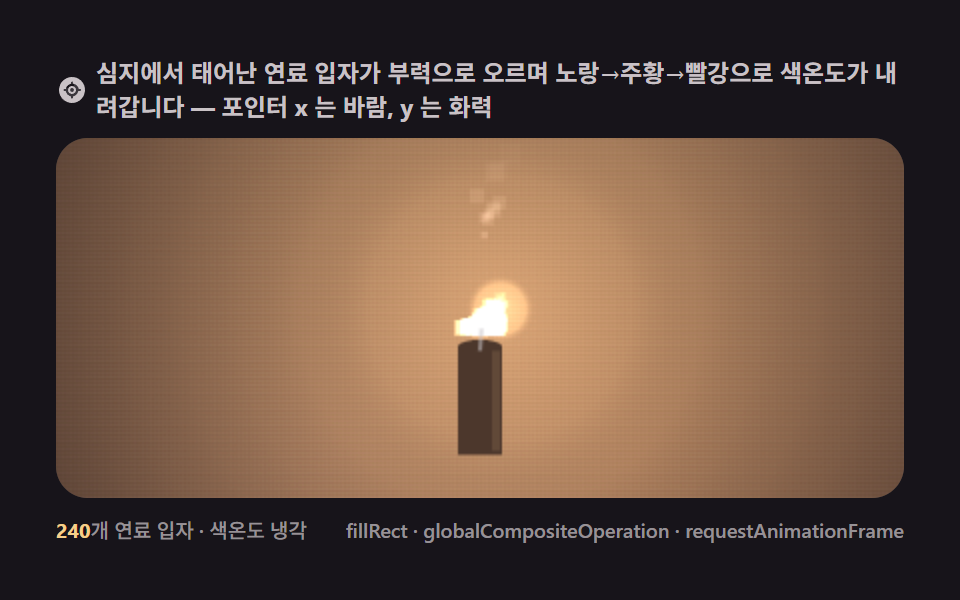 Creative UI9 Canvas Fire Animation Scenes, No WebGL
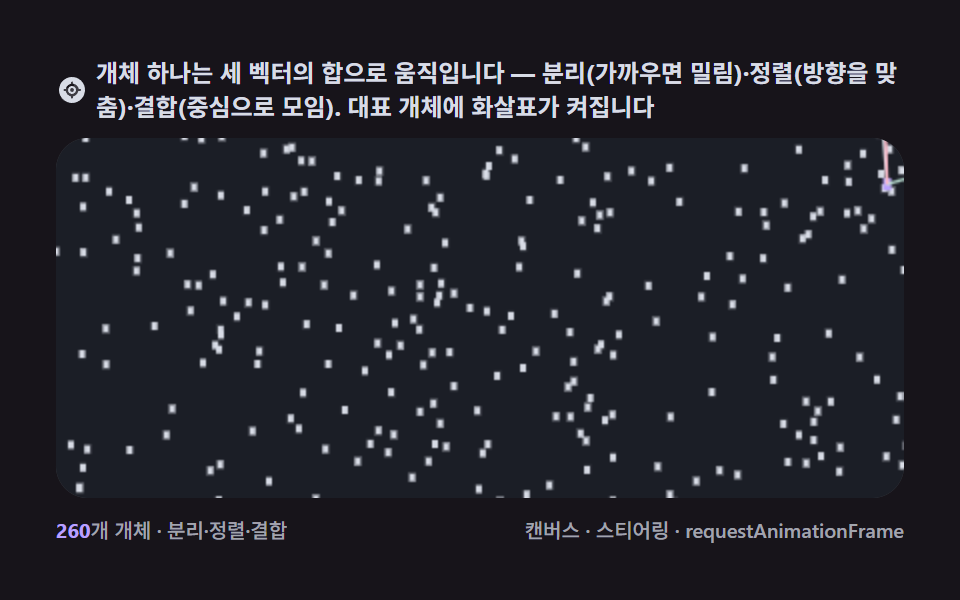 Creative UI9 Canvas Boids Algorithm Flocking Birds Simulation
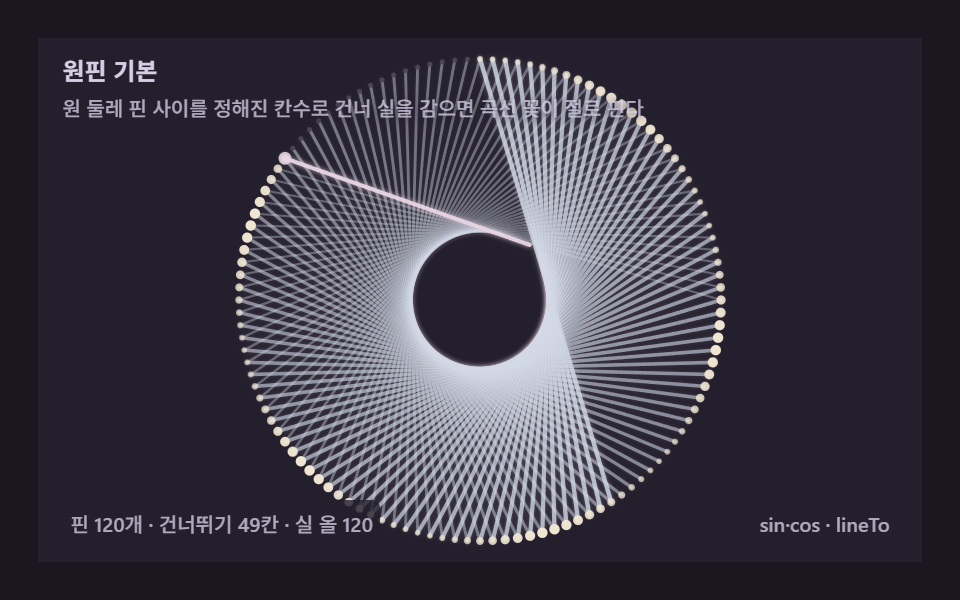 Creative UIString Art: 9 Thread-Geometry Demos
 Creative UIL-System Fractal Tree Generator: 9 Demos
 Creative UICanvas Particle Animation: 9 Engine Patterns
 Creative UIHTML5 Canvas Animation: 9 Warp & Droplet Effects
 Creative UI3D Globe Website: 9 Canvas Orbit Scenes
 Creative UIVerlet Physics 9 Demos: No Library, Just Canvas
 Creative UI9 Ray Marching Scenes in Canvas (No WebGL)
 Creative UI9 Metaball Effect Scenes, Marching Squares Canvas