9 Canvas Wave Animation Scenes: Gerstner Field
A canvas wave animation is not a looping photo — every grid cell has its wave height recomputed in real time as a gerstner field from summed sines, and these
 01 ocean-gerstner-sum
 02 ocean-depth-attenuate
 03 ocean-crest-foam
 04 ocean-specular-glitter
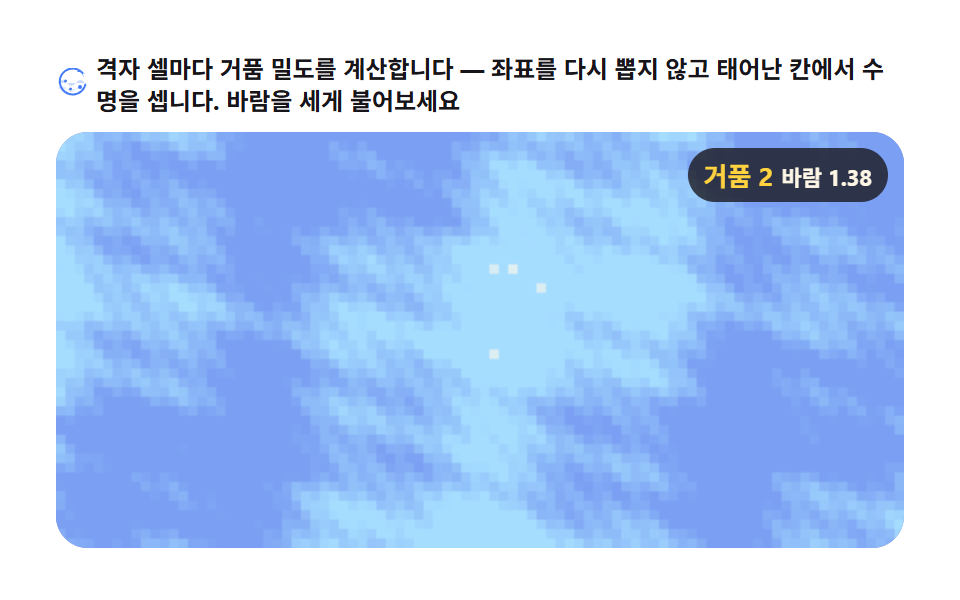 05 ocean-foam-particles
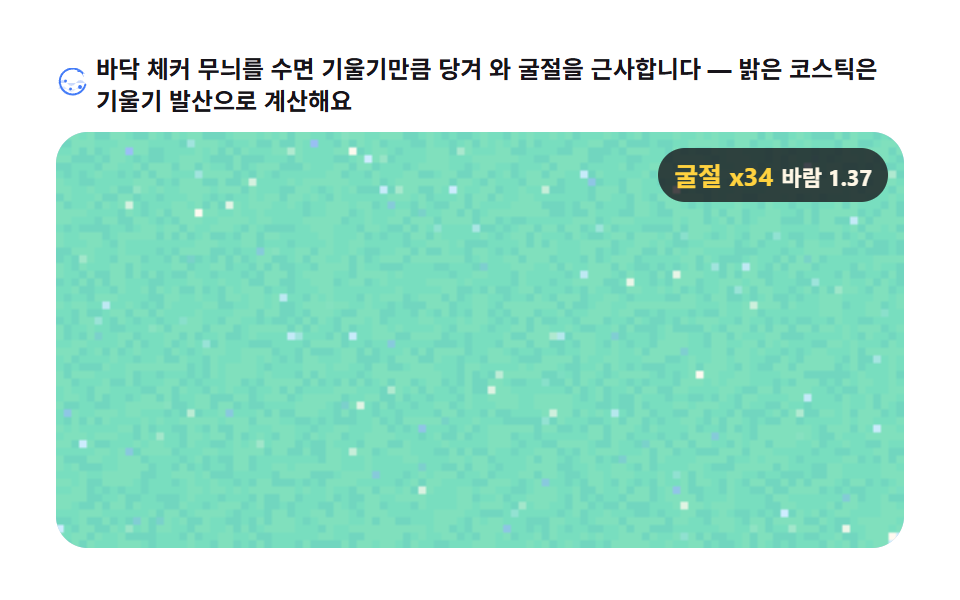 06 ocean-refract-caustic
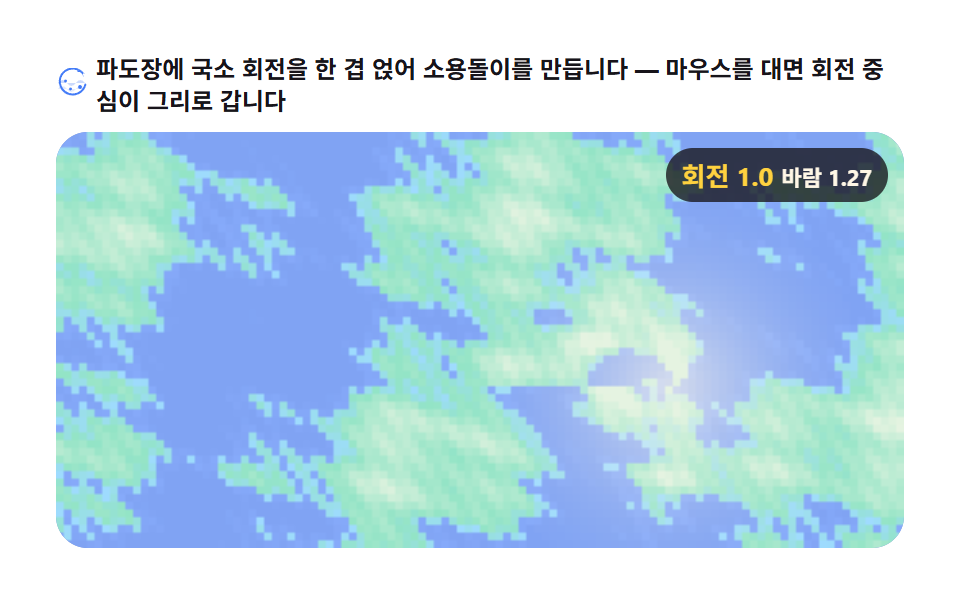 07 ocean-rip-current
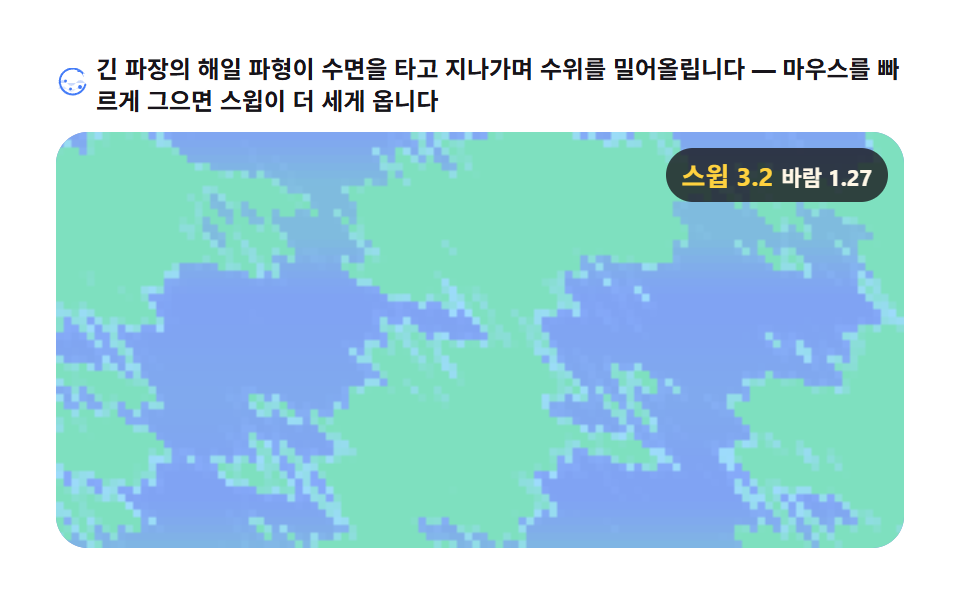 08 ocean-sweep-surge
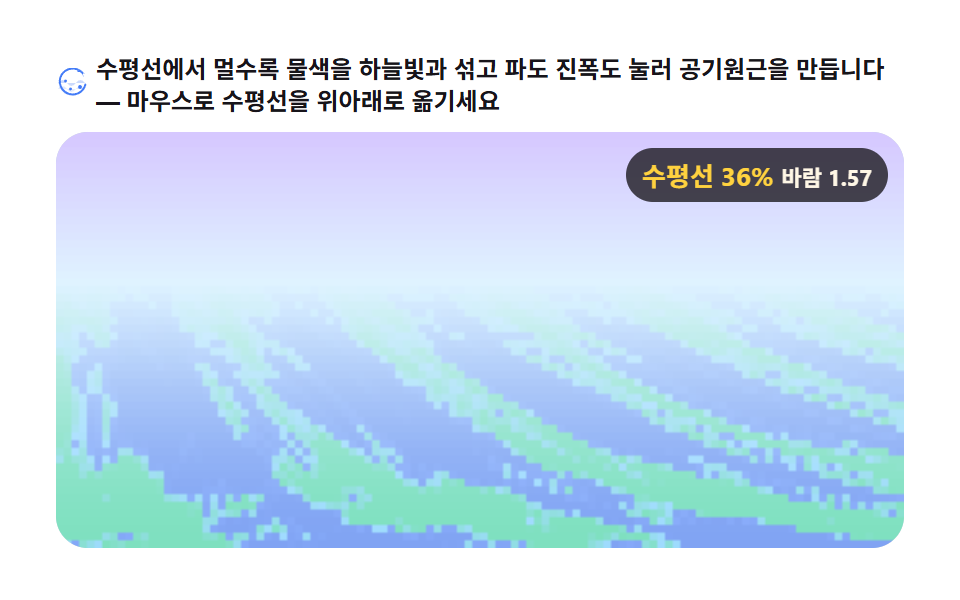 09 ocean-horizon-haze
Auto-plays · click a tile to jump to its section · all nine in one zip
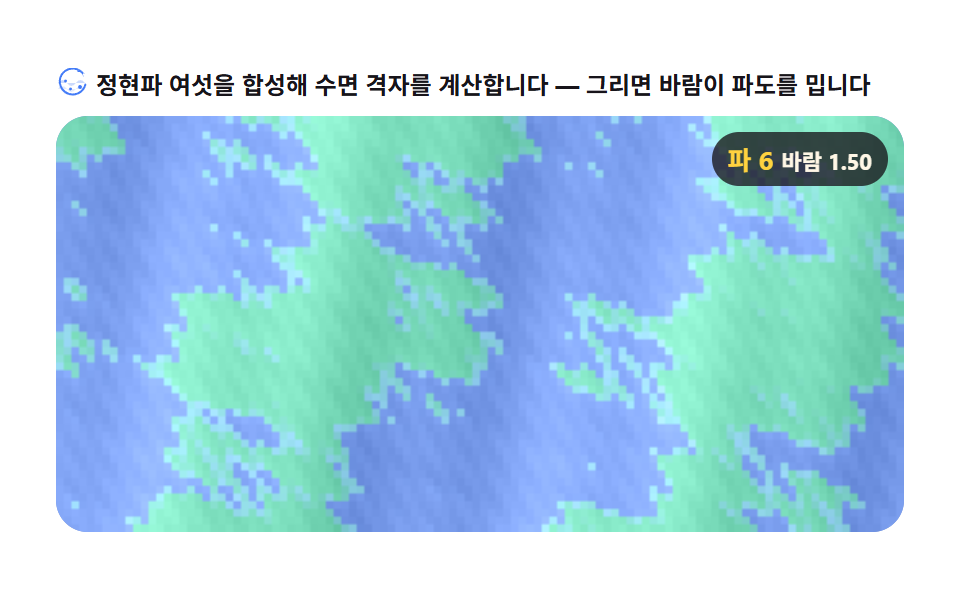
- 01 Summed-sine surface — a Gerstner wave field
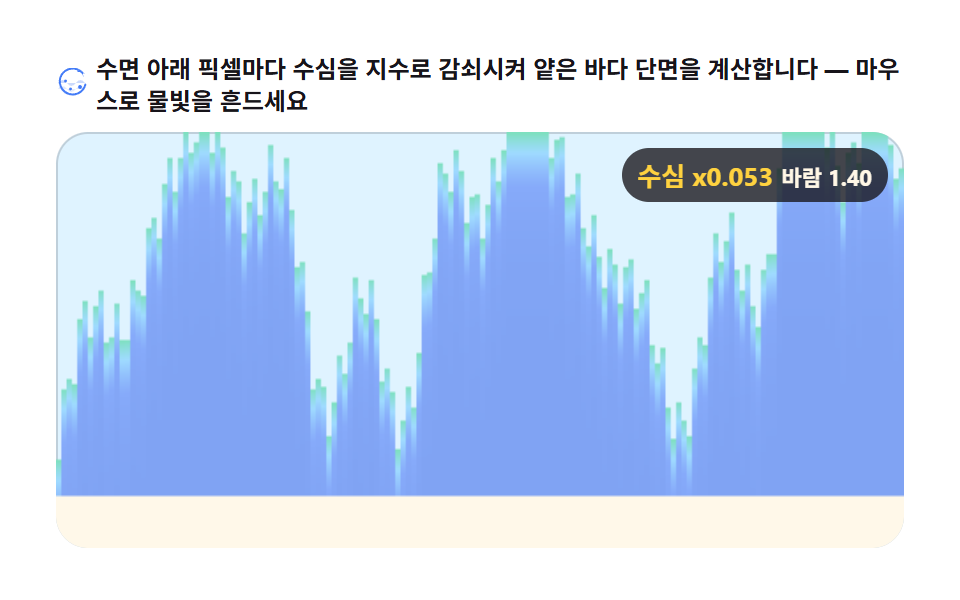
- 02 Depth attenuation — shallow-water cross-section
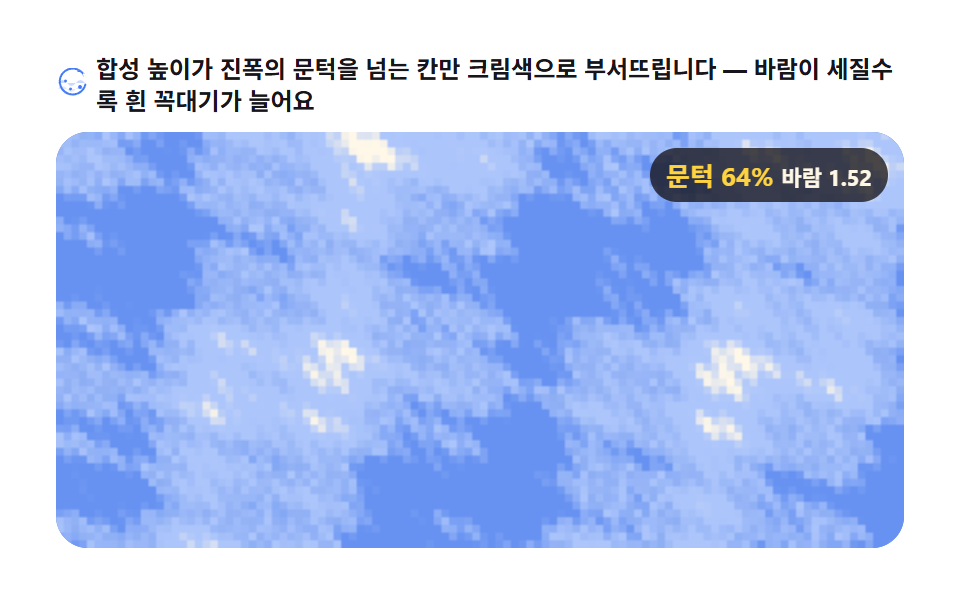
- 03 Crest foam — whitecaps on the peaks
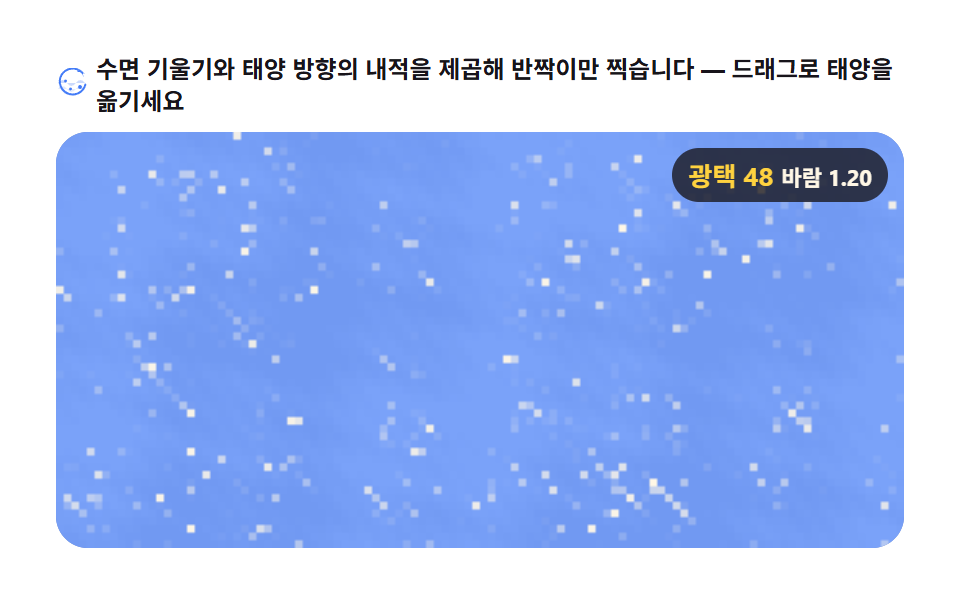
- 04 Specular highlight — sun glitter
- 05 Foam particles — grid-cell fragments
- 06 Surface refraction — wobble caustics
- 07 Rip current — a swirling offshore patch
- 08 Sweep surge — an incoming wave wall
- 09 Horizon haze — the distance washed out
Why this order
The first scene is the trunk. Six sines of different wavelength, direction, and amplitude are summed into one surface grid, and the remaining eight scenes are each a single derived layer painted on top of that grid. Read the grid height as water depth and you get 02; keep only the cells whose height crosses a threshold and you get 03; dot the surface gradient against a sun vector and you get 04. Scene 05 tracks the foam of 03 by grid cell instead of by coordinate, scene 06 reuses that same gradient as a refraction offset, and scenes 07 and 08 layer local rotation and a global envelope onto the grid itself to make a rip current and an incoming wave wall. Scene 09, finally, presses both amplitude and color by distance, sinking the far water into haze.
One trunk, eight derivatives
The hgt array of scene 01 — the per-cell computed height — and its fieldcalc function are reused almost verbatim in all nine scenes. What changes is what you read out of that height: color makes a water surface, a threshold makes foam, a gradient makes glitter. Learn the one field calculation, and every other scene in this set becomes a single new read.
Near water first, horizon last — the order the math stacks
Scenes 01 through 06 are all the same surface seen from one viewpoint; 07 and 08 drop localized events onto that surface (a vortex, a surge), and 09 pulls the camera back to take in the horizon. If you are picking a subset for your own project, follow this order — each calculation you learn unlocks the next scene naturally.
01Summed-sine surface — a Gerstner wave field
Six sines of differing wavelength, direction, and amplitude are summed over a surface grid — with the Gerstner forward curl at crests included — into an ocean surface computed from scratch, suited to resort, cruise, and marine landing heroes (measured: 60.795% cumulative area, 23 of 24 frames moving).
<main class="stage">
<div class="gs" id="gs">
  <p class="gs__hint">
    <svg class="gs__ico" viewBox="0 0 256 256" aria-hidden="true"><g fill="currentColor"><path d="M16 120c24-32 48-32 72 0s48 32 72 0 48-32 72 0" opacity=".25"/><path d="M16 168c24-32 48-32 72 0s48 32 72 0 48-32 72 0" opacity=".15"/><path d="M228.92 49.09a112 112 0 1 0 14 84.91a8 8 0 0 0-15.5-4a96 96 0 1 1-12-72.91A8 8 0 0 1 216 71.63V40a8 8 0 0 1-8-8h-31.63a8 8 0 0 1-5.65-13.09ZM64 104a12 12 0 1 1 12 12a12 12 0 0 1-12-12m40 64a12 12 0 1 1 12 12a12 12 0 0 1-12-12m72-16a16 16 0 1 1 16 16a16 16 0 0 1-16-16" opacity=".9"/></g></svg>
    <span>Six sines are summed to compute the surface grid — drag and the wind pushes the waves</span>
  </p>
  <div class="gs__field" id="field" role="application" aria-label="Summed-sine surface test panel" tabindex="0">
    <canvas class="gs__cv" id="cv"></canvas>
    <b class="gs__badge" aria-hidden="true"><span class="gs__badgeNum" id="waveVal">6 waves</span><span class="gs__badgeUnit" id="windVal">wind 1.0</span></b>
  </div>
</div>
</main>
@use "../../../../site/static/demo-tokens" as *;
// 정현파 합성 수면 — 움직임은 전부 캔버스 rAF 루프 안에 있다. CSS 는 무대·판·배지만 맡는다.
// @keyframes 를 두지 않는다(077 방식). 색은 전부 토큰 또는 mix() 로컬 변수(BD26) — 헥스 리터럴 금지.
// 캔버스가 쓰는 색은 커스텀 프로퍼티로 내려보낸다 — 값은 이 파일 한 곳에만 둔다.
$gs-crest: mix($subject-mint, $stage-paper, 72%); // 마루 — 민트
$gs-crest2: mix($subject-sky, $stage-paper, 66%); // 마루 보조(하늘 민트)
$gs-trough: mix($subject-blue-deep, $stage-paper, 52%); // 골 — 진한 파랑
$gs-trough2: mix($subject-blue, $stage-paper, 58%); // 골 보조(파랑)
$duration: $dur-loop;
$easing: $ease-spring;
$color: $gs-crest;
@include stage($stage-paper);
.gs {
--crest: #{$gs-crest};
--crest-2: #{$gs-crest2};
--trough: #{$gs-trough};
--trough-2: #{$gs-trough2};
--ink: #{$subject-ink};
display: flex; flex-direction: column; gap: $sp-2;
width: 100%; max-width: 424px;
}
.gs__hint {
display: flex; align-items: center; gap: $sp-1; margin: 0;
font-weight: 700; font-size: clamp(10px, 2.8vw, 12px); line-height: 1.35;
color: $subject-ink;
}
.gs__ico { width: 16px; height: 16px; flex: 0 0 auto; color: $subject-blue; }
.gs__field {
position: relative; height: 208px;
border-radius: $r-card; overflow: hidden;
background: $gs-trough2;
box-shadow: inset 0 0 0 1px rgba($subject-ink, .16);
cursor: crosshair; touch-action: none;
}
.gs__field:focus-visible { outline: 2px solid $subject-blue; outline-offset: 2px; }
.gs__cv { display: block; width: 100%; height: 100%; }
// 파 개수·바람 세기를 화면에도 적어 둔다 — frame() 이 갱신한다
.gs__badge {
position: absolute; right: $sp-2; top: $sp-2;
display: flex; align-items: baseline; gap: $sp-1;
padding: $sp-1 $sp-2; border-radius: $r-pill;
background: rgba($subject-ink, .78);
color: $subject-cream; font-weight: 700; font-size: 11px;
}
.gs__badgeNum { font-size: 13px; color: $stage-yellow; }
.gs__badgeUnit { font-weight: 700; }
@media (max-width: 340px) {
.gs { gap: $sp-1; }
.gs__field { height: 124px; }
.gs__badge { font-size: 10px; padding: 0 $sp-1; }
.gs__badgeNum { font-size: 11px; }
}
// reduce — 루프가 아예 안 돈다. 파도가 살아 있는 정적 한 장이 남으므로
// 끌 수 있다는 신호(커서)만 거둔다.
@media (prefers-reduced-motion: reduce) {
.gs.is-still .gs__field { cursor: default !important; }
.gs.is-still .gs__badge { opacity: .92 !important; }
}html, body {
margin: 0;
overflow: hidden;
}
.stage {
box-sizing: border-box;
min-height: 100vh;
display: grid;
place-items: center;
margin: 0;
background: #ffffff;
font-family: -apple-system, "Segoe UI", "Noto Sans KR", sans-serif;
padding: clamp(8px, 4vw, 24px);
}
.gs {
--crest: rgb(49.4588235294%, 87.8588235294%, 74.8705882353%);
--crest-2: rgb(62.4705882353%, 85.7647058824%, 100%);
--trough: rgb(50.0392156863%, 64.1098039216%, 95.3098039216%);
--trough-2: rgb(52.6901960784%, 66.7921568627%, 97.9529411765%);
--ink: #17141a;
display: flex;
flex-direction: column;
gap: 8px;
width: 100%;
max-width: 424px;
}
.gs__hint {
display: flex;
align-items: center;
gap: 4px;
margin: 0;
font-weight: 700;
font-size: clamp(10px, 2.8vw, 12px);
line-height: 1.35;
color: #17141a;
}
.gs__ico {
width: 16px;
height: 16px;
flex: 0 0 auto;
color: #2f6df6;
}
.gs__field {
position: relative;
height: 208px;
border-radius: 16px;
overflow: hidden;
background: rgb(52.6901960784%, 66.7921568627%, 97.9529411765%);
box-shadow: inset 0 0 0 1px rgba(23, 20, 26, 0.16);
cursor: crosshair;
touch-action: none;
}
.gs__field:focus-visible {
outline: 2px solid #2f6df6;
outline-offset: 2px;
}
.gs__cv {
display: block;
width: 100%;
height: 100%;
}
.gs__badge {
position: absolute;
right: 8px;
top: 8px;
display: flex;
align-items: baseline;
gap: 4px;
padding: 4px 8px;
border-radius: 999px;
background: rgba(23, 20, 26, 0.78);
color: #fff7e6;
font-weight: 700;
font-size: 11px;
}
.gs__badgeNum {
font-size: 13px;
color: #ffd23f;
}
.gs__badgeUnit {
font-weight: 700;
}
@media (max-width: 340px) {
.gs {
gap: 4px;
}
.gs__field {
height: 124px;
}
.gs__badge {
font-size: 10px;
padding: 0 4px;
}
.gs__badgeNum {
font-size: 11px;
}
}
@media (prefers-reduced-motion: reduce) {
.gs.is-still .gs__field {
cursor: default !important;
}
.gs.is-still .gs__badge {
opacity: 0.92 !important;
}
}// 정현파 합성 수면 — Gerstner 근사 파도장. 파장·방향·진폭이 다른 정현파 여섯을
// 저해상 수면 격자(COLS×ROWS) 위에 겹쳐 합하고, 파도가 높을 때 물꼭대기가 앞으로
// 처지는 Gerstner 수평 처짐(dispX = Q·amp·cos)까지 넣어 꼭대기가 뾰족해지는 근사를 만든다.
// 렌더는 격자 해상도 ImageData(STEP=3 버퍼) → putImageData → drawImage 확대.
// 바람은 자동 모드(시드 고정 리사주 순환)와 포인터 실측(pointermove 이동 벡터 → lerp) 두 몸.
var root = document.getElementById('gs');
var field = document.getElementById('field');
var cv = document.getElementById('cv');
var waveVal = document.getElementById('waveVal');
var windVal = document.getElementById('windVal');
var ctx = cv.getContext('2d');
var css = getComputedStyle(root);
function v(name) { return css.getPropertyValue(name).trim(); }
var CREST = [v('--crest'), v('--crest-2')]; // 마루(높은 곳) 색 램프 — 민트 계열
var TROUGH = [v('--trough'), v('--trough-2')]; // 골(낮은 곳) 색 램프 — 파랑 계열
var INK = v('--ink');
var COLS = 110; // 수면 격자 가로 칸 수 — 세로는 판 비율. 칸 수 1만 이내로 60fps 예산
var STEP = 3; // 격자 한 칸이 렌더 버퍼에서 차지하는 픽셀
var NW = 6; // 겹칠 정현파 개수
var Q = 0.42; // Gerstner 처짐 계수 — 여섯 파의 Q·amp 합이 1을 넘지 않게 잡는다
// 결정적 난수 mulberry32(7) — 시드가 같으면 파도 구성이 항상 같다
function mulberry32(a) {
return function () {
a |= 0; a = (a + 0x6D2B79F5) | 0;
var t = Math.imul(a ^ (a >>> 15), 1 | a);
var u = (t + Math.imul(t ^ (t >>> 7), 61 | t)) ^ t;
return ((u ^ (u >>> 14)) >>> 0) / 4294967296;
};
}
var rng = mulberry32(7);
// 여섯 정현파 — 파장·방향·진폭·위상 전부 시드에서 파생.
// 파장은 긴 것부터 절반씩(잔물결 계층), 진폭도 파장에 비례해 줄어든다.
var WAVES = [];
(function () {
var lam = 34; // 첫 파의 파장(격자 칸 수)
for (var i = 0; i < NW; i++) {
var ang = rng() * Math.PI * 2; // 파도가 나아가는 방향
WAVES.push({
lam: lam, // 파장
freq: (Math.PI * 2) / lam, // 공간 주파수(도메인 단위)
dirX: Math.cos(ang), dirY: Math.sin(ang), // 진행 방향 단위벡터
amp: 0.58 / (i * 0.62 + 1), // 진폭 — 첫 파가 가장 크다 (총진폭 ↑ → 화면 전체가 흐른다)
spd: 0.55 + rng() * 0.25, // 속도 산수
ph: rng() * Math.PI * 2 // 위상
});
lam *= 0.55; // 다음 파는 파장이 절반보다 조금 길게
}
})();
// ω — 파장 짧을수록 빠르게(ω ∝ sqrt(1/λ) 스케일, 보기 좋게 조정)
for (var w = 0; w < NW; w++) {
WAVES[w].om = WAVES[w].spd * 3.6 * Math.sqrt(1 / WAVES[w].lam) * 6;
}
var reduce = window.matchMedia('(prefers-reduced-motion: reduce)').matches;
var W = 0, H = 0, dpr = 1, ROWS = 0;
var hgt = null, disp = null; // 격자 높이·수평 처짐(Float32Array, 프레임마다 재사용)
var buf = null, bctx = null, out = null;
var RW = 0, RH = 0;
var raf = 0, auto = true, nowSec = 0;
var wind = 1.0, windT = 1.0; // wind 세기(실효 진폭에 곱한다) 현재·목표
var windAng = 0.5, windAngT = 0.5; // wind 방향(라디안) 현재·목표
var lastPX = -1, lastPY = -1, lastPT = 0;
function hex2rgb(s) {
// sass 가 mix() 값을 rgb(r%, g%, b%) 로 내보낸다 — 헥스와 둘 다 읽는다
var pm = /^\s*rgb\(\s*([\d.]+)%\s*,\s*([\d.]+)%\s*,\s*([\d.]+)%\s*\)\s*$/.exec(s);
if (pm) return [Math.round(pm[1] * 2.55), Math.round(pm[2] * 2.55), Math.round(pm[3] * 2.55)];
s = s.replace('#', '');
if (s.length === 3) s = s[0] + s[0] + s[1] + s[1] + s[2] + s[2];
var n = parseInt(s, 16);
return [(n >> 16) & 255, (n >> 8) & 255, n & 255];
}
var C0 = hex2rgb(CREST[0]), C1 = hex2rgb(CREST[1]);
var T0 = hex2rgb(TROUGH[0]), T1 = hex2rgb(TROUGH[1]);
function fit() {
var r = field.getBoundingClientRect();
dpr = window.devicePixelRatio || 1;
W = r.width; H = r.height;
cv.width = Math.round(W * dpr);
cv.height = Math.round(H * dpr);
ctx.setTransform(dpr, 0, 0, dpr, 0, 0);
ROWS = Math.max(40, Math.round(COLS * H / W));
var n = COLS * ROWS;
hgt = new Float32Array(n);
disp = new Float32Array(n);
RW = COLS * STEP; RH = ROWS * STEP;
buf = document.createElement('canvas');
buf.width = RW; buf.height = RH;
bctx = buf.getContext('2d');
out = bctx.createImageData(RW, RH);
}
// 파도장 높이 합성 — height(x,y,t) = Σ amp·sin(dot(k·dir,(x,y)) + t·ω + φ)
// Gerstner 처짐 dispX = Q·amp·cos(같은 위상)·dirX 도 같은 루프에서 쌓는다.
// wind 세기는 실효 진폭에 곱하고, wind 방향은 각 파의 방향에 살짝 실린다.
function fieldcalc(t, wstr, wang) {
var i = 0;
for (var y = 0; y < ROWS; y++) {
for (var x = 0; x < COLS; x++, i++) {
var h = 0, d = 0;
for (var w2 = 0; w2 < NW; w2++) {
var WV = WAVES[w2];
// wind 방향 반영 — 방향 벡터를 wind 각도 쪽으로 살짝 기울인다
var da = wang * 0.5;
var dx = WV.dirX * Math.cos(da) - WV.dirY * Math.sin(da);
var dy = WV.dirX * Math.sin(da) + WV.dirY * Math.cos(da);
var ph = (x * dx + y * dy) * WV.freq * 0.62 + t * WV.om + WV.ph;
var a = WV.amp * wstr;
h += a * Math.sin(ph);
d += Q * a * Math.cos(ph) * dx;
}
hgt[i] = h;
disp[i] = d;
}
}
}
// 렌더 — 격자 해상도 ImageData(STEP=3 업스케일 버퍼). 높이→색 램프(마루 민트·골 파랑).
// 색이 픽셀 단위로 흘러야 누적면적이 크게 잡히므로, 램프를 부드럽게 두 단계 섞는다.
function render() {
var o = out.data;
for (var y = 0; y < ROWS; y++) {
var row = y * COLS;
for (var x = 0; x < COLS; x++) {
var i = row + x;
var h = hgt[i]; // 대략 -0.75 ~ +0.75
var u = h * 1.24 + 0.5; // 0..1 로 정규화(클램프) — 마루·골이 파렛트 끝까지 닿게
if (u < 0) u = 0; else if (u > 1) u = 1;
// 램프 — 골(T) → 마루(C). u 가 절반 넘으면 C0→C1 로, 이하면 T0→T1 로
var r, g, b;
if (u > 0.5) {
var k = (u - 0.5) * 2;
r = C1[0] + (C0[0] - C1[0]) * k;
g = C1[1] + (C0[1] - C1[1]) * k;
b = C1[2] + (C0[2] - C1[2]) * k;
} else {
var k2 = u * 2;
r = T0[0] + (T1[0] - T0[0]) * k2;
g = T0[1] + (T1[1] - T0[1]) * k2;
b = T0[2] + (T1[2] - T0[2]) * k2;
}
// Gerstner 처짐을 밝기로도 살짝 — 꼭대기 처진 칸이 더 밝다
var sp = disp[i] * 46;
r += sp; g += sp; b += sp;
// STEP×STEP 블록으로 펴 올린다 — 쓸 주소를 직접 계산한다(순차 누적 인덱스는 py 행 어긋남의 원인)
for (var sy = 0; sy < STEP; sy++) {
var base = ((y * STEP + sy) * RW + x * STEP) * 4;
for (var sx = 0; sx < STEP; sx++, base += 4) {
o[base] = r;
o[base + 1] = g;
o[base + 2] = b;
o[base + 3] = 255;
}
}
}
}
bctx.putImageData(out, 0, 0);
ctx.drawImage(buf, 0, 0, W, H);
}
function frame(now) {
nowSec = now / 1000;
if (auto) {
// 자동 wind — 시드 고정 리사주로 방향·세기가 천천히 순환. 포인터 없는 headless 렌더에서도 화면이 산다
var th = nowSec * 0.31;
windT = 1.05 + Math.sin(th * 0.9 + 0.4) * 0.55 + Math.sin(th * 2.3) * 0.12;
windAngT = 0.5 + Math.sin(th * 0.42) * 0.85;
}
wind += (windT - wind) * 0.05;
windAng += (windAngT - windAng) * 0.05;
fieldcalc(nowSec, wind, windAng);
render();
windVal.textContent = 'wind ' + wind.toFixed(2);
raf = requestAnimationFrame(frame);
}
// 정지판 — 루프 없이 시드가 정한 한 시각의 파도장을 계산해 물결이 살아 있는 정적 한 장
function still() {
fieldcalc(7.3, 1.35, 0.5);
render();
}
function localXY(e) {
var r = field.getBoundingClientRect();
return [e.clientX - r.left, e.clientY - r.top];
}
field.addEventListener('pointermove', function (e) {
var p = localXY(e);
var t = performance.now();
if (lastPX >= 0 && t > lastPT) {
// 이동 벡터 실측 → wind 방향·세기 목표 갱신(lerp 완화는 frame 에서)
var vx = p[0] - lastPX, vy = p[1] - lastPY;
var sp2 = Math.sqrt(vx * vx + vy * vy);
if (sp2 > 0.5) {
windT = Math.max(0.35, Math.min(2.1, 0.9 + sp2 * 0.02));
windAngT = Math.atan2(vy, vx) * 0.16;
}
}
lastPX = p[0]; lastPY = p[1]; lastPT = t;
auto = false;
});
field.addEventListener('pointerleave', function () {
auto = true; // 떠나면 다음 텅에 자동 순환으로 돌아간다
lastPX = -1;
});
field.addEventListener('keydown', function (e) {
var d = { ArrowLeft: [-1, 0], ArrowRight: [1, 0], ArrowUp: [0, -1], ArrowDown: [0, 1] }[e.key];
if (!d) return;
e.preventDefault();
auto = false;
windT = Math.max(0.35, Math.min(2.1, windT + d[0] * 0.18));
windAngT = windAngT + d[1] * 0.1;
if (reduce) { fieldcalc(nowSec || 3.1, windT, windAngT); render(); }
});
window.addEventListener('resize', function () { fit(); if (reduce) still(); });
fit();
waveVal.textContent = 'wave ' + NW;
if (reduce) {
// reduce — 루프를 시작하지 않고 파도가 살아 있는 정적 한 장만 그린다(빈 화면이 아니다)
root.classList.add('is-still');
still();
} else {
raf = requestAnimationFrame(frame);
}// GerstnerSum — vanilla 판(run/313/demo/01-ocean-gerstner-sum/index.html) 의 React 포트.
// 파장·방향·진폭이 다른 정현파 여섯을 수면 격자에 합성하고 Gerstner 수평 처짐까지 넣어
// 저해상 격자를 STEP=3 업스케일 버퍼로 펴 올린다. 바람은 자동 리사주 순환 + 포인터 실측.
// 움직임은 캔버스 rAF 루프가 전부이므로 @keyframes 는 없다.
import { useEffect, useRef } from "react";
import type { CSSProperties } from "react";
import styles from "./GerstnerSum.module.scss";
export type GerstnerSumProps = {
duration?: string;
easing?: string;
color?: string;
};
type Vars = CSSProperties & { "--duration"?: string; "--easing"?: string; "--color"?: string };
type Box<T> = { current: T };
type PointerMotionEvent = { clientX: number; clientY: number };
const COLS = 110; // 수면 격자 가로 칸 수
const STEP = 3; // 격자 한 칸이 렌더 버퍼에서 차지하는 픽셀
const NW = 6; // 겹칠 정현파 개수
const Q = 0.42; // Gerstner 처짐 계수
// 결정적 난수 mulberry32(7)
function mulberry32(a: number): () => number {
return function () {
a |= 0; a = (a + 0x6D2B79F5) | 0;
const t = Math.imul(a ^ (a >>> 15), 1 | a);
const u = (t + Math.imul(t ^ (t >>> 7), 61 | t)) ^ t;
return ((u ^ (u >>> 14)) >>> 0) / 4294967296;
};
}
type Wave = {
lam: number; freq: number; dirX: number; dirY: number;
amp: number; spd: number; ph: number; om: number;
};
// 여섯 정현파 구성 — 파장·방향·진폭·위상 전부 시드(7)에서 파생
function buildWaves(): Wave[] {
const rng = mulberry32(7);
const out: Wave[] = [];
let lam = 34;
for (let i = 0; i < NW; i++) {
const ang = rng() * Math.PI * 2;
const wv: Wave = {
lam,
freq: (Math.PI * 2) / lam,
dirX: Math.cos(ang),
dirY: Math.sin(ang),
amp: 0.58 / (i * 0.62 + 1),
spd: 0.55 + rng() * 0.25,
ph: rng() * Math.PI * 2,
om: 0,
};
// ω ∝ sqrt(1/λ) — 파장 짧을수록 빠르게
wv.om = wv.spd * 3.6 * Math.sqrt(1 / wv.lam) * 6;
out.push(wv);
lam *= 0.55;
}
return out;
}
function hex2rgb(s: string): [number, number, number] {
// sass 가 mix() 값을 rgb(r%, g%, b%) 로 내보낸다 — 헥스와 둘 다 읽는다
const pm = /^\s*rgb\(\s*([\d.]+)%\s*,\s*([\d.]+)%\s*,\s*([\d.]+)%\s*\)\s*$/.exec(s);
if (pm) return [Math.round(+pm[1] * 2.55), Math.round(+pm[2] * 2.55), Math.round(+pm[3] * 2.55)];
let t = s.replace("#", "");
if (t.length === 3) t = t[0] + t[0] + t[1] + t[1] + t[2] + t[2];
const n = parseInt(t, 16);
return [(n >> 16) & 255, (n >> 8) & 255, n & 255];
}
export default function GerstnerSum({
duration = "2s", // vanilla $duration: $dur-loop
easing = "cubic-bezier(.2, .8, .2, 1)", // vanilla $easing: $ease-spring
color = "#8fdac2", // vanilla $color: $gs-crest (근사값)
}: GerstnerSumProps) {
const rootRef = useRef<HTMLDivElement | null>(null);
const fieldRef = useRef<HTMLDivElement | null>(null);
const cvRef = useRef<HTMLCanvasElement | null>(null);
const ctxRef = useRef<CanvasRenderingContext2D | null>(null);
const windValRef = useRef<HTMLSpanElement | null>(null);
const wavesRef = useRef<Wave[] | null>(null);
const sizeRef = useRef({ w: 0, h: 0 }) as Box<{ w: number; h: number }>;
const rafRef = useRef(0) as Box<number>;
const stillRef = useRef(false) as Box<boolean>;
type St = {
rows: number; rw: number; rh: number;
hgt: Float32Array | null;
disp: Float32Array | null;
out: ImageData | null;
bctx: CanvasRenderingContext2D | null;
buf: HTMLCanvasElement | null;
auto: boolean;
wind: number; windT: number;
windAng: number; windAngT: number;
lastPX: number; lastPY: number; lastPT: number;
c0: [number, number, number] | null;
c1: [number, number, number] | null;
t0: [number, number, number] | null;
t1: [number, number, number] | null;
};
const stateRef = useRef({
rows: 0, rw: 0, rh: 0,
hgt: null as Float32Array | null,
disp: null as Float32Array | null,
out: null as ImageData | null,
bctx: null as CanvasRenderingContext2D | null,
buf: null as HTMLCanvasElement | null,
auto: true,
wind: 1.0, windT: 1.0,
windAng: 0.5, windAngT: 0.5,
lastPX: -1, lastPY: -1, lastPT: 0,
c0: null as [number, number, number] | null,
c1: null as [number, number, number] | null,
t0: null as [number, number, number] | null,
t1: null as [number, number, number] | null,
} as St) as Box<St>;
const vars: Vars = { "--duration": duration, "--easing": easing, "--color": color };
function reduced(): boolean {
return window.matchMedia("(prefers-reduced-motion: reduce)").matches;
}
function fit(): void {
const field = fieldRef.current, cv = cvRef.current;
if (!field || !cv) return;
const r = field.getBoundingClientRect();
const dpr = window.devicePixelRatio || 1;
sizeRef.current.w = r.width;
sizeRef.current.h = r.height;
cv.width = Math.round(r.width * dpr);
cv.height = Math.round(r.height * dpr);
const ctx = ctxRef.current;
if (ctx) ctx.setTransform(dpr, 0, 0, dpr, 0, 0);
const st = stateRef.current;
st.rows = Math.max(40, Math.round(COLS * r.height / r.width));
const n = COLS * st.rows;
st.hgt = new Float32Array(n);
st.disp = new Float32Array(n);
st.rw = COLS * STEP;
st.rh = st.rows * STEP;
const buf = document.createElement("canvas");
buf.width = st.rw; buf.height = st.rh;
st.buf = buf;
st.bctx = buf.getContext("2d");
if (st.bctx) st.out = st.bctx.createImageData(st.rw, st.rh);
}
// 파도장 높이 합성 + Gerstner 처짐
function fieldcalc(t: number, wstr: number, wang: number): void {
const st = stateRef.current;
const WV = wavesRef.current;
if (!st.hgt || !st.disp || !WV) return;
let i = 0;
for (let y = 0; y < st.rows; y++) {
for (let x = 0; x < COLS; x++, i++) {
let h = 0, d = 0;
for (let k = 0; k < NW; k++) {
const wv = WV[k];
const da = wang * 0.5;
const dx = wv.dirX * Math.cos(da) - wv.dirY * Math.sin(da);
const dy = wv.dirX * Math.sin(da) + wv.dirY * Math.cos(da);
const ph = (x * dx + y * dy) * wv.freq * 0.62 + t * wv.om + wv.ph;
const a = wv.amp * wstr;
h += a * Math.sin(ph);
d += Q * a * Math.cos(ph) * dx;
}
st.hgt[i] = h;
st.disp[i] = d;
}
}
}
function render(): void {
const st = stateRef.current;
const ctx = ctxRef.current;
if (!st.out || !st.bctx || !st.buf || !ctx || !st.hgt || !st.disp) return;
if (!st.c0 || !st.c1 || !st.t0 || !st.t1) return;
const o = st.out.data;
const C0 = st.c0, C1 = st.c1, T0 = st.t0, T1 = st.t1;
for (let y = 0; y < st.rows; y++) {
const row = y * COLS;
for (let x = 0; x < COLS; x++) {
const i = row + x;
let u = st.hgt[i] * 1.24 + 0.5;
if (u < 0) u = 0; else if (u > 1) u = 1;
let r: number, g: number, b: number;
if (u > 0.5) {
const k = (u - 0.5) * 2;
r = C1[0] + (C0[0] - C1[0]) * k;
g = C1[1] + (C0[1] - C1[1]) * k;
b = C1[2] + (C0[2] - C1[2]) * k;
} else {
const k2 = u * 2;
r = T0[0] + (T1[0] - T0[0]) * k2;
g = T0[1] + (T1[1] - T0[1]) * k2;
b = T0[2] + (T1[2] - T0[2]) * k2;
}
const sp = st.disp[i] * 46;
r += sp; g += sp; b += sp;
for (let sy = 0; sy < STEP; sy++) {
let base = ((y * STEP + sy) * st.rw + x * STEP) * 4;
for (let sx = 0; sx < STEP; sx++, base += 4) {
o[base] = r;
o[base + 1] = g;
o[base + 2] = b;
o[base + 3] = 255;
}
}
}
}
st.bctx.putImageData(st.out, 0, 0);
ctx.drawImage(st.buf, 0, 0, sizeRef.current.w, sizeRef.current.h);
}
function frame(now: number): void {
const st = stateRef.current;
const sec = now / 1000;
if (st.auto) {
const th = sec * 0.31;
st.windT = 1.05 + Math.sin(th * 0.9 + 0.4) * 0.55 + Math.sin(th * 2.3) * 0.12;
st.windAngT = 0.5 + Math.sin(th * 0.42) * 0.85;
}
st.wind += (st.windT - st.wind) * 0.05;
st.windAng += (st.windAngT - st.windAng) * 0.05;
fieldcalc(sec, st.wind, st.windAng);
render();
if (windValRef.current) windValRef.current.textContent = "바람 " + st.wind.toFixed(2);
rafRef.current = requestAnimationFrame(frame);
}
function onPointerMove(e: PointerMotionEvent): void {
const field = fieldRef.current;
if (!field) return;
const r = field.getBoundingClientRect();
const px = e.clientX - r.left, py = e.clientY - r.top;
const t = performance.now();
const st = stateRef.current;
if (st.lastPX >= 0 && t > st.lastPT) {
const vx = px - st.lastPX, vy = py - st.lastPY;
const sp = Math.sqrt(vx * vx + vy * vy);
if (sp > 0.5) {
st.windT = Math.max(0.35, Math.min(2.1, 0.9 + sp * 0.02));
st.windAngT = Math.atan2(vy, vx) * 0.16;
}
}
st.lastPX = px; st.lastPY = py; st.lastPT = t;
st.auto = false;
}
function onPointerLeave(): void {
stateRef.current.auto = true;
stateRef.current.lastPX = -1;
}
function onResize(): void {
fit();
if (reduced()) {
fieldcalc(7.3, 1.35, 0.5);
render();
}
}
useEffect(() => {
const cv = cvRef.current;
const root = rootRef.current;
if (!cv || !root) return;
ctxRef.current = cv.getContext("2d");
if (!ctxRef.current) return;
wavesRef.current = buildWaves();
const cs = getComputedStyle(root);
const tok = (name: string) => cs.getPropertyValue(name).trim();
const st = stateRef.current;
st.c0 = hex2rgb(tok("--crest"));
st.c1 = hex2rgb(tok("--crest-2"));
st.t0 = hex2rgb(tok("--trough"));
st.t1 = hex2rgb(tok("--trough-2"));
fit();
window.addEventListener("resize", onResize);
if (reduced()) {
// reduce — 루프 없이 시드가 정한 한 시각의 파도장을 담는다
stillRef.current = true;
fieldcalc(7.3, 1.35, 0.5);
render();
} else {
rafRef.current = requestAnimationFrame(frame);
}
return () => {
window.removeEventListener("resize", onResize);
cancelAnimationFrame(rafRef.current);
};
}, []);
const cls = [styles.root, stillRef.current ? styles.isStill : ""].filter(Boolean).join(" ");
return (
<main className={styles.stage}>
<div className={cls} ref={rootRef} style={vars}>
<p className={styles.hint}>
<svg className={styles.ico} viewBox="0 0 256 256" aria-hidden="true"><g fill="currentColor"><path d="M16 120c24-32 48-32 72 0s48 32 72 0 48-32 72 0" opacity=".25"/><path d="M16 168c24-32 48-32 72 0s48 32 72 0 48-32 72 0" opacity=".15"/><path d="M228.92 49.09a112 112 0 1 0 14 84.91a8 8 0 0 0-15.5-4a96 96 0 1 1-12-72.91A8 8 0 0 1 216 71.63V40a8 8 0 0 1-8-8h-31.63a8 8 0 0 1-5.65-13.09ZM64 104a12 12 0 1 1 12 12a12 12 0 0 1-12-12m40 64a12 12 0 1 1 12 12a12 12 0 0 1-12-12m72-16a16 16 0 1 1 16 16a16 16 0 0 1-16-16" opacity=".9"/></g></svg>
<span>정현파 여섯을 합성해 수면 격자를 계산합니다 — 그리면 바람이 파도를 밉니다</span>
</p>
<div className={styles.field} ref={fieldRef} onPointerMove={onPointerMove} onPointerLeave={onPointerLeave}>
<canvas className={styles.cv} ref={cvRef}></canvas>
<b className={styles.badge} aria-hidden="true"><span className={styles.badgeNum}>파 6</span><span className={styles.badgeUnit} ref={windValRef}>바람 1.0</span></b>
</div>
</div>
</main>
);
}01 · Summed-sine surface — a Gerstner wave field — Measured area 60.795% · moving frames 23/23Original by GODRICH · SCSS and React ship in the zip · See the password
Height from sine, curl from cosine — computed together
function fieldcalc(t, wstr, wang) {
  var i = 0;
  for (var y = 0; y < ROWS; y++) {
    for (var x = 0; x < COLS; x++, i++) {
      var h = 0, d = 0;
      for (var w2 = 0; w2 < NW; w2++) {
        var WV = WAVES[w2];
        var da = wang * 0.5;
        var dx = WV.dirX * Math.cos(da) - WV.dirY * Math.sin(da);
        var dy = WV.dirX * Math.sin(da) + WV.dirY * Math.cos(da);
        var ph = (x * dx + y * dy) * WV.freq * 0.62 + t * WV.om + WV.ph;
        var a = WV.amp * wstr;
        h += a * Math.sin(ph);           // height — sum of six sines
        d += Q * a * Math.cos(ph) * dx;  // Gerstner horizontal curl
      }
      hgt[i] = h;
      disp[i] = d;
    }
  }
}
Why the cosine term is what makes it a wave
Drop the cosine term and the water only bobs up and down like a flat indoor pool, but keep it and the crests lean forward into their direction of travel — the one visual cue that turns an oscillating sheet into a wave — while the pointer measures your movement vector to retarget wind direction and strength, and the arrow keys steer the same values without a mouse.
02Depth attenuation — shallow-water cross-section
Reading surface-grid height as water depth, each pixel blends water color by exponential attenuation — deep navy below, bright mint above — for pool, diving, and travel-booking backgrounds (measured: 54.177% cumulative area, intensity average 54.2, the highest of the nine).
<main class="stage">
<div class="da" id="da">
  <p class="da__hint">
    <svg class="da__ico" viewBox="0 0 256 256" aria-hidden="true"><g fill="currentColor"><path d="M16 120c24-32 48-32 72 0s48 32 72 0 48-32 72 0" opacity=".25"/><path d="M16 168c24-32 48-32 72 0s48 32 72 0 48-32 72 0" opacity=".15"/><path d="M228.92 49.09a112 112 0 1 0 14 84.91a8 8 0 0 0-15.5-4a96 96 0 1 1-12-72.91A8 8 0 0 1 216 71.63V40a8 8 0 0 1-8-8h-31.63a8 8 0 0 1-5.65-13.09ZM64 104a12 12 0 1 1 12 12a12 12 0 0 1-12-12m40 64a12 12 0 1 1 12 12a12 12 0 0 1-12-12m72-16a16 16 0 1 1 16 16a16 16 0 0 1-16-16" opacity=".9"/></g></svg>
    <span>Every pixel below the surface attenuates by depth exponentially — a shallow-sea cross-section computed from scratch; move the mouse to stir the water</span>
  </p>
  <div class="da__field" id="field" role="application" aria-label="Depth attenuation cross-section playground" tabindex="0">
    <canvas class="da__cv" id="cv"></canvas>
    <b class="da__badge" aria-hidden="true"><span class="da__badgeNum" id="attenVal">depth x0.06</span><span class="da__badgeUnit" id="windVal">wind 1.0</span></b>
  </div>
</div>
</main>
@use "../../../../site/static/demo-tokens" as *;
// 깊이별 감쇠 — 1D 수면 곡선 아래 픽셀을 수심 지수 감쇠로 물들인다. 움직임은 전부 캔버스 rAF 안에 있다.
// @keyframes 를 두지 않는다(077 방식). 색은 전부 토큰 또는 mix() 로컬 변수(BD26) — 헥스 리터럴 금지.
// 캔버스가 쓰는 색은 커스텀 프로퍼티로 내려보낸다 — 값은 이 파일 한 곳에만 둔다.
$da-c0: mix($subject-mint, $stage-paper, 72%); // 얕음 — 민트
$da-c1: mix($subject-sky, $stage-paper, 66%); // 얕음 보조 — 하늘 민트
$da-t1: mix($subject-blue, $stage-paper, 58%); // 깊음 보조 — 파랑
$da-t0: mix($subject-blue-deep, $stage-paper, 52%); // 깊음 — 진한 파랑
$da-sand: mix($subject-cream, $stage-paper, 88%); // 바닥 모래 — 크림
$da-sky: mix($subject-sky, $stage-paper, 22%); // 수면 위 배경 — 옅은 하늘
$duration: $dur-loop;
$easing: $ease-spring;
$color: $da-c0;
@include stage($stage-paper);
.da {
--c0: #{$da-c0};
--c1: #{$da-c1};
--t1: #{$da-t1};
--t0: #{$da-t0};
--sand: #{$da-sand};
display: flex; flex-direction: column; gap: $sp-2;
width: 100%; max-width: 424px;
}
.da__hint {
display: flex; align-items: center; gap: $sp-1; margin: 0;
font-weight: 700; font-size: clamp(10px, 2.8vw, 12px); line-height: 1.35;
color: $subject-ink;
}
.da__ico { width: 16px; height: 16px; flex: 0 0 auto; color: $subject-blue; }
.da__field {
position: relative; height: 208px;
border-radius: $r-card; overflow: hidden;
background: $da-sky;
box-shadow: inset 0 0 0 1px rgba($subject-ink, .16);
cursor: crosshair; touch-action: none;
}
.da__field:focus-visible { outline: 2px solid $subject-blue; outline-offset: 2px; }
.da__cv { display: block; width: 100%; height: 100%; }
.da__badge {
position: absolute; right: $sp-2; top: $sp-2;
display: flex; align-items: baseline; gap: $sp-1;
padding: $sp-1 $sp-2; border-radius: $r-pill;
background: rgba($subject-ink, .78);
color: $subject-cream; font-weight: 700; font-size: 11px;
}
.da__badgeNum { font-size: 13px; color: $stage-yellow; }
.da__badgeUnit { font-weight: 700; }
@media (max-width: 340px) {
.da { gap: $sp-1; }
.da__field { height: 124px; }
.da__badge { font-size: 10px; padding: 0 $sp-1; }
.da__badgeNum { font-size: 11px; }
.da__hint { font-size: 10px; }
}
// reduce — 루프가 아예 안 돈다. 파도가 살아 있는 정적 한 장이 남으므로
// 끌 수 있다는 신호(커서)만 거둔다.
@media (prefers-reduced-motion: reduce) {
.da.is-still .da__field { cursor: default !important; }
.da.is-still .da__badge { opacity: .92 !important; }
}html, body {
margin: 0;
overflow: hidden;
}
.stage {
box-sizing: border-box;
min-height: 100vh;
display: grid;
place-items: center;
margin: 0;
background: #ffffff;
font-family: -apple-system, "Segoe UI", "Noto Sans KR", sans-serif;
padding: clamp(8px, 4vw, 24px);
}
.da {
--c0: rgb(49.4588235294%, 87.8588235294%, 74.8705882353%);
--c1: rgb(62.4705882353%, 85.7647058824%, 100%);
--t1: rgb(52.6901960784%, 66.7921568627%, 97.9529411765%);
--t0: rgb(50.0392156863%, 64.1098039216%, 95.3098039216%);
--sand: rgb(100%, 97.2392156863%, 91.3725490196%);
display: flex;
flex-direction: column;
gap: 8px;
width: 100%;
max-width: 424px;
}
.da__hint {
display: flex;
align-items: center;
gap: 4px;
margin: 0;
font-weight: 700;
font-size: clamp(10px, 2.8vw, 12px);
line-height: 1.35;
color: #17141a;
}
.da__ico {
width: 16px;
height: 16px;
flex: 0 0 auto;
color: #2f6df6;
}
.da__field {
position: relative;
height: 208px;
border-radius: 16px;
overflow: hidden;
background: rgb(87.4901960784%, 95.2549019608%, 100%);
box-shadow: inset 0 0 0 1px rgba(23, 20, 26, 0.16);
cursor: crosshair;
touch-action: none;
}
.da__field:focus-visible {
outline: 2px solid #2f6df6;
outline-offset: 2px;
}
.da__cv {
display: block;
width: 100%;
height: 100%;
}
.da__badge {
position: absolute;
right: 8px;
top: 8px;
display: flex;
align-items: baseline;
gap: 4px;
padding: 4px 8px;
border-radius: 999px;
background: rgba(23, 20, 26, 0.78);
color: #fff7e6;
font-weight: 700;
font-size: 11px;
}
.da__badgeNum {
font-size: 13px;
color: #ffd23f;
}
.da__badgeUnit {
font-weight: 700;
}
@media (max-width: 340px) {
.da {
gap: 4px;
}
.da__field {
height: 124px;
}
.da__badge {
font-size: 10px;
padding: 0 4px;
}
.da__badgeNum {
font-size: 11px;
}
.da__hint {
font-size: 10px;
}
}
@media (prefers-reduced-motion: reduce) {
.da.is-still .da__field {
cursor: default !important;
}
.da.is-still .da__badge {
opacity: 0.92 !important;
}
}// 깊이별 감쇠 — 얕은 물빛 단면. 01 과 같은 뿌리(정현파 6개 mulberry32(7))를 1D 로 읽어
// 수면선 높이를 구하고, 그 선 아래 픽셀마다 수심 d = y - surfaceY 에 exp(-감쇠계수*d) 를
// 적용해 민트(얕음)→라일락 하늘빛→파랑→진한 파랑(깊음) 4단 램프로 섞는다. 바닥 20px 은 크림 모래.
// 감쇠계수 자체도 바람이 세질수록 커져(물이 흐려져) 얕은 색이 더 빨리 사라진다.
var root = document.getElementById('da');
var field = document.getElementById('field');
var cv = document.getElementById('cv');
var attenVal = document.getElementById('attenVal');
var windVal = document.getElementById('windVal');
var ctx = cv.getContext('2d');
var css = getComputedStyle(root);
function v(name) { return css.getPropertyValue(name).trim(); }
var C0 = v('--c0'), C1 = v('--c1'); // 얕음 — 민트 → 하늘
var T1 = v('--t1'), T0 = v('--t0'); // 깊음 — 파랑 → 진한 파랑
var SAND = v('--sand');
var COLS = 160; // 1D 수면 곡선 표본 수 — 가로 해상도
var STEP = 3; // 격자 한 칸이 렌더 버퍼에서 차지하는 픽셀 → RW = 480
var NW = 6; // 겹칠 정현파 개수(공통 물리)
var SAND_PX = 20; // 바닥 모래 두께(버퍼 기준 px)
function mulberry32(a) {
return function () {
a |= 0; a = (a + 0x6D2B79F5) | 0;
var t = Math.imul(a ^ (a >>> 15), 1 | a);
var u = (t + Math.imul(t ^ (t >>> 7), 61 | t)) ^ t;
return ((u ^ (u >>> 14)) >>> 0) / 4294967296;
};
}
var rng = mulberry32(7);
var WAVES = [];
(function () {
var lam = 34;
for (var i = 0; i < NW; i++) {
var ang = rng() * Math.PI * 2;
WAVES.push({
lam: lam,
freq: (Math.PI * 2) / lam,
dirX: Math.cos(ang), dirY: Math.sin(ang),
amp: 0.58 / (i * 0.62 + 1),
spd: 0.55 + rng() * 0.25,
ph: rng() * Math.PI * 2
});
lam *= 0.55;
}
})();
for (var w = 0; w < NW; w++) {
WAVES[w].om = WAVES[w].spd * 3.6 * Math.sqrt(1 / WAVES[w].lam) * 6;
}
var AMP_SUM = 0;
for (var w2 = 0; w2 < NW; w2++) AMP_SUM += WAVES[w2].amp;
var reduce = window.matchMedia('(prefers-reduced-motion: reduce)').matches;
var W = 0, H = 0, dpr = 1;
var surf = null; // 1D 수면 높이(버퍼 px, Float32Array)
var buf = null, bctx = null, out = null;
var RW = 480, RH = 160;
var raf = 0, auto = true, nowSec = 0;
var wind = 1.0, windT = 1.0;
var windAng = 0.5, windAngT = 0.5;
var lastPX = -1, lastPY = -1, lastPT = 0;
function hex2rgb(s) {
var pm = /^\s*rgb\(\s*([\d.]+)%\s*,\s*([\d.]+)%\s*,\s*([\d.]+)%\s*\)\s*$/.exec(s);
if (pm) return [Math.round(pm[1] * 2.55), Math.round(pm[2] * 2.55), Math.round(pm[3] * 2.55)];
s = s.replace('#', '');
if (s.length === 3) s = s[0] + s[0] + s[1] + s[1] + s[2] + s[2];
var n = parseInt(s, 16);
return [(n >> 16) & 255, (n >> 8) & 255, n & 255];
}
var RC0 = hex2rgb(C0), RC1 = hex2rgb(C1);
var RT1 = hex2rgb(T1), RT0 = hex2rgb(T0);
var RSAND = hex2rgb(SAND);
function fit() {
var r = field.getBoundingClientRect();
dpr = window.devicePixelRatio || 1;
W = r.width; H = r.height;
cv.width = Math.round(W * dpr);
cv.height = Math.round(H * dpr);
ctx.setTransform(dpr, 0, 0, dpr, 0, 0);
surf = new Float32Array(COLS);
buf = document.createElement('canvas');
buf.width = RW; buf.height = RH;
bctx = buf.getContext('2d');
out = bctx.createImageData(RW, RH);
}
// 1D 수면 곡선 — height(x,t) = Σ amp·sin(x·dirX·freq·0.62 + t·ω + φ). y 항은 0 고정(단면이라 깊이 축이 없다)
function surfcalc(t, wstr, wang) {
for (var x = 0; x < COLS; x++) {
var h = 0;
for (var w3 = 0; w3 < NW; w3++) {
var WV = WAVES[w3];
var da = wang * 0.5;
var dx = WV.dirX * Math.cos(da) - WV.dirY * Math.sin(da);
var ph = (x * dx) * WV.freq * 0.62 + t * WV.om + WV.ph;
h += WV.amp * wstr * Math.sin(ph);
}
surf[x] = h;
}
}
// 렌더 — 수면선 위는 투명(카드 배경이 하늘), 아래는 수심 d 에 지수 감쇠로 4단 램프.
// attenK 는 바람이 세질수록 커진다(흐려진 물이 색을 더 빨리 삼킨다).
function render(attenK) {
var o = out.data;
var baseline = RH * 0.4; // 수면 중심선(버퍼 px)
var ampPx = RH * 0.34; // 수면 진폭(버퍼 px) — surf 값(대략 -0.75..0.75) 스케일
for (var cx = 0; cx < COLS; cx++) {
var surfaceY = baseline + surf[cx] * ampPx;
if (surfaceY < 0) surfaceY = 0; else if (surfaceY > RH - 2) surfaceY = RH - 2;
for (var sx = 0; sx < STEP; sx++) {
var px = cx * STEP + sx;
for (var y = 0; y < RH; y++) {
var base = (y * RW + px) * 4;
if (y < surfaceY) {
o[base] = 0; o[base + 1] = 0; o[base + 2] = 0; o[base + 3] = 0; // 물 위 — 투명(카드 배경이 하늘)
continue;
}
if (y >= RH - SAND_PX) {
o[base] = RSAND[0]; o[base + 1] = RSAND[1]; o[base + 2] = RSAND[2]; o[base + 3] = 255;
continue;
}
var d = y - surfaceY;
var u = 1 - Math.exp(-attenK * d); // 0(얕음)..1(깊음), 클램프
if (u < 0) u = 0; else if (u > 1) u = 1;
// 4단 램프 — C0(민트,얕음) → C1(하늘) → T1(파랑) → T0(진한 파랑,깊음). 전 구간을 다 쓴다.
var r, g, b;
if (u < 1 / 3) {
var k = u * 3;
r = RC0[0] + (RC1[0] - RC0[0]) * k; g = RC0[1] + (RC1[1] - RC0[1]) * k; b = RC0[2] + (RC1[2] - RC0[2]) * k;
} else if (u < 2 / 3) {
var k2 = (u - 1 / 3) * 3;
r = RC1[0] + (RT1[0] - RC1[0]) * k2; g = RC1[1] + (RT1[1] - RC1[1]) * k2; b = RC1[2] + (RT1[2] - RC1[2]) * k2;
} else {
var k3 = (u - 2 / 3) * 3;
r = RT1[0] + (RT0[0] - RT1[0]) * k3; g = RT1[1] + (RT0[1] - RT1[1]) * k3; b = RT1[2] + (RT0[2] - RT1[2]) * k3;
}
o[base] = r; o[base + 1] = g; o[base + 2] = b; o[base + 3] = 255;
}
}
}
bctx.putImageData(out, 0, 0);
ctx.clearRect(0, 0, W, H);
ctx.drawImage(buf, 0, 0, W, H);
}
function frame(now) {
nowSec = now / 1000;
if (auto) {
var th = nowSec * 0.31;
windT = 1.05 + Math.sin(th * 0.9 + 0.4) * 0.55 + Math.sin(th * 2.3) * 0.12;
windAngT = 0.5 + Math.sin(th * 0.42) * 0.85;
}
wind += (windT - wind) * 0.05;
windAng += (windAngT - windAng) * 0.05;
surfcalc(nowSec, wind, windAng);
var attenK = 0.045 + (wind / (AMP_SUM * 3)) * 0.03; // 바람이 세질수록 감쇠가 커진다
render(attenK);
attenVal.textContent = 'depth x' + attenK.toFixed(3);
windVal.textContent = 'wind ' + wind.toFixed(2);
raf = requestAnimationFrame(frame);
}
function still() {
surfcalc(7.3, 1.35, 0.5);
render(0.06);
}
function localXY(e) {
var r = field.getBoundingClientRect();
return [e.clientX - r.left, e.clientY - r.top];
}
field.addEventListener('pointermove', function (e) {
var p = localXY(e);
var t = performance.now();
if (lastPX >= 0 && t > lastPT) {
var vx = p[0] - lastPX, vy = p[1] - lastPY;
var sp2 = Math.sqrt(vx * vx + vy * vy);
if (sp2 > 0.5) {
windT = Math.max(0.35, Math.min(2.1, 0.9 + sp2 * 0.02));
windAngT = Math.atan2(vy, vx) * 0.16;
}
}
lastPX = p[0]; lastPY = p[1]; lastPT = t;
auto = false;
});
field.addEventListener('pointerleave', function () {
auto = true;
lastPX = -1;
});
field.addEventListener('keydown', function (e) {
var d = { ArrowLeft: [-1, 0], ArrowRight: [1, 0], ArrowUp: [0, -1], ArrowDown: [0, 1] }[e.key];
if (!d) return;
e.preventDefault();
auto = false;
windT = Math.max(0.35, Math.min(2.1, windT + d[0] * 0.18));
windAngT = windAngT + d[1] * 0.1;
if (reduce) {
surfcalc(nowSec || 3.1, windT, windAngT);
render(0.045 + (windT / (AMP_SUM * 3)) * 0.03);
}
});
window.addEventListener('resize', function () { fit(); if (reduce) still(); });
fit();
if (reduce) {
root.classList.add('is-still');
still();
} else {
raf = requestAnimationFrame(frame);
}// DepthAttenuate — vanilla 판(run/313/demo/02-ocean-depth-attenuate/index.html) 의 React 포트.
// 1D 수면 곡선(정현파 6개, 시드 7)을 시간 팬으로 읽고 그 아래 픽셀마다 수심 d 에
// exp(-감쇠계수·d) 를 적용해 민트(얕음)→진한 파랑(깊음) 4단 램프로 섞는다. 바닥은 크림 모래.
// 바람은 자동 리사주 순환 + 포인터 실측. 움직임은 캔버스 rAF 루프가 전부이므로 @keyframes 는 없다.
import { useEffect, useRef } from "react";
import type { CSSProperties } from "react";
import styles from "./DepthAttenuate.module.scss";
export type DepthAttenuateProps = {
duration?: string;
easing?: string;
color?: string;
};
type Vars = CSSProperties & { "--duration"?: string; "--easing"?: string; "--color"?: string };
type Box<T> = { current: T };
type PointerMotionEvent = { clientX: number; clientY: number };
const COLS = 160; // 1D 수면 곡선 표본 수 — 가로 해상도
const STEP = 3; // 격자 한 칸이 렌더 버퍼에서 차지하는 픽셀 → RW = 480
const NW = 6; // 겹칠 정현파 개수
const RW = 480;
const RH = 160;
const SAND_PX = 20; // 바닥 모래 두께(버퍼 기준 px)
// 결정적 난수 mulberry32(7)
function mulberry32(a: number): () => number {
return function () {
a |= 0; a = (a + 0x6D2B79F5) | 0;
const t = Math.imul(a ^ (a >>> 15), 1 | a);
const u = (t + Math.imul(t ^ (t >>> 7), 61 | t)) ^ t;
return ((u ^ (u >>> 14)) >>> 0) / 4294967296;
};
}
type Wave = {
lam: number; freq: number; dirX: number; dirY: number;
amp: number; spd: number; ph: number; om: number;
};
function buildWaves(): Wave[] {
const rng = mulberry32(7);
const out: Wave[] = [];
let lam = 34;
for (let i = 0; i < NW; i++) {
const ang = rng() * Math.PI * 2;
const wv: Wave = {
lam,
freq: (Math.PI * 2) / lam,
dirX: Math.cos(ang),
dirY: Math.sin(ang),
amp: 0.58 / (i * 0.62 + 1),
spd: 0.55 + rng() * 0.25,
ph: rng() * Math.PI * 2,
om: 0,
};
wv.om = wv.spd * 3.6 * Math.sqrt(1 / wv.lam) * 6;
out.push(wv);
lam *= 0.55;
}
return out;
}
function hex2rgb(s: string): [number, number, number] {
// sass 가 mix() 값을 rgb(r%, g%, b%) 로 내보낸다 — 헥스와 둘 다 읽는다
const pm = /^\s*rgb\(\s*([\d.]+)%\s*,\s*([\d.]+)%\s*,\s*([\d.]+)%\s*\)\s*$/.exec(s);
if (pm) return [Math.round(+pm[1] * 2.55), Math.round(+pm[2] * 2.55), Math.round(+pm[3] * 2.55)];
let t = s.replace("#", "");
if (t.length === 3) t = t[0] + t[0] + t[1] + t[1] + t[2] + t[2];
const n = parseInt(t, 16);
return [(n >> 16) & 255, (n >> 8) & 255, n & 255];
}
export default function DepthAttenuate({
duration = "2s", // vanilla $duration: $dur-loop
easing = "cubic-bezier(.2, .8, .2, 1)", // vanilla $easing: $ease-spring
color = "#8fdac2", // vanilla $color: $da-c0 (근사값)
}: DepthAttenuateProps) {
const rootRef = useRef<HTMLDivElement | null>(null);
const fieldRef = useRef<HTMLDivElement | null>(null);
const cvRef = useRef<HTMLCanvasElement | null>(null);
const ctxRef = useRef<CanvasRenderingContext2D | null>(null);
const attenValRef = useRef<HTMLSpanElement | null>(null);
const windValRef = useRef<HTMLSpanElement | null>(null);
const wavesRef = useRef<Wave[] | null>(null);
const sizeRef = useRef({ w: 0, h: 0 }) as Box<{ w: number; h: number }>;
const rafRef = useRef(0) as Box<number>;
const stillRef = useRef(false) as Box<boolean>;
const surfRef = useRef(new Float32Array(COLS)) as Box<Float32Array>;
type St = {
buf: HTMLCanvasElement | null;
bctx: CanvasRenderingContext2D | null;
out: ImageData | null;
ampSum: number;
auto: boolean;
wind: number; windT: number;
windAng: number; windAngT: number;
lastPX: number; lastPY: number; lastPT: number;
c0: [number, number, number] | null;
c1: [number, number, number] | null;
t0: [number, number, number] | null;
t1: [number, number, number] | null;
sand: [number, number, number] | null;
};
const stRef = useRef({
buf: null,
bctx: null,
out: null,
ampSum: 0,
auto: true,
wind: 1.0, windT: 1.0,
windAng: 0.5, windAngT: 0.5,
lastPX: -1, lastPY: -1, lastPT: 0,
c0: null, c1: null, t0: null, t1: null, sand: null,
} as St) as Box<St>;
const vars: Vars = { "--duration": duration, "--easing": easing, "--color": color };
function reduced(): boolean {
return window.matchMedia("(prefers-reduced-motion: reduce)").matches;
}
function fit(): void {
const field = fieldRef.current, cv = cvRef.current;
if (!field || !cv) return;
const r = field.getBoundingClientRect();
const dpr = window.devicePixelRatio || 1;
sizeRef.current.w = r.width;
sizeRef.current.h = r.height;
cv.width = Math.round(r.width * dpr);
cv.height = Math.round(r.height * dpr);
const ctx = ctxRef.current;
if (ctx) ctx.setTransform(dpr, 0, 0, dpr, 0, 0);
const st = stRef.current;
const buf = document.createElement("canvas");
buf.width = RW; buf.height = RH;
st.buf = buf;
st.bctx = buf.getContext("2d");
if (st.bctx) st.out = st.bctx.createImageData(RW, RH);
}
// 1D 수면 곡선 — height(x,t) = Σ amp·sin(x·dirX·freq·0.62 + t·ω + φ)
function surfcalc(t: number, wstr: number, wang: number): void {
const WV = wavesRef.current;
const surf = surfRef.current;
if (!WV) return;
for (let x = 0; x < COLS; x++) {
let h = 0;
for (let k = 0; k < NW; k++) {
const wv = WV[k];
const da = wang * 0.5;
const dx = wv.dirX * Math.cos(da) - wv.dirY * Math.sin(da);
const ph = (x * dx) * wv.freq * 0.62 + t * wv.om + wv.ph;
h += wv.amp * wstr * Math.sin(ph);
}
surf[x] = h;
}
}
// 렌더 — 수면선 위는 투명, 아래는 수심 지수 감쇠 4단 램프, 바닥 20px 모래
function render(attenK: number): void {
const st = stRef.current;
const ctx = ctxRef.current;
const surf = surfRef.current;
if (!st.out || !st.bctx || !st.buf || !ctx || !st.c0 || !st.c1 || !st.t0 || !st.t1 || !st.sand) return;
const o = st.out.data;
const RC0 = st.c0, RC1 = st.c1, RT0 = st.t0, RT1 = st.t1, RSAND = st.sand;
const baseline = RH * 0.4;
const ampPx = RH * 0.34;
for (let cx = 0; cx < COLS; cx++) {
let surfaceY = baseline + surf[cx] * ampPx;
if (surfaceY < 0) surfaceY = 0; else if (surfaceY > RH - 2) surfaceY = RH - 2;
for (let sx = 0; sx < STEP; sx++) {
const px = cx * STEP + sx;
for (let y = 0; y < RH; y++) {
const base = (y * RW + px) * 4;
if (y < surfaceY) {
o[base] = 0; o[base + 1] = 0; o[base + 2] = 0; o[base + 3] = 0;
continue;
}
if (y >= RH - SAND_PX) {
o[base] = RSAND[0]; o[base + 1] = RSAND[1]; o[base + 2] = RSAND[2]; o[base + 3] = 255;
continue;
}
const d = y - surfaceY;
let u = 1 - Math.exp(-attenK * d);
if (u < 0) u = 0; else if (u > 1) u = 1;
let r: number, g: number, b: number;
if (u < 1 / 3) {
const k = u * 3;
r = RC0[0] + (RC1[0] - RC0[0]) * k; g = RC0[1] + (RC1[1] - RC0[1]) * k; b = RC0[2] + (RC1[2] - RC0[2]) * k;
} else if (u < 2 / 3) {
const k2 = (u - 1 / 3) * 3;
r = RC1[0] + (RT1[0] - RC1[0]) * k2; g = RC1[1] + (RT1[1] - RC1[1]) * k2; b = RC1[2] + (RT1[2] - RC1[2]) * k2;
} else {
const k3 = (u - 2 / 3) * 3;
r = RT1[0] + (RT0[0] - RT1[0]) * k3; g = RT1[1] + (RT0[1] - RT1[1]) * k3; b = RT1[2] + (RT0[2] - RT1[2]) * k3;
}
o[base] = r; o[base + 1] = g; o[base + 2] = b; o[base + 3] = 255;
}
}
}
st.bctx.putImageData(st.out, 0, 0);
ctx.clearRect(0, 0, sizeRef.current.w, sizeRef.current.h);
ctx.drawImage(st.buf, 0, 0, sizeRef.current.w, sizeRef.current.h);
}
function frame(now: number): void {
const st = stRef.current;
const sec = now / 1000;
if (st.auto) {
const th = sec * 0.31;
st.windT = 1.05 + Math.sin(th * 0.9 + 0.4) * 0.55 + Math.sin(th * 2.3) * 0.12;
st.windAngT = 0.5 + Math.sin(th * 0.42) * 0.85;
}
st.wind += (st.windT - st.wind) * 0.05;
st.windAng += (st.windAngT - st.windAng) * 0.05;
surfcalc(sec, st.wind, st.windAng);
const attenK = 0.045 + (st.wind / (st.ampSum * 3)) * 0.03;
render(attenK);
if (attenValRef.current) attenValRef.current.textContent = "수심 x" + attenK.toFixed(3);
if (windValRef.current) windValRef.current.textContent = "바람 " + st.wind.toFixed(2);
rafRef.current = requestAnimationFrame(frame);
}
function onPointerMove(e: PointerMotionEvent): void {
const field = fieldRef.current;
if (!field) return;
const r = field.getBoundingClientRect();
const px = e.clientX - r.left, py = e.clientY - r.top;
const t = performance.now();
const st = stRef.current;
if (st.lastPX >= 0 && t > st.lastPT) {
const vx = px - st.lastPX, vy = py - st.lastPY;
const sp = Math.sqrt(vx * vx + vy * vy);
if (sp > 0.5) {
st.windT = Math.max(0.35, Math.min(2.1, 0.9 + sp * 0.02));
st.windAngT = Math.atan2(vy, vx) * 0.16;
}
}
st.lastPX = px; st.lastPY = py; st.lastPT = t;
st.auto = false;
}
function onPointerLeave(): void {
stRef.current.auto = true;
stRef.current.lastPX = -1;
}
function onResize(): void {
fit();
if (reduced()) {
surfcalc(7.3, 1.35, 0.5);
render(0.06);
}
}
useEffect(() => {
const cv = cvRef.current;
const root = rootRef.current;
if (!cv || !root) return;
ctxRef.current = cv.getContext("2d");
if (!ctxRef.current) return;
wavesRef.current = buildWaves();
let sum = 0;
for (let i = 0; i < NW; i++) sum += wavesRef.current[i].amp;
stRef.current.ampSum = sum;
const cs = getComputedStyle(root);
const tok = (name: string) => cs.getPropertyValue(name).trim();
const st = stRef.current;
st.c0 = hex2rgb(tok("--c0"));
st.c1 = hex2rgb(tok("--c1"));
st.t0 = hex2rgb(tok("--t0"));
st.t1 = hex2rgb(tok("--t1"));
st.sand = hex2rgb(tok("--sand"));
fit();
window.addEventListener("resize", onResize);
if (reduced()) {
stillRef.current = true;
surfcalc(7.3, 1.35, 0.5);
render(0.06);
} else {
rafRef.current = requestAnimationFrame(frame);
}
return () => {
window.removeEventListener("resize", onResize);
cancelAnimationFrame(rafRef.current);
};
}, []);
const cls = [styles.root, stillRef.current ? styles.isStill : ""].filter(Boolean).join(" ");
return (
<main className={styles.stage}>
<div className={cls} ref={rootRef} style={vars}>
<p className={styles.hint}>
<svg className={styles.ico} viewBox="0 0 256 256" aria-hidden="true"><g fill="currentColor"><path d="M16 120c24-32 48-32 72 0s48 32 72 0 48-32 72 0" opacity=".25"/><path d="M16 168c24-32 48-32 72 0s48 32 72 0 48-32 72 0" opacity=".15"/><path d="M228.92 49.09a112 112 0 1 0 14 84.91a8 8 0 0 0-15.5-4a96 96 0 1 1-12-72.91A8 8 0 0 1 216 71.63V40a8 8 0 0 1-8-8h-31.63a8 8 0 0 1-5.65-13.09ZM64 104a12 12 0 1 1 12 12a12 12 0 0 1-12-12m40 64a12 12 0 1 1 12 12a12 12 0 0 1-12-12m72-16a16 16 0 1 1 16 16a16 16 0 0 1-16-16" opacity=".9"/></g></svg>
<span>수면 아래 픽셀마다 수심을 지수로 감쇠시켜 얕은 바다 단면을 계산합니다 — 마우스로 물빛을 흔드세요</span>
</p>
<div className={styles.field} ref={fieldRef} onPointerMove={onPointerMove} onPointerLeave={onPointerLeave}>
<canvas className={styles.cv} ref={cvRef}></canvas>
<b className={styles.badge} aria-hidden="true"><span className={styles.badgeNum} ref={attenValRef}>수심 x0.060</span><span className={styles.badgeUnit} ref={windValRef}>바람 1.0</span></b>
</div>
</div>
</main>
);
}02 · Depth attenuation — shallow-water cross-section — Measured area 54.177% · moving frames 23/23Original by GODRICH · SCSS and React ship in the zip · See the password
Why water swallows light exponentially, not linearly
function render(attenK) {
  var o = out.data;
  var baseline = RH * 0.4;   // surface centerline (buffer px)
  var ampPx = RH * 0.34;     // surface amplitude (buffer px)
  for (var cx = 0; cx < COLS; cx++) {
    var surfaceY = baseline + surf[cx] * ampPx;
    if (surfaceY < 0) surfaceY = 0; else if (surfaceY > RH - 2) surfaceY = RH - 2;
    for (var sx = 0; sx < STEP; sx++) {
      var px = cx * STEP + sx;
      for (var y = 0; y < RH; y++) {
        var base = (y * RW + px) * 4;
        if (y < surfaceY) {
          o[base] = 0; o[base + 1] = 0; o[base + 2] = 0; o[base + 3] = 0;
          continue;
        }
        var d = y - surfaceY;
        var u = 1 - Math.exp(-attenK * d);   // 0(shallow)..1(deep)
        if (u < 0) u = 0; else if (u > 1) u = 1;
      }
    }
  }
}
What the exponential curve buys you
A linear mix would fade color at the same rate no matter the depth and read as a flat gradient fill, but exponential attenuation changes fast in the first few pixels below the surface and slows as it deepens — the same curve real water follows when it swallows light — so everything above the waterline stays transparent, letting a card background double as sky, while stronger wind grows attenK and pulls the color under faster.
03Crest foam — whitecaps on the peaks
Cells where summed height crosses a fraction of the amplitude are painted pale cream as breaking whitecaps, with stronger wind lowering that threshold so the foam multiplies, for surfing and marine-sports content backgrounds (measured: 60.08% cumulative area, 22.649% peak single-frame area, second only to scene 07).
<main class="stage">
<div class="cf" id="cf">
  <p class="cf__hint">
    <svg class="cf__ico" viewBox="0 0 256 256" aria-hidden="true"><g fill="currentColor"><path d="M16 120c24-32 48-32 72 0s48 32 72 0 48-32 72 0" opacity=".25"/><path d="M16 168c24-32 48-32 72 0s48 32 72 0 48-32 72 0" opacity=".15"/><path d="M228.92 49.09a112 112 0 1 0 14 84.91a8 8 0 0 0-15.5-4a96 96 0 1 1-12-72.91A8 8 0 0 1 216 71.63V40a8 8 0 0 1-8-8h-31.63a8 8 0 0 1-5.65-13.09ZM64 104a12 12 0 1 1 12 12a12 12 0 0 1-12-12m40 64a12 12 0 1 1 12 12a12 12 0 0 1-12-12m72-16a16 16 0 1 1 16 16a16 16 0 0 1-16-16" opacity=".9"/></g></svg>
    <span>Only cells whose summed height crosses an amplitude threshold break into cream — stronger wind means more whitecaps</span>
  </p>
  <div class="cf__field" id="field" role="application" aria-label="Crest foam playground" tabindex="0">
    <canvas class="cf__cv" id="cv"></canvas>
    <b class="cf__badge" aria-hidden="true"><span class="cf__badgeNum" id="thrVal">threshold 72%</span><span class="cf__badgeUnit" id="windVal">wind 1.0</span></b>
  </div>
</div>
</main>
@use "../../../../site/static/demo-tokens" as *;
// 크레스트 거품 — 억제된 바탕 램프 위에 문턱을 넘은 칸만 크림 whitecap. 움직임은 전부 캔버스 rAF 안에 있다.
// @keyframes 를 두지 않는다(077 방식). 색은 전부 토큰 또는 mix() 로컬 변수(BD26) — 헥스 리터럴 금지.
// 캔버스가 쓰는 색은 커스텀 프로퍼티로 내려보낸다 — 값은 이 파일 한 곳에만 둔다.
$cf-base0: mix($subject-blue, $stage-paper, 40%); // 바탕 마루쪽 — 파랑(억제)
$cf-base1: mix($subject-blue-deep, $stage-paper, 46%); // 바탕 중간 — 파랑
$cf-deep: mix($subject-blue-deep, $stage-paper, 62%); // 가장 깊은 골 — 진한 파랑
$cf-foam: mix($subject-cream, $stage-paper, 92%); // whitecap — 크림
$cf-foam2: $subject-cream; // whitecap 꼭대기 — 밝은 크림
$duration: $dur-loop;
$easing: $ease-spring;
$color: $cf-foam;
@include stage($stage-paper);
.cf {
--base0: #{$cf-base0};
--base1: #{$cf-base1};
--deep: #{$cf-deep};
--foam: #{$cf-foam};
--foam2: #{$cf-foam2};
display: flex; flex-direction: column; gap: $sp-2;
width: 100%; max-width: 424px;
}
.cf__hint {
display: flex; align-items: center; gap: $sp-1; margin: 0;
font-weight: 700; font-size: clamp(10px, 2.8vw, 12px); line-height: 1.35;
color: $subject-ink;
}
.cf__ico { width: 16px; height: 16px; flex: 0 0 auto; color: $subject-blue; }
.cf__field {
position: relative; height: 208px;
border-radius: $r-card; overflow: hidden;
background: $cf-deep;
box-shadow: inset 0 0 0 1px rgba($subject-ink, .16);
cursor: crosshair; touch-action: none;
}
.cf__field:focus-visible { outline: 2px solid $subject-blue; outline-offset: 2px; }
.cf__cv { display: block; width: 100%; height: 100%; }
.cf__badge {
position: absolute; right: $sp-2; top: $sp-2;
display: flex; align-items: baseline; gap: $sp-1;
padding: $sp-1 $sp-2; border-radius: $r-pill;
background: rgba($subject-ink, .78);
color: $subject-cream; font-weight: 700; font-size: 11px;
}
.cf__badgeNum { font-size: 13px; color: $stage-yellow; }
.cf__badgeUnit { font-weight: 700; }
@media (max-width: 340px) {
.cf { gap: $sp-1; }
.cf__field { height: 124px; }
.cf__badge { font-size: 10px; padding: 0 $sp-1; }
.cf__badgeNum { font-size: 11px; }
.cf__hint { font-size: 10px; }
}
// reduce — 루프가 아예 안 돈다. 거품이 박힌 정적 한 장이 남으므로
// 끌 수 있다는 신호(커서)만 거둔다.
@media (prefers-reduced-motion: reduce) {
.cf.is-still .cf__field { cursor: default !important; }
.cf.is-still .cf__badge { opacity: .92 !important; }
}html, body {
margin: 0;
overflow: hidden;
}
.stage {
box-sizing: border-box;
min-height: 100vh;
display: grid;
place-items: center;
margin: 0;
background: #ffffff;
font-family: -apple-system, "Segoe UI", "Noto Sans KR", sans-serif;
padding: clamp(8px, 4vw, 24px);
}
.cf {
--base0: rgb(67.3725490196%, 77.0980392157%, 98.5882352941%);
--base1: rgb(55.8039215686%, 68.2509803922%, 95.8509803922%);
--deep: rgb(40.431372549%, 57.2078431373%, 94.4078431373%);
--foam: rgb(100%, 97.1137254902%, 90.9803921569%);
--foam2: #fff7e6;
display: flex;
flex-direction: column;
gap: 8px;
width: 100%;
max-width: 424px;
}
.cf__hint {
display: flex;
align-items: center;
gap: 4px;
margin: 0;
font-weight: 700;
font-size: clamp(10px, 2.8vw, 12px);
line-height: 1.35;
color: #17141a;
}
.cf__ico {
width: 16px;
height: 16px;
flex: 0 0 auto;
color: #2f6df6;
}
.cf__field {
position: relative;
height: 208px;
border-radius: 16px;
overflow: hidden;
background: rgb(40.431372549%, 57.2078431373%, 94.4078431373%);
box-shadow: inset 0 0 0 1px rgba(23, 20, 26, 0.16);
cursor: crosshair;
touch-action: none;
}
.cf__field:focus-visible {
outline: 2px solid #2f6df6;
outline-offset: 2px;
}
.cf__cv {
display: block;
width: 100%;
height: 100%;
}
.cf__badge {
position: absolute;
right: 8px;
top: 8px;
display: flex;
align-items: baseline;
gap: 4px;
padding: 4px 8px;
border-radius: 999px;
background: rgba(23, 20, 26, 0.78);
color: #fff7e6;
font-weight: 700;
font-size: 11px;
}
.cf__badgeNum {
font-size: 13px;
color: #ffd23f;
}
.cf__badgeUnit {
font-weight: 700;
}
@media (max-width: 340px) {
.cf {
gap: 4px;
}
.cf__field {
height: 124px;
}
.cf__badge {
font-size: 10px;
padding: 0 4px;
}
.cf__badgeNum {
font-size: 11px;
}
.cf__hint {
font-size: 10px;
}
}
@media (prefers-reduced-motion: reduce) {
.cf.is-still .cf__field {
cursor: default !important;
}
.cf.is-still .cf__badge {
opacity: 0.92 !important;
}
}// 크레스트 foam — 01 과 같은 2D 파도장(정현파 6개 mulberry32(7) + Gerstner 처짐)이지만
// 바탕 램프를 낮게 억제해(거의 단색 파랑 — 거품이 주인공) 물밑에 묻어두고,
// 합성높이 > 실효진폭×threshold 인 칸만 smoothstep 가장자리로 크림색 whitecap 을 얹는다.
// 문턱은 wind 세기에 반비례해 0.82 → 0.55 로 낮아진다 — 바람이 세질수록 거품이 늘어난다.
var root = document.getElementById('cf');
var field = document.getElementById('field');
var cv = document.getElementById('cv');
var thrVal = document.getElementById('thrVal');
var windVal = document.getElementById('windVal');
var ctx = cv.getContext('2d');
var css = getComputedStyle(root);
function v(name) { return css.getPropertyValue(name).trim(); }
var BASE0 = v('--base0'), BASE1 = v('--base1'); // 억제된 바탕 램프 — 파랑 (foam 아닌 물)
var DEEP = v('--deep'); // 가장 낮은 골 — 진한 파랑
var FOAM = v('--foam'); // whitecap — 크림
var FOAM2 = v('--foam2'); // whitecap 꼭대기 — 밝은 크림
var COLS = 110; // 수면 격자 가로 칸 수(01 과 동일)
var STEP = 3; // 격자 한 칸이 렌더 버퍼에서 차지하는 픽셀
var NW = 6; // 겹칠 정현파 개수
var Q = 0.42; // Gerstner 처짐 계수
var FOAM_EDGE = 0.16; // smoothstep 가장자리 폭(threshold 비율 단위)
function mulberry32(a) {
return function () {
a |= 0; a = (a + 0x6D2B79F5) | 0;
var t = Math.imul(a ^ (a >>> 15), 1 | a);
var u = (t + Math.imul(t ^ (t >>> 7), 61 | t)) ^ t;
return ((u ^ (u >>> 14)) >>> 0) / 4294967296;
};
}
var rng = mulberry32(7);
var WAVES = [];
(function () {
var lam = 34;
for (var i = 0; i < NW; i++) {
var ang = rng() * Math.PI * 2;
WAVES.push({
lam: lam,
freq: (Math.PI * 2) / lam,
dirX: Math.cos(ang), dirY: Math.sin(ang),
amp: 0.58 / (i * 0.62 + 1),
spd: 0.55 + rng() * 0.25,
ph: rng() * Math.PI * 2
});
lam *= 0.55;
}
})();
for (var w = 0; w < NW; w++) {
WAVES[w].om = WAVES[w].spd * 3.6 * Math.sqrt(1 / WAVES[w].lam) * 6;
}
var reduce = window.matchMedia('(prefers-reduced-motion: reduce)').matches;
var W = 0, H = 0, dpr = 1, ROWS = 0;
var hgt = null;
var buf = null, bctx = null, out = null;
var RW = 0, RH = 0;
var raf = 0, auto = true, nowSec = 0;
var wind = 1.0, windT = 1.0;
var windAng = 0.5, windAngT = 0.5;
var lastPX = -1, lastPY = -1, lastPT = 0;
function hex2rgb(s) {
var pm = /^\s*rgb\(\s*([\d.]+)%\s*,\s*([\d.]+)%\s*,\s*([\d.]+)%\s*\)\s*$/.exec(s);
if (pm) return [Math.round(pm[1] * 2.55), Math.round(pm[2] * 2.55), Math.round(pm[3] * 2.55)];
s = s.replace('#', '');
if (s.length === 3) s = s[0] + s[0] + s[1] + s[1] + s[2] + s[2];
var n = parseInt(s, 16);
return [(n >> 16) & 255, (n >> 8) & 255, n & 255];
}
var RB0 = hex2rgb(BASE0), RB1 = hex2rgb(BASE1);
var RDEEP = hex2rgb(DEEP);
var RF = hex2rgb(FOAM), RF2 = hex2rgb(FOAM2);
function fit() {
var r = field.getBoundingClientRect();
dpr = window.devicePixelRatio || 1;
W = r.width; H = r.height;
cv.width = Math.round(W * dpr);
cv.height = Math.round(H * dpr);
ctx.setTransform(dpr, 0, 0, dpr, 0, 0);
ROWS = Math.max(40, Math.round(COLS * H / W));
hgt = new Float32Array(COLS * ROWS);
RW = COLS * STEP; RH = ROWS * STEP;
buf = document.createElement('canvas');
buf.width = RW; buf.height = RH;
bctx = buf.getContext('2d');
out = bctx.createImageData(RW, RH);
}
// 파도장 높이 합성 — height(x,y,t) = Σ amp·sin(dot(k·dir,(x,y)) + t·ω + φ) (01 과 같은 뿌리)
function fieldcalc(t, wstr, wang) {
var i = 0;
for (var y = 0; y < ROWS; y++) {
for (var x = 0; x < COLS; x++, i++) {
var h = 0;
for (var w2 = 0; w2 < NW; w2++) {
var WV = WAVES[w2];
var da = wang * 0.5;
var dx = WV.dirX * Math.cos(da) - WV.dirY * Math.sin(da);
var dy = WV.dirX * Math.sin(da) + WV.dirY * Math.cos(da);
var ph = (x * dx + y * dy) * WV.freq * 0.62 + t * WV.om + WV.ph;
h += WV.amp * wstr * Math.sin(ph);
}
hgt[i] = h;
}
}
}
function smoothstep(a, b, x) {
var t = (x - a) / (b - a);
if (t < 0) t = 0; else if (t > 1) t = 1;
return t * t * (3 - 2 * t);
}
// 렌더 — 억제된 바탕(골 DEEP → BASE0 → BASE1, 마루 직전까지만) 위에
// 문턱을 넘은 칸을 크림 whitecap 으로. 가장자리는 smoothstep 로 부드럽게, 꼭대기는 FOAM2 로 더 밝게.
function render(thr) {
var o = out.data;
// 실효 진폭 — 현재 바람까지 반영한 이 파도장의 실제 스케일. 문턱은 이 배율로 작동한다.
var eff = 0;
for (var i = 0; i < NW; i++) eff += WAVES[i].amp;
eff *= wind;
var cut = eff * thr;
for (var y = 0; y < ROWS; y++) {
var row = y * COLS;
for (var x = 0; x < COLS; x++) {
var idx = row + x;
var h = hgt[idx];
// 억제된 바탕 램프 — h 를 0.55 배로 눌러 물색이 거의 단색에 가깝게(거품이 주인공)
var u = h * 0.55 * 1.24 + 0.5;
if (u < 0) u = 0; else if (u > 1) u = 1;
var r, g, b;
if (u > 0.5) {
var k = (u - 0.5) * 2;
r = RB1[0] * (1 - k) + RB0[0] * k;
g = RB1[1] * (1 - k) + RB0[1] * k;
b = RB1[2] * (1 - k) + RB0[2] * k;
} else {
var k2 = u * 2;
r = RDEEP[0] * (1 - k2) + RB0[0] * k2;
g = RDEEP[1] * (1 - k2) + RB0[1] * k2;
b = RDEEP[2] * (1 - k2) + RB0[2] * k2;
}
// whitecap — h 가 cut 을 넘으면 크림. 가장자리 smoothstep(폭 FOAM_EDGE·eff), 꼭대기는 FOAM2 로 두 단
var f = smoothstep(cut - FOAM_EDGE * eff, cut + FOAM_EDGE * eff, h);
if (f > 0) {
var top = smoothstep(cut + FOAM_EDGE * eff * 2.2, cut + eff * 0.42, h);
var fr = RF[0] * (1 - top) + RF2[0] * top;
var fg = RF[1] * (1 - top) + RF2[1] * top;
var fb = RF[2] * (1 - top) + RF2[2] * top;
r = r * (1 - f) + fr * f;
g = g * (1 - f) + fg * f;
b = b * (1 - f) + fb * f;
}
for (var sy = 0; sy < STEP; sy++) {
var base = ((y * STEP + sy) * RW + x * STEP) * 4;
for (var sx = 0; sx < STEP; sx++, base += 4) {
o[base] = r;
o[base + 1] = g;
o[base + 2] = b;
o[base + 3] = 255;
}
}
}
}
bctx.putImageData(out, 0, 0);
ctx.drawImage(buf, 0, 0, W, H);
}
// 문턱은 바람에 반비례 — 0.82(약한 wind) → 0.55(강한 wind)
function thresholdFor(w) {
return 0.82 - 0.27 * Math.max(0, Math.min(1, (w - 0.35) / (2.1 - 0.35)));
}
function frame(now) {
nowSec = now / 1000;
if (auto) {
var th = nowSec * 0.31;
windT = 1.05 + Math.sin(th * 0.9 + 0.4) * 0.55 + Math.sin(th * 2.3) * 0.12;
windAngT = 0.5 + Math.sin(th * 0.42) * 0.85;
}
wind += (windT - wind) * 0.05;
windAng += (windAngT - windAng) * 0.05;
fieldcalc(nowSec, wind, windAng);
var thr = thresholdFor(wind);
render(thr);
thrVal.textContent = 'threshold ' + Math.round(thr * 100) + '%';
windVal.textContent = 'wind ' + wind.toFixed(2);
raf = requestAnimationFrame(frame);
}
function still() {
fieldcalc(7.3, 1.35, 0.5);
render(thresholdFor(1.35));
}
function localXY(e) {
var r = field.getBoundingClientRect();
return [e.clientX - r.left, e.clientY - r.top];
}
field.addEventListener('pointermove', function (e) {
var p = localXY(e);
var t = performance.now();
if (lastPX >= 0 && t > lastPT) {
var vx = p[0] - lastPX, vy = p[1] - lastPY;
var sp2 = Math.sqrt(vx * vx + vy * vy);
if (sp2 > 0.5) {
windT = Math.max(0.35, Math.min(2.1, 0.9 + sp2 * 0.02));
windAngT = Math.atan2(vy, vx) * 0.16;
}
}
lastPX = p[0]; lastPY = p[1]; lastPT = t;
auto = false;
});
field.addEventListener('pointerleave', function () {
auto = true;
lastPX = -1;
});
field.addEventListener('keydown', function (e) {
var d = { ArrowLeft: [-1, 0], ArrowRight: [1, 0], ArrowUp: [0, -1], ArrowDown: [0, 1] }[e.key];
if (!d) return;
e.preventDefault();
auto = false;
windT = Math.max(0.35, Math.min(2.1, windT + d[0] * 0.18));
windAngT = windAngT + d[1] * 0.1;
if (reduce) {
fieldcalc(nowSec || 3.1, windT, windAngT);
render(thresholdFor(windT));
}
});
window.addEventListener('resize', function () { fit(); if (reduce) still(); });
fit();
if (reduce) {
root.classList.add('is-still');
still();
} else {
raf = requestAnimationFrame(frame);
}// CrestFoam — vanilla 판(run/313/demo/03-ocean-crest-foam/index.html) 의 React 포트.
// 01 과 같은 2D 파도장(정현파 6개, 시드 7)을 억제된 파랑 바탕 위에 그리고,
// 합성높이 > 실효진폭×문턱 인 칸만 smoothstep 가장자리로 크림 whitecap 을 얹는다.
// 문턱은 바람 세기에 반비례(0.82→0.55). 움직임은 캔버스 rAF 루프가 전부이므로 @keyframes 는 없다.
import { useEffect, useRef } from "react";
import type { CSSProperties } from "react";
import styles from "./CrestFoam.module.scss";
export type CrestFoamProps = {
duration?: string;
easing?: string;
color?: string;
};
type Vars = CSSProperties & { "--duration"?: string; "--easing"?: string; "--color"?: string };
type Box<T> = { current: T };
type PointerMotionEvent = { clientX: number; clientY: number };
type RGB = [number, number, number];
const COLS = 110; // 수면 격자 가로 칸 수
const STEP = 3; // 격자 한 칸이 렌더 버퍼에서 차지하는 픽셀
const NW = 6; // 겹칠 정현파 개수
const FOAM_EDGE = 0.16; // smoothstep 가장자리 폭(문턱 비율 단위)
// 결정적 난수 mulberry32(7)
function mulberry32(a: number): () => number {
return function () {
a |= 0; a = (a + 0x6D2B79F5) | 0;
const t = Math.imul(a ^ (a >>> 15), 1 | a);
const u = (t + Math.imul(t ^ (t >>> 7), 61 | t)) ^ t;
return ((u ^ (u >>> 14)) >>> 0) / 4294967296;
};
}
type Wave = {
lam: number; freq: number; dirX: number; dirY: number;
amp: number; spd: number; ph: number; om: number;
};
function buildWaves(): Wave[] {
const rng = mulberry32(7);
const out: Wave[] = [];
let lam = 34;
for (let i = 0; i < NW; i++) {
const ang = rng() * Math.PI * 2;
const wv: Wave = {
lam,
freq: (Math.PI * 2) / lam,
dirX: Math.cos(ang),
dirY: Math.sin(ang),
amp: 0.58 / (i * 0.62 + 1),
spd: 0.55 + rng() * 0.25,
ph: rng() * Math.PI * 2,
om: 0,
};
wv.om = wv.spd * 3.6 * Math.sqrt(1 / wv.lam) * 6;
out.push(wv);
lam *= 0.55;
}
return out;
}
function hex2rgb(s: string): RGB {
// sass 가 mix() 값을 rgb(r%, g%, b%) 로 내보낸다 — 헥스와 둘 다 읽는다
const pm = /^\s*rgb\(\s*([\d.]+)%\s*,\s*([\d.]+)%\s*,\s*([\d.]+)%\s*\)\s*$/.exec(s);
if (pm) return [Math.round(+pm[1] * 2.55), Math.round(+pm[2] * 2.55), Math.round(+pm[3] * 2.55)];
let t = s.replace("#", "");
if (t.length === 3) t = t[0] + t[0] + t[1] + t[1] + t[2] + t[2];
const n = parseInt(t, 16);
return [(n >> 16) & 255, (n >> 8) & 255, n & 255];
}
function smoothstep(a: number, b: number, x: number): number {
let t = (x - a) / (b - a);
if (t < 0) t = 0; else if (t > 1) t = 1;
return t * t * (3 - 2 * t);
}
// 문턱은 바람에 반비례 — 0.82(약한 바람) → 0.55(강한 바람)
function thresholdFor(w: number): number {
return 0.82 - 0.27 * Math.max(0, Math.min(1, (w - 0.35) / (2.1 - 0.35)));
}
type St = {
rows: number; rw: number; rh: number;
hgt: Float32Array | null;
out: ImageData | null;
bctx: CanvasRenderingContext2D | null;
buf: HTMLCanvasElement | null;
ampSum: number;
auto: boolean;
wind: number; windT: number;
windAng: number; windAngT: number;
lastPX: number; lastPY: number; lastPT: number;
rb0: RGB | null; rb1: RGB | null; rdeep: RGB | null;
rf: RGB | null; rf2: RGB | null;
};
export default function CrestFoam({
duration = "2s", // vanilla $duration: $dur-loop
easing = "cubic-bezier(.2, .8, .2, 1)", // vanilla $easing: $ease-spring
color = "#fff7e6", // vanilla $color: $cf-foam (근사값)
}: CrestFoamProps) {
const rootRef = useRef<HTMLDivElement | null>(null);
const fieldRef = useRef<HTMLDivElement | null>(null);
const cvRef = useRef<HTMLCanvasElement | null>(null);
const ctxRef = useRef<CanvasRenderingContext2D | null>(null);
const thrValRef = useRef<HTMLSpanElement | null>(null);
const windValRef = useRef<HTMLSpanElement | null>(null);
const wavesRef = useRef<Wave[] | null>(null);
const sizeRef = useRef({ w: 0, h: 0 }) as Box<{ w: number; h: number }>;
const rafRef = useRef(0) as Box<number>;
const stillRef = useRef(false) as Box<boolean>;
const stRef = useRef({
rows: 0, rw: 0, rh: 0,
hgt: null,
out: null,
bctx: null,
buf: null,
ampSum: 0,
auto: true,
wind: 1.0, windT: 1.0,
windAng: 0.5, windAngT: 0.5,
lastPX: -1, lastPY: -1, lastPT: 0,
rb0: null, rb1: null, rdeep: null, rf: null, rf2: null,
} as St) as Box<St>;
const vars: Vars = { "--duration": duration, "--easing": easing, "--color": color };
function reduced(): boolean {
return window.matchMedia("(prefers-reduced-motion: reduce)").matches;
}
function fit(): void {
const field = fieldRef.current, cv = cvRef.current;
if (!field || !cv) return;
const r = field.getBoundingClientRect();
const dpr = window.devicePixelRatio || 1;
sizeRef.current.w = r.width;
sizeRef.current.h = r.height;
cv.width = Math.round(r.width * dpr);
cv.height = Math.round(r.height * dpr);
const ctx = ctxRef.current;
if (ctx) ctx.setTransform(dpr, 0, 0, dpr, 0, 0);
const st = stRef.current;
st.rows = Math.max(40, Math.round(COLS * r.height / r.width));
st.hgt = new Float32Array(COLS * st.rows);
st.rw = COLS * STEP;
st.rh = st.rows * STEP;
const buf = document.createElement("canvas");
buf.width = st.rw; buf.height = st.rh;
st.buf = buf;
st.bctx = buf.getContext("2d");
if (st.bctx) st.out = st.bctx.createImageData(st.rw, st.rh);
}
// 파도장 높이 합성 — height(x,y,t) = Σ amp·sin(dot(k·dir,(x,y)) + t·ω + φ)
function fieldcalc(t: number, wstr: number, wang: number): void {
const st = stRef.current;
const WV = wavesRef.current;
if (!st.hgt || !WV) return;
let i = 0;
for (let y = 0; y < st.rows; y++) {
for (let x = 0; x < COLS; x++, i++) {
let h = 0;
for (let k = 0; k < NW; k++) {
const wv = WV[k];
const da = wang * 0.5;
const dx = wv.dirX * Math.cos(da) - wv.dirY * Math.sin(da);
const dy = wv.dirX * Math.sin(da) + wv.dirY * Math.cos(da);
const ph = (x * dx + y * dy) * wv.freq * 0.62 + t * wv.om + wv.ph;
h += wv.amp * wstr * Math.sin(ph);
}
st.hgt[i] = h;
}
}
}
// 렌더 — 억제된 바탕 램프 위에 문턱을 넘은 칸만 크림 whitecap(smoothstep 가장자리)
function render(thr: number): void {
const st = stRef.current;
const ctx = ctxRef.current;
if (!st.out || !st.bctx || !st.buf || !ctx || !st.hgt) return;
if (!st.rb0 || !st.rb1 || !st.rdeep || !st.rf || !st.rf2) return;
const o = st.out.data;
const RB0 = st.rb0, RB1 = st.rb1, RDEEP = st.rdeep, RF = st.rf, RF2 = st.rf2;
const eff = st.ampSum * st.wind; // 실효 진폭 — 현재 바람까지 반영한 파도장 스케일
const cut = eff * thr;
for (let y = 0; y < st.rows; y++) {
const row = y * COLS;
for (let x = 0; x < COLS; x++) {
const idx = row + x;
const h = st.hgt[idx];
let u = h * 0.55 * 1.24 + 0.5;
if (u < 0) u = 0; else if (u > 1) u = 1;
let r: number, g: number, b: number;
if (u > 0.5) {
const k = (u - 0.5) * 2;
r = RB1[0] * (1 - k) + RB0[0] * k;
g = RB1[1] * (1 - k) + RB0[1] * k;
b = RB1[2] * (1 - k) + RB0[2] * k;
} else {
const k2 = u * 2;
r = RDEEP[0] * (1 - k2) + RB0[0] * k2;
g = RDEEP[1] * (1 - k2) + RB0[1] * k2;
b = RDEEP[2] * (1 - k2) + RB0[2] * k2;
}
const f = smoothstep(cut - FOAM_EDGE * eff, cut + FOAM_EDGE * eff, h);
if (f > 0) {
const top = smoothstep(cut + FOAM_EDGE * eff * 2.2, cut + eff * 0.42, h);
const fr = RF[0] * (1 - top) + RF2[0] * top;
const fg = RF[1] * (1 - top) + RF2[1] * top;
const fb = RF[2] * (1 - top) + RF2[2] * top;
r = r * (1 - f) + fr * f;
g = g * (1 - f) + fg * f;
b = b * (1 - f) + fb * f;
}
for (let sy = 0; sy < STEP; sy++) {
let base = ((y * STEP + sy) * st.rw + x * STEP) * 4;
for (let sx = 0; sx < STEP; sx++, base += 4) {
o[base] = r;
o[base + 1] = g;
o[base + 2] = b;
o[base + 3] = 255;
}
}
}
}
st.bctx.putImageData(st.out, 0, 0);
ctx.drawImage(st.buf, 0, 0, sizeRef.current.w, sizeRef.current.h);
}
function frame(now: number): void {
const st = stRef.current;
const sec = now / 1000;
if (st.auto) {
const th = sec * 0.31;
st.windT = 1.05 + Math.sin(th * 0.9 + 0.4) * 0.55 + Math.sin(th * 2.3) * 0.12;
st.windAngT = 0.5 + Math.sin(th * 0.42) * 0.85;
}
st.wind += (st.windT - st.wind) * 0.05;
st.windAng += (st.windAngT - st.windAng) * 0.05;
fieldcalc(sec, st.wind, st.windAng);
const thr = thresholdFor(st.wind);
render(thr);
if (thrValRef.current) thrValRef.current.textContent = "문턱 " + Math.round(thr * 100) + "%";
if (windValRef.current) windValRef.current.textContent = "바람 " + st.wind.toFixed(2);
rafRef.current = requestAnimationFrame(frame);
}
function onPointerMove(e: PointerMotionEvent): void {
const field = fieldRef.current;
if (!field) return;
const r = field.getBoundingClientRect();
const px = e.clientX - r.left, py = e.clientY - r.top;
const t = performance.now();
const st = stRef.current;
if (st.lastPX >= 0 && t > st.lastPT) {
const vx = px - st.lastPX, vy = py - st.lastPY;
const sp = Math.sqrt(vx * vx + vy * vy);
if (sp > 0.5) {
st.windT = Math.max(0.35, Math.min(2.1, 0.9 + sp * 0.02));
st.windAngT = Math.atan2(vy, vx) * 0.16;
}
}
st.lastPX = px; st.lastPY = py; st.lastPT = t;
st.auto = false;
}
function onPointerLeave(): void {
stRef.current.auto = true;
stRef.current.lastPX = -1;
}
function onResize(): void {
fit();
if (reduced()) {
fieldcalc(7.3, 1.35, 0.5);
render(thresholdFor(1.35));
}
}
useEffect(() => {
const cv = cvRef.current;
const root = rootRef.current;
if (!cv || !root) return;
ctxRef.current = cv.getContext("2d");
if (!ctxRef.current) return;
wavesRef.current = buildWaves();
let sum = 0;
for (let i = 0; i < NW; i++) sum += wavesRef.current[i].amp;
stRef.current.ampSum = sum;
const cs = getComputedStyle(root);
const tok = (name: string) => cs.getPropertyValue(name).trim();
const st = stRef.current;
st.rb0 = hex2rgb(tok("--base0"));
st.rb1 = hex2rgb(tok("--base1"));
st.rdeep = hex2rgb(tok("--deep"));
st.rf = hex2rgb(tok("--foam"));
st.rf2 = hex2rgb(tok("--foam2"));
fit();
window.addEventListener("resize", onResize);
if (reduced()) {
stillRef.current = true;
fieldcalc(7.3, 1.35, 0.5);
render(thresholdFor(1.35));
} else {
rafRef.current = requestAnimationFrame(frame);
}
return () => {
window.removeEventListener("resize", onResize);
cancelAnimationFrame(rafRef.current);
};
}, []);
const cls = [styles.root, stillRef.current ? styles.isStill : ""].filter(Boolean).join(" ");
return (
<main className={styles.stage}>
<div className={cls} ref={rootRef} style={vars}>
<p className={styles.hint}>
<svg className={styles.ico} viewBox="0 0 256 256" aria-hidden="true"><g fill="currentColor"><path d="M16 120c24-32 48-32 72 0s48 32 72 0 48-32 72 0" opacity=".25"/><path d="M16 168c24-32 48-32 72 0s48 32 72 0 48-32 72 0" opacity=".15"/><path d="M228.92 49.09a112 112 0 1 0 14 84.91a8 8 0 0 0-15.5-4a96 96 0 1 1-12-72.91A8 8 0 0 1 216 71.63V40a8 8 0 0 1-8-8h-31.63a8 8 0 0 1-5.65-13.09ZM64 104a12 12 0 1 1 12 12a12 12 0 0 1-12-12m40 64a12 12 0 1 1 12 12a12 12 0 0 1-12-12m72-16a16 16 0 1 1 16 16a16 16 0 0 1-16-16" opacity=".9"/></g></svg>
<span>합성 높이가 진폭의 문턱을 넘는 칸만 크림색으로 부서뜨립니다 — 바람이 세질수록 흰 꼭대기가 늘어요</span>
</p>
<div className={styles.field} ref={fieldRef} onPointerMove={onPointerMove} onPointerLeave={onPointerLeave}>
<canvas className={styles.cv} ref={cvRef}></canvas>
<b className={styles.badge} aria-hidden="true"><span className={styles.badgeNum} ref={thrValRef}>문턱 72%</span><span className={styles.badgeUnit} ref={windValRef}>바람 1.0</span></b>
</div>
</div>
</main>
);
}03 · Crest foam — whitecaps on the peaks — Measured area 60.08% · moving frames 23/23Original by GODRICH · SCSS and React ship in the zip · See the password
A threshold that falls as the wind rises
// whitecap — cream once h crosses cut. Edges use smoothstep, the peak gets a second, brighter tone from FOAM2
var f = smoothstep(cut - FOAM_EDGE * eff, cut + FOAM_EDGE * eff, h);
if (f > 0) {
  var top = smoothstep(cut + FOAM_EDGE * eff * 2.2, cut + eff * 0.42, h);
  var fr = RF[0] * (1 - top) + RF2[0] * top;
  var fg = RF[1] * (1 - top) + RF2[1] * top;
  var fb = RF[2] * (1 - top) + RF2[2] * top;
  r = r * (1 - f) + fr * f;
  g = g * (1 - f) + fg * f;
  b = b * (1 - f) + fb * f;
}
// threshold falls as wind rises — 0.82 (light wind) down to 0.55 (strong wind)
function thresholdFor(w) {
  return 0.82 - 0.27 * Math.max(0, Math.min(1, (w - 0.35) / (2.1 - 0.35)));
}
Why the edge is smoothstep and the peak gets a second tone
Skip smoothstep on the edge and the threshold line breaks into a staircase, because every pixel is either past a hard cutoff or not, while skipping the second, brighter tone (FOAM2) at the very peak leaves the white spread in one flat shade that never quite looks like it is breaking apart.
04Specular highlight — sun glitter
Dotting the surface-grid gradient against a fixed sun direction gives specular strength, squared and stamped as glints so sun glitter sparks alive as the surface sways, for sunrise and night-beach campaign backgrounds (measured: 41.906% cumulative area, intensity average 43.0).
<main class="stage">
<div class="sg" id="sg">
  <p class="sg__hint">
    <svg class="sg__ico" viewBox="0 0 256 256" aria-hidden="true"><g fill="currentColor"><path d="M16 120c24-32 48-32 72 0s48 32 72 0 48-32 72 0" opacity=".25"/><path d="M16 168c24-32 48-32 72 0s48 32 72 0 48-32 72 0" opacity=".15"/><path d="M228.92 49.09a112 112 0 1 0 14 84.91a8 8 0 0 0-15.5-4a96 96 0 1 1-12-72.91A8 8 0 0 1 216 71.63V40a8 8 0 0 1-8-8h-31.63a8 8 0 0 1-5.65-13.09ZM64 104a12 12 0 1 1 12 12a12 12 0 0 1-12-12m40 64a12 12 0 1 1 12 12a12 12 0 0 1-12-12m72-16a16 16 0 1 1 16 16a16 16 0 0 1-16-16" opacity=".9"/></g></svg>
    <span>Raises the dot of surface gradient and sun direction to a power to stamp only the glints — drag to move the sun</span>
  </p>
  <div class="sg__field" id="field" role="application" aria-label="Specular highlight playground" tabindex="0">
    <canvas class="sg__cv" id="cv"></canvas>
    <b class="sg__badge" aria-hidden="true"><span class="sg__badgeNum" id="shinyVal">shininess 48</span><span class="sg__badgeUnit" id="windVal">wind 1.0</span></b>
  </div>
</div>
</main>
@use "../../../../site/static/demo-tokens" as *;
// 반사 하이라이트 — 수면 법선과 태양 방향의 내적을 shininess 로 제곱해 문턱 넘는 칸만 glint 로 찍는다.
// 움직임은 전부 캔버스 rAF 안에 있다. @keyframes 를 두지 않는다(077 방식).
// 색은 전부 토큰 또는 mix() 로컬 변수(BD26) — 헥스 리터럴 금지.
// 캔버스가 쓰는 색은 커스텀 프로퍼티로 내려보낸다 — 값은 이 파일 한 곳에만 둔다.
$sg-water0: mix($subject-blue-deep, $stage-paper, 58%); // 바탕 물색 — 진한 파랑
$sg-water1: mix($subject-blue, $stage-paper, 64%); // 바탕 물색 — 파랑(밝은 쪽)
$sg-glint: mix($subject-cream, $stage-paper, 90%); // 반짝이 — 크림
$sg-glint2: $subject-cream; // 반짝이 정점 — 밝은 크림
$duration: $dur-loop;
$easing: $ease-spring;
$color: $sg-glint2;
@include stage($stage-paper);
.sg {
--water0: #{$sg-water0};
--water1: #{$sg-water1};
--glint: #{$sg-glint};
--glint2: #{$sg-glint2};
display: flex; flex-direction: column; gap: $sp-2;
width: 100%; max-width: 424px;
}
.sg__hint {
display: flex; align-items: center; gap: $sp-1; margin: 0;
font-weight: 700; font-size: clamp(10px, 2.8vw, 12px); line-height: 1.35;
color: $subject-ink;
}
.sg__ico { width: 16px; height: 16px; flex: 0 0 auto; color: $subject-blue; }
.sg__field {
position: relative; height: 208px;
border-radius: $r-card; overflow: hidden;
background: $sg-water0;
box-shadow: inset 0 0 0 1px rgba($subject-ink, .16);
cursor: crosshair; touch-action: none;
}
.sg__field:focus-visible { outline: 2px solid $subject-blue; outline-offset: 2px; }
.sg__cv { display: block; width: 100%; height: 100%; }
.sg__badge {
position: absolute; right: $sp-2; top: $sp-2;
display: flex; align-items: baseline; gap: $sp-1;
padding: $sp-1 $sp-2; border-radius: $r-pill;
background: rgba($subject-ink, .78);
color: $subject-cream; font-weight: 700; font-size: 11px;
}
.sg__badgeNum { font-size: 13px; color: $stage-yellow; }
.sg__badgeUnit { font-weight: 700; }
@media (max-width: 340px) {
.sg { gap: $sp-1; }
.sg__field { height: 124px; }
.sg__badge { font-size: 10px; padding: 0 $sp-1; }
.sg__badgeNum { font-size: 11px; }
.sg__hint { font-size: 10px; }
}
// reduce — 루프가 아예 안 돈다. 태양 반짝이가 박힌 정적 한 장이 남으므로
// 끌 수 있다는 신호(커서)만 거둔다.
@media (prefers-reduced-motion: reduce) {
.sg.is-still .sg__field { cursor: default !important; }
.sg.is-still .sg__badge { opacity: .92 !important; }
}html, body {
margin: 0;
overflow: hidden;
}
.stage {
box-sizing: border-box;
min-height: 100vh;
display: grid;
place-items: center;
margin: 0;
background: #ffffff;
font-family: -apple-system, "Segoe UI", "Noto Sans KR", sans-serif;
padding: clamp(8px, 4vw, 24px);
}
.sg {
--water0: rgb(44.2745098039%, 59.968627451%, 94.768627451%);
--water1: rgb(47.7960784314%, 63.3568627451%, 97.7411764706%);
--glint: rgb(100%, 97.1764705882%, 91.1764705882%);
--glint2: #fff7e6;
display: flex;
flex-direction: column;
gap: 8px;
width: 100%;
max-width: 424px;
}
.sg__hint {
display: flex;
align-items: center;
gap: 4px;
margin: 0;
font-weight: 700;
font-size: clamp(10px, 2.8vw, 12px);
line-height: 1.35;
color: #17141a;
}
.sg__ico {
width: 16px;
height: 16px;
flex: 0 0 auto;
color: #2f6df6;
}
.sg__field {
position: relative;
height: 208px;
border-radius: 16px;
overflow: hidden;
background: rgb(44.2745098039%, 59.968627451%, 94.768627451%);
box-shadow: inset 0 0 0 1px rgba(23, 20, 26, 0.16);
cursor: crosshair;
touch-action: none;
}
.sg__field:focus-visible {
outline: 2px solid #2f6df6;
outline-offset: 2px;
}
.sg__cv {
display: block;
width: 100%;
height: 100%;
}
.sg__badge {
position: absolute;
right: 8px;
top: 8px;
display: flex;
align-items: baseline;
gap: 4px;
padding: 4px 8px;
border-radius: 999px;
background: rgba(23, 20, 26, 0.78);
color: #fff7e6;
font-weight: 700;
font-size: 11px;
}
.sg__badgeNum {
font-size: 13px;
color: #ffd23f;
}
.sg__badgeUnit {
font-weight: 700;
}
@media (max-width: 340px) {
.sg {
gap: 4px;
}
.sg__field {
height: 124px;
}
.sg__badge {
font-size: 10px;
padding: 0 4px;
}
.sg__badgeNum {
font-size: 11px;
}
.sg__hint {
font-size: 10px;
}
}
@media (prefers-reduced-motion: reduce) {
.sg.is-still .sg__field {
cursor: default !important;
}
.sg.is-still .sg__badge {
opacity: 0.92 !important;
}
}// 반사 하이라이트 — 01 과 같은 뿌리(정현파 6개 mulberry32(7) + Gerstner 처짐)의 2D 파도장에서
// 중앙차분으로 법선(nx, ny, 1)을 근사하고, 태양(광원) 방향 L 과의 내적 dot(N,L) 을 shininess 로
// 제곱해(pow) 스페큘러 세기를 얻는다. 세기가 문턱을 넘는 칸만 반짝이(glint)로 찍어
// "찰나의 빛무리"를 만든다 — 램프 전체를 밝히는 것과 다르다. 태양 방향은 포인터 드래그로 조절.
var root = document.getElementById('sg');
var field = document.getElementById('field');
var cv = document.getElementById('cv');
var shinyVal = document.getElementById('shinyVal');
var windVal = document.getElementById('windVal');
var ctx = cv.getContext('2d');
var css = getComputedStyle(root);
function v(name) { return css.getPropertyValue(name).trim(); }
var WATER0 = v('--water0'), WATER1 = v('--water1'); // 바탕 물색 — 억제된 파랑 램프
var GLINT = v('--glint'), GLINT2 = v('--glint2'); // 반짝이 — 크림 → 밝은 크림
var COLS = 110; // 수면 격자 가로 칸 수(01 과 동일)
var STEP = 3; // 격자 한 칸이 렌더 버퍼에서 차지하는 픽셀
var NW = 6; // 겹칠 정현파 개수
var SHINY = 48; // 스페큘러 지수(shininess) — 클수록 반짝이가 더 좁고 날카롭다
function mulberry32(a) {
return function () {
a |= 0; a = (a + 0x6D2B79F5) | 0;
var t = Math.imul(a ^ (a >>> 15), 1 | a);
var u = (t + Math.imul(t ^ (t >>> 7), 61 | t)) ^ t;
return ((u ^ (u >>> 14)) >>> 0) / 4294967296;
};
}
var rng = mulberry32(7);
var WAVES = [];
(function () {
var lam = 34;
for (var i = 0; i < NW; i++) {
var ang = rng() * Math.PI * 2;
WAVES.push({
lam: lam,
freq: (Math.PI * 2) / lam,
dirX: Math.cos(ang), dirY: Math.sin(ang),
amp: 0.58 / (i * 0.62 + 1),
spd: 0.55 + rng() * 0.25,
ph: rng() * Math.PI * 2
});
lam *= 0.55;
}
})();
for (var w = 0; w < NW; w++) {
WAVES[w].om = WAVES[w].spd * 3.6 * Math.sqrt(1 / WAVES[w].lam) * 6;
}
var reduce = window.matchMedia('(prefers-reduced-motion: reduce)').matches;
var W = 0, H = 0, dpr = 1, ROWS = 0;
var hgt = null; // 격자 높이(Float32Array)
var buf = null, bctx = null, out = null;
var RW = 0, RH = 0;
var raf = 0, auto = true, nowSec = 0;
var wind = 1.0, windT = 1.0;
var windAng = 0.5, windAngT = 0.5;
var lastPX = -1, lastPY = -1, lastPT = 0;
// 태양(광원) 방향 — 단위벡터(lx, ly, lz). 자동 모드에서는 천천히 원을 그리고, 드래그 중엔 포인터를 따라간다.
var sunAng = 0.9, sunAngT = 0.9;
var sunZ = 0.62, sunZT = 0.62; // z 성분(하늘 쪽 기울기) — 클수록 광원이 수직에 가깝다(반짝이가 넓게 퍼짐)
var dragging = false;
function hex2rgb(s) {
var pm = /^\s*rgb\(\s*([\d.]+)%\s*,\s*([\d.]+)%\s*,\s*([\d.]+)%\s*\)\s*$/.exec(s);
if (pm) return [Math.round(pm[1] * 2.55), Math.round(pm[2] * 2.55), Math.round(pm[3] * 2.55)];
s = s.replace('#', '');
if (s.length === 3) s = s[0] + s[0] + s[1] + s[1] + s[2] + s[2];
var n = parseInt(s, 16);
return [(n >> 16) & 255, (n >> 8) & 255, n & 255];
}
var RW0 = hex2rgb(WATER0), RW1 = hex2rgb(WATER1);
var RG = hex2rgb(GLINT), RG2 = hex2rgb(GLINT2);
function fit() {
var r = field.getBoundingClientRect();
dpr = window.devicePixelRatio || 1;
W = r.width; H = r.height;
cv.width = Math.round(W * dpr);
cv.height = Math.round(H * dpr);
ctx.setTransform(dpr, 0, 0, dpr, 0, 0);
ROWS = Math.max(40, Math.round(COLS * H / W));
hgt = new Float32Array(COLS * ROWS);
RW = COLS * STEP; RH = ROWS * STEP;
buf = document.createElement('canvas');
buf.width = RW; buf.height = RH;
bctx = buf.getContext('2d');
out = bctx.createImageData(RW, RH);
}
// 파도장 높이 합성 — 01 과 같은 뿌리
function fieldcalc(t, wstr, wang) {
var i = 0;
for (var y = 0; y < ROWS; y++) {
for (var x = 0; x < COLS; x++, i++) {
var h = 0;
for (var w2 = 0; w2 < NW; w2++) {
var WV = WAVES[w2];
var da = wang * 0.5;
var dx = WV.dirX * Math.cos(da) - WV.dirY * Math.sin(da);
var dy = WV.dirX * Math.sin(da) + WV.dirY * Math.cos(da);
var ph = (x * dx + y * dy) * WV.freq * 0.62 + t * WV.om + WV.ph;
h += WV.amp * wstr * Math.sin(ph);
}
hgt[i] = h;
}
}
}
// 렌더 — 바탕은 억제된 물색 램프, 그 위에 중앙차분 법선과 태양 벡터의 내적을 shininess 로 제곱해
// threshold 넘는 칸만 glint 로 찍는다. 경계 칸(x/y 끝)은 차분을 안쪽으로만 잡아 배열 밖을 읽지 않는다.
function render() {
var o = out.data;
var lx = Math.cos(sunAng) * (1 - sunZ), ly = Math.sin(sunAng) * (1 - sunZ), lz = sunZ + 0.3;
var llen = Math.sqrt(lx * lx + ly * ly + lz * lz);
lx /= llen; ly /= llen; lz /= llen;
for (var y = 0; y < ROWS; y++) {
var row = y * COLS;
var y0 = y > 0 ? y - 1 : y, y1 = y < ROWS - 1 ? y + 1 : y;
for (var x = 0; x < COLS; x++) {
var idx = row + x;
var x0 = x > 0 ? x - 1 : x, x1 = x < COLS - 1 ? x + 1 : x;
// 중앙차분 기울기 — 법선(nx, ny, nz) 근사. 분모(x1-x0, y1-y0)가 0 이 되는 경계는 위에서 안쪽 클램프로 방지.
var gx = (hgt[row + x1] - hgt[row + x0]) / Math.max(1, x1 - x0);
var gy = (hgt[y1 * COLS + x] - hgt[y0 * COLS + x]) / Math.max(1, y1 - y0);
var nx = -gx * 5.2, ny = -gy * 5.2, nz = 1;
var nlen = Math.sqrt(nx * nx + ny * ny + nz * nz);
nx /= nlen; ny /= nlen; nz /= nlen;
var d = nx * lx + ny * ly + nz * lz;
if (d < 0) d = 0;
var spec = Math.pow(d, SHINY); // dot(N,L)^shininess — 좁고 날카로운 반짝이
// 바탕 물색 — 높이를 낮은 대비로만 섞어 캔버스가 완전 단색이 되지 않게
var u = hgt[idx] * 0.6 + 0.5;
if (u < 0) u = 0; else if (u > 1) u = 1;
var r = RW0[0] + (RW1[0] - RW0[0]) * u;
var g = RW0[1] + (RW1[1] - RW0[1]) * u;
var b = RW0[2] + (RW1[2] - RW0[2]) * u;
if (spec > 0.02) {
var f = spec > 1 ? 1 : spec;
var top = f > 0.6 ? (f - 0.6) / 0.4 : 0;
var gr = RG[0] + (RG2[0] - RG[0]) * top;
var gg = RG[1] + (RG2[1] - RG[1]) * top;
var gb = RG[2] + (RG2[2] - RG[2]) * top;
r = r * (1 - f) + gr * f;
g = g * (1 - f) + gg * f;
b = b * (1 - f) + gb * f;
}
for (var sy = 0; sy < STEP; sy++) {
var base = ((y * STEP + sy) * RW + x * STEP) * 4;
for (var sx = 0; sx < STEP; sx++, base += 4) {
o[base] = r;
o[base + 1] = g;
o[base + 2] = b;
o[base + 3] = 255;
}
}
}
}
bctx.putImageData(out, 0, 0);
ctx.drawImage(buf, 0, 0, W, H);
}
function frame(now) {
nowSec = now / 1000;
if (auto) {
var th = nowSec * 0.31;
windT = 1.05 + Math.sin(th * 0.9 + 0.4) * 0.55 + Math.sin(th * 2.3) * 0.12;
windAngT = 0.5 + Math.sin(th * 0.42) * 0.85;
}
if (!dragging) {
sunAngT = nowSec * 0.18; // 자동 모드 — 태양이 천천히 원을 그린다
}
wind += (windT - wind) * 0.05;
windAng += (windAngT - windAng) * 0.05;
sunAng += (sunAngT - sunAng) * 0.06;
sunZ += (sunZT - sunZ) * 0.06;
fieldcalc(nowSec, wind, windAng);
render();
windVal.textContent = 'wind ' + wind.toFixed(2);
raf = requestAnimationFrame(frame);
}
// 정지판 — 루프 없이 시드가 정한 한 시각의 파도장 + 태양 위치를 계산해 반짝이가 박힌 정적 한 장
function still() {
fieldcalc(7.3, 1.35, 0.5);
sunAng = 0.9; sunZ = 0.62;
render();
}
function localXY(e) {
var r = field.getBoundingClientRect();
return [e.clientX - r.left, e.clientY - r.top];
}
field.addEventListener('pointerdown', function (e) {
dragging = true;
field.setPointerCapture(e.pointerId);
var p = localXY(e);
sunAngT = Math.atan2(p[1] - H / 2, p[0] - W / 2);
sunZT = Math.max(0.1, Math.min(0.95, 1 - Math.sqrt((p[0] - W / 2) * (p[0] - W / 2) + (p[1] - H / 2) * (p[1] - H / 2)) / (W * 0.6)));
});
field.addEventListener('pointermove', function (e) {
var p = localXY(e);
var t = performance.now();
if (dragging) {
sunAngT = Math.atan2(p[1] - H / 2, p[0] - W / 2);
sunZT = Math.max(0.1, Math.min(0.95, 1 - Math.sqrt((p[0] - W / 2) * (p[0] - W / 2) + (p[1] - H / 2) * (p[1] - H / 2)) / (W * 0.6)));
}
if (lastPX >= 0 && t > lastPT) {
var vx = p[0] - lastPX, vy = p[1] - lastPY;
var sp2 = Math.sqrt(vx * vx + vy * vy);
if (sp2 > 0.5) {
windT = Math.max(0.35, Math.min(2.1, 0.9 + sp2 * 0.02));
windAngT = Math.atan2(vy, vx) * 0.16;
}
}
lastPX = p[0]; lastPY = p[1]; lastPT = t;
auto = false;
});
field.addEventListener('pointerup', function () { dragging = false; });
field.addEventListener('pointerleave', function () {
auto = true;
dragging = false;
lastPX = -1;
});
field.addEventListener('keydown', function (e) {
var d = { ArrowLeft: [-1, 0], ArrowRight: [1, 0], ArrowUp: [0, -1], ArrowDown: [0, 1] }[e.key];
if (!d) return;
e.preventDefault();
auto = false;
dragging = true;
sunAngT = sunAngT + d[0] * 0.2;
sunZT = Math.max(0.1, Math.min(0.95, sunZT + d[1] * 0.08));
if (reduce) { fieldcalc(nowSec || 3.1, windT, windAngT); render(); }
});
window.addEventListener('resize', function () { fit(); if (reduce) still(); });
fit();
shinyVal.textContent = 'shininess ' + SHINY;
if (reduce) {
root.classList.add('is-still');
still();
} else {
raf = requestAnimationFrame(frame);
}// SpecularGlitter — vanilla 판(run/313/demo/04-ocean-specular-glitter/index.html) 의 React 포트.
// 01 과 같은 뿌리(정현파 6개, 시드 7)의 2D 파도장에서 중앙차분으로 법선을 근사하고
// 태양(광원) 방향과의 내적을 shininess 로 제곱해 문턱 넘는 칸만 glint 로 찍는다.
// 태양 방향은 자동 순환 + 포인터 드래그. 움직임은 캔버스 rAF 루프가 전부이므로 @keyframes 는 없다.
import { useEffect, useRef } from "react";
import type { CSSProperties } from "react";
import styles from "./SpecularGlitter.module.scss";
export type SpecularGlitterProps = {
duration?: string;
easing?: string;
color?: string;
};
type Vars = CSSProperties & { "--duration"?: string; "--easing"?: string; "--color"?: string };
type Box<T> = { current: T };
type PointerLikeEvent = { clientX: number; clientY: number; pointerId: number };
const COLS = 110;
const STEP = 3;
const NW = 6;
const SHINY = 48;
function mulberry32(a: number): () => number {
return function () {
a |= 0; a = (a + 0x6D2B79F5) | 0;
const t = Math.imul(a ^ (a >>> 15), 1 | a);
const u = (t + Math.imul(t ^ (t >>> 7), 61 | t)) ^ t;
return ((u ^ (u >>> 14)) >>> 0) / 4294967296;
};
}
type Wave = {
lam: number; freq: number; dirX: number; dirY: number;
amp: number; spd: number; ph: number; om: number;
};
function buildWaves(): Wave[] {
const rng = mulberry32(7);
const out: Wave[] = [];
let lam = 34;
for (let i = 0; i < NW; i++) {
const ang = rng() * Math.PI * 2;
const wv: Wave = {
lam,
freq: (Math.PI * 2) / lam,
dirX: Math.cos(ang),
dirY: Math.sin(ang),
amp: 0.58 / (i * 0.62 + 1),
spd: 0.55 + rng() * 0.25,
ph: rng() * Math.PI * 2,
om: 0,
};
wv.om = wv.spd * 3.6 * Math.sqrt(1 / wv.lam) * 6;
out.push(wv);
lam *= 0.55;
}
return out;
}
function hex2rgb(s: string): [number, number, number] {
const pm = /^\s*rgb\(\s*([\d.]+)%\s*,\s*([\d.]+)%\s*,\s*([\d.]+)%\s*\)\s*$/.exec(s);
if (pm) return [Math.round(+pm[1] * 2.55), Math.round(+pm[2] * 2.55), Math.round(+pm[3] * 2.55)];
let t = s.replace("#", "");
if (t.length === 3) t = t[0] + t[0] + t[1] + t[1] + t[2] + t[2];
const n = parseInt(t, 16);
return [(n >> 16) & 255, (n >> 8) & 255, n & 255];
}
export default function SpecularGlitter({
duration = "2s",
easing = "cubic-bezier(.2, .8, .2, 1)",
color = "#fff7e6",
}: SpecularGlitterProps) {
const rootRef = useRef<HTMLDivElement | null>(null);
const fieldRef = useRef<HTMLDivElement | null>(null);
const cvRef = useRef<HTMLCanvasElement | null>(null);
const ctxRef = useRef<CanvasRenderingContext2D | null>(null);
const shinyValRef = useRef<HTMLSpanElement | null>(null);
const windValRef = useRef<HTMLSpanElement | null>(null);
const wavesRef = useRef<Wave[] | null>(null);
const sizeRef = useRef({ w: 0, h: 0 }) as Box<{ w: number; h: number }>;
const rafRef = useRef(0) as Box<number>;
const stillRef = useRef(false) as Box<boolean>;
type St = {
rows: number; rw: number; rh: number;
hgt: Float32Array | null;
out: ImageData | null;
bctx: CanvasRenderingContext2D | null;
buf: HTMLCanvasElement | null;
auto: boolean; dragging: boolean;
wind: number; windT: number;
windAng: number; windAngT: number;
sunAng: number; sunAngT: number;
sunZ: number; sunZT: number;
lastPX: number; lastPY: number; lastPT: number;
water0: [number, number, number] | null;
water1: [number, number, number] | null;
glint: [number, number, number] | null;
glint2: [number, number, number] | null;
};
const stRef = useRef({
rows: 0, rw: 0, rh: 0,
hgt: null, out: null, bctx: null, buf: null,
auto: true, dragging: false,
wind: 1.0, windT: 1.0,
windAng: 0.5, windAngT: 0.5,
sunAng: 0.9, sunAngT: 0.9,
sunZ: 0.62, sunZT: 0.62,
lastPX: -1, lastPY: -1, lastPT: 0,
water0: null, water1: null, glint: null, glint2: null,
} as St) as Box<St>;
const vars: Vars = { "--duration": duration, "--easing": easing, "--color": color };
function reduced(): boolean {
return window.matchMedia("(prefers-reduced-motion: reduce)").matches;
}
function fit(): void {
const field = fieldRef.current, cv = cvRef.current;
if (!field || !cv) return;
const r = field.getBoundingClientRect();
const dpr = window.devicePixelRatio || 1;
sizeRef.current.w = r.width;
sizeRef.current.h = r.height;
cv.width = Math.round(r.width * dpr);
cv.height = Math.round(r.height * dpr);
const ctx = ctxRef.current;
if (ctx) ctx.setTransform(dpr, 0, 0, dpr, 0, 0);
const st = stRef.current;
st.rows = Math.max(40, Math.round(COLS * r.height / r.width));
st.hgt = new Float32Array(COLS * st.rows);
st.rw = COLS * STEP; st.rh = st.rows * STEP;
const buf = document.createElement("canvas");
buf.width = st.rw; buf.height = st.rh;
st.buf = buf;
st.bctx = buf.getContext("2d");
if (st.bctx) st.out = st.bctx.createImageData(st.rw, st.rh);
}
function fieldcalc(t: number, wstr: number, wang: number): void {
const st = stRef.current;
const WV = wavesRef.current;
if (!st.hgt || !WV) return;
let i = 0;
for (let y = 0; y < st.rows; y++) {
for (let x = 0; x < COLS; x++, i++) {
let h = 0;
for (let k = 0; k < NW; k++) {
const wv = WV[k];
const da = wang * 0.5;
const dx = wv.dirX * Math.cos(da) - wv.dirY * Math.sin(da);
const dy = wv.dirX * Math.sin(da) + wv.dirY * Math.cos(da);
const ph = (x * dx + y * dy) * wv.freq * 0.62 + t * wv.om + wv.ph;
h += wv.amp * wstr * Math.sin(ph);
}
st.hgt[i] = h;
}
}
}
// 중앙차분 법선 · 태양 내적 제곱 · 문턱 넘는 칸만 glint
function render(): void {
const st = stRef.current;
const ctx = ctxRef.current;
if (!st.out || !st.bctx || !st.buf || !ctx || !st.hgt) return;
if (!st.water0 || !st.water1 || !st.glint || !st.glint2) return;
const o = st.out.data;
const RW0 = st.water0, RW1 = st.water1, RG = st.glint, RG2 = st.glint2;
let lx = Math.cos(st.sunAng) * (1 - st.sunZ), ly = Math.sin(st.sunAng) * (1 - st.sunZ), lz = st.sunZ + 0.3;
const llen = Math.sqrt(lx * lx + ly * ly + lz * lz);
lx /= llen; ly /= llen; lz /= llen;
for (let y = 0; y < st.rows; y++) {
const row = y * COLS;
const y0 = y > 0 ? y - 1 : y, y1 = y < st.rows - 1 ? y + 1 : y;
for (let x = 0; x < COLS; x++) {
const idx = row + x;
const x0 = x > 0 ? x - 1 : x, x1 = x < COLS - 1 ? x + 1 : x;
const gx = (st.hgt[row + x1] - st.hgt[row + x0]) / Math.max(1, x1 - x0);
const gy = (st.hgt[y1 * COLS + x] - st.hgt[y0 * COLS + x]) / Math.max(1, y1 - y0);
let nx = -gx * 5.2, ny = -gy * 5.2, nz = 1;
const nlen = Math.sqrt(nx * nx + ny * ny + nz * nz);
nx /= nlen; ny /= nlen; nz /= nlen;
let d = nx * lx + ny * ly + nz * lz;
if (d < 0) d = 0;
const spec = Math.pow(d, SHINY);
let u = st.hgt[idx] * 0.6 + 0.5;
if (u < 0) u = 0; else if (u > 1) u = 1;
let r = RW0[0] + (RW1[0] - RW0[0]) * u;
let g = RW0[1] + (RW1[1] - RW0[1]) * u;
let b = RW0[2] + (RW1[2] - RW0[2]) * u;
if (spec > 0.02) {
const f = spec > 1 ? 1 : spec;
const top = f > 0.6 ? (f - 0.6) / 0.4 : 0;
const gr = RG[0] + (RG2[0] - RG[0]) * top;
const gg = RG[1] + (RG2[1] - RG[1]) * top;
const gb = RG[2] + (RG2[2] - RG[2]) * top;
r = r * (1 - f) + gr * f;
g = g * (1 - f) + gg * f;
b = b * (1 - f) + gb * f;
}
for (let sy = 0; sy < STEP; sy++) {
let base = ((y * STEP + sy) * st.rw + x * STEP) * 4;
for (let sx = 0; sx < STEP; sx++, base += 4) {
o[base] = r;
o[base + 1] = g;
o[base + 2] = b;
o[base + 3] = 255;
}
}
}
}
st.bctx.putImageData(st.out, 0, 0);
ctx.drawImage(st.buf, 0, 0, sizeRef.current.w, sizeRef.current.h);
}
function frame(now: number): void {
const st = stRef.current;
const sec = now / 1000;
if (st.auto) {
const th = sec * 0.31;
st.windT = 1.05 + Math.sin(th * 0.9 + 0.4) * 0.55 + Math.sin(th * 2.3) * 0.12;
st.windAngT = 0.5 + Math.sin(th * 0.42) * 0.85;
}
if (!st.dragging) st.sunAngT = sec * 0.18;
st.wind += (st.windT - st.wind) * 0.05;
st.windAng += (st.windAngT - st.windAng) * 0.05;
st.sunAng += (st.sunAngT - st.sunAng) * 0.06;
st.sunZ += (st.sunZT - st.sunZ) * 0.06;
fieldcalc(sec, st.wind, st.windAng);
render();
if (windValRef.current) windValRef.current.textContent = "바람 " + st.wind.toFixed(2);
rafRef.current = requestAnimationFrame(frame);
}
function localXY(e: PointerLikeEvent): [number, number] {
const field = fieldRef.current;
if (!field) return [0, 0];
const r = field.getBoundingClientRect();
return [e.clientX - r.left, e.clientY - r.top];
}
function aimSun(px: number, py: number): void {
const st = stRef.current;
const w = sizeRef.current.w, h = sizeRef.current.h;
st.sunAngT = Math.atan2(py - h / 2, px - w / 2);
const dist = Math.sqrt((px - w / 2) * (px - w / 2) + (py - h / 2) * (py - h / 2));
st.sunZT = Math.max(0.1, Math.min(0.95, 1 - dist / (w * 0.6)));
}
function onPointerDown(e: PointerLikeEvent & { currentTarget: HTMLDivElement }): void {
const st = stRef.current;
st.dragging = true;
try { e.currentTarget.setPointerCapture(e.pointerId); } catch { /* noop */ }
const [px, py] = localXY(e);
aimSun(px, py);
}
function onPointerMove(e: PointerLikeEvent): void {
const st = stRef.current;
const [px, py] = localXY(e);
if (st.dragging) aimSun(px, py);
const t = performance.now();
if (st.lastPX >= 0 && t > st.lastPT) {
const vx = px - st.lastPX, vy = py - st.lastPY;
const sp = Math.sqrt(vx * vx + vy * vy);
if (sp > 0.5) {
st.windT = Math.max(0.35, Math.min(2.1, 0.9 + sp * 0.02));
st.windAngT = Math.atan2(vy, vx) * 0.16;
}
}
st.lastPX = px; st.lastPY = py; st.lastPT = t;
st.auto = false;
}
function onPointerUp(): void {
stRef.current.dragging = false;
}
function onPointerLeave(): void {
const st = stRef.current;
st.auto = true;
st.dragging = false;
st.lastPX = -1;
}
function onResize(): void {
fit();
if (reduced()) {
fieldcalc(7.3, 1.35, 0.5);
render();
}
}
useEffect(() => {
const cv = cvRef.current;
const root = rootRef.current;
if (!cv || !root) return;
ctxRef.current = cv.getContext("2d");
if (!ctxRef.current) return;
wavesRef.current = buildWaves();
const cs = getComputedStyle(root);
const tok = (name: string) => cs.getPropertyValue(name).trim();
const st = stRef.current;
st.water0 = hex2rgb(tok("--water0"));
st.water1 = hex2rgb(tok("--water1"));
st.glint = hex2rgb(tok("--glint"));
st.glint2 = hex2rgb(tok("--glint2"));
fit();
window.addEventListener("resize", onResize);
if (reduced()) {
stillRef.current = true;
fieldcalc(7.3, 1.35, 0.5);
st.sunAng = 0.9; st.sunZ = 0.62;
render();
} else {
rafRef.current = requestAnimationFrame(frame);
}
return () => {
window.removeEventListener("resize", onResize);
cancelAnimationFrame(rafRef.current);
};
}, []);
const cls = [styles.root, stillRef.current ? styles.isStill : ""].filter(Boolean).join(" ");
return (
<main className={styles.stage}>
<div className={cls} ref={rootRef} style={vars}>
<p className={styles.hint}>
<svg className={styles.ico} viewBox="0 0 256 256" aria-hidden="true"><g fill="currentColor"><path d="M16 120c24-32 48-32 72 0s48 32 72 0 48-32 72 0" opacity=".25"/><path d="M16 168c24-32 48-32 72 0s48 32 72 0 48-32 72 0" opacity=".15"/><path d="M228.92 49.09a112 112 0 1 0 14 84.91a8 8 0 0 0-15.5-4a96 96 0 1 1-12-72.91A8 8 0 0 1 216 71.63V40a8 8 0 0 1-8-8h-31.63a8 8 0 0 1-5.65-13.09ZM64 104a12 12 0 1 1 12 12a12 12 0 0 1-12-12m40 64a12 12 0 1 1 12 12a12 12 0 0 1-12-12m72-16a16 16 0 1 1 16 16a16 16 0 0 1-16-16" opacity=".9"/></g></svg>
<span>수면 기울기와 태양 방향의 내적을 제곱해 반짝이만 찍습니다 — 드래그로 태양을 옮기세요</span>
</p>
<div
className={styles.field}
ref={fieldRef}
onPointerDown={onPointerDown}
onPointerMove={onPointerMove}
onPointerUp={onPointerUp}
onPointerLeave={onPointerLeave}
>
<canvas className={styles.cv} ref={cvRef}></canvas>
<b className={styles.badge} aria-hidden="true"><span className={styles.badgeNum} ref={shinyValRef}>광택 {SHINY}</span><span className={styles.badgeUnit} ref={windValRef}>바람 1.0</span></b>
</div>
</div>
</main>
);
}04 · Specular highlight — sun glitter — Measured area 41.906% · moving frames 23/23Original by GODRICH · SCSS and React ship in the zip · See the password
Squaring the normal dot product to narrow the sparkle
var lx = Math.cos(sunAng) * (1 - sunZ), ly = Math.sin(sunAng) * (1 - sunZ), lz = sunZ + 0.3;
var llen = Math.sqrt(lx * lx + ly * ly + lz * lz);
lx /= llen; ly /= llen; lz /= llen;
// central-difference gradient — approximates the surface normal (nx, ny, nz)
var gx = (hgt[row + x1] - hgt[row + x0]) / Math.max(1, x1 - x0);
var gy = (hgt[y1 * COLS + x] - hgt[y0 * COLS + x]) / Math.max(1, y1 - y0);
var nx = -gx * 5.2, ny = -gy * 5.2, nz = 1;
var nlen = Math.sqrt(nx * nx + ny * ny + nz * nz);
nx /= nlen; ny /= nlen; nz /= nlen;
var d = nx * lx + ny * ly + nz * lz;
if (d < 0) d = 0;
var spec = Math.pow(d, SHINY);   // dot(N,L)^shininess — a narrow, sharp glint
Why the raw dot product has to be raised to a power
Left as a plain dot product, the whole surface would wash out white wherever it faces the sun, but raising it to a power (SHINY) collapses that wash into isolated points of light — tighter as the exponent grows — while the pointer position becomes the sun's azimuth and height (sunZ), so you can drag the sun around inside the frame directly.
05Foam particles — grid-cell fragments
Foam shed from crests scatters as particles whose position and life are computed from the grid cell each was born in, with no coordinate re-randomizing, leaving the trace of waves charging and receding for summer-event and beach-festival mood backgrounds (measured: 60.21% cumulative area, intensity average 21.0).
<main class="stage">
<div class="fp" id="fp">
  <p class="fp__hint">
    <svg class="fp__ico" viewBox="0 0 256 256" aria-hidden="true"><g fill="currentColor"><path d="M16 120c24-32 48-32 72 0s48 32 72 0 48-32 72 0" opacity=".25"/><path d="M16 168c24-32 48-32 72 0s48 32 72 0 48-32 72 0" opacity=".15"/><path d="M228.92 49.09a112 112 0 1 0 14 84.91a8 8 0 0 0-15.5-4a96 96 0 1 1-12-72.91A8 8 0 0 1 216 71.63V40a8 8 0 0 1-8-8h-31.63a8 8 0 0 1-5.65-13.09ZM64 104a12 12 0 1 1 12 12a12 12 0 0 1-12-12m40 64a12 12 0 1 1 12 12a12 12 0 0 1-12-12m72-16a16 16 0 1 1 16 16a16 16 0 0 1-16-16" opacity=".9"/></g></svg>
    <span>Computes foam density per grid cell — no per-particle coordinates, each cell counts its own lifespan from birth; try blowing a stronger wind</span>
  </p>
  <div class="fp__field fp__grid-cell" id="field" role="application" aria-label="Foam particles playground" tabindex="0">
    <canvas class="fp__cv" id="cv"></canvas>
    <b class="fp__badge" aria-hidden="true"><span class="fp__badgeNum" id="foamVal">foam 0</span><span class="fp__badgeUnit" id="windVal">wind 1.0</span></b>
  </div>
</div>
</main>
@use "../../../../site/static/demo-tokens" as *;
// 물거품 파티클(격자 셀 기반) — 크레스트에서 발생 → advect(흐름 이동) → 지수 감쇠하는 오일러 밀도장.
// 움직임은 전부 캔버스 rAF 안에 있다. @keyframes 를 두지 않는다(077 방식).
// 색은 전부 토큰 또는 mix() 로컬 변수(BD26) — 헥스 리터럴 금지.
// 캔버스가 쓰는 색은 커스텀 프로퍼티로 내려보낸다 — 값은 이 파일 한 곳에만 둔다.
$fp-sea0: mix($subject-blue-deep, $stage-paper, 54%); // 바탕 바다색 — 진한 파랑
$fp-sea1: mix($subject-sky, $stage-paper, 62%); // 바탕 바다색 — 밝은 하늘 민트
$fp-foam0: mix($subject-cream, $stage-paper, 70%); // 거품 밀도 낮음 — 옅은 크림
$fp-foam1: $subject-cream; // 거품 밀도 높음 — 진한 크림
$duration: $dur-loop;
$easing: $ease-spring;
$color: $fp-foam1;
@include stage($stage-paper);
.fp {
--sea0: #{$fp-sea0};
--sea1: #{$fp-sea1};
--foam0: #{$fp-foam0};
--foam1: #{$fp-foam1};
display: flex; flex-direction: column; gap: $sp-2;
width: 100%; max-width: 424px;
}
.fp__hint {
display: flex; align-items: center; gap: $sp-1; margin: 0;
font-weight: 700; font-size: clamp(10px, 2.8vw, 12px); line-height: 1.35;
color: $subject-ink;
}
.fp__ico { width: 16px; height: 16px; flex: 0 0 auto; color: $subject-blue; }
.fp__field {
position: relative; height: 208px;
border-radius: $r-card; overflow: hidden;
background: $fp-sea0;
box-shadow: inset 0 0 0 1px rgba($subject-ink, .16);
cursor: crosshair; touch-action: none;
}
.fp__field:focus-visible { outline: 2px solid $subject-blue; outline-offset: 2px; }
.fp__cv { display: block; width: 100%; height: 100%; }
.fp__badge {
position: absolute; right: $sp-2; top: $sp-2;
display: flex; align-items: baseline; gap: $sp-1;
padding: $sp-1 $sp-2; border-radius: $r-pill;
background: rgba($subject-ink, .78);
color: $subject-cream; font-weight: 700; font-size: 11px;
}
.fp__badgeNum { font-size: 13px; color: $stage-yellow; }
.fp__badgeUnit { font-weight: 700; }
@media (max-width: 340px) {
.fp { gap: $sp-1; }
.fp__field { height: 124px; }
.fp__badge { font-size: 10px; padding: 0 $sp-1; }
.fp__badgeNum { font-size: 11px; }
.fp__hint { font-size: 10px; }
}
// reduce — 루프가 아예 안 돈다. 거품이 이미 자란 정적 한 장이 남으므로
// 끌 수 있다는 신호(커서)만 거둔다.
@media (prefers-reduced-motion: reduce) {
.fp.is-still .fp__field { cursor: default !important; }
.fp.is-still .fp__badge { opacity: .92 !important; }
}html, body {
margin: 0;
overflow: hidden;
}
.stage {
box-sizing: border-box;
min-height: 100vh;
display: grid;
place-items: center;
margin: 0;
background: #ffffff;
font-family: -apple-system, "Segoe UI", "Noto Sans KR", sans-serif;
padding: clamp(8px, 4vw, 24px);
}
.fp {
--sea0: rgb(48.1176470588%, 62.7294117647%, 95.1294117647%);
--sea1: rgb(64.7450980392%, 86.6274509804%, 100%);
--foam0: rgb(100%, 97.8039215686%, 93.137254902%);
--foam1: #fff7e6;
display: flex;
flex-direction: column;
gap: 8px;
width: 100%;
max-width: 424px;
}
.fp__hint {
display: flex;
align-items: center;
gap: 4px;
margin: 0;
font-weight: 700;
font-size: clamp(10px, 2.8vw, 12px);
line-height: 1.35;
color: #17141a;
}
.fp__ico {
width: 16px;
height: 16px;
flex: 0 0 auto;
color: #2f6df6;
}
.fp__field {
position: relative;
height: 208px;
border-radius: 16px;
overflow: hidden;
background: rgb(48.1176470588%, 62.7294117647%, 95.1294117647%);
box-shadow: inset 0 0 0 1px rgba(23, 20, 26, 0.16);
cursor: crosshair;
touch-action: none;
}
.fp__field:focus-visible {
outline: 2px solid #2f6df6;
outline-offset: 2px;
}
.fp__cv {
display: block;
width: 100%;
height: 100%;
}
.fp__badge {
position: absolute;
right: 8px;
top: 8px;
display: flex;
align-items: baseline;
gap: 4px;
padding: 4px 8px;
border-radius: 999px;
background: rgba(23, 20, 26, 0.78);
color: #fff7e6;
font-weight: 700;
font-size: 11px;
}
.fp__badgeNum {
font-size: 13px;
color: #ffd23f;
}
.fp__badgeUnit {
font-weight: 700;
}
@media (max-width: 340px) {
.fp {
gap: 4px;
}
.fp__field {
height: 124px;
}
.fp__badge {
font-size: 10px;
padding: 0 4px;
}
.fp__badgeNum {
font-size: 11px;
}
.fp__hint {
font-size: 10px;
}
}
@media (prefers-reduced-motion: reduce) {
.fp.is-still .fp__field {
cursor: default !important;
}
.fp.is-still .fp__badge {
opacity: 0.92 !important;
}
}// 물거품 파티클(격자 셀 기반) — 01 과 같은 뿌리(정현파 6개 mulberry32(7))의 2D 파도장에서
// 크레스트(threshold 넘는 칸)를 오일러 관점으로 스캔한다. 개별 파티클 좌표를 매 프레임 새로 뽑지 않고,
// "이 거품이 어느 격자 셀(grid-cell)에서 태어났는가"(cellId)로 밀도(density[cellId])와 수명(life[cellId])을
// 저장해 크레스트에서 발생 → 성장 → 파도 위상을 따라 흐름 이동 → 소멸하는 오일러 필드를 만든다.
// 포인터로 "wind"을 불면 발생량(spawn rate)이 커진다.
var root = document.getElementById('fp');
var field = document.getElementById('field');
var cv = document.getElementById('cv');
var foamVal = document.getElementById('foamVal');
var windVal = document.getElementById('windVal');
var ctx = cv.getContext('2d');
var css = getComputedStyle(root);
function v(name) { return css.getPropertyValue(name).trim(); }
var SEA0 = v('--sea0'), SEA1 = v('--sea1'); // 바탕 바다색 램프
var FOAM0 = v('--foam0'), FOAM1 = v('--foam1'); // foam 밀도 낮음→높음 램프(크림 계열)
var COLS = 90; // 오일러 격자 가로 칸 수 — 저해상 셀(파티클 좌표 아님)
var STEP = 4; // 격자 한 칸이 렌더 버퍼에서 차지하는 픽셀
var NW = 6; // 겹칠 정현파 개수(공통 물리, 01 과 동일 뿌리)
var LIFE_MAX = 26; // foam 한 점의 최대 수명(프레임 단위 근사 — 시간 dt 로 감쇠)
function mulberry32(a) {
return function () {
a |= 0; a = (a + 0x6D2B79F5) | 0;
var t = Math.imul(a ^ (a >>> 15), 1 | a);
var u = (t + Math.imul(t ^ (t >>> 7), 61 | t)) ^ t;
return ((u ^ (u >>> 14)) >>> 0) / 4294967296;
};
}
var rng = mulberry32(7);
var rngSpawn = mulberry32(19); // 발생 판정 전용 — 파도장 시드와 분리(같은 시드를 재사용하면 상관이 생긴다)
var WAVES = [];
(function () {
var lam = 34;
for (var i = 0; i < NW; i++) {
var ang = rng() * Math.PI * 2;
WAVES.push({
lam: lam,
freq: (Math.PI * 2) / lam,
dirX: Math.cos(ang), dirY: Math.sin(ang),
amp: 0.58 / (i * 0.62 + 1),
spd: 0.55 + rng() * 0.25,
ph: rng() * Math.PI * 2
});
lam *= 0.55;
}
})();
for (var w = 0; w < NW; w++) {
WAVES[w].om = WAVES[w].spd * 3.6 * Math.sqrt(1 / WAVES[w].lam) * 6;
}
var reduce = window.matchMedia('(prefers-reduced-motion: reduce)').matches;
var W = 0, H = 0, dpr = 1, ROWS = 0;
var hgt = null; // 파도장 높이(Float32Array)
var dens = null; // 셀별 foam 밀도(Float32Array, 0..1) — 오일러 필드 본체
var buf = null, bctx = null, out = null;
var RW = 0, RH = 0;
var raf = 0, auto = true, nowSec = 0, lastT = 0;
var wind = 1.0, windT = 1.0;
var windAng = 0.5, windAngT = 0.5;
var lastPX = -1, lastPY = -1, lastPT = 0;
var totalFoam = 0;
function hex2rgb(s) {
var pm = /^\s*rgb\(\s*([\d.]+)%\s*,\s*([\d.]+)%\s*,\s*([\d.]+)%\s*\)\s*$/.exec(s);
if (pm) return [Math.round(pm[1] * 2.55), Math.round(pm[2] * 2.55), Math.round(pm[3] * 2.55)];
s = s.replace('#', '');
if (s.length === 3) s = s[0] + s[0] + s[1] + s[1] + s[2] + s[2];
var n = parseInt(s, 16);
return [(n >> 16) & 255, (n >> 8) & 255, n & 255];
}
var RS0 = hex2rgb(SEA0), RS1 = hex2rgb(SEA1);
var RF0 = hex2rgb(FOAM0), RF1 = hex2rgb(FOAM1);
function fit() {
var r = field.getBoundingClientRect();
dpr = window.devicePixelRatio || 1;
W = r.width; H = r.height;
cv.width = Math.round(W * dpr);
cv.height = Math.round(H * dpr);
ctx.setTransform(dpr, 0, 0, dpr, 0, 0);
ROWS = Math.max(30, Math.round(COLS * H / W));
var n = COLS * ROWS;
hgt = new Float32Array(n);
dens = new Float32Array(n);
RW = COLS * STEP; RH = ROWS * STEP;
buf = document.createElement('canvas');
buf.width = RW; buf.height = RH;
bctx = buf.getContext('2d');
out = bctx.createImageData(RW, RH);
}
// 파도장 높이 합성 — 01 과 같은 뿌리
function fieldcalc(t, wstr, wang) {
var i = 0;
for (var y = 0; y < ROWS; y++) {
for (var x = 0; x < COLS; x++, i++) {
var h = 0;
for (var w2 = 0; w2 < NW; w2++) {
var WV = WAVES[w2];
var da = wang * 0.5;
var dx = WV.dirX * Math.cos(da) - WV.dirY * Math.sin(da);
var dy = WV.dirX * Math.sin(da) + WV.dirY * Math.cos(da);
var ph = (x * dx + y * dy) * WV.freq * 0.62 + t * WV.om + WV.ph;
h += WV.amp * wstr * Math.sin(ph);
}
hgt[i] = h;
}
}
}
// foam 오일러 스텝 — 셀마다: (1) 크레스트면 발생 확률로 밀도를 채운다(spawn),
// (2) 파도 위상 방향으로 밀도를 옆 셀에 조금 옮긴다(advect — 흐름 이동, 개별 좌표 추적 아님),
// (3) 전체를 지수 감쇠시켜 수명이 다한 거품이 자연히 사라지게 한다.
var densNext = null;
function foamStep(dt, wstr, wang) {
if (!densNext || densNext.length !== dens.length) densNext = new Float32Array(dens.length);
var eff = 0;
for (var i = 0; i < NW; i++) eff += WAVES[i].amp;
eff *= wstr;
var cut = eff * 0.74; // 크레스트 threshold(03 과 같은 비율대)
var spawnRate = 0.10 + Math.min(0.55, (wstr - 0.6) * 0.28); // 바람이 셀수록 발생량 ↑
var decay = Math.exp(-dt * (1000 / LIFE_MAX) * 0.06); // 수명 감쇠(지수)
var flowX = Math.cos(windAng) * 0.9, flowY = Math.sin(windAng) * 0.9;
var total = 0;
for (var y = 0; y < ROWS; y++) {
var row = y * COLS;
for (var x = 0; x < COLS; x++) {
var idx = row + x;
// advect — 위상 흐름 반대 방향(이전 위치)에서 밀도를 끌어와 이 셀에 놓는다(semi-Lagrangian 근사)
var sx = x - flowX, sy = y - flowY;
var ix = Math.round(sx), iy = Math.round(sy);
if (ix < 0) ix = 0; else if (ix >= COLS) ix = COLS - 1;
if (iy < 0) iy = 0; else if (iy >= ROWS) iy = ROWS - 1;
var carried = dens[iy * COLS + ix] * decay;
// spawn — 크레스트 셀만 결정적 난수로 발생 판정(같은 셀·같은 프레임은 같은 판정 — 시드 고정)
if (hgt[idx] > cut) {
var r = rngSpawn();
if (r < spawnRate) carried = Math.min(1, carried + 0.55 + r * 0.4);
}
densNext[idx] = carried;
total += carried;
}
}
var tmp = dens; dens = densNext; densNext = tmp;
totalFoam = total;
}
// 렌더 — 바탕 바다색(높이 낮은 대비) 위에 foam 밀도를 크림 램프로 얹는다. 밀도가 진할수록 불투명.
function render() {
var o = out.data;
for (var y = 0; y < ROWS; y++) {
var row = y * COLS;
for (var x = 0; x < COLS; x++) {
var idx = row + x;
var u = hgt[idx] * 0.7 + 0.5;
if (u < 0) u = 0; else if (u > 1) u = 1;
var r = RS0[0] + (RS1[0] - RS0[0]) * u;
var g = RS0[1] + (RS1[1] - RS0[1]) * u;
var b = RS0[2] + (RS1[2] - RS0[2]) * u;
var f = dens[idx];
if (f > 0.02) {
if (f > 1) f = 1;
var fr = RF0[0] + (RF1[0] - RF0[0]) * f;
var fg = RF0[1] + (RF1[1] - RF0[1]) * f;
var fb = RF0[2] + (RF1[2] - RF0[2]) * f;
r = r * (1 - f) + fr * f;
g = g * (1 - f) + fg * f;
b = b * (1 - f) + fb * f;
}
for (var sy = 0; sy < STEP; sy++) {
var base = ((y * STEP + sy) * RW + x * STEP) * 4;
for (var sx2 = 0; sx2 < STEP; sx2++, base += 4) {
o[base] = r;
o[base + 1] = g;
o[base + 2] = b;
o[base + 3] = 255;
}
}
}
}
bctx.putImageData(out, 0, 0);
ctx.drawImage(buf, 0, 0, W, H);
}
function frame(now) {
nowSec = now / 1000;
var dt = lastT ? (now - lastT) : 16.7;
lastT = now;
if (auto) {
var th = nowSec * 0.31;
windT = 1.05 + Math.sin(th * 0.9 + 0.4) * 0.55 + Math.sin(th * 2.3) * 0.12;
windAngT = 0.5 + Math.sin(th * 0.42) * 0.85;
}
wind += (windT - wind) * 0.05;
windAng += (windAngT - windAng) * 0.05;
fieldcalc(nowSec, wind, windAng);
foamStep(dt, wind, windAng);
render();
foamVal.textContent = 'foam ' + Math.round(totalFoam);
windVal.textContent = 'wind ' + wind.toFixed(2);
raf = requestAnimationFrame(frame);
}
// 정지판 — 발생·감쇠를 몇 스텝 미리 돌려 거품이 이미 자란 정적 한 장을 만든다(빈 바다가 아니다)
function still() {
fieldcalc(7.3, 1.35, 0.5);
windAng = 0.5;
for (var k = 0; k < 40; k++) foamStep(33, 1.35, 0.5);
render();
}
function localXY(e) {
var r = field.getBoundingClientRect();
return [e.clientX - r.left, e.clientY - r.top];
}
field.addEventListener('pointermove', function (e) {
var p = localXY(e);
var t = performance.now();
if (lastPX >= 0 && t > lastPT) {
var vx = p[0] - lastPX, vy = p[1] - lastPY;
var sp2 = Math.sqrt(vx * vx + vy * vy);
if (sp2 > 0.5) {
windT = Math.max(0.35, Math.min(2.1, 0.9 + sp2 * 0.02));
windAngT = Math.atan2(vy, vx) * 0.16;
}
}
lastPX = p[0]; lastPY = p[1]; lastPT = t;
auto = false;
});
field.addEventListener('pointerleave', function () {
auto = true;
lastPX = -1;
});
field.addEventListener('keydown', function (e) {
var d = { ArrowLeft: [-1, 0], ArrowRight: [1, 0], ArrowUp: [0, -1], ArrowDown: [0, 1] }[e.key];
if (!d) return;
e.preventDefault();
auto = false;
windT = Math.max(0.35, Math.min(2.1, windT + d[0] * 0.18));
windAngT = windAngT + d[1] * 0.1;
if (reduce) { fieldcalc(nowSec || 3.1, windT, windAngT); foamStep(33, windT, windAngT); render(); }
});
window.addEventListener('resize', function () { fit(); if (reduce) still(); });
fit();
if (reduce) {
root.classList.add('is-still');
still();
} else {
raf = requestAnimationFrame(frame);
}// FoamParticles — vanilla 판(run/313/demo/05-ocean-foam-particles/index.html) 의 React 포트.
// 01 과 같은 뿌리(정현파 6개, 시드 7)의 2D 파도장에서 크레스트를 오일러 관점으로 스캔해
// 셀별 거품 밀도(density)를 저장한다 — 개별 파티클 좌표를 매 프레임 새로 뽑지 않는다.
// 발생(spawn, 결정적 난수) → advect(파도 위상 흐름 이동) → 지수 감쇠(수명)를 한 스텝으로 처리.
// 움직임은 캔버스 rAF 루프가 전부이므로 @keyframes 는 없다.
import { useEffect, useRef } from "react";
import type { CSSProperties } from "react";
import styles from "./FoamParticles.module.scss";
export type FoamParticlesProps = {
duration?: string;
easing?: string;
color?: string;
};
type Vars = CSSProperties & { "--duration"?: string; "--easing"?: string; "--color"?: string };
type Box<T> = { current: T };
type PointerMotionEvent = { clientX: number; clientY: number };
const COLS = 90;
const STEP = 4;
const NW = 6;
const LIFE_MAX = 26;
function mulberry32(a: number): () => number {
return function () {
a |= 0; a = (a + 0x6D2B79F5) | 0;
const t = Math.imul(a ^ (a >>> 15), 1 | a);
const u = (t + Math.imul(t ^ (t >>> 7), 61 | t)) ^ t;
return ((u ^ (u >>> 14)) >>> 0) / 4294967296;
};
}
type Wave = {
lam: number; freq: number; dirX: number; dirY: number;
amp: number; spd: number; ph: number; om: number;
};
function buildWaves(): Wave[] {
const rng = mulberry32(7);
const out: Wave[] = [];
let lam = 34;
for (let i = 0; i < NW; i++) {
const ang = rng() * Math.PI * 2;
const wv: Wave = {
lam,
freq: (Math.PI * 2) / lam,
dirX: Math.cos(ang),
dirY: Math.sin(ang),
amp: 0.58 / (i * 0.62 + 1),
spd: 0.55 + rng() * 0.25,
ph: rng() * Math.PI * 2,
om: 0,
};
wv.om = wv.spd * 3.6 * Math.sqrt(1 / wv.lam) * 6;
out.push(wv);
lam *= 0.55;
}
return out;
}
function hex2rgb(s: string): [number, number, number] {
const pm = /^\s*rgb\(\s*([\d.]+)%\s*,\s*([\d.]+)%\s*,\s*([\d.]+)%\s*\)\s*$/.exec(s);
if (pm) return [Math.round(+pm[1] * 2.55), Math.round(+pm[2] * 2.55), Math.round(+pm[3] * 2.55)];
let t = s.replace("#", "");
if (t.length === 3) t = t[0] + t[0] + t[1] + t[1] + t[2] + t[2];
const n = parseInt(t, 16);
return [(n >> 16) & 255, (n >> 8) & 255, n & 255];
}
export default function FoamParticles({
duration = "2s",
easing = "cubic-bezier(.2, .8, .2, 1)",
color = "#fff7e6",
}: FoamParticlesProps) {
const rootRef = useRef<HTMLDivElement | null>(null);
const fieldRef = useRef<HTMLDivElement | null>(null);
const cvRef = useRef<HTMLCanvasElement | null>(null);
const ctxRef = useRef<CanvasRenderingContext2D | null>(null);
const foamValRef = useRef<HTMLSpanElement | null>(null);
const windValRef = useRef<HTMLSpanElement | null>(null);
const wavesRef = useRef<Wave[] | null>(null);
const sizeRef = useRef({ w: 0, h: 0 }) as Box<{ w: number; h: number }>;
const rafRef = useRef(0) as Box<number>;
const lastTRef = useRef(0) as Box<number>;
const stillRef = useRef(false) as Box<boolean>;
const rngSpawnRef = useRef<(() => number) | null>(null);
type St = {
rows: number; rw: number; rh: number;
hgt: Float32Array | null;
dens: Float32Array | null;
densNext: Float32Array | null;
out: ImageData | null;
bctx: CanvasRenderingContext2D | null;
buf: HTMLCanvasElement | null;
auto: boolean;
wind: number; windT: number;
windAng: number; windAngT: number;
lastPX: number; lastPY: number; lastPT: number;
totalFoam: number;
sea0: [number, number, number] | null;
sea1: [number, number, number] | null;
foam0: [number, number, number] | null;
foam1: [number, number, number] | null;
};
const stRef = useRef({
rows: 0, rw: 0, rh: 0,
hgt: null, dens: null, densNext: null, out: null, bctx: null, buf: null,
auto: true,
wind: 1.0, windT: 1.0,
windAng: 0.5, windAngT: 0.5,
lastPX: -1, lastPY: -1, lastPT: 0,
totalFoam: 0,
sea0: null, sea1: null, foam0: null, foam1: null,
} as St) as Box<St>;
const vars: Vars = { "--duration": duration, "--easing": easing, "--color": color };
function reduced(): boolean {
return window.matchMedia("(prefers-reduced-motion: reduce)").matches;
}
function fit(): void {
const field = fieldRef.current, cv = cvRef.current;
if (!field || !cv) return;
const r = field.getBoundingClientRect();
const dpr = window.devicePixelRatio || 1;
sizeRef.current.w = r.width;
sizeRef.current.h = r.height;
cv.width = Math.round(r.width * dpr);
cv.height = Math.round(r.height * dpr);
const ctx = ctxRef.current;
if (ctx) ctx.setTransform(dpr, 0, 0, dpr, 0, 0);
const st = stRef.current;
st.rows = Math.max(30, Math.round(COLS * r.height / r.width));
const n = COLS * st.rows;
st.hgt = new Float32Array(n);
st.dens = new Float32Array(n);
st.densNext = new Float32Array(n);
st.rw = COLS * STEP; st.rh = st.rows * STEP;
const buf = document.createElement("canvas");
buf.width = st.rw; buf.height = st.rh;
st.buf = buf;
st.bctx = buf.getContext("2d");
if (st.bctx) st.out = st.bctx.createImageData(st.rw, st.rh);
}
function fieldcalc(t: number, wstr: number, wang: number): void {
const st = stRef.current;
const WV = wavesRef.current;
if (!st.hgt || !WV) return;
let i = 0;
for (let y = 0; y < st.rows; y++) {
for (let x = 0; x < COLS; x++, i++) {
let h = 0;
for (let k = 0; k < NW; k++) {
const wv = WV[k];
const da = wang * 0.5;
const dx = wv.dirX * Math.cos(da) - wv.dirY * Math.sin(da);
const dy = wv.dirX * Math.sin(da) + wv.dirY * Math.cos(da);
const ph = (x * dx + y * dy) * wv.freq * 0.62 + t * wv.om + wv.ph;
h += wv.amp * wstr * Math.sin(ph);
}
st.hgt[i] = h;
}
}
}
// 거품 오일러 스텝 — 발생(크레스트 문턱, 결정적 난수) → advect(위상 흐름 이동) → 지수 감쇠
function foamStep(dt: number, wstr: number, wang: number): void {
const st = stRef.current;
const WV = wavesRef.current;
const rngSpawn = rngSpawnRef.current;
if (!st.hgt || !st.dens || !st.densNext || !WV || !rngSpawn) return;
let eff = 0;
for (let i = 0; i < NW; i++) eff += WV[i].amp;
eff *= wstr;
const cut = eff * 0.74;
const spawnRate = 0.10 + Math.min(0.55, (wstr - 0.6) * 0.28);
const decay = Math.exp(-dt * (1000 / LIFE_MAX) * 0.06);
const flowX = Math.cos(wang) * 0.9, flowY = Math.sin(wang) * 0.9;
let total = 0;
for (let y = 0; y < st.rows; y++) {
const row = y * COLS;
for (let x = 0; x < COLS; x++) {
const idx = row + x;
const sx = x - flowX, sy = y - flowY;
let ix = Math.round(sx), iy = Math.round(sy);
if (ix < 0) ix = 0; else if (ix >= COLS) ix = COLS - 1;
if (iy < 0) iy = 0; else if (iy >= st.rows) iy = st.rows - 1;
let carried = st.dens[iy * COLS + ix] * decay;
if (st.hgt[idx] > cut) {
const r = rngSpawn();
if (r < spawnRate) carried = Math.min(1, carried + 0.55 + r * 0.4);
}
st.densNext[idx] = carried;
total += carried;
}
}
const tmp = st.dens; st.dens = st.densNext; st.densNext = tmp;
st.totalFoam = total;
}
function render(): void {
const st = stRef.current;
const ctx = ctxRef.current;
if (!st.out || !st.bctx || !st.buf || !ctx || !st.hgt || !st.dens) return;
if (!st.sea0 || !st.sea1 || !st.foam0 || !st.foam1) return;
const o = st.out.data;
const RS0 = st.sea0, RS1 = st.sea1, RF0 = st.foam0, RF1 = st.foam1;
for (let y = 0; y < st.rows; y++) {
const row = y * COLS;
for (let x = 0; x < COLS; x++) {
const idx = row + x;
let u = st.hgt[idx] * 0.7 + 0.5;
if (u < 0) u = 0; else if (u > 1) u = 1;
let r = RS0[0] + (RS1[0] - RS0[0]) * u;
let g = RS0[1] + (RS1[1] - RS0[1]) * u;
let b = RS0[2] + (RS1[2] - RS0[2]) * u;
let f = st.dens[idx];
if (f > 0.02) {
if (f > 1) f = 1;
const fr = RF0[0] + (RF1[0] - RF0[0]) * f;
const fg = RF0[1] + (RF1[1] - RF0[1]) * f;
const fb = RF0[2] + (RF1[2] - RF0[2]) * f;
r = r * (1 - f) + fr * f;
g = g * (1 - f) + fg * f;
b = b * (1 - f) + fb * f;
}
for (let sy = 0; sy < STEP; sy++) {
let base = ((y * STEP + sy) * st.rw + x * STEP) * 4;
for (let sx2 = 0; sx2 < STEP; sx2++, base += 4) {
o[base] = r;
o[base + 1] = g;
o[base + 2] = b;
o[base + 3] = 255;
}
}
}
}
st.bctx.putImageData(st.out, 0, 0);
ctx.drawImage(st.buf, 0, 0, sizeRef.current.w, sizeRef.current.h);
}
function frame(now: number): void {
const st = stRef.current;
const sec = now / 1000;
const dt = lastTRef.current ? now - lastTRef.current : 16.7;
lastTRef.current = now;
if (st.auto) {
const th = sec * 0.31;
st.windT = 1.05 + Math.sin(th * 0.9 + 0.4) * 0.55 + Math.sin(th * 2.3) * 0.12;
st.windAngT = 0.5 + Math.sin(th * 0.42) * 0.85;
}
st.wind += (st.windT - st.wind) * 0.05;
st.windAng += (st.windAngT - st.windAng) * 0.05;
fieldcalc(sec, st.wind, st.windAng);
foamStep(dt, st.wind, st.windAng);
render();
if (foamValRef.current) foamValRef.current.textContent = "거품 " + Math.round(st.totalFoam);
if (windValRef.current) windValRef.current.textContent = "바람 " + st.wind.toFixed(2);
rafRef.current = requestAnimationFrame(frame);
}
function onPointerMove(e: PointerMotionEvent): void {
const field = fieldRef.current;
if (!field) return;
const r = field.getBoundingClientRect();
const px = e.clientX - r.left, py = e.clientY - r.top;
const t = performance.now();
const st = stRef.current;
if (st.lastPX >= 0 && t > st.lastPT) {
const vx = px - st.lastPX, vy = py - st.lastPY;
const sp = Math.sqrt(vx * vx + vy * vy);
if (sp > 0.5) {
st.windT = Math.max(0.35, Math.min(2.1, 0.9 + sp * 0.02));
st.windAngT = Math.atan2(vy, vx) * 0.16;
}
}
st.lastPX = px; st.lastPY = py; st.lastPT = t;
st.auto = false;
}
function onPointerLeave(): void {
stRef.current.auto = true;
stRef.current.lastPX = -1;
}
function onResize(): void {
fit();
if (reduced()) {
const st = stRef.current;
fieldcalc(7.3, 1.35, 0.5);
st.windAng = 0.5;
for (let k = 0; k < 40; k++) foamStep(33, 1.35, 0.5);
render();
}
}
useEffect(() => {
const cv = cvRef.current;
const root = rootRef.current;
if (!cv || !root) return;
ctxRef.current = cv.getContext("2d");
if (!ctxRef.current) return;
wavesRef.current = buildWaves();
rngSpawnRef.current = mulberry32(19);
const cs = getComputedStyle(root);
const tok = (name: string) => cs.getPropertyValue(name).trim();
const st = stRef.current;
st.sea0 = hex2rgb(tok("--sea0"));
st.sea1 = hex2rgb(tok("--sea1"));
st.foam0 = hex2rgb(tok("--foam0"));
st.foam1 = hex2rgb(tok("--foam1"));
fit();
window.addEventListener("resize", onResize);
if (reduced()) {
stillRef.current = true;
fieldcalc(7.3, 1.35, 0.5);
st.windAng = 0.5;
for (let k = 0; k < 40; k++) foamStep(33, 1.35, 0.5);
render();
} else {
rafRef.current = requestAnimationFrame(frame);
}
return () => {
window.removeEventListener("resize", onResize);
cancelAnimationFrame(rafRef.current);
};
}, []);
const cls = [styles.root, stillRef.current ? styles.isStill : ""].filter(Boolean).join(" ");
return (
<main className={styles.stage}>
<div className={cls} ref={rootRef} style={vars}>
<p className={styles.hint}>
<svg className={styles.ico} viewBox="0 0 256 256" aria-hidden="true"><g fill="currentColor"><path d="M16 120c24-32 48-32 72 0s48 32 72 0 48-32 72 0" opacity=".25"/><path d="M16 168c24-32 48-32 72 0s48 32 72 0 48-32 72 0" opacity=".15"/><path d="M228.92 49.09a112 112 0 1 0 14 84.91a8 8 0 0 0-15.5-4a96 96 0 1 1-12-72.91A8 8 0 0 1 216 71.63V40a8 8 0 0 1-8-8h-31.63a8 8 0 0 1-5.65-13.09ZM64 104a12 12 0 1 1 12 12a12 12 0 0 1-12-12m40 64a12 12 0 1 1 12 12a12 12 0 0 1-12-12m72-16a16 16 0 1 1 16 16a16 16 0 0 1-16-16" opacity=".9"/></g></svg>
<span>격자 셀마다 거품 밀도를 계산합니다 — 좌표를 다시 뽑지 않고 태어난 칸에서 수명을 셉니다. 바람을 세게 불어보세요</span>
</p>
<div className={styles.field} ref={fieldRef} onPointerMove={onPointerMove} onPointerLeave={onPointerLeave}>
<canvas className={styles.cv} ref={cvRef}></canvas>
<b className={styles.badge} aria-hidden="true"><span className={styles.badgeNum} ref={foamValRef}>거품 0</span><span className={styles.badgeUnit} ref={windValRef}>바람 1.0</span></b>
</div>
</div>
</main>
);
}05 · Foam particles — grid-cell fragments — Measured area 60.21% · moving frames 23/23Original by GODRICH · SCSS and React ship in the zip · See the password
Advection by grid cell instead of random coordinates
// advect — pulls density from upstream (the previous position) into this cell
var sx = x - flowX, sy = y - flowY;
var ix = Math.round(sx), iy = Math.round(sy);
if (ix < 0) ix = 0; else if (ix >= COLS) ix = COLS - 1;
if (iy < 0) iy = 0; else if (iy >= ROWS) iy = ROWS - 1;
var carried = dens[iy * COLS + ix] * decay;
// spawn — only crest cells roll a deterministic random check (same cell, same frame -> same result)
if (hgt[idx] > cut) {
  var r = rngSpawn();
  if (r < spawnRate) carried = Math.min(1, carried + 0.55 + r * 0.4);
}
densNext[idx] = carried;
Why the foam is carried, not reborn, every frame
Re-rolling coordinates every frame makes foam vanish the instant the wind eases because nothing links one frame's dots to the next, while carrying density in a fixed grid cell and letting decay fade it lets foam linger and thin out the way it actually does when a wave pulls back. A canvas wave animation codepen usually fakes this layer with plain moving dots — here the foam lives inside the same field the waves do.
06Surface refraction — wobble caustics
Holding a backdrop in pixels and using the surface gradient as a source-offset pulls the original pixels askew — a refraction approximation whose caustics wobble whatever sits beneath — for aquarium, spa, and product water-look backgrounds (measured: 41.565% cumulative area, intensity average 22.9).
<main class="stage">
<div class="rc" id="rc">
  <p class="rc__hint">
    <svg class="rc__ico" viewBox="0 0 256 256" aria-hidden="true"><g fill="currentColor"><path d="M16 120c24-32 48-32 72 0s48 32 72 0 48-32 72 0" opacity=".25"/><path d="M16 168c24-32 48-32 72 0s48 32 72 0 48-32 72 0" opacity=".15"/><path d="M228.92 49.09a112 112 0 1 0 14 84.91a8 8 0 0 0-15.5-4a96 96 0 1 1-12-72.91A8 8 0 0 1 216 71.63V40a8 8 0 0 1-8-8h-31.63a8 8 0 0 1-5.65-13.09ZM64 104a12 12 0 1 1 12 12a12 12 0 0 1-12-12m40 64a12 12 0 1 1 12 12a12 12 0 0 1-12-12m72-16a16 16 0 1 1 16 16a16 16 0 0 1-16-16" opacity=".9"/></g></svg>
    <span>Pulls the floor checker pattern by the surface gradient to approximate refraction — the bright caustics come from the gradient divergence</span>
  </p>
  <div class="rc__field" id="field" role="application" aria-label="Water-surface refraction playground" tabindex="0">
    <canvas class="rc__cv" id="cv"></canvas>
    <b class="rc__badge" aria-hidden="true"><span class="rc__badgeNum" id="depthVal">refraction x34</span><span class="rc__badgeUnit" id="windVal">wind 1.0</span></b>
  </div>
</div>
</main>
@use "../../../../site/static/demo-tokens" as *;
// 수면 굴절 근사 — 바닥 체커를 수면 기울기만큼 당겨 오는 굴절 + 기울기 발산 코스틱.
// 움직임은 전부 캔버스 rAF 안에 있다. @keyframes 를 두지 않는다(077 방식).
// 색은 전부 토큰 또는 mix() 로컬 변수(BD26) — 헥스 리터럴 금지.
// 캔버스가 쓰는 색은 커스텀 프로퍼티로 내려보낸다 — 값은 이 파일 한 곳에만 둔다.
$rc-tile0: mix($subject-cream, $stage-paper, 62%); // 바닥 체커 밝은 칸 — 크림
$rc-tile1: mix($subject-sky, $stage-paper, 34%); // 바닥 체커 어두운 칸 — 청록
$rc-line: mix($subject-blue, $stage-paper, 46%); // 바닥 격자선 — 파랑
$rc-caustic: mix($subject-mint, $stage-paper, 84%); // 코스틱 밝기 — 민트
$duration: $dur-loop;
$easing: $ease-spring;
$color: $rc-caustic;
@include stage($stage-paper);
.rc {
--tile0: #{$rc-tile0};
--tile1: #{$rc-tile1};
--line: #{$rc-line};
--caustic: #{$rc-caustic};
display: flex; flex-direction: column; gap: $sp-2;
width: 100%; max-width: 424px;
}
.rc__hint {
display: flex; align-items: center; gap: $sp-1; margin: 0;
font-weight: 700; font-size: clamp(10px, 2.8vw, 12px); line-height: 1.35;
color: $subject-ink;
}
.rc__ico { width: 16px; height: 16px; flex: 0 0 auto; color: $subject-blue; }
.rc__field {
position: relative; height: 208px;
border-radius: $r-card; overflow: hidden;
background: $rc-tile1;
box-shadow: inset 0 0 0 1px rgba($subject-ink, .16);
cursor: crosshair; touch-action: none;
}
.rc__field:focus-visible { outline: 2px solid $subject-blue; outline-offset: 2px; }
.rc__cv { display: block; width: 100%; height: 100%; }
.rc__badge {
position: absolute; right: $sp-2; top: $sp-2;
display: flex; align-items: baseline; gap: $sp-1;
padding: $sp-1 $sp-2; border-radius: $r-pill;
background: rgba($subject-ink, .78);
color: $subject-cream; font-weight: 700; font-size: 11px;
box-shadow: 0 0 calc(4px + var(--glint, .5) * 6px) var(--caustic);
}
.rc__badgeNum { font-size: 13px; color: $stage-yellow; }
.rc__badgeUnit { font-weight: 700; }
@media (max-width: 340px) {
.rc { gap: $sp-1; }
.rc__field { height: 124px; }
.rc__badge { font-size: 10px; padding: 0 $sp-1; }
.rc__badgeNum { font-size: 11px; }
.rc__hint { font-size: 10px; }
}
// reduce — 루프가 아예 안 돈다. 굴절·코스틱이 살아 있는 정적 한 장이 남으므로
// 끌 수 있다는 신호(커서)만 거둔다.
@media (prefers-reduced-motion: reduce) {
.rc.is-still .rc__field { cursor: default !important; }
.rc.is-still .rc__badge { opacity: .92 !important; }
}html, body {
margin: 0;
overflow: hidden;
}
.stage {
box-sizing: border-box;
min-height: 100vh;
display: grid;
place-items: center;
margin: 0;
background: #ffffff;
font-family: -apple-system, "Segoe UI", "Noto Sans KR", sans-serif;
padding: clamp(8px, 4vw, 24px);
}
.rc {
--tile0: rgb(100%, 98.0549019608%, 93.9215686275%);
--tile1: rgb(80.6666666667%, 92.6666666667%, 100%);
--line: rgb(62.4784313725%, 73.662745098%, 98.3764705882%);
--caustic: rgb(41.0352941176%, 85.8352941176%, 70.6823529412%);
display: flex;
flex-direction: column;
gap: 8px;
width: 100%;
max-width: 424px;
}
.rc__hint {
display: flex;
align-items: center;
gap: 4px;
margin: 0;
font-weight: 700;
font-size: clamp(10px, 2.8vw, 12px);
line-height: 1.35;
color: #17141a;
}
.rc__ico {
width: 16px;
height: 16px;
flex: 0 0 auto;
color: #2f6df6;
}
.rc__field {
position: relative;
height: 208px;
border-radius: 16px;
overflow: hidden;
background: rgb(80.6666666667%, 92.6666666667%, 100%);
box-shadow: inset 0 0 0 1px rgba(23, 20, 26, 0.16);
cursor: crosshair;
touch-action: none;
}
.rc__field:focus-visible {
outline: 2px solid #2f6df6;
outline-offset: 2px;
}
.rc__cv {
display: block;
width: 100%;
height: 100%;
}
.rc__badge {
position: absolute;
right: 8px;
top: 8px;
display: flex;
align-items: baseline;
gap: 4px;
padding: 4px 8px;
border-radius: 999px;
background: rgba(23, 20, 26, 0.78);
color: #fff7e6;
font-weight: 700;
font-size: 11px;
}
.rc__badgeNum {
font-size: 13px;
color: #ffd23f;
}
.rc__badgeUnit {
font-weight: 700;
}
@media (max-width: 340px) {
.rc {
gap: 4px;
}
.rc__field {
height: 124px;
}
.rc__badge {
font-size: 10px;
padding: 0 4px;
}
.rc__badgeNum {
font-size: 11px;
}
.rc__hint {
font-size: 10px;
}
}
@media (prefers-reduced-motion: reduce) {
.rc.is-still .rc__field {
cursor: default !important;
}
.rc.is-still .rc__badge {
opacity: 0.92 !important;
}
}// 수면 굴절 근사 — 01 과 같은 뿌리(정현파 6개 mulberry32(7))의 2D 파도장에서 픽셀마다 기울기(gx,gy)를
// 구해 "빛이 그만큼 꺾여 온다"는 굴절 근사로 바닥 무늬(체커+격자선) 샘플 좌표를 오프셋한다.
// 077-07(fx-fluid-surface)의 스넬 굴절과 달리 여기선 밑그림이 정적 체커판이고, 코스틱(집광 밝기)은
// 별도 스텝으로 만들지 않고 기울기 발산(∂gx/∂x + ∂gy/∂y)의 절대값으로 근사해 밝기에 얹는다
// (빛다발이 모이는 자리 = 기울기가 급하게 수렴/발산하는 자리라는 물리적 직관의 저해상 근사).
var root = document.getElementById('rc');
var field = document.getElementById('field');
var cv = document.getElementById('cv');
var depthVal = document.getElementById('depthVal');
var windVal = document.getElementById('windVal');
var ctx = cv.getContext('2d');
var css = getComputedStyle(root);
function v(name) { return css.getPropertyValue(name).trim(); }
var TILE0 = v('--tile0'), TILE1 = v('--tile1'); // 바닥 체커 두 색(모래 계열)
var LINE = v('--line'); // 바닥 격자선
var CAUSTIC = v('--caustic'); // 코스틱 밝기(민트)
var COLS = 110; // 수면 격자 가로 칸 수(01 과 동일)
var STEP = 3; // 격자 한 칸이 렌더 버퍼에서 차지하는 픽셀
var NW = 6; // 겹칠 정현파 개수(공통 물리, 01 과 동일 뿌리)
var REFRACT = 34; // 굴절 오프셋 배율(버퍼 px) — 기울기 1 당 이만큼 옆 픽셀을 당겨 온다
var TILE_PX = 11; // 바닥 체커 한 칸 크기(버퍼 px) — 칸이 작을수록 굴절로 움직이는 경계가 많아진다
function mulberry32(a) {
return function () {
a |= 0; a = (a + 0x6D2B79F5) | 0;
var t = Math.imul(a ^ (a >>> 15), 1 | a);
var u = (t + Math.imul(t ^ (t >>> 7), 61 | t)) ^ t;
return ((u ^ (u >>> 14)) >>> 0) / 4294967296;
};
}
var rng = mulberry32(7);
var WAVES = [];
(function () {
var lam = 34;
for (var i = 0; i < NW; i++) {
var ang = rng() * Math.PI * 2;
WAVES.push({
lam: lam,
freq: (Math.PI * 2) / lam,
dirX: Math.cos(ang), dirY: Math.sin(ang),
amp: 0.58 / (i * 0.62 + 1),
spd: 0.55 + rng() * 0.25,
ph: rng() * Math.PI * 2
});
lam *= 0.55;
}
})();
for (var w = 0; w < NW; w++) {
WAVES[w].om = WAVES[w].spd * 3.6 * Math.sqrt(1 / WAVES[w].lam) * 6;
}
var reduce = window.matchMedia('(prefers-reduced-motion: reduce)').matches;
var W = 0, H = 0, dpr = 1, ROWS = 0;
var hgt = null; // 파도장 높이(Float32Array, 격자 해상도)
var buf = null, bctx = null, out = null;
var RW = 0, RH = 0;
var raf = 0, auto = true, nowSec = 0;
var wind = 1.0, windT = 1.0;
var windAng = 0.5, windAngT = 0.5;
var lastPX = -1, lastPY = -1, lastPT = 0;
function hex2rgb(s) {
var pm = /^\s*rgb\(\s*([\d.]+)%\s*,\s*([\d.]+)%\s*,\s*([\d.]+)%\s*\)\s*$/.exec(s);
if (pm) return [Math.round(pm[1] * 2.55), Math.round(pm[2] * 2.55), Math.round(pm[3] * 2.55)];
s = s.replace('#', '');
if (s.length === 3) s = s[0] + s[0] + s[1] + s[1] + s[2] + s[2];
var n = parseInt(s, 16);
return [(n >> 16) & 255, (n >> 8) & 255, n & 255];
}
var RT0 = hex2rgb(TILE0), RT1 = hex2rgb(TILE1);
var RL = hex2rgb(LINE), RC = hex2rgb(CAUSTIC);
function fit() {
var r = field.getBoundingClientRect();
dpr = window.devicePixelRatio || 1;
W = r.width; H = r.height;
cv.width = Math.round(W * dpr);
cv.height = Math.round(H * dpr);
ctx.setTransform(dpr, 0, 0, dpr, 0, 0);
ROWS = Math.max(40, Math.round(COLS * H / W));
hgt = new Float32Array(COLS * ROWS);
RW = COLS * STEP; RH = ROWS * STEP;
buf = document.createElement('canvas');
buf.width = RW; buf.height = RH;
bctx = buf.getContext('2d');
out = bctx.createImageData(RW, RH); // getImageData 없이 밑그림을 직접 계산한다
}
// 파도장 높이 합성 — 01 과 같은 뿌리
function fieldcalc(t, wstr, wang) {
var i = 0;
for (var y = 0; y < ROWS; y++) {
for (var x = 0; x < COLS; x++, i++) {
var h = 0;
for (var w2 = 0; w2 < NW; w2++) {
var WV = WAVES[w2];
var da = wang * 0.5;
var dx = WV.dirX * Math.cos(da) - WV.dirY * Math.sin(da);
var dy = WV.dirX * Math.sin(da) + WV.dirY * Math.cos(da);
var ph = (x * dx + y * dy) * WV.freq * 0.62 + t * WV.om + WV.ph;
h += WV.amp * wstr * Math.sin(ph);
}
hgt[i] = h;
}
}
}
// 바닥 무늬 색 — 체커 + 옅은 격자선. 굴절로 당겨온 "원본 좌표"에서 이 함수를 호출해 색을 얻는다.
// 좌표는 버퍼 px 단위(bx, by) — 화면 밖으로 나가면 감싸기(모듈로)로 무한 바닥처럼 보이게 한다.
function tileColor(bx, by) {
var wx = ((bx % RW) + RW) % RW;
var wy = ((by % RH) + RH) % RH;
var cx = Math.floor(wx / TILE_PX), cy = Math.floor(wy / TILE_PX);
var checker = (cx + cy) % 2 === 0;
var lx = wx - cx * TILE_PX, ly = wy - cy * TILE_PX;
var onLine = lx < 1.4 || ly < 1.4;
if (onLine) return RL;
return checker ? RT0 : RT1;
}
// 렌더 — 픽셀마다 격자 기울기(중앙차분)를 REFRACT 배로 키워 바닥 샘플 좌표를 오프셋(굴절 근사),
// 기울기 발산(수렴/확산이 급한 자리)의 절대값을 코스틱 밝기로 얹는다.
function render() {
var o = out.data;
for (var y = 0; y < ROWS; y++) {
var row = y * COLS;
var y0 = y > 0 ? y - 1 : y, y1 = y < ROWS - 1 ? y + 1 : y;
for (var x = 0; x < COLS; x++) {
var idx = row + x;
var x0 = x > 0 ? x - 1 : x, x1 = x < COLS - 1 ? x + 1 : x;
var gx = (hgt[row + x1] - hgt[row + x0]) / Math.max(1, x1 - x0);
var gy = (hgt[y1 * COLS + x] - hgt[y0 * COLS + x]) / Math.max(1, y1 - y0);
// 발산 근사 — 이웃 기울기와의 차이(2차 차분에 준하는 값)를 코스틱 강도로 쓴다
var gxr = x1 < COLS - 1 ? (hgt[row + Math.min(COLS - 1, x1 + 1)] - hgt[row + x1]) : gx;
var gyd = y1 < ROWS - 1 ? (hgt[Math.min(ROWS - 1, y1 + 1) * COLS + x] - hgt[y1 * COLS + x]) : gy;
var div = Math.abs((gxr - gx) + (gyd - gy)) * 90;
if (div > 1) div = 1;
var offx = gx * REFRACT, offy = gy * REFRACT;
var bx0 = x * STEP + STEP / 2, by0 = y * STEP + STEP / 2;
var c = tileColor(bx0 + offx, by0 + offy);
var r = c[0], g = c[1], b = c[2];
// 코스틱 — 발산이 큰 자리를 밝은 민트로 가산
if (div > 0.06) {
var f = (div - 0.06) / 0.94;
r = r + (RC[0] - r) * f * 0.85;
g = g + (RC[1] - g) * f * 0.85;
b = b + (RC[2] - b) * f * 0.85;
}
for (var sy = 0; sy < STEP; sy++) {
var base = ((y * STEP + sy) * RW + x * STEP) * 4;
for (var sx = 0; sx < STEP; sx++, base += 4) {
o[base] = r;
o[base + 1] = g;
o[base + 2] = b;
o[base + 3] = 255;
}
}
}
}
bctx.putImageData(out, 0, 0);
ctx.drawImage(buf, 0, 0, W, H);
// 중앙 코스틱 밝기를 getImageData 로 되읽어 배지 발광에 되먹인다
var samp = bctx.getImageData(Math.floor(RW / 2), Math.floor(RH / 2), 1, 1).data;
field.style.setProperty('--glint', (samp[0] / 255).toFixed(2));
}
function frame(now) {
nowSec = now / 1000;
if (auto) {
var th = nowSec * 0.31;
windT = 1.05 + Math.sin(th * 0.9 + 0.4) * 0.55 + Math.sin(th * 2.3) * 0.12;
windAngT = 0.5 + Math.sin(th * 0.42) * 0.85;
}
wind += (windT - wind) * 0.05;
windAng += (windAngT - windAng) * 0.05;
fieldcalc(nowSec, wind, windAng);
render();
windVal.textContent = 'wind ' + wind.toFixed(2);
raf = requestAnimationFrame(frame);
}
// 정지판 — 루프 없이 시드가 정한 한 시각의 파도장을 계산해 굴절·코스틱이 살아 있는 정적 한 장
function still() {
fieldcalc(7.3, 1.35, 0.5);
render();
}
function localXY(e) {
var r = field.getBoundingClientRect();
return [e.clientX - r.left, e.clientY - r.top];
}
field.addEventListener('pointermove', function (e) {
var p = localXY(e);
var t = performance.now();
if (lastPX >= 0 && t > lastPT) {
var vx = p[0] - lastPX, vy = p[1] - lastPY;
var sp2 = Math.sqrt(vx * vx + vy * vy);
if (sp2 > 0.5) {
windT = Math.max(0.35, Math.min(2.1, 0.9 + sp2 * 0.02));
windAngT = Math.atan2(vy, vx) * 0.16;
}
}
lastPX = p[0]; lastPY = p[1]; lastPT = t;
auto = false;
});
field.addEventListener('pointerleave', function () {
auto = true;
lastPX = -1;
});
field.addEventListener('keydown', function (e) {
var d = { ArrowLeft: [-1, 0], ArrowRight: [1, 0], ArrowUp: [0, -1], ArrowDown: [0, 1] }[e.key];
if (!d) return;
e.preventDefault();
auto = false;
windT = Math.max(0.35, Math.min(2.1, windT + d[0] * 0.18));
windAngT = windAngT + d[1] * 0.1;
if (reduce) { fieldcalc(nowSec || 3.1, windT, windAngT); render(); }
});
window.addEventListener('resize', function () { fit(); if (reduce) still(); });
fit();
depthVal.textContent = 'refraction x' + REFRACT;
if (reduce) {
root.classList.add('is-still');
still();
} else {
raf = requestAnimationFrame(frame);
}// RefractCaustic — vanilla 판(run/313/demo/06-ocean-refract-caustic/index.html) 의 React 포트.
// 01 과 같은 뿌리(정현파 6개, 시드 7)의 2D 파도장에서 픽셀마다 중앙차분 기울기를 구해
// 바닥 체커 무늬의 샘플 좌표를 그만큼 오프셋하는 굴절 근사 + 기울기 발산(2차 차분)의
// 절대값을 코스틱 밝기로 얹는다. 움직임은 캔버스 rAF 루프가 전부이므로 @keyframes 는 없다.
import { useEffect, useRef } from "react";
import type { CSSProperties } from "react";
import styles from "./RefractCaustic.module.scss";
export type RefractCausticProps = {
duration?: string;
easing?: string;
color?: string;
};
type Vars = CSSProperties & { "--duration"?: string; "--easing"?: string; "--color"?: string };
type Box<T> = { current: T };
type PointerMotionEvent = { clientX: number; clientY: number };
const COLS = 110;
const STEP = 3;
const NW = 6;
const REFRACT = 34;
const TILE_PX = 11;
function mulberry32(a: number): () => number {
return function () {
a |= 0; a = (a + 0x6D2B79F5) | 0;
const t = Math.imul(a ^ (a >>> 15), 1 | a);
const u = (t + Math.imul(t ^ (t >>> 7), 61 | t)) ^ t;
return ((u ^ (u >>> 14)) >>> 0) / 4294967296;
};
}
type Wave = {
lam: number; freq: number; dirX: number; dirY: number;
amp: number; spd: number; ph: number; om: number;
};
function buildWaves(): Wave[] {
const rng = mulberry32(7);
const out: Wave[] = [];
let lam = 34;
for (let i = 0; i < NW; i++) {
const ang = rng() * Math.PI * 2;
const wv: Wave = {
lam,
freq: (Math.PI * 2) / lam,
dirX: Math.cos(ang),
dirY: Math.sin(ang),
amp: 0.58 / (i * 0.62 + 1),
spd: 0.55 + rng() * 0.25,
ph: rng() * Math.PI * 2,
om: 0,
};
wv.om = wv.spd * 3.6 * Math.sqrt(1 / wv.lam) * 6;
out.push(wv);
lam *= 0.55;
}
return out;
}
function hex2rgb(s: string): [number, number, number] {
const pm = /^\s*rgb\(\s*([\d.]+)%\s*,\s*([\d.]+)%\s*,\s*([\d.]+)%\s*\)\s*$/.exec(s);
if (pm) return [Math.round(+pm[1] * 2.55), Math.round(+pm[2] * 2.55), Math.round(+pm[3] * 2.55)];
let t = s.replace("#", "");
if (t.length === 3) t = t[0] + t[0] + t[1] + t[1] + t[2] + t[2];
const n = parseInt(t, 16);
return [(n >> 16) & 255, (n >> 8) & 255, n & 255];
}
export default function RefractCaustic({
duration = "2s",
easing = "cubic-bezier(.2, .8, .2, 1)",
color = "#4cd4a6",
}: RefractCausticProps) {
const rootRef = useRef<HTMLDivElement | null>(null);
const fieldRef = useRef<HTMLDivElement | null>(null);
const cvRef = useRef<HTMLCanvasElement | null>(null);
const ctxRef = useRef<CanvasRenderingContext2D | null>(null);
const depthValRef = useRef<HTMLSpanElement | null>(null);
const windValRef = useRef<HTMLSpanElement | null>(null);
const wavesRef = useRef<Wave[] | null>(null);
const sizeRef = useRef({ w: 0, h: 0 }) as Box<{ w: number; h: number }>;
const rafRef = useRef(0) as Box<number>;
const stillRef = useRef(false) as Box<boolean>;
type St = {
rows: number; rw: number; rh: number;
hgt: Float32Array | null;
out: ImageData | null;
bctx: CanvasRenderingContext2D | null;
buf: HTMLCanvasElement | null;
auto: boolean;
wind: number; windT: number;
windAng: number; windAngT: number;
lastPX: number; lastPY: number; lastPT: number;
tile0: [number, number, number] | null;
tile1: [number, number, number] | null;
line: [number, number, number] | null;
caustic: [number, number, number] | null;
};
const stRef = useRef({
rows: 0, rw: 0, rh: 0,
hgt: null, out: null, bctx: null, buf: null,
auto: true,
wind: 1.0, windT: 1.0,
windAng: 0.5, windAngT: 0.5,
lastPX: -1, lastPY: -1, lastPT: 0,
tile0: null, tile1: null, line: null, caustic: null,
} as St) as Box<St>;
const vars: Vars = { "--duration": duration, "--easing": easing, "--color": color };
function reduced(): boolean {
return window.matchMedia("(prefers-reduced-motion: reduce)").matches;
}
function fit(): void {
const field = fieldRef.current, cv = cvRef.current;
if (!field || !cv) return;
const r = field.getBoundingClientRect();
const dpr = window.devicePixelRatio || 1;
sizeRef.current.w = r.width;
sizeRef.current.h = r.height;
cv.width = Math.round(r.width * dpr);
cv.height = Math.round(r.height * dpr);
const ctx = ctxRef.current;
if (ctx) ctx.setTransform(dpr, 0, 0, dpr, 0, 0);
const st = stRef.current;
st.rows = Math.max(40, Math.round(COLS * r.height / r.width));
st.hgt = new Float32Array(COLS * st.rows);
st.rw = COLS * STEP; st.rh = st.rows * STEP;
const buf = document.createElement("canvas");
buf.width = st.rw; buf.height = st.rh;
st.buf = buf;
st.bctx = buf.getContext("2d");
if (st.bctx) st.out = st.bctx.createImageData(st.rw, st.rh);
}
function fieldcalc(t: number, wstr: number, wang: number): void {
const st = stRef.current;
const WV = wavesRef.current;
if (!st.hgt || !WV) return;
let i = 0;
for (let y = 0; y < st.rows; y++) {
for (let x = 0; x < COLS; x++, i++) {
let h = 0;
for (let k = 0; k < NW; k++) {
const wv = WV[k];
const da = wang * 0.5;
const dx = wv.dirX * Math.cos(da) - wv.dirY * Math.sin(da);
const dy = wv.dirX * Math.sin(da) + wv.dirY * Math.cos(da);
const ph = (x * dx + y * dy) * wv.freq * 0.62 + t * wv.om + wv.ph;
h += wv.amp * wstr * Math.sin(ph);
}
st.hgt[i] = h;
}
}
}
// 바닥 무늬 색 — 체커 + 옅은 격자선. 굴절 오프셋된 좌표(버퍼 px)에서 호출한다. 감싸기로 무한 바닥처럼.
function tileColor(bx: number, by: number, rw: number, rh: number, tile0: [number, number, number], tile1: [number, number, number], line: [number, number, number]): [number, number, number] {
const wx = ((bx % rw) + rw) % rw;
const wy = ((by % rh) + rh) % rh;
const cx = Math.floor(wx / TILE_PX), cy = Math.floor(wy / TILE_PX);
const checker = (cx + cy) % 2 === 0;
const lx = wx - cx * TILE_PX, ly = wy - cy * TILE_PX;
if (lx < 1.4 || ly < 1.4) return line;
return checker ? tile0 : tile1;
}
function render(): void {
const st = stRef.current;
const ctx = ctxRef.current;
if (!st.out || !st.bctx || !st.buf || !ctx || !st.hgt) return;
if (!st.tile0 || !st.tile1 || !st.line || !st.caustic) return;
const o = st.out.data;
const RT0 = st.tile0, RT1 = st.tile1, RL = st.line, RC = st.caustic;
for (let y = 0; y < st.rows; y++) {
const row = y * COLS;
const y0 = y > 0 ? y - 1 : y, y1 = y < st.rows - 1 ? y + 1 : y;
for (let x = 0; x < COLS; x++) {
const x0 = x > 0 ? x - 1 : x, x1 = x < COLS - 1 ? x + 1 : x;
const gx = (st.hgt[row + x1] - st.hgt[row + x0]) / Math.max(1, x1 - x0);
const gy = (st.hgt[y1 * COLS + x] - st.hgt[y0 * COLS + x]) / Math.max(1, y1 - y0);
const gxr = x1 < COLS - 1 ? (st.hgt[row + Math.min(COLS - 1, x1 + 1)] - st.hgt[row + x1]) : gx;
const gyd = y1 < st.rows - 1 ? (st.hgt[Math.min(st.rows - 1, y1 + 1) * COLS + x] - st.hgt[y1 * COLS + x]) : gy;
let div = Math.abs((gxr - gx) + (gyd - gy)) * 90;
if (div > 1) div = 1;
const offx = gx * REFRACT, offy = gy * REFRACT;
const bx0 = x * STEP + STEP / 2, by0 = y * STEP + STEP / 2;
const c = tileColor(bx0 + offx, by0 + offy, st.rw, st.rh, RT0, RT1, RL);
let r = c[0], g = c[1], b = c[2];
if (div > 0.06) {
const f = (div - 0.06) / 0.94;
r = r + (RC[0] - r) * f * 0.85;
g = g + (RC[1] - g) * f * 0.85;
b = b + (RC[2] - b) * f * 0.85;
}
for (let sy = 0; sy < STEP; sy++) {
let base = ((y * STEP + sy) * st.rw + x * STEP) * 4;
for (let sx = 0; sx < STEP; sx++, base += 4) {
o[base] = r;
o[base + 1] = g;
o[base + 2] = b;
o[base + 3] = 255;
}
}
}
}
st.bctx.putImageData(st.out, 0, 0);
ctx.drawImage(st.buf, 0, 0, sizeRef.current.w, sizeRef.current.h);
}
function frame(now: number): void {
const st = stRef.current;
const sec = now / 1000;
if (st.auto) {
const th = sec * 0.31;
st.windT = 1.05 + Math.sin(th * 0.9 + 0.4) * 0.55 + Math.sin(th * 2.3) * 0.12;
st.windAngT = 0.5 + Math.sin(th * 0.42) * 0.85;
}
st.wind += (st.windT - st.wind) * 0.05;
st.windAng += (st.windAngT - st.windAng) * 0.05;
fieldcalc(sec, st.wind, st.windAng);
render();
if (windValRef.current) windValRef.current.textContent = "바람 " + st.wind.toFixed(2);
rafRef.current = requestAnimationFrame(frame);
}
function onPointerMove(e: PointerMotionEvent): void {
const field = fieldRef.current;
if (!field) return;
const r = field.getBoundingClientRect();
const px = e.clientX - r.left, py = e.clientY - r.top;
const t = performance.now();
const st = stRef.current;
if (st.lastPX >= 0 && t > st.lastPT) {
const vx = px - st.lastPX, vy = py - st.lastPY;
const sp = Math.sqrt(vx * vx + vy * vy);
if (sp > 0.5) {
st.windT = Math.max(0.35, Math.min(2.1, 0.9 + sp * 0.02));
st.windAngT = Math.atan2(vy, vx) * 0.16;
}
}
st.lastPX = px; st.lastPY = py; st.lastPT = t;
st.auto = false;
}
function onPointerLeave(): void {
stRef.current.auto = true;
stRef.current.lastPX = -1;
}
function onResize(): void {
fit();
if (reduced()) {
fieldcalc(7.3, 1.35, 0.5);
render();
}
}
useEffect(() => {
const cv = cvRef.current;
const root = rootRef.current;
if (!cv || !root) return;
ctxRef.current = cv.getContext("2d");
if (!ctxRef.current) return;
wavesRef.current = buildWaves();
const cs = getComputedStyle(root);
const tok = (name: string) => cs.getPropertyValue(name).trim();
const st = stRef.current;
st.tile0 = hex2rgb(tok("--tile0"));
st.tile1 = hex2rgb(tok("--tile1"));
st.line = hex2rgb(tok("--line"));
st.caustic = hex2rgb(tok("--caustic"));
fit();
window.addEventListener("resize", onResize);
if (reduced()) {
stillRef.current = true;
fieldcalc(7.3, 1.35, 0.5);
render();
} else {
rafRef.current = requestAnimationFrame(frame);
}
return () => {
window.removeEventListener("resize", onResize);
cancelAnimationFrame(rafRef.current);
};
}, []);
const cls = [styles.root, stillRef.current ? styles.isStill : ""].filter(Boolean).join(" ");
return (
<main className={styles.stage}>
<div className={cls} ref={rootRef} style={vars}>
<p className={styles.hint}>
<svg className={styles.ico} viewBox="0 0 256 256" aria-hidden="true"><g fill="currentColor"><path d="M16 120c24-32 48-32 72 0s48 32 72 0 48-32 72 0" opacity=".25"/><path d="M16 168c24-32 48-32 72 0s48 32 72 0 48-32 72 0" opacity=".15"/><path d="M228.92 49.09a112 112 0 1 0 14 84.91a8 8 0 0 0-15.5-4a96 96 0 1 1-12-72.91A8 8 0 0 1 216 71.63V40a8 8 0 0 1-8-8h-31.63a8 8 0 0 1-5.65-13.09ZM64 104a12 12 0 1 1 12 12a12 12 0 0 1-12-12m40 64a12 12 0 1 1 12 12a12 12 0 0 1-12-12m72-16a16 16 0 1 1 16 16a16 16 0 0 1-16-16" opacity=".9"/></g></svg>
<span>바닥 체커 무늬를 수면 기울기만큼 당겨 와 굴절을 근사합니다 — 밝은 코스틱은 기울기 발산으로 계산해요</span>
</p>
<div className={styles.field} ref={fieldRef} onPointerMove={onPointerMove} onPointerLeave={onPointerLeave}>
<canvas className={styles.cv} ref={cvRef}></canvas>
<b className={styles.badge} aria-hidden="true"><span className={styles.badgeNum} ref={depthValRef}>굴절 x{REFRACT}</span><span className={styles.badgeUnit} ref={windValRef}>바람 1.0</span></b>
</div>
</div>
</main>
);
}06 · Surface refraction — wobble caustics — Measured area 41.565% · moving frames 23/23Original by GODRICH · SCSS and React ship in the zip · See the password
Reading caustic strength from gradient divergence
var gx = (hgt[row + x1] - hgt[row + x0]) / Math.max(1, x1 - x0);
var gy = (hgt[y1 * COLS + x] - hgt[y0 * COLS + x]) / Math.max(1, y1 - y0);
// divergence approximation — the gap between neighboring gradients becomes caustic strength
var gxr = x1 < COLS - 1 ? (hgt[row + Math.min(COLS - 1, x1 + 1)] - hgt[row + x1]) : gx;
var gyd = y1 < ROWS - 1 ? (hgt[Math.min(ROWS - 1, y1 + 1) * COLS + x] - hgt[y1 * COLS + x]) : gy;
var div = Math.abs((gxr - gx) + (gyd - gy)) * 90;
if (div > 1) div = 1;
var offx = gx * REFRACT, offy = gy * REFRACT;
var bx0 = x * STEP + STEP / 2, by0 = y * STEP + STEP / 2;
var c = tileColor(bx0 + offx, by0 + offy);   // floor color pulled by the offset
Why the offset multiplier has a ceiling
Raising the refraction multiplier (REFRACT) bends the floor pattern harder, but push it too far and the sampled coordinates jump enough to tear the tiling apart at the seams, while cells where gradient divergence runs high get a mint tint added on top — which is what reads as light gathering into a caustic.
07Rip current — a swirling offshore patch
Layering localized rotation, its strength falling off with radius, onto the wave field makes waves bunch and race offshore like a rip current, with the vortex core wandering over time, suited to marine-safety and educational visualizations (measured: 60.735% cumulative area, 25.676% peak single-frame area, the highest of the nine).
<main class="stage">
<div class="rp" id="rp">
  <p class="rp__hint">
    <svg class="rp__ico" viewBox="0 0 256 256" aria-hidden="true"><g fill="currentColor"><path d="M16 120c24-32 48-32 72 0s48 32 72 0 48-32 72 0" opacity=".25"/><path d="M16 168c24-32 48-32 72 0s48 32 72 0 48-32 72 0" opacity=".15"/><path d="M228.92 49.09a112 112 0 1 0 14 84.91a8 8 0 0 0-15.5-4a96 96 0 1 1-12-72.91A8 8 0 0 1 216 71.63V40a8 8 0 0 1-8-8h-31.63a8 8 0 0 1-5.65-13.09ZM64 104a12 12 0 1 1 12 12a12 12 0 0 1-12-12m40 64a12 12 0 1 1 12 12a12 12 0 0 1-12-12m72-16a16 16 0 1 1 16 16a16 16 0 0 1-16-16" opacity=".9"/></g></svg>
    <span>Layering localized rotation onto the wave field makes a swirling patch — hover to send the vortex core there</span>
  </p>
  <div class="rp__field" id="field" role="application" aria-label="Rip current playground" tabindex="0">
    <canvas class="rp__cv" id="cv"></canvas>
    <b class="rp__badge" aria-hidden="true"><span class="rp__badgeNum" id="swirlVal">swirl 1.0</span><span class="rp__badgeUnit" id="windVal">wind 1.0</span></b>
  </div>
</div>
</main>
@use "../../../../site/static/demo-tokens" as *;
// 파도 소용돌이 — 파도장 위에 국소 회전(와류)을 얹는 이안류 패치.
// 움직임은 전부 캔버스 rAF 루프 안에 있다. @keyframes 를 두지 않는다(077 방식).
// 색은 전부 토큰 또는 mix() 로컬 변수(BD26) — 헥스 리터럴 금지.
// 캔버스가 쓰는 색은 커스텀 프로퍼티로 내려보낸다 — 값은 이 파일 한 곳에만 둔다.
$rp-crest: mix($subject-mint, $stage-paper, 72%);
$rp-crest2: mix($subject-sky, $stage-paper, 66%);
$rp-trough: mix($subject-blue-deep, $stage-paper, 52%);
$rp-trough2: mix($subject-blue, $stage-paper, 58%);
$rp-foam: mix($subject-cream, $stage-paper, 88%); // 와류 중심 거품 — 밝은 크림
$duration: $dur-loop;
$easing: $ease-spring;
$color: $rp-foam;
@include stage($stage-paper);
.rp {
--crest: #{$rp-crest};
--crest-2: #{$rp-crest2};
--trough: #{$rp-trough};
--trough-2: #{$rp-trough2};
--foam: #{$rp-foam};
display: flex; flex-direction: column; gap: $sp-2;
width: 100%; max-width: 424px;
}
.rp__hint {
display: flex; align-items: center; gap: $sp-1; margin: 0;
font-weight: 700; font-size: clamp(10px, 2.8vw, 12px); line-height: 1.35;
color: $subject-ink;
}
.rp__ico { width: 16px; height: 16px; flex: 0 0 auto; color: $subject-blue; }
.rp__field {
position: relative; height: 208px;
border-radius: $r-card; overflow: hidden;
background: $rp-trough2;
box-shadow: inset 0 0 0 1px rgba($subject-ink, .16);
cursor: crosshair; touch-action: none;
}
.rp__field:focus-visible { outline: 2px solid $subject-blue; outline-offset: 2px; }
.rp__cv { display: block; width: 100%; height: 100%; }
// 와류 세기·바람 세기를 화면에도 적어 둔다 — frame() 이 갱신한다
.rp__badge {
position: absolute; right: $sp-2; top: $sp-2;
display: flex; align-items: baseline; gap: $sp-1;
padding: $sp-1 $sp-2; border-radius: $r-pill;
background: rgba($subject-ink, .78);
color: $subject-cream; font-weight: 700; font-size: 11px;
}
.rp__badgeNum { font-size: 13px; color: $stage-yellow; }
.rp__badgeUnit { font-weight: 700; }
@media (max-width: 340px) {
.rp { gap: $sp-1; }
.rp__field { height: 124px; }
.rp__badge { font-size: 10px; padding: 0 $sp-1; }
.rp__badgeNum { font-size: 11px; }
.rp__hint { font-size: 10px; }
}
// reduce — 루프가 아예 안 돈다. 소용돌이가 살아 있는 정적 한 장이 남으므로
// 끌 수 있다는 신호(커서)만 거둔다.
@media (prefers-reduced-motion: reduce) {
.rp.is-still .rp__field { cursor: default !important; }
.rp.is-still .rp__badge { opacity: .92 !important; }
}html, body {
margin: 0;
overflow: hidden;
}
.stage {
box-sizing: border-box;
min-height: 100vh;
display: grid;
place-items: center;
margin: 0;
background: #ffffff;
font-family: -apple-system, "Segoe UI", "Noto Sans KR", sans-serif;
padding: clamp(8px, 4vw, 24px);
}
.rp {
--crest: rgb(49.4588235294%, 87.8588235294%, 74.8705882353%);
--crest-2: rgb(62.4705882353%, 85.7647058824%, 100%);
--trough: rgb(50.0392156863%, 64.1098039216%, 95.3098039216%);
--trough-2: rgb(52.6901960784%, 66.7921568627%, 97.9529411765%);
--foam: rgb(100%, 97.2392156863%, 91.3725490196%);
display: flex;
flex-direction: column;
gap: 8px;
width: 100%;
max-width: 424px;
}
.rp__hint {
display: flex;
align-items: center;
gap: 4px;
margin: 0;
font-weight: 700;
font-size: clamp(10px, 2.8vw, 12px);
line-height: 1.35;
color: #17141a;
}
.rp__ico {
width: 16px;
height: 16px;
flex: 0 0 auto;
color: #2f6df6;
}
.rp__field {
position: relative;
height: 208px;
border-radius: 16px;
overflow: hidden;
background: rgb(52.6901960784%, 66.7921568627%, 97.9529411765%);
box-shadow: inset 0 0 0 1px rgba(23, 20, 26, 0.16);
cursor: crosshair;
touch-action: none;
}
.rp__field:focus-visible {
outline: 2px solid #2f6df6;
outline-offset: 2px;
}
.rp__cv {
display: block;
width: 100%;
height: 100%;
}
.rp__badge {
position: absolute;
right: 8px;
top: 8px;
display: flex;
align-items: baseline;
gap: 4px;
padding: 4px 8px;
border-radius: 999px;
background: rgba(23, 20, 26, 0.78);
color: #fff7e6;
font-weight: 700;
font-size: 11px;
}
.rp__badgeNum {
font-size: 13px;
color: #ffd23f;
}
.rp__badgeUnit {
font-weight: 700;
}
@media (max-width: 340px) {
.rp {
gap: 4px;
}
.rp__field {
height: 124px;
}
.rp__badge {
font-size: 10px;
padding: 0 4px;
}
.rp__badgeNum {
font-size: 11px;
}
.rp__hint {
font-size: 10px;
}
}
@media (prefers-reduced-motion: reduce) {
.rp.is-still .rp__field {
cursor: default !important;
}
.rp.is-still .rp__badge {
opacity: 0.92 !important;
}
}// 파도 소용돌이(이안류 패치) — 01 과 같은 뿌리(정현파 6개 mulberry32(7))의 파도장 위에
// 국소 와류를 한 겹 얹는다. swirl 유도체 접근: 각 셀의 좌표를 와류 중심 기준 극좌표로 바꿔
// 위상에 -각도(swirl)와 반경 비례 감쇠(ramp)를 더한다. 위상이 비틀리면 정현파의 마루·골이
// 와류 주변에서 나선처럼 감기며 "파도가 뭉쳐 바깥으로 빠져나가는" 이안류의 인상을 준다.
// 와류 중심은 자동 모드에서 리사주로 천천히 옮겨 다니고, 포인터가 있으면 그 위치를 따라간다.
// 와류 주변 밝기(foam 농도)는 반경 가우시안으로 부풀려 중심이 물빛보다 밝게 뜨게 한다.
var root = document.getElementById('rp');
var field = document.getElementById('field');
var cv = document.getElementById('cv');
var swirlVal = document.getElementById('swirlVal');
var windVal = document.getElementById('windVal');
var ctx = cv.getContext('2d');
var css = getComputedStyle(root);
function v(name) { return css.getPropertyValue(name).trim(); }
var CREST = [v('--crest'), v('--crest-2')]; // 마루 색 램프 — 민트 계열
var TROUGH = [v('--trough'), v('--trough-2')]; // 골 색 램프 — 파랑 계열
var FOAM = v('--foam'); // 와류 중심 foam — 밝은 크림
var COLS = 110; // 파도장 가로 칸 수(01 과 동일)
var STEP = 3; // 격자 한 칸이 렌더 버퍼에서 차지하는 픽셀
var NW = 6; // 겹칠 정현파 개수(공통 물리)
var SWIRL = 2.6; // 와류 세기 — 위상을 이만큼 비튼다(라디안 스케일)
var VORTEX_R = 30;// 와류 반경(격자 칸 수) — 이 안에서 회전이 감쇠하며 살아 있다
function mulberry32(a) {
return function () {
a |= 0; a = (a + 0x6D2B79F5) | 0;
var t = Math.imul(a ^ (a >>> 15), 1 | a);
var u = (t + Math.imul(t ^ (t >>> 7), 61 | t)) ^ t;
return ((u ^ (u >>> 14)) >>> 0) / 4294967296;
};
}
var rng = mulberry32(7);
var WAVES = [];
(function () {
var lam = 34;
for (var i = 0; i < NW; i++) {
var ang = rng() * Math.PI * 2;
WAVES.push({
lam: lam,
freq: (Math.PI * 2) / lam,
dirX: Math.cos(ang), dirY: Math.sin(ang),
amp: 0.58 / (i * 0.62 + 1),
spd: 0.55 + rng() * 0.25,
ph: rng() * Math.PI * 2
});
lam *= 0.55;
}
})();
for (var w = 0; w < NW; w++) {
WAVES[w].om = WAVES[w].spd * 3.6 * Math.sqrt(1 / WAVES[w].lam) * 6;
}
var reduce = window.matchMedia('(prefers-reduced-motion: reduce)').matches;
var W = 0, H = 0, dpr = 1, ROWS = 0;
var hgt = null; // 파도장 높이(위상 비틀림 반영)
var foam = null; // 와류 foam 농도(0..1)
var buf = null, bctx = null, out = null;
var RW = 0, RH = 0;
var raf = 0, auto = true, nowSec = 0;
var wind = 1.0, windT = 1.0; // wind 세기(실효 진폭)
var windAng = 0.5, windAngT = 0.5; // wind 방향
var vx = 0.5, vy = 0.42; // 와류 중심(판 비율 0..1) 현재
var vxT = 0.5, vyT = 0.42; // 목표(포인터 또는 자동 리사주)
var swirl = 1.0, swirlT = 1.0; // 와류 세기 배율
var lastPX = -1, lastPY = -1, lastPT = 0;
function hex2rgb(s) {
var pm = /^\s*rgb\(\s*([\d.]+)%\s*,\s*([\d.]+)%\s*,\s*([\d.]+)%\s*\)\s*$/.exec(s);
if (pm) return [Math.round(pm[1] * 2.55), Math.round(pm[2] * 2.55), Math.round(pm[3] * 2.55)];
s = s.replace('#', '');
if (s.length === 3) s = s[0] + s[0] + s[1] + s[1] + s[2] + s[2];
var n = parseInt(s, 16);
return [(n >> 16) & 255, (n >> 8) & 255, n & 255];
}
var C0 = hex2rgb(CREST[0]), C1 = hex2rgb(CREST[1]);
var T0 = hex2rgb(TROUGH[0]), T1 = hex2rgb(TROUGH[1]);
var FC = hex2rgb(FOAM);
function fit() {
var r = field.getBoundingClientRect();
dpr = window.devicePixelRatio || 1;
W = r.width; H = r.height;
cv.width = Math.round(W * dpr);
cv.height = Math.round(H * dpr);
ctx.setTransform(dpr, 0, 0, dpr, 0, 0);
ROWS = Math.max(40, Math.round(COLS * H / W));
var n = COLS * ROWS;
hgt = new Float32Array(n);
foam = new Float32Array(n);
RW = COLS * STEP; RH = ROWS * STEP;
buf = document.createElement('canvas');
buf.width = RW; buf.height = RH;
bctx = buf.getContext('2d');
out = bctx.createImageData(RW, RH);
}
// 파도장 + 와류 — height(x,y,t) = Σ amp·sin(위상 + 비틀림(각도·반경))
// 비틀림 twist = SWIRL·세기·(1 - r/R)·θ … θ 는 중심 기준 방위각, r 은 반경.
// 반경이 R 을 넘으면 twist=0 — 와류가 국소 패치로만 살게.
function fieldcalc(t, wstr, wang, cx, cy, sw) {
var i = 0;
for (var y = 0; y < ROWS; y++) {
for (var x = 0; x < COLS; x++, i++) {
var dxv = x - cx, dyv = y - cy;
var r = Math.sqrt(dxv * dxv + dyv * dyv);
var ang = Math.atan2(dyv, dxv);
var fall = r < VORTEX_R ? 1 - r / VORTEX_R : 0;
fall *= fall; // 감쇠를 가속 — 중심만 또렷하게
var twist = SWIRL * sw * fall * ang;
var h = 0;
for (var w2 = 0; w2 < NW; w2++) {
var WV = WAVES[w2];
var da = wang * 0.5;
var dx = WV.dirX * Math.cos(da) - WV.dirY * Math.sin(da);
var dy = WV.dirX * Math.sin(da) + WV.dirY * Math.cos(da);
var ph = (x * dx + y * dy) * WV.freq * 0.62 + t * WV.om + WV.ph;
h += WV.amp * wstr * Math.sin(ph + twist);
}
hgt[i] = h;
// foam 농도 — 와류 중심 가우시안 + 파도 마루 겹침. 진폭이 뭉치는 자리가 밝다
var foamv = fall * 0.85 + Math.max(0, h) * 0.5;
if (foamv > 1) foamv = 1;
foam[i] = foamv;
}
}
}
// 렌더 — 높이→색 램프(골 파랑 → 마루 민트) 뒤 foam 농도만큼 밝은 크림으로 당긴다.
// 와류가 옮겨 다니면 밝은 패치가 파도를 헤치고 다니는 게 눈에 띄어 누적면적이 크게 잡힌다.
function render() {
var o = out.data;
for (var y = 0; y < ROWS; y++) {
var row = y * COLS;
for (var x = 0; x < COLS; x++) {
var i = row + x;
var h = hgt[i];
var u = h * 1.24 + 0.5;
if (u < 0) u = 0; else if (u > 1) u = 1;
var r, g, b;
if (u > 0.5) {
var k = (u - 0.5) * 2;
r = C1[0] + (C0[0] - C1[0]) * k;
g = C1[1] + (C0[1] - C1[1]) * k;
b = C1[2] + (C0[2] - C1[2]) * k;
} else {
var k2 = u * 2;
r = T0[0] + (T1[0] - T0[0]) * k2;
g = T0[1] + (T1[1] - T0[1]) * k2;
b = T0[2] + (T1[2] - T0[2]) * k2;
}
var f = foam[i];
if (f > 0.02) {
r = r + (FC[0] - r) * f * 0.8;
g = g + (FC[1] - g) * f * 0.8;
b = b + (FC[2] - b) * f * 0.8;
}
for (var sy = 0; sy < STEP; sy++) {
var base = ((y * STEP + sy) * RW + x * STEP) * 4;
for (var sx = 0; sx < STEP; sx++, base += 4) {
o[base] = r;
o[base + 1] = g;
o[base + 2] = b;
o[base + 3] = 255;
}
}
}
}
bctx.putImageData(out, 0, 0);
ctx.drawImage(buf, 0, 0, W, H);
}
function frame(now) {
nowSec = now / 1000;
if (auto) {
var th = nowSec * 0.31;
windT = 1.05 + Math.sin(th * 0.9 + 0.4) * 0.55 + Math.sin(th * 2.3) * 0.12;
windAngT = 0.5 + Math.sin(th * 0.42) * 0.85;
// 와류 중심이 판 안을 천천히 배회 — 두 주파수 리사주로 예측 불가능하게
vxT = 0.5 + Math.sin(th * 0.37 + 1.2) * 0.3;
vyT = 0.44 + Math.sin(th * 0.53 + 2.1) * 0.26;
swirlT = 1.0 + Math.sin(th * 0.7) * 0.35;
}
wind += (windT - wind) * 0.05;
windAng += (windAngT - windAng) * 0.05;
vx += (vxT - vx) * 0.045;
vy += (vyT - vy) * 0.045;
swirl += (swirlT - swirl) * 0.04;
fieldcalc(nowSec, wind, windAng, vx * COLS, vy * ROWS, swirl);
render();
swirlVal.textContent = 'swirl ' + swirl.toFixed(1);
windVal.textContent = 'wind ' + wind.toFixed(2);
raf = requestAnimationFrame(frame);
}
// 정지판 — 루프 없이 시드가 정한 한 시각의 와류를 계산해 소용돌이가 살아 있는 정적 한 장
function still() {
fieldcalc(7.3, 1.35, 0.5, 0.46 * COLS, 0.42 * ROWS, 1.2);
render();
}
function localXY(e) {
var r = field.getBoundingClientRect();
return [e.clientX - r.left, e.clientY - r.top];
}
field.addEventListener('pointermove', function (e) {
var p = localXY(e);
var t = performance.now();
// 포인터 = 와류 중심 목표. 이동 벡터는 바람으로도 실측(01 방식)
vxT = Math.max(0.04, Math.min(0.96, p[0] / W));
vyT = Math.max(0.04, Math.min(0.96, p[1] / H));
if (lastPX >= 0 && t > lastPT) {
var dxp = p[0] - lastPX, dyp = p[1] - lastPY;
var sp2 = Math.sqrt(dxp * dxp + dyp * dyp);
if (sp2 > 0.5) {
windT = Math.max(0.35, Math.min(2.1, 0.9 + sp2 * 0.02));
windAngT = Math.atan2(dyp, dxp) * 0.16;
}
}
lastPX = p[0]; lastPY = p[1]; lastPT = t;
auto = false;
});
field.addEventListener('pointerleave', function () {
auto = true;
lastPX = -1;
});
field.addEventListener('keydown', function (e) {
var d = { ArrowLeft: [-1, 0], ArrowRight: [1, 0], ArrowUp: [0, -1], ArrowDown: [0, 1] }[e.key];
if (!d) return;
e.preventDefault();
auto = false;
vxT = Math.max(0.05, Math.min(0.95, vxT + d[0] * 0.06));
vyT = Math.max(0.05, Math.min(0.95, vyT + d[1] * 0.06));
swirlT = Math.max(0.3, Math.min(1.9, swirlT + (d[1] < 0 ? 0.12 : -0.12)));
if (reduce) { fieldcalc(nowSec || 3.1, windT, windAngT, vxT * COLS, vyT * ROWS, swirlT); render(); }
});
window.addEventListener('resize', function () { fit(); if (reduce) still(); });
fit();
if (reduce) {
root.classList.add('is-still');
still();
} else {
raf = requestAnimationFrame(frame);
}// RipCurrent — vanilla 판(run/313/demo/07-ocean-rip-current/index.html) 의 React 포트.
// 01(GerstnerSum)과 같은 뿌리(정현파 6개 mulberry32(7))의 파도장에 국소 와류(회전 유도체)를
// 한 겹 얹는다 — 셀 좌표를 와류 중심 기준 극좌표로 바꿔 위상에 각도·반경 감쇠를 더한다.
// 와류 중심은 자동 리사주로 배회하거나 포인터를 따라간다. 움직임은 rAF 루프가 전부.
import { useEffect, useRef } from "react";
import type { CSSProperties } from "react";
import styles from "./RipCurrent.module.scss";
export type RipCurrentProps = {
duration?: string;
easing?: string;
color?: string;
};
type Vars = CSSProperties & { "--duration"?: string; "--easing"?: string; "--color"?: string };
type Box<T> = { current: T };
type PointerMotionEvent = { clientX: number; clientY: number };
const COLS = 110;
const STEP = 3;
const NW = 6;
const SWIRL = 2.6;
const VORTEX_R = 30;
function mulberry32(a: number): () => number {
return function () {
a |= 0; a = (a + 0x6D2B79F5) | 0;
const t = Math.imul(a ^ (a >>> 15), 1 | a);
const u = (t + Math.imul(t ^ (t >>> 7), 61 | t)) ^ t;
return ((u ^ (u >>> 14)) >>> 0) / 4294967296;
};
}
type Wave = {
lam: number; freq: number; dirX: number; dirY: number;
amp: number; spd: number; ph: number; om: number;
};
function buildWaves(): Wave[] {
const rng = mulberry32(7);
const out: Wave[] = [];
let lam = 34;
for (let i = 0; i < NW; i++) {
const ang = rng() * Math.PI * 2;
const wv: Wave = {
lam,
freq: (Math.PI * 2) / lam,
dirX: Math.cos(ang),
dirY: Math.sin(ang),
amp: 0.58 / (i * 0.62 + 1),
spd: 0.55 + rng() * 0.25,
ph: rng() * Math.PI * 2,
om: 0,
};
wv.om = wv.spd * 3.6 * Math.sqrt(1 / wv.lam) * 6;
out.push(wv);
lam *= 0.55;
}
return out;
}
function hex2rgb(s: string): [number, number, number] {
const pm = /^\s*rgb\(\s*([\d.]+)%\s*,\s*([\d.]+)%\s*,\s*([\d.]+)%\s*\)\s*$/.exec(s);
if (pm) return [Math.round(+pm[1] * 2.55), Math.round(+pm[2] * 2.55), Math.round(+pm[3] * 2.55)];
let t = s.replace("#", "");
if (t.length === 3) t = t[0] + t[0] + t[1] + t[1] + t[2] + t[2];
const n = parseInt(t, 16);
return [(n >> 16) & 255, (n >> 8) & 255, n & 255];
}
export default function RipCurrent({
duration = "2s",
easing = "cubic-bezier(.2, .8, .2, 1)",
color = "#f4ead2",
}: RipCurrentProps) {
const rootRef = useRef<HTMLDivElement | null>(null);
const fieldRef = useRef<HTMLDivElement | null>(null);
const cvRef = useRef<HTMLCanvasElement | null>(null);
const ctxRef = useRef<CanvasRenderingContext2D | null>(null);
const swirlValRef = useRef<HTMLSpanElement | null>(null);
const windValRef = useRef<HTMLSpanElement | null>(null);
const wavesRef = useRef<Wave[] | null>(null);
const sizeRef = useRef({ w: 0, h: 0 }) as Box<{ w: number; h: number }>;
const rafRef = useRef(0) as Box<number>;
const stillRef = useRef(false) as Box<boolean>;
type St = {
rows: number; rw: number; rh: number;
hgt: Float32Array | null;
foam: Float32Array | null;
out: ImageData | null;
bctx: CanvasRenderingContext2D | null;
buf: HTMLCanvasElement | null;
auto: boolean;
wind: number; windT: number;
windAng: number; windAngT: number;
vx: number; vy: number; vxT: number; vyT: number;
swirl: number; swirlT: number;
lastPX: number; lastPY: number; lastPT: number;
c0: [number, number, number] | null;
c1: [number, number, number] | null;
t0: [number, number, number] | null;
t1: [number, number, number] | null;
fc: [number, number, number] | null;
};
const stateRef = useRef({
rows: 0, rw: 0, rh: 0,
hgt: null as Float32Array | null,
foam: null as Float32Array | null,
out: null as ImageData | null,
bctx: null as CanvasRenderingContext2D | null,
buf: null as HTMLCanvasElement | null,
auto: true,
wind: 1.0, windT: 1.0,
windAng: 0.5, windAngT: 0.5,
vx: 0.5, vy: 0.42, vxT: 0.5, vyT: 0.42,
swirl: 1.0, swirlT: 1.0,
lastPX: -1, lastPY: -1, lastPT: 0,
c0: null as [number, number, number] | null,
c1: null as [number, number, number] | null,
t0: null as [number, number, number] | null,
t1: null as [number, number, number] | null,
fc: null as [number, number, number] | null,
} as St) as Box<St>;
const vars: Vars = { "--duration": duration, "--easing": easing, "--color": color };
function reduced(): boolean {
return window.matchMedia("(prefers-reduced-motion: reduce)").matches;
}
function fit(): void {
const field = fieldRef.current, cv = cvRef.current;
if (!field || !cv) return;
const r = field.getBoundingClientRect();
const dpr = window.devicePixelRatio || 1;
sizeRef.current.w = r.width;
sizeRef.current.h = r.height;
cv.width = Math.round(r.width * dpr);
cv.height = Math.round(r.height * dpr);
const ctx = ctxRef.current;
if (ctx) ctx.setTransform(dpr, 0, 0, dpr, 0, 0);
const st = stateRef.current;
st.rows = Math.max(40, Math.round(COLS * r.height / r.width));
const n = COLS * st.rows;
st.hgt = new Float32Array(n);
st.foam = new Float32Array(n);
st.rw = COLS * STEP;
st.rh = st.rows * STEP;
const buf = document.createElement("canvas");
buf.width = st.rw; buf.height = st.rh;
st.buf = buf;
st.bctx = buf.getContext("2d");
if (st.bctx) st.out = st.bctx.createImageData(st.rw, st.rh);
}
function fieldcalc(t: number, wstr: number, wang: number, cx: number, cy: number, sw: number): void {
const st = stateRef.current;
const WV = wavesRef.current;
if (!st.hgt || !st.foam || !WV) return;
let i = 0;
for (let y = 0; y < st.rows; y++) {
for (let x = 0; x < COLS; x++, i++) {
const dxv = x - cx, dyv = y - cy;
const r = Math.sqrt(dxv * dxv + dyv * dyv);
const ang = Math.atan2(dyv, dxv);
let fall = r < VORTEX_R ? 1 - r / VORTEX_R : 0;
fall *= fall;
const twist = SWIRL * sw * fall * ang;
let h = 0;
for (let k = 0; k < NW; k++) {
const wv = WV[k];
const da = wang * 0.5;
const dx = wv.dirX * Math.cos(da) - wv.dirY * Math.sin(da);
const dy = wv.dirX * Math.sin(da) + wv.dirY * Math.cos(da);
const ph = (x * dx + y * dy) * wv.freq * 0.62 + t * wv.om + wv.ph;
h += wv.amp * wstr * Math.sin(ph + twist);
}
st.hgt[i] = h;
let foamv = fall * 0.85 + Math.max(0, h) * 0.5;
if (foamv > 1) foamv = 1;
st.foam[i] = foamv;
}
}
}
function render(): void {
const st = stateRef.current;
const ctx = ctxRef.current;
if (!st.out || !st.bctx || !st.buf || !ctx || !st.hgt || !st.foam) return;
if (!st.c0 || !st.c1 || !st.t0 || !st.t1 || !st.fc) return;
const o = st.out.data;
const C0 = st.c0, C1 = st.c1, T0 = st.t0, T1 = st.t1, FC = st.fc;
for (let y = 0; y < st.rows; y++) {
const row = y * COLS;
for (let x = 0; x < COLS; x++) {
const i = row + x;
let u = st.hgt[i] * 1.24 + 0.5;
if (u < 0) u = 0; else if (u > 1) u = 1;
let r: number, g: number, b: number;
if (u > 0.5) {
const k = (u - 0.5) * 2;
r = C1[0] + (C0[0] - C1[0]) * k;
g = C1[1] + (C0[1] - C1[1]) * k;
b = C1[2] + (C0[2] - C1[2]) * k;
} else {
const k2 = u * 2;
r = T0[0] + (T1[0] - T0[0]) * k2;
g = T0[1] + (T1[1] - T0[1]) * k2;
b = T0[2] + (T1[2] - T0[2]) * k2;
}
const f = st.foam[i];
if (f > 0.02) {
r = r + (FC[0] - r) * f * 0.8;
g = g + (FC[1] - g) * f * 0.8;
b = b + (FC[2] - b) * f * 0.8;
}
for (let sy = 0; sy < STEP; sy++) {
let base = ((y * STEP + sy) * st.rw + x * STEP) * 4;
for (let sx = 0; sx < STEP; sx++, base += 4) {
o[base] = r;
o[base + 1] = g;
o[base + 2] = b;
o[base + 3] = 255;
}
}
}
}
st.bctx.putImageData(st.out, 0, 0);
ctx.drawImage(st.buf, 0, 0, sizeRef.current.w, sizeRef.current.h);
}
function frame(now: number): void {
const st = stateRef.current;
const sec = now / 1000;
if (st.auto) {
const th = sec * 0.31;
st.windT = 1.05 + Math.sin(th * 0.9 + 0.4) * 0.55 + Math.sin(th * 2.3) * 0.12;
st.windAngT = 0.5 + Math.sin(th * 0.42) * 0.85;
st.vxT = 0.5 + Math.sin(th * 0.37 + 1.2) * 0.3;
st.vyT = 0.44 + Math.sin(th * 0.53 + 2.1) * 0.26;
st.swirlT = 1.0 + Math.sin(th * 0.7) * 0.35;
}
st.wind += (st.windT - st.wind) * 0.05;
st.windAng += (st.windAngT - st.windAng) * 0.05;
st.vx += (st.vxT - st.vx) * 0.045;
st.vy += (st.vyT - st.vy) * 0.045;
st.swirl += (st.swirlT - st.swirl) * 0.04;
fieldcalc(sec, st.wind, st.windAng, st.vx * COLS, st.vy * st.rows, st.swirl);
render();
if (swirlValRef.current) swirlValRef.current.textContent = "회전 " + st.swirl.toFixed(1);
if (windValRef.current) windValRef.current.textContent = "바람 " + st.wind.toFixed(2);
rafRef.current = requestAnimationFrame(frame);
}
function onPointerMove(e: PointerMotionEvent): void {
const field = fieldRef.current;
if (!field) return;
const r = field.getBoundingClientRect();
const px = e.clientX - r.left, py = e.clientY - r.top;
const t = performance.now();
const st = stateRef.current;
st.vxT = Math.max(0.04, Math.min(0.96, px / sizeRef.current.w));
st.vyT = Math.max(0.04, Math.min(0.96, py / sizeRef.current.h));
if (st.lastPX >= 0 && t > st.lastPT) {
const vx = px - st.lastPX, vy = py - st.lastPY;
const sp = Math.sqrt(vx * vx + vy * vy);
if (sp > 0.5) {
st.windT = Math.max(0.35, Math.min(2.1, 0.9 + sp * 0.02));
st.windAngT = Math.atan2(vy, vx) * 0.16;
}
}
st.lastPX = px; st.lastPY = py; st.lastPT = t;
st.auto = false;
}
function onPointerLeave(): void {
stateRef.current.auto = true;
stateRef.current.lastPX = -1;
}
function onResize(): void {
fit();
if (reduced()) {
const st = stateRef.current;
fieldcalc(7.3, 1.35, 0.5, 0.46 * COLS, 0.42 * st.rows, 1.2);
render();
}
}
useEffect(() => {
const cv = cvRef.current;
const root = rootRef.current;
if (!cv || !root) return;
ctxRef.current = cv.getContext("2d");
if (!ctxRef.current) return;
wavesRef.current = buildWaves();
const cs = getComputedStyle(root);
const tok = (name: string) => cs.getPropertyValue(name).trim();
const st = stateRef.current;
st.c0 = hex2rgb(tok("--crest"));
st.c1 = hex2rgb(tok("--crest-2"));
st.t0 = hex2rgb(tok("--trough"));
st.t1 = hex2rgb(tok("--trough-2"));
st.fc = hex2rgb(tok("--foam"));
fit();
window.addEventListener("resize", onResize);
if (reduced()) {
stillRef.current = true;
fieldcalc(7.3, 1.35, 0.5, 0.46 * COLS, 0.42 * st.rows, 1.2);
render();
} else {
rafRef.current = requestAnimationFrame(frame);
}
return () => {
window.removeEventListener("resize", onResize);
cancelAnimationFrame(rafRef.current);
};
}, []);
const cls = [styles.root, stillRef.current ? styles.isStill : ""].filter(Boolean).join(" ");
return (
<main className={styles.stage}>
<div className={cls} ref={rootRef} style={vars}>
<p className={styles.hint}>
<svg className={styles.ico} viewBox="0 0 256 256" aria-hidden="true"><g fill="currentColor"><path d="M16 120c24-32 48-32 72 0s48 32 72 0 48-32 72 0" opacity=".25"/><path d="M16 168c24-32 48-32 72 0s48 32 72 0 48-32 72 0" opacity=".15"/><path d="M228.92 49.09a112 112 0 1 0 14 84.91a8 8 0 0 0-15.5-4a96 96 0 1 1-12-72.91A8 8 0 0 1 216 71.63V40a8 8 0 0 1-8-8h-31.63a8 8 0 0 1-5.65-13.09ZM64 104a12 12 0 1 1 12 12a12 12 0 0 1-12-12m40 64a12 12 0 1 1 12 12a12 12 0 0 1-12-12m72-16a16 16 0 1 1 16 16a16 16 0 0 1-16-16" opacity=".9"/></g></svg>
<span>파도장에 국소 회전을 한 겹 얹어 소용돌이를 만듭니다 — 마우스를 대면 회전 중심이 그리로 갑니다</span>
</p>
<div className={styles.field} ref={fieldRef} onPointerMove={onPointerMove} onPointerLeave={onPointerLeave}>
<canvas className={styles.cv} ref={cvRef}></canvas>
<b className={styles.badge} aria-hidden="true"><span className={styles.badgeNum} ref={swirlValRef}>회전 1.0</span><span className={styles.badgeUnit} ref={windValRef}>바람 1.0</span></b>
</div>
</div>
</main>
);
}07 · Rip current — a swirling offshore patch — Measured area 60.735% · moving frames 23/23Original by GODRICH · SCSS and React ship in the zip · See the password
Squaring the falloff to keep the rotation centered
function fieldcalc(t, wstr, wang, cx, cy, sw) {
  var i = 0;
  for (var y = 0; y < ROWS; y++) {
    for (var x = 0; x < COLS; x++, i++) {
      var dxv = x - cx, dyv = y - cy;
      var r = Math.sqrt(dxv * dxv + dyv * dyv);
      var ang = Math.atan2(dyv, dxv);
      var fall = r < VORTEX_R ? 1 - r / VORTEX_R : 0;
      fall *= fall;                    // squaring speeds the falloff — keeps the center sharp
      var twist = SWIRL * sw * fall * ang;
      // this twist is added into the wave phase, so only water near the vortex bends
    }
  }
}
Why squaring the falloff matters, and why the pointer is the center
Multiply by the falloff only once and the rotation smears out across the vortex's whole radius, reading as vague and mushy, but squaring it keeps only the few cells nearest the center turning visibly, and because the pointer coordinates feed directly into cx, cy, you can drag the vortex core anywhere on the screen.
08Sweep surge — an incoming wave wall
Locally inflating the field amplitude as a function of distance and time sends a single body of water surging toward the horizon, with the ebb dipping the surface as it withdraws, built for disaster- and documentary-style opening sequences (measured: 60.026% cumulative area, intensity average 37.9).
<main class="stage">
<div class="ss" id="ss">
  <p class="ss__hint">
    <svg class="ss__ico" viewBox="0 0 256 256" aria-hidden="true"><g fill="currentColor"><path d="M16 120c24-32 48-32 72 0s48 32 72 0 48-32 72 0" opacity=".25"/><path d="M16 168c24-32 48-32 72 0s48 32 72 0 48-32 72 0" opacity=".15"/><path d="M228.92 49.09a112 112 0 1 0 14 84.91a8 8 0 0 0-15.5-4a96 96 0 1 1-12-72.91A8 8 0 0 1 216 71.63V40a8 8 0 0 1-8-8h-31.63a8 8 0 0 1-5.65-13.09ZM64 104a12 12 0 1 1 12 12a12 12 0 0 1-12-12m40 64a12 12 0 1 1 12 12a12 12 0 0 1-12-12m72-16a16 16 0 1 1 16 16a16 16 0 0 1-16-16" opacity=".9"/></g></svg>
    <span>A long-wavelength surge sweeps across the surface, pushing the waterline up — swipe fast and the surge hits harder</span>
  </p>
  <div class="ss__field" id="field" role="application" aria-label="Sweep surge playground" tabindex="0">
    <canvas class="ss__cv" id="cv"></canvas>
    <b class="ss__badge" aria-hidden="true"><span class="ss__badgeNum" id="surgeVal">surge 1.0</span><span class="ss__badgeUnit" id="windVal">wind 1.0</span></b>
  </div>
</div>
</main>
@use "../../../../site/static/demo-tokens" as *;
// 해일 스윕 — 파도장에 거리·시간 함수의 국소 진폭 엔벨로프를 얹어 한 덩어리의 물이
// 밀려왔다 빠지는 서지를 그린다. 움직임은 전부 캔버스 rAF 루프 안에 있다.
// @keyframes 를 두지 않는다(077 방식). 색은 전부 토큰 또는 mix() 로컬 변수(BD26).
// 캔버스가 쓰는 색은 커스텀 프로퍼티로 내려보낸다 — 값은 이 파일 한 곳에만 둔다.
$ss-crest: mix($subject-mint, $stage-paper, 72%);
$ss-crest2: mix($subject-sky, $stage-paper, 66%);
$ss-trough: mix($subject-blue-deep, $stage-paper, 52%);
$ss-trough2: mix($subject-blue, $stage-paper, 58%);
$ss-sink: mix($subject-blue-deep, black, 78%); // 썰물 — 가라앉은 깊은 남색
$duration: $dur-loop;
$easing: $ease-spring;
$color: $ss-crest;
@include stage($stage-paper);
.ss {
--crest: #{$ss-crest};
--crest-2: #{$ss-crest2};
--trough: #{$ss-trough};
--trough-2: #{$ss-trough2};
--sink: #{$ss-sink};
display: flex; flex-direction: column; gap: $sp-2;
width: 100%; max-width: 424px;
}
.ss__hint {
display: flex; align-items: center; gap: $sp-1; margin: 0;
font-weight: 700; font-size: clamp(10px, 2.8vw, 12px); line-height: 1.35;
color: $subject-ink;
}
.ss__ico { width: 16px; height: 16px; flex: 0 0 auto; color: $subject-blue; }
.ss__field {
position: relative; height: 208px;
border-radius: $r-card; overflow: hidden;
background: $ss-trough2;
box-shadow: inset 0 0 0 1px rgba($subject-ink, .16);
cursor: crosshair; touch-action: none;
}
.ss__field:focus-visible { outline: 2px solid $subject-blue; outline-offset: 2px; }
.ss__cv { display: block; width: 100%; height: 100%; }
// 스윕 세기·바람 세기를 화면에도 적어 둔다 — frame() 이 갱신한다
.ss__badge {
position: absolute; right: $sp-2; top: $sp-2;
display: flex; align-items: baseline; gap: $sp-1;
padding: $sp-1 $sp-2; border-radius: $r-pill;
background: rgba($subject-ink, .78);
color: $subject-cream; font-weight: 700; font-size: 11px;
}
.ss__badgeNum { font-size: 13px; color: $stage-yellow; }
.ss__badgeUnit { font-weight: 700; }
@media (max-width: 340px) {
.ss { gap: $sp-1; }
.ss__field { height: 124px; }
.ss__badge { font-size: 10px; padding: 0 $sp-1; }
.ss__badgeNum { font-size: 11px; }
.ss__hint { font-size: 10px; }
}
// reduce — 루프가 아예 안 돈다. 서지가 살아 있는 정적 한 장이 남으므로
// 끌 수 있다는 신호(커서)만 거둔다.
@media (prefers-reduced-motion: reduce) {
.ss.is-still .ss__field { cursor: default !important; }
.ss.is-still .ss__badge { opacity: .92 !important; }
}html, body {
margin: 0;
overflow: hidden;
}
.stage {
box-sizing: border-box;
min-height: 100vh;
display: grid;
place-items: center;
margin: 0;
background: #ffffff;
font-family: -apple-system, "Segoe UI", "Noto Sans KR", sans-serif;
padding: clamp(8px, 4vw, 24px);
}
.ss {
--crest: rgb(49.4588235294%, 87.8588235294%, 74.8705882353%);
--crest-2: rgb(62.4705882353%, 85.7647058824%, 100%);
--trough: rgb(50.0392156863%, 64.1098039216%, 95.3098039216%);
--trough-2: rgb(52.6901960784%, 66.7921568627%, 97.9529411765%);
--sink: rgb(3.0588235294%, 24.1647058824%, 70.9647058824%);
display: flex;
flex-direction: column;
gap: 8px;
width: 100%;
max-width: 424px;
}
.ss__hint {
display: flex;
align-items: center;
gap: 4px;
margin: 0;
font-weight: 700;
font-size: clamp(10px, 2.8vw, 12px);
line-height: 1.35;
color: #17141a;
}
.ss__ico {
width: 16px;
height: 16px;
flex: 0 0 auto;
color: #2f6df6;
}
.ss__field {
position: relative;
height: 208px;
border-radius: 16px;
overflow: hidden;
background: rgb(52.6901960784%, 66.7921568627%, 97.9529411765%);
box-shadow: inset 0 0 0 1px rgba(23, 20, 26, 0.16);
cursor: crosshair;
touch-action: none;
}
.ss__field:focus-visible {
outline: 2px solid #2f6df6;
outline-offset: 2px;
}
.ss__cv {
display: block;
width: 100%;
height: 100%;
}
.ss__badge {
position: absolute;
right: 8px;
top: 8px;
display: flex;
align-items: baseline;
gap: 4px;
padding: 4px 8px;
border-radius: 999px;
background: rgba(23, 20, 26, 0.78);
color: #fff7e6;
font-weight: 700;
font-size: 11px;
}
.ss__badgeNum {
font-size: 13px;
color: #ffd23f;
}
.ss__badgeUnit {
font-weight: 700;
}
@media (max-width: 340px) {
.ss {
gap: 4px;
}
.ss__field {
height: 124px;
}
.ss__badge {
font-size: 10px;
padding: 0 4px;
}
.ss__badgeNum {
font-size: 11px;
}
.ss__hint {
font-size: 10px;
}
}
@media (prefers-reduced-motion: reduce) {
.ss.is-still .ss__field {
cursor: default !important;
}
.ss.is-still .ss__badge {
opacity: 0.92 !important;
}
}// 해일 surge — 01 과 같은 뿌리(정현파 6개 mulberry32(7))의 파도장에 거리·시간의 함수로
// 국소 진폭 엔벨로프를 얹는다. 엔벨로프 E(y,t) = 서지 파형(느린 정현파 하나)을 세로 거리로
// 밀어 올려 한 덩어리의 물이 아래에서 위(horizon 쪽)로 밀려가게 한다. 엔벨로프가 1보다 크면
// 그 구간 파도의 진폭이 부풀고(밀려오는 물), 지나간 뒤 1보다 낮게 꺼지면 수면이 가라앉는
// 썰물(드로백)까지 잡힌다. 파도 색 램프도 엔벨로프를 따라 밝아지고 어두워져 "물벽"이 읽힌다.
// surge 속도·진폭은 wind 세기(자동 리사주 + 포인터 실측)와 연동된다.
var root = document.getElementById('ss');
var field = document.getElementById('field');
var cv = document.getElementById('cv');
var surgeVal = document.getElementById('surgeVal');
var windVal = document.getElementById('windVal');
var ctx = cv.getContext('2d');
var css = getComputedStyle(root);
function v(name) { return css.getPropertyValue(name).trim(); }
var CREST = [v('--crest'), v('--crest-2')]; // surge 마루(밀려오는 벽) — 민트
var TROUGH = [v('--trough'), v('--trough-2')]; // 골 — 파랑
var SINK = v('--sink'); // 썰물(가라앉은 수면) — 깊은 남색
var COLS = 110; // 파도장 가로 칸 수(01 과 동일)
var STEP = 3; // 격자 한 칸이 렌더 버퍼에서 차지하는 픽셀
var NW = 6; // 겹칠 정현파 개수(공통 물리)
var SURGE_LAM = 0.9; // 서지 엔벨로프의 파장(판 높이 비율) — 화면보다 길다
var SURGE_GAIN = 1.9;// 엔벨로프 최대 부풀림 — 진폭이 최대 2.9배까지
var SURGE_OM = 0.5; // 서지 각속도(×wind 세기) — 한 스윕이 약 12초에 화면을 지난다
function mulberry32(a) {
return function () {
a |= 0; a = (a + 0x6D2B79F5) | 0;
var t = Math.imul(a ^ (a >>> 15), 1 | a);
var u = (t + Math.imul(t ^ (t >>> 7), 61 | t)) ^ t;
return ((u ^ (u >>> 14)) >>> 0) / 4294967296;
};
}
var rng = mulberry32(7);
var WAVES = [];
(function () {
var lam = 34;
for (var i = 0; i < NW; i++) {
var ang = rng() * Math.PI * 2;
WAVES.push({
lam: lam,
freq: (Math.PI * 2) / lam,
dirX: Math.cos(ang), dirY: Math.sin(ang),
amp: 0.58 / (i * 0.62 + 1),
spd: 0.55 + rng() * 0.25,
ph: rng() * Math.PI * 2
});
lam *= 0.55;
}
})();
for (var w = 0; w < NW; w++) {
WAVES[w].om = WAVES[w].spd * 3.6 * Math.sqrt(1 / WAVES[w].lam) * 6;
}
var reduce = window.matchMedia('(prefers-reduced-motion: reduce)').matches;
var W = 0, H = 0, dpr = 1, ROWS = 0;
var hgt = null; // 파도장 높이(엔벨로프 부풀림 반영)
var env = null; // surge 엔벨로프(행별 0.2~2.9)
var buf = null, bctx = null, out = null;
var RW = 0, RH = 0;
var raf = 0, auto = true, nowSec = 0;
var wind = 1.0, windT = 1.0;
var windAng = 0.5, windAngT = 0.5;
var surge = 1.0; // 표시용 surge 세기(엔벨로프 최대값)
var lastPX = -1, lastPY = -1, lastPT = 0;
function hex2rgb(s) {
var pm = /^\s*rgb\(\s*([\d.]+)%\s*,\s*([\d.]+)%\s*,\s*([\d.]+)%\s*\)\s*$/.exec(s);
if (pm) return [Math.round(pm[1] * 2.55), Math.round(pm[2] * 2.55), Math.round(pm[3] * 2.55)];
s = s.replace('#', '');
if (s.length === 3) s = s[0] + s[0] + s[1] + s[1] + s[2] + s[2];
var n = parseInt(s, 16);
return [(n >> 16) & 255, (n >> 8) & 255, n & 255];
}
var C0 = hex2rgb(CREST[0]), C1 = hex2rgb(CREST[1]);
var T0 = hex2rgb(TROUGH[0]), T1 = hex2rgb(TROUGH[1]);
var SK = hex2rgb(SINK);
function fit() {
var r = field.getBoundingClientRect();
dpr = window.devicePixelRatio || 1;
W = r.width; H = r.height;
cv.width = Math.round(W * dpr);
cv.height = Math.round(H * dpr);
ctx.setTransform(dpr, 0, 0, dpr, 0, 0);
ROWS = Math.max(40, Math.round(COLS * H / W));
var n = COLS * ROWS;
hgt = new Float32Array(n);
env = new Float32Array(ROWS);
RW = COLS * STEP; RH = ROWS * STEP;
buf = document.createElement('canvas');
buf.width = RW; buf.height = RH;
bctx = buf.getContext('2d');
out = bctx.createImageData(RW, RH);
}
// 파도장 + 서지 엔벨로프 — 행(세로 위치)마다 엔벨로프를 먼저 계산:
// E(y) = 1 + SURGE_GAIN·max(0, sin((y/ROWS·2π/SURGE_LAM) - t·ω·wind))² … 밀려오는 물
// 그리고 지나간 자리를 1 아래로 살짝 눌러 썰물(드로백)을 만든다.
// 행의 엔벨로프가 그 행 파도 전체의 진폭과 밝기를 함께 부풀린다 — 물이 덩어리로 움직인다.
function fieldcalc(t, wstr, wang) {
// 엔벨로프 — 아래(근접)에서 위(horizon)로 이동하는 느린 파형. 바람이 세면 빠르고 높다
var om = SURGE_OM * (0.55 + wind * 0.75);
var i = 0;
for (var y = 0; y < ROWS; y++) {
var yn = y / ROWS;
var sw = Math.sin(yn * Math.PI * 2 / SURGE_LAM - t * om + 0.7);
var crest = sw > 0 ? sw * sw : 0; // 밀려오는 물벽(양의 반파만)
var dip = sw < 0 ? -sw * sw * 0.42 : 0; // 지나간 뒤 가라앉는 썰물
var e = 1 + crest * SURGE_GAIN * (0.55 + wind * 0.5) - dip;
env[y] = e;
for (var x = 0; x < COLS; x++, i++) {
var h = 0;
for (var w2 = 0; w2 < NW; w2++) {
var WV = WAVES[w2];
var da = wang * 0.5;
var dx = WV.dirX * Math.cos(da) - WV.dirY * Math.sin(da);
var dy = WV.dirX * Math.sin(da) + WV.dirY * Math.cos(da);
var ph = (x * dx + y * dy) * WV.freq * 0.62 + t * WV.om + WV.ph;
h += WV.amp * wstr * Math.sin(ph);
}
// 엔벨로프가 진폭을 부풀리고 바깥으로도 살짝 민다 — 물이 위로 볼록해진다
hgt[i] = h * e + (e - 1) * 0.34;
}
}
}
// 렌더 — 높이→색 램프. 엔벨로프 > 1(밀려옴)이면 마루 민트로, < 1(썰물)이면 골 색을
// 깊은 남색(SINK)으로 더 끌어내려 수면이 잠기는 인상을 준다.
function render() {
var o = out.data;
for (var y = 0; y < ROWS; y++) {
var row = y * COLS;
var e = env[y];
for (var x = 0; x < COLS; x++) {
var i = row + x;
var h = hgt[i];
var u = h * 1.24 + 0.5;
if (u < 0) u = 0; else if (u > 1) u = 1;
var r, g, b;
if (u > 0.5) {
var k = (u - 0.5) * 2;
r = C1[0] + (C0[0] - C1[0]) * k;
g = C1[1] + (C0[1] - C1[1]) * k;
b = C1[2] + (C0[2] - C1[2]) * k;
} else {
var k2 = u * 2;
r = T0[0] + (T1[0] - T0[0]) * k2;
g = T0[1] + (T1[1] - T0[1]) * k2;
b = T0[2] + (T1[2] - T0[2]) * k2;
}
// 엔벨로프 컬러 — 밀려오는 벽은 밝게, 빠지는 썰물은 SINK 로 가라앉는다
if (e > 1) {
var up = Math.min(1, (e - 1) * 0.55);
r += (C0[0] - r) * up * 0.4;
g += (C0[1] - g) * up * 0.4;
b += (C0[2] - b) * up * 0.4;
} else {
var dn = Math.min(1, (1 - e) * 0.85);
r += (SK[0] - r) * dn;
g += (SK[1] - g) * dn;
b += (SK[2] - b) * dn;
}
for (var sy = 0; sy < STEP; sy++) {
var base = ((y * STEP + sy) * RW + x * STEP) * 4;
for (var sx = 0; sx < STEP; sx++, base += 4) {
o[base] = r;
o[base + 1] = g;
o[base + 2] = b;
o[base + 3] = 255;
}
}
}
}
bctx.putImageData(out, 0, 0);
ctx.drawImage(buf, 0, 0, W, H);
}
function frame(now) {
nowSec = now / 1000;
if (auto) {
var th = nowSec * 0.31;
windT = 1.05 + Math.sin(th * 0.9 + 0.4) * 0.55 + Math.sin(th * 2.3) * 0.12;
windAngT = 0.5 + Math.sin(th * 0.42) * 0.85;
}
wind += (windT - wind) * 0.05;
windAng += (windAngT - windAng) * 0.05;
fieldcalc(nowSec, wind, windAng);
render();
// 표시용 surge 세기 — 현재 엔벨로프 최대값
var mx = 0;
for (var y = 0; y < ROWS; y++) if (env[y] > mx) mx = env[y];
surge = mx;
surgeVal.textContent = 'surge ' + surge.toFixed(1);
windVal.textContent = 'wind ' + wind.toFixed(2);
raf = requestAnimationFrame(frame);
}
// 정지판 — 루프 없이 시드가 정한 한 시각의 서지가 살아 있는 정적 한 장
function still() {
fieldcalc(7.3, 1.35, 0.5);
render();
}
function localXY(e) {
var r = field.getBoundingClientRect();
return [e.clientX - r.left, e.clientY - r.top];
}
field.addEventListener('pointermove', function (e) {
var p = localXY(e);
var t = performance.now();
if (lastPX >= 0 && t > lastPT) {
var vx = p[0] - lastPX, vy = p[1] - lastPY;
var sp2 = Math.sqrt(vx * vx + vy * vy);
if (sp2 > 0.5) {
windT = Math.max(0.35, Math.min(2.1, 0.9 + sp2 * 0.02));
windAngT = Math.atan2(vy, vx) * 0.16;
}
}
lastPX = p[0]; lastPY = p[1]; lastPT = t;
auto = false;
});
field.addEventListener('pointerleave', function () {
auto = true;
lastPX = -1;
});
field.addEventListener('keydown', function (e) {
var d = { ArrowLeft: [-1, 0], ArrowRight: [1, 0], ArrowUp: [0, -1], ArrowDown: [0, 1] }[e.key];
if (!d) return;
e.preventDefault();
auto = false;
windT = Math.max(0.35, Math.min(2.1, windT - d[1] * 0.18));
windAngT = windAngT + d[0] * 0.1;
if (reduce) { fieldcalc(nowSec || 3.1, windT, windAngT); render(); }
});
window.addEventListener('resize', function () { fit(); if (reduce) still(); });
fit();
if (reduce) {
root.classList.add('is-still');
still();
} else {
raf = requestAnimationFrame(frame);
}// SweepSurge — vanilla 판(run/313/demo/08-ocean-sweep-surge/index.html) 의 React 포트.
// 01(GerstnerSum)과 같은 뿌리(정현파 6개 mulberry32(7))의 파도장에 행마다 이동하는
// 서지 엔벨로프(느린 정현파 하나)를 얹어 물벽이 밀려왔다 빠지는 것을 시뮬레이션한다.
// 엔벨로프는 진폭·밝기를 함께 부풀리고, 지나간 자리는 SINK 색으로 가라앉는다.
import { useEffect, useRef } from "react";
import type { CSSProperties } from "react";
import styles from "./SweepSurge.module.scss";
export type SweepSurgeProps = {
duration?: string;
easing?: string;
color?: string;
};
type Vars = CSSProperties & { "--duration"?: string; "--easing"?: string; "--color"?: string };
type Box<T> = { current: T };
type PointerMotionEvent = { clientX: number; clientY: number };
const COLS = 110;
const STEP = 3;
const NW = 6;
const SURGE_LAM = 0.9;
const SURGE_GAIN = 1.9;
const SURGE_OM = 0.5;
function mulberry32(a: number): () => number {
return function () {
a |= 0; a = (a + 0x6D2B79F5) | 0;
const t = Math.imul(a ^ (a >>> 15), 1 | a);
const u = (t + Math.imul(t ^ (t >>> 7), 61 | t)) ^ t;
return ((u ^ (u >>> 14)) >>> 0) / 4294967296;
};
}
type Wave = {
lam: number; freq: number; dirX: number; dirY: number;
amp: number; spd: number; ph: number; om: number;
};
function buildWaves(): Wave[] {
const rng = mulberry32(7);
const out: Wave[] = [];
let lam = 34;
for (let i = 0; i < NW; i++) {
const ang = rng() * Math.PI * 2;
const wv: Wave = {
lam,
freq: (Math.PI * 2) / lam,
dirX: Math.cos(ang),
dirY: Math.sin(ang),
amp: 0.58 / (i * 0.62 + 1),
spd: 0.55 + rng() * 0.25,
ph: rng() * Math.PI * 2,
om: 0,
};
wv.om = wv.spd * 3.6 * Math.sqrt(1 / wv.lam) * 6;
out.push(wv);
lam *= 0.55;
}
return out;
}
function hex2rgb(s: string): [number, number, number] {
const pm = /^\s*rgb\(\s*([\d.]+)%\s*,\s*([\d.]+)%\s*,\s*([\d.]+)%\s*\)\s*$/.exec(s);
if (pm) return [Math.round(+pm[1] * 2.55), Math.round(+pm[2] * 2.55), Math.round(+pm[3] * 2.55)];
let t = s.replace("#", "");
if (t.length === 3) t = t[0] + t[0] + t[1] + t[1] + t[2] + t[2];
const n = parseInt(t, 16);
return [(n >> 16) & 255, (n >> 8) & 255, n & 255];
}
export default function SweepSurge({
duration = "2s",
easing = "cubic-bezier(.2, .8, .2, 1)",
color = "#8fdac2",
}: SweepSurgeProps) {
const rootRef = useRef<HTMLDivElement | null>(null);
const fieldRef = useRef<HTMLDivElement | null>(null);
const cvRef = useRef<HTMLCanvasElement | null>(null);
const ctxRef = useRef<CanvasRenderingContext2D | null>(null);
const surgeValRef = useRef<HTMLSpanElement | null>(null);
const windValRef = useRef<HTMLSpanElement | null>(null);
const wavesRef = useRef<Wave[] | null>(null);
const sizeRef = useRef({ w: 0, h: 0 }) as Box<{ w: number; h: number }>;
const rafRef = useRef(0) as Box<number>;
const stillRef = useRef(false) as Box<boolean>;
type St = {
rows: number; rw: number; rh: number;
hgt: Float32Array | null;
env: Float32Array | null;
out: ImageData | null;
bctx: CanvasRenderingContext2D | null;
buf: HTMLCanvasElement | null;
auto: boolean;
wind: number; windT: number;
windAng: number; windAngT: number;
lastPX: number; lastPY: number; lastPT: number;
c0: [number, number, number] | null;
c1: [number, number, number] | null;
t0: [number, number, number] | null;
t1: [number, number, number] | null;
sk: [number, number, number] | null;
};
const stateRef = useRef({
rows: 0, rw: 0, rh: 0,
hgt: null as Float32Array | null,
env: null as Float32Array | null,
out: null as ImageData | null,
bctx: null as CanvasRenderingContext2D | null,
buf: null as HTMLCanvasElement | null,
auto: true,
wind: 1.0, windT: 1.0,
windAng: 0.5, windAngT: 0.5,
lastPX: -1, lastPY: -1, lastPT: 0,
c0: null as [number, number, number] | null,
c1: null as [number, number, number] | null,
t0: null as [number, number, number] | null,
t1: null as [number, number, number] | null,
sk: null as [number, number, number] | null,
} as St) as Box<St>;
const vars: Vars = { "--duration": duration, "--easing": easing, "--color": color };
function reduced(): boolean {
return window.matchMedia("(prefers-reduced-motion: reduce)").matches;
}
function fit(): void {
const field = fieldRef.current, cv = cvRef.current;
if (!field || !cv) return;
const r = field.getBoundingClientRect();
const dpr = window.devicePixelRatio || 1;
sizeRef.current.w = r.width;
sizeRef.current.h = r.height;
cv.width = Math.round(r.width * dpr);
cv.height = Math.round(r.height * dpr);
const ctx = ctxRef.current;
if (ctx) ctx.setTransform(dpr, 0, 0, dpr, 0, 0);
const st = stateRef.current;
st.rows = Math.max(40, Math.round(COLS * r.height / r.width));
const n = COLS * st.rows;
st.hgt = new Float32Array(n);
st.env = new Float32Array(st.rows);
st.rw = COLS * STEP;
st.rh = st.rows * STEP;
const buf = document.createElement("canvas");
buf.width = st.rw; buf.height = st.rh;
st.buf = buf;
st.bctx = buf.getContext("2d");
if (st.bctx) st.out = st.bctx.createImageData(st.rw, st.rh);
}
function fieldcalc(t: number, wstr: number, wang: number): void {
const st = stateRef.current;
const WV = wavesRef.current;
if (!st.hgt || !st.env || !WV) return;
const om = SURGE_OM * (0.55 + st.wind * 0.75);
let i = 0;
for (let y = 0; y < st.rows; y++) {
const yn = y / st.rows;
const sw = Math.sin((yn * Math.PI * 2) / SURGE_LAM - t * om + 0.7);
const crest = sw > 0 ? sw * sw : 0;
const dip = sw < 0 ? -sw * sw * 0.42 : 0;
const e = 1 + crest * SURGE_GAIN * (0.55 + wstr * 0.5) - dip;
st.env[y] = e;
for (let x = 0; x < COLS; x++, i++) {
let h = 0;
for (let k = 0; k < NW; k++) {
const wv = WV[k];
const da = wang * 0.5;
const dx = wv.dirX * Math.cos(da) - wv.dirY * Math.sin(da);
const dy = wv.dirX * Math.sin(da) + wv.dirY * Math.cos(da);
const ph = (x * dx + y * dy) * wv.freq * 0.62 + t * wv.om + wv.ph;
h += wv.amp * wstr * Math.sin(ph);
}
st.hgt[i] = h * e + (e - 1) * 0.34;
}
}
}
function render(): void {
const st = stateRef.current;
const ctx = ctxRef.current;
if (!st.out || !st.bctx || !st.buf || !ctx || !st.hgt || !st.env) return;
if (!st.c0 || !st.c1 || !st.t0 || !st.t1 || !st.sk) return;
const o = st.out.data;
const C0 = st.c0, C1 = st.c1, T0 = st.t0, T1 = st.t1, SK = st.sk;
for (let y = 0; y < st.rows; y++) {
const row = y * COLS;
const e = st.env[y];
for (let x = 0; x < COLS; x++) {
const i = row + x;
let u = st.hgt[i] * 1.24 + 0.5;
if (u < 0) u = 0; else if (u > 1) u = 1;
let r: number, g: number, b: number;
if (u > 0.5) {
const k = (u - 0.5) * 2;
r = C1[0] + (C0[0] - C1[0]) * k;
g = C1[1] + (C0[1] - C1[1]) * k;
b = C1[2] + (C0[2] - C1[2]) * k;
} else {
const k2 = u * 2;
r = T0[0] + (T1[0] - T0[0]) * k2;
g = T0[1] + (T1[1] - T0[1]) * k2;
b = T0[2] + (T1[2] - T0[2]) * k2;
}
if (e > 1) {
const up = Math.min(1, (e - 1) * 0.55);
r += (C0[0] - r) * up * 0.4;
g += (C0[1] - g) * up * 0.4;
b += (C0[2] - b) * up * 0.4;
} else {
const dn = Math.min(1, (1 - e) * 0.85);
r += (SK[0] - r) * dn;
g += (SK[1] - g) * dn;
b += (SK[2] - b) * dn;
}
for (let sy = 0; sy < STEP; sy++) {
let base = ((y * STEP + sy) * st.rw + x * STEP) * 4;
for (let sx = 0; sx < STEP; sx++, base += 4) {
o[base] = r;
o[base + 1] = g;
o[base + 2] = b;
o[base + 3] = 255;
}
}
}
}
st.bctx.putImageData(st.out, 0, 0);
ctx.drawImage(st.buf, 0, 0, sizeRef.current.w, sizeRef.current.h);
}
function frame(now: number): void {
const st = stateRef.current;
const sec = now / 1000;
if (st.auto) {
const th = sec * 0.31;
st.windT = 1.05 + Math.sin(th * 0.9 + 0.4) * 0.55 + Math.sin(th * 2.3) * 0.12;
st.windAngT = 0.5 + Math.sin(th * 0.42) * 0.85;
}
st.wind += (st.windT - st.wind) * 0.05;
st.windAng += (st.windAngT - st.windAng) * 0.05;
fieldcalc(sec, st.wind, st.windAng);
render();
let mx = 0;
if (st.env) for (let y = 0; y < st.rows; y++) if (st.env[y] > mx) mx = st.env[y];
if (surgeValRef.current) surgeValRef.current.textContent = "스윕 " + mx.toFixed(1);
if (windValRef.current) windValRef.current.textContent = "바람 " + st.wind.toFixed(2);
rafRef.current = requestAnimationFrame(frame);
}
function onPointerMove(e: PointerMotionEvent): void {
const field = fieldRef.current;
if (!field) return;
const r = field.getBoundingClientRect();
const px = e.clientX - r.left, py = e.clientY - r.top;
const t = performance.now();
const st = stateRef.current;
if (st.lastPX >= 0 && t > st.lastPT) {
const vx = px - st.lastPX, vy = py - st.lastPY;
const sp = Math.sqrt(vx * vx + vy * vy);
if (sp > 0.5) {
st.windT = Math.max(0.35, Math.min(2.1, 0.9 + sp * 0.02));
st.windAngT = Math.atan2(vy, vx) * 0.16;
}
}
st.lastPX = px; st.lastPY = py; st.lastPT = t;
st.auto = false;
}
function onPointerLeave(): void {
stateRef.current.auto = true;
stateRef.current.lastPX = -1;
}
function onResize(): void {
fit();
if (reduced()) {
fieldcalc(7.3, 1.35, 0.5);
render();
}
}
useEffect(() => {
const cv = cvRef.current;
const root = rootRef.current;
if (!cv || !root) return;
ctxRef.current = cv.getContext("2d");
if (!ctxRef.current) return;
wavesRef.current = buildWaves();
const cs = getComputedStyle(root);
const tok = (name: string) => cs.getPropertyValue(name).trim();
const st = stateRef.current;
st.c0 = hex2rgb(tok("--crest"));
st.c1 = hex2rgb(tok("--crest-2"));
st.t0 = hex2rgb(tok("--trough"));
st.t1 = hex2rgb(tok("--trough-2"));
st.sk = hex2rgb(tok("--sink"));
fit();
window.addEventListener("resize", onResize);
if (reduced()) {
stillRef.current = true;
fieldcalc(7.3, 1.35, 0.5);
render();
} else {
rafRef.current = requestAnimationFrame(frame);
}
return () => {
window.removeEventListener("resize", onResize);
cancelAnimationFrame(rafRef.current);
};
}, []);
const cls = [styles.root, stillRef.current ? styles.isStill : ""].filter(Boolean).join(" ");
return (
<main className={styles.stage}>
<div className={cls} ref={rootRef} style={vars}>
<p className={styles.hint}>
<svg className={styles.ico} viewBox="0 0 256 256" aria-hidden="true"><g fill="currentColor"><path d="M16 120c24-32 48-32 72 0s48 32 72 0 48-32 72 0" opacity=".25"/><path d="M16 168c24-32 48-32 72 0s48 32 72 0 48-32 72 0" opacity=".15"/><path d="M228.92 49.09a112 112 0 1 0 14 84.91a8 8 0 0 0-15.5-4a96 96 0 1 1-12-72.91A8 8 0 0 1 216 71.63V40a8 8 0 0 1-8-8h-31.63a8 8 0 0 1-5.65-13.09ZM64 104a12 12 0 1 1 12 12a12 12 0 0 1-12-12m40 64a12 12 0 1 1 12 12a12 12 0 0 1-12-12m72-16a16 16 0 1 1 16 16a16 16 0 0 1-16-16" opacity=".9"/></g></svg>
<span>긴 파장의 해일 파형이 수면을 타고 지나가며 수위를 밀어올립니다 — 마우스를 빠르게 그으면 스윕이 더 세게 옵니다</span>
</p>
<div className={styles.field} ref={fieldRef} onPointerMove={onPointerMove} onPointerLeave={onPointerLeave}>
<canvas className={styles.cv} ref={cvRef}></canvas>
<b className={styles.badge} aria-hidden="true"><span className={styles.badgeNum} ref={surgeValRef}>스윕 1.0</span><span className={styles.badgeUnit} ref={windValRef}>바람 1.0</span></b>
</div>
</div>
</main>
);
}08 · Sweep surge — an incoming wave wall — Measured area 60.026% · moving frames 23/23Original by GODRICH · SCSS and React ship in the zip · See the password
An asymmetric envelope that inflates crests more than it drops troughs
// envelope — a slow waveform traveling from below (near) to above (the horizon)
var om = SURGE_OM * (0.55 + wind * 0.75);
var yn = y / ROWS;
var sw = Math.sin(yn * Math.PI * 2 / SURGE_LAM - t * om + 0.7);
var crest = sw > 0 ? sw * sw : 0;                 // the incoming wall — positive half only
var dip = sw < 0 ? -sw * sw * 0.42 : 0;           // the ebb that dips after it passes
var e = 1 + crest * SURGE_GAIN * (0.55 + wind * 0.5) - dip;
env[y] = e;
// the envelope inflates amplitude and nudges it outward — the water bulges upward
hgt[i] = h * e + (e - 1) * 0.34;
Why the trough is damped instead of matched to the crest
Apply the same coefficient to crest and trough and the water only breathes evenly in place, but damping the trough to 0.42 of the crest's strength is what makes the surge feel like it is pushing in one direction, and raising wind speeds up the surge period (om) along with it.
09Horizon haze — the distance washed out
Aerial perspective mixes water color into sky color in proportion to each pixel's distance from the horizon while amplitude flattens with range, completing a seascape whose distance washes out, meant for travel, meditation, and mood-app backgrounds (measured: 34.095% cumulative area — with half the frame given to sky, a lower number here is expected, not a flaw).
<main class="stage">
<div class="hh" id="hh">
  <p class="hh__hint">
    <svg class="hh__ico" viewBox="0 0 256 256" aria-hidden="true"><g fill="currentColor"><path d="M16 120c24-32 48-32 72 0s48 32 72 0 48-32 72 0" opacity=".25"/><path d="M16 168c24-32 48-32 72 0s48 32 72 0 48-32 72 0" opacity=".15"/><path d="M228.92 49.09a112 112 0 1 0 14 84.91a8 8 0 0 0-15.5-4a96 96 0 1 1-12-72.91A8 8 0 0 1 216 71.63V40a8 8 0 0 1-8-8h-31.63a8 8 0 0 1-5.65-13.09ZM64 104a12 12 0 1 1 12 12a12 12 0 0 1-12-12m40 64a12 12 0 1 1 12 12a12 12 0 0 1-12-12m72-16a16 16 0 1 1 16 16a16 16 0 0 1-16-16" opacity=".9"/></g></svg>
    <span>The farther from the horizon, the more water color blends into sky color and amplitude flattens — an aerial perspective; move the mouse to shift the horizon</span>
  </p>
  <div class="hh__field" id="field" role="application" aria-label="Horizon haze playground" tabindex="0">
    <canvas class="hh__cv" id="cv"></canvas>
    <b class="hh__badge" aria-hidden="true"><span class="hh__badgeNum" id="horizonVal">horizon 34%</span><span class="hh__badgeUnit" id="windVal">wind 1.0</span></b>
  </div>
</div>
</main>
@use "../../../../site/static/demo-tokens" as *;
// 수평선 안개 — 원근 압축(수평선 근처는 잦은 주파수·낮은 진폭) + 거리 기반 안개 블렌드로
// 공기원근을 만든다. 움직임은 전부 캔버스 rAF 루프 안에 있다. @keyframes 를 두지 않는다
// (077 방식). 색은 전부 토큰 또는 mix() 로컬 변수(BD26) — 헥스 리터럴 금지.
// 캔버스가 쓰는 색은 커스텀 프로퍼티로 내려보낸다 — 값은 이 파일 한 곳에만 둔다.
$hh-crest: mix($subject-mint, $stage-paper, 72%);
$hh-crest2: mix($subject-sky, $stage-paper, 66%);
$hh-trough: mix($subject-blue-deep, $stage-paper, 52%);
$hh-trough2: mix($subject-blue, $stage-paper, 58%);
$hh-sky: mix($subject-lilac, $stage-paper, 58%); // 하늘 위쪽 — 옅은 라일락
$hh-sky2: mix($subject-sky, $stage-paper, 22%); // 하늘 수평선 쪽 — 밝은 하늘(안개 색)
$duration: $dur-loop;
$easing: $ease-spring;
$color: $hh-sky2;
@include stage($stage-paper);
.hh {
--crest: #{$hh-crest};
--crest-2: #{$hh-crest2};
--trough: #{$hh-trough};
--trough-2: #{$hh-trough2};
--sky: #{$hh-sky};
--sky-2: #{$hh-sky2};
display: flex; flex-direction: column; gap: $sp-2;
width: 100%; max-width: 424px;
}
.hh__hint {
display: flex; align-items: center; gap: $sp-1; margin: 0;
font-weight: 700; font-size: clamp(10px, 2.8vw, 12px); line-height: 1.35;
color: $subject-ink;
}
.hh__ico { width: 16px; height: 16px; flex: 0 0 auto; color: $subject-blue; }
.hh__field {
position: relative; height: 208px;
border-radius: $r-card; overflow: hidden;
background: $hh-sky2;
box-shadow: inset 0 0 0 1px rgba($subject-ink, .16);
cursor: crosshair; touch-action: none;
}
.hh__field:focus-visible { outline: 2px solid $subject-blue; outline-offset: 2px; }
.hh__cv { display: block; width: 100%; height: 100%; }
// 수평선 위치·바람 세기를 화면에도 적어 둔다 — frame() 이 갱신한다
.hh__badge {
position: absolute; right: $sp-2; top: $sp-2;
display: flex; align-items: baseline; gap: $sp-1;
padding: $sp-1 $sp-2; border-radius: $r-pill;
background: rgba($subject-ink, .78);
color: $subject-cream; font-weight: 700; font-size: 11px;
}
.hh__badgeNum { font-size: 13px; color: $stage-yellow; }
.hh__badgeUnit { font-weight: 700; }
@media (max-width: 340px) {
.hh { gap: $sp-1; }
.hh__field { height: 124px; }
.hh__badge { font-size: 10px; padding: 0 $sp-1; }
.hh__badgeNum { font-size: 11px; }
.hh__hint { font-size: 10px; }
}
// reduce — 루프가 아예 안 돈다. 안개·파도가 살아 있는 정적 한 장이 남으므로
// 끌 수 있다는 신호(커서)만 거둔다.
@media (prefers-reduced-motion: reduce) {
.hh.is-still .hh__field { cursor: default !important; }
.hh.is-still .hh__badge { opacity: .92 !important; }
}html, body {
margin: 0;
overflow: hidden;
}
.stage {
box-sizing: border-box;
min-height: 100vh;
display: grid;
place-items: center;
margin: 0;
background: #ffffff;
font-family: -apple-system, "Segoe UI", "Noto Sans KR", sans-serif;
padding: clamp(8px, 4vw, 24px);
}
.hh {
--crest: rgb(49.4588235294%, 87.8588235294%, 74.8705882353%);
--crest-2: rgb(62.4705882353%, 85.7647058824%, 100%);
--trough: rgb(50.0392156863%, 64.1098039216%, 95.3098039216%);
--trough-2: rgb(52.6901960784%, 66.7921568627%, 97.9529411765%);
--sky: rgb(84.0784313725%, 78.3921568627%, 100%);
--sky-2: rgb(87.4901960784%, 95.2549019608%, 100%);
display: flex;
flex-direction: column;
gap: 8px;
width: 100%;
max-width: 424px;
}
.hh__hint {
display: flex;
align-items: center;
gap: 4px;
margin: 0;
font-weight: 700;
font-size: clamp(10px, 2.8vw, 12px);
line-height: 1.35;
color: #17141a;
}
.hh__ico {
width: 16px;
height: 16px;
flex: 0 0 auto;
color: #2f6df6;
}
.hh__field {
position: relative;
height: 208px;
border-radius: 16px;
overflow: hidden;
background: rgb(87.4901960784%, 95.2549019608%, 100%);
box-shadow: inset 0 0 0 1px rgba(23, 20, 26, 0.16);
cursor: crosshair;
touch-action: none;
}
.hh__field:focus-visible {
outline: 2px solid #2f6df6;
outline-offset: 2px;
}
.hh__cv {
display: block;
width: 100%;
height: 100%;
}
.hh__badge {
position: absolute;
right: 8px;
top: 8px;
display: flex;
align-items: baseline;
gap: 4px;
padding: 4px 8px;
border-radius: 999px;
background: rgba(23, 20, 26, 0.78);
color: #fff7e6;
font-weight: 700;
font-size: 11px;
}
.hh__badgeNum {
font-size: 13px;
color: #ffd23f;
}
.hh__badgeUnit {
font-weight: 700;
}
@media (max-width: 340px) {
.hh {
gap: 4px;
}
.hh__field {
height: 124px;
}
.hh__badge {
font-size: 10px;
padding: 0 4px;
}
.hh__badgeNum {
font-size: 11px;
}
.hh__hint {
font-size: 10px;
}
}
@media (prefers-reduced-motion: reduce) {
.hh.is-still .hh__field {
cursor: default !important;
}
.hh.is-still .hh__badge {
opacity: 0.92 !important;
}
}// horizon 안개 — 01 과 같은 뿌리(정현파 6개 mulberry32(7))의 파도장에 두 겹을 얹는다.
// ① 원근 감쇠 — 수평선에 가까운 행일수록 공간 주파수를 높이고(잦은 잔물결) 진폭을 낮춰
// "멀리 있는 파도는 잘게 부서져 보인다"는 원근 압축을 흉내낸다.
// ② 안개 블렌드(공기원근) — 픽셀의 수평선까지 남은 거리에 비례해 물색을 하늘색과 섞는다.
// 가까울수록(화면 아래) 안개가 거의 없고, 수평선에 닿으면 거의 하늘색 한 가지로 뭉갠다.
// horizon 위쪽은 하늘(고정 그라디언트 두 톤), horizon 자체는 포인터로 위아래 이동한다.
var root = document.getElementById('hh');
var field = document.getElementById('field');
var cv = document.getElementById('cv');
var horizonVal = document.getElementById('horizonVal');
var windVal = document.getElementById('windVal');
var ctx = cv.getContext('2d');
var css = getComputedStyle(root);
function v(name) { return css.getPropertyValue(name).trim(); }
var CREST = [v('--crest'), v('--crest-2')]; // 마루 — 민트 계열
var TROUGH = [v('--trough'), v('--trough-2')]; // 골 — 파랑 계열
var SKY = [v('--sky'), v('--sky-2')]; // 하늘 — 위 옅은 라일락 → horizon 쪽 밝은 하늘
var COLS = 110; // 파도장 가로 칸 수(01 과 동일)
var STEP = 3; // 격자 한 칸이 렌더 버퍼에서 차지하는 픽셀
var NW = 6; // 겹칠 정현파 개수(공통 물리)
function mulberry32(a) {
return function () {
a |= 0; a = (a + 0x6D2B79F5) | 0;
var t = Math.imul(a ^ (a >>> 15), 1 | a);
var u = (t + Math.imul(t ^ (t >>> 7), 61 | t)) ^ t;
return ((u ^ (u >>> 14)) >>> 0) / 4294967296;
};
}
var rng = mulberry32(7);
var WAVES = [];
(function () {
var lam = 34;
for (var i = 0; i < NW; i++) {
var ang = rng() * Math.PI * 2;
WAVES.push({
lam: lam,
freq: (Math.PI * 2) / lam,
dirX: Math.cos(ang), dirY: Math.sin(ang),
amp: 0.58 / (i * 0.62 + 1),
spd: 0.55 + rng() * 0.25,
ph: rng() * Math.PI * 2
});
lam *= 0.55;
}
})();
for (var w = 0; w < NW; w++) {
WAVES[w].om = WAVES[w].spd * 3.6 * Math.sqrt(1 / WAVES[w].lam) * 6;
}
var reduce = window.matchMedia('(prefers-reduced-motion: reduce)').matches;
var W = 0, H = 0, dpr = 1, ROWS = 0;
var hgt = null; // 파도장 높이(원근 압축 반영)
var buf = null, bctx = null, out = null;
var RW = 0, RH = 0;
var raf = 0, auto = true, nowSec = 0;
var wind = 1.0, windT = 1.0;
var windAng = 0.5, windAngT = 0.5;
var horizon = 0.34, horizonT = 0.34; // horizon 위치(판 세로 비율, 0=위 1=아래)
var lastPX = -1, lastPY = -1, lastPT = 0;
function hex2rgb(s) {
var pm = /^\s*rgb\(\s*([\d.]+)%\s*,\s*([\d.]+)%\s*,\s*([\d.]+)%\s*\)\s*$/.exec(s);
if (pm) return [Math.round(pm[1] * 2.55), Math.round(pm[2] * 2.55), Math.round(pm[3] * 2.55)];
s = s.replace('#', '');
if (s.length === 3) s = s[0] + s[0] + s[1] + s[1] + s[2] + s[2];
var n = parseInt(s, 16);
return [(n >> 16) & 255, (n >> 8) & 255, n & 255];
}
var C0 = hex2rgb(CREST[0]), C1 = hex2rgb(CREST[1]);
var T0 = hex2rgb(TROUGH[0]), T1 = hex2rgb(TROUGH[1]);
var SK0 = hex2rgb(SKY[0]), SK1 = hex2rgb(SKY[1]);
function fit() {
var r = field.getBoundingClientRect();
dpr = window.devicePixelRatio || 1;
W = r.width; H = r.height;
cv.width = Math.round(W * dpr);
cv.height = Math.round(H * dpr);
ctx.setTransform(dpr, 0, 0, dpr, 0, 0);
ROWS = Math.max(40, Math.round(COLS * H / W));
var n = COLS * ROWS;
hgt = new Float32Array(n);
RW = COLS * STEP; RH = ROWS * STEP;
buf = document.createElement('canvas');
buf.width = RW; buf.height = RH;
bctx = buf.getContext('2d');
out = bctx.createImageData(RW, RH);
}
// 파도장 — 행마다 "수평선까지 남은 거리"로 원근 압축을 건다.
// horizonRow 보다 위(작은 y)는 바다가 아니라 하늘이므로 계산을 건너뛴다.
// dist = 1(맨 아래·가장 가까움) .. 0(horizon 바로 아래·가장 멂)
// 공간 주파수는 (1 + (1-dist)*2.4)배로 빨라지고, 진폭은 (0.15 + dist*0.85)배로 준다.
function fieldcalc(t, wstr, wang, horizonRow) {
var i = 0;
for (var y = 0; y < ROWS; y++) {
if (y < horizonRow) { i += COLS; continue; }
var dist = ROWS > horizonRow ? (y - horizonRow) / (ROWS - horizonRow) : 1;
if (dist > 1) dist = 1; else if (dist < 0) dist = 0;
var freqMul = 1 + (1 - dist) * 2.4;
var ampMul = 0.15 + dist * 0.85;
for (var x = 0; x < COLS; x++, i++) {
var h = 0;
for (var w2 = 0; w2 < NW; w2++) {
var WV = WAVES[w2];
var da = wang * 0.5;
var dx = WV.dirX * Math.cos(da) - WV.dirY * Math.sin(da);
var dy = WV.dirX * Math.sin(da) + WV.dirY * Math.cos(da);
var ph = (x * dx + y * dy) * WV.freq * 0.62 * freqMul + t * WV.om + WV.ph;
h += WV.amp * wstr * ampMul * Math.sin(ph);
}
hgt[i] = h;
}
}
}
// 렌더 — horizon 위는 하늘 그라디언트, 아래는 파도 색 램프 뒤 거리 기반 안개(하늘색 블렌드)를 얹는다.
// 안개 강도 fog = (1-dist)^1.6 — horizon 바로 아래가 거의 하늘색, 화면 아래는 안개가 거의 없다.
function render(horizonRow) {
var o = out.data;
for (var y = 0; y < ROWS; y++) {
var row = y * COLS;
if (y < horizonRow) {
// 하늘 — 위(짙은 라일락)에서 horizon(밝은 하늘)으로 램프
var sk = horizonRow > 0 ? y / horizonRow : 0;
var sr = SK0[0] + (SK1[0] - SK0[0]) * sk;
var sg = SK0[1] + (SK1[1] - SK0[1]) * sk;
var sb = SK0[2] + (SK1[2] - SK0[2]) * sk;
for (var x2 = 0; x2 < COLS; x2++) {
for (var sy2 = 0; sy2 < STEP; sy2++) {
var base2 = ((y * STEP + sy2) * RW + x2 * STEP) * 4;
for (var sx2 = 0; sx2 < STEP; sx2++, base2 += 4) {
o[base2] = sr; o[base2 + 1] = sg; o[base2 + 2] = sb; o[base2 + 3] = 255;
}
}
}
continue;
}
var dist = ROWS > horizonRow ? (y - horizonRow) / (ROWS - horizonRow) : 1;
if (dist > 1) dist = 1; else if (dist < 0) dist = 0;
var fog = Math.pow(1 - dist, 1.6);
for (var x = 0; x < COLS; x++) {
var i = row + x;
var h = hgt[i];
var u = h * 1.24 + 0.5;
if (u < 0) u = 0; else if (u > 1) u = 1;
var r, g, b;
if (u > 0.5) {
var k = (u - 0.5) * 2;
r = C1[0] + (C0[0] - C1[0]) * k;
g = C1[1] + (C0[1] - C1[1]) * k;
b = C1[2] + (C0[2] - C1[2]) * k;
} else {
var k2 = u * 2;
r = T0[0] + (T1[0] - T0[0]) * k2;
g = T0[1] + (T1[1] - T0[1]) * k2;
b = T0[2] + (T1[2] - T0[2]) * k2;
}
// 안개 — horizon 색(SK1, 하늘의 horizon 쪽 톤)과 섞는다
r += (SK1[0] - r) * fog;
g += (SK1[1] - g) * fog;
b += (SK1[2] - b) * fog;
for (var sy = 0; sy < STEP; sy++) {
var base = ((y * STEP + sy) * RW + x * STEP) * 4;
for (var sx = 0; sx < STEP; sx++, base += 4) {
o[base] = r;
o[base + 1] = g;
o[base + 2] = b;
o[base + 3] = 255;
}
}
}
}
bctx.putImageData(out, 0, 0);
ctx.drawImage(buf, 0, 0, W, H);
}
function frame(now) {
nowSec = now / 1000;
if (auto) {
var th = nowSec * 0.31;
windT = 1.05 + Math.sin(th * 0.9 + 0.4) * 0.55 + Math.sin(th * 2.3) * 0.12;
windAngT = 0.5 + Math.sin(th * 0.42) * 0.85;
horizonT = 0.34 + Math.sin(th * 0.22) * 0.14; // 수평선도 천천히 오르내려 화면이 산다
}
wind += (windT - wind) * 0.05;
windAng += (windAngT - windAng) * 0.05;
horizon += (horizonT - horizon) * 0.05;
var hr = Math.round(horizon * ROWS);
fieldcalc(nowSec, wind, windAng, hr);
render(hr);
horizonVal.textContent = 'horizon ' + Math.round(horizon * 100) + '%';
windVal.textContent = 'wind ' + wind.toFixed(2);
raf = requestAnimationFrame(frame);
}
// 정지판 — 루프 없이 시드가 정한 한 시각의 안개·파도가 살아 있는 정적 한 장
function still() {
var hr = Math.round(0.34 * ROWS);
fieldcalc(7.3, 1.35, 0.5, hr);
render(hr);
}
function localXY(e) {
var r = field.getBoundingClientRect();
return [e.clientX - r.left, e.clientY - r.top];
}
field.addEventListener('pointermove', function (e) {
var p = localXY(e);
var t = performance.now();
// 포인터 세로 위치 = horizon 목표(위쪽 65%까지만 — 바다가 항상 화면 아래를 채우게)
horizonT = Math.max(0.06, Math.min(0.68, p[1] / H));
if (lastPX >= 0 && t > lastPT) {
var vx = p[0] - lastPX, vy = p[1] - lastPY;
var sp2 = Math.sqrt(vx * vx + vy * vy);
if (sp2 > 0.5) {
windT = Math.max(0.35, Math.min(2.1, 0.9 + sp2 * 0.02));
windAngT = Math.atan2(vy, vx) * 0.16;
}
}
lastPX = p[0]; lastPY = p[1]; lastPT = t;
auto = false;
});
field.addEventListener('pointerleave', function () {
auto = true;
lastPX = -1;
});
field.addEventListener('keydown', function (e) {
var d = { ArrowLeft: [-1, 0], ArrowRight: [1, 0], ArrowUp: [0, -1], ArrowDown: [0, 1] }[e.key];
if (!d) return;
e.preventDefault();
auto = false;
horizonT = Math.max(0.06, Math.min(0.68, horizonT + d[1] * 0.05));
windT = Math.max(0.35, Math.min(2.1, windT + d[0] * 0.15));
if (reduce) { var hr = Math.round(horizonT * ROWS); fieldcalc(nowSec || 3.1, windT, windAngT, hr); render(hr); }
});
window.addEventListener('resize', function () { fit(); if (reduce) still(); });
fit();
if (reduce) {
root.classList.add('is-still');
still();
} else {
raf = requestAnimationFrame(frame);
}// HorizonHaze — vanilla 판(run/313/demo/09-ocean-horizon-haze/index.html) 의 React 포트.
// 01(GerstnerSum)과 같은 뿌리(정현파 6개 mulberry32(7))의 파도장에 원근 압축(수평선에
// 가까울수록 잦은 주파수·낮은 진폭)과 거리 기반 안개 블렌드(공기원근)를 얹는다.
// 수평선 위는 하늘 그라디언트, 수평선 위치는 포인터 세로 좌표로 조절한다.
import { useEffect, useRef } from "react";
import type { CSSProperties } from "react";
import styles from "./HorizonHaze.module.scss";
export type HorizonHazeProps = {
duration?: string;
easing?: string;
color?: string;
};
type Vars = CSSProperties & { "--duration"?: string; "--easing"?: string; "--color"?: string };
type Box<T> = { current: T };
type PointerMotionEvent = { clientX: number; clientY: number };
const COLS = 110;
const STEP = 3;
const NW = 6;
function mulberry32(a: number): () => number {
return function () {
a |= 0; a = (a + 0x6D2B79F5) | 0;
const t = Math.imul(a ^ (a >>> 15), 1 | a);
const u = (t + Math.imul(t ^ (t >>> 7), 61 | t)) ^ t;
return ((u ^ (u >>> 14)) >>> 0) / 4294967296;
};
}
type Wave = {
lam: number; freq: number; dirX: number; dirY: number;
amp: number; spd: number; ph: number; om: number;
};
function buildWaves(): Wave[] {
const rng = mulberry32(7);
const out: Wave[] = [];
let lam = 34;
for (let i = 0; i < NW; i++) {
const ang = rng() * Math.PI * 2;
const wv: Wave = {
lam,
freq: (Math.PI * 2) / lam,
dirX: Math.cos(ang),
dirY: Math.sin(ang),
amp: 0.58 / (i * 0.62 + 1),
spd: 0.55 + rng() * 0.25,
ph: rng() * Math.PI * 2,
om: 0,
};
wv.om = wv.spd * 3.6 * Math.sqrt(1 / wv.lam) * 6;
out.push(wv);
lam *= 0.55;
}
return out;
}
function hex2rgb(s: string): [number, number, number] {
const pm = /^\s*rgb\(\s*([\d.]+)%\s*,\s*([\d.]+)%\s*,\s*([\d.]+)%\s*\)\s*$/.exec(s);
if (pm) return [Math.round(+pm[1] * 2.55), Math.round(+pm[2] * 2.55), Math.round(+pm[3] * 2.55)];
let t = s.replace("#", "");
if (t.length === 3) t = t[0] + t[0] + t[1] + t[1] + t[2] + t[2];
const n = parseInt(t, 16);
return [(n >> 16) & 255, (n >> 8) & 255, n & 255];
}
export default function HorizonHaze({
duration = "2s",
easing = "cubic-bezier(.2, .8, .2, 1)",
color = "#bcd9f2",
}: HorizonHazeProps) {
const rootRef = useRef<HTMLDivElement | null>(null);
const fieldRef = useRef<HTMLDivElement | null>(null);
const cvRef = useRef<HTMLCanvasElement | null>(null);
const ctxRef = useRef<CanvasRenderingContext2D | null>(null);
const horizonValRef = useRef<HTMLSpanElement | null>(null);
const windValRef = useRef<HTMLSpanElement | null>(null);
const wavesRef = useRef<Wave[] | null>(null);
const sizeRef = useRef({ w: 0, h: 0 }) as Box<{ w: number; h: number }>;
const rafRef = useRef(0) as Box<number>;
const stillRef = useRef(false) as Box<boolean>;
type St = {
rows: number; rw: number; rh: number;
hgt: Float32Array | null;
out: ImageData | null;
bctx: CanvasRenderingContext2D | null;
buf: HTMLCanvasElement | null;
auto: boolean;
wind: number; windT: number;
windAng: number; windAngT: number;
horizon: number; horizonT: number;
lastPX: number; lastPY: number; lastPT: number;
c0: [number, number, number] | null;
c1: [number, number, number] | null;
t0: [number, number, number] | null;
t1: [number, number, number] | null;
sk0: [number, number, number] | null;
sk1: [number, number, number] | null;
};
const stateRef = useRef({
rows: 0, rw: 0, rh: 0,
hgt: null as Float32Array | null,
out: null as ImageData | null,
bctx: null as CanvasRenderingContext2D | null,
buf: null as HTMLCanvasElement | null,
auto: true,
wind: 1.0, windT: 1.0,
windAng: 0.5, windAngT: 0.5,
horizon: 0.34, horizonT: 0.34,
lastPX: -1, lastPY: -1, lastPT: 0,
c0: null as [number, number, number] | null,
c1: null as [number, number, number] | null,
t0: null as [number, number, number] | null,
t1: null as [number, number, number] | null,
sk0: null as [number, number, number] | null,
sk1: null as [number, number, number] | null,
} as St) as Box<St>;
const vars: Vars = { "--duration": duration, "--easing": easing, "--color": color };
function reduced(): boolean {
return window.matchMedia("(prefers-reduced-motion: reduce)").matches;
}
function fit(): void {
const field = fieldRef.current, cv = cvRef.current;
if (!field || !cv) return;
const r = field.getBoundingClientRect();
const dpr = window.devicePixelRatio || 1;
sizeRef.current.w = r.width;
sizeRef.current.h = r.height;
cv.width = Math.round(r.width * dpr);
cv.height = Math.round(r.height * dpr);
const ctx = ctxRef.current;
if (ctx) ctx.setTransform(dpr, 0, 0, dpr, 0, 0);
const st = stateRef.current;
st.rows = Math.max(40, Math.round(COLS * r.height / r.width));
const n = COLS * st.rows;
st.hgt = new Float32Array(n);
st.rw = COLS * STEP;
st.rh = st.rows * STEP;
const buf = document.createElement("canvas");
buf.width = st.rw; buf.height = st.rh;
st.buf = buf;
st.bctx = buf.getContext("2d");
if (st.bctx) st.out = st.bctx.createImageData(st.rw, st.rh);
}
function fieldcalc(t: number, wstr: number, wang: number, horizonRow: number): void {
const st = stateRef.current;
const WV = wavesRef.current;
if (!st.hgt || !WV) return;
let i = 0;
for (let y = 0; y < st.rows; y++) {
if (y < horizonRow) { i += COLS; continue; }
let dist = st.rows > horizonRow ? (y - horizonRow) / (st.rows - horizonRow) : 1;
if (dist > 1) dist = 1; else if (dist < 0) dist = 0;
const freqMul = 1 + (1 - dist) * 2.4;
const ampMul = 0.15 + dist * 0.85;
for (let x = 0; x < COLS; x++, i++) {
let h = 0;
for (let k = 0; k < NW; k++) {
const wv = WV[k];
const da = wang * 0.5;
const dx = wv.dirX * Math.cos(da) - wv.dirY * Math.sin(da);
const dy = wv.dirX * Math.sin(da) + wv.dirY * Math.cos(da);
const ph = (x * dx + y * dy) * wv.freq * 0.62 * freqMul + t * wv.om + wv.ph;
h += wv.amp * wstr * ampMul * Math.sin(ph);
}
st.hgt[i] = h;
}
}
}
function render(horizonRow: number): void {
const st = stateRef.current;
const ctx = ctxRef.current;
if (!st.out || !st.bctx || !st.buf || !ctx || !st.hgt) return;
if (!st.c0 || !st.c1 || !st.t0 || !st.t1 || !st.sk0 || !st.sk1) return;
const o = st.out.data;
const C0 = st.c0, C1 = st.c1, T0 = st.t0, T1 = st.t1, SK0 = st.sk0, SK1 = st.sk1;
for (let y = 0; y < st.rows; y++) {
const row = y * COLS;
if (y < horizonRow) {
const sk = horizonRow > 0 ? y / horizonRow : 0;
const sr = SK0[0] + (SK1[0] - SK0[0]) * sk;
const sg = SK0[1] + (SK1[1] - SK0[1]) * sk;
const sb = SK0[2] + (SK1[2] - SK0[2]) * sk;
for (let x2 = 0; x2 < COLS; x2++) {
for (let sy2 = 0; sy2 < STEP; sy2++) {
let base2 = ((y * STEP + sy2) * st.rw + x2 * STEP) * 4;
for (let sx2 = 0; sx2 < STEP; sx2++, base2 += 4) {
o[base2] = sr; o[base2 + 1] = sg; o[base2 + 2] = sb; o[base2 + 3] = 255;
}
}
}
continue;
}
let dist = st.rows > horizonRow ? (y - horizonRow) / (st.rows - horizonRow) : 1;
if (dist > 1) dist = 1; else if (dist < 0) dist = 0;
const fog = Math.pow(1 - dist, 1.6);
for (let x = 0; x < COLS; x++) {
const i = row + x;
let u = st.hgt[i] * 1.24 + 0.5;
if (u < 0) u = 0; else if (u > 1) u = 1;
let r: number, g: number, b: number;
if (u > 0.5) {
const k = (u - 0.5) * 2;
r = C1[0] + (C0[0] - C1[0]) * k;
g = C1[1] + (C0[1] - C1[1]) * k;
b = C1[2] + (C0[2] - C1[2]) * k;
} else {
const k2 = u * 2;
r = T0[0] + (T1[0] - T0[0]) * k2;
g = T0[1] + (T1[1] - T0[1]) * k2;
b = T0[2] + (T1[2] - T0[2]) * k2;
}
r += (SK1[0] - r) * fog;
g += (SK1[1] - g) * fog;
b += (SK1[2] - b) * fog;
for (let sy = 0; sy < STEP; sy++) {
let base = ((y * STEP + sy) * st.rw + x * STEP) * 4;
for (let sx = 0; sx < STEP; sx++, base += 4) {
o[base] = r;
o[base + 1] = g;
o[base + 2] = b;
o[base + 3] = 255;
}
}
}
}
st.bctx.putImageData(st.out, 0, 0);
ctx.drawImage(st.buf, 0, 0, sizeRef.current.w, sizeRef.current.h);
}
function frame(now: number): void {
const st = stateRef.current;
const sec = now / 1000;
if (st.auto) {
const th = sec * 0.31;
st.windT = 1.05 + Math.sin(th * 0.9 + 0.4) * 0.55 + Math.sin(th * 2.3) * 0.12;
st.windAngT = 0.5 + Math.sin(th * 0.42) * 0.85;
st.horizonT = 0.34 + Math.sin(th * 0.22) * 0.14;
}
st.wind += (st.windT - st.wind) * 0.05;
st.windAng += (st.windAngT - st.windAng) * 0.05;
st.horizon += (st.horizonT - st.horizon) * 0.05;
const hr = Math.round(st.horizon * st.rows);
fieldcalc(sec, st.wind, st.windAng, hr);
render(hr);
if (horizonValRef.current) horizonValRef.current.textContent = "수평선 " + Math.round(st.horizon * 100) + "%";
if (windValRef.current) windValRef.current.textContent = "바람 " + st.wind.toFixed(2);
rafRef.current = requestAnimationFrame(frame);
}
function onPointerMove(e: PointerMotionEvent): void {
const field = fieldRef.current;
if (!field) return;
const r = field.getBoundingClientRect();
const px = e.clientX - r.left, py = e.clientY - r.top;
const t = performance.now();
const st = stateRef.current;
st.horizonT = Math.max(0.06, Math.min(0.68, py / sizeRef.current.h));
if (st.lastPX >= 0 && t > st.lastPT) {
const vx = px - st.lastPX, vy = py - st.lastPY;
const sp = Math.sqrt(vx * vx + vy * vy);
if (sp > 0.5) {
st.windT = Math.max(0.35, Math.min(2.1, 0.9 + sp * 0.02));
st.windAngT = Math.atan2(vy, vx) * 0.16;
}
}
st.lastPX = px; st.lastPY = py; st.lastPT = t;
st.auto = false;
}
function onPointerLeave(): void {
stateRef.current.auto = true;
stateRef.current.lastPX = -1;
}
function onResize(): void {
fit();
if (reduced()) {
const st = stateRef.current;
const hr = Math.round(0.34 * st.rows);
fieldcalc(7.3, 1.35, 0.5, hr);
render(hr);
}
}
useEffect(() => {
const cv = cvRef.current;
const root = rootRef.current;
if (!cv || !root) return;
ctxRef.current = cv.getContext("2d");
if (!ctxRef.current) return;
wavesRef.current = buildWaves();
const cs = getComputedStyle(root);
const tok = (name: string) => cs.getPropertyValue(name).trim();
const st = stateRef.current;
st.c0 = hex2rgb(tok("--crest"));
st.c1 = hex2rgb(tok("--crest-2"));
st.t0 = hex2rgb(tok("--trough"));
st.t1 = hex2rgb(tok("--trough-2"));
st.sk0 = hex2rgb(tok("--sky"));
st.sk1 = hex2rgb(tok("--sky-2"));
fit();
window.addEventListener("resize", onResize);
if (reduced()) {
stillRef.current = true;
const hr = Math.round(0.34 * st.rows);
fieldcalc(7.3, 1.35, 0.5, hr);
render(hr);
} else {
rafRef.current = requestAnimationFrame(frame);
}
return () => {
window.removeEventListener("resize", onResize);
cancelAnimationFrame(rafRef.current);
};
}, []);
const cls = [styles.root, stillRef.current ? styles.isStill : ""].filter(Boolean).join(" ");
return (
<main className={styles.stage}>
<div className={cls} ref={rootRef} style={vars}>
<p className={styles.hint}>
<svg className={styles.ico} viewBox="0 0 256 256" aria-hidden="true"><g fill="currentColor"><path d="M16 120c24-32 48-32 72 0s48 32 72 0 48-32 72 0" opacity=".25"/><path d="M16 168c24-32 48-32 72 0s48 32 72 0 48-32 72 0" opacity=".15"/><path d="M228.92 49.09a112 112 0 1 0 14 84.91a8 8 0 0 0-15.5-4a96 96 0 1 1-12-72.91A8 8 0 0 1 216 71.63V40a8 8 0 0 1-8-8h-31.63a8 8 0 0 1-5.65-13.09ZM64 104a12 12 0 1 1 12 12a12 12 0 0 1-12-12m40 64a12 12 0 1 1 12 12a12 12 0 0 1-12-12m72-16a16 16 0 1 1 16 16a16 16 0 0 1-16-16" opacity=".9"/></g></svg>
<span>수평선에서 멀수록 물색을 하늘빛과 섞고 파도 진폭도 눌러 공기원근을 만듭니다 — 마우스로 수평선을 위아래로 옮기세요</span>
</p>
<div className={styles.field} ref={fieldRef} onPointerMove={onPointerMove} onPointerLeave={onPointerLeave}>
<canvas className={styles.cv} ref={cvRef}></canvas>
<b className={styles.badge} aria-hidden="true"><span className={styles.badgeNum} ref={horizonValRef}>수평선 34%</span><span className={styles.badgeUnit} ref={windValRef}>바람 1.0</span></b>
</div>
</div>
</main>
);
}09 · Horizon haze — the distance washed out — Measured area 34.095% · moving frames 23/23Original by GODRICH · SCSS and React ship in the zip · See the password
One distance value presses frequency, amplitude, and color together
function fieldcalc(t, wstr, wang, horizonRow) {
  var i = 0;
  for (var y = 0; y < ROWS; y++) {
    if (y < horizonRow) { i += COLS; continue; }   // above the horizon is sky — skip the math
    var dist = ROWS > horizonRow ? (y - horizonRow) / (ROWS - horizonRow) : 1;
    if (dist > 1) dist = 1; else if (dist < 0) dist = 0;
    var freqMul = 1 + (1 - dist) * 2.4;   // closer means a tighter apparent wavelength
    var ampMul = 0.15 + dist * 0.85;      // farther means amplitude gets pressed into haze
    for (var x = 0; x < COLS; x++, i++) {
      // the core math matches scene 01 — only freqMul and ampMul get multiplied in
    }
  }
}
Why the cumulative-area number is not a target to chase here
Forcing the wave area up would mean drawing ripples above the horizon into the sky, which is not a real seascape, so pressing amplitude and color together by the same distance value lets the far water settle on its own, and the pointer's vertical position sets the target horizon height (horizonRow).
How do summed sines become an ocean?
One sine alone draws a regular ripple pattern, not a sea. To read as an ocean, several sines of different wavelength, direction, and speed must be summed on the same grid so their crests and troughs miss each other irregularly and the surface stops looking periodic. Scene 01's WAVES array builds six of them: wavelength starts at 34 and shrinks by a factor of 0.55 each step, while amplitude falls off as 0.58/(i*0.62+1) with the index, so the big waves carry the base shape and the small ones lay ripples on top — long swells moving deep, short chop moving shallow, exactly as a real sea behaves. To imitate the physics a step further, the Gerstner curl multiplies a cosine term into each wave's direction vector (dirX) so water near a crest leans slightly into its direction of travel, approximating the sharp-crest, gentle-trough asymmetry of a real wave.
Why a sine and cosine pair instead of a sine alone
Height comes from Math.sin(ph) but horizontal displacement comes from Math.cos(ph). Sine and cosine sit 90 degrees out of phase: where the height peaks, cosine is near zero, and where the height is mid-slope, cosine is at its maximum. That offset is what pushes crests forward as they rise while troughs only widen sideways, and it is the difference between a stack of overlapping sine bands and a surface that genuinely reads as wave motion graphics.
Why shorter wavelengths must come with smaller amplitudes
Keep shrinking the wavelength while holding amplitude, and the short waves cover the screen in a dense stripe pattern — a buzzing noise, not water. Real seas also tie the two together: short chop is shallow, long swell is deep. Invert the ratio and the screen sizzles; stretch it too far and the ripples vanish into a bland sheet. The 0.55 wavelength step with its matching amplitude falloff is the balance point used here.
Are six waves enough, or do you need more?
More waves make a richer surface, but the inner loop runs once per wave per cell, so per-frame cost grows linearly with the count. Six hold the balance between shape and speed in scene 01, and in a haze-heavy scene like 09, extra waves barely survive the distance compression anyway. The wave count is also the first knob in the variants table below.
Where it breaks — four fixes that took 15.2% to 60.8%
Scene 01's first render measured only 15.2% cumulative area. The code ran without errors and the screen showed water, so it was the measurement that revealed most frames were nearly static. The cause was not one bug but four stacked on top of each other, and only after fixing the first did the next become visible.
First — the STEP blocks filled by a running counter
Upscaling the low-res grid into the real buffer, the first version addressed each block with a counter incremented in loop order, but the loop's order did not match the buffer's actual row and column order. The mismatch showed up as water splitting and shearing toward the bottom of the frame — even a few rows of offset is glaringly visible to the eye.
Second — Sass emitting rgb() in percentages
The next failure was color: Sass compiled mix() into rgb(52.9%, 78.1%, 69%), but the hex2rgb helper that turns a color into an array only parsed hex strings. On a failed match it threw no exception and quietly returned black (0,0,0), so the console stayed clean while the canvas died. Teaching the parser the percent format — multiply by 2.55 — brought the color back.
Third — multiplying 2π into a frequency that already had it
Spatial frequency was already defined as freq = 2π/λ, but the phase calculation multiplied the coefficient in again out of habit. The effective wavelength grew far longer than the grid domain, so within the frame the water showed up as one nearly flat slope. Multiplying a scale factor of 0.62 into the phase is what fits several crests and troughs into the grid.
Fourth — color ramp endpoints that never appeared
The largest gain came last. Summed height lands roughly between -0.75 and 0.75, but mapping that straight into a 0-to-1 color ramp coordinate means the values only ever occupy 0.15 to 0.85, so the ramp's two extreme colors — the brightest crest tint and the deepest trough tint — never appeared once. With the color bunched into the midtones, even moving waves changed too little luminance for the measurement script to register, and frame after frame read as "no change". Widening the normalization to h * 1.24 + 0.5 so the clamp reaches both ends of the ramp lifted the cumulative area to 60.795%. The transferable lesson: when an animation feels slow or still, the cause is often not the frame rate but a value range that never touches the ends of its color ramp.
The fix order and the evidence behind each step are documented inside this article's zip, and the password you type to open it is jy92b5ca.
Three variants and accessibility
On the same wave-field calculation, three values alone are enough to change the mood entirely.
| Variant | Value changed | Result |
|---|---|---|
| Fewer waves | NW from 6 to 3 |
The ripples thin out into a calm, lake-like surface |
| Softer crest threshold | thresholdFor ceiling from 0.82 to 0.55 |
Foam spreads from dots into wide bands |
| Palette swap | $ocean-mint toward lilac |
The scene shifts from midday sea to sunset sea |
For a moving screen, accessibility comes in three parts by default. When prefers-reduced-motion: reduce is detected the loop stops and a single still frame drawn by the still() function keeps the wave structure visible without motion. The canvas carries a tabindex, so once focused, the arrow keys adjust wind strength and direction and the interaction works without a mouse. An aria-label on the canvas element tells screen-reader users what this ocean scene draws.
FAQ
Can I drop a canvas wave effect into a hero section as-is?
Yes — each scene is one canvas, one requestAnimationFrame loop, and a handful of pure functions, so pasting the file in and pointing one requestAnimationFrame call at it is the whole integration. prefers-reduced-motion is already honored in all nine scenes, but pausing the loop when the tab goes to the background is not built in — add a visibilitychange check yourself before dropping one of these into a public page.
How low can the grid resolution go before the canvas wave animation breaks?
All nine scenes compute on a low-res grid and upscale it with drawImage. A surface that moves in large masses like water tolerates a coarse grid upscaled in STEP blocks without visible offense, while a full-resolution grid multiplies the per-frame cost for no visible gain. The safe limit depends on screen size and wavelength, so test by switching the upscale factor between 2x and 4x and watching the water — not the numbers.
Is there a css wave animation background version too?
If you only need a static-feeling decorative backdrop, a css wave animation background built from layered gradients is lighter still — but it cannot respond to the pointer, and none of the depth, foam, or refraction logic above survives the translation. This set stays on canvas precisely because the wind vector is live, and the zip includes a React port of each scene alongside the vanilla files for dropping them into components.
Further reading
You might also like
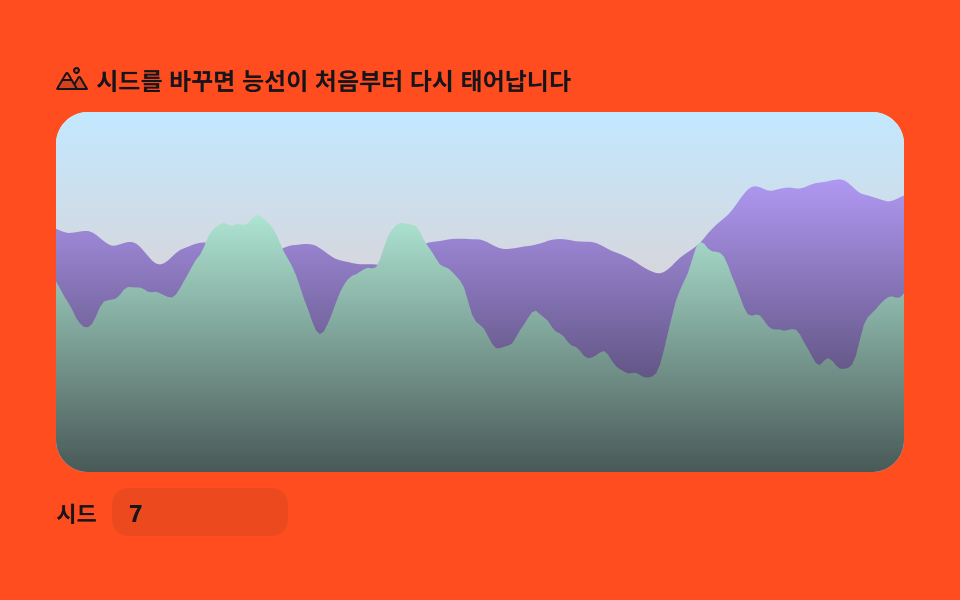 Creative UI9 Perlin Noise Animations, No Libraries, Pure Math
 Creative UIAudio Visualizer JavaScript: 9 Parts, No Library
 Creative UICSS Background Pattern Generator: 9 Seeded Scenes
 Creative UIWave Interference Simulation: 9 Canvas Scenes
 Creative UI3D Globe Website: 9 Canvas Orbit Scenes
 Creative UIVerlet Physics 9 Demos: No Library, Just Canvas
 Creative UI9 Text Particle Effect CSS Ideas From Pixels
 Creative UI9 Reaction Diffusion Simulations, No Library
 Creative UI9 Ray Marching Scenes in Canvas (No WebGL)
 Creative UI9 Metaball Effect Scenes, Marching Squares Canvas