Snow Animation CSS: 9 Snowfall Scenes in Canvas
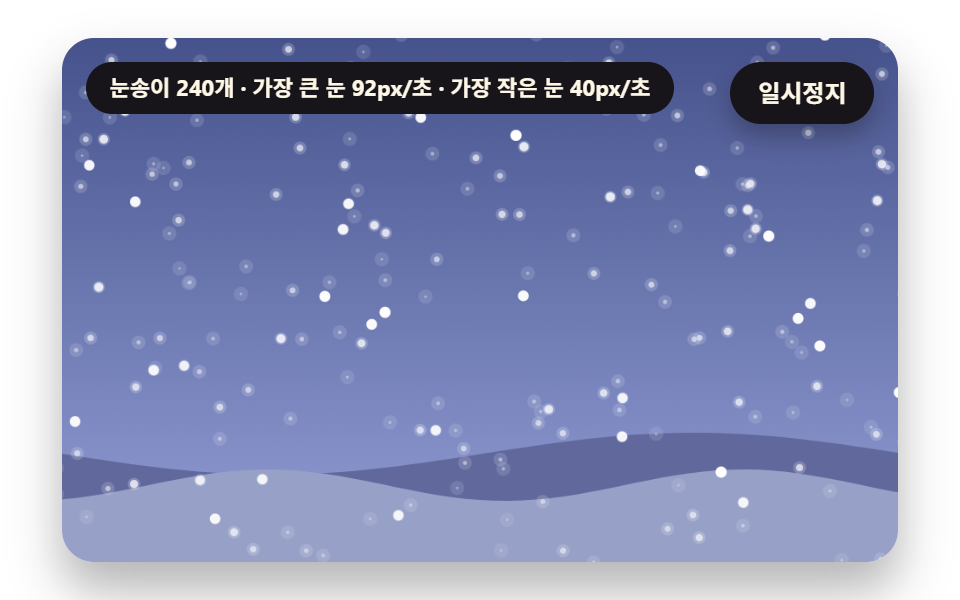
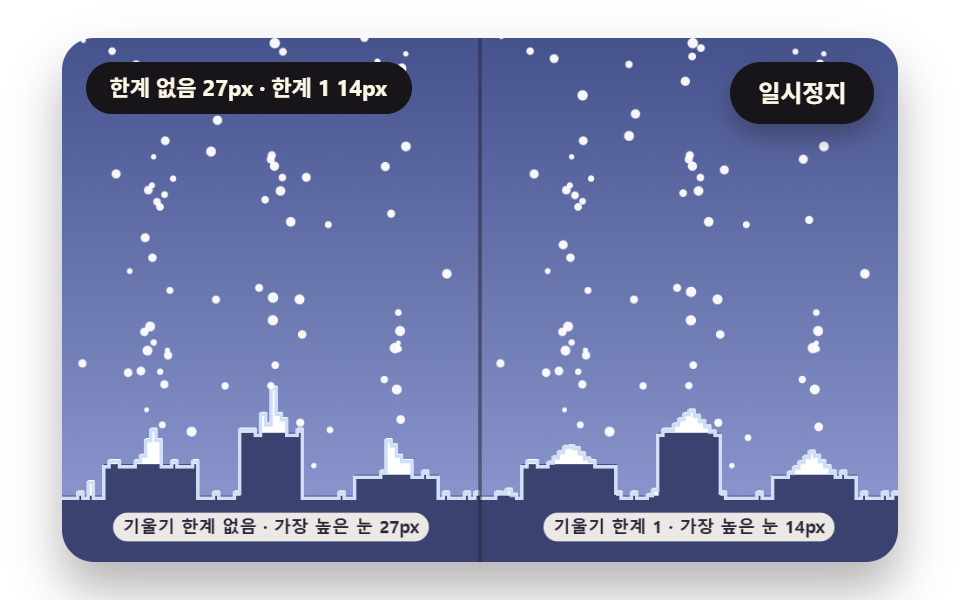
Snow animation css: Why do big snowflakes look faster and sharper? 01 reads size as depth for speed and blur, 03 keeps piles under the slope where snow slides,
Snow Is a Particle with Depth, Not a Falling Dot: Snow Animation CSS Starts by Letting One Size Set Speed, Blur and Sway
 01 snw-depth-parallax-flakes
 02 snw-gust-field-swirl
 03 snw-pile-repose-heightmap
 04 snw-window-melt-trail
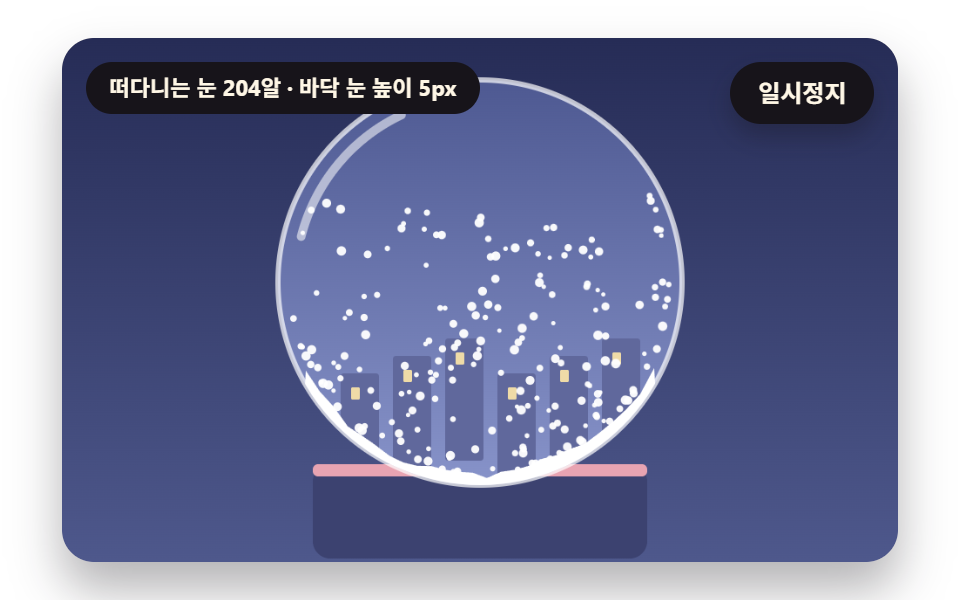 05 snw-globe-shake-settle
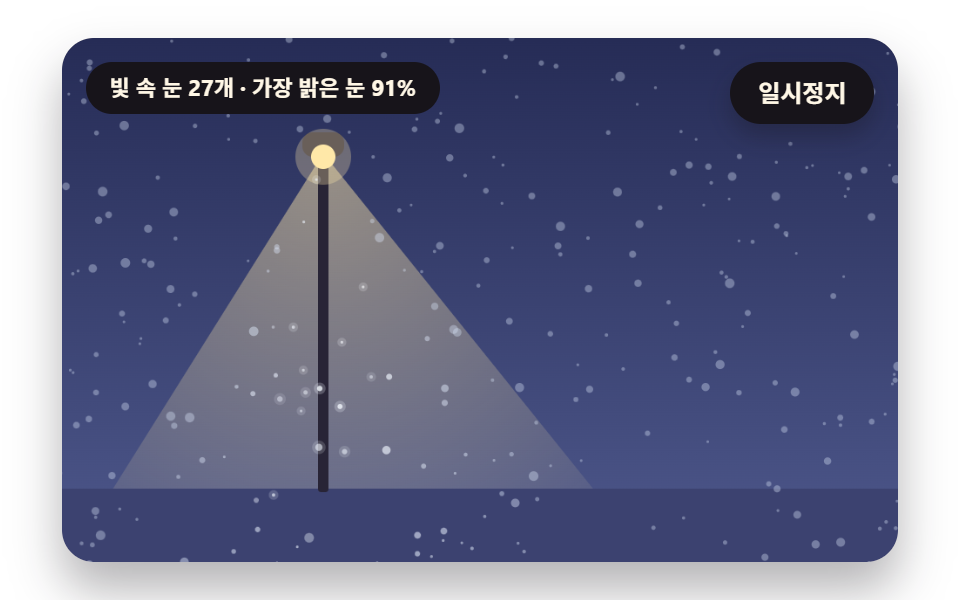 06 snw-lamp-cone-glow
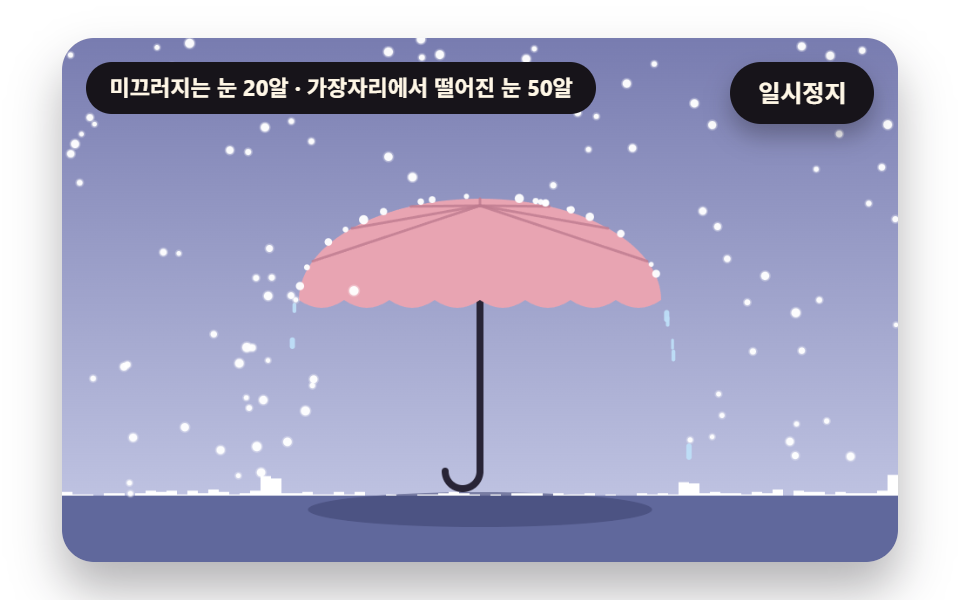 07 snw-umbrella-deflect-slide
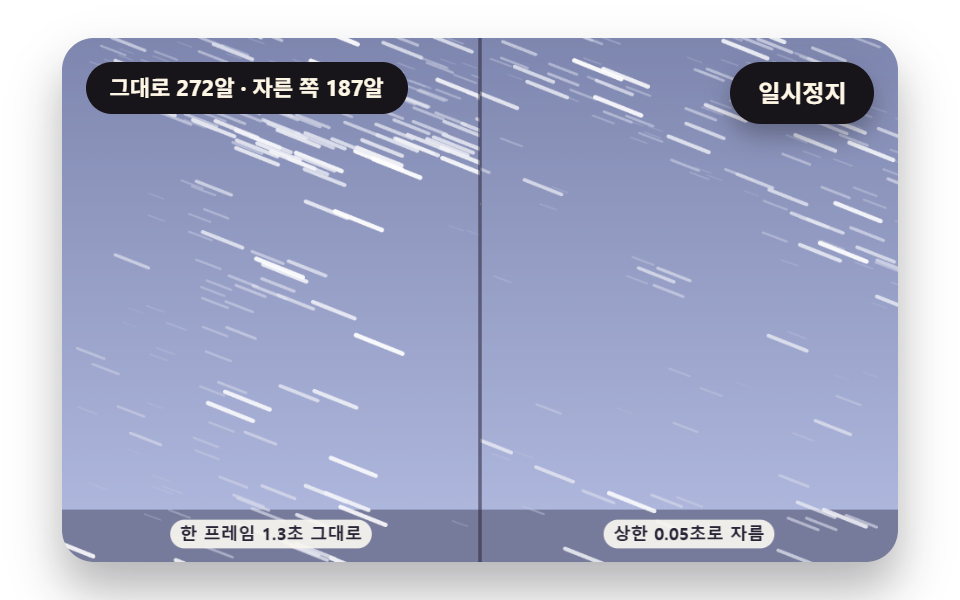 08 snw-blizzard-streak-whiteout
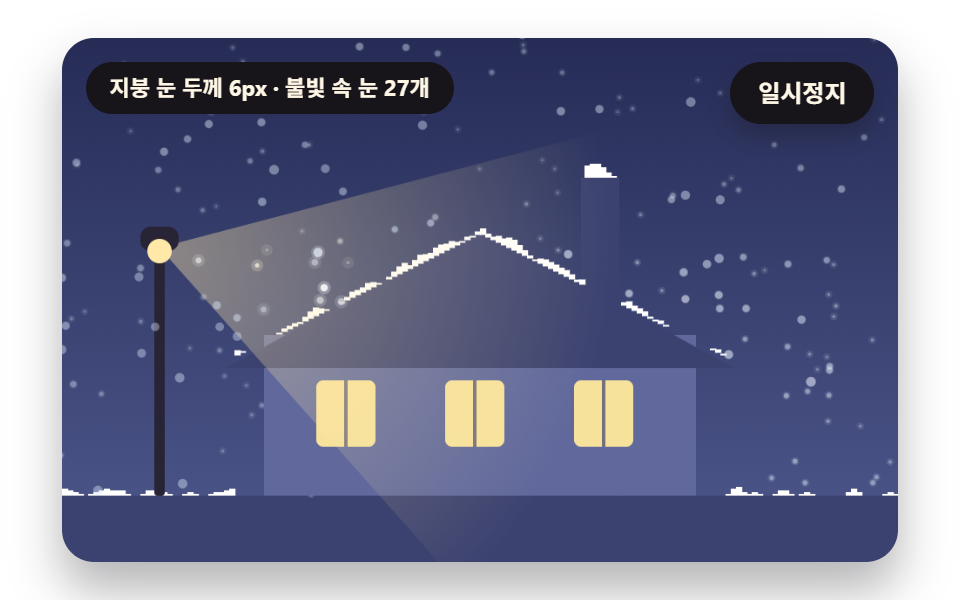 09 snw-hero-roof-night
Auto-plays · click a tile to jump to its section · all nine in one zip
- 01 Snowflake Layers That Read Size as Depth
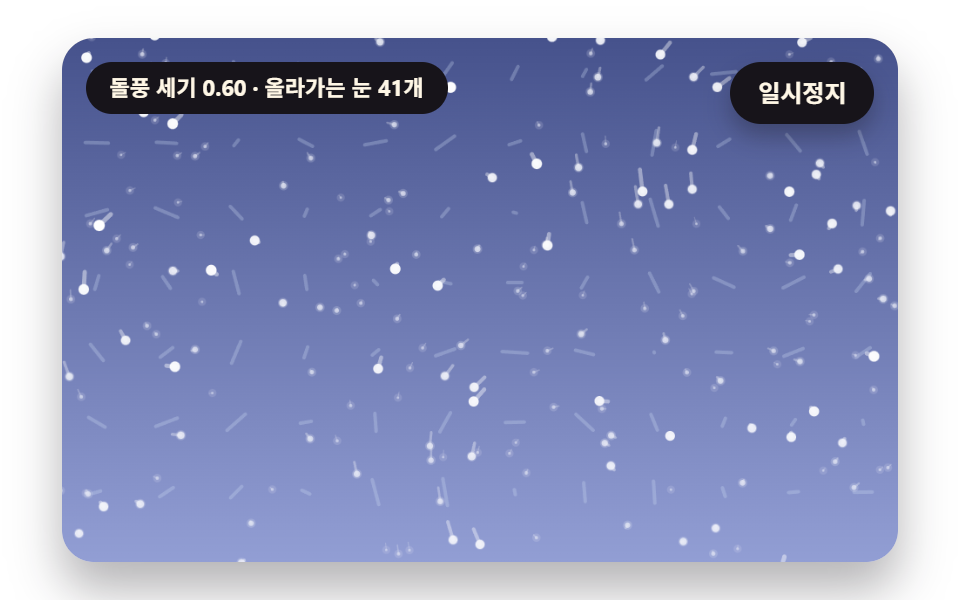
- 02 Snow Swirled by a Gust Field
- 03 Piles That Build and Slump
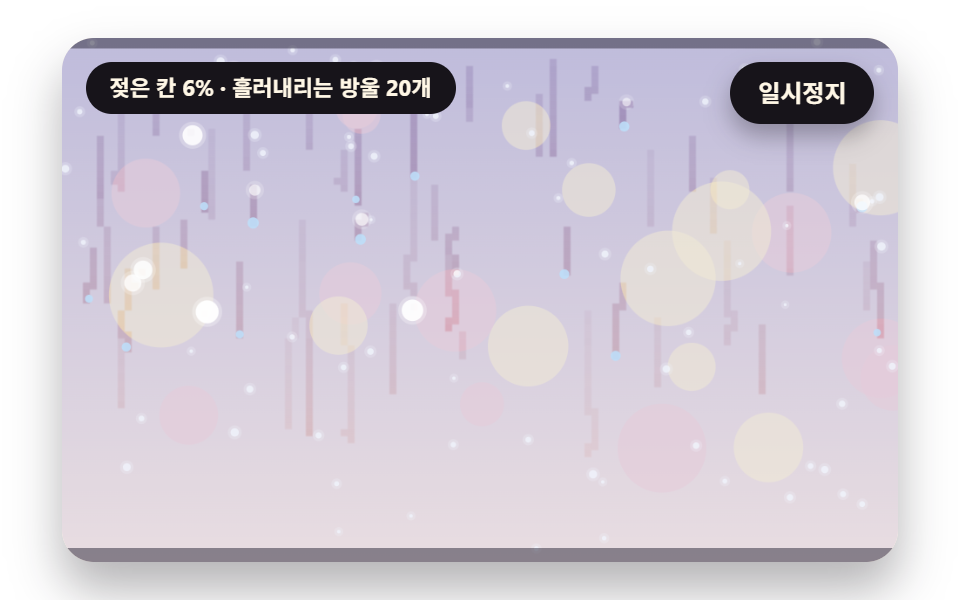
- 04 Snow That Melts on Window Glass
- 05 A Snow Globe That Is Shaken and Settles
- 06 Snow in a Lamp's Light Cone
- 07 Snow Sliding off an Umbrella
- 08 Blizzard Stretched into Streaks
- 09 Snowy Night Rooftop Hero Scene
All nine scenes use the same flake particle and differ only in how its values are read. 01 and 02 decide how snow falls, 03, 05 and 07 decide where a landed flake stays, and 04 and 06 turn snow and light into a texture. 08 trades speed for streaks that close the view, and 09 stacks several of those calculations in one frame.
Why big flakes fall fast and sharp
In 01 the flake radius s runs between S_MIN 1.1 and S_MAX 5.2 and becomes a depth z from 0 to 1. That single z sets the fall speed (0.6 to 1.4 times), the blur radius (up to 3.4px) and the sideways sway width (4.5 to 19.5px). The biggest flake therefore drops about 2.3 times faster than the smallest, and the sense of front and back appears without picking values per flake.
A snow animation css codepen is handy, but this file needs only a canvas
A snow animation css codepen is a good place to try a quick idea, and the files here go one step further because each scene keeps its position state in plain script. The nine scenes use only the 2D canvas and requestAnimationFrame, with no library, WebGL or CDN. The random numbers come from a seeded generator, so the same code replays the same snow, and one frame is capped at DT_MAX 0.05 seconds.
Where this differs from the neighboring posts
Floating dots as decoration belong to the particle background post, and rain that bounces off the ground is in the rain effect post. Here snow stays where it lands: it builds on a height map, wets glass and slides down an umbrella. Weather shown as icons sits in the weather widget post, and the baseline for canvas scenes like these is the canvas scene effects post.
Snow Animation CSS: 9 Scenes — Snowflake Layers That Read Size as Depth, Snow Swirled by a Gust Field, Piles That Build and Slump, Snow That Melts on Window Glass, a Snow Globe That Is Shaken and Settles, Snow in a Lamp's Light Cone, Snow Sliding off an Umbrella, Blizzard Stretched into Streaks and a Snowy Night Rooftop Hero Scene
01 and 02 change the math of the fall, while 03 to 05 and 07 store a state after the flake lands. 06 changes only brightness and leaves the motion alone. 08 stretches the same flakes along their velocity, and 09 raises the pile of 03, the lamp of 06 and the depth of 01 together.
What a 2-second capture of the 480×300 stage measured
Each scene was rendered for 2 seconds at 480×300 and 24 frames were captured, which leaves 23 neighbor differences to count.
| Scene | Area covered | Frames that moved | Mean intensity |
|---|---|---|---|
| 01 Depth-layered flakes | 46.6% | 23/23 | 48.3 |
| 02 Gust field | 41.8% | 23/23 | 59.7 |
| 03 Piles that slump | 27.2% | 23/23 | 85.1 |
| 04 Melting on glass | 21.6% | 23/23 | 29.4 |
| 05 Snow globe | 20.5% | 23/23 | 81.0 |
| 06 Lamp cone | 48.4% | 23/23 | 42.0 |
| 07 Umbrella slide | 24.0% | 23/23 | 57.4 |
| 08 Blizzard | 70.2% | 23/23 | 46.8 |
| 09 Rooftop hero | 27.7% | 23/23 | 46.2 |
The streaks and white veil of 08 spread over the whole stage, so it covers the most at 70.2%, and 05 covers the least at 20.5% because snow moves only inside the globe. Mean intensity peaks at 85.1 in 03, where piles rise in two panels, and bottoms out at 29.4 in 04, where only moisture on glass changes. All nine scenes moved in 23 of 23 frames.
01Snowflake Layers That Read Size as Depth
Put it behind the first screen of a winter event landing page and 240 flakes fall in front and back layers. speedK stretches depth 0 to 1 into a speed multiplier of 0.6 to 1.4, and blurOf blurs far flakes more. The flakes are sorted by size once, so near ones are drawn on top.
<main class="stage">
<div class="vj is-demo" id="vj">
  <div class="vj__pad" data-role="pad" tabindex="0" role="application" aria-label="Snow scene stage: click it, then change the wind with the left and right arrow keys, press Enter to pause">
    <canvas class="vj__canvas" data-role="canvas" width="480" height="300" role="img" aria-label="A snowy evening where one flake size sets fall speed, blur and sway, so big flakes sweep fast and sharp up front while small ones sink slow and soft far back"></canvas>
  </div>
  <p class="vj__status" data-role="status" aria-live="off">Snowy scene</p>
  <button class="vj__pause" data-role="pause" type="button" aria-pressed="false">Pause</button>
</div>
</main>
@use "../../../../site/static/demo-tokens" as *;
@include stage($stage-paper);
.vj {
position: relative;
width: min(92vw, calc(160vh - 12.8vw));
aspect-ratio: 480 / 300;
margin: 0 auto;
border-radius: $r-card;
overflow: hidden;
box-shadow: $shadow-raised;
background: $subject-cream;
}
// 무대 상자 — 여기서 시작한 터치만 바람 끌기로 읽는다(touch-action: none 은 이 상자에만). 무대 밖 터치는 페이지 스크롤 그대로
.vj__pad {
position: absolute;
inset: 0;
border-radius: inherit;
outline: none;
touch-action: none;
cursor: grab;
}
// 바깥 .vj 가 넘침을 자르므로 포커스 테두리는 안쪽으로 들인다
.vj__pad:focus-visible {
outline: 3px solid $subject-ink;
outline-offset: -3px;
}
.vj__canvas {
position: absolute;
inset: 0;
display: block;
width: 100%;
height: 100%;
}
.vj__pause {
position: absolute;
right: $sp-3;
top: $sp-3;
padding: $sp-1 $sp-3;
border: 2px solid $subject-ink;
border-radius: $r-pill;
background: $subject-ink;
color: $subject-cream;
font-family: inherit;
font-weight: 700;
font-size: 12px;
line-height: 1.6;
cursor: pointer;
box-shadow: $shadow-press;
transition: transform $dur-quick $ease-spring;
}
// 눌린 상태(멈춤) — 바탕과 글자색을 뒤집어 aria-pressed 가 눈에도 보이게
.vj__pause[aria-pressed="true"] {
background: $subject-cream;
color: $subject-ink;
}
.vj__pause:hover {
transform: translateY(-2px);
}
.vj__pause:active {
transform: translateY(1px);
}
.vj__pause:focus-visible {
outline: 3px solid $subject-ink;
outline-offset: 3px;
}
// 상태 줄 — 지금 장면의 수치를 글자로. 시연 중에는 aria-live off, 사람이 처음 손대면 polite
.vj__status {
position: absolute;
left: $sp-3;
top: $sp-3;
max-width: calc(100% - 120px);
margin: 0;
padding: $sp-1 $sp-3;
border-radius: $r-pill;
background: $subject-ink;
color: $subject-cream;
font-weight: 700;
font-size: 11px;
line-height: 1.6;
white-space: nowrap;
overflow: hidden;
text-overflow: ellipsis;
pointer-events: none;
}
@media (max-width: 340px) {
.vj__pause,
.vj__status { font-size: 10px; padding: 0 $sp-2; }
}
// 움직임 줄이기 — 장면은 스크립트가 정지 장면 한 장으로 멈춘다. 버튼도 떠오르지 않게
@media (prefers-reduced-motion: reduce) {
.vj__pause { transition: none !important; }
.vj__pause:hover,
.vj__pause:active { transform: none !important; }
}html, body {
margin: 0;
overflow: hidden;
}
.stage {
box-sizing: border-box;
min-height: 100vh;
display: grid;
place-items: center;
margin: 0;
background: #ffffff;
font-family: -apple-system, "Segoe UI", "Noto Sans KR", sans-serif;
padding: clamp(8px, 4vw, 24px);
}
.vj {
position: relative;
width: min(92vw, 160vh - 12.8vw);
aspect-ratio: 480/300;
margin: 0 auto;
border-radius: 16px;
overflow: hidden;
box-shadow: 0 14px 24px rgba(23, 20, 26, 0.32);
background: #fff7e6;
}
.vj__pad {
position: absolute;
inset: 0;
border-radius: inherit;
outline: none;
touch-action: none;
cursor: grab;
}
.vj__pad:focus-visible {
outline: 3px solid #17141a;
outline-offset: -3px;
}
.vj__canvas {
position: absolute;
inset: 0;
display: block;
width: 100%;
height: 100%;
}
.vj__pause {
position: absolute;
right: 12px;
top: 12px;
padding: 4px 12px;
border: 2px solid #17141a;
border-radius: 999px;
background: #17141a;
color: #fff7e6;
font-family: inherit;
font-weight: 700;
font-size: 12px;
line-height: 1.6;
cursor: pointer;
box-shadow: 0 6px 12px rgba(23, 20, 26, 0.32);
transition: transform 220ms cubic-bezier(0.2, 0.8, 0.2, 1);
}
.vj__pause[aria-pressed=true] {
background: #fff7e6;
color: #17141a;
}
.vj__pause:hover {
transform: translateY(-2px);
}
.vj__pause:active {
transform: translateY(1px);
}
.vj__pause:focus-visible {
outline: 3px solid #17141a;
outline-offset: 3px;
}
.vj__status {
position: absolute;
left: 12px;
top: 12px;
max-width: calc(100% - 120px);
margin: 0;
padding: 4px 12px;
border-radius: 999px;
background: #17141a;
color: #fff7e6;
font-weight: 700;
font-size: 11px;
line-height: 1.6;
white-space: nowrap;
overflow: hidden;
text-overflow: ellipsis;
pointer-events: none;
}
@media (max-width: 340px) {
.vj__pause,
.vj__status {
font-size: 10px;
padding: 0 8px;
}
}
@media (prefers-reduced-motion: reduce) {
.vj__pause {
transition: none !important;
}
.vj__pause:hover,
.vj__pause:active {
transform: none !important;
}
}(function () {
const root = document.getElementById("vj");
if (!root) return;
// 무대 좌표 — 캔버스 안 계산은 늘 480×300. 화면에 보이는 크기와 상관없다
const W = 480;
const H = 300;
const TAU = Math.PI * 2;
function clamp(v, lo, hi) { return v < lo ? lo : (v > hi ? hi : v); }
function lerp(a, b, k) { return a + (b - a) * k; }
function ease(x) { const c = clamp(x, 0, 1); return c * c * (3 - 2 * c); }
// 시드 고정 난수 — 같은 시드면 같은 눈 (32비트 xorshift 에 곱셈 섞기 한 번)
function seeded(seed) {
let s = (seed * 2654435761) >>> 0 || 1;
return function () {
s ^= s << 13;
s >>>= 0;
s ^= s >>> 17;
s ^= s << 5;
s >>>= 0;
return (Math.imul(s, 0x9e3779b1) >>> 0) / 4294967296;
};
}
// 장면 시계(초) — 장면 계산이 고치고 화면 쪽이 읽는다
let sceneT = 0;
// 자동 시연이 장면을 움직이는가 — 사람이 무대에서 처음 손대면 꺼진다
let autoOn = true;
// 사람이 주는 바람(−1 왼쪽 ~ 1 오른쪽) — 방향키·무대 위 가로 끌기. 자동 시연 중에는 0
let windUser = 0;
function userWind() { return autoOn ? 0 : windUser; }
// 파스텔 팔레트 — 눈은 흰색 계열(기능색), 하늘·땅은 낮은 채도의 해질녘 청보라
const SNOW = [255, 255, 255];
const SNOW_SHADE = [208, 222, 246];
const SKY_TOP = [70, 82, 140];
const SKY_BOT = [146, 158, 212];
const NIGHT_TOP = [38, 44, 86];
const NIGHT_BOT = [78, 88, 140];
const GROUND = [196, 206, 232];
const DUSK = [96, 104, 156];
const DUSK_DEEP = [60, 66, 112];
const INK = [40, 36, 54];
const PAPER = [250, 246, 240];
const LAMP = [255, 232, 168];
const BUTTER = [247, 226, 156];
const ROSE = [232, 164, 178];
const MINT = [166, 220, 200];
const WATER = [190, 222, 248];
function mix(a, b, k) { return [lerp(a[0], b[0], k), lerp(a[1], b[1], k), lerp(a[2], b[2], k)]; }
function rgba(c, a) {
return 'rgba(' + Math.round(clamp(c[0], 0, 255)) + ',' + Math.round(clamp(c[1], 0, 255)) + ',' + Math.round(clamp(c[2], 0, 255)) + ',' + clamp(a, 0, 1).toFixed(3) + ')';
}
const canvasEl = root.querySelector('[data-role="canvas"]');
const padEl = root.querySelector('[data-role="pad"]');
const pauseEl = root.querySelector('[data-role="pause"]');
const statusEl = root.querySelector('[data-role="status"]');
const ctxRaw = canvasEl ? canvasEl.getContext('2d') : null;
if (!canvasEl || !ctxRaw || !pauseEl || !padEl) {
return;
}
const cv = canvasEl;
const ctx = ctxRaw;
const pauseBtn = pauseEl;
const pad = padEl;
// 외부 웹폰트는 부르지 않는다 — 기기에 있는 글꼴 목록만
const FONT_STACK = 'system-ui, -apple-system, "Segoe UI", "Noto Sans KR", sans-serif';
let dpr = 1;
function fitCanvas() {
// 배율은 2 에서 자른다 — 배율 3 기기에서 화소가 2.25배로 늘지 않게
dpr = Math.min(window.devicePixelRatio || 1, 2);
cv.width = Math.round(W * dpr);
cv.height = Math.round(H * dpr);
ctx.setTransform(dpr, 0, 0, dpr, 0, 0);
}
function skyFill(top, bot) {
const g = ctx.createLinearGradient(0, 0, 0, H);
g.addColorStop(0, rgba(top, 1));
g.addColorStop(1, rgba(bot, 1));
ctx.fillStyle = g;
ctx.fillRect(0, 0, W, H);
}
function disc(x, y, r, c, a) {
if (r <= 0.2 || a <= 0) {
return;
}
ctx.beginPath();
ctx.arc(x, y, r, 0, TAU);
ctx.fillStyle = rgba(c, a);
ctx.fill();
}
function ring(x, y, r, width, c, a) {
if (r <= 0.2 || a <= 0) {
return;
}
ctx.beginPath();
ctx.arc(x, y, r, 0, TAU);
ctx.lineWidth = width;
ctx.strokeStyle = rgba(c, a);
ctx.stroke();
}
function seg(x1, y1, x2, y2, width, c, a) {
if (a <= 0) {
return;
}
ctx.beginPath();
ctx.moveTo(x1, y1);
ctx.lineTo(x2, y2);
ctx.lineWidth = width;
ctx.lineCap = 'round';
ctx.strokeStyle = rgba(c, a);
ctx.stroke();
}
function box(x, y, w, h, r, c, a) {
if (w <= 0.2 || h <= 0.2 || a <= 0) {
return;
}
ctx.beginPath();
ctx.roundRect(x, y, w, h, Math.max(0, Math.min(r, w / 2, h / 2)));
ctx.fillStyle = rgba(c, a);
ctx.fill();
}
function text(s, x, y, c, a, px, weight, align) {
ctx.font = weight + ' ' + px + 'px ' + FONT_STACK;
ctx.textAlign = align;
ctx.textBaseline = 'middle';
ctx.fillStyle = rgba(c, a);
ctx.fillText(s, x, y);
}
// 글자 이름표 — 바탕 알약 위에 글자
function tag(s, x, y, bg, fg, px, align) {
ctx.font = '700 ' + px + 'px ' + FONT_STACK;
const w = ctx.measureText(s).width + px * 1.1;
const left = align === 'center' ? x - w / 2 : (align === 'right' ? x - w : x);
box(left, y - px * 0.82, w, px * 1.64, px * 0.82, bg, 0.92);
text(s, left + w / 2, y + 0.5, fg, 1, px, 700, 'center');
}
// 눈송이 한 알 — 번짐 반지름(blur)만큼 옅은 후광을 먼저 깔고 가운데를 또렷하게
function flakeDot(x, y, r, blur, c, a) {
if (blur > 0.3) {
disc(x, y, r + blur, c, a * 0.3);
}
disc(x, y, r, c, a);
}
// ── 01 크기로 깊이를 읽는 눈송이 층 ───────────────────────────
// 깊이 간격 — 0 이면 모든 눈이 같은 빠르기·같은 선명도. 값이 클수록 가까운 눈과 먼 눈의 차가 커진다
const Z_SPREAD = 0.5;
// 기준 낙하 빠르기(px/초)
const FALL = 66;
// 가장 먼 눈의 번짐 반지름 바탕값(px)
const BLUR = 3.4;
// 가로 흔들림 진폭 바탕값(px)
const SWAY = 15;
const FLAKES = 240;
const S_MIN = 1.1;
const S_MAX = 5.2;
const LOOP_S = 6;
const REST_STEPS = 60;
let flakes = [];
let rng = seeded(101);
// 크기에서 깊이 — 가장 작은 눈 0, 가장 큰 눈 1
function depthOf(s) { return (s - S_MIN) / (S_MAX - S_MIN); }
// 깊이에서 속도 배율 — Z_SPREAD 가 0.5 면 0.6 ~ 1.4 배, 1.0 이면 0.2 ~ 1.8 배
function speedK(z) { return lerp(1 - 0.8 * Z_SPREAD, 1 + 0.8 * Z_SPREAD, z); }
function blurOf(z) { return (1 - z) * BLUR * (0.5 + Z_SPREAD); }
function fallOf(f) { return FALL * speedK(f.z); }
function reset() {
rng = seeded(101);
flakes = [];
for (let i = 0; i < FLAKES; i += 1) {
const s = S_MIN + Math.pow(rng(), 1.7) * (S_MAX - S_MIN);
flakes.push({ bx: rng() * (W + 60) - 30, y: rng() * (H + 20) - 10, s: s, z: depthOf(s), ph: rng() * TAU });
}
// 먼 것부터 그린다 — 가까운 눈이 위에 놓이게 크기 순으로 한 번만 정렬
flakes.sort(function (a, b) { return a.s - b.s; });
}
function update(dt) {
// 자동 시연 바람 — 천천히 오가는 사인. 사람이 만지면 그 값으로 바뀐다
const wind = autoOn ? Math.sin(sceneT * 1.1) * 0.6 : userWind();
for (const f of flakes) {
f.y += fallOf(f) * dt;
f.bx += wind * 34 * (0.3 + f.z) * dt;
if (f.y > H + 8) {
f.y -= H + 16;
}
if (f.bx > W + 30) {
f.bx -= W + 60;
}
if (f.bx < -30) {
f.bx += W + 60;
}
}
}
function draw() {
skyFill(SKY_TOP, SKY_BOT);
// 먼 언덕 둘 — 깊이 층이 겹쳐 보이는 바탕
for (let layer = 0; layer < 2; layer += 1) {
ctx.beginPath();
ctx.moveTo(0, H);
for (let x = 0; x <= W; x += 8) {
const y = 238 + layer * 18 + Math.sin(x * (0.013 + layer * 0.01) + layer * 2) * (12 - layer * 3);
ctx.lineTo(x, y);
}
ctx.lineTo(W, H);
ctx.closePath();
ctx.fillStyle = rgba(mix(DUSK, GROUND, layer * 0.55), 1);
ctx.fill();
}
for (const f of flakes) {
const sway = Math.sin(sceneT * 1.3 + f.ph) * SWAY * (0.3 + f.z);
const tint = mix(SNOW, SKY_BOT, (1 - f.z) * 0.35);
flakeDot(f.bx + sway, f.y, f.s * 0.62, blurOf(f.z), tint, lerp(0.5, 1, f.z));
}
}
function statusText() {
let fast = 0;
let slow = 1e9;
for (const f of flakes) {
const v = fallOf(f);
if (v > fast) {
fast = v;
}
if (v < slow) {
slow = v;
}
}
return '{n} flakes · biggest {a}px/s · smallest {b}px/s'.replace('{n}', String(flakes.length)).replace('{a}', String(Math.round(fast))).replace('{b}', String(Math.round(slow)));
}
let shownStatus = '';
function pushStatus(s) {
if (!statusEl || s === shownStatus) {
return;
}
shownStatus = s;
statusEl.textContent = s;
}
let paused = false;
const reduceQuery = window.matchMedia('(prefers-reduced-motion: reduce)');
// 페이지를 연 채 움직임 줄이기 설정을 바꿔도 change 리스너가 다시 읽는다
let still = reduceQuery.matches;
// 자동 시연 표시 — 사람이 처음 손대면 떼고 상태 줄을 polite 로 켠다
let demo = root.classList.contains('is-demo');
const off = new AbortController();
function wake() {
if (!demo) {
return;
}
demo = false;
root.classList.remove('is-demo');
if (statusEl) {
statusEl.setAttribute('aria-live', 'polite');
}
}
// 사람이 바람을 만지면 자동 시연의 바람은 손을 뗀다
function takeOver() {
wake();
autoOn = false;
}
// 한 프레임에 넘기는 시간 상한(초) — 오래 숨었다 돌아온 첫 프레임도 50ms 까지만 계산에 넣는다
const DT_MAX = 0.05;
// 방향키 한 번에 바뀌는 바람 몫
const WIND_STEP = 0.25;
function showNow() {
if (still || paused) {
draw();
pushStatus(statusText());
}
}
function advance(dt) {
sceneT += dt;
if (sceneT >= LOOP_S) {
sceneT -= LOOP_S;
reset();
}
update(dt);
}
let rafId = 0;
let lastTs = -1;
function frame(ts) {
if (still || paused) {
rafId = 0;
return;
}
if (lastTs < 0) {
lastTs = ts;
}
const dt = Math.min((ts - lastTs) / 1000, DT_MAX);
lastTs = ts;
if (dt > 0) {
advance(dt);
}
draw();
pushStatus(statusText());
rafId = window.requestAnimationFrame(frame);
}
function startLoop() {
if (rafId) {
return;
}
// 멈췄던 사이의 시간을 첫 프레임 dt 로 넘기지 않는다
lastTs = -1;
rafId = window.requestAnimationFrame(frame);
}
function stopLoop() {
if (rafId) {
window.cancelAnimationFrame(rafId);
rafId = 0;
}
}
// 움직임 줄이기 — 루프 없이 눈이 이미 내려 쌓인 정지 장면 한 장
function showRest() {
stopLoop();
sceneT = 0;
reset();
for (let k = 0; k < REST_STEPS; k += 1) {
update(1 / 30);
}
draw();
pushStatus(statusText());
}
function play() {
sceneT = 0;
reset();
draw();
pushStatus(statusText());
if (!paused) {
startLoop();
}
}
function togglePause() {
paused = !paused;
pauseBtn.setAttribute('aria-pressed', paused ? 'true' : 'false');
wake();
if (paused) {
stopLoop();
}
else if (!still) {
startLoop();
}
}
pauseBtn.addEventListener('click', togglePause, { signal: off.signal });
// 방향키 — 무대에 포커스가 있을 때만. 왼쪽·오른쪽은 바람, Enter·Space 는 Pause. 무대 밖에서는 화살표가 페이지를 스크롤한다
pad.addEventListener('keydown', function (e) {
if (e.altKey || e.ctrlKey || e.metaKey) {
return;
}
if (e.key === 'ArrowLeft' || e.key === 'ArrowRight') {
e.preventDefault();
takeOver();
windUser = clamp(windUser + (e.key === 'ArrowRight' ? WIND_STEP : -WIND_STEP), -1, 1);
showNow();
}
else if (e.key === 'Enter' || e.key === ' ') {
e.preventDefault();
togglePause();
}
}, { signal: off.signal });
// 포인터 — 무대 안에서 누른 채 가로로 끌면 그 위치가 바람(가운데 0, 가장자리 ±1)
let dragging = -1;
function windAt(e) {
const r = pad.getBoundingClientRect();
windUser = clamp(((e.clientX - r.left) / r.width - 0.5) * 2.4, -1, 1);
}
pad.addEventListener('pointerdown', function (e) {
takeOver();
pad.setPointerCapture(e.pointerId);
dragging = e.pointerId;
windAt(e);
showNow();
}, { signal: off.signal });
pad.addEventListener('pointermove', function (e) {
if (dragging !== e.pointerId) {
return;
}
windAt(e);
showNow();
}, { signal: off.signal });
function release(e) {
if (dragging !== e.pointerId) {
return;
}
dragging = -1;
windUser = 0;
showNow();
}
pad.addEventListener('pointerup', release, { signal: off.signal });
pad.addEventListener('pointercancel', release, { signal: off.signal });
// 탭이 숨으면 멈추고, 돌아오면 시계를 다시 맞춰 시작 — 숨은 동안의 몇 초가 한 프레임에 몰리지 않게
document.addEventListener('visibilitychange', function () {
if (document.hidden) {
stopLoop();
}
else if (!paused && !still) {
startLoop();
}
}, { signal: off.signal });
// 설정이 바뀌면 — 켜지면 정지 장면, 꺼지면 다시 움직인다
reduceQuery.addEventListener('change', function () {
still = reduceQuery.matches;
if (still) {
showRest();
}
else {
play();
}
}, { signal: off.signal });
window.addEventListener('resize', function () {
fitCanvas();
draw();
}, { signal: off.signal });
fitCanvas();
if (still) {
showRest();
}
else {
play();
}
return function () {
stopLoop();
off.abort();
};
})();// DepthParallaxFlakes - 같은 항목 vanilla index.html 의 React 판. 같은 계산을 useEffect 안에서 돌린다
import { useEffect, useRef } from "react";
import styles from "./DepthParallaxFlakes.module.scss";
const cx = (s: string): string => s.split(" ").map((n) => styles[n] ?? n).join(" ");
export default function DepthParallaxFlakes() {
const rootRef = useRef<HTMLDivElement | null>(null);
useEffect(() => {
const rootEl = rootRef.current;
if (!rootEl) return;
const root: HTMLElement = rootEl;
type RGB = [number, number, number];
// 무대 좌표 — 캔버스 안 계산은 늘 480×300. 화면에 보이는 크기와 상관없다
const W = 480;
const H = 300;
const TAU = Math.PI * 2;
function clamp(v: number, lo: number, hi: number): number { return v < lo ? lo : (v > hi ? hi : v); }
function lerp(a: number, b: number, k: number): number { return a + (b - a) * k; }
function ease(x: number): number { const c = clamp(x, 0, 1); return c * c * (3 - 2 * c); }
// 시드 고정 난수 — 같은 시드면 같은 눈 (32비트 xorshift 에 곱셈 섞기 한 번)
function seeded(seed: number): () => number {
let s = (seed * 2654435761) >>> 0 || 1;
return function (): number {
s ^= s << 13; s >>>= 0;
s ^= s >>> 17;
s ^= s << 5; s >>>= 0;
return (Math.imul(s, 0x9e3779b1) >>> 0) / 4294967296;
};
}
// 장면 시계(초) — 장면 계산이 고치고 화면 쪽이 읽는다
let sceneT = 0;
// 자동 시연이 장면을 움직이는가 — 사람이 무대에서 처음 손대면 꺼진다
let autoOn = true;
// 사람이 주는 바람(−1 왼쪽 ~ 1 오른쪽) — 방향키·무대 위 가로 끌기. 자동 시연 중에는 0
let windUser = 0;
function userWind(): number { return autoOn ? 0 : windUser; }
// 파스텔 팔레트 — 눈은 흰색 계열(기능색), 하늘·땅은 낮은 채도의 해질녘 청보라
const SNOW: RGB = [255, 255, 255];
const SNOW_SHADE: RGB = [208, 222, 246];
const SKY_TOP: RGB = [70, 82, 140];
const SKY_BOT: RGB = [146, 158, 212];
const NIGHT_TOP: RGB = [38, 44, 86];
const NIGHT_BOT: RGB = [78, 88, 140];
const GROUND: RGB = [196, 206, 232];
const DUSK: RGB = [96, 104, 156];
const DUSK_DEEP: RGB = [60, 66, 112];
const INK: RGB = [40, 36, 54];
const PAPER: RGB = [250, 246, 240];
const LAMP: RGB = [255, 232, 168];
const BUTTER: RGB = [247, 226, 156];
const ROSE: RGB = [232, 164, 178];
const MINT: RGB = [166, 220, 200];
const WATER: RGB = [190, 222, 248];
function mix(a: RGB, b: RGB, k: number): RGB { return [lerp(a[0], b[0], k), lerp(a[1], b[1], k), lerp(a[2], b[2], k)]; }
function rgba(c: RGB, a: number): string {
return 'rgba(' + Math.round(clamp(c[0], 0, 255)) + ',' + Math.round(clamp(c[1], 0, 255)) + ',' + Math.round(clamp(c[2], 0, 255)) + ',' + clamp(a, 0, 1).toFixed(3) + ')';
}
const canvasEl = root.querySelector('[data-role="canvas"]') as HTMLCanvasElement | null;
const padEl = root.querySelector('[data-role="pad"]') as HTMLElement | null;
const pauseEl = root.querySelector('[data-role="pause"]') as HTMLButtonElement | null;
const statusEl = root.querySelector('[data-role="status"]') as HTMLElement | null;
const ctxRaw = canvasEl ? canvasEl.getContext('2d') : null;
if (!canvasEl || !ctxRaw || !pauseEl || !padEl) { return; }
const cv: HTMLCanvasElement = canvasEl;
const ctx: CanvasRenderingContext2D = ctxRaw;
const pauseBtn: HTMLButtonElement = pauseEl;
const pad: HTMLElement = padEl;
// 외부 웹폰트는 부르지 않는다 — 기기에 있는 글꼴 목록만
const FONT_STACK = 'system-ui, -apple-system, "Segoe UI", "Noto Sans KR", sans-serif';
let dpr = 1;
function fitCanvas(): void {
// 배율은 2 에서 자른다 — 배율 3 기기에서 화소가 2.25배로 늘지 않게
dpr = Math.min(window.devicePixelRatio || 1, 2);
cv.width = Math.round(W * dpr);
cv.height = Math.round(H * dpr);
ctx.setTransform(dpr, 0, 0, dpr, 0, 0);
}
function skyFill(top: RGB, bot: RGB): void {
const g = ctx.createLinearGradient(0, 0, 0, H);
g.addColorStop(0, rgba(top, 1));
g.addColorStop(1, rgba(bot, 1));
ctx.fillStyle = g;
ctx.fillRect(0, 0, W, H);
}
function disc(x: number, y: number, r: number, c: RGB, a: number): void {
if (r <= 0.2 || a <= 0) { return; }
ctx.beginPath();
ctx.arc(x, y, r, 0, TAU);
ctx.fillStyle = rgba(c, a);
ctx.fill();
}
function ring(x: number, y: number, r: number, width: number, c: RGB, a: number): void {
if (r <= 0.2 || a <= 0) { return; }
ctx.beginPath();
ctx.arc(x, y, r, 0, TAU);
ctx.lineWidth = width;
ctx.strokeStyle = rgba(c, a);
ctx.stroke();
}
function seg(x1: number, y1: number, x2: number, y2: number, width: number, c: RGB, a: number): void {
if (a <= 0) { return; }
ctx.beginPath();
ctx.moveTo(x1, y1);
ctx.lineTo(x2, y2);
ctx.lineWidth = width;
ctx.lineCap = 'round';
ctx.strokeStyle = rgba(c, a);
ctx.stroke();
}
function box(x: number, y: number, w: number, h: number, r: number, c: RGB, a: number): void {
if (w <= 0.2 || h <= 0.2 || a <= 0) { return; }
ctx.beginPath();
ctx.roundRect(x, y, w, h, Math.max(0, Math.min(r, w / 2, h / 2)));
ctx.fillStyle = rgba(c, a);
ctx.fill();
}
function text(s: string, x: number, y: number, c: RGB, a: number, px: number, weight: number, align: CanvasTextAlign): void {
ctx.font = weight + ' ' + px + 'px ' + FONT_STACK;
ctx.textAlign = align;
ctx.textBaseline = 'middle';
ctx.fillStyle = rgba(c, a);
ctx.fillText(s, x, y);
}
// 글자 이름표 — 바탕 알약 위에 글자
function tag(s: string, x: number, y: number, bg: RGB, fg: RGB, px: number, align: CanvasTextAlign): void {
ctx.font = '700 ' + px + 'px ' + FONT_STACK;
const w = ctx.measureText(s).width + px * 1.1;
const left = align === 'center' ? x - w / 2 : (align === 'right' ? x - w : x);
box(left, y - px * 0.82, w, px * 1.64, px * 0.82, bg, 0.92);
text(s, left + w / 2, y + 0.5, fg, 1, px, 700, 'center');
}
// 눈송이 한 알 — 번짐 반지름(blur)만큼 옅은 후광을 먼저 깔고 가운데를 또렷하게
function flakeDot(x: number, y: number, r: number, blur: number, c: RGB, a: number): void {
if (blur > 0.3) { disc(x, y, r + blur, c, a * 0.3); }
disc(x, y, r, c, a);
}
// ── 01 크기로 깊이를 읽는 눈송이 층 ───────────────────────────
// 깊이 간격 — 0 이면 모든 눈이 같은 빠르기·같은 선명도. 값이 클수록 가까운 눈과 먼 눈의 차가 커진다
const Z_SPREAD = 0.5;
// 기준 낙하 빠르기(px/초)
const FALL = 66;
// 가장 먼 눈의 번짐 반지름 바탕값(px)
const BLUR = 3.4;
// 가로 흔들림 진폭 바탕값(px)
const SWAY = 15;
const FLAKES = 240;
const S_MIN = 1.1;
const S_MAX = 5.2;
const LOOP_S = 6;
const REST_STEPS = 60;
type Flake = { bx: number; y: number; s: number; z: number; ph: number };
let flakes: Flake[] = [];
let rng = seeded(101);
// 크기에서 깊이 — 가장 작은 눈 0, 가장 큰 눈 1
function depthOf(s: number): number { return (s - S_MIN) / (S_MAX - S_MIN); }
// 깊이에서 속도 배율 — Z_SPREAD 가 0.5 면 0.6 ~ 1.4 배, 1.0 이면 0.2 ~ 1.8 배
function speedK(z: number): number { return lerp(1 - 0.8 * Z_SPREAD, 1 + 0.8 * Z_SPREAD, z); }
function blurOf(z: number): number { return (1 - z) * BLUR * (0.5 + Z_SPREAD); }
function fallOf(f: Flake): number { return FALL * speedK(f.z); }
function reset(): void {
rng = seeded(101);
flakes = [];
for (let i = 0; i < FLAKES; i += 1) {
const s = S_MIN + Math.pow(rng(), 1.7) * (S_MAX - S_MIN);
flakes.push({ bx: rng() * (W + 60) - 30, y: rng() * (H + 20) - 10, s: s, z: depthOf(s), ph: rng() * TAU });
}
// 먼 것부터 그린다 — 가까운 눈이 위에 놓이게 크기 순으로 한 번만 정렬
flakes.sort(function (a: Flake, b: Flake): number { return a.s - b.s; });
}
function update(dt: number): void {
// 자동 시연 바람 — 천천히 오가는 사인. 사람이 만지면 그 값으로 바뀐다
const wind = autoOn ? Math.sin(sceneT * 1.1) * 0.6 : userWind();
for (const f of flakes) {
f.y += fallOf(f) * dt;
f.bx += wind * 34 * (0.3 + f.z) * dt;
if (f.y > H + 8) { f.y -= H + 16; }
if (f.bx > W + 30) { f.bx -= W + 60; }
if (f.bx < -30) { f.bx += W + 60; }
}
}
function draw(): void {
skyFill(SKY_TOP, SKY_BOT);
// 먼 언덕 둘 — 깊이 층이 겹쳐 보이는 바탕
for (let layer = 0; layer < 2; layer += 1) {
ctx.beginPath();
ctx.moveTo(0, H);
for (let x = 0; x <= W; x += 8) {
const y = 238 + layer * 18 + Math.sin(x * (0.013 + layer * 0.01) + layer * 2) * (12 - layer * 3);
ctx.lineTo(x, y);
}
ctx.lineTo(W, H);
ctx.closePath();
ctx.fillStyle = rgba(mix(DUSK, GROUND, layer * 0.55), 1);
ctx.fill();
}
for (const f of flakes) {
const sway = Math.sin(sceneT * 1.3 + f.ph) * SWAY * (0.3 + f.z);
const tint = mix(SNOW, SKY_BOT, (1 - f.z) * 0.35);
flakeDot(f.bx + sway, f.y, f.s * 0.62, blurOf(f.z), tint, lerp(0.5, 1, f.z));
}
}
function statusText(): string {
let fast = 0;
let slow = 1e9;
for (const f of flakes) {
const v = fallOf(f);
if (v > fast) { fast = v; }
if (v < slow) { slow = v; }
}
return '눈송이 {n}개 · 가장 큰 눈 {a}px/초 · 가장 작은 눈 {b}px/초'.replace('{n}', String(flakes.length)).replace('{a}', String(Math.round(fast))).replace('{b}', String(Math.round(slow)));
}
let shownStatus = '';
function pushStatus(s: string): void {
if (!statusEl || s === shownStatus) { return; }
shownStatus = s;
statusEl.textContent = s;
}
let paused = false;
const reduceQuery = window.matchMedia('(prefers-reduced-motion: reduce)');
// 페이지를 연 채 움직임 줄이기 설정을 바꿔도 change 리스너가 다시 읽는다
let still = reduceQuery.matches;
// 자동 시연 표시 — 사람이 처음 손대면 떼고 상태 줄을 polite 로 켠다
let demo = root.classList.contains('is-demo');
const off = new AbortController();
function wake(): void {
if (!demo) { return; }
demo = false;
root.classList.remove('is-demo');
if (statusEl) { statusEl.setAttribute('aria-live', 'polite'); }
}
// 사람이 바람을 만지면 자동 시연의 바람은 손을 뗀다
function takeOver(): void {
wake();
autoOn = false;
}
// 한 프레임에 넘기는 시간 상한(초) — 오래 숨었다 돌아온 첫 프레임도 50ms 까지만 계산에 넣는다
const DT_MAX = 0.05;
// 방향키 한 번에 바뀌는 바람 몫
const WIND_STEP = 0.25;
function showNow(): void {
if (still || paused) {
draw();
pushStatus(statusText());
}
}
function advance(dt: number): void {
sceneT += dt;
if (sceneT >= LOOP_S) {
sceneT -= LOOP_S;
reset();
}
update(dt);
}
let rafId = 0;
let lastTs = -1;
function frame(ts: number): void {
if (still || paused) { rafId = 0; return; }
if (lastTs < 0) { lastTs = ts; }
const dt = Math.min((ts - lastTs) / 1000, DT_MAX);
lastTs = ts;
if (dt > 0) { advance(dt); }
draw();
pushStatus(statusText());
rafId = window.requestAnimationFrame(frame);
}
function startLoop(): void {
if (rafId) { return; }
// 멈췄던 사이의 시간을 첫 프레임 dt 로 넘기지 않는다
lastTs = -1;
rafId = window.requestAnimationFrame(frame);
}
function stopLoop(): void {
if (rafId) { window.cancelAnimationFrame(rafId); rafId = 0; }
}
// 움직임 줄이기 — 루프 없이 눈이 이미 내려 쌓인 정지 장면 한 장
function showRest(): void {
stopLoop();
sceneT = 0;
reset();
for (let k = 0; k < REST_STEPS; k += 1) { update(1 / 30); }
draw();
pushStatus(statusText());
}
function play(): void {
sceneT = 0;
reset();
draw();
pushStatus(statusText());
if (!paused) { startLoop(); }
}
function togglePause(): void {
paused = !paused;
pauseBtn.setAttribute('aria-pressed', paused ? 'true' : 'false');
wake();
if (paused) { stopLoop(); } else if (!still) { startLoop(); }
}
pauseBtn.addEventListener('click', togglePause, { signal: off.signal });
// 방향키 — 무대에 포커스가 있을 때만. 왼쪽·오른쪽은 바람, Enter·Space 는 일시정지. 무대 밖에서는 화살표가 페이지를 스크롤한다
pad.addEventListener('keydown', function (e: KeyboardEvent): void {
if (e.altKey || e.ctrlKey || e.metaKey) { return; }
if (e.key === 'ArrowLeft' || e.key === 'ArrowRight') {
e.preventDefault();
takeOver();
windUser = clamp(windUser + (e.key === 'ArrowRight' ? WIND_STEP : -WIND_STEP), -1, 1);
showNow();
} else if (e.key === 'Enter' || e.key === ' ') {
e.preventDefault();
togglePause();
}
}, { signal: off.signal });
// 포인터 — 무대 안에서 누른 채 가로로 끌면 그 위치가 바람(가운데 0, 가장자리 ±1)
let dragging = -1;
function windAt(e: PointerEvent): void {
const r = pad.getBoundingClientRect();
windUser = clamp(((e.clientX - r.left) / r.width - 0.5) * 2.4, -1, 1);
}
pad.addEventListener('pointerdown', function (e: PointerEvent): void {
takeOver();
pad.setPointerCapture(e.pointerId);
dragging = e.pointerId;
windAt(e);
showNow();
}, { signal: off.signal });
pad.addEventListener('pointermove', function (e: PointerEvent): void {
if (dragging !== e.pointerId) { return; }
windAt(e);
showNow();
}, { signal: off.signal });
function release(e: PointerEvent): void {
if (dragging !== e.pointerId) { return; }
dragging = -1;
windUser = 0;
showNow();
}
pad.addEventListener('pointerup', release, { signal: off.signal });
pad.addEventListener('pointercancel', release, { signal: off.signal });
// 탭이 숨으면 멈추고, 돌아오면 시계를 다시 맞춰 시작 — 숨은 동안의 몇 초가 한 프레임에 몰리지 않게
document.addEventListener('visibilitychange', function (): void {
if (document.hidden) { stopLoop(); } else if (!paused && !still) { startLoop(); }
}, { signal: off.signal });
// 설정이 바뀌면 — 켜지면 정지 장면, 꺼지면 다시 움직인다
reduceQuery.addEventListener('change', function (): void {
still = reduceQuery.matches;
if (still) { showRest(); } else { play(); }
}, { signal: off.signal });
window.addEventListener('resize', function (): void {
fitCanvas();
draw();
}, { signal: off.signal });
fitCanvas();
if (still) { showRest(); } else { play(); }
return function (): void {
stopLoop();
off.abort();
};
}, []);
return (
<div className={cx("vj") + " is-demo"} ref={rootRef}>
<div className={cx("vj__pad")} data-role="pad" tabIndex={0} role="application" aria-label={'눈 장면 무대 — 누른 뒤 왼쪽·오른쪽 방향키로 바람 바꾸기, Enter 로 일시정지'}>
<canvas className={cx("vj__canvas")} data-role="canvas" width={480} height={300} role="img" aria-label={'눈송이 크기 하나로 낙하 속도와 흐림과 흔들림이 정해져, 큰 눈은 빠르고 또렷하게 앞에서 흔들리고 작은 눈은 느리고 흐릿하게 멀리서 가라앉는 눈 내리는 저녁 풍경'}></canvas>
</div>
<p className={cx("vj__status")} data-role="status" aria-live="off">{'눈 내리는 장면'}</p>
<button className={cx("vj__pause")} data-role="pause" type="button" aria-pressed="false">{'일시정지'}</button>
</div>
);
}01 · Snowflake Layers That Read Size as Depth — Measured area 46.611% · moving frames 23/23Original by GODRICH · SCSS and React ship in the zip · See the password
    function depthOf(s) { return (s - S_MIN) / (S_MAX - S_MIN); }
    // speed multiplier from depth: 0.6 to 1.4 when Z_SPREAD is 0.5, 0.2 to 1.8 when it is 1.0
    function speedK(z) { return lerp(1 - 0.8 * Z_SPREAD, 1 + 0.8 * Z_SPREAD, z); }
    function blurOf(z) { return (1 - z) * BLUR * (0.5 + Z_SPREAD); }
    function fallOf(f) { return FALL * speedK(f.z); }
    function reset() {
        rng = seeded(101);
        flakes = [];
        for (let i = 0; i < FLAKES; i += 1) {
            const s = S_MIN + Math.pow(rng(), 1.7) * (S_MAX - S_MIN);
            flakes.push({ bx: rng() * (W + 60) - 30, y: rng() * (H + 20) - 10, s: s, z: depthOf(s), ph: rng() * TAU });
        }
        // draw far ones first: sort by size once so near flakes land on top
        flakes.sort(function (a, b) { return a.s - b.s; });
    }
02Snow Swirled by a Gust Field
Behind a seasonal event popup, snow falls in a line, curls up at a gust and sinks again. The gradient of three summed sines is turned 90 degrees and used as velocity, so snow neither collapses to a point nor only spreads, it circles. Shallow flakes take only 0.3 to 1.0 of the field and curl less.
<main class="stage">
<div class="vj is-demo" id="vj">
  <div class="vj__pad" data-role="pad" tabindex="0" role="application" aria-label="Snow scene stage: click it, then change the wind with the left and right arrow keys, press Enter to pause">
    <canvas class="vj__canvas" data-role="canvas" width="480" height="300" role="img" aria-label="A moving gust field adds a rotating velocity at each flake so snow falls in lines then curls up and sinks again, while short lines on a grid show the field direction"></canvas>
  </div>
  <p class="vj__status" data-role="status" aria-live="off">Snowy scene</p>
  <button class="vj__pause" data-role="pause" type="button" aria-pressed="false">Pause</button>
</div>
</main>
@use "../../../../site/static/demo-tokens" as *;
@include stage($stage-paper);
.vj {
position: relative;
width: min(92vw, calc(160vh - 12.8vw));
aspect-ratio: 480 / 300;
margin: 0 auto;
border-radius: $r-card;
overflow: hidden;
box-shadow: $shadow-raised;
background: $subject-cream;
}
// 무대 상자 — 여기서 시작한 터치만 바람 끌기로 읽는다(touch-action: none 은 이 상자에만). 무대 밖 터치는 페이지 스크롤 그대로
.vj__pad {
position: absolute;
inset: 0;
border-radius: inherit;
outline: none;
touch-action: none;
cursor: grab;
}
// 바깥 .vj 가 넘침을 자르므로 포커스 테두리는 안쪽으로 들인다
.vj__pad:focus-visible {
outline: 3px solid $subject-ink;
outline-offset: -3px;
}
.vj__canvas {
position: absolute;
inset: 0;
display: block;
width: 100%;
height: 100%;
}
.vj__pause {
position: absolute;
right: $sp-3;
top: $sp-3;
padding: $sp-1 $sp-3;
border: 2px solid $subject-ink;
border-radius: $r-pill;
background: $subject-ink;
color: $subject-cream;
font-family: inherit;
font-weight: 700;
font-size: 12px;
line-height: 1.6;
cursor: pointer;
box-shadow: $shadow-press;
transition: transform $dur-quick $ease-spring;
}
// 눌린 상태(멈춤) — 바탕과 글자색을 뒤집어 aria-pressed 가 눈에도 보이게
.vj__pause[aria-pressed="true"] {
background: $subject-cream;
color: $subject-ink;
}
.vj__pause:hover {
transform: translateY(-2px);
}
.vj__pause:active {
transform: translateY(1px);
}
.vj__pause:focus-visible {
outline: 3px solid $subject-ink;
outline-offset: 3px;
}
// 상태 줄 — 지금 장면의 수치를 글자로. 시연 중에는 aria-live off, 사람이 처음 손대면 polite
.vj__status {
position: absolute;
left: $sp-3;
top: $sp-3;
max-width: calc(100% - 120px);
margin: 0;
padding: $sp-1 $sp-3;
border-radius: $r-pill;
background: $subject-ink;
color: $subject-cream;
font-weight: 700;
font-size: 11px;
line-height: 1.6;
white-space: nowrap;
overflow: hidden;
text-overflow: ellipsis;
pointer-events: none;
}
@media (max-width: 340px) {
.vj__pause,
.vj__status { font-size: 10px; padding: 0 $sp-2; }
}
// 움직임 줄이기 — 장면은 스크립트가 정지 장면 한 장으로 멈춘다. 버튼도 떠오르지 않게
@media (prefers-reduced-motion: reduce) {
.vj__pause { transition: none !important; }
.vj__pause:hover,
.vj__pause:active { transform: none !important; }
}html, body {
margin: 0;
overflow: hidden;
}
.stage {
box-sizing: border-box;
min-height: 100vh;
display: grid;
place-items: center;
margin: 0;
background: #ffffff;
font-family: -apple-system, "Segoe UI", "Noto Sans KR", sans-serif;
padding: clamp(8px, 4vw, 24px);
}
.vj {
position: relative;
width: min(92vw, 160vh - 12.8vw);
aspect-ratio: 480/300;
margin: 0 auto;
border-radius: 16px;
overflow: hidden;
box-shadow: 0 14px 24px rgba(23, 20, 26, 0.32);
background: #fff7e6;
}
.vj__pad {
position: absolute;
inset: 0;
border-radius: inherit;
outline: none;
touch-action: none;
cursor: grab;
}
.vj__pad:focus-visible {
outline: 3px solid #17141a;
outline-offset: -3px;
}
.vj__canvas {
position: absolute;
inset: 0;
display: block;
width: 100%;
height: 100%;
}
.vj__pause {
position: absolute;
right: 12px;
top: 12px;
padding: 4px 12px;
border: 2px solid #17141a;
border-radius: 999px;
background: #17141a;
color: #fff7e6;
font-family: inherit;
font-weight: 700;
font-size: 12px;
line-height: 1.6;
cursor: pointer;
box-shadow: 0 6px 12px rgba(23, 20, 26, 0.32);
transition: transform 220ms cubic-bezier(0.2, 0.8, 0.2, 1);
}
.vj__pause[aria-pressed=true] {
background: #fff7e6;
color: #17141a;
}
.vj__pause:hover {
transform: translateY(-2px);
}
.vj__pause:active {
transform: translateY(1px);
}
.vj__pause:focus-visible {
outline: 3px solid #17141a;
outline-offset: 3px;
}
.vj__status {
position: absolute;
left: 12px;
top: 12px;
max-width: calc(100% - 120px);
margin: 0;
padding: 4px 12px;
border-radius: 999px;
background: #17141a;
color: #fff7e6;
font-weight: 700;
font-size: 11px;
line-height: 1.6;
white-space: nowrap;
overflow: hidden;
text-overflow: ellipsis;
pointer-events: none;
}
@media (max-width: 340px) {
.vj__pause,
.vj__status {
font-size: 10px;
padding: 0 8px;
}
}
@media (prefers-reduced-motion: reduce) {
.vj__pause {
transition: none !important;
}
.vj__pause:hover,
.vj__pause:active {
transform: none !important;
}
}(function () {
const root = document.getElementById("vj");
if (!root) return;
// 무대 좌표 — 캔버스 안 계산은 늘 480×300. 화면에 보이는 크기와 상관없다
const W = 480;
const H = 300;
const TAU = Math.PI * 2;
function clamp(v, lo, hi) { return v < lo ? lo : (v > hi ? hi : v); }
function lerp(a, b, k) { return a + (b - a) * k; }
function ease(x) { const c = clamp(x, 0, 1); return c * c * (3 - 2 * c); }
// 시드 고정 난수 — 같은 시드면 같은 눈 (32비트 xorshift 에 곱셈 섞기 한 번)
function seeded(seed) {
let s = (seed * 2654435761) >>> 0 || 1;
return function () {
s ^= s << 13;
s >>>= 0;
s ^= s >>> 17;
s ^= s << 5;
s >>>= 0;
return (Math.imul(s, 0x9e3779b1) >>> 0) / 4294967296;
};
}
// 장면 시계(초) — 장면 계산이 고치고 화면 쪽이 읽는다
let sceneT = 0;
// 자동 시연이 장면을 움직이는가 — 사람이 무대에서 처음 손대면 꺼진다
let autoOn = true;
// 사람이 주는 바람(−1 왼쪽 ~ 1 오른쪽) — 방향키·무대 위 가로 끌기. 자동 시연 중에는 0
let windUser = 0;
function userWind() { return autoOn ? 0 : windUser; }
// 파스텔 팔레트 — 눈은 흰색 계열(기능색), 하늘·땅은 낮은 채도의 해질녘 청보라
const SNOW = [255, 255, 255];
const SNOW_SHADE = [208, 222, 246];
const SKY_TOP = [70, 82, 140];
const SKY_BOT = [146, 158, 212];
const NIGHT_TOP = [38, 44, 86];
const NIGHT_BOT = [78, 88, 140];
const GROUND = [196, 206, 232];
const DUSK = [96, 104, 156];
const DUSK_DEEP = [60, 66, 112];
const INK = [40, 36, 54];
const PAPER = [250, 246, 240];
const LAMP = [255, 232, 168];
const BUTTER = [247, 226, 156];
const ROSE = [232, 164, 178];
const MINT = [166, 220, 200];
const WATER = [190, 222, 248];
function mix(a, b, k) { return [lerp(a[0], b[0], k), lerp(a[1], b[1], k), lerp(a[2], b[2], k)]; }
function rgba(c, a) {
return 'rgba(' + Math.round(clamp(c[0], 0, 255)) + ',' + Math.round(clamp(c[1], 0, 255)) + ',' + Math.round(clamp(c[2], 0, 255)) + ',' + clamp(a, 0, 1).toFixed(3) + ')';
}
const canvasEl = root.querySelector('[data-role="canvas"]');
const padEl = root.querySelector('[data-role="pad"]');
const pauseEl = root.querySelector('[data-role="pause"]');
const statusEl = root.querySelector('[data-role="status"]');
const ctxRaw = canvasEl ? canvasEl.getContext('2d') : null;
if (!canvasEl || !ctxRaw || !pauseEl || !padEl) {
return;
}
const cv = canvasEl;
const ctx = ctxRaw;
const pauseBtn = pauseEl;
const pad = padEl;
// 외부 웹폰트는 부르지 않는다 — 기기에 있는 글꼴 목록만
const FONT_STACK = 'system-ui, -apple-system, "Segoe UI", "Noto Sans KR", sans-serif';
let dpr = 1;
function fitCanvas() {
// 배율은 2 에서 자른다 — 배율 3 기기에서 화소가 2.25배로 늘지 않게
dpr = Math.min(window.devicePixelRatio || 1, 2);
cv.width = Math.round(W * dpr);
cv.height = Math.round(H * dpr);
ctx.setTransform(dpr, 0, 0, dpr, 0, 0);
}
function skyFill(top, bot) {
const g = ctx.createLinearGradient(0, 0, 0, H);
g.addColorStop(0, rgba(top, 1));
g.addColorStop(1, rgba(bot, 1));
ctx.fillStyle = g;
ctx.fillRect(0, 0, W, H);
}
function disc(x, y, r, c, a) {
if (r <= 0.2 || a <= 0) {
return;
}
ctx.beginPath();
ctx.arc(x, y, r, 0, TAU);
ctx.fillStyle = rgba(c, a);
ctx.fill();
}
function ring(x, y, r, width, c, a) {
if (r <= 0.2 || a <= 0) {
return;
}
ctx.beginPath();
ctx.arc(x, y, r, 0, TAU);
ctx.lineWidth = width;
ctx.strokeStyle = rgba(c, a);
ctx.stroke();
}
function seg(x1, y1, x2, y2, width, c, a) {
if (a <= 0) {
return;
}
ctx.beginPath();
ctx.moveTo(x1, y1);
ctx.lineTo(x2, y2);
ctx.lineWidth = width;
ctx.lineCap = 'round';
ctx.strokeStyle = rgba(c, a);
ctx.stroke();
}
function box(x, y, w, h, r, c, a) {
if (w <= 0.2 || h <= 0.2 || a <= 0) {
return;
}
ctx.beginPath();
ctx.roundRect(x, y, w, h, Math.max(0, Math.min(r, w / 2, h / 2)));
ctx.fillStyle = rgba(c, a);
ctx.fill();
}
function text(s, x, y, c, a, px, weight, align) {
ctx.font = weight + ' ' + px + 'px ' + FONT_STACK;
ctx.textAlign = align;
ctx.textBaseline = 'middle';
ctx.fillStyle = rgba(c, a);
ctx.fillText(s, x, y);
}
// 글자 이름표 — 바탕 알약 위에 글자
function tag(s, x, y, bg, fg, px, align) {
ctx.font = '700 ' + px + 'px ' + FONT_STACK;
const w = ctx.measureText(s).width + px * 1.1;
const left = align === 'center' ? x - w / 2 : (align === 'right' ? x - w : x);
box(left, y - px * 0.82, w, px * 1.64, px * 0.82, bg, 0.92);
text(s, left + w / 2, y + 0.5, fg, 1, px, 700, 'center');
}
// 눈송이 한 알 — 번짐 반지름(blur)만큼 옅은 후광을 먼저 깔고 가운데를 또렷하게
function flakeDot(x, y, r, blur, c, a) {
if (blur > 0.3) {
disc(x, y, r + blur, c, a * 0.3);
}
disc(x, y, r, c, a);
}
// ── 02 돌풍 장이 휘감는 눈 ────────────────────────────────────
// 돌풍 세기 — 장이 눈에 더하는 속도 배율
const GUST = 0.6;
// 돌풍 세기 1 · 봉우리 1 일 때 장 값 1 당 눈에 더하는 빠르기(px/초)
const GUST_SPEED = 200;
const FLAKES = 230;
const LOOP_S = 6;
const REST_STEPS = 60;
// 장의 사인 셋 — [가로 파수, 세로 파수, 시간 빠르기, 위상, 진폭]
const WAVES = [
[0.021, 0.015, 0.9, 0.4, 1],
[-0.013, 0.027, -0.7, 2.1, 0.8],
[0.033, -0.011, 1.3, 4.0, 0.5]
];
let flakes = [];
let rng = seeded(202);
// 장의 속도 — 흐름 함수 ψ = Σ a·sin(kx·x + ky·y + ω·t + φ) 의 회전(∂ψ/∂y, −∂ψ/∂x)이라 한 점으로 모이거나 퍼지지 않고 소용돌이로 돈다
function fieldAt(x, y, t) {
let u = 0;
let v = 0;
for (const w of WAVES) {
const c = Math.cos(x * w[0] + y * w[1] + t * w[2] + w[3]) * w[4];
u += c * w[1];
v -= c * w[0];
}
return [u * 34, v * 34];
}
// 돌풍 봉우리 — 시간에 따라 세졌다 가라앉는 몫(0.3 ~ 1)
function gustAmp(t) { return 0.65 + 0.35 * Math.sin(t * 1.4); }
function dropFlake(f, top) {
f.x = rng() * (W + 40) - 20;
f.y = top ? -6 : rng() * H;
f.px = f.x;
f.py = f.y;
}
function reset() {
rng = seeded(202);
flakes = [];
for (let i = 0; i < FLAKES; i += 1) {
const s = 1.1 + Math.pow(rng(), 1.7) * 4.1;
const f = { x: 0, y: 0, px: 0, py: 0, z: (s - 1.1) / 4.1, s: s };
dropFlake(f, false);
flakes.push(f);
}
flakes.sort(function (a, b) { return a.s - b.s; });
}
function update(dt) {
const amp = GUST * GUST_SPEED * gustAmp(sceneT);
const user = userWind() * 70;
for (const f of flakes) {
f.px = f.x;
f.py = f.y;
// 반 걸음 적분 — 반 걸음 앞에서 장을 읽어 그 속도로 한 걸음 간다
const fall = 30 + 52 * f.z;
const depthK = 0.3 + 0.7 * f.z;
const a = fieldAt(f.x, f.y, sceneT);
const mx = f.x + (a[0] * amp * depthK + user) * dt * 0.5;
const my = f.y + (fall + a[1] * amp * depthK) * dt * 0.5;
const b = fieldAt(mx, my, sceneT);
f.x += (b[0] * amp * depthK + user) * dt;
f.y += (fall + b[1] * amp * depthK) * dt;
if (f.y > H + 8 || f.x > W + 30 || f.x < -30) {
dropFlake(f, true);
}
if (f.y < -40) {
f.y = -6;
f.px = f.x;
f.py = f.y;
}
}
}
function draw() {
skyFill(SKY_TOP, SKY_BOT);
// 장을 눈에 보이게 — 격자 한 칸마다 그 자리의 속도 방향 짧은 선
const amp = GUST * gustAmp(sceneT);
for (let gy = 20; gy < H; gy += 40) {
for (let gx = 20; gx < W; gx += 40) {
const a = fieldAt(gx, gy, sceneT);
const m = Math.hypot(a[0], a[1]);
if (m < 0.01) {
continue;
}
const len = Math.min(16, m * amp * 18);
seg(gx - a[0] / m * len * 0.5, gy - a[1] / m * len * 0.5, gx + a[0] / m * len * 0.5, gy + a[1] / m * len * 0.5, 2, SNOW_SHADE, 0.28);
}
}
for (const f of flakes) {
const sx = f.x - f.px;
const sy = f.y - f.py;
seg(f.px - sx * 2.2, f.py - sy * 2.2, f.x, f.y, f.s * 0.5, SNOW, 0.2 + 0.25 * f.z);
flakeDot(f.x, f.y, f.s * 0.62, (1 - f.z) * 1.6, mix(SNOW, SKY_BOT, (1 - f.z) * 0.3), lerp(0.55, 1, f.z));
}
}
function statusText() {
let up = 0;
for (const f of flakes) {
if (f.y < f.py) {
up += 1;
}
}
return 'Gust strength {g} · {n} flakes rising'.replace('{g}', (GUST * gustAmp(sceneT)).toFixed(2)).replace('{n}', String(up));
}
let shownStatus = '';
function pushStatus(s) {
if (!statusEl || s === shownStatus) {
return;
}
shownStatus = s;
statusEl.textContent = s;
}
let paused = false;
const reduceQuery = window.matchMedia('(prefers-reduced-motion: reduce)');
// 페이지를 연 채 움직임 줄이기 설정을 바꿔도 change 리스너가 다시 읽는다
let still = reduceQuery.matches;
// 자동 시연 표시 — 사람이 처음 손대면 떼고 상태 줄을 polite 로 켠다
let demo = root.classList.contains('is-demo');
const off = new AbortController();
function wake() {
if (!demo) {
return;
}
demo = false;
root.classList.remove('is-demo');
if (statusEl) {
statusEl.setAttribute('aria-live', 'polite');
}
}
// 사람이 바람을 만지면 자동 시연의 바람은 손을 뗀다
function takeOver() {
wake();
autoOn = false;
}
// 한 프레임에 넘기는 시간 상한(초) — 오래 숨었다 돌아온 첫 프레임도 50ms 까지만 계산에 넣는다
const DT_MAX = 0.05;
// 방향키 한 번에 바뀌는 바람 몫
const WIND_STEP = 0.25;
function showNow() {
if (still || paused) {
draw();
pushStatus(statusText());
}
}
function advance(dt) {
sceneT += dt;
if (sceneT >= LOOP_S) {
sceneT -= LOOP_S;
reset();
}
update(dt);
}
let rafId = 0;
let lastTs = -1;
function frame(ts) {
if (still || paused) {
rafId = 0;
return;
}
if (lastTs < 0) {
lastTs = ts;
}
const dt = Math.min((ts - lastTs) / 1000, DT_MAX);
lastTs = ts;
if (dt > 0) {
advance(dt);
}
draw();
pushStatus(statusText());
rafId = window.requestAnimationFrame(frame);
}
function startLoop() {
if (rafId) {
return;
}
// 멈췄던 사이의 시간을 첫 프레임 dt 로 넘기지 않는다
lastTs = -1;
rafId = window.requestAnimationFrame(frame);
}
function stopLoop() {
if (rafId) {
window.cancelAnimationFrame(rafId);
rafId = 0;
}
}
// 움직임 줄이기 — 루프 없이 눈이 이미 내려 쌓인 정지 장면 한 장
function showRest() {
stopLoop();
sceneT = 0;
reset();
for (let k = 0; k < REST_STEPS; k += 1) {
update(1 / 30);
}
draw();
pushStatus(statusText());
}
function play() {
sceneT = 0;
reset();
draw();
pushStatus(statusText());
if (!paused) {
startLoop();
}
}
function togglePause() {
paused = !paused;
pauseBtn.setAttribute('aria-pressed', paused ? 'true' : 'false');
wake();
if (paused) {
stopLoop();
}
else if (!still) {
startLoop();
}
}
pauseBtn.addEventListener('click', togglePause, { signal: off.signal });
// 방향키 — 무대에 포커스가 있을 때만. 왼쪽·오른쪽은 바람, Enter·Space 는 Pause. 무대 밖에서는 화살표가 페이지를 스크롤한다
pad.addEventListener('keydown', function (e) {
if (e.altKey || e.ctrlKey || e.metaKey) {
return;
}
if (e.key === 'ArrowLeft' || e.key === 'ArrowRight') {
e.preventDefault();
takeOver();
windUser = clamp(windUser + (e.key === 'ArrowRight' ? WIND_STEP : -WIND_STEP), -1, 1);
showNow();
}
else if (e.key === 'Enter' || e.key === ' ') {
e.preventDefault();
togglePause();
}
}, { signal: off.signal });
// 포인터 — 무대 안에서 누른 채 가로로 끌면 그 위치가 바람(가운데 0, 가장자리 ±1)
let dragging = -1;
function windAt(e) {
const r = pad.getBoundingClientRect();
windUser = clamp(((e.clientX - r.left) / r.width - 0.5) * 2.4, -1, 1);
}
pad.addEventListener('pointerdown', function (e) {
takeOver();
pad.setPointerCapture(e.pointerId);
dragging = e.pointerId;
windAt(e);
showNow();
}, { signal: off.signal });
pad.addEventListener('pointermove', function (e) {
if (dragging !== e.pointerId) {
return;
}
windAt(e);
showNow();
}, { signal: off.signal });
function release(e) {
if (dragging !== e.pointerId) {
return;
}
dragging = -1;
windUser = 0;
showNow();
}
pad.addEventListener('pointerup', release, { signal: off.signal });
pad.addEventListener('pointercancel', release, { signal: off.signal });
// 탭이 숨으면 멈추고, 돌아오면 시계를 다시 맞춰 시작 — 숨은 동안의 몇 초가 한 프레임에 몰리지 않게
document.addEventListener('visibilitychange', function () {
if (document.hidden) {
stopLoop();
}
else if (!paused && !still) {
startLoop();
}
}, { signal: off.signal });
// 설정이 바뀌면 — 켜지면 정지 장면, 꺼지면 다시 움직인다
reduceQuery.addEventListener('change', function () {
still = reduceQuery.matches;
if (still) {
showRest();
}
else {
play();
}
}, { signal: off.signal });
window.addEventListener('resize', function () {
fitCanvas();
draw();
}, { signal: off.signal });
fitCanvas();
if (still) {
showRest();
}
else {
play();
}
return function () {
stopLoop();
off.abort();
};
})();// GustFieldSwirl - 같은 항목 vanilla index.html 의 React 판. 같은 계산을 useEffect 안에서 돌린다
import { useEffect, useRef } from "react";
import styles from "./GustFieldSwirl.module.scss";
const cx = (s: string): string => s.split(" ").map((n) => styles[n] ?? n).join(" ");
export default function GustFieldSwirl() {
const rootRef = useRef<HTMLDivElement | null>(null);
useEffect(() => {
const rootEl = rootRef.current;
if (!rootEl) return;
const root: HTMLElement = rootEl;
type RGB = [number, number, number];
// 무대 좌표 — 캔버스 안 계산은 늘 480×300. 화면에 보이는 크기와 상관없다
const W = 480;
const H = 300;
const TAU = Math.PI * 2;
function clamp(v: number, lo: number, hi: number): number { return v < lo ? lo : (v > hi ? hi : v); }
function lerp(a: number, b: number, k: number): number { return a + (b - a) * k; }
function ease(x: number): number { const c = clamp(x, 0, 1); return c * c * (3 - 2 * c); }
// 시드 고정 난수 — 같은 시드면 같은 눈 (32비트 xorshift 에 곱셈 섞기 한 번)
function seeded(seed: number): () => number {
let s = (seed * 2654435761) >>> 0 || 1;
return function (): number {
s ^= s << 13; s >>>= 0;
s ^= s >>> 17;
s ^= s << 5; s >>>= 0;
return (Math.imul(s, 0x9e3779b1) >>> 0) / 4294967296;
};
}
// 장면 시계(초) — 장면 계산이 고치고 화면 쪽이 읽는다
let sceneT = 0;
// 자동 시연이 장면을 움직이는가 — 사람이 무대에서 처음 손대면 꺼진다
let autoOn = true;
// 사람이 주는 바람(−1 왼쪽 ~ 1 오른쪽) — 방향키·무대 위 가로 끌기. 자동 시연 중에는 0
let windUser = 0;
function userWind(): number { return autoOn ? 0 : windUser; }
// 파스텔 팔레트 — 눈은 흰색 계열(기능색), 하늘·땅은 낮은 채도의 해질녘 청보라
const SNOW: RGB = [255, 255, 255];
const SNOW_SHADE: RGB = [208, 222, 246];
const SKY_TOP: RGB = [70, 82, 140];
const SKY_BOT: RGB = [146, 158, 212];
const NIGHT_TOP: RGB = [38, 44, 86];
const NIGHT_BOT: RGB = [78, 88, 140];
const GROUND: RGB = [196, 206, 232];
const DUSK: RGB = [96, 104, 156];
const DUSK_DEEP: RGB = [60, 66, 112];
const INK: RGB = [40, 36, 54];
const PAPER: RGB = [250, 246, 240];
const LAMP: RGB = [255, 232, 168];
const BUTTER: RGB = [247, 226, 156];
const ROSE: RGB = [232, 164, 178];
const MINT: RGB = [166, 220, 200];
const WATER: RGB = [190, 222, 248];
function mix(a: RGB, b: RGB, k: number): RGB { return [lerp(a[0], b[0], k), lerp(a[1], b[1], k), lerp(a[2], b[2], k)]; }
function rgba(c: RGB, a: number): string {
return 'rgba(' + Math.round(clamp(c[0], 0, 255)) + ',' + Math.round(clamp(c[1], 0, 255)) + ',' + Math.round(clamp(c[2], 0, 255)) + ',' + clamp(a, 0, 1).toFixed(3) + ')';
}
const canvasEl = root.querySelector('[data-role="canvas"]') as HTMLCanvasElement | null;
const padEl = root.querySelector('[data-role="pad"]') as HTMLElement | null;
const pauseEl = root.querySelector('[data-role="pause"]') as HTMLButtonElement | null;
const statusEl = root.querySelector('[data-role="status"]') as HTMLElement | null;
const ctxRaw = canvasEl ? canvasEl.getContext('2d') : null;
if (!canvasEl || !ctxRaw || !pauseEl || !padEl) { return; }
const cv: HTMLCanvasElement = canvasEl;
const ctx: CanvasRenderingContext2D = ctxRaw;
const pauseBtn: HTMLButtonElement = pauseEl;
const pad: HTMLElement = padEl;
// 외부 웹폰트는 부르지 않는다 — 기기에 있는 글꼴 목록만
const FONT_STACK = 'system-ui, -apple-system, "Segoe UI", "Noto Sans KR", sans-serif';
let dpr = 1;
function fitCanvas(): void {
// 배율은 2 에서 자른다 — 배율 3 기기에서 화소가 2.25배로 늘지 않게
dpr = Math.min(window.devicePixelRatio || 1, 2);
cv.width = Math.round(W * dpr);
cv.height = Math.round(H * dpr);
ctx.setTransform(dpr, 0, 0, dpr, 0, 0);
}
function skyFill(top: RGB, bot: RGB): void {
const g = ctx.createLinearGradient(0, 0, 0, H);
g.addColorStop(0, rgba(top, 1));
g.addColorStop(1, rgba(bot, 1));
ctx.fillStyle = g;
ctx.fillRect(0, 0, W, H);
}
function disc(x: number, y: number, r: number, c: RGB, a: number): void {
if (r <= 0.2 || a <= 0) { return; }
ctx.beginPath();
ctx.arc(x, y, r, 0, TAU);
ctx.fillStyle = rgba(c, a);
ctx.fill();
}
function ring(x: number, y: number, r: number, width: number, c: RGB, a: number): void {
if (r <= 0.2 || a <= 0) { return; }
ctx.beginPath();
ctx.arc(x, y, r, 0, TAU);
ctx.lineWidth = width;
ctx.strokeStyle = rgba(c, a);
ctx.stroke();
}
function seg(x1: number, y1: number, x2: number, y2: number, width: number, c: RGB, a: number): void {
if (a <= 0) { return; }
ctx.beginPath();
ctx.moveTo(x1, y1);
ctx.lineTo(x2, y2);
ctx.lineWidth = width;
ctx.lineCap = 'round';
ctx.strokeStyle = rgba(c, a);
ctx.stroke();
}
function box(x: number, y: number, w: number, h: number, r: number, c: RGB, a: number): void {
if (w <= 0.2 || h <= 0.2 || a <= 0) { return; }
ctx.beginPath();
ctx.roundRect(x, y, w, h, Math.max(0, Math.min(r, w / 2, h / 2)));
ctx.fillStyle = rgba(c, a);
ctx.fill();
}
function text(s: string, x: number, y: number, c: RGB, a: number, px: number, weight: number, align: CanvasTextAlign): void {
ctx.font = weight + ' ' + px + 'px ' + FONT_STACK;
ctx.textAlign = align;
ctx.textBaseline = 'middle';
ctx.fillStyle = rgba(c, a);
ctx.fillText(s, x, y);
}
// 글자 이름표 — 바탕 알약 위에 글자
function tag(s: string, x: number, y: number, bg: RGB, fg: RGB, px: number, align: CanvasTextAlign): void {
ctx.font = '700 ' + px + 'px ' + FONT_STACK;
const w = ctx.measureText(s).width + px * 1.1;
const left = align === 'center' ? x - w / 2 : (align === 'right' ? x - w : x);
box(left, y - px * 0.82, w, px * 1.64, px * 0.82, bg, 0.92);
text(s, left + w / 2, y + 0.5, fg, 1, px, 700, 'center');
}
// 눈송이 한 알 — 번짐 반지름(blur)만큼 옅은 후광을 먼저 깔고 가운데를 또렷하게
function flakeDot(x: number, y: number, r: number, blur: number, c: RGB, a: number): void {
if (blur > 0.3) { disc(x, y, r + blur, c, a * 0.3); }
disc(x, y, r, c, a);
}
// ── 02 돌풍 장이 휘감는 눈 ────────────────────────────────────
// 돌풍 세기 — 장이 눈에 더하는 속도 배율
const GUST = 0.6;
// 돌풍 세기 1 · 봉우리 1 일 때 장 값 1 당 눈에 더하는 빠르기(px/초)
const GUST_SPEED = 200;
const FLAKES = 230;
const LOOP_S = 6;
const REST_STEPS = 60;
// 장의 사인 셋 — [가로 파수, 세로 파수, 시간 빠르기, 위상, 진폭]
const WAVES: number[][] = [
[0.021, 0.015, 0.9, 0.4, 1],
[-0.013, 0.027, -0.7, 2.1, 0.8],
[0.033, -0.011, 1.3, 4.0, 0.5]
];
type Flake = { x: number; y: number; px: number; py: number; z: number; s: number };
let flakes: Flake[] = [];
let rng = seeded(202);
// 장의 속도 — 흐름 함수 ψ = Σ a·sin(kx·x + ky·y + ω·t + φ) 의 회전(∂ψ/∂y, −∂ψ/∂x)이라 한 점으로 모이거나 퍼지지 않고 소용돌이로 돈다
function fieldAt(x: number, y: number, t: number): [number, number] {
let u = 0;
let v = 0;
for (const w of WAVES) {
const c = Math.cos(x * w[0] + y * w[1] + t * w[2] + w[3]) * w[4];
u += c * w[1];
v -= c * w[0];
}
return [u * 34, v * 34];
}
// 돌풍 봉우리 — 시간에 따라 세졌다 가라앉는 몫(0.3 ~ 1)
function gustAmp(t: number): number { return 0.65 + 0.35 * Math.sin(t * 1.4); }
function dropFlake(f: Flake, top: boolean): void {
f.x = rng() * (W + 40) - 20;
f.y = top ? -6 : rng() * H;
f.px = f.x;
f.py = f.y;
}
function reset(): void {
rng = seeded(202);
flakes = [];
for (let i = 0; i < FLAKES; i += 1) {
const s = 1.1 + Math.pow(rng(), 1.7) * 4.1;
const f: Flake = { x: 0, y: 0, px: 0, py: 0, z: (s - 1.1) / 4.1, s: s };
dropFlake(f, false);
flakes.push(f);
}
flakes.sort(function (a: Flake, b: Flake): number { return a.s - b.s; });
}
function update(dt: number): void {
const amp = GUST * GUST_SPEED * gustAmp(sceneT);
const user = userWind() * 70;
for (const f of flakes) {
f.px = f.x;
f.py = f.y;
// 반 걸음 적분 — 반 걸음 앞에서 장을 읽어 그 속도로 한 걸음 간다
const fall = 30 + 52 * f.z;
const depthK = 0.3 + 0.7 * f.z;
const a = fieldAt(f.x, f.y, sceneT);
const mx = f.x + (a[0] * amp * depthK + user) * dt * 0.5;
const my = f.y + (fall + a[1] * amp * depthK) * dt * 0.5;
const b = fieldAt(mx, my, sceneT);
f.x += (b[0] * amp * depthK + user) * dt;
f.y += (fall + b[1] * amp * depthK) * dt;
if (f.y > H + 8 || f.x > W + 30 || f.x < -30) { dropFlake(f, true); }
if (f.y < -40) { f.y = -6; f.px = f.x; f.py = f.y; }
}
}
function draw(): void {
skyFill(SKY_TOP, SKY_BOT);
// 장을 눈에 보이게 — 격자 한 칸마다 그 자리의 속도 방향 짧은 선
const amp = GUST * gustAmp(sceneT);
for (let gy = 20; gy < H; gy += 40) {
for (let gx = 20; gx < W; gx += 40) {
const a = fieldAt(gx, gy, sceneT);
const m = Math.hypot(a[0], a[1]);
if (m < 0.01) { continue; }
const len = Math.min(16, m * amp * 18);
seg(gx - a[0] / m * len * 0.5, gy - a[1] / m * len * 0.5, gx + a[0] / m * len * 0.5, gy + a[1] / m * len * 0.5, 2, SNOW_SHADE, 0.28);
}
}
for (const f of flakes) {
const sx = f.x - f.px;
const sy = f.y - f.py;
seg(f.px - sx * 2.2, f.py - sy * 2.2, f.x, f.y, f.s * 0.5, SNOW, 0.2 + 0.25 * f.z);
flakeDot(f.x, f.y, f.s * 0.62, (1 - f.z) * 1.6, mix(SNOW, SKY_BOT, (1 - f.z) * 0.3), lerp(0.55, 1, f.z));
}
}
function statusText(): string {
let up = 0;
for (const f of flakes) { if (f.y < f.py) { up += 1; } }
return '돌풍 세기 {g} · 올라가는 눈 {n}개'.replace('{g}', (GUST * gustAmp(sceneT)).toFixed(2)).replace('{n}', String(up));
}
let shownStatus = '';
function pushStatus(s: string): void {
if (!statusEl || s === shownStatus) { return; }
shownStatus = s;
statusEl.textContent = s;
}
let paused = false;
const reduceQuery = window.matchMedia('(prefers-reduced-motion: reduce)');
// 페이지를 연 채 움직임 줄이기 설정을 바꿔도 change 리스너가 다시 읽는다
let still = reduceQuery.matches;
// 자동 시연 표시 — 사람이 처음 손대면 떼고 상태 줄을 polite 로 켠다
let demo = root.classList.contains('is-demo');
const off = new AbortController();
function wake(): void {
if (!demo) { return; }
demo = false;
root.classList.remove('is-demo');
if (statusEl) { statusEl.setAttribute('aria-live', 'polite'); }
}
// 사람이 바람을 만지면 자동 시연의 바람은 손을 뗀다
function takeOver(): void {
wake();
autoOn = false;
}
// 한 프레임에 넘기는 시간 상한(초) — 오래 숨었다 돌아온 첫 프레임도 50ms 까지만 계산에 넣는다
const DT_MAX = 0.05;
// 방향키 한 번에 바뀌는 바람 몫
const WIND_STEP = 0.25;
function showNow(): void {
if (still || paused) {
draw();
pushStatus(statusText());
}
}
function advance(dt: number): void {
sceneT += dt;
if (sceneT >= LOOP_S) {
sceneT -= LOOP_S;
reset();
}
update(dt);
}
let rafId = 0;
let lastTs = -1;
function frame(ts: number): void {
if (still || paused) { rafId = 0; return; }
if (lastTs < 0) { lastTs = ts; }
const dt = Math.min((ts - lastTs) / 1000, DT_MAX);
lastTs = ts;
if (dt > 0) { advance(dt); }
draw();
pushStatus(statusText());
rafId = window.requestAnimationFrame(frame);
}
function startLoop(): void {
if (rafId) { return; }
// 멈췄던 사이의 시간을 첫 프레임 dt 로 넘기지 않는다
lastTs = -1;
rafId = window.requestAnimationFrame(frame);
}
function stopLoop(): void {
if (rafId) { window.cancelAnimationFrame(rafId); rafId = 0; }
}
// 움직임 줄이기 — 루프 없이 눈이 이미 내려 쌓인 정지 장면 한 장
function showRest(): void {
stopLoop();
sceneT = 0;
reset();
for (let k = 0; k < REST_STEPS; k += 1) { update(1 / 30); }
draw();
pushStatus(statusText());
}
function play(): void {
sceneT = 0;
reset();
draw();
pushStatus(statusText());
if (!paused) { startLoop(); }
}
function togglePause(): void {
paused = !paused;
pauseBtn.setAttribute('aria-pressed', paused ? 'true' : 'false');
wake();
if (paused) { stopLoop(); } else if (!still) { startLoop(); }
}
pauseBtn.addEventListener('click', togglePause, { signal: off.signal });
// 방향키 — 무대에 포커스가 있을 때만. 왼쪽·오른쪽은 바람, Enter·Space 는 일시정지. 무대 밖에서는 화살표가 페이지를 스크롤한다
pad.addEventListener('keydown', function (e: KeyboardEvent): void {
if (e.altKey || e.ctrlKey || e.metaKey) { return; }
if (e.key === 'ArrowLeft' || e.key === 'ArrowRight') {
e.preventDefault();
takeOver();
windUser = clamp(windUser + (e.key === 'ArrowRight' ? WIND_STEP : -WIND_STEP), -1, 1);
showNow();
} else if (e.key === 'Enter' || e.key === ' ') {
e.preventDefault();
togglePause();
}
}, { signal: off.signal });
// 포인터 — 무대 안에서 누른 채 가로로 끌면 그 위치가 바람(가운데 0, 가장자리 ±1)
let dragging = -1;
function windAt(e: PointerEvent): void {
const r = pad.getBoundingClientRect();
windUser = clamp(((e.clientX - r.left) / r.width - 0.5) * 2.4, -1, 1);
}
pad.addEventListener('pointerdown', function (e: PointerEvent): void {
takeOver();
pad.setPointerCapture(e.pointerId);
dragging = e.pointerId;
windAt(e);
showNow();
}, { signal: off.signal });
pad.addEventListener('pointermove', function (e: PointerEvent): void {
if (dragging !== e.pointerId) { return; }
windAt(e);
showNow();
}, { signal: off.signal });
function release(e: PointerEvent): void {
if (dragging !== e.pointerId) { return; }
dragging = -1;
windUser = 0;
showNow();
}
pad.addEventListener('pointerup', release, { signal: off.signal });
pad.addEventListener('pointercancel', release, { signal: off.signal });
// 탭이 숨으면 멈추고, 돌아오면 시계를 다시 맞춰 시작 — 숨은 동안의 몇 초가 한 프레임에 몰리지 않게
document.addEventListener('visibilitychange', function (): void {
if (document.hidden) { stopLoop(); } else if (!paused && !still) { startLoop(); }
}, { signal: off.signal });
// 설정이 바뀌면 — 켜지면 정지 장면, 꺼지면 다시 움직인다
reduceQuery.addEventListener('change', function (): void {
still = reduceQuery.matches;
if (still) { showRest(); } else { play(); }
}, { signal: off.signal });
window.addEventListener('resize', function (): void {
fitCanvas();
draw();
}, { signal: off.signal });
fitCanvas();
if (still) { showRest(); } else { play(); }
return function (): void {
stopLoop();
off.abort();
};
}, []);
return (
<div className={cx("vj") + " is-demo"} ref={rootRef}>
<div className={cx("vj__pad")} data-role="pad" tabIndex={0} role="application" aria-label={'눈 장면 무대 — 누른 뒤 왼쪽·오른쪽 방향키로 바람 바꾸기, Enter 로 일시정지'}>
<canvas className={cx("vj__canvas")} data-role="canvas" width={480} height={300} role="img" aria-label={'시간에 따라 움직이는 돌풍 장이 눈의 위치마다 회전하는 속도를 더해 눈이 한 줄로 떨어지다 휘감겨 올라갔다 가라앉고, 격자의 짧은 선이 장의 방향을 보여 준다'}></canvas>
</div>
<p className={cx("vj__status")} data-role="status" aria-live="off">{'눈 내리는 장면'}</p>
<button className={cx("vj__pause")} data-role="pause" type="button" aria-pressed="false">{'일시정지'}</button>
</div>
);
}02 · Snow Swirled by a Gust Field — Measured area 41.808% · moving frames 23/23Original by GODRICH · SCSS and React ship in the zip · See the password
    function fieldAt(x, y, t) {
        let u = 0;
        let v = 0;
        for (const w of WAVES) {
            const c = Math.cos(x * w[0] + y * w[1] + t * w[2] + w[3]) * w[4];
            u += c * w[1];
            v -= c * w[0];
        }
        return [u * 34, v * 34];
    }
    // gust crest: a share that swells and fades over time (0.3 to 1)
    function gustAmp(t) { return 0.65 + 0.35 * Math.sin(t * 1.4); }
03Piles That Build and Slump
Use it for the snow-capped text ledge of a year-end greeting page. A landed flake adds 3px to a per-column height map, and a column higher than its neighbor by more than the REPOSE limit sends half of the excess downhill. The left panel is the broken copy with the slope limit switched off, and the right panel is the repaired one that keeps the limit.
<main class="stage">
<div class="vj is-demo" id="vj">
  <div class="vj__pad" data-role="pad" tabindex="0" role="application" aria-label="Snow scene stage: click it, then change the wind with the left and right arrow keys, press Enter to pause">
    <canvas class="vj__canvas" data-role="canvas" width="480" height="300" role="img" aria-label="On a text-shaped ledge, snow on the left piles into towers without a slope limit while snow on the right slides downhill past the limit into gentle hills"></canvas>
  </div>
  <p class="vj__status" data-role="status" aria-live="off">Snowy scene</p>
  <button class="vj__pause" data-role="pause" type="button" aria-pressed="false">Pause</button>
</div>
</main>
@use "../../../../site/static/demo-tokens" as *;
@include stage($stage-paper);
.vj {
position: relative;
width: min(92vw, calc(160vh - 12.8vw));
aspect-ratio: 480 / 300;
margin: 0 auto;
border-radius: $r-card;
overflow: hidden;
box-shadow: $shadow-raised;
background: $subject-cream;
}
// 무대 상자 — 여기서 시작한 터치만 바람 끌기로 읽는다(touch-action: none 은 이 상자에만). 무대 밖 터치는 페이지 스크롤 그대로
.vj__pad {
position: absolute;
inset: 0;
border-radius: inherit;
outline: none;
touch-action: none;
cursor: grab;
}
// 바깥 .vj 가 넘침을 자르므로 포커스 테두리는 안쪽으로 들인다
.vj__pad:focus-visible {
outline: 3px solid $subject-ink;
outline-offset: -3px;
}
.vj__canvas {
position: absolute;
inset: 0;
display: block;
width: 100%;
height: 100%;
}
.vj__pause {
position: absolute;
right: $sp-3;
top: $sp-3;
padding: $sp-1 $sp-3;
border: 2px solid $subject-ink;
border-radius: $r-pill;
background: $subject-ink;
color: $subject-cream;
font-family: inherit;
font-weight: 700;
font-size: 12px;
line-height: 1.6;
cursor: pointer;
box-shadow: $shadow-press;
transition: transform $dur-quick $ease-spring;
}
// 눌린 상태(멈춤) — 바탕과 글자색을 뒤집어 aria-pressed 가 눈에도 보이게
.vj__pause[aria-pressed="true"] {
background: $subject-cream;
color: $subject-ink;
}
.vj__pause:hover {
transform: translateY(-2px);
}
.vj__pause:active {
transform: translateY(1px);
}
.vj__pause:focus-visible {
outline: 3px solid $subject-ink;
outline-offset: 3px;
}
// 상태 줄 — 지금 장면의 수치를 글자로. 시연 중에는 aria-live off, 사람이 처음 손대면 polite
.vj__status {
position: absolute;
left: $sp-3;
top: $sp-3;
max-width: calc(100% - 120px);
margin: 0;
padding: $sp-1 $sp-3;
border-radius: $r-pill;
background: $subject-ink;
color: $subject-cream;
font-weight: 700;
font-size: 11px;
line-height: 1.6;
white-space: nowrap;
overflow: hidden;
text-overflow: ellipsis;
pointer-events: none;
}
@media (max-width: 340px) {
.vj__pause,
.vj__status { font-size: 10px; padding: 0 $sp-2; }
}
// 움직임 줄이기 — 장면은 스크립트가 정지 장면 한 장으로 멈춘다. 버튼도 떠오르지 않게
@media (prefers-reduced-motion: reduce) {
.vj__pause { transition: none !important; }
.vj__pause:hover,
.vj__pause:active { transform: none !important; }
}html, body {
margin: 0;
overflow: hidden;
}
.stage {
box-sizing: border-box;
min-height: 100vh;
display: grid;
place-items: center;
margin: 0;
background: #ffffff;
font-family: -apple-system, "Segoe UI", "Noto Sans KR", sans-serif;
padding: clamp(8px, 4vw, 24px);
}
.vj {
position: relative;
width: min(92vw, 160vh - 12.8vw);
aspect-ratio: 480/300;
margin: 0 auto;
border-radius: 16px;
overflow: hidden;
box-shadow: 0 14px 24px rgba(23, 20, 26, 0.32);
background: #fff7e6;
}
.vj__pad {
position: absolute;
inset: 0;
border-radius: inherit;
outline: none;
touch-action: none;
cursor: grab;
}
.vj__pad:focus-visible {
outline: 3px solid #17141a;
outline-offset: -3px;
}
.vj__canvas {
position: absolute;
inset: 0;
display: block;
width: 100%;
height: 100%;
}
.vj__pause {
position: absolute;
right: 12px;
top: 12px;
padding: 4px 12px;
border: 2px solid #17141a;
border-radius: 999px;
background: #17141a;
color: #fff7e6;
font-family: inherit;
font-weight: 700;
font-size: 12px;
line-height: 1.6;
cursor: pointer;
box-shadow: 0 6px 12px rgba(23, 20, 26, 0.32);
transition: transform 220ms cubic-bezier(0.2, 0.8, 0.2, 1);
}
.vj__pause[aria-pressed=true] {
background: #fff7e6;
color: #17141a;
}
.vj__pause:hover {
transform: translateY(-2px);
}
.vj__pause:active {
transform: translateY(1px);
}
.vj__pause:focus-visible {
outline: 3px solid #17141a;
outline-offset: 3px;
}
.vj__status {
position: absolute;
left: 12px;
top: 12px;
max-width: calc(100% - 120px);
margin: 0;
padding: 4px 12px;
border-radius: 999px;
background: #17141a;
color: #fff7e6;
font-weight: 700;
font-size: 11px;
line-height: 1.6;
white-space: nowrap;
overflow: hidden;
text-overflow: ellipsis;
pointer-events: none;
}
@media (max-width: 340px) {
.vj__pause,
.vj__status {
font-size: 10px;
padding: 0 8px;
}
}
@media (prefers-reduced-motion: reduce) {
.vj__pause {
transition: none !important;
}
.vj__pause:hover,
.vj__pause:active {
transform: none !important;
}
}(function () {
const root = document.getElementById("vj");
if (!root) return;
// 무대 좌표 — 캔버스 안 계산은 늘 480×300. 화면에 보이는 크기와 상관없다
const W = 480;
const H = 300;
const TAU = Math.PI * 2;
function clamp(v, lo, hi) { return v < lo ? lo : (v > hi ? hi : v); }
function lerp(a, b, k) { return a + (b - a) * k; }
function ease(x) { const c = clamp(x, 0, 1); return c * c * (3 - 2 * c); }
// 시드 고정 난수 — 같은 시드면 같은 눈 (32비트 xorshift 에 곱셈 섞기 한 번)
function seeded(seed) {
let s = (seed * 2654435761) >>> 0 || 1;
return function () {
s ^= s << 13;
s >>>= 0;
s ^= s >>> 17;
s ^= s << 5;
s >>>= 0;
return (Math.imul(s, 0x9e3779b1) >>> 0) / 4294967296;
};
}
// 장면 시계(초) — 장면 계산이 고치고 화면 쪽이 읽는다
let sceneT = 0;
// 자동 시연이 장면을 움직이는가 — 사람이 무대에서 처음 손대면 꺼진다
let autoOn = true;
// 사람이 주는 바람(−1 왼쪽 ~ 1 오른쪽) — 방향키·무대 위 가로 끌기. 자동 시연 중에는 0
let windUser = 0;
function userWind() { return autoOn ? 0 : windUser; }
// 파스텔 팔레트 — 눈은 흰색 계열(기능색), 하늘·땅은 낮은 채도의 해질녘 청보라
const SNOW = [255, 255, 255];
const SNOW_SHADE = [208, 222, 246];
const SKY_TOP = [70, 82, 140];
const SKY_BOT = [146, 158, 212];
const NIGHT_TOP = [38, 44, 86];
const NIGHT_BOT = [78, 88, 140];
const GROUND = [196, 206, 232];
const DUSK = [96, 104, 156];
const DUSK_DEEP = [60, 66, 112];
const INK = [40, 36, 54];
const PAPER = [250, 246, 240];
const LAMP = [255, 232, 168];
const BUTTER = [247, 226, 156];
const ROSE = [232, 164, 178];
const MINT = [166, 220, 200];
const WATER = [190, 222, 248];
function mix(a, b, k) { return [lerp(a[0], b[0], k), lerp(a[1], b[1], k), lerp(a[2], b[2], k)]; }
function rgba(c, a) {
return 'rgba(' + Math.round(clamp(c[0], 0, 255)) + ',' + Math.round(clamp(c[1], 0, 255)) + ',' + Math.round(clamp(c[2], 0, 255)) + ',' + clamp(a, 0, 1).toFixed(3) + ')';
}
const canvasEl = root.querySelector('[data-role="canvas"]');
const padEl = root.querySelector('[data-role="pad"]');
const pauseEl = root.querySelector('[data-role="pause"]');
const statusEl = root.querySelector('[data-role="status"]');
const ctxRaw = canvasEl ? canvasEl.getContext('2d') : null;
if (!canvasEl || !ctxRaw || !pauseEl || !padEl) {
return;
}
const cv = canvasEl;
const ctx = ctxRaw;
const pauseBtn = pauseEl;
const pad = padEl;
// 외부 웹폰트는 부르지 않는다 — 기기에 있는 글꼴 목록만
const FONT_STACK = 'system-ui, -apple-system, "Segoe UI", "Noto Sans KR", sans-serif';
let dpr = 1;
function fitCanvas() {
// 배율은 2 에서 자른다 — 배율 3 기기에서 화소가 2.25배로 늘지 않게
dpr = Math.min(window.devicePixelRatio || 1, 2);
cv.width = Math.round(W * dpr);
cv.height = Math.round(H * dpr);
ctx.setTransform(dpr, 0, 0, dpr, 0, 0);
}
function skyFill(top, bot) {
const g = ctx.createLinearGradient(0, 0, 0, H);
g.addColorStop(0, rgba(top, 1));
g.addColorStop(1, rgba(bot, 1));
ctx.fillStyle = g;
ctx.fillRect(0, 0, W, H);
}
function disc(x, y, r, c, a) {
if (r <= 0.2 || a <= 0) {
return;
}
ctx.beginPath();
ctx.arc(x, y, r, 0, TAU);
ctx.fillStyle = rgba(c, a);
ctx.fill();
}
function ring(x, y, r, width, c, a) {
if (r <= 0.2 || a <= 0) {
return;
}
ctx.beginPath();
ctx.arc(x, y, r, 0, TAU);
ctx.lineWidth = width;
ctx.strokeStyle = rgba(c, a);
ctx.stroke();
}
function seg(x1, y1, x2, y2, width, c, a) {
if (a <= 0) {
return;
}
ctx.beginPath();
ctx.moveTo(x1, y1);
ctx.lineTo(x2, y2);
ctx.lineWidth = width;
ctx.lineCap = 'round';
ctx.strokeStyle = rgba(c, a);
ctx.stroke();
}
function box(x, y, w, h, r, c, a) {
if (w <= 0.2 || h <= 0.2 || a <= 0) {
return;
}
ctx.beginPath();
ctx.roundRect(x, y, w, h, Math.max(0, Math.min(r, w / 2, h / 2)));
ctx.fillStyle = rgba(c, a);
ctx.fill();
}
function text(s, x, y, c, a, px, weight, align) {
ctx.font = weight + ' ' + px + 'px ' + FONT_STACK;
ctx.textAlign = align;
ctx.textBaseline = 'middle';
ctx.fillStyle = rgba(c, a);
ctx.fillText(s, x, y);
}
// 글자 이름표 — 바탕 알약 위에 글자
function tag(s, x, y, bg, fg, px, align) {
ctx.font = '700 ' + px + 'px ' + FONT_STACK;
const w = ctx.measureText(s).width + px * 1.1;
const left = align === 'center' ? x - w / 2 : (align === 'right' ? x - w : x);
box(left, y - px * 0.82, w, px * 1.64, px * 0.82, bg, 0.92);
text(s, left + w / 2, y + 0.5, fg, 1, px, 700, 'center');
}
// 눈송이 한 알 — 번짐 반지름(blur)만큼 옅은 후광을 먼저 깔고 가운데를 또렷하게
function flakeDot(x, y, r, blur, c, a) {
if (blur > 0.3) {
disc(x, y, r + blur, c, a * 0.3);
}
disc(x, y, r, c, a);
}
// ── 03 쌓이며 무너지는 눈더미 ─────────────────────────────────
// 기울기 한계 — 이웃 열과의 눈 표면 높이 차를 몇 알(GRAIN 높이)까지 받아들이나. 넘은 만큼의 반을 낮은 쪽으로 흘린다
const REPOSE = 1;
// 눈 한 알이 한 열의 높이에 더하는 양(px)
const ADD = 3;
// 한 열의 폭(px)이자 높이 한 알(px)
const GRAIN = 3;
const FLAKES = 84;
const LOOP_S = 6;
const REST_STEPS = 45;
const PANEL_W = 240;
const COLS = PANEL_W / GRAIN;
const GROUND_Y = 262;
// 선반 — 글자 윗면처럼 높이가 다른 세 덩어리(px). 눈은 이 위에 쌓인다
const BASE = [];
for (let c = 0; c < COLS; c += 1) {
BASE.push(c >= 8 && c < 26 ? 18 : (c >= 34 && c < 46 ? 36 : (c >= 56 && c < 72 ? 12 : 0)));
}
let panels = [];
// 눈 줄기 — 바람이 눈을 모아 떨어뜨리는 세 자리(열)와 흩어진 눈
const STREAMS = [17, 40, 64];
function makePanel(limit) {
const rng = seeded(303);
const h = [];
for (let c = 0; c < COLS; c += 1) {
h.push(0);
}
const fl = [];
for (let i = 0; i < FLAKES; i += 1) {
fl.push({ x: 0, y: 0, v: 0, s: 0 });
}
const p = { h: h, fl: fl, limit: limit, rng: rng };
for (const f of fl) {
respawn(p, f);
f.y = rng() * GROUND_Y;
}
return p;
}
function respawn(p, f) {
const r = p.rng();
const col = r < 0.65 ? STREAMS[Math.floor(p.rng() * 3)] + (p.rng() + p.rng() + p.rng() - 1.5) * 3 : p.rng() * COLS;
f.x = clamp(col, 0, COLS - 1) * GRAIN + GRAIN * 0.5;
f.y = -4 - p.rng() * 30;
f.v = 95 + p.rng() * 40;
f.s = 1.4 + p.rng() * 1.6;
}
// 눈 표면 높이(px) — 선반 + 쌓인 눈
function surface(p, c) { return BASE[c] + p.h[c]; }
// 기울기 한계 — 한 열의 표면이 오른쪽·왼쪽 이웃보다 한계 넘게 높으면 넘은 만큼의 반을 낮은 쪽으로 보낸다. 네 번 되풀이해 무너짐이 번지게
    function relax(p) {
        if (p.limit >= 1e6) {
            return;
        }
        const maxDiff = p.limit * GRAIN;
        for (let pass = 0; pass < 4; pass += 1) {
            for (let c = 0; c < COLS; c += 1) {
                for (let d = -1; d <= 1; d += 2) {
                    const n = c + d;
                    if (n < 0 || n >= COLS) {
                        continue;
                    }
                    const excess = surface(p, c) - surface(p, n) - maxDiff;
                    if (excess > 0 && p.h[c] > 0) {
                        const move = Math.min(p.h[c], excess * 0.5);
                        p.h[c] -= move;
                        p.h[n] += move;
                    }
                }
            }
        }
    }
function stepPanel(p, dt) {
const wind = userWind() * 30;
for (const f of p.fl) {
f.y += f.v * dt;
f.x += wind * dt;
const c = clamp(Math.floor(f.x / GRAIN), 0, COLS - 1);
if (f.y >= GROUND_Y - surface(p, c)) {
// 바닥에 닿은 눈은 사라지지 않고 높이 지도에 더해진 뒤 위에서 다시 내려온다
p.h[c] += ADD;
respawn(p, f);
}
}
relax(p);
}
function reset() {
panels = [makePanel(1e9), makePanel(REPOSE)];
for (let k = 0; k < 55; k += 1) {
for (const p of panels) {
stepPanel(p, 1 / 30);
}
}
}
function update(dt) {
for (const p of panels) {
stepPanel(p, dt);
}
}
function peak(p) {
let m = 0;
for (let c = 0; c < COLS; c += 1) {
if (p.h[c] > m) {
m = p.h[c];
}
}
return m;
}
function drawPanel(p, ox) {
ctx.save();
ctx.beginPath();
ctx.rect(ox, 0, PANEL_W, H);
ctx.clip();
ctx.translate(ox, 0);
// 선반
for (let c = 0; c < COLS; c += 1) {
if (BASE[c] > 0) {
box(c * GRAIN, GROUND_Y - BASE[c], GRAIN + 0.6, BASE[c] + 40, 0, DUSK_DEEP, 1);
}
}
box(0, GROUND_Y, PANEL_W, H - GROUND_Y, 0, DUSK_DEEP, 1);
// 쌓인 눈 — 열마다 선반 윗면에서 눈 높이만큼만 채운다
for (let c = 0; c < COLS; c += 1) {
if (p.h[c] > 0) {
box(c * GRAIN, GROUND_Y - surface(p, c), GRAIN + 0.6, p.h[c], 0, SNOW, 1);
}
}
ctx.beginPath();
for (let c = 0; c < COLS; c += 1) {
const top = GROUND_Y - surface(p, c);
if (c === 0) {
ctx.moveTo(0, top + 1.5);
}
else {
ctx.lineTo(c * GRAIN, top + 1.5);
}
ctx.lineTo((c + 1) * GRAIN, top + 1.5);
}
ctx.lineWidth = 2;
ctx.strokeStyle = rgba(SNOW_SHADE, 1);
ctx.stroke();
for (const f of p.fl) {
flakeDot(f.x, f.y, f.s, 0, SNOW, 0.95);
}
ctx.restore();
}
function draw() {
skyFill(SKY_TOP, SKY_BOT);
drawPanel(panels[0], 0);
drawPanel(panels[1], PANEL_W);
box(PANEL_W - 1, 0, 2, H, 0, INK, 0.55);
tag('No slope limit · tallest pile {n}px'.replace('{n}', String(Math.round(peak(panels[0])))), PANEL_W / 2, 280, PAPER, INK, 10, 'center');
tag('Slope limit {r} · tallest pile {n}px'.replace('{r}', String(REPOSE)).replace('{n}', String(Math.round(peak(panels[1])))), PANEL_W * 1.5, 280, PAPER, INK, 10, 'center');
}
function statusText() {
return 'No limit {a}px · limit {r} {b}px'.replace('{a}', String(Math.round(peak(panels[0])))).replace('{r}', String(REPOSE)).replace('{b}', String(Math.round(peak(panels[1]))));
}
let shownStatus = '';
function pushStatus(s) {
if (!statusEl || s === shownStatus) {
return;
}
shownStatus = s;
statusEl.textContent = s;
}
let paused = false;
const reduceQuery = window.matchMedia('(prefers-reduced-motion: reduce)');
// 페이지를 연 채 움직임 줄이기 설정을 바꿔도 change 리스너가 다시 읽는다
let still = reduceQuery.matches;
// 자동 시연 표시 — 사람이 처음 손대면 떼고 상태 줄을 polite 로 켠다
let demo = root.classList.contains('is-demo');
const off = new AbortController();
function wake() {
if (!demo) {
return;
}
demo = false;
root.classList.remove('is-demo');
if (statusEl) {
statusEl.setAttribute('aria-live', 'polite');
}
}
// 사람이 바람을 만지면 자동 시연의 바람은 손을 뗀다
function takeOver() {
wake();
autoOn = false;
}
// 한 프레임에 넘기는 시간 상한(초) — 오래 숨었다 돌아온 첫 프레임도 50ms 까지만 계산에 넣는다
const DT_MAX = 0.05;
// 방향키 한 번에 바뀌는 바람 몫
const WIND_STEP = 0.25;
function showNow() {
if (still || paused) {
draw();
pushStatus(statusText());
}
}
function advance(dt) {
sceneT += dt;
if (sceneT >= LOOP_S) {
sceneT -= LOOP_S;
reset();
}
update(dt);
}
let rafId = 0;
let lastTs = -1;
function frame(ts) {
if (still || paused) {
rafId = 0;
return;
}
if (lastTs < 0) {
lastTs = ts;
}
const dt = Math.min((ts - lastTs) / 1000, DT_MAX);
lastTs = ts;
if (dt > 0) {
advance(dt);
}
draw();
pushStatus(statusText());
rafId = window.requestAnimationFrame(frame);
}
function startLoop() {
if (rafId) {
return;
}
// 멈췄던 사이의 시간을 첫 프레임 dt 로 넘기지 않는다
lastTs = -1;
rafId = window.requestAnimationFrame(frame);
}
function stopLoop() {
if (rafId) {
window.cancelAnimationFrame(rafId);
rafId = 0;
}
}
// 움직임 줄이기 — 루프 없이 눈이 이미 내려 쌓인 정지 장면 한 장
function showRest() {
stopLoop();
sceneT = 0;
reset();
for (let k = 0; k < REST_STEPS; k += 1) {
update(1 / 30);
}
draw();
pushStatus(statusText());
}
function play() {
sceneT = 0;
reset();
draw();
pushStatus(statusText());
if (!paused) {
startLoop();
}
}
function togglePause() {
paused = !paused;
pauseBtn.setAttribute('aria-pressed', paused ? 'true' : 'false');
wake();
if (paused) {
stopLoop();
}
else if (!still) {
startLoop();
}
}
pauseBtn.addEventListener('click', togglePause, { signal: off.signal });
// 방향키 — 무대에 포커스가 있을 때만. 왼쪽·오른쪽은 바람, Enter·Space 는 Pause. 무대 밖에서는 화살표가 페이지를 스크롤한다
pad.addEventListener('keydown', function (e) {
if (e.altKey || e.ctrlKey || e.metaKey) {
return;
}
if (e.key === 'ArrowLeft' || e.key === 'ArrowRight') {
e.preventDefault();
takeOver();
windUser = clamp(windUser + (e.key === 'ArrowRight' ? WIND_STEP : -WIND_STEP), -1, 1);
showNow();
}
else if (e.key === 'Enter' || e.key === ' ') {
e.preventDefault();
togglePause();
}
}, { signal: off.signal });
// 포인터 — 무대 안에서 누른 채 가로로 끌면 그 위치가 바람(가운데 0, 가장자리 ±1)
let dragging = -1;
function windAt(e) {
const r = pad.getBoundingClientRect();
windUser = clamp(((e.clientX - r.left) / r.width - 0.5) * 2.4, -1, 1);
}
pad.addEventListener('pointerdown', function (e) {
takeOver();
pad.setPointerCapture(e.pointerId);
dragging = e.pointerId;
windAt(e);
showNow();
}, { signal: off.signal });
pad.addEventListener('pointermove', function (e) {
if (dragging !== e.pointerId) {
return;
}
windAt(e);
showNow();
}, { signal: off.signal });
function release(e) {
if (dragging !== e.pointerId) {
return;
}
dragging = -1;
windUser = 0;
showNow();
}
pad.addEventListener('pointerup', release, { signal: off.signal });
pad.addEventListener('pointercancel', release, { signal: off.signal });
// 탭이 숨으면 멈추고, 돌아오면 시계를 다시 맞춰 시작 — 숨은 동안의 몇 초가 한 프레임에 몰리지 않게
document.addEventListener('visibilitychange', function () {
if (document.hidden) {
stopLoop();
}
else if (!paused && !still) {
startLoop();
}
}, { signal: off.signal });
// 설정이 바뀌면 — 켜지면 정지 장면, 꺼지면 다시 움직인다
reduceQuery.addEventListener('change', function () {
still = reduceQuery.matches;
if (still) {
showRest();
}
else {
play();
}
}, { signal: off.signal });
window.addEventListener('resize', function () {
fitCanvas();
draw();
}, { signal: off.signal });
fitCanvas();
if (still) {
showRest();
}
else {
play();
}
return function () {
stopLoop();
off.abort();
};
})();// PileReposeHeightmap - 같은 항목 vanilla index.html 의 React 판. 같은 계산을 useEffect 안에서 돌린다
import { useEffect, useRef } from "react";
import styles from "./PileReposeHeightmap.module.scss";
const cx = (s: string): string => s.split(" ").map((n) => styles[n] ?? n).join(" ");
export default function PileReposeHeightmap() {
const rootRef = useRef<HTMLDivElement | null>(null);
useEffect(() => {
const rootEl = rootRef.current;
if (!rootEl) return;
const root: HTMLElement = rootEl;
type RGB = [number, number, number];
// 무대 좌표 — 캔버스 안 계산은 늘 480×300. 화면에 보이는 크기와 상관없다
const W = 480;
const H = 300;
const TAU = Math.PI * 2;
function clamp(v: number, lo: number, hi: number): number { return v < lo ? lo : (v > hi ? hi : v); }
function lerp(a: number, b: number, k: number): number { return a + (b - a) * k; }
function ease(x: number): number { const c = clamp(x, 0, 1); return c * c * (3 - 2 * c); }
// 시드 고정 난수 — 같은 시드면 같은 눈 (32비트 xorshift 에 곱셈 섞기 한 번)
function seeded(seed: number): () => number {
let s = (seed * 2654435761) >>> 0 || 1;
return function (): number {
s ^= s << 13; s >>>= 0;
s ^= s >>> 17;
s ^= s << 5; s >>>= 0;
return (Math.imul(s, 0x9e3779b1) >>> 0) / 4294967296;
};
}
// 장면 시계(초) — 장면 계산이 고치고 화면 쪽이 읽는다
let sceneT = 0;
// 자동 시연이 장면을 움직이는가 — 사람이 무대에서 처음 손대면 꺼진다
let autoOn = true;
// 사람이 주는 바람(−1 왼쪽 ~ 1 오른쪽) — 방향키·무대 위 가로 끌기. 자동 시연 중에는 0
let windUser = 0;
function userWind(): number { return autoOn ? 0 : windUser; }
// 파스텔 팔레트 — 눈은 흰색 계열(기능색), 하늘·땅은 낮은 채도의 해질녘 청보라
const SNOW: RGB = [255, 255, 255];
const SNOW_SHADE: RGB = [208, 222, 246];
const SKY_TOP: RGB = [70, 82, 140];
const SKY_BOT: RGB = [146, 158, 212];
const NIGHT_TOP: RGB = [38, 44, 86];
const NIGHT_BOT: RGB = [78, 88, 140];
const GROUND: RGB = [196, 206, 232];
const DUSK: RGB = [96, 104, 156];
const DUSK_DEEP: RGB = [60, 66, 112];
const INK: RGB = [40, 36, 54];
const PAPER: RGB = [250, 246, 240];
const LAMP: RGB = [255, 232, 168];
const BUTTER: RGB = [247, 226, 156];
const ROSE: RGB = [232, 164, 178];
const MINT: RGB = [166, 220, 200];
const WATER: RGB = [190, 222, 248];
function mix(a: RGB, b: RGB, k: number): RGB { return [lerp(a[0], b[0], k), lerp(a[1], b[1], k), lerp(a[2], b[2], k)]; }
function rgba(c: RGB, a: number): string {
return 'rgba(' + Math.round(clamp(c[0], 0, 255)) + ',' + Math.round(clamp(c[1], 0, 255)) + ',' + Math.round(clamp(c[2], 0, 255)) + ',' + clamp(a, 0, 1).toFixed(3) + ')';
}
const canvasEl = root.querySelector('[data-role="canvas"]') as HTMLCanvasElement | null;
const padEl = root.querySelector('[data-role="pad"]') as HTMLElement | null;
const pauseEl = root.querySelector('[data-role="pause"]') as HTMLButtonElement | null;
const statusEl = root.querySelector('[data-role="status"]') as HTMLElement | null;
const ctxRaw = canvasEl ? canvasEl.getContext('2d') : null;
if (!canvasEl || !ctxRaw || !pauseEl || !padEl) { return; }
const cv: HTMLCanvasElement = canvasEl;
const ctx: CanvasRenderingContext2D = ctxRaw;
const pauseBtn: HTMLButtonElement = pauseEl;
const pad: HTMLElement = padEl;
// 외부 웹폰트는 부르지 않는다 — 기기에 있는 글꼴 목록만
const FONT_STACK = 'system-ui, -apple-system, "Segoe UI", "Noto Sans KR", sans-serif';
let dpr = 1;
function fitCanvas(): void {
// 배율은 2 에서 자른다 — 배율 3 기기에서 화소가 2.25배로 늘지 않게
dpr = Math.min(window.devicePixelRatio || 1, 2);
cv.width = Math.round(W * dpr);
cv.height = Math.round(H * dpr);
ctx.setTransform(dpr, 0, 0, dpr, 0, 0);
}
function skyFill(top: RGB, bot: RGB): void {
const g = ctx.createLinearGradient(0, 0, 0, H);
g.addColorStop(0, rgba(top, 1));
g.addColorStop(1, rgba(bot, 1));
ctx.fillStyle = g;
ctx.fillRect(0, 0, W, H);
}
function disc(x: number, y: number, r: number, c: RGB, a: number): void {
if (r <= 0.2 || a <= 0) { return; }
ctx.beginPath();
ctx.arc(x, y, r, 0, TAU);
ctx.fillStyle = rgba(c, a);
ctx.fill();
}
function ring(x: number, y: number, r: number, width: number, c: RGB, a: number): void {
if (r <= 0.2 || a <= 0) { return; }
ctx.beginPath();
ctx.arc(x, y, r, 0, TAU);
ctx.lineWidth = width;
ctx.strokeStyle = rgba(c, a);
ctx.stroke();
}
function seg(x1: number, y1: number, x2: number, y2: number, width: number, c: RGB, a: number): void {
if (a <= 0) { return; }
ctx.beginPath();
ctx.moveTo(x1, y1);
ctx.lineTo(x2, y2);
ctx.lineWidth = width;
ctx.lineCap = 'round';
ctx.strokeStyle = rgba(c, a);
ctx.stroke();
}
function box(x: number, y: number, w: number, h: number, r: number, c: RGB, a: number): void {
if (w <= 0.2 || h <= 0.2 || a <= 0) { return; }
ctx.beginPath();
ctx.roundRect(x, y, w, h, Math.max(0, Math.min(r, w / 2, h / 2)));
ctx.fillStyle = rgba(c, a);
ctx.fill();
}
function text(s: string, x: number, y: number, c: RGB, a: number, px: number, weight: number, align: CanvasTextAlign): void {
ctx.font = weight + ' ' + px + 'px ' + FONT_STACK;
ctx.textAlign = align;
ctx.textBaseline = 'middle';
ctx.fillStyle = rgba(c, a);
ctx.fillText(s, x, y);
}
// 글자 이름표 — 바탕 알약 위에 글자
function tag(s: string, x: number, y: number, bg: RGB, fg: RGB, px: number, align: CanvasTextAlign): void {
ctx.font = '700 ' + px + 'px ' + FONT_STACK;
const w = ctx.measureText(s).width + px * 1.1;
const left = align === 'center' ? x - w / 2 : (align === 'right' ? x - w : x);
box(left, y - px * 0.82, w, px * 1.64, px * 0.82, bg, 0.92);
text(s, left + w / 2, y + 0.5, fg, 1, px, 700, 'center');
}
// 눈송이 한 알 — 번짐 반지름(blur)만큼 옅은 후광을 먼저 깔고 가운데를 또렷하게
function flakeDot(x: number, y: number, r: number, blur: number, c: RGB, a: number): void {
if (blur > 0.3) { disc(x, y, r + blur, c, a * 0.3); }
disc(x, y, r, c, a);
}
// ── 03 쌓이며 무너지는 눈더미 ─────────────────────────────────
// 기울기 한계 — 이웃 열과의 눈 표면 높이 차를 몇 알(GRAIN 높이)까지 받아들이나. 넘은 만큼의 반을 낮은 쪽으로 흘린다
const REPOSE = 1;
// 눈 한 알이 한 열의 높이에 더하는 양(px)
const ADD = 3;
// 한 열의 폭(px)이자 높이 한 알(px)
const GRAIN = 3;
const FLAKES = 84;
const LOOP_S = 6;
const REST_STEPS = 45;
const PANEL_W = 240;
const COLS = PANEL_W / GRAIN;
const GROUND_Y = 262;
type Flake = { x: number; y: number; v: number; s: number };
type Panel = { h: number[]; fl: Flake[]; limit: number; rng: () => number };
// 선반 — 글자 윗면처럼 높이가 다른 세 덩어리(px). 눈은 이 위에 쌓인다
const BASE: number[] = [];
for (let c = 0; c < COLS; c += 1) {
BASE.push(c >= 8 && c < 26 ? 18 : (c >= 34 && c < 46 ? 36 : (c >= 56 && c < 72 ? 12 : 0)));
}
let panels: Panel[] = [];
// 눈 줄기 — 바람이 눈을 모아 떨어뜨리는 세 자리(열)와 흩어진 눈
const STREAMS = [17, 40, 64];
function makePanel(limit: number): Panel {
const rng = seeded(303);
const h: number[] = [];
for (let c = 0; c < COLS; c += 1) { h.push(0); }
const fl: Flake[] = [];
for (let i = 0; i < FLAKES; i += 1) { fl.push({ x: 0, y: 0, v: 0, s: 0 }); }
const p: Panel = { h: h, fl: fl, limit: limit, rng: rng };
for (const f of fl) { respawn(p, f); f.y = rng() * GROUND_Y; }
return p;
}
function respawn(p: Panel, f: Flake): void {
const r = p.rng();
const col = r < 0.65 ? STREAMS[Math.floor(p.rng() * 3)] + (p.rng() + p.rng() + p.rng() - 1.5) * 3 : p.rng() * COLS;
f.x = clamp(col, 0, COLS - 1) * GRAIN + GRAIN * 0.5;
f.y = -4 - p.rng() * 30;
f.v = 95 + p.rng() * 40;
f.s = 1.4 + p.rng() * 1.6;
}
// 눈 표면 높이(px) — 선반 + 쌓인 눈
function surface(p: Panel, c: number): number { return BASE[c] + p.h[c]; }
// 기울기 한계 — 한 열의 표면이 오른쪽·왼쪽 이웃보다 한계 넘게 높으면 넘은 만큼의 반을 낮은 쪽으로 보낸다. 네 번 되풀이해 무너짐이 번지게
function relax(p: Panel): void {
if (p.limit >= 1e6) { return; }
const maxDiff = p.limit * GRAIN;
for (let pass = 0; pass < 4; pass += 1) {
for (let c = 0; c < COLS; c += 1) {
for (let d = -1; d <= 1; d += 2) {
const n = c + d;
if (n < 0 || n >= COLS) { continue; }
const excess = surface(p, c) - surface(p, n) - maxDiff;
if (excess > 0 && p.h[c] > 0) {
const move = Math.min(p.h[c], excess * 0.5);
p.h[c] -= move;
p.h[n] += move;
}
}
}
}
}
function stepPanel(p: Panel, dt: number): void {
const wind = userWind() * 30;
for (const f of p.fl) {
f.y += f.v * dt;
f.x += wind * dt;
const c = clamp(Math.floor(f.x / GRAIN), 0, COLS - 1);
if (f.y >= GROUND_Y - surface(p, c)) {
// 바닥에 닿은 눈은 사라지지 않고 높이 지도에 더해진 뒤 위에서 다시 내려온다
p.h[c] += ADD;
respawn(p, f);
}
}
relax(p);
}
function reset(): void {
panels = [makePanel(1e9), makePanel(REPOSE)];
for (let k = 0; k < 55; k += 1) {
for (const p of panels) { stepPanel(p, 1 / 30); }
}
}
function update(dt: number): void {
for (const p of panels) { stepPanel(p, dt); }
}
function peak(p: Panel): number {
let m = 0;
for (let c = 0; c < COLS; c += 1) { if (p.h[c] > m) { m = p.h[c]; } }
return m;
}
function drawPanel(p: Panel, ox: number): void {
ctx.save();
ctx.beginPath();
ctx.rect(ox, 0, PANEL_W, H);
ctx.clip();
ctx.translate(ox, 0);
// 선반
for (let c = 0; c < COLS; c += 1) {
if (BASE[c] > 0) { box(c * GRAIN, GROUND_Y - BASE[c], GRAIN + 0.6, BASE[c] + 40, 0, DUSK_DEEP, 1); }
}
box(0, GROUND_Y, PANEL_W, H - GROUND_Y, 0, DUSK_DEEP, 1);
// 쌓인 눈 — 열마다 선반 윗면에서 눈 높이만큼만 채운다
for (let c = 0; c < COLS; c += 1) {
if (p.h[c] > 0) { box(c * GRAIN, GROUND_Y - surface(p, c), GRAIN + 0.6, p.h[c], 0, SNOW, 1); }
}
ctx.beginPath();
for (let c = 0; c < COLS; c += 1) {
const top = GROUND_Y - surface(p, c);
if (c === 0) { ctx.moveTo(0, top + 1.5); } else { ctx.lineTo(c * GRAIN, top + 1.5); }
ctx.lineTo((c + 1) * GRAIN, top + 1.5);
}
ctx.lineWidth = 2;
ctx.strokeStyle = rgba(SNOW_SHADE, 1);
ctx.stroke();
for (const f of p.fl) { flakeDot(f.x, f.y, f.s, 0, SNOW, 0.95); }
ctx.restore();
}
function draw(): void {
skyFill(SKY_TOP, SKY_BOT);
drawPanel(panels[0], 0);
drawPanel(panels[1], PANEL_W);
box(PANEL_W - 1, 0, 2, H, 0, INK, 0.55);
tag('기울기 한계 없음 · 가장 높은 눈 {n}px'.replace('{n}', String(Math.round(peak(panels[0])))), PANEL_W / 2, 280, PAPER, INK, 10, 'center');
tag('기울기 한계 {r} · 가장 높은 눈 {n}px'.replace('{r}', String(REPOSE)).replace('{n}', String(Math.round(peak(panels[1])))), PANEL_W * 1.5, 280, PAPER, INK, 10, 'center');
}
function statusText(): string {
return '한계 없음 {a}px · 한계 {r} {b}px'.replace('{a}', String(Math.round(peak(panels[0])))).replace('{r}', String(REPOSE)).replace('{b}', String(Math.round(peak(panels[1]))));
}
let shownStatus = '';
function pushStatus(s: string): void {
if (!statusEl || s === shownStatus) { return; }
shownStatus = s;
statusEl.textContent = s;
}
let paused = false;
const reduceQuery = window.matchMedia('(prefers-reduced-motion: reduce)');
// 페이지를 연 채 움직임 줄이기 설정을 바꿔도 change 리스너가 다시 읽는다
let still = reduceQuery.matches;
// 자동 시연 표시 — 사람이 처음 손대면 떼고 상태 줄을 polite 로 켠다
let demo = root.classList.contains('is-demo');
const off = new AbortController();
function wake(): void {
if (!demo) { return; }
demo = false;
root.classList.remove('is-demo');
if (statusEl) { statusEl.setAttribute('aria-live', 'polite'); }
}
// 사람이 바람을 만지면 자동 시연의 바람은 손을 뗀다
function takeOver(): void {
wake();
autoOn = false;
}
// 한 프레임에 넘기는 시간 상한(초) — 오래 숨었다 돌아온 첫 프레임도 50ms 까지만 계산에 넣는다
const DT_MAX = 0.05;
// 방향키 한 번에 바뀌는 바람 몫
const WIND_STEP = 0.25;
function showNow(): void {
if (still || paused) {
draw();
pushStatus(statusText());
}
}
function advance(dt: number): void {
sceneT += dt;
if (sceneT >= LOOP_S) {
sceneT -= LOOP_S;
reset();
}
update(dt);
}
let rafId = 0;
let lastTs = -1;
function frame(ts: number): void {
if (still || paused) { rafId = 0; return; }
if (lastTs < 0) { lastTs = ts; }
const dt = Math.min((ts - lastTs) / 1000, DT_MAX);
lastTs = ts;
if (dt > 0) { advance(dt); }
draw();
pushStatus(statusText());
rafId = window.requestAnimationFrame(frame);
}
function startLoop(): void {
if (rafId) { return; }
// 멈췄던 사이의 시간을 첫 프레임 dt 로 넘기지 않는다
lastTs = -1;
rafId = window.requestAnimationFrame(frame);
}
function stopLoop(): void {
if (rafId) { window.cancelAnimationFrame(rafId); rafId = 0; }
}
// 움직임 줄이기 — 루프 없이 눈이 이미 내려 쌓인 정지 장면 한 장
function showRest(): void {
stopLoop();
sceneT = 0;
reset();
for (let k = 0; k < REST_STEPS; k += 1) { update(1 / 30); }
draw();
pushStatus(statusText());
}
function play(): void {
sceneT = 0;
reset();
draw();
pushStatus(statusText());
if (!paused) { startLoop(); }
}
function togglePause(): void {
paused = !paused;
pauseBtn.setAttribute('aria-pressed', paused ? 'true' : 'false');
wake();
if (paused) { stopLoop(); } else if (!still) { startLoop(); }
}
pauseBtn.addEventListener('click', togglePause, { signal: off.signal });
// 방향키 — 무대에 포커스가 있을 때만. 왼쪽·오른쪽은 바람, Enter·Space 는 일시정지. 무대 밖에서는 화살표가 페이지를 스크롤한다
pad.addEventListener('keydown', function (e: KeyboardEvent): void {
if (e.altKey || e.ctrlKey || e.metaKey) { return; }
if (e.key === 'ArrowLeft' || e.key === 'ArrowRight') {
e.preventDefault();
takeOver();
windUser = clamp(windUser + (e.key === 'ArrowRight' ? WIND_STEP : -WIND_STEP), -1, 1);
showNow();
} else if (e.key === 'Enter' || e.key === ' ') {
e.preventDefault();
togglePause();
}
}, { signal: off.signal });
// 포인터 — 무대 안에서 누른 채 가로로 끌면 그 위치가 바람(가운데 0, 가장자리 ±1)
let dragging = -1;
function windAt(e: PointerEvent): void {
const r = pad.getBoundingClientRect();
windUser = clamp(((e.clientX - r.left) / r.width - 0.5) * 2.4, -1, 1);
}
pad.addEventListener('pointerdown', function (e: PointerEvent): void {
takeOver();
pad.setPointerCapture(e.pointerId);
dragging = e.pointerId;
windAt(e);
showNow();
}, { signal: off.signal });
pad.addEventListener('pointermove', function (e: PointerEvent): void {
if (dragging !== e.pointerId) { return; }
windAt(e);
showNow();
}, { signal: off.signal });
function release(e: PointerEvent): void {
if (dragging !== e.pointerId) { return; }
dragging = -1;
windUser = 0;
showNow();
}
pad.addEventListener('pointerup', release, { signal: off.signal });
pad.addEventListener('pointercancel', release, { signal: off.signal });
// 탭이 숨으면 멈추고, 돌아오면 시계를 다시 맞춰 시작 — 숨은 동안의 몇 초가 한 프레임에 몰리지 않게
document.addEventListener('visibilitychange', function (): void {
if (document.hidden) { stopLoop(); } else if (!paused && !still) { startLoop(); }
}, { signal: off.signal });
// 설정이 바뀌면 — 켜지면 정지 장면, 꺼지면 다시 움직인다
reduceQuery.addEventListener('change', function (): void {
still = reduceQuery.matches;
if (still) { showRest(); } else { play(); }
}, { signal: off.signal });
window.addEventListener('resize', function (): void {
fitCanvas();
draw();
}, { signal: off.signal });
fitCanvas();
if (still) { showRest(); } else { play(); }
return function (): void {
stopLoop();
off.abort();
};
}, []);
return (
<div className={cx("vj") + " is-demo"} ref={rootRef}>
<div className={cx("vj__pad")} data-role="pad" tabIndex={0} role="application" aria-label={'눈 장면 무대 — 누른 뒤 왼쪽·오른쪽 방향키로 바람 바꾸기, Enter 로 일시정지'}>
<canvas className={cx("vj__canvas")} data-role="canvas" width={480} height={300} role="img" aria-label={'왼쪽은 기울기 한계 없이 쌓여 탑이 서는 눈더미, 오른쪽은 기울기 한계를 넘으면 낮은 쪽으로 흘려 완만한 언덕이 되는 눈더미를 글자 모양 선반 위에 나란히 보여 준다'}></canvas>
</div>
<p className={cx("vj__status")} data-role="status" aria-live="off">{'눈 내리는 장면'}</p>
<button className={cx("vj__pause")} data-role="pause" type="button" aria-pressed="false">{'일시정지'}</button>
</div>
);
}03 · Piles That Build and Slump — Measured area 27.164% · moving frames 23/23Original by GODRICH · SCSS and React ship in the zip · See the password
function relax(p) {
if (p.limit >= 1e6) {
return;
}
const maxDiff = p.limit * GRAIN;
for (let pass = 0; pass < 4; pass += 1) {
for (let c = 0; c < COLS; c += 1) {
for (let d = -1; d <= 1; d += 2) {
const n = c + d;
if (n < 0 || n >= COLS) {
continue;
}
const excess = surface(p, c) - surface(p, n) - maxDiff;
if (excess > 0 && p.h[c] > 0) {
const move = Math.min(p.h[c], excess * 0.5);
p.h[c] -= move;
p.h[n] += move;
}
}
}
}
}
04Snow That Melts on Window Glass
It suits the window-side background of a cafe page. A touching flake raises the moisture of a 4px cell, and the drop then runs downward, leaving moisture in each cell and losing mass. Moisture dries by EVAP, so a trail runs long and then fades, and a fog layer is punched open only where the glass is wet to show the light beyond.
<main class="stage">
<div class="vj is-demo" id="vj">
  <div class="vj__pad" data-role="pad" tabindex="0" role="application" aria-label="Snow scene stage: click it, then change the wind with the left and right arrow keys, press Enter to pause">
    <canvas class="vj__canvas" data-role="canvas" width="480" height="300" role="img" aria-label="Flakes touch a fogged window and melt, drops run down and leave clear water trails that dry over time while cafe lights show through"></canvas>
  </div>
  <p class="vj__status" data-role="status" aria-live="off">Snowy scene</p>
  <button class="vj__pause" data-role="pause" type="button" aria-pressed="false">Pause</button>
</div>
</main>
@use "../../../../site/static/demo-tokens" as *;
@include stage($stage-paper);
.vj {
position: relative;
width: min(92vw, calc(160vh - 12.8vw));
aspect-ratio: 480 / 300;
margin: 0 auto;
border-radius: $r-card;
overflow: hidden;
box-shadow: $shadow-raised;
background: $subject-cream;
}
// 무대 상자 — 여기서 시작한 터치만 바람 끌기로 읽는다(touch-action: none 은 이 상자에만). 무대 밖 터치는 페이지 스크롤 그대로
.vj__pad {
position: absolute;
inset: 0;
border-radius: inherit;
outline: none;
touch-action: none;
cursor: grab;
}
// 바깥 .vj 가 넘침을 자르므로 포커스 테두리는 안쪽으로 들인다
.vj__pad:focus-visible {
outline: 3px solid $subject-ink;
outline-offset: -3px;
}
.vj__canvas {
position: absolute;
inset: 0;
display: block;
width: 100%;
height: 100%;
}
.vj__pause {
position: absolute;
right: $sp-3;
top: $sp-3;
padding: $sp-1 $sp-3;
border: 2px solid $subject-ink;
border-radius: $r-pill;
background: $subject-ink;
color: $subject-cream;
font-family: inherit;
font-weight: 700;
font-size: 12px;
line-height: 1.6;
cursor: pointer;
box-shadow: $shadow-press;
transition: transform $dur-quick $ease-spring;
}
// 눌린 상태(멈춤) — 바탕과 글자색을 뒤집어 aria-pressed 가 눈에도 보이게
.vj__pause[aria-pressed="true"] {
background: $subject-cream;
color: $subject-ink;
}
.vj__pause:hover {
transform: translateY(-2px);
}
.vj__pause:active {
transform: translateY(1px);
}
.vj__pause:focus-visible {
outline: 3px solid $subject-ink;
outline-offset: 3px;
}
// 상태 줄 — 지금 장면의 수치를 글자로. 시연 중에는 aria-live off, 사람이 처음 손대면 polite
.vj__status {
position: absolute;
left: $sp-3;
top: $sp-3;
max-width: calc(100% - 120px);
margin: 0;
padding: $sp-1 $sp-3;
border-radius: $r-pill;
background: $subject-ink;
color: $subject-cream;
font-weight: 700;
font-size: 11px;
line-height: 1.6;
white-space: nowrap;
overflow: hidden;
text-overflow: ellipsis;
pointer-events: none;
}
@media (max-width: 340px) {
.vj__pause,
.vj__status { font-size: 10px; padding: 0 $sp-2; }
}
// 움직임 줄이기 — 장면은 스크립트가 정지 장면 한 장으로 멈춘다. 버튼도 떠오르지 않게
@media (prefers-reduced-motion: reduce) {
.vj__pause { transition: none !important; }
.vj__pause:hover,
.vj__pause:active { transform: none !important; }
}html, body {
margin: 0;
overflow: hidden;
}
.stage {
box-sizing: border-box;
min-height: 100vh;
display: grid;
place-items: center;
margin: 0;
background: #ffffff;
font-family: -apple-system, "Segoe UI", "Noto Sans KR", sans-serif;
padding: clamp(8px, 4vw, 24px);
}
.vj {
position: relative;
width: min(92vw, 160vh - 12.8vw);
aspect-ratio: 480/300;
margin: 0 auto;
border-radius: 16px;
overflow: hidden;
box-shadow: 0 14px 24px rgba(23, 20, 26, 0.32);
background: #fff7e6;
}
.vj__pad {
position: absolute;
inset: 0;
border-radius: inherit;
outline: none;
touch-action: none;
cursor: grab;
}
.vj__pad:focus-visible {
outline: 3px solid #17141a;
outline-offset: -3px;
}
.vj__canvas {
position: absolute;
inset: 0;
display: block;
width: 100%;
height: 100%;
}
.vj__pause {
position: absolute;
right: 12px;
top: 12px;
padding: 4px 12px;
border: 2px solid #17141a;
border-radius: 999px;
background: #17141a;
color: #fff7e6;
font-family: inherit;
font-weight: 700;
font-size: 12px;
line-height: 1.6;
cursor: pointer;
box-shadow: 0 6px 12px rgba(23, 20, 26, 0.32);
transition: transform 220ms cubic-bezier(0.2, 0.8, 0.2, 1);
}
.vj__pause[aria-pressed=true] {
background: #fff7e6;
color: #17141a;
}
.vj__pause:hover {
transform: translateY(-2px);
}
.vj__pause:active {
transform: translateY(1px);
}
.vj__pause:focus-visible {
outline: 3px solid #17141a;
outline-offset: 3px;
}
.vj__status {
position: absolute;
left: 12px;
top: 12px;
max-width: calc(100% - 120px);
margin: 0;
padding: 4px 12px;
border-radius: 999px;
background: #17141a;
color: #fff7e6;
font-weight: 700;
font-size: 11px;
line-height: 1.6;
white-space: nowrap;
overflow: hidden;
text-overflow: ellipsis;
pointer-events: none;
}
@media (max-width: 340px) {
.vj__pause,
.vj__status {
font-size: 10px;
padding: 0 8px;
}
}
@media (prefers-reduced-motion: reduce) {
.vj__pause {
transition: none !important;
}
.vj__pause:hover,
.vj__pause:active {
transform: none !important;
}
}(function () {
const root = document.getElementById("vj");
if (!root) return;
// 무대 좌표 — 캔버스 안 계산은 늘 480×300. 화면에 보이는 크기와 상관없다
const W = 480;
const H = 300;
const TAU = Math.PI * 2;
function clamp(v, lo, hi) { return v < lo ? lo : (v > hi ? hi : v); }
function lerp(a, b, k) { return a + (b - a) * k; }
function ease(x) { const c = clamp(x, 0, 1); return c * c * (3 - 2 * c); }
// 시드 고정 난수 — 같은 시드면 같은 눈 (32비트 xorshift 에 곱셈 섞기 한 번)
function seeded(seed) {
let s = (seed * 2654435761) >>> 0 || 1;
return function () {
s ^= s << 13;
s >>>= 0;
s ^= s >>> 17;
s ^= s << 5;
s >>>= 0;
return (Math.imul(s, 0x9e3779b1) >>> 0) / 4294967296;
};
}
// 장면 시계(초) — 장면 계산이 고치고 화면 쪽이 읽는다
let sceneT = 0;
// 자동 시연이 장면을 움직이는가 — 사람이 무대에서 처음 손대면 꺼진다
let autoOn = true;
// 사람이 주는 바람(−1 왼쪽 ~ 1 오른쪽) — 방향키·무대 위 가로 끌기. 자동 시연 중에는 0
let windUser = 0;
function userWind() { return autoOn ? 0 : windUser; }
// 파스텔 팔레트 — 눈은 흰색 계열(기능색), 하늘·땅은 낮은 채도의 해질녘 청보라
const SNOW = [255, 255, 255];
const SNOW_SHADE = [208, 222, 246];
const SKY_TOP = [70, 82, 140];
const SKY_BOT = [146, 158, 212];
const NIGHT_TOP = [38, 44, 86];
const NIGHT_BOT = [78, 88, 140];
const GROUND = [196, 206, 232];
const DUSK = [96, 104, 156];
const DUSK_DEEP = [60, 66, 112];
const INK = [40, 36, 54];
const PAPER = [250, 246, 240];
const LAMP = [255, 232, 168];
const BUTTER = [247, 226, 156];
const ROSE = [232, 164, 178];
const MINT = [166, 220, 200];
const WATER = [190, 222, 248];
function mix(a, b, k) { return [lerp(a[0], b[0], k), lerp(a[1], b[1], k), lerp(a[2], b[2], k)]; }
function rgba(c, a) {
return 'rgba(' + Math.round(clamp(c[0], 0, 255)) + ',' + Math.round(clamp(c[1], 0, 255)) + ',' + Math.round(clamp(c[2], 0, 255)) + ',' + clamp(a, 0, 1).toFixed(3) + ')';
}
const canvasEl = root.querySelector('[data-role="canvas"]');
const padEl = root.querySelector('[data-role="pad"]');
const pauseEl = root.querySelector('[data-role="pause"]');
const statusEl = root.querySelector('[data-role="status"]');
const ctxRaw = canvasEl ? canvasEl.getContext('2d') : null;
if (!canvasEl || !ctxRaw || !pauseEl || !padEl) {
return;
}
const cv = canvasEl;
const ctx = ctxRaw;
const pauseBtn = pauseEl;
const pad = padEl;
// 외부 웹폰트는 부르지 않는다 — 기기에 있는 글꼴 목록만
const FONT_STACK = 'system-ui, -apple-system, "Segoe UI", "Noto Sans KR", sans-serif';
let dpr = 1;
function fitCanvas() {
// 배율은 2 에서 자른다 — 배율 3 기기에서 화소가 2.25배로 늘지 않게
dpr = Math.min(window.devicePixelRatio || 1, 2);
cv.width = Math.round(W * dpr);
cv.height = Math.round(H * dpr);
ctx.setTransform(dpr, 0, 0, dpr, 0, 0);
}
function skyFill(top, bot) {
const g = ctx.createLinearGradient(0, 0, 0, H);
g.addColorStop(0, rgba(top, 1));
g.addColorStop(1, rgba(bot, 1));
ctx.fillStyle = g;
ctx.fillRect(0, 0, W, H);
}
function disc(x, y, r, c, a) {
if (r <= 0.2 || a <= 0) {
return;
}
ctx.beginPath();
ctx.arc(x, y, r, 0, TAU);
ctx.fillStyle = rgba(c, a);
ctx.fill();
}
function ring(x, y, r, width, c, a) {
if (r <= 0.2 || a <= 0) {
return;
}
ctx.beginPath();
ctx.arc(x, y, r, 0, TAU);
ctx.lineWidth = width;
ctx.strokeStyle = rgba(c, a);
ctx.stroke();
}
function seg(x1, y1, x2, y2, width, c, a) {
if (a <= 0) {
return;
}
ctx.beginPath();
ctx.moveTo(x1, y1);
ctx.lineTo(x2, y2);
ctx.lineWidth = width;
ctx.lineCap = 'round';
ctx.strokeStyle = rgba(c, a);
ctx.stroke();
}
function box(x, y, w, h, r, c, a) {
if (w <= 0.2 || h <= 0.2 || a <= 0) {
return;
}
ctx.beginPath();
ctx.roundRect(x, y, w, h, Math.max(0, Math.min(r, w / 2, h / 2)));
ctx.fillStyle = rgba(c, a);
ctx.fill();
}
function text(s, x, y, c, a, px, weight, align) {
ctx.font = weight + ' ' + px + 'px ' + FONT_STACK;
ctx.textAlign = align;
ctx.textBaseline = 'middle';
ctx.fillStyle = rgba(c, a);
ctx.fillText(s, x, y);
}
// 글자 이름표 — 바탕 알약 위에 글자
function tag(s, x, y, bg, fg, px, align) {
ctx.font = '700 ' + px + 'px ' + FONT_STACK;
const w = ctx.measureText(s).width + px * 1.1;
const left = align === 'center' ? x - w / 2 : (align === 'right' ? x - w : x);
box(left, y - px * 0.82, w, px * 1.64, px * 0.82, bg, 0.92);
text(s, left + w / 2, y + 0.5, fg, 1, px, 700, 'center');
}
// 눈송이 한 알 — 번짐 반지름(blur)만큼 옅은 후광을 먼저 깔고 가운데를 또렷하게
function flakeDot(x, y, r, blur, c, a) {
if (blur > 0.3) {
disc(x, y, r + blur, c, a * 0.3);
}
disc(x, y, r, c, a);
}
// ── 04 창유리에 닿아 녹는 눈 ─────────────────────────────────
// 유리 격자 한 칸(px) — 물기 w 는 칸마다 0 ~ 1
const CELL = 4;
const GC = W / CELL;
const GR = H / CELL;
// 물기가 마르는 빠르기(1/초) — 클수록 물줄기 자국이 빨리 사라진다
const EVAP = 0.55;
// 방울 한 개가 가진 물의 양 범위(질량)
const MASS_MIN = 0.5;
const MASS_MAX = 1.3;
// 칸에 남기는 물기와 방울이 줄이는 질량 몫(칸당)
const TRAIL_WET = 0.85;
const TRAIL_COST = 0.024;
const LAND_PER_S = 20;
const FLAKES = 70;
const LOOP_S = 6;
const REST_STEPS = 45;
let water = [];
let drops = [];
let lands = [];
let outside = [];
let rng = seeded(404);
let carry = 0;
// 안쪽 불빛 — 유리 건너편 카페의 보케 위치와 색
const BOKEH = [];
// 김서림 층 — 따로 그려 두고 물기가 있는 곳만 뚫어 건너편이 보이게
const fogCv = document.createElement('canvas');
fogCv.width = W;
fogCv.height = H;
const fogCtxRaw = fogCv.getContext('2d');
if (!fogCtxRaw) {
return;
}
const fogCtx = fogCtxRaw;
function reset() {
rng = seeded(404);
water = [];
for (let i = 0; i < GC * GR; i += 1) {
water.push(0);
}
drops = [];
lands = [];
outside = [];
carry = 0;
BOKEH.length = 0;
const r = seeded(405);
for (let i = 0; i < 22; i += 1) {
BOKEH.push([r() * W, 20 + r() * 220, 10 + r() * 22, r()]);
}
for (let i = 0; i < FLAKES; i += 1) {
outside.push({ x: rng() * W, y: rng() * H, v: 36 + rng() * 40, s: 0.8 + rng() * 1.6 });
}
for (let k = 0; k < 36; k += 1) {
update(1 / 30);
}
}
function landOne() {
const x = 12 + rng() * (W - 24);
const y = 14 + rng() * (H * 0.55);
lands.push({ x: x, y: y, age: 0 });
// 닿은 칸이 먼저 젖는다
const c = clamp(Math.floor(x / CELL), 0, GC - 1);
const rr = clamp(Math.floor(y / CELL), 0, GR - 1);
water[rr * GC + c] = Math.min(1, water[rr * GC + c] + 0.9);
drops.push({ x: x, y: y, m: MASS_MIN + rng() * (MASS_MAX - MASS_MIN), wait: 0.15 + rng() * 0.2 });
}
function update(dt) {
const wind = userWind() * 24;
for (const o of outside) {
o.y += o.v * dt;
o.x += wind * dt;
if (o.y > H + 4) {
o.y = -4;
o.x = rng() * W;
}
if (o.x > W + 4) {
o.x -= W + 8;
}
if (o.x < -4) {
o.x += W + 8;
}
}
carry += LAND_PER_S * dt;
while (carry >= 1) {
carry -= 1;
landOne();
}
for (const l of lands) {
l.age += dt;
}
lands = lands.filter(function (l) { return l.age < 0.6; });
// 중력 방향으로 번짐 — 방울은 질량이 클수록 빠르게 내려가며 지나간 칸을 적시고 질량을 잃는다
for (const d of drops) {
if (d.wait > 0) {
d.wait -= dt;
continue;
}
const v = 14 + 70 * d.m;
const steps = Math.max(1, Math.round(v * dt / CELL));
for (let s = 0; s < steps; s += 1) {
d.y += v * dt / steps;
d.x += Math.sin(d.y * 0.09 + d.m * 9) * 0.12;
const c = clamp(Math.floor(d.x / CELL), 0, GC - 1);
const rr = Math.floor(d.y / CELL);
if (rr >= 0 && rr < GR) {
const i = rr * GC + c;
water[i] = Math.min(1, Math.max(water[i], TRAIL_WET));
d.m -= TRAIL_COST;
}
}
}
drops = drops.filter(function (d) { return d.m > 0 && d.y < H; });
const keep = Math.exp(-EVAP * dt);
for (let i = 0; i < water.length; i += 1) {
water[i] *= keep;
}
}
function draw() {
// 건너편 — 따뜻한 실내 바탕과 보케
skyFill([146, 130, 182], [238, 204, 196]);
for (const b of BOKEH) {
disc(b[0], b[1], b[2], b[3] < 0.5 ? LAMP : ROSE, 0.55);
}
// 바깥 눈 — 유리 건너편에서 천천히 내린다
for (const o of outside) {
flakeDot(o.x, o.y, o.s, 1.6, SNOW, 0.8);
}
// 김서림 — 물기 칸만 뚫는다
fogCtx.globalCompositeOperation = 'source-over';
fogCtx.clearRect(0, 0, W, H);
fogCtx.fillStyle = rgba(mix(SNOW_SHADE, SNOW, 0.4), 0.55);
fogCtx.fillRect(0, 0, W, H);
fogCtx.globalCompositeOperation = 'destination-out';
for (let rr = 0; rr < GR; rr += 1) {
for (let c = 0; c < GC; c += 1) {
const w = water[rr * GC + c];
if (w > 0.03) {
fogCtx.fillStyle = 'rgba(0,0,0,' + clamp(w * 1.1, 0, 1).toFixed(3) + ')';
fogCtx.fillRect(c * CELL, rr * CELL, CELL, CELL);
}
}
}
ctx.drawImage(fogCv, 0, 0);
// 방울 머리 — 물줄기 끝의 밝은 점
for (const d of drops) {
if (d.wait <= 0) {
disc(d.x, d.y, 2 + d.m * 1.4, WATER, 0.9);
}
}
// 방금 닿은 눈 — 크게 보이다 줄어든다
for (const l of lands) {
const k = 1 - l.age / 0.6;
flakeDot(l.x, l.y, 2 + 5 * k, 2, SNOW, 0.5 + 0.5 * k);
}
// 창틀
box(0, 0, W, 6, 0, INK, 0.5);
box(0, H - 8, W, 8, 0, INK, 0.5);
}
function statusText() {
let wet = 0;
for (let i = 0; i < water.length; i += 1) {
if (water[i] > 0.08) {
wet += 1;
}
}
return 'Wet cells {w}% · {n} drops running down'.replace('{w}', String(Math.round(wet / water.length * 100))).replace('{n}', String(drops.length));
}
let shownStatus = '';
function pushStatus(s) {
if (!statusEl || s === shownStatus) {
return;
}
shownStatus = s;
statusEl.textContent = s;
}
let paused = false;
const reduceQuery = window.matchMedia('(prefers-reduced-motion: reduce)');
// 페이지를 연 채 움직임 줄이기 설정을 바꿔도 change 리스너가 다시 읽는다
let still = reduceQuery.matches;
// 자동 시연 표시 — 사람이 처음 손대면 떼고 상태 줄을 polite 로 켠다
let demo = root.classList.contains('is-demo');
const off = new AbortController();
function wake() {
if (!demo) {
return;
}
demo = false;
root.classList.remove('is-demo');
if (statusEl) {
statusEl.setAttribute('aria-live', 'polite');
}
}
// 사람이 바람을 만지면 자동 시연의 바람은 손을 뗀다
function takeOver() {
wake();
autoOn = false;
}
// 한 프레임에 넘기는 시간 상한(초) — 오래 숨었다 돌아온 첫 프레임도 50ms 까지만 계산에 넣는다
const DT_MAX = 0.05;
// 방향키 한 번에 바뀌는 바람 몫
const WIND_STEP = 0.25;
function showNow() {
if (still || paused) {
draw();
pushStatus(statusText());
}
}
function advance(dt) {
sceneT += dt;
if (sceneT >= LOOP_S) {
sceneT -= LOOP_S;
reset();
}
update(dt);
}
let rafId = 0;
let lastTs = -1;
function frame(ts) {
if (still || paused) {
rafId = 0;
return;
}
if (lastTs < 0) {
lastTs = ts;
}
const dt = Math.min((ts - lastTs) / 1000, DT_MAX);
lastTs = ts;
if (dt > 0) {
advance(dt);
}
draw();
pushStatus(statusText());
rafId = window.requestAnimationFrame(frame);
}
function startLoop() {
if (rafId) {
return;
}
// 멈췄던 사이의 시간을 첫 프레임 dt 로 넘기지 않는다
lastTs = -1;
rafId = window.requestAnimationFrame(frame);
}
function stopLoop() {
if (rafId) {
window.cancelAnimationFrame(rafId);
rafId = 0;
}
}
// 움직임 줄이기 — 루프 없이 눈이 이미 내려 쌓인 정지 장면 한 장
function showRest() {
stopLoop();
sceneT = 0;
reset();
for (let k = 0; k < REST_STEPS; k += 1) {
update(1 / 30);
}
draw();
pushStatus(statusText());
}
function play() {
sceneT = 0;
reset();
draw();
pushStatus(statusText());
if (!paused) {
startLoop();
}
}
function togglePause() {
paused = !paused;
pauseBtn.setAttribute('aria-pressed', paused ? 'true' : 'false');
wake();
if (paused) {
stopLoop();
}
else if (!still) {
startLoop();
}
}
pauseBtn.addEventListener('click', togglePause, { signal: off.signal });
// 방향키 — 무대에 포커스가 있을 때만. 왼쪽·오른쪽은 바람, Enter·Space 는 Pause. 무대 밖에서는 화살표가 페이지를 스크롤한다
pad.addEventListener('keydown', function (e) {
if (e.altKey || e.ctrlKey || e.metaKey) {
return;
}
if (e.key === 'ArrowLeft' || e.key === 'ArrowRight') {
e.preventDefault();
takeOver();
windUser = clamp(windUser + (e.key === 'ArrowRight' ? WIND_STEP : -WIND_STEP), -1, 1);
showNow();
}
else if (e.key === 'Enter' || e.key === ' ') {
e.preventDefault();
togglePause();
}
}, { signal: off.signal });
// 포인터 — 무대 안에서 누른 채 가로로 끌면 그 위치가 바람(가운데 0, 가장자리 ±1)
let dragging = -1;
function windAt(e) {
const r = pad.getBoundingClientRect();
windUser = clamp(((e.clientX - r.left) / r.width - 0.5) * 2.4, -1, 1);
}
pad.addEventListener('pointerdown', function (e) {
takeOver();
pad.setPointerCapture(e.pointerId);
dragging = e.pointerId;
windAt(e);
showNow();
}, { signal: off.signal });
pad.addEventListener('pointermove', function (e) {
if (dragging !== e.pointerId) {
return;
}
windAt(e);
showNow();
}, { signal: off.signal });
function release(e) {
if (dragging !== e.pointerId) {
return;
}
dragging = -1;
windUser = 0;
showNow();
}
pad.addEventListener('pointerup', release, { signal: off.signal });
pad.addEventListener('pointercancel', release, { signal: off.signal });
// 탭이 숨으면 멈추고, 돌아오면 시계를 다시 맞춰 시작 — 숨은 동안의 몇 초가 한 프레임에 몰리지 않게
document.addEventListener('visibilitychange', function () {
if (document.hidden) {
stopLoop();
}
else if (!paused && !still) {
startLoop();
}
}, { signal: off.signal });
// 설정이 바뀌면 — 켜지면 정지 장면, 꺼지면 다시 움직인다
reduceQuery.addEventListener('change', function () {
still = reduceQuery.matches;
if (still) {
showRest();
}
else {
play();
}
}, { signal: off.signal });
window.addEventListener('resize', function () {
fitCanvas();
draw();
}, { signal: off.signal });
fitCanvas();
if (still) {
showRest();
}
else {
play();
}
return function () {
stopLoop();
off.abort();
};
})();// WindowMeltTrail - 같은 항목 vanilla index.html 의 React 판. 같은 계산을 useEffect 안에서 돌린다
import { useEffect, useRef } from "react";
import styles from "./WindowMeltTrail.module.scss";
const cx = (s: string): string => s.split(" ").map((n) => styles[n] ?? n).join(" ");
export default function WindowMeltTrail() {
const rootRef = useRef<HTMLDivElement | null>(null);
useEffect(() => {
const rootEl = rootRef.current;
if (!rootEl) return;
const root: HTMLElement = rootEl;
type RGB = [number, number, number];
// 무대 좌표 — 캔버스 안 계산은 늘 480×300. 화면에 보이는 크기와 상관없다
const W = 480;
const H = 300;
const TAU = Math.PI * 2;
function clamp(v: number, lo: number, hi: number): number { return v < lo ? lo : (v > hi ? hi : v); }
function lerp(a: number, b: number, k: number): number { return a + (b - a) * k; }
function ease(x: number): number { const c = clamp(x, 0, 1); return c * c * (3 - 2 * c); }
// 시드 고정 난수 — 같은 시드면 같은 눈 (32비트 xorshift 에 곱셈 섞기 한 번)
function seeded(seed: number): () => number {
let s = (seed * 2654435761) >>> 0 || 1;
return function (): number {
s ^= s << 13; s >>>= 0;
s ^= s >>> 17;
s ^= s << 5; s >>>= 0;
return (Math.imul(s, 0x9e3779b1) >>> 0) / 4294967296;
};
}
// 장면 시계(초) — 장면 계산이 고치고 화면 쪽이 읽는다
let sceneT = 0;
// 자동 시연이 장면을 움직이는가 — 사람이 무대에서 처음 손대면 꺼진다
let autoOn = true;
// 사람이 주는 바람(−1 왼쪽 ~ 1 오른쪽) — 방향키·무대 위 가로 끌기. 자동 시연 중에는 0
let windUser = 0;
function userWind(): number { return autoOn ? 0 : windUser; }
// 파스텔 팔레트 — 눈은 흰색 계열(기능색), 하늘·땅은 낮은 채도의 해질녘 청보라
const SNOW: RGB = [255, 255, 255];
const SNOW_SHADE: RGB = [208, 222, 246];
const SKY_TOP: RGB = [70, 82, 140];
const SKY_BOT: RGB = [146, 158, 212];
const NIGHT_TOP: RGB = [38, 44, 86];
const NIGHT_BOT: RGB = [78, 88, 140];
const GROUND: RGB = [196, 206, 232];
const DUSK: RGB = [96, 104, 156];
const DUSK_DEEP: RGB = [60, 66, 112];
const INK: RGB = [40, 36, 54];
const PAPER: RGB = [250, 246, 240];
const LAMP: RGB = [255, 232, 168];
const BUTTER: RGB = [247, 226, 156];
const ROSE: RGB = [232, 164, 178];
const MINT: RGB = [166, 220, 200];
const WATER: RGB = [190, 222, 248];
function mix(a: RGB, b: RGB, k: number): RGB { return [lerp(a[0], b[0], k), lerp(a[1], b[1], k), lerp(a[2], b[2], k)]; }
function rgba(c: RGB, a: number): string {
return 'rgba(' + Math.round(clamp(c[0], 0, 255)) + ',' + Math.round(clamp(c[1], 0, 255)) + ',' + Math.round(clamp(c[2], 0, 255)) + ',' + clamp(a, 0, 1).toFixed(3) + ')';
}
const canvasEl = root.querySelector('[data-role="canvas"]') as HTMLCanvasElement | null;
const padEl = root.querySelector('[data-role="pad"]') as HTMLElement | null;
const pauseEl = root.querySelector('[data-role="pause"]') as HTMLButtonElement | null;
const statusEl = root.querySelector('[data-role="status"]') as HTMLElement | null;
const ctxRaw = canvasEl ? canvasEl.getContext('2d') : null;
if (!canvasEl || !ctxRaw || !pauseEl || !padEl) { return; }
const cv: HTMLCanvasElement = canvasEl;
const ctx: CanvasRenderingContext2D = ctxRaw;
const pauseBtn: HTMLButtonElement = pauseEl;
const pad: HTMLElement = padEl;
// 외부 웹폰트는 부르지 않는다 — 기기에 있는 글꼴 목록만
const FONT_STACK = 'system-ui, -apple-system, "Segoe UI", "Noto Sans KR", sans-serif';
let dpr = 1;
function fitCanvas(): void {
// 배율은 2 에서 자른다 — 배율 3 기기에서 화소가 2.25배로 늘지 않게
dpr = Math.min(window.devicePixelRatio || 1, 2);
cv.width = Math.round(W * dpr);
cv.height = Math.round(H * dpr);
ctx.setTransform(dpr, 0, 0, dpr, 0, 0);
}
function skyFill(top: RGB, bot: RGB): void {
const g = ctx.createLinearGradient(0, 0, 0, H);
g.addColorStop(0, rgba(top, 1));
g.addColorStop(1, rgba(bot, 1));
ctx.fillStyle = g;
ctx.fillRect(0, 0, W, H);
}
function disc(x: number, y: number, r: number, c: RGB, a: number): void {
if (r <= 0.2 || a <= 0) { return; }
ctx.beginPath();
ctx.arc(x, y, r, 0, TAU);
ctx.fillStyle = rgba(c, a);
ctx.fill();
}
function ring(x: number, y: number, r: number, width: number, c: RGB, a: number): void {
if (r <= 0.2 || a <= 0) { return; }
ctx.beginPath();
ctx.arc(x, y, r, 0, TAU);
ctx.lineWidth = width;
ctx.strokeStyle = rgba(c, a);
ctx.stroke();
}
function seg(x1: number, y1: number, x2: number, y2: number, width: number, c: RGB, a: number): void {
if (a <= 0) { return; }
ctx.beginPath();
ctx.moveTo(x1, y1);
ctx.lineTo(x2, y2);
ctx.lineWidth = width;
ctx.lineCap = 'round';
ctx.strokeStyle = rgba(c, a);
ctx.stroke();
}
function box(x: number, y: number, w: number, h: number, r: number, c: RGB, a: number): void {
if (w <= 0.2 || h <= 0.2 || a <= 0) { return; }
ctx.beginPath();
ctx.roundRect(x, y, w, h, Math.max(0, Math.min(r, w / 2, h / 2)));
ctx.fillStyle = rgba(c, a);
ctx.fill();
}
function text(s: string, x: number, y: number, c: RGB, a: number, px: number, weight: number, align: CanvasTextAlign): void {
ctx.font = weight + ' ' + px + 'px ' + FONT_STACK;
ctx.textAlign = align;
ctx.textBaseline = 'middle';
ctx.fillStyle = rgba(c, a);
ctx.fillText(s, x, y);
}
// 글자 이름표 — 바탕 알약 위에 글자
function tag(s: string, x: number, y: number, bg: RGB, fg: RGB, px: number, align: CanvasTextAlign): void {
ctx.font = '700 ' + px + 'px ' + FONT_STACK;
const w = ctx.measureText(s).width + px * 1.1;
const left = align === 'center' ? x - w / 2 : (align === 'right' ? x - w : x);
box(left, y - px * 0.82, w, px * 1.64, px * 0.82, bg, 0.92);
text(s, left + w / 2, y + 0.5, fg, 1, px, 700, 'center');
}
// 눈송이 한 알 — 번짐 반지름(blur)만큼 옅은 후광을 먼저 깔고 가운데를 또렷하게
function flakeDot(x: number, y: number, r: number, blur: number, c: RGB, a: number): void {
if (blur > 0.3) { disc(x, y, r + blur, c, a * 0.3); }
disc(x, y, r, c, a);
}
// ── 04 창유리에 닿아 녹는 눈 ─────────────────────────────────
// 유리 격자 한 칸(px) — 물기 w 는 칸마다 0 ~ 1
const CELL = 4;
const GC = W / CELL;
const GR = H / CELL;
// 물기가 마르는 빠르기(1/초) — 클수록 물줄기 자국이 빨리 사라진다
const EVAP = 0.55;
// 방울 한 개가 가진 물의 양 범위(질량)
const MASS_MIN = 0.5;
const MASS_MAX = 1.3;
// 칸에 남기는 물기와 방울이 줄이는 질량 몫(칸당)
const TRAIL_WET = 0.85;
const TRAIL_COST = 0.024;
const LAND_PER_S = 20;
const FLAKES = 70;
const LOOP_S = 6;
const REST_STEPS = 45;
let water: number[] = [];
type Drop = { x: number; y: number; m: number; wait: number };
type Land = { x: number; y: number; age: number };
type Out = { x: number; y: number; v: number; s: number };
let drops: Drop[] = [];
let lands: Land[] = [];
let outside: Out[] = [];
let rng = seeded(404);
let carry = 0;
// 안쪽 불빛 — 유리 건너편 카페의 보케 위치와 색
const BOKEH: number[][] = [];
// 김서림 층 — 따로 그려 두고 물기가 있는 곳만 뚫어 건너편이 보이게
const fogCv = document.createElement('canvas');
fogCv.width = W;
fogCv.height = H;
const fogCtxRaw = fogCv.getContext('2d');
if (!fogCtxRaw) { return; }
const fogCtx: CanvasRenderingContext2D = fogCtxRaw;
function reset(): void {
rng = seeded(404);
water = [];
for (let i = 0; i < GC * GR; i += 1) { water.push(0); }
drops = [];
lands = [];
outside = [];
carry = 0;
BOKEH.length = 0;
const r = seeded(405);
for (let i = 0; i < 22; i += 1) { BOKEH.push([r() * W, 20 + r() * 220, 10 + r() * 22, r()]); }
for (let i = 0; i < FLAKES; i += 1) { outside.push({ x: rng() * W, y: rng() * H, v: 36 + rng() * 40, s: 0.8 + rng() * 1.6 }); }
for (let k = 0; k < 36; k += 1) { update(1 / 30); }
}
function landOne(): void {
const x = 12 + rng() * (W - 24);
const y = 14 + rng() * (H * 0.55);
lands.push({ x: x, y: y, age: 0 });
// 닿은 칸이 먼저 젖는다
const c = clamp(Math.floor(x / CELL), 0, GC - 1);
const rr = clamp(Math.floor(y / CELL), 0, GR - 1);
water[rr * GC + c] = Math.min(1, water[rr * GC + c] + 0.9);
drops.push({ x: x, y: y, m: MASS_MIN + rng() * (MASS_MAX - MASS_MIN), wait: 0.15 + rng() * 0.2 });
}
function update(dt: number): void {
const wind = userWind() * 24;
for (const o of outside) {
o.y += o.v * dt;
o.x += wind * dt;
if (o.y > H + 4) { o.y = -4; o.x = rng() * W; }
if (o.x > W + 4) { o.x -= W + 8; }
if (o.x < -4) { o.x += W + 8; }
}
carry += LAND_PER_S * dt;
while (carry >= 1) { carry -= 1; landOne(); }
for (const l of lands) { l.age += dt; }
lands = lands.filter(function (l: Land): boolean { return l.age < 0.6; });
// 중력 방향으로 번짐 — 방울은 질량이 클수록 빠르게 내려가며 지나간 칸을 적시고 질량을 잃는다
for (const d of drops) {
if (d.wait > 0) { d.wait -= dt; continue; }
const v = 14 + 70 * d.m;
const steps = Math.max(1, Math.round(v * dt / CELL));
for (let s = 0; s < steps; s += 1) {
d.y += v * dt / steps;
d.x += Math.sin(d.y * 0.09 + d.m * 9) * 0.12;
const c = clamp(Math.floor(d.x / CELL), 0, GC - 1);
const rr = Math.floor(d.y / CELL);
if (rr >= 0 && rr < GR) {
const i = rr * GC + c;
water[i] = Math.min(1, Math.max(water[i], TRAIL_WET));
d.m -= TRAIL_COST;
}
}
}
drops = drops.filter(function (d: Drop): boolean { return d.m > 0 && d.y < H; });
const keep = Math.exp(-EVAP * dt);
for (let i = 0; i < water.length; i += 1) { water[i] *= keep; }
}
function draw(): void {
// 건너편 — 따뜻한 실내 바탕과 보케
skyFill([146, 130, 182], [238, 204, 196]);
for (const b of BOKEH) { disc(b[0], b[1], b[2], b[3] < 0.5 ? LAMP : ROSE, 0.55); }
// 바깥 눈 — 유리 건너편에서 천천히 내린다
for (const o of outside) { flakeDot(o.x, o.y, o.s, 1.6, SNOW, 0.8); }
// 김서림 — 물기 칸만 뚫는다
fogCtx.globalCompositeOperation = 'source-over';
fogCtx.clearRect(0, 0, W, H);
fogCtx.fillStyle = rgba(mix(SNOW_SHADE, SNOW, 0.4), 0.55);
fogCtx.fillRect(0, 0, W, H);
fogCtx.globalCompositeOperation = 'destination-out';
for (let rr = 0; rr < GR; rr += 1) {
for (let c = 0; c < GC; c += 1) {
const w = water[rr * GC + c];
if (w > 0.03) {
fogCtx.fillStyle = 'rgba(0,0,0,' + clamp(w * 1.1, 0, 1).toFixed(3) + ')';
fogCtx.fillRect(c * CELL, rr * CELL, CELL, CELL);
}
}
}
ctx.drawImage(fogCv, 0, 0);
// 방울 머리 — 물줄기 끝의 밝은 점
for (const d of drops) {
if (d.wait <= 0) { disc(d.x, d.y, 2 + d.m * 1.4, WATER, 0.9); }
}
// 방금 닿은 눈 — 크게 보이다 줄어든다
for (const l of lands) {
const k = 1 - l.age / 0.6;
flakeDot(l.x, l.y, 2 + 5 * k, 2, SNOW, 0.5 + 0.5 * k);
}
// 창틀
box(0, 0, W, 6, 0, INK, 0.5);
box(0, H - 8, W, 8, 0, INK, 0.5);
}
function statusText(): string {
let wet = 0;
for (let i = 0; i < water.length; i += 1) { if (water[i] > 0.08) { wet += 1; } }
return '젖은 칸 {w}% · 흘러내리는 방울 {n}개'.replace('{w}', String(Math.round(wet / water.length * 100))).replace('{n}', String(drops.length));
}
let shownStatus = '';
function pushStatus(s: string): void {
if (!statusEl || s === shownStatus) { return; }
shownStatus = s;
statusEl.textContent = s;
}
let paused = false;
const reduceQuery = window.matchMedia('(prefers-reduced-motion: reduce)');
// 페이지를 연 채 움직임 줄이기 설정을 바꿔도 change 리스너가 다시 읽는다
let still = reduceQuery.matches;
// 자동 시연 표시 — 사람이 처음 손대면 떼고 상태 줄을 polite 로 켠다
let demo = root.classList.contains('is-demo');
const off = new AbortController();
function wake(): void {
if (!demo) { return; }
demo = false;
root.classList.remove('is-demo');
if (statusEl) { statusEl.setAttribute('aria-live', 'polite'); }
}
// 사람이 바람을 만지면 자동 시연의 바람은 손을 뗀다
function takeOver(): void {
wake();
autoOn = false;
}
// 한 프레임에 넘기는 시간 상한(초) — 오래 숨었다 돌아온 첫 프레임도 50ms 까지만 계산에 넣는다
const DT_MAX = 0.05;
// 방향키 한 번에 바뀌는 바람 몫
const WIND_STEP = 0.25;
function showNow(): void {
if (still || paused) {
draw();
pushStatus(statusText());
}
}
function advance(dt: number): void {
sceneT += dt;
if (sceneT >= LOOP_S) {
sceneT -= LOOP_S;
reset();
}
update(dt);
}
let rafId = 0;
let lastTs = -1;
function frame(ts: number): void {
if (still || paused) { rafId = 0; return; }
if (lastTs < 0) { lastTs = ts; }
const dt = Math.min((ts - lastTs) / 1000, DT_MAX);
lastTs = ts;
if (dt > 0) { advance(dt); }
draw();
pushStatus(statusText());
rafId = window.requestAnimationFrame(frame);
}
function startLoop(): void {
if (rafId) { return; }
// 멈췄던 사이의 시간을 첫 프레임 dt 로 넘기지 않는다
lastTs = -1;
rafId = window.requestAnimationFrame(frame);
}
function stopLoop(): void {
if (rafId) { window.cancelAnimationFrame(rafId); rafId = 0; }
}
// 움직임 줄이기 — 루프 없이 눈이 이미 내려 쌓인 정지 장면 한 장
function showRest(): void {
stopLoop();
sceneT = 0;
reset();
for (let k = 0; k < REST_STEPS; k += 1) { update(1 / 30); }
draw();
pushStatus(statusText());
}
function play(): void {
sceneT = 0;
reset();
draw();
pushStatus(statusText());
if (!paused) { startLoop(); }
}
function togglePause(): void {
paused = !paused;
pauseBtn.setAttribute('aria-pressed', paused ? 'true' : 'false');
wake();
if (paused) { stopLoop(); } else if (!still) { startLoop(); }
}
pauseBtn.addEventListener('click', togglePause, { signal: off.signal });
// 방향키 — 무대에 포커스가 있을 때만. 왼쪽·오른쪽은 바람, Enter·Space 는 일시정지. 무대 밖에서는 화살표가 페이지를 스크롤한다
pad.addEventListener('keydown', function (e: KeyboardEvent): void {
if (e.altKey || e.ctrlKey || e.metaKey) { return; }
if (e.key === 'ArrowLeft' || e.key === 'ArrowRight') {
e.preventDefault();
takeOver();
windUser = clamp(windUser + (e.key === 'ArrowRight' ? WIND_STEP : -WIND_STEP), -1, 1);
showNow();
} else if (e.key === 'Enter' || e.key === ' ') {
e.preventDefault();
togglePause();
}
}, { signal: off.signal });
// 포인터 — 무대 안에서 누른 채 가로로 끌면 그 위치가 바람(가운데 0, 가장자리 ±1)
let dragging = -1;
function windAt(e: PointerEvent): void {
const r = pad.getBoundingClientRect();
windUser = clamp(((e.clientX - r.left) / r.width - 0.5) * 2.4, -1, 1);
}
pad.addEventListener('pointerdown', function (e: PointerEvent): void {
takeOver();
pad.setPointerCapture(e.pointerId);
dragging = e.pointerId;
windAt(e);
showNow();
}, { signal: off.signal });
pad.addEventListener('pointermove', function (e: PointerEvent): void {
if (dragging !== e.pointerId) { return; }
windAt(e);
showNow();
}, { signal: off.signal });
function release(e: PointerEvent): void {
if (dragging !== e.pointerId) { return; }
dragging = -1;
windUser = 0;
showNow();
}
pad.addEventListener('pointerup', release, { signal: off.signal });
pad.addEventListener('pointercancel', release, { signal: off.signal });
// 탭이 숨으면 멈추고, 돌아오면 시계를 다시 맞춰 시작 — 숨은 동안의 몇 초가 한 프레임에 몰리지 않게
document.addEventListener('visibilitychange', function (): void {
if (document.hidden) { stopLoop(); } else if (!paused && !still) { startLoop(); }
}, { signal: off.signal });
// 설정이 바뀌면 — 켜지면 정지 장면, 꺼지면 다시 움직인다
reduceQuery.addEventListener('change', function (): void {
still = reduceQuery.matches;
if (still) { showRest(); } else { play(); }
}, { signal: off.signal });
window.addEventListener('resize', function (): void {
fitCanvas();
draw();
}, { signal: off.signal });
fitCanvas();
if (still) { showRest(); } else { play(); }
return function (): void {
stopLoop();
off.abort();
};
}, []);
return (
<div className={cx("vj") + " is-demo"} ref={rootRef}>
<div className={cx("vj__pad")} data-role="pad" tabIndex={0} role="application" aria-label={'눈 장면 무대 — 누른 뒤 왼쪽·오른쪽 방향키로 바람 바꾸기, Enter 로 일시정지'}>
<canvas className={cx("vj__canvas")} data-role="canvas" width={480} height={300} role="img" aria-label={'김 서린 창유리에 눈송이가 닿아 녹으면 물방울이 아래로 흘러 맑은 물줄기 자국을 내고, 자국은 시간이 지나 마르며 건너편 카페 불빛이 비친다'}></canvas>
</div>
<p className={cx("vj__status")} data-role="status" aria-live="off">{'눈 내리는 장면'}</p>
<button className={cx("vj__pause")} data-role="pause" type="button" aria-pressed="false">{'일시정지'}</button>
</div>
);
}04 · Snow That Melts on Window Glass — Measured area 21.645% · moving frames 23/23Original by GODRICH · SCSS and React ship in the zip · See the password
        // spread along gravity: a heavier drop runs faster, wets the cells it passes and loses mass
        for (const d of drops) {
            if (d.wait > 0) {
                d.wait -= dt;
                continue;
            }
            const v = 14 + 70 * d.m;
            const steps = Math.max(1, Math.round(v * dt / CELL));
            for (let s = 0; s < steps; s += 1) {
                d.y += v * dt / steps;
                d.x += Math.sin(d.y * 0.09 + d.m * 9) * 0.12;
                const c = clamp(Math.floor(d.x / CELL), 0, GC - 1);
                const rr = Math.floor(d.y / CELL);
                if (rr >= 0 && rr < GR) {
                    const i = rr * GC + c;
                    water[i] = Math.min(1, Math.max(water[i], TRAIL_WET));
                    d.m -= TRAIL_COST;
                }
            }
        }
05A Snow Globe That Is Shaken and Settles
Use it as a decorative card on a gift shop page. On a fixed schedule (0.25 and 3.6 seconds) the piled snow returns to particles and takes a jolt, and drag bleeds the speed down to about 49.6px per second. A particle that comes within FLOOR_SLACK 4px of the floor at a speed under 40 is added to the floor pile by PILE_ADD 1.5px, so after a shake the snow settles back into a pile.
<main class="stage">
<div class="vj is-demo" id="vj">
  <div class="vj__pad" data-role="pad" tabindex="0" role="application" aria-label="Snow scene stage: click it, then change the wind with the left and right arrow keys, press Enter to pause">
    <canvas class="vj__canvas" data-role="canvas" width="480" height="300" role="img" aria-label="In a glass globe shaken on a fixed schedule, snow grains bounce off the wall and swirl, then air drag slows them and they settle slowly onto the floor"></canvas>
  </div>
  <p class="vj__status" data-role="status" aria-live="off">Snowy scene</p>
  <button class="vj__pause" data-role="pause" type="button" aria-pressed="false">Pause</button>
</div>
</main>
@use "../../../../site/static/demo-tokens" as *;
@include stage($stage-paper);
.vj {
position: relative;
width: min(92vw, calc(160vh - 12.8vw));
aspect-ratio: 480 / 300;
margin: 0 auto;
border-radius: $r-card;
overflow: hidden;
box-shadow: $shadow-raised;
background: $subject-cream;
}
// 무대 상자 — 여기서 시작한 터치만 바람 끌기로 읽는다(touch-action: none 은 이 상자에만). 무대 밖 터치는 페이지 스크롤 그대로
.vj__pad {
position: absolute;
inset: 0;
border-radius: inherit;
outline: none;
touch-action: none;
cursor: grab;
}
// 바깥 .vj 가 넘침을 자르므로 포커스 테두리는 안쪽으로 들인다
.vj__pad:focus-visible {
outline: 3px solid $subject-ink;
outline-offset: -3px;
}
.vj__canvas {
position: absolute;
inset: 0;
display: block;
width: 100%;
height: 100%;
}
.vj__pause {
position: absolute;
right: $sp-3;
top: $sp-3;
padding: $sp-1 $sp-3;
border: 2px solid $subject-ink;
border-radius: $r-pill;
background: $subject-ink;
color: $subject-cream;
font-family: inherit;
font-weight: 700;
font-size: 12px;
line-height: 1.6;
cursor: pointer;
box-shadow: $shadow-press;
transition: transform $dur-quick $ease-spring;
}
// 눌린 상태(멈춤) — 바탕과 글자색을 뒤집어 aria-pressed 가 눈에도 보이게
.vj__pause[aria-pressed="true"] {
background: $subject-cream;
color: $subject-ink;
}
.vj__pause:hover {
transform: translateY(-2px);
}
.vj__pause:active {
transform: translateY(1px);
}
.vj__pause:focus-visible {
outline: 3px solid $subject-ink;
outline-offset: 3px;
}
// 상태 줄 — 지금 장면의 수치를 글자로. 시연 중에는 aria-live off, 사람이 처음 손대면 polite
.vj__status {
position: absolute;
left: $sp-3;
top: $sp-3;
max-width: calc(100% - 120px);
margin: 0;
padding: $sp-1 $sp-3;
border-radius: $r-pill;
background: $subject-ink;
color: $subject-cream;
font-weight: 700;
font-size: 11px;
line-height: 1.6;
white-space: nowrap;
overflow: hidden;
text-overflow: ellipsis;
pointer-events: none;
}
@media (max-width: 340px) {
.vj__pause,
.vj__status { font-size: 10px; padding: 0 $sp-2; }
}
// 움직임 줄이기 — 장면은 스크립트가 정지 장면 한 장으로 멈춘다. 버튼도 떠오르지 않게
@media (prefers-reduced-motion: reduce) {
.vj__pause { transition: none !important; }
.vj__pause:hover,
.vj__pause:active { transform: none !important; }
}html, body {
margin: 0;
overflow: hidden;
}
.stage {
box-sizing: border-box;
min-height: 100vh;
display: grid;
place-items: center;
margin: 0;
background: #ffffff;
font-family: -apple-system, "Segoe UI", "Noto Sans KR", sans-serif;
padding: clamp(8px, 4vw, 24px);
}
.vj {
position: relative;
width: min(92vw, 160vh - 12.8vw);
aspect-ratio: 480/300;
margin: 0 auto;
border-radius: 16px;
overflow: hidden;
box-shadow: 0 14px 24px rgba(23, 20, 26, 0.32);
background: #fff7e6;
}
.vj__pad {
position: absolute;
inset: 0;
border-radius: inherit;
outline: none;
touch-action: none;
cursor: grab;
}
.vj__pad:focus-visible {
outline: 3px solid #17141a;
outline-offset: -3px;
}
.vj__canvas {
position: absolute;
inset: 0;
display: block;
width: 100%;
height: 100%;
}
.vj__pause {
position: absolute;
right: 12px;
top: 12px;
padding: 4px 12px;
border: 2px solid #17141a;
border-radius: 999px;
background: #17141a;
color: #fff7e6;
font-family: inherit;
font-weight: 700;
font-size: 12px;
line-height: 1.6;
cursor: pointer;
box-shadow: 0 6px 12px rgba(23, 20, 26, 0.32);
transition: transform 220ms cubic-bezier(0.2, 0.8, 0.2, 1);
}
.vj__pause[aria-pressed=true] {
background: #fff7e6;
color: #17141a;
}
.vj__pause:hover {
transform: translateY(-2px);
}
.vj__pause:active {
transform: translateY(1px);
}
.vj__pause:focus-visible {
outline: 3px solid #17141a;
outline-offset: 3px;
}
.vj__status {
position: absolute;
left: 12px;
top: 12px;
max-width: calc(100% - 120px);
margin: 0;
padding: 4px 12px;
border-radius: 999px;
background: #17141a;
color: #fff7e6;
font-weight: 700;
font-size: 11px;
line-height: 1.6;
white-space: nowrap;
overflow: hidden;
text-overflow: ellipsis;
pointer-events: none;
}
@media (max-width: 340px) {
.vj__pause,
.vj__status {
font-size: 10px;
padding: 0 8px;
}
}
@media (prefers-reduced-motion: reduce) {
.vj__pause {
transition: none !important;
}
.vj__pause:hover,
.vj__pause:active {
transform: none !important;
}
}(function () {
const root = document.getElementById("vj");
if (!root) return;
// 무대 좌표 — 캔버스 안 계산은 늘 480×300. 화면에 보이는 크기와 상관없다
const W = 480;
const H = 300;
const TAU = Math.PI * 2;
function clamp(v, lo, hi) { return v < lo ? lo : (v > hi ? hi : v); }
function lerp(a, b, k) { return a + (b - a) * k; }
function ease(x) { const c = clamp(x, 0, 1); return c * c * (3 - 2 * c); }
// 시드 고정 난수 — 같은 시드면 같은 눈 (32비트 xorshift 에 곱셈 섞기 한 번)
function seeded(seed) {
let s = (seed * 2654435761) >>> 0 || 1;
return function () {
s ^= s << 13;
s >>>= 0;
s ^= s >>> 17;
s ^= s << 5;
s >>>= 0;
return (Math.imul(s, 0x9e3779b1) >>> 0) / 4294967296;
};
}
// 장면 시계(초) — 장면 계산이 고치고 화면 쪽이 읽는다
let sceneT = 0;
// 자동 시연이 장면을 움직이는가 — 사람이 무대에서 처음 손대면 꺼진다
let autoOn = true;
// 사람이 주는 바람(−1 왼쪽 ~ 1 오른쪽) — 방향키·무대 위 가로 끌기. 자동 시연 중에는 0
let windUser = 0;
function userWind() { return autoOn ? 0 : windUser; }
// 파스텔 팔레트 — 눈은 흰색 계열(기능색), 하늘·땅은 낮은 채도의 해질녘 청보라
const SNOW = [255, 255, 255];
const SNOW_SHADE = [208, 222, 246];
const SKY_TOP = [70, 82, 140];
const SKY_BOT = [146, 158, 212];
const NIGHT_TOP = [38, 44, 86];
const NIGHT_BOT = [78, 88, 140];
const GROUND = [196, 206, 232];
const DUSK = [96, 104, 156];
const DUSK_DEEP = [60, 66, 112];
const INK = [40, 36, 54];
const PAPER = [250, 246, 240];
const LAMP = [255, 232, 168];
const BUTTER = [247, 226, 156];
const ROSE = [232, 164, 178];
const MINT = [166, 220, 200];
const WATER = [190, 222, 248];
function mix(a, b, k) { return [lerp(a[0], b[0], k), lerp(a[1], b[1], k), lerp(a[2], b[2], k)]; }
function rgba(c, a) {
return 'rgba(' + Math.round(clamp(c[0], 0, 255)) + ',' + Math.round(clamp(c[1], 0, 255)) + ',' + Math.round(clamp(c[2], 0, 255)) + ',' + clamp(a, 0, 1).toFixed(3) + ')';
}
const canvasEl = root.querySelector('[data-role="canvas"]');
const padEl = root.querySelector('[data-role="pad"]');
const pauseEl = root.querySelector('[data-role="pause"]');
const statusEl = root.querySelector('[data-role="status"]');
const ctxRaw = canvasEl ? canvasEl.getContext('2d') : null;
if (!canvasEl || !ctxRaw || !pauseEl || !padEl) {
return;
}
const cv = canvasEl;
const ctx = ctxRaw;
const pauseBtn = pauseEl;
const pad = padEl;
// 외부 웹폰트는 부르지 않는다 — 기기에 있는 글꼴 목록만
const FONT_STACK = 'system-ui, -apple-system, "Segoe UI", "Noto Sans KR", sans-serif';
let dpr = 1;
function fitCanvas() {
// 배율은 2 에서 자른다 — 배율 3 기기에서 화소가 2.25배로 늘지 않게
dpr = Math.min(window.devicePixelRatio || 1, 2);
cv.width = Math.round(W * dpr);
cv.height = Math.round(H * dpr);
ctx.setTransform(dpr, 0, 0, dpr, 0, 0);
}
function skyFill(top, bot) {
const g = ctx.createLinearGradient(0, 0, 0, H);
g.addColorStop(0, rgba(top, 1));
g.addColorStop(1, rgba(bot, 1));
ctx.fillStyle = g;
ctx.fillRect(0, 0, W, H);
}
function disc(x, y, r, c, a) {
if (r <= 0.2 || a <= 0) {
return;
}
ctx.beginPath();
ctx.arc(x, y, r, 0, TAU);
ctx.fillStyle = rgba(c, a);
ctx.fill();
}
function ring(x, y, r, width, c, a) {
if (r <= 0.2 || a <= 0) {
return;
}
ctx.beginPath();
ctx.arc(x, y, r, 0, TAU);
ctx.lineWidth = width;
ctx.strokeStyle = rgba(c, a);
ctx.stroke();
}
function seg(x1, y1, x2, y2, width, c, a) {
if (a <= 0) {
return;
}
ctx.beginPath();
ctx.moveTo(x1, y1);
ctx.lineTo(x2, y2);
ctx.lineWidth = width;
ctx.lineCap = 'round';
ctx.strokeStyle = rgba(c, a);
ctx.stroke();
}
function box(x, y, w, h, r, c, a) {
if (w <= 0.2 || h <= 0.2 || a <= 0) {
return;
}
ctx.beginPath();
ctx.roundRect(x, y, w, h, Math.max(0, Math.min(r, w / 2, h / 2)));
ctx.fillStyle = rgba(c, a);
ctx.fill();
}
function text(s, x, y, c, a, px, weight, align) {
ctx.font = weight + ' ' + px + 'px ' + FONT_STACK;
ctx.textAlign = align;
ctx.textBaseline = 'middle';
ctx.fillStyle = rgba(c, a);
ctx.fillText(s, x, y);
}
// 글자 이름표 — 바탕 알약 위에 글자
function tag(s, x, y, bg, fg, px, align) {
ctx.font = '700 ' + px + 'px ' + FONT_STACK;
const w = ctx.measureText(s).width + px * 1.1;
const left = align === 'center' ? x - w / 2 : (align === 'right' ? x - w : x);
box(left, y - px * 0.82, w, px * 1.64, px * 0.82, bg, 0.92);
text(s, left + w / 2, y + 0.5, fg, 1, px, 700, 'center');
}
// 눈송이 한 알 — 번짐 반지름(blur)만큼 옅은 후광을 먼저 깔고 가운데를 또렷하게
function flakeDot(x, y, r, blur, c, a) {
if (blur > 0.3) {
disc(x, y, r + blur, c, a * 0.3);
}
disc(x, y, r, c, a);
}
// ── 05 흔들었다 가라앉는 눈 유리구슬 ──────────────────────────
// 중력(px/초²)과 공기 저항 몫(1/초) — 끝 속도는 중력 ÷ 저항 = 약 50px/초
const GRAVITY = 62;
const DRAG = 1.25;
// 흔들 때 눈에 주는 충격 크기(px/초)
const SHAKE = 210;
// 벽에서 튕길 때 법선 방향 속도가 반대로 남는 몫
const RESTITUTION = 0.45;
// 흔드는 시각표(초) — 사람이 아니라 시간표로 고정한다
const SHAKE_AT = [0.25, 3.6];
const GRAINS = 240;
const LOOP_S = 7;
const REST_STEPS = 150;
const CX = 240;
const CY = 140;
const R = 116;
// 바닥 눈더미 구간 — 구슬 안쪽 아래 호를 이 폭의 칸으로 나눈다
const BIN_W = 8;
const BINS = 26;
const PILE_ADD = 1.5;
// 바닥 접촉 여유(px) — 비스듬한 벽에 닿은 눈알도 바닥에 닿은 것으로 센다
const FLOOR_SLACK = 4;
let grains = [];
let pile = [];
let rng = seeded(505);
let shakeSeen = 0;
let kick = 0;
// 바닥 곡선 — 구슬 안쪽 아래 호의 높이
function floorY(x) { return CY + Math.sqrt(Math.max(0, (R - 4) * (R - 4) - (x - CX) * (x - CX))); }
function binOf(x) { return clamp(Math.floor((x - (CX - BINS * BIN_W / 2)) / BIN_W), 0, BINS - 1); }
function binX(b) { return CX - BINS * BIN_W / 2 + (b + 0.5) * BIN_W; }
function reset() {
rng = seeded(505);
grains = [];
pile = [];
shakeSeen = 0;
kick = 0;
for (let b = 0; b < BINS; b += 1) {
pile.push(0);
}
// 처음에는 모든 눈이 바닥에 가라앉아 있다 — 가운데가 높은 더미로 시작
for (let i = 0; i < GRAINS; i += 1) {
const b = clamp(Math.round(BINS / 2 + (rng() + rng() + rng() - 1.5) * 6), 0, BINS - 1);
pile[b] += PILE_ADD;
}
}
function releasePile() {
// 흔들면 쌓인 눈이 모두 입자로 돌아와 충격을 받는다
for (let b = 0; b < BINS; b += 1) {
const n = Math.round(pile[b] / PILE_ADD);
for (let k = 0; k < n; k += 1) {
const x = binX(b) + (rng() - 0.5) * BIN_W;
grains.push({ x: x, y: floorY(x) - 2 - rng() * pile[b], vx: 0, vy: 0, s: 1.2 + rng() * 1.5 });
}
pile[b] = 0;
}
}
function update(dt) {
// 시각표를 지난 흔들기마다 한 번씩 충격
while (shakeSeen < SHAKE_AT.length && sceneT >= SHAKE_AT[shakeSeen]) {
shakeSeen += 1;
kick = 1;
releasePile();
for (const g of grains) {
g.vx += (rng() - 0.5) * 2 * SHAKE;
g.vy += (rng() - 0.75) * 2 * SHAKE;
}
}
kick = Math.max(0, kick - dt * 2.4);
const wind = userWind() * 40;
const rest = [];
for (const g of grains) {
g.vy += GRAVITY * dt;
g.vx += wind * dt;
// 공기 저항 — 속도에 비례해 깎는다
const drag = Math.exp(-DRAG * dt);
g.vx *= drag;
g.vy *= drag;
g.x += g.vx * dt;
g.y += g.vy * dt;
const dx = g.x - CX;
const dy = g.y - CY;
const d = Math.hypot(dx, dy);
const lim = R - 5 - g.s;
if (d > lim) {
// 벽 반사 — 바깥으로 향하는 법선 방향 속도 성분만 뒤집고 RESTITUTION 만큼 남긴다
const nx = dx / d;
const ny = dy / d;
const vn = g.vx * nx + g.vy * ny;
if (vn > 0) {
g.vx -= (1 + RESTITUTION) * vn * nx;
g.vy -= (1 + RESTITUTION) * vn * ny;
}
g.x = CX + nx * lim;
g.y = CY + ny * lim;
}
const b = binOf(g.x);
if (g.y + g.s >= floorY(g.x) - pile[b] - 1 - FLOOR_SLACK && Math.hypot(g.vx, g.vy) < 40) {
pile[b] += PILE_ADD;
}
else {
rest.push(g);
}
}
grains = rest;
// 더미 평탄화 — 이웃보다 두 알(PILE_ADD 의 2배) 넘게 차이 나면 차이의 4분의 1 을 낮은 쪽으로 옮긴다
for (let pass = 0; pass < 2; pass += 1) {
for (let b = 0; b < BINS - 1; b += 1) {
const diff = pile[b] - pile[b + 1];
if (Math.abs(diff) > PILE_ADD * 2) {
const m = diff * 0.25;
pile[b] -= m;
pile[b + 1] += m;
}
}
}
}
function draw() {
skyFill(NIGHT_TOP, NIGHT_BOT);
ctx.save();
// 흔들림 — 충격 직후 구슬 전체가 잠깐 떤다
ctx.translate(Math.sin(sceneT * 70) * 4 * kick, Math.cos(sceneT * 61) * 3 * kick);
// 받침
box(CX - 96, CY + R - 12, 192, 54, 10, DUSK_DEEP, 1);
box(CX - 96, CY + R - 12, 192, 7, 3, ROSE, 1);
// 구슬 안
ctx.save();
ctx.beginPath();
ctx.arc(CX, CY, R, 0, TAU);
ctx.clip();
skyFill(mix(SKY_TOP, NIGHT_BOT, 0.2), SKY_BOT);
// 안쪽 작은 마을 실루엣
for (let i = 0; i < 6; i += 1) {
const bx = CX - 80 + i * 30;
box(bx, CY + 52 - (i % 3) * 10, 22, 70, 2, DUSK, 1);
box(bx + 6, CY + 60 - (i % 3) * 10, 5, 7, 1, LAMP, 0.9);
}
// 쌓인 눈
ctx.beginPath();
ctx.moveTo(CX - BINS * BIN_W / 2, CY + R);
for (let b = 0; b < BINS; b += 1) {
const x = binX(b);
ctx.lineTo(x, floorY(x) - pile[b]);
}
ctx.lineTo(CX + BINS * BIN_W / 2, CY + R);
ctx.closePath();
ctx.fillStyle = rgba(SNOW, 1);
ctx.fill();
for (const g of grains) {
flakeDot(g.x, g.y, g.s, 0, SNOW, 0.95);
}
ctx.restore();
// 유리 테두리와 반사
ring(CX, CY, R, 3, SNOW, 0.7);
ctx.beginPath();
ctx.arc(CX, CY, R - 10, Math.PI * 1.08, Math.PI * 1.36);
ctx.lineWidth = 5;
ctx.lineCap = 'round';
ctx.strokeStyle = rgba(SNOW, 0.55);
ctx.stroke();
ctx.restore();
}
function statusText() {
let top = 0;
for (const p of pile) {
top = Math.max(top, p);
}
return '{n} grains floating · floor snow {h}px'.replace('{n}', String(grains.length)).replace('{h}', String(Math.round(top)));
}
let shownStatus = '';
function pushStatus(s) {
if (!statusEl || s === shownStatus) {
return;
}
shownStatus = s;
statusEl.textContent = s;
}
let paused = false;
const reduceQuery = window.matchMedia('(prefers-reduced-motion: reduce)');
// 페이지를 연 채 움직임 줄이기 설정을 바꿔도 change 리스너가 다시 읽는다
let still = reduceQuery.matches;
// 자동 시연 표시 — 사람이 처음 손대면 떼고 상태 줄을 polite 로 켠다
let demo = root.classList.contains('is-demo');
const off = new AbortController();
function wake() {
if (!demo) {
return;
}
demo = false;
root.classList.remove('is-demo');
if (statusEl) {
statusEl.setAttribute('aria-live', 'polite');
}
}
// 사람이 바람을 만지면 자동 시연의 바람은 손을 뗀다
function takeOver() {
wake();
autoOn = false;
}
// 한 프레임에 넘기는 시간 상한(초) — 오래 숨었다 돌아온 첫 프레임도 50ms 까지만 계산에 넣는다
const DT_MAX = 0.05;
// 방향키 한 번에 바뀌는 바람 몫
const WIND_STEP = 0.25;
function showNow() {
if (still || paused) {
draw();
pushStatus(statusText());
}
}
function advance(dt) {
sceneT += dt;
if (sceneT >= LOOP_S) {
sceneT -= LOOP_S;
reset();
}
update(dt);
}
let rafId = 0;
let lastTs = -1;
function frame(ts) {
if (still || paused) {
rafId = 0;
return;
}
if (lastTs < 0) {
lastTs = ts;
}
const dt = Math.min((ts - lastTs) / 1000, DT_MAX);
lastTs = ts;
if (dt > 0) {
advance(dt);
}
draw();
pushStatus(statusText());
rafId = window.requestAnimationFrame(frame);
}
function startLoop() {
if (rafId) {
return;
}
// 멈췄던 사이의 시간을 첫 프레임 dt 로 넘기지 않는다
lastTs = -1;
rafId = window.requestAnimationFrame(frame);
}
function stopLoop() {
if (rafId) {
window.cancelAnimationFrame(rafId);
rafId = 0;
}
}
// 움직임 줄이기 — 루프 없이 눈이 이미 내려 쌓인 정지 장면 한 장
function showRest() {
stopLoop();
sceneT = 0;
reset();
for (let k = 0; k < REST_STEPS; k += 1) {
update(1 / 30);
}
draw();
pushStatus(statusText());
}
function play() {
sceneT = 0;
reset();
draw();
pushStatus(statusText());
if (!paused) {
startLoop();
}
}
function togglePause() {
paused = !paused;
pauseBtn.setAttribute('aria-pressed', paused ? 'true' : 'false');
wake();
if (paused) {
stopLoop();
}
else if (!still) {
startLoop();
}
}
pauseBtn.addEventListener('click', togglePause, { signal: off.signal });
// 방향키 — 무대에 포커스가 있을 때만. 왼쪽·오른쪽은 바람, Enter·Space 는 Pause. 무대 밖에서는 화살표가 페이지를 스크롤한다
pad.addEventListener('keydown', function (e) {
if (e.altKey || e.ctrlKey || e.metaKey) {
return;
}
if (e.key === 'ArrowLeft' || e.key === 'ArrowRight') {
e.preventDefault();
takeOver();
windUser = clamp(windUser + (e.key === 'ArrowRight' ? WIND_STEP : -WIND_STEP), -1, 1);
showNow();
}
else if (e.key === 'Enter' || e.key === ' ') {
e.preventDefault();
togglePause();
}
}, { signal: off.signal });
// 포인터 — 무대 안에서 누른 채 가로로 끌면 그 위치가 바람(가운데 0, 가장자리 ±1)
let dragging = -1;
function windAt(e) {
const r = pad.getBoundingClientRect();
windUser = clamp(((e.clientX - r.left) / r.width - 0.5) * 2.4, -1, 1);
}
pad.addEventListener('pointerdown', function (e) {
takeOver();
pad.setPointerCapture(e.pointerId);
dragging = e.pointerId;
windAt(e);
showNow();
}, { signal: off.signal });
pad.addEventListener('pointermove', function (e) {
if (dragging !== e.pointerId) {
return;
}
windAt(e);
showNow();
}, { signal: off.signal });
function release(e) {
if (dragging !== e.pointerId) {
return;
}
dragging = -1;
windUser = 0;
showNow();
}
pad.addEventListener('pointerup', release, { signal: off.signal });
pad.addEventListener('pointercancel', release, { signal: off.signal });
// 탭이 숨으면 멈추고, 돌아오면 시계를 다시 맞춰 시작 — 숨은 동안의 몇 초가 한 프레임에 몰리지 않게
document.addEventListener('visibilitychange', function () {
if (document.hidden) {
stopLoop();
}
else if (!paused && !still) {
startLoop();
}
}, { signal: off.signal });
// 설정이 바뀌면 — 켜지면 정지 장면, 꺼지면 다시 움직인다
reduceQuery.addEventListener('change', function () {
still = reduceQuery.matches;
if (still) {
showRest();
}
else {
play();
}
}, { signal: off.signal });
window.addEventListener('resize', function () {
fitCanvas();
draw();
}, { signal: off.signal });
fitCanvas();
if (still) {
showRest();
}
else {
play();
}
return function () {
stopLoop();
off.abort();
};
})();// GlobeShakeSettle - 같은 항목 vanilla index.html 의 React 판. 같은 계산을 useEffect 안에서 돌린다
import { useEffect, useRef } from "react";
import styles from "./GlobeShakeSettle.module.scss";
const cx = (s: string): string => s.split(" ").map((n) => styles[n] ?? n).join(" ");
export default function GlobeShakeSettle() {
const rootRef = useRef<HTMLDivElement | null>(null);
useEffect(() => {
const rootEl = rootRef.current;
if (!rootEl) return;
const root: HTMLElement = rootEl;
type RGB = [number, number, number];
// 무대 좌표 — 캔버스 안 계산은 늘 480×300. 화면에 보이는 크기와 상관없다
const W = 480;
const H = 300;
const TAU = Math.PI * 2;
function clamp(v: number, lo: number, hi: number): number { return v < lo ? lo : (v > hi ? hi : v); }
function lerp(a: number, b: number, k: number): number { return a + (b - a) * k; }
function ease(x: number): number { const c = clamp(x, 0, 1); return c * c * (3 - 2 * c); }
// 시드 고정 난수 — 같은 시드면 같은 눈 (32비트 xorshift 에 곱셈 섞기 한 번)
function seeded(seed: number): () => number {
let s = (seed * 2654435761) >>> 0 || 1;
return function (): number {
s ^= s << 13; s >>>= 0;
s ^= s >>> 17;
s ^= s << 5; s >>>= 0;
return (Math.imul(s, 0x9e3779b1) >>> 0) / 4294967296;
};
}
// 장면 시계(초) — 장면 계산이 고치고 화면 쪽이 읽는다
let sceneT = 0;
// 자동 시연이 장면을 움직이는가 — 사람이 무대에서 처음 손대면 꺼진다
let autoOn = true;
// 사람이 주는 바람(−1 왼쪽 ~ 1 오른쪽) — 방향키·무대 위 가로 끌기. 자동 시연 중에는 0
let windUser = 0;
function userWind(): number { return autoOn ? 0 : windUser; }
// 파스텔 팔레트 — 눈은 흰색 계열(기능색), 하늘·땅은 낮은 채도의 해질녘 청보라
const SNOW: RGB = [255, 255, 255];
const SNOW_SHADE: RGB = [208, 222, 246];
const SKY_TOP: RGB = [70, 82, 140];
const SKY_BOT: RGB = [146, 158, 212];
const NIGHT_TOP: RGB = [38, 44, 86];
const NIGHT_BOT: RGB = [78, 88, 140];
const GROUND: RGB = [196, 206, 232];
const DUSK: RGB = [96, 104, 156];
const DUSK_DEEP: RGB = [60, 66, 112];
const INK: RGB = [40, 36, 54];
const PAPER: RGB = [250, 246, 240];
const LAMP: RGB = [255, 232, 168];
const BUTTER: RGB = [247, 226, 156];
const ROSE: RGB = [232, 164, 178];
const MINT: RGB = [166, 220, 200];
const WATER: RGB = [190, 222, 248];
function mix(a: RGB, b: RGB, k: number): RGB { return [lerp(a[0], b[0], k), lerp(a[1], b[1], k), lerp(a[2], b[2], k)]; }
function rgba(c: RGB, a: number): string {
return 'rgba(' + Math.round(clamp(c[0], 0, 255)) + ',' + Math.round(clamp(c[1], 0, 255)) + ',' + Math.round(clamp(c[2], 0, 255)) + ',' + clamp(a, 0, 1).toFixed(3) + ')';
}
const canvasEl = root.querySelector('[data-role="canvas"]') as HTMLCanvasElement | null;
const padEl = root.querySelector('[data-role="pad"]') as HTMLElement | null;
const pauseEl = root.querySelector('[data-role="pause"]') as HTMLButtonElement | null;
const statusEl = root.querySelector('[data-role="status"]') as HTMLElement | null;
const ctxRaw = canvasEl ? canvasEl.getContext('2d') : null;
if (!canvasEl || !ctxRaw || !pauseEl || !padEl) { return; }
const cv: HTMLCanvasElement = canvasEl;
const ctx: CanvasRenderingContext2D = ctxRaw;
const pauseBtn: HTMLButtonElement = pauseEl;
const pad: HTMLElement = padEl;
// 외부 웹폰트는 부르지 않는다 — 기기에 있는 글꼴 목록만
const FONT_STACK = 'system-ui, -apple-system, "Segoe UI", "Noto Sans KR", sans-serif';
let dpr = 1;
function fitCanvas(): void {
// 배율은 2 에서 자른다 — 배율 3 기기에서 화소가 2.25배로 늘지 않게
dpr = Math.min(window.devicePixelRatio || 1, 2);
cv.width = Math.round(W * dpr);
cv.height = Math.round(H * dpr);
ctx.setTransform(dpr, 0, 0, dpr, 0, 0);
}
function skyFill(top: RGB, bot: RGB): void {
const g = ctx.createLinearGradient(0, 0, 0, H);
g.addColorStop(0, rgba(top, 1));
g.addColorStop(1, rgba(bot, 1));
ctx.fillStyle = g;
ctx.fillRect(0, 0, W, H);
}
function disc(x: number, y: number, r: number, c: RGB, a: number): void {
if (r <= 0.2 || a <= 0) { return; }
ctx.beginPath();
ctx.arc(x, y, r, 0, TAU);
ctx.fillStyle = rgba(c, a);
ctx.fill();
}
function ring(x: number, y: number, r: number, width: number, c: RGB, a: number): void {
if (r <= 0.2 || a <= 0) { return; }
ctx.beginPath();
ctx.arc(x, y, r, 0, TAU);
ctx.lineWidth = width;
ctx.strokeStyle = rgba(c, a);
ctx.stroke();
}
function seg(x1: number, y1: number, x2: number, y2: number, width: number, c: RGB, a: number): void {
if (a <= 0) { return; }
ctx.beginPath();
ctx.moveTo(x1, y1);
ctx.lineTo(x2, y2);
ctx.lineWidth = width;
ctx.lineCap = 'round';
ctx.strokeStyle = rgba(c, a);
ctx.stroke();
}
function box(x: number, y: number, w: number, h: number, r: number, c: RGB, a: number): void {
if (w <= 0.2 || h <= 0.2 || a <= 0) { return; }
ctx.beginPath();
ctx.roundRect(x, y, w, h, Math.max(0, Math.min(r, w / 2, h / 2)));
ctx.fillStyle = rgba(c, a);
ctx.fill();
}
function text(s: string, x: number, y: number, c: RGB, a: number, px: number, weight: number, align: CanvasTextAlign): void {
ctx.font = weight + ' ' + px + 'px ' + FONT_STACK;
ctx.textAlign = align;
ctx.textBaseline = 'middle';
ctx.fillStyle = rgba(c, a);
ctx.fillText(s, x, y);
}
// 글자 이름표 — 바탕 알약 위에 글자
function tag(s: string, x: number, y: number, bg: RGB, fg: RGB, px: number, align: CanvasTextAlign): void {
ctx.font = '700 ' + px + 'px ' + FONT_STACK;
const w = ctx.measureText(s).width + px * 1.1;
const left = align === 'center' ? x - w / 2 : (align === 'right' ? x - w : x);
box(left, y - px * 0.82, w, px * 1.64, px * 0.82, bg, 0.92);
text(s, left + w / 2, y + 0.5, fg, 1, px, 700, 'center');
}
// 눈송이 한 알 — 번짐 반지름(blur)만큼 옅은 후광을 먼저 깔고 가운데를 또렷하게
function flakeDot(x: number, y: number, r: number, blur: number, c: RGB, a: number): void {
if (blur > 0.3) { disc(x, y, r + blur, c, a * 0.3); }
disc(x, y, r, c, a);
}
// ── 05 흔들었다 가라앉는 눈 유리구슬 ──────────────────────────
// 중력(px/초²)과 공기 저항 몫(1/초) — 끝 속도는 중력 ÷ 저항 = 약 50px/초
const GRAVITY = 62;
const DRAG = 1.25;
// 흔들 때 눈에 주는 충격 크기(px/초)
const SHAKE = 210;
// 벽에서 튕길 때 법선 방향 속도가 반대로 남는 몫
const RESTITUTION = 0.45;
// 흔드는 시각표(초) — 사람이 아니라 시간표로 고정한다
const SHAKE_AT: number[] = [0.25, 3.6];
const GRAINS = 240;
const LOOP_S = 7;
const REST_STEPS = 150;
const CX = 240;
const CY = 140;
const R = 116;
// 바닥 눈더미 구간 — 구슬 안쪽 아래 호를 이 폭의 칸으로 나눈다
const BIN_W = 8;
const BINS = 26;
const PILE_ADD = 1.5;
// 바닥 접촉 여유(px) — 비스듬한 벽에 닿은 눈알도 바닥에 닿은 것으로 센다
const FLOOR_SLACK = 4;
type Grain = { x: number; y: number; vx: number; vy: number; s: number };
let grains: Grain[] = [];
let pile: number[] = [];
let rng = seeded(505);
let shakeSeen = 0;
let kick = 0;
// 바닥 곡선 — 구슬 안쪽 아래 호의 높이
function floorY(x: number): number { return CY + Math.sqrt(Math.max(0, (R - 4) * (R - 4) - (x - CX) * (x - CX))); }
function binOf(x: number): number { return clamp(Math.floor((x - (CX - BINS * BIN_W / 2)) / BIN_W), 0, BINS - 1); }
function binX(b: number): number { return CX - BINS * BIN_W / 2 + (b + 0.5) * BIN_W; }
function reset(): void {
rng = seeded(505);
grains = [];
pile = [];
shakeSeen = 0;
kick = 0;
for (let b = 0; b < BINS; b += 1) { pile.push(0); }
// 처음에는 모든 눈이 바닥에 가라앉아 있다 — 가운데가 높은 더미로 시작
for (let i = 0; i < GRAINS; i += 1) {
const b = clamp(Math.round(BINS / 2 + (rng() + rng() + rng() - 1.5) * 6), 0, BINS - 1);
pile[b] += PILE_ADD;
}
}
function releasePile(): void {
// 흔들면 쌓인 눈이 모두 입자로 돌아와 충격을 받는다
for (let b = 0; b < BINS; b += 1) {
const n = Math.round(pile[b] / PILE_ADD);
for (let k = 0; k < n; k += 1) {
const x = binX(b) + (rng() - 0.5) * BIN_W;
grains.push({ x: x, y: floorY(x) - 2 - rng() * pile[b], vx: 0, vy: 0, s: 1.2 + rng() * 1.5 });
}
pile[b] = 0;
}
}
function update(dt: number): void {
// 시각표를 지난 흔들기마다 한 번씩 충격
while (shakeSeen < SHAKE_AT.length && sceneT >= SHAKE_AT[shakeSeen]) {
shakeSeen += 1;
kick = 1;
releasePile();
for (const g of grains) {
g.vx += (rng() - 0.5) * 2 * SHAKE;
g.vy += (rng() - 0.75) * 2 * SHAKE;
}
}
kick = Math.max(0, kick - dt * 2.4);
const wind = userWind() * 40;
const rest: Grain[] = [];
for (const g of grains) {
g.vy += GRAVITY * dt;
g.vx += wind * dt;
// 공기 저항 — 속도에 비례해 깎는다
const drag = Math.exp(-DRAG * dt);
g.vx *= drag;
g.vy *= drag;
g.x += g.vx * dt;
g.y += g.vy * dt;
const dx = g.x - CX;
const dy = g.y - CY;
const d = Math.hypot(dx, dy);
const lim = R - 5 - g.s;
if (d > lim) {
// 벽 반사 — 바깥으로 향하는 법선 방향 속도 성분만 뒤집고 RESTITUTION 만큼 남긴다
const nx = dx / d;
const ny = dy / d;
const vn = g.vx * nx + g.vy * ny;
if (vn > 0) {
g.vx -= (1 + RESTITUTION) * vn * nx;
g.vy -= (1 + RESTITUTION) * vn * ny;
}
g.x = CX + nx * lim;
g.y = CY + ny * lim;
}
const b = binOf(g.x);
if (g.y + g.s >= floorY(g.x) - pile[b] - 1 - FLOOR_SLACK && Math.hypot(g.vx, g.vy) < 40) {
pile[b] += PILE_ADD;
} else {
rest.push(g);
}
}
grains = rest;
// 더미 평탄화 — 이웃보다 두 알(PILE_ADD 의 2배) 넘게 차이 나면 차이의 4분의 1 을 낮은 쪽으로 옮긴다
for (let pass = 0; pass < 2; pass += 1) {
for (let b = 0; b < BINS - 1; b += 1) {
const diff = pile[b] - pile[b + 1];
if (Math.abs(diff) > PILE_ADD * 2) {
const m = diff * 0.25;
pile[b] -= m;
pile[b + 1] += m;
}
}
}
}
function draw(): void {
skyFill(NIGHT_TOP, NIGHT_BOT);
ctx.save();
// 흔들림 — 충격 직후 구슬 전체가 잠깐 떤다
ctx.translate(Math.sin(sceneT * 70) * 4 * kick, Math.cos(sceneT * 61) * 3 * kick);
// 받침
box(CX - 96, CY + R - 12, 192, 54, 10, DUSK_DEEP, 1);
box(CX - 96, CY + R - 12, 192, 7, 3, ROSE, 1);
// 구슬 안
ctx.save();
ctx.beginPath();
ctx.arc(CX, CY, R, 0, TAU);
ctx.clip();
skyFill(mix(SKY_TOP, NIGHT_BOT, 0.2), SKY_BOT);
// 안쪽 작은 마을 실루엣
for (let i = 0; i < 6; i += 1) {
const bx = CX - 80 + i * 30;
box(bx, CY + 52 - (i % 3) * 10, 22, 70, 2, DUSK, 1);
box(bx + 6, CY + 60 - (i % 3) * 10, 5, 7, 1, LAMP, 0.9);
}
// 쌓인 눈
ctx.beginPath();
ctx.moveTo(CX - BINS * BIN_W / 2, CY + R);
for (let b = 0; b < BINS; b += 1) {
const x = binX(b);
ctx.lineTo(x, floorY(x) - pile[b]);
}
ctx.lineTo(CX + BINS * BIN_W / 2, CY + R);
ctx.closePath();
ctx.fillStyle = rgba(SNOW, 1);
ctx.fill();
for (const g of grains) { flakeDot(g.x, g.y, g.s, 0, SNOW, 0.95); }
ctx.restore();
// 유리 테두리와 반사
ring(CX, CY, R, 3, SNOW, 0.7);
ctx.beginPath();
ctx.arc(CX, CY, R - 10, Math.PI * 1.08, Math.PI * 1.36);
ctx.lineWidth = 5;
ctx.lineCap = 'round';
ctx.strokeStyle = rgba(SNOW, 0.55);
ctx.stroke();
ctx.restore();
}
function statusText(): string {
let top = 0;
for (const p of pile) { top = Math.max(top, p); }
return '떠다니는 눈 {n}알 · 바닥 눈 높이 {h}px'.replace('{n}', String(grains.length)).replace('{h}', String(Math.round(top)));
}
let shownStatus = '';
function pushStatus(s: string): void {
if (!statusEl || s === shownStatus) { return; }
shownStatus = s;
statusEl.textContent = s;
}
let paused = false;
const reduceQuery = window.matchMedia('(prefers-reduced-motion: reduce)');
// 페이지를 연 채 움직임 줄이기 설정을 바꿔도 change 리스너가 다시 읽는다
let still = reduceQuery.matches;
// 자동 시연 표시 — 사람이 처음 손대면 떼고 상태 줄을 polite 로 켠다
let demo = root.classList.contains('is-demo');
const off = new AbortController();
function wake(): void {
if (!demo) { return; }
demo = false;
root.classList.remove('is-demo');
if (statusEl) { statusEl.setAttribute('aria-live', 'polite'); }
}
// 사람이 바람을 만지면 자동 시연의 바람은 손을 뗀다
function takeOver(): void {
wake();
autoOn = false;
}
// 한 프레임에 넘기는 시간 상한(초) — 오래 숨었다 돌아온 첫 프레임도 50ms 까지만 계산에 넣는다
const DT_MAX = 0.05;
// 방향키 한 번에 바뀌는 바람 몫
const WIND_STEP = 0.25;
function showNow(): void {
if (still || paused) {
draw();
pushStatus(statusText());
}
}
function advance(dt: number): void {
sceneT += dt;
if (sceneT >= LOOP_S) {
sceneT -= LOOP_S;
reset();
}
update(dt);
}
let rafId = 0;
let lastTs = -1;
function frame(ts: number): void {
if (still || paused) { rafId = 0; return; }
if (lastTs < 0) { lastTs = ts; }
const dt = Math.min((ts - lastTs) / 1000, DT_MAX);
lastTs = ts;
if (dt > 0) { advance(dt); }
draw();
pushStatus(statusText());
rafId = window.requestAnimationFrame(frame);
}
function startLoop(): void {
if (rafId) { return; }
// 멈췄던 사이의 시간을 첫 프레임 dt 로 넘기지 않는다
lastTs = -1;
rafId = window.requestAnimationFrame(frame);
}
function stopLoop(): void {
if (rafId) { window.cancelAnimationFrame(rafId); rafId = 0; }
}
// 움직임 줄이기 — 루프 없이 눈이 이미 내려 쌓인 정지 장면 한 장
function showRest(): void {
stopLoop();
sceneT = 0;
reset();
for (let k = 0; k < REST_STEPS; k += 1) { update(1 / 30); }
draw();
pushStatus(statusText());
}
function play(): void {
sceneT = 0;
reset();
draw();
pushStatus(statusText());
if (!paused) { startLoop(); }
}
function togglePause(): void {
paused = !paused;
pauseBtn.setAttribute('aria-pressed', paused ? 'true' : 'false');
wake();
if (paused) { stopLoop(); } else if (!still) { startLoop(); }
}
pauseBtn.addEventListener('click', togglePause, { signal: off.signal });
// 방향키 — 무대에 포커스가 있을 때만. 왼쪽·오른쪽은 바람, Enter·Space 는 일시정지. 무대 밖에서는 화살표가 페이지를 스크롤한다
pad.addEventListener('keydown', function (e: KeyboardEvent): void {
if (e.altKey || e.ctrlKey || e.metaKey) { return; }
if (e.key === 'ArrowLeft' || e.key === 'ArrowRight') {
e.preventDefault();
takeOver();
windUser = clamp(windUser + (e.key === 'ArrowRight' ? WIND_STEP : -WIND_STEP), -1, 1);
showNow();
} else if (e.key === 'Enter' || e.key === ' ') {
e.preventDefault();
togglePause();
}
}, { signal: off.signal });
// 포인터 — 무대 안에서 누른 채 가로로 끌면 그 위치가 바람(가운데 0, 가장자리 ±1)
let dragging = -1;
function windAt(e: PointerEvent): void {
const r = pad.getBoundingClientRect();
windUser = clamp(((e.clientX - r.left) / r.width - 0.5) * 2.4, -1, 1);
}
pad.addEventListener('pointerdown', function (e: PointerEvent): void {
takeOver();
pad.setPointerCapture(e.pointerId);
dragging = e.pointerId;
windAt(e);
showNow();
}, { signal: off.signal });
pad.addEventListener('pointermove', function (e: PointerEvent): void {
if (dragging !== e.pointerId) { return; }
windAt(e);
showNow();
}, { signal: off.signal });
function release(e: PointerEvent): void {
if (dragging !== e.pointerId) { return; }
dragging = -1;
windUser = 0;
showNow();
}
pad.addEventListener('pointerup', release, { signal: off.signal });
pad.addEventListener('pointercancel', release, { signal: off.signal });
// 탭이 숨으면 멈추고, 돌아오면 시계를 다시 맞춰 시작 — 숨은 동안의 몇 초가 한 프레임에 몰리지 않게
document.addEventListener('visibilitychange', function (): void {
if (document.hidden) { stopLoop(); } else if (!paused && !still) { startLoop(); }
}, { signal: off.signal });
// 설정이 바뀌면 — 켜지면 정지 장면, 꺼지면 다시 움직인다
reduceQuery.addEventListener('change', function (): void {
still = reduceQuery.matches;
if (still) { showRest(); } else { play(); }
}, { signal: off.signal });
window.addEventListener('resize', function (): void {
fitCanvas();
draw();
}, { signal: off.signal });
fitCanvas();
if (still) { showRest(); } else { play(); }
return function (): void {
stopLoop();
off.abort();
};
}, []);
return (
<div className={cx("vj") + " is-demo"} ref={rootRef}>
<div className={cx("vj__pad")} data-role="pad" tabIndex={0} role="application" aria-label={'눈 장면 무대 — 누른 뒤 왼쪽·오른쪽 방향키로 바람 바꾸기, Enter 로 일시정지'}>
<canvas className={cx("vj__canvas")} data-role="canvas" width={480} height={300} role="img" aria-label={'정해진 시각표대로 흔들린 유리구슬 안에서 눈 입자가 벽에 튕겨 흩날리다 공기 저항으로 느려져 바닥에 천천히 가라앉아 쌓인다'}></canvas>
</div>
<p className={cx("vj__status")} data-role="status" aria-live="off">{'눈 내리는 장면'}</p>
<button className={cx("vj__pause")} data-role="pause" type="button" aria-pressed="false">{'일시정지'}</button>
</div>
);
}05 · A Snow Globe That Is Shaken and Settles — Measured area 20.46% · moving frames 23/23Original by GODRICH · SCSS and React ship in the zip · See the password
            // air drag: cut the speed in proportion to itself
            const drag = Math.exp(-DRAG * dt);
            g.vx *= drag;
            g.vy *= drag;
            g.x += g.vx * dt;
            g.y += g.vy * dt;
            const dx = g.x - CX;
            const dy = g.y - CY;
            const d = Math.hypot(dx, dy);
            const lim = R - 5 - g.s;
            if (d > lim) {
                // wall bounce: flip only the outward normal part of the velocity and keep RESTITUTION of it
                const nx = dx / d;
                const ny = dy / d;
                const vn = g.vx * nx + g.vy * ny;
                if (vn > 0) {
                    g.vx -= (1 + RESTITUTION) * vn * nx;
                    g.vy -= (1 + RESTITUTION) * vn * ny;
                }
                g.x = CX + nx * lim;
                g.y = CY + ny * lim;
            }
06Snow in a Lamp's Light Cone
It fits the hero background of a night-mode service page. Each flake's brightness is its cone share times distance falloff times forward scattering, and outside the cone only AMBIENT 0.16 is left, so the rest stays dark. The cone axis sweeps left and right on a sine, which keeps swapping which flakes glow.
<main class="stage">
<div class="vj is-demo" id="vj">
  <div class="vj__pad" data-role="pad" tabindex="0" role="application" aria-label="Snow scene stage: click it, then change the wind with the left and right arrow keys, press Enter to pause">
    <canvas class="vj__canvas" data-role="canvas" width="480" height="300" role="img" aria-label="Only snow inside a lamp light cone glows white by distance and angle, edge flakes brighten by forward scattering, and a column of light sweeps side to side in the dark"></canvas>
  </div>
  <p class="vj__status" data-role="status" aria-live="off">Snowy scene</p>
  <button class="vj__pause" data-role="pause" type="button" aria-pressed="false">Pause</button>
</div>
</main>
@use "../../../../site/static/demo-tokens" as *;
@include stage($stage-paper);
.vj {
position: relative;
width: min(92vw, calc(160vh - 12.8vw));
aspect-ratio: 480 / 300;
margin: 0 auto;
border-radius: $r-card;
overflow: hidden;
box-shadow: $shadow-raised;
background: $subject-cream;
}
// 무대 상자 — 여기서 시작한 터치만 바람 끌기로 읽는다(touch-action: none 은 이 상자에만). 무대 밖 터치는 페이지 스크롤 그대로
.vj__pad {
position: absolute;
inset: 0;
border-radius: inherit;
outline: none;
touch-action: none;
cursor: grab;
}
// 바깥 .vj 가 넘침을 자르므로 포커스 테두리는 안쪽으로 들인다
.vj__pad:focus-visible {
outline: 3px solid $subject-ink;
outline-offset: -3px;
}
.vj__canvas {
position: absolute;
inset: 0;
display: block;
width: 100%;
height: 100%;
}
.vj__pause {
position: absolute;
right: $sp-3;
top: $sp-3;
padding: $sp-1 $sp-3;
border: 2px solid $subject-ink;
border-radius: $r-pill;
background: $subject-ink;
color: $subject-cream;
font-family: inherit;
font-weight: 700;
font-size: 12px;
line-height: 1.6;
cursor: pointer;
box-shadow: $shadow-press;
transition: transform $dur-quick $ease-spring;
}
// 눌린 상태(멈춤) — 바탕과 글자색을 뒤집어 aria-pressed 가 눈에도 보이게
.vj__pause[aria-pressed="true"] {
background: $subject-cream;
color: $subject-ink;
}
.vj__pause:hover {
transform: translateY(-2px);
}
.vj__pause:active {
transform: translateY(1px);
}
.vj__pause:focus-visible {
outline: 3px solid $subject-ink;
outline-offset: 3px;
}
// 상태 줄 — 지금 장면의 수치를 글자로. 시연 중에는 aria-live off, 사람이 처음 손대면 polite
.vj__status {
position: absolute;
left: $sp-3;
top: $sp-3;
max-width: calc(100% - 120px);
margin: 0;
padding: $sp-1 $sp-3;
border-radius: $r-pill;
background: $subject-ink;
color: $subject-cream;
font-weight: 700;
font-size: 11px;
line-height: 1.6;
white-space: nowrap;
overflow: hidden;
text-overflow: ellipsis;
pointer-events: none;
}
@media (max-width: 340px) {
.vj__pause,
.vj__status { font-size: 10px; padding: 0 $sp-2; }
}
// 움직임 줄이기 — 장면은 스크립트가 정지 장면 한 장으로 멈춘다. 버튼도 떠오르지 않게
@media (prefers-reduced-motion: reduce) {
.vj__pause { transition: none !important; }
.vj__pause:hover,
.vj__pause:active { transform: none !important; }
}html, body {
margin: 0;
overflow: hidden;
}
.stage {
box-sizing: border-box;
min-height: 100vh;
display: grid;
place-items: center;
margin: 0;
background: #ffffff;
font-family: -apple-system, "Segoe UI", "Noto Sans KR", sans-serif;
padding: clamp(8px, 4vw, 24px);
}
.vj {
position: relative;
width: min(92vw, 160vh - 12.8vw);
aspect-ratio: 480/300;
margin: 0 auto;
border-radius: 16px;
overflow: hidden;
box-shadow: 0 14px 24px rgba(23, 20, 26, 0.32);
background: #fff7e6;
}
.vj__pad {
position: absolute;
inset: 0;
border-radius: inherit;
outline: none;
touch-action: none;
cursor: grab;
}
.vj__pad:focus-visible {
outline: 3px solid #17141a;
outline-offset: -3px;
}
.vj__canvas {
position: absolute;
inset: 0;
display: block;
width: 100%;
height: 100%;
}
.vj__pause {
position: absolute;
right: 12px;
top: 12px;
padding: 4px 12px;
border: 2px solid #17141a;
border-radius: 999px;
background: #17141a;
color: #fff7e6;
font-family: inherit;
font-weight: 700;
font-size: 12px;
line-height: 1.6;
cursor: pointer;
box-shadow: 0 6px 12px rgba(23, 20, 26, 0.32);
transition: transform 220ms cubic-bezier(0.2, 0.8, 0.2, 1);
}
.vj__pause[aria-pressed=true] {
background: #fff7e6;
color: #17141a;
}
.vj__pause:hover {
transform: translateY(-2px);
}
.vj__pause:active {
transform: translateY(1px);
}
.vj__pause:focus-visible {
outline: 3px solid #17141a;
outline-offset: 3px;
}
.vj__status {
position: absolute;
left: 12px;
top: 12px;
max-width: calc(100% - 120px);
margin: 0;
padding: 4px 12px;
border-radius: 999px;
background: #17141a;
color: #fff7e6;
font-weight: 700;
font-size: 11px;
line-height: 1.6;
white-space: nowrap;
overflow: hidden;
text-overflow: ellipsis;
pointer-events: none;
}
@media (max-width: 340px) {
.vj__pause,
.vj__status {
font-size: 10px;
padding: 0 8px;
}
}
@media (prefers-reduced-motion: reduce) {
.vj__pause {
transition: none !important;
}
.vj__pause:hover,
.vj__pause:active {
transform: none !important;
}
}(function () {
const root = document.getElementById("vj");
if (!root) return;
// 무대 좌표 — 캔버스 안 계산은 늘 480×300. 화면에 보이는 크기와 상관없다
const W = 480;
const H = 300;
const TAU = Math.PI * 2;
function clamp(v, lo, hi) { return v < lo ? lo : (v > hi ? hi : v); }
function lerp(a, b, k) { return a + (b - a) * k; }
function ease(x) { const c = clamp(x, 0, 1); return c * c * (3 - 2 * c); }
// 시드 고정 난수 — 같은 시드면 같은 눈 (32비트 xorshift 에 곱셈 섞기 한 번)
function seeded(seed) {
let s = (seed * 2654435761) >>> 0 || 1;
return function () {
s ^= s << 13;
s >>>= 0;
s ^= s >>> 17;
s ^= s << 5;
s >>>= 0;
return (Math.imul(s, 0x9e3779b1) >>> 0) / 4294967296;
};
}
// 장면 시계(초) — 장면 계산이 고치고 화면 쪽이 읽는다
let sceneT = 0;
// 자동 시연이 장면을 움직이는가 — 사람이 무대에서 처음 손대면 꺼진다
let autoOn = true;
// 사람이 주는 바람(−1 왼쪽 ~ 1 오른쪽) — 방향키·무대 위 가로 끌기. 자동 시연 중에는 0
let windUser = 0;
function userWind() { return autoOn ? 0 : windUser; }
// 파스텔 팔레트 — 눈은 흰색 계열(기능색), 하늘·땅은 낮은 채도의 해질녘 청보라
const SNOW = [255, 255, 255];
const SNOW_SHADE = [208, 222, 246];
const SKY_TOP = [70, 82, 140];
const SKY_BOT = [146, 158, 212];
const NIGHT_TOP = [38, 44, 86];
const NIGHT_BOT = [78, 88, 140];
const GROUND = [196, 206, 232];
const DUSK = [96, 104, 156];
const DUSK_DEEP = [60, 66, 112];
const INK = [40, 36, 54];
const PAPER = [250, 246, 240];
const LAMP = [255, 232, 168];
const BUTTER = [247, 226, 156];
const ROSE = [232, 164, 178];
const MINT = [166, 220, 200];
const WATER = [190, 222, 248];
function mix(a, b, k) { return [lerp(a[0], b[0], k), lerp(a[1], b[1], k), lerp(a[2], b[2], k)]; }
function rgba(c, a) {
return 'rgba(' + Math.round(clamp(c[0], 0, 255)) + ',' + Math.round(clamp(c[1], 0, 255)) + ',' + Math.round(clamp(c[2], 0, 255)) + ',' + clamp(a, 0, 1).toFixed(3) + ')';
}
const canvasEl = root.querySelector('[data-role="canvas"]');
const padEl = root.querySelector('[data-role="pad"]');
const pauseEl = root.querySelector('[data-role="pause"]');
const statusEl = root.querySelector('[data-role="status"]');
const ctxRaw = canvasEl ? canvasEl.getContext('2d') : null;
if (!canvasEl || !ctxRaw || !pauseEl || !padEl) {
return;
}
const cv = canvasEl;
const ctx = ctxRaw;
const pauseBtn = pauseEl;
const pad = padEl;
// 외부 웹폰트는 부르지 않는다 — 기기에 있는 글꼴 목록만
const FONT_STACK = 'system-ui, -apple-system, "Segoe UI", "Noto Sans KR", sans-serif';
let dpr = 1;
function fitCanvas() {
// 배율은 2 에서 자른다 — 배율 3 기기에서 화소가 2.25배로 늘지 않게
dpr = Math.min(window.devicePixelRatio || 1, 2);
cv.width = Math.round(W * dpr);
cv.height = Math.round(H * dpr);
ctx.setTransform(dpr, 0, 0, dpr, 0, 0);
}
function skyFill(top, bot) {
const g = ctx.createLinearGradient(0, 0, 0, H);
g.addColorStop(0, rgba(top, 1));
g.addColorStop(1, rgba(bot, 1));
ctx.fillStyle = g;
ctx.fillRect(0, 0, W, H);
}
function disc(x, y, r, c, a) {
if (r <= 0.2 || a <= 0) {
return;
}
ctx.beginPath();
ctx.arc(x, y, r, 0, TAU);
ctx.fillStyle = rgba(c, a);
ctx.fill();
}
function ring(x, y, r, width, c, a) {
if (r <= 0.2 || a <= 0) {
return;
}
ctx.beginPath();
ctx.arc(x, y, r, 0, TAU);
ctx.lineWidth = width;
ctx.strokeStyle = rgba(c, a);
ctx.stroke();
}
function seg(x1, y1, x2, y2, width, c, a) {
if (a <= 0) {
return;
}
ctx.beginPath();
ctx.moveTo(x1, y1);
ctx.lineTo(x2, y2);
ctx.lineWidth = width;
ctx.lineCap = 'round';
ctx.strokeStyle = rgba(c, a);
ctx.stroke();
}
function box(x, y, w, h, r, c, a) {
if (w <= 0.2 || h <= 0.2 || a <= 0) {
return;
}
ctx.beginPath();
ctx.roundRect(x, y, w, h, Math.max(0, Math.min(r, w / 2, h / 2)));
ctx.fillStyle = rgba(c, a);
ctx.fill();
}
function text(s, x, y, c, a, px, weight, align) {
ctx.font = weight + ' ' + px + 'px ' + FONT_STACK;
ctx.textAlign = align;
ctx.textBaseline = 'middle';
ctx.fillStyle = rgba(c, a);
ctx.fillText(s, x, y);
}
// 글자 이름표 — 바탕 알약 위에 글자
function tag(s, x, y, bg, fg, px, align) {
ctx.font = '700 ' + px + 'px ' + FONT_STACK;
const w = ctx.measureText(s).width + px * 1.1;
const left = align === 'center' ? x - w / 2 : (align === 'right' ? x - w : x);
box(left, y - px * 0.82, w, px * 1.64, px * 0.82, bg, 0.92);
text(s, left + w / 2, y + 0.5, fg, 1, px, 700, 'center');
}
// 눈송이 한 알 — 번짐 반지름(blur)만큼 옅은 후광을 먼저 깔고 가운데를 또렷하게
function flakeDot(x, y, r, blur, c, a) {
if (blur > 0.3) {
disc(x, y, r + blur, c, a * 0.3);
}
disc(x, y, r, c, a);
}
// ── 06 가로등 빛 원뿔 속 눈 ───────────────────────────────────
// 원뿔 반각(라디안)과 가장자리 쪽 밝기 떨어지는 차수
const CONE_HALF = 0.62;
const CONE_POWER = 2;
// 거리 감쇠 — 밝기 ÷ (1 + (d ÷ LAMP_RANGE)²)
const LAMP_RANGE = 170;
// 원뿔 밖 눈이 가진 주변광 밝기
const AMBIENT = 0.16;
// 앞쪽 산란 세기와 위상 비대칭(g)
const SCATTER = 1.1;
const PHASE_G = 0.55;
const FLAKES = 300;
const LOOP_S = 6;
const REST_STEPS = 40;
const LAMP_X = 150;
const LAMP_Y = 66;
let flakes = [];
let rng = seeded(606);
// 가로등이 흔들리는 각 — 사인으로 오가며 원뿔이 좌우로 쓸린다
function axisAngle(t) { return Math.PI / 2 - 0.55 + Math.sin(t * 1.05) * 0.5; }
function reset() {
rng = seeded(606);
flakes = [];
for (let i = 0; i < FLAKES; i += 1) {
const s = 1.2 + Math.pow(rng(), 1.8) * 3.4;
flakes.push({ x: rng() * (W + 40) - 20, y: rng() * (H + 20) - 10, z: rng(), s: s, ph: rng() * TAU, lit: 0 });
}
}
// 눈 한 알의 밝기 — 원뿔 몫 × 거리 감쇠 × (1 + 앞쪽 산란), 원뿔 밖은 AMBIENT
function brightness(f, axis) {
const dx = f.x - LAMP_X;
const dy = f.y - LAMP_Y;
const d = Math.hypot(dx, dy);
if (d < 1) {
return 1;
}
let th = Math.abs(Math.atan2(dy, dx) - axis);
if (th > Math.PI) {
th = TAU - th;
}
const t = th / CONE_HALF;
const cone = t < 1 ? Math.pow(Math.cos(t * Math.PI / 2), CONE_POWER) : 0;
const fall = 1 / (1 + (d / LAMP_RANGE) * (d / LAMP_RANGE));
// 앞쪽 산란 — 빛이 눈을 지나 카메라 쪽으로 가는 정도. 카메라에 가까운 눈(z 큼)일수록, 원뿔 가운데와 바깥에서는 0 이고 반각의 절반 부근에서 가장 크다
const toward = clamp(f.z * 1.2 - 0.2, 0, 1) * Math.sin(Math.min(1, t) * Math.PI);
const cosA = clamp(toward, 0, 1);
const hg = (1 - PHASE_G * PHASE_G) / Math.pow(1 + PHASE_G * PHASE_G - 2 * PHASE_G * cosA, 1.5);
const scat = SCATTER * hg * 0.14;
return clamp(AMBIENT + cone * fall * (0.9 + scat), 0, 1.4);
}
function update(dt) {
const wind = autoOn ? Math.sin(sceneT * 0.8) * 0.5 : userWind();
for (const f of flakes) {
f.y += (26 + 46 * f.z) * dt;
f.x += wind * 30 * (0.4 + f.z) * dt + Math.sin(sceneT * 1.6 + f.ph) * 8 * dt;
if (f.y > H + 8) {
f.y -= H + 16;
}
if (f.x > W + 20) {
f.x -= W + 40;
}
if (f.x < -20) {
f.x += W + 40;
}
}
}
function draw() {
skyFill(NIGHT_TOP, NIGHT_BOT);
const axis = axisAngle(sceneT);
// 빛 원뿔 — 어둠 속에 떠오르는 부채꼴
ctx.beginPath();
ctx.moveTo(LAMP_X, LAMP_Y);
ctx.arc(LAMP_X, LAMP_Y, 330, axis - CONE_HALF, axis + CONE_HALF);
ctx.closePath();
const g = ctx.createRadialGradient(LAMP_X, LAMP_Y, 6, LAMP_X, LAMP_Y, 300);
g.addColorStop(0, rgba(LAMP, 0.5));
g.addColorStop(1, rgba(LAMP, 0));
ctx.fillStyle = g;
ctx.fill();
// 땅
box(0, 258, W, 42, 0, DUSK_DEEP, 1);
// 가로등
box(LAMP_X - 3, LAMP_Y, 6, 194, 2, INK, 1);
box(LAMP_X - 12, LAMP_Y - 12, 24, 14, 6, INK, 1);
disc(LAMP_X, LAMP_Y + 2, 7, LAMP, 1);
disc(LAMP_X, LAMP_Y + 2, 16, LAMP, 0.3);
let lit = 0;
for (const f of flakes) {
const b = brightness(f, axis);
f.lit = b;
if (b > 0.45) {
lit += 1;
}
const tw = b > 0.45 ? 0.82 + 0.18 * Math.sin(sceneT * 9 + f.ph) : 1;
const c = mix(SNOW_SHADE, SNOW, clamp(b, 0, 1));
flakeDot(f.x, f.y, f.s * 0.6, b > 0.6 ? 1.8 : 0, c, clamp(0.25 + 0.75 * b, 0, 1) * tw);
}
litCount = lit;
}
let litCount = 0;
function statusText() {
let top = 0;
for (const f of flakes) {
top = Math.max(top, f.lit);
}
return '{n} flakes in the light · brightest {b}%'.replace('{n}', String(litCount)).replace('{b}', String(Math.round(clamp(top, 0, 1) * 100)));
}
let shownStatus = '';
function pushStatus(s) {
if (!statusEl || s === shownStatus) {
return;
}
shownStatus = s;
statusEl.textContent = s;
}
let paused = false;
const reduceQuery = window.matchMedia('(prefers-reduced-motion: reduce)');
// 페이지를 연 채 움직임 줄이기 설정을 바꿔도 change 리스너가 다시 읽는다
let still = reduceQuery.matches;
// 자동 시연 표시 — 사람이 처음 손대면 떼고 상태 줄을 polite 로 켠다
let demo = root.classList.contains('is-demo');
const off = new AbortController();
function wake() {
if (!demo) {
return;
}
demo = false;
root.classList.remove('is-demo');
if (statusEl) {
statusEl.setAttribute('aria-live', 'polite');
}
}
// 사람이 바람을 만지면 자동 시연의 바람은 손을 뗀다
function takeOver() {
wake();
autoOn = false;
}
// 한 프레임에 넘기는 시간 상한(초) — 오래 숨었다 돌아온 첫 프레임도 50ms 까지만 계산에 넣는다
const DT_MAX = 0.05;
// 방향키 한 번에 바뀌는 바람 몫
const WIND_STEP = 0.25;
function showNow() {
if (still || paused) {
draw();
pushStatus(statusText());
}
}
function advance(dt) {
sceneT += dt;
if (sceneT >= LOOP_S) {
sceneT -= LOOP_S;
reset();
}
update(dt);
}
let rafId = 0;
let lastTs = -1;
function frame(ts) {
if (still || paused) {
rafId = 0;
return;
}
if (lastTs < 0) {
lastTs = ts;
}
const dt = Math.min((ts - lastTs) / 1000, DT_MAX);
lastTs = ts;
if (dt > 0) {
advance(dt);
}
draw();
pushStatus(statusText());
rafId = window.requestAnimationFrame(frame);
}
function startLoop() {
if (rafId) {
return;
}
// 멈췄던 사이의 시간을 첫 프레임 dt 로 넘기지 않는다
lastTs = -1;
rafId = window.requestAnimationFrame(frame);
}
function stopLoop() {
if (rafId) {
window.cancelAnimationFrame(rafId);
rafId = 0;
}
}
// 움직임 줄이기 — 루프 없이 눈이 이미 내려 쌓인 정지 장면 한 장
function showRest() {
stopLoop();
sceneT = 0;
reset();
for (let k = 0; k < REST_STEPS; k += 1) {
update(1 / 30);
}
draw();
pushStatus(statusText());
}
function play() {
sceneT = 0;
reset();
draw();
pushStatus(statusText());
if (!paused) {
startLoop();
}
}
function togglePause() {
paused = !paused;
pauseBtn.setAttribute('aria-pressed', paused ? 'true' : 'false');
wake();
if (paused) {
stopLoop();
}
else if (!still) {
startLoop();
}
}
pauseBtn.addEventListener('click', togglePause, { signal: off.signal });
// 방향키 — 무대에 포커스가 있을 때만. 왼쪽·오른쪽은 바람, Enter·Space 는 Pause. 무대 밖에서는 화살표가 페이지를 스크롤한다
pad.addEventListener('keydown', function (e) {
if (e.altKey || e.ctrlKey || e.metaKey) {
return;
}
if (e.key === 'ArrowLeft' || e.key === 'ArrowRight') {
e.preventDefault();
takeOver();
windUser = clamp(windUser + (e.key === 'ArrowRight' ? WIND_STEP : -WIND_STEP), -1, 1);
showNow();
}
else if (e.key === 'Enter' || e.key === ' ') {
e.preventDefault();
togglePause();
}
}, { signal: off.signal });
// 포인터 — 무대 안에서 누른 채 가로로 끌면 그 위치가 바람(가운데 0, 가장자리 ±1)
let dragging = -1;
function windAt(e) {
const r = pad.getBoundingClientRect();
windUser = clamp(((e.clientX - r.left) / r.width - 0.5) * 2.4, -1, 1);
}
pad.addEventListener('pointerdown', function (e) {
takeOver();
pad.setPointerCapture(e.pointerId);
dragging = e.pointerId;
windAt(e);
showNow();
}, { signal: off.signal });
pad.addEventListener('pointermove', function (e) {
if (dragging !== e.pointerId) {
return;
}
windAt(e);
showNow();
}, { signal: off.signal });
function release(e) {
if (dragging !== e.pointerId) {
return;
}
dragging = -1;
windUser = 0;
showNow();
}
pad.addEventListener('pointerup', release, { signal: off.signal });
pad.addEventListener('pointercancel', release, { signal: off.signal });
// 탭이 숨으면 멈추고, 돌아오면 시계를 다시 맞춰 시작 — 숨은 동안의 몇 초가 한 프레임에 몰리지 않게
document.addEventListener('visibilitychange', function () {
if (document.hidden) {
stopLoop();
}
else if (!paused && !still) {
startLoop();
}
}, { signal: off.signal });
// 설정이 바뀌면 — 켜지면 정지 장면, 꺼지면 다시 움직인다
reduceQuery.addEventListener('change', function () {
still = reduceQuery.matches;
if (still) {
showRest();
}
else {
play();
}
}, { signal: off.signal });
window.addEventListener('resize', function () {
fitCanvas();
draw();
}, { signal: off.signal });
fitCanvas();
if (still) {
showRest();
}
else {
play();
}
return function () {
stopLoop();
off.abort();
};
})();// LampConeGlow - 같은 항목 vanilla index.html 의 React 판. 같은 계산을 useEffect 안에서 돌린다
import { useEffect, useRef } from "react";
import styles from "./LampConeGlow.module.scss";
const cx = (s: string): string => s.split(" ").map((n) => styles[n] ?? n).join(" ");
export default function LampConeGlow() {
const rootRef = useRef<HTMLDivElement | null>(null);
useEffect(() => {
const rootEl = rootRef.current;
if (!rootEl) return;
const root: HTMLElement = rootEl;
type RGB = [number, number, number];
// 무대 좌표 — 캔버스 안 계산은 늘 480×300. 화면에 보이는 크기와 상관없다
const W = 480;
const H = 300;
const TAU = Math.PI * 2;
function clamp(v: number, lo: number, hi: number): number { return v < lo ? lo : (v > hi ? hi : v); }
function lerp(a: number, b: number, k: number): number { return a + (b - a) * k; }
function ease(x: number): number { const c = clamp(x, 0, 1); return c * c * (3 - 2 * c); }
// 시드 고정 난수 — 같은 시드면 같은 눈 (32비트 xorshift 에 곱셈 섞기 한 번)
function seeded(seed: number): () => number {
let s = (seed * 2654435761) >>> 0 || 1;
return function (): number {
s ^= s << 13; s >>>= 0;
s ^= s >>> 17;
s ^= s << 5; s >>>= 0;
return (Math.imul(s, 0x9e3779b1) >>> 0) / 4294967296;
};
}
// 장면 시계(초) — 장면 계산이 고치고 화면 쪽이 읽는다
let sceneT = 0;
// 자동 시연이 장면을 움직이는가 — 사람이 무대에서 처음 손대면 꺼진다
let autoOn = true;
// 사람이 주는 바람(−1 왼쪽 ~ 1 오른쪽) — 방향키·무대 위 가로 끌기. 자동 시연 중에는 0
let windUser = 0;
function userWind(): number { return autoOn ? 0 : windUser; }
// 파스텔 팔레트 — 눈은 흰색 계열(기능색), 하늘·땅은 낮은 채도의 해질녘 청보라
const SNOW: RGB = [255, 255, 255];
const SNOW_SHADE: RGB = [208, 222, 246];
const SKY_TOP: RGB = [70, 82, 140];
const SKY_BOT: RGB = [146, 158, 212];
const NIGHT_TOP: RGB = [38, 44, 86];
const NIGHT_BOT: RGB = [78, 88, 140];
const GROUND: RGB = [196, 206, 232];
const DUSK: RGB = [96, 104, 156];
const DUSK_DEEP: RGB = [60, 66, 112];
const INK: RGB = [40, 36, 54];
const PAPER: RGB = [250, 246, 240];
const LAMP: RGB = [255, 232, 168];
const BUTTER: RGB = [247, 226, 156];
const ROSE: RGB = [232, 164, 178];
const MINT: RGB = [166, 220, 200];
const WATER: RGB = [190, 222, 248];
function mix(a: RGB, b: RGB, k: number): RGB { return [lerp(a[0], b[0], k), lerp(a[1], b[1], k), lerp(a[2], b[2], k)]; }
function rgba(c: RGB, a: number): string {
return 'rgba(' + Math.round(clamp(c[0], 0, 255)) + ',' + Math.round(clamp(c[1], 0, 255)) + ',' + Math.round(clamp(c[2], 0, 255)) + ',' + clamp(a, 0, 1).toFixed(3) + ')';
}
const canvasEl = root.querySelector('[data-role="canvas"]') as HTMLCanvasElement | null;
const padEl = root.querySelector('[data-role="pad"]') as HTMLElement | null;
const pauseEl = root.querySelector('[data-role="pause"]') as HTMLButtonElement | null;
const statusEl = root.querySelector('[data-role="status"]') as HTMLElement | null;
const ctxRaw = canvasEl ? canvasEl.getContext('2d') : null;
if (!canvasEl || !ctxRaw || !pauseEl || !padEl) { return; }
const cv: HTMLCanvasElement = canvasEl;
const ctx: CanvasRenderingContext2D = ctxRaw;
const pauseBtn: HTMLButtonElement = pauseEl;
const pad: HTMLElement = padEl;
// 외부 웹폰트는 부르지 않는다 — 기기에 있는 글꼴 목록만
const FONT_STACK = 'system-ui, -apple-system, "Segoe UI", "Noto Sans KR", sans-serif';
let dpr = 1;
function fitCanvas(): void {
// 배율은 2 에서 자른다 — 배율 3 기기에서 화소가 2.25배로 늘지 않게
dpr = Math.min(window.devicePixelRatio || 1, 2);
cv.width = Math.round(W * dpr);
cv.height = Math.round(H * dpr);
ctx.setTransform(dpr, 0, 0, dpr, 0, 0);
}
function skyFill(top: RGB, bot: RGB): void {
const g = ctx.createLinearGradient(0, 0, 0, H);
g.addColorStop(0, rgba(top, 1));
g.addColorStop(1, rgba(bot, 1));
ctx.fillStyle = g;
ctx.fillRect(0, 0, W, H);
}
function disc(x: number, y: number, r: number, c: RGB, a: number): void {
if (r <= 0.2 || a <= 0) { return; }
ctx.beginPath();
ctx.arc(x, y, r, 0, TAU);
ctx.fillStyle = rgba(c, a);
ctx.fill();
}
function ring(x: number, y: number, r: number, width: number, c: RGB, a: number): void {
if (r <= 0.2 || a <= 0) { return; }
ctx.beginPath();
ctx.arc(x, y, r, 0, TAU);
ctx.lineWidth = width;
ctx.strokeStyle = rgba(c, a);
ctx.stroke();
}
function seg(x1: number, y1: number, x2: number, y2: number, width: number, c: RGB, a: number): void {
if (a <= 0) { return; }
ctx.beginPath();
ctx.moveTo(x1, y1);
ctx.lineTo(x2, y2);
ctx.lineWidth = width;
ctx.lineCap = 'round';
ctx.strokeStyle = rgba(c, a);
ctx.stroke();
}
function box(x: number, y: number, w: number, h: number, r: number, c: RGB, a: number): void {
if (w <= 0.2 || h <= 0.2 || a <= 0) { return; }
ctx.beginPath();
ctx.roundRect(x, y, w, h, Math.max(0, Math.min(r, w / 2, h / 2)));
ctx.fillStyle = rgba(c, a);
ctx.fill();
}
function text(s: string, x: number, y: number, c: RGB, a: number, px: number, weight: number, align: CanvasTextAlign): void {
ctx.font = weight + ' ' + px + 'px ' + FONT_STACK;
ctx.textAlign = align;
ctx.textBaseline = 'middle';
ctx.fillStyle = rgba(c, a);
ctx.fillText(s, x, y);
}
// 글자 이름표 — 바탕 알약 위에 글자
function tag(s: string, x: number, y: number, bg: RGB, fg: RGB, px: number, align: CanvasTextAlign): void {
ctx.font = '700 ' + px + 'px ' + FONT_STACK;
const w = ctx.measureText(s).width + px * 1.1;
const left = align === 'center' ? x - w / 2 : (align === 'right' ? x - w : x);
box(left, y - px * 0.82, w, px * 1.64, px * 0.82, bg, 0.92);
text(s, left + w / 2, y + 0.5, fg, 1, px, 700, 'center');
}
// 눈송이 한 알 — 번짐 반지름(blur)만큼 옅은 후광을 먼저 깔고 가운데를 또렷하게
function flakeDot(x: number, y: number, r: number, blur: number, c: RGB, a: number): void {
if (blur > 0.3) { disc(x, y, r + blur, c, a * 0.3); }
disc(x, y, r, c, a);
}
// ── 06 가로등 빛 원뿔 속 눈 ───────────────────────────────────
// 원뿔 반각(라디안)과 가장자리 쪽 밝기 떨어지는 차수
const CONE_HALF = 0.62;
const CONE_POWER = 2;
// 거리 감쇠 — 밝기 ÷ (1 + (d ÷ LAMP_RANGE)²)
const LAMP_RANGE = 170;
// 원뿔 밖 눈이 가진 주변광 밝기
const AMBIENT = 0.16;
// 앞쪽 산란 세기와 위상 비대칭(g)
const SCATTER = 1.1;
const PHASE_G = 0.55;
const FLAKES = 300;
const LOOP_S = 6;
const REST_STEPS = 40;
const LAMP_X = 150;
const LAMP_Y = 66;
type Flake = { x: number; y: number; z: number; s: number; ph: number; lit: number };
let flakes: Flake[] = [];
let rng = seeded(606);
// 가로등이 흔들리는 각 — 사인으로 오가며 원뿔이 좌우로 쓸린다
function axisAngle(t: number): number { return Math.PI / 2 - 0.55 + Math.sin(t * 1.05) * 0.5; }
function reset(): void {
rng = seeded(606);
flakes = [];
for (let i = 0; i < FLAKES; i += 1) {
const s = 1.2 + Math.pow(rng(), 1.8) * 3.4;
flakes.push({ x: rng() * (W + 40) - 20, y: rng() * (H + 20) - 10, z: rng(), s: s, ph: rng() * TAU, lit: 0 });
}
}
// 눈 한 알의 밝기 — 원뿔 몫 × 거리 감쇠 × (1 + 앞쪽 산란), 원뿔 밖은 AMBIENT
function brightness(f: Flake, axis: number): number {
const dx = f.x - LAMP_X;
const dy = f.y - LAMP_Y;
const d = Math.hypot(dx, dy);
if (d < 1) { return 1; }
let th = Math.abs(Math.atan2(dy, dx) - axis);
if (th > Math.PI) { th = TAU - th; }
const t = th / CONE_HALF;
const cone = t < 1 ? Math.pow(Math.cos(t * Math.PI / 2), CONE_POWER) : 0;
const fall = 1 / (1 + (d / LAMP_RANGE) * (d / LAMP_RANGE));
// 앞쪽 산란 — 빛이 눈을 지나 카메라 쪽으로 가는 정도. 카메라에 가까운 눈(z 큼)일수록, 원뿔 가운데와 바깥에서는 0 이고 반각의 절반 부근에서 가장 크다
const toward = clamp(f.z * 1.2 - 0.2, 0, 1) * Math.sin(Math.min(1, t) * Math.PI);
const cosA = clamp(toward, 0, 1);
const hg = (1 - PHASE_G * PHASE_G) / Math.pow(1 + PHASE_G * PHASE_G - 2 * PHASE_G * cosA, 1.5);
const scat = SCATTER * hg * 0.14;
return clamp(AMBIENT + cone * fall * (0.9 + scat), 0, 1.4);
}
function update(dt: number): void {
const wind = autoOn ? Math.sin(sceneT * 0.8) * 0.5 : userWind();
for (const f of flakes) {
f.y += (26 + 46 * f.z) * dt;
f.x += wind * 30 * (0.4 + f.z) * dt + Math.sin(sceneT * 1.6 + f.ph) * 8 * dt;
if (f.y > H + 8) { f.y -= H + 16; }
if (f.x > W + 20) { f.x -= W + 40; }
if (f.x < -20) { f.x += W + 40; }
}
}
function draw(): void {
skyFill(NIGHT_TOP, NIGHT_BOT);
const axis = axisAngle(sceneT);
// 빛 원뿔 — 어둠 속에 떠오르는 부채꼴
ctx.beginPath();
ctx.moveTo(LAMP_X, LAMP_Y);
ctx.arc(LAMP_X, LAMP_Y, 330, axis - CONE_HALF, axis + CONE_HALF);
ctx.closePath();
const g = ctx.createRadialGradient(LAMP_X, LAMP_Y, 6, LAMP_X, LAMP_Y, 300);
g.addColorStop(0, rgba(LAMP, 0.5));
g.addColorStop(1, rgba(LAMP, 0));
ctx.fillStyle = g;
ctx.fill();
// 땅
box(0, 258, W, 42, 0, DUSK_DEEP, 1);
// 가로등
box(LAMP_X - 3, LAMP_Y, 6, 194, 2, INK, 1);
box(LAMP_X - 12, LAMP_Y - 12, 24, 14, 6, INK, 1);
disc(LAMP_X, LAMP_Y + 2, 7, LAMP, 1);
disc(LAMP_X, LAMP_Y + 2, 16, LAMP, 0.3);
let lit = 0;
for (const f of flakes) {
const b = brightness(f, axis);
f.lit = b;
if (b > 0.45) { lit += 1; }
const tw = b > 0.45 ? 0.82 + 0.18 * Math.sin(sceneT * 9 + f.ph) : 1;
const c = mix(SNOW_SHADE, SNOW, clamp(b, 0, 1));
flakeDot(f.x, f.y, f.s * 0.6, b > 0.6 ? 1.8 : 0, c, clamp(0.25 + 0.75 * b, 0, 1) * tw);
}
litCount = lit;
}
let litCount = 0;
function statusText(): string {
let top = 0;
for (const f of flakes) { top = Math.max(top, f.lit); }
return '빛 속 눈 {n}개 · 가장 밝은 눈 {b}%'.replace('{n}', String(litCount)).replace('{b}', String(Math.round(clamp(top, 0, 1) * 100)));
}
let shownStatus = '';
function pushStatus(s: string): void {
if (!statusEl || s === shownStatus) { return; }
shownStatus = s;
statusEl.textContent = s;
}
let paused = false;
const reduceQuery = window.matchMedia('(prefers-reduced-motion: reduce)');
// 페이지를 연 채 움직임 줄이기 설정을 바꿔도 change 리스너가 다시 읽는다
let still = reduceQuery.matches;
// 자동 시연 표시 — 사람이 처음 손대면 떼고 상태 줄을 polite 로 켠다
let demo = root.classList.contains('is-demo');
const off = new AbortController();
function wake(): void {
if (!demo) { return; }
demo = false;
root.classList.remove('is-demo');
if (statusEl) { statusEl.setAttribute('aria-live', 'polite'); }
}
// 사람이 바람을 만지면 자동 시연의 바람은 손을 뗀다
function takeOver(): void {
wake();
autoOn = false;
}
// 한 프레임에 넘기는 시간 상한(초) — 오래 숨었다 돌아온 첫 프레임도 50ms 까지만 계산에 넣는다
const DT_MAX = 0.05;
// 방향키 한 번에 바뀌는 바람 몫
const WIND_STEP = 0.25;
function showNow(): void {
if (still || paused) {
draw();
pushStatus(statusText());
}
}
function advance(dt: number): void {
sceneT += dt;
if (sceneT >= LOOP_S) {
sceneT -= LOOP_S;
reset();
}
update(dt);
}
let rafId = 0;
let lastTs = -1;
function frame(ts: number): void {
if (still || paused) { rafId = 0; return; }
if (lastTs < 0) { lastTs = ts; }
const dt = Math.min((ts - lastTs) / 1000, DT_MAX);
lastTs = ts;
if (dt > 0) { advance(dt); }
draw();
pushStatus(statusText());
rafId = window.requestAnimationFrame(frame);
}
function startLoop(): void {
if (rafId) { return; }
// 멈췄던 사이의 시간을 첫 프레임 dt 로 넘기지 않는다
lastTs = -1;
rafId = window.requestAnimationFrame(frame);
}
function stopLoop(): void {
if (rafId) { window.cancelAnimationFrame(rafId); rafId = 0; }
}
// 움직임 줄이기 — 루프 없이 눈이 이미 내려 쌓인 정지 장면 한 장
function showRest(): void {
stopLoop();
sceneT = 0;
reset();
for (let k = 0; k < REST_STEPS; k += 1) { update(1 / 30); }
draw();
pushStatus(statusText());
}
function play(): void {
sceneT = 0;
reset();
draw();
pushStatus(statusText());
if (!paused) { startLoop(); }
}
function togglePause(): void {
paused = !paused;
pauseBtn.setAttribute('aria-pressed', paused ? 'true' : 'false');
wake();
if (paused) { stopLoop(); } else if (!still) { startLoop(); }
}
pauseBtn.addEventListener('click', togglePause, { signal: off.signal });
// 방향키 — 무대에 포커스가 있을 때만. 왼쪽·오른쪽은 바람, Enter·Space 는 일시정지. 무대 밖에서는 화살표가 페이지를 스크롤한다
pad.addEventListener('keydown', function (e: KeyboardEvent): void {
if (e.altKey || e.ctrlKey || e.metaKey) { return; }
if (e.key === 'ArrowLeft' || e.key === 'ArrowRight') {
e.preventDefault();
takeOver();
windUser = clamp(windUser + (e.key === 'ArrowRight' ? WIND_STEP : -WIND_STEP), -1, 1);
showNow();
} else if (e.key === 'Enter' || e.key === ' ') {
e.preventDefault();
togglePause();
}
}, { signal: off.signal });
// 포인터 — 무대 안에서 누른 채 가로로 끌면 그 위치가 바람(가운데 0, 가장자리 ±1)
let dragging = -1;
function windAt(e: PointerEvent): void {
const r = pad.getBoundingClientRect();
windUser = clamp(((e.clientX - r.left) / r.width - 0.5) * 2.4, -1, 1);
}
pad.addEventListener('pointerdown', function (e: PointerEvent): void {
takeOver();
pad.setPointerCapture(e.pointerId);
dragging = e.pointerId;
windAt(e);
showNow();
}, { signal: off.signal });
pad.addEventListener('pointermove', function (e: PointerEvent): void {
if (dragging !== e.pointerId) { return; }
windAt(e);
showNow();
}, { signal: off.signal });
function release(e: PointerEvent): void {
if (dragging !== e.pointerId) { return; }
dragging = -1;
windUser = 0;
showNow();
}
pad.addEventListener('pointerup', release, { signal: off.signal });
pad.addEventListener('pointercancel', release, { signal: off.signal });
// 탭이 숨으면 멈추고, 돌아오면 시계를 다시 맞춰 시작 — 숨은 동안의 몇 초가 한 프레임에 몰리지 않게
document.addEventListener('visibilitychange', function (): void {
if (document.hidden) { stopLoop(); } else if (!paused && !still) { startLoop(); }
}, { signal: off.signal });
// 설정이 바뀌면 — 켜지면 정지 장면, 꺼지면 다시 움직인다
reduceQuery.addEventListener('change', function (): void {
still = reduceQuery.matches;
if (still) { showRest(); } else { play(); }
}, { signal: off.signal });
window.addEventListener('resize', function (): void {
fitCanvas();
draw();
}, { signal: off.signal });
fitCanvas();
if (still) { showRest(); } else { play(); }
return function (): void {
stopLoop();
off.abort();
};
}, []);
return (
<div className={cx("vj") + " is-demo"} ref={rootRef}>
<div className={cx("vj__pad")} data-role="pad" tabIndex={0} role="application" aria-label={'눈 장면 무대 — 누른 뒤 왼쪽·오른쪽 방향키로 바람 바꾸기, Enter 로 일시정지'}>
<canvas className={cx("vj__canvas")} data-role="canvas" width={480} height={300} role="img" aria-label={'가로등 빛 원뿔 안의 눈만 거리와 각도에 따라 하얗게 빛나고 가장자리 눈은 앞쪽 산란으로 더 밝아, 어둠 속에 빛기둥이 떠올라 좌우로 쓸린다'}></canvas>
</div>
<p className={cx("vj__status")} data-role="status" aria-live="off">{'눈 내리는 장면'}</p>
<button className={cx("vj__pause")} data-role="pause" type="button" aria-pressed="false">{'일시정지'}</button>
</div>
);
}06 · Snow in a Lamp's Light Cone — Measured area 48.378% · moving frames 23/23Original by GODRICH · SCSS and React ship in the zip · See the password
    // brightness of one flake: cone share x distance falloff x (1 + forward scatter); outside the cone it is AMBIENT
    function brightness(f, axis) {
        const dx = f.x - LAMP_X;
        const dy = f.y - LAMP_Y;
        const d = Math.hypot(dx, dy);
        if (d < 1) {
            return 1;
        }
        let th = Math.abs(Math.atan2(dy, dx) - axis);
        if (th > Math.PI) {
            th = TAU - th;
        }
        const t = th / CONE_HALF;
        const cone = t < 1 ? Math.pow(Math.cos(t * Math.PI / 2), CONE_POWER) : 0;
        const fall = 1 / (1 + (d / LAMP_RANGE) * (d / LAMP_RANGE));
        // forward scatter: how much light passes the flake toward the camera. Larger for near flakes (big z), zero at the cone center and outside, strongest near half the half-angle
        const toward = clamp(f.z * 1.2 - 0.2, 0, 1) * Math.sin(Math.min(1, t) * Math.PI);
        const cosA = clamp(toward, 0, 1);
        const hg = (1 - PHASE_G * PHASE_G) / Math.pow(1 + PHASE_G * PHASE_G - 2 * PHASE_G * cosA, 1.5);
        const scat = SCATTER * hg * 0.14;
        return clamp(AMBIENT + cone * fall * (0.9 + scat), 0, 1.4);
    }
07Snow Sliding off an Umbrella
Place it in the snowy-day card of a weather alert service. The normal of the elliptical canopy is found, only flakes that come from above and cross the surface touch it, and 0.6 of the tangent speed is kept so they slide to the rim. Flakes blown in sideways pass under the canopy, and the oval below it is only a shadow that blocks no snow, while flakes that reach the ground add to a pile capped at CAP 16px.
<main class="stage">
<div class="vj is-demo" id="vj">
  <div class="vj__pad" data-role="pad" tabindex="0" role="application" aria-label="Snow scene stage: click it, then change the wind with the left and right arrow keys, press Enter to pause">
    <canvas class="vj__canvas" data-role="canvas" width="480" height="300" role="img" aria-label="Snow loses the velocity along the umbrella normal and keeps only the tangent, so it slides along the canopy and drops from the rim, and a shadow falls on the ground under the umbrella"></canvas>
  </div>
  <p class="vj__status" data-role="status" aria-live="off">Snowy scene</p>
  <button class="vj__pause" data-role="pause" type="button" aria-pressed="false">Pause</button>
</div>
</main>
@use "../../../../site/static/demo-tokens" as *;
@include stage($stage-paper);
.vj {
position: relative;
width: min(92vw, calc(160vh - 12.8vw));
aspect-ratio: 480 / 300;
margin: 0 auto;
border-radius: $r-card;
overflow: hidden;
box-shadow: $shadow-raised;
background: $subject-cream;
}
// 무대 상자 — 여기서 시작한 터치만 바람 끌기로 읽는다(touch-action: none 은 이 상자에만). 무대 밖 터치는 페이지 스크롤 그대로
.vj__pad {
position: absolute;
inset: 0;
border-radius: inherit;
outline: none;
touch-action: none;
cursor: grab;
}
// 바깥 .vj 가 넘침을 자르므로 포커스 테두리는 안쪽으로 들인다
.vj__pad:focus-visible {
outline: 3px solid $subject-ink;
outline-offset: -3px;
}
.vj__canvas {
position: absolute;
inset: 0;
display: block;
width: 100%;
height: 100%;
}
.vj__pause {
position: absolute;
right: $sp-3;
top: $sp-3;
padding: $sp-1 $sp-3;
border: 2px solid $subject-ink;
border-radius: $r-pill;
background: $subject-ink;
color: $subject-cream;
font-family: inherit;
font-weight: 700;
font-size: 12px;
line-height: 1.6;
cursor: pointer;
box-shadow: $shadow-press;
transition: transform $dur-quick $ease-spring;
}
// 눌린 상태(멈춤) — 바탕과 글자색을 뒤집어 aria-pressed 가 눈에도 보이게
.vj__pause[aria-pressed="true"] {
background: $subject-cream;
color: $subject-ink;
}
.vj__pause:hover {
transform: translateY(-2px);
}
.vj__pause:active {
transform: translateY(1px);
}
.vj__pause:focus-visible {
outline: 3px solid $subject-ink;
outline-offset: 3px;
}
// 상태 줄 — 지금 장면의 수치를 글자로. 시연 중에는 aria-live off, 사람이 처음 손대면 polite
.vj__status {
position: absolute;
left: $sp-3;
top: $sp-3;
max-width: calc(100% - 120px);
margin: 0;
padding: $sp-1 $sp-3;
border-radius: $r-pill;
background: $subject-ink;
color: $subject-cream;
font-weight: 700;
font-size: 11px;
line-height: 1.6;
white-space: nowrap;
overflow: hidden;
text-overflow: ellipsis;
pointer-events: none;
}
@media (max-width: 340px) {
.vj__pause,
.vj__status { font-size: 10px; padding: 0 $sp-2; }
}
// 움직임 줄이기 — 장면은 스크립트가 정지 장면 한 장으로 멈춘다. 버튼도 떠오르지 않게
@media (prefers-reduced-motion: reduce) {
.vj__pause { transition: none !important; }
.vj__pause:hover,
.vj__pause:active { transform: none !important; }
}html, body {
margin: 0;
overflow: hidden;
}
.stage {
box-sizing: border-box;
min-height: 100vh;
display: grid;
place-items: center;
margin: 0;
background: #ffffff;
font-family: -apple-system, "Segoe UI", "Noto Sans KR", sans-serif;
padding: clamp(8px, 4vw, 24px);
}
.vj {
position: relative;
width: min(92vw, 160vh - 12.8vw);
aspect-ratio: 480/300;
margin: 0 auto;
border-radius: 16px;
overflow: hidden;
box-shadow: 0 14px 24px rgba(23, 20, 26, 0.32);
background: #fff7e6;
}
.vj__pad {
position: absolute;
inset: 0;
border-radius: inherit;
outline: none;
touch-action: none;
cursor: grab;
}
.vj__pad:focus-visible {
outline: 3px solid #17141a;
outline-offset: -3px;
}
.vj__canvas {
position: absolute;
inset: 0;
display: block;
width: 100%;
height: 100%;
}
.vj__pause {
position: absolute;
right: 12px;
top: 12px;
padding: 4px 12px;
border: 2px solid #17141a;
border-radius: 999px;
background: #17141a;
color: #fff7e6;
font-family: inherit;
font-weight: 700;
font-size: 12px;
line-height: 1.6;
cursor: pointer;
box-shadow: 0 6px 12px rgba(23, 20, 26, 0.32);
transition: transform 220ms cubic-bezier(0.2, 0.8, 0.2, 1);
}
.vj__pause[aria-pressed=true] {
background: #fff7e6;
color: #17141a;
}
.vj__pause:hover {
transform: translateY(-2px);
}
.vj__pause:active {
transform: translateY(1px);
}
.vj__pause:focus-visible {
outline: 3px solid #17141a;
outline-offset: 3px;
}
.vj__status {
position: absolute;
left: 12px;
top: 12px;
max-width: calc(100% - 120px);
margin: 0;
padding: 4px 12px;
border-radius: 999px;
background: #17141a;
color: #fff7e6;
font-weight: 700;
font-size: 11px;
line-height: 1.6;
white-space: nowrap;
overflow: hidden;
text-overflow: ellipsis;
pointer-events: none;
}
@media (max-width: 340px) {
.vj__pause,
.vj__status {
font-size: 10px;
padding: 0 8px;
}
}
@media (prefers-reduced-motion: reduce) {
.vj__pause {
transition: none !important;
}
.vj__pause:hover,
.vj__pause:active {
transform: none !important;
}
}(function () {
const root = document.getElementById("vj");
if (!root) return;
// 무대 좌표 — 캔버스 안 계산은 늘 480×300. 화면에 보이는 크기와 상관없다
const W = 480;
const H = 300;
const TAU = Math.PI * 2;
function clamp(v, lo, hi) { return v < lo ? lo : (v > hi ? hi : v); }
function lerp(a, b, k) { return a + (b - a) * k; }
function ease(x) { const c = clamp(x, 0, 1); return c * c * (3 - 2 * c); }
// 시드 고정 난수 — 같은 시드면 같은 눈 (32비트 xorshift 에 곱셈 섞기 한 번)
function seeded(seed) {
let s = (seed * 2654435761) >>> 0 || 1;
return function () {
s ^= s << 13;
s >>>= 0;
s ^= s >>> 17;
s ^= s << 5;
s >>>= 0;
return (Math.imul(s, 0x9e3779b1) >>> 0) / 4294967296;
};
}
// 장면 시계(초) — 장면 계산이 고치고 화면 쪽이 읽는다
let sceneT = 0;
// 자동 시연이 장면을 움직이는가 — 사람이 무대에서 처음 손대면 꺼진다
let autoOn = true;
// 사람이 주는 바람(−1 왼쪽 ~ 1 오른쪽) — 방향키·무대 위 가로 끌기. 자동 시연 중에는 0
let windUser = 0;
function userWind() { return autoOn ? 0 : windUser; }
// 파스텔 팔레트 — 눈은 흰색 계열(기능색), 하늘·땅은 낮은 채도의 해질녘 청보라
const SNOW = [255, 255, 255];
const SNOW_SHADE = [208, 222, 246];
const SKY_TOP = [70, 82, 140];
const SKY_BOT = [146, 158, 212];
const NIGHT_TOP = [38, 44, 86];
const NIGHT_BOT = [78, 88, 140];
const GROUND = [196, 206, 232];
const DUSK = [96, 104, 156];
const DUSK_DEEP = [60, 66, 112];
const INK = [40, 36, 54];
const PAPER = [250, 246, 240];
const LAMP = [255, 232, 168];
const BUTTER = [247, 226, 156];
const ROSE = [232, 164, 178];
const MINT = [166, 220, 200];
const WATER = [190, 222, 248];
function mix(a, b, k) { return [lerp(a[0], b[0], k), lerp(a[1], b[1], k), lerp(a[2], b[2], k)]; }
function rgba(c, a) {
return 'rgba(' + Math.round(clamp(c[0], 0, 255)) + ',' + Math.round(clamp(c[1], 0, 255)) + ',' + Math.round(clamp(c[2], 0, 255)) + ',' + clamp(a, 0, 1).toFixed(3) + ')';
}
const canvasEl = root.querySelector('[data-role="canvas"]');
const padEl = root.querySelector('[data-role="pad"]');
const pauseEl = root.querySelector('[data-role="pause"]');
const statusEl = root.querySelector('[data-role="status"]');
const ctxRaw = canvasEl ? canvasEl.getContext('2d') : null;
if (!canvasEl || !ctxRaw || !pauseEl || !padEl) {
return;
}
const cv = canvasEl;
const ctx = ctxRaw;
const pauseBtn = pauseEl;
const pad = padEl;
// 외부 웹폰트는 부르지 않는다 — 기기에 있는 글꼴 목록만
const FONT_STACK = 'system-ui, -apple-system, "Segoe UI", "Noto Sans KR", sans-serif';
let dpr = 1;
function fitCanvas() {
// 배율은 2 에서 자른다 — 배율 3 기기에서 화소가 2.25배로 늘지 않게
dpr = Math.min(window.devicePixelRatio || 1, 2);
cv.width = Math.round(W * dpr);
cv.height = Math.round(H * dpr);
ctx.setTransform(dpr, 0, 0, dpr, 0, 0);
}
function skyFill(top, bot) {
const g = ctx.createLinearGradient(0, 0, 0, H);
g.addColorStop(0, rgba(top, 1));
g.addColorStop(1, rgba(bot, 1));
ctx.fillStyle = g;
ctx.fillRect(0, 0, W, H);
}
function disc(x, y, r, c, a) {
if (r <= 0.2 || a <= 0) {
return;
}
ctx.beginPath();
ctx.arc(x, y, r, 0, TAU);
ctx.fillStyle = rgba(c, a);
ctx.fill();
}
function ring(x, y, r, width, c, a) {
if (r <= 0.2 || a <= 0) {
return;
}
ctx.beginPath();
ctx.arc(x, y, r, 0, TAU);
ctx.lineWidth = width;
ctx.strokeStyle = rgba(c, a);
ctx.stroke();
}
function seg(x1, y1, x2, y2, width, c, a) {
if (a <= 0) {
return;
}
ctx.beginPath();
ctx.moveTo(x1, y1);
ctx.lineTo(x2, y2);
ctx.lineWidth = width;
ctx.lineCap = 'round';
ctx.strokeStyle = rgba(c, a);
ctx.stroke();
}
function box(x, y, w, h, r, c, a) {
if (w <= 0.2 || h <= 0.2 || a <= 0) {
return;
}
ctx.beginPath();
ctx.roundRect(x, y, w, h, Math.max(0, Math.min(r, w / 2, h / 2)));
ctx.fillStyle = rgba(c, a);
ctx.fill();
}
function text(s, x, y, c, a, px, weight, align) {
ctx.font = weight + ' ' + px + 'px ' + FONT_STACK;
ctx.textAlign = align;
ctx.textBaseline = 'middle';
ctx.fillStyle = rgba(c, a);
ctx.fillText(s, x, y);
}
// 글자 이름표 — 바탕 알약 위에 글자
function tag(s, x, y, bg, fg, px, align) {
ctx.font = '700 ' + px + 'px ' + FONT_STACK;
const w = ctx.measureText(s).width + px * 1.1;
const left = align === 'center' ? x - w / 2 : (align === 'right' ? x - w : x);
box(left, y - px * 0.82, w, px * 1.64, px * 0.82, bg, 0.92);
text(s, left + w / 2, y + 0.5, fg, 1, px, 700, 'center');
}
// 눈송이 한 알 — 번짐 반지름(blur)만큼 옅은 후광을 먼저 깔고 가운데를 또렷하게
function flakeDot(x, y, r, blur, c, a) {
if (blur > 0.3) {
disc(x, y, r + blur, c, a * 0.3);
}
disc(x, y, r, c, a);
}
// ── 07 우산 위를 미끄러지는 눈 ───────────────────────────────
// 우산 윗면 타원(가운데 CX·CY, 가로 반지름 A, 세로 반지름 B)
const CX = 240;
const CY = 150;
const A = 104;
const B = 58;
// 우산 면을 따라 내리막으로 당기는 힘(px/초²)과 면 마찰(1/초)
const SLIDE_G = 430;
const FRICTION = 1.0;
// 바닥 눈 한 번 더하는 양과 높이 상한(px)
const GROUND_Y = 262;
const ADD = 0.7;
const CAP = 16;
const BIN_W = 6;
const BINS = W / BIN_W;
const FLAKES = 150;
const LOOP_S = 6;
const REST_STEPS = 60;
let flakes = [];
let ground = [];
let rng = seeded(707);
let slidingNow = 0;
let droppedTotal = 0;
function surfY(x) {
const u = (x - CX) / A;
return CY - B * Math.sqrt(Math.max(0, 1 - u * u));
}
// 우산 면 바깥쪽 법선 — 타원 식의 기울기 방향을 길이 1 로
function normalAt(x, y) {
const gx = (x - CX) / (A * A);
const gy = (y - CY) / (B * B);
const m = Math.hypot(gx, gy) || 1;
return [gx / m, gy / m];
}
function respawn(f, anywhere) {
f.x = rng() * (W + 40) - 20;
f.y = anywhere ? rng() * GROUND_Y : -6 - rng() * 20;
f.vx = 10 + rng() * 10;
f.vy = 70 + rng() * 40;
f.mode = 0;
f.speed = 0;
f.dir = 1;
f.s = 1.3 + rng() * 1.4;
}
function reset() {
rng = seeded(707);
flakes = [];
ground = [];
slidingNow = 0;
droppedTotal = 0;
for (let b = 0; b < BINS; b += 1) {
ground.push(0);
}
for (let i = 0; i < FLAKES; i += 1) {
const f = { x: 0, y: 0, vx: 0, vy: 0, mode: 0, speed: 0, dir: 1, s: 1 };
respawn(f, true);
flakes.push(f);
}
for (let k = 0; k < 60; k += 1) {
update(1 / 30);
}
}
function land(f) {
const b = clamp(Math.floor(f.x / BIN_W), 0, BINS - 1);
ground[b] = Math.min(CAP, ground[b] + ADD);
respawn(f, false);
}
function update(dt) {
const wind = userWind() * 30;
let sliding = 0;
for (const f of flakes) {
if (f.mode === 0) {
const prevY = f.y;
f.x += (f.vx + wind) * dt;
f.y += f.vy * dt;
if (Math.abs(f.x - CX) < A) {
const sy = surfY(f.x);
// 위에서 내려와 면을 지난 눈만 닿는다 — 옆으로 들어온 눈은 우산 밑을 지나간다
if (prevY <= sy && f.y >= sy) {
const n = normalAt(f.x, sy);
f.dir = f.x >= CX ? 1 : -1;
// 접선 — 내리막 쪽(아래로 향하는 쪽)으로 잡는다
const tx = f.dir * -n[1];
const ty = f.dir * n[0];
// 법선 성분은 없애고 접선 성분의 0.6 만 속도로 남긴다
f.speed = Math.max(0, (f.vx + wind) * tx + f.vy * ty) * 0.6;
f.y = sy;
f.mode = 1;
}
}
if (f.y >= GROUND_Y - ground[clamp(Math.floor(f.x / BIN_W), 0, BINS - 1)]) {
land(f);
}
}
else if (f.mode === 1) {
sliding += 1;
const n = normalAt(f.x, f.y);
const tx = f.dir * -n[1];
const ty = f.dir * n[0];
f.speed += (SLIDE_G * ty - FRICTION * f.speed) * dt;
if (f.speed < 8) {
f.speed = 8;
}
f.x += tx * f.speed * dt;
if (Math.abs(f.x - CX) >= A * 0.995) {
f.vx = tx * f.speed;
f.vy = Math.max(30, ty * f.speed);
f.mode = 2;
droppedTotal += 1;
}
else {
f.y = surfY(f.x);
}
}
else {
f.vy += 380 * dt;
f.x += f.vx * dt;
f.y += f.vy * dt;
if (f.y >= GROUND_Y - ground[clamp(Math.floor(f.x / BIN_W), 0, BINS - 1)]) {
land(f);
}
}
}
slidingNow = sliding;
}
function draw() {
skyFill([120, 124, 176], [200, 204, 232]);
// 바닥
box(0, GROUND_Y, W, H - GROUND_Y, 0, DUSK, 1);
// 우산 밑 그늘 — 바닥에 그늘 타원만 깐다(눈을 막지는 않는다)
ctx.beginPath();
ctx.ellipse(CX, GROUND_Y + 8, A * 0.95, 10, 0, 0, TAU);
ctx.fillStyle = rgba(DUSK_DEEP, 0.55);
ctx.fill();
// 바닥에 쌓인 눈
ctx.beginPath();
ctx.moveTo(0, GROUND_Y);
for (let b = 0; b < BINS; b += 1) {
ctx.lineTo(b * BIN_W, GROUND_Y - ground[b]);
ctx.lineTo((b + 1) * BIN_W, GROUND_Y - ground[b]);
}
ctx.lineTo(W, GROUND_Y);
ctx.closePath();
ctx.fillStyle = rgba(SNOW, 1);
ctx.fill();
// 손잡이
seg(CX, CY, CX, CY + 98, 4, INK, 1);
ctx.beginPath();
ctx.arc(CX - 10, CY + 98, 10, 0, Math.PI);
ctx.lineWidth = 4;
ctx.lineCap = 'round';
ctx.strokeStyle = rgba(INK, 1);
ctx.stroke();
// 우산 살 — 일곱 개. 지붕 아래 가장자리는 물결
ctx.beginPath();
ctx.moveTo(CX - A, CY);
for (let k = 0; k <= 120; k += 1) {
ctx.lineTo(CX + A * Math.cos(Math.PI * (1 - k / 120)), CY - B * Math.sin(Math.PI * (1 - k / 120)));
}
for (let k = 7; k >= 0; k -= 1) {
ctx.quadraticCurveTo(CX - A + (k + 0.5) * (2 * A / 8), CY + 9, CX - A + k * (2 * A / 8), CY);
}
ctx.closePath();
ctx.fillStyle = rgba(ROSE, 1);
ctx.fill();
for (let k = 1; k < 8; k += 1) {
const ang = Math.PI * (1 - k / 8);
seg(CX, CY - B - 2 + 6, CX + A * Math.cos(ang), CY - B * Math.sin(ang), 1.5, [190, 122, 142], 0.8);
}
// 눈송이
for (const f of flakes) {
if (f.mode === 2) {
// 방울 — 아래로 길쭉한 물방울 모양
seg(f.x, f.y - Math.min(7, f.vy * 0.02), f.x, f.y, f.s * 1.2, WATER, 0.95);
}
else {
flakeDot(f.x, f.y - (f.mode === 1 ? 1.5 : 0), f.s, f.mode === 1 ? 0 : 0.8, SNOW, 0.95);
}
}
}
function statusText() {
return '{n} flakes sliding · {m} dropped from the rim'.replace('{n}', String(slidingNow)).replace('{m}', String(droppedTotal));
}
let shownStatus = '';
function pushStatus(s) {
if (!statusEl || s === shownStatus) {
return;
}
shownStatus = s;
statusEl.textContent = s;
}
let paused = false;
const reduceQuery = window.matchMedia('(prefers-reduced-motion: reduce)');
// 페이지를 연 채 움직임 줄이기 설정을 바꿔도 change 리스너가 다시 읽는다
let still = reduceQuery.matches;
// 자동 시연 표시 — 사람이 처음 손대면 떼고 상태 줄을 polite 로 켠다
let demo = root.classList.contains('is-demo');
const off = new AbortController();
function wake() {
if (!demo) {
return;
}
demo = false;
root.classList.remove('is-demo');
if (statusEl) {
statusEl.setAttribute('aria-live', 'polite');
}
}
// 사람이 바람을 만지면 자동 시연의 바람은 손을 뗀다
function takeOver() {
wake();
autoOn = false;
}
// 한 프레임에 넘기는 시간 상한(초) — 오래 숨었다 돌아온 첫 프레임도 50ms 까지만 계산에 넣는다
const DT_MAX = 0.05;
// 방향키 한 번에 바뀌는 바람 몫
const WIND_STEP = 0.25;
function showNow() {
if (still || paused) {
draw();
pushStatus(statusText());
}
}
function advance(dt) {
sceneT += dt;
if (sceneT >= LOOP_S) {
sceneT -= LOOP_S;
reset();
}
update(dt);
}
let rafId = 0;
let lastTs = -1;
function frame(ts) {
if (still || paused) {
rafId = 0;
return;
}
if (lastTs < 0) {
lastTs = ts;
}
const dt = Math.min((ts - lastTs) / 1000, DT_MAX);
lastTs = ts;
if (dt > 0) {
advance(dt);
}
draw();
pushStatus(statusText());
rafId = window.requestAnimationFrame(frame);
}
function startLoop() {
if (rafId) {
return;
}
// 멈췄던 사이의 시간을 첫 프레임 dt 로 넘기지 않는다
lastTs = -1;
rafId = window.requestAnimationFrame(frame);
}
function stopLoop() {
if (rafId) {
window.cancelAnimationFrame(rafId);
rafId = 0;
}
}
// 움직임 줄이기 — 루프 없이 눈이 이미 내려 쌓인 정지 장면 한 장
function showRest() {
stopLoop();
sceneT = 0;
reset();
for (let k = 0; k < REST_STEPS; k += 1) {
update(1 / 30);
}
draw();
pushStatus(statusText());
}
function play() {
sceneT = 0;
reset();
draw();
pushStatus(statusText());
if (!paused) {
startLoop();
}
}
function togglePause() {
paused = !paused;
pauseBtn.setAttribute('aria-pressed', paused ? 'true' : 'false');
wake();
if (paused) {
stopLoop();
}
else if (!still) {
startLoop();
}
}
pauseBtn.addEventListener('click', togglePause, { signal: off.signal });
// 방향키 — 무대에 포커스가 있을 때만. 왼쪽·오른쪽은 바람, Enter·Space 는 Pause. 무대 밖에서는 화살표가 페이지를 스크롤한다
pad.addEventListener('keydown', function (e) {
if (e.altKey || e.ctrlKey || e.metaKey) {
return;
}
if (e.key === 'ArrowLeft' || e.key === 'ArrowRight') {
e.preventDefault();
takeOver();
windUser = clamp(windUser + (e.key === 'ArrowRight' ? WIND_STEP : -WIND_STEP), -1, 1);
showNow();
}
else if (e.key === 'Enter' || e.key === ' ') {
e.preventDefault();
togglePause();
}
}, { signal: off.signal });
// 포인터 — 무대 안에서 누른 채 가로로 끌면 그 위치가 바람(가운데 0, 가장자리 ±1)
let dragging = -1;
function windAt(e) {
const r = pad.getBoundingClientRect();
windUser = clamp(((e.clientX - r.left) / r.width - 0.5) * 2.4, -1, 1);
}
pad.addEventListener('pointerdown', function (e) {
takeOver();
pad.setPointerCapture(e.pointerId);
dragging = e.pointerId;
windAt(e);
showNow();
}, { signal: off.signal });
pad.addEventListener('pointermove', function (e) {
if (dragging !== e.pointerId) {
return;
}
windAt(e);
showNow();
}, { signal: off.signal });
function release(e) {
if (dragging !== e.pointerId) {
return;
}
dragging = -1;
windUser = 0;
showNow();
}
pad.addEventListener('pointerup', release, { signal: off.signal });
pad.addEventListener('pointercancel', release, { signal: off.signal });
// 탭이 숨으면 멈추고, 돌아오면 시계를 다시 맞춰 시작 — 숨은 동안의 몇 초가 한 프레임에 몰리지 않게
document.addEventListener('visibilitychange', function () {
if (document.hidden) {
stopLoop();
}
else if (!paused && !still) {
startLoop();
}
}, { signal: off.signal });
// 설정이 바뀌면 — 켜지면 정지 장면, 꺼지면 다시 움직인다
reduceQuery.addEventListener('change', function () {
still = reduceQuery.matches;
if (still) {
showRest();
}
else {
play();
}
}, { signal: off.signal });
window.addEventListener('resize', function () {
fitCanvas();
draw();
}, { signal: off.signal });
fitCanvas();
if (still) {
showRest();
}
else {
play();
}
return function () {
stopLoop();
off.abort();
};
})();// UmbrellaDeflectSlide - 같은 항목 vanilla index.html 의 React 판. 같은 계산을 useEffect 안에서 돌린다
import { useEffect, useRef } from "react";
import styles from "./UmbrellaDeflectSlide.module.scss";
const cx = (s: string): string => s.split(" ").map((n) => styles[n] ?? n).join(" ");
export default function UmbrellaDeflectSlide() {
const rootRef = useRef<HTMLDivElement | null>(null);
useEffect(() => {
const rootEl = rootRef.current;
if (!rootEl) return;
const root: HTMLElement = rootEl;
type RGB = [number, number, number];
// 무대 좌표 — 캔버스 안 계산은 늘 480×300. 화면에 보이는 크기와 상관없다
const W = 480;
const H = 300;
const TAU = Math.PI * 2;
function clamp(v: number, lo: number, hi: number): number { return v < lo ? lo : (v > hi ? hi : v); }
function lerp(a: number, b: number, k: number): number { return a + (b - a) * k; }
function ease(x: number): number { const c = clamp(x, 0, 1); return c * c * (3 - 2 * c); }
// 시드 고정 난수 — 같은 시드면 같은 눈 (32비트 xorshift 에 곱셈 섞기 한 번)
function seeded(seed: number): () => number {
let s = (seed * 2654435761) >>> 0 || 1;
return function (): number {
s ^= s << 13; s >>>= 0;
s ^= s >>> 17;
s ^= s << 5; s >>>= 0;
return (Math.imul(s, 0x9e3779b1) >>> 0) / 4294967296;
};
}
// 장면 시계(초) — 장면 계산이 고치고 화면 쪽이 읽는다
let sceneT = 0;
// 자동 시연이 장면을 움직이는가 — 사람이 무대에서 처음 손대면 꺼진다
let autoOn = true;
// 사람이 주는 바람(−1 왼쪽 ~ 1 오른쪽) — 방향키·무대 위 가로 끌기. 자동 시연 중에는 0
let windUser = 0;
function userWind(): number { return autoOn ? 0 : windUser; }
// 파스텔 팔레트 — 눈은 흰색 계열(기능색), 하늘·땅은 낮은 채도의 해질녘 청보라
const SNOW: RGB = [255, 255, 255];
const SNOW_SHADE: RGB = [208, 222, 246];
const SKY_TOP: RGB = [70, 82, 140];
const SKY_BOT: RGB = [146, 158, 212];
const NIGHT_TOP: RGB = [38, 44, 86];
const NIGHT_BOT: RGB = [78, 88, 140];
const GROUND: RGB = [196, 206, 232];
const DUSK: RGB = [96, 104, 156];
const DUSK_DEEP: RGB = [60, 66, 112];
const INK: RGB = [40, 36, 54];
const PAPER: RGB = [250, 246, 240];
const LAMP: RGB = [255, 232, 168];
const BUTTER: RGB = [247, 226, 156];
const ROSE: RGB = [232, 164, 178];
const MINT: RGB = [166, 220, 200];
const WATER: RGB = [190, 222, 248];
function mix(a: RGB, b: RGB, k: number): RGB { return [lerp(a[0], b[0], k), lerp(a[1], b[1], k), lerp(a[2], b[2], k)]; }
function rgba(c: RGB, a: number): string {
return 'rgba(' + Math.round(clamp(c[0], 0, 255)) + ',' + Math.round(clamp(c[1], 0, 255)) + ',' + Math.round(clamp(c[2], 0, 255)) + ',' + clamp(a, 0, 1).toFixed(3) + ')';
}
const canvasEl = root.querySelector('[data-role="canvas"]') as HTMLCanvasElement | null;
const padEl = root.querySelector('[data-role="pad"]') as HTMLElement | null;
const pauseEl = root.querySelector('[data-role="pause"]') as HTMLButtonElement | null;
const statusEl = root.querySelector('[data-role="status"]') as HTMLElement | null;
const ctxRaw = canvasEl ? canvasEl.getContext('2d') : null;
if (!canvasEl || !ctxRaw || !pauseEl || !padEl) { return; }
const cv: HTMLCanvasElement = canvasEl;
const ctx: CanvasRenderingContext2D = ctxRaw;
const pauseBtn: HTMLButtonElement = pauseEl;
const pad: HTMLElement = padEl;
// 외부 웹폰트는 부르지 않는다 — 기기에 있는 글꼴 목록만
const FONT_STACK = 'system-ui, -apple-system, "Segoe UI", "Noto Sans KR", sans-serif';
let dpr = 1;
function fitCanvas(): void {
// 배율은 2 에서 자른다 — 배율 3 기기에서 화소가 2.25배로 늘지 않게
dpr = Math.min(window.devicePixelRatio || 1, 2);
cv.width = Math.round(W * dpr);
cv.height = Math.round(H * dpr);
ctx.setTransform(dpr, 0, 0, dpr, 0, 0);
}
function skyFill(top: RGB, bot: RGB): void {
const g = ctx.createLinearGradient(0, 0, 0, H);
g.addColorStop(0, rgba(top, 1));
g.addColorStop(1, rgba(bot, 1));
ctx.fillStyle = g;
ctx.fillRect(0, 0, W, H);
}
function disc(x: number, y: number, r: number, c: RGB, a: number): void {
if (r <= 0.2 || a <= 0) { return; }
ctx.beginPath();
ctx.arc(x, y, r, 0, TAU);
ctx.fillStyle = rgba(c, a);
ctx.fill();
}
function ring(x: number, y: number, r: number, width: number, c: RGB, a: number): void {
if (r <= 0.2 || a <= 0) { return; }
ctx.beginPath();
ctx.arc(x, y, r, 0, TAU);
ctx.lineWidth = width;
ctx.strokeStyle = rgba(c, a);
ctx.stroke();
}
function seg(x1: number, y1: number, x2: number, y2: number, width: number, c: RGB, a: number): void {
if (a <= 0) { return; }
ctx.beginPath();
ctx.moveTo(x1, y1);
ctx.lineTo(x2, y2);
ctx.lineWidth = width;
ctx.lineCap = 'round';
ctx.strokeStyle = rgba(c, a);
ctx.stroke();
}
function box(x: number, y: number, w: number, h: number, r: number, c: RGB, a: number): void {
if (w <= 0.2 || h <= 0.2 || a <= 0) { return; }
ctx.beginPath();
ctx.roundRect(x, y, w, h, Math.max(0, Math.min(r, w / 2, h / 2)));
ctx.fillStyle = rgba(c, a);
ctx.fill();
}
function text(s: string, x: number, y: number, c: RGB, a: number, px: number, weight: number, align: CanvasTextAlign): void {
ctx.font = weight + ' ' + px + 'px ' + FONT_STACK;
ctx.textAlign = align;
ctx.textBaseline = 'middle';
ctx.fillStyle = rgba(c, a);
ctx.fillText(s, x, y);
}
// 글자 이름표 — 바탕 알약 위에 글자
function tag(s: string, x: number, y: number, bg: RGB, fg: RGB, px: number, align: CanvasTextAlign): void {
ctx.font = '700 ' + px + 'px ' + FONT_STACK;
const w = ctx.measureText(s).width + px * 1.1;
const left = align === 'center' ? x - w / 2 : (align === 'right' ? x - w : x);
box(left, y - px * 0.82, w, px * 1.64, px * 0.82, bg, 0.92);
text(s, left + w / 2, y + 0.5, fg, 1, px, 700, 'center');
}
// 눈송이 한 알 — 번짐 반지름(blur)만큼 옅은 후광을 먼저 깔고 가운데를 또렷하게
function flakeDot(x: number, y: number, r: number, blur: number, c: RGB, a: number): void {
if (blur > 0.3) { disc(x, y, r + blur, c, a * 0.3); }
disc(x, y, r, c, a);
}
// ── 07 우산 위를 미끄러지는 눈 ───────────────────────────────
// 우산 윗면 타원(가운데 CX·CY, 가로 반지름 A, 세로 반지름 B)
const CX = 240;
const CY = 150;
const A = 104;
const B = 58;
// 우산 면을 따라 내리막으로 당기는 힘(px/초²)과 면 마찰(1/초)
const SLIDE_G = 430;
const FRICTION = 1.0;
// 바닥 눈 한 번 더하는 양과 높이 상한(px)
const GROUND_Y = 262;
const ADD = 0.7;
const CAP = 16;
const BIN_W = 6;
const BINS = W / BIN_W;
const FLAKES = 150;
const LOOP_S = 6;
const REST_STEPS = 60;
// 눈 상태 — 0 떨어지는 중 · 1 우산 위를 미끄러지는 중 · 2 가장자리를 떠나 방울로 떨어지는 중
type Flake = { x: number; y: number; vx: number; vy: number; mode: number; speed: number; dir: number; s: number };
let flakes: Flake[] = [];
let ground: number[] = [];
let rng = seeded(707);
let slidingNow = 0;
let droppedTotal = 0;
function surfY(x: number): number {
const u = (x - CX) / A;
return CY - B * Math.sqrt(Math.max(0, 1 - u * u));
}
// 우산 면 바깥쪽 법선 — 타원 식의 기울기 방향을 길이 1 로
function normalAt(x: number, y: number): [number, number] {
const gx = (x - CX) / (A * A);
const gy = (y - CY) / (B * B);
const m = Math.hypot(gx, gy) || 1;
return [gx / m, gy / m];
}
function respawn(f: Flake, anywhere: boolean): void {
f.x = rng() * (W + 40) - 20;
f.y = anywhere ? rng() * GROUND_Y : -6 - rng() * 20;
f.vx = 10 + rng() * 10;
f.vy = 70 + rng() * 40;
f.mode = 0;
f.speed = 0;
f.dir = 1;
f.s = 1.3 + rng() * 1.4;
}
function reset(): void {
rng = seeded(707);
flakes = [];
ground = [];
slidingNow = 0;
droppedTotal = 0;
for (let b = 0; b < BINS; b += 1) { ground.push(0); }
for (let i = 0; i < FLAKES; i += 1) {
const f: Flake = { x: 0, y: 0, vx: 0, vy: 0, mode: 0, speed: 0, dir: 1, s: 1 };
respawn(f, true);
flakes.push(f);
}
for (let k = 0; k < 60; k += 1) { update(1 / 30); }
}
function land(f: Flake): void {
const b = clamp(Math.floor(f.x / BIN_W), 0, BINS - 1);
ground[b] = Math.min(CAP, ground[b] + ADD);
respawn(f, false);
}
function update(dt: number): void {
const wind = userWind() * 30;
let sliding = 0;
for (const f of flakes) {
if (f.mode === 0) {
const prevY = f.y;
f.x += (f.vx + wind) * dt;
f.y += f.vy * dt;
if (Math.abs(f.x - CX) < A) {
const sy = surfY(f.x);
// 위에서 내려와 면을 지난 눈만 닿는다 — 옆으로 들어온 눈은 우산 밑을 지나간다
if (prevY <= sy && f.y >= sy) {
const n = normalAt(f.x, sy);
f.dir = f.x >= CX ? 1 : -1;
// 접선 — 내리막 쪽(아래로 향하는 쪽)으로 잡는다
const tx = f.dir * -n[1];
const ty = f.dir * n[0];
// 법선 성분은 없애고 접선 성분의 0.6 만 속도로 남긴다
f.speed = Math.max(0, (f.vx + wind) * tx + f.vy * ty) * 0.6;
f.y = sy;
f.mode = 1;
}
}
if (f.y >= GROUND_Y - ground[clamp(Math.floor(f.x / BIN_W), 0, BINS - 1)]) { land(f); }
} else if (f.mode === 1) {
sliding += 1;
const n = normalAt(f.x, f.y);
const tx = f.dir * -n[1];
const ty = f.dir * n[0];
f.speed += (SLIDE_G * ty - FRICTION * f.speed) * dt;
if (f.speed < 8) { f.speed = 8; }
f.x += tx * f.speed * dt;
if (Math.abs(f.x - CX) >= A * 0.995) {
f.vx = tx * f.speed;
f.vy = Math.max(30, ty * f.speed);
f.mode = 2;
droppedTotal += 1;
} else {
f.y = surfY(f.x);
}
} else {
f.vy += 380 * dt;
f.x += f.vx * dt;
f.y += f.vy * dt;
if (f.y >= GROUND_Y - ground[clamp(Math.floor(f.x / BIN_W), 0, BINS - 1)]) { land(f); }
}
}
slidingNow = sliding;
}
function draw(): void {
skyFill([120, 124, 176], [200, 204, 232]);
// 바닥
box(0, GROUND_Y, W, H - GROUND_Y, 0, DUSK, 1);
// 우산 밑 그늘 — 바닥에 그늘 타원만 깐다(눈을 막지는 않는다)
ctx.beginPath();
ctx.ellipse(CX, GROUND_Y + 8, A * 0.95, 10, 0, 0, TAU);
ctx.fillStyle = rgba(DUSK_DEEP, 0.55);
ctx.fill();
// 바닥에 쌓인 눈
ctx.beginPath();
ctx.moveTo(0, GROUND_Y);
for (let b = 0; b < BINS; b += 1) {
ctx.lineTo(b * BIN_W, GROUND_Y - ground[b]);
ctx.lineTo((b + 1) * BIN_W, GROUND_Y - ground[b]);
}
ctx.lineTo(W, GROUND_Y);
ctx.closePath();
ctx.fillStyle = rgba(SNOW, 1);
ctx.fill();
// 손잡이
seg(CX, CY, CX, CY + 98, 4, INK, 1);
ctx.beginPath();
ctx.arc(CX - 10, CY + 98, 10, 0, Math.PI);
ctx.lineWidth = 4;
ctx.lineCap = 'round';
ctx.strokeStyle = rgba(INK, 1);
ctx.stroke();
// 우산 살 — 일곱 개. 지붕 아래 가장자리는 물결
ctx.beginPath();
ctx.moveTo(CX - A, CY);
for (let k = 0; k <= 120; k += 1) {
ctx.lineTo(CX + A * Math.cos(Math.PI * (1 - k / 120)), CY - B * Math.sin(Math.PI * (1 - k / 120)));
}
for (let k = 7; k >= 0; k -= 1) {
ctx.quadraticCurveTo(CX - A + (k + 0.5) * (2 * A / 8), CY + 9, CX - A + k * (2 * A / 8), CY);
}
ctx.closePath();
ctx.fillStyle = rgba(ROSE, 1);
ctx.fill();
for (let k = 1; k < 8; k += 1) {
const ang = Math.PI * (1 - k / 8);
seg(CX, CY - B - 2 + 6, CX + A * Math.cos(ang), CY - B * Math.sin(ang), 1.5, [190, 122, 142], 0.8);
}
// 눈송이
for (const f of flakes) {
if (f.mode === 2) {
// 방울 — 아래로 길쭉한 물방울 모양
seg(f.x, f.y - Math.min(7, f.vy * 0.02), f.x, f.y, f.s * 1.2, WATER, 0.95);
} else {
flakeDot(f.x, f.y - (f.mode === 1 ? 1.5 : 0), f.s, f.mode === 1 ? 0 : 0.8, SNOW, 0.95);
}
}
}
function statusText(): string {
return '미끄러지는 눈 {n}알 · 가장자리에서 떨어진 눈 {m}알'.replace('{n}', String(slidingNow)).replace('{m}', String(droppedTotal));
}
let shownStatus = '';
function pushStatus(s: string): void {
if (!statusEl || s === shownStatus) { return; }
shownStatus = s;
statusEl.textContent = s;
}
let paused = false;
const reduceQuery = window.matchMedia('(prefers-reduced-motion: reduce)');
// 페이지를 연 채 움직임 줄이기 설정을 바꿔도 change 리스너가 다시 읽는다
let still = reduceQuery.matches;
// 자동 시연 표시 — 사람이 처음 손대면 떼고 상태 줄을 polite 로 켠다
let demo = root.classList.contains('is-demo');
const off = new AbortController();
function wake(): void {
if (!demo) { return; }
demo = false;
root.classList.remove('is-demo');
if (statusEl) { statusEl.setAttribute('aria-live', 'polite'); }
}
// 사람이 바람을 만지면 자동 시연의 바람은 손을 뗀다
function takeOver(): void {
wake();
autoOn = false;
}
// 한 프레임에 넘기는 시간 상한(초) — 오래 숨었다 돌아온 첫 프레임도 50ms 까지만 계산에 넣는다
const DT_MAX = 0.05;
// 방향키 한 번에 바뀌는 바람 몫
const WIND_STEP = 0.25;
function showNow(): void {
if (still || paused) {
draw();
pushStatus(statusText());
}
}
function advance(dt: number): void {
sceneT += dt;
if (sceneT >= LOOP_S) {
sceneT -= LOOP_S;
reset();
}
update(dt);
}
let rafId = 0;
let lastTs = -1;
function frame(ts: number): void {
if (still || paused) { rafId = 0; return; }
if (lastTs < 0) { lastTs = ts; }
const dt = Math.min((ts - lastTs) / 1000, DT_MAX);
lastTs = ts;
if (dt > 0) { advance(dt); }
draw();
pushStatus(statusText());
rafId = window.requestAnimationFrame(frame);
}
function startLoop(): void {
if (rafId) { return; }
// 멈췄던 사이의 시간을 첫 프레임 dt 로 넘기지 않는다
lastTs = -1;
rafId = window.requestAnimationFrame(frame);
}
function stopLoop(): void {
if (rafId) { window.cancelAnimationFrame(rafId); rafId = 0; }
}
// 움직임 줄이기 — 루프 없이 눈이 이미 내려 쌓인 정지 장면 한 장
function showRest(): void {
stopLoop();
sceneT = 0;
reset();
for (let k = 0; k < REST_STEPS; k += 1) { update(1 / 30); }
draw();
pushStatus(statusText());
}
function play(): void {
sceneT = 0;
reset();
draw();
pushStatus(statusText());
if (!paused) { startLoop(); }
}
function togglePause(): void {
paused = !paused;
pauseBtn.setAttribute('aria-pressed', paused ? 'true' : 'false');
wake();
if (paused) { stopLoop(); } else if (!still) { startLoop(); }
}
pauseBtn.addEventListener('click', togglePause, { signal: off.signal });
// 방향키 — 무대에 포커스가 있을 때만. 왼쪽·오른쪽은 바람, Enter·Space 는 일시정지. 무대 밖에서는 화살표가 페이지를 스크롤한다
pad.addEventListener('keydown', function (e: KeyboardEvent): void {
if (e.altKey || e.ctrlKey || e.metaKey) { return; }
if (e.key === 'ArrowLeft' || e.key === 'ArrowRight') {
e.preventDefault();
takeOver();
windUser = clamp(windUser + (e.key === 'ArrowRight' ? WIND_STEP : -WIND_STEP), -1, 1);
showNow();
} else if (e.key === 'Enter' || e.key === ' ') {
e.preventDefault();
togglePause();
}
}, { signal: off.signal });
// 포인터 — 무대 안에서 누른 채 가로로 끌면 그 위치가 바람(가운데 0, 가장자리 ±1)
let dragging = -1;
function windAt(e: PointerEvent): void {
const r = pad.getBoundingClientRect();
windUser = clamp(((e.clientX - r.left) / r.width - 0.5) * 2.4, -1, 1);
}
pad.addEventListener('pointerdown', function (e: PointerEvent): void {
takeOver();
pad.setPointerCapture(e.pointerId);
dragging = e.pointerId;
windAt(e);
showNow();
}, { signal: off.signal });
pad.addEventListener('pointermove', function (e: PointerEvent): void {
if (dragging !== e.pointerId) { return; }
windAt(e);
showNow();
}, { signal: off.signal });
function release(e: PointerEvent): void {
if (dragging !== e.pointerId) { return; }
dragging = -1;
windUser = 0;
showNow();
}
pad.addEventListener('pointerup', release, { signal: off.signal });
pad.addEventListener('pointercancel', release, { signal: off.signal });
// 탭이 숨으면 멈추고, 돌아오면 시계를 다시 맞춰 시작 — 숨은 동안의 몇 초가 한 프레임에 몰리지 않게
document.addEventListener('visibilitychange', function (): void {
if (document.hidden) { stopLoop(); } else if (!paused && !still) { startLoop(); }
}, { signal: off.signal });
// 설정이 바뀌면 — 켜지면 정지 장면, 꺼지면 다시 움직인다
reduceQuery.addEventListener('change', function (): void {
still = reduceQuery.matches;
if (still) { showRest(); } else { play(); }
}, { signal: off.signal });
window.addEventListener('resize', function (): void {
fitCanvas();
draw();
}, { signal: off.signal });
fitCanvas();
if (still) { showRest(); } else { play(); }
return function (): void {
stopLoop();
off.abort();
};
}, []);
return (
<div className={cx("vj") + " is-demo"} ref={rootRef}>
<div className={cx("vj__pad")} data-role="pad" tabIndex={0} role="application" aria-label={'눈 장면 무대 — 누른 뒤 왼쪽·오른쪽 방향키로 바람 바꾸기, Enter 로 일시정지'}>
<canvas className={cx("vj__canvas")} data-role="canvas" width={480} height={300} role="img" aria-label={'우산 곡면의 법선 방향 속도를 감쇠하고 접선 방향만 남겨 눈이 우산 면을 따라 미끄러지다 가장자리에서 방울로 떨어지고, 우산 밑 바닥에는 그늘이 진다'}></canvas>
</div>
<p className={cx("vj__status")} data-role="status" aria-live="off">{'눈 내리는 장면'}</p>
<button className={cx("vj__pause")} data-role="pause" type="button" aria-pressed="false">{'일시정지'}</button>
</div>
);
}07 · Snow Sliding off an Umbrella — Measured area 23.972% · moving frames 23/23Original by GODRICH · SCSS and React ship in the zip · See the password
                if (Math.abs(f.x - CX) < A) {
                    const sy = surfY(f.x);
                    // only a flake coming from above that crosses the surface lands; a sideways flake passes under the canopy
                    if (prevY <= sy && f.y >= sy) {
                        const n = normalAt(f.x, sy);
                        f.dir = f.x >= CX ? 1 : -1;
                        // tangent: take the downhill side (the one pointing down)
                        const tx = f.dir * -n[1];
                        const ty = f.dir * n[0];
                        // drop the normal part and keep 0.6 of the tangent part as speed
                        f.speed = Math.max(0, (f.vx + wind) * tx + f.vy * ty) * 0.6;
                        f.y = sy;
                        f.mode = 1;
                    }
                }
08Blizzard Stretched into Streaks
Use it as the loading scene of a winter sports service page. Each flake is drawn as a segment along its velocity with length speed times EXPOSURE, and far flakes are mixed into the sky color to cut visibility. At the gust peak the white veil rises to 0.34 opacity and the stage whites out.
<main class="stage">
<div class="vj is-demo" id="vj">
  <div class="vj__pad" data-role="pad" tabindex="0" role="application" aria-label="Snow scene stage: click it, then change the wind with the left and right arrow keys, press Enter to pause">
    <canvas class="vj__canvas" data-role="canvas" width="480" height="300" role="img" aria-label="A blizzard stretched into streaks along velocity whites out the view with each gust; the left panel takes a long hidden-tab frame as is and snow pours down at once while the right panel caps time and snow falls evenly"></canvas>
  </div>
  <p class="vj__status" data-role="status" aria-live="off">Snowy scene</p>
  <button class="vj__pause" data-role="pause" type="button" aria-pressed="false">Pause</button>
</div>
</main>
@use "../../../../site/static/demo-tokens" as *;
@include stage($stage-paper);
.vj {
position: relative;
width: min(92vw, calc(160vh - 12.8vw));
aspect-ratio: 480 / 300;
margin: 0 auto;
border-radius: $r-card;
overflow: hidden;
box-shadow: $shadow-raised;
background: $subject-cream;
}
// 무대 상자 — 여기서 시작한 터치만 바람 끌기로 읽는다(touch-action: none 은 이 상자에만). 무대 밖 터치는 페이지 스크롤 그대로
.vj__pad {
position: absolute;
inset: 0;
border-radius: inherit;
outline: none;
touch-action: none;
cursor: grab;
}
// 바깥 .vj 가 넘침을 자르므로 포커스 테두리는 안쪽으로 들인다
.vj__pad:focus-visible {
outline: 3px solid $subject-ink;
outline-offset: -3px;
}
.vj__canvas {
position: absolute;
inset: 0;
display: block;
width: 100%;
height: 100%;
}
.vj__pause {
position: absolute;
right: $sp-3;
top: $sp-3;
padding: $sp-1 $sp-3;
border: 2px solid $subject-ink;
border-radius: $r-pill;
background: $subject-ink;
color: $subject-cream;
font-family: inherit;
font-weight: 700;
font-size: 12px;
line-height: 1.6;
cursor: pointer;
box-shadow: $shadow-press;
transition: transform $dur-quick $ease-spring;
}
// 눌린 상태(멈춤) — 바탕과 글자색을 뒤집어 aria-pressed 가 눈에도 보이게
.vj__pause[aria-pressed="true"] {
background: $subject-cream;
color: $subject-ink;
}
.vj__pause:hover {
transform: translateY(-2px);
}
.vj__pause:active {
transform: translateY(1px);
}
.vj__pause:focus-visible {
outline: 3px solid $subject-ink;
outline-offset: 3px;
}
// 상태 줄 — 지금 장면의 수치를 글자로. 시연 중에는 aria-live off, 사람이 처음 손대면 polite
.vj__status {
position: absolute;
left: $sp-3;
top: $sp-3;
max-width: calc(100% - 120px);
margin: 0;
padding: $sp-1 $sp-3;
border-radius: $r-pill;
background: $subject-ink;
color: $subject-cream;
font-weight: 700;
font-size: 11px;
line-height: 1.6;
white-space: nowrap;
overflow: hidden;
text-overflow: ellipsis;
pointer-events: none;
}
@media (max-width: 340px) {
.vj__pause,
.vj__status { font-size: 10px; padding: 0 $sp-2; }
}
// 움직임 줄이기 — 장면은 스크립트가 정지 장면 한 장으로 멈춘다. 버튼도 떠오르지 않게
@media (prefers-reduced-motion: reduce) {
.vj__pause { transition: none !important; }
.vj__pause:hover,
.vj__pause:active { transform: none !important; }
}html, body {
margin: 0;
overflow: hidden;
}
.stage {
box-sizing: border-box;
min-height: 100vh;
display: grid;
place-items: center;
margin: 0;
background: #ffffff;
font-family: -apple-system, "Segoe UI", "Noto Sans KR", sans-serif;
padding: clamp(8px, 4vw, 24px);
}
.vj {
position: relative;
width: min(92vw, 160vh - 12.8vw);
aspect-ratio: 480/300;
margin: 0 auto;
border-radius: 16px;
overflow: hidden;
box-shadow: 0 14px 24px rgba(23, 20, 26, 0.32);
background: #fff7e6;
}
.vj__pad {
position: absolute;
inset: 0;
border-radius: inherit;
outline: none;
touch-action: none;
cursor: grab;
}
.vj__pad:focus-visible {
outline: 3px solid #17141a;
outline-offset: -3px;
}
.vj__canvas {
position: absolute;
inset: 0;
display: block;
width: 100%;
height: 100%;
}
.vj__pause {
position: absolute;
right: 12px;
top: 12px;
padding: 4px 12px;
border: 2px solid #17141a;
border-radius: 999px;
background: #17141a;
color: #fff7e6;
font-family: inherit;
font-weight: 700;
font-size: 12px;
line-height: 1.6;
cursor: pointer;
box-shadow: 0 6px 12px rgba(23, 20, 26, 0.32);
transition: transform 220ms cubic-bezier(0.2, 0.8, 0.2, 1);
}
.vj__pause[aria-pressed=true] {
background: #fff7e6;
color: #17141a;
}
.vj__pause:hover {
transform: translateY(-2px);
}
.vj__pause:active {
transform: translateY(1px);
}
.vj__pause:focus-visible {
outline: 3px solid #17141a;
outline-offset: 3px;
}
.vj__status {
position: absolute;
left: 12px;
top: 12px;
max-width: calc(100% - 120px);
margin: 0;
padding: 4px 12px;
border-radius: 999px;
background: #17141a;
color: #fff7e6;
font-weight: 700;
font-size: 11px;
line-height: 1.6;
white-space: nowrap;
overflow: hidden;
text-overflow: ellipsis;
pointer-events: none;
}
@media (max-width: 340px) {
.vj__pause,
.vj__status {
font-size: 10px;
padding: 0 8px;
}
}
@media (prefers-reduced-motion: reduce) {
.vj__pause {
transition: none !important;
}
.vj__pause:hover,
.vj__pause:active {
transform: none !important;
}
}(function () {
const root = document.getElementById("vj");
if (!root) return;
// 무대 좌표 — 캔버스 안 계산은 늘 480×300. 화면에 보이는 크기와 상관없다
const W = 480;
const H = 300;
const TAU = Math.PI * 2;
function clamp(v, lo, hi) { return v < lo ? lo : (v > hi ? hi : v); }
function lerp(a, b, k) { return a + (b - a) * k; }
function ease(x) { const c = clamp(x, 0, 1); return c * c * (3 - 2 * c); }
// 시드 고정 난수 — 같은 시드면 같은 눈 (32비트 xorshift 에 곱셈 섞기 한 번)
function seeded(seed) {
let s = (seed * 2654435761) >>> 0 || 1;
return function () {
s ^= s << 13;
s >>>= 0;
s ^= s >>> 17;
s ^= s << 5;
s >>>= 0;
return (Math.imul(s, 0x9e3779b1) >>> 0) / 4294967296;
};
}
// 장면 시계(초) — 장면 계산이 고치고 화면 쪽이 읽는다
let sceneT = 0;
// 자동 시연이 장면을 움직이는가 — 사람이 무대에서 처음 손대면 꺼진다
let autoOn = true;
// 사람이 주는 바람(−1 왼쪽 ~ 1 오른쪽) — 방향키·무대 위 가로 끌기. 자동 시연 중에는 0
let windUser = 0;
function userWind() { return autoOn ? 0 : windUser; }
// 파스텔 팔레트 — 눈은 흰색 계열(기능색), 하늘·땅은 낮은 채도의 해질녘 청보라
const SNOW = [255, 255, 255];
const SNOW_SHADE = [208, 222, 246];
const SKY_TOP = [70, 82, 140];
const SKY_BOT = [146, 158, 212];
const NIGHT_TOP = [38, 44, 86];
const NIGHT_BOT = [78, 88, 140];
const GROUND = [196, 206, 232];
const DUSK = [96, 104, 156];
const DUSK_DEEP = [60, 66, 112];
const INK = [40, 36, 54];
const PAPER = [250, 246, 240];
const LAMP = [255, 232, 168];
const BUTTER = [247, 226, 156];
const ROSE = [232, 164, 178];
const MINT = [166, 220, 200];
const WATER = [190, 222, 248];
function mix(a, b, k) { return [lerp(a[0], b[0], k), lerp(a[1], b[1], k), lerp(a[2], b[2], k)]; }
function rgba(c, a) {
return 'rgba(' + Math.round(clamp(c[0], 0, 255)) + ',' + Math.round(clamp(c[1], 0, 255)) + ',' + Math.round(clamp(c[2], 0, 255)) + ',' + clamp(a, 0, 1).toFixed(3) + ')';
}
const canvasEl = root.querySelector('[data-role="canvas"]');
const padEl = root.querySelector('[data-role="pad"]');
const pauseEl = root.querySelector('[data-role="pause"]');
const statusEl = root.querySelector('[data-role="status"]');
const ctxRaw = canvasEl ? canvasEl.getContext('2d') : null;
if (!canvasEl || !ctxRaw || !pauseEl || !padEl) {
return;
}
const cv = canvasEl;
const ctx = ctxRaw;
const pauseBtn = pauseEl;
const pad = padEl;
// 외부 웹폰트는 부르지 않는다 — 기기에 있는 글꼴 목록만
const FONT_STACK = 'system-ui, -apple-system, "Segoe UI", "Noto Sans KR", sans-serif';
let dpr = 1;
function fitCanvas() {
// 배율은 2 에서 자른다 — 배율 3 기기에서 화소가 2.25배로 늘지 않게
dpr = Math.min(window.devicePixelRatio || 1, 2);
cv.width = Math.round(W * dpr);
cv.height = Math.round(H * dpr);
ctx.setTransform(dpr, 0, 0, dpr, 0, 0);
}
function skyFill(top, bot) {
const g = ctx.createLinearGradient(0, 0, 0, H);
g.addColorStop(0, rgba(top, 1));
g.addColorStop(1, rgba(bot, 1));
ctx.fillStyle = g;
ctx.fillRect(0, 0, W, H);
}
function disc(x, y, r, c, a) {
if (r <= 0.2 || a <= 0) {
return;
}
ctx.beginPath();
ctx.arc(x, y, r, 0, TAU);
ctx.fillStyle = rgba(c, a);
ctx.fill();
}
function ring(x, y, r, width, c, a) {
if (r <= 0.2 || a <= 0) {
return;
}
ctx.beginPath();
ctx.arc(x, y, r, 0, TAU);
ctx.lineWidth = width;
ctx.strokeStyle = rgba(c, a);
ctx.stroke();
}
function seg(x1, y1, x2, y2, width, c, a) {
if (a <= 0) {
return;
}
ctx.beginPath();
ctx.moveTo(x1, y1);
ctx.lineTo(x2, y2);
ctx.lineWidth = width;
ctx.lineCap = 'round';
ctx.strokeStyle = rgba(c, a);
ctx.stroke();
}
function box(x, y, w, h, r, c, a) {
if (w <= 0.2 || h <= 0.2 || a <= 0) {
return;
}
ctx.beginPath();
ctx.roundRect(x, y, w, h, Math.max(0, Math.min(r, w / 2, h / 2)));
ctx.fillStyle = rgba(c, a);
ctx.fill();
}
function text(s, x, y, c, a, px, weight, align) {
ctx.font = weight + ' ' + px + 'px ' + FONT_STACK;
ctx.textAlign = align;
ctx.textBaseline = 'middle';
ctx.fillStyle = rgba(c, a);
ctx.fillText(s, x, y);
}
// 글자 이름표 — 바탕 알약 위에 글자
function tag(s, x, y, bg, fg, px, align) {
ctx.font = '700 ' + px + 'px ' + FONT_STACK;
const w = ctx.measureText(s).width + px * 1.1;
const left = align === 'center' ? x - w / 2 : (align === 'right' ? x - w : x);
box(left, y - px * 0.82, w, px * 1.64, px * 0.82, bg, 0.92);
text(s, left + w / 2, y + 0.5, fg, 1, px, 700, 'center');
}
// 눈송이 한 알 — 번짐 반지름(blur)만큼 옅은 후광을 먼저 깔고 가운데를 또렷하게
function flakeDot(x, y, r, blur, c, a) {
if (blur > 0.3) {
disc(x, y, r + blur, c, a * 0.3);
}
disc(x, y, r, c, a);
}
// ── 08 줄무늬로 늘어나는 눈보라 ───────────────────────────────
// 눈이 지나간 자국 길이 = 속도 × 노출 시간(초)
const EXPOSURE = 0.06;
// 돌풍이 1 일 때 가로 바람 빠르기(px/초)와 기준 낙하 빠르기
const WIND = 300;
const FALL = 150;
// 먼 눈이 하늘색에 섞이는 최대 몫 — 시야가 줄어드는 정도
const FOG = 0.75;
// 눈이 생기는 빠르기(알/초)
const RATE = 190;
// 숨었던 탭이 돌아온 순간의 한 프레임 길이(초)와 그 시각표(초)
const HIDDEN_S = 1.3;
const HIDDEN_AT = [0.3, 1.6, 2.9, 4.2];
const LOOP_S = 5.4;
const REST_STEPS = 30;
const PANEL_W = 240;
let storms = [];
let hiddenSeen = 0;
function gustAt(t) { return 0.55 + 0.45 * Math.sin(t * 1.3); }
function makeStorm() { return { fl: [], carry: 0, rng: seeded(808) }; }
function spawn(s) {
const edge = s.rng() < 0.7;
s.fl.push({ x: edge ? s.rng() * (PANEL_W + 60) - 60 : -8 - s.rng() * 10, y: edge ? -6 - s.rng() * 8 : s.rng() * H, z: s.rng() });
}
function stepStorm(s, dt) {
const g = gustAt(sceneT) + userWind() * 0.5;
const next = [];
for (const f of s.fl) {
f.x += (WIND * g + 40) * (0.4 + f.z) * dt;
f.y += FALL * (0.3 + 0.9 * f.z) * dt;
if (f.x < PANEL_W + 20 && f.y < H + 10) {
next.push(f);
}
}
s.fl = next;
// 생기는 눈의 수는 시간에 비례한다 — 한 프레임이 길면 그만큼 한꺼번에 생긴다
s.carry += RATE * dt;
while (s.carry >= 1) {
s.carry -= 1;
spawn(s);
}
}
function reset() {
storms = [makeStorm(), makeStorm()];
hiddenSeen = 0;
for (let k = 0; k < 60; k += 1) {
for (const s of storms) {
stepStorm(s, 1 / 30);
}
}
}
function update(dt) {
if (hiddenSeen < HIDDEN_AT.length && sceneT >= HIDDEN_AT[hiddenSeen]) {
hiddenSeen += 1;
// 왼쪽은 긴 한 프레임을 그대로 받고, 오른쪽은 DT_MAX 로 자른 만큼만 받는다
stepStorm(storms[0], HIDDEN_S);
stepStorm(storms[1], Math.min(HIDDEN_S, DT_MAX));
return;
}
for (const s of storms) {
stepStorm(s, dt);
}
}
function drawStorm(s, ox) {
ctx.save();
ctx.beginPath();
ctx.rect(ox, 0, PANEL_W, H);
ctx.clip();
ctx.translate(ox, 0);
const g = gustAt(sceneT);
const sky = mix(SKY_TOP, SKY_BOT, 0.5);
for (const f of s.fl) {
const vx = (WIND * g + 40) * (0.4 + f.z);
const vy = FALL * (0.3 + 0.9 * f.z);
const len = EXPOSURE;
const c = mix(SNOW, sky, (1 - f.z) * FOG);
seg(f.x - vx * len, f.y - vy * len, f.x, f.y, 0.7 + f.z * 1.9, c, 0.3 + 0.65 * f.z);
}
// 하얗게 막힘 — 돌풍이 셀수록 짙은 막
ctx.fillStyle = rgba(SNOW, 0.34 * g * g);
ctx.fillRect(0, 0, PANEL_W, H);
ctx.restore();
}
function draw() {
skyFill(SKY_TOP, SKY_BOT);
// 바닥 선
box(0, 270, W, 30, 0, DUSK_DEEP, 1);
drawStorm(storms[0], 0);
drawStorm(storms[1], PANEL_W);
box(PANEL_W - 1, 0, 2, H, 0, INK, 0.55);
tag('One {d}s frame as is'.replace('{d}', String(HIDDEN_S)), PANEL_W / 2, 284, PAPER, INK, 10, 'center');
tag('Capped at {d}s'.replace('{d}', String(DT_MAX)), PANEL_W * 1.5, 284, PAPER, INK, 10, 'center');
}
function statusText() {
return 'As is {a} · capped {b}'.replace('{a}', String(storms[0].fl.length)).replace('{b}', String(storms[1].fl.length));
}
let shownStatus = '';
function pushStatus(s) {
if (!statusEl || s === shownStatus) {
return;
}
shownStatus = s;
statusEl.textContent = s;
}
let paused = false;
const reduceQuery = window.matchMedia('(prefers-reduced-motion: reduce)');
// 페이지를 연 채 움직임 줄이기 설정을 바꿔도 change 리스너가 다시 읽는다
let still = reduceQuery.matches;
// 자동 시연 표시 — 사람이 처음 손대면 떼고 상태 줄을 polite 로 켠다
let demo = root.classList.contains('is-demo');
const off = new AbortController();
function wake() {
if (!demo) {
return;
}
demo = false;
root.classList.remove('is-demo');
if (statusEl) {
statusEl.setAttribute('aria-live', 'polite');
}
}
// 사람이 바람을 만지면 자동 시연의 바람은 손을 뗀다
function takeOver() {
wake();
autoOn = false;
}
// 한 프레임에 넘기는 시간 상한(초) — 오래 숨었다 돌아온 첫 프레임도 50ms 까지만 계산에 넣는다
const DT_MAX = 0.05;
// 방향키 한 번에 바뀌는 바람 몫
const WIND_STEP = 0.25;
function showNow() {
if (still || paused) {
draw();
pushStatus(statusText());
}
}
function advance(dt) {
sceneT += dt;
if (sceneT >= LOOP_S) {
sceneT -= LOOP_S;
reset();
}
update(dt);
}
let rafId = 0;
let lastTs = -1;
function frame(ts) {
if (still || paused) {
rafId = 0;
return;
}
if (lastTs < 0) {
lastTs = ts;
}
const dt = Math.min((ts - lastTs) / 1000, DT_MAX);
lastTs = ts;
if (dt > 0) {
advance(dt);
}
draw();
pushStatus(statusText());
rafId = window.requestAnimationFrame(frame);
}
function startLoop() {
if (rafId) {
return;
}
// 멈췄던 사이의 시간을 첫 프레임 dt 로 넘기지 않는다
lastTs = -1;
rafId = window.requestAnimationFrame(frame);
}
function stopLoop() {
if (rafId) {
window.cancelAnimationFrame(rafId);
rafId = 0;
}
}
// 움직임 줄이기 — 루프 없이 눈이 이미 내려 쌓인 정지 장면 한 장
function showRest() {
stopLoop();
sceneT = 0;
reset();
for (let k = 0; k < REST_STEPS; k += 1) {
update(1 / 30);
}
draw();
pushStatus(statusText());
}
function play() {
sceneT = 0;
reset();
draw();
pushStatus(statusText());
if (!paused) {
startLoop();
}
}
function togglePause() {
paused = !paused;
pauseBtn.setAttribute('aria-pressed', paused ? 'true' : 'false');
wake();
if (paused) {
stopLoop();
}
else if (!still) {
startLoop();
}
}
pauseBtn.addEventListener('click', togglePause, { signal: off.signal });
// 방향키 — 무대에 포커스가 있을 때만. 왼쪽·오른쪽은 바람, Enter·Space 는 Pause. 무대 밖에서는 화살표가 페이지를 스크롤한다
pad.addEventListener('keydown', function (e) {
if (e.altKey || e.ctrlKey || e.metaKey) {
return;
}
if (e.key === 'ArrowLeft' || e.key === 'ArrowRight') {
e.preventDefault();
takeOver();
windUser = clamp(windUser + (e.key === 'ArrowRight' ? WIND_STEP : -WIND_STEP), -1, 1);
showNow();
}
else if (e.key === 'Enter' || e.key === ' ') {
e.preventDefault();
togglePause();
}
}, { signal: off.signal });
// 포인터 — 무대 안에서 누른 채 가로로 끌면 그 위치가 바람(가운데 0, 가장자리 ±1)
let dragging = -1;
function windAt(e) {
const r = pad.getBoundingClientRect();
windUser = clamp(((e.clientX - r.left) / r.width - 0.5) * 2.4, -1, 1);
}
pad.addEventListener('pointerdown', function (e) {
takeOver();
pad.setPointerCapture(e.pointerId);
dragging = e.pointerId;
windAt(e);
showNow();
}, { signal: off.signal });
pad.addEventListener('pointermove', function (e) {
if (dragging !== e.pointerId) {
return;
}
windAt(e);
showNow();
}, { signal: off.signal });
function release(e) {
if (dragging !== e.pointerId) {
return;
}
dragging = -1;
windUser = 0;
showNow();
}
pad.addEventListener('pointerup', release, { signal: off.signal });
pad.addEventListener('pointercancel', release, { signal: off.signal });
// 탭이 숨으면 멈추고, 돌아오면 시계를 다시 맞춰 시작 — 숨은 동안의 몇 초가 한 프레임에 몰리지 않게
document.addEventListener('visibilitychange', function () {
if (document.hidden) {
stopLoop();
}
else if (!paused && !still) {
startLoop();
}
}, { signal: off.signal });
// 설정이 바뀌면 — 켜지면 정지 장면, 꺼지면 다시 움직인다
reduceQuery.addEventListener('change', function () {
still = reduceQuery.matches;
if (still) {
showRest();
}
else {
play();
}
}, { signal: off.signal });
window.addEventListener('resize', function () {
fitCanvas();
draw();
}, { signal: off.signal });
fitCanvas();
if (still) {
showRest();
}
else {
play();
}
return function () {
stopLoop();
off.abort();
};
})();// BlizzardStreakWhiteout - 같은 항목 vanilla index.html 의 React 판. 같은 계산을 useEffect 안에서 돌린다
import { useEffect, useRef } from "react";
import styles from "./BlizzardStreakWhiteout.module.scss";
const cx = (s: string): string => s.split(" ").map((n) => styles[n] ?? n).join(" ");
export default function BlizzardStreakWhiteout() {
const rootRef = useRef<HTMLDivElement | null>(null);
useEffect(() => {
const rootEl = rootRef.current;
if (!rootEl) return;
const root: HTMLElement = rootEl;
type RGB = [number, number, number];
// 무대 좌표 — 캔버스 안 계산은 늘 480×300. 화면에 보이는 크기와 상관없다
const W = 480;
const H = 300;
const TAU = Math.PI * 2;
function clamp(v: number, lo: number, hi: number): number { return v < lo ? lo : (v > hi ? hi : v); }
function lerp(a: number, b: number, k: number): number { return a + (b - a) * k; }
function ease(x: number): number { const c = clamp(x, 0, 1); return c * c * (3 - 2 * c); }
// 시드 고정 난수 — 같은 시드면 같은 눈 (32비트 xorshift 에 곱셈 섞기 한 번)
function seeded(seed: number): () => number {
let s = (seed * 2654435761) >>> 0 || 1;
return function (): number {
s ^= s << 13; s >>>= 0;
s ^= s >>> 17;
s ^= s << 5; s >>>= 0;
return (Math.imul(s, 0x9e3779b1) >>> 0) / 4294967296;
};
}
// 장면 시계(초) — 장면 계산이 고치고 화면 쪽이 읽는다
let sceneT = 0;
// 자동 시연이 장면을 움직이는가 — 사람이 무대에서 처음 손대면 꺼진다
let autoOn = true;
// 사람이 주는 바람(−1 왼쪽 ~ 1 오른쪽) — 방향키·무대 위 가로 끌기. 자동 시연 중에는 0
let windUser = 0;
function userWind(): number { return autoOn ? 0 : windUser; }
// 파스텔 팔레트 — 눈은 흰색 계열(기능색), 하늘·땅은 낮은 채도의 해질녘 청보라
const SNOW: RGB = [255, 255, 255];
const SNOW_SHADE: RGB = [208, 222, 246];
const SKY_TOP: RGB = [70, 82, 140];
const SKY_BOT: RGB = [146, 158, 212];
const NIGHT_TOP: RGB = [38, 44, 86];
const NIGHT_BOT: RGB = [78, 88, 140];
const GROUND: RGB = [196, 206, 232];
const DUSK: RGB = [96, 104, 156];
const DUSK_DEEP: RGB = [60, 66, 112];
const INK: RGB = [40, 36, 54];
const PAPER: RGB = [250, 246, 240];
const LAMP: RGB = [255, 232, 168];
const BUTTER: RGB = [247, 226, 156];
const ROSE: RGB = [232, 164, 178];
const MINT: RGB = [166, 220, 200];
const WATER: RGB = [190, 222, 248];
function mix(a: RGB, b: RGB, k: number): RGB { return [lerp(a[0], b[0], k), lerp(a[1], b[1], k), lerp(a[2], b[2], k)]; }
function rgba(c: RGB, a: number): string {
return 'rgba(' + Math.round(clamp(c[0], 0, 255)) + ',' + Math.round(clamp(c[1], 0, 255)) + ',' + Math.round(clamp(c[2], 0, 255)) + ',' + clamp(a, 0, 1).toFixed(3) + ')';
}
const canvasEl = root.querySelector('[data-role="canvas"]') as HTMLCanvasElement | null;
const padEl = root.querySelector('[data-role="pad"]') as HTMLElement | null;
const pauseEl = root.querySelector('[data-role="pause"]') as HTMLButtonElement | null;
const statusEl = root.querySelector('[data-role="status"]') as HTMLElement | null;
const ctxRaw = canvasEl ? canvasEl.getContext('2d') : null;
if (!canvasEl || !ctxRaw || !pauseEl || !padEl) { return; }
const cv: HTMLCanvasElement = canvasEl;
const ctx: CanvasRenderingContext2D = ctxRaw;
const pauseBtn: HTMLButtonElement = pauseEl;
const pad: HTMLElement = padEl;
// 외부 웹폰트는 부르지 않는다 — 기기에 있는 글꼴 목록만
const FONT_STACK = 'system-ui, -apple-system, "Segoe UI", "Noto Sans KR", sans-serif';
let dpr = 1;
function fitCanvas(): void {
// 배율은 2 에서 자른다 — 배율 3 기기에서 화소가 2.25배로 늘지 않게
dpr = Math.min(window.devicePixelRatio || 1, 2);
cv.width = Math.round(W * dpr);
cv.height = Math.round(H * dpr);
ctx.setTransform(dpr, 0, 0, dpr, 0, 0);
}
function skyFill(top: RGB, bot: RGB): void {
const g = ctx.createLinearGradient(0, 0, 0, H);
g.addColorStop(0, rgba(top, 1));
g.addColorStop(1, rgba(bot, 1));
ctx.fillStyle = g;
ctx.fillRect(0, 0, W, H);
}
function disc(x: number, y: number, r: number, c: RGB, a: number): void {
if (r <= 0.2 || a <= 0) { return; }
ctx.beginPath();
ctx.arc(x, y, r, 0, TAU);
ctx.fillStyle = rgba(c, a);
ctx.fill();
}
function ring(x: number, y: number, r: number, width: number, c: RGB, a: number): void {
if (r <= 0.2 || a <= 0) { return; }
ctx.beginPath();
ctx.arc(x, y, r, 0, TAU);
ctx.lineWidth = width;
ctx.strokeStyle = rgba(c, a);
ctx.stroke();
}
function seg(x1: number, y1: number, x2: number, y2: number, width: number, c: RGB, a: number): void {
if (a <= 0) { return; }
ctx.beginPath();
ctx.moveTo(x1, y1);
ctx.lineTo(x2, y2);
ctx.lineWidth = width;
ctx.lineCap = 'round';
ctx.strokeStyle = rgba(c, a);
ctx.stroke();
}
function box(x: number, y: number, w: number, h: number, r: number, c: RGB, a: number): void {
if (w <= 0.2 || h <= 0.2 || a <= 0) { return; }
ctx.beginPath();
ctx.roundRect(x, y, w, h, Math.max(0, Math.min(r, w / 2, h / 2)));
ctx.fillStyle = rgba(c, a);
ctx.fill();
}
function text(s: string, x: number, y: number, c: RGB, a: number, px: number, weight: number, align: CanvasTextAlign): void {
ctx.font = weight + ' ' + px + 'px ' + FONT_STACK;
ctx.textAlign = align;
ctx.textBaseline = 'middle';
ctx.fillStyle = rgba(c, a);
ctx.fillText(s, x, y);
}
// 글자 이름표 — 바탕 알약 위에 글자
function tag(s: string, x: number, y: number, bg: RGB, fg: RGB, px: number, align: CanvasTextAlign): void {
ctx.font = '700 ' + px + 'px ' + FONT_STACK;
const w = ctx.measureText(s).width + px * 1.1;
const left = align === 'center' ? x - w / 2 : (align === 'right' ? x - w : x);
box(left, y - px * 0.82, w, px * 1.64, px * 0.82, bg, 0.92);
text(s, left + w / 2, y + 0.5, fg, 1, px, 700, 'center');
}
// 눈송이 한 알 — 번짐 반지름(blur)만큼 옅은 후광을 먼저 깔고 가운데를 또렷하게
function flakeDot(x: number, y: number, r: number, blur: number, c: RGB, a: number): void {
if (blur > 0.3) { disc(x, y, r + blur, c, a * 0.3); }
disc(x, y, r, c, a);
}
// ── 08 줄무늬로 늘어나는 눈보라 ───────────────────────────────
// 눈이 지나간 자국 길이 = 속도 × 노출 시간(초)
const EXPOSURE = 0.06;
// 돌풍이 1 일 때 가로 바람 빠르기(px/초)와 기준 낙하 빠르기
const WIND = 300;
const FALL = 150;
// 먼 눈이 하늘색에 섞이는 최대 몫 — 시야가 줄어드는 정도
const FOG = 0.75;
// 눈이 생기는 빠르기(알/초)
const RATE = 190;
// 숨었던 탭이 돌아온 순간의 한 프레임 길이(초)와 그 시각표(초)
const HIDDEN_S = 1.3;
const HIDDEN_AT: number[] = [0.3, 1.6, 2.9, 4.2];
const LOOP_S = 5.4;
const REST_STEPS = 30;
const PANEL_W = 240;
type Flake = { x: number; y: number; z: number };
type Storm = { fl: Flake[]; carry: number; rng: () => number };
let storms: Storm[] = [];
let hiddenSeen = 0;
function gustAt(t: number): number { return 0.55 + 0.45 * Math.sin(t * 1.3); }
function makeStorm(): Storm { return { fl: [], carry: 0, rng: seeded(808) }; }
function spawn(s: Storm): void {
const edge = s.rng() < 0.7;
s.fl.push({ x: edge ? s.rng() * (PANEL_W + 60) - 60 : -8 - s.rng() * 10, y: edge ? -6 - s.rng() * 8 : s.rng() * H, z: s.rng() });
}
function stepStorm(s: Storm, dt: number): void {
const g = gustAt(sceneT) + userWind() * 0.5;
const next: Flake[] = [];
for (const f of s.fl) {
f.x += (WIND * g + 40) * (0.4 + f.z) * dt;
f.y += FALL * (0.3 + 0.9 * f.z) * dt;
if (f.x < PANEL_W + 20 && f.y < H + 10) { next.push(f); }
}
s.fl = next;
// 생기는 눈의 수는 시간에 비례한다 — 한 프레임이 길면 그만큼 한꺼번에 생긴다
s.carry += RATE * dt;
while (s.carry >= 1) { s.carry -= 1; spawn(s); }
}
function reset(): void {
storms = [makeStorm(), makeStorm()];
hiddenSeen = 0;
for (let k = 0; k < 60; k += 1) { for (const s of storms) { stepStorm(s, 1 / 30); } }
}
function update(dt: number): void {
if (hiddenSeen < HIDDEN_AT.length && sceneT >= HIDDEN_AT[hiddenSeen]) {
hiddenSeen += 1;
// 왼쪽은 긴 한 프레임을 그대로 받고, 오른쪽은 DT_MAX 로 자른 만큼만 받는다
stepStorm(storms[0], HIDDEN_S);
stepStorm(storms[1], Math.min(HIDDEN_S, DT_MAX));
return;
}
for (const s of storms) { stepStorm(s, dt); }
}
function drawStorm(s: Storm, ox: number): void {
ctx.save();
ctx.beginPath();
ctx.rect(ox, 0, PANEL_W, H);
ctx.clip();
ctx.translate(ox, 0);
const g = gustAt(sceneT);
const sky = mix(SKY_TOP, SKY_BOT, 0.5);
for (const f of s.fl) {
const vx = (WIND * g + 40) * (0.4 + f.z);
const vy = FALL * (0.3 + 0.9 * f.z);
const len = EXPOSURE;
const c = mix(SNOW, sky, (1 - f.z) * FOG);
seg(f.x - vx * len, f.y - vy * len, f.x, f.y, 0.7 + f.z * 1.9, c, 0.3 + 0.65 * f.z);
}
// 하얗게 막힘 — 돌풍이 셀수록 짙은 막
ctx.fillStyle = rgba(SNOW, 0.34 * g * g);
ctx.fillRect(0, 0, PANEL_W, H);
ctx.restore();
}
function draw(): void {
skyFill(SKY_TOP, SKY_BOT);
// 바닥 선
box(0, 270, W, 30, 0, DUSK_DEEP, 1);
drawStorm(storms[0], 0);
drawStorm(storms[1], PANEL_W);
box(PANEL_W - 1, 0, 2, H, 0, INK, 0.55);
tag('한 프레임 {d}초 그대로'.replace('{d}', String(HIDDEN_S)), PANEL_W / 2, 284, PAPER, INK, 10, 'center');
tag('상한 {d}초로 자름'.replace('{d}', String(DT_MAX)), PANEL_W * 1.5, 284, PAPER, INK, 10, 'center');
}
function statusText(): string {
return '그대로 {a}알 · 자른 쪽 {b}알'.replace('{a}', String(storms[0].fl.length)).replace('{b}', String(storms[1].fl.length));
}
let shownStatus = '';
function pushStatus(s: string): void {
if (!statusEl || s === shownStatus) { return; }
shownStatus = s;
statusEl.textContent = s;
}
let paused = false;
const reduceQuery = window.matchMedia('(prefers-reduced-motion: reduce)');
// 페이지를 연 채 움직임 줄이기 설정을 바꿔도 change 리스너가 다시 읽는다
let still = reduceQuery.matches;
// 자동 시연 표시 — 사람이 처음 손대면 떼고 상태 줄을 polite 로 켠다
let demo = root.classList.contains('is-demo');
const off = new AbortController();
function wake(): void {
if (!demo) { return; }
demo = false;
root.classList.remove('is-demo');
if (statusEl) { statusEl.setAttribute('aria-live', 'polite'); }
}
// 사람이 바람을 만지면 자동 시연의 바람은 손을 뗀다
function takeOver(): void {
wake();
autoOn = false;
}
// 한 프레임에 넘기는 시간 상한(초) — 오래 숨었다 돌아온 첫 프레임도 50ms 까지만 계산에 넣는다
const DT_MAX = 0.05;
// 방향키 한 번에 바뀌는 바람 몫
const WIND_STEP = 0.25;
function showNow(): void {
if (still || paused) {
draw();
pushStatus(statusText());
}
}
function advance(dt: number): void {
sceneT += dt;
if (sceneT >= LOOP_S) {
sceneT -= LOOP_S;
reset();
}
update(dt);
}
let rafId = 0;
let lastTs = -1;
function frame(ts: number): void {
if (still || paused) { rafId = 0; return; }
if (lastTs < 0) { lastTs = ts; }
const dt = Math.min((ts - lastTs) / 1000, DT_MAX);
lastTs = ts;
if (dt > 0) { advance(dt); }
draw();
pushStatus(statusText());
rafId = window.requestAnimationFrame(frame);
}
function startLoop(): void {
if (rafId) { return; }
// 멈췄던 사이의 시간을 첫 프레임 dt 로 넘기지 않는다
lastTs = -1;
rafId = window.requestAnimationFrame(frame);
}
function stopLoop(): void {
if (rafId) { window.cancelAnimationFrame(rafId); rafId = 0; }
}
// 움직임 줄이기 — 루프 없이 눈이 이미 내려 쌓인 정지 장면 한 장
function showRest(): void {
stopLoop();
sceneT = 0;
reset();
for (let k = 0; k < REST_STEPS; k += 1) { update(1 / 30); }
draw();
pushStatus(statusText());
}
function play(): void {
sceneT = 0;
reset();
draw();
pushStatus(statusText());
if (!paused) { startLoop(); }
}
function togglePause(): void {
paused = !paused;
pauseBtn.setAttribute('aria-pressed', paused ? 'true' : 'false');
wake();
if (paused) { stopLoop(); } else if (!still) { startLoop(); }
}
pauseBtn.addEventListener('click', togglePause, { signal: off.signal });
// 방향키 — 무대에 포커스가 있을 때만. 왼쪽·오른쪽은 바람, Enter·Space 는 일시정지. 무대 밖에서는 화살표가 페이지를 스크롤한다
pad.addEventListener('keydown', function (e: KeyboardEvent): void {
if (e.altKey || e.ctrlKey || e.metaKey) { return; }
if (e.key === 'ArrowLeft' || e.key === 'ArrowRight') {
e.preventDefault();
takeOver();
windUser = clamp(windUser + (e.key === 'ArrowRight' ? WIND_STEP : -WIND_STEP), -1, 1);
showNow();
} else if (e.key === 'Enter' || e.key === ' ') {
e.preventDefault();
togglePause();
}
}, { signal: off.signal });
// 포인터 — 무대 안에서 누른 채 가로로 끌면 그 위치가 바람(가운데 0, 가장자리 ±1)
let dragging = -1;
function windAt(e: PointerEvent): void {
const r = pad.getBoundingClientRect();
windUser = clamp(((e.clientX - r.left) / r.width - 0.5) * 2.4, -1, 1);
}
pad.addEventListener('pointerdown', function (e: PointerEvent): void {
takeOver();
pad.setPointerCapture(e.pointerId);
dragging = e.pointerId;
windAt(e);
showNow();
}, { signal: off.signal });
pad.addEventListener('pointermove', function (e: PointerEvent): void {
if (dragging !== e.pointerId) { return; }
windAt(e);
showNow();
}, { signal: off.signal });
function release(e: PointerEvent): void {
if (dragging !== e.pointerId) { return; }
dragging = -1;
windUser = 0;
showNow();
}
pad.addEventListener('pointerup', release, { signal: off.signal });
pad.addEventListener('pointercancel', release, { signal: off.signal });
// 탭이 숨으면 멈추고, 돌아오면 시계를 다시 맞춰 시작 — 숨은 동안의 몇 초가 한 프레임에 몰리지 않게
document.addEventListener('visibilitychange', function (): void {
if (document.hidden) { stopLoop(); } else if (!paused && !still) { startLoop(); }
}, { signal: off.signal });
// 설정이 바뀌면 — 켜지면 정지 장면, 꺼지면 다시 움직인다
reduceQuery.addEventListener('change', function (): void {
still = reduceQuery.matches;
if (still) { showRest(); } else { play(); }
}, { signal: off.signal });
window.addEventListener('resize', function (): void {
fitCanvas();
draw();
}, { signal: off.signal });
fitCanvas();
if (still) { showRest(); } else { play(); }
return function (): void {
stopLoop();
off.abort();
};
}, []);
return (
<div className={cx("vj") + " is-demo"} ref={rootRef}>
<div className={cx("vj__pad")} data-role="pad" tabIndex={0} role="application" aria-label={'눈 장면 무대 — 누른 뒤 왼쪽·오른쪽 방향키로 바람 바꾸기, Enter 로 일시정지'}>
<canvas className={cx("vj__canvas")} data-role="canvas" width={480} height={300} role="img" aria-label={'속도 방향으로 늘어난 줄무늬 눈보라가 돌풍에 따라 하얗게 시야를 막고, 숨었던 탭이 돌아온 긴 한 프레임을 그대로 받은 왼쪽은 눈이 한꺼번에 쏟아지고 시간 상한을 둔 오른쪽은 고르게 내린다'}></canvas>
</div>
<p className={cx("vj__status")} data-role="status" aria-live="off">{'눈 내리는 장면'}</p>
<button className={cx("vj__pause")} data-role="pause" type="button" aria-pressed="false">{'일시정지'}</button>
</div>
);
}08 · Blizzard Stretched into Streaks — Measured area 70.178% · moving frames 23/23Original by GODRICH · SCSS and React ship in the zip · See the password
    function drawStorm(s, ox) {
        ctx.save();
        ctx.beginPath();
        ctx.rect(ox, 0, PANEL_W, H);
        ctx.clip();
        ctx.translate(ox, 0);
        const g = gustAt(sceneT);
        const sky = mix(SKY_TOP, SKY_BOT, 0.5);
        for (const f of s.fl) {
            const vx = (WIND * g + 40) * (0.4 + f.z);
            const vy = FALL * (0.3 + 0.9 * f.z);
            const len = EXPOSURE;
            const c = mix(SNOW, sky, (1 - f.z) * FOG);
            seg(f.x - vx * len, f.y - vy * len, f.x, f.y, 0.7 + f.z * 1.9, c, 0.3 + 0.65 * f.z);
        }
        // whiteout: a veil that thickens as the gust strengthens
        ctx.fillStyle = rgba(SNOW, 0.34 * g * g);
        ctx.fillRect(0, 0, PANEL_W, H);
        ctx.restore();
    }
09Snowy Night Rooftop Hero Scene
Use it as the hero of a year-end campaign site. Only near flakes (z of 0.45 or more) pile on the roof-shaped height map, and each one is split over three columns as 0.5, 0.25 and 0.25 so the roofline thickens smoothly. Only flakes inside the lamp cone are bright, and far flakes pass behind the house and return upward from the ground.
<main class="stage">
<div class="vj is-demo" id="vj">
  <div class="vj__pad" data-role="pad" tabindex="0" role="application" aria-label="Snow scene stage: click it, then change the wind with the left and right arrow keys, press Enter to pause">
    <canvas class="vj__canvas" data-role="canvas" width="480" height="300" role="img" aria-label="On a snowy night snow builds on a lit house roof and the ground through a height map so the roofline whitens and thickens, while only flakes in the lamp light cone sparkle among depth layers of flakes"></canvas>
  </div>
  <p class="vj__status" data-role="status" aria-live="off">Snowy scene</p>
  <button class="vj__pause" data-role="pause" type="button" aria-pressed="false">Pause</button>
</div>
</main>
@use "../../../../site/static/demo-tokens" as *;
@include stage($stage-paper);
.vj {
position: relative;
width: min(92vw, calc(160vh - 12.8vw));
aspect-ratio: 480 / 300;
margin: 0 auto;
border-radius: $r-card;
overflow: hidden;
box-shadow: $shadow-raised;
background: $subject-cream;
}
// 무대 상자 — 여기서 시작한 터치만 바람 끌기로 읽는다(touch-action: none 은 이 상자에만). 무대 밖 터치는 페이지 스크롤 그대로
.vj__pad {
position: absolute;
inset: 0;
border-radius: inherit;
outline: none;
touch-action: none;
cursor: grab;
}
// 바깥 .vj 가 넘침을 자르므로 포커스 테두리는 안쪽으로 들인다
.vj__pad:focus-visible {
outline: 3px solid $subject-ink;
outline-offset: -3px;
}
.vj__canvas {
position: absolute;
inset: 0;
display: block;
width: 100%;
height: 100%;
}
.vj__pause {
position: absolute;
right: $sp-3;
top: $sp-3;
padding: $sp-1 $sp-3;
border: 2px solid $subject-ink;
border-radius: $r-pill;
background: $subject-ink;
color: $subject-cream;
font-family: inherit;
font-weight: 700;
font-size: 12px;
line-height: 1.6;
cursor: pointer;
box-shadow: $shadow-press;
transition: transform $dur-quick $ease-spring;
}
// 눌린 상태(멈춤) — 바탕과 글자색을 뒤집어 aria-pressed 가 눈에도 보이게
.vj__pause[aria-pressed="true"] {
background: $subject-cream;
color: $subject-ink;
}
.vj__pause:hover {
transform: translateY(-2px);
}
.vj__pause:active {
transform: translateY(1px);
}
.vj__pause:focus-visible {
outline: 3px solid $subject-ink;
outline-offset: 3px;
}
// 상태 줄 — 지금 장면의 수치를 글자로. 시연 중에는 aria-live off, 사람이 처음 손대면 polite
.vj__status {
position: absolute;
left: $sp-3;
top: $sp-3;
max-width: calc(100% - 120px);
margin: 0;
padding: $sp-1 $sp-3;
border-radius: $r-pill;
background: $subject-ink;
color: $subject-cream;
font-weight: 700;
font-size: 11px;
line-height: 1.6;
white-space: nowrap;
overflow: hidden;
text-overflow: ellipsis;
pointer-events: none;
}
@media (max-width: 340px) {
.vj__pause,
.vj__status { font-size: 10px; padding: 0 $sp-2; }
}
// 움직임 줄이기 — 장면은 스크립트가 정지 장면 한 장으로 멈춘다. 버튼도 떠오르지 않게
@media (prefers-reduced-motion: reduce) {
.vj__pause { transition: none !important; }
.vj__pause:hover,
.vj__pause:active { transform: none !important; }
}html, body {
margin: 0;
overflow: hidden;
}
.stage {
box-sizing: border-box;
min-height: 100vh;
display: grid;
place-items: center;
margin: 0;
background: #ffffff;
font-family: -apple-system, "Segoe UI", "Noto Sans KR", sans-serif;
padding: clamp(8px, 4vw, 24px);
}
.vj {
position: relative;
width: min(92vw, 160vh - 12.8vw);
aspect-ratio: 480/300;
margin: 0 auto;
border-radius: 16px;
overflow: hidden;
box-shadow: 0 14px 24px rgba(23, 20, 26, 0.32);
background: #fff7e6;
}
.vj__pad {
position: absolute;
inset: 0;
border-radius: inherit;
outline: none;
touch-action: none;
cursor: grab;
}
.vj__pad:focus-visible {
outline: 3px solid #17141a;
outline-offset: -3px;
}
.vj__canvas {
position: absolute;
inset: 0;
display: block;
width: 100%;
height: 100%;
}
.vj__pause {
position: absolute;
right: 12px;
top: 12px;
padding: 4px 12px;
border: 2px solid #17141a;
border-radius: 999px;
background: #17141a;
color: #fff7e6;
font-family: inherit;
font-weight: 700;
font-size: 12px;
line-height: 1.6;
cursor: pointer;
box-shadow: 0 6px 12px rgba(23, 20, 26, 0.32);
transition: transform 220ms cubic-bezier(0.2, 0.8, 0.2, 1);
}
.vj__pause[aria-pressed=true] {
background: #fff7e6;
color: #17141a;
}
.vj__pause:hover {
transform: translateY(-2px);
}
.vj__pause:active {
transform: translateY(1px);
}
.vj__pause:focus-visible {
outline: 3px solid #17141a;
outline-offset: 3px;
}
.vj__status {
position: absolute;
left: 12px;
top: 12px;
max-width: calc(100% - 120px);
margin: 0;
padding: 4px 12px;
border-radius: 999px;
background: #17141a;
color: #fff7e6;
font-weight: 700;
font-size: 11px;
line-height: 1.6;
white-space: nowrap;
overflow: hidden;
text-overflow: ellipsis;
pointer-events: none;
}
@media (max-width: 340px) {
.vj__pause,
.vj__status {
font-size: 10px;
padding: 0 8px;
}
}
@media (prefers-reduced-motion: reduce) {
.vj__pause {
transition: none !important;
}
.vj__pause:hover,
.vj__pause:active {
transform: none !important;
}
}(function () {
const root = document.getElementById("vj");
if (!root) return;
// 무대 좌표 — 캔버스 안 계산은 늘 480×300. 화면에 보이는 크기와 상관없다
const W = 480;
const H = 300;
const TAU = Math.PI * 2;
function clamp(v, lo, hi) { return v < lo ? lo : (v > hi ? hi : v); }
function lerp(a, b, k) { return a + (b - a) * k; }
function ease(x) { const c = clamp(x, 0, 1); return c * c * (3 - 2 * c); }
// 시드 고정 난수 — 같은 시드면 같은 눈 (32비트 xorshift 에 곱셈 섞기 한 번)
function seeded(seed) {
let s = (seed * 2654435761) >>> 0 || 1;
return function () {
s ^= s << 13;
s >>>= 0;
s ^= s >>> 17;
s ^= s << 5;
s >>>= 0;
return (Math.imul(s, 0x9e3779b1) >>> 0) / 4294967296;
};
}
// 장면 시계(초) — 장면 계산이 고치고 화면 쪽이 읽는다
let sceneT = 0;
// 자동 시연이 장면을 움직이는가 — 사람이 무대에서 처음 손대면 꺼진다
let autoOn = true;
// 사람이 주는 바람(−1 왼쪽 ~ 1 오른쪽) — 방향키·무대 위 가로 끌기. 자동 시연 중에는 0
let windUser = 0;
function userWind() { return autoOn ? 0 : windUser; }
// 파스텔 팔레트 — 눈은 흰색 계열(기능색), 하늘·땅은 낮은 채도의 해질녘 청보라
const SNOW = [255, 255, 255];
const SNOW_SHADE = [208, 222, 246];
const SKY_TOP = [70, 82, 140];
const SKY_BOT = [146, 158, 212];
const NIGHT_TOP = [38, 44, 86];
const NIGHT_BOT = [78, 88, 140];
const GROUND = [196, 206, 232];
const DUSK = [96, 104, 156];
const DUSK_DEEP = [60, 66, 112];
const INK = [40, 36, 54];
const PAPER = [250, 246, 240];
const LAMP = [255, 232, 168];
const BUTTER = [247, 226, 156];
const ROSE = [232, 164, 178];
const MINT = [166, 220, 200];
const WATER = [190, 222, 248];
function mix(a, b, k) { return [lerp(a[0], b[0], k), lerp(a[1], b[1], k), lerp(a[2], b[2], k)]; }
function rgba(c, a) {
return 'rgba(' + Math.round(clamp(c[0], 0, 255)) + ',' + Math.round(clamp(c[1], 0, 255)) + ',' + Math.round(clamp(c[2], 0, 255)) + ',' + clamp(a, 0, 1).toFixed(3) + ')';
}
const canvasEl = root.querySelector('[data-role="canvas"]');
const padEl = root.querySelector('[data-role="pad"]');
const pauseEl = root.querySelector('[data-role="pause"]');
const statusEl = root.querySelector('[data-role="status"]');
const ctxRaw = canvasEl ? canvasEl.getContext('2d') : null;
if (!canvasEl || !ctxRaw || !pauseEl || !padEl) {
return;
}
const cv = canvasEl;
const ctx = ctxRaw;
const pauseBtn = pauseEl;
const pad = padEl;
// 외부 웹폰트는 부르지 않는다 — 기기에 있는 글꼴 목록만
const FONT_STACK = 'system-ui, -apple-system, "Segoe UI", "Noto Sans KR", sans-serif';
let dpr = 1;
function fitCanvas() {
// 배율은 2 에서 자른다 — 배율 3 기기에서 화소가 2.25배로 늘지 않게
dpr = Math.min(window.devicePixelRatio || 1, 2);
cv.width = Math.round(W * dpr);
cv.height = Math.round(H * dpr);
ctx.setTransform(dpr, 0, 0, dpr, 0, 0);
}
function skyFill(top, bot) {
const g = ctx.createLinearGradient(0, 0, 0, H);
g.addColorStop(0, rgba(top, 1));
g.addColorStop(1, rgba(bot, 1));
ctx.fillStyle = g;
ctx.fillRect(0, 0, W, H);
}
function disc(x, y, r, c, a) {
if (r <= 0.2 || a <= 0) {
return;
}
ctx.beginPath();
ctx.arc(x, y, r, 0, TAU);
ctx.fillStyle = rgba(c, a);
ctx.fill();
}
function ring(x, y, r, width, c, a) {
if (r <= 0.2 || a <= 0) {
return;
}
ctx.beginPath();
ctx.arc(x, y, r, 0, TAU);
ctx.lineWidth = width;
ctx.strokeStyle = rgba(c, a);
ctx.stroke();
}
function seg(x1, y1, x2, y2, width, c, a) {
if (a <= 0) {
return;
}
ctx.beginPath();
ctx.moveTo(x1, y1);
ctx.lineTo(x2, y2);
ctx.lineWidth = width;
ctx.lineCap = 'round';
ctx.strokeStyle = rgba(c, a);
ctx.stroke();
}
function box(x, y, w, h, r, c, a) {
if (w <= 0.2 || h <= 0.2 || a <= 0) {
return;
}
ctx.beginPath();
ctx.roundRect(x, y, w, h, Math.max(0, Math.min(r, w / 2, h / 2)));
ctx.fillStyle = rgba(c, a);
ctx.fill();
}
function text(s, x, y, c, a, px, weight, align) {
ctx.font = weight + ' ' + px + 'px ' + FONT_STACK;
ctx.textAlign = align;
ctx.textBaseline = 'middle';
ctx.fillStyle = rgba(c, a);
ctx.fillText(s, x, y);
}
// 글자 이름표 — 바탕 알약 위에 글자
function tag(s, x, y, bg, fg, px, align) {
ctx.font = '700 ' + px + 'px ' + FONT_STACK;
const w = ctx.measureText(s).width + px * 1.1;
const left = align === 'center' ? x - w / 2 : (align === 'right' ? x - w : x);
box(left, y - px * 0.82, w, px * 1.64, px * 0.82, bg, 0.92);
text(s, left + w / 2, y + 0.5, fg, 1, px, 700, 'center');
}
// 눈송이 한 알 — 번짐 반지름(blur)만큼 옅은 후광을 먼저 깔고 가운데를 또렷하게
function flakeDot(x, y, r, blur, c, a) {
if (blur > 0.3) {
disc(x, y, r + blur, c, a * 0.3);
}
disc(x, y, r, c, a);
}
// ── 09 눈 내리는 밤 지붕 히어로 장면 ─────────────────────────
// 기울기 한계(열 사이 높이 차, 알 단위)와 눈 한 알이 더하는 높이(px). 알 하나는 이웃 열에도 나눠 준다
const REPOSE = 1;
const ADD = 4;
const GRAIN = 3;
const COLS = W / GRAIN;
const GROUND_Y = 262;
const FLAKES = 230;
const LOOP_S = 7;
const REST_STEPS = 90;
// 지붕 모양 — 꼭대기와 기울기(열 하나당 세로 변화 ÷ 가로)
const ROOF_X0 = 100;
const ROOF_X1 = 380;
const ROOF_TOP = 112;
const ROOF_SLOPE = 0.5;
const CHIMNEY_X0 = 300;
const CHIMNEY_X1 = 318;
const CHIMNEY_Y = 80;
// 가로등 — 빛 원뿔
const LAMP_X = 56;
const LAMP_Y = 120;
const CONE_HALF = 0.55;
const LAMP_RANGE = 200;
const AMBIENT = 0.2;
let flakes = [];
let h = [];
const baseY = [];
let rng = seeded(909);
let litCount = 0;
for (let c = 0; c < COLS; c += 1) {
const x = c * GRAIN + GRAIN / 2;
let y = GROUND_Y;
if (x >= ROOF_X0 && x <= ROOF_X1) {
y = ROOF_TOP + Math.abs(x - 240) * ROOF_SLOPE;
}
if (x >= CHIMNEY_X0 && x <= CHIMNEY_X1) {
y = CHIMNEY_Y;
}
baseY.push(y);
}
function topOf(c) { return baseY[c] - h[c]; }
function reset() {
rng = seeded(909);
flakes = [];
h = [];
for (let c = 0; c < COLS; c += 1) {
h.push(0);
}
for (let i = 0; i < FLAKES; i += 1) {
const s = 1.1 + Math.pow(rng(), 1.7) * 3.6;
flakes.push({ x: rng() * (W + 40) - 20, y: rng() * GROUND_Y, z: (s - 1.1) / 3.6, s: s, ph: rng() * TAU, lit: 0 });
}
for (let k = 0; k < 30; k += 1) {
update(1 / 30);
}
}
// 기울기 한계 — 이웃보다 한계 넘게 높으면 넘은 만큼의 반을 낮은 쪽으로. 굴뚝처럼 바닥 높이가 갑자기 달라지는 곳은 벽이라 흘리지 않는다
function relax() {
const maxDiff = REPOSE * GRAIN;
for (let pass = 0; pass < 3; pass += 1) {
for (let c = 0; c < COLS; c += 1) {
for (let d = -1; d <= 1; d += 2) {
const n = c + d;
if (n < 0 || n >= COLS || Math.abs(baseY[c] - baseY[n]) > 6) {
continue;
}
const excess = topOf(n) - topOf(c) - maxDiff;
if (excess > 0 && h[c] > 0) {
const move = Math.min(h[c], excess * 0.5);
h[c] -= move;
h[n] += move;
}
}
}
}
}
function update(dt) {
const wind = autoOn ? Math.sin(sceneT * 0.9) * 0.4 : userWind();
for (const f of flakes) {
f.y += (28 + 62 * f.z) * dt;
f.x += wind * 26 * (0.3 + f.z) * dt + Math.sin(sceneT * 1.5 + f.ph) * 7 * dt;
if (f.x > W + 20) {
f.x -= W + 40;
}
if (f.x < -20) {
f.x += W + 40;
}
// 가까운 눈(z ≥ 0.45)만 지붕과 땅에 닿아 쌓인다. 먼 눈은 집 뒤를 지나 바닥에서 위로 돌아간다
if (f.z >= 0.45) {
const c = clamp(Math.floor(f.x / GRAIN), 0, COLS - 1);
if (f.y >= topOf(c)) {
h[c] += ADD * 0.5;
if (c > 0) {
h[c - 1] += ADD * 0.25;
}
if (c < COLS - 1) {
h[c + 1] += ADD * 0.25;
}
f.y = -4 - rng() * 20;
f.x = rng() * (W + 40) - 20;
}
}
else if (f.y > GROUND_Y) {
f.y = -4 - rng() * 20;
}
}
relax();
}
// 불빛 속 눈의 밝기 — 원뿔 몫 × 거리 감쇠, 원뿔 밖은 AMBIENT
function lampLight(x, y) {
const axis = 0.18 + Math.sin(sceneT * 0.9) * 0.12;
const dx = x - LAMP_X;
const dy = y - LAMP_Y;
const d = Math.hypot(dx, dy);
const th = Math.abs(Math.atan2(dy, dx) - axis);
const t = th / CONE_HALF;
const cone = t < 1 ? Math.pow(Math.cos(t * Math.PI / 2), 2) : 0;
return clamp(AMBIENT + cone / (1 + (d / LAMP_RANGE) * (d / LAMP_RANGE)), 0, 1);
}
function drawFlakes(far) {
let lit = 0;
for (const f of flakes) {
if ((f.z < 0.45) !== far) {
continue;
}
const b = lampLight(f.x, f.y);
if (b > 0.5) {
lit += 1;
}
const tw = b > 0.5 ? 0.8 + 0.2 * Math.sin(sceneT * 9 + f.ph) : 1;
flakeDot(f.x, f.y, f.s * 0.6, (1 - f.z) * 1.4 + (b > 0.6 ? 1.2 : 0), mix(SNOW_SHADE, SNOW, b), clamp(0.3 + 0.7 * b, 0, 1) * tw * lerp(0.6, 1, f.z));
}
return lit;
}
function draw() {
skyFill(NIGHT_TOP, NIGHT_BOT);
// 땅
box(0, GROUND_Y, W, H - GROUND_Y, 0, DUSK_DEEP, 1);
let lit = drawFlakes(true);
// 집 — 벽 · 굴뚝 · 지붕 · 불 켜진 창
box(116, 170, 248, GROUND_Y - 170, 0, DUSK, 1);
box(CHIMNEY_X0 - 2, CHIMNEY_Y, CHIMNEY_X1 - CHIMNEY_X0 + 4, 80, 0, DUSK_DEEP, 1);
ctx.beginPath();
ctx.moveTo(ROOF_X0 - 6, ROOF_TOP + (240 - ROOF_X0 + 6) * ROOF_SLOPE + 4);
ctx.lineTo(240, ROOF_TOP - 3);
ctx.lineTo(ROOF_X1 + 6, ROOF_TOP + (ROOF_X1 + 6 - 240) * ROOF_SLOPE + 4);
ctx.closePath();
ctx.fillStyle = rgba(DUSK_DEEP, 1);
ctx.fill();
for (let i = 0; i < 3; i += 1) {
box(146 + i * 74, 196, 34, 38, 4, BUTTER, 1);
box(146 + i * 74 + 16, 196, 2, 38, 0, DUSK_DEEP, 0.7);
}
// 쌓인 눈 — 지붕 선과 땅 위 높이 지도
for (let c = 0; c < COLS; c += 1) {
if (h[c] > 0) {
box(c * GRAIN, topOf(c), GRAIN + 0.6, h[c], 0, SNOW, 1);
}
}
// 가로등과 원뿔
ctx.beginPath();
ctx.moveTo(LAMP_X, LAMP_Y);
const axis = 0.18 + Math.sin(sceneT * 0.9) * 0.12;
ctx.arc(LAMP_X, LAMP_Y, 300, axis - CONE_HALF, axis + CONE_HALF);
ctx.closePath();
const g = ctx.createRadialGradient(LAMP_X, LAMP_Y, 6, LAMP_X, LAMP_Y, 260);
g.addColorStop(0, rgba(LAMP, 0.42));
g.addColorStop(1, rgba(LAMP, 0));
ctx.fillStyle = g;
ctx.fill();
box(LAMP_X - 3, LAMP_Y, 6, GROUND_Y - LAMP_Y, 2, INK, 1);
box(LAMP_X - 11, LAMP_Y - 12, 22, 14, 6, INK, 1);
disc(LAMP_X, LAMP_Y + 2, 7, LAMP, 1);
lit += drawFlakes(false);
litCount = lit;
}
function statusText() {
let top = 0;
for (let c = 0; c < COLS; c += 1) {
const x = c * GRAIN + GRAIN / 2;
if (x >= ROOF_X0 && x <= ROOF_X1 && !(x >= CHIMNEY_X0 && x <= CHIMNEY_X1)) {
top = Math.max(top, h[c]);
}
}
return 'Roof snow {t}px thick · {n} flakes in the light'.replace('{t}', String(Math.round(top))).replace('{n}', String(litCount));
}
let shownStatus = '';
function pushStatus(s) {
if (!statusEl || s === shownStatus) {
return;
}
shownStatus = s;
statusEl.textContent = s;
}
let paused = false;
const reduceQuery = window.matchMedia('(prefers-reduced-motion: reduce)');
// 페이지를 연 채 움직임 줄이기 설정을 바꿔도 change 리스너가 다시 읽는다
let still = reduceQuery.matches;
// 자동 시연 표시 — 사람이 처음 손대면 떼고 상태 줄을 polite 로 켠다
let demo = root.classList.contains('is-demo');
const off = new AbortController();
function wake() {
if (!demo) {
return;
}
demo = false;
root.classList.remove('is-demo');
if (statusEl) {
statusEl.setAttribute('aria-live', 'polite');
}
}
// 사람이 바람을 만지면 자동 시연의 바람은 손을 뗀다
function takeOver() {
wake();
autoOn = false;
}
// 한 프레임에 넘기는 시간 상한(초) — 오래 숨었다 돌아온 첫 프레임도 50ms 까지만 계산에 넣는다
const DT_MAX = 0.05;
// 방향키 한 번에 바뀌는 바람 몫
const WIND_STEP = 0.25;
function showNow() {
if (still || paused) {
draw();
pushStatus(statusText());
}
}
function advance(dt) {
sceneT += dt;
if (sceneT >= LOOP_S) {
sceneT -= LOOP_S;
reset();
}
update(dt);
}
let rafId = 0;
let lastTs = -1;
function frame(ts) {
if (still || paused) {
rafId = 0;
return;
}
if (lastTs < 0) {
lastTs = ts;
}
const dt = Math.min((ts - lastTs) / 1000, DT_MAX);
lastTs = ts;
if (dt > 0) {
advance(dt);
}
draw();
pushStatus(statusText());
rafId = window.requestAnimationFrame(frame);
}
function startLoop() {
if (rafId) {
return;
}
// 멈췄던 사이의 시간을 첫 프레임 dt 로 넘기지 않는다
lastTs = -1;
rafId = window.requestAnimationFrame(frame);
}
function stopLoop() {
if (rafId) {
window.cancelAnimationFrame(rafId);
rafId = 0;
}
}
// 움직임 줄이기 — 루프 없이 눈이 이미 내려 쌓인 정지 장면 한 장
function showRest() {
stopLoop();
sceneT = 0;
reset();
for (let k = 0; k < REST_STEPS; k += 1) {
update(1 / 30);
}
draw();
pushStatus(statusText());
}
function play() {
sceneT = 0;
reset();
draw();
pushStatus(statusText());
if (!paused) {
startLoop();
}
}
function togglePause() {
paused = !paused;
pauseBtn.setAttribute('aria-pressed', paused ? 'true' : 'false');
wake();
if (paused) {
stopLoop();
}
else if (!still) {
startLoop();
}
}
pauseBtn.addEventListener('click', togglePause, { signal: off.signal });
// 방향키 — 무대에 포커스가 있을 때만. 왼쪽·오른쪽은 바람, Enter·Space 는 Pause. 무대 밖에서는 화살표가 페이지를 스크롤한다
pad.addEventListener('keydown', function (e) {
if (e.altKey || e.ctrlKey || e.metaKey) {
return;
}
if (e.key === 'ArrowLeft' || e.key === 'ArrowRight') {
e.preventDefault();
takeOver();
windUser = clamp(windUser + (e.key === 'ArrowRight' ? WIND_STEP : -WIND_STEP), -1, 1);
showNow();
}
else if (e.key === 'Enter' || e.key === ' ') {
e.preventDefault();
togglePause();
}
}, { signal: off.signal });
// 포인터 — 무대 안에서 누른 채 가로로 끌면 그 위치가 바람(가운데 0, 가장자리 ±1)
let dragging = -1;
function windAt(e) {
const r = pad.getBoundingClientRect();
windUser = clamp(((e.clientX - r.left) / r.width - 0.5) * 2.4, -1, 1);
}
pad.addEventListener('pointerdown', function (e) {
takeOver();
pad.setPointerCapture(e.pointerId);
dragging = e.pointerId;
windAt(e);
showNow();
}, { signal: off.signal });
pad.addEventListener('pointermove', function (e) {
if (dragging !== e.pointerId) {
return;
}
windAt(e);
showNow();
}, { signal: off.signal });
function release(e) {
if (dragging !== e.pointerId) {
return;
}
dragging = -1;
windUser = 0;
showNow();
}
pad.addEventListener('pointerup', release, { signal: off.signal });
pad.addEventListener('pointercancel', release, { signal: off.signal });
// 탭이 숨으면 멈추고, 돌아오면 시계를 다시 맞춰 시작 — 숨은 동안의 몇 초가 한 프레임에 몰리지 않게
document.addEventListener('visibilitychange', function () {
if (document.hidden) {
stopLoop();
}
else if (!paused && !still) {
startLoop();
}
}, { signal: off.signal });
// 설정이 바뀌면 — 켜지면 정지 장면, 꺼지면 다시 움직인다
reduceQuery.addEventListener('change', function () {
still = reduceQuery.matches;
if (still) {
showRest();
}
else {
play();
}
}, { signal: off.signal });
window.addEventListener('resize', function () {
fitCanvas();
draw();
}, { signal: off.signal });
fitCanvas();
if (still) {
showRest();
}
else {
play();
}
return function () {
stopLoop();
off.abort();
};
})();// HeroRoofNight - 같은 항목 vanilla index.html 의 React 판. 같은 계산을 useEffect 안에서 돌린다
import { useEffect, useRef } from "react";
import styles from "./HeroRoofNight.module.scss";
const cx = (s: string): string => s.split(" ").map((n) => styles[n] ?? n).join(" ");
export default function HeroRoofNight() {
const rootRef = useRef<HTMLDivElement | null>(null);
useEffect(() => {
const rootEl = rootRef.current;
if (!rootEl) return;
const root: HTMLElement = rootEl;
type RGB = [number, number, number];
// 무대 좌표 — 캔버스 안 계산은 늘 480×300. 화면에 보이는 크기와 상관없다
const W = 480;
const H = 300;
const TAU = Math.PI * 2;
function clamp(v: number, lo: number, hi: number): number { return v < lo ? lo : (v > hi ? hi : v); }
function lerp(a: number, b: number, k: number): number { return a + (b - a) * k; }
function ease(x: number): number { const c = clamp(x, 0, 1); return c * c * (3 - 2 * c); }
// 시드 고정 난수 — 같은 시드면 같은 눈 (32비트 xorshift 에 곱셈 섞기 한 번)
function seeded(seed: number): () => number {
let s = (seed * 2654435761) >>> 0 || 1;
return function (): number {
s ^= s << 13; s >>>= 0;
s ^= s >>> 17;
s ^= s << 5; s >>>= 0;
return (Math.imul(s, 0x9e3779b1) >>> 0) / 4294967296;
};
}
// 장면 시계(초) — 장면 계산이 고치고 화면 쪽이 읽는다
let sceneT = 0;
// 자동 시연이 장면을 움직이는가 — 사람이 무대에서 처음 손대면 꺼진다
let autoOn = true;
// 사람이 주는 바람(−1 왼쪽 ~ 1 오른쪽) — 방향키·무대 위 가로 끌기. 자동 시연 중에는 0
let windUser = 0;
function userWind(): number { return autoOn ? 0 : windUser; }
// 파스텔 팔레트 — 눈은 흰색 계열(기능색), 하늘·땅은 낮은 채도의 해질녘 청보라
const SNOW: RGB = [255, 255, 255];
const SNOW_SHADE: RGB = [208, 222, 246];
const SKY_TOP: RGB = [70, 82, 140];
const SKY_BOT: RGB = [146, 158, 212];
const NIGHT_TOP: RGB = [38, 44, 86];
const NIGHT_BOT: RGB = [78, 88, 140];
const GROUND: RGB = [196, 206, 232];
const DUSK: RGB = [96, 104, 156];
const DUSK_DEEP: RGB = [60, 66, 112];
const INK: RGB = [40, 36, 54];
const PAPER: RGB = [250, 246, 240];
const LAMP: RGB = [255, 232, 168];
const BUTTER: RGB = [247, 226, 156];
const ROSE: RGB = [232, 164, 178];
const MINT: RGB = [166, 220, 200];
const WATER: RGB = [190, 222, 248];
function mix(a: RGB, b: RGB, k: number): RGB { return [lerp(a[0], b[0], k), lerp(a[1], b[1], k), lerp(a[2], b[2], k)]; }
function rgba(c: RGB, a: number): string {
return 'rgba(' + Math.round(clamp(c[0], 0, 255)) + ',' + Math.round(clamp(c[1], 0, 255)) + ',' + Math.round(clamp(c[2], 0, 255)) + ',' + clamp(a, 0, 1).toFixed(3) + ')';
}
const canvasEl = root.querySelector('[data-role="canvas"]') as HTMLCanvasElement | null;
const padEl = root.querySelector('[data-role="pad"]') as HTMLElement | null;
const pauseEl = root.querySelector('[data-role="pause"]') as HTMLButtonElement | null;
const statusEl = root.querySelector('[data-role="status"]') as HTMLElement | null;
const ctxRaw = canvasEl ? canvasEl.getContext('2d') : null;
if (!canvasEl || !ctxRaw || !pauseEl || !padEl) { return; }
const cv: HTMLCanvasElement = canvasEl;
const ctx: CanvasRenderingContext2D = ctxRaw;
const pauseBtn: HTMLButtonElement = pauseEl;
const pad: HTMLElement = padEl;
// 외부 웹폰트는 부르지 않는다 — 기기에 있는 글꼴 목록만
const FONT_STACK = 'system-ui, -apple-system, "Segoe UI", "Noto Sans KR", sans-serif';
let dpr = 1;
function fitCanvas(): void {
// 배율은 2 에서 자른다 — 배율 3 기기에서 화소가 2.25배로 늘지 않게
dpr = Math.min(window.devicePixelRatio || 1, 2);
cv.width = Math.round(W * dpr);
cv.height = Math.round(H * dpr);
ctx.setTransform(dpr, 0, 0, dpr, 0, 0);
}
function skyFill(top: RGB, bot: RGB): void {
const g = ctx.createLinearGradient(0, 0, 0, H);
g.addColorStop(0, rgba(top, 1));
g.addColorStop(1, rgba(bot, 1));
ctx.fillStyle = g;
ctx.fillRect(0, 0, W, H);
}
function disc(x: number, y: number, r: number, c: RGB, a: number): void {
if (r <= 0.2 || a <= 0) { return; }
ctx.beginPath();
ctx.arc(x, y, r, 0, TAU);
ctx.fillStyle = rgba(c, a);
ctx.fill();
}
function ring(x: number, y: number, r: number, width: number, c: RGB, a: number): void {
if (r <= 0.2 || a <= 0) { return; }
ctx.beginPath();
ctx.arc(x, y, r, 0, TAU);
ctx.lineWidth = width;
ctx.strokeStyle = rgba(c, a);
ctx.stroke();
}
function seg(x1: number, y1: number, x2: number, y2: number, width: number, c: RGB, a: number): void {
if (a <= 0) { return; }
ctx.beginPath();
ctx.moveTo(x1, y1);
ctx.lineTo(x2, y2);
ctx.lineWidth = width;
ctx.lineCap = 'round';
ctx.strokeStyle = rgba(c, a);
ctx.stroke();
}
function box(x: number, y: number, w: number, h: number, r: number, c: RGB, a: number): void {
if (w <= 0.2 || h <= 0.2 || a <= 0) { return; }
ctx.beginPath();
ctx.roundRect(x, y, w, h, Math.max(0, Math.min(r, w / 2, h / 2)));
ctx.fillStyle = rgba(c, a);
ctx.fill();
}
function text(s: string, x: number, y: number, c: RGB, a: number, px: number, weight: number, align: CanvasTextAlign): void {
ctx.font = weight + ' ' + px + 'px ' + FONT_STACK;
ctx.textAlign = align;
ctx.textBaseline = 'middle';
ctx.fillStyle = rgba(c, a);
ctx.fillText(s, x, y);
}
// 글자 이름표 — 바탕 알약 위에 글자
function tag(s: string, x: number, y: number, bg: RGB, fg: RGB, px: number, align: CanvasTextAlign): void {
ctx.font = '700 ' + px + 'px ' + FONT_STACK;
const w = ctx.measureText(s).width + px * 1.1;
const left = align === 'center' ? x - w / 2 : (align === 'right' ? x - w : x);
box(left, y - px * 0.82, w, px * 1.64, px * 0.82, bg, 0.92);
text(s, left + w / 2, y + 0.5, fg, 1, px, 700, 'center');
}
// 눈송이 한 알 — 번짐 반지름(blur)만큼 옅은 후광을 먼저 깔고 가운데를 또렷하게
function flakeDot(x: number, y: number, r: number, blur: number, c: RGB, a: number): void {
if (blur > 0.3) { disc(x, y, r + blur, c, a * 0.3); }
disc(x, y, r, c, a);
}
// ── 09 눈 내리는 밤 지붕 히어로 장면 ─────────────────────────
// 기울기 한계(열 사이 높이 차, 알 단위)와 눈 한 알이 더하는 높이(px). 알 하나는 이웃 열에도 나눠 준다
const REPOSE = 1;
const ADD = 4;
const GRAIN = 3;
const COLS = W / GRAIN;
const GROUND_Y = 262;
const FLAKES = 230;
const LOOP_S = 7;
const REST_STEPS = 90;
// 지붕 모양 — 꼭대기와 기울기(열 하나당 세로 변화 ÷ 가로)
const ROOF_X0 = 100;
const ROOF_X1 = 380;
const ROOF_TOP = 112;
const ROOF_SLOPE = 0.5;
const CHIMNEY_X0 = 300;
const CHIMNEY_X1 = 318;
const CHIMNEY_Y = 80;
// 가로등 — 빛 원뿔
const LAMP_X = 56;
const LAMP_Y = 120;
const CONE_HALF = 0.55;
const LAMP_RANGE = 200;
const AMBIENT = 0.2;
type Flake = { x: number; y: number; z: number; s: number; ph: number; lit: number };
let flakes: Flake[] = [];
let h: number[] = [];
const baseY: number[] = [];
let rng = seeded(909);
let litCount = 0;
for (let c = 0; c < COLS; c += 1) {
const x = c * GRAIN + GRAIN / 2;
let y = GROUND_Y;
if (x >= ROOF_X0 && x <= ROOF_X1) { y = ROOF_TOP + Math.abs(x - 240) * ROOF_SLOPE; }
if (x >= CHIMNEY_X0 && x <= CHIMNEY_X1) { y = CHIMNEY_Y; }
baseY.push(y);
}
function topOf(c: number): number { return baseY[c] - h[c]; }
function reset(): void {
rng = seeded(909);
flakes = [];
h = [];
for (let c = 0; c < COLS; c += 1) { h.push(0); }
for (let i = 0; i < FLAKES; i += 1) {
const s = 1.1 + Math.pow(rng(), 1.7) * 3.6;
flakes.push({ x: rng() * (W + 40) - 20, y: rng() * GROUND_Y, z: (s - 1.1) / 3.6, s: s, ph: rng() * TAU, lit: 0 });
}
for (let k = 0; k < 30; k += 1) { update(1 / 30); }
}
// 기울기 한계 — 이웃보다 한계 넘게 높으면 넘은 만큼의 반을 낮은 쪽으로. 굴뚝처럼 바닥 높이가 갑자기 달라지는 곳은 벽이라 흘리지 않는다
function relax(): void {
const maxDiff = REPOSE * GRAIN;
for (let pass = 0; pass < 3; pass += 1) {
for (let c = 0; c < COLS; c += 1) {
for (let d = -1; d <= 1; d += 2) {
const n = c + d;
if (n < 0 || n >= COLS || Math.abs(baseY[c] - baseY[n]) > 6) { continue; }
const excess = topOf(n) - topOf(c) - maxDiff;
if (excess > 0 && h[c] > 0) {
const move = Math.min(h[c], excess * 0.5);
h[c] -= move;
h[n] += move;
}
}
}
}
}
function update(dt: number): void {
const wind = autoOn ? Math.sin(sceneT * 0.9) * 0.4 : userWind();
for (const f of flakes) {
f.y += (28 + 62 * f.z) * dt;
f.x += wind * 26 * (0.3 + f.z) * dt + Math.sin(sceneT * 1.5 + f.ph) * 7 * dt;
if (f.x > W + 20) { f.x -= W + 40; }
if (f.x < -20) { f.x += W + 40; }
// 가까운 눈(z ≥ 0.45)만 지붕과 땅에 닿아 쌓인다. 먼 눈은 집 뒤를 지나 바닥에서 위로 돌아간다
if (f.z >= 0.45) {
const c = clamp(Math.floor(f.x / GRAIN), 0, COLS - 1);
if (f.y >= topOf(c)) {
h[c] += ADD * 0.5;
if (c > 0) { h[c - 1] += ADD * 0.25; }
if (c < COLS - 1) { h[c + 1] += ADD * 0.25; }
f.y = -4 - rng() * 20;
f.x = rng() * (W + 40) - 20;
}
} else if (f.y > GROUND_Y) {
f.y = -4 - rng() * 20;
}
}
relax();
}
// 불빛 속 눈의 밝기 — 원뿔 몫 × 거리 감쇠, 원뿔 밖은 AMBIENT
function lampLight(x: number, y: number): number {
const axis = 0.18 + Math.sin(sceneT * 0.9) * 0.12;
const dx = x - LAMP_X;
const dy = y - LAMP_Y;
const d = Math.hypot(dx, dy);
const th = Math.abs(Math.atan2(dy, dx) - axis);
const t = th / CONE_HALF;
const cone = t < 1 ? Math.pow(Math.cos(t * Math.PI / 2), 2) : 0;
return clamp(AMBIENT + cone / (1 + (d / LAMP_RANGE) * (d / LAMP_RANGE)), 0, 1);
}
function drawFlakes(far: boolean): number {
let lit = 0;
for (const f of flakes) {
if ((f.z < 0.45) !== far) { continue; }
const b = lampLight(f.x, f.y);
if (b > 0.5) { lit += 1; }
const tw = b > 0.5 ? 0.8 + 0.2 * Math.sin(sceneT * 9 + f.ph) : 1;
flakeDot(f.x, f.y, f.s * 0.6, (1 - f.z) * 1.4 + (b > 0.6 ? 1.2 : 0), mix(SNOW_SHADE, SNOW, b), clamp(0.3 + 0.7 * b, 0, 1) * tw * lerp(0.6, 1, f.z));
}
return lit;
}
function draw(): void {
skyFill(NIGHT_TOP, NIGHT_BOT);
// 땅
box(0, GROUND_Y, W, H - GROUND_Y, 0, DUSK_DEEP, 1);
let lit = drawFlakes(true);
// 집 — 벽 · 굴뚝 · 지붕 · 불 켜진 창
box(116, 170, 248, GROUND_Y - 170, 0, DUSK, 1);
box(CHIMNEY_X0 - 2, CHIMNEY_Y, CHIMNEY_X1 - CHIMNEY_X0 + 4, 80, 0, DUSK_DEEP, 1);
ctx.beginPath();
ctx.moveTo(ROOF_X0 - 6, ROOF_TOP + (240 - ROOF_X0 + 6) * ROOF_SLOPE + 4);
ctx.lineTo(240, ROOF_TOP - 3);
ctx.lineTo(ROOF_X1 + 6, ROOF_TOP + (ROOF_X1 + 6 - 240) * ROOF_SLOPE + 4);
ctx.closePath();
ctx.fillStyle = rgba(DUSK_DEEP, 1);
ctx.fill();
for (let i = 0; i < 3; i += 1) {
box(146 + i * 74, 196, 34, 38, 4, BUTTER, 1);
box(146 + i * 74 + 16, 196, 2, 38, 0, DUSK_DEEP, 0.7);
}
// 쌓인 눈 — 지붕 선과 땅 위 높이 지도
for (let c = 0; c < COLS; c += 1) {
if (h[c] > 0) { box(c * GRAIN, topOf(c), GRAIN + 0.6, h[c], 0, SNOW, 1); }
}
// 가로등과 원뿔
ctx.beginPath();
ctx.moveTo(LAMP_X, LAMP_Y);
const axis = 0.18 + Math.sin(sceneT * 0.9) * 0.12;
ctx.arc(LAMP_X, LAMP_Y, 300, axis - CONE_HALF, axis + CONE_HALF);
ctx.closePath();
const g = ctx.createRadialGradient(LAMP_X, LAMP_Y, 6, LAMP_X, LAMP_Y, 260);
g.addColorStop(0, rgba(LAMP, 0.42));
g.addColorStop(1, rgba(LAMP, 0));
ctx.fillStyle = g;
ctx.fill();
box(LAMP_X - 3, LAMP_Y, 6, GROUND_Y - LAMP_Y, 2, INK, 1);
box(LAMP_X - 11, LAMP_Y - 12, 22, 14, 6, INK, 1);
disc(LAMP_X, LAMP_Y + 2, 7, LAMP, 1);
lit += drawFlakes(false);
litCount = lit;
}
function statusText(): string {
let top = 0;
for (let c = 0; c < COLS; c += 1) {
const x = c * GRAIN + GRAIN / 2;
if (x >= ROOF_X0 && x <= ROOF_X1 && !(x >= CHIMNEY_X0 && x <= CHIMNEY_X1)) { top = Math.max(top, h[c]); }
}
return '지붕 눈 두께 {t}px · 불빛 속 눈 {n}개'.replace('{t}', String(Math.round(top))).replace('{n}', String(litCount));
}
let shownStatus = '';
function pushStatus(s: string): void {
if (!statusEl || s === shownStatus) { return; }
shownStatus = s;
statusEl.textContent = s;
}
let paused = false;
const reduceQuery = window.matchMedia('(prefers-reduced-motion: reduce)');
// 페이지를 연 채 움직임 줄이기 설정을 바꿔도 change 리스너가 다시 읽는다
let still = reduceQuery.matches;
// 자동 시연 표시 — 사람이 처음 손대면 떼고 상태 줄을 polite 로 켠다
let demo = root.classList.contains('is-demo');
const off = new AbortController();
function wake(): void {
if (!demo) { return; }
demo = false;
root.classList.remove('is-demo');
if (statusEl) { statusEl.setAttribute('aria-live', 'polite'); }
}
// 사람이 바람을 만지면 자동 시연의 바람은 손을 뗀다
function takeOver(): void {
wake();
autoOn = false;
}
// 한 프레임에 넘기는 시간 상한(초) — 오래 숨었다 돌아온 첫 프레임도 50ms 까지만 계산에 넣는다
const DT_MAX = 0.05;
// 방향키 한 번에 바뀌는 바람 몫
const WIND_STEP = 0.25;
function showNow(): void {
if (still || paused) {
draw();
pushStatus(statusText());
}
}
function advance(dt: number): void {
sceneT += dt;
if (sceneT >= LOOP_S) {
sceneT -= LOOP_S;
reset();
}
update(dt);
}
let rafId = 0;
let lastTs = -1;
function frame(ts: number): void {
if (still || paused) { rafId = 0; return; }
if (lastTs < 0) { lastTs = ts; }
const dt = Math.min((ts - lastTs) / 1000, DT_MAX);
lastTs = ts;
if (dt > 0) { advance(dt); }
draw();
pushStatus(statusText());
rafId = window.requestAnimationFrame(frame);
}
function startLoop(): void {
if (rafId) { return; }
// 멈췄던 사이의 시간을 첫 프레임 dt 로 넘기지 않는다
lastTs = -1;
rafId = window.requestAnimationFrame(frame);
}
function stopLoop(): void {
if (rafId) { window.cancelAnimationFrame(rafId); rafId = 0; }
}
// 움직임 줄이기 — 루프 없이 눈이 이미 내려 쌓인 정지 장면 한 장
function showRest(): void {
stopLoop();
sceneT = 0;
reset();
for (let k = 0; k < REST_STEPS; k += 1) { update(1 / 30); }
draw();
pushStatus(statusText());
}
function play(): void {
sceneT = 0;
reset();
draw();
pushStatus(statusText());
if (!paused) { startLoop(); }
}
function togglePause(): void {
paused = !paused;
pauseBtn.setAttribute('aria-pressed', paused ? 'true' : 'false');
wake();
if (paused) { stopLoop(); } else if (!still) { startLoop(); }
}
pauseBtn.addEventListener('click', togglePause, { signal: off.signal });
// 방향키 — 무대에 포커스가 있을 때만. 왼쪽·오른쪽은 바람, Enter·Space 는 일시정지. 무대 밖에서는 화살표가 페이지를 스크롤한다
pad.addEventListener('keydown', function (e: KeyboardEvent): void {
if (e.altKey || e.ctrlKey || e.metaKey) { return; }
if (e.key === 'ArrowLeft' || e.key === 'ArrowRight') {
e.preventDefault();
takeOver();
windUser = clamp(windUser + (e.key === 'ArrowRight' ? WIND_STEP : -WIND_STEP), -1, 1);
showNow();
} else if (e.key === 'Enter' || e.key === ' ') {
e.preventDefault();
togglePause();
}
}, { signal: off.signal });
// 포인터 — 무대 안에서 누른 채 가로로 끌면 그 위치가 바람(가운데 0, 가장자리 ±1)
let dragging = -1;
function windAt(e: PointerEvent): void {
const r = pad.getBoundingClientRect();
windUser = clamp(((e.clientX - r.left) / r.width - 0.5) * 2.4, -1, 1);
}
pad.addEventListener('pointerdown', function (e: PointerEvent): void {
takeOver();
pad.setPointerCapture(e.pointerId);
dragging = e.pointerId;
windAt(e);
showNow();
}, { signal: off.signal });
pad.addEventListener('pointermove', function (e: PointerEvent): void {
if (dragging !== e.pointerId) { return; }
windAt(e);
showNow();
}, { signal: off.signal });
function release(e: PointerEvent): void {
if (dragging !== e.pointerId) { return; }
dragging = -1;
windUser = 0;
showNow();
}
pad.addEventListener('pointerup', release, { signal: off.signal });
pad.addEventListener('pointercancel', release, { signal: off.signal });
// 탭이 숨으면 멈추고, 돌아오면 시계를 다시 맞춰 시작 — 숨은 동안의 몇 초가 한 프레임에 몰리지 않게
document.addEventListener('visibilitychange', function (): void {
if (document.hidden) { stopLoop(); } else if (!paused && !still) { startLoop(); }
}, { signal: off.signal });
// 설정이 바뀌면 — 켜지면 정지 장면, 꺼지면 다시 움직인다
reduceQuery.addEventListener('change', function (): void {
still = reduceQuery.matches;
if (still) { showRest(); } else { play(); }
}, { signal: off.signal });
window.addEventListener('resize', function (): void {
fitCanvas();
draw();
}, { signal: off.signal });
fitCanvas();
if (still) { showRest(); } else { play(); }
return function (): void {
stopLoop();
off.abort();
};
}, []);
return (
<div className={cx("vj") + " is-demo"} ref={rootRef}>
<div className={cx("vj__pad")} data-role="pad" tabIndex={0} role="application" aria-label={'눈 장면 무대 — 누른 뒤 왼쪽·오른쪽 방향키로 바람 바꾸기, Enter 로 일시정지'}>
<canvas className={cx("vj__canvas")} data-role="canvas" width={480} height={300} role="img" aria-label={'눈 내리는 밤 불 켜진 집 지붕과 땅에 높이 지도로 눈이 쌓여 지붕 선이 하얗게 두꺼워지고, 가로등 빛 원뿔 안의 눈만 반짝이며 깊이별 눈송이 층이 겹친다'}></canvas>
</div>
<p className={cx("vj__status")} data-role="status" aria-live="off">{'눈 내리는 장면'}</p>
<button className={cx("vj__pause")} data-role="pause" type="button" aria-pressed="false">{'일시정지'}</button>
</div>
);
}09 · Snowy Night Rooftop Hero Scene — Measured area 27.677% · moving frames 23/23Original by GODRICH · SCSS and React ship in the zip · See the password
            // only near flakes (z >= 0.45) reach the roof and ground and pile up; far flakes pass behind the house and loop back from the bottom
            if (f.z >= 0.45) {
                const c = clamp(Math.floor(f.x / GRAIN), 0, COLS - 1);
                if (f.y >= topOf(c)) {
                    h[c] += ADD * 0.5;
                    if (c > 0) {
                        h[c - 1] += ADD * 0.25;
                    }
                    if (c < COLS - 1) {
                        h[c + 1] += ADD * 0.25;
                    }
                    f.y = -4 - rng() * 20;
                    f.x = rng() * (W + 40) - 20;
                }
            }
When Building a Snow Accumulation Scene, Where and How Much Snow Should You Add to Look Natural?
Snow does not pile evenly everywhere. In 03 about 65% of the flakes are dropped near three stream columns (17, 40 and 64) and the rest are scattered across the stage, so the snow is thick under a stream and thin between them.
Piling on a text ledge
If you set shelves of different heights as BASE, such as the top faces of letters, snow stops on the surface made of shelf plus pile. The shelves in 03 are three blocks of 18px, 36px and 12px, and snow starts to build on the top of each. For a greeting page, swap them for the heights of the title letters.
Piling on a roof
09 lets only near flakes pile and sends far ones back from the ground behind the house. A sudden floor step of more than 6px, like a chimney, is treated as a wall and not slid, so snow stays beside the chimney and bends the line there. With ADD at 4, the roofline is thicker at the end of the 7-second loop.
Surfaces where snow does not pile
04 shows the amount of snow as melted moisture on glass, and 07 lets it slide off the canopy. The same snow leaves different traces depending on the surface it touches, and that difference is what makes a snow scene convincing.
Build Snow on a Height Map, Let It Slide Sideways Past the Slope, Shake It with Wind: The Order in Which One Flake Becomes a Pile
One flake becomes a pile in four steps. Add the landed flake to a height map instead of deleting it, move any difference past the limit sideways, shake with wind, and draw far flakes first.
| Step | What it does | Names used | Scenes |
|---|---|---|---|
| 1 Add | Add ADD to the column height and send the flake back from the top |
surface, stepPanel |
03, 07, 09 |
| 2 Slide | If a column is higher than its neighbor past the limit, move half of the excess downhill | relax |
03, 09 |
| 3 Shake | Add a summed-sine field or the arrow-key value to the flake velocity | fieldAt, WIND_STEP |
01, 02, 05, 08 |
| 4 Draw | Sort by size and draw far flakes first | flakes.sort |
01, 02 |
Why only the difference past the limit moves
03 sets the allowed height gap to REPOSE times GRAIN. At 1 times 3, only a column more than 3px above its neighbor slumps, and with 3px columns the slope is 45 degrees. Gaps under the limit are left alone, so the pile hardens into a gentle hill.
Why the slide repeats four times
When one column slumps and raises a lower neighbor, that neighbor can pass the limit in turn. 03 loops 4 times inside relax per step and 09 loops 3 times, so a slump can spread across a few columns. More passes smooth the pile but cost more with every column.
Why far flakes are drawn first
01 and 02 sort the flakes by size once and draw in that order. Small flakes are the far ones, so a big flake covering them looks natural, and sorting once costs nothing per frame.
Where Snow Breaks: Flakes That Vanish All at Once at the Bottom, Piles That Stand Up Like Towers and Snow That Pours Down After a Hidden Tab
Deleting at the bottom leaves a gap
Deleting flakes that leave the bottom of the screen makes the snow disappear at one moment and leaves a gap until the top refills. 03 adds the landed flake to the height map and sends it back from the top, so the flake count stays steady.
    function stepPanel(p, dt) {
        const wind = userWind() * 30;
        for (const f of p.fl) {
            f.y += f.v * dt;
            f.x += wind * dt;
            const c = clamp(Math.floor(f.x / GRAIN), 0, COLS - 1);
            if (f.y >= GROUND_Y - surface(p, c)) {
                // a landed flake does not vanish: it is added to the height map and comes back from the top
                p.h[c] += ADD;
                respawn(p, f);
            }
        }
        relax(p);
    }
The panel where piles stand like towers
The left panel of 03 sets limit to 1e9, so relax returns at once, and that is the broken copy. Snow lands on only three stream columns, so those columns rise as towers with no regard for neighbors. The right panel slides the same snow at REPOSE 1 and ends as a gentle hill.
Snow that pours down after a hidden tab
The left panel of 08 spends the 1.3 seconds of a returned hidden tab in one step at each time on the schedule (0.3, 1.6, 2.9 and 4.2 seconds). Since the number of new flakes is proportional to RATE times dt, 190 times 1.3 gives about 247 flakes pouring from the top at once, while the right panel, cut to DT_MAX 0.05 seconds, gets only about 10.
    function update(dt) {
        if (hiddenSeen < HIDDEN_AT.length && sceneT >= HIDDEN_AT[hiddenSeen]) {
            hiddenSeen += 1;
            // the left panel takes the long frame as is, and the right takes only what DT_MAX allows
            stepStorm(storms[0], HIDDEN_S);
            stepStorm(storms[1], Math.min(HIDDEN_S, DT_MAX));
            return;
        }
        for (const s of storms) {
            stepStorm(s, dt);
        }
    }
When a real tab hides, the loop of the nine scenes stops, and on return lastTs is set back to -1 so the hidden time is not charged to the first frame. DT_MAX is applied once more in case a long frame still arrives. Unzip the archive with the password egxx7s4z, then pause the index.html files of the 03 and 08 folders to see where the broken and repaired copies split.
Strengthen the Gusts and How Far Does the Snow Swirl? Gust Strength, Depth Range and Pile Speed Compared
| Name | Changed value | Feel |
|---|---|---|
| Stronger gusts | 02 GUST 0.6 → 1.5 |
The field velocity factor added to each flake goes from 0.6×200=120 to 1.5×200=300px/s, 2.5 times, so snow curls up in bigger loops and straight falls break apart sooner |
| A steeper slope limit | 03 REPOSE 1 → 3 |
The height gap allowed to a neighbor grows from 3px to 9px, so the slope steepens from 45 degrees to about 72, piles stand pointier and taller, and slumps become rarer |
| A wider depth range | 01 Z_SPREAD 0.5 → 1.0 |
The speed multiplier widens from 0.6 to 1.4 times to 0.2 to 1.8 times, and the blur radius of the farthest flake grows from 3.4px to 5.1px, deepening the sense of front and back |
Numbers to check before changing a value
GUST in 02 is a velocity factor, not a length. At 1.5 the field velocity reaches 300px/s, but the gust crest share (0.3 to 1.0) and the depth share (0.3 to 1.0) still multiply it, so the real curl is below that. Raising REPOSE to 3 moves the right panel of 03 toward the broken left one, so keep the two side by side when you compare.
One Snowy Scene Under Reduced Motion: Accessibility Through a Sentence Describing the Snowfall and a Pause Button
Arrow keys in place of a hand
The stage box of each scene takes focus, and each left or right arrow press moves the wind by WIND_STEP 0.25 within -1 to 1, while a horizontal drag makes the same wind. Enter and Space press pause, and the first time a person touches the stage the auto wind lets go and the status line switches to aria-live polite. In 03 that line reads out the current state as a sentence, one height for the unlimited pile and one for the limited pile.
Reduced motion keeps one snowy scene
With prefers-reduced-motion: reduce, the loop stops and only one still scene computed for REST_STEPS steps is drawn. Falling, gusting and piling do not move, and only the look of snow already fallen remains. If you change the setting with the page open, the change listener reads it again and switches the scene. When you paste this into a page, copy the branch that reads the setting along with it. The spec is in MDN on prefers-reduced-motion.
Snow Animation CSS FAQ: CSS-Only Snow, Load on Phones and Using It as a Background
Can the same scenes be made with a snowfall animation css alone
For falling by size as in 01, a css animation can do it, but the scenes in this post store and compute a position for each flake. The height map, the umbrella slide and the lamp brightness read values and redraw every frame, so canvas and a snowfall effect javascript loop fit better.
How many flakes can a phone handle
The FLAKES constant in each scene is its flake count, 240 in 01 and 300 in 06. The canvas interior is fixed at 480×300 and devicePixelRatio is capped at 2, so the work stays the same when the screen grows. If it still runs slowly, try halving FLAKES first.
Can I use it as a page background
Decorative scenes such as 01, 06 and 09 are good for hero backgrounds, and the loop stops when the tab hides. Where text must be read, lower FLAKES or put one translucent panel over the snow to keep text contrast.
You might also like
 GalleriesCSS Image Slider — 9 Responsive Sliders, No GSAP
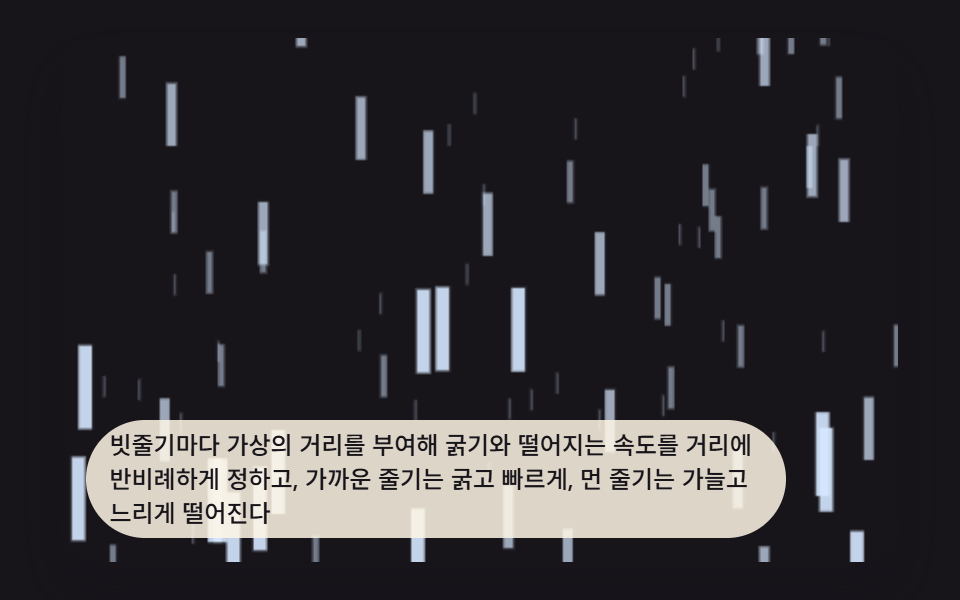 Galleries9 CSS Rain Animation Layers for a Storm Window
 GalleriesWatercolor Effect CSS: 9 Bleeding Paint Scenes
 GalleriesPortfolio Gallery HTML CSS: 9 UI Patterns
 GalleriesCSS Masonry Layout: 9 Ways to Pack Uneven Cards
 Galleries9 Before After Slider UIs — Drag to Compare
 GalleriesImage Ripple Effect CSS: 9 Canvas Wave Patterns
 GalleriesCSS Smoke Effect: 9 Canvas Noise Patterns
 Creative UIOne Line Drawing Generator: 9 Canvas Scenes
 Creative UICSS Cloud Animation: 9 Sky Scenes in Canvas