Watercolor Effect CSS: 9 Bleeding Paint Scenes
In a watercolor effect CSS frame, watercolor bleeds come from how water dries, not from the brush: 03 spreads pigment only through wet cells, 02 pools color at
Why It Looks Painted: Stains Shaped by How Water Dries and by the Grain of the Paper
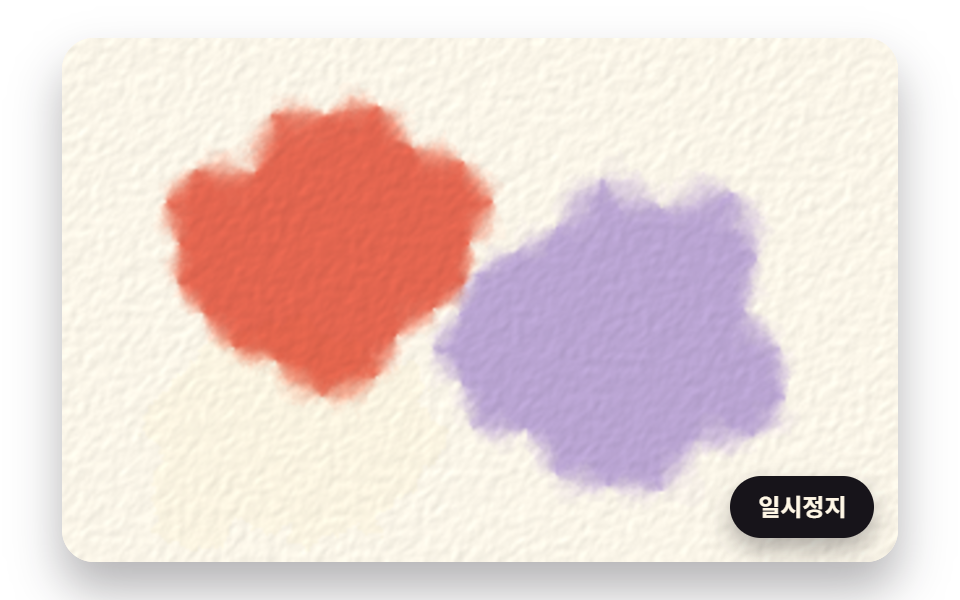 01 watercolor-blot-jitter-layer-stack
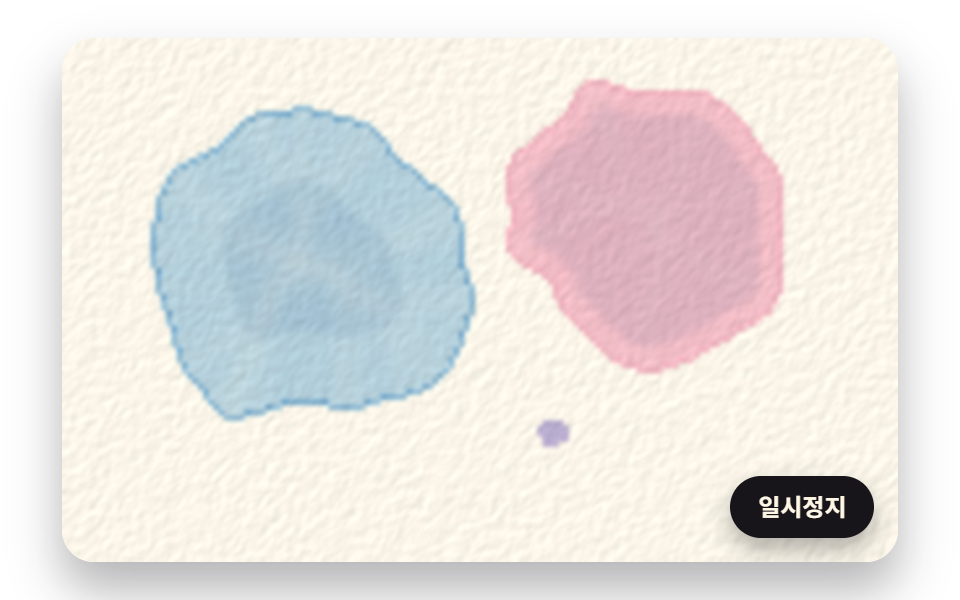 02 watercolor-dry-rim-pigment-pool
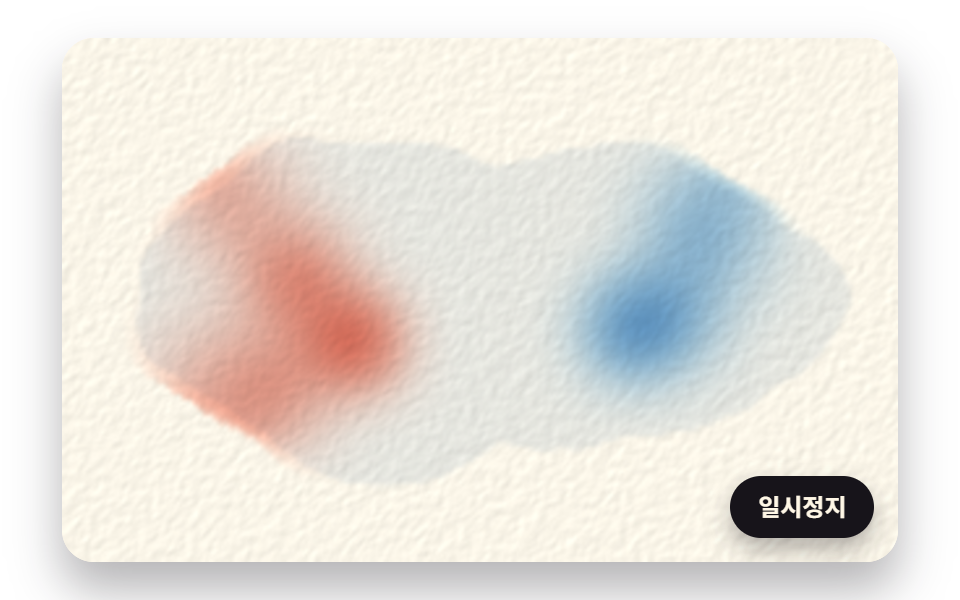 03 watercolor-wet-cell-bleed-mix
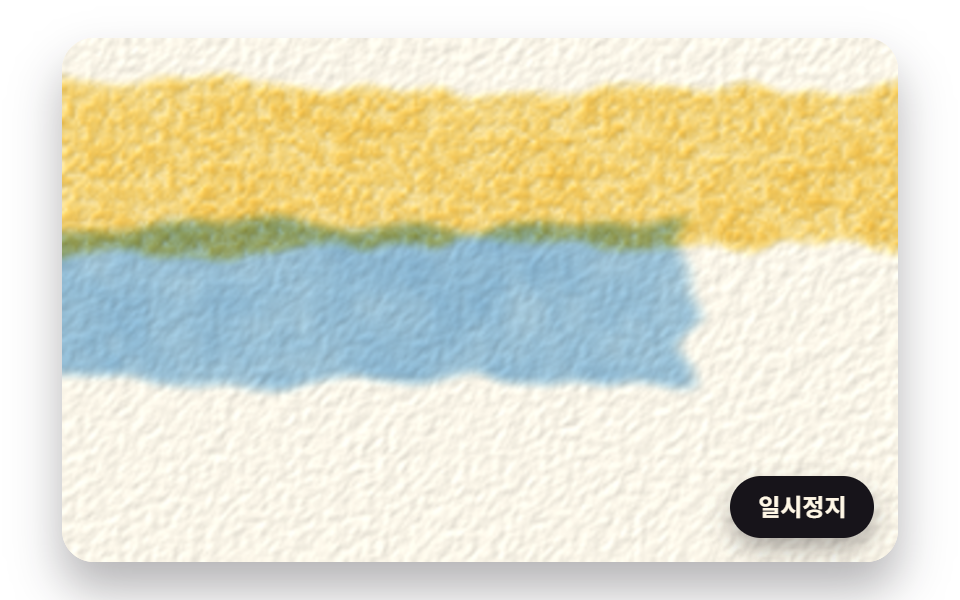 04 watercolor-paper-grain-granulation
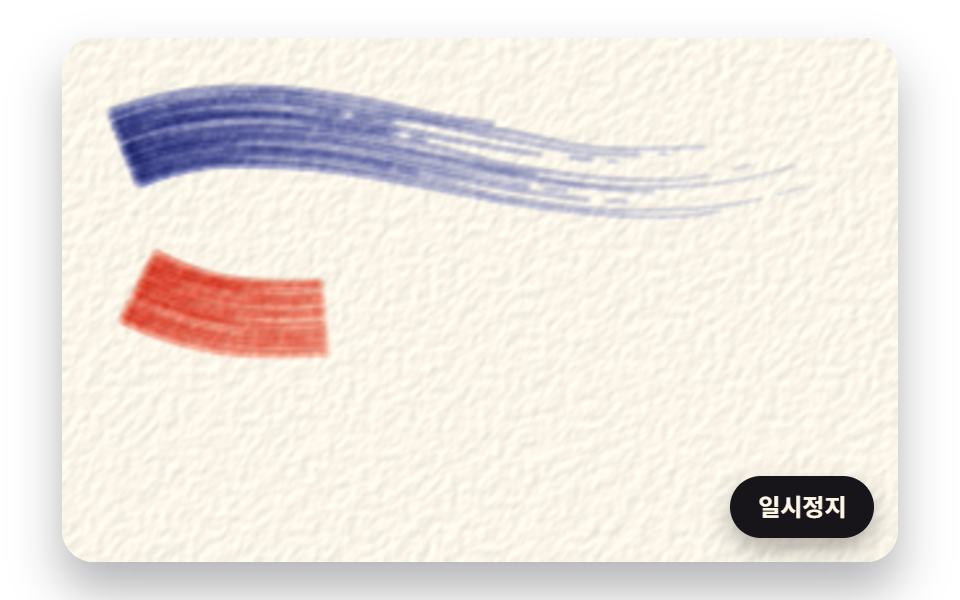 05 watercolor-dry-brush-bristle-split
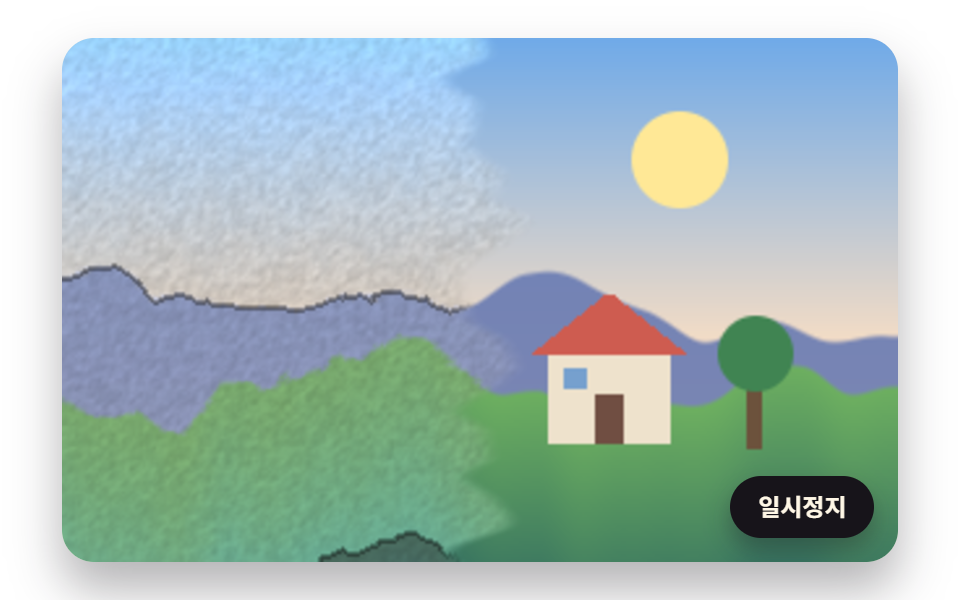 06 watercolor-photo-quantize-edge-wash
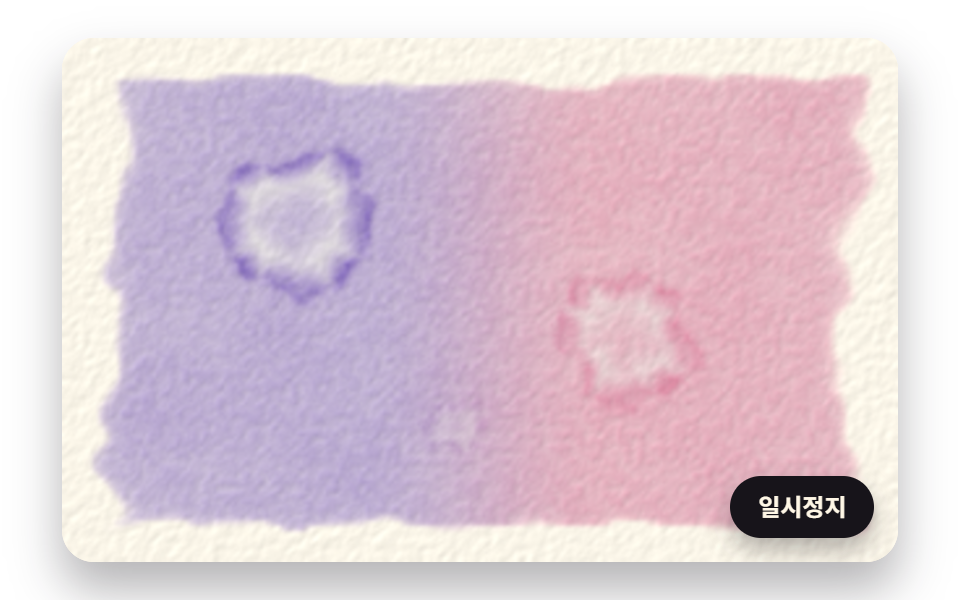 07 watercolor-salt-bloom-backrun
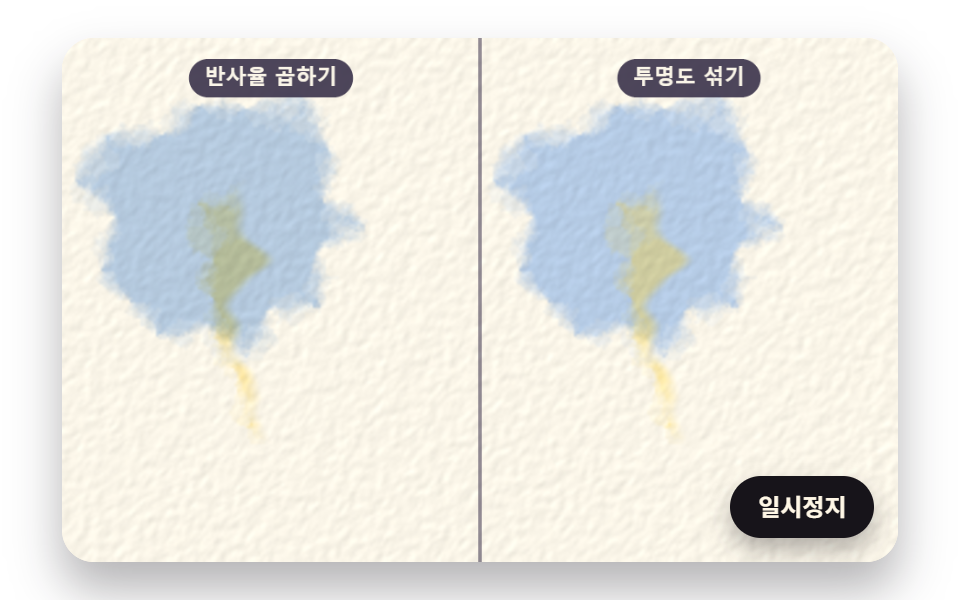 08 watercolor-glaze-absorb-mix
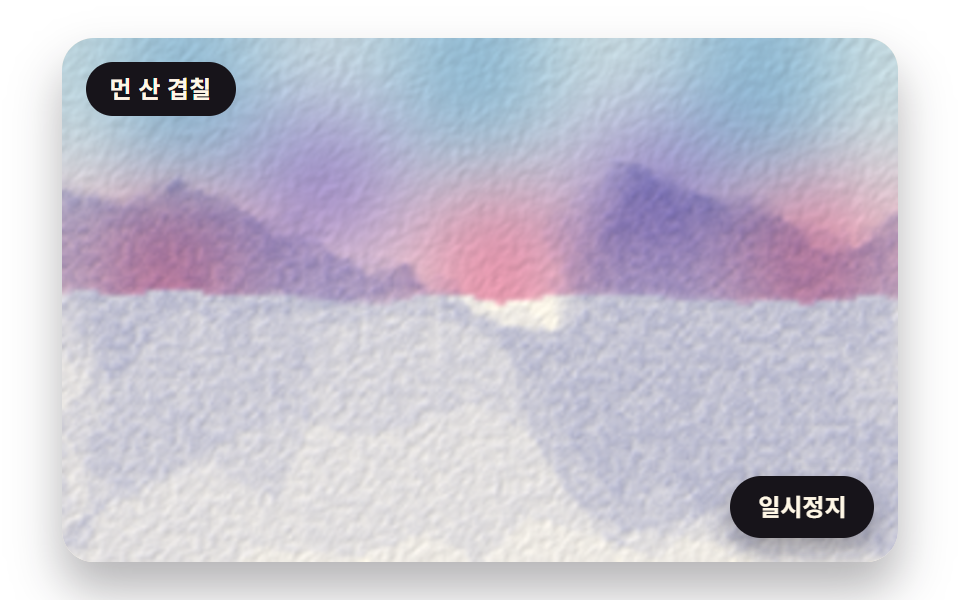 09 watercolor-hero-landscape-paint-in
Auto-plays · click a tile to jump to its section · all nine in one zip
- 01 Paint Blots Built from Dozens of Faint Layers of Jittered Polygons
- 02 A Stain Whose Pigment Drifts to the Rim as It Dries, Leaving a Dark Ring
- 03 A Bleed That Spreads Only Through Wet Cells and Mixes Where Two Colors Meet
- 04 A Paper Surface Where Pigment Grains Settle into the Low Spots
- 05 A Dry Brush Stroke That Splits into Bristle Lines as It Speeds Up
- 06 An Image Watercolor Filter That Turns a Landscape into Paint with Stepped Brightness and Wavering Edges
- 07 A Bloom Where a Clear Drop Lands on Wet Color and Pushes It into Petal-Shaped Rims
- 08 Glazed Color Mixing That Filters Light by Multiplying Transparent Layers
- 09 A Watercolor Landscape Hero That Paints Itself from Sky Wash to Dry-Brush Hills
A watercolor look on a web page is paint that seems to soak into paper: edges that wander instead of cutting clean, a darker ring where a stain dried, two wet colors blending only where they touch, and grains settling into the dips of the sheet. The CSS here does the framing. .wc sets the board to min(92vw, calc(160vh - 12.8vw)) wide with an aspect-ratio of 480 / 300, rounded corners, a raised shadow and overflow: hidden, while every stroke of paint inside it is computed pixel by pixel on a 2D canvas, with no library, no WebGL and no image file. Even the landscape that 06 converts is calculated on the same page.
01 to 04 each isolate one of those four behaviors, 05 to 08 put them to work as techniques (a dry brush, a picture-to-paint filter, a drop bloom and glazing), and 09 combines the earlier math into a single hero scene. Each scene paints for 3.6 to 4.6 seconds, holds the finished picture, washes it away from the left and starts over with the same seed.
Cafe menus and gallery front pages
On a cafe menu, a single 05 stroke under a section title is plenty. The tail of the stroke frays into separate bristle lines, which reads as handwriting more than a straight underline does, and each stroke is done in about a second, so it gets out of the way of the menu itself. A gallery or an exhibition page suits 09: the order of the wash, the far ridges and the hills tells the visitor that a picture is being made, and the 2.2-second hold after the last stroke leaves time to read the title.
Invitations and brand backgrounds
A mobile wedding invitation header fits 02, since the stain ends up pale in the middle and dark only at the rim, so names and a date placed in the middle stay legible. A brand landing page that only wants a few big patches of color does better with the layered blots of 01 or the grainy bands of 04, and a seasonal sale banner that wants more ornament can float the petal rims of 07 over a wash. Paint that appears once and then rests disturbs the copy less, and that is how these scenes behave: each one paints for 3.6 to 4.6 seconds, and once it's done the picture holds still until the next wash.
Watercolor Effect CSS: 9 Scenes — Layered Blots, Dried Rims, Wet-Cell Bleeds, Paper Grain Pooling, a Splitting Dry Brush, a Photo-to-Paint Filter, Salt Blooms, Glazed Color Mixing and a Landscape Hero
How much of each board changed in a 2-second render
The render tool shot each 480×300 board 24 times over two seconds and compared the 23 neighboring pairs. 09 and 06, which cover most of the board in turn, both passed 50% of the area, while 05, where only four brush strokes cross the paper, stayed the narrowest at 20.8%.
| Scene | Cumulative area | Frames that moved | Mean intensity |
|---|---|---|---|
| 01 Layered blots | 40.5% | 17/23 | 15.9 |
| 02 Dried rim | 28.0% | 20/23 | 21.0 |
| 03 Wet-cell bleed | 29.6% | 11/23 | 46.4 |
| 04 Paper grain pooling | 49.2% | 10/23 | 78.4 |
| 05 Dry brush | 20.8% | 17/23 | 76.3 |
| 06 Picture-to-paint filter | 52.0% | 12/23 | 26.1 |
| 07 Drop bloom | 23.3% | 19/23 | 18.3 |
| 08 Glazed color mixing | 28.8% | 13/23 | 44.2 |
| 09 Landscape hero | 54.1% | 18/23 | 36.6 |
No scene changed in all 23 pairs, most likely because paint lands on a timetable rather than continuously, and 03 (11/23) and 04 (10/23) moved least: 03's sixteen touches come every 0.16 s and then stop, while 04 spends its later seconds on a slow rise of the settling strength, which appears to keep the change between two captures under the threshold. 01 and 07 have the lowest mean intensity because each change is small: one layer of 01 adds 0.042 of density, and a drop in 07 shifts only 20% of the pigment in its band per step.
01Paint Blots Built from Dozens of Faint Layers of Jittered Polygons
Each of the four blots starts from a 10-point outline jittered once into 20 points, and each of its 40 layers re-runs deformPolygon five more times on that base to get a 640-point shape added at LAYER_ALPHA 0.042, so the middle, covered by every layer, builds up to a density of 1.68 while the rim stays thin. The function below pushes the midpoint of every edge along the edge's normal by edge length × BLOT_JITTER (0.45) × 0.5 × a bell-shaped random number, and since shorter edges move less, fine wiggles ride on top of the coarse ones, which suits a flower shop landing page that needs a few large patches of color behind its text. When painting ends the 640-point outline measures 873 px, the average turn at a vertex is 0.755 radians, and density climbs from 10% to 90% of its peak across 4.5 px of the board.
<main class="stage">
<div class="wc is-demo" id="wc">
  <canvas class="wc__canvas" data-role="canvas" width="480" height="300" role="img" aria-label="Coral, lavender, butter and sky blue blots build up one faint layer at a time, rich in the middle and soft at the edges."></canvas>
  <button class="wc__pause" data-role="pause" type="button" aria-pressed="false">Pause</button>
</div>
</main>
@use "../../../../site/static/demo-tokens" as *;
@include stage($stage-paper);
.wc {
position: relative;
width: min(92vw, calc(160vh - 12.8vw));
aspect-ratio: 480 / 300;
margin: 0 auto;
border-radius: $r-card;
overflow: hidden;
box-shadow: $shadow-raised;
background: $subject-cream;
}
.wc__canvas {
position: absolute;
inset: 0;
display: block;
width: 100%;
height: 100%;
}
.wc__pause {
position: absolute;
right: $sp-3;
bottom: $sp-3;
padding: $sp-1 $sp-3;
border: 2px solid $subject-ink;
border-radius: $r-pill;
background: $subject-ink;
color: $subject-cream;
font-family: inherit;
font-weight: 700;
font-size: 12px;
line-height: 1.6;
cursor: pointer;
box-shadow: $shadow-press;
transition: transform $dur-quick $ease-spring;
}
// 눌린 상태(멈춤) — 바탕과 글자색을 뒤집어 aria-pressed 가 눈에도 보이게
.wc__pause[aria-pressed="true"] {
background: $subject-cream;
color: $subject-ink;
}
.wc__pause:hover {
transform: translateY(-2px);
}
.wc__pause:active {
transform: translateY(1px);
}
.wc__pause:focus-visible {
outline: 3px solid $subject-ink;
outline-offset: 3px;
}
// 상태 줄 — 지금 어떤 행동 중인지 글자로. 시연 중에는 aria-live off, 사람이 처음 손대면 polite
.wc__status {
position: absolute;
left: $sp-3;
top: $sp-3;
margin: 0;
padding: $sp-1 $sp-3;
border-radius: $r-pill;
background: $subject-ink;
color: $subject-cream;
font-weight: 700;
font-size: 12px;
line-height: 1.6;
pointer-events: none;
}
@media (max-width: 340px) {
.wc__pause,
.wc__status { font-size: 11px; padding: $sp-1 $sp-2; }
}
// 동작 줄이기 — 장면은 스크립트가 쉬는 자세 한 장으로 멈춘다. 버튼도 떠오르지 않게
@media (prefers-reduced-motion: reduce) {
.wc__pause { transition: none !important; }
.wc__pause:hover,
.wc__pause:active { transform: none !important; }
}html, body {
margin: 0;
overflow: hidden;
}
.stage {
box-sizing: border-box;
min-height: 100vh;
display: grid;
place-items: center;
margin: 0;
background: #ffffff;
font-family: -apple-system, "Segoe UI", "Noto Sans KR", sans-serif;
padding: clamp(8px, 4vw, 24px);
}
.wc {
position: relative;
width: min(92vw, 160vh - 12.8vw);
aspect-ratio: 480/300;
margin: 0 auto;
border-radius: 16px;
overflow: hidden;
box-shadow: 0 14px 24px rgba(23, 20, 26, 0.32);
background: #fff7e6;
}
.wc__canvas {
position: absolute;
inset: 0;
display: block;
width: 100%;
height: 100%;
}
.wc__pause {
position: absolute;
right: 12px;
bottom: 12px;
padding: 4px 12px;
border: 2px solid #17141a;
border-radius: 999px;
background: #17141a;
color: #fff7e6;
font-family: inherit;
font-weight: 700;
font-size: 12px;
line-height: 1.6;
cursor: pointer;
box-shadow: 0 6px 12px rgba(23, 20, 26, 0.32);
transition: transform 220ms cubic-bezier(0.2, 0.8, 0.2, 1);
}
.wc__pause[aria-pressed=true] {
background: #fff7e6;
color: #17141a;
}
.wc__pause:hover {
transform: translateY(-2px);
}
.wc__pause:active {
transform: translateY(1px);
}
.wc__pause:focus-visible {
outline: 3px solid #17141a;
outline-offset: 3px;
}
.wc__status {
position: absolute;
left: 12px;
top: 12px;
margin: 0;
padding: 4px 12px;
border-radius: 999px;
background: #17141a;
color: #fff7e6;
font-weight: 700;
font-size: 12px;
line-height: 1.6;
pointer-events: none;
}
@media (max-width: 340px) {
.wc__pause,
.wc__status {
font-size: 11px;
padding: 4px 8px;
}
}
@media (prefers-reduced-motion: reduce) {
.wc__pause {
transition: none !important;
}
.wc__pause:hover,
.wc__pause:active {
transform: none !important;
}
}(function () {
const root = document.getElementById("wc");
if (!root) return;
// 판 좌표 — 캔버스 안은 늘 480×300. 화면에 보이는 크기와 상관없이 그리기 좌표는 이 판으로 한다
const W = 480;
const H = 300;
const TAU = Math.PI * 2;
// 화소 격자 — 픽셀 연산(색 합성·종이 결)은 320×200 에서 하고 화면에는 늘려 그린다
const OW = 320;
const OH = 200;
// 계산 격자 — 물·안료 확산처럼 무거운 계산은 가로 160 칸 격자에서 (한 칸 = 판 3px)
const GW = 160;
const GH = 100;
// 고정 걸음(초) — 같은 시드면 몇 번을 다시 그려도 같은 그림이 나오도록 계산은 1/30초씩 나아간다
const STEP = 1 / 30;
function clamp(v, lo, hi) { return v < lo ? lo : (v > hi ? hi : v); }
function lerp(a, b, k) { return a + (b - a) * k; }
function smooth(x) { const c = clamp(x, 0, 1); return c * c * (3 - 2 * c); }
// 시드 고정 난수 — 같은 시드면 같은 얼룩·물방울·붓털이 다시 나온다 (32비트 정수 섞기)
function makeRng(seed) {
let s = seed >>> 0;
return function () {
s = (s + 0x6d2b79f5) >>> 0;
let t = s;
t = Math.imul(t ^ (t >>> 15), t | 1);
t ^= t + Math.imul(t ^ (t >>> 7), t | 61);
return ((t ^ (t >>> 14)) >>> 0) / 4294967296;
};
}
// 종 모양 난수 — 균일 난수 넷의 합을 평균 0·표준편차 1 로 맞춘 값. 대부분 ±1 안, 가끔 ±2 를 넘는다
function normalRandom(rng) {
return (rng() + rng() + rng() + rng() - 2) * 1.7320508;
}
// 격자 점마다 정해진 값(0~1) — 정수 좌표 두 개와 시드를 섞는다
function hash2(ix, iy, seed) {
let h = Math.imul(ix, 374761393) ^ Math.imul(iy, 668265263) ^ Math.imul(seed, 1274126177);
h = Math.imul(h ^ (h >>> 13), 1103515245);
h ^= h >>> 16;
return (h >>> 0) / 4294967296;
}
// 2차원 값 노이즈 — 정수 격자 네 점의 값을 부드럽게 보간한 0~1. 종이 높이·경계 흔들기·꽃잎 반지름에 쓴다
function valueNoise(x, y, seed) {
const ix = Math.floor(x);
const iy = Math.floor(y);
const fx = x - ix;
const fy = y - iy;
const ux = fx * fx * (3 - 2 * fx);
const uy = fy * fy * (3 - 2 * fy);
const a = hash2(ix, iy, seed);
const b = hash2(ix + 1, iy, seed);
const c = hash2(ix, iy + 1, seed);
const d = hash2(ix + 1, iy + 1, seed);
return lerp(lerp(a, b, ux), lerp(c, d, ux), uy);
}
// 두 옥타브 — 굵은 결(0.65) 위에 두 배 촘촘한 결(0.35)을 겹친다
function noise2(x, y, seed) {
return valueNoise(x, y, seed) * 0.65 + valueNoise(x * 2 + 17.3, y * 2 + 5.1, seed + 101) * 0.35;
}
// 둘레를 따라 한 바퀴 이어지는 노이즈 — 각 θ 를 원 위의 점으로 바꿔 2차원 노이즈를 읽으므로 0 과 2π 에서 값이 같다
function ringNoise(theta, freq, seed) {
return noise2(Math.cos(theta) * freq + 50, Math.sin(theta) * freq + 50, seed);
}
// 파스텔 안료 — 흰 종이에 한 겹 칠했을 때 돌아오는 빛(0~255). 진하게 쌓이면 곱으로 깊어진다
const PAPER = [250, 245, 232];
const INK = [58, 50, 74];
const SKY = [146, 192, 230];
const BUTTER = [246, 214, 118];
const CORAL = [240, 148, 132];
const SAGE = [142, 192, 152];
const LAVENDER = [178, 158, 226];
const PINK = [240, 164, 194];
const INDIGO = [128, 136, 196];
// 순환 — 그리기 → 머묾 → 씻겨 지워짐 → 처음부터. 시간 t(초)가 어디쯤인지 0~1 로
function phaseOf(t, start, length) { return clamp((t - start) / length, 0, 1); }
function pigment(c) {
return { r: Math.log(Math.max(c[0], 1) / 255), g: Math.log(Math.max(c[1], 1) / 255), b: Math.log(Math.max(c[2], 1) / 255) };
}
// 젖은 물기 — 마르기 전의 색면을 살짝 어둡고 차갑게 보이게 하는 옅은 회청색 한 겹
const WATER = [214, 224, 236];
// 화면 버퍼 — 화소마다 RGB(0~1) 세 칸. 프레임마다 새 배열을 만들지 않고 이 한 벌을 다시 쓴다
const OUT = new Float32Array(OW * OH * 3);
// 종이 높이맵 — 0(골)~1(마루). 처음 한 번만 계산한다
const PAPER_HEIGHT = new Float32Array(OW * OH);
// 종이 요철 음영 — 비스듬한 빛이 결의 기울기에 닿아 생기는 밝기 배율
const PAPER_SHADE = new Float32Array(OW * OH);
// 종이 결 크기 — 노이즈 한 칸이 화소 몇 개인가 (작을수록 촘촘한 결)
const GRAIN_SIZE = 2.6;
// 결 음영 세기 — 왼쪽 위에서 든 빛 방향으로 오르막이면 밝게, 내리막이면 어둡게
const GRAIN_LIGHT = 0.36;
function buildPaper(seed, relief) {
let lo = 1;
let hi = 0;
for (let y = 0; y < OH; y += 1) {
for (let x = 0; x < OW; x += 1) {
const h = noise2(x / GRAIN_SIZE, y / GRAIN_SIZE, seed);
PAPER_HEIGHT[y * OW + x] = h;
lo = Math.min(lo, h);
hi = Math.max(hi, h);
}
}
// 높이를 0~1 로 다시 펴서 골과 마루가 끝까지 쓰이게 한다
const span = Math.max(hi - lo, 1e-6);
for (let i = 0; i < OW * OH; i += 1) {
PAPER_HEIGHT[i] = (PAPER_HEIGHT[i] - lo) / span;
}
for (let y = 0; y < OH; y += 1) {
for (let x = 0; x < OW; x += 1) {
const gx = PAPER_HEIGHT[y * OW + Math.min(x + 1, OW - 1)] - PAPER_HEIGHT[y * OW + Math.max(x - 1, 0)];
const gy = PAPER_HEIGHT[Math.min(y + 1, OH - 1) * OW + x] - PAPER_HEIGHT[Math.max(y - 1, 0) * OW + x];
// 빛은 왼쪽 위에서 — 기울기를 (−1, −1)/√2 방향에 내린 값이 양이면 빛을 마주 본다
const lit = -(gx + gy) * 0.7071;
PAPER_SHADE[y * OW + x] = clamp(1 + GRAIN_LIGHT * relief * lit * 0.25, 0.82, 1.08);
}
}
}
// 색 합성 — 진하기 격자 여러 장(gw×gh)을 화소 격자로 늘려 읽고, 안료마다 진하기 × 로그 비율을 더한 뒤 지수로 되돌려 종이 색에 곱한다
// gran 은 안료마다 종이 골에 고이는 정도: 진하기 × (1 + gran × (1 − 2 × 높이)) — 골(0)은 1 + gran 배, 마루(1)는 1 − gran 배
// over 가 true 면 종이부터 다시 칠하지 않고 지금 OUT 위에 곱으로 덧칠한다(격자 크기가 다른 층을 한 장면에 겹칠 때)
function compose(fields, gw, gh, pigs, gran, over) {
const sx = gw / OW;
const sy = gh / OH;
const n = fields.length;
const pr = PAPER[0] / 255;
const pg = PAPER[1] / 255;
const pb = PAPER[2] / 255;
for (let y = 0; y < OH; y += 1) {
const fy = clamp((y + 0.5) * sy - 0.5, 0, gh - 1);
const y0 = Math.min(Math.floor(fy), gh - 2 < 0 ? 0 : gh - 2);
const ty = fy - y0;
for (let x = 0; x < OW; x += 1) {
const fx = clamp((x + 0.5) * sx - 0.5, 0, gw - 1);
const x0 = Math.min(Math.floor(fx), gw - 2);
const tx = fx - x0;
const i00 = y0 * gw + x0;
const i10 = i00 + 1;
const i01 = i00 + gw;
const i11 = i01 + 1;
const p = y * OW + x;
const h = PAPER_HEIGHT[p];
let lr = 0;
let lg = 0;
let lb = 0;
for (let k = 0; k < n; k += 1) {
const f = fields[k];
let d = (f[i00] * (1 - tx) + f[i10] * tx) * (1 - ty) + (f[i01] * (1 - tx) + f[i11] * tx) * ty;
if (d <= 0) {
continue;
}
if (gran[k] !== 0) {
d *= Math.max(0, 1 + gran[k] * (1 - 2 * h));
}
const pk = pigs[k];
lr += pk.r * d;
lg += pk.g * d;
lb += pk.b * d;
}
if (over) {
if (lr !== 0 || lg !== 0 || lb !== 0) {
OUT[p * 3] *= Math.exp(lr);
OUT[p * 3 + 1] *= Math.exp(lg);
OUT[p * 3 + 2] *= Math.exp(lb);
}
continue;
}
const s = PAPER_SHADE[p];
OUT[p * 3] = pr * s * Math.exp(lr);
OUT[p * 3 + 1] = pg * s * Math.exp(lg);
OUT[p * 3 + 2] = pb * s * Math.exp(lb);
}
}
}
// 씻어 내기 앞머리 띠 폭(화소) — 물이 지나가는 가장자리가 이만큼 부드럽게 번진다
const WASH_SOFT = 26;
// 씻어 내기 — 물이 왼쪽에서 오른쪽으로 쓸고 지나간 자리는 종이로 돌아간다. 앞머리는 줄마다 노이즈로 흔들리고 젖은 띠가 살짝 어둡다
function washOver(p, seed) {
if (p <= 0) {
return;
}
const pr = PAPER[0] / 255;
const pg = PAPER[1] / 255;
const pb = PAPER[2] / 255;
for (let y = 0; y < OH; y += 1) {
const front = lerp(-WASH_SOFT - 50, OW + WASH_SOFT + 50, p) + (noise2(y / 46, p * 1.5, seed) - 0.5) * 70;
for (let x = 0; x < OW; x += 1) {
const k = smooth((front - x) / WASH_SOFT);
if (k <= 0) {
continue;
}
const i = y * OW + x;
const s = PAPER_SHADE[i];
const tint = 1 - 0.07 * (1 - Math.abs(2 * k - 1));
OUT[i * 3] = lerp(OUT[i * 3], pr * s, k) * tint;
OUT[i * 3 + 1] = lerp(OUT[i * 3 + 1], pg * s, k) * tint;
OUT[i * 3 + 2] = lerp(OUT[i * 3 + 2], pb * s, k) * (1 - 0.03 * (1 - Math.abs(2 * k - 1)));
}
}
}
// 순환 끝의 씻어 내기 — 그리기(PAINT_TIME)와 머묾(HOLD_TIME)이 지난 뒤 WASH_TIME 동안
function washAt(t, seed) {
washOver(phaseOf(t, PAINT_TIME + HOLD_TIME, WASH_TIME), seed);
}
// 바탕 다각형 — 가운데 (cx, cy), 반지름 rx·ry 근처에 꼭짓점 sides 개를 둘레로 고르게 놓되 반지름을 ±15% 흔든다
function basePolygon(cx, cy, rx, ry, sides, rng) {
const pts = [];
for (let i = 0; i < sides; i += 1) {
const a = TAU * i / sides;
const k = 0.85 + 0.3 * rng();
pts.push(cx + Math.cos(a) * rx * k, cy + Math.sin(a) * ry * k);
}
return pts;
}
// 변 쪼개 흔들기 — 각 변의 가운데 점을 (변 길이 × jitter × 0.5 × 종 모양 난수) 만큼 변의 법선 방향으로 밀어 꼭짓점 사이에 끼운다
// depth 번 되풀이하면 꼭짓점이 2^depth 배가 되고, 짧아진 변일수록 덜 밀려 굵은 굴곡 위에 잔 굴곡이 얹힌다
    function deformPolygon(pts, depth, jitter, rng) {
        let cur = pts;
        for (let d = 0; d < depth; d += 1) {
            const next = [];
            const n = cur.length / 2;
            for (let i = 0; i < n; i += 1) {
                const j = (i + 1) % n;
                const ax = cur[2 * i];
                const ay = cur[2 * i + 1];
                const bx = cur[2 * j];
                const by = cur[2 * j + 1];
                const len = Math.hypot(bx - ax, by - ay) || 1;
                const push = normalRandom(rng) * jitter * len * 0.5;
                next.push(ax, ay, (ax + bx) / 2 + (by - ay) / len * push, (ay + by) / 2 - (bx - ax) / len * push);
            }
            cur = next;
        }
        return cur;
    }
// 스캔라인 채우기의 교차점 자리 — 한 줄에서 다각형 변과 만나는 x 를 모아 정렬한다 (다시 쓰는 버퍼)
const CROSS = new Float64Array(4096);
// 다각형 안쪽 칸(칸 가운데 기준)에 amount 를 더한다. 좌표는 판(480×300), 격자는 gw×gh
function fillPolygon(field, gw, gh, pts, amount) {
const n = pts.length / 2;
const kx = gw / W;
const ky = gh / H;
let top = gh;
let bottom = 0;
for (let i = 0; i < n; i += 1) {
top = Math.min(top, pts[2 * i + 1] * ky);
bottom = Math.max(bottom, pts[2 * i + 1] * ky);
}
const r0 = Math.max(0, Math.floor(top));
const r1 = Math.min(gh - 1, Math.ceil(bottom));
for (let row = r0; row <= r1; row += 1) {
const py = (row + 0.5) / ky;
let c = 0;
for (let i = 0; i < n && c < CROSS.length; i += 1) {
const j = (i + 1) % n;
const ay = pts[2 * i + 1];
const by = pts[2 * j + 1];
if ((ay <= py && by > py) || (by <= py && ay > py)) {
const ax = pts[2 * i];
const bx = pts[2 * j];
CROSS[c] = (ax + (py - ay) / (by - ay) * (bx - ax)) * kx;
c += 1;
}
}
// 삽입 정렬 — 한 줄의 교차점은 많아야 수십 개
for (let a = 1; a < c; a += 1) {
const v = CROSS[a];
let b = a - 1;
while (b >= 0 && CROSS[b] > v) {
CROSS[b + 1] = CROSS[b];
b -= 1;
}
CROSS[b + 1] = v;
}
for (let a = 0; a + 1 < c; a += 2) {
const x0 = Math.max(0, Math.ceil(CROSS[a] - 0.5));
const x1 = Math.min(gw - 1, Math.floor(CROSS[a + 1] - 0.5));
for (let x = x0; x <= x1; x += 1) {
field[row * gw + x] += amount;
}
}
}
}
const canvasEl = root.querySelector('[data-role="canvas"]');
const pauseEl = root.querySelector('[data-role="pause"]');
const statusEl = root.querySelector('[data-role="status"]');
const ctxRaw = canvasEl ? canvasEl.getContext('2d') : null;
// 화소 격자를 담는 바깥에 안 보이는 캔버스 — ImageData 한 장을 만들어 두고 프레임마다 내용만 바꿔 쓴다
const bufEl = document.createElement('canvas');
bufEl.width = OW;
bufEl.height = OH;
const bufRaw = bufEl.getContext('2d');
if (!canvasEl || !ctxRaw || !pauseEl || !bufRaw) {
return;
}
const cv = canvasEl;
const ctx = ctxRaw;
const pauseBtn = pauseEl;
const bufCtx = bufRaw;
const frameImage = bufCtx.createImageData(OW, OH);
function fitCanvas() {
// 배율은 2 에서 자른다 — 배율 3 기기에서 화소가 2.25배로 늘어 프레임마다 일이 그만큼 커지지 않게
const dpr = Math.min(window.devicePixelRatio || 1, 2);
cv.width = Math.round(W * dpr);
cv.height = Math.round(H * dpr);
ctx.setTransform(dpr, 0, 0, dpr, 0, 0);
}
// 화면 버퍼(OUT, 0~1)를 8비트로 옮겨 바깥 캔버스에 놓고, 판 크기로 부드럽게 늘려 그린다
function present() {
const px = frameImage.data;
for (let i = 0, j = 0; i < OW * OH; i += 1, j += 3) {
px[i * 4] = OUT[j] * 255;
px[i * 4 + 1] = OUT[j + 1] * 255;
px[i * 4 + 2] = OUT[j + 2] * 255;
px[i * 4 + 3] = 255;
}
bufCtx.putImageData(frameImage, 0, 0);
ctx.imageSmoothingEnabled = true;
ctx.imageSmoothingQuality = 'high';
ctx.drawImage(bufEl, 0, 0, W, H);
}
// 01 겹쳐 쌓는 얼룩 — 바탕 다각형 하나에서 변 쪼개 흔들기로 변형본을 수십 장 만들고, 아주 옅게 한 장씩 쌓는다
// 얼룩마다 바탕 다각형의 꼭짓점 수
const BLOT_SIDES = 10;
// 바탕 모양 흔들기 횟수 — 얼룩마다 한 번, 큰 굴곡을 정한다
const BASE_DEPTH = 1;
// 겹마다 다시 흔드는 횟수 — 10 × 2^1 × 2^5 = 640 꼭짓점
const LAYER_DEPTH = 5;
// 변 가운데 점을 미는 폭 — 변 길이에 곱하는 비율
const BLOT_JITTER = 0.45;
// 한 겹의 진하기 — 겹마다 이만큼 진하기를 더한다(알파 약 4%). 가운데는 거의 모든 겹이 덮어 진하고 가장자리는 몇 겹만 닿아 옅다
const LAYER_ALPHA = 0.042;
// 얼룩 하나에 쌓는 겹 수 — 진하기는 Float32 격자에 더하므로 8비트 반올림 없이 쌓인다
const LAYERS_PER_BLOT = 40;
// 얼룩 하나의 겹이 다 쌓이는 시간(초)
const BLOT_TIME = 1.4;
// 자동 시연이 미리 그려 두고 시작하는 시각(초)
const DEMO_START = 1.0;
const PAINT_TIME = 4.2;
const HOLD_TIME = 2.2;
const WASH_TIME = 1.4;
const SEED = 4821;
const BLOTS = [
{ cx: 150, cy: 118, rx: 92, ry: 74, color: CORAL, start: 0.2 },
{ cx: 312, cy: 178, rx: 96, ry: 78, color: LAVENDER, start: 0.85 },
{ cx: 128, cy: 228, rx: 84, ry: 56, color: BUTTER, start: 1.5 },
{ cx: 392, cy: 92, rx: 72, ry: 60, color: SKY, start: 2.15 },
];
const blotFields = BLOTS.map(function () { return new Float32Array(OW * OH); });
const blotPigments = BLOTS.map(function (b) { return pigment(b.color); });
const noGran = BLOTS.map(function () { return 0; });
let baseShapes = [];
const layersDone = BLOTS.map(function () { return 0; });
buildPaper(SEED, 1);
function reset() {
const rng = makeRng(SEED);
baseShapes = BLOTS.map(function (b) {
return deformPolygon(basePolygon(b.cx, b.cy, b.rx, b.ry, BLOT_SIDES, rng), BASE_DEPTH, BLOT_JITTER, rng);
});
for (let k = 0; k < BLOTS.length; k += 1) {
blotFields[k].fill(0);
layersDone[k] = 0;
}
}
// 겹 하나 — 같은 바탕 모양을 겹마다 다른 시드로 다시 흔들어 진하기 격자에 칠한다
function addLayer(k) {
const layer = layersDone[k];
const shape = deformPolygon(baseShapes[k], LAYER_DEPTH, BLOT_JITTER, makeRng(SEED * 100 + k * 1000 + layer));
fillPolygon(blotFields[k], OW, OH, shape, LAYER_ALPHA);
layersDone[k] = layer + 1;
}
function update(dt, t) {
for (let k = 0; k < BLOTS.length; k += 1) {
const want = Math.floor(LAYERS_PER_BLOT * phaseOf(t, BLOTS[k].start, BLOT_TIME));
while (layersDone[k] < want) {
addLayer(k);
}
}
}
function render(t) {
compose(blotFields, OW, OH, blotPigments, noGran);
washAt(t, SEED);
}
// 01 그리기 — 진하기 격자를 색으로 합성해 화면에 놓는다
function draw() {
render(simTime);
present();
}
// 한 프레임에 넘기는 시간 상한(초) — 탭을 오래 숨겼다 돌아온 첫 프레임에도 50ms 까지만 계산에 넣는다
const DT_MAX = 0.05;
// 한 바퀴 — 그리기 → 머묾 → 씻겨 지워짐. 끝나면 같은 시드로 처음부터 다시 그린다
const CYCLE = PAINT_TIME + HOLD_TIME + WASH_TIME;
// 그림 시계(초)와 고정 걸음에 아직 못 넣은 나머지 시간
let simTime = 0;
let pending = 0;
let paused = false;
const reduceQuery = window.matchMedia('(prefers-reduced-motion: reduce)');
// 페이지를 연 채 동작 줄이기 설정을 바꿔도 change 리스너가 이 값을 다시 읽는다
let still = reduceQuery.matches;
// 자동 시연 중인가 — 사람이 처음 손대면 시연 표시를 떼고 상태 줄을 polite 로 켠다
let demo = root.classList.contains('is-demo');
// 리스너는 한 묶음으로 달고 정리할 때 한 번에 뗀다
const off = new AbortController();
function wake() {
if (!demo) {
return;
}
demo = false;
root.classList.remove('is-demo');
if (statusEl) {
statusEl.setAttribute('aria-live', 'polite');
}
}
// 고정 걸음 하나 — 그리는 동안만 계산을 나아가게 하고, 한 바퀴가 끝나면 처음 상태로 되돌린다
function stepOnce() {
simTime += STEP;
if (simTime >= CYCLE) {
simTime = 0;
reset();
return;
}
if (simTime <= PAINT_TIME) {
update(STEP, simTime);
}
}
let rafId = 0;
let lastTs = -1;
function frame(ts) {
if (still || paused) {
rafId = 0;
return;
}
if (lastTs < 0) {
lastTs = ts;
}
pending += Math.min((ts - lastTs) / 1000, DT_MAX);
lastTs = ts;
while (pending >= STEP) {
stepOnce();
pending -= STEP;
}
draw();
rafId = window.requestAnimationFrame(frame);
}
function startLoop() {
if (rafId) {
return;
}
// 시계 다시 맞추기 — 멈췄던 사이의 시간을 첫 프레임에 넘기지 않는다
lastTs = -1;
rafId = window.requestAnimationFrame(frame);
}
function stopLoop() {
if (rafId) {
window.cancelAnimationFrame(rafId);
rafId = 0;
}
}
// 동작 줄이기 — 루프를 돌리지 않고, 같은 시드로 그리기 끝까지 한 번에 계산한 Finished 그림 한 장만 보여 준다
function showFinished() {
stopLoop();
reset();
simTime = 0;
while (simTime + STEP <= PAINT_TIME) {
simTime += STEP;
update(STEP, simTime);
}
simTime = PAINT_TIME;
draw();
}
function play() {
reset();
simTime = 0;
pending = 0;
// 자동 시연은 DEMO_START 초까지 미리 그려 둔 채 시작한다 — 페이지를 열자마자 빈 종이만 보이지 않게(사람이 다시 시작하면 0초부터)
if (demo) {
while (simTime + STEP <= DEMO_START) {
stepOnce();
}
}
draw();
if (!paused) {
startLoop();
}
}
pauseBtn.addEventListener('click', function () {
paused = !paused;
pauseBtn.setAttribute('aria-pressed', paused ? 'true' : 'false');
wake();
if (paused) {
stopLoop();
}
else if (!still) {
startLoop();
}
}, { signal: off.signal });
// 탭이 숨으면 그리기를 멈추고, 돌아오면 시계를 다시 맞춰 이어 그린다 — 숨은 동안의 몇 초가 한 프레임에 몰리지 않게
document.addEventListener('visibilitychange', function () {
if (document.hidden) {
stopLoop();
}
else if (!paused && !still) {
startLoop();
}
}, { signal: off.signal });
// 설정이 페이지를 연 채 바뀌면 — 켜지면 Finished 그림으로 멈추고, 꺼지면 처음부터 다시 그린다
reduceQuery.addEventListener('change', function () {
still = reduceQuery.matches;
if (still) {
showFinished();
}
else {
play();
}
}, { signal: off.signal });
window.addEventListener('resize', function () {
fitCanvas();
draw();
}, { signal: off.signal });
fitCanvas();
if (still) {
showFinished();
}
else {
play();
}
return function () {
stopLoop();
off.abort();
};
})();// BlotJitterLayerStack - vanilla 판(01-watercolor-blot-jitter-layer-stack) 의 React 포트. 같은 계산을 useEffect 안에서 돌린다.
import { useEffect, useRef } from "react";
import styles from "./BlotJitterLayerStack.module.scss";
const cx = (s: string): string => s.split(" ").map((n) => styles[n] ?? n).join(" ");
export default function BlotJitterLayerStack() {
const rootRef = useRef<HTMLDivElement | null>(null);
useEffect(() => {
const rootEl = rootRef.current;
if (!rootEl) return;
const root: HTMLElement = rootEl;
type RGB = [number, number, number];
// 판 좌표 — 캔버스 안은 늘 480×300. 화면에 보이는 크기와 상관없이 그리기 좌표는 이 판으로 한다
const W = 480;
const H = 300;
const TAU = Math.PI * 2;
// 화소 격자 — 픽셀 연산(색 합성·종이 결)은 320×200 에서 하고 화면에는 늘려 그린다
const OW = 320;
const OH = 200;
// 계산 격자 — 물·안료 확산처럼 무거운 계산은 가로 160 칸 격자에서 (한 칸 = 판 3px)
const GW = 160;
const GH = 100;
// 고정 걸음(초) — 같은 시드면 몇 번을 다시 그려도 같은 그림이 나오도록 계산은 1/30초씩 나아간다
const STEP = 1 / 30;
function clamp(v: number, lo: number, hi: number): number { return v < lo ? lo : (v > hi ? hi : v); }
function lerp(a: number, b: number, k: number): number { return a + (b - a) * k; }
function smooth(x: number): number { const c = clamp(x, 0, 1); return c * c * (3 - 2 * c); }
// 시드 고정 난수 — 같은 시드면 같은 얼룩·물방울·붓털이 다시 나온다 (32비트 정수 섞기)
function makeRng(seed: number): () => number {
let s = seed >>> 0;
return function (): number {
s = (s + 0x6d2b79f5) >>> 0;
let t = s;
t = Math.imul(t ^ (t >>> 15), t | 1);
t ^= t + Math.imul(t ^ (t >>> 7), t | 61);
return ((t ^ (t >>> 14)) >>> 0) / 4294967296;
};
}
// 종 모양 난수 — 균일 난수 넷의 합을 평균 0·표준편차 1 로 맞춘 값. 대부분 ±1 안, 가끔 ±2 를 넘는다
function normalRandom(rng: () => number): number {
return (rng() + rng() + rng() + rng() - 2) * 1.7320508;
}
// 격자 점마다 정해진 값(0~1) — 정수 좌표 두 개와 시드를 섞는다
function hash2(ix: number, iy: number, seed: number): number {
let h = Math.imul(ix, 374761393) ^ Math.imul(iy, 668265263) ^ Math.imul(seed, 1274126177);
h = Math.imul(h ^ (h >>> 13), 1103515245);
h ^= h >>> 16;
return (h >>> 0) / 4294967296;
}
// 2차원 값 노이즈 — 정수 격자 네 점의 값을 부드럽게 보간한 0~1. 종이 높이·경계 흔들기·꽃잎 반지름에 쓴다
function valueNoise(x: number, y: number, seed: number): number {
const ix = Math.floor(x);
const iy = Math.floor(y);
const fx = x - ix;
const fy = y - iy;
const ux = fx * fx * (3 - 2 * fx);
const uy = fy * fy * (3 - 2 * fy);
const a = hash2(ix, iy, seed);
const b = hash2(ix + 1, iy, seed);
const c = hash2(ix, iy + 1, seed);
const d = hash2(ix + 1, iy + 1, seed);
return lerp(lerp(a, b, ux), lerp(c, d, ux), uy);
}
// 두 옥타브 — 굵은 결(0.65) 위에 두 배 촘촘한 결(0.35)을 겹친다
function noise2(x: number, y: number, seed: number): number {
return valueNoise(x, y, seed) * 0.65 + valueNoise(x * 2 + 17.3, y * 2 + 5.1, seed + 101) * 0.35;
}
// 둘레를 따라 한 바퀴 이어지는 노이즈 — 각 θ 를 원 위의 점으로 바꿔 2차원 노이즈를 읽으므로 0 과 2π 에서 값이 같다
function ringNoise(theta: number, freq: number, seed: number): number {
return noise2(Math.cos(theta) * freq + 50, Math.sin(theta) * freq + 50, seed);
}
// 파스텔 안료 — 흰 종이에 한 겹 칠했을 때 돌아오는 빛(0~255). 진하게 쌓이면 곱으로 깊어진다
const PAPER: RGB = [250, 245, 232];
const INK: RGB = [58, 50, 74];
const SKY: RGB = [146, 192, 230];
const BUTTER: RGB = [246, 214, 118];
const CORAL: RGB = [240, 148, 132];
const SAGE: RGB = [142, 192, 152];
const LAVENDER: RGB = [178, 158, 226];
const PINK: RGB = [240, 164, 194];
const INDIGO: RGB = [128, 136, 196];
// 순환 — 그리기 → 머묾 → 씻겨 지워짐 → 처음부터. 시간 t(초)가 어디쯤인지 0~1 로
function phaseOf(t: number, start: number, length: number): number { return clamp((t - start) / length, 0, 1); }
// 안료 — 한 겹이 채널마다 돌려보내는 빛의 비율을 로그로 들고 있다. 진하기 d 만큼 쌓이면 빛 = 종이 × 비율^d (곱이라 겹칠수록 깊어진다)
type Pigment = { r: number; g: number; b: number };
function pigment(c: RGB): Pigment {
return { r: Math.log(Math.max(c[0], 1) / 255), g: Math.log(Math.max(c[1], 1) / 255), b: Math.log(Math.max(c[2], 1) / 255) };
}
// 젖은 물기 — 마르기 전의 색면을 살짝 어둡고 차갑게 보이게 하는 옅은 회청색 한 겹
const WATER: RGB = [214, 224, 236];
// 화면 버퍼 — 화소마다 RGB(0~1) 세 칸. 프레임마다 새 배열을 만들지 않고 이 한 벌을 다시 쓴다
const OUT = new Float32Array(OW * OH * 3);
// 종이 높이맵 — 0(골)~1(마루). 처음 한 번만 계산한다
const PAPER_HEIGHT = new Float32Array(OW * OH);
// 종이 요철 음영 — 비스듬한 빛이 결의 기울기에 닿아 생기는 밝기 배율
const PAPER_SHADE = new Float32Array(OW * OH);
// 종이 결 크기 — 노이즈 한 칸이 화소 몇 개인가 (작을수록 촘촘한 결)
const GRAIN_SIZE = 2.6;
// 결 음영 세기 — 왼쪽 위에서 든 빛 방향으로 오르막이면 밝게, 내리막이면 어둡게
const GRAIN_LIGHT = 0.36;
function buildPaper(seed: number, relief: number): void {
let lo = 1;
let hi = 0;
for (let y = 0; y < OH; y += 1) {
for (let x = 0; x < OW; x += 1) {
const h = noise2(x / GRAIN_SIZE, y / GRAIN_SIZE, seed);
PAPER_HEIGHT[y * OW + x] = h;
lo = Math.min(lo, h);
hi = Math.max(hi, h);
}
}
// 높이를 0~1 로 다시 펴서 골과 마루가 끝까지 쓰이게 한다
const span = Math.max(hi - lo, 1e-6);
for (let i = 0; i < OW * OH; i += 1) { PAPER_HEIGHT[i] = (PAPER_HEIGHT[i] - lo) / span; }
for (let y = 0; y < OH; y += 1) {
for (let x = 0; x < OW; x += 1) {
const gx = PAPER_HEIGHT[y * OW + Math.min(x + 1, OW - 1)] - PAPER_HEIGHT[y * OW + Math.max(x - 1, 0)];
const gy = PAPER_HEIGHT[Math.min(y + 1, OH - 1) * OW + x] - PAPER_HEIGHT[Math.max(y - 1, 0) * OW + x];
// 빛은 왼쪽 위에서 — 기울기를 (−1, −1)/√2 방향에 내린 값이 양이면 빛을 마주 본다
const lit = -(gx + gy) * 0.7071;
PAPER_SHADE[y * OW + x] = clamp(1 + GRAIN_LIGHT * relief * lit * 0.25, 0.82, 1.08);
}
}
}
// 색 합성 — 진하기 격자 여러 장(gw×gh)을 화소 격자로 늘려 읽고, 안료마다 진하기 × 로그 비율을 더한 뒤 지수로 되돌려 종이 색에 곱한다
// gran 은 안료마다 종이 골에 고이는 정도: 진하기 × (1 + gran × (1 − 2 × 높이)) — 골(0)은 1 + gran 배, 마루(1)는 1 − gran 배
// over 가 true 면 종이부터 다시 칠하지 않고 지금 OUT 위에 곱으로 덧칠한다(격자 크기가 다른 층을 한 장면에 겹칠 때)
function compose(fields: Float32Array[], gw: number, gh: number, pigs: Pigment[], gran: number[], over?: boolean): void {
const sx = gw / OW;
const sy = gh / OH;
const n = fields.length;
const pr = PAPER[0] / 255;
const pg = PAPER[1] / 255;
const pb = PAPER[2] / 255;
for (let y = 0; y < OH; y += 1) {
const fy = clamp((y + 0.5) * sy - 0.5, 0, gh - 1);
const y0 = Math.min(Math.floor(fy), gh - 2 < 0 ? 0 : gh - 2);
const ty = fy - y0;
for (let x = 0; x < OW; x += 1) {
const fx = clamp((x + 0.5) * sx - 0.5, 0, gw - 1);
const x0 = Math.min(Math.floor(fx), gw - 2);
const tx = fx - x0;
const i00 = y0 * gw + x0;
const i10 = i00 + 1;
const i01 = i00 + gw;
const i11 = i01 + 1;
const p = y * OW + x;
const h = PAPER_HEIGHT[p];
let lr = 0;
let lg = 0;
let lb = 0;
for (let k = 0; k < n; k += 1) {
const f = fields[k];
let d = (f[i00] * (1 - tx) + f[i10] * tx) * (1 - ty) + (f[i01] * (1 - tx) + f[i11] * tx) * ty;
if (d <= 0) { continue; }
if (gran[k] !== 0) { d *= Math.max(0, 1 + gran[k] * (1 - 2 * h)); }
const pk = pigs[k];
lr += pk.r * d;
lg += pk.g * d;
lb += pk.b * d;
}
if (over) {
if (lr !== 0 || lg !== 0 || lb !== 0) {
OUT[p * 3] *= Math.exp(lr);
OUT[p * 3 + 1] *= Math.exp(lg);
OUT[p * 3 + 2] *= Math.exp(lb);
}
continue;
}
const s = PAPER_SHADE[p];
OUT[p * 3] = pr * s * Math.exp(lr);
OUT[p * 3 + 1] = pg * s * Math.exp(lg);
OUT[p * 3 + 2] = pb * s * Math.exp(lb);
}
}
}
// 씻어 내기 앞머리 띠 폭(화소) — 물이 지나가는 가장자리가 이만큼 부드럽게 번진다
const WASH_SOFT = 26;
// 씻어 내기 — 물이 왼쪽에서 오른쪽으로 쓸고 지나간 자리는 종이로 돌아간다. 앞머리는 줄마다 노이즈로 흔들리고 젖은 띠가 살짝 어둡다
function washOver(p: number, seed: number): void {
if (p <= 0) { return; }
const pr = PAPER[0] / 255;
const pg = PAPER[1] / 255;
const pb = PAPER[2] / 255;
for (let y = 0; y < OH; y += 1) {
const front = lerp(-WASH_SOFT - 50, OW + WASH_SOFT + 50, p) + (noise2(y / 46, p * 1.5, seed) - 0.5) * 70;
for (let x = 0; x < OW; x += 1) {
const k = smooth((front - x) / WASH_SOFT);
if (k <= 0) { continue; }
const i = y * OW + x;
const s = PAPER_SHADE[i];
const tint = 1 - 0.07 * (1 - Math.abs(2 * k - 1));
OUT[i * 3] = lerp(OUT[i * 3], pr * s, k) * tint;
OUT[i * 3 + 1] = lerp(OUT[i * 3 + 1], pg * s, k) * tint;
OUT[i * 3 + 2] = lerp(OUT[i * 3 + 2], pb * s, k) * (1 - 0.03 * (1 - Math.abs(2 * k - 1)));
}
}
}
// 순환 끝의 씻어 내기 — 그리기(PAINT_TIME)와 머묾(HOLD_TIME)이 지난 뒤 WASH_TIME 동안
function washAt(t: number, seed: number): void {
washOver(phaseOf(t, PAINT_TIME + HOLD_TIME, WASH_TIME), seed);
}
// 바탕 다각형 — 가운데 (cx, cy), 반지름 rx·ry 근처에 꼭짓점 sides 개를 둘레로 고르게 놓되 반지름을 ±15% 흔든다
function basePolygon(cx: number, cy: number, rx: number, ry: number, sides: number, rng: () => number): number[] {
const pts: number[] = [];
for (let i = 0; i < sides; i += 1) {
const a = TAU * i / sides;
const k = 0.85 + 0.3 * rng();
pts.push(cx + Math.cos(a) * rx * k, cy + Math.sin(a) * ry * k);
}
return pts;
}
// 변 쪼개 흔들기 — 각 변의 가운데 점을 (변 길이 × jitter × 0.5 × 종 모양 난수) 만큼 변의 법선 방향으로 밀어 꼭짓점 사이에 끼운다
// depth 번 되풀이하면 꼭짓점이 2^depth 배가 되고, 짧아진 변일수록 덜 밀려 굵은 굴곡 위에 잔 굴곡이 얹힌다
function deformPolygon(pts: number[], depth: number, jitter: number, rng: () => number): number[] {
let cur = pts;
for (let d = 0; d < depth; d += 1) {
const next: number[] = [];
const n = cur.length / 2;
for (let i = 0; i < n; i += 1) {
const j = (i + 1) % n;
const ax = cur[2 * i];
const ay = cur[2 * i + 1];
const bx = cur[2 * j];
const by = cur[2 * j + 1];
const len = Math.hypot(bx - ax, by - ay) || 1;
const push = normalRandom(rng) * jitter * len * 0.5;
next.push(ax, ay, (ax + bx) / 2 + (by - ay) / len * push, (ay + by) / 2 - (bx - ax) / len * push);
}
cur = next;
}
return cur;
}
// 스캔라인 채우기의 교차점 자리 — 한 줄에서 다각형 변과 만나는 x 를 모아 정렬한다 (다시 쓰는 버퍼)
const CROSS = new Float64Array(4096);
// 다각형 안쪽 칸(칸 가운데 기준)에 amount 를 더한다. 좌표는 판(480×300), 격자는 gw×gh
function fillPolygon(field: Float32Array, gw: number, gh: number, pts: number[], amount: number): void {
const n = pts.length / 2;
const kx = gw / W;
const ky = gh / H;
let top = gh;
let bottom = 0;
for (let i = 0; i < n; i += 1) {
top = Math.min(top, pts[2 * i + 1] * ky);
bottom = Math.max(bottom, pts[2 * i + 1] * ky);
}
const r0 = Math.max(0, Math.floor(top));
const r1 = Math.min(gh - 1, Math.ceil(bottom));
for (let row = r0; row <= r1; row += 1) {
const py = (row + 0.5) / ky;
let c = 0;
for (let i = 0; i < n && c < CROSS.length; i += 1) {
const j = (i + 1) % n;
const ay = pts[2 * i + 1];
const by = pts[2 * j + 1];
if ((ay <= py && by > py) || (by <= py && ay > py)) {
const ax = pts[2 * i];
const bx = pts[2 * j];
CROSS[c] = (ax + (py - ay) / (by - ay) * (bx - ax)) * kx;
c += 1;
}
}
// 삽입 정렬 — 한 줄의 교차점은 많아야 수십 개
for (let a = 1; a < c; a += 1) {
const v = CROSS[a];
let b = a - 1;
while (b >= 0 && CROSS[b] > v) { CROSS[b + 1] = CROSS[b]; b -= 1; }
CROSS[b + 1] = v;
}
for (let a = 0; a + 1 < c; a += 2) {
const x0 = Math.max(0, Math.ceil(CROSS[a] - 0.5));
const x1 = Math.min(gw - 1, Math.floor(CROSS[a + 1] - 0.5));
for (let x = x0; x <= x1; x += 1) { field[row * gw + x] += amount; }
}
}
}
const canvasEl = root.querySelector('[data-role="canvas"]') as HTMLCanvasElement | null;
const pauseEl = root.querySelector('[data-role="pause"]') as HTMLButtonElement | null;
const statusEl = root.querySelector('[data-role="status"]') as HTMLElement | null;
const ctxRaw = canvasEl ? canvasEl.getContext('2d') : null;
// 화소 격자를 담는 바깥에 안 보이는 캔버스 — ImageData 한 장을 만들어 두고 프레임마다 내용만 바꿔 쓴다
const bufEl = document.createElement('canvas');
bufEl.width = OW;
bufEl.height = OH;
const bufRaw = bufEl.getContext('2d');
if (!canvasEl || !ctxRaw || !pauseEl || !bufRaw) { return; }
const cv: HTMLCanvasElement = canvasEl;
const ctx: CanvasRenderingContext2D = ctxRaw;
const pauseBtn: HTMLButtonElement = pauseEl;
const bufCtx: CanvasRenderingContext2D = bufRaw;
const frameImage: ImageData = bufCtx.createImageData(OW, OH);
function fitCanvas(): void {
// 배율은 2 에서 자른다 — 배율 3 기기에서 화소가 2.25배로 늘어 프레임마다 일이 그만큼 커지지 않게
const dpr = Math.min(window.devicePixelRatio || 1, 2);
cv.width = Math.round(W * dpr);
cv.height = Math.round(H * dpr);
ctx.setTransform(dpr, 0, 0, dpr, 0, 0);
}
// 화면 버퍼(OUT, 0~1)를 8비트로 옮겨 바깥 캔버스에 놓고, 판 크기로 부드럽게 늘려 그린다
function present(): void {
const px = frameImage.data;
for (let i = 0, j = 0; i < OW * OH; i += 1, j += 3) {
px[i * 4] = OUT[j] * 255;
px[i * 4 + 1] = OUT[j + 1] * 255;
px[i * 4 + 2] = OUT[j + 2] * 255;
px[i * 4 + 3] = 255;
}
bufCtx.putImageData(frameImage, 0, 0);
ctx.imageSmoothingEnabled = true;
ctx.imageSmoothingQuality = 'high';
ctx.drawImage(bufEl, 0, 0, W, H);
}
// 01 겹쳐 쌓는 얼룩 — 바탕 다각형 하나에서 변 쪼개 흔들기로 변형본을 수십 장 만들고, 아주 옅게 한 장씩 쌓는다
// 얼룩마다 바탕 다각형의 꼭짓점 수
const BLOT_SIDES = 10;
// 바탕 모양 흔들기 횟수 — 얼룩마다 한 번, 큰 굴곡을 정한다
const BASE_DEPTH = 1;
// 겹마다 다시 흔드는 횟수 — 10 × 2^1 × 2^5 = 640 꼭짓점
const LAYER_DEPTH = 5;
// 변 가운데 점을 미는 폭 — 변 길이에 곱하는 비율
const BLOT_JITTER = 0.45;
// 한 겹의 진하기 — 겹마다 이만큼 진하기를 더한다(알파 약 4%). 가운데는 거의 모든 겹이 덮어 진하고 가장자리는 몇 겹만 닿아 옅다
const LAYER_ALPHA = 0.042;
// 얼룩 하나에 쌓는 겹 수 — 진하기는 Float32 격자에 더하므로 8비트 반올림 없이 쌓인다
const LAYERS_PER_BLOT = 40;
// 얼룩 하나의 겹이 다 쌓이는 시간(초)
const BLOT_TIME = 1.4;
// 자동 시연이 미리 그려 두고 시작하는 시각(초)
const DEMO_START = 1.0;
const PAINT_TIME = 4.2;
const HOLD_TIME = 2.2;
const WASH_TIME = 1.4;
const SEED = 4821;
type Blot = { cx: number; cy: number; rx: number; ry: number; color: RGB; start: number };
const BLOTS: Blot[] = [
{ cx: 150, cy: 118, rx: 92, ry: 74, color: CORAL, start: 0.2 },
{ cx: 312, cy: 178, rx: 96, ry: 78, color: LAVENDER, start: 0.85 },
{ cx: 128, cy: 228, rx: 84, ry: 56, color: BUTTER, start: 1.5 },
{ cx: 392, cy: 92, rx: 72, ry: 60, color: SKY, start: 2.15 },
];
const blotFields: Float32Array[] = BLOTS.map(function (): Float32Array { return new Float32Array(OW * OH); });
const blotPigments: Pigment[] = BLOTS.map(function (b: Blot): Pigment { return pigment(b.color); });
const noGran: number[] = BLOTS.map(function (): number { return 0; });
let baseShapes: number[][] = [];
const layersDone: number[] = BLOTS.map(function (): number { return 0; });
buildPaper(SEED, 1);
function reset(): void {
const rng = makeRng(SEED);
baseShapes = BLOTS.map(function (b: Blot): number[] {
return deformPolygon(basePolygon(b.cx, b.cy, b.rx, b.ry, BLOT_SIDES, rng), BASE_DEPTH, BLOT_JITTER, rng);
});
for (let k = 0; k < BLOTS.length; k += 1) {
blotFields[k].fill(0);
layersDone[k] = 0;
}
}
// 겹 하나 — 같은 바탕 모양을 겹마다 다른 시드로 다시 흔들어 진하기 격자에 칠한다
function addLayer(k: number): void {
const layer = layersDone[k];
const shape = deformPolygon(baseShapes[k], LAYER_DEPTH, BLOT_JITTER, makeRng(SEED * 100 + k * 1000 + layer));
fillPolygon(blotFields[k], OW, OH, shape, LAYER_ALPHA);
layersDone[k] = layer + 1;
}
function update(dt: number, t: number): void {
for (let k = 0; k < BLOTS.length; k += 1) {
const want = Math.floor(LAYERS_PER_BLOT * phaseOf(t, BLOTS[k].start, BLOT_TIME));
while (layersDone[k] < want) { addLayer(k); }
}
}
function render(t: number): void {
compose(blotFields, OW, OH, blotPigments, noGran);
washAt(t, SEED);
}
// 01 그리기 — 진하기 격자를 색으로 합성해 화면에 놓는다
function draw(): void {
render(simTime);
present();
}
// 한 프레임에 넘기는 시간 상한(초) — 탭을 오래 숨겼다 돌아온 첫 프레임에도 50ms 까지만 계산에 넣는다
const DT_MAX = 0.05;
// 한 바퀴 — 그리기 → 머묾 → 씻겨 지워짐. 끝나면 같은 시드로 처음부터 다시 그린다
const CYCLE = PAINT_TIME + HOLD_TIME + WASH_TIME;
// 그림 시계(초)와 고정 걸음에 아직 못 넣은 나머지 시간
let simTime = 0;
let pending = 0;
let paused = false;
const reduceQuery = window.matchMedia('(prefers-reduced-motion: reduce)');
// 페이지를 연 채 동작 줄이기 설정을 바꿔도 change 리스너가 이 값을 다시 읽는다
let still = reduceQuery.matches;
// 자동 시연 중인가 — 사람이 처음 손대면 시연 표시를 떼고 상태 줄을 polite 로 켠다
let demo = root.classList.contains('is-demo');
// 리스너는 한 묶음으로 달고 정리할 때 한 번에 뗀다
const off = new AbortController();
function wake(): void {
if (!demo) { return; }
demo = false;
root.classList.remove('is-demo');
if (statusEl) { statusEl.setAttribute('aria-live', 'polite'); }
}
// 고정 걸음 하나 — 그리는 동안만 계산을 나아가게 하고, 한 바퀴가 끝나면 처음 상태로 되돌린다
function stepOnce(): void {
simTime += STEP;
if (simTime >= CYCLE) {
simTime = 0;
reset();
return;
}
if (simTime <= PAINT_TIME) { update(STEP, simTime); }
}
let rafId = 0;
let lastTs = -1;
function frame(ts: number): void {
if (still || paused) { rafId = 0; return; }
if (lastTs < 0) { lastTs = ts; }
pending += Math.min((ts - lastTs) / 1000, DT_MAX);
lastTs = ts;
while (pending >= STEP) {
stepOnce();
pending -= STEP;
}
draw();
rafId = window.requestAnimationFrame(frame);
}
function startLoop(): void {
if (rafId) { return; }
// 시계 다시 맞추기 — 멈췄던 사이의 시간을 첫 프레임에 넘기지 않는다
lastTs = -1;
rafId = window.requestAnimationFrame(frame);
}
function stopLoop(): void {
if (rafId) { window.cancelAnimationFrame(rafId); rafId = 0; }
}
// 동작 줄이기 — 루프를 돌리지 않고, 같은 시드로 그리기 끝까지 한 번에 계산한 완성 그림 한 장만 보여 준다
function showFinished(): void {
stopLoop();
reset();
simTime = 0;
while (simTime + STEP <= PAINT_TIME) {
simTime += STEP;
update(STEP, simTime);
}
simTime = PAINT_TIME;
draw();
}
function play(): void {
reset();
simTime = 0;
pending = 0;
// 자동 시연은 DEMO_START 초까지 미리 그려 둔 채 시작한다 — 페이지를 열자마자 빈 종이만 보이지 않게(사람이 다시 시작하면 0초부터)
if (demo) {
while (simTime + STEP <= DEMO_START) { stepOnce(); }
}
draw();
if (!paused) { startLoop(); }
}
pauseBtn.addEventListener('click', function (): void {
paused = !paused;
pauseBtn.setAttribute('aria-pressed', paused ? 'true' : 'false');
wake();
if (paused) { stopLoop(); } else if (!still) { startLoop(); }
}, { signal: off.signal });
// 탭이 숨으면 그리기를 멈추고, 돌아오면 시계를 다시 맞춰 이어 그린다 — 숨은 동안의 몇 초가 한 프레임에 몰리지 않게
document.addEventListener('visibilitychange', function (): void {
if (document.hidden) { stopLoop(); } else if (!paused && !still) { startLoop(); }
}, { signal: off.signal });
// 설정이 페이지를 연 채 바뀌면 — 켜지면 완성 그림으로 멈추고, 꺼지면 처음부터 다시 그린다
reduceQuery.addEventListener('change', function (): void {
still = reduceQuery.matches;
if (still) { showFinished(); } else { play(); }
}, { signal: off.signal });
window.addEventListener('resize', function (): void {
fitCanvas();
draw();
}, { signal: off.signal });
fitCanvas();
if (still) { showFinished(); } else { play(); }
return function (): void {
stopLoop();
off.abort();
};
}, []);
return (
<div className={cx("wc") + " is-demo"} ref={rootRef}>
<canvas className={cx("wc__canvas")} data-role="canvas" width={480} height={300} role="img" aria-label="산호·라벤더·버터·하늘색 얼룩이 옅은 겹으로 하나씩 쌓이며 가운데는 진하고 가장자리는 번지는 그림."></canvas>
<button className={cx("wc__pause")} data-role="pause" type="button" aria-pressed="false">{'일시정지'}</button>
</div>
);
}01 · Paint Blots Built from Dozens of Faint Layers of Jittered Polygons — Measured area 40.474% · moving frames 17/23Original by GODRICH · SCSS and React ship in the zip · See the password
function deformPolygon(pts, depth, jitter, rng) {
let cur = pts;
for (let d = 0; d < depth; d += 1) {
const next = [];
const n = cur.length / 2;
for (let i = 0; i < n; i += 1) {
const j = (i + 1) % n;
const ax = cur[2 * i];
const ay = cur[2 * i + 1];
const bx = cur[2 * j];
const by = cur[2 * j + 1];
const len = Math.hypot(bx - ax, by - ay) || 1;
const push = normalRandom(rng) * jitter * len * 0.5;
next.push(ax, ay, (ax + bx) / 2 + (by - ay) / len * push, (ay + by) / 2 - (bx - ax) / len * push);
}
cur = next;
}
return cur;
}
02A Stain Whose Pigment Drifts to the Rim as It Dries, Leaving a Dark Ring
Once a stain has finished spreading, distanceToEdge sweeps the grid down and back up to give each cell its distance to the nearest dry cell, and while the water level falls from 1 to 0 over DRY_TIME 2.2 s, flowToRim hands pigment from each wet cell to the neighbors that sit closer to the edge, split by how much closer they are, with a share of RIM_FLOW 2.2 × (0.3 + 0.7 × (1 − level)) that grows as the paper dries. In the excerpt a cell within distance 1 of the edge hits continue and has nowhere to send, so whatever it receives piles up, which makes this the stain for a mobile wedding invitation header with names and a date sitting in the pale middle. After drying, the rim band of the three stains averages 4.95, 5.16 and 5.19 times the density of the inside while their pigment totals (1714.8, 1346.4 and 885.6) stay exactly where they were, so no color was added, only moved.
<main class="stage">
<div class="wc is-demo" id="wc">
  <canvas class="wc__canvas" data-role="canvas" width="480" height="300" role="img" aria-label="Three wet stains dry while their pigment drifts to the rim, leaving dark rings."></canvas>
  <button class="wc__pause" data-role="pause" type="button" aria-pressed="false">Pause</button>
</div>
</main>
@use "../../../../site/static/demo-tokens" as *;
@include stage($stage-paper);
.wc {
position: relative;
width: min(92vw, calc(160vh - 12.8vw));
aspect-ratio: 480 / 300;
margin: 0 auto;
border-radius: $r-card;
overflow: hidden;
box-shadow: $shadow-raised;
background: $subject-cream;
}
.wc__canvas {
position: absolute;
inset: 0;
display: block;
width: 100%;
height: 100%;
}
.wc__pause {
position: absolute;
right: $sp-3;
bottom: $sp-3;
padding: $sp-1 $sp-3;
border: 2px solid $subject-ink;
border-radius: $r-pill;
background: $subject-ink;
color: $subject-cream;
font-family: inherit;
font-weight: 700;
font-size: 12px;
line-height: 1.6;
cursor: pointer;
box-shadow: $shadow-press;
transition: transform $dur-quick $ease-spring;
}
// 눌린 상태(멈춤) — 바탕과 글자색을 뒤집어 aria-pressed 가 눈에도 보이게
.wc__pause[aria-pressed="true"] {
background: $subject-cream;
color: $subject-ink;
}
.wc__pause:hover {
transform: translateY(-2px);
}
.wc__pause:active {
transform: translateY(1px);
}
.wc__pause:focus-visible {
outline: 3px solid $subject-ink;
outline-offset: 3px;
}
// 상태 줄 — 지금 어떤 행동 중인지 글자로. 시연 중에는 aria-live off, 사람이 처음 손대면 polite
.wc__status {
position: absolute;
left: $sp-3;
top: $sp-3;
margin: 0;
padding: $sp-1 $sp-3;
border-radius: $r-pill;
background: $subject-ink;
color: $subject-cream;
font-weight: 700;
font-size: 12px;
line-height: 1.6;
pointer-events: none;
}
@media (max-width: 340px) {
.wc__pause,
.wc__status { font-size: 11px; padding: $sp-1 $sp-2; }
}
// 동작 줄이기 — 장면은 스크립트가 쉬는 자세 한 장으로 멈춘다. 버튼도 떠오르지 않게
@media (prefers-reduced-motion: reduce) {
.wc__pause { transition: none !important; }
.wc__pause:hover,
.wc__pause:active { transform: none !important; }
}html, body {
margin: 0;
overflow: hidden;
}
.stage {
box-sizing: border-box;
min-height: 100vh;
display: grid;
place-items: center;
margin: 0;
background: #ffffff;
font-family: -apple-system, "Segoe UI", "Noto Sans KR", sans-serif;
padding: clamp(8px, 4vw, 24px);
}
.wc {
position: relative;
width: min(92vw, 160vh - 12.8vw);
aspect-ratio: 480/300;
margin: 0 auto;
border-radius: 16px;
overflow: hidden;
box-shadow: 0 14px 24px rgba(23, 20, 26, 0.32);
background: #fff7e6;
}
.wc__canvas {
position: absolute;
inset: 0;
display: block;
width: 100%;
height: 100%;
}
.wc__pause {
position: absolute;
right: 12px;
bottom: 12px;
padding: 4px 12px;
border: 2px solid #17141a;
border-radius: 999px;
background: #17141a;
color: #fff7e6;
font-family: inherit;
font-weight: 700;
font-size: 12px;
line-height: 1.6;
cursor: pointer;
box-shadow: 0 6px 12px rgba(23, 20, 26, 0.32);
transition: transform 220ms cubic-bezier(0.2, 0.8, 0.2, 1);
}
.wc__pause[aria-pressed=true] {
background: #fff7e6;
color: #17141a;
}
.wc__pause:hover {
transform: translateY(-2px);
}
.wc__pause:active {
transform: translateY(1px);
}
.wc__pause:focus-visible {
outline: 3px solid #17141a;
outline-offset: 3px;
}
.wc__status {
position: absolute;
left: 12px;
top: 12px;
margin: 0;
padding: 4px 12px;
border-radius: 999px;
background: #17141a;
color: #fff7e6;
font-weight: 700;
font-size: 12px;
line-height: 1.6;
pointer-events: none;
}
@media (max-width: 340px) {
.wc__pause,
.wc__status {
font-size: 11px;
padding: 4px 8px;
}
}
@media (prefers-reduced-motion: reduce) {
.wc__pause {
transition: none !important;
}
.wc__pause:hover,
.wc__pause:active {
transform: none !important;
}
}(function () {
const root = document.getElementById("wc");
if (!root) return;
// 판 좌표 — 캔버스 안은 늘 480×300. 화면에 보이는 크기와 상관없이 그리기 좌표는 이 판으로 한다
const W = 480;
const H = 300;
const TAU = Math.PI * 2;
// 화소 격자 — 픽셀 연산(색 합성·종이 결)은 320×200 에서 하고 화면에는 늘려 그린다
const OW = 320;
const OH = 200;
// 계산 격자 — 물·안료 확산처럼 무거운 계산은 가로 160 칸 격자에서 (한 칸 = 판 3px)
const GW = 160;
const GH = 100;
// 고정 걸음(초) — 같은 시드면 몇 번을 다시 그려도 같은 그림이 나오도록 계산은 1/30초씩 나아간다
const STEP = 1 / 30;
function clamp(v, lo, hi) { return v < lo ? lo : (v > hi ? hi : v); }
function lerp(a, b, k) { return a + (b - a) * k; }
function smooth(x) { const c = clamp(x, 0, 1); return c * c * (3 - 2 * c); }
// 시드 고정 난수 — 같은 시드면 같은 얼룩·물방울·붓털이 다시 나온다 (32비트 정수 섞기)
function makeRng(seed) {
let s = seed >>> 0;
return function () {
s = (s + 0x6d2b79f5) >>> 0;
let t = s;
t = Math.imul(t ^ (t >>> 15), t | 1);
t ^= t + Math.imul(t ^ (t >>> 7), t | 61);
return ((t ^ (t >>> 14)) >>> 0) / 4294967296;
};
}
// 종 모양 난수 — 균일 난수 넷의 합을 평균 0·표준편차 1 로 맞춘 값. 대부분 ±1 안, 가끔 ±2 를 넘는다
function normalRandom(rng) {
return (rng() + rng() + rng() + rng() - 2) * 1.7320508;
}
// 격자 점마다 정해진 값(0~1) — 정수 좌표 두 개와 시드를 섞는다
function hash2(ix, iy, seed) {
let h = Math.imul(ix, 374761393) ^ Math.imul(iy, 668265263) ^ Math.imul(seed, 1274126177);
h = Math.imul(h ^ (h >>> 13), 1103515245);
h ^= h >>> 16;
return (h >>> 0) / 4294967296;
}
// 2차원 값 노이즈 — 정수 격자 네 점의 값을 부드럽게 보간한 0~1. 종이 높이·경계 흔들기·꽃잎 반지름에 쓴다
function valueNoise(x, y, seed) {
const ix = Math.floor(x);
const iy = Math.floor(y);
const fx = x - ix;
const fy = y - iy;
const ux = fx * fx * (3 - 2 * fx);
const uy = fy * fy * (3 - 2 * fy);
const a = hash2(ix, iy, seed);
const b = hash2(ix + 1, iy, seed);
const c = hash2(ix, iy + 1, seed);
const d = hash2(ix + 1, iy + 1, seed);
return lerp(lerp(a, b, ux), lerp(c, d, ux), uy);
}
// 두 옥타브 — 굵은 결(0.65) 위에 두 배 촘촘한 결(0.35)을 겹친다
function noise2(x, y, seed) {
return valueNoise(x, y, seed) * 0.65 + valueNoise(x * 2 + 17.3, y * 2 + 5.1, seed + 101) * 0.35;
}
// 둘레를 따라 한 바퀴 이어지는 노이즈 — 각 θ 를 원 위의 점으로 바꿔 2차원 노이즈를 읽으므로 0 과 2π 에서 값이 같다
function ringNoise(theta, freq, seed) {
return noise2(Math.cos(theta) * freq + 50, Math.sin(theta) * freq + 50, seed);
}
// 파스텔 안료 — 흰 종이에 한 겹 칠했을 때 돌아오는 빛(0~255). 진하게 쌓이면 곱으로 깊어진다
const PAPER = [250, 245, 232];
const INK = [58, 50, 74];
const SKY = [146, 192, 230];
const BUTTER = [246, 214, 118];
const CORAL = [240, 148, 132];
const SAGE = [142, 192, 152];
const LAVENDER = [178, 158, 226];
const PINK = [240, 164, 194];
const INDIGO = [128, 136, 196];
// 순환 — 그리기 → 머묾 → 씻겨 지워짐 → 처음부터. 시간 t(초)가 어디쯤인지 0~1 로
function phaseOf(t, start, length) { return clamp((t - start) / length, 0, 1); }
function pigment(c) {
return { r: Math.log(Math.max(c[0], 1) / 255), g: Math.log(Math.max(c[1], 1) / 255), b: Math.log(Math.max(c[2], 1) / 255) };
}
// 젖은 물기 — 마르기 전의 색면을 살짝 어둡고 차갑게 보이게 하는 옅은 회청색 한 겹
const WATER = [214, 224, 236];
// 화면 버퍼 — 화소마다 RGB(0~1) 세 칸. 프레임마다 새 배열을 만들지 않고 이 한 벌을 다시 쓴다
const OUT = new Float32Array(OW * OH * 3);
// 종이 높이맵 — 0(골)~1(마루). 처음 한 번만 계산한다
const PAPER_HEIGHT = new Float32Array(OW * OH);
// 종이 요철 음영 — 비스듬한 빛이 결의 기울기에 닿아 생기는 밝기 배율
const PAPER_SHADE = new Float32Array(OW * OH);
// 종이 결 크기 — 노이즈 한 칸이 화소 몇 개인가 (작을수록 촘촘한 결)
const GRAIN_SIZE = 2.6;
// 결 음영 세기 — 왼쪽 위에서 든 빛 방향으로 오르막이면 밝게, 내리막이면 어둡게
const GRAIN_LIGHT = 0.36;
function buildPaper(seed, relief) {
let lo = 1;
let hi = 0;
for (let y = 0; y < OH; y += 1) {
for (let x = 0; x < OW; x += 1) {
const h = noise2(x / GRAIN_SIZE, y / GRAIN_SIZE, seed);
PAPER_HEIGHT[y * OW + x] = h;
lo = Math.min(lo, h);
hi = Math.max(hi, h);
}
}
// 높이를 0~1 로 다시 펴서 골과 마루가 끝까지 쓰이게 한다
const span = Math.max(hi - lo, 1e-6);
for (let i = 0; i < OW * OH; i += 1) {
PAPER_HEIGHT[i] = (PAPER_HEIGHT[i] - lo) / span;
}
for (let y = 0; y < OH; y += 1) {
for (let x = 0; x < OW; x += 1) {
const gx = PAPER_HEIGHT[y * OW + Math.min(x + 1, OW - 1)] - PAPER_HEIGHT[y * OW + Math.max(x - 1, 0)];
const gy = PAPER_HEIGHT[Math.min(y + 1, OH - 1) * OW + x] - PAPER_HEIGHT[Math.max(y - 1, 0) * OW + x];
// 빛은 왼쪽 위에서 — 기울기를 (−1, −1)/√2 방향에 내린 값이 양이면 빛을 마주 본다
const lit = -(gx + gy) * 0.7071;
PAPER_SHADE[y * OW + x] = clamp(1 + GRAIN_LIGHT * relief * lit * 0.25, 0.82, 1.08);
}
}
}
// 색 합성 — 진하기 격자 여러 장(gw×gh)을 화소 격자로 늘려 읽고, 안료마다 진하기 × 로그 비율을 더한 뒤 지수로 되돌려 종이 색에 곱한다
// gran 은 안료마다 종이 골에 고이는 정도: 진하기 × (1 + gran × (1 − 2 × 높이)) — 골(0)은 1 + gran 배, 마루(1)는 1 − gran 배
// over 가 true 면 종이부터 다시 칠하지 않고 지금 OUT 위에 곱으로 덧칠한다(격자 크기가 다른 층을 한 장면에 겹칠 때)
function compose(fields, gw, gh, pigs, gran, over) {
const sx = gw / OW;
const sy = gh / OH;
const n = fields.length;
const pr = PAPER[0] / 255;
const pg = PAPER[1] / 255;
const pb = PAPER[2] / 255;
for (let y = 0; y < OH; y += 1) {
const fy = clamp((y + 0.5) * sy - 0.5, 0, gh - 1);
const y0 = Math.min(Math.floor(fy), gh - 2 < 0 ? 0 : gh - 2);
const ty = fy - y0;
for (let x = 0; x < OW; x += 1) {
const fx = clamp((x + 0.5) * sx - 0.5, 0, gw - 1);
const x0 = Math.min(Math.floor(fx), gw - 2);
const tx = fx - x0;
const i00 = y0 * gw + x0;
const i10 = i00 + 1;
const i01 = i00 + gw;
const i11 = i01 + 1;
const p = y * OW + x;
const h = PAPER_HEIGHT[p];
let lr = 0;
let lg = 0;
let lb = 0;
for (let k = 0; k < n; k += 1) {
const f = fields[k];
let d = (f[i00] * (1 - tx) + f[i10] * tx) * (1 - ty) + (f[i01] * (1 - tx) + f[i11] * tx) * ty;
if (d <= 0) {
continue;
}
if (gran[k] !== 0) {
d *= Math.max(0, 1 + gran[k] * (1 - 2 * h));
}
const pk = pigs[k];
lr += pk.r * d;
lg += pk.g * d;
lb += pk.b * d;
}
if (over) {
if (lr !== 0 || lg !== 0 || lb !== 0) {
OUT[p * 3] *= Math.exp(lr);
OUT[p * 3 + 1] *= Math.exp(lg);
OUT[p * 3 + 2] *= Math.exp(lb);
}
continue;
}
const s = PAPER_SHADE[p];
OUT[p * 3] = pr * s * Math.exp(lr);
OUT[p * 3 + 1] = pg * s * Math.exp(lg);
OUT[p * 3 + 2] = pb * s * Math.exp(lb);
}
}
}
// 씻어 내기 앞머리 띠 폭(화소) — 물이 지나가는 가장자리가 이만큼 부드럽게 번진다
const WASH_SOFT = 26;
// 씻어 내기 — 물이 왼쪽에서 오른쪽으로 쓸고 지나간 자리는 종이로 돌아간다. 앞머리는 줄마다 노이즈로 흔들리고 젖은 띠가 살짝 어둡다
function washOver(p, seed) {
if (p <= 0) {
return;
}
const pr = PAPER[0] / 255;
const pg = PAPER[1] / 255;
const pb = PAPER[2] / 255;
for (let y = 0; y < OH; y += 1) {
const front = lerp(-WASH_SOFT - 50, OW + WASH_SOFT + 50, p) + (noise2(y / 46, p * 1.5, seed) - 0.5) * 70;
for (let x = 0; x < OW; x += 1) {
const k = smooth((front - x) / WASH_SOFT);
if (k <= 0) {
continue;
}
const i = y * OW + x;
const s = PAPER_SHADE[i];
const tint = 1 - 0.07 * (1 - Math.abs(2 * k - 1));
OUT[i * 3] = lerp(OUT[i * 3], pr * s, k) * tint;
OUT[i * 3 + 1] = lerp(OUT[i * 3 + 1], pg * s, k) * tint;
OUT[i * 3 + 2] = lerp(OUT[i * 3 + 2], pb * s, k) * (1 - 0.03 * (1 - Math.abs(2 * k - 1)));
}
}
}
// 순환 끝의 씻어 내기 — 그리기(PAINT_TIME)와 머묾(HOLD_TIME)이 지난 뒤 WASH_TIME 동안
function washAt(t, seed) {
washOver(phaseOf(t, PAINT_TIME + HOLD_TIME, WASH_TIME), seed);
}
const canvasEl = root.querySelector('[data-role="canvas"]');
const pauseEl = root.querySelector('[data-role="pause"]');
const statusEl = root.querySelector('[data-role="status"]');
const ctxRaw = canvasEl ? canvasEl.getContext('2d') : null;
// 화소 격자를 담는 바깥에 안 보이는 캔버스 — ImageData 한 장을 만들어 두고 프레임마다 내용만 바꿔 쓴다
const bufEl = document.createElement('canvas');
bufEl.width = OW;
bufEl.height = OH;
const bufRaw = bufEl.getContext('2d');
if (!canvasEl || !ctxRaw || !pauseEl || !bufRaw) {
return;
}
const cv = canvasEl;
const ctx = ctxRaw;
const pauseBtn = pauseEl;
const bufCtx = bufRaw;
const frameImage = bufCtx.createImageData(OW, OH);
function fitCanvas() {
// 배율은 2 에서 자른다 — 배율 3 기기에서 화소가 2.25배로 늘어 프레임마다 일이 그만큼 커지지 않게
const dpr = Math.min(window.devicePixelRatio || 1, 2);
cv.width = Math.round(W * dpr);
cv.height = Math.round(H * dpr);
ctx.setTransform(dpr, 0, 0, dpr, 0, 0);
}
// 화면 버퍼(OUT, 0~1)를 8비트로 옮겨 바깥 캔버스에 놓고, 판 크기로 부드럽게 늘려 그린다
function present() {
const px = frameImage.data;
for (let i = 0, j = 0; i < OW * OH; i += 1, j += 3) {
px[i * 4] = OUT[j] * 255;
px[i * 4 + 1] = OUT[j + 1] * 255;
px[i * 4 + 2] = OUT[j + 2] * 255;
px[i * 4 + 3] = 255;
}
bufCtx.putImageData(frameImage, 0, 0);
ctx.imageSmoothingEnabled = true;
ctx.imageSmoothingQuality = 'high';
ctx.drawImage(bufEl, 0, 0, W, H);
}
// 02 마른 테두리 — 젖은 자리마다 경계까지의 거리를 구해 두고, 물이 줄어드는 동안 안료를 거리가 짧아지는 쪽(테두리)으로 옮긴다
// 물이 번져 자리를 잡는 시간(초) — 이 사이에 젖은 자리가 가운데부터 넓어진다
const SPREAD_TIME = 0.45;
// 다 마르는 데 걸리는 시간(초) — 물높이가 1 에서 0 으로 내려간다
const DRY_TIME = 2.2;
// 처음 안료 진하기 — 젖은 자리 전체에 고르게
const STAIN_DENSITY = 0.6;
// 테두리로 옮기는 빠르기(1초에 옮기는 비율) — 마를수록 빨라진다: RIM_FLOW × (0.3 + 0.7 × (1 − 물높이))
const RIM_FLOW = 2.2;
// 얼룩 둘레 흔들기 — 반지름에 곱하는 노이즈 폭
const STAIN_WOBBLE = 0.24;
// 자동 시연이 미리 그려 두고 시작하는 시각(초)
const DEMO_START = 1.0;
const PAINT_TIME = 4.4;
const HOLD_TIME = 2.4;
const WASH_TIME = 1.4;
const SEED = 4822;
// 판 1px = 격자 몇 칸인가
const CELL = GW / W;
const STAINS = [
{ cx: 138, cy: 128, r: 92, color: SKY, start: 0.2 },
{ cx: 336, cy: 104, r: 78, color: PINK, start: 0.9 },
{ cx: 282, cy: 226, r: 68, color: LAVENDER, start: 1.6 },
];
const wetMasks = STAINS.map(function () { return new Uint8Array(GW * GH); });
const rimDist = STAINS.map(function () { return new Float32Array(GW * GH); });
const stainFields = STAINS.map(function () { return new Float32Array(GW * GH); });
const distReady = STAINS.map(function () { return false; });
// 얼룩마다 가장 안쪽 칸의 거리 — 마르는 앞머리가 테두리에서 여기까지 들어온다
const maxDist = STAINS.map(function () { return 1; });
// 옮길 양을 모아 두는 격자 — 한 걸음의 이동을 다 계산한 뒤 한꺼번에 더한다(먼저 옮긴 칸이 같은 걸음에 또 옮겨지지 않게)
const flowTmp = new Float32Array(GW * GH);
const waterField = new Float32Array(GW * GH);
const fields02 = stainFields.concat([waterField]);
const pigs02 = STAINS.map(function (s) { return pigment(s.color); }).concat([pigment(WATER)]);
const gran02 = fields02.map(function () { return 0; });
buildPaper(SEED, 1);
function edgeRadius(k, angle) {
return STAINS[k].r * (1 + STAIN_WOBBLE * (ringNoise(angle, 1.7, SEED + k) - 0.5) * 2);
}
function reset() {
for (let k = 0; k < STAINS.length; k += 1) {
wetMasks[k].fill(0);
stainFields[k].fill(0);
rimDist[k].fill(0);
distReady[k] = false;
}
waterField.fill(0);
}
// 젖은 자리 넓히기 — 반지름 × grow 안쪽의 마른 칸을 적시고 안료를 넣는다
function spreadStain(k, grow) {
const s = STAINS[k];
const mask = wetMasks[k];
const f = stainFields[k];
for (let y = 0; y < GH; y += 1) {
for (let x = 0; x < GW; x += 1) {
const i = y * GW + x;
if (mask[i]) {
continue;
}
const dx = (x + 0.5) / CELL - s.cx;
const dy = (y + 0.5) / CELL - s.cy;
if (Math.hypot(dx, dy) < edgeRadius(k, Math.atan2(dy, dx)) * grow) {
mask[i] = 1;
f[i] = STAIN_DENSITY;
}
}
}
}
// 거리 변환 — 젖은 칸마다 가장 가까운 마른 칸까지의 거리(칸). 위→아래로 한 번, 아래→위로 한 번 훑으며 이웃 값 + 1(곧은 이웃)·+1.414(대각 이웃) 중 작은 것을 고른다
function distanceToEdge(mask, out) {
const far = 1e6;
for (let i = 0; i < GW * GH; i += 1) {
out[i] = mask[i] ? far : 0;
}
for (let y = 0; y < GH; y += 1) {
for (let x = 0; x < GW; x += 1) {
const i = y * GW + x;
if (!out[i]) {
continue;
}
let d = out[i];
if (x > 0) {
d = Math.min(d, out[i - 1] + 1);
}
else {
d = Math.min(d, 1);
}
if (y > 0) {
d = Math.min(d, out[i - GW] + 1);
if (x > 0) {
d = Math.min(d, out[i - GW - 1] + 1.414);
}
if (x < GW - 1) {
d = Math.min(d, out[i - GW + 1] + 1.414);
}
}
else {
d = Math.min(d, 1);
}
out[i] = d;
}
}
for (let y = GH - 1; y >= 0; y -= 1) {
for (let x = GW - 1; x >= 0; x -= 1) {
const i = y * GW + x;
if (!out[i]) {
continue;
}
let d = out[i];
if (x < GW - 1) {
d = Math.min(d, out[i + 1] + 1);
}
else {
d = Math.min(d, 1);
}
if (y < GH - 1) {
d = Math.min(d, out[i + GW] + 1);
if (x < GW - 1) {
d = Math.min(d, out[i + GW + 1] + 1.414);
}
if (x > 0) {
d = Math.min(d, out[i + GW - 1] + 1.414);
}
}
else {
d = Math.min(d, 1);
}
out[i] = d;
}
}
}
// 거리 다듬기 — 곧은·대각 걸음만으로 잰 거리는 방향마다 계단이 져서 흐름이 바큇살처럼 갈라진다. 젖은 칸끼리 이웃 평균을 두 번 섞어 매끈하게(경계 칸 1 은 그대로)
function softenDistance(mask, dist) {
for (let pass = 0; pass < 2; pass += 1) {
flowTmp.set(dist);
for (let y = 1; y < GH - 1; y += 1) {
for (let x = 1; x < GW - 1; x += 1) {
const i = y * GW + x;
if (!mask[i] || dist[i] <= 1) {
continue;
}
const avg = (flowTmp[i - 1] + flowTmp[i + 1] + flowTmp[i - GW] + flowTmp[i + GW]) * 0.25;
dist[i] = Math.max(1.01, (flowTmp[i] + avg) * 0.5);
}
}
}
}
// 안쪽 칸끼리 고르기 — 이웃 젖은 칸과의 차이의 RIM_SMOOTH/4 만큼 주고받는다(안료 총량은 그대로). 흐름 갈래가 줄무늬로 남지 않게
const RIM_SMOOTH = 0.8;
// 한 이웃으로 보내기 — c 가 젖었고 경계에 더 가까우면 거리 차에 비례한 몫을 받는다
function downhill(dist, mask, i, c) {
return mask[c] && dist[c] < dist[i] ? dist[i] - dist[c] : 0;
}
// 테두리로 옮기기 — 젖은 칸마다 안료의 frac 만큼을, 네 이웃 가운데 경계까지 거리가 더 짧은 젖은 칸들에 거리 차 비율로 나눠 보낸다
// 경계 칸(거리 1)은 더 갈 곳이 없어 받은 안료가 쌓인다 → 마른 뒤 진한 고리
function flowToRim(k, frac) {
const mask = wetMasks[k];
const dist = rimDist[k];
const f = stainFields[k];
flowTmp.fill(0);
for (let y = 1; y < GH - 1; y += 1) {
for (let x = 1; x < GW - 1; x += 1) {
const i = y * GW + x;
if (!mask[i]) {
continue;
}
const l = i - 1;
const r = i + 1;
const u = i - GW;
const d = i + GW;
// 고르기 — 테두리(거리 2 이하)에서 먼 젖은 칸끼리만. 테두리에 모인 안료는 안으로 되돌아가지 않는다
let ex = 0;
if (mask[l] && dist[l] > 2) {
ex += f[l] - f[i];
}
if (mask[r] && dist[r] > 2) {
ex += f[r] - f[i];
}
if (mask[u] && dist[u] > 2) {
ex += f[u] - f[i];
}
if (mask[d] && dist[d] > 2) {
ex += f[d] - f[i];
}
if (dist[i] > 2) {
flowTmp[i] += ex * RIM_SMOOTH * 0.25;
}
                if (dist[i] <= 1) {
                    continue;
                }
                const wl = downhill(dist, mask, i, l);
                const wr = downhill(dist, mask, i, r);
                const wu = downhill(dist, mask, i, u);
                const wd = downhill(dist, mask, i, d);
                const sum = wl + wr + wu + wd;
                if (sum <= 0) {
                    continue;
                }
                const move = f[i] * frac;
                flowTmp[i] -= move;
                flowTmp[l] += move * wl / sum;
                flowTmp[r] += move * wr / sum;
                flowTmp[u] += move * wu / sum;
                flowTmp[d] += move * wd / sum;
}
}
for (let i = 0; i < GW * GH; i += 1) {
f[i] += flowTmp[i];
}
}
// 물높이 — 번진 뒤 DRY_TIME 동안 1 에서 0 으로
function waterLevel(k, t) {
return 1 - phaseOf(t, STAINS[k].start + SPREAD_TIME, DRY_TIME);
}
function update(dt, t) {
waterField.fill(0);
for (let k = 0; k < STAINS.length; k += 1) {
const s = STAINS[k];
if (t < s.start) {
continue;
}
const grow = phaseOf(t, s.start, SPREAD_TIME);
if (grow < 1) {
spreadStain(k, smooth(grow));
}
else if (!distReady[k]) {
spreadStain(k, 1);
distanceToEdge(wetMasks[k], rimDist[k]);
softenDistance(wetMasks[k], rimDist[k]);
maxDist[k] = 1;
for (let i = 0; i < GW * GH; i += 1) {
maxDist[k] = Math.max(maxDist[k], rimDist[k][i]);
}
distReady[k] = true;
}
const level = waterLevel(k, t);
if (distReady[k] && level > 0) {
flowToRim(k, RIM_FLOW * (0.3 + 0.7 * (1 - level)) * dt);
}
// 젖은 물기 — 옅은 회청색 막. 물높이가 내려갈수록 테두리 쪽부터 말라 막이 가운데로 줄어든다(테두리는 안료가 붙잡아 젖은 채 남는 것과 따로, 눈에 보이는 물기만)
const mask = wetMasks[k];
const dryFront = (1 - level) * maxDist[k];
for (let i = 0; i < GW * GH; i += 1) {
if (mask[i]) {
waterField[i] += distReady[k] ? 0.5 * smooth((rimDist[k][i] - dryFront) / 2.5) : 0.5;
}
}
}
}
function render(t) {
compose(fields02, GW, GH, pigs02, gran02);
washAt(t, SEED);
}
// 02 그리기 — 진하기 격자를 색으로 합성해 화면에 놓는다
function draw() {
render(simTime);
present();
}
// 한 프레임에 넘기는 시간 상한(초) — 탭을 오래 숨겼다 돌아온 첫 프레임에도 50ms 까지만 계산에 넣는다
const DT_MAX = 0.05;
// 한 바퀴 — 그리기 → 머묾 → 씻겨 지워짐. 끝나면 같은 시드로 처음부터 다시 그린다
const CYCLE = PAINT_TIME + HOLD_TIME + WASH_TIME;
// 그림 시계(초)와 고정 걸음에 아직 못 넣은 나머지 시간
let simTime = 0;
let pending = 0;
let paused = false;
const reduceQuery = window.matchMedia('(prefers-reduced-motion: reduce)');
// 페이지를 연 채 동작 줄이기 설정을 바꿔도 change 리스너가 이 값을 다시 읽는다
let still = reduceQuery.matches;
// 자동 시연 중인가 — 사람이 처음 손대면 시연 표시를 떼고 상태 줄을 polite 로 켠다
let demo = root.classList.contains('is-demo');
// 리스너는 한 묶음으로 달고 정리할 때 한 번에 뗀다
const off = new AbortController();
function wake() {
if (!demo) {
return;
}
demo = false;
root.classList.remove('is-demo');
if (statusEl) {
statusEl.setAttribute('aria-live', 'polite');
}
}
// 고정 걸음 하나 — 그리는 동안만 계산을 나아가게 하고, 한 바퀴가 끝나면 처음 상태로 되돌린다
function stepOnce() {
simTime += STEP;
if (simTime >= CYCLE) {
simTime = 0;
reset();
return;
}
if (simTime <= PAINT_TIME) {
update(STEP, simTime);
}
}
let rafId = 0;
let lastTs = -1;
function frame(ts) {
if (still || paused) {
rafId = 0;
return;
}
if (lastTs < 0) {
lastTs = ts;
}
pending += Math.min((ts - lastTs) / 1000, DT_MAX);
lastTs = ts;
while (pending >= STEP) {
stepOnce();
pending -= STEP;
}
draw();
rafId = window.requestAnimationFrame(frame);
}
function startLoop() {
if (rafId) {
return;
}
// 시계 다시 맞추기 — 멈췄던 사이의 시간을 첫 프레임에 넘기지 않는다
lastTs = -1;
rafId = window.requestAnimationFrame(frame);
}
function stopLoop() {
if (rafId) {
window.cancelAnimationFrame(rafId);
rafId = 0;
}
}
// 동작 줄이기 — 루프를 돌리지 않고, 같은 시드로 그리기 끝까지 한 번에 계산한 Finished 그림 한 장만 보여 준다
function showFinished() {
stopLoop();
reset();
simTime = 0;
while (simTime + STEP <= PAINT_TIME) {
simTime += STEP;
update(STEP, simTime);
}
simTime = PAINT_TIME;
draw();
}
function play() {
reset();
simTime = 0;
pending = 0;
// 자동 시연은 DEMO_START 초까지 미리 그려 둔 채 시작한다 — 페이지를 열자마자 빈 종이만 보이지 않게(사람이 다시 시작하면 0초부터)
if (demo) {
while (simTime + STEP <= DEMO_START) {
stepOnce();
}
}
draw();
if (!paused) {
startLoop();
}
}
pauseBtn.addEventListener('click', function () {
paused = !paused;
pauseBtn.setAttribute('aria-pressed', paused ? 'true' : 'false');
wake();
if (paused) {
stopLoop();
}
else if (!still) {
startLoop();
}
}, { signal: off.signal });
// 탭이 숨으면 그리기를 멈추고, 돌아오면 시계를 다시 맞춰 이어 그린다 — 숨은 동안의 몇 초가 한 프레임에 몰리지 않게
document.addEventListener('visibilitychange', function () {
if (document.hidden) {
stopLoop();
}
else if (!paused && !still) {
startLoop();
}
}, { signal: off.signal });
// 설정이 페이지를 연 채 바뀌면 — 켜지면 Finished 그림으로 멈추고, 꺼지면 처음부터 다시 그린다
reduceQuery.addEventListener('change', function () {
still = reduceQuery.matches;
if (still) {
showFinished();
}
else {
play();
}
}, { signal: off.signal });
window.addEventListener('resize', function () {
fitCanvas();
draw();
}, { signal: off.signal });
fitCanvas();
if (still) {
showFinished();
}
else {
play();
}
return function () {
stopLoop();
off.abort();
};
})();// DryRimPigmentPool - vanilla 판(02-watercolor-dry-rim-pigment-pool) 의 React 포트. 같은 계산을 useEffect 안에서 돌린다.
import { useEffect, useRef } from "react";
import styles from "./DryRimPigmentPool.module.scss";
const cx = (s: string): string => s.split(" ").map((n) => styles[n] ?? n).join(" ");
export default function DryRimPigmentPool() {
const rootRef = useRef<HTMLDivElement | null>(null);
useEffect(() => {
const rootEl = rootRef.current;
if (!rootEl) return;
const root: HTMLElement = rootEl;
type RGB = [number, number, number];
// 판 좌표 — 캔버스 안은 늘 480×300. 화면에 보이는 크기와 상관없이 그리기 좌표는 이 판으로 한다
const W = 480;
const H = 300;
const TAU = Math.PI * 2;
// 화소 격자 — 픽셀 연산(색 합성·종이 결)은 320×200 에서 하고 화면에는 늘려 그린다
const OW = 320;
const OH = 200;
// 계산 격자 — 물·안료 확산처럼 무거운 계산은 가로 160 칸 격자에서 (한 칸 = 판 3px)
const GW = 160;
const GH = 100;
// 고정 걸음(초) — 같은 시드면 몇 번을 다시 그려도 같은 그림이 나오도록 계산은 1/30초씩 나아간다
const STEP = 1 / 30;
function clamp(v: number, lo: number, hi: number): number { return v < lo ? lo : (v > hi ? hi : v); }
function lerp(a: number, b: number, k: number): number { return a + (b - a) * k; }
function smooth(x: number): number { const c = clamp(x, 0, 1); return c * c * (3 - 2 * c); }
// 시드 고정 난수 — 같은 시드면 같은 얼룩·물방울·붓털이 다시 나온다 (32비트 정수 섞기)
function makeRng(seed: number): () => number {
let s = seed >>> 0;
return function (): number {
s = (s + 0x6d2b79f5) >>> 0;
let t = s;
t = Math.imul(t ^ (t >>> 15), t | 1);
t ^= t + Math.imul(t ^ (t >>> 7), t | 61);
return ((t ^ (t >>> 14)) >>> 0) / 4294967296;
};
}
// 종 모양 난수 — 균일 난수 넷의 합을 평균 0·표준편차 1 로 맞춘 값. 대부분 ±1 안, 가끔 ±2 를 넘는다
function normalRandom(rng: () => number): number {
return (rng() + rng() + rng() + rng() - 2) * 1.7320508;
}
// 격자 점마다 정해진 값(0~1) — 정수 좌표 두 개와 시드를 섞는다
function hash2(ix: number, iy: number, seed: number): number {
let h = Math.imul(ix, 374761393) ^ Math.imul(iy, 668265263) ^ Math.imul(seed, 1274126177);
h = Math.imul(h ^ (h >>> 13), 1103515245);
h ^= h >>> 16;
return (h >>> 0) / 4294967296;
}
// 2차원 값 노이즈 — 정수 격자 네 점의 값을 부드럽게 보간한 0~1. 종이 높이·경계 흔들기·꽃잎 반지름에 쓴다
function valueNoise(x: number, y: number, seed: number): number {
const ix = Math.floor(x);
const iy = Math.floor(y);
const fx = x - ix;
const fy = y - iy;
const ux = fx * fx * (3 - 2 * fx);
const uy = fy * fy * (3 - 2 * fy);
const a = hash2(ix, iy, seed);
const b = hash2(ix + 1, iy, seed);
const c = hash2(ix, iy + 1, seed);
const d = hash2(ix + 1, iy + 1, seed);
return lerp(lerp(a, b, ux), lerp(c, d, ux), uy);
}
// 두 옥타브 — 굵은 결(0.65) 위에 두 배 촘촘한 결(0.35)을 겹친다
function noise2(x: number, y: number, seed: number): number {
return valueNoise(x, y, seed) * 0.65 + valueNoise(x * 2 + 17.3, y * 2 + 5.1, seed + 101) * 0.35;
}
// 둘레를 따라 한 바퀴 이어지는 노이즈 — 각 θ 를 원 위의 점으로 바꿔 2차원 노이즈를 읽으므로 0 과 2π 에서 값이 같다
function ringNoise(theta: number, freq: number, seed: number): number {
return noise2(Math.cos(theta) * freq + 50, Math.sin(theta) * freq + 50, seed);
}
// 파스텔 안료 — 흰 종이에 한 겹 칠했을 때 돌아오는 빛(0~255). 진하게 쌓이면 곱으로 깊어진다
const PAPER: RGB = [250, 245, 232];
const INK: RGB = [58, 50, 74];
const SKY: RGB = [146, 192, 230];
const BUTTER: RGB = [246, 214, 118];
const CORAL: RGB = [240, 148, 132];
const SAGE: RGB = [142, 192, 152];
const LAVENDER: RGB = [178, 158, 226];
const PINK: RGB = [240, 164, 194];
const INDIGO: RGB = [128, 136, 196];
// 순환 — 그리기 → 머묾 → 씻겨 지워짐 → 처음부터. 시간 t(초)가 어디쯤인지 0~1 로
function phaseOf(t: number, start: number, length: number): number { return clamp((t - start) / length, 0, 1); }
// 안료 — 한 겹이 채널마다 돌려보내는 빛의 비율을 로그로 들고 있다. 진하기 d 만큼 쌓이면 빛 = 종이 × 비율^d (곱이라 겹칠수록 깊어진다)
type Pigment = { r: number; g: number; b: number };
function pigment(c: RGB): Pigment {
return { r: Math.log(Math.max(c[0], 1) / 255), g: Math.log(Math.max(c[1], 1) / 255), b: Math.log(Math.max(c[2], 1) / 255) };
}
// 젖은 물기 — 마르기 전의 색면을 살짝 어둡고 차갑게 보이게 하는 옅은 회청색 한 겹
const WATER: RGB = [214, 224, 236];
// 화면 버퍼 — 화소마다 RGB(0~1) 세 칸. 프레임마다 새 배열을 만들지 않고 이 한 벌을 다시 쓴다
const OUT = new Float32Array(OW * OH * 3);
// 종이 높이맵 — 0(골)~1(마루). 처음 한 번만 계산한다
const PAPER_HEIGHT = new Float32Array(OW * OH);
// 종이 요철 음영 — 비스듬한 빛이 결의 기울기에 닿아 생기는 밝기 배율
const PAPER_SHADE = new Float32Array(OW * OH);
// 종이 결 크기 — 노이즈 한 칸이 화소 몇 개인가 (작을수록 촘촘한 결)
const GRAIN_SIZE = 2.6;
// 결 음영 세기 — 왼쪽 위에서 든 빛 방향으로 오르막이면 밝게, 내리막이면 어둡게
const GRAIN_LIGHT = 0.36;
function buildPaper(seed: number, relief: number): void {
let lo = 1;
let hi = 0;
for (let y = 0; y < OH; y += 1) {
for (let x = 0; x < OW; x += 1) {
const h = noise2(x / GRAIN_SIZE, y / GRAIN_SIZE, seed);
PAPER_HEIGHT[y * OW + x] = h;
lo = Math.min(lo, h);
hi = Math.max(hi, h);
}
}
// 높이를 0~1 로 다시 펴서 골과 마루가 끝까지 쓰이게 한다
const span = Math.max(hi - lo, 1e-6);
for (let i = 0; i < OW * OH; i += 1) { PAPER_HEIGHT[i] = (PAPER_HEIGHT[i] - lo) / span; }
for (let y = 0; y < OH; y += 1) {
for (let x = 0; x < OW; x += 1) {
const gx = PAPER_HEIGHT[y * OW + Math.min(x + 1, OW - 1)] - PAPER_HEIGHT[y * OW + Math.max(x - 1, 0)];
const gy = PAPER_HEIGHT[Math.min(y + 1, OH - 1) * OW + x] - PAPER_HEIGHT[Math.max(y - 1, 0) * OW + x];
// 빛은 왼쪽 위에서 — 기울기를 (−1, −1)/√2 방향에 내린 값이 양이면 빛을 마주 본다
const lit = -(gx + gy) * 0.7071;
PAPER_SHADE[y * OW + x] = clamp(1 + GRAIN_LIGHT * relief * lit * 0.25, 0.82, 1.08);
}
}
}
// 색 합성 — 진하기 격자 여러 장(gw×gh)을 화소 격자로 늘려 읽고, 안료마다 진하기 × 로그 비율을 더한 뒤 지수로 되돌려 종이 색에 곱한다
// gran 은 안료마다 종이 골에 고이는 정도: 진하기 × (1 + gran × (1 − 2 × 높이)) — 골(0)은 1 + gran 배, 마루(1)는 1 − gran 배
// over 가 true 면 종이부터 다시 칠하지 않고 지금 OUT 위에 곱으로 덧칠한다(격자 크기가 다른 층을 한 장면에 겹칠 때)
function compose(fields: Float32Array[], gw: number, gh: number, pigs: Pigment[], gran: number[], over?: boolean): void {
const sx = gw / OW;
const sy = gh / OH;
const n = fields.length;
const pr = PAPER[0] / 255;
const pg = PAPER[1] / 255;
const pb = PAPER[2] / 255;
for (let y = 0; y < OH; y += 1) {
const fy = clamp((y + 0.5) * sy - 0.5, 0, gh - 1);
const y0 = Math.min(Math.floor(fy), gh - 2 < 0 ? 0 : gh - 2);
const ty = fy - y0;
for (let x = 0; x < OW; x += 1) {
const fx = clamp((x + 0.5) * sx - 0.5, 0, gw - 1);
const x0 = Math.min(Math.floor(fx), gw - 2);
const tx = fx - x0;
const i00 = y0 * gw + x0;
const i10 = i00 + 1;
const i01 = i00 + gw;
const i11 = i01 + 1;
const p = y * OW + x;
const h = PAPER_HEIGHT[p];
let lr = 0;
let lg = 0;
let lb = 0;
for (let k = 0; k < n; k += 1) {
const f = fields[k];
let d = (f[i00] * (1 - tx) + f[i10] * tx) * (1 - ty) + (f[i01] * (1 - tx) + f[i11] * tx) * ty;
if (d <= 0) { continue; }
if (gran[k] !== 0) { d *= Math.max(0, 1 + gran[k] * (1 - 2 * h)); }
const pk = pigs[k];
lr += pk.r * d;
lg += pk.g * d;
lb += pk.b * d;
}
if (over) {
if (lr !== 0 || lg !== 0 || lb !== 0) {
OUT[p * 3] *= Math.exp(lr);
OUT[p * 3 + 1] *= Math.exp(lg);
OUT[p * 3 + 2] *= Math.exp(lb);
}
continue;
}
const s = PAPER_SHADE[p];
OUT[p * 3] = pr * s * Math.exp(lr);
OUT[p * 3 + 1] = pg * s * Math.exp(lg);
OUT[p * 3 + 2] = pb * s * Math.exp(lb);
}
}
}
// 씻어 내기 앞머리 띠 폭(화소) — 물이 지나가는 가장자리가 이만큼 부드럽게 번진다
const WASH_SOFT = 26;
// 씻어 내기 — 물이 왼쪽에서 오른쪽으로 쓸고 지나간 자리는 종이로 돌아간다. 앞머리는 줄마다 노이즈로 흔들리고 젖은 띠가 살짝 어둡다
function washOver(p: number, seed: number): void {
if (p <= 0) { return; }
const pr = PAPER[0] / 255;
const pg = PAPER[1] / 255;
const pb = PAPER[2] / 255;
for (let y = 0; y < OH; y += 1) {
const front = lerp(-WASH_SOFT - 50, OW + WASH_SOFT + 50, p) + (noise2(y / 46, p * 1.5, seed) - 0.5) * 70;
for (let x = 0; x < OW; x += 1) {
const k = smooth((front - x) / WASH_SOFT);
if (k <= 0) { continue; }
const i = y * OW + x;
const s = PAPER_SHADE[i];
const tint = 1 - 0.07 * (1 - Math.abs(2 * k - 1));
OUT[i * 3] = lerp(OUT[i * 3], pr * s, k) * tint;
OUT[i * 3 + 1] = lerp(OUT[i * 3 + 1], pg * s, k) * tint;
OUT[i * 3 + 2] = lerp(OUT[i * 3 + 2], pb * s, k) * (1 - 0.03 * (1 - Math.abs(2 * k - 1)));
}
}
}
// 순환 끝의 씻어 내기 — 그리기(PAINT_TIME)와 머묾(HOLD_TIME)이 지난 뒤 WASH_TIME 동안
function washAt(t: number, seed: number): void {
washOver(phaseOf(t, PAINT_TIME + HOLD_TIME, WASH_TIME), seed);
}
const canvasEl = root.querySelector('[data-role="canvas"]') as HTMLCanvasElement | null;
const pauseEl = root.querySelector('[data-role="pause"]') as HTMLButtonElement | null;
const statusEl = root.querySelector('[data-role="status"]') as HTMLElement | null;
const ctxRaw = canvasEl ? canvasEl.getContext('2d') : null;
// 화소 격자를 담는 바깥에 안 보이는 캔버스 — ImageData 한 장을 만들어 두고 프레임마다 내용만 바꿔 쓴다
const bufEl = document.createElement('canvas');
bufEl.width = OW;
bufEl.height = OH;
const bufRaw = bufEl.getContext('2d');
if (!canvasEl || !ctxRaw || !pauseEl || !bufRaw) { return; }
const cv: HTMLCanvasElement = canvasEl;
const ctx: CanvasRenderingContext2D = ctxRaw;
const pauseBtn: HTMLButtonElement = pauseEl;
const bufCtx: CanvasRenderingContext2D = bufRaw;
const frameImage: ImageData = bufCtx.createImageData(OW, OH);
function fitCanvas(): void {
// 배율은 2 에서 자른다 — 배율 3 기기에서 화소가 2.25배로 늘어 프레임마다 일이 그만큼 커지지 않게
const dpr = Math.min(window.devicePixelRatio || 1, 2);
cv.width = Math.round(W * dpr);
cv.height = Math.round(H * dpr);
ctx.setTransform(dpr, 0, 0, dpr, 0, 0);
}
// 화면 버퍼(OUT, 0~1)를 8비트로 옮겨 바깥 캔버스에 놓고, 판 크기로 부드럽게 늘려 그린다
function present(): void {
const px = frameImage.data;
for (let i = 0, j = 0; i < OW * OH; i += 1, j += 3) {
px[i * 4] = OUT[j] * 255;
px[i * 4 + 1] = OUT[j + 1] * 255;
px[i * 4 + 2] = OUT[j + 2] * 255;
px[i * 4 + 3] = 255;
}
bufCtx.putImageData(frameImage, 0, 0);
ctx.imageSmoothingEnabled = true;
ctx.imageSmoothingQuality = 'high';
ctx.drawImage(bufEl, 0, 0, W, H);
}
// 02 마른 테두리 — 젖은 자리마다 경계까지의 거리를 구해 두고, 물이 줄어드는 동안 안료를 거리가 짧아지는 쪽(테두리)으로 옮긴다
// 물이 번져 자리를 잡는 시간(초) — 이 사이에 젖은 자리가 가운데부터 넓어진다
const SPREAD_TIME = 0.45;
// 다 마르는 데 걸리는 시간(초) — 물높이가 1 에서 0 으로 내려간다
const DRY_TIME = 2.2;
// 처음 안료 진하기 — 젖은 자리 전체에 고르게
const STAIN_DENSITY = 0.6;
// 테두리로 옮기는 빠르기(1초에 옮기는 비율) — 마를수록 빨라진다: RIM_FLOW × (0.3 + 0.7 × (1 − 물높이))
const RIM_FLOW = 2.2;
// 얼룩 둘레 흔들기 — 반지름에 곱하는 노이즈 폭
const STAIN_WOBBLE = 0.24;
// 자동 시연이 미리 그려 두고 시작하는 시각(초)
const DEMO_START = 1.0;
const PAINT_TIME = 4.4;
const HOLD_TIME = 2.4;
const WASH_TIME = 1.4;
const SEED = 4822;
// 판 1px = 격자 몇 칸인가
const CELL = GW / W;
type Stain = { cx: number; cy: number; r: number; color: RGB; start: number };
const STAINS: Stain[] = [
{ cx: 138, cy: 128, r: 92, color: SKY, start: 0.2 },
{ cx: 336, cy: 104, r: 78, color: PINK, start: 0.9 },
{ cx: 282, cy: 226, r: 68, color: LAVENDER, start: 1.6 },
];
const wetMasks: Uint8Array[] = STAINS.map(function (): Uint8Array { return new Uint8Array(GW * GH); });
const rimDist: Float32Array[] = STAINS.map(function (): Float32Array { return new Float32Array(GW * GH); });
const stainFields: Float32Array[] = STAINS.map(function (): Float32Array { return new Float32Array(GW * GH); });
const distReady: boolean[] = STAINS.map(function (): boolean { return false; });
// 얼룩마다 가장 안쪽 칸의 거리 — 마르는 앞머리가 테두리에서 여기까지 들어온다
const maxDist: number[] = STAINS.map(function (): number { return 1; });
// 옮길 양을 모아 두는 격자 — 한 걸음의 이동을 다 계산한 뒤 한꺼번에 더한다(먼저 옮긴 칸이 같은 걸음에 또 옮겨지지 않게)
const flowTmp = new Float32Array(GW * GH);
const waterField = new Float32Array(GW * GH);
const fields02: Float32Array[] = stainFields.concat([waterField]);
const pigs02: Pigment[] = STAINS.map(function (s: Stain): Pigment { return pigment(s.color); }).concat([pigment(WATER)]);
const gran02: number[] = fields02.map(function (): number { return 0; });
buildPaper(SEED, 1);
function edgeRadius(k: number, angle: number): number {
return STAINS[k].r * (1 + STAIN_WOBBLE * (ringNoise(angle, 1.7, SEED + k) - 0.5) * 2);
}
function reset(): void {
for (let k = 0; k < STAINS.length; k += 1) {
wetMasks[k].fill(0);
stainFields[k].fill(0);
rimDist[k].fill(0);
distReady[k] = false;
}
waterField.fill(0);
}
// 젖은 자리 넓히기 — 반지름 × grow 안쪽의 마른 칸을 적시고 안료를 넣는다
function spreadStain(k: number, grow: number): void {
const s = STAINS[k];
const mask = wetMasks[k];
const f = stainFields[k];
for (let y = 0; y < GH; y += 1) {
for (let x = 0; x < GW; x += 1) {
const i = y * GW + x;
if (mask[i]) { continue; }
const dx = (x + 0.5) / CELL - s.cx;
const dy = (y + 0.5) / CELL - s.cy;
if (Math.hypot(dx, dy) < edgeRadius(k, Math.atan2(dy, dx)) * grow) {
mask[i] = 1;
f[i] = STAIN_DENSITY;
}
}
}
}
// 거리 변환 — 젖은 칸마다 가장 가까운 마른 칸까지의 거리(칸). 위→아래로 한 번, 아래→위로 한 번 훑으며 이웃 값 + 1(곧은 이웃)·+1.414(대각 이웃) 중 작은 것을 고른다
function distanceToEdge(mask: Uint8Array, out: Float32Array): void {
const far = 1e6;
for (let i = 0; i < GW * GH; i += 1) { out[i] = mask[i] ? far : 0; }
for (let y = 0; y < GH; y += 1) {
for (let x = 0; x < GW; x += 1) {
const i = y * GW + x;
if (!out[i]) { continue; }
let d = out[i];
if (x > 0) { d = Math.min(d, out[i - 1] + 1); } else { d = Math.min(d, 1); }
if (y > 0) {
d = Math.min(d, out[i - GW] + 1);
if (x > 0) { d = Math.min(d, out[i - GW - 1] + 1.414); }
if (x < GW - 1) { d = Math.min(d, out[i - GW + 1] + 1.414); }
} else { d = Math.min(d, 1); }
out[i] = d;
}
}
for (let y = GH - 1; y >= 0; y -= 1) {
for (let x = GW - 1; x >= 0; x -= 1) {
const i = y * GW + x;
if (!out[i]) { continue; }
let d = out[i];
if (x < GW - 1) { d = Math.min(d, out[i + 1] + 1); } else { d = Math.min(d, 1); }
if (y < GH - 1) {
d = Math.min(d, out[i + GW] + 1);
if (x < GW - 1) { d = Math.min(d, out[i + GW + 1] + 1.414); }
if (x > 0) { d = Math.min(d, out[i + GW - 1] + 1.414); }
} else { d = Math.min(d, 1); }
out[i] = d;
}
}
}
// 거리 다듬기 — 곧은·대각 걸음만으로 잰 거리는 방향마다 계단이 져서 흐름이 바큇살처럼 갈라진다. 젖은 칸끼리 이웃 평균을 두 번 섞어 매끈하게(경계 칸 1 은 그대로)
function softenDistance(mask: Uint8Array, dist: Float32Array): void {
for (let pass = 0; pass < 2; pass += 1) {
flowTmp.set(dist);
for (let y = 1; y < GH - 1; y += 1) {
for (let x = 1; x < GW - 1; x += 1) {
const i = y * GW + x;
if (!mask[i] || dist[i] <= 1) { continue; }
const avg = (flowTmp[i - 1] + flowTmp[i + 1] + flowTmp[i - GW] + flowTmp[i + GW]) * 0.25;
dist[i] = Math.max(1.01, (flowTmp[i] + avg) * 0.5);
}
}
}
}
// 안쪽 칸끼리 고르기 — 이웃 젖은 칸과의 차이의 RIM_SMOOTH/4 만큼 주고받는다(안료 총량은 그대로). 흐름 갈래가 줄무늬로 남지 않게
const RIM_SMOOTH = 0.8;
// 한 이웃으로 보내기 — c 가 젖었고 경계에 더 가까우면 거리 차에 비례한 몫을 받는다
function downhill(dist: Float32Array, mask: Uint8Array, i: number, c: number): number {
return mask[c] && dist[c] < dist[i] ? dist[i] - dist[c] : 0;
}
// 테두리로 옮기기 — 젖은 칸마다 안료의 frac 만큼을, 네 이웃 가운데 경계까지 거리가 더 짧은 젖은 칸들에 거리 차 비율로 나눠 보낸다
// 경계 칸(거리 1)은 더 갈 곳이 없어 받은 안료가 쌓인다 → 마른 뒤 진한 고리
function flowToRim(k: number, frac: number): void {
const mask = wetMasks[k];
const dist = rimDist[k];
const f = stainFields[k];
flowTmp.fill(0);
for (let y = 1; y < GH - 1; y += 1) {
for (let x = 1; x < GW - 1; x += 1) {
const i = y * GW + x;
if (!mask[i]) { continue; }
const l = i - 1;
const r = i + 1;
const u = i - GW;
const d = i + GW;
// 고르기 — 테두리(거리 2 이하)에서 먼 젖은 칸끼리만. 테두리에 모인 안료는 안으로 되돌아가지 않는다
let ex = 0;
if (mask[l] && dist[l] > 2) { ex += f[l] - f[i]; }
if (mask[r] && dist[r] > 2) { ex += f[r] - f[i]; }
if (mask[u] && dist[u] > 2) { ex += f[u] - f[i]; }
if (mask[d] && dist[d] > 2) { ex += f[d] - f[i]; }
if (dist[i] > 2) { flowTmp[i] += ex * RIM_SMOOTH * 0.25; }
if (dist[i] <= 1) { continue; }
const wl = downhill(dist, mask, i, l);
const wr = downhill(dist, mask, i, r);
const wu = downhill(dist, mask, i, u);
const wd = downhill(dist, mask, i, d);
const sum = wl + wr + wu + wd;
if (sum <= 0) { continue; }
const move = f[i] * frac;
flowTmp[i] -= move;
flowTmp[l] += move * wl / sum;
flowTmp[r] += move * wr / sum;
flowTmp[u] += move * wu / sum;
flowTmp[d] += move * wd / sum;
}
}
for (let i = 0; i < GW * GH; i += 1) { f[i] += flowTmp[i]; }
}
// 물높이 — 번진 뒤 DRY_TIME 동안 1 에서 0 으로
function waterLevel(k: number, t: number): number {
return 1 - phaseOf(t, STAINS[k].start + SPREAD_TIME, DRY_TIME);
}
function update(dt: number, t: number): void {
waterField.fill(0);
for (let k = 0; k < STAINS.length; k += 1) {
const s = STAINS[k];
if (t < s.start) { continue; }
const grow = phaseOf(t, s.start, SPREAD_TIME);
if (grow < 1) {
spreadStain(k, smooth(grow));
} else if (!distReady[k]) {
spreadStain(k, 1);
distanceToEdge(wetMasks[k], rimDist[k]);
softenDistance(wetMasks[k], rimDist[k]);
maxDist[k] = 1;
for (let i = 0; i < GW * GH; i += 1) { maxDist[k] = Math.max(maxDist[k], rimDist[k][i]); }
distReady[k] = true;
}
const level = waterLevel(k, t);
if (distReady[k] && level > 0) {
flowToRim(k, RIM_FLOW * (0.3 + 0.7 * (1 - level)) * dt);
}
// 젖은 물기 — 옅은 회청색 막. 물높이가 내려갈수록 테두리 쪽부터 말라 막이 가운데로 줄어든다(테두리는 안료가 붙잡아 젖은 채 남는 것과 따로, 눈에 보이는 물기만)
const mask = wetMasks[k];
const dryFront = (1 - level) * maxDist[k];
for (let i = 0; i < GW * GH; i += 1) {
if (mask[i]) { waterField[i] += distReady[k] ? 0.5 * smooth((rimDist[k][i] - dryFront) / 2.5) : 0.5; }
}
}
}
function render(t: number): void {
compose(fields02, GW, GH, pigs02, gran02);
washAt(t, SEED);
}
// 02 그리기 — 진하기 격자를 색으로 합성해 화면에 놓는다
function draw(): void {
render(simTime);
present();
}
// 한 프레임에 넘기는 시간 상한(초) — 탭을 오래 숨겼다 돌아온 첫 프레임에도 50ms 까지만 계산에 넣는다
const DT_MAX = 0.05;
// 한 바퀴 — 그리기 → 머묾 → 씻겨 지워짐. 끝나면 같은 시드로 처음부터 다시 그린다
const CYCLE = PAINT_TIME + HOLD_TIME + WASH_TIME;
// 그림 시계(초)와 고정 걸음에 아직 못 넣은 나머지 시간
let simTime = 0;
let pending = 0;
let paused = false;
const reduceQuery = window.matchMedia('(prefers-reduced-motion: reduce)');
// 페이지를 연 채 동작 줄이기 설정을 바꿔도 change 리스너가 이 값을 다시 읽는다
let still = reduceQuery.matches;
// 자동 시연 중인가 — 사람이 처음 손대면 시연 표시를 떼고 상태 줄을 polite 로 켠다
let demo = root.classList.contains('is-demo');
// 리스너는 한 묶음으로 달고 정리할 때 한 번에 뗀다
const off = new AbortController();
function wake(): void {
if (!demo) { return; }
demo = false;
root.classList.remove('is-demo');
if (statusEl) { statusEl.setAttribute('aria-live', 'polite'); }
}
// 고정 걸음 하나 — 그리는 동안만 계산을 나아가게 하고, 한 바퀴가 끝나면 처음 상태로 되돌린다
function stepOnce(): void {
simTime += STEP;
if (simTime >= CYCLE) {
simTime = 0;
reset();
return;
}
if (simTime <= PAINT_TIME) { update(STEP, simTime); }
}
let rafId = 0;
let lastTs = -1;
function frame(ts: number): void {
if (still || paused) { rafId = 0; return; }
if (lastTs < 0) { lastTs = ts; }
pending += Math.min((ts - lastTs) / 1000, DT_MAX);
lastTs = ts;
while (pending >= STEP) {
stepOnce();
pending -= STEP;
}
draw();
rafId = window.requestAnimationFrame(frame);
}
function startLoop(): void {
if (rafId) { return; }
// 시계 다시 맞추기 — 멈췄던 사이의 시간을 첫 프레임에 넘기지 않는다
lastTs = -1;
rafId = window.requestAnimationFrame(frame);
}
function stopLoop(): void {
if (rafId) { window.cancelAnimationFrame(rafId); rafId = 0; }
}
// 동작 줄이기 — 루프를 돌리지 않고, 같은 시드로 그리기 끝까지 한 번에 계산한 완성 그림 한 장만 보여 준다
function showFinished(): void {
stopLoop();
reset();
simTime = 0;
while (simTime + STEP <= PAINT_TIME) {
simTime += STEP;
update(STEP, simTime);
}
simTime = PAINT_TIME;
draw();
}
function play(): void {
reset();
simTime = 0;
pending = 0;
// 자동 시연은 DEMO_START 초까지 미리 그려 둔 채 시작한다 — 페이지를 열자마자 빈 종이만 보이지 않게(사람이 다시 시작하면 0초부터)
if (demo) {
while (simTime + STEP <= DEMO_START) { stepOnce(); }
}
draw();
if (!paused) { startLoop(); }
}
pauseBtn.addEventListener('click', function (): void {
paused = !paused;
pauseBtn.setAttribute('aria-pressed', paused ? 'true' : 'false');
wake();
if (paused) { stopLoop(); } else if (!still) { startLoop(); }
}, { signal: off.signal });
// 탭이 숨으면 그리기를 멈추고, 돌아오면 시계를 다시 맞춰 이어 그린다 — 숨은 동안의 몇 초가 한 프레임에 몰리지 않게
document.addEventListener('visibilitychange', function (): void {
if (document.hidden) { stopLoop(); } else if (!paused && !still) { startLoop(); }
}, { signal: off.signal });
// 설정이 페이지를 연 채 바뀌면 — 켜지면 완성 그림으로 멈추고, 꺼지면 처음부터 다시 그린다
reduceQuery.addEventListener('change', function (): void {
still = reduceQuery.matches;
if (still) { showFinished(); } else { play(); }
}, { signal: off.signal });
window.addEventListener('resize', function (): void {
fitCanvas();
draw();
}, { signal: off.signal });
fitCanvas();
if (still) { showFinished(); } else { play(); }
return function (): void {
stopLoop();
off.abort();
};
}, []);
return (
<div className={cx("wc") + " is-demo"} ref={rootRef}>
<canvas className={cx("wc__canvas")} data-role="canvas" width={480} height={300} role="img" aria-label="물에 젖은 얼룩 세 개가 마르면서 안료가 테두리로 몰려 진한 고리가 남는 그림."></canvas>
<button className={cx("wc__pause")} data-role="pause" type="button" aria-pressed="false">{'일시정지'}</button>
</div>
);
}02 · A Stain Whose Pigment Drifts to the Rim as It Dries, Leaving a Dark Ring — Measured area 27.987% · moving frames 20/23Original by GODRICH · SCSS and React ship in the zip · See the password
if (dist[i] <= 1) {
continue;
}
const wl = downhill(dist, mask, i, l);
const wr = downhill(dist, mask, i, r);
const wu = downhill(dist, mask, i, u);
const wd = downhill(dist, mask, i, d);
const sum = wl + wr + wu + wd;
if (sum <= 0) {
continue;
}
const move = f[i] * frac;
flowTmp[i] -= move;
flowTmp[l] += move * wl / sum;
flowTmp[r] += move * wr / sum;
flowTmp[u] += move * wu / sum;
flowTmp[d] += move * wd / sum;
03A Bleed That Spreads Only Through Wet Cells and Mixes Where Two Colors Meet
Two clear-water patches are brushed on from the left at 0.2 s, and from 0.45 s sixteen touches alternate coral on the left and sky blue on the right every 0.16 s, drifting toward the middle, while each step runs wetDiffuse 14 times per pigment at DIFFUSE_RATE 0.18. The key line is const g = Math.min(wi, water[j]);: the exchange with the right or lower neighbor is scaled by the smaller of the two water values, so a dry neighbor receives nothing and the two colors can only meet in cells that are wet on both sides, a good fit for the cover of a picture book introduction page. Cells holding more than 0.05 of both pigments go from 0 at 1.5 s to 579 at 3.5 s and 760 at the end of painting, and the pigment that leaked into cells that started dry stays at 0.
<main class="stage">
<div class="wc is-demo" id="wc">
  <canvas class="wc__canvas" data-role="canvas" width="480" height="300" role="img" aria-label="Coral and sky blue paint spread only through the wet area and blend into violet where they meet in the middle."></canvas>
  <button class="wc__pause" data-role="pause" type="button" aria-pressed="false">Pause</button>
</div>
</main>
@use "../../../../site/static/demo-tokens" as *;
@include stage($stage-paper);
.wc {
position: relative;
width: min(92vw, calc(160vh - 12.8vw));
aspect-ratio: 480 / 300;
margin: 0 auto;
border-radius: $r-card;
overflow: hidden;
box-shadow: $shadow-raised;
background: $subject-cream;
}
.wc__canvas {
position: absolute;
inset: 0;
display: block;
width: 100%;
height: 100%;
}
.wc__pause {
position: absolute;
right: $sp-3;
bottom: $sp-3;
padding: $sp-1 $sp-3;
border: 2px solid $subject-ink;
border-radius: $r-pill;
background: $subject-ink;
color: $subject-cream;
font-family: inherit;
font-weight: 700;
font-size: 12px;
line-height: 1.6;
cursor: pointer;
box-shadow: $shadow-press;
transition: transform $dur-quick $ease-spring;
}
// 눌린 상태(멈춤) — 바탕과 글자색을 뒤집어 aria-pressed 가 눈에도 보이게
.wc__pause[aria-pressed="true"] {
background: $subject-cream;
color: $subject-ink;
}
.wc__pause:hover {
transform: translateY(-2px);
}
.wc__pause:active {
transform: translateY(1px);
}
.wc__pause:focus-visible {
outline: 3px solid $subject-ink;
outline-offset: 3px;
}
// 상태 줄 — 지금 어떤 행동 중인지 글자로. 시연 중에는 aria-live off, 사람이 처음 손대면 polite
.wc__status {
position: absolute;
left: $sp-3;
top: $sp-3;
margin: 0;
padding: $sp-1 $sp-3;
border-radius: $r-pill;
background: $subject-ink;
color: $subject-cream;
font-weight: 700;
font-size: 12px;
line-height: 1.6;
pointer-events: none;
}
@media (max-width: 340px) {
.wc__pause,
.wc__status { font-size: 11px; padding: $sp-1 $sp-2; }
}
// 동작 줄이기 — 장면은 스크립트가 쉬는 자세 한 장으로 멈춘다. 버튼도 떠오르지 않게
@media (prefers-reduced-motion: reduce) {
.wc__pause { transition: none !important; }
.wc__pause:hover,
.wc__pause:active { transform: none !important; }
}html, body {
margin: 0;
overflow: hidden;
}
.stage {
box-sizing: border-box;
min-height: 100vh;
display: grid;
place-items: center;
margin: 0;
background: #ffffff;
font-family: -apple-system, "Segoe UI", "Noto Sans KR", sans-serif;
padding: clamp(8px, 4vw, 24px);
}
.wc {
position: relative;
width: min(92vw, 160vh - 12.8vw);
aspect-ratio: 480/300;
margin: 0 auto;
border-radius: 16px;
overflow: hidden;
box-shadow: 0 14px 24px rgba(23, 20, 26, 0.32);
background: #fff7e6;
}
.wc__canvas {
position: absolute;
inset: 0;
display: block;
width: 100%;
height: 100%;
}
.wc__pause {
position: absolute;
right: 12px;
bottom: 12px;
padding: 4px 12px;
border: 2px solid #17141a;
border-radius: 999px;
background: #17141a;
color: #fff7e6;
font-family: inherit;
font-weight: 700;
font-size: 12px;
line-height: 1.6;
cursor: pointer;
box-shadow: 0 6px 12px rgba(23, 20, 26, 0.32);
transition: transform 220ms cubic-bezier(0.2, 0.8, 0.2, 1);
}
.wc__pause[aria-pressed=true] {
background: #fff7e6;
color: #17141a;
}
.wc__pause:hover {
transform: translateY(-2px);
}
.wc__pause:active {
transform: translateY(1px);
}
.wc__pause:focus-visible {
outline: 3px solid #17141a;
outline-offset: 3px;
}
.wc__status {
position: absolute;
left: 12px;
top: 12px;
margin: 0;
padding: 4px 12px;
border-radius: 999px;
background: #17141a;
color: #fff7e6;
font-weight: 700;
font-size: 12px;
line-height: 1.6;
pointer-events: none;
}
@media (max-width: 340px) {
.wc__pause,
.wc__status {
font-size: 11px;
padding: 4px 8px;
}
}
@media (prefers-reduced-motion: reduce) {
.wc__pause {
transition: none !important;
}
.wc__pause:hover,
.wc__pause:active {
transform: none !important;
}
}(function () {
const root = document.getElementById("wc");
if (!root) return;
// 판 좌표 — 캔버스 안은 늘 480×300. 화면에 보이는 크기와 상관없이 그리기 좌표는 이 판으로 한다
const W = 480;
const H = 300;
const TAU = Math.PI * 2;
// 화소 격자 — 픽셀 연산(색 합성·종이 결)은 320×200 에서 하고 화면에는 늘려 그린다
const OW = 320;
const OH = 200;
// 계산 격자 — 물·안료 확산처럼 무거운 계산은 가로 160 칸 격자에서 (한 칸 = 판 3px)
const GW = 160;
const GH = 100;
// 고정 걸음(초) — 같은 시드면 몇 번을 다시 그려도 같은 그림이 나오도록 계산은 1/30초씩 나아간다
const STEP = 1 / 30;
function clamp(v, lo, hi) { return v < lo ? lo : (v > hi ? hi : v); }
function lerp(a, b, k) { return a + (b - a) * k; }
function smooth(x) { const c = clamp(x, 0, 1); return c * c * (3 - 2 * c); }
// 시드 고정 난수 — 같은 시드면 같은 얼룩·물방울·붓털이 다시 나온다 (32비트 정수 섞기)
function makeRng(seed) {
let s = seed >>> 0;
return function () {
s = (s + 0x6d2b79f5) >>> 0;
let t = s;
t = Math.imul(t ^ (t >>> 15), t | 1);
t ^= t + Math.imul(t ^ (t >>> 7), t | 61);
return ((t ^ (t >>> 14)) >>> 0) / 4294967296;
};
}
// 종 모양 난수 — 균일 난수 넷의 합을 평균 0·표준편차 1 로 맞춘 값. 대부분 ±1 안, 가끔 ±2 를 넘는다
function normalRandom(rng) {
return (rng() + rng() + rng() + rng() - 2) * 1.7320508;
}
// 격자 점마다 정해진 값(0~1) — 정수 좌표 두 개와 시드를 섞는다
function hash2(ix, iy, seed) {
let h = Math.imul(ix, 374761393) ^ Math.imul(iy, 668265263) ^ Math.imul(seed, 1274126177);
h = Math.imul(h ^ (h >>> 13), 1103515245);
h ^= h >>> 16;
return (h >>> 0) / 4294967296;
}
// 2차원 값 노이즈 — 정수 격자 네 점의 값을 부드럽게 보간한 0~1. 종이 높이·경계 흔들기·꽃잎 반지름에 쓴다
function valueNoise(x, y, seed) {
const ix = Math.floor(x);
const iy = Math.floor(y);
const fx = x - ix;
const fy = y - iy;
const ux = fx * fx * (3 - 2 * fx);
const uy = fy * fy * (3 - 2 * fy);
const a = hash2(ix, iy, seed);
const b = hash2(ix + 1, iy, seed);
const c = hash2(ix, iy + 1, seed);
const d = hash2(ix + 1, iy + 1, seed);
return lerp(lerp(a, b, ux), lerp(c, d, ux), uy);
}
// 두 옥타브 — 굵은 결(0.65) 위에 두 배 촘촘한 결(0.35)을 겹친다
function noise2(x, y, seed) {
return valueNoise(x, y, seed) * 0.65 + valueNoise(x * 2 + 17.3, y * 2 + 5.1, seed + 101) * 0.35;
}
// 둘레를 따라 한 바퀴 이어지는 노이즈 — 각 θ 를 원 위의 점으로 바꿔 2차원 노이즈를 읽으므로 0 과 2π 에서 값이 같다
function ringNoise(theta, freq, seed) {
return noise2(Math.cos(theta) * freq + 50, Math.sin(theta) * freq + 50, seed);
}
// 파스텔 안료 — 흰 종이에 한 겹 칠했을 때 돌아오는 빛(0~255). 진하게 쌓이면 곱으로 깊어진다
const PAPER = [250, 245, 232];
const INK = [58, 50, 74];
const SKY = [146, 192, 230];
const BUTTER = [246, 214, 118];
const CORAL = [240, 148, 132];
const SAGE = [142, 192, 152];
const LAVENDER = [178, 158, 226];
const PINK = [240, 164, 194];
const INDIGO = [128, 136, 196];
// 순환 — 그리기 → 머묾 → 씻겨 지워짐 → 처음부터. 시간 t(초)가 어디쯤인지 0~1 로
function phaseOf(t, start, length) { return clamp((t - start) / length, 0, 1); }
function pigment(c) {
return { r: Math.log(Math.max(c[0], 1) / 255), g: Math.log(Math.max(c[1], 1) / 255), b: Math.log(Math.max(c[2], 1) / 255) };
}
// 젖은 물기 — 마르기 전의 색면을 살짝 어둡고 차갑게 보이게 하는 옅은 회청색 한 겹
const WATER = [214, 224, 236];
// 화면 버퍼 — 화소마다 RGB(0~1) 세 칸. 프레임마다 새 배열을 만들지 않고 이 한 벌을 다시 쓴다
const OUT = new Float32Array(OW * OH * 3);
// 종이 높이맵 — 0(골)~1(마루). 처음 한 번만 계산한다
const PAPER_HEIGHT = new Float32Array(OW * OH);
// 종이 요철 음영 — 비스듬한 빛이 결의 기울기에 닿아 생기는 밝기 배율
const PAPER_SHADE = new Float32Array(OW * OH);
// 종이 결 크기 — 노이즈 한 칸이 화소 몇 개인가 (작을수록 촘촘한 결)
const GRAIN_SIZE = 2.6;
// 결 음영 세기 — 왼쪽 위에서 든 빛 방향으로 오르막이면 밝게, 내리막이면 어둡게
const GRAIN_LIGHT = 0.36;
function buildPaper(seed, relief) {
let lo = 1;
let hi = 0;
for (let y = 0; y < OH; y += 1) {
for (let x = 0; x < OW; x += 1) {
const h = noise2(x / GRAIN_SIZE, y / GRAIN_SIZE, seed);
PAPER_HEIGHT[y * OW + x] = h;
lo = Math.min(lo, h);
hi = Math.max(hi, h);
}
}
// 높이를 0~1 로 다시 펴서 골과 마루가 끝까지 쓰이게 한다
const span = Math.max(hi - lo, 1e-6);
for (let i = 0; i < OW * OH; i += 1) {
PAPER_HEIGHT[i] = (PAPER_HEIGHT[i] - lo) / span;
}
for (let y = 0; y < OH; y += 1) {
for (let x = 0; x < OW; x += 1) {
const gx = PAPER_HEIGHT[y * OW + Math.min(x + 1, OW - 1)] - PAPER_HEIGHT[y * OW + Math.max(x - 1, 0)];
const gy = PAPER_HEIGHT[Math.min(y + 1, OH - 1) * OW + x] - PAPER_HEIGHT[Math.max(y - 1, 0) * OW + x];
// 빛은 왼쪽 위에서 — 기울기를 (−1, −1)/√2 방향에 내린 값이 양이면 빛을 마주 본다
const lit = -(gx + gy) * 0.7071;
PAPER_SHADE[y * OW + x] = clamp(1 + GRAIN_LIGHT * relief * lit * 0.25, 0.82, 1.08);
}
}
}
// 색 합성 — 진하기 격자 여러 장(gw×gh)을 화소 격자로 늘려 읽고, 안료마다 진하기 × 로그 비율을 더한 뒤 지수로 되돌려 종이 색에 곱한다
// gran 은 안료마다 종이 골에 고이는 정도: 진하기 × (1 + gran × (1 − 2 × 높이)) — 골(0)은 1 + gran 배, 마루(1)는 1 − gran 배
// over 가 true 면 종이부터 다시 칠하지 않고 지금 OUT 위에 곱으로 덧칠한다(격자 크기가 다른 층을 한 장면에 겹칠 때)
function compose(fields, gw, gh, pigs, gran, over) {
const sx = gw / OW;
const sy = gh / OH;
const n = fields.length;
const pr = PAPER[0] / 255;
const pg = PAPER[1] / 255;
const pb = PAPER[2] / 255;
for (let y = 0; y < OH; y += 1) {
const fy = clamp((y + 0.5) * sy - 0.5, 0, gh - 1);
const y0 = Math.min(Math.floor(fy), gh - 2 < 0 ? 0 : gh - 2);
const ty = fy - y0;
for (let x = 0; x < OW; x += 1) {
const fx = clamp((x + 0.5) * sx - 0.5, 0, gw - 1);
const x0 = Math.min(Math.floor(fx), gw - 2);
const tx = fx - x0;
const i00 = y0 * gw + x0;
const i10 = i00 + 1;
const i01 = i00 + gw;
const i11 = i01 + 1;
const p = y * OW + x;
const h = PAPER_HEIGHT[p];
let lr = 0;
let lg = 0;
let lb = 0;
for (let k = 0; k < n; k += 1) {
const f = fields[k];
let d = (f[i00] * (1 - tx) + f[i10] * tx) * (1 - ty) + (f[i01] * (1 - tx) + f[i11] * tx) * ty;
if (d <= 0) {
continue;
}
if (gran[k] !== 0) {
d *= Math.max(0, 1 + gran[k] * (1 - 2 * h));
}
const pk = pigs[k];
lr += pk.r * d;
lg += pk.g * d;
lb += pk.b * d;
}
if (over) {
if (lr !== 0 || lg !== 0 || lb !== 0) {
OUT[p * 3] *= Math.exp(lr);
OUT[p * 3 + 1] *= Math.exp(lg);
OUT[p * 3 + 2] *= Math.exp(lb);
}
continue;
}
const s = PAPER_SHADE[p];
OUT[p * 3] = pr * s * Math.exp(lr);
OUT[p * 3 + 1] = pg * s * Math.exp(lg);
OUT[p * 3 + 2] = pb * s * Math.exp(lb);
}
}
}
// 씻어 내기 앞머리 띠 폭(화소) — 물이 지나가는 가장자리가 이만큼 부드럽게 번진다
const WASH_SOFT = 26;
// 씻어 내기 — 물이 왼쪽에서 오른쪽으로 쓸고 지나간 자리는 종이로 돌아간다. 앞머리는 줄마다 노이즈로 흔들리고 젖은 띠가 살짝 어둡다
function washOver(p, seed) {
if (p <= 0) {
return;
}
const pr = PAPER[0] / 255;
const pg = PAPER[1] / 255;
const pb = PAPER[2] / 255;
for (let y = 0; y < OH; y += 1) {
const front = lerp(-WASH_SOFT - 50, OW + WASH_SOFT + 50, p) + (noise2(y / 46, p * 1.5, seed) - 0.5) * 70;
for (let x = 0; x < OW; x += 1) {
const k = smooth((front - x) / WASH_SOFT);
if (k <= 0) {
continue;
}
const i = y * OW + x;
const s = PAPER_SHADE[i];
const tint = 1 - 0.07 * (1 - Math.abs(2 * k - 1));
OUT[i * 3] = lerp(OUT[i * 3], pr * s, k) * tint;
OUT[i * 3 + 1] = lerp(OUT[i * 3 + 1], pg * s, k) * tint;
OUT[i * 3 + 2] = lerp(OUT[i * 3 + 2], pb * s, k) * (1 - 0.03 * (1 - Math.abs(2 * k - 1)));
}
}
}
// 순환 끝의 씻어 내기 — 그리기(PAINT_TIME)와 머묾(HOLD_TIME)이 지난 뒤 WASH_TIME 동안
function washAt(t, seed) {
washOver(phaseOf(t, PAINT_TIME + HOLD_TIME, WASH_TIME), seed);
}
// 젖은 칸 번짐 한 걸음 — 칸마다 이웃 네 칸의 평균 쪽으로 rate 만큼 다가가되, 이웃과 주고받는 몫에 두 칸의 물 가운데 적은 쪽을 곱한다
// 물이 0 인 칸과는 아무것도 주고받지 않으므로 마른 칸에서 번짐이 멈춘다. 주고받기라 안료 총량은 그대로이고, rate ≤ 1 이면 값이 튀지 않는다
function wetDiffuse(p, water, gw, gh, rate, before) {
before.set(p);
const k = rate * 0.25;
for (let y = 0; y < gh; y += 1) {
for (let x = 0; x < gw; x += 1) {
                const i = y * gw + x;
                const wi = water[i];
                if (wi <= 0) {
                    continue;
                }
                if (x + 1 < gw) {
                    const j = i + 1;
                    const g = Math.min(wi, water[j]);
                    if (g > 0) {
                        const flow = k * g * (before[j] - before[i]);
                        p[i] += flow;
                        p[j] -= flow;
                    }
                }
                if (y + 1 < gh) {
                    const j = i + gw;
                    const g = Math.min(wi, water[j]);
                    if (g > 0) {
                        const flow = k * g * (before[j] - before[i]);
                        p[i] += flow;
                        p[j] -= flow;
                    }
                }
}
}
}
// 붓 대기 — (cx, cy)(판 좌표) 둘레에 종 모양으로 안료를 넣는다. 젖은 칸에만 들어간다
function touchPigment(p, water, gw, gh, cx, cy, radius, amount) {
const kx = gw / W;
const gx = cx * kx;
const gy = cy * kx;
const rr = radius * kx;
const x0 = Math.max(0, Math.floor(gx - rr * 2.5));
const x1 = Math.min(gw - 1, Math.ceil(gx + rr * 2.5));
const y0 = Math.max(0, Math.floor(gy - rr * 2.5));
const y1 = Math.min(gh - 1, Math.ceil(gy + rr * 2.5));
for (let y = y0; y <= y1; y += 1) {
for (let x = x0; x <= x1; x += 1) {
const i = y * gw + x;
if (water[i] <= 0) {
continue;
}
const d2 = ((x + 0.5 - gx) * (x + 0.5 - gx) + (y + 0.5 - gy) * (y + 0.5 - gy)) / (rr * rr);
p[i] += amount * Math.exp(-d2 * 0.5);
}
}
}
const canvasEl = root.querySelector('[data-role="canvas"]');
const pauseEl = root.querySelector('[data-role="pause"]');
const statusEl = root.querySelector('[data-role="status"]');
const ctxRaw = canvasEl ? canvasEl.getContext('2d') : null;
// 화소 격자를 담는 바깥에 안 보이는 캔버스 — ImageData 한 장을 만들어 두고 프레임마다 내용만 바꿔 쓴다
const bufEl = document.createElement('canvas');
bufEl.width = OW;
bufEl.height = OH;
const bufRaw = bufEl.getContext('2d');
if (!canvasEl || !ctxRaw || !pauseEl || !bufRaw) {
return;
}
const cv = canvasEl;
const ctx = ctxRaw;
const pauseBtn = pauseEl;
const bufCtx = bufRaw;
const frameImage = bufCtx.createImageData(OW, OH);
function fitCanvas() {
// 배율은 2 에서 자른다 — 배율 3 기기에서 화소가 2.25배로 늘어 프레임마다 일이 그만큼 커지지 않게
const dpr = Math.min(window.devicePixelRatio || 1, 2);
cv.width = Math.round(W * dpr);
cv.height = Math.round(H * dpr);
ctx.setTransform(dpr, 0, 0, dpr, 0, 0);
}
// 화면 버퍼(OUT, 0~1)를 8비트로 옮겨 바깥 캔버스에 놓고, 판 크기로 부드럽게 늘려 그린다
function present() {
const px = frameImage.data;
for (let i = 0, j = 0; i < OW * OH; i += 1, j += 3) {
px[i * 4] = OUT[j] * 255;
px[i * 4 + 1] = OUT[j + 1] * 255;
px[i * 4 + 2] = OUT[j + 2] * 255;
px[i * 4 + 3] = 255;
}
bufCtx.putImageData(frameImage, 0, 0);
ctx.imageSmoothingEnabled = true;
ctx.imageSmoothingQuality = 'high';
ctx.drawImage(bufEl, 0, 0, W, H);
}
// 03 젖은 칸 번짐 — 물 격자 하나와 안료 격자 둘. 안료는 젖은 칸끼리만 이웃 평균 쪽으로 퍼지고, 두 색이 같은 젖은 칸에 닿으면 곱으로 섞인다
// 번짐 빠르기 — 한 번에 이웃 평균 쪽으로 다가가는 비율(물이 가득한 칸 기준)
const DIFFUSE_RATE = 0.18;
// 한 걸음(1/30초) 안에서 번짐을 되풀이하는 횟수
const DIFFUSE_SUBSTEPS = 14;
// 물이 마르는 빠르기(1초에 줄어드는 물 양) — 가장자리는 처음 물이 적어 먼저 마른다
const EVAPORATION = 0.2;
// 종이를 맑은 물로 적시는 시간(초)
const WET_TIME = 0.35;
// 붓 한 번에 넣는 안료 양과 퍼짐 반지름(판 px)
const TOUCH_INK = 1.05;
const TOUCH_RADIUS = 19;
// 자동 시연이 미리 그려 두고 시작하는 시각(초)
const DEMO_START = 1.0;
const PAINT_TIME = 4.6;
const HOLD_TIME = 2.0;
const WASH_TIME = 1.4;
const SEED = 4823;
// 붓 대기 차례 — 0.45초부터 TOUCH_GAP 초마다 한 번, 산호색(왼쪽)과 하늘색(오른쪽)을 번갈아 찍는다. 자리는 시드 난수로 정하고 뒤로 갈수록 가운데로 다가온다
const TOUCH_COUNT = 16;
const TOUCH_GAP = 0.16;
const TOUCHES = [];
const touchRng = makeRng(SEED);
for (let i = 0; i < TOUCH_COUNT; i += 1) {
const side = i % 2;
const inward = i / (TOUCH_COUNT - 1);
const x = (side === 0 ? lerp(96, 226, inward) : lerp(388, 254, inward)) + (touchRng() - 0.5) * 28;
// 가운데로 올수록 물이 많아 빨리 퍼져 옅어지므로 안료를 더 싣는다
TOUCHES.push({ x: x, y: 90 + touchRng() * 120, at: 0.45 + i * TOUCH_GAP, side: side, ink: TOUCH_INK * (0.6 + 1.2 * inward) });
}
// 맑은 물을 먼저 바르는 두 자리 — 가운데에서 겹쳐 한 젖은 판이 된다
const WET_AREAS = [
{ cx: 178, cy: 152, r: 112 },
{ cx: 306, cy: 148, r: 112 },
];
const waterInit = new Float32Array(GW * GH);
const water03 = new Float32Array(GW * GH);
const coralField = new Float32Array(GW * GH);
const skyField = new Float32Array(GW * GH);
const before03 = new Float32Array(GW * GH);
const sheen03 = new Float32Array(GW * GH);
const fields03 = [coralField, skyField, sheen03];
const pigs03 = [pigment(CORAL), pigment(SKY), pigment(WATER)];
const gran03 = [0, 0, 0];
let touched = 0;
buildPaper(SEED, 1);
// 처음 물 양 — 젖은 자리 가운데 1, 둘레로 갈수록 0. 둘레는 노이즈로 흔들린다
for (let y = 0; y < GH; y += 1) {
for (let x = 0; x < GW; x += 1) {
let w = 0;
for (let a = 0; a < WET_AREAS.length; a += 1) {
const c = WET_AREAS[a];
const dx = (x + 0.5) * W / GW - c.cx;
const dy = (y + 0.5) * W / GW - c.cy;
const edge = c.r * (0.82 + 0.36 * ringNoise(Math.atan2(dy, dx * 0.8), 1.5, SEED + a));
w = Math.max(w, clamp((1 - Math.hypot(dx * 0.8, dy * 1.1) / edge) * 5, 0, 1));
}
// 종이 결마다 물을 머금는 양이 달라 번짐이 고르지 않게 갈래진다
waterInit[y * GW + x] = w * (0.75 + 0.5 * noise2(x / 6, y / 6, SEED + 7));
}
}
function reset() {
water03.fill(0);
coralField.fill(0);
skyField.fill(0);
sheen03.fill(0);
touched = 0;
}
function update(dt, t) {
// 맑은 물 바르기 — 왼쪽부터 오른쪽으로 쓸며 적신다. 다 바른 뒤에는 칸마다 같은 빠르기로 마른다
const wetFront = phaseOf(t, 0.2, WET_TIME) * (GW + 20) - 10;
const dryBy = Math.max(0, t - 0.2 - WET_TIME) * EVAPORATION;
for (let y = 0; y < GH; y += 1) {
for (let x = 0; x < GW; x += 1) {
const i = y * GW + x;
water03[i] = x < wetFront ? Math.max(0, waterInit[i] - dryBy) : 0;
// 젖은 물기 — 물이 0.2 밑으로 줄면 막이 옅어지기 시작해 0.1 에서 사라진다. 마르는 앞머리가 가장자리에서 안쪽으로 움직이는 것이 보인다
sheen03[i] = 0.5 * smooth((water03[i] - 0.1) / 0.1);
}
}
while (touched < TOUCHES.length && t >= TOUCHES[touched].at) {
const tc = TOUCHES[touched];
touchPigment(tc.side === 0 ? coralField : skyField, water03, GW, GH, tc.x, tc.y, TOUCH_RADIUS, tc.ink);
touched += 1;
}
for (let s = 0; s < DIFFUSE_SUBSTEPS; s += 1) {
wetDiffuse(coralField, water03, GW, GH, DIFFUSE_RATE, before03);
wetDiffuse(skyField, water03, GW, GH, DIFFUSE_RATE, before03);
}
}
function render(t) {
compose(fields03, GW, GH, pigs03, gran03);
washAt(t, SEED);
}
// 03 그리기 — 진하기 격자를 색으로 합성해 화면에 놓는다
function draw() {
render(simTime);
present();
}
// 한 프레임에 넘기는 시간 상한(초) — 탭을 오래 숨겼다 돌아온 첫 프레임에도 50ms 까지만 계산에 넣는다
const DT_MAX = 0.05;
// 한 바퀴 — 그리기 → 머묾 → 씻겨 지워짐. 끝나면 같은 시드로 처음부터 다시 그린다
const CYCLE = PAINT_TIME + HOLD_TIME + WASH_TIME;
// 그림 시계(초)와 고정 걸음에 아직 못 넣은 나머지 시간
let simTime = 0;
let pending = 0;
let paused = false;
const reduceQuery = window.matchMedia('(prefers-reduced-motion: reduce)');
// 페이지를 연 채 동작 줄이기 설정을 바꿔도 change 리스너가 이 값을 다시 읽는다
let still = reduceQuery.matches;
// 자동 시연 중인가 — 사람이 처음 손대면 시연 표시를 떼고 상태 줄을 polite 로 켠다
let demo = root.classList.contains('is-demo');
// 리스너는 한 묶음으로 달고 정리할 때 한 번에 뗀다
const off = new AbortController();
function wake() {
if (!demo) {
return;
}
demo = false;
root.classList.remove('is-demo');
if (statusEl) {
statusEl.setAttribute('aria-live', 'polite');
}
}
// 고정 걸음 하나 — 그리는 동안만 계산을 나아가게 하고, 한 바퀴가 끝나면 처음 상태로 되돌린다
function stepOnce() {
simTime += STEP;
if (simTime >= CYCLE) {
simTime = 0;
reset();
return;
}
if (simTime <= PAINT_TIME) {
update(STEP, simTime);
}
}
let rafId = 0;
let lastTs = -1;
function frame(ts) {
if (still || paused) {
rafId = 0;
return;
}
if (lastTs < 0) {
lastTs = ts;
}
pending += Math.min((ts - lastTs) / 1000, DT_MAX);
lastTs = ts;
while (pending >= STEP) {
stepOnce();
pending -= STEP;
}
draw();
rafId = window.requestAnimationFrame(frame);
}
function startLoop() {
if (rafId) {
return;
}
// 시계 다시 맞추기 — 멈췄던 사이의 시간을 첫 프레임에 넘기지 않는다
lastTs = -1;
rafId = window.requestAnimationFrame(frame);
}
function stopLoop() {
if (rafId) {
window.cancelAnimationFrame(rafId);
rafId = 0;
}
}
// 동작 줄이기 — 루프를 돌리지 않고, 같은 시드로 그리기 끝까지 한 번에 계산한 Finished 그림 한 장만 보여 준다
function showFinished() {
stopLoop();
reset();
simTime = 0;
while (simTime + STEP <= PAINT_TIME) {
simTime += STEP;
update(STEP, simTime);
}
simTime = PAINT_TIME;
draw();
}
function play() {
reset();
simTime = 0;
pending = 0;
// 자동 시연은 DEMO_START 초까지 미리 그려 둔 채 시작한다 — 페이지를 열자마자 빈 종이만 보이지 않게(사람이 다시 시작하면 0초부터)
if (demo) {
while (simTime + STEP <= DEMO_START) {
stepOnce();
}
}
draw();
if (!paused) {
startLoop();
}
}
pauseBtn.addEventListener('click', function () {
paused = !paused;
pauseBtn.setAttribute('aria-pressed', paused ? 'true' : 'false');
wake();
if (paused) {
stopLoop();
}
else if (!still) {
startLoop();
}
}, { signal: off.signal });
// 탭이 숨으면 그리기를 멈추고, 돌아오면 시계를 다시 맞춰 이어 그린다 — 숨은 동안의 몇 초가 한 프레임에 몰리지 않게
document.addEventListener('visibilitychange', function () {
if (document.hidden) {
stopLoop();
}
else if (!paused && !still) {
startLoop();
}
}, { signal: off.signal });
// 설정이 페이지를 연 채 바뀌면 — 켜지면 Finished 그림으로 멈추고, 꺼지면 처음부터 다시 그린다
reduceQuery.addEventListener('change', function () {
still = reduceQuery.matches;
if (still) {
showFinished();
}
else {
play();
}
}, { signal: off.signal });
window.addEventListener('resize', function () {
fitCanvas();
draw();
}, { signal: off.signal });
fitCanvas();
if (still) {
showFinished();
}
else {
play();
}
return function () {
stopLoop();
off.abort();
};
})();// WetCellBleedMix - vanilla 판(03-watercolor-wet-cell-bleed-mix) 의 React 포트. 같은 계산을 useEffect 안에서 돌린다.
import { useEffect, useRef } from "react";
import styles from "./WetCellBleedMix.module.scss";
const cx = (s: string): string => s.split(" ").map((n) => styles[n] ?? n).join(" ");
export default function WetCellBleedMix() {
const rootRef = useRef<HTMLDivElement | null>(null);
useEffect(() => {
const rootEl = rootRef.current;
if (!rootEl) return;
const root: HTMLElement = rootEl;
type RGB = [number, number, number];
// 판 좌표 — 캔버스 안은 늘 480×300. 화면에 보이는 크기와 상관없이 그리기 좌표는 이 판으로 한다
const W = 480;
const H = 300;
const TAU = Math.PI * 2;
// 화소 격자 — 픽셀 연산(색 합성·종이 결)은 320×200 에서 하고 화면에는 늘려 그린다
const OW = 320;
const OH = 200;
// 계산 격자 — 물·안료 확산처럼 무거운 계산은 가로 160 칸 격자에서 (한 칸 = 판 3px)
const GW = 160;
const GH = 100;
// 고정 걸음(초) — 같은 시드면 몇 번을 다시 그려도 같은 그림이 나오도록 계산은 1/30초씩 나아간다
const STEP = 1 / 30;
function clamp(v: number, lo: number, hi: number): number { return v < lo ? lo : (v > hi ? hi : v); }
function lerp(a: number, b: number, k: number): number { return a + (b - a) * k; }
function smooth(x: number): number { const c = clamp(x, 0, 1); return c * c * (3 - 2 * c); }
// 시드 고정 난수 — 같은 시드면 같은 얼룩·물방울·붓털이 다시 나온다 (32비트 정수 섞기)
function makeRng(seed: number): () => number {
let s = seed >>> 0;
return function (): number {
s = (s + 0x6d2b79f5) >>> 0;
let t = s;
t = Math.imul(t ^ (t >>> 15), t | 1);
t ^= t + Math.imul(t ^ (t >>> 7), t | 61);
return ((t ^ (t >>> 14)) >>> 0) / 4294967296;
};
}
// 종 모양 난수 — 균일 난수 넷의 합을 평균 0·표준편차 1 로 맞춘 값. 대부분 ±1 안, 가끔 ±2 를 넘는다
function normalRandom(rng: () => number): number {
return (rng() + rng() + rng() + rng() - 2) * 1.7320508;
}
// 격자 점마다 정해진 값(0~1) — 정수 좌표 두 개와 시드를 섞는다
function hash2(ix: number, iy: number, seed: number): number {
let h = Math.imul(ix, 374761393) ^ Math.imul(iy, 668265263) ^ Math.imul(seed, 1274126177);
h = Math.imul(h ^ (h >>> 13), 1103515245);
h ^= h >>> 16;
return (h >>> 0) / 4294967296;
}
// 2차원 값 노이즈 — 정수 격자 네 점의 값을 부드럽게 보간한 0~1. 종이 높이·경계 흔들기·꽃잎 반지름에 쓴다
function valueNoise(x: number, y: number, seed: number): number {
const ix = Math.floor(x);
const iy = Math.floor(y);
const fx = x - ix;
const fy = y - iy;
const ux = fx * fx * (3 - 2 * fx);
const uy = fy * fy * (3 - 2 * fy);
const a = hash2(ix, iy, seed);
const b = hash2(ix + 1, iy, seed);
const c = hash2(ix, iy + 1, seed);
const d = hash2(ix + 1, iy + 1, seed);
return lerp(lerp(a, b, ux), lerp(c, d, ux), uy);
}
// 두 옥타브 — 굵은 결(0.65) 위에 두 배 촘촘한 결(0.35)을 겹친다
function noise2(x: number, y: number, seed: number): number {
return valueNoise(x, y, seed) * 0.65 + valueNoise(x * 2 + 17.3, y * 2 + 5.1, seed + 101) * 0.35;
}
// 둘레를 따라 한 바퀴 이어지는 노이즈 — 각 θ 를 원 위의 점으로 바꿔 2차원 노이즈를 읽으므로 0 과 2π 에서 값이 같다
function ringNoise(theta: number, freq: number, seed: number): number {
return noise2(Math.cos(theta) * freq + 50, Math.sin(theta) * freq + 50, seed);
}
// 파스텔 안료 — 흰 종이에 한 겹 칠했을 때 돌아오는 빛(0~255). 진하게 쌓이면 곱으로 깊어진다
const PAPER: RGB = [250, 245, 232];
const INK: RGB = [58, 50, 74];
const SKY: RGB = [146, 192, 230];
const BUTTER: RGB = [246, 214, 118];
const CORAL: RGB = [240, 148, 132];
const SAGE: RGB = [142, 192, 152];
const LAVENDER: RGB = [178, 158, 226];
const PINK: RGB = [240, 164, 194];
const INDIGO: RGB = [128, 136, 196];
// 순환 — 그리기 → 머묾 → 씻겨 지워짐 → 처음부터. 시간 t(초)가 어디쯤인지 0~1 로
function phaseOf(t: number, start: number, length: number): number { return clamp((t - start) / length, 0, 1); }
// 안료 — 한 겹이 채널마다 돌려보내는 빛의 비율을 로그로 들고 있다. 진하기 d 만큼 쌓이면 빛 = 종이 × 비율^d (곱이라 겹칠수록 깊어진다)
type Pigment = { r: number; g: number; b: number };
function pigment(c: RGB): Pigment {
return { r: Math.log(Math.max(c[0], 1) / 255), g: Math.log(Math.max(c[1], 1) / 255), b: Math.log(Math.max(c[2], 1) / 255) };
}
// 젖은 물기 — 마르기 전의 색면을 살짝 어둡고 차갑게 보이게 하는 옅은 회청색 한 겹
const WATER: RGB = [214, 224, 236];
// 화면 버퍼 — 화소마다 RGB(0~1) 세 칸. 프레임마다 새 배열을 만들지 않고 이 한 벌을 다시 쓴다
const OUT = new Float32Array(OW * OH * 3);
// 종이 높이맵 — 0(골)~1(마루). 처음 한 번만 계산한다
const PAPER_HEIGHT = new Float32Array(OW * OH);
// 종이 요철 음영 — 비스듬한 빛이 결의 기울기에 닿아 생기는 밝기 배율
const PAPER_SHADE = new Float32Array(OW * OH);
// 종이 결 크기 — 노이즈 한 칸이 화소 몇 개인가 (작을수록 촘촘한 결)
const GRAIN_SIZE = 2.6;
// 결 음영 세기 — 왼쪽 위에서 든 빛 방향으로 오르막이면 밝게, 내리막이면 어둡게
const GRAIN_LIGHT = 0.36;
function buildPaper(seed: number, relief: number): void {
let lo = 1;
let hi = 0;
for (let y = 0; y < OH; y += 1) {
for (let x = 0; x < OW; x += 1) {
const h = noise2(x / GRAIN_SIZE, y / GRAIN_SIZE, seed);
PAPER_HEIGHT[y * OW + x] = h;
lo = Math.min(lo, h);
hi = Math.max(hi, h);
}
}
// 높이를 0~1 로 다시 펴서 골과 마루가 끝까지 쓰이게 한다
const span = Math.max(hi - lo, 1e-6);
for (let i = 0; i < OW * OH; i += 1) { PAPER_HEIGHT[i] = (PAPER_HEIGHT[i] - lo) / span; }
for (let y = 0; y < OH; y += 1) {
for (let x = 0; x < OW; x += 1) {
const gx = PAPER_HEIGHT[y * OW + Math.min(x + 1, OW - 1)] - PAPER_HEIGHT[y * OW + Math.max(x - 1, 0)];
const gy = PAPER_HEIGHT[Math.min(y + 1, OH - 1) * OW + x] - PAPER_HEIGHT[Math.max(y - 1, 0) * OW + x];
// 빛은 왼쪽 위에서 — 기울기를 (−1, −1)/√2 방향에 내린 값이 양이면 빛을 마주 본다
const lit = -(gx + gy) * 0.7071;
PAPER_SHADE[y * OW + x] = clamp(1 + GRAIN_LIGHT * relief * lit * 0.25, 0.82, 1.08);
}
}
}
// 색 합성 — 진하기 격자 여러 장(gw×gh)을 화소 격자로 늘려 읽고, 안료마다 진하기 × 로그 비율을 더한 뒤 지수로 되돌려 종이 색에 곱한다
// gran 은 안료마다 종이 골에 고이는 정도: 진하기 × (1 + gran × (1 − 2 × 높이)) — 골(0)은 1 + gran 배, 마루(1)는 1 − gran 배
// over 가 true 면 종이부터 다시 칠하지 않고 지금 OUT 위에 곱으로 덧칠한다(격자 크기가 다른 층을 한 장면에 겹칠 때)
function compose(fields: Float32Array[], gw: number, gh: number, pigs: Pigment[], gran: number[], over?: boolean): void {
const sx = gw / OW;
const sy = gh / OH;
const n = fields.length;
const pr = PAPER[0] / 255;
const pg = PAPER[1] / 255;
const pb = PAPER[2] / 255;
for (let y = 0; y < OH; y += 1) {
const fy = clamp((y + 0.5) * sy - 0.5, 0, gh - 1);
const y0 = Math.min(Math.floor(fy), gh - 2 < 0 ? 0 : gh - 2);
const ty = fy - y0;
for (let x = 0; x < OW; x += 1) {
const fx = clamp((x + 0.5) * sx - 0.5, 0, gw - 1);
const x0 = Math.min(Math.floor(fx), gw - 2);
const tx = fx - x0;
const i00 = y0 * gw + x0;
const i10 = i00 + 1;
const i01 = i00 + gw;
const i11 = i01 + 1;
const p = y * OW + x;
const h = PAPER_HEIGHT[p];
let lr = 0;
let lg = 0;
let lb = 0;
for (let k = 0; k < n; k += 1) {
const f = fields[k];
let d = (f[i00] * (1 - tx) + f[i10] * tx) * (1 - ty) + (f[i01] * (1 - tx) + f[i11] * tx) * ty;
if (d <= 0) { continue; }
if (gran[k] !== 0) { d *= Math.max(0, 1 + gran[k] * (1 - 2 * h)); }
const pk = pigs[k];
lr += pk.r * d;
lg += pk.g * d;
lb += pk.b * d;
}
if (over) {
if (lr !== 0 || lg !== 0 || lb !== 0) {
OUT[p * 3] *= Math.exp(lr);
OUT[p * 3 + 1] *= Math.exp(lg);
OUT[p * 3 + 2] *= Math.exp(lb);
}
continue;
}
const s = PAPER_SHADE[p];
OUT[p * 3] = pr * s * Math.exp(lr);
OUT[p * 3 + 1] = pg * s * Math.exp(lg);
OUT[p * 3 + 2] = pb * s * Math.exp(lb);
}
}
}
// 씻어 내기 앞머리 띠 폭(화소) — 물이 지나가는 가장자리가 이만큼 부드럽게 번진다
const WASH_SOFT = 26;
// 씻어 내기 — 물이 왼쪽에서 오른쪽으로 쓸고 지나간 자리는 종이로 돌아간다. 앞머리는 줄마다 노이즈로 흔들리고 젖은 띠가 살짝 어둡다
function washOver(p: number, seed: number): void {
if (p <= 0) { return; }
const pr = PAPER[0] / 255;
const pg = PAPER[1] / 255;
const pb = PAPER[2] / 255;
for (let y = 0; y < OH; y += 1) {
const front = lerp(-WASH_SOFT - 50, OW + WASH_SOFT + 50, p) + (noise2(y / 46, p * 1.5, seed) - 0.5) * 70;
for (let x = 0; x < OW; x += 1) {
const k = smooth((front - x) / WASH_SOFT);
if (k <= 0) { continue; }
const i = y * OW + x;
const s = PAPER_SHADE[i];
const tint = 1 - 0.07 * (1 - Math.abs(2 * k - 1));
OUT[i * 3] = lerp(OUT[i * 3], pr * s, k) * tint;
OUT[i * 3 + 1] = lerp(OUT[i * 3 + 1], pg * s, k) * tint;
OUT[i * 3 + 2] = lerp(OUT[i * 3 + 2], pb * s, k) * (1 - 0.03 * (1 - Math.abs(2 * k - 1)));
}
}
}
// 순환 끝의 씻어 내기 — 그리기(PAINT_TIME)와 머묾(HOLD_TIME)이 지난 뒤 WASH_TIME 동안
function washAt(t: number, seed: number): void {
washOver(phaseOf(t, PAINT_TIME + HOLD_TIME, WASH_TIME), seed);
}
// 젖은 칸 번짐 한 걸음 — 칸마다 이웃 네 칸의 평균 쪽으로 rate 만큼 다가가되, 이웃과 주고받는 몫에 두 칸의 물 가운데 적은 쪽을 곱한다
// 물이 0 인 칸과는 아무것도 주고받지 않으므로 마른 칸에서 번짐이 멈춘다. 주고받기라 안료 총량은 그대로이고, rate ≤ 1 이면 값이 튀지 않는다
function wetDiffuse(p: Float32Array, water: Float32Array, gw: number, gh: number, rate: number, before: Float32Array): void {
before.set(p);
const k = rate * 0.25;
for (let y = 0; y < gh; y += 1) {
for (let x = 0; x < gw; x += 1) {
const i = y * gw + x;
const wi = water[i];
if (wi <= 0) { continue; }
if (x + 1 < gw) {
const j = i + 1;
const g = Math.min(wi, water[j]);
if (g > 0) {
const flow = k * g * (before[j] - before[i]);
p[i] += flow;
p[j] -= flow;
}
}
if (y + 1 < gh) {
const j = i + gw;
const g = Math.min(wi, water[j]);
if (g > 0) {
const flow = k * g * (before[j] - before[i]);
p[i] += flow;
p[j] -= flow;
}
}
}
}
}
// 붓 대기 — (cx, cy)(판 좌표) 둘레에 종 모양으로 안료를 넣는다. 젖은 칸에만 들어간다
function touchPigment(p: Float32Array, water: Float32Array, gw: number, gh: number, cx: number, cy: number, radius: number, amount: number): void {
const kx = gw / W;
const gx = cx * kx;
const gy = cy * kx;
const rr = radius * kx;
const x0 = Math.max(0, Math.floor(gx - rr * 2.5));
const x1 = Math.min(gw - 1, Math.ceil(gx + rr * 2.5));
const y0 = Math.max(0, Math.floor(gy - rr * 2.5));
const y1 = Math.min(gh - 1, Math.ceil(gy + rr * 2.5));
for (let y = y0; y <= y1; y += 1) {
for (let x = x0; x <= x1; x += 1) {
const i = y * gw + x;
if (water[i] <= 0) { continue; }
const d2 = ((x + 0.5 - gx) * (x + 0.5 - gx) + (y + 0.5 - gy) * (y + 0.5 - gy)) / (rr * rr);
p[i] += amount * Math.exp(-d2 * 0.5);
}
}
}
const canvasEl = root.querySelector('[data-role="canvas"]') as HTMLCanvasElement | null;
const pauseEl = root.querySelector('[data-role="pause"]') as HTMLButtonElement | null;
const statusEl = root.querySelector('[data-role="status"]') as HTMLElement | null;
const ctxRaw = canvasEl ? canvasEl.getContext('2d') : null;
// 화소 격자를 담는 바깥에 안 보이는 캔버스 — ImageData 한 장을 만들어 두고 프레임마다 내용만 바꿔 쓴다
const bufEl = document.createElement('canvas');
bufEl.width = OW;
bufEl.height = OH;
const bufRaw = bufEl.getContext('2d');
if (!canvasEl || !ctxRaw || !pauseEl || !bufRaw) { return; }
const cv: HTMLCanvasElement = canvasEl;
const ctx: CanvasRenderingContext2D = ctxRaw;
const pauseBtn: HTMLButtonElement = pauseEl;
const bufCtx: CanvasRenderingContext2D = bufRaw;
const frameImage: ImageData = bufCtx.createImageData(OW, OH);
function fitCanvas(): void {
// 배율은 2 에서 자른다 — 배율 3 기기에서 화소가 2.25배로 늘어 프레임마다 일이 그만큼 커지지 않게
const dpr = Math.min(window.devicePixelRatio || 1, 2);
cv.width = Math.round(W * dpr);
cv.height = Math.round(H * dpr);
ctx.setTransform(dpr, 0, 0, dpr, 0, 0);
}
// 화면 버퍼(OUT, 0~1)를 8비트로 옮겨 바깥 캔버스에 놓고, 판 크기로 부드럽게 늘려 그린다
function present(): void {
const px = frameImage.data;
for (let i = 0, j = 0; i < OW * OH; i += 1, j += 3) {
px[i * 4] = OUT[j] * 255;
px[i * 4 + 1] = OUT[j + 1] * 255;
px[i * 4 + 2] = OUT[j + 2] * 255;
px[i * 4 + 3] = 255;
}
bufCtx.putImageData(frameImage, 0, 0);
ctx.imageSmoothingEnabled = true;
ctx.imageSmoothingQuality = 'high';
ctx.drawImage(bufEl, 0, 0, W, H);
}
// 03 젖은 칸 번짐 — 물 격자 하나와 안료 격자 둘. 안료는 젖은 칸끼리만 이웃 평균 쪽으로 퍼지고, 두 색이 같은 젖은 칸에 닿으면 곱으로 섞인다
// 번짐 빠르기 — 한 번에 이웃 평균 쪽으로 다가가는 비율(물이 가득한 칸 기준)
const DIFFUSE_RATE = 0.18;
// 한 걸음(1/30초) 안에서 번짐을 되풀이하는 횟수
const DIFFUSE_SUBSTEPS = 14;
// 물이 마르는 빠르기(1초에 줄어드는 물 양) — 가장자리는 처음 물이 적어 먼저 마른다
const EVAPORATION = 0.2;
// 종이를 맑은 물로 적시는 시간(초)
const WET_TIME = 0.35;
// 붓 한 번에 넣는 안료 양과 퍼짐 반지름(판 px)
const TOUCH_INK = 1.05;
const TOUCH_RADIUS = 19;
// 자동 시연이 미리 그려 두고 시작하는 시각(초)
const DEMO_START = 1.0;
const PAINT_TIME = 4.6;
const HOLD_TIME = 2.0;
const WASH_TIME = 1.4;
const SEED = 4823;
type Touch = { x: number; y: number; at: number; side: number; ink: number };
// 붓 대기 차례 — 0.45초부터 TOUCH_GAP 초마다 한 번, 산호색(왼쪽)과 하늘색(오른쪽)을 번갈아 찍는다. 자리는 시드 난수로 정하고 뒤로 갈수록 가운데로 다가온다
const TOUCH_COUNT = 16;
const TOUCH_GAP = 0.16;
const TOUCHES: Touch[] = [];
const touchRng = makeRng(SEED);
for (let i = 0; i < TOUCH_COUNT; i += 1) {
const side = i % 2;
const inward = i / (TOUCH_COUNT - 1);
const x = (side === 0 ? lerp(96, 226, inward) : lerp(388, 254, inward)) + (touchRng() - 0.5) * 28;
// 가운데로 올수록 물이 많아 빨리 퍼져 옅어지므로 안료를 더 싣는다
TOUCHES.push({ x: x, y: 90 + touchRng() * 120, at: 0.45 + i * TOUCH_GAP, side: side, ink: TOUCH_INK * (0.6 + 1.2 * inward) });
}
type Wet = { cx: number; cy: number; r: number };
// 맑은 물을 먼저 바르는 두 자리 — 가운데에서 겹쳐 한 젖은 판이 된다
const WET_AREAS: Wet[] = [
{ cx: 178, cy: 152, r: 112 },
{ cx: 306, cy: 148, r: 112 },
];
const waterInit = new Float32Array(GW * GH);
const water03 = new Float32Array(GW * GH);
const coralField = new Float32Array(GW * GH);
const skyField = new Float32Array(GW * GH);
const before03 = new Float32Array(GW * GH);
const sheen03 = new Float32Array(GW * GH);
const fields03: Float32Array[] = [coralField, skyField, sheen03];
const pigs03: Pigment[] = [pigment(CORAL), pigment(SKY), pigment(WATER)];
const gran03: number[] = [0, 0, 0];
let touched = 0;
buildPaper(SEED, 1);
// 처음 물 양 — 젖은 자리 가운데 1, 둘레로 갈수록 0. 둘레는 노이즈로 흔들린다
for (let y = 0; y < GH; y += 1) {
for (let x = 0; x < GW; x += 1) {
let w = 0;
for (let a = 0; a < WET_AREAS.length; a += 1) {
const c = WET_AREAS[a];
const dx = (x + 0.5) * W / GW - c.cx;
const dy = (y + 0.5) * W / GW - c.cy;
const edge = c.r * (0.82 + 0.36 * ringNoise(Math.atan2(dy, dx * 0.8), 1.5, SEED + a));
w = Math.max(w, clamp((1 - Math.hypot(dx * 0.8, dy * 1.1) / edge) * 5, 0, 1));
}
// 종이 결마다 물을 머금는 양이 달라 번짐이 고르지 않게 갈래진다
waterInit[y * GW + x] = w * (0.75 + 0.5 * noise2(x / 6, y / 6, SEED + 7));
}
}
function reset(): void {
water03.fill(0);
coralField.fill(0);
skyField.fill(0);
sheen03.fill(0);
touched = 0;
}
function update(dt: number, t: number): void {
// 맑은 물 바르기 — 왼쪽부터 오른쪽으로 쓸며 적신다. 다 바른 뒤에는 칸마다 같은 빠르기로 마른다
const wetFront = phaseOf(t, 0.2, WET_TIME) * (GW + 20) - 10;
const dryBy = Math.max(0, t - 0.2 - WET_TIME) * EVAPORATION;
for (let y = 0; y < GH; y += 1) {
for (let x = 0; x < GW; x += 1) {
const i = y * GW + x;
water03[i] = x < wetFront ? Math.max(0, waterInit[i] - dryBy) : 0;
// 젖은 물기 — 물이 0.2 밑으로 줄면 막이 옅어지기 시작해 0.1 에서 사라진다. 마르는 앞머리가 가장자리에서 안쪽으로 움직이는 것이 보인다
sheen03[i] = 0.5 * smooth((water03[i] - 0.1) / 0.1);
}
}
while (touched < TOUCHES.length && t >= TOUCHES[touched].at) {
const tc = TOUCHES[touched];
touchPigment(tc.side === 0 ? coralField : skyField, water03, GW, GH, tc.x, tc.y, TOUCH_RADIUS, tc.ink);
touched += 1;
}
for (let s = 0; s < DIFFUSE_SUBSTEPS; s += 1) {
wetDiffuse(coralField, water03, GW, GH, DIFFUSE_RATE, before03);
wetDiffuse(skyField, water03, GW, GH, DIFFUSE_RATE, before03);
}
}
function render(t: number): void {
compose(fields03, GW, GH, pigs03, gran03);
washAt(t, SEED);
}
// 03 그리기 — 진하기 격자를 색으로 합성해 화면에 놓는다
function draw(): void {
render(simTime);
present();
}
// 한 프레임에 넘기는 시간 상한(초) — 탭을 오래 숨겼다 돌아온 첫 프레임에도 50ms 까지만 계산에 넣는다
const DT_MAX = 0.05;
// 한 바퀴 — 그리기 → 머묾 → 씻겨 지워짐. 끝나면 같은 시드로 처음부터 다시 그린다
const CYCLE = PAINT_TIME + HOLD_TIME + WASH_TIME;
// 그림 시계(초)와 고정 걸음에 아직 못 넣은 나머지 시간
let simTime = 0;
let pending = 0;
let paused = false;
const reduceQuery = window.matchMedia('(prefers-reduced-motion: reduce)');
// 페이지를 연 채 동작 줄이기 설정을 바꿔도 change 리스너가 이 값을 다시 읽는다
let still = reduceQuery.matches;
// 자동 시연 중인가 — 사람이 처음 손대면 시연 표시를 떼고 상태 줄을 polite 로 켠다
let demo = root.classList.contains('is-demo');
// 리스너는 한 묶음으로 달고 정리할 때 한 번에 뗀다
const off = new AbortController();
function wake(): void {
if (!demo) { return; }
demo = false;
root.classList.remove('is-demo');
if (statusEl) { statusEl.setAttribute('aria-live', 'polite'); }
}
// 고정 걸음 하나 — 그리는 동안만 계산을 나아가게 하고, 한 바퀴가 끝나면 처음 상태로 되돌린다
function stepOnce(): void {
simTime += STEP;
if (simTime >= CYCLE) {
simTime = 0;
reset();
return;
}
if (simTime <= PAINT_TIME) { update(STEP, simTime); }
}
let rafId = 0;
let lastTs = -1;
function frame(ts: number): void {
if (still || paused) { rafId = 0; return; }
if (lastTs < 0) { lastTs = ts; }
pending += Math.min((ts - lastTs) / 1000, DT_MAX);
lastTs = ts;
while (pending >= STEP) {
stepOnce();
pending -= STEP;
}
draw();
rafId = window.requestAnimationFrame(frame);
}
function startLoop(): void {
if (rafId) { return; }
// 시계 다시 맞추기 — 멈췄던 사이의 시간을 첫 프레임에 넘기지 않는다
lastTs = -1;
rafId = window.requestAnimationFrame(frame);
}
function stopLoop(): void {
if (rafId) { window.cancelAnimationFrame(rafId); rafId = 0; }
}
// 동작 줄이기 — 루프를 돌리지 않고, 같은 시드로 그리기 끝까지 한 번에 계산한 완성 그림 한 장만 보여 준다
function showFinished(): void {
stopLoop();
reset();
simTime = 0;
while (simTime + STEP <= PAINT_TIME) {
simTime += STEP;
update(STEP, simTime);
}
simTime = PAINT_TIME;
draw();
}
function play(): void {
reset();
simTime = 0;
pending = 0;
// 자동 시연은 DEMO_START 초까지 미리 그려 둔 채 시작한다 — 페이지를 열자마자 빈 종이만 보이지 않게(사람이 다시 시작하면 0초부터)
if (demo) {
while (simTime + STEP <= DEMO_START) { stepOnce(); }
}
draw();
if (!paused) { startLoop(); }
}
pauseBtn.addEventListener('click', function (): void {
paused = !paused;
pauseBtn.setAttribute('aria-pressed', paused ? 'true' : 'false');
wake();
if (paused) { stopLoop(); } else if (!still) { startLoop(); }
}, { signal: off.signal });
// 탭이 숨으면 그리기를 멈추고, 돌아오면 시계를 다시 맞춰 이어 그린다 — 숨은 동안의 몇 초가 한 프레임에 몰리지 않게
document.addEventListener('visibilitychange', function (): void {
if (document.hidden) { stopLoop(); } else if (!paused && !still) { startLoop(); }
}, { signal: off.signal });
// 설정이 페이지를 연 채 바뀌면 — 켜지면 완성 그림으로 멈추고, 꺼지면 처음부터 다시 그린다
reduceQuery.addEventListener('change', function (): void {
still = reduceQuery.matches;
if (still) { showFinished(); } else { play(); }
}, { signal: off.signal });
window.addEventListener('resize', function (): void {
fitCanvas();
draw();
}, { signal: off.signal });
fitCanvas();
if (still) { showFinished(); } else { play(); }
return function (): void {
stopLoop();
off.abort();
};
}, []);
return (
<div className={cx("wc") + " is-demo"} ref={rootRef}>
<canvas className={cx("wc__canvas")} data-role="canvas" width={480} height={300} role="img" aria-label="산호색과 하늘색 물감이 젖은 자리로만 번지다 가운데에서 만나 보랏빛으로 섞이는 그림."></canvas>
<button className={cx("wc__pause")} data-role="pause" type="button" aria-pressed="false">{'일시정지'}</button>
</div>
);
}03 · A Bleed That Spreads Only Through Wet Cells and Mixes Where Two Colors Meet — Measured area 29.567% · moving frames 11/23Original by GODRICH · SCSS and React ship in the zip · See the password
const i = y * gw + x;
const wi = water[i];
if (wi <= 0) {
continue;
}
if (x + 1 < gw) {
const j = i + 1;
const g = Math.min(wi, water[j]);
if (g > 0) {
const flow = k * g * (before[j] - before[i]);
p[i] += flow;
p[j] -= flow;
}
}
if (y + 1 < gh) {
const j = i + gw;
const g = Math.min(wi, water[j]);
if (g > 0) {
const flow = k * g * (before[j] - before[i]);
p[i] += flow;
p[j] -= flow;
}
}
04A Paper Surface Where Pigment Grains Settle into the Low Spots
Bands of butter, sky blue and sage are swept left to right in 0.9 s each, and after a band lands its settling strength rises over SETTLE_TIME 1.3 s toward GRANULATION 0.8, which at full strength multiplies density by 1.8 in the troughs of the paper (height 0) and by 0.2 on the crests (height 1). The gran line inside the compose loop below applies that per pixel as Math.max(0, 1 + gran[k] * (1 - 2 * h)), and with PAPER_RELIEF 1.8 shading the bumps it gives a handmade stationery product page a background that reads as paper instead of a flat fill. Along the middle row of the sky blue band the mean brightness only moves from 178.5 to 179.5, yet its standard deviation grows from 7.07 right after painting to 15.17 once the grains have settled, 2.1 times the contrast.
<main class="stage">
<div class="wc is-demo" id="wc">
  <canvas class="wc__canvas" data-role="canvas" width="480" height="300" role="img" aria-label="Butter, sky blue and sage bands of paint are laid down in turn and settle like grains into the low spots of the paper."></canvas>
  <button class="wc__pause" data-role="pause" type="button" aria-pressed="false">Pause</button>
</div>
</main>
@use "../../../../site/static/demo-tokens" as *;
@include stage($stage-paper);
.wc {
position: relative;
width: min(92vw, calc(160vh - 12.8vw));
aspect-ratio: 480 / 300;
margin: 0 auto;
border-radius: $r-card;
overflow: hidden;
box-shadow: $shadow-raised;
background: $subject-cream;
}
.wc__canvas {
position: absolute;
inset: 0;
display: block;
width: 100%;
height: 100%;
}
.wc__pause {
position: absolute;
right: $sp-3;
bottom: $sp-3;
padding: $sp-1 $sp-3;
border: 2px solid $subject-ink;
border-radius: $r-pill;
background: $subject-ink;
color: $subject-cream;
font-family: inherit;
font-weight: 700;
font-size: 12px;
line-height: 1.6;
cursor: pointer;
box-shadow: $shadow-press;
transition: transform $dur-quick $ease-spring;
}
// 눌린 상태(멈춤) — 바탕과 글자색을 뒤집어 aria-pressed 가 눈에도 보이게
.wc__pause[aria-pressed="true"] {
background: $subject-cream;
color: $subject-ink;
}
.wc__pause:hover {
transform: translateY(-2px);
}
.wc__pause:active {
transform: translateY(1px);
}
.wc__pause:focus-visible {
outline: 3px solid $subject-ink;
outline-offset: 3px;
}
// 상태 줄 — 지금 어떤 행동 중인지 글자로. 시연 중에는 aria-live off, 사람이 처음 손대면 polite
.wc__status {
position: absolute;
left: $sp-3;
top: $sp-3;
margin: 0;
padding: $sp-1 $sp-3;
border-radius: $r-pill;
background: $subject-ink;
color: $subject-cream;
font-weight: 700;
font-size: 12px;
line-height: 1.6;
pointer-events: none;
}
@media (max-width: 340px) {
.wc__pause,
.wc__status { font-size: 11px; padding: $sp-1 $sp-2; }
}
// 동작 줄이기 — 장면은 스크립트가 쉬는 자세 한 장으로 멈춘다. 버튼도 떠오르지 않게
@media (prefers-reduced-motion: reduce) {
.wc__pause { transition: none !important; }
.wc__pause:hover,
.wc__pause:active { transform: none !important; }
}html, body {
margin: 0;
overflow: hidden;
}
.stage {
box-sizing: border-box;
min-height: 100vh;
display: grid;
place-items: center;
margin: 0;
background: #ffffff;
font-family: -apple-system, "Segoe UI", "Noto Sans KR", sans-serif;
padding: clamp(8px, 4vw, 24px);
}
.wc {
position: relative;
width: min(92vw, 160vh - 12.8vw);
aspect-ratio: 480/300;
margin: 0 auto;
border-radius: 16px;
overflow: hidden;
box-shadow: 0 14px 24px rgba(23, 20, 26, 0.32);
background: #fff7e6;
}
.wc__canvas {
position: absolute;
inset: 0;
display: block;
width: 100%;
height: 100%;
}
.wc__pause {
position: absolute;
right: 12px;
bottom: 12px;
padding: 4px 12px;
border: 2px solid #17141a;
border-radius: 999px;
background: #17141a;
color: #fff7e6;
font-family: inherit;
font-weight: 700;
font-size: 12px;
line-height: 1.6;
cursor: pointer;
box-shadow: 0 6px 12px rgba(23, 20, 26, 0.32);
transition: transform 220ms cubic-bezier(0.2, 0.8, 0.2, 1);
}
.wc__pause[aria-pressed=true] {
background: #fff7e6;
color: #17141a;
}
.wc__pause:hover {
transform: translateY(-2px);
}
.wc__pause:active {
transform: translateY(1px);
}
.wc__pause:focus-visible {
outline: 3px solid #17141a;
outline-offset: 3px;
}
.wc__status {
position: absolute;
left: 12px;
top: 12px;
margin: 0;
padding: 4px 12px;
border-radius: 999px;
background: #17141a;
color: #fff7e6;
font-weight: 700;
font-size: 12px;
line-height: 1.6;
pointer-events: none;
}
@media (max-width: 340px) {
.wc__pause,
.wc__status {
font-size: 11px;
padding: 4px 8px;
}
}
@media (prefers-reduced-motion: reduce) {
.wc__pause {
transition: none !important;
}
.wc__pause:hover,
.wc__pause:active {
transform: none !important;
}
}(function () {
const root = document.getElementById("wc");
if (!root) return;
// 판 좌표 — 캔버스 안은 늘 480×300. 화면에 보이는 크기와 상관없이 그리기 좌표는 이 판으로 한다
const W = 480;
const H = 300;
const TAU = Math.PI * 2;
// 화소 격자 — 픽셀 연산(색 합성·종이 결)은 320×200 에서 하고 화면에는 늘려 그린다
const OW = 320;
const OH = 200;
// 계산 격자 — 물·안료 확산처럼 무거운 계산은 가로 160 칸 격자에서 (한 칸 = 판 3px)
const GW = 160;
const GH = 100;
// 고정 걸음(초) — 같은 시드면 몇 번을 다시 그려도 같은 그림이 나오도록 계산은 1/30초씩 나아간다
const STEP = 1 / 30;
function clamp(v, lo, hi) { return v < lo ? lo : (v > hi ? hi : v); }
function lerp(a, b, k) { return a + (b - a) * k; }
function smooth(x) { const c = clamp(x, 0, 1); return c * c * (3 - 2 * c); }
// 시드 고정 난수 — 같은 시드면 같은 얼룩·물방울·붓털이 다시 나온다 (32비트 정수 섞기)
function makeRng(seed) {
let s = seed >>> 0;
return function () {
s = (s + 0x6d2b79f5) >>> 0;
let t = s;
t = Math.imul(t ^ (t >>> 15), t | 1);
t ^= t + Math.imul(t ^ (t >>> 7), t | 61);
return ((t ^ (t >>> 14)) >>> 0) / 4294967296;
};
}
// 종 모양 난수 — 균일 난수 넷의 합을 평균 0·표준편차 1 로 맞춘 값. 대부분 ±1 안, 가끔 ±2 를 넘는다
function normalRandom(rng) {
return (rng() + rng() + rng() + rng() - 2) * 1.7320508;
}
// 격자 점마다 정해진 값(0~1) — 정수 좌표 두 개와 시드를 섞는다
function hash2(ix, iy, seed) {
let h = Math.imul(ix, 374761393) ^ Math.imul(iy, 668265263) ^ Math.imul(seed, 1274126177);
h = Math.imul(h ^ (h >>> 13), 1103515245);
h ^= h >>> 16;
return (h >>> 0) / 4294967296;
}
// 2차원 값 노이즈 — 정수 격자 네 점의 값을 부드럽게 보간한 0~1. 종이 높이·경계 흔들기·꽃잎 반지름에 쓴다
function valueNoise(x, y, seed) {
const ix = Math.floor(x);
const iy = Math.floor(y);
const fx = x - ix;
const fy = y - iy;
const ux = fx * fx * (3 - 2 * fx);
const uy = fy * fy * (3 - 2 * fy);
const a = hash2(ix, iy, seed);
const b = hash2(ix + 1, iy, seed);
const c = hash2(ix, iy + 1, seed);
const d = hash2(ix + 1, iy + 1, seed);
return lerp(lerp(a, b, ux), lerp(c, d, ux), uy);
}
// 두 옥타브 — 굵은 결(0.65) 위에 두 배 촘촘한 결(0.35)을 겹친다
function noise2(x, y, seed) {
return valueNoise(x, y, seed) * 0.65 + valueNoise(x * 2 + 17.3, y * 2 + 5.1, seed + 101) * 0.35;
}
// 둘레를 따라 한 바퀴 이어지는 노이즈 — 각 θ 를 원 위의 점으로 바꿔 2차원 노이즈를 읽으므로 0 과 2π 에서 값이 같다
function ringNoise(theta, freq, seed) {
return noise2(Math.cos(theta) * freq + 50, Math.sin(theta) * freq + 50, seed);
}
// 파스텔 안료 — 흰 종이에 한 겹 칠했을 때 돌아오는 빛(0~255). 진하게 쌓이면 곱으로 깊어진다
const PAPER = [250, 245, 232];
const INK = [58, 50, 74];
const SKY = [146, 192, 230];
const BUTTER = [246, 214, 118];
const CORAL = [240, 148, 132];
const SAGE = [142, 192, 152];
const LAVENDER = [178, 158, 226];
const PINK = [240, 164, 194];
const INDIGO = [128, 136, 196];
// 순환 — 그리기 → 머묾 → 씻겨 지워짐 → 처음부터. 시간 t(초)가 어디쯤인지 0~1 로
function phaseOf(t, start, length) { return clamp((t - start) / length, 0, 1); }
function pigment(c) {
return { r: Math.log(Math.max(c[0], 1) / 255), g: Math.log(Math.max(c[1], 1) / 255), b: Math.log(Math.max(c[2], 1) / 255) };
}
// 젖은 물기 — 마르기 전의 색면을 살짝 어둡고 차갑게 보이게 하는 옅은 회청색 한 겹
const WATER = [214, 224, 236];
// 화면 버퍼 — 화소마다 RGB(0~1) 세 칸. 프레임마다 새 배열을 만들지 않고 이 한 벌을 다시 쓴다
const OUT = new Float32Array(OW * OH * 3);
// 종이 높이맵 — 0(골)~1(마루). 처음 한 번만 계산한다
const PAPER_HEIGHT = new Float32Array(OW * OH);
// 종이 요철 음영 — 비스듬한 빛이 결의 기울기에 닿아 생기는 밝기 배율
const PAPER_SHADE = new Float32Array(OW * OH);
// 종이 결 크기 — 노이즈 한 칸이 화소 몇 개인가 (작을수록 촘촘한 결)
const GRAIN_SIZE = 2.6;
// 결 음영 세기 — 왼쪽 위에서 든 빛 방향으로 오르막이면 밝게, 내리막이면 어둡게
const GRAIN_LIGHT = 0.36;
function buildPaper(seed, relief) {
let lo = 1;
let hi = 0;
for (let y = 0; y < OH; y += 1) {
for (let x = 0; x < OW; x += 1) {
const h = noise2(x / GRAIN_SIZE, y / GRAIN_SIZE, seed);
PAPER_HEIGHT[y * OW + x] = h;
lo = Math.min(lo, h);
hi = Math.max(hi, h);
}
}
// 높이를 0~1 로 다시 펴서 골과 마루가 끝까지 쓰이게 한다
const span = Math.max(hi - lo, 1e-6);
for (let i = 0; i < OW * OH; i += 1) {
PAPER_HEIGHT[i] = (PAPER_HEIGHT[i] - lo) / span;
}
for (let y = 0; y < OH; y += 1) {
for (let x = 0; x < OW; x += 1) {
const gx = PAPER_HEIGHT[y * OW + Math.min(x + 1, OW - 1)] - PAPER_HEIGHT[y * OW + Math.max(x - 1, 0)];
const gy = PAPER_HEIGHT[Math.min(y + 1, OH - 1) * OW + x] - PAPER_HEIGHT[Math.max(y - 1, 0) * OW + x];
// 빛은 왼쪽 위에서 — 기울기를 (−1, −1)/√2 방향에 내린 값이 양이면 빛을 마주 본다
const lit = -(gx + gy) * 0.7071;
PAPER_SHADE[y * OW + x] = clamp(1 + GRAIN_LIGHT * relief * lit * 0.25, 0.82, 1.08);
}
}
}
// 색 합성 — 진하기 격자 여러 장(gw×gh)을 화소 격자로 늘려 읽고, 안료마다 진하기 × 로그 비율을 더한 뒤 지수로 되돌려 종이 색에 곱한다
// gran 은 안료마다 종이 골에 고이는 정도: 진하기 × (1 + gran × (1 − 2 × 높이)) — 골(0)은 1 + gran 배, 마루(1)는 1 − gran 배
// over 가 true 면 종이부터 다시 칠하지 않고 지금 OUT 위에 곱으로 덧칠한다(격자 크기가 다른 층을 한 장면에 겹칠 때)
function compose(fields, gw, gh, pigs, gran, over) {
const sx = gw / OW;
const sy = gh / OH;
const n = fields.length;
const pr = PAPER[0] / 255;
const pg = PAPER[1] / 255;
const pb = PAPER[2] / 255;
for (let y = 0; y < OH; y += 1) {
const fy = clamp((y + 0.5) * sy - 0.5, 0, gh - 1);
const y0 = Math.min(Math.floor(fy), gh - 2 < 0 ? 0 : gh - 2);
const ty = fy - y0;
for (let x = 0; x < OW; x += 1) {
const fx = clamp((x + 0.5) * sx - 0.5, 0, gw - 1);
const x0 = Math.min(Math.floor(fx), gw - 2);
const tx = fx - x0;
const i00 = y0 * gw + x0;
const i10 = i00 + 1;
const i01 = i00 + gw;
const i11 = i01 + 1;
const p = y * OW + x;
                const h = PAPER_HEIGHT[p];
                let lr = 0;
                let lg = 0;
                let lb = 0;
                for (let k = 0; k < n; k += 1) {
                    const f = fields[k];
                    let d = (f[i00] * (1 - tx) + f[i10] * tx) * (1 - ty) + (f[i01] * (1 - tx) + f[i11] * tx) * ty;
                    if (d <= 0) {
                        continue;
                    }
                    if (gran[k] !== 0) {
                        d *= Math.max(0, 1 + gran[k] * (1 - 2 * h));
                    }
                    const pk = pigs[k];
                    lr += pk.r * d;
                    lg += pk.g * d;
                    lb += pk.b * d;
                }
if (over) {
if (lr !== 0 || lg !== 0 || lb !== 0) {
OUT[p * 3] *= Math.exp(lr);
OUT[p * 3 + 1] *= Math.exp(lg);
OUT[p * 3 + 2] *= Math.exp(lb);
}
continue;
}
const s = PAPER_SHADE[p];
OUT[p * 3] = pr * s * Math.exp(lr);
OUT[p * 3 + 1] = pg * s * Math.exp(lg);
OUT[p * 3 + 2] = pb * s * Math.exp(lb);
}
}
}
// 씻어 내기 앞머리 띠 폭(화소) — 물이 지나가는 가장자리가 이만큼 부드럽게 번진다
const WASH_SOFT = 26;
// 씻어 내기 — 물이 왼쪽에서 오른쪽으로 쓸고 지나간 자리는 종이로 돌아간다. 앞머리는 줄마다 노이즈로 흔들리고 젖은 띠가 살짝 어둡다
function washOver(p, seed) {
if (p <= 0) {
return;
}
const pr = PAPER[0] / 255;
const pg = PAPER[1] / 255;
const pb = PAPER[2] / 255;
for (let y = 0; y < OH; y += 1) {
const front = lerp(-WASH_SOFT - 50, OW + WASH_SOFT + 50, p) + (noise2(y / 46, p * 1.5, seed) - 0.5) * 70;
for (let x = 0; x < OW; x += 1) {
const k = smooth((front - x) / WASH_SOFT);
if (k <= 0) {
continue;
}
const i = y * OW + x;
const s = PAPER_SHADE[i];
const tint = 1 - 0.07 * (1 - Math.abs(2 * k - 1));
OUT[i * 3] = lerp(OUT[i * 3], pr * s, k) * tint;
OUT[i * 3 + 1] = lerp(OUT[i * 3 + 1], pg * s, k) * tint;
OUT[i * 3 + 2] = lerp(OUT[i * 3 + 2], pb * s, k) * (1 - 0.03 * (1 - Math.abs(2 * k - 1)));
}
}
}
// 순환 끝의 씻어 내기 — 그리기(PAINT_TIME)와 머묾(HOLD_TIME)이 지난 뒤 WASH_TIME 동안
function washAt(t, seed) {
washOver(phaseOf(t, PAINT_TIME + HOLD_TIME, WASH_TIME), seed);
}
const canvasEl = root.querySelector('[data-role="canvas"]');
const pauseEl = root.querySelector('[data-role="pause"]');
const statusEl = root.querySelector('[data-role="status"]');
const ctxRaw = canvasEl ? canvasEl.getContext('2d') : null;
// 화소 격자를 담는 바깥에 안 보이는 캔버스 — ImageData 한 장을 만들어 두고 프레임마다 내용만 바꿔 쓴다
const bufEl = document.createElement('canvas');
bufEl.width = OW;
bufEl.height = OH;
const bufRaw = bufEl.getContext('2d');
if (!canvasEl || !ctxRaw || !pauseEl || !bufRaw) {
return;
}
const cv = canvasEl;
const ctx = ctxRaw;
const pauseBtn = pauseEl;
const bufCtx = bufRaw;
const frameImage = bufCtx.createImageData(OW, OH);
function fitCanvas() {
// 배율은 2 에서 자른다 — 배율 3 기기에서 화소가 2.25배로 늘어 프레임마다 일이 그만큼 커지지 않게
const dpr = Math.min(window.devicePixelRatio || 1, 2);
cv.width = Math.round(W * dpr);
cv.height = Math.round(H * dpr);
ctx.setTransform(dpr, 0, 0, dpr, 0, 0);
}
// 화면 버퍼(OUT, 0~1)를 8비트로 옮겨 바깥 캔버스에 놓고, 판 크기로 부드럽게 늘려 그린다
function present() {
const px = frameImage.data;
for (let i = 0, j = 0; i < OW * OH; i += 1, j += 3) {
px[i * 4] = OUT[j] * 255;
px[i * 4 + 1] = OUT[j + 1] * 255;
px[i * 4 + 2] = OUT[j + 2] * 255;
px[i * 4 + 3] = 255;
}
bufCtx.putImageData(frameImage, 0, 0);
ctx.imageSmoothingEnabled = true;
ctx.imageSmoothingQuality = 'high';
ctx.drawImage(bufEl, 0, 0, W, H);
}
// 04 종이 결 고임 — 값 노이즈 두 옥타브로 만든 종이 높이맵 위에 물감 띠를 칠하고, 안료가 가라앉을수록 골(낮은 곳)에 더 많이 고이게 한다
// 고임 세기 — 다 가라앉으면 진하기 × (1 + GRANULATION × (1 − 2 × 높이)): 골은 1.8배, 마루는 0.2배
const GRANULATION = 0.8;
// 칠한 뒤 안료가 다 가라앉는 시간(초)
const SETTLE_TIME = 1.3;
// 종이 요철 음영 세기 — 공용 음영(1)보다 비스듬한 빛을 세게 받는다
const PAPER_RELIEF = 1.8;
// 물감 띠 진하기와 붓이 지나가는 시간(초)
const WASH_DENSITY = 0.95;
const SWEEP_TIME = 0.9;
// 자동 시연이 미리 그려 두고 시작하는 시각(초)
const DEMO_START = 0.9;
const PAINT_TIME = 4.2;
const HOLD_TIME = 2.2;
const WASH_TIME = 1.4;
const SEED = 4824;
const BANDS = [
{ y: 74, half: 50, color: BUTTER, start: 0.2 },
{ y: 152, half: 50, color: SKY, start: 0.85 },
{ y: 230, half: 52, color: SAGE, start: 1.5 },
];
const bandFields = BANDS.map(function () { return new Float32Array(GW * GH); });
const bandPigs = BANDS.map(function (b) { return pigment(b.color); });
const bandGran = BANDS.map(function () { return 0; });
const sweptDone = BANDS.map(function () { return false; });
buildPaper(SEED, PAPER_RELIEF);
function reset() {
for (let k = 0; k < BANDS.length; k += 1) {
bandFields[k].fill(0);
bandGran[k] = 0;
sweptDone[k] = false;
}
}
// 띠 하나 칠하기 — 붓 앞머리가 왼쪽에서 오른쪽으로 지나간 자리만. 위아래 가장자리와 앞머리는 노이즈로 흔들리고, 붓 자국마다 물감 양이 조금씩 다르다
function paintBand(k, sweep) {
const b = BANDS[k];
const f = bandFields[k];
const front = sweep * (W + 80) - 40;
for (let y = 0; y < GH; y += 1) {
const py = (y + 0.5) * H / GH;
for (let x = 0; x < GW; x += 1) {
const px = (x + 0.5) * W / GW;
const edge = b.half * (0.8 + 0.4 * noise2(px / 40, k * 7.1, SEED + 3)) - Math.abs(py - b.y);
const along = front + (noise2(py / 30, k * 3.3, SEED + 5) - 0.5) * 50 - px;
const cover = smooth(edge / 10) * smooth(along / 16);
f[y * GW + x] = WASH_DENSITY * cover * (0.8 + 0.4 * noise2(px / 22, py / 22, SEED + 9 + k));
}
}
}
function update(dt, t) {
for (let k = 0; k < BANDS.length; k += 1) {
const b = BANDS[k];
if (t < b.start) {
continue;
}
const sweep = phaseOf(t, b.start, SWEEP_TIME);
if (!sweptDone[k]) {
paintBand(k, sweep);
sweptDone[k] = sweep >= 1;
}
// 가라앉기 — 붓이 지나간 뒤부터 고임 세기가 0 에서 GRANULATION 까지 오른다
bandGran[k] = GRANULATION * smooth(phaseOf(t, b.start + SWEEP_TIME * 0.5, SETTLE_TIME));
}
}
function render(t) {
compose(bandFields, GW, GH, bandPigs, bandGran);
washAt(t, SEED);
}
// 04 그리기 — 진하기 격자를 색으로 합성해 화면에 놓는다
function draw() {
render(simTime);
present();
}
// 한 프레임에 넘기는 시간 상한(초) — 탭을 오래 숨겼다 돌아온 첫 프레임에도 50ms 까지만 계산에 넣는다
const DT_MAX = 0.05;
// 한 바퀴 — 그리기 → 머묾 → 씻겨 지워짐. 끝나면 같은 시드로 처음부터 다시 그린다
const CYCLE = PAINT_TIME + HOLD_TIME + WASH_TIME;
// 그림 시계(초)와 고정 걸음에 아직 못 넣은 나머지 시간
let simTime = 0;
let pending = 0;
let paused = false;
const reduceQuery = window.matchMedia('(prefers-reduced-motion: reduce)');
// 페이지를 연 채 동작 줄이기 설정을 바꿔도 change 리스너가 이 값을 다시 읽는다
let still = reduceQuery.matches;
// 자동 시연 중인가 — 사람이 처음 손대면 시연 표시를 떼고 상태 줄을 polite 로 켠다
let demo = root.classList.contains('is-demo');
// 리스너는 한 묶음으로 달고 정리할 때 한 번에 뗀다
const off = new AbortController();
function wake() {
if (!demo) {
return;
}
demo = false;
root.classList.remove('is-demo');
if (statusEl) {
statusEl.setAttribute('aria-live', 'polite');
}
}
// 고정 걸음 하나 — 그리는 동안만 계산을 나아가게 하고, 한 바퀴가 끝나면 처음 상태로 되돌린다
function stepOnce() {
simTime += STEP;
if (simTime >= CYCLE) {
simTime = 0;
reset();
return;
}
if (simTime <= PAINT_TIME) {
update(STEP, simTime);
}
}
let rafId = 0;
let lastTs = -1;
function frame(ts) {
if (still || paused) {
rafId = 0;
return;
}
if (lastTs < 0) {
lastTs = ts;
}
pending += Math.min((ts - lastTs) / 1000, DT_MAX);
lastTs = ts;
while (pending >= STEP) {
stepOnce();
pending -= STEP;
}
draw();
rafId = window.requestAnimationFrame(frame);
}
function startLoop() {
if (rafId) {
return;
}
// 시계 다시 맞추기 — 멈췄던 사이의 시간을 첫 프레임에 넘기지 않는다
lastTs = -1;
rafId = window.requestAnimationFrame(frame);
}
function stopLoop() {
if (rafId) {
window.cancelAnimationFrame(rafId);
rafId = 0;
}
}
// 동작 줄이기 — 루프를 돌리지 않고, 같은 시드로 그리기 끝까지 한 번에 계산한 Finished 그림 한 장만 보여 준다
function showFinished() {
stopLoop();
reset();
simTime = 0;
while (simTime + STEP <= PAINT_TIME) {
simTime += STEP;
update(STEP, simTime);
}
simTime = PAINT_TIME;
draw();
}
function play() {
reset();
simTime = 0;
pending = 0;
// 자동 시연은 DEMO_START 초까지 미리 그려 둔 채 시작한다 — 페이지를 열자마자 빈 종이만 보이지 않게(사람이 다시 시작하면 0초부터)
if (demo) {
while (simTime + STEP <= DEMO_START) {
stepOnce();
}
}
draw();
if (!paused) {
startLoop();
}
}
pauseBtn.addEventListener('click', function () {
paused = !paused;
pauseBtn.setAttribute('aria-pressed', paused ? 'true' : 'false');
wake();
if (paused) {
stopLoop();
}
else if (!still) {
startLoop();
}
}, { signal: off.signal });
// 탭이 숨으면 그리기를 멈추고, 돌아오면 시계를 다시 맞춰 이어 그린다 — 숨은 동안의 몇 초가 한 프레임에 몰리지 않게
document.addEventListener('visibilitychange', function () {
if (document.hidden) {
stopLoop();
}
else if (!paused && !still) {
startLoop();
}
}, { signal: off.signal });
// 설정이 페이지를 연 채 바뀌면 — 켜지면 Finished 그림으로 멈추고, 꺼지면 처음부터 다시 그린다
reduceQuery.addEventListener('change', function () {
still = reduceQuery.matches;
if (still) {
showFinished();
}
else {
play();
}
}, { signal: off.signal });
window.addEventListener('resize', function () {
fitCanvas();
draw();
}, { signal: off.signal });
fitCanvas();
if (still) {
showFinished();
}
else {
play();
}
return function () {
stopLoop();
off.abort();
};
})();// PaperGrainGranulation - vanilla 판(04-watercolor-paper-grain-granulation) 의 React 포트. 같은 계산을 useEffect 안에서 돌린다.
import { useEffect, useRef } from "react";
import styles from "./PaperGrainGranulation.module.scss";
const cx = (s: string): string => s.split(" ").map((n) => styles[n] ?? n).join(" ");
export default function PaperGrainGranulation() {
const rootRef = useRef<HTMLDivElement | null>(null);
useEffect(() => {
const rootEl = rootRef.current;
if (!rootEl) return;
const root: HTMLElement = rootEl;
type RGB = [number, number, number];
// 판 좌표 — 캔버스 안은 늘 480×300. 화면에 보이는 크기와 상관없이 그리기 좌표는 이 판으로 한다
const W = 480;
const H = 300;
const TAU = Math.PI * 2;
// 화소 격자 — 픽셀 연산(색 합성·종이 결)은 320×200 에서 하고 화면에는 늘려 그린다
const OW = 320;
const OH = 200;
// 계산 격자 — 물·안료 확산처럼 무거운 계산은 가로 160 칸 격자에서 (한 칸 = 판 3px)
const GW = 160;
const GH = 100;
// 고정 걸음(초) — 같은 시드면 몇 번을 다시 그려도 같은 그림이 나오도록 계산은 1/30초씩 나아간다
const STEP = 1 / 30;
function clamp(v: number, lo: number, hi: number): number { return v < lo ? lo : (v > hi ? hi : v); }
function lerp(a: number, b: number, k: number): number { return a + (b - a) * k; }
function smooth(x: number): number { const c = clamp(x, 0, 1); return c * c * (3 - 2 * c); }
// 시드 고정 난수 — 같은 시드면 같은 얼룩·물방울·붓털이 다시 나온다 (32비트 정수 섞기)
function makeRng(seed: number): () => number {
let s = seed >>> 0;
return function (): number {
s = (s + 0x6d2b79f5) >>> 0;
let t = s;
t = Math.imul(t ^ (t >>> 15), t | 1);
t ^= t + Math.imul(t ^ (t >>> 7), t | 61);
return ((t ^ (t >>> 14)) >>> 0) / 4294967296;
};
}
// 종 모양 난수 — 균일 난수 넷의 합을 평균 0·표준편차 1 로 맞춘 값. 대부분 ±1 안, 가끔 ±2 를 넘는다
function normalRandom(rng: () => number): number {
return (rng() + rng() + rng() + rng() - 2) * 1.7320508;
}
// 격자 점마다 정해진 값(0~1) — 정수 좌표 두 개와 시드를 섞는다
function hash2(ix: number, iy: number, seed: number): number {
let h = Math.imul(ix, 374761393) ^ Math.imul(iy, 668265263) ^ Math.imul(seed, 1274126177);
h = Math.imul(h ^ (h >>> 13), 1103515245);
h ^= h >>> 16;
return (h >>> 0) / 4294967296;
}
// 2차원 값 노이즈 — 정수 격자 네 점의 값을 부드럽게 보간한 0~1. 종이 높이·경계 흔들기·꽃잎 반지름에 쓴다
function valueNoise(x: number, y: number, seed: number): number {
const ix = Math.floor(x);
const iy = Math.floor(y);
const fx = x - ix;
const fy = y - iy;
const ux = fx * fx * (3 - 2 * fx);
const uy = fy * fy * (3 - 2 * fy);
const a = hash2(ix, iy, seed);
const b = hash2(ix + 1, iy, seed);
const c = hash2(ix, iy + 1, seed);
const d = hash2(ix + 1, iy + 1, seed);
return lerp(lerp(a, b, ux), lerp(c, d, ux), uy);
}
// 두 옥타브 — 굵은 결(0.65) 위에 두 배 촘촘한 결(0.35)을 겹친다
function noise2(x: number, y: number, seed: number): number {
return valueNoise(x, y, seed) * 0.65 + valueNoise(x * 2 + 17.3, y * 2 + 5.1, seed + 101) * 0.35;
}
// 둘레를 따라 한 바퀴 이어지는 노이즈 — 각 θ 를 원 위의 점으로 바꿔 2차원 노이즈를 읽으므로 0 과 2π 에서 값이 같다
function ringNoise(theta: number, freq: number, seed: number): number {
return noise2(Math.cos(theta) * freq + 50, Math.sin(theta) * freq + 50, seed);
}
// 파스텔 안료 — 흰 종이에 한 겹 칠했을 때 돌아오는 빛(0~255). 진하게 쌓이면 곱으로 깊어진다
const PAPER: RGB = [250, 245, 232];
const INK: RGB = [58, 50, 74];
const SKY: RGB = [146, 192, 230];
const BUTTER: RGB = [246, 214, 118];
const CORAL: RGB = [240, 148, 132];
const SAGE: RGB = [142, 192, 152];
const LAVENDER: RGB = [178, 158, 226];
const PINK: RGB = [240, 164, 194];
const INDIGO: RGB = [128, 136, 196];
// 순환 — 그리기 → 머묾 → 씻겨 지워짐 → 처음부터. 시간 t(초)가 어디쯤인지 0~1 로
function phaseOf(t: number, start: number, length: number): number { return clamp((t - start) / length, 0, 1); }
// 안료 — 한 겹이 채널마다 돌려보내는 빛의 비율을 로그로 들고 있다. 진하기 d 만큼 쌓이면 빛 = 종이 × 비율^d (곱이라 겹칠수록 깊어진다)
type Pigment = { r: number; g: number; b: number };
function pigment(c: RGB): Pigment {
return { r: Math.log(Math.max(c[0], 1) / 255), g: Math.log(Math.max(c[1], 1) / 255), b: Math.log(Math.max(c[2], 1) / 255) };
}
// 젖은 물기 — 마르기 전의 색면을 살짝 어둡고 차갑게 보이게 하는 옅은 회청색 한 겹
const WATER: RGB = [214, 224, 236];
// 화면 버퍼 — 화소마다 RGB(0~1) 세 칸. 프레임마다 새 배열을 만들지 않고 이 한 벌을 다시 쓴다
const OUT = new Float32Array(OW * OH * 3);
// 종이 높이맵 — 0(골)~1(마루). 처음 한 번만 계산한다
const PAPER_HEIGHT = new Float32Array(OW * OH);
// 종이 요철 음영 — 비스듬한 빛이 결의 기울기에 닿아 생기는 밝기 배율
const PAPER_SHADE = new Float32Array(OW * OH);
// 종이 결 크기 — 노이즈 한 칸이 화소 몇 개인가 (작을수록 촘촘한 결)
const GRAIN_SIZE = 2.6;
// 결 음영 세기 — 왼쪽 위에서 든 빛 방향으로 오르막이면 밝게, 내리막이면 어둡게
const GRAIN_LIGHT = 0.36;
function buildPaper(seed: number, relief: number): void {
let lo = 1;
let hi = 0;
for (let y = 0; y < OH; y += 1) {
for (let x = 0; x < OW; x += 1) {
const h = noise2(x / GRAIN_SIZE, y / GRAIN_SIZE, seed);
PAPER_HEIGHT[y * OW + x] = h;
lo = Math.min(lo, h);
hi = Math.max(hi, h);
}
}
// 높이를 0~1 로 다시 펴서 골과 마루가 끝까지 쓰이게 한다
const span = Math.max(hi - lo, 1e-6);
for (let i = 0; i < OW * OH; i += 1) { PAPER_HEIGHT[i] = (PAPER_HEIGHT[i] - lo) / span; }
for (let y = 0; y < OH; y += 1) {
for (let x = 0; x < OW; x += 1) {
const gx = PAPER_HEIGHT[y * OW + Math.min(x + 1, OW - 1)] - PAPER_HEIGHT[y * OW + Math.max(x - 1, 0)];
const gy = PAPER_HEIGHT[Math.min(y + 1, OH - 1) * OW + x] - PAPER_HEIGHT[Math.max(y - 1, 0) * OW + x];
// 빛은 왼쪽 위에서 — 기울기를 (−1, −1)/√2 방향에 내린 값이 양이면 빛을 마주 본다
const lit = -(gx + gy) * 0.7071;
PAPER_SHADE[y * OW + x] = clamp(1 + GRAIN_LIGHT * relief * lit * 0.25, 0.82, 1.08);
}
}
}
// 색 합성 — 진하기 격자 여러 장(gw×gh)을 화소 격자로 늘려 읽고, 안료마다 진하기 × 로그 비율을 더한 뒤 지수로 되돌려 종이 색에 곱한다
// gran 은 안료마다 종이 골에 고이는 정도: 진하기 × (1 + gran × (1 − 2 × 높이)) — 골(0)은 1 + gran 배, 마루(1)는 1 − gran 배
// over 가 true 면 종이부터 다시 칠하지 않고 지금 OUT 위에 곱으로 덧칠한다(격자 크기가 다른 층을 한 장면에 겹칠 때)
function compose(fields: Float32Array[], gw: number, gh: number, pigs: Pigment[], gran: number[], over?: boolean): void {
const sx = gw / OW;
const sy = gh / OH;
const n = fields.length;
const pr = PAPER[0] / 255;
const pg = PAPER[1] / 255;
const pb = PAPER[2] / 255;
for (let y = 0; y < OH; y += 1) {
const fy = clamp((y + 0.5) * sy - 0.5, 0, gh - 1);
const y0 = Math.min(Math.floor(fy), gh - 2 < 0 ? 0 : gh - 2);
const ty = fy - y0;
for (let x = 0; x < OW; x += 1) {
const fx = clamp((x + 0.5) * sx - 0.5, 0, gw - 1);
const x0 = Math.min(Math.floor(fx), gw - 2);
const tx = fx - x0;
const i00 = y0 * gw + x0;
const i10 = i00 + 1;
const i01 = i00 + gw;
const i11 = i01 + 1;
const p = y * OW + x;
const h = PAPER_HEIGHT[p];
let lr = 0;
let lg = 0;
let lb = 0;
for (let k = 0; k < n; k += 1) {
const f = fields[k];
let d = (f[i00] * (1 - tx) + f[i10] * tx) * (1 - ty) + (f[i01] * (1 - tx) + f[i11] * tx) * ty;
if (d <= 0) { continue; }
if (gran[k] !== 0) { d *= Math.max(0, 1 + gran[k] * (1 - 2 * h)); }
const pk = pigs[k];
lr += pk.r * d;
lg += pk.g * d;
lb += pk.b * d;
}
if (over) {
if (lr !== 0 || lg !== 0 || lb !== 0) {
OUT[p * 3] *= Math.exp(lr);
OUT[p * 3 + 1] *= Math.exp(lg);
OUT[p * 3 + 2] *= Math.exp(lb);
}
continue;
}
const s = PAPER_SHADE[p];
OUT[p * 3] = pr * s * Math.exp(lr);
OUT[p * 3 + 1] = pg * s * Math.exp(lg);
OUT[p * 3 + 2] = pb * s * Math.exp(lb);
}
}
}
// 씻어 내기 앞머리 띠 폭(화소) — 물이 지나가는 가장자리가 이만큼 부드럽게 번진다
const WASH_SOFT = 26;
// 씻어 내기 — 물이 왼쪽에서 오른쪽으로 쓸고 지나간 자리는 종이로 돌아간다. 앞머리는 줄마다 노이즈로 흔들리고 젖은 띠가 살짝 어둡다
function washOver(p: number, seed: number): void {
if (p <= 0) { return; }
const pr = PAPER[0] / 255;
const pg = PAPER[1] / 255;
const pb = PAPER[2] / 255;
for (let y = 0; y < OH; y += 1) {
const front = lerp(-WASH_SOFT - 50, OW + WASH_SOFT + 50, p) + (noise2(y / 46, p * 1.5, seed) - 0.5) * 70;
for (let x = 0; x < OW; x += 1) {
const k = smooth((front - x) / WASH_SOFT);
if (k <= 0) { continue; }
const i = y * OW + x;
const s = PAPER_SHADE[i];
const tint = 1 - 0.07 * (1 - Math.abs(2 * k - 1));
OUT[i * 3] = lerp(OUT[i * 3], pr * s, k) * tint;
OUT[i * 3 + 1] = lerp(OUT[i * 3 + 1], pg * s, k) * tint;
OUT[i * 3 + 2] = lerp(OUT[i * 3 + 2], pb * s, k) * (1 - 0.03 * (1 - Math.abs(2 * k - 1)));
}
}
}
// 순환 끝의 씻어 내기 — 그리기(PAINT_TIME)와 머묾(HOLD_TIME)이 지난 뒤 WASH_TIME 동안
function washAt(t: number, seed: number): void {
washOver(phaseOf(t, PAINT_TIME + HOLD_TIME, WASH_TIME), seed);
}
const canvasEl = root.querySelector('[data-role="canvas"]') as HTMLCanvasElement | null;
const pauseEl = root.querySelector('[data-role="pause"]') as HTMLButtonElement | null;
const statusEl = root.querySelector('[data-role="status"]') as HTMLElement | null;
const ctxRaw = canvasEl ? canvasEl.getContext('2d') : null;
// 화소 격자를 담는 바깥에 안 보이는 캔버스 — ImageData 한 장을 만들어 두고 프레임마다 내용만 바꿔 쓴다
const bufEl = document.createElement('canvas');
bufEl.width = OW;
bufEl.height = OH;
const bufRaw = bufEl.getContext('2d');
if (!canvasEl || !ctxRaw || !pauseEl || !bufRaw) { return; }
const cv: HTMLCanvasElement = canvasEl;
const ctx: CanvasRenderingContext2D = ctxRaw;
const pauseBtn: HTMLButtonElement = pauseEl;
const bufCtx: CanvasRenderingContext2D = bufRaw;
const frameImage: ImageData = bufCtx.createImageData(OW, OH);
function fitCanvas(): void {
// 배율은 2 에서 자른다 — 배율 3 기기에서 화소가 2.25배로 늘어 프레임마다 일이 그만큼 커지지 않게
const dpr = Math.min(window.devicePixelRatio || 1, 2);
cv.width = Math.round(W * dpr);
cv.height = Math.round(H * dpr);
ctx.setTransform(dpr, 0, 0, dpr, 0, 0);
}
// 화면 버퍼(OUT, 0~1)를 8비트로 옮겨 바깥 캔버스에 놓고, 판 크기로 부드럽게 늘려 그린다
function present(): void {
const px = frameImage.data;
for (let i = 0, j = 0; i < OW * OH; i += 1, j += 3) {
px[i * 4] = OUT[j] * 255;
px[i * 4 + 1] = OUT[j + 1] * 255;
px[i * 4 + 2] = OUT[j + 2] * 255;
px[i * 4 + 3] = 255;
}
bufCtx.putImageData(frameImage, 0, 0);
ctx.imageSmoothingEnabled = true;
ctx.imageSmoothingQuality = 'high';
ctx.drawImage(bufEl, 0, 0, W, H);
}
// 04 종이 결 고임 — 값 노이즈 두 옥타브로 만든 종이 높이맵 위에 물감 띠를 칠하고, 안료가 가라앉을수록 골(낮은 곳)에 더 많이 고이게 한다
// 고임 세기 — 다 가라앉으면 진하기 × (1 + GRANULATION × (1 − 2 × 높이)): 골은 1.8배, 마루는 0.2배
const GRANULATION = 0.8;
// 칠한 뒤 안료가 다 가라앉는 시간(초)
const SETTLE_TIME = 1.3;
// 종이 요철 음영 세기 — 공용 음영(1)보다 비스듬한 빛을 세게 받는다
const PAPER_RELIEF = 1.8;
// 물감 띠 진하기와 붓이 지나가는 시간(초)
const WASH_DENSITY = 0.95;
const SWEEP_TIME = 0.9;
// 자동 시연이 미리 그려 두고 시작하는 시각(초)
const DEMO_START = 0.9;
const PAINT_TIME = 4.2;
const HOLD_TIME = 2.2;
const WASH_TIME = 1.4;
const SEED = 4824;
type Band = { y: number; half: number; color: RGB; start: number };
const BANDS: Band[] = [
{ y: 74, half: 50, color: BUTTER, start: 0.2 },
{ y: 152, half: 50, color: SKY, start: 0.85 },
{ y: 230, half: 52, color: SAGE, start: 1.5 },
];
const bandFields: Float32Array[] = BANDS.map(function (): Float32Array { return new Float32Array(GW * GH); });
const bandPigs: Pigment[] = BANDS.map(function (b: Band): Pigment { return pigment(b.color); });
const bandGran: number[] = BANDS.map(function (): number { return 0; });
const sweptDone: boolean[] = BANDS.map(function (): boolean { return false; });
buildPaper(SEED, PAPER_RELIEF);
function reset(): void {
for (let k = 0; k < BANDS.length; k += 1) {
bandFields[k].fill(0);
bandGran[k] = 0;
sweptDone[k] = false;
}
}
// 띠 하나 칠하기 — 붓 앞머리가 왼쪽에서 오른쪽으로 지나간 자리만. 위아래 가장자리와 앞머리는 노이즈로 흔들리고, 붓 자국마다 물감 양이 조금씩 다르다
function paintBand(k: number, sweep: number): void {
const b = BANDS[k];
const f = bandFields[k];
const front = sweep * (W + 80) - 40;
for (let y = 0; y < GH; y += 1) {
const py = (y + 0.5) * H / GH;
for (let x = 0; x < GW; x += 1) {
const px = (x + 0.5) * W / GW;
const edge = b.half * (0.8 + 0.4 * noise2(px / 40, k * 7.1, SEED + 3)) - Math.abs(py - b.y);
const along = front + (noise2(py / 30, k * 3.3, SEED + 5) - 0.5) * 50 - px;
const cover = smooth(edge / 10) * smooth(along / 16);
f[y * GW + x] = WASH_DENSITY * cover * (0.8 + 0.4 * noise2(px / 22, py / 22, SEED + 9 + k));
}
}
}
function update(dt: number, t: number): void {
for (let k = 0; k < BANDS.length; k += 1) {
const b = BANDS[k];
if (t < b.start) { continue; }
const sweep = phaseOf(t, b.start, SWEEP_TIME);
if (!sweptDone[k]) {
paintBand(k, sweep);
sweptDone[k] = sweep >= 1;
}
// 가라앉기 — 붓이 지나간 뒤부터 고임 세기가 0 에서 GRANULATION 까지 오른다
bandGran[k] = GRANULATION * smooth(phaseOf(t, b.start + SWEEP_TIME * 0.5, SETTLE_TIME));
}
}
function render(t: number): void {
compose(bandFields, GW, GH, bandPigs, bandGran);
washAt(t, SEED);
}
// 04 그리기 — 진하기 격자를 색으로 합성해 화면에 놓는다
function draw(): void {
render(simTime);
present();
}
// 한 프레임에 넘기는 시간 상한(초) — 탭을 오래 숨겼다 돌아온 첫 프레임에도 50ms 까지만 계산에 넣는다
const DT_MAX = 0.05;
// 한 바퀴 — 그리기 → 머묾 → 씻겨 지워짐. 끝나면 같은 시드로 처음부터 다시 그린다
const CYCLE = PAINT_TIME + HOLD_TIME + WASH_TIME;
// 그림 시계(초)와 고정 걸음에 아직 못 넣은 나머지 시간
let simTime = 0;
let pending = 0;
let paused = false;
const reduceQuery = window.matchMedia('(prefers-reduced-motion: reduce)');
// 페이지를 연 채 동작 줄이기 설정을 바꿔도 change 리스너가 이 값을 다시 읽는다
let still = reduceQuery.matches;
// 자동 시연 중인가 — 사람이 처음 손대면 시연 표시를 떼고 상태 줄을 polite 로 켠다
let demo = root.classList.contains('is-demo');
// 리스너는 한 묶음으로 달고 정리할 때 한 번에 뗀다
const off = new AbortController();
function wake(): void {
if (!demo) { return; }
demo = false;
root.classList.remove('is-demo');
if (statusEl) { statusEl.setAttribute('aria-live', 'polite'); }
}
// 고정 걸음 하나 — 그리는 동안만 계산을 나아가게 하고, 한 바퀴가 끝나면 처음 상태로 되돌린다
function stepOnce(): void {
simTime += STEP;
if (simTime >= CYCLE) {
simTime = 0;
reset();
return;
}
if (simTime <= PAINT_TIME) { update(STEP, simTime); }
}
let rafId = 0;
let lastTs = -1;
function frame(ts: number): void {
if (still || paused) { rafId = 0; return; }
if (lastTs < 0) { lastTs = ts; }
pending += Math.min((ts - lastTs) / 1000, DT_MAX);
lastTs = ts;
while (pending >= STEP) {
stepOnce();
pending -= STEP;
}
draw();
rafId = window.requestAnimationFrame(frame);
}
function startLoop(): void {
if (rafId) { return; }
// 시계 다시 맞추기 — 멈췄던 사이의 시간을 첫 프레임에 넘기지 않는다
lastTs = -1;
rafId = window.requestAnimationFrame(frame);
}
function stopLoop(): void {
if (rafId) { window.cancelAnimationFrame(rafId); rafId = 0; }
}
// 동작 줄이기 — 루프를 돌리지 않고, 같은 시드로 그리기 끝까지 한 번에 계산한 완성 그림 한 장만 보여 준다
function showFinished(): void {
stopLoop();
reset();
simTime = 0;
while (simTime + STEP <= PAINT_TIME) {
simTime += STEP;
update(STEP, simTime);
}
simTime = PAINT_TIME;
draw();
}
function play(): void {
reset();
simTime = 0;
pending = 0;
// 자동 시연은 DEMO_START 초까지 미리 그려 둔 채 시작한다 — 페이지를 열자마자 빈 종이만 보이지 않게(사람이 다시 시작하면 0초부터)
if (demo) {
while (simTime + STEP <= DEMO_START) { stepOnce(); }
}
draw();
if (!paused) { startLoop(); }
}
pauseBtn.addEventListener('click', function (): void {
paused = !paused;
pauseBtn.setAttribute('aria-pressed', paused ? 'true' : 'false');
wake();
if (paused) { stopLoop(); } else if (!still) { startLoop(); }
}, { signal: off.signal });
// 탭이 숨으면 그리기를 멈추고, 돌아오면 시계를 다시 맞춰 이어 그린다 — 숨은 동안의 몇 초가 한 프레임에 몰리지 않게
document.addEventListener('visibilitychange', function (): void {
if (document.hidden) { stopLoop(); } else if (!paused && !still) { startLoop(); }
}, { signal: off.signal });
// 설정이 페이지를 연 채 바뀌면 — 켜지면 완성 그림으로 멈추고, 꺼지면 처음부터 다시 그린다
reduceQuery.addEventListener('change', function (): void {
still = reduceQuery.matches;
if (still) { showFinished(); } else { play(); }
}, { signal: off.signal });
window.addEventListener('resize', function (): void {
fitCanvas();
draw();
}, { signal: off.signal });
fitCanvas();
if (still) { showFinished(); } else { play(); }
return function (): void {
stopLoop();
off.abort();
};
}, []);
return (
<div className={cx("wc") + " is-demo"} ref={rootRef}>
<canvas className={cx("wc__canvas")} data-role="canvas" width={480} height={300} role="img" aria-label="버터색·하늘색·세이지색 물감 띠가 차례로 칠해지고 종이 결의 낮은 곳에 알갱이처럼 고이는 그림."></canvas>
<button className={cx("wc__pause")} data-role="pause" type="button" aria-pressed="false">{'일시정지'}</button>
</div>
);
}04 · A Paper Surface Where Pigment Grains Settle into the Low Spots — Measured area 49.166% · moving frames 10/23Original by GODRICH · SCSS and React ship in the zip · See the password
const h = PAPER_HEIGHT[p];
let lr = 0;
let lg = 0;
let lb = 0;
for (let k = 0; k < n; k += 1) {
const f = fields[k];
let d = (f[i00] * (1 - tx) + f[i10] * tx) * (1 - ty) + (f[i01] * (1 - tx) + f[i11] * tx) * ty;
if (d <= 0) {
continue;
}
if (gran[k] !== 0) {
d *= Math.max(0, 1 + gran[k] * (1 - 2 * h));
}
const pk = pigs[k];
lr += pk.r * d;
lg += pk.g * d;
lb += pk.b * d;
}
05A Dry Brush Stroke That Splits into Bristle Lines as It Speeds Up
Four strokes in indigo, coral, sage and lavender follow cubic curves bent by two control points, their position eased as progress raised to STROKE_EASE (1.8) so they accelerate toward the end, and the update below drains each stroke's water by (DRY_BASE 0.22 + SPEED_DRAIN 0.0017 × speed in px/s) × dt on every step. Each of the 16 bristles carries its own threshold between 0.04 and 0.62, and wherever the remaining water drops below that threshold, which noise nudges by up to ±0.08, the bristle skips its dot at that spot, so the tail of the stroke frays apart, which works as a hand-drawn underline under a cafe menu heading. The first bristle drops out 37 to 48% of the way along the four curves, and the two strokes whose final speed passes 740 px/s (741.5 and 766.3) lose all 16 bristles before they finish.
<main class="stage">
<div class="wc is-demo" id="wc">
  <canvas class="wc__canvas" data-role="canvas" width="480" height="300" role="img" aria-label="Brush strokes speed up along their curves and run dry toward the end, splitting into separate bristle lines."></canvas>
  <button class="wc__pause" data-role="pause" type="button" aria-pressed="false">Pause</button>
</div>
</main>
@use "../../../../site/static/demo-tokens" as *;
@include stage($stage-paper);
.wc {
position: relative;
width: min(92vw, calc(160vh - 12.8vw));
aspect-ratio: 480 / 300;
margin: 0 auto;
border-radius: $r-card;
overflow: hidden;
box-shadow: $shadow-raised;
background: $subject-cream;
}
.wc__canvas {
position: absolute;
inset: 0;
display: block;
width: 100%;
height: 100%;
}
.wc__pause {
position: absolute;
right: $sp-3;
bottom: $sp-3;
padding: $sp-1 $sp-3;
border: 2px solid $subject-ink;
border-radius: $r-pill;
background: $subject-ink;
color: $subject-cream;
font-family: inherit;
font-weight: 700;
font-size: 12px;
line-height: 1.6;
cursor: pointer;
box-shadow: $shadow-press;
transition: transform $dur-quick $ease-spring;
}
// 눌린 상태(멈춤) — 바탕과 글자색을 뒤집어 aria-pressed 가 눈에도 보이게
.wc__pause[aria-pressed="true"] {
background: $subject-cream;
color: $subject-ink;
}
.wc__pause:hover {
transform: translateY(-2px);
}
.wc__pause:active {
transform: translateY(1px);
}
.wc__pause:focus-visible {
outline: 3px solid $subject-ink;
outline-offset: 3px;
}
// 상태 줄 — 지금 어떤 행동 중인지 글자로. 시연 중에는 aria-live off, 사람이 처음 손대면 polite
.wc__status {
position: absolute;
left: $sp-3;
top: $sp-3;
margin: 0;
padding: $sp-1 $sp-3;
border-radius: $r-pill;
background: $subject-ink;
color: $subject-cream;
font-weight: 700;
font-size: 12px;
line-height: 1.6;
pointer-events: none;
}
@media (max-width: 340px) {
.wc__pause,
.wc__status { font-size: 11px; padding: $sp-1 $sp-2; }
}
// 동작 줄이기 — 장면은 스크립트가 쉬는 자세 한 장으로 멈춘다. 버튼도 떠오르지 않게
@media (prefers-reduced-motion: reduce) {
.wc__pause { transition: none !important; }
.wc__pause:hover,
.wc__pause:active { transform: none !important; }
}html, body {
margin: 0;
overflow: hidden;
}
.stage {
box-sizing: border-box;
min-height: 100vh;
display: grid;
place-items: center;
margin: 0;
background: #ffffff;
font-family: -apple-system, "Segoe UI", "Noto Sans KR", sans-serif;
padding: clamp(8px, 4vw, 24px);
}
.wc {
position: relative;
width: min(92vw, 160vh - 12.8vw);
aspect-ratio: 480/300;
margin: 0 auto;
border-radius: 16px;
overflow: hidden;
box-shadow: 0 14px 24px rgba(23, 20, 26, 0.32);
background: #fff7e6;
}
.wc__canvas {
position: absolute;
inset: 0;
display: block;
width: 100%;
height: 100%;
}
.wc__pause {
position: absolute;
right: 12px;
bottom: 12px;
padding: 4px 12px;
border: 2px solid #17141a;
border-radius: 999px;
background: #17141a;
color: #fff7e6;
font-family: inherit;
font-weight: 700;
font-size: 12px;
line-height: 1.6;
cursor: pointer;
box-shadow: 0 6px 12px rgba(23, 20, 26, 0.32);
transition: transform 220ms cubic-bezier(0.2, 0.8, 0.2, 1);
}
.wc__pause[aria-pressed=true] {
background: #fff7e6;
color: #17141a;
}
.wc__pause:hover {
transform: translateY(-2px);
}
.wc__pause:active {
transform: translateY(1px);
}
.wc__pause:focus-visible {
outline: 3px solid #17141a;
outline-offset: 3px;
}
.wc__status {
position: absolute;
left: 12px;
top: 12px;
margin: 0;
padding: 4px 12px;
border-radius: 999px;
background: #17141a;
color: #fff7e6;
font-weight: 700;
font-size: 12px;
line-height: 1.6;
pointer-events: none;
}
@media (max-width: 340px) {
.wc__pause,
.wc__status {
font-size: 11px;
padding: 4px 8px;
}
}
@media (prefers-reduced-motion: reduce) {
.wc__pause {
transition: none !important;
}
.wc__pause:hover,
.wc__pause:active {
transform: none !important;
}
}(function () {
const root = document.getElementById("wc");
if (!root) return;
// 판 좌표 — 캔버스 안은 늘 480×300. 화면에 보이는 크기와 상관없이 그리기 좌표는 이 판으로 한다
const W = 480;
const H = 300;
const TAU = Math.PI * 2;
// 화소 격자 — 픽셀 연산(색 합성·종이 결)은 320×200 에서 하고 화면에는 늘려 그린다
const OW = 320;
const OH = 200;
// 계산 격자 — 물·안료 확산처럼 무거운 계산은 가로 160 칸 격자에서 (한 칸 = 판 3px)
const GW = 160;
const GH = 100;
// 고정 걸음(초) — 같은 시드면 몇 번을 다시 그려도 같은 그림이 나오도록 계산은 1/30초씩 나아간다
const STEP = 1 / 30;
function clamp(v, lo, hi) { return v < lo ? lo : (v > hi ? hi : v); }
function lerp(a, b, k) { return a + (b - a) * k; }
function smooth(x) { const c = clamp(x, 0, 1); return c * c * (3 - 2 * c); }
// 시드 고정 난수 — 같은 시드면 같은 얼룩·물방울·붓털이 다시 나온다 (32비트 정수 섞기)
function makeRng(seed) {
let s = seed >>> 0;
return function () {
s = (s + 0x6d2b79f5) >>> 0;
let t = s;
t = Math.imul(t ^ (t >>> 15), t | 1);
t ^= t + Math.imul(t ^ (t >>> 7), t | 61);
return ((t ^ (t >>> 14)) >>> 0) / 4294967296;
};
}
// 종 모양 난수 — 균일 난수 넷의 합을 평균 0·표준편차 1 로 맞춘 값. 대부분 ±1 안, 가끔 ±2 를 넘는다
function normalRandom(rng) {
return (rng() + rng() + rng() + rng() - 2) * 1.7320508;
}
// 격자 점마다 정해진 값(0~1) — 정수 좌표 두 개와 시드를 섞는다
function hash2(ix, iy, seed) {
let h = Math.imul(ix, 374761393) ^ Math.imul(iy, 668265263) ^ Math.imul(seed, 1274126177);
h = Math.imul(h ^ (h >>> 13), 1103515245);
h ^= h >>> 16;
return (h >>> 0) / 4294967296;
}
// 2차원 값 노이즈 — 정수 격자 네 점의 값을 부드럽게 보간한 0~1. 종이 높이·경계 흔들기·꽃잎 반지름에 쓴다
function valueNoise(x, y, seed) {
const ix = Math.floor(x);
const iy = Math.floor(y);
const fx = x - ix;
const fy = y - iy;
const ux = fx * fx * (3 - 2 * fx);
const uy = fy * fy * (3 - 2 * fy);
const a = hash2(ix, iy, seed);
const b = hash2(ix + 1, iy, seed);
const c = hash2(ix, iy + 1, seed);
const d = hash2(ix + 1, iy + 1, seed);
return lerp(lerp(a, b, ux), lerp(c, d, ux), uy);
}
// 두 옥타브 — 굵은 결(0.65) 위에 두 배 촘촘한 결(0.35)을 겹친다
function noise2(x, y, seed) {
return valueNoise(x, y, seed) * 0.65 + valueNoise(x * 2 + 17.3, y * 2 + 5.1, seed + 101) * 0.35;
}
// 둘레를 따라 한 바퀴 이어지는 노이즈 — 각 θ 를 원 위의 점으로 바꿔 2차원 노이즈를 읽으므로 0 과 2π 에서 값이 같다
function ringNoise(theta, freq, seed) {
return noise2(Math.cos(theta) * freq + 50, Math.sin(theta) * freq + 50, seed);
}
// 파스텔 안료 — 흰 종이에 한 겹 칠했을 때 돌아오는 빛(0~255). 진하게 쌓이면 곱으로 깊어진다
const PAPER = [250, 245, 232];
const INK = [58, 50, 74];
const SKY = [146, 192, 230];
const BUTTER = [246, 214, 118];
const CORAL = [240, 148, 132];
const SAGE = [142, 192, 152];
const LAVENDER = [178, 158, 226];
const PINK = [240, 164, 194];
const INDIGO = [128, 136, 196];
// 순환 — 그리기 → 머묾 → 씻겨 지워짐 → 처음부터. 시간 t(초)가 어디쯤인지 0~1 로
function phaseOf(t, start, length) { return clamp((t - start) / length, 0, 1); }
function pigment(c) {
return { r: Math.log(Math.max(c[0], 1) / 255), g: Math.log(Math.max(c[1], 1) / 255), b: Math.log(Math.max(c[2], 1) / 255) };
}
// 젖은 물기 — 마르기 전의 색면을 살짝 어둡고 차갑게 보이게 하는 옅은 회청색 한 겹
const WATER = [214, 224, 236];
// 화면 버퍼 — 화소마다 RGB(0~1) 세 칸. 프레임마다 새 배열을 만들지 않고 이 한 벌을 다시 쓴다
const OUT = new Float32Array(OW * OH * 3);
// 종이 높이맵 — 0(골)~1(마루). 처음 한 번만 계산한다
const PAPER_HEIGHT = new Float32Array(OW * OH);
// 종이 요철 음영 — 비스듬한 빛이 결의 기울기에 닿아 생기는 밝기 배율
const PAPER_SHADE = new Float32Array(OW * OH);
// 종이 결 크기 — 노이즈 한 칸이 화소 몇 개인가 (작을수록 촘촘한 결)
const GRAIN_SIZE = 2.6;
// 결 음영 세기 — 왼쪽 위에서 든 빛 방향으로 오르막이면 밝게, 내리막이면 어둡게
const GRAIN_LIGHT = 0.36;
function buildPaper(seed, relief) {
let lo = 1;
let hi = 0;
for (let y = 0; y < OH; y += 1) {
for (let x = 0; x < OW; x += 1) {
const h = noise2(x / GRAIN_SIZE, y / GRAIN_SIZE, seed);
PAPER_HEIGHT[y * OW + x] = h;
lo = Math.min(lo, h);
hi = Math.max(hi, h);
}
}
// 높이를 0~1 로 다시 펴서 골과 마루가 끝까지 쓰이게 한다
const span = Math.max(hi - lo, 1e-6);
for (let i = 0; i < OW * OH; i += 1) {
PAPER_HEIGHT[i] = (PAPER_HEIGHT[i] - lo) / span;
}
for (let y = 0; y < OH; y += 1) {
for (let x = 0; x < OW; x += 1) {
const gx = PAPER_HEIGHT[y * OW + Math.min(x + 1, OW - 1)] - PAPER_HEIGHT[y * OW + Math.max(x - 1, 0)];
const gy = PAPER_HEIGHT[Math.min(y + 1, OH - 1) * OW + x] - PAPER_HEIGHT[Math.max(y - 1, 0) * OW + x];
// 빛은 왼쪽 위에서 — 기울기를 (−1, −1)/√2 방향에 내린 값이 양이면 빛을 마주 본다
const lit = -(gx + gy) * 0.7071;
PAPER_SHADE[y * OW + x] = clamp(1 + GRAIN_LIGHT * relief * lit * 0.25, 0.82, 1.08);
}
}
}
// 색 합성 — 진하기 격자 여러 장(gw×gh)을 화소 격자로 늘려 읽고, 안료마다 진하기 × 로그 비율을 더한 뒤 지수로 되돌려 종이 색에 곱한다
// gran 은 안료마다 종이 골에 고이는 정도: 진하기 × (1 + gran × (1 − 2 × 높이)) — 골(0)은 1 + gran 배, 마루(1)는 1 − gran 배
// over 가 true 면 종이부터 다시 칠하지 않고 지금 OUT 위에 곱으로 덧칠한다(격자 크기가 다른 층을 한 장면에 겹칠 때)
function compose(fields, gw, gh, pigs, gran, over) {
const sx = gw / OW;
const sy = gh / OH;
const n = fields.length;
const pr = PAPER[0] / 255;
const pg = PAPER[1] / 255;
const pb = PAPER[2] / 255;
for (let y = 0; y < OH; y += 1) {
const fy = clamp((y + 0.5) * sy - 0.5, 0, gh - 1);
const y0 = Math.min(Math.floor(fy), gh - 2 < 0 ? 0 : gh - 2);
const ty = fy - y0;
for (let x = 0; x < OW; x += 1) {
const fx = clamp((x + 0.5) * sx - 0.5, 0, gw - 1);
const x0 = Math.min(Math.floor(fx), gw - 2);
const tx = fx - x0;
const i00 = y0 * gw + x0;
const i10 = i00 + 1;
const i01 = i00 + gw;
const i11 = i01 + 1;
const p = y * OW + x;
const h = PAPER_HEIGHT[p];
let lr = 0;
let lg = 0;
let lb = 0;
for (let k = 0; k < n; k += 1) {
const f = fields[k];
let d = (f[i00] * (1 - tx) + f[i10] * tx) * (1 - ty) + (f[i01] * (1 - tx) + f[i11] * tx) * ty;
if (d <= 0) {
continue;
}
if (gran[k] !== 0) {
d *= Math.max(0, 1 + gran[k] * (1 - 2 * h));
}
const pk = pigs[k];
lr += pk.r * d;
lg += pk.g * d;
lb += pk.b * d;
}
if (over) {
if (lr !== 0 || lg !== 0 || lb !== 0) {
OUT[p * 3] *= Math.exp(lr);
OUT[p * 3 + 1] *= Math.exp(lg);
OUT[p * 3 + 2] *= Math.exp(lb);
}
continue;
}
const s = PAPER_SHADE[p];
OUT[p * 3] = pr * s * Math.exp(lr);
OUT[p * 3 + 1] = pg * s * Math.exp(lg);
OUT[p * 3 + 2] = pb * s * Math.exp(lb);
}
}
}
// 씻어 내기 앞머리 띠 폭(화소) — 물이 지나가는 가장자리가 이만큼 부드럽게 번진다
const WASH_SOFT = 26;
// 씻어 내기 — 물이 왼쪽에서 오른쪽으로 쓸고 지나간 자리는 종이로 돌아간다. 앞머리는 줄마다 노이즈로 흔들리고 젖은 띠가 살짝 어둡다
function washOver(p, seed) {
if (p <= 0) {
return;
}
const pr = PAPER[0] / 255;
const pg = PAPER[1] / 255;
const pb = PAPER[2] / 255;
for (let y = 0; y < OH; y += 1) {
const front = lerp(-WASH_SOFT - 50, OW + WASH_SOFT + 50, p) + (noise2(y / 46, p * 1.5, seed) - 0.5) * 70;
for (let x = 0; x < OW; x += 1) {
const k = smooth((front - x) / WASH_SOFT);
if (k <= 0) {
continue;
}
const i = y * OW + x;
const s = PAPER_SHADE[i];
const tint = 1 - 0.07 * (1 - Math.abs(2 * k - 1));
OUT[i * 3] = lerp(OUT[i * 3], pr * s, k) * tint;
OUT[i * 3 + 1] = lerp(OUT[i * 3 + 1], pg * s, k) * tint;
OUT[i * 3 + 2] = lerp(OUT[i * 3 + 2], pb * s, k) * (1 - 0.03 * (1 - Math.abs(2 * k - 1)));
}
}
}
// 순환 끝의 씻어 내기 — 그리기(PAINT_TIME)와 머묾(HOLD_TIME)이 지난 뒤 WASH_TIME 동안
function washAt(t, seed) {
washOver(phaseOf(t, PAINT_TIME + HOLD_TIME, WASH_TIME), seed);
}
// 곡선 위 한 점 — u 는 0(시작)~1(끝). 결과는 curveX·curveY 에 (새 배열을 만들지 않으려고)
let curveX = 0;
let curveY = 0;
function curveAt(c, u) {
const v = 1 - u;
const a = v * v * v;
const b = 3 * v * v * u;
const d = 3 * v * u * u;
const e = u * u * u;
curveX = a * c[0] + b * c[2] + d * c[4] + e * c[6];
curveY = a * c[1] + b * c[3] + d * c[5] + e * c[7];
}
function makeBristles(count, thirstMin, thirstMax, rng) {
const out = [];
for (let i = 0; i < count; i += 1) {
out.push({
offset: -1 + 2 * (i + 0.5) / count + (rng() - 0.5) * 0.6 / count,
thirst: thirstMin + (thirstMax - thirstMin) * rng(),
seed: Math.floor(rng() * 100000),
});
}
return out;
}
// 점 찍기 — 진하기 격자(gw×gh)에 판 좌표 (x, y) 둘레 반지름 radius(판 px) 의 부드러운 원으로 amount 를 더한다
function stampDot(field, gw, gh, x, y, radius, amount) {
const k = gw / W;
const gx = x * k;
const gy = y * k;
const r = Math.max(radius * k, 0.5);
const x0 = Math.max(0, Math.floor(gx - r - 1));
const x1 = Math.min(gw - 1, Math.ceil(gx + r + 1));
const y0 = Math.max(0, Math.floor(gy - r - 1));
const y1 = Math.min(gh - 1, Math.ceil(gy + r + 1));
for (let yy = y0; yy <= y1; yy += 1) {
for (let xx = x0; xx <= x1; xx += 1) {
const d = Math.hypot(xx + 0.5 - gx, yy + 0.5 - gy);
const cover = clamp(r + 0.5 - d, 0, 1);
if (cover > 0) {
field[yy * gw + xx] += amount * cover;
}
}
}
}
// 붓 한 토막 — 곡선의 u0 → u1 구간을 판 0.8px 걸음으로 따라가며 가닥마다 점을 찍는다
// 물(water)이 그 가닥의 문턱 + 노이즈 흔들림보다 적으면 그 자리에서는 찍지 않는다 → 문턱이 높은 가닥부터 끊긴다
function brushSegment(field, gw, gh, c, u0, u1, water, bristles, halfWidth, dotRadius, ink, wobble) {
curveAt(c, u0);
let px = curveX;
let py = curveY;
curveAt(c, u1);
const len = Math.hypot(curveX - px, curveY - py);
const steps = Math.max(1, Math.ceil(len / 0.8));
let drawn = 0;
for (let s = 1; s <= steps; s += 1) {
const u = lerp(u0, u1, s / steps);
curveAt(c, u);
const x = curveX;
const y = curveY;
const tl = Math.hypot(x - px, y - py) || 1;
const nx = -(y - py) / tl;
const ny = (x - px) / tl;
px = x;
py = y;
for (let b = 0; b < bristles.length; b += 1) {
const br = bristles[b];
const flicker = (valueNoise(u * 40, b * 3.7, br.seed) - 0.5) * 0.16;
if (water < br.thirst + flicker) {
continue;
}
const off = br.offset * halfWidth + (valueNoise(u * 9, b * 1.3, br.seed + 1) - 0.5) * wobble;
stampDot(field, gw, gh, x + nx * off, y + ny * off, dotRadius, ink);
drawn += 1;
}
}
return drawn;
}
const canvasEl = root.querySelector('[data-role="canvas"]');
const pauseEl = root.querySelector('[data-role="pause"]');
const statusEl = root.querySelector('[data-role="status"]');
const ctxRaw = canvasEl ? canvasEl.getContext('2d') : null;
// 화소 격자를 담는 바깥에 안 보이는 캔버스 — ImageData 한 장을 만들어 두고 프레임마다 내용만 바꿔 쓴다
const bufEl = document.createElement('canvas');
bufEl.width = OW;
bufEl.height = OH;
const bufRaw = bufEl.getContext('2d');
if (!canvasEl || !ctxRaw || !pauseEl || !bufRaw) {
return;
}
const cv = canvasEl;
const ctx = ctxRaw;
const pauseBtn = pauseEl;
const bufCtx = bufRaw;
const frameImage = bufCtx.createImageData(OW, OH);
function fitCanvas() {
// 배율은 2 에서 자른다 — 배율 3 기기에서 화소가 2.25배로 늘어 프레임마다 일이 그만큼 커지지 않게
const dpr = Math.min(window.devicePixelRatio || 1, 2);
cv.width = Math.round(W * dpr);
cv.height = Math.round(H * dpr);
ctx.setTransform(dpr, 0, 0, dpr, 0, 0);
}
// 화면 버퍼(OUT, 0~1)를 8비트로 옮겨 바깥 캔버스에 놓고, 판 크기로 부드럽게 늘려 그린다
function present() {
const px = frameImage.data;
for (let i = 0, j = 0; i < OW * OH; i += 1, j += 3) {
px[i * 4] = OUT[j] * 255;
px[i * 4 + 1] = OUT[j + 1] * 255;
px[i * 4 + 2] = OUT[j + 2] * 255;
px[i * 4 + 3] = 255;
}
bufCtx.putImageData(frameImage, 0, 0);
ctx.imageSmoothingEnabled = true;
ctx.imageSmoothingQuality = 'high';
ctx.drawImage(bufEl, 0, 0, W, H);
}
// 05 마른 붓 — 붓이 제어점 두 개로 휘는 3차 곡선을 따라 점점 빨라지고, 빠를수록 물이 더 줄어 문턱이 높은 붓털부터 끊긴다
// 붓털 가닥 수
const BRISTLE_COUNT = 16;
// 가닥이 그리려면 남아 있어야 하는 물의 문턱 — 가닥마다 이 사이 값 하나
const THIRST_MIN = 0.04;
const THIRST_MAX = 0.62;
// 물이 줄어드는 빠르기 — 1초에 DRY_BASE + SPEED_DRAIN × 속도(판 px/초)
const DRY_BASE = 0.22;
const SPEED_DRAIN = 0.0017;
// 붓 반폭(판 px)과 가닥 하나의 점 반지름 — 물이 많으면 점이 커져 가닥끼리 붙고, 마르면 가늘어져 갈라진다
const BRUSH_HALF = 22;
const DOT_WET = 3.6;
const DOT_DRY = 0.9;
// 가닥 하나가 한 점에 남기는 진하기와 가닥 흔들림 폭(판 px)
const BRISTLE_INK = 0.11;
const BRISTLE_WOBBLE = 3;
// 붓이 빨라지는 정도 — 곡선 위 자리 u = 진행률^STROKE_EASE (1 보다 크면 끝으로 갈수록 빠르다)
const STROKE_EASE = 1.8;
// 자동 시연이 미리 그려 두고 시작하는 시각(초)
const DEMO_START = 1.0;
const PAINT_TIME = 4.0;
const HOLD_TIME = 2.2;
const WASH_TIME = 1.4;
const SEED = 4825;
const STROKES = [
{ curve: [36, 64, 160, 14, 300, 128, 446, 58], start: 0.2, duration: 1.0, color: INDIGO },
{ curve: [44, 142, 170, 206, 300, 82, 436, 150], start: 1.0, duration: 0.95, color: CORAL },
{ curve: [40, 214, 182, 158, 318, 282, 442, 222], start: 1.75, duration: 0.95, color: SAGE },
{ curve: [70, 268, 200, 238, 300, 296, 414, 264], start: 2.5, duration: 0.85, color: LAVENDER },
];
const strokeFields = STROKES.map(function () { return new Float32Array(OW * OH); });
const strokePigs = STROKES.map(function (s) { return pigment(s.color); });
const strokeGran = STROKES.map(function () { return 0.25; });
const strokeU = STROKES.map(function () { return 0; });
const strokeWater = STROKES.map(function () { return 1; });
let bristleSets = [];
buildPaper(SEED, 1.2);
function reset() {
const rng = makeRng(SEED);
bristleSets = STROKES.map(function () { return makeBristles(BRISTLE_COUNT, THIRST_MIN, THIRST_MAX, rng); });
for (let k = 0; k < STROKES.length; k += 1) {
strokeFields[k].fill(0);
strokeU[k] = 0;
strokeWater[k] = 1;
}
}
// 곡선 길이(판 px) — 속도를 재려고 u 한 칸이 몇 px 인지 어림한다
function curveLength(c) {
let s = 0;
curveAt(c, 0);
let x = curveX;
let y = curveY;
for (let i = 1; i <= 200; i += 1) {
curveAt(c, i / 200);
s += Math.hypot(curveX - x, curveY - y);
x = curveX;
y = curveY;
}
return s;
}
const strokeLen = STROKES.map(function (s) { return curveLength(s.curve); });
    function update(dt, t) {
        for (let k = 0; k < STROKES.length; k += 1) {
            const s = STROKES[k];
            if (t < s.start || strokeU[k] >= 1) {
                continue;
            }
            const u = Math.pow(phaseOf(t, s.start, s.duration), STROKE_EASE);
            const speed = (u - strokeU[k]) * strokeLen[k] / dt;
            strokeWater[k] = Math.max(0, strokeWater[k] - (DRY_BASE + SPEED_DRAIN * speed) * dt);
            const w = strokeWater[k];
            brushSegment(strokeFields[k], OW, OH, s.curve, strokeU[k], u, w, bristleSets[k], BRUSH_HALF, lerp(DOT_DRY, DOT_WET, clamp(w, 0, 1)), BRISTLE_INK * (0.5 + 0.5 * w), BRISTLE_WOBBLE);
            strokeU[k] = u;
        }
    }
function render(t) {
compose(strokeFields, OW, OH, strokePigs, strokeGran);
washAt(t, SEED);
}
// 05 그리기 — 진하기 격자를 색으로 합성해 화면에 놓는다
function draw() {
render(simTime);
present();
}
// 한 프레임에 넘기는 시간 상한(초) — 탭을 오래 숨겼다 돌아온 첫 프레임에도 50ms 까지만 계산에 넣는다
const DT_MAX = 0.05;
// 한 바퀴 — 그리기 → 머묾 → 씻겨 지워짐. 끝나면 같은 시드로 처음부터 다시 그린다
const CYCLE = PAINT_TIME + HOLD_TIME + WASH_TIME;
// 그림 시계(초)와 고정 걸음에 아직 못 넣은 나머지 시간
let simTime = 0;
let pending = 0;
let paused = false;
const reduceQuery = window.matchMedia('(prefers-reduced-motion: reduce)');
// 페이지를 연 채 동작 줄이기 설정을 바꿔도 change 리스너가 이 값을 다시 읽는다
let still = reduceQuery.matches;
// 자동 시연 중인가 — 사람이 처음 손대면 시연 표시를 떼고 상태 줄을 polite 로 켠다
let demo = root.classList.contains('is-demo');
// 리스너는 한 묶음으로 달고 정리할 때 한 번에 뗀다
const off = new AbortController();
function wake() {
if (!demo) {
return;
}
demo = false;
root.classList.remove('is-demo');
if (statusEl) {
statusEl.setAttribute('aria-live', 'polite');
}
}
// 고정 걸음 하나 — 그리는 동안만 계산을 나아가게 하고, 한 바퀴가 끝나면 처음 상태로 되돌린다
function stepOnce() {
simTime += STEP;
if (simTime >= CYCLE) {
simTime = 0;
reset();
return;
}
if (simTime <= PAINT_TIME) {
update(STEP, simTime);
}
}
let rafId = 0;
let lastTs = -1;
function frame(ts) {
if (still || paused) {
rafId = 0;
return;
}
if (lastTs < 0) {
lastTs = ts;
}
pending += Math.min((ts - lastTs) / 1000, DT_MAX);
lastTs = ts;
while (pending >= STEP) {
stepOnce();
pending -= STEP;
}
draw();
rafId = window.requestAnimationFrame(frame);
}
function startLoop() {
if (rafId) {
return;
}
// 시계 다시 맞추기 — 멈췄던 사이의 시간을 첫 프레임에 넘기지 않는다
lastTs = -1;
rafId = window.requestAnimationFrame(frame);
}
function stopLoop() {
if (rafId) {
window.cancelAnimationFrame(rafId);
rafId = 0;
}
}
// 동작 줄이기 — 루프를 돌리지 않고, 같은 시드로 그리기 끝까지 한 번에 계산한 Finished 그림 한 장만 보여 준다
function showFinished() {
stopLoop();
reset();
simTime = 0;
while (simTime + STEP <= PAINT_TIME) {
simTime += STEP;
update(STEP, simTime);
}
simTime = PAINT_TIME;
draw();
}
function play() {
reset();
simTime = 0;
pending = 0;
// 자동 시연은 DEMO_START 초까지 미리 그려 둔 채 시작한다 — 페이지를 열자마자 빈 종이만 보이지 않게(사람이 다시 시작하면 0초부터)
if (demo) {
while (simTime + STEP <= DEMO_START) {
stepOnce();
}
}
draw();
if (!paused) {
startLoop();
}
}
pauseBtn.addEventListener('click', function () {
paused = !paused;
pauseBtn.setAttribute('aria-pressed', paused ? 'true' : 'false');
wake();
if (paused) {
stopLoop();
}
else if (!still) {
startLoop();
}
}, { signal: off.signal });
// 탭이 숨으면 그리기를 멈추고, 돌아오면 시계를 다시 맞춰 이어 그린다 — 숨은 동안의 몇 초가 한 프레임에 몰리지 않게
document.addEventListener('visibilitychange', function () {
if (document.hidden) {
stopLoop();
}
else if (!paused && !still) {
startLoop();
}
}, { signal: off.signal });
// 설정이 페이지를 연 채 바뀌면 — 켜지면 Finished 그림으로 멈추고, 꺼지면 처음부터 다시 그린다
reduceQuery.addEventListener('change', function () {
still = reduceQuery.matches;
if (still) {
showFinished();
}
else {
play();
}
}, { signal: off.signal });
window.addEventListener('resize', function () {
fitCanvas();
draw();
}, { signal: off.signal });
fitCanvas();
if (still) {
showFinished();
}
else {
play();
}
return function () {
stopLoop();
off.abort();
};
})();// DryBrushBristleSplit - vanilla 판(05-watercolor-dry-brush-bristle-split) 의 React 포트. 같은 계산을 useEffect 안에서 돌린다.
import { useEffect, useRef } from "react";
import styles from "./DryBrushBristleSplit.module.scss";
const cx = (s: string): string => s.split(" ").map((n) => styles[n] ?? n).join(" ");
export default function DryBrushBristleSplit() {
const rootRef = useRef<HTMLDivElement | null>(null);
useEffect(() => {
const rootEl = rootRef.current;
if (!rootEl) return;
const root: HTMLElement = rootEl;
type RGB = [number, number, number];
// 판 좌표 — 캔버스 안은 늘 480×300. 화면에 보이는 크기와 상관없이 그리기 좌표는 이 판으로 한다
const W = 480;
const H = 300;
const TAU = Math.PI * 2;
// 화소 격자 — 픽셀 연산(색 합성·종이 결)은 320×200 에서 하고 화면에는 늘려 그린다
const OW = 320;
const OH = 200;
// 계산 격자 — 물·안료 확산처럼 무거운 계산은 가로 160 칸 격자에서 (한 칸 = 판 3px)
const GW = 160;
const GH = 100;
// 고정 걸음(초) — 같은 시드면 몇 번을 다시 그려도 같은 그림이 나오도록 계산은 1/30초씩 나아간다
const STEP = 1 / 30;
function clamp(v: number, lo: number, hi: number): number { return v < lo ? lo : (v > hi ? hi : v); }
function lerp(a: number, b: number, k: number): number { return a + (b - a) * k; }
function smooth(x: number): number { const c = clamp(x, 0, 1); return c * c * (3 - 2 * c); }
// 시드 고정 난수 — 같은 시드면 같은 얼룩·물방울·붓털이 다시 나온다 (32비트 정수 섞기)
function makeRng(seed: number): () => number {
let s = seed >>> 0;
return function (): number {
s = (s + 0x6d2b79f5) >>> 0;
let t = s;
t = Math.imul(t ^ (t >>> 15), t | 1);
t ^= t + Math.imul(t ^ (t >>> 7), t | 61);
return ((t ^ (t >>> 14)) >>> 0) / 4294967296;
};
}
// 종 모양 난수 — 균일 난수 넷의 합을 평균 0·표준편차 1 로 맞춘 값. 대부분 ±1 안, 가끔 ±2 를 넘는다
function normalRandom(rng: () => number): number {
return (rng() + rng() + rng() + rng() - 2) * 1.7320508;
}
// 격자 점마다 정해진 값(0~1) — 정수 좌표 두 개와 시드를 섞는다
function hash2(ix: number, iy: number, seed: number): number {
let h = Math.imul(ix, 374761393) ^ Math.imul(iy, 668265263) ^ Math.imul(seed, 1274126177);
h = Math.imul(h ^ (h >>> 13), 1103515245);
h ^= h >>> 16;
return (h >>> 0) / 4294967296;
}
// 2차원 값 노이즈 — 정수 격자 네 점의 값을 부드럽게 보간한 0~1. 종이 높이·경계 흔들기·꽃잎 반지름에 쓴다
function valueNoise(x: number, y: number, seed: number): number {
const ix = Math.floor(x);
const iy = Math.floor(y);
const fx = x - ix;
const fy = y - iy;
const ux = fx * fx * (3 - 2 * fx);
const uy = fy * fy * (3 - 2 * fy);
const a = hash2(ix, iy, seed);
const b = hash2(ix + 1, iy, seed);
const c = hash2(ix, iy + 1, seed);
const d = hash2(ix + 1, iy + 1, seed);
return lerp(lerp(a, b, ux), lerp(c, d, ux), uy);
}
// 두 옥타브 — 굵은 결(0.65) 위에 두 배 촘촘한 결(0.35)을 겹친다
function noise2(x: number, y: number, seed: number): number {
return valueNoise(x, y, seed) * 0.65 + valueNoise(x * 2 + 17.3, y * 2 + 5.1, seed + 101) * 0.35;
}
// 둘레를 따라 한 바퀴 이어지는 노이즈 — 각 θ 를 원 위의 점으로 바꿔 2차원 노이즈를 읽으므로 0 과 2π 에서 값이 같다
function ringNoise(theta: number, freq: number, seed: number): number {
return noise2(Math.cos(theta) * freq + 50, Math.sin(theta) * freq + 50, seed);
}
// 파스텔 안료 — 흰 종이에 한 겹 칠했을 때 돌아오는 빛(0~255). 진하게 쌓이면 곱으로 깊어진다
const PAPER: RGB = [250, 245, 232];
const INK: RGB = [58, 50, 74];
const SKY: RGB = [146, 192, 230];
const BUTTER: RGB = [246, 214, 118];
const CORAL: RGB = [240, 148, 132];
const SAGE: RGB = [142, 192, 152];
const LAVENDER: RGB = [178, 158, 226];
const PINK: RGB = [240, 164, 194];
const INDIGO: RGB = [128, 136, 196];
// 순환 — 그리기 → 머묾 → 씻겨 지워짐 → 처음부터. 시간 t(초)가 어디쯤인지 0~1 로
function phaseOf(t: number, start: number, length: number): number { return clamp((t - start) / length, 0, 1); }
// 안료 — 한 겹이 채널마다 돌려보내는 빛의 비율을 로그로 들고 있다. 진하기 d 만큼 쌓이면 빛 = 종이 × 비율^d (곱이라 겹칠수록 깊어진다)
type Pigment = { r: number; g: number; b: number };
function pigment(c: RGB): Pigment {
return { r: Math.log(Math.max(c[0], 1) / 255), g: Math.log(Math.max(c[1], 1) / 255), b: Math.log(Math.max(c[2], 1) / 255) };
}
// 젖은 물기 — 마르기 전의 색면을 살짝 어둡고 차갑게 보이게 하는 옅은 회청색 한 겹
const WATER: RGB = [214, 224, 236];
// 화면 버퍼 — 화소마다 RGB(0~1) 세 칸. 프레임마다 새 배열을 만들지 않고 이 한 벌을 다시 쓴다
const OUT = new Float32Array(OW * OH * 3);
// 종이 높이맵 — 0(골)~1(마루). 처음 한 번만 계산한다
const PAPER_HEIGHT = new Float32Array(OW * OH);
// 종이 요철 음영 — 비스듬한 빛이 결의 기울기에 닿아 생기는 밝기 배율
const PAPER_SHADE = new Float32Array(OW * OH);
// 종이 결 크기 — 노이즈 한 칸이 화소 몇 개인가 (작을수록 촘촘한 결)
const GRAIN_SIZE = 2.6;
// 결 음영 세기 — 왼쪽 위에서 든 빛 방향으로 오르막이면 밝게, 내리막이면 어둡게
const GRAIN_LIGHT = 0.36;
function buildPaper(seed: number, relief: number): void {
let lo = 1;
let hi = 0;
for (let y = 0; y < OH; y += 1) {
for (let x = 0; x < OW; x += 1) {
const h = noise2(x / GRAIN_SIZE, y / GRAIN_SIZE, seed);
PAPER_HEIGHT[y * OW + x] = h;
lo = Math.min(lo, h);
hi = Math.max(hi, h);
}
}
// 높이를 0~1 로 다시 펴서 골과 마루가 끝까지 쓰이게 한다
const span = Math.max(hi - lo, 1e-6);
for (let i = 0; i < OW * OH; i += 1) { PAPER_HEIGHT[i] = (PAPER_HEIGHT[i] - lo) / span; }
for (let y = 0; y < OH; y += 1) {
for (let x = 0; x < OW; x += 1) {
const gx = PAPER_HEIGHT[y * OW + Math.min(x + 1, OW - 1)] - PAPER_HEIGHT[y * OW + Math.max(x - 1, 0)];
const gy = PAPER_HEIGHT[Math.min(y + 1, OH - 1) * OW + x] - PAPER_HEIGHT[Math.max(y - 1, 0) * OW + x];
// 빛은 왼쪽 위에서 — 기울기를 (−1, −1)/√2 방향에 내린 값이 양이면 빛을 마주 본다
const lit = -(gx + gy) * 0.7071;
PAPER_SHADE[y * OW + x] = clamp(1 + GRAIN_LIGHT * relief * lit * 0.25, 0.82, 1.08);
}
}
}
// 색 합성 — 진하기 격자 여러 장(gw×gh)을 화소 격자로 늘려 읽고, 안료마다 진하기 × 로그 비율을 더한 뒤 지수로 되돌려 종이 색에 곱한다
// gran 은 안료마다 종이 골에 고이는 정도: 진하기 × (1 + gran × (1 − 2 × 높이)) — 골(0)은 1 + gran 배, 마루(1)는 1 − gran 배
// over 가 true 면 종이부터 다시 칠하지 않고 지금 OUT 위에 곱으로 덧칠한다(격자 크기가 다른 층을 한 장면에 겹칠 때)
function compose(fields: Float32Array[], gw: number, gh: number, pigs: Pigment[], gran: number[], over?: boolean): void {
const sx = gw / OW;
const sy = gh / OH;
const n = fields.length;
const pr = PAPER[0] / 255;
const pg = PAPER[1] / 255;
const pb = PAPER[2] / 255;
for (let y = 0; y < OH; y += 1) {
const fy = clamp((y + 0.5) * sy - 0.5, 0, gh - 1);
const y0 = Math.min(Math.floor(fy), gh - 2 < 0 ? 0 : gh - 2);
const ty = fy - y0;
for (let x = 0; x < OW; x += 1) {
const fx = clamp((x + 0.5) * sx - 0.5, 0, gw - 1);
const x0 = Math.min(Math.floor(fx), gw - 2);
const tx = fx - x0;
const i00 = y0 * gw + x0;
const i10 = i00 + 1;
const i01 = i00 + gw;
const i11 = i01 + 1;
const p = y * OW + x;
const h = PAPER_HEIGHT[p];
let lr = 0;
let lg = 0;
let lb = 0;
for (let k = 0; k < n; k += 1) {
const f = fields[k];
let d = (f[i00] * (1 - tx) + f[i10] * tx) * (1 - ty) + (f[i01] * (1 - tx) + f[i11] * tx) * ty;
if (d <= 0) { continue; }
if (gran[k] !== 0) { d *= Math.max(0, 1 + gran[k] * (1 - 2 * h)); }
const pk = pigs[k];
lr += pk.r * d;
lg += pk.g * d;
lb += pk.b * d;
}
if (over) {
if (lr !== 0 || lg !== 0 || lb !== 0) {
OUT[p * 3] *= Math.exp(lr);
OUT[p * 3 + 1] *= Math.exp(lg);
OUT[p * 3 + 2] *= Math.exp(lb);
}
continue;
}
const s = PAPER_SHADE[p];
OUT[p * 3] = pr * s * Math.exp(lr);
OUT[p * 3 + 1] = pg * s * Math.exp(lg);
OUT[p * 3 + 2] = pb * s * Math.exp(lb);
}
}
}
// 씻어 내기 앞머리 띠 폭(화소) — 물이 지나가는 가장자리가 이만큼 부드럽게 번진다
const WASH_SOFT = 26;
// 씻어 내기 — 물이 왼쪽에서 오른쪽으로 쓸고 지나간 자리는 종이로 돌아간다. 앞머리는 줄마다 노이즈로 흔들리고 젖은 띠가 살짝 어둡다
function washOver(p: number, seed: number): void {
if (p <= 0) { return; }
const pr = PAPER[0] / 255;
const pg = PAPER[1] / 255;
const pb = PAPER[2] / 255;
for (let y = 0; y < OH; y += 1) {
const front = lerp(-WASH_SOFT - 50, OW + WASH_SOFT + 50, p) + (noise2(y / 46, p * 1.5, seed) - 0.5) * 70;
for (let x = 0; x < OW; x += 1) {
const k = smooth((front - x) / WASH_SOFT);
if (k <= 0) { continue; }
const i = y * OW + x;
const s = PAPER_SHADE[i];
const tint = 1 - 0.07 * (1 - Math.abs(2 * k - 1));
OUT[i * 3] = lerp(OUT[i * 3], pr * s, k) * tint;
OUT[i * 3 + 1] = lerp(OUT[i * 3 + 1], pg * s, k) * tint;
OUT[i * 3 + 2] = lerp(OUT[i * 3 + 2], pb * s, k) * (1 - 0.03 * (1 - Math.abs(2 * k - 1)));
}
}
}
// 순환 끝의 씻어 내기 — 그리기(PAINT_TIME)와 머묾(HOLD_TIME)이 지난 뒤 WASH_TIME 동안
function washAt(t: number, seed: number): void {
washOver(phaseOf(t, PAINT_TIME + HOLD_TIME, WASH_TIME), seed);
}
// 제어점 두 개로 휘는 3차 곡선 — 시작점·제어점 1·제어점 2·끝점의 x, y 여덟 개. 곡선은 두 제어점 쪽으로 끌려가며 휜다
type Curve = number[];
// 곡선 위 한 점 — u 는 0(시작)~1(끝). 결과는 curveX·curveY 에 (새 배열을 만들지 않으려고)
let curveX = 0;
let curveY = 0;
function curveAt(c: Curve, u: number): void {
const v = 1 - u;
const a = v * v * v;
const b = 3 * v * v * u;
const d = 3 * v * u * u;
const e = u * u * u;
curveX = a * c[0] + b * c[2] + d * c[4] + e * c[6];
curveY = a * c[1] + b * c[3] + d * c[5] + e * c[7];
}
// 붓털 하나 — 붓 가운데에서 떨어진 자리(−1~1), 물을 얼마나 머금어야 그리는지(문턱), 흔들림 노이즈 시드
type Bristle = { offset: number; thirst: number; seed: number };
function makeBristles(count: number, thirstMin: number, thirstMax: number, rng: () => number): Bristle[] {
const out: Bristle[] = [];
for (let i = 0; i < count; i += 1) {
out.push({
offset: -1 + 2 * (i + 0.5) / count + (rng() - 0.5) * 0.6 / count,
thirst: thirstMin + (thirstMax - thirstMin) * rng(),
seed: Math.floor(rng() * 100000),
});
}
return out;
}
// 점 찍기 — 진하기 격자(gw×gh)에 판 좌표 (x, y) 둘레 반지름 radius(판 px) 의 부드러운 원으로 amount 를 더한다
function stampDot(field: Float32Array, gw: number, gh: number, x: number, y: number, radius: number, amount: number): void {
const k = gw / W;
const gx = x * k;
const gy = y * k;
const r = Math.max(radius * k, 0.5);
const x0 = Math.max(0, Math.floor(gx - r - 1));
const x1 = Math.min(gw - 1, Math.ceil(gx + r + 1));
const y0 = Math.max(0, Math.floor(gy - r - 1));
const y1 = Math.min(gh - 1, Math.ceil(gy + r + 1));
for (let yy = y0; yy <= y1; yy += 1) {
for (let xx = x0; xx <= x1; xx += 1) {
const d = Math.hypot(xx + 0.5 - gx, yy + 0.5 - gy);
const cover = clamp(r + 0.5 - d, 0, 1);
if (cover > 0) { field[yy * gw + xx] += amount * cover; }
}
}
}
// 붓 한 토막 — 곡선의 u0 → u1 구간을 판 0.8px 걸음으로 따라가며 가닥마다 점을 찍는다
// 물(water)이 그 가닥의 문턱 + 노이즈 흔들림보다 적으면 그 자리에서는 찍지 않는다 → 문턱이 높은 가닥부터 끊긴다
function brushSegment(field: Float32Array, gw: number, gh: number, c: Curve, u0: number, u1: number, water: number,
bristles: Bristle[], halfWidth: number, dotRadius: number, ink: number, wobble: number): number {
curveAt(c, u0);
let px = curveX;
let py = curveY;
curveAt(c, u1);
const len = Math.hypot(curveX - px, curveY - py);
const steps = Math.max(1, Math.ceil(len / 0.8));
let drawn = 0;
for (let s = 1; s <= steps; s += 1) {
const u = lerp(u0, u1, s / steps);
curveAt(c, u);
const x = curveX;
const y = curveY;
const tl = Math.hypot(x - px, y - py) || 1;
const nx = -(y - py) / tl;
const ny = (x - px) / tl;
px = x;
py = y;
for (let b = 0; b < bristles.length; b += 1) {
const br = bristles[b];
const flicker = (valueNoise(u * 40, b * 3.7, br.seed) - 0.5) * 0.16;
if (water < br.thirst + flicker) { continue; }
const off = br.offset * halfWidth + (valueNoise(u * 9, b * 1.3, br.seed + 1) - 0.5) * wobble;
stampDot(field, gw, gh, x + nx * off, y + ny * off, dotRadius, ink);
drawn += 1;
}
}
return drawn;
}
const canvasEl = root.querySelector('[data-role="canvas"]') as HTMLCanvasElement | null;
const pauseEl = root.querySelector('[data-role="pause"]') as HTMLButtonElement | null;
const statusEl = root.querySelector('[data-role="status"]') as HTMLElement | null;
const ctxRaw = canvasEl ? canvasEl.getContext('2d') : null;
// 화소 격자를 담는 바깥에 안 보이는 캔버스 — ImageData 한 장을 만들어 두고 프레임마다 내용만 바꿔 쓴다
const bufEl = document.createElement('canvas');
bufEl.width = OW;
bufEl.height = OH;
const bufRaw = bufEl.getContext('2d');
if (!canvasEl || !ctxRaw || !pauseEl || !bufRaw) { return; }
const cv: HTMLCanvasElement = canvasEl;
const ctx: CanvasRenderingContext2D = ctxRaw;
const pauseBtn: HTMLButtonElement = pauseEl;
const bufCtx: CanvasRenderingContext2D = bufRaw;
const frameImage: ImageData = bufCtx.createImageData(OW, OH);
function fitCanvas(): void {
// 배율은 2 에서 자른다 — 배율 3 기기에서 화소가 2.25배로 늘어 프레임마다 일이 그만큼 커지지 않게
const dpr = Math.min(window.devicePixelRatio || 1, 2);
cv.width = Math.round(W * dpr);
cv.height = Math.round(H * dpr);
ctx.setTransform(dpr, 0, 0, dpr, 0, 0);
}
// 화면 버퍼(OUT, 0~1)를 8비트로 옮겨 바깥 캔버스에 놓고, 판 크기로 부드럽게 늘려 그린다
function present(): void {
const px = frameImage.data;
for (let i = 0, j = 0; i < OW * OH; i += 1, j += 3) {
px[i * 4] = OUT[j] * 255;
px[i * 4 + 1] = OUT[j + 1] * 255;
px[i * 4 + 2] = OUT[j + 2] * 255;
px[i * 4 + 3] = 255;
}
bufCtx.putImageData(frameImage, 0, 0);
ctx.imageSmoothingEnabled = true;
ctx.imageSmoothingQuality = 'high';
ctx.drawImage(bufEl, 0, 0, W, H);
}
// 05 마른 붓 — 붓이 제어점 두 개로 휘는 3차 곡선을 따라 점점 빨라지고, 빠를수록 물이 더 줄어 문턱이 높은 붓털부터 끊긴다
// 붓털 가닥 수
const BRISTLE_COUNT = 16;
// 가닥이 그리려면 남아 있어야 하는 물의 문턱 — 가닥마다 이 사이 값 하나
const THIRST_MIN = 0.04;
const THIRST_MAX = 0.62;
// 물이 줄어드는 빠르기 — 1초에 DRY_BASE + SPEED_DRAIN × 속도(판 px/초)
const DRY_BASE = 0.22;
const SPEED_DRAIN = 0.0017;
// 붓 반폭(판 px)과 가닥 하나의 점 반지름 — 물이 많으면 점이 커져 가닥끼리 붙고, 마르면 가늘어져 갈라진다
const BRUSH_HALF = 22;
const DOT_WET = 3.6;
const DOT_DRY = 0.9;
// 가닥 하나가 한 점에 남기는 진하기와 가닥 흔들림 폭(판 px)
const BRISTLE_INK = 0.11;
const BRISTLE_WOBBLE = 3;
// 붓이 빨라지는 정도 — 곡선 위 자리 u = 진행률^STROKE_EASE (1 보다 크면 끝으로 갈수록 빠르다)
const STROKE_EASE = 1.8;
// 자동 시연이 미리 그려 두고 시작하는 시각(초)
const DEMO_START = 1.0;
const PAINT_TIME = 4.0;
const HOLD_TIME = 2.2;
const WASH_TIME = 1.4;
const SEED = 4825;
type Stroke = { curve: Curve; start: number; duration: number; color: RGB };
const STROKES: Stroke[] = [
{ curve: [36, 64, 160, 14, 300, 128, 446, 58], start: 0.2, duration: 1.0, color: INDIGO },
{ curve: [44, 142, 170, 206, 300, 82, 436, 150], start: 1.0, duration: 0.95, color: CORAL },
{ curve: [40, 214, 182, 158, 318, 282, 442, 222], start: 1.75, duration: 0.95, color: SAGE },
{ curve: [70, 268, 200, 238, 300, 296, 414, 264], start: 2.5, duration: 0.85, color: LAVENDER },
];
const strokeFields: Float32Array[] = STROKES.map(function (): Float32Array { return new Float32Array(OW * OH); });
const strokePigs: Pigment[] = STROKES.map(function (s: Stroke): Pigment { return pigment(s.color); });
const strokeGran: number[] = STROKES.map(function (): number { return 0.25; });
const strokeU: number[] = STROKES.map(function (): number { return 0; });
const strokeWater: number[] = STROKES.map(function (): number { return 1; });
let bristleSets: Bristle[][] = [];
buildPaper(SEED, 1.2);
function reset(): void {
const rng = makeRng(SEED);
bristleSets = STROKES.map(function (): Bristle[] { return makeBristles(BRISTLE_COUNT, THIRST_MIN, THIRST_MAX, rng); });
for (let k = 0; k < STROKES.length; k += 1) {
strokeFields[k].fill(0);
strokeU[k] = 0;
strokeWater[k] = 1;
}
}
// 곡선 길이(판 px) — 속도를 재려고 u 한 칸이 몇 px 인지 어림한다
function curveLength(c: Curve): number {
let s = 0;
curveAt(c, 0);
let x = curveX;
let y = curveY;
for (let i = 1; i <= 200; i += 1) {
curveAt(c, i / 200);
s += Math.hypot(curveX - x, curveY - y);
x = curveX;
y = curveY;
}
return s;
}
const strokeLen: number[] = STROKES.map(function (s: Stroke): number { return curveLength(s.curve); });
function update(dt: number, t: number): void {
for (let k = 0; k < STROKES.length; k += 1) {
const s = STROKES[k];
if (t < s.start || strokeU[k] >= 1) { continue; }
const u = Math.pow(phaseOf(t, s.start, s.duration), STROKE_EASE);
const speed = (u - strokeU[k]) * strokeLen[k] / dt;
strokeWater[k] = Math.max(0, strokeWater[k] - (DRY_BASE + SPEED_DRAIN * speed) * dt);
const w = strokeWater[k];
brushSegment(strokeFields[k], OW, OH, s.curve, strokeU[k], u, w, bristleSets[k], BRUSH_HALF,
lerp(DOT_DRY, DOT_WET, clamp(w, 0, 1)), BRISTLE_INK * (0.5 + 0.5 * w), BRISTLE_WOBBLE);
strokeU[k] = u;
}
}
function render(t: number): void {
compose(strokeFields, OW, OH, strokePigs, strokeGran);
washAt(t, SEED);
}
// 05 그리기 — 진하기 격자를 색으로 합성해 화면에 놓는다
function draw(): void {
render(simTime);
present();
}
// 한 프레임에 넘기는 시간 상한(초) — 탭을 오래 숨겼다 돌아온 첫 프레임에도 50ms 까지만 계산에 넣는다
const DT_MAX = 0.05;
// 한 바퀴 — 그리기 → 머묾 → 씻겨 지워짐. 끝나면 같은 시드로 처음부터 다시 그린다
const CYCLE = PAINT_TIME + HOLD_TIME + WASH_TIME;
// 그림 시계(초)와 고정 걸음에 아직 못 넣은 나머지 시간
let simTime = 0;
let pending = 0;
let paused = false;
const reduceQuery = window.matchMedia('(prefers-reduced-motion: reduce)');
// 페이지를 연 채 동작 줄이기 설정을 바꿔도 change 리스너가 이 값을 다시 읽는다
let still = reduceQuery.matches;
// 자동 시연 중인가 — 사람이 처음 손대면 시연 표시를 떼고 상태 줄을 polite 로 켠다
let demo = root.classList.contains('is-demo');
// 리스너는 한 묶음으로 달고 정리할 때 한 번에 뗀다
const off = new AbortController();
function wake(): void {
if (!demo) { return; }
demo = false;
root.classList.remove('is-demo');
if (statusEl) { statusEl.setAttribute('aria-live', 'polite'); }
}
// 고정 걸음 하나 — 그리는 동안만 계산을 나아가게 하고, 한 바퀴가 끝나면 처음 상태로 되돌린다
function stepOnce(): void {
simTime += STEP;
if (simTime >= CYCLE) {
simTime = 0;
reset();
return;
}
if (simTime <= PAINT_TIME) { update(STEP, simTime); }
}
let rafId = 0;
let lastTs = -1;
function frame(ts: number): void {
if (still || paused) { rafId = 0; return; }
if (lastTs < 0) { lastTs = ts; }
pending += Math.min((ts - lastTs) / 1000, DT_MAX);
lastTs = ts;
while (pending >= STEP) {
stepOnce();
pending -= STEP;
}
draw();
rafId = window.requestAnimationFrame(frame);
}
function startLoop(): void {
if (rafId) { return; }
// 시계 다시 맞추기 — 멈췄던 사이의 시간을 첫 프레임에 넘기지 않는다
lastTs = -1;
rafId = window.requestAnimationFrame(frame);
}
function stopLoop(): void {
if (rafId) { window.cancelAnimationFrame(rafId); rafId = 0; }
}
// 동작 줄이기 — 루프를 돌리지 않고, 같은 시드로 그리기 끝까지 한 번에 계산한 완성 그림 한 장만 보여 준다
function showFinished(): void {
stopLoop();
reset();
simTime = 0;
while (simTime + STEP <= PAINT_TIME) {
simTime += STEP;
update(STEP, simTime);
}
simTime = PAINT_TIME;
draw();
}
function play(): void {
reset();
simTime = 0;
pending = 0;
// 자동 시연은 DEMO_START 초까지 미리 그려 둔 채 시작한다 — 페이지를 열자마자 빈 종이만 보이지 않게(사람이 다시 시작하면 0초부터)
if (demo) {
while (simTime + STEP <= DEMO_START) { stepOnce(); }
}
draw();
if (!paused) { startLoop(); }
}
pauseBtn.addEventListener('click', function (): void {
paused = !paused;
pauseBtn.setAttribute('aria-pressed', paused ? 'true' : 'false');
wake();
if (paused) { stopLoop(); } else if (!still) { startLoop(); }
}, { signal: off.signal });
// 탭이 숨으면 그리기를 멈추고, 돌아오면 시계를 다시 맞춰 이어 그린다 — 숨은 동안의 몇 초가 한 프레임에 몰리지 않게
document.addEventListener('visibilitychange', function (): void {
if (document.hidden) { stopLoop(); } else if (!paused && !still) { startLoop(); }
}, { signal: off.signal });
// 설정이 페이지를 연 채 바뀌면 — 켜지면 완성 그림으로 멈추고, 꺼지면 처음부터 다시 그린다
reduceQuery.addEventListener('change', function (): void {
still = reduceQuery.matches;
if (still) { showFinished(); } else { play(); }
}, { signal: off.signal });
window.addEventListener('resize', function (): void {
fitCanvas();
draw();
}, { signal: off.signal });
fitCanvas();
if (still) { showFinished(); } else { play(); }
return function (): void {
stopLoop();
off.abort();
};
}, []);
return (
<div className={cx("wc") + " is-demo"} ref={rootRef}>
<canvas className={cx("wc__canvas")} data-role="canvas" width={480} height={300} role="img" aria-label="곡선을 따라 빨라지는 붓 획이 끝으로 갈수록 물이 말라 털끝 가닥으로 갈라지는 그림."></canvas>
<button className={cx("wc__pause")} data-role="pause" type="button" aria-pressed="false">{'일시정지'}</button>
</div>
);
}05 · A Dry Brush Stroke That Splits into Bristle Lines as It Speeds Up — Measured area 20.835% · moving frames 17/23Original by GODRICH · SCSS and React ship in the zip · See the password
function update(dt, t) {
for (let k = 0; k < STROKES.length; k += 1) {
const s = STROKES[k];
if (t < s.start || strokeU[k] >= 1) {
continue;
}
const u = Math.pow(phaseOf(t, s.start, s.duration), STROKE_EASE);
const speed = (u - strokeU[k]) * strokeLen[k] / dt;
strokeWater[k] = Math.max(0, strokeWater[k] - (DRY_BASE + SPEED_DRAIN * speed) * dt);
const w = strokeWater[k];
brushSegment(strokeFields[k], OW, OH, s.curve, strokeU[k], u, w, bristleSets[k], BRUSH_HALF, lerp(DOT_DRY, DOT_WET, clamp(w, 0, 1)), BRISTLE_INK * (0.5 + 0.5 * w), BRISTLE_WOBBLE);
strokeU[k] = u;
}
}
06An Image Watercolor Filter That Turns a Landscape into Paint with Stepped Brightness and Wavering Edges
The source is a landscape of sky, sun, hills, a house and a tree computed pixel by pixel on the same page, and from 0.2 s a sweep replaces it left to right over 3.0 s with a painted copy built once in four stages: wavering edges, stepped brightness, darker outlines where neighbors differ, and paper grain. The excerpt holds the first two stages, moving the read position by up to ±EDGE_JITTER 3.2 pixels and averaging it with four neighbors, then rounding brightness to COLOR_LEVELS 5 steps and scaling all three channels by one ratio so the hue survives, a treatment that suits the featured image of a travel photo blog. The count of distinct 8-bit colors goes from 995 in the source to 858 after stepping and wobbling and up to 9,764 once outlines and grain are in, because the grain shading differs per pixel, and 3.0% of pixels end up more than 15% darker from the outline stage.
<main class="stage">
<div class="wc is-demo" id="wc">
  <canvas class="wc__canvas" data-role="canvas" width="480" height="300" role="img" aria-label="A landscape of a house and hills drawn on the same page turns, from left to right, into a painting with stepped colors and wavering edges."></canvas>
  <button class="wc__pause" data-role="pause" type="button" aria-pressed="false">Pause</button>
</div>
</main>
@use "../../../../site/static/demo-tokens" as *;
@include stage($stage-paper);
.wc {
position: relative;
width: min(92vw, calc(160vh - 12.8vw));
aspect-ratio: 480 / 300;
margin: 0 auto;
border-radius: $r-card;
overflow: hidden;
box-shadow: $shadow-raised;
background: $subject-cream;
}
.wc__canvas {
position: absolute;
inset: 0;
display: block;
width: 100%;
height: 100%;
}
.wc__pause {
position: absolute;
right: $sp-3;
bottom: $sp-3;
padding: $sp-1 $sp-3;
border: 2px solid $subject-ink;
border-radius: $r-pill;
background: $subject-ink;
color: $subject-cream;
font-family: inherit;
font-weight: 700;
font-size: 12px;
line-height: 1.6;
cursor: pointer;
box-shadow: $shadow-press;
transition: transform $dur-quick $ease-spring;
}
// 눌린 상태(멈춤) — 바탕과 글자색을 뒤집어 aria-pressed 가 눈에도 보이게
.wc__pause[aria-pressed="true"] {
background: $subject-cream;
color: $subject-ink;
}
.wc__pause:hover {
transform: translateY(-2px);
}
.wc__pause:active {
transform: translateY(1px);
}
.wc__pause:focus-visible {
outline: 3px solid $subject-ink;
outline-offset: 3px;
}
// 상태 줄 — 지금 어떤 행동 중인지 글자로. 시연 중에는 aria-live off, 사람이 처음 손대면 polite
.wc__status {
position: absolute;
left: $sp-3;
top: $sp-3;
margin: 0;
padding: $sp-1 $sp-3;
border-radius: $r-pill;
background: $subject-ink;
color: $subject-cream;
font-weight: 700;
font-size: 12px;
line-height: 1.6;
pointer-events: none;
}
@media (max-width: 340px) {
.wc__pause,
.wc__status { font-size: 11px; padding: $sp-1 $sp-2; }
}
// 동작 줄이기 — 장면은 스크립트가 쉬는 자세 한 장으로 멈춘다. 버튼도 떠오르지 않게
@media (prefers-reduced-motion: reduce) {
.wc__pause { transition: none !important; }
.wc__pause:hover,
.wc__pause:active { transform: none !important; }
}html, body {
margin: 0;
overflow: hidden;
}
.stage {
box-sizing: border-box;
min-height: 100vh;
display: grid;
place-items: center;
margin: 0;
background: #ffffff;
font-family: -apple-system, "Segoe UI", "Noto Sans KR", sans-serif;
padding: clamp(8px, 4vw, 24px);
}
.wc {
position: relative;
width: min(92vw, 160vh - 12.8vw);
aspect-ratio: 480/300;
margin: 0 auto;
border-radius: 16px;
overflow: hidden;
box-shadow: 0 14px 24px rgba(23, 20, 26, 0.32);
background: #fff7e6;
}
.wc__canvas {
position: absolute;
inset: 0;
display: block;
width: 100%;
height: 100%;
}
.wc__pause {
position: absolute;
right: 12px;
bottom: 12px;
padding: 4px 12px;
border: 2px solid #17141a;
border-radius: 999px;
background: #17141a;
color: #fff7e6;
font-family: inherit;
font-weight: 700;
font-size: 12px;
line-height: 1.6;
cursor: pointer;
box-shadow: 0 6px 12px rgba(23, 20, 26, 0.32);
transition: transform 220ms cubic-bezier(0.2, 0.8, 0.2, 1);
}
.wc__pause[aria-pressed=true] {
background: #fff7e6;
color: #17141a;
}
.wc__pause:hover {
transform: translateY(-2px);
}
.wc__pause:active {
transform: translateY(1px);
}
.wc__pause:focus-visible {
outline: 3px solid #17141a;
outline-offset: 3px;
}
.wc__status {
position: absolute;
left: 12px;
top: 12px;
margin: 0;
padding: 4px 12px;
border-radius: 999px;
background: #17141a;
color: #fff7e6;
font-weight: 700;
font-size: 12px;
line-height: 1.6;
pointer-events: none;
}
@media (max-width: 340px) {
.wc__pause,
.wc__status {
font-size: 11px;
padding: 4px 8px;
}
}
@media (prefers-reduced-motion: reduce) {
.wc__pause {
transition: none !important;
}
.wc__pause:hover,
.wc__pause:active {
transform: none !important;
}
}(function () {
const root = document.getElementById("wc");
if (!root) return;
// 판 좌표 — 캔버스 안은 늘 480×300. 화면에 보이는 크기와 상관없이 그리기 좌표는 이 판으로 한다
const W = 480;
const H = 300;
const TAU = Math.PI * 2;
// 화소 격자 — 픽셀 연산(색 합성·종이 결)은 320×200 에서 하고 화면에는 늘려 그린다
const OW = 320;
const OH = 200;
// 계산 격자 — 물·안료 확산처럼 무거운 계산은 가로 160 칸 격자에서 (한 칸 = 판 3px)
const GW = 160;
const GH = 100;
// 고정 걸음(초) — 같은 시드면 몇 번을 다시 그려도 같은 그림이 나오도록 계산은 1/30초씩 나아간다
const STEP = 1 / 30;
function clamp(v, lo, hi) { return v < lo ? lo : (v > hi ? hi : v); }
function lerp(a, b, k) { return a + (b - a) * k; }
function smooth(x) { const c = clamp(x, 0, 1); return c * c * (3 - 2 * c); }
// 시드 고정 난수 — 같은 시드면 같은 얼룩·물방울·붓털이 다시 나온다 (32비트 정수 섞기)
function makeRng(seed) {
let s = seed >>> 0;
return function () {
s = (s + 0x6d2b79f5) >>> 0;
let t = s;
t = Math.imul(t ^ (t >>> 15), t | 1);
t ^= t + Math.imul(t ^ (t >>> 7), t | 61);
return ((t ^ (t >>> 14)) >>> 0) / 4294967296;
};
}
// 종 모양 난수 — 균일 난수 넷의 합을 평균 0·표준편차 1 로 맞춘 값. 대부분 ±1 안, 가끔 ±2 를 넘는다
function normalRandom(rng) {
return (rng() + rng() + rng() + rng() - 2) * 1.7320508;
}
// 격자 점마다 정해진 값(0~1) — 정수 좌표 두 개와 시드를 섞는다
function hash2(ix, iy, seed) {
let h = Math.imul(ix, 374761393) ^ Math.imul(iy, 668265263) ^ Math.imul(seed, 1274126177);
h = Math.imul(h ^ (h >>> 13), 1103515245);
h ^= h >>> 16;
return (h >>> 0) / 4294967296;
}
// 2차원 값 노이즈 — 정수 격자 네 점의 값을 부드럽게 보간한 0~1. 종이 높이·경계 흔들기·꽃잎 반지름에 쓴다
function valueNoise(x, y, seed) {
const ix = Math.floor(x);
const iy = Math.floor(y);
const fx = x - ix;
const fy = y - iy;
const ux = fx * fx * (3 - 2 * fx);
const uy = fy * fy * (3 - 2 * fy);
const a = hash2(ix, iy, seed);
const b = hash2(ix + 1, iy, seed);
const c = hash2(ix, iy + 1, seed);
const d = hash2(ix + 1, iy + 1, seed);
return lerp(lerp(a, b, ux), lerp(c, d, ux), uy);
}
// 두 옥타브 — 굵은 결(0.65) 위에 두 배 촘촘한 결(0.35)을 겹친다
function noise2(x, y, seed) {
return valueNoise(x, y, seed) * 0.65 + valueNoise(x * 2 + 17.3, y * 2 + 5.1, seed + 101) * 0.35;
}
// 둘레를 따라 한 바퀴 이어지는 노이즈 — 각 θ 를 원 위의 점으로 바꿔 2차원 노이즈를 읽으므로 0 과 2π 에서 값이 같다
function ringNoise(theta, freq, seed) {
return noise2(Math.cos(theta) * freq + 50, Math.sin(theta) * freq + 50, seed);
}
// 파스텔 안료 — 흰 종이에 한 겹 칠했을 때 돌아오는 빛(0~255). 진하게 쌓이면 곱으로 깊어진다
const PAPER = [250, 245, 232];
const INK = [58, 50, 74];
const SKY = [146, 192, 230];
const BUTTER = [246, 214, 118];
const CORAL = [240, 148, 132];
const SAGE = [142, 192, 152];
const LAVENDER = [178, 158, 226];
const PINK = [240, 164, 194];
const INDIGO = [128, 136, 196];
// 순환 — 그리기 → 머묾 → 씻겨 지워짐 → 처음부터. 시간 t(초)가 어디쯤인지 0~1 로
function phaseOf(t, start, length) { return clamp((t - start) / length, 0, 1); }
function pigment(c) {
return { r: Math.log(Math.max(c[0], 1) / 255), g: Math.log(Math.max(c[1], 1) / 255), b: Math.log(Math.max(c[2], 1) / 255) };
}
// 젖은 물기 — 마르기 전의 색면을 살짝 어둡고 차갑게 보이게 하는 옅은 회청색 한 겹
const WATER = [214, 224, 236];
// 화면 버퍼 — 화소마다 RGB(0~1) 세 칸. 프레임마다 새 배열을 만들지 않고 이 한 벌을 다시 쓴다
const OUT = new Float32Array(OW * OH * 3);
// 종이 높이맵 — 0(골)~1(마루). 처음 한 번만 계산한다
const PAPER_HEIGHT = new Float32Array(OW * OH);
// 종이 요철 음영 — 비스듬한 빛이 결의 기울기에 닿아 생기는 밝기 배율
const PAPER_SHADE = new Float32Array(OW * OH);
// 종이 결 크기 — 노이즈 한 칸이 화소 몇 개인가 (작을수록 촘촘한 결)
const GRAIN_SIZE = 2.6;
// 결 음영 세기 — 왼쪽 위에서 든 빛 방향으로 오르막이면 밝게, 내리막이면 어둡게
const GRAIN_LIGHT = 0.36;
function buildPaper(seed, relief) {
let lo = 1;
let hi = 0;
for (let y = 0; y < OH; y += 1) {
for (let x = 0; x < OW; x += 1) {
const h = noise2(x / GRAIN_SIZE, y / GRAIN_SIZE, seed);
PAPER_HEIGHT[y * OW + x] = h;
lo = Math.min(lo, h);
hi = Math.max(hi, h);
}
}
// 높이를 0~1 로 다시 펴서 골과 마루가 끝까지 쓰이게 한다
const span = Math.max(hi - lo, 1e-6);
for (let i = 0; i < OW * OH; i += 1) {
PAPER_HEIGHT[i] = (PAPER_HEIGHT[i] - lo) / span;
}
for (let y = 0; y < OH; y += 1) {
for (let x = 0; x < OW; x += 1) {
const gx = PAPER_HEIGHT[y * OW + Math.min(x + 1, OW - 1)] - PAPER_HEIGHT[y * OW + Math.max(x - 1, 0)];
const gy = PAPER_HEIGHT[Math.min(y + 1, OH - 1) * OW + x] - PAPER_HEIGHT[Math.max(y - 1, 0) * OW + x];
// 빛은 왼쪽 위에서 — 기울기를 (−1, −1)/√2 방향에 내린 값이 양이면 빛을 마주 본다
const lit = -(gx + gy) * 0.7071;
PAPER_SHADE[y * OW + x] = clamp(1 + GRAIN_LIGHT * relief * lit * 0.25, 0.82, 1.08);
}
}
}
// 색 합성 — 진하기 격자 여러 장(gw×gh)을 화소 격자로 늘려 읽고, 안료마다 진하기 × 로그 비율을 더한 뒤 지수로 되돌려 종이 색에 곱한다
// gran 은 안료마다 종이 골에 고이는 정도: 진하기 × (1 + gran × (1 − 2 × 높이)) — 골(0)은 1 + gran 배, 마루(1)는 1 − gran 배
// over 가 true 면 종이부터 다시 칠하지 않고 지금 OUT 위에 곱으로 덧칠한다(격자 크기가 다른 층을 한 장면에 겹칠 때)
function compose(fields, gw, gh, pigs, gran, over) {
const sx = gw / OW;
const sy = gh / OH;
const n = fields.length;
const pr = PAPER[0] / 255;
const pg = PAPER[1] / 255;
const pb = PAPER[2] / 255;
for (let y = 0; y < OH; y += 1) {
const fy = clamp((y + 0.5) * sy - 0.5, 0, gh - 1);
const y0 = Math.min(Math.floor(fy), gh - 2 < 0 ? 0 : gh - 2);
const ty = fy - y0;
for (let x = 0; x < OW; x += 1) {
const fx = clamp((x + 0.5) * sx - 0.5, 0, gw - 1);
const x0 = Math.min(Math.floor(fx), gw - 2);
const tx = fx - x0;
const i00 = y0 * gw + x0;
const i10 = i00 + 1;
const i01 = i00 + gw;
const i11 = i01 + 1;
const p = y * OW + x;
const h = PAPER_HEIGHT[p];
let lr = 0;
let lg = 0;
let lb = 0;
for (let k = 0; k < n; k += 1) {
const f = fields[k];
let d = (f[i00] * (1 - tx) + f[i10] * tx) * (1 - ty) + (f[i01] * (1 - tx) + f[i11] * tx) * ty;
if (d <= 0) {
continue;
}
if (gran[k] !== 0) {
d *= Math.max(0, 1 + gran[k] * (1 - 2 * h));
}
const pk = pigs[k];
lr += pk.r * d;
lg += pk.g * d;
lb += pk.b * d;
}
if (over) {
if (lr !== 0 || lg !== 0 || lb !== 0) {
OUT[p * 3] *= Math.exp(lr);
OUT[p * 3 + 1] *= Math.exp(lg);
OUT[p * 3 + 2] *= Math.exp(lb);
}
continue;
}
const s = PAPER_SHADE[p];
OUT[p * 3] = pr * s * Math.exp(lr);
OUT[p * 3 + 1] = pg * s * Math.exp(lg);
OUT[p * 3 + 2] = pb * s * Math.exp(lb);
}
}
}
// 씻어 내기 앞머리 띠 폭(화소) — 물이 지나가는 가장자리가 이만큼 부드럽게 번진다
const WASH_SOFT = 26;
// 씻어 내기 — 물이 왼쪽에서 오른쪽으로 쓸고 지나간 자리는 종이로 돌아간다. 앞머리는 줄마다 노이즈로 흔들리고 젖은 띠가 살짝 어둡다
function washOver(p, seed) {
if (p <= 0) {
return;
}
const pr = PAPER[0] / 255;
const pg = PAPER[1] / 255;
const pb = PAPER[2] / 255;
for (let y = 0; y < OH; y += 1) {
const front = lerp(-WASH_SOFT - 50, OW + WASH_SOFT + 50, p) + (noise2(y / 46, p * 1.5, seed) - 0.5) * 70;
for (let x = 0; x < OW; x += 1) {
const k = smooth((front - x) / WASH_SOFT);
if (k <= 0) {
continue;
}
const i = y * OW + x;
const s = PAPER_SHADE[i];
const tint = 1 - 0.07 * (1 - Math.abs(2 * k - 1));
OUT[i * 3] = lerp(OUT[i * 3], pr * s, k) * tint;
OUT[i * 3 + 1] = lerp(OUT[i * 3 + 1], pg * s, k) * tint;
OUT[i * 3 + 2] = lerp(OUT[i * 3 + 2], pb * s, k) * (1 - 0.03 * (1 - Math.abs(2 * k - 1)));
}
}
}
// 순환 끝의 씻어 내기 — 그리기(PAINT_TIME)와 머묾(HOLD_TIME)이 지난 뒤 WASH_TIME 동안
function washAt(t, seed) {
washOver(phaseOf(t, PAINT_TIME + HOLD_TIME, WASH_TIME), seed);
}
const canvasEl = root.querySelector('[data-role="canvas"]');
const pauseEl = root.querySelector('[data-role="pause"]');
const statusEl = root.querySelector('[data-role="status"]');
const ctxRaw = canvasEl ? canvasEl.getContext('2d') : null;
// 화소 격자를 담는 바깥에 안 보이는 캔버스 — ImageData 한 장을 만들어 두고 프레임마다 내용만 바꿔 쓴다
const bufEl = document.createElement('canvas');
bufEl.width = OW;
bufEl.height = OH;
const bufRaw = bufEl.getContext('2d');
if (!canvasEl || !ctxRaw || !pauseEl || !bufRaw) {
return;
}
const cv = canvasEl;
const ctx = ctxRaw;
const pauseBtn = pauseEl;
const bufCtx = bufRaw;
const frameImage = bufCtx.createImageData(OW, OH);
function fitCanvas() {
// 배율은 2 에서 자른다 — 배율 3 기기에서 화소가 2.25배로 늘어 프레임마다 일이 그만큼 커지지 않게
const dpr = Math.min(window.devicePixelRatio || 1, 2);
cv.width = Math.round(W * dpr);
cv.height = Math.round(H * dpr);
ctx.setTransform(dpr, 0, 0, dpr, 0, 0);
}
// 화면 버퍼(OUT, 0~1)를 8비트로 옮겨 바깥 캔버스에 놓고, 판 크기로 부드럽게 늘려 그린다
function present() {
const px = frameImage.data;
for (let i = 0, j = 0; i < OW * OH; i += 1, j += 3) {
px[i * 4] = OUT[j] * 255;
px[i * 4 + 1] = OUT[j + 1] * 255;
px[i * 4 + 2] = OUT[j + 2] * 255;
px[i * 4 + 3] = 255;
}
bufCtx.putImageData(frameImage, 0, 0);
ctx.imageSmoothingEnabled = true;
ctx.imageSmoothingQuality = 'high';
ctx.drawImage(bufEl, 0, 0, W, H);
}
// 06 이미지 수채화 — 같은 페이지에서 계산으로 그린 풍경을 원본으로 삼아 ① 경계 흔들기 ② 색 단계 줄이기 ③ 이웃 밝기 차로 테두리 어둡게 ④ 종이 결 곱 을 차례로 하고, 왼쪽부터 쓸어 바꾼다
// 밝기를 남길 단계 수 — 하늘 그라디언트도 이 수만큼의 띠로 끊긴다
const COLOR_LEVELS = 5;
// 색면 경계를 흔드는 폭(화소) — 노이즈로 읽을 자리를 이만큼 옮긴다
const EDGE_JITTER = 3.2;
// 이웃과의 밝기 차가 이 값을 넘으면 테두리로 친다(0~1)
const EDGE_THRESHOLD = 0.035;
// 테두리를 어둡게 하는 정도 — 밝기에 (1 − EDGE_DARKEN) 까지 곱한다
const EDGE_DARKEN = 0.38;
// 종이 색 섞기 — 물감은 종이를 비쳐 보이므로 단계 색을 종이 쪽으로 이만큼 옅게
const PAPER_MIX = 0.16;
// 원본 → 물감 그림으로 쓸어 바꾸는 시간(초)
const SWEEP_TIME = 3.0;
// 자동 시연이 미리 그려 두고 시작하는 시각(초)
const DEMO_START = 0.9;
const PAINT_TIME = 3.6;
const HOLD_TIME = 2.6;
const WASH_TIME = 1.6;
const SEED = 4826;
// 원본 풍경(화소 격자 RGB 0~1) — 브라우저에서는 그린 뒤 getImageData 로 다시 읽은 값으로 바뀐다
const photo = new Float32Array(OW * OH * 3);
// 물감 그림 결과와 단계만 줄인 중간 결과
const painted = new Float32Array(OW * OH * 3);
const stepped = new Float32Array(OW * OH * 3);
let paintedReady = false;
buildPaper(SEED, 1);
function putPhoto(x, y, c, a) {
const i = (y * OW + x) * 3;
photo[i] = lerp(photo[i], c[0] / 255, a);
photo[i + 1] = lerp(photo[i + 1], c[1] / 255, a);
photo[i + 2] = lerp(photo[i + 2], c[2] / 255, a);
}
// 원본 풍경 — 하늘 그라디언트·해·먼 언덕·가까운 언덕·집·나무를 화소마다 계산한다(외부 사진 없음)
function makeLandscape() {
for (let y = 0; y < OH; y += 1) {
for (let x = 0; x < OW; x += 1) {
const k = y / 120;
const i = (y * OW + x) * 3;
photo[i] = lerp(112, 248, k) / 255;
photo[i + 1] = lerp(170, 222, k) / 255;
photo[i + 2] = lerp(232, 196, k) / 255;
const sun = Math.hypot(x - 236, y - 46);
putPhoto(x, y, [255, 232, 150], clamp(19 - sun, 0, 1));
const far = 104 + 22 * (noise2(x / 46, 3.1, SEED) - 0.5) * 2;
if (y > far) {
putPhoto(x, y, [104, 122, 178], clamp((y - far) / 2, 0, 1) * 0.9);
}
const near = 132 + 24 * (noise2(x / 34, 8.7, SEED + 1) - 0.5) * 2;
if (y > near) {
putPhoto(x, y, [lerp(110, 60, (y - near) / 70), lerp(176, 120, (y - near) / 70), 96], clamp((y - near) / 2, 0, 1));
}
// 집 — 벽·지붕·문·창
if (x >= 186 && x <= 232 && y >= 120 && y <= 154) {
putPhoto(x, y, [238, 226, 204], 1);
}
if (y >= 98 && y <= 120 && Math.abs(x - 209) <= (y - 98) * 1.25 + 2) {
putPhoto(x, y, [206, 92, 80], 1);
}
if (x >= 204 && x <= 214 && y >= 136 && y <= 154) {
putPhoto(x, y, [112, 78, 66], 1);
}
if (x >= 192 && x <= 200 && y >= 126 && y <= 133) {
putPhoto(x, y, [118, 160, 206], 1);
}
// 나무 — 둥근 잎과 줄기
if (x >= 262 && x <= 267 && y >= 128 && y <= 156) {
putPhoto(x, y, [108, 82, 60], 1);
}
putPhoto(x, y, [64, 132, 82], clamp(15 - Math.hypot(x - 265, y - 120), 0, 1));
}
}
}
makeLandscape();
function luma(buf, i) {
return buf[i * 3] * 0.299 + buf[i * 3 + 1] * 0.587 + buf[i * 3 + 2] * 0.114;
}
// 물감 그림 만들기 — 원본이 바뀌면 한 번만 다시 계산한다
function buildPainted() {
const pr = PAPER[0] / 255;
const pg = PAPER[1] / 255;
const pb = PAPER[2] / 255;
const top = COLOR_LEVELS - 1;
for (let y = 0; y < OH; y += 1) {
for (let x = 0; x < OW; x += 1) {
// ① 경계 흔들기 — 읽을 자리를 노이즈만큼 옮겨 색면 가장자리가 붓 자국처럼 울퉁불퉁해진다
const sx = clamp(Math.round(x + (noise2(x / 7, y / 7, SEED + 11) - 0.5) * 2 * EDGE_JITTER), 0, OW - 1);
const sy = clamp(Math.round(y + (noise2(x / 7 + 40, y / 7, SEED + 12) - 0.5) * 2 * EDGE_JITTER), 0, OH - 1);
const o = (y * OW + x) * 3;
// 잔 얼룩 고르기 — 옮긴 자리와 그 네 이웃의 평균을 읽는다
let r = 0;
let g = 0;
let b = 0;
for (let q = 0; q < 5; q += 1) {
const qx = clamp(sx + (q === 1 ? -1 : q === 2 ? 1 : 0), 0, OW - 1);
const qy = clamp(sy + (q === 3 ? -1 : q === 4 ? 1 : 0), 0, OH - 1);
const s = (qy * OW + qx) * 3;
r += photo[s] * 0.2;
g += photo[s + 1] * 0.2;
b += photo[s + 2] * 0.2;
}
// ② 색 단계 줄이기 — 밝기를 COLOR_LEVELS 단계로 반올림하고 세 채널에 같은 비율을 곱해 색상은 지킨다. 그다음 종이 색 쪽으로 PAPER_MIX 만큼
const l = r * 0.299 + g * 0.587 + b * 0.114;
const ratio = Math.round(clamp(l, 0, 1) * top) / top / Math.max(l, 0.02);
stepped[o] = lerp(clamp(r * ratio, 0, 1), pr, PAPER_MIX);
stepped[o + 1] = lerp(clamp(g * ratio, 0, 1), pg, PAPER_MIX);
stepped[o + 2] = lerp(clamp(b * ratio, 0, 1), pb, PAPER_MIX);
}
}
for (let y = 0; y < OH; y += 1) {
for (let x = 0; x < OW; x += 1) {
const i = y * OW + x;
const l = luma(stepped, i);
// ③ 이웃 밝기 차 — 위아래 왼오른 네 이웃과의 밝기 차 가운데 가장 큰 값
let e = 0;
if (x > 0) {
e = Math.max(e, Math.abs(l - luma(stepped, i - 1)));
}
if (x < OW - 1) {
e = Math.max(e, Math.abs(l - luma(stepped, i + 1)));
}
if (y > 0) {
e = Math.max(e, Math.abs(l - luma(stepped, i - OW)));
}
if (y < OH - 1) {
e = Math.max(e, Math.abs(l - luma(stepped, i + OW)));
}
const dark = 1 - EDGE_DARKEN * smooth((e - EDGE_THRESHOLD) / 0.12);
// ④ 종이 결 곱 — 요철 음영과, 골에 조금 더 고이는 안료(높이가 낮을수록 6% 진하게)
const grain = PAPER_SHADE[i] * (1 - 0.12 * (0.5 - PAPER_HEIGHT[i]));
painted[i * 3] = stepped[i * 3] * dark * grain;
painted[i * 3 + 1] = stepped[i * 3 + 1] * dark * grain;
painted[i * 3 + 2] = stepped[i * 3 + 2] * dark * grain;
}
}
paintedReady = true;
}
function reset() {
if (!paintedReady) {
buildPainted();
}
}
function update(dt, t) {
// 이 장면은 시간에 따라 쌓이는 계산이 없다 — 쓸기 자리만 render 가 시간으로 정한다
}
// 쓸기 앞머리(화소) — 0 이면 왼쪽 바깥, 1 이면 오른쪽 바깥. 줄마다 노이즈로 흔들려 젖은 붓 자국처럼 들쭉날쭉하다
function sweepFront(p, y) {
return p * (OW + 70) - 35 + (noise2(y / 18, 2.5, SEED + 21) - 0.5) * 40;
}
function render(t) {
const on = smooth(phaseOf(t, 0.2, SWEEP_TIME));
const back = smooth(phaseOf(t, PAINT_TIME + HOLD_TIME, WASH_TIME));
for (let y = 0; y < OH; y += 1) {
const f1 = sweepFront(on, y);
const f2 = sweepFront(back, y);
for (let x = 0; x < OW; x += 1) {
// 그림으로 바뀐 정도 — 첫 쓸기 앞머리 뒤쪽이면 1, 되돌리는 쓸기가 지나간 자리는 다시 0
const k = smooth((f1 - x) / 12) * (1 - smooth((f2 - x) / 12));
const i = (y * OW + x) * 3;
OUT[i] = clamp(lerp(photo[i], painted[i], k), 0, 1);
OUT[i + 1] = clamp(lerp(photo[i + 1], painted[i + 1], k), 0, 1);
OUT[i + 2] = clamp(lerp(photo[i + 2], painted[i + 2], k), 0, 1);
}
}
}
// 06 원본 읽기 — 계산한 풍경을 바깥에 안 보이는 캔버스에 놓고 getImageData 로 다시 읽어 그 화소를 원본으로 쓴다
// 같은 페이지에서 그린 그림이라 캔버스가 오염되지 않아 읽기가 열린다. 다른 출처의 사진을 crossOrigin 허락 없이 그렸다면 여기서 SecurityError 가 난다
const photoEl = document.createElement('canvas');
photoEl.width = OW;
photoEl.height = OH;
const photoCtx = photoEl.getContext('2d', { willReadFrequently: true });
function loadPhoto() {
if (!photoCtx) {
return;
}
const img = photoCtx.createImageData(OW, OH);
for (let i = 0; i < OW * OH; i += 1) {
img.data[i * 4] = photo[i * 3] * 255;
img.data[i * 4 + 1] = photo[i * 3 + 1] * 255;
img.data[i * 4 + 2] = photo[i * 3 + 2] * 255;
img.data[i * 4 + 3] = 255;
}
photoCtx.putImageData(img, 0, 0);
try {
const px = photoCtx.getImageData(0, 0, OW, OH).data;
for (let i = 0; i < OW * OH; i += 1) {
photo[i * 3] = px[i * 4] / 255;
photo[i * 3 + 1] = px[i * 4 + 1] / 255;
photo[i * 3 + 2] = px[i * 4 + 2] / 255;
}
paintedReady = false;
}
catch (err) {
// 오염된 캔버스 — 픽셀을 못 읽으면 계산해 둔 원본 그대로 쓴다
}
}
loadPhoto();
function draw() {
render(simTime);
present();
}
// 한 프레임에 넘기는 시간 상한(초) — 탭을 오래 숨겼다 돌아온 첫 프레임에도 50ms 까지만 계산에 넣는다
const DT_MAX = 0.05;
// 한 바퀴 — 그리기 → 머묾 → 씻겨 지워짐. 끝나면 같은 시드로 처음부터 다시 그린다
const CYCLE = PAINT_TIME + HOLD_TIME + WASH_TIME;
// 그림 시계(초)와 고정 걸음에 아직 못 넣은 나머지 시간
let simTime = 0;
let pending = 0;
let paused = false;
const reduceQuery = window.matchMedia('(prefers-reduced-motion: reduce)');
// 페이지를 연 채 동작 줄이기 설정을 바꿔도 change 리스너가 이 값을 다시 읽는다
let still = reduceQuery.matches;
// 자동 시연 중인가 — 사람이 처음 손대면 시연 표시를 떼고 상태 줄을 polite 로 켠다
let demo = root.classList.contains('is-demo');
// 리스너는 한 묶음으로 달고 정리할 때 한 번에 뗀다
const off = new AbortController();
function wake() {
if (!demo) {
return;
}
demo = false;
root.classList.remove('is-demo');
if (statusEl) {
statusEl.setAttribute('aria-live', 'polite');
}
}
// 고정 걸음 하나 — 그리는 동안만 계산을 나아가게 하고, 한 바퀴가 끝나면 처음 상태로 되돌린다
function stepOnce() {
simTime += STEP;
if (simTime >= CYCLE) {
simTime = 0;
reset();
return;
}
if (simTime <= PAINT_TIME) {
update(STEP, simTime);
}
}
let rafId = 0;
let lastTs = -1;
function frame(ts) {
if (still || paused) {
rafId = 0;
return;
}
if (lastTs < 0) {
lastTs = ts;
}
pending += Math.min((ts - lastTs) / 1000, DT_MAX);
lastTs = ts;
while (pending >= STEP) {
stepOnce();
pending -= STEP;
}
draw();
rafId = window.requestAnimationFrame(frame);
}
function startLoop() {
if (rafId) {
return;
}
// 시계 다시 맞추기 — 멈췄던 사이의 시간을 첫 프레임에 넘기지 않는다
lastTs = -1;
rafId = window.requestAnimationFrame(frame);
}
function stopLoop() {
if (rafId) {
window.cancelAnimationFrame(rafId);
rafId = 0;
}
}
// 동작 줄이기 — 루프를 돌리지 않고, 같은 시드로 그리기 끝까지 한 번에 계산한 Finished 그림 한 장만 보여 준다
function showFinished() {
stopLoop();
reset();
simTime = 0;
while (simTime + STEP <= PAINT_TIME) {
simTime += STEP;
update(STEP, simTime);
}
simTime = PAINT_TIME;
draw();
}
function play() {
reset();
simTime = 0;
pending = 0;
// 자동 시연은 DEMO_START 초까지 미리 그려 둔 채 시작한다 — 페이지를 열자마자 빈 종이만 보이지 않게(사람이 다시 시작하면 0초부터)
if (demo) {
while (simTime + STEP <= DEMO_START) {
stepOnce();
}
}
draw();
if (!paused) {
startLoop();
}
}
pauseBtn.addEventListener('click', function () {
paused = !paused;
pauseBtn.setAttribute('aria-pressed', paused ? 'true' : 'false');
wake();
if (paused) {
stopLoop();
}
else if (!still) {
startLoop();
}
}, { signal: off.signal });
// 탭이 숨으면 그리기를 멈추고, 돌아오면 시계를 다시 맞춰 이어 그린다 — 숨은 동안의 몇 초가 한 프레임에 몰리지 않게
document.addEventListener('visibilitychange', function () {
if (document.hidden) {
stopLoop();
}
else if (!paused && !still) {
startLoop();
}
}, { signal: off.signal });
// 설정이 페이지를 연 채 바뀌면 — 켜지면 Finished 그림으로 멈추고, 꺼지면 처음부터 다시 그린다
reduceQuery.addEventListener('change', function () {
still = reduceQuery.matches;
if (still) {
showFinished();
}
else {
play();
}
}, { signal: off.signal });
window.addEventListener('resize', function () {
fitCanvas();
draw();
}, { signal: off.signal });
fitCanvas();
if (still) {
showFinished();
}
else {
play();
}
return function () {
stopLoop();
off.abort();
};
})();// PhotoQuantizeEdgeWash - vanilla 판(06-watercolor-photo-quantize-edge-wash) 의 React 포트. 같은 계산을 useEffect 안에서 돌린다.
import { useEffect, useRef } from "react";
import styles from "./PhotoQuantizeEdgeWash.module.scss";
const cx = (s: string): string => s.split(" ").map((n) => styles[n] ?? n).join(" ");
export default function PhotoQuantizeEdgeWash() {
const rootRef = useRef<HTMLDivElement | null>(null);
useEffect(() => {
const rootEl = rootRef.current;
if (!rootEl) return;
const root: HTMLElement = rootEl;
type RGB = [number, number, number];
// 판 좌표 — 캔버스 안은 늘 480×300. 화면에 보이는 크기와 상관없이 그리기 좌표는 이 판으로 한다
const W = 480;
const H = 300;
const TAU = Math.PI * 2;
// 화소 격자 — 픽셀 연산(색 합성·종이 결)은 320×200 에서 하고 화면에는 늘려 그린다
const OW = 320;
const OH = 200;
// 계산 격자 — 물·안료 확산처럼 무거운 계산은 가로 160 칸 격자에서 (한 칸 = 판 3px)
const GW = 160;
const GH = 100;
// 고정 걸음(초) — 같은 시드면 몇 번을 다시 그려도 같은 그림이 나오도록 계산은 1/30초씩 나아간다
const STEP = 1 / 30;
function clamp(v: number, lo: number, hi: number): number { return v < lo ? lo : (v > hi ? hi : v); }
function lerp(a: number, b: number, k: number): number { return a + (b - a) * k; }
function smooth(x: number): number { const c = clamp(x, 0, 1); return c * c * (3 - 2 * c); }
// 시드 고정 난수 — 같은 시드면 같은 얼룩·물방울·붓털이 다시 나온다 (32비트 정수 섞기)
function makeRng(seed: number): () => number {
let s = seed >>> 0;
return function (): number {
s = (s + 0x6d2b79f5) >>> 0;
let t = s;
t = Math.imul(t ^ (t >>> 15), t | 1);
t ^= t + Math.imul(t ^ (t >>> 7), t | 61);
return ((t ^ (t >>> 14)) >>> 0) / 4294967296;
};
}
// 종 모양 난수 — 균일 난수 넷의 합을 평균 0·표준편차 1 로 맞춘 값. 대부분 ±1 안, 가끔 ±2 를 넘는다
function normalRandom(rng: () => number): number {
return (rng() + rng() + rng() + rng() - 2) * 1.7320508;
}
// 격자 점마다 정해진 값(0~1) — 정수 좌표 두 개와 시드를 섞는다
function hash2(ix: number, iy: number, seed: number): number {
let h = Math.imul(ix, 374761393) ^ Math.imul(iy, 668265263) ^ Math.imul(seed, 1274126177);
h = Math.imul(h ^ (h >>> 13), 1103515245);
h ^= h >>> 16;
return (h >>> 0) / 4294967296;
}
// 2차원 값 노이즈 — 정수 격자 네 점의 값을 부드럽게 보간한 0~1. 종이 높이·경계 흔들기·꽃잎 반지름에 쓴다
function valueNoise(x: number, y: number, seed: number): number {
const ix = Math.floor(x);
const iy = Math.floor(y);
const fx = x - ix;
const fy = y - iy;
const ux = fx * fx * (3 - 2 * fx);
const uy = fy * fy * (3 - 2 * fy);
const a = hash2(ix, iy, seed);
const b = hash2(ix + 1, iy, seed);
const c = hash2(ix, iy + 1, seed);
const d = hash2(ix + 1, iy + 1, seed);
return lerp(lerp(a, b, ux), lerp(c, d, ux), uy);
}
// 두 옥타브 — 굵은 결(0.65) 위에 두 배 촘촘한 결(0.35)을 겹친다
function noise2(x: number, y: number, seed: number): number {
return valueNoise(x, y, seed) * 0.65 + valueNoise(x * 2 + 17.3, y * 2 + 5.1, seed + 101) * 0.35;
}
// 둘레를 따라 한 바퀴 이어지는 노이즈 — 각 θ 를 원 위의 점으로 바꿔 2차원 노이즈를 읽으므로 0 과 2π 에서 값이 같다
function ringNoise(theta: number, freq: number, seed: number): number {
return noise2(Math.cos(theta) * freq + 50, Math.sin(theta) * freq + 50, seed);
}
// 파스텔 안료 — 흰 종이에 한 겹 칠했을 때 돌아오는 빛(0~255). 진하게 쌓이면 곱으로 깊어진다
const PAPER: RGB = [250, 245, 232];
const INK: RGB = [58, 50, 74];
const SKY: RGB = [146, 192, 230];
const BUTTER: RGB = [246, 214, 118];
const CORAL: RGB = [240, 148, 132];
const SAGE: RGB = [142, 192, 152];
const LAVENDER: RGB = [178, 158, 226];
const PINK: RGB = [240, 164, 194];
const INDIGO: RGB = [128, 136, 196];
// 순환 — 그리기 → 머묾 → 씻겨 지워짐 → 처음부터. 시간 t(초)가 어디쯤인지 0~1 로
function phaseOf(t: number, start: number, length: number): number { return clamp((t - start) / length, 0, 1); }
// 안료 — 한 겹이 채널마다 돌려보내는 빛의 비율을 로그로 들고 있다. 진하기 d 만큼 쌓이면 빛 = 종이 × 비율^d (곱이라 겹칠수록 깊어진다)
type Pigment = { r: number; g: number; b: number };
function pigment(c: RGB): Pigment {
return { r: Math.log(Math.max(c[0], 1) / 255), g: Math.log(Math.max(c[1], 1) / 255), b: Math.log(Math.max(c[2], 1) / 255) };
}
// 젖은 물기 — 마르기 전의 색면을 살짝 어둡고 차갑게 보이게 하는 옅은 회청색 한 겹
const WATER: RGB = [214, 224, 236];
// 화면 버퍼 — 화소마다 RGB(0~1) 세 칸. 프레임마다 새 배열을 만들지 않고 이 한 벌을 다시 쓴다
const OUT = new Float32Array(OW * OH * 3);
// 종이 높이맵 — 0(골)~1(마루). 처음 한 번만 계산한다
const PAPER_HEIGHT = new Float32Array(OW * OH);
// 종이 요철 음영 — 비스듬한 빛이 결의 기울기에 닿아 생기는 밝기 배율
const PAPER_SHADE = new Float32Array(OW * OH);
// 종이 결 크기 — 노이즈 한 칸이 화소 몇 개인가 (작을수록 촘촘한 결)
const GRAIN_SIZE = 2.6;
// 결 음영 세기 — 왼쪽 위에서 든 빛 방향으로 오르막이면 밝게, 내리막이면 어둡게
const GRAIN_LIGHT = 0.36;
function buildPaper(seed: number, relief: number): void {
let lo = 1;
let hi = 0;
for (let y = 0; y < OH; y += 1) {
for (let x = 0; x < OW; x += 1) {
const h = noise2(x / GRAIN_SIZE, y / GRAIN_SIZE, seed);
PAPER_HEIGHT[y * OW + x] = h;
lo = Math.min(lo, h);
hi = Math.max(hi, h);
}
}
// 높이를 0~1 로 다시 펴서 골과 마루가 끝까지 쓰이게 한다
const span = Math.max(hi - lo, 1e-6);
for (let i = 0; i < OW * OH; i += 1) { PAPER_HEIGHT[i] = (PAPER_HEIGHT[i] - lo) / span; }
for (let y = 0; y < OH; y += 1) {
for (let x = 0; x < OW; x += 1) {
const gx = PAPER_HEIGHT[y * OW + Math.min(x + 1, OW - 1)] - PAPER_HEIGHT[y * OW + Math.max(x - 1, 0)];
const gy = PAPER_HEIGHT[Math.min(y + 1, OH - 1) * OW + x] - PAPER_HEIGHT[Math.max(y - 1, 0) * OW + x];
// 빛은 왼쪽 위에서 — 기울기를 (−1, −1)/√2 방향에 내린 값이 양이면 빛을 마주 본다
const lit = -(gx + gy) * 0.7071;
PAPER_SHADE[y * OW + x] = clamp(1 + GRAIN_LIGHT * relief * lit * 0.25, 0.82, 1.08);
}
}
}
// 색 합성 — 진하기 격자 여러 장(gw×gh)을 화소 격자로 늘려 읽고, 안료마다 진하기 × 로그 비율을 더한 뒤 지수로 되돌려 종이 색에 곱한다
// gran 은 안료마다 종이 골에 고이는 정도: 진하기 × (1 + gran × (1 − 2 × 높이)) — 골(0)은 1 + gran 배, 마루(1)는 1 − gran 배
// over 가 true 면 종이부터 다시 칠하지 않고 지금 OUT 위에 곱으로 덧칠한다(격자 크기가 다른 층을 한 장면에 겹칠 때)
function compose(fields: Float32Array[], gw: number, gh: number, pigs: Pigment[], gran: number[], over?: boolean): void {
const sx = gw / OW;
const sy = gh / OH;
const n = fields.length;
const pr = PAPER[0] / 255;
const pg = PAPER[1] / 255;
const pb = PAPER[2] / 255;
for (let y = 0; y < OH; y += 1) {
const fy = clamp((y + 0.5) * sy - 0.5, 0, gh - 1);
const y0 = Math.min(Math.floor(fy), gh - 2 < 0 ? 0 : gh - 2);
const ty = fy - y0;
for (let x = 0; x < OW; x += 1) {
const fx = clamp((x + 0.5) * sx - 0.5, 0, gw - 1);
const x0 = Math.min(Math.floor(fx), gw - 2);
const tx = fx - x0;
const i00 = y0 * gw + x0;
const i10 = i00 + 1;
const i01 = i00 + gw;
const i11 = i01 + 1;
const p = y * OW + x;
const h = PAPER_HEIGHT[p];
let lr = 0;
let lg = 0;
let lb = 0;
for (let k = 0; k < n; k += 1) {
const f = fields[k];
let d = (f[i00] * (1 - tx) + f[i10] * tx) * (1 - ty) + (f[i01] * (1 - tx) + f[i11] * tx) * ty;
if (d <= 0) { continue; }
if (gran[k] !== 0) { d *= Math.max(0, 1 + gran[k] * (1 - 2 * h)); }
const pk = pigs[k];
lr += pk.r * d;
lg += pk.g * d;
lb += pk.b * d;
}
if (over) {
if (lr !== 0 || lg !== 0 || lb !== 0) {
OUT[p * 3] *= Math.exp(lr);
OUT[p * 3 + 1] *= Math.exp(lg);
OUT[p * 3 + 2] *= Math.exp(lb);
}
continue;
}
const s = PAPER_SHADE[p];
OUT[p * 3] = pr * s * Math.exp(lr);
OUT[p * 3 + 1] = pg * s * Math.exp(lg);
OUT[p * 3 + 2] = pb * s * Math.exp(lb);
}
}
}
// 씻어 내기 앞머리 띠 폭(화소) — 물이 지나가는 가장자리가 이만큼 부드럽게 번진다
const WASH_SOFT = 26;
// 씻어 내기 — 물이 왼쪽에서 오른쪽으로 쓸고 지나간 자리는 종이로 돌아간다. 앞머리는 줄마다 노이즈로 흔들리고 젖은 띠가 살짝 어둡다
function washOver(p: number, seed: number): void {
if (p <= 0) { return; }
const pr = PAPER[0] / 255;
const pg = PAPER[1] / 255;
const pb = PAPER[2] / 255;
for (let y = 0; y < OH; y += 1) {
const front = lerp(-WASH_SOFT - 50, OW + WASH_SOFT + 50, p) + (noise2(y / 46, p * 1.5, seed) - 0.5) * 70;
for (let x = 0; x < OW; x += 1) {
const k = smooth((front - x) / WASH_SOFT);
if (k <= 0) { continue; }
const i = y * OW + x;
const s = PAPER_SHADE[i];
const tint = 1 - 0.07 * (1 - Math.abs(2 * k - 1));
OUT[i * 3] = lerp(OUT[i * 3], pr * s, k) * tint;
OUT[i * 3 + 1] = lerp(OUT[i * 3 + 1], pg * s, k) * tint;
OUT[i * 3 + 2] = lerp(OUT[i * 3 + 2], pb * s, k) * (1 - 0.03 * (1 - Math.abs(2 * k - 1)));
}
}
}
// 순환 끝의 씻어 내기 — 그리기(PAINT_TIME)와 머묾(HOLD_TIME)이 지난 뒤 WASH_TIME 동안
function washAt(t: number, seed: number): void {
washOver(phaseOf(t, PAINT_TIME + HOLD_TIME, WASH_TIME), seed);
}
const canvasEl = root.querySelector('[data-role="canvas"]') as HTMLCanvasElement | null;
const pauseEl = root.querySelector('[data-role="pause"]') as HTMLButtonElement | null;
const statusEl = root.querySelector('[data-role="status"]') as HTMLElement | null;
const ctxRaw = canvasEl ? canvasEl.getContext('2d') : null;
// 화소 격자를 담는 바깥에 안 보이는 캔버스 — ImageData 한 장을 만들어 두고 프레임마다 내용만 바꿔 쓴다
const bufEl = document.createElement('canvas');
bufEl.width = OW;
bufEl.height = OH;
const bufRaw = bufEl.getContext('2d');
if (!canvasEl || !ctxRaw || !pauseEl || !bufRaw) { return; }
const cv: HTMLCanvasElement = canvasEl;
const ctx: CanvasRenderingContext2D = ctxRaw;
const pauseBtn: HTMLButtonElement = pauseEl;
const bufCtx: CanvasRenderingContext2D = bufRaw;
const frameImage: ImageData = bufCtx.createImageData(OW, OH);
function fitCanvas(): void {
// 배율은 2 에서 자른다 — 배율 3 기기에서 화소가 2.25배로 늘어 프레임마다 일이 그만큼 커지지 않게
const dpr = Math.min(window.devicePixelRatio || 1, 2);
cv.width = Math.round(W * dpr);
cv.height = Math.round(H * dpr);
ctx.setTransform(dpr, 0, 0, dpr, 0, 0);
}
// 화면 버퍼(OUT, 0~1)를 8비트로 옮겨 바깥 캔버스에 놓고, 판 크기로 부드럽게 늘려 그린다
function present(): void {
const px = frameImage.data;
for (let i = 0, j = 0; i < OW * OH; i += 1, j += 3) {
px[i * 4] = OUT[j] * 255;
px[i * 4 + 1] = OUT[j + 1] * 255;
px[i * 4 + 2] = OUT[j + 2] * 255;
px[i * 4 + 3] = 255;
}
bufCtx.putImageData(frameImage, 0, 0);
ctx.imageSmoothingEnabled = true;
ctx.imageSmoothingQuality = 'high';
ctx.drawImage(bufEl, 0, 0, W, H);
}
// 06 이미지 수채화 — 같은 페이지에서 계산으로 그린 풍경을 원본으로 삼아 ① 경계 흔들기 ② 색 단계 줄이기 ③ 이웃 밝기 차로 테두리 어둡게 ④ 종이 결 곱 을 차례로 하고, 왼쪽부터 쓸어 바꾼다
// 밝기를 남길 단계 수 — 하늘 그라디언트도 이 수만큼의 띠로 끊긴다
const COLOR_LEVELS = 5;
// 색면 경계를 흔드는 폭(화소) — 노이즈로 읽을 자리를 이만큼 옮긴다
const EDGE_JITTER = 3.2;
// 이웃과의 밝기 차가 이 값을 넘으면 테두리로 친다(0~1)
const EDGE_THRESHOLD = 0.035;
// 테두리를 어둡게 하는 정도 — 밝기에 (1 − EDGE_DARKEN) 까지 곱한다
const EDGE_DARKEN = 0.38;
// 종이 색 섞기 — 물감은 종이를 비쳐 보이므로 단계 색을 종이 쪽으로 이만큼 옅게
const PAPER_MIX = 0.16;
// 원본 → 물감 그림으로 쓸어 바꾸는 시간(초)
const SWEEP_TIME = 3.0;
// 자동 시연이 미리 그려 두고 시작하는 시각(초)
const DEMO_START = 0.9;
const PAINT_TIME = 3.6;
const HOLD_TIME = 2.6;
const WASH_TIME = 1.6;
const SEED = 4826;
// 원본 풍경(화소 격자 RGB 0~1) — 브라우저에서는 그린 뒤 getImageData 로 다시 읽은 값으로 바뀐다
const photo = new Float32Array(OW * OH * 3);
// 물감 그림 결과와 단계만 줄인 중간 결과
const painted = new Float32Array(OW * OH * 3);
const stepped = new Float32Array(OW * OH * 3);
let paintedReady = false;
buildPaper(SEED, 1);
function putPhoto(x: number, y: number, c: RGB, a: number): void {
const i = (y * OW + x) * 3;
photo[i] = lerp(photo[i], c[0] / 255, a);
photo[i + 1] = lerp(photo[i + 1], c[1] / 255, a);
photo[i + 2] = lerp(photo[i + 2], c[2] / 255, a);
}
// 원본 풍경 — 하늘 그라디언트·해·먼 언덕·가까운 언덕·집·나무를 화소마다 계산한다(외부 사진 없음)
function makeLandscape(): void {
for (let y = 0; y < OH; y += 1) {
for (let x = 0; x < OW; x += 1) {
const k = y / 120;
const i = (y * OW + x) * 3;
photo[i] = lerp(112, 248, k) / 255;
photo[i + 1] = lerp(170, 222, k) / 255;
photo[i + 2] = lerp(232, 196, k) / 255;
const sun = Math.hypot(x - 236, y - 46);
putPhoto(x, y, [255, 232, 150], clamp(19 - sun, 0, 1));
const far = 104 + 22 * (noise2(x / 46, 3.1, SEED) - 0.5) * 2;
if (y > far) { putPhoto(x, y, [104, 122, 178], clamp((y - far) / 2, 0, 1) * 0.9); }
const near = 132 + 24 * (noise2(x / 34, 8.7, SEED + 1) - 0.5) * 2;
if (y > near) { putPhoto(x, y, [lerp(110, 60, (y - near) / 70), lerp(176, 120, (y - near) / 70), 96], clamp((y - near) / 2, 0, 1)); }
// 집 — 벽·지붕·문·창
if (x >= 186 && x <= 232 && y >= 120 && y <= 154) { putPhoto(x, y, [238, 226, 204], 1); }
if (y >= 98 && y <= 120 && Math.abs(x - 209) <= (y - 98) * 1.25 + 2) { putPhoto(x, y, [206, 92, 80], 1); }
if (x >= 204 && x <= 214 && y >= 136 && y <= 154) { putPhoto(x, y, [112, 78, 66], 1); }
if (x >= 192 && x <= 200 && y >= 126 && y <= 133) { putPhoto(x, y, [118, 160, 206], 1); }
// 나무 — 둥근 잎과 줄기
if (x >= 262 && x <= 267 && y >= 128 && y <= 156) { putPhoto(x, y, [108, 82, 60], 1); }
putPhoto(x, y, [64, 132, 82], clamp(15 - Math.hypot(x - 265, y - 120), 0, 1));
}
}
}
makeLandscape();
function luma(buf: Float32Array, i: number): number {
return buf[i * 3] * 0.299 + buf[i * 3 + 1] * 0.587 + buf[i * 3 + 2] * 0.114;
}
// 물감 그림 만들기 — 원본이 바뀌면 한 번만 다시 계산한다
function buildPainted(): void {
const pr = PAPER[0] / 255;
const pg = PAPER[1] / 255;
const pb = PAPER[2] / 255;
const top = COLOR_LEVELS - 1;
for (let y = 0; y < OH; y += 1) {
for (let x = 0; x < OW; x += 1) {
// ① 경계 흔들기 — 읽을 자리를 노이즈만큼 옮겨 색면 가장자리가 붓 자국처럼 울퉁불퉁해진다
const sx = clamp(Math.round(x + (noise2(x / 7, y / 7, SEED + 11) - 0.5) * 2 * EDGE_JITTER), 0, OW - 1);
const sy = clamp(Math.round(y + (noise2(x / 7 + 40, y / 7, SEED + 12) - 0.5) * 2 * EDGE_JITTER), 0, OH - 1);
const o = (y * OW + x) * 3;
// 잔 얼룩 고르기 — 옮긴 자리와 그 네 이웃의 평균을 읽는다
let r = 0;
let g = 0;
let b = 0;
for (let q = 0; q < 5; q += 1) {
const qx = clamp(sx + (q === 1 ? -1 : q === 2 ? 1 : 0), 0, OW - 1);
const qy = clamp(sy + (q === 3 ? -1 : q === 4 ? 1 : 0), 0, OH - 1);
const s = (qy * OW + qx) * 3;
r += photo[s] * 0.2;
g += photo[s + 1] * 0.2;
b += photo[s + 2] * 0.2;
}
// ② 색 단계 줄이기 — 밝기를 COLOR_LEVELS 단계로 반올림하고 세 채널에 같은 비율을 곱해 색상은 지킨다. 그다음 종이 색 쪽으로 PAPER_MIX 만큼
const l = r * 0.299 + g * 0.587 + b * 0.114;
const ratio = Math.round(clamp(l, 0, 1) * top) / top / Math.max(l, 0.02);
stepped[o] = lerp(clamp(r * ratio, 0, 1), pr, PAPER_MIX);
stepped[o + 1] = lerp(clamp(g * ratio, 0, 1), pg, PAPER_MIX);
stepped[o + 2] = lerp(clamp(b * ratio, 0, 1), pb, PAPER_MIX);
}
}
for (let y = 0; y < OH; y += 1) {
for (let x = 0; x < OW; x += 1) {
const i = y * OW + x;
const l = luma(stepped, i);
// ③ 이웃 밝기 차 — 위아래 왼오른 네 이웃과의 밝기 차 가운데 가장 큰 값
let e = 0;
if (x > 0) { e = Math.max(e, Math.abs(l - luma(stepped, i - 1))); }
if (x < OW - 1) { e = Math.max(e, Math.abs(l - luma(stepped, i + 1))); }
if (y > 0) { e = Math.max(e, Math.abs(l - luma(stepped, i - OW))); }
if (y < OH - 1) { e = Math.max(e, Math.abs(l - luma(stepped, i + OW))); }
const dark = 1 - EDGE_DARKEN * smooth((e - EDGE_THRESHOLD) / 0.12);
// ④ 종이 결 곱 — 요철 음영과, 골에 조금 더 고이는 안료(높이가 낮을수록 6% 진하게)
const grain = PAPER_SHADE[i] * (1 - 0.12 * (0.5 - PAPER_HEIGHT[i]));
painted[i * 3] = stepped[i * 3] * dark * grain;
painted[i * 3 + 1] = stepped[i * 3 + 1] * dark * grain;
painted[i * 3 + 2] = stepped[i * 3 + 2] * dark * grain;
}
}
paintedReady = true;
}
function reset(): void {
if (!paintedReady) { buildPainted(); }
}
function update(dt: number, t: number): void {
// 이 장면은 시간에 따라 쌓이는 계산이 없다 — 쓸기 자리만 render 가 시간으로 정한다
}
// 쓸기 앞머리(화소) — 0 이면 왼쪽 바깥, 1 이면 오른쪽 바깥. 줄마다 노이즈로 흔들려 젖은 붓 자국처럼 들쭉날쭉하다
function sweepFront(p: number, y: number): number {
return p * (OW + 70) - 35 + (noise2(y / 18, 2.5, SEED + 21) - 0.5) * 40;
}
function render(t: number): void {
const on = smooth(phaseOf(t, 0.2, SWEEP_TIME));
const back = smooth(phaseOf(t, PAINT_TIME + HOLD_TIME, WASH_TIME));
for (let y = 0; y < OH; y += 1) {
const f1 = sweepFront(on, y);
const f2 = sweepFront(back, y);
for (let x = 0; x < OW; x += 1) {
// 그림으로 바뀐 정도 — 첫 쓸기 앞머리 뒤쪽이면 1, 되돌리는 쓸기가 지나간 자리는 다시 0
const k = smooth((f1 - x) / 12) * (1 - smooth((f2 - x) / 12));
const i = (y * OW + x) * 3;
OUT[i] = clamp(lerp(photo[i], painted[i], k), 0, 1);
OUT[i + 1] = clamp(lerp(photo[i + 1], painted[i + 1], k), 0, 1);
OUT[i + 2] = clamp(lerp(photo[i + 2], painted[i + 2], k), 0, 1);
}
}
}
// 06 원본 읽기 — 계산한 풍경을 바깥에 안 보이는 캔버스에 놓고 getImageData 로 다시 읽어 그 화소를 원본으로 쓴다
// 같은 페이지에서 그린 그림이라 캔버스가 오염되지 않아 읽기가 열린다. 다른 출처의 사진을 crossOrigin 허락 없이 그렸다면 여기서 SecurityError 가 난다
const photoEl = document.createElement('canvas');
photoEl.width = OW;
photoEl.height = OH;
const photoCtx = photoEl.getContext('2d', { willReadFrequently: true });
function loadPhoto(): void {
if (!photoCtx) { return; }
const img = photoCtx.createImageData(OW, OH);
for (let i = 0; i < OW * OH; i += 1) {
img.data[i * 4] = photo[i * 3] * 255;
img.data[i * 4 + 1] = photo[i * 3 + 1] * 255;
img.data[i * 4 + 2] = photo[i * 3 + 2] * 255;
img.data[i * 4 + 3] = 255;
}
photoCtx.putImageData(img, 0, 0);
try {
const px = photoCtx.getImageData(0, 0, OW, OH).data;
for (let i = 0; i < OW * OH; i += 1) {
photo[i * 3] = px[i * 4] / 255;
photo[i * 3 + 1] = px[i * 4 + 1] / 255;
photo[i * 3 + 2] = px[i * 4 + 2] / 255;
}
paintedReady = false;
} catch (err) {
// 오염된 캔버스 — 픽셀을 못 읽으면 계산해 둔 원본 그대로 쓴다
}
}
loadPhoto();
function draw(): void {
render(simTime);
present();
}
// 한 프레임에 넘기는 시간 상한(초) — 탭을 오래 숨겼다 돌아온 첫 프레임에도 50ms 까지만 계산에 넣는다
const DT_MAX = 0.05;
// 한 바퀴 — 그리기 → 머묾 → 씻겨 지워짐. 끝나면 같은 시드로 처음부터 다시 그린다
const CYCLE = PAINT_TIME + HOLD_TIME + WASH_TIME;
// 그림 시계(초)와 고정 걸음에 아직 못 넣은 나머지 시간
let simTime = 0;
let pending = 0;
let paused = false;
const reduceQuery = window.matchMedia('(prefers-reduced-motion: reduce)');
// 페이지를 연 채 동작 줄이기 설정을 바꿔도 change 리스너가 이 값을 다시 읽는다
let still = reduceQuery.matches;
// 자동 시연 중인가 — 사람이 처음 손대면 시연 표시를 떼고 상태 줄을 polite 로 켠다
let demo = root.classList.contains('is-demo');
// 리스너는 한 묶음으로 달고 정리할 때 한 번에 뗀다
const off = new AbortController();
function wake(): void {
if (!demo) { return; }
demo = false;
root.classList.remove('is-demo');
if (statusEl) { statusEl.setAttribute('aria-live', 'polite'); }
}
// 고정 걸음 하나 — 그리는 동안만 계산을 나아가게 하고, 한 바퀴가 끝나면 처음 상태로 되돌린다
function stepOnce(): void {
simTime += STEP;
if (simTime >= CYCLE) {
simTime = 0;
reset();
return;
}
if (simTime <= PAINT_TIME) { update(STEP, simTime); }
}
let rafId = 0;
let lastTs = -1;
function frame(ts: number): void {
if (still || paused) { rafId = 0; return; }
if (lastTs < 0) { lastTs = ts; }
pending += Math.min((ts - lastTs) / 1000, DT_MAX);
lastTs = ts;
while (pending >= STEP) {
stepOnce();
pending -= STEP;
}
draw();
rafId = window.requestAnimationFrame(frame);
}
function startLoop(): void {
if (rafId) { return; }
// 시계 다시 맞추기 — 멈췄던 사이의 시간을 첫 프레임에 넘기지 않는다
lastTs = -1;
rafId = window.requestAnimationFrame(frame);
}
function stopLoop(): void {
if (rafId) { window.cancelAnimationFrame(rafId); rafId = 0; }
}
// 동작 줄이기 — 루프를 돌리지 않고, 같은 시드로 그리기 끝까지 한 번에 계산한 완성 그림 한 장만 보여 준다
function showFinished(): void {
stopLoop();
reset();
simTime = 0;
while (simTime + STEP <= PAINT_TIME) {
simTime += STEP;
update(STEP, simTime);
}
simTime = PAINT_TIME;
draw();
}
function play(): void {
reset();
simTime = 0;
pending = 0;
// 자동 시연은 DEMO_START 초까지 미리 그려 둔 채 시작한다 — 페이지를 열자마자 빈 종이만 보이지 않게(사람이 다시 시작하면 0초부터)
if (demo) {
while (simTime + STEP <= DEMO_START) { stepOnce(); }
}
draw();
if (!paused) { startLoop(); }
}
pauseBtn.addEventListener('click', function (): void {
paused = !paused;
pauseBtn.setAttribute('aria-pressed', paused ? 'true' : 'false');
wake();
if (paused) { stopLoop(); } else if (!still) { startLoop(); }
}, { signal: off.signal });
// 탭이 숨으면 그리기를 멈추고, 돌아오면 시계를 다시 맞춰 이어 그린다 — 숨은 동안의 몇 초가 한 프레임에 몰리지 않게
document.addEventListener('visibilitychange', function (): void {
if (document.hidden) { stopLoop(); } else if (!paused && !still) { startLoop(); }
}, { signal: off.signal });
// 설정이 페이지를 연 채 바뀌면 — 켜지면 완성 그림으로 멈추고, 꺼지면 처음부터 다시 그린다
reduceQuery.addEventListener('change', function (): void {
still = reduceQuery.matches;
if (still) { showFinished(); } else { play(); }
}, { signal: off.signal });
window.addEventListener('resize', function (): void {
fitCanvas();
draw();
}, { signal: off.signal });
fitCanvas();
if (still) { showFinished(); } else { play(); }
return function (): void {
stopLoop();
off.abort();
};
}, []);
return (
<div className={cx("wc") + " is-demo"} ref={rootRef}>
<canvas className={cx("wc__canvas")} data-role="canvas" width={480} height={300} role="img" aria-label="같은 페이지에서 그린 집과 언덕 풍경이 왼쪽부터 색 단계와 흔들린 경계의 물감 그림으로 바뀌는 장면."></canvas>
<button className={cx("wc__pause")} data-role="pause" type="button" aria-pressed="false">{'일시정지'}</button>
</div>
);
}06 · An Image Watercolor Filter That Turns a Landscape into Paint with Stepped Brightness and Wavering Edges — Measured area 51.997% · moving frames 12/23Original by GODRICH · SCSS and React ship in the zip · See the password
            for (let x = 0; x < OW; x += 1) {
                // ① Edge wobble — shift the read position by noise so the edges of color areas turn ragged like brush marks
                const sx = clamp(Math.round(x + (noise2(x / 7, y / 7, SEED + 11) - 0.5) * 2 * EDGE_JITTER), 0, OW - 1);
                const sy = clamp(Math.round(y + (noise2(x / 7 + 40, y / 7, SEED + 12) - 0.5) * 2 * EDGE_JITTER), 0, OH - 1);
                const o = (y * OW + x) * 3;
                // Smooth out small specks — read the average of the shifted spot and its four neighbors
                let r = 0;
                let g = 0;
                let b = 0;
                for (let q = 0; q < 5; q += 1) {
                    const qx = clamp(sx + (q === 1 ? -1 : q === 2 ? 1 : 0), 0, OW - 1);
                    const qy = clamp(sy + (q === 3 ? -1 : q === 4 ? 1 : 0), 0, OH - 1);
                    const s = (qy * OW + qx) * 3;
                    r += photo[s] * 0.2;
                    g += photo[s + 1] * 0.2;
                    b += photo[s + 2] * 0.2;
                }
                // ② Fewer color steps — round brightness to COLOR_LEVELS steps and multiply all three channels by the same ratio to keep the hue, then pull toward the paper color by PAPER_MIX
                const l = r * 0.299 + g * 0.587 + b * 0.114;
                const ratio = Math.round(clamp(l, 0, 1) * top) / top / Math.max(l, 0.02);
                stepped[o] = lerp(clamp(r * ratio, 0, 1), pr, PAPER_MIX);
                stepped[o + 1] = lerp(clamp(g * ratio, 0, 1), pg, PAPER_MIX);
                stepped[o + 2] = lerp(clamp(b * ratio, 0, 1), pb, PAPER_MIX);
            }
07A Bloom Where a Clear Drop Lands on Wet Color and Pushes It into Petal-Shaped Rims
A lavender-to-pink wash sweeps from the top left toward the bottom right in 0.5 s, and six clear drops with radii of 30 to 50 px land on it between 0.75 s and 2.2 s while it is still wet, each opening as 1 − e^(−elapsed / BLOOM_GROW 0.32) with a radius per angle shaped by PETAL_NOISE 0.4. Inside a drop the excerpt refills the water to 1, and only cells in the outer band share of the radius send a frac share of their pigment to the neighbor farther from the drop's center, skipping any cell drier than WET_MIN 0.12, which gives a spring seasonal sale banner its petal-shaped edges. When painting ends, the rim band of each of the six blooms holds 3.40 to 3.94 times the density of its inside, and the pigment total reads 7,272.94 before and after.
<main class="stage">
<div class="wc is-demo" id="wc">
  <canvas class="wc__canvas" data-role="canvas" width="480" height="300" role="img" aria-label="Clear water drops land on a wet lavender and pink wash, push the pigment outward and leave dark petal-shaped rims."></canvas>
  <button class="wc__pause" data-role="pause" type="button" aria-pressed="false">Pause</button>
</div>
</main>
@use "../../../../site/static/demo-tokens" as *;
@include stage($stage-paper);
.wc {
position: relative;
width: min(92vw, calc(160vh - 12.8vw));
aspect-ratio: 480 / 300;
margin: 0 auto;
border-radius: $r-card;
overflow: hidden;
box-shadow: $shadow-raised;
background: $subject-cream;
}
.wc__canvas {
position: absolute;
inset: 0;
display: block;
width: 100%;
height: 100%;
}
.wc__pause {
position: absolute;
right: $sp-3;
bottom: $sp-3;
padding: $sp-1 $sp-3;
border: 2px solid $subject-ink;
border-radius: $r-pill;
background: $subject-ink;
color: $subject-cream;
font-family: inherit;
font-weight: 700;
font-size: 12px;
line-height: 1.6;
cursor: pointer;
box-shadow: $shadow-press;
transition: transform $dur-quick $ease-spring;
}
// 눌린 상태(멈춤) — 바탕과 글자색을 뒤집어 aria-pressed 가 눈에도 보이게
.wc__pause[aria-pressed="true"] {
background: $subject-cream;
color: $subject-ink;
}
.wc__pause:hover {
transform: translateY(-2px);
}
.wc__pause:active {
transform: translateY(1px);
}
.wc__pause:focus-visible {
outline: 3px solid $subject-ink;
outline-offset: 3px;
}
// 상태 줄 — 지금 어떤 행동 중인지 글자로. 시연 중에는 aria-live off, 사람이 처음 손대면 polite
.wc__status {
position: absolute;
left: $sp-3;
top: $sp-3;
margin: 0;
padding: $sp-1 $sp-3;
border-radius: $r-pill;
background: $subject-ink;
color: $subject-cream;
font-weight: 700;
font-size: 12px;
line-height: 1.6;
pointer-events: none;
}
@media (max-width: 340px) {
.wc__pause,
.wc__status { font-size: 11px; padding: $sp-1 $sp-2; }
}
// 동작 줄이기 — 장면은 스크립트가 쉬는 자세 한 장으로 멈춘다. 버튼도 떠오르지 않게
@media (prefers-reduced-motion: reduce) {
.wc__pause { transition: none !important; }
.wc__pause:hover,
.wc__pause:active { transform: none !important; }
}html, body {
margin: 0;
overflow: hidden;
}
.stage {
box-sizing: border-box;
min-height: 100vh;
display: grid;
place-items: center;
margin: 0;
background: #ffffff;
font-family: -apple-system, "Segoe UI", "Noto Sans KR", sans-serif;
padding: clamp(8px, 4vw, 24px);
}
.wc {
position: relative;
width: min(92vw, 160vh - 12.8vw);
aspect-ratio: 480/300;
margin: 0 auto;
border-radius: 16px;
overflow: hidden;
box-shadow: 0 14px 24px rgba(23, 20, 26, 0.32);
background: #fff7e6;
}
.wc__canvas {
position: absolute;
inset: 0;
display: block;
width: 100%;
height: 100%;
}
.wc__pause {
position: absolute;
right: 12px;
bottom: 12px;
padding: 4px 12px;
border: 2px solid #17141a;
border-radius: 999px;
background: #17141a;
color: #fff7e6;
font-family: inherit;
font-weight: 700;
font-size: 12px;
line-height: 1.6;
cursor: pointer;
box-shadow: 0 6px 12px rgba(23, 20, 26, 0.32);
transition: transform 220ms cubic-bezier(0.2, 0.8, 0.2, 1);
}
.wc__pause[aria-pressed=true] {
background: #fff7e6;
color: #17141a;
}
.wc__pause:hover {
transform: translateY(-2px);
}
.wc__pause:active {
transform: translateY(1px);
}
.wc__pause:focus-visible {
outline: 3px solid #17141a;
outline-offset: 3px;
}
.wc__status {
position: absolute;
left: 12px;
top: 12px;
margin: 0;
padding: 4px 12px;
border-radius: 999px;
background: #17141a;
color: #fff7e6;
font-weight: 700;
font-size: 12px;
line-height: 1.6;
pointer-events: none;
}
@media (max-width: 340px) {
.wc__pause,
.wc__status {
font-size: 11px;
padding: 4px 8px;
}
}
@media (prefers-reduced-motion: reduce) {
.wc__pause {
transition: none !important;
}
.wc__pause:hover,
.wc__pause:active {
transform: none !important;
}
}(function () {
const root = document.getElementById("wc");
if (!root) return;
// 판 좌표 — 캔버스 안은 늘 480×300. 화면에 보이는 크기와 상관없이 그리기 좌표는 이 판으로 한다
const W = 480;
const H = 300;
const TAU = Math.PI * 2;
// 화소 격자 — 픽셀 연산(색 합성·종이 결)은 320×200 에서 하고 화면에는 늘려 그린다
const OW = 320;
const OH = 200;
// 계산 격자 — 물·안료 확산처럼 무거운 계산은 가로 160 칸 격자에서 (한 칸 = 판 3px)
const GW = 160;
const GH = 100;
// 고정 걸음(초) — 같은 시드면 몇 번을 다시 그려도 같은 그림이 나오도록 계산은 1/30초씩 나아간다
const STEP = 1 / 30;
function clamp(v, lo, hi) { return v < lo ? lo : (v > hi ? hi : v); }
function lerp(a, b, k) { return a + (b - a) * k; }
function smooth(x) { const c = clamp(x, 0, 1); return c * c * (3 - 2 * c); }
// 시드 고정 난수 — 같은 시드면 같은 얼룩·물방울·붓털이 다시 나온다 (32비트 정수 섞기)
function makeRng(seed) {
let s = seed >>> 0;
return function () {
s = (s + 0x6d2b79f5) >>> 0;
let t = s;
t = Math.imul(t ^ (t >>> 15), t | 1);
t ^= t + Math.imul(t ^ (t >>> 7), t | 61);
return ((t ^ (t >>> 14)) >>> 0) / 4294967296;
};
}
// 종 모양 난수 — 균일 난수 넷의 합을 평균 0·표준편차 1 로 맞춘 값. 대부분 ±1 안, 가끔 ±2 를 넘는다
function normalRandom(rng) {
return (rng() + rng() + rng() + rng() - 2) * 1.7320508;
}
// 격자 점마다 정해진 값(0~1) — 정수 좌표 두 개와 시드를 섞는다
function hash2(ix, iy, seed) {
let h = Math.imul(ix, 374761393) ^ Math.imul(iy, 668265263) ^ Math.imul(seed, 1274126177);
h = Math.imul(h ^ (h >>> 13), 1103515245);
h ^= h >>> 16;
return (h >>> 0) / 4294967296;
}
// 2차원 값 노이즈 — 정수 격자 네 점의 값을 부드럽게 보간한 0~1. 종이 높이·경계 흔들기·꽃잎 반지름에 쓴다
function valueNoise(x, y, seed) {
const ix = Math.floor(x);
const iy = Math.floor(y);
const fx = x - ix;
const fy = y - iy;
const ux = fx * fx * (3 - 2 * fx);
const uy = fy * fy * (3 - 2 * fy);
const a = hash2(ix, iy, seed);
const b = hash2(ix + 1, iy, seed);
const c = hash2(ix, iy + 1, seed);
const d = hash2(ix + 1, iy + 1, seed);
return lerp(lerp(a, b, ux), lerp(c, d, ux), uy);
}
// 두 옥타브 — 굵은 결(0.65) 위에 두 배 촘촘한 결(0.35)을 겹친다
function noise2(x, y, seed) {
return valueNoise(x, y, seed) * 0.65 + valueNoise(x * 2 + 17.3, y * 2 + 5.1, seed + 101) * 0.35;
}
// 둘레를 따라 한 바퀴 이어지는 노이즈 — 각 θ 를 원 위의 점으로 바꿔 2차원 노이즈를 읽으므로 0 과 2π 에서 값이 같다
function ringNoise(theta, freq, seed) {
return noise2(Math.cos(theta) * freq + 50, Math.sin(theta) * freq + 50, seed);
}
// 파스텔 안료 — 흰 종이에 한 겹 칠했을 때 돌아오는 빛(0~255). 진하게 쌓이면 곱으로 깊어진다
const PAPER = [250, 245, 232];
const INK = [58, 50, 74];
const SKY = [146, 192, 230];
const BUTTER = [246, 214, 118];
const CORAL = [240, 148, 132];
const SAGE = [142, 192, 152];
const LAVENDER = [178, 158, 226];
const PINK = [240, 164, 194];
const INDIGO = [128, 136, 196];
// 순환 — 그리기 → 머묾 → 씻겨 지워짐 → 처음부터. 시간 t(초)가 어디쯤인지 0~1 로
function phaseOf(t, start, length) { return clamp((t - start) / length, 0, 1); }
function pigment(c) {
return { r: Math.log(Math.max(c[0], 1) / 255), g: Math.log(Math.max(c[1], 1) / 255), b: Math.log(Math.max(c[2], 1) / 255) };
}
// 젖은 물기 — 마르기 전의 색면을 살짝 어둡고 차갑게 보이게 하는 옅은 회청색 한 겹
const WATER = [214, 224, 236];
// 화면 버퍼 — 화소마다 RGB(0~1) 세 칸. 프레임마다 새 배열을 만들지 않고 이 한 벌을 다시 쓴다
const OUT = new Float32Array(OW * OH * 3);
// 종이 높이맵 — 0(골)~1(마루). 처음 한 번만 계산한다
const PAPER_HEIGHT = new Float32Array(OW * OH);
// 종이 요철 음영 — 비스듬한 빛이 결의 기울기에 닿아 생기는 밝기 배율
const PAPER_SHADE = new Float32Array(OW * OH);
// 종이 결 크기 — 노이즈 한 칸이 화소 몇 개인가 (작을수록 촘촘한 결)
const GRAIN_SIZE = 2.6;
// 결 음영 세기 — 왼쪽 위에서 든 빛 방향으로 오르막이면 밝게, 내리막이면 어둡게
const GRAIN_LIGHT = 0.36;
function buildPaper(seed, relief) {
let lo = 1;
let hi = 0;
for (let y = 0; y < OH; y += 1) {
for (let x = 0; x < OW; x += 1) {
const h = noise2(x / GRAIN_SIZE, y / GRAIN_SIZE, seed);
PAPER_HEIGHT[y * OW + x] = h;
lo = Math.min(lo, h);
hi = Math.max(hi, h);
}
}
// 높이를 0~1 로 다시 펴서 골과 마루가 끝까지 쓰이게 한다
const span = Math.max(hi - lo, 1e-6);
for (let i = 0; i < OW * OH; i += 1) {
PAPER_HEIGHT[i] = (PAPER_HEIGHT[i] - lo) / span;
}
for (let y = 0; y < OH; y += 1) {
for (let x = 0; x < OW; x += 1) {
const gx = PAPER_HEIGHT[y * OW + Math.min(x + 1, OW - 1)] - PAPER_HEIGHT[y * OW + Math.max(x - 1, 0)];
const gy = PAPER_HEIGHT[Math.min(y + 1, OH - 1) * OW + x] - PAPER_HEIGHT[Math.max(y - 1, 0) * OW + x];
// 빛은 왼쪽 위에서 — 기울기를 (−1, −1)/√2 방향에 내린 값이 양이면 빛을 마주 본다
const lit = -(gx + gy) * 0.7071;
PAPER_SHADE[y * OW + x] = clamp(1 + GRAIN_LIGHT * relief * lit * 0.25, 0.82, 1.08);
}
}
}
// 색 합성 — 진하기 격자 여러 장(gw×gh)을 화소 격자로 늘려 읽고, 안료마다 진하기 × 로그 비율을 더한 뒤 지수로 되돌려 종이 색에 곱한다
// gran 은 안료마다 종이 골에 고이는 정도: 진하기 × (1 + gran × (1 − 2 × 높이)) — 골(0)은 1 + gran 배, 마루(1)는 1 − gran 배
// over 가 true 면 종이부터 다시 칠하지 않고 지금 OUT 위에 곱으로 덧칠한다(격자 크기가 다른 층을 한 장면에 겹칠 때)
function compose(fields, gw, gh, pigs, gran, over) {
const sx = gw / OW;
const sy = gh / OH;
const n = fields.length;
const pr = PAPER[0] / 255;
const pg = PAPER[1] / 255;
const pb = PAPER[2] / 255;
for (let y = 0; y < OH; y += 1) {
const fy = clamp((y + 0.5) * sy - 0.5, 0, gh - 1);
const y0 = Math.min(Math.floor(fy), gh - 2 < 0 ? 0 : gh - 2);
const ty = fy - y0;
for (let x = 0; x < OW; x += 1) {
const fx = clamp((x + 0.5) * sx - 0.5, 0, gw - 1);
const x0 = Math.min(Math.floor(fx), gw - 2);
const tx = fx - x0;
const i00 = y0 * gw + x0;
const i10 = i00 + 1;
const i01 = i00 + gw;
const i11 = i01 + 1;
const p = y * OW + x;
const h = PAPER_HEIGHT[p];
let lr = 0;
let lg = 0;
let lb = 0;
for (let k = 0; k < n; k += 1) {
const f = fields[k];
let d = (f[i00] * (1 - tx) + f[i10] * tx) * (1 - ty) + (f[i01] * (1 - tx) + f[i11] * tx) * ty;
if (d <= 0) {
continue;
}
if (gran[k] !== 0) {
d *= Math.max(0, 1 + gran[k] * (1 - 2 * h));
}
const pk = pigs[k];
lr += pk.r * d;
lg += pk.g * d;
lb += pk.b * d;
}
if (over) {
if (lr !== 0 || lg !== 0 || lb !== 0) {
OUT[p * 3] *= Math.exp(lr);
OUT[p * 3 + 1] *= Math.exp(lg);
OUT[p * 3 + 2] *= Math.exp(lb);
}
continue;
}
const s = PAPER_SHADE[p];
OUT[p * 3] = pr * s * Math.exp(lr);
OUT[p * 3 + 1] = pg * s * Math.exp(lg);
OUT[p * 3 + 2] = pb * s * Math.exp(lb);
}
}
}
// 씻어 내기 앞머리 띠 폭(화소) — 물이 지나가는 가장자리가 이만큼 부드럽게 번진다
const WASH_SOFT = 26;
// 씻어 내기 — 물이 왼쪽에서 오른쪽으로 쓸고 지나간 자리는 종이로 돌아간다. 앞머리는 줄마다 노이즈로 흔들리고 젖은 띠가 살짝 어둡다
function washOver(p, seed) {
if (p <= 0) {
return;
}
const pr = PAPER[0] / 255;
const pg = PAPER[1] / 255;
const pb = PAPER[2] / 255;
for (let y = 0; y < OH; y += 1) {
const front = lerp(-WASH_SOFT - 50, OW + WASH_SOFT + 50, p) + (noise2(y / 46, p * 1.5, seed) - 0.5) * 70;
for (let x = 0; x < OW; x += 1) {
const k = smooth((front - x) / WASH_SOFT);
if (k <= 0) {
continue;
}
const i = y * OW + x;
const s = PAPER_SHADE[i];
const tint = 1 - 0.07 * (1 - Math.abs(2 * k - 1));
OUT[i * 3] = lerp(OUT[i * 3], pr * s, k) * tint;
OUT[i * 3 + 1] = lerp(OUT[i * 3 + 1], pg * s, k) * tint;
OUT[i * 3 + 2] = lerp(OUT[i * 3 + 2], pb * s, k) * (1 - 0.03 * (1 - Math.abs(2 * k - 1)));
}
}
}
// 순환 끝의 씻어 내기 — 그리기(PAINT_TIME)와 머묾(HOLD_TIME)이 지난 뒤 WASH_TIME 동안
function washAt(t, seed) {
washOver(phaseOf(t, PAINT_TIME + HOLD_TIME, WASH_TIME), seed);
}
// 젖은 칸 번짐 한 걸음 — 칸마다 이웃 네 칸의 평균 쪽으로 rate 만큼 다가가되, 이웃과 주고받는 몫에 두 칸의 물 가운데 적은 쪽을 곱한다
// 물이 0 인 칸과는 아무것도 주고받지 않으므로 마른 칸에서 번짐이 멈춘다. 주고받기라 안료 총량은 그대로이고, rate ≤ 1 이면 값이 튀지 않는다
function wetDiffuse(p, water, gw, gh, rate, before) {
before.set(p);
const k = rate * 0.25;
for (let y = 0; y < gh; y += 1) {
for (let x = 0; x < gw; x += 1) {
const i = y * gw + x;
const wi = water[i];
if (wi <= 0) {
continue;
}
if (x + 1 < gw) {
const j = i + 1;
const g = Math.min(wi, water[j]);
if (g > 0) {
const flow = k * g * (before[j] - before[i]);
p[i] += flow;
p[j] -= flow;
}
}
if (y + 1 < gh) {
const j = i + gw;
const g = Math.min(wi, water[j]);
if (g > 0) {
const flow = k * g * (before[j] - before[i]);
p[i] += flow;
p[j] -= flow;
}
}
}
}
}
// 붓 대기 — (cx, cy)(판 좌표) 둘레에 종 모양으로 안료를 넣는다. 젖은 칸에만 들어간다
function touchPigment(p, water, gw, gh, cx, cy, radius, amount) {
const kx = gw / W;
const gx = cx * kx;
const gy = cy * kx;
const rr = radius * kx;
const x0 = Math.max(0, Math.floor(gx - rr * 2.5));
const x1 = Math.min(gw - 1, Math.ceil(gx + rr * 2.5));
const y0 = Math.max(0, Math.floor(gy - rr * 2.5));
const y1 = Math.min(gh - 1, Math.ceil(gy + rr * 2.5));
for (let y = y0; y <= y1; y += 1) {
for (let x = x0; x <= x1; x += 1) {
const i = y * gw + x;
if (water[i] <= 0) {
continue;
}
const d2 = ((x + 0.5 - gx) * (x + 0.5 - gx) + (y + 0.5 - gy) * (y + 0.5 - gy)) / (rr * rr);
p[i] += amount * Math.exp(-d2 * 0.5);
}
}
}
// 꽃잎 테두리 반지름 r(θ) — 기본 반지름 × 퍼진 정도 × (1 ± petal). 각마다 둘레 노이즈가 달라 꽃잎처럼 울퉁불퉁하다
function bloomRadius(d, grow, angle, petal) {
return d.r * grow * (1 + petal * (ringNoise(angle, 2.4, d.seed) - 0.5) * 2);
}
// 물방울 밀기 — 젖은 칸 가운데 지금 테두리 r(θ) 바로 안쪽 띠에 든 칸의 안료를 frac 만큼, 방울 가운데에서 먼 쪽 이웃 칸으로 보낸다
// 테두리가 넓어지는 동안 앞머리 바로 바깥에 안료가 쌓이고, 방울 안은 맑은 물로 옅어진다. 방울 안 칸은 물을 1 로 다시 채운다
function pushBloom(field, water, gw, gh, d, grow, petal, frac, band, wetMin, delta) {
const k = gw / W;
const reach = d.r * (1 + petal) * grow * k + 2;
const cx = d.x * k;
const cy = d.y * k;
const x0 = Math.max(1, Math.floor(cx - reach));
const x1 = Math.min(gw - 2, Math.ceil(cx + reach));
const y0 = Math.max(1, Math.floor(cy - reach));
const y1 = Math.min(gh - 2, Math.ceil(cy + reach));
for (let y = y0; y <= y1; y += 1) {
for (let x = x0; x <= x1; x += 1) {
delta[y * gw + x] = 0;
}
}
for (let y = y0; y <= y1; y += 1) {
for (let x = x0; x <= x1; x += 1) {
const i = y * gw + x;
if (water[i] < wetMin) {
continue;
}
const dx = x + 0.5 - cx;
const dy = y + 0.5 - cy;
const dist = Math.hypot(dx, dy);
const rr = bloomRadius(d, grow, Math.atan2(dy, dx), petal) * k;
if (dist >= rr) {
continue;
}
// 방울 안은 맑은 물로 다시 적신다. 밀기는 앞머리 쪽 띠(반지름의 바깥 band 비율)에서만 — 가운데에는 옅은 안료가 남는다
water[i] = 1;
if (dist < rr * (1 - band)) {
continue;
}
const j = (y + Math.round(dy / dist)) * gw + (x + Math.round(dx / dist));
if (water[j] < wetMin) {
continue;
}
const move = field[i] * frac;
delta[i] -= move;
delta[j] += move;
}
}
for (let y = y0; y <= y1; y += 1) {
for (let x = x0; x <= x1; x += 1) {
field[y * gw + x] += delta[y * gw + x];
}
}
}
const canvasEl = root.querySelector('[data-role="canvas"]');
const pauseEl = root.querySelector('[data-role="pause"]');
const statusEl = root.querySelector('[data-role="status"]');
const ctxRaw = canvasEl ? canvasEl.getContext('2d') : null;
// 화소 격자를 담는 바깥에 안 보이는 캔버스 — ImageData 한 장을 만들어 두고 프레임마다 내용만 바꿔 쓴다
const bufEl = document.createElement('canvas');
bufEl.width = OW;
bufEl.height = OH;
const bufRaw = bufEl.getContext('2d');
if (!canvasEl || !ctxRaw || !pauseEl || !bufRaw) {
return;
}
const cv = canvasEl;
const ctx = ctxRaw;
const pauseBtn = pauseEl;
const bufCtx = bufRaw;
const frameImage = bufCtx.createImageData(OW, OH);
function fitCanvas() {
// 배율은 2 에서 자른다 — 배율 3 기기에서 화소가 2.25배로 늘어 프레임마다 일이 그만큼 커지지 않게
const dpr = Math.min(window.devicePixelRatio || 1, 2);
cv.width = Math.round(W * dpr);
cv.height = Math.round(H * dpr);
ctx.setTransform(dpr, 0, 0, dpr, 0, 0);
}
// 화면 버퍼(OUT, 0~1)를 8비트로 옮겨 바깥 캔버스에 놓고, 판 크기로 부드럽게 늘려 그린다
function present() {
const px = frameImage.data;
for (let i = 0, j = 0; i < OW * OH; i += 1, j += 3) {
px[i * 4] = OUT[j] * 255;
px[i * 4 + 1] = OUT[j + 1] * 255;
px[i * 4 + 2] = OUT[j + 2] * 255;
px[i * 4 + 3] = 255;
}
bufCtx.putImageData(frameImage, 0, 0);
ctx.imageSmoothingEnabled = true;
ctx.imageSmoothingQuality = 'high';
ctx.drawImage(bufEl, 0, 0, W, H);
}
// 07 Water drop blooms 번짐 — 젖은 색면에 맑은 물방울이 떨어지면 방울 테두리 r(θ) 안의 안료를 바깥으로 밀어, 꽃잎 모양으로 진한 테두리가 남는다
// 꽃잎 울퉁불퉁함 — 반지름에 곱하는 노이즈 폭(±)
const PETAL_NOISE = 0.4;
// 한 걸음(1/30초)에 테두리 안쪽 칸이 바깥 이웃으로 보내는 안료 비율
const BLOOM_PUSH = 0.2;
// 밀기 띠 — 테두리 반지름의 바깥 이 비율 안에서만 민다
const BLOOM_BAND = 0.4;
// 젖은 색면 안에서 안료가 고르게 퍼지는 빠르기 — 쌓인 테두리가 한두 칸 폭으로 부드러워진다
const WASH_DIFFUSE = 0.3;
// 방울이 퍼지는 시간 상수(초) — 퍼진 정도 = 1 − e^(−지난 시간 / BLOOM_GROW)
const BLOOM_GROW = 0.32;
// 이만큼 물이 남은 칸에서만 안료가 밀린다 — 마른 자리에 떨어진 방울은 꽃을 만들지 못한다
const WET_MIN = 0.12;
// 색면이 마르는 빠르기(1초에 줄어드는 물 양)
const EVAPORATION = 0.16;
// 바탕 색면 진하기와 칠하는 시간(초)
const WASH_INK = 0.62;
const LAY_TIME = 0.5;
// 자동 시연이 미리 그려 두고 시작하는 시각(초)
const DEMO_START = 0.9;
const PAINT_TIME = 4.0;
const HOLD_TIME = 2.4;
const WASH_TIME = 1.4;
const SEED = 4827;
const DROPS = [
{ x: 132, y: 104, r: 44, at: 0.75, seed: SEED + 1 },
{ x: 322, y: 172, r: 50, at: 1.0, seed: SEED + 2 },
{ x: 226, y: 222, r: 36, at: 1.3, seed: SEED + 3 },
{ x: 392, y: 84, r: 34, at: 1.6, seed: SEED + 4 },
{ x: 80, y: 222, r: 32, at: 1.9, seed: SEED + 5 },
{ x: 240, y: 98, r: 30, at: 2.2, seed: SEED + 6 },
];
const lavenderField = new Float32Array(GW * GH);
const pinkField = new Float32Array(GW * GH);
const water07 = new Float32Array(GW * GH);
const sheen07 = new Float32Array(GW * GH);
const delta07 = new Float32Array(GW * GH);
const fields07 = [lavenderField, pinkField, sheen07];
const pigs07 = [pigment(LAVENDER), pigment(PINK), pigment(WATER)];
const gran07 = [0.2, 0.2, 0];
let laid = false;
buildPaper(SEED, 1);
function reset() {
lavenderField.fill(0);
pinkField.fill(0);
water07.fill(0);
sheen07.fill(0);
laid = false;
}
// 바탕 색면 — 왼쪽 위에서 오른쪽 아래로 쓸며 칠한다. 왼쪽은 라벤더, 오른쪽은 분홍, 가운데에서 겹친다. 가장자리는 노이즈로 흔들린다
function layWash(p) {
const front = p * 1.5 - 0.25;
for (let y = 0; y < GH; y += 1) {
for (let x = 0; x < GW; x += 1) {
const i = y * GW + x;
const u = x / GW;
const v = y / GH;
const inside = Math.min(u - 0.05, 0.95 - u, (v - 0.07) * 1.6, (0.93 - v) * 1.6) + (noise2(x / 9, y / 9, SEED) - 0.5) * 0.08;
const cover = smooth(inside / 0.03) * smooth((front - (u + v) * 0.5) / 0.06);
if (cover <= 0) {
continue;
}
const ink = WASH_INK * cover * (0.85 + 0.3 * noise2(x / 14, y / 14, SEED + 4));
const mix = smooth((u - 0.35) / 0.3);
lavenderField[i] = ink * (1 - mix);
pinkField[i] = ink * mix;
water07[i] = Math.max(water07[i], cover);
}
}
}
function update(dt, t) {
if (!laid && t >= 0.2) {
const p = phaseOf(t, 0.2, LAY_TIME);
layWash(p);
laid = p >= 1;
}
if (t > 0.2 + LAY_TIME) {
for (let i = 0; i < GW * GH; i += 1) {
water07[i] = Math.max(0, water07[i] - EVAPORATION * dt);
}
}
for (let k = 0; k < DROPS.length; k += 1) {
const d = DROPS[k];
if (t < d.at) {
continue;
}
const grow = 1 - Math.exp(-(t - d.at) / BLOOM_GROW);
pushBloom(lavenderField, water07, GW, GH, d, grow, PETAL_NOISE, BLOOM_PUSH, BLOOM_BAND, WET_MIN, delta07);
pushBloom(pinkField, water07, GW, GH, d, grow, PETAL_NOISE, BLOOM_PUSH, BLOOM_BAND, WET_MIN, delta07);
}
wetDiffuse(lavenderField, water07, GW, GH, WASH_DIFFUSE, delta07);
wetDiffuse(pinkField, water07, GW, GH, WASH_DIFFUSE, delta07);
for (let i = 0; i < GW * GH; i += 1) {
sheen07[i] = water07[i] * 0.35;
}
}
function render(t) {
compose(fields07, GW, GH, pigs07, gran07);
washAt(t, SEED);
}
// 07 그리기 — 진하기 격자를 색으로 합성해 화면에 놓는다
function draw() {
render(simTime);
present();
}
// 한 프레임에 넘기는 시간 상한(초) — 탭을 오래 숨겼다 돌아온 첫 프레임에도 50ms 까지만 계산에 넣는다
const DT_MAX = 0.05;
// 한 바퀴 — 그리기 → 머묾 → 씻겨 지워짐. 끝나면 같은 시드로 처음부터 다시 그린다
const CYCLE = PAINT_TIME + HOLD_TIME + WASH_TIME;
// 그림 시계(초)와 고정 걸음에 아직 못 넣은 나머지 시간
let simTime = 0;
let pending = 0;
let paused = false;
const reduceQuery = window.matchMedia('(prefers-reduced-motion: reduce)');
// 페이지를 연 채 동작 줄이기 설정을 바꿔도 change 리스너가 이 값을 다시 읽는다
let still = reduceQuery.matches;
// 자동 시연 중인가 — 사람이 처음 손대면 시연 표시를 떼고 상태 줄을 polite 로 켠다
let demo = root.classList.contains('is-demo');
// 리스너는 한 묶음으로 달고 정리할 때 한 번에 뗀다
const off = new AbortController();
function wake() {
if (!demo) {
return;
}
demo = false;
root.classList.remove('is-demo');
if (statusEl) {
statusEl.setAttribute('aria-live', 'polite');
}
}
// 고정 걸음 하나 — 그리는 동안만 계산을 나아가게 하고, 한 바퀴가 끝나면 처음 상태로 되돌린다
function stepOnce() {
simTime += STEP;
if (simTime >= CYCLE) {
simTime = 0;
reset();
return;
}
if (simTime <= PAINT_TIME) {
update(STEP, simTime);
}
}
let rafId = 0;
let lastTs = -1;
function frame(ts) {
if (still || paused) {
rafId = 0;
return;
}
if (lastTs < 0) {
lastTs = ts;
}
pending += Math.min((ts - lastTs) / 1000, DT_MAX);
lastTs = ts;
while (pending >= STEP) {
stepOnce();
pending -= STEP;
}
draw();
rafId = window.requestAnimationFrame(frame);
}
function startLoop() {
if (rafId) {
return;
}
// 시계 다시 맞추기 — 멈췄던 사이의 시간을 첫 프레임에 넘기지 않는다
lastTs = -1;
rafId = window.requestAnimationFrame(frame);
}
function stopLoop() {
if (rafId) {
window.cancelAnimationFrame(rafId);
rafId = 0;
}
}
// 동작 줄이기 — 루프를 돌리지 않고, 같은 시드로 그리기 끝까지 한 번에 계산한 Finished 그림 한 장만 보여 준다
function showFinished() {
stopLoop();
reset();
simTime = 0;
while (simTime + STEP <= PAINT_TIME) {
simTime += STEP;
update(STEP, simTime);
}
simTime = PAINT_TIME;
draw();
}
function play() {
reset();
simTime = 0;
pending = 0;
// 자동 시연은 DEMO_START 초까지 미리 그려 둔 채 시작한다 — 페이지를 열자마자 빈 종이만 보이지 않게(사람이 다시 시작하면 0초부터)
if (demo) {
while (simTime + STEP <= DEMO_START) {
stepOnce();
}
}
draw();
if (!paused) {
startLoop();
}
}
pauseBtn.addEventListener('click', function () {
paused = !paused;
pauseBtn.setAttribute('aria-pressed', paused ? 'true' : 'false');
wake();
if (paused) {
stopLoop();
}
else if (!still) {
startLoop();
}
}, { signal: off.signal });
// 탭이 숨으면 그리기를 멈추고, 돌아오면 시계를 다시 맞춰 이어 그린다 — 숨은 동안의 몇 초가 한 프레임에 몰리지 않게
document.addEventListener('visibilitychange', function () {
if (document.hidden) {
stopLoop();
}
else if (!paused && !still) {
startLoop();
}
}, { signal: off.signal });
// 설정이 페이지를 연 채 바뀌면 — 켜지면 Finished 그림으로 멈추고, 꺼지면 처음부터 다시 그린다
reduceQuery.addEventListener('change', function () {
still = reduceQuery.matches;
if (still) {
showFinished();
}
else {
play();
}
}, { signal: off.signal });
window.addEventListener('resize', function () {
fitCanvas();
draw();
}, { signal: off.signal });
fitCanvas();
if (still) {
showFinished();
}
else {
play();
}
return function () {
stopLoop();
off.abort();
};
})();// SaltBloomBackrun - vanilla 판(07-watercolor-salt-bloom-backrun) 의 React 포트. 같은 계산을 useEffect 안에서 돌린다.
import { useEffect, useRef } from "react";
import styles from "./SaltBloomBackrun.module.scss";
const cx = (s: string): string => s.split(" ").map((n) => styles[n] ?? n).join(" ");
export default function SaltBloomBackrun() {
const rootRef = useRef<HTMLDivElement | null>(null);
useEffect(() => {
const rootEl = rootRef.current;
if (!rootEl) return;
const root: HTMLElement = rootEl;
type RGB = [number, number, number];
// 판 좌표 — 캔버스 안은 늘 480×300. 화면에 보이는 크기와 상관없이 그리기 좌표는 이 판으로 한다
const W = 480;
const H = 300;
const TAU = Math.PI * 2;
// 화소 격자 — 픽셀 연산(색 합성·종이 결)은 320×200 에서 하고 화면에는 늘려 그린다
const OW = 320;
const OH = 200;
// 계산 격자 — 물·안료 확산처럼 무거운 계산은 가로 160 칸 격자에서 (한 칸 = 판 3px)
const GW = 160;
const GH = 100;
// 고정 걸음(초) — 같은 시드면 몇 번을 다시 그려도 같은 그림이 나오도록 계산은 1/30초씩 나아간다
const STEP = 1 / 30;
function clamp(v: number, lo: number, hi: number): number { return v < lo ? lo : (v > hi ? hi : v); }
function lerp(a: number, b: number, k: number): number { return a + (b - a) * k; }
function smooth(x: number): number { const c = clamp(x, 0, 1); return c * c * (3 - 2 * c); }
// 시드 고정 난수 — 같은 시드면 같은 얼룩·물방울·붓털이 다시 나온다 (32비트 정수 섞기)
function makeRng(seed: number): () => number {
let s = seed >>> 0;
return function (): number {
s = (s + 0x6d2b79f5) >>> 0;
let t = s;
t = Math.imul(t ^ (t >>> 15), t | 1);
t ^= t + Math.imul(t ^ (t >>> 7), t | 61);
return ((t ^ (t >>> 14)) >>> 0) / 4294967296;
};
}
// 종 모양 난수 — 균일 난수 넷의 합을 평균 0·표준편차 1 로 맞춘 값. 대부분 ±1 안, 가끔 ±2 를 넘는다
function normalRandom(rng: () => number): number {
return (rng() + rng() + rng() + rng() - 2) * 1.7320508;
}
// 격자 점마다 정해진 값(0~1) — 정수 좌표 두 개와 시드를 섞는다
function hash2(ix: number, iy: number, seed: number): number {
let h = Math.imul(ix, 374761393) ^ Math.imul(iy, 668265263) ^ Math.imul(seed, 1274126177);
h = Math.imul(h ^ (h >>> 13), 1103515245);
h ^= h >>> 16;
return (h >>> 0) / 4294967296;
}
// 2차원 값 노이즈 — 정수 격자 네 점의 값을 부드럽게 보간한 0~1. 종이 높이·경계 흔들기·꽃잎 반지름에 쓴다
function valueNoise(x: number, y: number, seed: number): number {
const ix = Math.floor(x);
const iy = Math.floor(y);
const fx = x - ix;
const fy = y - iy;
const ux = fx * fx * (3 - 2 * fx);
const uy = fy * fy * (3 - 2 * fy);
const a = hash2(ix, iy, seed);
const b = hash2(ix + 1, iy, seed);
const c = hash2(ix, iy + 1, seed);
const d = hash2(ix + 1, iy + 1, seed);
return lerp(lerp(a, b, ux), lerp(c, d, ux), uy);
}
// 두 옥타브 — 굵은 결(0.65) 위에 두 배 촘촘한 결(0.35)을 겹친다
function noise2(x: number, y: number, seed: number): number {
return valueNoise(x, y, seed) * 0.65 + valueNoise(x * 2 + 17.3, y * 2 + 5.1, seed + 101) * 0.35;
}
// 둘레를 따라 한 바퀴 이어지는 노이즈 — 각 θ 를 원 위의 점으로 바꿔 2차원 노이즈를 읽으므로 0 과 2π 에서 값이 같다
function ringNoise(theta: number, freq: number, seed: number): number {
return noise2(Math.cos(theta) * freq + 50, Math.sin(theta) * freq + 50, seed);
}
// 파스텔 안료 — 흰 종이에 한 겹 칠했을 때 돌아오는 빛(0~255). 진하게 쌓이면 곱으로 깊어진다
const PAPER: RGB = [250, 245, 232];
const INK: RGB = [58, 50, 74];
const SKY: RGB = [146, 192, 230];
const BUTTER: RGB = [246, 214, 118];
const CORAL: RGB = [240, 148, 132];
const SAGE: RGB = [142, 192, 152];
const LAVENDER: RGB = [178, 158, 226];
const PINK: RGB = [240, 164, 194];
const INDIGO: RGB = [128, 136, 196];
// 순환 — 그리기 → 머묾 → 씻겨 지워짐 → 처음부터. 시간 t(초)가 어디쯤인지 0~1 로
function phaseOf(t: number, start: number, length: number): number { return clamp((t - start) / length, 0, 1); }
// 안료 — 한 겹이 채널마다 돌려보내는 빛의 비율을 로그로 들고 있다. 진하기 d 만큼 쌓이면 빛 = 종이 × 비율^d (곱이라 겹칠수록 깊어진다)
type Pigment = { r: number; g: number; b: number };
function pigment(c: RGB): Pigment {
return { r: Math.log(Math.max(c[0], 1) / 255), g: Math.log(Math.max(c[1], 1) / 255), b: Math.log(Math.max(c[2], 1) / 255) };
}
// 젖은 물기 — 마르기 전의 색면을 살짝 어둡고 차갑게 보이게 하는 옅은 회청색 한 겹
const WATER: RGB = [214, 224, 236];
// 화면 버퍼 — 화소마다 RGB(0~1) 세 칸. 프레임마다 새 배열을 만들지 않고 이 한 벌을 다시 쓴다
const OUT = new Float32Array(OW * OH * 3);
// 종이 높이맵 — 0(골)~1(마루). 처음 한 번만 계산한다
const PAPER_HEIGHT = new Float32Array(OW * OH);
// 종이 요철 음영 — 비스듬한 빛이 결의 기울기에 닿아 생기는 밝기 배율
const PAPER_SHADE = new Float32Array(OW * OH);
// 종이 결 크기 — 노이즈 한 칸이 화소 몇 개인가 (작을수록 촘촘한 결)
const GRAIN_SIZE = 2.6;
// 결 음영 세기 — 왼쪽 위에서 든 빛 방향으로 오르막이면 밝게, 내리막이면 어둡게
const GRAIN_LIGHT = 0.36;
function buildPaper(seed: number, relief: number): void {
let lo = 1;
let hi = 0;
for (let y = 0; y < OH; y += 1) {
for (let x = 0; x < OW; x += 1) {
const h = noise2(x / GRAIN_SIZE, y / GRAIN_SIZE, seed);
PAPER_HEIGHT[y * OW + x] = h;
lo = Math.min(lo, h);
hi = Math.max(hi, h);
}
}
// 높이를 0~1 로 다시 펴서 골과 마루가 끝까지 쓰이게 한다
const span = Math.max(hi - lo, 1e-6);
for (let i = 0; i < OW * OH; i += 1) { PAPER_HEIGHT[i] = (PAPER_HEIGHT[i] - lo) / span; }
for (let y = 0; y < OH; y += 1) {
for (let x = 0; x < OW; x += 1) {
const gx = PAPER_HEIGHT[y * OW + Math.min(x + 1, OW - 1)] - PAPER_HEIGHT[y * OW + Math.max(x - 1, 0)];
const gy = PAPER_HEIGHT[Math.min(y + 1, OH - 1) * OW + x] - PAPER_HEIGHT[Math.max(y - 1, 0) * OW + x];
// 빛은 왼쪽 위에서 — 기울기를 (−1, −1)/√2 방향에 내린 값이 양이면 빛을 마주 본다
const lit = -(gx + gy) * 0.7071;
PAPER_SHADE[y * OW + x] = clamp(1 + GRAIN_LIGHT * relief * lit * 0.25, 0.82, 1.08);
}
}
}
// 색 합성 — 진하기 격자 여러 장(gw×gh)을 화소 격자로 늘려 읽고, 안료마다 진하기 × 로그 비율을 더한 뒤 지수로 되돌려 종이 색에 곱한다
// gran 은 안료마다 종이 골에 고이는 정도: 진하기 × (1 + gran × (1 − 2 × 높이)) — 골(0)은 1 + gran 배, 마루(1)는 1 − gran 배
// over 가 true 면 종이부터 다시 칠하지 않고 지금 OUT 위에 곱으로 덧칠한다(격자 크기가 다른 층을 한 장면에 겹칠 때)
function compose(fields: Float32Array[], gw: number, gh: number, pigs: Pigment[], gran: number[], over?: boolean): void {
const sx = gw / OW;
const sy = gh / OH;
const n = fields.length;
const pr = PAPER[0] / 255;
const pg = PAPER[1] / 255;
const pb = PAPER[2] / 255;
for (let y = 0; y < OH; y += 1) {
const fy = clamp((y + 0.5) * sy - 0.5, 0, gh - 1);
const y0 = Math.min(Math.floor(fy), gh - 2 < 0 ? 0 : gh - 2);
const ty = fy - y0;
for (let x = 0; x < OW; x += 1) {
const fx = clamp((x + 0.5) * sx - 0.5, 0, gw - 1);
const x0 = Math.min(Math.floor(fx), gw - 2);
const tx = fx - x0;
const i00 = y0 * gw + x0;
const i10 = i00 + 1;
const i01 = i00 + gw;
const i11 = i01 + 1;
const p = y * OW + x;
const h = PAPER_HEIGHT[p];
let lr = 0;
let lg = 0;
let lb = 0;
for (let k = 0; k < n; k += 1) {
const f = fields[k];
let d = (f[i00] * (1 - tx) + f[i10] * tx) * (1 - ty) + (f[i01] * (1 - tx) + f[i11] * tx) * ty;
if (d <= 0) { continue; }
if (gran[k] !== 0) { d *= Math.max(0, 1 + gran[k] * (1 - 2 * h)); }
const pk = pigs[k];
lr += pk.r * d;
lg += pk.g * d;
lb += pk.b * d;
}
if (over) {
if (lr !== 0 || lg !== 0 || lb !== 0) {
OUT[p * 3] *= Math.exp(lr);
OUT[p * 3 + 1] *= Math.exp(lg);
OUT[p * 3 + 2] *= Math.exp(lb);
}
continue;
}
const s = PAPER_SHADE[p];
OUT[p * 3] = pr * s * Math.exp(lr);
OUT[p * 3 + 1] = pg * s * Math.exp(lg);
OUT[p * 3 + 2] = pb * s * Math.exp(lb);
}
}
}
// 씻어 내기 앞머리 띠 폭(화소) — 물이 지나가는 가장자리가 이만큼 부드럽게 번진다
const WASH_SOFT = 26;
// 씻어 내기 — 물이 왼쪽에서 오른쪽으로 쓸고 지나간 자리는 종이로 돌아간다. 앞머리는 줄마다 노이즈로 흔들리고 젖은 띠가 살짝 어둡다
function washOver(p: number, seed: number): void {
if (p <= 0) { return; }
const pr = PAPER[0] / 255;
const pg = PAPER[1] / 255;
const pb = PAPER[2] / 255;
for (let y = 0; y < OH; y += 1) {
const front = lerp(-WASH_SOFT - 50, OW + WASH_SOFT + 50, p) + (noise2(y / 46, p * 1.5, seed) - 0.5) * 70;
for (let x = 0; x < OW; x += 1) {
const k = smooth((front - x) / WASH_SOFT);
if (k <= 0) { continue; }
const i = y * OW + x;
const s = PAPER_SHADE[i];
const tint = 1 - 0.07 * (1 - Math.abs(2 * k - 1));
OUT[i * 3] = lerp(OUT[i * 3], pr * s, k) * tint;
OUT[i * 3 + 1] = lerp(OUT[i * 3 + 1], pg * s, k) * tint;
OUT[i * 3 + 2] = lerp(OUT[i * 3 + 2], pb * s, k) * (1 - 0.03 * (1 - Math.abs(2 * k - 1)));
}
}
}
// 순환 끝의 씻어 내기 — 그리기(PAINT_TIME)와 머묾(HOLD_TIME)이 지난 뒤 WASH_TIME 동안
function washAt(t: number, seed: number): void {
washOver(phaseOf(t, PAINT_TIME + HOLD_TIME, WASH_TIME), seed);
}
// 젖은 칸 번짐 한 걸음 — 칸마다 이웃 네 칸의 평균 쪽으로 rate 만큼 다가가되, 이웃과 주고받는 몫에 두 칸의 물 가운데 적은 쪽을 곱한다
// 물이 0 인 칸과는 아무것도 주고받지 않으므로 마른 칸에서 번짐이 멈춘다. 주고받기라 안료 총량은 그대로이고, rate ≤ 1 이면 값이 튀지 않는다
function wetDiffuse(p: Float32Array, water: Float32Array, gw: number, gh: number, rate: number, before: Float32Array): void {
before.set(p);
const k = rate * 0.25;
for (let y = 0; y < gh; y += 1) {
for (let x = 0; x < gw; x += 1) {
const i = y * gw + x;
const wi = water[i];
if (wi <= 0) { continue; }
if (x + 1 < gw) {
const j = i + 1;
const g = Math.min(wi, water[j]);
if (g > 0) {
const flow = k * g * (before[j] - before[i]);
p[i] += flow;
p[j] -= flow;
}
}
if (y + 1 < gh) {
const j = i + gw;
const g = Math.min(wi, water[j]);
if (g > 0) {
const flow = k * g * (before[j] - before[i]);
p[i] += flow;
p[j] -= flow;
}
}
}
}
}
// 붓 대기 — (cx, cy)(판 좌표) 둘레에 종 모양으로 안료를 넣는다. 젖은 칸에만 들어간다
function touchPigment(p: Float32Array, water: Float32Array, gw: number, gh: number, cx: number, cy: number, radius: number, amount: number): void {
const kx = gw / W;
const gx = cx * kx;
const gy = cy * kx;
const rr = radius * kx;
const x0 = Math.max(0, Math.floor(gx - rr * 2.5));
const x1 = Math.min(gw - 1, Math.ceil(gx + rr * 2.5));
const y0 = Math.max(0, Math.floor(gy - rr * 2.5));
const y1 = Math.min(gh - 1, Math.ceil(gy + rr * 2.5));
for (let y = y0; y <= y1; y += 1) {
for (let x = x0; x <= x1; x += 1) {
const i = y * gw + x;
if (water[i] <= 0) { continue; }
const d2 = ((x + 0.5 - gx) * (x + 0.5 - gx) + (y + 0.5 - gy) * (y + 0.5 - gy)) / (rr * rr);
p[i] += amount * Math.exp(-d2 * 0.5);
}
}
}
// 물방울 하나 — 떨어지는 자리(판 px), 다 퍼졌을 때 반지름, 떨어지는 시각(초), 꽃잎 노이즈 시드
type Drop = { x: number; y: number; r: number; at: number; seed: number };
// 꽃잎 테두리 반지름 r(θ) — 기본 반지름 × 퍼진 정도 × (1 ± petal). 각마다 둘레 노이즈가 달라 꽃잎처럼 울퉁불퉁하다
function bloomRadius(d: Drop, grow: number, angle: number, petal: number): number {
return d.r * grow * (1 + petal * (ringNoise(angle, 2.4, d.seed) - 0.5) * 2);
}
// 물방울 밀기 — 젖은 칸 가운데 지금 테두리 r(θ) 바로 안쪽 띠에 든 칸의 안료를 frac 만큼, 방울 가운데에서 먼 쪽 이웃 칸으로 보낸다
// 테두리가 넓어지는 동안 앞머리 바로 바깥에 안료가 쌓이고, 방울 안은 맑은 물로 옅어진다. 방울 안 칸은 물을 1 로 다시 채운다
function pushBloom(field: Float32Array, water: Float32Array, gw: number, gh: number, d: Drop, grow: number, petal: number,
frac: number, band: number, wetMin: number, delta: Float32Array): void {
const k = gw / W;
const reach = d.r * (1 + petal) * grow * k + 2;
const cx = d.x * k;
const cy = d.y * k;
const x0 = Math.max(1, Math.floor(cx - reach));
const x1 = Math.min(gw - 2, Math.ceil(cx + reach));
const y0 = Math.max(1, Math.floor(cy - reach));
const y1 = Math.min(gh - 2, Math.ceil(cy + reach));
for (let y = y0; y <= y1; y += 1) {
for (let x = x0; x <= x1; x += 1) { delta[y * gw + x] = 0; }
}
for (let y = y0; y <= y1; y += 1) {
for (let x = x0; x <= x1; x += 1) {
const i = y * gw + x;
if (water[i] < wetMin) { continue; }
const dx = x + 0.5 - cx;
const dy = y + 0.5 - cy;
const dist = Math.hypot(dx, dy);
const rr = bloomRadius(d, grow, Math.atan2(dy, dx), petal) * k;
if (dist >= rr) { continue; }
// 방울 안은 맑은 물로 다시 적신다. 밀기는 앞머리 쪽 띠(반지름의 바깥 band 비율)에서만 — 가운데에는 옅은 안료가 남는다
water[i] = 1;
if (dist < rr * (1 - band)) { continue; }
const j = (y + Math.round(dy / dist)) * gw + (x + Math.round(dx / dist));
if (water[j] < wetMin) { continue; }
const move = field[i] * frac;
delta[i] -= move;
delta[j] += move;
}
}
for (let y = y0; y <= y1; y += 1) {
for (let x = x0; x <= x1; x += 1) { field[y * gw + x] += delta[y * gw + x]; }
}
}
const canvasEl = root.querySelector('[data-role="canvas"]') as HTMLCanvasElement | null;
const pauseEl = root.querySelector('[data-role="pause"]') as HTMLButtonElement | null;
const statusEl = root.querySelector('[data-role="status"]') as HTMLElement | null;
const ctxRaw = canvasEl ? canvasEl.getContext('2d') : null;
// 화소 격자를 담는 바깥에 안 보이는 캔버스 — ImageData 한 장을 만들어 두고 프레임마다 내용만 바꿔 쓴다
const bufEl = document.createElement('canvas');
bufEl.width = OW;
bufEl.height = OH;
const bufRaw = bufEl.getContext('2d');
if (!canvasEl || !ctxRaw || !pauseEl || !bufRaw) { return; }
const cv: HTMLCanvasElement = canvasEl;
const ctx: CanvasRenderingContext2D = ctxRaw;
const pauseBtn: HTMLButtonElement = pauseEl;
const bufCtx: CanvasRenderingContext2D = bufRaw;
const frameImage: ImageData = bufCtx.createImageData(OW, OH);
function fitCanvas(): void {
// 배율은 2 에서 자른다 — 배율 3 기기에서 화소가 2.25배로 늘어 프레임마다 일이 그만큼 커지지 않게
const dpr = Math.min(window.devicePixelRatio || 1, 2);
cv.width = Math.round(W * dpr);
cv.height = Math.round(H * dpr);
ctx.setTransform(dpr, 0, 0, dpr, 0, 0);
}
// 화면 버퍼(OUT, 0~1)를 8비트로 옮겨 바깥 캔버스에 놓고, 판 크기로 부드럽게 늘려 그린다
function present(): void {
const px = frameImage.data;
for (let i = 0, j = 0; i < OW * OH; i += 1, j += 3) {
px[i * 4] = OUT[j] * 255;
px[i * 4 + 1] = OUT[j + 1] * 255;
px[i * 4 + 2] = OUT[j + 2] * 255;
px[i * 4 + 3] = 255;
}
bufCtx.putImageData(frameImage, 0, 0);
ctx.imageSmoothingEnabled = true;
ctx.imageSmoothingQuality = 'high';
ctx.drawImage(bufEl, 0, 0, W, H);
}
// 07 물방울 꽃 번짐 — 젖은 색면에 맑은 물방울이 떨어지면 방울 테두리 r(θ) 안의 안료를 바깥으로 밀어, 꽃잎 모양으로 진한 테두리가 남는다
// 꽃잎 울퉁불퉁함 — 반지름에 곱하는 노이즈 폭(±)
const PETAL_NOISE = 0.4;
// 한 걸음(1/30초)에 테두리 안쪽 칸이 바깥 이웃으로 보내는 안료 비율
const BLOOM_PUSH = 0.2;
// 밀기 띠 — 테두리 반지름의 바깥 이 비율 안에서만 민다
const BLOOM_BAND = 0.4;
// 젖은 색면 안에서 안료가 고르게 퍼지는 빠르기 — 쌓인 테두리가 한두 칸 폭으로 부드러워진다
const WASH_DIFFUSE = 0.3;
// 방울이 퍼지는 시간 상수(초) — 퍼진 정도 = 1 − e^(−지난 시간 / BLOOM_GROW)
const BLOOM_GROW = 0.32;
// 이만큼 물이 남은 칸에서만 안료가 밀린다 — 마른 자리에 떨어진 방울은 꽃을 만들지 못한다
const WET_MIN = 0.12;
// 색면이 마르는 빠르기(1초에 줄어드는 물 양)
const EVAPORATION = 0.16;
// 바탕 색면 진하기와 칠하는 시간(초)
const WASH_INK = 0.62;
const LAY_TIME = 0.5;
// 자동 시연이 미리 그려 두고 시작하는 시각(초)
const DEMO_START = 0.9;
const PAINT_TIME = 4.0;
const HOLD_TIME = 2.4;
const WASH_TIME = 1.4;
const SEED = 4827;
const DROPS: Drop[] = [
{ x: 132, y: 104, r: 44, at: 0.75, seed: SEED + 1 },
{ x: 322, y: 172, r: 50, at: 1.0, seed: SEED + 2 },
{ x: 226, y: 222, r: 36, at: 1.3, seed: SEED + 3 },
{ x: 392, y: 84, r: 34, at: 1.6, seed: SEED + 4 },
{ x: 80, y: 222, r: 32, at: 1.9, seed: SEED + 5 },
{ x: 240, y: 98, r: 30, at: 2.2, seed: SEED + 6 },
];
const lavenderField = new Float32Array(GW * GH);
const pinkField = new Float32Array(GW * GH);
const water07 = new Float32Array(GW * GH);
const sheen07 = new Float32Array(GW * GH);
const delta07 = new Float32Array(GW * GH);
const fields07: Float32Array[] = [lavenderField, pinkField, sheen07];
const pigs07: Pigment[] = [pigment(LAVENDER), pigment(PINK), pigment(WATER)];
const gran07: number[] = [0.2, 0.2, 0];
let laid = false;
buildPaper(SEED, 1);
function reset(): void {
lavenderField.fill(0);
pinkField.fill(0);
water07.fill(0);
sheen07.fill(0);
laid = false;
}
// 바탕 색면 — 왼쪽 위에서 오른쪽 아래로 쓸며 칠한다. 왼쪽은 라벤더, 오른쪽은 분홍, 가운데에서 겹친다. 가장자리는 노이즈로 흔들린다
function layWash(p: number): void {
const front = p * 1.5 - 0.25;
for (let y = 0; y < GH; y += 1) {
for (let x = 0; x < GW; x += 1) {
const i = y * GW + x;
const u = x / GW;
const v = y / GH;
const inside = Math.min(u - 0.05, 0.95 - u, (v - 0.07) * 1.6, (0.93 - v) * 1.6) + (noise2(x / 9, y / 9, SEED) - 0.5) * 0.08;
const cover = smooth(inside / 0.03) * smooth((front - (u + v) * 0.5) / 0.06);
if (cover <= 0) { continue; }
const ink = WASH_INK * cover * (0.85 + 0.3 * noise2(x / 14, y / 14, SEED + 4));
const mix = smooth((u - 0.35) / 0.3);
lavenderField[i] = ink * (1 - mix);
pinkField[i] = ink * mix;
water07[i] = Math.max(water07[i], cover);
}
}
}
function update(dt: number, t: number): void {
if (!laid && t >= 0.2) {
const p = phaseOf(t, 0.2, LAY_TIME);
layWash(p);
laid = p >= 1;
}
if (t > 0.2 + LAY_TIME) {
for (let i = 0; i < GW * GH; i += 1) { water07[i] = Math.max(0, water07[i] - EVAPORATION * dt); }
}
for (let k = 0; k < DROPS.length; k += 1) {
const d = DROPS[k];
if (t < d.at) { continue; }
const grow = 1 - Math.exp(-(t - d.at) / BLOOM_GROW);
pushBloom(lavenderField, water07, GW, GH, d, grow, PETAL_NOISE, BLOOM_PUSH, BLOOM_BAND, WET_MIN, delta07);
pushBloom(pinkField, water07, GW, GH, d, grow, PETAL_NOISE, BLOOM_PUSH, BLOOM_BAND, WET_MIN, delta07);
}
wetDiffuse(lavenderField, water07, GW, GH, WASH_DIFFUSE, delta07);
wetDiffuse(pinkField, water07, GW, GH, WASH_DIFFUSE, delta07);
for (let i = 0; i < GW * GH; i += 1) { sheen07[i] = water07[i] * 0.35; }
}
function render(t: number): void {
compose(fields07, GW, GH, pigs07, gran07);
washAt(t, SEED);
}
// 07 그리기 — 진하기 격자를 색으로 합성해 화면에 놓는다
function draw(): void {
render(simTime);
present();
}
// 한 프레임에 넘기는 시간 상한(초) — 탭을 오래 숨겼다 돌아온 첫 프레임에도 50ms 까지만 계산에 넣는다
const DT_MAX = 0.05;
// 한 바퀴 — 그리기 → 머묾 → 씻겨 지워짐. 끝나면 같은 시드로 처음부터 다시 그린다
const CYCLE = PAINT_TIME + HOLD_TIME + WASH_TIME;
// 그림 시계(초)와 고정 걸음에 아직 못 넣은 나머지 시간
let simTime = 0;
let pending = 0;
let paused = false;
const reduceQuery = window.matchMedia('(prefers-reduced-motion: reduce)');
// 페이지를 연 채 동작 줄이기 설정을 바꿔도 change 리스너가 이 값을 다시 읽는다
let still = reduceQuery.matches;
// 자동 시연 중인가 — 사람이 처음 손대면 시연 표시를 떼고 상태 줄을 polite 로 켠다
let demo = root.classList.contains('is-demo');
// 리스너는 한 묶음으로 달고 정리할 때 한 번에 뗀다
const off = new AbortController();
function wake(): void {
if (!demo) { return; }
demo = false;
root.classList.remove('is-demo');
if (statusEl) { statusEl.setAttribute('aria-live', 'polite'); }
}
// 고정 걸음 하나 — 그리는 동안만 계산을 나아가게 하고, 한 바퀴가 끝나면 처음 상태로 되돌린다
function stepOnce(): void {
simTime += STEP;
if (simTime >= CYCLE) {
simTime = 0;
reset();
return;
}
if (simTime <= PAINT_TIME) { update(STEP, simTime); }
}
let rafId = 0;
let lastTs = -1;
function frame(ts: number): void {
if (still || paused) { rafId = 0; return; }
if (lastTs < 0) { lastTs = ts; }
pending += Math.min((ts - lastTs) / 1000, DT_MAX);
lastTs = ts;
while (pending >= STEP) {
stepOnce();
pending -= STEP;
}
draw();
rafId = window.requestAnimationFrame(frame);
}
function startLoop(): void {
if (rafId) { return; }
// 시계 다시 맞추기 — 멈췄던 사이의 시간을 첫 프레임에 넘기지 않는다
lastTs = -1;
rafId = window.requestAnimationFrame(frame);
}
function stopLoop(): void {
if (rafId) { window.cancelAnimationFrame(rafId); rafId = 0; }
}
// 동작 줄이기 — 루프를 돌리지 않고, 같은 시드로 그리기 끝까지 한 번에 계산한 완성 그림 한 장만 보여 준다
function showFinished(): void {
stopLoop();
reset();
simTime = 0;
while (simTime + STEP <= PAINT_TIME) {
simTime += STEP;
update(STEP, simTime);
}
simTime = PAINT_TIME;
draw();
}
function play(): void {
reset();
simTime = 0;
pending = 0;
// 자동 시연은 DEMO_START 초까지 미리 그려 둔 채 시작한다 — 페이지를 열자마자 빈 종이만 보이지 않게(사람이 다시 시작하면 0초부터)
if (demo) {
while (simTime + STEP <= DEMO_START) { stepOnce(); }
}
draw();
if (!paused) { startLoop(); }
}
pauseBtn.addEventListener('click', function (): void {
paused = !paused;
pauseBtn.setAttribute('aria-pressed', paused ? 'true' : 'false');
wake();
if (paused) { stopLoop(); } else if (!still) { startLoop(); }
}, { signal: off.signal });
// 탭이 숨으면 그리기를 멈추고, 돌아오면 시계를 다시 맞춰 이어 그린다 — 숨은 동안의 몇 초가 한 프레임에 몰리지 않게
document.addEventListener('visibilitychange', function (): void {
if (document.hidden) { stopLoop(); } else if (!paused && !still) { startLoop(); }
}, { signal: off.signal });
// 설정이 페이지를 연 채 바뀌면 — 켜지면 완성 그림으로 멈추고, 꺼지면 처음부터 다시 그린다
reduceQuery.addEventListener('change', function (): void {
still = reduceQuery.matches;
if (still) { showFinished(); } else { play(); }
}, { signal: off.signal });
window.addEventListener('resize', function (): void {
fitCanvas();
draw();
}, { signal: off.signal });
fitCanvas();
if (still) { showFinished(); } else { play(); }
return function (): void {
stopLoop();
off.abort();
};
}, []);
return (
<div className={cx("wc") + " is-demo"} ref={rootRef}>
<canvas className={cx("wc__canvas")} data-role="canvas" width={480} height={300} role="img" aria-label="젖은 라벤더·분홍 색면에 맑은 물방울이 떨어져 안료를 밀어내고 꽃잎 모양의 진한 테두리를 남기는 그림."></canvas>
<button className={cx("wc__pause")} data-role="pause" type="button" aria-pressed="false">{'일시정지'}</button>
</div>
);
}07 · A Bloom Where a Clear Drop Lands on Wet Color and Pushes It into Petal-Shaped Rims — Measured area 23.299% · moving frames 19/23Original by GODRICH · SCSS and React ship in the zip · See the password
                const i = y * gw + x;
                if (water[i] < wetMin) {
                    continue;
                }
                const dx = x + 0.5 - cx;
                const dy = y + 0.5 - cy;
                const dist = Math.hypot(dx, dy);
                const rr = bloomRadius(d, grow, Math.atan2(dy, dx), petal) * k;
                if (dist >= rr) {
                    continue;
                }
                // Refill the inside of the drop with clear water. Pushing happens only in the front band (the outer band share of the radius), so pale pigment stays in the middle
                water[i] = 1;
                if (dist < rr * (1 - band)) {
                    continue;
                }
                const j = (y + Math.round(dy / dist)) * gw + (x + Math.round(dx / dist));
                if (water[j] < wetMin) {
                    continue;
                }
                const move = field[i] * frac;
                delta[i] -= move;
                delta[j] += move;
08Glazed Color Mixing That Filters Light by Multiplying Transparent Layers
Two 240 px boards share one coverage map: the layers GLAZE_BLUE, GLAZE_YELLOW and GLAZE_ROSE start at 0.2, 1.3 and 2.4 s, each built from 8 jittered sheets and revealed by a brush front that crosses in LAYER_TIME 1.0 s, with an amount of GLAZE_ALPHA 0.35 × coverage. The left board, labeled "Multiply reflectance", runs glazeAbsorb below and multiplies each channel by 1 − amount × (1 − reflectance), while the right board, "Plain alpha blend", pulls the current color toward the layer color, which is the side-by-side an art class color-mixing handout needs. On the paper color [250,245,232] at full coverage, the yellow layer over the blue one (GLAZE_YELLOW over GLAZE_BLUE) comes out [180,187,153] at a hue of 72° by absorption but [206,203,159] at 56° by alpha blending, and swapping the order leaves the absorption result unchanged while the alpha blend turns into [181,193,183].
<main class="stage">
<div class="wc is-demo" id="wc">
  <canvas class="wc__canvas" data-role="canvas" width="480" height="300" role="img" aria-label="The same sky blue, butter and pink layers, stacked by multiplying the light on the left and by a plain alpha blend on the right, side by side."></canvas>
  <button class="wc__pause" data-role="pause" type="button" aria-pressed="false">Pause</button>
</div>
</main>
@use "../../../../site/static/demo-tokens" as *;
@include stage($stage-paper);
.wc {
position: relative;
width: min(92vw, calc(160vh - 12.8vw));
aspect-ratio: 480 / 300;
margin: 0 auto;
border-radius: $r-card;
overflow: hidden;
box-shadow: $shadow-raised;
background: $subject-cream;
}
.wc__canvas {
position: absolute;
inset: 0;
display: block;
width: 100%;
height: 100%;
}
.wc__pause {
position: absolute;
right: $sp-3;
bottom: $sp-3;
padding: $sp-1 $sp-3;
border: 2px solid $subject-ink;
border-radius: $r-pill;
background: $subject-ink;
color: $subject-cream;
font-family: inherit;
font-weight: 700;
font-size: 12px;
line-height: 1.6;
cursor: pointer;
box-shadow: $shadow-press;
transition: transform $dur-quick $ease-spring;
}
// 눌린 상태(멈춤) — 바탕과 글자색을 뒤집어 aria-pressed 가 눈에도 보이게
.wc__pause[aria-pressed="true"] {
background: $subject-cream;
color: $subject-ink;
}
.wc__pause:hover {
transform: translateY(-2px);
}
.wc__pause:active {
transform: translateY(1px);
}
.wc__pause:focus-visible {
outline: 3px solid $subject-ink;
outline-offset: 3px;
}
// 상태 줄 — 지금 어떤 행동 중인지 글자로. 시연 중에는 aria-live off, 사람이 처음 손대면 polite
.wc__status {
position: absolute;
left: $sp-3;
top: $sp-3;
margin: 0;
padding: $sp-1 $sp-3;
border-radius: $r-pill;
background: $subject-ink;
color: $subject-cream;
font-weight: 700;
font-size: 12px;
line-height: 1.6;
pointer-events: none;
}
@media (max-width: 340px) {
.wc__pause,
.wc__status { font-size: 11px; padding: $sp-1 $sp-2; }
}
// 동작 줄이기 — 장면은 스크립트가 쉬는 자세 한 장으로 멈춘다. 버튼도 떠오르지 않게
@media (prefers-reduced-motion: reduce) {
.wc__pause { transition: none !important; }
.wc__pause:hover,
.wc__pause:active { transform: none !important; }
}html, body {
margin: 0;
overflow: hidden;
}
.stage {
box-sizing: border-box;
min-height: 100vh;
display: grid;
place-items: center;
margin: 0;
background: #ffffff;
font-family: -apple-system, "Segoe UI", "Noto Sans KR", sans-serif;
padding: clamp(8px, 4vw, 24px);
}
.wc {
position: relative;
width: min(92vw, 160vh - 12.8vw);
aspect-ratio: 480/300;
margin: 0 auto;
border-radius: 16px;
overflow: hidden;
box-shadow: 0 14px 24px rgba(23, 20, 26, 0.32);
background: #fff7e6;
}
.wc__canvas {
position: absolute;
inset: 0;
display: block;
width: 100%;
height: 100%;
}
.wc__pause {
position: absolute;
right: 12px;
bottom: 12px;
padding: 4px 12px;
border: 2px solid #17141a;
border-radius: 999px;
background: #17141a;
color: #fff7e6;
font-family: inherit;
font-weight: 700;
font-size: 12px;
line-height: 1.6;
cursor: pointer;
box-shadow: 0 6px 12px rgba(23, 20, 26, 0.32);
transition: transform 220ms cubic-bezier(0.2, 0.8, 0.2, 1);
}
.wc__pause[aria-pressed=true] {
background: #fff7e6;
color: #17141a;
}
.wc__pause:hover {
transform: translateY(-2px);
}
.wc__pause:active {
transform: translateY(1px);
}
.wc__pause:focus-visible {
outline: 3px solid #17141a;
outline-offset: 3px;
}
.wc__status {
position: absolute;
left: 12px;
top: 12px;
margin: 0;
padding: 4px 12px;
border-radius: 999px;
background: #17141a;
color: #fff7e6;
font-weight: 700;
font-size: 12px;
line-height: 1.6;
pointer-events: none;
}
@media (max-width: 340px) {
.wc__pause,
.wc__status {
font-size: 11px;
padding: 4px 8px;
}
}
@media (prefers-reduced-motion: reduce) {
.wc__pause {
transition: none !important;
}
.wc__pause:hover,
.wc__pause:active {
transform: none !important;
}
}(function () {
const root = document.getElementById("wc");
if (!root) return;
// 판 좌표 — 캔버스 안은 늘 480×300. 화면에 보이는 크기와 상관없이 그리기 좌표는 이 판으로 한다
const W = 480;
const H = 300;
const TAU = Math.PI * 2;
// 화소 격자 — 픽셀 연산(색 합성·종이 결)은 320×200 에서 하고 화면에는 늘려 그린다
const OW = 320;
const OH = 200;
// 계산 격자 — 물·안료 확산처럼 무거운 계산은 가로 160 칸 격자에서 (한 칸 = 판 3px)
const GW = 160;
const GH = 100;
// 고정 걸음(초) — 같은 시드면 몇 번을 다시 그려도 같은 그림이 나오도록 계산은 1/30초씩 나아간다
const STEP = 1 / 30;
function clamp(v, lo, hi) { return v < lo ? lo : (v > hi ? hi : v); }
function lerp(a, b, k) { return a + (b - a) * k; }
function smooth(x) { const c = clamp(x, 0, 1); return c * c * (3 - 2 * c); }
// 시드 고정 난수 — 같은 시드면 같은 얼룩·물방울·붓털이 다시 나온다 (32비트 정수 섞기)
function makeRng(seed) {
let s = seed >>> 0;
return function () {
s = (s + 0x6d2b79f5) >>> 0;
let t = s;
t = Math.imul(t ^ (t >>> 15), t | 1);
t ^= t + Math.imul(t ^ (t >>> 7), t | 61);
return ((t ^ (t >>> 14)) >>> 0) / 4294967296;
};
}
// 종 모양 난수 — 균일 난수 넷의 합을 평균 0·표준편차 1 로 맞춘 값. 대부분 ±1 안, 가끔 ±2 를 넘는다
function normalRandom(rng) {
return (rng() + rng() + rng() + rng() - 2) * 1.7320508;
}
// 격자 점마다 정해진 값(0~1) — 정수 좌표 두 개와 시드를 섞는다
function hash2(ix, iy, seed) {
let h = Math.imul(ix, 374761393) ^ Math.imul(iy, 668265263) ^ Math.imul(seed, 1274126177);
h = Math.imul(h ^ (h >>> 13), 1103515245);
h ^= h >>> 16;
return (h >>> 0) / 4294967296;
}
// 2차원 값 노이즈 — 정수 격자 네 점의 값을 부드럽게 보간한 0~1. 종이 높이·경계 흔들기·꽃잎 반지름에 쓴다
function valueNoise(x, y, seed) {
const ix = Math.floor(x);
const iy = Math.floor(y);
const fx = x - ix;
const fy = y - iy;
const ux = fx * fx * (3 - 2 * fx);
const uy = fy * fy * (3 - 2 * fy);
const a = hash2(ix, iy, seed);
const b = hash2(ix + 1, iy, seed);
const c = hash2(ix, iy + 1, seed);
const d = hash2(ix + 1, iy + 1, seed);
return lerp(lerp(a, b, ux), lerp(c, d, ux), uy);
}
// 두 옥타브 — 굵은 결(0.65) 위에 두 배 촘촘한 결(0.35)을 겹친다
function noise2(x, y, seed) {
return valueNoise(x, y, seed) * 0.65 + valueNoise(x * 2 + 17.3, y * 2 + 5.1, seed + 101) * 0.35;
}
// 둘레를 따라 한 바퀴 이어지는 노이즈 — 각 θ 를 원 위의 점으로 바꿔 2차원 노이즈를 읽으므로 0 과 2π 에서 값이 같다
function ringNoise(theta, freq, seed) {
return noise2(Math.cos(theta) * freq + 50, Math.sin(theta) * freq + 50, seed);
}
// 파스텔 안료 — 흰 종이에 한 겹 칠했을 때 돌아오는 빛(0~255). 진하게 쌓이면 곱으로 깊어진다
const PAPER = [250, 245, 232];
const INK = [58, 50, 74];
const SKY = [146, 192, 230];
const BUTTER = [246, 214, 118];
const CORAL = [240, 148, 132];
const SAGE = [142, 192, 152];
const LAVENDER = [178, 158, 226];
const PINK = [240, 164, 194];
const INDIGO = [128, 136, 196];
// 순환 — 그리기 → 머묾 → 씻겨 지워짐 → 처음부터. 시간 t(초)가 어디쯤인지 0~1 로
function phaseOf(t, start, length) { return clamp((t - start) / length, 0, 1); }
function pigment(c) {
return { r: Math.log(Math.max(c[0], 1) / 255), g: Math.log(Math.max(c[1], 1) / 255), b: Math.log(Math.max(c[2], 1) / 255) };
}
// 젖은 물기 — 마르기 전의 색면을 살짝 어둡고 차갑게 보이게 하는 옅은 회청색 한 겹
const WATER = [214, 224, 236];
// 화면 버퍼 — 화소마다 RGB(0~1) 세 칸. 프레임마다 새 배열을 만들지 않고 이 한 벌을 다시 쓴다
const OUT = new Float32Array(OW * OH * 3);
// 종이 높이맵 — 0(골)~1(마루). 처음 한 번만 계산한다
const PAPER_HEIGHT = new Float32Array(OW * OH);
// 종이 요철 음영 — 비스듬한 빛이 결의 기울기에 닿아 생기는 밝기 배율
const PAPER_SHADE = new Float32Array(OW * OH);
// 종이 결 크기 — 노이즈 한 칸이 화소 몇 개인가 (작을수록 촘촘한 결)
const GRAIN_SIZE = 2.6;
// 결 음영 세기 — 왼쪽 위에서 든 빛 방향으로 오르막이면 밝게, 내리막이면 어둡게
const GRAIN_LIGHT = 0.36;
function buildPaper(seed, relief) {
let lo = 1;
let hi = 0;
for (let y = 0; y < OH; y += 1) {
for (let x = 0; x < OW; x += 1) {
const h = noise2(x / GRAIN_SIZE, y / GRAIN_SIZE, seed);
PAPER_HEIGHT[y * OW + x] = h;
lo = Math.min(lo, h);
hi = Math.max(hi, h);
}
}
// 높이를 0~1 로 다시 펴서 골과 마루가 끝까지 쓰이게 한다
const span = Math.max(hi - lo, 1e-6);
for (let i = 0; i < OW * OH; i += 1) {
PAPER_HEIGHT[i] = (PAPER_HEIGHT[i] - lo) / span;
}
for (let y = 0; y < OH; y += 1) {
for (let x = 0; x < OW; x += 1) {
const gx = PAPER_HEIGHT[y * OW + Math.min(x + 1, OW - 1)] - PAPER_HEIGHT[y * OW + Math.max(x - 1, 0)];
const gy = PAPER_HEIGHT[Math.min(y + 1, OH - 1) * OW + x] - PAPER_HEIGHT[Math.max(y - 1, 0) * OW + x];
// 빛은 왼쪽 위에서 — 기울기를 (−1, −1)/√2 방향에 내린 값이 양이면 빛을 마주 본다
const lit = -(gx + gy) * 0.7071;
PAPER_SHADE[y * OW + x] = clamp(1 + GRAIN_LIGHT * relief * lit * 0.25, 0.82, 1.08);
}
}
}
// 색 합성 — 진하기 격자 여러 장(gw×gh)을 화소 격자로 늘려 읽고, 안료마다 진하기 × 로그 비율을 더한 뒤 지수로 되돌려 종이 색에 곱한다
// gran 은 안료마다 종이 골에 고이는 정도: 진하기 × (1 + gran × (1 − 2 × 높이)) — 골(0)은 1 + gran 배, 마루(1)는 1 − gran 배
// over 가 true 면 종이부터 다시 칠하지 않고 지금 OUT 위에 곱으로 덧칠한다(격자 크기가 다른 층을 한 장면에 겹칠 때)
function compose(fields, gw, gh, pigs, gran, over) {
const sx = gw / OW;
const sy = gh / OH;
const n = fields.length;
const pr = PAPER[0] / 255;
const pg = PAPER[1] / 255;
const pb = PAPER[2] / 255;
for (let y = 0; y < OH; y += 1) {
const fy = clamp((y + 0.5) * sy - 0.5, 0, gh - 1);
const y0 = Math.min(Math.floor(fy), gh - 2 < 0 ? 0 : gh - 2);
const ty = fy - y0;
for (let x = 0; x < OW; x += 1) {
const fx = clamp((x + 0.5) * sx - 0.5, 0, gw - 1);
const x0 = Math.min(Math.floor(fx), gw - 2);
const tx = fx - x0;
const i00 = y0 * gw + x0;
const i10 = i00 + 1;
const i01 = i00 + gw;
const i11 = i01 + 1;
const p = y * OW + x;
const h = PAPER_HEIGHT[p];
let lr = 0;
let lg = 0;
let lb = 0;
for (let k = 0; k < n; k += 1) {
const f = fields[k];
let d = (f[i00] * (1 - tx) + f[i10] * tx) * (1 - ty) + (f[i01] * (1 - tx) + f[i11] * tx) * ty;
if (d <= 0) {
continue;
}
if (gran[k] !== 0) {
d *= Math.max(0, 1 + gran[k] * (1 - 2 * h));
}
const pk = pigs[k];
lr += pk.r * d;
lg += pk.g * d;
lb += pk.b * d;
}
if (over) {
if (lr !== 0 || lg !== 0 || lb !== 0) {
OUT[p * 3] *= Math.exp(lr);
OUT[p * 3 + 1] *= Math.exp(lg);
OUT[p * 3 + 2] *= Math.exp(lb);
}
continue;
}
const s = PAPER_SHADE[p];
OUT[p * 3] = pr * s * Math.exp(lr);
OUT[p * 3 + 1] = pg * s * Math.exp(lg);
OUT[p * 3 + 2] = pb * s * Math.exp(lb);
}
}
}
// 씻어 내기 앞머리 띠 폭(화소) — 물이 지나가는 가장자리가 이만큼 부드럽게 번진다
const WASH_SOFT = 26;
// 씻어 내기 — 물이 왼쪽에서 오른쪽으로 쓸고 지나간 자리는 종이로 돌아간다. 앞머리는 줄마다 노이즈로 흔들리고 젖은 띠가 살짝 어둡다
function washOver(p, seed) {
if (p <= 0) {
return;
}
const pr = PAPER[0] / 255;
const pg = PAPER[1] / 255;
const pb = PAPER[2] / 255;
for (let y = 0; y < OH; y += 1) {
const front = lerp(-WASH_SOFT - 50, OW + WASH_SOFT + 50, p) + (noise2(y / 46, p * 1.5, seed) - 0.5) * 70;
for (let x = 0; x < OW; x += 1) {
const k = smooth((front - x) / WASH_SOFT);
if (k <= 0) {
continue;
}
const i = y * OW + x;
const s = PAPER_SHADE[i];
const tint = 1 - 0.07 * (1 - Math.abs(2 * k - 1));
OUT[i * 3] = lerp(OUT[i * 3], pr * s, k) * tint;
OUT[i * 3 + 1] = lerp(OUT[i * 3 + 1], pg * s, k) * tint;
OUT[i * 3 + 2] = lerp(OUT[i * 3 + 2], pb * s, k) * (1 - 0.03 * (1 - Math.abs(2 * k - 1)));
}
}
}
// 순환 끝의 씻어 내기 — 그리기(PAINT_TIME)와 머묾(HOLD_TIME)이 지난 뒤 WASH_TIME 동안
function washAt(t, seed) {
washOver(phaseOf(t, PAINT_TIME + HOLD_TIME, WASH_TIME), seed);
}
// 바탕 다각형 — 가운데 (cx, cy), 반지름 rx·ry 근처에 꼭짓점 sides 개를 둘레로 고르게 놓되 반지름을 ±15% 흔든다
function basePolygon(cx, cy, rx, ry, sides, rng) {
const pts = [];
for (let i = 0; i < sides; i += 1) {
const a = TAU * i / sides;
const k = 0.85 + 0.3 * rng();
pts.push(cx + Math.cos(a) * rx * k, cy + Math.sin(a) * ry * k);
}
return pts;
}
// 변 쪼개 흔들기 — 각 변의 가운데 점을 (변 길이 × jitter × 0.5 × 종 모양 난수) 만큼 변의 법선 방향으로 밀어 꼭짓점 사이에 끼운다
// depth 번 되풀이하면 꼭짓점이 2^depth 배가 되고, 짧아진 변일수록 덜 밀려 굵은 굴곡 위에 잔 굴곡이 얹힌다
function deformPolygon(pts, depth, jitter, rng) {
let cur = pts;
for (let d = 0; d < depth; d += 1) {
const next = [];
const n = cur.length / 2;
for (let i = 0; i < n; i += 1) {
const j = (i + 1) % n;
const ax = cur[2 * i];
const ay = cur[2 * i + 1];
const bx = cur[2 * j];
const by = cur[2 * j + 1];
const len = Math.hypot(bx - ax, by - ay) || 1;
const push = normalRandom(rng) * jitter * len * 0.5;
next.push(ax, ay, (ax + bx) / 2 + (by - ay) / len * push, (ay + by) / 2 - (bx - ax) / len * push);
}
cur = next;
}
return cur;
}
// 스캔라인 채우기의 교차점 자리 — 한 줄에서 다각형 변과 만나는 x 를 모아 정렬한다 (다시 쓰는 버퍼)
const CROSS = new Float64Array(4096);
// 다각형 안쪽 칸(칸 가운데 기준)에 amount 를 더한다. 좌표는 판(480×300), 격자는 gw×gh
function fillPolygon(field, gw, gh, pts, amount) {
const n = pts.length / 2;
const kx = gw / W;
const ky = gh / H;
let top = gh;
let bottom = 0;
for (let i = 0; i < n; i += 1) {
top = Math.min(top, pts[2 * i + 1] * ky);
bottom = Math.max(bottom, pts[2 * i + 1] * ky);
}
const r0 = Math.max(0, Math.floor(top));
const r1 = Math.min(gh - 1, Math.ceil(bottom));
for (let row = r0; row <= r1; row += 1) {
const py = (row + 0.5) / ky;
let c = 0;
for (let i = 0; i < n && c < CROSS.length; i += 1) {
const j = (i + 1) % n;
const ay = pts[2 * i + 1];
const by = pts[2 * j + 1];
if ((ay <= py && by > py) || (by <= py && ay > py)) {
const ax = pts[2 * i];
const bx = pts[2 * j];
CROSS[c] = (ax + (py - ay) / (by - ay) * (bx - ax)) * kx;
c += 1;
}
}
// 삽입 정렬 — 한 줄의 교차점은 많아야 수십 개
for (let a = 1; a < c; a += 1) {
const v = CROSS[a];
let b = a - 1;
while (b >= 0 && CROSS[b] > v) {
CROSS[b + 1] = CROSS[b];
b -= 1;
}
CROSS[b + 1] = v;
}
for (let a = 0; a + 1 < c; a += 2) {
const x0 = Math.max(0, Math.ceil(CROSS[a] - 0.5));
const x1 = Math.min(gw - 1, Math.floor(CROSS[a + 1] - 0.5));
for (let x = x0; x <= x1; x += 1) {
field[row * gw + x] += amount;
}
}
}
}
const canvasEl = root.querySelector('[data-role="canvas"]');
const pauseEl = root.querySelector('[data-role="pause"]');
const statusEl = root.querySelector('[data-role="status"]');
const ctxRaw = canvasEl ? canvasEl.getContext('2d') : null;
// 화소 격자를 담는 바깥에 안 보이는 캔버스 — ImageData 한 장을 만들어 두고 프레임마다 내용만 바꿔 쓴다
const bufEl = document.createElement('canvas');
bufEl.width = OW;
bufEl.height = OH;
const bufRaw = bufEl.getContext('2d');
if (!canvasEl || !ctxRaw || !pauseEl || !bufRaw) {
return;
}
const cv = canvasEl;
const ctx = ctxRaw;
const pauseBtn = pauseEl;
const bufCtx = bufRaw;
const frameImage = bufCtx.createImageData(OW, OH);
function fitCanvas() {
// 배율은 2 에서 자른다 — 배율 3 기기에서 화소가 2.25배로 늘어 프레임마다 일이 그만큼 커지지 않게
const dpr = Math.min(window.devicePixelRatio || 1, 2);
cv.width = Math.round(W * dpr);
cv.height = Math.round(H * dpr);
ctx.setTransform(dpr, 0, 0, dpr, 0, 0);
}
// 화면 버퍼(OUT, 0~1)를 8비트로 옮겨 바깥 캔버스에 놓고, 판 크기로 부드럽게 늘려 그린다
function present() {
const px = frameImage.data;
for (let i = 0, j = 0; i < OW * OH; i += 1, j += 3) {
px[i * 4] = OUT[j] * 255;
px[i * 4 + 1] = OUT[j + 1] * 255;
px[i * 4 + 2] = OUT[j + 2] * 255;
px[i * 4 + 3] = 255;
}
bufCtx.putImageData(frameImage, 0, 0);
ctx.imageSmoothingEnabled = true;
ctx.imageSmoothingQuality = 'high';
ctx.drawImage(bufEl, 0, 0, W, H);
}
// 08 겹칠 혼색 — 같은 세 층(하늘색·버터색·분홍)을 왼쪽 판은 흡수(채널마다 반사율을 곱하기), 오른쪽 판은 단순 투명도 섞기로 쌓아 나란히 비교한다
// 한 층의 진하기 — 층이 덮은 자리에서 빛을 얼마나 거르는가(0~1)
const GLAZE_ALPHA = 0.35;
// 층 하나를 이루는 흔든 다각형 장 수 — 장마다 1/GLAZE_SHEETS 씩 덮어 가장자리가 옅은 얼룩 모양이 된다
const GLAZE_SHEETS = 8;
// 층 얼룩을 흔드는 폭과 횟수 — 01 과 같은 변 쪼개 흔들기
const GLAZE_JITTER = 0.4;
const GLAZE_DEPTH = 5;
// 붓이 층 하나를 왼쪽에서 오른쪽으로 다 칠하는 시간(초)
const LAYER_TIME = 1.0;
// 자동 시연이 미리 그려 두고 시작하는 시각(초)
const DEMO_START = 1.0;
const PAINT_TIME = 3.6;
const HOLD_TIME = 2.4;
const WASH_TIME = 1.4;
const SEED = 4828;
// 판 하나의 폭(판 px)과 화소 폭 — 왼쪽 판 좌표로 층 모양을 한 번 칠하고 오른쪽 판은 같은 덮임을 옆으로 옮겨 읽는다
const PANEL_W = W / 2;
const PANEL_OW = OW / 2;
// 겹칠용 안료 — 한 층이 GLAZE_ALPHA 만큼만 거르므로 안료 자체는 진하게 두고, 화면에는 옅은 파스텔로 보인다
const GLAZE_BLUE = [52, 124, 222];
const GLAZE_YELLOW = [252, 204, 30];
const GLAZE_ROSE = [234, 96, 150];
const LAYERS = [
{ cx: 92, cy: 110, rx: 80, ry: 74, color: GLAZE_BLUE, start: 0.2 },
{ cx: 150, cy: 150, rx: 76, ry: 74, color: GLAZE_YELLOW, start: 1.3 },
{ cx: 104, cy: 212, rx: 74, ry: 62, color: GLAZE_ROSE, start: 2.4 },
];
const coverFields = LAYERS.map(function () { return new Float32Array(OW * OH); });
const sheetsDone = LAYERS.map(function () { return 0; });
let layerBases = [];
buildPaper(SEED, 1);
function reset() {
const rng = makeRng(SEED);
layerBases = LAYERS.map(function (l) {
return deformPolygon(basePolygon(l.cx, l.cy, l.rx, l.ry, 9, rng), 1, GLAZE_JITTER, rng);
});
for (let k = 0; k < LAYERS.length; k += 1) {
coverFields[k].fill(0);
sheetsDone[k] = 0;
}
}
function update(dt, t) {
for (let k = 0; k < LAYERS.length; k += 1) {
// 층 모양은 칠하기 시작할 때 한꺼번에 — 화면에는 붓 앞머리(render)가 지나간 자리만 보인다
const want = t >= LAYERS[k].start ? GLAZE_SHEETS : 0;
while (sheetsDone[k] < want) {
const sheet = deformPolygon(layerBases[k], GLAZE_DEPTH, GLAZE_JITTER, makeRng(SEED * 10 + k * 100 + sheetsDone[k]));
fillPolygon(coverFields[k], OW, OH, sheet, 1 / GLAZE_SHEETS);
sheetsDone[k] += 1;
}
}
}
// 흡수 — 층마다 채널별로 (1 − 진하기 × 덮임 × (1 − 반사율)) 을 곱한다. 파랑(빨강 빛을 거름) 위 노랑(파랑 빛을 거름)은 초록 빛만 남는다
// 결과는 mixR·mixG·mixB 에 — 화소마다 새 배열을 만들지 않으려고
let mixR = 0;
let mixG = 0;
let mixB = 0;
    function glazeAbsorb(base, layers, amounts) {
        let r = base[0];
        let g = base[1];
        let b = base[2];
        for (let k = 0; k < layers.length; k += 1) {
            const a = amounts[k];
            r *= 1 - a * (1 - layers[k][0] / 255);
            g *= 1 - a * (1 - layers[k][1] / 255);
            b *= 1 - a * (1 - layers[k][2] / 255);
        }
        mixR = r;
        mixG = g;
        mixB = b;
    }
// 단순 Plain alpha blend — 층마다 지금 색을 층 색 쪽으로 (진하기 × 덮임) 만큼 끌어온다. 위에 얹은 색이 아래 색을 덮어 회색 쪽으로 섞인다
function glazeAlpha(base, layers, amounts) {
let r = base[0];
let g = base[1];
let b = base[2];
for (let k = 0; k < layers.length; k += 1) {
const a = amounts[k];
r = lerp(r, layers[k][0], a);
g = lerp(g, layers[k][1], a);
b = lerp(b, layers[k][2], a);
}
mixR = r;
mixG = g;
mixB = b;
}
const layerColors = LAYERS.map(function (l) { return l.color; });
const amounts08 = LAYERS.map(function () { return 0; });
// 층마다 이번 줄의 붓 앞머리(판 px, 판 하나 기준)
const fronts08 = LAYERS.map(function () { return 0; });
// 붓 앞머리 — 층 얼룩의 왼쪽 끝에서 오른쪽 끝까지 LAYER_TIME 동안. 줄마다 노이즈로 흔들린다
function brushFront(k, t, py) {
const l = LAYERS[k];
const p = phaseOf(t, l.start, LAYER_TIME);
return lerp(l.cx - l.rx * 1.4, l.cx + l.rx * 1.4, p) + (noise2(py / 26, k * 5.3, SEED + 40) - 0.5) * 36 * (p > 0 && p < 1 ? 1 : 0);
}
function render(t) {
for (let y = 0; y < OH; y += 1) {
for (let k = 0; k < LAYERS.length; k += 1) {
fronts08[k] = brushFront(k, t, (y + 0.5) * H / OH);
}
for (let x = 0; x < OW; x += 1) {
const right = x >= PANEL_OW;
const px = ((right ? x - PANEL_OW : x) + 0.5) * W / OW;
const src = y * OW + (right ? x - PANEL_OW : x);
for (let k = 0; k < LAYERS.length; k += 1) {
amounts08[k] = GLAZE_ALPHA * Math.min(1, coverFields[k][src]) * smooth((fronts08[k] - px) / 10);
}
if (right) {
glazeAlpha(PAPER, layerColors, amounts08);
}
else {
glazeAbsorb(PAPER, layerColors, amounts08);
}
const i = y * OW + x;
const s = PAPER_SHADE[i] / 255;
OUT[i * 3] = mixR * s;
OUT[i * 3 + 1] = mixG * s;
OUT[i * 3 + 2] = mixB * s;
}
}
washAt(t, SEED);
}
// 08 그리기 — 두 판을 합성한 뒤 가운데 칸막이와 판 이름표를 얹는다
const LABEL_ABSORB = 'Multiply reflectance';
const LABEL_ALPHA = 'Plain alpha blend';
function drawLabel(text, cx) {
ctx.font = '700 12px sans-serif';
const w = ctx.measureText(text).width + 18;
ctx.fillStyle = rgbaCss(INK, 0.9);
ctx.beginPath();
ctx.roundRect(cx - w / 2, 12, w, 22, 11);
ctx.fill();
ctx.fillStyle = rgbaCss(PAPER, 1);
ctx.textAlign = 'center';
ctx.textBaseline = 'middle';
ctx.fillText(text, cx, 23);
}
function rgbaCss(c, a) {
return 'rgba(' + c[0] + ',' + c[1] + ',' + c[2] + ',' + a + ')';
}
function draw() {
render(simTime);
present();
ctx.fillStyle = rgbaCss(INK, 0.55);
ctx.fillRect(PANEL_W - 1, 0, 2, H);
drawLabel(LABEL_ABSORB, PANEL_W / 2);
drawLabel(LABEL_ALPHA, PANEL_W + PANEL_W / 2);
}
// 한 프레임에 넘기는 시간 상한(초) — 탭을 오래 숨겼다 돌아온 첫 프레임에도 50ms 까지만 계산에 넣는다
const DT_MAX = 0.05;
// 한 바퀴 — 그리기 → 머묾 → 씻겨 지워짐. 끝나면 같은 시드로 처음부터 다시 그린다
const CYCLE = PAINT_TIME + HOLD_TIME + WASH_TIME;
// 그림 시계(초)와 고정 걸음에 아직 못 넣은 나머지 시간
let simTime = 0;
let pending = 0;
let paused = false;
const reduceQuery = window.matchMedia('(prefers-reduced-motion: reduce)');
// 페이지를 연 채 동작 줄이기 설정을 바꿔도 change 리스너가 이 값을 다시 읽는다
let still = reduceQuery.matches;
// 자동 시연 중인가 — 사람이 처음 손대면 시연 표시를 떼고 상태 줄을 polite 로 켠다
let demo = root.classList.contains('is-demo');
// 리스너는 한 묶음으로 달고 정리할 때 한 번에 뗀다
const off = new AbortController();
function wake() {
if (!demo) {
return;
}
demo = false;
root.classList.remove('is-demo');
if (statusEl) {
statusEl.setAttribute('aria-live', 'polite');
}
}
// 고정 걸음 하나 — 그리는 동안만 계산을 나아가게 하고, 한 바퀴가 끝나면 처음 상태로 되돌린다
function stepOnce() {
simTime += STEP;
if (simTime >= CYCLE) {
simTime = 0;
reset();
return;
}
if (simTime <= PAINT_TIME) {
update(STEP, simTime);
}
}
let rafId = 0;
let lastTs = -1;
function frame(ts) {
if (still || paused) {
rafId = 0;
return;
}
if (lastTs < 0) {
lastTs = ts;
}
pending += Math.min((ts - lastTs) / 1000, DT_MAX);
lastTs = ts;
while (pending >= STEP) {
stepOnce();
pending -= STEP;
}
draw();
rafId = window.requestAnimationFrame(frame);
}
function startLoop() {
if (rafId) {
return;
}
// 시계 다시 맞추기 — 멈췄던 사이의 시간을 첫 프레임에 넘기지 않는다
lastTs = -1;
rafId = window.requestAnimationFrame(frame);
}
function stopLoop() {
if (rafId) {
window.cancelAnimationFrame(rafId);
rafId = 0;
}
}
// 동작 줄이기 — 루프를 돌리지 않고, 같은 시드로 그리기 끝까지 한 번에 계산한 Finished 그림 한 장만 보여 준다
function showFinished() {
stopLoop();
reset();
simTime = 0;
while (simTime + STEP <= PAINT_TIME) {
simTime += STEP;
update(STEP, simTime);
}
simTime = PAINT_TIME;
draw();
}
function play() {
reset();
simTime = 0;
pending = 0;
// 자동 시연은 DEMO_START 초까지 미리 그려 둔 채 시작한다 — 페이지를 열자마자 빈 종이만 보이지 않게(사람이 다시 시작하면 0초부터)
if (demo) {
while (simTime + STEP <= DEMO_START) {
stepOnce();
}
}
draw();
if (!paused) {
startLoop();
}
}
pauseBtn.addEventListener('click', function () {
paused = !paused;
pauseBtn.setAttribute('aria-pressed', paused ? 'true' : 'false');
wake();
if (paused) {
stopLoop();
}
else if (!still) {
startLoop();
}
}, { signal: off.signal });
// 탭이 숨으면 그리기를 멈추고, 돌아오면 시계를 다시 맞춰 이어 그린다 — 숨은 동안의 몇 초가 한 프레임에 몰리지 않게
document.addEventListener('visibilitychange', function () {
if (document.hidden) {
stopLoop();
}
else if (!paused && !still) {
startLoop();
}
}, { signal: off.signal });
// 설정이 페이지를 연 채 바뀌면 — 켜지면 Finished 그림으로 멈추고, 꺼지면 처음부터 다시 그린다
reduceQuery.addEventListener('change', function () {
still = reduceQuery.matches;
if (still) {
showFinished();
}
else {
play();
}
}, { signal: off.signal });
window.addEventListener('resize', function () {
fitCanvas();
draw();
}, { signal: off.signal });
fitCanvas();
if (still) {
showFinished();
}
else {
play();
}
return function () {
stopLoop();
off.abort();
};
})();// GlazeAbsorbMix - vanilla 판(08-watercolor-glaze-absorb-mix) 의 React 포트. 같은 계산을 useEffect 안에서 돌린다.
import { useEffect, useRef } from "react";
import styles from "./GlazeAbsorbMix.module.scss";
const cx = (s: string): string => s.split(" ").map((n) => styles[n] ?? n).join(" ");
export default function GlazeAbsorbMix() {
const rootRef = useRef<HTMLDivElement | null>(null);
useEffect(() => {
const rootEl = rootRef.current;
if (!rootEl) return;
const root: HTMLElement = rootEl;
type RGB = [number, number, number];
// 판 좌표 — 캔버스 안은 늘 480×300. 화면에 보이는 크기와 상관없이 그리기 좌표는 이 판으로 한다
const W = 480;
const H = 300;
const TAU = Math.PI * 2;
// 화소 격자 — 픽셀 연산(색 합성·종이 결)은 320×200 에서 하고 화면에는 늘려 그린다
const OW = 320;
const OH = 200;
// 계산 격자 — 물·안료 확산처럼 무거운 계산은 가로 160 칸 격자에서 (한 칸 = 판 3px)
const GW = 160;
const GH = 100;
// 고정 걸음(초) — 같은 시드면 몇 번을 다시 그려도 같은 그림이 나오도록 계산은 1/30초씩 나아간다
const STEP = 1 / 30;
function clamp(v: number, lo: number, hi: number): number { return v < lo ? lo : (v > hi ? hi : v); }
function lerp(a: number, b: number, k: number): number { return a + (b - a) * k; }
function smooth(x: number): number { const c = clamp(x, 0, 1); return c * c * (3 - 2 * c); }
// 시드 고정 난수 — 같은 시드면 같은 얼룩·물방울·붓털이 다시 나온다 (32비트 정수 섞기)
function makeRng(seed: number): () => number {
let s = seed >>> 0;
return function (): number {
s = (s + 0x6d2b79f5) >>> 0;
let t = s;
t = Math.imul(t ^ (t >>> 15), t | 1);
t ^= t + Math.imul(t ^ (t >>> 7), t | 61);
return ((t ^ (t >>> 14)) >>> 0) / 4294967296;
};
}
// 종 모양 난수 — 균일 난수 넷의 합을 평균 0·표준편차 1 로 맞춘 값. 대부분 ±1 안, 가끔 ±2 를 넘는다
function normalRandom(rng: () => number): number {
return (rng() + rng() + rng() + rng() - 2) * 1.7320508;
}
// 격자 점마다 정해진 값(0~1) — 정수 좌표 두 개와 시드를 섞는다
function hash2(ix: number, iy: number, seed: number): number {
let h = Math.imul(ix, 374761393) ^ Math.imul(iy, 668265263) ^ Math.imul(seed, 1274126177);
h = Math.imul(h ^ (h >>> 13), 1103515245);
h ^= h >>> 16;
return (h >>> 0) / 4294967296;
}
// 2차원 값 노이즈 — 정수 격자 네 점의 값을 부드럽게 보간한 0~1. 종이 높이·경계 흔들기·꽃잎 반지름에 쓴다
function valueNoise(x: number, y: number, seed: number): number {
const ix = Math.floor(x);
const iy = Math.floor(y);
const fx = x - ix;
const fy = y - iy;
const ux = fx * fx * (3 - 2 * fx);
const uy = fy * fy * (3 - 2 * fy);
const a = hash2(ix, iy, seed);
const b = hash2(ix + 1, iy, seed);
const c = hash2(ix, iy + 1, seed);
const d = hash2(ix + 1, iy + 1, seed);
return lerp(lerp(a, b, ux), lerp(c, d, ux), uy);
}
// 두 옥타브 — 굵은 결(0.65) 위에 두 배 촘촘한 결(0.35)을 겹친다
function noise2(x: number, y: number, seed: number): number {
return valueNoise(x, y, seed) * 0.65 + valueNoise(x * 2 + 17.3, y * 2 + 5.1, seed + 101) * 0.35;
}
// 둘레를 따라 한 바퀴 이어지는 노이즈 — 각 θ 를 원 위의 점으로 바꿔 2차원 노이즈를 읽으므로 0 과 2π 에서 값이 같다
function ringNoise(theta: number, freq: number, seed: number): number {
return noise2(Math.cos(theta) * freq + 50, Math.sin(theta) * freq + 50, seed);
}
// 파스텔 안료 — 흰 종이에 한 겹 칠했을 때 돌아오는 빛(0~255). 진하게 쌓이면 곱으로 깊어진다
const PAPER: RGB = [250, 245, 232];
const INK: RGB = [58, 50, 74];
const SKY: RGB = [146, 192, 230];
const BUTTER: RGB = [246, 214, 118];
const CORAL: RGB = [240, 148, 132];
const SAGE: RGB = [142, 192, 152];
const LAVENDER: RGB = [178, 158, 226];
const PINK: RGB = [240, 164, 194];
const INDIGO: RGB = [128, 136, 196];
// 순환 — 그리기 → 머묾 → 씻겨 지워짐 → 처음부터. 시간 t(초)가 어디쯤인지 0~1 로
function phaseOf(t: number, start: number, length: number): number { return clamp((t - start) / length, 0, 1); }
// 안료 — 한 겹이 채널마다 돌려보내는 빛의 비율을 로그로 들고 있다. 진하기 d 만큼 쌓이면 빛 = 종이 × 비율^d (곱이라 겹칠수록 깊어진다)
type Pigment = { r: number; g: number; b: number };
function pigment(c: RGB): Pigment {
return { r: Math.log(Math.max(c[0], 1) / 255), g: Math.log(Math.max(c[1], 1) / 255), b: Math.log(Math.max(c[2], 1) / 255) };
}
// 젖은 물기 — 마르기 전의 색면을 살짝 어둡고 차갑게 보이게 하는 옅은 회청색 한 겹
const WATER: RGB = [214, 224, 236];
// 화면 버퍼 — 화소마다 RGB(0~1) 세 칸. 프레임마다 새 배열을 만들지 않고 이 한 벌을 다시 쓴다
const OUT = new Float32Array(OW * OH * 3);
// 종이 높이맵 — 0(골)~1(마루). 처음 한 번만 계산한다
const PAPER_HEIGHT = new Float32Array(OW * OH);
// 종이 요철 음영 — 비스듬한 빛이 결의 기울기에 닿아 생기는 밝기 배율
const PAPER_SHADE = new Float32Array(OW * OH);
// 종이 결 크기 — 노이즈 한 칸이 화소 몇 개인가 (작을수록 촘촘한 결)
const GRAIN_SIZE = 2.6;
// 결 음영 세기 — 왼쪽 위에서 든 빛 방향으로 오르막이면 밝게, 내리막이면 어둡게
const GRAIN_LIGHT = 0.36;
function buildPaper(seed: number, relief: number): void {
let lo = 1;
let hi = 0;
for (let y = 0; y < OH; y += 1) {
for (let x = 0; x < OW; x += 1) {
const h = noise2(x / GRAIN_SIZE, y / GRAIN_SIZE, seed);
PAPER_HEIGHT[y * OW + x] = h;
lo = Math.min(lo, h);
hi = Math.max(hi, h);
}
}
// 높이를 0~1 로 다시 펴서 골과 마루가 끝까지 쓰이게 한다
const span = Math.max(hi - lo, 1e-6);
for (let i = 0; i < OW * OH; i += 1) { PAPER_HEIGHT[i] = (PAPER_HEIGHT[i] - lo) / span; }
for (let y = 0; y < OH; y += 1) {
for (let x = 0; x < OW; x += 1) {
const gx = PAPER_HEIGHT[y * OW + Math.min(x + 1, OW - 1)] - PAPER_HEIGHT[y * OW + Math.max(x - 1, 0)];
const gy = PAPER_HEIGHT[Math.min(y + 1, OH - 1) * OW + x] - PAPER_HEIGHT[Math.max(y - 1, 0) * OW + x];
// 빛은 왼쪽 위에서 — 기울기를 (−1, −1)/√2 방향에 내린 값이 양이면 빛을 마주 본다
const lit = -(gx + gy) * 0.7071;
PAPER_SHADE[y * OW + x] = clamp(1 + GRAIN_LIGHT * relief * lit * 0.25, 0.82, 1.08);
}
}
}
// 색 합성 — 진하기 격자 여러 장(gw×gh)을 화소 격자로 늘려 읽고, 안료마다 진하기 × 로그 비율을 더한 뒤 지수로 되돌려 종이 색에 곱한다
// gran 은 안료마다 종이 골에 고이는 정도: 진하기 × (1 + gran × (1 − 2 × 높이)) — 골(0)은 1 + gran 배, 마루(1)는 1 − gran 배
// over 가 true 면 종이부터 다시 칠하지 않고 지금 OUT 위에 곱으로 덧칠한다(격자 크기가 다른 층을 한 장면에 겹칠 때)
function compose(fields: Float32Array[], gw: number, gh: number, pigs: Pigment[], gran: number[], over?: boolean): void {
const sx = gw / OW;
const sy = gh / OH;
const n = fields.length;
const pr = PAPER[0] / 255;
const pg = PAPER[1] / 255;
const pb = PAPER[2] / 255;
for (let y = 0; y < OH; y += 1) {
const fy = clamp((y + 0.5) * sy - 0.5, 0, gh - 1);
const y0 = Math.min(Math.floor(fy), gh - 2 < 0 ? 0 : gh - 2);
const ty = fy - y0;
for (let x = 0; x < OW; x += 1) {
const fx = clamp((x + 0.5) * sx - 0.5, 0, gw - 1);
const x0 = Math.min(Math.floor(fx), gw - 2);
const tx = fx - x0;
const i00 = y0 * gw + x0;
const i10 = i00 + 1;
const i01 = i00 + gw;
const i11 = i01 + 1;
const p = y * OW + x;
const h = PAPER_HEIGHT[p];
let lr = 0;
let lg = 0;
let lb = 0;
for (let k = 0; k < n; k += 1) {
const f = fields[k];
let d = (f[i00] * (1 - tx) + f[i10] * tx) * (1 - ty) + (f[i01] * (1 - tx) + f[i11] * tx) * ty;
if (d <= 0) { continue; }
if (gran[k] !== 0) { d *= Math.max(0, 1 + gran[k] * (1 - 2 * h)); }
const pk = pigs[k];
lr += pk.r * d;
lg += pk.g * d;
lb += pk.b * d;
}
if (over) {
if (lr !== 0 || lg !== 0 || lb !== 0) {
OUT[p * 3] *= Math.exp(lr);
OUT[p * 3 + 1] *= Math.exp(lg);
OUT[p * 3 + 2] *= Math.exp(lb);
}
continue;
}
const s = PAPER_SHADE[p];
OUT[p * 3] = pr * s * Math.exp(lr);
OUT[p * 3 + 1] = pg * s * Math.exp(lg);
OUT[p * 3 + 2] = pb * s * Math.exp(lb);
}
}
}
// 씻어 내기 앞머리 띠 폭(화소) — 물이 지나가는 가장자리가 이만큼 부드럽게 번진다
const WASH_SOFT = 26;
// 씻어 내기 — 물이 왼쪽에서 오른쪽으로 쓸고 지나간 자리는 종이로 돌아간다. 앞머리는 줄마다 노이즈로 흔들리고 젖은 띠가 살짝 어둡다
function washOver(p: number, seed: number): void {
if (p <= 0) { return; }
const pr = PAPER[0] / 255;
const pg = PAPER[1] / 255;
const pb = PAPER[2] / 255;
for (let y = 0; y < OH; y += 1) {
const front = lerp(-WASH_SOFT - 50, OW + WASH_SOFT + 50, p) + (noise2(y / 46, p * 1.5, seed) - 0.5) * 70;
for (let x = 0; x < OW; x += 1) {
const k = smooth((front - x) / WASH_SOFT);
if (k <= 0) { continue; }
const i = y * OW + x;
const s = PAPER_SHADE[i];
const tint = 1 - 0.07 * (1 - Math.abs(2 * k - 1));
OUT[i * 3] = lerp(OUT[i * 3], pr * s, k) * tint;
OUT[i * 3 + 1] = lerp(OUT[i * 3 + 1], pg * s, k) * tint;
OUT[i * 3 + 2] = lerp(OUT[i * 3 + 2], pb * s, k) * (1 - 0.03 * (1 - Math.abs(2 * k - 1)));
}
}
}
// 순환 끝의 씻어 내기 — 그리기(PAINT_TIME)와 머묾(HOLD_TIME)이 지난 뒤 WASH_TIME 동안
function washAt(t: number, seed: number): void {
washOver(phaseOf(t, PAINT_TIME + HOLD_TIME, WASH_TIME), seed);
}
// 바탕 다각형 — 가운데 (cx, cy), 반지름 rx·ry 근처에 꼭짓점 sides 개를 둘레로 고르게 놓되 반지름을 ±15% 흔든다
function basePolygon(cx: number, cy: number, rx: number, ry: number, sides: number, rng: () => number): number[] {
const pts: number[] = [];
for (let i = 0; i < sides; i += 1) {
const a = TAU * i / sides;
const k = 0.85 + 0.3 * rng();
pts.push(cx + Math.cos(a) * rx * k, cy + Math.sin(a) * ry * k);
}
return pts;
}
// 변 쪼개 흔들기 — 각 변의 가운데 점을 (변 길이 × jitter × 0.5 × 종 모양 난수) 만큼 변의 법선 방향으로 밀어 꼭짓점 사이에 끼운다
// depth 번 되풀이하면 꼭짓점이 2^depth 배가 되고, 짧아진 변일수록 덜 밀려 굵은 굴곡 위에 잔 굴곡이 얹힌다
function deformPolygon(pts: number[], depth: number, jitter: number, rng: () => number): number[] {
let cur = pts;
for (let d = 0; d < depth; d += 1) {
const next: number[] = [];
const n = cur.length / 2;
for (let i = 0; i < n; i += 1) {
const j = (i + 1) % n;
const ax = cur[2 * i];
const ay = cur[2 * i + 1];
const bx = cur[2 * j];
const by = cur[2 * j + 1];
const len = Math.hypot(bx - ax, by - ay) || 1;
const push = normalRandom(rng) * jitter * len * 0.5;
next.push(ax, ay, (ax + bx) / 2 + (by - ay) / len * push, (ay + by) / 2 - (bx - ax) / len * push);
}
cur = next;
}
return cur;
}
// 스캔라인 채우기의 교차점 자리 — 한 줄에서 다각형 변과 만나는 x 를 모아 정렬한다 (다시 쓰는 버퍼)
const CROSS = new Float64Array(4096);
// 다각형 안쪽 칸(칸 가운데 기준)에 amount 를 더한다. 좌표는 판(480×300), 격자는 gw×gh
function fillPolygon(field: Float32Array, gw: number, gh: number, pts: number[], amount: number): void {
const n = pts.length / 2;
const kx = gw / W;
const ky = gh / H;
let top = gh;
let bottom = 0;
for (let i = 0; i < n; i += 1) {
top = Math.min(top, pts[2 * i + 1] * ky);
bottom = Math.max(bottom, pts[2 * i + 1] * ky);
}
const r0 = Math.max(0, Math.floor(top));
const r1 = Math.min(gh - 1, Math.ceil(bottom));
for (let row = r0; row <= r1; row += 1) {
const py = (row + 0.5) / ky;
let c = 0;
for (let i = 0; i < n && c < CROSS.length; i += 1) {
const j = (i + 1) % n;
const ay = pts[2 * i + 1];
const by = pts[2 * j + 1];
if ((ay <= py && by > py) || (by <= py && ay > py)) {
const ax = pts[2 * i];
const bx = pts[2 * j];
CROSS[c] = (ax + (py - ay) / (by - ay) * (bx - ax)) * kx;
c += 1;
}
}
// 삽입 정렬 — 한 줄의 교차점은 많아야 수십 개
for (let a = 1; a < c; a += 1) {
const v = CROSS[a];
let b = a - 1;
while (b >= 0 && CROSS[b] > v) { CROSS[b + 1] = CROSS[b]; b -= 1; }
CROSS[b + 1] = v;
}
for (let a = 0; a + 1 < c; a += 2) {
const x0 = Math.max(0, Math.ceil(CROSS[a] - 0.5));
const x1 = Math.min(gw - 1, Math.floor(CROSS[a + 1] - 0.5));
for (let x = x0; x <= x1; x += 1) { field[row * gw + x] += amount; }
}
}
}
const canvasEl = root.querySelector('[data-role="canvas"]') as HTMLCanvasElement | null;
const pauseEl = root.querySelector('[data-role="pause"]') as HTMLButtonElement | null;
const statusEl = root.querySelector('[data-role="status"]') as HTMLElement | null;
const ctxRaw = canvasEl ? canvasEl.getContext('2d') : null;
// 화소 격자를 담는 바깥에 안 보이는 캔버스 — ImageData 한 장을 만들어 두고 프레임마다 내용만 바꿔 쓴다
const bufEl = document.createElement('canvas');
bufEl.width = OW;
bufEl.height = OH;
const bufRaw = bufEl.getContext('2d');
if (!canvasEl || !ctxRaw || !pauseEl || !bufRaw) { return; }
const cv: HTMLCanvasElement = canvasEl;
const ctx: CanvasRenderingContext2D = ctxRaw;
const pauseBtn: HTMLButtonElement = pauseEl;
const bufCtx: CanvasRenderingContext2D = bufRaw;
const frameImage: ImageData = bufCtx.createImageData(OW, OH);
function fitCanvas(): void {
// 배율은 2 에서 자른다 — 배율 3 기기에서 화소가 2.25배로 늘어 프레임마다 일이 그만큼 커지지 않게
const dpr = Math.min(window.devicePixelRatio || 1, 2);
cv.width = Math.round(W * dpr);
cv.height = Math.round(H * dpr);
ctx.setTransform(dpr, 0, 0, dpr, 0, 0);
}
// 화면 버퍼(OUT, 0~1)를 8비트로 옮겨 바깥 캔버스에 놓고, 판 크기로 부드럽게 늘려 그린다
function present(): void {
const px = frameImage.data;
for (let i = 0, j = 0; i < OW * OH; i += 1, j += 3) {
px[i * 4] = OUT[j] * 255;
px[i * 4 + 1] = OUT[j + 1] * 255;
px[i * 4 + 2] = OUT[j + 2] * 255;
px[i * 4 + 3] = 255;
}
bufCtx.putImageData(frameImage, 0, 0);
ctx.imageSmoothingEnabled = true;
ctx.imageSmoothingQuality = 'high';
ctx.drawImage(bufEl, 0, 0, W, H);
}
// 08 겹칠 혼색 — 같은 세 층(하늘색·버터색·분홍)을 왼쪽 판은 흡수(채널마다 반사율을 곱하기), 오른쪽 판은 단순 투명도 섞기로 쌓아 나란히 비교한다
// 한 층의 진하기 — 층이 덮은 자리에서 빛을 얼마나 거르는가(0~1)
const GLAZE_ALPHA = 0.35;
// 층 하나를 이루는 흔든 다각형 장 수 — 장마다 1/GLAZE_SHEETS 씩 덮어 가장자리가 옅은 얼룩 모양이 된다
const GLAZE_SHEETS = 8;
// 층 얼룩을 흔드는 폭과 횟수 — 01 과 같은 변 쪼개 흔들기
const GLAZE_JITTER = 0.4;
const GLAZE_DEPTH = 5;
// 붓이 층 하나를 왼쪽에서 오른쪽으로 다 칠하는 시간(초)
const LAYER_TIME = 1.0;
// 자동 시연이 미리 그려 두고 시작하는 시각(초)
const DEMO_START = 1.0;
const PAINT_TIME = 3.6;
const HOLD_TIME = 2.4;
const WASH_TIME = 1.4;
const SEED = 4828;
// 판 하나의 폭(판 px)과 화소 폭 — 왼쪽 판 좌표로 층 모양을 한 번 칠하고 오른쪽 판은 같은 덮임을 옆으로 옮겨 읽는다
const PANEL_W = W / 2;
const PANEL_OW = OW / 2;
// 겹칠용 안료 — 한 층이 GLAZE_ALPHA 만큼만 거르므로 안료 자체는 진하게 두고, 화면에는 옅은 파스텔로 보인다
const GLAZE_BLUE: RGB = [52, 124, 222];
const GLAZE_YELLOW: RGB = [252, 204, 30];
const GLAZE_ROSE: RGB = [234, 96, 150];
type Layer = { cx: number; cy: number; rx: number; ry: number; color: RGB; start: number };
const LAYERS: Layer[] = [
{ cx: 92, cy: 110, rx: 80, ry: 74, color: GLAZE_BLUE, start: 0.2 },
{ cx: 150, cy: 150, rx: 76, ry: 74, color: GLAZE_YELLOW, start: 1.3 },
{ cx: 104, cy: 212, rx: 74, ry: 62, color: GLAZE_ROSE, start: 2.4 },
];
const coverFields: Float32Array[] = LAYERS.map(function (): Float32Array { return new Float32Array(OW * OH); });
const sheetsDone: number[] = LAYERS.map(function (): number { return 0; });
let layerBases: number[][] = [];
buildPaper(SEED, 1);
function reset(): void {
const rng = makeRng(SEED);
layerBases = LAYERS.map(function (l: Layer): number[] {
return deformPolygon(basePolygon(l.cx, l.cy, l.rx, l.ry, 9, rng), 1, GLAZE_JITTER, rng);
});
for (let k = 0; k < LAYERS.length; k += 1) {
coverFields[k].fill(0);
sheetsDone[k] = 0;
}
}
function update(dt: number, t: number): void {
for (let k = 0; k < LAYERS.length; k += 1) {
// 층 모양은 칠하기 시작할 때 한꺼번에 — 화면에는 붓 앞머리(render)가 지나간 자리만 보인다
const want = t >= LAYERS[k].start ? GLAZE_SHEETS : 0;
while (sheetsDone[k] < want) {
const sheet = deformPolygon(layerBases[k], GLAZE_DEPTH, GLAZE_JITTER, makeRng(SEED * 10 + k * 100 + sheetsDone[k]));
fillPolygon(coverFields[k], OW, OH, sheet, 1 / GLAZE_SHEETS);
sheetsDone[k] += 1;
}
}
}
// 흡수 — 층마다 채널별로 (1 − 진하기 × 덮임 × (1 − 반사율)) 을 곱한다. 파랑(빨강 빛을 거름) 위 노랑(파랑 빛을 거름)은 초록 빛만 남는다
// 결과는 mixR·mixG·mixB 에 — 화소마다 새 배열을 만들지 않으려고
let mixR = 0;
let mixG = 0;
let mixB = 0;
function glazeAbsorb(base: RGB, layers: RGB[], amounts: number[]): void {
let r = base[0];
let g = base[1];
let b = base[2];
for (let k = 0; k < layers.length; k += 1) {
const a = amounts[k];
r *= 1 - a * (1 - layers[k][0] / 255);
g *= 1 - a * (1 - layers[k][1] / 255);
b *= 1 - a * (1 - layers[k][2] / 255);
}
mixR = r;
mixG = g;
mixB = b;
}
// 단순 투명도 섞기 — 층마다 지금 색을 층 색 쪽으로 (진하기 × 덮임) 만큼 끌어온다. 위에 얹은 색이 아래 색을 덮어 회색 쪽으로 섞인다
function glazeAlpha(base: RGB, layers: RGB[], amounts: number[]): void {
let r = base[0];
let g = base[1];
let b = base[2];
for (let k = 0; k < layers.length; k += 1) {
const a = amounts[k];
r = lerp(r, layers[k][0], a);
g = lerp(g, layers[k][1], a);
b = lerp(b, layers[k][2], a);
}
mixR = r;
mixG = g;
mixB = b;
}
const layerColors: RGB[] = LAYERS.map(function (l: Layer): RGB { return l.color; });
const amounts08: number[] = LAYERS.map(function (): number { return 0; });
// 층마다 이번 줄의 붓 앞머리(판 px, 판 하나 기준)
const fronts08: number[] = LAYERS.map(function (): number { return 0; });
// 붓 앞머리 — 층 얼룩의 왼쪽 끝에서 오른쪽 끝까지 LAYER_TIME 동안. 줄마다 노이즈로 흔들린다
function brushFront(k: number, t: number, py: number): number {
const l = LAYERS[k];
const p = phaseOf(t, l.start, LAYER_TIME);
return lerp(l.cx - l.rx * 1.4, l.cx + l.rx * 1.4, p) + (noise2(py / 26, k * 5.3, SEED + 40) - 0.5) * 36 * (p > 0 && p < 1 ? 1 : 0);
}
function render(t: number): void {
for (let y = 0; y < OH; y += 1) {
for (let k = 0; k < LAYERS.length; k += 1) { fronts08[k] = brushFront(k, t, (y + 0.5) * H / OH); }
for (let x = 0; x < OW; x += 1) {
const right = x >= PANEL_OW;
const px = ((right ? x - PANEL_OW : x) + 0.5) * W / OW;
const src = y * OW + (right ? x - PANEL_OW : x);
for (let k = 0; k < LAYERS.length; k += 1) { amounts08[k] = GLAZE_ALPHA * Math.min(1, coverFields[k][src]) * smooth((fronts08[k] - px) / 10); }
if (right) { glazeAlpha(PAPER, layerColors, amounts08); } else { glazeAbsorb(PAPER, layerColors, amounts08); }
const i = y * OW + x;
const s = PAPER_SHADE[i] / 255;
OUT[i * 3] = mixR * s;
OUT[i * 3 + 1] = mixG * s;
OUT[i * 3 + 2] = mixB * s;
}
}
washAt(t, SEED);
}
// 08 그리기 — 두 판을 합성한 뒤 가운데 칸막이와 판 이름표를 얹는다
const LABEL_ABSORB = '반사율 곱하기';
const LABEL_ALPHA = '투명도 섞기';
function drawLabel(text: string, cx: number): void {
ctx.font = '700 12px sans-serif';
const w = ctx.measureText(text).width + 18;
ctx.fillStyle = rgbaCss(INK, 0.9);
ctx.beginPath();
ctx.roundRect(cx - w / 2, 12, w, 22, 11);
ctx.fill();
ctx.fillStyle = rgbaCss(PAPER, 1);
ctx.textAlign = 'center';
ctx.textBaseline = 'middle';
ctx.fillText(text, cx, 23);
}
function rgbaCss(c: RGB, a: number): string {
return 'rgba(' + c[0] + ',' + c[1] + ',' + c[2] + ',' + a + ')';
}
function draw(): void {
render(simTime);
present();
ctx.fillStyle = rgbaCss(INK, 0.55);
ctx.fillRect(PANEL_W - 1, 0, 2, H);
drawLabel(LABEL_ABSORB, PANEL_W / 2);
drawLabel(LABEL_ALPHA, PANEL_W + PANEL_W / 2);
}
// 한 프레임에 넘기는 시간 상한(초) — 탭을 오래 숨겼다 돌아온 첫 프레임에도 50ms 까지만 계산에 넣는다
const DT_MAX = 0.05;
// 한 바퀴 — 그리기 → 머묾 → 씻겨 지워짐. 끝나면 같은 시드로 처음부터 다시 그린다
const CYCLE = PAINT_TIME + HOLD_TIME + WASH_TIME;
// 그림 시계(초)와 고정 걸음에 아직 못 넣은 나머지 시간
let simTime = 0;
let pending = 0;
let paused = false;
const reduceQuery = window.matchMedia('(prefers-reduced-motion: reduce)');
// 페이지를 연 채 동작 줄이기 설정을 바꿔도 change 리스너가 이 값을 다시 읽는다
let still = reduceQuery.matches;
// 자동 시연 중인가 — 사람이 처음 손대면 시연 표시를 떼고 상태 줄을 polite 로 켠다
let demo = root.classList.contains('is-demo');
// 리스너는 한 묶음으로 달고 정리할 때 한 번에 뗀다
const off = new AbortController();
function wake(): void {
if (!demo) { return; }
demo = false;
root.classList.remove('is-demo');
if (statusEl) { statusEl.setAttribute('aria-live', 'polite'); }
}
// 고정 걸음 하나 — 그리는 동안만 계산을 나아가게 하고, 한 바퀴가 끝나면 처음 상태로 되돌린다
function stepOnce(): void {
simTime += STEP;
if (simTime >= CYCLE) {
simTime = 0;
reset();
return;
}
if (simTime <= PAINT_TIME) { update(STEP, simTime); }
}
let rafId = 0;
let lastTs = -1;
function frame(ts: number): void {
if (still || paused) { rafId = 0; return; }
if (lastTs < 0) { lastTs = ts; }
pending += Math.min((ts - lastTs) / 1000, DT_MAX);
lastTs = ts;
while (pending >= STEP) {
stepOnce();
pending -= STEP;
}
draw();
rafId = window.requestAnimationFrame(frame);
}
function startLoop(): void {
if (rafId) { return; }
// 시계 다시 맞추기 — 멈췄던 사이의 시간을 첫 프레임에 넘기지 않는다
lastTs = -1;
rafId = window.requestAnimationFrame(frame);
}
function stopLoop(): void {
if (rafId) { window.cancelAnimationFrame(rafId); rafId = 0; }
}
// 동작 줄이기 — 루프를 돌리지 않고, 같은 시드로 그리기 끝까지 한 번에 계산한 완성 그림 한 장만 보여 준다
function showFinished(): void {
stopLoop();
reset();
simTime = 0;
while (simTime + STEP <= PAINT_TIME) {
simTime += STEP;
update(STEP, simTime);
}
simTime = PAINT_TIME;
draw();
}
function play(): void {
reset();
simTime = 0;
pending = 0;
// 자동 시연은 DEMO_START 초까지 미리 그려 둔 채 시작한다 — 페이지를 열자마자 빈 종이만 보이지 않게(사람이 다시 시작하면 0초부터)
if (demo) {
while (simTime + STEP <= DEMO_START) { stepOnce(); }
}
draw();
if (!paused) { startLoop(); }
}
pauseBtn.addEventListener('click', function (): void {
paused = !paused;
pauseBtn.setAttribute('aria-pressed', paused ? 'true' : 'false');
wake();
if (paused) { stopLoop(); } else if (!still) { startLoop(); }
}, { signal: off.signal });
// 탭이 숨으면 그리기를 멈추고, 돌아오면 시계를 다시 맞춰 이어 그린다 — 숨은 동안의 몇 초가 한 프레임에 몰리지 않게
document.addEventListener('visibilitychange', function (): void {
if (document.hidden) { stopLoop(); } else if (!paused && !still) { startLoop(); }
}, { signal: off.signal });
// 설정이 페이지를 연 채 바뀌면 — 켜지면 완성 그림으로 멈추고, 꺼지면 처음부터 다시 그린다
reduceQuery.addEventListener('change', function (): void {
still = reduceQuery.matches;
if (still) { showFinished(); } else { play(); }
}, { signal: off.signal });
window.addEventListener('resize', function (): void {
fitCanvas();
draw();
}, { signal: off.signal });
fitCanvas();
if (still) { showFinished(); } else { play(); }
return function (): void {
stopLoop();
off.abort();
};
}, []);
return (
<div className={cx("wc") + " is-demo"} ref={rootRef}>
<canvas className={cx("wc__canvas")} data-role="canvas" width={480} height={300} role="img" aria-label="같은 하늘색·버터색·분홍 층을 왼쪽은 빛을 곱으로 거르는 방식, 오른쪽은 단순 투명도 섞기로 겹쳐 비교하는 그림."></canvas>
<button className={cx("wc__pause")} data-role="pause" type="button" aria-pressed="false">{'일시정지'}</button>
</div>
);
}08 · Glazed Color Mixing That Filters Light by Multiplying Transparent Layers — Measured area 28.826% · moving frames 13/23Original by GODRICH · SCSS and React ship in the zip · See the password
function glazeAbsorb(base, layers, amounts) {
let r = base[0];
let g = base[1];
let b = base[2];
for (let k = 0; k < layers.length; k += 1) {
const a = amounts[k];
r *= 1 - a * (1 - layers[k][0] / 255);
g *= 1 - a * (1 - layers[k][1] / 255);
b *= 1 - a * (1 - layers[k][2] / 255);
}
mixR = r;
mixG = g;
mixB = b;
}
09A Watercolor Landscape Hero That Paints Itself from Sky Wash to Dry-Brush Hills
The hero paints in stages pinned to clock times, a wet sky wash at 0.2 s, glazed far ridges at 1.4 s, dry-brush hills at 2.5 s and two drop blooms at 3.5 and 3.85 s, finishing at 4.6 s, while a status line at the top left names the current stage, from "Wet sky bleed" to "Finished". The excerpt shows one step reusing the earlier scenes' functions: pushBloom opens the blooms on the still-wet sky, wetDiffuse runs SKY_SUBSTEPS (8) times per sky pigment, and deformPolygon with fillPolygon adds one RIDGE_ALPHA 0.075 sheet at a time up to 9 per ridge, which gives a gallery website a hero that visibly paints itself. At bloom time 7,776 sky cells are still wet with an average water of 0.708, the three hill strokes run out of water entirely, and the sky's pigment total stays at 6,591.07 through every bleed and bloom.
<main class="stage">
<div class="wc is-demo" id="wc">
  <canvas class="wc__canvas" data-role="canvas" width="480" height="300" role="img" aria-label="A watercolor landscape where a sky bleed, far hills, dry brush hills and water drop blooms are painted in turn over the paper grain."></canvas>
  <p class="wc__status" data-role="status" aria-live="off">Laying the paper grain</p>
  <button class="wc__pause" data-role="pause" type="button" aria-pressed="false">Pause</button>
</div>
</main>
@use "../../../../site/static/demo-tokens" as *;
@include stage($stage-paper);
.wc {
position: relative;
width: min(92vw, calc(160vh - 12.8vw));
aspect-ratio: 480 / 300;
margin: 0 auto;
border-radius: $r-card;
overflow: hidden;
box-shadow: $shadow-raised;
background: $subject-cream;
}
.wc__canvas {
position: absolute;
inset: 0;
display: block;
width: 100%;
height: 100%;
}
.wc__pause {
position: absolute;
right: $sp-3;
bottom: $sp-3;
padding: $sp-1 $sp-3;
border: 2px solid $subject-ink;
border-radius: $r-pill;
background: $subject-ink;
color: $subject-cream;
font-family: inherit;
font-weight: 700;
font-size: 12px;
line-height: 1.6;
cursor: pointer;
box-shadow: $shadow-press;
transition: transform $dur-quick $ease-spring;
}
// 눌린 상태(멈춤) — 바탕과 글자색을 뒤집어 aria-pressed 가 눈에도 보이게
.wc__pause[aria-pressed="true"] {
background: $subject-cream;
color: $subject-ink;
}
.wc__pause:hover {
transform: translateY(-2px);
}
.wc__pause:active {
transform: translateY(1px);
}
.wc__pause:focus-visible {
outline: 3px solid $subject-ink;
outline-offset: 3px;
}
// 상태 줄 — 지금 어떤 행동 중인지 글자로. 시연 중에는 aria-live off, 사람이 처음 손대면 polite
.wc__status {
position: absolute;
left: $sp-3;
top: $sp-3;
margin: 0;
padding: $sp-1 $sp-3;
border-radius: $r-pill;
background: $subject-ink;
color: $subject-cream;
font-weight: 700;
font-size: 12px;
line-height: 1.6;
pointer-events: none;
}
@media (max-width: 340px) {
.wc__pause,
.wc__status { font-size: 11px; padding: $sp-1 $sp-2; }
}
// 동작 줄이기 — 장면은 스크립트가 쉬는 자세 한 장으로 멈춘다. 버튼도 떠오르지 않게
@media (prefers-reduced-motion: reduce) {
.wc__pause { transition: none !important; }
.wc__pause:hover,
.wc__pause:active { transform: none !important; }
}html, body {
margin: 0;
overflow: hidden;
}
.stage {
box-sizing: border-box;
min-height: 100vh;
display: grid;
place-items: center;
margin: 0;
background: #ffffff;
font-family: -apple-system, "Segoe UI", "Noto Sans KR", sans-serif;
padding: clamp(8px, 4vw, 24px);
}
.wc {
position: relative;
width: min(92vw, 160vh - 12.8vw);
aspect-ratio: 480/300;
margin: 0 auto;
border-radius: 16px;
overflow: hidden;
box-shadow: 0 14px 24px rgba(23, 20, 26, 0.32);
background: #fff7e6;
}
.wc__canvas {
position: absolute;
inset: 0;
display: block;
width: 100%;
height: 100%;
}
.wc__pause {
position: absolute;
right: 12px;
bottom: 12px;
padding: 4px 12px;
border: 2px solid #17141a;
border-radius: 999px;
background: #17141a;
color: #fff7e6;
font-family: inherit;
font-weight: 700;
font-size: 12px;
line-height: 1.6;
cursor: pointer;
box-shadow: 0 6px 12px rgba(23, 20, 26, 0.32);
transition: transform 220ms cubic-bezier(0.2, 0.8, 0.2, 1);
}
.wc__pause[aria-pressed=true] {
background: #fff7e6;
color: #17141a;
}
.wc__pause:hover {
transform: translateY(-2px);
}
.wc__pause:active {
transform: translateY(1px);
}
.wc__pause:focus-visible {
outline: 3px solid #17141a;
outline-offset: 3px;
}
.wc__status {
position: absolute;
left: 12px;
top: 12px;
margin: 0;
padding: 4px 12px;
border-radius: 999px;
background: #17141a;
color: #fff7e6;
font-weight: 700;
font-size: 12px;
line-height: 1.6;
pointer-events: none;
}
@media (max-width: 340px) {
.wc__pause,
.wc__status {
font-size: 11px;
padding: 4px 8px;
}
}
@media (prefers-reduced-motion: reduce) {
.wc__pause {
transition: none !important;
}
.wc__pause:hover,
.wc__pause:active {
transform: none !important;
}
}(function () {
const root = document.getElementById("wc");
if (!root) return;
// 판 좌표 — 캔버스 안은 늘 480×300. 화면에 보이는 크기와 상관없이 그리기 좌표는 이 판으로 한다
const W = 480;
const H = 300;
const TAU = Math.PI * 2;
// 화소 격자 — 픽셀 연산(색 합성·종이 결)은 320×200 에서 하고 화면에는 늘려 그린다
const OW = 320;
const OH = 200;
// 계산 격자 — 물·안료 확산처럼 무거운 계산은 가로 160 칸 격자에서 (한 칸 = 판 3px)
const GW = 160;
const GH = 100;
// 고정 걸음(초) — 같은 시드면 몇 번을 다시 그려도 같은 그림이 나오도록 계산은 1/30초씩 나아간다
const STEP = 1 / 30;
function clamp(v, lo, hi) { return v < lo ? lo : (v > hi ? hi : v); }
function lerp(a, b, k) { return a + (b - a) * k; }
function smooth(x) { const c = clamp(x, 0, 1); return c * c * (3 - 2 * c); }
// 시드 고정 난수 — 같은 시드면 같은 얼룩·물방울·붓털이 다시 나온다 (32비트 정수 섞기)
function makeRng(seed) {
let s = seed >>> 0;
return function () {
s = (s + 0x6d2b79f5) >>> 0;
let t = s;
t = Math.imul(t ^ (t >>> 15), t | 1);
t ^= t + Math.imul(t ^ (t >>> 7), t | 61);
return ((t ^ (t >>> 14)) >>> 0) / 4294967296;
};
}
// 종 모양 난수 — 균일 난수 넷의 합을 평균 0·표준편차 1 로 맞춘 값. 대부분 ±1 안, 가끔 ±2 를 넘는다
function normalRandom(rng) {
return (rng() + rng() + rng() + rng() - 2) * 1.7320508;
}
// 격자 점마다 정해진 값(0~1) — 정수 좌표 두 개와 시드를 섞는다
function hash2(ix, iy, seed) {
let h = Math.imul(ix, 374761393) ^ Math.imul(iy, 668265263) ^ Math.imul(seed, 1274126177);
h = Math.imul(h ^ (h >>> 13), 1103515245);
h ^= h >>> 16;
return (h >>> 0) / 4294967296;
}
// 2차원 값 노이즈 — 정수 격자 네 점의 값을 부드럽게 보간한 0~1. 종이 높이·경계 흔들기·꽃잎 반지름에 쓴다
function valueNoise(x, y, seed) {
const ix = Math.floor(x);
const iy = Math.floor(y);
const fx = x - ix;
const fy = y - iy;
const ux = fx * fx * (3 - 2 * fx);
const uy = fy * fy * (3 - 2 * fy);
const a = hash2(ix, iy, seed);
const b = hash2(ix + 1, iy, seed);
const c = hash2(ix, iy + 1, seed);
const d = hash2(ix + 1, iy + 1, seed);
return lerp(lerp(a, b, ux), lerp(c, d, ux), uy);
}
// 두 옥타브 — 굵은 결(0.65) 위에 두 배 촘촘한 결(0.35)을 겹친다
function noise2(x, y, seed) {
return valueNoise(x, y, seed) * 0.65 + valueNoise(x * 2 + 17.3, y * 2 + 5.1, seed + 101) * 0.35;
}
// 둘레를 따라 한 바퀴 이어지는 노이즈 — 각 θ 를 원 위의 점으로 바꿔 2차원 노이즈를 읽으므로 0 과 2π 에서 값이 같다
function ringNoise(theta, freq, seed) {
return noise2(Math.cos(theta) * freq + 50, Math.sin(theta) * freq + 50, seed);
}
// 파스텔 안료 — 흰 종이에 한 겹 칠했을 때 돌아오는 빛(0~255). 진하게 쌓이면 곱으로 깊어진다
const PAPER = [250, 245, 232];
const INK = [58, 50, 74];
const SKY = [146, 192, 230];
const BUTTER = [246, 214, 118];
const CORAL = [240, 148, 132];
const SAGE = [142, 192, 152];
const LAVENDER = [178, 158, 226];
const PINK = [240, 164, 194];
const INDIGO = [128, 136, 196];
// 순환 — 그리기 → 머묾 → 씻겨 지워짐 → 처음부터. 시간 t(초)가 어디쯤인지 0~1 로
function phaseOf(t, start, length) { return clamp((t - start) / length, 0, 1); }
function pigment(c) {
return { r: Math.log(Math.max(c[0], 1) / 255), g: Math.log(Math.max(c[1], 1) / 255), b: Math.log(Math.max(c[2], 1) / 255) };
}
// 젖은 물기 — 마르기 전의 색면을 살짝 어둡고 차갑게 보이게 하는 옅은 회청색 한 겹
const WATER = [214, 224, 236];
// 화면 버퍼 — 화소마다 RGB(0~1) 세 칸. 프레임마다 새 배열을 만들지 않고 이 한 벌을 다시 쓴다
const OUT = new Float32Array(OW * OH * 3);
// 종이 높이맵 — 0(골)~1(마루). 처음 한 번만 계산한다
const PAPER_HEIGHT = new Float32Array(OW * OH);
// 종이 요철 음영 — 비스듬한 빛이 결의 기울기에 닿아 생기는 밝기 배율
const PAPER_SHADE = new Float32Array(OW * OH);
// 종이 결 크기 — 노이즈 한 칸이 화소 몇 개인가 (작을수록 촘촘한 결)
const GRAIN_SIZE = 2.6;
// 결 음영 세기 — 왼쪽 위에서 든 빛 방향으로 오르막이면 밝게, 내리막이면 어둡게
const GRAIN_LIGHT = 0.36;
function buildPaper(seed, relief) {
let lo = 1;
let hi = 0;
for (let y = 0; y < OH; y += 1) {
for (let x = 0; x < OW; x += 1) {
const h = noise2(x / GRAIN_SIZE, y / GRAIN_SIZE, seed);
PAPER_HEIGHT[y * OW + x] = h;
lo = Math.min(lo, h);
hi = Math.max(hi, h);
}
}
// 높이를 0~1 로 다시 펴서 골과 마루가 끝까지 쓰이게 한다
const span = Math.max(hi - lo, 1e-6);
for (let i = 0; i < OW * OH; i += 1) {
PAPER_HEIGHT[i] = (PAPER_HEIGHT[i] - lo) / span;
}
for (let y = 0; y < OH; y += 1) {
for (let x = 0; x < OW; x += 1) {
const gx = PAPER_HEIGHT[y * OW + Math.min(x + 1, OW - 1)] - PAPER_HEIGHT[y * OW + Math.max(x - 1, 0)];
const gy = PAPER_HEIGHT[Math.min(y + 1, OH - 1) * OW + x] - PAPER_HEIGHT[Math.max(y - 1, 0) * OW + x];
// 빛은 왼쪽 위에서 — 기울기를 (−1, −1)/√2 방향에 내린 값이 양이면 빛을 마주 본다
const lit = -(gx + gy) * 0.7071;
PAPER_SHADE[y * OW + x] = clamp(1 + GRAIN_LIGHT * relief * lit * 0.25, 0.82, 1.08);
}
}
}
// 색 합성 — 진하기 격자 여러 장(gw×gh)을 화소 격자로 늘려 읽고, 안료마다 진하기 × 로그 비율을 더한 뒤 지수로 되돌려 종이 색에 곱한다
// gran 은 안료마다 종이 골에 고이는 정도: 진하기 × (1 + gran × (1 − 2 × 높이)) — 골(0)은 1 + gran 배, 마루(1)는 1 − gran 배
// over 가 true 면 종이부터 다시 칠하지 않고 지금 OUT 위에 곱으로 덧칠한다(격자 크기가 다른 층을 한 장면에 겹칠 때)
function compose(fields, gw, gh, pigs, gran, over) {
const sx = gw / OW;
const sy = gh / OH;
const n = fields.length;
const pr = PAPER[0] / 255;
const pg = PAPER[1] / 255;
const pb = PAPER[2] / 255;
for (let y = 0; y < OH; y += 1) {
const fy = clamp((y + 0.5) * sy - 0.5, 0, gh - 1);
const y0 = Math.min(Math.floor(fy), gh - 2 < 0 ? 0 : gh - 2);
const ty = fy - y0;
for (let x = 0; x < OW; x += 1) {
const fx = clamp((x + 0.5) * sx - 0.5, 0, gw - 1);
const x0 = Math.min(Math.floor(fx), gw - 2);
const tx = fx - x0;
const i00 = y0 * gw + x0;
const i10 = i00 + 1;
const i01 = i00 + gw;
const i11 = i01 + 1;
const p = y * OW + x;
const h = PAPER_HEIGHT[p];
let lr = 0;
let lg = 0;
let lb = 0;
for (let k = 0; k < n; k += 1) {
const f = fields[k];
let d = (f[i00] * (1 - tx) + f[i10] * tx) * (1 - ty) + (f[i01] * (1 - tx) + f[i11] * tx) * ty;
if (d <= 0) {
continue;
}
if (gran[k] !== 0) {
d *= Math.max(0, 1 + gran[k] * (1 - 2 * h));
}
const pk = pigs[k];
lr += pk.r * d;
lg += pk.g * d;
lb += pk.b * d;
}
if (over) {
if (lr !== 0 || lg !== 0 || lb !== 0) {
OUT[p * 3] *= Math.exp(lr);
OUT[p * 3 + 1] *= Math.exp(lg);
OUT[p * 3 + 2] *= Math.exp(lb);
}
continue;
}
const s = PAPER_SHADE[p];
OUT[p * 3] = pr * s * Math.exp(lr);
OUT[p * 3 + 1] = pg * s * Math.exp(lg);
OUT[p * 3 + 2] = pb * s * Math.exp(lb);
}
}
}
// 씻어 내기 앞머리 띠 폭(화소) — 물이 지나가는 가장자리가 이만큼 부드럽게 번진다
const WASH_SOFT = 26;
// 씻어 내기 — 물이 왼쪽에서 오른쪽으로 쓸고 지나간 자리는 종이로 돌아간다. 앞머리는 줄마다 노이즈로 흔들리고 젖은 띠가 살짝 어둡다
function washOver(p, seed) {
if (p <= 0) {
return;
}
const pr = PAPER[0] / 255;
const pg = PAPER[1] / 255;
const pb = PAPER[2] / 255;
for (let y = 0; y < OH; y += 1) {
const front = lerp(-WASH_SOFT - 50, OW + WASH_SOFT + 50, p) + (noise2(y / 46, p * 1.5, seed) - 0.5) * 70;
for (let x = 0; x < OW; x += 1) {
const k = smooth((front - x) / WASH_SOFT);
if (k <= 0) {
continue;
}
const i = y * OW + x;
const s = PAPER_SHADE[i];
const tint = 1 - 0.07 * (1 - Math.abs(2 * k - 1));
OUT[i * 3] = lerp(OUT[i * 3], pr * s, k) * tint;
OUT[i * 3 + 1] = lerp(OUT[i * 3 + 1], pg * s, k) * tint;
OUT[i * 3 + 2] = lerp(OUT[i * 3 + 2], pb * s, k) * (1 - 0.03 * (1 - Math.abs(2 * k - 1)));
}
}
}
// 순환 끝의 씻어 내기 — 그리기(PAINT_TIME)와 머묾(HOLD_TIME)이 지난 뒤 WASH_TIME 동안
function washAt(t, seed) {
washOver(phaseOf(t, PAINT_TIME + HOLD_TIME, WASH_TIME), seed);
}
// 바탕 다각형 — 가운데 (cx, cy), 반지름 rx·ry 근처에 꼭짓점 sides 개를 둘레로 고르게 놓되 반지름을 ±15% 흔든다
function basePolygon(cx, cy, rx, ry, sides, rng) {
const pts = [];
for (let i = 0; i < sides; i += 1) {
const a = TAU * i / sides;
const k = 0.85 + 0.3 * rng();
pts.push(cx + Math.cos(a) * rx * k, cy + Math.sin(a) * ry * k);
}
return pts;
}
// 변 쪼개 흔들기 — 각 변의 가운데 점을 (변 길이 × jitter × 0.5 × 종 모양 난수) 만큼 변의 법선 방향으로 밀어 꼭짓점 사이에 끼운다
// depth 번 되풀이하면 꼭짓점이 2^depth 배가 되고, 짧아진 변일수록 덜 밀려 굵은 굴곡 위에 잔 굴곡이 얹힌다
function deformPolygon(pts, depth, jitter, rng) {
let cur = pts;
for (let d = 0; d < depth; d += 1) {
const next = [];
const n = cur.length / 2;
for (let i = 0; i < n; i += 1) {
const j = (i + 1) % n;
const ax = cur[2 * i];
const ay = cur[2 * i + 1];
const bx = cur[2 * j];
const by = cur[2 * j + 1];
const len = Math.hypot(bx - ax, by - ay) || 1;
const push = normalRandom(rng) * jitter * len * 0.5;
next.push(ax, ay, (ax + bx) / 2 + (by - ay) / len * push, (ay + by) / 2 - (bx - ax) / len * push);
}
cur = next;
}
return cur;
}
// 스캔라인 채우기의 교차점 자리 — 한 줄에서 다각형 변과 만나는 x 를 모아 정렬한다 (다시 쓰는 버퍼)
const CROSS = new Float64Array(4096);
// 다각형 안쪽 칸(칸 가운데 기준)에 amount 를 더한다. 좌표는 판(480×300), 격자는 gw×gh
function fillPolygon(field, gw, gh, pts, amount) {
const n = pts.length / 2;
const kx = gw / W;
const ky = gh / H;
let top = gh;
let bottom = 0;
for (let i = 0; i < n; i += 1) {
top = Math.min(top, pts[2 * i + 1] * ky);
bottom = Math.max(bottom, pts[2 * i + 1] * ky);
}
const r0 = Math.max(0, Math.floor(top));
const r1 = Math.min(gh - 1, Math.ceil(bottom));
for (let row = r0; row <= r1; row += 1) {
const py = (row + 0.5) / ky;
let c = 0;
for (let i = 0; i < n && c < CROSS.length; i += 1) {
const j = (i + 1) % n;
const ay = pts[2 * i + 1];
const by = pts[2 * j + 1];
if ((ay <= py && by > py) || (by <= py && ay > py)) {
const ax = pts[2 * i];
const bx = pts[2 * j];
CROSS[c] = (ax + (py - ay) / (by - ay) * (bx - ax)) * kx;
c += 1;
}
}
// 삽입 정렬 — 한 줄의 교차점은 많아야 수십 개
for (let a = 1; a < c; a += 1) {
const v = CROSS[a];
let b = a - 1;
while (b >= 0 && CROSS[b] > v) {
CROSS[b + 1] = CROSS[b];
b -= 1;
}
CROSS[b + 1] = v;
}
for (let a = 0; a + 1 < c; a += 2) {
const x0 = Math.max(0, Math.ceil(CROSS[a] - 0.5));
const x1 = Math.min(gw - 1, Math.floor(CROSS[a + 1] - 0.5));
for (let x = x0; x <= x1; x += 1) {
field[row * gw + x] += amount;
}
}
}
}
// 젖은 칸 번짐 한 걸음 — 칸마다 이웃 네 칸의 평균 쪽으로 rate 만큼 다가가되, 이웃과 주고받는 몫에 두 칸의 물 가운데 적은 쪽을 곱한다
// 물이 0 인 칸과는 아무것도 주고받지 않으므로 마른 칸에서 번짐이 멈춘다. 주고받기라 안료 총량은 그대로이고, rate ≤ 1 이면 값이 튀지 않는다
function wetDiffuse(p, water, gw, gh, rate, before) {
before.set(p);
const k = rate * 0.25;
for (let y = 0; y < gh; y += 1) {
for (let x = 0; x < gw; x += 1) {
const i = y * gw + x;
const wi = water[i];
if (wi <= 0) {
continue;
}
if (x + 1 < gw) {
const j = i + 1;
const g = Math.min(wi, water[j]);
if (g > 0) {
const flow = k * g * (before[j] - before[i]);
p[i] += flow;
p[j] -= flow;
}
}
if (y + 1 < gh) {
const j = i + gw;
const g = Math.min(wi, water[j]);
if (g > 0) {
const flow = k * g * (before[j] - before[i]);
p[i] += flow;
p[j] -= flow;
}
}
}
}
}
// 붓 대기 — (cx, cy)(판 좌표) 둘레에 종 모양으로 안료를 넣는다. 젖은 칸에만 들어간다
function touchPigment(p, water, gw, gh, cx, cy, radius, amount) {
const kx = gw / W;
const gx = cx * kx;
const gy = cy * kx;
const rr = radius * kx;
const x0 = Math.max(0, Math.floor(gx - rr * 2.5));
const x1 = Math.min(gw - 1, Math.ceil(gx + rr * 2.5));
const y0 = Math.max(0, Math.floor(gy - rr * 2.5));
const y1 = Math.min(gh - 1, Math.ceil(gy + rr * 2.5));
for (let y = y0; y <= y1; y += 1) {
for (let x = x0; x <= x1; x += 1) {
const i = y * gw + x;
if (water[i] <= 0) {
continue;
}
const d2 = ((x + 0.5 - gx) * (x + 0.5 - gx) + (y + 0.5 - gy) * (y + 0.5 - gy)) / (rr * rr);
p[i] += amount * Math.exp(-d2 * 0.5);
}
}
}
// 곡선 위 한 점 — u 는 0(시작)~1(끝). 결과는 curveX·curveY 에 (새 배열을 만들지 않으려고)
let curveX = 0;
let curveY = 0;
function curveAt(c, u) {
const v = 1 - u;
const a = v * v * v;
const b = 3 * v * v * u;
const d = 3 * v * u * u;
const e = u * u * u;
curveX = a * c[0] + b * c[2] + d * c[4] + e * c[6];
curveY = a * c[1] + b * c[3] + d * c[5] + e * c[7];
}
function makeBristles(count, thirstMin, thirstMax, rng) {
const out = [];
for (let i = 0; i < count; i += 1) {
out.push({
offset: -1 + 2 * (i + 0.5) / count + (rng() - 0.5) * 0.6 / count,
thirst: thirstMin + (thirstMax - thirstMin) * rng(),
seed: Math.floor(rng() * 100000),
});
}
return out;
}
// 점 찍기 — 진하기 격자(gw×gh)에 판 좌표 (x, y) 둘레 반지름 radius(판 px) 의 부드러운 원으로 amount 를 더한다
function stampDot(field, gw, gh, x, y, radius, amount) {
const k = gw / W;
const gx = x * k;
const gy = y * k;
const r = Math.max(radius * k, 0.5);
const x0 = Math.max(0, Math.floor(gx - r - 1));
const x1 = Math.min(gw - 1, Math.ceil(gx + r + 1));
const y0 = Math.max(0, Math.floor(gy - r - 1));
const y1 = Math.min(gh - 1, Math.ceil(gy + r + 1));
for (let yy = y0; yy <= y1; yy += 1) {
for (let xx = x0; xx <= x1; xx += 1) {
const d = Math.hypot(xx + 0.5 - gx, yy + 0.5 - gy);
const cover = clamp(r + 0.5 - d, 0, 1);
if (cover > 0) {
field[yy * gw + xx] += amount * cover;
}
}
}
}
// 붓 한 토막 — 곡선의 u0 → u1 구간을 판 0.8px 걸음으로 따라가며 가닥마다 점을 찍는다
// 물(water)이 그 가닥의 문턱 + 노이즈 흔들림보다 적으면 그 자리에서는 찍지 않는다 → 문턱이 높은 가닥부터 끊긴다
function brushSegment(field, gw, gh, c, u0, u1, water, bristles, halfWidth, dotRadius, ink, wobble) {
curveAt(c, u0);
let px = curveX;
let py = curveY;
curveAt(c, u1);
const len = Math.hypot(curveX - px, curveY - py);
const steps = Math.max(1, Math.ceil(len / 0.8));
let drawn = 0;
for (let s = 1; s <= steps; s += 1) {
const u = lerp(u0, u1, s / steps);
curveAt(c, u);
const x = curveX;
const y = curveY;
const tl = Math.hypot(x - px, y - py) || 1;
const nx = -(y - py) / tl;
const ny = (x - px) / tl;
px = x;
py = y;
for (let b = 0; b < bristles.length; b += 1) {
const br = bristles[b];
const flicker = (valueNoise(u * 40, b * 3.7, br.seed) - 0.5) * 0.16;
if (water < br.thirst + flicker) {
continue;
}
const off = br.offset * halfWidth + (valueNoise(u * 9, b * 1.3, br.seed + 1) - 0.5) * wobble;
stampDot(field, gw, gh, x + nx * off, y + ny * off, dotRadius, ink);
drawn += 1;
}
}
return drawn;
}
// 꽃잎 테두리 반지름 r(θ) — 기본 반지름 × 퍼진 정도 × (1 ± petal). 각마다 둘레 노이즈가 달라 꽃잎처럼 울퉁불퉁하다
function bloomRadius(d, grow, angle, petal) {
return d.r * grow * (1 + petal * (ringNoise(angle, 2.4, d.seed) - 0.5) * 2);
}
// 물방울 밀기 — 젖은 칸 가운데 지금 테두리 r(θ) 바로 안쪽 띠에 든 칸의 안료를 frac 만큼, 방울 가운데에서 먼 쪽 이웃 칸으로 보낸다
// 테두리가 넓어지는 동안 앞머리 바로 바깥에 안료가 쌓이고, 방울 안은 맑은 물로 옅어진다. 방울 안 칸은 물을 1 로 다시 채운다
function pushBloom(field, water, gw, gh, d, grow, petal, frac, band, wetMin, delta) {
const k = gw / W;
const reach = d.r * (1 + petal) * grow * k + 2;
const cx = d.x * k;
const cy = d.y * k;
const x0 = Math.max(1, Math.floor(cx - reach));
const x1 = Math.min(gw - 2, Math.ceil(cx + reach));
const y0 = Math.max(1, Math.floor(cy - reach));
const y1 = Math.min(gh - 2, Math.ceil(cy + reach));
for (let y = y0; y <= y1; y += 1) {
for (let x = x0; x <= x1; x += 1) {
delta[y * gw + x] = 0;
}
}
for (let y = y0; y <= y1; y += 1) {
for (let x = x0; x <= x1; x += 1) {
const i = y * gw + x;
if (water[i] < wetMin) {
continue;
}
const dx = x + 0.5 - cx;
const dy = y + 0.5 - cy;
const dist = Math.hypot(dx, dy);
const rr = bloomRadius(d, grow, Math.atan2(dy, dx), petal) * k;
if (dist >= rr) {
continue;
}
// 방울 안은 맑은 물로 다시 적신다. 밀기는 앞머리 쪽 띠(반지름의 바깥 band 비율)에서만 — 가운데에는 옅은 안료가 남는다
water[i] = 1;
if (dist < rr * (1 - band)) {
continue;
}
const j = (y + Math.round(dy / dist)) * gw + (x + Math.round(dx / dist));
if (water[j] < wetMin) {
continue;
}
const move = field[i] * frac;
delta[i] -= move;
delta[j] += move;
}
}
for (let y = y0; y <= y1; y += 1) {
for (let x = x0; x <= x1; x += 1) {
field[y * gw + x] += delta[y * gw + x];
}
}
}
const canvasEl = root.querySelector('[data-role="canvas"]');
const pauseEl = root.querySelector('[data-role="pause"]');
const statusEl = root.querySelector('[data-role="status"]');
const ctxRaw = canvasEl ? canvasEl.getContext('2d') : null;
// 화소 격자를 담는 바깥에 안 보이는 캔버스 — ImageData 한 장을 만들어 두고 프레임마다 내용만 바꿔 쓴다
const bufEl = document.createElement('canvas');
bufEl.width = OW;
bufEl.height = OH;
const bufRaw = bufEl.getContext('2d');
if (!canvasEl || !ctxRaw || !pauseEl || !bufRaw) {
return;
}
const cv = canvasEl;
const ctx = ctxRaw;
const pauseBtn = pauseEl;
const bufCtx = bufRaw;
const frameImage = bufCtx.createImageData(OW, OH);
function fitCanvas() {
// 배율은 2 에서 자른다 — 배율 3 기기에서 화소가 2.25배로 늘어 프레임마다 일이 그만큼 커지지 않게
const dpr = Math.min(window.devicePixelRatio || 1, 2);
cv.width = Math.round(W * dpr);
cv.height = Math.round(H * dpr);
ctx.setTransform(dpr, 0, 0, dpr, 0, 0);
}
// 화면 버퍼(OUT, 0~1)를 8비트로 옮겨 바깥 캔버스에 놓고, 판 크기로 부드럽게 늘려 그린다
function present() {
const px = frameImage.data;
for (let i = 0, j = 0; i < OW * OH; i += 1, j += 3) {
px[i * 4] = OUT[j] * 255;
px[i * 4 + 1] = OUT[j + 1] * 255;
px[i * 4 + 2] = OUT[j + 2] * 255;
px[i * 4 + 3] = 255;
}
bufCtx.putImageData(frameImage, 0, 0);
ctx.imageSmoothingEnabled = true;
ctx.imageSmoothingQuality = 'high';
ctx.drawImage(bufEl, 0, 0, W, H);
}
// 09 수채 풍경 첫 화면 — 종이 결 → 젖은 Wet sky bleed(03) → Glazing far hills(01·08) → 앞 언덕 마른 붓(05) → 하늘의 Water drop blooms(07) 순서로, 같은 시드에서 같은 풍경을 그린다
// Wet sky bleed 빠르기와 되풀이 횟수 — 03 과 같은 젖은 칸 번짐
const SKY_DIFFUSE = 0.3;
const SKY_SUBSTEPS = 8;
// 물을 바르며 함께 까는 하늘 바탕 진하기 — 위는 하늘색, 지평선 쪽은 분홍
const SKY_BASE = 0.42;
// 하늘 물이 마르는 빠르기 — 물방울 꽃이 피는 BLOOM_AT(3.5초) 뒤까지 젖어 있도록 느리게
const SKY_EVAPORATION = 0.09;
// 산 한 겹의 진하기와 겹 수 — 01 의 흔든 다각형을 옅게 쌓는다
const RIDGE_ALPHA = 0.075;
const RIDGE_SHEETS = 9;
const RIDGE_JITTER = 0.32;
// 언덕 붓질 — 05 와 같은 붓털 계산
const HILL_BRISTLES = 18;
const HILL_DRY = 0.0019;
// Water drop blooms — 07 과 같은 밀기
const HERO_PETAL = 0.36;
const HERO_PUSH = 0.18;
// 자동 시연이 미리 그려 두고 시작하는 시각(초)
const DEMO_START = 1.4;
const PAINT_TIME = 4.6;
const HOLD_TIME = 2.2;
const WASH_TIME = 1.3;
const SEED = 4829;
// 장면 순서(초) — 상태 줄 글자도 이 시각으로 바뀐다
const SKY_AT = 0.2;
const RIDGE_AT = 1.4;
const HILL_AT = 2.5;
const BLOOM_AT = 3.5;
const STAGE_SKY = 'Wet sky bleed';
const STAGE_RIDGE = 'Glazing far hills';
const STAGE_HILL = 'Dry brush hills';
const STAGE_BLOOM = 'Water drop blooms';
const STAGE_DONE = 'Finished';
const STAGE_WASH = 'Washing away';
const STAGE_PAPER = 'Laying the paper grain';
function stageName(t) {
if (t >= PAINT_TIME + HOLD_TIME) {
return STAGE_WASH;
}
if (t >= PAINT_TIME) {
return STAGE_DONE;
}
if (t >= BLOOM_AT) {
return STAGE_BLOOM;
}
if (t >= HILL_AT) {
return STAGE_HILL;
}
if (t >= RIDGE_AT) {
return STAGE_RIDGE;
}
if (t >= SKY_AT) {
return STAGE_SKY;
}
return STAGE_PAPER;
}
// 하늘 — 물 격자 하나와 안료 셋(하늘·라벤더·분홍)
const skyWater = new Float32Array(GW * GH);
const skyBlue = new Float32Array(GW * GH);
const skyLilac = new Float32Array(GW * GH);
const skyRose = new Float32Array(GW * GH);
const skyTmp = new Float32Array(GW * GH);
const skyFields = [skyBlue, skyLilac, skyRose];
// 하늘 바탕을 이미 깐 칸 — 한 칸에 한 번만
const skyLaid = new Uint8Array(GW * GH);
// 산 두 줄(먼 쪽 인디고, 가까운 쪽 세이지)
const ridgeFar = new Float32Array(GW * GH);
const ridgeNear = new Float32Array(GW * GH);
// 언덕 붓질 — 가는 붓털이 보이게 화소 격자 크기로
const hillField = new Float32Array(OW * OH);
const hillDeep = new Float32Array(OW * OH);
const gridFields = [skyBlue, skyLilac, skyRose, ridgeFar, ridgeNear];
const gridPigs = [pigment(SKY), pigment(LAVENDER), pigment(PINK), pigment(INDIGO), pigment(SAGE)];
const gridGran = [0, 0, 0, 0.35, 0.3];
const brushFields = [hillField, hillDeep];
const brushPigs = [pigment(SAGE), pigment(SKY)];
const brushGran = [0.3, 0.2];
const SKY_DABS = [
{ x: 70, y: 40, at: 0.35, field: 0, amount: 0.9 },
{ x: 400, y: 36, at: 0.45, field: 0, amount: 0.9 },
{ x: 236, y: 30, at: 0.55, field: 0, amount: 0.8 },
{ x: 150, y: 86, at: 0.7, field: 1, amount: 1.1 },
{ x: 340, y: 92, at: 0.8, field: 1, amount: 1.1 },
{ x: 60, y: 128, at: 0.95, field: 2, amount: 1.0 },
{ x: 250, y: 126, at: 1.05, field: 2, amount: 1.0 },
{ x: 430, y: 120, at: 1.15, field: 2, amount: 1.0 },
];
const RIDGES = [
{ base: 116, amp: 40, field: ridgeFar, start: RIDGE_AT },
{ base: 180, amp: 30, field: ridgeNear, start: RIDGE_AT + 0.5 },
];
const HILL_STROKES = [
{ curve: [-10, 232, 140, 204, 320, 262, 490, 222], start: HILL_AT, duration: 0.6, field: 0 },
{ curve: [-10, 262, 160, 240, 300, 288, 490, 252], start: HILL_AT + 0.3, duration: 0.6, field: 0 },
{ curve: [-10, 290, 150, 270, 330, 304, 490, 280], start: HILL_AT + 0.6, duration: 0.55, field: 1 },
];
const HERO_DROPS = [
{ x: 118, y: 62, r: 30, at: BLOOM_AT, seed: SEED + 1 },
{ x: 346, y: 54, r: 26, at: BLOOM_AT + 0.35, seed: SEED + 2 },
];
const hillU = HILL_STROKES.map(function () { return 0; });
const hillWater = HILL_STROKES.map(function () { return 1; });
let hillBristles = [];
let dabsDone = 0;
const ridgeSheets = RIDGES.map(function () { return 0; });
let ridgeShapes = [];
const hillLen = HILL_STROKES.map(function (s) {
let len = 0;
curveAt(s.curve, 0);
let x = curveX;
let y = curveY;
for (let i = 1; i <= 100; i += 1) {
curveAt(s.curve, i / 100);
len += Math.hypot(curveX - x, curveY - y);
x = curveX;
y = curveY;
}
return len;
});
buildPaper(SEED, 1.3);
// 산등성이 다각형 — 판 왼쪽 바깥에서 오른쪽 바깥까지 노이즈로 오르내리는 능선, 아래는 판 바닥까지 닫는다
function ridgePolygon(r, k) {
const pts = [];
for (let i = 0; i <= 12; i += 1) {
const x = -20 + i * 520 / 12;
pts.push(x, r.base - r.amp * (noise2(x / 70, k * 4.2, SEED + 30) - 0.5) * 4);
}
pts.push(500, 310, -20, 310);
return pts;
}
function reset() {
const rng = makeRng(SEED);
skyWater.fill(0);
skyBlue.fill(0);
skyLilac.fill(0);
skyRose.fill(0);
skyLaid.fill(0);
ridgeFar.fill(0);
ridgeNear.fill(0);
hillField.fill(0);
hillDeep.fill(0);
dabsDone = 0;
ridgeShapes = RIDGES.map(function (r, k) { return ridgePolygon(r, k); });
for (let k = 0; k < RIDGES.length; k += 1) {
ridgeSheets[k] = 0;
}
hillBristles = HILL_STROKES.map(function () { return makeBristles(HILL_BRISTLES, 0.05, 0.6, rng); });
for (let k = 0; k < HILL_STROKES.length; k += 1) {
hillU[k] = 0;
hillWater[k] = 1;
}
}
function update(dt, t) {
// ① 하늘 — 위에서 아래로 맑은 물을 바르고(지평선 아래는 마른 채), 물감을 찍어 젖은 칸으로만 번지게 한다
const wetLine = phaseOf(t, SKY_AT, 0.3) * 170;
const dried = Math.max(0, t - SKY_AT - 0.3) * SKY_EVAPORATION;
for (let y = 0; y < GH; y += 1) {
const py = (y + 0.5) * H / GH;
for (let x = 0; x < GW; x += 1) {
const i = y * GW + x;
const horizon = 150 + (noise2(x / 12, 1.7, SEED + 3) - 0.5) * 20;
const w = py < wetLine && py < horizon ? clamp((horizon - py) / 12, 0, 1) : 0;
skyWater[i] = Math.max(0, w - dried);
if (w > 0 && !skyLaid[i]) {
skyLaid[i] = 1;
const v = py / 150;
skyBlue[i] += SKY_BASE * (1 - v) * w;
skyRose[i] += SKY_BASE * 0.8 * v * v * w;
}
}
}
while (dabsDone < SKY_DABS.length && t >= SKY_DABS[dabsDone].at) {
const d = SKY_DABS[dabsDone];
touchPigment(skyFields[d.field], skyWater, GW, GH, d.x, d.y, 30, d.amount);
dabsDone += 1;
}
// ⑤ Water drop blooms — 아직 젖은 하늘에 맑은 방울을 떨어뜨려 안료를 꽃잎 테두리로 민다
for (let k = 0; k < HERO_DROPS.length; k += 1) {
const d = HERO_DROPS[k];
if (t < d.at) {
continue;
}
const grow = 1 - Math.exp(-(t - d.at) / 0.3);
for (let f = 0; f < 3; f += 1) {
pushBloom(skyFields[f], skyWater, GW, GH, d, grow, HERO_PETAL, HERO_PUSH, 0.4, 0.1, skyTmp);
}
}
for (let s = 0; s < SKY_SUBSTEPS; s += 1) {
for (let f = 0; f < 3; f += 1) {
wetDiffuse(skyFields[f], skyWater, GW, GH, SKY_DIFFUSE, skyTmp);
}
}
// ② Glazing far hills — 능선 다각형을 장마다 다시 흔들어 옅게 쌓는다
for (let k = 0; k < RIDGES.length; k += 1) {
const want = Math.floor(RIDGE_SHEETS * phaseOf(t, RIDGES[k].start, 0.8));
while (ridgeSheets[k] < want) {
const sheet = deformPolygon(ridgeShapes[k], 4, RIDGE_JITTER, makeRng(SEED * 10 + k * 100 + ridgeSheets[k]));
fillPolygon(RIDGES[k].field, GW, GH, sheet, RIDGE_ALPHA);
ridgeSheets[k] += 1;
}
}
// ③ 앞 언덕 마른 붓 — 빨라질수록 물이 줄어 붓털이 갈라진다
for (let k = 0; k < HILL_STROKES.length; k += 1) {
const s = HILL_STROKES[k];
if (t < s.start || hillU[k] >= 1) {
continue;
}
const u = Math.pow(phaseOf(t, s.start, s.duration), 1.6);
const speed = (u - hillU[k]) * hillLen[k] / dt;
hillWater[k] = Math.max(0, hillWater[k] - (0.2 + HILL_DRY * speed) * dt);
const w = hillWater[k];
brushSegment(brushFields[s.field], OW, OH, s.curve, hillU[k], u, w, hillBristles[k], 26, lerp(0.9, 4, w), 0.12 * (0.5 + 0.5 * w), 3);
hillU[k] = u;
}
}
function render(t) {
compose(gridFields, GW, GH, gridPigs, gridGran);
compose(brushFields, OW, OH, brushPigs, brushGran, true);
washAt(t, SEED);
}
// 09 그리기 — 풍경을 합성해 놓고, 지금 그리는 단계를 상태 줄 글자로 알린다(바뀔 때만 고친다)
let shownStage = '';
function draw() {
render(simTime);
present();
const stage = stageName(simTime);
if (statusEl && stage !== shownStage) {
statusEl.textContent = stage;
shownStage = stage;
}
}
// 한 프레임에 넘기는 시간 상한(초) — 탭을 오래 숨겼다 돌아온 첫 프레임에도 50ms 까지만 계산에 넣는다
const DT_MAX = 0.05;
// 한 바퀴 — 그리기 → 머묾 → 씻겨 지워짐. 끝나면 같은 시드로 처음부터 다시 그린다
const CYCLE = PAINT_TIME + HOLD_TIME + WASH_TIME;
// 그림 시계(초)와 고정 걸음에 아직 못 넣은 나머지 시간
let simTime = 0;
let pending = 0;
let paused = false;
const reduceQuery = window.matchMedia('(prefers-reduced-motion: reduce)');
// 페이지를 연 채 동작 줄이기 설정을 바꿔도 change 리스너가 이 값을 다시 읽는다
let still = reduceQuery.matches;
// 자동 시연 중인가 — 사람이 처음 손대면 시연 표시를 떼고 상태 줄을 polite 로 켠다
let demo = root.classList.contains('is-demo');
// 리스너는 한 묶음으로 달고 정리할 때 한 번에 뗀다
const off = new AbortController();
function wake() {
if (!demo) {
return;
}
demo = false;
root.classList.remove('is-demo');
if (statusEl) {
statusEl.setAttribute('aria-live', 'polite');
}
}
// 고정 걸음 하나 — 그리는 동안만 계산을 나아가게 하고, 한 바퀴가 끝나면 처음 상태로 되돌린다
function stepOnce() {
simTime += STEP;
if (simTime >= CYCLE) {
simTime = 0;
reset();
return;
}
if (simTime <= PAINT_TIME) {
update(STEP, simTime);
}
}
let rafId = 0;
let lastTs = -1;
function frame(ts) {
if (still || paused) {
rafId = 0;
return;
}
if (lastTs < 0) {
lastTs = ts;
}
pending += Math.min((ts - lastTs) / 1000, DT_MAX);
lastTs = ts;
while (pending >= STEP) {
stepOnce();
pending -= STEP;
}
draw();
rafId = window.requestAnimationFrame(frame);
}
function startLoop() {
if (rafId) {
return;
}
// 시계 다시 맞추기 — 멈췄던 사이의 시간을 첫 프레임에 넘기지 않는다
lastTs = -1;
rafId = window.requestAnimationFrame(frame);
}
function stopLoop() {
if (rafId) {
window.cancelAnimationFrame(rafId);
rafId = 0;
}
}
// 동작 줄이기 — 루프를 돌리지 않고, 같은 시드로 그리기 끝까지 한 번에 계산한 Finished 그림 한 장만 보여 준다
function showFinished() {
stopLoop();
reset();
simTime = 0;
while (simTime + STEP <= PAINT_TIME) {
simTime += STEP;
update(STEP, simTime);
}
simTime = PAINT_TIME;
draw();
}
function play() {
reset();
simTime = 0;
pending = 0;
// 자동 시연은 DEMO_START 초까지 미리 그려 둔 채 시작한다 — 페이지를 열자마자 빈 종이만 보이지 않게(사람이 다시 시작하면 0초부터)
if (demo) {
while (simTime + STEP <= DEMO_START) {
stepOnce();
}
}
draw();
if (!paused) {
startLoop();
}
}
pauseBtn.addEventListener('click', function () {
paused = !paused;
pauseBtn.setAttribute('aria-pressed', paused ? 'true' : 'false');
wake();
if (paused) {
stopLoop();
}
else if (!still) {
startLoop();
}
}, { signal: off.signal });
// 탭이 숨으면 그리기를 멈추고, 돌아오면 시계를 다시 맞춰 이어 그린다 — 숨은 동안의 몇 초가 한 프레임에 몰리지 않게
document.addEventListener('visibilitychange', function () {
if (document.hidden) {
stopLoop();
}
else if (!paused && !still) {
startLoop();
}
}, { signal: off.signal });
// 설정이 페이지를 연 채 바뀌면 — 켜지면 Finished 그림으로 멈추고, 꺼지면 처음부터 다시 그린다
reduceQuery.addEventListener('change', function () {
still = reduceQuery.matches;
if (still) {
showFinished();
}
else {
play();
}
}, { signal: off.signal });
window.addEventListener('resize', function () {
fitCanvas();
draw();
}, { signal: off.signal });
fitCanvas();
if (still) {
showFinished();
}
else {
play();
}
return function () {
stopLoop();
off.abort();
};
})();// HeroLandscapePaintIn - vanilla 판(09-watercolor-hero-landscape-paint-in) 의 React 포트. 같은 계산을 useEffect 안에서 돌린다.
import { useEffect, useRef } from "react";
import styles from "./HeroLandscapePaintIn.module.scss";
const cx = (s: string): string => s.split(" ").map((n) => styles[n] ?? n).join(" ");
export default function HeroLandscapePaintIn() {
const rootRef = useRef<HTMLDivElement | null>(null);
useEffect(() => {
const rootEl = rootRef.current;
if (!rootEl) return;
const root: HTMLElement = rootEl;
type RGB = [number, number, number];
// 판 좌표 — 캔버스 안은 늘 480×300. 화면에 보이는 크기와 상관없이 그리기 좌표는 이 판으로 한다
const W = 480;
const H = 300;
const TAU = Math.PI * 2;
// 화소 격자 — 픽셀 연산(색 합성·종이 결)은 320×200 에서 하고 화면에는 늘려 그린다
const OW = 320;
const OH = 200;
// 계산 격자 — 물·안료 확산처럼 무거운 계산은 가로 160 칸 격자에서 (한 칸 = 판 3px)
const GW = 160;
const GH = 100;
// 고정 걸음(초) — 같은 시드면 몇 번을 다시 그려도 같은 그림이 나오도록 계산은 1/30초씩 나아간다
const STEP = 1 / 30;
function clamp(v: number, lo: number, hi: number): number { return v < lo ? lo : (v > hi ? hi : v); }
function lerp(a: number, b: number, k: number): number { return a + (b - a) * k; }
function smooth(x: number): number { const c = clamp(x, 0, 1); return c * c * (3 - 2 * c); }
// 시드 고정 난수 — 같은 시드면 같은 얼룩·물방울·붓털이 다시 나온다 (32비트 정수 섞기)
function makeRng(seed: number): () => number {
let s = seed >>> 0;
return function (): number {
s = (s + 0x6d2b79f5) >>> 0;
let t = s;
t = Math.imul(t ^ (t >>> 15), t | 1);
t ^= t + Math.imul(t ^ (t >>> 7), t | 61);
return ((t ^ (t >>> 14)) >>> 0) / 4294967296;
};
}
// 종 모양 난수 — 균일 난수 넷의 합을 평균 0·표준편차 1 로 맞춘 값. 대부분 ±1 안, 가끔 ±2 를 넘는다
function normalRandom(rng: () => number): number {
return (rng() + rng() + rng() + rng() - 2) * 1.7320508;
}
// 격자 점마다 정해진 값(0~1) — 정수 좌표 두 개와 시드를 섞는다
function hash2(ix: number, iy: number, seed: number): number {
let h = Math.imul(ix, 374761393) ^ Math.imul(iy, 668265263) ^ Math.imul(seed, 1274126177);
h = Math.imul(h ^ (h >>> 13), 1103515245);
h ^= h >>> 16;
return (h >>> 0) / 4294967296;
}
// 2차원 값 노이즈 — 정수 격자 네 점의 값을 부드럽게 보간한 0~1. 종이 높이·경계 흔들기·꽃잎 반지름에 쓴다
function valueNoise(x: number, y: number, seed: number): number {
const ix = Math.floor(x);
const iy = Math.floor(y);
const fx = x - ix;
const fy = y - iy;
const ux = fx * fx * (3 - 2 * fx);
const uy = fy * fy * (3 - 2 * fy);
const a = hash2(ix, iy, seed);
const b = hash2(ix + 1, iy, seed);
const c = hash2(ix, iy + 1, seed);
const d = hash2(ix + 1, iy + 1, seed);
return lerp(lerp(a, b, ux), lerp(c, d, ux), uy);
}
// 두 옥타브 — 굵은 결(0.65) 위에 두 배 촘촘한 결(0.35)을 겹친다
function noise2(x: number, y: number, seed: number): number {
return valueNoise(x, y, seed) * 0.65 + valueNoise(x * 2 + 17.3, y * 2 + 5.1, seed + 101) * 0.35;
}
// 둘레를 따라 한 바퀴 이어지는 노이즈 — 각 θ 를 원 위의 점으로 바꿔 2차원 노이즈를 읽으므로 0 과 2π 에서 값이 같다
function ringNoise(theta: number, freq: number, seed: number): number {
return noise2(Math.cos(theta) * freq + 50, Math.sin(theta) * freq + 50, seed);
}
// 파스텔 안료 — 흰 종이에 한 겹 칠했을 때 돌아오는 빛(0~255). 진하게 쌓이면 곱으로 깊어진다
const PAPER: RGB = [250, 245, 232];
const INK: RGB = [58, 50, 74];
const SKY: RGB = [146, 192, 230];
const BUTTER: RGB = [246, 214, 118];
const CORAL: RGB = [240, 148, 132];
const SAGE: RGB = [142, 192, 152];
const LAVENDER: RGB = [178, 158, 226];
const PINK: RGB = [240, 164, 194];
const INDIGO: RGB = [128, 136, 196];
// 순환 — 그리기 → 머묾 → 씻겨 지워짐 → 처음부터. 시간 t(초)가 어디쯤인지 0~1 로
function phaseOf(t: number, start: number, length: number): number { return clamp((t - start) / length, 0, 1); }
// 안료 — 한 겹이 채널마다 돌려보내는 빛의 비율을 로그로 들고 있다. 진하기 d 만큼 쌓이면 빛 = 종이 × 비율^d (곱이라 겹칠수록 깊어진다)
type Pigment = { r: number; g: number; b: number };
function pigment(c: RGB): Pigment {
return { r: Math.log(Math.max(c[0], 1) / 255), g: Math.log(Math.max(c[1], 1) / 255), b: Math.log(Math.max(c[2], 1) / 255) };
}
// 젖은 물기 — 마르기 전의 색면을 살짝 어둡고 차갑게 보이게 하는 옅은 회청색 한 겹
const WATER: RGB = [214, 224, 236];
// 화면 버퍼 — 화소마다 RGB(0~1) 세 칸. 프레임마다 새 배열을 만들지 않고 이 한 벌을 다시 쓴다
const OUT = new Float32Array(OW * OH * 3);
// 종이 높이맵 — 0(골)~1(마루). 처음 한 번만 계산한다
const PAPER_HEIGHT = new Float32Array(OW * OH);
// 종이 요철 음영 — 비스듬한 빛이 결의 기울기에 닿아 생기는 밝기 배율
const PAPER_SHADE = new Float32Array(OW * OH);
// 종이 결 크기 — 노이즈 한 칸이 화소 몇 개인가 (작을수록 촘촘한 결)
const GRAIN_SIZE = 2.6;
// 결 음영 세기 — 왼쪽 위에서 든 빛 방향으로 오르막이면 밝게, 내리막이면 어둡게
const GRAIN_LIGHT = 0.36;
function buildPaper(seed: number, relief: number): void {
let lo = 1;
let hi = 0;
for (let y = 0; y < OH; y += 1) {
for (let x = 0; x < OW; x += 1) {
const h = noise2(x / GRAIN_SIZE, y / GRAIN_SIZE, seed);
PAPER_HEIGHT[y * OW + x] = h;
lo = Math.min(lo, h);
hi = Math.max(hi, h);
}
}
// 높이를 0~1 로 다시 펴서 골과 마루가 끝까지 쓰이게 한다
const span = Math.max(hi - lo, 1e-6);
for (let i = 0; i < OW * OH; i += 1) { PAPER_HEIGHT[i] = (PAPER_HEIGHT[i] - lo) / span; }
for (let y = 0; y < OH; y += 1) {
for (let x = 0; x < OW; x += 1) {
const gx = PAPER_HEIGHT[y * OW + Math.min(x + 1, OW - 1)] - PAPER_HEIGHT[y * OW + Math.max(x - 1, 0)];
const gy = PAPER_HEIGHT[Math.min(y + 1, OH - 1) * OW + x] - PAPER_HEIGHT[Math.max(y - 1, 0) * OW + x];
// 빛은 왼쪽 위에서 — 기울기를 (−1, −1)/√2 방향에 내린 값이 양이면 빛을 마주 본다
const lit = -(gx + gy) * 0.7071;
PAPER_SHADE[y * OW + x] = clamp(1 + GRAIN_LIGHT * relief * lit * 0.25, 0.82, 1.08);
}
}
}
// 색 합성 — 진하기 격자 여러 장(gw×gh)을 화소 격자로 늘려 읽고, 안료마다 진하기 × 로그 비율을 더한 뒤 지수로 되돌려 종이 색에 곱한다
// gran 은 안료마다 종이 골에 고이는 정도: 진하기 × (1 + gran × (1 − 2 × 높이)) — 골(0)은 1 + gran 배, 마루(1)는 1 − gran 배
// over 가 true 면 종이부터 다시 칠하지 않고 지금 OUT 위에 곱으로 덧칠한다(격자 크기가 다른 층을 한 장면에 겹칠 때)
function compose(fields: Float32Array[], gw: number, gh: number, pigs: Pigment[], gran: number[], over?: boolean): void {
const sx = gw / OW;
const sy = gh / OH;
const n = fields.length;
const pr = PAPER[0] / 255;
const pg = PAPER[1] / 255;
const pb = PAPER[2] / 255;
for (let y = 0; y < OH; y += 1) {
const fy = clamp((y + 0.5) * sy - 0.5, 0, gh - 1);
const y0 = Math.min(Math.floor(fy), gh - 2 < 0 ? 0 : gh - 2);
const ty = fy - y0;
for (let x = 0; x < OW; x += 1) {
const fx = clamp((x + 0.5) * sx - 0.5, 0, gw - 1);
const x0 = Math.min(Math.floor(fx), gw - 2);
const tx = fx - x0;
const i00 = y0 * gw + x0;
const i10 = i00 + 1;
const i01 = i00 + gw;
const i11 = i01 + 1;
const p = y * OW + x;
const h = PAPER_HEIGHT[p];
let lr = 0;
let lg = 0;
let lb = 0;
for (let k = 0; k < n; k += 1) {
const f = fields[k];
let d = (f[i00] * (1 - tx) + f[i10] * tx) * (1 - ty) + (f[i01] * (1 - tx) + f[i11] * tx) * ty;
if (d <= 0) { continue; }
if (gran[k] !== 0) { d *= Math.max(0, 1 + gran[k] * (1 - 2 * h)); }
const pk = pigs[k];
lr += pk.r * d;
lg += pk.g * d;
lb += pk.b * d;
}
if (over) {
if (lr !== 0 || lg !== 0 || lb !== 0) {
OUT[p * 3] *= Math.exp(lr);
OUT[p * 3 + 1] *= Math.exp(lg);
OUT[p * 3 + 2] *= Math.exp(lb);
}
continue;
}
const s = PAPER_SHADE[p];
OUT[p * 3] = pr * s * Math.exp(lr);
OUT[p * 3 + 1] = pg * s * Math.exp(lg);
OUT[p * 3 + 2] = pb * s * Math.exp(lb);
}
}
}
// 씻어 내기 앞머리 띠 폭(화소) — 물이 지나가는 가장자리가 이만큼 부드럽게 번진다
const WASH_SOFT = 26;
// 씻어 내기 — 물이 왼쪽에서 오른쪽으로 쓸고 지나간 자리는 종이로 돌아간다. 앞머리는 줄마다 노이즈로 흔들리고 젖은 띠가 살짝 어둡다
function washOver(p: number, seed: number): void {
if (p <= 0) { return; }
const pr = PAPER[0] / 255;
const pg = PAPER[1] / 255;
const pb = PAPER[2] / 255;
for (let y = 0; y < OH; y += 1) {
const front = lerp(-WASH_SOFT - 50, OW + WASH_SOFT + 50, p) + (noise2(y / 46, p * 1.5, seed) - 0.5) * 70;
for (let x = 0; x < OW; x += 1) {
const k = smooth((front - x) / WASH_SOFT);
if (k <= 0) { continue; }
const i = y * OW + x;
const s = PAPER_SHADE[i];
const tint = 1 - 0.07 * (1 - Math.abs(2 * k - 1));
OUT[i * 3] = lerp(OUT[i * 3], pr * s, k) * tint;
OUT[i * 3 + 1] = lerp(OUT[i * 3 + 1], pg * s, k) * tint;
OUT[i * 3 + 2] = lerp(OUT[i * 3 + 2], pb * s, k) * (1 - 0.03 * (1 - Math.abs(2 * k - 1)));
}
}
}
// 순환 끝의 씻어 내기 — 그리기(PAINT_TIME)와 머묾(HOLD_TIME)이 지난 뒤 WASH_TIME 동안
function washAt(t: number, seed: number): void {
washOver(phaseOf(t, PAINT_TIME + HOLD_TIME, WASH_TIME), seed);
}
// 바탕 다각형 — 가운데 (cx, cy), 반지름 rx·ry 근처에 꼭짓점 sides 개를 둘레로 고르게 놓되 반지름을 ±15% 흔든다
function basePolygon(cx: number, cy: number, rx: number, ry: number, sides: number, rng: () => number): number[] {
const pts: number[] = [];
for (let i = 0; i < sides; i += 1) {
const a = TAU * i / sides;
const k = 0.85 + 0.3 * rng();
pts.push(cx + Math.cos(a) * rx * k, cy + Math.sin(a) * ry * k);
}
return pts;
}
// 변 쪼개 흔들기 — 각 변의 가운데 점을 (변 길이 × jitter × 0.5 × 종 모양 난수) 만큼 변의 법선 방향으로 밀어 꼭짓점 사이에 끼운다
// depth 번 되풀이하면 꼭짓점이 2^depth 배가 되고, 짧아진 변일수록 덜 밀려 굵은 굴곡 위에 잔 굴곡이 얹힌다
function deformPolygon(pts: number[], depth: number, jitter: number, rng: () => number): number[] {
let cur = pts;
for (let d = 0; d < depth; d += 1) {
const next: number[] = [];
const n = cur.length / 2;
for (let i = 0; i < n; i += 1) {
const j = (i + 1) % n;
const ax = cur[2 * i];
const ay = cur[2 * i + 1];
const bx = cur[2 * j];
const by = cur[2 * j + 1];
const len = Math.hypot(bx - ax, by - ay) || 1;
const push = normalRandom(rng) * jitter * len * 0.5;
next.push(ax, ay, (ax + bx) / 2 + (by - ay) / len * push, (ay + by) / 2 - (bx - ax) / len * push);
}
cur = next;
}
return cur;
}
// 스캔라인 채우기의 교차점 자리 — 한 줄에서 다각형 변과 만나는 x 를 모아 정렬한다 (다시 쓰는 버퍼)
const CROSS = new Float64Array(4096);
// 다각형 안쪽 칸(칸 가운데 기준)에 amount 를 더한다. 좌표는 판(480×300), 격자는 gw×gh
function fillPolygon(field: Float32Array, gw: number, gh: number, pts: number[], amount: number): void {
const n = pts.length / 2;
const kx = gw / W;
const ky = gh / H;
let top = gh;
let bottom = 0;
for (let i = 0; i < n; i += 1) {
top = Math.min(top, pts[2 * i + 1] * ky);
bottom = Math.max(bottom, pts[2 * i + 1] * ky);
}
const r0 = Math.max(0, Math.floor(top));
const r1 = Math.min(gh - 1, Math.ceil(bottom));
for (let row = r0; row <= r1; row += 1) {
const py = (row + 0.5) / ky;
let c = 0;
for (let i = 0; i < n && c < CROSS.length; i += 1) {
const j = (i + 1) % n;
const ay = pts[2 * i + 1];
const by = pts[2 * j + 1];
if ((ay <= py && by > py) || (by <= py && ay > py)) {
const ax = pts[2 * i];
const bx = pts[2 * j];
CROSS[c] = (ax + (py - ay) / (by - ay) * (bx - ax)) * kx;
c += 1;
}
}
// 삽입 정렬 — 한 줄의 교차점은 많아야 수십 개
for (let a = 1; a < c; a += 1) {
const v = CROSS[a];
let b = a - 1;
while (b >= 0 && CROSS[b] > v) { CROSS[b + 1] = CROSS[b]; b -= 1; }
CROSS[b + 1] = v;
}
for (let a = 0; a + 1 < c; a += 2) {
const x0 = Math.max(0, Math.ceil(CROSS[a] - 0.5));
const x1 = Math.min(gw - 1, Math.floor(CROSS[a + 1] - 0.5));
for (let x = x0; x <= x1; x += 1) { field[row * gw + x] += amount; }
}
}
}
// 젖은 칸 번짐 한 걸음 — 칸마다 이웃 네 칸의 평균 쪽으로 rate 만큼 다가가되, 이웃과 주고받는 몫에 두 칸의 물 가운데 적은 쪽을 곱한다
// 물이 0 인 칸과는 아무것도 주고받지 않으므로 마른 칸에서 번짐이 멈춘다. 주고받기라 안료 총량은 그대로이고, rate ≤ 1 이면 값이 튀지 않는다
function wetDiffuse(p: Float32Array, water: Float32Array, gw: number, gh: number, rate: number, before: Float32Array): void {
before.set(p);
const k = rate * 0.25;
for (let y = 0; y < gh; y += 1) {
for (let x = 0; x < gw; x += 1) {
const i = y * gw + x;
const wi = water[i];
if (wi <= 0) { continue; }
if (x + 1 < gw) {
const j = i + 1;
const g = Math.min(wi, water[j]);
if (g > 0) {
const flow = k * g * (before[j] - before[i]);
p[i] += flow;
p[j] -= flow;
}
}
if (y + 1 < gh) {
const j = i + gw;
const g = Math.min(wi, water[j]);
if (g > 0) {
const flow = k * g * (before[j] - before[i]);
p[i] += flow;
p[j] -= flow;
}
}
}
}
}
// 붓 대기 — (cx, cy)(판 좌표) 둘레에 종 모양으로 안료를 넣는다. 젖은 칸에만 들어간다
function touchPigment(p: Float32Array, water: Float32Array, gw: number, gh: number, cx: number, cy: number, radius: number, amount: number): void {
const kx = gw / W;
const gx = cx * kx;
const gy = cy * kx;
const rr = radius * kx;
const x0 = Math.max(0, Math.floor(gx - rr * 2.5));
const x1 = Math.min(gw - 1, Math.ceil(gx + rr * 2.5));
const y0 = Math.max(0, Math.floor(gy - rr * 2.5));
const y1 = Math.min(gh - 1, Math.ceil(gy + rr * 2.5));
for (let y = y0; y <= y1; y += 1) {
for (let x = x0; x <= x1; x += 1) {
const i = y * gw + x;
if (water[i] <= 0) { continue; }
const d2 = ((x + 0.5 - gx) * (x + 0.5 - gx) + (y + 0.5 - gy) * (y + 0.5 - gy)) / (rr * rr);
p[i] += amount * Math.exp(-d2 * 0.5);
}
}
}
// 제어점 두 개로 휘는 3차 곡선 — 시작점·제어점 1·제어점 2·끝점의 x, y 여덟 개. 곡선은 두 제어점 쪽으로 끌려가며 휜다
type Curve = number[];
// 곡선 위 한 점 — u 는 0(시작)~1(끝). 결과는 curveX·curveY 에 (새 배열을 만들지 않으려고)
let curveX = 0;
let curveY = 0;
function curveAt(c: Curve, u: number): void {
const v = 1 - u;
const a = v * v * v;
const b = 3 * v * v * u;
const d = 3 * v * u * u;
const e = u * u * u;
curveX = a * c[0] + b * c[2] + d * c[4] + e * c[6];
curveY = a * c[1] + b * c[3] + d * c[5] + e * c[7];
}
// 붓털 하나 — 붓 가운데에서 떨어진 자리(−1~1), 물을 얼마나 머금어야 그리는지(문턱), 흔들림 노이즈 시드
type Bristle = { offset: number; thirst: number; seed: number };
function makeBristles(count: number, thirstMin: number, thirstMax: number, rng: () => number): Bristle[] {
const out: Bristle[] = [];
for (let i = 0; i < count; i += 1) {
out.push({
offset: -1 + 2 * (i + 0.5) / count + (rng() - 0.5) * 0.6 / count,
thirst: thirstMin + (thirstMax - thirstMin) * rng(),
seed: Math.floor(rng() * 100000),
});
}
return out;
}
// 점 찍기 — 진하기 격자(gw×gh)에 판 좌표 (x, y) 둘레 반지름 radius(판 px) 의 부드러운 원으로 amount 를 더한다
function stampDot(field: Float32Array, gw: number, gh: number, x: number, y: number, radius: number, amount: number): void {
const k = gw / W;
const gx = x * k;
const gy = y * k;
const r = Math.max(radius * k, 0.5);
const x0 = Math.max(0, Math.floor(gx - r - 1));
const x1 = Math.min(gw - 1, Math.ceil(gx + r + 1));
const y0 = Math.max(0, Math.floor(gy - r - 1));
const y1 = Math.min(gh - 1, Math.ceil(gy + r + 1));
for (let yy = y0; yy <= y1; yy += 1) {
for (let xx = x0; xx <= x1; xx += 1) {
const d = Math.hypot(xx + 0.5 - gx, yy + 0.5 - gy);
const cover = clamp(r + 0.5 - d, 0, 1);
if (cover > 0) { field[yy * gw + xx] += amount * cover; }
}
}
}
// 붓 한 토막 — 곡선의 u0 → u1 구간을 판 0.8px 걸음으로 따라가며 가닥마다 점을 찍는다
// 물(water)이 그 가닥의 문턱 + 노이즈 흔들림보다 적으면 그 자리에서는 찍지 않는다 → 문턱이 높은 가닥부터 끊긴다
function brushSegment(field: Float32Array, gw: number, gh: number, c: Curve, u0: number, u1: number, water: number,
bristles: Bristle[], halfWidth: number, dotRadius: number, ink: number, wobble: number): number {
curveAt(c, u0);
let px = curveX;
let py = curveY;
curveAt(c, u1);
const len = Math.hypot(curveX - px, curveY - py);
const steps = Math.max(1, Math.ceil(len / 0.8));
let drawn = 0;
for (let s = 1; s <= steps; s += 1) {
const u = lerp(u0, u1, s / steps);
curveAt(c, u);
const x = curveX;
const y = curveY;
const tl = Math.hypot(x - px, y - py) || 1;
const nx = -(y - py) / tl;
const ny = (x - px) / tl;
px = x;
py = y;
for (let b = 0; b < bristles.length; b += 1) {
const br = bristles[b];
const flicker = (valueNoise(u * 40, b * 3.7, br.seed) - 0.5) * 0.16;
if (water < br.thirst + flicker) { continue; }
const off = br.offset * halfWidth + (valueNoise(u * 9, b * 1.3, br.seed + 1) - 0.5) * wobble;
stampDot(field, gw, gh, x + nx * off, y + ny * off, dotRadius, ink);
drawn += 1;
}
}
return drawn;
}
// 물방울 하나 — 떨어지는 자리(판 px), 다 퍼졌을 때 반지름, 떨어지는 시각(초), 꽃잎 노이즈 시드
type Drop = { x: number; y: number; r: number; at: number; seed: number };
// 꽃잎 테두리 반지름 r(θ) — 기본 반지름 × 퍼진 정도 × (1 ± petal). 각마다 둘레 노이즈가 달라 꽃잎처럼 울퉁불퉁하다
function bloomRadius(d: Drop, grow: number, angle: number, petal: number): number {
return d.r * grow * (1 + petal * (ringNoise(angle, 2.4, d.seed) - 0.5) * 2);
}
// 물방울 밀기 — 젖은 칸 가운데 지금 테두리 r(θ) 바로 안쪽 띠에 든 칸의 안료를 frac 만큼, 방울 가운데에서 먼 쪽 이웃 칸으로 보낸다
// 테두리가 넓어지는 동안 앞머리 바로 바깥에 안료가 쌓이고, 방울 안은 맑은 물로 옅어진다. 방울 안 칸은 물을 1 로 다시 채운다
function pushBloom(field: Float32Array, water: Float32Array, gw: number, gh: number, d: Drop, grow: number, petal: number,
frac: number, band: number, wetMin: number, delta: Float32Array): void {
const k = gw / W;
const reach = d.r * (1 + petal) * grow * k + 2;
const cx = d.x * k;
const cy = d.y * k;
const x0 = Math.max(1, Math.floor(cx - reach));
const x1 = Math.min(gw - 2, Math.ceil(cx + reach));
const y0 = Math.max(1, Math.floor(cy - reach));
const y1 = Math.min(gh - 2, Math.ceil(cy + reach));
for (let y = y0; y <= y1; y += 1) {
for (let x = x0; x <= x1; x += 1) { delta[y * gw + x] = 0; }
}
for (let y = y0; y <= y1; y += 1) {
for (let x = x0; x <= x1; x += 1) {
const i = y * gw + x;
if (water[i] < wetMin) { continue; }
const dx = x + 0.5 - cx;
const dy = y + 0.5 - cy;
const dist = Math.hypot(dx, dy);
const rr = bloomRadius(d, grow, Math.atan2(dy, dx), petal) * k;
if (dist >= rr) { continue; }
// 방울 안은 맑은 물로 다시 적신다. 밀기는 앞머리 쪽 띠(반지름의 바깥 band 비율)에서만 — 가운데에는 옅은 안료가 남는다
water[i] = 1;
if (dist < rr * (1 - band)) { continue; }
const j = (y + Math.round(dy / dist)) * gw + (x + Math.round(dx / dist));
if (water[j] < wetMin) { continue; }
const move = field[i] * frac;
delta[i] -= move;
delta[j] += move;
}
}
for (let y = y0; y <= y1; y += 1) {
for (let x = x0; x <= x1; x += 1) { field[y * gw + x] += delta[y * gw + x]; }
}
}
const canvasEl = root.querySelector('[data-role="canvas"]') as HTMLCanvasElement | null;
const pauseEl = root.querySelector('[data-role="pause"]') as HTMLButtonElement | null;
const statusEl = root.querySelector('[data-role="status"]') as HTMLElement | null;
const ctxRaw = canvasEl ? canvasEl.getContext('2d') : null;
// 화소 격자를 담는 바깥에 안 보이는 캔버스 — ImageData 한 장을 만들어 두고 프레임마다 내용만 바꿔 쓴다
const bufEl = document.createElement('canvas');
bufEl.width = OW;
bufEl.height = OH;
const bufRaw = bufEl.getContext('2d');
if (!canvasEl || !ctxRaw || !pauseEl || !bufRaw) { return; }
const cv: HTMLCanvasElement = canvasEl;
const ctx: CanvasRenderingContext2D = ctxRaw;
const pauseBtn: HTMLButtonElement = pauseEl;
const bufCtx: CanvasRenderingContext2D = bufRaw;
const frameImage: ImageData = bufCtx.createImageData(OW, OH);
function fitCanvas(): void {
// 배율은 2 에서 자른다 — 배율 3 기기에서 화소가 2.25배로 늘어 프레임마다 일이 그만큼 커지지 않게
const dpr = Math.min(window.devicePixelRatio || 1, 2);
cv.width = Math.round(W * dpr);
cv.height = Math.round(H * dpr);
ctx.setTransform(dpr, 0, 0, dpr, 0, 0);
}
// 화면 버퍼(OUT, 0~1)를 8비트로 옮겨 바깥 캔버스에 놓고, 판 크기로 부드럽게 늘려 그린다
function present(): void {
const px = frameImage.data;
for (let i = 0, j = 0; i < OW * OH; i += 1, j += 3) {
px[i * 4] = OUT[j] * 255;
px[i * 4 + 1] = OUT[j + 1] * 255;
px[i * 4 + 2] = OUT[j + 2] * 255;
px[i * 4 + 3] = 255;
}
bufCtx.putImageData(frameImage, 0, 0);
ctx.imageSmoothingEnabled = true;
ctx.imageSmoothingQuality = 'high';
ctx.drawImage(bufEl, 0, 0, W, H);
}
// 09 수채 풍경 첫 화면 — 종이 결 → 젖은 하늘 번짐(03) → 먼 산 겹칠(01·08) → 앞 언덕 마른 붓(05) → 하늘의 물방울 꽃(07) 순서로, 같은 시드에서 같은 풍경을 그린다
// 하늘 번짐 빠르기와 되풀이 횟수 — 03 과 같은 젖은 칸 번짐
const SKY_DIFFUSE = 0.3;
const SKY_SUBSTEPS = 8;
// 물을 바르며 함께 까는 하늘 바탕 진하기 — 위는 하늘색, 지평선 쪽은 분홍
const SKY_BASE = 0.42;
// 하늘 물이 마르는 빠르기 — 물방울 꽃이 피는 BLOOM_AT(3.5초) 뒤까지 젖어 있도록 느리게
const SKY_EVAPORATION = 0.09;
// 산 한 겹의 진하기와 겹 수 — 01 의 흔든 다각형을 옅게 쌓는다
const RIDGE_ALPHA = 0.075;
const RIDGE_SHEETS = 9;
const RIDGE_JITTER = 0.32;
// 언덕 붓질 — 05 와 같은 붓털 계산
const HILL_BRISTLES = 18;
const HILL_DRY = 0.0019;
// 물방울 꽃 — 07 과 같은 밀기
const HERO_PETAL = 0.36;
const HERO_PUSH = 0.18;
// 자동 시연이 미리 그려 두고 시작하는 시각(초)
const DEMO_START = 1.4;
const PAINT_TIME = 4.6;
const HOLD_TIME = 2.2;
const WASH_TIME = 1.3;
const SEED = 4829;
// 장면 순서(초) — 상태 줄 글자도 이 시각으로 바뀐다
const SKY_AT = 0.2;
const RIDGE_AT = 1.4;
const HILL_AT = 2.5;
const BLOOM_AT = 3.5;
const STAGE_SKY = '하늘 번짐';
const STAGE_RIDGE = '먼 산 겹칠';
const STAGE_HILL = '마른 붓 언덕';
const STAGE_BLOOM = '물방울 꽃';
const STAGE_DONE = '완성';
const STAGE_WASH = '물로 씻어 내는 중';
const STAGE_PAPER = '종이 결 깔기';
function stageName(t: number): string {
if (t >= PAINT_TIME + HOLD_TIME) { return STAGE_WASH; }
if (t >= PAINT_TIME) { return STAGE_DONE; }
if (t >= BLOOM_AT) { return STAGE_BLOOM; }
if (t >= HILL_AT) { return STAGE_HILL; }
if (t >= RIDGE_AT) { return STAGE_RIDGE; }
if (t >= SKY_AT) { return STAGE_SKY; }
return STAGE_PAPER;
}
// 하늘 — 물 격자 하나와 안료 셋(하늘·라벤더·분홍)
const skyWater = new Float32Array(GW * GH);
const skyBlue = new Float32Array(GW * GH);
const skyLilac = new Float32Array(GW * GH);
const skyRose = new Float32Array(GW * GH);
const skyTmp = new Float32Array(GW * GH);
const skyFields: Float32Array[] = [skyBlue, skyLilac, skyRose];
// 하늘 바탕을 이미 깐 칸 — 한 칸에 한 번만
const skyLaid = new Uint8Array(GW * GH);
// 산 두 줄(먼 쪽 인디고, 가까운 쪽 세이지)
const ridgeFar = new Float32Array(GW * GH);
const ridgeNear = new Float32Array(GW * GH);
// 언덕 붓질 — 가는 붓털이 보이게 화소 격자 크기로
const hillField = new Float32Array(OW * OH);
const hillDeep = new Float32Array(OW * OH);
const gridFields: Float32Array[] = [skyBlue, skyLilac, skyRose, ridgeFar, ridgeNear];
const gridPigs: Pigment[] = [pigment(SKY), pigment(LAVENDER), pigment(PINK), pigment(INDIGO), pigment(SAGE)];
const gridGran: number[] = [0, 0, 0, 0.35, 0.3];
const brushFields: Float32Array[] = [hillField, hillDeep];
const brushPigs: Pigment[] = [pigment(SAGE), pigment(SKY)];
const brushGran: number[] = [0.3, 0.2];
type Dab = { x: number; y: number; at: number; field: number; amount: number };
const SKY_DABS: Dab[] = [
{ x: 70, y: 40, at: 0.35, field: 0, amount: 0.9 },
{ x: 400, y: 36, at: 0.45, field: 0, amount: 0.9 },
{ x: 236, y: 30, at: 0.55, field: 0, amount: 0.8 },
{ x: 150, y: 86, at: 0.7, field: 1, amount: 1.1 },
{ x: 340, y: 92, at: 0.8, field: 1, amount: 1.1 },
{ x: 60, y: 128, at: 0.95, field: 2, amount: 1.0 },
{ x: 250, y: 126, at: 1.05, field: 2, amount: 1.0 },
{ x: 430, y: 120, at: 1.15, field: 2, amount: 1.0 },
];
type Ridge = { base: number; amp: number; field: Float32Array; start: number };
const RIDGES: Ridge[] = [
{ base: 116, amp: 40, field: ridgeFar, start: RIDGE_AT },
{ base: 180, amp: 30, field: ridgeNear, start: RIDGE_AT + 0.5 },
];
type Stroke9 = { curve: Curve; start: number; duration: number; field: number };
const HILL_STROKES: Stroke9[] = [
{ curve: [-10, 232, 140, 204, 320, 262, 490, 222], start: HILL_AT, duration: 0.6, field: 0 },
{ curve: [-10, 262, 160, 240, 300, 288, 490, 252], start: HILL_AT + 0.3, duration: 0.6, field: 0 },
{ curve: [-10, 290, 150, 270, 330, 304, 490, 280], start: HILL_AT + 0.6, duration: 0.55, field: 1 },
];
const HERO_DROPS: Drop[] = [
{ x: 118, y: 62, r: 30, at: BLOOM_AT, seed: SEED + 1 },
{ x: 346, y: 54, r: 26, at: BLOOM_AT + 0.35, seed: SEED + 2 },
];
const hillU: number[] = HILL_STROKES.map(function (): number { return 0; });
const hillWater: number[] = HILL_STROKES.map(function (): number { return 1; });
let hillBristles: Bristle[][] = [];
let dabsDone = 0;
const ridgeSheets: number[] = RIDGES.map(function (): number { return 0; });
let ridgeShapes: number[][] = [];
const hillLen: number[] = HILL_STROKES.map(function (s: Stroke9): number {
let len = 0;
curveAt(s.curve, 0);
let x = curveX;
let y = curveY;
for (let i = 1; i <= 100; i += 1) {
curveAt(s.curve, i / 100);
len += Math.hypot(curveX - x, curveY - y);
x = curveX;
y = curveY;
}
return len;
});
buildPaper(SEED, 1.3);
// 산등성이 다각형 — 판 왼쪽 바깥에서 오른쪽 바깥까지 노이즈로 오르내리는 능선, 아래는 판 바닥까지 닫는다
function ridgePolygon(r: Ridge, k: number): number[] {
const pts: number[] = [];
for (let i = 0; i <= 12; i += 1) {
const x = -20 + i * 520 / 12;
pts.push(x, r.base - r.amp * (noise2(x / 70, k * 4.2, SEED + 30) - 0.5) * 4);
}
pts.push(500, 310, -20, 310);
return pts;
}
function reset(): void {
const rng = makeRng(SEED);
skyWater.fill(0);
skyBlue.fill(0);
skyLilac.fill(0);
skyRose.fill(0);
skyLaid.fill(0);
ridgeFar.fill(0);
ridgeNear.fill(0);
hillField.fill(0);
hillDeep.fill(0);
dabsDone = 0;
ridgeShapes = RIDGES.map(function (r: Ridge, k: number): number[] { return ridgePolygon(r, k); });
for (let k = 0; k < RIDGES.length; k += 1) { ridgeSheets[k] = 0; }
hillBristles = HILL_STROKES.map(function (): Bristle[] { return makeBristles(HILL_BRISTLES, 0.05, 0.6, rng); });
for (let k = 0; k < HILL_STROKES.length; k += 1) {
hillU[k] = 0;
hillWater[k] = 1;
}
}
function update(dt: number, t: number): void {
// ① 하늘 — 위에서 아래로 맑은 물을 바르고(지평선 아래는 마른 채), 물감을 찍어 젖은 칸으로만 번지게 한다
const wetLine = phaseOf(t, SKY_AT, 0.3) * 170;
const dried = Math.max(0, t - SKY_AT - 0.3) * SKY_EVAPORATION;
for (let y = 0; y < GH; y += 1) {
const py = (y + 0.5) * H / GH;
for (let x = 0; x < GW; x += 1) {
const i = y * GW + x;
const horizon = 150 + (noise2(x / 12, 1.7, SEED + 3) - 0.5) * 20;
const w = py < wetLine && py < horizon ? clamp((horizon - py) / 12, 0, 1) : 0;
skyWater[i] = Math.max(0, w - dried);
if (w > 0 && !skyLaid[i]) {
skyLaid[i] = 1;
const v = py / 150;
skyBlue[i] += SKY_BASE * (1 - v) * w;
skyRose[i] += SKY_BASE * 0.8 * v * v * w;
}
}
}
while (dabsDone < SKY_DABS.length && t >= SKY_DABS[dabsDone].at) {
const d = SKY_DABS[dabsDone];
touchPigment(skyFields[d.field], skyWater, GW, GH, d.x, d.y, 30, d.amount);
dabsDone += 1;
}
// ⑤ 물방울 꽃 — 아직 젖은 하늘에 맑은 방울을 떨어뜨려 안료를 꽃잎 테두리로 민다
for (let k = 0; k < HERO_DROPS.length; k += 1) {
const d = HERO_DROPS[k];
if (t < d.at) { continue; }
const grow = 1 - Math.exp(-(t - d.at) / 0.3);
for (let f = 0; f < 3; f += 1) { pushBloom(skyFields[f], skyWater, GW, GH, d, grow, HERO_PETAL, HERO_PUSH, 0.4, 0.1, skyTmp); }
}
for (let s = 0; s < SKY_SUBSTEPS; s += 1) {
for (let f = 0; f < 3; f += 1) { wetDiffuse(skyFields[f], skyWater, GW, GH, SKY_DIFFUSE, skyTmp); }
}
// ② 먼 산 겹칠 — 능선 다각형을 장마다 다시 흔들어 옅게 쌓는다
for (let k = 0; k < RIDGES.length; k += 1) {
const want = Math.floor(RIDGE_SHEETS * phaseOf(t, RIDGES[k].start, 0.8));
while (ridgeSheets[k] < want) {
const sheet = deformPolygon(ridgeShapes[k], 4, RIDGE_JITTER, makeRng(SEED * 10 + k * 100 + ridgeSheets[k]));
fillPolygon(RIDGES[k].field, GW, GH, sheet, RIDGE_ALPHA);
ridgeSheets[k] += 1;
}
}
// ③ 앞 언덕 마른 붓 — 빨라질수록 물이 줄어 붓털이 갈라진다
for (let k = 0; k < HILL_STROKES.length; k += 1) {
const s = HILL_STROKES[k];
if (t < s.start || hillU[k] >= 1) { continue; }
const u = Math.pow(phaseOf(t, s.start, s.duration), 1.6);
const speed = (u - hillU[k]) * hillLen[k] / dt;
hillWater[k] = Math.max(0, hillWater[k] - (0.2 + HILL_DRY * speed) * dt);
const w = hillWater[k];
brushSegment(brushFields[s.field], OW, OH, s.curve, hillU[k], u, w, hillBristles[k], 26, lerp(0.9, 4, w), 0.12 * (0.5 + 0.5 * w), 3);
hillU[k] = u;
}
}
function render(t: number): void {
compose(gridFields, GW, GH, gridPigs, gridGran);
compose(brushFields, OW, OH, brushPigs, brushGran, true);
washAt(t, SEED);
}
// 09 그리기 — 풍경을 합성해 놓고, 지금 그리는 단계를 상태 줄 글자로 알린다(바뀔 때만 고친다)
let shownStage = '';
function draw(): void {
render(simTime);
present();
const stage = stageName(simTime);
if (statusEl && stage !== shownStage) {
statusEl.textContent = stage;
shownStage = stage;
}
}
// 한 프레임에 넘기는 시간 상한(초) — 탭을 오래 숨겼다 돌아온 첫 프레임에도 50ms 까지만 계산에 넣는다
const DT_MAX = 0.05;
// 한 바퀴 — 그리기 → 머묾 → 씻겨 지워짐. 끝나면 같은 시드로 처음부터 다시 그린다
const CYCLE = PAINT_TIME + HOLD_TIME + WASH_TIME;
// 그림 시계(초)와 고정 걸음에 아직 못 넣은 나머지 시간
let simTime = 0;
let pending = 0;
let paused = false;
const reduceQuery = window.matchMedia('(prefers-reduced-motion: reduce)');
// 페이지를 연 채 동작 줄이기 설정을 바꿔도 change 리스너가 이 값을 다시 읽는다
let still = reduceQuery.matches;
// 자동 시연 중인가 — 사람이 처음 손대면 시연 표시를 떼고 상태 줄을 polite 로 켠다
let demo = root.classList.contains('is-demo');
// 리스너는 한 묶음으로 달고 정리할 때 한 번에 뗀다
const off = new AbortController();
function wake(): void {
if (!demo) { return; }
demo = false;
root.classList.remove('is-demo');
if (statusEl) { statusEl.setAttribute('aria-live', 'polite'); }
}
// 고정 걸음 하나 — 그리는 동안만 계산을 나아가게 하고, 한 바퀴가 끝나면 처음 상태로 되돌린다
function stepOnce(): void {
simTime += STEP;
if (simTime >= CYCLE) {
simTime = 0;
reset();
return;
}
if (simTime <= PAINT_TIME) { update(STEP, simTime); }
}
let rafId = 0;
let lastTs = -1;
function frame(ts: number): void {
if (still || paused) { rafId = 0; return; }
if (lastTs < 0) { lastTs = ts; }
pending += Math.min((ts - lastTs) / 1000, DT_MAX);
lastTs = ts;
while (pending >= STEP) {
stepOnce();
pending -= STEP;
}
draw();
rafId = window.requestAnimationFrame(frame);
}
function startLoop(): void {
if (rafId) { return; }
// 시계 다시 맞추기 — 멈췄던 사이의 시간을 첫 프레임에 넘기지 않는다
lastTs = -1;
rafId = window.requestAnimationFrame(frame);
}
function stopLoop(): void {
if (rafId) { window.cancelAnimationFrame(rafId); rafId = 0; }
}
// 동작 줄이기 — 루프를 돌리지 않고, 같은 시드로 그리기 끝까지 한 번에 계산한 완성 그림 한 장만 보여 준다
function showFinished(): void {
stopLoop();
reset();
simTime = 0;
while (simTime + STEP <= PAINT_TIME) {
simTime += STEP;
update(STEP, simTime);
}
simTime = PAINT_TIME;
draw();
}
function play(): void {
reset();
simTime = 0;
pending = 0;
// 자동 시연은 DEMO_START 초까지 미리 그려 둔 채 시작한다 — 페이지를 열자마자 빈 종이만 보이지 않게(사람이 다시 시작하면 0초부터)
if (demo) {
while (simTime + STEP <= DEMO_START) { stepOnce(); }
}
draw();
if (!paused) { startLoop(); }
}
pauseBtn.addEventListener('click', function (): void {
paused = !paused;
pauseBtn.setAttribute('aria-pressed', paused ? 'true' : 'false');
wake();
if (paused) { stopLoop(); } else if (!still) { startLoop(); }
}, { signal: off.signal });
// 탭이 숨으면 그리기를 멈추고, 돌아오면 시계를 다시 맞춰 이어 그린다 — 숨은 동안의 몇 초가 한 프레임에 몰리지 않게
document.addEventListener('visibilitychange', function (): void {
if (document.hidden) { stopLoop(); } else if (!paused && !still) { startLoop(); }
}, { signal: off.signal });
// 설정이 페이지를 연 채 바뀌면 — 켜지면 완성 그림으로 멈추고, 꺼지면 처음부터 다시 그린다
reduceQuery.addEventListener('change', function (): void {
still = reduceQuery.matches;
if (still) { showFinished(); } else { play(); }
}, { signal: off.signal });
window.addEventListener('resize', function (): void {
fitCanvas();
draw();
}, { signal: off.signal });
fitCanvas();
if (still) { showFinished(); } else { play(); }
return function (): void {
stopLoop();
off.abort();
};
}, []);
return (
<div className={cx("wc") + " is-demo"} ref={rootRef}>
<canvas className={cx("wc__canvas")} data-role="canvas" width={480} height={300} role="img" aria-label="종이 결 위에 하늘 번짐, 먼 산, 마른 붓 언덕, 물방울 꽃이 차례로 그려지는 수채 풍경."></canvas>
<p className={cx("wc__status")} data-role="status" aria-live="off">{'종이 결 깔기'}</p>
<button className={cx("wc__pause")} data-role="pause" type="button" aria-pressed="false">{'일시정지'}</button>
</div>
);
}09 · A Watercolor Landscape Hero That Paints Itself from Sky Wash to Dry-Brush Hills — Measured area 54.138% · moving frames 18/23Original by GODRICH · SCSS and React ship in the zip · See the password
        // ⑤ Drop bloom — drop clear water on the still-wet sky to push the pigment into petal rims
        for (let k = 0; k < HERO_DROPS.length; k += 1) {
            const d = HERO_DROPS[k];
            if (t < d.at) {
                continue;
            }
            const grow = 1 - Math.exp(-(t - d.at) / 0.3);
            for (let f = 0; f < 3; f += 1) {
                pushBloom(skyFields[f], skyWater, GW, GH, d, grow, HERO_PETAL, HERO_PUSH, 0.4, 0.1, skyTmp);
            }
        }
        for (let s = 0; s < SKY_SUBSTEPS; s += 1) {
            for (let f = 0; f < 3; f += 1) {
                wetDiffuse(skyFields[f], skyWater, GW, GH, SKY_DIFFUSE, skyTmp);
            }
        }
        // ② Glazed far mountains — re-jitter the ridge polygon for each sheet and stack them faintly
        for (let k = 0; k < RIDGES.length; k += 1) {
            const want = Math.floor(RIDGE_SHEETS * phaseOf(t, RIDGES[k].start, 0.8));
            while (ridgeSheets[k] < want) {
                const sheet = deformPolygon(ridgeShapes[k], 4, RIDGE_JITTER, makeRng(SEED * 10 + k * 100 + ridgeSheets[k]));
                fillPolygon(RIDGES[k].field, GW, GH, sheet, RIDGE_ALPHA);
                ridgeSheets[k] += 1;
            }
        }
What Does a Watercolor Animation Effect Need to Compute on a Web Page?
Painting the color in is the easy half. What makes a stain look wet is where the color goes after it lands, and that depends on quantities a single fill call does not hold.
Water, pigment and the height of the paper
Every scene tracks three things per cell: how much water sits there, how much pigment, and how high the paper is at that spot. Water decides where pigment may travel (03, 07), the shrinking water level decides when pigment heads for the rim (02), and the height map built from two octaves of value noise decides where grains collect (04) and how the bumps catch light from the top left. None of the nine calls Math.random; each draws from a seeded generator, so the result behaves like generative art watercolor in the strict sense, where one seed number reproduces one painting stroke for stroke on every cycle.
Colors multiply instead of adding
compose stores each pigment as the light it sends back after one layer on white paper, kept per channel as a log ratio, and turns the summed density back into light as paper × ratio^density. Layers therefore deepen by multiplication, the way 08's left board does it, and a heavy spot darkens toward the pigment's own hue instead of turning gray.
How this set differs from its neighbors
The marble effect post pushes and combs a film of ink floating on water, so nothing soaks into paper there. The fluid grid post solves a velocity field for smoke and dye, while 03 has no velocity at all, only diffusion between cells that hold water. The value noise behind the paper height shares its roots with the noise terrain post, and where the pixel art converter groups pixels into blocks, 06 only cuts brightness into steps and keeps the hue. Someone after a watercolor effect online, to run one picture through and download the result, will find 06 the closest scene here, with the difference that the conversion runs inside your own page.
Jittered Polygons in Layers, Pigment Diffusing Through Wet Cells, Rims from Distance as It Dries — the Math Behind One Drop of Paint
Heavy math on 160 columns, color on 320
Water, diffusion and distance run on a GW×GH grid of 160×100, one cell per 3 px of board, while color composition and paper grain use a 320×200 pixel grid. The result lands in a Float32 buffer, present() copies it into one ImageData made once with createImageData, puts it on a hidden canvas and draws that onto the 480×300 board with imageSmoothingQuality set to 'high'. The device pixel ratio is capped at 2, and no frame creates a new array or a new ImageData.
A fixed 1/30 s step and a head start for the demo
The gap between two requestAnimationFrame timestamps is capped at DT_MAX 0.05 s and spent in STEP slices of 1/30 s, so the same seed gives the same picture at any frame rate. Items update only while the clock is inside PAINT_TIME; past CYCLE the clock returns to 0 and reset() paints again. The auto demo jumps ahead to DEMO_START (0.9 to 1.4 s) before it starts drawing, which is why the first view is already a stain in progress and not a blank sheet.
Distance to the rim from two sweeps
02 needs the distance from each wet cell to the nearest dry one. distanceToEdge gets it with one pass top to bottom and one bottom to top, each cell taking the smallest neighbor value plus 1 for a straight step or 1.414 for a diagonal, and softenDistance then blends neighbor averages twice to flatten the stair steps.
Where the Paint Breaks: Blocked Pixel Reads from Another Domain's Photo, Muddy 8-Bit Color After Hundreds of Layers and a Slow Diffusion Grid on a Wide Screen
Reading pixels from someone else's photo
06's loadPhoto puts the computed landscape on a hidden canvas and reads it back with getImageData, and it wraps that read in try and catch, keeping the precomputed source when the read fails. The demo draws its source on the same page, so the canvas is not tainted. Draw a photo from another domain without permission and the canvas becomes tainted, at which point this exact call throws a security error; a real photo needs the image's crossOrigin attribute together with an allowing response from its server (MDN on cross-origin images). To change that part yourself, open the 06 folder of the zip with the password 5tkwg3wj and go to loadPhoto.
Covering a pale color hundreds of times
Canvas pixels are whole numbers from 0 to 255, so a blend rounds after every coat. Once the remaining gap × alpha falls under 0.5, the value stops moving and parks 0.5 / alpha steps short of the target. Coating coral [240,148,132] over the paper color [250,245,232] 400 times at alpha 0.042 ends at [250,159,143] in 8 bits against [240,148,132] in Float32, and the red channel does not move once, because its gap of 10 × 0.042 is only 0.42. At alpha 0.01 the 8-bit result stalls at [250,198,182], so paler coats stop farther away, and because each channel stalls at a different place the hue drifts too. 01 sidesteps this by adding density in a Float32 grid and capping each blot at LAYERS_PER_BLOT 40 layers.
Running diffusion at screen resolution
Measured at development time in Node.js on the development machine, one wetDiffuse pass took 0.081 ms on the 160×100 grid (16,000 cells) and 3.01 ms on 960×600 (480×300 at a pixel ratio of 2, 576,000 cells, 36 times as many). 03 calls it 28 times per step, 14 substeps for each of two pigments, which adds up to 2.26 ms against 84.2 ms, and the larger figure is 2.5 times the 33 ms budget of a 1/30 s step. Timings differ by device; the 36× ratio is what matters, and it is why diffusion runs on 160 columns and only color composition on 320.
Less Jitter, Faster Diffusion, a Denser Glaze — One Value That Changes How Wet the Painting Looks
Each row changes a single constant in the source and reruns the same functions.
| Variant | Value changed | What changes |
|---|---|---|
| Less polygon jitter | 01 BLOT_JITTER 0.45 → 0.2 (line 343) |
The average turn per vertex drops from 0.755 to 0.37 radians, the 640-point outline shrinks from 873 to 573 px and the 10%→90% rim narrows from 4.5 to 1.5 px while the center stays at 1.68, so the blot looks closer to cut paper than to paint |
| Faster diffusion | 03 DIFFUSE_RATE 0.18 → 0.3 (line 312) |
Cells holding more than 0.05 of both pigments rise from 760 to 1,096 at the end of painting (+44%) and from 579 to 799 at 3.5 s, so the violet band widens, and leakage into dry cells stays 0 at both values |
| A denser glaze | 08 GLAZE_ALPHA 0.35 → 0.6 (line 337) |
GLAZE_YELLOW over GLAZE_BLUE by absorption goes from [180,187,153] to [130,149,101], its hue from 72° to 84° and its brightness from 181.0 to 137.8, the alpha blend moves to [204,191,108] at 52°, and two GLAZE_BLUE layers alone fall from 159.8 to 111.5 in brightness |
Readable Even When Still: a Finished Painting Under Reduced Motion, a Pause Button and a Scene Description for Accessibility
The finished painting under reduced motion
All nine scenes listen to matchMedia('(prefers-reduced-motion: reduce)'), including its change event, and when the setting is on they call showFinished(): the same seed is computed straight through PAINT_TIME and shown as one finished picture, with no loop and no wash (MDN on prefers-reduced-motion). The picture a visitor gets is the one the animated version arrives at.
The pause button and the keyboard
Each scene has a pill-shaped "Pause" button at the bottom right, a native button with type="button" and aria-pressed, so Enter and Space work without extra code; when pressed it flips from ink on cream to cream on ink. Keyboard focus shows a 3 px ink outline through :focus-visible. Drawing also stops while the tab is hidden and picks up again when it returns, unless the scene is paused or motion is reduced.
Scene descriptions and the status line in 09
Each canvas carries role="img" and an aria-label sentence that describes the picture, such as 01's "Coral, lavender, butter and sky blue blots build up one faint layer at a time, rich in the middle and soft at the edges." 09 also has a status line naming the current stage, and its aria-live is off during the auto demo and switches to polite after the first input, so a screen reader is not interrupted by a demo nobody started.
Questions to Answer Before Painting a Watercolor Background Animation Yourself
How do I swap the paint for my brand colors?
The palette sits near the top of each script as RGB arrays, PAPER [250,245,232], SKY [146,192,230], CORAL [240,148,132] and the rest, and 08 has its own GLAZE_BLUE, GLAZE_YELLOW and GLAZE_ROSE. Each shared palette value is the color a single layer gives on white paper, and compose turns it into a log ratio, so darker values deepen much faster when layers pile up; start one step lighter than your brand color.
Will a watercolor animation effect stutter on a phone?
The heavy math runs on 160×100 cells, the pixel ratio is capped at 2, one ImageData is reused, and drawing stops while the tab is hidden. If a device falls behind, the 0.05 s cap on each frame's time means the painting likely slows down rather than skipping steps, and once the 3.6 to 4.6 s painting phase is over the scene is mostly holding a still picture.
Can I put my own photo into 06?
Yes, as long as the image can be read back. Draw it to the 320×200 source canvas in loadPhoto; if it comes from another domain, the image needs crossOrigin and the server has to allow it, otherwise getImageData throws and the catch keeps the computed landscape instead.
You might also like
 Galleries9 CSS Rain Animation Layers for a Storm Window
 GalleriesSnow Animation CSS: 9 Snowfall Scenes in Canvas
 GalleriesPortfolio Gallery HTML CSS: 9 UI Patterns
 GalleriesCSS Image Slider — 9 Responsive Sliders, No GSAP
 Galleries9 Before After Slider UIs — Drag to Compare
 GalleriesImage Ripple Effect CSS: 9 Canvas Wave Patterns
 GalleriesCSS Smoke Effect: 9 Canvas Noise Patterns
 GalleriesCSS Masonry Layout: 9 Ways to Pack Uneven Cards
 Creative UIFalling Leaves Animation: 9 Scenes, Sway to Pile
 InteractionsCursor Follow Animation: 9 Procedural Creatures