Cursor Follow Animation: 9 Procedural Creatures
In a cursor follow animation, with no joint keyframed, how does a creature swim and walk after a target?
Give It One Target and the Whole Body Follows — Joints, Angles, Legs and Tentacles, Each Computed on Its Own
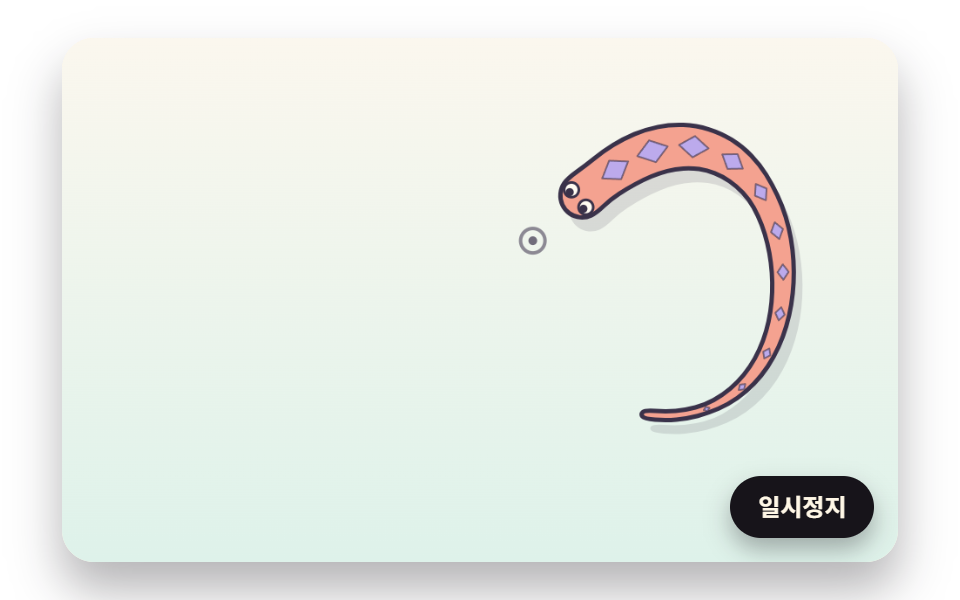 01 creature-spine-distance-chain-body
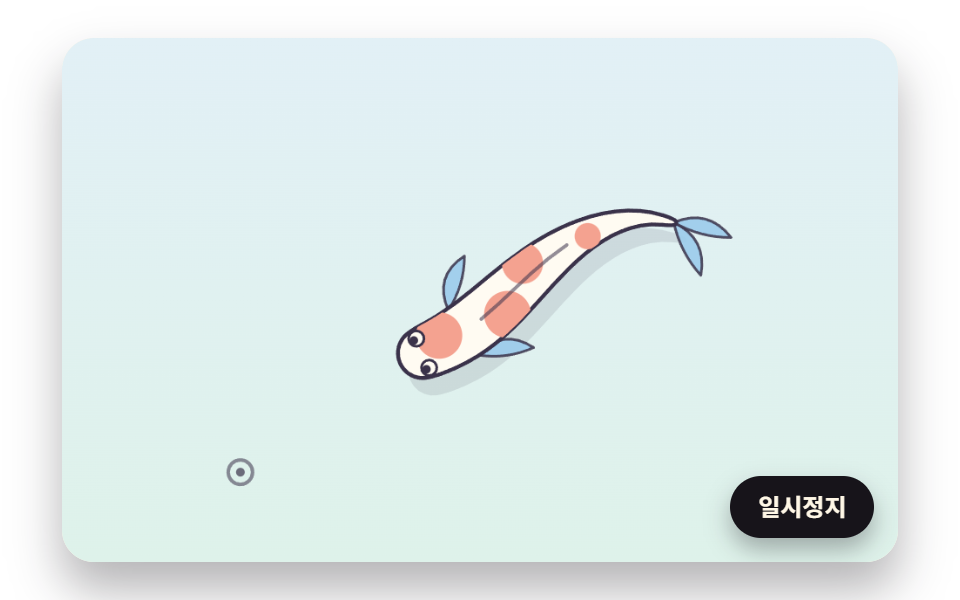 02 creature-koi-angle-limit-fins
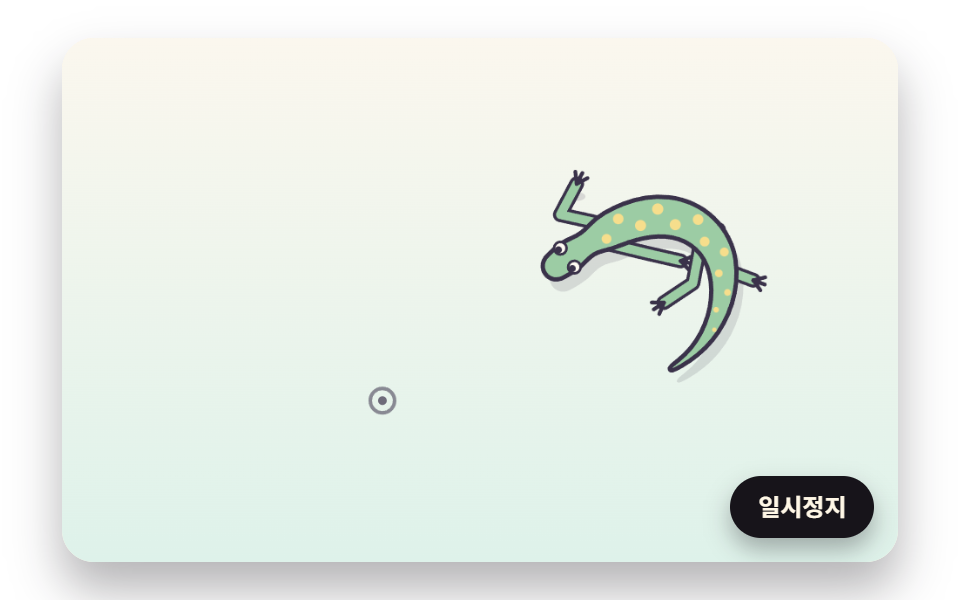 03 creature-lizard-two-bone-leg-step
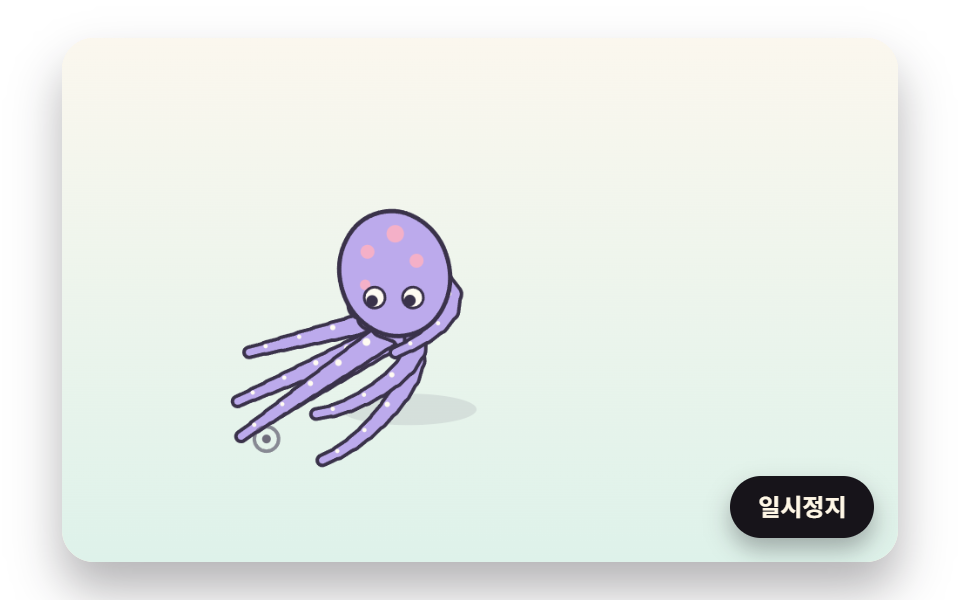 04 creature-tentacle-reach-iterate
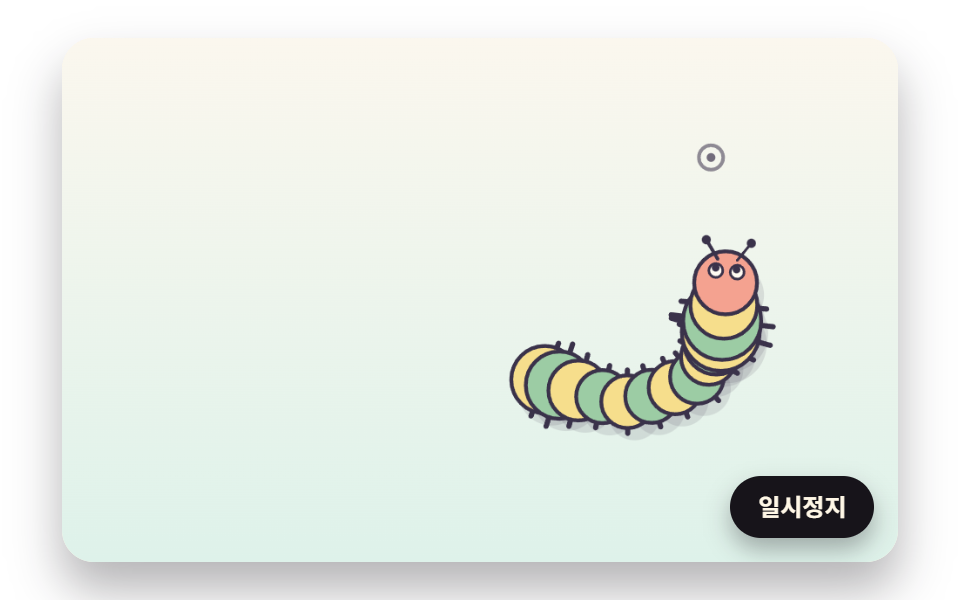 05 creature-caterpillar-wave-crawl
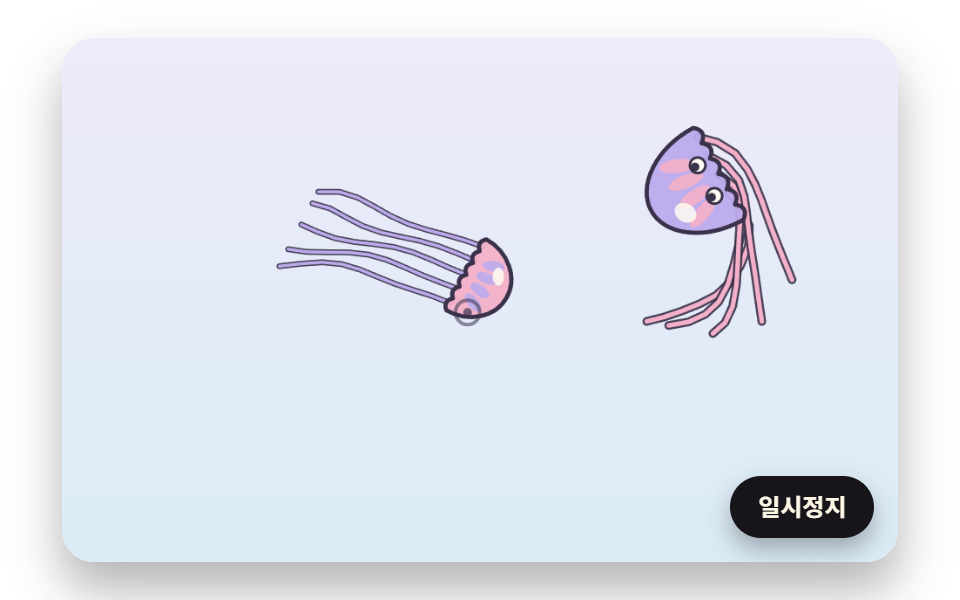 06 creature-jellyfish-pulse-drift
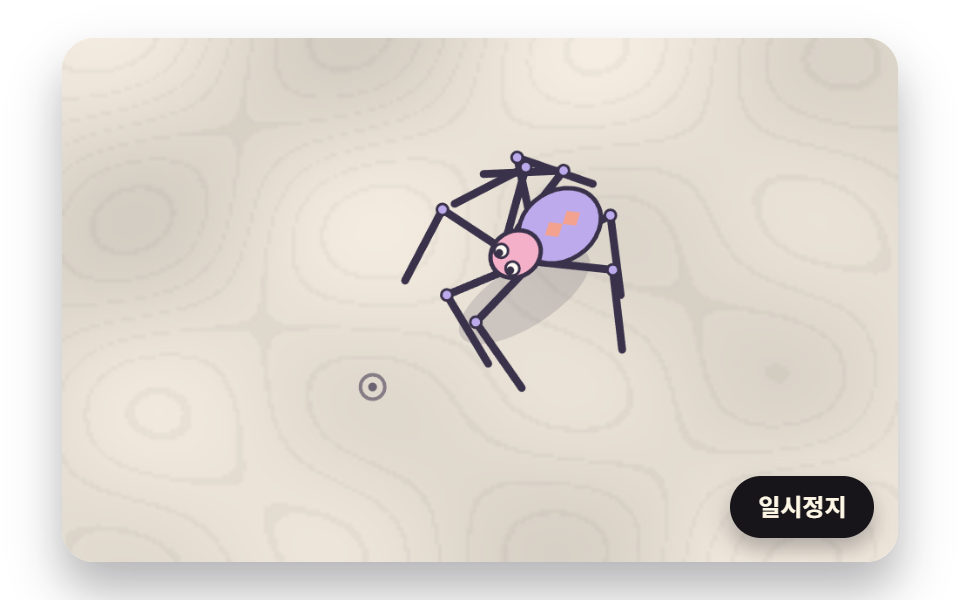 07 creature-spider-alternating-gait
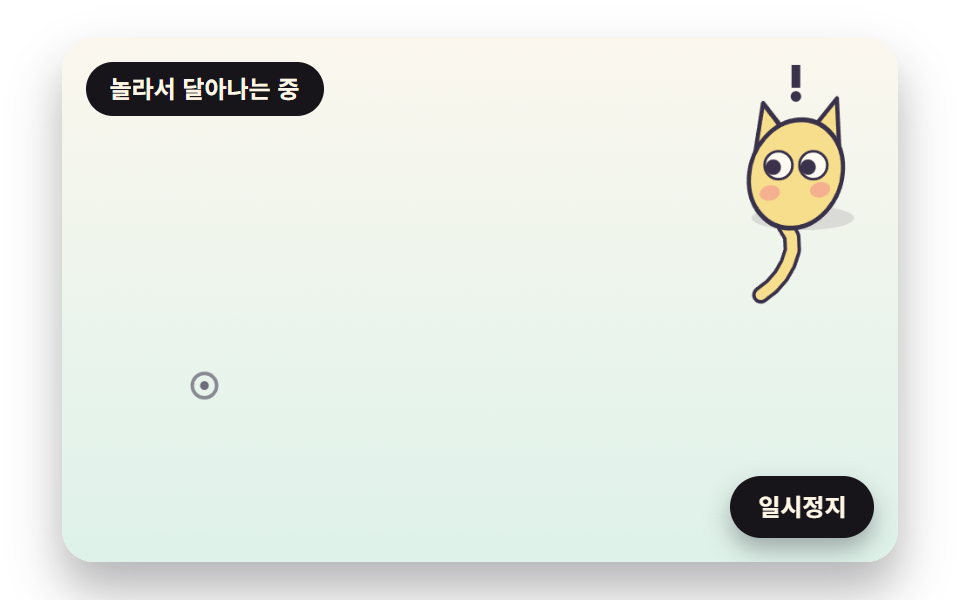 08 creature-pet-wander-arrive-startle
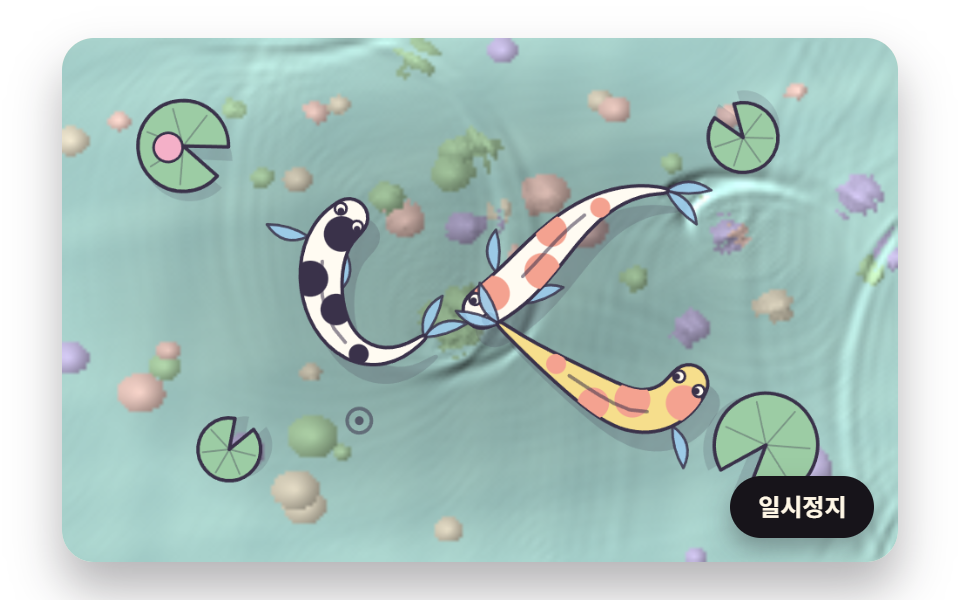 09 creature-hero-koi-pond-ripple-scene
Auto-plays · click a tile to jump to its section · all nine in one zip
- 01 A Chain Snake That Follows by Keeping Each Joint's Gap
- 02 A Koi That Swims Without Folding Because Every Bend Is Capped
- 03 A Lizard That Steps Only When a Foot Falls Too Far Behind
- 04 Octopus Tentacles That Reach Their Tips Toward the Target
- 05 A Caterpillar That Crawls by Bunching and Stretching
- 06 A Jellyfish That Lurches Forward Each Time Its Bell Squeezes
- 07 A Spider Walking on Two Alternating Sets of Four Legs
- 08 A Pet Creature That Wanders, Tags Along and Startles Away
- 09 A Koi Pond Scene Where Ripples Spread in the Fish's Wake
Left alone, the target travels a figure-eight through the middle of the stage: one swing across for every two swings up and down. The creatures loop around both rings, bending wide at the sides and cutting straight through the center. Once a pointer is over the stage, the target blends toward it bit by bit, and when the pointer leaves, the target drifts back onto the figure-eight.
That is a different unit of motion from the mouse follow effects, where dots or letters slide toward the pointer and each one only shrinks its own distance to it. Here the target pulls the head and nothing else; the rest of the body is dragged along under conditions such as a fixed gap, a bend limit or a bone length. The flocking simulation is a rule shared by many birds watching each other, while 08 is a rule by which one creature changes its own mood.
A portfolio hero and a 404 page
For a single companion on a portfolio hero, the chain snake in 01 has the simplest math: each frame it only has to place 26 joints again, and the moment a visitor moves the pointer it turns its head that way. A 404 page suits the lizard in 03, a lizard animation in which planted feet move one step at a time, which reads as a small guide walking beside a "let's start again" line.
As a helper in the corner of a store page, 08 fits best. While a shopper holds the pointer still to read a product, it wanders on its own; when the pointer moves, it comes closer; and when the pointer is flicked hard, it bolts and calms down 1.1 seconds later.
Event pages and a garden landing
An aquarium or ocean-experience event page can open on the octopus in 04 or the jellyfish in 06, and a fall event banner can carry the spider in 07, so the theme lands in one picture. On a landing page for an inn or a garden, the pond in 09 keeps more than half of the stage in motion and can take the place of a background video. The caterpillar in 05 works as a loading character crawling along a progress bar, and the koi in 02 as a calm backdrop for a cafe landing.
Cursor Follow Animation: 9 Creatures — Chain Snake, Angle-Capped Koi, Two-Bone Lizard, Reaching Tentacle, Crawling Caterpillar, Pulsing Jellyfish, Alternating Spider, a Pet with Moods and a Koi Pond
Each scene was captured on its 480×300 stage as 24 frames over 2 seconds, and the 23 differences between neighboring frames make up the table. The pond in 09 changes the most area at 51.4%, because the whole water surface moves, and the caterpillar in 05 changes the least at 9.6%, since only one body crawls across the floor. In every scene the picture changed in 23 of the 23 comparisons.
How much of the frame each scene changed
| Scene | Area changed | Frames moved | Mean intensity |
|---|---|---|---|
| 01 Chain snake | 14.5% | 23/23 | 82.8 |
| 02 Angle-capped koi | 17.8% | 23/23 | 84.1 |
| 03 Lizard | 12.7% | 23/23 | 79.1 |
| 04 Octopus tentacles | 24.9% | 23/23 | 89.7 |
| 05 Caterpillar | 9.6% | 23/23 | 95.0 |
| 06 Two jellyfish | 18.0% | 23/23 | 74.0 |
| 07 Spider | 19.9% | 23/23 | 101.5 |
| 08 Pet creature | 14.5% | 23/23 | 102.7 |
| 09 Koi pond | 51.4% | 23/23 | 51.0 |
Scenes 01 to 08 hold one or two creatures on an open stage, so a small area figure is expected there. For those eight, what matters is how exactly the gap, the bend limit and the stepping rule hold, and each section below gives that number.
01A Chain Snake That Follows by Keeping Each Joint's Gap
The head closes in at five times its remaining distance per second, capped at 240px/s, and followChain below puts each of the 25 joints behind it 12px from the joint ahead, on the line toward where that joint sits now, which holds the body at 300px. Scene 01 passes Math.PI as maxBend so no bend limit applies, and the outline is one closed shape made by pushing each joint out sideways by its own radius: 12.94px at the head, 13.11px at the widest point and 2.5px at the tail. Over one 1,205px lap of the figure-eight, head and tail sit 205.23px apart on average and no pair of neighbors bends more than 0.29 radians.
<main class="stage">
<div class="cf is-demo" id="cf">
  <canvas class="cf__canvas" data-role="canvas" width="480" height="300" role="img" aria-label="A coral snake whose head chases the target while the joints behind it are dragged along at a steady gap."></canvas>
  <button class="cf__pause" data-role="pause" type="button" aria-pressed="false">Pause</button>
</div>
</main>
@use "../../../../site/static/demo-tokens" as *;
@include stage($stage-paper);
.cf {
position: relative;
width: min(92vw, calc(160vh - 12.8vw));
aspect-ratio: 480 / 300;
margin: 0 auto;
border-radius: $r-card;
overflow: hidden;
box-shadow: $shadow-raised;
background: $subject-cream;
}
.cf__canvas {
position: absolute;
inset: 0;
display: block;
width: 100%;
height: 100%;
}
.cf__pause {
position: absolute;
right: $sp-3;
bottom: $sp-3;
padding: $sp-1 $sp-3;
border: 2px solid $subject-ink;
border-radius: $r-pill;
background: $subject-ink;
color: $subject-cream;
font-family: inherit;
font-weight: 700;
font-size: 12px;
line-height: 1.6;
cursor: pointer;
box-shadow: $shadow-press;
transition: transform $dur-quick $ease-spring;
}
// 눌린 상태(멈춤) — 바탕과 글자색을 뒤집어 aria-pressed 가 눈에도 보이게
.cf__pause[aria-pressed="true"] {
background: $subject-cream;
color: $subject-ink;
}
.cf__pause:hover {
transform: translateY(-2px);
}
.cf__pause:active {
transform: translateY(1px);
}
.cf__pause:focus-visible {
outline: 3px solid $subject-ink;
outline-offset: 3px;
}
// 상태 줄 — 지금 어떤 행동 중인지 글자로. 시연 중에는 aria-live off, 사람이 처음 손대면 polite
.cf__status {
position: absolute;
left: $sp-3;
top: $sp-3;
margin: 0;
padding: $sp-1 $sp-3;
border-radius: $r-pill;
background: $subject-ink;
color: $subject-cream;
font-weight: 700;
font-size: 12px;
line-height: 1.6;
pointer-events: none;
}
@media (max-width: 340px) {
.cf__pause,
.cf__status { font-size: 11px; padding: $sp-1 $sp-2; }
}
// 동작 줄이기 — 장면은 스크립트가 쉬는 자세 한 장으로 멈춘다. 버튼도 떠오르지 않게
@media (prefers-reduced-motion: reduce) {
.cf__pause { transition: none !important; }
.cf__pause:hover,
.cf__pause:active { transform: none !important; }
}html, body {
margin: 0;
overflow: hidden;
}
.stage {
box-sizing: border-box;
min-height: 100vh;
display: grid;
place-items: center;
margin: 0;
background: #ffffff;
font-family: -apple-system, "Segoe UI", "Noto Sans KR", sans-serif;
padding: clamp(8px, 4vw, 24px);
}
.cf {
position: relative;
width: min(92vw, 160vh - 12.8vw);
aspect-ratio: 480/300;
margin: 0 auto;
border-radius: 16px;
overflow: hidden;
box-shadow: 0 14px 24px rgba(23, 20, 26, 0.32);
background: #fff7e6;
}
.cf__canvas {
position: absolute;
inset: 0;
display: block;
width: 100%;
height: 100%;
}
.cf__pause {
position: absolute;
right: 12px;
bottom: 12px;
padding: 4px 12px;
border: 2px solid #17141a;
border-radius: 999px;
background: #17141a;
color: #fff7e6;
font-family: inherit;
font-weight: 700;
font-size: 12px;
line-height: 1.6;
cursor: pointer;
box-shadow: 0 6px 12px rgba(23, 20, 26, 0.32);
transition: transform 220ms cubic-bezier(0.2, 0.8, 0.2, 1);
}
.cf__pause[aria-pressed=true] {
background: #fff7e6;
color: #17141a;
}
.cf__pause:hover {
transform: translateY(-2px);
}
.cf__pause:active {
transform: translateY(1px);
}
.cf__pause:focus-visible {
outline: 3px solid #17141a;
outline-offset: 3px;
}
.cf__status {
position: absolute;
left: 12px;
top: 12px;
margin: 0;
padding: 4px 12px;
border-radius: 999px;
background: #17141a;
color: #fff7e6;
font-weight: 700;
font-size: 12px;
line-height: 1.6;
pointer-events: none;
}
@media (max-width: 340px) {
.cf__pause,
.cf__status {
font-size: 11px;
padding: 4px 8px;
}
}
@media (prefers-reduced-motion: reduce) {
.cf__pause {
transition: none !important;
}
.cf__pause:hover,
.cf__pause:active {
transform: none !important;
}
}(function () {
const root = document.getElementById("cf");
if (!root) return;
// 판 좌표 — 캔버스 안은 늘 480×300. 화면에 보이는 크기와 상관없이 계산은 이 좌표로 한다
const W = 480;
const H = 300;
const TAU = Math.PI * 2;
function clamp(v, lo, hi) { return v < lo ? lo : (v > hi ? hi : v); }
function lerp(a, b, k) { return a + (b - a) * k; }
function smooth(x) { const c = clamp(x, 0, 1); return c * c * (3 - 2 * c); }
// 각을 -π~π 로 접는다 — 두 방향의 차이를 잴 때 한 바퀴 넘어간 값을 되돌린다
function wrapAngle(a) {
let r = a;
while (r > Math.PI) {
r -= TAU;
}
while (r < -Math.PI) {
r += TAU;
}
return r;
}
// 따라가기 비율 — 1 − e^(−rate·dt). 프레임 시간이 달라도 1초에 같은 만큼 다가간다
function follow(rate, dt) { return 1 - Math.exp(-rate * dt); }
// 시드 고정 난수 — 같은 시드면 같은 흔들림·배치가 다시 나온다 (32비트 정수 섞기)
function makeRng(seed) {
let s = seed >>> 0;
return function () {
s = (s + 0x6d2b79f5) >>> 0;
let t = s;
t = Math.imul(t ^ (t >>> 15), t | 1);
t ^= t + Math.imul(t ^ (t >>> 7), t | 61);
return ((t ^ (t >>> 14)) >>> 0) / 4294967296;
};
}
// 1차원 값 노이즈 — 정수 자리마다 시드로 정한 값(-1~1)을 두고 사이는 부드러운 보간. 흔들림·배회 방향에 쓴다
const NOISE_TABLE = new Float32Array(256);
const noiseRng = makeRng(480);
for (let i = 0; i < 256; i += 1) {
NOISE_TABLE[i] = noiseRng() * 2 - 1;
}
function smoothNoise(x) {
const i = Math.floor(x);
const f = x - i;
const u = f * f * (3 - 2 * f);
return lerp(NOISE_TABLE[i & 255], NOISE_TABLE[(i + 1) & 255], u);
}
// 8자 길 — 가로로 한 번(sin θ), 세로로 두 번(sin 2θ) 흔들리는 점. 판 가운데를 지나는 두 고리를 period 초에 한 바퀴
function figureEight(t, ax, ay, period) {
const a = TAU * t / period;
return [W / 2 + ax * Math.sin(a), H / 2 + ay * Math.sin(2 * a)];
}
// 마디 사슬 — xs[0], ys[0] 이 머리. 머리를 옮긴 뒤 부르면 뒤 마디마다 「앞 마디에서 지금 자기 쪽으로 향한 방향 × gap」 자리로 끌어온다.
// 간격만 지키므로 마디는 늘지도 줄지도 않고, 몸은 머리가 지나간 길을 대충 따라 눕는다.
// maxBend 가 π 보다 작으면 이웃 두 토막이 꺾이는 각을 ±maxBend(라디안)로 자른다 — π 이상(예: Math.PI)이면 각 한계 없음.
// backAngle 은 머리 뒤쪽 방향(머리 진행 방향 + π). 숫자면 첫 토막도 그 방향을 기준으로 자른다, NaN 이면 첫 토막은 자유
    function followChain(xs, ys, gap, maxBend, backAngle) {
        const n = xs.length;
        let prevAng = backAngle;
        for (let i = 1; i < n; i += 1) {
            let ang = Math.atan2(ys[i] - ys[i - 1], xs[i] - xs[i - 1]);
            if (maxBend < Math.PI && !isNaN(prevAng)) {
                const d = wrapAngle(ang - prevAng);
                if (d > maxBend) {
                    ang = prevAng + maxBend;
                }
                else if (d < -maxBend) {
                    ang = prevAng - maxBend;
                }
            }
            xs[i] = xs[i - 1] + Math.cos(ang) * gap;
            ys[i] = ys[i - 1] + Math.sin(ang) * gap;
            prevAng = ang;
        }
    }
// 마디 i 에서 머리 쪽을 향한 방향(라디안) — 양 끝은 이웃 한 토막, 가운데는 앞뒤 마디를 이은 방향
function jointAngle(xs, ys, i) {
const n = xs.length;
if (i <= 0) {
return Math.atan2(ys[0] - ys[1], xs[0] - xs[1]);
}
if (i >= n - 1) {
return Math.atan2(ys[n - 2] - ys[n - 1], xs[n - 2] - xs[n - 1]);
}
return Math.atan2(ys[i - 1] - ys[i + 1], xs[i - 1] - xs[i + 1]);
}
// 이웃 두 토막 사이 꺾인 각(라디안, 부호 있음) — 마디 i 앞 토막과 뒤 토막의 방향 차
function bendAt(xs, ys, i) {
const a = Math.atan2(ys[i] - ys[i - 1], xs[i] - xs[i - 1]);
const b = Math.atan2(ys[i + 1] - ys[i], xs[i + 1] - xs[i]);
return wrapAngle(b - a);
}
// 몸 윤곽 — 마디마다 방향의 법선(직각) 쪽으로 radii[i] 만큼 좌우로 민 점을 잇는다.
// 순서: 머리 왼쪽 → 왼쪽 옆구리를 따라 꼬리 → 꼬리 끝 → 오른쪽 옆구리를 따라 머리 → 머리 앞쪽 반원(HEAD_CAP_STEPS 조각). 닫힌 다각형, 점마다 x 와 y 를 차례로 넣은 한 줄 배열
const HEAD_CAP_STEPS = 6;
function bodyOutline(xs, ys, radii) {
const n = xs.length;
const pts = [];
for (let i = 0; i < n; i += 1) {
const a = jointAngle(xs, ys, i) + Math.PI / 2;
pts.push(xs[i] + Math.cos(a) * radii[i], ys[i] + Math.sin(a) * radii[i]);
}
const tailA = jointAngle(xs, ys, n - 1) + Math.PI;
pts.push(xs[n - 1] + Math.cos(tailA) * radii[n - 1], ys[n - 1] + Math.sin(tailA) * radii[n - 1]);
for (let i = n - 1; i >= 0; i -= 1) {
const a = jointAngle(xs, ys, i) - Math.PI / 2;
pts.push(xs[i] + Math.cos(a) * radii[i], ys[i] + Math.sin(a) * radii[i]);
}
const a0 = jointAngle(xs, ys, 0);
for (let k = 1; k < HEAD_CAP_STEPS; k += 1) {
const a = a0 - Math.PI / 2 + Math.PI * k / HEAD_CAP_STEPS;
pts.push(xs[0] + Math.cos(a) * radii[0], ys[0] + Math.sin(a) * radii[0]);
}
return pts;
}
// 몸이 스스로 겹친 정도 — 사슬에서 3칸 이상 떨어진 두 마디가 두 반지름 합보다 가까운 쌍의 수와 가장 가까운 거리
function selfOverlap(xs, ys, radii) {
const n = xs.length;
let count = 0;
let nearest = Infinity;
for (let i = 0; i < n; i += 1) {
for (let j = i + 3; j < n; j += 1) {
const d = Math.hypot(xs[i] - xs[j], ys[i] - ys[j]);
if (d < nearest) {
nearest = d;
}
if (d < radii[i] + radii[j]) {
count += 1;
}
}
}
return [count, nearest];
}
// 파스텔 팔레트 — 크림·옅은 민트 바탕 위에 파스텔 생물, 윤곽선과 그림자는 진한 잉크색으로 명도 차를 둔다
const PAPER = [251, 247, 238];
const PAPER_LOW = [222, 242, 234];
const INK = [58, 50, 74];
const CREAM = [255, 251, 242];
const CORAL = [244, 162, 144];
const LAVENDER = [188, 170, 236];
const BUTTER = [246, 222, 140];
const SAGE = [156, 204, 164];
const PINK = [244, 176, 200];
const SKY = [156, 204, 236];
function rgba(c, a) {
return 'rgba(' + Math.round(clamp(c[0], 0, 255)) + ',' + Math.round(clamp(c[1], 0, 255)) + ',' + Math.round(clamp(c[2], 0, 255)) + ',' + clamp(a, 0, 1).toFixed(3) + ')';
}
function shade(c, k) { return [c[0] * k, c[1] * k, c[2] * k]; }
const canvasEl = root.querySelector('[data-role="canvas"]');
const pauseEl = root.querySelector('[data-role="pause"]');
const ctxRaw = canvasEl ? canvasEl.getContext('2d') : null;
if (!canvasEl || !ctxRaw || !pauseEl) {
return;
}
const cv = canvasEl;
const ctx = ctxRaw;
const pauseBtn = pauseEl;
// 목표점(판 좌표)과 그 속도(px/초) — 8자 길 또는 포인터. 그리기에서 눈동자 방향·목표 표시에 쓴다
let tx = W / 2;
let ty = H / 2;
let tvx = 0;
let tvy = 0;
function fitCanvas() {
// 배율은 2 에서 자른다 — 배율 3 기기에서 화소가 2.25배로 늘어 프레임마다 일이 그만큼 커지지 않게
const dpr = Math.min(window.devicePixelRatio || 1, 2);
cv.width = Math.round(W * dpr);
cv.height = Math.round(H * dpr);
ctx.setTransform(dpr, 0, 0, dpr, 0, 0);
}
function clearStage(top, bottom) {
const g = ctx.createLinearGradient(0, 0, 0, H);
g.addColorStop(0, rgba(top, 1));
g.addColorStop(1, rgba(bottom, 1));
ctx.fillStyle = g;
ctx.fillRect(0, 0, W, H);
}
// 점들을 지나는 매끈한 닫힌 곡선 — 이웃 두 점의 가운데를 잇고 점 자체는 2차 곡선의 조절점으로 쓴다
function smoothClosed(pts) {
const n = pts.length / 2;
ctx.beginPath();
ctx.moveTo((pts[2 * (n - 1)] + pts[0]) / 2, (pts[2 * (n - 1) + 1] + pts[1]) / 2);
for (let i = 0; i < n; i += 1) {
const j = (i + 1) % n;
ctx.quadraticCurveTo(pts[2 * i], pts[2 * i + 1], (pts[2 * i] + pts[2 * j]) / 2, (pts[2 * i + 1] + pts[2 * j + 1]) / 2);
}
ctx.closePath();
}
function fillShape(pts, fill, line) {
smoothClosed(pts);
ctx.fillStyle = rgba(fill, 1);
ctx.fill();
if (line > 0) {
ctx.lineWidth = line;
ctx.lineJoin = 'round';
ctx.strokeStyle = rgba(INK, 1);
ctx.stroke();
}
}
// 바닥 그림자 — 같은 윤곽을 (ox, oy) 만큼 밀어 옅은 잉크색으로
function dropShadow(pts, ox, oy, alpha) {
ctx.save();
ctx.translate(ox, oy);
smoothClosed(pts);
ctx.fillStyle = rgba(INK, alpha);
ctx.fill();
ctx.restore();
}
// 눈 — 흰자 위 눈동자를 (lookX, lookY) 쪽으로 반지름의 0.4 만큼 민다. open 0~1 은 위 눈꺼풀이 덮는 정도의 반대
function drawEye(x, y, r, lookX, lookY, open) {
const a = Math.atan2(lookY - y, lookX - x);
ctx.beginPath();
ctx.arc(x, y, r, 0, TAU);
ctx.fillStyle = rgba(CREAM, 1);
ctx.fill();
ctx.lineWidth = 1.5;
ctx.strokeStyle = rgba(INK, 1);
ctx.stroke();
ctx.beginPath();
ctx.arc(x + Math.cos(a) * r * 0.4, y + Math.sin(a) * r * 0.4, r * 0.55, 0, TAU);
ctx.fillStyle = rgba(INK, 1);
ctx.fill();
if (open < 1) {
ctx.save();
ctx.beginPath();
ctx.arc(x, y, r + 0.5, 0, TAU);
ctx.clip();
ctx.fillStyle = rgba(INK, 0.85);
ctx.fillRect(x - r - 1, y - r - 1, 2 * r + 2, (2 * r + 2) * (1 - open));
ctx.restore();
}
}
// 목표 표시 — 잉크색 고리와 점. 생물이 무엇을 쫓는지 보이게
function drawTarget(x, y) {
// 동작 줄이기의 쉬는 자세에서는 포인터가 올라왔을 때만 보인다
if (still && !ptrOn) {
return;
}
ctx.beginPath();
ctx.arc(x, y, 7, 0, TAU);
ctx.lineWidth = 2;
ctx.strokeStyle = rgba(INK, 0.55);
ctx.stroke();
ctx.beginPath();
ctx.arc(x, y, 2.5, 0, TAU);
ctx.fillStyle = rgba(INK, 0.7);
ctx.fill();
}
// 01 사슬 뱀 — 머리가 목표를 쫓고, 뒤 마디는 앞 마디와의 간격 SEGMENT_GAP 만 지킨다(각 한계 없음)
const SNAKE_JOINTS = 26;
// 마디 사이 간격(px) — 몸 길이 = (SNAKE_JOINTS − 1) × SEGMENT_GAP
const SEGMENT_GAP = 12;
// 가장 굵은 마디의 반지름(px)
const BODY_WIDTH = 15;
// 머리 속도(px/초) = min(목표까지 거리 × HEAD_PULL, HEAD_SPEED) — 멀면 최고 속도로, 가까우면 거리에 비례해 느려진다
const HEAD_SPEED = 240;
const HEAD_PULL = 5;
const PREWARM = 3;
function pathAt(t) { return figureEight(t, 185, 105, 7); }
const sx = new Float64Array(SNAKE_JOINTS);
const sy = new Float64Array(SNAKE_JOINTS);
const sr = new Float64Array(SNAKE_JOINTS);
// 마디 반지름 — u = 0(머리) ~ 1(꼬리). 목 바로 뒤가 가장 굵고 꼬리 끝으로 가늘어진다. 머리는 조금 부풀린다
function snakeRadius(i) {
const u = i / (SNAKE_JOINTS - 1);
const r = BODY_WIDTH * Math.pow(1 - u, 0.7) * (0.75 + 0.25 * Math.sin(Math.PI * Math.min(1, u * 2.5)));
return Math.max(2.5, i === 0 ? r * 1.15 : r);
}
function reset() {
const p = pathAt(0);
for (let i = 0; i < SNAKE_JOINTS; i += 1) {
sx[i] = p[0] - i * SEGMENT_GAP;
sy[i] = p[1];
sr[i] = snakeRadius(i);
}
}
function update(dt, tx, ty, tvx, tvy) {
const dx = tx - sx[0];
const dy = ty - sy[0];
const dist = Math.hypot(dx, dy);
if (dist > 0.01) {
const stepLen = Math.min(Math.min(dist * HEAD_PULL, HEAD_SPEED) * dt, dist);
sx[0] += dx / dist * stepLen;
sy[0] += dy / dist * stepLen;
}
followChain(sx, sy, SEGMENT_GAP, Math.PI, NaN);
}
// 쉬는 자세 — 판 가운데에 완만한 S 자로 눕힌다(머리는 오른쪽)
function restPose() {
for (let i = 0; i < SNAKE_JOINTS; i += 1) {
const u = i / (SNAKE_JOINTS - 1);
sx[i] = W / 2 + 140 - i * SEGMENT_GAP * 0.92;
sy[i] = H / 2 + Math.sin(u * TAU) * 38;
}
followChain(sx, sy, SEGMENT_GAP, Math.PI, NaN);
}
function draw() {
clearStage(PAPER, PAPER_LOW);
const outline = bodyOutline(sx, sy, sr);
dropShadow(outline, 5, 8, 0.14);
fillShape(outline, CORAL, 2.5);
// 등 무늬 — 둘째 마디마다 몸 방향으로 눕힌 마름모. 크기는 그 마디 반지름에서 나온다
ctx.fillStyle = rgba(LAVENDER, 1);
ctx.strokeStyle = rgba(INK, 0.6);
ctx.lineWidth = 1;
for (let i = 2; i < SNAKE_JOINTS - 3; i += 2) {
const a = jointAngle(sx, sy, i);
const r = sr[i] * 0.5;
ctx.beginPath();
ctx.moveTo(sx[i] + Math.cos(a) * r * 1.4, sy[i] + Math.sin(a) * r * 1.4);
ctx.lineTo(sx[i] + Math.cos(a + Math.PI / 2) * r, sy[i] + Math.sin(a + Math.PI / 2) * r);
ctx.lineTo(sx[i] - Math.cos(a) * r * 1.4, sy[i] - Math.sin(a) * r * 1.4);
ctx.lineTo(sx[i] + Math.cos(a - Math.PI / 2) * r, sy[i] + Math.sin(a - Math.PI / 2) * r);
ctx.closePath();
ctx.fill();
ctx.stroke();
}
// 눈 — 머리 마디에서 좌우 법선 쪽으로 반지름의 0.5, 앞쪽으로 0.2 만큼
const a0 = jointAngle(sx, sy, 0);
for (let s = -1; s <= 1; s += 2) {
const ex = sx[0] + Math.cos(a0 + s * Math.PI / 2) * sr[0] * 0.5 + Math.cos(a0) * sr[0] * 0.2;
const ey = sy[0] + Math.sin(a0 + s * Math.PI / 2) * sr[0] * 0.5 + Math.sin(a0) * sr[0] * 0.2;
drawEye(ex, ey, 4.2, tx, ty, 1);
}
drawTarget(tx, ty);
}
// 한 프레임에 넘기는 시간 상한(초) — 탭을 오래 숨겼다 돌아온 첫 프레임에도 50ms 까지만 계산에 넣는다
const DT_MAX = 0.05;
// 미리 돌리기 — 첫 장면을 그리기 전에 PREWARM 초를 1/60초 걸음으로 계산해 생물이 길 위에 자리 잡은 채 시작한다
const PREWARM_STEP = 1 / 60;
// 시연 시계(초) — 8자 길 위의 자리를 정한다
let simTime = 0;
// 포인터(판 좌표) — 판 위에 있으면 목표를 포인터 쪽으로 옮긴다. 떠나면 다시 8자 길로 서서히 돌아간다
let ptrX = W / 2;
let ptrY = H / 2;
let ptrOn = false;
let ptrBlend = 0;
let paused = false;
const reduceQuery = window.matchMedia('(prefers-reduced-motion: reduce)');
// 페이지를 연 채 동작 줄이기 설정을 바꿔도 change 리스너가 이 값을 다시 읽는다
let still = reduceQuery.matches;
// 자동 시연 중인가 — 사람이 처음 손대면 시연 표시를 떼고 알림 줄을 polite 로 켠다
let demo = root.classList.contains('is-demo');
// 리스너는 한 묶음으로 달고 정리할 때 한 번에 뗀다
const off = new AbortController();
function wake() {
if (!demo) {
return;
}
demo = false;
root.classList.remove('is-demo');
const live = root.querySelector('[aria-live]');
if (live) {
live.setAttribute('aria-live', 'polite');
}
}
// 목표 옮기기 — 8자 길 자리와 포인터 자리를 ptrBlend 비율로 섞고, 그 변화로 목표 속도를 잰다
function moveTarget(dt) {
const p = pathAt(simTime);
ptrBlend = lerp(ptrBlend, ptrOn ? 1 : 0, follow(4, dt));
const nx = lerp(p[0], ptrX, ptrBlend);
const ny = lerp(p[1], ptrY, ptrBlend);
if (dt > 0) {
tvx = lerp(tvx, (nx - tx) / dt, follow(12, dt));
tvy = lerp(tvy, (ny - ty) / dt, follow(12, dt));
}
tx = nx;
ty = ny;
}
function advance(dt) {
simTime += dt;
moveTarget(dt);
update(dt, tx, ty, tvx, tvy);
}
let rafId = 0;
let lastTs = -1;
function frame(ts) {
if (still || paused) {
rafId = 0;
return;
}
if (lastTs < 0) {
lastTs = ts;
}
const dt = Math.min((ts - lastTs) / 1000, DT_MAX);
lastTs = ts;
if (dt > 0) {
advance(dt);
}
draw();
rafId = window.requestAnimationFrame(frame);
}
function startLoop() {
if (rafId) {
return;
}
// 시계 다시 맞추기 — 멈췄던 사이의 시간을 첫 프레임 dt 로 넘기지 않는다
lastTs = -1;
rafId = window.requestAnimationFrame(frame);
}
function stopLoop() {
if (rafId) {
window.cancelAnimationFrame(rafId);
rafId = 0;
}
}
// 동작 줄이기 — 루프를 돌리지 않고 쉬는 자세 한 장면만 그린다
function showRest() {
stopLoop();
reset();
restPose();
draw();
}
function play() {
reset();
simTime = 0;
const p = pathAt(0);
tx = p[0];
ty = p[1];
tvx = 0;
tvy = 0;
for (let t = 0; t < PREWARM; t += PREWARM_STEP) {
advance(PREWARM_STEP);
}
draw();
if (!paused) {
startLoop();
}
}
function setPointer(ev) {
const r = cv.getBoundingClientRect();
ptrX = (ev.clientX - r.left) * W / Math.max(1, r.width);
ptrY = (ev.clientY - r.top) * H / Math.max(1, r.height);
ptrOn = true;
wake();
// 동작 줄이기에서도 입력은 화면에 남는다 — 쉬는 자세 그대로 눈과 목표 표시만 포인터 쪽으로 다시 그린다
if (still) {
tx = ptrX;
ty = ptrY;
draw();
}
}
cv.addEventListener('pointermove', setPointer, { signal: off.signal });
cv.addEventListener('pointerdown', setPointer, { signal: off.signal });
function leavePointer() { ptrOn = false; }
cv.addEventListener('pointerleave', leavePointer, { signal: off.signal });
cv.addEventListener('pointercancel', leavePointer, { signal: off.signal });
pauseBtn.addEventListener('click', function () {
paused = !paused;
pauseBtn.setAttribute('aria-pressed', paused ? 'true' : 'false');
wake();
if (paused) {
stopLoop();
}
else if (!still) {
startLoop();
}
}, { signal: off.signal });
// 탭이 숨으면 루프를 멈추고, 돌아오면 시계를 다시 맞춰 시작한다 — 숨은 동안의 몇 초가 한 프레임에 몰리지 않게
document.addEventListener('visibilitychange', function () {
if (document.hidden) {
stopLoop();
}
else if (!paused && !still) {
startLoop();
}
}, { signal: off.signal });
// 설정이 페이지를 연 채 바뀌면 — 켜지면 쉬는 자세로 멈추고, 꺼지면 시연을 처음부터
reduceQuery.addEventListener('change', function () {
still = reduceQuery.matches;
if (still) {
showRest();
}
else {
play();
}
}, { signal: off.signal });
window.addEventListener('resize', function () {
fitCanvas();
draw();
}, { signal: off.signal });
fitCanvas();
if (still) {
showRest();
}
else {
play();
}
return function () {
stopLoop();
off.abort();
};
})();// SpineDistanceChainBody - vanilla 판(01-creature-spine-distance-chain-body) 의 React 포트. 같은 계산을 useEffect 안에서 돌린다.
import { useEffect, useRef } from "react";
import styles from "./SpineDistanceChainBody.module.scss";
const cx = (s: string): string => s.split(" ").map((n) => styles[n] ?? n).join(" ");
export default function SpineDistanceChainBody() {
const rootRef = useRef<HTMLDivElement | null>(null);
useEffect(() => {
const rootEl = rootRef.current;
if (!rootEl) return;
const root: HTMLElement = rootEl;
type Pt = [number, number];
type RGB = [number, number, number];
// 판 좌표 — 캔버스 안은 늘 480×300. 화면에 보이는 크기와 상관없이 계산은 이 좌표로 한다
const W = 480;
const H = 300;
const TAU = Math.PI * 2;
function clamp(v: number, lo: number, hi: number): number { return v < lo ? lo : (v > hi ? hi : v); }
function lerp(a: number, b: number, k: number): number { return a + (b - a) * k; }
function smooth(x: number): number { const c = clamp(x, 0, 1); return c * c * (3 - 2 * c); }
// 각을 -π~π 로 접는다 — 두 방향의 차이를 잴 때 한 바퀴 넘어간 값을 되돌린다
function wrapAngle(a: number): number {
let r = a;
while (r > Math.PI) { r -= TAU; }
while (r < -Math.PI) { r += TAU; }
return r;
}
// 따라가기 비율 — 1 − e^(−rate·dt). 프레임 시간이 달라도 1초에 같은 만큼 다가간다
function follow(rate: number, dt: number): number { return 1 - Math.exp(-rate * dt); }
// 시드 고정 난수 — 같은 시드면 같은 흔들림·배치가 다시 나온다 (32비트 정수 섞기)
function makeRng(seed: number): () => number {
let s = seed >>> 0;
return function (): number {
s = (s + 0x6d2b79f5) >>> 0;
let t = s;
t = Math.imul(t ^ (t >>> 15), t | 1);
t ^= t + Math.imul(t ^ (t >>> 7), t | 61);
return ((t ^ (t >>> 14)) >>> 0) / 4294967296;
};
}
// 1차원 값 노이즈 — 정수 자리마다 시드로 정한 값(-1~1)을 두고 사이는 부드러운 보간. 흔들림·배회 방향에 쓴다
const NOISE_TABLE = new Float32Array(256);
const noiseRng = makeRng(480);
for (let i = 0; i < 256; i += 1) { NOISE_TABLE[i] = noiseRng() * 2 - 1; }
function smoothNoise(x: number): number {
const i = Math.floor(x);
const f = x - i;
const u = f * f * (3 - 2 * f);
return lerp(NOISE_TABLE[i & 255], NOISE_TABLE[(i + 1) & 255], u);
}
// 8자 길 — 가로로 한 번(sin θ), 세로로 두 번(sin 2θ) 흔들리는 점. 판 가운데를 지나는 두 고리를 period 초에 한 바퀴
function figureEight(t: number, ax: number, ay: number, period: number): Pt {
const a = TAU * t / period;
return [W / 2 + ax * Math.sin(a), H / 2 + ay * Math.sin(2 * a)];
}
// 마디 사슬 — xs[0], ys[0] 이 머리. 머리를 옮긴 뒤 부르면 뒤 마디마다 「앞 마디에서 지금 자기 쪽으로 향한 방향 × gap」 자리로 끌어온다.
// 간격만 지키므로 마디는 늘지도 줄지도 않고, 몸은 머리가 지나간 길을 대충 따라 눕는다.
// maxBend 가 π 보다 작으면 이웃 두 토막이 꺾이는 각을 ±maxBend(라디안)로 자른다 — π 이상(예: Math.PI)이면 각 한계 없음.
// backAngle 은 머리 뒤쪽 방향(머리 진행 방향 + π). 숫자면 첫 토막도 그 방향을 기준으로 자른다, NaN 이면 첫 토막은 자유
function followChain(xs: Float64Array, ys: Float64Array, gap: number, maxBend: number, backAngle: number): void {
const n = xs.length;
let prevAng = backAngle;
for (let i = 1; i < n; i += 1) {
let ang = Math.atan2(ys[i] - ys[i - 1], xs[i] - xs[i - 1]);
if (maxBend < Math.PI && !isNaN(prevAng)) {
const d = wrapAngle(ang - prevAng);
if (d > maxBend) { ang = prevAng + maxBend; } else if (d < -maxBend) { ang = prevAng - maxBend; }
}
xs[i] = xs[i - 1] + Math.cos(ang) * gap;
ys[i] = ys[i - 1] + Math.sin(ang) * gap;
prevAng = ang;
}
}
// 마디 i 에서 머리 쪽을 향한 방향(라디안) — 양 끝은 이웃 한 토막, 가운데는 앞뒤 마디를 이은 방향
function jointAngle(xs: Float64Array, ys: Float64Array, i: number): number {
const n = xs.length;
if (i <= 0) { return Math.atan2(ys[0] - ys[1], xs[0] - xs[1]); }
if (i >= n - 1) { return Math.atan2(ys[n - 2] - ys[n - 1], xs[n - 2] - xs[n - 1]); }
return Math.atan2(ys[i - 1] - ys[i + 1], xs[i - 1] - xs[i + 1]);
}
// 이웃 두 토막 사이 꺾인 각(라디안, 부호 있음) — 마디 i 앞 토막과 뒤 토막의 방향 차
function bendAt(xs: Float64Array, ys: Float64Array, i: number): number {
const a = Math.atan2(ys[i] - ys[i - 1], xs[i] - xs[i - 1]);
const b = Math.atan2(ys[i + 1] - ys[i], xs[i + 1] - xs[i]);
return wrapAngle(b - a);
}
// 몸 윤곽 — 마디마다 방향의 법선(직각) 쪽으로 radii[i] 만큼 좌우로 민 점을 잇는다.
// 순서: 머리 왼쪽 → 왼쪽 옆구리를 따라 꼬리 → 꼬리 끝 → 오른쪽 옆구리를 따라 머리 → 머리 앞쪽 반원(HEAD_CAP_STEPS 조각). 닫힌 다각형, 점마다 x 와 y 를 차례로 넣은 한 줄 배열
const HEAD_CAP_STEPS = 6;
function bodyOutline(xs: Float64Array, ys: Float64Array, radii: Float64Array): number[] {
const n = xs.length;
const pts: number[] = [];
for (let i = 0; i < n; i += 1) {
const a = jointAngle(xs, ys, i) + Math.PI / 2;
pts.push(xs[i] + Math.cos(a) * radii[i], ys[i] + Math.sin(a) * radii[i]);
}
const tailA = jointAngle(xs, ys, n - 1) + Math.PI;
pts.push(xs[n - 1] + Math.cos(tailA) * radii[n - 1], ys[n - 1] + Math.sin(tailA) * radii[n - 1]);
for (let i = n - 1; i >= 0; i -= 1) {
const a = jointAngle(xs, ys, i) - Math.PI / 2;
pts.push(xs[i] + Math.cos(a) * radii[i], ys[i] + Math.sin(a) * radii[i]);
}
const a0 = jointAngle(xs, ys, 0);
for (let k = 1; k < HEAD_CAP_STEPS; k += 1) {
const a = a0 - Math.PI / 2 + Math.PI * k / HEAD_CAP_STEPS;
pts.push(xs[0] + Math.cos(a) * radii[0], ys[0] + Math.sin(a) * radii[0]);
}
return pts;
}
// 몸이 스스로 겹친 정도 — 사슬에서 3칸 이상 떨어진 두 마디가 두 반지름 합보다 가까운 쌍의 수와 가장 가까운 거리
function selfOverlap(xs: Float64Array, ys: Float64Array, radii: Float64Array): [number, number] {
const n = xs.length;
let count = 0;
let nearest = Infinity;
for (let i = 0; i < n; i += 1) {
for (let j = i + 3; j < n; j += 1) {
const d = Math.hypot(xs[i] - xs[j], ys[i] - ys[j]);
if (d < nearest) { nearest = d; }
if (d < radii[i] + radii[j]) { count += 1; }
}
}
return [count, nearest];
}
// 파스텔 팔레트 — 크림·옅은 민트 바탕 위에 파스텔 생물, 윤곽선과 그림자는 진한 잉크색으로 명도 차를 둔다
const PAPER: RGB = [251, 247, 238];
const PAPER_LOW: RGB = [222, 242, 234];
const INK: RGB = [58, 50, 74];
const CREAM: RGB = [255, 251, 242];
const CORAL: RGB = [244, 162, 144];
const LAVENDER: RGB = [188, 170, 236];
const BUTTER: RGB = [246, 222, 140];
const SAGE: RGB = [156, 204, 164];
const PINK: RGB = [244, 176, 200];
const SKY: RGB = [156, 204, 236];
function rgba(c: RGB, a: number): string {
return 'rgba(' + Math.round(clamp(c[0], 0, 255)) + ',' + Math.round(clamp(c[1], 0, 255)) + ',' + Math.round(clamp(c[2], 0, 255)) + ',' + clamp(a, 0, 1).toFixed(3) + ')';
}
function shade(c: RGB, k: number): RGB { return [c[0] * k, c[1] * k, c[2] * k]; }
const canvasEl = root.querySelector('[data-role="canvas"]') as HTMLCanvasElement | null;
const pauseEl = root.querySelector('[data-role="pause"]') as HTMLButtonElement | null;
const ctxRaw = canvasEl ? canvasEl.getContext('2d') : null;
if (!canvasEl || !ctxRaw || !pauseEl) { return; }
const cv: HTMLCanvasElement = canvasEl;
const ctx: CanvasRenderingContext2D = ctxRaw;
const pauseBtn: HTMLButtonElement = pauseEl;
// 목표점(판 좌표)과 그 속도(px/초) — 8자 길 또는 포인터. 그리기에서 눈동자 방향·목표 표시에 쓴다
let tx = W / 2;
let ty = H / 2;
let tvx = 0;
let tvy = 0;
function fitCanvas(): void {
// 배율은 2 에서 자른다 — 배율 3 기기에서 화소가 2.25배로 늘어 프레임마다 일이 그만큼 커지지 않게
const dpr = Math.min(window.devicePixelRatio || 1, 2);
cv.width = Math.round(W * dpr);
cv.height = Math.round(H * dpr);
ctx.setTransform(dpr, 0, 0, dpr, 0, 0);
}
function clearStage(top: RGB, bottom: RGB): void {
const g = ctx.createLinearGradient(0, 0, 0, H);
g.addColorStop(0, rgba(top, 1));
g.addColorStop(1, rgba(bottom, 1));
ctx.fillStyle = g;
ctx.fillRect(0, 0, W, H);
}
// 점들을 지나는 매끈한 닫힌 곡선 — 이웃 두 점의 가운데를 잇고 점 자체는 2차 곡선의 조절점으로 쓴다
function smoothClosed(pts: number[]): void {
const n = pts.length / 2;
ctx.beginPath();
ctx.moveTo((pts[2 * (n - 1)] + pts[0]) / 2, (pts[2 * (n - 1) + 1] + pts[1]) / 2);
for (let i = 0; i < n; i += 1) {
const j = (i + 1) % n;
ctx.quadraticCurveTo(pts[2 * i], pts[2 * i + 1], (pts[2 * i] + pts[2 * j]) / 2, (pts[2 * i + 1] + pts[2 * j + 1]) / 2);
}
ctx.closePath();
}
function fillShape(pts: number[], fill: RGB, line: number): void {
smoothClosed(pts);
ctx.fillStyle = rgba(fill, 1);
ctx.fill();
if (line > 0) {
ctx.lineWidth = line;
ctx.lineJoin = 'round';
ctx.strokeStyle = rgba(INK, 1);
ctx.stroke();
}
}
// 바닥 그림자 — 같은 윤곽을 (ox, oy) 만큼 밀어 옅은 잉크색으로
function dropShadow(pts: number[], ox: number, oy: number, alpha: number): void {
ctx.save();
ctx.translate(ox, oy);
smoothClosed(pts);
ctx.fillStyle = rgba(INK, alpha);
ctx.fill();
ctx.restore();
}
// 눈 — 흰자 위 눈동자를 (lookX, lookY) 쪽으로 반지름의 0.4 만큼 민다. open 0~1 은 위 눈꺼풀이 덮는 정도의 반대
function drawEye(x: number, y: number, r: number, lookX: number, lookY: number, open: number): void {
const a = Math.atan2(lookY - y, lookX - x);
ctx.beginPath();
ctx.arc(x, y, r, 0, TAU);
ctx.fillStyle = rgba(CREAM, 1);
ctx.fill();
ctx.lineWidth = 1.5;
ctx.strokeStyle = rgba(INK, 1);
ctx.stroke();
ctx.beginPath();
ctx.arc(x + Math.cos(a) * r * 0.4, y + Math.sin(a) * r * 0.4, r * 0.55, 0, TAU);
ctx.fillStyle = rgba(INK, 1);
ctx.fill();
if (open < 1) {
ctx.save();
ctx.beginPath();
ctx.arc(x, y, r + 0.5, 0, TAU);
ctx.clip();
ctx.fillStyle = rgba(INK, 0.85);
ctx.fillRect(x - r - 1, y - r - 1, 2 * r + 2, (2 * r + 2) * (1 - open));
ctx.restore();
}
}
// 목표 표시 — 잉크색 고리와 점. 생물이 무엇을 쫓는지 보이게
function drawTarget(x: number, y: number): void {
// 동작 줄이기의 쉬는 자세에서는 포인터가 올라왔을 때만 보인다
if (still && !ptrOn) { return; }
ctx.beginPath();
ctx.arc(x, y, 7, 0, TAU);
ctx.lineWidth = 2;
ctx.strokeStyle = rgba(INK, 0.55);
ctx.stroke();
ctx.beginPath();
ctx.arc(x, y, 2.5, 0, TAU);
ctx.fillStyle = rgba(INK, 0.7);
ctx.fill();
}
// 01 사슬 뱀 — 머리가 목표를 쫓고, 뒤 마디는 앞 마디와의 간격 SEGMENT_GAP 만 지킨다(각 한계 없음)
const SNAKE_JOINTS = 26;
// 마디 사이 간격(px) — 몸 길이 = (SNAKE_JOINTS − 1) × SEGMENT_GAP
const SEGMENT_GAP = 12;
// 가장 굵은 마디의 반지름(px)
const BODY_WIDTH = 15;
// 머리 속도(px/초) = min(목표까지 거리 × HEAD_PULL, HEAD_SPEED) — 멀면 최고 속도로, 가까우면 거리에 비례해 느려진다
const HEAD_SPEED = 240;
const HEAD_PULL = 5;
const PREWARM = 3;
function pathAt(t: number): Pt { return figureEight(t, 185, 105, 7); }
const sx = new Float64Array(SNAKE_JOINTS);
const sy = new Float64Array(SNAKE_JOINTS);
const sr = new Float64Array(SNAKE_JOINTS);
// 마디 반지름 — u = 0(머리) ~ 1(꼬리). 목 바로 뒤가 가장 굵고 꼬리 끝으로 가늘어진다. 머리는 조금 부풀린다
function snakeRadius(i: number): number {
const u = i / (SNAKE_JOINTS - 1);
const r = BODY_WIDTH * Math.pow(1 - u, 0.7) * (0.75 + 0.25 * Math.sin(Math.PI * Math.min(1, u * 2.5)));
return Math.max(2.5, i === 0 ? r * 1.15 : r);
}
function reset(): void {
const p = pathAt(0);
for (let i = 0; i < SNAKE_JOINTS; i += 1) {
sx[i] = p[0] - i * SEGMENT_GAP;
sy[i] = p[1];
sr[i] = snakeRadius(i);
}
}
function update(dt: number, tx: number, ty: number, tvx: number, tvy: number): void {
const dx = tx - sx[0];
const dy = ty - sy[0];
const dist = Math.hypot(dx, dy);
if (dist > 0.01) {
const stepLen = Math.min(Math.min(dist * HEAD_PULL, HEAD_SPEED) * dt, dist);
sx[0] += dx / dist * stepLen;
sy[0] += dy / dist * stepLen;
}
followChain(sx, sy, SEGMENT_GAP, Math.PI, NaN);
}
// 쉬는 자세 — 판 가운데에 완만한 S 자로 눕힌다(머리는 오른쪽)
function restPose(): void {
for (let i = 0; i < SNAKE_JOINTS; i += 1) {
const u = i / (SNAKE_JOINTS - 1);
sx[i] = W / 2 + 140 - i * SEGMENT_GAP * 0.92;
sy[i] = H / 2 + Math.sin(u * TAU) * 38;
}
followChain(sx, sy, SEGMENT_GAP, Math.PI, NaN);
}
function draw(): void {
clearStage(PAPER, PAPER_LOW);
const outline = bodyOutline(sx, sy, sr);
dropShadow(outline, 5, 8, 0.14);
fillShape(outline, CORAL, 2.5);
// 등 무늬 — 둘째 마디마다 몸 방향으로 눕힌 마름모. 크기는 그 마디 반지름에서 나온다
ctx.fillStyle = rgba(LAVENDER, 1);
ctx.strokeStyle = rgba(INK, 0.6);
ctx.lineWidth = 1;
for (let i = 2; i < SNAKE_JOINTS - 3; i += 2) {
const a = jointAngle(sx, sy, i);
const r = sr[i] * 0.5;
ctx.beginPath();
ctx.moveTo(sx[i] + Math.cos(a) * r * 1.4, sy[i] + Math.sin(a) * r * 1.4);
ctx.lineTo(sx[i] + Math.cos(a + Math.PI / 2) * r, sy[i] + Math.sin(a + Math.PI / 2) * r);
ctx.lineTo(sx[i] - Math.cos(a) * r * 1.4, sy[i] - Math.sin(a) * r * 1.4);
ctx.lineTo(sx[i] + Math.cos(a - Math.PI / 2) * r, sy[i] + Math.sin(a - Math.PI / 2) * r);
ctx.closePath();
ctx.fill();
ctx.stroke();
}
// 눈 — 머리 마디에서 좌우 법선 쪽으로 반지름의 0.5, 앞쪽으로 0.2 만큼
const a0 = jointAngle(sx, sy, 0);
for (let s = -1; s <= 1; s += 2) {
const ex = sx[0] + Math.cos(a0 + s * Math.PI / 2) * sr[0] * 0.5 + Math.cos(a0) * sr[0] * 0.2;
const ey = sy[0] + Math.sin(a0 + s * Math.PI / 2) * sr[0] * 0.5 + Math.sin(a0) * sr[0] * 0.2;
drawEye(ex, ey, 4.2, tx, ty, 1);
}
drawTarget(tx, ty);
}
// 한 프레임에 넘기는 시간 상한(초) — 탭을 오래 숨겼다 돌아온 첫 프레임에도 50ms 까지만 계산에 넣는다
const DT_MAX = 0.05;
// 미리 돌리기 — 첫 장면을 그리기 전에 PREWARM 초를 1/60초 걸음으로 계산해 생물이 길 위에 자리 잡은 채 시작한다
const PREWARM_STEP = 1 / 60;
// 시연 시계(초) — 8자 길 위의 자리를 정한다
let simTime = 0;
// 포인터(판 좌표) — 판 위에 있으면 목표를 포인터 쪽으로 옮긴다. 떠나면 다시 8자 길로 서서히 돌아간다
let ptrX = W / 2;
let ptrY = H / 2;
let ptrOn = false;
let ptrBlend = 0;
let paused = false;
const reduceQuery = window.matchMedia('(prefers-reduced-motion: reduce)');
// 페이지를 연 채 동작 줄이기 설정을 바꿔도 change 리스너가 이 값을 다시 읽는다
let still = reduceQuery.matches;
// 자동 시연 중인가 — 사람이 처음 손대면 시연 표시를 떼고 알림 줄을 polite 로 켠다
let demo = root.classList.contains('is-demo');
// 리스너는 한 묶음으로 달고 정리할 때 한 번에 뗀다
const off = new AbortController();
function wake(): void {
if (!demo) { return; }
demo = false;
root.classList.remove('is-demo');
const live = root.querySelector('[aria-live]');
if (live) { live.setAttribute('aria-live', 'polite'); }
}
// 목표 옮기기 — 8자 길 자리와 포인터 자리를 ptrBlend 비율로 섞고, 그 변화로 목표 속도를 잰다
function moveTarget(dt: number): void {
const p = pathAt(simTime);
ptrBlend = lerp(ptrBlend, ptrOn ? 1 : 0, follow(4, dt));
const nx = lerp(p[0], ptrX, ptrBlend);
const ny = lerp(p[1], ptrY, ptrBlend);
if (dt > 0) {
tvx = lerp(tvx, (nx - tx) / dt, follow(12, dt));
tvy = lerp(tvy, (ny - ty) / dt, follow(12, dt));
}
tx = nx;
ty = ny;
}
function advance(dt: number): void {
simTime += dt;
moveTarget(dt);
update(dt, tx, ty, tvx, tvy);
}
let rafId = 0;
let lastTs = -1;
function frame(ts: number): void {
if (still || paused) { rafId = 0; return; }
if (lastTs < 0) { lastTs = ts; }
const dt = Math.min((ts - lastTs) / 1000, DT_MAX);
lastTs = ts;
if (dt > 0) { advance(dt); }
draw();
rafId = window.requestAnimationFrame(frame);
}
function startLoop(): void {
if (rafId) { return; }
// 시계 다시 맞추기 — 멈췄던 사이의 시간을 첫 프레임 dt 로 넘기지 않는다
lastTs = -1;
rafId = window.requestAnimationFrame(frame);
}
function stopLoop(): void {
if (rafId) { window.cancelAnimationFrame(rafId); rafId = 0; }
}
// 동작 줄이기 — 루프를 돌리지 않고 쉬는 자세 한 장면만 그린다
function showRest(): void {
stopLoop();
reset();
restPose();
draw();
}
function play(): void {
reset();
simTime = 0;
const p = pathAt(0);
tx = p[0];
ty = p[1];
tvx = 0;
tvy = 0;
for (let t = 0; t < PREWARM; t += PREWARM_STEP) { advance(PREWARM_STEP); }
draw();
if (!paused) { startLoop(); }
}
function setPointer(ev: PointerEvent): void {
const r = cv.getBoundingClientRect();
ptrX = (ev.clientX - r.left) * W / Math.max(1, r.width);
ptrY = (ev.clientY - r.top) * H / Math.max(1, r.height);
ptrOn = true;
wake();
// 동작 줄이기에서도 입력은 화면에 남는다 — 쉬는 자세 그대로 눈과 목표 표시만 포인터 쪽으로 다시 그린다
if (still) {
tx = ptrX;
ty = ptrY;
draw();
}
}
cv.addEventListener('pointermove', setPointer, { signal: off.signal });
cv.addEventListener('pointerdown', setPointer, { signal: off.signal });
function leavePointer(): void { ptrOn = false; }
cv.addEventListener('pointerleave', leavePointer, { signal: off.signal });
cv.addEventListener('pointercancel', leavePointer, { signal: off.signal });
pauseBtn.addEventListener('click', function (): void {
paused = !paused;
pauseBtn.setAttribute('aria-pressed', paused ? 'true' : 'false');
wake();
if (paused) { stopLoop(); } else if (!still) { startLoop(); }
}, { signal: off.signal });
// 탭이 숨으면 루프를 멈추고, 돌아오면 시계를 다시 맞춰 시작한다 — 숨은 동안의 몇 초가 한 프레임에 몰리지 않게
document.addEventListener('visibilitychange', function (): void {
if (document.hidden) { stopLoop(); } else if (!paused && !still) { startLoop(); }
}, { signal: off.signal });
// 설정이 페이지를 연 채 바뀌면 — 켜지면 쉬는 자세로 멈추고, 꺼지면 시연을 처음부터
reduceQuery.addEventListener('change', function (): void {
still = reduceQuery.matches;
if (still) { showRest(); } else { play(); }
}, { signal: off.signal });
window.addEventListener('resize', function (): void {
fitCanvas();
draw();
}, { signal: off.signal });
fitCanvas();
if (still) { showRest(); } else { play(); }
return function (): void {
stopLoop();
off.abort();
};
}, []);
return (
<div className={cx("cf") + " is-demo"} ref={rootRef}>
<canvas className={cx("cf__canvas")} data-role="canvas" width={480} height={300} role="img" aria-label="머리가 목표점을 쫓고 뒤 마디들이 일정한 간격으로 끌려오는 산호색 뱀."></canvas>
<button className={cx("cf__pause")} data-role="pause" type="button" aria-pressed="false">{'일시정지'}</button>
</div>
);
}01 · A Chain Snake That Follows by Keeping Each Joint's Gap — Measured area 14.523% · moving frames 23/23Original by GODRICH · SCSS and React ship in the zip · See the password
function followChain(xs, ys, gap, maxBend, backAngle) {
const n = xs.length;
let prevAng = backAngle;
for (let i = 1; i < n; i += 1) {
let ang = Math.atan2(ys[i] - ys[i - 1], xs[i] - xs[i - 1]);
if (maxBend < Math.PI && !isNaN(prevAng)) {
const d = wrapAngle(ang - prevAng);
if (d > maxBend) {
ang = prevAng + maxBend;
}
else if (d < -maxBend) {
ang = prevAng - maxBend;
}
}
xs[i] = xs[i - 1] + Math.cos(ang) * gap;
ys[i] = ys[i - 1] + Math.sin(ang) * gap;
prevAng = ang;
}
}
02A Koi That Swims Without Folding Because Every Bend Is Capped
steerKoi turns the head by at most 3.2 radians per second, eases the speed toward 170px/s (slower inside 90px of the target), adds a 0.24-radian wiggle, and then calls followChain with MAX_BEND 0.35, about 20°, so no neighbor pair can bend further. The side fins open by 0.55 plus or minus 2.2 times the curve of joints 2 to 4, clamped to 0.15–1.45, so the outer side of a turn spreads wider, and the tail fin is a spring chasing the direction of the last segment. Over a 6.5-second lap some joint touched the limit in 40% of frames, and the tail fin trailed the tail segment by 133ms.
<main class="stage">
<div class="cf is-demo" id="cf">
  <canvas class="cf__canvas" data-role="canvas" width="480" height="300" role="img" aria-label="A koi that chases the target with swaying fins and does not fold its body, even on a sharp turn."></canvas>
  <button class="cf__pause" data-role="pause" type="button" aria-pressed="false">Pause</button>
</div>
</main>
@use "../../../../site/static/demo-tokens" as *;
@include stage($stage-paper);
.cf {
position: relative;
width: min(92vw, calc(160vh - 12.8vw));
aspect-ratio: 480 / 300;
margin: 0 auto;
border-radius: $r-card;
overflow: hidden;
box-shadow: $shadow-raised;
background: $subject-cream;
}
.cf__canvas {
position: absolute;
inset: 0;
display: block;
width: 100%;
height: 100%;
}
.cf__pause {
position: absolute;
right: $sp-3;
bottom: $sp-3;
padding: $sp-1 $sp-3;
border: 2px solid $subject-ink;
border-radius: $r-pill;
background: $subject-ink;
color: $subject-cream;
font-family: inherit;
font-weight: 700;
font-size: 12px;
line-height: 1.6;
cursor: pointer;
box-shadow: $shadow-press;
transition: transform $dur-quick $ease-spring;
}
// 눌린 상태(멈춤) — 바탕과 글자색을 뒤집어 aria-pressed 가 눈에도 보이게
.cf__pause[aria-pressed="true"] {
background: $subject-cream;
color: $subject-ink;
}
.cf__pause:hover {
transform: translateY(-2px);
}
.cf__pause:active {
transform: translateY(1px);
}
.cf__pause:focus-visible {
outline: 3px solid $subject-ink;
outline-offset: 3px;
}
// 상태 줄 — 지금 어떤 행동 중인지 글자로. 시연 중에는 aria-live off, 사람이 처음 손대면 polite
.cf__status {
position: absolute;
left: $sp-3;
top: $sp-3;
margin: 0;
padding: $sp-1 $sp-3;
border-radius: $r-pill;
background: $subject-ink;
color: $subject-cream;
font-weight: 700;
font-size: 12px;
line-height: 1.6;
pointer-events: none;
}
@media (max-width: 340px) {
.cf__pause,
.cf__status { font-size: 11px; padding: $sp-1 $sp-2; }
}
// 동작 줄이기 — 장면은 스크립트가 쉬는 자세 한 장으로 멈춘다. 버튼도 떠오르지 않게
@media (prefers-reduced-motion: reduce) {
.cf__pause { transition: none !important; }
.cf__pause:hover,
.cf__pause:active { transform: none !important; }
}html, body {
margin: 0;
overflow: hidden;
}
.stage {
box-sizing: border-box;
min-height: 100vh;
display: grid;
place-items: center;
margin: 0;
background: #ffffff;
font-family: -apple-system, "Segoe UI", "Noto Sans KR", sans-serif;
padding: clamp(8px, 4vw, 24px);
}
.cf {
position: relative;
width: min(92vw, 160vh - 12.8vw);
aspect-ratio: 480/300;
margin: 0 auto;
border-radius: 16px;
overflow: hidden;
box-shadow: 0 14px 24px rgba(23, 20, 26, 0.32);
background: #fff7e6;
}
.cf__canvas {
position: absolute;
inset: 0;
display: block;
width: 100%;
height: 100%;
}
.cf__pause {
position: absolute;
right: 12px;
bottom: 12px;
padding: 4px 12px;
border: 2px solid #17141a;
border-radius: 999px;
background: #17141a;
color: #fff7e6;
font-family: inherit;
font-weight: 700;
font-size: 12px;
line-height: 1.6;
cursor: pointer;
box-shadow: 0 6px 12px rgba(23, 20, 26, 0.32);
transition: transform 220ms cubic-bezier(0.2, 0.8, 0.2, 1);
}
.cf__pause[aria-pressed=true] {
background: #fff7e6;
color: #17141a;
}
.cf__pause:hover {
transform: translateY(-2px);
}
.cf__pause:active {
transform: translateY(1px);
}
.cf__pause:focus-visible {
outline: 3px solid #17141a;
outline-offset: 3px;
}
.cf__status {
position: absolute;
left: 12px;
top: 12px;
margin: 0;
padding: 4px 12px;
border-radius: 999px;
background: #17141a;
color: #fff7e6;
font-weight: 700;
font-size: 12px;
line-height: 1.6;
pointer-events: none;
}
@media (max-width: 340px) {
.cf__pause,
.cf__status {
font-size: 11px;
padding: 4px 8px;
}
}
@media (prefers-reduced-motion: reduce) {
.cf__pause {
transition: none !important;
}
.cf__pause:hover,
.cf__pause:active {
transform: none !important;
}
}(function () {
const root = document.getElementById("cf");
if (!root) return;
// 판 좌표 — 캔버스 안은 늘 480×300. 화면에 보이는 크기와 상관없이 계산은 이 좌표로 한다
const W = 480;
const H = 300;
const TAU = Math.PI * 2;
function clamp(v, lo, hi) { return v < lo ? lo : (v > hi ? hi : v); }
function lerp(a, b, k) { return a + (b - a) * k; }
function smooth(x) { const c = clamp(x, 0, 1); return c * c * (3 - 2 * c); }
// 각을 -π~π 로 접는다 — 두 방향의 차이를 잴 때 한 바퀴 넘어간 값을 되돌린다
function wrapAngle(a) {
let r = a;
while (r > Math.PI) {
r -= TAU;
}
while (r < -Math.PI) {
r += TAU;
}
return r;
}
// 따라가기 비율 — 1 − e^(−rate·dt). 프레임 시간이 달라도 1초에 같은 만큼 다가간다
function follow(rate, dt) { return 1 - Math.exp(-rate * dt); }
// 시드 고정 난수 — 같은 시드면 같은 흔들림·배치가 다시 나온다 (32비트 정수 섞기)
function makeRng(seed) {
let s = seed >>> 0;
return function () {
s = (s + 0x6d2b79f5) >>> 0;
let t = s;
t = Math.imul(t ^ (t >>> 15), t | 1);
t ^= t + Math.imul(t ^ (t >>> 7), t | 61);
return ((t ^ (t >>> 14)) >>> 0) / 4294967296;
};
}
// 1차원 값 노이즈 — 정수 자리마다 시드로 정한 값(-1~1)을 두고 사이는 부드러운 보간. 흔들림·배회 방향에 쓴다
const NOISE_TABLE = new Float32Array(256);
const noiseRng = makeRng(480);
for (let i = 0; i < 256; i += 1) {
NOISE_TABLE[i] = noiseRng() * 2 - 1;
}
function smoothNoise(x) {
const i = Math.floor(x);
const f = x - i;
const u = f * f * (3 - 2 * f);
return lerp(NOISE_TABLE[i & 255], NOISE_TABLE[(i + 1) & 255], u);
}
// 8자 길 — 가로로 한 번(sin θ), 세로로 두 번(sin 2θ) 흔들리는 점. 판 가운데를 지나는 두 고리를 period 초에 한 바퀴
function figureEight(t, ax, ay, period) {
const a = TAU * t / period;
return [W / 2 + ax * Math.sin(a), H / 2 + ay * Math.sin(2 * a)];
}
// 마디 사슬 — xs[0], ys[0] 이 머리. 머리를 옮긴 뒤 부르면 뒤 마디마다 「앞 마디에서 지금 자기 쪽으로 향한 방향 × gap」 자리로 끌어온다.
// 간격만 지키므로 마디는 늘지도 줄지도 않고, 몸은 머리가 지나간 길을 대충 따라 눕는다.
// maxBend 가 π 보다 작으면 이웃 두 토막이 꺾이는 각을 ±maxBend(라디안)로 자른다 — π 이상(예: Math.PI)이면 각 한계 없음.
// backAngle 은 머리 뒤쪽 방향(머리 진행 방향 + π). 숫자면 첫 토막도 그 방향을 기준으로 자른다, NaN 이면 첫 토막은 자유
function followChain(xs, ys, gap, maxBend, backAngle) {
const n = xs.length;
let prevAng = backAngle;
for (let i = 1; i < n; i += 1) {
let ang = Math.atan2(ys[i] - ys[i - 1], xs[i] - xs[i - 1]);
if (maxBend < Math.PI && !isNaN(prevAng)) {
const d = wrapAngle(ang - prevAng);
if (d > maxBend) {
ang = prevAng + maxBend;
}
else if (d < -maxBend) {
ang = prevAng - maxBend;
}
}
xs[i] = xs[i - 1] + Math.cos(ang) * gap;
ys[i] = ys[i - 1] + Math.sin(ang) * gap;
prevAng = ang;
}
}
// 마디 i 에서 머리 쪽을 향한 방향(라디안) — 양 끝은 이웃 한 토막, 가운데는 앞뒤 마디를 이은 방향
function jointAngle(xs, ys, i) {
const n = xs.length;
if (i <= 0) {
return Math.atan2(ys[0] - ys[1], xs[0] - xs[1]);
}
if (i >= n - 1) {
return Math.atan2(ys[n - 2] - ys[n - 1], xs[n - 2] - xs[n - 1]);
}
return Math.atan2(ys[i - 1] - ys[i + 1], xs[i - 1] - xs[i + 1]);
}
// 이웃 두 토막 사이 꺾인 각(라디안, 부호 있음) — 마디 i 앞 토막과 뒤 토막의 방향 차
function bendAt(xs, ys, i) {
const a = Math.atan2(ys[i] - ys[i - 1], xs[i] - xs[i - 1]);
const b = Math.atan2(ys[i + 1] - ys[i], xs[i + 1] - xs[i]);
return wrapAngle(b - a);
}
// 몸 윤곽 — 마디마다 방향의 법선(직각) 쪽으로 radii[i] 만큼 좌우로 민 점을 잇는다.
// 순서: 머리 왼쪽 → 왼쪽 옆구리를 따라 꼬리 → 꼬리 끝 → 오른쪽 옆구리를 따라 머리 → 머리 앞쪽 반원(HEAD_CAP_STEPS 조각). 닫힌 다각형, 점마다 x 와 y 를 차례로 넣은 한 줄 배열
const HEAD_CAP_STEPS = 6;
function bodyOutline(xs, ys, radii) {
const n = xs.length;
const pts = [];
for (let i = 0; i < n; i += 1) {
const a = jointAngle(xs, ys, i) + Math.PI / 2;
pts.push(xs[i] + Math.cos(a) * radii[i], ys[i] + Math.sin(a) * radii[i]);
}
const tailA = jointAngle(xs, ys, n - 1) + Math.PI;
pts.push(xs[n - 1] + Math.cos(tailA) * radii[n - 1], ys[n - 1] + Math.sin(tailA) * radii[n - 1]);
for (let i = n - 1; i >= 0; i -= 1) {
const a = jointAngle(xs, ys, i) - Math.PI / 2;
pts.push(xs[i] + Math.cos(a) * radii[i], ys[i] + Math.sin(a) * radii[i]);
}
const a0 = jointAngle(xs, ys, 0);
for (let k = 1; k < HEAD_CAP_STEPS; k += 1) {
const a = a0 - Math.PI / 2 + Math.PI * k / HEAD_CAP_STEPS;
pts.push(xs[0] + Math.cos(a) * radii[0], ys[0] + Math.sin(a) * radii[0]);
}
return pts;
}
// 몸이 스스로 겹친 정도 — 사슬에서 3칸 이상 떨어진 두 마디가 두 반지름 합보다 가까운 쌍의 수와 가장 가까운 거리
function selfOverlap(xs, ys, radii) {
const n = xs.length;
let count = 0;
let nearest = Infinity;
for (let i = 0; i < n; i += 1) {
for (let j = i + 3; j < n; j += 1) {
const d = Math.hypot(xs[i] - xs[j], ys[i] - ys[j]);
if (d < nearest) {
nearest = d;
}
if (d < radii[i] + radii[j]) {
count += 1;
}
}
}
return [count, nearest];
}
const KOI_JOINTS = 14;
// 이웃 두 토막이 꺾일 수 있는 한계(라디안). 0.35 ≈ 20°
const MAX_BEND = 0.35;
// 헤엄 — 최고 속도 SWIM_SPEED(px/초), 머리가 1초에 돌 수 있는 각 TURN_RATE(라디안), 목표 SLOW_RADIUS(px) 안에서는 속도를 줄인다
const SWIM_SPEED = 170;
const TURN_RATE = 3.2;
const SLOW_RADIUS = 90;
// 몸 흔들기 — 나아가는 방향에 sin(phase) × WIGGLE_AMP 를 더한다. phase 는 1px 나아갈 때 WIGGLE_FREQ 라디안씩
const WIGGLE_AMP = 0.24;
const WIGGLE_FREQ = 0.05;
// 가슴지느러미 — 벌어진 각 = FIN_BASE ± 앞몸 곡률 × FIN_GAIN. 바깥쪽 지느러미가 더 벌어진다
const FIN_BASE = 0.55;
const FIN_GAIN = 2.2;
// 꼬리지느러미 — 꼬리 토막 방향을 쫓는 스프링(세기 TAIL_STIFF, 감쇠 TAIL_DAMP). 몸보다 한 박자 늦게 흔들린다
const TAIL_STIFF = 60;
const TAIL_DAMP = 9;
// 몸 굵기 — u = 0(머리) ~ 1(꼬리). 앞 3할에서 가장 굵고 꼬리로 가늘어진다
function koiRadius(u, size) {
return size * (0.42 + 0.58 * Math.sin(Math.PI * clamp(0.28 + u * 0.72, 0, 1))) * (1 - 0.72 * u * u);
}
function makeKoi(x, y, heading, gap, size) {
const xs = new Float64Array(KOI_JOINTS);
const ys = new Float64Array(KOI_JOINTS);
const radii = new Float64Array(KOI_JOINTS);
for (let i = 0; i < KOI_JOINTS; i += 1) {
xs[i] = x - Math.cos(heading) * gap * i;
ys[i] = y - Math.sin(heading) * gap * i;
radii[i] = koiRadius(i / (KOI_JOINTS - 1), size);
}
return { xs: xs, ys: ys, radii: radii, gap: gap, heading: heading, speed: 0, phase: 0, curve: 0, finL: FIN_BASE, finR: FIN_BASE, tailAng: heading + Math.PI, tailVel: 0 };
}
// 한 걸음 — 머리를 목표 쪽으로 돌리고(1초에 TURN_RATE 까지) 나아간 뒤, 각 한계를 둔 사슬로 몸을 끌어온다
function steerKoi(k, dt, tx, ty, maxBend) {
const dx = tx - k.xs[0];
const dy = ty - k.ys[0];
const dist = Math.hypot(dx, dy);
const turn = wrapAngle(Math.atan2(dy, dx) - k.heading);
k.heading = wrapAngle(k.heading + clamp(turn, -TURN_RATE * dt, TURN_RATE * dt));
const want = SWIM_SPEED * clamp(dist / SLOW_RADIUS, 0.3, 1);
k.speed = lerp(k.speed, want, follow(3, dt));
k.phase += k.speed * dt * WIGGLE_FREQ;
const move = k.heading + Math.sin(k.phase) * WIGGLE_AMP;
k.xs[0] += Math.cos(move) * k.speed * dt;
k.ys[0] += Math.sin(move) * k.speed * dt;
followChain(k.xs, k.ys, k.gap, maxBend, k.heading + Math.PI);
// 앞몸 곡률 — 2·3·4번 마디의 꺾인 각 합. 부호가 휜 방향
const curve = bendAt(k.xs, k.ys, 2) + bendAt(k.xs, k.ys, 3) + bendAt(k.xs, k.ys, 4);
k.curve = lerp(k.curve, curve, follow(10, dt));
k.finL = lerp(k.finL, clamp(FIN_BASE + k.curve * FIN_GAIN, 0.15, 1.45), follow(8, dt));
k.finR = lerp(k.finR, clamp(FIN_BASE - k.curve * FIN_GAIN, 0.15, 1.45), follow(8, dt));
const n = KOI_JOINTS;
const tailTarget = Math.atan2(k.ys[n - 1] - k.ys[n - 2], k.xs[n - 1] - k.xs[n - 2]);
const acc = TAIL_STIFF * wrapAngle(tailTarget - k.tailAng) - TAIL_DAMP * k.tailVel;
k.tailVel += acc * dt;
k.tailAng = wrapAngle(k.tailAng + k.tailVel * dt);
}
// 쉬는 자세 — 머리 (x, y) 에서 heading 반대쪽으로 완만한 S 자(사인 반 바퀴 두 번)로 눕힌다
function restKoi(k, x, y, heading) {
k.heading = heading;
k.speed = 0;
for (let i = 0; i < KOI_JOINTS; i += 1) {
const u = i / (KOI_JOINTS - 1);
const side = Math.sin(u * TAU) * k.gap * 1.4;
k.xs[i] = x - Math.cos(heading) * k.gap * i - Math.sin(heading) * side;
k.ys[i] = y - Math.sin(heading) * k.gap * i + Math.cos(heading) * side;
}
k.curve = 0;
k.finL = FIN_BASE;
k.finR = FIN_BASE;
k.tailAng = Math.atan2(k.ys[KOI_JOINTS - 1] - k.ys[KOI_JOINTS - 2], k.xs[KOI_JOINTS - 1] - k.xs[KOI_JOINTS - 2]);
k.tailVel = 0;
}
// 파스텔 팔레트 — 크림·옅은 민트 바탕 위에 파스텔 생물, 윤곽선과 그림자는 진한 잉크색으로 명도 차를 둔다
const PAPER = [251, 247, 238];
const PAPER_LOW = [222, 242, 234];
const INK = [58, 50, 74];
const CREAM = [255, 251, 242];
const CORAL = [244, 162, 144];
const LAVENDER = [188, 170, 236];
const BUTTER = [246, 222, 140];
const SAGE = [156, 204, 164];
const PINK = [244, 176, 200];
const SKY = [156, 204, 236];
function rgba(c, a) {
return 'rgba(' + Math.round(clamp(c[0], 0, 255)) + ',' + Math.round(clamp(c[1], 0, 255)) + ',' + Math.round(clamp(c[2], 0, 255)) + ',' + clamp(a, 0, 1).toFixed(3) + ')';
}
function shade(c, k) { return [c[0] * k, c[1] * k, c[2] * k]; }
const canvasEl = root.querySelector('[data-role="canvas"]');
const pauseEl = root.querySelector('[data-role="pause"]');
const ctxRaw = canvasEl ? canvasEl.getContext('2d') : null;
if (!canvasEl || !ctxRaw || !pauseEl) {
return;
}
const cv = canvasEl;
const ctx = ctxRaw;
const pauseBtn = pauseEl;
// 목표점(판 좌표)과 그 속도(px/초) — 8자 길 또는 포인터. 그리기에서 눈동자 방향·목표 표시에 쓴다
let tx = W / 2;
let ty = H / 2;
let tvx = 0;
let tvy = 0;
function fitCanvas() {
// 배율은 2 에서 자른다 — 배율 3 기기에서 화소가 2.25배로 늘어 프레임마다 일이 그만큼 커지지 않게
const dpr = Math.min(window.devicePixelRatio || 1, 2);
cv.width = Math.round(W * dpr);
cv.height = Math.round(H * dpr);
ctx.setTransform(dpr, 0, 0, dpr, 0, 0);
}
function clearStage(top, bottom) {
const g = ctx.createLinearGradient(0, 0, 0, H);
g.addColorStop(0, rgba(top, 1));
g.addColorStop(1, rgba(bottom, 1));
ctx.fillStyle = g;
ctx.fillRect(0, 0, W, H);
}
// 점들을 지나는 매끈한 닫힌 곡선 — 이웃 두 점의 가운데를 잇고 점 자체는 2차 곡선의 조절점으로 쓴다
function smoothClosed(pts) {
const n = pts.length / 2;
ctx.beginPath();
ctx.moveTo((pts[2 * (n - 1)] + pts[0]) / 2, (pts[2 * (n - 1) + 1] + pts[1]) / 2);
for (let i = 0; i < n; i += 1) {
const j = (i + 1) % n;
ctx.quadraticCurveTo(pts[2 * i], pts[2 * i + 1], (pts[2 * i] + pts[2 * j]) / 2, (pts[2 * i + 1] + pts[2 * j + 1]) / 2);
}
ctx.closePath();
}
function fillShape(pts, fill, line) {
smoothClosed(pts);
ctx.fillStyle = rgba(fill, 1);
ctx.fill();
if (line > 0) {
ctx.lineWidth = line;
ctx.lineJoin = 'round';
ctx.strokeStyle = rgba(INK, 1);
ctx.stroke();
}
}
// 바닥 그림자 — 같은 윤곽을 (ox, oy) 만큼 밀어 옅은 잉크색으로
function dropShadow(pts, ox, oy, alpha) {
ctx.save();
ctx.translate(ox, oy);
smoothClosed(pts);
ctx.fillStyle = rgba(INK, alpha);
ctx.fill();
ctx.restore();
}
// 눈 — 흰자 위 눈동자를 (lookX, lookY) 쪽으로 반지름의 0.4 만큼 민다. open 0~1 은 위 눈꺼풀이 덮는 정도의 반대
function drawEye(x, y, r, lookX, lookY, open) {
const a = Math.atan2(lookY - y, lookX - x);
ctx.beginPath();
ctx.arc(x, y, r, 0, TAU);
ctx.fillStyle = rgba(CREAM, 1);
ctx.fill();
ctx.lineWidth = 1.5;
ctx.strokeStyle = rgba(INK, 1);
ctx.stroke();
ctx.beginPath();
ctx.arc(x + Math.cos(a) * r * 0.4, y + Math.sin(a) * r * 0.4, r * 0.55, 0, TAU);
ctx.fillStyle = rgba(INK, 1);
ctx.fill();
if (open < 1) {
ctx.save();
ctx.beginPath();
ctx.arc(x, y, r + 0.5, 0, TAU);
ctx.clip();
ctx.fillStyle = rgba(INK, 0.85);
ctx.fillRect(x - r - 1, y - r - 1, 2 * r + 2, (2 * r + 2) * (1 - open));
ctx.restore();
}
}
// 목표 표시 — 잉크색 고리와 점. 생물이 무엇을 쫓는지 보이게
function drawTarget(x, y) {
// 동작 줄이기의 쉬는 자세에서는 포인터가 올라왔을 때만 보인다
if (still && !ptrOn) {
return;
}
ctx.beginPath();
ctx.arc(x, y, 7, 0, TAU);
ctx.lineWidth = 2;
ctx.strokeStyle = rgba(INK, 0.55);
ctx.stroke();
ctx.beginPath();
ctx.arc(x, y, 2.5, 0, TAU);
ctx.fillStyle = rgba(INK, 0.7);
ctx.fill();
}
// 잉어 그리기 — 지느러미(몸 밑) → 몸 → 무늬 → 등지느러미 → 눈 순서. body·spot 은 몸 바탕색과 무늬색
function koiFin(x, y, ang, len, wide, color) {
ctx.save();
ctx.translate(x, y);
ctx.rotate(ang);
ctx.beginPath();
ctx.moveTo(0, 0);
ctx.quadraticCurveTo(len * 0.5, -wide, len, 0);
ctx.quadraticCurveTo(len * 0.5, wide * 0.35, 0, 0);
ctx.closePath();
ctx.fillStyle = rgba(color, 0.92);
ctx.fill();
ctx.lineWidth = 1.5;
ctx.strokeStyle = rgba(INK, 0.85);
ctx.stroke();
ctx.restore();
}
function drawKoi(k, body, spot, fin, lookX, lookY, line) {
const n = KOI_JOINTS;
const size = k.radii[3];
// 가슴지느러미 — 2번 마디 좌우. 몸 뒤쪽(진행 반대)에서 finL·finR 만큼 바깥으로 벌린다
const a2 = jointAngle(k.xs, k.ys, 2);
koiFin(k.xs[2] + Math.cos(a2 + Math.PI / 2) * k.radii[2] * 0.95, k.ys[2] + Math.sin(a2 + Math.PI / 2) * k.radii[2] * 0.95, a2 + Math.PI - k.finL, size * 2, size * 0.85, fin);
koiFin(k.xs[2] + Math.cos(a2 - Math.PI / 2) * k.radii[2] * 0.95, k.ys[2] + Math.sin(a2 - Math.PI / 2) * k.radii[2] * 0.95, a2 + Math.PI + k.finR, size * 2, size * 0.85, fin);
// 꼬리지느러미 — 꼬리 끝 마디에서 스프링 각 tailAng 을 가운데로 두 갈래
koiFin(k.xs[n - 1], k.ys[n - 1], k.tailAng + 0.42, size * 2.1, size * 0.8, fin);
koiFin(k.xs[n - 1], k.ys[n - 1], k.tailAng - 0.42, size * 2.1, size * 0.8, fin);
const outline = bodyOutline(k.xs, k.ys, k.radii);
fillShape(outline, body, line);
// 무늬 — 정해 둔 마디의 한쪽 옆으로 민 둥근 얼룩. 몸 윤곽 안으로 잘라 넘치지 않게
ctx.save();
smoothClosed(outline);
ctx.clip();
ctx.fillStyle = rgba(spot, 1);
const spots = [1, 0.35, 4, -0.5, 6, 0.55, 9, -0.2];
for (let s = 0; s < spots.length; s += 2) {
const i = spots[s];
const a = jointAngle(k.xs, k.ys, i) + Math.PI / 2;
ctx.beginPath();
ctx.arc(k.xs[i] + Math.cos(a) * k.radii[i] * spots[s + 1], k.ys[i] + Math.sin(a) * k.radii[i] * spots[s + 1], k.radii[i] * 0.85, 0, TAU);
ctx.fill();
}
ctx.restore();
// 등지느러미 — 3번에서 8번 마디까지 등줄기를 잇는 선
ctx.beginPath();
ctx.moveTo(k.xs[3], k.ys[3]);
for (let i = 4; i <= 8; i += 1) {
ctx.lineTo(k.xs[i], k.ys[i]);
}
ctx.lineWidth = 2;
ctx.lineCap = 'round';
ctx.strokeStyle = rgba(INK, 0.55);
ctx.stroke();
const a0 = jointAngle(k.xs, k.ys, 0);
for (let s = -1; s <= 1; s += 2) {
const ex = k.xs[0] + Math.cos(a0 + s * Math.PI / 2) * k.radii[0] * 0.62;
const ey = k.ys[0] + Math.sin(a0 + s * Math.PI / 2) * k.radii[0] * 0.62;
drawEye(ex, ey, Math.max(2.2, k.radii[0] * 0.3), lookX, lookY, 1);
}
}
// 02 잉어 — 사슬 위에 이웃 토막 꺾임 각 한계(MAX_BEND)를 둬 급하게 돌아도 몸이 접히지 않는다
const KOI_GAP = 13;
const KOI_SIZE = 17;
const PREWARM = 3;
function pathAt(t) { return figureEight(t, 180, 100, 6.5); }
const koi = makeKoi(W / 2, H / 2, 0, KOI_GAP, KOI_SIZE);
function reset() {
const p = pathAt(0);
const fresh = makeKoi(p[0] - 40, p[1], 0, KOI_GAP, KOI_SIZE);
koi.xs.set(fresh.xs);
koi.ys.set(fresh.ys);
koi.heading = fresh.heading;
koi.speed = 0;
koi.phase = 0;
koi.curve = 0;
koi.finL = FIN_BASE;
koi.finR = FIN_BASE;
koi.tailAng = fresh.tailAng;
koi.tailVel = 0;
}
function update(dt, tx, ty, tvx, tvy) {
steerKoi(koi, dt, tx, ty, MAX_BEND);
}
function restPose() {
restKoi(koi, W / 2 + 90, H / 2, 0);
}
// 물빛 바탕 — 위는 옅은 하늘색, 아래는 옅은 민트
const WATER_TOP = [226, 240, 246];
function draw() {
clearStage(WATER_TOP, PAPER_LOW);
dropShadow(bodyOutline(koi.xs, koi.ys, koi.radii), 6, 10, 0.12);
drawKoi(koi, CREAM, CORAL, SKY, tx, ty, 2.2);
drawTarget(tx, ty);
}
// 한 프레임에 넘기는 시간 상한(초) — 탭을 오래 숨겼다 돌아온 첫 프레임에도 50ms 까지만 계산에 넣는다
const DT_MAX = 0.05;
// 미리 돌리기 — 첫 장면을 그리기 전에 PREWARM 초를 1/60초 걸음으로 계산해 생물이 길 위에 자리 잡은 채 시작한다
const PREWARM_STEP = 1 / 60;
// 시연 시계(초) — 8자 길 위의 자리를 정한다
let simTime = 0;
// 포인터(판 좌표) — 판 위에 있으면 목표를 포인터 쪽으로 옮긴다. 떠나면 다시 8자 길로 서서히 돌아간다
let ptrX = W / 2;
let ptrY = H / 2;
let ptrOn = false;
let ptrBlend = 0;
let paused = false;
const reduceQuery = window.matchMedia('(prefers-reduced-motion: reduce)');
// 페이지를 연 채 동작 줄이기 설정을 바꿔도 change 리스너가 이 값을 다시 읽는다
let still = reduceQuery.matches;
// 자동 시연 중인가 — 사람이 처음 손대면 시연 표시를 떼고 알림 줄을 polite 로 켠다
let demo = root.classList.contains('is-demo');
// 리스너는 한 묶음으로 달고 정리할 때 한 번에 뗀다
const off = new AbortController();
function wake() {
if (!demo) {
return;
}
demo = false;
root.classList.remove('is-demo');
const live = root.querySelector('[aria-live]');
if (live) {
live.setAttribute('aria-live', 'polite');
}
}
// 목표 옮기기 — 8자 길 자리와 포인터 자리를 ptrBlend 비율로 섞고, 그 변화로 목표 속도를 잰다
function moveTarget(dt) {
const p = pathAt(simTime);
ptrBlend = lerp(ptrBlend, ptrOn ? 1 : 0, follow(4, dt));
const nx = lerp(p[0], ptrX, ptrBlend);
const ny = lerp(p[1], ptrY, ptrBlend);
if (dt > 0) {
tvx = lerp(tvx, (nx - tx) / dt, follow(12, dt));
tvy = lerp(tvy, (ny - ty) / dt, follow(12, dt));
}
tx = nx;
ty = ny;
}
function advance(dt) {
simTime += dt;
moveTarget(dt);
update(dt, tx, ty, tvx, tvy);
}
let rafId = 0;
let lastTs = -1;
function frame(ts) {
if (still || paused) {
rafId = 0;
return;
}
if (lastTs < 0) {
lastTs = ts;
}
const dt = Math.min((ts - lastTs) / 1000, DT_MAX);
lastTs = ts;
if (dt > 0) {
advance(dt);
}
draw();
rafId = window.requestAnimationFrame(frame);
}
function startLoop() {
if (rafId) {
return;
}
// 시계 다시 맞추기 — 멈췄던 사이의 시간을 첫 프레임 dt 로 넘기지 않는다
lastTs = -1;
rafId = window.requestAnimationFrame(frame);
}
function stopLoop() {
if (rafId) {
window.cancelAnimationFrame(rafId);
rafId = 0;
}
}
// 동작 줄이기 — 루프를 돌리지 않고 쉬는 자세 한 장면만 그린다
function showRest() {
stopLoop();
reset();
restPose();
draw();
}
function play() {
reset();
simTime = 0;
const p = pathAt(0);
tx = p[0];
ty = p[1];
tvx = 0;
tvy = 0;
for (let t = 0; t < PREWARM; t += PREWARM_STEP) {
advance(PREWARM_STEP);
}
draw();
if (!paused) {
startLoop();
}
}
function setPointer(ev) {
const r = cv.getBoundingClientRect();
ptrX = (ev.clientX - r.left) * W / Math.max(1, r.width);
ptrY = (ev.clientY - r.top) * H / Math.max(1, r.height);
ptrOn = true;
wake();
// 동작 줄이기에서도 입력은 화면에 남는다 — 쉬는 자세 그대로 눈과 목표 표시만 포인터 쪽으로 다시 그린다
if (still) {
tx = ptrX;
ty = ptrY;
draw();
}
}
cv.addEventListener('pointermove', setPointer, { signal: off.signal });
cv.addEventListener('pointerdown', setPointer, { signal: off.signal });
function leavePointer() { ptrOn = false; }
cv.addEventListener('pointerleave', leavePointer, { signal: off.signal });
cv.addEventListener('pointercancel', leavePointer, { signal: off.signal });
pauseBtn.addEventListener('click', function () {
paused = !paused;
pauseBtn.setAttribute('aria-pressed', paused ? 'true' : 'false');
wake();
if (paused) {
stopLoop();
}
else if (!still) {
startLoop();
}
}, { signal: off.signal });
// 탭이 숨으면 루프를 멈추고, 돌아오면 시계를 다시 맞춰 시작한다 — 숨은 동안의 몇 초가 한 프레임에 몰리지 않게
document.addEventListener('visibilitychange', function () {
if (document.hidden) {
stopLoop();
}
else if (!paused && !still) {
startLoop();
}
}, { signal: off.signal });
// 설정이 페이지를 연 채 바뀌면 — 켜지면 쉬는 자세로 멈추고, 꺼지면 시연을 처음부터
reduceQuery.addEventListener('change', function () {
still = reduceQuery.matches;
if (still) {
showRest();
}
else {
play();
}
}, { signal: off.signal });
window.addEventListener('resize', function () {
fitCanvas();
draw();
}, { signal: off.signal });
fitCanvas();
if (still) {
showRest();
}
else {
play();
}
return function () {
stopLoop();
off.abort();
};
})();// KoiAngleLimitFins - vanilla 판(02-creature-koi-angle-limit-fins) 의 React 포트. 같은 계산을 useEffect 안에서 돌린다.
import { useEffect, useRef } from "react";
import styles from "./KoiAngleLimitFins.module.scss";
const cx = (s: string): string => s.split(" ").map((n) => styles[n] ?? n).join(" ");
export default function KoiAngleLimitFins() {
const rootRef = useRef<HTMLDivElement | null>(null);
useEffect(() => {
const rootEl = rootRef.current;
if (!rootEl) return;
const root: HTMLElement = rootEl;
type Pt = [number, number];
type RGB = [number, number, number];
// 판 좌표 — 캔버스 안은 늘 480×300. 화면에 보이는 크기와 상관없이 계산은 이 좌표로 한다
const W = 480;
const H = 300;
const TAU = Math.PI * 2;
function clamp(v: number, lo: number, hi: number): number { return v < lo ? lo : (v > hi ? hi : v); }
function lerp(a: number, b: number, k: number): number { return a + (b - a) * k; }
function smooth(x: number): number { const c = clamp(x, 0, 1); return c * c * (3 - 2 * c); }
// 각을 -π~π 로 접는다 — 두 방향의 차이를 잴 때 한 바퀴 넘어간 값을 되돌린다
function wrapAngle(a: number): number {
let r = a;
while (r > Math.PI) { r -= TAU; }
while (r < -Math.PI) { r += TAU; }
return r;
}
// 따라가기 비율 — 1 − e^(−rate·dt). 프레임 시간이 달라도 1초에 같은 만큼 다가간다
function follow(rate: number, dt: number): number { return 1 - Math.exp(-rate * dt); }
// 시드 고정 난수 — 같은 시드면 같은 흔들림·배치가 다시 나온다 (32비트 정수 섞기)
function makeRng(seed: number): () => number {
let s = seed >>> 0;
return function (): number {
s = (s + 0x6d2b79f5) >>> 0;
let t = s;
t = Math.imul(t ^ (t >>> 15), t | 1);
t ^= t + Math.imul(t ^ (t >>> 7), t | 61);
return ((t ^ (t >>> 14)) >>> 0) / 4294967296;
};
}
// 1차원 값 노이즈 — 정수 자리마다 시드로 정한 값(-1~1)을 두고 사이는 부드러운 보간. 흔들림·배회 방향에 쓴다
const NOISE_TABLE = new Float32Array(256);
const noiseRng = makeRng(480);
for (let i = 0; i < 256; i += 1) { NOISE_TABLE[i] = noiseRng() * 2 - 1; }
function smoothNoise(x: number): number {
const i = Math.floor(x);
const f = x - i;
const u = f * f * (3 - 2 * f);
return lerp(NOISE_TABLE[i & 255], NOISE_TABLE[(i + 1) & 255], u);
}
// 8자 길 — 가로로 한 번(sin θ), 세로로 두 번(sin 2θ) 흔들리는 점. 판 가운데를 지나는 두 고리를 period 초에 한 바퀴
function figureEight(t: number, ax: number, ay: number, period: number): Pt {
const a = TAU * t / period;
return [W / 2 + ax * Math.sin(a), H / 2 + ay * Math.sin(2 * a)];
}
// 마디 사슬 — xs[0], ys[0] 이 머리. 머리를 옮긴 뒤 부르면 뒤 마디마다 「앞 마디에서 지금 자기 쪽으로 향한 방향 × gap」 자리로 끌어온다.
// 간격만 지키므로 마디는 늘지도 줄지도 않고, 몸은 머리가 지나간 길을 대충 따라 눕는다.
// maxBend 가 π 보다 작으면 이웃 두 토막이 꺾이는 각을 ±maxBend(라디안)로 자른다 — π 이상(예: Math.PI)이면 각 한계 없음.
// backAngle 은 머리 뒤쪽 방향(머리 진행 방향 + π). 숫자면 첫 토막도 그 방향을 기준으로 자른다, NaN 이면 첫 토막은 자유
function followChain(xs: Float64Array, ys: Float64Array, gap: number, maxBend: number, backAngle: number): void {
const n = xs.length;
let prevAng = backAngle;
for (let i = 1; i < n; i += 1) {
let ang = Math.atan2(ys[i] - ys[i - 1], xs[i] - xs[i - 1]);
if (maxBend < Math.PI && !isNaN(prevAng)) {
const d = wrapAngle(ang - prevAng);
if (d > maxBend) { ang = prevAng + maxBend; } else if (d < -maxBend) { ang = prevAng - maxBend; }
}
xs[i] = xs[i - 1] + Math.cos(ang) * gap;
ys[i] = ys[i - 1] + Math.sin(ang) * gap;
prevAng = ang;
}
}
// 마디 i 에서 머리 쪽을 향한 방향(라디안) — 양 끝은 이웃 한 토막, 가운데는 앞뒤 마디를 이은 방향
function jointAngle(xs: Float64Array, ys: Float64Array, i: number): number {
const n = xs.length;
if (i <= 0) { return Math.atan2(ys[0] - ys[1], xs[0] - xs[1]); }
if (i >= n - 1) { return Math.atan2(ys[n - 2] - ys[n - 1], xs[n - 2] - xs[n - 1]); }
return Math.atan2(ys[i - 1] - ys[i + 1], xs[i - 1] - xs[i + 1]);
}
// 이웃 두 토막 사이 꺾인 각(라디안, 부호 있음) — 마디 i 앞 토막과 뒤 토막의 방향 차
function bendAt(xs: Float64Array, ys: Float64Array, i: number): number {
const a = Math.atan2(ys[i] - ys[i - 1], xs[i] - xs[i - 1]);
const b = Math.atan2(ys[i + 1] - ys[i], xs[i + 1] - xs[i]);
return wrapAngle(b - a);
}
// 몸 윤곽 — 마디마다 방향의 법선(직각) 쪽으로 radii[i] 만큼 좌우로 민 점을 잇는다.
// 순서: 머리 왼쪽 → 왼쪽 옆구리를 따라 꼬리 → 꼬리 끝 → 오른쪽 옆구리를 따라 머리 → 머리 앞쪽 반원(HEAD_CAP_STEPS 조각). 닫힌 다각형, 점마다 x 와 y 를 차례로 넣은 한 줄 배열
const HEAD_CAP_STEPS = 6;
function bodyOutline(xs: Float64Array, ys: Float64Array, radii: Float64Array): number[] {
const n = xs.length;
const pts: number[] = [];
for (let i = 0; i < n; i += 1) {
const a = jointAngle(xs, ys, i) + Math.PI / 2;
pts.push(xs[i] + Math.cos(a) * radii[i], ys[i] + Math.sin(a) * radii[i]);
}
const tailA = jointAngle(xs, ys, n - 1) + Math.PI;
pts.push(xs[n - 1] + Math.cos(tailA) * radii[n - 1], ys[n - 1] + Math.sin(tailA) * radii[n - 1]);
for (let i = n - 1; i >= 0; i -= 1) {
const a = jointAngle(xs, ys, i) - Math.PI / 2;
pts.push(xs[i] + Math.cos(a) * radii[i], ys[i] + Math.sin(a) * radii[i]);
}
const a0 = jointAngle(xs, ys, 0);
for (let k = 1; k < HEAD_CAP_STEPS; k += 1) {
const a = a0 - Math.PI / 2 + Math.PI * k / HEAD_CAP_STEPS;
pts.push(xs[0] + Math.cos(a) * radii[0], ys[0] + Math.sin(a) * radii[0]);
}
return pts;
}
// 몸이 스스로 겹친 정도 — 사슬에서 3칸 이상 떨어진 두 마디가 두 반지름 합보다 가까운 쌍의 수와 가장 가까운 거리
function selfOverlap(xs: Float64Array, ys: Float64Array, radii: Float64Array): [number, number] {
const n = xs.length;
let count = 0;
let nearest = Infinity;
for (let i = 0; i < n; i += 1) {
for (let j = i + 3; j < n; j += 1) {
const d = Math.hypot(xs[i] - xs[j], ys[i] - ys[j]);
if (d < nearest) { nearest = d; }
if (d < radii[i] + radii[j]) { count += 1; }
}
}
return [count, nearest];
}
// 잉어 한 마리 — 마디 사슬(머리 = 0) + 머리 방향·속도 + 지느러미 각 + 꼬리지느러미 스프링 상태
type Koi = {
xs: Float64Array; ys: Float64Array; radii: Float64Array; gap: number;
heading: number; speed: number; phase: number;
curve: number; finL: number; finR: number;
tailAng: number; tailVel: number;
};
const KOI_JOINTS = 14;
// 이웃 두 토막이 꺾일 수 있는 한계(라디안). 0.35 ≈ 20°
const MAX_BEND = 0.35;
// 헤엄 — 최고 속도 SWIM_SPEED(px/초), 머리가 1초에 돌 수 있는 각 TURN_RATE(라디안), 목표 SLOW_RADIUS(px) 안에서는 속도를 줄인다
const SWIM_SPEED = 170;
const TURN_RATE = 3.2;
const SLOW_RADIUS = 90;
// 몸 흔들기 — 나아가는 방향에 sin(phase) × WIGGLE_AMP 를 더한다. phase 는 1px 나아갈 때 WIGGLE_FREQ 라디안씩
const WIGGLE_AMP = 0.24;
const WIGGLE_FREQ = 0.05;
// 가슴지느러미 — 벌어진 각 = FIN_BASE ± 앞몸 곡률 × FIN_GAIN. 바깥쪽 지느러미가 더 벌어진다
const FIN_BASE = 0.55;
const FIN_GAIN = 2.2;
// 꼬리지느러미 — 꼬리 토막 방향을 쫓는 스프링(세기 TAIL_STIFF, 감쇠 TAIL_DAMP). 몸보다 한 박자 늦게 흔들린다
const TAIL_STIFF = 60;
const TAIL_DAMP = 9;
// 몸 굵기 — u = 0(머리) ~ 1(꼬리). 앞 3할에서 가장 굵고 꼬리로 가늘어진다
function koiRadius(u: number, size: number): number {
return size * (0.42 + 0.58 * Math.sin(Math.PI * clamp(0.28 + u * 0.72, 0, 1))) * (1 - 0.72 * u * u);
}
function makeKoi(x: number, y: number, heading: number, gap: number, size: number): Koi {
const xs = new Float64Array(KOI_JOINTS);
const ys = new Float64Array(KOI_JOINTS);
const radii = new Float64Array(KOI_JOINTS);
for (let i = 0; i < KOI_JOINTS; i += 1) {
xs[i] = x - Math.cos(heading) * gap * i;
ys[i] = y - Math.sin(heading) * gap * i;
radii[i] = koiRadius(i / (KOI_JOINTS - 1), size);
}
return { xs: xs, ys: ys, radii: radii, gap: gap, heading: heading, speed: 0, phase: 0, curve: 0, finL: FIN_BASE, finR: FIN_BASE, tailAng: heading + Math.PI, tailVel: 0 };
}
// 한 걸음 — 머리를 목표 쪽으로 돌리고(1초에 TURN_RATE 까지) 나아간 뒤, 각 한계를 둔 사슬로 몸을 끌어온다
function steerKoi(k: Koi, dt: number, tx: number, ty: number, maxBend: number): void {
const dx = tx - k.xs[0];
const dy = ty - k.ys[0];
const dist = Math.hypot(dx, dy);
const turn = wrapAngle(Math.atan2(dy, dx) - k.heading);
k.heading = wrapAngle(k.heading + clamp(turn, -TURN_RATE * dt, TURN_RATE * dt));
const want = SWIM_SPEED * clamp(dist / SLOW_RADIUS, 0.3, 1);
k.speed = lerp(k.speed, want, follow(3, dt));
k.phase += k.speed * dt * WIGGLE_FREQ;
const move = k.heading + Math.sin(k.phase) * WIGGLE_AMP;
k.xs[0] += Math.cos(move) * k.speed * dt;
k.ys[0] += Math.sin(move) * k.speed * dt;
followChain(k.xs, k.ys, k.gap, maxBend, k.heading + Math.PI);
// 앞몸 곡률 — 2·3·4번 마디의 꺾인 각 합. 부호가 휜 방향
const curve = bendAt(k.xs, k.ys, 2) + bendAt(k.xs, k.ys, 3) + bendAt(k.xs, k.ys, 4);
k.curve = lerp(k.curve, curve, follow(10, dt));
k.finL = lerp(k.finL, clamp(FIN_BASE + k.curve * FIN_GAIN, 0.15, 1.45), follow(8, dt));
k.finR = lerp(k.finR, clamp(FIN_BASE - k.curve * FIN_GAIN, 0.15, 1.45), follow(8, dt));
const n = KOI_JOINTS;
const tailTarget = Math.atan2(k.ys[n - 1] - k.ys[n - 2], k.xs[n - 1] - k.xs[n - 2]);
const acc = TAIL_STIFF * wrapAngle(tailTarget - k.tailAng) - TAIL_DAMP * k.tailVel;
k.tailVel += acc * dt;
k.tailAng = wrapAngle(k.tailAng + k.tailVel * dt);
}
// 쉬는 자세 — 머리 (x, y) 에서 heading 반대쪽으로 완만한 S 자(사인 반 바퀴 두 번)로 눕힌다
function restKoi(k: Koi, x: number, y: number, heading: number): void {
k.heading = heading;
k.speed = 0;
for (let i = 0; i < KOI_JOINTS; i += 1) {
const u = i / (KOI_JOINTS - 1);
const side = Math.sin(u * TAU) * k.gap * 1.4;
k.xs[i] = x - Math.cos(heading) * k.gap * i - Math.sin(heading) * side;
k.ys[i] = y - Math.sin(heading) * k.gap * i + Math.cos(heading) * side;
}
k.curve = 0;
k.finL = FIN_BASE;
k.finR = FIN_BASE;
k.tailAng = Math.atan2(k.ys[KOI_JOINTS - 1] - k.ys[KOI_JOINTS - 2], k.xs[KOI_JOINTS - 1] - k.xs[KOI_JOINTS - 2]);
k.tailVel = 0;
}
// 파스텔 팔레트 — 크림·옅은 민트 바탕 위에 파스텔 생물, 윤곽선과 그림자는 진한 잉크색으로 명도 차를 둔다
const PAPER: RGB = [251, 247, 238];
const PAPER_LOW: RGB = [222, 242, 234];
const INK: RGB = [58, 50, 74];
const CREAM: RGB = [255, 251, 242];
const CORAL: RGB = [244, 162, 144];
const LAVENDER: RGB = [188, 170, 236];
const BUTTER: RGB = [246, 222, 140];
const SAGE: RGB = [156, 204, 164];
const PINK: RGB = [244, 176, 200];
const SKY: RGB = [156, 204, 236];
function rgba(c: RGB, a: number): string {
return 'rgba(' + Math.round(clamp(c[0], 0, 255)) + ',' + Math.round(clamp(c[1], 0, 255)) + ',' + Math.round(clamp(c[2], 0, 255)) + ',' + clamp(a, 0, 1).toFixed(3) + ')';
}
function shade(c: RGB, k: number): RGB { return [c[0] * k, c[1] * k, c[2] * k]; }
const canvasEl = root.querySelector('[data-role="canvas"]') as HTMLCanvasElement | null;
const pauseEl = root.querySelector('[data-role="pause"]') as HTMLButtonElement | null;
const ctxRaw = canvasEl ? canvasEl.getContext('2d') : null;
if (!canvasEl || !ctxRaw || !pauseEl) { return; }
const cv: HTMLCanvasElement = canvasEl;
const ctx: CanvasRenderingContext2D = ctxRaw;
const pauseBtn: HTMLButtonElement = pauseEl;
// 목표점(판 좌표)과 그 속도(px/초) — 8자 길 또는 포인터. 그리기에서 눈동자 방향·목표 표시에 쓴다
let tx = W / 2;
let ty = H / 2;
let tvx = 0;
let tvy = 0;
function fitCanvas(): void {
// 배율은 2 에서 자른다 — 배율 3 기기에서 화소가 2.25배로 늘어 프레임마다 일이 그만큼 커지지 않게
const dpr = Math.min(window.devicePixelRatio || 1, 2);
cv.width = Math.round(W * dpr);
cv.height = Math.round(H * dpr);
ctx.setTransform(dpr, 0, 0, dpr, 0, 0);
}
function clearStage(top: RGB, bottom: RGB): void {
const g = ctx.createLinearGradient(0, 0, 0, H);
g.addColorStop(0, rgba(top, 1));
g.addColorStop(1, rgba(bottom, 1));
ctx.fillStyle = g;
ctx.fillRect(0, 0, W, H);
}
// 점들을 지나는 매끈한 닫힌 곡선 — 이웃 두 점의 가운데를 잇고 점 자체는 2차 곡선의 조절점으로 쓴다
function smoothClosed(pts: number[]): void {
const n = pts.length / 2;
ctx.beginPath();
ctx.moveTo((pts[2 * (n - 1)] + pts[0]) / 2, (pts[2 * (n - 1) + 1] + pts[1]) / 2);
for (let i = 0; i < n; i += 1) {
const j = (i + 1) % n;
ctx.quadraticCurveTo(pts[2 * i], pts[2 * i + 1], (pts[2 * i] + pts[2 * j]) / 2, (pts[2 * i + 1] + pts[2 * j + 1]) / 2);
}
ctx.closePath();
}
function fillShape(pts: number[], fill: RGB, line: number): void {
smoothClosed(pts);
ctx.fillStyle = rgba(fill, 1);
ctx.fill();
if (line > 0) {
ctx.lineWidth = line;
ctx.lineJoin = 'round';
ctx.strokeStyle = rgba(INK, 1);
ctx.stroke();
}
}
// 바닥 그림자 — 같은 윤곽을 (ox, oy) 만큼 밀어 옅은 잉크색으로
function dropShadow(pts: number[], ox: number, oy: number, alpha: number): void {
ctx.save();
ctx.translate(ox, oy);
smoothClosed(pts);
ctx.fillStyle = rgba(INK, alpha);
ctx.fill();
ctx.restore();
}
// 눈 — 흰자 위 눈동자를 (lookX, lookY) 쪽으로 반지름의 0.4 만큼 민다. open 0~1 은 위 눈꺼풀이 덮는 정도의 반대
function drawEye(x: number, y: number, r: number, lookX: number, lookY: number, open: number): void {
const a = Math.atan2(lookY - y, lookX - x);
ctx.beginPath();
ctx.arc(x, y, r, 0, TAU);
ctx.fillStyle = rgba(CREAM, 1);
ctx.fill();
ctx.lineWidth = 1.5;
ctx.strokeStyle = rgba(INK, 1);
ctx.stroke();
ctx.beginPath();
ctx.arc(x + Math.cos(a) * r * 0.4, y + Math.sin(a) * r * 0.4, r * 0.55, 0, TAU);
ctx.fillStyle = rgba(INK, 1);
ctx.fill();
if (open < 1) {
ctx.save();
ctx.beginPath();
ctx.arc(x, y, r + 0.5, 0, TAU);
ctx.clip();
ctx.fillStyle = rgba(INK, 0.85);
ctx.fillRect(x - r - 1, y - r - 1, 2 * r + 2, (2 * r + 2) * (1 - open));
ctx.restore();
}
}
// 목표 표시 — 잉크색 고리와 점. 생물이 무엇을 쫓는지 보이게
function drawTarget(x: number, y: number): void {
// 동작 줄이기의 쉬는 자세에서는 포인터가 올라왔을 때만 보인다
if (still && !ptrOn) { return; }
ctx.beginPath();
ctx.arc(x, y, 7, 0, TAU);
ctx.lineWidth = 2;
ctx.strokeStyle = rgba(INK, 0.55);
ctx.stroke();
ctx.beginPath();
ctx.arc(x, y, 2.5, 0, TAU);
ctx.fillStyle = rgba(INK, 0.7);
ctx.fill();
}
// 잉어 그리기 — 지느러미(몸 밑) → 몸 → 무늬 → 등지느러미 → 눈 순서. body·spot 은 몸 바탕색과 무늬색
function koiFin(x: number, y: number, ang: number, len: number, wide: number, color: RGB): void {
ctx.save();
ctx.translate(x, y);
ctx.rotate(ang);
ctx.beginPath();
ctx.moveTo(0, 0);
ctx.quadraticCurveTo(len * 0.5, -wide, len, 0);
ctx.quadraticCurveTo(len * 0.5, wide * 0.35, 0, 0);
ctx.closePath();
ctx.fillStyle = rgba(color, 0.92);
ctx.fill();
ctx.lineWidth = 1.5;
ctx.strokeStyle = rgba(INK, 0.85);
ctx.stroke();
ctx.restore();
}
function drawKoi(k: Koi, body: RGB, spot: RGB, fin: RGB, lookX: number, lookY: number, line: number): void {
const n = KOI_JOINTS;
const size = k.radii[3];
// 가슴지느러미 — 2번 마디 좌우. 몸 뒤쪽(진행 반대)에서 finL·finR 만큼 바깥으로 벌린다
const a2 = jointAngle(k.xs, k.ys, 2);
koiFin(k.xs[2] + Math.cos(a2 + Math.PI / 2) * k.radii[2] * 0.95, k.ys[2] + Math.sin(a2 + Math.PI / 2) * k.radii[2] * 0.95, a2 + Math.PI - k.finL, size * 2, size * 0.85, fin);
koiFin(k.xs[2] + Math.cos(a2 - Math.PI / 2) * k.radii[2] * 0.95, k.ys[2] + Math.sin(a2 - Math.PI / 2) * k.radii[2] * 0.95, a2 + Math.PI + k.finR, size * 2, size * 0.85, fin);
// 꼬리지느러미 — 꼬리 끝 마디에서 스프링 각 tailAng 을 가운데로 두 갈래
koiFin(k.xs[n - 1], k.ys[n - 1], k.tailAng + 0.42, size * 2.1, size * 0.8, fin);
koiFin(k.xs[n - 1], k.ys[n - 1], k.tailAng - 0.42, size * 2.1, size * 0.8, fin);
const outline = bodyOutline(k.xs, k.ys, k.radii);
fillShape(outline, body, line);
// 무늬 — 정해 둔 마디의 한쪽 옆으로 민 둥근 얼룩. 몸 윤곽 안으로 잘라 넘치지 않게
ctx.save();
smoothClosed(outline);
ctx.clip();
ctx.fillStyle = rgba(spot, 1);
const spots: number[] = [1, 0.35, 4, -0.5, 6, 0.55, 9, -0.2];
for (let s = 0; s < spots.length; s += 2) {
const i = spots[s];
const a = jointAngle(k.xs, k.ys, i) + Math.PI / 2;
ctx.beginPath();
ctx.arc(k.xs[i] + Math.cos(a) * k.radii[i] * spots[s + 1], k.ys[i] + Math.sin(a) * k.radii[i] * spots[s + 1], k.radii[i] * 0.85, 0, TAU);
ctx.fill();
}
ctx.restore();
// 등지느러미 — 3번에서 8번 마디까지 등줄기를 잇는 선
ctx.beginPath();
ctx.moveTo(k.xs[3], k.ys[3]);
for (let i = 4; i <= 8; i += 1) { ctx.lineTo(k.xs[i], k.ys[i]); }
ctx.lineWidth = 2;
ctx.lineCap = 'round';
ctx.strokeStyle = rgba(INK, 0.55);
ctx.stroke();
const a0 = jointAngle(k.xs, k.ys, 0);
for (let s = -1; s <= 1; s += 2) {
const ex = k.xs[0] + Math.cos(a0 + s * Math.PI / 2) * k.radii[0] * 0.62;
const ey = k.ys[0] + Math.sin(a0 + s * Math.PI / 2) * k.radii[0] * 0.62;
drawEye(ex, ey, Math.max(2.2, k.radii[0] * 0.3), lookX, lookY, 1);
}
}
// 02 잉어 — 사슬 위에 이웃 토막 꺾임 각 한계(MAX_BEND)를 둬 급하게 돌아도 몸이 접히지 않는다
const KOI_GAP = 13;
const KOI_SIZE = 17;
const PREWARM = 3;
function pathAt(t: number): Pt { return figureEight(t, 180, 100, 6.5); }
const koi: Koi = makeKoi(W / 2, H / 2, 0, KOI_GAP, KOI_SIZE);
function reset(): void {
const p = pathAt(0);
const fresh = makeKoi(p[0] - 40, p[1], 0, KOI_GAP, KOI_SIZE);
koi.xs.set(fresh.xs);
koi.ys.set(fresh.ys);
koi.heading = fresh.heading;
koi.speed = 0;
koi.phase = 0;
koi.curve = 0;
koi.finL = FIN_BASE;
koi.finR = FIN_BASE;
koi.tailAng = fresh.tailAng;
koi.tailVel = 0;
}
function update(dt: number, tx: number, ty: number, tvx: number, tvy: number): void {
steerKoi(koi, dt, tx, ty, MAX_BEND);
}
function restPose(): void {
restKoi(koi, W / 2 + 90, H / 2, 0);
}
// 물빛 바탕 — 위는 옅은 하늘색, 아래는 옅은 민트
const WATER_TOP: RGB = [226, 240, 246];
function draw(): void {
clearStage(WATER_TOP, PAPER_LOW);
dropShadow(bodyOutline(koi.xs, koi.ys, koi.radii), 6, 10, 0.12);
drawKoi(koi, CREAM, CORAL, SKY, tx, ty, 2.2);
drawTarget(tx, ty);
}
// 한 프레임에 넘기는 시간 상한(초) — 탭을 오래 숨겼다 돌아온 첫 프레임에도 50ms 까지만 계산에 넣는다
const DT_MAX = 0.05;
// 미리 돌리기 — 첫 장면을 그리기 전에 PREWARM 초를 1/60초 걸음으로 계산해 생물이 길 위에 자리 잡은 채 시작한다
const PREWARM_STEP = 1 / 60;
// 시연 시계(초) — 8자 길 위의 자리를 정한다
let simTime = 0;
// 포인터(판 좌표) — 판 위에 있으면 목표를 포인터 쪽으로 옮긴다. 떠나면 다시 8자 길로 서서히 돌아간다
let ptrX = W / 2;
let ptrY = H / 2;
let ptrOn = false;
let ptrBlend = 0;
let paused = false;
const reduceQuery = window.matchMedia('(prefers-reduced-motion: reduce)');
// 페이지를 연 채 동작 줄이기 설정을 바꿔도 change 리스너가 이 값을 다시 읽는다
let still = reduceQuery.matches;
// 자동 시연 중인가 — 사람이 처음 손대면 시연 표시를 떼고 알림 줄을 polite 로 켠다
let demo = root.classList.contains('is-demo');
// 리스너는 한 묶음으로 달고 정리할 때 한 번에 뗀다
const off = new AbortController();
function wake(): void {
if (!demo) { return; }
demo = false;
root.classList.remove('is-demo');
const live = root.querySelector('[aria-live]');
if (live) { live.setAttribute('aria-live', 'polite'); }
}
// 목표 옮기기 — 8자 길 자리와 포인터 자리를 ptrBlend 비율로 섞고, 그 변화로 목표 속도를 잰다
function moveTarget(dt: number): void {
const p = pathAt(simTime);
ptrBlend = lerp(ptrBlend, ptrOn ? 1 : 0, follow(4, dt));
const nx = lerp(p[0], ptrX, ptrBlend);
const ny = lerp(p[1], ptrY, ptrBlend);
if (dt > 0) {
tvx = lerp(tvx, (nx - tx) / dt, follow(12, dt));
tvy = lerp(tvy, (ny - ty) / dt, follow(12, dt));
}
tx = nx;
ty = ny;
}
function advance(dt: number): void {
simTime += dt;
moveTarget(dt);
update(dt, tx, ty, tvx, tvy);
}
let rafId = 0;
let lastTs = -1;
function frame(ts: number): void {
if (still || paused) { rafId = 0; return; }
if (lastTs < 0) { lastTs = ts; }
const dt = Math.min((ts - lastTs) / 1000, DT_MAX);
lastTs = ts;
if (dt > 0) { advance(dt); }
draw();
rafId = window.requestAnimationFrame(frame);
}
function startLoop(): void {
if (rafId) { return; }
// 시계 다시 맞추기 — 멈췄던 사이의 시간을 첫 프레임 dt 로 넘기지 않는다
lastTs = -1;
rafId = window.requestAnimationFrame(frame);
}
function stopLoop(): void {
if (rafId) { window.cancelAnimationFrame(rafId); rafId = 0; }
}
// 동작 줄이기 — 루프를 돌리지 않고 쉬는 자세 한 장면만 그린다
function showRest(): void {
stopLoop();
reset();
restPose();
draw();
}
function play(): void {
reset();
simTime = 0;
const p = pathAt(0);
tx = p[0];
ty = p[1];
tvx = 0;
tvy = 0;
for (let t = 0; t < PREWARM; t += PREWARM_STEP) { advance(PREWARM_STEP); }
draw();
if (!paused) { startLoop(); }
}
function setPointer(ev: PointerEvent): void {
const r = cv.getBoundingClientRect();
ptrX = (ev.clientX - r.left) * W / Math.max(1, r.width);
ptrY = (ev.clientY - r.top) * H / Math.max(1, r.height);
ptrOn = true;
wake();
// 동작 줄이기에서도 입력은 화면에 남는다 — 쉬는 자세 그대로 눈과 목표 표시만 포인터 쪽으로 다시 그린다
if (still) {
tx = ptrX;
ty = ptrY;
draw();
}
}
cv.addEventListener('pointermove', setPointer, { signal: off.signal });
cv.addEventListener('pointerdown', setPointer, { signal: off.signal });
function leavePointer(): void { ptrOn = false; }
cv.addEventListener('pointerleave', leavePointer, { signal: off.signal });
cv.addEventListener('pointercancel', leavePointer, { signal: off.signal });
pauseBtn.addEventListener('click', function (): void {
paused = !paused;
pauseBtn.setAttribute('aria-pressed', paused ? 'true' : 'false');
wake();
if (paused) { stopLoop(); } else if (!still) { startLoop(); }
}, { signal: off.signal });
// 탭이 숨으면 루프를 멈추고, 돌아오면 시계를 다시 맞춰 시작한다 — 숨은 동안의 몇 초가 한 프레임에 몰리지 않게
document.addEventListener('visibilitychange', function (): void {
if (document.hidden) { stopLoop(); } else if (!paused && !still) { startLoop(); }
}, { signal: off.signal });
// 설정이 페이지를 연 채 바뀌면 — 켜지면 쉬는 자세로 멈추고, 꺼지면 시연을 처음부터
reduceQuery.addEventListener('change', function (): void {
still = reduceQuery.matches;
if (still) { showRest(); } else { play(); }
}, { signal: off.signal });
window.addEventListener('resize', function (): void {
fitCanvas();
draw();
}, { signal: off.signal });
fitCanvas();
if (still) { showRest(); } else { play(); }
return function (): void {
stopLoop();
off.abort();
};
}, []);
return (
<div className={cx("cf") + " is-demo"} ref={rootRef}>
<canvas className={cx("cf__canvas")} data-role="canvas" width={480} height={300} role="img" aria-label="급하게 돌아도 몸이 접히지 않고 지느러미를 흔들며 목표점을 쫓는 잉어."></canvas>
<button className={cx("cf__pause")} data-role="pause" type="button" aria-pressed="false">{'일시정지'}</button>
</div>
);
}02 · A Koi That Swims Without Folding Because Every Bend Is Capped — Measured area 17.762% · moving frames 23/23Original by GODRICH · SCSS and React ship in the zip · See the password
    function steerKoi(k, dt, tx, ty, maxBend) {
        const dx = tx - k.xs[0];
        const dy = ty - k.ys[0];
        const dist = Math.hypot(dx, dy);
        const turn = wrapAngle(Math.atan2(dy, dx) - k.heading);
        k.heading = wrapAngle(k.heading + clamp(turn, -TURN_RATE * dt, TURN_RATE * dt));
        const want = SWIM_SPEED * clamp(dist / SLOW_RADIUS, 0.3, 1);
        k.speed = lerp(k.speed, want, follow(3, dt));
        k.phase += k.speed * dt * WIGGLE_FREQ;
        const move = k.heading + Math.sin(k.phase) * WIGGLE_AMP;
        k.xs[0] += Math.cos(move) * k.speed * dt;
        k.ys[0] += Math.sin(move) * k.speed * dt;
        followChain(k.xs, k.ys, k.gap, maxBend, k.heading + Math.PI);
        // front-body curvature — sum of the bend at joints 2, 3 and 4. The sign is the bend direction
        const curve = bendAt(k.xs, k.ys, 2) + bendAt(k.xs, k.ys, 3) + bendAt(k.xs, k.ys, 4);
        k.curve = lerp(k.curve, curve, follow(10, dt));
        k.finL = lerp(k.finL, clamp(FIN_BASE + k.curve * FIN_GAIN, 0.15, 1.45), follow(8, dt));
        k.finR = lerp(k.finR, clamp(FIN_BASE - k.curve * FIN_GAIN, 0.15, 1.45), follow(8, dt));
        const n = KOI_JOINTS;
        const tailTarget = Math.atan2(k.ys[n - 1] - k.ys[n - 2], k.xs[n - 1] - k.xs[n - 2]);
        const acc = TAIL_STIFF * wrapAngle(tailTarget - k.tailAng) - TAIL_DAMP * k.tailVel;
        k.tailVel += acc * dt;
        k.tailAng = wrapAngle(k.tailAng + k.tailVel * dt);
    }
03A Lizard That Steps Only When a Foot Falls Too Far Behind
Each foot has a home spot 10px ahead of and 30px beside its spine joint, and when a planted foot drifts more than 38px from that home while the other diagonal pair is down, it arcs there in 0.16 seconds at a 7px lift and lands 19px past the spot. solveKnee below finds the knee from the 22px thigh, the 20px shin and the hip-to-foot distance, with the front elbows bending back and the hind knees bending forward. Across 18 seconds the lizard took 5.67 steps per second with an average stride of 54.28px, and no frame had both diagonal pairs in the air.
<main class="stage">
<div class="cf is-demo" id="cf">
  <canvas class="cf__canvas" data-role="canvas" width="480" height="300" role="img" aria-label="A green lizard whose diagonal leg pairs take turns stepping whenever a foot falls too far behind."></canvas>
  <button class="cf__pause" data-role="pause" type="button" aria-pressed="false">Pause</button>
</div>
</main>
@use "../../../../site/static/demo-tokens" as *;
@include stage($stage-paper);
.cf {
position: relative;
width: min(92vw, calc(160vh - 12.8vw));
aspect-ratio: 480 / 300;
margin: 0 auto;
border-radius: $r-card;
overflow: hidden;
box-shadow: $shadow-raised;
background: $subject-cream;
}
.cf__canvas {
position: absolute;
inset: 0;
display: block;
width: 100%;
height: 100%;
}
.cf__pause {
position: absolute;
right: $sp-3;
bottom: $sp-3;
padding: $sp-1 $sp-3;
border: 2px solid $subject-ink;
border-radius: $r-pill;
background: $subject-ink;
color: $subject-cream;
font-family: inherit;
font-weight: 700;
font-size: 12px;
line-height: 1.6;
cursor: pointer;
box-shadow: $shadow-press;
transition: transform $dur-quick $ease-spring;
}
// 눌린 상태(멈춤) — 바탕과 글자색을 뒤집어 aria-pressed 가 눈에도 보이게
.cf__pause[aria-pressed="true"] {
background: $subject-cream;
color: $subject-ink;
}
.cf__pause:hover {
transform: translateY(-2px);
}
.cf__pause:active {
transform: translateY(1px);
}
.cf__pause:focus-visible {
outline: 3px solid $subject-ink;
outline-offset: 3px;
}
// 상태 줄 — 지금 어떤 행동 중인지 글자로. 시연 중에는 aria-live off, 사람이 처음 손대면 polite
.cf__status {
position: absolute;
left: $sp-3;
top: $sp-3;
margin: 0;
padding: $sp-1 $sp-3;
border-radius: $r-pill;
background: $subject-ink;
color: $subject-cream;
font-weight: 700;
font-size: 12px;
line-height: 1.6;
pointer-events: none;
}
@media (max-width: 340px) {
.cf__pause,
.cf__status { font-size: 11px; padding: $sp-1 $sp-2; }
}
// 동작 줄이기 — 장면은 스크립트가 쉬는 자세 한 장으로 멈춘다. 버튼도 떠오르지 않게
@media (prefers-reduced-motion: reduce) {
.cf__pause { transition: none !important; }
.cf__pause:hover,
.cf__pause:active { transform: none !important; }
}html, body {
margin: 0;
overflow: hidden;
}
.stage {
box-sizing: border-box;
min-height: 100vh;
display: grid;
place-items: center;
margin: 0;
background: #ffffff;
font-family: -apple-system, "Segoe UI", "Noto Sans KR", sans-serif;
padding: clamp(8px, 4vw, 24px);
}
.cf {
position: relative;
width: min(92vw, 160vh - 12.8vw);
aspect-ratio: 480/300;
margin: 0 auto;
border-radius: 16px;
overflow: hidden;
box-shadow: 0 14px 24px rgba(23, 20, 26, 0.32);
background: #fff7e6;
}
.cf__canvas {
position: absolute;
inset: 0;
display: block;
width: 100%;
height: 100%;
}
.cf__pause {
position: absolute;
right: 12px;
bottom: 12px;
padding: 4px 12px;
border: 2px solid #17141a;
border-radius: 999px;
background: #17141a;
color: #fff7e6;
font-family: inherit;
font-weight: 700;
font-size: 12px;
line-height: 1.6;
cursor: pointer;
box-shadow: 0 6px 12px rgba(23, 20, 26, 0.32);
transition: transform 220ms cubic-bezier(0.2, 0.8, 0.2, 1);
}
.cf__pause[aria-pressed=true] {
background: #fff7e6;
color: #17141a;
}
.cf__pause:hover {
transform: translateY(-2px);
}
.cf__pause:active {
transform: translateY(1px);
}
.cf__pause:focus-visible {
outline: 3px solid #17141a;
outline-offset: 3px;
}
.cf__status {
position: absolute;
left: 12px;
top: 12px;
margin: 0;
padding: 4px 12px;
border-radius: 999px;
background: #17141a;
color: #fff7e6;
font-weight: 700;
font-size: 12px;
line-height: 1.6;
pointer-events: none;
}
@media (max-width: 340px) {
.cf__pause,
.cf__status {
font-size: 11px;
padding: 4px 8px;
}
}
@media (prefers-reduced-motion: reduce) {
.cf__pause {
transition: none !important;
}
.cf__pause:hover,
.cf__pause:active {
transform: none !important;
}
}(function () {
const root = document.getElementById("cf");
if (!root) return;
// 판 좌표 — 캔버스 안은 늘 480×300. 화면에 보이는 크기와 상관없이 계산은 이 좌표로 한다
const W = 480;
const H = 300;
const TAU = Math.PI * 2;
function clamp(v, lo, hi) { return v < lo ? lo : (v > hi ? hi : v); }
function lerp(a, b, k) { return a + (b - a) * k; }
function smooth(x) { const c = clamp(x, 0, 1); return c * c * (3 - 2 * c); }
// 각을 -π~π 로 접는다 — 두 방향의 차이를 잴 때 한 바퀴 넘어간 값을 되돌린다
function wrapAngle(a) {
let r = a;
while (r > Math.PI) {
r -= TAU;
}
while (r < -Math.PI) {
r += TAU;
}
return r;
}
// 따라가기 비율 — 1 − e^(−rate·dt). 프레임 시간이 달라도 1초에 같은 만큼 다가간다
function follow(rate, dt) { return 1 - Math.exp(-rate * dt); }
// 시드 고정 난수 — 같은 시드면 같은 흔들림·배치가 다시 나온다 (32비트 정수 섞기)
function makeRng(seed) {
let s = seed >>> 0;
return function () {
s = (s + 0x6d2b79f5) >>> 0;
let t = s;
t = Math.imul(t ^ (t >>> 15), t | 1);
t ^= t + Math.imul(t ^ (t >>> 7), t | 61);
return ((t ^ (t >>> 14)) >>> 0) / 4294967296;
};
}
// 1차원 값 노이즈 — 정수 자리마다 시드로 정한 값(-1~1)을 두고 사이는 부드러운 보간. 흔들림·배회 방향에 쓴다
const NOISE_TABLE = new Float32Array(256);
const noiseRng = makeRng(480);
for (let i = 0; i < 256; i += 1) {
NOISE_TABLE[i] = noiseRng() * 2 - 1;
}
function smoothNoise(x) {
const i = Math.floor(x);
const f = x - i;
const u = f * f * (3 - 2 * f);
return lerp(NOISE_TABLE[i & 255], NOISE_TABLE[(i + 1) & 255], u);
}
// 8자 길 — 가로로 한 번(sin θ), 세로로 두 번(sin 2θ) 흔들리는 점. 판 가운데를 지나는 두 고리를 period 초에 한 바퀴
function figureEight(t, ax, ay, period) {
const a = TAU * t / period;
return [W / 2 + ax * Math.sin(a), H / 2 + ay * Math.sin(2 * a)];
}
// 마디 사슬 — xs[0], ys[0] 이 머리. 머리를 옮긴 뒤 부르면 뒤 마디마다 「앞 마디에서 지금 자기 쪽으로 향한 방향 × gap」 자리로 끌어온다.
// 간격만 지키므로 마디는 늘지도 줄지도 않고, 몸은 머리가 지나간 길을 대충 따라 눕는다.
// maxBend 가 π 보다 작으면 이웃 두 토막이 꺾이는 각을 ±maxBend(라디안)로 자른다 — π 이상(예: Math.PI)이면 각 한계 없음.
// backAngle 은 머리 뒤쪽 방향(머리 진행 방향 + π). 숫자면 첫 토막도 그 방향을 기준으로 자른다, NaN 이면 첫 토막은 자유
function followChain(xs, ys, gap, maxBend, backAngle) {
const n = xs.length;
let prevAng = backAngle;
for (let i = 1; i < n; i += 1) {
let ang = Math.atan2(ys[i] - ys[i - 1], xs[i] - xs[i - 1]);
if (maxBend < Math.PI && !isNaN(prevAng)) {
const d = wrapAngle(ang - prevAng);
if (d > maxBend) {
ang = prevAng + maxBend;
}
else if (d < -maxBend) {
ang = prevAng - maxBend;
}
}
xs[i] = xs[i - 1] + Math.cos(ang) * gap;
ys[i] = ys[i - 1] + Math.sin(ang) * gap;
prevAng = ang;
}
}
// 마디 i 에서 머리 쪽을 향한 방향(라디안) — 양 끝은 이웃 한 토막, 가운데는 앞뒤 마디를 이은 방향
function jointAngle(xs, ys, i) {
const n = xs.length;
if (i <= 0) {
return Math.atan2(ys[0] - ys[1], xs[0] - xs[1]);
}
if (i >= n - 1) {
return Math.atan2(ys[n - 2] - ys[n - 1], xs[n - 2] - xs[n - 1]);
}
return Math.atan2(ys[i - 1] - ys[i + 1], xs[i - 1] - xs[i + 1]);
}
// 이웃 두 토막 사이 꺾인 각(라디안, 부호 있음) — 마디 i 앞 토막과 뒤 토막의 방향 차
function bendAt(xs, ys, i) {
const a = Math.atan2(ys[i] - ys[i - 1], xs[i] - xs[i - 1]);
const b = Math.atan2(ys[i + 1] - ys[i], xs[i + 1] - xs[i]);
return wrapAngle(b - a);
}
// 몸 윤곽 — 마디마다 방향의 법선(직각) 쪽으로 radii[i] 만큼 좌우로 민 점을 잇는다.
// 순서: 머리 왼쪽 → 왼쪽 옆구리를 따라 꼬리 → 꼬리 끝 → 오른쪽 옆구리를 따라 머리 → 머리 앞쪽 반원(HEAD_CAP_STEPS 조각). 닫힌 다각형, 점마다 x 와 y 를 차례로 넣은 한 줄 배열
const HEAD_CAP_STEPS = 6;
function bodyOutline(xs, ys, radii) {
const n = xs.length;
const pts = [];
for (let i = 0; i < n; i += 1) {
const a = jointAngle(xs, ys, i) + Math.PI / 2;
pts.push(xs[i] + Math.cos(a) * radii[i], ys[i] + Math.sin(a) * radii[i]);
}
const tailA = jointAngle(xs, ys, n - 1) + Math.PI;
pts.push(xs[n - 1] + Math.cos(tailA) * radii[n - 1], ys[n - 1] + Math.sin(tailA) * radii[n - 1]);
for (let i = n - 1; i >= 0; i -= 1) {
const a = jointAngle(xs, ys, i) - Math.PI / 2;
pts.push(xs[i] + Math.cos(a) * radii[i], ys[i] + Math.sin(a) * radii[i]);
}
const a0 = jointAngle(xs, ys, 0);
for (let k = 1; k < HEAD_CAP_STEPS; k += 1) {
const a = a0 - Math.PI / 2 + Math.PI * k / HEAD_CAP_STEPS;
pts.push(xs[0] + Math.cos(a) * radii[0], ys[0] + Math.sin(a) * radii[0]);
}
return pts;
}
// 몸이 스스로 겹친 정도 — 사슬에서 3칸 이상 떨어진 두 마디가 두 반지름 합보다 가까운 쌍의 수와 가장 가까운 거리
function selfOverlap(xs, ys, radii) {
const n = xs.length;
let count = 0;
let nearest = Infinity;
for (let i = 0; i < n; i += 1) {
for (let j = i + 3; j < n; j += 1) {
const d = Math.hypot(xs[i] - xs[j], ys[i] - ys[j]);
if (d < nearest) {
nearest = d;
}
if (d < radii[i] + radii[j]) {
count += 1;
}
}
}
return [count, nearest];
}
// 두 마디 다리 — 엉덩이(hx, hy)에서 발(fx, fy)까지 거리 d, 허벅지 길이 a, 정강이 길이 b.
// 엉덩이 쪽 무릎 각 A 는 코사인 관계 cos A = (a² + d² − b²) / (2·a·d) 로 푼다.
// guard 가 참이면 d 를 [|a − b|, a + b] 안으로 잘라 cos A 가 −1~1 을 벗어나지 않게 한다 — 거짓이면 발이 닿지 않는 거리에서 Math.acos 가 NaN 을 낸다.
// bend 가 +1 이면 무릎이 엉덩이→발 선의 시계 방향 쪽, −1 이면 반대쪽으로 꺾인다(굽는 방향 고정).
// out[0], out[1] = 무릎 자리, out[2], out[3] = 그려질 발 자리(닿지 않으면 정강이 끝). 돌려주는 값 = Math.acos 에 넣은 cos A
    function solveKnee(hx, hy, fx, fy, a, b, bend, guard, out) {
        const raw = Math.hypot(fx - hx, fy - hy);
        const d = guard ? clamp(raw, Math.abs(a - b) + 0.001, a + b - 0.001) : raw;
        const cosA = (a * a + d * d - b * b) / (2 * a * d);
        const ang = Math.atan2(fy - hy, fx - hx) + bend * Math.acos(cosA);
        const kx = hx + Math.cos(ang) * a;
        const ky = hy + Math.sin(ang) * a;
        const shin = Math.atan2(fy - ky, fx - kx);
        out[0] = kx;
        out[1] = ky;
        out[2] = kx + Math.cos(shin) * b;
        out[3] = ky + Math.sin(shin) * b;
        return cosA;
    }
// 파스텔 팔레트 — 크림·옅은 민트 바탕 위에 파스텔 생물, 윤곽선과 그림자는 진한 잉크색으로 명도 차를 둔다
const PAPER = [251, 247, 238];
const PAPER_LOW = [222, 242, 234];
const INK = [58, 50, 74];
const CREAM = [255, 251, 242];
const CORAL = [244, 162, 144];
const LAVENDER = [188, 170, 236];
const BUTTER = [246, 222, 140];
const SAGE = [156, 204, 164];
const PINK = [244, 176, 200];
const SKY = [156, 204, 236];
function rgba(c, a) {
return 'rgba(' + Math.round(clamp(c[0], 0, 255)) + ',' + Math.round(clamp(c[1], 0, 255)) + ',' + Math.round(clamp(c[2], 0, 255)) + ',' + clamp(a, 0, 1).toFixed(3) + ')';
}
function shade(c, k) { return [c[0] * k, c[1] * k, c[2] * k]; }
const canvasEl = root.querySelector('[data-role="canvas"]');
const pauseEl = root.querySelector('[data-role="pause"]');
const ctxRaw = canvasEl ? canvasEl.getContext('2d') : null;
if (!canvasEl || !ctxRaw || !pauseEl) {
return;
}
const cv = canvasEl;
const ctx = ctxRaw;
const pauseBtn = pauseEl;
// 목표점(판 좌표)과 그 속도(px/초) — 8자 길 또는 포인터. 그리기에서 눈동자 방향·목표 표시에 쓴다
let tx = W / 2;
let ty = H / 2;
let tvx = 0;
let tvy = 0;
function fitCanvas() {
// 배율은 2 에서 자른다 — 배율 3 기기에서 화소가 2.25배로 늘어 프레임마다 일이 그만큼 커지지 않게
const dpr = Math.min(window.devicePixelRatio || 1, 2);
cv.width = Math.round(W * dpr);
cv.height = Math.round(H * dpr);
ctx.setTransform(dpr, 0, 0, dpr, 0, 0);
}
function clearStage(top, bottom) {
const g = ctx.createLinearGradient(0, 0, 0, H);
g.addColorStop(0, rgba(top, 1));
g.addColorStop(1, rgba(bottom, 1));
ctx.fillStyle = g;
ctx.fillRect(0, 0, W, H);
}
// 점들을 지나는 매끈한 닫힌 곡선 — 이웃 두 점의 가운데를 잇고 점 자체는 2차 곡선의 조절점으로 쓴다
function smoothClosed(pts) {
const n = pts.length / 2;
ctx.beginPath();
ctx.moveTo((pts[2 * (n - 1)] + pts[0]) / 2, (pts[2 * (n - 1) + 1] + pts[1]) / 2);
for (let i = 0; i < n; i += 1) {
const j = (i + 1) % n;
ctx.quadraticCurveTo(pts[2 * i], pts[2 * i + 1], (pts[2 * i] + pts[2 * j]) / 2, (pts[2 * i + 1] + pts[2 * j + 1]) / 2);
}
ctx.closePath();
}
function fillShape(pts, fill, line) {
smoothClosed(pts);
ctx.fillStyle = rgba(fill, 1);
ctx.fill();
if (line > 0) {
ctx.lineWidth = line;
ctx.lineJoin = 'round';
ctx.strokeStyle = rgba(INK, 1);
ctx.stroke();
}
}
// 바닥 그림자 — 같은 윤곽을 (ox, oy) 만큼 밀어 옅은 잉크색으로
function dropShadow(pts, ox, oy, alpha) {
ctx.save();
ctx.translate(ox, oy);
smoothClosed(pts);
ctx.fillStyle = rgba(INK, alpha);
ctx.fill();
ctx.restore();
}
// 눈 — 흰자 위 눈동자를 (lookX, lookY) 쪽으로 반지름의 0.4 만큼 민다. open 0~1 은 위 눈꺼풀이 덮는 정도의 반대
function drawEye(x, y, r, lookX, lookY, open) {
const a = Math.atan2(lookY - y, lookX - x);
ctx.beginPath();
ctx.arc(x, y, r, 0, TAU);
ctx.fillStyle = rgba(CREAM, 1);
ctx.fill();
ctx.lineWidth = 1.5;
ctx.strokeStyle = rgba(INK, 1);
ctx.stroke();
ctx.beginPath();
ctx.arc(x + Math.cos(a) * r * 0.4, y + Math.sin(a) * r * 0.4, r * 0.55, 0, TAU);
ctx.fillStyle = rgba(INK, 1);
ctx.fill();
if (open < 1) {
ctx.save();
ctx.beginPath();
ctx.arc(x, y, r + 0.5, 0, TAU);
ctx.clip();
ctx.fillStyle = rgba(INK, 0.85);
ctx.fillRect(x - r - 1, y - r - 1, 2 * r + 2, (2 * r + 2) * (1 - open));
ctx.restore();
}
}
// 목표 표시 — 잉크색 고리와 점. 생물이 무엇을 쫓는지 보이게
function drawTarget(x, y) {
// 동작 줄이기의 쉬는 자세에서는 포인터가 올라왔을 때만 보인다
if (still && !ptrOn) {
return;
}
ctx.beginPath();
ctx.arc(x, y, 7, 0, TAU);
ctx.lineWidth = 2;
ctx.strokeStyle = rgba(INK, 0.55);
ctx.stroke();
ctx.beginPath();
ctx.arc(x, y, 2.5, 0, TAU);
ctx.fillStyle = rgba(INK, 0.7);
ctx.fill();
}
// 03 도마뱀 — 척추 사슬(각 한계 LIZARD_BEND) + 다리 4개. 다리마다 두 마디 풀이로 무릎을 정하고, 발은 땅에 붙여 둔다
const LIZARD_JOINTS = 18;
const SPINE_GAP = 11;
const LIZARD_BEND = 0.32;
// 걷기 — 최고 속도 WALK_SPEED(px/초), 머리가 1초에 도는 각 LIZARD_TURN(라디안)
const WALK_SPEED = 120;
const LIZARD_TURN = 2.6;
// 다리 뼈 길이(px) — 허벅지 THIGH_LEN, 정강이 SHIN_LEN. 두 합 42px 이 발이 닿는 한계
const THIGH_LEN = 22;
const SHIN_LEN = 20;
// 발 놓을 자리 — 다리가 붙은 마디에서 앞으로 FOOT_AHEAD, 옆으로 FOOT_SIDE(px)
const FOOT_AHEAD = 10;
const FOOT_SIDE = 30;
// 한 걸음 — 붙은 발과 놓을 자리 사이가 STEP_TRIGGER(px)를 넘으면, 놓을 자리에서 진행 방향으로 STEP_TRIGGER × STEP_LEAD 더 앞에
// STEP_TIME 초 동안 높이 STEP_LIFT(px) 의 호(sin 반 바퀴)를 그리며 옮긴다
const STEP_TRIGGER = 38;
const STEP_LEAD = 0.5;
const STEP_TIME = 0.16;
const STEP_LIFT = 7;
const PREWARM = 3;
function pathAt(t) { return figureEight(t, 175, 95, 9); }
function makeLeg(joint, side, front) {
const pair = (front ? (side > 0 ? 0 : 1) : (side > 0 ? 1 : 0));
return { joint: joint, side: side, front: front, pair: pair, fx: 0, fy: 0, sx0: 0, sy0: 0, ex: 0, ey: 0, t: -1, lift: 0 };
}
const lx = new Float64Array(LIZARD_JOINTS);
const ly = new Float64Array(LIZARD_JOINTS);
const lr = new Float64Array(LIZARD_JOINTS);
const legs = [makeLeg(3, 1, true), makeLeg(3, -1, true), makeLeg(9, 1, false), makeLeg(9, -1, false)];
let heading = 0;
let walkSpeed = 0;
// 지금까지 내디딘 걸음 수와 걸음마다 옮긴 거리 합(변형 비교용)
let stepCount = 0;
let strideSum = 0;
// 도마뱀 굵기 — 머리 9, 목 6, 몸통 11, 꼬리로 1.5 까지
function lizardRadius(i) {
if (i === 0) {
return 8;
}
if (i === 1) {
return 9;
}
if (i === 2) {
return 6.5;
}
if (i <= 10) {
return 9 + 2.5 * Math.sin(Math.PI * (i - 2) / 8);
}
return Math.max(1.5, 9 * (1 - (i - 10) / (LIZARD_JOINTS - 10)));
}
function homeOf(g) {
const a = jointAngle(lx, ly, g.joint);
const n = a + g.side * Math.PI / 2;
return [lx[g.joint] + Math.cos(a) * FOOT_AHEAD + Math.cos(n) * FOOT_SIDE, ly[g.joint] + Math.sin(a) * FOOT_AHEAD + Math.sin(n) * FOOT_SIDE];
}
function hipOf(g) {
const a = jointAngle(lx, ly, g.joint) + g.side * Math.PI / 2;
return [lx[g.joint] + Math.cos(a) * lr[g.joint] * 0.7, ly[g.joint] + Math.sin(a) * lr[g.joint] * 0.7];
}
function plantAll() {
for (let k = 0; k < legs.length; k += 1) {
const h = homeOf(legs[k]);
legs[k].fx = h[0];
legs[k].fy = h[1];
legs[k].t = -1;
legs[k].lift = 0;
}
}
function reset() {
const p = pathAt(0);
heading = 0;
walkSpeed = 0;
stepCount = 0;
strideSum = 0;
for (let i = 0; i < LIZARD_JOINTS; i += 1) {
lx[i] = p[0] - 30 - i * SPINE_GAP;
ly[i] = p[1];
lr[i] = lizardRadius(i);
}
plantAll();
}
function stepping(pair) {
for (let k = 0; k < legs.length; k += 1) {
if (legs[k].pair === pair && legs[k].t >= 0) {
return true;
}
}
return false;
}
function update(dt, tx, ty, tvx, tvy) {
const dx = tx - lx[0];
const dy = ty - ly[0];
const dist = Math.hypot(dx, dy);
heading = wrapAngle(heading + clamp(wrapAngle(Math.atan2(dy, dx) - heading), -LIZARD_TURN * dt, LIZARD_TURN * dt));
walkSpeed = lerp(walkSpeed, WALK_SPEED * clamp((dist - 20) / 80, 0, 1), follow(4, dt));
lx[0] += Math.cos(heading) * walkSpeed * dt;
ly[0] += Math.sin(heading) * walkSpeed * dt;
followChain(lx, ly, SPINE_GAP, LIZARD_BEND, heading + Math.PI);
const fwdA = jointAngle(lx, ly, 0);
for (let k = 0; k < legs.length; k += 1) {
const g = legs[k];
if (g.t >= 0) {
g.t += dt / STEP_TIME;
const s = smooth(g.t);
g.fx = lerp(g.sx0, g.ex, s);
g.fy = lerp(g.sy0, g.ey, s);
g.lift = Math.sin(Math.PI * clamp(g.t, 0, 1)) * STEP_LIFT;
if (g.t >= 1) {
g.t = -1;
g.lift = 0;
}
continue;
}
const h = homeOf(g);
const drift = Math.hypot(g.fx - h[0], g.fy - h[1]);
// 대각선 짝 교대 — 다른 짝이 발을 들고 있는 동안에는 이 짝은 기다린다
if (drift > STEP_TRIGGER && !stepping(1 - g.pair)) {
g.sx0 = g.fx;
g.sy0 = g.fy;
g.ex = h[0] + Math.cos(fwdA) * STEP_TRIGGER * STEP_LEAD;
g.ey = h[1] + Math.sin(fwdA) * STEP_TRIGGER * STEP_LEAD;
g.t = 0;
stepCount += 1;
strideSum += Math.hypot(g.ex - g.sx0, g.ey - g.sy0);
}
}
}
// 쉬는 자세 — 완만한 S 자 척추에 네 발을 놓을 자리에 딛는다
function restPose() {
heading = 0;
for (let i = 0; i < LIZARD_JOINTS; i += 1) {
const u = i / (LIZARD_JOINTS - 1);
lx[i] = W / 2 + 95 - i * SPINE_GAP * 0.95;
ly[i] = H / 2 + Math.sin(u * TAU) * 22;
}
followChain(lx, ly, SPINE_GAP, LIZARD_BEND, Math.PI);
plantAll();
}
const knee = new Float64Array(4);
// 다리 한 개 — 엉덩이에서 무릎, 무릎에서 발까지 두 토막. 앞다리는 팔꿈치가 뒤로, 뒷다리는 무릎이 앞으로 꺾인다
// 발을 든 동안에는 화면 위쪽으로 lift 만큼 띄우고 바닥에 작은 그림자를 남긴다
function drawLeg(g) {
const hip = hipOf(g);
const fy = g.fy - g.lift;
const bend = g.front ? -g.side : g.side;
solveKnee(hip[0], hip[1], g.fx, fy, THIGH_LEN, SHIN_LEN, bend, true, knee);
if (g.lift > 0) {
ctx.beginPath();
ctx.ellipse(g.fx, g.fy + 2, 5, 2.5, 0, 0, TAU);
ctx.fillStyle = rgba(INK, 0.15);
ctx.fill();
}
ctx.lineCap = 'round';
ctx.lineJoin = 'round';
for (let pass = 0; pass < 2; pass += 1) {
ctx.beginPath();
ctx.moveTo(hip[0], hip[1]);
ctx.lineTo(knee[0], knee[1]);
ctx.lineTo(knee[2], knee[3]);
ctx.lineWidth = pass === 0 ? 8.5 : 5;
ctx.strokeStyle = pass === 0 ? rgba(INK, 1) : rgba(SAGE, 1);
ctx.stroke();
}
// 발가락 셋 — 정강이 방향을 가운데로 부채꼴
const sa = Math.atan2(knee[3] - knee[1], knee[2] - knee[0]);
ctx.lineWidth = 2.2;
ctx.strokeStyle = rgba(INK, 1);
for (let t = -1; t <= 1; t += 1) {
ctx.beginPath();
ctx.moveTo(knee[2], knee[3]);
ctx.lineTo(knee[2] + Math.cos(sa + t * 0.6) * 7, knee[3] + Math.sin(sa + t * 0.6) * 7);
ctx.stroke();
}
}
function draw() {
clearStage(PAPER, PAPER_LOW);
const outline = bodyOutline(lx, ly, lr);
dropShadow(outline, 4, 7, 0.14);
for (let k = 0; k < legs.length; k += 1) {
drawLeg(legs[k]);
}
fillShape(outline, SAGE, 2.5);
// 등 점무늬 — 3번부터 꼬리 앞까지 마디마다 버터색 점, 크기는 마디 반지름에서
ctx.fillStyle = rgba(BUTTER, 1);
for (let i = 3; i < LIZARD_JOINTS - 3; i += 1) {
const a = jointAngle(lx, ly, i) + Math.PI / 2;
const off = (i % 2 === 0 ? 0.35 : -0.35) * lr[i];
ctx.beginPath();
ctx.arc(lx[i] + Math.cos(a) * off, ly[i] + Math.sin(a) * off, lr[i] * 0.28, 0, TAU);
ctx.fill();
}
const a0 = jointAngle(lx, ly, 0);
for (let s = -1; s <= 1; s += 2) {
const ex = lx[1] + Math.cos(a0 + s * Math.PI / 2) * lr[1] * 0.75 + Math.cos(a0) * 3;
const ey = ly[1] + Math.sin(a0 + s * Math.PI / 2) * lr[1] * 0.75 + Math.sin(a0) * 3;
drawEye(ex, ey, 3.6, tx, ty, 1);
}
drawTarget(tx, ty);
}
// 한 프레임에 넘기는 시간 상한(초) — 탭을 오래 숨겼다 돌아온 첫 프레임에도 50ms 까지만 계산에 넣는다
const DT_MAX = 0.05;
// 미리 돌리기 — 첫 장면을 그리기 전에 PREWARM 초를 1/60초 걸음으로 계산해 생물이 길 위에 자리 잡은 채 시작한다
const PREWARM_STEP = 1 / 60;
// 시연 시계(초) — 8자 길 위의 자리를 정한다
let simTime = 0;
// 포인터(판 좌표) — 판 위에 있으면 목표를 포인터 쪽으로 옮긴다. 떠나면 다시 8자 길로 서서히 돌아간다
let ptrX = W / 2;
let ptrY = H / 2;
let ptrOn = false;
let ptrBlend = 0;
let paused = false;
const reduceQuery = window.matchMedia('(prefers-reduced-motion: reduce)');
// 페이지를 연 채 동작 줄이기 설정을 바꿔도 change 리스너가 이 값을 다시 읽는다
let still = reduceQuery.matches;
// 자동 시연 중인가 — 사람이 처음 손대면 시연 표시를 떼고 알림 줄을 polite 로 켠다
let demo = root.classList.contains('is-demo');
// 리스너는 한 묶음으로 달고 정리할 때 한 번에 뗀다
const off = new AbortController();
function wake() {
if (!demo) {
return;
}
demo = false;
root.classList.remove('is-demo');
const live = root.querySelector('[aria-live]');
if (live) {
live.setAttribute('aria-live', 'polite');
}
}
// 목표 옮기기 — 8자 길 자리와 포인터 자리를 ptrBlend 비율로 섞고, 그 변화로 목표 속도를 잰다
function moveTarget(dt) {
const p = pathAt(simTime);
ptrBlend = lerp(ptrBlend, ptrOn ? 1 : 0, follow(4, dt));
const nx = lerp(p[0], ptrX, ptrBlend);
const ny = lerp(p[1], ptrY, ptrBlend);
if (dt > 0) {
tvx = lerp(tvx, (nx - tx) / dt, follow(12, dt));
tvy = lerp(tvy, (ny - ty) / dt, follow(12, dt));
}
tx = nx;
ty = ny;
}
function advance(dt) {
simTime += dt;
moveTarget(dt);
update(dt, tx, ty, tvx, tvy);
}
let rafId = 0;
let lastTs = -1;
function frame(ts) {
if (still || paused) {
rafId = 0;
return;
}
if (lastTs < 0) {
lastTs = ts;
}
const dt = Math.min((ts - lastTs) / 1000, DT_MAX);
lastTs = ts;
if (dt > 0) {
advance(dt);
}
draw();
rafId = window.requestAnimationFrame(frame);
}
function startLoop() {
if (rafId) {
return;
}
// 시계 다시 맞추기 — 멈췄던 사이의 시간을 첫 프레임 dt 로 넘기지 않는다
lastTs = -1;
rafId = window.requestAnimationFrame(frame);
}
function stopLoop() {
if (rafId) {
window.cancelAnimationFrame(rafId);
rafId = 0;
}
}
// 동작 줄이기 — 루프를 돌리지 않고 쉬는 자세 한 장면만 그린다
function showRest() {
stopLoop();
reset();
restPose();
draw();
}
function play() {
reset();
simTime = 0;
const p = pathAt(0);
tx = p[0];
ty = p[1];
tvx = 0;
tvy = 0;
for (let t = 0; t < PREWARM; t += PREWARM_STEP) {
advance(PREWARM_STEP);
}
draw();
if (!paused) {
startLoop();
}
}
function setPointer(ev) {
const r = cv.getBoundingClientRect();
ptrX = (ev.clientX - r.left) * W / Math.max(1, r.width);
ptrY = (ev.clientY - r.top) * H / Math.max(1, r.height);
ptrOn = true;
wake();
// 동작 줄이기에서도 입력은 화면에 남는다 — 쉬는 자세 그대로 눈과 목표 표시만 포인터 쪽으로 다시 그린다
if (still) {
tx = ptrX;
ty = ptrY;
draw();
}
}
cv.addEventListener('pointermove', setPointer, { signal: off.signal });
cv.addEventListener('pointerdown', setPointer, { signal: off.signal });
function leavePointer() { ptrOn = false; }
cv.addEventListener('pointerleave', leavePointer, { signal: off.signal });
cv.addEventListener('pointercancel', leavePointer, { signal: off.signal });
pauseBtn.addEventListener('click', function () {
paused = !paused;
pauseBtn.setAttribute('aria-pressed', paused ? 'true' : 'false');
wake();
if (paused) {
stopLoop();
}
else if (!still) {
startLoop();
}
}, { signal: off.signal });
// 탭이 숨으면 루프를 멈추고, 돌아오면 시계를 다시 맞춰 시작한다 — 숨은 동안의 몇 초가 한 프레임에 몰리지 않게
document.addEventListener('visibilitychange', function () {
if (document.hidden) {
stopLoop();
}
else if (!paused && !still) {
startLoop();
}
}, { signal: off.signal });
// 설정이 페이지를 연 채 바뀌면 — 켜지면 쉬는 자세로 멈추고, 꺼지면 시연을 처음부터
reduceQuery.addEventListener('change', function () {
still = reduceQuery.matches;
if (still) {
showRest();
}
else {
play();
}
}, { signal: off.signal });
window.addEventListener('resize', function () {
fitCanvas();
draw();
}, { signal: off.signal });
fitCanvas();
if (still) {
showRest();
}
else {
play();
}
return function () {
stopLoop();
off.abort();
};
})();// LizardTwoBoneLegStep - vanilla 판(03-creature-lizard-two-bone-leg-step) 의 React 포트. 같은 계산을 useEffect 안에서 돌린다.
import { useEffect, useRef } from "react";
import styles from "./LizardTwoBoneLegStep.module.scss";
const cx = (s: string): string => s.split(" ").map((n) => styles[n] ?? n).join(" ");
export default function LizardTwoBoneLegStep() {
const rootRef = useRef<HTMLDivElement | null>(null);
useEffect(() => {
const rootEl = rootRef.current;
if (!rootEl) return;
const root: HTMLElement = rootEl;
type Pt = [number, number];
type RGB = [number, number, number];
// 판 좌표 — 캔버스 안은 늘 480×300. 화면에 보이는 크기와 상관없이 계산은 이 좌표로 한다
const W = 480;
const H = 300;
const TAU = Math.PI * 2;
function clamp(v: number, lo: number, hi: number): number { return v < lo ? lo : (v > hi ? hi : v); }
function lerp(a: number, b: number, k: number): number { return a + (b - a) * k; }
function smooth(x: number): number { const c = clamp(x, 0, 1); return c * c * (3 - 2 * c); }
// 각을 -π~π 로 접는다 — 두 방향의 차이를 잴 때 한 바퀴 넘어간 값을 되돌린다
function wrapAngle(a: number): number {
let r = a;
while (r > Math.PI) { r -= TAU; }
while (r < -Math.PI) { r += TAU; }
return r;
}
// 따라가기 비율 — 1 − e^(−rate·dt). 프레임 시간이 달라도 1초에 같은 만큼 다가간다
function follow(rate: number, dt: number): number { return 1 - Math.exp(-rate * dt); }
// 시드 고정 난수 — 같은 시드면 같은 흔들림·배치가 다시 나온다 (32비트 정수 섞기)
function makeRng(seed: number): () => number {
let s = seed >>> 0;
return function (): number {
s = (s + 0x6d2b79f5) >>> 0;
let t = s;
t = Math.imul(t ^ (t >>> 15), t | 1);
t ^= t + Math.imul(t ^ (t >>> 7), t | 61);
return ((t ^ (t >>> 14)) >>> 0) / 4294967296;
};
}
// 1차원 값 노이즈 — 정수 자리마다 시드로 정한 값(-1~1)을 두고 사이는 부드러운 보간. 흔들림·배회 방향에 쓴다
const NOISE_TABLE = new Float32Array(256);
const noiseRng = makeRng(480);
for (let i = 0; i < 256; i += 1) { NOISE_TABLE[i] = noiseRng() * 2 - 1; }
function smoothNoise(x: number): number {
const i = Math.floor(x);
const f = x - i;
const u = f * f * (3 - 2 * f);
return lerp(NOISE_TABLE[i & 255], NOISE_TABLE[(i + 1) & 255], u);
}
// 8자 길 — 가로로 한 번(sin θ), 세로로 두 번(sin 2θ) 흔들리는 점. 판 가운데를 지나는 두 고리를 period 초에 한 바퀴
function figureEight(t: number, ax: number, ay: number, period: number): Pt {
const a = TAU * t / period;
return [W / 2 + ax * Math.sin(a), H / 2 + ay * Math.sin(2 * a)];
}
// 마디 사슬 — xs[0], ys[0] 이 머리. 머리를 옮긴 뒤 부르면 뒤 마디마다 「앞 마디에서 지금 자기 쪽으로 향한 방향 × gap」 자리로 끌어온다.
// 간격만 지키므로 마디는 늘지도 줄지도 않고, 몸은 머리가 지나간 길을 대충 따라 눕는다.
// maxBend 가 π 보다 작으면 이웃 두 토막이 꺾이는 각을 ±maxBend(라디안)로 자른다 — π 이상(예: Math.PI)이면 각 한계 없음.
// backAngle 은 머리 뒤쪽 방향(머리 진행 방향 + π). 숫자면 첫 토막도 그 방향을 기준으로 자른다, NaN 이면 첫 토막은 자유
function followChain(xs: Float64Array, ys: Float64Array, gap: number, maxBend: number, backAngle: number): void {
const n = xs.length;
let prevAng = backAngle;
for (let i = 1; i < n; i += 1) {
let ang = Math.atan2(ys[i] - ys[i - 1], xs[i] - xs[i - 1]);
if (maxBend < Math.PI && !isNaN(prevAng)) {
const d = wrapAngle(ang - prevAng);
if (d > maxBend) { ang = prevAng + maxBend; } else if (d < -maxBend) { ang = prevAng - maxBend; }
}
xs[i] = xs[i - 1] + Math.cos(ang) * gap;
ys[i] = ys[i - 1] + Math.sin(ang) * gap;
prevAng = ang;
}
}
// 마디 i 에서 머리 쪽을 향한 방향(라디안) — 양 끝은 이웃 한 토막, 가운데는 앞뒤 마디를 이은 방향
function jointAngle(xs: Float64Array, ys: Float64Array, i: number): number {
const n = xs.length;
if (i <= 0) { return Math.atan2(ys[0] - ys[1], xs[0] - xs[1]); }
if (i >= n - 1) { return Math.atan2(ys[n - 2] - ys[n - 1], xs[n - 2] - xs[n - 1]); }
return Math.atan2(ys[i - 1] - ys[i + 1], xs[i - 1] - xs[i + 1]);
}
// 이웃 두 토막 사이 꺾인 각(라디안, 부호 있음) — 마디 i 앞 토막과 뒤 토막의 방향 차
function bendAt(xs: Float64Array, ys: Float64Array, i: number): number {
const a = Math.atan2(ys[i] - ys[i - 1], xs[i] - xs[i - 1]);
const b = Math.atan2(ys[i + 1] - ys[i], xs[i + 1] - xs[i]);
return wrapAngle(b - a);
}
// 몸 윤곽 — 마디마다 방향의 법선(직각) 쪽으로 radii[i] 만큼 좌우로 민 점을 잇는다.
// 순서: 머리 왼쪽 → 왼쪽 옆구리를 따라 꼬리 → 꼬리 끝 → 오른쪽 옆구리를 따라 머리 → 머리 앞쪽 반원(HEAD_CAP_STEPS 조각). 닫힌 다각형, 점마다 x 와 y 를 차례로 넣은 한 줄 배열
const HEAD_CAP_STEPS = 6;
function bodyOutline(xs: Float64Array, ys: Float64Array, radii: Float64Array): number[] {
const n = xs.length;
const pts: number[] = [];
for (let i = 0; i < n; i += 1) {
const a = jointAngle(xs, ys, i) + Math.PI / 2;
pts.push(xs[i] + Math.cos(a) * radii[i], ys[i] + Math.sin(a) * radii[i]);
}
const tailA = jointAngle(xs, ys, n - 1) + Math.PI;
pts.push(xs[n - 1] + Math.cos(tailA) * radii[n - 1], ys[n - 1] + Math.sin(tailA) * radii[n - 1]);
for (let i = n - 1; i >= 0; i -= 1) {
const a = jointAngle(xs, ys, i) - Math.PI / 2;
pts.push(xs[i] + Math.cos(a) * radii[i], ys[i] + Math.sin(a) * radii[i]);
}
const a0 = jointAngle(xs, ys, 0);
for (let k = 1; k < HEAD_CAP_STEPS; k += 1) {
const a = a0 - Math.PI / 2 + Math.PI * k / HEAD_CAP_STEPS;
pts.push(xs[0] + Math.cos(a) * radii[0], ys[0] + Math.sin(a) * radii[0]);
}
return pts;
}
// 몸이 스스로 겹친 정도 — 사슬에서 3칸 이상 떨어진 두 마디가 두 반지름 합보다 가까운 쌍의 수와 가장 가까운 거리
function selfOverlap(xs: Float64Array, ys: Float64Array, radii: Float64Array): [number, number] {
const n = xs.length;
let count = 0;
let nearest = Infinity;
for (let i = 0; i < n; i += 1) {
for (let j = i + 3; j < n; j += 1) {
const d = Math.hypot(xs[i] - xs[j], ys[i] - ys[j]);
if (d < nearest) { nearest = d; }
if (d < radii[i] + radii[j]) { count += 1; }
}
}
return [count, nearest];
}
// 두 마디 다리 — 엉덩이(hx, hy)에서 발(fx, fy)까지 거리 d, 허벅지 길이 a, 정강이 길이 b.
// 엉덩이 쪽 무릎 각 A 는 코사인 관계 cos A = (a² + d² − b²) / (2·a·d) 로 푼다.
// guard 가 참이면 d 를 [|a − b|, a + b] 안으로 잘라 cos A 가 −1~1 을 벗어나지 않게 한다 — 거짓이면 발이 닿지 않는 거리에서 Math.acos 가 NaN 을 낸다.
// bend 가 +1 이면 무릎이 엉덩이→발 선의 시계 방향 쪽, −1 이면 반대쪽으로 꺾인다(굽는 방향 고정).
// out[0], out[1] = 무릎 자리, out[2], out[3] = 그려질 발 자리(닿지 않으면 정강이 끝). 돌려주는 값 = Math.acos 에 넣은 cos A
function solveKnee(hx: number, hy: number, fx: number, fy: number, a: number, b: number, bend: number, guard: boolean, out: Float64Array): number {
const raw = Math.hypot(fx - hx, fy - hy);
const d = guard ? clamp(raw, Math.abs(a - b) + 0.001, a + b - 0.001) : raw;
const cosA = (a * a + d * d - b * b) / (2 * a * d);
const ang = Math.atan2(fy - hy, fx - hx) + bend * Math.acos(cosA);
const kx = hx + Math.cos(ang) * a;
const ky = hy + Math.sin(ang) * a;
const shin = Math.atan2(fy - ky, fx - kx);
out[0] = kx;
out[1] = ky;
out[2] = kx + Math.cos(shin) * b;
out[3] = ky + Math.sin(shin) * b;
return cosA;
}
// 파스텔 팔레트 — 크림·옅은 민트 바탕 위에 파스텔 생물, 윤곽선과 그림자는 진한 잉크색으로 명도 차를 둔다
const PAPER: RGB = [251, 247, 238];
const PAPER_LOW: RGB = [222, 242, 234];
const INK: RGB = [58, 50, 74];
const CREAM: RGB = [255, 251, 242];
const CORAL: RGB = [244, 162, 144];
const LAVENDER: RGB = [188, 170, 236];
const BUTTER: RGB = [246, 222, 140];
const SAGE: RGB = [156, 204, 164];
const PINK: RGB = [244, 176, 200];
const SKY: RGB = [156, 204, 236];
function rgba(c: RGB, a: number): string {
return 'rgba(' + Math.round(clamp(c[0], 0, 255)) + ',' + Math.round(clamp(c[1], 0, 255)) + ',' + Math.round(clamp(c[2], 0, 255)) + ',' + clamp(a, 0, 1).toFixed(3) + ')';
}
function shade(c: RGB, k: number): RGB { return [c[0] * k, c[1] * k, c[2] * k]; }
const canvasEl = root.querySelector('[data-role="canvas"]') as HTMLCanvasElement | null;
const pauseEl = root.querySelector('[data-role="pause"]') as HTMLButtonElement | null;
const ctxRaw = canvasEl ? canvasEl.getContext('2d') : null;
if (!canvasEl || !ctxRaw || !pauseEl) { return; }
const cv: HTMLCanvasElement = canvasEl;
const ctx: CanvasRenderingContext2D = ctxRaw;
const pauseBtn: HTMLButtonElement = pauseEl;
// 목표점(판 좌표)과 그 속도(px/초) — 8자 길 또는 포인터. 그리기에서 눈동자 방향·목표 표시에 쓴다
let tx = W / 2;
let ty = H / 2;
let tvx = 0;
let tvy = 0;
function fitCanvas(): void {
// 배율은 2 에서 자른다 — 배율 3 기기에서 화소가 2.25배로 늘어 프레임마다 일이 그만큼 커지지 않게
const dpr = Math.min(window.devicePixelRatio || 1, 2);
cv.width = Math.round(W * dpr);
cv.height = Math.round(H * dpr);
ctx.setTransform(dpr, 0, 0, dpr, 0, 0);
}
function clearStage(top: RGB, bottom: RGB): void {
const g = ctx.createLinearGradient(0, 0, 0, H);
g.addColorStop(0, rgba(top, 1));
g.addColorStop(1, rgba(bottom, 1));
ctx.fillStyle = g;
ctx.fillRect(0, 0, W, H);
}
// 점들을 지나는 매끈한 닫힌 곡선 — 이웃 두 점의 가운데를 잇고 점 자체는 2차 곡선의 조절점으로 쓴다
function smoothClosed(pts: number[]): void {
const n = pts.length / 2;
ctx.beginPath();
ctx.moveTo((pts[2 * (n - 1)] + pts[0]) / 2, (pts[2 * (n - 1) + 1] + pts[1]) / 2);
for (let i = 0; i < n; i += 1) {
const j = (i + 1) % n;
ctx.quadraticCurveTo(pts[2 * i], pts[2 * i + 1], (pts[2 * i] + pts[2 * j]) / 2, (pts[2 * i + 1] + pts[2 * j + 1]) / 2);
}
ctx.closePath();
}
function fillShape(pts: number[], fill: RGB, line: number): void {
smoothClosed(pts);
ctx.fillStyle = rgba(fill, 1);
ctx.fill();
if (line > 0) {
ctx.lineWidth = line;
ctx.lineJoin = 'round';
ctx.strokeStyle = rgba(INK, 1);
ctx.stroke();
}
}
// 바닥 그림자 — 같은 윤곽을 (ox, oy) 만큼 밀어 옅은 잉크색으로
function dropShadow(pts: number[], ox: number, oy: number, alpha: number): void {
ctx.save();
ctx.translate(ox, oy);
smoothClosed(pts);
ctx.fillStyle = rgba(INK, alpha);
ctx.fill();
ctx.restore();
}
// 눈 — 흰자 위 눈동자를 (lookX, lookY) 쪽으로 반지름의 0.4 만큼 민다. open 0~1 은 위 눈꺼풀이 덮는 정도의 반대
function drawEye(x: number, y: number, r: number, lookX: number, lookY: number, open: number): void {
const a = Math.atan2(lookY - y, lookX - x);
ctx.beginPath();
ctx.arc(x, y, r, 0, TAU);
ctx.fillStyle = rgba(CREAM, 1);
ctx.fill();
ctx.lineWidth = 1.5;
ctx.strokeStyle = rgba(INK, 1);
ctx.stroke();
ctx.beginPath();
ctx.arc(x + Math.cos(a) * r * 0.4, y + Math.sin(a) * r * 0.4, r * 0.55, 0, TAU);
ctx.fillStyle = rgba(INK, 1);
ctx.fill();
if (open < 1) {
ctx.save();
ctx.beginPath();
ctx.arc(x, y, r + 0.5, 0, TAU);
ctx.clip();
ctx.fillStyle = rgba(INK, 0.85);
ctx.fillRect(x - r - 1, y - r - 1, 2 * r + 2, (2 * r + 2) * (1 - open));
ctx.restore();
}
}
// 목표 표시 — 잉크색 고리와 점. 생물이 무엇을 쫓는지 보이게
function drawTarget(x: number, y: number): void {
// 동작 줄이기의 쉬는 자세에서는 포인터가 올라왔을 때만 보인다
if (still && !ptrOn) { return; }
ctx.beginPath();
ctx.arc(x, y, 7, 0, TAU);
ctx.lineWidth = 2;
ctx.strokeStyle = rgba(INK, 0.55);
ctx.stroke();
ctx.beginPath();
ctx.arc(x, y, 2.5, 0, TAU);
ctx.fillStyle = rgba(INK, 0.7);
ctx.fill();
}
// 03 도마뱀 — 척추 사슬(각 한계 LIZARD_BEND) + 다리 4개. 다리마다 두 마디 풀이로 무릎을 정하고, 발은 땅에 붙여 둔다
const LIZARD_JOINTS = 18;
const SPINE_GAP = 11;
const LIZARD_BEND = 0.32;
// 걷기 — 최고 속도 WALK_SPEED(px/초), 머리가 1초에 도는 각 LIZARD_TURN(라디안)
const WALK_SPEED = 120;
const LIZARD_TURN = 2.6;
// 다리 뼈 길이(px) — 허벅지 THIGH_LEN, 정강이 SHIN_LEN. 두 합 42px 이 발이 닿는 한계
const THIGH_LEN = 22;
const SHIN_LEN = 20;
// 발 놓을 자리 — 다리가 붙은 마디에서 앞으로 FOOT_AHEAD, 옆으로 FOOT_SIDE(px)
const FOOT_AHEAD = 10;
const FOOT_SIDE = 30;
// 한 걸음 — 붙은 발과 놓을 자리 사이가 STEP_TRIGGER(px)를 넘으면, 놓을 자리에서 진행 방향으로 STEP_TRIGGER × STEP_LEAD 더 앞에
// STEP_TIME 초 동안 높이 STEP_LIFT(px) 의 호(sin 반 바퀴)를 그리며 옮긴다
const STEP_TRIGGER = 38;
const STEP_LEAD = 0.5;
const STEP_TIME = 0.16;
const STEP_LIFT = 7;
const PREWARM = 3;
function pathAt(t: number): Pt { return figureEight(t, 175, 95, 9); }
// 다리 — 붙은 마디, 좌우(+1 왼쪽 법선 / −1 오른쪽), 앞다리 여부, 대각선 짝 번호(0 = 왼앞·오른뒤, 1 = 오른앞·왼뒤)
type Leg = { joint: number; side: number; front: boolean; pair: number; fx: number; fy: number; sx0: number; sy0: number; ex: number; ey: number; t: number; lift: number };
function makeLeg(joint: number, side: number, front: boolean): Leg {
const pair = (front ? (side > 0 ? 0 : 1) : (side > 0 ? 1 : 0));
return { joint: joint, side: side, front: front, pair: pair, fx: 0, fy: 0, sx0: 0, sy0: 0, ex: 0, ey: 0, t: -1, lift: 0 };
}
const lx = new Float64Array(LIZARD_JOINTS);
const ly = new Float64Array(LIZARD_JOINTS);
const lr = new Float64Array(LIZARD_JOINTS);
const legs: Leg[] = [makeLeg(3, 1, true), makeLeg(3, -1, true), makeLeg(9, 1, false), makeLeg(9, -1, false)];
let heading = 0;
let walkSpeed = 0;
// 지금까지 내디딘 걸음 수와 걸음마다 옮긴 거리 합(변형 비교용)
let stepCount = 0;
let strideSum = 0;
// 도마뱀 굵기 — 머리 9, 목 6, 몸통 11, 꼬리로 1.5 까지
function lizardRadius(i: number): number {
if (i === 0) { return 8; }
if (i === 1) { return 9; }
if (i === 2) { return 6.5; }
if (i <= 10) { return 9 + 2.5 * Math.sin(Math.PI * (i - 2) / 8); }
return Math.max(1.5, 9 * (1 - (i - 10) / (LIZARD_JOINTS - 10)));
}
function homeOf(g: Leg): Pt {
const a = jointAngle(lx, ly, g.joint);
const n = a + g.side * Math.PI / 2;
return [lx[g.joint] + Math.cos(a) * FOOT_AHEAD + Math.cos(n) * FOOT_SIDE, ly[g.joint] + Math.sin(a) * FOOT_AHEAD + Math.sin(n) * FOOT_SIDE];
}
function hipOf(g: Leg): Pt {
const a = jointAngle(lx, ly, g.joint) + g.side * Math.PI / 2;
return [lx[g.joint] + Math.cos(a) * lr[g.joint] * 0.7, ly[g.joint] + Math.sin(a) * lr[g.joint] * 0.7];
}
function plantAll(): void {
for (let k = 0; k < legs.length; k += 1) {
const h = homeOf(legs[k]);
legs[k].fx = h[0];
legs[k].fy = h[1];
legs[k].t = -1;
legs[k].lift = 0;
}
}
function reset(): void {
const p = pathAt(0);
heading = 0;
walkSpeed = 0;
stepCount = 0;
strideSum = 0;
for (let i = 0; i < LIZARD_JOINTS; i += 1) {
lx[i] = p[0] - 30 - i * SPINE_GAP;
ly[i] = p[1];
lr[i] = lizardRadius(i);
}
plantAll();
}
function stepping(pair: number): boolean {
for (let k = 0; k < legs.length; k += 1) {
if (legs[k].pair === pair && legs[k].t >= 0) { return true; }
}
return false;
}
function update(dt: number, tx: number, ty: number, tvx: number, tvy: number): void {
const dx = tx - lx[0];
const dy = ty - ly[0];
const dist = Math.hypot(dx, dy);
heading = wrapAngle(heading + clamp(wrapAngle(Math.atan2(dy, dx) - heading), -LIZARD_TURN * dt, LIZARD_TURN * dt));
walkSpeed = lerp(walkSpeed, WALK_SPEED * clamp((dist - 20) / 80, 0, 1), follow(4, dt));
lx[0] += Math.cos(heading) * walkSpeed * dt;
ly[0] += Math.sin(heading) * walkSpeed * dt;
followChain(lx, ly, SPINE_GAP, LIZARD_BEND, heading + Math.PI);
const fwdA = jointAngle(lx, ly, 0);
for (let k = 0; k < legs.length; k += 1) {
const g = legs[k];
if (g.t >= 0) {
g.t += dt / STEP_TIME;
const s = smooth(g.t);
g.fx = lerp(g.sx0, g.ex, s);
g.fy = lerp(g.sy0, g.ey, s);
g.lift = Math.sin(Math.PI * clamp(g.t, 0, 1)) * STEP_LIFT;
if (g.t >= 1) {
g.t = -1;
g.lift = 0;
}
continue;
}
const h = homeOf(g);
const drift = Math.hypot(g.fx - h[0], g.fy - h[1]);
// 대각선 짝 교대 — 다른 짝이 발을 들고 있는 동안에는 이 짝은 기다린다
if (drift > STEP_TRIGGER && !stepping(1 - g.pair)) {
g.sx0 = g.fx;
g.sy0 = g.fy;
g.ex = h[0] + Math.cos(fwdA) * STEP_TRIGGER * STEP_LEAD;
g.ey = h[1] + Math.sin(fwdA) * STEP_TRIGGER * STEP_LEAD;
g.t = 0;
stepCount += 1;
strideSum += Math.hypot(g.ex - g.sx0, g.ey - g.sy0);
}
}
}
// 쉬는 자세 — 완만한 S 자 척추에 네 발을 놓을 자리에 딛는다
function restPose(): void {
heading = 0;
for (let i = 0; i < LIZARD_JOINTS; i += 1) {
const u = i / (LIZARD_JOINTS - 1);
lx[i] = W / 2 + 95 - i * SPINE_GAP * 0.95;
ly[i] = H / 2 + Math.sin(u * TAU) * 22;
}
followChain(lx, ly, SPINE_GAP, LIZARD_BEND, Math.PI);
plantAll();
}
const knee = new Float64Array(4);
// 다리 한 개 — 엉덩이에서 무릎, 무릎에서 발까지 두 토막. 앞다리는 팔꿈치가 뒤로, 뒷다리는 무릎이 앞으로 꺾인다
// 발을 든 동안에는 화면 위쪽으로 lift 만큼 띄우고 바닥에 작은 그림자를 남긴다
function drawLeg(g: Leg): void {
const hip = hipOf(g);
const fy = g.fy - g.lift;
const bend = g.front ? -g.side : g.side;
solveKnee(hip[0], hip[1], g.fx, fy, THIGH_LEN, SHIN_LEN, bend, true, knee);
if (g.lift > 0) {
ctx.beginPath();
ctx.ellipse(g.fx, g.fy + 2, 5, 2.5, 0, 0, TAU);
ctx.fillStyle = rgba(INK, 0.15);
ctx.fill();
}
ctx.lineCap = 'round';
ctx.lineJoin = 'round';
for (let pass = 0; pass < 2; pass += 1) {
ctx.beginPath();
ctx.moveTo(hip[0], hip[1]);
ctx.lineTo(knee[0], knee[1]);
ctx.lineTo(knee[2], knee[3]);
ctx.lineWidth = pass === 0 ? 8.5 : 5;
ctx.strokeStyle = pass === 0 ? rgba(INK, 1) : rgba(SAGE, 1);
ctx.stroke();
}
// 발가락 셋 — 정강이 방향을 가운데로 부채꼴
const sa = Math.atan2(knee[3] - knee[1], knee[2] - knee[0]);
ctx.lineWidth = 2.2;
ctx.strokeStyle = rgba(INK, 1);
for (let t = -1; t <= 1; t += 1) {
ctx.beginPath();
ctx.moveTo(knee[2], knee[3]);
ctx.lineTo(knee[2] + Math.cos(sa + t * 0.6) * 7, knee[3] + Math.sin(sa + t * 0.6) * 7);
ctx.stroke();
}
}
function draw(): void {
clearStage(PAPER, PAPER_LOW);
const outline = bodyOutline(lx, ly, lr);
dropShadow(outline, 4, 7, 0.14);
for (let k = 0; k < legs.length; k += 1) { drawLeg(legs[k]); }
fillShape(outline, SAGE, 2.5);
// 등 점무늬 — 3번부터 꼬리 앞까지 마디마다 버터색 점, 크기는 마디 반지름에서
ctx.fillStyle = rgba(BUTTER, 1);
for (let i = 3; i < LIZARD_JOINTS - 3; i += 1) {
const a = jointAngle(lx, ly, i) + Math.PI / 2;
const off = (i % 2 === 0 ? 0.35 : -0.35) * lr[i];
ctx.beginPath();
ctx.arc(lx[i] + Math.cos(a) * off, ly[i] + Math.sin(a) * off, lr[i] * 0.28, 0, TAU);
ctx.fill();
}
const a0 = jointAngle(lx, ly, 0);
for (let s = -1; s <= 1; s += 2) {
const ex = lx[1] + Math.cos(a0 + s * Math.PI / 2) * lr[1] * 0.75 + Math.cos(a0) * 3;
const ey = ly[1] + Math.sin(a0 + s * Math.PI / 2) * lr[1] * 0.75 + Math.sin(a0) * 3;
drawEye(ex, ey, 3.6, tx, ty, 1);
}
drawTarget(tx, ty);
}
// 한 프레임에 넘기는 시간 상한(초) — 탭을 오래 숨겼다 돌아온 첫 프레임에도 50ms 까지만 계산에 넣는다
const DT_MAX = 0.05;
// 미리 돌리기 — 첫 장면을 그리기 전에 PREWARM 초를 1/60초 걸음으로 계산해 생물이 길 위에 자리 잡은 채 시작한다
const PREWARM_STEP = 1 / 60;
// 시연 시계(초) — 8자 길 위의 자리를 정한다
let simTime = 0;
// 포인터(판 좌표) — 판 위에 있으면 목표를 포인터 쪽으로 옮긴다. 떠나면 다시 8자 길로 서서히 돌아간다
let ptrX = W / 2;
let ptrY = H / 2;
let ptrOn = false;
let ptrBlend = 0;
let paused = false;
const reduceQuery = window.matchMedia('(prefers-reduced-motion: reduce)');
// 페이지를 연 채 동작 줄이기 설정을 바꿔도 change 리스너가 이 값을 다시 읽는다
let still = reduceQuery.matches;
// 자동 시연 중인가 — 사람이 처음 손대면 시연 표시를 떼고 알림 줄을 polite 로 켠다
let demo = root.classList.contains('is-demo');
// 리스너는 한 묶음으로 달고 정리할 때 한 번에 뗀다
const off = new AbortController();
function wake(): void {
if (!demo) { return; }
demo = false;
root.classList.remove('is-demo');
const live = root.querySelector('[aria-live]');
if (live) { live.setAttribute('aria-live', 'polite'); }
}
// 목표 옮기기 — 8자 길 자리와 포인터 자리를 ptrBlend 비율로 섞고, 그 변화로 목표 속도를 잰다
function moveTarget(dt: number): void {
const p = pathAt(simTime);
ptrBlend = lerp(ptrBlend, ptrOn ? 1 : 0, follow(4, dt));
const nx = lerp(p[0], ptrX, ptrBlend);
const ny = lerp(p[1], ptrY, ptrBlend);
if (dt > 0) {
tvx = lerp(tvx, (nx - tx) / dt, follow(12, dt));
tvy = lerp(tvy, (ny - ty) / dt, follow(12, dt));
}
tx = nx;
ty = ny;
}
function advance(dt: number): void {
simTime += dt;
moveTarget(dt);
update(dt, tx, ty, tvx, tvy);
}
let rafId = 0;
let lastTs = -1;
function frame(ts: number): void {
if (still || paused) { rafId = 0; return; }
if (lastTs < 0) { lastTs = ts; }
const dt = Math.min((ts - lastTs) / 1000, DT_MAX);
lastTs = ts;
if (dt > 0) { advance(dt); }
draw();
rafId = window.requestAnimationFrame(frame);
}
function startLoop(): void {
if (rafId) { return; }
// 시계 다시 맞추기 — 멈췄던 사이의 시간을 첫 프레임 dt 로 넘기지 않는다
lastTs = -1;
rafId = window.requestAnimationFrame(frame);
}
function stopLoop(): void {
if (rafId) { window.cancelAnimationFrame(rafId); rafId = 0; }
}
// 동작 줄이기 — 루프를 돌리지 않고 쉬는 자세 한 장면만 그린다
function showRest(): void {
stopLoop();
reset();
restPose();
draw();
}
function play(): void {
reset();
simTime = 0;
const p = pathAt(0);
tx = p[0];
ty = p[1];
tvx = 0;
tvy = 0;
for (let t = 0; t < PREWARM; t += PREWARM_STEP) { advance(PREWARM_STEP); }
draw();
if (!paused) { startLoop(); }
}
function setPointer(ev: PointerEvent): void {
const r = cv.getBoundingClientRect();
ptrX = (ev.clientX - r.left) * W / Math.max(1, r.width);
ptrY = (ev.clientY - r.top) * H / Math.max(1, r.height);
ptrOn = true;
wake();
// 동작 줄이기에서도 입력은 화면에 남는다 — 쉬는 자세 그대로 눈과 목표 표시만 포인터 쪽으로 다시 그린다
if (still) {
tx = ptrX;
ty = ptrY;
draw();
}
}
cv.addEventListener('pointermove', setPointer, { signal: off.signal });
cv.addEventListener('pointerdown', setPointer, { signal: off.signal });
function leavePointer(): void { ptrOn = false; }
cv.addEventListener('pointerleave', leavePointer, { signal: off.signal });
cv.addEventListener('pointercancel', leavePointer, { signal: off.signal });
pauseBtn.addEventListener('click', function (): void {
paused = !paused;
pauseBtn.setAttribute('aria-pressed', paused ? 'true' : 'false');
wake();
if (paused) { stopLoop(); } else if (!still) { startLoop(); }
}, { signal: off.signal });
// 탭이 숨으면 루프를 멈추고, 돌아오면 시계를 다시 맞춰 시작한다 — 숨은 동안의 몇 초가 한 프레임에 몰리지 않게
document.addEventListener('visibilitychange', function (): void {
if (document.hidden) { stopLoop(); } else if (!paused && !still) { startLoop(); }
}, { signal: off.signal });
// 설정이 페이지를 연 채 바뀌면 — 켜지면 쉬는 자세로 멈추고, 꺼지면 시연을 처음부터
reduceQuery.addEventListener('change', function (): void {
still = reduceQuery.matches;
if (still) { showRest(); } else { play(); }
}, { signal: off.signal });
window.addEventListener('resize', function (): void {
fitCanvas();
draw();
}, { signal: off.signal });
fitCanvas();
if (still) { showRest(); } else { play(); }
return function (): void {
stopLoop();
off.abort();
};
}, []);
return (
<div className={cx("cf") + " is-demo"} ref={rootRef}>
<canvas className={cx("cf__canvas")} data-role="canvas" width={480} height={300} role="img" aria-label="발이 멀어질 때마다 대각선 다리 짝끼리 번갈아 한 걸음씩 내딛는 초록 도마뱀."></canvas>
<button className={cx("cf__pause")} data-role="pause" type="button" aria-pressed="false">{'일시정지'}</button>
</div>
);
}03 · A Lizard That Steps Only When a Foot Falls Too Far Behind — Measured area 12.678% · moving frames 23/23Original by GODRICH · SCSS and React ship in the zip · See the password
function solveKnee(hx, hy, fx, fy, a, b, bend, guard, out) {
const raw = Math.hypot(fx - hx, fy - hy);
const d = guard ? clamp(raw, Math.abs(a - b) + 0.001, a + b - 0.001) : raw;
const cosA = (a * a + d * d - b * b) / (2 * a * d);
const ang = Math.atan2(fy - hy, fx - hx) + bend * Math.acos(cosA);
const kx = hx + Math.cos(ang) * a;
const ky = hy + Math.sin(ang) * a;
const shin = Math.atan2(fy - ky, fx - kx);
out[0] = kx;
out[1] = ky;
out[2] = kx + Math.cos(shin) * b;
out[3] = ky + Math.sin(shin) * b;
return cosA;
}
04Octopus Tentacles That Reach Their Tips Toward the Target
Every frame, each of the 7 tentacles (12 joints, 10px apart, 110px long) runs the loop below 4 times: set the tip on its target and walk back to the root fixing each gap, then set the root on its anchor and walk out to the tip. Each tip aims at its own point in a fan around the target, swayed up to 30px by smooth noise, and a target farther away than the tentacle's length is handled before the loop by laying the chain straight toward it. During an 8-second lap an average of 4.69 of the 7 tips sat within 1px of their targets.
<main class="stage">
<div class="cf is-demo" id="cf">
  <canvas class="cf__canvas" data-role="canvas" width="480" height="300" role="img" aria-label="A lavender octopus reaching the tips of its seven tentacles toward the target."></canvas>
  <button class="cf__pause" data-role="pause" type="button" aria-pressed="false">Pause</button>
</div>
</main>
@use "../../../../site/static/demo-tokens" as *;
@include stage($stage-paper);
.cf {
position: relative;
width: min(92vw, calc(160vh - 12.8vw));
aspect-ratio: 480 / 300;
margin: 0 auto;
border-radius: $r-card;
overflow: hidden;
box-shadow: $shadow-raised;
background: $subject-cream;
}
.cf__canvas {
position: absolute;
inset: 0;
display: block;
width: 100%;
height: 100%;
}
.cf__pause {
position: absolute;
right: $sp-3;
bottom: $sp-3;
padding: $sp-1 $sp-3;
border: 2px solid $subject-ink;
border-radius: $r-pill;
background: $subject-ink;
color: $subject-cream;
font-family: inherit;
font-weight: 700;
font-size: 12px;
line-height: 1.6;
cursor: pointer;
box-shadow: $shadow-press;
transition: transform $dur-quick $ease-spring;
}
// 눌린 상태(멈춤) — 바탕과 글자색을 뒤집어 aria-pressed 가 눈에도 보이게
.cf__pause[aria-pressed="true"] {
background: $subject-cream;
color: $subject-ink;
}
.cf__pause:hover {
transform: translateY(-2px);
}
.cf__pause:active {
transform: translateY(1px);
}
.cf__pause:focus-visible {
outline: 3px solid $subject-ink;
outline-offset: 3px;
}
// 상태 줄 — 지금 어떤 행동 중인지 글자로. 시연 중에는 aria-live off, 사람이 처음 손대면 polite
.cf__status {
position: absolute;
left: $sp-3;
top: $sp-3;
margin: 0;
padding: $sp-1 $sp-3;
border-radius: $r-pill;
background: $subject-ink;
color: $subject-cream;
font-weight: 700;
font-size: 12px;
line-height: 1.6;
pointer-events: none;
}
@media (max-width: 340px) {
.cf__pause,
.cf__status { font-size: 11px; padding: $sp-1 $sp-2; }
}
// 동작 줄이기 — 장면은 스크립트가 쉬는 자세 한 장으로 멈춘다. 버튼도 떠오르지 않게
@media (prefers-reduced-motion: reduce) {
.cf__pause { transition: none !important; }
.cf__pause:hover,
.cf__pause:active { transform: none !important; }
}html, body {
margin: 0;
overflow: hidden;
}
.stage {
box-sizing: border-box;
min-height: 100vh;
display: grid;
place-items: center;
margin: 0;
background: #ffffff;
font-family: -apple-system, "Segoe UI", "Noto Sans KR", sans-serif;
padding: clamp(8px, 4vw, 24px);
}
.cf {
position: relative;
width: min(92vw, 160vh - 12.8vw);
aspect-ratio: 480/300;
margin: 0 auto;
border-radius: 16px;
overflow: hidden;
box-shadow: 0 14px 24px rgba(23, 20, 26, 0.32);
background: #fff7e6;
}
.cf__canvas {
position: absolute;
inset: 0;
display: block;
width: 100%;
height: 100%;
}
.cf__pause {
position: absolute;
right: 12px;
bottom: 12px;
padding: 4px 12px;
border: 2px solid #17141a;
border-radius: 999px;
background: #17141a;
color: #fff7e6;
font-family: inherit;
font-weight: 700;
font-size: 12px;
line-height: 1.6;
cursor: pointer;
box-shadow: 0 6px 12px rgba(23, 20, 26, 0.32);
transition: transform 220ms cubic-bezier(0.2, 0.8, 0.2, 1);
}
.cf__pause[aria-pressed=true] {
background: #fff7e6;
color: #17141a;
}
.cf__pause:hover {
transform: translateY(-2px);
}
.cf__pause:active {
transform: translateY(1px);
}
.cf__pause:focus-visible {
outline: 3px solid #17141a;
outline-offset: 3px;
}
.cf__status {
position: absolute;
left: 12px;
top: 12px;
margin: 0;
padding: 4px 12px;
border-radius: 999px;
background: #17141a;
color: #fff7e6;
font-weight: 700;
font-size: 12px;
line-height: 1.6;
pointer-events: none;
}
@media (max-width: 340px) {
.cf__pause,
.cf__status {
font-size: 11px;
padding: 4px 8px;
}
}
@media (prefers-reduced-motion: reduce) {
.cf__pause {
transition: none !important;
}
.cf__pause:hover,
.cf__pause:active {
transform: none !important;
}
}(function () {
const root = document.getElementById("cf");
if (!root) return;
// 판 좌표 — 캔버스 안은 늘 480×300. 화면에 보이는 크기와 상관없이 계산은 이 좌표로 한다
const W = 480;
const H = 300;
const TAU = Math.PI * 2;
function clamp(v, lo, hi) { return v < lo ? lo : (v > hi ? hi : v); }
function lerp(a, b, k) { return a + (b - a) * k; }
function smooth(x) { const c = clamp(x, 0, 1); return c * c * (3 - 2 * c); }
// 각을 -π~π 로 접는다 — 두 방향의 차이를 잴 때 한 바퀴 넘어간 값을 되돌린다
function wrapAngle(a) {
let r = a;
while (r > Math.PI) {
r -= TAU;
}
while (r < -Math.PI) {
r += TAU;
}
return r;
}
// 따라가기 비율 — 1 − e^(−rate·dt). 프레임 시간이 달라도 1초에 같은 만큼 다가간다
function follow(rate, dt) { return 1 - Math.exp(-rate * dt); }
// 시드 고정 난수 — 같은 시드면 같은 흔들림·배치가 다시 나온다 (32비트 정수 섞기)
function makeRng(seed) {
let s = seed >>> 0;
return function () {
s = (s + 0x6d2b79f5) >>> 0;
let t = s;
t = Math.imul(t ^ (t >>> 15), t | 1);
t ^= t + Math.imul(t ^ (t >>> 7), t | 61);
return ((t ^ (t >>> 14)) >>> 0) / 4294967296;
};
}
// 1차원 값 노이즈 — 정수 자리마다 시드로 정한 값(-1~1)을 두고 사이는 부드러운 보간. 흔들림·배회 방향에 쓴다
const NOISE_TABLE = new Float32Array(256);
const noiseRng = makeRng(480);
for (let i = 0; i < 256; i += 1) {
NOISE_TABLE[i] = noiseRng() * 2 - 1;
}
function smoothNoise(x) {
const i = Math.floor(x);
const f = x - i;
const u = f * f * (3 - 2 * f);
return lerp(NOISE_TABLE[i & 255], NOISE_TABLE[(i + 1) & 255], u);
}
// 8자 길 — 가로로 한 번(sin θ), 세로로 두 번(sin 2θ) 흔들리는 점. 판 가운데를 지나는 두 고리를 period 초에 한 바퀴
function figureEight(t, ax, ay, period) {
const a = TAU * t / period;
return [W / 2 + ax * Math.sin(a), H / 2 + ay * Math.sin(2 * a)];
}
// 끝 당기고 뿌리 되당기기 — 마디 사슬(xs[0] = 뿌리, 마지막 = 끝)의 끝을 목표(tx, ty)에 닿게 한다.
// 한 번 = ① 끝을 목표에 놓고 끝에서 뿌리 쪽으로 마디마다 간격 gap 자리로 당긴다 ② 뿌리를 제자리(rx, ry)에 되돌려 놓고 뿌리에서 끝 쪽으로 다시 당긴다.
// 뿌리에서 목표까지가 사슬 전체 길이보다 멀면 되풀이하지 않고 그 방향으로 곧게 편다. 돌려주는 값 = 끝과 목표 사이 거리(px)
function reachChain(xs, ys, gap, rx, ry, tx, ty, iterations) {
const n = xs.length;
const total = gap * (n - 1);
const far = Math.hypot(tx - rx, ty - ry);
if (far >= total) {
const ux = (tx - rx) / far;
const uy = (ty - ry) / far;
for (let i = 0; i < n; i += 1) {
xs[i] = rx + ux * gap * i;
ys[i] = ry + uy * gap * i;
}
return far - total;
}
        for (let it = 0; it < iterations; it += 1) {
            xs[n - 1] = tx;
            ys[n - 1] = ty;
            for (let i = n - 2; i >= 0; i -= 1) {
                const d = Math.hypot(xs[i] - xs[i + 1], ys[i] - ys[i + 1]) || 1;
                xs[i] = xs[i + 1] + (xs[i] - xs[i + 1]) / d * gap;
                ys[i] = ys[i + 1] + (ys[i] - ys[i + 1]) / d * gap;
            }
            xs[0] = rx;
            ys[0] = ry;
            for (let i = 1; i < n; i += 1) {
                const d = Math.hypot(xs[i] - xs[i - 1], ys[i] - ys[i - 1]) || 1;
                xs[i] = xs[i - 1] + (xs[i] - xs[i - 1]) / d * gap;
                ys[i] = ys[i - 1] + (ys[i] - ys[i - 1]) / d * gap;
            }
        }
return Math.hypot(xs[n - 1] - tx, ys[n - 1] - ty);
}
// 파스텔 팔레트 — 크림·옅은 민트 바탕 위에 파스텔 생물, 윤곽선과 그림자는 진한 잉크색으로 명도 차를 둔다
const PAPER = [251, 247, 238];
const PAPER_LOW = [222, 242, 234];
const INK = [58, 50, 74];
const CREAM = [255, 251, 242];
const CORAL = [244, 162, 144];
const LAVENDER = [188, 170, 236];
const BUTTER = [246, 222, 140];
const SAGE = [156, 204, 164];
const PINK = [244, 176, 200];
const SKY = [156, 204, 236];
function rgba(c, a) {
return 'rgba(' + Math.round(clamp(c[0], 0, 255)) + ',' + Math.round(clamp(c[1], 0, 255)) + ',' + Math.round(clamp(c[2], 0, 255)) + ',' + clamp(a, 0, 1).toFixed(3) + ')';
}
function shade(c, k) { return [c[0] * k, c[1] * k, c[2] * k]; }
const canvasEl = root.querySelector('[data-role="canvas"]');
const pauseEl = root.querySelector('[data-role="pause"]');
const ctxRaw = canvasEl ? canvasEl.getContext('2d') : null;
if (!canvasEl || !ctxRaw || !pauseEl) {
return;
}
const cv = canvasEl;
const ctx = ctxRaw;
const pauseBtn = pauseEl;
// 목표점(판 좌표)과 그 속도(px/초) — 8자 길 또는 포인터. 그리기에서 눈동자 방향·목표 표시에 쓴다
let tx = W / 2;
let ty = H / 2;
let tvx = 0;
let tvy = 0;
function fitCanvas() {
// 배율은 2 에서 자른다 — 배율 3 기기에서 화소가 2.25배로 늘어 프레임마다 일이 그만큼 커지지 않게
const dpr = Math.min(window.devicePixelRatio || 1, 2);
cv.width = Math.round(W * dpr);
cv.height = Math.round(H * dpr);
ctx.setTransform(dpr, 0, 0, dpr, 0, 0);
}
function clearStage(top, bottom) {
const g = ctx.createLinearGradient(0, 0, 0, H);
g.addColorStop(0, rgba(top, 1));
g.addColorStop(1, rgba(bottom, 1));
ctx.fillStyle = g;
ctx.fillRect(0, 0, W, H);
}
// 점들을 지나는 매끈한 닫힌 곡선 — 이웃 두 점의 가운데를 잇고 점 자체는 2차 곡선의 조절점으로 쓴다
function smoothClosed(pts) {
const n = pts.length / 2;
ctx.beginPath();
ctx.moveTo((pts[2 * (n - 1)] + pts[0]) / 2, (pts[2 * (n - 1) + 1] + pts[1]) / 2);
for (let i = 0; i < n; i += 1) {
const j = (i + 1) % n;
ctx.quadraticCurveTo(pts[2 * i], pts[2 * i + 1], (pts[2 * i] + pts[2 * j]) / 2, (pts[2 * i + 1] + pts[2 * j + 1]) / 2);
}
ctx.closePath();
}
function fillShape(pts, fill, line) {
smoothClosed(pts);
ctx.fillStyle = rgba(fill, 1);
ctx.fill();
if (line > 0) {
ctx.lineWidth = line;
ctx.lineJoin = 'round';
ctx.strokeStyle = rgba(INK, 1);
ctx.stroke();
}
}
// 바닥 그림자 — 같은 윤곽을 (ox, oy) 만큼 밀어 옅은 잉크색으로
function dropShadow(pts, ox, oy, alpha) {
ctx.save();
ctx.translate(ox, oy);
smoothClosed(pts);
ctx.fillStyle = rgba(INK, alpha);
ctx.fill();
ctx.restore();
}
// 눈 — 흰자 위 눈동자를 (lookX, lookY) 쪽으로 반지름의 0.4 만큼 민다. open 0~1 은 위 눈꺼풀이 덮는 정도의 반대
function drawEye(x, y, r, lookX, lookY, open) {
const a = Math.atan2(lookY - y, lookX - x);
ctx.beginPath();
ctx.arc(x, y, r, 0, TAU);
ctx.fillStyle = rgba(CREAM, 1);
ctx.fill();
ctx.lineWidth = 1.5;
ctx.strokeStyle = rgba(INK, 1);
ctx.stroke();
ctx.beginPath();
ctx.arc(x + Math.cos(a) * r * 0.4, y + Math.sin(a) * r * 0.4, r * 0.55, 0, TAU);
ctx.fillStyle = rgba(INK, 1);
ctx.fill();
if (open < 1) {
ctx.save();
ctx.beginPath();
ctx.arc(x, y, r + 0.5, 0, TAU);
ctx.clip();
ctx.fillStyle = rgba(INK, 0.85);
ctx.fillRect(x - r - 1, y - r - 1, 2 * r + 2, (2 * r + 2) * (1 - open));
ctx.restore();
}
}
// 목표 표시 — 잉크색 고리와 점. 생물이 무엇을 쫓는지 보이게
function drawTarget(x, y) {
// 동작 줄이기의 쉬는 자세에서는 포인터가 올라왔을 때만 보인다
if (still && !ptrOn) {
return;
}
ctx.beginPath();
ctx.arc(x, y, 7, 0, TAU);
ctx.lineWidth = 2;
ctx.strokeStyle = rgba(INK, 0.55);
ctx.stroke();
ctx.beginPath();
ctx.arc(x, y, 2.5, 0, TAU);
ctx.fillStyle = rgba(INK, 0.7);
ctx.fill();
}
// 04 문어 — 몸통은 목표를 느리게 쫓고, 촉수 일곱 개는 끝을 목표 근처로 뻗는다(끝 당기고 뿌리 되당기기 반복)
const TENTACLES = 7;
const TENTACLE_JOINTS = 12;
// 촉수 마디 간격(px) — 촉수 길이 = (TENTACLE_JOINTS − 1) × TENTACLE_GAP
const TENTACLE_GAP = 10;
// 한 프레임에 되풀이하는 횟수 — 끝 당기기 + 뿌리 되당기기 한 쌍이 한 번
const REACH_ITER = 4;
// 촉수마다 목표를 흔드는 폭(px)과 빠르기 — 1차원 값 노이즈를 촉수마다 다른 자리에서 읽는다
const SWAY_AMP = 30;
const SWAY_SPEED = 0.9;
// 촉수 끝이 목표 둘레에 퍼지는 간격(px) — 가로로 TIP_SPREAD 씩, 가운데 촉수일수록 아래로(부채꼴)
const TIP_SPREAD = 24;
// 몸통 — 목표에서 MANTLE_KEEP(px) 떨어진 자리(지금 몸통 쪽 방향에 위쪽 MANTLE_LIFT 를 더한 방향)를 따라가기 비율 MANTLE_FOLLOW(1/초)로 쫓는다. 반지름 MANTLE_R
const MANTLE_FOLLOW = 3;
const MANTLE_LIFT = 40;
const MANTLE_KEEP = 85;
const MANTLE_R = 30;
const PREWARM = 3;
function pathAt(t) { return figureEight(t, 165, 80, 8); }
const arms = [];
for (let k = 0; k < TENTACLES; k += 1) {
arms.push({ xs: new Float64Array(TENTACLE_JOINTS), ys: new Float64Array(TENTACLE_JOINTS), rootA: Math.PI / 2 + (k - (TENTACLES - 1) / 2) * 0.36, err: 0 });
}
let mx = W / 2;
let my = H / 2;
let octoClock = 0;
// 이번 프레임에 끝이 목표에 닿은(오차 1px 미만) 촉수 수
let reached = 0;
function rootOf(a) {
return [mx + Math.cos(a.rootA) * MANTLE_R * 0.8, my + Math.sin(a.rootA) * MANTLE_R * 0.75];
}
function hangArms() {
for (let k = 0; k < TENTACLES; k += 1) {
const r = rootOf(arms[k]);
for (let i = 0; i < TENTACLE_JOINTS; i += 1) {
arms[k].xs[i] = r[0] + Math.cos(arms[k].rootA) * TENTACLE_GAP * i * 0.6;
arms[k].ys[i] = r[1] + Math.sin(arms[k].rootA) * TENTACLE_GAP * i * 0.6 + i * i * 0.4;
}
}
}
function reset() {
const p = pathAt(0);
mx = p[0];
my = p[1] - MANTLE_LIFT;
octoClock = 0;
hangArms();
}
function update(dt, tx, ty, tvx, tvy) {
octoClock += dt;
const k0 = follow(MANTLE_FOLLOW, dt);
const ax = mx - tx;
const ay = my - ty - MANTLE_LIFT;
const al = Math.hypot(ax, ay) || 1;
mx = lerp(mx, clamp(tx + ax / al * MANTLE_KEEP, 50, W - 50), k0);
my = lerp(my, clamp(ty + ay / al * MANTLE_KEEP, 40, H - 60), k0);
reached = 0;
for (let k = 0; k < TENTACLES; k += 1) {
const a = arms[k];
const r = rootOf(a);
const gx = tx + (k - (TENTACLES - 1) / 2) * TIP_SPREAD + smoothNoise(octoClock * SWAY_SPEED + k * 7.3) * SWAY_AMP;
const gy = ty - Math.abs(k - (TENTACLES - 1) / 2) * TIP_SPREAD * 0.5 + smoothNoise(octoClock * SWAY_SPEED + k * 7.3 + 61) * SWAY_AMP;
a.err = reachChain(a.xs, a.ys, TENTACLE_GAP, r[0], r[1], gx, gy, REACH_ITER);
if (a.err < 1) {
reached += 1;
}
}
}
// 쉬는 자세 — 몸통을 가운데 위에 두고 촉수를 아래로 늘어뜨린다(끝은 S 자로 휘게)
function restPose() {
mx = W / 2;
my = H / 2 - 50;
hangArms();
for (let k = 0; k < TENTACLES; k += 1) {
const a = arms[k];
const r = rootOf(a);
const tipX = r[0] + Math.cos(a.rootA) * 70 + Math.sin(k * 1.7) * 18;
const tipY = r[1] + 95;
reachChain(a.xs, a.ys, TENTACLE_GAP, r[0], r[1], tipX, tipY, 12);
}
}
// 촉수 굵기(px) — 뿌리 13 에서 끝 3 까지 마디마다 고르게 가늘어진다
function armWidth(i) { return 13 - 10 * i / (TENTACLE_JOINTS - 1); }
function drawArm(a) {
ctx.lineCap = 'round';
for (let pass = 0; pass < 2; pass += 1) {
for (let i = 0; i < TENTACLE_JOINTS - 1; i += 1) {
ctx.beginPath();
ctx.moveTo(a.xs[i], a.ys[i]);
ctx.lineTo(a.xs[i + 1], a.ys[i + 1]);
ctx.lineWidth = armWidth(i) + (pass === 0 ? 4 : 0);
ctx.strokeStyle = pass === 0 ? rgba(INK, 1) : rgba(LAVENDER, 1);
ctx.stroke();
}
}
// 빨판 — 둘째 마디마다 한쪽 옆에 크림색 점
ctx.fillStyle = rgba(CREAM, 1);
for (let i = 2; i < TENTACLE_JOINTS - 1; i += 2) {
const ang = Math.atan2(a.ys[i + 1] - a.ys[i], a.xs[i + 1] - a.xs[i]) + Math.PI / 2;
const off = armWidth(i) * 0.28;
ctx.beginPath();
ctx.arc(a.xs[i] + Math.cos(ang) * off, a.ys[i] + Math.sin(ang) * off, Math.max(1.2, armWidth(i) * 0.2), 0, TAU);
ctx.fill();
}
}
function draw() {
clearStage(PAPER, PAPER_LOW);
// 그림자 — 몸통 아래 바닥에 타원 하나
ctx.beginPath();
ctx.ellipse(mx + 6, my + 70, MANTLE_R * 1.3, 9, 0, 0, TAU);
ctx.fillStyle = rgba(INK, 0.1);
ctx.fill();
for (let k = 0; k < TENTACLES; k += 1) {
drawArm(arms[k]);
}
// 몸통 — 목표 쪽으로 살짝 기운 둥근 머리
const tilt = clamp((tx - mx) / 300, -0.35, 0.35);
ctx.save();
ctx.translate(mx, my);
ctx.rotate(tilt);
ctx.beginPath();
ctx.ellipse(0, -8, MANTLE_R * 1.05, MANTLE_R * 1.2, 0, 0, TAU);
ctx.fillStyle = rgba(LAVENDER, 1);
ctx.fill();
ctx.lineWidth = 2.5;
ctx.strokeStyle = rgba(INK, 1);
ctx.stroke();
ctx.fillStyle = rgba(PINK, 1);
// 점무늬 — (x, y, 반지름) 세 개씩
const dots = [-12, -24, 4, 6, -30, 5, 14, -12, 4, -18, -6, 3];
for (let d = 0; d < dots.length; d += 3) {
ctx.beginPath();
ctx.arc(dots[d], dots[d + 1], dots[d + 2], 0, TAU);
ctx.fill();
}
ctx.restore();
for (let s = -1; s <= 1; s += 2) {
drawEye(mx + s * 11 + tilt * 10, my + 6, 6, tx, ty, 1);
}
drawTarget(tx, ty);
}
// 한 프레임에 넘기는 시간 상한(초) — 탭을 오래 숨겼다 돌아온 첫 프레임에도 50ms 까지만 계산에 넣는다
const DT_MAX = 0.05;
// 미리 돌리기 — 첫 장면을 그리기 전에 PREWARM 초를 1/60초 걸음으로 계산해 생물이 길 위에 자리 잡은 채 시작한다
const PREWARM_STEP = 1 / 60;
// 시연 시계(초) — 8자 길 위의 자리를 정한다
let simTime = 0;
// 포인터(판 좌표) — 판 위에 있으면 목표를 포인터 쪽으로 옮긴다. 떠나면 다시 8자 길로 서서히 돌아간다
let ptrX = W / 2;
let ptrY = H / 2;
let ptrOn = false;
let ptrBlend = 0;
let paused = false;
const reduceQuery = window.matchMedia('(prefers-reduced-motion: reduce)');
// 페이지를 연 채 동작 줄이기 설정을 바꿔도 change 리스너가 이 값을 다시 읽는다
let still = reduceQuery.matches;
// 자동 시연 중인가 — 사람이 처음 손대면 시연 표시를 떼고 알림 줄을 polite 로 켠다
let demo = root.classList.contains('is-demo');
// 리스너는 한 묶음으로 달고 정리할 때 한 번에 뗀다
const off = new AbortController();
function wake() {
if (!demo) {
return;
}
demo = false;
root.classList.remove('is-demo');
const live = root.querySelector('[aria-live]');
if (live) {
live.setAttribute('aria-live', 'polite');
}
}
// 목표 옮기기 — 8자 길 자리와 포인터 자리를 ptrBlend 비율로 섞고, 그 변화로 목표 속도를 잰다
function moveTarget(dt) {
const p = pathAt(simTime);
ptrBlend = lerp(ptrBlend, ptrOn ? 1 : 0, follow(4, dt));
const nx = lerp(p[0], ptrX, ptrBlend);
const ny = lerp(p[1], ptrY, ptrBlend);
if (dt > 0) {
tvx = lerp(tvx, (nx - tx) / dt, follow(12, dt));
tvy = lerp(tvy, (ny - ty) / dt, follow(12, dt));
}
tx = nx;
ty = ny;
}
function advance(dt) {
simTime += dt;
moveTarget(dt);
update(dt, tx, ty, tvx, tvy);
}
let rafId = 0;
let lastTs = -1;
function frame(ts) {
if (still || paused) {
rafId = 0;
return;
}
if (lastTs < 0) {
lastTs = ts;
}
const dt = Math.min((ts - lastTs) / 1000, DT_MAX);
lastTs = ts;
if (dt > 0) {
advance(dt);
}
draw();
rafId = window.requestAnimationFrame(frame);
}
function startLoop() {
if (rafId) {
return;
}
// 시계 다시 맞추기 — 멈췄던 사이의 시간을 첫 프레임 dt 로 넘기지 않는다
lastTs = -1;
rafId = window.requestAnimationFrame(frame);
}
function stopLoop() {
if (rafId) {
window.cancelAnimationFrame(rafId);
rafId = 0;
}
}
// 동작 줄이기 — 루프를 돌리지 않고 쉬는 자세 한 장면만 그린다
function showRest() {
stopLoop();
reset();
restPose();
draw();
}
function play() {
reset();
simTime = 0;
const p = pathAt(0);
tx = p[0];
ty = p[1];
tvx = 0;
tvy = 0;
for (let t = 0; t < PREWARM; t += PREWARM_STEP) {
advance(PREWARM_STEP);
}
draw();
if (!paused) {
startLoop();
}
}
function setPointer(ev) {
const r = cv.getBoundingClientRect();
ptrX = (ev.clientX - r.left) * W / Math.max(1, r.width);
ptrY = (ev.clientY - r.top) * H / Math.max(1, r.height);
ptrOn = true;
wake();
// 동작 줄이기에서도 입력은 화면에 남는다 — 쉬는 자세 그대로 눈과 목표 표시만 포인터 쪽으로 다시 그린다
if (still) {
tx = ptrX;
ty = ptrY;
draw();
}
}
cv.addEventListener('pointermove', setPointer, { signal: off.signal });
cv.addEventListener('pointerdown', setPointer, { signal: off.signal });
function leavePointer() { ptrOn = false; }
cv.addEventListener('pointerleave', leavePointer, { signal: off.signal });
cv.addEventListener('pointercancel', leavePointer, { signal: off.signal });
pauseBtn.addEventListener('click', function () {
paused = !paused;
pauseBtn.setAttribute('aria-pressed', paused ? 'true' : 'false');
wake();
if (paused) {
stopLoop();
}
else if (!still) {
startLoop();
}
}, { signal: off.signal });
// 탭이 숨으면 루프를 멈추고, 돌아오면 시계를 다시 맞춰 시작한다 — 숨은 동안의 몇 초가 한 프레임에 몰리지 않게
document.addEventListener('visibilitychange', function () {
if (document.hidden) {
stopLoop();
}
else if (!paused && !still) {
startLoop();
}
}, { signal: off.signal });
// 설정이 페이지를 연 채 바뀌면 — 켜지면 쉬는 자세로 멈추고, 꺼지면 시연을 처음부터
reduceQuery.addEventListener('change', function () {
still = reduceQuery.matches;
if (still) {
showRest();
}
else {
play();
}
}, { signal: off.signal });
window.addEventListener('resize', function () {
fitCanvas();
draw();
}, { signal: off.signal });
fitCanvas();
if (still) {
showRest();
}
else {
play();
}
return function () {
stopLoop();
off.abort();
};
})();// TentacleReachIterate - vanilla 판(04-creature-tentacle-reach-iterate) 의 React 포트. 같은 계산을 useEffect 안에서 돌린다.
import { useEffect, useRef } from "react";
import styles from "./TentacleReachIterate.module.scss";
const cx = (s: string): string => s.split(" ").map((n) => styles[n] ?? n).join(" ");
export default function TentacleReachIterate() {
const rootRef = useRef<HTMLDivElement | null>(null);
useEffect(() => {
const rootEl = rootRef.current;
if (!rootEl) return;
const root: HTMLElement = rootEl;
type Pt = [number, number];
type RGB = [number, number, number];
// 판 좌표 — 캔버스 안은 늘 480×300. 화면에 보이는 크기와 상관없이 계산은 이 좌표로 한다
const W = 480;
const H = 300;
const TAU = Math.PI * 2;
function clamp(v: number, lo: number, hi: number): number { return v < lo ? lo : (v > hi ? hi : v); }
function lerp(a: number, b: number, k: number): number { return a + (b - a) * k; }
function smooth(x: number): number { const c = clamp(x, 0, 1); return c * c * (3 - 2 * c); }
// 각을 -π~π 로 접는다 — 두 방향의 차이를 잴 때 한 바퀴 넘어간 값을 되돌린다
function wrapAngle(a: number): number {
let r = a;
while (r > Math.PI) { r -= TAU; }
while (r < -Math.PI) { r += TAU; }
return r;
}
// 따라가기 비율 — 1 − e^(−rate·dt). 프레임 시간이 달라도 1초에 같은 만큼 다가간다
function follow(rate: number, dt: number): number { return 1 - Math.exp(-rate * dt); }
// 시드 고정 난수 — 같은 시드면 같은 흔들림·배치가 다시 나온다 (32비트 정수 섞기)
function makeRng(seed: number): () => number {
let s = seed >>> 0;
return function (): number {
s = (s + 0x6d2b79f5) >>> 0;
let t = s;
t = Math.imul(t ^ (t >>> 15), t | 1);
t ^= t + Math.imul(t ^ (t >>> 7), t | 61);
return ((t ^ (t >>> 14)) >>> 0) / 4294967296;
};
}
// 1차원 값 노이즈 — 정수 자리마다 시드로 정한 값(-1~1)을 두고 사이는 부드러운 보간. 흔들림·배회 방향에 쓴다
const NOISE_TABLE = new Float32Array(256);
const noiseRng = makeRng(480);
for (let i = 0; i < 256; i += 1) { NOISE_TABLE[i] = noiseRng() * 2 - 1; }
function smoothNoise(x: number): number {
const i = Math.floor(x);
const f = x - i;
const u = f * f * (3 - 2 * f);
return lerp(NOISE_TABLE[i & 255], NOISE_TABLE[(i + 1) & 255], u);
}
// 8자 길 — 가로로 한 번(sin θ), 세로로 두 번(sin 2θ) 흔들리는 점. 판 가운데를 지나는 두 고리를 period 초에 한 바퀴
function figureEight(t: number, ax: number, ay: number, period: number): Pt {
const a = TAU * t / period;
return [W / 2 + ax * Math.sin(a), H / 2 + ay * Math.sin(2 * a)];
}
// 끝 당기고 뿌리 되당기기 — 마디 사슬(xs[0] = 뿌리, 마지막 = 끝)의 끝을 목표(tx, ty)에 닿게 한다.
// 한 번 = ① 끝을 목표에 놓고 끝에서 뿌리 쪽으로 마디마다 간격 gap 자리로 당긴다 ② 뿌리를 제자리(rx, ry)에 되돌려 놓고 뿌리에서 끝 쪽으로 다시 당긴다.
// 뿌리에서 목표까지가 사슬 전체 길이보다 멀면 되풀이하지 않고 그 방향으로 곧게 편다. 돌려주는 값 = 끝과 목표 사이 거리(px)
function reachChain(xs: Float64Array, ys: Float64Array, gap: number, rx: number, ry: number, tx: number, ty: number, iterations: number): number {
const n = xs.length;
const total = gap * (n - 1);
const far = Math.hypot(tx - rx, ty - ry);
if (far >= total) {
const ux = (tx - rx) / far;
const uy = (ty - ry) / far;
for (let i = 0; i < n; i += 1) {
xs[i] = rx + ux * gap * i;
ys[i] = ry + uy * gap * i;
}
return far - total;
}
for (let it = 0; it < iterations; it += 1) {
xs[n - 1] = tx;
ys[n - 1] = ty;
for (let i = n - 2; i >= 0; i -= 1) {
const d = Math.hypot(xs[i] - xs[i + 1], ys[i] - ys[i + 1]) || 1;
xs[i] = xs[i + 1] + (xs[i] - xs[i + 1]) / d * gap;
ys[i] = ys[i + 1] + (ys[i] - ys[i + 1]) / d * gap;
}
xs[0] = rx;
ys[0] = ry;
for (let i = 1; i < n; i += 1) {
const d = Math.hypot(xs[i] - xs[i - 1], ys[i] - ys[i - 1]) || 1;
xs[i] = xs[i - 1] + (xs[i] - xs[i - 1]) / d * gap;
ys[i] = ys[i - 1] + (ys[i] - ys[i - 1]) / d * gap;
}
}
return Math.hypot(xs[n - 1] - tx, ys[n - 1] - ty);
}
// 파스텔 팔레트 — 크림·옅은 민트 바탕 위에 파스텔 생물, 윤곽선과 그림자는 진한 잉크색으로 명도 차를 둔다
const PAPER: RGB = [251, 247, 238];
const PAPER_LOW: RGB = [222, 242, 234];
const INK: RGB = [58, 50, 74];
const CREAM: RGB = [255, 251, 242];
const CORAL: RGB = [244, 162, 144];
const LAVENDER: RGB = [188, 170, 236];
const BUTTER: RGB = [246, 222, 140];
const SAGE: RGB = [156, 204, 164];
const PINK: RGB = [244, 176, 200];
const SKY: RGB = [156, 204, 236];
function rgba(c: RGB, a: number): string {
return 'rgba(' + Math.round(clamp(c[0], 0, 255)) + ',' + Math.round(clamp(c[1], 0, 255)) + ',' + Math.round(clamp(c[2], 0, 255)) + ',' + clamp(a, 0, 1).toFixed(3) + ')';
}
function shade(c: RGB, k: number): RGB { return [c[0] * k, c[1] * k, c[2] * k]; }
const canvasEl = root.querySelector('[data-role="canvas"]') as HTMLCanvasElement | null;
const pauseEl = root.querySelector('[data-role="pause"]') as HTMLButtonElement | null;
const ctxRaw = canvasEl ? canvasEl.getContext('2d') : null;
if (!canvasEl || !ctxRaw || !pauseEl) { return; }
const cv: HTMLCanvasElement = canvasEl;
const ctx: CanvasRenderingContext2D = ctxRaw;
const pauseBtn: HTMLButtonElement = pauseEl;
// 목표점(판 좌표)과 그 속도(px/초) — 8자 길 또는 포인터. 그리기에서 눈동자 방향·목표 표시에 쓴다
let tx = W / 2;
let ty = H / 2;
let tvx = 0;
let tvy = 0;
function fitCanvas(): void {
// 배율은 2 에서 자른다 — 배율 3 기기에서 화소가 2.25배로 늘어 프레임마다 일이 그만큼 커지지 않게
const dpr = Math.min(window.devicePixelRatio || 1, 2);
cv.width = Math.round(W * dpr);
cv.height = Math.round(H * dpr);
ctx.setTransform(dpr, 0, 0, dpr, 0, 0);
}
function clearStage(top: RGB, bottom: RGB): void {
const g = ctx.createLinearGradient(0, 0, 0, H);
g.addColorStop(0, rgba(top, 1));
g.addColorStop(1, rgba(bottom, 1));
ctx.fillStyle = g;
ctx.fillRect(0, 0, W, H);
}
// 점들을 지나는 매끈한 닫힌 곡선 — 이웃 두 점의 가운데를 잇고 점 자체는 2차 곡선의 조절점으로 쓴다
function smoothClosed(pts: number[]): void {
const n = pts.length / 2;
ctx.beginPath();
ctx.moveTo((pts[2 * (n - 1)] + pts[0]) / 2, (pts[2 * (n - 1) + 1] + pts[1]) / 2);
for (let i = 0; i < n; i += 1) {
const j = (i + 1) % n;
ctx.quadraticCurveTo(pts[2 * i], pts[2 * i + 1], (pts[2 * i] + pts[2 * j]) / 2, (pts[2 * i + 1] + pts[2 * j + 1]) / 2);
}
ctx.closePath();
}
function fillShape(pts: number[], fill: RGB, line: number): void {
smoothClosed(pts);
ctx.fillStyle = rgba(fill, 1);
ctx.fill();
if (line > 0) {
ctx.lineWidth = line;
ctx.lineJoin = 'round';
ctx.strokeStyle = rgba(INK, 1);
ctx.stroke();
}
}
// 바닥 그림자 — 같은 윤곽을 (ox, oy) 만큼 밀어 옅은 잉크색으로
function dropShadow(pts: number[], ox: number, oy: number, alpha: number): void {
ctx.save();
ctx.translate(ox, oy);
smoothClosed(pts);
ctx.fillStyle = rgba(INK, alpha);
ctx.fill();
ctx.restore();
}
// 눈 — 흰자 위 눈동자를 (lookX, lookY) 쪽으로 반지름의 0.4 만큼 민다. open 0~1 은 위 눈꺼풀이 덮는 정도의 반대
function drawEye(x: number, y: number, r: number, lookX: number, lookY: number, open: number): void {
const a = Math.atan2(lookY - y, lookX - x);
ctx.beginPath();
ctx.arc(x, y, r, 0, TAU);
ctx.fillStyle = rgba(CREAM, 1);
ctx.fill();
ctx.lineWidth = 1.5;
ctx.strokeStyle = rgba(INK, 1);
ctx.stroke();
ctx.beginPath();
ctx.arc(x + Math.cos(a) * r * 0.4, y + Math.sin(a) * r * 0.4, r * 0.55, 0, TAU);
ctx.fillStyle = rgba(INK, 1);
ctx.fill();
if (open < 1) {
ctx.save();
ctx.beginPath();
ctx.arc(x, y, r + 0.5, 0, TAU);
ctx.clip();
ctx.fillStyle = rgba(INK, 0.85);
ctx.fillRect(x - r - 1, y - r - 1, 2 * r + 2, (2 * r + 2) * (1 - open));
ctx.restore();
}
}
// 목표 표시 — 잉크색 고리와 점. 생물이 무엇을 쫓는지 보이게
function drawTarget(x: number, y: number): void {
// 동작 줄이기의 쉬는 자세에서는 포인터가 올라왔을 때만 보인다
if (still && !ptrOn) { return; }
ctx.beginPath();
ctx.arc(x, y, 7, 0, TAU);
ctx.lineWidth = 2;
ctx.strokeStyle = rgba(INK, 0.55);
ctx.stroke();
ctx.beginPath();
ctx.arc(x, y, 2.5, 0, TAU);
ctx.fillStyle = rgba(INK, 0.7);
ctx.fill();
}
// 04 문어 — 몸통은 목표를 느리게 쫓고, 촉수 일곱 개는 끝을 목표 근처로 뻗는다(끝 당기고 뿌리 되당기기 반복)
const TENTACLES = 7;
const TENTACLE_JOINTS = 12;
// 촉수 마디 간격(px) — 촉수 길이 = (TENTACLE_JOINTS − 1) × TENTACLE_GAP
const TENTACLE_GAP = 10;
// 한 프레임에 되풀이하는 횟수 — 끝 당기기 + 뿌리 되당기기 한 쌍이 한 번
const REACH_ITER = 4;
// 촉수마다 목표를 흔드는 폭(px)과 빠르기 — 1차원 값 노이즈를 촉수마다 다른 자리에서 읽는다
const SWAY_AMP = 30;
const SWAY_SPEED = 0.9;
// 촉수 끝이 목표 둘레에 퍼지는 간격(px) — 가로로 TIP_SPREAD 씩, 가운데 촉수일수록 아래로(부채꼴)
const TIP_SPREAD = 24;
// 몸통 — 목표에서 MANTLE_KEEP(px) 떨어진 자리(지금 몸통 쪽 방향에 위쪽 MANTLE_LIFT 를 더한 방향)를 따라가기 비율 MANTLE_FOLLOW(1/초)로 쫓는다. 반지름 MANTLE_R
const MANTLE_FOLLOW = 3;
const MANTLE_LIFT = 40;
const MANTLE_KEEP = 85;
const MANTLE_R = 30;
const PREWARM = 3;
function pathAt(t: number): Pt { return figureEight(t, 165, 80, 8); }
type Tentacle = { xs: Float64Array; ys: Float64Array; rootA: number; err: number };
const arms: Tentacle[] = [];
for (let k = 0; k < TENTACLES; k += 1) {
arms.push({ xs: new Float64Array(TENTACLE_JOINTS), ys: new Float64Array(TENTACLE_JOINTS), rootA: Math.PI / 2 + (k - (TENTACLES - 1) / 2) * 0.36, err: 0 });
}
let mx = W / 2;
let my = H / 2;
let octoClock = 0;
// 이번 프레임에 끝이 목표에 닿은(오차 1px 미만) 촉수 수
let reached = 0;
function rootOf(a: Tentacle): Pt {
return [mx + Math.cos(a.rootA) * MANTLE_R * 0.8, my + Math.sin(a.rootA) * MANTLE_R * 0.75];
}
function hangArms(): void {
for (let k = 0; k < TENTACLES; k += 1) {
const r = rootOf(arms[k]);
for (let i = 0; i < TENTACLE_JOINTS; i += 1) {
arms[k].xs[i] = r[0] + Math.cos(arms[k].rootA) * TENTACLE_GAP * i * 0.6;
arms[k].ys[i] = r[1] + Math.sin(arms[k].rootA) * TENTACLE_GAP * i * 0.6 + i * i * 0.4;
}
}
}
function reset(): void {
const p = pathAt(0);
mx = p[0];
my = p[1] - MANTLE_LIFT;
octoClock = 0;
hangArms();
}
function update(dt: number, tx: number, ty: number, tvx: number, tvy: number): void {
octoClock += dt;
const k0 = follow(MANTLE_FOLLOW, dt);
const ax = mx - tx;
const ay = my - ty - MANTLE_LIFT;
const al = Math.hypot(ax, ay) || 1;
mx = lerp(mx, clamp(tx + ax / al * MANTLE_KEEP, 50, W - 50), k0);
my = lerp(my, clamp(ty + ay / al * MANTLE_KEEP, 40, H - 60), k0);
reached = 0;
for (let k = 0; k < TENTACLES; k += 1) {
const a = arms[k];
const r = rootOf(a);
const gx = tx + (k - (TENTACLES - 1) / 2) * TIP_SPREAD + smoothNoise(octoClock * SWAY_SPEED + k * 7.3) * SWAY_AMP;
const gy = ty - Math.abs(k - (TENTACLES - 1) / 2) * TIP_SPREAD * 0.5 + smoothNoise(octoClock * SWAY_SPEED + k * 7.3 + 61) * SWAY_AMP;
a.err = reachChain(a.xs, a.ys, TENTACLE_GAP, r[0], r[1], gx, gy, REACH_ITER);
if (a.err < 1) { reached += 1; }
}
}
// 쉬는 자세 — 몸통을 가운데 위에 두고 촉수를 아래로 늘어뜨린다(끝은 S 자로 휘게)
function restPose(): void {
mx = W / 2;
my = H / 2 - 50;
hangArms();
for (let k = 0; k < TENTACLES; k += 1) {
const a = arms[k];
const r = rootOf(a);
const tipX = r[0] + Math.cos(a.rootA) * 70 + Math.sin(k * 1.7) * 18;
const tipY = r[1] + 95;
reachChain(a.xs, a.ys, TENTACLE_GAP, r[0], r[1], tipX, tipY, 12);
}
}
// 촉수 굵기(px) — 뿌리 13 에서 끝 3 까지 마디마다 고르게 가늘어진다
function armWidth(i: number): number { return 13 - 10 * i / (TENTACLE_JOINTS - 1); }
function drawArm(a: Tentacle): void {
ctx.lineCap = 'round';
for (let pass = 0; pass < 2; pass += 1) {
for (let i = 0; i < TENTACLE_JOINTS - 1; i += 1) {
ctx.beginPath();
ctx.moveTo(a.xs[i], a.ys[i]);
ctx.lineTo(a.xs[i + 1], a.ys[i + 1]);
ctx.lineWidth = armWidth(i) + (pass === 0 ? 4 : 0);
ctx.strokeStyle = pass === 0 ? rgba(INK, 1) : rgba(LAVENDER, 1);
ctx.stroke();
}
}
// 빨판 — 둘째 마디마다 한쪽 옆에 크림색 점
ctx.fillStyle = rgba(CREAM, 1);
for (let i = 2; i < TENTACLE_JOINTS - 1; i += 2) {
const ang = Math.atan2(a.ys[i + 1] - a.ys[i], a.xs[i + 1] - a.xs[i]) + Math.PI / 2;
const off = armWidth(i) * 0.28;
ctx.beginPath();
ctx.arc(a.xs[i] + Math.cos(ang) * off, a.ys[i] + Math.sin(ang) * off, Math.max(1.2, armWidth(i) * 0.2), 0, TAU);
ctx.fill();
}
}
function draw(): void {
clearStage(PAPER, PAPER_LOW);
// 그림자 — 몸통 아래 바닥에 타원 하나
ctx.beginPath();
ctx.ellipse(mx + 6, my + 70, MANTLE_R * 1.3, 9, 0, 0, TAU);
ctx.fillStyle = rgba(INK, 0.1);
ctx.fill();
for (let k = 0; k < TENTACLES; k += 1) { drawArm(arms[k]); }
// 몸통 — 목표 쪽으로 살짝 기운 둥근 머리
const tilt = clamp((tx - mx) / 300, -0.35, 0.35);
ctx.save();
ctx.translate(mx, my);
ctx.rotate(tilt);
ctx.beginPath();
ctx.ellipse(0, -8, MANTLE_R * 1.05, MANTLE_R * 1.2, 0, 0, TAU);
ctx.fillStyle = rgba(LAVENDER, 1);
ctx.fill();
ctx.lineWidth = 2.5;
ctx.strokeStyle = rgba(INK, 1);
ctx.stroke();
ctx.fillStyle = rgba(PINK, 1);
// 점무늬 — (x, y, 반지름) 세 개씩
const dots: number[] = [-12, -24, 4, 6, -30, 5, 14, -12, 4, -18, -6, 3];
for (let d = 0; d < dots.length; d += 3) {
ctx.beginPath();
ctx.arc(dots[d], dots[d + 1], dots[d + 2], 0, TAU);
ctx.fill();
}
ctx.restore();
for (let s = -1; s <= 1; s += 2) {
drawEye(mx + s * 11 + tilt * 10, my + 6, 6, tx, ty, 1);
}
drawTarget(tx, ty);
}
// 한 프레임에 넘기는 시간 상한(초) — 탭을 오래 숨겼다 돌아온 첫 프레임에도 50ms 까지만 계산에 넣는다
const DT_MAX = 0.05;
// 미리 돌리기 — 첫 장면을 그리기 전에 PREWARM 초를 1/60초 걸음으로 계산해 생물이 길 위에 자리 잡은 채 시작한다
const PREWARM_STEP = 1 / 60;
// 시연 시계(초) — 8자 길 위의 자리를 정한다
let simTime = 0;
// 포인터(판 좌표) — 판 위에 있으면 목표를 포인터 쪽으로 옮긴다. 떠나면 다시 8자 길로 서서히 돌아간다
let ptrX = W / 2;
let ptrY = H / 2;
let ptrOn = false;
let ptrBlend = 0;
let paused = false;
const reduceQuery = window.matchMedia('(prefers-reduced-motion: reduce)');
// 페이지를 연 채 동작 줄이기 설정을 바꿔도 change 리스너가 이 값을 다시 읽는다
let still = reduceQuery.matches;
// 자동 시연 중인가 — 사람이 처음 손대면 시연 표시를 떼고 알림 줄을 polite 로 켠다
let demo = root.classList.contains('is-demo');
// 리스너는 한 묶음으로 달고 정리할 때 한 번에 뗀다
const off = new AbortController();
function wake(): void {
if (!demo) { return; }
demo = false;
root.classList.remove('is-demo');
const live = root.querySelector('[aria-live]');
if (live) { live.setAttribute('aria-live', 'polite'); }
}
// 목표 옮기기 — 8자 길 자리와 포인터 자리를 ptrBlend 비율로 섞고, 그 변화로 목표 속도를 잰다
function moveTarget(dt: number): void {
const p = pathAt(simTime);
ptrBlend = lerp(ptrBlend, ptrOn ? 1 : 0, follow(4, dt));
const nx = lerp(p[0], ptrX, ptrBlend);
const ny = lerp(p[1], ptrY, ptrBlend);
if (dt > 0) {
tvx = lerp(tvx, (nx - tx) / dt, follow(12, dt));
tvy = lerp(tvy, (ny - ty) / dt, follow(12, dt));
}
tx = nx;
ty = ny;
}
function advance(dt: number): void {
simTime += dt;
moveTarget(dt);
update(dt, tx, ty, tvx, tvy);
}
let rafId = 0;
let lastTs = -1;
function frame(ts: number): void {
if (still || paused) { rafId = 0; return; }
if (lastTs < 0) { lastTs = ts; }
const dt = Math.min((ts - lastTs) / 1000, DT_MAX);
lastTs = ts;
if (dt > 0) { advance(dt); }
draw();
rafId = window.requestAnimationFrame(frame);
}
function startLoop(): void {
if (rafId) { return; }
// 시계 다시 맞추기 — 멈췄던 사이의 시간을 첫 프레임 dt 로 넘기지 않는다
lastTs = -1;
rafId = window.requestAnimationFrame(frame);
}
function stopLoop(): void {
if (rafId) { window.cancelAnimationFrame(rafId); rafId = 0; }
}
// 동작 줄이기 — 루프를 돌리지 않고 쉬는 자세 한 장면만 그린다
function showRest(): void {
stopLoop();
reset();
restPose();
draw();
}
function play(): void {
reset();
simTime = 0;
const p = pathAt(0);
tx = p[0];
ty = p[1];
tvx = 0;
tvy = 0;
for (let t = 0; t < PREWARM; t += PREWARM_STEP) { advance(PREWARM_STEP); }
draw();
if (!paused) { startLoop(); }
}
function setPointer(ev: PointerEvent): void {
const r = cv.getBoundingClientRect();
ptrX = (ev.clientX - r.left) * W / Math.max(1, r.width);
ptrY = (ev.clientY - r.top) * H / Math.max(1, r.height);
ptrOn = true;
wake();
// 동작 줄이기에서도 입력은 화면에 남는다 — 쉬는 자세 그대로 눈과 목표 표시만 포인터 쪽으로 다시 그린다
if (still) {
tx = ptrX;
ty = ptrY;
draw();
}
}
cv.addEventListener('pointermove', setPointer, { signal: off.signal });
cv.addEventListener('pointerdown', setPointer, { signal: off.signal });
function leavePointer(): void { ptrOn = false; }
cv.addEventListener('pointerleave', leavePointer, { signal: off.signal });
cv.addEventListener('pointercancel', leavePointer, { signal: off.signal });
pauseBtn.addEventListener('click', function (): void {
paused = !paused;
pauseBtn.setAttribute('aria-pressed', paused ? 'true' : 'false');
wake();
if (paused) { stopLoop(); } else if (!still) { startLoop(); }
}, { signal: off.signal });
// 탭이 숨으면 루프를 멈추고, 돌아오면 시계를 다시 맞춰 시작한다 — 숨은 동안의 몇 초가 한 프레임에 몰리지 않게
document.addEventListener('visibilitychange', function (): void {
if (document.hidden) { stopLoop(); } else if (!paused && !still) { startLoop(); }
}, { signal: off.signal });
// 설정이 페이지를 연 채 바뀌면 — 켜지면 쉬는 자세로 멈추고, 꺼지면 시연을 처음부터
reduceQuery.addEventListener('change', function (): void {
still = reduceQuery.matches;
if (still) { showRest(); } else { play(); }
}, { signal: off.signal });
window.addEventListener('resize', function (): void {
fitCanvas();
draw();
}, { signal: off.signal });
fitCanvas();
if (still) { showRest(); } else { play(); }
return function (): void {
stopLoop();
off.abort();
};
}, []);
return (
<div className={cx("cf") + " is-demo"} ref={rootRef}>
<canvas className={cx("cf__canvas")} data-role="canvas" width={480} height={300} role="img" aria-label="일곱 개의 촉수 끝을 목표점 쪽으로 뻗는 라벤더색 문어."></canvas>
<button className={cx("cf__pause")} data-role="pause" type="button" aria-pressed="false">{'일시정지'}</button>
</div>
);
}04 · Octopus Tentacles That Reach Their Tips Toward the Target — Measured area 24.913% · moving frames 23/23Original by GODRICH · SCSS and React ship in the zip · See the password
for (let it = 0; it < iterations; it += 1) {
xs[n - 1] = tx;
ys[n - 1] = ty;
for (let i = n - 2; i >= 0; i -= 1) {
const d = Math.hypot(xs[i] - xs[i + 1], ys[i] - ys[i + 1]) || 1;
xs[i] = xs[i + 1] + (xs[i] - xs[i + 1]) / d * gap;
ys[i] = ys[i + 1] + (ys[i] - ys[i + 1]) / d * gap;
}
xs[0] = rx;
ys[0] = ry;
for (let i = 1; i < n; i += 1) {
const d = Math.hypot(xs[i] - xs[i - 1], ys[i] - ys[i - 1]) || 1;
xs[i] = xs[i - 1] + (xs[i] - xs[i - 1]) / d * gap;
ys[i] = ys[i - 1] + (ys[i] - ys[i - 1]) / d * gap;
}
}
05A Caterpillar That Crawls by Bunching and Stretching
The 14 joints sit on the trail the head leaves behind, so each joint only tracks its distance along that trail and its speed, and targetGap shrinks the 13px gaps toward half that in a sine wave that runs from the tail toward the head and repeats every 0.57 seconds. crawl pulls each pair toward its gap with a spring, then multiplies a joint's speed by e^(−1.2·dt) when it moves forward and by e^(−28·dt) when it slides back. With the target pinned far away for 10 seconds that difference yields 81.26px/s of travel, while setting both frictions to 1.2 leaves −2.84px/s, which is no headway at all.
<main class="stage">
<div class="cf is-demo" id="cf">
  <canvas class="cf__canvas" data-role="canvas" width="480" height="300" role="img" aria-label="A caterpillar that chases the target by crawling on a wave of bunching and stretching."></canvas>
  <button class="cf__pause" data-role="pause" type="button" aria-pressed="false">Pause</button>
</div>
</main>
@use "../../../../site/static/demo-tokens" as *;
@include stage($stage-paper);
.cf {
position: relative;
width: min(92vw, calc(160vh - 12.8vw));
aspect-ratio: 480 / 300;
margin: 0 auto;
border-radius: $r-card;
overflow: hidden;
box-shadow: $shadow-raised;
background: $subject-cream;
}
.cf__canvas {
position: absolute;
inset: 0;
display: block;
width: 100%;
height: 100%;
}
.cf__pause {
position: absolute;
right: $sp-3;
bottom: $sp-3;
padding: $sp-1 $sp-3;
border: 2px solid $subject-ink;
border-radius: $r-pill;
background: $subject-ink;
color: $subject-cream;
font-family: inherit;
font-weight: 700;
font-size: 12px;
line-height: 1.6;
cursor: pointer;
box-shadow: $shadow-press;
transition: transform $dur-quick $ease-spring;
}
// 눌린 상태(멈춤) — 바탕과 글자색을 뒤집어 aria-pressed 가 눈에도 보이게
.cf__pause[aria-pressed="true"] {
background: $subject-cream;
color: $subject-ink;
}
.cf__pause:hover {
transform: translateY(-2px);
}
.cf__pause:active {
transform: translateY(1px);
}
.cf__pause:focus-visible {
outline: 3px solid $subject-ink;
outline-offset: 3px;
}
// 상태 줄 — 지금 어떤 행동 중인지 글자로. 시연 중에는 aria-live off, 사람이 처음 손대면 polite
.cf__status {
position: absolute;
left: $sp-3;
top: $sp-3;
margin: 0;
padding: $sp-1 $sp-3;
border-radius: $r-pill;
background: $subject-ink;
color: $subject-cream;
font-weight: 700;
font-size: 12px;
line-height: 1.6;
pointer-events: none;
}
@media (max-width: 340px) {
.cf__pause,
.cf__status { font-size: 11px; padding: $sp-1 $sp-2; }
}
// 동작 줄이기 — 장면은 스크립트가 쉬는 자세 한 장으로 멈춘다. 버튼도 떠오르지 않게
@media (prefers-reduced-motion: reduce) {
.cf__pause { transition: none !important; }
.cf__pause:hover,
.cf__pause:active { transform: none !important; }
}html, body {
margin: 0;
overflow: hidden;
}
.stage {
box-sizing: border-box;
min-height: 100vh;
display: grid;
place-items: center;
margin: 0;
background: #ffffff;
font-family: -apple-system, "Segoe UI", "Noto Sans KR", sans-serif;
padding: clamp(8px, 4vw, 24px);
}
.cf {
position: relative;
width: min(92vw, 160vh - 12.8vw);
aspect-ratio: 480/300;
margin: 0 auto;
border-radius: 16px;
overflow: hidden;
box-shadow: 0 14px 24px rgba(23, 20, 26, 0.32);
background: #fff7e6;
}
.cf__canvas {
position: absolute;
inset: 0;
display: block;
width: 100%;
height: 100%;
}
.cf__pause {
position: absolute;
right: 12px;
bottom: 12px;
padding: 4px 12px;
border: 2px solid #17141a;
border-radius: 999px;
background: #17141a;
color: #fff7e6;
font-family: inherit;
font-weight: 700;
font-size: 12px;
line-height: 1.6;
cursor: pointer;
box-shadow: 0 6px 12px rgba(23, 20, 26, 0.32);
transition: transform 220ms cubic-bezier(0.2, 0.8, 0.2, 1);
}
.cf__pause[aria-pressed=true] {
background: #fff7e6;
color: #17141a;
}
.cf__pause:hover {
transform: translateY(-2px);
}
.cf__pause:active {
transform: translateY(1px);
}
.cf__pause:focus-visible {
outline: 3px solid #17141a;
outline-offset: 3px;
}
.cf__status {
position: absolute;
left: 12px;
top: 12px;
margin: 0;
padding: 4px 12px;
border-radius: 999px;
background: #17141a;
color: #fff7e6;
font-weight: 700;
font-size: 12px;
line-height: 1.6;
pointer-events: none;
}
@media (max-width: 340px) {
.cf__pause,
.cf__status {
font-size: 11px;
padding: 4px 8px;
}
}
@media (prefers-reduced-motion: reduce) {
.cf__pause {
transition: none !important;
}
.cf__pause:hover,
.cf__pause:active {
transform: none !important;
}
}(function () {
const root = document.getElementById("cf");
if (!root) return;
// 판 좌표 — 캔버스 안은 늘 480×300. 화면에 보이는 크기와 상관없이 계산은 이 좌표로 한다
const W = 480;
const H = 300;
const TAU = Math.PI * 2;
function clamp(v, lo, hi) { return v < lo ? lo : (v > hi ? hi : v); }
function lerp(a, b, k) { return a + (b - a) * k; }
function smooth(x) { const c = clamp(x, 0, 1); return c * c * (3 - 2 * c); }
// 각을 -π~π 로 접는다 — 두 방향의 차이를 잴 때 한 바퀴 넘어간 값을 되돌린다
function wrapAngle(a) {
let r = a;
while (r > Math.PI) {
r -= TAU;
}
while (r < -Math.PI) {
r += TAU;
}
return r;
}
// 따라가기 비율 — 1 − e^(−rate·dt). 프레임 시간이 달라도 1초에 같은 만큼 다가간다
function follow(rate, dt) { return 1 - Math.exp(-rate * dt); }
// 시드 고정 난수 — 같은 시드면 같은 흔들림·배치가 다시 나온다 (32비트 정수 섞기)
function makeRng(seed) {
let s = seed >>> 0;
return function () {
s = (s + 0x6d2b79f5) >>> 0;
let t = s;
t = Math.imul(t ^ (t >>> 15), t | 1);
t ^= t + Math.imul(t ^ (t >>> 7), t | 61);
return ((t ^ (t >>> 14)) >>> 0) / 4294967296;
};
}
// 1차원 값 노이즈 — 정수 자리마다 시드로 정한 값(-1~1)을 두고 사이는 부드러운 보간. 흔들림·배회 방향에 쓴다
const NOISE_TABLE = new Float32Array(256);
const noiseRng = makeRng(480);
for (let i = 0; i < 256; i += 1) {
NOISE_TABLE[i] = noiseRng() * 2 - 1;
}
function smoothNoise(x) {
const i = Math.floor(x);
const f = x - i;
const u = f * f * (3 - 2 * f);
return lerp(NOISE_TABLE[i & 255], NOISE_TABLE[(i + 1) & 255], u);
}
// 8자 길 — 가로로 한 번(sin θ), 세로로 두 번(sin 2θ) 흔들리는 점. 판 가운데를 지나는 두 고리를 period 초에 한 바퀴
function figureEight(t, ax, ay, period) {
const a = TAU * t / period;
return [W / 2 + ax * Math.sin(a), H / 2 + ay * Math.sin(2 * a)];
}
// 마디 사슬 — xs[0], ys[0] 이 머리. 머리를 옮긴 뒤 부르면 뒤 마디마다 「앞 마디에서 지금 자기 쪽으로 향한 방향 × gap」 자리로 끌어온다.
// 간격만 지키므로 마디는 늘지도 줄지도 않고, 몸은 머리가 지나간 길을 대충 따라 눕는다.
// maxBend 가 π 보다 작으면 이웃 두 토막이 꺾이는 각을 ±maxBend(라디안)로 자른다 — π 이상(예: Math.PI)이면 각 한계 없음.
// backAngle 은 머리 뒤쪽 방향(머리 진행 방향 + π). 숫자면 첫 토막도 그 방향을 기준으로 자른다, NaN 이면 첫 토막은 자유
function followChain(xs, ys, gap, maxBend, backAngle) {
const n = xs.length;
let prevAng = backAngle;
for (let i = 1; i < n; i += 1) {
let ang = Math.atan2(ys[i] - ys[i - 1], xs[i] - xs[i - 1]);
if (maxBend < Math.PI && !isNaN(prevAng)) {
const d = wrapAngle(ang - prevAng);
if (d > maxBend) {
ang = prevAng + maxBend;
}
else if (d < -maxBend) {
ang = prevAng - maxBend;
}
}
xs[i] = xs[i - 1] + Math.cos(ang) * gap;
ys[i] = ys[i - 1] + Math.sin(ang) * gap;
prevAng = ang;
}
}
// 마디 i 에서 머리 쪽을 향한 방향(라디안) — 양 끝은 이웃 한 토막, 가운데는 앞뒤 마디를 이은 방향
function jointAngle(xs, ys, i) {
const n = xs.length;
if (i <= 0) {
return Math.atan2(ys[0] - ys[1], xs[0] - xs[1]);
}
if (i >= n - 1) {
return Math.atan2(ys[n - 2] - ys[n - 1], xs[n - 2] - xs[n - 1]);
}
return Math.atan2(ys[i - 1] - ys[i + 1], xs[i - 1] - xs[i + 1]);
}
// 이웃 두 토막 사이 꺾인 각(라디안, 부호 있음) — 마디 i 앞 토막과 뒤 토막의 방향 차
function bendAt(xs, ys, i) {
const a = Math.atan2(ys[i] - ys[i - 1], xs[i] - xs[i - 1]);
const b = Math.atan2(ys[i + 1] - ys[i], xs[i + 1] - xs[i]);
return wrapAngle(b - a);
}
// 몸 윤곽 — 마디마다 방향의 법선(직각) 쪽으로 radii[i] 만큼 좌우로 민 점을 잇는다.
// 순서: 머리 왼쪽 → 왼쪽 옆구리를 따라 꼬리 → 꼬리 끝 → 오른쪽 옆구리를 따라 머리 → 머리 앞쪽 반원(HEAD_CAP_STEPS 조각). 닫힌 다각형, 점마다 x 와 y 를 차례로 넣은 한 줄 배열
const HEAD_CAP_STEPS = 6;
function bodyOutline(xs, ys, radii) {
const n = xs.length;
const pts = [];
for (let i = 0; i < n; i += 1) {
const a = jointAngle(xs, ys, i) + Math.PI / 2;
pts.push(xs[i] + Math.cos(a) * radii[i], ys[i] + Math.sin(a) * radii[i]);
}
const tailA = jointAngle(xs, ys, n - 1) + Math.PI;
pts.push(xs[n - 1] + Math.cos(tailA) * radii[n - 1], ys[n - 1] + Math.sin(tailA) * radii[n - 1]);
for (let i = n - 1; i >= 0; i -= 1) {
const a = jointAngle(xs, ys, i) - Math.PI / 2;
pts.push(xs[i] + Math.cos(a) * radii[i], ys[i] + Math.sin(a) * radii[i]);
}
const a0 = jointAngle(xs, ys, 0);
for (let k = 1; k < HEAD_CAP_STEPS; k += 1) {
const a = a0 - Math.PI / 2 + Math.PI * k / HEAD_CAP_STEPS;
pts.push(xs[0] + Math.cos(a) * radii[0], ys[0] + Math.sin(a) * radii[0]);
}
return pts;
}
// 몸이 스스로 겹친 정도 — 사슬에서 3칸 이상 떨어진 두 마디가 두 반지름 합보다 가까운 쌍의 수와 가장 가까운 거리
function selfOverlap(xs, ys, radii) {
const n = xs.length;
let count = 0;
let nearest = Infinity;
for (let i = 0; i < n; i += 1) {
for (let j = i + 3; j < n; j += 1) {
const d = Math.hypot(xs[i] - xs[j], ys[i] - ys[j]);
if (d < nearest) {
nearest = d;
}
if (d < radii[i] + radii[j]) {
count += 1;
}
}
}
return [count, nearest];
}
// 파스텔 팔레트 — 크림·옅은 민트 바탕 위에 파스텔 생물, 윤곽선과 그림자는 진한 잉크색으로 명도 차를 둔다
const PAPER = [251, 247, 238];
const PAPER_LOW = [222, 242, 234];
const INK = [58, 50, 74];
const CREAM = [255, 251, 242];
const CORAL = [244, 162, 144];
const LAVENDER = [188, 170, 236];
const BUTTER = [246, 222, 140];
const SAGE = [156, 204, 164];
const PINK = [244, 176, 200];
const SKY = [156, 204, 236];
function rgba(c, a) {
return 'rgba(' + Math.round(clamp(c[0], 0, 255)) + ',' + Math.round(clamp(c[1], 0, 255)) + ',' + Math.round(clamp(c[2], 0, 255)) + ',' + clamp(a, 0, 1).toFixed(3) + ')';
}
function shade(c, k) { return [c[0] * k, c[1] * k, c[2] * k]; }
const canvasEl = root.querySelector('[data-role="canvas"]');
const pauseEl = root.querySelector('[data-role="pause"]');
const ctxRaw = canvasEl ? canvasEl.getContext('2d') : null;
if (!canvasEl || !ctxRaw || !pauseEl) {
return;
}
const cv = canvasEl;
const ctx = ctxRaw;
const pauseBtn = pauseEl;
// 목표점(판 좌표)과 그 속도(px/초) — 8자 길 또는 포인터. 그리기에서 눈동자 방향·목표 표시에 쓴다
let tx = W / 2;
let ty = H / 2;
let tvx = 0;
let tvy = 0;
function fitCanvas() {
// 배율은 2 에서 자른다 — 배율 3 기기에서 화소가 2.25배로 늘어 프레임마다 일이 그만큼 커지지 않게
const dpr = Math.min(window.devicePixelRatio || 1, 2);
cv.width = Math.round(W * dpr);
cv.height = Math.round(H * dpr);
ctx.setTransform(dpr, 0, 0, dpr, 0, 0);
}
function clearStage(top, bottom) {
const g = ctx.createLinearGradient(0, 0, 0, H);
g.addColorStop(0, rgba(top, 1));
g.addColorStop(1, rgba(bottom, 1));
ctx.fillStyle = g;
ctx.fillRect(0, 0, W, H);
}
// 점들을 지나는 매끈한 닫힌 곡선 — 이웃 두 점의 가운데를 잇고 점 자체는 2차 곡선의 조절점으로 쓴다
function smoothClosed(pts) {
const n = pts.length / 2;
ctx.beginPath();
ctx.moveTo((pts[2 * (n - 1)] + pts[0]) / 2, (pts[2 * (n - 1) + 1] + pts[1]) / 2);
for (let i = 0; i < n; i += 1) {
const j = (i + 1) % n;
ctx.quadraticCurveTo(pts[2 * i], pts[2 * i + 1], (pts[2 * i] + pts[2 * j]) / 2, (pts[2 * i + 1] + pts[2 * j + 1]) / 2);
}
ctx.closePath();
}
function fillShape(pts, fill, line) {
smoothClosed(pts);
ctx.fillStyle = rgba(fill, 1);
ctx.fill();
if (line > 0) {
ctx.lineWidth = line;
ctx.lineJoin = 'round';
ctx.strokeStyle = rgba(INK, 1);
ctx.stroke();
}
}
// 바닥 그림자 — 같은 윤곽을 (ox, oy) 만큼 밀어 옅은 잉크색으로
function dropShadow(pts, ox, oy, alpha) {
ctx.save();
ctx.translate(ox, oy);
smoothClosed(pts);
ctx.fillStyle = rgba(INK, alpha);
ctx.fill();
ctx.restore();
}
// 눈 — 흰자 위 눈동자를 (lookX, lookY) 쪽으로 반지름의 0.4 만큼 민다. open 0~1 은 위 눈꺼풀이 덮는 정도의 반대
function drawEye(x, y, r, lookX, lookY, open) {
const a = Math.atan2(lookY - y, lookX - x);
ctx.beginPath();
ctx.arc(x, y, r, 0, TAU);
ctx.fillStyle = rgba(CREAM, 1);
ctx.fill();
ctx.lineWidth = 1.5;
ctx.strokeStyle = rgba(INK, 1);
ctx.stroke();
ctx.beginPath();
ctx.arc(x + Math.cos(a) * r * 0.4, y + Math.sin(a) * r * 0.4, r * 0.55, 0, TAU);
ctx.fillStyle = rgba(INK, 1);
ctx.fill();
if (open < 1) {
ctx.save();
ctx.beginPath();
ctx.arc(x, y, r + 0.5, 0, TAU);
ctx.clip();
ctx.fillStyle = rgba(INK, 0.85);
ctx.fillRect(x - r - 1, y - r - 1, 2 * r + 2, (2 * r + 2) * (1 - open));
ctx.restore();
}
}
// 목표 표시 — 잉크색 고리와 점. 생물이 무엇을 쫓는지 보이게
function drawTarget(x, y) {
// 동작 줄이기의 쉬는 자세에서는 포인터가 올라왔을 때만 보인다
if (still && !ptrOn) {
return;
}
ctx.beginPath();
ctx.arc(x, y, 7, 0, TAU);
ctx.lineWidth = 2;
ctx.strokeStyle = rgba(INK, 0.55);
ctx.stroke();
ctx.beginPath();
ctx.arc(x, y, 2.5, 0, TAU);
ctx.fillStyle = rgba(INK, 0.7);
ctx.fill();
}
// 05 애벌레 — 마디는 머리가 지나간 자취 위에 늘어서고, 자취를 따라 잰 자리 s[i](px)와 그 속도 u[i](px/초)만 계산한다.
// 토막 i(마디 i 와 i+1 사이)의 목표 간격이 꼬리에서 머리로 흐르는 사인 물결로 줄었다 늘고, 스프링(SPRING_K)이 간격을 그쪽으로 당긴다.
// 바닥 마찰은 앞으로 갈 때 FRICTION_FWD, 뒤로 밀릴 때 FRICTION_BACK(1/초) — 둘이 다르기 때문에 제자리 꿈틀거림이 전진이 된다
const CAT_JOINTS = 14;
const REST_GAP = 13;
// 물결 — 간격을 최대 WAVE_DEPTH 비율만큼 오므린다. 1초에 WAVE_SPEED 라디안, 이웃 토막 사이 위상차 WAVE_K 라디안
const WAVE_DEPTH = 0.5;
const WAVE_SPEED = 11;
const WAVE_K = 0.6;
// 토막 스프링 — 세기 SPRING_K(1/초²), 이웃 마디 속도 차에 거는 몸속 감쇠 SEG_DAMP(1/초)
const SPRING_K = 600;
const SEG_DAMP = 10;
const CRAWL_HZ = 120;
const FRICTION_FWD = 1.2;
const FRICTION_BACK = 28;
// 머리가 1초에 도는 각(라디안)
const CAT_TURN = 2.2;
// 굵기(px) — 간격이 줄면 부피를 지키듯 굵어진다: 반지름 = CAT_RADIUS × √(REST_GAP / 지금 간격)
const CAT_RADIUS = 16;
const PREWARM = 3;
function pathAt(t) { return figureEight(t, 160, 88, 12); }
const catS = new Float64Array(CAT_JOINTS);
const catU = new Float64Array(CAT_JOINTS);
const catF = new Float64Array(CAT_JOINTS);
const catX = new Float64Array(CAT_JOINTS);
const catY = new Float64Array(CAT_JOINTS);
const catR = new Float64Array(CAT_JOINTS);
// 자취 — 머리가 지나간 점(x, y)과 자취 시작부터 잰 길이. 꼬리 뒤로 한참 지난 점은 버린다
let trailX = [];
let trailY = [];
let trailS = [];
let catHeading = 0;
let wavePhase = 0;
let frictionBack = FRICTION_BACK;
// 기어갈 힘 0~1 — 머리가 목표에 ARRIVE_GAP(px) 안이면 물결을 줄여 멈춘다: clamp((거리 − ARRIVE_GAP) / 60, 0, 1)
const ARRIVE_GAP = 25;
let crawlDrive = 1;
// 자취 위 길이 s 자리를 마디 i 에 놓는다 — 두 자취 점 사이를 직선으로 보간
function trailAt(s, i) {
const n = trailS.length;
let lo = 0;
let hi = n - 1;
const v = clamp(s, trailS[0], trailS[n - 1]);
while (hi - lo > 1) {
const mid = (lo + hi) >> 1;
if (trailS[mid] <= v) {
lo = mid;
}
else {
hi = mid;
}
}
const span = trailS[hi] - trailS[lo] || 1;
const k = (v - trailS[lo]) / span;
catX[i] = lerp(trailX[lo], trailX[hi], k);
catY[i] = lerp(trailY[lo], trailY[hi], k);
}
function placeJoints() {
for (let i = 0; i < CAT_JOINTS; i += 1) {
trailAt(catS[i], i);
}
for (let i = 0; i < CAT_JOINTS; i += 1) {
const g = i < CAT_JOINTS - 1 ? catS[i] - catS[i + 1] : catS[i - 1] - catS[i];
catR[i] = CAT_RADIUS * clamp(Math.sqrt(REST_GAP / Math.max(1, g)), 0.85, 1.4) * (i === 0 ? 1.12 : 1);
}
}
function reset() {
const p = pathAt(0);
catHeading = 0;
wavePhase = 0;
trailX = [];
trailY = [];
trailS = [];
const len = (CAT_JOINTS + 4) * REST_GAP;
for (let s = 0; s <= len; s += 4) {
trailX.push(p[0] - 40 - len + s);
trailY.push(p[1]);
trailS.push(s);
}
for (let i = 0; i < CAT_JOINTS; i += 1) {
catS[i] = len - i * REST_GAP;
catU[i] = 0;
}
placeJoints();
}
// 토막 i 의 목표 간격 — 위상 = wavePhase − (꼬리에서 센 토막 번호) × WAVE_K. 꼬리 토막이 먼저 오므리고 물결이 머리로 간다
    function targetGap(i) {
        const fromTail = CAT_JOINTS - 2 - i;
        return REST_GAP * (1 - WAVE_DEPTH * crawlDrive * Math.max(0, Math.sin(wavePhase - fromTail * WAVE_K)));
    }
    function crawl(dt) {
        wavePhase += WAVE_SPEED * dt;
        for (let i = 0; i < CAT_JOINTS; i += 1) {
            catF[i] = 0;
        }
        for (let i = 0; i < CAT_JOINTS - 1; i += 1) {
            const pull = SPRING_K * ((catS[i] - catS[i + 1]) - targetGap(i)) + SEG_DAMP * (catU[i] - catU[i + 1]);
            catF[i] -= pull;
            catF[i + 1] += pull;
        }
        for (let i = 0; i < CAT_JOINTS; i += 1) {
            catU[i] += catF[i] * dt;
            catU[i] *= Math.exp(-(catU[i] >= 0 ? FRICTION_FWD : frictionBack) * dt);
            catS[i] += catU[i] * dt;
        }
    }
function update(dt, tx, ty, tvx, tvy) {
const n = trailS.length;
const hx = trailX[n - 1];
const hy = trailY[n - 1];
catHeading = wrapAngle(catHeading + clamp(wrapAngle(Math.atan2(ty - hy, tx - hx) - catHeading), -CAT_TURN * dt, CAT_TURN * dt));
crawlDrive = clamp((Math.hypot(tx - hx, ty - hy) - ARRIVE_GAP) / 60, 0, 1);
// 스프링이 단단해 한 번에 큰 dt 를 넣으면 튄다 — 1/CRAWL_HZ 초 이하 조각으로 나눠 계산한다
const pieces = Math.ceil(dt * CRAWL_HZ);
for (let p = 0; p < pieces; p += 1) {
crawl(dt / pieces);
}
// 머리가 자취 끝보다 앞섰으면 지금 머리 방향으로 자취를 늘린다
const ahead = catS[0] - trailS[n - 1];
if (ahead > 0) {
trailX.push(hx + Math.cos(catHeading) * ahead);
trailY.push(hy + Math.sin(catHeading) * ahead);
trailS.push(catS[0]);
}
while (trailS.length > 4 && trailS[1] < catS[CAT_JOINTS - 1] - 30) {
trailX.shift();
trailY.shift();
trailS.shift();
}
placeJoints();
}
// 쉬는 자세 — 자취를 완만한 S 자로 깔고 마디를 쉬는 간격으로 늘어놓는다
function restPose() {
trailX = [];
trailY = [];
trailS = [];
const len = (CAT_JOINTS - 1) * REST_GAP;
let s = 0;
let px = W / 2 - len * 0.5;
let py = H / 2;
for (let k = 0; k <= 80; k += 1) {
const x = W / 2 - len * 0.5 + len * 1.05 * k / 80;
const y = H / 2 + Math.sin(k / 80 * TAU) * 22;
if (k > 0) {
s += Math.hypot(x - px, y - py);
}
trailX.push(x);
trailY.push(y);
trailS.push(s);
px = x;
py = y;
}
for (let i = 0; i < CAT_JOINTS; i += 1) {
catS[i] = s - i * REST_GAP;
catU[i] = 0;
}
catHeading = 0;
placeJoints();
}
function draw() {
clearStage(PAPER, PAPER_LOW);
// 그림자 — 마디 원마다 오른쪽 아래로 민 옅은 원
ctx.fillStyle = rgba(INK, 0.12);
for (let i = 0; i < CAT_JOINTS; i += 1) {
ctx.beginPath();
ctx.arc(catX[i] + 4, catY[i] + 7, catR[i], 0, TAU);
ctx.fill();
}
// 다리 — 마디 양옆의 짧은 잉크 막대. 토막이 오므라든 만큼(쉬는 간격 대비) 바깥으로 더 뻗는다
ctx.lineCap = 'round';
ctx.lineWidth = 3;
ctx.strokeStyle = rgba(INK, 1);
for (let i = 1; i < CAT_JOINTS; i += 1) {
const a = jointAngle(catX, catY, i);
const g = i < CAT_JOINTS - 1 ? catS[i] - catS[i + 1] : REST_GAP;
const reach = catR[i] + 3 + 4 * clamp(1 - g / REST_GAP, 0, 1) / WAVE_DEPTH;
for (let s = -1; s <= 1; s += 2) {
const n = a + s * Math.PI / 2;
ctx.beginPath();
ctx.moveTo(catX[i] + Math.cos(n) * catR[i] * 0.6, catY[i] + Math.sin(n) * catR[i] * 0.6);
ctx.lineTo(catX[i] + Math.cos(n) * reach, catY[i] + Math.sin(n) * reach);
ctx.stroke();
}
}
// 마디 — 꼬리부터 그려 머리 쪽 마디가 위에 오게. 세이지와 버터색 번갈아
for (let i = CAT_JOINTS - 1; i >= 0; i -= 1) {
ctx.beginPath();
ctx.arc(catX[i], catY[i], catR[i], 0, TAU);
ctx.fillStyle = rgba(i === 0 ? CORAL : (i % 2 === 0 ? SAGE : BUTTER), 1);
ctx.fill();
ctx.lineWidth = 2.2;
ctx.strokeStyle = rgba(INK, 1);
ctx.stroke();
}
// 더듬이 — 머리 앞쪽으로 두 가닥, 끝에 작은 공
const a0 = jointAngle(catX, catY, 0);
ctx.lineWidth = 2;
for (let s = -1; s <= 1; s += 2) {
const ax = catX[0] + Math.cos(a0 + s * 0.5) * (catR[0] + 9);
const ay = catY[0] + Math.sin(a0 + s * 0.5) * (catR[0] + 9);
ctx.beginPath();
ctx.moveTo(catX[0] + Math.cos(a0 + s * 0.4) * catR[0] * 0.8, catY[0] + Math.sin(a0 + s * 0.4) * catR[0] * 0.8);
ctx.lineTo(ax, ay);
ctx.stroke();
ctx.beginPath();
ctx.arc(ax, ay, 2.6, 0, TAU);
ctx.fillStyle = rgba(INK, 1);
ctx.fill();
drawEye(catX[0] + Math.cos(a0 + s * 0.75) * catR[0] * 0.5, catY[0] + Math.sin(a0 + s * 0.75) * catR[0] * 0.5, 4, tx, ty, 1);
}
drawTarget(tx, ty);
}
// 한 프레임에 넘기는 시간 상한(초) — 탭을 오래 숨겼다 돌아온 첫 프레임에도 50ms 까지만 계산에 넣는다
const DT_MAX = 0.05;
// 미리 돌리기 — 첫 장면을 그리기 전에 PREWARM 초를 1/60초 걸음으로 계산해 생물이 길 위에 자리 잡은 채 시작한다
const PREWARM_STEP = 1 / 60;
// 시연 시계(초) — 8자 길 위의 자리를 정한다
let simTime = 0;
// 포인터(판 좌표) — 판 위에 있으면 목표를 포인터 쪽으로 옮긴다. 떠나면 다시 8자 길로 서서히 돌아간다
let ptrX = W / 2;
let ptrY = H / 2;
let ptrOn = false;
let ptrBlend = 0;
let paused = false;
const reduceQuery = window.matchMedia('(prefers-reduced-motion: reduce)');
// 페이지를 연 채 동작 줄이기 설정을 바꿔도 change 리스너가 이 값을 다시 읽는다
let still = reduceQuery.matches;
// 자동 시연 중인가 — 사람이 처음 손대면 시연 표시를 떼고 알림 줄을 polite 로 켠다
let demo = root.classList.contains('is-demo');
// 리스너는 한 묶음으로 달고 정리할 때 한 번에 뗀다
const off = new AbortController();
function wake() {
if (!demo) {
return;
}
demo = false;
root.classList.remove('is-demo');
const live = root.querySelector('[aria-live]');
if (live) {
live.setAttribute('aria-live', 'polite');
}
}
// 목표 옮기기 — 8자 길 자리와 포인터 자리를 ptrBlend 비율로 섞고, 그 변화로 목표 속도를 잰다
function moveTarget(dt) {
const p = pathAt(simTime);
ptrBlend = lerp(ptrBlend, ptrOn ? 1 : 0, follow(4, dt));
const nx = lerp(p[0], ptrX, ptrBlend);
const ny = lerp(p[1], ptrY, ptrBlend);
if (dt > 0) {
tvx = lerp(tvx, (nx - tx) / dt, follow(12, dt));
tvy = lerp(tvy, (ny - ty) / dt, follow(12, dt));
}
tx = nx;
ty = ny;
}
function advance(dt) {
simTime += dt;
moveTarget(dt);
update(dt, tx, ty, tvx, tvy);
}
let rafId = 0;
let lastTs = -1;
function frame(ts) {
if (still || paused) {
rafId = 0;
return;
}
if (lastTs < 0) {
lastTs = ts;
}
const dt = Math.min((ts - lastTs) / 1000, DT_MAX);
lastTs = ts;
if (dt > 0) {
advance(dt);
}
draw();
rafId = window.requestAnimationFrame(frame);
}
function startLoop() {
if (rafId) {
return;
}
// 시계 다시 맞추기 — 멈췄던 사이의 시간을 첫 프레임 dt 로 넘기지 않는다
lastTs = -1;
rafId = window.requestAnimationFrame(frame);
}
function stopLoop() {
if (rafId) {
window.cancelAnimationFrame(rafId);
rafId = 0;
}
}
// 동작 줄이기 — 루프를 돌리지 않고 쉬는 자세 한 장면만 그린다
function showRest() {
stopLoop();
reset();
restPose();
draw();
}
function play() {
reset();
simTime = 0;
const p = pathAt(0);
tx = p[0];
ty = p[1];
tvx = 0;
tvy = 0;
for (let t = 0; t < PREWARM; t += PREWARM_STEP) {
advance(PREWARM_STEP);
}
draw();
if (!paused) {
startLoop();
}
}
function setPointer(ev) {
const r = cv.getBoundingClientRect();
ptrX = (ev.clientX - r.left) * W / Math.max(1, r.width);
ptrY = (ev.clientY - r.top) * H / Math.max(1, r.height);
ptrOn = true;
wake();
// 동작 줄이기에서도 입력은 화면에 남는다 — 쉬는 자세 그대로 눈과 목표 표시만 포인터 쪽으로 다시 그린다
if (still) {
tx = ptrX;
ty = ptrY;
draw();
}
}
cv.addEventListener('pointermove', setPointer, { signal: off.signal });
cv.addEventListener('pointerdown', setPointer, { signal: off.signal });
function leavePointer() { ptrOn = false; }
cv.addEventListener('pointerleave', leavePointer, { signal: off.signal });
cv.addEventListener('pointercancel', leavePointer, { signal: off.signal });
pauseBtn.addEventListener('click', function () {
paused = !paused;
pauseBtn.setAttribute('aria-pressed', paused ? 'true' : 'false');
wake();
if (paused) {
stopLoop();
}
else if (!still) {
startLoop();
}
}, { signal: off.signal });
// 탭이 숨으면 루프를 멈추고, 돌아오면 시계를 다시 맞춰 시작한다 — 숨은 동안의 몇 초가 한 프레임에 몰리지 않게
document.addEventListener('visibilitychange', function () {
if (document.hidden) {
stopLoop();
}
else if (!paused && !still) {
startLoop();
}
}, { signal: off.signal });
// 설정이 페이지를 연 채 바뀌면 — 켜지면 쉬는 자세로 멈추고, 꺼지면 시연을 처음부터
reduceQuery.addEventListener('change', function () {
still = reduceQuery.matches;
if (still) {
showRest();
}
else {
play();
}
}, { signal: off.signal });
window.addEventListener('resize', function () {
fitCanvas();
draw();
}, { signal: off.signal });
fitCanvas();
if (still) {
showRest();
}
else {
play();
}
return function () {
stopLoop();
off.abort();
};
})();// CaterpillarWaveCrawl - vanilla 판(05-creature-caterpillar-wave-crawl) 의 React 포트. 같은 계산을 useEffect 안에서 돌린다.
import { useEffect, useRef } from "react";
import styles from "./CaterpillarWaveCrawl.module.scss";
const cx = (s: string): string => s.split(" ").map((n) => styles[n] ?? n).join(" ");
export default function CaterpillarWaveCrawl() {
const rootRef = useRef<HTMLDivElement | null>(null);
useEffect(() => {
const rootEl = rootRef.current;
if (!rootEl) return;
const root: HTMLElement = rootEl;
type Pt = [number, number];
type RGB = [number, number, number];
// 판 좌표 — 캔버스 안은 늘 480×300. 화면에 보이는 크기와 상관없이 계산은 이 좌표로 한다
const W = 480;
const H = 300;
const TAU = Math.PI * 2;
function clamp(v: number, lo: number, hi: number): number { return v < lo ? lo : (v > hi ? hi : v); }
function lerp(a: number, b: number, k: number): number { return a + (b - a) * k; }
function smooth(x: number): number { const c = clamp(x, 0, 1); return c * c * (3 - 2 * c); }
// 각을 -π~π 로 접는다 — 두 방향의 차이를 잴 때 한 바퀴 넘어간 값을 되돌린다
function wrapAngle(a: number): number {
let r = a;
while (r > Math.PI) { r -= TAU; }
while (r < -Math.PI) { r += TAU; }
return r;
}
// 따라가기 비율 — 1 − e^(−rate·dt). 프레임 시간이 달라도 1초에 같은 만큼 다가간다
function follow(rate: number, dt: number): number { return 1 - Math.exp(-rate * dt); }
// 시드 고정 난수 — 같은 시드면 같은 흔들림·배치가 다시 나온다 (32비트 정수 섞기)
function makeRng(seed: number): () => number {
let s = seed >>> 0;
return function (): number {
s = (s + 0x6d2b79f5) >>> 0;
let t = s;
t = Math.imul(t ^ (t >>> 15), t | 1);
t ^= t + Math.imul(t ^ (t >>> 7), t | 61);
return ((t ^ (t >>> 14)) >>> 0) / 4294967296;
};
}
// 1차원 값 노이즈 — 정수 자리마다 시드로 정한 값(-1~1)을 두고 사이는 부드러운 보간. 흔들림·배회 방향에 쓴다
const NOISE_TABLE = new Float32Array(256);
const noiseRng = makeRng(480);
for (let i = 0; i < 256; i += 1) { NOISE_TABLE[i] = noiseRng() * 2 - 1; }
function smoothNoise(x: number): number {
const i = Math.floor(x);
const f = x - i;
const u = f * f * (3 - 2 * f);
return lerp(NOISE_TABLE[i & 255], NOISE_TABLE[(i + 1) & 255], u);
}
// 8자 길 — 가로로 한 번(sin θ), 세로로 두 번(sin 2θ) 흔들리는 점. 판 가운데를 지나는 두 고리를 period 초에 한 바퀴
function figureEight(t: number, ax: number, ay: number, period: number): Pt {
const a = TAU * t / period;
return [W / 2 + ax * Math.sin(a), H / 2 + ay * Math.sin(2 * a)];
}
// 마디 사슬 — xs[0], ys[0] 이 머리. 머리를 옮긴 뒤 부르면 뒤 마디마다 「앞 마디에서 지금 자기 쪽으로 향한 방향 × gap」 자리로 끌어온다.
// 간격만 지키므로 마디는 늘지도 줄지도 않고, 몸은 머리가 지나간 길을 대충 따라 눕는다.
// maxBend 가 π 보다 작으면 이웃 두 토막이 꺾이는 각을 ±maxBend(라디안)로 자른다 — π 이상(예: Math.PI)이면 각 한계 없음.
// backAngle 은 머리 뒤쪽 방향(머리 진행 방향 + π). 숫자면 첫 토막도 그 방향을 기준으로 자른다, NaN 이면 첫 토막은 자유
function followChain(xs: Float64Array, ys: Float64Array, gap: number, maxBend: number, backAngle: number): void {
const n = xs.length;
let prevAng = backAngle;
for (let i = 1; i < n; i += 1) {
let ang = Math.atan2(ys[i] - ys[i - 1], xs[i] - xs[i - 1]);
if (maxBend < Math.PI && !isNaN(prevAng)) {
const d = wrapAngle(ang - prevAng);
if (d > maxBend) { ang = prevAng + maxBend; } else if (d < -maxBend) { ang = prevAng - maxBend; }
}
xs[i] = xs[i - 1] + Math.cos(ang) * gap;
ys[i] = ys[i - 1] + Math.sin(ang) * gap;
prevAng = ang;
}
}
// 마디 i 에서 머리 쪽을 향한 방향(라디안) — 양 끝은 이웃 한 토막, 가운데는 앞뒤 마디를 이은 방향
function jointAngle(xs: Float64Array, ys: Float64Array, i: number): number {
const n = xs.length;
if (i <= 0) { return Math.atan2(ys[0] - ys[1], xs[0] - xs[1]); }
if (i >= n - 1) { return Math.atan2(ys[n - 2] - ys[n - 1], xs[n - 2] - xs[n - 1]); }
return Math.atan2(ys[i - 1] - ys[i + 1], xs[i - 1] - xs[i + 1]);
}
// 이웃 두 토막 사이 꺾인 각(라디안, 부호 있음) — 마디 i 앞 토막과 뒤 토막의 방향 차
function bendAt(xs: Float64Array, ys: Float64Array, i: number): number {
const a = Math.atan2(ys[i] - ys[i - 1], xs[i] - xs[i - 1]);
const b = Math.atan2(ys[i + 1] - ys[i], xs[i + 1] - xs[i]);
return wrapAngle(b - a);
}
// 몸 윤곽 — 마디마다 방향의 법선(직각) 쪽으로 radii[i] 만큼 좌우로 민 점을 잇는다.
// 순서: 머리 왼쪽 → 왼쪽 옆구리를 따라 꼬리 → 꼬리 끝 → 오른쪽 옆구리를 따라 머리 → 머리 앞쪽 반원(HEAD_CAP_STEPS 조각). 닫힌 다각형, 점마다 x 와 y 를 차례로 넣은 한 줄 배열
const HEAD_CAP_STEPS = 6;
function bodyOutline(xs: Float64Array, ys: Float64Array, radii: Float64Array): number[] {
const n = xs.length;
const pts: number[] = [];
for (let i = 0; i < n; i += 1) {
const a = jointAngle(xs, ys, i) + Math.PI / 2;
pts.push(xs[i] + Math.cos(a) * radii[i], ys[i] + Math.sin(a) * radii[i]);
}
const tailA = jointAngle(xs, ys, n - 1) + Math.PI;
pts.push(xs[n - 1] + Math.cos(tailA) * radii[n - 1], ys[n - 1] + Math.sin(tailA) * radii[n - 1]);
for (let i = n - 1; i >= 0; i -= 1) {
const a = jointAngle(xs, ys, i) - Math.PI / 2;
pts.push(xs[i] + Math.cos(a) * radii[i], ys[i] + Math.sin(a) * radii[i]);
}
const a0 = jointAngle(xs, ys, 0);
for (let k = 1; k < HEAD_CAP_STEPS; k += 1) {
const a = a0 - Math.PI / 2 + Math.PI * k / HEAD_CAP_STEPS;
pts.push(xs[0] + Math.cos(a) * radii[0], ys[0] + Math.sin(a) * radii[0]);
}
return pts;
}
// 몸이 스스로 겹친 정도 — 사슬에서 3칸 이상 떨어진 두 마디가 두 반지름 합보다 가까운 쌍의 수와 가장 가까운 거리
function selfOverlap(xs: Float64Array, ys: Float64Array, radii: Float64Array): [number, number] {
const n = xs.length;
let count = 0;
let nearest = Infinity;
for (let i = 0; i < n; i += 1) {
for (let j = i + 3; j < n; j += 1) {
const d = Math.hypot(xs[i] - xs[j], ys[i] - ys[j]);
if (d < nearest) { nearest = d; }
if (d < radii[i] + radii[j]) { count += 1; }
}
}
return [count, nearest];
}
// 파스텔 팔레트 — 크림·옅은 민트 바탕 위에 파스텔 생물, 윤곽선과 그림자는 진한 잉크색으로 명도 차를 둔다
const PAPER: RGB = [251, 247, 238];
const PAPER_LOW: RGB = [222, 242, 234];
const INK: RGB = [58, 50, 74];
const CREAM: RGB = [255, 251, 242];
const CORAL: RGB = [244, 162, 144];
const LAVENDER: RGB = [188, 170, 236];
const BUTTER: RGB = [246, 222, 140];
const SAGE: RGB = [156, 204, 164];
const PINK: RGB = [244, 176, 200];
const SKY: RGB = [156, 204, 236];
function rgba(c: RGB, a: number): string {
return 'rgba(' + Math.round(clamp(c[0], 0, 255)) + ',' + Math.round(clamp(c[1], 0, 255)) + ',' + Math.round(clamp(c[2], 0, 255)) + ',' + clamp(a, 0, 1).toFixed(3) + ')';
}
function shade(c: RGB, k: number): RGB { return [c[0] * k, c[1] * k, c[2] * k]; }
const canvasEl = root.querySelector('[data-role="canvas"]') as HTMLCanvasElement | null;
const pauseEl = root.querySelector('[data-role="pause"]') as HTMLButtonElement | null;
const ctxRaw = canvasEl ? canvasEl.getContext('2d') : null;
if (!canvasEl || !ctxRaw || !pauseEl) { return; }
const cv: HTMLCanvasElement = canvasEl;
const ctx: CanvasRenderingContext2D = ctxRaw;
const pauseBtn: HTMLButtonElement = pauseEl;
// 목표점(판 좌표)과 그 속도(px/초) — 8자 길 또는 포인터. 그리기에서 눈동자 방향·목표 표시에 쓴다
let tx = W / 2;
let ty = H / 2;
let tvx = 0;
let tvy = 0;
function fitCanvas(): void {
// 배율은 2 에서 자른다 — 배율 3 기기에서 화소가 2.25배로 늘어 프레임마다 일이 그만큼 커지지 않게
const dpr = Math.min(window.devicePixelRatio || 1, 2);
cv.width = Math.round(W * dpr);
cv.height = Math.round(H * dpr);
ctx.setTransform(dpr, 0, 0, dpr, 0, 0);
}
function clearStage(top: RGB, bottom: RGB): void {
const g = ctx.createLinearGradient(0, 0, 0, H);
g.addColorStop(0, rgba(top, 1));
g.addColorStop(1, rgba(bottom, 1));
ctx.fillStyle = g;
ctx.fillRect(0, 0, W, H);
}
// 점들을 지나는 매끈한 닫힌 곡선 — 이웃 두 점의 가운데를 잇고 점 자체는 2차 곡선의 조절점으로 쓴다
function smoothClosed(pts: number[]): void {
const n = pts.length / 2;
ctx.beginPath();
ctx.moveTo((pts[2 * (n - 1)] + pts[0]) / 2, (pts[2 * (n - 1) + 1] + pts[1]) / 2);
for (let i = 0; i < n; i += 1) {
const j = (i + 1) % n;
ctx.quadraticCurveTo(pts[2 * i], pts[2 * i + 1], (pts[2 * i] + pts[2 * j]) / 2, (pts[2 * i + 1] + pts[2 * j + 1]) / 2);
}
ctx.closePath();
}
function fillShape(pts: number[], fill: RGB, line: number): void {
smoothClosed(pts);
ctx.fillStyle = rgba(fill, 1);
ctx.fill();
if (line > 0) {
ctx.lineWidth = line;
ctx.lineJoin = 'round';
ctx.strokeStyle = rgba(INK, 1);
ctx.stroke();
}
}
// 바닥 그림자 — 같은 윤곽을 (ox, oy) 만큼 밀어 옅은 잉크색으로
function dropShadow(pts: number[], ox: number, oy: number, alpha: number): void {
ctx.save();
ctx.translate(ox, oy);
smoothClosed(pts);
ctx.fillStyle = rgba(INK, alpha);
ctx.fill();
ctx.restore();
}
// 눈 — 흰자 위 눈동자를 (lookX, lookY) 쪽으로 반지름의 0.4 만큼 민다. open 0~1 은 위 눈꺼풀이 덮는 정도의 반대
function drawEye(x: number, y: number, r: number, lookX: number, lookY: number, open: number): void {
const a = Math.atan2(lookY - y, lookX - x);
ctx.beginPath();
ctx.arc(x, y, r, 0, TAU);
ctx.fillStyle = rgba(CREAM, 1);
ctx.fill();
ctx.lineWidth = 1.5;
ctx.strokeStyle = rgba(INK, 1);
ctx.stroke();
ctx.beginPath();
ctx.arc(x + Math.cos(a) * r * 0.4, y + Math.sin(a) * r * 0.4, r * 0.55, 0, TAU);
ctx.fillStyle = rgba(INK, 1);
ctx.fill();
if (open < 1) {
ctx.save();
ctx.beginPath();
ctx.arc(x, y, r + 0.5, 0, TAU);
ctx.clip();
ctx.fillStyle = rgba(INK, 0.85);
ctx.fillRect(x - r - 1, y - r - 1, 2 * r + 2, (2 * r + 2) * (1 - open));
ctx.restore();
}
}
// 목표 표시 — 잉크색 고리와 점. 생물이 무엇을 쫓는지 보이게
function drawTarget(x: number, y: number): void {
// 동작 줄이기의 쉬는 자세에서는 포인터가 올라왔을 때만 보인다
if (still && !ptrOn) { return; }
ctx.beginPath();
ctx.arc(x, y, 7, 0, TAU);
ctx.lineWidth = 2;
ctx.strokeStyle = rgba(INK, 0.55);
ctx.stroke();
ctx.beginPath();
ctx.arc(x, y, 2.5, 0, TAU);
ctx.fillStyle = rgba(INK, 0.7);
ctx.fill();
}
// 05 애벌레 — 마디는 머리가 지나간 자취 위에 늘어서고, 자취를 따라 잰 자리 s[i](px)와 그 속도 u[i](px/초)만 계산한다.
// 토막 i(마디 i 와 i+1 사이)의 목표 간격이 꼬리에서 머리로 흐르는 사인 물결로 줄었다 늘고, 스프링(SPRING_K)이 간격을 그쪽으로 당긴다.
// 바닥 마찰은 앞으로 갈 때 FRICTION_FWD, 뒤로 밀릴 때 FRICTION_BACK(1/초) — 둘이 다르기 때문에 제자리 꿈틀거림이 전진이 된다
const CAT_JOINTS = 14;
const REST_GAP = 13;
// 물결 — 간격을 최대 WAVE_DEPTH 비율만큼 오므린다. 1초에 WAVE_SPEED 라디안, 이웃 토막 사이 위상차 WAVE_K 라디안
const WAVE_DEPTH = 0.5;
const WAVE_SPEED = 11;
const WAVE_K = 0.6;
// 토막 스프링 — 세기 SPRING_K(1/초²), 이웃 마디 속도 차에 거는 몸속 감쇠 SEG_DAMP(1/초)
const SPRING_K = 600;
const SEG_DAMP = 10;
const CRAWL_HZ = 120;
const FRICTION_FWD = 1.2;
const FRICTION_BACK = 28;
// 머리가 1초에 도는 각(라디안)
const CAT_TURN = 2.2;
// 굵기(px) — 간격이 줄면 부피를 지키듯 굵어진다: 반지름 = CAT_RADIUS × √(REST_GAP / 지금 간격)
const CAT_RADIUS = 16;
const PREWARM = 3;
function pathAt(t: number): Pt { return figureEight(t, 160, 88, 12); }
const catS = new Float64Array(CAT_JOINTS);
const catU = new Float64Array(CAT_JOINTS);
const catF = new Float64Array(CAT_JOINTS);
const catX = new Float64Array(CAT_JOINTS);
const catY = new Float64Array(CAT_JOINTS);
const catR = new Float64Array(CAT_JOINTS);
// 자취 — 머리가 지나간 점(x, y)과 자취 시작부터 잰 길이. 꼬리 뒤로 한참 지난 점은 버린다
let trailX: number[] = [];
let trailY: number[] = [];
let trailS: number[] = [];
let catHeading = 0;
let wavePhase = 0;
let frictionBack = FRICTION_BACK;
// 기어갈 힘 0~1 — 머리가 목표에 ARRIVE_GAP(px) 안이면 물결을 줄여 멈춘다: clamp((거리 − ARRIVE_GAP) / 60, 0, 1)
const ARRIVE_GAP = 25;
let crawlDrive = 1;
// 자취 위 길이 s 자리를 마디 i 에 놓는다 — 두 자취 점 사이를 직선으로 보간
function trailAt(s: number, i: number): void {
const n = trailS.length;
let lo = 0;
let hi = n - 1;
const v = clamp(s, trailS[0], trailS[n - 1]);
while (hi - lo > 1) {
const mid = (lo + hi) >> 1;
if (trailS[mid] <= v) { lo = mid; } else { hi = mid; }
}
const span = trailS[hi] - trailS[lo] || 1;
const k = (v - trailS[lo]) / span;
catX[i] = lerp(trailX[lo], trailX[hi], k);
catY[i] = lerp(trailY[lo], trailY[hi], k);
}
function placeJoints(): void {
for (let i = 0; i < CAT_JOINTS; i += 1) { trailAt(catS[i], i); }
for (let i = 0; i < CAT_JOINTS; i += 1) {
const g = i < CAT_JOINTS - 1 ? catS[i] - catS[i + 1] : catS[i - 1] - catS[i];
catR[i] = CAT_RADIUS * clamp(Math.sqrt(REST_GAP / Math.max(1, g)), 0.85, 1.4) * (i === 0 ? 1.12 : 1);
}
}
function reset(): void {
const p = pathAt(0);
catHeading = 0;
wavePhase = 0;
trailX = [];
trailY = [];
trailS = [];
const len = (CAT_JOINTS + 4) * REST_GAP;
for (let s = 0; s <= len; s += 4) {
trailX.push(p[0] - 40 - len + s);
trailY.push(p[1]);
trailS.push(s);
}
for (let i = 0; i < CAT_JOINTS; i += 1) {
catS[i] = len - i * REST_GAP;
catU[i] = 0;
}
placeJoints();
}
// 토막 i 의 목표 간격 — 위상 = wavePhase − (꼬리에서 센 토막 번호) × WAVE_K. 꼬리 토막이 먼저 오므리고 물결이 머리로 간다
function targetGap(i: number): number {
const fromTail = CAT_JOINTS - 2 - i;
return REST_GAP * (1 - WAVE_DEPTH * crawlDrive * Math.max(0, Math.sin(wavePhase - fromTail * WAVE_K)));
}
function crawl(dt: number): void {
wavePhase += WAVE_SPEED * dt;
for (let i = 0; i < CAT_JOINTS; i += 1) { catF[i] = 0; }
for (let i = 0; i < CAT_JOINTS - 1; i += 1) {
const pull = SPRING_K * ((catS[i] - catS[i + 1]) - targetGap(i)) + SEG_DAMP * (catU[i] - catU[i + 1]);
catF[i] -= pull;
catF[i + 1] += pull;
}
for (let i = 0; i < CAT_JOINTS; i += 1) {
catU[i] += catF[i] * dt;
catU[i] *= Math.exp(-(catU[i] >= 0 ? FRICTION_FWD : frictionBack) * dt);
catS[i] += catU[i] * dt;
}
}
function update(dt: number, tx: number, ty: number, tvx: number, tvy: number): void {
const n = trailS.length;
const hx = trailX[n - 1];
const hy = trailY[n - 1];
catHeading = wrapAngle(catHeading + clamp(wrapAngle(Math.atan2(ty - hy, tx - hx) - catHeading), -CAT_TURN * dt, CAT_TURN * dt));
crawlDrive = clamp((Math.hypot(tx - hx, ty - hy) - ARRIVE_GAP) / 60, 0, 1);
// 스프링이 단단해 한 번에 큰 dt 를 넣으면 튄다 — 1/CRAWL_HZ 초 이하 조각으로 나눠 계산한다
const pieces = Math.ceil(dt * CRAWL_HZ);
for (let p = 0; p < pieces; p += 1) { crawl(dt / pieces); }
// 머리가 자취 끝보다 앞섰으면 지금 머리 방향으로 자취를 늘린다
const ahead = catS[0] - trailS[n - 1];
if (ahead > 0) {
trailX.push(hx + Math.cos(catHeading) * ahead);
trailY.push(hy + Math.sin(catHeading) * ahead);
trailS.push(catS[0]);
}
while (trailS.length > 4 && trailS[1] < catS[CAT_JOINTS - 1] - 30) {
trailX.shift();
trailY.shift();
trailS.shift();
}
placeJoints();
}
// 쉬는 자세 — 자취를 완만한 S 자로 깔고 마디를 쉬는 간격으로 늘어놓는다
function restPose(): void {
trailX = [];
trailY = [];
trailS = [];
const len = (CAT_JOINTS - 1) * REST_GAP;
let s = 0;
let px = W / 2 - len * 0.5;
let py = H / 2;
for (let k = 0; k <= 80; k += 1) {
const x = W / 2 - len * 0.5 + len * 1.05 * k / 80;
const y = H / 2 + Math.sin(k / 80 * TAU) * 22;
if (k > 0) { s += Math.hypot(x - px, y - py); }
trailX.push(x);
trailY.push(y);
trailS.push(s);
px = x;
py = y;
}
for (let i = 0; i < CAT_JOINTS; i += 1) {
catS[i] = s - i * REST_GAP;
catU[i] = 0;
}
catHeading = 0;
placeJoints();
}
function draw(): void {
clearStage(PAPER, PAPER_LOW);
// 그림자 — 마디 원마다 오른쪽 아래로 민 옅은 원
ctx.fillStyle = rgba(INK, 0.12);
for (let i = 0; i < CAT_JOINTS; i += 1) {
ctx.beginPath();
ctx.arc(catX[i] + 4, catY[i] + 7, catR[i], 0, TAU);
ctx.fill();
}
// 다리 — 마디 양옆의 짧은 잉크 막대. 토막이 오므라든 만큼(쉬는 간격 대비) 바깥으로 더 뻗는다
ctx.lineCap = 'round';
ctx.lineWidth = 3;
ctx.strokeStyle = rgba(INK, 1);
for (let i = 1; i < CAT_JOINTS; i += 1) {
const a = jointAngle(catX, catY, i);
const g = i < CAT_JOINTS - 1 ? catS[i] - catS[i + 1] : REST_GAP;
const reach = catR[i] + 3 + 4 * clamp(1 - g / REST_GAP, 0, 1) / WAVE_DEPTH;
for (let s = -1; s <= 1; s += 2) {
const n = a + s * Math.PI / 2;
ctx.beginPath();
ctx.moveTo(catX[i] + Math.cos(n) * catR[i] * 0.6, catY[i] + Math.sin(n) * catR[i] * 0.6);
ctx.lineTo(catX[i] + Math.cos(n) * reach, catY[i] + Math.sin(n) * reach);
ctx.stroke();
}
}
// 마디 — 꼬리부터 그려 머리 쪽 마디가 위에 오게. 세이지와 버터색 번갈아
for (let i = CAT_JOINTS - 1; i >= 0; i -= 1) {
ctx.beginPath();
ctx.arc(catX[i], catY[i], catR[i], 0, TAU);
ctx.fillStyle = rgba(i === 0 ? CORAL : (i % 2 === 0 ? SAGE : BUTTER), 1);
ctx.fill();
ctx.lineWidth = 2.2;
ctx.strokeStyle = rgba(INK, 1);
ctx.stroke();
}
// 더듬이 — 머리 앞쪽으로 두 가닥, 끝에 작은 공
const a0 = jointAngle(catX, catY, 0);
ctx.lineWidth = 2;
for (let s = -1; s <= 1; s += 2) {
const ax = catX[0] + Math.cos(a0 + s * 0.5) * (catR[0] + 9);
const ay = catY[0] + Math.sin(a0 + s * 0.5) * (catR[0] + 9);
ctx.beginPath();
ctx.moveTo(catX[0] + Math.cos(a0 + s * 0.4) * catR[0] * 0.8, catY[0] + Math.sin(a0 + s * 0.4) * catR[0] * 0.8);
ctx.lineTo(ax, ay);
ctx.stroke();
ctx.beginPath();
ctx.arc(ax, ay, 2.6, 0, TAU);
ctx.fillStyle = rgba(INK, 1);
ctx.fill();
drawEye(catX[0] + Math.cos(a0 + s * 0.75) * catR[0] * 0.5, catY[0] + Math.sin(a0 + s * 0.75) * catR[0] * 0.5, 4, tx, ty, 1);
}
drawTarget(tx, ty);
}
// 한 프레임에 넘기는 시간 상한(초) — 탭을 오래 숨겼다 돌아온 첫 프레임에도 50ms 까지만 계산에 넣는다
const DT_MAX = 0.05;
// 미리 돌리기 — 첫 장면을 그리기 전에 PREWARM 초를 1/60초 걸음으로 계산해 생물이 길 위에 자리 잡은 채 시작한다
const PREWARM_STEP = 1 / 60;
// 시연 시계(초) — 8자 길 위의 자리를 정한다
let simTime = 0;
// 포인터(판 좌표) — 판 위에 있으면 목표를 포인터 쪽으로 옮긴다. 떠나면 다시 8자 길로 서서히 돌아간다
let ptrX = W / 2;
let ptrY = H / 2;
let ptrOn = false;
let ptrBlend = 0;
let paused = false;
const reduceQuery = window.matchMedia('(prefers-reduced-motion: reduce)');
// 페이지를 연 채 동작 줄이기 설정을 바꿔도 change 리스너가 이 값을 다시 읽는다
let still = reduceQuery.matches;
// 자동 시연 중인가 — 사람이 처음 손대면 시연 표시를 떼고 알림 줄을 polite 로 켠다
let demo = root.classList.contains('is-demo');
// 리스너는 한 묶음으로 달고 정리할 때 한 번에 뗀다
const off = new AbortController();
function wake(): void {
if (!demo) { return; }
demo = false;
root.classList.remove('is-demo');
const live = root.querySelector('[aria-live]');
if (live) { live.setAttribute('aria-live', 'polite'); }
}
// 목표 옮기기 — 8자 길 자리와 포인터 자리를 ptrBlend 비율로 섞고, 그 변화로 목표 속도를 잰다
function moveTarget(dt: number): void {
const p = pathAt(simTime);
ptrBlend = lerp(ptrBlend, ptrOn ? 1 : 0, follow(4, dt));
const nx = lerp(p[0], ptrX, ptrBlend);
const ny = lerp(p[1], ptrY, ptrBlend);
if (dt > 0) {
tvx = lerp(tvx, (nx - tx) / dt, follow(12, dt));
tvy = lerp(tvy, (ny - ty) / dt, follow(12, dt));
}
tx = nx;
ty = ny;
}
function advance(dt: number): void {
simTime += dt;
moveTarget(dt);
update(dt, tx, ty, tvx, tvy);
}
let rafId = 0;
let lastTs = -1;
function frame(ts: number): void {
if (still || paused) { rafId = 0; return; }
if (lastTs < 0) { lastTs = ts; }
const dt = Math.min((ts - lastTs) / 1000, DT_MAX);
lastTs = ts;
if (dt > 0) { advance(dt); }
draw();
rafId = window.requestAnimationFrame(frame);
}
function startLoop(): void {
if (rafId) { return; }
// 시계 다시 맞추기 — 멈췄던 사이의 시간을 첫 프레임 dt 로 넘기지 않는다
lastTs = -1;
rafId = window.requestAnimationFrame(frame);
}
function stopLoop(): void {
if (rafId) { window.cancelAnimationFrame(rafId); rafId = 0; }
}
// 동작 줄이기 — 루프를 돌리지 않고 쉬는 자세 한 장면만 그린다
function showRest(): void {
stopLoop();
reset();
restPose();
draw();
}
function play(): void {
reset();
simTime = 0;
const p = pathAt(0);
tx = p[0];
ty = p[1];
tvx = 0;
tvy = 0;
for (let t = 0; t < PREWARM; t += PREWARM_STEP) { advance(PREWARM_STEP); }
draw();
if (!paused) { startLoop(); }
}
function setPointer(ev: PointerEvent): void {
const r = cv.getBoundingClientRect();
ptrX = (ev.clientX - r.left) * W / Math.max(1, r.width);
ptrY = (ev.clientY - r.top) * H / Math.max(1, r.height);
ptrOn = true;
wake();
// 동작 줄이기에서도 입력은 화면에 남는다 — 쉬는 자세 그대로 눈과 목표 표시만 포인터 쪽으로 다시 그린다
if (still) {
tx = ptrX;
ty = ptrY;
draw();
}
}
cv.addEventListener('pointermove', setPointer, { signal: off.signal });
cv.addEventListener('pointerdown', setPointer, { signal: off.signal });
function leavePointer(): void { ptrOn = false; }
cv.addEventListener('pointerleave', leavePointer, { signal: off.signal });
cv.addEventListener('pointercancel', leavePointer, { signal: off.signal });
pauseBtn.addEventListener('click', function (): void {
paused = !paused;
pauseBtn.setAttribute('aria-pressed', paused ? 'true' : 'false');
wake();
if (paused) { stopLoop(); } else if (!still) { startLoop(); }
}, { signal: off.signal });
// 탭이 숨으면 루프를 멈추고, 돌아오면 시계를 다시 맞춰 시작한다 — 숨은 동안의 몇 초가 한 프레임에 몰리지 않게
document.addEventListener('visibilitychange', function (): void {
if (document.hidden) { stopLoop(); } else if (!paused && !still) { startLoop(); }
}, { signal: off.signal });
// 설정이 페이지를 연 채 바뀌면 — 켜지면 쉬는 자세로 멈추고, 꺼지면 시연을 처음부터
reduceQuery.addEventListener('change', function (): void {
still = reduceQuery.matches;
if (still) { showRest(); } else { play(); }
}, { signal: off.signal });
window.addEventListener('resize', function (): void {
fitCanvas();
draw();
}, { signal: off.signal });
fitCanvas();
if (still) { showRest(); } else { play(); }
return function (): void {
stopLoop();
off.abort();
};
}, []);
return (
<div className={cx("cf") + " is-demo"} ref={rootRef}>
<canvas className={cx("cf__canvas")} data-role="canvas" width={480} height={300} role="img" aria-label="몸을 오므렸다 펴는 물결로 기어가며 목표점을 쫓는 애벌레."></canvas>
<button className={cx("cf__pause")} data-role="pause" type="button" aria-pressed="false">{'일시정지'}</button>
</div>
);
}05 · A Caterpillar That Crawls by Bunching and Stretching — Measured area 9.641% · moving frames 23/23Original by GODRICH · SCSS and React ship in the zip · See the password
function targetGap(i) {
const fromTail = CAT_JOINTS - 2 - i;
return REST_GAP * (1 - WAVE_DEPTH * crawlDrive * Math.max(0, Math.sin(wavePhase - fromTail * WAVE_K)));
}
function crawl(dt) {
wavePhase += WAVE_SPEED * dt;
for (let i = 0; i < CAT_JOINTS; i += 1) {
catF[i] = 0;
}
for (let i = 0; i < CAT_JOINTS - 1; i += 1) {
const pull = SPRING_K * ((catS[i] - catS[i + 1]) - targetGap(i)) + SEG_DAMP * (catU[i] - catU[i + 1]);
catF[i] -= pull;
catF[i + 1] += pull;
}
for (let i = 0; i < CAT_JOINTS; i += 1) {
catU[i] += catF[i] * dt;
catU[i] *= Math.exp(-(catU[i] >= 0 ? FRICTION_FWD : frictionBack) * dt);
catS[i] += catU[i] * dt;
}
}
06A Jellyfish That Lurches Forward Each Time Its Bell Squeezes
Each 1.2-second cycle squeezes the bell for 360ms and releases it over 840ms, and stepJelly adds 160px/s along the bell's heading in proportion to how much the squeeze grew, so speed jumps on the squeeze and the water drag e^(−1.6·dt) bleeds it off during the release. Five tentacles of 10 links hang from the rim, each keeping 92% of its last motion, sinking a little and getting its 11px gaps restored 3 times per step, while the small jellyfish swims the same figure-eight 3.4 seconds behind. Over two cycles the large jellyfish moved between 28.19 and 123.99px/s, 67.05px/s on average.
<main class="stage">
<div class="cf is-demo" id="cf">
  <canvas class="cf__canvas" data-role="canvas" width="480" height="300" role="img" aria-label="Two jellyfish that lurch forward each time their bells squeeze, tentacles swaying behind."></canvas>
  <button class="cf__pause" data-role="pause" type="button" aria-pressed="false">Pause</button>
</div>
</main>
@use "../../../../site/static/demo-tokens" as *;
@include stage($stage-paper);
.cf {
position: relative;
width: min(92vw, calc(160vh - 12.8vw));
aspect-ratio: 480 / 300;
margin: 0 auto;
border-radius: $r-card;
overflow: hidden;
box-shadow: $shadow-raised;
background: $subject-cream;
}
.cf__canvas {
position: absolute;
inset: 0;
display: block;
width: 100%;
height: 100%;
}
.cf__pause {
position: absolute;
right: $sp-3;
bottom: $sp-3;
padding: $sp-1 $sp-3;
border: 2px solid $subject-ink;
border-radius: $r-pill;
background: $subject-ink;
color: $subject-cream;
font-family: inherit;
font-weight: 700;
font-size: 12px;
line-height: 1.6;
cursor: pointer;
box-shadow: $shadow-press;
transition: transform $dur-quick $ease-spring;
}
// 눌린 상태(멈춤) — 바탕과 글자색을 뒤집어 aria-pressed 가 눈에도 보이게
.cf__pause[aria-pressed="true"] {
background: $subject-cream;
color: $subject-ink;
}
.cf__pause:hover {
transform: translateY(-2px);
}
.cf__pause:active {
transform: translateY(1px);
}
.cf__pause:focus-visible {
outline: 3px solid $subject-ink;
outline-offset: 3px;
}
// 상태 줄 — 지금 어떤 행동 중인지 글자로. 시연 중에는 aria-live off, 사람이 처음 손대면 polite
.cf__status {
position: absolute;
left: $sp-3;
top: $sp-3;
margin: 0;
padding: $sp-1 $sp-3;
border-radius: $r-pill;
background: $subject-ink;
color: $subject-cream;
font-weight: 700;
font-size: 12px;
line-height: 1.6;
pointer-events: none;
}
@media (max-width: 340px) {
.cf__pause,
.cf__status { font-size: 11px; padding: $sp-1 $sp-2; }
}
// 동작 줄이기 — 장면은 스크립트가 쉬는 자세 한 장으로 멈춘다. 버튼도 떠오르지 않게
@media (prefers-reduced-motion: reduce) {
.cf__pause { transition: none !important; }
.cf__pause:hover,
.cf__pause:active { transform: none !important; }
}html, body {
margin: 0;
overflow: hidden;
}
.stage {
box-sizing: border-box;
min-height: 100vh;
display: grid;
place-items: center;
margin: 0;
background: #ffffff;
font-family: -apple-system, "Segoe UI", "Noto Sans KR", sans-serif;
padding: clamp(8px, 4vw, 24px);
}
.cf {
position: relative;
width: min(92vw, 160vh - 12.8vw);
aspect-ratio: 480/300;
margin: 0 auto;
border-radius: 16px;
overflow: hidden;
box-shadow: 0 14px 24px rgba(23, 20, 26, 0.32);
background: #fff7e6;
}
.cf__canvas {
position: absolute;
inset: 0;
display: block;
width: 100%;
height: 100%;
}
.cf__pause {
position: absolute;
right: 12px;
bottom: 12px;
padding: 4px 12px;
border: 2px solid #17141a;
border-radius: 999px;
background: #17141a;
color: #fff7e6;
font-family: inherit;
font-weight: 700;
font-size: 12px;
line-height: 1.6;
cursor: pointer;
box-shadow: 0 6px 12px rgba(23, 20, 26, 0.32);
transition: transform 220ms cubic-bezier(0.2, 0.8, 0.2, 1);
}
.cf__pause[aria-pressed=true] {
background: #fff7e6;
color: #17141a;
}
.cf__pause:hover {
transform: translateY(-2px);
}
.cf__pause:active {
transform: translateY(1px);
}
.cf__pause:focus-visible {
outline: 3px solid #17141a;
outline-offset: 3px;
}
.cf__status {
position: absolute;
left: 12px;
top: 12px;
margin: 0;
padding: 4px 12px;
border-radius: 999px;
background: #17141a;
color: #fff7e6;
font-weight: 700;
font-size: 12px;
line-height: 1.6;
pointer-events: none;
}
@media (max-width: 340px) {
.cf__pause,
.cf__status {
font-size: 11px;
padding: 4px 8px;
}
}
@media (prefers-reduced-motion: reduce) {
.cf__pause {
transition: none !important;
}
.cf__pause:hover,
.cf__pause:active {
transform: none !important;
}
}(function () {
const root = document.getElementById("cf");
if (!root) return;
// 판 좌표 — 캔버스 안은 늘 480×300. 화면에 보이는 크기와 상관없이 계산은 이 좌표로 한다
const W = 480;
const H = 300;
const TAU = Math.PI * 2;
function clamp(v, lo, hi) { return v < lo ? lo : (v > hi ? hi : v); }
function lerp(a, b, k) { return a + (b - a) * k; }
function smooth(x) { const c = clamp(x, 0, 1); return c * c * (3 - 2 * c); }
// 각을 -π~π 로 접는다 — 두 방향의 차이를 잴 때 한 바퀴 넘어간 값을 되돌린다
function wrapAngle(a) {
let r = a;
while (r > Math.PI) {
r -= TAU;
}
while (r < -Math.PI) {
r += TAU;
}
return r;
}
// 따라가기 비율 — 1 − e^(−rate·dt). 프레임 시간이 달라도 1초에 같은 만큼 다가간다
function follow(rate, dt) { return 1 - Math.exp(-rate * dt); }
// 시드 고정 난수 — 같은 시드면 같은 흔들림·배치가 다시 나온다 (32비트 정수 섞기)
function makeRng(seed) {
let s = seed >>> 0;
return function () {
s = (s + 0x6d2b79f5) >>> 0;
let t = s;
t = Math.imul(t ^ (t >>> 15), t | 1);
t ^= t + Math.imul(t ^ (t >>> 7), t | 61);
return ((t ^ (t >>> 14)) >>> 0) / 4294967296;
};
}
// 1차원 값 노이즈 — 정수 자리마다 시드로 정한 값(-1~1)을 두고 사이는 부드러운 보간. 흔들림·배회 방향에 쓴다
const NOISE_TABLE = new Float32Array(256);
const noiseRng = makeRng(480);
for (let i = 0; i < 256; i += 1) {
NOISE_TABLE[i] = noiseRng() * 2 - 1;
}
function smoothNoise(x) {
const i = Math.floor(x);
const f = x - i;
const u = f * f * (3 - 2 * f);
return lerp(NOISE_TABLE[i & 255], NOISE_TABLE[(i + 1) & 255], u);
}
// 8자 길 — 가로로 한 번(sin θ), 세로로 두 번(sin 2θ) 흔들리는 점. 판 가운데를 지나는 두 고리를 period 초에 한 바퀴
function figureEight(t, ax, ay, period) {
const a = TAU * t / period;
return [W / 2 + ax * Math.sin(a), H / 2 + ay * Math.sin(2 * a)];
}
// 파스텔 팔레트 — 크림·옅은 민트 바탕 위에 파스텔 생물, 윤곽선과 그림자는 진한 잉크색으로 명도 차를 둔다
const PAPER = [251, 247, 238];
const PAPER_LOW = [222, 242, 234];
const INK = [58, 50, 74];
const CREAM = [255, 251, 242];
const CORAL = [244, 162, 144];
const LAVENDER = [188, 170, 236];
const BUTTER = [246, 222, 140];
const SAGE = [156, 204, 164];
const PINK = [244, 176, 200];
const SKY = [156, 204, 236];
function rgba(c, a) {
return 'rgba(' + Math.round(clamp(c[0], 0, 255)) + ',' + Math.round(clamp(c[1], 0, 255)) + ',' + Math.round(clamp(c[2], 0, 255)) + ',' + clamp(a, 0, 1).toFixed(3) + ')';
}
function shade(c, k) { return [c[0] * k, c[1] * k, c[2] * k]; }
const canvasEl = root.querySelector('[data-role="canvas"]');
const pauseEl = root.querySelector('[data-role="pause"]');
const ctxRaw = canvasEl ? canvasEl.getContext('2d') : null;
if (!canvasEl || !ctxRaw || !pauseEl) {
return;
}
const cv = canvasEl;
const ctx = ctxRaw;
const pauseBtn = pauseEl;
// 목표점(판 좌표)과 그 속도(px/초) — 8자 길 또는 포인터. 그리기에서 눈동자 방향·목표 표시에 쓴다
let tx = W / 2;
let ty = H / 2;
let tvx = 0;
let tvy = 0;
function fitCanvas() {
// 배율은 2 에서 자른다 — 배율 3 기기에서 화소가 2.25배로 늘어 프레임마다 일이 그만큼 커지지 않게
const dpr = Math.min(window.devicePixelRatio || 1, 2);
cv.width = Math.round(W * dpr);
cv.height = Math.round(H * dpr);
ctx.setTransform(dpr, 0, 0, dpr, 0, 0);
}
function clearStage(top, bottom) {
const g = ctx.createLinearGradient(0, 0, 0, H);
g.addColorStop(0, rgba(top, 1));
g.addColorStop(1, rgba(bottom, 1));
ctx.fillStyle = g;
ctx.fillRect(0, 0, W, H);
}
// 점들을 지나는 매끈한 닫힌 곡선 — 이웃 두 점의 가운데를 잇고 점 자체는 2차 곡선의 조절점으로 쓴다
function smoothClosed(pts) {
const n = pts.length / 2;
ctx.beginPath();
ctx.moveTo((pts[2 * (n - 1)] + pts[0]) / 2, (pts[2 * (n - 1) + 1] + pts[1]) / 2);
for (let i = 0; i < n; i += 1) {
const j = (i + 1) % n;
ctx.quadraticCurveTo(pts[2 * i], pts[2 * i + 1], (pts[2 * i] + pts[2 * j]) / 2, (pts[2 * i + 1] + pts[2 * j + 1]) / 2);
}
ctx.closePath();
}
function fillShape(pts, fill, line) {
smoothClosed(pts);
ctx.fillStyle = rgba(fill, 1);
ctx.fill();
if (line > 0) {
ctx.lineWidth = line;
ctx.lineJoin = 'round';
ctx.strokeStyle = rgba(INK, 1);
ctx.stroke();
}
}
// 바닥 그림자 — 같은 윤곽을 (ox, oy) 만큼 밀어 옅은 잉크색으로
function dropShadow(pts, ox, oy, alpha) {
ctx.save();
ctx.translate(ox, oy);
smoothClosed(pts);
ctx.fillStyle = rgba(INK, alpha);
ctx.fill();
ctx.restore();
}
// 눈 — 흰자 위 눈동자를 (lookX, lookY) 쪽으로 반지름의 0.4 만큼 민다. open 0~1 은 위 눈꺼풀이 덮는 정도의 반대
function drawEye(x, y, r, lookX, lookY, open) {
const a = Math.atan2(lookY - y, lookX - x);
ctx.beginPath();
ctx.arc(x, y, r, 0, TAU);
ctx.fillStyle = rgba(CREAM, 1);
ctx.fill();
ctx.lineWidth = 1.5;
ctx.strokeStyle = rgba(INK, 1);
ctx.stroke();
ctx.beginPath();
ctx.arc(x + Math.cos(a) * r * 0.4, y + Math.sin(a) * r * 0.4, r * 0.55, 0, TAU);
ctx.fillStyle = rgba(INK, 1);
ctx.fill();
if (open < 1) {
ctx.save();
ctx.beginPath();
ctx.arc(x, y, r + 0.5, 0, TAU);
ctx.clip();
ctx.fillStyle = rgba(INK, 0.85);
ctx.fillRect(x - r - 1, y - r - 1, 2 * r + 2, (2 * r + 2) * (1 - open));
ctx.restore();
}
}
// 목표 표시 — 잉크색 고리와 점. 생물이 무엇을 쫓는지 보이게
function drawTarget(x, y) {
// 동작 줄이기의 쉬는 자세에서는 포인터가 올라왔을 때만 보인다
if (still && !ptrOn) {
return;
}
ctx.beginPath();
ctx.arc(x, y, 7, 0, TAU);
ctx.lineWidth = 2;
ctx.strokeStyle = rgba(INK, 0.55);
ctx.stroke();
ctx.beginPath();
ctx.arc(x, y, 2.5, 0, TAU);
ctx.fillStyle = rgba(INK, 0.7);
ctx.fill();
}
// 06 해파리 — 갓이 PULSE_PERIOD 초마다 빠르게 오므리고(주기의 SQUEEZE_SHARE) 천천히 편다.
// 오므리는 만큼(수축량의 증가분) 갓이 향한 쪽으로 PULSE_IMPULSE(px/초)를 받고, 물의 저항 WATER_DRAG(1/초)로 속도가 줄어든다
const PULSE_PERIOD = 1.2;
const SQUEEZE_SHARE = 0.3;
const PULSE_IMPULSE = 160;
const WATER_DRAG = 1.6;
// 갓이 1초에 도는 각(라디안) — 목표 쪽으로 천천히 고개를 튼다
const JELLY_TURN = 2.4;
// 갓이 가장 오므렸을 때 폭이 줄어드는 비율
const SQUEEZE_DEPTH = 0.3;
const JELLY_MARGIN = 55;
// 촉수 — 갓 가장자리에 TENTACLE_COUNT 개, 마디 TENTACLE_LINKS 개, 간격 LINK_GAP(px).
// 마디마다 직전 위치와의 차이(관성)에 TRAIL_KEEP 을 곱해 이어 가고 아래로 SINK(px/초²) 만큼 가라앉은 뒤, 간격 맞추기를 LINK_PASSES 번 되풀이한다
const TENTACLE_COUNT = 5;
const TENTACLE_LINKS = 10;
const LINK_GAP = 11;
const TRAIL_KEEP = 0.92;
const SINK = 30;
const LINK_PASSES = 3;
const PREWARM = 3;
function pathAt(t) { return figureEight(t, 170, 85, 10); }
function makeJelly(size, lag, phase) {
const j = { x: 0, y: 0, vx: 0, vy: 0, heading: -Math.PI / 2, phase: phase, squeeze: 0, size: size, lag: lag, xs: [], ys: [], pxs: [], pys: [] };
for (let k = 0; k < TENTACLE_COUNT; k += 1) {
j.xs.push(new Float64Array(TENTACLE_LINKS));
j.ys.push(new Float64Array(TENTACLE_LINKS));
j.pxs.push(new Float64Array(TENTACLE_LINKS));
j.pys.push(new Float64Array(TENTACLE_LINKS));
}
return j;
}
const jellies = [makeJelly(40, 0, 0), makeJelly(27, 3.4, 0.45)];
let jellyClock = 0;
// 수축량 0~1 — 주기 앞 SQUEEZE_SHARE 동안 빠르게 0→1, 나머지 동안 천천히 1→0
function squeezeAt(phase) {
const u = phase - Math.floor(phase);
return u < SQUEEZE_SHARE ? smooth(u / SQUEEZE_SHARE) : 1 - smooth((u - SQUEEZE_SHARE) / (1 - SQUEEZE_SHARE));
}
// 촉수 뿌리 — 갓 뒤쪽 가장자리를 따라 고르게. 갓이 오므리면 폭과 함께 좁아진다
function rimOf(j, k) {
const back = j.heading + Math.PI;
const across = (k / (TENTACLE_COUNT - 1) - 0.5) * 1.6 * j.size * (1 - SQUEEZE_DEPTH * j.squeeze);
return [j.x + Math.cos(back) * j.size * 0.25 + Math.cos(j.heading + Math.PI / 2) * across, j.y + Math.sin(back) * j.size * 0.25 + Math.sin(j.heading + Math.PI / 2) * across];
}
function hangTentacles(j) {
for (let k = 0; k < TENTACLE_COUNT; k += 1) {
const r = rimOf(j, k);
for (let i = 0; i < TENTACLE_LINKS; i += 1) {
j.xs[k][i] = r[0];
j.ys[k][i] = r[1] + i * LINK_GAP;
j.pxs[k][i] = j.xs[k][i];
j.pys[k][i] = j.ys[k][i];
}
}
}
// 촉수 한 걸음 — 관성(직전 위치와의 차 × TRAIL_KEEP) + 가라앉기(SINK × dt²), 뿌리는 갓에 고정, 간격 맞추기 LINK_PASSES 번
function stepTentacle(xs, ys, pxs, pys, rx, ry, dt, passes) {
for (let i = 1; i < TENTACLE_LINKS; i += 1) {
const nx = xs[i] + (xs[i] - pxs[i]) * TRAIL_KEEP;
const ny = ys[i] + (ys[i] - pys[i]) * TRAIL_KEEP + SINK * dt * dt;
pxs[i] = xs[i];
pys[i] = ys[i];
xs[i] = nx;
ys[i] = ny;
}
xs[0] = rx;
ys[0] = ry;
pxs[0] = rx;
pys[0] = ry;
for (let p = 0; p < passes; p += 1) {
for (let i = 1; i < TENTACLE_LINKS; i += 1) {
const dx = xs[i] - xs[i - 1];
const dy = ys[i] - ys[i - 1];
const d = Math.hypot(dx, dy) || 1;
const diff = (d - LINK_GAP) / d;
// 뿌리 쪽 첫 마디는 뿌리가 고정이라 혼자 다 움직이고, 나머지는 둘이 반씩
if (i === 1) {
xs[i] -= dx * diff;
ys[i] -= dy * diff;
}
else {
xs[i - 1] += dx * diff * 0.5;
ys[i - 1] += dy * diff * 0.5;
xs[i] -= dx * diff * 0.5;
ys[i] -= dy * diff * 0.5;
}
}
}
}
function stepJelly(j, dt, gx, gy) {
const want = Math.atan2(gy - j.y, gx - j.x);
j.heading = wrapAngle(j.heading + clamp(wrapAngle(want - j.heading), -JELLY_TURN * dt, JELLY_TURN * dt));
j.phase += dt / PULSE_PERIOD;
const before = j.squeeze;
j.squeeze = squeezeAt(j.phase);
const push = Math.max(0, j.squeeze - before) * PULSE_IMPULSE;
j.vx += Math.cos(j.heading) * push;
j.vy += Math.sin(j.heading) * push;
const drag = Math.exp(-WATER_DRAG * dt);
j.vx *= drag;
j.vy *= drag;
j.x += j.vx * dt;
j.y += j.vy * dt;
// 판 가장자리 — JELLY_MARGIN(px) 안으로 들어오면 넘친 거리 × 4 만큼 안쪽으로 속도를 돌려 판 밖으로 나가지 않게
const ox = j.x < JELLY_MARGIN ? JELLY_MARGIN - j.x : (j.x > W - JELLY_MARGIN ? W - JELLY_MARGIN - j.x : 0);
const oy = j.y < JELLY_MARGIN ? JELLY_MARGIN - j.y : (j.y > H - JELLY_MARGIN ? H - JELLY_MARGIN - j.y : 0);
j.vx += ox * 4 * dt;
j.vy += oy * 4 * dt;
for (let k = 0; k < TENTACLE_COUNT; k += 1) {
const r = rimOf(j, k);
stepTentacle(j.xs[k], j.ys[k], j.pxs[k], j.pys[k], r[0], r[1], dt, LINK_PASSES);
}
}
function reset() {
jellyClock = 0;
for (let n = 0; n < jellies.length; n += 1) {
const j = jellies[n];
const p = pathAt(-j.lag);
j.x = p[0];
j.y = p[1] + 30;
j.vx = 0;
j.vy = 0;
j.heading = -Math.PI / 2;
j.phase = n * 0.45;
j.squeeze = squeezeAt(j.phase);
hangTentacles(j);
}
}
// 큰 해파리는 목표를, 작은 해파리는 같은 8자 길을 lag 초 늦게 쫓는다
function update(dt, tx, ty, tvx, tvy) {
jellyClock += dt;
for (let n = 0; n < jellies.length; n += 1) {
const j = jellies[n];
if (j.lag === 0) {
stepJelly(j, dt, tx, ty);
}
else {
const p = pathAt(jellyClock - j.lag);
stepJelly(j, dt, p[0], p[1]);
}
}
}
// 쉬는 자세 — 두 마리 모두 위를 보고 촉수를 곧게 늘어뜨린 채 반쯤 편 갓
function restPose() {
const spots = [W / 2 - 60, H / 2 - 40, W / 2 + 110, H / 2 - 10];
for (let n = 0; n < jellies.length; n += 1) {
const j = jellies[n];
j.x = spots[n * 2];
j.y = spots[n * 2 + 1];
j.heading = -Math.PI / 2;
j.squeeze = 0.3;
hangTentacles(j);
}
}
// 물빛 바탕 — 위는 옅은 라벤더, 아래는 옅은 하늘색
const SEA_TOP = [238, 234, 250];
const SEA_LOW = [218, 236, 246];
function drawJelly(j, bell, frill) {
ctx.lineCap = 'round';
ctx.lineJoin = 'round';
// 촉수 물결 — 박동 위상을 따라 갓 옆 방향으로 흔든다. 끝으로 갈수록(i 가 클수록) 크게
const nx = Math.cos(j.heading + Math.PI / 2);
const ny = Math.sin(j.heading + Math.PI / 2);
for (let k = 0; k < TENTACLE_COUNT; k += 1) {
for (let pass = 0; pass < 2; pass += 1) {
ctx.beginPath();
ctx.moveTo(j.xs[k][0], j.ys[k][0]);
for (let i = 1; i < TENTACLE_LINKS; i += 1) {
const wob = Math.sin(j.phase * TAU - i * 0.8 + k * 1.3) * i * 0.7 * j.size / 40;
ctx.lineTo(j.xs[k][i] + nx * wob, j.ys[k][i] + ny * wob);
}
ctx.lineWidth = (pass === 0 ? 5 : 2.6) * j.size / 40;
ctx.strokeStyle = pass === 0 ? rgba(INK, 0.9) : rgba(frill, 1);
ctx.stroke();
}
}
// 갓 — 진행 방향이 위가 되게 돌린 좌표에서 반타원 지붕 + 물결 가장자리. 오므릴수록 좁고 길어진다
const w = j.size * (1 - SQUEEZE_DEPTH * j.squeeze);
const h = j.size * 0.85 * (1 + 0.35 * j.squeeze);
const base = j.size * 0.25;
ctx.save();
ctx.translate(j.x, j.y);
ctx.rotate(j.heading + Math.PI / 2);
ctx.beginPath();
ctx.ellipse(0, base, w, h, 0, Math.PI, TAU);
const lumps = 6;
for (let s = 0; s < lumps; s += 1) {
const x0 = w - 2 * w * s / lumps;
const x1 = w - 2 * w * (s + 1) / lumps;
ctx.quadraticCurveTo((x0 + x1) / 2, base + j.size * 0.16, x1, base);
}
ctx.closePath();
ctx.fillStyle = rgba(bell, 0.94);
ctx.fill();
ctx.lineWidth = 2.4;
ctx.strokeStyle = rgba(INK, 1);
ctx.stroke();
// 속 무늬 — 갓 안쪽 네 잎. 갓 크기를 따라 줄고 는다
ctx.fillStyle = rgba(frill, 0.9);
for (let p = 0; p < 4; p += 1) {
const px = (p - 1.5) * w * 0.34;
ctx.beginPath();
ctx.ellipse(px, base - h * 0.42, w * 0.13, h * 0.24, (p - 1.5) * 0.25, 0, TAU);
ctx.fill();
}
// 하이라이트 — 지붕 왼쪽 위에 크림색 호
ctx.beginPath();
ctx.ellipse(-w * 0.35, base - h * 0.62, w * 0.22, h * 0.12, -0.5, 0, TAU);
ctx.fillStyle = rgba(CREAM, 0.85);
ctx.fill();
ctx.restore();
}
function draw() {
clearStage(SEA_TOP, SEA_LOW);
drawJelly(jellies[1], PINK, LAVENDER);
drawJelly(jellies[0], LAVENDER, PINK);
for (let s = -1; s <= 1; s += 2) {
const j = jellies[0];
const ex = j.x + Math.cos(j.heading + Math.PI / 2) * s * 10 - Math.cos(j.heading) * 2;
const ey = j.y + Math.sin(j.heading + Math.PI / 2) * s * 10 - Math.sin(j.heading) * 2;
drawEye(ex, ey, 4.5, tx, ty, 1);
}
drawTarget(tx, ty);
}
// 한 프레임에 넘기는 시간 상한(초) — 탭을 오래 숨겼다 돌아온 첫 프레임에도 50ms 까지만 계산에 넣는다
const DT_MAX = 0.05;
// 미리 돌리기 — 첫 장면을 그리기 전에 PREWARM 초를 1/60초 걸음으로 계산해 생물이 길 위에 자리 잡은 채 시작한다
const PREWARM_STEP = 1 / 60;
// 시연 시계(초) — 8자 길 위의 자리를 정한다
let simTime = 0;
// 포인터(판 좌표) — 판 위에 있으면 목표를 포인터 쪽으로 옮긴다. 떠나면 다시 8자 길로 서서히 돌아간다
let ptrX = W / 2;
let ptrY = H / 2;
let ptrOn = false;
let ptrBlend = 0;
let paused = false;
const reduceQuery = window.matchMedia('(prefers-reduced-motion: reduce)');
// 페이지를 연 채 동작 줄이기 설정을 바꿔도 change 리스너가 이 값을 다시 읽는다
let still = reduceQuery.matches;
// 자동 시연 중인가 — 사람이 처음 손대면 시연 표시를 떼고 알림 줄을 polite 로 켠다
let demo = root.classList.contains('is-demo');
// 리스너는 한 묶음으로 달고 정리할 때 한 번에 뗀다
const off = new AbortController();
function wake() {
if (!demo) {
return;
}
demo = false;
root.classList.remove('is-demo');
const live = root.querySelector('[aria-live]');
if (live) {
live.setAttribute('aria-live', 'polite');
}
}
// 목표 옮기기 — 8자 길 자리와 포인터 자리를 ptrBlend 비율로 섞고, 그 변화로 목표 속도를 잰다
function moveTarget(dt) {
const p = pathAt(simTime);
ptrBlend = lerp(ptrBlend, ptrOn ? 1 : 0, follow(4, dt));
const nx = lerp(p[0], ptrX, ptrBlend);
const ny = lerp(p[1], ptrY, ptrBlend);
if (dt > 0) {
tvx = lerp(tvx, (nx - tx) / dt, follow(12, dt));
tvy = lerp(tvy, (ny - ty) / dt, follow(12, dt));
}
tx = nx;
ty = ny;
}
function advance(dt) {
simTime += dt;
moveTarget(dt);
update(dt, tx, ty, tvx, tvy);
}
let rafId = 0;
let lastTs = -1;
function frame(ts) {
if (still || paused) {
rafId = 0;
return;
}
if (lastTs < 0) {
lastTs = ts;
}
const dt = Math.min((ts - lastTs) / 1000, DT_MAX);
lastTs = ts;
if (dt > 0) {
advance(dt);
}
draw();
rafId = window.requestAnimationFrame(frame);
}
function startLoop() {
if (rafId) {
return;
}
// 시계 다시 맞추기 — 멈췄던 사이의 시간을 첫 프레임 dt 로 넘기지 않는다
lastTs = -1;
rafId = window.requestAnimationFrame(frame);
}
function stopLoop() {
if (rafId) {
window.cancelAnimationFrame(rafId);
rafId = 0;
}
}
// 동작 줄이기 — 루프를 돌리지 않고 쉬는 자세 한 장면만 그린다
function showRest() {
stopLoop();
reset();
restPose();
draw();
}
function play() {
reset();
simTime = 0;
const p = pathAt(0);
tx = p[0];
ty = p[1];
tvx = 0;
tvy = 0;
for (let t = 0; t < PREWARM; t += PREWARM_STEP) {
advance(PREWARM_STEP);
}
draw();
if (!paused) {
startLoop();
}
}
function setPointer(ev) {
const r = cv.getBoundingClientRect();
ptrX = (ev.clientX - r.left) * W / Math.max(1, r.width);
ptrY = (ev.clientY - r.top) * H / Math.max(1, r.height);
ptrOn = true;
wake();
// 동작 줄이기에서도 입력은 화면에 남는다 — 쉬는 자세 그대로 눈과 목표 표시만 포인터 쪽으로 다시 그린다
if (still) {
tx = ptrX;
ty = ptrY;
draw();
}
}
cv.addEventListener('pointermove', setPointer, { signal: off.signal });
cv.addEventListener('pointerdown', setPointer, { signal: off.signal });
function leavePointer() { ptrOn = false; }
cv.addEventListener('pointerleave', leavePointer, { signal: off.signal });
cv.addEventListener('pointercancel', leavePointer, { signal: off.signal });
pauseBtn.addEventListener('click', function () {
paused = !paused;
pauseBtn.setAttribute('aria-pressed', paused ? 'true' : 'false');
wake();
if (paused) {
stopLoop();
}
else if (!still) {
startLoop();
}
}, { signal: off.signal });
// 탭이 숨으면 루프를 멈추고, 돌아오면 시계를 다시 맞춰 시작한다 — 숨은 동안의 몇 초가 한 프레임에 몰리지 않게
document.addEventListener('visibilitychange', function () {
if (document.hidden) {
stopLoop();
}
else if (!paused && !still) {
startLoop();
}
}, { signal: off.signal });
// 설정이 페이지를 연 채 바뀌면 — 켜지면 쉬는 자세로 멈추고, 꺼지면 시연을 처음부터
reduceQuery.addEventListener('change', function () {
still = reduceQuery.matches;
if (still) {
showRest();
}
else {
play();
}
}, { signal: off.signal });
window.addEventListener('resize', function () {
fitCanvas();
draw();
}, { signal: off.signal });
fitCanvas();
if (still) {
showRest();
}
else {
play();
}
return function () {
stopLoop();
off.abort();
};
})();// JellyfishPulseDrift - vanilla 판(06-creature-jellyfish-pulse-drift) 의 React 포트. 같은 계산을 useEffect 안에서 돌린다.
import { useEffect, useRef } from "react";
import styles from "./JellyfishPulseDrift.module.scss";
const cx = (s: string): string => s.split(" ").map((n) => styles[n] ?? n).join(" ");
export default function JellyfishPulseDrift() {
const rootRef = useRef<HTMLDivElement | null>(null);
useEffect(() => {
const rootEl = rootRef.current;
if (!rootEl) return;
const root: HTMLElement = rootEl;
type Pt = [number, number];
type RGB = [number, number, number];
// 판 좌표 — 캔버스 안은 늘 480×300. 화면에 보이는 크기와 상관없이 계산은 이 좌표로 한다
const W = 480;
const H = 300;
const TAU = Math.PI * 2;
function clamp(v: number, lo: number, hi: number): number { return v < lo ? lo : (v > hi ? hi : v); }
function lerp(a: number, b: number, k: number): number { return a + (b - a) * k; }
function smooth(x: number): number { const c = clamp(x, 0, 1); return c * c * (3 - 2 * c); }
// 각을 -π~π 로 접는다 — 두 방향의 차이를 잴 때 한 바퀴 넘어간 값을 되돌린다
function wrapAngle(a: number): number {
let r = a;
while (r > Math.PI) { r -= TAU; }
while (r < -Math.PI) { r += TAU; }
return r;
}
// 따라가기 비율 — 1 − e^(−rate·dt). 프레임 시간이 달라도 1초에 같은 만큼 다가간다
function follow(rate: number, dt: number): number { return 1 - Math.exp(-rate * dt); }
// 시드 고정 난수 — 같은 시드면 같은 흔들림·배치가 다시 나온다 (32비트 정수 섞기)
function makeRng(seed: number): () => number {
let s = seed >>> 0;
return function (): number {
s = (s + 0x6d2b79f5) >>> 0;
let t = s;
t = Math.imul(t ^ (t >>> 15), t | 1);
t ^= t + Math.imul(t ^ (t >>> 7), t | 61);
return ((t ^ (t >>> 14)) >>> 0) / 4294967296;
};
}
// 1차원 값 노이즈 — 정수 자리마다 시드로 정한 값(-1~1)을 두고 사이는 부드러운 보간. 흔들림·배회 방향에 쓴다
const NOISE_TABLE = new Float32Array(256);
const noiseRng = makeRng(480);
for (let i = 0; i < 256; i += 1) { NOISE_TABLE[i] = noiseRng() * 2 - 1; }
function smoothNoise(x: number): number {
const i = Math.floor(x);
const f = x - i;
const u = f * f * (3 - 2 * f);
return lerp(NOISE_TABLE[i & 255], NOISE_TABLE[(i + 1) & 255], u);
}
// 8자 길 — 가로로 한 번(sin θ), 세로로 두 번(sin 2θ) 흔들리는 점. 판 가운데를 지나는 두 고리를 period 초에 한 바퀴
function figureEight(t: number, ax: number, ay: number, period: number): Pt {
const a = TAU * t / period;
return [W / 2 + ax * Math.sin(a), H / 2 + ay * Math.sin(2 * a)];
}
// 파스텔 팔레트 — 크림·옅은 민트 바탕 위에 파스텔 생물, 윤곽선과 그림자는 진한 잉크색으로 명도 차를 둔다
const PAPER: RGB = [251, 247, 238];
const PAPER_LOW: RGB = [222, 242, 234];
const INK: RGB = [58, 50, 74];
const CREAM: RGB = [255, 251, 242];
const CORAL: RGB = [244, 162, 144];
const LAVENDER: RGB = [188, 170, 236];
const BUTTER: RGB = [246, 222, 140];
const SAGE: RGB = [156, 204, 164];
const PINK: RGB = [244, 176, 200];
const SKY: RGB = [156, 204, 236];
function rgba(c: RGB, a: number): string {
return 'rgba(' + Math.round(clamp(c[0], 0, 255)) + ',' + Math.round(clamp(c[1], 0, 255)) + ',' + Math.round(clamp(c[2], 0, 255)) + ',' + clamp(a, 0, 1).toFixed(3) + ')';
}
function shade(c: RGB, k: number): RGB { return [c[0] * k, c[1] * k, c[2] * k]; }
const canvasEl = root.querySelector('[data-role="canvas"]') as HTMLCanvasElement | null;
const pauseEl = root.querySelector('[data-role="pause"]') as HTMLButtonElement | null;
const ctxRaw = canvasEl ? canvasEl.getContext('2d') : null;
if (!canvasEl || !ctxRaw || !pauseEl) { return; }
const cv: HTMLCanvasElement = canvasEl;
const ctx: CanvasRenderingContext2D = ctxRaw;
const pauseBtn: HTMLButtonElement = pauseEl;
// 목표점(판 좌표)과 그 속도(px/초) — 8자 길 또는 포인터. 그리기에서 눈동자 방향·목표 표시에 쓴다
let tx = W / 2;
let ty = H / 2;
let tvx = 0;
let tvy = 0;
function fitCanvas(): void {
// 배율은 2 에서 자른다 — 배율 3 기기에서 화소가 2.25배로 늘어 프레임마다 일이 그만큼 커지지 않게
const dpr = Math.min(window.devicePixelRatio || 1, 2);
cv.width = Math.round(W * dpr);
cv.height = Math.round(H * dpr);
ctx.setTransform(dpr, 0, 0, dpr, 0, 0);
}
function clearStage(top: RGB, bottom: RGB): void {
const g = ctx.createLinearGradient(0, 0, 0, H);
g.addColorStop(0, rgba(top, 1));
g.addColorStop(1, rgba(bottom, 1));
ctx.fillStyle = g;
ctx.fillRect(0, 0, W, H);
}
// 점들을 지나는 매끈한 닫힌 곡선 — 이웃 두 점의 가운데를 잇고 점 자체는 2차 곡선의 조절점으로 쓴다
function smoothClosed(pts: number[]): void {
const n = pts.length / 2;
ctx.beginPath();
ctx.moveTo((pts[2 * (n - 1)] + pts[0]) / 2, (pts[2 * (n - 1) + 1] + pts[1]) / 2);
for (let i = 0; i < n; i += 1) {
const j = (i + 1) % n;
ctx.quadraticCurveTo(pts[2 * i], pts[2 * i + 1], (pts[2 * i] + pts[2 * j]) / 2, (pts[2 * i + 1] + pts[2 * j + 1]) / 2);
}
ctx.closePath();
}
function fillShape(pts: number[], fill: RGB, line: number): void {
smoothClosed(pts);
ctx.fillStyle = rgba(fill, 1);
ctx.fill();
if (line > 0) {
ctx.lineWidth = line;
ctx.lineJoin = 'round';
ctx.strokeStyle = rgba(INK, 1);
ctx.stroke();
}
}
// 바닥 그림자 — 같은 윤곽을 (ox, oy) 만큼 밀어 옅은 잉크색으로
function dropShadow(pts: number[], ox: number, oy: number, alpha: number): void {
ctx.save();
ctx.translate(ox, oy);
smoothClosed(pts);
ctx.fillStyle = rgba(INK, alpha);
ctx.fill();
ctx.restore();
}
// 눈 — 흰자 위 눈동자를 (lookX, lookY) 쪽으로 반지름의 0.4 만큼 민다. open 0~1 은 위 눈꺼풀이 덮는 정도의 반대
function drawEye(x: number, y: number, r: number, lookX: number, lookY: number, open: number): void {
const a = Math.atan2(lookY - y, lookX - x);
ctx.beginPath();
ctx.arc(x, y, r, 0, TAU);
ctx.fillStyle = rgba(CREAM, 1);
ctx.fill();
ctx.lineWidth = 1.5;
ctx.strokeStyle = rgba(INK, 1);
ctx.stroke();
ctx.beginPath();
ctx.arc(x + Math.cos(a) * r * 0.4, y + Math.sin(a) * r * 0.4, r * 0.55, 0, TAU);
ctx.fillStyle = rgba(INK, 1);
ctx.fill();
if (open < 1) {
ctx.save();
ctx.beginPath();
ctx.arc(x, y, r + 0.5, 0, TAU);
ctx.clip();
ctx.fillStyle = rgba(INK, 0.85);
ctx.fillRect(x - r - 1, y - r - 1, 2 * r + 2, (2 * r + 2) * (1 - open));
ctx.restore();
}
}
// 목표 표시 — 잉크색 고리와 점. 생물이 무엇을 쫓는지 보이게
function drawTarget(x: number, y: number): void {
// 동작 줄이기의 쉬는 자세에서는 포인터가 올라왔을 때만 보인다
if (still && !ptrOn) { return; }
ctx.beginPath();
ctx.arc(x, y, 7, 0, TAU);
ctx.lineWidth = 2;
ctx.strokeStyle = rgba(INK, 0.55);
ctx.stroke();
ctx.beginPath();
ctx.arc(x, y, 2.5, 0, TAU);
ctx.fillStyle = rgba(INK, 0.7);
ctx.fill();
}
// 06 해파리 — 갓이 PULSE_PERIOD 초마다 빠르게 오므리고(주기의 SQUEEZE_SHARE) 천천히 편다.
// 오므리는 만큼(수축량의 증가분) 갓이 향한 쪽으로 PULSE_IMPULSE(px/초)를 받고, 물의 저항 WATER_DRAG(1/초)로 속도가 줄어든다
const PULSE_PERIOD = 1.2;
const SQUEEZE_SHARE = 0.3;
const PULSE_IMPULSE = 160;
const WATER_DRAG = 1.6;
// 갓이 1초에 도는 각(라디안) — 목표 쪽으로 천천히 고개를 튼다
const JELLY_TURN = 2.4;
// 갓이 가장 오므렸을 때 폭이 줄어드는 비율
const SQUEEZE_DEPTH = 0.3;
const JELLY_MARGIN = 55;
// 촉수 — 갓 가장자리에 TENTACLE_COUNT 개, 마디 TENTACLE_LINKS 개, 간격 LINK_GAP(px).
// 마디마다 직전 위치와의 차이(관성)에 TRAIL_KEEP 을 곱해 이어 가고 아래로 SINK(px/초²) 만큼 가라앉은 뒤, 간격 맞추기를 LINK_PASSES 번 되풀이한다
const TENTACLE_COUNT = 5;
const TENTACLE_LINKS = 10;
const LINK_GAP = 11;
const TRAIL_KEEP = 0.92;
const SINK = 30;
const LINK_PASSES = 3;
const PREWARM = 3;
function pathAt(t: number): Pt { return figureEight(t, 170, 85, 10); }
type Jelly = { x: number; y: number; vx: number; vy: number; heading: number; phase: number; squeeze: number; size: number; lag: number; xs: Float64Array[]; ys: Float64Array[]; pxs: Float64Array[]; pys: Float64Array[] };
function makeJelly(size: number, lag: number, phase: number): Jelly {
const j: Jelly = { x: 0, y: 0, vx: 0, vy: 0, heading: -Math.PI / 2, phase: phase, squeeze: 0, size: size, lag: lag, xs: [], ys: [], pxs: [], pys: [] };
for (let k = 0; k < TENTACLE_COUNT; k += 1) {
j.xs.push(new Float64Array(TENTACLE_LINKS));
j.ys.push(new Float64Array(TENTACLE_LINKS));
j.pxs.push(new Float64Array(TENTACLE_LINKS));
j.pys.push(new Float64Array(TENTACLE_LINKS));
}
return j;
}
const jellies: Jelly[] = [makeJelly(40, 0, 0), makeJelly(27, 3.4, 0.45)];
let jellyClock = 0;
// 수축량 0~1 — 주기 앞 SQUEEZE_SHARE 동안 빠르게 0→1, 나머지 동안 천천히 1→0
function squeezeAt(phase: number): number {
const u = phase - Math.floor(phase);
return u < SQUEEZE_SHARE ? smooth(u / SQUEEZE_SHARE) : 1 - smooth((u - SQUEEZE_SHARE) / (1 - SQUEEZE_SHARE));
}
// 촉수 뿌리 — 갓 뒤쪽 가장자리를 따라 고르게. 갓이 오므리면 폭과 함께 좁아진다
function rimOf(j: Jelly, k: number): Pt {
const back = j.heading + Math.PI;
const across = (k / (TENTACLE_COUNT - 1) - 0.5) * 1.6 * j.size * (1 - SQUEEZE_DEPTH * j.squeeze);
return [j.x + Math.cos(back) * j.size * 0.25 + Math.cos(j.heading + Math.PI / 2) * across, j.y + Math.sin(back) * j.size * 0.25 + Math.sin(j.heading + Math.PI / 2) * across];
}
function hangTentacles(j: Jelly): void {
for (let k = 0; k < TENTACLE_COUNT; k += 1) {
const r = rimOf(j, k);
for (let i = 0; i < TENTACLE_LINKS; i += 1) {
j.xs[k][i] = r[0];
j.ys[k][i] = r[1] + i * LINK_GAP;
j.pxs[k][i] = j.xs[k][i];
j.pys[k][i] = j.ys[k][i];
}
}
}
// 촉수 한 걸음 — 관성(직전 위치와의 차 × TRAIL_KEEP) + 가라앉기(SINK × dt²), 뿌리는 갓에 고정, 간격 맞추기 LINK_PASSES 번
function stepTentacle(xs: Float64Array, ys: Float64Array, pxs: Float64Array, pys: Float64Array, rx: number, ry: number, dt: number, passes: number): void {
for (let i = 1; i < TENTACLE_LINKS; i += 1) {
const nx = xs[i] + (xs[i] - pxs[i]) * TRAIL_KEEP;
const ny = ys[i] + (ys[i] - pys[i]) * TRAIL_KEEP + SINK * dt * dt;
pxs[i] = xs[i];
pys[i] = ys[i];
xs[i] = nx;
ys[i] = ny;
}
xs[0] = rx;
ys[0] = ry;
pxs[0] = rx;
pys[0] = ry;
for (let p = 0; p < passes; p += 1) {
for (let i = 1; i < TENTACLE_LINKS; i += 1) {
const dx = xs[i] - xs[i - 1];
const dy = ys[i] - ys[i - 1];
const d = Math.hypot(dx, dy) || 1;
const diff = (d - LINK_GAP) / d;
// 뿌리 쪽 첫 마디는 뿌리가 고정이라 혼자 다 움직이고, 나머지는 둘이 반씩
if (i === 1) {
xs[i] -= dx * diff;
ys[i] -= dy * diff;
} else {
xs[i - 1] += dx * diff * 0.5;
ys[i - 1] += dy * diff * 0.5;
xs[i] -= dx * diff * 0.5;
ys[i] -= dy * diff * 0.5;
}
}
}
}
function stepJelly(j: Jelly, dt: number, gx: number, gy: number): void {
const want = Math.atan2(gy - j.y, gx - j.x);
j.heading = wrapAngle(j.heading + clamp(wrapAngle(want - j.heading), -JELLY_TURN * dt, JELLY_TURN * dt));
j.phase += dt / PULSE_PERIOD;
const before = j.squeeze;
j.squeeze = squeezeAt(j.phase);
const push = Math.max(0, j.squeeze - before) * PULSE_IMPULSE;
j.vx += Math.cos(j.heading) * push;
j.vy += Math.sin(j.heading) * push;
const drag = Math.exp(-WATER_DRAG * dt);
j.vx *= drag;
j.vy *= drag;
j.x += j.vx * dt;
j.y += j.vy * dt;
// 판 가장자리 — JELLY_MARGIN(px) 안으로 들어오면 넘친 거리 × 4 만큼 안쪽으로 속도를 돌려 판 밖으로 나가지 않게
const ox = j.x < JELLY_MARGIN ? JELLY_MARGIN - j.x : (j.x > W - JELLY_MARGIN ? W - JELLY_MARGIN - j.x : 0);
const oy = j.y < JELLY_MARGIN ? JELLY_MARGIN - j.y : (j.y > H - JELLY_MARGIN ? H - JELLY_MARGIN - j.y : 0);
j.vx += ox * 4 * dt;
j.vy += oy * 4 * dt;
for (let k = 0; k < TENTACLE_COUNT; k += 1) {
const r = rimOf(j, k);
stepTentacle(j.xs[k], j.ys[k], j.pxs[k], j.pys[k], r[0], r[1], dt, LINK_PASSES);
}
}
function reset(): void {
jellyClock = 0;
for (let n = 0; n < jellies.length; n += 1) {
const j = jellies[n];
const p = pathAt(-j.lag);
j.x = p[0];
j.y = p[1] + 30;
j.vx = 0;
j.vy = 0;
j.heading = -Math.PI / 2;
j.phase = n * 0.45;
j.squeeze = squeezeAt(j.phase);
hangTentacles(j);
}
}
// 큰 해파리는 목표를, 작은 해파리는 같은 8자 길을 lag 초 늦게 쫓는다
function update(dt: number, tx: number, ty: number, tvx: number, tvy: number): void {
jellyClock += dt;
for (let n = 0; n < jellies.length; n += 1) {
const j = jellies[n];
if (j.lag === 0) {
stepJelly(j, dt, tx, ty);
} else {
const p = pathAt(jellyClock - j.lag);
stepJelly(j, dt, p[0], p[1]);
}
}
}
// 쉬는 자세 — 두 마리 모두 위를 보고 촉수를 곧게 늘어뜨린 채 반쯤 편 갓
function restPose(): void {
const spots: number[] = [W / 2 - 60, H / 2 - 40, W / 2 + 110, H / 2 - 10];
for (let n = 0; n < jellies.length; n += 1) {
const j = jellies[n];
j.x = spots[n * 2];
j.y = spots[n * 2 + 1];
j.heading = -Math.PI / 2;
j.squeeze = 0.3;
hangTentacles(j);
}
}
// 물빛 바탕 — 위는 옅은 라벤더, 아래는 옅은 하늘색
const SEA_TOP: RGB = [238, 234, 250];
const SEA_LOW: RGB = [218, 236, 246];
function drawJelly(j: Jelly, bell: RGB, frill: RGB): void {
ctx.lineCap = 'round';
ctx.lineJoin = 'round';
// 촉수 물결 — 박동 위상을 따라 갓 옆 방향으로 흔든다. 끝으로 갈수록(i 가 클수록) 크게
const nx = Math.cos(j.heading + Math.PI / 2);
const ny = Math.sin(j.heading + Math.PI / 2);
for (let k = 0; k < TENTACLE_COUNT; k += 1) {
for (let pass = 0; pass < 2; pass += 1) {
ctx.beginPath();
ctx.moveTo(j.xs[k][0], j.ys[k][0]);
for (let i = 1; i < TENTACLE_LINKS; i += 1) {
const wob = Math.sin(j.phase * TAU - i * 0.8 + k * 1.3) * i * 0.7 * j.size / 40;
ctx.lineTo(j.xs[k][i] + nx * wob, j.ys[k][i] + ny * wob);
}
ctx.lineWidth = (pass === 0 ? 5 : 2.6) * j.size / 40;
ctx.strokeStyle = pass === 0 ? rgba(INK, 0.9) : rgba(frill, 1);
ctx.stroke();
}
}
// 갓 — 진행 방향이 위가 되게 돌린 좌표에서 반타원 지붕 + 물결 가장자리. 오므릴수록 좁고 길어진다
const w = j.size * (1 - SQUEEZE_DEPTH * j.squeeze);
const h = j.size * 0.85 * (1 + 0.35 * j.squeeze);
const base = j.size * 0.25;
ctx.save();
ctx.translate(j.x, j.y);
ctx.rotate(j.heading + Math.PI / 2);
ctx.beginPath();
ctx.ellipse(0, base, w, h, 0, Math.PI, TAU);
const lumps = 6;
for (let s = 0; s < lumps; s += 1) {
const x0 = w - 2 * w * s / lumps;
const x1 = w - 2 * w * (s + 1) / lumps;
ctx.quadraticCurveTo((x0 + x1) / 2, base + j.size * 0.16, x1, base);
}
ctx.closePath();
ctx.fillStyle = rgba(bell, 0.94);
ctx.fill();
ctx.lineWidth = 2.4;
ctx.strokeStyle = rgba(INK, 1);
ctx.stroke();
// 속 무늬 — 갓 안쪽 네 잎. 갓 크기를 따라 줄고 는다
ctx.fillStyle = rgba(frill, 0.9);
for (let p = 0; p < 4; p += 1) {
const px = (p - 1.5) * w * 0.34;
ctx.beginPath();
ctx.ellipse(px, base - h * 0.42, w * 0.13, h * 0.24, (p - 1.5) * 0.25, 0, TAU);
ctx.fill();
}
// 하이라이트 — 지붕 왼쪽 위에 크림색 호
ctx.beginPath();
ctx.ellipse(-w * 0.35, base - h * 0.62, w * 0.22, h * 0.12, -0.5, 0, TAU);
ctx.fillStyle = rgba(CREAM, 0.85);
ctx.fill();
ctx.restore();
}
function draw(): void {
clearStage(SEA_TOP, SEA_LOW);
drawJelly(jellies[1], PINK, LAVENDER);
drawJelly(jellies[0], LAVENDER, PINK);
for (let s = -1; s <= 1; s += 2) {
const j = jellies[0];
const ex = j.x + Math.cos(j.heading + Math.PI / 2) * s * 10 - Math.cos(j.heading) * 2;
const ey = j.y + Math.sin(j.heading + Math.PI / 2) * s * 10 - Math.sin(j.heading) * 2;
drawEye(ex, ey, 4.5, tx, ty, 1);
}
drawTarget(tx, ty);
}
// 한 프레임에 넘기는 시간 상한(초) — 탭을 오래 숨겼다 돌아온 첫 프레임에도 50ms 까지만 계산에 넣는다
const DT_MAX = 0.05;
// 미리 돌리기 — 첫 장면을 그리기 전에 PREWARM 초를 1/60초 걸음으로 계산해 생물이 길 위에 자리 잡은 채 시작한다
const PREWARM_STEP = 1 / 60;
// 시연 시계(초) — 8자 길 위의 자리를 정한다
let simTime = 0;
// 포인터(판 좌표) — 판 위에 있으면 목표를 포인터 쪽으로 옮긴다. 떠나면 다시 8자 길로 서서히 돌아간다
let ptrX = W / 2;
let ptrY = H / 2;
let ptrOn = false;
let ptrBlend = 0;
let paused = false;
const reduceQuery = window.matchMedia('(prefers-reduced-motion: reduce)');
// 페이지를 연 채 동작 줄이기 설정을 바꿔도 change 리스너가 이 값을 다시 읽는다
let still = reduceQuery.matches;
// 자동 시연 중인가 — 사람이 처음 손대면 시연 표시를 떼고 알림 줄을 polite 로 켠다
let demo = root.classList.contains('is-demo');
// 리스너는 한 묶음으로 달고 정리할 때 한 번에 뗀다
const off = new AbortController();
function wake(): void {
if (!demo) { return; }
demo = false;
root.classList.remove('is-demo');
const live = root.querySelector('[aria-live]');
if (live) { live.setAttribute('aria-live', 'polite'); }
}
// 목표 옮기기 — 8자 길 자리와 포인터 자리를 ptrBlend 비율로 섞고, 그 변화로 목표 속도를 잰다
function moveTarget(dt: number): void {
const p = pathAt(simTime);
ptrBlend = lerp(ptrBlend, ptrOn ? 1 : 0, follow(4, dt));
const nx = lerp(p[0], ptrX, ptrBlend);
const ny = lerp(p[1], ptrY, ptrBlend);
if (dt > 0) {
tvx = lerp(tvx, (nx - tx) / dt, follow(12, dt));
tvy = lerp(tvy, (ny - ty) / dt, follow(12, dt));
}
tx = nx;
ty = ny;
}
function advance(dt: number): void {
simTime += dt;
moveTarget(dt);
update(dt, tx, ty, tvx, tvy);
}
let rafId = 0;
let lastTs = -1;
function frame(ts: number): void {
if (still || paused) { rafId = 0; return; }
if (lastTs < 0) { lastTs = ts; }
const dt = Math.min((ts - lastTs) / 1000, DT_MAX);
lastTs = ts;
if (dt > 0) { advance(dt); }
draw();
rafId = window.requestAnimationFrame(frame);
}
function startLoop(): void {
if (rafId) { return; }
// 시계 다시 맞추기 — 멈췄던 사이의 시간을 첫 프레임 dt 로 넘기지 않는다
lastTs = -1;
rafId = window.requestAnimationFrame(frame);
}
function stopLoop(): void {
if (rafId) { window.cancelAnimationFrame(rafId); rafId = 0; }
}
// 동작 줄이기 — 루프를 돌리지 않고 쉬는 자세 한 장면만 그린다
function showRest(): void {
stopLoop();
reset();
restPose();
draw();
}
function play(): void {
reset();
simTime = 0;
const p = pathAt(0);
tx = p[0];
ty = p[1];
tvx = 0;
tvy = 0;
for (let t = 0; t < PREWARM; t += PREWARM_STEP) { advance(PREWARM_STEP); }
draw();
if (!paused) { startLoop(); }
}
function setPointer(ev: PointerEvent): void {
const r = cv.getBoundingClientRect();
ptrX = (ev.clientX - r.left) * W / Math.max(1, r.width);
ptrY = (ev.clientY - r.top) * H / Math.max(1, r.height);
ptrOn = true;
wake();
// 동작 줄이기에서도 입력은 화면에 남는다 — 쉬는 자세 그대로 눈과 목표 표시만 포인터 쪽으로 다시 그린다
if (still) {
tx = ptrX;
ty = ptrY;
draw();
}
}
cv.addEventListener('pointermove', setPointer, { signal: off.signal });
cv.addEventListener('pointerdown', setPointer, { signal: off.signal });
function leavePointer(): void { ptrOn = false; }
cv.addEventListener('pointerleave', leavePointer, { signal: off.signal });
cv.addEventListener('pointercancel', leavePointer, { signal: off.signal });
pauseBtn.addEventListener('click', function (): void {
paused = !paused;
pauseBtn.setAttribute('aria-pressed', paused ? 'true' : 'false');
wake();
if (paused) { stopLoop(); } else if (!still) { startLoop(); }
}, { signal: off.signal });
// 탭이 숨으면 루프를 멈추고, 돌아오면 시계를 다시 맞춰 시작한다 — 숨은 동안의 몇 초가 한 프레임에 몰리지 않게
document.addEventListener('visibilitychange', function (): void {
if (document.hidden) { stopLoop(); } else if (!paused && !still) { startLoop(); }
}, { signal: off.signal });
// 설정이 페이지를 연 채 바뀌면 — 켜지면 쉬는 자세로 멈추고, 꺼지면 시연을 처음부터
reduceQuery.addEventListener('change', function (): void {
still = reduceQuery.matches;
if (still) { showRest(); } else { play(); }
}, { signal: off.signal });
window.addEventListener('resize', function (): void {
fitCanvas();
draw();
}, { signal: off.signal });
fitCanvas();
if (still) { showRest(); } else { play(); }
return function (): void {
stopLoop();
off.abort();
};
}, []);
return (
<div className={cx("cf") + " is-demo"} ref={rootRef}>
<canvas className={cx("cf__canvas")} data-role="canvas" width={480} height={300} role="img" aria-label="갓을 오므릴 때마다 앞으로 밀려 나가고 촉수가 뒤따라 흔들리는 해파리 두 마리."></canvas>
<button className={cx("cf__pause")} data-role="pause" type="button" aria-pressed="false">{'일시정지'}</button>
</div>
);
}06 · A Jellyfish That Lurches Forward Each Time Its Bell Squeezes — Measured area 17.967% · moving frames 23/23Original by GODRICH · SCSS and React ship in the zip · See the password
    function stepJelly(j, dt, gx, gy) {
        const want = Math.atan2(gy - j.y, gx - j.x);
        j.heading = wrapAngle(j.heading + clamp(wrapAngle(want - j.heading), -JELLY_TURN * dt, JELLY_TURN * dt));
        j.phase += dt / PULSE_PERIOD;
        const before = j.squeeze;
        j.squeeze = squeezeAt(j.phase);
        const push = Math.max(0, j.squeeze - before) * PULSE_IMPULSE;
        j.vx += Math.cos(j.heading) * push;
        j.vy += Math.sin(j.heading) * push;
        const drag = Math.exp(-WATER_DRAG * dt);
        j.vx *= drag;
        j.vy *= drag;
        j.x += j.vx * dt;
        j.y += j.vy * dt;
        // stage edge — inside JELLY_MARGIN (px), turn the velocity inward by the overshoot × 4 so the jellyfish stays on the stage
        const ox = j.x < JELLY_MARGIN ? JELLY_MARGIN - j.x : (j.x > W - JELLY_MARGIN ? W - JELLY_MARGIN - j.x : 0);
        const oy = j.y < JELLY_MARGIN ? JELLY_MARGIN - j.y : (j.y > H - JELLY_MARGIN ? H - JELLY_MARGIN - j.y : 0);
        j.vx += ox * 4 * dt;
        j.vy += oy * 4 * dt;
        for (let k = 0; k < TENTACLE_COUNT; k += 1) {
            const r = rimOf(j, k);
            stepTentacle(j.xs[k], j.ys[k], j.pxs[k], j.pys[k], r[0], r[1], dt, LINK_PASSES);
        }
    }
07A Spider Walking on Two Alternating Sets of Four Legs
The eight legs alternate between two sets so neighbors belong to different ones, and when the set whose turn it is has a foot more than 30px behind, all four of its legs lift together for 0.14 seconds, 14px high, and land ahead of their home spots by 1.6 times the distance the body covers during the step. The body height eases toward the average ground height under the planted feet plus 22px, and each knee is solved with bend 1, then solved again with bend −1 if its y is greater than the midpoint of the hip and foot y, which keeps the knees pointing up. In 9 seconds the sets swapped 49 times without the same set going twice in a row, at least four feet stayed on the ground, and the body rode between 18.56 and 25.39px.
<main class="stage">
<div class="cf is-demo" id="cf">
  <canvas class="cf__canvas" data-role="canvas" width="480" height="300" role="img" aria-label="A spider walking over bumpy ground, moving its eight legs in two alternating sets of four."></canvas>
  <button class="cf__pause" data-role="pause" type="button" aria-pressed="false">Pause</button>
</div>
</main>
@use "../../../../site/static/demo-tokens" as *;
@include stage($stage-paper);
.cf {
position: relative;
width: min(92vw, calc(160vh - 12.8vw));
aspect-ratio: 480 / 300;
margin: 0 auto;
border-radius: $r-card;
overflow: hidden;
box-shadow: $shadow-raised;
background: $subject-cream;
}
.cf__canvas {
position: absolute;
inset: 0;
display: block;
width: 100%;
height: 100%;
}
.cf__pause {
position: absolute;
right: $sp-3;
bottom: $sp-3;
padding: $sp-1 $sp-3;
border: 2px solid $subject-ink;
border-radius: $r-pill;
background: $subject-ink;
color: $subject-cream;
font-family: inherit;
font-weight: 700;
font-size: 12px;
line-height: 1.6;
cursor: pointer;
box-shadow: $shadow-press;
transition: transform $dur-quick $ease-spring;
}
// 눌린 상태(멈춤) — 바탕과 글자색을 뒤집어 aria-pressed 가 눈에도 보이게
.cf__pause[aria-pressed="true"] {
background: $subject-cream;
color: $subject-ink;
}
.cf__pause:hover {
transform: translateY(-2px);
}
.cf__pause:active {
transform: translateY(1px);
}
.cf__pause:focus-visible {
outline: 3px solid $subject-ink;
outline-offset: 3px;
}
// 상태 줄 — 지금 어떤 행동 중인지 글자로. 시연 중에는 aria-live off, 사람이 처음 손대면 polite
.cf__status {
position: absolute;
left: $sp-3;
top: $sp-3;
margin: 0;
padding: $sp-1 $sp-3;
border-radius: $r-pill;
background: $subject-ink;
color: $subject-cream;
font-weight: 700;
font-size: 12px;
line-height: 1.6;
pointer-events: none;
}
@media (max-width: 340px) {
.cf__pause,
.cf__status { font-size: 11px; padding: $sp-1 $sp-2; }
}
// 동작 줄이기 — 장면은 스크립트가 쉬는 자세 한 장으로 멈춘다. 버튼도 떠오르지 않게
@media (prefers-reduced-motion: reduce) {
.cf__pause { transition: none !important; }
.cf__pause:hover,
.cf__pause:active { transform: none !important; }
}html, body {
margin: 0;
overflow: hidden;
}
.stage {
box-sizing: border-box;
min-height: 100vh;
display: grid;
place-items: center;
margin: 0;
background: #ffffff;
font-family: -apple-system, "Segoe UI", "Noto Sans KR", sans-serif;
padding: clamp(8px, 4vw, 24px);
}
.cf {
position: relative;
width: min(92vw, 160vh - 12.8vw);
aspect-ratio: 480/300;
margin: 0 auto;
border-radius: 16px;
overflow: hidden;
box-shadow: 0 14px 24px rgba(23, 20, 26, 0.32);
background: #fff7e6;
}
.cf__canvas {
position: absolute;
inset: 0;
display: block;
width: 100%;
height: 100%;
}
.cf__pause {
position: absolute;
right: 12px;
bottom: 12px;
padding: 4px 12px;
border: 2px solid #17141a;
border-radius: 999px;
background: #17141a;
color: #fff7e6;
font-family: inherit;
font-weight: 700;
font-size: 12px;
line-height: 1.6;
cursor: pointer;
box-shadow: 0 6px 12px rgba(23, 20, 26, 0.32);
transition: transform 220ms cubic-bezier(0.2, 0.8, 0.2, 1);
}
.cf__pause[aria-pressed=true] {
background: #fff7e6;
color: #17141a;
}
.cf__pause:hover {
transform: translateY(-2px);
}
.cf__pause:active {
transform: translateY(1px);
}
.cf__pause:focus-visible {
outline: 3px solid #17141a;
outline-offset: 3px;
}
.cf__status {
position: absolute;
left: 12px;
top: 12px;
margin: 0;
padding: 4px 12px;
border-radius: 999px;
background: #17141a;
color: #fff7e6;
font-weight: 700;
font-size: 12px;
line-height: 1.6;
pointer-events: none;
}
@media (max-width: 340px) {
.cf__pause,
.cf__status {
font-size: 11px;
padding: 4px 8px;
}
}
@media (prefers-reduced-motion: reduce) {
.cf__pause {
transition: none !important;
}
.cf__pause:hover,
.cf__pause:active {
transform: none !important;
}
}(function () {
const root = document.getElementById("cf");
if (!root) return;
// 판 좌표 — 캔버스 안은 늘 480×300. 화면에 보이는 크기와 상관없이 계산은 이 좌표로 한다
const W = 480;
const H = 300;
const TAU = Math.PI * 2;
function clamp(v, lo, hi) { return v < lo ? lo : (v > hi ? hi : v); }
function lerp(a, b, k) { return a + (b - a) * k; }
function smooth(x) { const c = clamp(x, 0, 1); return c * c * (3 - 2 * c); }
// 각을 -π~π 로 접는다 — 두 방향의 차이를 잴 때 한 바퀴 넘어간 값을 되돌린다
function wrapAngle(a) {
let r = a;
while (r > Math.PI) {
r -= TAU;
}
while (r < -Math.PI) {
r += TAU;
}
return r;
}
// 따라가기 비율 — 1 − e^(−rate·dt). 프레임 시간이 달라도 1초에 같은 만큼 다가간다
function follow(rate, dt) { return 1 - Math.exp(-rate * dt); }
// 시드 고정 난수 — 같은 시드면 같은 흔들림·배치가 다시 나온다 (32비트 정수 섞기)
function makeRng(seed) {
let s = seed >>> 0;
return function () {
s = (s + 0x6d2b79f5) >>> 0;
let t = s;
t = Math.imul(t ^ (t >>> 15), t | 1);
t ^= t + Math.imul(t ^ (t >>> 7), t | 61);
return ((t ^ (t >>> 14)) >>> 0) / 4294967296;
};
}
// 1차원 값 노이즈 — 정수 자리마다 시드로 정한 값(-1~1)을 두고 사이는 부드러운 보간. 흔들림·배회 방향에 쓴다
const NOISE_TABLE = new Float32Array(256);
const noiseRng = makeRng(480);
for (let i = 0; i < 256; i += 1) {
NOISE_TABLE[i] = noiseRng() * 2 - 1;
}
function smoothNoise(x) {
const i = Math.floor(x);
const f = x - i;
const u = f * f * (3 - 2 * f);
return lerp(NOISE_TABLE[i & 255], NOISE_TABLE[(i + 1) & 255], u);
}
// 8자 길 — 가로로 한 번(sin θ), 세로로 두 번(sin 2θ) 흔들리는 점. 판 가운데를 지나는 두 고리를 period 초에 한 바퀴
function figureEight(t, ax, ay, period) {
const a = TAU * t / period;
return [W / 2 + ax * Math.sin(a), H / 2 + ay * Math.sin(2 * a)];
}
// 두 마디 다리 — 엉덩이(hx, hy)에서 발(fx, fy)까지 거리 d, 허벅지 길이 a, 정강이 길이 b.
// 엉덩이 쪽 무릎 각 A 는 코사인 관계 cos A = (a² + d² − b²) / (2·a·d) 로 푼다.
// guard 가 참이면 d 를 [|a − b|, a + b] 안으로 잘라 cos A 가 −1~1 을 벗어나지 않게 한다 — 거짓이면 발이 닿지 않는 거리에서 Math.acos 가 NaN 을 낸다.
// bend 가 +1 이면 무릎이 엉덩이→발 선의 시계 방향 쪽, −1 이면 반대쪽으로 꺾인다(굽는 방향 고정).
// out[0], out[1] = 무릎 자리, out[2], out[3] = 그려질 발 자리(닿지 않으면 정강이 끝). 돌려주는 값 = Math.acos 에 넣은 cos A
function solveKnee(hx, hy, fx, fy, a, b, bend, guard, out) {
const raw = Math.hypot(fx - hx, fy - hy);
const d = guard ? clamp(raw, Math.abs(a - b) + 0.001, a + b - 0.001) : raw;
const cosA = (a * a + d * d - b * b) / (2 * a * d);
const ang = Math.atan2(fy - hy, fx - hx) + bend * Math.acos(cosA);
const kx = hx + Math.cos(ang) * a;
const ky = hy + Math.sin(ang) * a;
const shin = Math.atan2(fy - ky, fx - kx);
out[0] = kx;
out[1] = ky;
out[2] = kx + Math.cos(shin) * b;
out[3] = ky + Math.sin(shin) * b;
return cosA;
}
// 파스텔 팔레트 — 크림·옅은 민트 바탕 위에 파스텔 생물, 윤곽선과 그림자는 진한 잉크색으로 명도 차를 둔다
const PAPER = [251, 247, 238];
const PAPER_LOW = [222, 242, 234];
const INK = [58, 50, 74];
const CREAM = [255, 251, 242];
const CORAL = [244, 162, 144];
const LAVENDER = [188, 170, 236];
const BUTTER = [246, 222, 140];
const SAGE = [156, 204, 164];
const PINK = [244, 176, 200];
const SKY = [156, 204, 236];
function rgba(c, a) {
return 'rgba(' + Math.round(clamp(c[0], 0, 255)) + ',' + Math.round(clamp(c[1], 0, 255)) + ',' + Math.round(clamp(c[2], 0, 255)) + ',' + clamp(a, 0, 1).toFixed(3) + ')';
}
function shade(c, k) { return [c[0] * k, c[1] * k, c[2] * k]; }
const canvasEl = root.querySelector('[data-role="canvas"]');
const pauseEl = root.querySelector('[data-role="pause"]');
const ctxRaw = canvasEl ? canvasEl.getContext('2d') : null;
if (!canvasEl || !ctxRaw || !pauseEl) {
return;
}
const cv = canvasEl;
const ctx = ctxRaw;
const pauseBtn = pauseEl;
// 목표점(판 좌표)과 그 속도(px/초) — 8자 길 또는 포인터. 그리기에서 눈동자 방향·목표 표시에 쓴다
let tx = W / 2;
let ty = H / 2;
let tvx = 0;
let tvy = 0;
function fitCanvas() {
// 배율은 2 에서 자른다 — 배율 3 기기에서 화소가 2.25배로 늘어 프레임마다 일이 그만큼 커지지 않게
const dpr = Math.min(window.devicePixelRatio || 1, 2);
cv.width = Math.round(W * dpr);
cv.height = Math.round(H * dpr);
ctx.setTransform(dpr, 0, 0, dpr, 0, 0);
}
function clearStage(top, bottom) {
const g = ctx.createLinearGradient(0, 0, 0, H);
g.addColorStop(0, rgba(top, 1));
g.addColorStop(1, rgba(bottom, 1));
ctx.fillStyle = g;
ctx.fillRect(0, 0, W, H);
}
// 점들을 지나는 매끈한 닫힌 곡선 — 이웃 두 점의 가운데를 잇고 점 자체는 2차 곡선의 조절점으로 쓴다
function smoothClosed(pts) {
const n = pts.length / 2;
ctx.beginPath();
ctx.moveTo((pts[2 * (n - 1)] + pts[0]) / 2, (pts[2 * (n - 1) + 1] + pts[1]) / 2);
for (let i = 0; i < n; i += 1) {
const j = (i + 1) % n;
ctx.quadraticCurveTo(pts[2 * i], pts[2 * i + 1], (pts[2 * i] + pts[2 * j]) / 2, (pts[2 * i + 1] + pts[2 * j + 1]) / 2);
}
ctx.closePath();
}
function fillShape(pts, fill, line) {
smoothClosed(pts);
ctx.fillStyle = rgba(fill, 1);
ctx.fill();
if (line > 0) {
ctx.lineWidth = line;
ctx.lineJoin = 'round';
ctx.strokeStyle = rgba(INK, 1);
ctx.stroke();
}
}
// 바닥 그림자 — 같은 윤곽을 (ox, oy) 만큼 밀어 옅은 잉크색으로
function dropShadow(pts, ox, oy, alpha) {
ctx.save();
ctx.translate(ox, oy);
smoothClosed(pts);
ctx.fillStyle = rgba(INK, alpha);
ctx.fill();
ctx.restore();
}
// 눈 — 흰자 위 눈동자를 (lookX, lookY) 쪽으로 반지름의 0.4 만큼 민다. open 0~1 은 위 눈꺼풀이 덮는 정도의 반대
function drawEye(x, y, r, lookX, lookY, open) {
const a = Math.atan2(lookY - y, lookX - x);
ctx.beginPath();
ctx.arc(x, y, r, 0, TAU);
ctx.fillStyle = rgba(CREAM, 1);
ctx.fill();
ctx.lineWidth = 1.5;
ctx.strokeStyle = rgba(INK, 1);
ctx.stroke();
ctx.beginPath();
ctx.arc(x + Math.cos(a) * r * 0.4, y + Math.sin(a) * r * 0.4, r * 0.55, 0, TAU);
ctx.fillStyle = rgba(INK, 1);
ctx.fill();
if (open < 1) {
ctx.save();
ctx.beginPath();
ctx.arc(x, y, r + 0.5, 0, TAU);
ctx.clip();
ctx.fillStyle = rgba(INK, 0.85);
ctx.fillRect(x - r - 1, y - r - 1, 2 * r + 2, (2 * r + 2) * (1 - open));
ctx.restore();
}
}
// 목표 표시 — 잉크색 고리와 점. 생물이 무엇을 쫓는지 보이게
function drawTarget(x, y) {
// 동작 줄이기의 쉬는 자세에서는 포인터가 올라왔을 때만 보인다
if (still && !ptrOn) {
return;
}
ctx.beginPath();
ctx.arc(x, y, 7, 0, TAU);
ctx.lineWidth = 2;
ctx.strokeStyle = rgba(INK, 0.55);
ctx.stroke();
ctx.beginPath();
ctx.arc(x, y, 2.5, 0, TAU);
ctx.fillStyle = rgba(INK, 0.7);
ctx.fill();
}
// 07 거미 — 다리 8개를 네 개씩 두 묶음(GAIT_SETS)으로 나눠, 한 묶음이 발을 드는 동안 다른 묶음은 땅을 딛는다.
// 화면은 비스듬히 내려다본 모습 — 높이 z 는 화면 위쪽으로 z 만큼 올려 그린다
const SPIDER_SPEED = 110;
const SPIDER_TURN = 2.4;
// 다리 — 몸 가운데에서 LEG_REACH(px) 떨어진 자리가 발을 놓을 곳. 허벅지 LEG_UPPER, 정강이 LEG_LOWER
const LEG_REACH = 62;
const LEG_UPPER = 42;
const LEG_LOWER = 46;
const HIP_R = 12;
// 한 걸음 — 묶음 안 어느 발이든 놓을 곳에서 STEP_DIST(px) 넘게 밀리면 그 묶음이 STEP_TIME 초 동안 높이 STEP_HIGH 로 한꺼번에 옮긴다
const STEP_DIST = 30;
const STEP_TIME = 0.14;
const STEP_HIGH = 14;
// 몸 높이 = 땅을 딛은 발들의 땅 높이 평균 + BODY_CLEAR(px)
const BODY_CLEAR = 22;
// 언덕 — 땅 높이(px) = GROUND_AMP × (두 사인 물결의 합)
const GROUND_AMP = 9;
const PREWARM = 3;
function pathAt(t) { return figureEight(t, 160, 70, 9); }
// 다리 방향(몸 진행 방향 기준, 라디안) — 앞에서 뒤로 네 쌍. 오른쪽은 +, 왼쪽은 −
const LEG_ANGLES = [0.5, 1.1, 1.85, 2.55];
// 묶음 — 0 = 왼1·오2·왼3·오4, 1 = 오1·왼2·오3·왼4 (이웃 다리는 늘 다른 묶음)
const GAIT_SETS = 2;
const spiderLegs = [];
for (let i = 0; i < 4; i += 1) {
for (let s = -1; s <= 1; s += 2) {
spiderLegs.push({ ang: s * LEG_ANGLES[i], set: (i + (s > 0 ? 1 : 0)) % GAIT_SETS, fx: 0, fy: 0, sx0: 0, sy0: 0, ex: 0, ey: 0, t: -1, lift: 0 });
}
}
let bx = W / 2;
let by = H / 2;
let bz = BODY_CLEAR;
let bHeading = 0;
let bSpeed = 0;
let bvx = 0;
let bvy = 0;
// 지금 발을 든 묶음(−1 = 없음)과 다음 차례 묶음, 지금까지 바뀐 횟수
let movingSet = -1;
let nextSet = 0;
let setSwaps = 0;
function groundAt(x, y) {
return GROUND_AMP * (Math.sin(x * 0.024 + 0.7) * Math.cos(y * 0.031) + 0.6 * Math.sin((x + y) * 0.017 + 2.1));
}
function legHome(g) {
const a = bHeading + g.ang;
return [bx + Math.cos(a) * LEG_REACH, by + Math.sin(a) * LEG_REACH];
}
function plantSpider() {
for (let k = 0; k < spiderLegs.length; k += 1) {
const h = legHome(spiderLegs[k]);
spiderLegs[k].fx = h[0];
spiderLegs[k].fy = h[1];
spiderLegs[k].t = -1;
spiderLegs[k].lift = 0;
}
movingSet = -1;
}
function plantedHeight() {
let sum = 0;
let n = 0;
for (let k = 0; k < spiderLegs.length; k += 1) {
if (spiderLegs[k].t < 0) {
sum += groundAt(spiderLegs[k].fx, spiderLegs[k].fy);
n += 1;
}
}
return n > 0 ? sum / n : 0;
}
function reset() {
const p = pathAt(0);
bx = p[0] - 40;
by = p[1];
bHeading = 0;
bSpeed = 0;
bvx = 0;
bvy = 0;
nextSet = 0;
setSwaps = 0;
plantSpider();
bz = plantedHeight() + BODY_CLEAR;
}
function update(dt, tx, ty, tvx, tvy) {
const dx = tx - bx;
const dy = ty - by;
const dist = Math.hypot(dx, dy);
bHeading = wrapAngle(bHeading + clamp(wrapAngle(Math.atan2(dy, dx) - bHeading), -SPIDER_TURN * dt, SPIDER_TURN * dt));
bSpeed = lerp(bSpeed, SPIDER_SPEED * clamp((dist - 15) / 70, 0, 1), follow(4, dt));
bvx = Math.cos(bHeading) * bSpeed;
bvy = Math.sin(bHeading) * bSpeed;
bx += bvx * dt;
by += bvy * dt;
if (movingSet >= 0) {
let done = true;
for (let k = 0; k < spiderLegs.length; k += 1) {
const g = spiderLegs[k];
if (g.set !== movingSet || g.t < 0) {
continue;
}
g.t += dt / STEP_TIME;
const s = smooth(g.t);
g.fx = lerp(g.sx0, g.ex, s);
g.fy = lerp(g.sy0, g.ey, s);
g.lift = Math.sin(Math.PI * clamp(g.t, 0, 1)) * STEP_HIGH;
if (g.t >= 1) {
g.t = -1;
g.lift = 0;
}
else {
done = false;
}
}
if (done) {
movingSet = -1;
}
}
else {
// 다음 차례 묶음 안에서 가장 많이 밀린 발이 STEP_DIST 를 넘으면 그 묶음 네 다리가 함께 든다
let worst = 0;
for (let k = 0; k < spiderLegs.length; k += 1) {
const g = spiderLegs[k];
if (g.set !== nextSet) {
continue;
}
const h = legHome(g);
worst = Math.max(worst, Math.hypot(g.fx - h[0], g.fy - h[1]));
}
if (worst > STEP_DIST) {
for (let k = 0; k < spiderLegs.length; k += 1) {
const g = spiderLegs[k];
if (g.set !== nextSet) {
continue;
}
const h = legHome(g);
g.sx0 = g.fx;
g.sy0 = g.fy;
// 몸이 걸음 동안 갈 거리만큼 앞에 놓는다
g.ex = h[0] + bvx * STEP_TIME * 1.6;
g.ey = h[1] + bvy * STEP_TIME * 1.6;
g.t = 0;
}
movingSet = nextSet;
nextSet = (nextSet + 1) % GAIT_SETS;
setSwaps += 1;
}
}
bz = lerp(bz, plantedHeight() + BODY_CLEAR, follow(10, dt));
}
function restPose() {
bx = W / 2;
by = H / 2 + 10;
bHeading = -0.25;
plantSpider();
bz = plantedHeight() + BODY_CLEAR;
}
// 바닥 — 언덕 높이를 한 번 계산해 둔 그림(240×150 을 두 배로 늘려 깐다). 높을수록 밝고, 등고선 띠를 옅게 넣는다
const groundCanvas = document.createElement('canvas');
groundCanvas.width = W / 2;
groundCanvas.height = H / 2;
const groundCtx = groundCanvas.getContext('2d');
if (groundCtx) {
const img = groundCtx.createImageData(W / 2, H / 2);
for (let y = 0; y < H / 2; y += 1) {
for (let x = 0; x < W / 2; x += 1) {
const z = groundAt(x * 2, y * 2) / (GROUND_AMP * 1.6);
const band = Math.abs(((z * 4 + 8) % 1) - 0.5) < 0.06 ? 0.965 : 1;
const k = (0.93 + 0.07 * z) * band;
const o = (y * W / 2 + x) * 4;
img.data[o] = 246 * k;
img.data[o + 1] = 238 * k;
img.data[o + 2] = 226 * k;
img.data[o + 3] = 255;
}
}
groundCtx.putImageData(img, 0, 0);
}
const spiderKnee = new Float64Array(4);
function drawSpiderLeg(g) {
const a = bHeading + g.ang;
const hx = bx + Math.cos(a) * HIP_R;
const hy = by + Math.sin(a) * HIP_R - bz;
const fz = groundAt(g.fx, g.fy) + g.lift;
const fy = g.fy - fz;
// 무릎은 늘 위로 — 두 방향 중 화면 위쪽(작은 y)에 오는 쪽을 고른다
solveKnee(hx, hy, g.fx, fy, LEG_UPPER, LEG_LOWER, 1, true, spiderKnee);
if (spiderKnee[1] > (hy + fy) / 2) {
solveKnee(hx, hy, g.fx, fy, LEG_UPPER, LEG_LOWER, -1, true, spiderKnee);
}
ctx.beginPath();
ctx.moveTo(hx, hy);
ctx.lineTo(spiderKnee[0], spiderKnee[1]);
ctx.lineTo(spiderKnee[2], spiderKnee[3]);
ctx.lineWidth = 4.5;
ctx.lineCap = 'round';
ctx.lineJoin = 'round';
ctx.strokeStyle = rgba(INK, 1);
ctx.stroke();
ctx.beginPath();
ctx.arc(spiderKnee[0], spiderKnee[1], 3.2, 0, TAU);
ctx.fillStyle = rgba(LAVENDER, 1);
ctx.fill();
ctx.lineWidth = 1.5;
ctx.stroke();
}
function draw() {
ctx.drawImage(groundCanvas, 0, 0, W, H);
const gz = groundAt(bx, by);
// 그림자 — 몸 아래 땅 위. 몸이 높을수록 크고 옅다
ctx.beginPath();
ctx.ellipse(bx, by - gz + 4, 34 + (bz - gz) * 0.4, 14 + (bz - gz) * 0.15, bHeading, 0, TAU);
ctx.fillStyle = rgba(INK, clamp(0.3 - (bz - gz) * 0.006, 0.08, 0.3));
ctx.fill();
// 뒤쪽 다리(화면 위쪽에 발이 있는 것)부터 그려 앞 다리가 위에 오게
const order = spiderLegs.slice().sort(function (p, q) { return p.fy - q.fy; });
for (let k = 0; k < order.length; k += 1) {
drawSpiderLeg(order[k]);
}
const ca = Math.cos(bHeading);
const sa = Math.sin(bHeading);
const ax = bx - ca * 24;
const ay = by - sa * 24 - bz;
ctx.beginPath();
ctx.ellipse(ax, ay, 25, 20, bHeading, 0, TAU);
ctx.fillStyle = rgba(LAVENDER, 1);
ctx.fill();
ctx.lineWidth = 2.5;
ctx.strokeStyle = rgba(INK, 1);
ctx.stroke();
// 배 무늬 — 진행 방향으로 늘어선 산호색 마름모 둘
ctx.fillStyle = rgba(CORAL, 1);
for (let m = 0; m < 2; m += 1) {
const cx0 = ax - ca * (m * 12 - 4);
const cy0 = ay - sa * (m * 12 - 4);
ctx.beginPath();
ctx.moveTo(cx0 + ca * 6, cy0 + sa * 6);
ctx.lineTo(cx0 - sa * 5, cy0 + ca * 5);
ctx.lineTo(cx0 - ca * 6, cy0 - sa * 6);
ctx.lineTo(cx0 + sa * 5, cy0 - ca * 5);
ctx.closePath();
ctx.fill();
}
const hx = bx + ca * 6;
const hy = by + sa * 6 - bz;
ctx.beginPath();
ctx.ellipse(hx, hy, 15, 13, bHeading, 0, TAU);
ctx.fillStyle = rgba(PINK, 1);
ctx.fill();
ctx.strokeStyle = rgba(INK, 1);
ctx.stroke();
for (let s = -1; s <= 1; s += 2) {
drawEye(hx + ca * 6 - sa * s * 6, hy + sa * 6 + ca * s * 6, 4, tx, ty, 1);
}
drawTarget(tx, ty);
}
// 한 프레임에 넘기는 시간 상한(초) — 탭을 오래 숨겼다 돌아온 첫 프레임에도 50ms 까지만 계산에 넣는다
const DT_MAX = 0.05;
// 미리 돌리기 — 첫 장면을 그리기 전에 PREWARM 초를 1/60초 걸음으로 계산해 생물이 길 위에 자리 잡은 채 시작한다
const PREWARM_STEP = 1 / 60;
// 시연 시계(초) — 8자 길 위의 자리를 정한다
let simTime = 0;
// 포인터(판 좌표) — 판 위에 있으면 목표를 포인터 쪽으로 옮긴다. 떠나면 다시 8자 길로 서서히 돌아간다
let ptrX = W / 2;
let ptrY = H / 2;
let ptrOn = false;
let ptrBlend = 0;
let paused = false;
const reduceQuery = window.matchMedia('(prefers-reduced-motion: reduce)');
// 페이지를 연 채 동작 줄이기 설정을 바꿔도 change 리스너가 이 값을 다시 읽는다
let still = reduceQuery.matches;
// 자동 시연 중인가 — 사람이 처음 손대면 시연 표시를 떼고 알림 줄을 polite 로 켠다
let demo = root.classList.contains('is-demo');
// 리스너는 한 묶음으로 달고 정리할 때 한 번에 뗀다
const off = new AbortController();
function wake() {
if (!demo) {
return;
}
demo = false;
root.classList.remove('is-demo');
const live = root.querySelector('[aria-live]');
if (live) {
live.setAttribute('aria-live', 'polite');
}
}
// 목표 옮기기 — 8자 길 자리와 포인터 자리를 ptrBlend 비율로 섞고, 그 변화로 목표 속도를 잰다
function moveTarget(dt) {
const p = pathAt(simTime);
ptrBlend = lerp(ptrBlend, ptrOn ? 1 : 0, follow(4, dt));
const nx = lerp(p[0], ptrX, ptrBlend);
const ny = lerp(p[1], ptrY, ptrBlend);
if (dt > 0) {
tvx = lerp(tvx, (nx - tx) / dt, follow(12, dt));
tvy = lerp(tvy, (ny - ty) / dt, follow(12, dt));
}
tx = nx;
ty = ny;
}
function advance(dt) {
simTime += dt;
moveTarget(dt);
update(dt, tx, ty, tvx, tvy);
}
let rafId = 0;
let lastTs = -1;
function frame(ts) {
if (still || paused) {
rafId = 0;
return;
}
if (lastTs < 0) {
lastTs = ts;
}
const dt = Math.min((ts - lastTs) / 1000, DT_MAX);
lastTs = ts;
if (dt > 0) {
advance(dt);
}
draw();
rafId = window.requestAnimationFrame(frame);
}
function startLoop() {
if (rafId) {
return;
}
// 시계 다시 맞추기 — 멈췄던 사이의 시간을 첫 프레임 dt 로 넘기지 않는다
lastTs = -1;
rafId = window.requestAnimationFrame(frame);
}
function stopLoop() {
if (rafId) {
window.cancelAnimationFrame(rafId);
rafId = 0;
}
}
// 동작 줄이기 — 루프를 돌리지 않고 쉬는 자세 한 장면만 그린다
function showRest() {
stopLoop();
reset();
restPose();
draw();
}
function play() {
reset();
simTime = 0;
const p = pathAt(0);
tx = p[0];
ty = p[1];
tvx = 0;
tvy = 0;
for (let t = 0; t < PREWARM; t += PREWARM_STEP) {
advance(PREWARM_STEP);
}
draw();
if (!paused) {
startLoop();
}
}
function setPointer(ev) {
const r = cv.getBoundingClientRect();
ptrX = (ev.clientX - r.left) * W / Math.max(1, r.width);
ptrY = (ev.clientY - r.top) * H / Math.max(1, r.height);
ptrOn = true;
wake();
// 동작 줄이기에서도 입력은 화면에 남는다 — 쉬는 자세 그대로 눈과 목표 표시만 포인터 쪽으로 다시 그린다
if (still) {
tx = ptrX;
ty = ptrY;
draw();
}
}
cv.addEventListener('pointermove', setPointer, { signal: off.signal });
cv.addEventListener('pointerdown', setPointer, { signal: off.signal });
function leavePointer() { ptrOn = false; }
cv.addEventListener('pointerleave', leavePointer, { signal: off.signal });
cv.addEventListener('pointercancel', leavePointer, { signal: off.signal });
pauseBtn.addEventListener('click', function () {
paused = !paused;
pauseBtn.setAttribute('aria-pressed', paused ? 'true' : 'false');
wake();
if (paused) {
stopLoop();
}
else if (!still) {
startLoop();
}
}, { signal: off.signal });
// 탭이 숨으면 루프를 멈추고, 돌아오면 시계를 다시 맞춰 시작한다 — 숨은 동안의 몇 초가 한 프레임에 몰리지 않게
document.addEventListener('visibilitychange', function () {
if (document.hidden) {
stopLoop();
}
else if (!paused && !still) {
startLoop();
}
}, { signal: off.signal });
// 설정이 페이지를 연 채 바뀌면 — 켜지면 쉬는 자세로 멈추고, 꺼지면 시연을 처음부터
reduceQuery.addEventListener('change', function () {
still = reduceQuery.matches;
if (still) {
showRest();
}
else {
play();
}
}, { signal: off.signal });
window.addEventListener('resize', function () {
fitCanvas();
draw();
}, { signal: off.signal });
fitCanvas();
if (still) {
showRest();
}
else {
play();
}
return function () {
stopLoop();
off.abort();
};
})();// SpiderAlternatingGait - vanilla 판(07-creature-spider-alternating-gait) 의 React 포트. 같은 계산을 useEffect 안에서 돌린다.
import { useEffect, useRef } from "react";
import styles from "./SpiderAlternatingGait.module.scss";
const cx = (s: string): string => s.split(" ").map((n) => styles[n] ?? n).join(" ");
export default function SpiderAlternatingGait() {
const rootRef = useRef<HTMLDivElement | null>(null);
useEffect(() => {
const rootEl = rootRef.current;
if (!rootEl) return;
const root: HTMLElement = rootEl;
type Pt = [number, number];
type RGB = [number, number, number];
// 판 좌표 — 캔버스 안은 늘 480×300. 화면에 보이는 크기와 상관없이 계산은 이 좌표로 한다
const W = 480;
const H = 300;
const TAU = Math.PI * 2;
function clamp(v: number, lo: number, hi: number): number { return v < lo ? lo : (v > hi ? hi : v); }
function lerp(a: number, b: number, k: number): number { return a + (b - a) * k; }
function smooth(x: number): number { const c = clamp(x, 0, 1); return c * c * (3 - 2 * c); }
// 각을 -π~π 로 접는다 — 두 방향의 차이를 잴 때 한 바퀴 넘어간 값을 되돌린다
function wrapAngle(a: number): number {
let r = a;
while (r > Math.PI) { r -= TAU; }
while (r < -Math.PI) { r += TAU; }
return r;
}
// 따라가기 비율 — 1 − e^(−rate·dt). 프레임 시간이 달라도 1초에 같은 만큼 다가간다
function follow(rate: number, dt: number): number { return 1 - Math.exp(-rate * dt); }
// 시드 고정 난수 — 같은 시드면 같은 흔들림·배치가 다시 나온다 (32비트 정수 섞기)
function makeRng(seed: number): () => number {
let s = seed >>> 0;
return function (): number {
s = (s + 0x6d2b79f5) >>> 0;
let t = s;
t = Math.imul(t ^ (t >>> 15), t | 1);
t ^= t + Math.imul(t ^ (t >>> 7), t | 61);
return ((t ^ (t >>> 14)) >>> 0) / 4294967296;
};
}
// 1차원 값 노이즈 — 정수 자리마다 시드로 정한 값(-1~1)을 두고 사이는 부드러운 보간. 흔들림·배회 방향에 쓴다
const NOISE_TABLE = new Float32Array(256);
const noiseRng = makeRng(480);
for (let i = 0; i < 256; i += 1) { NOISE_TABLE[i] = noiseRng() * 2 - 1; }
function smoothNoise(x: number): number {
const i = Math.floor(x);
const f = x - i;
const u = f * f * (3 - 2 * f);
return lerp(NOISE_TABLE[i & 255], NOISE_TABLE[(i + 1) & 255], u);
}
// 8자 길 — 가로로 한 번(sin θ), 세로로 두 번(sin 2θ) 흔들리는 점. 판 가운데를 지나는 두 고리를 period 초에 한 바퀴
function figureEight(t: number, ax: number, ay: number, period: number): Pt {
const a = TAU * t / period;
return [W / 2 + ax * Math.sin(a), H / 2 + ay * Math.sin(2 * a)];
}
// 두 마디 다리 — 엉덩이(hx, hy)에서 발(fx, fy)까지 거리 d, 허벅지 길이 a, 정강이 길이 b.
// 엉덩이 쪽 무릎 각 A 는 코사인 관계 cos A = (a² + d² − b²) / (2·a·d) 로 푼다.
// guard 가 참이면 d 를 [|a − b|, a + b] 안으로 잘라 cos A 가 −1~1 을 벗어나지 않게 한다 — 거짓이면 발이 닿지 않는 거리에서 Math.acos 가 NaN 을 낸다.
// bend 가 +1 이면 무릎이 엉덩이→발 선의 시계 방향 쪽, −1 이면 반대쪽으로 꺾인다(굽는 방향 고정).
// out[0], out[1] = 무릎 자리, out[2], out[3] = 그려질 발 자리(닿지 않으면 정강이 끝). 돌려주는 값 = Math.acos 에 넣은 cos A
function solveKnee(hx: number, hy: number, fx: number, fy: number, a: number, b: number, bend: number, guard: boolean, out: Float64Array): number {
const raw = Math.hypot(fx - hx, fy - hy);
const d = guard ? clamp(raw, Math.abs(a - b) + 0.001, a + b - 0.001) : raw;
const cosA = (a * a + d * d - b * b) / (2 * a * d);
const ang = Math.atan2(fy - hy, fx - hx) + bend * Math.acos(cosA);
const kx = hx + Math.cos(ang) * a;
const ky = hy + Math.sin(ang) * a;
const shin = Math.atan2(fy - ky, fx - kx);
out[0] = kx;
out[1] = ky;
out[2] = kx + Math.cos(shin) * b;
out[3] = ky + Math.sin(shin) * b;
return cosA;
}
// 파스텔 팔레트 — 크림·옅은 민트 바탕 위에 파스텔 생물, 윤곽선과 그림자는 진한 잉크색으로 명도 차를 둔다
const PAPER: RGB = [251, 247, 238];
const PAPER_LOW: RGB = [222, 242, 234];
const INK: RGB = [58, 50, 74];
const CREAM: RGB = [255, 251, 242];
const CORAL: RGB = [244, 162, 144];
const LAVENDER: RGB = [188, 170, 236];
const BUTTER: RGB = [246, 222, 140];
const SAGE: RGB = [156, 204, 164];
const PINK: RGB = [244, 176, 200];
const SKY: RGB = [156, 204, 236];
function rgba(c: RGB, a: number): string {
return 'rgba(' + Math.round(clamp(c[0], 0, 255)) + ',' + Math.round(clamp(c[1], 0, 255)) + ',' + Math.round(clamp(c[2], 0, 255)) + ',' + clamp(a, 0, 1).toFixed(3) + ')';
}
function shade(c: RGB, k: number): RGB { return [c[0] * k, c[1] * k, c[2] * k]; }
const canvasEl = root.querySelector('[data-role="canvas"]') as HTMLCanvasElement | null;
const pauseEl = root.querySelector('[data-role="pause"]') as HTMLButtonElement | null;
const ctxRaw = canvasEl ? canvasEl.getContext('2d') : null;
if (!canvasEl || !ctxRaw || !pauseEl) { return; }
const cv: HTMLCanvasElement = canvasEl;
const ctx: CanvasRenderingContext2D = ctxRaw;
const pauseBtn: HTMLButtonElement = pauseEl;
// 목표점(판 좌표)과 그 속도(px/초) — 8자 길 또는 포인터. 그리기에서 눈동자 방향·목표 표시에 쓴다
let tx = W / 2;
let ty = H / 2;
let tvx = 0;
let tvy = 0;
function fitCanvas(): void {
// 배율은 2 에서 자른다 — 배율 3 기기에서 화소가 2.25배로 늘어 프레임마다 일이 그만큼 커지지 않게
const dpr = Math.min(window.devicePixelRatio || 1, 2);
cv.width = Math.round(W * dpr);
cv.height = Math.round(H * dpr);
ctx.setTransform(dpr, 0, 0, dpr, 0, 0);
}
function clearStage(top: RGB, bottom: RGB): void {
const g = ctx.createLinearGradient(0, 0, 0, H);
g.addColorStop(0, rgba(top, 1));
g.addColorStop(1, rgba(bottom, 1));
ctx.fillStyle = g;
ctx.fillRect(0, 0, W, H);
}
// 점들을 지나는 매끈한 닫힌 곡선 — 이웃 두 점의 가운데를 잇고 점 자체는 2차 곡선의 조절점으로 쓴다
function smoothClosed(pts: number[]): void {
const n = pts.length / 2;
ctx.beginPath();
ctx.moveTo((pts[2 * (n - 1)] + pts[0]) / 2, (pts[2 * (n - 1) + 1] + pts[1]) / 2);
for (let i = 0; i < n; i += 1) {
const j = (i + 1) % n;
ctx.quadraticCurveTo(pts[2 * i], pts[2 * i + 1], (pts[2 * i] + pts[2 * j]) / 2, (pts[2 * i + 1] + pts[2 * j + 1]) / 2);
}
ctx.closePath();
}
function fillShape(pts: number[], fill: RGB, line: number): void {
smoothClosed(pts);
ctx.fillStyle = rgba(fill, 1);
ctx.fill();
if (line > 0) {
ctx.lineWidth = line;
ctx.lineJoin = 'round';
ctx.strokeStyle = rgba(INK, 1);
ctx.stroke();
}
}
// 바닥 그림자 — 같은 윤곽을 (ox, oy) 만큼 밀어 옅은 잉크색으로
function dropShadow(pts: number[], ox: number, oy: number, alpha: number): void {
ctx.save();
ctx.translate(ox, oy);
smoothClosed(pts);
ctx.fillStyle = rgba(INK, alpha);
ctx.fill();
ctx.restore();
}
// 눈 — 흰자 위 눈동자를 (lookX, lookY) 쪽으로 반지름의 0.4 만큼 민다. open 0~1 은 위 눈꺼풀이 덮는 정도의 반대
function drawEye(x: number, y: number, r: number, lookX: number, lookY: number, open: number): void {
const a = Math.atan2(lookY - y, lookX - x);
ctx.beginPath();
ctx.arc(x, y, r, 0, TAU);
ctx.fillStyle = rgba(CREAM, 1);
ctx.fill();
ctx.lineWidth = 1.5;
ctx.strokeStyle = rgba(INK, 1);
ctx.stroke();
ctx.beginPath();
ctx.arc(x + Math.cos(a) * r * 0.4, y + Math.sin(a) * r * 0.4, r * 0.55, 0, TAU);
ctx.fillStyle = rgba(INK, 1);
ctx.fill();
if (open < 1) {
ctx.save();
ctx.beginPath();
ctx.arc(x, y, r + 0.5, 0, TAU);
ctx.clip();
ctx.fillStyle = rgba(INK, 0.85);
ctx.fillRect(x - r - 1, y - r - 1, 2 * r + 2, (2 * r + 2) * (1 - open));
ctx.restore();
}
}
// 목표 표시 — 잉크색 고리와 점. 생물이 무엇을 쫓는지 보이게
function drawTarget(x: number, y: number): void {
// 동작 줄이기의 쉬는 자세에서는 포인터가 올라왔을 때만 보인다
if (still && !ptrOn) { return; }
ctx.beginPath();
ctx.arc(x, y, 7, 0, TAU);
ctx.lineWidth = 2;
ctx.strokeStyle = rgba(INK, 0.55);
ctx.stroke();
ctx.beginPath();
ctx.arc(x, y, 2.5, 0, TAU);
ctx.fillStyle = rgba(INK, 0.7);
ctx.fill();
}
// 07 거미 — 다리 8개를 네 개씩 두 묶음(GAIT_SETS)으로 나눠, 한 묶음이 발을 드는 동안 다른 묶음은 땅을 딛는다.
// 화면은 비스듬히 내려다본 모습 — 높이 z 는 화면 위쪽으로 z 만큼 올려 그린다
const SPIDER_SPEED = 110;
const SPIDER_TURN = 2.4;
// 다리 — 몸 가운데에서 LEG_REACH(px) 떨어진 자리가 발을 놓을 곳. 허벅지 LEG_UPPER, 정강이 LEG_LOWER
const LEG_REACH = 62;
const LEG_UPPER = 42;
const LEG_LOWER = 46;
const HIP_R = 12;
// 한 걸음 — 묶음 안 어느 발이든 놓을 곳에서 STEP_DIST(px) 넘게 밀리면 그 묶음이 STEP_TIME 초 동안 높이 STEP_HIGH 로 한꺼번에 옮긴다
const STEP_DIST = 30;
const STEP_TIME = 0.14;
const STEP_HIGH = 14;
// 몸 높이 = 땅을 딛은 발들의 땅 높이 평균 + BODY_CLEAR(px)
const BODY_CLEAR = 22;
// 언덕 — 땅 높이(px) = GROUND_AMP × (두 사인 물결의 합)
const GROUND_AMP = 9;
const PREWARM = 3;
function pathAt(t: number): Pt { return figureEight(t, 160, 70, 9); }
// 다리 방향(몸 진행 방향 기준, 라디안) — 앞에서 뒤로 네 쌍. 오른쪽은 +, 왼쪽은 −
const LEG_ANGLES: number[] = [0.5, 1.1, 1.85, 2.55];
type SpiderLeg = { ang: number; set: number; fx: number; fy: number; sx0: number; sy0: number; ex: number; ey: number; t: number; lift: number };
// 묶음 — 0 = 왼1·오2·왼3·오4, 1 = 오1·왼2·오3·왼4 (이웃 다리는 늘 다른 묶음)
const GAIT_SETS = 2;
const spiderLegs: SpiderLeg[] = [];
for (let i = 0; i < 4; i += 1) {
for (let s = -1; s <= 1; s += 2) {
spiderLegs.push({ ang: s * LEG_ANGLES[i], set: (i + (s > 0 ? 1 : 0)) % GAIT_SETS, fx: 0, fy: 0, sx0: 0, sy0: 0, ex: 0, ey: 0, t: -1, lift: 0 });
}
}
let bx = W / 2;
let by = H / 2;
let bz = BODY_CLEAR;
let bHeading = 0;
let bSpeed = 0;
let bvx = 0;
let bvy = 0;
// 지금 발을 든 묶음(−1 = 없음)과 다음 차례 묶음, 지금까지 바뀐 횟수
let movingSet = -1;
let nextSet = 0;
let setSwaps = 0;
function groundAt(x: number, y: number): number {
return GROUND_AMP * (Math.sin(x * 0.024 + 0.7) * Math.cos(y * 0.031) + 0.6 * Math.sin((x + y) * 0.017 + 2.1));
}
function legHome(g: SpiderLeg): Pt {
const a = bHeading + g.ang;
return [bx + Math.cos(a) * LEG_REACH, by + Math.sin(a) * LEG_REACH];
}
function plantSpider(): void {
for (let k = 0; k < spiderLegs.length; k += 1) {
const h = legHome(spiderLegs[k]);
spiderLegs[k].fx = h[0];
spiderLegs[k].fy = h[1];
spiderLegs[k].t = -1;
spiderLegs[k].lift = 0;
}
movingSet = -1;
}
function plantedHeight(): number {
let sum = 0;
let n = 0;
for (let k = 0; k < spiderLegs.length; k += 1) {
if (spiderLegs[k].t < 0) {
sum += groundAt(spiderLegs[k].fx, spiderLegs[k].fy);
n += 1;
}
}
return n > 0 ? sum / n : 0;
}
function reset(): void {
const p = pathAt(0);
bx = p[0] - 40;
by = p[1];
bHeading = 0;
bSpeed = 0;
bvx = 0;
bvy = 0;
nextSet = 0;
setSwaps = 0;
plantSpider();
bz = plantedHeight() + BODY_CLEAR;
}
function update(dt: number, tx: number, ty: number, tvx: number, tvy: number): void {
const dx = tx - bx;
const dy = ty - by;
const dist = Math.hypot(dx, dy);
bHeading = wrapAngle(bHeading + clamp(wrapAngle(Math.atan2(dy, dx) - bHeading), -SPIDER_TURN * dt, SPIDER_TURN * dt));
bSpeed = lerp(bSpeed, SPIDER_SPEED * clamp((dist - 15) / 70, 0, 1), follow(4, dt));
bvx = Math.cos(bHeading) * bSpeed;
bvy = Math.sin(bHeading) * bSpeed;
bx += bvx * dt;
by += bvy * dt;
if (movingSet >= 0) {
let done = true;
for (let k = 0; k < spiderLegs.length; k += 1) {
const g = spiderLegs[k];
if (g.set !== movingSet || g.t < 0) { continue; }
g.t += dt / STEP_TIME;
const s = smooth(g.t);
g.fx = lerp(g.sx0, g.ex, s);
g.fy = lerp(g.sy0, g.ey, s);
g.lift = Math.sin(Math.PI * clamp(g.t, 0, 1)) * STEP_HIGH;
if (g.t >= 1) { g.t = -1; g.lift = 0; } else { done = false; }
}
if (done) { movingSet = -1; }
} else {
// 다음 차례 묶음 안에서 가장 많이 밀린 발이 STEP_DIST 를 넘으면 그 묶음 네 다리가 함께 든다
let worst = 0;
for (let k = 0; k < spiderLegs.length; k += 1) {
const g = spiderLegs[k];
if (g.set !== nextSet) { continue; }
const h = legHome(g);
worst = Math.max(worst, Math.hypot(g.fx - h[0], g.fy - h[1]));
}
if (worst > STEP_DIST) {
for (let k = 0; k < spiderLegs.length; k += 1) {
const g = spiderLegs[k];
if (g.set !== nextSet) { continue; }
const h = legHome(g);
g.sx0 = g.fx;
g.sy0 = g.fy;
// 몸이 걸음 동안 갈 거리만큼 앞에 놓는다
g.ex = h[0] + bvx * STEP_TIME * 1.6;
g.ey = h[1] + bvy * STEP_TIME * 1.6;
g.t = 0;
}
movingSet = nextSet;
nextSet = (nextSet + 1) % GAIT_SETS;
setSwaps += 1;
}
}
bz = lerp(bz, plantedHeight() + BODY_CLEAR, follow(10, dt));
}
function restPose(): void {
bx = W / 2;
by = H / 2 + 10;
bHeading = -0.25;
plantSpider();
bz = plantedHeight() + BODY_CLEAR;
}
// 바닥 — 언덕 높이를 한 번 계산해 둔 그림(240×150 을 두 배로 늘려 깐다). 높을수록 밝고, 등고선 띠를 옅게 넣는다
const groundCanvas = document.createElement('canvas');
groundCanvas.width = W / 2;
groundCanvas.height = H / 2;
const groundCtx = groundCanvas.getContext('2d');
if (groundCtx) {
const img = groundCtx.createImageData(W / 2, H / 2);
for (let y = 0; y < H / 2; y += 1) {
for (let x = 0; x < W / 2; x += 1) {
const z = groundAt(x * 2, y * 2) / (GROUND_AMP * 1.6);
const band = Math.abs(((z * 4 + 8) % 1) - 0.5) < 0.06 ? 0.965 : 1;
const k = (0.93 + 0.07 * z) * band;
const o = (y * W / 2 + x) * 4;
img.data[o] = 246 * k;
img.data[o + 1] = 238 * k;
img.data[o + 2] = 226 * k;
img.data[o + 3] = 255;
}
}
groundCtx.putImageData(img, 0, 0);
}
const spiderKnee = new Float64Array(4);
function drawSpiderLeg(g: SpiderLeg): void {
const a = bHeading + g.ang;
const hx = bx + Math.cos(a) * HIP_R;
const hy = by + Math.sin(a) * HIP_R - bz;
const fz = groundAt(g.fx, g.fy) + g.lift;
const fy = g.fy - fz;
// 무릎은 늘 위로 — 두 방향 중 화면 위쪽(작은 y)에 오는 쪽을 고른다
solveKnee(hx, hy, g.fx, fy, LEG_UPPER, LEG_LOWER, 1, true, spiderKnee);
if (spiderKnee[1] > (hy + fy) / 2) { solveKnee(hx, hy, g.fx, fy, LEG_UPPER, LEG_LOWER, -1, true, spiderKnee); }
ctx.beginPath();
ctx.moveTo(hx, hy);
ctx.lineTo(spiderKnee[0], spiderKnee[1]);
ctx.lineTo(spiderKnee[2], spiderKnee[3]);
ctx.lineWidth = 4.5;
ctx.lineCap = 'round';
ctx.lineJoin = 'round';
ctx.strokeStyle = rgba(INK, 1);
ctx.stroke();
ctx.beginPath();
ctx.arc(spiderKnee[0], spiderKnee[1], 3.2, 0, TAU);
ctx.fillStyle = rgba(LAVENDER, 1);
ctx.fill();
ctx.lineWidth = 1.5;
ctx.stroke();
}
function draw(): void {
ctx.drawImage(groundCanvas, 0, 0, W, H);
const gz = groundAt(bx, by);
// 그림자 — 몸 아래 땅 위. 몸이 높을수록 크고 옅다
ctx.beginPath();
ctx.ellipse(bx, by - gz + 4, 34 + (bz - gz) * 0.4, 14 + (bz - gz) * 0.15, bHeading, 0, TAU);
ctx.fillStyle = rgba(INK, clamp(0.3 - (bz - gz) * 0.006, 0.08, 0.3));
ctx.fill();
// 뒤쪽 다리(화면 위쪽에 발이 있는 것)부터 그려 앞 다리가 위에 오게
const order = spiderLegs.slice().sort(function (p: SpiderLeg, q: SpiderLeg): number { return p.fy - q.fy; });
for (let k = 0; k < order.length; k += 1) { drawSpiderLeg(order[k]); }
const ca = Math.cos(bHeading);
const sa = Math.sin(bHeading);
const ax = bx - ca * 24;
const ay = by - sa * 24 - bz;
ctx.beginPath();
ctx.ellipse(ax, ay, 25, 20, bHeading, 0, TAU);
ctx.fillStyle = rgba(LAVENDER, 1);
ctx.fill();
ctx.lineWidth = 2.5;
ctx.strokeStyle = rgba(INK, 1);
ctx.stroke();
// 배 무늬 — 진행 방향으로 늘어선 산호색 마름모 둘
ctx.fillStyle = rgba(CORAL, 1);
for (let m = 0; m < 2; m += 1) {
const cx0 = ax - ca * (m * 12 - 4);
const cy0 = ay - sa * (m * 12 - 4);
ctx.beginPath();
ctx.moveTo(cx0 + ca * 6, cy0 + sa * 6);
ctx.lineTo(cx0 - sa * 5, cy0 + ca * 5);
ctx.lineTo(cx0 - ca * 6, cy0 - sa * 6);
ctx.lineTo(cx0 + sa * 5, cy0 - ca * 5);
ctx.closePath();
ctx.fill();
}
const hx = bx + ca * 6;
const hy = by + sa * 6 - bz;
ctx.beginPath();
ctx.ellipse(hx, hy, 15, 13, bHeading, 0, TAU);
ctx.fillStyle = rgba(PINK, 1);
ctx.fill();
ctx.strokeStyle = rgba(INK, 1);
ctx.stroke();
for (let s = -1; s <= 1; s += 2) {
drawEye(hx + ca * 6 - sa * s * 6, hy + sa * 6 + ca * s * 6, 4, tx, ty, 1);
}
drawTarget(tx, ty);
}
// 한 프레임에 넘기는 시간 상한(초) — 탭을 오래 숨겼다 돌아온 첫 프레임에도 50ms 까지만 계산에 넣는다
const DT_MAX = 0.05;
// 미리 돌리기 — 첫 장면을 그리기 전에 PREWARM 초를 1/60초 걸음으로 계산해 생물이 길 위에 자리 잡은 채 시작한다
const PREWARM_STEP = 1 / 60;
// 시연 시계(초) — 8자 길 위의 자리를 정한다
let simTime = 0;
// 포인터(판 좌표) — 판 위에 있으면 목표를 포인터 쪽으로 옮긴다. 떠나면 다시 8자 길로 서서히 돌아간다
let ptrX = W / 2;
let ptrY = H / 2;
let ptrOn = false;
let ptrBlend = 0;
let paused = false;
const reduceQuery = window.matchMedia('(prefers-reduced-motion: reduce)');
// 페이지를 연 채 동작 줄이기 설정을 바꿔도 change 리스너가 이 값을 다시 읽는다
let still = reduceQuery.matches;
// 자동 시연 중인가 — 사람이 처음 손대면 시연 표시를 떼고 알림 줄을 polite 로 켠다
let demo = root.classList.contains('is-demo');
// 리스너는 한 묶음으로 달고 정리할 때 한 번에 뗀다
const off = new AbortController();
function wake(): void {
if (!demo) { return; }
demo = false;
root.classList.remove('is-demo');
const live = root.querySelector('[aria-live]');
if (live) { live.setAttribute('aria-live', 'polite'); }
}
// 목표 옮기기 — 8자 길 자리와 포인터 자리를 ptrBlend 비율로 섞고, 그 변화로 목표 속도를 잰다
function moveTarget(dt: number): void {
const p = pathAt(simTime);
ptrBlend = lerp(ptrBlend, ptrOn ? 1 : 0, follow(4, dt));
const nx = lerp(p[0], ptrX, ptrBlend);
const ny = lerp(p[1], ptrY, ptrBlend);
if (dt > 0) {
tvx = lerp(tvx, (nx - tx) / dt, follow(12, dt));
tvy = lerp(tvy, (ny - ty) / dt, follow(12, dt));
}
tx = nx;
ty = ny;
}
function advance(dt: number): void {
simTime += dt;
moveTarget(dt);
update(dt, tx, ty, tvx, tvy);
}
let rafId = 0;
let lastTs = -1;
function frame(ts: number): void {
if (still || paused) { rafId = 0; return; }
if (lastTs < 0) { lastTs = ts; }
const dt = Math.min((ts - lastTs) / 1000, DT_MAX);
lastTs = ts;
if (dt > 0) { advance(dt); }
draw();
rafId = window.requestAnimationFrame(frame);
}
function startLoop(): void {
if (rafId) { return; }
// 시계 다시 맞추기 — 멈췄던 사이의 시간을 첫 프레임 dt 로 넘기지 않는다
lastTs = -1;
rafId = window.requestAnimationFrame(frame);
}
function stopLoop(): void {
if (rafId) { window.cancelAnimationFrame(rafId); rafId = 0; }
}
// 동작 줄이기 — 루프를 돌리지 않고 쉬는 자세 한 장면만 그린다
function showRest(): void {
stopLoop();
reset();
restPose();
draw();
}
function play(): void {
reset();
simTime = 0;
const p = pathAt(0);
tx = p[0];
ty = p[1];
tvx = 0;
tvy = 0;
for (let t = 0; t < PREWARM; t += PREWARM_STEP) { advance(PREWARM_STEP); }
draw();
if (!paused) { startLoop(); }
}
function setPointer(ev: PointerEvent): void {
const r = cv.getBoundingClientRect();
ptrX = (ev.clientX - r.left) * W / Math.max(1, r.width);
ptrY = (ev.clientY - r.top) * H / Math.max(1, r.height);
ptrOn = true;
wake();
// 동작 줄이기에서도 입력은 화면에 남는다 — 쉬는 자세 그대로 눈과 목표 표시만 포인터 쪽으로 다시 그린다
if (still) {
tx = ptrX;
ty = ptrY;
draw();
}
}
cv.addEventListener('pointermove', setPointer, { signal: off.signal });
cv.addEventListener('pointerdown', setPointer, { signal: off.signal });
function leavePointer(): void { ptrOn = false; }
cv.addEventListener('pointerleave', leavePointer, { signal: off.signal });
cv.addEventListener('pointercancel', leavePointer, { signal: off.signal });
pauseBtn.addEventListener('click', function (): void {
paused = !paused;
pauseBtn.setAttribute('aria-pressed', paused ? 'true' : 'false');
wake();
if (paused) { stopLoop(); } else if (!still) { startLoop(); }
}, { signal: off.signal });
// 탭이 숨으면 루프를 멈추고, 돌아오면 시계를 다시 맞춰 시작한다 — 숨은 동안의 몇 초가 한 프레임에 몰리지 않게
document.addEventListener('visibilitychange', function (): void {
if (document.hidden) { stopLoop(); } else if (!paused && !still) { startLoop(); }
}, { signal: off.signal });
// 설정이 페이지를 연 채 바뀌면 — 켜지면 쉬는 자세로 멈추고, 꺼지면 시연을 처음부터
reduceQuery.addEventListener('change', function (): void {
still = reduceQuery.matches;
if (still) { showRest(); } else { play(); }
}, { signal: off.signal });
window.addEventListener('resize', function (): void {
fitCanvas();
draw();
}, { signal: off.signal });
fitCanvas();
if (still) { showRest(); } else { play(); }
return function (): void {
stopLoop();
off.abort();
};
}, []);
return (
<div className={cx("cf") + " is-demo"} ref={rootRef}>
<canvas className={cx("cf__canvas")} data-role="canvas" width={480} height={300} role="img" aria-label="여덟 다리를 네 개씩 두 묶음으로 번갈아 옮기며 언덕진 바닥을 걷는 거미."></canvas>
<button className={cx("cf__pause")} data-role="pause" type="button" aria-pressed="false">{'일시정지'}</button>
</div>
);
}07 · A Spider Walking on Two Alternating Sets of Four Legs — Measured area 19.912% · moving frames 23/23Original by GODRICH · SCSS and React ship in the zip · See the password
            if (worst > STEP_DIST) {
                for (let k = 0; k < spiderLegs.length; k += 1) {
                    const g = spiderLegs[k];
                    if (g.set !== nextSet) {
                        continue;
                    }
                    const h = legHome(g);
                    g.sx0 = g.fx;
                    g.sy0 = g.fy;
                    // place it ahead by the distance the body travels during the step
                    g.ex = h[0] + bvx * STEP_TIME * 1.6;
                    g.ey = h[1] + bvy * STEP_TIME * 1.6;
                    g.t = 0;
                }
                movingSet = nextSet;
                nextSet = (nextSet + 1) % GAIT_SETS;
                setSwaps += 1;
            }
08A Pet Creature That Wanders, Tags Along and Startles Away
Once the target has stayed under 25px/s for 0.6 seconds, the pet wanders at 45px/s and turns by smooth noise, and while the target moves it follows at up to 170px/s, with its desired speed dropping once it is within 156px (46 + 110) and reaching zero at 46px. A target faster than 420px/s within 160px flips it into a 1.1-second dash the other way at 260px/s. In the demo run it switched from following to startled at 4.55 seconds (target speed 443.66, distance 93.71), back to following at 5.63 seconds and to wandering at 8.17 seconds.
<main class="stage">
<div class="cf is-demo" id="cf">
  <canvas class="cf__canvas" data-role="canvas" width="480" height="300" role="img" aria-label="A round pet that wanders when the target stops, follows when it moves, and bolts away when it moves too fast."></canvas>
  <p class="cf__status" data-role="status" aria-live="off">Wandering</p>
  <button class="cf__pause" data-role="pause" type="button" aria-pressed="false">Pause</button>
</div>
</main>
@use "../../../../site/static/demo-tokens" as *;
@include stage($stage-paper);
.cf {
position: relative;
width: min(92vw, calc(160vh - 12.8vw));
aspect-ratio: 480 / 300;
margin: 0 auto;
border-radius: $r-card;
overflow: hidden;
box-shadow: $shadow-raised;
background: $subject-cream;
}
.cf__canvas {
position: absolute;
inset: 0;
display: block;
width: 100%;
height: 100%;
}
.cf__pause {
position: absolute;
right: $sp-3;
bottom: $sp-3;
padding: $sp-1 $sp-3;
border: 2px solid $subject-ink;
border-radius: $r-pill;
background: $subject-ink;
color: $subject-cream;
font-family: inherit;
font-weight: 700;
font-size: 12px;
line-height: 1.6;
cursor: pointer;
box-shadow: $shadow-press;
transition: transform $dur-quick $ease-spring;
}
// 눌린 상태(멈춤) — 바탕과 글자색을 뒤집어 aria-pressed 가 눈에도 보이게
.cf__pause[aria-pressed="true"] {
background: $subject-cream;
color: $subject-ink;
}
.cf__pause:hover {
transform: translateY(-2px);
}
.cf__pause:active {
transform: translateY(1px);
}
.cf__pause:focus-visible {
outline: 3px solid $subject-ink;
outline-offset: 3px;
}
// 상태 줄 — 지금 어떤 행동 중인지 글자로. 시연 중에는 aria-live off, 사람이 처음 손대면 polite
.cf__status {
position: absolute;
left: $sp-3;
top: $sp-3;
margin: 0;
padding: $sp-1 $sp-3;
border-radius: $r-pill;
background: $subject-ink;
color: $subject-cream;
font-weight: 700;
font-size: 12px;
line-height: 1.6;
pointer-events: none;
}
@media (max-width: 340px) {
.cf__pause,
.cf__status { font-size: 11px; padding: $sp-1 $sp-2; }
}
// 동작 줄이기 — 장면은 스크립트가 쉬는 자세 한 장으로 멈춘다. 버튼도 떠오르지 않게
@media (prefers-reduced-motion: reduce) {
.cf__pause { transition: none !important; }
.cf__pause:hover,
.cf__pause:active { transform: none !important; }
}html, body {
margin: 0;
overflow: hidden;
}
.stage {
box-sizing: border-box;
min-height: 100vh;
display: grid;
place-items: center;
margin: 0;
background: #ffffff;
font-family: -apple-system, "Segoe UI", "Noto Sans KR", sans-serif;
padding: clamp(8px, 4vw, 24px);
}
.cf {
position: relative;
width: min(92vw, 160vh - 12.8vw);
aspect-ratio: 480/300;
margin: 0 auto;
border-radius: 16px;
overflow: hidden;
box-shadow: 0 14px 24px rgba(23, 20, 26, 0.32);
background: #fff7e6;
}
.cf__canvas {
position: absolute;
inset: 0;
display: block;
width: 100%;
height: 100%;
}
.cf__pause {
position: absolute;
right: 12px;
bottom: 12px;
padding: 4px 12px;
border: 2px solid #17141a;
border-radius: 999px;
background: #17141a;
color: #fff7e6;
font-family: inherit;
font-weight: 700;
font-size: 12px;
line-height: 1.6;
cursor: pointer;
box-shadow: 0 6px 12px rgba(23, 20, 26, 0.32);
transition: transform 220ms cubic-bezier(0.2, 0.8, 0.2, 1);
}
.cf__pause[aria-pressed=true] {
background: #fff7e6;
color: #17141a;
}
.cf__pause:hover {
transform: translateY(-2px);
}
.cf__pause:active {
transform: translateY(1px);
}
.cf__pause:focus-visible {
outline: 3px solid #17141a;
outline-offset: 3px;
}
.cf__status {
position: absolute;
left: 12px;
top: 12px;
margin: 0;
padding: 4px 12px;
border-radius: 999px;
background: #17141a;
color: #fff7e6;
font-weight: 700;
font-size: 12px;
line-height: 1.6;
pointer-events: none;
}
@media (max-width: 340px) {
.cf__pause,
.cf__status {
font-size: 11px;
padding: 4px 8px;
}
}
@media (prefers-reduced-motion: reduce) {
.cf__pause {
transition: none !important;
}
.cf__pause:hover,
.cf__pause:active {
transform: none !important;
}
}(function () {
const root = document.getElementById("cf");
if (!root) return;
// 판 좌표 — 캔버스 안은 늘 480×300. 화면에 보이는 크기와 상관없이 계산은 이 좌표로 한다
const W = 480;
const H = 300;
const TAU = Math.PI * 2;
function clamp(v, lo, hi) { return v < lo ? lo : (v > hi ? hi : v); }
function lerp(a, b, k) { return a + (b - a) * k; }
function smooth(x) { const c = clamp(x, 0, 1); return c * c * (3 - 2 * c); }
// 각을 -π~π 로 접는다 — 두 방향의 차이를 잴 때 한 바퀴 넘어간 값을 되돌린다
function wrapAngle(a) {
let r = a;
while (r > Math.PI) {
r -= TAU;
}
while (r < -Math.PI) {
r += TAU;
}
return r;
}
// 따라가기 비율 — 1 − e^(−rate·dt). 프레임 시간이 달라도 1초에 같은 만큼 다가간다
function follow(rate, dt) { return 1 - Math.exp(-rate * dt); }
// 시드 고정 난수 — 같은 시드면 같은 흔들림·배치가 다시 나온다 (32비트 정수 섞기)
function makeRng(seed) {
let s = seed >>> 0;
return function () {
s = (s + 0x6d2b79f5) >>> 0;
let t = s;
t = Math.imul(t ^ (t >>> 15), t | 1);
t ^= t + Math.imul(t ^ (t >>> 7), t | 61);
return ((t ^ (t >>> 14)) >>> 0) / 4294967296;
};
}
// 1차원 값 노이즈 — 정수 자리마다 시드로 정한 값(-1~1)을 두고 사이는 부드러운 보간. 흔들림·배회 방향에 쓴다
const NOISE_TABLE = new Float32Array(256);
const noiseRng = makeRng(480);
for (let i = 0; i < 256; i += 1) {
NOISE_TABLE[i] = noiseRng() * 2 - 1;
}
function smoothNoise(x) {
const i = Math.floor(x);
const f = x - i;
const u = f * f * (3 - 2 * f);
return lerp(NOISE_TABLE[i & 255], NOISE_TABLE[(i + 1) & 255], u);
}
// 8자 길 — 가로로 한 번(sin θ), 세로로 두 번(sin 2θ) 흔들리는 점. 판 가운데를 지나는 두 고리를 period 초에 한 바퀴
function figureEight(t, ax, ay, period) {
const a = TAU * t / period;
return [W / 2 + ax * Math.sin(a), H / 2 + ay * Math.sin(2 * a)];
}
// 마디 사슬 — xs[0], ys[0] 이 머리. 머리를 옮긴 뒤 부르면 뒤 마디마다 「앞 마디에서 지금 자기 쪽으로 향한 방향 × gap」 자리로 끌어온다.
// 간격만 지키므로 마디는 늘지도 줄지도 않고, 몸은 머리가 지나간 길을 대충 따라 눕는다.
// maxBend 가 π 보다 작으면 이웃 두 토막이 꺾이는 각을 ±maxBend(라디안)로 자른다 — π 이상(예: Math.PI)이면 각 한계 없음.
// backAngle 은 머리 뒤쪽 방향(머리 진행 방향 + π). 숫자면 첫 토막도 그 방향을 기준으로 자른다, NaN 이면 첫 토막은 자유
function followChain(xs, ys, gap, maxBend, backAngle) {
const n = xs.length;
let prevAng = backAngle;
for (let i = 1; i < n; i += 1) {
let ang = Math.atan2(ys[i] - ys[i - 1], xs[i] - xs[i - 1]);
if (maxBend < Math.PI && !isNaN(prevAng)) {
const d = wrapAngle(ang - prevAng);
if (d > maxBend) {
ang = prevAng + maxBend;
}
else if (d < -maxBend) {
ang = prevAng - maxBend;
}
}
xs[i] = xs[i - 1] + Math.cos(ang) * gap;
ys[i] = ys[i - 1] + Math.sin(ang) * gap;
prevAng = ang;
}
}
// 마디 i 에서 머리 쪽을 향한 방향(라디안) — 양 끝은 이웃 한 토막, 가운데는 앞뒤 마디를 이은 방향
function jointAngle(xs, ys, i) {
const n = xs.length;
if (i <= 0) {
return Math.atan2(ys[0] - ys[1], xs[0] - xs[1]);
}
if (i >= n - 1) {
return Math.atan2(ys[n - 2] - ys[n - 1], xs[n - 2] - xs[n - 1]);
}
return Math.atan2(ys[i - 1] - ys[i + 1], xs[i - 1] - xs[i + 1]);
}
// 이웃 두 토막 사이 꺾인 각(라디안, 부호 있음) — 마디 i 앞 토막과 뒤 토막의 방향 차
function bendAt(xs, ys, i) {
const a = Math.atan2(ys[i] - ys[i - 1], xs[i] - xs[i - 1]);
const b = Math.atan2(ys[i + 1] - ys[i], xs[i + 1] - xs[i]);
return wrapAngle(b - a);
}
// 몸 윤곽 — 마디마다 방향의 법선(직각) 쪽으로 radii[i] 만큼 좌우로 민 점을 잇는다.
// 순서: 머리 왼쪽 → 왼쪽 옆구리를 따라 꼬리 → 꼬리 끝 → 오른쪽 옆구리를 따라 머리 → 머리 앞쪽 반원(HEAD_CAP_STEPS 조각). 닫힌 다각형, 점마다 x 와 y 를 차례로 넣은 한 줄 배열
const HEAD_CAP_STEPS = 6;
function bodyOutline(xs, ys, radii) {
const n = xs.length;
const pts = [];
for (let i = 0; i < n; i += 1) {
const a = jointAngle(xs, ys, i) + Math.PI / 2;
pts.push(xs[i] + Math.cos(a) * radii[i], ys[i] + Math.sin(a) * radii[i]);
}
const tailA = jointAngle(xs, ys, n - 1) + Math.PI;
pts.push(xs[n - 1] + Math.cos(tailA) * radii[n - 1], ys[n - 1] + Math.sin(tailA) * radii[n - 1]);
for (let i = n - 1; i >= 0; i -= 1) {
const a = jointAngle(xs, ys, i) - Math.PI / 2;
pts.push(xs[i] + Math.cos(a) * radii[i], ys[i] + Math.sin(a) * radii[i]);
}
const a0 = jointAngle(xs, ys, 0);
for (let k = 1; k < HEAD_CAP_STEPS; k += 1) {
const a = a0 - Math.PI / 2 + Math.PI * k / HEAD_CAP_STEPS;
pts.push(xs[0] + Math.cos(a) * radii[0], ys[0] + Math.sin(a) * radii[0]);
}
return pts;
}
// 몸이 스스로 겹친 정도 — 사슬에서 3칸 이상 떨어진 두 마디가 두 반지름 합보다 가까운 쌍의 수와 가장 가까운 거리
function selfOverlap(xs, ys, radii) {
const n = xs.length;
let count = 0;
let nearest = Infinity;
for (let i = 0; i < n; i += 1) {
for (let j = i + 3; j < n; j += 1) {
const d = Math.hypot(xs[i] - xs[j], ys[i] - ys[j]);
if (d < nearest) {
nearest = d;
}
if (d < radii[i] + radii[j]) {
count += 1;
}
}
}
return [count, nearest];
}
// 파스텔 팔레트 — 크림·옅은 민트 바탕 위에 파스텔 생물, 윤곽선과 그림자는 진한 잉크색으로 명도 차를 둔다
const PAPER = [251, 247, 238];
const PAPER_LOW = [222, 242, 234];
const INK = [58, 50, 74];
const CREAM = [255, 251, 242];
const CORAL = [244, 162, 144];
const LAVENDER = [188, 170, 236];
const BUTTER = [246, 222, 140];
const SAGE = [156, 204, 164];
const PINK = [244, 176, 200];
const SKY = [156, 204, 236];
function rgba(c, a) {
return 'rgba(' + Math.round(clamp(c[0], 0, 255)) + ',' + Math.round(clamp(c[1], 0, 255)) + ',' + Math.round(clamp(c[2], 0, 255)) + ',' + clamp(a, 0, 1).toFixed(3) + ')';
}
function shade(c, k) { return [c[0] * k, c[1] * k, c[2] * k]; }
const canvasEl = root.querySelector('[data-role="canvas"]');
const pauseEl = root.querySelector('[data-role="pause"]');
const ctxRaw = canvasEl ? canvasEl.getContext('2d') : null;
if (!canvasEl || !ctxRaw || !pauseEl) {
return;
}
const cv = canvasEl;
const ctx = ctxRaw;
const pauseBtn = pauseEl;
// 목표점(판 좌표)과 그 속도(px/초) — 8자 길 또는 포인터. 그리기에서 눈동자 방향·목표 표시에 쓴다
let tx = W / 2;
let ty = H / 2;
let tvx = 0;
let tvy = 0;
function fitCanvas() {
// 배율은 2 에서 자른다 — 배율 3 기기에서 화소가 2.25배로 늘어 프레임마다 일이 그만큼 커지지 않게
const dpr = Math.min(window.devicePixelRatio || 1, 2);
cv.width = Math.round(W * dpr);
cv.height = Math.round(H * dpr);
ctx.setTransform(dpr, 0, 0, dpr, 0, 0);
}
function clearStage(top, bottom) {
const g = ctx.createLinearGradient(0, 0, 0, H);
g.addColorStop(0, rgba(top, 1));
g.addColorStop(1, rgba(bottom, 1));
ctx.fillStyle = g;
ctx.fillRect(0, 0, W, H);
}
// 점들을 지나는 매끈한 닫힌 곡선 — 이웃 두 점의 가운데를 잇고 점 자체는 2차 곡선의 조절점으로 쓴다
function smoothClosed(pts) {
const n = pts.length / 2;
ctx.beginPath();
ctx.moveTo((pts[2 * (n - 1)] + pts[0]) / 2, (pts[2 * (n - 1) + 1] + pts[1]) / 2);
for (let i = 0; i < n; i += 1) {
const j = (i + 1) % n;
ctx.quadraticCurveTo(pts[2 * i], pts[2 * i + 1], (pts[2 * i] + pts[2 * j]) / 2, (pts[2 * i + 1] + pts[2 * j + 1]) / 2);
}
ctx.closePath();
}
function fillShape(pts, fill, line) {
smoothClosed(pts);
ctx.fillStyle = rgba(fill, 1);
ctx.fill();
if (line > 0) {
ctx.lineWidth = line;
ctx.lineJoin = 'round';
ctx.strokeStyle = rgba(INK, 1);
ctx.stroke();
}
}
// 바닥 그림자 — 같은 윤곽을 (ox, oy) 만큼 밀어 옅은 잉크색으로
function dropShadow(pts, ox, oy, alpha) {
ctx.save();
ctx.translate(ox, oy);
smoothClosed(pts);
ctx.fillStyle = rgba(INK, alpha);
ctx.fill();
ctx.restore();
}
// 눈 — 흰자 위 눈동자를 (lookX, lookY) 쪽으로 반지름의 0.4 만큼 민다. open 0~1 은 위 눈꺼풀이 덮는 정도의 반대
function drawEye(x, y, r, lookX, lookY, open) {
const a = Math.atan2(lookY - y, lookX - x);
ctx.beginPath();
ctx.arc(x, y, r, 0, TAU);
ctx.fillStyle = rgba(CREAM, 1);
ctx.fill();
ctx.lineWidth = 1.5;
ctx.strokeStyle = rgba(INK, 1);
ctx.stroke();
ctx.beginPath();
ctx.arc(x + Math.cos(a) * r * 0.4, y + Math.sin(a) * r * 0.4, r * 0.55, 0, TAU);
ctx.fillStyle = rgba(INK, 1);
ctx.fill();
if (open < 1) {
ctx.save();
ctx.beginPath();
ctx.arc(x, y, r + 0.5, 0, TAU);
ctx.clip();
ctx.fillStyle = rgba(INK, 0.85);
ctx.fillRect(x - r - 1, y - r - 1, 2 * r + 2, (2 * r + 2) * (1 - open));
ctx.restore();
}
}
// 목표 표시 — 잉크색 고리와 점. 생물이 무엇을 쫓는지 보이게
function drawTarget(x, y) {
// 동작 줄이기의 쉬는 자세에서는 포인터가 올라왔을 때만 보인다
if (still && !ptrOn) {
return;
}
ctx.beginPath();
ctx.arc(x, y, 7, 0, TAU);
ctx.lineWidth = 2;
ctx.strokeStyle = rgba(INK, 0.55);
ctx.stroke();
ctx.beginPath();
ctx.arc(x, y, 2.5, 0, TAU);
ctx.fillStyle = rgba(INK, 0.7);
ctx.fill();
}
// 08 반려 생물 — 상태 셋을 오간다: 0 배회(목표가 멈춤) · 1 따라가기(목표가 움직임) · 2 놀라 달아나기(목표가 너무 빠르고 가까움)
const WANDER = 0;
const FOLLOW = 1;
const STARTLE = 2;
const PET_RADIUS = 28;
// 따라가기 — 원하는 속도 = MAX_SPEED × clamp((거리 − STOP_DIST) / ARRIVE_RADIUS, 0, 1). 가까워질수록 느려지다 STOP_DIST 에서 선다
const MAX_SPEED = 170;
const ARRIVE_RADIUS = 110;
const STOP_DIST = 46;
// 방향 바꾸기 — 지금 속도를 원하는 속도 쪽으로 따라가기 비율 STEER(1/초)로. 달아날 때는 FLEE_STEER
const STEER = 4;
const FLEE_STEER = 9;
// 배회 — 1초에 WANDER_TURN × 노이즈(−1~1) 라디안씩 방향을 틀며 WANDER_SPEED(px/초)로 걷는다
const WANDER_SPEED = 45;
const WANDER_TURN = 2.2;
// 놀람 — 목표 속도가 STARTLE_SPEED(px/초)를 넘고 거리가 STARTLE_RADIUS 안이면 FLEE_SPEED 로 반대쪽으로 달아나 CALM_TIME 초 뒤 진정
const STARTLE_SPEED = 420;
const STARTLE_RADIUS = 160;
const FLEE_SPEED = 260;
const CALM_TIME = 1.1;
const FLEE_MARGIN = 110;
// 목표가 움직인다고 보는 속도(px/초)와, 멈춘 뒤 배회로 바뀌기까지의 시간(초)
const MOVE_SPEED = 25;
const IDLE_DELAY = 0.6;
// 목표 일정(9초 한 바퀴) — [끝 시각(초), 8자 길 위 빠르기 배수]. 0 이면 멈춤, 4.5 면 쏜살같이
const TARGET_PLAN = [1.6, 0, 4.4, 1, 5.0, 4.5, 7.4, 1, 9, 0];
const PLAN_LENGTH = 9;
const PREWARM = 3.4;
// 일정을 적분해 8자 길 위 자리(길 시계, 초)를 구한다 — 빠르기 배수 × 지난 시간의 합
function planClock(t) {
const loops = Math.floor(t / PLAN_LENGTH);
const local = t - loops * PLAN_LENGTH;
let perLoop = 0;
let acc = 0;
let start = 0;
for (let i = 0; i < TARGET_PLAN.length; i += 2) {
const end = TARGET_PLAN[i];
const rate = TARGET_PLAN[i + 1];
perLoop += (end - start) * rate;
if (local > start) {
acc += (Math.min(local, end) - start) * rate;
}
start = end;
}
return loops * perLoop + acc;
}
function pathAt(t) { return figureEight(planClock(t), 165, 90, 8); }
let pet = { x: W / 2, y: H / 2, vx: 0, vy: 0, wanderAng: 0, state: WANDER, calm: 0, idle: 0, clock: 0 };
// 꼬리 — 몸 뒤에 붙은 짧은 사슬(각 한계 0.5)
const TAIL_JOINTS = 8;
const petTailX = new Float64Array(TAIL_JOINTS);
const petTailY = new Float64Array(TAIL_JOINTS);
function reset() {
const p = pathAt(0);
pet = { x: p[0] - 70, y: p[1] + 20, vx: 0, vy: 0, wanderAng: 0, state: WANDER, calm: 0, idle: 0, clock: 0 };
for (let i = 0; i < TAIL_JOINTS; i += 1) {
petTailX[i] = pet.x - PET_RADIUS * 0.8 - i * 8;
petTailY[i] = pet.y;
}
}
function update(dt, tx, ty, tvx, tvy) {
pet.clock += dt;
const dx = tx - pet.x;
const dy = ty - pet.y;
const dist = Math.hypot(dx, dy) || 1;
const targetSpeed = Math.hypot(tvx, tvy);
if (pet.state !== STARTLE && targetSpeed > STARTLE_SPEED && dist < STARTLE_RADIUS) {
pet.state = STARTLE;
pet.calm = CALM_TIME;
}
let wantX = 0;
let wantY = 0;
let steer = STEER;
if (pet.state === STARTLE) {
// 달아날 방향 = 목표 반대쪽. 판 가장자리 FLEE_MARGIN(px) 안이면 가운데 쪽을 섞어 벽에 붙지 않게
let fa = Math.atan2(-dy, -dx);
const edge = Math.min(pet.x, W - pet.x, pet.y, H - pet.y);
if (edge < FLEE_MARGIN) {
const home = Math.atan2(H / 2 - pet.y, W / 2 - pet.x);
fa += wrapAngle(home - fa) * (1 - edge / FLEE_MARGIN);
}
wantX = Math.cos(fa) * FLEE_SPEED;
wantY = Math.sin(fa) * FLEE_SPEED;
steer = FLEE_STEER;
pet.calm -= dt;
if (pet.calm <= 0) {
pet.state = targetSpeed > MOVE_SPEED ? FOLLOW : WANDER;
}
}
else {
pet.idle = targetSpeed > MOVE_SPEED ? 0 : pet.idle + dt;
pet.state = pet.idle > IDLE_DELAY ? WANDER : FOLLOW;
if (pet.state === FOLLOW) {
const sp = MAX_SPEED * clamp((dist - STOP_DIST) / ARRIVE_RADIUS, 0, 1);
wantX = dx / dist * sp;
wantY = dy / dist * sp;
}
else {
pet.wanderAng += smoothNoise(pet.clock * 0.7) * WANDER_TURN * dt;
// 판 가장자리에 가까우면 가운데 쪽으로 방향을 끈다
const edge = Math.min(pet.x, W - pet.x, pet.y, H - pet.y);
if (edge < 70) {
const home = Math.atan2(H / 2 - pet.y, W / 2 - pet.x);
pet.wanderAng += wrapAngle(home - pet.wanderAng) * follow(3, dt);
}
wantX = Math.cos(pet.wanderAng) * WANDER_SPEED;
wantY = Math.sin(pet.wanderAng) * WANDER_SPEED;
}
}
const k = follow(steer, dt);
pet.vx = lerp(pet.vx, wantX, k);
pet.vy = lerp(pet.vy, wantY, k);
pet.x = clamp(pet.x + pet.vx * dt, PET_RADIUS * 1.6, W - PET_RADIUS * 1.6);
pet.y = clamp(pet.y + pet.vy * dt, PET_RADIUS * 1.8, H - PET_RADIUS * 1.4);
if (Math.hypot(pet.vx, pet.vy) > 8 && pet.state !== WANDER) {
pet.wanderAng = Math.atan2(pet.vy, pet.vx);
}
// 꼬리 뿌리 = 몸 뒤(속도 반대쪽) 가장자리
const back = Math.hypot(pet.vx, pet.vy) > 2 ? Math.atan2(-pet.vy, -pet.vx) : Math.atan2(petTailY[1] - pet.y, petTailX[1] - pet.x);
petTailX[0] = pet.x + Math.cos(back) * PET_RADIUS * 0.8;
petTailY[0] = pet.y + Math.sin(back) * PET_RADIUS * 0.8;
followChain(petTailX, petTailY, 8, 0.5, back);
}
function restPose() {
pet = { x: W / 2, y: H / 2 + 10, vx: 0, vy: 0, wanderAng: 0, state: WANDER, calm: 0, idle: 0, clock: 0 };
for (let i = 0; i < TAIL_JOINTS; i += 1) {
petTailX[i] = pet.x - PET_RADIUS * 0.8 - i * 8;
petTailY[i] = pet.y - Math.sin(i / (TAIL_JOINTS - 1) * Math.PI) * 10;
}
}
// 상태 줄 글자 — 상태 번호 순서(배회 · 따라가기 · 놀람)
const STATUS_TEXT = ['Wandering', 'Following', 'Startled, running away'];
const statusEl = root.querySelector('[data-role="status"]');
let shownState = -1;
function draw() {
clearStage(PAPER, PAPER_LOW);
const speed = Math.hypot(pet.vx, pet.vy);
const ang = speed > 2 ? Math.atan2(pet.vy, pet.vx) : 0;
// 늘이기·누르기 — 빠를수록 진행 방향으로 길어지고 옆으로 얇아진다(넓이는 그대로)
const stretch = 1 + Math.min(speed / 600, 0.32);
const squash = 1 / Math.sqrt(stretch);
ctx.beginPath();
ctx.ellipse(pet.x + 4, pet.y + PET_RADIUS * 0.9, PET_RADIUS * 1.05, 7, 0, 0, TAU);
ctx.fillStyle = rgba(INK, 0.13);
ctx.fill();
ctx.lineCap = 'round';
ctx.lineJoin = 'round';
for (let pass = 0; pass < 2; pass += 1) {
ctx.beginPath();
ctx.moveTo(petTailX[0], petTailY[0]);
for (let i = 1; i < TAIL_JOINTS; i += 1) {
ctx.lineTo(petTailX[i], petTailY[i]);
}
ctx.lineWidth = pass === 0 ? 10 : 6;
ctx.strokeStyle = pass === 0 ? rgba(INK, 1) : rgba(BUTTER, 1);
ctx.stroke();
}
ctx.save();
ctx.translate(pet.x, pet.y);
ctx.rotate(ang);
ctx.scale(stretch, squash);
ctx.rotate(-ang);
// 귀 — 머리 위 두 개의 둥근 삼각형
for (let s = -1; s <= 1; s += 2) {
ctx.beginPath();
ctx.moveTo(s * 8, -PET_RADIUS * 0.8);
ctx.lineTo(s * 22, -PET_RADIUS * 1.35);
ctx.lineTo(s * 25, -PET_RADIUS * 0.45);
ctx.closePath();
ctx.fillStyle = rgba(BUTTER, 1);
ctx.fill();
ctx.lineWidth = 2.5;
ctx.strokeStyle = rgba(INK, 1);
ctx.stroke();
}
ctx.beginPath();
ctx.arc(0, 0, PET_RADIUS, 0, TAU);
ctx.fillStyle = rgba(BUTTER, 1);
ctx.fill();
ctx.lineWidth = 2.5;
ctx.strokeStyle = rgba(INK, 1);
ctx.stroke();
ctx.fillStyle = rgba(CORAL, 0.75);
for (let s = -1; s <= 1; s += 2) {
ctx.beginPath();
ctx.ellipse(s * 15, 9, 6, 4, 0, 0, TAU);
ctx.fill();
}
ctx.restore();
// 눈 — 배회 중엔 반쯤 감고, 놀라면 크게 뜬다. 눈동자는 늘 목표 쪽
const open = pet.state === WANDER ? 0.5 : 1;
const er = pet.state === STARTLE ? 8 : 6;
for (let s = -1; s <= 1; s += 2) {
drawEye(pet.x + s * 10, pet.y - 5, er, tx, ty, open);
}
if (pet.state === STARTLE) {
// 놀람 표시 — 머리 위 느낌표, 남은 진정 시간만큼 위로 떠 있다
const lift = 10 + 14 * clamp(pet.calm / CALM_TIME, 0, 1);
ctx.fillStyle = rgba(INK, 1);
ctx.fillRect(pet.x - 2.5, pet.y - PET_RADIUS - lift - 18, 5, 13);
ctx.beginPath();
ctx.arc(pet.x, pet.y - PET_RADIUS - lift, 3, 0, TAU);
ctx.fill();
}
drawTarget(tx, ty);
if (statusEl && shownState !== pet.state) {
shownState = pet.state;
statusEl.textContent = STATUS_TEXT[pet.state];
}
}
// 한 프레임에 넘기는 시간 상한(초) — 탭을 오래 숨겼다 돌아온 첫 프레임에도 50ms 까지만 계산에 넣는다
const DT_MAX = 0.05;
// 미리 돌리기 — 첫 장면을 그리기 전에 PREWARM 초를 1/60초 걸음으로 계산해 생물이 길 위에 자리 잡은 채 시작한다
const PREWARM_STEP = 1 / 60;
// 시연 시계(초) — 8자 길 위의 자리를 정한다
let simTime = 0;
// 포인터(판 좌표) — 판 위에 있으면 목표를 포인터 쪽으로 옮긴다. 떠나면 다시 8자 길로 서서히 돌아간다
let ptrX = W / 2;
let ptrY = H / 2;
let ptrOn = false;
let ptrBlend = 0;
let paused = false;
const reduceQuery = window.matchMedia('(prefers-reduced-motion: reduce)');
// 페이지를 연 채 동작 줄이기 설정을 바꿔도 change 리스너가 이 값을 다시 읽는다
let still = reduceQuery.matches;
// 자동 시연 중인가 — 사람이 처음 손대면 시연 표시를 떼고 알림 줄을 polite 로 켠다
let demo = root.classList.contains('is-demo');
// 리스너는 한 묶음으로 달고 정리할 때 한 번에 뗀다
const off = new AbortController();
function wake() {
if (!demo) {
return;
}
demo = false;
root.classList.remove('is-demo');
const live = root.querySelector('[aria-live]');
if (live) {
live.setAttribute('aria-live', 'polite');
}
}
// 목표 옮기기 — 8자 길 자리와 포인터 자리를 ptrBlend 비율로 섞고, 그 변화로 목표 속도를 잰다
function moveTarget(dt) {
const p = pathAt(simTime);
ptrBlend = lerp(ptrBlend, ptrOn ? 1 : 0, follow(4, dt));
const nx = lerp(p[0], ptrX, ptrBlend);
const ny = lerp(p[1], ptrY, ptrBlend);
if (dt > 0) {
tvx = lerp(tvx, (nx - tx) / dt, follow(12, dt));
tvy = lerp(tvy, (ny - ty) / dt, follow(12, dt));
}
tx = nx;
ty = ny;
}
function advance(dt) {
simTime += dt;
moveTarget(dt);
update(dt, tx, ty, tvx, tvy);
}
let rafId = 0;
let lastTs = -1;
function frame(ts) {
if (still || paused) {
rafId = 0;
return;
}
if (lastTs < 0) {
lastTs = ts;
}
const dt = Math.min((ts - lastTs) / 1000, DT_MAX);
lastTs = ts;
if (dt > 0) {
advance(dt);
}
draw();
rafId = window.requestAnimationFrame(frame);
}
function startLoop() {
if (rafId) {
return;
}
// 시계 다시 맞추기 — 멈췄던 사이의 시간을 첫 프레임 dt 로 넘기지 않는다
lastTs = -1;
rafId = window.requestAnimationFrame(frame);
}
function stopLoop() {
if (rafId) {
window.cancelAnimationFrame(rafId);
rafId = 0;
}
}
// 동작 줄이기 — 루프를 돌리지 않고 쉬는 자세 한 장면만 그린다
function showRest() {
stopLoop();
reset();
restPose();
draw();
}
function play() {
reset();
simTime = 0;
const p = pathAt(0);
tx = p[0];
ty = p[1];
tvx = 0;
tvy = 0;
for (let t = 0; t < PREWARM; t += PREWARM_STEP) {
advance(PREWARM_STEP);
}
draw();
if (!paused) {
startLoop();
}
}
function setPointer(ev) {
const r = cv.getBoundingClientRect();
ptrX = (ev.clientX - r.left) * W / Math.max(1, r.width);
ptrY = (ev.clientY - r.top) * H / Math.max(1, r.height);
ptrOn = true;
wake();
// 동작 줄이기에서도 입력은 화면에 남는다 — 쉬는 자세 그대로 눈과 목표 표시만 포인터 쪽으로 다시 그린다
if (still) {
tx = ptrX;
ty = ptrY;
draw();
}
}
cv.addEventListener('pointermove', setPointer, { signal: off.signal });
cv.addEventListener('pointerdown', setPointer, { signal: off.signal });
function leavePointer() { ptrOn = false; }
cv.addEventListener('pointerleave', leavePointer, { signal: off.signal });
cv.addEventListener('pointercancel', leavePointer, { signal: off.signal });
pauseBtn.addEventListener('click', function () {
paused = !paused;
pauseBtn.setAttribute('aria-pressed', paused ? 'true' : 'false');
wake();
if (paused) {
stopLoop();
}
else if (!still) {
startLoop();
}
}, { signal: off.signal });
// 탭이 숨으면 루프를 멈추고, 돌아오면 시계를 다시 맞춰 시작한다 — 숨은 동안의 몇 초가 한 프레임에 몰리지 않게
document.addEventListener('visibilitychange', function () {
if (document.hidden) {
stopLoop();
}
else if (!paused && !still) {
startLoop();
}
}, { signal: off.signal });
// 설정이 페이지를 연 채 바뀌면 — 켜지면 쉬는 자세로 멈추고, 꺼지면 시연을 처음부터
reduceQuery.addEventListener('change', function () {
still = reduceQuery.matches;
if (still) {
showRest();
}
else {
play();
}
}, { signal: off.signal });
window.addEventListener('resize', function () {
fitCanvas();
draw();
}, { signal: off.signal });
fitCanvas();
if (still) {
showRest();
}
else {
play();
}
return function () {
stopLoop();
off.abort();
};
})();// PetWanderArriveStartle - vanilla 판(08-creature-pet-wander-arrive-startle) 의 React 포트. 같은 계산을 useEffect 안에서 돌린다.
import { useEffect, useRef } from "react";
import styles from "./PetWanderArriveStartle.module.scss";
const cx = (s: string): string => s.split(" ").map((n) => styles[n] ?? n).join(" ");
export default function PetWanderArriveStartle() {
const rootRef = useRef<HTMLDivElement | null>(null);
useEffect(() => {
const rootEl = rootRef.current;
if (!rootEl) return;
const root: HTMLElement = rootEl;
type Pt = [number, number];
type RGB = [number, number, number];
// 판 좌표 — 캔버스 안은 늘 480×300. 화면에 보이는 크기와 상관없이 계산은 이 좌표로 한다
const W = 480;
const H = 300;
const TAU = Math.PI * 2;
function clamp(v: number, lo: number, hi: number): number { return v < lo ? lo : (v > hi ? hi : v); }
function lerp(a: number, b: number, k: number): number { return a + (b - a) * k; }
function smooth(x: number): number { const c = clamp(x, 0, 1); return c * c * (3 - 2 * c); }
// 각을 -π~π 로 접는다 — 두 방향의 차이를 잴 때 한 바퀴 넘어간 값을 되돌린다
function wrapAngle(a: number): number {
let r = a;
while (r > Math.PI) { r -= TAU; }
while (r < -Math.PI) { r += TAU; }
return r;
}
// 따라가기 비율 — 1 − e^(−rate·dt). 프레임 시간이 달라도 1초에 같은 만큼 다가간다
function follow(rate: number, dt: number): number { return 1 - Math.exp(-rate * dt); }
// 시드 고정 난수 — 같은 시드면 같은 흔들림·배치가 다시 나온다 (32비트 정수 섞기)
function makeRng(seed: number): () => number {
let s = seed >>> 0;
return function (): number {
s = (s + 0x6d2b79f5) >>> 0;
let t = s;
t = Math.imul(t ^ (t >>> 15), t | 1);
t ^= t + Math.imul(t ^ (t >>> 7), t | 61);
return ((t ^ (t >>> 14)) >>> 0) / 4294967296;
};
}
// 1차원 값 노이즈 — 정수 자리마다 시드로 정한 값(-1~1)을 두고 사이는 부드러운 보간. 흔들림·배회 방향에 쓴다
const NOISE_TABLE = new Float32Array(256);
const noiseRng = makeRng(480);
for (let i = 0; i < 256; i += 1) { NOISE_TABLE[i] = noiseRng() * 2 - 1; }
function smoothNoise(x: number): number {
const i = Math.floor(x);
const f = x - i;
const u = f * f * (3 - 2 * f);
return lerp(NOISE_TABLE[i & 255], NOISE_TABLE[(i + 1) & 255], u);
}
// 8자 길 — 가로로 한 번(sin θ), 세로로 두 번(sin 2θ) 흔들리는 점. 판 가운데를 지나는 두 고리를 period 초에 한 바퀴
function figureEight(t: number, ax: number, ay: number, period: number): Pt {
const a = TAU * t / period;
return [W / 2 + ax * Math.sin(a), H / 2 + ay * Math.sin(2 * a)];
}
// 마디 사슬 — xs[0], ys[0] 이 머리. 머리를 옮긴 뒤 부르면 뒤 마디마다 「앞 마디에서 지금 자기 쪽으로 향한 방향 × gap」 자리로 끌어온다.
// 간격만 지키므로 마디는 늘지도 줄지도 않고, 몸은 머리가 지나간 길을 대충 따라 눕는다.
// maxBend 가 π 보다 작으면 이웃 두 토막이 꺾이는 각을 ±maxBend(라디안)로 자른다 — π 이상(예: Math.PI)이면 각 한계 없음.
// backAngle 은 머리 뒤쪽 방향(머리 진행 방향 + π). 숫자면 첫 토막도 그 방향을 기준으로 자른다, NaN 이면 첫 토막은 자유
function followChain(xs: Float64Array, ys: Float64Array, gap: number, maxBend: number, backAngle: number): void {
const n = xs.length;
let prevAng = backAngle;
for (let i = 1; i < n; i += 1) {
let ang = Math.atan2(ys[i] - ys[i - 1], xs[i] - xs[i - 1]);
if (maxBend < Math.PI && !isNaN(prevAng)) {
const d = wrapAngle(ang - prevAng);
if (d > maxBend) { ang = prevAng + maxBend; } else if (d < -maxBend) { ang = prevAng - maxBend; }
}
xs[i] = xs[i - 1] + Math.cos(ang) * gap;
ys[i] = ys[i - 1] + Math.sin(ang) * gap;
prevAng = ang;
}
}
// 마디 i 에서 머리 쪽을 향한 방향(라디안) — 양 끝은 이웃 한 토막, 가운데는 앞뒤 마디를 이은 방향
function jointAngle(xs: Float64Array, ys: Float64Array, i: number): number {
const n = xs.length;
if (i <= 0) { return Math.atan2(ys[0] - ys[1], xs[0] - xs[1]); }
if (i >= n - 1) { return Math.atan2(ys[n - 2] - ys[n - 1], xs[n - 2] - xs[n - 1]); }
return Math.atan2(ys[i - 1] - ys[i + 1], xs[i - 1] - xs[i + 1]);
}
// 이웃 두 토막 사이 꺾인 각(라디안, 부호 있음) — 마디 i 앞 토막과 뒤 토막의 방향 차
function bendAt(xs: Float64Array, ys: Float64Array, i: number): number {
const a = Math.atan2(ys[i] - ys[i - 1], xs[i] - xs[i - 1]);
const b = Math.atan2(ys[i + 1] - ys[i], xs[i + 1] - xs[i]);
return wrapAngle(b - a);
}
// 몸 윤곽 — 마디마다 방향의 법선(직각) 쪽으로 radii[i] 만큼 좌우로 민 점을 잇는다.
// 순서: 머리 왼쪽 → 왼쪽 옆구리를 따라 꼬리 → 꼬리 끝 → 오른쪽 옆구리를 따라 머리 → 머리 앞쪽 반원(HEAD_CAP_STEPS 조각). 닫힌 다각형, 점마다 x 와 y 를 차례로 넣은 한 줄 배열
const HEAD_CAP_STEPS = 6;
function bodyOutline(xs: Float64Array, ys: Float64Array, radii: Float64Array): number[] {
const n = xs.length;
const pts: number[] = [];
for (let i = 0; i < n; i += 1) {
const a = jointAngle(xs, ys, i) + Math.PI / 2;
pts.push(xs[i] + Math.cos(a) * radii[i], ys[i] + Math.sin(a) * radii[i]);
}
const tailA = jointAngle(xs, ys, n - 1) + Math.PI;
pts.push(xs[n - 1] + Math.cos(tailA) * radii[n - 1], ys[n - 1] + Math.sin(tailA) * radii[n - 1]);
for (let i = n - 1; i >= 0; i -= 1) {
const a = jointAngle(xs, ys, i) - Math.PI / 2;
pts.push(xs[i] + Math.cos(a) * radii[i], ys[i] + Math.sin(a) * radii[i]);
}
const a0 = jointAngle(xs, ys, 0);
for (let k = 1; k < HEAD_CAP_STEPS; k += 1) {
const a = a0 - Math.PI / 2 + Math.PI * k / HEAD_CAP_STEPS;
pts.push(xs[0] + Math.cos(a) * radii[0], ys[0] + Math.sin(a) * radii[0]);
}
return pts;
}
// 몸이 스스로 겹친 정도 — 사슬에서 3칸 이상 떨어진 두 마디가 두 반지름 합보다 가까운 쌍의 수와 가장 가까운 거리
function selfOverlap(xs: Float64Array, ys: Float64Array, radii: Float64Array): [number, number] {
const n = xs.length;
let count = 0;
let nearest = Infinity;
for (let i = 0; i < n; i += 1) {
for (let j = i + 3; j < n; j += 1) {
const d = Math.hypot(xs[i] - xs[j], ys[i] - ys[j]);
if (d < nearest) { nearest = d; }
if (d < radii[i] + radii[j]) { count += 1; }
}
}
return [count, nearest];
}
// 파스텔 팔레트 — 크림·옅은 민트 바탕 위에 파스텔 생물, 윤곽선과 그림자는 진한 잉크색으로 명도 차를 둔다
const PAPER: RGB = [251, 247, 238];
const PAPER_LOW: RGB = [222, 242, 234];
const INK: RGB = [58, 50, 74];
const CREAM: RGB = [255, 251, 242];
const CORAL: RGB = [244, 162, 144];
const LAVENDER: RGB = [188, 170, 236];
const BUTTER: RGB = [246, 222, 140];
const SAGE: RGB = [156, 204, 164];
const PINK: RGB = [244, 176, 200];
const SKY: RGB = [156, 204, 236];
function rgba(c: RGB, a: number): string {
return 'rgba(' + Math.round(clamp(c[0], 0, 255)) + ',' + Math.round(clamp(c[1], 0, 255)) + ',' + Math.round(clamp(c[2], 0, 255)) + ',' + clamp(a, 0, 1).toFixed(3) + ')';
}
function shade(c: RGB, k: number): RGB { return [c[0] * k, c[1] * k, c[2] * k]; }
const canvasEl = root.querySelector('[data-role="canvas"]') as HTMLCanvasElement | null;
const pauseEl = root.querySelector('[data-role="pause"]') as HTMLButtonElement | null;
const ctxRaw = canvasEl ? canvasEl.getContext('2d') : null;
if (!canvasEl || !ctxRaw || !pauseEl) { return; }
const cv: HTMLCanvasElement = canvasEl;
const ctx: CanvasRenderingContext2D = ctxRaw;
const pauseBtn: HTMLButtonElement = pauseEl;
// 목표점(판 좌표)과 그 속도(px/초) — 8자 길 또는 포인터. 그리기에서 눈동자 방향·목표 표시에 쓴다
let tx = W / 2;
let ty = H / 2;
let tvx = 0;
let tvy = 0;
function fitCanvas(): void {
// 배율은 2 에서 자른다 — 배율 3 기기에서 화소가 2.25배로 늘어 프레임마다 일이 그만큼 커지지 않게
const dpr = Math.min(window.devicePixelRatio || 1, 2);
cv.width = Math.round(W * dpr);
cv.height = Math.round(H * dpr);
ctx.setTransform(dpr, 0, 0, dpr, 0, 0);
}
function clearStage(top: RGB, bottom: RGB): void {
const g = ctx.createLinearGradient(0, 0, 0, H);
g.addColorStop(0, rgba(top, 1));
g.addColorStop(1, rgba(bottom, 1));
ctx.fillStyle = g;
ctx.fillRect(0, 0, W, H);
}
// 점들을 지나는 매끈한 닫힌 곡선 — 이웃 두 점의 가운데를 잇고 점 자체는 2차 곡선의 조절점으로 쓴다
function smoothClosed(pts: number[]): void {
const n = pts.length / 2;
ctx.beginPath();
ctx.moveTo((pts[2 * (n - 1)] + pts[0]) / 2, (pts[2 * (n - 1) + 1] + pts[1]) / 2);
for (let i = 0; i < n; i += 1) {
const j = (i + 1) % n;
ctx.quadraticCurveTo(pts[2 * i], pts[2 * i + 1], (pts[2 * i] + pts[2 * j]) / 2, (pts[2 * i + 1] + pts[2 * j + 1]) / 2);
}
ctx.closePath();
}
function fillShape(pts: number[], fill: RGB, line: number): void {
smoothClosed(pts);
ctx.fillStyle = rgba(fill, 1);
ctx.fill();
if (line > 0) {
ctx.lineWidth = line;
ctx.lineJoin = 'round';
ctx.strokeStyle = rgba(INK, 1);
ctx.stroke();
}
}
// 바닥 그림자 — 같은 윤곽을 (ox, oy) 만큼 밀어 옅은 잉크색으로
function dropShadow(pts: number[], ox: number, oy: number, alpha: number): void {
ctx.save();
ctx.translate(ox, oy);
smoothClosed(pts);
ctx.fillStyle = rgba(INK, alpha);
ctx.fill();
ctx.restore();
}
// 눈 — 흰자 위 눈동자를 (lookX, lookY) 쪽으로 반지름의 0.4 만큼 민다. open 0~1 은 위 눈꺼풀이 덮는 정도의 반대
function drawEye(x: number, y: number, r: number, lookX: number, lookY: number, open: number): void {
const a = Math.atan2(lookY - y, lookX - x);
ctx.beginPath();
ctx.arc(x, y, r, 0, TAU);
ctx.fillStyle = rgba(CREAM, 1);
ctx.fill();
ctx.lineWidth = 1.5;
ctx.strokeStyle = rgba(INK, 1);
ctx.stroke();
ctx.beginPath();
ctx.arc(x + Math.cos(a) * r * 0.4, y + Math.sin(a) * r * 0.4, r * 0.55, 0, TAU);
ctx.fillStyle = rgba(INK, 1);
ctx.fill();
if (open < 1) {
ctx.save();
ctx.beginPath();
ctx.arc(x, y, r + 0.5, 0, TAU);
ctx.clip();
ctx.fillStyle = rgba(INK, 0.85);
ctx.fillRect(x - r - 1, y - r - 1, 2 * r + 2, (2 * r + 2) * (1 - open));
ctx.restore();
}
}
// 목표 표시 — 잉크색 고리와 점. 생물이 무엇을 쫓는지 보이게
function drawTarget(x: number, y: number): void {
// 동작 줄이기의 쉬는 자세에서는 포인터가 올라왔을 때만 보인다
if (still && !ptrOn) { return; }
ctx.beginPath();
ctx.arc(x, y, 7, 0, TAU);
ctx.lineWidth = 2;
ctx.strokeStyle = rgba(INK, 0.55);
ctx.stroke();
ctx.beginPath();
ctx.arc(x, y, 2.5, 0, TAU);
ctx.fillStyle = rgba(INK, 0.7);
ctx.fill();
}
// 08 반려 생물 — 상태 셋을 오간다: 0 배회(목표가 멈춤) · 1 따라가기(목표가 움직임) · 2 놀라 달아나기(목표가 너무 빠르고 가까움)
const WANDER = 0;
const FOLLOW = 1;
const STARTLE = 2;
const PET_RADIUS = 28;
// 따라가기 — 원하는 속도 = MAX_SPEED × clamp((거리 − STOP_DIST) / ARRIVE_RADIUS, 0, 1). 가까워질수록 느려지다 STOP_DIST 에서 선다
const MAX_SPEED = 170;
const ARRIVE_RADIUS = 110;
const STOP_DIST = 46;
// 방향 바꾸기 — 지금 속도를 원하는 속도 쪽으로 따라가기 비율 STEER(1/초)로. 달아날 때는 FLEE_STEER
const STEER = 4;
const FLEE_STEER = 9;
// 배회 — 1초에 WANDER_TURN × 노이즈(−1~1) 라디안씩 방향을 틀며 WANDER_SPEED(px/초)로 걷는다
const WANDER_SPEED = 45;
const WANDER_TURN = 2.2;
// 놀람 — 목표 속도가 STARTLE_SPEED(px/초)를 넘고 거리가 STARTLE_RADIUS 안이면 FLEE_SPEED 로 반대쪽으로 달아나 CALM_TIME 초 뒤 진정
const STARTLE_SPEED = 420;
const STARTLE_RADIUS = 160;
const FLEE_SPEED = 260;
const CALM_TIME = 1.1;
const FLEE_MARGIN = 110;
// 목표가 움직인다고 보는 속도(px/초)와, 멈춘 뒤 배회로 바뀌기까지의 시간(초)
const MOVE_SPEED = 25;
const IDLE_DELAY = 0.6;
// 목표 일정(9초 한 바퀴) — [끝 시각(초), 8자 길 위 빠르기 배수]. 0 이면 멈춤, 4.5 면 쏜살같이
const TARGET_PLAN: number[] = [1.6, 0, 4.4, 1, 5.0, 4.5, 7.4, 1, 9, 0];
const PLAN_LENGTH = 9;
const PREWARM = 3.4;
// 일정을 적분해 8자 길 위 자리(길 시계, 초)를 구한다 — 빠르기 배수 × 지난 시간의 합
function planClock(t: number): number {
const loops = Math.floor(t / PLAN_LENGTH);
const local = t - loops * PLAN_LENGTH;
let perLoop = 0;
let acc = 0;
let start = 0;
for (let i = 0; i < TARGET_PLAN.length; i += 2) {
const end = TARGET_PLAN[i];
const rate = TARGET_PLAN[i + 1];
perLoop += (end - start) * rate;
if (local > start) { acc += (Math.min(local, end) - start) * rate; }
start = end;
}
return loops * perLoop + acc;
}
function pathAt(t: number): Pt { return figureEight(planClock(t), 165, 90, 8); }
let pet = { x: W / 2, y: H / 2, vx: 0, vy: 0, wanderAng: 0, state: WANDER, calm: 0, idle: 0, clock: 0 };
// 꼬리 — 몸 뒤에 붙은 짧은 사슬(각 한계 0.5)
const TAIL_JOINTS = 8;
const petTailX = new Float64Array(TAIL_JOINTS);
const petTailY = new Float64Array(TAIL_JOINTS);
function reset(): void {
const p = pathAt(0);
pet = { x: p[0] - 70, y: p[1] + 20, vx: 0, vy: 0, wanderAng: 0, state: WANDER, calm: 0, idle: 0, clock: 0 };
for (let i = 0; i < TAIL_JOINTS; i += 1) {
petTailX[i] = pet.x - PET_RADIUS * 0.8 - i * 8;
petTailY[i] = pet.y;
}
}
function update(dt: number, tx: number, ty: number, tvx: number, tvy: number): void {
pet.clock += dt;
const dx = tx - pet.x;
const dy = ty - pet.y;
const dist = Math.hypot(dx, dy) || 1;
const targetSpeed = Math.hypot(tvx, tvy);
if (pet.state !== STARTLE && targetSpeed > STARTLE_SPEED && dist < STARTLE_RADIUS) {
pet.state = STARTLE;
pet.calm = CALM_TIME;
}
let wantX = 0;
let wantY = 0;
let steer = STEER;
if (pet.state === STARTLE) {
// 달아날 방향 = 목표 반대쪽. 판 가장자리 FLEE_MARGIN(px) 안이면 가운데 쪽을 섞어 벽에 붙지 않게
let fa = Math.atan2(-dy, -dx);
const edge = Math.min(pet.x, W - pet.x, pet.y, H - pet.y);
if (edge < FLEE_MARGIN) {
const home = Math.atan2(H / 2 - pet.y, W / 2 - pet.x);
fa += wrapAngle(home - fa) * (1 - edge / FLEE_MARGIN);
}
wantX = Math.cos(fa) * FLEE_SPEED;
wantY = Math.sin(fa) * FLEE_SPEED;
steer = FLEE_STEER;
pet.calm -= dt;
if (pet.calm <= 0) { pet.state = targetSpeed > MOVE_SPEED ? FOLLOW : WANDER; }
} else {
pet.idle = targetSpeed > MOVE_SPEED ? 0 : pet.idle + dt;
pet.state = pet.idle > IDLE_DELAY ? WANDER : FOLLOW;
if (pet.state === FOLLOW) {
const sp = MAX_SPEED * clamp((dist - STOP_DIST) / ARRIVE_RADIUS, 0, 1);
wantX = dx / dist * sp;
wantY = dy / dist * sp;
} else {
pet.wanderAng += smoothNoise(pet.clock * 0.7) * WANDER_TURN * dt;
// 판 가장자리에 가까우면 가운데 쪽으로 방향을 끈다
const edge = Math.min(pet.x, W - pet.x, pet.y, H - pet.y);
if (edge < 70) {
const home = Math.atan2(H / 2 - pet.y, W / 2 - pet.x);
pet.wanderAng += wrapAngle(home - pet.wanderAng) * follow(3, dt);
}
wantX = Math.cos(pet.wanderAng) * WANDER_SPEED;
wantY = Math.sin(pet.wanderAng) * WANDER_SPEED;
}
}
const k = follow(steer, dt);
pet.vx = lerp(pet.vx, wantX, k);
pet.vy = lerp(pet.vy, wantY, k);
pet.x = clamp(pet.x + pet.vx * dt, PET_RADIUS * 1.6, W - PET_RADIUS * 1.6);
pet.y = clamp(pet.y + pet.vy * dt, PET_RADIUS * 1.8, H - PET_RADIUS * 1.4);
if (Math.hypot(pet.vx, pet.vy) > 8 && pet.state !== WANDER) {
pet.wanderAng = Math.atan2(pet.vy, pet.vx);
}
// 꼬리 뿌리 = 몸 뒤(속도 반대쪽) 가장자리
const back = Math.hypot(pet.vx, pet.vy) > 2 ? Math.atan2(-pet.vy, -pet.vx) : Math.atan2(petTailY[1] - pet.y, petTailX[1] - pet.x);
petTailX[0] = pet.x + Math.cos(back) * PET_RADIUS * 0.8;
petTailY[0] = pet.y + Math.sin(back) * PET_RADIUS * 0.8;
followChain(petTailX, petTailY, 8, 0.5, back);
}
function restPose(): void {
pet = { x: W / 2, y: H / 2 + 10, vx: 0, vy: 0, wanderAng: 0, state: WANDER, calm: 0, idle: 0, clock: 0 };
for (let i = 0; i < TAIL_JOINTS; i += 1) {
petTailX[i] = pet.x - PET_RADIUS * 0.8 - i * 8;
petTailY[i] = pet.y - Math.sin(i / (TAIL_JOINTS - 1) * Math.PI) * 10;
}
}
// 상태 줄 글자 — 상태 번호 순서(배회 · 따라가기 · 놀람)
const STATUS_TEXT: string[] = ['배회 중', '따라가는 중', '놀라서 달아나는 중'];
const statusEl = root.querySelector('[data-role="status"]');
let shownState = -1;
function draw(): void {
clearStage(PAPER, PAPER_LOW);
const speed = Math.hypot(pet.vx, pet.vy);
const ang = speed > 2 ? Math.atan2(pet.vy, pet.vx) : 0;
// 늘이기·누르기 — 빠를수록 진행 방향으로 길어지고 옆으로 얇아진다(넓이는 그대로)
const stretch = 1 + Math.min(speed / 600, 0.32);
const squash = 1 / Math.sqrt(stretch);
ctx.beginPath();
ctx.ellipse(pet.x + 4, pet.y + PET_RADIUS * 0.9, PET_RADIUS * 1.05, 7, 0, 0, TAU);
ctx.fillStyle = rgba(INK, 0.13);
ctx.fill();
ctx.lineCap = 'round';
ctx.lineJoin = 'round';
for (let pass = 0; pass < 2; pass += 1) {
ctx.beginPath();
ctx.moveTo(petTailX[0], petTailY[0]);
for (let i = 1; i < TAIL_JOINTS; i += 1) { ctx.lineTo(petTailX[i], petTailY[i]); }
ctx.lineWidth = pass === 0 ? 10 : 6;
ctx.strokeStyle = pass === 0 ? rgba(INK, 1) : rgba(BUTTER, 1);
ctx.stroke();
}
ctx.save();
ctx.translate(pet.x, pet.y);
ctx.rotate(ang);
ctx.scale(stretch, squash);
ctx.rotate(-ang);
// 귀 — 머리 위 두 개의 둥근 삼각형
for (let s = -1; s <= 1; s += 2) {
ctx.beginPath();
ctx.moveTo(s * 8, -PET_RADIUS * 0.8);
ctx.lineTo(s * 22, -PET_RADIUS * 1.35);
ctx.lineTo(s * 25, -PET_RADIUS * 0.45);
ctx.closePath();
ctx.fillStyle = rgba(BUTTER, 1);
ctx.fill();
ctx.lineWidth = 2.5;
ctx.strokeStyle = rgba(INK, 1);
ctx.stroke();
}
ctx.beginPath();
ctx.arc(0, 0, PET_RADIUS, 0, TAU);
ctx.fillStyle = rgba(BUTTER, 1);
ctx.fill();
ctx.lineWidth = 2.5;
ctx.strokeStyle = rgba(INK, 1);
ctx.stroke();
ctx.fillStyle = rgba(CORAL, 0.75);
for (let s = -1; s <= 1; s += 2) {
ctx.beginPath();
ctx.ellipse(s * 15, 9, 6, 4, 0, 0, TAU);
ctx.fill();
}
ctx.restore();
// 눈 — 배회 중엔 반쯤 감고, 놀라면 크게 뜬다. 눈동자는 늘 목표 쪽
const open = pet.state === WANDER ? 0.5 : 1;
const er = pet.state === STARTLE ? 8 : 6;
for (let s = -1; s <= 1; s += 2) {
drawEye(pet.x + s * 10, pet.y - 5, er, tx, ty, open);
}
if (pet.state === STARTLE) {
// 놀람 표시 — 머리 위 느낌표, 남은 진정 시간만큼 위로 떠 있다
const lift = 10 + 14 * clamp(pet.calm / CALM_TIME, 0, 1);
ctx.fillStyle = rgba(INK, 1);
ctx.fillRect(pet.x - 2.5, pet.y - PET_RADIUS - lift - 18, 5, 13);
ctx.beginPath();
ctx.arc(pet.x, pet.y - PET_RADIUS - lift, 3, 0, TAU);
ctx.fill();
}
drawTarget(tx, ty);
if (statusEl && shownState !== pet.state) {
shownState = pet.state;
statusEl.textContent = STATUS_TEXT[pet.state];
}
}
// 한 프레임에 넘기는 시간 상한(초) — 탭을 오래 숨겼다 돌아온 첫 프레임에도 50ms 까지만 계산에 넣는다
const DT_MAX = 0.05;
// 미리 돌리기 — 첫 장면을 그리기 전에 PREWARM 초를 1/60초 걸음으로 계산해 생물이 길 위에 자리 잡은 채 시작한다
const PREWARM_STEP = 1 / 60;
// 시연 시계(초) — 8자 길 위의 자리를 정한다
let simTime = 0;
// 포인터(판 좌표) — 판 위에 있으면 목표를 포인터 쪽으로 옮긴다. 떠나면 다시 8자 길로 서서히 돌아간다
let ptrX = W / 2;
let ptrY = H / 2;
let ptrOn = false;
let ptrBlend = 0;
let paused = false;
const reduceQuery = window.matchMedia('(prefers-reduced-motion: reduce)');
// 페이지를 연 채 동작 줄이기 설정을 바꿔도 change 리스너가 이 값을 다시 읽는다
let still = reduceQuery.matches;
// 자동 시연 중인가 — 사람이 처음 손대면 시연 표시를 떼고 알림 줄을 polite 로 켠다
let demo = root.classList.contains('is-demo');
// 리스너는 한 묶음으로 달고 정리할 때 한 번에 뗀다
const off = new AbortController();
function wake(): void {
if (!demo) { return; }
demo = false;
root.classList.remove('is-demo');
const live = root.querySelector('[aria-live]');
if (live) { live.setAttribute('aria-live', 'polite'); }
}
// 목표 옮기기 — 8자 길 자리와 포인터 자리를 ptrBlend 비율로 섞고, 그 변화로 목표 속도를 잰다
function moveTarget(dt: number): void {
const p = pathAt(simTime);
ptrBlend = lerp(ptrBlend, ptrOn ? 1 : 0, follow(4, dt));
const nx = lerp(p[0], ptrX, ptrBlend);
const ny = lerp(p[1], ptrY, ptrBlend);
if (dt > 0) {
tvx = lerp(tvx, (nx - tx) / dt, follow(12, dt));
tvy = lerp(tvy, (ny - ty) / dt, follow(12, dt));
}
tx = nx;
ty = ny;
}
function advance(dt: number): void {
simTime += dt;
moveTarget(dt);
update(dt, tx, ty, tvx, tvy);
}
let rafId = 0;
let lastTs = -1;
function frame(ts: number): void {
if (still || paused) { rafId = 0; return; }
if (lastTs < 0) { lastTs = ts; }
const dt = Math.min((ts - lastTs) / 1000, DT_MAX);
lastTs = ts;
if (dt > 0) { advance(dt); }
draw();
rafId = window.requestAnimationFrame(frame);
}
function startLoop(): void {
if (rafId) { return; }
// 시계 다시 맞추기 — 멈췄던 사이의 시간을 첫 프레임 dt 로 넘기지 않는다
lastTs = -1;
rafId = window.requestAnimationFrame(frame);
}
function stopLoop(): void {
if (rafId) { window.cancelAnimationFrame(rafId); rafId = 0; }
}
// 동작 줄이기 — 루프를 돌리지 않고 쉬는 자세 한 장면만 그린다
function showRest(): void {
stopLoop();
reset();
restPose();
draw();
}
function play(): void {
reset();
simTime = 0;
const p = pathAt(0);
tx = p[0];
ty = p[1];
tvx = 0;
tvy = 0;
for (let t = 0; t < PREWARM; t += PREWARM_STEP) { advance(PREWARM_STEP); }
draw();
if (!paused) { startLoop(); }
}
function setPointer(ev: PointerEvent): void {
const r = cv.getBoundingClientRect();
ptrX = (ev.clientX - r.left) * W / Math.max(1, r.width);
ptrY = (ev.clientY - r.top) * H / Math.max(1, r.height);
ptrOn = true;
wake();
// 동작 줄이기에서도 입력은 화면에 남는다 — 쉬는 자세 그대로 눈과 목표 표시만 포인터 쪽으로 다시 그린다
if (still) {
tx = ptrX;
ty = ptrY;
draw();
}
}
cv.addEventListener('pointermove', setPointer, { signal: off.signal });
cv.addEventListener('pointerdown', setPointer, { signal: off.signal });
function leavePointer(): void { ptrOn = false; }
cv.addEventListener('pointerleave', leavePointer, { signal: off.signal });
cv.addEventListener('pointercancel', leavePointer, { signal: off.signal });
pauseBtn.addEventListener('click', function (): void {
paused = !paused;
pauseBtn.setAttribute('aria-pressed', paused ? 'true' : 'false');
wake();
if (paused) { stopLoop(); } else if (!still) { startLoop(); }
}, { signal: off.signal });
// 탭이 숨으면 루프를 멈추고, 돌아오면 시계를 다시 맞춰 시작한다 — 숨은 동안의 몇 초가 한 프레임에 몰리지 않게
document.addEventListener('visibilitychange', function (): void {
if (document.hidden) { stopLoop(); } else if (!paused && !still) { startLoop(); }
}, { signal: off.signal });
// 설정이 페이지를 연 채 바뀌면 — 켜지면 쉬는 자세로 멈추고, 꺼지면 시연을 처음부터
reduceQuery.addEventListener('change', function (): void {
still = reduceQuery.matches;
if (still) { showRest(); } else { play(); }
}, { signal: off.signal });
window.addEventListener('resize', function (): void {
fitCanvas();
draw();
}, { signal: off.signal });
fitCanvas();
if (still) { showRest(); } else { play(); }
return function (): void {
stopLoop();
off.abort();
};
}, []);
return (
<div className={cx("cf") + " is-demo"} ref={rootRef}>
<canvas className={cx("cf__canvas")} data-role="canvas" width={480} height={300} role="img" aria-label="목표점이 멈추면 배회하고 움직이면 따라오다가 너무 빠르면 놀라 달아나는 둥근 반려 생물."></canvas>
<p className={cx("cf__status")} data-role="status" aria-live="off">{'배회 중'}</p>
<button className={cx("cf__pause")} data-role="pause" type="button" aria-pressed="false">{'일시정지'}</button>
</div>
);
}08 · A Pet Creature That Wanders, Tags Along and Startles Away — Measured area 14.476% · moving frames 23/23Original by GODRICH · SCSS and React ship in the zip · See the password
        else {
            pet.idle = targetSpeed > MOVE_SPEED ? 0 : pet.idle + dt;
            pet.state = pet.idle > IDLE_DELAY ? WANDER : FOLLOW;
            if (pet.state === FOLLOW) {
                const sp = MAX_SPEED * clamp((dist - STOP_DIST) / ARRIVE_RADIUS, 0, 1);
                wantX = dx / dist * sp;
                wantY = dy / dist * sp;
            }
            else {
                pet.wanderAng += smoothNoise(pet.clock * 0.7) * WANDER_TURN * dt;
                // near the stage edge, steer the heading back toward the center
                const edge = Math.min(pet.x, W - pet.x, pet.y, H - pet.y);
                if (edge < 70) {
                    const home = Math.atan2(H / 2 - pet.y, W / 2 - pet.x);
                    pet.wanderAng += wrapAngle(home - pet.wanderAng) * follow(3, dt);
                }
                wantX = Math.cos(pet.wanderAng) * WANDER_SPEED;
                wantY = Math.sin(pet.wanderAng) * WANDER_SPEED;
            }
        }
09A Koi Pond Scene Where Ripples Spread in the Fish's Wake
The water is a 240×150 grid of heights at 2px per cell, and waveStep sets each cell to half the sum of its four neighbors minus its height one step earlier, scaled by 0.985, sixty times a second, so a wave keeps 0.40 of its height after each second. Three koi steered by the same steerKoi as 02 stir the cells at their tails, and the pond floor is sampled at a spot shifted by the surface slope times 1.6 cells, which makes the pebbles waver. A single poke of height 100 spreads to a 28.64px radius after 15 steps, 50.99px after 30 and 94.53px after 60.
<main class="stage">
<div class="cf is-demo" id="cf">
  <canvas class="cf__canvas" data-role="canvas" width="480" height="300" role="img" aria-label="A pond where ripples spread behind three koi, the floor pattern wavers and lily pads bob."></canvas>
  <button class="cf__pause" data-role="pause" type="button" aria-pressed="false">Pause</button>
</div>
</main>
@use "../../../../site/static/demo-tokens" as *;
@include stage($stage-paper);
.cf {
position: relative;
width: min(92vw, calc(160vh - 12.8vw));
aspect-ratio: 480 / 300;
margin: 0 auto;
border-radius: $r-card;
overflow: hidden;
box-shadow: $shadow-raised;
background: $subject-cream;
}
.cf__canvas {
position: absolute;
inset: 0;
display: block;
width: 100%;
height: 100%;
}
.cf__pause {
position: absolute;
right: $sp-3;
bottom: $sp-3;
padding: $sp-1 $sp-3;
border: 2px solid $subject-ink;
border-radius: $r-pill;
background: $subject-ink;
color: $subject-cream;
font-family: inherit;
font-weight: 700;
font-size: 12px;
line-height: 1.6;
cursor: pointer;
box-shadow: $shadow-press;
transition: transform $dur-quick $ease-spring;
}
// 눌린 상태(멈춤) — 바탕과 글자색을 뒤집어 aria-pressed 가 눈에도 보이게
.cf__pause[aria-pressed="true"] {
background: $subject-cream;
color: $subject-ink;
}
.cf__pause:hover {
transform: translateY(-2px);
}
.cf__pause:active {
transform: translateY(1px);
}
.cf__pause:focus-visible {
outline: 3px solid $subject-ink;
outline-offset: 3px;
}
// 상태 줄 — 지금 어떤 행동 중인지 글자로. 시연 중에는 aria-live off, 사람이 처음 손대면 polite
.cf__status {
position: absolute;
left: $sp-3;
top: $sp-3;
margin: 0;
padding: $sp-1 $sp-3;
border-radius: $r-pill;
background: $subject-ink;
color: $subject-cream;
font-weight: 700;
font-size: 12px;
line-height: 1.6;
pointer-events: none;
}
@media (max-width: 340px) {
.cf__pause,
.cf__status { font-size: 11px; padding: $sp-1 $sp-2; }
}
// 동작 줄이기 — 장면은 스크립트가 쉬는 자세 한 장으로 멈춘다. 버튼도 떠오르지 않게
@media (prefers-reduced-motion: reduce) {
.cf__pause { transition: none !important; }
.cf__pause:hover,
.cf__pause:active { transform: none !important; }
}html, body {
margin: 0;
overflow: hidden;
}
.stage {
box-sizing: border-box;
min-height: 100vh;
display: grid;
place-items: center;
margin: 0;
background: #ffffff;
font-family: -apple-system, "Segoe UI", "Noto Sans KR", sans-serif;
padding: clamp(8px, 4vw, 24px);
}
.cf {
position: relative;
width: min(92vw, 160vh - 12.8vw);
aspect-ratio: 480/300;
margin: 0 auto;
border-radius: 16px;
overflow: hidden;
box-shadow: 0 14px 24px rgba(23, 20, 26, 0.32);
background: #fff7e6;
}
.cf__canvas {
position: absolute;
inset: 0;
display: block;
width: 100%;
height: 100%;
}
.cf__pause {
position: absolute;
right: 12px;
bottom: 12px;
padding: 4px 12px;
border: 2px solid #17141a;
border-radius: 999px;
background: #17141a;
color: #fff7e6;
font-family: inherit;
font-weight: 700;
font-size: 12px;
line-height: 1.6;
cursor: pointer;
box-shadow: 0 6px 12px rgba(23, 20, 26, 0.32);
transition: transform 220ms cubic-bezier(0.2, 0.8, 0.2, 1);
}
.cf__pause[aria-pressed=true] {
background: #fff7e6;
color: #17141a;
}
.cf__pause:hover {
transform: translateY(-2px);
}
.cf__pause:active {
transform: translateY(1px);
}
.cf__pause:focus-visible {
outline: 3px solid #17141a;
outline-offset: 3px;
}
.cf__status {
position: absolute;
left: 12px;
top: 12px;
margin: 0;
padding: 4px 12px;
border-radius: 999px;
background: #17141a;
color: #fff7e6;
font-weight: 700;
font-size: 12px;
line-height: 1.6;
pointer-events: none;
}
@media (max-width: 340px) {
.cf__pause,
.cf__status {
font-size: 11px;
padding: 4px 8px;
}
}
@media (prefers-reduced-motion: reduce) {
.cf__pause {
transition: none !important;
}
.cf__pause:hover,
.cf__pause:active {
transform: none !important;
}
}(function () {
const root = document.getElementById("cf");
if (!root) return;
// 판 좌표 — 캔버스 안은 늘 480×300. 화면에 보이는 크기와 상관없이 계산은 이 좌표로 한다
const W = 480;
const H = 300;
const TAU = Math.PI * 2;
function clamp(v, lo, hi) { return v < lo ? lo : (v > hi ? hi : v); }
function lerp(a, b, k) { return a + (b - a) * k; }
function smooth(x) { const c = clamp(x, 0, 1); return c * c * (3 - 2 * c); }
// 각을 -π~π 로 접는다 — 두 방향의 차이를 잴 때 한 바퀴 넘어간 값을 되돌린다
function wrapAngle(a) {
let r = a;
while (r > Math.PI) {
r -= TAU;
}
while (r < -Math.PI) {
r += TAU;
}
return r;
}
// 따라가기 비율 — 1 − e^(−rate·dt). 프레임 시간이 달라도 1초에 같은 만큼 다가간다
function follow(rate, dt) { return 1 - Math.exp(-rate * dt); }
// 시드 고정 난수 — 같은 시드면 같은 흔들림·배치가 다시 나온다 (32비트 정수 섞기)
function makeRng(seed) {
let s = seed >>> 0;
return function () {
s = (s + 0x6d2b79f5) >>> 0;
let t = s;
t = Math.imul(t ^ (t >>> 15), t | 1);
t ^= t + Math.imul(t ^ (t >>> 7), t | 61);
return ((t ^ (t >>> 14)) >>> 0) / 4294967296;
};
}
// 1차원 값 노이즈 — 정수 자리마다 시드로 정한 값(-1~1)을 두고 사이는 부드러운 보간. 흔들림·배회 방향에 쓴다
const NOISE_TABLE = new Float32Array(256);
const noiseRng = makeRng(480);
for (let i = 0; i < 256; i += 1) {
NOISE_TABLE[i] = noiseRng() * 2 - 1;
}
function smoothNoise(x) {
const i = Math.floor(x);
const f = x - i;
const u = f * f * (3 - 2 * f);
return lerp(NOISE_TABLE[i & 255], NOISE_TABLE[(i + 1) & 255], u);
}
// 8자 길 — 가로로 한 번(sin θ), 세로로 두 번(sin 2θ) 흔들리는 점. 판 가운데를 지나는 두 고리를 period 초에 한 바퀴
function figureEight(t, ax, ay, period) {
const a = TAU * t / period;
return [W / 2 + ax * Math.sin(a), H / 2 + ay * Math.sin(2 * a)];
}
// 마디 사슬 — xs[0], ys[0] 이 머리. 머리를 옮긴 뒤 부르면 뒤 마디마다 「앞 마디에서 지금 자기 쪽으로 향한 방향 × gap」 자리로 끌어온다.
// 간격만 지키므로 마디는 늘지도 줄지도 않고, 몸은 머리가 지나간 길을 대충 따라 눕는다.
// maxBend 가 π 보다 작으면 이웃 두 토막이 꺾이는 각을 ±maxBend(라디안)로 자른다 — π 이상(예: Math.PI)이면 각 한계 없음.
// backAngle 은 머리 뒤쪽 방향(머리 진행 방향 + π). 숫자면 첫 토막도 그 방향을 기준으로 자른다, NaN 이면 첫 토막은 자유
function followChain(xs, ys, gap, maxBend, backAngle) {
const n = xs.length;
let prevAng = backAngle;
for (let i = 1; i < n; i += 1) {
let ang = Math.atan2(ys[i] - ys[i - 1], xs[i] - xs[i - 1]);
if (maxBend < Math.PI && !isNaN(prevAng)) {
const d = wrapAngle(ang - prevAng);
if (d > maxBend) {
ang = prevAng + maxBend;
}
else if (d < -maxBend) {
ang = prevAng - maxBend;
}
}
xs[i] = xs[i - 1] + Math.cos(ang) * gap;
ys[i] = ys[i - 1] + Math.sin(ang) * gap;
prevAng = ang;
}
}
// 마디 i 에서 머리 쪽을 향한 방향(라디안) — 양 끝은 이웃 한 토막, 가운데는 앞뒤 마디를 이은 방향
function jointAngle(xs, ys, i) {
const n = xs.length;
if (i <= 0) {
return Math.atan2(ys[0] - ys[1], xs[0] - xs[1]);
}
if (i >= n - 1) {
return Math.atan2(ys[n - 2] - ys[n - 1], xs[n - 2] - xs[n - 1]);
}
return Math.atan2(ys[i - 1] - ys[i + 1], xs[i - 1] - xs[i + 1]);
}
// 이웃 두 토막 사이 꺾인 각(라디안, 부호 있음) — 마디 i 앞 토막과 뒤 토막의 방향 차
function bendAt(xs, ys, i) {
const a = Math.atan2(ys[i] - ys[i - 1], xs[i] - xs[i - 1]);
const b = Math.atan2(ys[i + 1] - ys[i], xs[i + 1] - xs[i]);
return wrapAngle(b - a);
}
// 몸 윤곽 — 마디마다 방향의 법선(직각) 쪽으로 radii[i] 만큼 좌우로 민 점을 잇는다.
// 순서: 머리 왼쪽 → 왼쪽 옆구리를 따라 꼬리 → 꼬리 끝 → 오른쪽 옆구리를 따라 머리 → 머리 앞쪽 반원(HEAD_CAP_STEPS 조각). 닫힌 다각형, 점마다 x 와 y 를 차례로 넣은 한 줄 배열
const HEAD_CAP_STEPS = 6;
function bodyOutline(xs, ys, radii) {
const n = xs.length;
const pts = [];
for (let i = 0; i < n; i += 1) {
const a = jointAngle(xs, ys, i) + Math.PI / 2;
pts.push(xs[i] + Math.cos(a) * radii[i], ys[i] + Math.sin(a) * radii[i]);
}
const tailA = jointAngle(xs, ys, n - 1) + Math.PI;
pts.push(xs[n - 1] + Math.cos(tailA) * radii[n - 1], ys[n - 1] + Math.sin(tailA) * radii[n - 1]);
for (let i = n - 1; i >= 0; i -= 1) {
const a = jointAngle(xs, ys, i) - Math.PI / 2;
pts.push(xs[i] + Math.cos(a) * radii[i], ys[i] + Math.sin(a) * radii[i]);
}
const a0 = jointAngle(xs, ys, 0);
for (let k = 1; k < HEAD_CAP_STEPS; k += 1) {
const a = a0 - Math.PI / 2 + Math.PI * k / HEAD_CAP_STEPS;
pts.push(xs[0] + Math.cos(a) * radii[0], ys[0] + Math.sin(a) * radii[0]);
}
return pts;
}
// 몸이 스스로 겹친 정도 — 사슬에서 3칸 이상 떨어진 두 마디가 두 반지름 합보다 가까운 쌍의 수와 가장 가까운 거리
function selfOverlap(xs, ys, radii) {
const n = xs.length;
let count = 0;
let nearest = Infinity;
for (let i = 0; i < n; i += 1) {
for (let j = i + 3; j < n; j += 1) {
const d = Math.hypot(xs[i] - xs[j], ys[i] - ys[j]);
if (d < nearest) {
nearest = d;
}
if (d < radii[i] + radii[j]) {
count += 1;
}
}
}
return [count, nearest];
}
const KOI_JOINTS = 14;
// 이웃 두 토막이 꺾일 수 있는 한계(라디안). 0.35 ≈ 20°
const MAX_BEND = 0.35;
// 헤엄 — 최고 속도 SWIM_SPEED(px/초), 머리가 1초에 돌 수 있는 각 TURN_RATE(라디안), 목표 SLOW_RADIUS(px) 안에서는 속도를 줄인다
const SWIM_SPEED = 170;
const TURN_RATE = 3.2;
const SLOW_RADIUS = 90;
// 몸 흔들기 — 나아가는 방향에 sin(phase) × WIGGLE_AMP 를 더한다. phase 는 1px 나아갈 때 WIGGLE_FREQ 라디안씩
const WIGGLE_AMP = 0.24;
const WIGGLE_FREQ = 0.05;
// 가슴지느러미 — 벌어진 각 = FIN_BASE ± 앞몸 곡률 × FIN_GAIN. 바깥쪽 지느러미가 더 벌어진다
const FIN_BASE = 0.55;
const FIN_GAIN = 2.2;
// 꼬리지느러미 — 꼬리 토막 방향을 쫓는 스프링(세기 TAIL_STIFF, 감쇠 TAIL_DAMP). 몸보다 한 박자 늦게 흔들린다
const TAIL_STIFF = 60;
const TAIL_DAMP = 9;
// 몸 굵기 — u = 0(머리) ~ 1(꼬리). 앞 3할에서 가장 굵고 꼬리로 가늘어진다
function koiRadius(u, size) {
return size * (0.42 + 0.58 * Math.sin(Math.PI * clamp(0.28 + u * 0.72, 0, 1))) * (1 - 0.72 * u * u);
}
function makeKoi(x, y, heading, gap, size) {
const xs = new Float64Array(KOI_JOINTS);
const ys = new Float64Array(KOI_JOINTS);
const radii = new Float64Array(KOI_JOINTS);
for (let i = 0; i < KOI_JOINTS; i += 1) {
xs[i] = x - Math.cos(heading) * gap * i;
ys[i] = y - Math.sin(heading) * gap * i;
radii[i] = koiRadius(i / (KOI_JOINTS - 1), size);
}
return { xs: xs, ys: ys, radii: radii, gap: gap, heading: heading, speed: 0, phase: 0, curve: 0, finL: FIN_BASE, finR: FIN_BASE, tailAng: heading + Math.PI, tailVel: 0 };
}
// 한 걸음 — 머리를 목표 쪽으로 돌리고(1초에 TURN_RATE 까지) 나아간 뒤, 각 한계를 둔 사슬로 몸을 끌어온다
function steerKoi(k, dt, tx, ty, maxBend) {
const dx = tx - k.xs[0];
const dy = ty - k.ys[0];
const dist = Math.hypot(dx, dy);
const turn = wrapAngle(Math.atan2(dy, dx) - k.heading);
k.heading = wrapAngle(k.heading + clamp(turn, -TURN_RATE * dt, TURN_RATE * dt));
const want = SWIM_SPEED * clamp(dist / SLOW_RADIUS, 0.3, 1);
k.speed = lerp(k.speed, want, follow(3, dt));
k.phase += k.speed * dt * WIGGLE_FREQ;
const move = k.heading + Math.sin(k.phase) * WIGGLE_AMP;
k.xs[0] += Math.cos(move) * k.speed * dt;
k.ys[0] += Math.sin(move) * k.speed * dt;
followChain(k.xs, k.ys, k.gap, maxBend, k.heading + Math.PI);
// 앞몸 곡률 — 2·3·4번 마디의 꺾인 각 합. 부호가 휜 방향
const curve = bendAt(k.xs, k.ys, 2) + bendAt(k.xs, k.ys, 3) + bendAt(k.xs, k.ys, 4);
k.curve = lerp(k.curve, curve, follow(10, dt));
k.finL = lerp(k.finL, clamp(FIN_BASE + k.curve * FIN_GAIN, 0.15, 1.45), follow(8, dt));
k.finR = lerp(k.finR, clamp(FIN_BASE - k.curve * FIN_GAIN, 0.15, 1.45), follow(8, dt));
const n = KOI_JOINTS;
const tailTarget = Math.atan2(k.ys[n - 1] - k.ys[n - 2], k.xs[n - 1] - k.xs[n - 2]);
const acc = TAIL_STIFF * wrapAngle(tailTarget - k.tailAng) - TAIL_DAMP * k.tailVel;
k.tailVel += acc * dt;
k.tailAng = wrapAngle(k.tailAng + k.tailVel * dt);
}
// 쉬는 자세 — 머리 (x, y) 에서 heading 반대쪽으로 완만한 S 자(사인 반 바퀴 두 번)로 눕힌다
function restKoi(k, x, y, heading) {
k.heading = heading;
k.speed = 0;
for (let i = 0; i < KOI_JOINTS; i += 1) {
const u = i / (KOI_JOINTS - 1);
const side = Math.sin(u * TAU) * k.gap * 1.4;
k.xs[i] = x - Math.cos(heading) * k.gap * i - Math.sin(heading) * side;
k.ys[i] = y - Math.sin(heading) * k.gap * i + Math.cos(heading) * side;
}
k.curve = 0;
k.finL = FIN_BASE;
k.finR = FIN_BASE;
k.tailAng = Math.atan2(k.ys[KOI_JOINTS - 1] - k.ys[KOI_JOINTS - 2], k.xs[KOI_JOINTS - 1] - k.xs[KOI_JOINTS - 2]);
k.tailVel = 0;
}
// 파스텔 팔레트 — 크림·옅은 민트 바탕 위에 파스텔 생물, 윤곽선과 그림자는 진한 잉크색으로 명도 차를 둔다
const PAPER = [251, 247, 238];
const PAPER_LOW = [222, 242, 234];
const INK = [58, 50, 74];
const CREAM = [255, 251, 242];
const CORAL = [244, 162, 144];
const LAVENDER = [188, 170, 236];
const BUTTER = [246, 222, 140];
const SAGE = [156, 204, 164];
const PINK = [244, 176, 200];
const SKY = [156, 204, 236];
function rgba(c, a) {
return 'rgba(' + Math.round(clamp(c[0], 0, 255)) + ',' + Math.round(clamp(c[1], 0, 255)) + ',' + Math.round(clamp(c[2], 0, 255)) + ',' + clamp(a, 0, 1).toFixed(3) + ')';
}
function shade(c, k) { return [c[0] * k, c[1] * k, c[2] * k]; }
const canvasEl = root.querySelector('[data-role="canvas"]');
const pauseEl = root.querySelector('[data-role="pause"]');
const ctxRaw = canvasEl ? canvasEl.getContext('2d') : null;
if (!canvasEl || !ctxRaw || !pauseEl) {
return;
}
const cv = canvasEl;
const ctx = ctxRaw;
const pauseBtn = pauseEl;
// 목표점(판 좌표)과 그 속도(px/초) — 8자 길 또는 포인터. 그리기에서 눈동자 방향·목표 표시에 쓴다
let tx = W / 2;
let ty = H / 2;
let tvx = 0;
let tvy = 0;
function fitCanvas() {
// 배율은 2 에서 자른다 — 배율 3 기기에서 화소가 2.25배로 늘어 프레임마다 일이 그만큼 커지지 않게
const dpr = Math.min(window.devicePixelRatio || 1, 2);
cv.width = Math.round(W * dpr);
cv.height = Math.round(H * dpr);
ctx.setTransform(dpr, 0, 0, dpr, 0, 0);
}
function clearStage(top, bottom) {
const g = ctx.createLinearGradient(0, 0, 0, H);
g.addColorStop(0, rgba(top, 1));
g.addColorStop(1, rgba(bottom, 1));
ctx.fillStyle = g;
ctx.fillRect(0, 0, W, H);
}
// 점들을 지나는 매끈한 닫힌 곡선 — 이웃 두 점의 가운데를 잇고 점 자체는 2차 곡선의 조절점으로 쓴다
function smoothClosed(pts) {
const n = pts.length / 2;
ctx.beginPath();
ctx.moveTo((pts[2 * (n - 1)] + pts[0]) / 2, (pts[2 * (n - 1) + 1] + pts[1]) / 2);
for (let i = 0; i < n; i += 1) {
const j = (i + 1) % n;
ctx.quadraticCurveTo(pts[2 * i], pts[2 * i + 1], (pts[2 * i] + pts[2 * j]) / 2, (pts[2 * i + 1] + pts[2 * j + 1]) / 2);
}
ctx.closePath();
}
function fillShape(pts, fill, line) {
smoothClosed(pts);
ctx.fillStyle = rgba(fill, 1);
ctx.fill();
if (line > 0) {
ctx.lineWidth = line;
ctx.lineJoin = 'round';
ctx.strokeStyle = rgba(INK, 1);
ctx.stroke();
}
}
// 바닥 그림자 — 같은 윤곽을 (ox, oy) 만큼 밀어 옅은 잉크색으로
function dropShadow(pts, ox, oy, alpha) {
ctx.save();
ctx.translate(ox, oy);
smoothClosed(pts);
ctx.fillStyle = rgba(INK, alpha);
ctx.fill();
ctx.restore();
}
// 눈 — 흰자 위 눈동자를 (lookX, lookY) 쪽으로 반지름의 0.4 만큼 민다. open 0~1 은 위 눈꺼풀이 덮는 정도의 반대
function drawEye(x, y, r, lookX, lookY, open) {
const a = Math.atan2(lookY - y, lookX - x);
ctx.beginPath();
ctx.arc(x, y, r, 0, TAU);
ctx.fillStyle = rgba(CREAM, 1);
ctx.fill();
ctx.lineWidth = 1.5;
ctx.strokeStyle = rgba(INK, 1);
ctx.stroke();
ctx.beginPath();
ctx.arc(x + Math.cos(a) * r * 0.4, y + Math.sin(a) * r * 0.4, r * 0.55, 0, TAU);
ctx.fillStyle = rgba(INK, 1);
ctx.fill();
if (open < 1) {
ctx.save();
ctx.beginPath();
ctx.arc(x, y, r + 0.5, 0, TAU);
ctx.clip();
ctx.fillStyle = rgba(INK, 0.85);
ctx.fillRect(x - r - 1, y - r - 1, 2 * r + 2, (2 * r + 2) * (1 - open));
ctx.restore();
}
}
// 목표 표시 — 잉크색 고리와 점. 생물이 무엇을 쫓는지 보이게
function drawTarget(x, y) {
// 동작 줄이기의 쉬는 자세에서는 포인터가 올라왔을 때만 보인다
if (still && !ptrOn) {
return;
}
ctx.beginPath();
ctx.arc(x, y, 7, 0, TAU);
ctx.lineWidth = 2;
ctx.strokeStyle = rgba(INK, 0.55);
ctx.stroke();
ctx.beginPath();
ctx.arc(x, y, 2.5, 0, TAU);
ctx.fillStyle = rgba(INK, 0.7);
ctx.fill();
}
// 잉어 그리기 — 지느러미(몸 밑) → 몸 → 무늬 → 등지느러미 → 눈 순서. body·spot 은 몸 바탕색과 무늬색
function koiFin(x, y, ang, len, wide, color) {
ctx.save();
ctx.translate(x, y);
ctx.rotate(ang);
ctx.beginPath();
ctx.moveTo(0, 0);
ctx.quadraticCurveTo(len * 0.5, -wide, len, 0);
ctx.quadraticCurveTo(len * 0.5, wide * 0.35, 0, 0);
ctx.closePath();
ctx.fillStyle = rgba(color, 0.92);
ctx.fill();
ctx.lineWidth = 1.5;
ctx.strokeStyle = rgba(INK, 0.85);
ctx.stroke();
ctx.restore();
}
function drawKoi(k, body, spot, fin, lookX, lookY, line) {
const n = KOI_JOINTS;
const size = k.radii[3];
// 가슴지느러미 — 2번 마디 좌우. 몸 뒤쪽(진행 반대)에서 finL·finR 만큼 바깥으로 벌린다
const a2 = jointAngle(k.xs, k.ys, 2);
koiFin(k.xs[2] + Math.cos(a2 + Math.PI / 2) * k.radii[2] * 0.95, k.ys[2] + Math.sin(a2 + Math.PI / 2) * k.radii[2] * 0.95, a2 + Math.PI - k.finL, size * 2, size * 0.85, fin);
koiFin(k.xs[2] + Math.cos(a2 - Math.PI / 2) * k.radii[2] * 0.95, k.ys[2] + Math.sin(a2 - Math.PI / 2) * k.radii[2] * 0.95, a2 + Math.PI + k.finR, size * 2, size * 0.85, fin);
// 꼬리지느러미 — 꼬리 끝 마디에서 스프링 각 tailAng 을 가운데로 두 갈래
koiFin(k.xs[n - 1], k.ys[n - 1], k.tailAng + 0.42, size * 2.1, size * 0.8, fin);
koiFin(k.xs[n - 1], k.ys[n - 1], k.tailAng - 0.42, size * 2.1, size * 0.8, fin);
const outline = bodyOutline(k.xs, k.ys, k.radii);
fillShape(outline, body, line);
// 무늬 — 정해 둔 마디의 한쪽 옆으로 민 둥근 얼룩. 몸 윤곽 안으로 잘라 넘치지 않게
ctx.save();
smoothClosed(outline);
ctx.clip();
ctx.fillStyle = rgba(spot, 1);
const spots = [1, 0.35, 4, -0.5, 6, 0.55, 9, -0.2];
for (let s = 0; s < spots.length; s += 2) {
const i = spots[s];
const a = jointAngle(k.xs, k.ys, i) + Math.PI / 2;
ctx.beginPath();
ctx.arc(k.xs[i] + Math.cos(a) * k.radii[i] * spots[s + 1], k.ys[i] + Math.sin(a) * k.radii[i] * spots[s + 1], k.radii[i] * 0.85, 0, TAU);
ctx.fill();
}
ctx.restore();
// 등지느러미 — 3번에서 8번 마디까지 등줄기를 잇는 선
ctx.beginPath();
ctx.moveTo(k.xs[3], k.ys[3]);
for (let i = 4; i <= 8; i += 1) {
ctx.lineTo(k.xs[i], k.ys[i]);
}
ctx.lineWidth = 2;
ctx.lineCap = 'round';
ctx.strokeStyle = rgba(INK, 0.55);
ctx.stroke();
const a0 = jointAngle(k.xs, k.ys, 0);
for (let s = -1; s <= 1; s += 2) {
const ex = k.xs[0] + Math.cos(a0 + s * Math.PI / 2) * k.radii[0] * 0.62;
const ey = k.ys[0] + Math.sin(a0 + s * Math.PI / 2) * k.radii[0] * 0.62;
drawEye(ex, ey, Math.max(2.2, k.radii[0] * 0.3), lookX, lookY, 1);
}
}
// 09 연못 — 수면을 GRID_W × GRID_H 높이 격자(한 칸 = 판 2px)로 두고, 1/WAVE_HZ 초마다
// 새 높이 = (위·아래·왼·오른 네 이웃의 합) ÷ 2 − 한 걸음 전 높이, 그 뒤 WAVE_DAMP 를 곱해 잦아들게 한다
const GRID_W = 240;
const GRID_H = 150;
const WAVE_HZ = 60;
const WAVE_DAMP = 0.985;
// 꼬리 물결 — 꼬리 끝이 지나는 칸에 (꼬리지느러미 각속도 × 꼬리 길이 + 헤엄 속도) × WAKE_GAIN × 걸음 시간 만큼 높이를 더한다
const WAKE_GAIN = 0.55;
const POND_KOI_GAP = 10;
const POND_KOI_SIZE = 13;
const PREWARM = 3;
function pathAt(t) { return figureEight(t, 175, 95, 9); }
let waveNow = new Float32Array(GRID_W * GRID_H);
let wavePrev = new Float32Array(GRID_W * GRID_H);
let waveAcc = 0;
let pondClock = 0;
// 잉어 셋 — 첫째는 목표를, 둘째·셋째는 같은 8자 길을 KOI_LAGS 초 늦게, 반쯤 줄인 고리로 쫓는다
const KOI_LAGS = [0, 3, 6];
const pondKoi = [];
for (let i = 0; i < 3; i += 1) {
pondKoi.push(makeKoi(W / 2, H / 2, 0, POND_KOI_GAP, POND_KOI_SIZE));
}
// 연잎 — 자리(px)·반지름·처음 각. 수면 높이와 기울기를 따라 흔들린다
const PADS = [70, 62, 26, 0.4, 404, 232, 30, 2.2, 392, 58, 20, 4.1, 96, 236, 18, 5.3];
    function waveStep() {
        const now = waveNow;
        const prev = wavePrev;
        for (let y = 1; y < GRID_H - 1; y += 1) {
            const row = y * GRID_W;
            for (let x = 1; x < GRID_W - 1; x += 1) {
                const i = row + x;
                prev[i] = ((now[i - 1] + now[i + 1] + now[i - GRID_W] + now[i + GRID_W]) * 0.5 - prev[i]) * WAVE_DAMP;
            }
        }
        waveNow = prev;
        wavePrev = now;
    }
// 판 좌표 (x, y) 둘레 3×3 칸에 높이 amount 를 더한다(가운데 두 배)
function disturb(x, y, amount) {
const gx = Math.round(x / 2);
const gy = Math.round(y / 2);
if (gx < 2 || gy < 2 || gx > GRID_W - 3 || gy > GRID_H - 3) {
return;
}
for (let oy = -1; oy <= 1; oy += 1) {
for (let ox = -1; ox <= 1; ox += 1) {
waveNow[(gy + oy) * GRID_W + gx + ox] += amount * (ox === 0 && oy === 0 ? 2 : 1);
}
}
}
function heightAt(x, y) {
const gx = clamp(Math.round(x / 2), 1, GRID_W - 2);
const gy = clamp(Math.round(y / 2), 1, GRID_H - 2);
return waveNow[gy * GRID_W + gx];
}
function koiGoal(i, tx, ty) {
if (i === 0) {
return [tx, ty];
}
const p = figureEight(pondClock - KOI_LAGS[i], 175 - i * 40, 95 - i * 18, 9);
return p;
}
function reset() {
waveNow.fill(0);
wavePrev.fill(0);
waveAcc = 0;
pondClock = 0;
for (let i = 0; i < pondKoi.length; i += 1) {
const g = koiGoal(i, pathAt(0)[0], pathAt(0)[1]);
const fresh = makeKoi(g[0] - 30, g[1], 0, POND_KOI_GAP, POND_KOI_SIZE);
const k = pondKoi[i];
k.xs.set(fresh.xs);
k.ys.set(fresh.ys);
k.heading = 0;
k.speed = 0;
k.phase = i * 1.3;
k.tailAng = Math.PI;
k.tailVel = 0;
}
}
function update(dt, tx, ty, tvx, tvy) {
pondClock += dt;
for (let i = 0; i < pondKoi.length; i += 1) {
const k = pondKoi[i];
const g = koiGoal(i, tx, ty);
steerKoi(k, dt, g[0], g[1], MAX_BEND);
const n = KOI_JOINTS;
disturb(k.xs[n - 1], k.ys[n - 1], (Math.abs(k.tailVel) * POND_KOI_SIZE + k.speed) * WAKE_GAIN * dt);
}
waveAcc += dt;
let n = 0;
while (waveAcc >= 1 / WAVE_HZ && n < 4) {
waveStep();
waveAcc -= 1 / WAVE_HZ;
n += 1;
}
}
// 쉬는 자세 — 잔잔한 수면에 잉어 셋을 S 자로 눕혀 둔다
function restPose() {
waveNow.fill(0);
wavePrev.fill(0);
restKoi(pondKoi[0], W / 2 + 70, H / 2 - 10, 0.15);
restKoi(pondKoi[1], W / 2 - 60, H / 2 + 60, Math.PI - 0.3);
restKoi(pondKoi[2], W / 2 - 40, H / 2 - 70, Math.PI + 0.2);
}
// 굴절 — 바닥 무늬를 읽는 자리를 수면 기울기 × REFRACT 칸만큼 민다. 빛 — 기울기가 왼쪽 위를 향하면 밝게(LIGHT_GAIN)
const REFRACT = 1.6;
const LIGHT_GAIN = 0.05;
// 깊이 음영 — 연못 가운데로 갈수록 DEPTH_SHADE 만큼 어둡게
const DEPTH_SHADE = 0.22;
// 바닥 — 모래 바탕(값 노이즈 얼룩) 위에 시드 고정 조약돌 POND_PEBBLES 개. 한 번만 계산해 둔다
const POND_PEBBLES = 48;
const floorR = new Float32Array(GRID_W * GRID_H);
const floorG = new Float32Array(GRID_W * GRID_H);
const floorB = new Float32Array(GRID_W * GRID_H);
const depthK = new Float32Array(GRID_W * GRID_H);
const SAND = [168, 210, 204];
const PEBBLE_COLORS = [[226, 218, 196], [200, 190, 230], [182, 220, 176], [240, 206, 196]];
(function buildFloor() {
const rng = makeRng(4809);
for (let y = 0; y < GRID_H; y += 1) {
for (let x = 0; x < GRID_W; x += 1) {
const i = y * GRID_W + x;
const n = smoothNoise(x * 0.09 + y * 0.013) * 0.5 + smoothNoise(y * 0.11 + 40 + x * 0.02) * 0.5;
floorR[i] = SAND[0] + n * 10;
floorG[i] = SAND[1] + n * 10;
floorB[i] = SAND[2] + n * 8;
const dx = (x - GRID_W / 2) / (GRID_W / 2);
const dy = (y - GRID_H / 2) / (GRID_H / 2);
depthK[i] = 1 - DEPTH_SHADE * clamp(1 - (dx * dx + dy * dy), 0, 1);
}
}
for (let p = 0; p < POND_PEBBLES; p += 1) {
const px = rng() * GRID_W;
const py = rng() * GRID_H;
const pr = 2.5 + rng() * 5;
const c = PEBBLE_COLORS[Math.floor(rng() * PEBBLE_COLORS.length)];
for (let y = Math.max(0, Math.floor(py - pr)); y < Math.min(GRID_H, Math.ceil(py + pr)); y += 1) {
for (let x = Math.max(0, Math.floor(px - pr)); x < Math.min(GRID_W, Math.ceil(px + pr)); x += 1) {
const d = Math.hypot(x - px, (y - py) * 1.2) / pr;
if (d > 1) {
continue;
}
// 조약돌 윗면 — 왼쪽 위가 밝고 가장자리는 어둡게
const lit = 1.08 - 0.25 * d - 0.12 * ((x - px) + (y - py)) / pr;
const i = y * GRID_W + x;
floorR[i] = c[0] * lit;
floorG[i] = c[1] * lit;
floorB[i] = c[2] * lit;
}
}
}
})();
const pondCanvas = document.createElement('canvas');
pondCanvas.width = GRID_W;
pondCanvas.height = GRID_H;
const pondCtxRaw = pondCanvas.getContext('2d');
const pondImg = pondCtxRaw ? pondCtxRaw.createImageData(GRID_W, GRID_H) : null;
function renderWater() {
if (!pondCtxRaw || !pondImg) {
return;
}
const h = waveNow;
const px = pondImg.data;
for (let y = 0; y < GRID_H; y += 1) {
for (let x = 0; x < GRID_W; x += 1) {
const i = y * GRID_W + x;
const xl = x > 0 ? i - 1 : i;
const xr = x < GRID_W - 1 ? i + 1 : i;
const yu = y > 0 ? i - GRID_W : i;
const yd = y < GRID_H - 1 ? i + GRID_W : i;
const gx = h[xr] - h[xl];
const gy = h[yd] - h[yu];
const sx = clamp(Math.round(x + gx * REFRACT), 0, GRID_W - 1);
const sy = clamp(Math.round(y + gy * REFRACT), 0, GRID_H - 1);
const s = sy * GRID_W + sx;
const light = depthK[i] * (1 - (gx + gy) * LIGHT_GAIN);
const o = i * 4;
px[o] = floorR[s] * light;
px[o + 1] = floorG[s] * light;
px[o + 2] = floorB[s] * light;
px[o + 3] = 255;
}
}
pondCtxRaw.putImageData(pondImg, 0, 0);
}
function drawPad(i) {
const x0 = PADS[i * 4];
const y0 = PADS[i * 4 + 1];
const r = PADS[i * 4 + 2];
const hx = heightAt(x0 + 4, y0) - heightAt(x0 - 4, y0);
const hy = heightAt(x0, y0 + 4) - heightAt(x0, y0 - 4);
const x = x0 + hx * 3;
const y = y0 + hy * 3;
const rot = PADS[i * 4 + 3] + smoothNoise(pondClock * 0.3 + i * 9) * 0.25 + (hx - hy) * 0.03;
const sc = 1 + clamp(heightAt(x0, y0) * 0.012, -0.1, 0.1);
ctx.save();
ctx.translate(x, y);
ctx.rotate(rot);
ctx.scale(sc, sc);
ctx.beginPath();
ctx.ellipse(5, 6, r, r * 0.92, 0, 0.35, TAU - 0.35);
ctx.lineTo(5, 6);
ctx.closePath();
ctx.fillStyle = rgba(INK, 0.16);
ctx.fill();
ctx.beginPath();
ctx.arc(0, 0, r, 0.35, TAU - 0.35);
ctx.lineTo(0, 0);
ctx.closePath();
ctx.fillStyle = rgba(SAGE, 1);
ctx.fill();
ctx.lineWidth = 2;
ctx.strokeStyle = rgba(INK, 1);
ctx.stroke();
ctx.lineWidth = 1;
ctx.strokeStyle = rgba(INK, 0.35);
for (let v = 1; v < 6; v += 1) {
const a = 0.35 + (TAU - 0.7) * v / 6;
ctx.beginPath();
ctx.moveTo(0, 0);
ctx.lineTo(Math.cos(a) * r * 0.85, Math.sin(a) * r * 0.85);
ctx.stroke();
}
if (i === 0) {
ctx.beginPath();
ctx.arc(-r * 0.3, r * 0.15, r * 0.32, 0, TAU);
ctx.fillStyle = rgba(PINK, 1);
ctx.fill();
ctx.lineWidth = 1.5;
ctx.strokeStyle = rgba(INK, 1);
ctx.stroke();
}
ctx.restore();
}
const KOI_BODY = [CREAM, BUTTER, CREAM];
const KOI_SPOT = [CORAL, CORAL, INK];
function draw() {
renderWater();
ctx.imageSmoothingEnabled = true;
ctx.drawImage(pondCanvas, 0, 0, W, H);
for (let i = 0; i < pondKoi.length; i += 1) {
dropShadow(bodyOutline(pondKoi[i].xs, pondKoi[i].ys, pondKoi[i].radii), 7, 11, 0.2);
}
for (let i = 0; i < pondKoi.length; i += 1) {
drawKoi(pondKoi[i], KOI_BODY[i], KOI_SPOT[i], SKY, tx, ty, 2);
}
for (let i = 0; i < PADS.length / 4; i += 1) {
drawPad(i);
}
drawTarget(tx, ty);
}
// 한 프레임에 넘기는 시간 상한(초) — 탭을 오래 숨겼다 돌아온 첫 프레임에도 50ms 까지만 계산에 넣는다
const DT_MAX = 0.05;
// 미리 돌리기 — 첫 장면을 그리기 전에 PREWARM 초를 1/60초 걸음으로 계산해 생물이 길 위에 자리 잡은 채 시작한다
const PREWARM_STEP = 1 / 60;
// 시연 시계(초) — 8자 길 위의 자리를 정한다
let simTime = 0;
// 포인터(판 좌표) — 판 위에 있으면 목표를 포인터 쪽으로 옮긴다. 떠나면 다시 8자 길로 서서히 돌아간다
let ptrX = W / 2;
let ptrY = H / 2;
let ptrOn = false;
let ptrBlend = 0;
let paused = false;
const reduceQuery = window.matchMedia('(prefers-reduced-motion: reduce)');
// 페이지를 연 채 동작 줄이기 설정을 바꿔도 change 리스너가 이 값을 다시 읽는다
let still = reduceQuery.matches;
// 자동 시연 중인가 — 사람이 처음 손대면 시연 표시를 떼고 알림 줄을 polite 로 켠다
let demo = root.classList.contains('is-demo');
// 리스너는 한 묶음으로 달고 정리할 때 한 번에 뗀다
const off = new AbortController();
function wake() {
if (!demo) {
return;
}
demo = false;
root.classList.remove('is-demo');
const live = root.querySelector('[aria-live]');
if (live) {
live.setAttribute('aria-live', 'polite');
}
}
// 목표 옮기기 — 8자 길 자리와 포인터 자리를 ptrBlend 비율로 섞고, 그 변화로 목표 속도를 잰다
function moveTarget(dt) {
const p = pathAt(simTime);
ptrBlend = lerp(ptrBlend, ptrOn ? 1 : 0, follow(4, dt));
const nx = lerp(p[0], ptrX, ptrBlend);
const ny = lerp(p[1], ptrY, ptrBlend);
if (dt > 0) {
tvx = lerp(tvx, (nx - tx) / dt, follow(12, dt));
tvy = lerp(tvy, (ny - ty) / dt, follow(12, dt));
}
tx = nx;
ty = ny;
}
function advance(dt) {
simTime += dt;
moveTarget(dt);
update(dt, tx, ty, tvx, tvy);
}
let rafId = 0;
let lastTs = -1;
    function frame(ts) {
        if (still || paused) {
            rafId = 0;
            return;
        }
        if (lastTs < 0) {
            lastTs = ts;
        }
        const dt = Math.min((ts - lastTs) / 1000, DT_MAX);
        lastTs = ts;
        if (dt > 0) {
            advance(dt);
        }
        draw();
        rafId = window.requestAnimationFrame(frame);
    }
function startLoop() {
if (rafId) {
return;
}
// 시계 다시 맞추기 — 멈췄던 사이의 시간을 첫 프레임 dt 로 넘기지 않는다
lastTs = -1;
rafId = window.requestAnimationFrame(frame);
}
function stopLoop() {
if (rafId) {
window.cancelAnimationFrame(rafId);
rafId = 0;
}
}
// 동작 줄이기 — 루프를 돌리지 않고 쉬는 자세 한 장면만 그린다
function showRest() {
stopLoop();
reset();
restPose();
draw();
}
function play() {
reset();
simTime = 0;
const p = pathAt(0);
tx = p[0];
ty = p[1];
tvx = 0;
tvy = 0;
for (let t = 0; t < PREWARM; t += PREWARM_STEP) {
advance(PREWARM_STEP);
}
draw();
if (!paused) {
startLoop();
}
}
function setPointer(ev) {
const r = cv.getBoundingClientRect();
ptrX = (ev.clientX - r.left) * W / Math.max(1, r.width);
ptrY = (ev.clientY - r.top) * H / Math.max(1, r.height);
ptrOn = true;
wake();
// 동작 줄이기에서도 입력은 화면에 남는다 — 쉬는 자세 그대로 눈과 목표 표시만 포인터 쪽으로 다시 그린다
if (still) {
tx = ptrX;
ty = ptrY;
draw();
}
}
cv.addEventListener('pointermove', setPointer, { signal: off.signal });
cv.addEventListener('pointerdown', setPointer, { signal: off.signal });
function leavePointer() { ptrOn = false; }
cv.addEventListener('pointerleave', leavePointer, { signal: off.signal });
cv.addEventListener('pointercancel', leavePointer, { signal: off.signal });
pauseBtn.addEventListener('click', function () {
paused = !paused;
pauseBtn.setAttribute('aria-pressed', paused ? 'true' : 'false');
wake();
if (paused) {
stopLoop();
}
else if (!still) {
startLoop();
}
}, { signal: off.signal });
// 탭이 숨으면 루프를 멈추고, 돌아오면 시계를 다시 맞춰 시작한다 — 숨은 동안의 몇 초가 한 프레임에 몰리지 않게
document.addEventListener('visibilitychange', function () {
if (document.hidden) {
stopLoop();
}
else if (!paused && !still) {
startLoop();
}
}, { signal: off.signal });
// 설정이 페이지를 연 채 바뀌면 — 켜지면 쉬는 자세로 멈추고, 꺼지면 시연을 처음부터
reduceQuery.addEventListener('change', function () {
still = reduceQuery.matches;
if (still) {
showRest();
}
else {
play();
}
}, { signal: off.signal });
window.addEventListener('resize', function () {
fitCanvas();
draw();
}, { signal: off.signal });
fitCanvas();
if (still) {
showRest();
}
else {
play();
}
return function () {
stopLoop();
off.abort();
};
})();// KoiPondRippleScene - vanilla 판(09-creature-hero-koi-pond-ripple-scene) 의 React 포트. 같은 계산을 useEffect 안에서 돌린다.
import { useEffect, useRef } from "react";
import styles from "./KoiPondRippleScene.module.scss";
const cx = (s: string): string => s.split(" ").map((n) => styles[n] ?? n).join(" ");
export default function KoiPondRippleScene() {
const rootRef = useRef<HTMLDivElement | null>(null);
useEffect(() => {
const rootEl = rootRef.current;
if (!rootEl) return;
const root: HTMLElement = rootEl;
type Pt = [number, number];
type RGB = [number, number, number];
// 판 좌표 — 캔버스 안은 늘 480×300. 화면에 보이는 크기와 상관없이 계산은 이 좌표로 한다
const W = 480;
const H = 300;
const TAU = Math.PI * 2;
function clamp(v: number, lo: number, hi: number): number { return v < lo ? lo : (v > hi ? hi : v); }
function lerp(a: number, b: number, k: number): number { return a + (b - a) * k; }
function smooth(x: number): number { const c = clamp(x, 0, 1); return c * c * (3 - 2 * c); }
// 각을 -π~π 로 접는다 — 두 방향의 차이를 잴 때 한 바퀴 넘어간 값을 되돌린다
function wrapAngle(a: number): number {
let r = a;
while (r > Math.PI) { r -= TAU; }
while (r < -Math.PI) { r += TAU; }
return r;
}
// 따라가기 비율 — 1 − e^(−rate·dt). 프레임 시간이 달라도 1초에 같은 만큼 다가간다
function follow(rate: number, dt: number): number { return 1 - Math.exp(-rate * dt); }
// 시드 고정 난수 — 같은 시드면 같은 흔들림·배치가 다시 나온다 (32비트 정수 섞기)
function makeRng(seed: number): () => number {
let s = seed >>> 0;
return function (): number {
s = (s + 0x6d2b79f5) >>> 0;
let t = s;
t = Math.imul(t ^ (t >>> 15), t | 1);
t ^= t + Math.imul(t ^ (t >>> 7), t | 61);
return ((t ^ (t >>> 14)) >>> 0) / 4294967296;
};
}
// 1차원 값 노이즈 — 정수 자리마다 시드로 정한 값(-1~1)을 두고 사이는 부드러운 보간. 흔들림·배회 방향에 쓴다
const NOISE_TABLE = new Float32Array(256);
const noiseRng = makeRng(480);
for (let i = 0; i < 256; i += 1) { NOISE_TABLE[i] = noiseRng() * 2 - 1; }
function smoothNoise(x: number): number {
const i = Math.floor(x);
const f = x - i;
const u = f * f * (3 - 2 * f);
return lerp(NOISE_TABLE[i & 255], NOISE_TABLE[(i + 1) & 255], u);
}
// 8자 길 — 가로로 한 번(sin θ), 세로로 두 번(sin 2θ) 흔들리는 점. 판 가운데를 지나는 두 고리를 period 초에 한 바퀴
function figureEight(t: number, ax: number, ay: number, period: number): Pt {
const a = TAU * t / period;
return [W / 2 + ax * Math.sin(a), H / 2 + ay * Math.sin(2 * a)];
}
// 마디 사슬 — xs[0], ys[0] 이 머리. 머리를 옮긴 뒤 부르면 뒤 마디마다 「앞 마디에서 지금 자기 쪽으로 향한 방향 × gap」 자리로 끌어온다.
// 간격만 지키므로 마디는 늘지도 줄지도 않고, 몸은 머리가 지나간 길을 대충 따라 눕는다.
// maxBend 가 π 보다 작으면 이웃 두 토막이 꺾이는 각을 ±maxBend(라디안)로 자른다 — π 이상(예: Math.PI)이면 각 한계 없음.
// backAngle 은 머리 뒤쪽 방향(머리 진행 방향 + π). 숫자면 첫 토막도 그 방향을 기준으로 자른다, NaN 이면 첫 토막은 자유
function followChain(xs: Float64Array, ys: Float64Array, gap: number, maxBend: number, backAngle: number): void {
const n = xs.length;
let prevAng = backAngle;
for (let i = 1; i < n; i += 1) {
let ang = Math.atan2(ys[i] - ys[i - 1], xs[i] - xs[i - 1]);
if (maxBend < Math.PI && !isNaN(prevAng)) {
const d = wrapAngle(ang - prevAng);
if (d > maxBend) { ang = prevAng + maxBend; } else if (d < -maxBend) { ang = prevAng - maxBend; }
}
xs[i] = xs[i - 1] + Math.cos(ang) * gap;
ys[i] = ys[i - 1] + Math.sin(ang) * gap;
prevAng = ang;
}
}
// 마디 i 에서 머리 쪽을 향한 방향(라디안) — 양 끝은 이웃 한 토막, 가운데는 앞뒤 마디를 이은 방향
function jointAngle(xs: Float64Array, ys: Float64Array, i: number): number {
const n = xs.length;
if (i <= 0) { return Math.atan2(ys[0] - ys[1], xs[0] - xs[1]); }
if (i >= n - 1) { return Math.atan2(ys[n - 2] - ys[n - 1], xs[n - 2] - xs[n - 1]); }
return Math.atan2(ys[i - 1] - ys[i + 1], xs[i - 1] - xs[i + 1]);
}
// 이웃 두 토막 사이 꺾인 각(라디안, 부호 있음) — 마디 i 앞 토막과 뒤 토막의 방향 차
function bendAt(xs: Float64Array, ys: Float64Array, i: number): number {
const a = Math.atan2(ys[i] - ys[i - 1], xs[i] - xs[i - 1]);
const b = Math.atan2(ys[i + 1] - ys[i], xs[i + 1] - xs[i]);
return wrapAngle(b - a);
}
// 몸 윤곽 — 마디마다 방향의 법선(직각) 쪽으로 radii[i] 만큼 좌우로 민 점을 잇는다.
// 순서: 머리 왼쪽 → 왼쪽 옆구리를 따라 꼬리 → 꼬리 끝 → 오른쪽 옆구리를 따라 머리 → 머리 앞쪽 반원(HEAD_CAP_STEPS 조각). 닫힌 다각형, 점마다 x 와 y 를 차례로 넣은 한 줄 배열
const HEAD_CAP_STEPS = 6;
function bodyOutline(xs: Float64Array, ys: Float64Array, radii: Float64Array): number[] {
const n = xs.length;
const pts: number[] = [];
for (let i = 0; i < n; i += 1) {
const a = jointAngle(xs, ys, i) + Math.PI / 2;
pts.push(xs[i] + Math.cos(a) * radii[i], ys[i] + Math.sin(a) * radii[i]);
}
const tailA = jointAngle(xs, ys, n - 1) + Math.PI;
pts.push(xs[n - 1] + Math.cos(tailA) * radii[n - 1], ys[n - 1] + Math.sin(tailA) * radii[n - 1]);
for (let i = n - 1; i >= 0; i -= 1) {
const a = jointAngle(xs, ys, i) - Math.PI / 2;
pts.push(xs[i] + Math.cos(a) * radii[i], ys[i] + Math.sin(a) * radii[i]);
}
const a0 = jointAngle(xs, ys, 0);
for (let k = 1; k < HEAD_CAP_STEPS; k += 1) {
const a = a0 - Math.PI / 2 + Math.PI * k / HEAD_CAP_STEPS;
pts.push(xs[0] + Math.cos(a) * radii[0], ys[0] + Math.sin(a) * radii[0]);
}
return pts;
}
// 몸이 스스로 겹친 정도 — 사슬에서 3칸 이상 떨어진 두 마디가 두 반지름 합보다 가까운 쌍의 수와 가장 가까운 거리
function selfOverlap(xs: Float64Array, ys: Float64Array, radii: Float64Array): [number, number] {
const n = xs.length;
let count = 0;
let nearest = Infinity;
for (let i = 0; i < n; i += 1) {
for (let j = i + 3; j < n; j += 1) {
const d = Math.hypot(xs[i] - xs[j], ys[i] - ys[j]);
if (d < nearest) { nearest = d; }
if (d < radii[i] + radii[j]) { count += 1; }
}
}
return [count, nearest];
}
// 잉어 한 마리 — 마디 사슬(머리 = 0) + 머리 방향·속도 + 지느러미 각 + 꼬리지느러미 스프링 상태
type Koi = {
xs: Float64Array; ys: Float64Array; radii: Float64Array; gap: number;
heading: number; speed: number; phase: number;
curve: number; finL: number; finR: number;
tailAng: number; tailVel: number;
};
const KOI_JOINTS = 14;
// 이웃 두 토막이 꺾일 수 있는 한계(라디안). 0.35 ≈ 20°
const MAX_BEND = 0.35;
// 헤엄 — 최고 속도 SWIM_SPEED(px/초), 머리가 1초에 돌 수 있는 각 TURN_RATE(라디안), 목표 SLOW_RADIUS(px) 안에서는 속도를 줄인다
const SWIM_SPEED = 170;
const TURN_RATE = 3.2;
const SLOW_RADIUS = 90;
// 몸 흔들기 — 나아가는 방향에 sin(phase) × WIGGLE_AMP 를 더한다. phase 는 1px 나아갈 때 WIGGLE_FREQ 라디안씩
const WIGGLE_AMP = 0.24;
const WIGGLE_FREQ = 0.05;
// 가슴지느러미 — 벌어진 각 = FIN_BASE ± 앞몸 곡률 × FIN_GAIN. 바깥쪽 지느러미가 더 벌어진다
const FIN_BASE = 0.55;
const FIN_GAIN = 2.2;
// 꼬리지느러미 — 꼬리 토막 방향을 쫓는 스프링(세기 TAIL_STIFF, 감쇠 TAIL_DAMP). 몸보다 한 박자 늦게 흔들린다
const TAIL_STIFF = 60;
const TAIL_DAMP = 9;
// 몸 굵기 — u = 0(머리) ~ 1(꼬리). 앞 3할에서 가장 굵고 꼬리로 가늘어진다
function koiRadius(u: number, size: number): number {
return size * (0.42 + 0.58 * Math.sin(Math.PI * clamp(0.28 + u * 0.72, 0, 1))) * (1 - 0.72 * u * u);
}
function makeKoi(x: number, y: number, heading: number, gap: number, size: number): Koi {
const xs = new Float64Array(KOI_JOINTS);
const ys = new Float64Array(KOI_JOINTS);
const radii = new Float64Array(KOI_JOINTS);
for (let i = 0; i < KOI_JOINTS; i += 1) {
xs[i] = x - Math.cos(heading) * gap * i;
ys[i] = y - Math.sin(heading) * gap * i;
radii[i] = koiRadius(i / (KOI_JOINTS - 1), size);
}
return { xs: xs, ys: ys, radii: radii, gap: gap, heading: heading, speed: 0, phase: 0, curve: 0, finL: FIN_BASE, finR: FIN_BASE, tailAng: heading + Math.PI, tailVel: 0 };
}
// 한 걸음 — 머리를 목표 쪽으로 돌리고(1초에 TURN_RATE 까지) 나아간 뒤, 각 한계를 둔 사슬로 몸을 끌어온다
function steerKoi(k: Koi, dt: number, tx: number, ty: number, maxBend: number): void {
const dx = tx - k.xs[0];
const dy = ty - k.ys[0];
const dist = Math.hypot(dx, dy);
const turn = wrapAngle(Math.atan2(dy, dx) - k.heading);
k.heading = wrapAngle(k.heading + clamp(turn, -TURN_RATE * dt, TURN_RATE * dt));
const want = SWIM_SPEED * clamp(dist / SLOW_RADIUS, 0.3, 1);
k.speed = lerp(k.speed, want, follow(3, dt));
k.phase += k.speed * dt * WIGGLE_FREQ;
const move = k.heading + Math.sin(k.phase) * WIGGLE_AMP;
k.xs[0] += Math.cos(move) * k.speed * dt;
k.ys[0] += Math.sin(move) * k.speed * dt;
followChain(k.xs, k.ys, k.gap, maxBend, k.heading + Math.PI);
// 앞몸 곡률 — 2·3·4번 마디의 꺾인 각 합. 부호가 휜 방향
const curve = bendAt(k.xs, k.ys, 2) + bendAt(k.xs, k.ys, 3) + bendAt(k.xs, k.ys, 4);
k.curve = lerp(k.curve, curve, follow(10, dt));
k.finL = lerp(k.finL, clamp(FIN_BASE + k.curve * FIN_GAIN, 0.15, 1.45), follow(8, dt));
k.finR = lerp(k.finR, clamp(FIN_BASE - k.curve * FIN_GAIN, 0.15, 1.45), follow(8, dt));
const n = KOI_JOINTS;
const tailTarget = Math.atan2(k.ys[n - 1] - k.ys[n - 2], k.xs[n - 1] - k.xs[n - 2]);
const acc = TAIL_STIFF * wrapAngle(tailTarget - k.tailAng) - TAIL_DAMP * k.tailVel;
k.tailVel += acc * dt;
k.tailAng = wrapAngle(k.tailAng + k.tailVel * dt);
}
// 쉬는 자세 — 머리 (x, y) 에서 heading 반대쪽으로 완만한 S 자(사인 반 바퀴 두 번)로 눕힌다
function restKoi(k: Koi, x: number, y: number, heading: number): void {
k.heading = heading;
k.speed = 0;
for (let i = 0; i < KOI_JOINTS; i += 1) {
const u = i / (KOI_JOINTS - 1);
const side = Math.sin(u * TAU) * k.gap * 1.4;
k.xs[i] = x - Math.cos(heading) * k.gap * i - Math.sin(heading) * side;
k.ys[i] = y - Math.sin(heading) * k.gap * i + Math.cos(heading) * side;
}
k.curve = 0;
k.finL = FIN_BASE;
k.finR = FIN_BASE;
k.tailAng = Math.atan2(k.ys[KOI_JOINTS - 1] - k.ys[KOI_JOINTS - 2], k.xs[KOI_JOINTS - 1] - k.xs[KOI_JOINTS - 2]);
k.tailVel = 0;
}
// 파스텔 팔레트 — 크림·옅은 민트 바탕 위에 파스텔 생물, 윤곽선과 그림자는 진한 잉크색으로 명도 차를 둔다
const PAPER: RGB = [251, 247, 238];
const PAPER_LOW: RGB = [222, 242, 234];
const INK: RGB = [58, 50, 74];
const CREAM: RGB = [255, 251, 242];
const CORAL: RGB = [244, 162, 144];
const LAVENDER: RGB = [188, 170, 236];
const BUTTER: RGB = [246, 222, 140];
const SAGE: RGB = [156, 204, 164];
const PINK: RGB = [244, 176, 200];
const SKY: RGB = [156, 204, 236];
function rgba(c: RGB, a: number): string {
return 'rgba(' + Math.round(clamp(c[0], 0, 255)) + ',' + Math.round(clamp(c[1], 0, 255)) + ',' + Math.round(clamp(c[2], 0, 255)) + ',' + clamp(a, 0, 1).toFixed(3) + ')';
}
function shade(c: RGB, k: number): RGB { return [c[0] * k, c[1] * k, c[2] * k]; }
const canvasEl = root.querySelector('[data-role="canvas"]') as HTMLCanvasElement | null;
const pauseEl = root.querySelector('[data-role="pause"]') as HTMLButtonElement | null;
const ctxRaw = canvasEl ? canvasEl.getContext('2d') : null;
if (!canvasEl || !ctxRaw || !pauseEl) { return; }
const cv: HTMLCanvasElement = canvasEl;
const ctx: CanvasRenderingContext2D = ctxRaw;
const pauseBtn: HTMLButtonElement = pauseEl;
// 목표점(판 좌표)과 그 속도(px/초) — 8자 길 또는 포인터. 그리기에서 눈동자 방향·목표 표시에 쓴다
let tx = W / 2;
let ty = H / 2;
let tvx = 0;
let tvy = 0;
function fitCanvas(): void {
// 배율은 2 에서 자른다 — 배율 3 기기에서 화소가 2.25배로 늘어 프레임마다 일이 그만큼 커지지 않게
const dpr = Math.min(window.devicePixelRatio || 1, 2);
cv.width = Math.round(W * dpr);
cv.height = Math.round(H * dpr);
ctx.setTransform(dpr, 0, 0, dpr, 0, 0);
}
function clearStage(top: RGB, bottom: RGB): void {
const g = ctx.createLinearGradient(0, 0, 0, H);
g.addColorStop(0, rgba(top, 1));
g.addColorStop(1, rgba(bottom, 1));
ctx.fillStyle = g;
ctx.fillRect(0, 0, W, H);
}
// 점들을 지나는 매끈한 닫힌 곡선 — 이웃 두 점의 가운데를 잇고 점 자체는 2차 곡선의 조절점으로 쓴다
function smoothClosed(pts: number[]): void {
const n = pts.length / 2;
ctx.beginPath();
ctx.moveTo((pts[2 * (n - 1)] + pts[0]) / 2, (pts[2 * (n - 1) + 1] + pts[1]) / 2);
for (let i = 0; i < n; i += 1) {
const j = (i + 1) % n;
ctx.quadraticCurveTo(pts[2 * i], pts[2 * i + 1], (pts[2 * i] + pts[2 * j]) / 2, (pts[2 * i + 1] + pts[2 * j + 1]) / 2);
}
ctx.closePath();
}
function fillShape(pts: number[], fill: RGB, line: number): void {
smoothClosed(pts);
ctx.fillStyle = rgba(fill, 1);
ctx.fill();
if (line > 0) {
ctx.lineWidth = line;
ctx.lineJoin = 'round';
ctx.strokeStyle = rgba(INK, 1);
ctx.stroke();
}
}
// 바닥 그림자 — 같은 윤곽을 (ox, oy) 만큼 밀어 옅은 잉크색으로
function dropShadow(pts: number[], ox: number, oy: number, alpha: number): void {
ctx.save();
ctx.translate(ox, oy);
smoothClosed(pts);
ctx.fillStyle = rgba(INK, alpha);
ctx.fill();
ctx.restore();
}
// 눈 — 흰자 위 눈동자를 (lookX, lookY) 쪽으로 반지름의 0.4 만큼 민다. open 0~1 은 위 눈꺼풀이 덮는 정도의 반대
function drawEye(x: number, y: number, r: number, lookX: number, lookY: number, open: number): void {
const a = Math.atan2(lookY - y, lookX - x);
ctx.beginPath();
ctx.arc(x, y, r, 0, TAU);
ctx.fillStyle = rgba(CREAM, 1);
ctx.fill();
ctx.lineWidth = 1.5;
ctx.strokeStyle = rgba(INK, 1);
ctx.stroke();
ctx.beginPath();
ctx.arc(x + Math.cos(a) * r * 0.4, y + Math.sin(a) * r * 0.4, r * 0.55, 0, TAU);
ctx.fillStyle = rgba(INK, 1);
ctx.fill();
if (open < 1) {
ctx.save();
ctx.beginPath();
ctx.arc(x, y, r + 0.5, 0, TAU);
ctx.clip();
ctx.fillStyle = rgba(INK, 0.85);
ctx.fillRect(x - r - 1, y - r - 1, 2 * r + 2, (2 * r + 2) * (1 - open));
ctx.restore();
}
}
// 목표 표시 — 잉크색 고리와 점. 생물이 무엇을 쫓는지 보이게
function drawTarget(x: number, y: number): void {
// 동작 줄이기의 쉬는 자세에서는 포인터가 올라왔을 때만 보인다
if (still && !ptrOn) { return; }
ctx.beginPath();
ctx.arc(x, y, 7, 0, TAU);
ctx.lineWidth = 2;
ctx.strokeStyle = rgba(INK, 0.55);
ctx.stroke();
ctx.beginPath();
ctx.arc(x, y, 2.5, 0, TAU);
ctx.fillStyle = rgba(INK, 0.7);
ctx.fill();
}
// 잉어 그리기 — 지느러미(몸 밑) → 몸 → 무늬 → 등지느러미 → 눈 순서. body·spot 은 몸 바탕색과 무늬색
function koiFin(x: number, y: number, ang: number, len: number, wide: number, color: RGB): void {
ctx.save();
ctx.translate(x, y);
ctx.rotate(ang);
ctx.beginPath();
ctx.moveTo(0, 0);
ctx.quadraticCurveTo(len * 0.5, -wide, len, 0);
ctx.quadraticCurveTo(len * 0.5, wide * 0.35, 0, 0);
ctx.closePath();
ctx.fillStyle = rgba(color, 0.92);
ctx.fill();
ctx.lineWidth = 1.5;
ctx.strokeStyle = rgba(INK, 0.85);
ctx.stroke();
ctx.restore();
}
function drawKoi(k: Koi, body: RGB, spot: RGB, fin: RGB, lookX: number, lookY: number, line: number): void {
const n = KOI_JOINTS;
const size = k.radii[3];
// 가슴지느러미 — 2번 마디 좌우. 몸 뒤쪽(진행 반대)에서 finL·finR 만큼 바깥으로 벌린다
const a2 = jointAngle(k.xs, k.ys, 2);
koiFin(k.xs[2] + Math.cos(a2 + Math.PI / 2) * k.radii[2] * 0.95, k.ys[2] + Math.sin(a2 + Math.PI / 2) * k.radii[2] * 0.95, a2 + Math.PI - k.finL, size * 2, size * 0.85, fin);
koiFin(k.xs[2] + Math.cos(a2 - Math.PI / 2) * k.radii[2] * 0.95, k.ys[2] + Math.sin(a2 - Math.PI / 2) * k.radii[2] * 0.95, a2 + Math.PI + k.finR, size * 2, size * 0.85, fin);
// 꼬리지느러미 — 꼬리 끝 마디에서 스프링 각 tailAng 을 가운데로 두 갈래
koiFin(k.xs[n - 1], k.ys[n - 1], k.tailAng + 0.42, size * 2.1, size * 0.8, fin);
koiFin(k.xs[n - 1], k.ys[n - 1], k.tailAng - 0.42, size * 2.1, size * 0.8, fin);
const outline = bodyOutline(k.xs, k.ys, k.radii);
fillShape(outline, body, line);
// 무늬 — 정해 둔 마디의 한쪽 옆으로 민 둥근 얼룩. 몸 윤곽 안으로 잘라 넘치지 않게
ctx.save();
smoothClosed(outline);
ctx.clip();
ctx.fillStyle = rgba(spot, 1);
const spots: number[] = [1, 0.35, 4, -0.5, 6, 0.55, 9, -0.2];
for (let s = 0; s < spots.length; s += 2) {
const i = spots[s];
const a = jointAngle(k.xs, k.ys, i) + Math.PI / 2;
ctx.beginPath();
ctx.arc(k.xs[i] + Math.cos(a) * k.radii[i] * spots[s + 1], k.ys[i] + Math.sin(a) * k.radii[i] * spots[s + 1], k.radii[i] * 0.85, 0, TAU);
ctx.fill();
}
ctx.restore();
// 등지느러미 — 3번에서 8번 마디까지 등줄기를 잇는 선
ctx.beginPath();
ctx.moveTo(k.xs[3], k.ys[3]);
for (let i = 4; i <= 8; i += 1) { ctx.lineTo(k.xs[i], k.ys[i]); }
ctx.lineWidth = 2;
ctx.lineCap = 'round';
ctx.strokeStyle = rgba(INK, 0.55);
ctx.stroke();
const a0 = jointAngle(k.xs, k.ys, 0);
for (let s = -1; s <= 1; s += 2) {
const ex = k.xs[0] + Math.cos(a0 + s * Math.PI / 2) * k.radii[0] * 0.62;
const ey = k.ys[0] + Math.sin(a0 + s * Math.PI / 2) * k.radii[0] * 0.62;
drawEye(ex, ey, Math.max(2.2, k.radii[0] * 0.3), lookX, lookY, 1);
}
}
// 09 연못 — 수면을 GRID_W × GRID_H 높이 격자(한 칸 = 판 2px)로 두고, 1/WAVE_HZ 초마다
// 새 높이 = (위·아래·왼·오른 네 이웃의 합) ÷ 2 − 한 걸음 전 높이, 그 뒤 WAVE_DAMP 를 곱해 잦아들게 한다
const GRID_W = 240;
const GRID_H = 150;
const WAVE_HZ = 60;
const WAVE_DAMP = 0.985;
// 꼬리 물결 — 꼬리 끝이 지나는 칸에 (꼬리지느러미 각속도 × 꼬리 길이 + 헤엄 속도) × WAKE_GAIN × 걸음 시간 만큼 높이를 더한다
const WAKE_GAIN = 0.55;
const POND_KOI_GAP = 10;
const POND_KOI_SIZE = 13;
const PREWARM = 3;
function pathAt(t: number): Pt { return figureEight(t, 175, 95, 9); }
let waveNow = new Float32Array(GRID_W * GRID_H);
let wavePrev = new Float32Array(GRID_W * GRID_H);
let waveAcc = 0;
let pondClock = 0;
// 잉어 셋 — 첫째는 목표를, 둘째·셋째는 같은 8자 길을 KOI_LAGS 초 늦게, 반쯤 줄인 고리로 쫓는다
const KOI_LAGS: number[] = [0, 3, 6];
const pondKoi: Koi[] = [];
for (let i = 0; i < 3; i += 1) { pondKoi.push(makeKoi(W / 2, H / 2, 0, POND_KOI_GAP, POND_KOI_SIZE)); }
// 연잎 — 자리(px)·반지름·처음 각. 수면 높이와 기울기를 따라 흔들린다
const PADS: number[] = [70, 62, 26, 0.4, 404, 232, 30, 2.2, 392, 58, 20, 4.1, 96, 236, 18, 5.3];
function waveStep(): void {
const now = waveNow;
const prev = wavePrev;
for (let y = 1; y < GRID_H - 1; y += 1) {
const row = y * GRID_W;
for (let x = 1; x < GRID_W - 1; x += 1) {
const i = row + x;
prev[i] = ((now[i - 1] + now[i + 1] + now[i - GRID_W] + now[i + GRID_W]) * 0.5 - prev[i]) * WAVE_DAMP;
}
}
waveNow = prev;
wavePrev = now;
}
// 판 좌표 (x, y) 둘레 3×3 칸에 높이 amount 를 더한다(가운데 두 배)
function disturb(x: number, y: number, amount: number): void {
const gx = Math.round(x / 2);
const gy = Math.round(y / 2);
if (gx < 2 || gy < 2 || gx > GRID_W - 3 || gy > GRID_H - 3) { return; }
for (let oy = -1; oy <= 1; oy += 1) {
for (let ox = -1; ox <= 1; ox += 1) {
waveNow[(gy + oy) * GRID_W + gx + ox] += amount * (ox === 0 && oy === 0 ? 2 : 1);
}
}
}
function heightAt(x: number, y: number): number {
const gx = clamp(Math.round(x / 2), 1, GRID_W - 2);
const gy = clamp(Math.round(y / 2), 1, GRID_H - 2);
return waveNow[gy * GRID_W + gx];
}
function koiGoal(i: number, tx: number, ty: number): Pt {
if (i === 0) { return [tx, ty]; }
const p = figureEight(pondClock - KOI_LAGS[i], 175 - i * 40, 95 - i * 18, 9);
return p;
}
function reset(): void {
waveNow.fill(0);
wavePrev.fill(0);
waveAcc = 0;
pondClock = 0;
for (let i = 0; i < pondKoi.length; i += 1) {
const g = koiGoal(i, pathAt(0)[0], pathAt(0)[1]);
const fresh = makeKoi(g[0] - 30, g[1], 0, POND_KOI_GAP, POND_KOI_SIZE);
const k = pondKoi[i];
k.xs.set(fresh.xs);
k.ys.set(fresh.ys);
k.heading = 0;
k.speed = 0;
k.phase = i * 1.3;
k.tailAng = Math.PI;
k.tailVel = 0;
}
}
function update(dt: number, tx: number, ty: number, tvx: number, tvy: number): void {
pondClock += dt;
for (let i = 0; i < pondKoi.length; i += 1) {
const k = pondKoi[i];
const g = koiGoal(i, tx, ty);
steerKoi(k, dt, g[0], g[1], MAX_BEND);
const n = KOI_JOINTS;
disturb(k.xs[n - 1], k.ys[n - 1], (Math.abs(k.tailVel) * POND_KOI_SIZE + k.speed) * WAKE_GAIN * dt);
}
waveAcc += dt;
let n = 0;
while (waveAcc >= 1 / WAVE_HZ && n < 4) {
waveStep();
waveAcc -= 1 / WAVE_HZ;
n += 1;
}
}
// 쉬는 자세 — 잔잔한 수면에 잉어 셋을 S 자로 눕혀 둔다
function restPose(): void {
waveNow.fill(0);
wavePrev.fill(0);
restKoi(pondKoi[0], W / 2 + 70, H / 2 - 10, 0.15);
restKoi(pondKoi[1], W / 2 - 60, H / 2 + 60, Math.PI - 0.3);
restKoi(pondKoi[2], W / 2 - 40, H / 2 - 70, Math.PI + 0.2);
}
// 굴절 — 바닥 무늬를 읽는 자리를 수면 기울기 × REFRACT 칸만큼 민다. 빛 — 기울기가 왼쪽 위를 향하면 밝게(LIGHT_GAIN)
const REFRACT = 1.6;
const LIGHT_GAIN = 0.05;
// 깊이 음영 — 연못 가운데로 갈수록 DEPTH_SHADE 만큼 어둡게
const DEPTH_SHADE = 0.22;
// 바닥 — 모래 바탕(값 노이즈 얼룩) 위에 시드 고정 조약돌 POND_PEBBLES 개. 한 번만 계산해 둔다
const POND_PEBBLES = 48;
const floorR = new Float32Array(GRID_W * GRID_H);
const floorG = new Float32Array(GRID_W * GRID_H);
const floorB = new Float32Array(GRID_W * GRID_H);
const depthK = new Float32Array(GRID_W * GRID_H);
const SAND: RGB = [168, 210, 204];
const PEBBLE_COLORS: RGB[] = [[226, 218, 196], [200, 190, 230], [182, 220, 176], [240, 206, 196]];
(function buildFloor(): void {
const rng = makeRng(4809);
for (let y = 0; y < GRID_H; y += 1) {
for (let x = 0; x < GRID_W; x += 1) {
const i = y * GRID_W + x;
const n = smoothNoise(x * 0.09 + y * 0.013) * 0.5 + smoothNoise(y * 0.11 + 40 + x * 0.02) * 0.5;
floorR[i] = SAND[0] + n * 10;
floorG[i] = SAND[1] + n * 10;
floorB[i] = SAND[2] + n * 8;
const dx = (x - GRID_W / 2) / (GRID_W / 2);
const dy = (y - GRID_H / 2) / (GRID_H / 2);
depthK[i] = 1 - DEPTH_SHADE * clamp(1 - (dx * dx + dy * dy), 0, 1);
}
}
for (let p = 0; p < POND_PEBBLES; p += 1) {
const px = rng() * GRID_W;
const py = rng() * GRID_H;
const pr = 2.5 + rng() * 5;
const c = PEBBLE_COLORS[Math.floor(rng() * PEBBLE_COLORS.length)];
for (let y = Math.max(0, Math.floor(py - pr)); y < Math.min(GRID_H, Math.ceil(py + pr)); y += 1) {
for (let x = Math.max(0, Math.floor(px - pr)); x < Math.min(GRID_W, Math.ceil(px + pr)); x += 1) {
const d = Math.hypot(x - px, (y - py) * 1.2) / pr;
if (d > 1) { continue; }
// 조약돌 윗면 — 왼쪽 위가 밝고 가장자리는 어둡게
const lit = 1.08 - 0.25 * d - 0.12 * ((x - px) + (y - py)) / pr;
const i = y * GRID_W + x;
floorR[i] = c[0] * lit;
floorG[i] = c[1] * lit;
floorB[i] = c[2] * lit;
}
}
}
})();
const pondCanvas = document.createElement('canvas');
pondCanvas.width = GRID_W;
pondCanvas.height = GRID_H;
const pondCtxRaw = pondCanvas.getContext('2d');
const pondImg = pondCtxRaw ? pondCtxRaw.createImageData(GRID_W, GRID_H) : null;
function renderWater(): void {
if (!pondCtxRaw || !pondImg) { return; }
const h = waveNow;
const px = pondImg.data;
for (let y = 0; y < GRID_H; y += 1) {
for (let x = 0; x < GRID_W; x += 1) {
const i = y * GRID_W + x;
const xl = x > 0 ? i - 1 : i;
const xr = x < GRID_W - 1 ? i + 1 : i;
const yu = y > 0 ? i - GRID_W : i;
const yd = y < GRID_H - 1 ? i + GRID_W : i;
const gx = h[xr] - h[xl];
const gy = h[yd] - h[yu];
const sx = clamp(Math.round(x + gx * REFRACT), 0, GRID_W - 1);
const sy = clamp(Math.round(y + gy * REFRACT), 0, GRID_H - 1);
const s = sy * GRID_W + sx;
const light = depthK[i] * (1 - (gx + gy) * LIGHT_GAIN);
const o = i * 4;
px[o] = floorR[s] * light;
px[o + 1] = floorG[s] * light;
px[o + 2] = floorB[s] * light;
px[o + 3] = 255;
}
}
pondCtxRaw.putImageData(pondImg, 0, 0);
}
function drawPad(i: number): void {
const x0 = PADS[i * 4];
const y0 = PADS[i * 4 + 1];
const r = PADS[i * 4 + 2];
const hx = heightAt(x0 + 4, y0) - heightAt(x0 - 4, y0);
const hy = heightAt(x0, y0 + 4) - heightAt(x0, y0 - 4);
const x = x0 + hx * 3;
const y = y0 + hy * 3;
const rot = PADS[i * 4 + 3] + smoothNoise(pondClock * 0.3 + i * 9) * 0.25 + (hx - hy) * 0.03;
const sc = 1 + clamp(heightAt(x0, y0) * 0.012, -0.1, 0.1);
ctx.save();
ctx.translate(x, y);
ctx.rotate(rot);
ctx.scale(sc, sc);
ctx.beginPath();
ctx.ellipse(5, 6, r, r * 0.92, 0, 0.35, TAU - 0.35);
ctx.lineTo(5, 6);
ctx.closePath();
ctx.fillStyle = rgba(INK, 0.16);
ctx.fill();
ctx.beginPath();
ctx.arc(0, 0, r, 0.35, TAU - 0.35);
ctx.lineTo(0, 0);
ctx.closePath();
ctx.fillStyle = rgba(SAGE, 1);
ctx.fill();
ctx.lineWidth = 2;
ctx.strokeStyle = rgba(INK, 1);
ctx.stroke();
ctx.lineWidth = 1;
ctx.strokeStyle = rgba(INK, 0.35);
for (let v = 1; v < 6; v += 1) {
const a = 0.35 + (TAU - 0.7) * v / 6;
ctx.beginPath();
ctx.moveTo(0, 0);
ctx.lineTo(Math.cos(a) * r * 0.85, Math.sin(a) * r * 0.85);
ctx.stroke();
}
if (i === 0) {
ctx.beginPath();
ctx.arc(-r * 0.3, r * 0.15, r * 0.32, 0, TAU);
ctx.fillStyle = rgba(PINK, 1);
ctx.fill();
ctx.lineWidth = 1.5;
ctx.strokeStyle = rgba(INK, 1);
ctx.stroke();
}
ctx.restore();
}
const KOI_BODY: RGB[] = [CREAM, BUTTER, CREAM];
const KOI_SPOT: RGB[] = [CORAL, CORAL, INK];
function draw(): void {
renderWater();
ctx.imageSmoothingEnabled = true;
ctx.drawImage(pondCanvas, 0, 0, W, H);
for (let i = 0; i < pondKoi.length; i += 1) {
dropShadow(bodyOutline(pondKoi[i].xs, pondKoi[i].ys, pondKoi[i].radii), 7, 11, 0.2);
}
for (let i = 0; i < pondKoi.length; i += 1) {
drawKoi(pondKoi[i], KOI_BODY[i], KOI_SPOT[i], SKY, tx, ty, 2);
}
for (let i = 0; i < PADS.length / 4; i += 1) { drawPad(i); }
drawTarget(tx, ty);
}
// 한 프레임에 넘기는 시간 상한(초) — 탭을 오래 숨겼다 돌아온 첫 프레임에도 50ms 까지만 계산에 넣는다
const DT_MAX = 0.05;
// 미리 돌리기 — 첫 장면을 그리기 전에 PREWARM 초를 1/60초 걸음으로 계산해 생물이 길 위에 자리 잡은 채 시작한다
const PREWARM_STEP = 1 / 60;
// 시연 시계(초) — 8자 길 위의 자리를 정한다
let simTime = 0;
// 포인터(판 좌표) — 판 위에 있으면 목표를 포인터 쪽으로 옮긴다. 떠나면 다시 8자 길로 서서히 돌아간다
let ptrX = W / 2;
let ptrY = H / 2;
let ptrOn = false;
let ptrBlend = 0;
let paused = false;
const reduceQuery = window.matchMedia('(prefers-reduced-motion: reduce)');
// 페이지를 연 채 동작 줄이기 설정을 바꿔도 change 리스너가 이 값을 다시 읽는다
let still = reduceQuery.matches;
// 자동 시연 중인가 — 사람이 처음 손대면 시연 표시를 떼고 알림 줄을 polite 로 켠다
let demo = root.classList.contains('is-demo');
// 리스너는 한 묶음으로 달고 정리할 때 한 번에 뗀다
const off = new AbortController();
function wake(): void {
if (!demo) { return; }
demo = false;
root.classList.remove('is-demo');
const live = root.querySelector('[aria-live]');
if (live) { live.setAttribute('aria-live', 'polite'); }
}
// 목표 옮기기 — 8자 길 자리와 포인터 자리를 ptrBlend 비율로 섞고, 그 변화로 목표 속도를 잰다
function moveTarget(dt: number): void {
const p = pathAt(simTime);
ptrBlend = lerp(ptrBlend, ptrOn ? 1 : 0, follow(4, dt));
const nx = lerp(p[0], ptrX, ptrBlend);
const ny = lerp(p[1], ptrY, ptrBlend);
if (dt > 0) {
tvx = lerp(tvx, (nx - tx) / dt, follow(12, dt));
tvy = lerp(tvy, (ny - ty) / dt, follow(12, dt));
}
tx = nx;
ty = ny;
}
function advance(dt: number): void {
simTime += dt;
moveTarget(dt);
update(dt, tx, ty, tvx, tvy);
}
let rafId = 0;
let lastTs = -1;
function frame(ts: number): void {
if (still || paused) { rafId = 0; return; }
if (lastTs < 0) { lastTs = ts; }
const dt = Math.min((ts - lastTs) / 1000, DT_MAX);
lastTs = ts;
if (dt > 0) { advance(dt); }
draw();
rafId = window.requestAnimationFrame(frame);
}
function startLoop(): void {
if (rafId) { return; }
// 시계 다시 맞추기 — 멈췄던 사이의 시간을 첫 프레임 dt 로 넘기지 않는다
lastTs = -1;
rafId = window.requestAnimationFrame(frame);
}
function stopLoop(): void {
if (rafId) { window.cancelAnimationFrame(rafId); rafId = 0; }
}
// 동작 줄이기 — 루프를 돌리지 않고 쉬는 자세 한 장면만 그린다
function showRest(): void {
stopLoop();
reset();
restPose();
draw();
}
function play(): void {
reset();
simTime = 0;
const p = pathAt(0);
tx = p[0];
ty = p[1];
tvx = 0;
tvy = 0;
for (let t = 0; t < PREWARM; t += PREWARM_STEP) { advance(PREWARM_STEP); }
draw();
if (!paused) { startLoop(); }
}
function setPointer(ev: PointerEvent): void {
const r = cv.getBoundingClientRect();
ptrX = (ev.clientX - r.left) * W / Math.max(1, r.width);
ptrY = (ev.clientY - r.top) * H / Math.max(1, r.height);
ptrOn = true;
wake();
// 동작 줄이기에서도 입력은 화면에 남는다 — 쉬는 자세 그대로 눈과 목표 표시만 포인터 쪽으로 다시 그린다
if (still) {
tx = ptrX;
ty = ptrY;
draw();
}
}
cv.addEventListener('pointermove', setPointer, { signal: off.signal });
cv.addEventListener('pointerdown', setPointer, { signal: off.signal });
function leavePointer(): void { ptrOn = false; }
cv.addEventListener('pointerleave', leavePointer, { signal: off.signal });
cv.addEventListener('pointercancel', leavePointer, { signal: off.signal });
pauseBtn.addEventListener('click', function (): void {
paused = !paused;
pauseBtn.setAttribute('aria-pressed', paused ? 'true' : 'false');
wake();
if (paused) { stopLoop(); } else if (!still) { startLoop(); }
}, { signal: off.signal });
// 탭이 숨으면 루프를 멈추고, 돌아오면 시계를 다시 맞춰 시작한다 — 숨은 동안의 몇 초가 한 프레임에 몰리지 않게
document.addEventListener('visibilitychange', function (): void {
if (document.hidden) { stopLoop(); } else if (!paused && !still) { startLoop(); }
}, { signal: off.signal });
// 설정이 페이지를 연 채 바뀌면 — 켜지면 쉬는 자세로 멈추고, 꺼지면 시연을 처음부터
reduceQuery.addEventListener('change', function (): void {
still = reduceQuery.matches;
if (still) { showRest(); } else { play(); }
}, { signal: off.signal });
window.addEventListener('resize', function (): void {
fitCanvas();
draw();
}, { signal: off.signal });
fitCanvas();
if (still) { showRest(); } else { play(); }
return function (): void {
stopLoop();
off.abort();
};
}, []);
return (
<div className={cx("cf") + " is-demo"} ref={rootRef}>
<canvas className={cx("cf__canvas")} data-role="canvas" width={480} height={300} role="img" aria-label="잉어 세 마리가 지나간 자리에 물결이 번지고 바닥 무늬가 일렁이며 연잎이 흔들리는 연못."></canvas>
<button className={cx("cf__pause")} data-role="pause" type="button" aria-pressed="false">{'일시정지'}</button>
</div>
);
}09 · A Koi Pond Scene Where Ripples Spread in the Fish's Wake — Measured area 51.417% · moving frames 23/23Original by GODRICH · SCSS and React ship in the zip · See the password
function waveStep() {
const now = waveNow;
const prev = wavePrev;
for (let y = 1; y < GRID_H - 1; y += 1) {
const row = y * GRID_W;
for (let x = 1; x < GRID_W - 1; x += 1) {
const i = row + x;
prev[i] = ((now[i - 1] + now[i + 1] + now[i - GRID_W] + now[i + GRID_W]) * 0.5 - prev[i]) * WAVE_DAMP;
}
}
waveNow = prev;
wavePrev = now;
}
What Makes Mouse Follow Animation Feel Alive Instead of Glued to the Pointer?
The body draws the path the head took
A pointer-glued sprite copies the pointer's position, so it stops the instant the pointer stops and turns the instant the pointer turns. In these scenes only the head is told where to go, and every joint behind it reads where the joint ahead of it went, so the body traces the curve the head drew a moment earlier. That is procedural animation JavaScript in its plainest form: the script stores no pose at all, only a rule that runs on every frame. followChain is called in 01, 02, 03, 08 and 09; 05 defines it but moves its joints along a trail of its own.
Fins and tentacles that run a beat late
A koi fish animation built from keyframes would likely loop a handful of tail poses. In 02 the tail fin is instead a spring that chases the tail segment's direction, and when the delay with the smallest error is measured, it trails by 133ms. The tentacles in 06 keep 92% of their previous motion, so they trail behind the bell; the same position-and-previous-position stepping drives the rope chains in JavaScript physics engines.
Distance Constraints for the Body, the Cosine Relation for Knees, a Threshold for Steps — the Math That Stands One Creature Up
A chain that only keeps distances
followChain asks one question per joint: in which direction is this joint from the one ahead right now? It then puts the joint back on that line at exactly the gap. Nothing is integrated, so the gap error over a whole lap of 01 stays at 3.2e-14px, which is floating-point noise.
Knees from the cosine relation
With the thigh a, the shin b and the hip-to-foot distance d forming a triangle, the angle at the hip satisfies cos A = (a² + d² − b²) / (2·a·d). The knee then sits a pixels from the hip, rotated from the hip-to-foot direction by bend times the arccosine of that value, and bend picks which side of the line the knee folds to.
Pulling from the tip and pulling back from the root
One pass of reachChain moves the tip to the target and fixes gaps back toward the root, then moves the root to its anchor and fixes gaps out to the tip. Starting from a tentacle hanging below a root at (0, 0) and aiming at (70, 40), the tip is 6.043px off after 1 pass, 2.698px after 2, 0.769px after 4, 0.086px after 8 and 0.001px after 16, while the gaps come out exact after every pass. Because 04 starts each frame from the previous frame's shape, REACH_ITER 4 is enough.
Friction that differs front and back turns a wriggle into a walk
The springs between caterpillar joints push and pull in equal pairs, so on their own they cannot move the body's center. Only the floor breaks that balance: a joint sliding back loses speed at a rate of 28 per second, one moving forward at 1.2, and the bunching wave becomes forward travel.
Where the Creature Breaks: a Body Folding When the Target Dives Inside It, Knees Popping at Out-of-Reach Distances, and Joints Stretching After a Tab Switch
When the target dives into the body
The 02 koi chain (14 joints, 13px apart) had its head driven into the spot of its own sixth joint at 200px/s for one second. With the bend limit switched off, neighbors folded back as far as 3.12 radians, close to 179°, up to 8 pairs of joints three or more apart overlapped, and the two closest joints came within 3.97px. The same test with MAX_BEND 0.35 gave 0 overlapping pairs, a closest distance of 37.42px and a largest bend of 0.35, with the body turning in an arc 102.32px from head to tail. Scene 01 shows no overlap on its figure-eight, but it moves the head straight at the target with no turning limit, so a visitor resting the pointer behind the snake's body would likely produce the same fold.
When the foot is out of reach
Math.acos returns NaN for any input outside −1 to 1. Feeding a leg with a 22px thigh and a 20px shin a distance of d = 45 gives cos A = 1.07, the knee becomes (NaN, NaN), and the shin direction and drawn foot that follow from it turn into NaN too, so the leg disappears from the canvas. The guard on the third line of solveKnee clamps d to 41.999, which keeps cos A at 1 and draws a straight leg with the knee at (22, 0.14) and the foot at (42, 0.02). In the 03 demo the hip-to-foot distance reaches 77.24px and passes 42px in 7% of moments, so that line is doing real work.
The first frame after a hidden tab
The 06 large jellyfish was put in one fixed state and advanced once with two different time steps. Passing a 2.4-second gap straight through, as a tab coming back after 2.4 seconds hidden would, stretched the tentacle links to 6.3 times their gap at most and 2.44 times on average, and the middle tentacle, 99px at rest, grew to 241.12px. Clamping dt to 0.05 seconds kept the links within 1.06 times and the tentacle at 100.77px. The only dt term in the new-position step of stepTentacle is the sink SINK * dt * dt, which pulls 172.8px down at 2.4 seconds and 0.075px at 0.05, and the gap fixing runs 3 passes whatever dt is, which cannot undo a pull that large.
function frame(ts) {
if (still || paused) {
rafId = 0;
return;
}
if (lastTs < 0) {
lastTs = ts;
}
const dt = Math.min((ts - lastTs) / 1000, DT_MAX);
lastTs = ts;
if (dt > 0) {
advance(dt);
}
draw();
rafId = window.requestAnimationFrame(frame);
}
All nine scenes guard against this twice. The frame above clips dt at DT_MAX, 0.05 seconds, and a visibilitychange listener stops the loop while the tab is hidden and, on return, resets lastTs to −1 so the clock starts fresh. To break a scene on purpose, open the download and change MAX_BEND, the true that 03 passes as guard, or DT_MAX; the password for the archive is hdkq4gtb.
Wider Joint Gaps, a Looser Bend Limit, a Farther Step Threshold — One Number That Changes a Creature's Character
| Name | Changed value | Feel |
|---|---|---|
| Widen the joint gap | 01 SEGMENT_GAP 12 → 20 |
The body grows from 300px to 500px, from 25% to 42% of the figure-eight lap, and the closest head-to-tail distance drops from 126.77px to 32.12px |
| Loosen the bend limit | 02 MAX_BEND 0.35 → 0.7 |
The tightest turning radius shrinks from 37.33px to 18.96px, and frames touching the limit fall from 40% to 0% |
| Push the step threshold out | 03 STEP_TRIGGER 38 → 60 |
Steps per second drop from 5.67 to 3.72 and the average stride grows from 54.28px to 79.12px |
The body crosses itself instead of curving
At a gap of 20, the head-to-tail distance averages 162.44px instead of 205.23px, the largest neighbor bend rises from 0.29 to 1.18 radians, and overlapping joint pairs go from 0 to 3. The longer snake runs over its own body as it rounds a ring.
It does not fold, but it curls into a ball
At 0.7 the body can wrap through 481.28° instead of 240.64°, and on the figure-eight the largest bend is 0.4, so no frame reaches the limit. Run through the dive test from the previous section, the head-to-tail distance shrinks from 102.32px to 18.03px and the closest pair from 37.42px to 18.03px; no joints overlap (0 pairs in both), yet the koi coils into a tight ball.
It looks relaxed, but the legs drag
At 60 the lizard's hip-to-foot distance passes the 42px bone total in 31% of moments instead of 7%, peaking at 80.58px instead of 77.24px. It appears calmer, while the legs spend about four times as long stretched straight and dragging.
Resting Poses Under Reduced Motion — Accessibility with a Pause Button and a Scene Description
Scene descriptions and the pause button
In all nine scenes the canvas carries role="img" and an aria-label that puts the scene into words, so a screen reader announces something like "A pond where ripples spread behind three koi, the floor pattern wavers and lily pads bob." in place of the picture. The pill-shaped Pause button at the bottom right is the first Tab stop; Enter sets aria-pressed to true and freezes the scene, and pressing it again resumes. A 3px dark outline marks it when it has keyboard focus.
What reduced motion leaves on screen
With reduced motion switched on in the operating system, no loop runs, and each scene draws one frame of its creature lying in a gentle S-shaped resting pose. A change listener moves to that pose straight away if the setting flips mid-visit. Moving the pointer over the stage then redraws only the target and the eyes, so the creature holds still yet keeps looking at the visitor.
The status line in 08
Only 08 has a status line in the top left, reading "Wandering", "Following" or "Startled, running away". During the demo its aria-live is off, so a screen reader does not announce states that change by themselves, and it switches to polite after the visitor's first pointer or button input. That choice appears meant to keep an unattended demo from talking over everything else.
Questions to Answer Before Adding a Cursor-Following Creature to a Website
Does an animal following cursor effect like this also follow a finger on a phone?
Yes. The stage takes its target from pointermove and pointerdown in Pointer Events, so a touch counts the same as a mouse. When the finger lifts and pointerleave or pointercancel fires, the target eases back to the figure-eight.
Will a large hero background slow the page down?
The canvas keeps 480×300 internal coordinates and caps the device pixel ratio at 2, so stretching the stage wider does not add any simulation work. Even 09, the heaviest scene, runs at most 4 wave steps of its 240×150 grid per frame and draws the sand and its 48 pebbles once at start-up. For other scenes that compute every pixel on a canvas, see the canvas warp and droplet effects.
Where do I change a creature's color or thickness?
Colors are RGB arrays near the top of each script, such as CORAL, LAVENDER, BUTTER and SAGE; thickness is BODY_WIDTH 15 in 01 or KOI_SIZE 17 in 02. Every outline uses the single INK color, so on a darker background lighten that value as well or the creature sinks into it. For 3D objects that turn toward the pointer, the pointer-following 3D scenes cover that side.
You might also like
 InteractionsIsometric CSS: 9 True-Projection 3D Dioramas
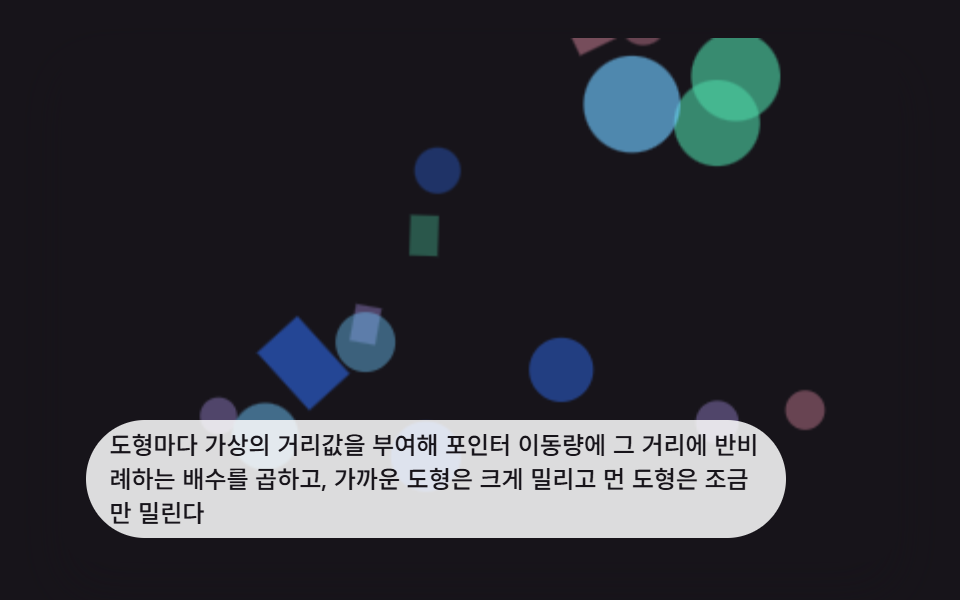 Interactions9 CSS 3D Background Animation Depth Layers
 InteractionsBubble Animation CSS: 9 Soap-Film Scenes That Pop
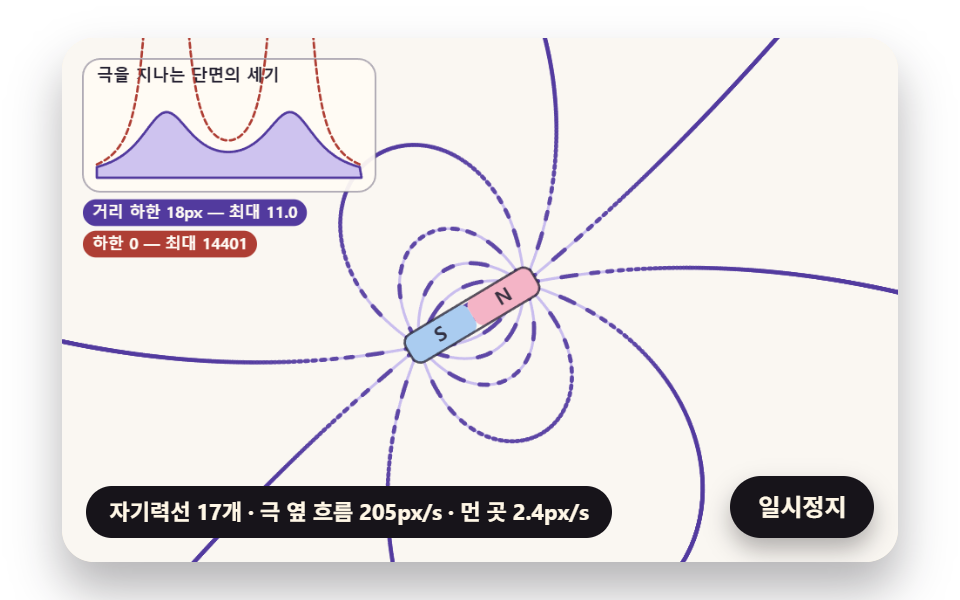 InteractionsFerrofluid Simulation: 9 Canvas Scenes with Spikes
 Interactions3D Hover Effect CSS: 9 Pointer-Following Scenes
 InteractionsMouse Follow Effect CSS — 9 Cursor Chasers
 Interactionscss 3d transform Scenes: 9 Pointer Miniatures
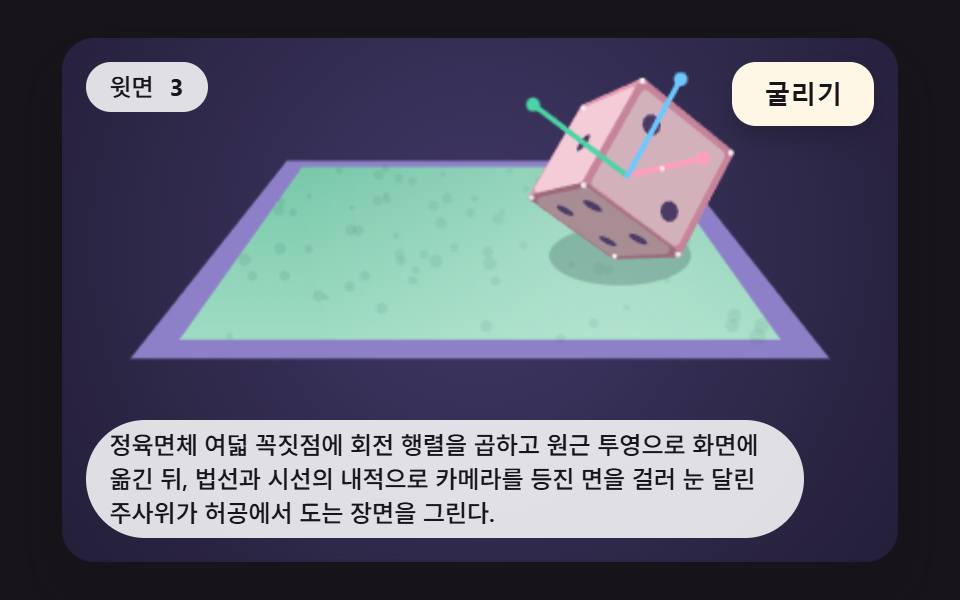 InteractionsDice Roll Animation: 9 Scenes with Top-Face Math
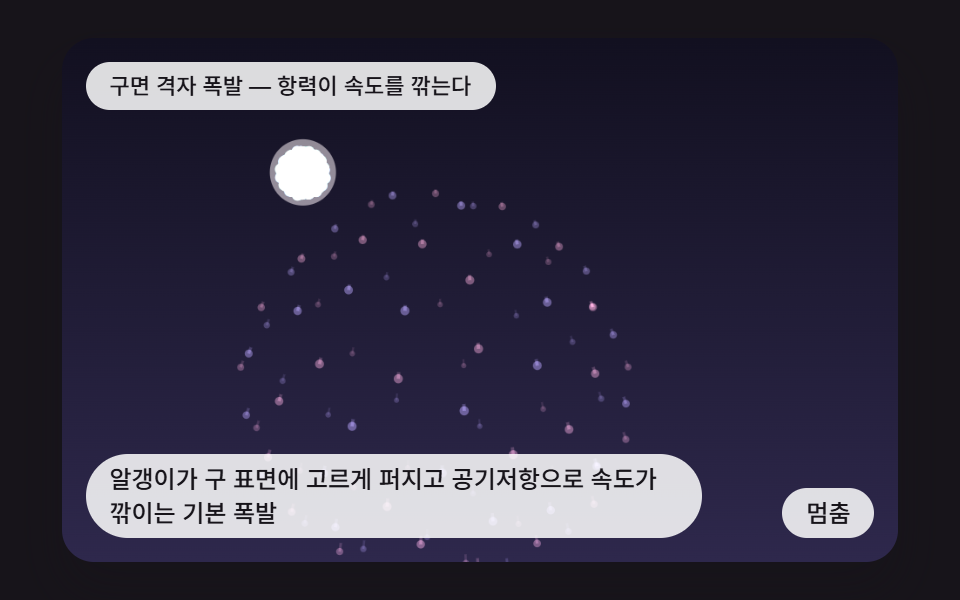 InteractionsCSS Fireworks: 9 Bursts, Trails and Reflections
 InteractionsJavaScript 3D Animation: 9 Pointer-Led Models