Ferrofluid Simulation: 9 Canvas Scenes with Spikes
Ferrofluid simulation: A puddle stays flat as a magnet nears, then all spikes rise at once past a threshold. How?
The Puddle Holds Flat, Then Every Spike Rises at Once: Ferrofluid Starts with One Field Threshold
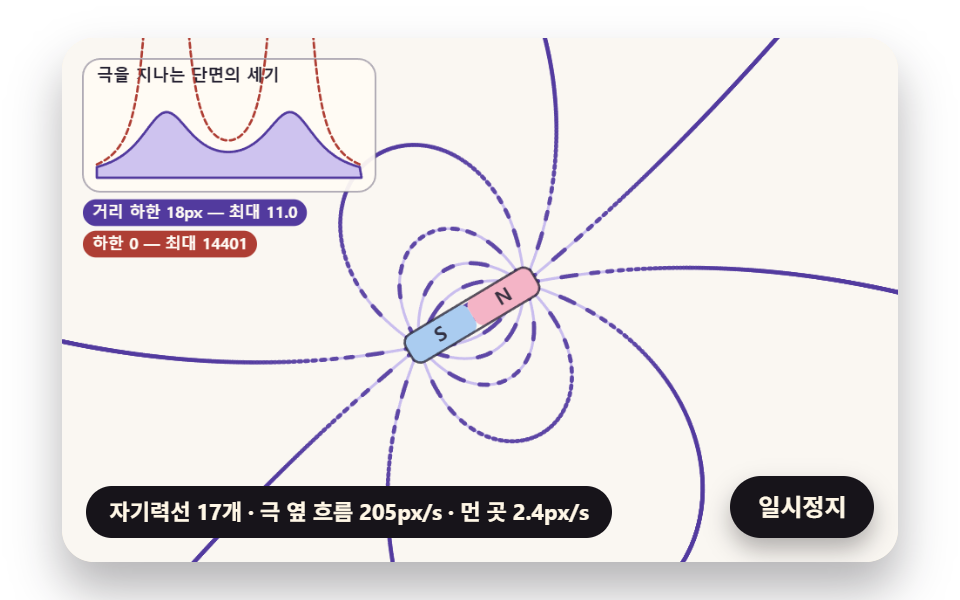 01 ff-dipole-field-line-trace
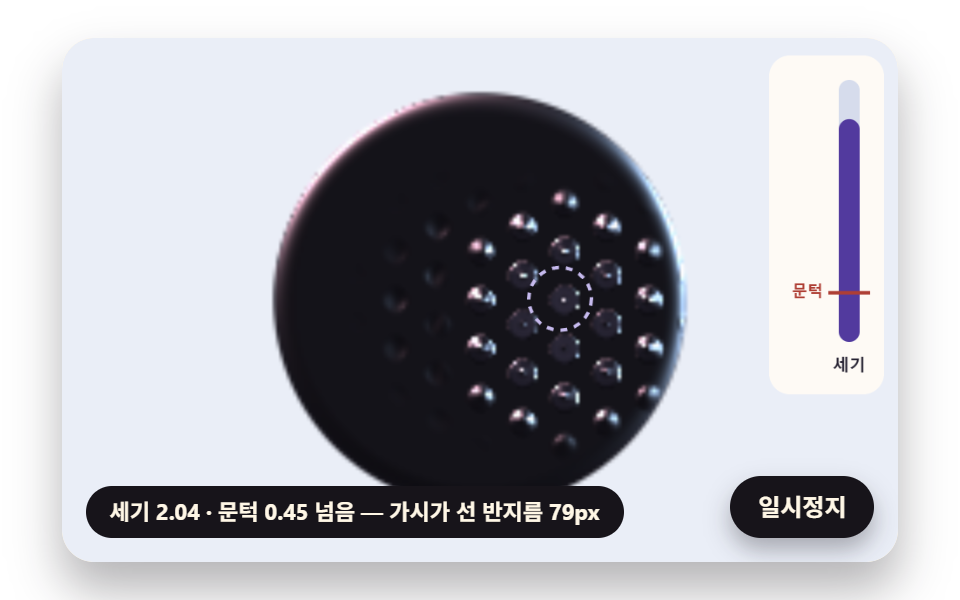 02 ff-critical-field-hex-spikes
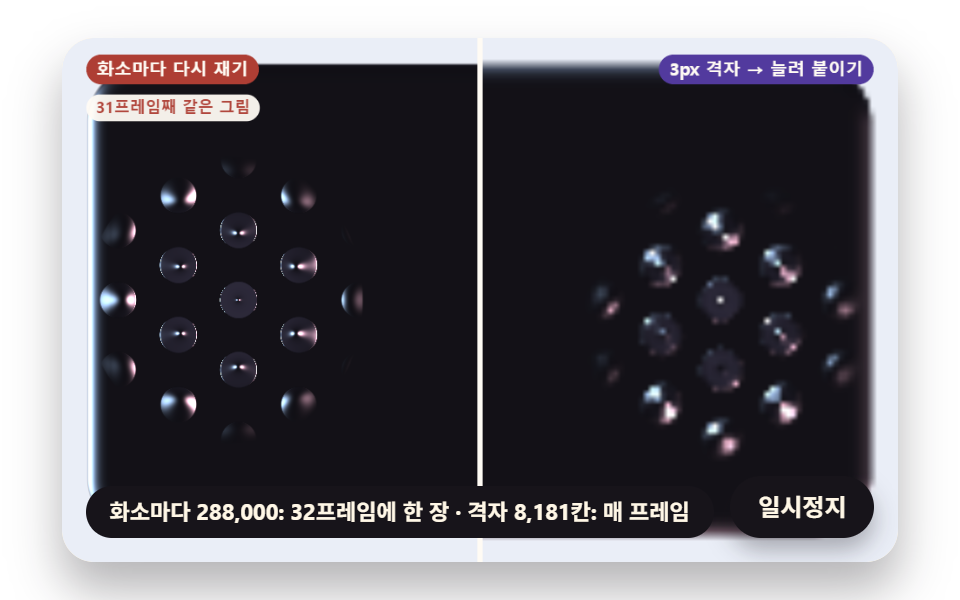 03 ff-spike-gloss-height-slope
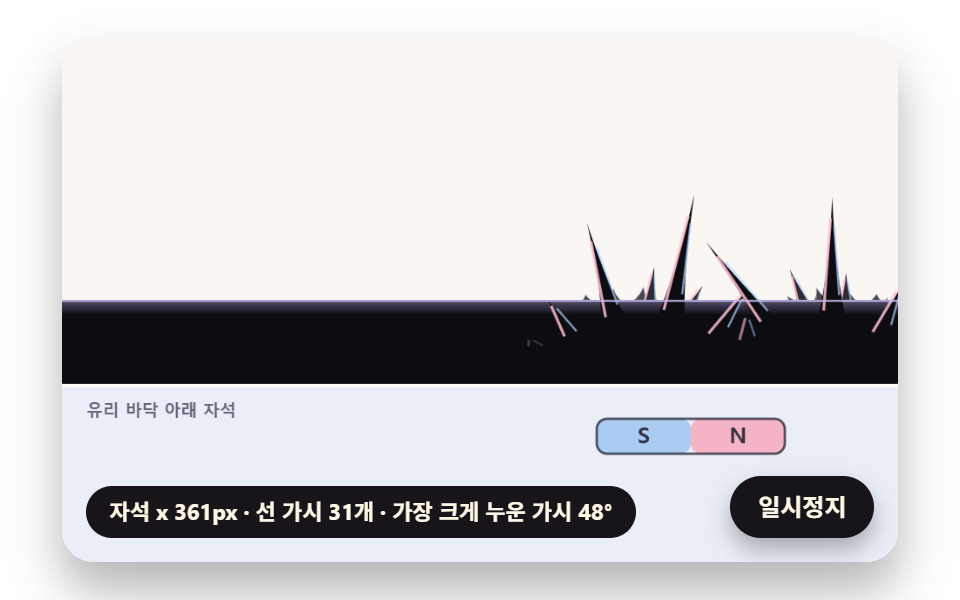 04 ff-spike-lean-along-field
 05 ff-puddle-drag-surface-tension
 06 ff-droplet-chain-field-angle
 07 ff-beat-envelope-pulse
 08 ff-magnet-grid-clock-digits
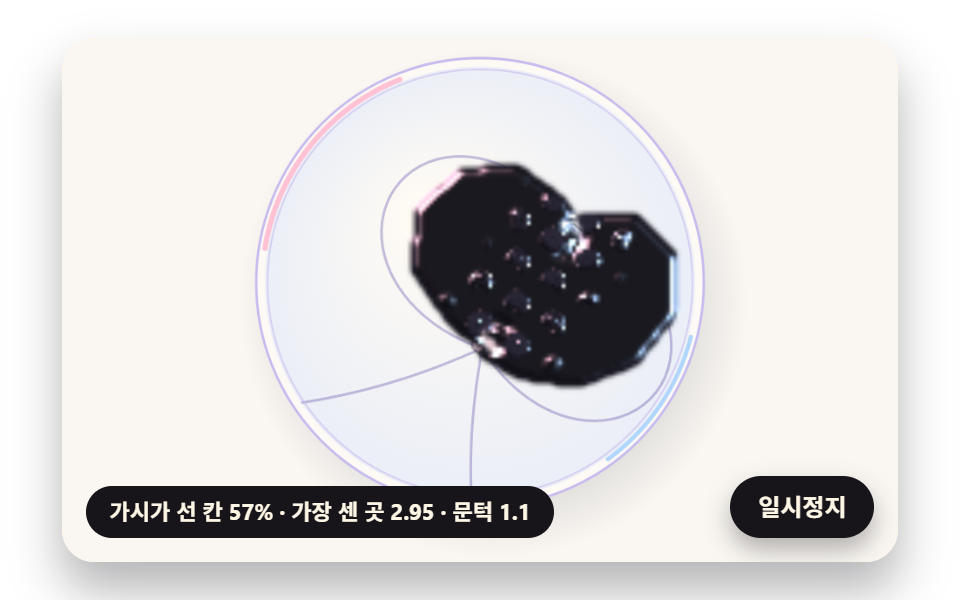 09 ff-hero-glass-dish-interior-scene
Auto-plays · click a tile to jump to its section · all nine in one zip
- 01 Field Lines Traced from the Dipole Formula
- 02 Hexagonal Spikes That Rise Past a Critical Field
- 03 Black Gloss Built from the Height Slope
- 04 Spikes That Lean Along the Field
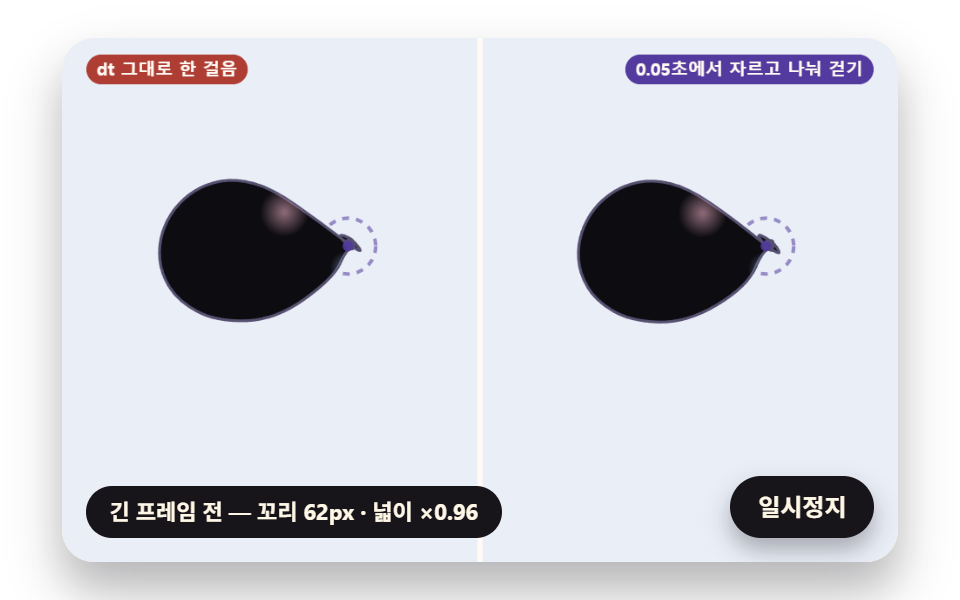
- 05 A Puddle Dragged by the Magnet While Tension Keeps It Round
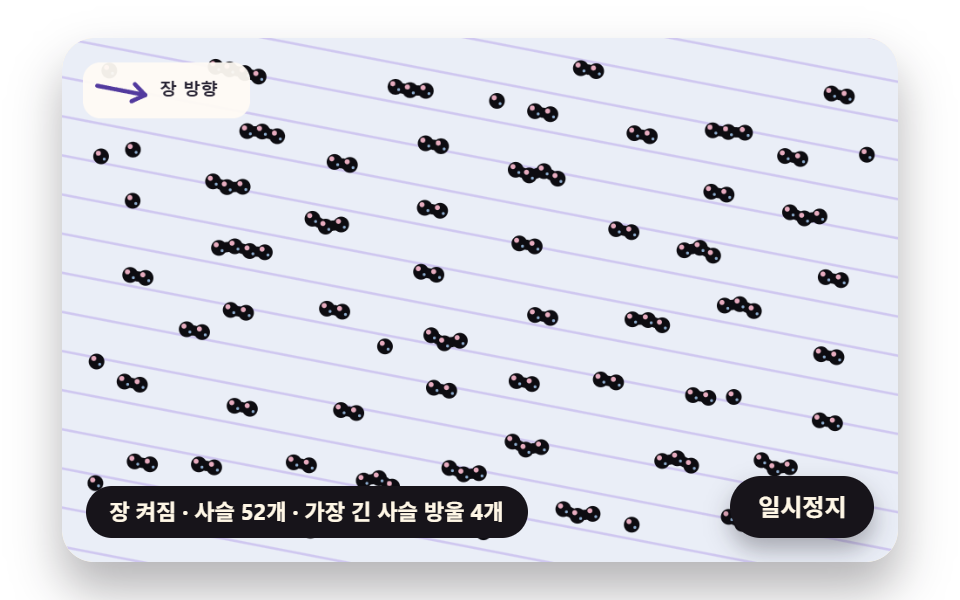
- 06 Droplet Chains That Line Up with the Field
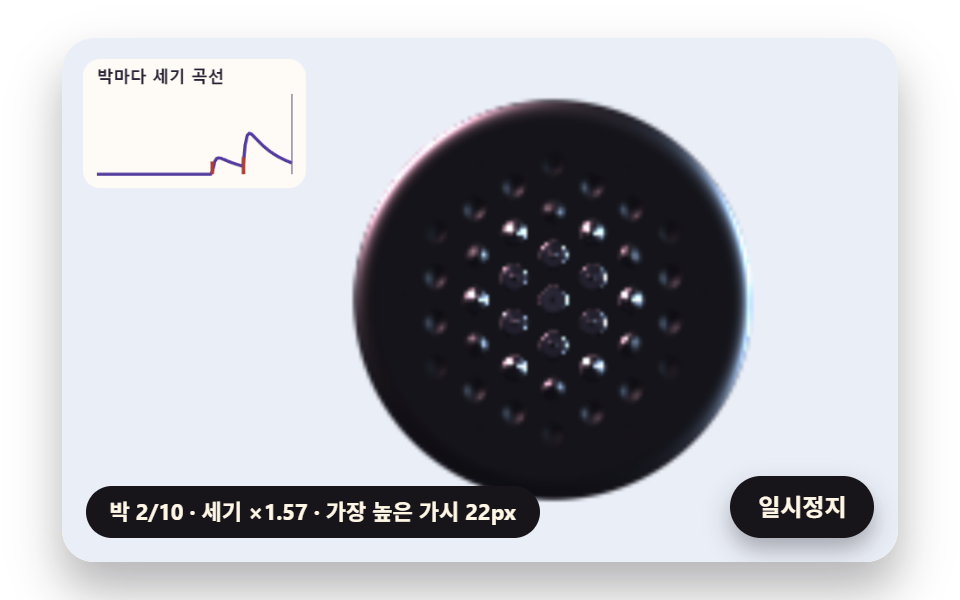
- 07 Spikes That Pulse to a Beat Envelope
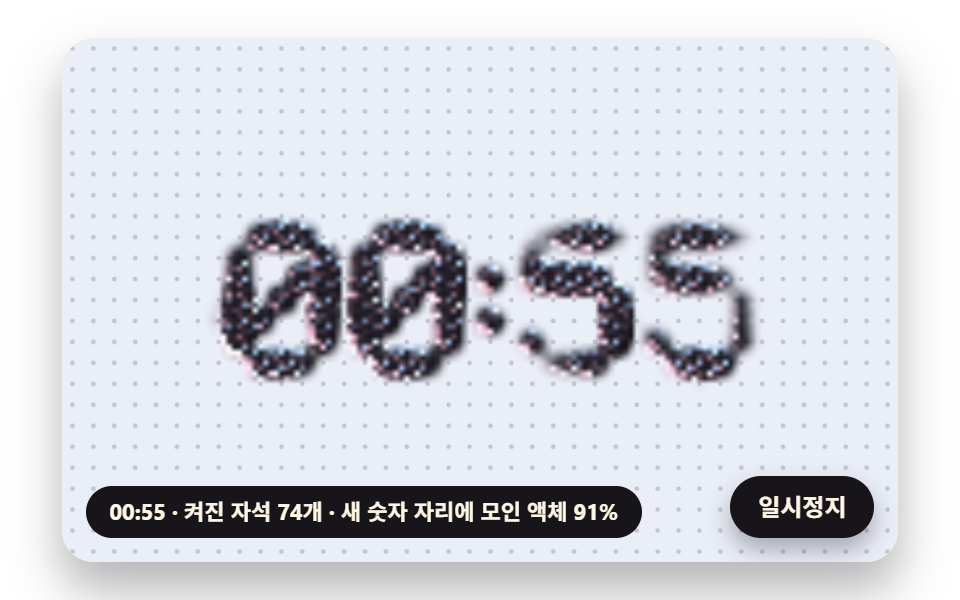
- 08 A Ferrofluid Clock That Raises the Time with a Magnet Grid
- 09 A Ferrofluid Interior Scene on a Glass Dish
The nine scenes share one short rule. Measure the strength the magnet makes at each point, and move the fluid only by the amount that strength passes a threshold. 01 shows the direction of that strength as lines, 02 to 04 as height, gloss and lean, 05 and 06 as the movement of a puddle and droplets, 07 and 08 as a strength that changes over time, and 09 layers those five onto one dish.
What happens in the instant the spikes rise together
In 02 the magnet pole approaches from a depth of 130px to 42px over 0.9 seconds. One pole is scaled so its strength is 1 at a distance of 60px, so the depth where the strength right above it equals 0.45 is 60 ÷ √0.45 = 89.4px by the formula, and frame by frame the threshold is first crossed at 0.63 seconds, at a depth of 88.4px. Until then every cell's height target is 0, so the puddle is a flat plate with only a rim of dome left. After the crossing, spikes start at the center, and at the closest approach the spiked radius widens to √(60² ÷ 0.45 − 42²) = 79px, which is what "all at once" means here: nothing below the threshold, then a wide disc filling fast.
Why the answer comes from screen math, not a lab
This post does not explain how to make or handle real ferrofluid. The strength on screen is a relative value fixed at 1 at a distance of FIELD_REF_PX 60, so it cannot be turned into real units, and the fluid color FLUID [13,12,17] is a picture value held at near black. These ferrofluid examples instead put the properties you want to check by eye, threshold, lean and chains, into a few lines of math, so you can change a number and watch the screen change.
How this differs from the neighboring canvas physics posts
The magnet particles in building a physics simulation handle only the force that pulls one point, and the soap bubble effect centers on painting color from film thickness. Here a strength field is laid over the whole screen and a height grid is stood on top of it. Where a physics engine keeps shape with pressure, the puddle in 05 adds a slope force from the magnet on top of that pressure, and the yardstick for calculated scene effects is in the water drop and black hole canvas effects.
Measure the Field with the Dipole Formula, Stack Three Crossed Waves into Spikes, Add Gloss from the Height Slope
Each scene picks and combines three shared functions. The table below fixes what each step decides, and the sections after it open them one at a time.
| Step | Function | What it decides | Scenes using it |
|---|---|---|---|
| 1 Measure the field | fieldAt |
Strength and direction summed over the poles, with a distance floor soften |
01 to 05 and 07 to 09 (06 uses one chosen field direction) |
| 2 Raise spikes | hexWave |
A hexagonal pattern from 0 to 1 at spacing spacing |
02, 03, 07, 08, 09 |
| 3 Add gloss | shadeOne and shadeGrid |
A reflected highlight color from the slope | 02, 03, 07, 08, 09 |
Strength summed over each pole and an 18px distance floor
A pole is a signed point {x, y, q}, and the vector to the measured point gets soften as a third component, so the distance cannot shrink below it even right above a pole. In 01 this value is 18px, so looking at one pole alone, the strength right above it stops at (60 ÷ 18)² = 11.11. The three components stay in the global field array, so a scene like 04 that needs the direction reads it without recomputing.
    const FIELD_REF_PX = 60;
    const field = [0, 0, 0];
    function fieldAt(poles, x, y, soften) {
        let bx = 0;
        let by = 0;
        let bz = 0;
        const ref2 = FIELD_REF_PX * FIELD_REF_PX;
        for (const p of poles) {
            const dx = x - p.x;
            const dy = y - p.y;
            const r2 = dx * dx + dy * dy + soften * soften;
            const k = p.q * ref2 / (r2 * Math.sqrt(r2));
            bx += dx * k;
            by += dy * k;
            bz += soften * k;
        }
        field[0] = bx;
        field[1] = by;
        field[2] = bz;
        return Math.sqrt(bx * bx + by * by + bz * bz);
    }
Why three waves 120° apart make a hexagonal array
Adding three cos waves with directions 0°, 120° and 240° gives a sum between −1.5 and 3, and only the points where the three crests meet come close to 3. With the wave number set to 4π ÷ (√3 × spacing), the distance between those meeting points is exactly the spacing, so they sit like a honeycomb. In the sum divided by 3, anything below 0.3 is cut to 0 to leave the space between spikes flat, and the part above is stretched to 0 to 1, which gives a cone that narrows straight toward the tip.
The path from a height difference to a highlight
The surface direction is the vector (−∂z/∂x, −∂z/∂y, 1) from neighboring cell height differences, reduced to length 1. Taking its dot product with the direction halfway between the light and an eye looking straight on, the result is sharpened by SHINE squared, and two lights, pink [255,190,210] and sky blue [172,212,255], are added in turn. As much as the surface tilts, up to half of a violet FLUID_EDGE [86,80,112] is mixed into the black base, so even a slope with no highlight keeps a visible outline. The grid picture is written one cell per pixel to a hidden canvas with putImageData and then stretched to the dish size with drawImage, smoothly.
Ferrofluid Simulation: 9 Scenes — Field Lines Traced from the Dipole Formula, Hexagonal Spikes That Rise Past a Critical Field, Black Gloss Built from the Height Slope, Spikes That Lean Along the Field, A Puddle Dragged by the Magnet While Tension Keeps It Round, Droplet Chains That Line Up with the Field, Spikes That Pulse to a Beat Envelope, A Ferrofluid Clock That Raises the Time with a Magnet Grid and A Ferrofluid Interior Scene on a Glass Dish
Values from 24 frames over 2 seconds at 480×300
The table comes from a 2-second render of every scene at 480×300 with 24 captured frames, which leaves 23 neighbor-to-neighbor differences to count.
| Scene | Area covered | Frames that moved | Mean intensity |
|---|---|---|---|
| 01 Dipole field lines | 43.6% | 23/23 | 97.6 |
| 02 Hexagonal spikes past a threshold | 9.8% | 23/23 | 63.3 |
| 03 Height slope gloss | 14.4% | 23/23 | 38.3 |
| 04 Spikes leaning with the field | 16.9% | 23/23 | 95.5 |
| 05 Puddle dragged and held round | 30.5% | 23/23 | 113.5 |
| 06 Droplet chains | 63.1% | 23/23 | 57.1 |
| 07 Spikes pulsing to a beat | 6.0% | 23/23 | 64.4 |
| 08 Magnet grid clock | 14.2% | 23/23 | 29.6 |
| 09 Glass dish scene | 22.1% | 23/23 | 79.4 |
06, where 140 droplets gather and scatter across the whole plate, covers the widest area at 63.1%. 07 keeps its magnet fixed so only the cluster of spikes in the middle rises and falls, which likely explains its 6.0%, and still all nine scenes changed on 23 of 23 frame pairs.
01Field Lines Traced from the Dipole Formula
A figure for the opening of a magnetism unit on a science learning site: a bar magnet travels a 44px by 30.8px ellipse every 6 seconds while lines start from 14 points around the N pole, advance 4px at a time along the local field direction and are redrawn every frame, 17 to 18 of them. Each step reads the direction again from half a step ahead, which makes it a two-stage integration, and a line stops within 9px of the S pole or 24px beyond the screen edge. Dashes flow along the lines in proportion to strength, 205px/s beside a pole and 2.36px/s 140px away, an 87-fold gap.
<main class="stage">
<div class="ff is-demo" id="ff">
  <canvas class="ff__canvas" data-role="canvas" width="480" height="300" role="img" tabindex="0" aria-label="Field lines traced along the field direction around a bar magnet that travels an ellipse, dashes flowing along them faster where the field is stronger, and a graph of the strength along a cut through the poles. Arrow keys move the magnet"></canvas>
  <p class="ff__status" data-role="status" aria-live="off">Tracing field lines</p>
  <button class="ff__pause" data-role="pause" type="button" aria-pressed="false">Pause</button>
</div>
</main>
@use "../../../../site/static/demo-tokens" as *;
@include stage($stage-paper);
.ff {
position: relative;
width: min(92vw, calc(160vh - 12.8vw));
aspect-ratio: 480 / 300;
margin: 0 auto;
border-radius: $r-card;
overflow: hidden;
box-shadow: $shadow-raised;
background: $subject-cream;
}
// 캔버스 — 누른 채 끌어 자석을 옮기므로, 이 위에서만 브라우저 기본 끌기(스크롤·확대)를 끈다
.ff__canvas {
position: absolute;
inset: 0;
display: block;
width: 100%;
height: 100%;
touch-action: none;
cursor: crosshair;
border-radius: $r-card;
}
// 초점 — 키보드로 들어오면 캔버스 안쪽에 진한 테두리
.ff__canvas:focus-visible {
outline: 3px solid $subject-ink;
outline-offset: -3px;
}
.ff__pause {
position: absolute;
right: $sp-3;
bottom: $sp-3;
padding: $sp-1 $sp-3;
border: 2px solid $subject-ink;
border-radius: $r-pill;
background: $subject-ink;
color: $subject-cream;
font-family: inherit;
font-weight: 700;
font-size: 12px;
line-height: 1.6;
cursor: pointer;
box-shadow: $shadow-press;
transition: transform $dur-quick $ease-spring;
}
// 눌린 상태(멈춤) — 바탕과 글자색을 뒤집어 aria-pressed 가 눈에도 보이게
.ff__pause[aria-pressed="true"] {
background: $subject-cream;
color: $subject-ink;
}
.ff__pause:hover {
transform: translateY(-2px);
}
.ff__pause:active {
transform: translateY(1px);
}
.ff__pause:focus-visible {
outline: 3px solid $subject-ink;
outline-offset: 3px;
}
// 상태 줄 — 지금 세기와 가시가 선 범위를 글자로. 시연 중에는 aria-live off, 사람이 처음 손대면 polite
.ff__status {
position: absolute;
left: $sp-3;
bottom: $sp-3;
max-width: calc(100% - 120px);
margin: 0;
padding: $sp-1 $sp-3;
border-radius: $r-pill;
background: $subject-ink;
color: $subject-cream;
font-weight: 700;
font-size: 11px;
line-height: 1.6;
white-space: nowrap;
overflow: hidden;
text-overflow: ellipsis;
pointer-events: none;
}
@media (max-width: 340px) {
.ff__pause,
.ff__status { font-size: 10px; padding: $sp-1 $sp-2; }
}
// 움직임 줄이기 — 판은 스크립트가 멈춘 한 장으로 그린다. 버튼도 떠오르지 않게
@media (prefers-reduced-motion: reduce) {
.ff__pause { transition: none !important; }
.ff__pause:hover,
.ff__pause:active { transform: none !important; }
}html, body {
margin: 0;
overflow: hidden;
}
.stage {
box-sizing: border-box;
min-height: 100vh;
display: grid;
place-items: center;
margin: 0;
background: #ffffff;
font-family: -apple-system, "Segoe UI", "Noto Sans KR", sans-serif;
padding: clamp(8px, 4vw, 24px);
}
.ff {
position: relative;
width: min(92vw, 160vh - 12.8vw);
aspect-ratio: 480/300;
margin: 0 auto;
border-radius: 16px;
overflow: hidden;
box-shadow: 0 14px 24px rgba(23, 20, 26, 0.32);
background: #fff7e6;
}
.ff__canvas {
position: absolute;
inset: 0;
display: block;
width: 100%;
height: 100%;
touch-action: none;
cursor: crosshair;
border-radius: 16px;
}
.ff__canvas:focus-visible {
outline: 3px solid #17141a;
outline-offset: -3px;
}
.ff__pause {
position: absolute;
right: 12px;
bottom: 12px;
padding: 4px 12px;
border: 2px solid #17141a;
border-radius: 999px;
background: #17141a;
color: #fff7e6;
font-family: inherit;
font-weight: 700;
font-size: 12px;
line-height: 1.6;
cursor: pointer;
box-shadow: 0 6px 12px rgba(23, 20, 26, 0.32);
transition: transform 220ms cubic-bezier(0.2, 0.8, 0.2, 1);
}
.ff__pause[aria-pressed=true] {
background: #fff7e6;
color: #17141a;
}
.ff__pause:hover {
transform: translateY(-2px);
}
.ff__pause:active {
transform: translateY(1px);
}
.ff__pause:focus-visible {
outline: 3px solid #17141a;
outline-offset: 3px;
}
.ff__status {
position: absolute;
left: 12px;
bottom: 12px;
max-width: calc(100% - 120px);
margin: 0;
padding: 4px 12px;
border-radius: 999px;
background: #17141a;
color: #fff7e6;
font-weight: 700;
font-size: 11px;
line-height: 1.6;
white-space: nowrap;
overflow: hidden;
text-overflow: ellipsis;
pointer-events: none;
}
@media (max-width: 340px) {
.ff__pause,
.ff__status {
font-size: 10px;
padding: 4px 8px;
}
}
@media (prefers-reduced-motion: reduce) {
.ff__pause {
transition: none !important;
}
.ff__pause:hover,
.ff__pause:active {
transform: none !important;
}
}(function () {
const root = document.getElementById("ff");
if (!root) return;
// 장면 시계(초)와 상태 줄 글자 — 장면 계산이 고치고 화면 쪽이 읽어 그린다
let sceneT = 0;
let simStatus = '';
// 계산 좌표 — 캔버스 안은 늘 480×300. 보이는 크기와 상관없이 계산은 이 좌표로 한다
const W = 480;
const H = 300;
const TAU = Math.PI * 2;
// 사람이 손댔는가 — 손대면 자석(또는 장면의 조절점)이 정해 둔 길 대신 userX·userY 를 따른다
let handsOn = false;
let userX = W / 2;
let userY = H / 2;
function clamp(v, lo, hi) { return v < lo ? lo : (v > hi ? hi : v); }
function lerp(a, b, k) { return a + (b - a) * k; }
// 0~1 을 부드러운 계단(3x² − 2x³)으로
function smooth(x) { const c = clamp(x, 0, 1); return c * c * (3 - 2 * c); }
// 따라가기 비율 1 − e^(−rate·dt) — 프레임 시간이 달라도 1초에 같은 만큼 다가간다
function follow(rate, dt) { return 1 - Math.exp(-rate * dt); }
// 각을 −π ~ π 로 감는다 — 두 각의 차가 한 바퀴를 넘어 돌아가는 길을 고르지 않게
function wrapAngle(a) {
let x = a % TAU;
if (x > Math.PI) {
x -= TAU;
}
if (x < -Math.PI) {
x += TAU;
}
return x;
}
// 시드 고정 난수 — 같은 시드면 같은 시연이 다시 나온다 (32비트 자리 밀기 섞기 세 번)
function makeRng(seed) {
let s = (seed >>> 0) || 1;
return function () {
s ^= s << 13;
s >>>= 0;
s ^= s >>> 17;
s ^= s << 5;
s >>>= 0;
return s / 4294967296;
};
}
// 상태 줄 틀 채우기 — {이름} 자리에 값
function fill(t, v) {
return t.replace(/\{(\w+)\}/g, function (m, k) { return k in v ? String(v[k]) : m; });
}
const SPRING_SUBSTEP = 1 / 240;
function makeSpring(x) { return { x: x, v: 0, to: x }; }
function stepSpring(s, stiffness, damping, dt) {
let left = dt;
while (left > 1e-9) {
const h = Math.min(SPRING_SUBSTEP, left);
s.v += (stiffness * (s.to - s.x) - damping * s.v) * h;
s.x += s.v * h;
left -= h;
}
}
// 스프링을 그 값에 바로 앉힌다(속도 0) — 움직임 줄이기·첫 장면
function snapSpring(s, x) { s.x = x; s.v = 0; s.to = x; }
// 각도 스프링 — 목표와의 차를 −π ~ π 로 감은 뒤 같은 식으로
function stepAngleSpring(s, stiffness, damping, dt) {
let left = dt;
while (left > 1e-9) {
const h = Math.min(SPRING_SUBSTEP, left);
s.v += (stiffness * wrapAngle(s.to - s.x) - damping * s.v) * h;
s.x = wrapAngle(s.x + s.v * h);
left -= h;
}
}
// ── 팔레트 (RGB) — 액체는 거의 검정(기능색), 조명·바탕·자기력선은 파스텔, 글자는 진한 색 ──
const PAPER = [250, 247, 242];
const DISH = [234, 238, 247];
const DISH_DEEP = [214, 220, 236];
const FLUID = [13, 12, 17];
const FLUID_EDGE = [86, 80, 112];
const LIGHT_PINK = [255, 190, 210];
const LIGHT_SKY = [172, 212, 255];
const LAVENDER = [198, 186, 238];
const MINT = [168, 222, 200];
const BUTTER = [248, 228, 162];
const POLE_N = [244, 180, 198];
const POLE_S = [170, 204, 240];
const INK = [38, 34, 50];
const INK_SOFT = [104, 98, 122];
const VIOLET_DEEP = [82, 58, 158];
const CORAL_DEEP = [174, 62, 52];
const CREAM = [255, 251, 244];
const FIELD_REF_PX = 60;
const field = [0, 0, 0];
function fieldAt(poles, x, y, soften) {
let bx = 0;
let by = 0;
let bz = 0;
const ref2 = FIELD_REF_PX * FIELD_REF_PX;
for (const p of poles) {
const dx = x - p.x;
const dy = y - p.y;
const r2 = dx * dx + dy * dy + soften * soften;
const k = p.q * ref2 / (r2 * Math.sqrt(r2));
bx += dx * k;
by += dy * k;
bz += soften * k;
}
field[0] = bx;
field[1] = by;
field[2] = bz;
return Math.sqrt(bx * bx + by * by + bz * bz);
}
// ── 엇갈린 세 물결 ──────────────────────────────────────────
// 방향이 0°·120°·240° 인 cos 물결 셋을 더하면(−1.5 ~ 3) 세 마루가 겹치는 점이 육각 배열로 놓인다.
// 마루 사이 거리 = spacing 이 되도록 물결수 k = 4π / (√3 · spacing). 합을 3 으로 나눈 값에서 HEX_FLOOR 아래는 잘라
// 가시 사이를 평평하게 두고, 남은 윗부분을 0~1 로 늘린다(꼭대기 쪽이 곧게 좁아지는 원뿔 모양)
const HEX_C = 0.5;
const HEX_S = Math.sqrt(3) / 2;
const HEX_FLOOR = 0.3;
function hexWave(x, y, spacing) {
const k = 4 * Math.PI / (Math.sqrt(3) * spacing);
const s = Math.cos(k * x) + Math.cos(k * (-HEX_C * x + HEX_S * y)) + Math.cos(k * (-HEX_C * x - HEX_S * y));
return Math.max(0, (s / 3 - HEX_FLOOR) / (1 - HEX_FLOOR));
}
function makeGrid(ox, oy, w, h, cell) {
const gw = Math.ceil(w / cell) + 1;
const gh = Math.ceil(h / cell) + 1;
const n = gw * gh;
return { gw: gw, gh: gh, cell: cell, ox: ox, oy: oy, z: new Float32Array(n), wet: new Float32Array(n), amp: new Float32Array(n), vel: new Float32Array(n), target: new Float32Array(n), rgba: new Uint8ClampedArray(n * 4) };
}
// 칸마다 가시 높이 스프링을 목표(target)로 — 같은 반암시 적분, 1/240초 잔걸음
function stepGridSprings(g, stiffness, damping, dt) {
let left = dt;
const n = g.gw * g.gh;
while (left > 1e-9) {
const h = Math.min(SPRING_SUBSTEP, left);
for (let i = 0; i < n; i += 1) {
g.vel[i] += (stiffness * (g.target[i] - g.amp[i]) - damping * g.vel[i]) * h;
g.amp[i] += g.vel[i] * h;
}
left -= h;
}
}
function settleGrid(g) {
g.amp.set(g.target);
g.vel.fill(0);
}
// 기울기 색 섞기 — 면이 기운 만큼(1 − n_z) × TILT_MIX 로 가장자리 색을 섞어 가시 옆면이 바탕 검정과 갈리게
const TILT_MIX = 0.5;
function halfVectors(lights) {
return lights.map(function (l) {
const ll = Math.hypot(l.x, l.y, l.z) || 1;
const hx = l.x / ll;
const hy = l.y / ll;
const hz = l.z / ll + 1;
const hl = Math.hypot(hx, hy, hz) || 1;
return { x: hx / hl, y: hy / hl, z: hz / hl, c: l.c, k: l.k };
});
}
// 한 점 칠하기 — 기울기(gx, gy)·덮인 정도 wet·바탕색 bg 로 out[o..o+3] 에 RGBA.
// bg 가 null 이면 바탕과 섞지 않고 액체 색에 투명도 wet 을 준다(아래 그림 위에 겹쳐 붙일 때)
function shadeOne(gx, gy, wet, bg, hv, shine, out, o) {
const inv = 1 / Math.sqrt(gx * gx + gy * gy + 1);
const nx = -gx * inv;
const ny = -gy * inv;
const nz = inv;
const tilt = (1 - nz) * TILT_MIX;
let r = lerp(FLUID[0], FLUID_EDGE[0], tilt);
let g = lerp(FLUID[1], FLUID_EDGE[1], tilt);
let b = lerp(FLUID[2], FLUID_EDGE[2], tilt);
for (const h of hv) {
const d = nx * h.x + ny * h.y + nz * h.z;
if (d <= 0) {
continue;
}
const s = Math.pow(d, shine) * h.k;
r += h.c[0] * s;
g += h.c[1] * s;
b += h.c[2] * s;
}
const a = clamp(wet, 0, 1);
if (!bg) {
out[o] = Math.min(255, r);
out[o + 1] = Math.min(255, g);
out[o + 2] = Math.min(255, b);
out[o + 3] = a * 255;
return;
}
out[o] = lerp(bg[0], Math.min(255, r), a);
out[o + 1] = lerp(bg[1], Math.min(255, g), a);
out[o + 2] = lerp(bg[2], Math.min(255, b), a);
out[o + 3] = 255;
}
// 격자 전체 칠하기 — 칸 하나에 한 번. 끝 칸은 안쪽 이웃으로 한쪽 차
function shadeGrid(g, bg, lights, shine) {
const hv = halfVectors(lights);
const gw = g.gw;
const gh = g.gh;
const z = g.z;
let count = 0;
for (let j = 0; j < gh; j += 1) {
const ju = j > 0 ? j - 1 : j;
const jd = j < gh - 1 ? j + 1 : j;
for (let i = 0; i < gw; i += 1) {
const il = i > 0 ? i - 1 : i;
const ir = i < gw - 1 ? i + 1 : i;
const k = j * gw + i;
const gx = (z[j * gw + ir] - z[j * gw + il]) / ((ir - il) * g.cell);
const gy = (z[jd * gw + i] - z[ju * gw + i]) / ((jd - ju) * g.cell);
shadeOne(gx, gy, g.wet[k], bg, hv, shine, g.rgba, k * 4);
count += 1;
}
}
return count;
}
const TENSION_RATE = 900;
function makeRing(cx, cy, r, n) {
const ring = { n: n, x: [], y: [], vx: [], vy: [], area0: 0 };
for (let i = 0; i < n; i += 1) {
const a = i / n * TAU;
ring.x.push(cx + Math.cos(a) * r);
ring.y.push(cy + Math.sin(a) * r);
ring.vx.push(0);
ring.vy.push(0);
}
ring.area0 = ringArea(ring);
return ring;
}
// 넓이 — 꼭짓점을 차례로 잇는 다각형의 넓이(두 점의 외적을 반씩 더함). makeRing 처럼 각도가 커지는 차례로 놓으면 양수
function ringArea(r) {
let a = 0;
for (let i = 0; i < r.n; i += 1) {
const j = (i + 1) % r.n;
a += r.x[i] * r.y[j] - r.x[j] * r.y[i];
}
return a / 2;
}
function ringCenter(r) {
let x = 0;
let y = 0;
for (let i = 0; i < r.n; i += 1) {
x += r.x[i];
y += r.y[i];
}
return [x / r.n, y / r.n];
}
// Field² 의 기울기 — 1px 떨어진 네 점의 차로
function strength2Grad(poles, x, y, soften) {
const l = fieldAt(poles, x - 1, y, soften);
const r = fieldAt(poles, x + 1, y, soften);
const u = fieldAt(poles, x, y - 1, soften);
const d = fieldAt(poles, x, y + 1, soften);
return [(r * r - l * l) / 2, (d * d - u * u) / 2];
}
const ringAx = [];
const ringAy = [];
function ringAccel(r, poles, p) {
const n = r.n;
const area = ringArea(r);
const squeeze = p.pressure * (r.area0 - area) / Math.max(1, Math.abs(r.area0));
for (let i = 0; i < n; i += 1) {
const a = (i + n - 1) % n;
const b = (i + 1) % n;
const mx = (r.x[a] + r.x[b]) / 2;
const my = (r.y[a] + r.y[b]) / 2;
// 바깥 방향 — 앞뒤 점을 잇는 방향 (tx, ty) 를 (ty, −tx) 로 돌린 쪽. 넓이가 양수가 되는 차례로 놓인 고리에서는 이쪽이 바깥
const tx = r.x[b] - r.x[a];
const ty = r.y[b] - r.y[a];
const tl = Math.hypot(tx, ty) || 1;
const g = strength2Grad(poles, r.x[i], r.y[i], p.soften);
ringAx[i] = p.drag * g[0] + p.tension * TENSION_RATE * (mx - r.x[i]) + squeeze * (ty / tl) - p.viscosity * r.vx[i];
ringAy[i] = p.drag * g[1] + p.tension * TENSION_RATE * (my - r.y[i]) + squeeze * (-tx / tl) - p.viscosity * r.vy[i];
}
}
// 한 걸음 — 넘겨받은 dt 를 그대로 한 번에(속도 먼저, 위치 다음). 자르지도 나누지도 않는다
function stepRingRaw(r, poles, p, dt) {
ringAccel(r, poles, p);
for (let i = 0; i < r.n; i += 1) {
r.vx[i] += ringAx[i] * dt;
r.vy[i] += ringAy[i] * dt;
r.x[i] += r.vx[i] * dt;
r.y[i] += r.vy[i] * dt;
}
}
// 나눠 걷기 — dt 를 PUDDLE_DT_MAX 에서 자르고, 그것을 PUDDLE_SUBSTEP 이하 잔걸음으로 쪼개 위 걸음을 되풀이
const PUDDLE_DT_MAX = 0.05;
const PUDDLE_SUBSTEP = 1 / 240;
function stepRingSafe(r, poles, p, dt) {
let left = Math.min(dt, PUDDLE_DT_MAX);
while (left > 1e-9) {
const h = Math.min(PUDDLE_SUBSTEP, left);
stepRingRaw(r, poles, p, h);
left -= h;
}
}
// 고리 안을 높이 격자의 덮인 정도로 — 줄마다 다각형 변과 만나는 x 를 모아 짝수 번째와 홀수 번째 사이를 채운다
function ringToWet(r, g, out) {
out.fill(0);
const xs = [];
for (let j = 0; j < g.gh; j += 1) {
const y = g.oy + j * g.cell;
xs.length = 0;
for (let i = 0; i < r.n; i += 1) {
const k = (i + 1) % r.n;
const y0 = r.y[i];
const y1 = r.y[k];
if ((y0 <= y && y1 > y) || (y1 <= y && y0 > y)) {
xs.push(r.x[i] + (y - y0) / (y1 - y0) * (r.x[k] - r.x[i]));
}
}
xs.sort(function (a, b) { return a - b; });
for (let m = 0; m + 1 < xs.length; m += 2) {
const i0 = Math.max(0, Math.ceil((xs[m] - g.ox) / g.cell));
const i1 = Math.min(g.gw - 1, Math.floor((xs[m + 1] - g.ox) / g.cell));
for (let i = i0; i <= i1; i += 1) {
out[j * g.gw + i] = 1;
}
}
}
}
// 덮인 정도를 이웃 평균으로 times 번 — 가장자리를 둥글게(돔 높이·부드러운 테두리)
function blurWet(g, src, times, tmp) {
for (let t = 0; t < times; t += 1) {
for (let j = 0; j < g.gh; j += 1) {
for (let i = 0; i < g.gw; i += 1) {
const k = j * g.gw + i;
const l = i > 0 ? src[k - 1] : 0;
const r = i < g.gw - 1 ? src[k + 1] : 0;
const u = j > 0 ? src[k - g.gw] : 0;
const d = j < g.gh - 1 ? src[k + g.gw] : 0;
tmp[k] = (src[k] * 2 + l + r + u + d) / 6;
}
}
src.set(tmp);
}
}
const canvasEl = root.querySelector('[data-role="canvas"]');
const pauseEl = root.querySelector('[data-role="pause"]');
const statusEl = root.querySelector('[data-role="status"]');
const ctxRaw = canvasEl ? canvasEl.getContext('2d') : null;
if (!canvasEl || !ctxRaw || !pauseEl) {
return;
}
const cv = canvasEl;
const ctx = ctxRaw;
const pauseBtn = pauseEl;
// 외부 웹폰트는 부르지 않는다 — 기기에 있는 글꼴 목록만
const FONT_STACK = 'system-ui, -apple-system, "Segoe UI", "Noto Sans KR", sans-serif';
// 화소 배율 — 캔버스 내부 크기에 곱한다. 2 에서 자른다(배율 3 기기에서 화소 수가 2.25배로 늘지 않게)
let dpr = 1;
function fitCanvas() {
dpr = Math.min(window.devicePixelRatio || 1, 2);
cv.width = Math.round(W * dpr);
cv.height = Math.round(H * dpr);
ctx.setTransform(dpr, 0, 0, dpr, 0, 0);
}
function rgba(c, a) {
return 'rgba(' + Math.round(c[0]) + ',' + Math.round(c[1]) + ',' + Math.round(c[2]) + ',' + clamp(a, 0, 1).toFixed(3) + ')';
}
function makeBlitter() {
const off = document.createElement('canvas');
const offCtx = off.getContext('2d');
let img = null;
return function (data, gw, gh, x, y, w, h) {
if (!offCtx) {
return;
}
if (!img || img.width !== gw || img.height !== gh) {
off.width = gw;
off.height = gh;
img = offCtx.createImageData(gw, gh);
}
img.data.set(data);
offCtx.putImageData(img, 0, 0);
ctx.imageSmoothingEnabled = true;
ctx.drawImage(off, 0, 0, gw, gh, x, y, w, h);
};
}
// 높이 격자 한 장 — 칸 가운데가 표본 점이라 반 칸 바깥에서부터 늘린다
const blitMain = makeBlitter();
function drawGrid(g) {
blitMain(g.rgba, g.gw, g.gh, g.ox - g.cell / 2, g.oy - g.cell / 2, g.gw * g.cell, g.gh * g.cell);
}
// ── 그리기 도구 ─────────────────────────────────────────────
function clearStage(c) {
ctx.fillStyle = rgba(c, 1);
ctx.fillRect(0, 0, W, H);
}
function setFont(px, weight) { ctx.font = weight + ' ' + px.toFixed(1) + 'px ' + FONT_STACK; }
function label(s, x, y, c, a, px, weight, align) {
setFont(px, weight);
ctx.textAlign = align;
ctx.textBaseline = 'middle';
ctx.fillStyle = rgba(c, a);
ctx.fillText(s, x, y);
}
function roundRectPath(x, y, w, h, r) {
const rr = Math.max(0, Math.min(r, w / 2, h / 2));
ctx.beginPath();
ctx.moveTo(x + rr, y);
ctx.arcTo(x + w, y, x + w, y + h, rr);
ctx.arcTo(x + w, y + h, x, y + h, rr);
ctx.arcTo(x, y + h, x, y, rr);
ctx.arcTo(x, y, x + w, y, rr);
ctx.closePath();
}
function fillRound(x, y, w, h, r, c, a) {
if (w <= 0.2 || h <= 0.2 || a <= 0) {
return;
}
roundRectPath(x, y, w, h, r);
ctx.fillStyle = rgba(c, a);
ctx.fill();
}
function disc(x, y, r, c, a) {
if (r <= 0.2 || a <= 0) {
return;
}
ctx.beginPath();
ctx.arc(x, y, r, 0, TAU);
ctx.fillStyle = rgba(c, a);
ctx.fill();
}
function ring(x, y, r, width, c, a) {
if (r <= 0.2 || a <= 0) {
return;
}
ctx.beginPath();
ctx.arc(x, y, r, 0, TAU);
ctx.lineWidth = width;
ctx.strokeStyle = rgba(c, a);
ctx.stroke();
}
function line(x0, y0, x1, y1, width, c, a) {
ctx.beginPath();
ctx.moveTo(x0, y0);
ctx.lineTo(x1, y1);
ctx.lineWidth = width;
ctx.strokeStyle = rgba(c, a);
ctx.stroke();
}
// 작은 이름표 — 둥근 바탕 위 글자
function tag(s, x, y, bg, fg, a, px, align) {
setFont(px, 700);
const w = ctx.measureText(s).width + px * 1.2;
const x0 = align === 'left' ? x : (align === 'right' ? x - w : x - w / 2);
fillRound(x0, y - px * 0.85, w, px * 1.7, px * 0.85, bg, a);
label(s, x0 + w / 2, y + 0.5, fg, a, px, 700, 'center');
}
// 자석 막대 — 가운데 (x, y), 방향 각 a, 반 길이 half. 앞쪽(N) 분홍·뒤쪽(S) 하늘색 두 칸
function drawBarMagnet(x, y, a, half, thick, alpha) {
ctx.save();
ctx.translate(x, y);
ctx.rotate(a);
ctx.globalAlpha = alpha;
fillRound(-half, -thick / 2, half, thick, thick * 0.3, POLE_S, 1);
fillRound(0, -thick / 2, half, thick, thick * 0.3, POLE_N, 1);
roundRectPath(-half, -thick / 2, half * 2, thick, thick * 0.3);
ctx.lineWidth = 1.4;
ctx.strokeStyle = rgba(INK, 0.75);
ctx.stroke();
label('N', half * 0.5, 0.5, INK, 0.9, thick * 0.62, 800, 'center');
label('S', -half * 0.5, 0.5, INK, 0.9, thick * 0.62, 800, 'center');
ctx.restore();
}
// ── 사람 손 — 포인터 끌기와 키 ──────────────────────────────
// 캔버스를 누른 채 움직이면 그 자리가 조절점(userX, userY)이 된다. 키보드는 캔버스에 초점이 있을 때만:
// 화살표 8px(Shift 24px) 옮기기 · Enter·Space 가운데로 되돌리기. 항목이 onNudge·onPoint 를 바꿔 끼울 수 있다
let pressing = false;
function eventPoint(e) {
const r = cv.getBoundingClientRect();
return [(e.clientX - r.left) * W / Math.max(1, r.width), (e.clientY - r.top) * H / Math.max(1, r.height)];
}
let onPoint = function (x, y) {
userX = clamp(x, 0, W);
userY = clamp(y, 0, H);
};
let onNudge = function (dx, dy, center) {
if (center) {
userX = W / 2;
userY = H / 2;
return;
}
userX = clamp(userX + dx, 0, W);
userY = clamp(userY + dy, 0, H);
};
function bindInput(signal) {
cv.addEventListener('pointerdown', function (e) {
takeOver();
pressing = true;
cv.setPointerCapture(e.pointerId);
const p = eventPoint(e);
onPoint(p[0], p[1]);
afterInput();
}, { signal: signal });
cv.addEventListener('pointermove', function (e) {
if (!pressing) {
return;
}
const p = eventPoint(e);
onPoint(p[0], p[1]);
if (still || paused) {
afterInput();
}
}, { signal: signal });
const end = function () { pressing = false; };
cv.addEventListener('pointerup', end, { signal: signal });
cv.addEventListener('pointercancel', end, { signal: signal });
cv.addEventListener('keydown', function (e) {
const step = e.shiftKey ? 24 : 8;
let dx = 0;
let dy = 0;
let center = false;
if (e.key === 'ArrowLeft') {
dx = -step;
}
else if (e.key === 'ArrowRight') {
dx = step;
}
else if (e.key === 'ArrowUp') {
dy = -step;
}
else if (e.key === 'ArrowDown') {
dy = step;
}
else if (e.key === 'Enter' || e.key === ' ') {
center = true;
}
else {
return;
}
e.preventDefault();
takeOver();
onNudge(dx, dy, center);
afterInput();
}, { signal: signal });
}
// ── 01 쌍극자 공식으로 따라 그리는 자기력선 ─────────────────
// 거리 하한 — 극과 재는 점 사이 거리가 이 값 아래로 내려가지 않는다(fieldAt 의 soften)
const FIELD_SOFTEN_PX = 18;
// 자석 — 가운데에서 극까지 MAG_HALF_PX. 가운데는 (ORBIT_X, ORBIT_Y) 둘레 가로 반지름 ORBIT_R·세로 ORBIT_R × 0.7 타원을 ORBIT_S 초에 한 바퀴, 막대는 그 반대 방향으로 한 바퀴에 반 바퀴(SPIN_PER_ORBIT)씩 돈다
const MAG_HALF_PX = 34;
const ORBIT_X = 240;
const ORBIT_Y = 128;
const ORBIT_R = 44;
const ORBIT_S = 6;
const SPIN_PER_ORBIT = -0.5;
// 선 추적 — N 극 둘레 반지름 SEED_RADIUS_PX 원 위 SEEDS_PER_POLE 점에서 출발, 한 걸음 STEP_PX, 최대 MAX_STEPS 걸음
const SEEDS_PER_POLE = 14;
const SEED_RADIUS_PX = 9;
const STEP_PX = 4;
const MAX_STEPS = 220;
const EDGE_PX = 24;
// 흐름 — 점선은 Field 1 에서 FLOW_SPEED px/s 로 흐른다(빠르기 ∝ Field). 점선은 흐름 시간 DASH_GAP_S 마다 하나, 길이는 흐름 시간 DASH_LEN_S 만큼
const FLOW_SPEED = 24;
const DASH_GAP_S = 0.3;
const DASH_LEN_S = 0.12;
const LOOP_S = 6;
// 단면 — 두 극을 지나는 곧은 선을 따라 1px 마다 세기를 잰다(표본 점은 화소 가운데라 극 중심에서 0.5px 떨어진 곳이 가장 가깝다)
const SECTION_HALF_PX = 72;
const STATUS_LINES = '{n} field lines · flow {v}px/s by the pole · {f}px/s far away';
let poles = [];
let lines = [];
let magX = ORBIT_X;
let magY = ORBIT_Y;
let magA = 0;
let flowT = 0;
let sectionSoft = [];
let sectionHard = [];
function placeMagnet(x, y, a) {
magX = x;
magY = y;
magA = a;
const cx = Math.cos(a) * MAG_HALF_PX;
const cy = Math.sin(a) * MAG_HALF_PX;
poles = [{ x: x + cx, y: y + cy, q: 1 }, { x: x - cx, y: y - cy, q: -1 }];
}
function pathPose(t) {
const u = t / ORBIT_S * TAU;
return [ORBIT_X + Math.cos(u) * ORBIT_R, ORBIT_Y + Math.sin(u) * ORBIT_R * 0.7, u * SPIN_PER_ORBIT + 0.3];
}
function controlPoint() { return [magX, magY]; }
// Field 단위 벡터 — 수평 성분 (bx, by) 만. Field 전체도 돌려준다
function dirAt(x, y, sign, out) {
const b = fieldAt(poles, x, y, FIELD_SOFTEN_PX);
const l = Math.hypot(field[0], field[1]) || 1;
out[0] = sign * field[0] / l;
out[1] = sign * field[1] / l;
return b;
}
// 두 단계 적분 — 지금 자리 방향으로 반 걸음 가 본 곳의 방향을 다시 읽어, 그 방향으로 한 걸음
const d1 = [0, 0];
const d2 = [0, 0];
function traceLine(x0, y0, sign, target) {
const L = { x: [x0], y: [y0], t: [0], b: [] };
let x = x0;
let y = y0;
let t = 0;
let reached = false;
L.b.push(dirAt(x, y, sign, d1));
for (let s = 0; s < MAX_STEPS; s += 1) {
dirAt(x, y, sign, d1);
const mx = x + d1[0] * STEP_PX / 2;
const my = y + d1[1] * STEP_PX / 2;
const bm = dirAt(mx, my, sign, d2);
x += d2[0] * STEP_PX;
y += d2[1] * STEP_PX;
// 흐름 시간 = 걸음 길이 ÷ 빠르기(FLOW_SPEED × Field). 빠른 곳일수록 같은 시간에 점선이 멀리 간다
t += STEP_PX / (FLOW_SPEED * Math.max(1e-3, bm));
L.x.push(x);
L.y.push(y);
L.t.push(t);
L.b.push(bm);
if (Math.hypot(x - target.x, y - target.y) < SEED_RADIUS_PX) {
reached = true;
break;
}
if (x < -EDGE_PX || x > W + EDGE_PX || y < -EDGE_PX || y > H + EDGE_PX) {
break;
}
}
return [L, reached];
}
// 선 전체를 다시 — N 극 둘레 점에서 장 방향으로, 그리고 S 극 둘레 점에서 장 반대 방향으로 그려 화면 밖으로 나가는 선만 더한다(N 에 닿는 선은 앞에서 이미 그었다)
function traceAll() {
lines = [];
const n = poles[0];
const s = poles[1];
for (let k = 0; k < SEEDS_PER_POLE; k += 1) {
const a = (k + 0.5) / SEEDS_PER_POLE * TAU;
const r = traceLine(n.x + Math.cos(a) * SEED_RADIUS_PX, n.y + Math.sin(a) * SEED_RADIUS_PX, 1, s);
lines.push(r[0]);
}
for (let k = 0; k < SEEDS_PER_POLE; k += 1) {
const a = (k + 0.5) / SEEDS_PER_POLE * TAU;
const r = traceLine(s.x + Math.cos(a) * SEED_RADIUS_PX, s.y + Math.sin(a) * SEED_RADIUS_PX, -1, n);
if (!r[1]) {
lines.push(r[0]);
}
}
}
// 단면 두 벌 — 거리 하한을 둔 세기와 하한 0 의 Field
function measureSection() {
sectionSoft = [];
sectionHard = [];
const ux = Math.cos(magA);
const uy = Math.sin(magA);
for (let k = -SECTION_HALF_PX; k < SECTION_HALF_PX; k += 1) {
const u = k + 0.5;
const x = magX + ux * u;
const y = magY + uy * u;
sectionSoft.push(fieldAt(poles, x, y, FIELD_SOFTEN_PX));
sectionHard.push(fieldAt(poles, x, y, 0));
}
}
function flowSpeedAt(dist) {
const p = poles[0];
const b = fieldAt(poles, p.x + Math.cos(magA) * dist, p.y + Math.sin(magA) * dist, FIELD_SOFTEN_PX);
return FLOW_SPEED * b;
}
function refresh() {
traceAll();
measureSection();
const near = flowSpeedAt(SEED_RADIUS_PX);
const far = flowSpeedAt(140);
simStatus = fill(STATUS_LINES, { n: lines.length, v: Math.round(near), f: far.toFixed(1) });
}
function reset() {
flowT = 0;
const p = pathPose(0);
placeMagnet(p[0], p[1], p[2]);
refresh();
}
function update(dt) {
flowT += dt;
if (handsOn) {
placeMagnet(userX, userY, magA);
}
else {
const p = pathPose(sceneT);
placeMagnet(p[0], p[1], p[2]);
}
refresh();
}
// 움직임 줄이기 — 1.2초 자리에 멈춘 자석과 그 선, 점선은 흐르지 않는다(flowT 0)
function restPose() {
sceneT = 1.2;
flowT = 0;
}
function settleNow() {
if (handsOn) {
placeMagnet(userX, userY, magA);
}
else {
const p = pathPose(sceneT);
placeMagnet(p[0], p[1], p[2]);
}
refresh();
}
// ── 01 그리기 — 옅은 자기력선, 그 위를 흐르는 점선, 자석 막대, 왼쪽 위 단면 그래프(거리 하한 있음·없음) ──
const PLOT_X = 12;
const PLOT_Y = 12;
const PLOT_W = 168;
const PLOT_H = 76;
// 그래프 세로 끝 = Field PLOT_MAX. 하한 없는 쪽은 이 위로 뚫고 나간다
const PLOT_MAX = 14;
const LABEL_SECTION = 'Strength along a cut through the poles';
const LABEL_SOFT = 'distance floor {s}px: peak {m}';
const LABEL_HARD = 'floor 0: peak {m}';
// 점선 하나 — 흐름 시간 t0 ~ t1 구간을 선 위에서 찾아 긋는다
function strokeSpan(L, t0, t1) {
const n = L.t.length;
if (n < 2 || t0 >= L.t[n - 1]) {
return;
}
let k = 1;
while (k < n && L.t[k] < t0) {
k += 1;
}
if (k >= n) {
return;
}
const f0 = (t0 - L.t[k - 1]) / Math.max(1e-9, L.t[k] - L.t[k - 1]);
ctx.beginPath();
ctx.moveTo(lerp(L.x[k - 1], L.x[k], f0), lerp(L.y[k - 1], L.y[k], f0));
while (k < n && L.t[k] < t1) {
ctx.lineTo(L.x[k], L.y[k]);
k += 1;
}
if (k < n) {
const f1 = (t1 - L.t[k - 1]) / Math.max(1e-9, L.t[k] - L.t[k - 1]);
ctx.lineTo(lerp(L.x[k - 1], L.x[k], f1), lerp(L.y[k - 1], L.y[k], f1));
}
ctx.stroke();
}
function drawLines() {
ctx.lineJoin = 'round';
ctx.lineCap = 'round';
for (const L of lines) {
ctx.beginPath();
ctx.moveTo(L.x[0], L.y[0]);
for (let k = 1; k < L.x.length; k += 1) {
ctx.lineTo(L.x[k], L.y[k]);
}
ctx.lineWidth = 1.6;
ctx.strokeStyle = rgba(LAVENDER, 0.95);
ctx.stroke();
}
// 점선 — 흐름 시간 축에서 같은 간격이라, 세기가 센 곳(빠른 곳)에서는 길고 성기게, 약한 곳에서는 짧고 촘촘하게 보인다
const phase = (flowT / DASH_GAP_S) % 1;
ctx.lineWidth = 2.4;
ctx.strokeStyle = rgba(VIOLET_DEEP, 0.9);
for (const L of lines) {
const end = L.t[L.t.length - 1];
for (let k = -1; (k + phase) * DASH_GAP_S < end; k += 1) {
const t0 = (k + phase) * DASH_GAP_S;
strokeSpan(L, Math.max(0, t0), t0 + DASH_LEN_S);
}
}
}
function drawSection() {
fillRound(PLOT_X, PLOT_Y, PLOT_W, PLOT_H, 10, CREAM, 0.94);
ctx.lineWidth = 1;
roundRectPath(PLOT_X, PLOT_Y, PLOT_W, PLOT_H, 10);
ctx.strokeStyle = rgba(INK_SOFT, 0.5);
ctx.stroke();
label(LABEL_SECTION, PLOT_X + 8, PLOT_Y + 10, INK, 1, 9.5, 700, 'left');
const x0 = PLOT_X + 8;
const base = PLOT_Y + PLOT_H - 8;
const top = PLOT_Y + 20;
const sx = (PLOT_W - 16) / sectionSoft.length;
const sy = (base - top) / PLOT_MAX;
ctx.save();
ctx.beginPath();
ctx.rect(PLOT_X + 2, PLOT_Y - 30, PLOT_W - 4, PLOT_H + 28);
ctx.clip();
// 하한을 둔 Field — 채운 산
ctx.beginPath();
ctx.moveTo(x0, base);
for (let k = 0; k < sectionSoft.length; k += 1) {
ctx.lineTo(x0 + k * sx, base - Math.min(PLOT_MAX * 3, sectionSoft[k]) * sy);
}
ctx.lineTo(x0 + sectionSoft.length * sx, base);
ctx.closePath();
ctx.fillStyle = rgba(LAVENDER, 0.85);
ctx.fill();
ctx.lineWidth = 1.4;
ctx.strokeStyle = rgba(VIOLET_DEEP, 1);
ctx.stroke();
// 하한 0 — 극 바로 옆 표본에서 값이 치솟아 그래프 위로 뚫고 나간다
ctx.beginPath();
for (let k = 0; k < sectionHard.length; k += 1) {
const y = base - Math.min(PLOT_MAX * 3, sectionHard[k]) * sy;
if (k === 0) {
ctx.moveTo(x0, y);
}
else {
ctx.lineTo(x0 + k * sx, y);
}
}
ctx.setLineDash([3, 2]);
ctx.lineWidth = 1.4;
ctx.strokeStyle = rgba(CORAL_DEEP, 1);
ctx.stroke();
ctx.setLineDash([]);
ctx.restore();
let ms = 0;
let mh = 0;
for (let k = 0; k < sectionSoft.length; k += 1) {
ms = Math.max(ms, sectionSoft[k]);
mh = Math.max(mh, sectionHard[k]);
}
tag(fill(LABEL_SOFT, { s: FIELD_SOFTEN_PX, m: ms.toFixed(1) }), PLOT_X, PLOT_Y + PLOT_H + 12, VIOLET_DEEP, CREAM, 1, 9, 'left');
tag(fill(LABEL_HARD, { m: Math.round(mh) }), PLOT_X, PLOT_Y + PLOT_H + 30, CORAL_DEEP, CREAM, 1, 9, 'left');
}
function draw() {
clearStage(PAPER);
drawLines();
drawBarMagnet(magX, magY, magA, MAG_HALF_PX + 8, 18, 1);
drawSection();
}
// 상태 줄 — 글자가 바뀔 때만 고친다
let shownStatus = '';
function pushStatus() {
if (!statusEl || simStatus === shownStatus) {
return;
}
shownStatus = simStatus;
statusEl.textContent = simStatus;
}
let paused = false;
const reduceQuery = window.matchMedia('(prefers-reduced-motion: reduce)');
// 페이지를 연 채 움직임 줄이기 설정을 바꿔도 change 리스너가 이 값을 다시 읽는다
let still = reduceQuery.matches;
// 자동 시연 중인가 — 사람이 처음 손대면 시연 표시를 떼고 상태 줄을 polite 로 켠다
let demo = root.classList.contains('is-demo');
// 리스너는 한 묶음으로 달고 정리할 때 한 번에 뗀다
const off = new AbortController();
function wake() {
if (!demo) {
return;
}
demo = false;
root.classList.remove('is-demo');
if (statusEl) {
statusEl.setAttribute('aria-live', 'polite');
}
}
// 처음 손대면 — 조절점을 지금 자석 자리에서 시작해 튀지 않게 하고, 정해 둔 길과 시연 되감기를 멈춘다
function takeOver() {
wake();
if (handsOn) {
return;
}
const c = controlPoint();
userX = c[0];
userY = c[1];
handsOn = true;
}
// 입력 뒤 — 움직임 줄이기면 스프링 없이 바로 그 자리에. 루프가 멈춰 있으면(움직임 줄이기·Pause) 화면과 상태 줄을 한 번 바로 고친다
function afterInput() {
if (still) {
settleNow();
}
if (still || paused) {
draw();
pushStatus();
}
}
// 한 프레임에 넘기는 시간 상한(초) — 탭을 오래 숨겼다 돌아온 첫 프레임에도 50ms 까지만 계산에 넣는다
const DT_MAX = 0.05;
// 장면 시계를 dt 만큼 — 시연 중에는 한 바퀴(LOOP_S)를 넘으면 처음 상태로 되돌려 다시 시연한다
function advance(dt) {
sceneT += dt;
if (!handsOn && sceneT >= LOOP_S) {
sceneT -= LOOP_S;
reset();
}
update(dt);
}
let rafId = 0;
let lastTs = -1;
function frame(ts) {
if (still || paused) {
rafId = 0;
return;
}
if (lastTs < 0) {
lastTs = ts;
}
const dt = Math.min((ts - lastTs) / 1000, DT_MAX);
lastTs = ts;
if (dt > 0) {
advance(dt);
}
draw();
pushStatus();
rafId = window.requestAnimationFrame(frame);
}
function startLoop() {
if (rafId) {
return;
}
// 시계 다시 맞추기 — 멈췄던 사이의 시간을 첫 프레임 dt 로 넘기지 않는다
lastTs = -1;
rafId = window.requestAnimationFrame(frame);
}
function stopLoop() {
if (rafId) {
window.cancelAnimationFrame(rafId);
rafId = 0;
}
}
// 움직임 줄이기 — 루프를 돌리지 않고 정해 둔 세기의 멈춘 한 장만 그린다. 사람이 이미 만졌으면 그 자리 그대로
function showRest() {
stopLoop();
if (!handsOn) {
sceneT = 0;
reset();
restPose();
}
settleNow();
draw();
pushStatus();
}
function play() {
if (!handsOn) {
sceneT = 0;
reset();
}
draw();
pushStatus();
if (!paused) {
startLoop();
}
}
pauseBtn.addEventListener('click', function () {
paused = !paused;
pauseBtn.setAttribute('aria-pressed', paused ? 'true' : 'false');
wake();
if (paused) {
stopLoop();
}
else if (!still) {
startLoop();
}
}, { signal: off.signal });
// 탭이 숨으면 루프를 멈추고, 돌아오면 시계를 다시 맞춰 시작한다 — 숨은 동안의 몇 초가 한 프레임에 몰리지 않게
document.addEventListener('visibilitychange', function () {
if (document.hidden) {
stopLoop();
}
else if (!paused && !still) {
startLoop();
}
}, { signal: off.signal });
// 설정이 페이지를 연 채 바뀌면 — 켜지면 멈춘 한 장으로, 꺼지면 시연을 처음부터
reduceQuery.addEventListener('change', function () {
still = reduceQuery.matches;
if (still) {
showRest();
}
else {
play();
}
}, { signal: off.signal });
// 창 크기나 화소 배율이 바뀌면 — 캔버스 내부 크기를 새 배율로 다시
window.addEventListener('resize', function () {
fitCanvas();
draw();
}, { signal: off.signal });
bindInput(off.signal);
fitCanvas();
if (still) {
showRest();
}
else {
play();
}
return function () {
stopLoop();
off.abort();
};
})();// DipoleFieldLineTrace - 같은 항목 vanilla 판 index.html 의 React 포트. 같은 계산을 useEffect 안에서 돌린다.
import { useEffect, useRef } from "react";
import styles from "./DipoleFieldLineTrace.module.scss";
const cx = (s: string): string => s.split(" ").map((n) => styles[n] ?? n).join(" ");
export default function DipoleFieldLineTrace() {
const rootRef = useRef<HTMLDivElement | null>(null);
useEffect(() => {
const rootEl = rootRef.current;
if (!rootEl) return;
const root: HTMLElement = rootEl;
type RGB = [number, number, number];
// 장면 시계(초)와 상태 줄 글자 — 장면 계산이 고치고 화면 쪽이 읽어 그린다
let sceneT = 0;
let simStatus = '';
// 계산 좌표 — 캔버스 안은 늘 480×300. 보이는 크기와 상관없이 계산은 이 좌표로 한다
const W = 480;
const H = 300;
const TAU = Math.PI * 2;
// 사람이 손댔는가 — 손대면 자석(또는 장면의 조절점)이 정해 둔 길 대신 userX·userY 를 따른다
let handsOn = false;
let userX = W / 2;
let userY = H / 2;
function clamp(v: number, lo: number, hi: number): number { return v < lo ? lo : (v > hi ? hi : v); }
function lerp(a: number, b: number, k: number): number { return a + (b - a) * k; }
// 0~1 을 부드러운 계단(3x² − 2x³)으로
function smooth(x: number): number { const c = clamp(x, 0, 1); return c * c * (3 - 2 * c); }
// 따라가기 비율 1 − e^(−rate·dt) — 프레임 시간이 달라도 1초에 같은 만큼 다가간다
function follow(rate: number, dt: number): number { return 1 - Math.exp(-rate * dt); }
// 각을 −π ~ π 로 감는다 — 두 각의 차가 한 바퀴를 넘어 돌아가는 길을 고르지 않게
function wrapAngle(a: number): number {
let x = a % TAU;
if (x > Math.PI) { x -= TAU; }
if (x < -Math.PI) { x += TAU; }
return x;
}
// 시드 고정 난수 — 같은 시드면 같은 시연이 다시 나온다 (32비트 자리 밀기 섞기 세 번)
function makeRng(seed: number): () => number {
let s = (seed >>> 0) || 1;
return function (): number {
s ^= s << 13; s >>>= 0;
s ^= s >>> 17;
s ^= s << 5; s >>>= 0;
return s / 4294967296;
};
}
// 상태 줄 틀 채우기 — {이름} 자리에 값
function fill(t: string, v: { [k: string]: string | number }): string {
return t.replace(/\{(\w+)\}/g, function (m: string, k: string): string { return k in v ? String(v[k]) : m; });
}
// ── 감쇠 스프링 ──────────────────────────────────────────────
// 가속 = 단단함 × (목표 − 위치) − 감쇠 × 속도. 속도를 먼저 고친 뒤 위치를 옮기고, 1/240초 잔걸음으로 나눠 돈다
type Spring = { x: number; v: number; to: number };
const SPRING_SUBSTEP = 1 / 240;
function makeSpring(x: number): Spring { return { x: x, v: 0, to: x }; }
function stepSpring(s: Spring, stiffness: number, damping: number, dt: number): void {
let left = dt;
while (left > 1e-9) {
const h = Math.min(SPRING_SUBSTEP, left);
s.v += (stiffness * (s.to - s.x) - damping * s.v) * h;
s.x += s.v * h;
left -= h;
}
}
// 스프링을 그 값에 바로 앉힌다(속도 0) — 움직임 줄이기·첫 장면
function snapSpring(s: Spring, x: number): void { s.x = x; s.v = 0; s.to = x; }
// 각도 스프링 — 목표와의 차를 −π ~ π 로 감은 뒤 같은 식으로
function stepAngleSpring(s: Spring, stiffness: number, damping: number, dt: number): void {
let left = dt;
while (left > 1e-9) {
const h = Math.min(SPRING_SUBSTEP, left);
s.v += (stiffness * wrapAngle(s.to - s.x) - damping * s.v) * h;
s.x = wrapAngle(s.x + s.v * h);
left -= h;
}
}
// ── 팔레트 (RGB) — 액체는 거의 검정(기능색), 조명·바탕·자기력선은 파스텔, 글자는 진한 색 ──
const PAPER: RGB = [250, 247, 242];
const DISH: RGB = [234, 238, 247];
const DISH_DEEP: RGB = [214, 220, 236];
const FLUID: RGB = [13, 12, 17];
const FLUID_EDGE: RGB = [86, 80, 112];
const LIGHT_PINK: RGB = [255, 190, 210];
const LIGHT_SKY: RGB = [172, 212, 255];
const LAVENDER: RGB = [198, 186, 238];
const MINT: RGB = [168, 222, 200];
const BUTTER: RGB = [248, 228, 162];
const POLE_N: RGB = [244, 180, 198];
const POLE_S: RGB = [170, 204, 240];
const INK: RGB = [38, 34, 50];
const INK_SOFT: RGB = [104, 98, 122];
const VIOLET_DEEP: RGB = [82, 58, 158];
const CORAL_DEEP: RGB = [174, 62, 52];
const CREAM: RGB = [255, 251, 244];
// ── 쌍극자 장 ───────────────────────────────────────────────
// 극 하나를 부호 있는 점처럼 두고, 극에서 재려는 점까지의 벡터 d = (dx, dy, soften) 로 B += q·d / |d|³ 을 극마다 더한다.
// soften 은 극과 표면 사이의 거리 — |d|² = dx² + dy² + soften² 이라 극 바로 위에서도 거리가 soften 아래로 내려가지 않는다.
// 세기 |B| = q·FIELD_REF_PX² / |d|² (거리 제곱에 반비례, 벡터 꼴로는 거리 세제곱 역수). FIELD_REF_PX 거리에서 극 하나의 세기가 1
type Pole = { x: number; y: number; q: number };
const FIELD_REF_PX = 60;
const field: number[] = [0, 0, 0];
function fieldAt(poles: Pole[], x: number, y: number, soften: number): number {
let bx = 0;
let by = 0;
let bz = 0;
const ref2 = FIELD_REF_PX * FIELD_REF_PX;
for (const p of poles) {
const dx = x - p.x;
const dy = y - p.y;
const r2 = dx * dx + dy * dy + soften * soften;
const k = p.q * ref2 / (r2 * Math.sqrt(r2));
bx += dx * k;
by += dy * k;
bz += soften * k;
}
field[0] = bx;
field[1] = by;
field[2] = bz;
return Math.sqrt(bx * bx + by * by + bz * bz);
}
// ── 엇갈린 세 물결 ──────────────────────────────────────────
// 방향이 0°·120°·240° 인 cos 물결 셋을 더하면(−1.5 ~ 3) 세 마루가 겹치는 점이 육각 배열로 놓인다.
// 마루 사이 거리 = spacing 이 되도록 물결수 k = 4π / (√3 · spacing). 합을 3 으로 나눈 값에서 HEX_FLOOR 아래는 잘라
// 가시 사이를 평평하게 두고, 남은 윗부분을 0~1 로 늘린다(꼭대기 쪽이 곧게 좁아지는 원뿔 모양)
const HEX_C = 0.5;
const HEX_S = Math.sqrt(3) / 2;
const HEX_FLOOR = 0.3;
function hexWave(x: number, y: number, spacing: number): number {
const k = 4 * Math.PI / (Math.sqrt(3) * spacing);
const s = Math.cos(k * x) + Math.cos(k * (-HEX_C * x + HEX_S * y)) + Math.cos(k * (-HEX_C * x - HEX_S * y));
return Math.max(0, (s / 3 - HEX_FLOOR) / (1 - HEX_FLOOR));
}
// ── 높이 격자 ───────────────────────────────────────────────
// 화면을 cell px 칸으로 나눈 낮은 해상도 격자. z = 높이(px), wet = 액체가 덮은 정도(0~1), amp·vel = 칸마다 가시 높이 스프링
type HeightGrid = { gw: number; gh: number; cell: number; ox: number; oy: number; z: Float32Array; wet: Float32Array; amp: Float32Array; vel: Float32Array; target: Float32Array; rgba: Uint8ClampedArray };
function makeGrid(ox: number, oy: number, w: number, h: number, cell: number): HeightGrid {
const gw = Math.ceil(w / cell) + 1;
const gh = Math.ceil(h / cell) + 1;
const n = gw * gh;
return { gw: gw, gh: gh, cell: cell, ox: ox, oy: oy, z: new Float32Array(n), wet: new Float32Array(n), amp: new Float32Array(n), vel: new Float32Array(n), target: new Float32Array(n), rgba: new Uint8ClampedArray(n * 4) };
}
// 칸마다 가시 높이 스프링을 목표(target)로 — 같은 반암시 적분, 1/240초 잔걸음
function stepGridSprings(g: HeightGrid, stiffness: number, damping: number, dt: number): void {
let left = dt;
const n = g.gw * g.gh;
while (left > 1e-9) {
const h = Math.min(SPRING_SUBSTEP, left);
for (let i = 0; i < n; i += 1) {
g.vel[i] += (stiffness * (g.target[i] - g.amp[i]) - damping * g.vel[i]) * h;
g.amp[i] += g.vel[i] * h;
}
left -= h;
}
}
function settleGrid(g: HeightGrid): void {
g.amp.set(g.target);
g.vel.fill(0);
}
// ── 반사 하이라이트 ─────────────────────────────────────────
// 면의 방향 n ≈ (−∂z/∂x, −∂z/∂y, 1) 을 이웃 칸 높이 차로 구하고, 빛 방향과 눈 방향(정면 위)의 가운데 방향 h 와의 내적을
// SHINE 제곱해 하이라이트 세기로. 빛은 두 개(파스텔 두 색). 액체 바탕은 거의 검정이고 기울수록 가장자리 색을 조금 섞는다
type Light = { x: number; y: number; z: number; c: RGB; k: number };
type HalfVec = { x: number; y: number; z: number; c: RGB; k: number };
// 기울기 색 섞기 — 면이 기운 만큼(1 − n_z) × TILT_MIX 로 가장자리 색을 섞어 가시 옆면이 바탕 검정과 갈리게
const TILT_MIX = 0.5;
function halfVectors(lights: Light[]): HalfVec[] {
return lights.map(function (l: Light): HalfVec {
const ll = Math.hypot(l.x, l.y, l.z) || 1;
const hx = l.x / ll;
const hy = l.y / ll;
const hz = l.z / ll + 1;
const hl = Math.hypot(hx, hy, hz) || 1;
return { x: hx / hl, y: hy / hl, z: hz / hl, c: l.c, k: l.k };
});
}
// 한 점 칠하기 — 기울기(gx, gy)·덮인 정도 wet·바탕색 bg 로 out[o..o+3] 에 RGBA.
// bg 가 null 이면 바탕과 섞지 않고 액체 색에 투명도 wet 을 준다(아래 그림 위에 겹쳐 붙일 때)
function shadeOne(gx: number, gy: number, wet: number, bg: RGB | null, hv: HalfVec[], shine: number, out: Uint8ClampedArray, o: number): void {
const inv = 1 / Math.sqrt(gx * gx + gy * gy + 1);
const nx = -gx * inv;
const ny = -gy * inv;
const nz = inv;
const tilt = (1 - nz) * TILT_MIX;
let r = lerp(FLUID[0], FLUID_EDGE[0], tilt);
let g = lerp(FLUID[1], FLUID_EDGE[1], tilt);
let b = lerp(FLUID[2], FLUID_EDGE[2], tilt);
for (const h of hv) {
const d = nx * h.x + ny * h.y + nz * h.z;
if (d <= 0) { continue; }
const s = Math.pow(d, shine) * h.k;
r += h.c[0] * s;
g += h.c[1] * s;
b += h.c[2] * s;
}
const a = clamp(wet, 0, 1);
if (!bg) {
out[o] = Math.min(255, r);
out[o + 1] = Math.min(255, g);
out[o + 2] = Math.min(255, b);
out[o + 3] = a * 255;
return;
}
out[o] = lerp(bg[0], Math.min(255, r), a);
out[o + 1] = lerp(bg[1], Math.min(255, g), a);
out[o + 2] = lerp(bg[2], Math.min(255, b), a);
out[o + 3] = 255;
}
// 격자 전체 칠하기 — 칸 하나에 한 번. 끝 칸은 안쪽 이웃으로 한쪽 차
function shadeGrid(g: HeightGrid, bg: RGB | null, lights: Light[], shine: number): number {
const hv = halfVectors(lights);
const gw = g.gw;
const gh = g.gh;
const z = g.z;
let count = 0;
for (let j = 0; j < gh; j += 1) {
const ju = j > 0 ? j - 1 : j;
const jd = j < gh - 1 ? j + 1 : j;
for (let i = 0; i < gw; i += 1) {
const il = i > 0 ? i - 1 : i;
const ir = i < gw - 1 ? i + 1 : i;
const k = j * gw + i;
const gx = (z[j * gw + ir] - z[j * gw + il]) / ((ir - il) * g.cell);
const gy = (z[jd * gw + i] - z[ju * gw + i]) / ((jd - ju) * g.cell);
shadeOne(gx, gy, g.wet[k], bg, hv, shine, g.rgba, k * 4);
count += 1;
}
}
return count;
}
// ── 점 고리 웅덩이 ──────────────────────────────────────────
// 둘레를 점 n 개 고리로. 힘(가속) = 끌림 drag × ∇(세기²) + 장력 tension × TENSION_RATE × (이웃 두 점의 가운데 − 자기)
// + 넓이 보존 압력 pressure × (처음 넓이 − 지금 넓이) / 처음 넓이 × 바깥 방향 − 점성 viscosity × 속도
type Ring = { n: number; x: number[]; y: number[]; vx: number[]; vy: number[]; area0: number };
type RingParams = { tension: number; pressure: number; drag: number; viscosity: number; soften: number };
const TENSION_RATE = 900;
function makeRing(cx: number, cy: number, r: number, n: number): Ring {
const ring: Ring = { n: n, x: [], y: [], vx: [], vy: [], area0: 0 };
for (let i = 0; i < n; i += 1) {
const a = i / n * TAU;
ring.x.push(cx + Math.cos(a) * r);
ring.y.push(cy + Math.sin(a) * r);
ring.vx.push(0);
ring.vy.push(0);
}
ring.area0 = ringArea(ring);
return ring;
}
// 넓이 — 꼭짓점을 차례로 잇는 다각형의 넓이(두 점의 외적을 반씩 더함). makeRing 처럼 각도가 커지는 차례로 놓으면 양수
function ringArea(r: Ring): number {
let a = 0;
for (let i = 0; i < r.n; i += 1) {
const j = (i + 1) % r.n;
a += r.x[i] * r.y[j] - r.x[j] * r.y[i];
}
return a / 2;
}
function ringCenter(r: Ring): [number, number] {
let x = 0;
let y = 0;
for (let i = 0; i < r.n; i += 1) { x += r.x[i]; y += r.y[i]; }
return [x / r.n, y / r.n];
}
// 세기² 의 기울기 — 1px 떨어진 네 점의 차로
function strength2Grad(poles: Pole[], x: number, y: number, soften: number): [number, number] {
const l = fieldAt(poles, x - 1, y, soften);
const r = fieldAt(poles, x + 1, y, soften);
const u = fieldAt(poles, x, y - 1, soften);
const d = fieldAt(poles, x, y + 1, soften);
return [(r * r - l * l) / 2, (d * d - u * u) / 2];
}
const ringAx: number[] = [];
const ringAy: number[] = [];
function ringAccel(r: Ring, poles: Pole[], p: RingParams): void {
const n = r.n;
const area = ringArea(r);
const squeeze = p.pressure * (r.area0 - area) / Math.max(1, Math.abs(r.area0));
for (let i = 0; i < n; i += 1) {
const a = (i + n - 1) % n;
const b = (i + 1) % n;
const mx = (r.x[a] + r.x[b]) / 2;
const my = (r.y[a] + r.y[b]) / 2;
// 바깥 방향 — 앞뒤 점을 잇는 방향 (tx, ty) 를 (ty, −tx) 로 돌린 쪽. 넓이가 양수가 되는 차례로 놓인 고리에서는 이쪽이 바깥
const tx = r.x[b] - r.x[a];
const ty = r.y[b] - r.y[a];
const tl = Math.hypot(tx, ty) || 1;
const g = strength2Grad(poles, r.x[i], r.y[i], p.soften);
ringAx[i] = p.drag * g[0] + p.tension * TENSION_RATE * (mx - r.x[i]) + squeeze * (ty / tl) - p.viscosity * r.vx[i];
ringAy[i] = p.drag * g[1] + p.tension * TENSION_RATE * (my - r.y[i]) + squeeze * (-tx / tl) - p.viscosity * r.vy[i];
}
}
// 한 걸음 — 넘겨받은 dt 를 그대로 한 번에(속도 먼저, 위치 다음). 자르지도 나누지도 않는다
function stepRingRaw(r: Ring, poles: Pole[], p: RingParams, dt: number): void {
ringAccel(r, poles, p);
for (let i = 0; i < r.n; i += 1) {
r.vx[i] += ringAx[i] * dt;
r.vy[i] += ringAy[i] * dt;
r.x[i] += r.vx[i] * dt;
r.y[i] += r.vy[i] * dt;
}
}
// 나눠 걷기 — dt 를 PUDDLE_DT_MAX 에서 자르고, 그것을 PUDDLE_SUBSTEP 이하 잔걸음으로 쪼개 위 걸음을 되풀이
const PUDDLE_DT_MAX = 0.05;
const PUDDLE_SUBSTEP = 1 / 240;
function stepRingSafe(r: Ring, poles: Pole[], p: RingParams, dt: number): void {
let left = Math.min(dt, PUDDLE_DT_MAX);
while (left > 1e-9) {
const h = Math.min(PUDDLE_SUBSTEP, left);
stepRingRaw(r, poles, p, h);
left -= h;
}
}
// 고리 안을 높이 격자의 덮인 정도로 — 줄마다 다각형 변과 만나는 x 를 모아 짝수 번째와 홀수 번째 사이를 채운다
function ringToWet(r: Ring, g: HeightGrid, out: Float32Array): void {
out.fill(0);
const xs: number[] = [];
for (let j = 0; j < g.gh; j += 1) {
const y = g.oy + j * g.cell;
xs.length = 0;
for (let i = 0; i < r.n; i += 1) {
const k = (i + 1) % r.n;
const y0 = r.y[i];
const y1 = r.y[k];
if ((y0 <= y && y1 > y) || (y1 <= y && y0 > y)) {
xs.push(r.x[i] + (y - y0) / (y1 - y0) * (r.x[k] - r.x[i]));
}
}
xs.sort(function (a: number, b: number): number { return a - b; });
for (let m = 0; m + 1 < xs.length; m += 2) {
const i0 = Math.max(0, Math.ceil((xs[m] - g.ox) / g.cell));
const i1 = Math.min(g.gw - 1, Math.floor((xs[m + 1] - g.ox) / g.cell));
for (let i = i0; i <= i1; i += 1) { out[j * g.gw + i] = 1; }
}
}
}
// 덮인 정도를 이웃 평균으로 times 번 — 가장자리를 둥글게(돔 높이·부드러운 테두리)
function blurWet(g: HeightGrid, src: Float32Array, times: number, tmp: Float32Array): void {
for (let t = 0; t < times; t += 1) {
for (let j = 0; j < g.gh; j += 1) {
for (let i = 0; i < g.gw; i += 1) {
const k = j * g.gw + i;
const l = i > 0 ? src[k - 1] : 0;
const r = i < g.gw - 1 ? src[k + 1] : 0;
const u = j > 0 ? src[k - g.gw] : 0;
const d = j < g.gh - 1 ? src[k + g.gw] : 0;
tmp[k] = (src[k] * 2 + l + r + u + d) / 6;
}
}
src.set(tmp);
}
}
const canvasEl = root.querySelector('[data-role="canvas"]') as HTMLCanvasElement | null;
const pauseEl = root.querySelector('[data-role="pause"]') as HTMLButtonElement | null;
const statusEl = root.querySelector('[data-role="status"]') as HTMLElement | null;
const ctxRaw = canvasEl ? canvasEl.getContext('2d') : null;
if (!canvasEl || !ctxRaw || !pauseEl) { return; }
const cv: HTMLCanvasElement = canvasEl;
const ctx: CanvasRenderingContext2D = ctxRaw;
const pauseBtn: HTMLButtonElement = pauseEl;
// 외부 웹폰트는 부르지 않는다 — 기기에 있는 글꼴 목록만
const FONT_STACK = 'system-ui, -apple-system, "Segoe UI", "Noto Sans KR", sans-serif';
// 화소 배율 — 캔버스 내부 크기에 곱한다. 2 에서 자른다(배율 3 기기에서 화소 수가 2.25배로 늘지 않게)
let dpr = 1;
function fitCanvas(): void {
dpr = Math.min(window.devicePixelRatio || 1, 2);
cv.width = Math.round(W * dpr);
cv.height = Math.round(H * dpr);
ctx.setTransform(dpr, 0, 0, dpr, 0, 0);
}
function rgba(c: RGB, a: number): string {
return 'rgba(' + Math.round(c[0]) + ',' + Math.round(c[1]) + ',' + Math.round(c[2]) + ',' + clamp(a, 0, 1).toFixed(3) + ')';
}
// ── 격자 그림을 화면에 — 칸 하나 = 화소 하나인 숨은 캔버스에 putImageData 로 넣고, drawImage 로 판 크기까지 늘려 붙인다(부드럽게 섞으며)
type Blitter = (rgba: Uint8ClampedArray, gw: number, gh: number, x: number, y: number, w: number, h: number) => void;
function makeBlitter(): Blitter {
const off = document.createElement('canvas');
const offCtx = off.getContext('2d');
let img: ImageData | null = null;
return function (data: Uint8ClampedArray, gw: number, gh: number, x: number, y: number, w: number, h: number): void {
if (!offCtx) { return; }
if (!img || img.width !== gw || img.height !== gh) {
off.width = gw;
off.height = gh;
img = offCtx.createImageData(gw, gh);
}
img.data.set(data);
offCtx.putImageData(img, 0, 0);
ctx.imageSmoothingEnabled = true;
ctx.drawImage(off, 0, 0, gw, gh, x, y, w, h);
};
}
// 높이 격자 한 장 — 칸 가운데가 표본 점이라 반 칸 바깥에서부터 늘린다
const blitMain = makeBlitter();
function drawGrid(g: HeightGrid): void {
blitMain(g.rgba, g.gw, g.gh, g.ox - g.cell / 2, g.oy - g.cell / 2, g.gw * g.cell, g.gh * g.cell);
}
// ── 그리기 도구 ─────────────────────────────────────────────
function clearStage(c: RGB): void {
ctx.fillStyle = rgba(c, 1);
ctx.fillRect(0, 0, W, H);
}
function setFont(px: number, weight: number): void { ctx.font = weight + ' ' + px.toFixed(1) + 'px ' + FONT_STACK; }
function label(s: string, x: number, y: number, c: RGB, a: number, px: number, weight: number, align: CanvasTextAlign): void {
setFont(px, weight);
ctx.textAlign = align;
ctx.textBaseline = 'middle';
ctx.fillStyle = rgba(c, a);
ctx.fillText(s, x, y);
}
function roundRectPath(x: number, y: number, w: number, h: number, r: number): void {
const rr = Math.max(0, Math.min(r, w / 2, h / 2));
ctx.beginPath();
ctx.moveTo(x + rr, y);
ctx.arcTo(x + w, y, x + w, y + h, rr);
ctx.arcTo(x + w, y + h, x, y + h, rr);
ctx.arcTo(x, y + h, x, y, rr);
ctx.arcTo(x, y, x + w, y, rr);
ctx.closePath();
}
function fillRound(x: number, y: number, w: number, h: number, r: number, c: RGB, a: number): void {
if (w <= 0.2 || h <= 0.2 || a <= 0) { return; }
roundRectPath(x, y, w, h, r);
ctx.fillStyle = rgba(c, a);
ctx.fill();
}
function disc(x: number, y: number, r: number, c: RGB, a: number): void {
if (r <= 0.2 || a <= 0) { return; }
ctx.beginPath();
ctx.arc(x, y, r, 0, TAU);
ctx.fillStyle = rgba(c, a);
ctx.fill();
}
function ring(x: number, y: number, r: number, width: number, c: RGB, a: number): void {
if (r <= 0.2 || a <= 0) { return; }
ctx.beginPath();
ctx.arc(x, y, r, 0, TAU);
ctx.lineWidth = width;
ctx.strokeStyle = rgba(c, a);
ctx.stroke();
}
function line(x0: number, y0: number, x1: number, y1: number, width: number, c: RGB, a: number): void {
ctx.beginPath();
ctx.moveTo(x0, y0);
ctx.lineTo(x1, y1);
ctx.lineWidth = width;
ctx.strokeStyle = rgba(c, a);
ctx.stroke();
}
// 작은 이름표 — 둥근 바탕 위 글자
function tag(s: string, x: number, y: number, bg: RGB, fg: RGB, a: number, px: number, align: CanvasTextAlign): void {
setFont(px, 700);
const w = ctx.measureText(s).width + px * 1.2;
const x0 = align === 'left' ? x : (align === 'right' ? x - w : x - w / 2);
fillRound(x0, y - px * 0.85, w, px * 1.7, px * 0.85, bg, a);
label(s, x0 + w / 2, y + 0.5, fg, a, px, 700, 'center');
}
// 자석 막대 — 가운데 (x, y), 방향 각 a, 반 길이 half. 앞쪽(N) 분홍·뒤쪽(S) 하늘색 두 칸
function drawBarMagnet(x: number, y: number, a: number, half: number, thick: number, alpha: number): void {
ctx.save();
ctx.translate(x, y);
ctx.rotate(a);
ctx.globalAlpha = alpha;
fillRound(-half, -thick / 2, half, thick, thick * 0.3, POLE_S, 1);
fillRound(0, -thick / 2, half, thick, thick * 0.3, POLE_N, 1);
roundRectPath(-half, -thick / 2, half * 2, thick, thick * 0.3);
ctx.lineWidth = 1.4;
ctx.strokeStyle = rgba(INK, 0.75);
ctx.stroke();
label('N', half * 0.5, 0.5, INK, 0.9, thick * 0.62, 800, 'center');
label('S', -half * 0.5, 0.5, INK, 0.9, thick * 0.62, 800, 'center');
ctx.restore();
}
// ── 사람 손 — 포인터 끌기와 키 ──────────────────────────────
// 캔버스를 누른 채 움직이면 그 자리가 조절점(userX, userY)이 된다. 키보드는 캔버스에 초점이 있을 때만:
// 화살표 8px(Shift 24px) 옮기기 · Enter·Space 가운데로 되돌리기. 항목이 onNudge·onPoint 를 바꿔 끼울 수 있다
let pressing = false;
function eventPoint(e: PointerEvent): [number, number] {
const r = cv.getBoundingClientRect();
return [(e.clientX - r.left) * W / Math.max(1, r.width), (e.clientY - r.top) * H / Math.max(1, r.height)];
}
let onPoint: (x: number, y: number) => void = function (x: number, y: number): void {
userX = clamp(x, 0, W);
userY = clamp(y, 0, H);
};
let onNudge: (dx: number, dy: number, center: boolean) => void = function (dx: number, dy: number, center: boolean): void {
if (center) { userX = W / 2; userY = H / 2; return; }
userX = clamp(userX + dx, 0, W);
userY = clamp(userY + dy, 0, H);
};
function bindInput(signal: AbortSignal): void {
cv.addEventListener('pointerdown', function (e: PointerEvent): void {
takeOver();
pressing = true;
cv.setPointerCapture(e.pointerId);
const p = eventPoint(e);
onPoint(p[0], p[1]);
afterInput();
}, { signal: signal });
cv.addEventListener('pointermove', function (e: PointerEvent): void {
if (!pressing) { return; }
const p = eventPoint(e);
onPoint(p[0], p[1]);
if (still || paused) { afterInput(); }
}, { signal: signal });
const end = function (): void { pressing = false; };
cv.addEventListener('pointerup', end, { signal: signal });
cv.addEventListener('pointercancel', end, { signal: signal });
cv.addEventListener('keydown', function (e: KeyboardEvent): void {
const step = e.shiftKey ? 24 : 8;
let dx = 0;
let dy = 0;
let center = false;
if (e.key === 'ArrowLeft') { dx = -step; }
else if (e.key === 'ArrowRight') { dx = step; }
else if (e.key === 'ArrowUp') { dy = -step; }
else if (e.key === 'ArrowDown') { dy = step; }
else if (e.key === 'Enter' || e.key === ' ') { center = true; }
else { return; }
e.preventDefault();
takeOver();
onNudge(dx, dy, center);
afterInput();
}, { signal: signal });
}
// ── 01 쌍극자 공식으로 따라 그리는 자기력선 ─────────────────
// 거리 하한 — 극과 재는 점 사이 거리가 이 값 아래로 내려가지 않는다(fieldAt 의 soften)
const FIELD_SOFTEN_PX = 18;
// 자석 — 가운데에서 극까지 MAG_HALF_PX. 가운데는 (ORBIT_X, ORBIT_Y) 둘레 가로 반지름 ORBIT_R·세로 ORBIT_R × 0.7 타원을 ORBIT_S 초에 한 바퀴, 막대는 그 반대 방향으로 한 바퀴에 반 바퀴(SPIN_PER_ORBIT)씩 돈다
const MAG_HALF_PX = 34;
const ORBIT_X = 240;
const ORBIT_Y = 128;
const ORBIT_R = 44;
const ORBIT_S = 6;
const SPIN_PER_ORBIT = -0.5;
// 선 추적 — N 극 둘레 반지름 SEED_RADIUS_PX 원 위 SEEDS_PER_POLE 점에서 출발, 한 걸음 STEP_PX, 최대 MAX_STEPS 걸음
const SEEDS_PER_POLE = 14;
const SEED_RADIUS_PX = 9;
const STEP_PX = 4;
const MAX_STEPS = 220;
const EDGE_PX = 24;
// 흐름 — 점선은 세기 1 에서 FLOW_SPEED px/s 로 흐른다(빠르기 ∝ 세기). 점선은 흐름 시간 DASH_GAP_S 마다 하나, 길이는 흐름 시간 DASH_LEN_S 만큼
const FLOW_SPEED = 24;
const DASH_GAP_S = 0.3;
const DASH_LEN_S = 0.12;
const LOOP_S = 6;
// 단면 — 두 극을 지나는 곧은 선을 따라 1px 마다 세기를 잰다(표본 점은 화소 가운데라 극 중심에서 0.5px 떨어진 곳이 가장 가깝다)
const SECTION_HALF_PX = 72;
const STATUS_LINES = '자기력선 {n}개 · 극 옆 흐름 {v}px/s · 먼 곳 {f}px/s';
type TracedLine = { x: number[]; y: number[]; t: number[]; b: number[] };
let poles: Pole[] = [];
let lines: TracedLine[] = [];
let magX = ORBIT_X;
let magY = ORBIT_Y;
let magA = 0;
let flowT = 0;
let sectionSoft: number[] = [];
let sectionHard: number[] = [];
function placeMagnet(x: number, y: number, a: number): void {
magX = x;
magY = y;
magA = a;
const cx = Math.cos(a) * MAG_HALF_PX;
const cy = Math.sin(a) * MAG_HALF_PX;
poles = [{ x: x + cx, y: y + cy, q: 1 }, { x: x - cx, y: y - cy, q: -1 }];
}
function pathPose(t: number): [number, number, number] {
const u = t / ORBIT_S * TAU;
return [ORBIT_X + Math.cos(u) * ORBIT_R, ORBIT_Y + Math.sin(u) * ORBIT_R * 0.7, u * SPIN_PER_ORBIT + 0.3];
}
function controlPoint(): [number, number] { return [magX, magY]; }
// 장 방향 단위 벡터 — 수평 성분 (bx, by) 만. 세기 전체도 돌려준다
function dirAt(x: number, y: number, sign: number, out: number[]): number {
const b = fieldAt(poles, x, y, FIELD_SOFTEN_PX);
const l = Math.hypot(field[0], field[1]) || 1;
out[0] = sign * field[0] / l;
out[1] = sign * field[1] / l;
return b;
}
// 두 단계 적분 — 지금 자리 방향으로 반 걸음 가 본 곳의 방향을 다시 읽어, 그 방향으로 한 걸음
const d1: number[] = [0, 0];
const d2: number[] = [0, 0];
function traceLine(x0: number, y0: number, sign: number, target: Pole): [TracedLine, boolean] {
const L: TracedLine = { x: [x0], y: [y0], t: [0], b: [] };
let x = x0;
let y = y0;
let t = 0;
let reached = false;
L.b.push(dirAt(x, y, sign, d1));
for (let s = 0; s < MAX_STEPS; s += 1) {
dirAt(x, y, sign, d1);
const mx = x + d1[0] * STEP_PX / 2;
const my = y + d1[1] * STEP_PX / 2;
const bm = dirAt(mx, my, sign, d2);
x += d2[0] * STEP_PX;
y += d2[1] * STEP_PX;
// 흐름 시간 = 걸음 길이 ÷ 빠르기(FLOW_SPEED × 세기). 빠른 곳일수록 같은 시간에 점선이 멀리 간다
t += STEP_PX / (FLOW_SPEED * Math.max(1e-3, bm));
L.x.push(x);
L.y.push(y);
L.t.push(t);
L.b.push(bm);
if (Math.hypot(x - target.x, y - target.y) < SEED_RADIUS_PX) { reached = true; break; }
if (x < -EDGE_PX || x > W + EDGE_PX || y < -EDGE_PX || y > H + EDGE_PX) { break; }
}
return [L, reached];
}
// 선 전체를 다시 — N 극 둘레 점에서 장 방향으로, 그리고 S 극 둘레 점에서 장 반대 방향으로 그려 화면 밖으로 나가는 선만 더한다(N 에 닿는 선은 앞에서 이미 그었다)
function traceAll(): void {
lines = [];
const n = poles[0];
const s = poles[1];
for (let k = 0; k < SEEDS_PER_POLE; k += 1) {
const a = (k + 0.5) / SEEDS_PER_POLE * TAU;
const r = traceLine(n.x + Math.cos(a) * SEED_RADIUS_PX, n.y + Math.sin(a) * SEED_RADIUS_PX, 1, s);
lines.push(r[0]);
}
for (let k = 0; k < SEEDS_PER_POLE; k += 1) {
const a = (k + 0.5) / SEEDS_PER_POLE * TAU;
const r = traceLine(s.x + Math.cos(a) * SEED_RADIUS_PX, s.y + Math.sin(a) * SEED_RADIUS_PX, -1, n);
if (!r[1]) { lines.push(r[0]); }
}
}
// 단면 두 벌 — 거리 하한을 둔 세기와 하한 0 의 세기
function measureSection(): void {
sectionSoft = [];
sectionHard = [];
const ux = Math.cos(magA);
const uy = Math.sin(magA);
for (let k = -SECTION_HALF_PX; k < SECTION_HALF_PX; k += 1) {
const u = k + 0.5;
const x = magX + ux * u;
const y = magY + uy * u;
sectionSoft.push(fieldAt(poles, x, y, FIELD_SOFTEN_PX));
sectionHard.push(fieldAt(poles, x, y, 0));
}
}
function flowSpeedAt(dist: number): number {
const p = poles[0];
const b = fieldAt(poles, p.x + Math.cos(magA) * dist, p.y + Math.sin(magA) * dist, FIELD_SOFTEN_PX);
return FLOW_SPEED * b;
}
function refresh(): void {
traceAll();
measureSection();
const near = flowSpeedAt(SEED_RADIUS_PX);
const far = flowSpeedAt(140);
simStatus = fill(STATUS_LINES, { n: lines.length, v: Math.round(near), f: far.toFixed(1) });
}
function reset(): void {
flowT = 0;
const p = pathPose(0);
placeMagnet(p[0], p[1], p[2]);
refresh();
}
function update(dt: number): void {
flowT += dt;
if (handsOn) {
placeMagnet(userX, userY, magA);
} else {
const p = pathPose(sceneT);
placeMagnet(p[0], p[1], p[2]);
}
refresh();
}
// 움직임 줄이기 — 1.2초 자리에 멈춘 자석과 그 선, 점선은 흐르지 않는다(flowT 0)
function restPose(): void {
sceneT = 1.2;
flowT = 0;
}
function settleNow(): void {
if (handsOn) {
placeMagnet(userX, userY, magA);
} else {
const p = pathPose(sceneT);
placeMagnet(p[0], p[1], p[2]);
}
refresh();
}
// ── 01 그리기 — 옅은 자기력선, 그 위를 흐르는 점선, 자석 막대, 왼쪽 위 단면 그래프(거리 하한 있음·없음) ──
const PLOT_X = 12;
const PLOT_Y = 12;
const PLOT_W = 168;
const PLOT_H = 76;
// 그래프 세로 끝 = 세기 PLOT_MAX. 하한 없는 쪽은 이 위로 뚫고 나간다
const PLOT_MAX = 14;
const LABEL_SECTION = '극을 지나는 단면의 세기';
const LABEL_SOFT = '거리 하한 {s}px — 최대 {m}';
const LABEL_HARD = '하한 0 — 최대 {m}';
// 점선 하나 — 흐름 시간 t0 ~ t1 구간을 선 위에서 찾아 긋는다
function strokeSpan(L: TracedLine, t0: number, t1: number): void {
const n = L.t.length;
if (n < 2 || t0 >= L.t[n - 1]) { return; }
let k = 1;
while (k < n && L.t[k] < t0) { k += 1; }
if (k >= n) { return; }
const f0 = (t0 - L.t[k - 1]) / Math.max(1e-9, L.t[k] - L.t[k - 1]);
ctx.beginPath();
ctx.moveTo(lerp(L.x[k - 1], L.x[k], f0), lerp(L.y[k - 1], L.y[k], f0));
while (k < n && L.t[k] < t1) { ctx.lineTo(L.x[k], L.y[k]); k += 1; }
if (k < n) {
const f1 = (t1 - L.t[k - 1]) / Math.max(1e-9, L.t[k] - L.t[k - 1]);
ctx.lineTo(lerp(L.x[k - 1], L.x[k], f1), lerp(L.y[k - 1], L.y[k], f1));
}
ctx.stroke();
}
function drawLines(): void {
ctx.lineJoin = 'round';
ctx.lineCap = 'round';
for (const L of lines) {
ctx.beginPath();
ctx.moveTo(L.x[0], L.y[0]);
for (let k = 1; k < L.x.length; k += 1) { ctx.lineTo(L.x[k], L.y[k]); }
ctx.lineWidth = 1.6;
ctx.strokeStyle = rgba(LAVENDER, 0.95);
ctx.stroke();
}
// 점선 — 흐름 시간 축에서 같은 간격이라, 세기가 센 곳(빠른 곳)에서는 길고 성기게, 약한 곳에서는 짧고 촘촘하게 보인다
const phase = (flowT / DASH_GAP_S) % 1;
ctx.lineWidth = 2.4;
ctx.strokeStyle = rgba(VIOLET_DEEP, 0.9);
for (const L of lines) {
const end = L.t[L.t.length - 1];
for (let k = -1; (k + phase) * DASH_GAP_S < end; k += 1) {
const t0 = (k + phase) * DASH_GAP_S;
strokeSpan(L, Math.max(0, t0), t0 + DASH_LEN_S);
}
}
}
function drawSection(): void {
fillRound(PLOT_X, PLOT_Y, PLOT_W, PLOT_H, 10, CREAM, 0.94);
ctx.lineWidth = 1;
roundRectPath(PLOT_X, PLOT_Y, PLOT_W, PLOT_H, 10);
ctx.strokeStyle = rgba(INK_SOFT, 0.5);
ctx.stroke();
label(LABEL_SECTION, PLOT_X + 8, PLOT_Y + 10, INK, 1, 9.5, 700, 'left');
const x0 = PLOT_X + 8;
const base = PLOT_Y + PLOT_H - 8;
const top = PLOT_Y + 20;
const sx = (PLOT_W - 16) / sectionSoft.length;
const sy = (base - top) / PLOT_MAX;
ctx.save();
ctx.beginPath();
ctx.rect(PLOT_X + 2, PLOT_Y - 30, PLOT_W - 4, PLOT_H + 28);
ctx.clip();
// 하한을 둔 세기 — 채운 산
ctx.beginPath();
ctx.moveTo(x0, base);
for (let k = 0; k < sectionSoft.length; k += 1) { ctx.lineTo(x0 + k * sx, base - Math.min(PLOT_MAX * 3, sectionSoft[k]) * sy); }
ctx.lineTo(x0 + sectionSoft.length * sx, base);
ctx.closePath();
ctx.fillStyle = rgba(LAVENDER, 0.85);
ctx.fill();
ctx.lineWidth = 1.4;
ctx.strokeStyle = rgba(VIOLET_DEEP, 1);
ctx.stroke();
// 하한 0 — 극 바로 옆 표본에서 값이 치솟아 그래프 위로 뚫고 나간다
ctx.beginPath();
for (let k = 0; k < sectionHard.length; k += 1) {
const y = base - Math.min(PLOT_MAX * 3, sectionHard[k]) * sy;
if (k === 0) { ctx.moveTo(x0, y); } else { ctx.lineTo(x0 + k * sx, y); }
}
ctx.setLineDash([3, 2]);
ctx.lineWidth = 1.4;
ctx.strokeStyle = rgba(CORAL_DEEP, 1);
ctx.stroke();
ctx.setLineDash([]);
ctx.restore();
let ms = 0;
let mh = 0;
for (let k = 0; k < sectionSoft.length; k += 1) { ms = Math.max(ms, sectionSoft[k]); mh = Math.max(mh, sectionHard[k]); }
tag(fill(LABEL_SOFT, { s: FIELD_SOFTEN_PX, m: ms.toFixed(1) }), PLOT_X, PLOT_Y + PLOT_H + 12, VIOLET_DEEP, CREAM, 1, 9, 'left');
tag(fill(LABEL_HARD, { m: Math.round(mh) }), PLOT_X, PLOT_Y + PLOT_H + 30, CORAL_DEEP, CREAM, 1, 9, 'left');
}
function draw(): void {
clearStage(PAPER);
drawLines();
drawBarMagnet(magX, magY, magA, MAG_HALF_PX + 8, 18, 1);
drawSection();
}
// 상태 줄 — 글자가 바뀔 때만 고친다
let shownStatus = '';
function pushStatus(): void {
if (!statusEl || simStatus === shownStatus) { return; }
shownStatus = simStatus;
statusEl.textContent = simStatus;
}
let paused = false;
const reduceQuery = window.matchMedia('(prefers-reduced-motion: reduce)');
// 페이지를 연 채 움직임 줄이기 설정을 바꿔도 change 리스너가 이 값을 다시 읽는다
let still = reduceQuery.matches;
// 자동 시연 중인가 — 사람이 처음 손대면 시연 표시를 떼고 상태 줄을 polite 로 켠다
let demo = root.classList.contains('is-demo');
// 리스너는 한 묶음으로 달고 정리할 때 한 번에 뗀다
const off = new AbortController();
function wake(): void {
if (!demo) { return; }
demo = false;
root.classList.remove('is-demo');
if (statusEl) { statusEl.setAttribute('aria-live', 'polite'); }
}
// 처음 손대면 — 조절점을 지금 자석 자리에서 시작해 튀지 않게 하고, 정해 둔 길과 시연 되감기를 멈춘다
function takeOver(): void {
wake();
if (handsOn) { return; }
const c = controlPoint();
userX = c[0];
userY = c[1];
handsOn = true;
}
// 입력 뒤 — 움직임 줄이기면 스프링 없이 바로 그 자리에. 루프가 멈춰 있으면(움직임 줄이기·일시정지) 화면과 상태 줄을 한 번 바로 고친다
function afterInput(): void {
if (still) { settleNow(); }
if (still || paused) { draw(); pushStatus(); }
}
// 한 프레임에 넘기는 시간 상한(초) — 탭을 오래 숨겼다 돌아온 첫 프레임에도 50ms 까지만 계산에 넣는다
const DT_MAX = 0.05;
// 장면 시계를 dt 만큼 — 시연 중에는 한 바퀴(LOOP_S)를 넘으면 처음 상태로 되돌려 다시 시연한다
function advance(dt: number): void {
sceneT += dt;
if (!handsOn && sceneT >= LOOP_S) {
sceneT -= LOOP_S;
reset();
}
update(dt);
}
let rafId = 0;
let lastTs = -1;
function frame(ts: number): void {
if (still || paused) { rafId = 0; return; }
if (lastTs < 0) { lastTs = ts; }
const dt = Math.min((ts - lastTs) / 1000, DT_MAX);
lastTs = ts;
if (dt > 0) { advance(dt); }
draw();
pushStatus();
rafId = window.requestAnimationFrame(frame);
}
function startLoop(): void {
if (rafId) { return; }
// 시계 다시 맞추기 — 멈췄던 사이의 시간을 첫 프레임 dt 로 넘기지 않는다
lastTs = -1;
rafId = window.requestAnimationFrame(frame);
}
function stopLoop(): void {
if (rafId) { window.cancelAnimationFrame(rafId); rafId = 0; }
}
// 움직임 줄이기 — 루프를 돌리지 않고 정해 둔 세기의 멈춘 한 장만 그린다. 사람이 이미 만졌으면 그 자리 그대로
function showRest(): void {
stopLoop();
if (!handsOn) {
sceneT = 0;
reset();
restPose();
}
settleNow();
draw();
pushStatus();
}
function play(): void {
if (!handsOn) {
sceneT = 0;
reset();
}
draw();
pushStatus();
if (!paused) { startLoop(); }
}
pauseBtn.addEventListener('click', function (): void {
paused = !paused;
pauseBtn.setAttribute('aria-pressed', paused ? 'true' : 'false');
wake();
if (paused) { stopLoop(); } else if (!still) { startLoop(); }
}, { signal: off.signal });
// 탭이 숨으면 루프를 멈추고, 돌아오면 시계를 다시 맞춰 시작한다 — 숨은 동안의 몇 초가 한 프레임에 몰리지 않게
document.addEventListener('visibilitychange', function (): void {
if (document.hidden) { stopLoop(); } else if (!paused && !still) { startLoop(); }
}, { signal: off.signal });
// 설정이 페이지를 연 채 바뀌면 — 켜지면 멈춘 한 장으로, 꺼지면 시연을 처음부터
reduceQuery.addEventListener('change', function (): void {
still = reduceQuery.matches;
if (still) { showRest(); } else { play(); }
}, { signal: off.signal });
// 창 크기나 화소 배율이 바뀌면 — 캔버스 내부 크기를 새 배율로 다시
window.addEventListener('resize', function (): void {
fitCanvas();
draw();
}, { signal: off.signal });
bindInput(off.signal);
fitCanvas();
if (still) { showRest(); } else { play(); }
return function (): void {
stopLoop();
off.abort();
};
}, []);
return (
<div className={cx("ff") + " is-demo"} ref={rootRef}>
<canvas className={cx("ff__canvas")} data-role="canvas" width={480} height={300} role="img" tabIndex={0} aria-label={'타원을 그리며 도는 막대자석 둘레에 자기장 방향을 따라 그은 자기력선과 그 위를 세기만큼 빠르게 흐르는 점선, 극을 지나는 단면의 세기 그래프. 화살표 키로 자석을 옮길 수 있다'}></canvas>
<p className={cx("ff__status")} data-role="status" aria-live="off">{'자기력선을 긋는 중'}</p>
<button className={cx("ff__pause")} data-role="pause" type="button" aria-pressed="false">{'일시정지'}</button>
</div>
);
}01 · Field Lines Traced from the Dipole Formula — Measured area 43.612% · moving frames 23/23Original by GODRICH · SCSS and React ship in the zip · See the password
        for (let s = 0; s < MAX_STEPS; s += 1) {
            dirAt(x, y, sign, d1);
            const mx = x + d1[0] * STEP_PX / 2;
            const my = y + d1[1] * STEP_PX / 2;
            const bm = dirAt(mx, my, sign, d2);
            x += d2[0] * STEP_PX;
            y += d2[1] * STEP_PX;
            // flow time = step length ÷ speed (FLOW_SPEED × strength). In faster places the dashes travel farther in the same time
            t += STEP_PX / (FLOW_SPEED * Math.max(1e-3, bm));
            L.x.push(x);
            L.y.push(y);
            L.t.push(t);
            L.b.push(bm);
            if (Math.hypot(x - target.x, y - target.y) < SEED_RADIUS_PX) {
                reached = true;
                break;
            }
            if (x < -EDGE_PX || x > W + EDGE_PX || y < -EDGE_PX || y > H + EDGE_PX) {
                break;
            }
        }
02Hexagonal Spikes That Rise Past a Critical Field
Opening background for a speaker product page: while the magnet pole approaches the puddle stays flat, and spikes start to rise from the center at 0.63 seconds, when the center strength passes the threshold of 0.45. A cell's height target is 18 times the amount over the threshold rather than the strength itself, so at the closest approach the center target is 18 × (2.04 − 0.45) = 28.6px. A spring with stiffness 80 and damping 8 chases it, entering the ±3% band around the target at 1.17 seconds, and the center cell peaks at 30.3px at 1.25 seconds, when the magnet has begun to slide sideways and the target is already down to 21.7px.
<main class="stage">
<div class="ff is-demo" id="ff">
  <canvas class="ff__canvas" data-role="canvas" width="480" height="300" role="img" tabindex="0" aria-label="A black puddle where hexagonal spikes rise only where the field passes a threshold as a magnet approaches from below. Arrow keys move the magnet"></canvas>
  <p class="ff__status" data-role="status" aria-live="off">Magnet coming closer</p>
  <button class="ff__pause" data-role="pause" type="button" aria-pressed="false">Pause</button>
</div>
</main>
@use "../../../../site/static/demo-tokens" as *;
@include stage($stage-paper);
.ff {
position: relative;
width: min(92vw, calc(160vh - 12.8vw));
aspect-ratio: 480 / 300;
margin: 0 auto;
border-radius: $r-card;
overflow: hidden;
box-shadow: $shadow-raised;
background: $subject-cream;
}
// 캔버스 — 누른 채 끌어 자석을 옮기므로, 이 위에서만 브라우저 기본 끌기(스크롤·확대)를 끈다
.ff__canvas {
position: absolute;
inset: 0;
display: block;
width: 100%;
height: 100%;
touch-action: none;
cursor: crosshair;
border-radius: $r-card;
}
// 초점 — 키보드로 들어오면 캔버스 안쪽에 진한 테두리
.ff__canvas:focus-visible {
outline: 3px solid $subject-ink;
outline-offset: -3px;
}
.ff__pause {
position: absolute;
right: $sp-3;
bottom: $sp-3;
padding: $sp-1 $sp-3;
border: 2px solid $subject-ink;
border-radius: $r-pill;
background: $subject-ink;
color: $subject-cream;
font-family: inherit;
font-weight: 700;
font-size: 12px;
line-height: 1.6;
cursor: pointer;
box-shadow: $shadow-press;
transition: transform $dur-quick $ease-spring;
}
// 눌린 상태(멈춤) — 바탕과 글자색을 뒤집어 aria-pressed 가 눈에도 보이게
.ff__pause[aria-pressed="true"] {
background: $subject-cream;
color: $subject-ink;
}
.ff__pause:hover {
transform: translateY(-2px);
}
.ff__pause:active {
transform: translateY(1px);
}
.ff__pause:focus-visible {
outline: 3px solid $subject-ink;
outline-offset: 3px;
}
// 상태 줄 — 지금 세기와 가시가 선 범위를 글자로. 시연 중에는 aria-live off, 사람이 처음 손대면 polite
.ff__status {
position: absolute;
left: $sp-3;
bottom: $sp-3;
max-width: calc(100% - 120px);
margin: 0;
padding: $sp-1 $sp-3;
border-radius: $r-pill;
background: $subject-ink;
color: $subject-cream;
font-weight: 700;
font-size: 11px;
line-height: 1.6;
white-space: nowrap;
overflow: hidden;
text-overflow: ellipsis;
pointer-events: none;
}
@media (max-width: 340px) {
.ff__pause,
.ff__status { font-size: 10px; padding: $sp-1 $sp-2; }
}
// 움직임 줄이기 — 판은 스크립트가 멈춘 한 장으로 그린다. 버튼도 떠오르지 않게
@media (prefers-reduced-motion: reduce) {
.ff__pause { transition: none !important; }
.ff__pause:hover,
.ff__pause:active { transform: none !important; }
}html, body {
margin: 0;
overflow: hidden;
}
.stage {
box-sizing: border-box;
min-height: 100vh;
display: grid;
place-items: center;
margin: 0;
background: #ffffff;
font-family: -apple-system, "Segoe UI", "Noto Sans KR", sans-serif;
padding: clamp(8px, 4vw, 24px);
}
.ff {
position: relative;
width: min(92vw, 160vh - 12.8vw);
aspect-ratio: 480/300;
margin: 0 auto;
border-radius: 16px;
overflow: hidden;
box-shadow: 0 14px 24px rgba(23, 20, 26, 0.32);
background: #fff7e6;
}
.ff__canvas {
position: absolute;
inset: 0;
display: block;
width: 100%;
height: 100%;
touch-action: none;
cursor: crosshair;
border-radius: 16px;
}
.ff__canvas:focus-visible {
outline: 3px solid #17141a;
outline-offset: -3px;
}
.ff__pause {
position: absolute;
right: 12px;
bottom: 12px;
padding: 4px 12px;
border: 2px solid #17141a;
border-radius: 999px;
background: #17141a;
color: #fff7e6;
font-family: inherit;
font-weight: 700;
font-size: 12px;
line-height: 1.6;
cursor: pointer;
box-shadow: 0 6px 12px rgba(23, 20, 26, 0.32);
transition: transform 220ms cubic-bezier(0.2, 0.8, 0.2, 1);
}
.ff__pause[aria-pressed=true] {
background: #fff7e6;
color: #17141a;
}
.ff__pause:hover {
transform: translateY(-2px);
}
.ff__pause:active {
transform: translateY(1px);
}
.ff__pause:focus-visible {
outline: 3px solid #17141a;
outline-offset: 3px;
}
.ff__status {
position: absolute;
left: 12px;
bottom: 12px;
max-width: calc(100% - 120px);
margin: 0;
padding: 4px 12px;
border-radius: 999px;
background: #17141a;
color: #fff7e6;
font-weight: 700;
font-size: 11px;
line-height: 1.6;
white-space: nowrap;
overflow: hidden;
text-overflow: ellipsis;
pointer-events: none;
}
@media (max-width: 340px) {
.ff__pause,
.ff__status {
font-size: 10px;
padding: 4px 8px;
}
}
@media (prefers-reduced-motion: reduce) {
.ff__pause {
transition: none !important;
}
.ff__pause:hover,
.ff__pause:active {
transform: none !important;
}
}(function () {
const root = document.getElementById("ff");
if (!root) return;
// 장면 시계(초)와 상태 줄 글자 — 장면 계산이 고치고 화면 쪽이 읽어 그린다
let sceneT = 0;
let simStatus = '';
// 계산 좌표 — 캔버스 안은 늘 480×300. 보이는 크기와 상관없이 계산은 이 좌표로 한다
const W = 480;
const H = 300;
const TAU = Math.PI * 2;
// 사람이 손댔는가 — 손대면 자석(또는 장면의 조절점)이 정해 둔 길 대신 userX·userY 를 따른다
let handsOn = false;
let userX = W / 2;
let userY = H / 2;
function clamp(v, lo, hi) { return v < lo ? lo : (v > hi ? hi : v); }
function lerp(a, b, k) { return a + (b - a) * k; }
// 0~1 을 부드러운 계단(3x² − 2x³)으로
function smooth(x) { const c = clamp(x, 0, 1); return c * c * (3 - 2 * c); }
// 따라가기 비율 1 − e^(−rate·dt) — 프레임 시간이 달라도 1초에 같은 만큼 다가간다
function follow(rate, dt) { return 1 - Math.exp(-rate * dt); }
// 각을 −π ~ π 로 감는다 — 두 각의 차가 한 바퀴를 넘어 돌아가는 길을 고르지 않게
function wrapAngle(a) {
let x = a % TAU;
if (x > Math.PI) {
x -= TAU;
}
if (x < -Math.PI) {
x += TAU;
}
return x;
}
// 시드 고정 난수 — 같은 시드면 같은 시연이 다시 나온다 (32비트 자리 밀기 섞기 세 번)
function makeRng(seed) {
let s = (seed >>> 0) || 1;
return function () {
s ^= s << 13;
s >>>= 0;
s ^= s >>> 17;
s ^= s << 5;
s >>>= 0;
return s / 4294967296;
};
}
// 상태 줄 틀 채우기 — {이름} 자리에 값
function fill(t, v) {
return t.replace(/\{(\w+)\}/g, function (m, k) { return k in v ? String(v[k]) : m; });
}
const SPRING_SUBSTEP = 1 / 240;
function makeSpring(x) { return { x: x, v: 0, to: x }; }
function stepSpring(s, stiffness, damping, dt) {
let left = dt;
while (left > 1e-9) {
const h = Math.min(SPRING_SUBSTEP, left);
s.v += (stiffness * (s.to - s.x) - damping * s.v) * h;
s.x += s.v * h;
left -= h;
}
}
// 스프링을 그 값에 바로 앉힌다(속도 0) — 움직임 줄이기·첫 장면
function snapSpring(s, x) { s.x = x; s.v = 0; s.to = x; }
// 각도 스프링 — 목표와의 차를 −π ~ π 로 감은 뒤 같은 식으로
function stepAngleSpring(s, stiffness, damping, dt) {
let left = dt;
while (left > 1e-9) {
const h = Math.min(SPRING_SUBSTEP, left);
s.v += (stiffness * wrapAngle(s.to - s.x) - damping * s.v) * h;
s.x = wrapAngle(s.x + s.v * h);
left -= h;
}
}
// ── 팔레트 (RGB) — 액체는 거의 검정(기능색), 조명·바탕·자기력선은 파스텔, 글자는 진한 색 ──
const PAPER = [250, 247, 242];
const DISH = [234, 238, 247];
const DISH_DEEP = [214, 220, 236];
const FLUID = [13, 12, 17];
const FLUID_EDGE = [86, 80, 112];
const LIGHT_PINK = [255, 190, 210];
const LIGHT_SKY = [172, 212, 255];
const LAVENDER = [198, 186, 238];
const MINT = [168, 222, 200];
const BUTTER = [248, 228, 162];
const POLE_N = [244, 180, 198];
const POLE_S = [170, 204, 240];
const INK = [38, 34, 50];
const INK_SOFT = [104, 98, 122];
const VIOLET_DEEP = [82, 58, 158];
const CORAL_DEEP = [174, 62, 52];
const CREAM = [255, 251, 244];
const FIELD_REF_PX = 60;
const field = [0, 0, 0];
function fieldAt(poles, x, y, soften) {
let bx = 0;
let by = 0;
let bz = 0;
const ref2 = FIELD_REF_PX * FIELD_REF_PX;
for (const p of poles) {
const dx = x - p.x;
const dy = y - p.y;
const r2 = dx * dx + dy * dy + soften * soften;
const k = p.q * ref2 / (r2 * Math.sqrt(r2));
bx += dx * k;
by += dy * k;
bz += soften * k;
}
field[0] = bx;
field[1] = by;
field[2] = bz;
return Math.sqrt(bx * bx + by * by + bz * bz);
}
// ── 엇갈린 세 물결 ──────────────────────────────────────────
// 방향이 0°·120°·240° 인 cos 물결 셋을 더하면(−1.5 ~ 3) 세 마루가 겹치는 점이 육각 배열로 놓인다.
// 마루 사이 거리 = spacing 이 되도록 물결수 k = 4π / (√3 · spacing). 합을 3 으로 나눈 값에서 HEX_FLOOR 아래는 잘라
// 가시 사이를 평평하게 두고, 남은 윗부분을 0~1 로 늘린다(꼭대기 쪽이 곧게 좁아지는 원뿔 모양)
const HEX_C = 0.5;
const HEX_S = Math.sqrt(3) / 2;
const HEX_FLOOR = 0.3;
function hexWave(x, y, spacing) {
const k = 4 * Math.PI / (Math.sqrt(3) * spacing);
const s = Math.cos(k * x) + Math.cos(k * (-HEX_C * x + HEX_S * y)) + Math.cos(k * (-HEX_C * x - HEX_S * y));
return Math.max(0, (s / 3 - HEX_FLOOR) / (1 - HEX_FLOOR));
}
function makeGrid(ox, oy, w, h, cell) {
const gw = Math.ceil(w / cell) + 1;
const gh = Math.ceil(h / cell) + 1;
const n = gw * gh;
return { gw: gw, gh: gh, cell: cell, ox: ox, oy: oy, z: new Float32Array(n), wet: new Float32Array(n), amp: new Float32Array(n), vel: new Float32Array(n), target: new Float32Array(n), rgba: new Uint8ClampedArray(n * 4) };
}
// 칸마다 가시 높이 스프링을 목표(target)로 — 같은 반암시 적분, 1/240초 잔걸음
function stepGridSprings(g, stiffness, damping, dt) {
let left = dt;
const n = g.gw * g.gh;
while (left > 1e-9) {
const h = Math.min(SPRING_SUBSTEP, left);
for (let i = 0; i < n; i += 1) {
g.vel[i] += (stiffness * (g.target[i] - g.amp[i]) - damping * g.vel[i]) * h;
g.amp[i] += g.vel[i] * h;
}
left -= h;
}
}
function settleGrid(g) {
g.amp.set(g.target);
g.vel.fill(0);
}
// 기울기 색 섞기 — 면이 기운 만큼(1 − n_z) × TILT_MIX 로 가장자리 색을 섞어 가시 옆면이 바탕 검정과 갈리게
const TILT_MIX = 0.5;
function halfVectors(lights) {
return lights.map(function (l) {
const ll = Math.hypot(l.x, l.y, l.z) || 1;
const hx = l.x / ll;
const hy = l.y / ll;
const hz = l.z / ll + 1;
const hl = Math.hypot(hx, hy, hz) || 1;
return { x: hx / hl, y: hy / hl, z: hz / hl, c: l.c, k: l.k };
});
}
// 한 점 칠하기 — 기울기(gx, gy)·덮인 정도 wet·바탕색 bg 로 out[o..o+3] 에 RGBA.
// bg 가 null 이면 바탕과 섞지 않고 액체 색에 투명도 wet 을 준다(아래 그림 위에 겹쳐 붙일 때)
function shadeOne(gx, gy, wet, bg, hv, shine, out, o) {
const inv = 1 / Math.sqrt(gx * gx + gy * gy + 1);
const nx = -gx * inv;
const ny = -gy * inv;
const nz = inv;
const tilt = (1 - nz) * TILT_MIX;
let r = lerp(FLUID[0], FLUID_EDGE[0], tilt);
let g = lerp(FLUID[1], FLUID_EDGE[1], tilt);
let b = lerp(FLUID[2], FLUID_EDGE[2], tilt);
for (const h of hv) {
const d = nx * h.x + ny * h.y + nz * h.z;
if (d <= 0) {
continue;
}
const s = Math.pow(d, shine) * h.k;
r += h.c[0] * s;
g += h.c[1] * s;
b += h.c[2] * s;
}
const a = clamp(wet, 0, 1);
if (!bg) {
out[o] = Math.min(255, r);
out[o + 1] = Math.min(255, g);
out[o + 2] = Math.min(255, b);
out[o + 3] = a * 255;
return;
}
out[o] = lerp(bg[0], Math.min(255, r), a);
out[o + 1] = lerp(bg[1], Math.min(255, g), a);
out[o + 2] = lerp(bg[2], Math.min(255, b), a);
out[o + 3] = 255;
}
// 격자 전체 칠하기 — 칸 하나에 한 번. 끝 칸은 안쪽 이웃으로 한쪽 차
function shadeGrid(g, bg, lights, shine) {
const hv = halfVectors(lights);
const gw = g.gw;
const gh = g.gh;
const z = g.z;
let count = 0;
for (let j = 0; j < gh; j += 1) {
const ju = j > 0 ? j - 1 : j;
const jd = j < gh - 1 ? j + 1 : j;
for (let i = 0; i < gw; i += 1) {
const il = i > 0 ? i - 1 : i;
const ir = i < gw - 1 ? i + 1 : i;
const k = j * gw + i;
const gx = (z[j * gw + ir] - z[j * gw + il]) / ((ir - il) * g.cell);
const gy = (z[jd * gw + i] - z[ju * gw + i]) / ((jd - ju) * g.cell);
shadeOne(gx, gy, g.wet[k], bg, hv, shine, g.rgba, k * 4);
count += 1;
}
}
return count;
}
const TENSION_RATE = 900;
function makeRing(cx, cy, r, n) {
const ring = { n: n, x: [], y: [], vx: [], vy: [], area0: 0 };
for (let i = 0; i < n; i += 1) {
const a = i / n * TAU;
ring.x.push(cx + Math.cos(a) * r);
ring.y.push(cy + Math.sin(a) * r);
ring.vx.push(0);
ring.vy.push(0);
}
ring.area0 = ringArea(ring);
return ring;
}
// 넓이 — 꼭짓점을 차례로 잇는 다각형의 넓이(두 점의 외적을 반씩 더함). makeRing 처럼 각도가 커지는 차례로 놓으면 양수
function ringArea(r) {
let a = 0;
for (let i = 0; i < r.n; i += 1) {
const j = (i + 1) % r.n;
a += r.x[i] * r.y[j] - r.x[j] * r.y[i];
}
return a / 2;
}
function ringCenter(r) {
let x = 0;
let y = 0;
for (let i = 0; i < r.n; i += 1) {
x += r.x[i];
y += r.y[i];
}
return [x / r.n, y / r.n];
}
// Field² 의 기울기 — 1px 떨어진 네 점의 차로
function strength2Grad(poles, x, y, soften) {
const l = fieldAt(poles, x - 1, y, soften);
const r = fieldAt(poles, x + 1, y, soften);
const u = fieldAt(poles, x, y - 1, soften);
const d = fieldAt(poles, x, y + 1, soften);
return [(r * r - l * l) / 2, (d * d - u * u) / 2];
}
const ringAx = [];
const ringAy = [];
function ringAccel(r, poles, p) {
const n = r.n;
const area = ringArea(r);
const squeeze = p.pressure * (r.area0 - area) / Math.max(1, Math.abs(r.area0));
for (let i = 0; i < n; i += 1) {
const a = (i + n - 1) % n;
const b = (i + 1) % n;
const mx = (r.x[a] + r.x[b]) / 2;
const my = (r.y[a] + r.y[b]) / 2;
// 바깥 방향 — 앞뒤 점을 잇는 방향 (tx, ty) 를 (ty, −tx) 로 돌린 쪽. 넓이가 양수가 되는 차례로 놓인 고리에서는 이쪽이 바깥
const tx = r.x[b] - r.x[a];
const ty = r.y[b] - r.y[a];
const tl = Math.hypot(tx, ty) || 1;
const g = strength2Grad(poles, r.x[i], r.y[i], p.soften);
ringAx[i] = p.drag * g[0] + p.tension * TENSION_RATE * (mx - r.x[i]) + squeeze * (ty / tl) - p.viscosity * r.vx[i];
ringAy[i] = p.drag * g[1] + p.tension * TENSION_RATE * (my - r.y[i]) + squeeze * (-tx / tl) - p.viscosity * r.vy[i];
}
}
// 한 걸음 — 넘겨받은 dt 를 그대로 한 번에(속도 먼저, 위치 다음). 자르지도 나누지도 않는다
function stepRingRaw(r, poles, p, dt) {
ringAccel(r, poles, p);
for (let i = 0; i < r.n; i += 1) {
r.vx[i] += ringAx[i] * dt;
r.vy[i] += ringAy[i] * dt;
r.x[i] += r.vx[i] * dt;
r.y[i] += r.vy[i] * dt;
}
}
// 나눠 걷기 — dt 를 PUDDLE_DT_MAX 에서 자르고, 그것을 PUDDLE_SUBSTEP 이하 잔걸음으로 쪼개 위 걸음을 되풀이
const PUDDLE_DT_MAX = 0.05;
const PUDDLE_SUBSTEP = 1 / 240;
function stepRingSafe(r, poles, p, dt) {
let left = Math.min(dt, PUDDLE_DT_MAX);
while (left > 1e-9) {
const h = Math.min(PUDDLE_SUBSTEP, left);
stepRingRaw(r, poles, p, h);
left -= h;
}
}
// 고리 안을 높이 격자의 덮인 정도로 — 줄마다 다각형 변과 만나는 x 를 모아 짝수 번째와 홀수 번째 사이를 채운다
function ringToWet(r, g, out) {
out.fill(0);
const xs = [];
for (let j = 0; j < g.gh; j += 1) {
const y = g.oy + j * g.cell;
xs.length = 0;
for (let i = 0; i < r.n; i += 1) {
const k = (i + 1) % r.n;
const y0 = r.y[i];
const y1 = r.y[k];
if ((y0 <= y && y1 > y) || (y1 <= y && y0 > y)) {
xs.push(r.x[i] + (y - y0) / (y1 - y0) * (r.x[k] - r.x[i]));
}
}
xs.sort(function (a, b) { return a - b; });
for (let m = 0; m + 1 < xs.length; m += 2) {
const i0 = Math.max(0, Math.ceil((xs[m] - g.ox) / g.cell));
const i1 = Math.min(g.gw - 1, Math.floor((xs[m + 1] - g.ox) / g.cell));
for (let i = i0; i <= i1; i += 1) {
out[j * g.gw + i] = 1;
}
}
}
}
// 덮인 정도를 이웃 평균으로 times 번 — 가장자리를 둥글게(돔 높이·부드러운 테두리)
function blurWet(g, src, times, tmp) {
for (let t = 0; t < times; t += 1) {
for (let j = 0; j < g.gh; j += 1) {
for (let i = 0; i < g.gw; i += 1) {
const k = j * g.gw + i;
const l = i > 0 ? src[k - 1] : 0;
const r = i < g.gw - 1 ? src[k + 1] : 0;
const u = j > 0 ? src[k - g.gw] : 0;
const d = j < g.gh - 1 ? src[k + g.gw] : 0;
tmp[k] = (src[k] * 2 + l + r + u + d) / 6;
}
}
src.set(tmp);
}
}
const canvasEl = root.querySelector('[data-role="canvas"]');
const pauseEl = root.querySelector('[data-role="pause"]');
const statusEl = root.querySelector('[data-role="status"]');
const ctxRaw = canvasEl ? canvasEl.getContext('2d') : null;
if (!canvasEl || !ctxRaw || !pauseEl) {
return;
}
const cv = canvasEl;
const ctx = ctxRaw;
const pauseBtn = pauseEl;
// 외부 웹폰트는 부르지 않는다 — 기기에 있는 글꼴 목록만
const FONT_STACK = 'system-ui, -apple-system, "Segoe UI", "Noto Sans KR", sans-serif';
// 화소 배율 — 캔버스 내부 크기에 곱한다. 2 에서 자른다(배율 3 기기에서 화소 수가 2.25배로 늘지 않게)
let dpr = 1;
function fitCanvas() {
dpr = Math.min(window.devicePixelRatio || 1, 2);
cv.width = Math.round(W * dpr);
cv.height = Math.round(H * dpr);
ctx.setTransform(dpr, 0, 0, dpr, 0, 0);
}
function rgba(c, a) {
return 'rgba(' + Math.round(c[0]) + ',' + Math.round(c[1]) + ',' + Math.round(c[2]) + ',' + clamp(a, 0, 1).toFixed(3) + ')';
}
function makeBlitter() {
const off = document.createElement('canvas');
const offCtx = off.getContext('2d');
let img = null;
return function (data, gw, gh, x, y, w, h) {
if (!offCtx) {
return;
}
if (!img || img.width !== gw || img.height !== gh) {
off.width = gw;
off.height = gh;
img = offCtx.createImageData(gw, gh);
}
img.data.set(data);
offCtx.putImageData(img, 0, 0);
ctx.imageSmoothingEnabled = true;
ctx.drawImage(off, 0, 0, gw, gh, x, y, w, h);
};
}
// 높이 격자 한 장 — 칸 가운데가 표본 점이라 반 칸 바깥에서부터 늘린다
const blitMain = makeBlitter();
function drawGrid(g) {
blitMain(g.rgba, g.gw, g.gh, g.ox - g.cell / 2, g.oy - g.cell / 2, g.gw * g.cell, g.gh * g.cell);
}
// ── 그리기 도구 ─────────────────────────────────────────────
function clearStage(c) {
ctx.fillStyle = rgba(c, 1);
ctx.fillRect(0, 0, W, H);
}
function setFont(px, weight) { ctx.font = weight + ' ' + px.toFixed(1) + 'px ' + FONT_STACK; }
function label(s, x, y, c, a, px, weight, align) {
setFont(px, weight);
ctx.textAlign = align;
ctx.textBaseline = 'middle';
ctx.fillStyle = rgba(c, a);
ctx.fillText(s, x, y);
}
function roundRectPath(x, y, w, h, r) {
const rr = Math.max(0, Math.min(r, w / 2, h / 2));
ctx.beginPath();
ctx.moveTo(x + rr, y);
ctx.arcTo(x + w, y, x + w, y + h, rr);
ctx.arcTo(x + w, y + h, x, y + h, rr);
ctx.arcTo(x, y + h, x, y, rr);
ctx.arcTo(x, y, x + w, y, rr);
ctx.closePath();
}
function fillRound(x, y, w, h, r, c, a) {
if (w <= 0.2 || h <= 0.2 || a <= 0) {
return;
}
roundRectPath(x, y, w, h, r);
ctx.fillStyle = rgba(c, a);
ctx.fill();
}
function disc(x, y, r, c, a) {
if (r <= 0.2 || a <= 0) {
return;
}
ctx.beginPath();
ctx.arc(x, y, r, 0, TAU);
ctx.fillStyle = rgba(c, a);
ctx.fill();
}
function ring(x, y, r, width, c, a) {
if (r <= 0.2 || a <= 0) {
return;
}
ctx.beginPath();
ctx.arc(x, y, r, 0, TAU);
ctx.lineWidth = width;
ctx.strokeStyle = rgba(c, a);
ctx.stroke();
}
function line(x0, y0, x1, y1, width, c, a) {
ctx.beginPath();
ctx.moveTo(x0, y0);
ctx.lineTo(x1, y1);
ctx.lineWidth = width;
ctx.strokeStyle = rgba(c, a);
ctx.stroke();
}
// 작은 이름표 — 둥근 바탕 위 글자
function tag(s, x, y, bg, fg, a, px, align) {
setFont(px, 700);
const w = ctx.measureText(s).width + px * 1.2;
const x0 = align === 'left' ? x : (align === 'right' ? x - w : x - w / 2);
fillRound(x0, y - px * 0.85, w, px * 1.7, px * 0.85, bg, a);
label(s, x0 + w / 2, y + 0.5, fg, a, px, 700, 'center');
}
// 자석 막대 — 가운데 (x, y), 방향 각 a, 반 길이 half. 앞쪽(N) 분홍·뒤쪽(S) 하늘색 두 칸
function drawBarMagnet(x, y, a, half, thick, alpha) {
ctx.save();
ctx.translate(x, y);
ctx.rotate(a);
ctx.globalAlpha = alpha;
fillRound(-half, -thick / 2, half, thick, thick * 0.3, POLE_S, 1);
fillRound(0, -thick / 2, half, thick, thick * 0.3, POLE_N, 1);
roundRectPath(-half, -thick / 2, half * 2, thick, thick * 0.3);
ctx.lineWidth = 1.4;
ctx.strokeStyle = rgba(INK, 0.75);
ctx.stroke();
label('N', half * 0.5, 0.5, INK, 0.9, thick * 0.62, 800, 'center');
label('S', -half * 0.5, 0.5, INK, 0.9, thick * 0.62, 800, 'center');
ctx.restore();
}
// ── 사람 손 — 포인터 끌기와 키 ──────────────────────────────
// 캔버스를 누른 채 움직이면 그 자리가 조절점(userX, userY)이 된다. 키보드는 캔버스에 초점이 있을 때만:
// 화살표 8px(Shift 24px) 옮기기 · Enter·Space 가운데로 되돌리기. 항목이 onNudge·onPoint 를 바꿔 끼울 수 있다
let pressing = false;
function eventPoint(e) {
const r = cv.getBoundingClientRect();
return [(e.clientX - r.left) * W / Math.max(1, r.width), (e.clientY - r.top) * H / Math.max(1, r.height)];
}
let onPoint = function (x, y) {
userX = clamp(x, 0, W);
userY = clamp(y, 0, H);
};
let onNudge = function (dx, dy, center) {
if (center) {
userX = W / 2;
userY = H / 2;
return;
}
userX = clamp(userX + dx, 0, W);
userY = clamp(userY + dy, 0, H);
};
function bindInput(signal) {
cv.addEventListener('pointerdown', function (e) {
takeOver();
pressing = true;
cv.setPointerCapture(e.pointerId);
const p = eventPoint(e);
onPoint(p[0], p[1]);
afterInput();
}, { signal: signal });
cv.addEventListener('pointermove', function (e) {
if (!pressing) {
return;
}
const p = eventPoint(e);
onPoint(p[0], p[1]);
if (still || paused) {
afterInput();
}
}, { signal: signal });
const end = function () { pressing = false; };
cv.addEventListener('pointerup', end, { signal: signal });
cv.addEventListener('pointercancel', end, { signal: signal });
cv.addEventListener('keydown', function (e) {
const step = e.shiftKey ? 24 : 8;
let dx = 0;
let dy = 0;
let center = false;
if (e.key === 'ArrowLeft') {
dx = -step;
}
else if (e.key === 'ArrowRight') {
dx = step;
}
else if (e.key === 'ArrowUp') {
dy = -step;
}
else if (e.key === 'ArrowDown') {
dy = step;
}
else if (e.key === 'Enter' || e.key === ' ') {
center = true;
}
else {
return;
}
e.preventDefault();
takeOver();
onNudge(dx, dy, center);
afterInput();
}, { signal: signal });
}
// ── 02 임계 세기를 넘으면 육각 배열로 솟는 가시 ─────────────
// Limit — 세기가 이 값을 넘은 칸에서만 가시가 선다. 높이 목표 = SPIKE_GAIN_PX × (Field − CRITICAL_FIELD)
const CRITICAL_FIELD = 0.45;
const SPIKE_GAIN_PX = 18;
// 가시 사이 거리(육각 배열 마루 간격)
const SPIKE_SPACING_PX = 28;
// 칸마다 가시 높이를 따라가는 스프링 — 감쇠비 = SPIKE_DAMPING ÷ (2√SPIKE_STIFFNESS) ≈ 0.45 라 살짝 넘쳤다 앉는다
const SPIKE_STIFFNESS = 80;
const SPIKE_DAMPING = 8;
// 웅덩이 — 가운데 (PUDDLE_X, PUDDLE_Y) 반지름 PUDDLE_R 의 원. 가장자리 EDGE_PX 안에서 높이 0 → DOME_PX 로 둥글게 오르고 안쪽은 평평
const PUDDLE_X = 240;
const PUDDLE_Y = 150;
const PUDDLE_R = 120;
const DOME_PX = 6;
const EDGE_PX = 14;
// 격자 칸 크기 — 화면 480×300 을 2px 칸으로(241×151 칸)
const CELL_PX = 2;
// 자석 깊이 — 표면 아래 거리. 깊으면 세기가 약하다(극 바로 위 Field = (FIELD_REF_PX ÷ 깊이)²)
const DEPTH_FAR_PX = 130;
const DEPTH_NEAR_PX = 42;
// 시연 순서(초) — 다가옴 RISE_AT_S 부터 RISE_S 동안 → 옆으로 미끄러짐 → FALL_AT_S 부터 FALL_S 동안 멀어짐
const RISE_AT_S = 0.2;
const RISE_S = 0.9;
const GLIDE_PX = 46;
const GLIDE_S = 2.5;
const FALL_AT_S = 3.6;
const FALL_S = 0.6;
const LOOP_S = 4.6;
const STATUS_FLAT = 'strength {b} · below threshold {c}: holding flat';
const STATUS_SPIKE = 'strength {b} · past threshold {c}: spikes within {r}px';
const grid = makeGrid(0, 0, W, H, CELL_PX);
const hex = new Float32Array(grid.gw * grid.gh);
const dome = new Float32Array(grid.gw * grid.gh);
for (let j = 0; j < grid.gh; j += 1) {
for (let i = 0; i < grid.gw; i += 1) {
const k = j * grid.gw + i;
const x = i * CELL_PX;
const y = j * CELL_PX;
const r = Math.hypot(x - PUDDLE_X, y - PUDDLE_Y);
hex[k] = hexWave(x - PUDDLE_X, y - PUDDLE_Y, SPIKE_SPACING_PX);
grid.wet[k] = smooth((PUDDLE_R - r) / 3);
const e = 1 - clamp((PUDDLE_R - r) / EDGE_PX, 0, 1);
dome[k] = DOME_PX * Math.sqrt(1 - e * e);
}
}
let magX = PUDDLE_X;
let magY = PUDDLE_Y;
let depth = DEPTH_FAR_PX;
let peak = 0;
const poles = [{ x: PUDDLE_X, y: PUDDLE_Y, q: 1 }];
function pathPose(t) {
let d = DEPTH_FAR_PX;
if (t >= RISE_AT_S) {
d = lerp(DEPTH_FAR_PX, DEPTH_NEAR_PX, smooth((t - RISE_AT_S) / RISE_S));
}
if (t >= FALL_AT_S) {
d = lerp(DEPTH_NEAR_PX, DEPTH_FAR_PX, smooth((t - FALL_AT_S) / FALL_S));
}
const g = t > RISE_AT_S + RISE_S ? (t - RISE_AT_S - RISE_S) / GLIDE_S * TAU : 0;
return [PUDDLE_X + Math.sin(g) * GLIDE_PX, PUDDLE_Y + Math.sin(g * 2) * GLIDE_PX * 0.35, d];
}
function controlPoint() { return [magX, magY]; }
// 가시가 선 반지름 — 극 하나의 Field FIELD_REF_PX² ÷ (r² + 깊이²) 가 문턱을 넘는 r
function spikeRadius() {
const r2 = FIELD_REF_PX * FIELD_REF_PX / CRITICAL_FIELD - depth * depth;
return r2 > 0 ? Math.sqrt(r2) : 0;
}
// 칸마다 세기를 재 높이 목표를 정한다 — Limit 아래는 0, 위는 넘은 만큼
function measure() {
poles[0].x = magX;
poles[0].y = magY;
peak = fieldAt(poles, magX, magY, depth);
for (let j = 0; j < grid.gh; j += 1) {
for (let i = 0; i < grid.gw; i += 1) {
const k = j * grid.gw + i;
const b = fieldAt(poles, i * CELL_PX, j * CELL_PX, depth);
grid.target[k] = grid.wet[k] > 0.5 ? SPIKE_GAIN_PX * Math.max(0, b - CRITICAL_FIELD) : 0;
}
}
simStatus = peak < CRITICAL_FIELD
? fill(STATUS_FLAT, { b: peak.toFixed(2), c: CRITICAL_FIELD })
: fill(STATUS_SPIKE, { b: peak.toFixed(2), c: CRITICAL_FIELD, r: Math.round(spikeRadius()) });
}
// 높이 = 돔 + 칸 스프링 높이 × 세 물결
function compose() {
const n = grid.gw * grid.gh;
for (let k = 0; k < n; k += 1) {
grid.z[k] = dome[k] + grid.amp[k] * hex[k];
}
}
function place(t) {
if (handsOn) {
magX = userX;
magY = userY;
depth = DEPTH_NEAR_PX;
return;
}
const p = pathPose(t);
magX = p[0];
magY = p[1];
depth = p[2];
}
function reset() {
grid.amp.fill(0);
grid.vel.fill(0);
place(0);
measure();
compose();
}
function update(dt) {
place(sceneT);
measure();
stepGridSprings(grid, SPIKE_STIFFNESS, SPIKE_DAMPING, dt);
compose();
}
// 움직임 줄이기 — 자석이 가까이 다가와 1.6초 자리에 멈춘 모습(settleNow 가 이 시각으로 자리를 잡는다)
function restPose() { sceneT = 1.6; }
function settleNow() {
place(sceneT);
measure();
settleGrid(grid);
compose();
}
// ── 02 그리기 — 높이 격자를 반사 하이라이트로 칠해 늘려 붙이고, 자석 자리 표시와 오른쪽 Field 눈금 ──
// 빛 둘 — 왼쪽 위 분홍, 오른쪽 하늘색. SHINE 이 클수록 하이라이트가 작고 날카롭다
const LIGHTS = [
{ x: -0.55, y: -0.65, z: 0.25, c: LIGHT_PINK, k: 1.8 },
{ x: 0.8, y: -0.2, z: 0.3, c: LIGHT_SKY, k: 1.6 },
];
const SHINE = 22;
const GAUGE_X = 446;
const GAUGE_Y = 24;
const GAUGE_H = 150;
const GAUGE_MAX = 2.4;
const LABEL_FIELD = 'Field';
const LABEL_LIMIT = 'Limit';
function drawGauge() {
fillRound(GAUGE_X - 40, GAUGE_Y - 14, 66, GAUGE_H + 44, 12, CREAM, 0.94);
fillRound(GAUGE_X, GAUGE_Y, 12, GAUGE_H, 6, DISH_DEEP, 1);
const f = clamp(peak / GAUGE_MAX, 0, 1);
fillRound(GAUGE_X, GAUGE_Y + GAUGE_H * (1 - f), 12, GAUGE_H * f, 6, peak >= CRITICAL_FIELD ? VIOLET_DEEP : INK_SOFT, 1);
const ly = GAUGE_Y + GAUGE_H * (1 - CRITICAL_FIELD / GAUGE_MAX);
line(GAUGE_X - 6, ly, GAUGE_X + 18, ly, 2, CORAL_DEEP, 1);
label(LABEL_LIMIT, GAUGE_X - 9, ly, CORAL_DEEP, 1, 9, 700, 'right');
label(LABEL_FIELD, GAUGE_X + 6, GAUGE_Y + GAUGE_H + 14, INK, 1, 9.5, 700, 'center');
}
function draw() {
shadeGrid(grid, DISH, LIGHTS, SHINE);
drawGrid(grid);
// 접시 아래 자석 자리 — 가까울수록 진한 점선 고리
const near = 1 - (depth - DEPTH_NEAR_PX) / (DEPTH_FAR_PX - DEPTH_NEAR_PX);
ctx.setLineDash([4, 4]);
ring(magX, magY, 10 + 8 * near, 2, LAVENDER, 0.5 + 0.5 * near);
ctx.setLineDash([]);
drawGauge();
}
// 상태 줄 — 글자가 바뀔 때만 고친다
let shownStatus = '';
function pushStatus() {
if (!statusEl || simStatus === shownStatus) {
return;
}
shownStatus = simStatus;
statusEl.textContent = simStatus;
}
let paused = false;
const reduceQuery = window.matchMedia('(prefers-reduced-motion: reduce)');
// 페이지를 연 채 움직임 줄이기 설정을 바꿔도 change 리스너가 이 값을 다시 읽는다
let still = reduceQuery.matches;
// 자동 시연 중인가 — 사람이 처음 손대면 시연 표시를 떼고 상태 줄을 polite 로 켠다
let demo = root.classList.contains('is-demo');
// 리스너는 한 묶음으로 달고 정리할 때 한 번에 뗀다
const off = new AbortController();
function wake() {
if (!demo) {
return;
}
demo = false;
root.classList.remove('is-demo');
if (statusEl) {
statusEl.setAttribute('aria-live', 'polite');
}
}
// 처음 손대면 — 조절점을 지금 자석 자리에서 시작해 튀지 않게 하고, 정해 둔 길과 시연 되감기를 멈춘다
function takeOver() {
wake();
if (handsOn) {
return;
}
const c = controlPoint();
userX = c[0];
userY = c[1];
handsOn = true;
}
// 입력 뒤 — 움직임 줄이기면 스프링 없이 바로 그 자리에. 루프가 멈춰 있으면(움직임 줄이기·Pause) 화면과 상태 줄을 한 번 바로 고친다
function afterInput() {
if (still) {
settleNow();
}
if (still || paused) {
draw();
pushStatus();
}
}
// 한 프레임에 넘기는 시간 상한(초) — 탭을 오래 숨겼다 돌아온 첫 프레임에도 50ms 까지만 계산에 넣는다
const DT_MAX = 0.05;
// 장면 시계를 dt 만큼 — 시연 중에는 한 바퀴(LOOP_S)를 넘으면 처음 상태로 되돌려 다시 시연한다
function advance(dt) {
sceneT += dt;
if (!handsOn && sceneT >= LOOP_S) {
sceneT -= LOOP_S;
reset();
}
update(dt);
}
let rafId = 0;
let lastTs = -1;
function frame(ts) {
if (still || paused) {
rafId = 0;
return;
}
if (lastTs < 0) {
lastTs = ts;
}
const dt = Math.min((ts - lastTs) / 1000, DT_MAX);
lastTs = ts;
if (dt > 0) {
advance(dt);
}
draw();
pushStatus();
rafId = window.requestAnimationFrame(frame);
}
function startLoop() {
if (rafId) {
return;
}
// 시계 다시 맞추기 — 멈췄던 사이의 시간을 첫 프레임 dt 로 넘기지 않는다
lastTs = -1;
rafId = window.requestAnimationFrame(frame);
}
function stopLoop() {
if (rafId) {
window.cancelAnimationFrame(rafId);
rafId = 0;
}
}
// 움직임 줄이기 — 루프를 돌리지 않고 정해 둔 세기의 멈춘 한 장만 그린다. 사람이 이미 만졌으면 그 자리 그대로
function showRest() {
stopLoop();
if (!handsOn) {
sceneT = 0;
reset();
restPose();
}
settleNow();
draw();
pushStatus();
}
function play() {
if (!handsOn) {
sceneT = 0;
reset();
}
draw();
pushStatus();
if (!paused) {
startLoop();
}
}
pauseBtn.addEventListener('click', function () {
paused = !paused;
pauseBtn.setAttribute('aria-pressed', paused ? 'true' : 'false');
wake();
if (paused) {
stopLoop();
}
else if (!still) {
startLoop();
}
}, { signal: off.signal });
// 탭이 숨으면 루프를 멈추고, 돌아오면 시계를 다시 맞춰 시작한다 — 숨은 동안의 몇 초가 한 프레임에 몰리지 않게
document.addEventListener('visibilitychange', function () {
if (document.hidden) {
stopLoop();
}
else if (!paused && !still) {
startLoop();
}
}, { signal: off.signal });
// 설정이 페이지를 연 채 바뀌면 — 켜지면 멈춘 한 장으로, 꺼지면 시연을 처음부터
reduceQuery.addEventListener('change', function () {
still = reduceQuery.matches;
if (still) {
showRest();
}
else {
play();
}
}, { signal: off.signal });
// 창 크기나 화소 배율이 바뀌면 — 캔버스 내부 크기를 새 배율로 다시
window.addEventListener('resize', function () {
fitCanvas();
draw();
}, { signal: off.signal });
bindInput(off.signal);
fitCanvas();
if (still) {
showRest();
}
else {
play();
}
return function () {
stopLoop();
off.abort();
};
})();// CriticalFieldHexSpikes - 같은 항목 vanilla 판 index.html 의 React 포트. 같은 계산을 useEffect 안에서 돌린다.
import { useEffect, useRef } from "react";
import styles from "./CriticalFieldHexSpikes.module.scss";
const cx = (s: string): string => s.split(" ").map((n) => styles[n] ?? n).join(" ");
export default function CriticalFieldHexSpikes() {
const rootRef = useRef<HTMLDivElement | null>(null);
useEffect(() => {
const rootEl = rootRef.current;
if (!rootEl) return;
const root: HTMLElement = rootEl;
type RGB = [number, number, number];
// 장면 시계(초)와 상태 줄 글자 — 장면 계산이 고치고 화면 쪽이 읽어 그린다
let sceneT = 0;
let simStatus = '';
// 계산 좌표 — 캔버스 안은 늘 480×300. 보이는 크기와 상관없이 계산은 이 좌표로 한다
const W = 480;
const H = 300;
const TAU = Math.PI * 2;
// 사람이 손댔는가 — 손대면 자석(또는 장면의 조절점)이 정해 둔 길 대신 userX·userY 를 따른다
let handsOn = false;
let userX = W / 2;
let userY = H / 2;
function clamp(v: number, lo: number, hi: number): number { return v < lo ? lo : (v > hi ? hi : v); }
function lerp(a: number, b: number, k: number): number { return a + (b - a) * k; }
// 0~1 을 부드러운 계단(3x² − 2x³)으로
function smooth(x: number): number { const c = clamp(x, 0, 1); return c * c * (3 - 2 * c); }
// 따라가기 비율 1 − e^(−rate·dt) — 프레임 시간이 달라도 1초에 같은 만큼 다가간다
function follow(rate: number, dt: number): number { return 1 - Math.exp(-rate * dt); }
// 각을 −π ~ π 로 감는다 — 두 각의 차가 한 바퀴를 넘어 돌아가는 길을 고르지 않게
function wrapAngle(a: number): number {
let x = a % TAU;
if (x > Math.PI) { x -= TAU; }
if (x < -Math.PI) { x += TAU; }
return x;
}
// 시드 고정 난수 — 같은 시드면 같은 시연이 다시 나온다 (32비트 자리 밀기 섞기 세 번)
function makeRng(seed: number): () => number {
let s = (seed >>> 0) || 1;
return function (): number {
s ^= s << 13; s >>>= 0;
s ^= s >>> 17;
s ^= s << 5; s >>>= 0;
return s / 4294967296;
};
}
// 상태 줄 틀 채우기 — {이름} 자리에 값
function fill(t: string, v: { [k: string]: string | number }): string {
return t.replace(/\{(\w+)\}/g, function (m: string, k: string): string { return k in v ? String(v[k]) : m; });
}
// ── 감쇠 스프링 ──────────────────────────────────────────────
// 가속 = 단단함 × (목표 − 위치) − 감쇠 × 속도. 속도를 먼저 고친 뒤 위치를 옮기고, 1/240초 잔걸음으로 나눠 돈다
type Spring = { x: number; v: number; to: number };
const SPRING_SUBSTEP = 1 / 240;
function makeSpring(x: number): Spring { return { x: x, v: 0, to: x }; }
function stepSpring(s: Spring, stiffness: number, damping: number, dt: number): void {
let left = dt;
while (left > 1e-9) {
const h = Math.min(SPRING_SUBSTEP, left);
s.v += (stiffness * (s.to - s.x) - damping * s.v) * h;
s.x += s.v * h;
left -= h;
}
}
// 스프링을 그 값에 바로 앉힌다(속도 0) — 움직임 줄이기·첫 장면
function snapSpring(s: Spring, x: number): void { s.x = x; s.v = 0; s.to = x; }
// 각도 스프링 — 목표와의 차를 −π ~ π 로 감은 뒤 같은 식으로
function stepAngleSpring(s: Spring, stiffness: number, damping: number, dt: number): void {
let left = dt;
while (left > 1e-9) {
const h = Math.min(SPRING_SUBSTEP, left);
s.v += (stiffness * wrapAngle(s.to - s.x) - damping * s.v) * h;
s.x = wrapAngle(s.x + s.v * h);
left -= h;
}
}
// ── 팔레트 (RGB) — 액체는 거의 검정(기능색), 조명·바탕·자기력선은 파스텔, 글자는 진한 색 ──
const PAPER: RGB = [250, 247, 242];
const DISH: RGB = [234, 238, 247];
const DISH_DEEP: RGB = [214, 220, 236];
const FLUID: RGB = [13, 12, 17];
const FLUID_EDGE: RGB = [86, 80, 112];
const LIGHT_PINK: RGB = [255, 190, 210];
const LIGHT_SKY: RGB = [172, 212, 255];
const LAVENDER: RGB = [198, 186, 238];
const MINT: RGB = [168, 222, 200];
const BUTTER: RGB = [248, 228, 162];
const POLE_N: RGB = [244, 180, 198];
const POLE_S: RGB = [170, 204, 240];
const INK: RGB = [38, 34, 50];
const INK_SOFT: RGB = [104, 98, 122];
const VIOLET_DEEP: RGB = [82, 58, 158];
const CORAL_DEEP: RGB = [174, 62, 52];
const CREAM: RGB = [255, 251, 244];
// ── 쌍극자 장 ───────────────────────────────────────────────
// 극 하나를 부호 있는 점처럼 두고, 극에서 재려는 점까지의 벡터 d = (dx, dy, soften) 로 B += q·d / |d|³ 을 극마다 더한다.
// soften 은 극과 표면 사이의 거리 — |d|² = dx² + dy² + soften² 이라 극 바로 위에서도 거리가 soften 아래로 내려가지 않는다.
// 세기 |B| = q·FIELD_REF_PX² / |d|² (거리 제곱에 반비례, 벡터 꼴로는 거리 세제곱 역수). FIELD_REF_PX 거리에서 극 하나의 세기가 1
type Pole = { x: number; y: number; q: number };
const FIELD_REF_PX = 60;
const field: number[] = [0, 0, 0];
function fieldAt(poles: Pole[], x: number, y: number, soften: number): number {
let bx = 0;
let by = 0;
let bz = 0;
const ref2 = FIELD_REF_PX * FIELD_REF_PX;
for (const p of poles) {
const dx = x - p.x;
const dy = y - p.y;
const r2 = dx * dx + dy * dy + soften * soften;
const k = p.q * ref2 / (r2 * Math.sqrt(r2));
bx += dx * k;
by += dy * k;
bz += soften * k;
}
field[0] = bx;
field[1] = by;
field[2] = bz;
return Math.sqrt(bx * bx + by * by + bz * bz);
}
// ── 엇갈린 세 물결 ──────────────────────────────────────────
// 방향이 0°·120°·240° 인 cos 물결 셋을 더하면(−1.5 ~ 3) 세 마루가 겹치는 점이 육각 배열로 놓인다.
// 마루 사이 거리 = spacing 이 되도록 물결수 k = 4π / (√3 · spacing). 합을 3 으로 나눈 값에서 HEX_FLOOR 아래는 잘라
// 가시 사이를 평평하게 두고, 남은 윗부분을 0~1 로 늘린다(꼭대기 쪽이 곧게 좁아지는 원뿔 모양)
const HEX_C = 0.5;
const HEX_S = Math.sqrt(3) / 2;
const HEX_FLOOR = 0.3;
function hexWave(x: number, y: number, spacing: number): number {
const k = 4 * Math.PI / (Math.sqrt(3) * spacing);
const s = Math.cos(k * x) + Math.cos(k * (-HEX_C * x + HEX_S * y)) + Math.cos(k * (-HEX_C * x - HEX_S * y));
return Math.max(0, (s / 3 - HEX_FLOOR) / (1 - HEX_FLOOR));
}
// ── 높이 격자 ───────────────────────────────────────────────
// 화면을 cell px 칸으로 나눈 낮은 해상도 격자. z = 높이(px), wet = 액체가 덮은 정도(0~1), amp·vel = 칸마다 가시 높이 스프링
type HeightGrid = { gw: number; gh: number; cell: number; ox: number; oy: number; z: Float32Array; wet: Float32Array; amp: Float32Array; vel: Float32Array; target: Float32Array; rgba: Uint8ClampedArray };
function makeGrid(ox: number, oy: number, w: number, h: number, cell: number): HeightGrid {
const gw = Math.ceil(w / cell) + 1;
const gh = Math.ceil(h / cell) + 1;
const n = gw * gh;
return { gw: gw, gh: gh, cell: cell, ox: ox, oy: oy, z: new Float32Array(n), wet: new Float32Array(n), amp: new Float32Array(n), vel: new Float32Array(n), target: new Float32Array(n), rgba: new Uint8ClampedArray(n * 4) };
}
// 칸마다 가시 높이 스프링을 목표(target)로 — 같은 반암시 적분, 1/240초 잔걸음
function stepGridSprings(g: HeightGrid, stiffness: number, damping: number, dt: number): void {
let left = dt;
const n = g.gw * g.gh;
while (left > 1e-9) {
const h = Math.min(SPRING_SUBSTEP, left);
for (let i = 0; i < n; i += 1) {
g.vel[i] += (stiffness * (g.target[i] - g.amp[i]) - damping * g.vel[i]) * h;
g.amp[i] += g.vel[i] * h;
}
left -= h;
}
}
function settleGrid(g: HeightGrid): void {
g.amp.set(g.target);
g.vel.fill(0);
}
// ── 반사 하이라이트 ─────────────────────────────────────────
// 면의 방향 n ≈ (−∂z/∂x, −∂z/∂y, 1) 을 이웃 칸 높이 차로 구하고, 빛 방향과 눈 방향(정면 위)의 가운데 방향 h 와의 내적을
// SHINE 제곱해 하이라이트 세기로. 빛은 두 개(파스텔 두 색). 액체 바탕은 거의 검정이고 기울수록 가장자리 색을 조금 섞는다
type Light = { x: number; y: number; z: number; c: RGB; k: number };
type HalfVec = { x: number; y: number; z: number; c: RGB; k: number };
// 기울기 색 섞기 — 면이 기운 만큼(1 − n_z) × TILT_MIX 로 가장자리 색을 섞어 가시 옆면이 바탕 검정과 갈리게
const TILT_MIX = 0.5;
function halfVectors(lights: Light[]): HalfVec[] {
return lights.map(function (l: Light): HalfVec {
const ll = Math.hypot(l.x, l.y, l.z) || 1;
const hx = l.x / ll;
const hy = l.y / ll;
const hz = l.z / ll + 1;
const hl = Math.hypot(hx, hy, hz) || 1;
return { x: hx / hl, y: hy / hl, z: hz / hl, c: l.c, k: l.k };
});
}
// 한 점 칠하기 — 기울기(gx, gy)·덮인 정도 wet·바탕색 bg 로 out[o..o+3] 에 RGBA.
// bg 가 null 이면 바탕과 섞지 않고 액체 색에 투명도 wet 을 준다(아래 그림 위에 겹쳐 붙일 때)
function shadeOne(gx: number, gy: number, wet: number, bg: RGB | null, hv: HalfVec[], shine: number, out: Uint8ClampedArray, o: number): void {
const inv = 1 / Math.sqrt(gx * gx + gy * gy + 1);
const nx = -gx * inv;
const ny = -gy * inv;
const nz = inv;
const tilt = (1 - nz) * TILT_MIX;
let r = lerp(FLUID[0], FLUID_EDGE[0], tilt);
let g = lerp(FLUID[1], FLUID_EDGE[1], tilt);
let b = lerp(FLUID[2], FLUID_EDGE[2], tilt);
for (const h of hv) {
const d = nx * h.x + ny * h.y + nz * h.z;
if (d <= 0) { continue; }
const s = Math.pow(d, shine) * h.k;
r += h.c[0] * s;
g += h.c[1] * s;
b += h.c[2] * s;
}
const a = clamp(wet, 0, 1);
if (!bg) {
out[o] = Math.min(255, r);
out[o + 1] = Math.min(255, g);
out[o + 2] = Math.min(255, b);
out[o + 3] = a * 255;
return;
}
out[o] = lerp(bg[0], Math.min(255, r), a);
out[o + 1] = lerp(bg[1], Math.min(255, g), a);
out[o + 2] = lerp(bg[2], Math.min(255, b), a);
out[o + 3] = 255;
}
// 격자 전체 칠하기 — 칸 하나에 한 번. 끝 칸은 안쪽 이웃으로 한쪽 차
function shadeGrid(g: HeightGrid, bg: RGB | null, lights: Light[], shine: number): number {
const hv = halfVectors(lights);
const gw = g.gw;
const gh = g.gh;
const z = g.z;
let count = 0;
for (let j = 0; j < gh; j += 1) {
const ju = j > 0 ? j - 1 : j;
const jd = j < gh - 1 ? j + 1 : j;
for (let i = 0; i < gw; i += 1) {
const il = i > 0 ? i - 1 : i;
const ir = i < gw - 1 ? i + 1 : i;
const k = j * gw + i;
const gx = (z[j * gw + ir] - z[j * gw + il]) / ((ir - il) * g.cell);
const gy = (z[jd * gw + i] - z[ju * gw + i]) / ((jd - ju) * g.cell);
shadeOne(gx, gy, g.wet[k], bg, hv, shine, g.rgba, k * 4);
count += 1;
}
}
return count;
}
// ── 점 고리 웅덩이 ──────────────────────────────────────────
// 둘레를 점 n 개 고리로. 힘(가속) = 끌림 drag × ∇(세기²) + 장력 tension × TENSION_RATE × (이웃 두 점의 가운데 − 자기)
// + 넓이 보존 압력 pressure × (처음 넓이 − 지금 넓이) / 처음 넓이 × 바깥 방향 − 점성 viscosity × 속도
type Ring = { n: number; x: number[]; y: number[]; vx: number[]; vy: number[]; area0: number };
type RingParams = { tension: number; pressure: number; drag: number; viscosity: number; soften: number };
const TENSION_RATE = 900;
function makeRing(cx: number, cy: number, r: number, n: number): Ring {
const ring: Ring = { n: n, x: [], y: [], vx: [], vy: [], area0: 0 };
for (let i = 0; i < n; i += 1) {
const a = i / n * TAU;
ring.x.push(cx + Math.cos(a) * r);
ring.y.push(cy + Math.sin(a) * r);
ring.vx.push(0);
ring.vy.push(0);
}
ring.area0 = ringArea(ring);
return ring;
}
// 넓이 — 꼭짓점을 차례로 잇는 다각형의 넓이(두 점의 외적을 반씩 더함). makeRing 처럼 각도가 커지는 차례로 놓으면 양수
function ringArea(r: Ring): number {
let a = 0;
for (let i = 0; i < r.n; i += 1) {
const j = (i + 1) % r.n;
a += r.x[i] * r.y[j] - r.x[j] * r.y[i];
}
return a / 2;
}
function ringCenter(r: Ring): [number, number] {
let x = 0;
let y = 0;
for (let i = 0; i < r.n; i += 1) { x += r.x[i]; y += r.y[i]; }
return [x / r.n, y / r.n];
}
// 세기² 의 기울기 — 1px 떨어진 네 점의 차로
function strength2Grad(poles: Pole[], x: number, y: number, soften: number): [number, number] {
const l = fieldAt(poles, x - 1, y, soften);
const r = fieldAt(poles, x + 1, y, soften);
const u = fieldAt(poles, x, y - 1, soften);
const d = fieldAt(poles, x, y + 1, soften);
return [(r * r - l * l) / 2, (d * d - u * u) / 2];
}
const ringAx: number[] = [];
const ringAy: number[] = [];
function ringAccel(r: Ring, poles: Pole[], p: RingParams): void {
const n = r.n;
const area = ringArea(r);
const squeeze = p.pressure * (r.area0 - area) / Math.max(1, Math.abs(r.area0));
for (let i = 0; i < n; i += 1) {
const a = (i + n - 1) % n;
const b = (i + 1) % n;
const mx = (r.x[a] + r.x[b]) / 2;
const my = (r.y[a] + r.y[b]) / 2;
// 바깥 방향 — 앞뒤 점을 잇는 방향 (tx, ty) 를 (ty, −tx) 로 돌린 쪽. 넓이가 양수가 되는 차례로 놓인 고리에서는 이쪽이 바깥
const tx = r.x[b] - r.x[a];
const ty = r.y[b] - r.y[a];
const tl = Math.hypot(tx, ty) || 1;
const g = strength2Grad(poles, r.x[i], r.y[i], p.soften);
ringAx[i] = p.drag * g[0] + p.tension * TENSION_RATE * (mx - r.x[i]) + squeeze * (ty / tl) - p.viscosity * r.vx[i];
ringAy[i] = p.drag * g[1] + p.tension * TENSION_RATE * (my - r.y[i]) + squeeze * (-tx / tl) - p.viscosity * r.vy[i];
}
}
// 한 걸음 — 넘겨받은 dt 를 그대로 한 번에(속도 먼저, 위치 다음). 자르지도 나누지도 않는다
function stepRingRaw(r: Ring, poles: Pole[], p: RingParams, dt: number): void {
ringAccel(r, poles, p);
for (let i = 0; i < r.n; i += 1) {
r.vx[i] += ringAx[i] * dt;
r.vy[i] += ringAy[i] * dt;
r.x[i] += r.vx[i] * dt;
r.y[i] += r.vy[i] * dt;
}
}
// 나눠 걷기 — dt 를 PUDDLE_DT_MAX 에서 자르고, 그것을 PUDDLE_SUBSTEP 이하 잔걸음으로 쪼개 위 걸음을 되풀이
const PUDDLE_DT_MAX = 0.05;
const PUDDLE_SUBSTEP = 1 / 240;
function stepRingSafe(r: Ring, poles: Pole[], p: RingParams, dt: number): void {
let left = Math.min(dt, PUDDLE_DT_MAX);
while (left > 1e-9) {
const h = Math.min(PUDDLE_SUBSTEP, left);
stepRingRaw(r, poles, p, h);
left -= h;
}
}
// 고리 안을 높이 격자의 덮인 정도로 — 줄마다 다각형 변과 만나는 x 를 모아 짝수 번째와 홀수 번째 사이를 채운다
function ringToWet(r: Ring, g: HeightGrid, out: Float32Array): void {
out.fill(0);
const xs: number[] = [];
for (let j = 0; j < g.gh; j += 1) {
const y = g.oy + j * g.cell;
xs.length = 0;
for (let i = 0; i < r.n; i += 1) {
const k = (i + 1) % r.n;
const y0 = r.y[i];
const y1 = r.y[k];
if ((y0 <= y && y1 > y) || (y1 <= y && y0 > y)) {
xs.push(r.x[i] + (y - y0) / (y1 - y0) * (r.x[k] - r.x[i]));
}
}
xs.sort(function (a: number, b: number): number { return a - b; });
for (let m = 0; m + 1 < xs.length; m += 2) {
const i0 = Math.max(0, Math.ceil((xs[m] - g.ox) / g.cell));
const i1 = Math.min(g.gw - 1, Math.floor((xs[m + 1] - g.ox) / g.cell));
for (let i = i0; i <= i1; i += 1) { out[j * g.gw + i] = 1; }
}
}
}
// 덮인 정도를 이웃 평균으로 times 번 — 가장자리를 둥글게(돔 높이·부드러운 테두리)
function blurWet(g: HeightGrid, src: Float32Array, times: number, tmp: Float32Array): void {
for (let t = 0; t < times; t += 1) {
for (let j = 0; j < g.gh; j += 1) {
for (let i = 0; i < g.gw; i += 1) {
const k = j * g.gw + i;
const l = i > 0 ? src[k - 1] : 0;
const r = i < g.gw - 1 ? src[k + 1] : 0;
const u = j > 0 ? src[k - g.gw] : 0;
const d = j < g.gh - 1 ? src[k + g.gw] : 0;
tmp[k] = (src[k] * 2 + l + r + u + d) / 6;
}
}
src.set(tmp);
}
}
const canvasEl = root.querySelector('[data-role="canvas"]') as HTMLCanvasElement | null;
const pauseEl = root.querySelector('[data-role="pause"]') as HTMLButtonElement | null;
const statusEl = root.querySelector('[data-role="status"]') as HTMLElement | null;
const ctxRaw = canvasEl ? canvasEl.getContext('2d') : null;
if (!canvasEl || !ctxRaw || !pauseEl) { return; }
const cv: HTMLCanvasElement = canvasEl;
const ctx: CanvasRenderingContext2D = ctxRaw;
const pauseBtn: HTMLButtonElement = pauseEl;
// 외부 웹폰트는 부르지 않는다 — 기기에 있는 글꼴 목록만
const FONT_STACK = 'system-ui, -apple-system, "Segoe UI", "Noto Sans KR", sans-serif';
// 화소 배율 — 캔버스 내부 크기에 곱한다. 2 에서 자른다(배율 3 기기에서 화소 수가 2.25배로 늘지 않게)
let dpr = 1;
function fitCanvas(): void {
dpr = Math.min(window.devicePixelRatio || 1, 2);
cv.width = Math.round(W * dpr);
cv.height = Math.round(H * dpr);
ctx.setTransform(dpr, 0, 0, dpr, 0, 0);
}
function rgba(c: RGB, a: number): string {
return 'rgba(' + Math.round(c[0]) + ',' + Math.round(c[1]) + ',' + Math.round(c[2]) + ',' + clamp(a, 0, 1).toFixed(3) + ')';
}
// ── 격자 그림을 화면에 — 칸 하나 = 화소 하나인 숨은 캔버스에 putImageData 로 넣고, drawImage 로 판 크기까지 늘려 붙인다(부드럽게 섞으며)
type Blitter = (rgba: Uint8ClampedArray, gw: number, gh: number, x: number, y: number, w: number, h: number) => void;
function makeBlitter(): Blitter {
const off = document.createElement('canvas');
const offCtx = off.getContext('2d');
let img: ImageData | null = null;
return function (data: Uint8ClampedArray, gw: number, gh: number, x: number, y: number, w: number, h: number): void {
if (!offCtx) { return; }
if (!img || img.width !== gw || img.height !== gh) {
off.width = gw;
off.height = gh;
img = offCtx.createImageData(gw, gh);
}
img.data.set(data);
offCtx.putImageData(img, 0, 0);
ctx.imageSmoothingEnabled = true;
ctx.drawImage(off, 0, 0, gw, gh, x, y, w, h);
};
}
// 높이 격자 한 장 — 칸 가운데가 표본 점이라 반 칸 바깥에서부터 늘린다
const blitMain = makeBlitter();
function drawGrid(g: HeightGrid): void {
blitMain(g.rgba, g.gw, g.gh, g.ox - g.cell / 2, g.oy - g.cell / 2, g.gw * g.cell, g.gh * g.cell);
}
// ── 그리기 도구 ─────────────────────────────────────────────
function clearStage(c: RGB): void {
ctx.fillStyle = rgba(c, 1);
ctx.fillRect(0, 0, W, H);
}
function setFont(px: number, weight: number): void { ctx.font = weight + ' ' + px.toFixed(1) + 'px ' + FONT_STACK; }
function label(s: string, x: number, y: number, c: RGB, a: number, px: number, weight: number, align: CanvasTextAlign): void {
setFont(px, weight);
ctx.textAlign = align;
ctx.textBaseline = 'middle';
ctx.fillStyle = rgba(c, a);
ctx.fillText(s, x, y);
}
function roundRectPath(x: number, y: number, w: number, h: number, r: number): void {
const rr = Math.max(0, Math.min(r, w / 2, h / 2));
ctx.beginPath();
ctx.moveTo(x + rr, y);
ctx.arcTo(x + w, y, x + w, y + h, rr);
ctx.arcTo(x + w, y + h, x, y + h, rr);
ctx.arcTo(x, y + h, x, y, rr);
ctx.arcTo(x, y, x + w, y, rr);
ctx.closePath();
}
function fillRound(x: number, y: number, w: number, h: number, r: number, c: RGB, a: number): void {
if (w <= 0.2 || h <= 0.2 || a <= 0) { return; }
roundRectPath(x, y, w, h, r);
ctx.fillStyle = rgba(c, a);
ctx.fill();
}
function disc(x: number, y: number, r: number, c: RGB, a: number): void {
if (r <= 0.2 || a <= 0) { return; }
ctx.beginPath();
ctx.arc(x, y, r, 0, TAU);
ctx.fillStyle = rgba(c, a);
ctx.fill();
}
function ring(x: number, y: number, r: number, width: number, c: RGB, a: number): void {
if (r <= 0.2 || a <= 0) { return; }
ctx.beginPath();
ctx.arc(x, y, r, 0, TAU);
ctx.lineWidth = width;
ctx.strokeStyle = rgba(c, a);
ctx.stroke();
}
function line(x0: number, y0: number, x1: number, y1: number, width: number, c: RGB, a: number): void {
ctx.beginPath();
ctx.moveTo(x0, y0);
ctx.lineTo(x1, y1);
ctx.lineWidth = width;
ctx.strokeStyle = rgba(c, a);
ctx.stroke();
}
// 작은 이름표 — 둥근 바탕 위 글자
function tag(s: string, x: number, y: number, bg: RGB, fg: RGB, a: number, px: number, align: CanvasTextAlign): void {
setFont(px, 700);
const w = ctx.measureText(s).width + px * 1.2;
const x0 = align === 'left' ? x : (align === 'right' ? x - w : x - w / 2);
fillRound(x0, y - px * 0.85, w, px * 1.7, px * 0.85, bg, a);
label(s, x0 + w / 2, y + 0.5, fg, a, px, 700, 'center');
}
// 자석 막대 — 가운데 (x, y), 방향 각 a, 반 길이 half. 앞쪽(N) 분홍·뒤쪽(S) 하늘색 두 칸
function drawBarMagnet(x: number, y: number, a: number, half: number, thick: number, alpha: number): void {
ctx.save();
ctx.translate(x, y);
ctx.rotate(a);
ctx.globalAlpha = alpha;
fillRound(-half, -thick / 2, half, thick, thick * 0.3, POLE_S, 1);
fillRound(0, -thick / 2, half, thick, thick * 0.3, POLE_N, 1);
roundRectPath(-half, -thick / 2, half * 2, thick, thick * 0.3);
ctx.lineWidth = 1.4;
ctx.strokeStyle = rgba(INK, 0.75);
ctx.stroke();
label('N', half * 0.5, 0.5, INK, 0.9, thick * 0.62, 800, 'center');
label('S', -half * 0.5, 0.5, INK, 0.9, thick * 0.62, 800, 'center');
ctx.restore();
}
// ── 사람 손 — 포인터 끌기와 키 ──────────────────────────────
// 캔버스를 누른 채 움직이면 그 자리가 조절점(userX, userY)이 된다. 키보드는 캔버스에 초점이 있을 때만:
// 화살표 8px(Shift 24px) 옮기기 · Enter·Space 가운데로 되돌리기. 항목이 onNudge·onPoint 를 바꿔 끼울 수 있다
let pressing = false;
function eventPoint(e: PointerEvent): [number, number] {
const r = cv.getBoundingClientRect();
return [(e.clientX - r.left) * W / Math.max(1, r.width), (e.clientY - r.top) * H / Math.max(1, r.height)];
}
let onPoint: (x: number, y: number) => void = function (x: number, y: number): void {
userX = clamp(x, 0, W);
userY = clamp(y, 0, H);
};
let onNudge: (dx: number, dy: number, center: boolean) => void = function (dx: number, dy: number, center: boolean): void {
if (center) { userX = W / 2; userY = H / 2; return; }
userX = clamp(userX + dx, 0, W);
userY = clamp(userY + dy, 0, H);
};
function bindInput(signal: AbortSignal): void {
cv.addEventListener('pointerdown', function (e: PointerEvent): void {
takeOver();
pressing = true;
cv.setPointerCapture(e.pointerId);
const p = eventPoint(e);
onPoint(p[0], p[1]);
afterInput();
}, { signal: signal });
cv.addEventListener('pointermove', function (e: PointerEvent): void {
if (!pressing) { return; }
const p = eventPoint(e);
onPoint(p[0], p[1]);
if (still || paused) { afterInput(); }
}, { signal: signal });
const end = function (): void { pressing = false; };
cv.addEventListener('pointerup', end, { signal: signal });
cv.addEventListener('pointercancel', end, { signal: signal });
cv.addEventListener('keydown', function (e: KeyboardEvent): void {
const step = e.shiftKey ? 24 : 8;
let dx = 0;
let dy = 0;
let center = false;
if (e.key === 'ArrowLeft') { dx = -step; }
else if (e.key === 'ArrowRight') { dx = step; }
else if (e.key === 'ArrowUp') { dy = -step; }
else if (e.key === 'ArrowDown') { dy = step; }
else if (e.key === 'Enter' || e.key === ' ') { center = true; }
else { return; }
e.preventDefault();
takeOver();
onNudge(dx, dy, center);
afterInput();
}, { signal: signal });
}
// ── 02 임계 세기를 넘으면 육각 배열로 솟는 가시 ─────────────
// 문턱 — 세기가 이 값을 넘은 칸에서만 가시가 선다. 높이 목표 = SPIKE_GAIN_PX × (세기 − CRITICAL_FIELD)
const CRITICAL_FIELD = 0.45;
const SPIKE_GAIN_PX = 18;
// 가시 사이 거리(육각 배열 마루 간격)
const SPIKE_SPACING_PX = 28;
// 칸마다 가시 높이를 따라가는 스프링 — 감쇠비 = SPIKE_DAMPING ÷ (2√SPIKE_STIFFNESS) ≈ 0.45 라 살짝 넘쳤다 앉는다
const SPIKE_STIFFNESS = 80;
const SPIKE_DAMPING = 8;
// 웅덩이 — 가운데 (PUDDLE_X, PUDDLE_Y) 반지름 PUDDLE_R 의 원. 가장자리 EDGE_PX 안에서 높이 0 → DOME_PX 로 둥글게 오르고 안쪽은 평평
const PUDDLE_X = 240;
const PUDDLE_Y = 150;
const PUDDLE_R = 120;
const DOME_PX = 6;
const EDGE_PX = 14;
// 격자 칸 크기 — 화면 480×300 을 2px 칸으로(241×151 칸)
const CELL_PX = 2;
// 자석 깊이 — 표면 아래 거리. 깊으면 세기가 약하다(극 바로 위 세기 = (FIELD_REF_PX ÷ 깊이)²)
const DEPTH_FAR_PX = 130;
const DEPTH_NEAR_PX = 42;
// 시연 순서(초) — 다가옴 RISE_AT_S 부터 RISE_S 동안 → 옆으로 미끄러짐 → FALL_AT_S 부터 FALL_S 동안 멀어짐
const RISE_AT_S = 0.2;
const RISE_S = 0.9;
const GLIDE_PX = 46;
const GLIDE_S = 2.5;
const FALL_AT_S = 3.6;
const FALL_S = 0.6;
const LOOP_S = 4.6;
const STATUS_FLAT = '세기 {b} · 문턱 {c} 아래 — 평평하게 버팀';
const STATUS_SPIKE = '세기 {b} · 문턱 {c} 넘음 — 가시가 선 반지름 {r}px';
const grid = makeGrid(0, 0, W, H, CELL_PX);
const hex = new Float32Array(grid.gw * grid.gh);
const dome = new Float32Array(grid.gw * grid.gh);
for (let j = 0; j < grid.gh; j += 1) {
for (let i = 0; i < grid.gw; i += 1) {
const k = j * grid.gw + i;
const x = i * CELL_PX;
const y = j * CELL_PX;
const r = Math.hypot(x - PUDDLE_X, y - PUDDLE_Y);
hex[k] = hexWave(x - PUDDLE_X, y - PUDDLE_Y, SPIKE_SPACING_PX);
grid.wet[k] = smooth((PUDDLE_R - r) / 3);
const e = 1 - clamp((PUDDLE_R - r) / EDGE_PX, 0, 1);
dome[k] = DOME_PX * Math.sqrt(1 - e * e);
}
}
let magX = PUDDLE_X;
let magY = PUDDLE_Y;
let depth = DEPTH_FAR_PX;
let peak = 0;
const poles: Pole[] = [{ x: PUDDLE_X, y: PUDDLE_Y, q: 1 }];
function pathPose(t: number): [number, number, number] {
let d = DEPTH_FAR_PX;
if (t >= RISE_AT_S) { d = lerp(DEPTH_FAR_PX, DEPTH_NEAR_PX, smooth((t - RISE_AT_S) / RISE_S)); }
if (t >= FALL_AT_S) { d = lerp(DEPTH_NEAR_PX, DEPTH_FAR_PX, smooth((t - FALL_AT_S) / FALL_S)); }
const g = t > RISE_AT_S + RISE_S ? (t - RISE_AT_S - RISE_S) / GLIDE_S * TAU : 0;
return [PUDDLE_X + Math.sin(g) * GLIDE_PX, PUDDLE_Y + Math.sin(g * 2) * GLIDE_PX * 0.35, d];
}
function controlPoint(): [number, number] { return [magX, magY]; }
// 가시가 선 반지름 — 극 하나의 세기 FIELD_REF_PX² ÷ (r² + 깊이²) 가 문턱을 넘는 r
function spikeRadius(): number {
const r2 = FIELD_REF_PX * FIELD_REF_PX / CRITICAL_FIELD - depth * depth;
return r2 > 0 ? Math.sqrt(r2) : 0;
}
// 칸마다 세기를 재 높이 목표를 정한다 — 문턱 아래는 0, 위는 넘은 만큼
function measure(): void {
poles[0].x = magX;
poles[0].y = magY;
peak = fieldAt(poles, magX, magY, depth);
for (let j = 0; j < grid.gh; j += 1) {
for (let i = 0; i < grid.gw; i += 1) {
const k = j * grid.gw + i;
const b = fieldAt(poles, i * CELL_PX, j * CELL_PX, depth);
grid.target[k] = grid.wet[k] > 0.5 ? SPIKE_GAIN_PX * Math.max(0, b - CRITICAL_FIELD) : 0;
}
}
simStatus = peak < CRITICAL_FIELD
? fill(STATUS_FLAT, { b: peak.toFixed(2), c: CRITICAL_FIELD })
: fill(STATUS_SPIKE, { b: peak.toFixed(2), c: CRITICAL_FIELD, r: Math.round(spikeRadius()) });
}
// 높이 = 돔 + 칸 스프링 높이 × 세 물결
function compose(): void {
const n = grid.gw * grid.gh;
for (let k = 0; k < n; k += 1) { grid.z[k] = dome[k] + grid.amp[k] * hex[k]; }
}
function place(t: number): void {
if (handsOn) {
magX = userX;
magY = userY;
depth = DEPTH_NEAR_PX;
return;
}
const p = pathPose(t);
magX = p[0];
magY = p[1];
depth = p[2];
}
function reset(): void {
grid.amp.fill(0);
grid.vel.fill(0);
place(0);
measure();
compose();
}
function update(dt: number): void {
place(sceneT);
measure();
stepGridSprings(grid, SPIKE_STIFFNESS, SPIKE_DAMPING, dt);
compose();
}
// 움직임 줄이기 — 자석이 가까이 다가와 1.6초 자리에 멈춘 모습(settleNow 가 이 시각으로 자리를 잡는다)
function restPose(): void { sceneT = 1.6; }
function settleNow(): void {
place(sceneT);
measure();
settleGrid(grid);
compose();
}
// ── 02 그리기 — 높이 격자를 반사 하이라이트로 칠해 늘려 붙이고, 자석 자리 표시와 오른쪽 세기 눈금 ──
// 빛 둘 — 왼쪽 위 분홍, 오른쪽 하늘색. SHINE 이 클수록 하이라이트가 작고 날카롭다
const LIGHTS: Light[] = [
{ x: -0.55, y: -0.65, z: 0.25, c: LIGHT_PINK, k: 1.8 },
{ x: 0.8, y: -0.2, z: 0.3, c: LIGHT_SKY, k: 1.6 },
];
const SHINE = 22;
const GAUGE_X = 446;
const GAUGE_Y = 24;
const GAUGE_H = 150;
const GAUGE_MAX = 2.4;
const LABEL_FIELD = '세기';
const LABEL_LIMIT = '문턱';
function drawGauge(): void {
fillRound(GAUGE_X - 40, GAUGE_Y - 14, 66, GAUGE_H + 44, 12, CREAM, 0.94);
fillRound(GAUGE_X, GAUGE_Y, 12, GAUGE_H, 6, DISH_DEEP, 1);
const f = clamp(peak / GAUGE_MAX, 0, 1);
fillRound(GAUGE_X, GAUGE_Y + GAUGE_H * (1 - f), 12, GAUGE_H * f, 6, peak >= CRITICAL_FIELD ? VIOLET_DEEP : INK_SOFT, 1);
const ly = GAUGE_Y + GAUGE_H * (1 - CRITICAL_FIELD / GAUGE_MAX);
line(GAUGE_X - 6, ly, GAUGE_X + 18, ly, 2, CORAL_DEEP, 1);
label(LABEL_LIMIT, GAUGE_X - 9, ly, CORAL_DEEP, 1, 9, 700, 'right');
label(LABEL_FIELD, GAUGE_X + 6, GAUGE_Y + GAUGE_H + 14, INK, 1, 9.5, 700, 'center');
}
function draw(): void {
shadeGrid(grid, DISH, LIGHTS, SHINE);
drawGrid(grid);
// 접시 아래 자석 자리 — 가까울수록 진한 점선 고리
const near = 1 - (depth - DEPTH_NEAR_PX) / (DEPTH_FAR_PX - DEPTH_NEAR_PX);
ctx.setLineDash([4, 4]);
ring(magX, magY, 10 + 8 * near, 2, LAVENDER, 0.5 + 0.5 * near);
ctx.setLineDash([]);
drawGauge();
}
// 상태 줄 — 글자가 바뀔 때만 고친다
let shownStatus = '';
function pushStatus(): void {
if (!statusEl || simStatus === shownStatus) { return; }
shownStatus = simStatus;
statusEl.textContent = simStatus;
}
let paused = false;
const reduceQuery = window.matchMedia('(prefers-reduced-motion: reduce)');
// 페이지를 연 채 움직임 줄이기 설정을 바꿔도 change 리스너가 이 값을 다시 읽는다
let still = reduceQuery.matches;
// 자동 시연 중인가 — 사람이 처음 손대면 시연 표시를 떼고 상태 줄을 polite 로 켠다
let demo = root.classList.contains('is-demo');
// 리스너는 한 묶음으로 달고 정리할 때 한 번에 뗀다
const off = new AbortController();
function wake(): void {
if (!demo) { return; }
demo = false;
root.classList.remove('is-demo');
if (statusEl) { statusEl.setAttribute('aria-live', 'polite'); }
}
// 처음 손대면 — 조절점을 지금 자석 자리에서 시작해 튀지 않게 하고, 정해 둔 길과 시연 되감기를 멈춘다
function takeOver(): void {
wake();
if (handsOn) { return; }
const c = controlPoint();
userX = c[0];
userY = c[1];
handsOn = true;
}
// 입력 뒤 — 움직임 줄이기면 스프링 없이 바로 그 자리에. 루프가 멈춰 있으면(움직임 줄이기·일시정지) 화면과 상태 줄을 한 번 바로 고친다
function afterInput(): void {
if (still) { settleNow(); }
if (still || paused) { draw(); pushStatus(); }
}
// 한 프레임에 넘기는 시간 상한(초) — 탭을 오래 숨겼다 돌아온 첫 프레임에도 50ms 까지만 계산에 넣는다
const DT_MAX = 0.05;
// 장면 시계를 dt 만큼 — 시연 중에는 한 바퀴(LOOP_S)를 넘으면 처음 상태로 되돌려 다시 시연한다
function advance(dt: number): void {
sceneT += dt;
if (!handsOn && sceneT >= LOOP_S) {
sceneT -= LOOP_S;
reset();
}
update(dt);
}
let rafId = 0;
let lastTs = -1;
function frame(ts: number): void {
if (still || paused) { rafId = 0; return; }
if (lastTs < 0) { lastTs = ts; }
const dt = Math.min((ts - lastTs) / 1000, DT_MAX);
lastTs = ts;
if (dt > 0) { advance(dt); }
draw();
pushStatus();
rafId = window.requestAnimationFrame(frame);
}
function startLoop(): void {
if (rafId) { return; }
// 시계 다시 맞추기 — 멈췄던 사이의 시간을 첫 프레임 dt 로 넘기지 않는다
lastTs = -1;
rafId = window.requestAnimationFrame(frame);
}
function stopLoop(): void {
if (rafId) { window.cancelAnimationFrame(rafId); rafId = 0; }
}
// 움직임 줄이기 — 루프를 돌리지 않고 정해 둔 세기의 멈춘 한 장만 그린다. 사람이 이미 만졌으면 그 자리 그대로
function showRest(): void {
stopLoop();
if (!handsOn) {
sceneT = 0;
reset();
restPose();
}
settleNow();
draw();
pushStatus();
}
function play(): void {
if (!handsOn) {
sceneT = 0;
reset();
}
draw();
pushStatus();
if (!paused) { startLoop(); }
}
pauseBtn.addEventListener('click', function (): void {
paused = !paused;
pauseBtn.setAttribute('aria-pressed', paused ? 'true' : 'false');
wake();
if (paused) { stopLoop(); } else if (!still) { startLoop(); }
}, { signal: off.signal });
// 탭이 숨으면 루프를 멈추고, 돌아오면 시계를 다시 맞춰 시작한다 — 숨은 동안의 몇 초가 한 프레임에 몰리지 않게
document.addEventListener('visibilitychange', function (): void {
if (document.hidden) { stopLoop(); } else if (!paused && !still) { startLoop(); }
}, { signal: off.signal });
// 설정이 페이지를 연 채 바뀌면 — 켜지면 멈춘 한 장으로, 꺼지면 시연을 처음부터
reduceQuery.addEventListener('change', function (): void {
still = reduceQuery.matches;
if (still) { showRest(); } else { play(); }
}, { signal: off.signal });
// 창 크기나 화소 배율이 바뀌면 — 캔버스 내부 크기를 새 배율로 다시
window.addEventListener('resize', function (): void {
fitCanvas();
draw();
}, { signal: off.signal });
bindInput(off.signal);
fitCanvas();
if (still) { showRest(); } else { play(); }
return function (): void {
stopLoop();
off.abort();
};
}, []);
return (
<div className={cx("ff") + " is-demo"} ref={rootRef}>
<canvas className={cx("ff__canvas")} data-role="canvas" width={480} height={300} role="img" tabIndex={0} aria-label={'자석이 아래에서 다가올 때 세기가 문턱을 넘는 자리에서만 검은 웅덩이에 육각 배열 가시가 솟는 장면. 화살표 키로 자석을 옮길 수 있다'}></canvas>
<p className={cx("ff__status")} data-role="status" aria-live="off">{'자석이 다가오는 중'}</p>
<button className={cx("ff__pause")} data-role="pause" type="button" aria-pressed="false">{'일시정지'}</button>
</div>
);
}02 · Hexagonal Spikes That Rise Past a Critical Field — Measured area 9.821% · moving frames 23/23Original by GODRICH · SCSS and React ship in the zip · See the password
    // measure the strength at each cell and set the height target — 0 below the threshold, the amount over it above
    function measure() {
        poles[0].x = magX;
        poles[0].y = magY;
        peak = fieldAt(poles, magX, magY, depth);
        for (let j = 0; j < grid.gh; j += 1) {
            for (let i = 0; i < grid.gw; i += 1) {
                const k = j * grid.gw + i;
                const b = fieldAt(poles, i * CELL_PX, j * CELL_PX, depth);
                grid.target[k] = grid.wet[k] > 0.5 ? SPIKE_GAIN_PX * Math.max(0, b - CRITICAL_FIELD) : 0;
            }
        }
        simStatus = peak < CRITICAL_FIELD
            ? fill(STATUS_FLAT, { b: peak.toFixed(2), c: CRITICAL_FIELD })
            : fill(STATUS_SPIKE, { b: peak.toFixed(2), c: CRITICAL_FIELD, r: Math.round(spikeRadius()) });
    }
    // height = dome + cell spring height × three waves
    function compose() {
        const n = grid.gw * grid.gh;
        for (let k = 0; k < n; k += 1) {
            grid.z[k] = dome[k] + grid.amp[k] * hex[k];
        }
    }
03Black Gloss Built from the Height Slope
Glossy background for a dark mode product landing page: two pastel lights, pink and sky blue, circle the spike field of two magnets once every 4 seconds and leave a highlight on each tip. The same scene is split in two, so the left side measures four neighbor heights again at every screen pixel while the right side measures each cell once on a 3px grid of 8,181 cells and stretches the result. With a frame budget of 9,000 pixels the left side changes one picture every 8 frames at device pixel ratio 1 and every 32 frames at ratio 2, and the right side changes every frame.
<main class="stage">
<div class="ff is-demo" id="ff">
  <canvas class="ff__canvas" data-role="canvas" width="480" height="300" role="img" tabindex="0" aria-label="Two pastel lights catching on a black spiked puddle, computed per pixel on the left and on a low resolution grid on the right, side by side. Arrow keys move the magnet"></canvas>
  <p class="ff__status" data-role="status" aria-live="off">Painting the gloss</p>
  <button class="ff__pause" data-role="pause" type="button" aria-pressed="false">Pause</button>
</div>
</main>
@use "../../../../site/static/demo-tokens" as *;
@include stage($stage-paper);
.ff {
position: relative;
width: min(92vw, calc(160vh - 12.8vw));
aspect-ratio: 480 / 300;
margin: 0 auto;
border-radius: $r-card;
overflow: hidden;
box-shadow: $shadow-raised;
background: $subject-cream;
}
// 캔버스 — 누른 채 끌어 자석을 옮기므로, 이 위에서만 브라우저 기본 끌기(스크롤·확대)를 끈다
.ff__canvas {
position: absolute;
inset: 0;
display: block;
width: 100%;
height: 100%;
touch-action: none;
cursor: crosshair;
border-radius: $r-card;
}
// 초점 — 키보드로 들어오면 캔버스 안쪽에 진한 테두리
.ff__canvas:focus-visible {
outline: 3px solid $subject-ink;
outline-offset: -3px;
}
.ff__pause {
position: absolute;
right: $sp-3;
bottom: $sp-3;
padding: $sp-1 $sp-3;
border: 2px solid $subject-ink;
border-radius: $r-pill;
background: $subject-ink;
color: $subject-cream;
font-family: inherit;
font-weight: 700;
font-size: 12px;
line-height: 1.6;
cursor: pointer;
box-shadow: $shadow-press;
transition: transform $dur-quick $ease-spring;
}
// 눌린 상태(멈춤) — 바탕과 글자색을 뒤집어 aria-pressed 가 눈에도 보이게
.ff__pause[aria-pressed="true"] {
background: $subject-cream;
color: $subject-ink;
}
.ff__pause:hover {
transform: translateY(-2px);
}
.ff__pause:active {
transform: translateY(1px);
}
.ff__pause:focus-visible {
outline: 3px solid $subject-ink;
outline-offset: 3px;
}
// 상태 줄 — 지금 세기와 가시가 선 범위를 글자로. 시연 중에는 aria-live off, 사람이 처음 손대면 polite
.ff__status {
position: absolute;
left: $sp-3;
bottom: $sp-3;
max-width: calc(100% - 120px);
margin: 0;
padding: $sp-1 $sp-3;
border-radius: $r-pill;
background: $subject-ink;
color: $subject-cream;
font-weight: 700;
font-size: 11px;
line-height: 1.6;
white-space: nowrap;
overflow: hidden;
text-overflow: ellipsis;
pointer-events: none;
}
@media (max-width: 340px) {
.ff__pause,
.ff__status { font-size: 10px; padding: $sp-1 $sp-2; }
}
// 움직임 줄이기 — 판은 스크립트가 멈춘 한 장으로 그린다. 버튼도 떠오르지 않게
@media (prefers-reduced-motion: reduce) {
.ff__pause { transition: none !important; }
.ff__pause:hover,
.ff__pause:active { transform: none !important; }
}html, body {
margin: 0;
overflow: hidden;
}
.stage {
box-sizing: border-box;
min-height: 100vh;
display: grid;
place-items: center;
margin: 0;
background: #ffffff;
font-family: -apple-system, "Segoe UI", "Noto Sans KR", sans-serif;
padding: clamp(8px, 4vw, 24px);
}
.ff {
position: relative;
width: min(92vw, 160vh - 12.8vw);
aspect-ratio: 480/300;
margin: 0 auto;
border-radius: 16px;
overflow: hidden;
box-shadow: 0 14px 24px rgba(23, 20, 26, 0.32);
background: #fff7e6;
}
.ff__canvas {
position: absolute;
inset: 0;
display: block;
width: 100%;
height: 100%;
touch-action: none;
cursor: crosshair;
border-radius: 16px;
}
.ff__canvas:focus-visible {
outline: 3px solid #17141a;
outline-offset: -3px;
}
.ff__pause {
position: absolute;
right: 12px;
bottom: 12px;
padding: 4px 12px;
border: 2px solid #17141a;
border-radius: 999px;
background: #17141a;
color: #fff7e6;
font-family: inherit;
font-weight: 700;
font-size: 12px;
line-height: 1.6;
cursor: pointer;
box-shadow: 0 6px 12px rgba(23, 20, 26, 0.32);
transition: transform 220ms cubic-bezier(0.2, 0.8, 0.2, 1);
}
.ff__pause[aria-pressed=true] {
background: #fff7e6;
color: #17141a;
}
.ff__pause:hover {
transform: translateY(-2px);
}
.ff__pause:active {
transform: translateY(1px);
}
.ff__pause:focus-visible {
outline: 3px solid #17141a;
outline-offset: 3px;
}
.ff__status {
position: absolute;
left: 12px;
bottom: 12px;
max-width: calc(100% - 120px);
margin: 0;
padding: 4px 12px;
border-radius: 999px;
background: #17141a;
color: #fff7e6;
font-weight: 700;
font-size: 11px;
line-height: 1.6;
white-space: nowrap;
overflow: hidden;
text-overflow: ellipsis;
pointer-events: none;
}
@media (max-width: 340px) {
.ff__pause,
.ff__status {
font-size: 10px;
padding: 4px 8px;
}
}
@media (prefers-reduced-motion: reduce) {
.ff__pause {
transition: none !important;
}
.ff__pause:hover,
.ff__pause:active {
transform: none !important;
}
}(function () {
const root = document.getElementById("ff");
if (!root) return;
// 장면 시계(초)와 상태 줄 글자 — 장면 계산이 고치고 화면 쪽이 읽어 그린다
let sceneT = 0;
let simStatus = '';
// 계산 좌표 — 캔버스 안은 늘 480×300. 보이는 크기와 상관없이 계산은 이 좌표로 한다
const W = 480;
const H = 300;
const TAU = Math.PI * 2;
// 사람이 손댔는가 — 손대면 자석(또는 장면의 조절점)이 정해 둔 길 대신 userX·userY 를 따른다
let handsOn = false;
let userX = W / 2;
let userY = H / 2;
function clamp(v, lo, hi) { return v < lo ? lo : (v > hi ? hi : v); }
function lerp(a, b, k) { return a + (b - a) * k; }
// 0~1 을 부드러운 계단(3x² − 2x³)으로
function smooth(x) { const c = clamp(x, 0, 1); return c * c * (3 - 2 * c); }
// 따라가기 비율 1 − e^(−rate·dt) — 프레임 시간이 달라도 1초에 같은 만큼 다가간다
function follow(rate, dt) { return 1 - Math.exp(-rate * dt); }
// 각을 −π ~ π 로 감는다 — 두 각의 차가 한 바퀴를 넘어 돌아가는 길을 고르지 않게
function wrapAngle(a) {
let x = a % TAU;
if (x > Math.PI) {
x -= TAU;
}
if (x < -Math.PI) {
x += TAU;
}
return x;
}
// 시드 고정 난수 — 같은 시드면 같은 시연이 다시 나온다 (32비트 자리 밀기 섞기 세 번)
function makeRng(seed) {
let s = (seed >>> 0) || 1;
return function () {
s ^= s << 13;
s >>>= 0;
s ^= s >>> 17;
s ^= s << 5;
s >>>= 0;
return s / 4294967296;
};
}
// 상태 줄 틀 채우기 — {이름} 자리에 값
function fill(t, v) {
return t.replace(/\{(\w+)\}/g, function (m, k) { return k in v ? String(v[k]) : m; });
}
const SPRING_SUBSTEP = 1 / 240;
function makeSpring(x) { return { x: x, v: 0, to: x }; }
function stepSpring(s, stiffness, damping, dt) {
let left = dt;
while (left > 1e-9) {
const h = Math.min(SPRING_SUBSTEP, left);
s.v += (stiffness * (s.to - s.x) - damping * s.v) * h;
s.x += s.v * h;
left -= h;
}
}
// 스프링을 그 값에 바로 앉힌다(속도 0) — 움직임 줄이기·첫 장면
function snapSpring(s, x) { s.x = x; s.v = 0; s.to = x; }
// 각도 스프링 — 목표와의 차를 −π ~ π 로 감은 뒤 같은 식으로
function stepAngleSpring(s, stiffness, damping, dt) {
let left = dt;
while (left > 1e-9) {
const h = Math.min(SPRING_SUBSTEP, left);
s.v += (stiffness * wrapAngle(s.to - s.x) - damping * s.v) * h;
s.x = wrapAngle(s.x + s.v * h);
left -= h;
}
}
// ── 팔레트 (RGB) — 액체는 거의 검정(기능색), 조명·바탕·자기력선은 파스텔, 글자는 진한 색 ──
const PAPER = [250, 247, 242];
const DISH = [234, 238, 247];
const DISH_DEEP = [214, 220, 236];
const FLUID = [13, 12, 17];
const FLUID_EDGE = [86, 80, 112];
const LIGHT_PINK = [255, 190, 210];
const LIGHT_SKY = [172, 212, 255];
const LAVENDER = [198, 186, 238];
const MINT = [168, 222, 200];
const BUTTER = [248, 228, 162];
const POLE_N = [244, 180, 198];
const POLE_S = [170, 204, 240];
const INK = [38, 34, 50];
const INK_SOFT = [104, 98, 122];
const VIOLET_DEEP = [82, 58, 158];
const CORAL_DEEP = [174, 62, 52];
const CREAM = [255, 251, 244];
const FIELD_REF_PX = 60;
const field = [0, 0, 0];
function fieldAt(poles, x, y, soften) {
let bx = 0;
let by = 0;
let bz = 0;
const ref2 = FIELD_REF_PX * FIELD_REF_PX;
for (const p of poles) {
const dx = x - p.x;
const dy = y - p.y;
const r2 = dx * dx + dy * dy + soften * soften;
const k = p.q * ref2 / (r2 * Math.sqrt(r2));
bx += dx * k;
by += dy * k;
bz += soften * k;
}
field[0] = bx;
field[1] = by;
field[2] = bz;
return Math.sqrt(bx * bx + by * by + bz * bz);
}
// ── 엇갈린 세 물결 ──────────────────────────────────────────
// 방향이 0°·120°·240° 인 cos 물결 셋을 더하면(−1.5 ~ 3) 세 마루가 겹치는 점이 육각 배열로 놓인다.
// 마루 사이 거리 = spacing 이 되도록 물결수 k = 4π / (√3 · spacing). 합을 3 으로 나눈 값에서 HEX_FLOOR 아래는 잘라
// 가시 사이를 평평하게 두고, 남은 윗부분을 0~1 로 늘린다(꼭대기 쪽이 곧게 좁아지는 원뿔 모양)
const HEX_C = 0.5;
const HEX_S = Math.sqrt(3) / 2;
const HEX_FLOOR = 0.3;
function hexWave(x, y, spacing) {
const k = 4 * Math.PI / (Math.sqrt(3) * spacing);
const s = Math.cos(k * x) + Math.cos(k * (-HEX_C * x + HEX_S * y)) + Math.cos(k * (-HEX_C * x - HEX_S * y));
return Math.max(0, (s / 3 - HEX_FLOOR) / (1 - HEX_FLOOR));
}
function makeGrid(ox, oy, w, h, cell) {
const gw = Math.ceil(w / cell) + 1;
const gh = Math.ceil(h / cell) + 1;
const n = gw * gh;
return { gw: gw, gh: gh, cell: cell, ox: ox, oy: oy, z: new Float32Array(n), wet: new Float32Array(n), amp: new Float32Array(n), vel: new Float32Array(n), target: new Float32Array(n), rgba: new Uint8ClampedArray(n * 4) };
}
// 칸마다 가시 높이 스프링을 목표(target)로 — 같은 반암시 적분, 1/240초 잔걸음
function stepGridSprings(g, stiffness, damping, dt) {
let left = dt;
const n = g.gw * g.gh;
while (left > 1e-9) {
const h = Math.min(SPRING_SUBSTEP, left);
for (let i = 0; i < n; i += 1) {
g.vel[i] += (stiffness * (g.target[i] - g.amp[i]) - damping * g.vel[i]) * h;
g.amp[i] += g.vel[i] * h;
}
left -= h;
}
}
function settleGrid(g) {
g.amp.set(g.target);
g.vel.fill(0);
}
// 기울기 색 섞기 — 면이 기운 만큼(1 − n_z) × TILT_MIX 로 가장자리 색을 섞어 가시 옆면이 바탕 검정과 갈리게
const TILT_MIX = 0.5;
function halfVectors(lights) {
return lights.map(function (l) {
const ll = Math.hypot(l.x, l.y, l.z) || 1;
const hx = l.x / ll;
const hy = l.y / ll;
const hz = l.z / ll + 1;
const hl = Math.hypot(hx, hy, hz) || 1;
return { x: hx / hl, y: hy / hl, z: hz / hl, c: l.c, k: l.k };
});
}
// 한 점 칠하기 — 기울기(gx, gy)·덮인 정도 wet·바탕색 bg 로 out[o..o+3] 에 RGBA.
// bg 가 null 이면 바탕과 섞지 않고 액체 색에 투명도 wet 을 준다(아래 그림 위에 겹쳐 붙일 때)
function shadeOne(gx, gy, wet, bg, hv, shine, out, o) {
const inv = 1 / Math.sqrt(gx * gx + gy * gy + 1);
const nx = -gx * inv;
const ny = -gy * inv;
const nz = inv;
const tilt = (1 - nz) * TILT_MIX;
let r = lerp(FLUID[0], FLUID_EDGE[0], tilt);
let g = lerp(FLUID[1], FLUID_EDGE[1], tilt);
let b = lerp(FLUID[2], FLUID_EDGE[2], tilt);
for (const h of hv) {
const d = nx * h.x + ny * h.y + nz * h.z;
if (d <= 0) {
continue;
}
const s = Math.pow(d, shine) * h.k;
r += h.c[0] * s;
g += h.c[1] * s;
b += h.c[2] * s;
}
const a = clamp(wet, 0, 1);
if (!bg) {
out[o] = Math.min(255, r);
out[o + 1] = Math.min(255, g);
out[o + 2] = Math.min(255, b);
out[o + 3] = a * 255;
return;
}
out[o] = lerp(bg[0], Math.min(255, r), a);
out[o + 1] = lerp(bg[1], Math.min(255, g), a);
out[o + 2] = lerp(bg[2], Math.min(255, b), a);
out[o + 3] = 255;
}
// 격자 전체 칠하기 — 칸 하나에 한 번. 끝 칸은 안쪽 이웃으로 한쪽 차
function shadeGrid(g, bg, lights, shine) {
const hv = halfVectors(lights);
const gw = g.gw;
const gh = g.gh;
const z = g.z;
let count = 0;
for (let j = 0; j < gh; j += 1) {
const ju = j > 0 ? j - 1 : j;
const jd = j < gh - 1 ? j + 1 : j;
for (let i = 0; i < gw; i += 1) {
const il = i > 0 ? i - 1 : i;
const ir = i < gw - 1 ? i + 1 : i;
const k = j * gw + i;
const gx = (z[j * gw + ir] - z[j * gw + il]) / ((ir - il) * g.cell);
const gy = (z[jd * gw + i] - z[ju * gw + i]) / ((jd - ju) * g.cell);
shadeOne(gx, gy, g.wet[k], bg, hv, shine, g.rgba, k * 4);
count += 1;
}
}
return count;
}
const TENSION_RATE = 900;
function makeRing(cx, cy, r, n) {
const ring = { n: n, x: [], y: [], vx: [], vy: [], area0: 0 };
for (let i = 0; i < n; i += 1) {
const a = i / n * TAU;
ring.x.push(cx + Math.cos(a) * r);
ring.y.push(cy + Math.sin(a) * r);
ring.vx.push(0);
ring.vy.push(0);
}
ring.area0 = ringArea(ring);
return ring;
}
// 넓이 — 꼭짓점을 차례로 잇는 다각형의 넓이(두 점의 외적을 반씩 더함). makeRing 처럼 각도가 커지는 차례로 놓으면 양수
function ringArea(r) {
let a = 0;
for (let i = 0; i < r.n; i += 1) {
const j = (i + 1) % r.n;
a += r.x[i] * r.y[j] - r.x[j] * r.y[i];
}
return a / 2;
}
function ringCenter(r) {
let x = 0;
let y = 0;
for (let i = 0; i < r.n; i += 1) {
x += r.x[i];
y += r.y[i];
}
return [x / r.n, y / r.n];
}
// Field² 의 기울기 — 1px 떨어진 네 점의 차로
function strength2Grad(poles, x, y, soften) {
const l = fieldAt(poles, x - 1, y, soften);
const r = fieldAt(poles, x + 1, y, soften);
const u = fieldAt(poles, x, y - 1, soften);
const d = fieldAt(poles, x, y + 1, soften);
return [(r * r - l * l) / 2, (d * d - u * u) / 2];
}
const ringAx = [];
const ringAy = [];
function ringAccel(r, poles, p) {
const n = r.n;
const area = ringArea(r);
const squeeze = p.pressure * (r.area0 - area) / Math.max(1, Math.abs(r.area0));
for (let i = 0; i < n; i += 1) {
const a = (i + n - 1) % n;
const b = (i + 1) % n;
const mx = (r.x[a] + r.x[b]) / 2;
const my = (r.y[a] + r.y[b]) / 2;
// 바깥 방향 — 앞뒤 점을 잇는 방향 (tx, ty) 를 (ty, −tx) 로 돌린 쪽. 넓이가 양수가 되는 차례로 놓인 고리에서는 이쪽이 바깥
const tx = r.x[b] - r.x[a];
const ty = r.y[b] - r.y[a];
const tl = Math.hypot(tx, ty) || 1;
const g = strength2Grad(poles, r.x[i], r.y[i], p.soften);
ringAx[i] = p.drag * g[0] + p.tension * TENSION_RATE * (mx - r.x[i]) + squeeze * (ty / tl) - p.viscosity * r.vx[i];
ringAy[i] = p.drag * g[1] + p.tension * TENSION_RATE * (my - r.y[i]) + squeeze * (-tx / tl) - p.viscosity * r.vy[i];
}
}
// 한 걸음 — 넘겨받은 dt 를 그대로 한 번에(속도 먼저, 위치 다음). 자르지도 나누지도 않는다
function stepRingRaw(r, poles, p, dt) {
ringAccel(r, poles, p);
for (let i = 0; i < r.n; i += 1) {
r.vx[i] += ringAx[i] * dt;
r.vy[i] += ringAy[i] * dt;
r.x[i] += r.vx[i] * dt;
r.y[i] += r.vy[i] * dt;
}
}
// 나눠 걷기 — dt 를 PUDDLE_DT_MAX 에서 자르고, 그것을 PUDDLE_SUBSTEP 이하 잔걸음으로 쪼개 위 걸음을 되풀이
const PUDDLE_DT_MAX = 0.05;
const PUDDLE_SUBSTEP = 1 / 240;
function stepRingSafe(r, poles, p, dt) {
let left = Math.min(dt, PUDDLE_DT_MAX);
while (left > 1e-9) {
const h = Math.min(PUDDLE_SUBSTEP, left);
stepRingRaw(r, poles, p, h);
left -= h;
}
}
// 고리 안을 높이 격자의 덮인 정도로 — 줄마다 다각형 변과 만나는 x 를 모아 짝수 번째와 홀수 번째 사이를 채운다
function ringToWet(r, g, out) {
out.fill(0);
const xs = [];
for (let j = 0; j < g.gh; j += 1) {
const y = g.oy + j * g.cell;
xs.length = 0;
for (let i = 0; i < r.n; i += 1) {
const k = (i + 1) % r.n;
const y0 = r.y[i];
const y1 = r.y[k];
if ((y0 <= y && y1 > y) || (y1 <= y && y0 > y)) {
xs.push(r.x[i] + (y - y0) / (y1 - y0) * (r.x[k] - r.x[i]));
}
}
xs.sort(function (a, b) { return a - b; });
for (let m = 0; m + 1 < xs.length; m += 2) {
const i0 = Math.max(0, Math.ceil((xs[m] - g.ox) / g.cell));
const i1 = Math.min(g.gw - 1, Math.floor((xs[m + 1] - g.ox) / g.cell));
for (let i = i0; i <= i1; i += 1) {
out[j * g.gw + i] = 1;
}
}
}
}
// 덮인 정도를 이웃 평균으로 times 번 — 가장자리를 둥글게(돔 높이·부드러운 테두리)
function blurWet(g, src, times, tmp) {
for (let t = 0; t < times; t += 1) {
for (let j = 0; j < g.gh; j += 1) {
for (let i = 0; i < g.gw; i += 1) {
const k = j * g.gw + i;
const l = i > 0 ? src[k - 1] : 0;
const r = i < g.gw - 1 ? src[k + 1] : 0;
const u = j > 0 ? src[k - g.gw] : 0;
const d = j < g.gh - 1 ? src[k + g.gw] : 0;
tmp[k] = (src[k] * 2 + l + r + u + d) / 6;
}
}
src.set(tmp);
}
}
const canvasEl = root.querySelector('[data-role="canvas"]');
const pauseEl = root.querySelector('[data-role="pause"]');
const statusEl = root.querySelector('[data-role="status"]');
const ctxRaw = canvasEl ? canvasEl.getContext('2d') : null;
if (!canvasEl || !ctxRaw || !pauseEl) {
return;
}
const cv = canvasEl;
const ctx = ctxRaw;
const pauseBtn = pauseEl;
// 외부 웹폰트는 부르지 않는다 — 기기에 있는 글꼴 목록만
const FONT_STACK = 'system-ui, -apple-system, "Segoe UI", "Noto Sans KR", sans-serif';
// 화소 배율 — 캔버스 내부 크기에 곱한다. 2 에서 자른다(배율 3 기기에서 화소 수가 2.25배로 늘지 않게)
let dpr = 1;
function fitCanvas() {
dpr = Math.min(window.devicePixelRatio || 1, 2);
cv.width = Math.round(W * dpr);
cv.height = Math.round(H * dpr);
ctx.setTransform(dpr, 0, 0, dpr, 0, 0);
}
function rgba(c, a) {
return 'rgba(' + Math.round(c[0]) + ',' + Math.round(c[1]) + ',' + Math.round(c[2]) + ',' + clamp(a, 0, 1).toFixed(3) + ')';
}
function makeBlitter() {
const off = document.createElement('canvas');
const offCtx = off.getContext('2d');
let img = null;
return function (data, gw, gh, x, y, w, h) {
if (!offCtx) {
return;
}
if (!img || img.width !== gw || img.height !== gh) {
off.width = gw;
off.height = gh;
img = offCtx.createImageData(gw, gh);
}
img.data.set(data);
offCtx.putImageData(img, 0, 0);
ctx.imageSmoothingEnabled = true;
ctx.drawImage(off, 0, 0, gw, gh, x, y, w, h);
};
}
// 높이 격자 한 장 — 칸 가운데가 표본 점이라 반 칸 바깥에서부터 늘린다
const blitMain = makeBlitter();
function drawGrid(g) {
blitMain(g.rgba, g.gw, g.gh, g.ox - g.cell / 2, g.oy - g.cell / 2, g.gw * g.cell, g.gh * g.cell);
}
// ── 그리기 도구 ─────────────────────────────────────────────
function clearStage(c) {
ctx.fillStyle = rgba(c, 1);
ctx.fillRect(0, 0, W, H);
}
function setFont(px, weight) { ctx.font = weight + ' ' + px.toFixed(1) + 'px ' + FONT_STACK; }
function label(s, x, y, c, a, px, weight, align) {
setFont(px, weight);
ctx.textAlign = align;
ctx.textBaseline = 'middle';
ctx.fillStyle = rgba(c, a);
ctx.fillText(s, x, y);
}
function roundRectPath(x, y, w, h, r) {
const rr = Math.max(0, Math.min(r, w / 2, h / 2));
ctx.beginPath();
ctx.moveTo(x + rr, y);
ctx.arcTo(x + w, y, x + w, y + h, rr);
ctx.arcTo(x + w, y + h, x, y + h, rr);
ctx.arcTo(x, y + h, x, y, rr);
ctx.arcTo(x, y, x + w, y, rr);
ctx.closePath();
}
function fillRound(x, y, w, h, r, c, a) {
if (w <= 0.2 || h <= 0.2 || a <= 0) {
return;
}
roundRectPath(x, y, w, h, r);
ctx.fillStyle = rgba(c, a);
ctx.fill();
}
function disc(x, y, r, c, a) {
if (r <= 0.2 || a <= 0) {
return;
}
ctx.beginPath();
ctx.arc(x, y, r, 0, TAU);
ctx.fillStyle = rgba(c, a);
ctx.fill();
}
function ring(x, y, r, width, c, a) {
if (r <= 0.2 || a <= 0) {
return;
}
ctx.beginPath();
ctx.arc(x, y, r, 0, TAU);
ctx.lineWidth = width;
ctx.strokeStyle = rgba(c, a);
ctx.stroke();
}
function line(x0, y0, x1, y1, width, c, a) {
ctx.beginPath();
ctx.moveTo(x0, y0);
ctx.lineTo(x1, y1);
ctx.lineWidth = width;
ctx.strokeStyle = rgba(c, a);
ctx.stroke();
}
// 작은 이름표 — 둥근 바탕 위 글자
function tag(s, x, y, bg, fg, a, px, align) {
setFont(px, 700);
const w = ctx.measureText(s).width + px * 1.2;
const x0 = align === 'left' ? x : (align === 'right' ? x - w : x - w / 2);
fillRound(x0, y - px * 0.85, w, px * 1.7, px * 0.85, bg, a);
label(s, x0 + w / 2, y + 0.5, fg, a, px, 700, 'center');
}
// 자석 막대 — 가운데 (x, y), 방향 각 a, 반 길이 half. 앞쪽(N) 분홍·뒤쪽(S) 하늘색 두 칸
function drawBarMagnet(x, y, a, half, thick, alpha) {
ctx.save();
ctx.translate(x, y);
ctx.rotate(a);
ctx.globalAlpha = alpha;
fillRound(-half, -thick / 2, half, thick, thick * 0.3, POLE_S, 1);
fillRound(0, -thick / 2, half, thick, thick * 0.3, POLE_N, 1);
roundRectPath(-half, -thick / 2, half * 2, thick, thick * 0.3);
ctx.lineWidth = 1.4;
ctx.strokeStyle = rgba(INK, 0.75);
ctx.stroke();
label('N', half * 0.5, 0.5, INK, 0.9, thick * 0.62, 800, 'center');
label('S', -half * 0.5, 0.5, INK, 0.9, thick * 0.62, 800, 'center');
ctx.restore();
}
// ── 사람 손 — 포인터 끌기와 키 ──────────────────────────────
// 캔버스를 누른 채 움직이면 그 자리가 조절점(userX, userY)이 된다. 키보드는 캔버스에 초점이 있을 때만:
// 화살표 8px(Shift 24px) 옮기기 · Enter·Space 가운데로 되돌리기. 항목이 onNudge·onPoint 를 바꿔 끼울 수 있다
let pressing = false;
function eventPoint(e) {
const r = cv.getBoundingClientRect();
return [(e.clientX - r.left) * W / Math.max(1, r.width), (e.clientY - r.top) * H / Math.max(1, r.height)];
}
let onPoint = function (x, y) {
userX = clamp(x, 0, W);
userY = clamp(y, 0, H);
};
let onNudge = function (dx, dy, center) {
if (center) {
userX = W / 2;
userY = H / 2;
return;
}
userX = clamp(userX + dx, 0, W);
userY = clamp(userY + dy, 0, H);
};
function bindInput(signal) {
cv.addEventListener('pointerdown', function (e) {
takeOver();
pressing = true;
cv.setPointerCapture(e.pointerId);
const p = eventPoint(e);
onPoint(p[0], p[1]);
afterInput();
}, { signal: signal });
cv.addEventListener('pointermove', function (e) {
if (!pressing) {
return;
}
const p = eventPoint(e);
onPoint(p[0], p[1]);
if (still || paused) {
afterInput();
}
}, { signal: signal });
const end = function () { pressing = false; };
cv.addEventListener('pointerup', end, { signal: signal });
cv.addEventListener('pointercancel', end, { signal: signal });
cv.addEventListener('keydown', function (e) {
const step = e.shiftKey ? 24 : 8;
let dx = 0;
let dy = 0;
let center = false;
if (e.key === 'ArrowLeft') {
dx = -step;
}
else if (e.key === 'ArrowRight') {
dx = step;
}
else if (e.key === 'ArrowUp') {
dy = -step;
}
else if (e.key === 'ArrowDown') {
dy = step;
}
else if (e.key === 'Enter' || e.key === ' ') {
center = true;
}
else {
return;
}
e.preventDefault();
takeOver();
onNudge(dx, dy, center);
afterInput();
}, { signal: signal });
}
// ── 03 높이의 기울기로 얹는 검은 광택 ───────────────────────
// 가시 높이 = SPIKE_GAIN_PX × max(0, Field − CRITICAL_FIELD) × 세 물결. 판 전체가 가장자리만 둥근 얕은 액체 판
const CRITICAL_FIELD = 0.45;
const SPIKE_GAIN_PX = 22;
const SPIKE_SPACING_PX = 40;
const TRAY_INSET_PX = 14;
const TRAY_ROUND_PX = 34;
const DOME_PX = 6;
const EDGE_PX = 14;
// 자석 둘 — 왼쪽 반과 오른쪽 반에 거울처럼 하나씩, 깊이 MAG_DEPTH_PX 에서 반지름 MAG_ORBIT_R 원을 MAG_ORBIT_S 초에 한 바퀴
const MAG_DEPTH_PX = 38;
const MAG_ORBIT_R = 22;
const MAG_ORBIT_S = 5;
// 빛 둘 — 서로 반대쪽에서 LIGHT_SPIN_S 초에 한 바퀴 돈다(높이 LIGHT_Z). 하이라이트가 가시 둘레를 따라 돈다
const LIGHT_SPIN_S = 4;
const LIGHT_Z = 0.3;
const SHINE = 22;
// 오른쪽 반 — CELL_PX 칸 격자에서 한 번 재고 칠한 뒤 늘려 붙인다
const CELL_PX = 3;
// 왼쪽 반 — 화면 화소(배율 포함)마다 높이를 다시 잰다. 한 프레임에 FRAME_BUDGET_PX 화소까지만 계산할 수 있다고 두고,
// 한 장을 다 칠할 때까지 여러 프레임에 나눠 칠한 뒤에야 바꿔 보인다
const FRAME_BUDGET_PX = 9000;
const LOOP_S = 20;
const STATUS_COST = 'per pixel {p}: one image per {f} frames · grid {g} cells: every frame';
const grid = makeGrid(W / 2, 0, W / 2, H, CELL_PX);
const poles = [{ x: 120, y: 150, q: 1 }, { x: 360, y: 150, q: 1 }];
let lights = [];
let passScale = 1;
// 왼쪽 반 나눠 칠하기 — 칠하는 중인 버퍼(work)와 보여 주는 버퍼(shown), 다음 칠할 화소 번호
let passW = 0;
let passH = 0;
let work = new Uint8ClampedArray(4);
let shown = new Uint8ClampedArray(4);
let passAt = 0;
let passFrames = 0;
let lastPassFrames = 0;
let passPoles = [];
let passLights = [];
let gridCells = 0;
function controlPoint() { return [poles[1].x, poles[1].y]; }
function place(t) {
if (handsOn) {
poles[1].x = clamp(userX, W / 2, W);
poles[1].y = userY;
}
else {
const u = t / MAG_ORBIT_S * TAU;
poles[1].x = 360 + Math.cos(u) * MAG_ORBIT_R;
poles[1].y = 150 + Math.sin(u) * MAG_ORBIT_R;
}
// 왼쪽 자석은 오른쪽 자석을 가운데 선(x = 240)에 비춘 자리 — 두 반이 같은 장면을 보여 준다
poles[0].x = W - poles[1].x;
poles[0].y = poles[1].y;
const a = t / LIGHT_SPIN_S * TAU;
lights = [
{ x: Math.cos(a), y: Math.sin(a), z: LIGHT_Z, c: LIGHT_PINK, k: 1.8 },
{ x: -Math.cos(a), y: -Math.sin(a), z: LIGHT_Z, c: LIGHT_SKY, k: 1.6 },
];
}
// 판 모양 — 둥근 모서리 사각 안까지의 거리(안쪽이 양수)
function trayInside(x, y) {
const hw = W / 2 - TRAY_INSET_PX - TRAY_ROUND_PX;
const hh = H / 2 - TRAY_INSET_PX - TRAY_ROUND_PX;
const qx = Math.max(Math.abs(x - W / 2) - hw, 0);
const qy = Math.max(Math.abs(y - H / 2) - hh, 0);
return TRAY_ROUND_PX - Math.hypot(qx, qy);
}
function wetAt(x, y) { return smooth(trayInside(x, y) / 2); }
// 한 점의 높이 — 가장자리 둥근 턱 + 문턱을 넘은 세기만큼의 가시
function heightAt(ps, x, y) {
const d = trayInside(x, y);
const e = 1 - clamp(d / EDGE_PX, 0, 1);
const rim = d > 0 ? DOME_PX * Math.sqrt(1 - e * e) : 0;
const b = fieldAt(ps, x, y, MAG_DEPTH_PX);
const cx = x < W / 2 ? W / 2 - x : x - W / 2;
return rim + SPIKE_GAIN_PX * Math.max(0, b - CRITICAL_FIELD) * hexWave(cx, y - H / 2, SPIKE_SPACING_PX);
}
// 오른쪽 반 — 칸마다 한 번 재고 shadeGrid 로 칠한다. 돌려주는 값 = 이번 프레임에 잰 칸 수
function gridPass() {
for (let j = 0; j < grid.gh; j += 1) {
for (let i = 0; i < grid.gw; i += 1) {
const k = j * grid.gw + i;
const x = grid.ox + i * CELL_PX;
const y = j * CELL_PX;
grid.z[k] = heightAt(poles, x, y);
grid.wet[k] = wetAt(x, y);
}
}
return shadeGrid(grid, DISH, lights, SHINE);
}
function startPass() {
const w = Math.round(W / 2 * passScale);
const h = Math.round(H * passScale);
if (w !== passW || h !== passH) {
passW = w;
passH = h;
work = new Uint8ClampedArray(w * h * 4);
shown = new Uint8ClampedArray(w * h * 4);
}
passAt = 0;
passFrames = 0;
passPoles = poles.map(function (p) { return { x: p.x, y: p.y, q: p.q }; });
passLights = lights.slice();
}
// 왼쪽 반 — 화소 하나마다 왼·오른·위·아래 이웃 높이(화소 한 칸 떨어진 곳) 네 번을 다시 재 기울기를 구한다.
// budget 화소를 칠하면 멈추고 다음 프레임에 이어서. 다 칠하면 보여 주는 버퍼로 옮기고 새 장을 시작
    function pixelPass(budget) {
        const hv = halfVectors(passLights);
        const step = 1 / passScale;
        const total = passW * passH;
        let done = 0;
        while (done < budget && passAt < total) {
            const px = passAt % passW;
            const py = Math.floor(passAt / passW);
            const x = (px + 0.5) * step;
            const y = (py + 0.5) * step;
            const gx = (heightAt(passPoles, x + step, y) - heightAt(passPoles, x - step, y)) / (2 * step);
            const gy = (heightAt(passPoles, x, y + step) - heightAt(passPoles, x, y - step)) / (2 * step);
            shadeOne(gx, gy, wetAt(x, y), DISH, hv, SHINE, work, passAt * 4);
            passAt += 1;
            done += 1;
        }
        passFrames += 1;
        if (passAt >= total) {
            shown.set(work);
            lastPassFrames = passFrames;
            startPass();
        }
        return done;
    }
function report() {
const total = passW * passH;
simStatus = fill(STATUS_COST, { p: total.toLocaleString('en-US'), f: Math.ceil(total / FRAME_BUDGET_PX), g: gridCells.toLocaleString('en-US') });
}
// 왼쪽 반을 한 번에 다 칠한다 — 처음 그림과 멈춘 화면(움직임 줄이기·Pause)에서
function fullPass() {
startPass();
pixelPass(passW * passH);
}
function reset() {
place(0);
gridCells = gridPass();
fullPass();
report();
}
function update(dt) {
void dt;
place(sceneT);
gridCells = gridPass();
pixelPass(FRAME_BUDGET_PX);
report();
}
function restPose() { sceneT = 0.6; }
function settleNow() {
place(sceneT);
gridCells = gridPass();
fullPass();
report();
}
// ── 03 그리기 — 왼쪽 반은 화소마다 칠한 버퍼(다 칠한 장만), 오른쪽 반은 격자를 늘려 붙임. 가운데 선과 위쪽 이름표 ──
const LABEL_PIXEL = 'Recomputed per pixel';
const LABEL_GRID = '{c}px grid, scaled up';
const LABEL_STALE = 'same image for {f} frames';
const blitLeft = makeBlitter();
function draw() {
if (passScale !== dpr) {
passScale = dpr;
fullPass();
}
clearStage(DISH);
blitLeft(shown, passW, passH, 0, 0, W / 2, H);
blitMain(grid.rgba, grid.gw, grid.gh, grid.ox - CELL_PX / 2, -CELL_PX / 2, grid.gw * CELL_PX, grid.gh * CELL_PX);
// 반 나눔 — 오른쪽 격자가 가운데 선 왼쪽으로 반 칸 넘친 자리를 왼쪽 그림으로 다시 덮지 않고 선으로 가른다
line(W / 2, 0, W / 2, H, 3, CREAM, 1);
tag(LABEL_PIXEL, 14, 18, CORAL_DEEP, CREAM, 1, 10, 'left');
tag(fill(LABEL_STALE, { f: passFrames }), 14, 40, CREAM, CORAL_DEEP, 0.95, 9, 'left');
tag(fill(LABEL_GRID, { c: CELL_PX }), W - 14, 18, VIOLET_DEEP, CREAM, 1, 10, 'right');
}
// 상태 줄 — 글자가 바뀔 때만 고친다
let shownStatus = '';
function pushStatus() {
if (!statusEl || simStatus === shownStatus) {
return;
}
shownStatus = simStatus;
statusEl.textContent = simStatus;
}
let paused = false;
const reduceQuery = window.matchMedia('(prefers-reduced-motion: reduce)');
// 페이지를 연 채 움직임 줄이기 설정을 바꿔도 change 리스너가 이 값을 다시 읽는다
let still = reduceQuery.matches;
// 자동 시연 중인가 — 사람이 처음 손대면 시연 표시를 떼고 상태 줄을 polite 로 켠다
let demo = root.classList.contains('is-demo');
// 리스너는 한 묶음으로 달고 정리할 때 한 번에 뗀다
const off = new AbortController();
function wake() {
if (!demo) {
return;
}
demo = false;
root.classList.remove('is-demo');
if (statusEl) {
statusEl.setAttribute('aria-live', 'polite');
}
}
// 처음 손대면 — 조절점을 지금 자석 자리에서 시작해 튀지 않게 하고, 정해 둔 길과 시연 되감기를 멈춘다
function takeOver() {
wake();
if (handsOn) {
return;
}
const c = controlPoint();
userX = c[0];
userY = c[1];
handsOn = true;
}
// 입력 뒤 — 움직임 줄이기면 스프링 없이 바로 그 자리에. 루프가 멈춰 있으면(움직임 줄이기·Pause) 화면과 상태 줄을 한 번 바로 고친다
function afterInput() {
if (still) {
settleNow();
}
if (still || paused) {
draw();
pushStatus();
}
}
// 한 프레임에 넘기는 시간 상한(초) — 탭을 오래 숨겼다 돌아온 첫 프레임에도 50ms 까지만 계산에 넣는다
const DT_MAX = 0.05;
// 장면 시계를 dt 만큼 — 시연 중에는 한 바퀴(LOOP_S)를 넘으면 처음 상태로 되돌려 다시 시연한다
function advance(dt) {
sceneT += dt;
if (!handsOn && sceneT >= LOOP_S) {
sceneT -= LOOP_S;
reset();
}
update(dt);
}
let rafId = 0;
let lastTs = -1;
function frame(ts) {
if (still || paused) {
rafId = 0;
return;
}
if (lastTs < 0) {
lastTs = ts;
}
const dt = Math.min((ts - lastTs) / 1000, DT_MAX);
lastTs = ts;
if (dt > 0) {
advance(dt);
}
draw();
pushStatus();
rafId = window.requestAnimationFrame(frame);
}
function startLoop() {
if (rafId) {
return;
}
// 시계 다시 맞추기 — 멈췄던 사이의 시간을 첫 프레임 dt 로 넘기지 않는다
lastTs = -1;
rafId = window.requestAnimationFrame(frame);
}
function stopLoop() {
if (rafId) {
window.cancelAnimationFrame(rafId);
rafId = 0;
}
}
// 움직임 줄이기 — 루프를 돌리지 않고 정해 둔 세기의 멈춘 한 장만 그린다. 사람이 이미 만졌으면 그 자리 그대로
function showRest() {
stopLoop();
if (!handsOn) {
sceneT = 0;
reset();
restPose();
}
settleNow();
draw();
pushStatus();
}
function play() {
if (!handsOn) {
sceneT = 0;
reset();
}
draw();
pushStatus();
if (!paused) {
startLoop();
}
}
pauseBtn.addEventListener('click', function () {
paused = !paused;
pauseBtn.setAttribute('aria-pressed', paused ? 'true' : 'false');
wake();
if (paused) {
stopLoop();
}
else if (!still) {
startLoop();
}
}, { signal: off.signal });
// 탭이 숨으면 루프를 멈추고, 돌아오면 시계를 다시 맞춰 시작한다 — 숨은 동안의 몇 초가 한 프레임에 몰리지 않게
document.addEventListener('visibilitychange', function () {
if (document.hidden) {
stopLoop();
}
else if (!paused && !still) {
startLoop();
}
}, { signal: off.signal });
// 설정이 페이지를 연 채 바뀌면 — 켜지면 멈춘 한 장으로, 꺼지면 시연을 처음부터
reduceQuery.addEventListener('change', function () {
still = reduceQuery.matches;
if (still) {
showRest();
}
else {
play();
}
}, { signal: off.signal });
// 창 크기나 화소 배율이 바뀌면 — 캔버스 내부 크기를 새 배율로 다시
window.addEventListener('resize', function () {
fitCanvas();
draw();
}, { signal: off.signal });
bindInput(off.signal);
fitCanvas();
if (still) {
showRest();
}
else {
play();
}
return function () {
stopLoop();
off.abort();
};
})();// SpikeGlossHeightSlope - 같은 항목 vanilla 판 index.html 의 React 포트. 같은 계산을 useEffect 안에서 돌린다.
import { useEffect, useRef } from "react";
import styles from "./SpikeGlossHeightSlope.module.scss";
const cx = (s: string): string => s.split(" ").map((n) => styles[n] ?? n).join(" ");
export default function SpikeGlossHeightSlope() {
const rootRef = useRef<HTMLDivElement | null>(null);
useEffect(() => {
const rootEl = rootRef.current;
if (!rootEl) return;
const root: HTMLElement = rootEl;
type RGB = [number, number, number];
// 장면 시계(초)와 상태 줄 글자 — 장면 계산이 고치고 화면 쪽이 읽어 그린다
let sceneT = 0;
let simStatus = '';
// 계산 좌표 — 캔버스 안은 늘 480×300. 보이는 크기와 상관없이 계산은 이 좌표로 한다
const W = 480;
const H = 300;
const TAU = Math.PI * 2;
// 사람이 손댔는가 — 손대면 자석(또는 장면의 조절점)이 정해 둔 길 대신 userX·userY 를 따른다
let handsOn = false;
let userX = W / 2;
let userY = H / 2;
function clamp(v: number, lo: number, hi: number): number { return v < lo ? lo : (v > hi ? hi : v); }
function lerp(a: number, b: number, k: number): number { return a + (b - a) * k; }
// 0~1 을 부드러운 계단(3x² − 2x³)으로
function smooth(x: number): number { const c = clamp(x, 0, 1); return c * c * (3 - 2 * c); }
// 따라가기 비율 1 − e^(−rate·dt) — 프레임 시간이 달라도 1초에 같은 만큼 다가간다
function follow(rate: number, dt: number): number { return 1 - Math.exp(-rate * dt); }
// 각을 −π ~ π 로 감는다 — 두 각의 차가 한 바퀴를 넘어 돌아가는 길을 고르지 않게
function wrapAngle(a: number): number {
let x = a % TAU;
if (x > Math.PI) { x -= TAU; }
if (x < -Math.PI) { x += TAU; }
return x;
}
// 시드 고정 난수 — 같은 시드면 같은 시연이 다시 나온다 (32비트 자리 밀기 섞기 세 번)
function makeRng(seed: number): () => number {
let s = (seed >>> 0) || 1;
return function (): number {
s ^= s << 13; s >>>= 0;
s ^= s >>> 17;
s ^= s << 5; s >>>= 0;
return s / 4294967296;
};
}
// 상태 줄 틀 채우기 — {이름} 자리에 값
function fill(t: string, v: { [k: string]: string | number }): string {
return t.replace(/\{(\w+)\}/g, function (m: string, k: string): string { return k in v ? String(v[k]) : m; });
}
// ── 감쇠 스프링 ──────────────────────────────────────────────
// 가속 = 단단함 × (목표 − 위치) − 감쇠 × 속도. 속도를 먼저 고친 뒤 위치를 옮기고, 1/240초 잔걸음으로 나눠 돈다
type Spring = { x: number; v: number; to: number };
const SPRING_SUBSTEP = 1 / 240;
function makeSpring(x: number): Spring { return { x: x, v: 0, to: x }; }
function stepSpring(s: Spring, stiffness: number, damping: number, dt: number): void {
let left = dt;
while (left > 1e-9) {
const h = Math.min(SPRING_SUBSTEP, left);
s.v += (stiffness * (s.to - s.x) - damping * s.v) * h;
s.x += s.v * h;
left -= h;
}
}
// 스프링을 그 값에 바로 앉힌다(속도 0) — 움직임 줄이기·첫 장면
function snapSpring(s: Spring, x: number): void { s.x = x; s.v = 0; s.to = x; }
// 각도 스프링 — 목표와의 차를 −π ~ π 로 감은 뒤 같은 식으로
function stepAngleSpring(s: Spring, stiffness: number, damping: number, dt: number): void {
let left = dt;
while (left > 1e-9) {
const h = Math.min(SPRING_SUBSTEP, left);
s.v += (stiffness * wrapAngle(s.to - s.x) - damping * s.v) * h;
s.x = wrapAngle(s.x + s.v * h);
left -= h;
}
}
// ── 팔레트 (RGB) — 액체는 거의 검정(기능색), 조명·바탕·자기력선은 파스텔, 글자는 진한 색 ──
const PAPER: RGB = [250, 247, 242];
const DISH: RGB = [234, 238, 247];
const DISH_DEEP: RGB = [214, 220, 236];
const FLUID: RGB = [13, 12, 17];
const FLUID_EDGE: RGB = [86, 80, 112];
const LIGHT_PINK: RGB = [255, 190, 210];
const LIGHT_SKY: RGB = [172, 212, 255];
const LAVENDER: RGB = [198, 186, 238];
const MINT: RGB = [168, 222, 200];
const BUTTER: RGB = [248, 228, 162];
const POLE_N: RGB = [244, 180, 198];
const POLE_S: RGB = [170, 204, 240];
const INK: RGB = [38, 34, 50];
const INK_SOFT: RGB = [104, 98, 122];
const VIOLET_DEEP: RGB = [82, 58, 158];
const CORAL_DEEP: RGB = [174, 62, 52];
const CREAM: RGB = [255, 251, 244];
// ── 쌍극자 장 ───────────────────────────────────────────────
// 극 하나를 부호 있는 점처럼 두고, 극에서 재려는 점까지의 벡터 d = (dx, dy, soften) 로 B += q·d / |d|³ 을 극마다 더한다.
// soften 은 극과 표면 사이의 거리 — |d|² = dx² + dy² + soften² 이라 극 바로 위에서도 거리가 soften 아래로 내려가지 않는다.
// 세기 |B| = q·FIELD_REF_PX² / |d|² (거리 제곱에 반비례, 벡터 꼴로는 거리 세제곱 역수). FIELD_REF_PX 거리에서 극 하나의 세기가 1
type Pole = { x: number; y: number; q: number };
const FIELD_REF_PX = 60;
const field: number[] = [0, 0, 0];
function fieldAt(poles: Pole[], x: number, y: number, soften: number): number {
let bx = 0;
let by = 0;
let bz = 0;
const ref2 = FIELD_REF_PX * FIELD_REF_PX;
for (const p of poles) {
const dx = x - p.x;
const dy = y - p.y;
const r2 = dx * dx + dy * dy + soften * soften;
const k = p.q * ref2 / (r2 * Math.sqrt(r2));
bx += dx * k;
by += dy * k;
bz += soften * k;
}
field[0] = bx;
field[1] = by;
field[2] = bz;
return Math.sqrt(bx * bx + by * by + bz * bz);
}
// ── 엇갈린 세 물결 ──────────────────────────────────────────
// 방향이 0°·120°·240° 인 cos 물결 셋을 더하면(−1.5 ~ 3) 세 마루가 겹치는 점이 육각 배열로 놓인다.
// 마루 사이 거리 = spacing 이 되도록 물결수 k = 4π / (√3 · spacing). 합을 3 으로 나눈 값에서 HEX_FLOOR 아래는 잘라
// 가시 사이를 평평하게 두고, 남은 윗부분을 0~1 로 늘린다(꼭대기 쪽이 곧게 좁아지는 원뿔 모양)
const HEX_C = 0.5;
const HEX_S = Math.sqrt(3) / 2;
const HEX_FLOOR = 0.3;
function hexWave(x: number, y: number, spacing: number): number {
const k = 4 * Math.PI / (Math.sqrt(3) * spacing);
const s = Math.cos(k * x) + Math.cos(k * (-HEX_C * x + HEX_S * y)) + Math.cos(k * (-HEX_C * x - HEX_S * y));
return Math.max(0, (s / 3 - HEX_FLOOR) / (1 - HEX_FLOOR));
}
// ── 높이 격자 ───────────────────────────────────────────────
// 화면을 cell px 칸으로 나눈 낮은 해상도 격자. z = 높이(px), wet = 액체가 덮은 정도(0~1), amp·vel = 칸마다 가시 높이 스프링
type HeightGrid = { gw: number; gh: number; cell: number; ox: number; oy: number; z: Float32Array; wet: Float32Array; amp: Float32Array; vel: Float32Array; target: Float32Array; rgba: Uint8ClampedArray };
function makeGrid(ox: number, oy: number, w: number, h: number, cell: number): HeightGrid {
const gw = Math.ceil(w / cell) + 1;
const gh = Math.ceil(h / cell) + 1;
const n = gw * gh;
return { gw: gw, gh: gh, cell: cell, ox: ox, oy: oy, z: new Float32Array(n), wet: new Float32Array(n), amp: new Float32Array(n), vel: new Float32Array(n), target: new Float32Array(n), rgba: new Uint8ClampedArray(n * 4) };
}
// 칸마다 가시 높이 스프링을 목표(target)로 — 같은 반암시 적분, 1/240초 잔걸음
function stepGridSprings(g: HeightGrid, stiffness: number, damping: number, dt: number): void {
let left = dt;
const n = g.gw * g.gh;
while (left > 1e-9) {
const h = Math.min(SPRING_SUBSTEP, left);
for (let i = 0; i < n; i += 1) {
g.vel[i] += (stiffness * (g.target[i] - g.amp[i]) - damping * g.vel[i]) * h;
g.amp[i] += g.vel[i] * h;
}
left -= h;
}
}
function settleGrid(g: HeightGrid): void {
g.amp.set(g.target);
g.vel.fill(0);
}
// ── 반사 하이라이트 ─────────────────────────────────────────
// 면의 방향 n ≈ (−∂z/∂x, −∂z/∂y, 1) 을 이웃 칸 높이 차로 구하고, 빛 방향과 눈 방향(정면 위)의 가운데 방향 h 와의 내적을
// SHINE 제곱해 하이라이트 세기로. 빛은 두 개(파스텔 두 색). 액체 바탕은 거의 검정이고 기울수록 가장자리 색을 조금 섞는다
type Light = { x: number; y: number; z: number; c: RGB; k: number };
type HalfVec = { x: number; y: number; z: number; c: RGB; k: number };
// 기울기 색 섞기 — 면이 기운 만큼(1 − n_z) × TILT_MIX 로 가장자리 색을 섞어 가시 옆면이 바탕 검정과 갈리게
const TILT_MIX = 0.5;
function halfVectors(lights: Light[]): HalfVec[] {
return lights.map(function (l: Light): HalfVec {
const ll = Math.hypot(l.x, l.y, l.z) || 1;
const hx = l.x / ll;
const hy = l.y / ll;
const hz = l.z / ll + 1;
const hl = Math.hypot(hx, hy, hz) || 1;
return { x: hx / hl, y: hy / hl, z: hz / hl, c: l.c, k: l.k };
});
}
// 한 점 칠하기 — 기울기(gx, gy)·덮인 정도 wet·바탕색 bg 로 out[o..o+3] 에 RGBA.
// bg 가 null 이면 바탕과 섞지 않고 액체 색에 투명도 wet 을 준다(아래 그림 위에 겹쳐 붙일 때)
function shadeOne(gx: number, gy: number, wet: number, bg: RGB | null, hv: HalfVec[], shine: number, out: Uint8ClampedArray, o: number): void {
const inv = 1 / Math.sqrt(gx * gx + gy * gy + 1);
const nx = -gx * inv;
const ny = -gy * inv;
const nz = inv;
const tilt = (1 - nz) * TILT_MIX;
let r = lerp(FLUID[0], FLUID_EDGE[0], tilt);
let g = lerp(FLUID[1], FLUID_EDGE[1], tilt);
let b = lerp(FLUID[2], FLUID_EDGE[2], tilt);
for (const h of hv) {
const d = nx * h.x + ny * h.y + nz * h.z;
if (d <= 0) { continue; }
const s = Math.pow(d, shine) * h.k;
r += h.c[0] * s;
g += h.c[1] * s;
b += h.c[2] * s;
}
const a = clamp(wet, 0, 1);
if (!bg) {
out[o] = Math.min(255, r);
out[o + 1] = Math.min(255, g);
out[o + 2] = Math.min(255, b);
out[o + 3] = a * 255;
return;
}
out[o] = lerp(bg[0], Math.min(255, r), a);
out[o + 1] = lerp(bg[1], Math.min(255, g), a);
out[o + 2] = lerp(bg[2], Math.min(255, b), a);
out[o + 3] = 255;
}
// 격자 전체 칠하기 — 칸 하나에 한 번. 끝 칸은 안쪽 이웃으로 한쪽 차
function shadeGrid(g: HeightGrid, bg: RGB | null, lights: Light[], shine: number): number {
const hv = halfVectors(lights);
const gw = g.gw;
const gh = g.gh;
const z = g.z;
let count = 0;
for (let j = 0; j < gh; j += 1) {
const ju = j > 0 ? j - 1 : j;
const jd = j < gh - 1 ? j + 1 : j;
for (let i = 0; i < gw; i += 1) {
const il = i > 0 ? i - 1 : i;
const ir = i < gw - 1 ? i + 1 : i;
const k = j * gw + i;
const gx = (z[j * gw + ir] - z[j * gw + il]) / ((ir - il) * g.cell);
const gy = (z[jd * gw + i] - z[ju * gw + i]) / ((jd - ju) * g.cell);
shadeOne(gx, gy, g.wet[k], bg, hv, shine, g.rgba, k * 4);
count += 1;
}
}
return count;
}
// ── 점 고리 웅덩이 ──────────────────────────────────────────
// 둘레를 점 n 개 고리로. 힘(가속) = 끌림 drag × ∇(세기²) + 장력 tension × TENSION_RATE × (이웃 두 점의 가운데 − 자기)
// + 넓이 보존 압력 pressure × (처음 넓이 − 지금 넓이) / 처음 넓이 × 바깥 방향 − 점성 viscosity × 속도
type Ring = { n: number; x: number[]; y: number[]; vx: number[]; vy: number[]; area0: number };
type RingParams = { tension: number; pressure: number; drag: number; viscosity: number; soften: number };
const TENSION_RATE = 900;
function makeRing(cx: number, cy: number, r: number, n: number): Ring {
const ring: Ring = { n: n, x: [], y: [], vx: [], vy: [], area0: 0 };
for (let i = 0; i < n; i += 1) {
const a = i / n * TAU;
ring.x.push(cx + Math.cos(a) * r);
ring.y.push(cy + Math.sin(a) * r);
ring.vx.push(0);
ring.vy.push(0);
}
ring.area0 = ringArea(ring);
return ring;
}
// 넓이 — 꼭짓점을 차례로 잇는 다각형의 넓이(두 점의 외적을 반씩 더함). makeRing 처럼 각도가 커지는 차례로 놓으면 양수
function ringArea(r: Ring): number {
let a = 0;
for (let i = 0; i < r.n; i += 1) {
const j = (i + 1) % r.n;
a += r.x[i] * r.y[j] - r.x[j] * r.y[i];
}
return a / 2;
}
function ringCenter(r: Ring): [number, number] {
let x = 0;
let y = 0;
for (let i = 0; i < r.n; i += 1) { x += r.x[i]; y += r.y[i]; }
return [x / r.n, y / r.n];
}
// 세기² 의 기울기 — 1px 떨어진 네 점의 차로
function strength2Grad(poles: Pole[], x: number, y: number, soften: number): [number, number] {
const l = fieldAt(poles, x - 1, y, soften);
const r = fieldAt(poles, x + 1, y, soften);
const u = fieldAt(poles, x, y - 1, soften);
const d = fieldAt(poles, x, y + 1, soften);
return [(r * r - l * l) / 2, (d * d - u * u) / 2];
}
const ringAx: number[] = [];
const ringAy: number[] = [];
function ringAccel(r: Ring, poles: Pole[], p: RingParams): void {
const n = r.n;
const area = ringArea(r);
const squeeze = p.pressure * (r.area0 - area) / Math.max(1, Math.abs(r.area0));
for (let i = 0; i < n; i += 1) {
const a = (i + n - 1) % n;
const b = (i + 1) % n;
const mx = (r.x[a] + r.x[b]) / 2;
const my = (r.y[a] + r.y[b]) / 2;
// 바깥 방향 — 앞뒤 점을 잇는 방향 (tx, ty) 를 (ty, −tx) 로 돌린 쪽. 넓이가 양수가 되는 차례로 놓인 고리에서는 이쪽이 바깥
const tx = r.x[b] - r.x[a];
const ty = r.y[b] - r.y[a];
const tl = Math.hypot(tx, ty) || 1;
const g = strength2Grad(poles, r.x[i], r.y[i], p.soften);
ringAx[i] = p.drag * g[0] + p.tension * TENSION_RATE * (mx - r.x[i]) + squeeze * (ty / tl) - p.viscosity * r.vx[i];
ringAy[i] = p.drag * g[1] + p.tension * TENSION_RATE * (my - r.y[i]) + squeeze * (-tx / tl) - p.viscosity * r.vy[i];
}
}
// 한 걸음 — 넘겨받은 dt 를 그대로 한 번에(속도 먼저, 위치 다음). 자르지도 나누지도 않는다
function stepRingRaw(r: Ring, poles: Pole[], p: RingParams, dt: number): void {
ringAccel(r, poles, p);
for (let i = 0; i < r.n; i += 1) {
r.vx[i] += ringAx[i] * dt;
r.vy[i] += ringAy[i] * dt;
r.x[i] += r.vx[i] * dt;
r.y[i] += r.vy[i] * dt;
}
}
// 나눠 걷기 — dt 를 PUDDLE_DT_MAX 에서 자르고, 그것을 PUDDLE_SUBSTEP 이하 잔걸음으로 쪼개 위 걸음을 되풀이
const PUDDLE_DT_MAX = 0.05;
const PUDDLE_SUBSTEP = 1 / 240;
function stepRingSafe(r: Ring, poles: Pole[], p: RingParams, dt: number): void {
let left = Math.min(dt, PUDDLE_DT_MAX);
while (left > 1e-9) {
const h = Math.min(PUDDLE_SUBSTEP, left);
stepRingRaw(r, poles, p, h);
left -= h;
}
}
// 고리 안을 높이 격자의 덮인 정도로 — 줄마다 다각형 변과 만나는 x 를 모아 짝수 번째와 홀수 번째 사이를 채운다
function ringToWet(r: Ring, g: HeightGrid, out: Float32Array): void {
out.fill(0);
const xs: number[] = [];
for (let j = 0; j < g.gh; j += 1) {
const y = g.oy + j * g.cell;
xs.length = 0;
for (let i = 0; i < r.n; i += 1) {
const k = (i + 1) % r.n;
const y0 = r.y[i];
const y1 = r.y[k];
if ((y0 <= y && y1 > y) || (y1 <= y && y0 > y)) {
xs.push(r.x[i] + (y - y0) / (y1 - y0) * (r.x[k] - r.x[i]));
}
}
xs.sort(function (a: number, b: number): number { return a - b; });
for (let m = 0; m + 1 < xs.length; m += 2) {
const i0 = Math.max(0, Math.ceil((xs[m] - g.ox) / g.cell));
const i1 = Math.min(g.gw - 1, Math.floor((xs[m + 1] - g.ox) / g.cell));
for (let i = i0; i <= i1; i += 1) { out[j * g.gw + i] = 1; }
}
}
}
// 덮인 정도를 이웃 평균으로 times 번 — 가장자리를 둥글게(돔 높이·부드러운 테두리)
function blurWet(g: HeightGrid, src: Float32Array, times: number, tmp: Float32Array): void {
for (let t = 0; t < times; t += 1) {
for (let j = 0; j < g.gh; j += 1) {
for (let i = 0; i < g.gw; i += 1) {
const k = j * g.gw + i;
const l = i > 0 ? src[k - 1] : 0;
const r = i < g.gw - 1 ? src[k + 1] : 0;
const u = j > 0 ? src[k - g.gw] : 0;
const d = j < g.gh - 1 ? src[k + g.gw] : 0;
tmp[k] = (src[k] * 2 + l + r + u + d) / 6;
}
}
src.set(tmp);
}
}
const canvasEl = root.querySelector('[data-role="canvas"]') as HTMLCanvasElement | null;
const pauseEl = root.querySelector('[data-role="pause"]') as HTMLButtonElement | null;
const statusEl = root.querySelector('[data-role="status"]') as HTMLElement | null;
const ctxRaw = canvasEl ? canvasEl.getContext('2d') : null;
if (!canvasEl || !ctxRaw || !pauseEl) { return; }
const cv: HTMLCanvasElement = canvasEl;
const ctx: CanvasRenderingContext2D = ctxRaw;
const pauseBtn: HTMLButtonElement = pauseEl;
// 외부 웹폰트는 부르지 않는다 — 기기에 있는 글꼴 목록만
const FONT_STACK = 'system-ui, -apple-system, "Segoe UI", "Noto Sans KR", sans-serif';
// 화소 배율 — 캔버스 내부 크기에 곱한다. 2 에서 자른다(배율 3 기기에서 화소 수가 2.25배로 늘지 않게)
let dpr = 1;
function fitCanvas(): void {
dpr = Math.min(window.devicePixelRatio || 1, 2);
cv.width = Math.round(W * dpr);
cv.height = Math.round(H * dpr);
ctx.setTransform(dpr, 0, 0, dpr, 0, 0);
}
function rgba(c: RGB, a: number): string {
return 'rgba(' + Math.round(c[0]) + ',' + Math.round(c[1]) + ',' + Math.round(c[2]) + ',' + clamp(a, 0, 1).toFixed(3) + ')';
}
// ── 격자 그림을 화면에 — 칸 하나 = 화소 하나인 숨은 캔버스에 putImageData 로 넣고, drawImage 로 판 크기까지 늘려 붙인다(부드럽게 섞으며)
type Blitter = (rgba: Uint8ClampedArray, gw: number, gh: number, x: number, y: number, w: number, h: number) => void;
function makeBlitter(): Blitter {
const off = document.createElement('canvas');
const offCtx = off.getContext('2d');
let img: ImageData | null = null;
return function (data: Uint8ClampedArray, gw: number, gh: number, x: number, y: number, w: number, h: number): void {
if (!offCtx) { return; }
if (!img || img.width !== gw || img.height !== gh) {
off.width = gw;
off.height = gh;
img = offCtx.createImageData(gw, gh);
}
img.data.set(data);
offCtx.putImageData(img, 0, 0);
ctx.imageSmoothingEnabled = true;
ctx.drawImage(off, 0, 0, gw, gh, x, y, w, h);
};
}
// 높이 격자 한 장 — 칸 가운데가 표본 점이라 반 칸 바깥에서부터 늘린다
const blitMain = makeBlitter();
function drawGrid(g: HeightGrid): void {
blitMain(g.rgba, g.gw, g.gh, g.ox - g.cell / 2, g.oy - g.cell / 2, g.gw * g.cell, g.gh * g.cell);
}
// ── 그리기 도구 ─────────────────────────────────────────────
function clearStage(c: RGB): void {
ctx.fillStyle = rgba(c, 1);
ctx.fillRect(0, 0, W, H);
}
function setFont(px: number, weight: number): void { ctx.font = weight + ' ' + px.toFixed(1) + 'px ' + FONT_STACK; }
function label(s: string, x: number, y: number, c: RGB, a: number, px: number, weight: number, align: CanvasTextAlign): void {
setFont(px, weight);
ctx.textAlign = align;
ctx.textBaseline = 'middle';
ctx.fillStyle = rgba(c, a);
ctx.fillText(s, x, y);
}
function roundRectPath(x: number, y: number, w: number, h: number, r: number): void {
const rr = Math.max(0, Math.min(r, w / 2, h / 2));
ctx.beginPath();
ctx.moveTo(x + rr, y);
ctx.arcTo(x + w, y, x + w, y + h, rr);
ctx.arcTo(x + w, y + h, x, y + h, rr);
ctx.arcTo(x, y + h, x, y, rr);
ctx.arcTo(x, y, x + w, y, rr);
ctx.closePath();
}
function fillRound(x: number, y: number, w: number, h: number, r: number, c: RGB, a: number): void {
if (w <= 0.2 || h <= 0.2 || a <= 0) { return; }
roundRectPath(x, y, w, h, r);
ctx.fillStyle = rgba(c, a);
ctx.fill();
}
function disc(x: number, y: number, r: number, c: RGB, a: number): void {
if (r <= 0.2 || a <= 0) { return; }
ctx.beginPath();
ctx.arc(x, y, r, 0, TAU);
ctx.fillStyle = rgba(c, a);
ctx.fill();
}
function ring(x: number, y: number, r: number, width: number, c: RGB, a: number): void {
if (r <= 0.2 || a <= 0) { return; }
ctx.beginPath();
ctx.arc(x, y, r, 0, TAU);
ctx.lineWidth = width;
ctx.strokeStyle = rgba(c, a);
ctx.stroke();
}
function line(x0: number, y0: number, x1: number, y1: number, width: number, c: RGB, a: number): void {
ctx.beginPath();
ctx.moveTo(x0, y0);
ctx.lineTo(x1, y1);
ctx.lineWidth = width;
ctx.strokeStyle = rgba(c, a);
ctx.stroke();
}
// 작은 이름표 — 둥근 바탕 위 글자
function tag(s: string, x: number, y: number, bg: RGB, fg: RGB, a: number, px: number, align: CanvasTextAlign): void {
setFont(px, 700);
const w = ctx.measureText(s).width + px * 1.2;
const x0 = align === 'left' ? x : (align === 'right' ? x - w : x - w / 2);
fillRound(x0, y - px * 0.85, w, px * 1.7, px * 0.85, bg, a);
label(s, x0 + w / 2, y + 0.5, fg, a, px, 700, 'center');
}
// 자석 막대 — 가운데 (x, y), 방향 각 a, 반 길이 half. 앞쪽(N) 분홍·뒤쪽(S) 하늘색 두 칸
function drawBarMagnet(x: number, y: number, a: number, half: number, thick: number, alpha: number): void {
ctx.save();
ctx.translate(x, y);
ctx.rotate(a);
ctx.globalAlpha = alpha;
fillRound(-half, -thick / 2, half, thick, thick * 0.3, POLE_S, 1);
fillRound(0, -thick / 2, half, thick, thick * 0.3, POLE_N, 1);
roundRectPath(-half, -thick / 2, half * 2, thick, thick * 0.3);
ctx.lineWidth = 1.4;
ctx.strokeStyle = rgba(INK, 0.75);
ctx.stroke();
label('N', half * 0.5, 0.5, INK, 0.9, thick * 0.62, 800, 'center');
label('S', -half * 0.5, 0.5, INK, 0.9, thick * 0.62, 800, 'center');
ctx.restore();
}
// ── 사람 손 — 포인터 끌기와 키 ──────────────────────────────
// 캔버스를 누른 채 움직이면 그 자리가 조절점(userX, userY)이 된다. 키보드는 캔버스에 초점이 있을 때만:
// 화살표 8px(Shift 24px) 옮기기 · Enter·Space 가운데로 되돌리기. 항목이 onNudge·onPoint 를 바꿔 끼울 수 있다
let pressing = false;
function eventPoint(e: PointerEvent): [number, number] {
const r = cv.getBoundingClientRect();
return [(e.clientX - r.left) * W / Math.max(1, r.width), (e.clientY - r.top) * H / Math.max(1, r.height)];
}
let onPoint: (x: number, y: number) => void = function (x: number, y: number): void {
userX = clamp(x, 0, W);
userY = clamp(y, 0, H);
};
let onNudge: (dx: number, dy: number, center: boolean) => void = function (dx: number, dy: number, center: boolean): void {
if (center) { userX = W / 2; userY = H / 2; return; }
userX = clamp(userX + dx, 0, W);
userY = clamp(userY + dy, 0, H);
};
function bindInput(signal: AbortSignal): void {
cv.addEventListener('pointerdown', function (e: PointerEvent): void {
takeOver();
pressing = true;
cv.setPointerCapture(e.pointerId);
const p = eventPoint(e);
onPoint(p[0], p[1]);
afterInput();
}, { signal: signal });
cv.addEventListener('pointermove', function (e: PointerEvent): void {
if (!pressing) { return; }
const p = eventPoint(e);
onPoint(p[0], p[1]);
if (still || paused) { afterInput(); }
}, { signal: signal });
const end = function (): void { pressing = false; };
cv.addEventListener('pointerup', end, { signal: signal });
cv.addEventListener('pointercancel', end, { signal: signal });
cv.addEventListener('keydown', function (e: KeyboardEvent): void {
const step = e.shiftKey ? 24 : 8;
let dx = 0;
let dy = 0;
let center = false;
if (e.key === 'ArrowLeft') { dx = -step; }
else if (e.key === 'ArrowRight') { dx = step; }
else if (e.key === 'ArrowUp') { dy = -step; }
else if (e.key === 'ArrowDown') { dy = step; }
else if (e.key === 'Enter' || e.key === ' ') { center = true; }
else { return; }
e.preventDefault();
takeOver();
onNudge(dx, dy, center);
afterInput();
}, { signal: signal });
}
// ── 03 높이의 기울기로 얹는 검은 광택 ───────────────────────
// 가시 높이 = SPIKE_GAIN_PX × max(0, 세기 − CRITICAL_FIELD) × 세 물결. 판 전체가 가장자리만 둥근 얕은 액체 판
const CRITICAL_FIELD = 0.45;
const SPIKE_GAIN_PX = 22;
const SPIKE_SPACING_PX = 40;
const TRAY_INSET_PX = 14;
const TRAY_ROUND_PX = 34;
const DOME_PX = 6;
const EDGE_PX = 14;
// 자석 둘 — 왼쪽 반과 오른쪽 반에 거울처럼 하나씩, 깊이 MAG_DEPTH_PX 에서 반지름 MAG_ORBIT_R 원을 MAG_ORBIT_S 초에 한 바퀴
const MAG_DEPTH_PX = 38;
const MAG_ORBIT_R = 22;
const MAG_ORBIT_S = 5;
// 빛 둘 — 서로 반대쪽에서 LIGHT_SPIN_S 초에 한 바퀴 돈다(높이 LIGHT_Z). 하이라이트가 가시 둘레를 따라 돈다
const LIGHT_SPIN_S = 4;
const LIGHT_Z = 0.3;
const SHINE = 22;
// 오른쪽 반 — CELL_PX 칸 격자에서 한 번 재고 칠한 뒤 늘려 붙인다
const CELL_PX = 3;
// 왼쪽 반 — 화면 화소(배율 포함)마다 높이를 다시 잰다. 한 프레임에 FRAME_BUDGET_PX 화소까지만 계산할 수 있다고 두고,
// 한 장을 다 칠할 때까지 여러 프레임에 나눠 칠한 뒤에야 바꿔 보인다
const FRAME_BUDGET_PX = 9000;
const LOOP_S = 20;
const STATUS_COST = '화소마다 {p}: {f}프레임에 한 장 · 격자 {g}칸: 매 프레임';
const grid = makeGrid(W / 2, 0, W / 2, H, CELL_PX);
const poles: Pole[] = [{ x: 120, y: 150, q: 1 }, { x: 360, y: 150, q: 1 }];
let lights: Light[] = [];
let passScale = 1;
// 왼쪽 반 나눠 칠하기 — 칠하는 중인 버퍼(work)와 보여 주는 버퍼(shown), 다음 칠할 화소 번호
let passW = 0;
let passH = 0;
let work = new Uint8ClampedArray(4);
let shown = new Uint8ClampedArray(4);
let passAt = 0;
let passFrames = 0;
let lastPassFrames = 0;
let passPoles: Pole[] = [];
let passLights: Light[] = [];
let gridCells = 0;
function controlPoint(): [number, number] { return [poles[1].x, poles[1].y]; }
function place(t: number): void {
if (handsOn) {
poles[1].x = clamp(userX, W / 2, W);
poles[1].y = userY;
} else {
const u = t / MAG_ORBIT_S * TAU;
poles[1].x = 360 + Math.cos(u) * MAG_ORBIT_R;
poles[1].y = 150 + Math.sin(u) * MAG_ORBIT_R;
}
// 왼쪽 자석은 오른쪽 자석을 가운데 선(x = 240)에 비춘 자리 — 두 반이 같은 장면을 보여 준다
poles[0].x = W - poles[1].x;
poles[0].y = poles[1].y;
const a = t / LIGHT_SPIN_S * TAU;
lights = [
{ x: Math.cos(a), y: Math.sin(a), z: LIGHT_Z, c: LIGHT_PINK, k: 1.8 },
{ x: -Math.cos(a), y: -Math.sin(a), z: LIGHT_Z, c: LIGHT_SKY, k: 1.6 },
];
}
// 판 모양 — 둥근 모서리 사각 안까지의 거리(안쪽이 양수)
function trayInside(x: number, y: number): number {
const hw = W / 2 - TRAY_INSET_PX - TRAY_ROUND_PX;
const hh = H / 2 - TRAY_INSET_PX - TRAY_ROUND_PX;
const qx = Math.max(Math.abs(x - W / 2) - hw, 0);
const qy = Math.max(Math.abs(y - H / 2) - hh, 0);
return TRAY_ROUND_PX - Math.hypot(qx, qy);
}
function wetAt(x: number, y: number): number { return smooth(trayInside(x, y) / 2); }
// 한 점의 높이 — 가장자리 둥근 턱 + 문턱을 넘은 세기만큼의 가시
function heightAt(ps: Pole[], x: number, y: number): number {
const d = trayInside(x, y);
const e = 1 - clamp(d / EDGE_PX, 0, 1);
const rim = d > 0 ? DOME_PX * Math.sqrt(1 - e * e) : 0;
const b = fieldAt(ps, x, y, MAG_DEPTH_PX);
const cx = x < W / 2 ? W / 2 - x : x - W / 2;
return rim + SPIKE_GAIN_PX * Math.max(0, b - CRITICAL_FIELD) * hexWave(cx, y - H / 2, SPIKE_SPACING_PX);
}
// 오른쪽 반 — 칸마다 한 번 재고 shadeGrid 로 칠한다. 돌려주는 값 = 이번 프레임에 잰 칸 수
function gridPass(): number {
for (let j = 0; j < grid.gh; j += 1) {
for (let i = 0; i < grid.gw; i += 1) {
const k = j * grid.gw + i;
const x = grid.ox + i * CELL_PX;
const y = j * CELL_PX;
grid.z[k] = heightAt(poles, x, y);
grid.wet[k] = wetAt(x, y);
}
}
return shadeGrid(grid, DISH, lights, SHINE);
}
function startPass(): void {
const w = Math.round(W / 2 * passScale);
const h = Math.round(H * passScale);
if (w !== passW || h !== passH) {
passW = w;
passH = h;
work = new Uint8ClampedArray(w * h * 4);
shown = new Uint8ClampedArray(w * h * 4);
}
passAt = 0;
passFrames = 0;
passPoles = poles.map(function (p: Pole): Pole { return { x: p.x, y: p.y, q: p.q }; });
passLights = lights.slice();
}
// 왼쪽 반 — 화소 하나마다 왼·오른·위·아래 이웃 높이(화소 한 칸 떨어진 곳) 네 번을 다시 재 기울기를 구한다.
// budget 화소를 칠하면 멈추고 다음 프레임에 이어서. 다 칠하면 보여 주는 버퍼로 옮기고 새 장을 시작
function pixelPass(budget: number): number {
const hv = halfVectors(passLights);
const step = 1 / passScale;
const total = passW * passH;
let done = 0;
while (done < budget && passAt < total) {
const px = passAt % passW;
const py = Math.floor(passAt / passW);
const x = (px + 0.5) * step;
const y = (py + 0.5) * step;
const gx = (heightAt(passPoles, x + step, y) - heightAt(passPoles, x - step, y)) / (2 * step);
const gy = (heightAt(passPoles, x, y + step) - heightAt(passPoles, x, y - step)) / (2 * step);
shadeOne(gx, gy, wetAt(x, y), DISH, hv, SHINE, work, passAt * 4);
passAt += 1;
done += 1;
}
passFrames += 1;
if (passAt >= total) {
shown.set(work);
lastPassFrames = passFrames;
startPass();
}
return done;
}
function report(): void {
const total = passW * passH;
simStatus = fill(STATUS_COST, { p: total.toLocaleString('en-US'), f: Math.ceil(total / FRAME_BUDGET_PX), g: gridCells.toLocaleString('en-US') });
}
// 왼쪽 반을 한 번에 다 칠한다 — 처음 그림과 멈춘 화면(움직임 줄이기·일시정지)에서
function fullPass(): void {
startPass();
pixelPass(passW * passH);
}
function reset(): void {
place(0);
gridCells = gridPass();
fullPass();
report();
}
function update(dt: number): void {
void dt;
place(sceneT);
gridCells = gridPass();
pixelPass(FRAME_BUDGET_PX);
report();
}
function restPose(): void { sceneT = 0.6; }
function settleNow(): void {
place(sceneT);
gridCells = gridPass();
fullPass();
report();
}
// ── 03 그리기 — 왼쪽 반은 화소마다 칠한 버퍼(다 칠한 장만), 오른쪽 반은 격자를 늘려 붙임. 가운데 선과 위쪽 이름표 ──
const LABEL_PIXEL = '화소마다 다시 재기';
const LABEL_GRID = '{c}px 격자 → 늘려 붙이기';
const LABEL_STALE = '{f}프레임째 같은 그림';
const blitLeft = makeBlitter();
function draw(): void {
if (passScale !== dpr) {
passScale = dpr;
fullPass();
}
clearStage(DISH);
blitLeft(shown, passW, passH, 0, 0, W / 2, H);
blitMain(grid.rgba, grid.gw, grid.gh, grid.ox - CELL_PX / 2, -CELL_PX / 2, grid.gw * CELL_PX, grid.gh * CELL_PX);
// 반 나눔 — 오른쪽 격자가 가운데 선 왼쪽으로 반 칸 넘친 자리를 왼쪽 그림으로 다시 덮지 않고 선으로 가른다
line(W / 2, 0, W / 2, H, 3, CREAM, 1);
tag(LABEL_PIXEL, 14, 18, CORAL_DEEP, CREAM, 1, 10, 'left');
tag(fill(LABEL_STALE, { f: passFrames }), 14, 40, CREAM, CORAL_DEEP, 0.95, 9, 'left');
tag(fill(LABEL_GRID, { c: CELL_PX }), W - 14, 18, VIOLET_DEEP, CREAM, 1, 10, 'right');
}
// 상태 줄 — 글자가 바뀔 때만 고친다
let shownStatus = '';
function pushStatus(): void {
if (!statusEl || simStatus === shownStatus) { return; }
shownStatus = simStatus;
statusEl.textContent = simStatus;
}
let paused = false;
const reduceQuery = window.matchMedia('(prefers-reduced-motion: reduce)');
// 페이지를 연 채 움직임 줄이기 설정을 바꿔도 change 리스너가 이 값을 다시 읽는다
let still = reduceQuery.matches;
// 자동 시연 중인가 — 사람이 처음 손대면 시연 표시를 떼고 상태 줄을 polite 로 켠다
let demo = root.classList.contains('is-demo');
// 리스너는 한 묶음으로 달고 정리할 때 한 번에 뗀다
const off = new AbortController();
function wake(): void {
if (!demo) { return; }
demo = false;
root.classList.remove('is-demo');
if (statusEl) { statusEl.setAttribute('aria-live', 'polite'); }
}
// 처음 손대면 — 조절점을 지금 자석 자리에서 시작해 튀지 않게 하고, 정해 둔 길과 시연 되감기를 멈춘다
function takeOver(): void {
wake();
if (handsOn) { return; }
const c = controlPoint();
userX = c[0];
userY = c[1];
handsOn = true;
}
// 입력 뒤 — 움직임 줄이기면 스프링 없이 바로 그 자리에. 루프가 멈춰 있으면(움직임 줄이기·일시정지) 화면과 상태 줄을 한 번 바로 고친다
function afterInput(): void {
if (still) { settleNow(); }
if (still || paused) { draw(); pushStatus(); }
}
// 한 프레임에 넘기는 시간 상한(초) — 탭을 오래 숨겼다 돌아온 첫 프레임에도 50ms 까지만 계산에 넣는다
const DT_MAX = 0.05;
// 장면 시계를 dt 만큼 — 시연 중에는 한 바퀴(LOOP_S)를 넘으면 처음 상태로 되돌려 다시 시연한다
function advance(dt: number): void {
sceneT += dt;
if (!handsOn && sceneT >= LOOP_S) {
sceneT -= LOOP_S;
reset();
}
update(dt);
}
let rafId = 0;
let lastTs = -1;
function frame(ts: number): void {
if (still || paused) { rafId = 0; return; }
if (lastTs < 0) { lastTs = ts; }
const dt = Math.min((ts - lastTs) / 1000, DT_MAX);
lastTs = ts;
if (dt > 0) { advance(dt); }
draw();
pushStatus();
rafId = window.requestAnimationFrame(frame);
}
function startLoop(): void {
if (rafId) { return; }
// 시계 다시 맞추기 — 멈췄던 사이의 시간을 첫 프레임 dt 로 넘기지 않는다
lastTs = -1;
rafId = window.requestAnimationFrame(frame);
}
function stopLoop(): void {
if (rafId) { window.cancelAnimationFrame(rafId); rafId = 0; }
}
// 움직임 줄이기 — 루프를 돌리지 않고 정해 둔 세기의 멈춘 한 장만 그린다. 사람이 이미 만졌으면 그 자리 그대로
function showRest(): void {
stopLoop();
if (!handsOn) {
sceneT = 0;
reset();
restPose();
}
settleNow();
draw();
pushStatus();
}
function play(): void {
if (!handsOn) {
sceneT = 0;
reset();
}
draw();
pushStatus();
if (!paused) { startLoop(); }
}
pauseBtn.addEventListener('click', function (): void {
paused = !paused;
pauseBtn.setAttribute('aria-pressed', paused ? 'true' : 'false');
wake();
if (paused) { stopLoop(); } else if (!still) { startLoop(); }
}, { signal: off.signal });
// 탭이 숨으면 루프를 멈추고, 돌아오면 시계를 다시 맞춰 시작한다 — 숨은 동안의 몇 초가 한 프레임에 몰리지 않게
document.addEventListener('visibilitychange', function (): void {
if (document.hidden) { stopLoop(); } else if (!paused && !still) { startLoop(); }
}, { signal: off.signal });
// 설정이 페이지를 연 채 바뀌면 — 켜지면 멈춘 한 장으로, 꺼지면 시연을 처음부터
reduceQuery.addEventListener('change', function (): void {
still = reduceQuery.matches;
if (still) { showRest(); } else { play(); }
}, { signal: off.signal });
// 창 크기나 화소 배율이 바뀌면 — 캔버스 내부 크기를 새 배율로 다시
window.addEventListener('resize', function (): void {
fitCanvas();
draw();
}, { signal: off.signal });
bindInput(off.signal);
fitCanvas();
if (still) { showRest(); } else { play(); }
return function (): void {
stopLoop();
off.abort();
};
}, []);
return (
<div className={cx("ff") + " is-demo"} ref={rootRef}>
<canvas className={cx("ff__canvas")} data-role="canvas" width={480} height={300} role="img" tabIndex={0} aria-label={'검은 가시 웅덩이에 파스텔 조명 두 개가 맺히는 장면을 왼쪽은 화소마다, 오른쪽은 낮은 해상도 격자로 계산해 나란히 보여 주는 판. 화살표 키로 자석을 옮길 수 있다'}></canvas>
<p className={cx("ff__status")} data-role="status" aria-live="off">{'광택을 칠하는 중'}</p>
<button className={cx("ff__pause")} data-role="pause" type="button" aria-pressed="false">{'일시정지'}</button>
</div>
);
}03 · Black Gloss Built from the Height Slope — Measured area 14.402% · moving frames 23/23Original by GODRICH · SCSS and React ship in the zip · See the password
function pixelPass(budget) {
const hv = halfVectors(passLights);
const step = 1 / passScale;
const total = passW * passH;
let done = 0;
while (done < budget && passAt < total) {
const px = passAt % passW;
const py = Math.floor(passAt / passW);
const x = (px + 0.5) * step;
const y = (py + 0.5) * step;
const gx = (heightAt(passPoles, x + step, y) - heightAt(passPoles, x - step, y)) / (2 * step);
const gy = (heightAt(passPoles, x, y + step) - heightAt(passPoles, x, y - step)) / (2 * step);
shadeOne(gx, gy, wetAt(x, y), DISH, hv, SHINE, work, passAt * 4);
passAt += 1;
done += 1;
}
passFrames += 1;
if (passAt >= total) {
shown.set(work);
lastPassFrames = passFrames;
startPass();
}
return done;
}
04Spikes That Lean Along the Field
Moving background for a portfolio hero: when a bar magnet passes left and right once every 4.4 seconds under 76 side-view spikes in three rows of 31, 25 and 20, each spike lies down along the field axis where it stands. The lean target is the axis angle times 0.9 clamped at ±60.2°, and the height target is the amount by which the vertical component passes 0.35, so no spike rises above the middle between two poles, where the vertical is 0 and the horizontal 2.33. The angle spring (60 and 9) trails behind, and over one lap the most tilted spike reaches 70.7°, beyond the cap.
<main class="stage">
<div class="ff is-demo" id="ff">
  <canvas class="ff__canvas" data-role="canvas" width="480" height="300" role="img" tabindex="0" aria-label="A side view of a forest of spikes on black liquid leaning one after another along the field of a bar magnet passing underneath, then standing back up. Arrow keys move the magnet"></canvas>
  <p class="ff__status" data-role="status" aria-live="off">Magnet passing by</p>
  <button class="ff__pause" data-role="pause" type="button" aria-pressed="false">Pause</button>
</div>
</main>
@use "../../../../site/static/demo-tokens" as *;
@include stage($stage-paper);
.ff {
position: relative;
width: min(92vw, calc(160vh - 12.8vw));
aspect-ratio: 480 / 300;
margin: 0 auto;
border-radius: $r-card;
overflow: hidden;
box-shadow: $shadow-raised;
background: $subject-cream;
}
// 캔버스 — 누른 채 끌어 자석을 옮기므로, 이 위에서만 브라우저 기본 끌기(스크롤·확대)를 끈다
.ff__canvas {
position: absolute;
inset: 0;
display: block;
width: 100%;
height: 100%;
touch-action: none;
cursor: crosshair;
border-radius: $r-card;
}
// 초점 — 키보드로 들어오면 캔버스 안쪽에 진한 테두리
.ff__canvas:focus-visible {
outline: 3px solid $subject-ink;
outline-offset: -3px;
}
.ff__pause {
position: absolute;
right: $sp-3;
bottom: $sp-3;
padding: $sp-1 $sp-3;
border: 2px solid $subject-ink;
border-radius: $r-pill;
background: $subject-ink;
color: $subject-cream;
font-family: inherit;
font-weight: 700;
font-size: 12px;
line-height: 1.6;
cursor: pointer;
box-shadow: $shadow-press;
transition: transform $dur-quick $ease-spring;
}
// 눌린 상태(멈춤) — 바탕과 글자색을 뒤집어 aria-pressed 가 눈에도 보이게
.ff__pause[aria-pressed="true"] {
background: $subject-cream;
color: $subject-ink;
}
.ff__pause:hover {
transform: translateY(-2px);
}
.ff__pause:active {
transform: translateY(1px);
}
.ff__pause:focus-visible {
outline: 3px solid $subject-ink;
outline-offset: 3px;
}
// 상태 줄 — 지금 세기와 가시가 선 범위를 글자로. 시연 중에는 aria-live off, 사람이 처음 손대면 polite
.ff__status {
position: absolute;
left: $sp-3;
bottom: $sp-3;
max-width: calc(100% - 120px);
margin: 0;
padding: $sp-1 $sp-3;
border-radius: $r-pill;
background: $subject-ink;
color: $subject-cream;
font-weight: 700;
font-size: 11px;
line-height: 1.6;
white-space: nowrap;
overflow: hidden;
text-overflow: ellipsis;
pointer-events: none;
}
@media (max-width: 340px) {
.ff__pause,
.ff__status { font-size: 10px; padding: $sp-1 $sp-2; }
}
// 움직임 줄이기 — 판은 스크립트가 멈춘 한 장으로 그린다. 버튼도 떠오르지 않게
@media (prefers-reduced-motion: reduce) {
.ff__pause { transition: none !important; }
.ff__pause:hover,
.ff__pause:active { transform: none !important; }
}html, body {
margin: 0;
overflow: hidden;
}
.stage {
box-sizing: border-box;
min-height: 100vh;
display: grid;
place-items: center;
margin: 0;
background: #ffffff;
font-family: -apple-system, "Segoe UI", "Noto Sans KR", sans-serif;
padding: clamp(8px, 4vw, 24px);
}
.ff {
position: relative;
width: min(92vw, 160vh - 12.8vw);
aspect-ratio: 480/300;
margin: 0 auto;
border-radius: 16px;
overflow: hidden;
box-shadow: 0 14px 24px rgba(23, 20, 26, 0.32);
background: #fff7e6;
}
.ff__canvas {
position: absolute;
inset: 0;
display: block;
width: 100%;
height: 100%;
touch-action: none;
cursor: crosshair;
border-radius: 16px;
}
.ff__canvas:focus-visible {
outline: 3px solid #17141a;
outline-offset: -3px;
}
.ff__pause {
position: absolute;
right: 12px;
bottom: 12px;
padding: 4px 12px;
border: 2px solid #17141a;
border-radius: 999px;
background: #17141a;
color: #fff7e6;
font-family: inherit;
font-weight: 700;
font-size: 12px;
line-height: 1.6;
cursor: pointer;
box-shadow: 0 6px 12px rgba(23, 20, 26, 0.32);
transition: transform 220ms cubic-bezier(0.2, 0.8, 0.2, 1);
}
.ff__pause[aria-pressed=true] {
background: #fff7e6;
color: #17141a;
}
.ff__pause:hover {
transform: translateY(-2px);
}
.ff__pause:active {
transform: translateY(1px);
}
.ff__pause:focus-visible {
outline: 3px solid #17141a;
outline-offset: 3px;
}
.ff__status {
position: absolute;
left: 12px;
bottom: 12px;
max-width: calc(100% - 120px);
margin: 0;
padding: 4px 12px;
border-radius: 999px;
background: #17141a;
color: #fff7e6;
font-weight: 700;
font-size: 11px;
line-height: 1.6;
white-space: nowrap;
overflow: hidden;
text-overflow: ellipsis;
pointer-events: none;
}
@media (max-width: 340px) {
.ff__pause,
.ff__status {
font-size: 10px;
padding: 4px 8px;
}
}
@media (prefers-reduced-motion: reduce) {
.ff__pause {
transition: none !important;
}
.ff__pause:hover,
.ff__pause:active {
transform: none !important;
}
}(function () {
const root = document.getElementById("ff");
if (!root) return;
// 장면 시계(초)와 상태 줄 글자 — 장면 계산이 고치고 화면 쪽이 읽어 그린다
let sceneT = 0;
let simStatus = '';
// 계산 좌표 — 캔버스 안은 늘 480×300. 보이는 크기와 상관없이 계산은 이 좌표로 한다
const W = 480;
const H = 300;
const TAU = Math.PI * 2;
// 사람이 손댔는가 — 손대면 자석(또는 장면의 조절점)이 정해 둔 길 대신 userX·userY 를 따른다
let handsOn = false;
let userX = W / 2;
let userY = H / 2;
function clamp(v, lo, hi) { return v < lo ? lo : (v > hi ? hi : v); }
function lerp(a, b, k) { return a + (b - a) * k; }
// 0~1 을 부드러운 계단(3x² − 2x³)으로
function smooth(x) { const c = clamp(x, 0, 1); return c * c * (3 - 2 * c); }
// 따라가기 비율 1 − e^(−rate·dt) — 프레임 시간이 달라도 1초에 같은 만큼 다가간다
function follow(rate, dt) { return 1 - Math.exp(-rate * dt); }
// 각을 −π ~ π 로 감는다 — 두 각의 차가 한 바퀴를 넘어 돌아가는 길을 고르지 않게
function wrapAngle(a) {
let x = a % TAU;
if (x > Math.PI) {
x -= TAU;
}
if (x < -Math.PI) {
x += TAU;
}
return x;
}
// 시드 고정 난수 — 같은 시드면 같은 시연이 다시 나온다 (32비트 자리 밀기 섞기 세 번)
function makeRng(seed) {
let s = (seed >>> 0) || 1;
return function () {
s ^= s << 13;
s >>>= 0;
s ^= s >>> 17;
s ^= s << 5;
s >>>= 0;
return s / 4294967296;
};
}
// 상태 줄 틀 채우기 — {이름} 자리에 값
function fill(t, v) {
return t.replace(/\{(\w+)\}/g, function (m, k) { return k in v ? String(v[k]) : m; });
}
const SPRING_SUBSTEP = 1 / 240;
function makeSpring(x) { return { x: x, v: 0, to: x }; }
function stepSpring(s, stiffness, damping, dt) {
let left = dt;
while (left > 1e-9) {
const h = Math.min(SPRING_SUBSTEP, left);
s.v += (stiffness * (s.to - s.x) - damping * s.v) * h;
s.x += s.v * h;
left -= h;
}
}
// 스프링을 그 값에 바로 앉힌다(속도 0) — 움직임 줄이기·첫 장면
function snapSpring(s, x) { s.x = x; s.v = 0; s.to = x; }
// 각도 스프링 — 목표와의 차를 −π ~ π 로 감은 뒤 같은 식으로
function stepAngleSpring(s, stiffness, damping, dt) {
let left = dt;
while (left > 1e-9) {
const h = Math.min(SPRING_SUBSTEP, left);
s.v += (stiffness * wrapAngle(s.to - s.x) - damping * s.v) * h;
s.x = wrapAngle(s.x + s.v * h);
left -= h;
}
}
// ── 팔레트 (RGB) — 액체는 거의 검정(기능색), 조명·바탕·자기력선은 파스텔, 글자는 진한 색 ──
const PAPER = [250, 247, 242];
const DISH = [234, 238, 247];
const DISH_DEEP = [214, 220, 236];
const FLUID = [13, 12, 17];
const FLUID_EDGE = [86, 80, 112];
const LIGHT_PINK = [255, 190, 210];
const LIGHT_SKY = [172, 212, 255];
const LAVENDER = [198, 186, 238];
const MINT = [168, 222, 200];
const BUTTER = [248, 228, 162];
const POLE_N = [244, 180, 198];
const POLE_S = [170, 204, 240];
const INK = [38, 34, 50];
const INK_SOFT = [104, 98, 122];
const VIOLET_DEEP = [82, 58, 158];
const CORAL_DEEP = [174, 62, 52];
const CREAM = [255, 251, 244];
const FIELD_REF_PX = 60;
const field = [0, 0, 0];
function fieldAt(poles, x, y, soften) {
let bx = 0;
let by = 0;
let bz = 0;
const ref2 = FIELD_REF_PX * FIELD_REF_PX;
for (const p of poles) {
const dx = x - p.x;
const dy = y - p.y;
const r2 = dx * dx + dy * dy + soften * soften;
const k = p.q * ref2 / (r2 * Math.sqrt(r2));
bx += dx * k;
by += dy * k;
bz += soften * k;
}
field[0] = bx;
field[1] = by;
field[2] = bz;
return Math.sqrt(bx * bx + by * by + bz * bz);
}
// ── 엇갈린 세 물결 ──────────────────────────────────────────
// 방향이 0°·120°·240° 인 cos 물결 셋을 더하면(−1.5 ~ 3) 세 마루가 겹치는 점이 육각 배열로 놓인다.
// 마루 사이 거리 = spacing 이 되도록 물결수 k = 4π / (√3 · spacing). 합을 3 으로 나눈 값에서 HEX_FLOOR 아래는 잘라
// 가시 사이를 평평하게 두고, 남은 윗부분을 0~1 로 늘린다(꼭대기 쪽이 곧게 좁아지는 원뿔 모양)
const HEX_C = 0.5;
const HEX_S = Math.sqrt(3) / 2;
const HEX_FLOOR = 0.3;
function hexWave(x, y, spacing) {
const k = 4 * Math.PI / (Math.sqrt(3) * spacing);
const s = Math.cos(k * x) + Math.cos(k * (-HEX_C * x + HEX_S * y)) + Math.cos(k * (-HEX_C * x - HEX_S * y));
return Math.max(0, (s / 3 - HEX_FLOOR) / (1 - HEX_FLOOR));
}
function makeGrid(ox, oy, w, h, cell) {
const gw = Math.ceil(w / cell) + 1;
const gh = Math.ceil(h / cell) + 1;
const n = gw * gh;
return { gw: gw, gh: gh, cell: cell, ox: ox, oy: oy, z: new Float32Array(n), wet: new Float32Array(n), amp: new Float32Array(n), vel: new Float32Array(n), target: new Float32Array(n), rgba: new Uint8ClampedArray(n * 4) };
}
// 칸마다 가시 높이 스프링을 목표(target)로 — 같은 반암시 적분, 1/240초 잔걸음
function stepGridSprings(g, stiffness, damping, dt) {
let left = dt;
const n = g.gw * g.gh;
while (left > 1e-9) {
const h = Math.min(SPRING_SUBSTEP, left);
for (let i = 0; i < n; i += 1) {
g.vel[i] += (stiffness * (g.target[i] - g.amp[i]) - damping * g.vel[i]) * h;
g.amp[i] += g.vel[i] * h;
}
left -= h;
}
}
function settleGrid(g) {
g.amp.set(g.target);
g.vel.fill(0);
}
// 기울기 색 섞기 — 면이 기운 만큼(1 − n_z) × TILT_MIX 로 가장자리 색을 섞어 가시 옆면이 바탕 검정과 갈리게
const TILT_MIX = 0.5;
function halfVectors(lights) {
return lights.map(function (l) {
const ll = Math.hypot(l.x, l.y, l.z) || 1;
const hx = l.x / ll;
const hy = l.y / ll;
const hz = l.z / ll + 1;
const hl = Math.hypot(hx, hy, hz) || 1;
return { x: hx / hl, y: hy / hl, z: hz / hl, c: l.c, k: l.k };
});
}
// 한 점 칠하기 — 기울기(gx, gy)·덮인 정도 wet·바탕색 bg 로 out[o..o+3] 에 RGBA.
// bg 가 null 이면 바탕과 섞지 않고 액체 색에 투명도 wet 을 준다(아래 그림 위에 겹쳐 붙일 때)
function shadeOne(gx, gy, wet, bg, hv, shine, out, o) {
const inv = 1 / Math.sqrt(gx * gx + gy * gy + 1);
const nx = -gx * inv;
const ny = -gy * inv;
const nz = inv;
const tilt = (1 - nz) * TILT_MIX;
let r = lerp(FLUID[0], FLUID_EDGE[0], tilt);
let g = lerp(FLUID[1], FLUID_EDGE[1], tilt);
let b = lerp(FLUID[2], FLUID_EDGE[2], tilt);
for (const h of hv) {
const d = nx * h.x + ny * h.y + nz * h.z;
if (d <= 0) {
continue;
}
const s = Math.pow(d, shine) * h.k;
r += h.c[0] * s;
g += h.c[1] * s;
b += h.c[2] * s;
}
const a = clamp(wet, 0, 1);
if (!bg) {
out[o] = Math.min(255, r);
out[o + 1] = Math.min(255, g);
out[o + 2] = Math.min(255, b);
out[o + 3] = a * 255;
return;
}
out[o] = lerp(bg[0], Math.min(255, r), a);
out[o + 1] = lerp(bg[1], Math.min(255, g), a);
out[o + 2] = lerp(bg[2], Math.min(255, b), a);
out[o + 3] = 255;
}
// 격자 전체 칠하기 — 칸 하나에 한 번. 끝 칸은 안쪽 이웃으로 한쪽 차
function shadeGrid(g, bg, lights, shine) {
const hv = halfVectors(lights);
const gw = g.gw;
const gh = g.gh;
const z = g.z;
let count = 0;
for (let j = 0; j < gh; j += 1) {
const ju = j > 0 ? j - 1 : j;
const jd = j < gh - 1 ? j + 1 : j;
for (let i = 0; i < gw; i += 1) {
const il = i > 0 ? i - 1 : i;
const ir = i < gw - 1 ? i + 1 : i;
const k = j * gw + i;
const gx = (z[j * gw + ir] - z[j * gw + il]) / ((ir - il) * g.cell);
const gy = (z[jd * gw + i] - z[ju * gw + i]) / ((jd - ju) * g.cell);
shadeOne(gx, gy, g.wet[k], bg, hv, shine, g.rgba, k * 4);
count += 1;
}
}
return count;
}
const TENSION_RATE = 900;
function makeRing(cx, cy, r, n) {
const ring = { n: n, x: [], y: [], vx: [], vy: [], area0: 0 };
for (let i = 0; i < n; i += 1) {
const a = i / n * TAU;
ring.x.push(cx + Math.cos(a) * r);
ring.y.push(cy + Math.sin(a) * r);
ring.vx.push(0);
ring.vy.push(0);
}
ring.area0 = ringArea(ring);
return ring;
}
// 넓이 — 꼭짓점을 차례로 잇는 다각형의 넓이(두 점의 외적을 반씩 더함). makeRing 처럼 각도가 커지는 차례로 놓으면 양수
function ringArea(r) {
let a = 0;
for (let i = 0; i < r.n; i += 1) {
const j = (i + 1) % r.n;
a += r.x[i] * r.y[j] - r.x[j] * r.y[i];
}
return a / 2;
}
function ringCenter(r) {
let x = 0;
let y = 0;
for (let i = 0; i < r.n; i += 1) {
x += r.x[i];
y += r.y[i];
}
return [x / r.n, y / r.n];
}
// Field² 의 기울기 — 1px 떨어진 네 점의 차로
function strength2Grad(poles, x, y, soften) {
const l = fieldAt(poles, x - 1, y, soften);
const r = fieldAt(poles, x + 1, y, soften);
const u = fieldAt(poles, x, y - 1, soften);
const d = fieldAt(poles, x, y + 1, soften);
return [(r * r - l * l) / 2, (d * d - u * u) / 2];
}
const ringAx = [];
const ringAy = [];
function ringAccel(r, poles, p) {
const n = r.n;
const area = ringArea(r);
const squeeze = p.pressure * (r.area0 - area) / Math.max(1, Math.abs(r.area0));
for (let i = 0; i < n; i += 1) {
const a = (i + n - 1) % n;
const b = (i + 1) % n;
const mx = (r.x[a] + r.x[b]) / 2;
const my = (r.y[a] + r.y[b]) / 2;
// 바깥 방향 — 앞뒤 점을 잇는 방향 (tx, ty) 를 (ty, −tx) 로 돌린 쪽. 넓이가 양수가 되는 차례로 놓인 고리에서는 이쪽이 바깥
const tx = r.x[b] - r.x[a];
const ty = r.y[b] - r.y[a];
const tl = Math.hypot(tx, ty) || 1;
const g = strength2Grad(poles, r.x[i], r.y[i], p.soften);
ringAx[i] = p.drag * g[0] + p.tension * TENSION_RATE * (mx - r.x[i]) + squeeze * (ty / tl) - p.viscosity * r.vx[i];
ringAy[i] = p.drag * g[1] + p.tension * TENSION_RATE * (my - r.y[i]) + squeeze * (-tx / tl) - p.viscosity * r.vy[i];
}
}
// 한 걸음 — 넘겨받은 dt 를 그대로 한 번에(속도 먼저, 위치 다음). 자르지도 나누지도 않는다
function stepRingRaw(r, poles, p, dt) {
ringAccel(r, poles, p);
for (let i = 0; i < r.n; i += 1) {
r.vx[i] += ringAx[i] * dt;
r.vy[i] += ringAy[i] * dt;
r.x[i] += r.vx[i] * dt;
r.y[i] += r.vy[i] * dt;
}
}
// 나눠 걷기 — dt 를 PUDDLE_DT_MAX 에서 자르고, 그것을 PUDDLE_SUBSTEP 이하 잔걸음으로 쪼개 위 걸음을 되풀이
const PUDDLE_DT_MAX = 0.05;
const PUDDLE_SUBSTEP = 1 / 240;
function stepRingSafe(r, poles, p, dt) {
let left = Math.min(dt, PUDDLE_DT_MAX);
while (left > 1e-9) {
const h = Math.min(PUDDLE_SUBSTEP, left);
stepRingRaw(r, poles, p, h);
left -= h;
}
}
// 고리 안을 높이 격자의 덮인 정도로 — 줄마다 다각형 변과 만나는 x 를 모아 짝수 번째와 홀수 번째 사이를 채운다
function ringToWet(r, g, out) {
out.fill(0);
const xs = [];
for (let j = 0; j < g.gh; j += 1) {
const y = g.oy + j * g.cell;
xs.length = 0;
for (let i = 0; i < r.n; i += 1) {
const k = (i + 1) % r.n;
const y0 = r.y[i];
const y1 = r.y[k];
if ((y0 <= y && y1 > y) || (y1 <= y && y0 > y)) {
xs.push(r.x[i] + (y - y0) / (y1 - y0) * (r.x[k] - r.x[i]));
}
}
xs.sort(function (a, b) { return a - b; });
for (let m = 0; m + 1 < xs.length; m += 2) {
const i0 = Math.max(0, Math.ceil((xs[m] - g.ox) / g.cell));
const i1 = Math.min(g.gw - 1, Math.floor((xs[m + 1] - g.ox) / g.cell));
for (let i = i0; i <= i1; i += 1) {
out[j * g.gw + i] = 1;
}
}
}
}
// 덮인 정도를 이웃 평균으로 times 번 — 가장자리를 둥글게(돔 높이·부드러운 테두리)
function blurWet(g, src, times, tmp) {
for (let t = 0; t < times; t += 1) {
for (let j = 0; j < g.gh; j += 1) {
for (let i = 0; i < g.gw; i += 1) {
const k = j * g.gw + i;
const l = i > 0 ? src[k - 1] : 0;
const r = i < g.gw - 1 ? src[k + 1] : 0;
const u = j > 0 ? src[k - g.gw] : 0;
const d = j < g.gh - 1 ? src[k + g.gw] : 0;
tmp[k] = (src[k] * 2 + l + r + u + d) / 6;
}
}
src.set(tmp);
}
}
const canvasEl = root.querySelector('[data-role="canvas"]');
const pauseEl = root.querySelector('[data-role="pause"]');
const statusEl = root.querySelector('[data-role="status"]');
const ctxRaw = canvasEl ? canvasEl.getContext('2d') : null;
if (!canvasEl || !ctxRaw || !pauseEl) {
return;
}
const cv = canvasEl;
const ctx = ctxRaw;
const pauseBtn = pauseEl;
// 외부 웹폰트는 부르지 않는다 — 기기에 있는 글꼴 목록만
const FONT_STACK = 'system-ui, -apple-system, "Segoe UI", "Noto Sans KR", sans-serif';
// 화소 배율 — 캔버스 내부 크기에 곱한다. 2 에서 자른다(배율 3 기기에서 화소 수가 2.25배로 늘지 않게)
let dpr = 1;
function fitCanvas() {
dpr = Math.min(window.devicePixelRatio || 1, 2);
cv.width = Math.round(W * dpr);
cv.height = Math.round(H * dpr);
ctx.setTransform(dpr, 0, 0, dpr, 0, 0);
}
function rgba(c, a) {
return 'rgba(' + Math.round(c[0]) + ',' + Math.round(c[1]) + ',' + Math.round(c[2]) + ',' + clamp(a, 0, 1).toFixed(3) + ')';
}
function makeBlitter() {
const off = document.createElement('canvas');
const offCtx = off.getContext('2d');
let img = null;
return function (data, gw, gh, x, y, w, h) {
if (!offCtx) {
return;
}
if (!img || img.width !== gw || img.height !== gh) {
off.width = gw;
off.height = gh;
img = offCtx.createImageData(gw, gh);
}
img.data.set(data);
offCtx.putImageData(img, 0, 0);
ctx.imageSmoothingEnabled = true;
ctx.drawImage(off, 0, 0, gw, gh, x, y, w, h);
};
}
// 높이 격자 한 장 — 칸 가운데가 표본 점이라 반 칸 바깥에서부터 늘린다
const blitMain = makeBlitter();
function drawGrid(g) {
blitMain(g.rgba, g.gw, g.gh, g.ox - g.cell / 2, g.oy - g.cell / 2, g.gw * g.cell, g.gh * g.cell);
}
// ── 그리기 도구 ─────────────────────────────────────────────
function clearStage(c) {
ctx.fillStyle = rgba(c, 1);
ctx.fillRect(0, 0, W, H);
}
function setFont(px, weight) { ctx.font = weight + ' ' + px.toFixed(1) + 'px ' + FONT_STACK; }
function label(s, x, y, c, a, px, weight, align) {
setFont(px, weight);
ctx.textAlign = align;
ctx.textBaseline = 'middle';
ctx.fillStyle = rgba(c, a);
ctx.fillText(s, x, y);
}
function roundRectPath(x, y, w, h, r) {
const rr = Math.max(0, Math.min(r, w / 2, h / 2));
ctx.beginPath();
ctx.moveTo(x + rr, y);
ctx.arcTo(x + w, y, x + w, y + h, rr);
ctx.arcTo(x + w, y + h, x, y + h, rr);
ctx.arcTo(x, y + h, x, y, rr);
ctx.arcTo(x, y, x + w, y, rr);
ctx.closePath();
}
function fillRound(x, y, w, h, r, c, a) {
if (w <= 0.2 || h <= 0.2 || a <= 0) {
return;
}
roundRectPath(x, y, w, h, r);
ctx.fillStyle = rgba(c, a);
ctx.fill();
}
function disc(x, y, r, c, a) {
if (r <= 0.2 || a <= 0) {
return;
}
ctx.beginPath();
ctx.arc(x, y, r, 0, TAU);
ctx.fillStyle = rgba(c, a);
ctx.fill();
}
function ring(x, y, r, width, c, a) {
if (r <= 0.2 || a <= 0) {
return;
}
ctx.beginPath();
ctx.arc(x, y, r, 0, TAU);
ctx.lineWidth = width;
ctx.strokeStyle = rgba(c, a);
ctx.stroke();
}
function line(x0, y0, x1, y1, width, c, a) {
ctx.beginPath();
ctx.moveTo(x0, y0);
ctx.lineTo(x1, y1);
ctx.lineWidth = width;
ctx.strokeStyle = rgba(c, a);
ctx.stroke();
}
// 작은 이름표 — 둥근 바탕 위 글자
function tag(s, x, y, bg, fg, a, px, align) {
setFont(px, 700);
const w = ctx.measureText(s).width + px * 1.2;
const x0 = align === 'left' ? x : (align === 'right' ? x - w : x - w / 2);
fillRound(x0, y - px * 0.85, w, px * 1.7, px * 0.85, bg, a);
label(s, x0 + w / 2, y + 0.5, fg, a, px, 700, 'center');
}
// 자석 막대 — 가운데 (x, y), 방향 각 a, 반 길이 half. 앞쪽(N) 분홍·뒤쪽(S) 하늘색 두 칸
function drawBarMagnet(x, y, a, half, thick, alpha) {
ctx.save();
ctx.translate(x, y);
ctx.rotate(a);
ctx.globalAlpha = alpha;
fillRound(-half, -thick / 2, half, thick, thick * 0.3, POLE_S, 1);
fillRound(0, -thick / 2, half, thick, thick * 0.3, POLE_N, 1);
roundRectPath(-half, -thick / 2, half * 2, thick, thick * 0.3);
ctx.lineWidth = 1.4;
ctx.strokeStyle = rgba(INK, 0.75);
ctx.stroke();
label('N', half * 0.5, 0.5, INK, 0.9, thick * 0.62, 800, 'center');
label('S', -half * 0.5, 0.5, INK, 0.9, thick * 0.62, 800, 'center');
ctx.restore();
}
// ── 사람 손 — 포인터 끌기와 키 ──────────────────────────────
// 캔버스를 누른 채 움직이면 그 자리가 조절점(userX, userY)이 된다. 키보드는 캔버스에 초점이 있을 때만:
// 화살표 8px(Shift 24px) 옮기기 · Enter·Space 가운데로 되돌리기. 항목이 onNudge·onPoint 를 바꿔 끼울 수 있다
let pressing = false;
function eventPoint(e) {
const r = cv.getBoundingClientRect();
return [(e.clientX - r.left) * W / Math.max(1, r.width), (e.clientY - r.top) * H / Math.max(1, r.height)];
}
let onPoint = function (x, y) {
userX = clamp(x, 0, W);
userY = clamp(y, 0, H);
};
let onNudge = function (dx, dy, center) {
if (center) {
userX = W / 2;
userY = H / 2;
return;
}
userX = clamp(userX + dx, 0, W);
userY = clamp(userY + dy, 0, H);
};
function bindInput(signal) {
cv.addEventListener('pointerdown', function (e) {
takeOver();
pressing = true;
cv.setPointerCapture(e.pointerId);
const p = eventPoint(e);
onPoint(p[0], p[1]);
afterInput();
}, { signal: signal });
cv.addEventListener('pointermove', function (e) {
if (!pressing) {
return;
}
const p = eventPoint(e);
onPoint(p[0], p[1]);
if (still || paused) {
afterInput();
}
}, { signal: signal });
const end = function () { pressing = false; };
cv.addEventListener('pointerup', end, { signal: signal });
cv.addEventListener('pointercancel', end, { signal: signal });
cv.addEventListener('keydown', function (e) {
const step = e.shiftKey ? 24 : 8;
let dx = 0;
let dy = 0;
let center = false;
if (e.key === 'ArrowLeft') {
dx = -step;
}
else if (e.key === 'ArrowRight') {
dx = step;
}
else if (e.key === 'ArrowUp') {
dy = -step;
}
else if (e.key === 'ArrowDown') {
dy = step;
}
else if (e.key === 'Enter' || e.key === ' ') {
center = true;
}
else {
return;
}
e.preventDefault();
takeOver();
onNudge(dx, dy, center);
afterInput();
}, { signal: signal });
}
// ── 04 자기력선 방향으로 기우는 가시 ─────────────────────────
// 옆에서 본 장면. 자석 막대는 액체 아래(MAG_Y)에서 가로로 오가고, 가시는 줄 셋(뒤·가운데·앞)에 늘어선다
const CRITICAL_FIELD = 0.35;
const SPIKE_GAIN_PX = 46;
const SPIKE_MAX_PX = 92;
// 극 Field — 가운데에서 MAG_HALF_PX 떨어진 두 극에 +POLE_Q(N)·−POLE_Q(S)
const POLE_Q = 2.2;
const MAG_HALF_PX = 40;
const MAG_Y = 228;
// 자석 길 — 가운데 ± PASS_PX 를 PASS_S 초에 한 번 왕복
const PASS_PX = 190;
const PASS_S = 4.4;
const LOOP_S = 4.4;
const ROWS = [
{ y: 152, depth: 30, scale: 0.62, gap: 15, shift: 7 },
{ y: 164, depth: 15, scale: 0.8, gap: 19, shift: 3 },
{ y: 178, depth: 0, scale: 1, gap: 24, shift: 0 },
];
const LEAN_SOFTEN_PX = 10;
// 기울기 목표 = 장의 축이 세로에서 벗어난 각 × LEAN_GAIN, ±LEAN_MAX 에서 자름. 각도 스프링으로 늦게 따라간다(감쇠비 = 9 ÷ (2√60) ≈ 0.58)
const LEAN_GAIN = 0.9;
const LEAN_MAX = 1.05;
const LEAN_STIFFNESS = 60;
const LEAN_DAMPING = 9;
const HEIGHT_STIFFNESS = 90;
const HEIGHT_DAMPING = 10;
const STATUS_LEAN = 'magnet x {x}px · {n} spikes up · steepest lean {a}°';
let spikes = [];
let magX = W / 2;
const poles = [{ x: 0, y: MAG_Y, q: POLE_Q }, { x: 0, y: MAG_Y, q: -POLE_Q }];
function controlPoint() { return [magX, MAG_Y]; }
function buildSpikes() {
spikes = [];
ROWS.forEach(function (r, ri) {
for (let x = 10 + r.shift; x < W - 6; x += r.gap) {
spikes.push({ x: x, row: ri, lean: makeSpring(0), h: makeSpring(0) });
}
});
}
function place(t) {
magX = handsOn ? clamp(userX, 0, W) : W / 2 + Math.sin(t / PASS_S * TAU) * PASS_PX;
poles[0].x = magX + MAG_HALF_PX;
poles[1].x = magX - MAG_HALF_PX;
}
// 장의 축 각 — 세로 위(0)에서 시계 방향 양수. 가시는 화살 방향이 아니라 선의 축을 따르므로 ±π/2 밖이면 반 바퀴 돌려 접는다
function fieldAxisAngle() {
let a = Math.atan2(field[0], -field[1]);
if (a > Math.PI / 2) {
a -= Math.PI;
}
if (a < -Math.PI / 2) {
a += Math.PI;
}
return a;
}
function aim() {
for (const s of spikes) {
const r = ROWS[s.row];
fieldAt(poles, s.x, r.y, Math.hypot(LEAN_SOFTEN_PX, r.depth));
s.lean.to = clamp(fieldAxisAngle() * LEAN_GAIN, -LEAN_MAX, LEAN_MAX);
// 높이는 표면을 곧게 뚫는 세로 성분 |by| 로 — 두 극 사이처럼 장이 눕는 곳에서는 가시가 서지 않는다
const normal = Math.abs(field[1]);
s.h.to = Math.min(SPIKE_MAX_PX, SPIKE_GAIN_PX * Math.max(0, normal - CRITICAL_FIELD)) * r.scale;
}
}
function report() {
let n = 0;
let most = 0;
for (const s of spikes) {
if (s.h.x > 2) {
n += 1;
most = Math.max(most, Math.abs(s.lean.x));
}
}
simStatus = fill(STATUS_LEAN, { x: Math.round(magX), n: n, a: Math.round(most * 180 / Math.PI) });
}
function reset() {
buildSpikes();
place(0);
aim();
for (const s of spikes) {
snapSpring(s.lean, s.lean.to);
snapSpring(s.h, s.h.to);
}
report();
}
function update(dt) {
place(sceneT);
aim();
for (const s of spikes) {
stepAngleSpring(s.lean, LEAN_STIFFNESS, LEAN_DAMPING, dt);
stepSpring(s.h, HEIGHT_STIFFNESS, HEIGHT_DAMPING, dt);
}
report();
}
function restPose() { sceneT = 0.5; }
function settleNow() {
place(sceneT);
aim();
for (const s of spikes) {
snapSpring(s.lean, s.lean.to);
snapSpring(s.h, s.h.to);
}
report();
}
// ── 04 그리기 — 옆에서 본 접시: 위는 바탕, 가운데는 검은 액체 층, 아래는 유리 바닥 너머로 오가는 자석 ──
const BODY_TOP = 150;
const BODY_BOTTOM = 198;
const BASE_HALF_PX = 9;
// 앞줄일수록 진한 검정, 뒷줄은 바탕색을 BACK_FADE 만큼 섞는다
const BACK_FADE = 0.28;
const LABEL_UNDER = 'Magnet under the glass floor';
function spikePath(x, y, h, lean, half) {
const tx = x + Math.sin(lean) * h;
const ty = y - Math.cos(lean) * h;
// 옆면은 2차 곡선 — 조절점을 밑변 쪽으로 당겨 오목하게(가는 끝, 넓은 발)
const mx = x + Math.sin(lean) * h * 0.25;
const my = y - Math.cos(lean) * h * 0.25;
ctx.beginPath();
ctx.moveTo(x - half * 1.6, y);
ctx.quadraticCurveTo(mx - half * 0.35, my, tx, ty);
ctx.quadraticCurveTo(mx + half * 0.35, my, x + half * 1.6, y);
ctx.closePath();
}
function drawSpike(s) {
if (s.h.x < 0.6) {
return;
}
const r = ROWS[s.row];
const half = BASE_HALF_PX * r.scale;
const fade = (1 - r.scale) / (1 - ROWS[0].scale) * BACK_FADE;
const c = [lerp(FLUID[0], DISH_DEEP[0], fade), lerp(FLUID[1], DISH_DEEP[1], fade), lerp(FLUID[2], DISH_DEEP[2], fade)];
spikePath(s.x, r.y + 1, s.h.x, s.lean.x, half);
ctx.fillStyle = rgba(c, 1);
ctx.fill();
// 반사 하이라이트 — 왼쪽 위 분홍 빛이 왼쪽 옆면에, 오른쪽 하늘색 빛이 오른쪽 옆면에 가늘게 맺힌다
const tx = s.x + Math.sin(s.lean.x) * s.h.x;
const ty = r.y - Math.cos(s.lean.x) * s.h.x;
const k = clamp(s.h.x / 30, 0, 1);
line(lerp(s.x - half * 0.7, tx, 0.25), lerp(r.y, ty, 0.25), lerp(s.x - half * 0.7, tx, 0.85), lerp(r.y, ty, 0.85), 1.6 * r.scale, LIGHT_PINK, 0.85 * k);
line(lerp(s.x + half * 0.7, tx, 0.35), lerp(r.y, ty, 0.35), lerp(s.x + half * 0.7, tx, 0.8), lerp(r.y, ty, 0.8), 1.2 * r.scale, LIGHT_SKY, 0.7 * k);
}
function draw() {
clearStage(PAPER);
// 유리 바닥 아래 — 옅은 칸
fillRound(-10, BODY_BOTTOM, W + 20, H - BODY_BOTTOM + 10, 0, DISH, 1);
line(0, BODY_BOTTOM + 1, W, BODY_BOTTOM + 1, 2, CREAM, 1);
drawBarMagnet(magX, MAG_Y, 0, MAG_HALF_PX + 14, 20, 1);
label(LABEL_UNDER, 14, BODY_BOTTOM + 16, INK_SOFT, 1, 9.5, 700, 'left');
// 뒷줄 둘의 가시 → 액체 층 → 앞줄 가시 순으로 겹친다
for (const s of spikes) {
if (s.row < 2) {
drawSpike(s);
}
}
const grad = ctx.createLinearGradient(0, BODY_TOP, 0, BODY_BOTTOM);
grad.addColorStop(0, rgba(FLUID_EDGE, 1));
grad.addColorStop(0.18, rgba(FLUID, 1));
grad.addColorStop(1, rgba(FLUID, 1));
ctx.fillStyle = grad;
ctx.fillRect(0, BODY_TOP, W, BODY_BOTTOM - BODY_TOP);
for (const s of spikes) {
if (s.row === 2) {
drawSpike(s);
}
}
line(0, BODY_TOP + 0.5, W, BODY_TOP + 0.5, 1.2, LAVENDER, 0.8);
}
// 상태 줄 — 글자가 바뀔 때만 고친다
let shownStatus = '';
function pushStatus() {
if (!statusEl || simStatus === shownStatus) {
return;
}
shownStatus = simStatus;
statusEl.textContent = simStatus;
}
let paused = false;
const reduceQuery = window.matchMedia('(prefers-reduced-motion: reduce)');
// 페이지를 연 채 움직임 줄이기 설정을 바꿔도 change 리스너가 이 값을 다시 읽는다
let still = reduceQuery.matches;
// 자동 시연 중인가 — 사람이 처음 손대면 시연 표시를 떼고 상태 줄을 polite 로 켠다
let demo = root.classList.contains('is-demo');
// 리스너는 한 묶음으로 달고 정리할 때 한 번에 뗀다
const off = new AbortController();
function wake() {
if (!demo) {
return;
}
demo = false;
root.classList.remove('is-demo');
if (statusEl) {
statusEl.setAttribute('aria-live', 'polite');
}
}
// 처음 손대면 — 조절점을 지금 자석 자리에서 시작해 튀지 않게 하고, 정해 둔 길과 시연 되감기를 멈춘다
function takeOver() {
wake();
if (handsOn) {
return;
}
const c = controlPoint();
userX = c[0];
userY = c[1];
handsOn = true;
}
// 입력 뒤 — 움직임 줄이기면 스프링 없이 바로 그 자리에. 루프가 멈춰 있으면(움직임 줄이기·Pause) 화면과 상태 줄을 한 번 바로 고친다
function afterInput() {
if (still) {
settleNow();
}
if (still || paused) {
draw();
pushStatus();
}
}
// 한 프레임에 넘기는 시간 상한(초) — 탭을 오래 숨겼다 돌아온 첫 프레임에도 50ms 까지만 계산에 넣는다
const DT_MAX = 0.05;
// 장면 시계를 dt 만큼 — 시연 중에는 한 바퀴(LOOP_S)를 넘으면 처음 상태로 되돌려 다시 시연한다
function advance(dt) {
sceneT += dt;
if (!handsOn && sceneT >= LOOP_S) {
sceneT -= LOOP_S;
reset();
}
update(dt);
}
let rafId = 0;
let lastTs = -1;
function frame(ts) {
if (still || paused) {
rafId = 0;
return;
}
if (lastTs < 0) {
lastTs = ts;
}
const dt = Math.min((ts - lastTs) / 1000, DT_MAX);
lastTs = ts;
if (dt > 0) {
advance(dt);
}
draw();
pushStatus();
rafId = window.requestAnimationFrame(frame);
}
function startLoop() {
if (rafId) {
return;
}
// 시계 다시 맞추기 — 멈췄던 사이의 시간을 첫 프레임 dt 로 넘기지 않는다
lastTs = -1;
rafId = window.requestAnimationFrame(frame);
}
function stopLoop() {
if (rafId) {
window.cancelAnimationFrame(rafId);
rafId = 0;
}
}
// 움직임 줄이기 — 루프를 돌리지 않고 정해 둔 세기의 멈춘 한 장만 그린다. 사람이 이미 만졌으면 그 자리 그대로
function showRest() {
stopLoop();
if (!handsOn) {
sceneT = 0;
reset();
restPose();
}
settleNow();
draw();
pushStatus();
}
function play() {
if (!handsOn) {
sceneT = 0;
reset();
}
draw();
pushStatus();
if (!paused) {
startLoop();
}
}
pauseBtn.addEventListener('click', function () {
paused = !paused;
pauseBtn.setAttribute('aria-pressed', paused ? 'true' : 'false');
wake();
if (paused) {
stopLoop();
}
else if (!still) {
startLoop();
}
}, { signal: off.signal });
// 탭이 숨으면 루프를 멈추고, 돌아오면 시계를 다시 맞춰 시작한다 — 숨은 동안의 몇 초가 한 프레임에 몰리지 않게
document.addEventListener('visibilitychange', function () {
if (document.hidden) {
stopLoop();
}
else if (!paused && !still) {
startLoop();
}
}, { signal: off.signal });
// 설정이 페이지를 연 채 바뀌면 — 켜지면 멈춘 한 장으로, 꺼지면 시연을 처음부터
reduceQuery.addEventListener('change', function () {
still = reduceQuery.matches;
if (still) {
showRest();
}
else {
play();
}
}, { signal: off.signal });
// 창 크기나 화소 배율이 바뀌면 — 캔버스 내부 크기를 새 배율로 다시
window.addEventListener('resize', function () {
fitCanvas();
draw();
}, { signal: off.signal });
bindInput(off.signal);
fitCanvas();
if (still) {
showRest();
}
else {
play();
}
return function () {
stopLoop();
off.abort();
};
})();// SpikeLeanAlongField - 같은 항목 vanilla 판 index.html 의 React 포트. 같은 계산을 useEffect 안에서 돌린다.
import { useEffect, useRef } from "react";
import styles from "./SpikeLeanAlongField.module.scss";
const cx = (s: string): string => s.split(" ").map((n) => styles[n] ?? n).join(" ");
export default function SpikeLeanAlongField() {
const rootRef = useRef<HTMLDivElement | null>(null);
useEffect(() => {
const rootEl = rootRef.current;
if (!rootEl) return;
const root: HTMLElement = rootEl;
type RGB = [number, number, number];
// 장면 시계(초)와 상태 줄 글자 — 장면 계산이 고치고 화면 쪽이 읽어 그린다
let sceneT = 0;
let simStatus = '';
// 계산 좌표 — 캔버스 안은 늘 480×300. 보이는 크기와 상관없이 계산은 이 좌표로 한다
const W = 480;
const H = 300;
const TAU = Math.PI * 2;
// 사람이 손댔는가 — 손대면 자석(또는 장면의 조절점)이 정해 둔 길 대신 userX·userY 를 따른다
let handsOn = false;
let userX = W / 2;
let userY = H / 2;
function clamp(v: number, lo: number, hi: number): number { return v < lo ? lo : (v > hi ? hi : v); }
function lerp(a: number, b: number, k: number): number { return a + (b - a) * k; }
// 0~1 을 부드러운 계단(3x² − 2x³)으로
function smooth(x: number): number { const c = clamp(x, 0, 1); return c * c * (3 - 2 * c); }
// 따라가기 비율 1 − e^(−rate·dt) — 프레임 시간이 달라도 1초에 같은 만큼 다가간다
function follow(rate: number, dt: number): number { return 1 - Math.exp(-rate * dt); }
// 각을 −π ~ π 로 감는다 — 두 각의 차가 한 바퀴를 넘어 돌아가는 길을 고르지 않게
function wrapAngle(a: number): number {
let x = a % TAU;
if (x > Math.PI) { x -= TAU; }
if (x < -Math.PI) { x += TAU; }
return x;
}
// 시드 고정 난수 — 같은 시드면 같은 시연이 다시 나온다 (32비트 자리 밀기 섞기 세 번)
function makeRng(seed: number): () => number {
let s = (seed >>> 0) || 1;
return function (): number {
s ^= s << 13; s >>>= 0;
s ^= s >>> 17;
s ^= s << 5; s >>>= 0;
return s / 4294967296;
};
}
// 상태 줄 틀 채우기 — {이름} 자리에 값
function fill(t: string, v: { [k: string]: string | number }): string {
return t.replace(/\{(\w+)\}/g, function (m: string, k: string): string { return k in v ? String(v[k]) : m; });
}
// ── 감쇠 스프링 ──────────────────────────────────────────────
// 가속 = 단단함 × (목표 − 위치) − 감쇠 × 속도. 속도를 먼저 고친 뒤 위치를 옮기고, 1/240초 잔걸음으로 나눠 돈다
type Spring = { x: number; v: number; to: number };
const SPRING_SUBSTEP = 1 / 240;
function makeSpring(x: number): Spring { return { x: x, v: 0, to: x }; }
function stepSpring(s: Spring, stiffness: number, damping: number, dt: number): void {
let left = dt;
while (left > 1e-9) {
const h = Math.min(SPRING_SUBSTEP, left);
s.v += (stiffness * (s.to - s.x) - damping * s.v) * h;
s.x += s.v * h;
left -= h;
}
}
// 스프링을 그 값에 바로 앉힌다(속도 0) — 움직임 줄이기·첫 장면
function snapSpring(s: Spring, x: number): void { s.x = x; s.v = 0; s.to = x; }
// 각도 스프링 — 목표와의 차를 −π ~ π 로 감은 뒤 같은 식으로
function stepAngleSpring(s: Spring, stiffness: number, damping: number, dt: number): void {
let left = dt;
while (left > 1e-9) {
const h = Math.min(SPRING_SUBSTEP, left);
s.v += (stiffness * wrapAngle(s.to - s.x) - damping * s.v) * h;
s.x = wrapAngle(s.x + s.v * h);
left -= h;
}
}
// ── 팔레트 (RGB) — 액체는 거의 검정(기능색), 조명·바탕·자기력선은 파스텔, 글자는 진한 색 ──
const PAPER: RGB = [250, 247, 242];
const DISH: RGB = [234, 238, 247];
const DISH_DEEP: RGB = [214, 220, 236];
const FLUID: RGB = [13, 12, 17];
const FLUID_EDGE: RGB = [86, 80, 112];
const LIGHT_PINK: RGB = [255, 190, 210];
const LIGHT_SKY: RGB = [172, 212, 255];
const LAVENDER: RGB = [198, 186, 238];
const MINT: RGB = [168, 222, 200];
const BUTTER: RGB = [248, 228, 162];
const POLE_N: RGB = [244, 180, 198];
const POLE_S: RGB = [170, 204, 240];
const INK: RGB = [38, 34, 50];
const INK_SOFT: RGB = [104, 98, 122];
const VIOLET_DEEP: RGB = [82, 58, 158];
const CORAL_DEEP: RGB = [174, 62, 52];
const CREAM: RGB = [255, 251, 244];
// ── 쌍극자 장 ───────────────────────────────────────────────
// 극 하나를 부호 있는 점처럼 두고, 극에서 재려는 점까지의 벡터 d = (dx, dy, soften) 로 B += q·d / |d|³ 을 극마다 더한다.
// soften 은 극과 표면 사이의 거리 — |d|² = dx² + dy² + soften² 이라 극 바로 위에서도 거리가 soften 아래로 내려가지 않는다.
// 세기 |B| = q·FIELD_REF_PX² / |d|² (거리 제곱에 반비례, 벡터 꼴로는 거리 세제곱 역수). FIELD_REF_PX 거리에서 극 하나의 세기가 1
type Pole = { x: number; y: number; q: number };
const FIELD_REF_PX = 60;
const field: number[] = [0, 0, 0];
function fieldAt(poles: Pole[], x: number, y: number, soften: number): number {
let bx = 0;
let by = 0;
let bz = 0;
const ref2 = FIELD_REF_PX * FIELD_REF_PX;
for (const p of poles) {
const dx = x - p.x;
const dy = y - p.y;
const r2 = dx * dx + dy * dy + soften * soften;
const k = p.q * ref2 / (r2 * Math.sqrt(r2));
bx += dx * k;
by += dy * k;
bz += soften * k;
}
field[0] = bx;
field[1] = by;
field[2] = bz;
return Math.sqrt(bx * bx + by * by + bz * bz);
}
// ── 엇갈린 세 물결 ──────────────────────────────────────────
// 방향이 0°·120°·240° 인 cos 물결 셋을 더하면(−1.5 ~ 3) 세 마루가 겹치는 점이 육각 배열로 놓인다.
// 마루 사이 거리 = spacing 이 되도록 물결수 k = 4π / (√3 · spacing). 합을 3 으로 나눈 값에서 HEX_FLOOR 아래는 잘라
// 가시 사이를 평평하게 두고, 남은 윗부분을 0~1 로 늘린다(꼭대기 쪽이 곧게 좁아지는 원뿔 모양)
const HEX_C = 0.5;
const HEX_S = Math.sqrt(3) / 2;
const HEX_FLOOR = 0.3;
function hexWave(x: number, y: number, spacing: number): number {
const k = 4 * Math.PI / (Math.sqrt(3) * spacing);
const s = Math.cos(k * x) + Math.cos(k * (-HEX_C * x + HEX_S * y)) + Math.cos(k * (-HEX_C * x - HEX_S * y));
return Math.max(0, (s / 3 - HEX_FLOOR) / (1 - HEX_FLOOR));
}
// ── 높이 격자 ───────────────────────────────────────────────
// 화면을 cell px 칸으로 나눈 낮은 해상도 격자. z = 높이(px), wet = 액체가 덮은 정도(0~1), amp·vel = 칸마다 가시 높이 스프링
type HeightGrid = { gw: number; gh: number; cell: number; ox: number; oy: number; z: Float32Array; wet: Float32Array; amp: Float32Array; vel: Float32Array; target: Float32Array; rgba: Uint8ClampedArray };
function makeGrid(ox: number, oy: number, w: number, h: number, cell: number): HeightGrid {
const gw = Math.ceil(w / cell) + 1;
const gh = Math.ceil(h / cell) + 1;
const n = gw * gh;
return { gw: gw, gh: gh, cell: cell, ox: ox, oy: oy, z: new Float32Array(n), wet: new Float32Array(n), amp: new Float32Array(n), vel: new Float32Array(n), target: new Float32Array(n), rgba: new Uint8ClampedArray(n * 4) };
}
// 칸마다 가시 높이 스프링을 목표(target)로 — 같은 반암시 적분, 1/240초 잔걸음
function stepGridSprings(g: HeightGrid, stiffness: number, damping: number, dt: number): void {
let left = dt;
const n = g.gw * g.gh;
while (left > 1e-9) {
const h = Math.min(SPRING_SUBSTEP, left);
for (let i = 0; i < n; i += 1) {
g.vel[i] += (stiffness * (g.target[i] - g.amp[i]) - damping * g.vel[i]) * h;
g.amp[i] += g.vel[i] * h;
}
left -= h;
}
}
function settleGrid(g: HeightGrid): void {
g.amp.set(g.target);
g.vel.fill(0);
}
// ── 반사 하이라이트 ─────────────────────────────────────────
// 면의 방향 n ≈ (−∂z/∂x, −∂z/∂y, 1) 을 이웃 칸 높이 차로 구하고, 빛 방향과 눈 방향(정면 위)의 가운데 방향 h 와의 내적을
// SHINE 제곱해 하이라이트 세기로. 빛은 두 개(파스텔 두 색). 액체 바탕은 거의 검정이고 기울수록 가장자리 색을 조금 섞는다
type Light = { x: number; y: number; z: number; c: RGB; k: number };
type HalfVec = { x: number; y: number; z: number; c: RGB; k: number };
// 기울기 색 섞기 — 면이 기운 만큼(1 − n_z) × TILT_MIX 로 가장자리 색을 섞어 가시 옆면이 바탕 검정과 갈리게
const TILT_MIX = 0.5;
function halfVectors(lights: Light[]): HalfVec[] {
return lights.map(function (l: Light): HalfVec {
const ll = Math.hypot(l.x, l.y, l.z) || 1;
const hx = l.x / ll;
const hy = l.y / ll;
const hz = l.z / ll + 1;
const hl = Math.hypot(hx, hy, hz) || 1;
return { x: hx / hl, y: hy / hl, z: hz / hl, c: l.c, k: l.k };
});
}
// 한 점 칠하기 — 기울기(gx, gy)·덮인 정도 wet·바탕색 bg 로 out[o..o+3] 에 RGBA.
// bg 가 null 이면 바탕과 섞지 않고 액체 색에 투명도 wet 을 준다(아래 그림 위에 겹쳐 붙일 때)
function shadeOne(gx: number, gy: number, wet: number, bg: RGB | null, hv: HalfVec[], shine: number, out: Uint8ClampedArray, o: number): void {
const inv = 1 / Math.sqrt(gx * gx + gy * gy + 1);
const nx = -gx * inv;
const ny = -gy * inv;
const nz = inv;
const tilt = (1 - nz) * TILT_MIX;
let r = lerp(FLUID[0], FLUID_EDGE[0], tilt);
let g = lerp(FLUID[1], FLUID_EDGE[1], tilt);
let b = lerp(FLUID[2], FLUID_EDGE[2], tilt);
for (const h of hv) {
const d = nx * h.x + ny * h.y + nz * h.z;
if (d <= 0) { continue; }
const s = Math.pow(d, shine) * h.k;
r += h.c[0] * s;
g += h.c[1] * s;
b += h.c[2] * s;
}
const a = clamp(wet, 0, 1);
if (!bg) {
out[o] = Math.min(255, r);
out[o + 1] = Math.min(255, g);
out[o + 2] = Math.min(255, b);
out[o + 3] = a * 255;
return;
}
out[o] = lerp(bg[0], Math.min(255, r), a);
out[o + 1] = lerp(bg[1], Math.min(255, g), a);
out[o + 2] = lerp(bg[2], Math.min(255, b), a);
out[o + 3] = 255;
}
// 격자 전체 칠하기 — 칸 하나에 한 번. 끝 칸은 안쪽 이웃으로 한쪽 차
function shadeGrid(g: HeightGrid, bg: RGB | null, lights: Light[], shine: number): number {
const hv = halfVectors(lights);
const gw = g.gw;
const gh = g.gh;
const z = g.z;
let count = 0;
for (let j = 0; j < gh; j += 1) {
const ju = j > 0 ? j - 1 : j;
const jd = j < gh - 1 ? j + 1 : j;
for (let i = 0; i < gw; i += 1) {
const il = i > 0 ? i - 1 : i;
const ir = i < gw - 1 ? i + 1 : i;
const k = j * gw + i;
const gx = (z[j * gw + ir] - z[j * gw + il]) / ((ir - il) * g.cell);
const gy = (z[jd * gw + i] - z[ju * gw + i]) / ((jd - ju) * g.cell);
shadeOne(gx, gy, g.wet[k], bg, hv, shine, g.rgba, k * 4);
count += 1;
}
}
return count;
}
// ── 점 고리 웅덩이 ──────────────────────────────────────────
// 둘레를 점 n 개 고리로. 힘(가속) = 끌림 drag × ∇(세기²) + 장력 tension × TENSION_RATE × (이웃 두 점의 가운데 − 자기)
// + 넓이 보존 압력 pressure × (처음 넓이 − 지금 넓이) / 처음 넓이 × 바깥 방향 − 점성 viscosity × 속도
type Ring = { n: number; x: number[]; y: number[]; vx: number[]; vy: number[]; area0: number };
type RingParams = { tension: number; pressure: number; drag: number; viscosity: number; soften: number };
const TENSION_RATE = 900;
function makeRing(cx: number, cy: number, r: number, n: number): Ring {
const ring: Ring = { n: n, x: [], y: [], vx: [], vy: [], area0: 0 };
for (let i = 0; i < n; i += 1) {
const a = i / n * TAU;
ring.x.push(cx + Math.cos(a) * r);
ring.y.push(cy + Math.sin(a) * r);
ring.vx.push(0);
ring.vy.push(0);
}
ring.area0 = ringArea(ring);
return ring;
}
// 넓이 — 꼭짓점을 차례로 잇는 다각형의 넓이(두 점의 외적을 반씩 더함). makeRing 처럼 각도가 커지는 차례로 놓으면 양수
function ringArea(r: Ring): number {
let a = 0;
for (let i = 0; i < r.n; i += 1) {
const j = (i + 1) % r.n;
a += r.x[i] * r.y[j] - r.x[j] * r.y[i];
}
return a / 2;
}
function ringCenter(r: Ring): [number, number] {
let x = 0;
let y = 0;
for (let i = 0; i < r.n; i += 1) { x += r.x[i]; y += r.y[i]; }
return [x / r.n, y / r.n];
}
// 세기² 의 기울기 — 1px 떨어진 네 점의 차로
function strength2Grad(poles: Pole[], x: number, y: number, soften: number): [number, number] {
const l = fieldAt(poles, x - 1, y, soften);
const r = fieldAt(poles, x + 1, y, soften);
const u = fieldAt(poles, x, y - 1, soften);
const d = fieldAt(poles, x, y + 1, soften);
return [(r * r - l * l) / 2, (d * d - u * u) / 2];
}
const ringAx: number[] = [];
const ringAy: number[] = [];
function ringAccel(r: Ring, poles: Pole[], p: RingParams): void {
const n = r.n;
const area = ringArea(r);
const squeeze = p.pressure * (r.area0 - area) / Math.max(1, Math.abs(r.area0));
for (let i = 0; i < n; i += 1) {
const a = (i + n - 1) % n;
const b = (i + 1) % n;
const mx = (r.x[a] + r.x[b]) / 2;
const my = (r.y[a] + r.y[b]) / 2;
// 바깥 방향 — 앞뒤 점을 잇는 방향 (tx, ty) 를 (ty, −tx) 로 돌린 쪽. 넓이가 양수가 되는 차례로 놓인 고리에서는 이쪽이 바깥
const tx = r.x[b] - r.x[a];
const ty = r.y[b] - r.y[a];
const tl = Math.hypot(tx, ty) || 1;
const g = strength2Grad(poles, r.x[i], r.y[i], p.soften);
ringAx[i] = p.drag * g[0] + p.tension * TENSION_RATE * (mx - r.x[i]) + squeeze * (ty / tl) - p.viscosity * r.vx[i];
ringAy[i] = p.drag * g[1] + p.tension * TENSION_RATE * (my - r.y[i]) + squeeze * (-tx / tl) - p.viscosity * r.vy[i];
}
}
// 한 걸음 — 넘겨받은 dt 를 그대로 한 번에(속도 먼저, 위치 다음). 자르지도 나누지도 않는다
function stepRingRaw(r: Ring, poles: Pole[], p: RingParams, dt: number): void {
ringAccel(r, poles, p);
for (let i = 0; i < r.n; i += 1) {
r.vx[i] += ringAx[i] * dt;
r.vy[i] += ringAy[i] * dt;
r.x[i] += r.vx[i] * dt;
r.y[i] += r.vy[i] * dt;
}
}
// 나눠 걷기 — dt 를 PUDDLE_DT_MAX 에서 자르고, 그것을 PUDDLE_SUBSTEP 이하 잔걸음으로 쪼개 위 걸음을 되풀이
const PUDDLE_DT_MAX = 0.05;
const PUDDLE_SUBSTEP = 1 / 240;
function stepRingSafe(r: Ring, poles: Pole[], p: RingParams, dt: number): void {
let left = Math.min(dt, PUDDLE_DT_MAX);
while (left > 1e-9) {
const h = Math.min(PUDDLE_SUBSTEP, left);
stepRingRaw(r, poles, p, h);
left -= h;
}
}
// 고리 안을 높이 격자의 덮인 정도로 — 줄마다 다각형 변과 만나는 x 를 모아 짝수 번째와 홀수 번째 사이를 채운다
function ringToWet(r: Ring, g: HeightGrid, out: Float32Array): void {
out.fill(0);
const xs: number[] = [];
for (let j = 0; j < g.gh; j += 1) {
const y = g.oy + j * g.cell;
xs.length = 0;
for (let i = 0; i < r.n; i += 1) {
const k = (i + 1) % r.n;
const y0 = r.y[i];
const y1 = r.y[k];
if ((y0 <= y && y1 > y) || (y1 <= y && y0 > y)) {
xs.push(r.x[i] + (y - y0) / (y1 - y0) * (r.x[k] - r.x[i]));
}
}
xs.sort(function (a: number, b: number): number { return a - b; });
for (let m = 0; m + 1 < xs.length; m += 2) {
const i0 = Math.max(0, Math.ceil((xs[m] - g.ox) / g.cell));
const i1 = Math.min(g.gw - 1, Math.floor((xs[m + 1] - g.ox) / g.cell));
for (let i = i0; i <= i1; i += 1) { out[j * g.gw + i] = 1; }
}
}
}
// 덮인 정도를 이웃 평균으로 times 번 — 가장자리를 둥글게(돔 높이·부드러운 테두리)
function blurWet(g: HeightGrid, src: Float32Array, times: number, tmp: Float32Array): void {
for (let t = 0; t < times; t += 1) {
for (let j = 0; j < g.gh; j += 1) {
for (let i = 0; i < g.gw; i += 1) {
const k = j * g.gw + i;
const l = i > 0 ? src[k - 1] : 0;
const r = i < g.gw - 1 ? src[k + 1] : 0;
const u = j > 0 ? src[k - g.gw] : 0;
const d = j < g.gh - 1 ? src[k + g.gw] : 0;
tmp[k] = (src[k] * 2 + l + r + u + d) / 6;
}
}
src.set(tmp);
}
}
const canvasEl = root.querySelector('[data-role="canvas"]') as HTMLCanvasElement | null;
const pauseEl = root.querySelector('[data-role="pause"]') as HTMLButtonElement | null;
const statusEl = root.querySelector('[data-role="status"]') as HTMLElement | null;
const ctxRaw = canvasEl ? canvasEl.getContext('2d') : null;
if (!canvasEl || !ctxRaw || !pauseEl) { return; }
const cv: HTMLCanvasElement = canvasEl;
const ctx: CanvasRenderingContext2D = ctxRaw;
const pauseBtn: HTMLButtonElement = pauseEl;
// 외부 웹폰트는 부르지 않는다 — 기기에 있는 글꼴 목록만
const FONT_STACK = 'system-ui, -apple-system, "Segoe UI", "Noto Sans KR", sans-serif';
// 화소 배율 — 캔버스 내부 크기에 곱한다. 2 에서 자른다(배율 3 기기에서 화소 수가 2.25배로 늘지 않게)
let dpr = 1;
function fitCanvas(): void {
dpr = Math.min(window.devicePixelRatio || 1, 2);
cv.width = Math.round(W * dpr);
cv.height = Math.round(H * dpr);
ctx.setTransform(dpr, 0, 0, dpr, 0, 0);
}
function rgba(c: RGB, a: number): string {
return 'rgba(' + Math.round(c[0]) + ',' + Math.round(c[1]) + ',' + Math.round(c[2]) + ',' + clamp(a, 0, 1).toFixed(3) + ')';
}
// ── 격자 그림을 화면에 — 칸 하나 = 화소 하나인 숨은 캔버스에 putImageData 로 넣고, drawImage 로 판 크기까지 늘려 붙인다(부드럽게 섞으며)
type Blitter = (rgba: Uint8ClampedArray, gw: number, gh: number, x: number, y: number, w: number, h: number) => void;
function makeBlitter(): Blitter {
const off = document.createElement('canvas');
const offCtx = off.getContext('2d');
let img: ImageData | null = null;
return function (data: Uint8ClampedArray, gw: number, gh: number, x: number, y: number, w: number, h: number): void {
if (!offCtx) { return; }
if (!img || img.width !== gw || img.height !== gh) {
off.width = gw;
off.height = gh;
img = offCtx.createImageData(gw, gh);
}
img.data.set(data);
offCtx.putImageData(img, 0, 0);
ctx.imageSmoothingEnabled = true;
ctx.drawImage(off, 0, 0, gw, gh, x, y, w, h);
};
}
// 높이 격자 한 장 — 칸 가운데가 표본 점이라 반 칸 바깥에서부터 늘린다
const blitMain = makeBlitter();
function drawGrid(g: HeightGrid): void {
blitMain(g.rgba, g.gw, g.gh, g.ox - g.cell / 2, g.oy - g.cell / 2, g.gw * g.cell, g.gh * g.cell);
}
// ── 그리기 도구 ─────────────────────────────────────────────
function clearStage(c: RGB): void {
ctx.fillStyle = rgba(c, 1);
ctx.fillRect(0, 0, W, H);
}
function setFont(px: number, weight: number): void { ctx.font = weight + ' ' + px.toFixed(1) + 'px ' + FONT_STACK; }
function label(s: string, x: number, y: number, c: RGB, a: number, px: number, weight: number, align: CanvasTextAlign): void {
setFont(px, weight);
ctx.textAlign = align;
ctx.textBaseline = 'middle';
ctx.fillStyle = rgba(c, a);
ctx.fillText(s, x, y);
}
function roundRectPath(x: number, y: number, w: number, h: number, r: number): void {
const rr = Math.max(0, Math.min(r, w / 2, h / 2));
ctx.beginPath();
ctx.moveTo(x + rr, y);
ctx.arcTo(x + w, y, x + w, y + h, rr);
ctx.arcTo(x + w, y + h, x, y + h, rr);
ctx.arcTo(x, y + h, x, y, rr);
ctx.arcTo(x, y, x + w, y, rr);
ctx.closePath();
}
function fillRound(x: number, y: number, w: number, h: number, r: number, c: RGB, a: number): void {
if (w <= 0.2 || h <= 0.2 || a <= 0) { return; }
roundRectPath(x, y, w, h, r);
ctx.fillStyle = rgba(c, a);
ctx.fill();
}
function disc(x: number, y: number, r: number, c: RGB, a: number): void {
if (r <= 0.2 || a <= 0) { return; }
ctx.beginPath();
ctx.arc(x, y, r, 0, TAU);
ctx.fillStyle = rgba(c, a);
ctx.fill();
}
function ring(x: number, y: number, r: number, width: number, c: RGB, a: number): void {
if (r <= 0.2 || a <= 0) { return; }
ctx.beginPath();
ctx.arc(x, y, r, 0, TAU);
ctx.lineWidth = width;
ctx.strokeStyle = rgba(c, a);
ctx.stroke();
}
function line(x0: number, y0: number, x1: number, y1: number, width: number, c: RGB, a: number): void {
ctx.beginPath();
ctx.moveTo(x0, y0);
ctx.lineTo(x1, y1);
ctx.lineWidth = width;
ctx.strokeStyle = rgba(c, a);
ctx.stroke();
}
// 작은 이름표 — 둥근 바탕 위 글자
function tag(s: string, x: number, y: number, bg: RGB, fg: RGB, a: number, px: number, align: CanvasTextAlign): void {
setFont(px, 700);
const w = ctx.measureText(s).width + px * 1.2;
const x0 = align === 'left' ? x : (align === 'right' ? x - w : x - w / 2);
fillRound(x0, y - px * 0.85, w, px * 1.7, px * 0.85, bg, a);
label(s, x0 + w / 2, y + 0.5, fg, a, px, 700, 'center');
}
// 자석 막대 — 가운데 (x, y), 방향 각 a, 반 길이 half. 앞쪽(N) 분홍·뒤쪽(S) 하늘색 두 칸
function drawBarMagnet(x: number, y: number, a: number, half: number, thick: number, alpha: number): void {
ctx.save();
ctx.translate(x, y);
ctx.rotate(a);
ctx.globalAlpha = alpha;
fillRound(-half, -thick / 2, half, thick, thick * 0.3, POLE_S, 1);
fillRound(0, -thick / 2, half, thick, thick * 0.3, POLE_N, 1);
roundRectPath(-half, -thick / 2, half * 2, thick, thick * 0.3);
ctx.lineWidth = 1.4;
ctx.strokeStyle = rgba(INK, 0.75);
ctx.stroke();
label('N', half * 0.5, 0.5, INK, 0.9, thick * 0.62, 800, 'center');
label('S', -half * 0.5, 0.5, INK, 0.9, thick * 0.62, 800, 'center');
ctx.restore();
}
// ── 사람 손 — 포인터 끌기와 키 ──────────────────────────────
// 캔버스를 누른 채 움직이면 그 자리가 조절점(userX, userY)이 된다. 키보드는 캔버스에 초점이 있을 때만:
// 화살표 8px(Shift 24px) 옮기기 · Enter·Space 가운데로 되돌리기. 항목이 onNudge·onPoint 를 바꿔 끼울 수 있다
let pressing = false;
function eventPoint(e: PointerEvent): [number, number] {
const r = cv.getBoundingClientRect();
return [(e.clientX - r.left) * W / Math.max(1, r.width), (e.clientY - r.top) * H / Math.max(1, r.height)];
}
let onPoint: (x: number, y: number) => void = function (x: number, y: number): void {
userX = clamp(x, 0, W);
userY = clamp(y, 0, H);
};
let onNudge: (dx: number, dy: number, center: boolean) => void = function (dx: number, dy: number, center: boolean): void {
if (center) { userX = W / 2; userY = H / 2; return; }
userX = clamp(userX + dx, 0, W);
userY = clamp(userY + dy, 0, H);
};
function bindInput(signal: AbortSignal): void {
cv.addEventListener('pointerdown', function (e: PointerEvent): void {
takeOver();
pressing = true;
cv.setPointerCapture(e.pointerId);
const p = eventPoint(e);
onPoint(p[0], p[1]);
afterInput();
}, { signal: signal });
cv.addEventListener('pointermove', function (e: PointerEvent): void {
if (!pressing) { return; }
const p = eventPoint(e);
onPoint(p[0], p[1]);
if (still || paused) { afterInput(); }
}, { signal: signal });
const end = function (): void { pressing = false; };
cv.addEventListener('pointerup', end, { signal: signal });
cv.addEventListener('pointercancel', end, { signal: signal });
cv.addEventListener('keydown', function (e: KeyboardEvent): void {
const step = e.shiftKey ? 24 : 8;
let dx = 0;
let dy = 0;
let center = false;
if (e.key === 'ArrowLeft') { dx = -step; }
else if (e.key === 'ArrowRight') { dx = step; }
else if (e.key === 'ArrowUp') { dy = -step; }
else if (e.key === 'ArrowDown') { dy = step; }
else if (e.key === 'Enter' || e.key === ' ') { center = true; }
else { return; }
e.preventDefault();
takeOver();
onNudge(dx, dy, center);
afterInput();
}, { signal: signal });
}
// ── 04 자기력선 방향으로 기우는 가시 ─────────────────────────
// 옆에서 본 장면. 자석 막대는 액체 아래(MAG_Y)에서 가로로 오가고, 가시는 줄 셋(뒤·가운데·앞)에 늘어선다
const CRITICAL_FIELD = 0.35;
const SPIKE_GAIN_PX = 46;
const SPIKE_MAX_PX = 92;
// 극 세기 — 가운데에서 MAG_HALF_PX 떨어진 두 극에 +POLE_Q(N)·−POLE_Q(S)
const POLE_Q = 2.2;
const MAG_HALF_PX = 40;
const MAG_Y = 228;
// 자석 길 — 가운데 ± PASS_PX 를 PASS_S 초에 한 번 왕복
const PASS_PX = 190;
const PASS_S = 4.4;
const LOOP_S = 4.4;
// 줄 — 표면 높이 y, 화면 깊이(뒤로 갈수록 장이 약하다: 거리 하한 = hypot(LEAN_SOFTEN_PX, 깊이)), 크기 배율, 가시 간격
type SpikeRow = { y: number; depth: number; scale: number; gap: number; shift: number };
const ROWS: SpikeRow[] = [
{ y: 152, depth: 30, scale: 0.62, gap: 15, shift: 7 },
{ y: 164, depth: 15, scale: 0.8, gap: 19, shift: 3 },
{ y: 178, depth: 0, scale: 1, gap: 24, shift: 0 },
];
const LEAN_SOFTEN_PX = 10;
// 기울기 목표 = 장의 축이 세로에서 벗어난 각 × LEAN_GAIN, ±LEAN_MAX 에서 자름. 각도 스프링으로 늦게 따라간다(감쇠비 = 9 ÷ (2√60) ≈ 0.58)
const LEAN_GAIN = 0.9;
const LEAN_MAX = 1.05;
const LEAN_STIFFNESS = 60;
const LEAN_DAMPING = 9;
const HEIGHT_STIFFNESS = 90;
const HEIGHT_DAMPING = 10;
const STATUS_LEAN = '자석 x {x}px · 선 가시 {n}개 · 가장 크게 누운 가시 {a}°';
type Spike = { x: number; row: number; lean: Spring; h: Spring };
let spikes: Spike[] = [];
let magX = W / 2;
const poles: Pole[] = [{ x: 0, y: MAG_Y, q: POLE_Q }, { x: 0, y: MAG_Y, q: -POLE_Q }];
function controlPoint(): [number, number] { return [magX, MAG_Y]; }
function buildSpikes(): void {
spikes = [];
ROWS.forEach(function (r: SpikeRow, ri: number): void {
for (let x = 10 + r.shift; x < W - 6; x += r.gap) {
spikes.push({ x: x, row: ri, lean: makeSpring(0), h: makeSpring(0) });
}
});
}
function place(t: number): void {
magX = handsOn ? clamp(userX, 0, W) : W / 2 + Math.sin(t / PASS_S * TAU) * PASS_PX;
poles[0].x = magX + MAG_HALF_PX;
poles[1].x = magX - MAG_HALF_PX;
}
// 장의 축 각 — 세로 위(0)에서 시계 방향 양수. 가시는 화살 방향이 아니라 선의 축을 따르므로 ±π/2 밖이면 반 바퀴 돌려 접는다
function fieldAxisAngle(): number {
let a = Math.atan2(field[0], -field[1]);
if (a > Math.PI / 2) { a -= Math.PI; }
if (a < -Math.PI / 2) { a += Math.PI; }
return a;
}
function aim(): void {
for (const s of spikes) {
const r = ROWS[s.row];
fieldAt(poles, s.x, r.y, Math.hypot(LEAN_SOFTEN_PX, r.depth));
s.lean.to = clamp(fieldAxisAngle() * LEAN_GAIN, -LEAN_MAX, LEAN_MAX);
// 높이는 표면을 곧게 뚫는 세로 성분 |by| 로 — 두 극 사이처럼 장이 눕는 곳에서는 가시가 서지 않는다
const normal = Math.abs(field[1]);
s.h.to = Math.min(SPIKE_MAX_PX, SPIKE_GAIN_PX * Math.max(0, normal - CRITICAL_FIELD)) * r.scale;
}
}
function report(): void {
let n = 0;
let most = 0;
for (const s of spikes) {
if (s.h.x > 2) {
n += 1;
most = Math.max(most, Math.abs(s.lean.x));
}
}
simStatus = fill(STATUS_LEAN, { x: Math.round(magX), n: n, a: Math.round(most * 180 / Math.PI) });
}
function reset(): void {
buildSpikes();
place(0);
aim();
for (const s of spikes) { snapSpring(s.lean, s.lean.to); snapSpring(s.h, s.h.to); }
report();
}
function update(dt: number): void {
place(sceneT);
aim();
for (const s of spikes) {
stepAngleSpring(s.lean, LEAN_STIFFNESS, LEAN_DAMPING, dt);
stepSpring(s.h, HEIGHT_STIFFNESS, HEIGHT_DAMPING, dt);
}
report();
}
function restPose(): void { sceneT = 0.5; }
function settleNow(): void {
place(sceneT);
aim();
for (const s of spikes) { snapSpring(s.lean, s.lean.to); snapSpring(s.h, s.h.to); }
report();
}
// ── 04 그리기 — 옆에서 본 접시: 위는 바탕, 가운데는 검은 액체 층, 아래는 유리 바닥 너머로 오가는 자석 ──
const BODY_TOP = 150;
const BODY_BOTTOM = 198;
const BASE_HALF_PX = 9;
// 앞줄일수록 진한 검정, 뒷줄은 바탕색을 BACK_FADE 만큼 섞는다
const BACK_FADE = 0.28;
const LABEL_UNDER = '유리 바닥 아래 자석';
function spikePath(x: number, y: number, h: number, lean: number, half: number): void {
const tx = x + Math.sin(lean) * h;
const ty = y - Math.cos(lean) * h;
// 옆면은 2차 곡선 — 조절점을 밑변 쪽으로 당겨 오목하게(가는 끝, 넓은 발)
const mx = x + Math.sin(lean) * h * 0.25;
const my = y - Math.cos(lean) * h * 0.25;
ctx.beginPath();
ctx.moveTo(x - half * 1.6, y);
ctx.quadraticCurveTo(mx - half * 0.35, my, tx, ty);
ctx.quadraticCurveTo(mx + half * 0.35, my, x + half * 1.6, y);
ctx.closePath();
}
function drawSpike(s: Spike): void {
if (s.h.x < 0.6) { return; }
const r = ROWS[s.row];
const half = BASE_HALF_PX * r.scale;
const fade = (1 - r.scale) / (1 - ROWS[0].scale) * BACK_FADE;
const c: RGB = [lerp(FLUID[0], DISH_DEEP[0], fade), lerp(FLUID[1], DISH_DEEP[1], fade), lerp(FLUID[2], DISH_DEEP[2], fade)];
spikePath(s.x, r.y + 1, s.h.x, s.lean.x, half);
ctx.fillStyle = rgba(c, 1);
ctx.fill();
// 반사 하이라이트 — 왼쪽 위 분홍 빛이 왼쪽 옆면에, 오른쪽 하늘색 빛이 오른쪽 옆면에 가늘게 맺힌다
const tx = s.x + Math.sin(s.lean.x) * s.h.x;
const ty = r.y - Math.cos(s.lean.x) * s.h.x;
const k = clamp(s.h.x / 30, 0, 1);
line(lerp(s.x - half * 0.7, tx, 0.25), lerp(r.y, ty, 0.25), lerp(s.x - half * 0.7, tx, 0.85), lerp(r.y, ty, 0.85), 1.6 * r.scale, LIGHT_PINK, 0.85 * k);
line(lerp(s.x + half * 0.7, tx, 0.35), lerp(r.y, ty, 0.35), lerp(s.x + half * 0.7, tx, 0.8), lerp(r.y, ty, 0.8), 1.2 * r.scale, LIGHT_SKY, 0.7 * k);
}
function draw(): void {
clearStage(PAPER);
// 유리 바닥 아래 — 옅은 칸
fillRound(-10, BODY_BOTTOM, W + 20, H - BODY_BOTTOM + 10, 0, DISH, 1);
line(0, BODY_BOTTOM + 1, W, BODY_BOTTOM + 1, 2, CREAM, 1);
drawBarMagnet(magX, MAG_Y, 0, MAG_HALF_PX + 14, 20, 1);
label(LABEL_UNDER, 14, BODY_BOTTOM + 16, INK_SOFT, 1, 9.5, 700, 'left');
// 뒷줄 둘의 가시 → 액체 층 → 앞줄 가시 순으로 겹친다
for (const s of spikes) { if (s.row < 2) { drawSpike(s); } }
const grad = ctx.createLinearGradient(0, BODY_TOP, 0, BODY_BOTTOM);
grad.addColorStop(0, rgba(FLUID_EDGE, 1));
grad.addColorStop(0.18, rgba(FLUID, 1));
grad.addColorStop(1, rgba(FLUID, 1));
ctx.fillStyle = grad;
ctx.fillRect(0, BODY_TOP, W, BODY_BOTTOM - BODY_TOP);
for (const s of spikes) { if (s.row === 2) { drawSpike(s); } }
line(0, BODY_TOP + 0.5, W, BODY_TOP + 0.5, 1.2, LAVENDER, 0.8);
}
// 상태 줄 — 글자가 바뀔 때만 고친다
let shownStatus = '';
function pushStatus(): void {
if (!statusEl || simStatus === shownStatus) { return; }
shownStatus = simStatus;
statusEl.textContent = simStatus;
}
let paused = false;
const reduceQuery = window.matchMedia('(prefers-reduced-motion: reduce)');
// 페이지를 연 채 움직임 줄이기 설정을 바꿔도 change 리스너가 이 값을 다시 읽는다
let still = reduceQuery.matches;
// 자동 시연 중인가 — 사람이 처음 손대면 시연 표시를 떼고 상태 줄을 polite 로 켠다
let demo = root.classList.contains('is-demo');
// 리스너는 한 묶음으로 달고 정리할 때 한 번에 뗀다
const off = new AbortController();
function wake(): void {
if (!demo) { return; }
demo = false;
root.classList.remove('is-demo');
if (statusEl) { statusEl.setAttribute('aria-live', 'polite'); }
}
// 처음 손대면 — 조절점을 지금 자석 자리에서 시작해 튀지 않게 하고, 정해 둔 길과 시연 되감기를 멈춘다
function takeOver(): void {
wake();
if (handsOn) { return; }
const c = controlPoint();
userX = c[0];
userY = c[1];
handsOn = true;
}
// 입력 뒤 — 움직임 줄이기면 스프링 없이 바로 그 자리에. 루프가 멈춰 있으면(움직임 줄이기·일시정지) 화면과 상태 줄을 한 번 바로 고친다
function afterInput(): void {
if (still) { settleNow(); }
if (still || paused) { draw(); pushStatus(); }
}
// 한 프레임에 넘기는 시간 상한(초) — 탭을 오래 숨겼다 돌아온 첫 프레임에도 50ms 까지만 계산에 넣는다
const DT_MAX = 0.05;
// 장면 시계를 dt 만큼 — 시연 중에는 한 바퀴(LOOP_S)를 넘으면 처음 상태로 되돌려 다시 시연한다
function advance(dt: number): void {
sceneT += dt;
if (!handsOn && sceneT >= LOOP_S) {
sceneT -= LOOP_S;
reset();
}
update(dt);
}
let rafId = 0;
let lastTs = -1;
function frame(ts: number): void {
if (still || paused) { rafId = 0; return; }
if (lastTs < 0) { lastTs = ts; }
const dt = Math.min((ts - lastTs) / 1000, DT_MAX);
lastTs = ts;
if (dt > 0) { advance(dt); }
draw();
pushStatus();
rafId = window.requestAnimationFrame(frame);
}
function startLoop(): void {
if (rafId) { return; }
// 시계 다시 맞추기 — 멈췄던 사이의 시간을 첫 프레임 dt 로 넘기지 않는다
lastTs = -1;
rafId = window.requestAnimationFrame(frame);
}
function stopLoop(): void {
if (rafId) { window.cancelAnimationFrame(rafId); rafId = 0; }
}
// 움직임 줄이기 — 루프를 돌리지 않고 정해 둔 세기의 멈춘 한 장만 그린다. 사람이 이미 만졌으면 그 자리 그대로
function showRest(): void {
stopLoop();
if (!handsOn) {
sceneT = 0;
reset();
restPose();
}
settleNow();
draw();
pushStatus();
}
function play(): void {
if (!handsOn) {
sceneT = 0;
reset();
}
draw();
pushStatus();
if (!paused) { startLoop(); }
}
pauseBtn.addEventListener('click', function (): void {
paused = !paused;
pauseBtn.setAttribute('aria-pressed', paused ? 'true' : 'false');
wake();
if (paused) { stopLoop(); } else if (!still) { startLoop(); }
}, { signal: off.signal });
// 탭이 숨으면 루프를 멈추고, 돌아오면 시계를 다시 맞춰 시작한다 — 숨은 동안의 몇 초가 한 프레임에 몰리지 않게
document.addEventListener('visibilitychange', function (): void {
if (document.hidden) { stopLoop(); } else if (!paused && !still) { startLoop(); }
}, { signal: off.signal });
// 설정이 페이지를 연 채 바뀌면 — 켜지면 멈춘 한 장으로, 꺼지면 시연을 처음부터
reduceQuery.addEventListener('change', function (): void {
still = reduceQuery.matches;
if (still) { showRest(); } else { play(); }
}, { signal: off.signal });
// 창 크기나 화소 배율이 바뀌면 — 캔버스 내부 크기를 새 배율로 다시
window.addEventListener('resize', function (): void {
fitCanvas();
draw();
}, { signal: off.signal });
bindInput(off.signal);
fitCanvas();
if (still) { showRest(); } else { play(); }
return function (): void {
stopLoop();
off.abort();
};
}, []);
return (
<div className={cx("ff") + " is-demo"} ref={rootRef}>
<canvas className={cx("ff__canvas")} data-role="canvas" width={480} height={300} role="img" tabIndex={0} aria-label={'옆에서 본 검은 액체 위 가시 숲이 아래를 지나가는 막대자석의 자기장 방향으로 차례로 기울었다 일어서는 장면. 화살표 키로 자석을 옮길 수 있다'}></canvas>
<p className={cx("ff__status")} data-role="status" aria-live="off">{'자석이 지나가는 중'}</p>
<button className={cx("ff__pause")} data-role="pause" type="button" aria-pressed="false">{'일시정지'}</button>
</div>
);
}04 · Spikes That Lean Along the Field — Measured area 16.903% · moving frames 23/23Original by GODRICH · SCSS and React ship in the zip · See the password
    // axis angle of the field — clockwise positive from straight up (0). Spikes follow the line's axis, not the arrow, so past ±π/2 the angle is folded by half a turn
    function fieldAxisAngle() {
        let a = Math.atan2(field[0], -field[1]);
        if (a > Math.PI / 2) {
            a -= Math.PI;
        }
        if (a < -Math.PI / 2) {
            a += Math.PI;
        }
        return a;
    }
    function aim() {
        for (const s of spikes) {
            const r = ROWS[s.row];
            fieldAt(poles, s.x, r.y, Math.hypot(LEAN_SOFTEN_PX, r.depth));
            s.lean.to = clamp(fieldAxisAngle() * LEAN_GAIN, -LEAN_MAX, LEAN_MAX);
            // height comes from the vertical component |by| that pierces the surface — spikes do not rise where the field lies flat, as between two poles
            const normal = Math.abs(field[1]);
            s.h.to = Math.min(SPIKE_MAX_PX, SPIKE_GAIN_PX * Math.max(0, normal - CRITICAL_FIELD)) * r.scale;
        }
    }
05A Puddle Dragged by the Magnet While Tension Keeps It Round
Pull effect on an interactive exhibition page: a magnet drawing a sideways figure eight every 3 seconds drags the 40 points around a 46px puddle. Each point sums a pull from the slope of the squared strength, a return toward the midpoint of its two neighbors, a pressure that keeps the starting area and viscous damping, so the area stays within 0.93 to 1.04 times. When the magnet runs ahead the puddle stretches into a teardrop and follows, and the tail left behind peaks at 62.8px at 0.75 seconds.
<main class="stage">
<div class="ff is-demo" id="ff">
  <canvas class="ff__canvas" data-role="canvas" width="480" height="300" role="img" tabindex="0" aria-label="Two black puddles side by side dragged after a fast moving magnet; when one long frame arrives, only the left one, whose time step is not capped, blows apart. Arrow keys move the magnet"></canvas>
  <p class="ff__status" data-role="status" aria-live="off">Puddle being dragged</p>
  <button class="ff__pause" data-role="pause" type="button" aria-pressed="false">Pause</button>
</div>
</main>
@use "../../../../site/static/demo-tokens" as *;
@include stage($stage-paper);
.ff {
position: relative;
width: min(92vw, calc(160vh - 12.8vw));
aspect-ratio: 480 / 300;
margin: 0 auto;
border-radius: $r-card;
overflow: hidden;
box-shadow: $shadow-raised;
background: $subject-cream;
}
// 캔버스 — 누른 채 끌어 자석을 옮기므로, 이 위에서만 브라우저 기본 끌기(스크롤·확대)를 끈다
.ff__canvas {
position: absolute;
inset: 0;
display: block;
width: 100%;
height: 100%;
touch-action: none;
cursor: crosshair;
border-radius: $r-card;
}
// 초점 — 키보드로 들어오면 캔버스 안쪽에 진한 테두리
.ff__canvas:focus-visible {
outline: 3px solid $subject-ink;
outline-offset: -3px;
}
.ff__pause {
position: absolute;
right: $sp-3;
bottom: $sp-3;
padding: $sp-1 $sp-3;
border: 2px solid $subject-ink;
border-radius: $r-pill;
background: $subject-ink;
color: $subject-cream;
font-family: inherit;
font-weight: 700;
font-size: 12px;
line-height: 1.6;
cursor: pointer;
box-shadow: $shadow-press;
transition: transform $dur-quick $ease-spring;
}
// 눌린 상태(멈춤) — 바탕과 글자색을 뒤집어 aria-pressed 가 눈에도 보이게
.ff__pause[aria-pressed="true"] {
background: $subject-cream;
color: $subject-ink;
}
.ff__pause:hover {
transform: translateY(-2px);
}
.ff__pause:active {
transform: translateY(1px);
}
.ff__pause:focus-visible {
outline: 3px solid $subject-ink;
outline-offset: 3px;
}
// 상태 줄 — 지금 세기와 가시가 선 범위를 글자로. 시연 중에는 aria-live off, 사람이 처음 손대면 polite
.ff__status {
position: absolute;
left: $sp-3;
bottom: $sp-3;
max-width: calc(100% - 120px);
margin: 0;
padding: $sp-1 $sp-3;
border-radius: $r-pill;
background: $subject-ink;
color: $subject-cream;
font-weight: 700;
font-size: 11px;
line-height: 1.6;
white-space: nowrap;
overflow: hidden;
text-overflow: ellipsis;
pointer-events: none;
}
@media (max-width: 340px) {
.ff__pause,
.ff__status { font-size: 10px; padding: $sp-1 $sp-2; }
}
// 움직임 줄이기 — 판은 스크립트가 멈춘 한 장으로 그린다. 버튼도 떠오르지 않게
@media (prefers-reduced-motion: reduce) {
.ff__pause { transition: none !important; }
.ff__pause:hover,
.ff__pause:active { transform: none !important; }
}html, body {
margin: 0;
overflow: hidden;
}
.stage {
box-sizing: border-box;
min-height: 100vh;
display: grid;
place-items: center;
margin: 0;
background: #ffffff;
font-family: -apple-system, "Segoe UI", "Noto Sans KR", sans-serif;
padding: clamp(8px, 4vw, 24px);
}
.ff {
position: relative;
width: min(92vw, 160vh - 12.8vw);
aspect-ratio: 480/300;
margin: 0 auto;
border-radius: 16px;
overflow: hidden;
box-shadow: 0 14px 24px rgba(23, 20, 26, 0.32);
background: #fff7e6;
}
.ff__canvas {
position: absolute;
inset: 0;
display: block;
width: 100%;
height: 100%;
touch-action: none;
cursor: crosshair;
border-radius: 16px;
}
.ff__canvas:focus-visible {
outline: 3px solid #17141a;
outline-offset: -3px;
}
.ff__pause {
position: absolute;
right: 12px;
bottom: 12px;
padding: 4px 12px;
border: 2px solid #17141a;
border-radius: 999px;
background: #17141a;
color: #fff7e6;
font-family: inherit;
font-weight: 700;
font-size: 12px;
line-height: 1.6;
cursor: pointer;
box-shadow: 0 6px 12px rgba(23, 20, 26, 0.32);
transition: transform 220ms cubic-bezier(0.2, 0.8, 0.2, 1);
}
.ff__pause[aria-pressed=true] {
background: #fff7e6;
color: #17141a;
}
.ff__pause:hover {
transform: translateY(-2px);
}
.ff__pause:active {
transform: translateY(1px);
}
.ff__pause:focus-visible {
outline: 3px solid #17141a;
outline-offset: 3px;
}
.ff__status {
position: absolute;
left: 12px;
bottom: 12px;
max-width: calc(100% - 120px);
margin: 0;
padding: 4px 12px;
border-radius: 999px;
background: #17141a;
color: #fff7e6;
font-weight: 700;
font-size: 11px;
line-height: 1.6;
white-space: nowrap;
overflow: hidden;
text-overflow: ellipsis;
pointer-events: none;
}
@media (max-width: 340px) {
.ff__pause,
.ff__status {
font-size: 10px;
padding: 4px 8px;
}
}
@media (prefers-reduced-motion: reduce) {
.ff__pause {
transition: none !important;
}
.ff__pause:hover,
.ff__pause:active {
transform: none !important;
}
}(function () {
const root = document.getElementById("ff");
if (!root) return;
// 장면 시계(초)와 상태 줄 글자 — 장면 계산이 고치고 화면 쪽이 읽어 그린다
let sceneT = 0;
let simStatus = '';
// 계산 좌표 — 캔버스 안은 늘 480×300. 보이는 크기와 상관없이 계산은 이 좌표로 한다
const W = 480;
const H = 300;
const TAU = Math.PI * 2;
// 사람이 손댔는가 — 손대면 자석(또는 장면의 조절점)이 정해 둔 길 대신 userX·userY 를 따른다
let handsOn = false;
let userX = W / 2;
let userY = H / 2;
function clamp(v, lo, hi) { return v < lo ? lo : (v > hi ? hi : v); }
function lerp(a, b, k) { return a + (b - a) * k; }
// 0~1 을 부드러운 계단(3x² − 2x³)으로
function smooth(x) { const c = clamp(x, 0, 1); return c * c * (3 - 2 * c); }
// 따라가기 비율 1 − e^(−rate·dt) — 프레임 시간이 달라도 1초에 같은 만큼 다가간다
function follow(rate, dt) { return 1 - Math.exp(-rate * dt); }
// 각을 −π ~ π 로 감는다 — 두 각의 차가 한 바퀴를 넘어 돌아가는 길을 고르지 않게
function wrapAngle(a) {
let x = a % TAU;
if (x > Math.PI) {
x -= TAU;
}
if (x < -Math.PI) {
x += TAU;
}
return x;
}
// 시드 고정 난수 — 같은 시드면 같은 시연이 다시 나온다 (32비트 자리 밀기 섞기 세 번)
function makeRng(seed) {
let s = (seed >>> 0) || 1;
return function () {
s ^= s << 13;
s >>>= 0;
s ^= s >>> 17;
s ^= s << 5;
s >>>= 0;
return s / 4294967296;
};
}
// 상태 줄 틀 채우기 — {이름} 자리에 값
function fill(t, v) {
return t.replace(/\{(\w+)\}/g, function (m, k) { return k in v ? String(v[k]) : m; });
}
const SPRING_SUBSTEP = 1 / 240;
function makeSpring(x) { return { x: x, v: 0, to: x }; }
function stepSpring(s, stiffness, damping, dt) {
let left = dt;
while (left > 1e-9) {
const h = Math.min(SPRING_SUBSTEP, left);
s.v += (stiffness * (s.to - s.x) - damping * s.v) * h;
s.x += s.v * h;
left -= h;
}
}
// 스프링을 그 값에 바로 앉힌다(속도 0) — 움직임 줄이기·첫 장면
function snapSpring(s, x) { s.x = x; s.v = 0; s.to = x; }
// 각도 스프링 — 목표와의 차를 −π ~ π 로 감은 뒤 같은 식으로
function stepAngleSpring(s, stiffness, damping, dt) {
let left = dt;
while (left > 1e-9) {
const h = Math.min(SPRING_SUBSTEP, left);
s.v += (stiffness * wrapAngle(s.to - s.x) - damping * s.v) * h;
s.x = wrapAngle(s.x + s.v * h);
left -= h;
}
}
// ── 팔레트 (RGB) — 액체는 거의 검정(기능색), 조명·바탕·자기력선은 파스텔, 글자는 진한 색 ──
const PAPER = [250, 247, 242];
const DISH = [234, 238, 247];
const DISH_DEEP = [214, 220, 236];
const FLUID = [13, 12, 17];
const FLUID_EDGE = [86, 80, 112];
const LIGHT_PINK = [255, 190, 210];
const LIGHT_SKY = [172, 212, 255];
const LAVENDER = [198, 186, 238];
const MINT = [168, 222, 200];
const BUTTER = [248, 228, 162];
const POLE_N = [244, 180, 198];
const POLE_S = [170, 204, 240];
const INK = [38, 34, 50];
const INK_SOFT = [104, 98, 122];
const VIOLET_DEEP = [82, 58, 158];
const CORAL_DEEP = [174, 62, 52];
const CREAM = [255, 251, 244];
const FIELD_REF_PX = 60;
const field = [0, 0, 0];
function fieldAt(poles, x, y, soften) {
let bx = 0;
let by = 0;
let bz = 0;
const ref2 = FIELD_REF_PX * FIELD_REF_PX;
for (const p of poles) {
const dx = x - p.x;
const dy = y - p.y;
const r2 = dx * dx + dy * dy + soften * soften;
const k = p.q * ref2 / (r2 * Math.sqrt(r2));
bx += dx * k;
by += dy * k;
bz += soften * k;
}
field[0] = bx;
field[1] = by;
field[2] = bz;
return Math.sqrt(bx * bx + by * by + bz * bz);
}
// ── 엇갈린 세 물결 ──────────────────────────────────────────
// 방향이 0°·120°·240° 인 cos 물결 셋을 더하면(−1.5 ~ 3) 세 마루가 겹치는 점이 육각 배열로 놓인다.
// 마루 사이 거리 = spacing 이 되도록 물결수 k = 4π / (√3 · spacing). 합을 3 으로 나눈 값에서 HEX_FLOOR 아래는 잘라
// 가시 사이를 평평하게 두고, 남은 윗부분을 0~1 로 늘린다(꼭대기 쪽이 곧게 좁아지는 원뿔 모양)
const HEX_C = 0.5;
const HEX_S = Math.sqrt(3) / 2;
const HEX_FLOOR = 0.3;
function hexWave(x, y, spacing) {
const k = 4 * Math.PI / (Math.sqrt(3) * spacing);
const s = Math.cos(k * x) + Math.cos(k * (-HEX_C * x + HEX_S * y)) + Math.cos(k * (-HEX_C * x - HEX_S * y));
return Math.max(0, (s / 3 - HEX_FLOOR) / (1 - HEX_FLOOR));
}
function makeGrid(ox, oy, w, h, cell) {
const gw = Math.ceil(w / cell) + 1;
const gh = Math.ceil(h / cell) + 1;
const n = gw * gh;
return { gw: gw, gh: gh, cell: cell, ox: ox, oy: oy, z: new Float32Array(n), wet: new Float32Array(n), amp: new Float32Array(n), vel: new Float32Array(n), target: new Float32Array(n), rgba: new Uint8ClampedArray(n * 4) };
}
// 칸마다 가시 높이 스프링을 목표(target)로 — 같은 반암시 적분, 1/240초 잔걸음
function stepGridSprings(g, stiffness, damping, dt) {
let left = dt;
const n = g.gw * g.gh;
while (left > 1e-9) {
const h = Math.min(SPRING_SUBSTEP, left);
for (let i = 0; i < n; i += 1) {
g.vel[i] += (stiffness * (g.target[i] - g.amp[i]) - damping * g.vel[i]) * h;
g.amp[i] += g.vel[i] * h;
}
left -= h;
}
}
function settleGrid(g) {
g.amp.set(g.target);
g.vel.fill(0);
}
// 기울기 색 섞기 — 면이 기운 만큼(1 − n_z) × TILT_MIX 로 가장자리 색을 섞어 가시 옆면이 바탕 검정과 갈리게
const TILT_MIX = 0.5;
function halfVectors(lights) {
return lights.map(function (l) {
const ll = Math.hypot(l.x, l.y, l.z) || 1;
const hx = l.x / ll;
const hy = l.y / ll;
const hz = l.z / ll + 1;
const hl = Math.hypot(hx, hy, hz) || 1;
return { x: hx / hl, y: hy / hl, z: hz / hl, c: l.c, k: l.k };
});
}
// 한 점 칠하기 — 기울기(gx, gy)·덮인 정도 wet·바탕색 bg 로 out[o..o+3] 에 RGBA.
// bg 가 null 이면 바탕과 섞지 않고 액체 색에 투명도 wet 을 준다(아래 그림 위에 겹쳐 붙일 때)
function shadeOne(gx, gy, wet, bg, hv, shine, out, o) {
const inv = 1 / Math.sqrt(gx * gx + gy * gy + 1);
const nx = -gx * inv;
const ny = -gy * inv;
const nz = inv;
const tilt = (1 - nz) * TILT_MIX;
let r = lerp(FLUID[0], FLUID_EDGE[0], tilt);
let g = lerp(FLUID[1], FLUID_EDGE[1], tilt);
let b = lerp(FLUID[2], FLUID_EDGE[2], tilt);
for (const h of hv) {
const d = nx * h.x + ny * h.y + nz * h.z;
if (d <= 0) {
continue;
}
const s = Math.pow(d, shine) * h.k;
r += h.c[0] * s;
g += h.c[1] * s;
b += h.c[2] * s;
}
const a = clamp(wet, 0, 1);
if (!bg) {
out[o] = Math.min(255, r);
out[o + 1] = Math.min(255, g);
out[o + 2] = Math.min(255, b);
out[o + 3] = a * 255;
return;
}
out[o] = lerp(bg[0], Math.min(255, r), a);
out[o + 1] = lerp(bg[1], Math.min(255, g), a);
out[o + 2] = lerp(bg[2], Math.min(255, b), a);
out[o + 3] = 255;
}
// 격자 전체 칠하기 — 칸 하나에 한 번. 끝 칸은 안쪽 이웃으로 한쪽 차
function shadeGrid(g, bg, lights, shine) {
const hv = halfVectors(lights);
const gw = g.gw;
const gh = g.gh;
const z = g.z;
let count = 0;
for (let j = 0; j < gh; j += 1) {
const ju = j > 0 ? j - 1 : j;
const jd = j < gh - 1 ? j + 1 : j;
for (let i = 0; i < gw; i += 1) {
const il = i > 0 ? i - 1 : i;
const ir = i < gw - 1 ? i + 1 : i;
const k = j * gw + i;
const gx = (z[j * gw + ir] - z[j * gw + il]) / ((ir - il) * g.cell);
const gy = (z[jd * gw + i] - z[ju * gw + i]) / ((jd - ju) * g.cell);
shadeOne(gx, gy, g.wet[k], bg, hv, shine, g.rgba, k * 4);
count += 1;
}
}
return count;
}
const TENSION_RATE = 900;
function makeRing(cx, cy, r, n) {
const ring = { n: n, x: [], y: [], vx: [], vy: [], area0: 0 };
for (let i = 0; i < n; i += 1) {
const a = i / n * TAU;
ring.x.push(cx + Math.cos(a) * r);
ring.y.push(cy + Math.sin(a) * r);
ring.vx.push(0);
ring.vy.push(0);
}
ring.area0 = ringArea(ring);
return ring;
}
// 넓이 — 꼭짓점을 차례로 잇는 다각형의 넓이(두 점의 외적을 반씩 더함). makeRing 처럼 각도가 커지는 차례로 놓으면 양수
function ringArea(r) {
let a = 0;
for (let i = 0; i < r.n; i += 1) {
const j = (i + 1) % r.n;
a += r.x[i] * r.y[j] - r.x[j] * r.y[i];
}
return a / 2;
}
function ringCenter(r) {
let x = 0;
let y = 0;
for (let i = 0; i < r.n; i += 1) {
x += r.x[i];
y += r.y[i];
}
return [x / r.n, y / r.n];
}
// Field² 의 기울기 — 1px 떨어진 네 점의 차로
function strength2Grad(poles, x, y, soften) {
const l = fieldAt(poles, x - 1, y, soften);
const r = fieldAt(poles, x + 1, y, soften);
const u = fieldAt(poles, x, y - 1, soften);
const d = fieldAt(poles, x, y + 1, soften);
return [(r * r - l * l) / 2, (d * d - u * u) / 2];
}
const ringAx = [];
const ringAy = [];
function ringAccel(r, poles, p) {
const n = r.n;
const area = ringArea(r);
const squeeze = p.pressure * (r.area0 - area) / Math.max(1, Math.abs(r.area0));
for (let i = 0; i < n; i += 1) {
const a = (i + n - 1) % n;
const b = (i + 1) % n;
const mx = (r.x[a] + r.x[b]) / 2;
const my = (r.y[a] + r.y[b]) / 2;
// 바깥 방향 — 앞뒤 점을 잇는 방향 (tx, ty) 를 (ty, −tx) 로 돌린 쪽. 넓이가 양수가 되는 차례로 놓인 고리에서는 이쪽이 바깥
const tx = r.x[b] - r.x[a];
const ty = r.y[b] - r.y[a];
const tl = Math.hypot(tx, ty) || 1;
const g = strength2Grad(poles, r.x[i], r.y[i], p.soften);
ringAx[i] = p.drag * g[0] + p.tension * TENSION_RATE * (mx - r.x[i]) + squeeze * (ty / tl) - p.viscosity * r.vx[i];
ringAy[i] = p.drag * g[1] + p.tension * TENSION_RATE * (my - r.y[i]) + squeeze * (-tx / tl) - p.viscosity * r.vy[i];
}
}
// 한 걸음 — 넘겨받은 dt 를 그대로 한 번에(속도 먼저, 위치 다음). 자르지도 나누지도 않는다
function stepRingRaw(r, poles, p, dt) {
ringAccel(r, poles, p);
for (let i = 0; i < r.n; i += 1) {
r.vx[i] += ringAx[i] * dt;
r.vy[i] += ringAy[i] * dt;
r.x[i] += r.vx[i] * dt;
r.y[i] += r.vy[i] * dt;
}
}
// 나눠 걷기 — dt 를 PUDDLE_DT_MAX 에서 자르고, 그것을 PUDDLE_SUBSTEP 이하 잔걸음으로 쪼개 위 걸음을 되풀이
const PUDDLE_DT_MAX = 0.05;
const PUDDLE_SUBSTEP = 1 / 240;
function stepRingSafe(r, poles, p, dt) {
let left = Math.min(dt, PUDDLE_DT_MAX);
while (left > 1e-9) {
const h = Math.min(PUDDLE_SUBSTEP, left);
stepRingRaw(r, poles, p, h);
left -= h;
}
}
// 고리 안을 높이 격자의 덮인 정도로 — 줄마다 다각형 변과 만나는 x 를 모아 짝수 번째와 홀수 번째 사이를 채운다
function ringToWet(r, g, out) {
out.fill(0);
const xs = [];
for (let j = 0; j < g.gh; j += 1) {
const y = g.oy + j * g.cell;
xs.length = 0;
for (let i = 0; i < r.n; i += 1) {
const k = (i + 1) % r.n;
const y0 = r.y[i];
const y1 = r.y[k];
if ((y0 <= y && y1 > y) || (y1 <= y && y0 > y)) {
xs.push(r.x[i] + (y - y0) / (y1 - y0) * (r.x[k] - r.x[i]));
}
}
xs.sort(function (a, b) { return a - b; });
for (let m = 0; m + 1 < xs.length; m += 2) {
const i0 = Math.max(0, Math.ceil((xs[m] - g.ox) / g.cell));
const i1 = Math.min(g.gw - 1, Math.floor((xs[m + 1] - g.ox) / g.cell));
for (let i = i0; i <= i1; i += 1) {
out[j * g.gw + i] = 1;
}
}
}
}
// 덮인 정도를 이웃 평균으로 times 번 — 가장자리를 둥글게(돔 높이·부드러운 테두리)
function blurWet(g, src, times, tmp) {
for (let t = 0; t < times; t += 1) {
for (let j = 0; j < g.gh; j += 1) {
for (let i = 0; i < g.gw; i += 1) {
const k = j * g.gw + i;
const l = i > 0 ? src[k - 1] : 0;
const r = i < g.gw - 1 ? src[k + 1] : 0;
const u = j > 0 ? src[k - g.gw] : 0;
const d = j < g.gh - 1 ? src[k + g.gw] : 0;
tmp[k] = (src[k] * 2 + l + r + u + d) / 6;
}
}
src.set(tmp);
}
}
const canvasEl = root.querySelector('[data-role="canvas"]');
const pauseEl = root.querySelector('[data-role="pause"]');
const statusEl = root.querySelector('[data-role="status"]');
const ctxRaw = canvasEl ? canvasEl.getContext('2d') : null;
if (!canvasEl || !ctxRaw || !pauseEl) {
return;
}
const cv = canvasEl;
const ctx = ctxRaw;
const pauseBtn = pauseEl;
// 외부 웹폰트는 부르지 않는다 — 기기에 있는 글꼴 목록만
const FONT_STACK = 'system-ui, -apple-system, "Segoe UI", "Noto Sans KR", sans-serif';
// 화소 배율 — 캔버스 내부 크기에 곱한다. 2 에서 자른다(배율 3 기기에서 화소 수가 2.25배로 늘지 않게)
let dpr = 1;
function fitCanvas() {
dpr = Math.min(window.devicePixelRatio || 1, 2);
cv.width = Math.round(W * dpr);
cv.height = Math.round(H * dpr);
ctx.setTransform(dpr, 0, 0, dpr, 0, 0);
}
function rgba(c, a) {
return 'rgba(' + Math.round(c[0]) + ',' + Math.round(c[1]) + ',' + Math.round(c[2]) + ',' + clamp(a, 0, 1).toFixed(3) + ')';
}
function makeBlitter() {
const off = document.createElement('canvas');
const offCtx = off.getContext('2d');
let img = null;
return function (data, gw, gh, x, y, w, h) {
if (!offCtx) {
return;
}
if (!img || img.width !== gw || img.height !== gh) {
off.width = gw;
off.height = gh;
img = offCtx.createImageData(gw, gh);
}
img.data.set(data);
offCtx.putImageData(img, 0, 0);
ctx.imageSmoothingEnabled = true;
ctx.drawImage(off, 0, 0, gw, gh, x, y, w, h);
};
}
// 높이 격자 한 장 — 칸 가운데가 표본 점이라 반 칸 바깥에서부터 늘린다
const blitMain = makeBlitter();
function drawGrid(g) {
blitMain(g.rgba, g.gw, g.gh, g.ox - g.cell / 2, g.oy - g.cell / 2, g.gw * g.cell, g.gh * g.cell);
}
// ── 그리기 도구 ─────────────────────────────────────────────
function clearStage(c) {
ctx.fillStyle = rgba(c, 1);
ctx.fillRect(0, 0, W, H);
}
function setFont(px, weight) { ctx.font = weight + ' ' + px.toFixed(1) + 'px ' + FONT_STACK; }
function label(s, x, y, c, a, px, weight, align) {
setFont(px, weight);
ctx.textAlign = align;
ctx.textBaseline = 'middle';
ctx.fillStyle = rgba(c, a);
ctx.fillText(s, x, y);
}
function roundRectPath(x, y, w, h, r) {
const rr = Math.max(0, Math.min(r, w / 2, h / 2));
ctx.beginPath();
ctx.moveTo(x + rr, y);
ctx.arcTo(x + w, y, x + w, y + h, rr);
ctx.arcTo(x + w, y + h, x, y + h, rr);
ctx.arcTo(x, y + h, x, y, rr);
ctx.arcTo(x, y, x + w, y, rr);
ctx.closePath();
}
function fillRound(x, y, w, h, r, c, a) {
if (w <= 0.2 || h <= 0.2 || a <= 0) {
return;
}
roundRectPath(x, y, w, h, r);
ctx.fillStyle = rgba(c, a);
ctx.fill();
}
function disc(x, y, r, c, a) {
if (r <= 0.2 || a <= 0) {
return;
}
ctx.beginPath();
ctx.arc(x, y, r, 0, TAU);
ctx.fillStyle = rgba(c, a);
ctx.fill();
}
function ring(x, y, r, width, c, a) {
if (r <= 0.2 || a <= 0) {
return;
}
ctx.beginPath();
ctx.arc(x, y, r, 0, TAU);
ctx.lineWidth = width;
ctx.strokeStyle = rgba(c, a);
ctx.stroke();
}
function line(x0, y0, x1, y1, width, c, a) {
ctx.beginPath();
ctx.moveTo(x0, y0);
ctx.lineTo(x1, y1);
ctx.lineWidth = width;
ctx.strokeStyle = rgba(c, a);
ctx.stroke();
}
// 작은 이름표 — 둥근 바탕 위 글자
function tag(s, x, y, bg, fg, a, px, align) {
setFont(px, 700);
const w = ctx.measureText(s).width + px * 1.2;
const x0 = align === 'left' ? x : (align === 'right' ? x - w : x - w / 2);
fillRound(x0, y - px * 0.85, w, px * 1.7, px * 0.85, bg, a);
label(s, x0 + w / 2, y + 0.5, fg, a, px, 700, 'center');
}
// 자석 막대 — 가운데 (x, y), 방향 각 a, 반 길이 half. 앞쪽(N) 분홍·뒤쪽(S) 하늘색 두 칸
function drawBarMagnet(x, y, a, half, thick, alpha) {
ctx.save();
ctx.translate(x, y);
ctx.rotate(a);
ctx.globalAlpha = alpha;
fillRound(-half, -thick / 2, half, thick, thick * 0.3, POLE_S, 1);
fillRound(0, -thick / 2, half, thick, thick * 0.3, POLE_N, 1);
roundRectPath(-half, -thick / 2, half * 2, thick, thick * 0.3);
ctx.lineWidth = 1.4;
ctx.strokeStyle = rgba(INK, 0.75);
ctx.stroke();
label('N', half * 0.5, 0.5, INK, 0.9, thick * 0.62, 800, 'center');
label('S', -half * 0.5, 0.5, INK, 0.9, thick * 0.62, 800, 'center');
ctx.restore();
}
// ── 사람 손 — 포인터 끌기와 키 ──────────────────────────────
// 캔버스를 누른 채 움직이면 그 자리가 조절점(userX, userY)이 된다. 키보드는 캔버스에 초점이 있을 때만:
// 화살표 8px(Shift 24px) 옮기기 · Enter·Space 가운데로 되돌리기. 항목이 onNudge·onPoint 를 바꿔 끼울 수 있다
let pressing = false;
function eventPoint(e) {
const r = cv.getBoundingClientRect();
return [(e.clientX - r.left) * W / Math.max(1, r.width), (e.clientY - r.top) * H / Math.max(1, r.height)];
}
let onPoint = function (x, y) {
userX = clamp(x, 0, W);
userY = clamp(y, 0, H);
};
let onNudge = function (dx, dy, center) {
if (center) {
userX = W / 2;
userY = H / 2;
return;
}
userX = clamp(userX + dx, 0, W);
userY = clamp(userY + dy, 0, H);
};
function bindInput(signal) {
cv.addEventListener('pointerdown', function (e) {
takeOver();
pressing = true;
cv.setPointerCapture(e.pointerId);
const p = eventPoint(e);
onPoint(p[0], p[1]);
afterInput();
}, { signal: signal });
cv.addEventListener('pointermove', function (e) {
if (!pressing) {
return;
}
const p = eventPoint(e);
onPoint(p[0], p[1]);
if (still || paused) {
afterInput();
}
}, { signal: signal });
const end = function () { pressing = false; };
cv.addEventListener('pointerup', end, { signal: signal });
cv.addEventListener('pointercancel', end, { signal: signal });
cv.addEventListener('keydown', function (e) {
const step = e.shiftKey ? 24 : 8;
let dx = 0;
let dy = 0;
let center = false;
if (e.key === 'ArrowLeft') {
dx = -step;
}
else if (e.key === 'ArrowRight') {
dx = step;
}
else if (e.key === 'ArrowUp') {
dy = -step;
}
else if (e.key === 'ArrowDown') {
dy = step;
}
else if (e.key === 'Enter' || e.key === ' ') {
center = true;
}
else {
return;
}
e.preventDefault();
takeOver();
onNudge(dx, dy, center);
afterInput();
}, { signal: signal });
}
// ── 05 자석을 따라 끌려가며 둥글게 버티는 웅덩이 ─────────────
// 웅덩이 둘 — 왼쪽 반과 오른쪽 반에 같은 웅덩이·같은 자석 길. 다른 것은 긴 한 프레임을 받는 방법 하나
// 왼쪽: 넘겨받은 dt 를 그대로 한 걸음(stepRingRaw) · 오른쪽: PUDDLE_DT_MAX 에서 자르고 잔걸음으로 나눔(stepRingSafe)
const SURFACE_TENSION = 0.22;
const AREA_PRESSURE = 20000;
const DRAG_GAIN = 24000;
const VISCOSITY = 4;
const MAG_DEPTH_PX = 40;
const RING_POINTS = 40;
const PUDDLE_R = 46;
// 자석 길 — 반 가운데 둘레를 가로 ± PATH_X, 세로 ± PATH_Y 로 PATH_S 초에 한 바퀴(옆으로 누운 8자)
const PATH_X = 50;
const PATH_Y = 30;
const PATH_S = 3;
// 숨은 탭 흉내 — HIDDEN_AT_S 초에 한 번, HIDDEN_GAP_S 초가 한 프레임에 몰려 들어온다(자석은 그만큼 앞서 간 자리로)
const HIDDEN_AT_S = 1.15;
const HIDDEN_GAP_S = 0.8;
const LOOP_S = 3.4;
const STATUS_SAFE = 'area after the long frame: raw ×{l} · capped ×{r} · tail {t}px';
const STATUS_RUN = 'before the long frame: tail {t}px · area ×{r}';
const PARAMS = { tension: SURFACE_TENSION, pressure: AREA_PRESSURE, drag: DRAG_GAIN, viscosity: VISCOSITY, soften: MAG_DEPTH_PX };
const CX = [W / 4, W * 3 / 4];
const CY = H / 2 - 6;
let rings = [];
let magnets = [];
let burst = false;
let gapDone = false;
let leftRatio = 1;
// 긴 프레임 직전 왼쪽 둘레 점 — 그 한 걸음에 점이 어디서 어디로 튀었는지 줄로 보이려고
let gapFromX = [];
let gapFromY = [];
function controlPoint() { return [magnets[1][0].x, magnets[1][0].y]; }
// 자석 자리 — 반마다 같은 길(반 가운데 기준). 숨은 탭 뒤에는 HIDDEN_GAP_S 만큼 앞선 시각의 자리
function pathTime(t) { return t + (t >= HIDDEN_AT_S ? HIDDEN_GAP_S : 0); }
function place(t) {
for (let s = 0; s < 2; s += 1) {
if (handsOn) {
const lx = userX - CX[1];
magnets[s][0].x = CX[s] + clamp(lx, -W / 4 + 10, W / 4 - 10);
magnets[s][0].y = userY;
}
else {
const u = pathTime(t) / PATH_S * TAU;
magnets[s][0].x = CX[s] + Math.sin(u) * PATH_X;
magnets[s][0].y = CY + Math.sin(u * 2) * PATH_Y;
}
}
}
// 꼬리 — 자석에서 가장 먼 둘레 점까지 거리에서 처음 반지름을 뺀 값
function tailOf(r, m) {
let far = 0;
for (let i = 0; i < r.n; i += 1) {
far = Math.max(far, Math.hypot(r.x[i] - m.x, r.y[i] - m.y));
}
return far - PUDDLE_R;
}
function areaRatio(r) { return ringArea(r) / r.area0; }
// 터진 쪽 넓이 비 — 꼬인 다각형은 넓이가 음수로도 나오므로 크기만 정수로
function leftShown() { return Math.round(Math.abs(leftRatio)).toLocaleString('en-US'); }
function report() {
const t = Math.round(tailOf(rings[1], magnets[1][0]));
simStatus = gapDone
? fill(STATUS_SAFE, { l: leftShown(), r: areaRatio(rings[1]).toFixed(2), t: t })
: fill(STATUS_RUN, { t: t, r: areaRatio(rings[1]).toFixed(2) });
}
function reset() {
rings = [makeRing(CX[0], CY, PUDDLE_R, RING_POINTS), makeRing(CX[1], CY, PUDDLE_R, RING_POINTS)];
magnets = [[{ x: CX[0], y: CY, q: 1 }], [{ x: CX[1], y: CY, q: 1 }]];
burst = false;
gapDone = false;
leftRatio = 1;
place(0);
// 처음부터 자석 위에 앉은 모양에서 시작 — 짧게 미리 돌려 둔다
for (let k = 0; k < 60; k += 1) {
stepRingSafe(rings[0], magnets[0], PARAMS, 1 / 60);
stepRingSafe(rings[1], magnets[1], PARAMS, 1 / 60);
}
for (let s = 0; s < 2; s += 1) {
for (let i = 0; i < RING_POINTS; i += 1) {
rings[s].vx[i] = 0;
rings[s].vy[i] = 0;
}
}
report();
}
function stepBoth(dtLeft, dtRight) {
if (!burst) {
stepRingRaw(rings[0], magnets[0], PARAMS, dtLeft);
}
stepRingSafe(rings[1], magnets[1], PARAMS, dtRight);
}
function update(dt) {
const before = sceneT - dt;
place(sceneT);
if (!handsOn && !gapDone && before < HIDDEN_AT_S && sceneT >= HIDDEN_AT_S) {
// 긴 한 프레임 — 같은 HIDDEN_GAP_S 를 두 쪽에 넘긴다. 왼쪽은 그대로 한 걸음, 오른쪽은 잘라서 나눠 걷는다
gapFromX = rings[0].x.slice();
gapFromY = rings[0].y.slice();
stepBoth(HIDDEN_GAP_S, HIDDEN_GAP_S);
gapDone = true;
leftRatio = areaRatio(rings[0]);
// 터진 쪽은 그 모양에서 멈춰 둔다 — 다음 걸음부터는 값이 끝없이 커져 화면 밖으로 사라진다
burst = !(Math.abs(leftRatio - 1) < 0.5);
}
else {
stepBoth(dt, dt);
}
report();
}
function restPose() { sceneT = 0.9; }
function settleNow() {
place(sceneT);
for (let k = 0; k < 90; k += 1) {
stepBoth(1 / 60, 1 / 60);
}
for (let s = 0; s < 2; s += 1) {
for (let i = 0; i < RING_POINTS; i += 1) {
rings[s].vx[i] = 0;
rings[s].vy[i] = 0;
}
}
report();
}
// ── 05 그리기 — 반마다 접시 바탕·자석 자리 고리·검은 웅덩이(점 사이를 2차 곡선으로 잇는다)와 광택, 위쪽 이름표 ──
const LABEL_RAW = 'Raw dt in one step';
const LABEL_SAFE = 'Capped at {m} s, split into substeps';
const LABEL_GAP = '{g} s in one frame';
const LABEL_AREA = 'area ×{a}';
function puddlePath(r, smoothEdge) {
const n = r.n;
ctx.beginPath();
if (!smoothEdge) {
ctx.moveTo(r.x[0], r.y[0]);
for (let i = 1; i < n; i += 1) {
ctx.lineTo(r.x[i], r.y[i]);
}
ctx.closePath();
return;
}
// 점 i 를 조절점으로, 이웃 점과의 가운데들을 지나가게 — 점 고리가 매끈한 테두리가 된다
ctx.moveTo((r.x[n - 1] + r.x[0]) / 2, (r.y[n - 1] + r.y[0]) / 2);
for (let i = 0; i < n; i += 1) {
const j = (i + 1) % n;
ctx.quadraticCurveTo(r.x[i], r.y[i], (r.x[i] + r.x[j]) / 2, (r.y[i] + r.y[j]) / 2);
}
ctx.closePath();
}
function drawPuddle(s) {
const r = rings[s];
const broken = s === 0 && burst;
ctx.save();
ctx.beginPath();
ctx.rect(s * W / 2, 0, W / 2, H);
ctx.clip();
if (broken) {
// 튄 자리 — 긴 프레임 한 걸음에 둘레 점이 옮겨 간 줄(대부분 화면 밖까지)
for (let i = 0; i < r.n; i += 1) {
line(gapFromX[i], gapFromY[i], r.x[i], r.y[i], 1.6, CORAL_DEEP, 0.75);
}
for (let i = 0; i < r.n; i += 1) {
disc(gapFromX[i], gapFromY[i], 1.6, FLUID, 1);
}
}
puddlePath(r, !broken);
ctx.fillStyle = rgba(FLUID, broken ? 0.16 : 1);
ctx.fill('evenodd');
ctx.lineWidth = broken ? 1.2 : 1.6;
ctx.strokeStyle = rgba(broken ? CORAL_DEEP : FLUID_EDGE, 1);
ctx.stroke();
if (!broken) {
// 광택 — 웅덩이 무게중심에서 왼쪽 위로 비켜난 자리에 분홍, 오른쪽 아래에 하늘색 작은 반사
const c = ringCenter(r);
ctx.save();
puddlePath(r, true);
ctx.clip();
const g1 = ctx.createRadialGradient(c[0] - 16, c[1] - 18, 1, c[0] - 16, c[1] - 18, 14);
g1.addColorStop(0, rgba(LIGHT_PINK, 0.5));
g1.addColorStop(1, rgba(LIGHT_PINK, 0));
ctx.fillStyle = g1;
ctx.fillRect(c[0] - 60, c[1] - 60, 120, 120);
const g2 = ctx.createRadialGradient(c[0] + 20, c[1] + 14, 1, c[0] + 20, c[1] + 14, 10);
g2.addColorStop(0, rgba(LIGHT_SKY, 0.4));
g2.addColorStop(1, rgba(LIGHT_SKY, 0));
ctx.fillStyle = g2;
ctx.fillRect(c[0] - 60, c[1] - 60, 120, 120);
ctx.restore();
}
ctx.restore();
}
function draw() {
clearStage(DISH);
for (let s = 0; s < 2; s += 1) {
const m = magnets[s][0];
ctx.setLineDash([4, 4]);
ring(m.x, m.y, 16, 2, VIOLET_DEEP, 0.55);
ctx.setLineDash([]);
drawPuddle(s);
disc(m.x, m.y, 3, VIOLET_DEEP, 0.9);
}
line(W / 2, 0, W / 2, H, 3, CREAM, 1);
tag(LABEL_RAW, 14, 18, CORAL_DEEP, CREAM, 1, 10, 'left');
tag(fill(LABEL_SAFE, { m: PUDDLE_DT_MAX }), W - 14, 18, VIOLET_DEEP, CREAM, 1, 10, 'right');
if (gapDone) {
tag(fill(LABEL_GAP, { g: HIDDEN_GAP_S }), W / 2, 44, INK, CREAM, 1, 10, 'center');
tag(fill(LABEL_AREA, { a: leftShown() }), 14, 236, CORAL_DEEP, CREAM, 1, 10, 'left');
tag(fill(LABEL_AREA, { a: areaRatio(rings[1]).toFixed(2) }), W - 14, 236, VIOLET_DEEP, CREAM, 1, 10, 'right');
}
}
// 상태 줄 — 글자가 바뀔 때만 고친다
let shownStatus = '';
function pushStatus() {
if (!statusEl || simStatus === shownStatus) {
return;
}
shownStatus = simStatus;
statusEl.textContent = simStatus;
}
let paused = false;
const reduceQuery = window.matchMedia('(prefers-reduced-motion: reduce)');
// 페이지를 연 채 움직임 줄이기 설정을 바꿔도 change 리스너가 이 값을 다시 읽는다
let still = reduceQuery.matches;
// 자동 시연 중인가 — 사람이 처음 손대면 시연 표시를 떼고 상태 줄을 polite 로 켠다
let demo = root.classList.contains('is-demo');
// 리스너는 한 묶음으로 달고 정리할 때 한 번에 뗀다
const off = new AbortController();
function wake() {
if (!demo) {
return;
}
demo = false;
root.classList.remove('is-demo');
if (statusEl) {
statusEl.setAttribute('aria-live', 'polite');
}
}
// 처음 손대면 — 조절점을 지금 자석 자리에서 시작해 튀지 않게 하고, 정해 둔 길과 시연 되감기를 멈춘다
function takeOver() {
wake();
if (handsOn) {
return;
}
const c = controlPoint();
userX = c[0];
userY = c[1];
handsOn = true;
}
// 입력 뒤 — 움직임 줄이기면 스프링 없이 바로 그 자리에. 루프가 멈춰 있으면(움직임 줄이기·Pause) 화면과 상태 줄을 한 번 바로 고친다
function afterInput() {
if (still) {
settleNow();
}
if (still || paused) {
draw();
pushStatus();
}
}
// 한 프레임에 넘기는 시간 상한(초) — 탭을 오래 숨겼다 돌아온 첫 프레임에도 50ms 까지만 계산에 넣는다
const DT_MAX = 0.05;
// 장면 시계를 dt 만큼 — 시연 중에는 한 바퀴(LOOP_S)를 넘으면 처음 상태로 되돌려 다시 시연한다
function advance(dt) {
sceneT += dt;
if (!handsOn && sceneT >= LOOP_S) {
sceneT -= LOOP_S;
reset();
}
update(dt);
}
let rafId = 0;
let lastTs = -1;
function frame(ts) {
if (still || paused) {
rafId = 0;
return;
}
if (lastTs < 0) {
lastTs = ts;
}
const dt = Math.min((ts - lastTs) / 1000, DT_MAX);
lastTs = ts;
if (dt > 0) {
advance(dt);
}
draw();
pushStatus();
rafId = window.requestAnimationFrame(frame);
}
function startLoop() {
if (rafId) {
return;
}
// 시계 다시 맞추기 — 멈췄던 사이의 시간을 첫 프레임 dt 로 넘기지 않는다
lastTs = -1;
rafId = window.requestAnimationFrame(frame);
}
function stopLoop() {
if (rafId) {
window.cancelAnimationFrame(rafId);
rafId = 0;
}
}
// 움직임 줄이기 — 루프를 돌리지 않고 정해 둔 세기의 멈춘 한 장만 그린다. 사람이 이미 만졌으면 그 자리 그대로
function showRest() {
stopLoop();
if (!handsOn) {
sceneT = 0;
reset();
restPose();
}
settleNow();
draw();
pushStatus();
}
function play() {
if (!handsOn) {
sceneT = 0;
reset();
}
draw();
pushStatus();
if (!paused) {
startLoop();
}
}
pauseBtn.addEventListener('click', function () {
paused = !paused;
pauseBtn.setAttribute('aria-pressed', paused ? 'true' : 'false');
wake();
if (paused) {
stopLoop();
}
else if (!still) {
startLoop();
}
}, { signal: off.signal });
// 탭이 숨으면 루프를 멈추고, 돌아오면 시계를 다시 맞춰 시작한다 — 숨은 동안의 몇 초가 한 프레임에 몰리지 않게
document.addEventListener('visibilitychange', function () {
if (document.hidden) {
stopLoop();
}
else if (!paused && !still) {
startLoop();
}
}, { signal: off.signal });
// 설정이 페이지를 연 채 바뀌면 — 켜지면 멈춘 한 장으로, 꺼지면 시연을 처음부터
reduceQuery.addEventListener('change', function () {
still = reduceQuery.matches;
if (still) {
showRest();
}
else {
play();
}
}, { signal: off.signal });
// 창 크기나 화소 배율이 바뀌면 — 캔버스 내부 크기를 새 배율로 다시
window.addEventListener('resize', function () {
fitCanvas();
draw();
}, { signal: off.signal });
bindInput(off.signal);
fitCanvas();
if (still) {
showRest();
}
else {
play();
}
return function () {
stopLoop();
off.abort();
};
})();// PuddleDragSurfaceTension - 같은 항목 vanilla 판 index.html 의 React 포트. 같은 계산을 useEffect 안에서 돌린다.
import { useEffect, useRef } from "react";
import styles from "./PuddleDragSurfaceTension.module.scss";
const cx = (s: string): string => s.split(" ").map((n) => styles[n] ?? n).join(" ");
export default function PuddleDragSurfaceTension() {
const rootRef = useRef<HTMLDivElement | null>(null);
useEffect(() => {
const rootEl = rootRef.current;
if (!rootEl) return;
const root: HTMLElement = rootEl;
type RGB = [number, number, number];
// 장면 시계(초)와 상태 줄 글자 — 장면 계산이 고치고 화면 쪽이 읽어 그린다
let sceneT = 0;
let simStatus = '';
// 계산 좌표 — 캔버스 안은 늘 480×300. 보이는 크기와 상관없이 계산은 이 좌표로 한다
const W = 480;
const H = 300;
const TAU = Math.PI * 2;
// 사람이 손댔는가 — 손대면 자석(또는 장면의 조절점)이 정해 둔 길 대신 userX·userY 를 따른다
let handsOn = false;
let userX = W / 2;
let userY = H / 2;
function clamp(v: number, lo: number, hi: number): number { return v < lo ? lo : (v > hi ? hi : v); }
function lerp(a: number, b: number, k: number): number { return a + (b - a) * k; }
// 0~1 을 부드러운 계단(3x² − 2x³)으로
function smooth(x: number): number { const c = clamp(x, 0, 1); return c * c * (3 - 2 * c); }
// 따라가기 비율 1 − e^(−rate·dt) — 프레임 시간이 달라도 1초에 같은 만큼 다가간다
function follow(rate: number, dt: number): number { return 1 - Math.exp(-rate * dt); }
// 각을 −π ~ π 로 감는다 — 두 각의 차가 한 바퀴를 넘어 돌아가는 길을 고르지 않게
function wrapAngle(a: number): number {
let x = a % TAU;
if (x > Math.PI) { x -= TAU; }
if (x < -Math.PI) { x += TAU; }
return x;
}
// 시드 고정 난수 — 같은 시드면 같은 시연이 다시 나온다 (32비트 자리 밀기 섞기 세 번)
function makeRng(seed: number): () => number {
let s = (seed >>> 0) || 1;
return function (): number {
s ^= s << 13; s >>>= 0;
s ^= s >>> 17;
s ^= s << 5; s >>>= 0;
return s / 4294967296;
};
}
// 상태 줄 틀 채우기 — {이름} 자리에 값
function fill(t: string, v: { [k: string]: string | number }): string {
return t.replace(/\{(\w+)\}/g, function (m: string, k: string): string { return k in v ? String(v[k]) : m; });
}
// ── 감쇠 스프링 ──────────────────────────────────────────────
// 가속 = 단단함 × (목표 − 위치) − 감쇠 × 속도. 속도를 먼저 고친 뒤 위치를 옮기고, 1/240초 잔걸음으로 나눠 돈다
type Spring = { x: number; v: number; to: number };
const SPRING_SUBSTEP = 1 / 240;
function makeSpring(x: number): Spring { return { x: x, v: 0, to: x }; }
function stepSpring(s: Spring, stiffness: number, damping: number, dt: number): void {
let left = dt;
while (left > 1e-9) {
const h = Math.min(SPRING_SUBSTEP, left);
s.v += (stiffness * (s.to - s.x) - damping * s.v) * h;
s.x += s.v * h;
left -= h;
}
}
// 스프링을 그 값에 바로 앉힌다(속도 0) — 움직임 줄이기·첫 장면
function snapSpring(s: Spring, x: number): void { s.x = x; s.v = 0; s.to = x; }
// 각도 스프링 — 목표와의 차를 −π ~ π 로 감은 뒤 같은 식으로
function stepAngleSpring(s: Spring, stiffness: number, damping: number, dt: number): void {
let left = dt;
while (left > 1e-9) {
const h = Math.min(SPRING_SUBSTEP, left);
s.v += (stiffness * wrapAngle(s.to - s.x) - damping * s.v) * h;
s.x = wrapAngle(s.x + s.v * h);
left -= h;
}
}
// ── 팔레트 (RGB) — 액체는 거의 검정(기능색), 조명·바탕·자기력선은 파스텔, 글자는 진한 색 ──
const PAPER: RGB = [250, 247, 242];
const DISH: RGB = [234, 238, 247];
const DISH_DEEP: RGB = [214, 220, 236];
const FLUID: RGB = [13, 12, 17];
const FLUID_EDGE: RGB = [86, 80, 112];
const LIGHT_PINK: RGB = [255, 190, 210];
const LIGHT_SKY: RGB = [172, 212, 255];
const LAVENDER: RGB = [198, 186, 238];
const MINT: RGB = [168, 222, 200];
const BUTTER: RGB = [248, 228, 162];
const POLE_N: RGB = [244, 180, 198];
const POLE_S: RGB = [170, 204, 240];
const INK: RGB = [38, 34, 50];
const INK_SOFT: RGB = [104, 98, 122];
const VIOLET_DEEP: RGB = [82, 58, 158];
const CORAL_DEEP: RGB = [174, 62, 52];
const CREAM: RGB = [255, 251, 244];
// ── 쌍극자 장 ───────────────────────────────────────────────
// 극 하나를 부호 있는 점처럼 두고, 극에서 재려는 점까지의 벡터 d = (dx, dy, soften) 로 B += q·d / |d|³ 을 극마다 더한다.
// soften 은 극과 표면 사이의 거리 — |d|² = dx² + dy² + soften² 이라 극 바로 위에서도 거리가 soften 아래로 내려가지 않는다.
// 세기 |B| = q·FIELD_REF_PX² / |d|² (거리 제곱에 반비례, 벡터 꼴로는 거리 세제곱 역수). FIELD_REF_PX 거리에서 극 하나의 세기가 1
type Pole = { x: number; y: number; q: number };
const FIELD_REF_PX = 60;
const field: number[] = [0, 0, 0];
function fieldAt(poles: Pole[], x: number, y: number, soften: number): number {
let bx = 0;
let by = 0;
let bz = 0;
const ref2 = FIELD_REF_PX * FIELD_REF_PX;
for (const p of poles) {
const dx = x - p.x;
const dy = y - p.y;
const r2 = dx * dx + dy * dy + soften * soften;
const k = p.q * ref2 / (r2 * Math.sqrt(r2));
bx += dx * k;
by += dy * k;
bz += soften * k;
}
field[0] = bx;
field[1] = by;
field[2] = bz;
return Math.sqrt(bx * bx + by * by + bz * bz);
}
// ── 엇갈린 세 물결 ──────────────────────────────────────────
// 방향이 0°·120°·240° 인 cos 물결 셋을 더하면(−1.5 ~ 3) 세 마루가 겹치는 점이 육각 배열로 놓인다.
// 마루 사이 거리 = spacing 이 되도록 물결수 k = 4π / (√3 · spacing). 합을 3 으로 나눈 값에서 HEX_FLOOR 아래는 잘라
// 가시 사이를 평평하게 두고, 남은 윗부분을 0~1 로 늘린다(꼭대기 쪽이 곧게 좁아지는 원뿔 모양)
const HEX_C = 0.5;
const HEX_S = Math.sqrt(3) / 2;
const HEX_FLOOR = 0.3;
function hexWave(x: number, y: number, spacing: number): number {
const k = 4 * Math.PI / (Math.sqrt(3) * spacing);
const s = Math.cos(k * x) + Math.cos(k * (-HEX_C * x + HEX_S * y)) + Math.cos(k * (-HEX_C * x - HEX_S * y));
return Math.max(0, (s / 3 - HEX_FLOOR) / (1 - HEX_FLOOR));
}
// ── 높이 격자 ───────────────────────────────────────────────
// 화면을 cell px 칸으로 나눈 낮은 해상도 격자. z = 높이(px), wet = 액체가 덮은 정도(0~1), amp·vel = 칸마다 가시 높이 스프링
type HeightGrid = { gw: number; gh: number; cell: number; ox: number; oy: number; z: Float32Array; wet: Float32Array; amp: Float32Array; vel: Float32Array; target: Float32Array; rgba: Uint8ClampedArray };
function makeGrid(ox: number, oy: number, w: number, h: number, cell: number): HeightGrid {
const gw = Math.ceil(w / cell) + 1;
const gh = Math.ceil(h / cell) + 1;
const n = gw * gh;
return { gw: gw, gh: gh, cell: cell, ox: ox, oy: oy, z: new Float32Array(n), wet: new Float32Array(n), amp: new Float32Array(n), vel: new Float32Array(n), target: new Float32Array(n), rgba: new Uint8ClampedArray(n * 4) };
}
// 칸마다 가시 높이 스프링을 목표(target)로 — 같은 반암시 적분, 1/240초 잔걸음
function stepGridSprings(g: HeightGrid, stiffness: number, damping: number, dt: number): void {
let left = dt;
const n = g.gw * g.gh;
while (left > 1e-9) {
const h = Math.min(SPRING_SUBSTEP, left);
for (let i = 0; i < n; i += 1) {
g.vel[i] += (stiffness * (g.target[i] - g.amp[i]) - damping * g.vel[i]) * h;
g.amp[i] += g.vel[i] * h;
}
left -= h;
}
}
function settleGrid(g: HeightGrid): void {
g.amp.set(g.target);
g.vel.fill(0);
}
// ── 반사 하이라이트 ─────────────────────────────────────────
// 면의 방향 n ≈ (−∂z/∂x, −∂z/∂y, 1) 을 이웃 칸 높이 차로 구하고, 빛 방향과 눈 방향(정면 위)의 가운데 방향 h 와의 내적을
// SHINE 제곱해 하이라이트 세기로. 빛은 두 개(파스텔 두 색). 액체 바탕은 거의 검정이고 기울수록 가장자리 색을 조금 섞는다
type Light = { x: number; y: number; z: number; c: RGB; k: number };
type HalfVec = { x: number; y: number; z: number; c: RGB; k: number };
// 기울기 색 섞기 — 면이 기운 만큼(1 − n_z) × TILT_MIX 로 가장자리 색을 섞어 가시 옆면이 바탕 검정과 갈리게
const TILT_MIX = 0.5;
function halfVectors(lights: Light[]): HalfVec[] {
return lights.map(function (l: Light): HalfVec {
const ll = Math.hypot(l.x, l.y, l.z) || 1;
const hx = l.x / ll;
const hy = l.y / ll;
const hz = l.z / ll + 1;
const hl = Math.hypot(hx, hy, hz) || 1;
return { x: hx / hl, y: hy / hl, z: hz / hl, c: l.c, k: l.k };
});
}
// 한 점 칠하기 — 기울기(gx, gy)·덮인 정도 wet·바탕색 bg 로 out[o..o+3] 에 RGBA.
// bg 가 null 이면 바탕과 섞지 않고 액체 색에 투명도 wet 을 준다(아래 그림 위에 겹쳐 붙일 때)
function shadeOne(gx: number, gy: number, wet: number, bg: RGB | null, hv: HalfVec[], shine: number, out: Uint8ClampedArray, o: number): void {
const inv = 1 / Math.sqrt(gx * gx + gy * gy + 1);
const nx = -gx * inv;
const ny = -gy * inv;
const nz = inv;
const tilt = (1 - nz) * TILT_MIX;
let r = lerp(FLUID[0], FLUID_EDGE[0], tilt);
let g = lerp(FLUID[1], FLUID_EDGE[1], tilt);
let b = lerp(FLUID[2], FLUID_EDGE[2], tilt);
for (const h of hv) {
const d = nx * h.x + ny * h.y + nz * h.z;
if (d <= 0) { continue; }
const s = Math.pow(d, shine) * h.k;
r += h.c[0] * s;
g += h.c[1] * s;
b += h.c[2] * s;
}
const a = clamp(wet, 0, 1);
if (!bg) {
out[o] = Math.min(255, r);
out[o + 1] = Math.min(255, g);
out[o + 2] = Math.min(255, b);
out[o + 3] = a * 255;
return;
}
out[o] = lerp(bg[0], Math.min(255, r), a);
out[o + 1] = lerp(bg[1], Math.min(255, g), a);
out[o + 2] = lerp(bg[2], Math.min(255, b), a);
out[o + 3] = 255;
}
// 격자 전체 칠하기 — 칸 하나에 한 번. 끝 칸은 안쪽 이웃으로 한쪽 차
function shadeGrid(g: HeightGrid, bg: RGB | null, lights: Light[], shine: number): number {
const hv = halfVectors(lights);
const gw = g.gw;
const gh = g.gh;
const z = g.z;
let count = 0;
for (let j = 0; j < gh; j += 1) {
const ju = j > 0 ? j - 1 : j;
const jd = j < gh - 1 ? j + 1 : j;
for (let i = 0; i < gw; i += 1) {
const il = i > 0 ? i - 1 : i;
const ir = i < gw - 1 ? i + 1 : i;
const k = j * gw + i;
const gx = (z[j * gw + ir] - z[j * gw + il]) / ((ir - il) * g.cell);
const gy = (z[jd * gw + i] - z[ju * gw + i]) / ((jd - ju) * g.cell);
shadeOne(gx, gy, g.wet[k], bg, hv, shine, g.rgba, k * 4);
count += 1;
}
}
return count;
}
// ── 점 고리 웅덩이 ──────────────────────────────────────────
// 둘레를 점 n 개 고리로. 힘(가속) = 끌림 drag × ∇(세기²) + 장력 tension × TENSION_RATE × (이웃 두 점의 가운데 − 자기)
// + 넓이 보존 압력 pressure × (처음 넓이 − 지금 넓이) / 처음 넓이 × 바깥 방향 − 점성 viscosity × 속도
type Ring = { n: number; x: number[]; y: number[]; vx: number[]; vy: number[]; area0: number };
type RingParams = { tension: number; pressure: number; drag: number; viscosity: number; soften: number };
const TENSION_RATE = 900;
function makeRing(cx: number, cy: number, r: number, n: number): Ring {
const ring: Ring = { n: n, x: [], y: [], vx: [], vy: [], area0: 0 };
for (let i = 0; i < n; i += 1) {
const a = i / n * TAU;
ring.x.push(cx + Math.cos(a) * r);
ring.y.push(cy + Math.sin(a) * r);
ring.vx.push(0);
ring.vy.push(0);
}
ring.area0 = ringArea(ring);
return ring;
}
// 넓이 — 꼭짓점을 차례로 잇는 다각형의 넓이(두 점의 외적을 반씩 더함). makeRing 처럼 각도가 커지는 차례로 놓으면 양수
function ringArea(r: Ring): number {
let a = 0;
for (let i = 0; i < r.n; i += 1) {
const j = (i + 1) % r.n;
a += r.x[i] * r.y[j] - r.x[j] * r.y[i];
}
return a / 2;
}
function ringCenter(r: Ring): [number, number] {
let x = 0;
let y = 0;
for (let i = 0; i < r.n; i += 1) { x += r.x[i]; y += r.y[i]; }
return [x / r.n, y / r.n];
}
// 세기² 의 기울기 — 1px 떨어진 네 점의 차로
function strength2Grad(poles: Pole[], x: number, y: number, soften: number): [number, number] {
const l = fieldAt(poles, x - 1, y, soften);
const r = fieldAt(poles, x + 1, y, soften);
const u = fieldAt(poles, x, y - 1, soften);
const d = fieldAt(poles, x, y + 1, soften);
return [(r * r - l * l) / 2, (d * d - u * u) / 2];
}
const ringAx: number[] = [];
const ringAy: number[] = [];
function ringAccel(r: Ring, poles: Pole[], p: RingParams): void {
const n = r.n;
const area = ringArea(r);
const squeeze = p.pressure * (r.area0 - area) / Math.max(1, Math.abs(r.area0));
for (let i = 0; i < n; i += 1) {
const a = (i + n - 1) % n;
const b = (i + 1) % n;
const mx = (r.x[a] + r.x[b]) / 2;
const my = (r.y[a] + r.y[b]) / 2;
// 바깥 방향 — 앞뒤 점을 잇는 방향 (tx, ty) 를 (ty, −tx) 로 돌린 쪽. 넓이가 양수가 되는 차례로 놓인 고리에서는 이쪽이 바깥
const tx = r.x[b] - r.x[a];
const ty = r.y[b] - r.y[a];
const tl = Math.hypot(tx, ty) || 1;
const g = strength2Grad(poles, r.x[i], r.y[i], p.soften);
ringAx[i] = p.drag * g[0] + p.tension * TENSION_RATE * (mx - r.x[i]) + squeeze * (ty / tl) - p.viscosity * r.vx[i];
ringAy[i] = p.drag * g[1] + p.tension * TENSION_RATE * (my - r.y[i]) + squeeze * (-tx / tl) - p.viscosity * r.vy[i];
}
}
// 한 걸음 — 넘겨받은 dt 를 그대로 한 번에(속도 먼저, 위치 다음). 자르지도 나누지도 않는다
function stepRingRaw(r: Ring, poles: Pole[], p: RingParams, dt: number): void {
ringAccel(r, poles, p);
for (let i = 0; i < r.n; i += 1) {
r.vx[i] += ringAx[i] * dt;
r.vy[i] += ringAy[i] * dt;
r.x[i] += r.vx[i] * dt;
r.y[i] += r.vy[i] * dt;
}
}
// 나눠 걷기 — dt 를 PUDDLE_DT_MAX 에서 자르고, 그것을 PUDDLE_SUBSTEP 이하 잔걸음으로 쪼개 위 걸음을 되풀이
const PUDDLE_DT_MAX = 0.05;
const PUDDLE_SUBSTEP = 1 / 240;
function stepRingSafe(r: Ring, poles: Pole[], p: RingParams, dt: number): void {
let left = Math.min(dt, PUDDLE_DT_MAX);
while (left > 1e-9) {
const h = Math.min(PUDDLE_SUBSTEP, left);
stepRingRaw(r, poles, p, h);
left -= h;
}
}
// 고리 안을 높이 격자의 덮인 정도로 — 줄마다 다각형 변과 만나는 x 를 모아 짝수 번째와 홀수 번째 사이를 채운다
function ringToWet(r: Ring, g: HeightGrid, out: Float32Array): void {
out.fill(0);
const xs: number[] = [];
for (let j = 0; j < g.gh; j += 1) {
const y = g.oy + j * g.cell;
xs.length = 0;
for (let i = 0; i < r.n; i += 1) {
const k = (i + 1) % r.n;
const y0 = r.y[i];
const y1 = r.y[k];
if ((y0 <= y && y1 > y) || (y1 <= y && y0 > y)) {
xs.push(r.x[i] + (y - y0) / (y1 - y0) * (r.x[k] - r.x[i]));
}
}
xs.sort(function (a: number, b: number): number { return a - b; });
for (let m = 0; m + 1 < xs.length; m += 2) {
const i0 = Math.max(0, Math.ceil((xs[m] - g.ox) / g.cell));
const i1 = Math.min(g.gw - 1, Math.floor((xs[m + 1] - g.ox) / g.cell));
for (let i = i0; i <= i1; i += 1) { out[j * g.gw + i] = 1; }
}
}
}
// 덮인 정도를 이웃 평균으로 times 번 — 가장자리를 둥글게(돔 높이·부드러운 테두리)
function blurWet(g: HeightGrid, src: Float32Array, times: number, tmp: Float32Array): void {
for (let t = 0; t < times; t += 1) {
for (let j = 0; j < g.gh; j += 1) {
for (let i = 0; i < g.gw; i += 1) {
const k = j * g.gw + i;
const l = i > 0 ? src[k - 1] : 0;
const r = i < g.gw - 1 ? src[k + 1] : 0;
const u = j > 0 ? src[k - g.gw] : 0;
const d = j < g.gh - 1 ? src[k + g.gw] : 0;
tmp[k] = (src[k] * 2 + l + r + u + d) / 6;
}
}
src.set(tmp);
}
}
const canvasEl = root.querySelector('[data-role="canvas"]') as HTMLCanvasElement | null;
const pauseEl = root.querySelector('[data-role="pause"]') as HTMLButtonElement | null;
const statusEl = root.querySelector('[data-role="status"]') as HTMLElement | null;
const ctxRaw = canvasEl ? canvasEl.getContext('2d') : null;
if (!canvasEl || !ctxRaw || !pauseEl) { return; }
const cv: HTMLCanvasElement = canvasEl;
const ctx: CanvasRenderingContext2D = ctxRaw;
const pauseBtn: HTMLButtonElement = pauseEl;
// 외부 웹폰트는 부르지 않는다 — 기기에 있는 글꼴 목록만
const FONT_STACK = 'system-ui, -apple-system, "Segoe UI", "Noto Sans KR", sans-serif';
// 화소 배율 — 캔버스 내부 크기에 곱한다. 2 에서 자른다(배율 3 기기에서 화소 수가 2.25배로 늘지 않게)
let dpr = 1;
function fitCanvas(): void {
dpr = Math.min(window.devicePixelRatio || 1, 2);
cv.width = Math.round(W * dpr);
cv.height = Math.round(H * dpr);
ctx.setTransform(dpr, 0, 0, dpr, 0, 0);
}
function rgba(c: RGB, a: number): string {
return 'rgba(' + Math.round(c[0]) + ',' + Math.round(c[1]) + ',' + Math.round(c[2]) + ',' + clamp(a, 0, 1).toFixed(3) + ')';
}
// ── 격자 그림을 화면에 — 칸 하나 = 화소 하나인 숨은 캔버스에 putImageData 로 넣고, drawImage 로 판 크기까지 늘려 붙인다(부드럽게 섞으며)
type Blitter = (rgba: Uint8ClampedArray, gw: number, gh: number, x: number, y: number, w: number, h: number) => void;
function makeBlitter(): Blitter {
const off = document.createElement('canvas');
const offCtx = off.getContext('2d');
let img: ImageData | null = null;
return function (data: Uint8ClampedArray, gw: number, gh: number, x: number, y: number, w: number, h: number): void {
if (!offCtx) { return; }
if (!img || img.width !== gw || img.height !== gh) {
off.width = gw;
off.height = gh;
img = offCtx.createImageData(gw, gh);
}
img.data.set(data);
offCtx.putImageData(img, 0, 0);
ctx.imageSmoothingEnabled = true;
ctx.drawImage(off, 0, 0, gw, gh, x, y, w, h);
};
}
// 높이 격자 한 장 — 칸 가운데가 표본 점이라 반 칸 바깥에서부터 늘린다
const blitMain = makeBlitter();
function drawGrid(g: HeightGrid): void {
blitMain(g.rgba, g.gw, g.gh, g.ox - g.cell / 2, g.oy - g.cell / 2, g.gw * g.cell, g.gh * g.cell);
}
// ── 그리기 도구 ─────────────────────────────────────────────
function clearStage(c: RGB): void {
ctx.fillStyle = rgba(c, 1);
ctx.fillRect(0, 0, W, H);
}
function setFont(px: number, weight: number): void { ctx.font = weight + ' ' + px.toFixed(1) + 'px ' + FONT_STACK; }
function label(s: string, x: number, y: number, c: RGB, a: number, px: number, weight: number, align: CanvasTextAlign): void {
setFont(px, weight);
ctx.textAlign = align;
ctx.textBaseline = 'middle';
ctx.fillStyle = rgba(c, a);
ctx.fillText(s, x, y);
}
function roundRectPath(x: number, y: number, w: number, h: number, r: number): void {
const rr = Math.max(0, Math.min(r, w / 2, h / 2));
ctx.beginPath();
ctx.moveTo(x + rr, y);
ctx.arcTo(x + w, y, x + w, y + h, rr);
ctx.arcTo(x + w, y + h, x, y + h, rr);
ctx.arcTo(x, y + h, x, y, rr);
ctx.arcTo(x, y, x + w, y, rr);
ctx.closePath();
}
function fillRound(x: number, y: number, w: number, h: number, r: number, c: RGB, a: number): void {
if (w <= 0.2 || h <= 0.2 || a <= 0) { return; }
roundRectPath(x, y, w, h, r);
ctx.fillStyle = rgba(c, a);
ctx.fill();
}
function disc(x: number, y: number, r: number, c: RGB, a: number): void {
if (r <= 0.2 || a <= 0) { return; }
ctx.beginPath();
ctx.arc(x, y, r, 0, TAU);
ctx.fillStyle = rgba(c, a);
ctx.fill();
}
function ring(x: number, y: number, r: number, width: number, c: RGB, a: number): void {
if (r <= 0.2 || a <= 0) { return; }
ctx.beginPath();
ctx.arc(x, y, r, 0, TAU);
ctx.lineWidth = width;
ctx.strokeStyle = rgba(c, a);
ctx.stroke();
}
function line(x0: number, y0: number, x1: number, y1: number, width: number, c: RGB, a: number): void {
ctx.beginPath();
ctx.moveTo(x0, y0);
ctx.lineTo(x1, y1);
ctx.lineWidth = width;
ctx.strokeStyle = rgba(c, a);
ctx.stroke();
}
// 작은 이름표 — 둥근 바탕 위 글자
function tag(s: string, x: number, y: number, bg: RGB, fg: RGB, a: number, px: number, align: CanvasTextAlign): void {
setFont(px, 700);
const w = ctx.measureText(s).width + px * 1.2;
const x0 = align === 'left' ? x : (align === 'right' ? x - w : x - w / 2);
fillRound(x0, y - px * 0.85, w, px * 1.7, px * 0.85, bg, a);
label(s, x0 + w / 2, y + 0.5, fg, a, px, 700, 'center');
}
// 자석 막대 — 가운데 (x, y), 방향 각 a, 반 길이 half. 앞쪽(N) 분홍·뒤쪽(S) 하늘색 두 칸
function drawBarMagnet(x: number, y: number, a: number, half: number, thick: number, alpha: number): void {
ctx.save();
ctx.translate(x, y);
ctx.rotate(a);
ctx.globalAlpha = alpha;
fillRound(-half, -thick / 2, half, thick, thick * 0.3, POLE_S, 1);
fillRound(0, -thick / 2, half, thick, thick * 0.3, POLE_N, 1);
roundRectPath(-half, -thick / 2, half * 2, thick, thick * 0.3);
ctx.lineWidth = 1.4;
ctx.strokeStyle = rgba(INK, 0.75);
ctx.stroke();
label('N', half * 0.5, 0.5, INK, 0.9, thick * 0.62, 800, 'center');
label('S', -half * 0.5, 0.5, INK, 0.9, thick * 0.62, 800, 'center');
ctx.restore();
}
// ── 사람 손 — 포인터 끌기와 키 ──────────────────────────────
// 캔버스를 누른 채 움직이면 그 자리가 조절점(userX, userY)이 된다. 키보드는 캔버스에 초점이 있을 때만:
// 화살표 8px(Shift 24px) 옮기기 · Enter·Space 가운데로 되돌리기. 항목이 onNudge·onPoint 를 바꿔 끼울 수 있다
let pressing = false;
function eventPoint(e: PointerEvent): [number, number] {
const r = cv.getBoundingClientRect();
return [(e.clientX - r.left) * W / Math.max(1, r.width), (e.clientY - r.top) * H / Math.max(1, r.height)];
}
let onPoint: (x: number, y: number) => void = function (x: number, y: number): void {
userX = clamp(x, 0, W);
userY = clamp(y, 0, H);
};
let onNudge: (dx: number, dy: number, center: boolean) => void = function (dx: number, dy: number, center: boolean): void {
if (center) { userX = W / 2; userY = H / 2; return; }
userX = clamp(userX + dx, 0, W);
userY = clamp(userY + dy, 0, H);
};
function bindInput(signal: AbortSignal): void {
cv.addEventListener('pointerdown', function (e: PointerEvent): void {
takeOver();
pressing = true;
cv.setPointerCapture(e.pointerId);
const p = eventPoint(e);
onPoint(p[0], p[1]);
afterInput();
}, { signal: signal });
cv.addEventListener('pointermove', function (e: PointerEvent): void {
if (!pressing) { return; }
const p = eventPoint(e);
onPoint(p[0], p[1]);
if (still || paused) { afterInput(); }
}, { signal: signal });
const end = function (): void { pressing = false; };
cv.addEventListener('pointerup', end, { signal: signal });
cv.addEventListener('pointercancel', end, { signal: signal });
cv.addEventListener('keydown', function (e: KeyboardEvent): void {
const step = e.shiftKey ? 24 : 8;
let dx = 0;
let dy = 0;
let center = false;
if (e.key === 'ArrowLeft') { dx = -step; }
else if (e.key === 'ArrowRight') { dx = step; }
else if (e.key === 'ArrowUp') { dy = -step; }
else if (e.key === 'ArrowDown') { dy = step; }
else if (e.key === 'Enter' || e.key === ' ') { center = true; }
else { return; }
e.preventDefault();
takeOver();
onNudge(dx, dy, center);
afterInput();
}, { signal: signal });
}
// ── 05 자석을 따라 끌려가며 둥글게 버티는 웅덩이 ─────────────
// 웅덩이 둘 — 왼쪽 반과 오른쪽 반에 같은 웅덩이·같은 자석 길. 다른 것은 긴 한 프레임을 받는 방법 하나
// 왼쪽: 넘겨받은 dt 를 그대로 한 걸음(stepRingRaw) · 오른쪽: PUDDLE_DT_MAX 에서 자르고 잔걸음으로 나눔(stepRingSafe)
const SURFACE_TENSION = 0.22;
const AREA_PRESSURE = 20000;
const DRAG_GAIN = 24000;
const VISCOSITY = 4;
const MAG_DEPTH_PX = 40;
const RING_POINTS = 40;
const PUDDLE_R = 46;
// 자석 길 — 반 가운데 둘레를 가로 ± PATH_X, 세로 ± PATH_Y 로 PATH_S 초에 한 바퀴(옆으로 누운 8자)
const PATH_X = 50;
const PATH_Y = 30;
const PATH_S = 3;
// 숨은 탭 흉내 — HIDDEN_AT_S 초에 한 번, HIDDEN_GAP_S 초가 한 프레임에 몰려 들어온다(자석은 그만큼 앞서 간 자리로)
const HIDDEN_AT_S = 1.15;
const HIDDEN_GAP_S = 0.8;
const LOOP_S = 3.4;
const STATUS_SAFE = '긴 프레임 뒤 넓이 — 그대로 ×{l} · 자름 ×{r} · 꼬리 {t}px';
const STATUS_RUN = '긴 프레임 전 — 꼬리 {t}px · 넓이 ×{r}';
const PARAMS: RingParams = { tension: SURFACE_TENSION, pressure: AREA_PRESSURE, drag: DRAG_GAIN, viscosity: VISCOSITY, soften: MAG_DEPTH_PX };
const CX = [W / 4, W * 3 / 4];
const CY = H / 2 - 6;
let rings: Ring[] = [];
let magnets: Pole[][] = [];
let burst = false;
let gapDone = false;
let leftRatio = 1;
// 긴 프레임 직전 왼쪽 둘레 점 — 그 한 걸음에 점이 어디서 어디로 튀었는지 줄로 보이려고
let gapFromX: number[] = [];
let gapFromY: number[] = [];
function controlPoint(): [number, number] { return [magnets[1][0].x, magnets[1][0].y]; }
// 자석 자리 — 반마다 같은 길(반 가운데 기준). 숨은 탭 뒤에는 HIDDEN_GAP_S 만큼 앞선 시각의 자리
function pathTime(t: number): number { return t + (t >= HIDDEN_AT_S ? HIDDEN_GAP_S : 0); }
function place(t: number): void {
for (let s = 0; s < 2; s += 1) {
if (handsOn) {
const lx = userX - CX[1];
magnets[s][0].x = CX[s] + clamp(lx, -W / 4 + 10, W / 4 - 10);
magnets[s][0].y = userY;
} else {
const u = pathTime(t) / PATH_S * TAU;
magnets[s][0].x = CX[s] + Math.sin(u) * PATH_X;
magnets[s][0].y = CY + Math.sin(u * 2) * PATH_Y;
}
}
}
// 꼬리 — 자석에서 가장 먼 둘레 점까지 거리에서 처음 반지름을 뺀 값
function tailOf(r: Ring, m: Pole): number {
let far = 0;
for (let i = 0; i < r.n; i += 1) { far = Math.max(far, Math.hypot(r.x[i] - m.x, r.y[i] - m.y)); }
return far - PUDDLE_R;
}
function areaRatio(r: Ring): number { return ringArea(r) / r.area0; }
// 터진 쪽 넓이 비 — 꼬인 다각형은 넓이가 음수로도 나오므로 크기만 정수로
function leftShown(): string { return Math.round(Math.abs(leftRatio)).toLocaleString('en-US'); }
function report(): void {
const t = Math.round(tailOf(rings[1], magnets[1][0]));
simStatus = gapDone
? fill(STATUS_SAFE, { l: leftShown(), r: areaRatio(rings[1]).toFixed(2), t: t })
: fill(STATUS_RUN, { t: t, r: areaRatio(rings[1]).toFixed(2) });
}
function reset(): void {
rings = [makeRing(CX[0], CY, PUDDLE_R, RING_POINTS), makeRing(CX[1], CY, PUDDLE_R, RING_POINTS)];
magnets = [[{ x: CX[0], y: CY, q: 1 }], [{ x: CX[1], y: CY, q: 1 }]];
burst = false;
gapDone = false;
leftRatio = 1;
place(0);
// 처음부터 자석 위에 앉은 모양에서 시작 — 짧게 미리 돌려 둔다
for (let k = 0; k < 60; k += 1) {
stepRingSafe(rings[0], magnets[0], PARAMS, 1 / 60);
stepRingSafe(rings[1], magnets[1], PARAMS, 1 / 60);
}
for (let s = 0; s < 2; s += 1) {
for (let i = 0; i < RING_POINTS; i += 1) { rings[s].vx[i] = 0; rings[s].vy[i] = 0; }
}
report();
}
function stepBoth(dtLeft: number, dtRight: number): void {
if (!burst) { stepRingRaw(rings[0], magnets[0], PARAMS, dtLeft); }
stepRingSafe(rings[1], magnets[1], PARAMS, dtRight);
}
function update(dt: number): void {
const before = sceneT - dt;
place(sceneT);
if (!handsOn && !gapDone && before < HIDDEN_AT_S && sceneT >= HIDDEN_AT_S) {
// 긴 한 프레임 — 같은 HIDDEN_GAP_S 를 두 쪽에 넘긴다. 왼쪽은 그대로 한 걸음, 오른쪽은 잘라서 나눠 걷는다
gapFromX = rings[0].x.slice();
gapFromY = rings[0].y.slice();
stepBoth(HIDDEN_GAP_S, HIDDEN_GAP_S);
gapDone = true;
leftRatio = areaRatio(rings[0]);
// 터진 쪽은 그 모양에서 멈춰 둔다 — 다음 걸음부터는 값이 끝없이 커져 화면 밖으로 사라진다
burst = !(Math.abs(leftRatio - 1) < 0.5);
} else {
stepBoth(dt, dt);
}
report();
}
function restPose(): void { sceneT = 0.9; }
function settleNow(): void {
place(sceneT);
for (let k = 0; k < 90; k += 1) { stepBoth(1 / 60, 1 / 60); }
for (let s = 0; s < 2; s += 1) {
for (let i = 0; i < RING_POINTS; i += 1) { rings[s].vx[i] = 0; rings[s].vy[i] = 0; }
}
report();
}
// ── 05 그리기 — 반마다 접시 바탕·자석 자리 고리·검은 웅덩이(점 사이를 2차 곡선으로 잇는다)와 광택, 위쪽 이름표 ──
const LABEL_RAW = 'dt 그대로 한 걸음';
const LABEL_SAFE = '{m}초에서 자르고 나눠 걷기';
const LABEL_GAP = '{g}초가 한 프레임에';
const LABEL_AREA = '넓이 ×{a}';
function puddlePath(r: Ring, smoothEdge: boolean): void {
const n = r.n;
ctx.beginPath();
if (!smoothEdge) {
ctx.moveTo(r.x[0], r.y[0]);
for (let i = 1; i < n; i += 1) { ctx.lineTo(r.x[i], r.y[i]); }
ctx.closePath();
return;
}
// 점 i 를 조절점으로, 이웃 점과의 가운데들을 지나가게 — 점 고리가 매끈한 테두리가 된다
ctx.moveTo((r.x[n - 1] + r.x[0]) / 2, (r.y[n - 1] + r.y[0]) / 2);
for (let i = 0; i < n; i += 1) {
const j = (i + 1) % n;
ctx.quadraticCurveTo(r.x[i], r.y[i], (r.x[i] + r.x[j]) / 2, (r.y[i] + r.y[j]) / 2);
}
ctx.closePath();
}
function drawPuddle(s: number): void {
const r = rings[s];
const broken = s === 0 && burst;
ctx.save();
ctx.beginPath();
ctx.rect(s * W / 2, 0, W / 2, H);
ctx.clip();
if (broken) {
// 튄 자리 — 긴 프레임 한 걸음에 둘레 점이 옮겨 간 줄(대부분 화면 밖까지)
for (let i = 0; i < r.n; i += 1) { line(gapFromX[i], gapFromY[i], r.x[i], r.y[i], 1.6, CORAL_DEEP, 0.75); }
for (let i = 0; i < r.n; i += 1) { disc(gapFromX[i], gapFromY[i], 1.6, FLUID, 1); }
}
puddlePath(r, !broken);
ctx.fillStyle = rgba(FLUID, broken ? 0.16 : 1);
ctx.fill('evenodd');
ctx.lineWidth = broken ? 1.2 : 1.6;
ctx.strokeStyle = rgba(broken ? CORAL_DEEP : FLUID_EDGE, 1);
ctx.stroke();
if (!broken) {
// 광택 — 웅덩이 무게중심에서 왼쪽 위로 비켜난 자리에 분홍, 오른쪽 아래에 하늘색 작은 반사
const c = ringCenter(r);
ctx.save();
puddlePath(r, true);
ctx.clip();
const g1 = ctx.createRadialGradient(c[0] - 16, c[1] - 18, 1, c[0] - 16, c[1] - 18, 14);
g1.addColorStop(0, rgba(LIGHT_PINK, 0.5));
g1.addColorStop(1, rgba(LIGHT_PINK, 0));
ctx.fillStyle = g1;
ctx.fillRect(c[0] - 60, c[1] - 60, 120, 120);
const g2 = ctx.createRadialGradient(c[0] + 20, c[1] + 14, 1, c[0] + 20, c[1] + 14, 10);
g2.addColorStop(0, rgba(LIGHT_SKY, 0.4));
g2.addColorStop(1, rgba(LIGHT_SKY, 0));
ctx.fillStyle = g2;
ctx.fillRect(c[0] - 60, c[1] - 60, 120, 120);
ctx.restore();
}
ctx.restore();
}
function draw(): void {
clearStage(DISH);
for (let s = 0; s < 2; s += 1) {
const m = magnets[s][0];
ctx.setLineDash([4, 4]);
ring(m.x, m.y, 16, 2, VIOLET_DEEP, 0.55);
ctx.setLineDash([]);
drawPuddle(s);
disc(m.x, m.y, 3, VIOLET_DEEP, 0.9);
}
line(W / 2, 0, W / 2, H, 3, CREAM, 1);
tag(LABEL_RAW, 14, 18, CORAL_DEEP, CREAM, 1, 10, 'left');
tag(fill(LABEL_SAFE, { m: PUDDLE_DT_MAX }), W - 14, 18, VIOLET_DEEP, CREAM, 1, 10, 'right');
if (gapDone) {
tag(fill(LABEL_GAP, { g: HIDDEN_GAP_S }), W / 2, 44, INK, CREAM, 1, 10, 'center');
tag(fill(LABEL_AREA, { a: leftShown() }), 14, 236, CORAL_DEEP, CREAM, 1, 10, 'left');
tag(fill(LABEL_AREA, { a: areaRatio(rings[1]).toFixed(2) }), W - 14, 236, VIOLET_DEEP, CREAM, 1, 10, 'right');
}
}
// 상태 줄 — 글자가 바뀔 때만 고친다
let shownStatus = '';
function pushStatus(): void {
if (!statusEl || simStatus === shownStatus) { return; }
shownStatus = simStatus;
statusEl.textContent = simStatus;
}
let paused = false;
const reduceQuery = window.matchMedia('(prefers-reduced-motion: reduce)');
// 페이지를 연 채 움직임 줄이기 설정을 바꿔도 change 리스너가 이 값을 다시 읽는다
let still = reduceQuery.matches;
// 자동 시연 중인가 — 사람이 처음 손대면 시연 표시를 떼고 상태 줄을 polite 로 켠다
let demo = root.classList.contains('is-demo');
// 리스너는 한 묶음으로 달고 정리할 때 한 번에 뗀다
const off = new AbortController();
function wake(): void {
if (!demo) { return; }
demo = false;
root.classList.remove('is-demo');
if (statusEl) { statusEl.setAttribute('aria-live', 'polite'); }
}
// 처음 손대면 — 조절점을 지금 자석 자리에서 시작해 튀지 않게 하고, 정해 둔 길과 시연 되감기를 멈춘다
function takeOver(): void {
wake();
if (handsOn) { return; }
const c = controlPoint();
userX = c[0];
userY = c[1];
handsOn = true;
}
// 입력 뒤 — 움직임 줄이기면 스프링 없이 바로 그 자리에. 루프가 멈춰 있으면(움직임 줄이기·일시정지) 화면과 상태 줄을 한 번 바로 고친다
function afterInput(): void {
if (still) { settleNow(); }
if (still || paused) { draw(); pushStatus(); }
}
// 한 프레임에 넘기는 시간 상한(초) — 탭을 오래 숨겼다 돌아온 첫 프레임에도 50ms 까지만 계산에 넣는다
const DT_MAX = 0.05;
// 장면 시계를 dt 만큼 — 시연 중에는 한 바퀴(LOOP_S)를 넘으면 처음 상태로 되돌려 다시 시연한다
function advance(dt: number): void {
sceneT += dt;
if (!handsOn && sceneT >= LOOP_S) {
sceneT -= LOOP_S;
reset();
}
update(dt);
}
let rafId = 0;
let lastTs = -1;
function frame(ts: number): void {
if (still || paused) { rafId = 0; return; }
if (lastTs < 0) { lastTs = ts; }
const dt = Math.min((ts - lastTs) / 1000, DT_MAX);
lastTs = ts;
if (dt > 0) { advance(dt); }
draw();
pushStatus();
rafId = window.requestAnimationFrame(frame);
}
function startLoop(): void {
if (rafId) { return; }
// 시계 다시 맞추기 — 멈췄던 사이의 시간을 첫 프레임 dt 로 넘기지 않는다
lastTs = -1;
rafId = window.requestAnimationFrame(frame);
}
function stopLoop(): void {
if (rafId) { window.cancelAnimationFrame(rafId); rafId = 0; }
}
// 움직임 줄이기 — 루프를 돌리지 않고 정해 둔 세기의 멈춘 한 장만 그린다. 사람이 이미 만졌으면 그 자리 그대로
function showRest(): void {
stopLoop();
if (!handsOn) {
sceneT = 0;
reset();
restPose();
}
settleNow();
draw();
pushStatus();
}
function play(): void {
if (!handsOn) {
sceneT = 0;
reset();
}
draw();
pushStatus();
if (!paused) { startLoop(); }
}
pauseBtn.addEventListener('click', function (): void {
paused = !paused;
pauseBtn.setAttribute('aria-pressed', paused ? 'true' : 'false');
wake();
if (paused) { stopLoop(); } else if (!still) { startLoop(); }
}, { signal: off.signal });
// 탭이 숨으면 루프를 멈추고, 돌아오면 시계를 다시 맞춰 시작한다 — 숨은 동안의 몇 초가 한 프레임에 몰리지 않게
document.addEventListener('visibilitychange', function (): void {
if (document.hidden) { stopLoop(); } else if (!paused && !still) { startLoop(); }
}, { signal: off.signal });
// 설정이 페이지를 연 채 바뀌면 — 켜지면 멈춘 한 장으로, 꺼지면 시연을 처음부터
reduceQuery.addEventListener('change', function (): void {
still = reduceQuery.matches;
if (still) { showRest(); } else { play(); }
}, { signal: off.signal });
// 창 크기나 화소 배율이 바뀌면 — 캔버스 내부 크기를 새 배율로 다시
window.addEventListener('resize', function (): void {
fitCanvas();
draw();
}, { signal: off.signal });
bindInput(off.signal);
fitCanvas();
if (still) { showRest(); } else { play(); }
return function (): void {
stopLoop();
off.abort();
};
}, []);
return (
<div className={cx("ff") + " is-demo"} ref={rootRef}>
<canvas className={cx("ff__canvas")} data-role="canvas" width={480} height={300} role="img" tabIndex={0} aria-label={'빠르게 움직이는 자석을 따라 끌려가는 검은 웅덩이 두 개를 나란히 두고, 긴 한 프레임이 들어왔을 때 시간을 자르지 않은 왼쪽만 터지는 판. 화살표 키로 자석을 옮길 수 있다'}></canvas>
<p className={cx("ff__status")} data-role="status" aria-live="off">{'웅덩이가 끌려가는 중'}</p>
<button className={cx("ff__pause")} data-role="pause" type="button" aria-pressed="false">{'일시정지'}</button>
</div>
);
}05 · A Puddle Dragged by the Magnet While Tension Keeps It Round — Measured area 30.456% · moving frames 23/23Original by GODRICH · SCSS and React ship in the zip · See the password
    function ringAccel(r, poles, p) {
        const n = r.n;
        const area = ringArea(r);
        const squeeze = p.pressure * (r.area0 - area) / Math.max(1, Math.abs(r.area0));
        for (let i = 0; i < n; i += 1) {
            const a = (i + n - 1) % n;
            const b = (i + 1) % n;
            const mx = (r.x[a] + r.x[b]) / 2;
            const my = (r.y[a] + r.y[b]) / 2;
            // outward direction — the direction (tx, ty) joining the neighbors turned to (ty, −tx). On a ring placed so the area is positive, this side is outward
            const tx = r.x[b] - r.x[a];
            const ty = r.y[b] - r.y[a];
            const tl = Math.hypot(tx, ty) || 1;
            const g = strength2Grad(poles, r.x[i], r.y[i], p.soften);
            ringAx[i] = p.drag * g[0] + p.tension * TENSION_RATE * (mx - r.x[i]) + squeeze * (ty / tl) - p.viscosity * r.vx[i];
            ringAy[i] = p.drag * g[1] + p.tension * TENSION_RATE * (my - r.y[i]) + squeeze * (-tx / tl) - p.viscosity * r.vy[i];
        }
    }
06Droplet Chains That Line Up with the Field
Magnetic field demo for physics class material: 140 droplets join into chains during the 2.6 seconds the field is on and drift apart during the 1.4 seconds it is off. The force on a pair is proportional to (3cos²θ − 1)/ρ⁴ from the angle θ between their joining line and the field, so pairs lined up with the field attract and pairs side by side repel, while the sin 2θ part turns the joining line toward the field. Chains number 52 at 0.2 seconds after the field switches on, and across 99 linked pairs at 2.4 seconds the joining lines miss the field direction by 14.9° on average.
<main class="stage">
<div class="ff is-demo" id="ff">
  <canvas class="ff__canvas" data-role="canvas" width="480" height="300" role="img" tabindex="0" aria-label="Scattered black droplets that link into chains along the field when it turns on and scatter again when it turns off. Arrow keys change the field direction"></canvas>
  <p class="ff__status" data-role="status" aria-live="off">Droplets lining up</p>
  <button class="ff__pause" data-role="pause" type="button" aria-pressed="false">Pause</button>
</div>
</main>
@use "../../../../site/static/demo-tokens" as *;
@include stage($stage-paper);
.ff {
position: relative;
width: min(92vw, calc(160vh - 12.8vw));
aspect-ratio: 480 / 300;
margin: 0 auto;
border-radius: $r-card;
overflow: hidden;
box-shadow: $shadow-raised;
background: $subject-cream;
}
// 캔버스 — 누른 채 끌어 자석을 옮기므로, 이 위에서만 브라우저 기본 끌기(스크롤·확대)를 끈다
.ff__canvas {
position: absolute;
inset: 0;
display: block;
width: 100%;
height: 100%;
touch-action: none;
cursor: crosshair;
border-radius: $r-card;
}
// 초점 — 키보드로 들어오면 캔버스 안쪽에 진한 테두리
.ff__canvas:focus-visible {
outline: 3px solid $subject-ink;
outline-offset: -3px;
}
.ff__pause {
position: absolute;
right: $sp-3;
bottom: $sp-3;
padding: $sp-1 $sp-3;
border: 2px solid $subject-ink;
border-radius: $r-pill;
background: $subject-ink;
color: $subject-cream;
font-family: inherit;
font-weight: 700;
font-size: 12px;
line-height: 1.6;
cursor: pointer;
box-shadow: $shadow-press;
transition: transform $dur-quick $ease-spring;
}
// 눌린 상태(멈춤) — 바탕과 글자색을 뒤집어 aria-pressed 가 눈에도 보이게
.ff__pause[aria-pressed="true"] {
background: $subject-cream;
color: $subject-ink;
}
.ff__pause:hover {
transform: translateY(-2px);
}
.ff__pause:active {
transform: translateY(1px);
}
.ff__pause:focus-visible {
outline: 3px solid $subject-ink;
outline-offset: 3px;
}
// 상태 줄 — 지금 세기와 가시가 선 범위를 글자로. 시연 중에는 aria-live off, 사람이 처음 손대면 polite
.ff__status {
position: absolute;
left: $sp-3;
bottom: $sp-3;
max-width: calc(100% - 120px);
margin: 0;
padding: $sp-1 $sp-3;
border-radius: $r-pill;
background: $subject-ink;
color: $subject-cream;
font-weight: 700;
font-size: 11px;
line-height: 1.6;
white-space: nowrap;
overflow: hidden;
text-overflow: ellipsis;
pointer-events: none;
}
@media (max-width: 340px) {
.ff__pause,
.ff__status { font-size: 10px; padding: $sp-1 $sp-2; }
}
// 움직임 줄이기 — 판은 스크립트가 멈춘 한 장으로 그린다. 버튼도 떠오르지 않게
@media (prefers-reduced-motion: reduce) {
.ff__pause { transition: none !important; }
.ff__pause:hover,
.ff__pause:active { transform: none !important; }
}html, body {
margin: 0;
overflow: hidden;
}
.stage {
box-sizing: border-box;
min-height: 100vh;
display: grid;
place-items: center;
margin: 0;
background: #ffffff;
font-family: -apple-system, "Segoe UI", "Noto Sans KR", sans-serif;
padding: clamp(8px, 4vw, 24px);
}
.ff {
position: relative;
width: min(92vw, 160vh - 12.8vw);
aspect-ratio: 480/300;
margin: 0 auto;
border-radius: 16px;
overflow: hidden;
box-shadow: 0 14px 24px rgba(23, 20, 26, 0.32);
background: #fff7e6;
}
.ff__canvas {
position: absolute;
inset: 0;
display: block;
width: 100%;
height: 100%;
touch-action: none;
cursor: crosshair;
border-radius: 16px;
}
.ff__canvas:focus-visible {
outline: 3px solid #17141a;
outline-offset: -3px;
}
.ff__pause {
position: absolute;
right: 12px;
bottom: 12px;
padding: 4px 12px;
border: 2px solid #17141a;
border-radius: 999px;
background: #17141a;
color: #fff7e6;
font-family: inherit;
font-weight: 700;
font-size: 12px;
line-height: 1.6;
cursor: pointer;
box-shadow: 0 6px 12px rgba(23, 20, 26, 0.32);
transition: transform 220ms cubic-bezier(0.2, 0.8, 0.2, 1);
}
.ff__pause[aria-pressed=true] {
background: #fff7e6;
color: #17141a;
}
.ff__pause:hover {
transform: translateY(-2px);
}
.ff__pause:active {
transform: translateY(1px);
}
.ff__pause:focus-visible {
outline: 3px solid #17141a;
outline-offset: 3px;
}
.ff__status {
position: absolute;
left: 12px;
bottom: 12px;
max-width: calc(100% - 120px);
margin: 0;
padding: 4px 12px;
border-radius: 999px;
background: #17141a;
color: #fff7e6;
font-weight: 700;
font-size: 11px;
line-height: 1.6;
white-space: nowrap;
overflow: hidden;
text-overflow: ellipsis;
pointer-events: none;
}
@media (max-width: 340px) {
.ff__pause,
.ff__status {
font-size: 10px;
padding: 4px 8px;
}
}
@media (prefers-reduced-motion: reduce) {
.ff__pause {
transition: none !important;
}
.ff__pause:hover,
.ff__pause:active {
transform: none !important;
}
}(function () {
const root = document.getElementById("ff");
if (!root) return;
// 장면 시계(초)와 상태 줄 글자 — 장면 계산이 고치고 화면 쪽이 읽어 그린다
let sceneT = 0;
let simStatus = '';
// 계산 좌표 — 캔버스 안은 늘 480×300. 보이는 크기와 상관없이 계산은 이 좌표로 한다
const W = 480;
const H = 300;
const TAU = Math.PI * 2;
// 사람이 손댔는가 — 손대면 자석(또는 장면의 조절점)이 정해 둔 길 대신 userX·userY 를 따른다
let handsOn = false;
let userX = W / 2;
let userY = H / 2;
function clamp(v, lo, hi) { return v < lo ? lo : (v > hi ? hi : v); }
function lerp(a, b, k) { return a + (b - a) * k; }
// 0~1 을 부드러운 계단(3x² − 2x³)으로
function smooth(x) { const c = clamp(x, 0, 1); return c * c * (3 - 2 * c); }
// 따라가기 비율 1 − e^(−rate·dt) — 프레임 시간이 달라도 1초에 같은 만큼 다가간다
function follow(rate, dt) { return 1 - Math.exp(-rate * dt); }
// 각을 −π ~ π 로 감는다 — 두 각의 차가 한 바퀴를 넘어 돌아가는 길을 고르지 않게
function wrapAngle(a) {
let x = a % TAU;
if (x > Math.PI) {
x -= TAU;
}
if (x < -Math.PI) {
x += TAU;
}
return x;
}
// 시드 고정 난수 — 같은 시드면 같은 시연이 다시 나온다 (32비트 자리 밀기 섞기 세 번)
function makeRng(seed) {
let s = (seed >>> 0) || 1;
return function () {
s ^= s << 13;
s >>>= 0;
s ^= s >>> 17;
s ^= s << 5;
s >>>= 0;
return s / 4294967296;
};
}
// 상태 줄 틀 채우기 — {이름} 자리에 값
function fill(t, v) {
return t.replace(/\{(\w+)\}/g, function (m, k) { return k in v ? String(v[k]) : m; });
}
const SPRING_SUBSTEP = 1 / 240;
function makeSpring(x) { return { x: x, v: 0, to: x }; }
function stepSpring(s, stiffness, damping, dt) {
let left = dt;
while (left > 1e-9) {
const h = Math.min(SPRING_SUBSTEP, left);
s.v += (stiffness * (s.to - s.x) - damping * s.v) * h;
s.x += s.v * h;
left -= h;
}
}
// 스프링을 그 값에 바로 앉힌다(속도 0) — 움직임 줄이기·첫 장면
function snapSpring(s, x) { s.x = x; s.v = 0; s.to = x; }
// 각도 스프링 — 목표와의 차를 −π ~ π 로 감은 뒤 같은 식으로
function stepAngleSpring(s, stiffness, damping, dt) {
let left = dt;
while (left > 1e-9) {
const h = Math.min(SPRING_SUBSTEP, left);
s.v += (stiffness * wrapAngle(s.to - s.x) - damping * s.v) * h;
s.x = wrapAngle(s.x + s.v * h);
left -= h;
}
}
// ── 팔레트 (RGB) — 액체는 거의 검정(기능색), 조명·바탕·자기력선은 파스텔, 글자는 진한 색 ──
const PAPER = [250, 247, 242];
const DISH = [234, 238, 247];
const DISH_DEEP = [214, 220, 236];
const FLUID = [13, 12, 17];
const FLUID_EDGE = [86, 80, 112];
const LIGHT_PINK = [255, 190, 210];
const LIGHT_SKY = [172, 212, 255];
const LAVENDER = [198, 186, 238];
const MINT = [168, 222, 200];
const BUTTER = [248, 228, 162];
const POLE_N = [244, 180, 198];
const POLE_S = [170, 204, 240];
const INK = [38, 34, 50];
const INK_SOFT = [104, 98, 122];
const VIOLET_DEEP = [82, 58, 158];
const CORAL_DEEP = [174, 62, 52];
const CREAM = [255, 251, 244];
const FIELD_REF_PX = 60;
const field = [0, 0, 0];
function fieldAt(poles, x, y, soften) {
let bx = 0;
let by = 0;
let bz = 0;
const ref2 = FIELD_REF_PX * FIELD_REF_PX;
for (const p of poles) {
const dx = x - p.x;
const dy = y - p.y;
const r2 = dx * dx + dy * dy + soften * soften;
const k = p.q * ref2 / (r2 * Math.sqrt(r2));
bx += dx * k;
by += dy * k;
bz += soften * k;
}
field[0] = bx;
field[1] = by;
field[2] = bz;
return Math.sqrt(bx * bx + by * by + bz * bz);
}
// ── 엇갈린 세 물결 ──────────────────────────────────────────
// 방향이 0°·120°·240° 인 cos 물결 셋을 더하면(−1.5 ~ 3) 세 마루가 겹치는 점이 육각 배열로 놓인다.
// 마루 사이 거리 = spacing 이 되도록 물결수 k = 4π / (√3 · spacing). 합을 3 으로 나눈 값에서 HEX_FLOOR 아래는 잘라
// 가시 사이를 평평하게 두고, 남은 윗부분을 0~1 로 늘린다(꼭대기 쪽이 곧게 좁아지는 원뿔 모양)
const HEX_C = 0.5;
const HEX_S = Math.sqrt(3) / 2;
const HEX_FLOOR = 0.3;
function hexWave(x, y, spacing) {
const k = 4 * Math.PI / (Math.sqrt(3) * spacing);
const s = Math.cos(k * x) + Math.cos(k * (-HEX_C * x + HEX_S * y)) + Math.cos(k * (-HEX_C * x - HEX_S * y));
return Math.max(0, (s / 3 - HEX_FLOOR) / (1 - HEX_FLOOR));
}
function makeGrid(ox, oy, w, h, cell) {
const gw = Math.ceil(w / cell) + 1;
const gh = Math.ceil(h / cell) + 1;
const n = gw * gh;
return { gw: gw, gh: gh, cell: cell, ox: ox, oy: oy, z: new Float32Array(n), wet: new Float32Array(n), amp: new Float32Array(n), vel: new Float32Array(n), target: new Float32Array(n), rgba: new Uint8ClampedArray(n * 4) };
}
// 칸마다 가시 높이 스프링을 목표(target)로 — 같은 반암시 적분, 1/240초 잔걸음
function stepGridSprings(g, stiffness, damping, dt) {
let left = dt;
const n = g.gw * g.gh;
while (left > 1e-9) {
const h = Math.min(SPRING_SUBSTEP, left);
for (let i = 0; i < n; i += 1) {
g.vel[i] += (stiffness * (g.target[i] - g.amp[i]) - damping * g.vel[i]) * h;
g.amp[i] += g.vel[i] * h;
}
left -= h;
}
}
function settleGrid(g) {
g.amp.set(g.target);
g.vel.fill(0);
}
// 기울기 색 섞기 — 면이 기운 만큼(1 − n_z) × TILT_MIX 로 가장자리 색을 섞어 가시 옆면이 바탕 검정과 갈리게
const TILT_MIX = 0.5;
function halfVectors(lights) {
return lights.map(function (l) {
const ll = Math.hypot(l.x, l.y, l.z) || 1;
const hx = l.x / ll;
const hy = l.y / ll;
const hz = l.z / ll + 1;
const hl = Math.hypot(hx, hy, hz) || 1;
return { x: hx / hl, y: hy / hl, z: hz / hl, c: l.c, k: l.k };
});
}
// 한 점 칠하기 — 기울기(gx, gy)·덮인 정도 wet·바탕색 bg 로 out[o..o+3] 에 RGBA.
// bg 가 null 이면 바탕과 섞지 않고 액체 색에 투명도 wet 을 준다(아래 그림 위에 겹쳐 붙일 때)
function shadeOne(gx, gy, wet, bg, hv, shine, out, o) {
const inv = 1 / Math.sqrt(gx * gx + gy * gy + 1);
const nx = -gx * inv;
const ny = -gy * inv;
const nz = inv;
const tilt = (1 - nz) * TILT_MIX;
let r = lerp(FLUID[0], FLUID_EDGE[0], tilt);
let g = lerp(FLUID[1], FLUID_EDGE[1], tilt);
let b = lerp(FLUID[2], FLUID_EDGE[2], tilt);
for (const h of hv) {
const d = nx * h.x + ny * h.y + nz * h.z;
if (d <= 0) {
continue;
}
const s = Math.pow(d, shine) * h.k;
r += h.c[0] * s;
g += h.c[1] * s;
b += h.c[2] * s;
}
const a = clamp(wet, 0, 1);
if (!bg) {
out[o] = Math.min(255, r);
out[o + 1] = Math.min(255, g);
out[o + 2] = Math.min(255, b);
out[o + 3] = a * 255;
return;
}
out[o] = lerp(bg[0], Math.min(255, r), a);
out[o + 1] = lerp(bg[1], Math.min(255, g), a);
out[o + 2] = lerp(bg[2], Math.min(255, b), a);
out[o + 3] = 255;
}
// 격자 전체 칠하기 — 칸 하나에 한 번. 끝 칸은 안쪽 이웃으로 한쪽 차
function shadeGrid(g, bg, lights, shine) {
const hv = halfVectors(lights);
const gw = g.gw;
const gh = g.gh;
const z = g.z;
let count = 0;
for (let j = 0; j < gh; j += 1) {
const ju = j > 0 ? j - 1 : j;
const jd = j < gh - 1 ? j + 1 : j;
for (let i = 0; i < gw; i += 1) {
const il = i > 0 ? i - 1 : i;
const ir = i < gw - 1 ? i + 1 : i;
const k = j * gw + i;
const gx = (z[j * gw + ir] - z[j * gw + il]) / ((ir - il) * g.cell);
const gy = (z[jd * gw + i] - z[ju * gw + i]) / ((jd - ju) * g.cell);
shadeOne(gx, gy, g.wet[k], bg, hv, shine, g.rgba, k * 4);
count += 1;
}
}
return count;
}
const TENSION_RATE = 900;
function makeRing(cx, cy, r, n) {
const ring = { n: n, x: [], y: [], vx: [], vy: [], area0: 0 };
for (let i = 0; i < n; i += 1) {
const a = i / n * TAU;
ring.x.push(cx + Math.cos(a) * r);
ring.y.push(cy + Math.sin(a) * r);
ring.vx.push(0);
ring.vy.push(0);
}
ring.area0 = ringArea(ring);
return ring;
}
// 넓이 — 꼭짓점을 차례로 잇는 다각형의 넓이(두 점의 외적을 반씩 더함). makeRing 처럼 각도가 커지는 차례로 놓으면 양수
function ringArea(r) {
let a = 0;
for (let i = 0; i < r.n; i += 1) {
const j = (i + 1) % r.n;
a += r.x[i] * r.y[j] - r.x[j] * r.y[i];
}
return a / 2;
}
function ringCenter(r) {
let x = 0;
let y = 0;
for (let i = 0; i < r.n; i += 1) {
x += r.x[i];
y += r.y[i];
}
return [x / r.n, y / r.n];
}
// Field² 의 기울기 — 1px 떨어진 네 점의 차로
function strength2Grad(poles, x, y, soften) {
const l = fieldAt(poles, x - 1, y, soften);
const r = fieldAt(poles, x + 1, y, soften);
const u = fieldAt(poles, x, y - 1, soften);
const d = fieldAt(poles, x, y + 1, soften);
return [(r * r - l * l) / 2, (d * d - u * u) / 2];
}
const ringAx = [];
const ringAy = [];
function ringAccel(r, poles, p) {
const n = r.n;
const area = ringArea(r);
const squeeze = p.pressure * (r.area0 - area) / Math.max(1, Math.abs(r.area0));
for (let i = 0; i < n; i += 1) {
const a = (i + n - 1) % n;
const b = (i + 1) % n;
const mx = (r.x[a] + r.x[b]) / 2;
const my = (r.y[a] + r.y[b]) / 2;
// 바깥 방향 — 앞뒤 점을 잇는 방향 (tx, ty) 를 (ty, −tx) 로 돌린 쪽. 넓이가 양수가 되는 차례로 놓인 고리에서는 이쪽이 바깥
const tx = r.x[b] - r.x[a];
const ty = r.y[b] - r.y[a];
const tl = Math.hypot(tx, ty) || 1;
const g = strength2Grad(poles, r.x[i], r.y[i], p.soften);
ringAx[i] = p.drag * g[0] + p.tension * TENSION_RATE * (mx - r.x[i]) + squeeze * (ty / tl) - p.viscosity * r.vx[i];
ringAy[i] = p.drag * g[1] + p.tension * TENSION_RATE * (my - r.y[i]) + squeeze * (-tx / tl) - p.viscosity * r.vy[i];
}
}
// 한 걸음 — 넘겨받은 dt 를 그대로 한 번에(속도 먼저, 위치 다음). 자르지도 나누지도 않는다
function stepRingRaw(r, poles, p, dt) {
ringAccel(r, poles, p);
for (let i = 0; i < r.n; i += 1) {
r.vx[i] += ringAx[i] * dt;
r.vy[i] += ringAy[i] * dt;
r.x[i] += r.vx[i] * dt;
r.y[i] += r.vy[i] * dt;
}
}
// 나눠 걷기 — dt 를 PUDDLE_DT_MAX 에서 자르고, 그것을 PUDDLE_SUBSTEP 이하 잔걸음으로 쪼개 위 걸음을 되풀이
const PUDDLE_DT_MAX = 0.05;
const PUDDLE_SUBSTEP = 1 / 240;
function stepRingSafe(r, poles, p, dt) {
let left = Math.min(dt, PUDDLE_DT_MAX);
while (left > 1e-9) {
const h = Math.min(PUDDLE_SUBSTEP, left);
stepRingRaw(r, poles, p, h);
left -= h;
}
}
// 고리 안을 높이 격자의 덮인 정도로 — 줄마다 다각형 변과 만나는 x 를 모아 짝수 번째와 홀수 번째 사이를 채운다
function ringToWet(r, g, out) {
out.fill(0);
const xs = [];
for (let j = 0; j < g.gh; j += 1) {
const y = g.oy + j * g.cell;
xs.length = 0;
for (let i = 0; i < r.n; i += 1) {
const k = (i + 1) % r.n;
const y0 = r.y[i];
const y1 = r.y[k];
if ((y0 <= y && y1 > y) || (y1 <= y && y0 > y)) {
xs.push(r.x[i] + (y - y0) / (y1 - y0) * (r.x[k] - r.x[i]));
}
}
xs.sort(function (a, b) { return a - b; });
for (let m = 0; m + 1 < xs.length; m += 2) {
const i0 = Math.max(0, Math.ceil((xs[m] - g.ox) / g.cell));
const i1 = Math.min(g.gw - 1, Math.floor((xs[m + 1] - g.ox) / g.cell));
for (let i = i0; i <= i1; i += 1) {
out[j * g.gw + i] = 1;
}
}
}
}
// 덮인 정도를 이웃 평균으로 times 번 — 가장자리를 둥글게(돔 높이·부드러운 테두리)
function blurWet(g, src, times, tmp) {
for (let t = 0; t < times; t += 1) {
for (let j = 0; j < g.gh; j += 1) {
for (let i = 0; i < g.gw; i += 1) {
const k = j * g.gw + i;
const l = i > 0 ? src[k - 1] : 0;
const r = i < g.gw - 1 ? src[k + 1] : 0;
const u = j > 0 ? src[k - g.gw] : 0;
const d = j < g.gh - 1 ? src[k + g.gw] : 0;
tmp[k] = (src[k] * 2 + l + r + u + d) / 6;
}
}
src.set(tmp);
}
}
const canvasEl = root.querySelector('[data-role="canvas"]');
const pauseEl = root.querySelector('[data-role="pause"]');
const statusEl = root.querySelector('[data-role="status"]');
const ctxRaw = canvasEl ? canvasEl.getContext('2d') : null;
if (!canvasEl || !ctxRaw || !pauseEl) {
return;
}
const cv = canvasEl;
const ctx = ctxRaw;
const pauseBtn = pauseEl;
// 외부 웹폰트는 부르지 않는다 — 기기에 있는 글꼴 목록만
const FONT_STACK = 'system-ui, -apple-system, "Segoe UI", "Noto Sans KR", sans-serif';
// 화소 배율 — 캔버스 내부 크기에 곱한다. 2 에서 자른다(배율 3 기기에서 화소 수가 2.25배로 늘지 않게)
let dpr = 1;
function fitCanvas() {
dpr = Math.min(window.devicePixelRatio || 1, 2);
cv.width = Math.round(W * dpr);
cv.height = Math.round(H * dpr);
ctx.setTransform(dpr, 0, 0, dpr, 0, 0);
}
function rgba(c, a) {
return 'rgba(' + Math.round(c[0]) + ',' + Math.round(c[1]) + ',' + Math.round(c[2]) + ',' + clamp(a, 0, 1).toFixed(3) + ')';
}
function makeBlitter() {
const off = document.createElement('canvas');
const offCtx = off.getContext('2d');
let img = null;
return function (data, gw, gh, x, y, w, h) {
if (!offCtx) {
return;
}
if (!img || img.width !== gw || img.height !== gh) {
off.width = gw;
off.height = gh;
img = offCtx.createImageData(gw, gh);
}
img.data.set(data);
offCtx.putImageData(img, 0, 0);
ctx.imageSmoothingEnabled = true;
ctx.drawImage(off, 0, 0, gw, gh, x, y, w, h);
};
}
// 높이 격자 한 장 — 칸 가운데가 표본 점이라 반 칸 바깥에서부터 늘린다
const blitMain = makeBlitter();
function drawGrid(g) {
blitMain(g.rgba, g.gw, g.gh, g.ox - g.cell / 2, g.oy - g.cell / 2, g.gw * g.cell, g.gh * g.cell);
}
// ── 그리기 도구 ─────────────────────────────────────────────
function clearStage(c) {
ctx.fillStyle = rgba(c, 1);
ctx.fillRect(0, 0, W, H);
}
function setFont(px, weight) { ctx.font = weight + ' ' + px.toFixed(1) + 'px ' + FONT_STACK; }
function label(s, x, y, c, a, px, weight, align) {
setFont(px, weight);
ctx.textAlign = align;
ctx.textBaseline = 'middle';
ctx.fillStyle = rgba(c, a);
ctx.fillText(s, x, y);
}
function roundRectPath(x, y, w, h, r) {
const rr = Math.max(0, Math.min(r, w / 2, h / 2));
ctx.beginPath();
ctx.moveTo(x + rr, y);
ctx.arcTo(x + w, y, x + w, y + h, rr);
ctx.arcTo(x + w, y + h, x, y + h, rr);
ctx.arcTo(x, y + h, x, y, rr);
ctx.arcTo(x, y, x + w, y, rr);
ctx.closePath();
}
function fillRound(x, y, w, h, r, c, a) {
if (w <= 0.2 || h <= 0.2 || a <= 0) {
return;
}
roundRectPath(x, y, w, h, r);
ctx.fillStyle = rgba(c, a);
ctx.fill();
}
function disc(x, y, r, c, a) {
if (r <= 0.2 || a <= 0) {
return;
}
ctx.beginPath();
ctx.arc(x, y, r, 0, TAU);
ctx.fillStyle = rgba(c, a);
ctx.fill();
}
function ring(x, y, r, width, c, a) {
if (r <= 0.2 || a <= 0) {
return;
}
ctx.beginPath();
ctx.arc(x, y, r, 0, TAU);
ctx.lineWidth = width;
ctx.strokeStyle = rgba(c, a);
ctx.stroke();
}
function line(x0, y0, x1, y1, width, c, a) {
ctx.beginPath();
ctx.moveTo(x0, y0);
ctx.lineTo(x1, y1);
ctx.lineWidth = width;
ctx.strokeStyle = rgba(c, a);
ctx.stroke();
}
// 작은 이름표 — 둥근 바탕 위 글자
function tag(s, x, y, bg, fg, a, px, align) {
setFont(px, 700);
const w = ctx.measureText(s).width + px * 1.2;
const x0 = align === 'left' ? x : (align === 'right' ? x - w : x - w / 2);
fillRound(x0, y - px * 0.85, w, px * 1.7, px * 0.85, bg, a);
label(s, x0 + w / 2, y + 0.5, fg, a, px, 700, 'center');
}
// 자석 막대 — 가운데 (x, y), 방향 각 a, 반 길이 half. 앞쪽(N) 분홍·뒤쪽(S) 하늘색 두 칸
function drawBarMagnet(x, y, a, half, thick, alpha) {
ctx.save();
ctx.translate(x, y);
ctx.rotate(a);
ctx.globalAlpha = alpha;
fillRound(-half, -thick / 2, half, thick, thick * 0.3, POLE_S, 1);
fillRound(0, -thick / 2, half, thick, thick * 0.3, POLE_N, 1);
roundRectPath(-half, -thick / 2, half * 2, thick, thick * 0.3);
ctx.lineWidth = 1.4;
ctx.strokeStyle = rgba(INK, 0.75);
ctx.stroke();
label('N', half * 0.5, 0.5, INK, 0.9, thick * 0.62, 800, 'center');
label('S', -half * 0.5, 0.5, INK, 0.9, thick * 0.62, 800, 'center');
ctx.restore();
}
// ── 사람 손 — 포인터 끌기와 키 ──────────────────────────────
// 캔버스를 누른 채 움직이면 그 자리가 조절점(userX, userY)이 된다. 키보드는 캔버스에 초점이 있을 때만:
// 화살표 8px(Shift 24px) 옮기기 · Enter·Space 가운데로 되돌리기. 항목이 onNudge·onPoint 를 바꿔 끼울 수 있다
let pressing = false;
function eventPoint(e) {
const r = cv.getBoundingClientRect();
return [(e.clientX - r.left) * W / Math.max(1, r.width), (e.clientY - r.top) * H / Math.max(1, r.height)];
}
let onPoint = function (x, y) {
userX = clamp(x, 0, W);
userY = clamp(y, 0, H);
};
let onNudge = function (dx, dy, center) {
if (center) {
userX = W / 2;
userY = H / 2;
return;
}
userX = clamp(userX + dx, 0, W);
userY = clamp(userY + dy, 0, H);
};
function bindInput(signal) {
cv.addEventListener('pointerdown', function (e) {
takeOver();
pressing = true;
cv.setPointerCapture(e.pointerId);
const p = eventPoint(e);
onPoint(p[0], p[1]);
afterInput();
}, { signal: signal });
cv.addEventListener('pointermove', function (e) {
if (!pressing) {
return;
}
const p = eventPoint(e);
onPoint(p[0], p[1]);
if (still || paused) {
afterInput();
}
}, { signal: signal });
const end = function () { pressing = false; };
cv.addEventListener('pointerup', end, { signal: signal });
cv.addEventListener('pointercancel', end, { signal: signal });
cv.addEventListener('keydown', function (e) {
const step = e.shiftKey ? 24 : 8;
let dx = 0;
let dy = 0;
let center = false;
if (e.key === 'ArrowLeft') {
dx = -step;
}
else if (e.key === 'ArrowRight') {
dx = step;
}
else if (e.key === 'ArrowUp') {
dy = -step;
}
else if (e.key === 'ArrowDown') {
dy = step;
}
else if (e.key === 'Enter' || e.key === ' ') {
center = true;
}
else {
return;
}
e.preventDefault();
takeOver();
onNudge(dx, dy, center);
afterInput();
}, { signal: signal });
}
// ── 06 자기장 방향으로 줄 서는 방울 사슬 ─────────────────────
// 방울 둘을 잇는 선(j → i)과 Field f 가 이루는 각 θ, 거리 r(방울 지름 단위 ρ = r / 지름)로 i 에 주는 힘:
// j → i 방향 성분 = −CHAIN_GAIN × (3cos²θ − 1) / ρ⁴ — 음수면 j 쪽으로 끌림(cos²θ > 1/3, 장과 같은 방향으로 놓였을 때), 양수면 밀림(나란히 옆에 놓였을 때)
// 그와 90도 방향 성분 = −CHAIN_GAIN × sin 2θ / ρ⁴ — 잇는 선을 Field 쪽으로 돌려 세운다
// 움직임은 힘 × MOBILITY 를 그대로 속도로 쓰는 끈끈한 액체 속 움직임이고, 닿으면(r < 지름) 움직인 뒤 겹친 깊이의 절반씩 서로 밀어 놓는다
const DROP_COUNT = 140;
const DROP_R_PX = 4.5;
const CHAIN_GAIN = 12000;
// 닿음 — 힘이 아니라 자리 고치기. 움직인 뒤 겹친 짝마다 겹친 깊이의 절반씩 서로 밀어 놓기를 CONTACT_PASSES 번
const CONTACT_PASSES = 2;
const MOBILITY = 1;
const MAX_SPEED = 260;
// 이웃 찾기 — 한 칸이 CUTOFF_PX 인 공간 격자. 자기 칸과 둘레 여덟 칸 안의 방울끼리만 힘을 잰다
const CUTOFF_PX = 44;
// 장 꺼짐 동안 — 가까운 방울끼리 (1 − r/CUTOFF_PX) 에 비례해 살짝 밀어내 흩어진다
const SCATTER_GAIN = 46;
// 장 주기 — 켜짐 FIELD_ON_S 초 → 꺼짐 FIELD_OFF_S 초. 장 방향은 FIELD_TURN 라디안 사이를 천천히 오간다
const FIELD_ON_AT_S = 0.2;
const FIELD_ON_S = 2.6;
const FIELD_OFF_S = 1.4;
const FIELD_TURN = 0.35;
const LOOP_S = FIELD_ON_AT_S + FIELD_ON_S + FIELD_OFF_S;
const DROP_SEED = 488;
// 그릇 — 가장자리 MARGIN_PX 안쪽으로 부드럽게 되민다
const MARGIN_PX = 18;
const WALL_PUSH = 40;
// 사슬로 세는 거리 — 가운데 사이가 지름 × LINK_RATIO 아래면 이어진 것
const LINK_RATIO = 1.15;
const STATUS_ON = 'field on · {c} chains · longest chain {l} droplets';
const STATUS_OFF = 'field off: scattering · {c} chains · longest chain {l} droplets';
let drops = [];
let fieldOn = 0;
let fieldAngle = 0;
let chains = 0;
let longest = 1;
let links = [];
function controlPoint() { return [W / 2 + Math.cos(fieldAngle) * 80, H / 2 + Math.sin(fieldAngle) * 80]; }
function scatter() {
const rng = makeRng(DROP_SEED);
drops = [];
let guard = 0;
while (drops.length < DROP_COUNT && guard < 20000) {
guard += 1;
const x = MARGIN_PX + rng() * (W - 2 * MARGIN_PX);
const y = MARGIN_PX + rng() * (H - 2 * MARGIN_PX);
let ok = true;
for (const d of drops) {
if (Math.hypot(d.x - x, d.y - y) < DROP_R_PX * 4.4) {
ok = false;
break;
}
}
if (ok) {
drops.push({ x: x, y: y, fx: 0, fy: 0 });
}
}
}
// 장 Field(0~1)와 방향 — 켜질 때·꺼질 때 0.15초에 걸쳐 오르내린다
function fieldState(t) {
if (handsOn) {
fieldOn = 1;
fieldAngle = Math.atan2(userY - H / 2, userX - W / 2);
return;
}
const on = t - FIELD_ON_AT_S;
fieldOn = on < 0 ? 0 : (on < FIELD_ON_S ? smooth(on / 0.15) : 1 - smooth((on - FIELD_ON_S) / 0.15));
fieldAngle = Math.sin(t / LOOP_S * TAU) * FIELD_TURN;
}
// 공간 격자 — 칸 번호마다 방울 번호 목록
let cells = [];
const CELL_COLS = Math.ceil(W / CUTOFF_PX);
const CELL_ROWS = Math.ceil(H / CUTOFF_PX);
function bucket() {
cells = [];
for (let k = 0; k < CELL_COLS * CELL_ROWS; k += 1) {
cells.push([]);
}
drops.forEach(function (d, i) {
const cx = clamp(Math.floor(d.x / CUTOFF_PX), 0, CELL_COLS - 1);
const cy = clamp(Math.floor(d.y / CUTOFF_PX), 0, CELL_ROWS - 1);
cells[cy * CELL_COLS + cx].push(i);
});
}
let pairChecks = 0;
function forces() {
const fx = Math.cos(fieldAngle);
const fy = Math.sin(fieldAngle);
const dia = DROP_R_PX * 2;
pairChecks = 0;
for (const d of drops) {
d.fx = 0;
d.fy = 0;
}
for (let cy = 0; cy < CELL_ROWS; cy += 1) {
for (let cx = 0; cx < CELL_COLS; cx += 1) {
for (const i of cells[cy * CELL_COLS + cx]) {
for (let oy = -1; oy <= 1; oy += 1) {
for (let ox = -1; ox <= 1; ox += 1) {
const nx = cx + ox;
const ny = cy + oy;
if (nx < 0 || ny < 0 || nx >= CELL_COLS || ny >= CELL_ROWS) {
continue;
}
for (const j of cells[ny * CELL_COLS + nx]) {
if (j <= i) {
continue;
}
pairChecks += 1;
const a = drops[i];
const b = drops[j];
const dx = a.x - b.x;
const dy = a.y - b.y;
const r = Math.hypot(dx, dy);
if (r > CUTOFF_PX || r < 1e-6) {
continue;
}
                                const ux = dx / r;
                                const uy = dy / r;
                                let px = 0;
                                let py = 0;
                                if (fieldOn > 0) {
                                    const cos = ux * fx + uy * fy;
                                    const sin = fx * uy - fy * ux;
                                    const rho = Math.max(r, dia * 0.9) / dia;
                                    const k = CHAIN_GAIN * fieldOn / (rho * rho * rho * rho);
                                    const radial = -k * (3 * cos * cos - 1);
                                    const turn = -k * 2 * sin * cos;
                                    px += radial * ux + turn * -uy;
                                    py += radial * uy + turn * ux;
                                }
                                if (fieldOn < 1) {
                                    const s = SCATTER_GAIN * (1 - fieldOn) * (1 - r / CUTOFF_PX);
                                    px += s * ux;
                                    py += s * uy;
                                }
                                a.fx += px;
                                a.fy += py;
                                b.fx -= px;
                                b.fy -= py;
}
}
}
}
}
}
}
function wall(d) {
if (d.x < MARGIN_PX) {
d.fx += WALL_PUSH * (MARGIN_PX - d.x);
}
if (d.x > W - MARGIN_PX) {
d.fx -= WALL_PUSH * (d.x - W + MARGIN_PX);
}
if (d.y < MARGIN_PX) {
d.fy += WALL_PUSH * (MARGIN_PX - d.y);
}
if (d.y > H - MARGIN_PX) {
d.fy -= WALL_PUSH * (d.y - H + MARGIN_PX);
}
}
// 사슬 Field — 가까운 짝을 대표 하나로 묶어 묶음 크기를 센다(2개 이상인 묶음 = 사슬)
function countChains() {
const parent = drops.map(function (d, i) { void d; return i; });
const find = function (i) { while (parent[i] !== i) {
parent[i] = parent[parent[i]];
i = parent[i];
} return i; };
links = [];
const lim = DROP_R_PX * 2 * LINK_RATIO;
for (let i = 0; i < drops.length; i += 1) {
for (let j = i + 1; j < drops.length; j += 1) {
if (Math.hypot(drops[i].x - drops[j].x, drops[i].y - drops[j].y) < lim) {
links.push(i, j);
parent[find(i)] = find(j);
}
}
}
const size = {};
for (let i = 0; i < drops.length; i += 1) {
const r = find(i);
size[r] = (size[r] || 0) + 1;
}
chains = 0;
longest = 1;
for (const k in size) {
if (size[k] > 1) {
chains += 1;
}
longest = Math.max(longest, size[k]);
}
}
// 겹친 짝 밀어 놓기 — 같은 공간 격자로 이웃만
function separate() {
bucket();
const dia = DROP_R_PX * 2;
for (let cy = 0; cy < CELL_ROWS; cy += 1) {
for (let cx = 0; cx < CELL_COLS; cx += 1) {
for (const i of cells[cy * CELL_COLS + cx]) {
for (let oy = -1; oy <= 1; oy += 1) {
for (let ox = -1; ox <= 1; ox += 1) {
const nx = cx + ox;
const ny = cy + oy;
if (nx < 0 || ny < 0 || nx >= CELL_COLS || ny >= CELL_ROWS) {
continue;
}
for (const j of cells[ny * CELL_COLS + nx]) {
if (j <= i) {
continue;
}
const a = drops[i];
const b = drops[j];
const dx = a.x - b.x;
const dy = a.y - b.y;
const r = Math.hypot(dx, dy);
if (r >= dia || r < 1e-6) {
continue;
}
const push = (dia - r) / 2;
a.x += dx / r * push;
a.y += dy / r * push;
b.x -= dx / r * push;
b.y -= dy / r * push;
}
}
}
}
}
}
}
const SUBSTEP_S = 1 / 120;
function step(dt) {
let left = dt;
while (left > 1e-9) {
const h = Math.min(SUBSTEP_S, left);
bucket();
forces();
for (const d of drops) {
wall(d);
let vx = d.fx * MOBILITY;
let vy = d.fy * MOBILITY;
const v = Math.hypot(vx, vy);
if (v > MAX_SPEED) {
vx *= MAX_SPEED / v;
vy *= MAX_SPEED / v;
}
d.x += vx * h;
d.y += vy * h;
}
for (let p = 0; p < CONTACT_PASSES; p += 1) {
separate();
}
left -= h;
}
}
function report() {
countChains();
simStatus = fill(fieldOn > 0.5 ? STATUS_ON : STATUS_OFF, { c: chains, l: longest });
}
function reset() {
scatter();
fieldState(0);
report();
}
function update(dt) {
fieldState(sceneT);
step(dt);
report();
}
// 움직임 줄이기 — 장을 켠 뒤 1.6초 동안 사슬이 맺힌 모습을 한 번에 계산해 멈춘다
function restPose() { sceneT = 1.8; }
// 손댄 뒤에는 새 장 방향으로 1초 동안을 한 번에 계산해 멈춘다
function settleNow() {
if (!handsOn) {
scatter();
for (let t = 0; t < sceneT; t += 1 / 30) {
fieldState(t);
step(1 / 30);
}
}
else {
fieldState(sceneT);
for (let k = 0; k < 30; k += 1) {
step(1 / 30);
}
}
fieldState(sceneT);
report();
}
// ── 06 그리기 — 장이 켜진 만큼 진해지는 Field 줄무늬, 잇닿은 방울 사이의 액체 다리, 검은 방울과 작은 반사 ──
const STRIPE_GAP_PX = 22;
const LABEL_FIELD_DIR = 'Field';
function drawStripes() {
if (fieldOn <= 0.01) {
return;
}
ctx.save();
ctx.translate(W / 2, H / 2);
ctx.rotate(fieldAngle);
for (let y = -300; y <= 300; y += STRIPE_GAP_PX) {
line(-320, y, 320, y, 1.4, LAVENDER, 0.75 * fieldOn);
}
ctx.restore();
}
function drawArrow() {
const x = 34;
const y = 30;
const c = Math.cos(fieldAngle);
const s = Math.sin(fieldAngle);
fillRound(12, 14, 96, 32, 10, CREAM, 0.94);
const a = 0.35 + 0.65 * fieldOn;
line(x - c * 14, y - s * 14, x + c * 14, y + s * 14, 2.4, VIOLET_DEEP, a);
line(x + c * 14, y + s * 14, x + c * 7 - s * 5, y + s * 7 + c * 5, 2.4, VIOLET_DEEP, a);
line(x + c * 14, y + s * 14, x + c * 7 + s * 5, y + s * 7 - c * 5, 2.4, VIOLET_DEEP, a);
label(LABEL_FIELD_DIR, 56, y, INK, 1, 10, 700, 'left');
}
function draw() {
clearStage(DISH);
drawStripes();
ctx.lineCap = 'round';
for (let m = 0; m < links.length; m += 2) {
const a = drops[links[m]];
const b = drops[links[m + 1]];
line(a.x, a.y, b.x, b.y, DROP_R_PX * 1.3, FLUID, 1);
}
for (const d of drops) {
disc(d.x, d.y, DROP_R_PX, FLUID, 1);
disc(d.x - DROP_R_PX * 0.35, d.y - DROP_R_PX * 0.4, DROP_R_PX * 0.32, LIGHT_PINK, 0.9);
disc(d.x + DROP_R_PX * 0.4, d.y + DROP_R_PX * 0.35, DROP_R_PX * 0.18, LIGHT_SKY, 0.8);
}
drawArrow();
}
// 상태 줄 — 글자가 바뀔 때만 고친다
let shownStatus = '';
function pushStatus() {
if (!statusEl || simStatus === shownStatus) {
return;
}
shownStatus = simStatus;
statusEl.textContent = simStatus;
}
let paused = false;
const reduceQuery = window.matchMedia('(prefers-reduced-motion: reduce)');
// 페이지를 연 채 움직임 줄이기 설정을 바꿔도 change 리스너가 이 값을 다시 읽는다
let still = reduceQuery.matches;
// 자동 시연 중인가 — 사람이 처음 손대면 시연 표시를 떼고 상태 줄을 polite 로 켠다
let demo = root.classList.contains('is-demo');
// 리스너는 한 묶음으로 달고 정리할 때 한 번에 뗀다
const off = new AbortController();
function wake() {
if (!demo) {
return;
}
demo = false;
root.classList.remove('is-demo');
if (statusEl) {
statusEl.setAttribute('aria-live', 'polite');
}
}
// 처음 손대면 — 조절점을 지금 자석 자리에서 시작해 튀지 않게 하고, 정해 둔 길과 시연 되감기를 멈춘다
function takeOver() {
wake();
if (handsOn) {
return;
}
const c = controlPoint();
userX = c[0];
userY = c[1];
handsOn = true;
}
// 입력 뒤 — 움직임 줄이기면 스프링 없이 바로 그 자리에. 루프가 멈춰 있으면(움직임 줄이기·Pause) 화면과 상태 줄을 한 번 바로 고친다
function afterInput() {
if (still) {
settleNow();
}
if (still || paused) {
draw();
pushStatus();
}
}
// 한 프레임에 넘기는 시간 상한(초) — 탭을 오래 숨겼다 돌아온 첫 프레임에도 50ms 까지만 계산에 넣는다
const DT_MAX = 0.05;
// 장면 시계를 dt 만큼 — 시연 중에는 한 바퀴(LOOP_S)를 넘으면 처음 상태로 되돌려 다시 시연한다
function advance(dt) {
sceneT += dt;
if (!handsOn && sceneT >= LOOP_S) {
sceneT -= LOOP_S;
reset();
}
update(dt);
}
let rafId = 0;
let lastTs = -1;
function frame(ts) {
if (still || paused) {
rafId = 0;
return;
}
if (lastTs < 0) {
lastTs = ts;
}
const dt = Math.min((ts - lastTs) / 1000, DT_MAX);
lastTs = ts;
if (dt > 0) {
advance(dt);
}
draw();
pushStatus();
rafId = window.requestAnimationFrame(frame);
}
function startLoop() {
if (rafId) {
return;
}
// 시계 다시 맞추기 — 멈췄던 사이의 시간을 첫 프레임 dt 로 넘기지 않는다
lastTs = -1;
rafId = window.requestAnimationFrame(frame);
}
function stopLoop() {
if (rafId) {
window.cancelAnimationFrame(rafId);
rafId = 0;
}
}
// 움직임 줄이기 — 루프를 돌리지 않고 정해 둔 세기의 멈춘 한 장만 그린다. 사람이 이미 만졌으면 그 자리 그대로
function showRest() {
stopLoop();
if (!handsOn) {
sceneT = 0;
reset();
restPose();
}
settleNow();
draw();
pushStatus();
}
function play() {
if (!handsOn) {
sceneT = 0;
reset();
}
draw();
pushStatus();
if (!paused) {
startLoop();
}
}
pauseBtn.addEventListener('click', function () {
paused = !paused;
pauseBtn.setAttribute('aria-pressed', paused ? 'true' : 'false');
wake();
if (paused) {
stopLoop();
}
else if (!still) {
startLoop();
}
}, { signal: off.signal });
// 탭이 숨으면 루프를 멈추고, 돌아오면 시계를 다시 맞춰 시작한다 — 숨은 동안의 몇 초가 한 프레임에 몰리지 않게
document.addEventListener('visibilitychange', function () {
if (document.hidden) {
stopLoop();
}
else if (!paused && !still) {
startLoop();
}
}, { signal: off.signal });
// 설정이 페이지를 연 채 바뀌면 — 켜지면 멈춘 한 장으로, 꺼지면 시연을 처음부터
reduceQuery.addEventListener('change', function () {
still = reduceQuery.matches;
if (still) {
showRest();
}
else {
play();
}
}, { signal: off.signal });
// 창 크기나 화소 배율이 바뀌면 — 캔버스 내부 크기를 새 배율로 다시
window.addEventListener('resize', function () {
fitCanvas();
draw();
}, { signal: off.signal });
bindInput(off.signal);
fitCanvas();
if (still) {
showRest();
}
else {
play();
}
return function () {
stopLoop();
off.abort();
};
})();// DropletChainFieldAngle - 같은 항목 vanilla 판 index.html 의 React 포트. 같은 계산을 useEffect 안에서 돌린다.
import { useEffect, useRef } from "react";
import styles from "./DropletChainFieldAngle.module.scss";
const cx = (s: string): string => s.split(" ").map((n) => styles[n] ?? n).join(" ");
export default function DropletChainFieldAngle() {
const rootRef = useRef<HTMLDivElement | null>(null);
useEffect(() => {
const rootEl = rootRef.current;
if (!rootEl) return;
const root: HTMLElement = rootEl;
type RGB = [number, number, number];
// 장면 시계(초)와 상태 줄 글자 — 장면 계산이 고치고 화면 쪽이 읽어 그린다
let sceneT = 0;
let simStatus = '';
// 계산 좌표 — 캔버스 안은 늘 480×300. 보이는 크기와 상관없이 계산은 이 좌표로 한다
const W = 480;
const H = 300;
const TAU = Math.PI * 2;
// 사람이 손댔는가 — 손대면 자석(또는 장면의 조절점)이 정해 둔 길 대신 userX·userY 를 따른다
let handsOn = false;
let userX = W / 2;
let userY = H / 2;
function clamp(v: number, lo: number, hi: number): number { return v < lo ? lo : (v > hi ? hi : v); }
function lerp(a: number, b: number, k: number): number { return a + (b - a) * k; }
// 0~1 을 부드러운 계단(3x² − 2x³)으로
function smooth(x: number): number { const c = clamp(x, 0, 1); return c * c * (3 - 2 * c); }
// 따라가기 비율 1 − e^(−rate·dt) — 프레임 시간이 달라도 1초에 같은 만큼 다가간다
function follow(rate: number, dt: number): number { return 1 - Math.exp(-rate * dt); }
// 각을 −π ~ π 로 감는다 — 두 각의 차가 한 바퀴를 넘어 돌아가는 길을 고르지 않게
function wrapAngle(a: number): number {
let x = a % TAU;
if (x > Math.PI) { x -= TAU; }
if (x < -Math.PI) { x += TAU; }
return x;
}
// 시드 고정 난수 — 같은 시드면 같은 시연이 다시 나온다 (32비트 자리 밀기 섞기 세 번)
function makeRng(seed: number): () => number {
let s = (seed >>> 0) || 1;
return function (): number {
s ^= s << 13; s >>>= 0;
s ^= s >>> 17;
s ^= s << 5; s >>>= 0;
return s / 4294967296;
};
}
// 상태 줄 틀 채우기 — {이름} 자리에 값
function fill(t: string, v: { [k: string]: string | number }): string {
return t.replace(/\{(\w+)\}/g, function (m: string, k: string): string { return k in v ? String(v[k]) : m; });
}
// ── 감쇠 스프링 ──────────────────────────────────────────────
// 가속 = 단단함 × (목표 − 위치) − 감쇠 × 속도. 속도를 먼저 고친 뒤 위치를 옮기고, 1/240초 잔걸음으로 나눠 돈다
type Spring = { x: number; v: number; to: number };
const SPRING_SUBSTEP = 1 / 240;
function makeSpring(x: number): Spring { return { x: x, v: 0, to: x }; }
function stepSpring(s: Spring, stiffness: number, damping: number, dt: number): void {
let left = dt;
while (left > 1e-9) {
const h = Math.min(SPRING_SUBSTEP, left);
s.v += (stiffness * (s.to - s.x) - damping * s.v) * h;
s.x += s.v * h;
left -= h;
}
}
// 스프링을 그 값에 바로 앉힌다(속도 0) — 움직임 줄이기·첫 장면
function snapSpring(s: Spring, x: number): void { s.x = x; s.v = 0; s.to = x; }
// 각도 스프링 — 목표와의 차를 −π ~ π 로 감은 뒤 같은 식으로
function stepAngleSpring(s: Spring, stiffness: number, damping: number, dt: number): void {
let left = dt;
while (left > 1e-9) {
const h = Math.min(SPRING_SUBSTEP, left);
s.v += (stiffness * wrapAngle(s.to - s.x) - damping * s.v) * h;
s.x = wrapAngle(s.x + s.v * h);
left -= h;
}
}
// ── 팔레트 (RGB) — 액체는 거의 검정(기능색), 조명·바탕·자기력선은 파스텔, 글자는 진한 색 ──
const PAPER: RGB = [250, 247, 242];
const DISH: RGB = [234, 238, 247];
const DISH_DEEP: RGB = [214, 220, 236];
const FLUID: RGB = [13, 12, 17];
const FLUID_EDGE: RGB = [86, 80, 112];
const LIGHT_PINK: RGB = [255, 190, 210];
const LIGHT_SKY: RGB = [172, 212, 255];
const LAVENDER: RGB = [198, 186, 238];
const MINT: RGB = [168, 222, 200];
const BUTTER: RGB = [248, 228, 162];
const POLE_N: RGB = [244, 180, 198];
const POLE_S: RGB = [170, 204, 240];
const INK: RGB = [38, 34, 50];
const INK_SOFT: RGB = [104, 98, 122];
const VIOLET_DEEP: RGB = [82, 58, 158];
const CORAL_DEEP: RGB = [174, 62, 52];
const CREAM: RGB = [255, 251, 244];
// ── 쌍극자 장 ───────────────────────────────────────────────
// 극 하나를 부호 있는 점처럼 두고, 극에서 재려는 점까지의 벡터 d = (dx, dy, soften) 로 B += q·d / |d|³ 을 극마다 더한다.
// soften 은 극과 표면 사이의 거리 — |d|² = dx² + dy² + soften² 이라 극 바로 위에서도 거리가 soften 아래로 내려가지 않는다.
// 세기 |B| = q·FIELD_REF_PX² / |d|² (거리 제곱에 반비례, 벡터 꼴로는 거리 세제곱 역수). FIELD_REF_PX 거리에서 극 하나의 세기가 1
type Pole = { x: number; y: number; q: number };
const FIELD_REF_PX = 60;
const field: number[] = [0, 0, 0];
function fieldAt(poles: Pole[], x: number, y: number, soften: number): number {
let bx = 0;
let by = 0;
let bz = 0;
const ref2 = FIELD_REF_PX * FIELD_REF_PX;
for (const p of poles) {
const dx = x - p.x;
const dy = y - p.y;
const r2 = dx * dx + dy * dy + soften * soften;
const k = p.q * ref2 / (r2 * Math.sqrt(r2));
bx += dx * k;
by += dy * k;
bz += soften * k;
}
field[0] = bx;
field[1] = by;
field[2] = bz;
return Math.sqrt(bx * bx + by * by + bz * bz);
}
// ── 엇갈린 세 물결 ──────────────────────────────────────────
// 방향이 0°·120°·240° 인 cos 물결 셋을 더하면(−1.5 ~ 3) 세 마루가 겹치는 점이 육각 배열로 놓인다.
// 마루 사이 거리 = spacing 이 되도록 물결수 k = 4π / (√3 · spacing). 합을 3 으로 나눈 값에서 HEX_FLOOR 아래는 잘라
// 가시 사이를 평평하게 두고, 남은 윗부분을 0~1 로 늘린다(꼭대기 쪽이 곧게 좁아지는 원뿔 모양)
const HEX_C = 0.5;
const HEX_S = Math.sqrt(3) / 2;
const HEX_FLOOR = 0.3;
function hexWave(x: number, y: number, spacing: number): number {
const k = 4 * Math.PI / (Math.sqrt(3) * spacing);
const s = Math.cos(k * x) + Math.cos(k * (-HEX_C * x + HEX_S * y)) + Math.cos(k * (-HEX_C * x - HEX_S * y));
return Math.max(0, (s / 3 - HEX_FLOOR) / (1 - HEX_FLOOR));
}
// ── 높이 격자 ───────────────────────────────────────────────
// 화면을 cell px 칸으로 나눈 낮은 해상도 격자. z = 높이(px), wet = 액체가 덮은 정도(0~1), amp·vel = 칸마다 가시 높이 스프링
type HeightGrid = { gw: number; gh: number; cell: number; ox: number; oy: number; z: Float32Array; wet: Float32Array; amp: Float32Array; vel: Float32Array; target: Float32Array; rgba: Uint8ClampedArray };
function makeGrid(ox: number, oy: number, w: number, h: number, cell: number): HeightGrid {
const gw = Math.ceil(w / cell) + 1;
const gh = Math.ceil(h / cell) + 1;
const n = gw * gh;
return { gw: gw, gh: gh, cell: cell, ox: ox, oy: oy, z: new Float32Array(n), wet: new Float32Array(n), amp: new Float32Array(n), vel: new Float32Array(n), target: new Float32Array(n), rgba: new Uint8ClampedArray(n * 4) };
}
// 칸마다 가시 높이 스프링을 목표(target)로 — 같은 반암시 적분, 1/240초 잔걸음
function stepGridSprings(g: HeightGrid, stiffness: number, damping: number, dt: number): void {
let left = dt;
const n = g.gw * g.gh;
while (left > 1e-9) {
const h = Math.min(SPRING_SUBSTEP, left);
for (let i = 0; i < n; i += 1) {
g.vel[i] += (stiffness * (g.target[i] - g.amp[i]) - damping * g.vel[i]) * h;
g.amp[i] += g.vel[i] * h;
}
left -= h;
}
}
function settleGrid(g: HeightGrid): void {
g.amp.set(g.target);
g.vel.fill(0);
}
// ── 반사 하이라이트 ─────────────────────────────────────────
// 면의 방향 n ≈ (−∂z/∂x, −∂z/∂y, 1) 을 이웃 칸 높이 차로 구하고, 빛 방향과 눈 방향(정면 위)의 가운데 방향 h 와의 내적을
// SHINE 제곱해 하이라이트 세기로. 빛은 두 개(파스텔 두 색). 액체 바탕은 거의 검정이고 기울수록 가장자리 색을 조금 섞는다
type Light = { x: number; y: number; z: number; c: RGB; k: number };
type HalfVec = { x: number; y: number; z: number; c: RGB; k: number };
// 기울기 색 섞기 — 면이 기운 만큼(1 − n_z) × TILT_MIX 로 가장자리 색을 섞어 가시 옆면이 바탕 검정과 갈리게
const TILT_MIX = 0.5;
function halfVectors(lights: Light[]): HalfVec[] {
return lights.map(function (l: Light): HalfVec {
const ll = Math.hypot(l.x, l.y, l.z) || 1;
const hx = l.x / ll;
const hy = l.y / ll;
const hz = l.z / ll + 1;
const hl = Math.hypot(hx, hy, hz) || 1;
return { x: hx / hl, y: hy / hl, z: hz / hl, c: l.c, k: l.k };
});
}
// 한 점 칠하기 — 기울기(gx, gy)·덮인 정도 wet·바탕색 bg 로 out[o..o+3] 에 RGBA.
// bg 가 null 이면 바탕과 섞지 않고 액체 색에 투명도 wet 을 준다(아래 그림 위에 겹쳐 붙일 때)
function shadeOne(gx: number, gy: number, wet: number, bg: RGB | null, hv: HalfVec[], shine: number, out: Uint8ClampedArray, o: number): void {
const inv = 1 / Math.sqrt(gx * gx + gy * gy + 1);
const nx = -gx * inv;
const ny = -gy * inv;
const nz = inv;
const tilt = (1 - nz) * TILT_MIX;
let r = lerp(FLUID[0], FLUID_EDGE[0], tilt);
let g = lerp(FLUID[1], FLUID_EDGE[1], tilt);
let b = lerp(FLUID[2], FLUID_EDGE[2], tilt);
for (const h of hv) {
const d = nx * h.x + ny * h.y + nz * h.z;
if (d <= 0) { continue; }
const s = Math.pow(d, shine) * h.k;
r += h.c[0] * s;
g += h.c[1] * s;
b += h.c[2] * s;
}
const a = clamp(wet, 0, 1);
if (!bg) {
out[o] = Math.min(255, r);
out[o + 1] = Math.min(255, g);
out[o + 2] = Math.min(255, b);
out[o + 3] = a * 255;
return;
}
out[o] = lerp(bg[0], Math.min(255, r), a);
out[o + 1] = lerp(bg[1], Math.min(255, g), a);
out[o + 2] = lerp(bg[2], Math.min(255, b), a);
out[o + 3] = 255;
}
// 격자 전체 칠하기 — 칸 하나에 한 번. 끝 칸은 안쪽 이웃으로 한쪽 차
function shadeGrid(g: HeightGrid, bg: RGB | null, lights: Light[], shine: number): number {
const hv = halfVectors(lights);
const gw = g.gw;
const gh = g.gh;
const z = g.z;
let count = 0;
for (let j = 0; j < gh; j += 1) {
const ju = j > 0 ? j - 1 : j;
const jd = j < gh - 1 ? j + 1 : j;
for (let i = 0; i < gw; i += 1) {
const il = i > 0 ? i - 1 : i;
const ir = i < gw - 1 ? i + 1 : i;
const k = j * gw + i;
const gx = (z[j * gw + ir] - z[j * gw + il]) / ((ir - il) * g.cell);
const gy = (z[jd * gw + i] - z[ju * gw + i]) / ((jd - ju) * g.cell);
shadeOne(gx, gy, g.wet[k], bg, hv, shine, g.rgba, k * 4);
count += 1;
}
}
return count;
}
// ── 점 고리 웅덩이 ──────────────────────────────────────────
// 둘레를 점 n 개 고리로. 힘(가속) = 끌림 drag × ∇(세기²) + 장력 tension × TENSION_RATE × (이웃 두 점의 가운데 − 자기)
// + 넓이 보존 압력 pressure × (처음 넓이 − 지금 넓이) / 처음 넓이 × 바깥 방향 − 점성 viscosity × 속도
type Ring = { n: number; x: number[]; y: number[]; vx: number[]; vy: number[]; area0: number };
type RingParams = { tension: number; pressure: number; drag: number; viscosity: number; soften: number };
const TENSION_RATE = 900;
function makeRing(cx: number, cy: number, r: number, n: number): Ring {
const ring: Ring = { n: n, x: [], y: [], vx: [], vy: [], area0: 0 };
for (let i = 0; i < n; i += 1) {
const a = i / n * TAU;
ring.x.push(cx + Math.cos(a) * r);
ring.y.push(cy + Math.sin(a) * r);
ring.vx.push(0);
ring.vy.push(0);
}
ring.area0 = ringArea(ring);
return ring;
}
// 넓이 — 꼭짓점을 차례로 잇는 다각형의 넓이(두 점의 외적을 반씩 더함). makeRing 처럼 각도가 커지는 차례로 놓으면 양수
function ringArea(r: Ring): number {
let a = 0;
for (let i = 0; i < r.n; i += 1) {
const j = (i + 1) % r.n;
a += r.x[i] * r.y[j] - r.x[j] * r.y[i];
}
return a / 2;
}
function ringCenter(r: Ring): [number, number] {
let x = 0;
let y = 0;
for (let i = 0; i < r.n; i += 1) { x += r.x[i]; y += r.y[i]; }
return [x / r.n, y / r.n];
}
// 세기² 의 기울기 — 1px 떨어진 네 점의 차로
function strength2Grad(poles: Pole[], x: number, y: number, soften: number): [number, number] {
const l = fieldAt(poles, x - 1, y, soften);
const r = fieldAt(poles, x + 1, y, soften);
const u = fieldAt(poles, x, y - 1, soften);
const d = fieldAt(poles, x, y + 1, soften);
return [(r * r - l * l) / 2, (d * d - u * u) / 2];
}
const ringAx: number[] = [];
const ringAy: number[] = [];
function ringAccel(r: Ring, poles: Pole[], p: RingParams): void {
const n = r.n;
const area = ringArea(r);
const squeeze = p.pressure * (r.area0 - area) / Math.max(1, Math.abs(r.area0));
for (let i = 0; i < n; i += 1) {
const a = (i + n - 1) % n;
const b = (i + 1) % n;
const mx = (r.x[a] + r.x[b]) / 2;
const my = (r.y[a] + r.y[b]) / 2;
// 바깥 방향 — 앞뒤 점을 잇는 방향 (tx, ty) 를 (ty, −tx) 로 돌린 쪽. 넓이가 양수가 되는 차례로 놓인 고리에서는 이쪽이 바깥
const tx = r.x[b] - r.x[a];
const ty = r.y[b] - r.y[a];
const tl = Math.hypot(tx, ty) || 1;
const g = strength2Grad(poles, r.x[i], r.y[i], p.soften);
ringAx[i] = p.drag * g[0] + p.tension * TENSION_RATE * (mx - r.x[i]) + squeeze * (ty / tl) - p.viscosity * r.vx[i];
ringAy[i] = p.drag * g[1] + p.tension * TENSION_RATE * (my - r.y[i]) + squeeze * (-tx / tl) - p.viscosity * r.vy[i];
}
}
// 한 걸음 — 넘겨받은 dt 를 그대로 한 번에(속도 먼저, 위치 다음). 자르지도 나누지도 않는다
function stepRingRaw(r: Ring, poles: Pole[], p: RingParams, dt: number): void {
ringAccel(r, poles, p);
for (let i = 0; i < r.n; i += 1) {
r.vx[i] += ringAx[i] * dt;
r.vy[i] += ringAy[i] * dt;
r.x[i] += r.vx[i] * dt;
r.y[i] += r.vy[i] * dt;
}
}
// 나눠 걷기 — dt 를 PUDDLE_DT_MAX 에서 자르고, 그것을 PUDDLE_SUBSTEP 이하 잔걸음으로 쪼개 위 걸음을 되풀이
const PUDDLE_DT_MAX = 0.05;
const PUDDLE_SUBSTEP = 1 / 240;
function stepRingSafe(r: Ring, poles: Pole[], p: RingParams, dt: number): void {
let left = Math.min(dt, PUDDLE_DT_MAX);
while (left > 1e-9) {
const h = Math.min(PUDDLE_SUBSTEP, left);
stepRingRaw(r, poles, p, h);
left -= h;
}
}
// 고리 안을 높이 격자의 덮인 정도로 — 줄마다 다각형 변과 만나는 x 를 모아 짝수 번째와 홀수 번째 사이를 채운다
function ringToWet(r: Ring, g: HeightGrid, out: Float32Array): void {
out.fill(0);
const xs: number[] = [];
for (let j = 0; j < g.gh; j += 1) {
const y = g.oy + j * g.cell;
xs.length = 0;
for (let i = 0; i < r.n; i += 1) {
const k = (i + 1) % r.n;
const y0 = r.y[i];
const y1 = r.y[k];
if ((y0 <= y && y1 > y) || (y1 <= y && y0 > y)) {
xs.push(r.x[i] + (y - y0) / (y1 - y0) * (r.x[k] - r.x[i]));
}
}
xs.sort(function (a: number, b: number): number { return a - b; });
for (let m = 0; m + 1 < xs.length; m += 2) {
const i0 = Math.max(0, Math.ceil((xs[m] - g.ox) / g.cell));
const i1 = Math.min(g.gw - 1, Math.floor((xs[m + 1] - g.ox) / g.cell));
for (let i = i0; i <= i1; i += 1) { out[j * g.gw + i] = 1; }
}
}
}
// 덮인 정도를 이웃 평균으로 times 번 — 가장자리를 둥글게(돔 높이·부드러운 테두리)
function blurWet(g: HeightGrid, src: Float32Array, times: number, tmp: Float32Array): void {
for (let t = 0; t < times; t += 1) {
for (let j = 0; j < g.gh; j += 1) {
for (let i = 0; i < g.gw; i += 1) {
const k = j * g.gw + i;
const l = i > 0 ? src[k - 1] : 0;
const r = i < g.gw - 1 ? src[k + 1] : 0;
const u = j > 0 ? src[k - g.gw] : 0;
const d = j < g.gh - 1 ? src[k + g.gw] : 0;
tmp[k] = (src[k] * 2 + l + r + u + d) / 6;
}
}
src.set(tmp);
}
}
const canvasEl = root.querySelector('[data-role="canvas"]') as HTMLCanvasElement | null;
const pauseEl = root.querySelector('[data-role="pause"]') as HTMLButtonElement | null;
const statusEl = root.querySelector('[data-role="status"]') as HTMLElement | null;
const ctxRaw = canvasEl ? canvasEl.getContext('2d') : null;
if (!canvasEl || !ctxRaw || !pauseEl) { return; }
const cv: HTMLCanvasElement = canvasEl;
const ctx: CanvasRenderingContext2D = ctxRaw;
const pauseBtn: HTMLButtonElement = pauseEl;
// 외부 웹폰트는 부르지 않는다 — 기기에 있는 글꼴 목록만
const FONT_STACK = 'system-ui, -apple-system, "Segoe UI", "Noto Sans KR", sans-serif';
// 화소 배율 — 캔버스 내부 크기에 곱한다. 2 에서 자른다(배율 3 기기에서 화소 수가 2.25배로 늘지 않게)
let dpr = 1;
function fitCanvas(): void {
dpr = Math.min(window.devicePixelRatio || 1, 2);
cv.width = Math.round(W * dpr);
cv.height = Math.round(H * dpr);
ctx.setTransform(dpr, 0, 0, dpr, 0, 0);
}
function rgba(c: RGB, a: number): string {
return 'rgba(' + Math.round(c[0]) + ',' + Math.round(c[1]) + ',' + Math.round(c[2]) + ',' + clamp(a, 0, 1).toFixed(3) + ')';
}
// ── 격자 그림을 화면에 — 칸 하나 = 화소 하나인 숨은 캔버스에 putImageData 로 넣고, drawImage 로 판 크기까지 늘려 붙인다(부드럽게 섞으며)
type Blitter = (rgba: Uint8ClampedArray, gw: number, gh: number, x: number, y: number, w: number, h: number) => void;
function makeBlitter(): Blitter {
const off = document.createElement('canvas');
const offCtx = off.getContext('2d');
let img: ImageData | null = null;
return function (data: Uint8ClampedArray, gw: number, gh: number, x: number, y: number, w: number, h: number): void {
if (!offCtx) { return; }
if (!img || img.width !== gw || img.height !== gh) {
off.width = gw;
off.height = gh;
img = offCtx.createImageData(gw, gh);
}
img.data.set(data);
offCtx.putImageData(img, 0, 0);
ctx.imageSmoothingEnabled = true;
ctx.drawImage(off, 0, 0, gw, gh, x, y, w, h);
};
}
// 높이 격자 한 장 — 칸 가운데가 표본 점이라 반 칸 바깥에서부터 늘린다
const blitMain = makeBlitter();
function drawGrid(g: HeightGrid): void {
blitMain(g.rgba, g.gw, g.gh, g.ox - g.cell / 2, g.oy - g.cell / 2, g.gw * g.cell, g.gh * g.cell);
}
// ── 그리기 도구 ─────────────────────────────────────────────
function clearStage(c: RGB): void {
ctx.fillStyle = rgba(c, 1);
ctx.fillRect(0, 0, W, H);
}
function setFont(px: number, weight: number): void { ctx.font = weight + ' ' + px.toFixed(1) + 'px ' + FONT_STACK; }
function label(s: string, x: number, y: number, c: RGB, a: number, px: number, weight: number, align: CanvasTextAlign): void {
setFont(px, weight);
ctx.textAlign = align;
ctx.textBaseline = 'middle';
ctx.fillStyle = rgba(c, a);
ctx.fillText(s, x, y);
}
function roundRectPath(x: number, y: number, w: number, h: number, r: number): void {
const rr = Math.max(0, Math.min(r, w / 2, h / 2));
ctx.beginPath();
ctx.moveTo(x + rr, y);
ctx.arcTo(x + w, y, x + w, y + h, rr);
ctx.arcTo(x + w, y + h, x, y + h, rr);
ctx.arcTo(x, y + h, x, y, rr);
ctx.arcTo(x, y, x + w, y, rr);
ctx.closePath();
}
function fillRound(x: number, y: number, w: number, h: number, r: number, c: RGB, a: number): void {
if (w <= 0.2 || h <= 0.2 || a <= 0) { return; }
roundRectPath(x, y, w, h, r);
ctx.fillStyle = rgba(c, a);
ctx.fill();
}
function disc(x: number, y: number, r: number, c: RGB, a: number): void {
if (r <= 0.2 || a <= 0) { return; }
ctx.beginPath();
ctx.arc(x, y, r, 0, TAU);
ctx.fillStyle = rgba(c, a);
ctx.fill();
}
function ring(x: number, y: number, r: number, width: number, c: RGB, a: number): void {
if (r <= 0.2 || a <= 0) { return; }
ctx.beginPath();
ctx.arc(x, y, r, 0, TAU);
ctx.lineWidth = width;
ctx.strokeStyle = rgba(c, a);
ctx.stroke();
}
function line(x0: number, y0: number, x1: number, y1: number, width: number, c: RGB, a: number): void {
ctx.beginPath();
ctx.moveTo(x0, y0);
ctx.lineTo(x1, y1);
ctx.lineWidth = width;
ctx.strokeStyle = rgba(c, a);
ctx.stroke();
}
// 작은 이름표 — 둥근 바탕 위 글자
function tag(s: string, x: number, y: number, bg: RGB, fg: RGB, a: number, px: number, align: CanvasTextAlign): void {
setFont(px, 700);
const w = ctx.measureText(s).width + px * 1.2;
const x0 = align === 'left' ? x : (align === 'right' ? x - w : x - w / 2);
fillRound(x0, y - px * 0.85, w, px * 1.7, px * 0.85, bg, a);
label(s, x0 + w / 2, y + 0.5, fg, a, px, 700, 'center');
}
// 자석 막대 — 가운데 (x, y), 방향 각 a, 반 길이 half. 앞쪽(N) 분홍·뒤쪽(S) 하늘색 두 칸
function drawBarMagnet(x: number, y: number, a: number, half: number, thick: number, alpha: number): void {
ctx.save();
ctx.translate(x, y);
ctx.rotate(a);
ctx.globalAlpha = alpha;
fillRound(-half, -thick / 2, half, thick, thick * 0.3, POLE_S, 1);
fillRound(0, -thick / 2, half, thick, thick * 0.3, POLE_N, 1);
roundRectPath(-half, -thick / 2, half * 2, thick, thick * 0.3);
ctx.lineWidth = 1.4;
ctx.strokeStyle = rgba(INK, 0.75);
ctx.stroke();
label('N', half * 0.5, 0.5, INK, 0.9, thick * 0.62, 800, 'center');
label('S', -half * 0.5, 0.5, INK, 0.9, thick * 0.62, 800, 'center');
ctx.restore();
}
// ── 사람 손 — 포인터 끌기와 키 ──────────────────────────────
// 캔버스를 누른 채 움직이면 그 자리가 조절점(userX, userY)이 된다. 키보드는 캔버스에 초점이 있을 때만:
// 화살표 8px(Shift 24px) 옮기기 · Enter·Space 가운데로 되돌리기. 항목이 onNudge·onPoint 를 바꿔 끼울 수 있다
let pressing = false;
function eventPoint(e: PointerEvent): [number, number] {
const r = cv.getBoundingClientRect();
return [(e.clientX - r.left) * W / Math.max(1, r.width), (e.clientY - r.top) * H / Math.max(1, r.height)];
}
let onPoint: (x: number, y: number) => void = function (x: number, y: number): void {
userX = clamp(x, 0, W);
userY = clamp(y, 0, H);
};
let onNudge: (dx: number, dy: number, center: boolean) => void = function (dx: number, dy: number, center: boolean): void {
if (center) { userX = W / 2; userY = H / 2; return; }
userX = clamp(userX + dx, 0, W);
userY = clamp(userY + dy, 0, H);
};
function bindInput(signal: AbortSignal): void {
cv.addEventListener('pointerdown', function (e: PointerEvent): void {
takeOver();
pressing = true;
cv.setPointerCapture(e.pointerId);
const p = eventPoint(e);
onPoint(p[0], p[1]);
afterInput();
}, { signal: signal });
cv.addEventListener('pointermove', function (e: PointerEvent): void {
if (!pressing) { return; }
const p = eventPoint(e);
onPoint(p[0], p[1]);
if (still || paused) { afterInput(); }
}, { signal: signal });
const end = function (): void { pressing = false; };
cv.addEventListener('pointerup', end, { signal: signal });
cv.addEventListener('pointercancel', end, { signal: signal });
cv.addEventListener('keydown', function (e: KeyboardEvent): void {
const step = e.shiftKey ? 24 : 8;
let dx = 0;
let dy = 0;
let center = false;
if (e.key === 'ArrowLeft') { dx = -step; }
else if (e.key === 'ArrowRight') { dx = step; }
else if (e.key === 'ArrowUp') { dy = -step; }
else if (e.key === 'ArrowDown') { dy = step; }
else if (e.key === 'Enter' || e.key === ' ') { center = true; }
else { return; }
e.preventDefault();
takeOver();
onNudge(dx, dy, center);
afterInput();
}, { signal: signal });
}
// ── 06 자기장 방향으로 줄 서는 방울 사슬 ─────────────────────
// 방울 둘을 잇는 선(j → i)과 장 방향 f 가 이루는 각 θ, 거리 r(방울 지름 단위 ρ = r / 지름)로 i 에 주는 힘:
// j → i 방향 성분 = −CHAIN_GAIN × (3cos²θ − 1) / ρ⁴ — 음수면 j 쪽으로 끌림(cos²θ > 1/3, 장과 같은 방향으로 놓였을 때), 양수면 밀림(나란히 옆에 놓였을 때)
// 그와 90도 방향 성분 = −CHAIN_GAIN × sin 2θ / ρ⁴ — 잇는 선을 장 방향 쪽으로 돌려 세운다
// 움직임은 힘 × MOBILITY 를 그대로 속도로 쓰는 끈끈한 액체 속 움직임이고, 닿으면(r < 지름) 움직인 뒤 겹친 깊이의 절반씩 서로 밀어 놓는다
const DROP_COUNT = 140;
const DROP_R_PX = 4.5;
const CHAIN_GAIN = 12000;
// 닿음 — 힘이 아니라 자리 고치기. 움직인 뒤 겹친 짝마다 겹친 깊이의 절반씩 서로 밀어 놓기를 CONTACT_PASSES 번
const CONTACT_PASSES = 2;
const MOBILITY = 1;
const MAX_SPEED = 260;
// 이웃 찾기 — 한 칸이 CUTOFF_PX 인 공간 격자. 자기 칸과 둘레 여덟 칸 안의 방울끼리만 힘을 잰다
const CUTOFF_PX = 44;
// 장 꺼짐 동안 — 가까운 방울끼리 (1 − r/CUTOFF_PX) 에 비례해 살짝 밀어내 흩어진다
const SCATTER_GAIN = 46;
// 장 주기 — 켜짐 FIELD_ON_S 초 → 꺼짐 FIELD_OFF_S 초. 장 방향은 FIELD_TURN 라디안 사이를 천천히 오간다
const FIELD_ON_AT_S = 0.2;
const FIELD_ON_S = 2.6;
const FIELD_OFF_S = 1.4;
const FIELD_TURN = 0.35;
const LOOP_S = FIELD_ON_AT_S + FIELD_ON_S + FIELD_OFF_S;
const DROP_SEED = 488;
// 그릇 — 가장자리 MARGIN_PX 안쪽으로 부드럽게 되민다
const MARGIN_PX = 18;
const WALL_PUSH = 40;
// 사슬로 세는 거리 — 가운데 사이가 지름 × LINK_RATIO 아래면 이어진 것
const LINK_RATIO = 1.15;
const STATUS_ON = '장 켜짐 · 사슬 {c}개 · 가장 긴 사슬 방울 {l}개';
const STATUS_OFF = '장 꺼짐 — 흩어지는 중 · 사슬 {c}개 · 가장 긴 사슬 방울 {l}개';
type Drop = { x: number; y: number; fx: number; fy: number };
let drops: Drop[] = [];
let fieldOn = 0;
let fieldAngle = 0;
let chains = 0;
let longest = 1;
let links: number[] = [];
function controlPoint(): [number, number] { return [W / 2 + Math.cos(fieldAngle) * 80, H / 2 + Math.sin(fieldAngle) * 80]; }
function scatter(): void {
const rng = makeRng(DROP_SEED);
drops = [];
let guard = 0;
while (drops.length < DROP_COUNT && guard < 20000) {
guard += 1;
const x = MARGIN_PX + rng() * (W - 2 * MARGIN_PX);
const y = MARGIN_PX + rng() * (H - 2 * MARGIN_PX);
let ok = true;
for (const d of drops) { if (Math.hypot(d.x - x, d.y - y) < DROP_R_PX * 4.4) { ok = false; break; } }
if (ok) { drops.push({ x: x, y: y, fx: 0, fy: 0 }); }
}
}
// 장 세기(0~1)와 방향 — 켜질 때·꺼질 때 0.15초에 걸쳐 오르내린다
function fieldState(t: number): void {
if (handsOn) {
fieldOn = 1;
fieldAngle = Math.atan2(userY - H / 2, userX - W / 2);
return;
}
const on = t - FIELD_ON_AT_S;
fieldOn = on < 0 ? 0 : (on < FIELD_ON_S ? smooth(on / 0.15) : 1 - smooth((on - FIELD_ON_S) / 0.15));
fieldAngle = Math.sin(t / LOOP_S * TAU) * FIELD_TURN;
}
// 공간 격자 — 칸 번호마다 방울 번호 목록
let cells: number[][] = [];
const CELL_COLS = Math.ceil(W / CUTOFF_PX);
const CELL_ROWS = Math.ceil(H / CUTOFF_PX);
function bucket(): void {
cells = [];
for (let k = 0; k < CELL_COLS * CELL_ROWS; k += 1) { cells.push([]); }
drops.forEach(function (d: Drop, i: number): void {
const cx = clamp(Math.floor(d.x / CUTOFF_PX), 0, CELL_COLS - 1);
const cy = clamp(Math.floor(d.y / CUTOFF_PX), 0, CELL_ROWS - 1);
cells[cy * CELL_COLS + cx].push(i);
});
}
let pairChecks = 0;
function forces(): void {
const fx = Math.cos(fieldAngle);
const fy = Math.sin(fieldAngle);
const dia = DROP_R_PX * 2;
pairChecks = 0;
for (const d of drops) { d.fx = 0; d.fy = 0; }
for (let cy = 0; cy < CELL_ROWS; cy += 1) {
for (let cx = 0; cx < CELL_COLS; cx += 1) {
for (const i of cells[cy * CELL_COLS + cx]) {
for (let oy = -1; oy <= 1; oy += 1) {
for (let ox = -1; ox <= 1; ox += 1) {
const nx = cx + ox;
const ny = cy + oy;
if (nx < 0 || ny < 0 || nx >= CELL_COLS || ny >= CELL_ROWS) { continue; }
for (const j of cells[ny * CELL_COLS + nx]) {
if (j <= i) { continue; }
pairChecks += 1;
const a = drops[i];
const b = drops[j];
const dx = a.x - b.x;
const dy = a.y - b.y;
const r = Math.hypot(dx, dy);
if (r > CUTOFF_PX || r < 1e-6) { continue; }
const ux = dx / r;
const uy = dy / r;
let px = 0;
let py = 0;
if (fieldOn > 0) {
const cos = ux * fx + uy * fy;
const sin = fx * uy - fy * ux;
const rho = Math.max(r, dia * 0.9) / dia;
const k = CHAIN_GAIN * fieldOn / (rho * rho * rho * rho);
const radial = -k * (3 * cos * cos - 1);
const turn = -k * 2 * sin * cos;
px += radial * ux + turn * -uy;
py += radial * uy + turn * ux;
}
if (fieldOn < 1) {
const s = SCATTER_GAIN * (1 - fieldOn) * (1 - r / CUTOFF_PX);
px += s * ux;
py += s * uy;
}
a.fx += px;
a.fy += py;
b.fx -= px;
b.fy -= py;
}
}
}
}
}
}
}
function wall(d: Drop): void {
if (d.x < MARGIN_PX) { d.fx += WALL_PUSH * (MARGIN_PX - d.x); }
if (d.x > W - MARGIN_PX) { d.fx -= WALL_PUSH * (d.x - W + MARGIN_PX); }
if (d.y < MARGIN_PX) { d.fy += WALL_PUSH * (MARGIN_PX - d.y); }
if (d.y > H - MARGIN_PX) { d.fy -= WALL_PUSH * (d.y - H + MARGIN_PX); }
}
// 사슬 세기 — 가까운 짝을 대표 하나로 묶어 묶음 크기를 센다(2개 이상인 묶음 = 사슬)
function countChains(): void {
const parent = drops.map(function (d: Drop, i: number): number { void d; return i; });
const find = function (i: number): number { while (parent[i] !== i) { parent[i] = parent[parent[i]]; i = parent[i]; } return i; };
links = [];
const lim = DROP_R_PX * 2 * LINK_RATIO;
for (let i = 0; i < drops.length; i += 1) {
for (let j = i + 1; j < drops.length; j += 1) {
if (Math.hypot(drops[i].x - drops[j].x, drops[i].y - drops[j].y) < lim) {
links.push(i, j);
parent[find(i)] = find(j);
}
}
}
const size: { [k: number]: number } = {};
for (let i = 0; i < drops.length; i += 1) { const r = find(i); size[r] = (size[r] || 0) + 1; }
chains = 0;
longest = 1;
for (const k in size) { if (size[k] > 1) { chains += 1; } longest = Math.max(longest, size[k]); }
}
// 겹친 짝 밀어 놓기 — 같은 공간 격자로 이웃만
function separate(): void {
bucket();
const dia = DROP_R_PX * 2;
for (let cy = 0; cy < CELL_ROWS; cy += 1) {
for (let cx = 0; cx < CELL_COLS; cx += 1) {
for (const i of cells[cy * CELL_COLS + cx]) {
for (let oy = -1; oy <= 1; oy += 1) {
for (let ox = -1; ox <= 1; ox += 1) {
const nx = cx + ox;
const ny = cy + oy;
if (nx < 0 || ny < 0 || nx >= CELL_COLS || ny >= CELL_ROWS) { continue; }
for (const j of cells[ny * CELL_COLS + nx]) {
if (j <= i) { continue; }
const a = drops[i];
const b = drops[j];
const dx = a.x - b.x;
const dy = a.y - b.y;
const r = Math.hypot(dx, dy);
if (r >= dia || r < 1e-6) { continue; }
const push = (dia - r) / 2;
a.x += dx / r * push;
a.y += dy / r * push;
b.x -= dx / r * push;
b.y -= dy / r * push;
}
}
}
}
}
}
}
const SUBSTEP_S = 1 / 120;
function step(dt: number): void {
let left = dt;
while (left > 1e-9) {
const h = Math.min(SUBSTEP_S, left);
bucket();
forces();
for (const d of drops) {
wall(d);
let vx = d.fx * MOBILITY;
let vy = d.fy * MOBILITY;
const v = Math.hypot(vx, vy);
if (v > MAX_SPEED) { vx *= MAX_SPEED / v; vy *= MAX_SPEED / v; }
d.x += vx * h;
d.y += vy * h;
}
for (let p = 0; p < CONTACT_PASSES; p += 1) { separate(); }
left -= h;
}
}
function report(): void {
countChains();
simStatus = fill(fieldOn > 0.5 ? STATUS_ON : STATUS_OFF, { c: chains, l: longest });
}
function reset(): void {
scatter();
fieldState(0);
report();
}
function update(dt: number): void {
fieldState(sceneT);
step(dt);
report();
}
// 움직임 줄이기 — 장을 켠 뒤 1.6초 동안 사슬이 맺힌 모습을 한 번에 계산해 멈춘다
function restPose(): void { sceneT = 1.8; }
// 손댄 뒤에는 새 장 방향으로 1초 동안을 한 번에 계산해 멈춘다
function settleNow(): void {
if (!handsOn) {
scatter();
for (let t = 0; t < sceneT; t += 1 / 30) { fieldState(t); step(1 / 30); }
} else {
fieldState(sceneT);
for (let k = 0; k < 30; k += 1) { step(1 / 30); }
}
fieldState(sceneT);
report();
}
// ── 06 그리기 — 장이 켜진 만큼 진해지는 장 방향 줄무늬, 잇닿은 방울 사이의 액체 다리, 검은 방울과 작은 반사 ──
const STRIPE_GAP_PX = 22;
const LABEL_FIELD_DIR = '장 방향';
function drawStripes(): void {
if (fieldOn <= 0.01) { return; }
ctx.save();
ctx.translate(W / 2, H / 2);
ctx.rotate(fieldAngle);
for (let y = -300; y <= 300; y += STRIPE_GAP_PX) { line(-320, y, 320, y, 1.4, LAVENDER, 0.75 * fieldOn); }
ctx.restore();
}
function drawArrow(): void {
const x = 34;
const y = 30;
const c = Math.cos(fieldAngle);
const s = Math.sin(fieldAngle);
fillRound(12, 14, 96, 32, 10, CREAM, 0.94);
const a = 0.35 + 0.65 * fieldOn;
line(x - c * 14, y - s * 14, x + c * 14, y + s * 14, 2.4, VIOLET_DEEP, a);
line(x + c * 14, y + s * 14, x + c * 7 - s * 5, y + s * 7 + c * 5, 2.4, VIOLET_DEEP, a);
line(x + c * 14, y + s * 14, x + c * 7 + s * 5, y + s * 7 - c * 5, 2.4, VIOLET_DEEP, a);
label(LABEL_FIELD_DIR, 56, y, INK, 1, 10, 700, 'left');
}
function draw(): void {
clearStage(DISH);
drawStripes();
ctx.lineCap = 'round';
for (let m = 0; m < links.length; m += 2) {
const a = drops[links[m]];
const b = drops[links[m + 1]];
line(a.x, a.y, b.x, b.y, DROP_R_PX * 1.3, FLUID, 1);
}
for (const d of drops) {
disc(d.x, d.y, DROP_R_PX, FLUID, 1);
disc(d.x - DROP_R_PX * 0.35, d.y - DROP_R_PX * 0.4, DROP_R_PX * 0.32, LIGHT_PINK, 0.9);
disc(d.x + DROP_R_PX * 0.4, d.y + DROP_R_PX * 0.35, DROP_R_PX * 0.18, LIGHT_SKY, 0.8);
}
drawArrow();
}
// 상태 줄 — 글자가 바뀔 때만 고친다
let shownStatus = '';
function pushStatus(): void {
if (!statusEl || simStatus === shownStatus) { return; }
shownStatus = simStatus;
statusEl.textContent = simStatus;
}
let paused = false;
const reduceQuery = window.matchMedia('(prefers-reduced-motion: reduce)');
// 페이지를 연 채 움직임 줄이기 설정을 바꿔도 change 리스너가 이 값을 다시 읽는다
let still = reduceQuery.matches;
// 자동 시연 중인가 — 사람이 처음 손대면 시연 표시를 떼고 상태 줄을 polite 로 켠다
let demo = root.classList.contains('is-demo');
// 리스너는 한 묶음으로 달고 정리할 때 한 번에 뗀다
const off = new AbortController();
function wake(): void {
if (!demo) { return; }
demo = false;
root.classList.remove('is-demo');
if (statusEl) { statusEl.setAttribute('aria-live', 'polite'); }
}
// 처음 손대면 — 조절점을 지금 자석 자리에서 시작해 튀지 않게 하고, 정해 둔 길과 시연 되감기를 멈춘다
function takeOver(): void {
wake();
if (handsOn) { return; }
const c = controlPoint();
userX = c[0];
userY = c[1];
handsOn = true;
}
// 입력 뒤 — 움직임 줄이기면 스프링 없이 바로 그 자리에. 루프가 멈춰 있으면(움직임 줄이기·일시정지) 화면과 상태 줄을 한 번 바로 고친다
function afterInput(): void {
if (still) { settleNow(); }
if (still || paused) { draw(); pushStatus(); }
}
// 한 프레임에 넘기는 시간 상한(초) — 탭을 오래 숨겼다 돌아온 첫 프레임에도 50ms 까지만 계산에 넣는다
const DT_MAX = 0.05;
// 장면 시계를 dt 만큼 — 시연 중에는 한 바퀴(LOOP_S)를 넘으면 처음 상태로 되돌려 다시 시연한다
function advance(dt: number): void {
sceneT += dt;
if (!handsOn && sceneT >= LOOP_S) {
sceneT -= LOOP_S;
reset();
}
update(dt);
}
let rafId = 0;
let lastTs = -1;
function frame(ts: number): void {
if (still || paused) { rafId = 0; return; }
if (lastTs < 0) { lastTs = ts; }
const dt = Math.min((ts - lastTs) / 1000, DT_MAX);
lastTs = ts;
if (dt > 0) { advance(dt); }
draw();
pushStatus();
rafId = window.requestAnimationFrame(frame);
}
function startLoop(): void {
if (rafId) { return; }
// 시계 다시 맞추기 — 멈췄던 사이의 시간을 첫 프레임 dt 로 넘기지 않는다
lastTs = -1;
rafId = window.requestAnimationFrame(frame);
}
function stopLoop(): void {
if (rafId) { window.cancelAnimationFrame(rafId); rafId = 0; }
}
// 움직임 줄이기 — 루프를 돌리지 않고 정해 둔 세기의 멈춘 한 장만 그린다. 사람이 이미 만졌으면 그 자리 그대로
function showRest(): void {
stopLoop();
if (!handsOn) {
sceneT = 0;
reset();
restPose();
}
settleNow();
draw();
pushStatus();
}
function play(): void {
if (!handsOn) {
sceneT = 0;
reset();
}
draw();
pushStatus();
if (!paused) { startLoop(); }
}
pauseBtn.addEventListener('click', function (): void {
paused = !paused;
pauseBtn.setAttribute('aria-pressed', paused ? 'true' : 'false');
wake();
if (paused) { stopLoop(); } else if (!still) { startLoop(); }
}, { signal: off.signal });
// 탭이 숨으면 루프를 멈추고, 돌아오면 시계를 다시 맞춰 시작한다 — 숨은 동안의 몇 초가 한 프레임에 몰리지 않게
document.addEventListener('visibilitychange', function (): void {
if (document.hidden) { stopLoop(); } else if (!paused && !still) { startLoop(); }
}, { signal: off.signal });
// 설정이 페이지를 연 채 바뀌면 — 켜지면 멈춘 한 장으로, 꺼지면 시연을 처음부터
reduceQuery.addEventListener('change', function (): void {
still = reduceQuery.matches;
if (still) { showRest(); } else { play(); }
}, { signal: off.signal });
// 창 크기나 화소 배율이 바뀌면 — 캔버스 내부 크기를 새 배율로 다시
window.addEventListener('resize', function (): void {
fitCanvas();
draw();
}, { signal: off.signal });
bindInput(off.signal);
fitCanvas();
if (still) { showRest(); } else { play(); }
return function (): void {
stopLoop();
off.abort();
};
}, []);
return (
<div className={cx("ff") + " is-demo"} ref={rootRef}>
<canvas className={cx("ff__canvas")} data-role="canvas" width={480} height={300} role="img" tabIndex={0} aria-label={'흩어진 검은 방울들이 자기장이 켜지면 자기장 방향으로 사슬처럼 이어지고 꺼지면 다시 흩어지는 장면. 화살표 키로 자기장 방향을 바꿀 수 있다'}></canvas>
<p className={cx("ff__status")} data-role="status" aria-live="off">{'방울이 줄 서는 중'}</p>
<button className={cx("ff__pause")} data-role="pause" type="button" aria-pressed="false">{'일시정지'}</button>
</div>
);
}06 · Droplet Chains That Line Up with the Field — Measured area 63.08% · moving frames 23/23Original by GODRICH · SCSS and React ship in the zip · See the password
const ux = dx / r;
const uy = dy / r;
let px = 0;
let py = 0;
if (fieldOn > 0) {
const cos = ux * fx + uy * fy;
const sin = fx * uy - fy * ux;
const rho = Math.max(r, dia * 0.9) / dia;
const k = CHAIN_GAIN * fieldOn / (rho * rho * rho * rho);
const radial = -k * (3 * cos * cos - 1);
const turn = -k * 2 * sin * cos;
px += radial * ux + turn * -uy;
py += radial * uy + turn * ux;
}
if (fieldOn < 1) {
const s = SCATTER_GAIN * (1 - fieldOn) * (1 - r / CUTOFF_PX);
px += s * ux;
py += s * uy;
}
a.fx += px;
a.fy += py;
b.fx -= px;
b.fy -= py;
07Spikes That Pulse to a Beat Envelope
Now-playing indicator for a music player: each of 10 beats drawn from seed 7, with gaps of 0.32, 0.48 or 0.64 seconds, makes a curve that rises fast and fades slowly and swings the field strength multiplier between 1.00 and 3.37. A beat of strength 1 reaches its peak at 0.066 seconds and halves by 0.312 seconds, and between beats the center strength of 0.9, twice the threshold, keeps a few spikes standing. The cell spring (140 and 9) overshoots a strong beat's target by up to 15.7px and stands the tallest spike, 56.4px, at 2.55 seconds, with no sound file or microphone.
<main class="stage">
<div class="ff is-demo" id="ff">
  <canvas class="ff__canvas" data-role="canvas" width="480" height="300" role="img" tabindex="0" aria-label="A black puddle whose spikes jump up, wobble and sink as the strength rises fast and fades slowly on each seeded beat, with the strength curve in the corner. Arrow keys move the magnet"></canvas>
  <p class="ff__status" data-role="status" aria-live="off">Waiting for the beat</p>
  <button class="ff__pause" data-role="pause" type="button" aria-pressed="false">Pause</button>
</div>
</main>
@use "../../../../site/static/demo-tokens" as *;
@include stage($stage-paper);
.ff {
position: relative;
width: min(92vw, calc(160vh - 12.8vw));
aspect-ratio: 480 / 300;
margin: 0 auto;
border-radius: $r-card;
overflow: hidden;
box-shadow: $shadow-raised;
background: $subject-cream;
}
// 캔버스 — 누른 채 끌어 자석을 옮기므로, 이 위에서만 브라우저 기본 끌기(스크롤·확대)를 끈다
.ff__canvas {
position: absolute;
inset: 0;
display: block;
width: 100%;
height: 100%;
touch-action: none;
cursor: crosshair;
border-radius: $r-card;
}
// 초점 — 키보드로 들어오면 캔버스 안쪽에 진한 테두리
.ff__canvas:focus-visible {
outline: 3px solid $subject-ink;
outline-offset: -3px;
}
.ff__pause {
position: absolute;
right: $sp-3;
bottom: $sp-3;
padding: $sp-1 $sp-3;
border: 2px solid $subject-ink;
border-radius: $r-pill;
background: $subject-ink;
color: $subject-cream;
font-family: inherit;
font-weight: 700;
font-size: 12px;
line-height: 1.6;
cursor: pointer;
box-shadow: $shadow-press;
transition: transform $dur-quick $ease-spring;
}
// 눌린 상태(멈춤) — 바탕과 글자색을 뒤집어 aria-pressed 가 눈에도 보이게
.ff__pause[aria-pressed="true"] {
background: $subject-cream;
color: $subject-ink;
}
.ff__pause:hover {
transform: translateY(-2px);
}
.ff__pause:active {
transform: translateY(1px);
}
.ff__pause:focus-visible {
outline: 3px solid $subject-ink;
outline-offset: 3px;
}
// 상태 줄 — 지금 세기와 가시가 선 범위를 글자로. 시연 중에는 aria-live off, 사람이 처음 손대면 polite
.ff__status {
position: absolute;
left: $sp-3;
bottom: $sp-3;
max-width: calc(100% - 120px);
margin: 0;
padding: $sp-1 $sp-3;
border-radius: $r-pill;
background: $subject-ink;
color: $subject-cream;
font-weight: 700;
font-size: 11px;
line-height: 1.6;
white-space: nowrap;
overflow: hidden;
text-overflow: ellipsis;
pointer-events: none;
}
@media (max-width: 340px) {
.ff__pause,
.ff__status { font-size: 10px; padding: $sp-1 $sp-2; }
}
// 움직임 줄이기 — 판은 스크립트가 멈춘 한 장으로 그린다. 버튼도 떠오르지 않게
@media (prefers-reduced-motion: reduce) {
.ff__pause { transition: none !important; }
.ff__pause:hover,
.ff__pause:active { transform: none !important; }
}html, body {
margin: 0;
overflow: hidden;
}
.stage {
box-sizing: border-box;
min-height: 100vh;
display: grid;
place-items: center;
margin: 0;
background: #ffffff;
font-family: -apple-system, "Segoe UI", "Noto Sans KR", sans-serif;
padding: clamp(8px, 4vw, 24px);
}
.ff {
position: relative;
width: min(92vw, 160vh - 12.8vw);
aspect-ratio: 480/300;
margin: 0 auto;
border-radius: 16px;
overflow: hidden;
box-shadow: 0 14px 24px rgba(23, 20, 26, 0.32);
background: #fff7e6;
}
.ff__canvas {
position: absolute;
inset: 0;
display: block;
width: 100%;
height: 100%;
touch-action: none;
cursor: crosshair;
border-radius: 16px;
}
.ff__canvas:focus-visible {
outline: 3px solid #17141a;
outline-offset: -3px;
}
.ff__pause {
position: absolute;
right: 12px;
bottom: 12px;
padding: 4px 12px;
border: 2px solid #17141a;
border-radius: 999px;
background: #17141a;
color: #fff7e6;
font-family: inherit;
font-weight: 700;
font-size: 12px;
line-height: 1.6;
cursor: pointer;
box-shadow: 0 6px 12px rgba(23, 20, 26, 0.32);
transition: transform 220ms cubic-bezier(0.2, 0.8, 0.2, 1);
}
.ff__pause[aria-pressed=true] {
background: #fff7e6;
color: #17141a;
}
.ff__pause:hover {
transform: translateY(-2px);
}
.ff__pause:active {
transform: translateY(1px);
}
.ff__pause:focus-visible {
outline: 3px solid #17141a;
outline-offset: 3px;
}
.ff__status {
position: absolute;
left: 12px;
bottom: 12px;
max-width: calc(100% - 120px);
margin: 0;
padding: 4px 12px;
border-radius: 999px;
background: #17141a;
color: #fff7e6;
font-weight: 700;
font-size: 11px;
line-height: 1.6;
white-space: nowrap;
overflow: hidden;
text-overflow: ellipsis;
pointer-events: none;
}
@media (max-width: 340px) {
.ff__pause,
.ff__status {
font-size: 10px;
padding: 4px 8px;
}
}
@media (prefers-reduced-motion: reduce) {
.ff__pause {
transition: none !important;
}
.ff__pause:hover,
.ff__pause:active {
transform: none !important;
}
}(function () {
const root = document.getElementById("ff");
if (!root) return;
// 장면 시계(초)와 상태 줄 글자 — 장면 계산이 고치고 화면 쪽이 읽어 그린다
let sceneT = 0;
let simStatus = '';
// 계산 좌표 — 캔버스 안은 늘 480×300. 보이는 크기와 상관없이 계산은 이 좌표로 한다
const W = 480;
const H = 300;
const TAU = Math.PI * 2;
// 사람이 손댔는가 — 손대면 자석(또는 장면의 조절점)이 정해 둔 길 대신 userX·userY 를 따른다
let handsOn = false;
let userX = W / 2;
let userY = H / 2;
function clamp(v, lo, hi) { return v < lo ? lo : (v > hi ? hi : v); }
function lerp(a, b, k) { return a + (b - a) * k; }
// 0~1 을 부드러운 계단(3x² − 2x³)으로
function smooth(x) { const c = clamp(x, 0, 1); return c * c * (3 - 2 * c); }
// 따라가기 비율 1 − e^(−rate·dt) — 프레임 시간이 달라도 1초에 같은 만큼 다가간다
function follow(rate, dt) { return 1 - Math.exp(-rate * dt); }
// 각을 −π ~ π 로 감는다 — 두 각의 차가 한 바퀴를 넘어 돌아가는 길을 고르지 않게
function wrapAngle(a) {
let x = a % TAU;
if (x > Math.PI) {
x -= TAU;
}
if (x < -Math.PI) {
x += TAU;
}
return x;
}
// 시드 고정 난수 — 같은 시드면 같은 시연이 다시 나온다 (32비트 자리 밀기 섞기 세 번)
function makeRng(seed) {
let s = (seed >>> 0) || 1;
return function () {
s ^= s << 13;
s >>>= 0;
s ^= s >>> 17;
s ^= s << 5;
s >>>= 0;
return s / 4294967296;
};
}
// 상태 줄 틀 채우기 — {이름} 자리에 값
function fill(t, v) {
return t.replace(/\{(\w+)\}/g, function (m, k) { return k in v ? String(v[k]) : m; });
}
const SPRING_SUBSTEP = 1 / 240;
function makeSpring(x) { return { x: x, v: 0, to: x }; }
function stepSpring(s, stiffness, damping, dt) {
let left = dt;
while (left > 1e-9) {
const h = Math.min(SPRING_SUBSTEP, left);
s.v += (stiffness * (s.to - s.x) - damping * s.v) * h;
s.x += s.v * h;
left -= h;
}
}
// 스프링을 그 값에 바로 앉힌다(속도 0) — 움직임 줄이기·첫 장면
function snapSpring(s, x) { s.x = x; s.v = 0; s.to = x; }
// 각도 스프링 — 목표와의 차를 −π ~ π 로 감은 뒤 같은 식으로
function stepAngleSpring(s, stiffness, damping, dt) {
let left = dt;
while (left > 1e-9) {
const h = Math.min(SPRING_SUBSTEP, left);
s.v += (stiffness * wrapAngle(s.to - s.x) - damping * s.v) * h;
s.x = wrapAngle(s.x + s.v * h);
left -= h;
}
}
// ── 팔레트 (RGB) — 액체는 거의 검정(기능색), 조명·바탕·자기력선은 파스텔, 글자는 진한 색 ──
const PAPER = [250, 247, 242];
const DISH = [234, 238, 247];
const DISH_DEEP = [214, 220, 236];
const FLUID = [13, 12, 17];
const FLUID_EDGE = [86, 80, 112];
const LIGHT_PINK = [255, 190, 210];
const LIGHT_SKY = [172, 212, 255];
const LAVENDER = [198, 186, 238];
const MINT = [168, 222, 200];
const BUTTER = [248, 228, 162];
const POLE_N = [244, 180, 198];
const POLE_S = [170, 204, 240];
const INK = [38, 34, 50];
const INK_SOFT = [104, 98, 122];
const VIOLET_DEEP = [82, 58, 158];
const CORAL_DEEP = [174, 62, 52];
const CREAM = [255, 251, 244];
const FIELD_REF_PX = 60;
const field = [0, 0, 0];
function fieldAt(poles, x, y, soften) {
let bx = 0;
let by = 0;
let bz = 0;
const ref2 = FIELD_REF_PX * FIELD_REF_PX;
for (const p of poles) {
const dx = x - p.x;
const dy = y - p.y;
const r2 = dx * dx + dy * dy + soften * soften;
const k = p.q * ref2 / (r2 * Math.sqrt(r2));
bx += dx * k;
by += dy * k;
bz += soften * k;
}
field[0] = bx;
field[1] = by;
field[2] = bz;
return Math.sqrt(bx * bx + by * by + bz * bz);
}
// ── 엇갈린 세 물결 ──────────────────────────────────────────
// 방향이 0°·120°·240° 인 cos 물결 셋을 더하면(−1.5 ~ 3) 세 마루가 겹치는 점이 육각 배열로 놓인다.
// 마루 사이 거리 = spacing 이 되도록 물결수 k = 4π / (√3 · spacing). 합을 3 으로 나눈 값에서 HEX_FLOOR 아래는 잘라
// 가시 사이를 평평하게 두고, 남은 윗부분을 0~1 로 늘린다(꼭대기 쪽이 곧게 좁아지는 원뿔 모양)
const HEX_C = 0.5;
const HEX_S = Math.sqrt(3) / 2;
const HEX_FLOOR = 0.3;
function hexWave(x, y, spacing) {
const k = 4 * Math.PI / (Math.sqrt(3) * spacing);
const s = Math.cos(k * x) + Math.cos(k * (-HEX_C * x + HEX_S * y)) + Math.cos(k * (-HEX_C * x - HEX_S * y));
return Math.max(0, (s / 3 - HEX_FLOOR) / (1 - HEX_FLOOR));
}
function makeGrid(ox, oy, w, h, cell) {
const gw = Math.ceil(w / cell) + 1;
const gh = Math.ceil(h / cell) + 1;
const n = gw * gh;
return { gw: gw, gh: gh, cell: cell, ox: ox, oy: oy, z: new Float32Array(n), wet: new Float32Array(n), amp: new Float32Array(n), vel: new Float32Array(n), target: new Float32Array(n), rgba: new Uint8ClampedArray(n * 4) };
}
// 칸마다 가시 높이 스프링을 목표(target)로 — 같은 반암시 적분, 1/240초 잔걸음
function stepGridSprings(g, stiffness, damping, dt) {
let left = dt;
const n = g.gw * g.gh;
while (left > 1e-9) {
const h = Math.min(SPRING_SUBSTEP, left);
for (let i = 0; i < n; i += 1) {
g.vel[i] += (stiffness * (g.target[i] - g.amp[i]) - damping * g.vel[i]) * h;
g.amp[i] += g.vel[i] * h;
}
left -= h;
}
}
function settleGrid(g) {
g.amp.set(g.target);
g.vel.fill(0);
}
// 기울기 색 섞기 — 면이 기운 만큼(1 − n_z) × TILT_MIX 로 가장자리 색을 섞어 가시 옆면이 바탕 검정과 갈리게
const TILT_MIX = 0.5;
function halfVectors(lights) {
return lights.map(function (l) {
const ll = Math.hypot(l.x, l.y, l.z) || 1;
const hx = l.x / ll;
const hy = l.y / ll;
const hz = l.z / ll + 1;
const hl = Math.hypot(hx, hy, hz) || 1;
return { x: hx / hl, y: hy / hl, z: hz / hl, c: l.c, k: l.k };
});
}
// 한 점 칠하기 — 기울기(gx, gy)·덮인 정도 wet·바탕색 bg 로 out[o..o+3] 에 RGBA.
// bg 가 null 이면 바탕과 섞지 않고 액체 색에 투명도 wet 을 준다(아래 그림 위에 겹쳐 붙일 때)
function shadeOne(gx, gy, wet, bg, hv, shine, out, o) {
const inv = 1 / Math.sqrt(gx * gx + gy * gy + 1);
const nx = -gx * inv;
const ny = -gy * inv;
const nz = inv;
const tilt = (1 - nz) * TILT_MIX;
let r = lerp(FLUID[0], FLUID_EDGE[0], tilt);
let g = lerp(FLUID[1], FLUID_EDGE[1], tilt);
let b = lerp(FLUID[2], FLUID_EDGE[2], tilt);
for (const h of hv) {
const d = nx * h.x + ny * h.y + nz * h.z;
if (d <= 0) {
continue;
}
const s = Math.pow(d, shine) * h.k;
r += h.c[0] * s;
g += h.c[1] * s;
b += h.c[2] * s;
}
const a = clamp(wet, 0, 1);
if (!bg) {
out[o] = Math.min(255, r);
out[o + 1] = Math.min(255, g);
out[o + 2] = Math.min(255, b);
out[o + 3] = a * 255;
return;
}
out[o] = lerp(bg[0], Math.min(255, r), a);
out[o + 1] = lerp(bg[1], Math.min(255, g), a);
out[o + 2] = lerp(bg[2], Math.min(255, b), a);
out[o + 3] = 255;
}
// 격자 전체 칠하기 — 칸 하나에 한 번. 끝 칸은 안쪽 이웃으로 한쪽 차
function shadeGrid(g, bg, lights, shine) {
const hv = halfVectors(lights);
const gw = g.gw;
const gh = g.gh;
const z = g.z;
let count = 0;
for (let j = 0; j < gh; j += 1) {
const ju = j > 0 ? j - 1 : j;
const jd = j < gh - 1 ? j + 1 : j;
for (let i = 0; i < gw; i += 1) {
const il = i > 0 ? i - 1 : i;
const ir = i < gw - 1 ? i + 1 : i;
const k = j * gw + i;
const gx = (z[j * gw + ir] - z[j * gw + il]) / ((ir - il) * g.cell);
const gy = (z[jd * gw + i] - z[ju * gw + i]) / ((jd - ju) * g.cell);
shadeOne(gx, gy, g.wet[k], bg, hv, shine, g.rgba, k * 4);
count += 1;
}
}
return count;
}
const TENSION_RATE = 900;
function makeRing(cx, cy, r, n) {
const ring = { n: n, x: [], y: [], vx: [], vy: [], area0: 0 };
for (let i = 0; i < n; i += 1) {
const a = i / n * TAU;
ring.x.push(cx + Math.cos(a) * r);
ring.y.push(cy + Math.sin(a) * r);
ring.vx.push(0);
ring.vy.push(0);
}
ring.area0 = ringArea(ring);
return ring;
}
// 넓이 — 꼭짓점을 차례로 잇는 다각형의 넓이(두 점의 외적을 반씩 더함). makeRing 처럼 각도가 커지는 차례로 놓으면 양수
function ringArea(r) {
let a = 0;
for (let i = 0; i < r.n; i += 1) {
const j = (i + 1) % r.n;
a += r.x[i] * r.y[j] - r.x[j] * r.y[i];
}
return a / 2;
}
function ringCenter(r) {
let x = 0;
let y = 0;
for (let i = 0; i < r.n; i += 1) {
x += r.x[i];
y += r.y[i];
}
return [x / r.n, y / r.n];
}
// Field² 의 기울기 — 1px 떨어진 네 점의 차로
function strength2Grad(poles, x, y, soften) {
const l = fieldAt(poles, x - 1, y, soften);
const r = fieldAt(poles, x + 1, y, soften);
const u = fieldAt(poles, x, y - 1, soften);
const d = fieldAt(poles, x, y + 1, soften);
return [(r * r - l * l) / 2, (d * d - u * u) / 2];
}
const ringAx = [];
const ringAy = [];
function ringAccel(r, poles, p) {
const n = r.n;
const area = ringArea(r);
const squeeze = p.pressure * (r.area0 - area) / Math.max(1, Math.abs(r.area0));
for (let i = 0; i < n; i += 1) {
const a = (i + n - 1) % n;
const b = (i + 1) % n;
const mx = (r.x[a] + r.x[b]) / 2;
const my = (r.y[a] + r.y[b]) / 2;
// 바깥 방향 — 앞뒤 점을 잇는 방향 (tx, ty) 를 (ty, −tx) 로 돌린 쪽. 넓이가 양수가 되는 차례로 놓인 고리에서는 이쪽이 바깥
const tx = r.x[b] - r.x[a];
const ty = r.y[b] - r.y[a];
const tl = Math.hypot(tx, ty) || 1;
const g = strength2Grad(poles, r.x[i], r.y[i], p.soften);
ringAx[i] = p.drag * g[0] + p.tension * TENSION_RATE * (mx - r.x[i]) + squeeze * (ty / tl) - p.viscosity * r.vx[i];
ringAy[i] = p.drag * g[1] + p.tension * TENSION_RATE * (my - r.y[i]) + squeeze * (-tx / tl) - p.viscosity * r.vy[i];
}
}
// 한 걸음 — 넘겨받은 dt 를 그대로 한 번에(속도 먼저, 위치 다음). 자르지도 나누지도 않는다
function stepRingRaw(r, poles, p, dt) {
ringAccel(r, poles, p);
for (let i = 0; i < r.n; i += 1) {
r.vx[i] += ringAx[i] * dt;
r.vy[i] += ringAy[i] * dt;
r.x[i] += r.vx[i] * dt;
r.y[i] += r.vy[i] * dt;
}
}
// 나눠 걷기 — dt 를 PUDDLE_DT_MAX 에서 자르고, 그것을 PUDDLE_SUBSTEP 이하 잔걸음으로 쪼개 위 걸음을 되풀이
const PUDDLE_DT_MAX = 0.05;
const PUDDLE_SUBSTEP = 1 / 240;
function stepRingSafe(r, poles, p, dt) {
let left = Math.min(dt, PUDDLE_DT_MAX);
while (left > 1e-9) {
const h = Math.min(PUDDLE_SUBSTEP, left);
stepRingRaw(r, poles, p, h);
left -= h;
}
}
// 고리 안을 높이 격자의 덮인 정도로 — 줄마다 다각형 변과 만나는 x 를 모아 짝수 번째와 홀수 번째 사이를 채운다
function ringToWet(r, g, out) {
out.fill(0);
const xs = [];
for (let j = 0; j < g.gh; j += 1) {
const y = g.oy + j * g.cell;
xs.length = 0;
for (let i = 0; i < r.n; i += 1) {
const k = (i + 1) % r.n;
const y0 = r.y[i];
const y1 = r.y[k];
if ((y0 <= y && y1 > y) || (y1 <= y && y0 > y)) {
xs.push(r.x[i] + (y - y0) / (y1 - y0) * (r.x[k] - r.x[i]));
}
}
xs.sort(function (a, b) { return a - b; });
for (let m = 0; m + 1 < xs.length; m += 2) {
const i0 = Math.max(0, Math.ceil((xs[m] - g.ox) / g.cell));
const i1 = Math.min(g.gw - 1, Math.floor((xs[m + 1] - g.ox) / g.cell));
for (let i = i0; i <= i1; i += 1) {
out[j * g.gw + i] = 1;
}
}
}
}
// 덮인 정도를 이웃 평균으로 times 번 — 가장자리를 둥글게(돔 높이·부드러운 테두리)
function blurWet(g, src, times, tmp) {
for (let t = 0; t < times; t += 1) {
for (let j = 0; j < g.gh; j += 1) {
for (let i = 0; i < g.gw; i += 1) {
const k = j * g.gw + i;
const l = i > 0 ? src[k - 1] : 0;
const r = i < g.gw - 1 ? src[k + 1] : 0;
const u = j > 0 ? src[k - g.gw] : 0;
const d = j < g.gh - 1 ? src[k + g.gw] : 0;
tmp[k] = (src[k] * 2 + l + r + u + d) / 6;
}
}
src.set(tmp);
}
}
const canvasEl = root.querySelector('[data-role="canvas"]');
const pauseEl = root.querySelector('[data-role="pause"]');
const statusEl = root.querySelector('[data-role="status"]');
const ctxRaw = canvasEl ? canvasEl.getContext('2d') : null;
if (!canvasEl || !ctxRaw || !pauseEl) {
return;
}
const cv = canvasEl;
const ctx = ctxRaw;
const pauseBtn = pauseEl;
// 외부 웹폰트는 부르지 않는다 — 기기에 있는 글꼴 목록만
const FONT_STACK = 'system-ui, -apple-system, "Segoe UI", "Noto Sans KR", sans-serif';
// 화소 배율 — 캔버스 내부 크기에 곱한다. 2 에서 자른다(배율 3 기기에서 화소 수가 2.25배로 늘지 않게)
let dpr = 1;
function fitCanvas() {
dpr = Math.min(window.devicePixelRatio || 1, 2);
cv.width = Math.round(W * dpr);
cv.height = Math.round(H * dpr);
ctx.setTransform(dpr, 0, 0, dpr, 0, 0);
}
function rgba(c, a) {
return 'rgba(' + Math.round(c[0]) + ',' + Math.round(c[1]) + ',' + Math.round(c[2]) + ',' + clamp(a, 0, 1).toFixed(3) + ')';
}
function makeBlitter() {
const off = document.createElement('canvas');
const offCtx = off.getContext('2d');
let img = null;
return function (data, gw, gh, x, y, w, h) {
if (!offCtx) {
return;
}
if (!img || img.width !== gw || img.height !== gh) {
off.width = gw;
off.height = gh;
img = offCtx.createImageData(gw, gh);
}
img.data.set(data);
offCtx.putImageData(img, 0, 0);
ctx.imageSmoothingEnabled = true;
ctx.drawImage(off, 0, 0, gw, gh, x, y, w, h);
};
}
// 높이 격자 한 장 — 칸 가운데가 표본 점이라 반 칸 바깥에서부터 늘린다
const blitMain = makeBlitter();
function drawGrid(g) {
blitMain(g.rgba, g.gw, g.gh, g.ox - g.cell / 2, g.oy - g.cell / 2, g.gw * g.cell, g.gh * g.cell);
}
// ── 그리기 도구 ─────────────────────────────────────────────
function clearStage(c) {
ctx.fillStyle = rgba(c, 1);
ctx.fillRect(0, 0, W, H);
}
function setFont(px, weight) { ctx.font = weight + ' ' + px.toFixed(1) + 'px ' + FONT_STACK; }
function label(s, x, y, c, a, px, weight, align) {
setFont(px, weight);
ctx.textAlign = align;
ctx.textBaseline = 'middle';
ctx.fillStyle = rgba(c, a);
ctx.fillText(s, x, y);
}
function roundRectPath(x, y, w, h, r) {
const rr = Math.max(0, Math.min(r, w / 2, h / 2));
ctx.beginPath();
ctx.moveTo(x + rr, y);
ctx.arcTo(x + w, y, x + w, y + h, rr);
ctx.arcTo(x + w, y + h, x, y + h, rr);
ctx.arcTo(x, y + h, x, y, rr);
ctx.arcTo(x, y, x + w, y, rr);
ctx.closePath();
}
function fillRound(x, y, w, h, r, c, a) {
if (w <= 0.2 || h <= 0.2 || a <= 0) {
return;
}
roundRectPath(x, y, w, h, r);
ctx.fillStyle = rgba(c, a);
ctx.fill();
}
function disc(x, y, r, c, a) {
if (r <= 0.2 || a <= 0) {
return;
}
ctx.beginPath();
ctx.arc(x, y, r, 0, TAU);
ctx.fillStyle = rgba(c, a);
ctx.fill();
}
function ring(x, y, r, width, c, a) {
if (r <= 0.2 || a <= 0) {
return;
}
ctx.beginPath();
ctx.arc(x, y, r, 0, TAU);
ctx.lineWidth = width;
ctx.strokeStyle = rgba(c, a);
ctx.stroke();
}
function line(x0, y0, x1, y1, width, c, a) {
ctx.beginPath();
ctx.moveTo(x0, y0);
ctx.lineTo(x1, y1);
ctx.lineWidth = width;
ctx.strokeStyle = rgba(c, a);
ctx.stroke();
}
// 작은 이름표 — 둥근 바탕 위 글자
function tag(s, x, y, bg, fg, a, px, align) {
setFont(px, 700);
const w = ctx.measureText(s).width + px * 1.2;
const x0 = align === 'left' ? x : (align === 'right' ? x - w : x - w / 2);
fillRound(x0, y - px * 0.85, w, px * 1.7, px * 0.85, bg, a);
label(s, x0 + w / 2, y + 0.5, fg, a, px, 700, 'center');
}
// 자석 막대 — 가운데 (x, y), 방향 각 a, 반 길이 half. 앞쪽(N) 분홍·뒤쪽(S) 하늘색 두 칸
function drawBarMagnet(x, y, a, half, thick, alpha) {
ctx.save();
ctx.translate(x, y);
ctx.rotate(a);
ctx.globalAlpha = alpha;
fillRound(-half, -thick / 2, half, thick, thick * 0.3, POLE_S, 1);
fillRound(0, -thick / 2, half, thick, thick * 0.3, POLE_N, 1);
roundRectPath(-half, -thick / 2, half * 2, thick, thick * 0.3);
ctx.lineWidth = 1.4;
ctx.strokeStyle = rgba(INK, 0.75);
ctx.stroke();
label('N', half * 0.5, 0.5, INK, 0.9, thick * 0.62, 800, 'center');
label('S', -half * 0.5, 0.5, INK, 0.9, thick * 0.62, 800, 'center');
ctx.restore();
}
// ── 사람 손 — 포인터 끌기와 키 ──────────────────────────────
// 캔버스를 누른 채 움직이면 그 자리가 조절점(userX, userY)이 된다. 키보드는 캔버스에 초점이 있을 때만:
// 화살표 8px(Shift 24px) 옮기기 · Enter·Space 가운데로 되돌리기. 항목이 onNudge·onPoint 를 바꿔 끼울 수 있다
let pressing = false;
function eventPoint(e) {
const r = cv.getBoundingClientRect();
return [(e.clientX - r.left) * W / Math.max(1, r.width), (e.clientY - r.top) * H / Math.max(1, r.height)];
}
let onPoint = function (x, y) {
userX = clamp(x, 0, W);
userY = clamp(y, 0, H);
};
let onNudge = function (dx, dy, center) {
if (center) {
userX = W / 2;
userY = H / 2;
return;
}
userX = clamp(userX + dx, 0, W);
userY = clamp(userY + dy, 0, H);
};
function bindInput(signal) {
cv.addEventListener('pointerdown', function (e) {
takeOver();
pressing = true;
cv.setPointerCapture(e.pointerId);
const p = eventPoint(e);
onPoint(p[0], p[1]);
afterInput();
}, { signal: signal });
cv.addEventListener('pointermove', function (e) {
if (!pressing) {
return;
}
const p = eventPoint(e);
onPoint(p[0], p[1]);
if (still || paused) {
afterInput();
}
}, { signal: signal });
const end = function () { pressing = false; };
cv.addEventListener('pointerup', end, { signal: signal });
cv.addEventListener('pointercancel', end, { signal: signal });
cv.addEventListener('keydown', function (e) {
const step = e.shiftKey ? 24 : 8;
let dx = 0;
let dy = 0;
let center = false;
if (e.key === 'ArrowLeft') {
dx = -step;
}
else if (e.key === 'ArrowRight') {
dx = step;
}
else if (e.key === 'ArrowUp') {
dy = -step;
}
else if (e.key === 'ArrowDown') {
dy = step;
}
else if (e.key === 'Enter' || e.key === ' ') {
center = true;
}
else {
return;
}
e.preventDefault();
takeOver();
onNudge(dx, dy, center);
afterInput();
}, { signal: signal });
}
// ── 07 박자에 맞춰 솟았다 가라앉는 가시 ─────────────────────
// 소리 파일·마이크 없이 시드로 박자 열(시각·Field)을 뽑고, 박마다 빠르게 오르고 천천히 줄어드는 곡선을 더해 장 세기에 곱한다
// 박 하나의 곡선 = Field × (1 − e^(−τ/ATTACK_S)) × e^(−τ/DECAY_S), τ = 박 뒤 지난 시간
// 장 Field 배율 = BASE_GAIN × (1 + ENVELOPE_GAIN × 곡선 합)
const ATTACK_S = 0.025;
const DECAY_S = 0.32;
const BASE_GAIN = 0.4;
const ENVELOPE_GAIN = 2.4;
const BEAT_SEED = 7;
const BEAT_GAPS = [0.32, 0.48, 0.64];
const FIRST_BEAT_S = 0.25;
const CRITICAL_FIELD = 0.45;
const SPIKE_GAIN_PX = 24;
const SPIKE_SPACING_PX = 26;
// 칸 스프링 — 감쇠비 ≈ 9 ÷ (2√140) = 0.38. 센 박에서 넘쳤다 흔들리며 가라앉는다
const SPIKE_STIFFNESS = 140;
const SPIKE_DAMPING = 9;
const MAG_DEPTH_PX = 40;
const PUDDLE_X = 282;
const PUDDLE_Y = 150;
const PUDDLE_R = 116;
const DOME_PX = 6;
const EDGE_PX = 14;
const CELL_PX = 2;
const LOOP_S = 4.8;
const STATUS_BEAT = 'beat {k}/{n} · strength ×{m} · tallest spike {h}px';
let beats = [];
const grid = makeGrid(PUDDLE_X - PUDDLE_R - 4, PUDDLE_Y - PUDDLE_R - 4, PUDDLE_R * 2 + 8, PUDDLE_R * 2 + 8, CELL_PX);
const hex = new Float32Array(grid.gw * grid.gh);
const dome = new Float32Array(grid.gw * grid.gh);
// Field 1 에서의 칸별 Field — 자석이 움직이지 않으면 박 배율만 곱하면 되므로 한 번만 재 둔다
const unitField = new Float32Array(grid.gw * grid.gh);
const poles = [{ x: PUDDLE_X, y: PUDDLE_Y, q: 1 }];
let gain = BASE_GAIN;
let envelope = 0;
let beatIndex = 0;
let tallest = 0;
function measureUnit() {
for (let j = 0; j < grid.gh; j += 1) {
for (let i = 0; i < grid.gw; i += 1) {
const k = j * grid.gw + i;
const x = grid.ox + i * CELL_PX;
const y = grid.oy + j * CELL_PX;
const r = Math.hypot(x - PUDDLE_X, y - PUDDLE_Y);
hex[k] = hexWave(x - PUDDLE_X, y - PUDDLE_Y, SPIKE_SPACING_PX);
grid.wet[k] = smooth((PUDDLE_R - r) / 3);
const e = 1 - clamp((PUDDLE_R - r) / EDGE_PX, 0, 1);
dome[k] = DOME_PX * Math.sqrt(1 - e * e);
unitField[k] = fieldAt(poles, x, y, MAG_DEPTH_PX);
}
}
}
measureUnit();
function controlPoint() { return [poles[0].x, poles[0].y]; }
    function makeBeats() {
        const rng = makeRng(BEAT_SEED);
        beats = [];
        for (let t = FIRST_BEAT_S; t < LOOP_S - 0.3; t += BEAT_GAPS[Math.floor(rng() * BEAT_GAPS.length)]) {
            beats.push({ t: t, s: 0.45 + rng() * 0.55 });
        }
    }
    function envelopeAt(t) {
        let e = 0;
        for (const b of beats) {
            const tau = t - b.t;
            if (tau < 0) {
                continue;
            }
            e += b.s * (1 - Math.exp(-tau / ATTACK_S)) * Math.exp(-tau / DECAY_S);
        }
        return e;
    }
function aim(t) {
envelope = envelopeAt(t);
gain = BASE_GAIN * (1 + ENVELOPE_GAIN * envelope);
beatIndex = 0;
for (let k = 0; k < beats.length; k += 1) {
if (beats[k].t <= t) {
beatIndex = k + 1;
}
}
const n = grid.gw * grid.gh;
for (let k = 0; k < n; k += 1) {
grid.target[k] = grid.wet[k] > 0.5 ? SPIKE_GAIN_PX * Math.max(0, unitField[k] * gain - CRITICAL_FIELD) : 0;
}
}
function compose() {
const n = grid.gw * grid.gh;
tallest = 0;
for (let k = 0; k < n; k += 1) {
grid.z[k] = dome[k] + grid.amp[k] * hex[k];
tallest = Math.max(tallest, grid.amp[k]);
}
simStatus = fill(STATUS_BEAT, { k: beatIndex, n: beats.length, m: (gain / BASE_GAIN).toFixed(2), h: Math.round(tallest) });
}
// 손대면 자석 자리를 옮긴다 — Field 1 표를 다시 잰다
function moveMagnet() {
if (!handsOn) {
return;
}
const x = clamp(userX, grid.ox, grid.ox + grid.gw * CELL_PX);
const y = clamp(userY, grid.oy, grid.oy + grid.gh * CELL_PX);
if (x === poles[0].x && y === poles[0].y) {
return;
}
poles[0].x = x;
poles[0].y = y;
measureUnit();
}
function reset() {
makeBeats();
grid.amp.fill(0);
grid.vel.fill(0);
aim(0);
settleGrid(grid);
compose();
}
function update(dt) {
moveMagnet();
aim(sceneT % LOOP_S);
stepGridSprings(grid, SPIKE_STIFFNESS, SPIKE_DAMPING, dt);
compose();
}
// 움직임 줄이기 — 박 없이 기본 세기에서 멈춘 모습(가시는 BASE_GAIN 만큼만 선다)
function restPose() { sceneT = 0; }
function settleNow() {
moveMagnet();
aim(sceneT % LOOP_S);
settleGrid(grid);
compose();
}
// ── 07 그리기 — 웅덩이 높이 격자(반사 하이라이트), 왼쪽 위 지난 2초의 Field 곡선과 박 표시 ──
const LIGHTS = [
{ x: -0.6, y: -0.6, z: 0.28, c: LIGHT_PINK, k: 1.8 },
{ x: 0.8, y: -0.1, z: 0.3, c: LIGHT_SKY, k: 1.6 },
];
const SHINE = 22;
const PLOT_X = 12;
const PLOT_Y = 12;
const PLOT_W = 128;
const PLOT_H = 74;
const PLOT_SPAN_S = 2;
const LABEL_CURVE = 'Strength curve per beat';
function drawCurve() {
fillRound(PLOT_X, PLOT_Y, PLOT_W, PLOT_H, 10, CREAM, 0.94);
label(LABEL_CURVE, PLOT_X + 8, PLOT_Y + 11, INK, 1, 9.5, 700, 'left');
const x0 = PLOT_X + 8;
const w = PLOT_W - 16;
const base = PLOT_Y + PLOT_H - 8;
const top = PLOT_Y + 22;
const now = sceneT % LOOP_S;
const peak = 1.6;
ctx.beginPath();
for (let k = 0; k <= 96; k += 1) {
const t = now - PLOT_SPAN_S + k / 96 * PLOT_SPAN_S;
const y = base - clamp(envelopeAt(t) / peak, 0, 1) * (base - top);
if (k === 0) {
ctx.moveTo(x0, y);
}
else {
ctx.lineTo(x0 + k / 96 * w, y);
}
}
ctx.lineWidth = 1.8;
ctx.strokeStyle = rgba(VIOLET_DEEP, 1);
ctx.stroke();
for (const b of beats) {
const f = (b.t - (now - PLOT_SPAN_S)) / PLOT_SPAN_S;
if (f < 0 || f > 1) {
continue;
}
line(x0 + f * w, base, x0 + f * w, base - 5 - b.s * 5, 2, CORAL_DEEP, 1);
}
line(x0 + w, top - 2, x0 + w, base, 1, INK_SOFT, 0.6);
}
function draw() {
clearStage(DISH);
shadeGrid(grid, DISH, LIGHTS, SHINE);
drawGrid(grid);
drawCurve();
}
// 상태 줄 — 글자가 바뀔 때만 고친다
let shownStatus = '';
function pushStatus() {
if (!statusEl || simStatus === shownStatus) {
return;
}
shownStatus = simStatus;
statusEl.textContent = simStatus;
}
let paused = false;
const reduceQuery = window.matchMedia('(prefers-reduced-motion: reduce)');
// 페이지를 연 채 움직임 줄이기 설정을 바꿔도 change 리스너가 이 값을 다시 읽는다
let still = reduceQuery.matches;
// 자동 시연 중인가 — 사람이 처음 손대면 시연 표시를 떼고 상태 줄을 polite 로 켠다
let demo = root.classList.contains('is-demo');
// 리스너는 한 묶음으로 달고 정리할 때 한 번에 뗀다
const off = new AbortController();
function wake() {
if (!demo) {
return;
}
demo = false;
root.classList.remove('is-demo');
if (statusEl) {
statusEl.setAttribute('aria-live', 'polite');
}
}
// 처음 손대면 — 조절점을 지금 자석 자리에서 시작해 튀지 않게 하고, 정해 둔 길과 시연 되감기를 멈춘다
function takeOver() {
wake();
if (handsOn) {
return;
}
const c = controlPoint();
userX = c[0];
userY = c[1];
handsOn = true;
}
// 입력 뒤 — 움직임 줄이기면 스프링 없이 바로 그 자리에. 루프가 멈춰 있으면(움직임 줄이기·Pause) 화면과 상태 줄을 한 번 바로 고친다
function afterInput() {
if (still) {
settleNow();
}
if (still || paused) {
draw();
pushStatus();
}
}
// 한 프레임에 넘기는 시간 상한(초) — 탭을 오래 숨겼다 돌아온 첫 프레임에도 50ms 까지만 계산에 넣는다
const DT_MAX = 0.05;
// 장면 시계를 dt 만큼 — 시연 중에는 한 바퀴(LOOP_S)를 넘으면 처음 상태로 되돌려 다시 시연한다
function advance(dt) {
sceneT += dt;
if (!handsOn && sceneT >= LOOP_S) {
sceneT -= LOOP_S;
reset();
}
update(dt);
}
let rafId = 0;
let lastTs = -1;
function frame(ts) {
if (still || paused) {
rafId = 0;
return;
}
if (lastTs < 0) {
lastTs = ts;
}
const dt = Math.min((ts - lastTs) / 1000, DT_MAX);
lastTs = ts;
if (dt > 0) {
advance(dt);
}
draw();
pushStatus();
rafId = window.requestAnimationFrame(frame);
}
function startLoop() {
if (rafId) {
return;
}
// 시계 다시 맞추기 — 멈췄던 사이의 시간을 첫 프레임 dt 로 넘기지 않는다
lastTs = -1;
rafId = window.requestAnimationFrame(frame);
}
function stopLoop() {
if (rafId) {
window.cancelAnimationFrame(rafId);
rafId = 0;
}
}
// 움직임 줄이기 — 루프를 돌리지 않고 정해 둔 세기의 멈춘 한 장만 그린다. 사람이 이미 만졌으면 그 자리 그대로
function showRest() {
stopLoop();
if (!handsOn) {
sceneT = 0;
reset();
restPose();
}
settleNow();
draw();
pushStatus();
}
function play() {
if (!handsOn) {
sceneT = 0;
reset();
}
draw();
pushStatus();
if (!paused) {
startLoop();
}
}
pauseBtn.addEventListener('click', function () {
paused = !paused;
pauseBtn.setAttribute('aria-pressed', paused ? 'true' : 'false');
wake();
if (paused) {
stopLoop();
}
else if (!still) {
startLoop();
}
}, { signal: off.signal });
// 탭이 숨으면 루프를 멈추고, 돌아오면 시계를 다시 맞춰 시작한다 — 숨은 동안의 몇 초가 한 프레임에 몰리지 않게
document.addEventListener('visibilitychange', function () {
if (document.hidden) {
stopLoop();
}
else if (!paused && !still) {
startLoop();
}
}, { signal: off.signal });
// 설정이 페이지를 연 채 바뀌면 — 켜지면 멈춘 한 장으로, 꺼지면 시연을 처음부터
reduceQuery.addEventListener('change', function () {
still = reduceQuery.matches;
if (still) {
showRest();
}
else {
play();
}
}, { signal: off.signal });
// 창 크기나 화소 배율이 바뀌면 — 캔버스 내부 크기를 새 배율로 다시
window.addEventListener('resize', function () {
fitCanvas();
draw();
}, { signal: off.signal });
bindInput(off.signal);
fitCanvas();
if (still) {
showRest();
}
else {
play();
}
return function () {
stopLoop();
off.abort();
};
})();// BeatEnvelopePulse - 같은 항목 vanilla 판 index.html 의 React 포트. 같은 계산을 useEffect 안에서 돌린다.
import { useEffect, useRef } from "react";
import styles from "./BeatEnvelopePulse.module.scss";
const cx = (s: string): string => s.split(" ").map((n) => styles[n] ?? n).join(" ");
export default function BeatEnvelopePulse() {
const rootRef = useRef<HTMLDivElement | null>(null);
useEffect(() => {
const rootEl = rootRef.current;
if (!rootEl) return;
const root: HTMLElement = rootEl;
type RGB = [number, number, number];
// 장면 시계(초)와 상태 줄 글자 — 장면 계산이 고치고 화면 쪽이 읽어 그린다
let sceneT = 0;
let simStatus = '';
// 계산 좌표 — 캔버스 안은 늘 480×300. 보이는 크기와 상관없이 계산은 이 좌표로 한다
const W = 480;
const H = 300;
const TAU = Math.PI * 2;
// 사람이 손댔는가 — 손대면 자석(또는 장면의 조절점)이 정해 둔 길 대신 userX·userY 를 따른다
let handsOn = false;
let userX = W / 2;
let userY = H / 2;
function clamp(v: number, lo: number, hi: number): number { return v < lo ? lo : (v > hi ? hi : v); }
function lerp(a: number, b: number, k: number): number { return a + (b - a) * k; }
// 0~1 을 부드러운 계단(3x² − 2x³)으로
function smooth(x: number): number { const c = clamp(x, 0, 1); return c * c * (3 - 2 * c); }
// 따라가기 비율 1 − e^(−rate·dt) — 프레임 시간이 달라도 1초에 같은 만큼 다가간다
function follow(rate: number, dt: number): number { return 1 - Math.exp(-rate * dt); }
// 각을 −π ~ π 로 감는다 — 두 각의 차가 한 바퀴를 넘어 돌아가는 길을 고르지 않게
function wrapAngle(a: number): number {
let x = a % TAU;
if (x > Math.PI) { x -= TAU; }
if (x < -Math.PI) { x += TAU; }
return x;
}
// 시드 고정 난수 — 같은 시드면 같은 시연이 다시 나온다 (32비트 자리 밀기 섞기 세 번)
function makeRng(seed: number): () => number {
let s = (seed >>> 0) || 1;
return function (): number {
s ^= s << 13; s >>>= 0;
s ^= s >>> 17;
s ^= s << 5; s >>>= 0;
return s / 4294967296;
};
}
// 상태 줄 틀 채우기 — {이름} 자리에 값
function fill(t: string, v: { [k: string]: string | number }): string {
return t.replace(/\{(\w+)\}/g, function (m: string, k: string): string { return k in v ? String(v[k]) : m; });
}
// ── 감쇠 스프링 ──────────────────────────────────────────────
// 가속 = 단단함 × (목표 − 위치) − 감쇠 × 속도. 속도를 먼저 고친 뒤 위치를 옮기고, 1/240초 잔걸음으로 나눠 돈다
type Spring = { x: number; v: number; to: number };
const SPRING_SUBSTEP = 1 / 240;
function makeSpring(x: number): Spring { return { x: x, v: 0, to: x }; }
function stepSpring(s: Spring, stiffness: number, damping: number, dt: number): void {
let left = dt;
while (left > 1e-9) {
const h = Math.min(SPRING_SUBSTEP, left);
s.v += (stiffness * (s.to - s.x) - damping * s.v) * h;
s.x += s.v * h;
left -= h;
}
}
// 스프링을 그 값에 바로 앉힌다(속도 0) — 움직임 줄이기·첫 장면
function snapSpring(s: Spring, x: number): void { s.x = x; s.v = 0; s.to = x; }
// 각도 스프링 — 목표와의 차를 −π ~ π 로 감은 뒤 같은 식으로
function stepAngleSpring(s: Spring, stiffness: number, damping: number, dt: number): void {
let left = dt;
while (left > 1e-9) {
const h = Math.min(SPRING_SUBSTEP, left);
s.v += (stiffness * wrapAngle(s.to - s.x) - damping * s.v) * h;
s.x = wrapAngle(s.x + s.v * h);
left -= h;
}
}
// ── 팔레트 (RGB) — 액체는 거의 검정(기능색), 조명·바탕·자기력선은 파스텔, 글자는 진한 색 ──
const PAPER: RGB = [250, 247, 242];
const DISH: RGB = [234, 238, 247];
const DISH_DEEP: RGB = [214, 220, 236];
const FLUID: RGB = [13, 12, 17];
const FLUID_EDGE: RGB = [86, 80, 112];
const LIGHT_PINK: RGB = [255, 190, 210];
const LIGHT_SKY: RGB = [172, 212, 255];
const LAVENDER: RGB = [198, 186, 238];
const MINT: RGB = [168, 222, 200];
const BUTTER: RGB = [248, 228, 162];
const POLE_N: RGB = [244, 180, 198];
const POLE_S: RGB = [170, 204, 240];
const INK: RGB = [38, 34, 50];
const INK_SOFT: RGB = [104, 98, 122];
const VIOLET_DEEP: RGB = [82, 58, 158];
const CORAL_DEEP: RGB = [174, 62, 52];
const CREAM: RGB = [255, 251, 244];
// ── 쌍극자 장 ───────────────────────────────────────────────
// 극 하나를 부호 있는 점처럼 두고, 극에서 재려는 점까지의 벡터 d = (dx, dy, soften) 로 B += q·d / |d|³ 을 극마다 더한다.
// soften 은 극과 표면 사이의 거리 — |d|² = dx² + dy² + soften² 이라 극 바로 위에서도 거리가 soften 아래로 내려가지 않는다.
// 세기 |B| = q·FIELD_REF_PX² / |d|² (거리 제곱에 반비례, 벡터 꼴로는 거리 세제곱 역수). FIELD_REF_PX 거리에서 극 하나의 세기가 1
type Pole = { x: number; y: number; q: number };
const FIELD_REF_PX = 60;
const field: number[] = [0, 0, 0];
function fieldAt(poles: Pole[], x: number, y: number, soften: number): number {
let bx = 0;
let by = 0;
let bz = 0;
const ref2 = FIELD_REF_PX * FIELD_REF_PX;
for (const p of poles) {
const dx = x - p.x;
const dy = y - p.y;
const r2 = dx * dx + dy * dy + soften * soften;
const k = p.q * ref2 / (r2 * Math.sqrt(r2));
bx += dx * k;
by += dy * k;
bz += soften * k;
}
field[0] = bx;
field[1] = by;
field[2] = bz;
return Math.sqrt(bx * bx + by * by + bz * bz);
}
// ── 엇갈린 세 물결 ──────────────────────────────────────────
// 방향이 0°·120°·240° 인 cos 물결 셋을 더하면(−1.5 ~ 3) 세 마루가 겹치는 점이 육각 배열로 놓인다.
// 마루 사이 거리 = spacing 이 되도록 물결수 k = 4π / (√3 · spacing). 합을 3 으로 나눈 값에서 HEX_FLOOR 아래는 잘라
// 가시 사이를 평평하게 두고, 남은 윗부분을 0~1 로 늘린다(꼭대기 쪽이 곧게 좁아지는 원뿔 모양)
const HEX_C = 0.5;
const HEX_S = Math.sqrt(3) / 2;
const HEX_FLOOR = 0.3;
function hexWave(x: number, y: number, spacing: number): number {
const k = 4 * Math.PI / (Math.sqrt(3) * spacing);
const s = Math.cos(k * x) + Math.cos(k * (-HEX_C * x + HEX_S * y)) + Math.cos(k * (-HEX_C * x - HEX_S * y));
return Math.max(0, (s / 3 - HEX_FLOOR) / (1 - HEX_FLOOR));
}
// ── 높이 격자 ───────────────────────────────────────────────
// 화면을 cell px 칸으로 나눈 낮은 해상도 격자. z = 높이(px), wet = 액체가 덮은 정도(0~1), amp·vel = 칸마다 가시 높이 스프링
type HeightGrid = { gw: number; gh: number; cell: number; ox: number; oy: number; z: Float32Array; wet: Float32Array; amp: Float32Array; vel: Float32Array; target: Float32Array; rgba: Uint8ClampedArray };
function makeGrid(ox: number, oy: number, w: number, h: number, cell: number): HeightGrid {
const gw = Math.ceil(w / cell) + 1;
const gh = Math.ceil(h / cell) + 1;
const n = gw * gh;
return { gw: gw, gh: gh, cell: cell, ox: ox, oy: oy, z: new Float32Array(n), wet: new Float32Array(n), amp: new Float32Array(n), vel: new Float32Array(n), target: new Float32Array(n), rgba: new Uint8ClampedArray(n * 4) };
}
// 칸마다 가시 높이 스프링을 목표(target)로 — 같은 반암시 적분, 1/240초 잔걸음
function stepGridSprings(g: HeightGrid, stiffness: number, damping: number, dt: number): void {
let left = dt;
const n = g.gw * g.gh;
while (left > 1e-9) {
const h = Math.min(SPRING_SUBSTEP, left);
for (let i = 0; i < n; i += 1) {
g.vel[i] += (stiffness * (g.target[i] - g.amp[i]) - damping * g.vel[i]) * h;
g.amp[i] += g.vel[i] * h;
}
left -= h;
}
}
function settleGrid(g: HeightGrid): void {
g.amp.set(g.target);
g.vel.fill(0);
}
// ── 반사 하이라이트 ─────────────────────────────────────────
// 면의 방향 n ≈ (−∂z/∂x, −∂z/∂y, 1) 을 이웃 칸 높이 차로 구하고, 빛 방향과 눈 방향(정면 위)의 가운데 방향 h 와의 내적을
// SHINE 제곱해 하이라이트 세기로. 빛은 두 개(파스텔 두 색). 액체 바탕은 거의 검정이고 기울수록 가장자리 색을 조금 섞는다
type Light = { x: number; y: number; z: number; c: RGB; k: number };
type HalfVec = { x: number; y: number; z: number; c: RGB; k: number };
// 기울기 색 섞기 — 면이 기운 만큼(1 − n_z) × TILT_MIX 로 가장자리 색을 섞어 가시 옆면이 바탕 검정과 갈리게
const TILT_MIX = 0.5;
function halfVectors(lights: Light[]): HalfVec[] {
return lights.map(function (l: Light): HalfVec {
const ll = Math.hypot(l.x, l.y, l.z) || 1;
const hx = l.x / ll;
const hy = l.y / ll;
const hz = l.z / ll + 1;
const hl = Math.hypot(hx, hy, hz) || 1;
return { x: hx / hl, y: hy / hl, z: hz / hl, c: l.c, k: l.k };
});
}
// 한 점 칠하기 — 기울기(gx, gy)·덮인 정도 wet·바탕색 bg 로 out[o..o+3] 에 RGBA.
// bg 가 null 이면 바탕과 섞지 않고 액체 색에 투명도 wet 을 준다(아래 그림 위에 겹쳐 붙일 때)
function shadeOne(gx: number, gy: number, wet: number, bg: RGB | null, hv: HalfVec[], shine: number, out: Uint8ClampedArray, o: number): void {
const inv = 1 / Math.sqrt(gx * gx + gy * gy + 1);
const nx = -gx * inv;
const ny = -gy * inv;
const nz = inv;
const tilt = (1 - nz) * TILT_MIX;
let r = lerp(FLUID[0], FLUID_EDGE[0], tilt);
let g = lerp(FLUID[1], FLUID_EDGE[1], tilt);
let b = lerp(FLUID[2], FLUID_EDGE[2], tilt);
for (const h of hv) {
const d = nx * h.x + ny * h.y + nz * h.z;
if (d <= 0) { continue; }
const s = Math.pow(d, shine) * h.k;
r += h.c[0] * s;
g += h.c[1] * s;
b += h.c[2] * s;
}
const a = clamp(wet, 0, 1);
if (!bg) {
out[o] = Math.min(255, r);
out[o + 1] = Math.min(255, g);
out[o + 2] = Math.min(255, b);
out[o + 3] = a * 255;
return;
}
out[o] = lerp(bg[0], Math.min(255, r), a);
out[o + 1] = lerp(bg[1], Math.min(255, g), a);
out[o + 2] = lerp(bg[2], Math.min(255, b), a);
out[o + 3] = 255;
}
// 격자 전체 칠하기 — 칸 하나에 한 번. 끝 칸은 안쪽 이웃으로 한쪽 차
function shadeGrid(g: HeightGrid, bg: RGB | null, lights: Light[], shine: number): number {
const hv = halfVectors(lights);
const gw = g.gw;
const gh = g.gh;
const z = g.z;
let count = 0;
for (let j = 0; j < gh; j += 1) {
const ju = j > 0 ? j - 1 : j;
const jd = j < gh - 1 ? j + 1 : j;
for (let i = 0; i < gw; i += 1) {
const il = i > 0 ? i - 1 : i;
const ir = i < gw - 1 ? i + 1 : i;
const k = j * gw + i;
const gx = (z[j * gw + ir] - z[j * gw + il]) / ((ir - il) * g.cell);
const gy = (z[jd * gw + i] - z[ju * gw + i]) / ((jd - ju) * g.cell);
shadeOne(gx, gy, g.wet[k], bg, hv, shine, g.rgba, k * 4);
count += 1;
}
}
return count;
}
// ── 점 고리 웅덩이 ──────────────────────────────────────────
// 둘레를 점 n 개 고리로. 힘(가속) = 끌림 drag × ∇(세기²) + 장력 tension × TENSION_RATE × (이웃 두 점의 가운데 − 자기)
// + 넓이 보존 압력 pressure × (처음 넓이 − 지금 넓이) / 처음 넓이 × 바깥 방향 − 점성 viscosity × 속도
type Ring = { n: number; x: number[]; y: number[]; vx: number[]; vy: number[]; area0: number };
type RingParams = { tension: number; pressure: number; drag: number; viscosity: number; soften: number };
const TENSION_RATE = 900;
function makeRing(cx: number, cy: number, r: number, n: number): Ring {
const ring: Ring = { n: n, x: [], y: [], vx: [], vy: [], area0: 0 };
for (let i = 0; i < n; i += 1) {
const a = i / n * TAU;
ring.x.push(cx + Math.cos(a) * r);
ring.y.push(cy + Math.sin(a) * r);
ring.vx.push(0);
ring.vy.push(0);
}
ring.area0 = ringArea(ring);
return ring;
}
// 넓이 — 꼭짓점을 차례로 잇는 다각형의 넓이(두 점의 외적을 반씩 더함). makeRing 처럼 각도가 커지는 차례로 놓으면 양수
function ringArea(r: Ring): number {
let a = 0;
for (let i = 0; i < r.n; i += 1) {
const j = (i + 1) % r.n;
a += r.x[i] * r.y[j] - r.x[j] * r.y[i];
}
return a / 2;
}
function ringCenter(r: Ring): [number, number] {
let x = 0;
let y = 0;
for (let i = 0; i < r.n; i += 1) { x += r.x[i]; y += r.y[i]; }
return [x / r.n, y / r.n];
}
// 세기² 의 기울기 — 1px 떨어진 네 점의 차로
function strength2Grad(poles: Pole[], x: number, y: number, soften: number): [number, number] {
const l = fieldAt(poles, x - 1, y, soften);
const r = fieldAt(poles, x + 1, y, soften);
const u = fieldAt(poles, x, y - 1, soften);
const d = fieldAt(poles, x, y + 1, soften);
return [(r * r - l * l) / 2, (d * d - u * u) / 2];
}
const ringAx: number[] = [];
const ringAy: number[] = [];
function ringAccel(r: Ring, poles: Pole[], p: RingParams): void {
const n = r.n;
const area = ringArea(r);
const squeeze = p.pressure * (r.area0 - area) / Math.max(1, Math.abs(r.area0));
for (let i = 0; i < n; i += 1) {
const a = (i + n - 1) % n;
const b = (i + 1) % n;
const mx = (r.x[a] + r.x[b]) / 2;
const my = (r.y[a] + r.y[b]) / 2;
// 바깥 방향 — 앞뒤 점을 잇는 방향 (tx, ty) 를 (ty, −tx) 로 돌린 쪽. 넓이가 양수가 되는 차례로 놓인 고리에서는 이쪽이 바깥
const tx = r.x[b] - r.x[a];
const ty = r.y[b] - r.y[a];
const tl = Math.hypot(tx, ty) || 1;
const g = strength2Grad(poles, r.x[i], r.y[i], p.soften);
ringAx[i] = p.drag * g[0] + p.tension * TENSION_RATE * (mx - r.x[i]) + squeeze * (ty / tl) - p.viscosity * r.vx[i];
ringAy[i] = p.drag * g[1] + p.tension * TENSION_RATE * (my - r.y[i]) + squeeze * (-tx / tl) - p.viscosity * r.vy[i];
}
}
// 한 걸음 — 넘겨받은 dt 를 그대로 한 번에(속도 먼저, 위치 다음). 자르지도 나누지도 않는다
function stepRingRaw(r: Ring, poles: Pole[], p: RingParams, dt: number): void {
ringAccel(r, poles, p);
for (let i = 0; i < r.n; i += 1) {
r.vx[i] += ringAx[i] * dt;
r.vy[i] += ringAy[i] * dt;
r.x[i] += r.vx[i] * dt;
r.y[i] += r.vy[i] * dt;
}
}
// 나눠 걷기 — dt 를 PUDDLE_DT_MAX 에서 자르고, 그것을 PUDDLE_SUBSTEP 이하 잔걸음으로 쪼개 위 걸음을 되풀이
const PUDDLE_DT_MAX = 0.05;
const PUDDLE_SUBSTEP = 1 / 240;
function stepRingSafe(r: Ring, poles: Pole[], p: RingParams, dt: number): void {
let left = Math.min(dt, PUDDLE_DT_MAX);
while (left > 1e-9) {
const h = Math.min(PUDDLE_SUBSTEP, left);
stepRingRaw(r, poles, p, h);
left -= h;
}
}
// 고리 안을 높이 격자의 덮인 정도로 — 줄마다 다각형 변과 만나는 x 를 모아 짝수 번째와 홀수 번째 사이를 채운다
function ringToWet(r: Ring, g: HeightGrid, out: Float32Array): void {
out.fill(0);
const xs: number[] = [];
for (let j = 0; j < g.gh; j += 1) {
const y = g.oy + j * g.cell;
xs.length = 0;
for (let i = 0; i < r.n; i += 1) {
const k = (i + 1) % r.n;
const y0 = r.y[i];
const y1 = r.y[k];
if ((y0 <= y && y1 > y) || (y1 <= y && y0 > y)) {
xs.push(r.x[i] + (y - y0) / (y1 - y0) * (r.x[k] - r.x[i]));
}
}
xs.sort(function (a: number, b: number): number { return a - b; });
for (let m = 0; m + 1 < xs.length; m += 2) {
const i0 = Math.max(0, Math.ceil((xs[m] - g.ox) / g.cell));
const i1 = Math.min(g.gw - 1, Math.floor((xs[m + 1] - g.ox) / g.cell));
for (let i = i0; i <= i1; i += 1) { out[j * g.gw + i] = 1; }
}
}
}
// 덮인 정도를 이웃 평균으로 times 번 — 가장자리를 둥글게(돔 높이·부드러운 테두리)
function blurWet(g: HeightGrid, src: Float32Array, times: number, tmp: Float32Array): void {
for (let t = 0; t < times; t += 1) {
for (let j = 0; j < g.gh; j += 1) {
for (let i = 0; i < g.gw; i += 1) {
const k = j * g.gw + i;
const l = i > 0 ? src[k - 1] : 0;
const r = i < g.gw - 1 ? src[k + 1] : 0;
const u = j > 0 ? src[k - g.gw] : 0;
const d = j < g.gh - 1 ? src[k + g.gw] : 0;
tmp[k] = (src[k] * 2 + l + r + u + d) / 6;
}
}
src.set(tmp);
}
}
const canvasEl = root.querySelector('[data-role="canvas"]') as HTMLCanvasElement | null;
const pauseEl = root.querySelector('[data-role="pause"]') as HTMLButtonElement | null;
const statusEl = root.querySelector('[data-role="status"]') as HTMLElement | null;
const ctxRaw = canvasEl ? canvasEl.getContext('2d') : null;
if (!canvasEl || !ctxRaw || !pauseEl) { return; }
const cv: HTMLCanvasElement = canvasEl;
const ctx: CanvasRenderingContext2D = ctxRaw;
const pauseBtn: HTMLButtonElement = pauseEl;
// 외부 웹폰트는 부르지 않는다 — 기기에 있는 글꼴 목록만
const FONT_STACK = 'system-ui, -apple-system, "Segoe UI", "Noto Sans KR", sans-serif';
// 화소 배율 — 캔버스 내부 크기에 곱한다. 2 에서 자른다(배율 3 기기에서 화소 수가 2.25배로 늘지 않게)
let dpr = 1;
function fitCanvas(): void {
dpr = Math.min(window.devicePixelRatio || 1, 2);
cv.width = Math.round(W * dpr);
cv.height = Math.round(H * dpr);
ctx.setTransform(dpr, 0, 0, dpr, 0, 0);
}
function rgba(c: RGB, a: number): string {
return 'rgba(' + Math.round(c[0]) + ',' + Math.round(c[1]) + ',' + Math.round(c[2]) + ',' + clamp(a, 0, 1).toFixed(3) + ')';
}
// ── 격자 그림을 화면에 — 칸 하나 = 화소 하나인 숨은 캔버스에 putImageData 로 넣고, drawImage 로 판 크기까지 늘려 붙인다(부드럽게 섞으며)
type Blitter = (rgba: Uint8ClampedArray, gw: number, gh: number, x: number, y: number, w: number, h: number) => void;
function makeBlitter(): Blitter {
const off = document.createElement('canvas');
const offCtx = off.getContext('2d');
let img: ImageData | null = null;
return function (data: Uint8ClampedArray, gw: number, gh: number, x: number, y: number, w: number, h: number): void {
if (!offCtx) { return; }
if (!img || img.width !== gw || img.height !== gh) {
off.width = gw;
off.height = gh;
img = offCtx.createImageData(gw, gh);
}
img.data.set(data);
offCtx.putImageData(img, 0, 0);
ctx.imageSmoothingEnabled = true;
ctx.drawImage(off, 0, 0, gw, gh, x, y, w, h);
};
}
// 높이 격자 한 장 — 칸 가운데가 표본 점이라 반 칸 바깥에서부터 늘린다
const blitMain = makeBlitter();
function drawGrid(g: HeightGrid): void {
blitMain(g.rgba, g.gw, g.gh, g.ox - g.cell / 2, g.oy - g.cell / 2, g.gw * g.cell, g.gh * g.cell);
}
// ── 그리기 도구 ─────────────────────────────────────────────
function clearStage(c: RGB): void {
ctx.fillStyle = rgba(c, 1);
ctx.fillRect(0, 0, W, H);
}
function setFont(px: number, weight: number): void { ctx.font = weight + ' ' + px.toFixed(1) + 'px ' + FONT_STACK; }
function label(s: string, x: number, y: number, c: RGB, a: number, px: number, weight: number, align: CanvasTextAlign): void {
setFont(px, weight);
ctx.textAlign = align;
ctx.textBaseline = 'middle';
ctx.fillStyle = rgba(c, a);
ctx.fillText(s, x, y);
}
function roundRectPath(x: number, y: number, w: number, h: number, r: number): void {
const rr = Math.max(0, Math.min(r, w / 2, h / 2));
ctx.beginPath();
ctx.moveTo(x + rr, y);
ctx.arcTo(x + w, y, x + w, y + h, rr);
ctx.arcTo(x + w, y + h, x, y + h, rr);
ctx.arcTo(x, y + h, x, y, rr);
ctx.arcTo(x, y, x + w, y, rr);
ctx.closePath();
}
function fillRound(x: number, y: number, w: number, h: number, r: number, c: RGB, a: number): void {
if (w <= 0.2 || h <= 0.2 || a <= 0) { return; }
roundRectPath(x, y, w, h, r);
ctx.fillStyle = rgba(c, a);
ctx.fill();
}
function disc(x: number, y: number, r: number, c: RGB, a: number): void {
if (r <= 0.2 || a <= 0) { return; }
ctx.beginPath();
ctx.arc(x, y, r, 0, TAU);
ctx.fillStyle = rgba(c, a);
ctx.fill();
}
function ring(x: number, y: number, r: number, width: number, c: RGB, a: number): void {
if (r <= 0.2 || a <= 0) { return; }
ctx.beginPath();
ctx.arc(x, y, r, 0, TAU);
ctx.lineWidth = width;
ctx.strokeStyle = rgba(c, a);
ctx.stroke();
}
function line(x0: number, y0: number, x1: number, y1: number, width: number, c: RGB, a: number): void {
ctx.beginPath();
ctx.moveTo(x0, y0);
ctx.lineTo(x1, y1);
ctx.lineWidth = width;
ctx.strokeStyle = rgba(c, a);
ctx.stroke();
}
// 작은 이름표 — 둥근 바탕 위 글자
function tag(s: string, x: number, y: number, bg: RGB, fg: RGB, a: number, px: number, align: CanvasTextAlign): void {
setFont(px, 700);
const w = ctx.measureText(s).width + px * 1.2;
const x0 = align === 'left' ? x : (align === 'right' ? x - w : x - w / 2);
fillRound(x0, y - px * 0.85, w, px * 1.7, px * 0.85, bg, a);
label(s, x0 + w / 2, y + 0.5, fg, a, px, 700, 'center');
}
// 자석 막대 — 가운데 (x, y), 방향 각 a, 반 길이 half. 앞쪽(N) 분홍·뒤쪽(S) 하늘색 두 칸
function drawBarMagnet(x: number, y: number, a: number, half: number, thick: number, alpha: number): void {
ctx.save();
ctx.translate(x, y);
ctx.rotate(a);
ctx.globalAlpha = alpha;
fillRound(-half, -thick / 2, half, thick, thick * 0.3, POLE_S, 1);
fillRound(0, -thick / 2, half, thick, thick * 0.3, POLE_N, 1);
roundRectPath(-half, -thick / 2, half * 2, thick, thick * 0.3);
ctx.lineWidth = 1.4;
ctx.strokeStyle = rgba(INK, 0.75);
ctx.stroke();
label('N', half * 0.5, 0.5, INK, 0.9, thick * 0.62, 800, 'center');
label('S', -half * 0.5, 0.5, INK, 0.9, thick * 0.62, 800, 'center');
ctx.restore();
}
// ── 사람 손 — 포인터 끌기와 키 ──────────────────────────────
// 캔버스를 누른 채 움직이면 그 자리가 조절점(userX, userY)이 된다. 키보드는 캔버스에 초점이 있을 때만:
// 화살표 8px(Shift 24px) 옮기기 · Enter·Space 가운데로 되돌리기. 항목이 onNudge·onPoint 를 바꿔 끼울 수 있다
let pressing = false;
function eventPoint(e: PointerEvent): [number, number] {
const r = cv.getBoundingClientRect();
return [(e.clientX - r.left) * W / Math.max(1, r.width), (e.clientY - r.top) * H / Math.max(1, r.height)];
}
let onPoint: (x: number, y: number) => void = function (x: number, y: number): void {
userX = clamp(x, 0, W);
userY = clamp(y, 0, H);
};
let onNudge: (dx: number, dy: number, center: boolean) => void = function (dx: number, dy: number, center: boolean): void {
if (center) { userX = W / 2; userY = H / 2; return; }
userX = clamp(userX + dx, 0, W);
userY = clamp(userY + dy, 0, H);
};
function bindInput(signal: AbortSignal): void {
cv.addEventListener('pointerdown', function (e: PointerEvent): void {
takeOver();
pressing = true;
cv.setPointerCapture(e.pointerId);
const p = eventPoint(e);
onPoint(p[0], p[1]);
afterInput();
}, { signal: signal });
cv.addEventListener('pointermove', function (e: PointerEvent): void {
if (!pressing) { return; }
const p = eventPoint(e);
onPoint(p[0], p[1]);
if (still || paused) { afterInput(); }
}, { signal: signal });
const end = function (): void { pressing = false; };
cv.addEventListener('pointerup', end, { signal: signal });
cv.addEventListener('pointercancel', end, { signal: signal });
cv.addEventListener('keydown', function (e: KeyboardEvent): void {
const step = e.shiftKey ? 24 : 8;
let dx = 0;
let dy = 0;
let center = false;
if (e.key === 'ArrowLeft') { dx = -step; }
else if (e.key === 'ArrowRight') { dx = step; }
else if (e.key === 'ArrowUp') { dy = -step; }
else if (e.key === 'ArrowDown') { dy = step; }
else if (e.key === 'Enter' || e.key === ' ') { center = true; }
else { return; }
e.preventDefault();
takeOver();
onNudge(dx, dy, center);
afterInput();
}, { signal: signal });
}
// ── 07 박자에 맞춰 솟았다 가라앉는 가시 ─────────────────────
// 소리 파일·마이크 없이 시드로 박자 열(시각·세기)을 뽑고, 박마다 빠르게 오르고 천천히 줄어드는 곡선을 더해 장 세기에 곱한다
// 박 하나의 곡선 = 세기 × (1 − e^(−τ/ATTACK_S)) × e^(−τ/DECAY_S), τ = 박 뒤 지난 시간
// 장 세기 배율 = BASE_GAIN × (1 + ENVELOPE_GAIN × 곡선 합)
const ATTACK_S = 0.025;
const DECAY_S = 0.32;
const BASE_GAIN = 0.4;
const ENVELOPE_GAIN = 2.4;
const BEAT_SEED = 7;
const BEAT_GAPS = [0.32, 0.48, 0.64];
const FIRST_BEAT_S = 0.25;
const CRITICAL_FIELD = 0.45;
const SPIKE_GAIN_PX = 24;
const SPIKE_SPACING_PX = 26;
// 칸 스프링 — 감쇠비 ≈ 9 ÷ (2√140) = 0.38. 센 박에서 넘쳤다 흔들리며 가라앉는다
const SPIKE_STIFFNESS = 140;
const SPIKE_DAMPING = 9;
const MAG_DEPTH_PX = 40;
const PUDDLE_X = 282;
const PUDDLE_Y = 150;
const PUDDLE_R = 116;
const DOME_PX = 6;
const EDGE_PX = 14;
const CELL_PX = 2;
const LOOP_S = 4.8;
const STATUS_BEAT = '박 {k}/{n} · 세기 ×{m} · 가장 높은 가시 {h}px';
type Beat = { t: number; s: number };
let beats: Beat[] = [];
const grid = makeGrid(PUDDLE_X - PUDDLE_R - 4, PUDDLE_Y - PUDDLE_R - 4, PUDDLE_R * 2 + 8, PUDDLE_R * 2 + 8, CELL_PX);
const hex = new Float32Array(grid.gw * grid.gh);
const dome = new Float32Array(grid.gw * grid.gh);
// 세기 1 에서의 칸별 세기 — 자석이 움직이지 않으면 박 배율만 곱하면 되므로 한 번만 재 둔다
const unitField = new Float32Array(grid.gw * grid.gh);
const poles: Pole[] = [{ x: PUDDLE_X, y: PUDDLE_Y, q: 1 }];
let gain = BASE_GAIN;
let envelope = 0;
let beatIndex = 0;
let tallest = 0;
function measureUnit(): void {
for (let j = 0; j < grid.gh; j += 1) {
for (let i = 0; i < grid.gw; i += 1) {
const k = j * grid.gw + i;
const x = grid.ox + i * CELL_PX;
const y = grid.oy + j * CELL_PX;
const r = Math.hypot(x - PUDDLE_X, y - PUDDLE_Y);
hex[k] = hexWave(x - PUDDLE_X, y - PUDDLE_Y, SPIKE_SPACING_PX);
grid.wet[k] = smooth((PUDDLE_R - r) / 3);
const e = 1 - clamp((PUDDLE_R - r) / EDGE_PX, 0, 1);
dome[k] = DOME_PX * Math.sqrt(1 - e * e);
unitField[k] = fieldAt(poles, x, y, MAG_DEPTH_PX);
}
}
}
measureUnit();
function controlPoint(): [number, number] { return [poles[0].x, poles[0].y]; }
function makeBeats(): void {
const rng = makeRng(BEAT_SEED);
beats = [];
for (let t = FIRST_BEAT_S; t < LOOP_S - 0.3; t += BEAT_GAPS[Math.floor(rng() * BEAT_GAPS.length)]) {
beats.push({ t: t, s: 0.45 + rng() * 0.55 });
}
}
function envelopeAt(t: number): number {
let e = 0;
for (const b of beats) {
const tau = t - b.t;
if (tau < 0) { continue; }
e += b.s * (1 - Math.exp(-tau / ATTACK_S)) * Math.exp(-tau / DECAY_S);
}
return e;
}
function aim(t: number): void {
envelope = envelopeAt(t);
gain = BASE_GAIN * (1 + ENVELOPE_GAIN * envelope);
beatIndex = 0;
for (let k = 0; k < beats.length; k += 1) { if (beats[k].t <= t) { beatIndex = k + 1; } }
const n = grid.gw * grid.gh;
for (let k = 0; k < n; k += 1) {
grid.target[k] = grid.wet[k] > 0.5 ? SPIKE_GAIN_PX * Math.max(0, unitField[k] * gain - CRITICAL_FIELD) : 0;
}
}
function compose(): void {
const n = grid.gw * grid.gh;
tallest = 0;
for (let k = 0; k < n; k += 1) {
grid.z[k] = dome[k] + grid.amp[k] * hex[k];
tallest = Math.max(tallest, grid.amp[k]);
}
simStatus = fill(STATUS_BEAT, { k: beatIndex, n: beats.length, m: (gain / BASE_GAIN).toFixed(2), h: Math.round(tallest) });
}
// 손대면 자석 자리를 옮긴다 — 세기 1 표를 다시 잰다
function moveMagnet(): void {
if (!handsOn) { return; }
const x = clamp(userX, grid.ox, grid.ox + grid.gw * CELL_PX);
const y = clamp(userY, grid.oy, grid.oy + grid.gh * CELL_PX);
if (x === poles[0].x && y === poles[0].y) { return; }
poles[0].x = x;
poles[0].y = y;
measureUnit();
}
function reset(): void {
makeBeats();
grid.amp.fill(0);
grid.vel.fill(0);
aim(0);
settleGrid(grid);
compose();
}
function update(dt: number): void {
moveMagnet();
aim(sceneT % LOOP_S);
stepGridSprings(grid, SPIKE_STIFFNESS, SPIKE_DAMPING, dt);
compose();
}
// 움직임 줄이기 — 박 없이 기본 세기에서 멈춘 모습(가시는 BASE_GAIN 만큼만 선다)
function restPose(): void { sceneT = 0; }
function settleNow(): void {
moveMagnet();
aim(sceneT % LOOP_S);
settleGrid(grid);
compose();
}
// ── 07 그리기 — 웅덩이 높이 격자(반사 하이라이트), 왼쪽 위 지난 2초의 세기 곡선과 박 표시 ──
const LIGHTS: Light[] = [
{ x: -0.6, y: -0.6, z: 0.28, c: LIGHT_PINK, k: 1.8 },
{ x: 0.8, y: -0.1, z: 0.3, c: LIGHT_SKY, k: 1.6 },
];
const SHINE = 22;
const PLOT_X = 12;
const PLOT_Y = 12;
const PLOT_W = 128;
const PLOT_H = 74;
const PLOT_SPAN_S = 2;
const LABEL_CURVE = '박마다 세기 곡선';
function drawCurve(): void {
fillRound(PLOT_X, PLOT_Y, PLOT_W, PLOT_H, 10, CREAM, 0.94);
label(LABEL_CURVE, PLOT_X + 8, PLOT_Y + 11, INK, 1, 9.5, 700, 'left');
const x0 = PLOT_X + 8;
const w = PLOT_W - 16;
const base = PLOT_Y + PLOT_H - 8;
const top = PLOT_Y + 22;
const now = sceneT % LOOP_S;
const peak = 1.6;
ctx.beginPath();
for (let k = 0; k <= 96; k += 1) {
const t = now - PLOT_SPAN_S + k / 96 * PLOT_SPAN_S;
const y = base - clamp(envelopeAt(t) / peak, 0, 1) * (base - top);
if (k === 0) { ctx.moveTo(x0, y); } else { ctx.lineTo(x0 + k / 96 * w, y); }
}
ctx.lineWidth = 1.8;
ctx.strokeStyle = rgba(VIOLET_DEEP, 1);
ctx.stroke();
for (const b of beats) {
const f = (b.t - (now - PLOT_SPAN_S)) / PLOT_SPAN_S;
if (f < 0 || f > 1) { continue; }
line(x0 + f * w, base, x0 + f * w, base - 5 - b.s * 5, 2, CORAL_DEEP, 1);
}
line(x0 + w, top - 2, x0 + w, base, 1, INK_SOFT, 0.6);
}
function draw(): void {
clearStage(DISH);
shadeGrid(grid, DISH, LIGHTS, SHINE);
drawGrid(grid);
drawCurve();
}
// 상태 줄 — 글자가 바뀔 때만 고친다
let shownStatus = '';
function pushStatus(): void {
if (!statusEl || simStatus === shownStatus) { return; }
shownStatus = simStatus;
statusEl.textContent = simStatus;
}
let paused = false;
const reduceQuery = window.matchMedia('(prefers-reduced-motion: reduce)');
// 페이지를 연 채 움직임 줄이기 설정을 바꿔도 change 리스너가 이 값을 다시 읽는다
let still = reduceQuery.matches;
// 자동 시연 중인가 — 사람이 처음 손대면 시연 표시를 떼고 상태 줄을 polite 로 켠다
let demo = root.classList.contains('is-demo');
// 리스너는 한 묶음으로 달고 정리할 때 한 번에 뗀다
const off = new AbortController();
function wake(): void {
if (!demo) { return; }
demo = false;
root.classList.remove('is-demo');
if (statusEl) { statusEl.setAttribute('aria-live', 'polite'); }
}
// 처음 손대면 — 조절점을 지금 자석 자리에서 시작해 튀지 않게 하고, 정해 둔 길과 시연 되감기를 멈춘다
function takeOver(): void {
wake();
if (handsOn) { return; }
const c = controlPoint();
userX = c[0];
userY = c[1];
handsOn = true;
}
// 입력 뒤 — 움직임 줄이기면 스프링 없이 바로 그 자리에. 루프가 멈춰 있으면(움직임 줄이기·일시정지) 화면과 상태 줄을 한 번 바로 고친다
function afterInput(): void {
if (still) { settleNow(); }
if (still || paused) { draw(); pushStatus(); }
}
// 한 프레임에 넘기는 시간 상한(초) — 탭을 오래 숨겼다 돌아온 첫 프레임에도 50ms 까지만 계산에 넣는다
const DT_MAX = 0.05;
// 장면 시계를 dt 만큼 — 시연 중에는 한 바퀴(LOOP_S)를 넘으면 처음 상태로 되돌려 다시 시연한다
function advance(dt: number): void {
sceneT += dt;
if (!handsOn && sceneT >= LOOP_S) {
sceneT -= LOOP_S;
reset();
}
update(dt);
}
let rafId = 0;
let lastTs = -1;
function frame(ts: number): void {
if (still || paused) { rafId = 0; return; }
if (lastTs < 0) { lastTs = ts; }
const dt = Math.min((ts - lastTs) / 1000, DT_MAX);
lastTs = ts;
if (dt > 0) { advance(dt); }
draw();
pushStatus();
rafId = window.requestAnimationFrame(frame);
}
function startLoop(): void {
if (rafId) { return; }
// 시계 다시 맞추기 — 멈췄던 사이의 시간을 첫 프레임 dt 로 넘기지 않는다
lastTs = -1;
rafId = window.requestAnimationFrame(frame);
}
function stopLoop(): void {
if (rafId) { window.cancelAnimationFrame(rafId); rafId = 0; }
}
// 움직임 줄이기 — 루프를 돌리지 않고 정해 둔 세기의 멈춘 한 장만 그린다. 사람이 이미 만졌으면 그 자리 그대로
function showRest(): void {
stopLoop();
if (!handsOn) {
sceneT = 0;
reset();
restPose();
}
settleNow();
draw();
pushStatus();
}
function play(): void {
if (!handsOn) {
sceneT = 0;
reset();
}
draw();
pushStatus();
if (!paused) { startLoop(); }
}
pauseBtn.addEventListener('click', function (): void {
paused = !paused;
pauseBtn.setAttribute('aria-pressed', paused ? 'true' : 'false');
wake();
if (paused) { stopLoop(); } else if (!still) { startLoop(); }
}, { signal: off.signal });
// 탭이 숨으면 루프를 멈추고, 돌아오면 시계를 다시 맞춰 시작한다 — 숨은 동안의 몇 초가 한 프레임에 몰리지 않게
document.addEventListener('visibilitychange', function (): void {
if (document.hidden) { stopLoop(); } else if (!paused && !still) { startLoop(); }
}, { signal: off.signal });
// 설정이 페이지를 연 채 바뀌면 — 켜지면 멈춘 한 장으로, 꺼지면 시연을 처음부터
reduceQuery.addEventListener('change', function (): void {
still = reduceQuery.matches;
if (still) { showRest(); } else { play(); }
}, { signal: off.signal });
// 창 크기나 화소 배율이 바뀌면 — 캔버스 내부 크기를 새 배율로 다시
window.addEventListener('resize', function (): void {
fitCanvas();
draw();
}, { signal: off.signal });
bindInput(off.signal);
fitCanvas();
if (still) { showRest(); } else { play(); }
return function (): void {
stopLoop();
off.abort();
};
}, []);
return (
<div className={cx("ff") + " is-demo"} ref={rootRef}>
<canvas className={cx("ff__canvas")} data-role="canvas" width={480} height={300} role="img" tabIndex={0} aria-label={'시드로 정한 박자마다 세기가 빠르게 올랐다 천천히 줄어 검은 웅덩이의 가시가 솟았다 흔들리며 가라앉는 장면과 왼쪽 위 세기 곡선. 화살표 키로 자석을 옮길 수 있다'}></canvas>
<p className={cx("ff__status")} data-role="status" aria-live="off">{'박자를 기다리는 중'}</p>
<button className={cx("ff__pause")} data-role="pause" type="button" aria-pressed="false">{'일시정지'}</button>
</div>
);
}07 · Spikes That Pulse to a Beat Envelope — Measured area 5.995% · moving frames 23/23Original by GODRICH · SCSS and React ship in the zip · See the password
function makeBeats() {
const rng = makeRng(BEAT_SEED);
beats = [];
for (let t = FIRST_BEAT_S; t < LOOP_S - 0.3; t += BEAT_GAPS[Math.floor(rng() * BEAT_GAPS.length)]) {
beats.push({ t: t, s: 0.45 + rng() * 0.55 });
}
}
function envelopeAt(t) {
let e = 0;
for (const b of beats) {
const tau = t - b.t;
if (tau < 0) {
continue;
}
e += b.s * (1 - Math.exp(-tau / ATTACK_S)) * Math.exp(-tau / DECAY_S);
}
return e;
}
08A Ferrofluid Clock That Raises the Time with a Magnet Grid
Clock widget for a lounge waiting screen: in a 40×25 grid of magnets 12px apart only the ones under four 5×7 dot digits and the colon are switched on, and the field is summed again only when the time changes. The virtual clock starts at 00:41 from the seed and advances 7 minutes every 1.1 seconds, while fluid is pulled toward stronger neighboring cells and rides a spread that dies out with a 0.25-second time constant after each change to settle on the new digits. Because what leaves a cell is added to its neighbors, the total of 64 is conserved to a worst error of 6.6×10⁻⁶ per lap, and 1 second after a change 98 to 99% sits on the new digits.
<main class="stage">
<div class="ff is-demo" id="ff">
  <canvas class="ff__canvas" data-role="canvas" width="480" height="300" role="img" tabindex="0" aria-label="A clock where black liquid gathers over small magnets switched on in the shape of digits and raises the time as spikes, then flows to the new digits when the time changes. Arrow keys or Enter advance the time"></canvas>
  <p class="ff__status" data-role="status" aria-live="off">Raising the time</p>
  <button class="ff__pause" data-role="pause" type="button" aria-pressed="false">Pause</button>
</div>
</main>
@use "../../../../site/static/demo-tokens" as *;
@include stage($stage-paper);
.ff {
position: relative;
width: min(92vw, calc(160vh - 12.8vw));
aspect-ratio: 480 / 300;
margin: 0 auto;
border-radius: $r-card;
overflow: hidden;
box-shadow: $shadow-raised;
background: $subject-cream;
}
// 캔버스 — 누른 채 끌어 자석을 옮기므로, 이 위에서만 브라우저 기본 끌기(스크롤·확대)를 끈다
.ff__canvas {
position: absolute;
inset: 0;
display: block;
width: 100%;
height: 100%;
touch-action: none;
cursor: crosshair;
border-radius: $r-card;
}
// 초점 — 키보드로 들어오면 캔버스 안쪽에 진한 테두리
.ff__canvas:focus-visible {
outline: 3px solid $subject-ink;
outline-offset: -3px;
}
.ff__pause {
position: absolute;
right: $sp-3;
bottom: $sp-3;
padding: $sp-1 $sp-3;
border: 2px solid $subject-ink;
border-radius: $r-pill;
background: $subject-ink;
color: $subject-cream;
font-family: inherit;
font-weight: 700;
font-size: 12px;
line-height: 1.6;
cursor: pointer;
box-shadow: $shadow-press;
transition: transform $dur-quick $ease-spring;
}
// 눌린 상태(멈춤) — 바탕과 글자색을 뒤집어 aria-pressed 가 눈에도 보이게
.ff__pause[aria-pressed="true"] {
background: $subject-cream;
color: $subject-ink;
}
.ff__pause:hover {
transform: translateY(-2px);
}
.ff__pause:active {
transform: translateY(1px);
}
.ff__pause:focus-visible {
outline: 3px solid $subject-ink;
outline-offset: 3px;
}
// 상태 줄 — 지금 세기와 가시가 선 범위를 글자로. 시연 중에는 aria-live off, 사람이 처음 손대면 polite
.ff__status {
position: absolute;
left: $sp-3;
bottom: $sp-3;
max-width: calc(100% - 120px);
margin: 0;
padding: $sp-1 $sp-3;
border-radius: $r-pill;
background: $subject-ink;
color: $subject-cream;
font-weight: 700;
font-size: 11px;
line-height: 1.6;
white-space: nowrap;
overflow: hidden;
text-overflow: ellipsis;
pointer-events: none;
}
@media (max-width: 340px) {
.ff__pause,
.ff__status { font-size: 10px; padding: $sp-1 $sp-2; }
}
// 움직임 줄이기 — 판은 스크립트가 멈춘 한 장으로 그린다. 버튼도 떠오르지 않게
@media (prefers-reduced-motion: reduce) {
.ff__pause { transition: none !important; }
.ff__pause:hover,
.ff__pause:active { transform: none !important; }
}html, body {
margin: 0;
overflow: hidden;
}
.stage {
box-sizing: border-box;
min-height: 100vh;
display: grid;
place-items: center;
margin: 0;
background: #ffffff;
font-family: -apple-system, "Segoe UI", "Noto Sans KR", sans-serif;
padding: clamp(8px, 4vw, 24px);
}
.ff {
position: relative;
width: min(92vw, 160vh - 12.8vw);
aspect-ratio: 480/300;
margin: 0 auto;
border-radius: 16px;
overflow: hidden;
box-shadow: 0 14px 24px rgba(23, 20, 26, 0.32);
background: #fff7e6;
}
.ff__canvas {
position: absolute;
inset: 0;
display: block;
width: 100%;
height: 100%;
touch-action: none;
cursor: crosshair;
border-radius: 16px;
}
.ff__canvas:focus-visible {
outline: 3px solid #17141a;
outline-offset: -3px;
}
.ff__pause {
position: absolute;
right: 12px;
bottom: 12px;
padding: 4px 12px;
border: 2px solid #17141a;
border-radius: 999px;
background: #17141a;
color: #fff7e6;
font-family: inherit;
font-weight: 700;
font-size: 12px;
line-height: 1.6;
cursor: pointer;
box-shadow: 0 6px 12px rgba(23, 20, 26, 0.32);
transition: transform 220ms cubic-bezier(0.2, 0.8, 0.2, 1);
}
.ff__pause[aria-pressed=true] {
background: #fff7e6;
color: #17141a;
}
.ff__pause:hover {
transform: translateY(-2px);
}
.ff__pause:active {
transform: translateY(1px);
}
.ff__pause:focus-visible {
outline: 3px solid #17141a;
outline-offset: 3px;
}
.ff__status {
position: absolute;
left: 12px;
bottom: 12px;
max-width: calc(100% - 120px);
margin: 0;
padding: 4px 12px;
border-radius: 999px;
background: #17141a;
color: #fff7e6;
font-weight: 700;
font-size: 11px;
line-height: 1.6;
white-space: nowrap;
overflow: hidden;
text-overflow: ellipsis;
pointer-events: none;
}
@media (max-width: 340px) {
.ff__pause,
.ff__status {
font-size: 10px;
padding: 4px 8px;
}
}
@media (prefers-reduced-motion: reduce) {
.ff__pause {
transition: none !important;
}
.ff__pause:hover,
.ff__pause:active {
transform: none !important;
}
}(function () {
const root = document.getElementById("ff");
if (!root) return;
// 장면 시계(초)와 상태 줄 글자 — 장면 계산이 고치고 화면 쪽이 읽어 그린다
let sceneT = 0;
let simStatus = '';
// 계산 좌표 — 캔버스 안은 늘 480×300. 보이는 크기와 상관없이 계산은 이 좌표로 한다
const W = 480;
const H = 300;
const TAU = Math.PI * 2;
// 사람이 손댔는가 — 손대면 자석(또는 장면의 조절점)이 정해 둔 길 대신 userX·userY 를 따른다
let handsOn = false;
let userX = W / 2;
let userY = H / 2;
function clamp(v, lo, hi) { return v < lo ? lo : (v > hi ? hi : v); }
function lerp(a, b, k) { return a + (b - a) * k; }
// 0~1 을 부드러운 계단(3x² − 2x³)으로
function smooth(x) { const c = clamp(x, 0, 1); return c * c * (3 - 2 * c); }
// 따라가기 비율 1 − e^(−rate·dt) — 프레임 시간이 달라도 1초에 같은 만큼 다가간다
function follow(rate, dt) { return 1 - Math.exp(-rate * dt); }
// 각을 −π ~ π 로 감는다 — 두 각의 차가 한 바퀴를 넘어 돌아가는 길을 고르지 않게
function wrapAngle(a) {
let x = a % TAU;
if (x > Math.PI) {
x -= TAU;
}
if (x < -Math.PI) {
x += TAU;
}
return x;
}
// 시드 고정 난수 — 같은 시드면 같은 시연이 다시 나온다 (32비트 자리 밀기 섞기 세 번)
function makeRng(seed) {
let s = (seed >>> 0) || 1;
return function () {
s ^= s << 13;
s >>>= 0;
s ^= s >>> 17;
s ^= s << 5;
s >>>= 0;
return s / 4294967296;
};
}
// 상태 줄 틀 채우기 — {이름} 자리에 값
function fill(t, v) {
return t.replace(/\{(\w+)\}/g, function (m, k) { return k in v ? String(v[k]) : m; });
}
const SPRING_SUBSTEP = 1 / 240;
function makeSpring(x) { return { x: x, v: 0, to: x }; }
function stepSpring(s, stiffness, damping, dt) {
let left = dt;
while (left > 1e-9) {
const h = Math.min(SPRING_SUBSTEP, left);
s.v += (stiffness * (s.to - s.x) - damping * s.v) * h;
s.x += s.v * h;
left -= h;
}
}
// 스프링을 그 값에 바로 앉힌다(속도 0) — 움직임 줄이기·첫 장면
function snapSpring(s, x) { s.x = x; s.v = 0; s.to = x; }
// 각도 스프링 — 목표와의 차를 −π ~ π 로 감은 뒤 같은 식으로
function stepAngleSpring(s, stiffness, damping, dt) {
let left = dt;
while (left > 1e-9) {
const h = Math.min(SPRING_SUBSTEP, left);
s.v += (stiffness * wrapAngle(s.to - s.x) - damping * s.v) * h;
s.x = wrapAngle(s.x + s.v * h);
left -= h;
}
}
// ── 팔레트 (RGB) — 액체는 거의 검정(기능색), 조명·바탕·자기력선은 파스텔, 글자는 진한 색 ──
const PAPER = [250, 247, 242];
const DISH = [234, 238, 247];
const DISH_DEEP = [214, 220, 236];
const FLUID = [13, 12, 17];
const FLUID_EDGE = [86, 80, 112];
const LIGHT_PINK = [255, 190, 210];
const LIGHT_SKY = [172, 212, 255];
const LAVENDER = [198, 186, 238];
const MINT = [168, 222, 200];
const BUTTER = [248, 228, 162];
const POLE_N = [244, 180, 198];
const POLE_S = [170, 204, 240];
const INK = [38, 34, 50];
const INK_SOFT = [104, 98, 122];
const VIOLET_DEEP = [82, 58, 158];
const CORAL_DEEP = [174, 62, 52];
const CREAM = [255, 251, 244];
const FIELD_REF_PX = 60;
const field = [0, 0, 0];
function fieldAt(poles, x, y, soften) {
let bx = 0;
let by = 0;
let bz = 0;
const ref2 = FIELD_REF_PX * FIELD_REF_PX;
for (const p of poles) {
const dx = x - p.x;
const dy = y - p.y;
const r2 = dx * dx + dy * dy + soften * soften;
const k = p.q * ref2 / (r2 * Math.sqrt(r2));
bx += dx * k;
by += dy * k;
bz += soften * k;
}
field[0] = bx;
field[1] = by;
field[2] = bz;
return Math.sqrt(bx * bx + by * by + bz * bz);
}
// ── 엇갈린 세 물결 ──────────────────────────────────────────
// 방향이 0°·120°·240° 인 cos 물결 셋을 더하면(−1.5 ~ 3) 세 마루가 겹치는 점이 육각 배열로 놓인다.
// 마루 사이 거리 = spacing 이 되도록 물결수 k = 4π / (√3 · spacing). 합을 3 으로 나눈 값에서 HEX_FLOOR 아래는 잘라
// 가시 사이를 평평하게 두고, 남은 윗부분을 0~1 로 늘린다(꼭대기 쪽이 곧게 좁아지는 원뿔 모양)
const HEX_C = 0.5;
const HEX_S = Math.sqrt(3) / 2;
const HEX_FLOOR = 0.3;
function hexWave(x, y, spacing) {
const k = 4 * Math.PI / (Math.sqrt(3) * spacing);
const s = Math.cos(k * x) + Math.cos(k * (-HEX_C * x + HEX_S * y)) + Math.cos(k * (-HEX_C * x - HEX_S * y));
return Math.max(0, (s / 3 - HEX_FLOOR) / (1 - HEX_FLOOR));
}
function makeGrid(ox, oy, w, h, cell) {
const gw = Math.ceil(w / cell) + 1;
const gh = Math.ceil(h / cell) + 1;
const n = gw * gh;
return { gw: gw, gh: gh, cell: cell, ox: ox, oy: oy, z: new Float32Array(n), wet: new Float32Array(n), amp: new Float32Array(n), vel: new Float32Array(n), target: new Float32Array(n), rgba: new Uint8ClampedArray(n * 4) };
}
// 칸마다 가시 높이 스프링을 목표(target)로 — 같은 반암시 적분, 1/240초 잔걸음
function stepGridSprings(g, stiffness, damping, dt) {
let left = dt;
const n = g.gw * g.gh;
while (left > 1e-9) {
const h = Math.min(SPRING_SUBSTEP, left);
for (let i = 0; i < n; i += 1) {
g.vel[i] += (stiffness * (g.target[i] - g.amp[i]) - damping * g.vel[i]) * h;
g.amp[i] += g.vel[i] * h;
}
left -= h;
}
}
function settleGrid(g) {
g.amp.set(g.target);
g.vel.fill(0);
}
// 기울기 색 섞기 — 면이 기운 만큼(1 − n_z) × TILT_MIX 로 가장자리 색을 섞어 가시 옆면이 바탕 검정과 갈리게
const TILT_MIX = 0.5;
function halfVectors(lights) {
return lights.map(function (l) {
const ll = Math.hypot(l.x, l.y, l.z) || 1;
const hx = l.x / ll;
const hy = l.y / ll;
const hz = l.z / ll + 1;
const hl = Math.hypot(hx, hy, hz) || 1;
return { x: hx / hl, y: hy / hl, z: hz / hl, c: l.c, k: l.k };
});
}
// 한 점 칠하기 — 기울기(gx, gy)·덮인 정도 wet·바탕색 bg 로 out[o..o+3] 에 RGBA.
// bg 가 null 이면 바탕과 섞지 않고 액체 색에 투명도 wet 을 준다(아래 그림 위에 겹쳐 붙일 때)
function shadeOne(gx, gy, wet, bg, hv, shine, out, o) {
const inv = 1 / Math.sqrt(gx * gx + gy * gy + 1);
const nx = -gx * inv;
const ny = -gy * inv;
const nz = inv;
const tilt = (1 - nz) * TILT_MIX;
let r = lerp(FLUID[0], FLUID_EDGE[0], tilt);
let g = lerp(FLUID[1], FLUID_EDGE[1], tilt);
let b = lerp(FLUID[2], FLUID_EDGE[2], tilt);
for (const h of hv) {
const d = nx * h.x + ny * h.y + nz * h.z;
if (d <= 0) {
continue;
}
const s = Math.pow(d, shine) * h.k;
r += h.c[0] * s;
g += h.c[1] * s;
b += h.c[2] * s;
}
const a = clamp(wet, 0, 1);
if (!bg) {
out[o] = Math.min(255, r);
out[o + 1] = Math.min(255, g);
out[o + 2] = Math.min(255, b);
out[o + 3] = a * 255;
return;
}
out[o] = lerp(bg[0], Math.min(255, r), a);
out[o + 1] = lerp(bg[1], Math.min(255, g), a);
out[o + 2] = lerp(bg[2], Math.min(255, b), a);
out[o + 3] = 255;
}
// 격자 전체 칠하기 — 칸 하나에 한 번. 끝 칸은 안쪽 이웃으로 한쪽 차
function shadeGrid(g, bg, lights, shine) {
const hv = halfVectors(lights);
const gw = g.gw;
const gh = g.gh;
const z = g.z;
let count = 0;
for (let j = 0; j < gh; j += 1) {
const ju = j > 0 ? j - 1 : j;
const jd = j < gh - 1 ? j + 1 : j;
for (let i = 0; i < gw; i += 1) {
const il = i > 0 ? i - 1 : i;
const ir = i < gw - 1 ? i + 1 : i;
const k = j * gw + i;
const gx = (z[j * gw + ir] - z[j * gw + il]) / ((ir - il) * g.cell);
const gy = (z[jd * gw + i] - z[ju * gw + i]) / ((jd - ju) * g.cell);
shadeOne(gx, gy, g.wet[k], bg, hv, shine, g.rgba, k * 4);
count += 1;
}
}
return count;
}
const TENSION_RATE = 900;
function makeRing(cx, cy, r, n) {
const ring = { n: n, x: [], y: [], vx: [], vy: [], area0: 0 };
for (let i = 0; i < n; i += 1) {
const a = i / n * TAU;
ring.x.push(cx + Math.cos(a) * r);
ring.y.push(cy + Math.sin(a) * r);
ring.vx.push(0);
ring.vy.push(0);
}
ring.area0 = ringArea(ring);
return ring;
}
// 넓이 — 꼭짓점을 차례로 잇는 다각형의 넓이(두 점의 외적을 반씩 더함). makeRing 처럼 각도가 커지는 차례로 놓으면 양수
function ringArea(r) {
let a = 0;
for (let i = 0; i < r.n; i += 1) {
const j = (i + 1) % r.n;
a += r.x[i] * r.y[j] - r.x[j] * r.y[i];
}
return a / 2;
}
function ringCenter(r) {
let x = 0;
let y = 0;
for (let i = 0; i < r.n; i += 1) {
x += r.x[i];
y += r.y[i];
}
return [x / r.n, y / r.n];
}
// Field² 의 기울기 — 1px 떨어진 네 점의 차로
function strength2Grad(poles, x, y, soften) {
const l = fieldAt(poles, x - 1, y, soften);
const r = fieldAt(poles, x + 1, y, soften);
const u = fieldAt(poles, x, y - 1, soften);
const d = fieldAt(poles, x, y + 1, soften);
return [(r * r - l * l) / 2, (d * d - u * u) / 2];
}
const ringAx = [];
const ringAy = [];
function ringAccel(r, poles, p) {
const n = r.n;
const area = ringArea(r);
const squeeze = p.pressure * (r.area0 - area) / Math.max(1, Math.abs(r.area0));
for (let i = 0; i < n; i += 1) {
const a = (i + n - 1) % n;
const b = (i + 1) % n;
const mx = (r.x[a] + r.x[b]) / 2;
const my = (r.y[a] + r.y[b]) / 2;
// 바깥 방향 — 앞뒤 점을 잇는 방향 (tx, ty) 를 (ty, −tx) 로 돌린 쪽. 넓이가 양수가 되는 차례로 놓인 고리에서는 이쪽이 바깥
const tx = r.x[b] - r.x[a];
const ty = r.y[b] - r.y[a];
const tl = Math.hypot(tx, ty) || 1;
const g = strength2Grad(poles, r.x[i], r.y[i], p.soften);
ringAx[i] = p.drag * g[0] + p.tension * TENSION_RATE * (mx - r.x[i]) + squeeze * (ty / tl) - p.viscosity * r.vx[i];
ringAy[i] = p.drag * g[1] + p.tension * TENSION_RATE * (my - r.y[i]) + squeeze * (-tx / tl) - p.viscosity * r.vy[i];
}
}
// 한 걸음 — 넘겨받은 dt 를 그대로 한 번에(속도 먼저, 위치 다음). 자르지도 나누지도 않는다
function stepRingRaw(r, poles, p, dt) {
ringAccel(r, poles, p);
for (let i = 0; i < r.n; i += 1) {
r.vx[i] += ringAx[i] * dt;
r.vy[i] += ringAy[i] * dt;
r.x[i] += r.vx[i] * dt;
r.y[i] += r.vy[i] * dt;
}
}
// 나눠 걷기 — dt 를 PUDDLE_DT_MAX 에서 자르고, 그것을 PUDDLE_SUBSTEP 이하 잔걸음으로 쪼개 위 걸음을 되풀이
const PUDDLE_DT_MAX = 0.05;
const PUDDLE_SUBSTEP = 1 / 240;
function stepRingSafe(r, poles, p, dt) {
let left = Math.min(dt, PUDDLE_DT_MAX);
while (left > 1e-9) {
const h = Math.min(PUDDLE_SUBSTEP, left);
stepRingRaw(r, poles, p, h);
left -= h;
}
}
// 고리 안을 높이 격자의 덮인 정도로 — 줄마다 다각형 변과 만나는 x 를 모아 짝수 번째와 홀수 번째 사이를 채운다
function ringToWet(r, g, out) {
out.fill(0);
const xs = [];
for (let j = 0; j < g.gh; j += 1) {
const y = g.oy + j * g.cell;
xs.length = 0;
for (let i = 0; i < r.n; i += 1) {
const k = (i + 1) % r.n;
const y0 = r.y[i];
const y1 = r.y[k];
if ((y0 <= y && y1 > y) || (y1 <= y && y0 > y)) {
xs.push(r.x[i] + (y - y0) / (y1 - y0) * (r.x[k] - r.x[i]));
}
}
xs.sort(function (a, b) { return a - b; });
for (let m = 0; m + 1 < xs.length; m += 2) {
const i0 = Math.max(0, Math.ceil((xs[m] - g.ox) / g.cell));
const i1 = Math.min(g.gw - 1, Math.floor((xs[m + 1] - g.ox) / g.cell));
for (let i = i0; i <= i1; i += 1) {
out[j * g.gw + i] = 1;
}
}
}
}
// 덮인 정도를 이웃 평균으로 times 번 — 가장자리를 둥글게(돔 높이·부드러운 테두리)
function blurWet(g, src, times, tmp) {
for (let t = 0; t < times; t += 1) {
for (let j = 0; j < g.gh; j += 1) {
for (let i = 0; i < g.gw; i += 1) {
const k = j * g.gw + i;
const l = i > 0 ? src[k - 1] : 0;
const r = i < g.gw - 1 ? src[k + 1] : 0;
const u = j > 0 ? src[k - g.gw] : 0;
const d = j < g.gh - 1 ? src[k + g.gw] : 0;
tmp[k] = (src[k] * 2 + l + r + u + d) / 6;
}
}
src.set(tmp);
}
}
const canvasEl = root.querySelector('[data-role="canvas"]');
const pauseEl = root.querySelector('[data-role="pause"]');
const statusEl = root.querySelector('[data-role="status"]');
const ctxRaw = canvasEl ? canvasEl.getContext('2d') : null;
if (!canvasEl || !ctxRaw || !pauseEl) {
return;
}
const cv = canvasEl;
const ctx = ctxRaw;
const pauseBtn = pauseEl;
// 외부 웹폰트는 부르지 않는다 — 기기에 있는 글꼴 목록만
const FONT_STACK = 'system-ui, -apple-system, "Segoe UI", "Noto Sans KR", sans-serif';
// 화소 배율 — 캔버스 내부 크기에 곱한다. 2 에서 자른다(배율 3 기기에서 화소 수가 2.25배로 늘지 않게)
let dpr = 1;
function fitCanvas() {
dpr = Math.min(window.devicePixelRatio || 1, 2);
cv.width = Math.round(W * dpr);
cv.height = Math.round(H * dpr);
ctx.setTransform(dpr, 0, 0, dpr, 0, 0);
}
function rgba(c, a) {
return 'rgba(' + Math.round(c[0]) + ',' + Math.round(c[1]) + ',' + Math.round(c[2]) + ',' + clamp(a, 0, 1).toFixed(3) + ')';
}
function makeBlitter() {
const off = document.createElement('canvas');
const offCtx = off.getContext('2d');
let img = null;
return function (data, gw, gh, x, y, w, h) {
if (!offCtx) {
return;
}
if (!img || img.width !== gw || img.height !== gh) {
off.width = gw;
off.height = gh;
img = offCtx.createImageData(gw, gh);
}
img.data.set(data);
offCtx.putImageData(img, 0, 0);
ctx.imageSmoothingEnabled = true;
ctx.drawImage(off, 0, 0, gw, gh, x, y, w, h);
};
}
// 높이 격자 한 장 — 칸 가운데가 표본 점이라 반 칸 바깥에서부터 늘린다
const blitMain = makeBlitter();
function drawGrid(g) {
blitMain(g.rgba, g.gw, g.gh, g.ox - g.cell / 2, g.oy - g.cell / 2, g.gw * g.cell, g.gh * g.cell);
}
// ── 그리기 도구 ─────────────────────────────────────────────
function clearStage(c) {
ctx.fillStyle = rgba(c, 1);
ctx.fillRect(0, 0, W, H);
}
function setFont(px, weight) { ctx.font = weight + ' ' + px.toFixed(1) + 'px ' + FONT_STACK; }
function label(s, x, y, c, a, px, weight, align) {
setFont(px, weight);
ctx.textAlign = align;
ctx.textBaseline = 'middle';
ctx.fillStyle = rgba(c, a);
ctx.fillText(s, x, y);
}
function roundRectPath(x, y, w, h, r) {
const rr = Math.max(0, Math.min(r, w / 2, h / 2));
ctx.beginPath();
ctx.moveTo(x + rr, y);
ctx.arcTo(x + w, y, x + w, y + h, rr);
ctx.arcTo(x + w, y + h, x, y + h, rr);
ctx.arcTo(x, y + h, x, y, rr);
ctx.arcTo(x, y, x + w, y, rr);
ctx.closePath();
}
function fillRound(x, y, w, h, r, c, a) {
if (w <= 0.2 || h <= 0.2 || a <= 0) {
return;
}
roundRectPath(x, y, w, h, r);
ctx.fillStyle = rgba(c, a);
ctx.fill();
}
function disc(x, y, r, c, a) {
if (r <= 0.2 || a <= 0) {
return;
}
ctx.beginPath();
ctx.arc(x, y, r, 0, TAU);
ctx.fillStyle = rgba(c, a);
ctx.fill();
}
function ring(x, y, r, width, c, a) {
if (r <= 0.2 || a <= 0) {
return;
}
ctx.beginPath();
ctx.arc(x, y, r, 0, TAU);
ctx.lineWidth = width;
ctx.strokeStyle = rgba(c, a);
ctx.stroke();
}
function line(x0, y0, x1, y1, width, c, a) {
ctx.beginPath();
ctx.moveTo(x0, y0);
ctx.lineTo(x1, y1);
ctx.lineWidth = width;
ctx.strokeStyle = rgba(c, a);
ctx.stroke();
}
// 작은 이름표 — 둥근 바탕 위 글자
function tag(s, x, y, bg, fg, a, px, align) {
setFont(px, 700);
const w = ctx.measureText(s).width + px * 1.2;
const x0 = align === 'left' ? x : (align === 'right' ? x - w : x - w / 2);
fillRound(x0, y - px * 0.85, w, px * 1.7, px * 0.85, bg, a);
label(s, x0 + w / 2, y + 0.5, fg, a, px, 700, 'center');
}
// 자석 막대 — 가운데 (x, y), 방향 각 a, 반 길이 half. 앞쪽(N) 분홍·뒤쪽(S) 하늘색 두 칸
function drawBarMagnet(x, y, a, half, thick, alpha) {
ctx.save();
ctx.translate(x, y);
ctx.rotate(a);
ctx.globalAlpha = alpha;
fillRound(-half, -thick / 2, half, thick, thick * 0.3, POLE_S, 1);
fillRound(0, -thick / 2, half, thick, thick * 0.3, POLE_N, 1);
roundRectPath(-half, -thick / 2, half * 2, thick, thick * 0.3);
ctx.lineWidth = 1.4;
ctx.strokeStyle = rgba(INK, 0.75);
ctx.stroke();
label('N', half * 0.5, 0.5, INK, 0.9, thick * 0.62, 800, 'center');
label('S', -half * 0.5, 0.5, INK, 0.9, thick * 0.62, 800, 'center');
ctx.restore();
}
// ── 사람 손 — 포인터 끌기와 키 ──────────────────────────────
// 캔버스를 누른 채 움직이면 그 자리가 조절점(userX, userY)이 된다. 키보드는 캔버스에 초점이 있을 때만:
// 화살표 8px(Shift 24px) 옮기기 · Enter·Space 가운데로 되돌리기. 항목이 onNudge·onPoint 를 바꿔 끼울 수 있다
let pressing = false;
function eventPoint(e) {
const r = cv.getBoundingClientRect();
return [(e.clientX - r.left) * W / Math.max(1, r.width), (e.clientY - r.top) * H / Math.max(1, r.height)];
}
let onPoint = function (x, y) {
userX = clamp(x, 0, W);
userY = clamp(y, 0, H);
};
let onNudge = function (dx, dy, center) {
if (center) {
userX = W / 2;
userY = H / 2;
return;
}
userX = clamp(userX + dx, 0, W);
userY = clamp(userY + dy, 0, H);
};
function bindInput(signal) {
cv.addEventListener('pointerdown', function (e) {
takeOver();
pressing = true;
cv.setPointerCapture(e.pointerId);
const p = eventPoint(e);
onPoint(p[0], p[1]);
afterInput();
}, { signal: signal });
cv.addEventListener('pointermove', function (e) {
if (!pressing) {
return;
}
const p = eventPoint(e);
onPoint(p[0], p[1]);
if (still || paused) {
afterInput();
}
}, { signal: signal });
const end = function () { pressing = false; };
cv.addEventListener('pointerup', end, { signal: signal });
cv.addEventListener('pointercancel', end, { signal: signal });
cv.addEventListener('keydown', function (e) {
const step = e.shiftKey ? 24 : 8;
let dx = 0;
let dy = 0;
let center = false;
if (e.key === 'ArrowLeft') {
dx = -step;
}
else if (e.key === 'ArrowRight') {
dx = step;
}
else if (e.key === 'ArrowUp') {
dy = -step;
}
else if (e.key === 'ArrowDown') {
dy = step;
}
else if (e.key === 'Enter' || e.key === ' ') {
center = true;
}
else {
return;
}
e.preventDefault();
takeOver();
onNudge(dx, dy, center);
afterInput();
}, { signal: signal });
}
// ── 08 숫자 모양 자석 배열로 시각을 세우는 자성유체 시계 ───────
// 바닥에 DOT_PX 간격으로 깐 작은 자석 격자(40×25 칸). 그 시각 숫자(5×7 점 글자 넷 + 콜론)에 해당하는 칸의 자석만 켠다
const DOT_PX = 12;
const COLS = 40;
const ROWS = 25;
// 켜진 자석 하나 = Field POLE_Q 의 극, 표면 아래 CLOCK_DEPTH_PX. 켜진 자석들의 장을 모두 더한 세기로 가시를 세운다
const POLE_Q = 0.026;
const CLOCK_DEPTH_PX = 8;
const CRITICAL_FIELD = 0.9;
const SPIKE_GAIN_PX = 7;
const SPIKE_SPACING_PX = 8;
const FILM_PX = 3;
const CELL_PX = 3;
// 가상 시계 — 실제 시각이 아니라 시드로 정한 시작 시각에서 STEP_S 초마다 STEP_MIN 분씩 빠르게 넘어간다(측정이 늘 같게)
const CLOCK_SEED = 488;
const STEP_MIN = 7;
const STEP_S = 1.1;
const FIRST_STEP_S = 0.45;
const LOOP_S = 4.4;
// 액체 흐름 — 칸마다 액체 양 L. 시각이 바뀐 뒤 SPREAD_S 초 동안 이웃과 평균을 내 번지고(Field DIFFUSE_RATE, 지수로 줄어든다),
// 늘 세기가 더 센 이웃 칸으로 L × PULL_RATE × (b이웃 − b자기) ÷ (b이웃 + b자기 + PULL_BIAS) 만큼 흘러간다(양은 그대로 보존)
const DIFFUSE_RATE = 4;
const SPREAD_S = 0.25;
const PULL_RATE = 24;
const PULL_BIAS = 0.05;
const FLOW_SUBSTEP = 1 / 60;
const STATUS_CLOCK = '{t} · {n} magnets on · {p}% of the liquid on the new digits';
// 5×7 점 글자 — 줄마다 다섯 칸, 1 이 켜진 자석
const GLYPHS = [
['01110', '10001', '10011', '10101', '11001', '10001', '01110'],
['00100', '01100', '00100', '00100', '00100', '00100', '01110'],
['01110', '10001', '00001', '00010', '00100', '01000', '11111'],
['11110', '00001', '00001', '01110', '00001', '00001', '11110'],
['00010', '00110', '01010', '10010', '11111', '00010', '00010'],
['11111', '10000', '11110', '00001', '00001', '10001', '01110'],
['00110', '01000', '10000', '11110', '10001', '10001', '01110'],
['11111', '00001', '00010', '00100', '01000', '01000', '01000'],
['01110', '10001', '10001', '01110', '10001', '10001', '01110'],
['01110', '10001', '10001', '01111', '00001', '00010', '01100'],
];
// 숫자 넷의 왼쪽 칸과 콜론 칸 — 가운데 정렬(칸 번호 8 ~ 32), 위는 줄 번호 9 부터(둘 다 0 부터 센다)
const DIGIT_COL = [8, 14, 22, 28];
const COLON_COL = 20;
const TOP_ROW = 9;
const rngClock = makeRng(CLOCK_SEED);
const START_MIN = Math.floor(rngClock() * 24) * 60 + Math.floor(rngClock() * 60);
const grid = makeGrid(0, 0, W, H, CELL_PX);
const hex = new Float32Array(grid.gw * grid.gh);
for (let j = 0; j < grid.gh; j += 1) {
for (let i = 0; i < grid.gw; i += 1) {
hex[j * grid.gw + i] = hexWave(i * CELL_PX, j * CELL_PX, SPIKE_SPACING_PX);
}
}
const fineField = new Float32Array(grid.gw * grid.gh);
const lit = new Uint8Array(COLS * ROWS);
const coarseField = new Float32Array(COLS * ROWS);
let liquid = new Float32Array(COLS * ROWS);
let flowTmp = new Float32Array(COLS * ROWS);
let shownMin = -1;
let changedAt = -10;
let litCount = 0;
let frozenSteps = 0;
let manualSteps = 0;
function stepsAt(t) { return t < FIRST_STEP_S ? 0 : 1 + Math.floor((t - FIRST_STEP_S) / STEP_S); }
function clockMinute(t) {
const steps = handsOn ? frozenSteps + manualSteps : stepsAt(t);
return (START_MIN + steps * STEP_MIN) % (24 * 60);
}
// 처음 손대는 순간 지금까지 넘어간 횟수를 붙잡아 둔다 — 그 뒤로는 사람이 넘길 때만 넘어간다
function controlPoint() {
frozenSteps = stepsAt(sceneT);
manualSteps = 0;
return [W / 2, H / 2];
}
function stepManual() { manualSteps += 1; }
function two(n) { return (n < 10 ? '0' : '') + n; }
function timeText(m) { return two(Math.floor(m / 60)) + ':' + two(m % 60); }
// 켤 자석 고르기 → 장 다시 재기(시각이 바뀔 때만 — 자석이 그대로면 장도 그대로라 다시 재지 않는다)
function lightUp(m) {
lit.fill(0);
const digits = [Math.floor(m / 600), Math.floor(m / 60) % 10, Math.floor((m % 60) / 10), m % 10];
digits.forEach(function (d, k) {
GLYPHS[d].forEach(function (row, r) {
for (let c = 0; c < 5; c += 1) {
if (row[c] === '1') {
lit[(TOP_ROW + r) * COLS + DIGIT_COL[k] + c] = 1;
}
}
});
});
lit[(TOP_ROW + 2) * COLS + COLON_COL] = 1;
lit[(TOP_ROW + 4) * COLS + COLON_COL] = 1;
const poles = [];
for (let k = 0; k < COLS * ROWS; k += 1) {
if (lit[k]) {
poles.push({ x: (k % COLS + 0.5) * DOT_PX, y: (Math.floor(k / COLS) + 0.5) * DOT_PX, q: POLE_Q });
}
}
litCount = poles.length;
for (let j = 0; j < grid.gh; j += 1) {
for (let i = 0; i < grid.gw; i += 1) {
fineField[j * grid.gw + i] = fieldAt(poles, i * CELL_PX, j * CELL_PX, CLOCK_DEPTH_PX);
}
}
for (let k = 0; k < COLS * ROWS; k += 1) {
coarseField[k] = fieldAt(poles, (k % COLS + 0.5) * DOT_PX, (Math.floor(k / COLS) + 0.5) * DOT_PX, CLOCK_DEPTH_PX);
}
}
// 액체 한 걸음 — 번짐(이웃과의 차를 서로 나눔) + 끌림(더 센 이웃으로). 칸에서 나가는 양은 그 칸 양의 절반까지
function flowStep(h, spread) {
flowTmp.set(liquid);
for (let r = 0; r < ROWS; r += 1) {
for (let c = 0; c < COLS; c += 1) {
const i = r * COLS + c;
const nb = [c > 0 ? i - 1 : -1, c < COLS - 1 ? i + 1 : -1, r > 0 ? i - COLS : -1, r < ROWS - 1 ? i + COLS : -1];
let outSum = 0;
const outs = [0, 0, 0, 0];
for (let q = 0; q < 4; q += 1) {
const j = nb[q];
if (j < 0) {
continue;
}
const bi = coarseField[i];
const bj = coarseField[j];
let f = liquid[i] * PULL_RATE * h * Math.max(0, bj - bi) / (bj + bi + PULL_BIAS);
// 번짐은 짝마다 한 번만(i < j 쪽에서) 양쪽 차의 반을 옮긴다
if (j > i) {
f += spread * h * (liquid[i] - liquid[j]) / 2;
}
outs[q] = f;
outSum += Math.max(0, f);
}
const cap = outSum > liquid[i] * 0.5 ? liquid[i] * 0.5 / outSum : 1;
for (let q = 0; q < 4; q += 1) {
const j = nb[q];
if (j < 0) {
continue;
}
const f = outs[q] > 0 ? outs[q] * cap : outs[q];
flowTmp[i] -= f;
flowTmp[j] += f;
}
}
}
const t = liquid;
liquid = flowTmp;
flowTmp = t;
}
function totalLiquid() { let s = 0; for (let k = 0; k < liquid.length; k += 1) {
s += liquid[k];
} return s; }
function liquidOnLit() { let s = 0; for (let k = 0; k < liquid.length; k += 1) {
if (lit[k]) {
s += liquid[k];
}
} return s; }
// 액체 양을 높이 격자로 — 칸 가운데 사이를 가로·세로로 섞어(이중 선형) 부드럽게
function compose() {
for (let j = 0; j < grid.gh; j += 1) {
const v = clamp(j * CELL_PX / DOT_PX - 0.5, 0, ROWS - 1.001);
const r0 = Math.floor(v);
const fv = v - r0;
for (let i = 0; i < grid.gw; i += 1) {
const u = clamp(i * CELL_PX / DOT_PX - 0.5, 0, COLS - 1.001);
const c0 = Math.floor(u);
const fu = u - c0;
const a = liquid[r0 * COLS + c0];
const b = liquid[r0 * COLS + c0 + 1];
const c = liquid[(r0 + 1) * COLS + c0];
const d = liquid[(r0 + 1) * COLS + c0 + 1];
const L = lerp(lerp(a, b, fu), lerp(c, d, fu), fv);
const k = j * grid.gw + i;
const spike = SPIKE_GAIN_PX * Math.max(0, fineField[k] - CRITICAL_FIELD) * hex[k] * Math.min(1, L * 1.4);
grid.z[k] = FILM_PX * smooth(L * 2) + spike;
grid.wet[k] = smooth(L * 3 - 0.15);
}
}
}
function report() {
const total = totalLiquid();
simStatus = fill(STATUS_CLOCK, { t: timeText(shownMin), n: litCount, p: Math.round(100 * liquidOnLit() / Math.max(1e-6, total)) });
}
function reset() {
shownMin = clockMinute(0);
lightUp(shownMin);
liquid = new Float32Array(COLS * ROWS);
flowTmp = new Float32Array(COLS * ROWS);
for (let k = 0; k < COLS * ROWS; k += 1) {
liquid[k] = lit[k];
}
changedAt = -10;
compose();
report();
}
function update(dt) {
const m = clockMinute(sceneT);
if (m !== shownMin) {
shownMin = m;
lightUp(m);
changedAt = sceneT;
}
let left = dt;
while (left > 1e-9) {
const h = Math.min(FLOW_SUBSTEP, left);
flowStep(h, DIFFUSE_RATE * Math.exp(-(sceneT - changedAt) / SPREAD_S));
left -= h;
}
compose();
report();
}
// 움직임 줄이기 — 시작 시각 숫자에 액체가 다 모인 모습
function restPose() { sceneT = 0; }
// 손대 넘긴 뒤 멈춘 화면에서는 액체가 새 숫자로 다 모인 모습을 한 번에(3초어치를 미리 돌린다)
function settleNow() {
const m = clockMinute(sceneT);
if (m !== shownMin) {
shownMin = m;
lightUp(m);
for (let k = 0; k < 180; k += 1) {
flowStep(FLOW_SUBSTEP, DIFFUSE_RATE * Math.exp(-k * FLOW_SUBSTEP / SPREAD_S));
}
}
compose();
report();
}
// ── 08 그리기 — 액체 높이 격자를 반사 하이라이트로 칠해 늘려 붙이고, 꺼진 자석 자리는 작은 점으로 ──
// 빛 둘이 LIGHT_SPIN_S 초에 한 바퀴 천천히 돌아 가시 끝 하이라이트가 미끄러진다
const LIGHT_SPIN_S = 6;
const SHINE = 20;
// 손대면 — 누르기·화살표·Enter 모두 시각을 한 번(STEP_MIN 분) 넘긴다
onPoint = function (x, y) { void x; void y; if (!pressing) {
return;
} stepManual(); pressing = false; };
onNudge = function (dx, dy, center) { void dx; void dy; void center; stepManual(); };
function draw() {
const a = sceneT / LIGHT_SPIN_S * TAU;
const lights = [
{ x: Math.cos(a) * 0.8, y: Math.sin(a) * 0.8 - 0.3, z: 0.3, c: LIGHT_PINK, k: 1.8 },
{ x: -Math.cos(a) * 0.8, y: -Math.sin(a) * 0.8 - 0.3, z: 0.32, c: LIGHT_SKY, k: 1.6 },
];
shadeGrid(grid, DISH, lights, SHINE);
drawGrid(grid);
for (let k = 0; k < COLS * ROWS; k += 1) {
if (lit[k] || liquid[k] > 0.2) {
continue;
}
disc((k % COLS + 0.5) * DOT_PX, (Math.floor(k / COLS) + 0.5) * DOT_PX, 1.3, INK_SOFT, 0.3);
}
}
// 상태 줄 — 글자가 바뀔 때만 고친다
let shownStatus = '';
function pushStatus() {
if (!statusEl || simStatus === shownStatus) {
return;
}
shownStatus = simStatus;
statusEl.textContent = simStatus;
}
let paused = false;
const reduceQuery = window.matchMedia('(prefers-reduced-motion: reduce)');
// 페이지를 연 채 움직임 줄이기 설정을 바꿔도 change 리스너가 이 값을 다시 읽는다
let still = reduceQuery.matches;
// 자동 시연 중인가 — 사람이 처음 손대면 시연 표시를 떼고 상태 줄을 polite 로 켠다
let demo = root.classList.contains('is-demo');
// 리스너는 한 묶음으로 달고 정리할 때 한 번에 뗀다
const off = new AbortController();
function wake() {
if (!demo) {
return;
}
demo = false;
root.classList.remove('is-demo');
if (statusEl) {
statusEl.setAttribute('aria-live', 'polite');
}
}
// 처음 손대면 — 조절점을 지금 자석 자리에서 시작해 튀지 않게 하고, 정해 둔 길과 시연 되감기를 멈춘다
function takeOver() {
wake();
if (handsOn) {
return;
}
const c = controlPoint();
userX = c[0];
userY = c[1];
handsOn = true;
}
// 입력 뒤 — 움직임 줄이기면 스프링 없이 바로 그 자리에. 루프가 멈춰 있으면(움직임 줄이기·Pause) 화면과 상태 줄을 한 번 바로 고친다
function afterInput() {
if (still) {
settleNow();
}
if (still || paused) {
draw();
pushStatus();
}
}
// 한 프레임에 넘기는 시간 상한(초) — 탭을 오래 숨겼다 돌아온 첫 프레임에도 50ms 까지만 계산에 넣는다
const DT_MAX = 0.05;
// 장면 시계를 dt 만큼 — 시연 중에는 한 바퀴(LOOP_S)를 넘으면 처음 상태로 되돌려 다시 시연한다
function advance(dt) {
sceneT += dt;
if (!handsOn && sceneT >= LOOP_S) {
sceneT -= LOOP_S;
reset();
}
update(dt);
}
let rafId = 0;
let lastTs = -1;
function frame(ts) {
if (still || paused) {
rafId = 0;
return;
}
if (lastTs < 0) {
lastTs = ts;
}
const dt = Math.min((ts - lastTs) / 1000, DT_MAX);
lastTs = ts;
if (dt > 0) {
advance(dt);
}
draw();
pushStatus();
rafId = window.requestAnimationFrame(frame);
}
function startLoop() {
if (rafId) {
return;
}
// 시계 다시 맞추기 — 멈췄던 사이의 시간을 첫 프레임 dt 로 넘기지 않는다
lastTs = -1;
rafId = window.requestAnimationFrame(frame);
}
function stopLoop() {
if (rafId) {
window.cancelAnimationFrame(rafId);
rafId = 0;
}
}
// 움직임 줄이기 — 루프를 돌리지 않고 정해 둔 세기의 멈춘 한 장만 그린다. 사람이 이미 만졌으면 그 자리 그대로
function showRest() {
stopLoop();
if (!handsOn) {
sceneT = 0;
reset();
restPose();
}
settleNow();
draw();
pushStatus();
}
function play() {
if (!handsOn) {
sceneT = 0;
reset();
}
draw();
pushStatus();
if (!paused) {
startLoop();
}
}
pauseBtn.addEventListener('click', function () {
paused = !paused;
pauseBtn.setAttribute('aria-pressed', paused ? 'true' : 'false');
wake();
if (paused) {
stopLoop();
}
else if (!still) {
startLoop();
}
}, { signal: off.signal });
// 탭이 숨으면 루프를 멈추고, 돌아오면 시계를 다시 맞춰 시작한다 — 숨은 동안의 몇 초가 한 프레임에 몰리지 않게
document.addEventListener('visibilitychange', function () {
if (document.hidden) {
stopLoop();
}
else if (!paused && !still) {
startLoop();
}
}, { signal: off.signal });
// 설정이 페이지를 연 채 바뀌면 — 켜지면 멈춘 한 장으로, 꺼지면 시연을 처음부터
reduceQuery.addEventListener('change', function () {
still = reduceQuery.matches;
if (still) {
showRest();
}
else {
play();
}
}, { signal: off.signal });
// 창 크기나 화소 배율이 바뀌면 — 캔버스 내부 크기를 새 배율로 다시
window.addEventListener('resize', function () {
fitCanvas();
draw();
}, { signal: off.signal });
bindInput(off.signal);
fitCanvas();
if (still) {
showRest();
}
else {
play();
}
return function () {
stopLoop();
off.abort();
};
})();// MagnetGridClockDigits - 같은 항목 vanilla 판 index.html 의 React 포트. 같은 계산을 useEffect 안에서 돌린다.
import { useEffect, useRef } from "react";
import styles from "./MagnetGridClockDigits.module.scss";
const cx = (s: string): string => s.split(" ").map((n) => styles[n] ?? n).join(" ");
export default function MagnetGridClockDigits() {
const rootRef = useRef<HTMLDivElement | null>(null);
useEffect(() => {
const rootEl = rootRef.current;
if (!rootEl) return;
const root: HTMLElement = rootEl;
type RGB = [number, number, number];
// 장면 시계(초)와 상태 줄 글자 — 장면 계산이 고치고 화면 쪽이 읽어 그린다
let sceneT = 0;
let simStatus = '';
// 계산 좌표 — 캔버스 안은 늘 480×300. 보이는 크기와 상관없이 계산은 이 좌표로 한다
const W = 480;
const H = 300;
const TAU = Math.PI * 2;
// 사람이 손댔는가 — 손대면 자석(또는 장면의 조절점)이 정해 둔 길 대신 userX·userY 를 따른다
let handsOn = false;
let userX = W / 2;
let userY = H / 2;
function clamp(v: number, lo: number, hi: number): number { return v < lo ? lo : (v > hi ? hi : v); }
function lerp(a: number, b: number, k: number): number { return a + (b - a) * k; }
// 0~1 을 부드러운 계단(3x² − 2x³)으로
function smooth(x: number): number { const c = clamp(x, 0, 1); return c * c * (3 - 2 * c); }
// 따라가기 비율 1 − e^(−rate·dt) — 프레임 시간이 달라도 1초에 같은 만큼 다가간다
function follow(rate: number, dt: number): number { return 1 - Math.exp(-rate * dt); }
// 각을 −π ~ π 로 감는다 — 두 각의 차가 한 바퀴를 넘어 돌아가는 길을 고르지 않게
function wrapAngle(a: number): number {
let x = a % TAU;
if (x > Math.PI) { x -= TAU; }
if (x < -Math.PI) { x += TAU; }
return x;
}
// 시드 고정 난수 — 같은 시드면 같은 시연이 다시 나온다 (32비트 자리 밀기 섞기 세 번)
function makeRng(seed: number): () => number {
let s = (seed >>> 0) || 1;
return function (): number {
s ^= s << 13; s >>>= 0;
s ^= s >>> 17;
s ^= s << 5; s >>>= 0;
return s / 4294967296;
};
}
// 상태 줄 틀 채우기 — {이름} 자리에 값
function fill(t: string, v: { [k: string]: string | number }): string {
return t.replace(/\{(\w+)\}/g, function (m: string, k: string): string { return k in v ? String(v[k]) : m; });
}
// ── 감쇠 스프링 ──────────────────────────────────────────────
// 가속 = 단단함 × (목표 − 위치) − 감쇠 × 속도. 속도를 먼저 고친 뒤 위치를 옮기고, 1/240초 잔걸음으로 나눠 돈다
type Spring = { x: number; v: number; to: number };
const SPRING_SUBSTEP = 1 / 240;
function makeSpring(x: number): Spring { return { x: x, v: 0, to: x }; }
function stepSpring(s: Spring, stiffness: number, damping: number, dt: number): void {
let left = dt;
while (left > 1e-9) {
const h = Math.min(SPRING_SUBSTEP, left);
s.v += (stiffness * (s.to - s.x) - damping * s.v) * h;
s.x += s.v * h;
left -= h;
}
}
// 스프링을 그 값에 바로 앉힌다(속도 0) — 움직임 줄이기·첫 장면
function snapSpring(s: Spring, x: number): void { s.x = x; s.v = 0; s.to = x; }
// 각도 스프링 — 목표와의 차를 −π ~ π 로 감은 뒤 같은 식으로
function stepAngleSpring(s: Spring, stiffness: number, damping: number, dt: number): void {
let left = dt;
while (left > 1e-9) {
const h = Math.min(SPRING_SUBSTEP, left);
s.v += (stiffness * wrapAngle(s.to - s.x) - damping * s.v) * h;
s.x = wrapAngle(s.x + s.v * h);
left -= h;
}
}
// ── 팔레트 (RGB) — 액체는 거의 검정(기능색), 조명·바탕·자기력선은 파스텔, 글자는 진한 색 ──
const PAPER: RGB = [250, 247, 242];
const DISH: RGB = [234, 238, 247];
const DISH_DEEP: RGB = [214, 220, 236];
const FLUID: RGB = [13, 12, 17];
const FLUID_EDGE: RGB = [86, 80, 112];
const LIGHT_PINK: RGB = [255, 190, 210];
const LIGHT_SKY: RGB = [172, 212, 255];
const LAVENDER: RGB = [198, 186, 238];
const MINT: RGB = [168, 222, 200];
const BUTTER: RGB = [248, 228, 162];
const POLE_N: RGB = [244, 180, 198];
const POLE_S: RGB = [170, 204, 240];
const INK: RGB = [38, 34, 50];
const INK_SOFT: RGB = [104, 98, 122];
const VIOLET_DEEP: RGB = [82, 58, 158];
const CORAL_DEEP: RGB = [174, 62, 52];
const CREAM: RGB = [255, 251, 244];
// ── 쌍극자 장 ───────────────────────────────────────────────
// 극 하나를 부호 있는 점처럼 두고, 극에서 재려는 점까지의 벡터 d = (dx, dy, soften) 로 B += q·d / |d|³ 을 극마다 더한다.
// soften 은 극과 표면 사이의 거리 — |d|² = dx² + dy² + soften² 이라 극 바로 위에서도 거리가 soften 아래로 내려가지 않는다.
// 세기 |B| = q·FIELD_REF_PX² / |d|² (거리 제곱에 반비례, 벡터 꼴로는 거리 세제곱 역수). FIELD_REF_PX 거리에서 극 하나의 세기가 1
type Pole = { x: number; y: number; q: number };
const FIELD_REF_PX = 60;
const field: number[] = [0, 0, 0];
function fieldAt(poles: Pole[], x: number, y: number, soften: number): number {
let bx = 0;
let by = 0;
let bz = 0;
const ref2 = FIELD_REF_PX * FIELD_REF_PX;
for (const p of poles) {
const dx = x - p.x;
const dy = y - p.y;
const r2 = dx * dx + dy * dy + soften * soften;
const k = p.q * ref2 / (r2 * Math.sqrt(r2));
bx += dx * k;
by += dy * k;
bz += soften * k;
}
field[0] = bx;
field[1] = by;
field[2] = bz;
return Math.sqrt(bx * bx + by * by + bz * bz);
}
// ── 엇갈린 세 물결 ──────────────────────────────────────────
// 방향이 0°·120°·240° 인 cos 물결 셋을 더하면(−1.5 ~ 3) 세 마루가 겹치는 점이 육각 배열로 놓인다.
// 마루 사이 거리 = spacing 이 되도록 물결수 k = 4π / (√3 · spacing). 합을 3 으로 나눈 값에서 HEX_FLOOR 아래는 잘라
// 가시 사이를 평평하게 두고, 남은 윗부분을 0~1 로 늘린다(꼭대기 쪽이 곧게 좁아지는 원뿔 모양)
const HEX_C = 0.5;
const HEX_S = Math.sqrt(3) / 2;
const HEX_FLOOR = 0.3;
function hexWave(x: number, y: number, spacing: number): number {
const k = 4 * Math.PI / (Math.sqrt(3) * spacing);
const s = Math.cos(k * x) + Math.cos(k * (-HEX_C * x + HEX_S * y)) + Math.cos(k * (-HEX_C * x - HEX_S * y));
return Math.max(0, (s / 3 - HEX_FLOOR) / (1 - HEX_FLOOR));
}
// ── 높이 격자 ───────────────────────────────────────────────
// 화면을 cell px 칸으로 나눈 낮은 해상도 격자. z = 높이(px), wet = 액체가 덮은 정도(0~1), amp·vel = 칸마다 가시 높이 스프링
type HeightGrid = { gw: number; gh: number; cell: number; ox: number; oy: number; z: Float32Array; wet: Float32Array; amp: Float32Array; vel: Float32Array; target: Float32Array; rgba: Uint8ClampedArray };
function makeGrid(ox: number, oy: number, w: number, h: number, cell: number): HeightGrid {
const gw = Math.ceil(w / cell) + 1;
const gh = Math.ceil(h / cell) + 1;
const n = gw * gh;
return { gw: gw, gh: gh, cell: cell, ox: ox, oy: oy, z: new Float32Array(n), wet: new Float32Array(n), amp: new Float32Array(n), vel: new Float32Array(n), target: new Float32Array(n), rgba: new Uint8ClampedArray(n * 4) };
}
// 칸마다 가시 높이 스프링을 목표(target)로 — 같은 반암시 적분, 1/240초 잔걸음
function stepGridSprings(g: HeightGrid, stiffness: number, damping: number, dt: number): void {
let left = dt;
const n = g.gw * g.gh;
while (left > 1e-9) {
const h = Math.min(SPRING_SUBSTEP, left);
for (let i = 0; i < n; i += 1) {
g.vel[i] += (stiffness * (g.target[i] - g.amp[i]) - damping * g.vel[i]) * h;
g.amp[i] += g.vel[i] * h;
}
left -= h;
}
}
function settleGrid(g: HeightGrid): void {
g.amp.set(g.target);
g.vel.fill(0);
}
// ── 반사 하이라이트 ─────────────────────────────────────────
// 면의 방향 n ≈ (−∂z/∂x, −∂z/∂y, 1) 을 이웃 칸 높이 차로 구하고, 빛 방향과 눈 방향(정면 위)의 가운데 방향 h 와의 내적을
// SHINE 제곱해 하이라이트 세기로. 빛은 두 개(파스텔 두 색). 액체 바탕은 거의 검정이고 기울수록 가장자리 색을 조금 섞는다
type Light = { x: number; y: number; z: number; c: RGB; k: number };
type HalfVec = { x: number; y: number; z: number; c: RGB; k: number };
// 기울기 색 섞기 — 면이 기운 만큼(1 − n_z) × TILT_MIX 로 가장자리 색을 섞어 가시 옆면이 바탕 검정과 갈리게
const TILT_MIX = 0.5;
function halfVectors(lights: Light[]): HalfVec[] {
return lights.map(function (l: Light): HalfVec {
const ll = Math.hypot(l.x, l.y, l.z) || 1;
const hx = l.x / ll;
const hy = l.y / ll;
const hz = l.z / ll + 1;
const hl = Math.hypot(hx, hy, hz) || 1;
return { x: hx / hl, y: hy / hl, z: hz / hl, c: l.c, k: l.k };
});
}
// 한 점 칠하기 — 기울기(gx, gy)·덮인 정도 wet·바탕색 bg 로 out[o..o+3] 에 RGBA.
// bg 가 null 이면 바탕과 섞지 않고 액체 색에 투명도 wet 을 준다(아래 그림 위에 겹쳐 붙일 때)
function shadeOne(gx: number, gy: number, wet: number, bg: RGB | null, hv: HalfVec[], shine: number, out: Uint8ClampedArray, o: number): void {
const inv = 1 / Math.sqrt(gx * gx + gy * gy + 1);
const nx = -gx * inv;
const ny = -gy * inv;
const nz = inv;
const tilt = (1 - nz) * TILT_MIX;
let r = lerp(FLUID[0], FLUID_EDGE[0], tilt);
let g = lerp(FLUID[1], FLUID_EDGE[1], tilt);
let b = lerp(FLUID[2], FLUID_EDGE[2], tilt);
for (const h of hv) {
const d = nx * h.x + ny * h.y + nz * h.z;
if (d <= 0) { continue; }
const s = Math.pow(d, shine) * h.k;
r += h.c[0] * s;
g += h.c[1] * s;
b += h.c[2] * s;
}
const a = clamp(wet, 0, 1);
if (!bg) {
out[o] = Math.min(255, r);
out[o + 1] = Math.min(255, g);
out[o + 2] = Math.min(255, b);
out[o + 3] = a * 255;
return;
}
out[o] = lerp(bg[0], Math.min(255, r), a);
out[o + 1] = lerp(bg[1], Math.min(255, g), a);
out[o + 2] = lerp(bg[2], Math.min(255, b), a);
out[o + 3] = 255;
}
// 격자 전체 칠하기 — 칸 하나에 한 번. 끝 칸은 안쪽 이웃으로 한쪽 차
function shadeGrid(g: HeightGrid, bg: RGB | null, lights: Light[], shine: number): number {
const hv = halfVectors(lights);
const gw = g.gw;
const gh = g.gh;
const z = g.z;
let count = 0;
for (let j = 0; j < gh; j += 1) {
const ju = j > 0 ? j - 1 : j;
const jd = j < gh - 1 ? j + 1 : j;
for (let i = 0; i < gw; i += 1) {
const il = i > 0 ? i - 1 : i;
const ir = i < gw - 1 ? i + 1 : i;
const k = j * gw + i;
const gx = (z[j * gw + ir] - z[j * gw + il]) / ((ir - il) * g.cell);
const gy = (z[jd * gw + i] - z[ju * gw + i]) / ((jd - ju) * g.cell);
shadeOne(gx, gy, g.wet[k], bg, hv, shine, g.rgba, k * 4);
count += 1;
}
}
return count;
}
// ── 점 고리 웅덩이 ──────────────────────────────────────────
// 둘레를 점 n 개 고리로. 힘(가속) = 끌림 drag × ∇(세기²) + 장력 tension × TENSION_RATE × (이웃 두 점의 가운데 − 자기)
// + 넓이 보존 압력 pressure × (처음 넓이 − 지금 넓이) / 처음 넓이 × 바깥 방향 − 점성 viscosity × 속도
type Ring = { n: number; x: number[]; y: number[]; vx: number[]; vy: number[]; area0: number };
type RingParams = { tension: number; pressure: number; drag: number; viscosity: number; soften: number };
const TENSION_RATE = 900;
function makeRing(cx: number, cy: number, r: number, n: number): Ring {
const ring: Ring = { n: n, x: [], y: [], vx: [], vy: [], area0: 0 };
for (let i = 0; i < n; i += 1) {
const a = i / n * TAU;
ring.x.push(cx + Math.cos(a) * r);
ring.y.push(cy + Math.sin(a) * r);
ring.vx.push(0);
ring.vy.push(0);
}
ring.area0 = ringArea(ring);
return ring;
}
// 넓이 — 꼭짓점을 차례로 잇는 다각형의 넓이(두 점의 외적을 반씩 더함). makeRing 처럼 각도가 커지는 차례로 놓으면 양수
function ringArea(r: Ring): number {
let a = 0;
for (let i = 0; i < r.n; i += 1) {
const j = (i + 1) % r.n;
a += r.x[i] * r.y[j] - r.x[j] * r.y[i];
}
return a / 2;
}
function ringCenter(r: Ring): [number, number] {
let x = 0;
let y = 0;
for (let i = 0; i < r.n; i += 1) { x += r.x[i]; y += r.y[i]; }
return [x / r.n, y / r.n];
}
// 세기² 의 기울기 — 1px 떨어진 네 점의 차로
function strength2Grad(poles: Pole[], x: number, y: number, soften: number): [number, number] {
const l = fieldAt(poles, x - 1, y, soften);
const r = fieldAt(poles, x + 1, y, soften);
const u = fieldAt(poles, x, y - 1, soften);
const d = fieldAt(poles, x, y + 1, soften);
return [(r * r - l * l) / 2, (d * d - u * u) / 2];
}
const ringAx: number[] = [];
const ringAy: number[] = [];
function ringAccel(r: Ring, poles: Pole[], p: RingParams): void {
const n = r.n;
const area = ringArea(r);
const squeeze = p.pressure * (r.area0 - area) / Math.max(1, Math.abs(r.area0));
for (let i = 0; i < n; i += 1) {
const a = (i + n - 1) % n;
const b = (i + 1) % n;
const mx = (r.x[a] + r.x[b]) / 2;
const my = (r.y[a] + r.y[b]) / 2;
// 바깥 방향 — 앞뒤 점을 잇는 방향 (tx, ty) 를 (ty, −tx) 로 돌린 쪽. 넓이가 양수가 되는 차례로 놓인 고리에서는 이쪽이 바깥
const tx = r.x[b] - r.x[a];
const ty = r.y[b] - r.y[a];
const tl = Math.hypot(tx, ty) || 1;
const g = strength2Grad(poles, r.x[i], r.y[i], p.soften);
ringAx[i] = p.drag * g[0] + p.tension * TENSION_RATE * (mx - r.x[i]) + squeeze * (ty / tl) - p.viscosity * r.vx[i];
ringAy[i] = p.drag * g[1] + p.tension * TENSION_RATE * (my - r.y[i]) + squeeze * (-tx / tl) - p.viscosity * r.vy[i];
}
}
// 한 걸음 — 넘겨받은 dt 를 그대로 한 번에(속도 먼저, 위치 다음). 자르지도 나누지도 않는다
function stepRingRaw(r: Ring, poles: Pole[], p: RingParams, dt: number): void {
ringAccel(r, poles, p);
for (let i = 0; i < r.n; i += 1) {
r.vx[i] += ringAx[i] * dt;
r.vy[i] += ringAy[i] * dt;
r.x[i] += r.vx[i] * dt;
r.y[i] += r.vy[i] * dt;
}
}
// 나눠 걷기 — dt 를 PUDDLE_DT_MAX 에서 자르고, 그것을 PUDDLE_SUBSTEP 이하 잔걸음으로 쪼개 위 걸음을 되풀이
const PUDDLE_DT_MAX = 0.05;
const PUDDLE_SUBSTEP = 1 / 240;
function stepRingSafe(r: Ring, poles: Pole[], p: RingParams, dt: number): void {
let left = Math.min(dt, PUDDLE_DT_MAX);
while (left > 1e-9) {
const h = Math.min(PUDDLE_SUBSTEP, left);
stepRingRaw(r, poles, p, h);
left -= h;
}
}
// 고리 안을 높이 격자의 덮인 정도로 — 줄마다 다각형 변과 만나는 x 를 모아 짝수 번째와 홀수 번째 사이를 채운다
function ringToWet(r: Ring, g: HeightGrid, out: Float32Array): void {
out.fill(0);
const xs: number[] = [];
for (let j = 0; j < g.gh; j += 1) {
const y = g.oy + j * g.cell;
xs.length = 0;
for (let i = 0; i < r.n; i += 1) {
const k = (i + 1) % r.n;
const y0 = r.y[i];
const y1 = r.y[k];
if ((y0 <= y && y1 > y) || (y1 <= y && y0 > y)) {
xs.push(r.x[i] + (y - y0) / (y1 - y0) * (r.x[k] - r.x[i]));
}
}
xs.sort(function (a: number, b: number): number { return a - b; });
for (let m = 0; m + 1 < xs.length; m += 2) {
const i0 = Math.max(0, Math.ceil((xs[m] - g.ox) / g.cell));
const i1 = Math.min(g.gw - 1, Math.floor((xs[m + 1] - g.ox) / g.cell));
for (let i = i0; i <= i1; i += 1) { out[j * g.gw + i] = 1; }
}
}
}
// 덮인 정도를 이웃 평균으로 times 번 — 가장자리를 둥글게(돔 높이·부드러운 테두리)
function blurWet(g: HeightGrid, src: Float32Array, times: number, tmp: Float32Array): void {
for (let t = 0; t < times; t += 1) {
for (let j = 0; j < g.gh; j += 1) {
for (let i = 0; i < g.gw; i += 1) {
const k = j * g.gw + i;
const l = i > 0 ? src[k - 1] : 0;
const r = i < g.gw - 1 ? src[k + 1] : 0;
const u = j > 0 ? src[k - g.gw] : 0;
const d = j < g.gh - 1 ? src[k + g.gw] : 0;
tmp[k] = (src[k] * 2 + l + r + u + d) / 6;
}
}
src.set(tmp);
}
}
const canvasEl = root.querySelector('[data-role="canvas"]') as HTMLCanvasElement | null;
const pauseEl = root.querySelector('[data-role="pause"]') as HTMLButtonElement | null;
const statusEl = root.querySelector('[data-role="status"]') as HTMLElement | null;
const ctxRaw = canvasEl ? canvasEl.getContext('2d') : null;
if (!canvasEl || !ctxRaw || !pauseEl) { return; }
const cv: HTMLCanvasElement = canvasEl;
const ctx: CanvasRenderingContext2D = ctxRaw;
const pauseBtn: HTMLButtonElement = pauseEl;
// 외부 웹폰트는 부르지 않는다 — 기기에 있는 글꼴 목록만
const FONT_STACK = 'system-ui, -apple-system, "Segoe UI", "Noto Sans KR", sans-serif';
// 화소 배율 — 캔버스 내부 크기에 곱한다. 2 에서 자른다(배율 3 기기에서 화소 수가 2.25배로 늘지 않게)
let dpr = 1;
function fitCanvas(): void {
dpr = Math.min(window.devicePixelRatio || 1, 2);
cv.width = Math.round(W * dpr);
cv.height = Math.round(H * dpr);
ctx.setTransform(dpr, 0, 0, dpr, 0, 0);
}
function rgba(c: RGB, a: number): string {
return 'rgba(' + Math.round(c[0]) + ',' + Math.round(c[1]) + ',' + Math.round(c[2]) + ',' + clamp(a, 0, 1).toFixed(3) + ')';
}
// ── 격자 그림을 화면에 — 칸 하나 = 화소 하나인 숨은 캔버스에 putImageData 로 넣고, drawImage 로 판 크기까지 늘려 붙인다(부드럽게 섞으며)
type Blitter = (rgba: Uint8ClampedArray, gw: number, gh: number, x: number, y: number, w: number, h: number) => void;
function makeBlitter(): Blitter {
const off = document.createElement('canvas');
const offCtx = off.getContext('2d');
let img: ImageData | null = null;
return function (data: Uint8ClampedArray, gw: number, gh: number, x: number, y: number, w: number, h: number): void {
if (!offCtx) { return; }
if (!img || img.width !== gw || img.height !== gh) {
off.width = gw;
off.height = gh;
img = offCtx.createImageData(gw, gh);
}
img.data.set(data);
offCtx.putImageData(img, 0, 0);
ctx.imageSmoothingEnabled = true;
ctx.drawImage(off, 0, 0, gw, gh, x, y, w, h);
};
}
// 높이 격자 한 장 — 칸 가운데가 표본 점이라 반 칸 바깥에서부터 늘린다
const blitMain = makeBlitter();
function drawGrid(g: HeightGrid): void {
blitMain(g.rgba, g.gw, g.gh, g.ox - g.cell / 2, g.oy - g.cell / 2, g.gw * g.cell, g.gh * g.cell);
}
// ── 그리기 도구 ─────────────────────────────────────────────
function clearStage(c: RGB): void {
ctx.fillStyle = rgba(c, 1);
ctx.fillRect(0, 0, W, H);
}
function setFont(px: number, weight: number): void { ctx.font = weight + ' ' + px.toFixed(1) + 'px ' + FONT_STACK; }
function label(s: string, x: number, y: number, c: RGB, a: number, px: number, weight: number, align: CanvasTextAlign): void {
setFont(px, weight);
ctx.textAlign = align;
ctx.textBaseline = 'middle';
ctx.fillStyle = rgba(c, a);
ctx.fillText(s, x, y);
}
function roundRectPath(x: number, y: number, w: number, h: number, r: number): void {
const rr = Math.max(0, Math.min(r, w / 2, h / 2));
ctx.beginPath();
ctx.moveTo(x + rr, y);
ctx.arcTo(x + w, y, x + w, y + h, rr);
ctx.arcTo(x + w, y + h, x, y + h, rr);
ctx.arcTo(x, y + h, x, y, rr);
ctx.arcTo(x, y, x + w, y, rr);
ctx.closePath();
}
function fillRound(x: number, y: number, w: number, h: number, r: number, c: RGB, a: number): void {
if (w <= 0.2 || h <= 0.2 || a <= 0) { return; }
roundRectPath(x, y, w, h, r);
ctx.fillStyle = rgba(c, a);
ctx.fill();
}
function disc(x: number, y: number, r: number, c: RGB, a: number): void {
if (r <= 0.2 || a <= 0) { return; }
ctx.beginPath();
ctx.arc(x, y, r, 0, TAU);
ctx.fillStyle = rgba(c, a);
ctx.fill();
}
function ring(x: number, y: number, r: number, width: number, c: RGB, a: number): void {
if (r <= 0.2 || a <= 0) { return; }
ctx.beginPath();
ctx.arc(x, y, r, 0, TAU);
ctx.lineWidth = width;
ctx.strokeStyle = rgba(c, a);
ctx.stroke();
}
function line(x0: number, y0: number, x1: number, y1: number, width: number, c: RGB, a: number): void {
ctx.beginPath();
ctx.moveTo(x0, y0);
ctx.lineTo(x1, y1);
ctx.lineWidth = width;
ctx.strokeStyle = rgba(c, a);
ctx.stroke();
}
// 작은 이름표 — 둥근 바탕 위 글자
function tag(s: string, x: number, y: number, bg: RGB, fg: RGB, a: number, px: number, align: CanvasTextAlign): void {
setFont(px, 700);
const w = ctx.measureText(s).width + px * 1.2;
const x0 = align === 'left' ? x : (align === 'right' ? x - w : x - w / 2);
fillRound(x0, y - px * 0.85, w, px * 1.7, px * 0.85, bg, a);
label(s, x0 + w / 2, y + 0.5, fg, a, px, 700, 'center');
}
// 자석 막대 — 가운데 (x, y), 방향 각 a, 반 길이 half. 앞쪽(N) 분홍·뒤쪽(S) 하늘색 두 칸
function drawBarMagnet(x: number, y: number, a: number, half: number, thick: number, alpha: number): void {
ctx.save();
ctx.translate(x, y);
ctx.rotate(a);
ctx.globalAlpha = alpha;
fillRound(-half, -thick / 2, half, thick, thick * 0.3, POLE_S, 1);
fillRound(0, -thick / 2, half, thick, thick * 0.3, POLE_N, 1);
roundRectPath(-half, -thick / 2, half * 2, thick, thick * 0.3);
ctx.lineWidth = 1.4;
ctx.strokeStyle = rgba(INK, 0.75);
ctx.stroke();
label('N', half * 0.5, 0.5, INK, 0.9, thick * 0.62, 800, 'center');
label('S', -half * 0.5, 0.5, INK, 0.9, thick * 0.62, 800, 'center');
ctx.restore();
}
// ── 사람 손 — 포인터 끌기와 키 ──────────────────────────────
// 캔버스를 누른 채 움직이면 그 자리가 조절점(userX, userY)이 된다. 키보드는 캔버스에 초점이 있을 때만:
// 화살표 8px(Shift 24px) 옮기기 · Enter·Space 가운데로 되돌리기. 항목이 onNudge·onPoint 를 바꿔 끼울 수 있다
let pressing = false;
function eventPoint(e: PointerEvent): [number, number] {
const r = cv.getBoundingClientRect();
return [(e.clientX - r.left) * W / Math.max(1, r.width), (e.clientY - r.top) * H / Math.max(1, r.height)];
}
let onPoint: (x: number, y: number) => void = function (x: number, y: number): void {
userX = clamp(x, 0, W);
userY = clamp(y, 0, H);
};
let onNudge: (dx: number, dy: number, center: boolean) => void = function (dx: number, dy: number, center: boolean): void {
if (center) { userX = W / 2; userY = H / 2; return; }
userX = clamp(userX + dx, 0, W);
userY = clamp(userY + dy, 0, H);
};
function bindInput(signal: AbortSignal): void {
cv.addEventListener('pointerdown', function (e: PointerEvent): void {
takeOver();
pressing = true;
cv.setPointerCapture(e.pointerId);
const p = eventPoint(e);
onPoint(p[0], p[1]);
afterInput();
}, { signal: signal });
cv.addEventListener('pointermove', function (e: PointerEvent): void {
if (!pressing) { return; }
const p = eventPoint(e);
onPoint(p[0], p[1]);
if (still || paused) { afterInput(); }
}, { signal: signal });
const end = function (): void { pressing = false; };
cv.addEventListener('pointerup', end, { signal: signal });
cv.addEventListener('pointercancel', end, { signal: signal });
cv.addEventListener('keydown', function (e: KeyboardEvent): void {
const step = e.shiftKey ? 24 : 8;
let dx = 0;
let dy = 0;
let center = false;
if (e.key === 'ArrowLeft') { dx = -step; }
else if (e.key === 'ArrowRight') { dx = step; }
else if (e.key === 'ArrowUp') { dy = -step; }
else if (e.key === 'ArrowDown') { dy = step; }
else if (e.key === 'Enter' || e.key === ' ') { center = true; }
else { return; }
e.preventDefault();
takeOver();
onNudge(dx, dy, center);
afterInput();
}, { signal: signal });
}
// ── 08 숫자 모양 자석 배열로 시각을 세우는 자성유체 시계 ───────
// 바닥에 DOT_PX 간격으로 깐 작은 자석 격자(40×25 칸). 그 시각 숫자(5×7 점 글자 넷 + 콜론)에 해당하는 칸의 자석만 켠다
const DOT_PX = 12;
const COLS = 40;
const ROWS = 25;
// 켜진 자석 하나 = 세기 POLE_Q 의 극, 표면 아래 CLOCK_DEPTH_PX. 켜진 자석들의 장을 모두 더한 세기로 가시를 세운다
const POLE_Q = 0.026;
const CLOCK_DEPTH_PX = 8;
const CRITICAL_FIELD = 0.9;
const SPIKE_GAIN_PX = 7;
const SPIKE_SPACING_PX = 8;
const FILM_PX = 3;
const CELL_PX = 3;
// 가상 시계 — 실제 시각이 아니라 시드로 정한 시작 시각에서 STEP_S 초마다 STEP_MIN 분씩 빠르게 넘어간다(측정이 늘 같게)
const CLOCK_SEED = 488;
const STEP_MIN = 7;
const STEP_S = 1.1;
const FIRST_STEP_S = 0.45;
const LOOP_S = 4.4;
// 액체 흐름 — 칸마다 액체 양 L. 시각이 바뀐 뒤 SPREAD_S 초 동안 이웃과 평균을 내 번지고(세기 DIFFUSE_RATE, 지수로 줄어든다),
// 늘 세기가 더 센 이웃 칸으로 L × PULL_RATE × (b이웃 − b자기) ÷ (b이웃 + b자기 + PULL_BIAS) 만큼 흘러간다(양은 그대로 보존)
const DIFFUSE_RATE = 4;
const SPREAD_S = 0.25;
const PULL_RATE = 24;
const PULL_BIAS = 0.05;
const FLOW_SUBSTEP = 1 / 60;
const STATUS_CLOCK = '{t} · 켜진 자석 {n}개 · 새 숫자 자리에 모인 액체 {p}%';
// 5×7 점 글자 — 줄마다 다섯 칸, 1 이 켜진 자석
const GLYPHS: string[][] = [
['01110', '10001', '10011', '10101', '11001', '10001', '01110'],
['00100', '01100', '00100', '00100', '00100', '00100', '01110'],
['01110', '10001', '00001', '00010', '00100', '01000', '11111'],
['11110', '00001', '00001', '01110', '00001', '00001', '11110'],
['00010', '00110', '01010', '10010', '11111', '00010', '00010'],
['11111', '10000', '11110', '00001', '00001', '10001', '01110'],
['00110', '01000', '10000', '11110', '10001', '10001', '01110'],
['11111', '00001', '00010', '00100', '01000', '01000', '01000'],
['01110', '10001', '10001', '01110', '10001', '10001', '01110'],
['01110', '10001', '10001', '01111', '00001', '00010', '01100'],
];
// 숫자 넷의 왼쪽 칸과 콜론 칸 — 가운데 정렬(칸 번호 8 ~ 32), 위는 줄 번호 9 부터(둘 다 0 부터 센다)
const DIGIT_COL = [8, 14, 22, 28];
const COLON_COL = 20;
const TOP_ROW = 9;
const rngClock = makeRng(CLOCK_SEED);
const START_MIN = Math.floor(rngClock() * 24) * 60 + Math.floor(rngClock() * 60);
const grid = makeGrid(0, 0, W, H, CELL_PX);
const hex = new Float32Array(grid.gw * grid.gh);
for (let j = 0; j < grid.gh; j += 1) { for (let i = 0; i < grid.gw; i += 1) { hex[j * grid.gw + i] = hexWave(i * CELL_PX, j * CELL_PX, SPIKE_SPACING_PX); } }
const fineField = new Float32Array(grid.gw * grid.gh);
const lit = new Uint8Array(COLS * ROWS);
const coarseField = new Float32Array(COLS * ROWS);
let liquid = new Float32Array(COLS * ROWS);
let flowTmp = new Float32Array(COLS * ROWS);
let shownMin = -1;
let changedAt = -10;
let litCount = 0;
let frozenSteps = 0;
let manualSteps = 0;
function stepsAt(t: number): number { return t < FIRST_STEP_S ? 0 : 1 + Math.floor((t - FIRST_STEP_S) / STEP_S); }
function clockMinute(t: number): number {
const steps = handsOn ? frozenSteps + manualSteps : stepsAt(t);
return (START_MIN + steps * STEP_MIN) % (24 * 60);
}
// 처음 손대는 순간 지금까지 넘어간 횟수를 붙잡아 둔다 — 그 뒤로는 사람이 넘길 때만 넘어간다
function controlPoint(): [number, number] {
frozenSteps = stepsAt(sceneT);
manualSteps = 0;
return [W / 2, H / 2];
}
function stepManual(): void { manualSteps += 1; }
function two(n: number): string { return (n < 10 ? '0' : '') + n; }
function timeText(m: number): string { return two(Math.floor(m / 60)) + ':' + two(m % 60); }
// 켤 자석 고르기 → 장 다시 재기(시각이 바뀔 때만 — 자석이 그대로면 장도 그대로라 다시 재지 않는다)
function lightUp(m: number): void {
lit.fill(0);
const digits = [Math.floor(m / 600), Math.floor(m / 60) % 10, Math.floor((m % 60) / 10), m % 10];
digits.forEach(function (d: number, k: number): void {
GLYPHS[d].forEach(function (row: string, r: number): void {
for (let c = 0; c < 5; c += 1) { if (row[c] === '1') { lit[(TOP_ROW + r) * COLS + DIGIT_COL[k] + c] = 1; } }
});
});
lit[(TOP_ROW + 2) * COLS + COLON_COL] = 1;
lit[(TOP_ROW + 4) * COLS + COLON_COL] = 1;
const poles: Pole[] = [];
for (let k = 0; k < COLS * ROWS; k += 1) {
if (lit[k]) { poles.push({ x: (k % COLS + 0.5) * DOT_PX, y: (Math.floor(k / COLS) + 0.5) * DOT_PX, q: POLE_Q }); }
}
litCount = poles.length;
for (let j = 0; j < grid.gh; j += 1) {
for (let i = 0; i < grid.gw; i += 1) { fineField[j * grid.gw + i] = fieldAt(poles, i * CELL_PX, j * CELL_PX, CLOCK_DEPTH_PX); }
}
for (let k = 0; k < COLS * ROWS; k += 1) {
coarseField[k] = fieldAt(poles, (k % COLS + 0.5) * DOT_PX, (Math.floor(k / COLS) + 0.5) * DOT_PX, CLOCK_DEPTH_PX);
}
}
// 액체 한 걸음 — 번짐(이웃과의 차를 서로 나눔) + 끌림(더 센 이웃으로). 칸에서 나가는 양은 그 칸 양의 절반까지
function flowStep(h: number, spread: number): void {
flowTmp.set(liquid);
for (let r = 0; r < ROWS; r += 1) {
for (let c = 0; c < COLS; c += 1) {
const i = r * COLS + c;
const nb = [c > 0 ? i - 1 : -1, c < COLS - 1 ? i + 1 : -1, r > 0 ? i - COLS : -1, r < ROWS - 1 ? i + COLS : -1];
let outSum = 0;
const outs = [0, 0, 0, 0];
for (let q = 0; q < 4; q += 1) {
const j = nb[q];
if (j < 0) { continue; }
const bi = coarseField[i];
const bj = coarseField[j];
let f = liquid[i] * PULL_RATE * h * Math.max(0, bj - bi) / (bj + bi + PULL_BIAS);
// 번짐은 짝마다 한 번만(i < j 쪽에서) 양쪽 차의 반을 옮긴다
if (j > i) { f += spread * h * (liquid[i] - liquid[j]) / 2; }
outs[q] = f;
outSum += Math.max(0, f);
}
const cap = outSum > liquid[i] * 0.5 ? liquid[i] * 0.5 / outSum : 1;
for (let q = 0; q < 4; q += 1) {
const j = nb[q];
if (j < 0) { continue; }
const f = outs[q] > 0 ? outs[q] * cap : outs[q];
flowTmp[i] -= f;
flowTmp[j] += f;
}
}
}
const t = liquid;
liquid = flowTmp;
flowTmp = t;
}
function totalLiquid(): number { let s = 0; for (let k = 0; k < liquid.length; k += 1) { s += liquid[k]; } return s; }
function liquidOnLit(): number { let s = 0; for (let k = 0; k < liquid.length; k += 1) { if (lit[k]) { s += liquid[k]; } } return s; }
// 액체 양을 높이 격자로 — 칸 가운데 사이를 가로·세로로 섞어(이중 선형) 부드럽게
function compose(): void {
for (let j = 0; j < grid.gh; j += 1) {
const v = clamp(j * CELL_PX / DOT_PX - 0.5, 0, ROWS - 1.001);
const r0 = Math.floor(v);
const fv = v - r0;
for (let i = 0; i < grid.gw; i += 1) {
const u = clamp(i * CELL_PX / DOT_PX - 0.5, 0, COLS - 1.001);
const c0 = Math.floor(u);
const fu = u - c0;
const a = liquid[r0 * COLS + c0];
const b = liquid[r0 * COLS + c0 + 1];
const c = liquid[(r0 + 1) * COLS + c0];
const d = liquid[(r0 + 1) * COLS + c0 + 1];
const L = lerp(lerp(a, b, fu), lerp(c, d, fu), fv);
const k = j * grid.gw + i;
const spike = SPIKE_GAIN_PX * Math.max(0, fineField[k] - CRITICAL_FIELD) * hex[k] * Math.min(1, L * 1.4);
grid.z[k] = FILM_PX * smooth(L * 2) + spike;
grid.wet[k] = smooth(L * 3 - 0.15);
}
}
}
function report(): void {
const total = totalLiquid();
simStatus = fill(STATUS_CLOCK, { t: timeText(shownMin), n: litCount, p: Math.round(100 * liquidOnLit() / Math.max(1e-6, total)) });
}
function reset(): void {
shownMin = clockMinute(0);
lightUp(shownMin);
liquid = new Float32Array(COLS * ROWS);
flowTmp = new Float32Array(COLS * ROWS);
for (let k = 0; k < COLS * ROWS; k += 1) { liquid[k] = lit[k]; }
changedAt = -10;
compose();
report();
}
function update(dt: number): void {
const m = clockMinute(sceneT);
if (m !== shownMin) {
shownMin = m;
lightUp(m);
changedAt = sceneT;
}
let left = dt;
while (left > 1e-9) {
const h = Math.min(FLOW_SUBSTEP, left);
flowStep(h, DIFFUSE_RATE * Math.exp(-(sceneT - changedAt) / SPREAD_S));
left -= h;
}
compose();
report();
}
// 움직임 줄이기 — 시작 시각 숫자에 액체가 다 모인 모습
function restPose(): void { sceneT = 0; }
// 손대 넘긴 뒤 멈춘 화면에서는 액체가 새 숫자로 다 모인 모습을 한 번에(3초어치를 미리 돌린다)
function settleNow(): void {
const m = clockMinute(sceneT);
if (m !== shownMin) {
shownMin = m;
lightUp(m);
for (let k = 0; k < 180; k += 1) { flowStep(FLOW_SUBSTEP, DIFFUSE_RATE * Math.exp(-k * FLOW_SUBSTEP / SPREAD_S)); }
}
compose();
report();
}
// ── 08 그리기 — 액체 높이 격자를 반사 하이라이트로 칠해 늘려 붙이고, 꺼진 자석 자리는 작은 점으로 ──
// 빛 둘이 LIGHT_SPIN_S 초에 한 바퀴 천천히 돌아 가시 끝 하이라이트가 미끄러진다
const LIGHT_SPIN_S = 6;
const SHINE = 20;
// 손대면 — 누르기·화살표·Enter 모두 시각을 한 번(STEP_MIN 분) 넘긴다
onPoint = function (x: number, y: number): void { void x; void y; if (!pressing) { return; } stepManual(); pressing = false; };
onNudge = function (dx: number, dy: number, center: boolean): void { void dx; void dy; void center; stepManual(); };
function draw(): void {
const a = sceneT / LIGHT_SPIN_S * TAU;
const lights: Light[] = [
{ x: Math.cos(a) * 0.8, y: Math.sin(a) * 0.8 - 0.3, z: 0.3, c: LIGHT_PINK, k: 1.8 },
{ x: -Math.cos(a) * 0.8, y: -Math.sin(a) * 0.8 - 0.3, z: 0.32, c: LIGHT_SKY, k: 1.6 },
];
shadeGrid(grid, DISH, lights, SHINE);
drawGrid(grid);
for (let k = 0; k < COLS * ROWS; k += 1) {
if (lit[k] || liquid[k] > 0.2) { continue; }
disc((k % COLS + 0.5) * DOT_PX, (Math.floor(k / COLS) + 0.5) * DOT_PX, 1.3, INK_SOFT, 0.3);
}
}
// 상태 줄 — 글자가 바뀔 때만 고친다
let shownStatus = '';
function pushStatus(): void {
if (!statusEl || simStatus === shownStatus) { return; }
shownStatus = simStatus;
statusEl.textContent = simStatus;
}
let paused = false;
const reduceQuery = window.matchMedia('(prefers-reduced-motion: reduce)');
// 페이지를 연 채 움직임 줄이기 설정을 바꿔도 change 리스너가 이 값을 다시 읽는다
let still = reduceQuery.matches;
// 자동 시연 중인가 — 사람이 처음 손대면 시연 표시를 떼고 상태 줄을 polite 로 켠다
let demo = root.classList.contains('is-demo');
// 리스너는 한 묶음으로 달고 정리할 때 한 번에 뗀다
const off = new AbortController();
function wake(): void {
if (!demo) { return; }
demo = false;
root.classList.remove('is-demo');
if (statusEl) { statusEl.setAttribute('aria-live', 'polite'); }
}
// 처음 손대면 — 조절점을 지금 자석 자리에서 시작해 튀지 않게 하고, 정해 둔 길과 시연 되감기를 멈춘다
function takeOver(): void {
wake();
if (handsOn) { return; }
const c = controlPoint();
userX = c[0];
userY = c[1];
handsOn = true;
}
// 입력 뒤 — 움직임 줄이기면 스프링 없이 바로 그 자리에. 루프가 멈춰 있으면(움직임 줄이기·일시정지) 화면과 상태 줄을 한 번 바로 고친다
function afterInput(): void {
if (still) { settleNow(); }
if (still || paused) { draw(); pushStatus(); }
}
// 한 프레임에 넘기는 시간 상한(초) — 탭을 오래 숨겼다 돌아온 첫 프레임에도 50ms 까지만 계산에 넣는다
const DT_MAX = 0.05;
// 장면 시계를 dt 만큼 — 시연 중에는 한 바퀴(LOOP_S)를 넘으면 처음 상태로 되돌려 다시 시연한다
function advance(dt: number): void {
sceneT += dt;
if (!handsOn && sceneT >= LOOP_S) {
sceneT -= LOOP_S;
reset();
}
update(dt);
}
let rafId = 0;
let lastTs = -1;
function frame(ts: number): void {
if (still || paused) { rafId = 0; return; }
if (lastTs < 0) { lastTs = ts; }
const dt = Math.min((ts - lastTs) / 1000, DT_MAX);
lastTs = ts;
if (dt > 0) { advance(dt); }
draw();
pushStatus();
rafId = window.requestAnimationFrame(frame);
}
function startLoop(): void {
if (rafId) { return; }
// 시계 다시 맞추기 — 멈췄던 사이의 시간을 첫 프레임 dt 로 넘기지 않는다
lastTs = -1;
rafId = window.requestAnimationFrame(frame);
}
function stopLoop(): void {
if (rafId) { window.cancelAnimationFrame(rafId); rafId = 0; }
}
// 움직임 줄이기 — 루프를 돌리지 않고 정해 둔 세기의 멈춘 한 장만 그린다. 사람이 이미 만졌으면 그 자리 그대로
function showRest(): void {
stopLoop();
if (!handsOn) {
sceneT = 0;
reset();
restPose();
}
settleNow();
draw();
pushStatus();
}
function play(): void {
if (!handsOn) {
sceneT = 0;
reset();
}
draw();
pushStatus();
if (!paused) { startLoop(); }
}
pauseBtn.addEventListener('click', function (): void {
paused = !paused;
pauseBtn.setAttribute('aria-pressed', paused ? 'true' : 'false');
wake();
if (paused) { stopLoop(); } else if (!still) { startLoop(); }
}, { signal: off.signal });
// 탭이 숨으면 루프를 멈추고, 돌아오면 시계를 다시 맞춰 시작한다 — 숨은 동안의 몇 초가 한 프레임에 몰리지 않게
document.addEventListener('visibilitychange', function (): void {
if (document.hidden) { stopLoop(); } else if (!paused && !still) { startLoop(); }
}, { signal: off.signal });
// 설정이 페이지를 연 채 바뀌면 — 켜지면 멈춘 한 장으로, 꺼지면 시연을 처음부터
reduceQuery.addEventListener('change', function (): void {
still = reduceQuery.matches;
if (still) { showRest(); } else { play(); }
}, { signal: off.signal });
// 창 크기나 화소 배율이 바뀌면 — 캔버스 내부 크기를 새 배율로 다시
window.addEventListener('resize', function (): void {
fitCanvas();
draw();
}, { signal: off.signal });
bindInput(off.signal);
fitCanvas();
if (still) { showRest(); } else { play(); }
return function (): void {
stopLoop();
off.abort();
};
}, []);
return (
<div className={cx("ff") + " is-demo"} ref={rootRef}>
<canvas className={cx("ff__canvas")} data-role="canvas" width={480} height={300} role="img" tabIndex={0} aria-label={'숫자 모양으로 켠 작은 자석들 위에 검은 액체가 모여 가시로 시각을 세우고, 시각이 바뀌면 액체가 새 숫자 자리로 흘러가는 시계. 화살표 키나 Enter 로 시각을 넘길 수 있다'}></canvas>
<p className={cx("ff__status")} data-role="status" aria-live="off">{'시각을 세우는 중'}</p>
<button className={cx("ff__pause")} data-role="pause" type="button" aria-pressed="false">{'일시정지'}</button>
</div>
);
}08 · A Ferrofluid Clock That Raises the Time with a Magnet Grid — Measured area 14.197% · moving frames 23/23Original by GODRICH · SCSS and React ship in the zip · See the password
                for (let q = 0; q < 4; q += 1) {
                    const j = nb[q];
                    if (j < 0) {
                        continue;
                    }
                    const bi = coarseField[i];
                    const bj = coarseField[j];
                    let f = liquid[i] * PULL_RATE * h * Math.max(0, bj - bi) / (bj + bi + PULL_BIAS);
                    // spread once per pair (from the i < j side), moving half of the difference on each side
                    if (j > i) {
                        f += spread * h * (liquid[i] - liquid[j]) / 2;
                    }
                    outs[q] = f;
                    outSum += Math.max(0, f);
                }
                const cap = outSum > liquid[i] * 0.5 ? liquid[i] * 0.5 / outSum : 1;
                for (let q = 0; q < 4; q += 1) {
                    const j = nb[q];
                    if (j < 0) {
                        continue;
                    }
                    const f = outs[q] > 0 ? outs[q] * cap : outs[q];
                    flowTmp[i] -= f;
                    flowTmp[j] += f;
                }
09A Ferrofluid Interior Scene on a Glass Dish
Product hero for an interior decor shop: a bar magnet circles under a 128px glass dish once every 6 seconds and drags the ring puddle of 05, with the spikes of 02, the lean of 04, the gloss of 03 and the field lines of 01 layered on top. The lean is read with an offset of 6px × the lean for higher wave values, so a spike body looks bent to one side. The share of cells with a spike swings between 36 and 60%, and the distance between the magnet and the puddle's center of mass grows from 2.7px at 1 second to 19.1px at 5.5 seconds.
<main class="stage">
<div class="ff is-demo" id="ff">
  <canvas class="ff__canvas" data-role="canvas" width="480" height="300" role="img" tabindex="0" aria-label="A black puddle dragged after a bar magnet circling under a glass dish, with spikes rising and leaning along the field, gloss and faint field lines layered into one scene. Arrow keys move the magnet"></canvas>
  <p class="ff__status" data-role="status" aria-live="off">Magnet circling under the dish</p>
  <button class="ff__pause" data-role="pause" type="button" aria-pressed="false">Pause</button>
</div>
</main>
@use "../../../../site/static/demo-tokens" as *;
@include stage($stage-paper);
.ff {
position: relative;
width: min(92vw, calc(160vh - 12.8vw));
aspect-ratio: 480 / 300;
margin: 0 auto;
border-radius: $r-card;
overflow: hidden;
box-shadow: $shadow-raised;
background: $subject-cream;
}
// 캔버스 — 누른 채 끌어 자석을 옮기므로, 이 위에서만 브라우저 기본 끌기(스크롤·확대)를 끈다
.ff__canvas {
position: absolute;
inset: 0;
display: block;
width: 100%;
height: 100%;
touch-action: none;
cursor: crosshair;
border-radius: $r-card;
}
// 초점 — 키보드로 들어오면 캔버스 안쪽에 진한 테두리
.ff__canvas:focus-visible {
outline: 3px solid $subject-ink;
outline-offset: -3px;
}
.ff__pause {
position: absolute;
right: $sp-3;
bottom: $sp-3;
padding: $sp-1 $sp-3;
border: 2px solid $subject-ink;
border-radius: $r-pill;
background: $subject-ink;
color: $subject-cream;
font-family: inherit;
font-weight: 700;
font-size: 12px;
line-height: 1.6;
cursor: pointer;
box-shadow: $shadow-press;
transition: transform $dur-quick $ease-spring;
}
// 눌린 상태(멈춤) — 바탕과 글자색을 뒤집어 aria-pressed 가 눈에도 보이게
.ff__pause[aria-pressed="true"] {
background: $subject-cream;
color: $subject-ink;
}
.ff__pause:hover {
transform: translateY(-2px);
}
.ff__pause:active {
transform: translateY(1px);
}
.ff__pause:focus-visible {
outline: 3px solid $subject-ink;
outline-offset: 3px;
}
// 상태 줄 — 지금 세기와 가시가 선 범위를 글자로. 시연 중에는 aria-live off, 사람이 처음 손대면 polite
.ff__status {
position: absolute;
left: $sp-3;
bottom: $sp-3;
max-width: calc(100% - 120px);
margin: 0;
padding: $sp-1 $sp-3;
border-radius: $r-pill;
background: $subject-ink;
color: $subject-cream;
font-weight: 700;
font-size: 11px;
line-height: 1.6;
white-space: nowrap;
overflow: hidden;
text-overflow: ellipsis;
pointer-events: none;
}
@media (max-width: 340px) {
.ff__pause,
.ff__status { font-size: 10px; padding: $sp-1 $sp-2; }
}
// 움직임 줄이기 — 판은 스크립트가 멈춘 한 장으로 그린다. 버튼도 떠오르지 않게
@media (prefers-reduced-motion: reduce) {
.ff__pause { transition: none !important; }
.ff__pause:hover,
.ff__pause:active { transform: none !important; }
}html, body {
margin: 0;
overflow: hidden;
}
.stage {
box-sizing: border-box;
min-height: 100vh;
display: grid;
place-items: center;
margin: 0;
background: #ffffff;
font-family: -apple-system, "Segoe UI", "Noto Sans KR", sans-serif;
padding: clamp(8px, 4vw, 24px);
}
.ff {
position: relative;
width: min(92vw, 160vh - 12.8vw);
aspect-ratio: 480/300;
margin: 0 auto;
border-radius: 16px;
overflow: hidden;
box-shadow: 0 14px 24px rgba(23, 20, 26, 0.32);
background: #fff7e6;
}
.ff__canvas {
position: absolute;
inset: 0;
display: block;
width: 100%;
height: 100%;
touch-action: none;
cursor: crosshair;
border-radius: 16px;
}
.ff__canvas:focus-visible {
outline: 3px solid #17141a;
outline-offset: -3px;
}
.ff__pause {
position: absolute;
right: 12px;
bottom: 12px;
padding: 4px 12px;
border: 2px solid #17141a;
border-radius: 999px;
background: #17141a;
color: #fff7e6;
font-family: inherit;
font-weight: 700;
font-size: 12px;
line-height: 1.6;
cursor: pointer;
box-shadow: 0 6px 12px rgba(23, 20, 26, 0.32);
transition: transform 220ms cubic-bezier(0.2, 0.8, 0.2, 1);
}
.ff__pause[aria-pressed=true] {
background: #fff7e6;
color: #17141a;
}
.ff__pause:hover {
transform: translateY(-2px);
}
.ff__pause:active {
transform: translateY(1px);
}
.ff__pause:focus-visible {
outline: 3px solid #17141a;
outline-offset: 3px;
}
.ff__status {
position: absolute;
left: 12px;
bottom: 12px;
max-width: calc(100% - 120px);
margin: 0;
padding: 4px 12px;
border-radius: 999px;
background: #17141a;
color: #fff7e6;
font-weight: 700;
font-size: 11px;
line-height: 1.6;
white-space: nowrap;
overflow: hidden;
text-overflow: ellipsis;
pointer-events: none;
}
@media (max-width: 340px) {
.ff__pause,
.ff__status {
font-size: 10px;
padding: 4px 8px;
}
}
@media (prefers-reduced-motion: reduce) {
.ff__pause {
transition: none !important;
}
.ff__pause:hover,
.ff__pause:active {
transform: none !important;
}
}(function () {
const root = document.getElementById("ff");
if (!root) return;
// 장면 시계(초)와 상태 줄 글자 — 장면 계산이 고치고 화면 쪽이 읽어 그린다
let sceneT = 0;
let simStatus = '';
// 계산 좌표 — 캔버스 안은 늘 480×300. 보이는 크기와 상관없이 계산은 이 좌표로 한다
const W = 480;
const H = 300;
const TAU = Math.PI * 2;
// 사람이 손댔는가 — 손대면 자석(또는 장면의 조절점)이 정해 둔 길 대신 userX·userY 를 따른다
let handsOn = false;
let userX = W / 2;
let userY = H / 2;
function clamp(v, lo, hi) { return v < lo ? lo : (v > hi ? hi : v); }
function lerp(a, b, k) { return a + (b - a) * k; }
// 0~1 을 부드러운 계단(3x² − 2x³)으로
function smooth(x) { const c = clamp(x, 0, 1); return c * c * (3 - 2 * c); }
// 따라가기 비율 1 − e^(−rate·dt) — 프레임 시간이 달라도 1초에 같은 만큼 다가간다
function follow(rate, dt) { return 1 - Math.exp(-rate * dt); }
// 각을 −π ~ π 로 감는다 — 두 각의 차가 한 바퀴를 넘어 돌아가는 길을 고르지 않게
function wrapAngle(a) {
let x = a % TAU;
if (x > Math.PI) {
x -= TAU;
}
if (x < -Math.PI) {
x += TAU;
}
return x;
}
// 시드 고정 난수 — 같은 시드면 같은 시연이 다시 나온다 (32비트 자리 밀기 섞기 세 번)
function makeRng(seed) {
let s = (seed >>> 0) || 1;
return function () {
s ^= s << 13;
s >>>= 0;
s ^= s >>> 17;
s ^= s << 5;
s >>>= 0;
return s / 4294967296;
};
}
// 상태 줄 틀 채우기 — {이름} 자리에 값
function fill(t, v) {
return t.replace(/\{(\w+)\}/g, function (m, k) { return k in v ? String(v[k]) : m; });
}
const SPRING_SUBSTEP = 1 / 240;
function makeSpring(x) { return { x: x, v: 0, to: x }; }
function stepSpring(s, stiffness, damping, dt) {
let left = dt;
while (left > 1e-9) {
const h = Math.min(SPRING_SUBSTEP, left);
s.v += (stiffness * (s.to - s.x) - damping * s.v) * h;
s.x += s.v * h;
left -= h;
}
}
// 스프링을 그 값에 바로 앉힌다(속도 0) — 움직임 줄이기·첫 장면
function snapSpring(s, x) { s.x = x; s.v = 0; s.to = x; }
// 각도 스프링 — 목표와의 차를 −π ~ π 로 감은 뒤 같은 식으로
function stepAngleSpring(s, stiffness, damping, dt) {
let left = dt;
while (left > 1e-9) {
const h = Math.min(SPRING_SUBSTEP, left);
s.v += (stiffness * wrapAngle(s.to - s.x) - damping * s.v) * h;
s.x = wrapAngle(s.x + s.v * h);
left -= h;
}
}
// ── 팔레트 (RGB) — 액체는 거의 검정(기능색), 조명·바탕·자기력선은 파스텔, 글자는 진한 색 ──
const PAPER = [250, 247, 242];
const DISH = [234, 238, 247];
const DISH_DEEP = [214, 220, 236];
const FLUID = [13, 12, 17];
const FLUID_EDGE = [86, 80, 112];
const LIGHT_PINK = [255, 190, 210];
const LIGHT_SKY = [172, 212, 255];
const LAVENDER = [198, 186, 238];
const MINT = [168, 222, 200];
const BUTTER = [248, 228, 162];
const POLE_N = [244, 180, 198];
const POLE_S = [170, 204, 240];
const INK = [38, 34, 50];
const INK_SOFT = [104, 98, 122];
const VIOLET_DEEP = [82, 58, 158];
const CORAL_DEEP = [174, 62, 52];
const CREAM = [255, 251, 244];
const FIELD_REF_PX = 60;
const field = [0, 0, 0];
function fieldAt(poles, x, y, soften) {
let bx = 0;
let by = 0;
let bz = 0;
const ref2 = FIELD_REF_PX * FIELD_REF_PX;
for (const p of poles) {
const dx = x - p.x;
const dy = y - p.y;
const r2 = dx * dx + dy * dy + soften * soften;
const k = p.q * ref2 / (r2 * Math.sqrt(r2));
bx += dx * k;
by += dy * k;
bz += soften * k;
}
field[0] = bx;
field[1] = by;
field[2] = bz;
return Math.sqrt(bx * bx + by * by + bz * bz);
}
// ── 엇갈린 세 물결 ──────────────────────────────────────────
// 방향이 0°·120°·240° 인 cos 물결 셋을 더하면(−1.5 ~ 3) 세 마루가 겹치는 점이 육각 배열로 놓인다.
// 마루 사이 거리 = spacing 이 되도록 물결수 k = 4π / (√3 · spacing). 합을 3 으로 나눈 값에서 HEX_FLOOR 아래는 잘라
// 가시 사이를 평평하게 두고, 남은 윗부분을 0~1 로 늘린다(꼭대기 쪽이 곧게 좁아지는 원뿔 모양)
const HEX_C = 0.5;
const HEX_S = Math.sqrt(3) / 2;
const HEX_FLOOR = 0.3;
function hexWave(x, y, spacing) {
const k = 4 * Math.PI / (Math.sqrt(3) * spacing);
const s = Math.cos(k * x) + Math.cos(k * (-HEX_C * x + HEX_S * y)) + Math.cos(k * (-HEX_C * x - HEX_S * y));
return Math.max(0, (s / 3 - HEX_FLOOR) / (1 - HEX_FLOOR));
}
function makeGrid(ox, oy, w, h, cell) {
const gw = Math.ceil(w / cell) + 1;
const gh = Math.ceil(h / cell) + 1;
const n = gw * gh;
return { gw: gw, gh: gh, cell: cell, ox: ox, oy: oy, z: new Float32Array(n), wet: new Float32Array(n), amp: new Float32Array(n), vel: new Float32Array(n), target: new Float32Array(n), rgba: new Uint8ClampedArray(n * 4) };
}
// 칸마다 가시 높이 스프링을 목표(target)로 — 같은 반암시 적분, 1/240초 잔걸음
function stepGridSprings(g, stiffness, damping, dt) {
let left = dt;
const n = g.gw * g.gh;
while (left > 1e-9) {
const h = Math.min(SPRING_SUBSTEP, left);
for (let i = 0; i < n; i += 1) {
g.vel[i] += (stiffness * (g.target[i] - g.amp[i]) - damping * g.vel[i]) * h;
g.amp[i] += g.vel[i] * h;
}
left -= h;
}
}
function settleGrid(g) {
g.amp.set(g.target);
g.vel.fill(0);
}
// 기울기 색 섞기 — 면이 기운 만큼(1 − n_z) × TILT_MIX 로 가장자리 색을 섞어 가시 옆면이 바탕 검정과 갈리게
const TILT_MIX = 0.5;
function halfVectors(lights) {
return lights.map(function (l) {
const ll = Math.hypot(l.x, l.y, l.z) || 1;
const hx = l.x / ll;
const hy = l.y / ll;
const hz = l.z / ll + 1;
const hl = Math.hypot(hx, hy, hz) || 1;
return { x: hx / hl, y: hy / hl, z: hz / hl, c: l.c, k: l.k };
});
}
// 한 점 칠하기 — 기울기(gx, gy)·덮인 정도 wet·바탕색 bg 로 out[o..o+3] 에 RGBA.
// bg 가 null 이면 바탕과 섞지 않고 액체 색에 투명도 wet 을 준다(아래 그림 위에 겹쳐 붙일 때)
function shadeOne(gx, gy, wet, bg, hv, shine, out, o) {
const inv = 1 / Math.sqrt(gx * gx + gy * gy + 1);
const nx = -gx * inv;
const ny = -gy * inv;
const nz = inv;
const tilt = (1 - nz) * TILT_MIX;
let r = lerp(FLUID[0], FLUID_EDGE[0], tilt);
let g = lerp(FLUID[1], FLUID_EDGE[1], tilt);
let b = lerp(FLUID[2], FLUID_EDGE[2], tilt);
for (const h of hv) {
const d = nx * h.x + ny * h.y + nz * h.z;
if (d <= 0) {
continue;
}
const s = Math.pow(d, shine) * h.k;
r += h.c[0] * s;
g += h.c[1] * s;
b += h.c[2] * s;
}
const a = clamp(wet, 0, 1);
if (!bg) {
out[o] = Math.min(255, r);
out[o + 1] = Math.min(255, g);
out[o + 2] = Math.min(255, b);
out[o + 3] = a * 255;
return;
}
out[o] = lerp(bg[0], Math.min(255, r), a);
out[o + 1] = lerp(bg[1], Math.min(255, g), a);
out[o + 2] = lerp(bg[2], Math.min(255, b), a);
out[o + 3] = 255;
}
// 격자 전체 칠하기 — 칸 하나에 한 번. 끝 칸은 안쪽 이웃으로 한쪽 차
function shadeGrid(g, bg, lights, shine) {
const hv = halfVectors(lights);
const gw = g.gw;
const gh = g.gh;
const z = g.z;
let count = 0;
for (let j = 0; j < gh; j += 1) {
const ju = j > 0 ? j - 1 : j;
const jd = j < gh - 1 ? j + 1 : j;
for (let i = 0; i < gw; i += 1) {
const il = i > 0 ? i - 1 : i;
const ir = i < gw - 1 ? i + 1 : i;
const k = j * gw + i;
const gx = (z[j * gw + ir] - z[j * gw + il]) / ((ir - il) * g.cell);
const gy = (z[jd * gw + i] - z[ju * gw + i]) / ((jd - ju) * g.cell);
shadeOne(gx, gy, g.wet[k], bg, hv, shine, g.rgba, k * 4);
count += 1;
}
}
return count;
}
const TENSION_RATE = 900;
function makeRing(cx, cy, r, n) {
const ring = { n: n, x: [], y: [], vx: [], vy: [], area0: 0 };
for (let i = 0; i < n; i += 1) {
const a = i / n * TAU;
ring.x.push(cx + Math.cos(a) * r);
ring.y.push(cy + Math.sin(a) * r);
ring.vx.push(0);
ring.vy.push(0);
}
ring.area0 = ringArea(ring);
return ring;
}
// 넓이 — 꼭짓점을 차례로 잇는 다각형의 넓이(두 점의 외적을 반씩 더함). makeRing 처럼 각도가 커지는 차례로 놓으면 양수
function ringArea(r) {
let a = 0;
for (let i = 0; i < r.n; i += 1) {
const j = (i + 1) % r.n;
a += r.x[i] * r.y[j] - r.x[j] * r.y[i];
}
return a / 2;
}
function ringCenter(r) {
let x = 0;
let y = 0;
for (let i = 0; i < r.n; i += 1) {
x += r.x[i];
y += r.y[i];
}
return [x / r.n, y / r.n];
}
// Field² 의 기울기 — 1px 떨어진 네 점의 차로
function strength2Grad(poles, x, y, soften) {
const l = fieldAt(poles, x - 1, y, soften);
const r = fieldAt(poles, x + 1, y, soften);
const u = fieldAt(poles, x, y - 1, soften);
const d = fieldAt(poles, x, y + 1, soften);
return [(r * r - l * l) / 2, (d * d - u * u) / 2];
}
const ringAx = [];
const ringAy = [];
function ringAccel(r, poles, p) {
const n = r.n;
const area = ringArea(r);
const squeeze = p.pressure * (r.area0 - area) / Math.max(1, Math.abs(r.area0));
for (let i = 0; i < n; i += 1) {
const a = (i + n - 1) % n;
const b = (i + 1) % n;
const mx = (r.x[a] + r.x[b]) / 2;
const my = (r.y[a] + r.y[b]) / 2;
// 바깥 방향 — 앞뒤 점을 잇는 방향 (tx, ty) 를 (ty, −tx) 로 돌린 쪽. 넓이가 양수가 되는 차례로 놓인 고리에서는 이쪽이 바깥
const tx = r.x[b] - r.x[a];
const ty = r.y[b] - r.y[a];
const tl = Math.hypot(tx, ty) || 1;
const g = strength2Grad(poles, r.x[i], r.y[i], p.soften);
ringAx[i] = p.drag * g[0] + p.tension * TENSION_RATE * (mx - r.x[i]) + squeeze * (ty / tl) - p.viscosity * r.vx[i];
ringAy[i] = p.drag * g[1] + p.tension * TENSION_RATE * (my - r.y[i]) + squeeze * (-tx / tl) - p.viscosity * r.vy[i];
}
}
// 한 걸음 — 넘겨받은 dt 를 그대로 한 번에(속도 먼저, 위치 다음). 자르지도 나누지도 않는다
function stepRingRaw(r, poles, p, dt) {
ringAccel(r, poles, p);
for (let i = 0; i < r.n; i += 1) {
r.vx[i] += ringAx[i] * dt;
r.vy[i] += ringAy[i] * dt;
r.x[i] += r.vx[i] * dt;
r.y[i] += r.vy[i] * dt;
}
}
// 나눠 걷기 — dt 를 PUDDLE_DT_MAX 에서 자르고, 그것을 PUDDLE_SUBSTEP 이하 잔걸음으로 쪼개 위 걸음을 되풀이
const PUDDLE_DT_MAX = 0.05;
const PUDDLE_SUBSTEP = 1 / 240;
function stepRingSafe(r, poles, p, dt) {
let left = Math.min(dt, PUDDLE_DT_MAX);
while (left > 1e-9) {
const h = Math.min(PUDDLE_SUBSTEP, left);
stepRingRaw(r, poles, p, h);
left -= h;
}
}
// 고리 안을 높이 격자의 덮인 정도로 — 줄마다 다각형 변과 만나는 x 를 모아 짝수 번째와 홀수 번째 사이를 채운다
function ringToWet(r, g, out) {
out.fill(0);
const xs = [];
for (let j = 0; j < g.gh; j += 1) {
const y = g.oy + j * g.cell;
xs.length = 0;
for (let i = 0; i < r.n; i += 1) {
const k = (i + 1) % r.n;
const y0 = r.y[i];
const y1 = r.y[k];
if ((y0 <= y && y1 > y) || (y1 <= y && y0 > y)) {
xs.push(r.x[i] + (y - y0) / (y1 - y0) * (r.x[k] - r.x[i]));
}
}
xs.sort(function (a, b) { return a - b; });
for (let m = 0; m + 1 < xs.length; m += 2) {
const i0 = Math.max(0, Math.ceil((xs[m] - g.ox) / g.cell));
const i1 = Math.min(g.gw - 1, Math.floor((xs[m + 1] - g.ox) / g.cell));
for (let i = i0; i <= i1; i += 1) {
out[j * g.gw + i] = 1;
}
}
}
}
// 덮인 정도를 이웃 평균으로 times 번 — 가장자리를 둥글게(돔 높이·부드러운 테두리)
function blurWet(g, src, times, tmp) {
for (let t = 0; t < times; t += 1) {
for (let j = 0; j < g.gh; j += 1) {
for (let i = 0; i < g.gw; i += 1) {
const k = j * g.gw + i;
const l = i > 0 ? src[k - 1] : 0;
const r = i < g.gw - 1 ? src[k + 1] : 0;
const u = j > 0 ? src[k - g.gw] : 0;
const d = j < g.gh - 1 ? src[k + g.gw] : 0;
tmp[k] = (src[k] * 2 + l + r + u + d) / 6;
}
}
src.set(tmp);
}
}
const canvasEl = root.querySelector('[data-role="canvas"]');
const pauseEl = root.querySelector('[data-role="pause"]');
const statusEl = root.querySelector('[data-role="status"]');
const ctxRaw = canvasEl ? canvasEl.getContext('2d') : null;
if (!canvasEl || !ctxRaw || !pauseEl) {
return;
}
const cv = canvasEl;
const ctx = ctxRaw;
const pauseBtn = pauseEl;
// 외부 웹폰트는 부르지 않는다 — 기기에 있는 글꼴 목록만
const FONT_STACK = 'system-ui, -apple-system, "Segoe UI", "Noto Sans KR", sans-serif';
// 화소 배율 — 캔버스 내부 크기에 곱한다. 2 에서 자른다(배율 3 기기에서 화소 수가 2.25배로 늘지 않게)
let dpr = 1;
function fitCanvas() {
dpr = Math.min(window.devicePixelRatio || 1, 2);
cv.width = Math.round(W * dpr);
cv.height = Math.round(H * dpr);
ctx.setTransform(dpr, 0, 0, dpr, 0, 0);
}
function rgba(c, a) {
return 'rgba(' + Math.round(c[0]) + ',' + Math.round(c[1]) + ',' + Math.round(c[2]) + ',' + clamp(a, 0, 1).toFixed(3) + ')';
}
function makeBlitter() {
const off = document.createElement('canvas');
const offCtx = off.getContext('2d');
let img = null;
return function (data, gw, gh, x, y, w, h) {
if (!offCtx) {
return;
}
if (!img || img.width !== gw || img.height !== gh) {
off.width = gw;
off.height = gh;
img = offCtx.createImageData(gw, gh);
}
img.data.set(data);
offCtx.putImageData(img, 0, 0);
ctx.imageSmoothingEnabled = true;
ctx.drawImage(off, 0, 0, gw, gh, x, y, w, h);
};
}
// 높이 격자 한 장 — 칸 가운데가 표본 점이라 반 칸 바깥에서부터 늘린다
const blitMain = makeBlitter();
function drawGrid(g) {
blitMain(g.rgba, g.gw, g.gh, g.ox - g.cell / 2, g.oy - g.cell / 2, g.gw * g.cell, g.gh * g.cell);
}
// ── 그리기 도구 ─────────────────────────────────────────────
function clearStage(c) {
ctx.fillStyle = rgba(c, 1);
ctx.fillRect(0, 0, W, H);
}
function setFont(px, weight) { ctx.font = weight + ' ' + px.toFixed(1) + 'px ' + FONT_STACK; }
function label(s, x, y, c, a, px, weight, align) {
setFont(px, weight);
ctx.textAlign = align;
ctx.textBaseline = 'middle';
ctx.fillStyle = rgba(c, a);
ctx.fillText(s, x, y);
}
function roundRectPath(x, y, w, h, r) {
const rr = Math.max(0, Math.min(r, w / 2, h / 2));
ctx.beginPath();
ctx.moveTo(x + rr, y);
ctx.arcTo(x + w, y, x + w, y + h, rr);
ctx.arcTo(x + w, y + h, x, y + h, rr);
ctx.arcTo(x, y + h, x, y, rr);
ctx.arcTo(x, y, x + w, y, rr);
ctx.closePath();
}
function fillRound(x, y, w, h, r, c, a) {
if (w <= 0.2 || h <= 0.2 || a <= 0) {
return;
}
roundRectPath(x, y, w, h, r);
ctx.fillStyle = rgba(c, a);
ctx.fill();
}
function disc(x, y, r, c, a) {
if (r <= 0.2 || a <= 0) {
return;
}
ctx.beginPath();
ctx.arc(x, y, r, 0, TAU);
ctx.fillStyle = rgba(c, a);
ctx.fill();
}
function ring(x, y, r, width, c, a) {
if (r <= 0.2 || a <= 0) {
return;
}
ctx.beginPath();
ctx.arc(x, y, r, 0, TAU);
ctx.lineWidth = width;
ctx.strokeStyle = rgba(c, a);
ctx.stroke();
}
function line(x0, y0, x1, y1, width, c, a) {
ctx.beginPath();
ctx.moveTo(x0, y0);
ctx.lineTo(x1, y1);
ctx.lineWidth = width;
ctx.strokeStyle = rgba(c, a);
ctx.stroke();
}
// 작은 이름표 — 둥근 바탕 위 글자
function tag(s, x, y, bg, fg, a, px, align) {
setFont(px, 700);
const w = ctx.measureText(s).width + px * 1.2;
const x0 = align === 'left' ? x : (align === 'right' ? x - w : x - w / 2);
fillRound(x0, y - px * 0.85, w, px * 1.7, px * 0.85, bg, a);
label(s, x0 + w / 2, y + 0.5, fg, a, px, 700, 'center');
}
// 자석 막대 — 가운데 (x, y), 방향 각 a, 반 길이 half. 앞쪽(N) 분홍·뒤쪽(S) 하늘색 두 칸
function drawBarMagnet(x, y, a, half, thick, alpha) {
ctx.save();
ctx.translate(x, y);
ctx.rotate(a);
ctx.globalAlpha = alpha;
fillRound(-half, -thick / 2, half, thick, thick * 0.3, POLE_S, 1);
fillRound(0, -thick / 2, half, thick, thick * 0.3, POLE_N, 1);
roundRectPath(-half, -thick / 2, half * 2, thick, thick * 0.3);
ctx.lineWidth = 1.4;
ctx.strokeStyle = rgba(INK, 0.75);
ctx.stroke();
label('N', half * 0.5, 0.5, INK, 0.9, thick * 0.62, 800, 'center');
label('S', -half * 0.5, 0.5, INK, 0.9, thick * 0.62, 800, 'center');
ctx.restore();
}
// ── 사람 손 — 포인터 끌기와 키 ──────────────────────────────
// 캔버스를 누른 채 움직이면 그 자리가 조절점(userX, userY)이 된다. 키보드는 캔버스에 초점이 있을 때만:
// 화살표 8px(Shift 24px) 옮기기 · Enter·Space 가운데로 되돌리기. 항목이 onNudge·onPoint 를 바꿔 끼울 수 있다
let pressing = false;
function eventPoint(e) {
const r = cv.getBoundingClientRect();
return [(e.clientX - r.left) * W / Math.max(1, r.width), (e.clientY - r.top) * H / Math.max(1, r.height)];
}
let onPoint = function (x, y) {
userX = clamp(x, 0, W);
userY = clamp(y, 0, H);
};
let onNudge = function (dx, dy, center) {
if (center) {
userX = W / 2;
userY = H / 2;
return;
}
userX = clamp(userX + dx, 0, W);
userY = clamp(userY + dy, 0, H);
};
function bindInput(signal) {
cv.addEventListener('pointerdown', function (e) {
takeOver();
pressing = true;
cv.setPointerCapture(e.pointerId);
const p = eventPoint(e);
onPoint(p[0], p[1]);
afterInput();
}, { signal: signal });
cv.addEventListener('pointermove', function (e) {
if (!pressing) {
return;
}
const p = eventPoint(e);
onPoint(p[0], p[1]);
if (still || paused) {
afterInput();
}
}, { signal: signal });
const end = function () { pressing = false; };
cv.addEventListener('pointerup', end, { signal: signal });
cv.addEventListener('pointercancel', end, { signal: signal });
cv.addEventListener('keydown', function (e) {
const step = e.shiftKey ? 24 : 8;
let dx = 0;
let dy = 0;
let center = false;
if (e.key === 'ArrowLeft') {
dx = -step;
}
else if (e.key === 'ArrowRight') {
dx = step;
}
else if (e.key === 'ArrowUp') {
dy = -step;
}
else if (e.key === 'ArrowDown') {
dy = step;
}
else if (e.key === 'Enter' || e.key === ' ') {
center = true;
}
else {
return;
}
e.preventDefault();
takeOver();
onNudge(dx, dy, center);
afterInput();
}, { signal: signal });
}
// ── 09 유리 접시 위 자성유체 인테리어 장면 ────────────────────
// 접시 아래를 도는 막대자석 → 05 점 고리 웅덩이가 끌려가고 → 02 문턱을 넘은 칸에 육각 배열 가시 → 04 장의 수평 성분 쪽으로 기울고
// → 03 높이 기울기로 반사 하이라이트 → 01 두 단계 적분으로 그은 옅은 자기력선
const DISH_X = 240;
const DISH_Y = 140;
const DISH_R = 128;
// 자석 — 접시 가운데에서 ORBIT_LIFT_PX 위 둘레 반지름 MAG_ORBIT_R 원을 MAG_ORBIT_S 초에 한 바퀴, 막대는 길의 진행 방향으로 눕는다
const MAG_ORBIT_R = 36;
const MAG_ORBIT_S = 6;
const ORBIT_LIFT_PX = 18;
const MAG_HALF_PX = 38;
const MAG_DEPTH_PX = 34;
// 웅덩이(05 와 같은 식) — 장력·넓이 압력·끌림·점성
const SURFACE_TENSION = 0.3;
const AREA_PRESSURE = 40000;
const DRAG_GAIN = 12000;
const VISCOSITY = 4;
const PUDDLE_R = 72;
const RING_POINTS = 72;
// 가시(02) — Limit·높이 배율·간격, 칸 스프링
const CRITICAL_FIELD = 1.1;
const SPIKE_GAIN_PX = 16;
const SPIKE_SPACING_PX = 24;
const SPIKE_STIFFNESS = 90;
const SPIKE_DAMPING = 9;
const DOME_PX = 7;
// 기울기(04) — 기울기 벡터 목표 = 장의 수평 성분 ÷ Field × LEAN_GAIN. 칸마다 두 성분 스프링으로 따라가고,
// 가시 높이의 몇 할(물결 값)만큼 위로 갈수록 LEAN_SHIFT_PX × 기울기만큼 비켜 그린다
const LEAN_GAIN = 1;
const LEAN_SHIFT_PX = 6;
const LEAN_STIFFNESS = 60;
const LEAN_DAMPING = 7;
// 자기력선(01) — N 극 둘레에서 출발, 한 걸음 LINE_STEP_PX
const LINE_SEEDS = 14;
const LINE_STEP_PX = 5;
const LINE_STEPS = 140;
const CELL_PX = 2;
const LOOP_S = 6;
const STATUS_HERO = 'spikes on {s}% of cells · peak {b} · threshold {c}';
const grid = makeGrid(DISH_X - DISH_R, DISH_Y - DISH_R, DISH_R * 2, DISH_R * 2, CELL_PX);
const N = grid.gw * grid.gh;
const hexBase = new Float32Array(N);
const wetRaw = new Float32Array(N);
const wetTmp = new Float32Array(N);
const leanX = new Float32Array(N);
const leanY = new Float32Array(N);
const leanVX = new Float32Array(N);
const leanVY = new Float32Array(N);
const leanTX = new Float32Array(N);
const leanTY = new Float32Array(N);
const PARAMS = { tension: SURFACE_TENSION, pressure: AREA_PRESSURE, drag: DRAG_GAIN, viscosity: VISCOSITY, soften: MAG_DEPTH_PX };
let puddle = makeRing(DISH_X, DISH_Y, PUDDLE_R, RING_POINTS);
const poles = [{ x: 0, y: 0, q: 1 }, { x: 0, y: 0, q: -1 }];
let magX = DISH_X;
let magY = DISH_Y;
let magA = 0;
let fieldLines = [];
let spikeShare = 0;
let strongest = 0;
function controlPoint() { return [magX, magY]; }
function place(t) {
if (handsOn) {
const dx = userX - DISH_X;
const dy = userY - DISH_Y;
const d = Math.hypot(dx, dy);
const k = d > DISH_R - 30 ? (DISH_R - 30) / d : 1;
magX = DISH_X + dx * k;
magY = DISH_Y + dy * k;
}
else {
const u = t / MAG_ORBIT_S * TAU;
magX = DISH_X + Math.cos(u) * MAG_ORBIT_R;
magY = DISH_Y - ORBIT_LIFT_PX + Math.sin(u) * MAG_ORBIT_R;
magA = u + Math.PI / 2;
}
poles[0].x = magX + Math.cos(magA) * MAG_HALF_PX;
poles[0].y = magY + Math.sin(magA) * MAG_HALF_PX;
poles[1].x = magX - Math.cos(magA) * MAG_HALF_PX;
poles[1].y = magY - Math.sin(magA) * MAG_HALF_PX;
}
// 옅은 자기력선 — N 극 둘레 점에서 장 방향으로 두 단계 적분, S 극에 닿거나 접시 밖으로 나가면 멈춘다
function traceLines() {
fieldLines = [];
for (let s = 0; s < LINE_SEEDS; s += 1) {
const a = (s + 0.5) / LINE_SEEDS * TAU;
let x = poles[0].x + Math.cos(a) * 8;
let y = poles[0].y + Math.sin(a) * 8;
const pts = [x, y];
for (let k = 0; k < LINE_STEPS; k += 1) {
fieldAt(poles, x, y, MAG_DEPTH_PX);
let l = Math.hypot(field[0], field[1]) || 1;
const mx = x + field[0] / l * LINE_STEP_PX / 2;
const my = y + field[1] / l * LINE_STEP_PX / 2;
fieldAt(poles, mx, my, MAG_DEPTH_PX);
l = Math.hypot(field[0], field[1]) || 1;
x += field[0] / l * LINE_STEP_PX;
y += field[1] / l * LINE_STEP_PX;
pts.push(x, y);
if (Math.hypot(x - poles[1].x, y - poles[1].y) < 8 || Math.hypot(x - DISH_X, y - DISH_Y) > DISH_R - 6) {
break;
}
}
fieldLines.push(pts);
}
}
for (let j = 0; j < grid.gh; j += 1) {
for (let i = 0; i < grid.gw; i += 1) {
hexBase[j * grid.gw + i] = hexWave(grid.ox + i * CELL_PX - DISH_X, grid.oy + j * CELL_PX - DISH_Y, SPIKE_SPACING_PX);
}
}
// 칸마다 — 웅덩이 안(덮인 정도)·가시 높이 목표·기울기 목표
function aim() {
ringToWet(puddle, grid, wetRaw);
blurWet(grid, wetRaw, 3, wetTmp);
let spiked = 0;
let inside = 0;
strongest = 0;
for (let j = 0; j < grid.gh; j += 1) {
for (let i = 0; i < grid.gw; i += 1) {
const k = j * grid.gw + i;
grid.wet[k] = smooth(wetRaw[k] * 1.6);
if (wetRaw[k] < 0.05) {
grid.target[k] = 0;
leanTX[k] = 0;
leanTY[k] = 0;
continue;
}
const b = fieldAt(poles, grid.ox + i * CELL_PX, grid.oy + j * CELL_PX, MAG_DEPTH_PX);
leanTX[k] = field[0] / Math.max(1e-6, b) * LEAN_GAIN;
leanTY[k] = field[1] / Math.max(1e-6, b) * LEAN_GAIN;
grid.target[k] = wetRaw[k] > 0.6 ? SPIKE_GAIN_PX * Math.max(0, b - CRITICAL_FIELD) : 0;
if (wetRaw[k] > 0.6) {
inside += 1;
if (b > CRITICAL_FIELD) {
spiked += 1;
}
strongest = Math.max(strongest, b);
}
}
}
spikeShare = inside ? spiked / inside : 0;
}
function stepLean(dt) {
let left = dt;
while (left > 1e-9) {
const h = Math.min(SPRING_SUBSTEP, left);
for (let k = 0; k < N; k += 1) {
leanVX[k] += (LEAN_STIFFNESS * (leanTX[k] - leanX[k]) - LEAN_DAMPING * leanVX[k]) * h;
leanVY[k] += (LEAN_STIFFNESS * (leanTY[k] - leanY[k]) - LEAN_DAMPING * leanVY[k]) * h;
leanX[k] += leanVX[k] * h;
leanY[k] += leanVY[k] * h;
}
left -= h;
}
}
// 높이 = 웅덩이 돔 + 가시 높이 × 기울여 비켜 읽은 물결 값
function compose() {
for (let j = 0; j < grid.gh; j += 1) {
for (let i = 0; i < grid.gw; i += 1) {
const k = j * grid.gw + i;
let p = 0;
if (grid.amp[k] > 0.05) {
const x = grid.ox + i * CELL_PX - DISH_X;
const y = grid.oy + j * CELL_PX - DISH_Y;
const p1 = hexBase[k];
p = hexWave(x - leanX[k] * LEAN_SHIFT_PX * p1, y - leanY[k] * LEAN_SHIFT_PX * p1, SPIKE_SPACING_PX);
}
grid.z[k] = DOME_PX * wetRaw[k] + grid.amp[k] * p;
}
}
}
function report() {
simStatus = fill(STATUS_HERO, { s: Math.round(spikeShare * 100), b: strongest.toFixed(2), c: CRITICAL_FIELD });
}
function snapLean() { leanX.set(leanTX); leanY.set(leanTY); leanVX.fill(0); leanVY.fill(0); }
function reset() {
place(0);
puddle = makeRing(magX, magY, PUDDLE_R, RING_POINTS);
for (let k = 0; k < 60; k += 1) {
stepRingSafe(puddle, poles, PARAMS, 1 / 60);
}
for (let i = 0; i < RING_POINTS; i += 1) {
puddle.vx[i] = 0;
puddle.vy[i] = 0;
}
aim();
settleGrid(grid);
snapLean();
traceLines();
compose();
report();
}
function update(dt) {
place(sceneT);
stepRingSafe(puddle, poles, PARAMS, dt);
aim();
stepGridSprings(grid, SPIKE_STIFFNESS, SPIKE_DAMPING, dt);
stepLean(dt);
traceLines();
compose();
report();
}
function restPose() { sceneT = 0.8; }
function settleNow() {
place(sceneT);
for (let k = 0; k < 60; k += 1) {
stepRingSafe(puddle, poles, PARAMS, 1 / 60);
}
for (let i = 0; i < RING_POINTS; i += 1) {
puddle.vx[i] = 0;
puddle.vy[i] = 0;
}
aim();
settleGrid(grid);
snapLean();
traceLines();
compose();
report();
}
// ── 09 그리기 — 바탕 → 접시 그림자 → 접시 안쪽 → 옅은 자기력선 → 액체(투명 바탕 격자) → 유리 테두리와 반사 ──
const LIGHTS = [
{ x: -0.62, y: -0.58, z: 0.28, c: LIGHT_PINK, k: 1.8 },
{ x: 0.75, y: 0.1, z: 0.3, c: LIGHT_SKY, k: 1.6 },
];
const SHINE = 20;
function drawDish() {
// 접시 그림자 — 오른쪽 아래로 비켜난 옅은 원
const sh = ctx.createRadialGradient(DISH_X + 8, DISH_Y + 12, DISH_R * 0.7, DISH_X + 8, DISH_Y + 12, DISH_R + 18);
sh.addColorStop(0, rgba(INK, 0.18));
sh.addColorStop(1, rgba(INK, 0));
ctx.fillStyle = sh;
ctx.fillRect(0, 0, W, H);
const inner = ctx.createRadialGradient(DISH_X - 30, DISH_Y - 40, 10, DISH_X, DISH_Y, DISH_R);
inner.addColorStop(0, rgba(CREAM, 1));
inner.addColorStop(1, rgba(DISH, 1));
disc(DISH_X, DISH_Y, DISH_R, CREAM, 1);
ctx.beginPath();
ctx.arc(DISH_X, DISH_Y, DISH_R, 0, TAU);
ctx.fillStyle = inner;
ctx.fill();
}
function drawRim() {
ring(DISH_X, DISH_Y, DISH_R - 2, 5, CREAM, 0.9);
ring(DISH_X, DISH_Y, DISH_R + 0.5, 1.4, LAVENDER, 1);
ring(DISH_X, DISH_Y, DISH_R - 6, 1, LAVENDER, 0.6);
// 유리 반사 — 왼쪽 위 분홍 호, 오른쪽 아래 하늘색 호
ctx.lineCap = 'round';
ctx.beginPath();
ctx.arc(DISH_X, DISH_Y, DISH_R - 3, Math.PI * 1.05, Math.PI * 1.38);
ctx.lineWidth = 3;
ctx.strokeStyle = rgba(LIGHT_PINK, 0.95);
ctx.stroke();
ctx.beginPath();
ctx.arc(DISH_X, DISH_Y, DISH_R - 3, Math.PI * 0.08, Math.PI * 0.3);
ctx.lineWidth = 2.4;
ctx.strokeStyle = rgba(LIGHT_SKY, 0.95);
ctx.stroke();
}
function drawFieldLines() {
ctx.lineJoin = 'round';
for (const p of fieldLines) {
ctx.beginPath();
ctx.moveTo(p[0], p[1]);
for (let k = 2; k < p.length; k += 2) {
ctx.lineTo(p[k], p[k + 1]);
}
ctx.lineWidth = 1.5;
ctx.strokeStyle = rgba(VIOLET_DEEP, 0.32);
ctx.stroke();
}
}
function draw() {
clearStage(PAPER);
drawDish();
// 접시 바닥 너머 자석 — 옅게
drawBarMagnet(magX, magY, magA, MAG_HALF_PX + 8, 14, 0.4);
drawFieldLines();
shadeGrid(grid, null, LIGHTS, SHINE);
drawGrid(grid);
drawRim();
}
// 상태 줄 — 글자가 바뀔 때만 고친다
let shownStatus = '';
function pushStatus() {
if (!statusEl || simStatus === shownStatus) {
return;
}
shownStatus = simStatus;
statusEl.textContent = simStatus;
}
let paused = false;
const reduceQuery = window.matchMedia('(prefers-reduced-motion: reduce)');
// 페이지를 연 채 움직임 줄이기 설정을 바꿔도 change 리스너가 이 값을 다시 읽는다
let still = reduceQuery.matches;
// 자동 시연 중인가 — 사람이 처음 손대면 시연 표시를 떼고 상태 줄을 polite 로 켠다
let demo = root.classList.contains('is-demo');
// 리스너는 한 묶음으로 달고 정리할 때 한 번에 뗀다
const off = new AbortController();
function wake() {
if (!demo) {
return;
}
demo = false;
root.classList.remove('is-demo');
if (statusEl) {
statusEl.setAttribute('aria-live', 'polite');
}
}
// 처음 손대면 — 조절점을 지금 자석 자리에서 시작해 튀지 않게 하고, 정해 둔 길과 시연 되감기를 멈춘다
function takeOver() {
wake();
if (handsOn) {
return;
}
const c = controlPoint();
userX = c[0];
userY = c[1];
handsOn = true;
}
// 입력 뒤 — 움직임 줄이기면 스프링 없이 바로 그 자리에. 루프가 멈춰 있으면(움직임 줄이기·Pause) 화면과 상태 줄을 한 번 바로 고친다
function afterInput() {
if (still) {
settleNow();
}
if (still || paused) {
draw();
pushStatus();
}
}
// 한 프레임에 넘기는 시간 상한(초) — 탭을 오래 숨겼다 돌아온 첫 프레임에도 50ms 까지만 계산에 넣는다
const DT_MAX = 0.05;
// 장면 시계를 dt 만큼 — 시연 중에는 한 바퀴(LOOP_S)를 넘으면 처음 상태로 되돌려 다시 시연한다
function advance(dt) {
sceneT += dt;
if (!handsOn && sceneT >= LOOP_S) {
sceneT -= LOOP_S;
reset();
}
update(dt);
}
let rafId = 0;
let lastTs = -1;
function frame(ts) {
if (still || paused) {
rafId = 0;
return;
}
if (lastTs < 0) {
lastTs = ts;
}
const dt = Math.min((ts - lastTs) / 1000, DT_MAX);
lastTs = ts;
if (dt > 0) {
advance(dt);
}
draw();
pushStatus();
rafId = window.requestAnimationFrame(frame);
}
function startLoop() {
if (rafId) {
return;
}
// 시계 다시 맞추기 — 멈췄던 사이의 시간을 첫 프레임 dt 로 넘기지 않는다
lastTs = -1;
rafId = window.requestAnimationFrame(frame);
}
function stopLoop() {
if (rafId) {
window.cancelAnimationFrame(rafId);
rafId = 0;
}
}
// 움직임 줄이기 — 루프를 돌리지 않고 정해 둔 세기의 멈춘 한 장만 그린다. 사람이 이미 만졌으면 그 자리 그대로
function showRest() {
stopLoop();
if (!handsOn) {
sceneT = 0;
reset();
restPose();
}
settleNow();
draw();
pushStatus();
}
function play() {
if (!handsOn) {
sceneT = 0;
reset();
}
draw();
pushStatus();
if (!paused) {
startLoop();
}
}
pauseBtn.addEventListener('click', function () {
paused = !paused;
pauseBtn.setAttribute('aria-pressed', paused ? 'true' : 'false');
wake();
if (paused) {
stopLoop();
}
else if (!still) {
startLoop();
}
}, { signal: off.signal });
// 탭이 숨으면 루프를 멈추고, 돌아오면 시계를 다시 맞춰 시작한다 — 숨은 동안의 몇 초가 한 프레임에 몰리지 않게
document.addEventListener('visibilitychange', function () {
if (document.hidden) {
stopLoop();
}
else if (!paused && !still) {
startLoop();
}
}, { signal: off.signal });
// 설정이 페이지를 연 채 바뀌면 — 켜지면 멈춘 한 장으로, 꺼지면 시연을 처음부터
reduceQuery.addEventListener('change', function () {
still = reduceQuery.matches;
if (still) {
showRest();
}
else {
play();
}
}, { signal: off.signal });
// 창 크기나 화소 배율이 바뀌면 — 캔버스 내부 크기를 새 배율로 다시
window.addEventListener('resize', function () {
fitCanvas();
draw();
}, { signal: off.signal });
bindInput(off.signal);
fitCanvas();
if (still) {
showRest();
}
else {
play();
}
return function () {
stopLoop();
off.abort();
};
})();// GlassDishFerrofluidScene - 같은 항목 vanilla 판 index.html 의 React 포트. 같은 계산을 useEffect 안에서 돌린다.
import { useEffect, useRef } from "react";
import styles from "./GlassDishFerrofluidScene.module.scss";
const cx = (s: string): string => s.split(" ").map((n) => styles[n] ?? n).join(" ");
export default function GlassDishFerrofluidScene() {
const rootRef = useRef<HTMLDivElement | null>(null);
useEffect(() => {
const rootEl = rootRef.current;
if (!rootEl) return;
const root: HTMLElement = rootEl;
type RGB = [number, number, number];
// 장면 시계(초)와 상태 줄 글자 — 장면 계산이 고치고 화면 쪽이 읽어 그린다
let sceneT = 0;
let simStatus = '';
// 계산 좌표 — 캔버스 안은 늘 480×300. 보이는 크기와 상관없이 계산은 이 좌표로 한다
const W = 480;
const H = 300;
const TAU = Math.PI * 2;
// 사람이 손댔는가 — 손대면 자석(또는 장면의 조절점)이 정해 둔 길 대신 userX·userY 를 따른다
let handsOn = false;
let userX = W / 2;
let userY = H / 2;
function clamp(v: number, lo: number, hi: number): number { return v < lo ? lo : (v > hi ? hi : v); }
function lerp(a: number, b: number, k: number): number { return a + (b - a) * k; }
// 0~1 을 부드러운 계단(3x² − 2x³)으로
function smooth(x: number): number { const c = clamp(x, 0, 1); return c * c * (3 - 2 * c); }
// 따라가기 비율 1 − e^(−rate·dt) — 프레임 시간이 달라도 1초에 같은 만큼 다가간다
function follow(rate: number, dt: number): number { return 1 - Math.exp(-rate * dt); }
// 각을 −π ~ π 로 감는다 — 두 각의 차가 한 바퀴를 넘어 돌아가는 길을 고르지 않게
function wrapAngle(a: number): number {
let x = a % TAU;
if (x > Math.PI) { x -= TAU; }
if (x < -Math.PI) { x += TAU; }
return x;
}
// 시드 고정 난수 — 같은 시드면 같은 시연이 다시 나온다 (32비트 자리 밀기 섞기 세 번)
function makeRng(seed: number): () => number {
let s = (seed >>> 0) || 1;
return function (): number {
s ^= s << 13; s >>>= 0;
s ^= s >>> 17;
s ^= s << 5; s >>>= 0;
return s / 4294967296;
};
}
// 상태 줄 틀 채우기 — {이름} 자리에 값
function fill(t: string, v: { [k: string]: string | number }): string {
return t.replace(/\{(\w+)\}/g, function (m: string, k: string): string { return k in v ? String(v[k]) : m; });
}
// ── 감쇠 스프링 ──────────────────────────────────────────────
// 가속 = 단단함 × (목표 − 위치) − 감쇠 × 속도. 속도를 먼저 고친 뒤 위치를 옮기고, 1/240초 잔걸음으로 나눠 돈다
type Spring = { x: number; v: number; to: number };
const SPRING_SUBSTEP = 1 / 240;
function makeSpring(x: number): Spring { return { x: x, v: 0, to: x }; }
function stepSpring(s: Spring, stiffness: number, damping: number, dt: number): void {
let left = dt;
while (left > 1e-9) {
const h = Math.min(SPRING_SUBSTEP, left);
s.v += (stiffness * (s.to - s.x) - damping * s.v) * h;
s.x += s.v * h;
left -= h;
}
}
// 스프링을 그 값에 바로 앉힌다(속도 0) — 움직임 줄이기·첫 장면
function snapSpring(s: Spring, x: number): void { s.x = x; s.v = 0; s.to = x; }
// 각도 스프링 — 목표와의 차를 −π ~ π 로 감은 뒤 같은 식으로
function stepAngleSpring(s: Spring, stiffness: number, damping: number, dt: number): void {
let left = dt;
while (left > 1e-9) {
const h = Math.min(SPRING_SUBSTEP, left);
s.v += (stiffness * wrapAngle(s.to - s.x) - damping * s.v) * h;
s.x = wrapAngle(s.x + s.v * h);
left -= h;
}
}
// ── 팔레트 (RGB) — 액체는 거의 검정(기능색), 조명·바탕·자기력선은 파스텔, 글자는 진한 색 ──
const PAPER: RGB = [250, 247, 242];
const DISH: RGB = [234, 238, 247];
const DISH_DEEP: RGB = [214, 220, 236];
const FLUID: RGB = [13, 12, 17];
const FLUID_EDGE: RGB = [86, 80, 112];
const LIGHT_PINK: RGB = [255, 190, 210];
const LIGHT_SKY: RGB = [172, 212, 255];
const LAVENDER: RGB = [198, 186, 238];
const MINT: RGB = [168, 222, 200];
const BUTTER: RGB = [248, 228, 162];
const POLE_N: RGB = [244, 180, 198];
const POLE_S: RGB = [170, 204, 240];
const INK: RGB = [38, 34, 50];
const INK_SOFT: RGB = [104, 98, 122];
const VIOLET_DEEP: RGB = [82, 58, 158];
const CORAL_DEEP: RGB = [174, 62, 52];
const CREAM: RGB = [255, 251, 244];
// ── 쌍극자 장 ───────────────────────────────────────────────
// 극 하나를 부호 있는 점처럼 두고, 극에서 재려는 점까지의 벡터 d = (dx, dy, soften) 로 B += q·d / |d|³ 을 극마다 더한다.
// soften 은 극과 표면 사이의 거리 — |d|² = dx² + dy² + soften² 이라 극 바로 위에서도 거리가 soften 아래로 내려가지 않는다.
// 세기 |B| = q·FIELD_REF_PX² / |d|² (거리 제곱에 반비례, 벡터 꼴로는 거리 세제곱 역수). FIELD_REF_PX 거리에서 극 하나의 세기가 1
type Pole = { x: number; y: number; q: number };
const FIELD_REF_PX = 60;
const field: number[] = [0, 0, 0];
function fieldAt(poles: Pole[], x: number, y: number, soften: number): number {
let bx = 0;
let by = 0;
let bz = 0;
const ref2 = FIELD_REF_PX * FIELD_REF_PX;
for (const p of poles) {
const dx = x - p.x;
const dy = y - p.y;
const r2 = dx * dx + dy * dy + soften * soften;
const k = p.q * ref2 / (r2 * Math.sqrt(r2));
bx += dx * k;
by += dy * k;
bz += soften * k;
}
field[0] = bx;
field[1] = by;
field[2] = bz;
return Math.sqrt(bx * bx + by * by + bz * bz);
}
// ── 엇갈린 세 물결 ──────────────────────────────────────────
// 방향이 0°·120°·240° 인 cos 물결 셋을 더하면(−1.5 ~ 3) 세 마루가 겹치는 점이 육각 배열로 놓인다.
// 마루 사이 거리 = spacing 이 되도록 물결수 k = 4π / (√3 · spacing). 합을 3 으로 나눈 값에서 HEX_FLOOR 아래는 잘라
// 가시 사이를 평평하게 두고, 남은 윗부분을 0~1 로 늘린다(꼭대기 쪽이 곧게 좁아지는 원뿔 모양)
const HEX_C = 0.5;
const HEX_S = Math.sqrt(3) / 2;
const HEX_FLOOR = 0.3;
function hexWave(x: number, y: number, spacing: number): number {
const k = 4 * Math.PI / (Math.sqrt(3) * spacing);
const s = Math.cos(k * x) + Math.cos(k * (-HEX_C * x + HEX_S * y)) + Math.cos(k * (-HEX_C * x - HEX_S * y));
return Math.max(0, (s / 3 - HEX_FLOOR) / (1 - HEX_FLOOR));
}
// ── 높이 격자 ───────────────────────────────────────────────
// 화면을 cell px 칸으로 나눈 낮은 해상도 격자. z = 높이(px), wet = 액체가 덮은 정도(0~1), amp·vel = 칸마다 가시 높이 스프링
type HeightGrid = { gw: number; gh: number; cell: number; ox: number; oy: number; z: Float32Array; wet: Float32Array; amp: Float32Array; vel: Float32Array; target: Float32Array; rgba: Uint8ClampedArray };
function makeGrid(ox: number, oy: number, w: number, h: number, cell: number): HeightGrid {
const gw = Math.ceil(w / cell) + 1;
const gh = Math.ceil(h / cell) + 1;
const n = gw * gh;
return { gw: gw, gh: gh, cell: cell, ox: ox, oy: oy, z: new Float32Array(n), wet: new Float32Array(n), amp: new Float32Array(n), vel: new Float32Array(n), target: new Float32Array(n), rgba: new Uint8ClampedArray(n * 4) };
}
// 칸마다 가시 높이 스프링을 목표(target)로 — 같은 반암시 적분, 1/240초 잔걸음
function stepGridSprings(g: HeightGrid, stiffness: number, damping: number, dt: number): void {
let left = dt;
const n = g.gw * g.gh;
while (left > 1e-9) {
const h = Math.min(SPRING_SUBSTEP, left);
for (let i = 0; i < n; i += 1) {
g.vel[i] += (stiffness * (g.target[i] - g.amp[i]) - damping * g.vel[i]) * h;
g.amp[i] += g.vel[i] * h;
}
left -= h;
}
}
function settleGrid(g: HeightGrid): void {
g.amp.set(g.target);
g.vel.fill(0);
}
// ── 반사 하이라이트 ─────────────────────────────────────────
// 면의 방향 n ≈ (−∂z/∂x, −∂z/∂y, 1) 을 이웃 칸 높이 차로 구하고, 빛 방향과 눈 방향(정면 위)의 가운데 방향 h 와의 내적을
// SHINE 제곱해 하이라이트 세기로. 빛은 두 개(파스텔 두 색). 액체 바탕은 거의 검정이고 기울수록 가장자리 색을 조금 섞는다
type Light = { x: number; y: number; z: number; c: RGB; k: number };
type HalfVec = { x: number; y: number; z: number; c: RGB; k: number };
// 기울기 색 섞기 — 면이 기운 만큼(1 − n_z) × TILT_MIX 로 가장자리 색을 섞어 가시 옆면이 바탕 검정과 갈리게
const TILT_MIX = 0.5;
function halfVectors(lights: Light[]): HalfVec[] {
return lights.map(function (l: Light): HalfVec {
const ll = Math.hypot(l.x, l.y, l.z) || 1;
const hx = l.x / ll;
const hy = l.y / ll;
const hz = l.z / ll + 1;
const hl = Math.hypot(hx, hy, hz) || 1;
return { x: hx / hl, y: hy / hl, z: hz / hl, c: l.c, k: l.k };
});
}
// 한 점 칠하기 — 기울기(gx, gy)·덮인 정도 wet·바탕색 bg 로 out[o..o+3] 에 RGBA.
// bg 가 null 이면 바탕과 섞지 않고 액체 색에 투명도 wet 을 준다(아래 그림 위에 겹쳐 붙일 때)
function shadeOne(gx: number, gy: number, wet: number, bg: RGB | null, hv: HalfVec[], shine: number, out: Uint8ClampedArray, o: number): void {
const inv = 1 / Math.sqrt(gx * gx + gy * gy + 1);
const nx = -gx * inv;
const ny = -gy * inv;
const nz = inv;
const tilt = (1 - nz) * TILT_MIX;
let r = lerp(FLUID[0], FLUID_EDGE[0], tilt);
let g = lerp(FLUID[1], FLUID_EDGE[1], tilt);
let b = lerp(FLUID[2], FLUID_EDGE[2], tilt);
for (const h of hv) {
const d = nx * h.x + ny * h.y + nz * h.z;
if (d <= 0) { continue; }
const s = Math.pow(d, shine) * h.k;
r += h.c[0] * s;
g += h.c[1] * s;
b += h.c[2] * s;
}
const a = clamp(wet, 0, 1);
if (!bg) {
out[o] = Math.min(255, r);
out[o + 1] = Math.min(255, g);
out[o + 2] = Math.min(255, b);
out[o + 3] = a * 255;
return;
}
out[o] = lerp(bg[0], Math.min(255, r), a);
out[o + 1] = lerp(bg[1], Math.min(255, g), a);
out[o + 2] = lerp(bg[2], Math.min(255, b), a);
out[o + 3] = 255;
}
// 격자 전체 칠하기 — 칸 하나에 한 번. 끝 칸은 안쪽 이웃으로 한쪽 차
function shadeGrid(g: HeightGrid, bg: RGB | null, lights: Light[], shine: number): number {
const hv = halfVectors(lights);
const gw = g.gw;
const gh = g.gh;
const z = g.z;
let count = 0;
for (let j = 0; j < gh; j += 1) {
const ju = j > 0 ? j - 1 : j;
const jd = j < gh - 1 ? j + 1 : j;
for (let i = 0; i < gw; i += 1) {
const il = i > 0 ? i - 1 : i;
const ir = i < gw - 1 ? i + 1 : i;
const k = j * gw + i;
const gx = (z[j * gw + ir] - z[j * gw + il]) / ((ir - il) * g.cell);
const gy = (z[jd * gw + i] - z[ju * gw + i]) / ((jd - ju) * g.cell);
shadeOne(gx, gy, g.wet[k], bg, hv, shine, g.rgba, k * 4);
count += 1;
}
}
return count;
}
// ── 점 고리 웅덩이 ──────────────────────────────────────────
// 둘레를 점 n 개 고리로. 힘(가속) = 끌림 drag × ∇(세기²) + 장력 tension × TENSION_RATE × (이웃 두 점의 가운데 − 자기)
// + 넓이 보존 압력 pressure × (처음 넓이 − 지금 넓이) / 처음 넓이 × 바깥 방향 − 점성 viscosity × 속도
type Ring = { n: number; x: number[]; y: number[]; vx: number[]; vy: number[]; area0: number };
type RingParams = { tension: number; pressure: number; drag: number; viscosity: number; soften: number };
const TENSION_RATE = 900;
function makeRing(cx: number, cy: number, r: number, n: number): Ring {
const ring: Ring = { n: n, x: [], y: [], vx: [], vy: [], area0: 0 };
for (let i = 0; i < n; i += 1) {
const a = i / n * TAU;
ring.x.push(cx + Math.cos(a) * r);
ring.y.push(cy + Math.sin(a) * r);
ring.vx.push(0);
ring.vy.push(0);
}
ring.area0 = ringArea(ring);
return ring;
}
// 넓이 — 꼭짓점을 차례로 잇는 다각형의 넓이(두 점의 외적을 반씩 더함). makeRing 처럼 각도가 커지는 차례로 놓으면 양수
function ringArea(r: Ring): number {
let a = 0;
for (let i = 0; i < r.n; i += 1) {
const j = (i + 1) % r.n;
a += r.x[i] * r.y[j] - r.x[j] * r.y[i];
}
return a / 2;
}
function ringCenter(r: Ring): [number, number] {
let x = 0;
let y = 0;
for (let i = 0; i < r.n; i += 1) { x += r.x[i]; y += r.y[i]; }
return [x / r.n, y / r.n];
}
// 세기² 의 기울기 — 1px 떨어진 네 점의 차로
function strength2Grad(poles: Pole[], x: number, y: number, soften: number): [number, number] {
const l = fieldAt(poles, x - 1, y, soften);
const r = fieldAt(poles, x + 1, y, soften);
const u = fieldAt(poles, x, y - 1, soften);
const d = fieldAt(poles, x, y + 1, soften);
return [(r * r - l * l) / 2, (d * d - u * u) / 2];
}
const ringAx: number[] = [];
const ringAy: number[] = [];
function ringAccel(r: Ring, poles: Pole[], p: RingParams): void {
const n = r.n;
const area = ringArea(r);
const squeeze = p.pressure * (r.area0 - area) / Math.max(1, Math.abs(r.area0));
for (let i = 0; i < n; i += 1) {
const a = (i + n - 1) % n;
const b = (i + 1) % n;
const mx = (r.x[a] + r.x[b]) / 2;
const my = (r.y[a] + r.y[b]) / 2;
// 바깥 방향 — 앞뒤 점을 잇는 방향 (tx, ty) 를 (ty, −tx) 로 돌린 쪽. 넓이가 양수가 되는 차례로 놓인 고리에서는 이쪽이 바깥
const tx = r.x[b] - r.x[a];
const ty = r.y[b] - r.y[a];
const tl = Math.hypot(tx, ty) || 1;
const g = strength2Grad(poles, r.x[i], r.y[i], p.soften);
ringAx[i] = p.drag * g[0] + p.tension * TENSION_RATE * (mx - r.x[i]) + squeeze * (ty / tl) - p.viscosity * r.vx[i];
ringAy[i] = p.drag * g[1] + p.tension * TENSION_RATE * (my - r.y[i]) + squeeze * (-tx / tl) - p.viscosity * r.vy[i];
}
}
// 한 걸음 — 넘겨받은 dt 를 그대로 한 번에(속도 먼저, 위치 다음). 자르지도 나누지도 않는다
function stepRingRaw(r: Ring, poles: Pole[], p: RingParams, dt: number): void {
ringAccel(r, poles, p);
for (let i = 0; i < r.n; i += 1) {
r.vx[i] += ringAx[i] * dt;
r.vy[i] += ringAy[i] * dt;
r.x[i] += r.vx[i] * dt;
r.y[i] += r.vy[i] * dt;
}
}
// 나눠 걷기 — dt 를 PUDDLE_DT_MAX 에서 자르고, 그것을 PUDDLE_SUBSTEP 이하 잔걸음으로 쪼개 위 걸음을 되풀이
const PUDDLE_DT_MAX = 0.05;
const PUDDLE_SUBSTEP = 1 / 240;
function stepRingSafe(r: Ring, poles: Pole[], p: RingParams, dt: number): void {
let left = Math.min(dt, PUDDLE_DT_MAX);
while (left > 1e-9) {
const h = Math.min(PUDDLE_SUBSTEP, left);
stepRingRaw(r, poles, p, h);
left -= h;
}
}
// 고리 안을 높이 격자의 덮인 정도로 — 줄마다 다각형 변과 만나는 x 를 모아 짝수 번째와 홀수 번째 사이를 채운다
function ringToWet(r: Ring, g: HeightGrid, out: Float32Array): void {
out.fill(0);
const xs: number[] = [];
for (let j = 0; j < g.gh; j += 1) {
const y = g.oy + j * g.cell;
xs.length = 0;
for (let i = 0; i < r.n; i += 1) {
const k = (i + 1) % r.n;
const y0 = r.y[i];
const y1 = r.y[k];
if ((y0 <= y && y1 > y) || (y1 <= y && y0 > y)) {
xs.push(r.x[i] + (y - y0) / (y1 - y0) * (r.x[k] - r.x[i]));
}
}
xs.sort(function (a: number, b: number): number { return a - b; });
for (let m = 0; m + 1 < xs.length; m += 2) {
const i0 = Math.max(0, Math.ceil((xs[m] - g.ox) / g.cell));
const i1 = Math.min(g.gw - 1, Math.floor((xs[m + 1] - g.ox) / g.cell));
for (let i = i0; i <= i1; i += 1) { out[j * g.gw + i] = 1; }
}
}
}
// 덮인 정도를 이웃 평균으로 times 번 — 가장자리를 둥글게(돔 높이·부드러운 테두리)
function blurWet(g: HeightGrid, src: Float32Array, times: number, tmp: Float32Array): void {
for (let t = 0; t < times; t += 1) {
for (let j = 0; j < g.gh; j += 1) {
for (let i = 0; i < g.gw; i += 1) {
const k = j * g.gw + i;
const l = i > 0 ? src[k - 1] : 0;
const r = i < g.gw - 1 ? src[k + 1] : 0;
const u = j > 0 ? src[k - g.gw] : 0;
const d = j < g.gh - 1 ? src[k + g.gw] : 0;
tmp[k] = (src[k] * 2 + l + r + u + d) / 6;
}
}
src.set(tmp);
}
}
const canvasEl = root.querySelector('[data-role="canvas"]') as HTMLCanvasElement | null;
const pauseEl = root.querySelector('[data-role="pause"]') as HTMLButtonElement | null;
const statusEl = root.querySelector('[data-role="status"]') as HTMLElement | null;
const ctxRaw = canvasEl ? canvasEl.getContext('2d') : null;
if (!canvasEl || !ctxRaw || !pauseEl) { return; }
const cv: HTMLCanvasElement = canvasEl;
const ctx: CanvasRenderingContext2D = ctxRaw;
const pauseBtn: HTMLButtonElement = pauseEl;
// 외부 웹폰트는 부르지 않는다 — 기기에 있는 글꼴 목록만
const FONT_STACK = 'system-ui, -apple-system, "Segoe UI", "Noto Sans KR", sans-serif';
// 화소 배율 — 캔버스 내부 크기에 곱한다. 2 에서 자른다(배율 3 기기에서 화소 수가 2.25배로 늘지 않게)
let dpr = 1;
function fitCanvas(): void {
dpr = Math.min(window.devicePixelRatio || 1, 2);
cv.width = Math.round(W * dpr);
cv.height = Math.round(H * dpr);
ctx.setTransform(dpr, 0, 0, dpr, 0, 0);
}
function rgba(c: RGB, a: number): string {
return 'rgba(' + Math.round(c[0]) + ',' + Math.round(c[1]) + ',' + Math.round(c[2]) + ',' + clamp(a, 0, 1).toFixed(3) + ')';
}
// ── 격자 그림을 화면에 — 칸 하나 = 화소 하나인 숨은 캔버스에 putImageData 로 넣고, drawImage 로 판 크기까지 늘려 붙인다(부드럽게 섞으며)
type Blitter = (rgba: Uint8ClampedArray, gw: number, gh: number, x: number, y: number, w: number, h: number) => void;
function makeBlitter(): Blitter {
const off = document.createElement('canvas');
const offCtx = off.getContext('2d');
let img: ImageData | null = null;
return function (data: Uint8ClampedArray, gw: number, gh: number, x: number, y: number, w: number, h: number): void {
if (!offCtx) { return; }
if (!img || img.width !== gw || img.height !== gh) {
off.width = gw;
off.height = gh;
img = offCtx.createImageData(gw, gh);
}
img.data.set(data);
offCtx.putImageData(img, 0, 0);
ctx.imageSmoothingEnabled = true;
ctx.drawImage(off, 0, 0, gw, gh, x, y, w, h);
};
}
// 높이 격자 한 장 — 칸 가운데가 표본 점이라 반 칸 바깥에서부터 늘린다
const blitMain = makeBlitter();
function drawGrid(g: HeightGrid): void {
blitMain(g.rgba, g.gw, g.gh, g.ox - g.cell / 2, g.oy - g.cell / 2, g.gw * g.cell, g.gh * g.cell);
}
// ── 그리기 도구 ─────────────────────────────────────────────
function clearStage(c: RGB): void {
ctx.fillStyle = rgba(c, 1);
ctx.fillRect(0, 0, W, H);
}
function setFont(px: number, weight: number): void { ctx.font = weight + ' ' + px.toFixed(1) + 'px ' + FONT_STACK; }
function label(s: string, x: number, y: number, c: RGB, a: number, px: number, weight: number, align: CanvasTextAlign): void {
setFont(px, weight);
ctx.textAlign = align;
ctx.textBaseline = 'middle';
ctx.fillStyle = rgba(c, a);
ctx.fillText(s, x, y);
}
function roundRectPath(x: number, y: number, w: number, h: number, r: number): void {
const rr = Math.max(0, Math.min(r, w / 2, h / 2));
ctx.beginPath();
ctx.moveTo(x + rr, y);
ctx.arcTo(x + w, y, x + w, y + h, rr);
ctx.arcTo(x + w, y + h, x, y + h, rr);
ctx.arcTo(x, y + h, x, y, rr);
ctx.arcTo(x, y, x + w, y, rr);
ctx.closePath();
}
function fillRound(x: number, y: number, w: number, h: number, r: number, c: RGB, a: number): void {
if (w <= 0.2 || h <= 0.2 || a <= 0) { return; }
roundRectPath(x, y, w, h, r);
ctx.fillStyle = rgba(c, a);
ctx.fill();
}
function disc(x: number, y: number, r: number, c: RGB, a: number): void {
if (r <= 0.2 || a <= 0) { return; }
ctx.beginPath();
ctx.arc(x, y, r, 0, TAU);
ctx.fillStyle = rgba(c, a);
ctx.fill();
}
function ring(x: number, y: number, r: number, width: number, c: RGB, a: number): void {
if (r <= 0.2 || a <= 0) { return; }
ctx.beginPath();
ctx.arc(x, y, r, 0, TAU);
ctx.lineWidth = width;
ctx.strokeStyle = rgba(c, a);
ctx.stroke();
}
function line(x0: number, y0: number, x1: number, y1: number, width: number, c: RGB, a: number): void {
ctx.beginPath();
ctx.moveTo(x0, y0);
ctx.lineTo(x1, y1);
ctx.lineWidth = width;
ctx.strokeStyle = rgba(c, a);
ctx.stroke();
}
// 작은 이름표 — 둥근 바탕 위 글자
function tag(s: string, x: number, y: number, bg: RGB, fg: RGB, a: number, px: number, align: CanvasTextAlign): void {
setFont(px, 700);
const w = ctx.measureText(s).width + px * 1.2;
const x0 = align === 'left' ? x : (align === 'right' ? x - w : x - w / 2);
fillRound(x0, y - px * 0.85, w, px * 1.7, px * 0.85, bg, a);
label(s, x0 + w / 2, y + 0.5, fg, a, px, 700, 'center');
}
// 자석 막대 — 가운데 (x, y), 방향 각 a, 반 길이 half. 앞쪽(N) 분홍·뒤쪽(S) 하늘색 두 칸
function drawBarMagnet(x: number, y: number, a: number, half: number, thick: number, alpha: number): void {
ctx.save();
ctx.translate(x, y);
ctx.rotate(a);
ctx.globalAlpha = alpha;
fillRound(-half, -thick / 2, half, thick, thick * 0.3, POLE_S, 1);
fillRound(0, -thick / 2, half, thick, thick * 0.3, POLE_N, 1);
roundRectPath(-half, -thick / 2, half * 2, thick, thick * 0.3);
ctx.lineWidth = 1.4;
ctx.strokeStyle = rgba(INK, 0.75);
ctx.stroke();
label('N', half * 0.5, 0.5, INK, 0.9, thick * 0.62, 800, 'center');
label('S', -half * 0.5, 0.5, INK, 0.9, thick * 0.62, 800, 'center');
ctx.restore();
}
// ── 사람 손 — 포인터 끌기와 키 ──────────────────────────────
// 캔버스를 누른 채 움직이면 그 자리가 조절점(userX, userY)이 된다. 키보드는 캔버스에 초점이 있을 때만:
// 화살표 8px(Shift 24px) 옮기기 · Enter·Space 가운데로 되돌리기. 항목이 onNudge·onPoint 를 바꿔 끼울 수 있다
let pressing = false;
function eventPoint(e: PointerEvent): [number, number] {
const r = cv.getBoundingClientRect();
return [(e.clientX - r.left) * W / Math.max(1, r.width), (e.clientY - r.top) * H / Math.max(1, r.height)];
}
let onPoint: (x: number, y: number) => void = function (x: number, y: number): void {
userX = clamp(x, 0, W);
userY = clamp(y, 0, H);
};
let onNudge: (dx: number, dy: number, center: boolean) => void = function (dx: number, dy: number, center: boolean): void {
if (center) { userX = W / 2; userY = H / 2; return; }
userX = clamp(userX + dx, 0, W);
userY = clamp(userY + dy, 0, H);
};
function bindInput(signal: AbortSignal): void {
cv.addEventListener('pointerdown', function (e: PointerEvent): void {
takeOver();
pressing = true;
cv.setPointerCapture(e.pointerId);
const p = eventPoint(e);
onPoint(p[0], p[1]);
afterInput();
}, { signal: signal });
cv.addEventListener('pointermove', function (e: PointerEvent): void {
if (!pressing) { return; }
const p = eventPoint(e);
onPoint(p[0], p[1]);
if (still || paused) { afterInput(); }
}, { signal: signal });
const end = function (): void { pressing = false; };
cv.addEventListener('pointerup', end, { signal: signal });
cv.addEventListener('pointercancel', end, { signal: signal });
cv.addEventListener('keydown', function (e: KeyboardEvent): void {
const step = e.shiftKey ? 24 : 8;
let dx = 0;
let dy = 0;
let center = false;
if (e.key === 'ArrowLeft') { dx = -step; }
else if (e.key === 'ArrowRight') { dx = step; }
else if (e.key === 'ArrowUp') { dy = -step; }
else if (e.key === 'ArrowDown') { dy = step; }
else if (e.key === 'Enter' || e.key === ' ') { center = true; }
else { return; }
e.preventDefault();
takeOver();
onNudge(dx, dy, center);
afterInput();
}, { signal: signal });
}
// ── 09 유리 접시 위 자성유체 인테리어 장면 ────────────────────
// 접시 아래를 도는 막대자석 → 05 점 고리 웅덩이가 끌려가고 → 02 문턱을 넘은 칸에 육각 배열 가시 → 04 장의 수평 성분 쪽으로 기울고
// → 03 높이 기울기로 반사 하이라이트 → 01 두 단계 적분으로 그은 옅은 자기력선
const DISH_X = 240;
const DISH_Y = 140;
const DISH_R = 128;
// 자석 — 접시 가운데에서 ORBIT_LIFT_PX 위 둘레 반지름 MAG_ORBIT_R 원을 MAG_ORBIT_S 초에 한 바퀴, 막대는 길의 진행 방향으로 눕는다
const MAG_ORBIT_R = 36;
const MAG_ORBIT_S = 6;
const ORBIT_LIFT_PX = 18;
const MAG_HALF_PX = 38;
const MAG_DEPTH_PX = 34;
// 웅덩이(05 와 같은 식) — 장력·넓이 압력·끌림·점성
const SURFACE_TENSION = 0.3;
const AREA_PRESSURE = 40000;
const DRAG_GAIN = 12000;
const VISCOSITY = 4;
const PUDDLE_R = 72;
const RING_POINTS = 72;
// 가시(02) — 문턱·높이 배율·간격, 칸 스프링
const CRITICAL_FIELD = 1.1;
const SPIKE_GAIN_PX = 16;
const SPIKE_SPACING_PX = 24;
const SPIKE_STIFFNESS = 90;
const SPIKE_DAMPING = 9;
const DOME_PX = 7;
// 기울기(04) — 기울기 벡터 목표 = 장의 수평 성분 ÷ 세기 × LEAN_GAIN. 칸마다 두 성분 스프링으로 따라가고,
// 가시 높이의 몇 할(물결 값)만큼 위로 갈수록 LEAN_SHIFT_PX × 기울기만큼 비켜 그린다
const LEAN_GAIN = 1;
const LEAN_SHIFT_PX = 6;
const LEAN_STIFFNESS = 60;
const LEAN_DAMPING = 7;
// 자기력선(01) — N 극 둘레에서 출발, 한 걸음 LINE_STEP_PX
const LINE_SEEDS = 14;
const LINE_STEP_PX = 5;
const LINE_STEPS = 140;
const CELL_PX = 2;
const LOOP_S = 6;
const STATUS_HERO = '가시가 선 칸 {s}% · 가장 센 곳 {b} · 문턱 {c}';
const grid = makeGrid(DISH_X - DISH_R, DISH_Y - DISH_R, DISH_R * 2, DISH_R * 2, CELL_PX);
const N = grid.gw * grid.gh;
const hexBase = new Float32Array(N);
const wetRaw = new Float32Array(N);
const wetTmp = new Float32Array(N);
const leanX = new Float32Array(N);
const leanY = new Float32Array(N);
const leanVX = new Float32Array(N);
const leanVY = new Float32Array(N);
const leanTX = new Float32Array(N);
const leanTY = new Float32Array(N);
const PARAMS: RingParams = { tension: SURFACE_TENSION, pressure: AREA_PRESSURE, drag: DRAG_GAIN, viscosity: VISCOSITY, soften: MAG_DEPTH_PX };
let puddle: Ring = makeRing(DISH_X, DISH_Y, PUDDLE_R, RING_POINTS);
const poles: Pole[] = [{ x: 0, y: 0, q: 1 }, { x: 0, y: 0, q: -1 }];
let magX = DISH_X;
let magY = DISH_Y;
let magA = 0;
let fieldLines: number[][] = [];
let spikeShare = 0;
let strongest = 0;
function controlPoint(): [number, number] { return [magX, magY]; }
function place(t: number): void {
if (handsOn) {
const dx = userX - DISH_X;
const dy = userY - DISH_Y;
const d = Math.hypot(dx, dy);
const k = d > DISH_R - 30 ? (DISH_R - 30) / d : 1;
magX = DISH_X + dx * k;
magY = DISH_Y + dy * k;
} else {
const u = t / MAG_ORBIT_S * TAU;
magX = DISH_X + Math.cos(u) * MAG_ORBIT_R;
magY = DISH_Y - ORBIT_LIFT_PX + Math.sin(u) * MAG_ORBIT_R;
magA = u + Math.PI / 2;
}
poles[0].x = magX + Math.cos(magA) * MAG_HALF_PX;
poles[0].y = magY + Math.sin(magA) * MAG_HALF_PX;
poles[1].x = magX - Math.cos(magA) * MAG_HALF_PX;
poles[1].y = magY - Math.sin(magA) * MAG_HALF_PX;
}
// 옅은 자기력선 — N 극 둘레 점에서 장 방향으로 두 단계 적분, S 극에 닿거나 접시 밖으로 나가면 멈춘다
function traceLines(): void {
fieldLines = [];
for (let s = 0; s < LINE_SEEDS; s += 1) {
const a = (s + 0.5) / LINE_SEEDS * TAU;
let x = poles[0].x + Math.cos(a) * 8;
let y = poles[0].y + Math.sin(a) * 8;
const pts: number[] = [x, y];
for (let k = 0; k < LINE_STEPS; k += 1) {
fieldAt(poles, x, y, MAG_DEPTH_PX);
let l = Math.hypot(field[0], field[1]) || 1;
const mx = x + field[0] / l * LINE_STEP_PX / 2;
const my = y + field[1] / l * LINE_STEP_PX / 2;
fieldAt(poles, mx, my, MAG_DEPTH_PX);
l = Math.hypot(field[0], field[1]) || 1;
x += field[0] / l * LINE_STEP_PX;
y += field[1] / l * LINE_STEP_PX;
pts.push(x, y);
if (Math.hypot(x - poles[1].x, y - poles[1].y) < 8 || Math.hypot(x - DISH_X, y - DISH_Y) > DISH_R - 6) { break; }
}
fieldLines.push(pts);
}
}
for (let j = 0; j < grid.gh; j += 1) {
for (let i = 0; i < grid.gw; i += 1) { hexBase[j * grid.gw + i] = hexWave(grid.ox + i * CELL_PX - DISH_X, grid.oy + j * CELL_PX - DISH_Y, SPIKE_SPACING_PX); }
}
// 칸마다 — 웅덩이 안(덮인 정도)·가시 높이 목표·기울기 목표
function aim(): void {
ringToWet(puddle, grid, wetRaw);
blurWet(grid, wetRaw, 3, wetTmp);
let spiked = 0;
let inside = 0;
strongest = 0;
for (let j = 0; j < grid.gh; j += 1) {
for (let i = 0; i < grid.gw; i += 1) {
const k = j * grid.gw + i;
grid.wet[k] = smooth(wetRaw[k] * 1.6);
if (wetRaw[k] < 0.05) { grid.target[k] = 0; leanTX[k] = 0; leanTY[k] = 0; continue; }
const b = fieldAt(poles, grid.ox + i * CELL_PX, grid.oy + j * CELL_PX, MAG_DEPTH_PX);
leanTX[k] = field[0] / Math.max(1e-6, b) * LEAN_GAIN;
leanTY[k] = field[1] / Math.max(1e-6, b) * LEAN_GAIN;
grid.target[k] = wetRaw[k] > 0.6 ? SPIKE_GAIN_PX * Math.max(0, b - CRITICAL_FIELD) : 0;
if (wetRaw[k] > 0.6) {
inside += 1;
if (b > CRITICAL_FIELD) { spiked += 1; }
strongest = Math.max(strongest, b);
}
}
}
spikeShare = inside ? spiked / inside : 0;
}
function stepLean(dt: number): void {
let left = dt;
while (left > 1e-9) {
const h = Math.min(SPRING_SUBSTEP, left);
for (let k = 0; k < N; k += 1) {
leanVX[k] += (LEAN_STIFFNESS * (leanTX[k] - leanX[k]) - LEAN_DAMPING * leanVX[k]) * h;
leanVY[k] += (LEAN_STIFFNESS * (leanTY[k] - leanY[k]) - LEAN_DAMPING * leanVY[k]) * h;
leanX[k] += leanVX[k] * h;
leanY[k] += leanVY[k] * h;
}
left -= h;
}
}
// 높이 = 웅덩이 돔 + 가시 높이 × 기울여 비켜 읽은 물결 값
function compose(): void {
for (let j = 0; j < grid.gh; j += 1) {
for (let i = 0; i < grid.gw; i += 1) {
const k = j * grid.gw + i;
let p = 0;
if (grid.amp[k] > 0.05) {
const x = grid.ox + i * CELL_PX - DISH_X;
const y = grid.oy + j * CELL_PX - DISH_Y;
const p1 = hexBase[k];
p = hexWave(x - leanX[k] * LEAN_SHIFT_PX * p1, y - leanY[k] * LEAN_SHIFT_PX * p1, SPIKE_SPACING_PX);
}
grid.z[k] = DOME_PX * wetRaw[k] + grid.amp[k] * p;
}
}
}
function report(): void {
simStatus = fill(STATUS_HERO, { s: Math.round(spikeShare * 100), b: strongest.toFixed(2), c: CRITICAL_FIELD });
}
function snapLean(): void { leanX.set(leanTX); leanY.set(leanTY); leanVX.fill(0); leanVY.fill(0); }
function reset(): void {
place(0);
puddle = makeRing(magX, magY, PUDDLE_R, RING_POINTS);
for (let k = 0; k < 60; k += 1) { stepRingSafe(puddle, poles, PARAMS, 1 / 60); }
for (let i = 0; i < RING_POINTS; i += 1) { puddle.vx[i] = 0; puddle.vy[i] = 0; }
aim();
settleGrid(grid);
snapLean();
traceLines();
compose();
report();
}
function update(dt: number): void {
place(sceneT);
stepRingSafe(puddle, poles, PARAMS, dt);
aim();
stepGridSprings(grid, SPIKE_STIFFNESS, SPIKE_DAMPING, dt);
stepLean(dt);
traceLines();
compose();
report();
}
function restPose(): void { sceneT = 0.8; }
function settleNow(): void {
place(sceneT);
for (let k = 0; k < 60; k += 1) { stepRingSafe(puddle, poles, PARAMS, 1 / 60); }
for (let i = 0; i < RING_POINTS; i += 1) { puddle.vx[i] = 0; puddle.vy[i] = 0; }
aim();
settleGrid(grid);
snapLean();
traceLines();
compose();
report();
}
// ── 09 그리기 — 바탕 → 접시 그림자 → 접시 안쪽 → 옅은 자기력선 → 액체(투명 바탕 격자) → 유리 테두리와 반사 ──
const LIGHTS: Light[] = [
{ x: -0.62, y: -0.58, z: 0.28, c: LIGHT_PINK, k: 1.8 },
{ x: 0.75, y: 0.1, z: 0.3, c: LIGHT_SKY, k: 1.6 },
];
const SHINE = 20;
function drawDish(): void {
// 접시 그림자 — 오른쪽 아래로 비켜난 옅은 원
const sh = ctx.createRadialGradient(DISH_X + 8, DISH_Y + 12, DISH_R * 0.7, DISH_X + 8, DISH_Y + 12, DISH_R + 18);
sh.addColorStop(0, rgba(INK, 0.18));
sh.addColorStop(1, rgba(INK, 0));
ctx.fillStyle = sh;
ctx.fillRect(0, 0, W, H);
const inner = ctx.createRadialGradient(DISH_X - 30, DISH_Y - 40, 10, DISH_X, DISH_Y, DISH_R);
inner.addColorStop(0, rgba(CREAM, 1));
inner.addColorStop(1, rgba(DISH, 1));
disc(DISH_X, DISH_Y, DISH_R, CREAM, 1);
ctx.beginPath();
ctx.arc(DISH_X, DISH_Y, DISH_R, 0, TAU);
ctx.fillStyle = inner;
ctx.fill();
}
function drawRim(): void {
ring(DISH_X, DISH_Y, DISH_R - 2, 5, CREAM, 0.9);
ring(DISH_X, DISH_Y, DISH_R + 0.5, 1.4, LAVENDER, 1);
ring(DISH_X, DISH_Y, DISH_R - 6, 1, LAVENDER, 0.6);
// 유리 반사 — 왼쪽 위 분홍 호, 오른쪽 아래 하늘색 호
ctx.lineCap = 'round';
ctx.beginPath();
ctx.arc(DISH_X, DISH_Y, DISH_R - 3, Math.PI * 1.05, Math.PI * 1.38);
ctx.lineWidth = 3;
ctx.strokeStyle = rgba(LIGHT_PINK, 0.95);
ctx.stroke();
ctx.beginPath();
ctx.arc(DISH_X, DISH_Y, DISH_R - 3, Math.PI * 0.08, Math.PI * 0.3);
ctx.lineWidth = 2.4;
ctx.strokeStyle = rgba(LIGHT_SKY, 0.95);
ctx.stroke();
}
function drawFieldLines(): void {
ctx.lineJoin = 'round';
for (const p of fieldLines) {
ctx.beginPath();
ctx.moveTo(p[0], p[1]);
for (let k = 2; k < p.length; k += 2) { ctx.lineTo(p[k], p[k + 1]); }
ctx.lineWidth = 1.5;
ctx.strokeStyle = rgba(VIOLET_DEEP, 0.32);
ctx.stroke();
}
}
function draw(): void {
clearStage(PAPER);
drawDish();
// 접시 바닥 너머 자석 — 옅게
drawBarMagnet(magX, magY, magA, MAG_HALF_PX + 8, 14, 0.4);
drawFieldLines();
shadeGrid(grid, null, LIGHTS, SHINE);
drawGrid(grid);
drawRim();
}
// 상태 줄 — 글자가 바뀔 때만 고친다
let shownStatus = '';
function pushStatus(): void {
if (!statusEl || simStatus === shownStatus) { return; }
shownStatus = simStatus;
statusEl.textContent = simStatus;
}
let paused = false;
const reduceQuery = window.matchMedia('(prefers-reduced-motion: reduce)');
// 페이지를 연 채 움직임 줄이기 설정을 바꿔도 change 리스너가 이 값을 다시 읽는다
let still = reduceQuery.matches;
// 자동 시연 중인가 — 사람이 처음 손대면 시연 표시를 떼고 상태 줄을 polite 로 켠다
let demo = root.classList.contains('is-demo');
// 리스너는 한 묶음으로 달고 정리할 때 한 번에 뗀다
const off = new AbortController();
function wake(): void {
if (!demo) { return; }
demo = false;
root.classList.remove('is-demo');
if (statusEl) { statusEl.setAttribute('aria-live', 'polite'); }
}
// 처음 손대면 — 조절점을 지금 자석 자리에서 시작해 튀지 않게 하고, 정해 둔 길과 시연 되감기를 멈춘다
function takeOver(): void {
wake();
if (handsOn) { return; }
const c = controlPoint();
userX = c[0];
userY = c[1];
handsOn = true;
}
// 입력 뒤 — 움직임 줄이기면 스프링 없이 바로 그 자리에. 루프가 멈춰 있으면(움직임 줄이기·일시정지) 화면과 상태 줄을 한 번 바로 고친다
function afterInput(): void {
if (still) { settleNow(); }
if (still || paused) { draw(); pushStatus(); }
}
// 한 프레임에 넘기는 시간 상한(초) — 탭을 오래 숨겼다 돌아온 첫 프레임에도 50ms 까지만 계산에 넣는다
const DT_MAX = 0.05;
// 장면 시계를 dt 만큼 — 시연 중에는 한 바퀴(LOOP_S)를 넘으면 처음 상태로 되돌려 다시 시연한다
function advance(dt: number): void {
sceneT += dt;
if (!handsOn && sceneT >= LOOP_S) {
sceneT -= LOOP_S;
reset();
}
update(dt);
}
let rafId = 0;
let lastTs = -1;
function frame(ts: number): void {
if (still || paused) { rafId = 0; return; }
if (lastTs < 0) { lastTs = ts; }
const dt = Math.min((ts - lastTs) / 1000, DT_MAX);
lastTs = ts;
if (dt > 0) { advance(dt); }
draw();
pushStatus();
rafId = window.requestAnimationFrame(frame);
}
function startLoop(): void {
if (rafId) { return; }
// 시계 다시 맞추기 — 멈췄던 사이의 시간을 첫 프레임 dt 로 넘기지 않는다
lastTs = -1;
rafId = window.requestAnimationFrame(frame);
}
function stopLoop(): void {
if (rafId) { window.cancelAnimationFrame(rafId); rafId = 0; }
}
// 움직임 줄이기 — 루프를 돌리지 않고 정해 둔 세기의 멈춘 한 장만 그린다. 사람이 이미 만졌으면 그 자리 그대로
function showRest(): void {
stopLoop();
if (!handsOn) {
sceneT = 0;
reset();
restPose();
}
settleNow();
draw();
pushStatus();
}
function play(): void {
if (!handsOn) {
sceneT = 0;
reset();
}
draw();
pushStatus();
if (!paused) { startLoop(); }
}
pauseBtn.addEventListener('click', function (): void {
paused = !paused;
pauseBtn.setAttribute('aria-pressed', paused ? 'true' : 'false');
wake();
if (paused) { stopLoop(); } else if (!still) { startLoop(); }
}, { signal: off.signal });
// 탭이 숨으면 루프를 멈추고, 돌아오면 시계를 다시 맞춰 시작한다 — 숨은 동안의 몇 초가 한 프레임에 몰리지 않게
document.addEventListener('visibilitychange', function (): void {
if (document.hidden) { stopLoop(); } else if (!paused && !still) { startLoop(); }
}, { signal: off.signal });
// 설정이 페이지를 연 채 바뀌면 — 켜지면 멈춘 한 장으로, 꺼지면 시연을 처음부터
reduceQuery.addEventListener('change', function (): void {
still = reduceQuery.matches;
if (still) { showRest(); } else { play(); }
}, { signal: off.signal });
// 창 크기나 화소 배율이 바뀌면 — 캔버스 내부 크기를 새 배율로 다시
window.addEventListener('resize', function (): void {
fitCanvas();
draw();
}, { signal: off.signal });
bindInput(off.signal);
fitCanvas();
if (still) { showRest(); } else { play(); }
return function (): void {
stopLoop();
off.abort();
};
}, []);
return (
<div className={cx("ff") + " is-demo"} ref={rootRef}>
<canvas className={cx("ff__canvas")} data-role="canvas" width={480} height={300} role="img" tabIndex={0} aria-label={'유리 접시 아래를 도는 막대자석을 따라 검은 웅덩이가 끌려가며 가시가 솟아 기울고 광택과 옅은 자기력선이 겹치는 장면. 화살표 키로 자석을 옮길 수 있다'}></canvas>
<p className={cx("ff__status")} data-role="status" aria-live="off">{'자석이 접시 아래를 도는 중'}</p>
<button className={cx("ff__pause")} data-role="pause" type="button" aria-pressed="false">{'일시정지'}</button>
</div>
);
}09 · A Ferrofluid Interior Scene on a Glass Dish — Measured area 22.147% · moving frames 23/23Original by GODRICH · SCSS and React ship in the zip · See the password
    // height = puddle dome + spike height × the wave value read with a lean offset
    function compose() {
        for (let j = 0; j < grid.gh; j += 1) {
            for (let i = 0; i < grid.gw; i += 1) {
                const k = j * grid.gw + i;
                let p = 0;
                if (grid.amp[k] > 0.05) {
                    const x = grid.ox + i * CELL_PX - DISH_X;
                    const y = grid.oy + j * CELL_PX - DISH_Y;
                    const p1 = hexBase[k];
                    p = hexWave(x - leanX[k] * LEAN_SHIFT_PX * p1, y - leanY[k] * LEAN_SHIFT_PX * p1, SPIKE_SPACING_PX);
                }
                grid.z[k] = DOME_PX * wetRaw[k] + grid.amp[k] * p;
            }
        }
    }
How Does Ferrofluid Work When You Rebuild It on a Canvas?
A spike leans toward the axis of the field line passing through its spot, not toward the magnet. fieldAxisAngle in 04 treats the field vector as a line, not an arrow, and folds it back by half a turn once it passes ±90° from vertical. So spikes above the N pole and above the S pole stand to the same side even though the field signs are opposite, and where the field lies nearly flat, as between two poles, the height goes to 0 instead of the lean.
The instant the lean flips
When the axis crosses horizontal as the magnet passes, the target flips straight from +60° to −60°. Over one lap in the node measurement the largest gap between target and actual lean was 129.7°, and the angle spring wraps that gap into −π to π and turns the short way. The forest of spikes lying down and standing up in turn like a wave seems to come from that slow spring.
Screens that fit it
For the first screen of a decor shop product page, hang 09 as it is and set the mood with the liquid on the dish being slowly dragged along instead of a product photo. A page that wants to tie into sound suits the threshold scene 02 or the beat scene 07, and 07 pulses from a seeded beat with no sound file, so a small mark next to a play button works too. A ferrofluid animation for teaching reads faster as 01's lines and 06's chains side by side than as a description of uses, and 08 fits a lounge or store waiting screen, though it uses a virtual time now, so showing real time takes one more step of feeding an outside time into the function that advances the clock.
Where a Ferrofluid Scene Breaks: a Field That Shoots Up Right Above the Magnet, Slopes Recomputed for Every Pixel and One Long Frame After a Hidden Tab
Without a distance floor the strength beside a pole shoots up to 14,401
The section graph under 01 measures a straight line through both poles, ±72px at every 1px, and overlays a version with a distance floor of 18 and a version with a floor of 0. The maximum is 10.96 with the floor of 18 and 14,401 with the floor of 0, 1,314 times higher, which punches out of the top of the graph. A sample sits at a pixel center, so the nearest point to a pole is 0.5px away and the squared distance falls to 0.25, giving 60² ÷ 0.25 = 14,400. Feed that into the 02 formula and the target for that one cell alone becomes about 18 × 14,400, rising off the screen.
    // two sections — strength with the distance floor and strength with a floor of 0
    function measureSection() {
        sectionSoft = [];
        sectionHard = [];
        const ux = Math.cos(magA);
        const uy = Math.sin(magA);
        for (let k = -SECTION_HALF_PX; k < SECTION_HALF_PX; k += 1) {
            const u = k + 0.5;
            const x = magX + ux * u;
            const y = magY + uy * u;
            sectionSoft.push(fieldAt(poles, x, y, FIELD_SOFTEN_PX));
            sectionHard.push(fieldAt(poles, x, y, 0));
        }
    }
Recomputing the slope at every pixel takes 32 frames for one picture
The left panel of 03 measures four neighbor heights again for every pixel, so one picture is 72,000 pixels and 288,000 height lookups at ratio 1, and 288,000 pixels and 1,152,000 lookups at ratio 2. Divided by the frame budget of 9,000 pixels, the picture changes once per 8 frames and once per 32 frames, and meanwhile the top left of the screen reads "the same picture for N frames". The 3px grid on the right is 8,181 cells whatever the ratio, so it repaints every frame. The higher the display ratio, the slower the per-pixel method gets, so a smoothly changing value like height is better measured on a grid and stretched.
The 0.8-second frame after a hidden tab
05 pushes 0.8 seconds into one frame at 1.15 seconds to imitate a tab that was hidden and came back. The left puddle, which used the received time as one step as it is, sends one point 3,116px away and flips its area to −566 times, a twisted polygon, while the right puddle, clamped at 0.05 seconds and split into 1/240 second substeps, moves its farthest point only 12.7px and keeps 0.96 times its area. Looking at tension alone, the longest frame a raw single step survives is 0.101 seconds, so 0.8 seconds is close to eight times that.
    // one step — use the received dt as is, all at once (velocity first, then position). No clamping and no splitting
    function stepRingRaw(r, poles, p, dt) {
        ringAccel(r, poles, p);
        for (let i = 0; i < r.n; i += 1) {
            r.vx[i] += ringAx[i] * dt;
            r.vy[i] += ringAy[i] * dt;
            r.x[i] += r.vx[i] * dt;
            r.y[i] += r.vy[i] * dt;
        }
    }
    // split stepping — clamp dt at PUDDLE_DT_MAX, cut it into substeps of PUDDLE_SUBSTEP or less and repeat the step above
    const PUDDLE_DT_MAX = 0.05;
    const PUDDLE_SUBSTEP = 1 / 240;
    function stepRingSafe(r, poles, p, dt) {
        let left = Math.min(dt, PUDDLE_DT_MAX);
        while (left > 1e-9) {
            const h = Math.min(PUDDLE_SUBSTEP, left);
            stepRingRaw(r, poles, p, h);
            left -= h;
        }
    }
All nine scenes stop on visibilitychange when the tab hides and, on return, set the clock again so the hidden time is not passed on as the first frame length. The password for the downloaded zip is zm79qtgy, and opening only the index.html in folder 05 in a browser lets you catch the moment the left puddle twists and bursts at 1.15 seconds with the pause button. The burst shape is held in place, so it is easy to compare with the right puddle beside it.
Lower the Threshold and How Early Do Spikes Rise? Critical Field, Surface Tension and Field Softening Changed
| Name | Changed value | Feel |
|---|---|---|
| Spikes that rise sooner | 02 CRITICAL_FIELD 0.45 → 0.3 |
Start 0.63 s (depth 88.4px) → 0.48 s (109.3px), spiked radius 79px → 101.2px, center target 28.6px → 31.3px |
| More than double the surface tension | 05 SURFACE_TENSION 0.22 → 0.5 |
Area 0.93 to 1.04 → 0.82 to 1.03 times, roundness 0.66 → 0.68, tail 62.8px → 65.4px, longest raw single step 0.101 s → 0.067 s |
| Less softening right above the magnet | 01 FIELD_SOFTEN_PX 18 → 6 |
Strength above a pole 11.1 → 100 (9 times), flow beside a pole 205 → 726px/s, lines 17 to 18 → 18 |
Numbers to check before changing a value
Lowering the threshold to 0.3 makes spikes rise 0.15 seconds sooner along the same magnet path, and the center target goes up by SPIKE_GAIN_PX × 0.15 = 2.7px. Raising surface tension to 0.5 made the tail 2.6px longer instead, since this force only pulls toward the neighbor midpoint to smooth the rim and does not directly limit how far the puddle stretches. What changes is the stiffness, 2 × 0.5 × 900 = 900, which cuts the longest raw single step to 2 ÷ √900 = 0.067 seconds, so when you raise this value it is safer to leave the 1/240 second substep as it is.
Shrinking the distance floor to 6px keeps the line count but makes the strength above a pole 9 times higher, and the dashes beside the pole run 3.5 times faster. Carry that value into a scene like 02 that ties height to strength and only the cells right above a pole may jump, which is exactly the first trap in the section above.
Field Strength You Can Follow Without Seeing Spikes: Accessibility Through a Status Sentence, a Pause Button and the Reduced Motion Setting
What the status line reads out
Each canvas has role="img", an aria-label that describes the scene in one sentence, and tabindex="0". With focus on the canvas, the arrow keys move the control point 8px (24px with Shift held) and Enter or Space returns it to the center, while in 08 alone the arrows, Enter and a press each advance the time one step. The status line starts as aria-live="off" and turns polite after the first input, and in 02 it reads one sentence such as "Strength 2.04 · past threshold 0.45 — spikes reach a radius of 79px" only when the text changes.
Reduced motion and the pause button
Under prefers-reduced-motion: reduce the loop does not run and only one still picture is drawn, with the springs seated straight on their targets at a fixed time, so the picture stays the same as time passes. The dash flow in 01 stops at 0, and 05, 06 and 08 show a still picture computed in one go up to that time. Pressing an arrow key in this state redraws one picture at the new spot and refreshes the status line too, and all nine scenes have a pause button that switches to aria-pressed="true" when pressed. How the announcement works is covered in MDN aria-live and the setting query in MDN prefers-reduced-motion.
Ferrofluid Simulation FAQ: How It Differs from Real Liquid, Heavy Phones and Contrast on a Black Fluid
How does this ferrofluid simulation online differ from the real liquid in demo videos
The spikes in 02, 07 and 09 do not solve how a liquid flows. A height target is set from the strength field, each cell follows it on a spring, and a hexagonal wave pattern at a fixed spacing is multiplied in to shape the spike. So spike spacing does not change with strength and is fixed at SPIKE_SPACING_PX 28px in 02, and the strength numbers are screen-relative values, not real units.
Where do I cut when a phone struggles
Start with the grid cell size. 02 measures 36,391 cells at CELL_PX 2 every frame, and enlarging the cell cuts the count in inverse proportion to its square. fitCanvas caps the canvas pixel ratio at 2, and 06 cuts the pair checks to at most 1,127 (against 9,730 for all pairs) with a 44px cell grid. Keeping the field sum in a precomputed table is what 07 (one strength-1 table times a multiplier) and 08 (summing only when the time changes) already do.
Are the highlights and text readable on a black fluid
The fluid color FLUID is kept at near black [13,12,17] and left out of the pastel conversion, because the pink and sky blue highlights only catch on spike tips when this color is dark. The status line and buttons sit outside the canvas as $subject-cream text on $subject-ink. How a picture is written to a canvas is in MDN putImageData, and the tab hidden event in MDN visibilitychange.
You might also like
 Interactions3D Hover Effect CSS: 9 Pointer-Following Scenes
 InteractionsIsometric CSS: 9 True-Projection 3D Dioramas
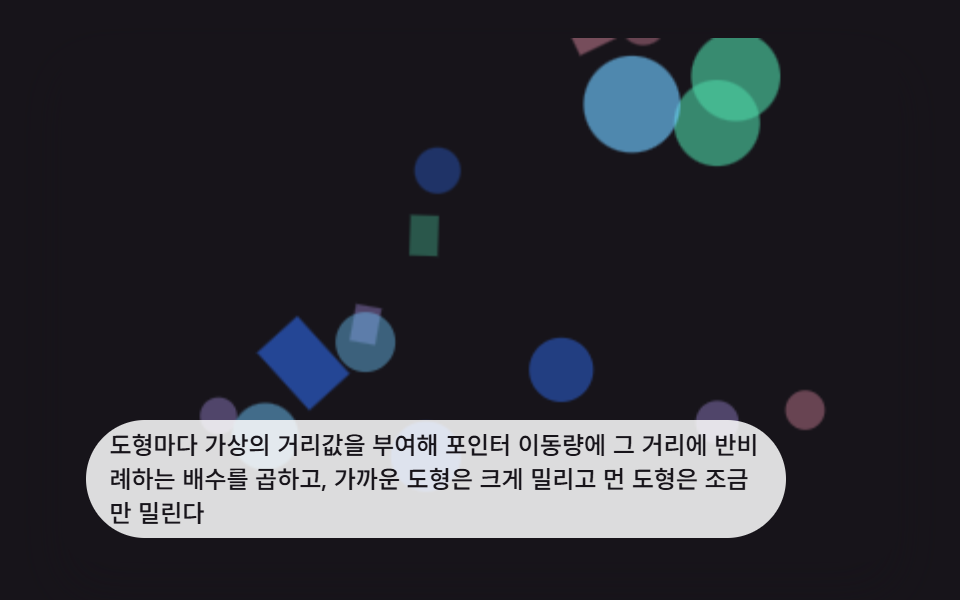 Interactions9 CSS 3D Background Animation Depth Layers
 InteractionsBubble Animation CSS: 9 Soap-Film Scenes That Pop
 InteractionsCursor Follow Animation: 9 Procedural Creatures
 InteractionsMouse Follow Effect CSS — 9 Cursor Chasers
 Interactionscss 3d transform Scenes: 9 Pointer Miniatures
 InteractionsDice Roll Animation: 9 Scenes with Top-Face Math
 InteractionsJavaScript 3D Animation: 9 Pointer-Led Models
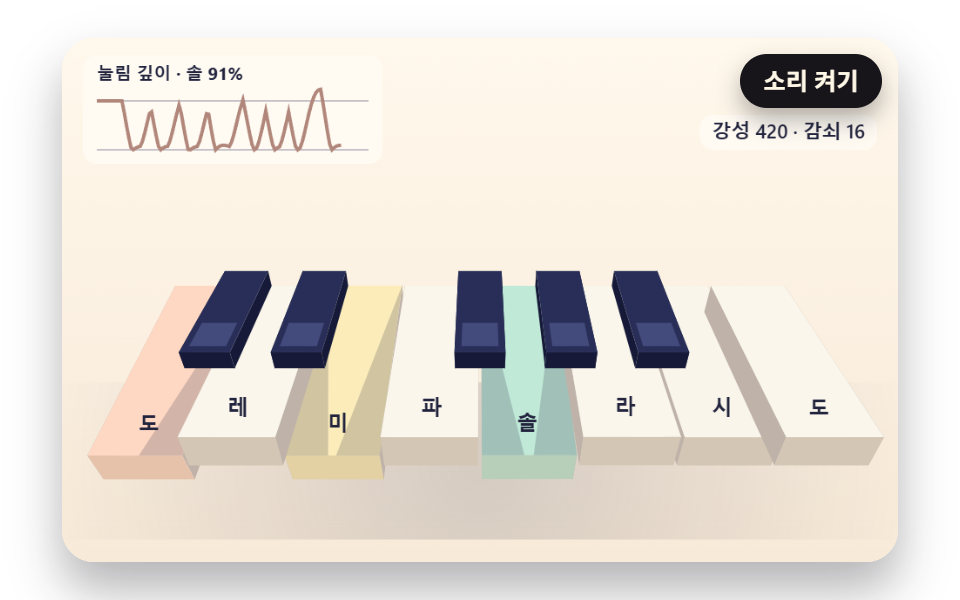 InteractionsJavaScript Piano: 9 Scenes, Keys to Strings