Mouse Follow Effect CSS — 9 Cursor Chasers
A mouse follow effect css reads the pointer each frame and lets an element trail it by a beat — the core is one lerp line, no canvas, just transform.
 01 follow-lerp-basics
 02 follow-background-parallax
 03 follow-spotlight-light
 04 follow-text-train
 05 follow-particle-burst
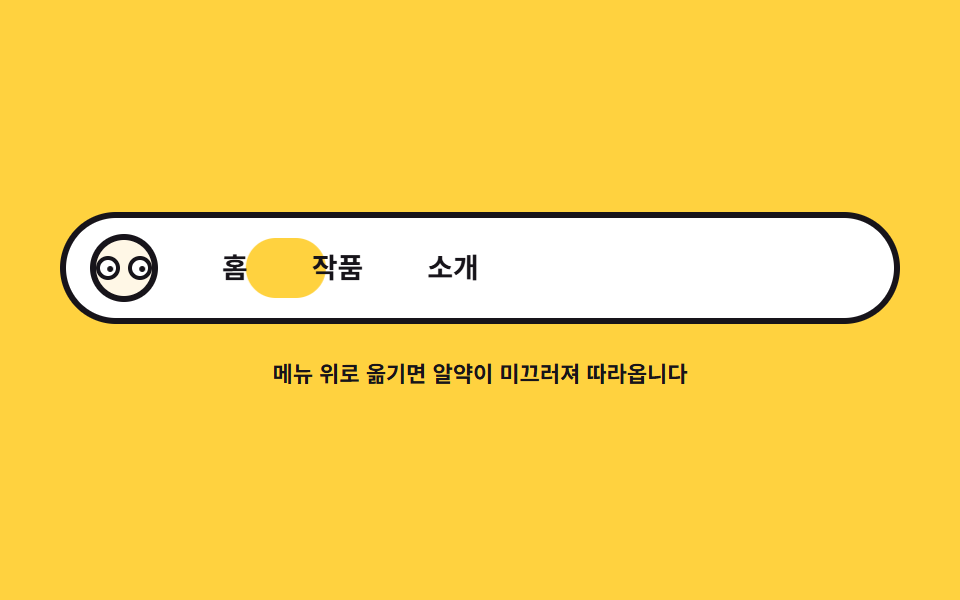 06 follow-nav-indicator
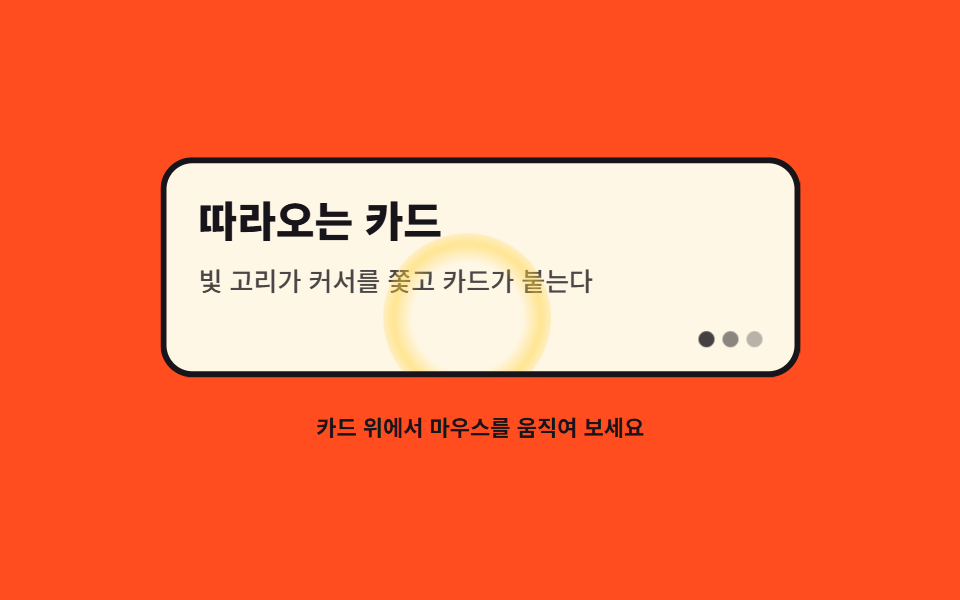 07 follow-card-glow-magnet
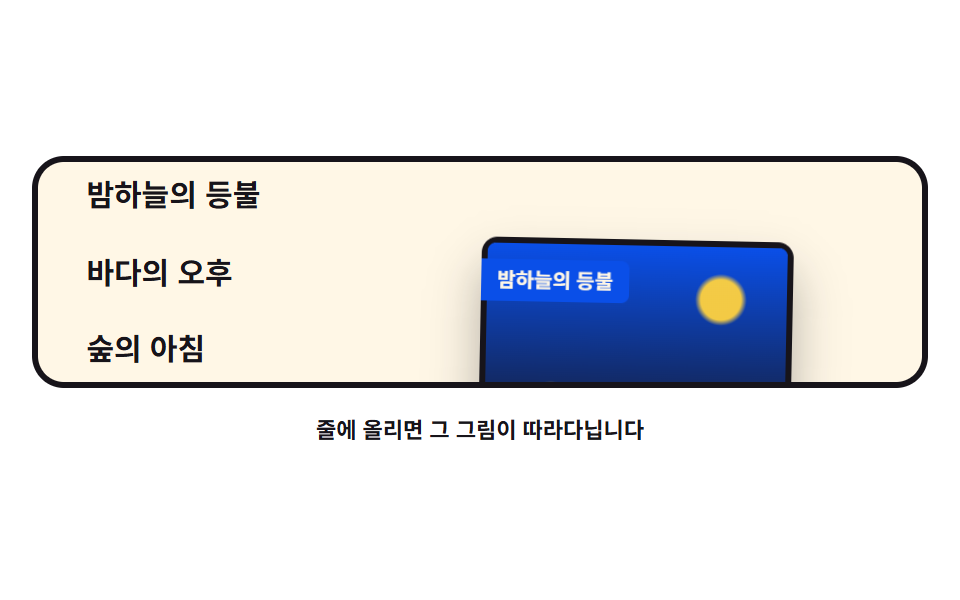 08 follow-image-preview
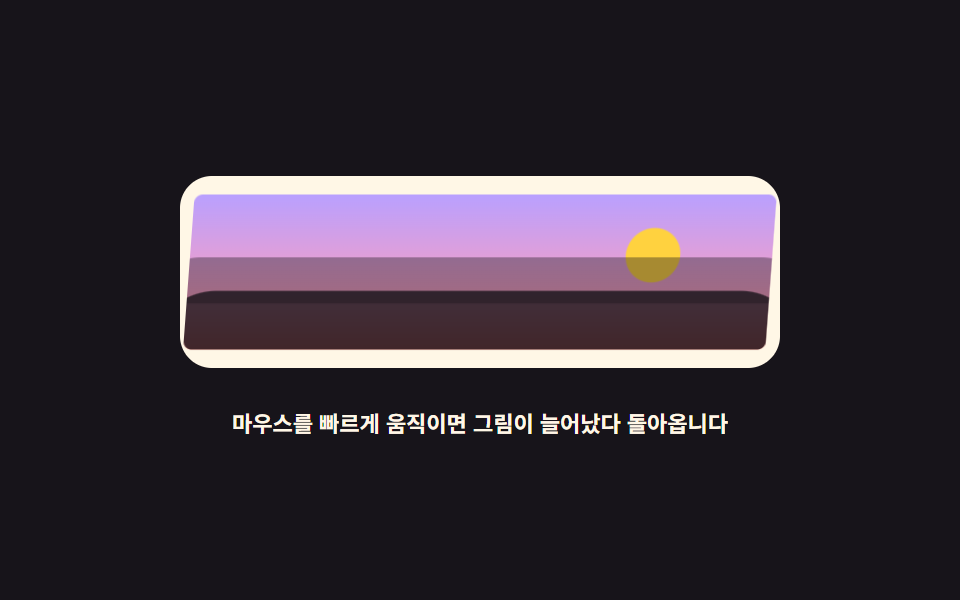 09 follow-image-warp
Auto-plays · click a tile to jump to its section · all nine in one zip
- 01 Follow basics — the lagged chase
- 02 A background that follows — three parallax layers
- 03 Light that follows — a spotlight
- 04 Letters that follow — a text train
- 05 A fancy particle mouse — DOM confetti
- 06 Nav cursor effect — a sliding pill
- 07 Card hover effect — glow ring and magnet
- 08 Hover image preview — with a ribbon tail
- 09 Image warp tracking — velocity stretch
The nine are not sorted by popularity but by how big the follower gets. In 01 a single dot introduces the lagged chase, 02 and 03 widen it to whole stages that react, 04 and 05 queue letters and particles behind the cursor, 06 through 08 put real UI parts in motion, and 09 ends with a picture that stretches with pointer speed. Every one runs the same lerp, so each demo is a variation of one piece of code.
01Follow basics — the lagged chase
The foundation of every chase: one lerp line moves the element a fraction of the remaining gap each frame, and three ghosts expose that lag as a frame difference.
<main class="stage">
<div class="lb is-demo" id="lb">
  <div class="lb__field" role="img" aria-label="A blue dot and three ghosts chase a small cursor ring, one beat behind">
    <span class="lb__ghost lb__ghost--3" aria-hidden="true"></span>
    <span class="lb__ghost lb__ghost--2" aria-hidden="true"></span>
    <span class="lb__ghost lb__ghost--1" aria-hidden="true"></span>
    <span class="lb__dot" id="lbDot" aria-hidden="true"></span>
    <span class="lb__cursor" id="lbCursor" aria-hidden="true"></span>
  </div>
  <p class="lb__hint">Move the mouse and the dot trails a beat behind</p>
</div>
</main>
@use "../../../../site/static/demo-tokens" as *;
// 따라다니기 기본 — 실제 추적은 JS 가 남은 거리의 16% 만 매 프레임 더 가는 lerp 로 하고,
// 잔상 세 개는 점을 다시 쫓게 해 지연을 프레임 차이로 보여 준다.
// 격자 미리보기(.is-demo)는 커서 고리가 무대를 가로질렀다 되돌아오는 길을 @keyframes 로 움직이고,
// 점·잔상은 같은 길을 뒤처진 백분율로 따라간다.
$duration: $dur-loop;
$easing: $ease-spring;
$color: $subject-cream;
@include stage($stage-ink);
.lb { display: grid; justify-items: center; gap: $sp-4; width: 100%; }
.lb__field {
position: relative;
width: 100%; height: clamp(120px, 34vh, 180px);
}
// 커서를 뜻하는 고리 — 실제 포인터 자리를 표시한다
.lb__cursor {
position: absolute; left: 0; top: 0;
width: 18px; height: 18px; box-sizing: border-box;
border: 3px solid $color; border-radius: 50%;
will-change: transform;
}
.lb__dot {
position: absolute; left: 0; top: 0;
width: 14px; height: 14px;
background: $subject-blue-light; border-radius: 50%;
will-change: transform;
}
// 잔상 — 점이 지나온 자리를 알파로만 표시한다 (글자가 아니라 도형이라 알파를 쓴다)
.lb__ghost {
position: absolute; left: 0; top: 0;
width: 10px; height: 10px; border-radius: 50%;
background: $color;
will-change: transform;
}
.lb__ghost--1 { opacity: .55; }
.lb__ghost--2 { opacity: .38; }
.lb__ghost--3 { opacity: .24; }
.lb__hint { margin: 0; color: $color; font-weight: 700; font-size: clamp(9px, 2.4vw, 11px); }
// ── 미리보기 루프: 커서 고리가 오른쪽 끝까지 갔다가 아래 왼쪽으로 돌아온다.
// 점과 잔상은 같은 경로를 뒤처진 키프레임 위치로 따라가 지연이 그대로 보인다.
.lb.is-demo .lb__cursor,
.lb.is-demo .lb__dot,
.lb.is-demo .lb__ghost {
animation-duration: $duration;
animation-timing-function: $easing;
animation-iteration-count: infinite;
}
.lb.is-demo .lb__cursor { animation-name: lbCursor; }
.lb.is-demo .lb__dot { animation-name: lbDot; }
.lb.is-demo .lb__ghost--1 { animation-name: lbG1; }
.lb.is-demo .lb__ghost--2 { animation-name: lbG2; }
.lb.is-demo .lb__ghost--3 { animation-name: lbG3; }
@keyframes lbCursor {
0%, 4% { transform: translate3d(24px, 20px, 0); }
40%, 48% { transform: translate3d(240px, 26px, 0); }
58%, 64% { transform: translate3d(236px, 86px, 0); }
90%, 100% { transform: translate3d(24px, 20px, 0); }
}
@keyframes lbDot {
0%, 12% { transform: translate3d(24px, 20px, 0); }
46%, 54% { transform: translate3d(206px, 40px, 0); }
64%, 72% { transform: translate3d(192px, 72px, 0); }
94%, 100% { transform: translate3d(24px, 20px, 0); }
}
@keyframes lbG1 {
0%, 20% { transform: translate3d(24px, 20px, 0); }
52%, 60% { transform: translate3d(172px, 52px, 0); }
72%, 80% { transform: translate3d(156px, 60px, 0); }
96%, 100% { transform: translate3d(24px, 20px, 0); }
}
@keyframes lbG2 {
0%, 28% { transform: translate3d(24px, 20px, 0); }
58%, 66% { transform: translate3d(138px, 62px, 0); }
78%, 84% { transform: translate3d(126px, 46px, 0); }
98%, 100% { transform: translate3d(24px, 20px, 0); }
}
@keyframes lbG3 {
0%, 36% { transform: translate3d(24px, 20px, 0); }
64%, 72% { transform: translate3d(104px, 70px, 0); }
82%, 88% { transform: translate3d(96px, 34px, 0); }
98%, 100% { transform: translate3d(24px, 20px, 0); }
}
@media (max-width: 340px) {
.lb { gap: $sp-2; }
.lb__field { height: clamp(100px, 30vh, 140px); }
}
@media (prefers-reduced-motion: reduce) {
.lb.is-demo .lb__cursor,
.lb.is-demo .lb__dot,
.lb.is-demo .lb__ghost { animation: none !important; }
// reduce 에서는 네 요소가 가운데 한 줄로 늘어선 정지 상태를 보인다
.lb.is-demo .lb__cursor { transform: translate3d(60px, 20px, 0) !important; }
.lb.is-demo .lb__dot { transform: translate3d(96px, 24px, 0) !important; }
.lb.is-demo .lb__ghost--1 { transform: translate3d(132px, 28px, 0) !important; }
.lb.is-demo .lb__ghost--2 { transform: translate3d(168px, 32px, 0) !important; }
.lb.is-demo .lb__ghost--3 { transform: translate3d(204px, 36px, 0) !important; }
}html, body {
margin: 0;
overflow: hidden;
}
.stage {
box-sizing: border-box;
min-height: 100vh;
display: grid;
place-items: center;
margin: 0;
background: #17141a;
font-family: -apple-system, "Segoe UI", "Noto Sans KR", sans-serif;
padding: clamp(8px, 4vw, 24px);
}
.lb {
display: grid;
justify-items: center;
gap: 16px;
width: 100%;
}
.lb__field {
position: relative;
width: 100%;
height: clamp(120px, 34vh, 180px);
}
.lb__cursor {
position: absolute;
left: 0;
top: 0;
width: 18px;
height: 18px;
box-sizing: border-box;
border: 3px solid #fff7e6;
border-radius: 50%;
will-change: transform;
}
.lb__dot {
position: absolute;
left: 0;
top: 0;
width: 14px;
height: 14px;
background: #5b8cf8;
border-radius: 50%;
will-change: transform;
}
.lb__ghost {
position: absolute;
left: 0;
top: 0;
width: 10px;
height: 10px;
border-radius: 50%;
background: #fff7e6;
will-change: transform;
}
.lb__ghost--1 {
opacity: 0.55;
}
.lb__ghost--2 {
opacity: 0.38;
}
.lb__ghost--3 {
opacity: 0.24;
}
.lb__hint {
margin: 0;
color: #fff7e6;
font-weight: 700;
font-size: clamp(9px, 2.4vw, 11px);
}
.lb.is-demo .lb__cursor,
.lb.is-demo .lb__dot,
.lb.is-demo .lb__ghost {
animation-duration: 2s;
animation-timing-function: cubic-bezier(0.2, 0.8, 0.2, 1);
animation-iteration-count: infinite;
}
.lb.is-demo .lb__cursor {
animation-name: lbCursor;
}
.lb.is-demo .lb__dot {
animation-name: lbDot;
}
.lb.is-demo .lb__ghost--1 {
animation-name: lbG1;
}
.lb.is-demo .lb__ghost--2 {
animation-name: lbG2;
}
.lb.is-demo .lb__ghost--3 {
animation-name: lbG3;
}
@keyframes lbCursor {
0%, 4% {
transform: translate3d(24px, 20px, 0);
}
40%, 48% {
transform: translate3d(240px, 26px, 0);
}
58%, 64% {
transform: translate3d(236px, 86px, 0);
}
90%, 100% {
transform: translate3d(24px, 20px, 0);
}
}
@keyframes lbDot {
0%, 12% {
transform: translate3d(24px, 20px, 0);
}
46%, 54% {
transform: translate3d(206px, 40px, 0);
}
64%, 72% {
transform: translate3d(192px, 72px, 0);
}
94%, 100% {
transform: translate3d(24px, 20px, 0);
}
}
@keyframes lbG1 {
0%, 20% {
transform: translate3d(24px, 20px, 0);
}
52%, 60% {
transform: translate3d(172px, 52px, 0);
}
72%, 80% {
transform: translate3d(156px, 60px, 0);
}
96%, 100% {
transform: translate3d(24px, 20px, 0);
}
}
@keyframes lbG2 {
0%, 28% {
transform: translate3d(24px, 20px, 0);
}
58%, 66% {
transform: translate3d(138px, 62px, 0);
}
78%, 84% {
transform: translate3d(126px, 46px, 0);
}
98%, 100% {
transform: translate3d(24px, 20px, 0);
}
}
@keyframes lbG3 {
0%, 36% {
transform: translate3d(24px, 20px, 0);
}
64%, 72% {
transform: translate3d(104px, 70px, 0);
}
82%, 88% {
transform: translate3d(96px, 34px, 0);
}
98%, 100% {
transform: translate3d(24px, 20px, 0);
}
}
@media (max-width: 340px) {
.lb {
gap: 8px;
}
.lb__field {
height: clamp(100px, 30vh, 140px);
}
}
@media (prefers-reduced-motion: reduce) {
.lb.is-demo .lb__cursor,
.lb.is-demo .lb__dot,
.lb.is-demo .lb__ghost {
animation: none !important;
}
.lb.is-demo .lb__cursor {
transform: translate3d(60px, 20px, 0) !important;
}
.lb.is-demo .lb__dot {
transform: translate3d(96px, 24px, 0) !important;
}
.lb.is-demo .lb__ghost--1 {
transform: translate3d(132px, 28px, 0) !important;
}
.lb.is-demo .lb__ghost--2 {
transform: translate3d(168px, 32px, 0) !important;
}
.lb.is-demo .lb__ghost--3 {
transform: translate3d(204px, 36px, 0) !important;
}
}var root = document.getElementById('lb');
var field = root.querySelector('.lb__field');
var cursorEl = document.getElementById('lbCursor');
var dotEl = document.getElementById('lbDot');
var ghosts = Array.prototype.slice.call(root.querySelectorAll('.lb__ghost')).reverse();
// ghosts[0] 이 점 바로 뒤, ghosts[2] 가 가장 느리다 (DOM 역순으로 담았다)
var reduce = window.matchMedia('(prefers-reduced-motion: reduce)').matches;
// lerp: 매 프레임 남은 거리의 일부만 더 가는 선형 보간 — factor 가 작을수록 한 박자 늦게 따라온다
function lerp(a, b, k) { return a + (b - a) * k; }
var target = { x: 0, y: 0 };
var dot = { x: 0, y: 0 };
var trail = [{ x: 0, y: 0 }, { x: 0, y: 0 }, { x: 0, y: 0 }];
var factors = [0.10, 0.065, 0.04];
function center() {
var r = field.getBoundingClientRect();
return { x: r.width / 2, y: r.height / 2 };
}
function setTarget(cx, cy) {
var r = field.getBoundingClientRect();
target.x = cx - r.left;
target.y = cy - r.top;
}
function draw() {
cursorEl.style.transform = 'translate3d(' + (target.x - 9) + 'px,' + (target.y - 9) + 'px,0)';
dotEl.style.transform = 'translate3d(' + (dot.x - 7) + 'px,' + (dot.y - 7) + 'px,0)';
for (var i = 0; i < trail.length; i++) {
ghosts[i].style.transform = 'translate3d(' + (trail[i].x - 5) + 'px,' + (trail[i].y - 5) + 'px,0)';
}
}
function tick() {
dot.x = lerp(dot.x, target.x, 0.16);
dot.y = lerp(dot.y, target.y, 0.16);
var prev = dot;
for (var i = 0; i < trail.length; i++) {
trail[i].x = lerp(trail[i].x, prev.x, factors[i]);
trail[i].y = lerp(trail[i].y, prev.y, factors[i]);
prev = trail[i];
}
draw();
requestAnimationFrame(tick);
}
function start() {
var c = center();
target = { x: c.x, y: c.y };
dot = { x: c.x, y: c.y };
trail = [{ x: c.x, y: c.y }, { x: c.x, y: c.y }, { x: c.x, y: c.y }];
}
window.addEventListener('pointermove', function (e) {
root.classList.remove('is-demo');
setTarget(e.clientX, e.clientY);
});
// 터치 폴백: 손가락을 대면 그 지점을 쫓게 한다
window.addEventListener('pointerdown', function (e) {
root.classList.remove('is-demo');
setTarget(e.clientX, e.clientY);
});
start();
if (reduce) {
// 움직임을 줄이는 설정에서는 쫓기 없이 즉시 따라붙는다
window.addEventListener('pointermove', function (e) { setTarget(e.clientX, e.clientY); dot = { x: target.x, y: target.y }; draw(); });
} else {
requestAnimationFrame(tick);
}// LerpBasics — vanilla 판(run/079/demo/01-follow-lerp-basics/index.html) 의 React 포트.
// 점이 커서를 lerp(0.16)로 쫓고, 잔상 세 개는 다시 점을 쫓게 해 지연을 프레임 차이로 보여 준다.
// 계수(0.16 · 0.10/0.065/0.04)와 잔상 순서는 vanilla 와 같은 값이다 (다시 타이핑하지 않는다).
import { useEffect, useRef, useState } from "react";
import type { CSSProperties } from "react";
import styles from "./LerpBasics.module.scss";
export type LerpBasicsProps = {
duration?: number;
easing?: string;
color?: string;
};
type Vars = CSSProperties & { "--duration"?: string; "--easing"?: string; "--color"?: string };
// useRef 는 T | null 을 돌려준다. 처음부터 값이 있고 절대 비지 않는 상자는 이렇게 좁혀 쓴다
type Box<T> = { current: T };
// 전역 DOM 타입에 기대지 않는다 — 포인터 이벤트에서 실제로 읽는 것만 적는다
type PtrEvt = { clientX: number; clientY: number };
const FIELD_LABEL = "작은 커서 고리를 파란 점과 잔상 세 개가 한 박자 늦게 쫓는 그림";
const HINT = "마우스를 움직이면 점이 한 박자 늦게 따라옵니다";
// ghosts[0] 이 점 바로 뒤, ghosts[2] 가 가장 느리다 — 잔상 DOM 은 역순으로 섰다
const TRAIL_FACTORS = [0.10, 0.065, 0.04];
// lerp: 매 프레임 남은 거리의 일부만 더 가는 선형 보간 — factor 가 작을수록 한 박자 늦게 따라온다
function lerp(a: number, b: number, k: number): number {
return a + (b - a) * k;
}
export default function LerpBasics({
duration = 2000,
easing = "cubic-bezier(.2, .8, .2, 1)",
color = "#fff7e6",
}: LerpBasicsProps) {
const fieldRef = useRef<HTMLDivElement | null>(null) as Box<HTMLDivElement>;
const cursorRef = useRef<HTMLSpanElement | null>(null);
const dotRef = useRef<HTMLSpanElement | null>(null);
const ghostRef = useRef<(HTMLSpanElement | null)[]>(new Array(3).fill(null)) as Box<(HTMLSpanElement | null)[]>;
const [demo, setDemo] = useState(true);
const vars: Vars = { "--duration": `${duration}ms`, "--easing": easing, "--color": color };
function setGhost(index: number) {
return (el: HTMLSpanElement | null): void => {
ghostRef.current[index] = el;
};
}
useEffect(() => {
const field = fieldRef.current;
if (!field) return;
const reduce = window.matchMedia("(prefers-reduced-motion: reduce)").matches;
const target = { x: 0, y: 0 };
const dot = { x: 0, y: 0 };
const trail = [
{ x: 0, y: 0 },
{ x: 0, y: 0 },
{ x: 0, y: 0 },
];
function setTarget(cx: number, cy: number): void {
const r = field.getBoundingClientRect();
target.x = cx - r.left;
target.y = cy - r.top;
}
function draw(): void {
const cursor = cursorRef.current;
const dotEl = dotRef.current;
if (cursor) cursor.style.transform = "translate3d(" + (target.x - 9) + "px," + (target.y - 9) + "px,0)";
if (dotEl) dotEl.style.transform = "translate3d(" + (dot.x - 7) + "px," + (dot.y - 7) + "px,0)";
for (let i = 0; i < trail.length; i++) {
const ghost = ghostRef.current[i];
if (ghost) ghost.style.transform = "translate3d(" + (trail[i].x - 5) + "px," + (trail[i].y - 5) + "px,0)";
}
}
function tick(): void {
dot.x = lerp(dot.x, target.x, 0.16);
dot.y = lerp(dot.y, target.y, 0.16);
let prev = dot;
for (let i = 0; i < trail.length; i++) {
trail[i].x = lerp(trail[i].x, prev.x, TRAIL_FACTORS[i]);
trail[i].y = lerp(trail[i].y, prev.y, TRAIL_FACTORS[i]);
prev = trail[i];
}
draw();
raf = requestAnimationFrame(tick);
}
function start(): void {
const r = field.getBoundingClientRect();
const c = { x: r.width / 2, y: r.height / 2 };
target.x = c.x;
target.y = c.y;
dot.x = c.x;
dot.y = c.y;
for (let i = 0; i < trail.length; i++) {
trail[i].x = c.x;
trail[i].y = c.y;
}
}
function onMove(event: PtrEvt): void {
setDemo(false);
setTarget(event.clientX, event.clientY);
if (reduce) {
// 움직임을 줄이는 설정에서는 쫓기 없이 즉시 따라붙는다
dot.x = target.x;
dot.y = target.y;
draw();
}
}
// 터치 폴백: 손가락을 대면 그 지점을 쫓게 한다
function onDown(event: PtrEvt): void {
setDemo(false);
setTarget(event.clientX, event.clientY);
}
window.addEventListener("pointermove", onMove);
window.addEventListener("pointerdown", onDown);
let raf = 0;
start();
if (!reduce) raf = requestAnimationFrame(tick);
return () => {
window.removeEventListener("pointermove", onMove);
window.removeEventListener("pointerdown", onDown);
cancelAnimationFrame(raf);
};
}, []);
return (
<main className={styles.stage}>
<div className={styles.root + (demo ? " " + styles.isDemo : "")} style={vars}>
<div className={styles.field} ref={fieldRef} role="img" aria-label={FIELD_LABEL}>
<span className={styles.ghost + " " + styles.ghost3} aria-hidden="true" ref={setGhost(2)}></span>
<span className={styles.ghost + " " + styles.ghost2} aria-hidden="true" ref={setGhost(1)}></span>
<span className={styles.ghost + " " + styles.ghost1} aria-hidden="true" ref={setGhost(0)}></span>
<span className={styles.dot} aria-hidden="true" ref={dotRef}></span>
<span className={styles.cursor} aria-hidden="true" ref={cursorRef}></span>
</div>
<p className={styles.hint}>{HINT}</p>
</div>
</main>
);
}01 · Follow basics — the lagged chase — Measured area 3.684% · moving frames 23/23Original by GODRICH · SCSS and React ship in the zip · See the password
One lerp line makes the delay
function lerp(a, b, k) { return a + (b - a) * k; }

function tick() {
  dot.x = lerp(dot.x, target.x, 0.16);
  dot.y = lerp(dot.y, target.y, 0.16);
  draw();
  requestAnimationFrame(tick);
}
With k at 0.16 the element covers only 16% of the gap per frame, so a stopped cursor leaves a gap that shrinks through 84%, 71%, 59% until the dot settles, and the three ghosts chase it in turn at 0.10, 0.065, and 0.04 to make the lag visible.
Measuring how far behind it sits
The render clock reported 3.68% changed area, intensity 120.2, and 23/23 moving frames, and a probe that actually moved the mouse saw the dot settle within 2.2px of the cursor 40 frames after the last move.
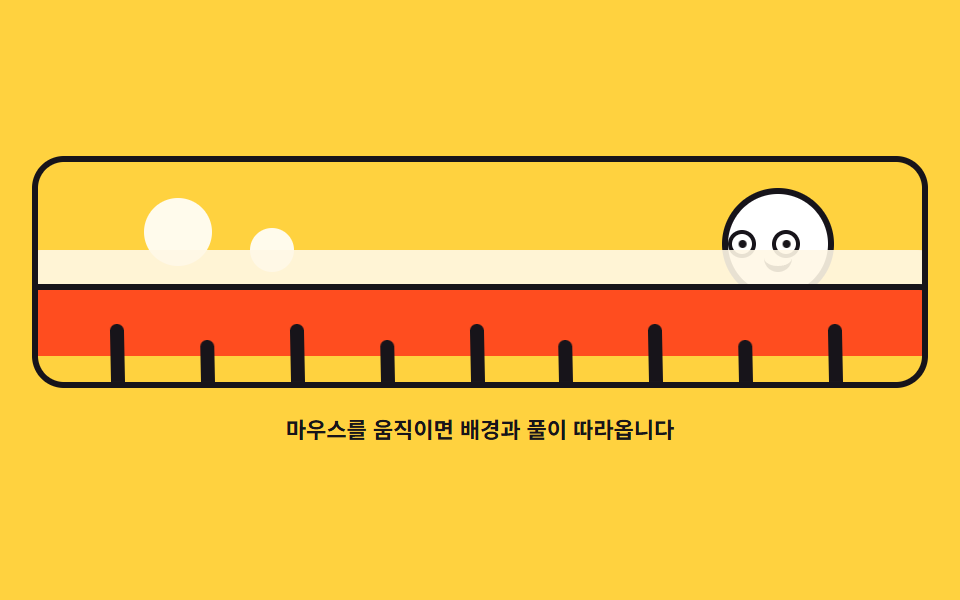
02A background that follows — three parallax layers
Two hills and the grass chase the cursor x at different ratios, blades lean toward the pointer with skewX, and the sun's pupils track it too.
<main class="stage">
<div class="bg is-demo" id="bg">
  <div class="bg__scene" role="img" aria-label="A sun rises over hills and grass, its eyes watching the cursor">
    <div class="bg__sky" aria-hidden="true"></div>
    <div class="bg__sun" aria-hidden="true">
      <span class="bg__eye"><span class="bg__pupil"></span></span>
      <span class="bg__eye"><span class="bg__pupil"></span></span>
      <span class="bg__mouth"></span>
    </div>
    <div class="bg__hill bg__hill--far" aria-hidden="true"></div>
    <div class="bg__hill bg__hill--mid" aria-hidden="true"></div>
    <div class="bg__grass" aria-hidden="true">
      <span class="bg__blade"></span><span class="bg__blade"></span><span class="bg__blade"></span>
      <span class="bg__blade"></span><span class="bg__blade"></span><span class="bg__blade"></span>
      <span class="bg__blade"></span><span class="bg__blade"></span><span class="bg__blade"></span>
    </div>
  </div>
  <p class="bg__hint">Move the mouse and the background and grass follow along</p>
</div>
</main>
@use "../../../../site/static/demo-tokens" as *;
// 따라오는 배경 — 실제 시차는 JS 가 커서 가로 위치(--px, 0~1)를 lerp 로 부드럽게 만들어
// 멀리 언덕은 -10px, 가까운 언덕은 -22px, 풀은 -34px 씩 밀어 서로 다른 속도로 따라오게 한다.
// 풀잎 skewX 는 --px 하나를 공유해 커서 쪽으로 눕고, 해의 눈동자도 같은 값으로 커서를 본다.
// 격자 미리보기(.is-demo)는 커서가 좌우로 지나간 것과 같은 진폭을 @keyframes 로 왕복시킨다.
$duration: $dur-loop;
$easing: $ease-spring;
$color: $subject-ink;
@include stage($stage-yellow);
.bg { display: grid; justify-items: center; gap: $sp-3; width: 100%; }
.bg__scene {
--px: 0.5;
position: relative; overflow: hidden;
width: 100%; height: clamp(110px, 32vh, 160px);
border: 3px solid $color; border-radius: $r-card;
background: $stage-yellow;
}
// 하늘 장식 — 반달 모양 구름 두 개 (그라디언트가 아니라 흰 원으로)
.bg__sky::before, .bg__sky::after {
content: ""; position: absolute; border-radius: 50%;
background: $stage-paper; opacity: .9;
}
.bg__sky::before { width: 34px; height: 34px; left: 12%; top: 16%; }
.bg__sky::after { width: 22px; height: 22px; left: 24%; top: 30%; }
// 해 — 눈 두 개가 커서를 쫓는다
.bg__sun {
position: absolute; right: 10%; top: 12%;
display: flex; align-items: center; gap: $sp-2;
width: clamp(44px, 12vw, 56px); height: clamp(44px, 12vw, 56px);
box-sizing: border-box;
background: $stage-paper; border: 3px solid $color; border-radius: 50%;
}
.bg__eye {
position: relative; overflow: hidden;
width: 10px; height: 10px;
background: $stage-paper; border: 2px solid $color; border-radius: 50%;
}
.bg__pupil {
position: absolute; left: 50%; top: 50%;
width: 4px; height: 4px; margin: -2px 0 0 -2px;
background: $color; border-radius: 50%;
}
.bg__mouth {
position: absolute; left: 50%; bottom: 22%;
width: 14px; height: 6px; margin-left: -7px;
border-bottom: 3px solid $color; border-radius: 0 0 $r-pill $r-pill;
}
// 언덕 두 겹 — 멀수록 연하게, 밀리는 폭은 JS 가 정한다
.bg__hill { position: absolute; left: -8%; right: -8%; border-radius: $r-pill $r-pill 0 0; }
.bg__hill--far {
bottom: 26%; height: 34%;
background: $subject-cream; opacity: .9;
}
.bg__hill--mid {
bottom: 12%; height: 30%;
background: $stage-orange;
border: 3px solid $color; border-bottom: 0;
}
// 풀 — 잎마다 --px 를 공유해 skewX 로 눕는다. 원점은 뿌리(아래)다 (붙는 지점이 있는 요소)
.bg__grass {
position: absolute; left: 0; right: 0; bottom: 0;
display: flex; justify-content: space-evenly; align-items: flex-end;
height: 26%;
}
.bg__blade {
width: 7px; border-radius: $r-pill $r-pill 0 0;
background: $color;
transform-origin: 50% 100%;
transform: skewX(calc((0.5 - var(--px)) * 26deg));
}
.bg__blade:nth-child(odd) { height: 100%; }
.bg__blade:nth-child(even) { height: 74%; }
.bg__hint { margin: 0; color: $color; font-weight: 700; font-size: clamp(9px, 2.4vw, 11px); }
// ── 미리보기 루프: 커서가 왼쪽 끝 → 오른쪽 끝을 지나간 것과 같은 진폭을 겹마다 다르게 왕복한다
.bg.is-demo .bg__hill--far { animation: bgFar $duration $easing infinite; }
.bg.is-demo .bg__hill--mid { animation: bgMid $duration $easing infinite; }
.bg.is-demo .bg__grass { animation: bgNear $duration $easing infinite; }
.bg.is-demo .bg__blade { animation: bgLean $duration $easing infinite; }
.bg.is-demo .bg__pupil { animation: bgPeek $duration $easing infinite; }
@keyframes bgFar {
0%, 4% { transform: translate3d(5px, 0, 0); }
34% { transform: translate3d(-5px, 0, 0); }
44%, 50% { transform: translate3d(-5px, 0, 0); }
80% { transform: translate3d(5px, 0, 0); }
88%, 100% { transform: translate3d(5px, 0, 0); }
}
@keyframes bgMid {
0%, 4% { transform: translate3d(11px, 0, 0); }
34% { transform: translate3d(-11px, 0, 0); }
44%, 50% { transform: translate3d(-11px, 0, 0); }
80% { transform: translate3d(11px, 0, 0); }
88%, 100% { transform: translate3d(11px, 0, 0); }
}
@keyframes bgNear {
0%, 4% { transform: translate3d(17px, 0, 0); }
34% { transform: translate3d(-17px, 0, 0); }
44%, 50% { transform: translate3d(-17px, 0, 0); }
80% { transform: translate3d(17px, 0, 0); }
88%, 100% { transform: translate3d(17px, 0, 0); }
}
// 풀잎 눕음 — 커서가 오른쪽(0.5 → 1)에 있으면 왼쪽으로 눕는다
@keyframes bgLean {
0%, 4% { transform: skewX(-13deg); }
34% { transform: skewX(13deg); }
44%, 50% { transform: skewX(13deg); }
80% { transform: skewX(-13deg); }
88%, 100% { transform: skewX(-13deg); }
}
@keyframes bgPeek {
0%, 4% { transform: translate3d(-3.5px, 0, 0); }
34% { transform: translate3d(3.5px, 0, 0); }
44%, 50% { transform: translate3d(3.5px, 0, 0); }
80% { transform: translate3d(-3.5px, 0, 0); }
88%, 100% { transform: translate3d(-3.5px, 0, 0); }
}
@media (max-width: 340px) {
.bg { gap: $sp-2; }
.bg__scene { height: clamp(96px, 28vh, 130px); }
.bg__sun { right: 6%; }
}
@media (prefers-reduced-motion: reduce) {
.bg.is-demo .bg__hill--far,
.bg.is-demo .bg__hill--mid,
.bg.is-demo .bg__grass,
.bg.is-demo .bg__blade,
.bg.is-demo .bg__pupil { animation: none !important; }
// reduce 에서는 잎이 곧게 선 정경만 보인다
.bg.is-demo .bg__blade { transform: skewX(0deg) !important; }
}html, body {
margin: 0;
overflow: hidden;
}
.stage {
box-sizing: border-box;
min-height: 100vh;
display: grid;
place-items: center;
margin: 0;
background: #ffd23f;
font-family: -apple-system, "Segoe UI", "Noto Sans KR", sans-serif;
padding: clamp(8px, 4vw, 24px);
}
.bg {
display: grid;
justify-items: center;
gap: 12px;
width: 100%;
}
.bg__scene {
--px: 0.5;
position: relative;
overflow: hidden;
width: 100%;
height: clamp(110px, 32vh, 160px);
border: 3px solid #17141a;
border-radius: 16px;
background: #ffd23f;
}
.bg__sky::before, .bg__sky::after {
content: "";
position: absolute;
border-radius: 50%;
background: #ffffff;
opacity: 0.9;
}
.bg__sky::before {
width: 34px;
height: 34px;
left: 12%;
top: 16%;
}
.bg__sky::after {
width: 22px;
height: 22px;
left: 24%;
top: 30%;
}
.bg__sun {
position: absolute;
right: 10%;
top: 12%;
display: flex;
align-items: center;
gap: 8px;
width: clamp(44px, 12vw, 56px);
height: clamp(44px, 12vw, 56px);
box-sizing: border-box;
background: #ffffff;
border: 3px solid #17141a;
border-radius: 50%;
}
.bg__eye {
position: relative;
overflow: hidden;
width: 10px;
height: 10px;
background: #ffffff;
border: 2px solid #17141a;
border-radius: 50%;
}
.bg__pupil {
position: absolute;
left: 50%;
top: 50%;
width: 4px;
height: 4px;
margin: -2px 0 0 -2px;
background: #17141a;
border-radius: 50%;
}
.bg__mouth {
position: absolute;
left: 50%;
bottom: 22%;
width: 14px;
height: 6px;
margin-left: -7px;
border-bottom: 3px solid #17141a;
border-radius: 0 0 999px 999px;
}
.bg__hill {
position: absolute;
left: -8%;
right: -8%;
border-radius: 999px 999px 0 0;
}
.bg__hill--far {
bottom: 26%;
height: 34%;
background: #fff7e6;
opacity: 0.9;
}
.bg__hill--mid {
bottom: 12%;
height: 30%;
background: #ff4d1f;
border: 3px solid #17141a;
border-bottom: 0;
}
.bg__grass {
position: absolute;
left: 0;
right: 0;
bottom: 0;
display: flex;
justify-content: space-evenly;
align-items: flex-end;
height: 26%;
}
.bg__blade {
width: 7px;
border-radius: 999px 999px 0 0;
background: #17141a;
transform-origin: 50% 100%;
transform: skewX(calc((0.5 - var(--px)) * 26deg));
}
.bg__blade:nth-child(odd) {
height: 100%;
}
.bg__blade:nth-child(even) {
height: 74%;
}
.bg__hint {
margin: 0;
color: #17141a;
font-weight: 700;
font-size: clamp(9px, 2.4vw, 11px);
}
.bg.is-demo .bg__hill--far {
animation: bgFar 2s cubic-bezier(0.2, 0.8, 0.2, 1) infinite;
}
.bg.is-demo .bg__hill--mid {
animation: bgMid 2s cubic-bezier(0.2, 0.8, 0.2, 1) infinite;
}
.bg.is-demo .bg__grass {
animation: bgNear 2s cubic-bezier(0.2, 0.8, 0.2, 1) infinite;
}
.bg.is-demo .bg__blade {
animation: bgLean 2s cubic-bezier(0.2, 0.8, 0.2, 1) infinite;
}
.bg.is-demo .bg__pupil {
animation: bgPeek 2s cubic-bezier(0.2, 0.8, 0.2, 1) infinite;
}
@keyframes bgFar {
0%, 4% {
transform: translate3d(5px, 0, 0);
}
34% {
transform: translate3d(-5px, 0, 0);
}
44%, 50% {
transform: translate3d(-5px, 0, 0);
}
80% {
transform: translate3d(5px, 0, 0);
}
88%, 100% {
transform: translate3d(5px, 0, 0);
}
}
@keyframes bgMid {
0%, 4% {
transform: translate3d(11px, 0, 0);
}
34% {
transform: translate3d(-11px, 0, 0);
}
44%, 50% {
transform: translate3d(-11px, 0, 0);
}
80% {
transform: translate3d(11px, 0, 0);
}
88%, 100% {
transform: translate3d(11px, 0, 0);
}
}
@keyframes bgNear {
0%, 4% {
transform: translate3d(17px, 0, 0);
}
34% {
transform: translate3d(-17px, 0, 0);
}
44%, 50% {
transform: translate3d(-17px, 0, 0);
}
80% {
transform: translate3d(17px, 0, 0);
}
88%, 100% {
transform: translate3d(17px, 0, 0);
}
}
@keyframes bgLean {
0%, 4% {
transform: skewX(-13deg);
}
34% {
transform: skewX(13deg);
}
44%, 50% {
transform: skewX(13deg);
}
80% {
transform: skewX(-13deg);
}
88%, 100% {
transform: skewX(-13deg);
}
}
@keyframes bgPeek {
0%, 4% {
transform: translate3d(-3.5px, 0, 0);
}
34% {
transform: translate3d(3.5px, 0, 0);
}
44%, 50% {
transform: translate3d(3.5px, 0, 0);
}
80% {
transform: translate3d(-3.5px, 0, 0);
}
88%, 100% {
transform: translate3d(-3.5px, 0, 0);
}
}
@media (max-width: 340px) {
.bg {
gap: 8px;
}
.bg__scene {
height: clamp(96px, 28vh, 130px);
}
.bg__sun {
right: 6%;
}
}
@media (prefers-reduced-motion: reduce) {
.bg.is-demo .bg__hill--far,
.bg.is-demo .bg__hill--mid,
.bg.is-demo .bg__grass,
.bg.is-demo .bg__blade,
.bg.is-demo .bg__pupil {
animation: none !important;
}
.bg.is-demo .bg__blade {
transform: skewX(0deg) !important;
}
}var root = document.getElementById('bg');
var scene = root.querySelector('.bg__scene');
var far = root.querySelector('.bg__hill--far');
var mid = root.querySelector('.bg__hill--mid');
var grass = root.querySelector('.bg__grass');
var pupils = Array.prototype.slice.call(root.querySelectorAll('.bg__pupil'));
var reduce = window.matchMedia('(prefers-reduced-motion: reduce)').matches;
function lerp(a, b, k) { return a + (b - a) * k; }
// --px 는 0~1 사이 커서 가로 위치. 풀잎 skewX 가 이 값 하나를 공유해 같이 눕는다
var px = 0.5;
var pxNow = 0.5;
function tick() {
pxNow = lerp(pxNow, px, 0.08);
scene.style.setProperty('--px', pxNow.toFixed(4));
var dx = pxNow - 0.5;
// 멀수록 조금, 가까울수록 많이 밀린다 — 시차
far.style.transform = 'translate3d(' + (dx * -10).toFixed(1) + 'px,0,0)';
mid.style.transform = 'translate3d(' + (dx * -22).toFixed(1) + 'px,0,0)';
grass.style.transform = 'translate3d(' + (dx * -34).toFixed(1) + 'px,0,0)';
for (var i = 0; i < pupils.length; i++) {
pupils[i].style.transform = 'translate3d(' + (dx * 7).toFixed(1) + 'px,0,0)';
}
requestAnimationFrame(tick);
}
function setFromPointer(cx) {
var r = scene.getBoundingClientRect();
px = Math.min(1, Math.max(0, (cx - r.left) / r.width));
}
window.addEventListener('pointermove', function (e) {
root.classList.remove('is-demo');
setFromPointer(e.clientX);
});
window.addEventListener('pointerdown', function (e) {
root.classList.remove('is-demo');
setFromPointer(e.clientX);
});
if (reduce) {
// reduce 에서는 시차 이동 없이 풀잎 눕음만 즉시 값으로 반영한다
window.addEventListener('pointermove', function (e) {
setFromPointer(e.clientX);
scene.style.setProperty('--px', px.toFixed(4));
});
} else {
requestAnimationFrame(tick);
}// BackgroundParallax — vanilla 판(run/079/demo/02-follow-background-parallax/index.html) 의 React 포트.
// 커서 가로 위치(--px, 0~1)를 lerp(0.08)로 부드럽게 만들어 멀리 언덕은 -10px · 가까운 언덕은 -22px ·
// 풀은 -34px 씩 밀어 서로 다른 속도로 따라오게 한다. 풀잎 skewX 는 --px 하나를 공유해 커서 쪽으로 눕고
// 해의 눈동자도 같은 값으로 커서를 본다. 값·수치는 vanilla 와 같다.
import { useEffect, useRef, useState } from "react";
import type { CSSProperties } from "react";
import styles from "./BackgroundParallax.module.scss";
export type BackgroundParallaxProps = {
duration?: number;
easing?: string;
color?: string;
};
type Vars = CSSProperties & { "--duration"?: string; "--easing"?: string; "--color"?: string };
// useRef 는 T | null 을 돌려준다. 처음부터 값이 있고 절대 비지 않는 상자는 이렇게 좁혀 쓴다
type Box<T> = { current: T };
// 전역 DOM 타입에 기대지 않는다 — 포인터 이벤트에서 실제로 읽는 것만 적는다
type PtrEvt = { clientX: number };
const SCENE_LABEL = "언덕과 풀 위에 해가 뜨고 해의 눈이 커서를 바라보는 그림";
const HINT = "마우스를 움직이면 배경과 풀이 따라옵니다";
const BLADE_COUNT = 9;
// lerp: 매 프레임 남은 거리의 일부만 더 가는 선형 보간
function lerp(a: number, b: number, k: number): number {
return a + (b - a) * k;
}
export default function BackgroundParallax({
duration = 2000,
easing = "cubic-bezier(.2, .8, .2, 1)",
color = "#17141a",
}: BackgroundParallaxProps) {
const sceneRef = useRef<HTMLDivElement | null>(null) as Box<HTMLDivElement>;
const farRef = useRef<HTMLDivElement | null>(null);
const midRef = useRef<HTMLDivElement | null>(null);
const grassRef = useRef<HTMLDivElement | null>(null);
const pupilRef = useRef<(HTMLSpanElement | null)[]>(new Array(2).fill(null)) as Box<(HTMLSpanElement | null)[]>;
const [demo, setDemo] = useState(true);
const vars: Vars = { "--duration": `${duration}ms`, "--easing": easing, "--color": color };
function setPupil(index: number) {
return (el: HTMLSpanElement | null): void => {
pupilRef.current[index] = el;
};
}
useEffect(() => {
const scene = sceneRef.current;
if (!scene) return;
const reduce = window.matchMedia("(prefers-reduced-motion: reduce)").matches;
// --px 는 0~1 사이 커서 가로 위치. 풀잎 skewX 가 이 값 하나를 공유해 같이 눕는다
let px = 0.5;
let pxNow = 0.5;
function tick(): void {
pxNow = lerp(pxNow, px, 0.08);
scene.style.setProperty("--px", pxNow.toFixed(4));
const dx = pxNow - 0.5;
// 멀수록 조금, 가까울수록 많이 밀린다 — 시차
const far = farRef.current;
const mid = midRef.current;
const grass = grassRef.current;
if (far) far.style.transform = "translate3d(" + (dx * -10).toFixed(1) + "px,0,0)";
if (mid) mid.style.transform = "translate3d(" + (dx * -22).toFixed(1) + "px,0,0)";
if (grass) grass.style.transform = "translate3d(" + (dx * -34).toFixed(1) + "px,0,0)";
for (let i = 0; i < pupilRef.current.length; i++) {
const pupil = pupilRef.current[i];
if (pupil) pupil.style.transform = "translate3d(" + (dx * 7).toFixed(1) + "px,0,0)";
}
raf = requestAnimationFrame(tick);
}
function setFromPointer(cx: number): void {
const r = scene.getBoundingClientRect();
px = Math.min(1, Math.max(0, (cx - r.left) / r.width));
}
function onMove(event: PtrEvt): void {
setDemo(false);
setFromPointer(event.clientX);
if (reduce) {
// reduce 에서는 시차 이동 없이 풀잎 눕음만 즉시 값으로 반영한다
scene.style.setProperty("--px", px.toFixed(4));
}
}
function onDown(event: PtrEvt): void {
setDemo(false);
setFromPointer(event.clientX);
}
window.addEventListener("pointermove", onMove);
window.addEventListener("pointerdown", onDown);
let raf = 0;
if (!reduce) raf = requestAnimationFrame(tick);
return () => {
window.removeEventListener("pointermove", onMove);
window.removeEventListener("pointerdown", onDown);
cancelAnimationFrame(raf);
};
}, []);
return (
<main className={styles.stage}>
<div className={styles.root + (demo ? " " + styles.isDemo : "")} style={vars}>
<div className={styles.scene} ref={sceneRef} role="img" aria-label={SCENE_LABEL}>
<div className={styles.sky} aria-hidden="true"></div>
<div className={styles.sun} aria-hidden="true">
<span className={styles.eye}><span className={styles.pupil} ref={setPupil(0)}></span></span>
<span className={styles.eye}><span className={styles.pupil} ref={setPupil(1)}></span></span>
<span className={styles.mouth}></span>
</div>
<div className={styles.hill + " " + styles.hillFar} ref={farRef} aria-hidden="true"></div>
<div className={styles.hill + " " + styles.hillMid} ref={midRef} aria-hidden="true"></div>
<div className={styles.grass} ref={grassRef} aria-hidden="true">
{Array.from({ length: BLADE_COUNT }, (_, i) => (
<span className={styles.blade} key={i}></span>
))}
</div>
</div>
<p className={styles.hint}>{HINT}</p>
</div>
</main>
);
}02 · A background that follows — three parallax layers — Measured area 6.548% · moving frames 15/23Original by GODRICH · SCSS and React ship in the zip · See the password
Each layer gets its own travel
pxNow = lerp(pxNow, px, 0.08);
scene.style.setProperty('--px', pxNow.toFixed(4));
var dx = pxNow - 0.5;
far.style.transform   = 'translate3d(' + (dx * -10).toFixed(1) + 'px,0,0)';
mid.style.transform   = 'translate3d(' + (dx * -22).toFixed(1) + 'px,0,0)';
grass.style.transform = 'translate3d(' + (dx * -34).toFixed(1) + 'px,0,0)';
--px holds the cursor x as a number from 0 to 1; all nine blades share that one value through skewX(calc((0.5 - var(--px)) * 26deg)), and the far hill drifts -10px, the near hill -22px, and the grass -34px, so the layers split into parallax.
The frame where parallax shows up as a number
The stage shifted 6.55% of its area at intensity 123.7 over 15/23 moving frames, and holding the cursor at the right edge carried --px to 0.913 after 30 frames against a target of 0.963 while the front grass sat 13.9px to the left in the same frame.
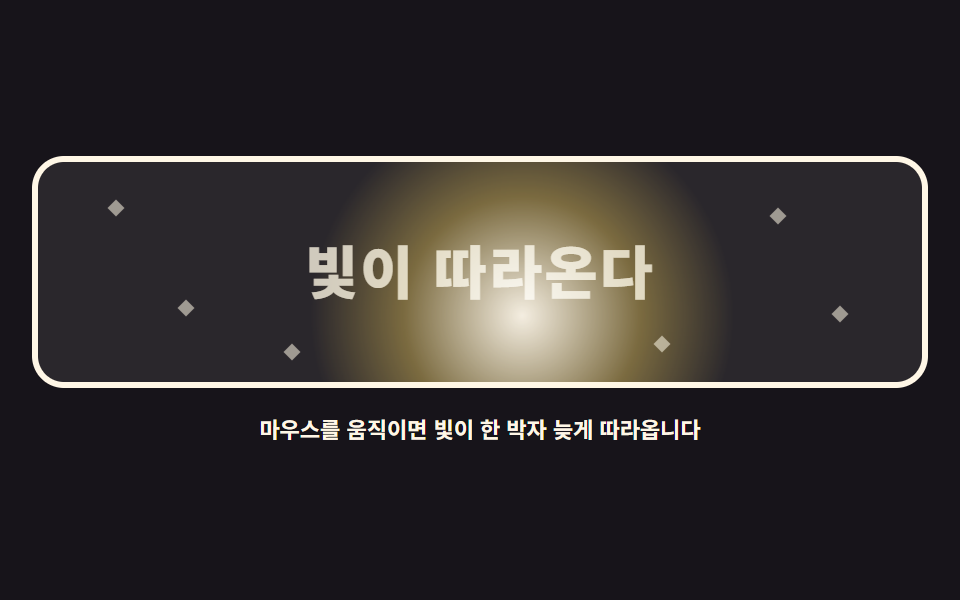
03Light that follows — a spotlight
A radial-gradient blob sweeps the dark stage one beat behind the cursor, lighting the word and the stars it passes.
<main class="stage">
<div class="sl is-demo" id="sl">
  <div class="sl__scene" role="img" aria-label="A blob of light wanders the dark stage late, lighting words and stars">
    <p class="sl__word">LIGHT FOLLOWS</p>
    <span class="sl__star" style="left:8%; top:18%" aria-hidden="true"></span>
    <span class="sl__star" style="left:16%; top:64%" aria-hidden="true"></span>
    <span class="sl__star" style="left:83%; top:22%" aria-hidden="true"></span>
    <span class="sl__star" style="left:90%; top:66%" aria-hidden="true"></span>
    <span class="sl__star" style="left:70%; top:80%" aria-hidden="true"></span>
    <span class="sl__star" style="left:28%; top:84%" aria-hidden="true"></span>
    <span class="sl__light" id="slLight" aria-hidden="true"></span>
  </div>
  <p class="sl__hint">Move the mouse and the light chases it a beat behind</p>
</div>
</main>
@use "../../../../site/static/demo-tokens" as *;
// 따라다니는 빛 — radial-gradient 빛 덩어리가 mix-blend-mode: screen 으로 어두운 무대를 덮으며
// 커서를 lerp(0.09)로 늦게 쫓는다. screen 은 밝은 쪽만 더 밝게 하므로 지나온 글자와 별이 드러난다.
// 격자 미리보기(.is-demo)는 빛이 문장을 왼쪽 끝에서 오른쪽 끝까지 훑고 돌아오는 길을 @keyframes 로 움직인다.
$duration: $dur-loop;
$easing: $ease-out;
$color: $subject-cream;
@include stage($stage-ink);
.sl { display: grid; justify-items: center; gap: $sp-3; width: 100%; }
.sl__scene {
position: relative; overflow: hidden;
width: 100%; height: clamp(110px, 32vh, 160px);
border: 3px solid $color; border-radius: $r-card;
background: #2a272c;
}
.sl__word {
position: absolute; left: 50%; top: 50%;
width: max-content; margin: 0;
transform: translate(-50%, -50%);
color: rgba($color, .78);
font-weight: 800; font-size: clamp(20px, 6vw, 30px); line-height: 1.1;
letter-spacing: .04em;
}
.sl__star {
position: absolute;
width: 6px; height: 6px;
background: rgba($color, .55);
transform: rotate(45deg);
}
// 빛 덩어리 — 크고 부드러운 원형 그라디언트. z 순서는 글자 위
.sl__light {
position: absolute; left: 0; top: 0;
width: 220px; height: 220px;
background: radial-gradient(circle, rgba($subject-cream, .95) 0%, rgba($stage-yellow, .38) 38%, rgba($stage-yellow, 0) 68%);
mix-blend-mode: screen;
border-radius: 50%;
will-change: transform;
}
.sl__hint { margin: 0; color: $color; font-weight: 700; font-size: clamp(9px, 2.4vw, 11px); }
// ── 미리보기 루프: 빛이 문장을 왼쪽에서 오른쪽으로 훑고 돌아온다
.sl.is-demo .sl__light { animation: slSweep $duration $easing infinite; }
@keyframes slSweep {
0%, 6% { transform: translate3d(-96px, -46px, 0); }
44%, 54% { transform: translate3d(190px, -30px, 0); }
88%, 100% { transform: translate3d(-96px, -46px, 0); }
}
@media (max-width: 340px) {
.sl { gap: $sp-2; }
.sl__scene { height: clamp(96px, 28vh, 130px); }
.sl__word { font-size: clamp(16px, 5vw, 22px); }
.sl.is-demo .sl__light { animation-name: slSweepNarrow; }
}
@keyframes slSweepNarrow {
0%, 6% { transform: translate3d(-100px, -44px, 0); }
44%, 54% { transform: translate3d(160px, -30px, 0); }
88%, 100% { transform: translate3d(-100px, -44px, 0); }
}
@media (prefers-reduced-motion: reduce) {
.sl.is-demo .sl__light { animation: none !important; }
// reduce 에서는 빛이 문장 가운데에 고정되어 한 번에 다 보인다
.sl.is-demo .sl__light { transform: translate3d(60px, -40px, 0) !important; }
}html, body {
margin: 0;
overflow: hidden;
}
.stage {
box-sizing: border-box;
min-height: 100vh;
display: grid;
place-items: center;
margin: 0;
background: #17141a;
font-family: -apple-system, "Segoe UI", "Noto Sans KR", sans-serif;
padding: clamp(8px, 4vw, 24px);
}
.sl {
display: grid;
justify-items: center;
gap: 12px;
width: 100%;
}
.sl__scene {
position: relative;
overflow: hidden;
width: 100%;
height: clamp(110px, 32vh, 160px);
border: 3px solid #fff7e6;
border-radius: 16px;
background: #2a272c;
}
.sl__word {
position: absolute;
left: 50%;
top: 50%;
width: max-content;
margin: 0;
transform: translate(-50%, -50%);
color: rgba(255, 247, 230, 0.78);
font-weight: 800;
font-size: clamp(20px, 6vw, 30px);
line-height: 1.1;
letter-spacing: 0.04em;
}
.sl__star {
position: absolute;
width: 6px;
height: 6px;
background: rgba(255, 247, 230, 0.55);
transform: rotate(45deg);
}
.sl__light {
position: absolute;
left: 0;
top: 0;
width: 220px;
height: 220px;
background: radial-gradient(circle, rgba(255, 247, 230, 0.95) 0%, rgba(255, 210, 63, 0.38) 38%, rgba(255, 210, 63, 0) 68%);
mix-blend-mode: screen;
border-radius: 50%;
will-change: transform;
}
.sl__hint {
margin: 0;
color: #fff7e6;
font-weight: 700;
font-size: clamp(9px, 2.4vw, 11px);
}
.sl.is-demo .sl__light {
animation: slSweep 2s ease-out infinite;
}
@keyframes slSweep {
0%, 6% {
transform: translate3d(-96px, -46px, 0);
}
44%, 54% {
transform: translate3d(190px, -30px, 0);
}
88%, 100% {
transform: translate3d(-96px, -46px, 0);
}
}
@media (max-width: 340px) {
.sl {
gap: 8px;
}
.sl__scene {
height: clamp(96px, 28vh, 130px);
}
.sl__word {
font-size: clamp(16px, 5vw, 22px);
}
.sl.is-demo .sl__light {
animation-name: slSweepNarrow;
}
}
@keyframes slSweepNarrow {
0%, 6% {
transform: translate3d(-100px, -44px, 0);
}
44%, 54% {
transform: translate3d(160px, -30px, 0);
}
88%, 100% {
transform: translate3d(-100px, -44px, 0);
}
}
@media (prefers-reduced-motion: reduce) {
.sl.is-demo .sl__light {
animation: none !important;
}
.sl.is-demo .sl__light {
transform: translate3d(60px, -40px, 0) !important;
}
}var root = document.getElementById('sl');
var scene = root.querySelector('.sl__scene');
var light = document.getElementById('slLight');
var reduce = window.matchMedia('(prefers-reduced-motion: reduce)').matches;
function lerp(a, b, k) { return a + (b - a) * k; }
var target = { x: 0, y: 0 };
var pos = { x: 0, y: 0 };
function setTarget(cx, cy) {
var r = scene.getBoundingClientRect();
target.x = cx - r.left;
target.y = cy - r.top;
}
function draw() {
// 빛 덩어리는 자기 중심이 좌표에 오도록 절반만큼 뺀다
light.style.transform = 'translate3d(' + (pos.x - 110) + 'px,' + (pos.y - 110) + 'px,0)';
}
function tick() {
pos.x = lerp(pos.x, target.x, 0.09);
pos.y = lerp(pos.y, target.y, 0.09);
draw();
requestAnimationFrame(tick);
}
function start() {
var r = scene.getBoundingClientRect();
target = { x: r.width / 2, y: r.height / 2 };
pos = { x: r.width / 2, y: r.height / 2 };
}
window.addEventListener('pointermove', function (e) {
root.classList.remove('is-demo');
setTarget(e.clientX, e.clientY);
});
window.addEventListener('pointerdown', function (e) {
root.classList.remove('is-demo');
setTarget(e.clientX, e.clientY);
});
start();
if (reduce) {
// reduce 에서는 빛이 한가운데에 머문다
window.addEventListener('pointermove', function (e) { setTarget(e.clientX, e.clientY); pos = { x: target.x, y: target.y }; draw(); });
} else {
requestAnimationFrame(tick);
}// SpotlightLight — vanilla 판(run/079/demo/03-follow-spotlight-light/index.html) 의 React 포트.
// radial-gradient 빛 덩어리가 mix-blend-mode: screen 으로 어두운 무대를 덮으며 커서를 lerp(0.09)로 늦게 쫓는다.
// screen 은 밝은 쪽만 더 밝게 하므로 지나온 글자와 별이 드러난다. 값·수치는 vanilla 와 같다.
import { useEffect, useRef, useState } from "react";
import type { CSSProperties } from "react";
import styles from "./SpotlightLight.module.scss";
export type SpotlightLightProps = {
duration?: number;
easing?: string;
color?: string;
};
type Vars = CSSProperties & { "--duration"?: string; "--easing"?: string; "--color"?: string };
// useRef 는 T | null 을 돌려준다. 처음부터 값이 있고 절대 비지 않는 상자는 이렇게 좁혀 쓴다
type Box<T> = { current: T };
// 전역 DOM 타입에 기대지 않는다 — 포인터 이벤트에서 실제로 읽는 것만 적는다
type PtrEvt = { clientX: number; clientY: number };
const SCENE_LABEL = "어두운 무대를 빛 덩어리가 늦게 따라다니며 글자와 별을 밝히는 그림";
const WORD = "빛이 따라온다";
const HINT = "마우스를 움직이면 빛이 한 박자 늦게 따라옵니다";
// 별 여섯 개의 자리 — vanilla index.html 의 인라인 스타일과 같은 값
const STARS: { left: string; top: string }[] = [
{ left: "8%", top: "18%" },
{ left: "16%", top: "64%" },
{ left: "83%", top: "22%" },
{ left: "90%", top: "66%" },
{ left: "70%", top: "80%" },
{ left: "28%", top: "84%" },
];
// lerp: 매 프레임 남은 거리의 일부만 더 가는 선형 보간
function lerp(a: number, b: number, k: number): number {
return a + (b - a) * k;
}
export default function SpotlightLight({
duration = 2000,
easing = "ease-out",
color = "#fff7e6",
}: SpotlightLightProps) {
const sceneRef = useRef<HTMLDivElement | null>(null) as Box<HTMLDivElement>;
const lightRef = useRef<HTMLSpanElement | null>(null);
const [demo, setDemo] = useState(true);
const vars: Vars = { "--duration": `${duration}ms`, "--easing": easing, "--color": color };
useEffect(() => {
const scene = sceneRef.current;
if (!scene) return;
const reduce = window.matchMedia("(prefers-reduced-motion: reduce)").matches;
const target = { x: 0, y: 0 };
const pos = { x: 0, y: 0 };
function setTarget(cx: number, cy: number): void {
const r = scene.getBoundingClientRect();
target.x = cx - r.left;
target.y = cy - r.top;
}
function draw(): void {
const light = lightRef.current;
// 빛 덩어리는 자기 중심이 좌표에 오도록 절반만큼 뺀다
if (light) light.style.transform = "translate3d(" + (pos.x - 110) + "px," + (pos.y - 110) + "px,0)";
}
function tick(): void {
pos.x = lerp(pos.x, target.x, 0.09);
pos.y = lerp(pos.y, target.y, 0.09);
draw();
raf = requestAnimationFrame(tick);
}
function start(): void {
const r = scene.getBoundingClientRect();
target.x = r.width / 2;
target.y = r.height / 2;
pos.x = r.width / 2;
pos.y = r.height / 2;
}
function onMove(event: PtrEvt): void {
setDemo(false);
setTarget(event.clientX, event.clientY);
if (reduce) {
// reduce 에서는 빛이 한가운데에 머문다
pos.x = target.x;
pos.y = target.y;
draw();
}
}
function onDown(event: PtrEvt): void {
setDemo(false);
setTarget(event.clientX, event.clientY);
}
window.addEventListener("pointermove", onMove);
window.addEventListener("pointerdown", onDown);
let raf = 0;
start();
if (!reduce) raf = requestAnimationFrame(tick);
return () => {
window.removeEventListener("pointermove", onMove);
window.removeEventListener("pointerdown", onDown);
cancelAnimationFrame(raf);
};
}, []);
return (
<main className={styles.stage}>
<div className={styles.root + (demo ? " " + styles.isDemo : "")} style={vars}>
<div className={styles.scene} ref={sceneRef} role="img" aria-label={SCENE_LABEL}>
<p className={styles.word}>{WORD}</p>
{STARS.map((star, i) => (
<span className={styles.star} style={{ left: star.left, top: star.top }} aria-hidden="true" key={i}></span>
))}
<span className={styles.light} ref={lightRef} aria-hidden="true"></span>
</div>
<p className={styles.hint}>{HINT}</p>
</div>
</main>
);
}03 · Light that follows — a spotlight — Measured area 29.695% · moving frames 17/23Original by GODRICH · SCSS and React ship in the zip · See the password
The material of the light
.sl__light {
  width: 220px; height: 220px;
  background: radial-gradient(circle, rgba($subject-cream, .95) 0%,
              rgba($stage-yellow, .38) 38%, rgba($stage-yellow, 0) 68%);
  mix-blend-mode: screen;
  border-radius: 50%;
}
Because screen blends brighten only what is already dark, the word surfaces under the light and sinks back once the light passes, and the chase factor is a slow-drifting 0.09.
The arithmetic of slow light
This stage changed the largest area of the set at 29.70% with intensity 45.0 and 17/23 moving frames, and pinning the cursor for 30 frames still left the light about 8% of its original distance away — the slow chase you can feel as a number.
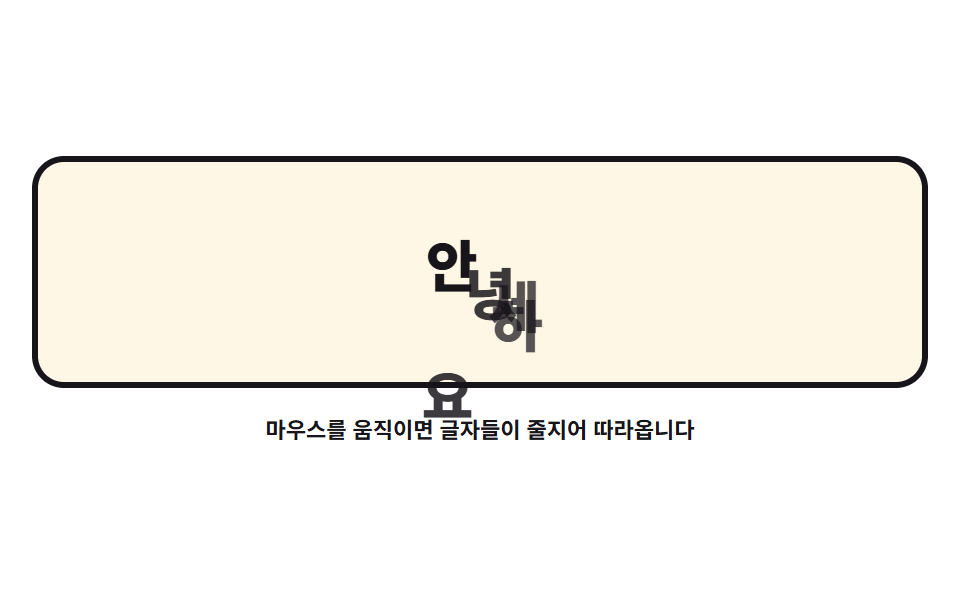
04Letters that follow — a text train
Split a word into letters, let the first chase the cursor and each later letter chase the one ahead, and the word queues behind the cursor like a train.
<main class="stage">
<div class="tt is-demo" id="tt">
  <div class="tt__field" role="img" aria-label="The letters of HELLO queue up behind the cursor, one beat apart">
    <span class="tt__ch">H</span>
    <span class="tt__ch">E</span>
    <span class="tt__ch">L</span>
    <span class="tt__ch">L</span>
    <span class="tt__ch">O</span>
  </div>
  <p class="tt__hint">Move the mouse and the letters follow in a line</p>
</div>
</main>
@use "../../../../site/static/demo-tokens" as *;
// 따라 다니는 글씨들 — 첫 글자는 커서를, 뒤 글자는 앞 글자를 lerp 로 쫓게 한다(계수 0.22 → 0.07).
// 격자 미리보기(.is-demo)는 같은 물결 경로를 글자마다 animation-delay 로 한 박자씩 어긋나게 해
// 기차가 밀려오는 모양을 보여 준다.
$duration: $dur-loop;
$easing: $ease-spring;
$color: $subject-ink;
@include stage($stage-paper);
.tt { display: grid; justify-items: center; gap: $sp-3; width: 100%; }
.tt__field {
position: relative;
width: 100%; height: clamp(110px, 32vh, 160px);
border: 3px solid $color; border-radius: $r-card;
background: $subject-cream;
}
.tt__ch {
position: absolute; left: 0; top: 0;
width: 28px; height: 40px;
color: $color;
font-weight: 800; font-size: 28px; line-height: 40px;
text-align: center;
will-change: transform;
}
// 글자마다 색을 조금씩 달리해 줄이 얼마나 길어지는지 보기 쉽게 한다
.tt__ch:nth-child(1) { color: $color; }
.tt__ch:nth-child(2) { color: rgba($color, .84); }
.tt__ch:nth-child(3) { color: rgba($color, .72); }
.tt__ch:nth-child(4) { color: rgba($color, .72); }
.tt__ch:nth-child(5) { color: rgba($color, .84); }
.tt__hint { margin: 0; color: $color; font-weight: 700; font-size: clamp(9px, 2.4vw, 11px); }
// ── 미리보기 루프: 큰 물결을 글자가 차례로 지나간다. delay 로 한 박자씩 밀린다.
// 같은 경로를 쓰므로 글자마다 시작점(left/top)을 비틀어 덩리로 겹치지 않게 한다
.tt.is-demo .tt__ch {
animation-name: ttWave;
animation-duration: $duration;
animation-timing-function: $easing;
animation-iteration-count: infinite;
animation-fill-mode: backwards;
}
.tt.is-demo .tt__ch:nth-child(1) { animation-delay: 0ms; }
.tt.is-demo .tt__ch:nth-child(2) { animation-delay: 110ms; left: 24px; top: 12px; }
.tt.is-demo .tt__ch:nth-child(3) { animation-delay: 220ms; left: 48px; top: 24px; }
.tt.is-demo .tt__ch:nth-child(4) { animation-delay: 330ms; left: 72px; top: 4px; }
.tt.is-demo .tt__ch:nth-child(5) { animation-delay: 440ms; left: 104px; top: 22px; }
@keyframes ttWave {
0% { transform: translate3d(36px, 96px, 0); }
38%, 46% { transform: translate3d(196px, 30px, 0); }
60%, 68% { transform: translate3d(120px, 72px, 0); }
86%, 100% { transform: translate3d(36px, 96px, 0); }
}
@media (max-width: 340px) {
.tt { gap: $sp-2; }
.tt__field { height: clamp(96px, 28vh, 130px); }
.tt__ch { width: 22px; height: 32px; font-size: 22px; line-height: 32px; }
.tt.is-demo .tt__ch { animation-name: ttWaveNarrow; }
}
@keyframes ttWaveNarrow {
0% { transform: translate3d(18px, 76px, 0); }
38%, 46% { transform: translate3d(140px, 26px, 0); }
60%, 68% { transform: translate3d(88px, 58px, 0); }
86%, 100% { transform: translate3d(18px, 76px, 0); }
}
@media (prefers-reduced-motion: reduce) {
.tt.is-demo .tt__ch { animation: none !important; }
// reduce 에서는 글자 다섯 개가 가로로 늘어선 정지 상태를 보인다
.tt.is-demo .tt__ch:nth-child(1) { transform: translate3d(64px, 56px, 0) !important; }
.tt.is-demo .tt__ch:nth-child(2) { transform: translate3d(100px, 56px, 0) !important; }
.tt.is-demo .tt__ch:nth-child(3) { transform: translate3d(136px, 56px, 0) !important; }
.tt.is-demo .tt__ch:nth-child(4) { transform: translate3d(172px, 56px, 0) !important; }
.tt.is-demo .tt__ch:nth-child(5) { transform: translate3d(208px, 56px, 0) !important; }
}html, body {
margin: 0;
overflow: hidden;
}
.stage {
box-sizing: border-box;
min-height: 100vh;
display: grid;
place-items: center;
margin: 0;
background: #ffffff;
font-family: -apple-system, "Segoe UI", "Noto Sans KR", sans-serif;
padding: clamp(8px, 4vw, 24px);
}
.tt {
display: grid;
justify-items: center;
gap: 12px;
width: 100%;
}
.tt__field {
position: relative;
width: 100%;
height: clamp(110px, 32vh, 160px);
border: 3px solid #17141a;
border-radius: 16px;
background: #fff7e6;
}
.tt__ch {
position: absolute;
left: 0;
top: 0;
width: 28px;
height: 40px;
color: #17141a;
font-weight: 800;
font-size: 28px;
line-height: 40px;
text-align: center;
will-change: transform;
}
.tt__ch:nth-child(1) {
color: #17141a;
}
.tt__ch:nth-child(2) {
color: rgba(23, 20, 26, 0.84);
}
.tt__ch:nth-child(3) {
color: rgba(23, 20, 26, 0.72);
}
.tt__ch:nth-child(4) {
color: rgba(23, 20, 26, 0.72);
}
.tt__ch:nth-child(5) {
color: rgba(23, 20, 26, 0.84);
}
.tt__hint {
margin: 0;
color: #17141a;
font-weight: 700;
font-size: clamp(9px, 2.4vw, 11px);
}
.tt.is-demo .tt__ch {
animation-name: ttWave;
animation-duration: 2s;
animation-timing-function: cubic-bezier(0.2, 0.8, 0.2, 1);
animation-iteration-count: infinite;
animation-fill-mode: backwards;
}
.tt.is-demo .tt__ch:nth-child(1) {
animation-delay: 0ms;
}
.tt.is-demo .tt__ch:nth-child(2) {
animation-delay: 110ms;
left: 24px;
top: 12px;
}
.tt.is-demo .tt__ch:nth-child(3) {
animation-delay: 220ms;
left: 48px;
top: 24px;
}
.tt.is-demo .tt__ch:nth-child(4) {
animation-delay: 330ms;
left: 72px;
top: 4px;
}
.tt.is-demo .tt__ch:nth-child(5) {
animation-delay: 440ms;
left: 104px;
top: 22px;
}
@keyframes ttWave {
0% {
transform: translate3d(36px, 96px, 0);
}
38%, 46% {
transform: translate3d(196px, 30px, 0);
}
60%, 68% {
transform: translate3d(120px, 72px, 0);
}
86%, 100% {
transform: translate3d(36px, 96px, 0);
}
}
@media (max-width: 340px) {
.tt {
gap: 8px;
}
.tt__field {
height: clamp(96px, 28vh, 130px);
}
.tt__ch {
width: 22px;
height: 32px;
font-size: 22px;
line-height: 32px;
}
.tt.is-demo .tt__ch {
animation-name: ttWaveNarrow;
}
}
@keyframes ttWaveNarrow {
0% {
transform: translate3d(18px, 76px, 0);
}
38%, 46% {
transform: translate3d(140px, 26px, 0);
}
60%, 68% {
transform: translate3d(88px, 58px, 0);
}
86%, 100% {
transform: translate3d(18px, 76px, 0);
}
}
@media (prefers-reduced-motion: reduce) {
.tt.is-demo .tt__ch {
animation: none !important;
}
.tt.is-demo .tt__ch:nth-child(1) {
transform: translate3d(64px, 56px, 0) !important;
}
.tt.is-demo .tt__ch:nth-child(2) {
transform: translate3d(100px, 56px, 0) !important;
}
.tt.is-demo .tt__ch:nth-child(3) {
transform: translate3d(136px, 56px, 0) !important;
}
.tt.is-demo .tt__ch:nth-child(4) {
transform: translate3d(172px, 56px, 0) !important;
}
.tt.is-demo .tt__ch:nth-child(5) {
transform: translate3d(208px, 56px, 0) !important;
}
}var root = document.getElementById('tt');
var field = root.querySelector('.tt__field');
var chars = Array.prototype.slice.call(root.querySelectorAll('.tt__ch'));
var reduce = window.matchMedia('(prefers-reduced-motion: reduce)').matches;
function lerp(a, b, k) { return a + (b - a) * k; }
var target = { x: 0, y: 0 };
var spots = [];
function home() {
// 글자들은 처음에 가로로 늘어서 있다 — .is-demo 를 뗀 정적 상태의 모습
var r = field.getBoundingClientRect();
var gap = Math.min(44, (r.width - 60) / (chars.length - 1));
var startX = r.width / 2 - gap * (chars.length - 1) / 2;
target = { x: r.width / 2, y: r.height / 2 };
spots = [];
for (var i = 0; i < chars.length; i++) {
spots.push({ x: startX + gap * i, y: r.height / 2 + 26 });
}
}
function setTarget(cx, cy) {
var r = field.getBoundingClientRect();
target.x = cx - r.left;
target.y = cy - r.top;
}
function draw() {
for (var i = 0; i < chars.length; i++) {
chars[i].style.transform = 'translate3d(' + (spots[i].x - 14) + 'px,' + (spots[i].y - 20) + 'px,0)';
}
}
// 첫 글자는 커서를, 나머지는 앞 글자를 쫓는다 — 계수가 뒤로 갈수록 작아져 기차처럼 밀린다
var follow = [0.22, 0.16, 0.12, 0.09, 0.07];

function tick() {
  spots[0].x = lerp(spots[0].x, target.x, follow[0]);
  spots[0].y = lerp(spots[0].y, target.y - 34, follow[0]);
  for (var i = 1; i < spots.length; i++) {
    spots[i].x = lerp(spots[i].x, spots[i - 1].x, follow[i]);
    spots[i].y = lerp(spots[i].y, spots[i - 1].y + 8, follow[i]);
  }
  draw();
  requestAnimationFrame(tick);
}
window.addEventListener('pointermove', function (e) {
root.classList.remove('is-demo');
setTarget(e.clientX, e.clientY);
});
window.addEventListener('pointerdown', function (e) {
root.classList.remove('is-demo');
setTarget(e.clientX, e.clientY);
});
home();
draw();
if (!reduce) {
requestAnimationFrame(tick);
} else {
// reduce 에서는 글자가 늘어선 자리에 그대로 머문다
window.addEventListener('pointermove', function (e) {
setTarget(e.clientX, e.clientY);
for (var i = 0; i < spots.length; i++) {
spots[i].x = target.x - i * 34;
spots[i].y = target.y;
}
draw();
});
}// TextTrain — vanilla 판(run/079/demo/04-follow-text-train/index.html) 의 React 포트.
// 첫 글자는 커서를, 뒤 글자는 앞 글자를 lerp 로 쫓게 한다(계수 0.22 → 0.07) — 기차처럼 한 박자씩 밀려온다.
// 자리 계산·줄간격·reduce 동작은 vanilla 와 같은 값이다 (다시 타이핑하지 않는다).
import { useEffect, useRef, useState } from "react";
import type { CSSProperties } from "react";
import styles from "./TextTrain.module.scss";
export type TextTrainProps = {
duration?: number;
easing?: string;
color?: string;
};
type Vars = CSSProperties & { "--duration"?: string; "--easing"?: string; "--color"?: string };
// useRef 는 T | null 을 돌려준다. 처음부터 값이 있고 절대 비지 않는 상자는 이렇게 좁혀 쓴다
type Box<T> = { current: T };
// 전역 DOM 타입에 기대지 않는다 — 포인터 이벤트에서 실제로 읽는 것만 적는다
type PtrEvt = { clientX: number; clientY: number };
const FIELD_LABEL = "안녕하세요 글자가 커서를 쫓아 한 박자씩 밀려오는 그림";
const HINT = "마우스를 움직이면 글자들이 줄지어 따라옵니다";
const CHARS = ["안", "녕", "하", "세", "요"];
// 첫 글자는 커서를, 나머지는 앞 글자를 쫓는다 — 계수가 뒤로 갈수록 작아져 기차처럼 밀린다
const FOLLOW = [0.22, 0.16, 0.12, 0.09, 0.07];
// lerp: 매 프레임 남은 거리의 일부만 더 가는 선형 보간
function lerp(a: number, b: number, k: number): number {
return a + (b - a) * k;
}
export default function TextTrain({
duration = 2000,
easing = "cubic-bezier(.2, .8, .2, 1)",
color = "#17141a",
}: TextTrainProps) {
const fieldRef = useRef<HTMLDivElement | null>(null) as Box<HTMLDivElement>;
const charRef = useRef<(HTMLSpanElement | null)[]>(new Array(CHARS.length).fill(null)) as Box<(HTMLSpanElement | null)[]>;
const [demo, setDemo] = useState(true);
const vars: Vars = { "--duration": `${duration}ms`, "--easing": easing, "--color": color };
function setChar(index: number) {
return (el: HTMLSpanElement | null): void => {
charRef.current[index] = el;
};
}
useEffect(() => {
const field = fieldRef.current;
if (!field) return;
const reduce = window.matchMedia("(prefers-reduced-motion: reduce)").matches;
const target = { x: 0, y: 0 };
let spots = CHARS.map(() => ({ x: 0, y: 0 }));
function home(): void {
// 글자들은 처음에 가로로 늘어서 있다 — .is-demo 를 뗀 정적 상태의 모습
const r = field.getBoundingClientRect();
const gap = Math.min(44, (r.width - 60) / (CHARS.length - 1));
const startX = r.width / 2 - gap * (CHARS.length - 1) / 2;
target.x = r.width / 2;
target.y = r.height / 2;
spots = CHARS.map((_, i) => ({ x: startX + gap * i, y: r.height / 2 + 26 }));
}
function setTarget(cx: number, cy: number): void {
const r = field.getBoundingClientRect();
target.x = cx - r.left;
target.y = cy - r.top;
}
function draw(): void {
for (let i = 0; i < spots.length; i++) {
const ch = charRef.current[i];
if (ch) ch.style.transform = "translate3d(" + (spots[i].x - 14) + "px," + (spots[i].y - 20) + "px,0)";
}
}
function tick(): void {
spots[0].x = lerp(spots[0].x, target.x, FOLLOW[0]);
spots[0].y = lerp(spots[0].y, target.y - 34, FOLLOW[0]);
for (let i = 1; i < spots.length; i++) {
spots[i].x = lerp(spots[i].x, spots[i - 1].x, FOLLOW[i]);
spots[i].y = lerp(spots[i].y, spots[i - 1].y + 8, FOLLOW[i]);
}
draw();
raf = requestAnimationFrame(tick);
}
function onMove(event: PtrEvt): void {
setDemo(false);
setTarget(event.clientX, event.clientY);
if (reduce) {
// reduce 에서는 글자가 커서 뒤로 가로줄로 바로 붙는다
for (let i = 0; i < spots.length; i++) {
spots[i].x = target.x - i * 34;
spots[i].y = target.y;
}
draw();
}
}
function onDown(event: PtrEvt): void {
setDemo(false);
setTarget(event.clientX, event.clientY);
}
window.addEventListener("pointermove", onMove);
window.addEventListener("pointerdown", onDown);
let raf = 0;
home();
draw();
if (!reduce) raf = requestAnimationFrame(tick);
return () => {
window.removeEventListener("pointermove", onMove);
window.removeEventListener("pointerdown", onDown);
cancelAnimationFrame(raf);
};
}, []);
return (
<main className={styles.stage}>
<div className={styles.root + (demo ? " " + styles.isDemo : "")} style={vars}>
<div className={styles.field} ref={fieldRef} role="img" aria-label={FIELD_LABEL}>
{CHARS.map((ch, i) => (
<span className={styles.ch} key={i} ref={setChar(i)}>{ch}</span>
))}
</div>
<p className={styles.hint}>{HINT}</p>
</div>
</main>
);
}04 · Letters that follow — a text train — Measured area 10.345% · moving frames 23/23Original by GODRICH · SCSS and React ship in the zip · See the password
The chain that chases the letter ahead
var follow = [0.22, 0.16, 0.12, 0.09, 0.07];
function tick() {
spots[0].x = lerp(spots[0].x, target.x, follow[0]);
spots[0].y = lerp(spots[0].y, target.y - 34, follow[0]);
for (var i = 1; i < spots.length; i++) {
spots[i].x = lerp(spots[i].x, spots[i - 1].x, follow[i]);
spots[i].y = lerp(spots[i].y, spots[i - 1].y + 8, follow[i]);
}
draw();
requestAnimationFrame(tick);
}
Shrinking factors toward the back are the point, because a sharp cursor turn flings the tail letters outward, and each letter carries will-change: transform so the browser builds its compositing layer up front.
The overlap the preview caught
The frames showed 10.35% area, intensity 120.3, and 23/23 moving frames, but the first preview ran all five letters along one path with delays alone and two of them piled into a single blob at the right edge of a sampled frame, so each letter now starts from a slightly offset origin and the train reads as a diagonal.
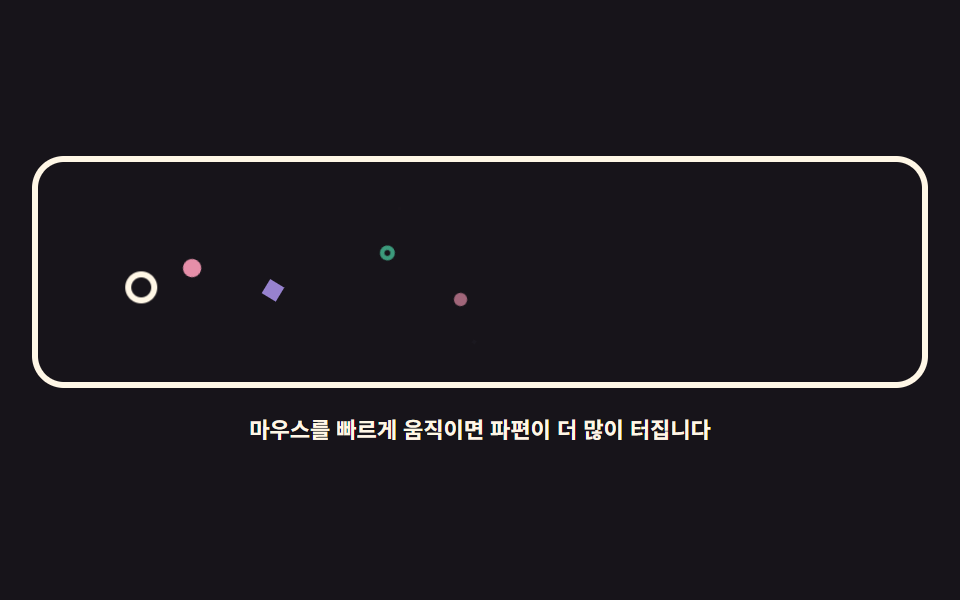
05A fancy particle mouse — DOM confetti
No canvas: span shards burst in proportion to cursor speed and fly off with an element.animate() call, then vanish.
<main class="stage">
<div class="pb is-demo" id="pb">
  <div class="pb__field" role="img" aria-label="A white ring moves the cursor and colorful shards burst behind it">
    <span class="pb__cursor" id="pbCursor" aria-hidden="true"></span>
    <span class="pb__p pb__p--dot" aria-hidden="true"></span>
    <span class="pb__p pb__p--ring" aria-hidden="true"></span>
    <span class="pb__p pb__p--dot" aria-hidden="true"></span>
    <span class="pb__p pb__p--gem" aria-hidden="true"></span>
    <span class="pb__p pb__p--dot" aria-hidden="true"></span>
    <span class="pb__p pb__p--ring" aria-hidden="true"></span>
    <span class="pb__p pb__p--gem" aria-hidden="true"></span>
    <span class="pb__p pb__p--dot" aria-hidden="true"></span>
  </div>
  <p class="pb__hint">Move the mouse faster and more shards burst</p>
</div>
</main>
@use "../../../../site/static/demo-tokens" as *;
// 화려한 파티클 마우스 — 캔버스 없이 span 파편을 pool 로 돌려 쓴다.
// 실제 조작은 커서 이동 거리를 쌓아 26px마다 파편 하나를 Element.animate(WAAPI)로 터뜨린다.
// 격자 미리보기(.is-demo)는 커서 고리가 좌우로 지나가고 파편 여덟이 그 자리에서 흩어지는 루프다.
$duration: $dur-loop;
$easing: $ease-out;
$color: $subject-cream;
@include stage($stage-ink);
.pb { display: grid; justify-items: center; gap: $sp-3; width: 100%; }
.pb__field {
position: relative; overflow: hidden;
width: 100%; height: clamp(110px, 32vh, 160px);
border: 3px solid $color; border-radius: $r-card;
}
.pb__cursor {
position: absolute; left: 0; top: 0;
width: 16px; height: 16px; box-sizing: border-box;
border: 3px solid $color; border-radius: 50%;
will-change: transform;
}
// 파편 세 모양 — 점·고리·마름모 (아이콘이 아니라 기하 도형이다). 색은 --pc 로 받는다
.pb__p {
position: absolute; left: 0; top: 0;
width: 10px; height: 10px;
opacity: 0;
will-change: transform, opacity;
}
.pb__p--dot { background: var(--pc, $subject-pink); border-radius: 50%; }
.pb__p--ring {
box-sizing: border-box;
background: transparent; border: 3px solid var(--pc, $subject-mint); border-radius: 50%;
}
.pb__p--gem { background: var(--pc, $subject-lilac); transform: rotate(45deg); }
.pb__hint { margin: 0; color: $color; font-weight: 700; font-size: clamp(9px, 2.4vw, 11px); }
// ── 미리보기 루프: 커서 고리가 왼쪽 → 오른쪽으로 지나가고, 파편이 그 뒤에서 흩어진다
.pb.is-demo .pb__cursor { animation: pbCursor $duration $ease-spring infinite; }
.pb.is-demo .pb__p { animation: pbFly $duration $easing infinite; }
@keyframes pbCursor {
0%, 4% { transform: translate3d(24px, 56px, 0); }
46%, 52% { transform: translate3d(236px, 42px, 0); }
88%, 100% { transform: translate3d(24px, 56px, 0); }
}
// 파편마다 시작점(키프레임 안 px)과 delay 를 달리해 한 번에 쏟아지지 않게 한다
.pb.is-demo .pb__p:nth-child(2) { animation-delay: 0ms; animation-name: pbA; }
.pb.is-demo .pb__p:nth-child(3) { animation-delay: 90ms; animation-name: pbB; }
.pb.is-demo .pb__p:nth-child(4) { animation-delay: 180ms; animation-name: pbC; }
.pb.is-demo .pb__p:nth-child(5) { animation-delay: 250ms; animation-name: pbD; }
.pb.is-demo .pb__p:nth-child(6) { animation-delay: 1000ms; animation-name: pbE; }
.pb.is-demo .pb__p:nth-child(7) { animation-delay: 1090ms; animation-name: pbF; }
.pb.is-demo .pb__p:nth-child(8) { animation-delay: 1170ms; animation-name: pbG; }
.pb.is-demo .pb__p:nth-child(9) { animation-delay: 1250ms; animation-name: pbH; }
@keyframes pbA {
0% { transform: translate3d(60px, 56px, 0) rotate(0deg) scale(1); opacity: 1; }
62%, 100% { transform: translate3d(96px, 20px, 0) rotate(160deg) scale(.15); opacity: 0; }
}
@keyframes pbB {
0% { transform: translate3d(100px, 48px, 0) rotate(0deg) scale(1); opacity: 1; }
62%, 100% { transform: translate3d(140px, 92px, 0) rotate(200deg) scale(.15); opacity: 0; }
}
@keyframes pbC {
0% { transform: translate3d(140px, 54px, 0) rotate(0deg) scale(1); opacity: 1; }
62%, 100% { transform: translate3d(176px, 18px, 0) rotate(140deg) scale(.15); opacity: 0; }
}
@keyframes pbD {
0% { transform: translate3d(180px, 46px, 0) rotate(0deg) scale(1); opacity: 1; }
62%, 100% { transform: translate3d(214px, 86px, 0) rotate(220deg) scale(.15); opacity: 0; }
}
@keyframes pbE {
0% { transform: translate3d(220px, 46px, 0) rotate(0deg) scale(1); opacity: 1; }
62%, 100% { transform: translate3d(186px, 90px, 0) rotate(180deg) scale(.15); opacity: 0; }
}
@keyframes pbF {
0% { transform: translate3d(180px, 52px, 0) rotate(0deg) scale(1); opacity: 1; }
62%, 100% { transform: translate3d(146px, 14px, 0) rotate(210deg) scale(.15); opacity: 0; }
}
@keyframes pbG {
0% { transform: translate3d(120px, 50px, 0) rotate(0deg) scale(1); opacity: 1; }
62%, 100% { transform: translate3d(84px, 94px, 0) rotate(150deg) scale(.15); opacity: 0; }
}
@keyframes pbH {
0% { transform: translate3d(76px, 52px, 0) rotate(0deg) scale(1); opacity: 1; }
62%, 100% { transform: translate3d(40px, 16px, 0) rotate(190deg) scale(.15); opacity: 0; }
}
@media (max-width: 340px) {
.pb { gap: $sp-2; }
.pb__field { height: clamp(96px, 28vh, 130px); }
.pb__p { width: 8px; height: 8px; }
.pb__p--ring { border-width: 2px; }
}
@media (prefers-reduced-motion: reduce) {
.pb.is-demo .pb__cursor,
.pb.is-demo .pb__p { animation: none !important; }
// reduce 에서는 파편이 바닥에 흩어진 정물로 남고 커서 고리만 가운데 있다
.pb.is-demo .pb__cursor { transform: translate3d(120px, 48px, 0) !important; }
.pb.is-demo .pb__p:nth-child(2) { transform: translate3d(60px, 84px, 0) rotate(20deg) scale(1) !important; opacity: 1 !important; }
.pb.is-demo .pb__p:nth-child(4) { transform: translate3d(112px, 92px, 0) rotate(-14deg) scale(1) !important; opacity: 1 !important; }
.pb.is-demo .pb__p:nth-child(6) { transform: translate3d(164px, 88px, 0) rotate(30deg) scale(1) !important; opacity: 1 !important; }
.pb.is-demo .pb__p:nth-child(8) { transform: translate3d(206px, 84px, 0) rotate(-24deg) scale(1) !important; opacity: 1 !important; }
}html, body {
margin: 0;
overflow: hidden;
}
.stage {
box-sizing: border-box;
min-height: 100vh;
display: grid;
place-items: center;
margin: 0;
background: #17141a;
font-family: -apple-system, "Segoe UI", "Noto Sans KR", sans-serif;
padding: clamp(8px, 4vw, 24px);
}
.pb {
display: grid;
justify-items: center;
gap: 12px;
width: 100%;
}
.pb__field {
position: relative;
overflow: hidden;
width: 100%;
height: clamp(110px, 32vh, 160px);
border: 3px solid #fff7e6;
border-radius: 16px;
}
.pb__cursor {
position: absolute;
left: 0;
top: 0;
width: 16px;
height: 16px;
box-sizing: border-box;
border: 3px solid #fff7e6;
border-radius: 50%;
will-change: transform;
}
.pb__p {
position: absolute;
left: 0;
top: 0;
width: 10px;
height: 10px;
opacity: 0;
will-change: transform, opacity;
}
.pb__p--dot {
background: var(--pc, #ff9ebb);
border-radius: 50%;
}
.pb__p--ring {
box-sizing: border-box;
background: transparent;
border: 3px solid var(--pc, #4cd4a6);
border-radius: 50%;
}
.pb__p--gem {
background: var(--pc, #b9a0ff);
transform: rotate(45deg);
}
.pb__hint {
margin: 0;
color: #fff7e6;
font-weight: 700;
font-size: clamp(9px, 2.4vw, 11px);
}
.pb.is-demo .pb__cursor {
animation: pbCursor 2s cubic-bezier(0.2, 0.8, 0.2, 1) infinite;
}
.pb.is-demo .pb__p {
animation: pbFly 2s ease-out infinite;
}
@keyframes pbCursor {
0%, 4% {
transform: translate3d(24px, 56px, 0);
}
46%, 52% {
transform: translate3d(236px, 42px, 0);
}
88%, 100% {
transform: translate3d(24px, 56px, 0);
}
}
.pb.is-demo .pb__p:nth-child(2) {
animation-delay: 0ms;
animation-name: pbA;
}
.pb.is-demo .pb__p:nth-child(3) {
animation-delay: 90ms;
animation-name: pbB;
}
.pb.is-demo .pb__p:nth-child(4) {
animation-delay: 180ms;
animation-name: pbC;
}
.pb.is-demo .pb__p:nth-child(5) {
animation-delay: 250ms;
animation-name: pbD;
}
.pb.is-demo .pb__p:nth-child(6) {
animation-delay: 1000ms;
animation-name: pbE;
}
.pb.is-demo .pb__p:nth-child(7) {
animation-delay: 1090ms;
animation-name: pbF;
}
.pb.is-demo .pb__p:nth-child(8) {
animation-delay: 1170ms;
animation-name: pbG;
}
.pb.is-demo .pb__p:nth-child(9) {
animation-delay: 1250ms;
animation-name: pbH;
}
@keyframes pbA {
0% {
transform: translate3d(60px, 56px, 0) rotate(0deg) scale(1);
opacity: 1;
}
62%, 100% {
transform: translate3d(96px, 20px, 0) rotate(160deg) scale(0.15);
opacity: 0;
}
}
@keyframes pbB {
0% {
transform: translate3d(100px, 48px, 0) rotate(0deg) scale(1);
opacity: 1;
}
62%, 100% {
transform: translate3d(140px, 92px, 0) rotate(200deg) scale(0.15);
opacity: 0;
}
}
@keyframes pbC {
0% {
transform: translate3d(140px, 54px, 0) rotate(0deg) scale(1);
opacity: 1;
}
62%, 100% {
transform: translate3d(176px, 18px, 0) rotate(140deg) scale(0.15);
opacity: 0;
}
}
@keyframes pbD {
0% {
transform: translate3d(180px, 46px, 0) rotate(0deg) scale(1);
opacity: 1;
}
62%, 100% {
transform: translate3d(214px, 86px, 0) rotate(220deg) scale(0.15);
opacity: 0;
}
}
@keyframes pbE {
0% {
transform: translate3d(220px, 46px, 0) rotate(0deg) scale(1);
opacity: 1;
}
62%, 100% {
transform: translate3d(186px, 90px, 0) rotate(180deg) scale(0.15);
opacity: 0;
}
}
@keyframes pbF {
0% {
transform: translate3d(180px, 52px, 0) rotate(0deg) scale(1);
opacity: 1;
}
62%, 100% {
transform: translate3d(146px, 14px, 0) rotate(210deg) scale(0.15);
opacity: 0;
}
}
@keyframes pbG {
0% {
transform: translate3d(120px, 50px, 0) rotate(0deg) scale(1);
opacity: 1;
}
62%, 100% {
transform: translate3d(84px, 94px, 0) rotate(150deg) scale(0.15);
opacity: 0;
}
}
@keyframes pbH {
0% {
transform: translate3d(76px, 52px, 0) rotate(0deg) scale(1);
opacity: 1;
}
62%, 100% {
transform: translate3d(40px, 16px, 0) rotate(190deg) scale(0.15);
opacity: 0;
}
}
@media (max-width: 340px) {
.pb {
gap: 8px;
}
.pb__field {
height: clamp(96px, 28vh, 130px);
}
.pb__p {
width: 8px;
height: 8px;
}
.pb__p--ring {
border-width: 2px;
}
}
@media (prefers-reduced-motion: reduce) {
.pb.is-demo .pb__cursor,
.pb.is-demo .pb__p {
animation: none !important;
}
.pb.is-demo .pb__cursor {
transform: translate3d(120px, 48px, 0) !important;
}
.pb.is-demo .pb__p:nth-child(2) {
transform: translate3d(60px, 84px, 0) rotate(20deg) scale(1) !important;
opacity: 1 !important;
}
.pb.is-demo .pb__p:nth-child(4) {
transform: translate3d(112px, 92px, 0) rotate(-14deg) scale(1) !important;
opacity: 1 !important;
}
.pb.is-demo .pb__p:nth-child(6) {
transform: translate3d(164px, 88px, 0) rotate(30deg) scale(1) !important;
opacity: 1 !important;
}
.pb.is-demo .pb__p:nth-child(8) {
transform: translate3d(206px, 84px, 0) rotate(-24deg) scale(1) !important;
opacity: 1 !important;
}
}var root = document.getElementById('pb');
var field = root.querySelector('.pb__field');
var cursorEl = document.getElementById('pbCursor');
var pool = Array.prototype.slice.call(root.querySelectorAll('.pb__p'));
var reduce = window.matchMedia('(prefers-reduced-motion: reduce)').matches;
// 오래된 브라우저에서는 파편 없이 커서 고리만 움직이게 둔다 (animate 는 인스턴스 메서드다)
var canAnimate = typeof document.body.animate === 'function';
var colors = ['#ff9ebb', '#4cd4a6', '#b9a0ff', '#6ec8ff', '#ffd23f'];
var shapes = ['pb__p--dot', 'pb__p--ring', 'pb__p--gem'];
var last = null;
var travel = 0;
var next = 0;
// 커서가 이동한 거리를 쌓아 두었다가 26px마다 파편 하나를 터뜨린다 — 속도에 비례한다
function spawn(x, y, dx, dy) {
var element = pool[next];
next = (next + 1) % pool.length;
element.className = 'pb__p ' + shapes[(Math.random() * shapes.length) | 0];
// 모양마다 --pc 를 색으로 쓴다 (점은 배경, 고리는 테두리, 마름모는 배경)
element.style.setProperty('--pc', colors[(Math.random() * colors.length) | 0]);
var ang = Math.atan2(dy, dx) + (Math.random() - 0.5) * 2.4;
var dist = 34 + Math.random() * 46;
var tx = x + Math.cos(ang) * dist;
var ty = y + Math.sin(ang) * dist;
element.animate([
{ transform: 'translate3d(' + (x - 5) + 'px,' + (y - 5) + 'px,0) rotate(0deg) scale(1)', opacity: 1 },
{ transform: 'translate3d(' + (tx - 5) + 'px,' + (ty - 5) + 'px,0) rotate(200deg) scale(.15)', opacity: 0 }
], { duration: 620 + Math.random() * 320, easing: 'cubic-bezier(.2,.8,.2,1)' });
}
function place(cx, cy) {
var r = field.getBoundingClientRect();
var x = cx - r.left;
var y = cy - r.top;
cursorEl.style.transform = 'translate3d(' + (x - 8) + 'px,' + (y - 8) + 'px,0)';
if (last) {
var dx = x - last.x, dy = y - last.y;
travel += Math.sqrt(dx * dx + dy * dy);
while (travel > 26) {
travel -= 26;
if (!reduce && canAnimate) { spawn(x, y, dx, dy); }
}
}
last = { x: x, y: y };
}
window.addEventListener('pointermove', function (e) {
root.classList.remove('is-demo');
place(e.clientX, e.clientY);
});
window.addEventListener('pointerdown', function (e) {
root.classList.remove('is-demo');
last = null;
place(e.clientX, e.clientY);
});// ParticleBurst — vanilla 판(run/079/demo/05-follow-particle-burst/index.html) 의 React 포트.
// 캔버스 없이 span 파편을 pool 로 돌려 쓴다. 커서 이동 거리를 쌓아 26px마다 파편 하나를
// element.animate(WAAPI)로 터뜨린다 — 색 배열·모양·거리·시간은 vanilla 와 같은 값이다.
import { useEffect, useRef, useState } from "react";
import type { CSSProperties } from "react";
import styles from "./ParticleBurst.module.scss";
export type ParticleBurstProps = {
duration?: number;
easing?: string;
color?: string;
};
type Vars = CSSProperties & { "--duration"?: string; "--easing"?: string; "--color"?: string };
// useRef 는 T | null 을 돌려준다. 처음부터 값이 있고 절대 비지 않는 상자는 이렇게 좁혀 쓴다
type Box<T> = { current: T };
// 전역 DOM 타입에 기대지 않는다 — 포인터 이벤트에서 실제로 읽는 것만 적는다
type PtrEvt = { clientX: number; clientY: number };
const FIELD_LABEL = "커서를 흰 고리가 움직이고 그 뒤로 색색의 파편이 터지는 그림";
const HINT = "마우스를 빠르게 움직이면 파편이 더 많이 터집니다";
const POOL_SIZE = 8;
// 커서가 이동한 거리를 쌓아 두었다가 이만큼마다 파편 하나를 터뜨린다 — 속도에 비례한다
const SPAWN_EVERY = 26;
const COLORS = ["#ff9ebb", "#4cd4a6", "#b9a0ff", "#6ec8ff", "#ffd23f"];
// 파편 세 모양 — 점·고리·마름모. module.scss 의 로컬 클래스 이름과 짝이다
const SHAPES = [styles.pDot, styles.pRing, styles.pGem];
export default function ParticleBurst({
duration = 2000,
easing = "ease-out",
color = "#fff7e6",
}: ParticleBurstProps) {
const fieldRef = useRef<HTMLDivElement | null>(null) as Box<HTMLDivElement>;
const cursorRef = useRef<HTMLSpanElement | null>(null);
const poolRef = useRef<(HTMLSpanElement | null)[]>(new Array(POOL_SIZE).fill(null)) as Box<(HTMLSpanElement | null)[]>;
const [demo, setDemo] = useState(true);
const vars: Vars = { "--duration": `${duration}ms`, "--easing": easing, "--color": color };
function setPool(index: number) {
return (el: HTMLSpanElement | null): void => {
poolRef.current[index] = el;
};
}
useEffect(() => {
const field = fieldRef.current;
if (!field) return;
const reduce = window.matchMedia("(prefers-reduced-motion: reduce)").matches;
// 오래된 브라우저에서는 파편 없이 커서 고리만 움직이게 둔다 (animate 는 인스턴스 메서드다)
const canAnimate = typeof document.body.animate === "function";
let last: { x: number; y: number } | null = null;
let travel = 0;
let next = 0;
function spawn(x: number, y: number, dx: number, dy: number): void {
const element = poolRef.current[next];
next = (next + 1) % poolRef.current.length;
if (!element) return;
element.className = styles.p + " " + SHAPES[(Math.random() * SHAPES.length) | 0];
// 모양마다 --pc 를 색으로 쓴다 (점은 배경, 고리는 테두리, 마름모는 배경)
element.style.setProperty("--pc", COLORS[(Math.random() * COLORS.length) | 0]);
const ang = Math.atan2(dy, dx) + (Math.random() - 0.5) * 2.4;
const dist = 34 + Math.random() * 46;
const tx = x + Math.cos(ang) * dist;
const ty = y + Math.sin(ang) * dist;
element.animate(
[
{ transform: "translate3d(" + (x - 5) + "px," + (y - 5) + "px,0) rotate(0deg) scale(1)", opacity: 1 },
{ transform: "translate3d(" + (tx - 5) + "px," + (ty - 5) + "px,0) rotate(200deg) scale(.15)", opacity: 0 },
],
{ duration: 620 + Math.random() * 320, easing: "cubic-bezier(.2,.8,.2,1)" }
);
}
function place(cx: number, cy: number): void {
const r = field.getBoundingClientRect();
const x = cx - r.left;
const y = cy - r.top;
const cursor = cursorRef.current;
if (cursor) cursor.style.transform = "translate3d(" + (x - 8) + "px," + (y - 8) + "px,0)";
if (last) {
const dx = x - last.x;
const dy = y - last.y;
travel += Math.sqrt(dx * dx + dy * dy);
while (travel > SPAWN_EVERY) {
travel -= SPAWN_EVERY;
if (!reduce && canAnimate) {
spawn(x, y, dx, dy);
}
}
}
last = { x: x, y: y };
}
function onMove(event: PtrEvt): void {
setDemo(false);
place(event.clientX, event.clientY);
}
function onDown(event: PtrEvt): void {
setDemo(false);
last = null;
place(event.clientX, event.clientY);
}
window.addEventListener("pointermove", onMove);
window.addEventListener("pointerdown", onDown);
return () => {
window.removeEventListener("pointermove", onMove);
window.removeEventListener("pointerdown", onDown);
};
}, []);
return (
<main className={styles.stage}>
<div className={styles.root + (demo ? " " + styles.isDemo : "")} style={vars}>
<div className={styles.field} ref={fieldRef} role="img" aria-label={FIELD_LABEL}>
<span className={styles.cursor} aria-hidden="true" ref={cursorRef}></span>
<span className={styles.p + " " + styles.pDot} aria-hidden="true" ref={setPool(0)}></span>
<span className={styles.p + " " + styles.pRing} aria-hidden="true" ref={setPool(1)}></span>
<span className={styles.p + " " + styles.pDot} aria-hidden="true" ref={setPool(2)}></span>
<span className={styles.p + " " + styles.pGem} aria-hidden="true" ref={setPool(3)}></span>
<span className={styles.p + " " + styles.pDot} aria-hidden="true" ref={setPool(4)}></span>
<span className={styles.p + " " + styles.pRing} aria-hidden="true" ref={setPool(5)}></span>
<span className={styles.p + " " + styles.pGem} aria-hidden="true" ref={setPool(6)}></span>
<span className={styles.p + " " + styles.pDot} aria-hidden="true" ref={setPool(7)}></span>
</div>
<p className={styles.hint}>{HINT}</p>
</div>
</main>
);
}05 · A fancy particle mouse — DOM confetti — Measured area 2.71% · moving frames 23/23Original by GODRICH · SCSS and React ship in the zip · See the password
Distance triggers the burst
function spawn(x, y, dx, dy) {
  var element = pool[next];
  next = (next + 1) % pool.length;
  element.className = 'pb__p ' + shapes[(Math.random() * shapes.length) | 0];
  element.style.setProperty('--pc', colors[(Math.random() * colors.length) | 0]);
  var ang = Math.atan2(dy, dx) + (Math.random() - 0.5) * 2.4;
  var dist = 34 + Math.random() * 46;
  var tx = x + Math.cos(ang) * dist;
  var ty = y + Math.sin(ang) * dist;
  element.animate([
    { transform: 'translate3d(' + (x - 5) + 'px,' + (y - 5) + 'px,0) rotate(0deg) scale(1)', opacity: 1 },
    { transform: 'translate3d(' + (tx - 5) + 'px,' + (ty - 5) + 'px,0) rotate(200deg) scale(.15)', opacity: 0 }
  ], { duration: 620 + Math.random() * 320, easing: 'cubic-bezier(.2,.8,.2,1)' });
}
One shard fires every 26px of travel so faster sweeps pour more confetti, the three shapes take their color from a single --pc property, and the canvas side of this axis continues in the canvas particle engine.
Counting live animations
Moving the pointer hard raised the document's live animation count to 41, and 1.2 seconds after stopping it fell back to 0 because finished shards leave no fill and return to opacity: 0, with the render measuring 2.71% area, intensity 112.1, and 23/23 moving frames.
06Nav cursor effect — a sliding pill
A pill highlight glides to whichever menu item the cursor is on, and the logo's pupils track the cursor x.
<main class="stage">
<div class="nv is-demo" id="nv">
  <nav class="nv__bar" aria-label="Demo menu">
    <span class="nv__logo" aria-hidden="true">
      <span class="nv__eye"><span class="nv__pupil"></span></span>
      <span class="nv__eye"><span class="nv__pupil"></span></span>
    </span>
    <span class="nv__items" id="nvItems">
      <span class="nv__pill" id="nvPill" aria-hidden="true"></span>
      <button class="nv__item" type="button">Home</button>
      <button class="nv__item" type="button">Work</button>
      <button class="nv__item" type="button">About</button>
    </span>
  </nav>
  <p class="nv__hint">Hover the menu and a pill slides along after the cursor</p>
</div>
</main>
@use "../../../../site/static/demo-tokens" as *;
// 네비게이션 커서 이펙트 — 알약 하이라이트가 getBoundingClientRect 로 잰 항목 자리로
// lerp(0.16)로 미끄러져 옮겨 가고, 로고 눈동자는 커서 x 를 따라간다.
// 격자 미리보기(.is-demo)는 알약이 세 항목을 차례로 지나가는 루프를 @keyframes 로 돌린다.
// 루프의 자리·폭은 JS 가 로드 시 실측해 wrap 에 넣은 CSS 변수(--p0x/--p0w …)를 읽는다 (079-06 수리).
$duration: $dur-loop;
$easing: $ease-spring;
$color: $subject-ink;
@include stage($stage-yellow);
.nv { display: grid; justify-items: center; gap: $sp-4; width: 100%; }
.nv__bar {
display: flex; align-items: center; gap: $sp-5;
box-sizing: border-box;
width: min(100%, 420px);
padding: $sp-2 $sp-3;
background: $stage-paper;
border: 3px solid $color; border-radius: $r-pill;
}
// 로고 — 눈 두 개가 커서를 본다
.nv__logo {
display: flex; gap: $sp-1;
width: 34px; height: 34px; box-sizing: border-box;
align-items: center; justify-content: center;
background: $subject-cream; border: 3px solid $color; border-radius: 50%;
}
.nv__eye {
position: relative; overflow: hidden;
width: 8px; height: 8px;
background: $stage-paper; border: 2px solid $color; border-radius: 50%;
}
.nv__pupil {
position: absolute; left: 50%; top: 50%;
width: 3px; height: 3px; margin: -1.5px 0 0 -1.5px;
background: $color; border-radius: 50%;
}
.nv__items { position: relative; display: flex; gap: $sp-2; flex: 1; }
// 알약 — 항목 아래 깔리는 하이라이트. 자리와 폭은 JS 가 잡는다.
// 노랑으로 깔아 잉크 글자가 알약 위에서도 그대로 읽힌다 (파랑이면 4.03:1 로 미달)
.nv__pill {
position: absolute; left: 0; top: 50%;
height: 30px; margin-top: -15px;
background: $stage-yellow;
border-radius: $r-pill;
will-change: transform, width;
}
.nv__item {
position: relative; z-index: 1;
appearance: none; border: 0;
padding: $sp-1 $sp-3;
background: transparent;
color: $color;
font-family: inherit; font-weight: 700; font-size: clamp(12px, 3vw, 14px); line-height: 1.4;
border-radius: $r-pill;
cursor: pointer;
}
// 키보드 경로 — 알약이 곧 포커스 링이 된다
.nv__item:focus-visible { outline: 3px solid $subject-blue; outline-offset: 2px; }
.nv__hint { margin: 0; color: $color; font-weight: 700; font-size: clamp(9px, 2.4vw, 11px); }
// ── 미리보기 루프: 알약이 홈 → 작품 → 소개 → 홈으로 미끄러진다
.nv.is-demo .nv__pill { animation: nvSlide $duration $easing infinite; }
.nv.is-demo .nv__pupil { animation: nvPeek $duration $ease-out infinite; }
// 키프레임의 자리·폭은 index.html 이 로드 시 실측해 wrap 에 넣은 --p0x/--p0w … 변수를 쓴다
// (하드코딩 px 는 항목 폭이 글자·폰트·로케일에 따라 달라지면 알약이 글자를 넘어선다 — 079-06 수리)
@keyframes nvSlide {
0%, 10% { transform: translate3d(var(--p0x, 2px), 0, 0); width: var(--p0w, 44px); }
30%, 40% { transform: translate3d(var(--p1x, 70px), 0, 0); width: var(--p1w, 56px); }
60%, 70% { transform: translate3d(var(--p2x, 150px), 0, 0); width: var(--p2w, 56px); }
90%, 100% { transform: translate3d(var(--p0x, 2px), 0, 0); width: var(--p0w, 44px); }
}
@keyframes nvPeek {
0%, 10% { transform: translate3d(-2.5px, 0, 0); }
30%, 70% { transform: translate3d(2.5px, 0, 0); }
90%, 100% { transform: translate3d(-2.5px, 0, 0); }
}
@media (max-width: 340px) {
.nv { gap: $sp-2; }
.nv__bar { gap: $sp-3; padding: $sp-2; }
.nv__logo { width: 28px; height: 28px; }
.nv__item { padding: $sp-1 $sp-2; }
.nv.is-demo .nv__pill { animation-name: nvSlideNarrow; }
}
@keyframes nvSlideNarrow {
0%, 10% { transform: translate3d(var(--p0x, 2px), 0, 0); width: var(--p0w, 34px); }
30%, 40% { transform: translate3d(var(--p1x, 52px), 0, 0); width: var(--p1w, 44px); }
60%, 70% { transform: translate3d(var(--p2x, 112px), 0, 0); width: var(--p2w, 44px); }
90%, 100% { transform: translate3d(var(--p0x, 2px), 0, 0); width: var(--p0w, 34px); }
}
@media (prefers-reduced-motion: reduce) {
.nv.is-demo .nv__pill,
.nv.is-demo .nv__pupil { animation: none !important; }
// reduce 에서는 알약이 첫 항목에 붙어 있다 — 자리도 실측 변수를 쓴다 (079-06 수리)
.nv.is-demo .nv__pill { transform: translate3d(var(--p0x, 2px), 0, 0) !important; width: var(--p0w, 44px) !important; }
}html, body {
margin: 0;
overflow: hidden;
}
.stage {
box-sizing: border-box;
min-height: 100vh;
display: grid;
place-items: center;
margin: 0;
background: #ffd23f;
font-family: -apple-system, "Segoe UI", "Noto Sans KR", sans-serif;
padding: clamp(8px, 4vw, 24px);
}
.nv {
display: grid;
justify-items: center;
gap: 16px;
width: 100%;
}
.nv__bar {
display: flex;
align-items: center;
gap: 20px;
box-sizing: border-box;
width: min(100%, 420px);
padding: 8px 12px;
background: #ffffff;
border: 3px solid #17141a;
border-radius: 999px;
}
.nv__logo {
display: flex;
gap: 4px;
width: 34px;
height: 34px;
box-sizing: border-box;
align-items: center;
justify-content: center;
background: #fff7e6;
border: 3px solid #17141a;
border-radius: 50%;
}
.nv__eye {
position: relative;
overflow: hidden;
width: 8px;
height: 8px;
background: #ffffff;
border: 2px solid #17141a;
border-radius: 50%;
}
.nv__pupil {
position: absolute;
left: 50%;
top: 50%;
width: 3px;
height: 3px;
margin: -1.5px 0 0 -1.5px;
background: #17141a;
border-radius: 50%;
}
.nv__items {
position: relative;
display: flex;
gap: 8px;
flex: 1;
}
.nv__pill {
position: absolute;
left: 0;
top: 50%;
height: 30px;
margin-top: -15px;
background: #ffd23f;
border-radius: 999px;
will-change: transform, width;
}
.nv__item {
position: relative;
z-index: 1;
appearance: none;
border: 0;
padding: 4px 12px;
background: transparent;
color: #17141a;
font-family: inherit;
font-weight: 700;
font-size: clamp(12px, 3vw, 14px);
line-height: 1.4;
border-radius: 999px;
cursor: pointer;
}
.nv__item:focus-visible {
outline: 3px solid #2f6df6;
outline-offset: 2px;
}
.nv__hint {
margin: 0;
color: #17141a;
font-weight: 700;
font-size: clamp(9px, 2.4vw, 11px);
}
.nv.is-demo .nv__pill {
animation: nvSlide 2s cubic-bezier(0.2, 0.8, 0.2, 1) infinite;
}
.nv.is-demo .nv__pupil {
animation: nvPeek 2s ease-out infinite;
}
@keyframes nvSlide {
0%, 10% {
transform: translate3d(var(--p0x, 2px), 0, 0);
width: var(--p0w, 44px);
}
30%, 40% {
transform: translate3d(var(--p1x, 70px), 0, 0);
width: var(--p1w, 56px);
}
60%, 70% {
transform: translate3d(var(--p2x, 150px), 0, 0);
width: var(--p2w, 56px);
}
90%, 100% {
transform: translate3d(var(--p0x, 2px), 0, 0);
width: var(--p0w, 44px);
}
}
@keyframes nvPeek {
0%, 10% {
transform: translate3d(-2.5px, 0, 0);
}
30%, 70% {
transform: translate3d(2.5px, 0, 0);
}
90%, 100% {
transform: translate3d(-2.5px, 0, 0);
}
}
@media (max-width: 340px) {
.nv {
gap: 8px;
}
.nv__bar {
gap: 12px;
padding: 8px;
}
.nv__logo {
width: 28px;
height: 28px;
}
.nv__item {
padding: 4px 8px;
}
.nv.is-demo .nv__pill {
animation-name: nvSlideNarrow;
}
}
@keyframes nvSlideNarrow {
0%, 10% {
transform: translate3d(var(--p0x, 2px), 0, 0);
width: var(--p0w, 34px);
}
30%, 40% {
transform: translate3d(var(--p1x, 52px), 0, 0);
width: var(--p1w, 44px);
}
60%, 70% {
transform: translate3d(var(--p2x, 112px), 0, 0);
width: var(--p2w, 44px);
}
90%, 100% {
transform: translate3d(var(--p0x, 2px), 0, 0);
width: var(--p0w, 34px);
}
}
@media (prefers-reduced-motion: reduce) {
.nv.is-demo .nv__pill,
.nv.is-demo .nv__pupil {
animation: none !important;
}
.nv.is-demo .nv__pill {
transform: translate3d(var(--p0x, 2px), 0, 0) !important;
width: var(--p0w, 44px) !important;
}
}var root = document.getElementById('nv');
var items = Array.prototype.slice.call(document.querySelectorAll('.nv__item'));
var pill = document.getElementById('nvPill');
var pupils = Array.prototype.slice.call(document.querySelectorAll('.nv__pupil'));
var wrap = document.getElementById('nvItems');
var reduce = window.matchMedia('(prefers-reduced-motion: reduce)').matches;
function lerp(a, b, k) { return a + (b - a) * k; }
// 알약이 가야 할 자리 — 항목의 왼쪽 끝과 폭. getBoundingClientRect 로 잰다
var slot = { x: 0, w: 0 };
var now = { x: 0, w: 0 };
var px = 0.5;
var pxNow = 0.5;
function measure(el) {
var r = el.getBoundingClientRect();
var w = wrap.getBoundingClientRect();
return { x: r.left - w.left, w: r.width };
}
// 미리보기 루프의 알약 자리 — 항목 폭은 글자·폰트·로케일마다 달라지므로 로드 시 실측해
// wrap 에 CSS 변수로 박는다. @keyframes nvSlide 는 이 변수를 읽는다
// (하드코딩 px 는 폰트가 바뀌는 순간 알약이 글자를 넘어선다 — 079-06 수리)
function injectSlots() {
items.forEach(function (item, i) {
var s = measure(item);
wrap.style.setProperty('--p' + i + 'x', s.x.toFixed(1) + 'px');
wrap.style.setProperty('--p' + i + 'w', s.w.toFixed(1) + 'px');
});
}
function draw() {
pill.style.transform = 'translate3d(' + now.x.toFixed(1) + 'px,0,0)';
pill.style.width = now.w.toFixed(1) + 'px';
var d = pxNow - 0.5;
for (var i = 0; i < pupils.length; i++) {
pupils[i].style.transform = 'translate3d(' + (d * 5).toFixed(1) + 'px,0,0)';
}
}
function tick() {
now.x = lerp(now.x, slot.x, 0.16);
now.w = lerp(now.w, slot.w, 0.16);
pxNow = lerp(pxNow, px, 0.1);
draw();
requestAnimationFrame(tick);
}
items.forEach(function (item, i) {
item.addEventListener('pointerenter', function (e) {
root.classList.remove('is-demo');
slot = measure(item);
var w = wrap.getBoundingClientRect();
px = Math.min(1, Math.max(0, (e.clientX - w.left) / w.width));
});
item.addEventListener('focus', function () {
root.classList.remove('is-demo');
slot = measure(item);
});
});
// 무대 H 어디서든 로고 눈동자는 커서 x 를 본다
root.addEventListener('pointermove', function (e) {
var w = wrap.getBoundingClientRect();
px = Math.min(1, Math.max(0, (e.clientX - w.left) / w.width));
});
function init() {
slot = measure(items[0]);
now = { x: slot.x, w: slot.w };
draw();
}
injectSlots();
init();
// 폰트가 늦게 들어오거나 창이 바뀌면 슬롯이 달라진다 — 재주입 (079-06 수리)
if ('ResizeObserver' in window) new ResizeObserver(injectSlots).observe(wrap);
document.fonts && document.fonts.ready.then(injectSlots);
if (reduce) {
// reduce 에서는 미끄러짐 없이 즉시 항목 자리에 붙는다
items.forEach(function (item) {
item.addEventListener('pointerenter', function () { slot = measure(item); now = { x: slot.x, w: slot.w }; draw(); });
item.addEventListener('focus', function () { slot = measure(item); now = { x: slot.x, w: slot.w }; draw(); });
});
} else {
requestAnimationFrame(tick);
}// NavIndicator — vanilla 판(run/079/demo/06-follow-nav-indicator/index.html) 의 React 포트.
// 알약 하이라이트가 getBoundingClientRect 로 잰 항목 자리로 lerp(0.16)로 미끄러져 옮겨 가고,
// 로고 눈동자는 커서 x 를 따라간다. 계수·자리 재는 법은 vanilla 와 같다.
// 미리보기 루프의 키프레임 자리는 로드 시 실측해 CSS 변수로 넣는다(vanilla 079-06 수리와 동일).
import { useEffect, useRef, useState } from "react";
import type { CSSProperties } from "react";
import styles from "./NavIndicator.module.scss";
export type NavIndicatorProps = {
duration?: number;
easing?: string;
color?: string;
};
type Vars = CSSProperties & { "--duration"?: string; "--easing"?: string; "--color"?: string };
// useRef 는 T | null 을 돌려준다. 처음부터 값이 있고 절대 비지 않는 상자는 이렇게 좁혀 쓴다
type Box<T> = { current: T };
// 전역 DOM 타입에 기대지 않는다 — 포인터 이벤트에서 실제로 읽는 것만 적는다
type PtrEvt = { clientX: number };
const NAV_LABEL = "데모 메뉴";
const ITEMS = ["홈", "작품", "소개"];
const HINT = "메뉴 위로 옮기면 알약이 미끄러져 따라옵니다";
// lerp: 매 프레임 남은 거리의 일부만 더 가는 선형 보간
function lerp(a: number, b: number, k: number): number {
return a + (b - a) * k;
}
export default function NavIndicator({
duration = 2000,
easing = "cubic-bezier(.2, .8, .2, 1)",
color = "#17141a",
}: NavIndicatorProps) {
const rootRef = useRef<HTMLDivElement | null>(null);
const wrapRef = useRef<HTMLSpanElement | null>(null) as Box<HTMLSpanElement>;
const pillRef = useRef<HTMLSpanElement | null>(null);
const itemRef = useRef<(HTMLButtonElement | null)[]>(new Array(ITEMS.length).fill(null)) as Box<(HTMLButtonElement | null)[]>;
const pupilRef = useRef<(HTMLSpanElement | null)[]>(new Array(2).fill(null)) as Box<(HTMLSpanElement | null)[]>;
const [demo, setDemo] = useState(true);
const vars: Vars = { "--duration": `${duration}ms`, "--easing": easing, "--color": color };
function setItem(index: number) {
return (el: HTMLButtonElement | null): void => {
itemRef.current[index] = el;
};
}
function setPupil(index: number) {
return (el: HTMLSpanElement | null): void => {
pupilRef.current[index] = el;
};
}
useEffect(() => {
const root = rootRef.current;
const wrap = wrapRef.current;
if (!root || !wrap) return;
const reduce = window.matchMedia("(prefers-reduced-motion: reduce)").matches;
// 알약이 가야 할 자리 — 항목의 왼쪽 끝과 폭. getBoundingClientRect 로 잰다
let slot = { x: 0, w: 0 };
let now = { x: 0, w: 0 };
let px = 0.5;
let pxNow = 0.5;
function measure(el: HTMLElement): { x: number; w: number } {
const r = el.getBoundingClientRect();
const w = wrap.getBoundingClientRect();
return { x: r.left - w.left, w: r.width };
}
// 미리보기 루프의 알약 자리 — 항목 폭은 글자·폰트·로케일마다 달라지므로 로드 시 실측해
// wrap 에 CSS 변수로 박는다. @keyframes nvSlide 는 이 변수를 읽는다
// (하드코딩 px 는 폰트가 바뀌는 순간 알약이 글자를 넘어선다 — 079-06 수리)
function injectSlots(): void {
itemRef.current.forEach((item, i) => {
if (!item) return;
const s = measure(item);
wrap.style.setProperty("--p" + i + "x", s.x.toFixed(1) + "px");
wrap.style.setProperty("--p" + i + "w", s.w.toFixed(1) + "px");
});
}
function draw(): void {
const pill = pillRef.current;
if (pill) {
pill.style.transform = "translate3d(" + now.x.toFixed(1) + "px,0,0)";
pill.style.width = now.w.toFixed(1) + "px";
}
const d = pxNow - 0.5;
for (let i = 0; i < pupilRef.current.length; i++) {
const pupil = pupilRef.current[i];
if (pupil) pupil.style.transform = "translate3d(" + (d * 5).toFixed(1) + "px,0,0)";
}
}
function tick(): void {
now.x = lerp(now.x, slot.x, 0.16);
now.w = lerp(now.w, slot.w, 0.16);
pxNow = lerp(pxNow, px, 0.1);
draw();
raf = requestAnimationFrame(tick);
}
const offs: (() => void)[] = [];
itemRef.current.forEach((item) => {
if (!item) return;
const onEnter = (event: PtrEvt): void => {
setDemo(false);
slot = measure(item);
const w = wrap.getBoundingClientRect();
px = Math.min(1, Math.max(0, (event.clientX - w.left) / w.width));
if (reduce) {
// reduce 에서는 미끄러짐 없이 즉시 항목 자리에 붙는다
now = { x: slot.x, w: slot.w };
draw();
}
};
const onFocus = (): void => {
setDemo(false);
slot = measure(item);
if (reduce) {
now = { x: slot.x, w: slot.w };
draw();
}
};
item.addEventListener("pointerenter", onEnter);
item.addEventListener("focus", onFocus);
offs.push(() => {
item.removeEventListener("pointerenter", onEnter);
item.removeEventListener("focus", onFocus);
});
});
// 무대 안 어디서든 로고 눈동자는 커서 x 를 본다
function onMove(event: PtrEvt): void {
const w = wrap.getBoundingClientRect();
px = Math.min(1, Math.max(0, (event.clientX - w.left) / w.width));
}
root.addEventListener("pointermove", onMove);
let raf = 0;
const first = itemRef.current[0];
if (first) slot = measure(first);
now = { x: slot.x, w: slot.w };
injectSlots();
draw();
// 폰트가 늦게 들어오거나 창이 바뀌면 슬롯이 달라진다 — 재주입 (079-06 수리)
const ro: ResizeObserver | null = "ResizeObserver" in window ? new ResizeObserver(injectSlots) : null;
ro?.observe(wrap);
const fonts = (document as { fonts?: { ready: Promise<unknown> } }).fonts;
const fontsDone: Promise<unknown> | null = fonts ? fonts.ready.then(() => injectSlots()) : null;
if (!reduce) raf = requestAnimationFrame(tick);
return () => {
offs.forEach((off) => off());
root.removeEventListener("pointermove", onMove);
cancelAnimationFrame(raf);
ro?.disconnect();
void fontsDone;
};
}, []);
return (
<main className={styles.stage}>
<div className={styles.root + (demo ? " " + styles.isDemo : "")} style={vars} ref={rootRef}>
<nav className={styles.bar} aria-label={NAV_LABEL}>
<span className={styles.logo} aria-hidden="true">
<span className={styles.eye}><span className={styles.pupil} ref={setPupil(0)}></span></span>
<span className={styles.eye}><span className={styles.pupil} ref={setPupil(1)}></span></span>
</span>
<span className={styles.items} ref={wrapRef}>
<span className={styles.pill} aria-hidden="true" ref={pillRef}></span>
{ITEMS.map((label, i) => (
<button className={styles.item} type="button" key={label} ref={setItem(i)}>{label}</button>
))}
</span>
</nav>
<p className={styles.hint}>{HINT}</p>
</div>
</main>
);
}06 · Nav cursor effect — a sliding pill — Measured area 3.0% · moving frames 16/23Original by GODRICH · SCSS and React ship in the zip · See the password
Measure the slot, then lerp toward it
function measure(el) {
  var r = el.getBoundingClientRect();
  var w = wrap.getBoundingClientRect();
  return { x: r.left - w.left, w: r.width };
}

function tick() {
  now.x = lerp(now.x, slot.x, 0.16);
  now.w = lerp(now.w, slot.w, 0.16);
  pill.style.transform = 'translate3d(' + now.x.toFixed(1) + 'px,0,0)';
  pill.style.width = now.w.toFixed(1) + 'px';
  requestAnimationFrame(tick);
}
On pointerenter the pill glides to the item's left edge measured with getBoundingClientRect and stretches to its width, and since items are button elements the same measurement fires on focus, so keyboard tabs move the pill too.
Settling to the exact pixel
The render gave 3.00% area, intensity 129.2, and 16/23 moving frames, and after dispatching pointerenter on the second item the pill's x settled at 44.9px, exactly matching the item's real x of 44.9px within 0.7 seconds, while the preview loop's keyframes take the measured slots from CSS variables on load so the pill never runs past the labels even when the font or the language changes the item widths.
07Card hover effect — glow ring and magnet
A radial-gradient glow ring chases the cursor inside the card, and the card itself leans toward the pointer with translation only — no 3D tilt.
<main class="stage">
<div class="cg is-demo" id="cg">
  <div class="cg__wrap" role="img" aria-label="A glow ring chases the cursor inside the card while the card leans toward it">
    <div class="cg__card" id="cgCard">
      <span class="cg__ring" id="cgRing" aria-hidden="true"></span>
      <p class="cg__title">The following card</p>
      <p class="cg__desc">A glow ring chases the cursor and the card sticks to it</p>
      <span class="cg__dots" aria-hidden="true"><i></i><i></i><i></i></span>
    </div>
  </div>
  <p class="cg__hint">Move the mouse over the card</p>
</div>
</main>
@use "../../../../site/static/demo-tokens" as *;
// 카드 오버 이펙트 — radial-gradient 글로우 링이 var(--gx)/var(--gy) 로 커서를 쫓고
// 카드는 translate3d 만으로 커서 쪽에 최대 7px 붙는다 (3D 기울임 rotateX/rotateY 는 쓰지 않는다).
// 격자 미리보기(.is-demo)는 링이 카드 안을 타원으로 도는 루프를 @keyframes 로 돌린다.
$duration: $dur-loop;
$easing: $ease-out;
$color: $subject-ink;
@include stage($stage-orange);
.cg { display: grid; justify-items: center; gap: $sp-4; width: 100%; }
.cg__wrap { width: min(100%, 320px); }
.cg__card {
--gx: 50;
--gy: 50;
position: relative; overflow: hidden;
box-sizing: border-box;
width: 100%; height: clamp(110px, 32vh, 156px);
padding: $sp-4;
background: $subject-cream;
border: 3px solid $color; border-radius: $r-card;
will-change: transform;
}
// 글로우 링 — 커서를 쫓는 빛 고리. left/top 대신 translate 로만 움직인다
.cg__ring {
position: absolute; left: 0; top: 0;
width: 84px; height: 84px;
box-sizing: border-box;
background: radial-gradient(circle, rgba($stage-yellow, 0) 46%, rgba($stage-yellow, .5) 62%, rgba($stage-yellow, 0) 78%);
border-radius: 50%;
transform: translate3d(calc(var(--gx) * 1px - 42px), calc(var(--gy) * 1px - 42px), 0);
will-change: transform;
}
.cg__title {
margin: 0 0 $sp-2;
color: $color;
font-weight: 800; font-size: clamp(16px, 4.4vw, 21px); line-height: 1.2;
}
.cg__desc { margin: 0; color: rgba($color, .78); font-weight: 500; font-size: clamp(11px, 3vw, 13px); line-height: 1.5; }
// 장식 점 세 개 — 카드 밑단
.cg__dots { position: absolute; right: $sp-4; bottom: $sp-3; display: flex; gap: $sp-1; }
.cg__dots i { width: 8px; height: 8px; border-radius: 50%; background: $color; opacity: .8; }
.cg__dots i:nth-child(2) { opacity: .5; }
.cg__dots i:nth-child(3) { opacity: .3; }
.cg__hint { margin: 0; color: $color; font-weight: 700; font-size: clamp(9px, 2.4vw, 11px); }
// ── 미리보기 루프: 링이 카드 안을 타원으로 돌고 카드가 사탕발림으로 붙었다 놓아진다
.cg.is-demo .cg__ring { animation: cgOrbit $duration $easing infinite; }
.cg.is-demo .cg__card { animation: cgPull $duration $easing infinite; }
@keyframes cgOrbit {
0%, 6% { transform: translate3d(36px, 18px, 0); }
30%, 36% { transform: translate3d(214px, 60px, 0); }
56%, 62% { transform: translate3d(120px, 92px, 0); }
84%, 100% { transform: translate3d(36px, 18px, 0); }
}
@keyframes cgPull {
0%, 6% { transform: translate3d(-3px, -2px, 0); }
30%, 36% { transform: translate3d(5px, 2px, 0); }
56%, 62% { transform: translate3d(0px, 5px, 0); }
84%, 100% { transform: translate3d(-3px, -2px, 0); }
}
@media (max-width: 340px) {
.cg { gap: $sp-2; }
.cg__card { height: clamp(96px, 28vh, 126px); padding: $sp-3; }
.cg.is-demo .cg__ring { animation-name: cgOrbitNarrow; }
}
@keyframes cgOrbitNarrow {
0%, 6% { transform: translate3d(24px, 14px, 0); }
30%, 36% { transform: translate3d(150px, 44px, 0); }
56%, 62% { transform: translate3d(84px, 66px, 0); }
84%, 100% { transform: translate3d(24px, 14px, 0); }
}
@media (prefers-reduced-motion: reduce) {
.cg.is-demo .cg__ring,
.cg.is-demo .cg__card { animation: none !important; }
// reduce 에서는 고리가 카드 오른쪽 아래에 조용히 머문다
.cg.is-demo .cg__ring { transform: translate3d(170px, 60px, 0) !important; }
}html, body {
margin: 0;
overflow: hidden;
}
.stage {
box-sizing: border-box;
min-height: 100vh;
display: grid;
place-items: center;
margin: 0;
background: #ff4d1f;
font-family: -apple-system, "Segoe UI", "Noto Sans KR", sans-serif;
padding: clamp(8px, 4vw, 24px);
}
.cg {
display: grid;
justify-items: center;
gap: 16px;
width: 100%;
}
.cg__wrap {
width: min(100%, 320px);
}
.cg__card {
--gx: 50;
--gy: 50;
position: relative;
overflow: hidden;
box-sizing: border-box;
width: 100%;
height: clamp(110px, 32vh, 156px);
padding: 16px;
background: #fff7e6;
border: 3px solid #17141a;
border-radius: 16px;
will-change: transform;
}
.cg__ring {
position: absolute;
left: 0;
top: 0;
width: 84px;
height: 84px;
box-sizing: border-box;
background: radial-gradient(circle, rgba(255, 210, 63, 0) 46%, rgba(255, 210, 63, 0.5) 62%, rgba(255, 210, 63, 0) 78%);
border-radius: 50%;
transform: translate3d(calc(var(--gx) * 1px - 42px), calc(var(--gy) * 1px - 42px), 0);
will-change: transform;
}
.cg__title {
margin: 0 0 8px;
color: #17141a;
font-weight: 800;
font-size: clamp(16px, 4.4vw, 21px);
line-height: 1.2;
}
.cg__desc {
margin: 0;
color: rgba(23, 20, 26, 0.78);
font-weight: 500;
font-size: clamp(11px, 3vw, 13px);
line-height: 1.5;
}
.cg__dots {
position: absolute;
right: 16px;
bottom: 12px;
display: flex;
gap: 4px;
}
.cg__dots i {
width: 8px;
height: 8px;
border-radius: 50%;
background: #17141a;
opacity: 0.8;
}
.cg__dots i:nth-child(2) {
opacity: 0.5;
}
.cg__dots i:nth-child(3) {
opacity: 0.3;
}
.cg__hint {
margin: 0;
color: #17141a;
font-weight: 700;
font-size: clamp(9px, 2.4vw, 11px);
}
.cg.is-demo .cg__ring {
animation: cgOrbit 2s ease-out infinite;
}
.cg.is-demo .cg__card {
animation: cgPull 2s ease-out infinite;
}
@keyframes cgOrbit {
0%, 6% {
transform: translate3d(36px, 18px, 0);
}
30%, 36% {
transform: translate3d(214px, 60px, 0);
}
56%, 62% {
transform: translate3d(120px, 92px, 0);
}
84%, 100% {
transform: translate3d(36px, 18px, 0);
}
}
@keyframes cgPull {
0%, 6% {
transform: translate3d(-3px, -2px, 0);
}
30%, 36% {
transform: translate3d(5px, 2px, 0);
}
56%, 62% {
transform: translate3d(0px, 5px, 0);
}
84%, 100% {
transform: translate3d(-3px, -2px, 0);
}
}
@media (max-width: 340px) {
.cg {
gap: 8px;
}
.cg__card {
height: clamp(96px, 28vh, 126px);
padding: 12px;
}
.cg.is-demo .cg__ring {
animation-name: cgOrbitNarrow;
}
}
@keyframes cgOrbitNarrow {
0%, 6% {
transform: translate3d(24px, 14px, 0);
}
30%, 36% {
transform: translate3d(150px, 44px, 0);
}
56%, 62% {
transform: translate3d(84px, 66px, 0);
}
84%, 100% {
transform: translate3d(24px, 14px, 0);
}
}
@media (prefers-reduced-motion: reduce) {
.cg.is-demo .cg__ring,
.cg.is-demo .cg__card {
animation: none !important;
}
.cg.is-demo .cg__ring {
transform: translate3d(170px, 60px, 0) !important;
}
}var root = document.getElementById('cg');
var card = document.getElementById('cgCard');
var ring = document.getElementById('cgRing');
var reduce = window.matchMedia('(prefers-reduced-motion: reduce)').matches;
function lerp(a, b, k) { return a + (b - a) * k; }
// 링의 목표(카드 H 좌표)와 지금 위치, 카드가 붙을 방향
var t = { x: 0, y: 0 };
var p = { x: 0, y: 0 };
var pull = { x: 0, y: 0 };
var pullNow = { x: 0, y: 0 };
function setTarget(cx, cy) {
var r = card.getBoundingClientRect();
t.x = Math.min(r.width, Math.max(0, cx - r.left));
t.y = Math.min(r.height, Math.max(0, cy - r.top));
// 카드 중심에서 커서 쪽으로 최대 7px 만 붙는다 (3D 기울임 없이 이동만)
pull.x = Math.max(-7, Math.min(7, (t.x - r.width / 2) * 0.09));
pull.y = Math.max(-7, Math.min(7, (t.y - r.height / 2) * 0.12));
}
function draw() {
// --gx/--gy 는 링 '자신'에게 설정한다 (부모에 두면 상속 규칙에 걸린다)
ring.style.setProperty('--gx', p.x.toFixed(1));
ring.style.setProperty('--gy', p.y.toFixed(1));
card.style.transform = 'translate3d(' + pullNow.x.toFixed(1) + 'px,' + pullNow.y.toFixed(1) + 'px,0)';
}
function tick() {
p.x = lerp(p.x, t.x, 0.14);
p.y = lerp(p.y, t.y, 0.14);
pullNow.x = lerp(pullNow.x, pull.x, 0.1);
pullNow.y = lerp(pullNow.y, pull.y, 0.1);
draw();
requestAnimationFrame(tick);
}
function home() {
var r = card.getBoundingClientRect();
t = { x: r.width * 0.5, y: r.height * 0.5 };
p = { x: r.width * 0.5, y: r.height * 0.5 };
pull = { x: 0, y: 0 };
pullNow = { x: 0, y: 0 };
}
window.addEventListener('pointermove', function (e) {
root.classList.remove('is-demo');
setTarget(e.clientX, e.clientY);
});
window.addEventListener('pointerdown', function (e) {
root.classList.remove('is-demo');
setTarget(e.clientX, e.clientY);
});
home();
draw();
if (reduce) {
// reduce 에서는 고리가 카드 한가운데에 머물고 카드는 움직이지 않는다
window.addEventListener('pointermove', function (e) { setTarget(e.clientX, e.clientY); p = { x: t.x, y: t.y }; pull = { x: 0, y: 0 }; pullNow = { x: 0, y: 0 }; draw(); });
} else {
requestAnimationFrame(tick);
}// CardGlowMagnet — vanilla 판(run/079/demo/07-follow-card-glow-magnet/index.html) 의 React 포트.
// radial-gradient 글로우 링이 var(--gx)/var(--gy) 로 커서를 쫓고(lerp 0.14),
// 카드는 translate3d 만으로 커서 쪽에 최대 7px 붙는다 (3D 기울임 rotateX/rotateY 는 쓰지 않는다).
// --gx/--gy 는 링 '자신'에게 설정한다 (부모에 두면 상속 규칙에 걸린다). 값은 vanilla 와 같다.
import { useEffect, useRef, useState } from "react";
import type { CSSProperties } from "react";
import styles from "./CardGlowMagnet.module.scss";
export type CardGlowMagnetProps = {
duration?: number;
easing?: string;
color?: string;
};
type Vars = CSSProperties & { "--duration"?: string; "--easing"?: string; "--color"?: string };
// useRef 는 T | null 을 돌려준다. 처음부터 값이 있고 절대 비지 않는 상자는 이렇게 좁혀 쓴다
type Box<T> = { current: T };
// 전역 DOM 타입에 기대지 않는다 — 포인터 이벤트에서 실제로 읽는 것만 적는다
type PtrEvt = { clientX: number; clientY: number };
const WRAP_LABEL = "카드 안에서 빛 고리가 커서를 쫓고 카드가 커서 쪽으로 살짝 붙는 그림";
const TITLE = "따라오는 카드";
const DESC = "빛 고리가 커서를 쫓고 카드가 붙는다";
const HINT = "카드 위에서 마우스를 움직여 보세요";
// lerp: 매 프레임 남은 거리의 일부만 더 가는 선형 보간
function lerp(a: number, b: number, k: number): number {
return a + (b - a) * k;
}
export default function CardGlowMagnet({
duration = 2000,
easing = "ease-out",
color = "#17141a",
}: CardGlowMagnetProps) {
const cardRef = useRef<HTMLDivElement | null>(null) as Box<HTMLDivElement>;
const ringRef = useRef<HTMLSpanElement | null>(null);
const [demo, setDemo] = useState(true);
const vars: Vars = { "--duration": `${duration}ms`, "--easing": easing, "--color": color };
useEffect(() => {
const card = cardRef.current;
if (!card) return;
const reduce = window.matchMedia("(prefers-reduced-motion: reduce)").matches;
// 링의 목표(카드 안 좌표)와 지금 위치, 카드가 붙을 방향
const t = { x: 0, y: 0 };
const p = { x: 0, y: 0 };
const pull = { x: 0, y: 0 };
const pullNow = { x: 0, y: 0 };
function setTarget(cx: number, cy: number): void {
const r = card.getBoundingClientRect();
t.x = Math.min(r.width, Math.max(0, cx - r.left));
t.y = Math.min(r.height, Math.max(0, cy - r.top));
// 카드 중심에서 커서 쪽으로 최대 7px 만 붙는다 (3D 기울임 없이 이동만)
pull.x = Math.max(-7, Math.min(7, (t.x - r.width / 2) * 0.09));
pull.y = Math.max(-7, Math.min(7, (t.y - r.height / 2) * 0.12));
}
function draw(): void {
const ring = ringRef.current;
if (ring) {
// --gx/--gy 는 링 '자신'에게 설정한다 (부모에 두면 상속 규칙에 걸린다)
ring.style.setProperty("--gx", p.x.toFixed(1));
ring.style.setProperty("--gy", p.y.toFixed(1));
}
card.style.transform = "translate3d(" + pullNow.x.toFixed(1) + "px," + pullNow.y.toFixed(1) + "px,0)";
}
function tick(): void {
p.x = lerp(p.x, t.x, 0.14);
p.y = lerp(p.y, t.y, 0.14);
pullNow.x = lerp(pullNow.x, pull.x, 0.1);
pullNow.y = lerp(pullNow.y, pull.y, 0.1);
draw();
raf = requestAnimationFrame(tick);
}
function home(): void {
const r = card.getBoundingClientRect();
t.x = r.width * 0.5;
t.y = r.height * 0.5;
p.x = r.width * 0.5;
p.y = r.height * 0.5;
pull.x = 0;
pull.y = 0;
pullNow.x = 0;
pullNow.y = 0;
}
function onMove(event: PtrEvt): void {
setDemo(false);
setTarget(event.clientX, event.clientY);
if (reduce) {
// reduce 에서는 고리가 카드 한가운데에 머물고 카드는 움직이지 않는다
p.x = t.x;
p.y = t.y;
pull.x = 0;
pull.y = 0;
pullNow.x = 0;
pullNow.y = 0;
draw();
}
}
function onDown(event: PtrEvt): void {
setDemo(false);
setTarget(event.clientX, event.clientY);
}
window.addEventListener("pointermove", onMove);
window.addEventListener("pointerdown", onDown);
let raf = 0;
home();
draw();
if (!reduce) raf = requestAnimationFrame(tick);
return () => {
window.removeEventListener("pointermove", onMove);
window.removeEventListener("pointerdown", onDown);
cancelAnimationFrame(raf);
};
}, []);
return (
<main className={styles.stage}>
<div className={styles.root + (demo ? " " + styles.isDemo : "")} style={vars}>
<div className={styles.wrap} role="img" aria-label={WRAP_LABEL}>
<div className={styles.card} ref={cardRef}>
<span className={styles.ring} aria-hidden="true" ref={ringRef}></span>
<p className={styles.title}>{TITLE}</p>
<p className={styles.desc}>{DESC}</p>
<span className={styles.dots} aria-hidden="true"><i></i><i></i><i></i></span>
</div>
</div>
<p className={styles.hint}>{HINT}</p>
</div>
</main>
);
}07 · Card hover effect — glow ring and magnet — Measured area 17.272% · moving frames 19/23Original by GODRICH · SCSS and React ship in the zip · See the password
The ring tracks card-space coordinates
function setTarget(cx, cy) {
  var r = card.getBoundingClientRect();
  t.x = Math.min(r.width, Math.max(0, cx - r.left));
  t.y = Math.min(r.height, Math.max(0, cy - r.top));
  pull.x = Math.max(-7, Math.min(7, (t.x - r.width / 2) * 0.09));
  pull.y = Math.max(-7, Math.min(7, (t.y - r.height / 2) * 0.12));
}
The ring's position lives in --gx and --gy and moves through translate3d(calc(var(--gx) * 1px - 42px), calc(var(--gy) * 1px - 42px), 0) in the SCSS; the properties must be set on the ring element itself so the math stays bound to it, and the magnet is a clamp that pulls the card up to 7px toward the cursor.
The ring never leaves the card
This is the easiest place to start if you search with phrases like a mouse glow effect css or a hover glow, because the seed is eight lines of JS and the CSS only holds the position, and the render measured 17.27% area, intensity 71.5, and 19/23 moving frames, with the ring reaching --gx 263.9 and --gy 108.6 while a cursor outside the card clamps to the edge.
08Hover image preview — with a ribbon tail
Hover a row and its picture floats up, chasing the cursor with a lag, a ribbon name tag riding along.
<main class="stage">
<div class="iv is-demo" id="iv">
  <div class="iv__scene" role="img" aria-label="The picture of the hovered row floats up and chases the cursor">
    <ul class="iv__list">
      <li><button class="iv__row" type="button" data-scene="night">Lanterns in the night sky</button></li>
      <li><button class="iv__row" type="button" data-scene="sea">An afternoon by the sea</button></li>
      <li><button class="iv__row" type="button" data-scene="forest">Morning in the forest</button></li>
    </ul>
    <div class="iv__preview" id="ivPreview" aria-hidden="true">
      <span class="iv__art iv__art--night"></span>
      <span class="iv__art iv__art--sea"></span>
      <span class="iv__art iv__art--forest"></span>
      <span class="iv__ribbon" id="ivRibbon">Lanterns in the night sky</span>
    </div>
  </div>
  <p class="iv__hint">Hover a row and its picture follows you around</p>
</div>
</main>
@use "../../../../site/static/demo-tokens" as *;
// 오버 시 이미지 프리뷰 — 줄에 올리면 그 항목의 그림(그라디언트 장면)이 커서를 lerp(0.13)로 쫓아
// 떠오르고, 이동 방향에 따라 rotate 로 살짝 기울며 리본 이름표가 붙어 따라온다.
// 격자 미리보기(.is-demo)는 그림이 세 줄을 차례로 찾아다니는 루프를 @keyframes 로 돌린다.
$duration: $dur-loop;
$easing: $ease-spring;
$color: $subject-ink;
@include stage($stage-paper);
.iv { display: grid; justify-items: center; gap: $sp-3; width: 100%; }
.iv__scene {
position: relative; overflow: hidden;
display: flex; align-items: center;
width: 100%; height: clamp(110px, 32vh, 160px);
border: 3px solid $color; border-radius: $r-card;
background: $subject-cream;
}
.iv__list { list-style: none; margin: 0; padding: 0 $sp-4; display: grid; gap: $sp-2; }
.iv__row {
appearance: none;
padding: $sp-1 $sp-2;
background: transparent; border: 0;
color: $color;
font-family: inherit; font-weight: 700; font-size: clamp(12px, 3.2vw, 15px); line-height: 1.5;
text-align: left; white-space: nowrap;
border-radius: $r-sm;
cursor: pointer;
}
.iv__row:hover { text-decoration: underline; text-decoration-thickness: 3px; text-underline-offset: 4px; }
.iv__row:focus-visible { outline: 3px solid $subject-blue; outline-offset: 2px; }
// 프리뷰 그림 — 커서를 쫓는 150x110 카드. 장면 세 개를 겹쳐 두고 opacity 로 갈아 낀다
.iv__preview {
position: absolute; left: 0; top: 0;
width: 150px; height: 110px;
border: 3px solid $color; border-radius: $r-sm;
background: $stage-paper;
box-shadow: $shadow-raised;
will-change: transform;
}
.iv__art {
position: absolute; inset: 0;
border-radius: $r-xs;
transition: opacity $dur-quick $ease-out;
}
// 세 장면 — 사진 대신 색면으로 밤하늘·바다·숲을 나타낸다 (외부 파일 0)
.iv__art--night {
background:
radial-gradient(circle at 78% 24%, rgba($stage-yellow, .95) 0 7%, rgba($stage-yellow, 0) 9%),
radial-gradient(circle at 22% 70%, rgba($stage-yellow, .8) 0 4%, rgba($stage-yellow, 0) 6%),
linear-gradient(180deg, $subject-blue-deep 0%, $subject-ink 100%);
}
.iv__art--sea {
background:
radial-gradient(circle at 72% 20%, rgba($stage-paper, .9) 0 9%, rgba($stage-paper, 0) 14%),
linear-gradient(180deg, $subject-sky 0%, $subject-sky 52%, $subject-mint 52%, $subject-mint 100%);
}
.iv__art--forest {
background:
radial-gradient(circle at 26% 26%, rgba($stage-yellow, .95) 0 10%, rgba($stage-yellow, 0) 16%),
linear-gradient(180deg, $subject-mint 0%, $chart-3 130%);
}
// 달·해는 그라디언트 원으로, 숲 능선은 반투명 삼각형 겹침으로
.iv__art--forest::before {
content: ""; position: absolute; left: 0; right: 0; bottom: 0;
height: 46%;
background: linear-gradient(135deg, transparent 0 18%, rgba($subject-ink, .8) 18% 32%, transparent 32% 48%, rgba($subject-ink, .8) 48% 66%, transparent 66%);
}
// 리본 이름표 — 그림 왼쪽 위에 붙는다 (붙는 지점이 있는 요소).
// 파란 면은 크림 글자가 5.98:1 이 되는 한 단계 진한 쪽을 쓴다
.iv__ribbon {
position: absolute; left: -3px; top: $sp-2;
padding: $sp-1 $sp-2;
background: $subject-blue-deep;
color: $subject-cream;
font-weight: 700; font-size: clamp(9px, 2.4vw, 10px); line-height: 1.3;
border-radius: 0 $r-xs $r-xs 0;
}
.iv__hint { margin: 0; color: $color; font-weight: 700; font-size: clamp(9px, 2.4vw, 11px); }
// ── 미리보기 루프: 그림이 세 줄을 차례로 찾아가며 살짝 기울었다 편다
.iv.is-demo .iv__preview { animation: ivTour $duration $easing infinite; }
@keyframes ivTour {
0%, 8% { transform: translate3d(196px, 18px, 0) rotate(-3deg); }
30%, 38% { transform: translate3d(232px, 48px, 0) rotate(3deg); }
58%, 66% { transform: translate3d(210px, 78px, 0) rotate(-2deg); }
88%, 100% { transform: translate3d(196px, 18px, 0) rotate(-3deg); }
}
@media (max-width: 340px) {
.iv { gap: $sp-2; }
.iv__scene { height: clamp(96px, 28vh, 130px); }
.iv__preview { width: 120px; height: 88px; }
.iv__list { padding: 0 $sp-2; }
.iv.is-demo .iv__preview { animation-name: ivTourNarrow; }
}
@keyframes ivTourNarrow {
0%, 8% { transform: translate3d(148px, 14px, 0) rotate(-3deg); }
30%, 38% { transform: translate3d(168px, 38px, 0) rotate(3deg); }
58%, 66% { transform: translate3d(152px, 62px, 0) rotate(-2deg); }
88%, 100% { transform: translate3d(148px, 14px, 0) rotate(-3deg); }
}
@media (prefers-reduced-motion: reduce) {
.iv.is-demo .iv__preview { animation: none !important; }
// reduce 에서는 그림이 오른쪽 고정 자리에 바로 서 있다
.iv.is-demo .iv__preview { transform: translate3d(196px, 40px, 0) rotate(0deg) !important; }
.iv__art { transition: none; }
}html, body {
margin: 0;
overflow: hidden;
}
.stage {
box-sizing: border-box;
min-height: 100vh;
display: grid;
place-items: center;
margin: 0;
background: #ffffff;
font-family: -apple-system, "Segoe UI", "Noto Sans KR", sans-serif;
padding: clamp(8px, 4vw, 24px);
}
.iv {
display: grid;
justify-items: center;
gap: 12px;
width: 100%;
}
.iv__scene {
position: relative;
overflow: hidden;
display: flex;
align-items: center;
width: 100%;
height: clamp(110px, 32vh, 160px);
border: 3px solid #17141a;
border-radius: 16px;
background: #fff7e6;
}
.iv__list {
list-style: none;
margin: 0;
padding: 0 16px;
display: grid;
gap: 8px;
}
.iv__row {
appearance: none;
padding: 4px 8px;
background: transparent;
border: 0;
color: #17141a;
font-family: inherit;
font-weight: 700;
font-size: clamp(12px, 3.2vw, 15px);
line-height: 1.5;
text-align: left;
white-space: nowrap;
border-radius: 8px;
cursor: pointer;
}
.iv__row:hover {
text-decoration: underline;
text-decoration-thickness: 3px;
text-underline-offset: 4px;
}
.iv__row:focus-visible {
outline: 3px solid #2f6df6;
outline-offset: 2px;
}
.iv__preview {
position: absolute;
left: 0;
top: 0;
width: 150px;
height: 110px;
border: 3px solid #17141a;
border-radius: 8px;
background: #ffffff;
box-shadow: 0 14px 24px rgba(23, 20, 26, 0.32);
will-change: transform;
}
.iv__art {
position: absolute;
inset: 0;
border-radius: 4px;
transition: opacity 220ms ease-out;
}
.iv__art--night {
background: radial-gradient(circle at 78% 24%, rgba(255, 210, 63, 0.95) 0 7%, rgba(255, 210, 63, 0) 9%), radial-gradient(circle at 22% 70%, rgba(255, 210, 63, 0.8) 0 4%, rgba(255, 210, 63, 0) 6%), linear-gradient(180deg, #0a4fe8 0%, #17141a 100%);
}
.iv__art--sea {
background: radial-gradient(circle at 72% 20%, rgba(255, 255, 255, 0.9) 0 9%, rgba(255, 255, 255, 0) 14%), linear-gradient(180deg, #6ec8ff 0%, #6ec8ff 52%, #4cd4a6 52%, #4cd4a6 100%);
}
.iv__art--forest {
background: radial-gradient(circle at 26% 26%, rgba(255, 210, 63, 0.95) 0 10%, rgba(255, 210, 63, 0) 16%), linear-gradient(180deg, #4cd4a6 0%, #2b9d74 130%);
}
.iv__art--forest::before {
content: "";
position: absolute;
left: 0;
right: 0;
bottom: 0;
height: 46%;
background: linear-gradient(135deg, transparent 0 18%, rgba(23, 20, 26, 0.8) 18% 32%, transparent 32% 48%, rgba(23, 20, 26, 0.8) 48% 66%, transparent 66%);
}
.iv__ribbon {
position: absolute;
left: -3px;
top: 8px;
padding: 4px 8px;
background: #0a4fe8;
color: #fff7e6;
font-weight: 700;
font-size: clamp(9px, 2.4vw, 10px);
line-height: 1.3;
border-radius: 0 4px 4px 0;
}
.iv__hint {
margin: 0;
color: #17141a;
font-weight: 700;
font-size: clamp(9px, 2.4vw, 11px);
}
.iv.is-demo .iv__preview {
animation: ivTour 2s cubic-bezier(0.2, 0.8, 0.2, 1) infinite;
}
@keyframes ivTour {
0%, 8% {
transform: translate3d(196px, 18px, 0) rotate(-3deg);
}
30%, 38% {
transform: translate3d(232px, 48px, 0) rotate(3deg);
}
58%, 66% {
transform: translate3d(210px, 78px, 0) rotate(-2deg);
}
88%, 100% {
transform: translate3d(196px, 18px, 0) rotate(-3deg);
}
}
@media (max-width: 340px) {
.iv {
gap: 8px;
}
.iv__scene {
height: clamp(96px, 28vh, 130px);
}
.iv__preview {
width: 120px;
height: 88px;
}
.iv__list {
padding: 0 8px;
}
.iv.is-demo .iv__preview {
animation-name: ivTourNarrow;
}
}
@keyframes ivTourNarrow {
0%, 8% {
transform: translate3d(148px, 14px, 0) rotate(-3deg);
}
30%, 38% {
transform: translate3d(168px, 38px, 0) rotate(3deg);
}
58%, 66% {
transform: translate3d(152px, 62px, 0) rotate(-2deg);
}
88%, 100% {
transform: translate3d(148px, 14px, 0) rotate(-3deg);
}
}
@media (prefers-reduced-motion: reduce) {
.iv.is-demo .iv__preview {
animation: none !important;
}
.iv.is-demo .iv__preview {
transform: translate3d(196px, 40px, 0) rotate(0deg) !important;
}
.iv__art {
transition: none;
}
}var root = document.getElementById('iv');
var preview = document.getElementById('ivPreview');
var ribbon = document.getElementById('ivRibbon');
var rows = Array.prototype.slice.call(document.querySelectorAll('.iv__row'));
var arts = { night: 0, sea: 1, forest: 2 };
var reduce = window.matchMedia('(prefers-reduced-motion: reduce)').matches;
function lerp(a, b, k) { return a + (b - a) * k; }
var t = { x: 0, y: 0 };
var p = { x: 0, y: 0 };
var rot = 0;
var rotNow = 0;
var lastX = null;
function sceneRect() { return root.querySelector('.iv__scene').getBoundingClientRect(); }
function show(idx, label) {
var cards = preview.querySelectorAll('.iv__art');
for (var i = 0; i < cards.length; i++) {
// 보여줄 장면만 opacity 1 — 나머지는 공간을 유지한 채 감춘다
cards[i].style.opacity = i === idx ? '1' : '0';
}
ribbon.textContent = label;
}
function place(cx, cy) {
var r = sceneRect();
t.x = Math.min(r.width - 90, Math.max(90, cx - r.left));
t.y = Math.min(r.height - 60, Math.max(60, cy - r.top));
if (lastX !== null) {
rot = Math.max(-7, Math.min(7, (cx - lastX) * 0.35));
}
lastX = cx;
}
function draw() {
preview.style.transform = 'translate3d(' + (p.x - 75).toFixed(1) + 'px,' + (p.y - 55).toFixed(1) + 'px,0) rotate(' + rotNow.toFixed(1) + 'deg)';
}
function tick() {
p.x = lerp(p.x, t.x, 0.13);
p.y = lerp(p.y, t.y, 0.13);
rotNow = lerp(rotNow, rot, 0.1);
rot = lerp(rot, 0, 0.06);
draw();
requestAnimationFrame(tick);
}
function home() {
var r = sceneRect();
t = { x: r.width - 100, y: r.height * 0.62 };
p = { x: t.x, y: t.y };
rot = 0; rotNow = 0;
}
rows.forEach(function (row) {
row.addEventListener('pointerenter', function (e) {
root.classList.remove('is-demo');
show(arts[row.dataset.scene], row.textContent);
place(e.clientX, e.clientY);
});
row.addEventListener('focus', function () {
root.classList.remove('is-demo');
show(arts[row.dataset.scene], row.textContent);
});
});
root.addEventListener('pointermove', function (e) {
root.classList.remove('is-demo');
place(e.clientX, e.clientY);
});
home();
show(0, rows[0].textContent);
draw();
if (reduce) {
// reduce 에서는 그림이 줄 옆 고정 자리에 붙어 돌아다니지 않는다
window.addEventListener('pointermove', function (e) {
place(e.clientX, e.clientY);
var r = sceneRect();
p = { x: r.width - 100, y: r.height * 0.62 };
rotNow = 0;
draw();
});
} else {
requestAnimationFrame(tick);
}// ImagePreview — vanilla 판(run/079/demo/08-follow-image-preview/index.html) 의 React 포트.
// 줄에 올리면 그 항목의 그림(그라디언트 장면)이 커서를 lerp(0.13)로 쫓아 떠오르고,
// 이동 방향에 따라 rotate 로 살짝 기울며 리본 이름표가 붙어 따라온다.
// 장면 전환은 vanilla 처럼 opacity 로 갈아 끼운다. 값·수치는 vanilla 와 같다.
import { useEffect, useRef, useState } from "react";
import type { CSSProperties } from "react";
import styles from "./ImagePreview.module.scss";
export type ImagePreviewProps = {
duration?: number;
easing?: string;
color?: string;
};
type Vars = CSSProperties & { "--duration"?: string; "--easing"?: string; "--color"?: string };
// useRef 는 T | null 을 돌려준다. 처음부터 값이 있고 절대 비지 않는 상자는 이렇게 좁혀 쓴다
type Box<T> = { current: T };
// 전역 DOM 타입에 기대지 않는다 — 포인터 이벤트에서 실제로 읽는 것만 적는다
type PtrEvt = { clientX: number; clientY: number };
const SCENE_LABEL = "목록 세 줄 중 커서가 있는 줄의 그림이 커서를 쫓아 떠오르는 그림";
const HINT = "줄에 올리면 그 그림이 따라다닙니다";
// 줄 세 개 — 장면 키와 화면 문구. vanilla index.html 의 순서와 같다
const ROWS = [
{ key: "night", label: "밤하늘의 등불" },
{ key: "sea", label: "바다의 오후" },
{ key: "forest", label: "숲의 아침" },
];
// lerp: 매 프레임 남은 거리의 일부만 더 가는 선형 보간
function lerp(a: number, b: number, k: number): number {
return a + (b - a) * k;
}
export default function ImagePreview({
duration = 2000,
easing = "cubic-bezier(.2, .8, .2, 1)",
color = "#17141a",
}: ImagePreviewProps) {
const rootRef = useRef<HTMLDivElement | null>(null);
const sceneRef = useRef<HTMLDivElement | null>(null) as Box<HTMLDivElement>;
const previewRef = useRef<HTMLDivElement | null>(null);
const rowRef = useRef<(HTMLButtonElement | null)[]>(new Array(ROWS.length).fill(null)) as Box<(HTMLButtonElement | null)[]>;
const [demo, setDemo] = useState(true);
const [scene, setScene] = useState(0);
const vars: Vars = { "--duration": `${duration}ms`, "--easing": easing, "--color": color };
function setRow(index: number) {
return (el: HTMLButtonElement | null): void => {
rowRef.current[index] = el;
};
}
useEffect(() => {
const root = rootRef.current;
const sceneBox = sceneRef.current;
if (!root || !sceneBox) return;
const reduce = window.matchMedia("(prefers-reduced-motion: reduce)").matches;
const t = { x: 0, y: 0 };
const p = { x: 0, y: 0 };
let rot = 0;
let rotNow = 0;
let lastX: number | null = null;
function place(cx: number, cy: number): void {
const r = sceneBox.getBoundingClientRect();
t.x = Math.min(r.width - 90, Math.max(90, cx - r.left));
t.y = Math.min(r.height - 60, Math.max(60, cy - r.top));
if (lastX !== null) {
rot = Math.max(-7, Math.min(7, (cx - lastX) * 0.35));
}
lastX = cx;
}
function draw(): void {
const preview = previewRef.current;
if (preview) {
preview.style.transform =
"translate3d(" + (p.x - 75).toFixed(1) + "px," + (p.y - 55).toFixed(1) + "px,0) rotate(" + rotNow.toFixed(1) + "deg)";
}
}
function tick(): void {
p.x = lerp(p.x, t.x, 0.13);
p.y = lerp(p.y, t.y, 0.13);
rotNow = lerp(rotNow, rot, 0.1);
rot = lerp(rot, 0, 0.06);
draw();
raf = requestAnimationFrame(tick);
}
function home(): void {
const r = sceneBox.getBoundingClientRect();
t.x = r.width - 100;
t.y = r.height * 0.62;
p.x = t.x;
p.y = t.y;
rot = 0;
rotNow = 0;
}
function onRowEnter(index: number, event: PtrEvt): void {
setDemo(false);
setScene(index);
place(event.clientX, event.clientY);
}
function onRowFocus(index: number): void {
setDemo(false);
setScene(index);
}
function onMove(event: PtrEvt): void {
setDemo(false);
place(event.clientX, event.clientY);
}
// reduce 에서는 그림이 줄 옆 고정 자리에 붙어 돌아다니지 않는다
function onReduceMove(event: PtrEvt): void {
place(event.clientX, event.clientY);
const r = sceneBox.getBoundingClientRect();
p.x = r.width - 100;
p.y = r.height * 0.62;
rotNow = 0;
draw();
}
const offs: (() => void)[] = [];
rowRef.current.forEach((row, i) => {
if (!row) return;
const enter = (event: PtrEvt): void => onRowEnter(i, event);
const focus = (): void => onRowFocus(i);
row.addEventListener("pointerenter", enter);
row.addEventListener("focus", focus);
offs.push(() => {
row.removeEventListener("pointerenter", enter);
row.removeEventListener("focus", focus);
});
});
root.addEventListener("pointermove", onMove);
if (reduce) window.addEventListener("pointermove", onReduceMove);
let raf = 0;
home();
setScene(0);
draw();
if (!reduce) raf = requestAnimationFrame(tick);
return () => {
offs.forEach((off) => off());
root.removeEventListener("pointermove", onMove);
if (reduce) window.removeEventListener("pointermove", onReduceMove);
cancelAnimationFrame(raf);
};
}, []);
return (
<main className={styles.stage}>
<div className={styles.root + (demo ? " " + styles.isDemo : "")} style={vars} ref={rootRef}>
<div className={styles.scene} ref={sceneRef} role="img" aria-label={SCENE_LABEL}>
<ul className={styles.list}>
{ROWS.map((row, i) => (
<li key={row.key}>
<button className={styles.row} type="button" ref={setRow(i)}>{row.label}</button>
</li>
))}
</ul>
<div className={styles.preview} ref={previewRef} aria-hidden="true">
<span className={styles.art + " " + styles.artNight} style={{ opacity: scene === 0 ? "1" : "0" }}></span>
<span className={styles.art + " " + styles.artSea} style={{ opacity: scene === 1 ? "1" : "0" }}></span>
<span className={styles.art + " " + styles.artForest} style={{ opacity: scene === 2 ? "1" : "0" }}></span>
<span className={styles.ribbon}>{ROWS[scene].label}</span>
</div>
</div>
<p className={styles.hint}>{HINT}</p>
</div>
</main>
);
}08 · Hover image preview — with a ribbon tail — Measured area 12.68% · moving frames 18/23Original by GODRICH · SCSS and React ship in the zip · See the password
Swap the scene, tilt while chasing
function tick() {
  p.x = lerp(p.x, t.x, 0.13);
  p.y = lerp(p.y, t.y, 0.13);
  rotNow = lerp(rotNow, rot, 0.1);
  rot = lerp(rot, 0, 0.06);
  preview.style.transform = 'translate3d(' + (p.x - 75).toFixed(1) + 'px,'
    + (p.y - 55).toFixed(1) + 'px,0) rotate(' + rotNow.toFixed(1) + 'deg)';
  requestAnimationFrame(tick);
}
The three scenes sit stacked at one size and swap through opacity, and a tilt of up to 7 degrees built from horizontal pointer travel rises and falls, so the picture feels dragged along by the cursor.
The row changes, the ribbon follows
The render measured 12.68% area, intensity 91.5, and 18/23 moving frames; dispatching pointerenter on the second row flipped the visible scene index to 1 and rewrote the ribbon to that row's name, and the scenes are three gradients with no photo files, so the zip opens anywhere.
09Image warp tracking — velocity stretch
The picture grabs the cursor's per-frame travel, stretches that way with skewX and scale, and springs back when the pointer stops.
<main class="stage">
<div class="wp is-demo" id="wp">
  <div class="wp__field" role="img" aria-label="A dawn scene stretches with cursor speed and springs back">
    <div class="wp__frame">
      <div class="wp__art" id="wpArt">
        <span class="wp__sun" aria-hidden="true"></span>
        <span class="wp__ridge wp__ridge--far" aria-hidden="true"></span>
        <span class="wp__ridge wp__ridge--near" aria-hidden="true"></span>
      </div>
    </div>
  </div>
  <p class="wp__hint">Move the mouse fast and the picture stretches, then returns</p>
</div>
</main>
@use "../../../../site/static/demo-tokens" as *;
// 이미지 왜곡 추적 — 커서의 매 프레임 이동량을 재 skewX 로 방향별로 비틀고 scale 로 늘렸다가,
// 속도가 죽으면 lerp 로 0으로 되돌아간다. 왜곡은 그림 안쪽에만 두고 테두리는 그대로 둔다.
// 격자 미리보기(.is-demo)는 그림이 좌우로 늘어났다 되돌아오는 숨을 @keyframes 로 돌린다.
$duration: $dur-loop;
$easing: $ease-out;
$color: $subject-cream;
@include stage($stage-ink);
.wp { display: grid; justify-items: center; gap: $sp-3; width: 100%; }
.wp__field {
display: grid; place-items: center;
width: 100%; height: clamp(110px, 32vh, 160px);
}
.wp__frame {
box-sizing: border-box;
width: min(100%, 300px); height: clamp(96px, 28vh, 140px);
padding: $sp-2;
background: $subject-cream;
border: 3px solid $color; border-radius: $r-card;
}
// 그림 — 실제로 왜곡되는 주인공. 새벽 풍경(그라디언트 + 해 + 능선)
.wp__art {
position: relative; overflow: hidden;
width: 100%; height: 100%;
border-radius: $r-xs;
background: linear-gradient(180deg, $subject-lilac 0%, $subject-pink 74%, $stage-orange 130%);
will-change: transform;
}
.wp__sun {
position: absolute; right: 16%; top: 22%;
width: 26px; height: 26px;
background: $stage-yellow; border-radius: 50%;
}
.wp__ridge { position: absolute; left: -6%; right: -6%; border-radius: $r-pill $r-pill 0 0; }
.wp__ridge--far {
bottom: 30%; height: 30%;
background: rgba($subject-ink, .38);
}
.wp__ridge--near {
bottom: -4%; height: 42%;
background: rgba($subject-ink, .82);
}
.wp__hint { margin: 0; color: $color; font-weight: 700; font-size: clamp(9px, 2.4vw, 11px); }
// ── 미리보기 루프: 왼쪽으로 스치면 왼쪽으로 비틀려 늘고, 돌아와서 쉬었다가 오른쪽으로 간다
.wp.is-demo .wp__art { animation: wpStretch $duration $easing infinite; }
@keyframes wpStretch {
0%, 8% { transform: skewX(0deg) scale(1); }
22% { transform: skewX(-9deg) scale(1.1); }
36%, 48% { transform: skewX(0deg) scale(1); }
62% { transform: skewX(9deg) scale(1.1); }
76%, 100% { transform: skewX(0deg) scale(1); }
}
@media (max-width: 340px) {
.wp { gap: $sp-2; }
.wp__field { height: clamp(96px, 28vh, 130px); }
.wp__frame { height: clamp(84px, 24vh, 112px); }
}
@media (prefers-reduced-motion: reduce) {
.wp.is-demo .wp__art { animation: none !important; }
// reduce 에서는 왜곡 없이 원본 비율로 세운다
.wp.is-demo .wp__art { transform: skewX(0deg) scale(1) !important; }
}html, body {
margin: 0;
overflow: hidden;
}
.stage {
box-sizing: border-box;
min-height: 100vh;
display: grid;
place-items: center;
margin: 0;
background: #17141a;
font-family: -apple-system, "Segoe UI", "Noto Sans KR", sans-serif;
padding: clamp(8px, 4vw, 24px);
}
.wp {
display: grid;
justify-items: center;
gap: 12px;
width: 100%;
}
.wp__field {
display: grid;
place-items: center;
width: 100%;
height: clamp(110px, 32vh, 160px);
}
.wp__frame {
box-sizing: border-box;
width: min(100%, 300px);
height: clamp(96px, 28vh, 140px);
padding: 8px;
background: #fff7e6;
border: 3px solid #fff7e6;
border-radius: 16px;
}
.wp__art {
position: relative;
overflow: hidden;
width: 100%;
height: 100%;
border-radius: 4px;
background: linear-gradient(180deg, #b9a0ff 0%, #ff9ebb 74%, #ff4d1f 130%);
will-change: transform;
}
.wp__sun {
position: absolute;
right: 16%;
top: 22%;
width: 26px;
height: 26px;
background: #ffd23f;
border-radius: 50%;
}
.wp__ridge {
position: absolute;
left: -6%;
right: -6%;
border-radius: 999px 999px 0 0;
}
.wp__ridge--far {
bottom: 30%;
height: 30%;
background: rgba(23, 20, 26, 0.38);
}
.wp__ridge--near {
bottom: -4%;
height: 42%;
background: rgba(23, 20, 26, 0.82);
}
.wp__hint {
margin: 0;
color: #fff7e6;
font-weight: 700;
font-size: clamp(9px, 2.4vw, 11px);
}
.wp.is-demo .wp__art {
animation: wpStretch 2s ease-out infinite;
}
@keyframes wpStretch {
0%, 8% {
transform: skewX(0deg) scale(1);
}
22% {
transform: skewX(-9deg) scale(1.1);
}
36%, 48% {
transform: skewX(0deg) scale(1);
}
62% {
transform: skewX(9deg) scale(1.1);
}
76%, 100% {
transform: skewX(0deg) scale(1);
}
}
@media (max-width: 340px) {
.wp {
gap: 8px;
}
.wp__field {
height: clamp(96px, 28vh, 130px);
}
.wp__frame {
height: clamp(84px, 24vh, 112px);
}
}
@media (prefers-reduced-motion: reduce) {
.wp.is-demo .wp__art {
animation: none !important;
}
.wp.is-demo .wp__art {
transform: skewX(0deg) scale(1) !important;
}
}var root = document.getElementById('wp');
var art = document.getElementById('wpArt');
var reduce = window.matchMedia('(prefers-reduced-motion: reduce)').matches;
function lerp(a, b, k) { return a + (b - a) * k; }
// 커서의 매 프레임 이동량(속도)을 부드럽게 쌓는다 — 멈추면 0으로 꺼진다
var vx = 0, vy = 0;
var sx = 0, sy = 0;
var last = null;
function setFromPointer(cx, cy) {
if (last) {
vx = cx - last.x;
vy = cy - last.y;
}
last = { x: cx, y: cy };
}
function tick() {
// 속도를 매 프레임 12%씩만 남긴다 — 커서가 멈추면 왜곡이 스르르 풀린다
sx = lerp(sx, vx, 0.24);
sy = lerp(sy, vy, 0.24);
vx = lerp(vx, 0, 0.12);
vy = lerp(vy, 0, 0.12);
var skew = Math.max(-11, Math.min(11, sx * 0.32));
var stretch = 1 + Math.min(0.14, Math.abs(sx) * 0.011 + Math.abs(sy) * 0.009);
art.style.transform = 'skewX(' + skew.toFixed(2) + 'deg) scale(' + stretch.toFixed(3) + ')';
requestAnimationFrame(tick);
}
window.addEventListener('pointermove', function (e) {
root.classList.remove('is-demo');
setFromPointer(e.clientX, e.clientY);
});
window.addEventListener('pointerdown', function (e) {
root.classList.remove('is-demo');
last = null;
setFromPointer(e.clientX, e.clientY);
});
if (reduce) {
// reduce 에서는 왜곡 없이 원본 비율로 보인다
art.style.transform = 'skewX(0deg) scale(1)';
} else {
requestAnimationFrame(tick);
}// ImageWarp — vanilla 판(run/079/demo/09-follow-image-warp/index.html) 의 React 포트.
// 커서의 매 프레임 이동량을 재 skewX 로 방향별로 비틀고 scale 로 늘렸다가,
// 속도가 죽으면 lerp 로 0으로 되돌아간다. 왜곡은 그림 안쪽에만 두고 테두리는 그대로 둔다.
// 계수·상한(±11deg · 1.14)은 vanilla 와 같은 값이다.
import { useEffect, useRef, useState } from "react";
import type { CSSProperties } from "react";
import styles from "./ImageWarp.module.scss";
export type ImageWarpProps = {
duration?: number;
easing?: string;
color?: string;
};
type Vars = CSSProperties & { "--duration"?: string; "--easing"?: string; "--color"?: string };
// useRef 는 T | null 을 돌려준다. 처음부터 값이 있고 절대 비지 않는 상자는 이렇게 좁혀 쓴다
type Box<T> = { current: T };
// 전역 DOM 타입에 기대지 않는다 — 포인터 이벤트에서 실제로 읽는 것만 적는다
type PtrEvt = { clientX: number; clientY: number };
const FIELD_LABEL = "새벽 풍경 그림이 커서 속도에 따라 늘어났다 되돌아오는 그림";
const HINT = "마우스를 빠르게 움직이면 그림이 늘어났다 돌아옵니다";
// lerp: 매 프레임 남은 거리의 일부만 더 가는 선형 보간
function lerp(a: number, b: number, k: number): number {
return a + (b - a) * k;
}
export default function ImageWarp({
duration = 2000,
easing = "ease-out",
color = "#fff7e6",
}: ImageWarpProps) {
const artRef = useRef<HTMLDivElement | null>(null) as Box<HTMLDivElement>;
const [demo, setDemo] = useState(true);
const vars: Vars = { "--duration": `${duration}ms`, "--easing": easing, "--color": color };
useEffect(() => {
const art = artRef.current;
if (!art) return;
const reduce = window.matchMedia("(prefers-reduced-motion: reduce)").matches;
// 커서의 매 프레임 이동량(속도)을 부드럽게 쌓는다 — 멈추면 0으로 꺼진다
let vx = 0;
let vy = 0;
let sx = 0;
let sy = 0;
let last: { x: number; y: number } | null = null;
function setFromPointer(cx: number, cy: number): void {
if (last) {
vx = cx - last.x;
vy = cy - last.y;
}
last = { x: cx, y: cy };
}
function tick(): void {
// 속도를 매 프레임 12%씩만 남긴다 — 커서가 멈추면 왜곡이 스르르 풀린다
sx = lerp(sx, vx, 0.24);
sy = lerp(sy, vy, 0.24);
vx = lerp(vx, 0, 0.12);
vy = lerp(vy, 0, 0.12);
const skew = Math.max(-11, Math.min(11, sx * 0.32));
const stretch = 1 + Math.min(0.14, Math.abs(sx) * 0.011 + Math.abs(sy) * 0.009);
art.style.transform = "skewX(" + skew.toFixed(2) + "deg) scale(" + stretch.toFixed(3) + ")";
raf = requestAnimationFrame(tick);
}
function onMove(event: PtrEvt): void {
setDemo(false);
setFromPointer(event.clientX, event.clientY);
}
function onDown(event: PtrEvt): void {
setDemo(false);
last = null;
setFromPointer(event.clientX, event.clientY);
}
window.addEventListener("pointermove", onMove);
window.addEventListener("pointerdown", onDown);
let raf = 0;
if (reduce) {
// reduce 에서는 왜곡 없이 원본 비율로 보인다
art.style.transform = "skewX(0deg) scale(1)";
} else {
raf = requestAnimationFrame(tick);
}
return () => {
window.removeEventListener("pointermove", onMove);
window.removeEventListener("pointerdown", onDown);
cancelAnimationFrame(raf);
};
}, []);
return (
<main className={styles.stage}>
<div className={styles.root + (demo ? " " + styles.isDemo : "")} style={vars}>
<div className={styles.field} role="img" aria-label={FIELD_LABEL}>
<div className={styles.frame}>
<div className={styles.art} ref={artRef}>
<span className={styles.sun} aria-hidden="true"></span>
<span className={styles.ridge + " " + styles.ridgeFar} aria-hidden="true"></span>
<span className={styles.ridge + " " + styles.ridgeNear} aria-hidden="true"></span>
</div>
</div>
</div>
<p className={styles.hint}>{HINT}</p>
</div>
</main>
);
}09 · Image warp tracking — velocity stretch — Measured area 5.497% · moving frames 16/23Original by GODRICH · SCSS and React ship in the zip · See the password
Turning speed into distortion
function tick() {
  sx = lerp(sx, vx, 0.24);
  sy = lerp(sy, vy, 0.24);
  vx = lerp(vx, 0, 0.12);
  vy = lerp(vy, 0, 0.12);
  var skew = Math.max(-11, Math.min(11, sx * 0.32));
  var stretch = 1 + Math.min(0.14, Math.abs(sx) * 0.011 + Math.abs(sy) * 0.009);
  art.style.transform = 'skewX(' + skew.toFixed(2) + 'deg) scale(' + stretch.toFixed(3) + ')';
  requestAnimationFrame(tick);
}
The velocities vx and vy kill 12% of themselves every frame, so a stopped cursor leaves the values easing through zero and the picture snaps back with a short afterimage of the stretch.
How far it stretched
The render measured 5.50% area, intensity 63.6, and 16/23 moving frames, and sweeping the cursor back and forth drove the picture to skewX(-11deg) scale(1.14) before it returned to skewX(0deg) scale(1) after 1.5 seconds.
How far does a cursor follow animation css go with no library?
Four ingredients carry all nine demos. pointermove supplies coordinates, requestAnimationFrame runs one lerp line per frame, transform is the only property that moves anything, and prefers-reduced-motion cuts the lag. Plenty of posts bolt a cursor follow animation css onto a library, but the nine above cover letters, light, backgrounds, shards, menus, cards, and pictures with just those four, and the physics interaction set picks up the same loop for springs and gravity.
One factor sets the personality
| Factor | Where | Personality |
|---|---|---|
| 0.22 | 04 first letter | rides right on the cursor |
| 0.16 | 01 dot, 06 pill | the default one-beat delay |
| 0.09 | 03 light | a slow stage lamp |
| 0.04 | 01 last ghost | a tail that arrives late |
Decide which axis of mouse effect you need
This post covers the thing that follows axis. Cursor styling itself lives in the mouse effects roundup, and 3D scenes that orbit the pointer live in the pointer 3D scenes post, so cursor-skin hunters get answers there while backgrounds, letters, and cards answering the cursor start here.
Where it breaks — a preview that moves but a page that doesn't
A dead feature check passed silently
The first version of 05 gated every burst behind typeof Element.animate === 'function', an expression that is false in every browser because animate lives on the prototype and never on the Element constructor, so the guard always failed and not a single shard fired while the preview loop kept playing. The measurement gate watches only the .is-demo CSS keyframes, so the dead path sailed through, and only a probe that moved the mouse and counted zero live animations caught it — after the fix the count read 41 while moving. Code whose preview runs but whose hands-on path is dead looks exactly like this.
Translate percentages measure the element, not the stage
The first preview path for 01 used values like translate3d(78%, 22px, 0) and the cursor ring barely moved, because a translate percentage resolves against the element's own width and 78% of an 18px ring is 14px. Rewriting the whole path in px fixed it, and the same class of mistake piled five train letters into one blob until their origins were spread, which is why a frame is not "seen" until a human has looked at it.
The zip with all nine demos plus the React ports opens with the password abmheerh, and on touch screens the position-chasing demos also listen for pointerdown so a finger drives the same chase.
Three variants and accessibility
| Name | Changed value | Feel |
|---|---|---|
| duration | $dur-enter 600ms → $dur-quick 220ms | catches up faster and hugs the cursor |
| easing | $ease-out → $ease-pop | bounces once on arrival |
| color | $subject-blue → $stage-yellow | the follower moves from cold to warm |
Accessibility works in two layers. A prefers-reduced-motion block stops the preview loops and shows each demo's resting pose in CSS, and the JS side reads the same setting to skip the lerp chase and snap straight to the pointer, so the light in 03 stays centered and the picture in 09 never stretches. The pill in 06 also moves on the buttons' focus for keyboard travel, and on screens without a pointer the seven position-chasing demos listen for pointerdown while the hover-driven 06 and 08 rely on pointerenter and focus.
FAQ
Do mouse follow effects work on smartphones?
Yes. The seven demos that chase a position also listen for pointerdown, so a touch or drag position drives the chase. Touch has no visible cursor, though, so effects where a whole surface reacts — like 02 and 07 — read more easily than the letter train that queues behind one.
Why not just use a transition instead of lerp?
Re-arming a transition on every pointer event makes the destinations fight each other, so the element jitters when events arrive in a burst. A lerp loop decays in proportion to the remaining gap no matter how often the target moves, which keeps multi-follower setups like 04 and 05 stable.
Won't more particles slow the page down?
This design recycles eight shards from a pool, so the DOM node count never grows. The probe counted at most 41 simultaneously live animations, and each one cleans itself up within a second; for thousands of particles the canvas particle engine is the right tool.
Sources
You might also like
 Interactions3D Hover Effect CSS: 9 Pointer-Following Scenes
 Interactionscss 3d transform Scenes: 9 Pointer Miniatures
 InteractionsIsometric CSS: 9 True-Projection 3D Dioramas
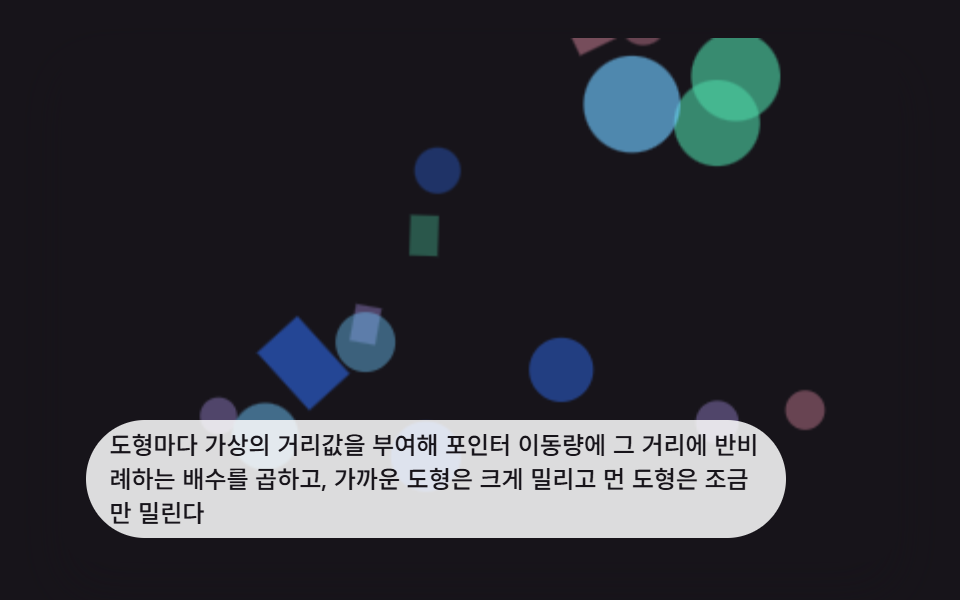 Interactions9 CSS 3D Background Animation Depth Layers
 InteractionsBubble Animation CSS: 9 Soap-Film Scenes That Pop
 InteractionsJavaScript 3D Animation: 9 Pointer-Led Models
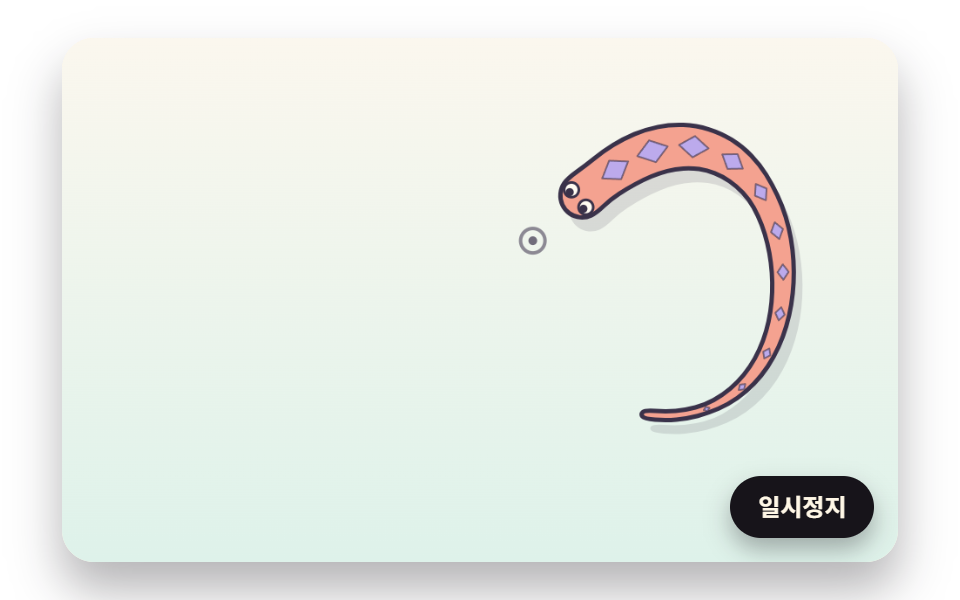 InteractionsCursor Follow Animation: 9 Procedural Creatures
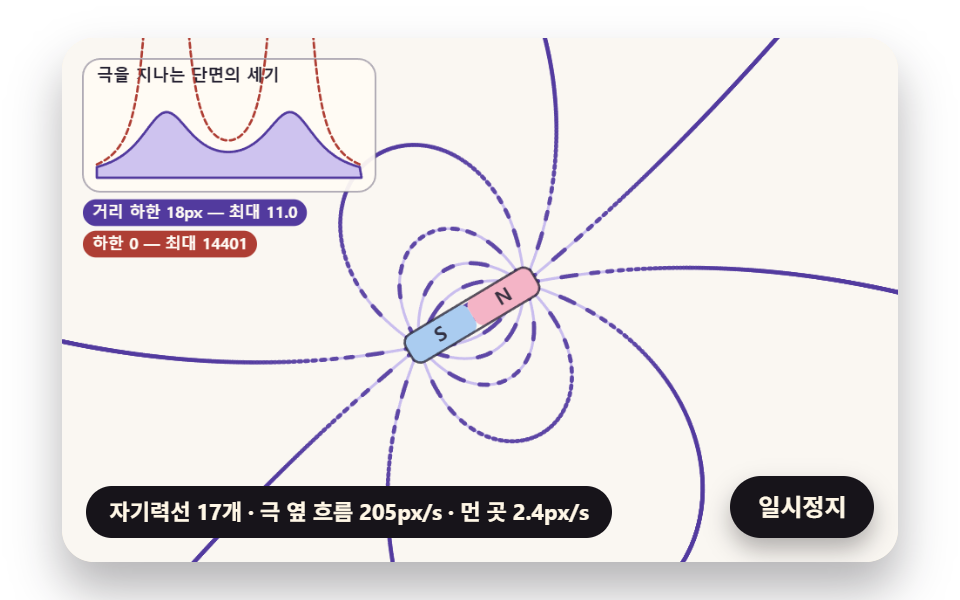 InteractionsFerrofluid Simulation: 9 Canvas Scenes with Spikes
 Interactions9 Mouse Effects CSS Tricks You Can Copy-Paste
 InteractionsSocial Share Buttons: 9 Copy-Paste UI Patterns