CSS Art Animation — 9 Objects From Pure Shapes
CSS art animation draws everyday objects — a washer, a house, a car — with a few colored boxes and makes them move, not a single image file involved.
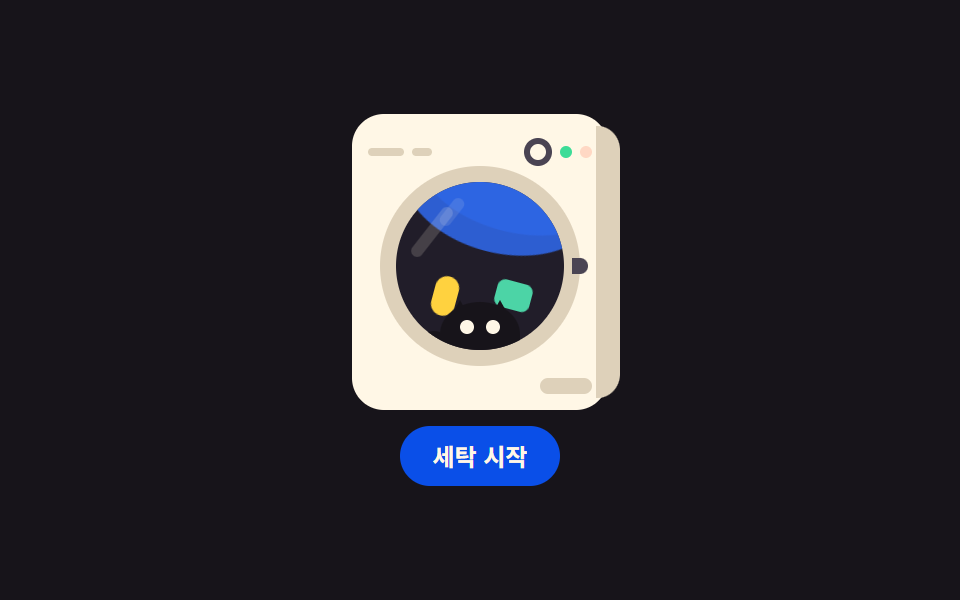 01 object-washer-drum
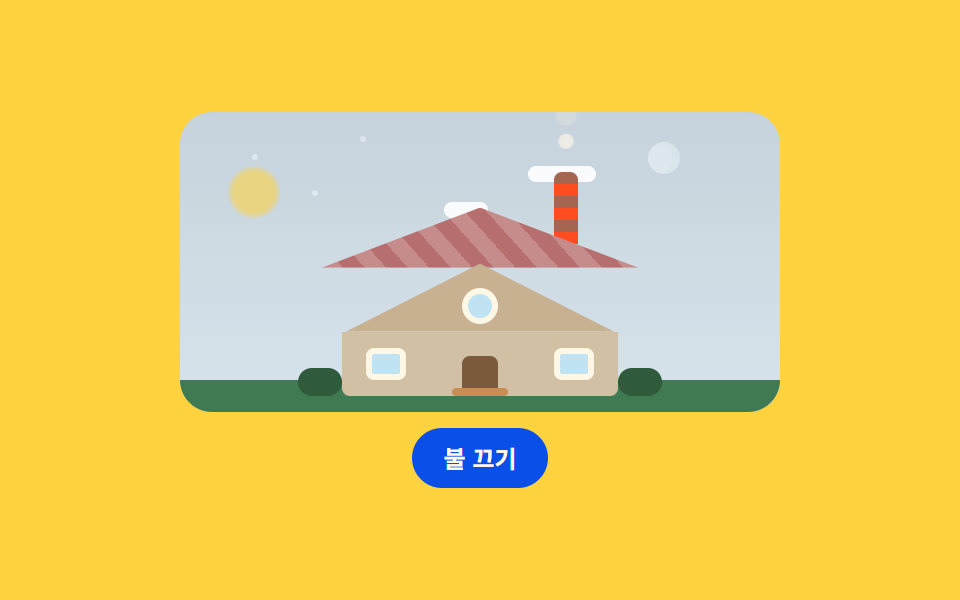 02 object-house-glow
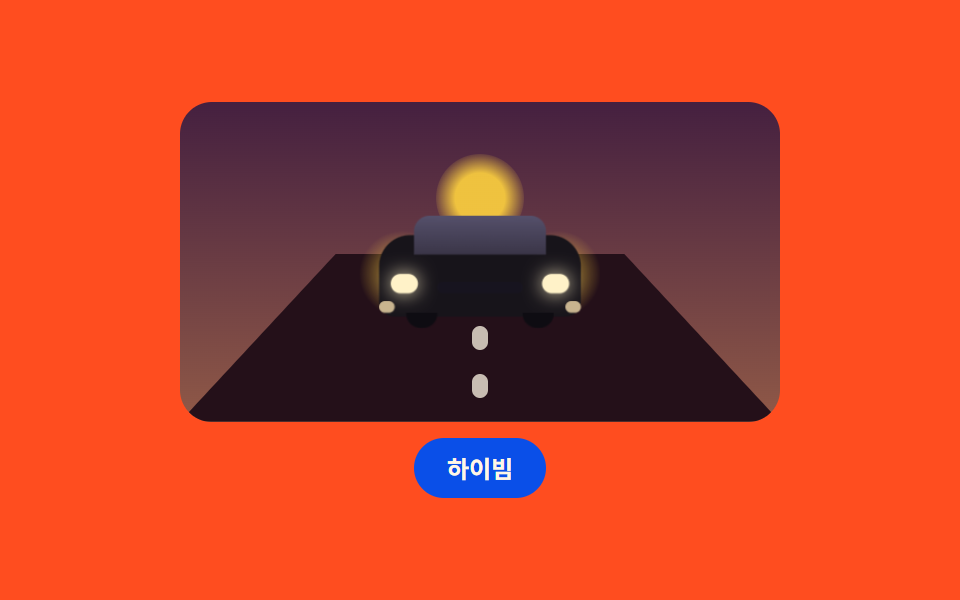 03 object-car-approach
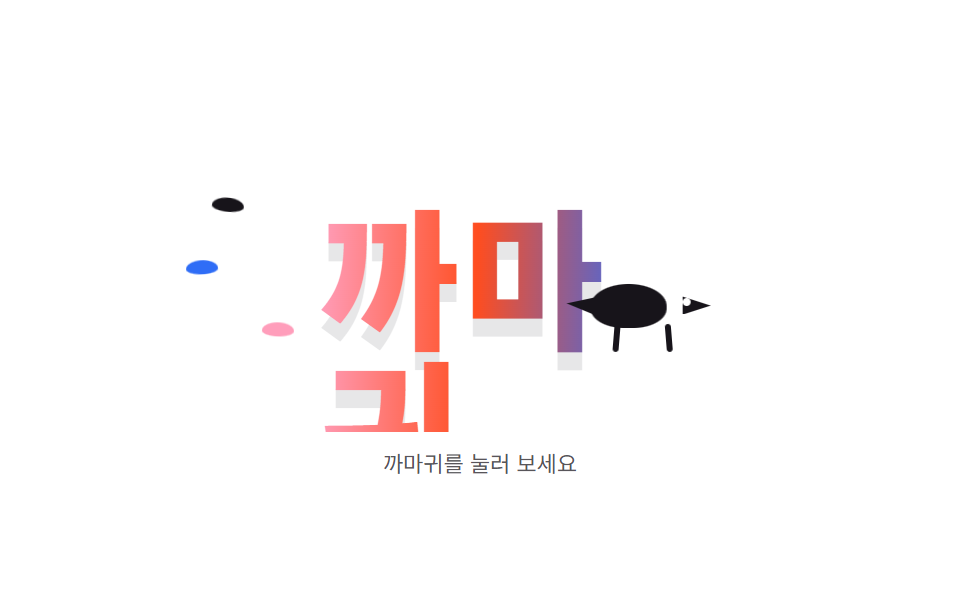 04 object-crow-wordmark
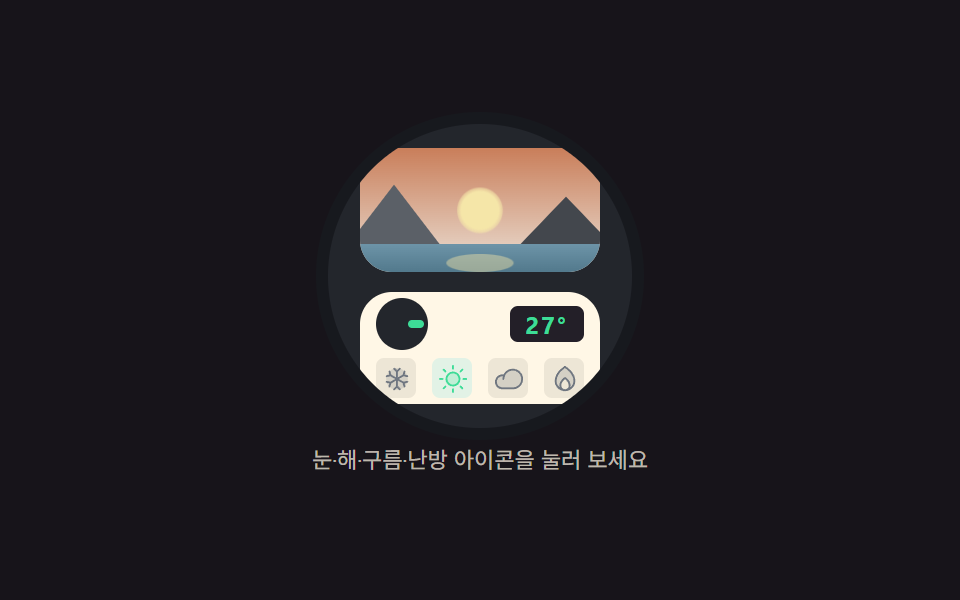 05 object-thermostat-scene
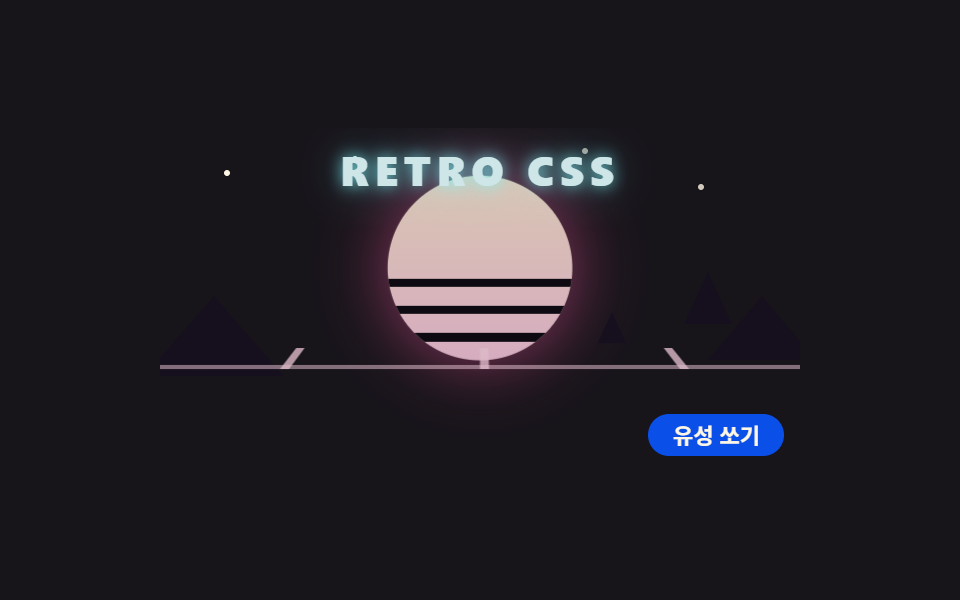 06 object-retro-sun-grid
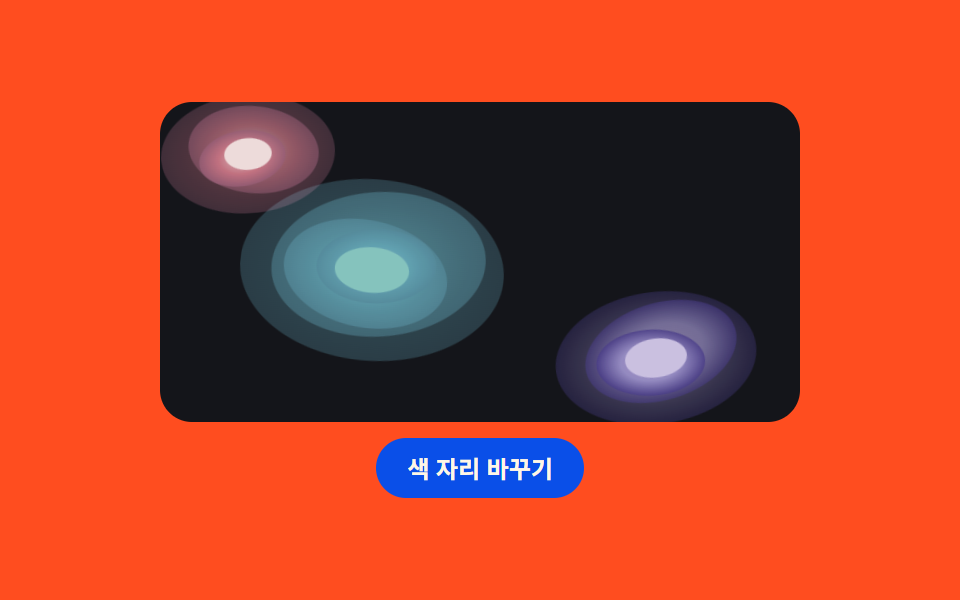 07 object-pool-gradient
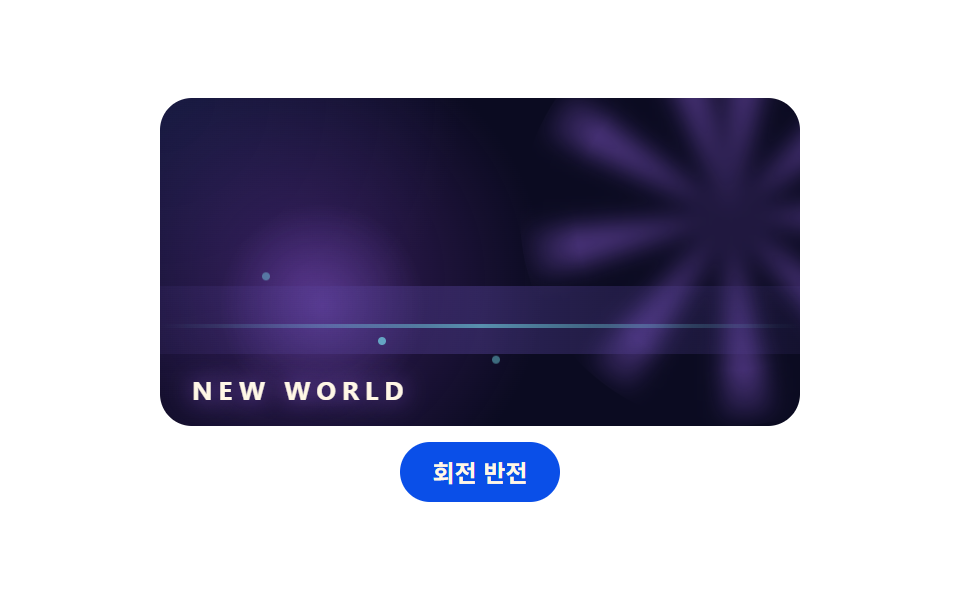 08 object-game-hero
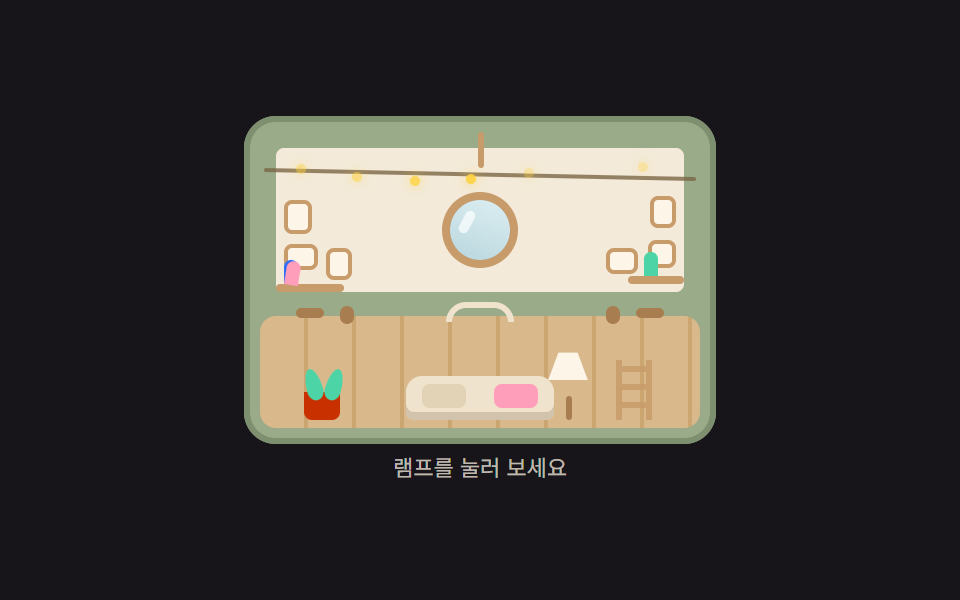 09 object-trunk-house
Auto-plays · click a tile to jump to its section · all nine in one zip
- 01 Washer drum spin
- 02 House with window glow
- 03 Approaching car on the road
- 04 Crow walking across a wordmark
- 05 Thermostat landscape window
- 06 Retro sun and perspective grid
- 07 Gradient pool background
- 08 Game-studio hero backdrop
- 09 Trunk house
The order is not by popularity — it follows the materials an object needs before it can move. First, a round window becomes the face of a machine (01), then a roof and chimney raise a whole house (02), wheels and lights bring a car toward you (03), a silhouette crossing letters gives you a character (04), a landscape inside a device adds depth (05), a sun and grids dress the stage (06, 07, 08), and finally a trunk becomes an entire world (09). People looking for css drawing animation examples often expect SVG files or sprites, but every scene here is rectangles, circles, and triangles inside the stage, so there are zero external files. The same through-line continues in CSS scene animation and canvas scene effects.
01Washer drum spin
A front-load washer drawn as a cream body, a round porthole, and a control panel, with water and a sock tumbling inside — a component for appliance landing pages.
<main class="stage">
<div class="ws is-demo" id="wsRoot">
  <div class="ws__machine">
    <span class="ws__side"></span>
    <div class="ws__top">
      <span class="ws__mark"></span>
      <span class="ws__mark ws__mark--short"></span>
      <span class="ws__dial"></span>
      <span class="ws__led ws__led--run"></span>
      <span class="ws__led ws__led--pause"></span>
    </div>
    <div class="ws__door">
      <span class="ws__ring"></span>
      <div class="ws__glass">
        <div class="ws__drum">
          <span class="ws__water ws__water--a"></span>
          <span class="ws__water ws__water--b"></span>
          <span class="ws__sock"></span>
          <span class="ws__shirt"></span>
        </div>
        <span class="ws__cat">
          <span class="ws__ear ws__ear--l"></span>
          <span class="ws__ear ws__ear--r"></span>
          <span class="ws__tail"></span>
          <span class="ws__head"></span>
          <span class="ws__eye ws__eye--l"></span>
          <span class="ws__eye ws__eye--r"></span>
        </span>
        <span class="ws__shine"></span>
        <span class="ws__shine ws__shine--b"></span>
      </div>
      <span class="ws__notch"></span>
    </div>
    <span class="ws__label"></span>
  </div>
  <button class="ws__btn" id="wsBtn" type="button" aria-pressed="false">Start wash</button>
</div>
</main>@use "../../../../site/static/demo-tokens" as *;
// 세탁기 드럼 회전 — 정면 세탁기를 도형으로만 그린다(이미지 파일 0).
// 드럼 안 물과 양말·셔츠는 하나의 그룹으로 묶어 2초에 한 바퀴 돌고,
// 고양이는 유리 앞쪽 바닥에 붙어 도는 물건을 지켜본다(눈만 깜빡).
// 시작/정지 버튼은 animation-play-state 하나로 드럼을 멈췄다 놓는다.
$duration: $dur-loop;
$easing: $ease-out;
$color: $subject-cream;
$side: #ded1ba;
$glass: #211d29;
$steel: #4a4453;
@include stage($stage-ink);
.ws {
display: flex; flex-direction: column; align-items: center; gap: $sp-2;
width: min(100%, 320px);
}
// ── 세탁기 몸체
.ws__machine {
position: relative; box-sizing: border-box;
width: 128px; height: 148px;
border-radius: $r-card;
background: $color;
padding: $sp-2 $sp-2 0;
}
.ws__side {
position: absolute; right: -6px; top: 6px; bottom: 6px; width: 12px;
border-radius: 0 $r-card $r-card 0;
background: $side;
}
// ── 상단 컨트롤 패널
.ws__top {
position: relative; height: 22px;
display: flex; align-items: center; gap: $sp-1;
}
.ws__mark {
width: 18px; height: 4px; border-radius: $r-pill; background: $side;
}
.ws__mark--short { width: 10px; }
.ws__dial {
width: 14px; height: 14px; border-radius: 50%;
border: 3px solid $steel; box-sizing: border-box;
margin-left: auto;
}
.ws__led {
width: 6px; height: 6px; border-radius: 50%;
transition: opacity $dur-quick $easing;
}
.ws__led--run { background: $tick-up; opacity: 1; }
.ws__led--pause { background: $tick-down; opacity: .25; }
.ws.is-pause .ws__led--run { opacity: .25; }
.ws.is-pause .ws__led--pause { opacity: 1; }
// ── 원형 도어. 유리 안은 드럼(회전 그룹)과 고양이(고정) 두 겹
.ws__door {
position: relative; width: 84px; height: 84px;
margin: $sp-1 auto 0;
}
.ws__ring {
position: absolute; inset: -8px; border-radius: 50%;
background: $side;
}
.ws__glass {
position: absolute; inset: 0; border-radius: 50%;
background: $glass; overflow: hidden;
}
.ws__notch {
position: absolute; right: -12px; top: 50%; width: 8px; height: 8px;
margin-top: -4px; border-radius: 0 $r-xs $r-xs 0;
background: $steel;
}
// 드럼: 물 두 겹 + 양말 + 셔츠가 한 덩어리로 돈다
.ws__drum {
position: absolute; inset: 0;
animation-name: wsSpin; animation-duration: $duration;
animation-timing-function: linear; animation-iteration-count: infinite;
}
.ws.is-pause .ws__drum { animation-play-state: paused; }
.ws__water {
position: absolute; left: -10%; bottom: -38%; width: 120%; height: 78%;
border-radius: 50%;
background: rgba($subject-blue, .82);
}
.ws__water--b {
bottom: -46%; height: 72%; left: -16%;
background: rgba($subject-blue, .45);
}
.ws__sock {
position: absolute; left: 58%; top: 16%; width: 12px; height: 20px;
border-radius: $r-pill;
background: $stage-yellow;
}
.ws__shirt {
position: absolute; left: 16%; top: 30%; width: 18px; height: 14px;
border-radius: $r-xs;
background: $subject-mint;
}
// 고양이: 유리 하단에 앉아 도는 세탁물을 본다. 몸은 고정, 눈만 깜빡
.ws__cat {
position: absolute; left: 50%; bottom: -2px; width: 40px; height: 26px;
margin-left: -20px;
}
.ws__head {
position: absolute; inset: 0; bottom: -6px;
border-radius: 50% 50% $r-xs $r-xs;
background: $subject-ink;
}
.ws__ear {
position: absolute; top: -1px; width: 0; height: 0;
border-left: 5px solid transparent; border-right: 5px solid transparent;
border-bottom: 9px solid $subject-ink;
}
.ws__ear--l { left: 5px; }
.ws__ear--r { right: 5px; }
.ws__tail {
position: absolute; left: -8px; bottom: 2px; width: 14px; height: 9px;
border-radius: 50%; background: $subject-ink;
transform: rotate(24deg);
}
.ws__eye {
position: absolute; top: 9px; width: 7px; height: 7px;
border-radius: 50%; background: $subject-cream;
animation-name: wsBlink; animation-duration: $duration;
animation-iteration-count: infinite;
}
.ws__eye--l { left: 10px; }
.ws__eye--r { right: 10px; }
// 유리 반사: 두 줄 사선
.ws__shine {
position: absolute; left: 18%; top: 12%; width: 6px; height: 30px;
border-radius: $r-pill;
background: rgba(255, 247, 230, .16);
transform: rotate(38deg);
}
.ws__shine--b { left: 30%; top: 8%; height: 16px; opacity: .7; }
.ws__label {
position: absolute; right: $sp-2; bottom: $sp-2;
width: 26px; height: 8px; border-radius: $r-xs; background: $side;
}
.ws__btn {
box-sizing: border-box; padding: $sp-2 $sp-4; border: 0;
border-radius: $r-pill; background: $subject-blue-deep; color: $subject-cream;
font-family: inherit; font-weight: 700; font-size: 12px; line-height: 1.2;
cursor: pointer;
}
@keyframes wsSpin {
from { transform: rotate(0deg); }
to { transform: rotate(360deg); }
}
@keyframes wsBlink {
0%, 42% { transform: scaleY(1); }
46%, 50% { transform: scaleY(.1); }
54%, 100% { transform: scaleY(1); }
}
@media (max-width: 340px) {
.ws__machine { width: 104px; height: 118px; }
.ws__top { height: 18px; }
.ws__mark { width: 12px; }
.ws__dial { width: 10px; height: 10px; }
.ws__door { width: 64px; height: 64px; }
.ws__cat { width: 32px; height: 20px; bottom: -1px; }
.ws__sock { width: 10px; height: 16px; }
.ws__shirt { width: 14px; height: 11px; }
.ws__btn { padding: $sp-1 $sp-3; font-size: 11px; }
}
@media (prefers-reduced-motion: reduce) {
.ws__drum, .ws__eye { animation-name: none !important; }
}html, body {
margin: 0;
overflow: hidden;
}
.stage {
box-sizing: border-box;
min-height: 100vh;
display: grid;
place-items: center;
margin: 0;
background: #17141a;
font-family: -apple-system, "Segoe UI", "Noto Sans KR", sans-serif;
padding: clamp(8px, 4vw, 24px);
}
.ws {
display: flex;
flex-direction: column;
align-items: center;
gap: 8px;
width: min(100%, 320px);
}
.ws__machine {
position: relative;
box-sizing: border-box;
width: 128px;
height: 148px;
border-radius: 16px;
background: #fff7e6;
padding: 8px 8px 0;
}
.ws__side {
position: absolute;
right: -6px;
top: 6px;
bottom: 6px;
width: 12px;
border-radius: 0 16px 16px 0;
background: #ded1ba;
}
.ws__top {
position: relative;
height: 22px;
display: flex;
align-items: center;
gap: 4px;
}
.ws__mark {
width: 18px;
height: 4px;
border-radius: 999px;
background: #ded1ba;
}
.ws__mark--short {
width: 10px;
}
.ws__dial {
width: 14px;
height: 14px;
border-radius: 50%;
border: 3px solid #4a4453;
box-sizing: border-box;
margin-left: auto;
}
.ws__led {
width: 6px;
height: 6px;
border-radius: 50%;
transition: opacity 220ms ease-out;
}
.ws__led--run {
background: #3ddc97;
opacity: 1;
}
.ws__led--pause {
background: #ff7a5e;
opacity: 0.25;
}
.ws.is-pause .ws__led--run {
opacity: 0.25;
}
.ws.is-pause .ws__led--pause {
opacity: 1;
}
.ws__door {
position: relative;
width: 84px;
height: 84px;
margin: 4px auto 0;
}
.ws__ring {
position: absolute;
inset: -8px;
border-radius: 50%;
background: #ded1ba;
}
.ws__glass {
position: absolute;
inset: 0;
border-radius: 50%;
background: #211d29;
overflow: hidden;
}
.ws__notch {
position: absolute;
right: -12px;
top: 50%;
width: 8px;
height: 8px;
margin-top: -4px;
border-radius: 0 4px 4px 0;
background: #4a4453;
}
.ws__drum {
position: absolute;
inset: 0;
animation-name: wsSpin;
animation-duration: 2s;
animation-timing-function: linear;
animation-iteration-count: infinite;
}
.ws.is-pause .ws__drum {
animation-play-state: paused;
}
.ws__water {
position: absolute;
left: -10%;
bottom: -38%;
width: 120%;
height: 78%;
border-radius: 50%;
background: rgba(47, 109, 246, 0.82);
}
.ws__water--b {
bottom: -46%;
height: 72%;
left: -16%;
background: rgba(47, 109, 246, 0.45);
}
.ws__sock {
position: absolute;
left: 58%;
top: 16%;
width: 12px;
height: 20px;
border-radius: 999px;
background: #ffd23f;
}
.ws__shirt {
position: absolute;
left: 16%;
top: 30%;
width: 18px;
height: 14px;
border-radius: 4px;
background: #4cd4a6;
}
.ws__cat {
position: absolute;
left: 50%;
bottom: -2px;
width: 40px;
height: 26px;
margin-left: -20px;
}
.ws__head {
position: absolute;
inset: 0;
bottom: -6px;
border-radius: 50% 50% 4px 4px;
background: #17141a;
}
.ws__ear {
position: absolute;
top: -1px;
width: 0;
height: 0;
border-left: 5px solid transparent;
border-right: 5px solid transparent;
border-bottom: 9px solid #17141a;
}
.ws__ear--l {
left: 5px;
}
.ws__ear--r {
right: 5px;
}
.ws__tail {
position: absolute;
left: -8px;
bottom: 2px;
width: 14px;
height: 9px;
border-radius: 50%;
background: #17141a;
transform: rotate(24deg);
}
.ws__eye {
position: absolute;
top: 9px;
width: 7px;
height: 7px;
border-radius: 50%;
background: #fff7e6;
animation-name: wsBlink;
animation-duration: 2s;
animation-iteration-count: infinite;
}
.ws__eye--l {
left: 10px;
}
.ws__eye--r {
right: 10px;
}
.ws__shine {
position: absolute;
left: 18%;
top: 12%;
width: 6px;
height: 30px;
border-radius: 999px;
background: rgba(255, 247, 230, 0.16);
transform: rotate(38deg);
}
.ws__shine--b {
left: 30%;
top: 8%;
height: 16px;
opacity: 0.7;
}
.ws__label {
position: absolute;
right: 8px;
bottom: 8px;
width: 26px;
height: 8px;
border-radius: 4px;
background: #ded1ba;
}
.ws__btn {
box-sizing: border-box;
padding: 8px 16px;
border: 0;
border-radius: 999px;
background: #0a4fe8;
color: #fff7e6;
font-family: inherit;
font-weight: 700;
font-size: 12px;
line-height: 1.2;
cursor: pointer;
}
@keyframes wsSpin {
from {
transform: rotate(0deg);
}
to {
transform: rotate(360deg);
}
}
@keyframes wsBlink {
0%, 42% {
transform: scaleY(1);
}
46%, 50% {
transform: scaleY(0.1);
}
54%, 100% {
transform: scaleY(1);
}
}
@media (max-width: 340px) {
.ws__machine {
width: 104px;
height: 118px;
}
.ws__top {
height: 18px;
}
.ws__mark {
width: 12px;
}
.ws__dial {
width: 10px;
height: 10px;
}
.ws__door {
width: 64px;
height: 64px;
}
.ws__cat {
width: 32px;
height: 20px;
bottom: -1px;
}
.ws__sock {
width: 10px;
height: 16px;
}
.ws__shirt {
width: 14px;
height: 11px;
}
.ws__btn {
padding: 4px 12px;
font-size: 11px;
}
}
@media (prefers-reduced-motion: reduce) {
.ws__drum, .ws__eye {
animation-name: none !important;
}
}// 시작/정지는 .is-pause 클래스 하나로 끝난다. 손이 닿는 순간 미리보기 루프(.is-demo)를 떼고
// 사람이 누른 상태를 그대로 유지한다. 드럼 회전 자체는 사용자 조작에서도 계속 돈다.
(function () {
var root = document.getElementById('wsRoot');
var btn = document.getElementById('wsBtn');
var runLabel = 'Start wash';
var pauseLabel = 'Pause';
btn.addEventListener('click', function () {
root.classList.remove('is-demo');
var paused = root.classList.toggle('is-pause');
btn.textContent = paused ? pauseLabel : runLabel;
btn.setAttribute('aria-pressed', paused ? 'true' : 'false');
});
})();// WasherDrum — vanilla 판(run/078/demo/01-object-washer-drum/index.html) 의 React 포트.
// 시작/정지는 paused 하나로 갈리고, 첫 클릭에 미리보기 루프(is-demo)를 뗀다.
import { useState } from "react";
import type { CSSProperties } from "react";
import styles from "./WasherDrum.module.scss";
export type WasherDrumProps = {
duration?: number;
easing?: string;
color?: string;
initialPaused?: boolean;
};
type Vars = CSSProperties & { "--duration"?: string; "--easing"?: string; "--color"?: string };
export default function WasherDrum(props: WasherDrumProps) {
const duration = props.duration ?? 2000;
const easing = props.easing ?? "ease-out";
const color = props.color ?? "#fff7e6";
const [paused, setPaused] = useState<boolean>(props.initialPaused ?? false);
const [preview, setPreview] = useState<boolean>(true);
const vars: Vars = { "--duration": duration + "ms", "--easing": easing, "--color": color };
const rootClass = ["ws", preview ? "is-demo" : "", paused ? "is-pause" : ""]
.filter(Boolean).map((c) => (styles as { [k: string]: string })[c]).join(" ");
return (
<main className={styles.stage}>
<div className={rootClass} style={vars}>
<div className={styles["ws__machine"]}>
<span className={styles["ws__side"]}></span>
<div className={styles["ws__top"]}>
<span className={styles["ws__mark"]}></span>
<span className={styles["ws__mark"] + " " + styles["ws__mark--short"]}></span>
<span className={styles["ws__dial"]}></span>
<span className={styles["ws__led"] + " " + styles["ws__led--run"]}></span>
<span className={styles["ws__led"] + " " + styles["ws__led--pause"]}></span>
</div>
<div className={styles["ws__door"]}>
<span className={styles["ws__ring"]}></span>
<div className={styles["ws__glass"]}>
<div className={styles["ws__drum"]}>
<span className={styles["ws__water"] + " " + styles["ws__water--a"]}></span>
<span className={styles["ws__water"] + " " + styles["ws__water--b"]}></span>
<span className={styles["ws__sock"]}></span>
<span className={styles["ws__shirt"]}></span>
</div>
<span className={styles["ws__cat"]}>
<span className={styles["ws__ear"] + " " + styles["ws__ear--l"]}></span>
<span className={styles["ws__ear"] + " " + styles["ws__ear--r"]}></span>
<span className={styles["ws__tail"]}></span>
<span className={styles["ws__head"]}></span>
<span className={styles["ws__eye"] + " " + styles["ws__eye--l"]}></span>
<span className={styles["ws__eye"] + " " + styles["ws__eye--r"]}></span>
</span>
<span className={styles["ws__shine"]}></span>
<span className={styles["ws__shine"] + " " + styles["ws__shine--b"]}></span>
</div>
<span className={styles["ws__notch"]}></span>
</div>
<span className={styles["ws__label"]}></span>
</div>
<button
className={styles["ws__btn"]}
type="button"
aria-pressed={paused ? "true" : "false"}
onClick={() => { setPreview(false); setPaused((p) => !p); }}
>
{paused ? "일시정지" : "세탁 시작"}
</button>
</div>
</main>
);
}01 · Washer drum spin — Measured area 3.349% · moving frames 23/23Original by GODRICH · SCSS and React ship in the zip · See the password
The drum is one group spinning as a whole
.ws__drum {
  position: absolute; inset: 0;
  animation-name: wsSpin; animation-duration: $duration;
  animation-timing-function: linear; animation-iteration-count: infinite;
}
.ws.is-pause .ws__drum { animation-play-state: paused; }

@keyframes wsSpin {
  from { transform: rotate(0deg); }
  to { transform: rotate(360deg); }
}
@keyframes wsBlink {
  0%, 42% { transform: scaleY(1); }
  46%, 50% { transform: scaleY(.1); }
  54%, 100% { transform: scaleY(1); }
}
Two layers of water plus a sock and a shirt live inside the single .ws__drum group, so the spin is one declaration, and pausing uses animation-play-state instead of removing the animation. The cat sits outside the group and blinks once at the 46% mark of the 2-second loop; press the button and the drum's computed animation-play-state flips from running to paused while the panel LED dims from 1 to 0.25.
02House with window glow
A striped-roof house that turns to dusk with one switch, built for real-estate and home-service onboarding screens.
<main class="stage">
<div class="hs is-demo" id="hsRoot">
  <div class="hs__scene">
    <span class="hs__skyday"></span>
    <div class="hs__skynight">
      <span class="hs__star hs__star--a"></span>
      <span class="hs__star hs__star--b"></span>
      <span class="hs__star hs__star--c"></span>
      <span class="hs__moon"></span>
    </div>
    <span class="hs__sun"></span>
    <span class="hs__cloud hs__cloud--a"></span>
    <span class="hs__cloud hs__cloud--b"></span>
    <span class="hs__ground"></span>
    <div class="hs__house">
      <span class="hs__smoke hs__smoke--1"></span>
      <span class="hs__smoke hs__smoke--2"></span>
      <span class="hs__smoke hs__smoke--3"></span>
      <span class="hs__chimney"></span>
      <span class="hs__roof"></span>
      <span class="hs__gable"></span>
      <span class="hs__win hs__win--round"></span>
      <span class="hs__wall"></span>
      <span class="hs__win hs__win--l"></span>
      <span class="hs__win hs__win--r"></span>
      <span class="hs__door"></span>
      <span class="hs__step"></span>
      <span class="hs__bush hs__bush--l"></span>
      <span class="hs__bush hs__bush--r"></span>
    </div>
  </div>
  <button class="hs__btn" id="hsBtn" type="button" aria-pressed="false">Lights off</button>
</div>
</main>@use "../../../../site/static/demo-tokens" as *;
// 집 — 창문 불빛과 굴뚝 연기. 지붕 줄무늬는 repeating-linear-gradient,
// 연기 세 점은 animation-delay 로 시차를 두고, 낮/밤 전환은
// 밤 하늘 겹침막의 opacity transition 하나로 한다(하늘·창문·해·달이 같이 움직인다).
$duration: $dur-enter;
$easing: $ease-out;
$color: $stage-orange;
$roof: #c68c8c;
$roof-fold: #b76e6e;
$wall: #c8b190;
$wall-side: #d2c0a5;
$wood: #7c5a3e;
$leaf: #2f5a3c;
$leaf-light: #3f7a52;
$glass: #bfe3f2;
$sky-top: #d6e4eb;
$sky-bottom: #e8f6fb;
$night-top: #1d2340;
$night-bottom: #3a2f55;
@include stage($stage-yellow);
.hs {
display: flex; flex-direction: column; align-items: center; gap: $sp-2;
width: min(100%, 300px);
}
.hs__scene {
position: relative; box-sizing: border-box;
width: 100%; height: 150px;
border-radius: $r-card; overflow: hidden;
background: linear-gradient(180deg, $sky-top 0%, $sky-bottom 100%);
}
// 밤 하늘 겹침막 — 낮 위에 opacity 로 올라온다
.hs__skynight {
position: absolute; inset: 0; opacity: 0;
background: linear-gradient(180deg, $night-top 0%, $night-bottom 100%);
animation-name: hsCycle; animation-duration: $dur-loop;
animation-timing-function: ease-in-out; animation-iteration-count: infinite;
}
.hs__star {
position: absolute; width: 3px; height: 3px; border-radius: 50%;
background: $subject-cream;
}
.hs__star--a { left: 12%; top: 14%; }
.hs__star--b { left: 30%; top: 8%; }
.hs__star--c { left: 22%; top: 26%; }
.hs__moon {
position: absolute; left: 78%; top: 10%; width: 16px; height: 16px;
border-radius: 50%; background: $subject-cream;
box-shadow: inset -4px 0 0 rgba(23, 20, 26, .18);
}
.hs__sun {
position: absolute; left: 8%; top: 12%; width: 26px; height: 26px;
border-radius: 50%;
background: radial-gradient(circle, $stage-yellow 0 55%, rgba(255, 210, 63, 0) 78%);
animation-name: hsSun; animation-duration: $dur-loop;
animation-timing-function: ease-in-out; animation-iteration-count: infinite;
}
.hs__cloud {
position: absolute; height: 8px; border-radius: $r-pill;
background: rgba(255, 255, 255, .9);
}
.hs__cloud--a { left: 58%; top: 18%; width: 34px; }
.hs__cloud--b { left: 44%; top: 30%; width: 22px; }
.hs__ground {
position: absolute; left: 0; right: 0; bottom: 0; height: 16px;
background: $leaf-light;
}
// ── 집
.hs__house {
position: absolute; left: 50%; bottom: 8px; width: 150px; height: 112px;
margin-left: -75px;
}
.hs__roof {
position: absolute; left: -4px; right: -4px; top: 18px; height: 30px;
clip-path: polygon(50% 0, 100% 100%, 0 100%);
background: repeating-linear-gradient(48deg, $roof 0 8px, $roof-fold 8px 16px);
}
.hs__gable {
position: absolute; left: 8px; right: 8px; top: 46px; height: 34px;
clip-path: polygon(50% 0, 100% 100%, 0 100%);
background: $wall;
}
.hs__chimney {
position: absolute; right: 26px; top: 0; width: 12px; height: 36px;
border-radius: $r-xs $r-xs 0 0;
background: repeating-linear-gradient(0deg, $color 0 6px, #a46651 6px 12px);
}
.hs__smoke {
position: absolute; right: 28px; top: -8px; width: 8px; height: 8px;
border-radius: 50%; background: rgba(255, 247, 230, .8);
animation-name: hsSmoke; animation-duration: $dur-loop;
animation-timing-function: ease-out; animation-iteration-count: infinite;
animation-fill-mode: both;
}
.hs__smoke--2 { animation-delay: 660ms; }
.hs__smoke--3 { animation-delay: 1320ms; }
.hs__wall {
position: absolute; left: 6px; right: 6px; top: 80px; bottom: 0;
border-radius: 0 0 $r-xs $r-xs;
background: $wall-side;
}
// 창: 유리색이 밤에 노란 불빛으로 바뀐다(같은 transition)
.hs__win {
position: absolute; border: 3px solid $subject-cream; box-sizing: border-box;
border-radius: $r-xs; background: $glass;
transition: background $duration $easing, box-shadow $duration $easing;
}
.hs__win--round {
left: 50%; top: 58px; width: 18px; height: 18px; margin-left: -9px;
border-radius: 50%;
}
.hs__win--l { left: 18px; top: 88px; width: 20px; height: 16px; }
.hs__win--r { right: 18px; top: 88px; width: 20px; height: 16px; }
.hs.is-night .hs__win {
background: $stage-yellow;
box-shadow: 0 0 12px rgba(255, 210, 63, .8);
}
.hs__door {
position: absolute; left: 50%; top: 92px; width: 18px; height: 20px;
margin-left: -9px; border-radius: $r-xs $r-xs 0 0;
background: $wood;
}
.hs__step {
position: absolute; left: 50%; bottom: 0; width: 28px; height: 4px;
margin-left: -14px; border-radius: $r-xs; background: #c98d54;
}
.hs__bush {
position: absolute; bottom: 0; width: 22px; height: 14px;
border-radius: $r-pill; background: $leaf;
}
.hs__bush--l { left: -16px; }
.hs__bush--r { right: -16px; }
// 미리보기 루프: 밤 겹침막이 52~78% 구간에만 올라왔다가 90% 안에 물러난다
.hs__btn {
box-sizing: border-box; padding: $sp-2 $sp-4; border: 0;
border-radius: $r-pill; background: $subject-blue-deep; color: $subject-cream;
font-family: inherit; font-weight: 700; font-size: 12px; line-height: 1.2;
cursor: pointer;
}
@keyframes hsCycle {
0%, 30% { opacity: 0; }
52%, 78% { opacity: 1; }
90%, 100% { opacity: 0; }
}
@keyframes hsSun {
0%, 26% { transform: translateY(0); opacity: 1; }
40%, 82% { transform: translateY(22px); opacity: 0; }
92%, 100% { transform: translateY(0); opacity: 1; }
}
@keyframes hsSmoke {
0% { transform: translateY(0) scale(.6); opacity: 0; }
22% { opacity: .85; }
86%, 100% { transform: translateY(-30px) scale(1.5); opacity: 0; }
}
// 사람이 고른 상태: 루프를 끄고 transition 으로만 바뀐다(연기는 계속 상승)
.hs:not(.is-demo) .hs__skynight,
.hs:not(.is-demo) .hs__sun {
animation-name: none;
}
.hs:not(.is-demo) .hs__skynight { transition: opacity $duration $easing; }
.hs:not(.is-demo) .hs__sun { transition: transform $duration $easing, opacity $duration $easing; }
.hs.is-night .hs__skynight { opacity: 1; }
.hs:not(.is-demo).is-night .hs__sun { transform: translateY(22px); opacity: 0; }
@media (max-width: 340px) {
.hs__scene { height: 118px; }
.hs__house { transform-origin: bottom center; transform: scale(.82); }
.hs__btn { padding: $sp-1 $sp-3; font-size: 11px; }
}
@media (prefers-reduced-motion: reduce) {
.hs__skynight, .hs__sun, .hs__smoke { animation-name: none !important; }
.hs:not(.is-demo) .hs__skynight,
.hs:not(.is-demo) .hs__sun,
.hs__win { transition: none !important; }
}html, body {
margin: 0;
overflow: hidden;
}
.stage {
box-sizing: border-box;
min-height: 100vh;
display: grid;
place-items: center;
margin: 0;
background: #ffd23f;
font-family: -apple-system, "Segoe UI", "Noto Sans KR", sans-serif;
padding: clamp(8px, 4vw, 24px);
}
.hs {
display: flex;
flex-direction: column;
align-items: center;
gap: 8px;
width: min(100%, 300px);
}
.hs__scene {
position: relative;
box-sizing: border-box;
width: 100%;
height: 150px;
border-radius: 16px;
overflow: hidden;
background: linear-gradient(180deg, #d6e4eb 0%, #e8f6fb 100%);
}
.hs__skynight {
position: absolute;
inset: 0;
opacity: 0;
background: linear-gradient(180deg, #1d2340 0%, #3a2f55 100%);
animation-name: hsCycle;
animation-duration: 2s;
animation-timing-function: ease-in-out;
animation-iteration-count: infinite;
}
.hs__star {
position: absolute;
width: 3px;
height: 3px;
border-radius: 50%;
background: #fff7e6;
}
.hs__star--a {
left: 12%;
top: 14%;
}
.hs__star--b {
left: 30%;
top: 8%;
}
.hs__star--c {
left: 22%;
top: 26%;
}
.hs__moon {
position: absolute;
left: 78%;
top: 10%;
width: 16px;
height: 16px;
border-radius: 50%;
background: #fff7e6;
box-shadow: inset -4px 0 0 rgba(23, 20, 26, 0.18);
}
.hs__sun {
position: absolute;
left: 8%;
top: 12%;
width: 26px;
height: 26px;
border-radius: 50%;
background: radial-gradient(circle, #ffd23f 0 55%, rgba(255, 210, 63, 0) 78%);
animation-name: hsSun;
animation-duration: 2s;
animation-timing-function: ease-in-out;
animation-iteration-count: infinite;
}
.hs__cloud {
position: absolute;
height: 8px;
border-radius: 999px;
background: rgba(255, 255, 255, 0.9);
}
.hs__cloud--a {
left: 58%;
top: 18%;
width: 34px;
}
.hs__cloud--b {
left: 44%;
top: 30%;
width: 22px;
}
.hs__ground {
position: absolute;
left: 0;
right: 0;
bottom: 0;
height: 16px;
background: #3f7a52;
}
.hs__house {
position: absolute;
left: 50%;
bottom: 8px;
width: 150px;
height: 112px;
margin-left: -75px;
}
.hs__roof {
position: absolute;
left: -4px;
right: -4px;
top: 18px;
height: 30px;
clip-path: polygon(50% 0, 100% 100%, 0 100%);
background: repeating-linear-gradient(48deg, #c68c8c 0 8px, #b76e6e 8px 16px);
}
.hs__gable {
position: absolute;
left: 8px;
right: 8px;
top: 46px;
height: 34px;
clip-path: polygon(50% 0, 100% 100%, 0 100%);
background: #c8b190;
}
.hs__chimney {
position: absolute;
right: 26px;
top: 0;
width: 12px;
height: 36px;
border-radius: 4px 4px 0 0;
background: repeating-linear-gradient(0deg, #ff4d1f 0 6px, #a46651 6px 12px);
}
.hs__smoke {
position: absolute;
right: 28px;
top: -8px;
width: 8px;
height: 8px;
border-radius: 50%;
background: rgba(255, 247, 230, 0.8);
animation-name: hsSmoke;
animation-duration: 2s;
animation-timing-function: ease-out;
animation-iteration-count: infinite;
animation-fill-mode: both;
}
.hs__smoke--2 {
animation-delay: 660ms;
}
.hs__smoke--3 {
animation-delay: 1320ms;
}
.hs__wall {
position: absolute;
left: 6px;
right: 6px;
top: 80px;
bottom: 0;
border-radius: 0 0 4px 4px;
background: #d2c0a5;
}
.hs__win {
position: absolute;
border: 3px solid #fff7e6;
box-sizing: border-box;
border-radius: 4px;
background: #bfe3f2;
transition: background 600ms ease-out, box-shadow 600ms ease-out;
}
.hs__win--round {
left: 50%;
top: 58px;
width: 18px;
height: 18px;
margin-left: -9px;
border-radius: 50%;
}
.hs__win--l {
left: 18px;
top: 88px;
width: 20px;
height: 16px;
}
.hs__win--r {
right: 18px;
top: 88px;
width: 20px;
height: 16px;
}
.hs.is-night .hs__win {
background: #ffd23f;
box-shadow: 0 0 12px rgba(255, 210, 63, 0.8);
}
.hs__door {
position: absolute;
left: 50%;
top: 92px;
width: 18px;
height: 20px;
margin-left: -9px;
border-radius: 4px 4px 0 0;
background: #7c5a3e;
}
.hs__step {
position: absolute;
left: 50%;
bottom: 0;
width: 28px;
height: 4px;
margin-left: -14px;
border-radius: 4px;
background: #c98d54;
}
.hs__bush {
position: absolute;
bottom: 0;
width: 22px;
height: 14px;
border-radius: 999px;
background: #2f5a3c;
}
.hs__bush--l {
left: -16px;
}
.hs__bush--r {
right: -16px;
}
.hs__btn {
box-sizing: border-box;
padding: 8px 16px;
border: 0;
border-radius: 999px;
background: #0a4fe8;
color: #fff7e6;
font-family: inherit;
font-weight: 700;
font-size: 12px;
line-height: 1.2;
cursor: pointer;
}
@keyframes hsCycle {
0%, 30% {
opacity: 0;
}
52%, 78% {
opacity: 1;
}
90%, 100% {
opacity: 0;
}
}
@keyframes hsSun {
0%, 26% {
transform: translateY(0);
opacity: 1;
}
40%, 82% {
transform: translateY(22px);
opacity: 0;
}
92%, 100% {
transform: translateY(0);
opacity: 1;
}
}
@keyframes hsSmoke {
0% {
transform: translateY(0) scale(0.6);
opacity: 0;
}
22% {
opacity: 0.85;
}
86%, 100% {
transform: translateY(-30px) scale(1.5);
opacity: 0;
}
}
.hs:not(.is-demo) .hs__skynight,
.hs:not(.is-demo) .hs__sun {
animation-name: none;
}
.hs:not(.is-demo) .hs__skynight {
transition: opacity 600ms ease-out;
}
.hs:not(.is-demo) .hs__sun {
transition: transform 600ms ease-out, opacity 600ms ease-out;
}
.hs.is-night .hs__skynight {
opacity: 1;
}
.hs:not(.is-demo).is-night .hs__sun {
transform: translateY(22px);
opacity: 0;
}
@media (max-width: 340px) {
.hs__scene {
height: 118px;
}
.hs__house {
transform-origin: bottom center;
transform: scale(0.82);
}
.hs__btn {
padding: 4px 12px;
font-size: 11px;
}
}
@media (prefers-reduced-motion: reduce) {
.hs__skynight, .hs__sun, .hs__smoke {
animation-name: none !important;
}
.hs:not(.is-demo) .hs__skynight,
.hs:not(.is-demo) .hs__sun,
.hs__win {
transition: none !important;
}
}// Lights off/켜기는 .is-night 하나. 낮 하늘과 창문 불빛이 같이 바뀐다.
// 손이 닿는 순간 미리보기 루프(.is-demo)를 떼고 사람이 고른 상태를 유지한다.
(function () {
var root = document.getElementById('hsRoot');
var btn = document.getElementById('hsBtn');
var offLabel = 'Lights off';
var onLabel = 'Lights on';
btn.addEventListener('click', function () {
root.classList.remove('is-demo');
var night = root.classList.toggle('is-night');
btn.textContent = night ? onLabel : offLabel;
btn.setAttribute('aria-pressed', night ? 'true' : 'false');
});
})();// HouseGlow — vanilla 판(run/078/demo/02-object-house-glow/index.html) 의 React 포트.
// 불 끄기/켜기는 night 하나로 갈리고, 첫 클릭에 미리보기 루프(is-demo)를 뗀다.
import { useState } from "react";
import type { CSSProperties } from "react";
import styles from "./HouseGlow.module.scss";
export type HouseGlowProps = {
duration?: number;
easing?: string;
color?: string;
initialNight?: boolean;
};
type Vars = CSSProperties & { "--duration"?: string; "--easing"?: string; "--color"?: string };
export default function HouseGlow(props: HouseGlowProps) {
const duration = props.duration ?? 600;
const easing = props.easing ?? "ease-out";
const color = props.color ?? "#ff4d1f";
const [night, setNight] = useState<boolean>(props.initialNight ?? false);
const [preview, setPreview] = useState<boolean>(true);
const vars: Vars = { "--duration": duration + "ms", "--easing": easing, "--color": color };
const rootClass = ["hs", preview ? "is-demo" : "", night ? "is-night" : ""]
.filter(Boolean).map((c) => (styles as { [k: string]: string })[c]).join(" ");
return (
<main className={styles.stage}>
<div className={rootClass} style={vars}>
<div className={styles["hs__scene"]}>
<span className={styles["hs__skyday"]}></span>
<div className={styles["hs__skynight"]}>
<span className={styles["hs__star"] + " " + styles["hs__star--a"]}></span>
<span className={styles["hs__star"] + " " + styles["hs__star--b"]}></span>
<span className={styles["hs__star"] + " " + styles["hs__star--c"]}></span>
<span className={styles["hs__moon"]}></span>
</div>
<span className={styles["hs__sun"]}></span>
<span className={styles["hs__cloud"] + " " + styles["hs__cloud--a"]}></span>
<span className={styles["hs__cloud"] + " " + styles["hs__cloud--b"]}></span>
<span className={styles["hs__ground"]}></span>
<div className={styles["hs__house"]}>
<span className={styles["hs__smoke"] + " " + styles["hs__smoke--1"]}></span>
<span className={styles["hs__smoke"] + " " + styles["hs__smoke--2"]}></span>
<span className={styles["hs__smoke"] + " " + styles["hs__smoke--3"]}></span>
<span className={styles["hs__chimney"]}></span>
<span className={styles["hs__roof"]}></span>
<span className={styles["hs__gable"]}></span>
<span className={styles["hs__win"] + " " + styles["hs__win--round"]}></span>
<span className={styles["hs__wall"]}></span>
<span className={styles["hs__win"] + " " + styles["hs__win--l"]}></span>
<span className={styles["hs__win"] + " " + styles["hs__win--r"]}></span>
<span className={styles["hs__door"]}></span>
<span className={styles["hs__step"]}></span>
<span className={styles["hs__bush"] + " " + styles["hs__bush--l"]}></span>
<span className={styles["hs__bush"] + " " + styles["hs__bush--r"]}></span>
</div>
</div>
<button
className={styles["hs__btn"]}
type="button"
aria-pressed={night ? "true" : "false"}
onClick={() => { setPreview(false); setNight((n) => !n); }}
>
{night ? "불 켜기" : "불 끄기"}
</button>
</div>
</main>
);
}02 · House with window glow — Measured area 22.172% · moving frames 22/23Original by GODRICH · SCSS and React ship in the zip · See the password
Day and night share one overlay's opacity
.hs__skynight {
  position: absolute; inset: 0; opacity: 0;
  background: linear-gradient(180deg, $night-top 0%, $night-bottom 100%);
  animation-name: hsCycle; animation-duration: $dur-loop;
  animation-timing-function: ease-in-out; animation-iteration-count: infinite;
}
.hs.is-night .hs__win {
  background: $stage-yellow;
  box-shadow: 0 0 12px rgba(255, 210, 63, .8);
}
@keyframes hsCycle {
  0%, 30% { opacity: 0; }
  52%, 78% { opacity: 1; }
  90%, 100% { opacity: 0; }
}
The night sky, stars, and moon live on one .hs__skynight overlay raised and lowered by opacity alone, so the manual switch runs a transition while the grid preview loops the same keyframes. Flip the switch and the window glass lights up to rgb(255, 210, 63) with a 12px bloom, three smoke puffs rise on 660ms staggered delays, and the roof stripes are not an image but a repeating gradient.
03Approaching car on the road
A car rushing toward you on a dusk road, assembled from a body, headlights, and streaming lane markers — a hero component for automotive and delivery landing pages.
<main class="stage">
<div class="ca is-demo" id="caRoot">
  <div class="ca__scene">
    <span class="ca__lowsun"></span>
    <div class="ca__road">
      <div class="ca__marks">
        <span class="ca__dash"></span>
        <span class="ca__dash"></span>
        <span class="ca__dash"></span>
        <span class="ca__dash"></span>
        <span class="ca__dash"></span>
        <span class="ca__dash"></span>
      </div>
    </div>
    <div class="ca__car">
      <span class="ca__glow ca__glow--l"></span>
      <span class="ca__glow ca__glow--r"></span>
      <span class="ca__body"></span>
      <span class="ca__shield"></span>
      <span class="ca__grille"></span>
      <span class="ca__lamp ca__lamp--l"></span>
      <span class="ca__lamp ca__lamp--r"></span>
      <span class="ca__indi ca__indi--l"></span>
      <span class="ca__indi ca__indi--r"></span>
      <span class="ca__wheel ca__wheel--l"></span>
      <span class="ca__wheel ca__wheel--r"></span>
    </div>
  </div>
  <button class="ca__btn" id="caBtn" type="button" aria-pressed="false">High beam</button>
</div>
</main>@use "../../../../site/static/demo-tokens" as *;
// 다가오는 자동차와 노면 — 정면 차를 도형으로만 그린다(이미지 파일 0).
// 다가옴은 차 몸체의 scale, 속도감은 노면 표시가 발밑으로 흐르는 세로 트랙(2세트 반복),
// 방향지시등은 steps(1, end) 컷으로 깜빡인다. 빛 덩어리는 헤드라이트 뒤 큰 원 두 개.
$duration: $dur-loop;
$easing: ease-in-out;
$color: $stage-yellow;
$dusk-top: #452040;
$dusk-bottom: #905947;
$asphalt: #241019;
$bodydark: $subject-ink;
$shield: #3a3547;
$lampcore: #fff2c8;
$amber: #c8b48f;
@include stage($stage-orange);
.ca {
display: flex; flex-direction: column; align-items: center; gap: $sp-2;
width: min(100%, 300px);
}
.ca__scene {
position: relative; box-sizing: border-box;
width: 100%; height: 160px;
border-radius: $r-card; overflow: hidden;
background: linear-gradient(180deg, $dusk-top 0%, $dusk-bottom 100%);
}
// 지평선에 걸린 해: 차 지붕 위로 반쯤 뜬 노을 해
.ca__lowsun {
position: absolute; left: 50%; top: 26px; width: 44px; height: 44px;
margin-left: -22px; border-radius: 50%;
background: radial-gradient(circle, rgba(255, 210, 63, .9) 0 40%, rgba(255, 210, 63, 0) 75%);
}
// ── 노면: 위가 좁고 아래가 넓은 사다리꼴. 표시가 발밑으로 흐른다
.ca__road {
position: absolute; left: 0; right: 0; bottom: 0; height: 84px;
clip-path: polygon(26% 0, 74% 0, 100% 100%, 0 100%);
background: $asphalt; overflow: hidden;
}
.ca__marks {
position: absolute; left: 50%; top: -72px; width: 8px; height: 144px;
margin-left: -4px;
animation-name: caFlow; animation-duration: $duration;
animation-timing-function: linear; animation-iteration-count: infinite;
}
// 간격은 margin-bottom(무한 트랙에는 gap 을 쓰지 않는다 — 2N 개 사이 gap 은 2N-1 개)
.ca__dash {
display: block; width: 8px; height: 12px; margin-bottom: 12px;
border-radius: $r-xs; background: rgba(255, 247, 230, .75);
}
// ── 차. 다가옴 = 그룹 scale
.ca__car {
position: absolute; left: 50%; bottom: 46px; width: 104px; height: 58px;
margin-left: -52px;
animation-name: caNear; animation-duration: $duration;
animation-timing-function: $easing; animation-iteration-count: infinite;
animation-direction: alternate;
}
.ca__body {
position: absolute; left: 0; right: 0; top: 10px; bottom: 6px;
border-radius: $r-card $r-card $r-sm $r-sm;
background: $bodydark;
}
.ca__shield {
position: absolute; left: 18px; right: 18px; top: 0; height: 20px;
border-radius: $r-sm $r-sm 0 0;
background: linear-gradient(180deg, #55506b 0%, $shield 100%);
}
.ca__grille {
position: absolute; left: 30px; right: 30px; top: 34px; height: 6px;
border-radius: $r-pill; background: #17141f;
}
.ca__lamp {
position: absolute; top: 30px; width: 14px; height: 10px;
border-radius: $r-pill; background: $lampcore;
box-shadow: 0 0 10px rgba(255, 242, 200, .9);
}
.ca__lamp--l { left: 6px; }
.ca__lamp--r { right: 6px; }
.ca__glow {
position: absolute; top: 8px; width: 44px; height: 44px; border-radius: 50%;
background: radial-gradient(circle, rgba(255, 210, 63, .55) 0 38%, rgba(255, 210, 63, 0) 72%);
animation-name: caGlow; animation-duration: $duration;
animation-timing-function: $easing; animation-iteration-count: infinite;
animation-direction: alternate;
transition: transform $dur-base $ease-out, opacity $dur-base $ease-out;
}
.ca__glow--l { left: -10px; }
.ca__glow--r { right: -10px; }
// 하이빔: 켜진 동안에는 맥동 애니메이션을 끄고 커진 빛을 유지한다
// (애니메이션의 transform 이 transition 보다 항상 이기므로, 겹치면 토글이 묻힌다 — 실측 2026-09-14)
.ca.is-beam .ca__glow {
animation-name: none;
transform: scale(1.7); opacity: 1;
}
.ca__indi {
position: absolute; top: 44px; width: 8px; height: 6px;
border-radius: $r-pill; background: $amber;
animation-name: caBlink; animation-duration: 500ms;
animation-timing-function: steps(1, end); animation-iteration-count: infinite;
}
.ca__indi--l { left: 0; }
.ca__indi--r { right: 0; }
.ca__wheel {
position: absolute; bottom: 0; width: 16px; height: 8px;
border-radius: 0 0 $r-pill $r-pill; background: #0e0c12;
}
.ca__wheel--l { left: 14px; }
.ca__wheel--r { right: 14px; }
.ca__btn {
box-sizing: border-box; padding: $sp-2 $sp-4; border: 0;
border-radius: $r-pill; background: $subject-blue-deep; color: $subject-cream;
font-family: inherit; font-weight: 700; font-size: 12px; line-height: 1.2;
cursor: pointer;
}
@keyframes caNear {
from { transform: scale(.84); }
to { transform: scale(1.1); }
}
@keyframes caGlow {
from { transform: scale(.92); opacity: .5; }
to { transform: scale(1.08); opacity: .8; }
}
@keyframes caFlow {
from { transform: translateY(0); }
to { transform: translateY(72px); }
}
@keyframes caBlink {
0% { opacity: 1; }
50% { opacity: .12; }
100% { opacity: 1; }
}
// 사람이 고른 상태: 다가옴 루프만 끊고(정지 사진), 깜빡임·유리·빛은 그대로
.ca:not(.is-demo) .ca__car { animation-name: none; }
@media (max-width: 340px) {
.ca__scene { height: 126px; }
.ca__road { height: 64px; }
.ca__car { bottom: 34px; width: 88px; margin-left: -44px; }
.ca__glow { width: 36px; height: 36px; }
.ca__btn { padding: $sp-1 $sp-3; font-size: 11px; }
}
@media (prefers-reduced-motion: reduce) {
.ca__car, .ca__glow, .ca__marks, .ca__indi { animation-name: none !important; }
.ca__glow { transition: none !important; }
}html, body {
margin: 0;
overflow: hidden;
}
.stage {
box-sizing: border-box;
min-height: 100vh;
display: grid;
place-items: center;
margin: 0;
background: #ff4d1f;
font-family: -apple-system, "Segoe UI", "Noto Sans KR", sans-serif;
padding: clamp(8px, 4vw, 24px);
}
.ca {
display: flex;
flex-direction: column;
align-items: center;
gap: 8px;
width: min(100%, 300px);
}
.ca__scene {
position: relative;
box-sizing: border-box;
width: 100%;
height: 160px;
border-radius: 16px;
overflow: hidden;
background: linear-gradient(180deg, #452040 0%, #905947 100%);
}
.ca__lowsun {
position: absolute;
left: 50%;
top: 26px;
width: 44px;
height: 44px;
margin-left: -22px;
border-radius: 50%;
background: radial-gradient(circle, rgba(255, 210, 63, 0.9) 0 40%, rgba(255, 210, 63, 0) 75%);
}
.ca__road {
position: absolute;
left: 0;
right: 0;
bottom: 0;
height: 84px;
clip-path: polygon(26% 0, 74% 0, 100% 100%, 0 100%);
background: #241019;
overflow: hidden;
}
.ca__marks {
position: absolute;
left: 50%;
top: -72px;
width: 8px;
height: 144px;
margin-left: -4px;
animation-name: caFlow;
animation-duration: 2s;
animation-timing-function: linear;
animation-iteration-count: infinite;
}
.ca__dash {
display: block;
width: 8px;
height: 12px;
margin-bottom: 12px;
border-radius: 4px;
background: rgba(255, 247, 230, 0.75);
}
.ca__car {
position: absolute;
left: 50%;
bottom: 46px;
width: 104px;
height: 58px;
margin-left: -52px;
animation-name: caNear;
animation-duration: 2s;
animation-timing-function: ease-in-out;
animation-iteration-count: infinite;
animation-direction: alternate;
}
.ca__body {
position: absolute;
left: 0;
right: 0;
top: 10px;
bottom: 6px;
border-radius: 16px 16px 8px 8px;
background: #17141a;
}
.ca__shield {
position: absolute;
left: 18px;
right: 18px;
top: 0;
height: 20px;
border-radius: 8px 8px 0 0;
background: linear-gradient(180deg, #55506b 0%, #3a3547 100%);
}
.ca__grille {
position: absolute;
left: 30px;
right: 30px;
top: 34px;
height: 6px;
border-radius: 999px;
background: #17141f;
}
.ca__lamp {
position: absolute;
top: 30px;
width: 14px;
height: 10px;
border-radius: 999px;
background: #fff2c8;
box-shadow: 0 0 10px rgba(255, 242, 200, 0.9);
}
.ca__lamp--l {
left: 6px;
}
.ca__lamp--r {
right: 6px;
}
.ca__glow {
position: absolute;
top: 8px;
width: 44px;
height: 44px;
border-radius: 50%;
background: radial-gradient(circle, rgba(255, 210, 63, 0.55) 0 38%, rgba(255, 210, 63, 0) 72%);
animation-name: caGlow;
animation-duration: 2s;
animation-timing-function: ease-in-out;
animation-iteration-count: infinite;
animation-direction: alternate;
transition: transform 300ms ease-out, opacity 300ms ease-out;
}
.ca__glow--l {
left: -10px;
}
.ca__glow--r {
right: -10px;
}
.ca.is-beam .ca__glow {
animation-name: none;
transform: scale(1.7);
opacity: 1;
}
.ca__indi {
position: absolute;
top: 44px;
width: 8px;
height: 6px;
border-radius: 999px;
background: #c8b48f;
animation-name: caBlink;
animation-duration: 500ms;
animation-timing-function: steps(1, end);
animation-iteration-count: infinite;
}
.ca__indi--l {
left: 0;
}
.ca__indi--r {
right: 0;
}
.ca__wheel {
position: absolute;
bottom: 0;
width: 16px;
height: 8px;
border-radius: 0 0 999px 999px;
background: #0e0c12;
}
.ca__wheel--l {
left: 14px;
}
.ca__wheel--r {
right: 14px;
}
.ca__btn {
box-sizing: border-box;
padding: 8px 16px;
border: 0;
border-radius: 999px;
background: #0a4fe8;
color: #fff7e6;
font-family: inherit;
font-weight: 700;
font-size: 12px;
line-height: 1.2;
cursor: pointer;
}
@keyframes caNear {
from {
transform: scale(0.84);
}
to {
transform: scale(1.1);
}
}
@keyframes caGlow {
from {
transform: scale(0.92);
opacity: 0.5;
}
to {
transform: scale(1.08);
opacity: 0.8;
}
}
@keyframes caFlow {
from {
transform: translateY(0);
}
to {
transform: translateY(72px);
}
}
@keyframes caBlink {
0% {
opacity: 1;
}
50% {
opacity: 0.12;
}
100% {
opacity: 1;
}
}
.ca:not(.is-demo) .ca__car {
animation-name: none;
}
@media (max-width: 340px) {
.ca__scene {
height: 126px;
}
.ca__road {
height: 64px;
}
.ca__car {
bottom: 34px;
width: 88px;
margin-left: -44px;
}
.ca__glow {
width: 36px;
height: 36px;
}
.ca__btn {
padding: 4px 12px;
font-size: 11px;
}
}
@media (prefers-reduced-motion: reduce) {
.ca__car, .ca__glow, .ca__marks, .ca__indi {
animation-name: none !important;
}
.ca__glow {
transition: none !important;
}
}// 하이빔은 .is-beam 하나. 빛 덩어리가 커지며 밝아진다.
// 손이 닿는 순간 미리보기 루프(.is-demo)를 떼고 사람이 고른 상태를 유지한다.
(function () {
var root = document.getElementById('caRoot');
var btn = document.getElementById('caBtn');
var label = 'High beam';
btn.addEventListener('click', function () {
root.classList.remove('is-demo');
var beam = root.classList.toggle('is-beam');
btn.setAttribute('aria-pressed', beam ? 'true' : 'false');
});
})();// CarApproach — vanilla 판(run/078/demo/03-object-car-approach/index.html) 의 React 포트.
// 하이빔은 beam 하나로 갈리고, 첫 클릭에 미리보기 루프(is-demo)를 뗀다.
import { useState } from "react";
import type { CSSProperties } from "react";
import styles from "./CarApproach.module.scss";
export type CarApproachProps = {
duration?: number;
easing?: string;
color?: string;
initialBeam?: boolean;
};
type Vars = CSSProperties & { "--duration"?: string; "--easing"?: string; "--color"?: string };
export default function CarApproach(props: CarApproachProps) {
const duration = props.duration ?? 2000;
const easing = props.easing ?? "ease-in-out";
const color = props.color ?? "#ffd23f";
const [beam, setBeam] = useState<boolean>(props.initialBeam ?? false);
const [preview, setPreview] = useState<boolean>(true);
const vars: Vars = { "--duration": duration + "ms", "--easing": easing, "--color": color };
const rootClass = ["ca", preview ? "is-demo" : "", beam ? "is-beam" : ""]
.filter(Boolean).map((c) => (styles as { [k: string]: string })[c]).join(" ");
return (
<main className={styles.stage}>
<div className={rootClass} style={vars}>
<div className={styles["ca__scene"]}>
<span className={styles["ca__lowsun"]}></span>
<div className={styles["ca__road"]}>
<div className={styles["ca__marks"]}>
<span className={styles["ca__dash"]}></span>
<span className={styles["ca__dash"]}></span>
<span className={styles["ca__dash"]}></span>
<span className={styles["ca__dash"]}></span>
<span className={styles["ca__dash"]}></span>
<span className={styles["ca__dash"]}></span>
</div>
</div>
<div className={styles["ca__car"]}>
<span className={styles["ca__glow"] + " " + styles["ca__glow--l"]}></span>
<span className={styles["ca__glow"] + " " + styles["ca__glow--r"]}></span>
<span className={styles["ca__body"]}></span>
<span className={styles["ca__shield"]}></span>
<span className={styles["ca__grille"]}></span>
<span className={styles["ca__lamp"] + " " + styles["ca__lamp--l"]}></span>
<span className={styles["ca__lamp"] + " " + styles["ca__lamp--r"]}></span>
<span className={styles["ca__indi"] + " " + styles["ca__indi--l"]}></span>
<span className={styles["ca__indi"] + " " + styles["ca__indi--r"]}></span>
<span className={styles["ca__wheel"] + " " + styles["ca__wheel--l"]}></span>
<span className={styles["ca__wheel"] + " " + styles["ca__wheel--r"]}></span>
</div>
</div>
<button
className={styles["ca__btn"]}
type="button"
aria-pressed={beam ? "true" : "false"}
onClick={() => { setPreview(false); setBeam((b) => !b); }}
>
하이빔
</button>
</div>
</main>
);
}03 · Approaching car on the road — Measured area 3.342% · moving frames 23/23Original by GODRICH · SCSS and React ship in the zip · See the password
Lane markers flow down a doubled track
.ca__marks {
  position: absolute; left: 50%; top: -72px; width: 8px; height: 144px;
  margin-left: -4px;
  animation-name: caFlow; animation-duration: $duration;
  animation-timing-function: linear; animation-iteration-count: infinite;
}
// spacing is margin-bottom — never gap on an infinite track
.ca__dash {
  display: block; width: 8px; height: 12px; margin-bottom: 12px;
  border-radius: $r-xs; background: rgba(255, 247, 230, .75);
}
@keyframes caFlow {
  from { transform: translateY(0); }
  to { transform: translateY(72px); }
}
Six dashes sit on a 144px track at 24px spacing, and shifting the track 72px — exactly three periods — lands the end pose on the start pose for a seamless loop, while the approach itself is the car group's scale oscillation. Indicators blink with a steps(1, end) cut and the high beam grows the glow to matrix(1.7, 0, 0, 1.7, 0, 0) — though this toggle was invisible at first, for a reason covered in the pitfall section.
04Crow walking across a wordmark
A black crow strutting across candy-gradient letters, made for brand wordmarks and 404 backdrops.
<main class="stage">
<div class="cr is-demo" id="crRoot">
  <div class="cr__scene">
    <span class="cr__wordghost" aria-hidden="true">CROW</span>
    <span class="cr__word">CROW</span>
    <span class="cr__feather cr__feather--a"></span>
    <span class="cr__feather cr__feather--b"></span>
    <span class="cr__feather cr__feather--c"></span>
    <span class="cr__drop"><span class="cr__dropleaf"></span></span>
    <button class="cr__crow" id="crCrow" type="button" aria-label="CROW">
      <span class="cr__body"></span>
      <span class="cr__tail"></span>
      <span class="cr__beak"></span>
      <span class="cr__eye"></span>
      <span class="cr__leg cr__leg--l"></span>
      <span class="cr__leg cr__leg--r"></span>
    </button>
  </div>
  <p class="cr__hint">Click the crow</p>
</div>
</main>
@use "../../../../site/static/demo-tokens" as *;
// 까마귀가 지나가는 워드마크 — 글자에 그라디언트를 입히고(background-clip: text)
// 까마귀 실루엣을 그 위에서 걷게 한다. 걸음은 translateX 횡단 + 다리 회전,
// 깃털 세 장은 animation-delay 로 시차를 둔다. 누르면 깃털이 한 장 떨어진다.
$duration: $dur-loop;
$easing: $ease-out;
$color: $subject-ink;
$grad-a: $subject-pink;
$grad-b: $stage-orange;
$grad-c: $subject-blue;
@include stage($stage-paper);
.cr {
display: flex; flex-direction: column; align-items: center; gap: $sp-2;
width: min(100%, 320px);
}
.cr__scene {
position: relative; box-sizing: border-box;
width: 100%; height: 156px; overflow: hidden;
border-radius: $r-card;
}
// 워드마크: 그라디언트 글자(본체)와 그 아래 고스트 그림자(text-shadow, 읽는 글자가 아니다)
.cr__word {
position: absolute; left: 50%; top: 40px; transform: translateX(-50%);
font-weight: 900; font-size: 76px; line-height: 1; letter-spacing: 2px;
background: linear-gradient(92deg, $grad-a 0%, $grad-b 48%, $grad-c 100%);
-webkit-background-clip: text; background-clip: text;
color: transparent;
text-shadow: none;
}
.cr__wordghost {
position: absolute; left: 50%; top: 44px; transform: translateX(-50%);
font-weight: 900; font-size: 76px; line-height: 1; letter-spacing: 2px;
color: transparent;
text-shadow: 0 5px 0 rgba(23, 20, 26, .1);
}
// 깃털 세 장: 왼쪽에서 떠다닌다
.cr__feather {
position: absolute; width: 16px; height: 7px;
border-radius: 50% 50% 50% 50% / 60% 60% 40% 40%;
background: $subject-ink;
animation-name: crFloat; animation-duration: $duration;
animation-timing-function: ease-in-out; animation-iteration-count: infinite;
animation-direction: alternate; animation-fill-mode: both;
}
.cr__feather--a { left: 8%; top: 22%; animation-delay: 0ms; }
.cr__feather--b { left: 16%; top: 64%; animation-delay: 300ms; background: $grad-a; }
.cr__feather--c { left: 4%; top: 46%; animation-delay: 600ms; background: $grad-c; }
// 눌렀을 때 떨어지는 깃털 한 장
.cr__drop {
position: absolute; left: 50%; top: 108px; width: 16px; height: 7px;
margin-left: -8px; opacity: 0;
}
.cr__dropleaf {
display: block; width: 16px; height: 7px;
border-radius: 50% 50% 50% 50% / 60% 60% 40% 40%;
background: $subject-ink;
}
.cr__drop {
transition: transform 900ms $ease-pop, opacity 200ms linear;
}
.cr.is-drop .cr__drop {
opacity: 1; transform: translateY(34px) rotate(140deg);
}
// ── 까마귀: 버튼(키보드·터치 가능). 글자 위층에서 성큼성큼 가로지른다
.cr__crow {
position: absolute; top: 76px; left: -80px;
width: 76px; height: 46px; padding: 0; border: 0; background: none;
cursor: pointer;
animation-name: crWalk; animation-duration: $duration;
animation-timing-function: linear; animation-iteration-count: infinite;
}
.cr__body {
position: absolute; left: 12px; top: 6px; width: 38px; height: 22px;
border-radius: 50% 50% 44% 44%;
background: $color;
}
.cr__tail {
position: absolute; left: 0; top: 12px; width: 16px; height: 10px;
clip-path: polygon(100% 0, 100% 100%, 0 34%);
background: $color;
}
.cr__beak {
position: absolute; right: 4px; top: 12px; width: 14px; height: 9px;
clip-path: polygon(100% 50%, 0 0, 0 100%);
background: $color;
}
.cr__eye {
position: absolute; right: 14px; top: 13px; width: 4px; height: 4px;
border-radius: 50%; background: $stage-paper;
}
.cr__leg {
position: absolute; top: 26px; width: 3px; height: 14px;
border-radius: $r-pill; background: $color;
transform-origin: top center;
animation-name: crStep; animation-duration: 250ms;
animation-timing-function: linear; animation-iteration-count: infinite;
}
.cr__leg--l { left: 24px; }
.cr__leg--r { right: 24px; animation-delay: 125ms; }
.cr__hint {
margin: 0; font-size: 11px; line-height: 1.4;
color: rgba(23, 20, 26, .72);
}
@keyframes crWalk {
from { transform: translateX(0); }
to { transform: translateX(400px); }
}
@keyframes crStep {
0%, 100% { transform: rotate(-14deg); }
50% { transform: rotate(14deg); }
}
@keyframes crFloat {
from { transform: translateY(-6px) rotate(-8deg); }
to { transform: translateY(6px) rotate(8deg); }
}
// 사람이 누른 상태: 걸음과 다리만 멈춘다(까마귀가 서서 깃털이 떨어지는 걸 본다)
.cr:not(.is-demo) .cr__crow,
.cr:not(.is-demo) .cr__leg { animation-name: none; }
@media (max-width: 340px) {
.cr__scene { height: 126px; }
.cr__word, .cr__wordshadow { font-size: 58px; top: 34px; }
.cr__crow { top: 62px; }
.cr__hint { font-size: 10px; }
}
@media (prefers-reduced-motion: reduce) {
.cr__crow, .cr__leg, .cr__feather { animation-name: none !important; }
.cr__drop { transition: none !important; }
}html, body {
margin: 0;
overflow: hidden;
}
.stage {
box-sizing: border-box;
min-height: 100vh;
display: grid;
place-items: center;
margin: 0;
background: #ffffff;
font-family: -apple-system, "Segoe UI", "Noto Sans KR", sans-serif;
padding: clamp(8px, 4vw, 24px);
}
.cr {
display: flex;
flex-direction: column;
align-items: center;
gap: 8px;
width: min(100%, 320px);
}
.cr__scene {
position: relative;
box-sizing: border-box;
width: 100%;
height: 156px;
overflow: hidden;
border-radius: 16px;
}
.cr__word {
position: absolute;
left: 50%;
top: 40px;
transform: translateX(-50%);
font-weight: 900;
font-size: 76px;
line-height: 1;
letter-spacing: 2px;
background: linear-gradient(92deg, #ff9ebb 0%, #ff4d1f 48%, #2f6df6 100%);
-webkit-background-clip: text;
background-clip: text;
color: transparent;
text-shadow: none;
}
.cr__wordghost {
position: absolute;
left: 50%;
top: 44px;
transform: translateX(-50%);
font-weight: 900;
font-size: 76px;
line-height: 1;
letter-spacing: 2px;
color: transparent;
text-shadow: 0 5px 0 rgba(23, 20, 26, 0.1);
}
.cr__feather {
position: absolute;
width: 16px;
height: 7px;
border-radius: 50% 50% 50% 50%/60% 60% 40% 40%;
background: #17141a;
animation-name: crFloat;
animation-duration: 2s;
animation-timing-function: ease-in-out;
animation-iteration-count: infinite;
animation-direction: alternate;
animation-fill-mode: both;
}
.cr__feather--a {
left: 8%;
top: 22%;
animation-delay: 0ms;
}
.cr__feather--b {
left: 16%;
top: 64%;
animation-delay: 300ms;
background: #ff9ebb;
}
.cr__feather--c {
left: 4%;
top: 46%;
animation-delay: 600ms;
background: #2f6df6;
}
.cr__drop {
position: absolute;
left: 50%;
top: 108px;
width: 16px;
height: 7px;
margin-left: -8px;
opacity: 0;
}
.cr__dropleaf {
display: block;
width: 16px;
height: 7px;
border-radius: 50% 50% 50% 50%/60% 60% 40% 40%;
background: #17141a;
}
.cr__drop {
transition: transform 900ms cubic-bezier(0.2, 1.4, 0.4, 1), opacity 200ms linear;
}
.cr.is-drop .cr__drop {
opacity: 1;
transform: translateY(34px) rotate(140deg);
}
.cr__crow {
position: absolute;
top: 76px;
left: -80px;
width: 76px;
height: 46px;
padding: 0;
border: 0;
background: none;
cursor: pointer;
animation-name: crWalk;
animation-duration: 2s;
animation-timing-function: linear;
animation-iteration-count: infinite;
}
.cr__body {
position: absolute;
left: 12px;
top: 6px;
width: 38px;
height: 22px;
border-radius: 50% 50% 44% 44%;
background: #17141a;
}
.cr__tail {
position: absolute;
left: 0;
top: 12px;
width: 16px;
height: 10px;
clip-path: polygon(100% 0, 100% 100%, 0 34%);
background: #17141a;
}
.cr__beak {
position: absolute;
right: 4px;
top: 12px;
width: 14px;
height: 9px;
clip-path: polygon(100% 50%, 0 0, 0 100%);
background: #17141a;
}
.cr__eye {
position: absolute;
right: 14px;
top: 13px;
width: 4px;
height: 4px;
border-radius: 50%;
background: #ffffff;
}
.cr__leg {
position: absolute;
top: 26px;
width: 3px;
height: 14px;
border-radius: 999px;
background: #17141a;
transform-origin: top center;
animation-name: crStep;
animation-duration: 250ms;
animation-timing-function: linear;
animation-iteration-count: infinite;
}
.cr__leg--l {
left: 24px;
}
.cr__leg--r {
right: 24px;
animation-delay: 125ms;
}
.cr__hint {
margin: 0;
font-size: 11px;
line-height: 1.4;
color: rgba(23, 20, 26, 0.72);
}
@keyframes crWalk {
from {
transform: translateX(0);
}
to {
transform: translateX(400px);
}
}
@keyframes crStep {
0%, 100% {
transform: rotate(-14deg);
}
50% {
transform: rotate(14deg);
}
}
@keyframes crFloat {
from {
transform: translateY(-6px) rotate(-8deg);
}
to {
transform: translateY(6px) rotate(8deg);
}
}
.cr:not(.is-demo) .cr__crow,
.cr:not(.is-demo) .cr__leg {
animation-name: none;
}
@media (max-width: 340px) {
.cr__scene {
height: 126px;
}
.cr__word, .cr__wordshadow {
font-size: 58px;
top: 34px;
}
.cr__crow {
top: 62px;
}
.cr__hint {
font-size: 10px;
}
}
@media (prefers-reduced-motion: reduce) {
.cr__crow, .cr__leg, .cr__feather {
animation-name: none !important;
}
.cr__drop {
transition: none !important;
}
}// 까마귀를 누르면 깃털이 한 장 떨어진다(.is-drop).
// 손이 닿는 순간 미리보기 루프(.is-demo)를 떼고 걸음을 멈춘 채 결과를 보여준다.
(function () {
var root = document.getElementById('crRoot');
var crow = document.getElementById('crCrow');
crow.addEventListener('click', function () {
root.classList.remove('is-demo');
root.classList.remove('is-drop');
// 같은 프레임에 지웠다 붙이면 transition 이 안 걸리므로 틀을 벌린다
window.requestAnimationFrame(function () {
root.classList.add('is-drop');
});
});
})();// CrowWordmark — vanilla 판(run/078/demo/04-object-crow-wordmark/index.html) 의 React 포트.
// 까마귀를 누르면 깃털이 한 장 떨어진다(drop). 첫 클릭에 미리보기 루프(is-demo)를 뗀다.
import { useState } from "react";
import type { CSSProperties } from "react";
import styles from "./CrowWordmark.module.scss";
export type CrowWordmarkProps = {
duration?: number;
easing?: string;
color?: string;
word?: string;
};
type Vars = CSSProperties & { "--duration"?: string; "--easing"?: string; "--color"?: string };
export default function CrowWordmark(props: CrowWordmarkProps) {
const duration = props.duration ?? 2000;
const easing = props.easing ?? "ease-out";
const color = props.color ?? "#17141a";
const word = props.word ?? "까마귀";
const [drop, setDrop] = useState<boolean>(false);
const [preview, setPreview] = useState<boolean>(true);
const vars: Vars = { "--duration": duration + "ms", "--easing": easing, "--color": color };
const rootClass = ["cr", preview ? "is-demo" : "", drop ? "is-drop" : ""]
.filter(Boolean).map((c) => (styles as { [k: string]: string })[c]).join(" ");
return (
<main className={styles.stage}>
<div className={rootClass} style={vars}>
<div className={styles["cr__scene"]}>
<span className={styles["cr__wordghost"]} aria-hidden="true">{word}</span>
<span className={styles["cr__word"]}>{word}</span>
<span className={styles["cr__feather"] + " " + styles["cr__feather--a"]}></span>
<span className={styles["cr__feather"] + " " + styles["cr__feather--b"]}></span>
<span className={styles["cr__feather"] + " " + styles["cr__feather--c"]}></span>
<span className={styles["cr__drop"]}><span className={styles["cr__dropleaf"]}></span></span>
<button
className={styles["cr__crow"]}
type="button"
aria-label="까마귀"
onClick={() => { setPreview(false); setDrop(false); requestAnimationFrame(() => setDrop(true)); }}
>
<span className={styles["cr__body"]}></span>
<span className={styles["cr__tail"]}></span>
<span className={styles["cr__beak"]}></span>
<span className={styles["cr__eye"]}></span>
<span className={styles["cr__leg"] + " " + styles["cr__leg--l"]}></span>
<span className={styles["cr__leg"] + " " + styles["cr__leg--r"]}></span>
</button>
</div>
<p className={styles["cr__hint"]}>까마귀를 눌러 보세요</p>
</div>
</main>
);
}04 · Crow walking across a wordmark — Measured area 6.609% · moving frames 23/23Original by GODRICH · SCSS and React ship in the zip · See the password
Clip the background to the letters, swing the legs
.cr__word {
  font-weight: 900; font-size: 76px; line-height: 1; letter-spacing: 2px;
  background: linear-gradient(92deg, $grad-a 0%, $grad-b 48%, $grad-c 100%);
  -webkit-background-clip: text; background-clip: text;
  color: transparent;
}
.cr__leg {
  transform-origin: top center;
  animation-name: crStep; animation-duration: 250ms;
  animation-timing-function: linear; animation-iteration-count: infinite;
}
@keyframes crWalk {
  from { transform: translateX(0); }
  to { transform: translateX(400px); }
}
background-clip: text clips the gradient to the letter shapes alone, and the crow is three pieces — a body ellipse, a beak triangle, and stick legs — crossing 400px in 2 seconds while the legs swing 14 degrees out of phase on a 250ms cycle. Click the crow and one feather drops 34px with a 140-degree spin; the three loose feathers on the left sway on 300ms staggered delays.
05Thermostat landscape window
A round smart thermostat whose top window holds a sun rising over mountains and a lake, with mode icons moving the sun, the dial, and the temperature together.
<main class="stage">
<div class="th is-demo" id="thRoot" data-mode="sun">
<div class="th__device">
<div class="th__window">
<span class="th__sky"></span>
<span class="th__sunwrap"><span class="th__sun"></span></span>
<span class="th__mount th__mount--l"></span>
<span class="th__mount th__mount--r"></span>
<span class="th__lake"><span class="th__refl"></span></span>
</div>
<div class="th__panel">
<div class="th__rowtop">
<span class="th__dial"><span class="th__dialmark"></span></span>
<span class="th__temp" id="thTemp">27°</span>
</div>
<div class="th__modes">
<button class="th__mode" type="button" data-mode="snow" aria-pressed="false" aria-label="Snow mode">
<svg viewBox="0 0 256 256" aria-hidden="true"><g fill="currentColor"><path d="M220 128a92 92 0 1 1-92-92a92.1 92.1 0 0 1 92 92" opacity=".2"/><path d="M223.77 150.09a8 8 0 0 1-5.86 9.68l-24.64 6l6.46 24.11a8 8 0 0 1-5.66 9.8a8.3 8.3 0 0 1-2.07.32a8 8 0 0 1-7.72-5.93l-7.72-28.8L136 141.86v46.83l21.66 21.65a8 8 0 0 1-11.32 11.32L128 203.31l-18.34 18.35a8 8 0 0 1-11.32-11.32L120 188.69v-46.83l-40.55 23.41l-7.72 28.8A8 8 0 0 1 64 200a8.3 8.3 0 0 1-2.08-.27a8 8 0 0 1-5.66-9.8l6.46-24.11l-24.64-6a8 8 0 0 1 3.82-15.54l29.45 7.23L112 128l-40.64-23.46l-29.45 7.23A8 8 0 0 1 40 112a8 8 0 0 1-1.91-15.77l24.64-6l-6.46-24.16a8 8 0 0 1 15.46-4.14l7.72 28.8L120 114.14V67.31L98.34 45.66a8 8 0 0 1 11.32-11.32L128 52.69l18.34-18.35a8 8 0 0 1 11.32 11.32L136 67.31v46.83l40.55-23.41l7.72-28.8a8 8 0 0 1 15.46 4.14l-6.46 24.11l24.64 6A8 8 0 0 1 216 112a8 8 0 0 1-1.91-.23l-29.45-7.23L144 128l40.64 23.46l29.45-7.23a8 8 0 0 1 9.68 5.86"/></g></svg>
</button>
<button class="th__mode" type="button" data-mode="sun" aria-pressed="true" aria-label="Sun mode">
<svg viewBox="0 0 256 256" aria-hidden="true"><g fill="currentColor"><path d="M184 128a56 56 0 1 1-56-56a56 56 0 0 1 56 56" opacity=".2"/><path d="M120 40V16a8 8 0 0 1 16 0v24a8 8 0 0 1-16 0m72 88a64 64 0 1 1-64-64a64.07 64.07 0 0 1 64 64m-16 0a48 48 0 1 0-48 48a48.05 48.05 0 0 0 48-48M58.34 69.66a8 8 0 0 0 11.32-11.32l-16-16a8 8 0 0 0-11.32 11.32Zm0 116.68l-16 16a8 8 0 0 0 11.32 11.32l16-16a8 8 0 0 0-11.32-11.32M192 72a8 8 0 0 0 5.66-2.34l16-16a8 8 0 0 0-11.32-11.32l-16 16A8 8 0 0 0 192 72m5.66 114.34a8 8 0 0 0-11.32 11.32l16 16a8 8 0 0 0 11.32-11.32ZM48 128a8 8 0 0 0-8-8H16a8 8 0 0 0 0 16h24a8 8 0 0 0 8-8m80 80a8 8 0 0 0-8 8v24a8 8 0 0 0 16 0v-24a8 8 0 0 0-8-8m112-88h-24a8 8 0 0 0 0 16h24a8 8 0 0 0 0-16"/></g></svg>
</button>
<button class="th__mode" type="button" data-mode="cloud" aria-pressed="false" aria-label="Cloud mode">
<svg viewBox="0 0 256 256" aria-hidden="true"><g fill="currentColor"><path d="M240 128a80 80 0 0 1-80 80H72A56 56 0 1 1 85.92 97.74v.1A80 80 0 0 1 240 128" opacity=".2"/><path d="M160 40a88.09 88.09 0 0 0-78.71 48.67A64 64 0 1 0 72 216h88a88 88 0 0 0 0-176m0 160H72a48 48 0 0 1 0-96c1.1 0 2.2 0 3.29.11A88 88 0 0 0 72 128a8 8 0 0 0 16 0a72 72 0 1 1 72 72"/></g></svg>
</button>
<button class="th__mode" type="button" data-mode="flame" aria-pressed="false" aria-label="Heat mode">
<svg viewBox="0 0 256 256" aria-hidden="true"><g fill="currentColor"><path d="M208 144a80 80 0 0 1-77.94 80A40 40 0 0 0 168 184c0-40-40-64-40-64s-40 24-40 64a40 40 0 0 0 37.94 40A80 80 0 0 1 48 144c0-72 80-120 80-120s80 48 80 120" opacity=".2"/><path d="M173.79 51.48a221.3 221.3 0 0 0-41.67-34.34a8 8 0 0 0-8.24 0a221.3 221.3 0 0 0-41.67 34.34C54.59 80.48 40 112.47 40 144a88 88 0 0 0 176 0c0-31.53-14.59-63.52-42.21-92.52M96 184c0-27.67 22.53-47.28 32-54.3c9.48 7 32 26.63 32 54.3a32 32 0 0 1-64 0m77.27 15.93A47.8 47.8 0 0 0 176 184c0-44-42.09-69.79-43.88-70.86a8 8 0 0 0-8.24 0C122.09 114.21 80 140 80 184a47.8 47.8 0 0 0 2.73 15.93A71.88 71.88 0 0 1 56 144c0-34.41 20.4-63.15 37.52-81.19A216.2 216.2 0 0 1 128 33.54a215.8 215.8 0 0 1 34.48 29.27C193.49 95.5 200 125 200 144a71.88 71.88 0 0 1-26.73 55.93"/></g></svg>
</button>
</div>
</div>
</div>
<p class="th__hint">Try the snow, sun, cloud and heat icons</p>
</div>
</main>@use "../../../../site/static/demo-tokens" as *;
// 온도조절기 풍경 창 — 둥근 기기 안에 산·호수·해가 뜨는 창을 넣는다.
// 해의 높이는 data-mode(snow/sun/cloud/flame)가 정하고 transition 으로 움직이며,
// 다이얼 눈금은 모드마다 rotate 로 돌아간다. 호수 반사는 느리게 일렁인다.
$duration: $dur-base;
$easing: $ease-spring;
$color: $tick-up;
$case: #23262c;
$case-edge: #17191e;
$panel: $subject-cream;
$sky-a: #c97e5a;
$sky-b: #ebe1d6;
$sunpale: #f5e6a8;
$peak: #5b6067;
$peak-deep: #43474d;
$water: #6d94a8;
@include stage($stage-ink);
.th {
display: flex; flex-direction: column; align-items: center; gap: $sp-2;
width: min(100%, 320px);
}
.th__device {
position: relative; width: 152px; height: 152px;
border-radius: 50%; overflow: hidden;
background: $case;
box-shadow: 0 0 0 6px $case-edge;
}
// ── 상단 풍경 창
.th__window {
position: absolute; left: 16px; right: 16px; top: 12px; height: 62px;
border-radius: $r-card; overflow: hidden;
background: linear-gradient(180deg, $sky-a 0%, $sky-b 100%);
}
.th__sunwrap {
position: absolute; left: 50%; top: 24px; width: 22px; height: 22px;
margin-left: -11px;
animation-name: thSunSway; animation-duration: $dur-loop;
animation-timing-function: ease-in-out; animation-iteration-count: infinite;
animation-direction: alternate;
}
.th__sun {
display: block; width: 22px; height: 22px; border-radius: 50%;
background: radial-gradient(circle, $sunpale 0 58%, rgba(245, 230, 168, 0) 82%);
transition: transform $duration $easing, opacity $duration $easing;
}
.th__mount {
position: absolute; bottom: 14px; width: 46px; height: 30px;
clip-path: polygon(50% 0, 100% 100%, 0 100%);
background: $peak;
}
.th__mount--l { left: -6px; }
.th__mount--r { right: -6px; height: 24px; background: $peak-deep; }
.th__lake {
position: absolute; left: 0; right: 0; bottom: 0; height: 14px;
background: linear-gradient(180deg, $water 0%, #52798c 100%);
}
.th__refl {
position: absolute; left: 50%; bottom: 0; width: 24px; height: 9px;
margin-left: -12px; border-radius: 50%;
background: rgba(245, 230, 168, .62);
animation-name: thShimmer; animation-duration: $dur-loop;
animation-timing-function: ease-in-out; animation-iteration-count: infinite;
animation-direction: alternate;
}
// 모드별 해 높이
.th[data-mode="snow"] .th__sun { transform: translateY(16px); opacity: .45; }
.th[data-mode="sun"] .th__sun { transform: translateY(-8px); opacity: 1; }
.th[data-mode="cloud"] .th__sun { transform: translateY(4px); opacity: .7; }
.th[data-mode="flame"] .th__sun { transform: translateY(0); opacity: .85; }
// ── 하단 조작 패널: 위 (다이얼+온도), 아래 (모드 아이콘 4) 의 두 줄
.th__panel {
position: absolute; left: 16px; right: 16px; bottom: 12px; height: 56px;
border-radius: $r-card;
background: $panel;
display: flex; flex-direction: column; justify-content: center; gap: $sp-1;
padding: 0 $sp-2; box-sizing: border-box;
}
.th__rowtop {
display: flex; align-items: center; gap: $sp-2;
}
.th__dial {
position: relative; width: 26px; height: 26px; flex: 0 0 auto;
border-radius: 50%; background: $case;
transition: transform $duration $easing;
}
.th[data-mode="snow"] .th__dial { transform: rotate(0deg); }
.th[data-mode="sun"] .th__dial { transform: rotate(90deg); }
.th[data-mode="cloud"] .th__dial { transform: rotate(180deg); }
.th[data-mode="flame"] .th__dial { transform: rotate(270deg); }
.th__dialmark {
position: absolute; left: 50%; top: 2px; width: 4px; height: 8px;
margin-left: -2px; border-radius: $r-pill; background: $color;
}
.th__temp {
margin-left: auto;
padding: 0 $sp-2; height: 18px; line-height: 18px;
border-radius: $r-xs; background: $tick-panel;
color: $color; font-weight: 700; font-size: 12px;
letter-spacing: 1px;
}
.th__modes {
display: flex; gap: $sp-1; justify-content: space-between;
}
.th__mode {
width: 20px; height: 20px; padding: 0; border: 0; border-radius: $r-xs;
background: rgba(23, 20, 26, .08); color: #6f7680;
display: inline-flex; align-items: center; justify-content: center;
cursor: pointer; transition: color $duration $easing, background $duration $easing;
}
.th__mode svg { width: 15px; height: 15px; display: block; }
.th__mode[aria-pressed="true"] { color: $color; background: rgba(77, 216, 230, .16); }
.th__hint {
margin: 0; font-size: 11px; line-height: 1.4;
color: rgba(255, 247, 230, .72);
}
@keyframes thSunSway {
from { transform: translateY(0) scale(1); }
to { transform: translateY(9px) scale(1.08); }
}
@keyframes thShimmer {
from { transform: scaleX(1); opacity: .4; }
to { transform: scaleX(1.8); opacity: 1; }
}
// 사람이 고른 상태: 미세 흔들림 루프만 끊고(고른 높이에 머문다), 반사는 계속 일렁
.th:not(.is-demo) .th__sunwrap { animation-name: none; }
@media (max-width: 340px) {
.th__device { width: 124px; height: 124px; box-shadow: 0 0 0 4px $case-edge; }
.th__window { top: 10px; height: 50px; }
.th__panel { height: 46px; }
.th__dial { width: 28px; height: 28px; }
.th__hint { font-size: 10px; }
}
@media (prefers-reduced-motion: reduce) {
.th__sunwrap, .th__refl { animation-name: none !important; }
.th__sun, .th__dial, .th__mode { transition: none !important; }
}html, body {
margin: 0;
overflow: hidden;
}
.stage {
box-sizing: border-box;
min-height: 100vh;
display: grid;
place-items: center;
margin: 0;
background: #17141a;
font-family: -apple-system, "Segoe UI", "Noto Sans KR", sans-serif;
padding: clamp(8px, 4vw, 24px);
}
.th {
display: flex;
flex-direction: column;
align-items: center;
gap: 8px;
width: min(100%, 320px);
}
.th__device {
position: relative;
width: 152px;
height: 152px;
border-radius: 50%;
overflow: hidden;
background: #23262c;
box-shadow: 0 0 0 6px #17191e;
}
.th__window {
position: absolute;
left: 16px;
right: 16px;
top: 12px;
height: 62px;
border-radius: 16px;
overflow: hidden;
background: linear-gradient(180deg, #c97e5a 0%, #ebe1d6 100%);
}
.th__sunwrap {
position: absolute;
left: 50%;
top: 24px;
width: 22px;
height: 22px;
margin-left: -11px;
animation-name: thSunSway;
animation-duration: 2s;
animation-timing-function: ease-in-out;
animation-iteration-count: infinite;
animation-direction: alternate;
}
.th__sun {
display: block;
width: 22px;
height: 22px;
border-radius: 50%;
background: radial-gradient(circle, #f5e6a8 0 58%, rgba(245, 230, 168, 0) 82%);
transition: transform 300ms cubic-bezier(0.2, 0.8, 0.2, 1), opacity 300ms cubic-bezier(0.2, 0.8, 0.2, 1);
}
.th__mount {
position: absolute;
bottom: 14px;
width: 46px;
height: 30px;
clip-path: polygon(50% 0, 100% 100%, 0 100%);
background: #5b6067;
}
.th__mount--l {
left: -6px;
}
.th__mount--r {
right: -6px;
height: 24px;
background: #43474d;
}
.th__lake {
position: absolute;
left: 0;
right: 0;
bottom: 0;
height: 14px;
background: linear-gradient(180deg, #6d94a8 0%, #52798c 100%);
}
.th__refl {
position: absolute;
left: 50%;
bottom: 0;
width: 24px;
height: 9px;
margin-left: -12px;
border-radius: 50%;
background: rgba(245, 230, 168, 0.62);
animation-name: thShimmer;
animation-duration: 2s;
animation-timing-function: ease-in-out;
animation-iteration-count: infinite;
animation-direction: alternate;
}
.th[data-mode=snow] .th__sun {
transform: translateY(16px);
opacity: 0.45;
}
.th[data-mode=sun] .th__sun {
transform: translateY(-8px);
opacity: 1;
}
.th[data-mode=cloud] .th__sun {
transform: translateY(4px);
opacity: 0.7;
}
.th[data-mode=flame] .th__sun {
transform: translateY(0);
opacity: 0.85;
}
.th__panel {
position: absolute;
left: 16px;
right: 16px;
bottom: 12px;
height: 56px;
border-radius: 16px;
background: #fff7e6;
display: flex;
flex-direction: column;
justify-content: center;
gap: 4px;
padding: 0 8px;
box-sizing: border-box;
}
.th__rowtop {
display: flex;
align-items: center;
gap: 8px;
}
.th__dial {
position: relative;
width: 26px;
height: 26px;
flex: 0 0 auto;
border-radius: 50%;
background: #23262c;
transition: transform 300ms cubic-bezier(0.2, 0.8, 0.2, 1);
}
.th[data-mode=snow] .th__dial {
transform: rotate(0deg);
}
.th[data-mode=sun] .th__dial {
transform: rotate(90deg);
}
.th[data-mode=cloud] .th__dial {
transform: rotate(180deg);
}
.th[data-mode=flame] .th__dial {
transform: rotate(270deg);
}
.th__dialmark {
position: absolute;
left: 50%;
top: 2px;
width: 4px;
height: 8px;
margin-left: -2px;
border-radius: 999px;
background: #3ddc97;
}
.th__temp {
margin-left: auto;
padding: 0 8px;
height: 18px;
line-height: 18px;
border-radius: 4px;
background: #231f28;
color: #3ddc97;
font-weight: 700;
font-size: 12px;
letter-spacing: 1px;
}
.th__modes {
display: flex;
gap: 4px;
justify-content: space-between;
}
.th__mode {
width: 20px;
height: 20px;
padding: 0;
border: 0;
border-radius: 4px;
background: rgba(23, 20, 26, 0.08);
color: #6f7680;
display: inline-flex;
align-items: center;
justify-content: center;
cursor: pointer;
transition: color 300ms cubic-bezier(0.2, 0.8, 0.2, 1), background 300ms cubic-bezier(0.2, 0.8, 0.2, 1);
}
.th__mode svg {
width: 15px;
height: 15px;
display: block;
}
.th__mode[aria-pressed=true] {
color: #3ddc97;
background: rgba(77, 216, 230, 0.16);
}
.th__hint {
margin: 0;
font-size: 11px;
line-height: 1.4;
color: rgba(255, 247, 230, 0.72);
}
@keyframes thSunSway {
from {
transform: translateY(0) scale(1);
}
to {
transform: translateY(9px) scale(1.08);
}
}
@keyframes thShimmer {
from {
transform: scaleX(1);
opacity: 0.4;
}
to {
transform: scaleX(1.8);
opacity: 1;
}
}
.th:not(.is-demo) .th__sunwrap {
animation-name: none;
}
@media (max-width: 340px) {
.th__device {
width: 124px;
height: 124px;
box-shadow: 0 0 0 4px #17191e;
}
.th__window {
top: 10px;
height: 50px;
}
.th__panel {
height: 46px;
}
.th__dial {
width: 28px;
height: 28px;
}
.th__hint {
font-size: 10px;
}
}
@media (prefers-reduced-motion: reduce) {
.th__sunwrap, .th__refl {
animation-name: none !important;
}
.th__sun, .th__dial, .th__mode {
transition: none !important;
}
}// 모드는 data-mode 하나. 해의 높이·다이얼 각도·온도 숫자가 같이 바뀐다.
// 손이 닿는 순간 미리보기 루프(.is-demo)를 떼고 고른 모드를 유지한다.
(function () {
var root = document.getElementById('thRoot');
var temp = document.getElementById('thTemp');
var buttons = Array.prototype.slice.call(document.querySelectorAll('.th__mode'));
var temps = { snow: '18°', sun: '27°', cloud: '21°', flame: '24°' };
buttons.forEach(function (b) {
b.addEventListener('click', function () {
root.classList.remove('is-demo');
var mode = b.getAttribute('data-mode');
root.setAttribute('data-mode', mode);
buttons.forEach(function (other) {
other.setAttribute('aria-pressed', other === b ? 'true' : 'false');
});
temp.textContent = temps[mode];
});
});
})();// ThermostatScene — vanilla 판(run/078/demo/05-object-thermostat-scene/index.html) 의 React 포트.
// 모드는 data-mode 하나. 해의 높이·다이얼 각도·온도 숫자가 같이 바뀐다.
import { useState } from "react";
import type { CSSProperties } from "react";
import styles from "./ThermostatScene.module.scss";
export type ThermostatSceneProps = {
duration?: number;
easing?: string;
color?: string;
initialMode?: string;
};
type Vars = CSSProperties & { "--duration"?: string; "--easing"?: string; "--color"?: string };
const MODE_TEMPS: Record<string, string> = { snow: "18°", sun: "27°", cloud: "21°", flame: "24°" };
const ICONS: Record<string, string> = {
snow: "M220 128a92 92 0 1 1-92-92a92.1 92.1 0 0 1 92 92M223.77 150.09a8 8 0 0 1-5.86 9.68l-24.64 6l6.46 24.11a8 8 0 0 1-5.66 9.8a8.3 8.3 0 0 1-2.07.32a8 8 0 0 1-7.72-5.93l-7.72-28.8L136 141.86v46.83l21.66 21.65a8 8 0 0 1-11.32 11.32L128 203.31l-18.34 18.35a8 8 0 0 1-11.32-11.32L120 188.69v-46.83l-40.55 23.41l-7.72 28.8A8 8 0 0 1 64 200a8.3 8.3 0 0 1-2.08-.27a8 8 0 0 1-5.66-9.8l6.46-24.11l-24.64-6a8 8 0 0 1 3.82-15.54l29.45 7.23L112 128l-40.64-23.46l-29.45 7.23A8 8 0 0 1 40 112a8 8 0 0 1-1.91-15.77l24.64-6l-6.46-24.16a8 8 0 0 1 15.46-4.14l7.72 28.8L120 114.14V67.31L98.34 45.66a8 8 0 0 1 11.32-11.32L128 52.69l18.34-18.35a8 8 0 0 1 11.32 11.32L136 67.31v46.83l40.55-23.41l7.72-28.8a8 8 0 0 1 15.46 4.14l-6.46 24.11l24.64 6A8 8 0 0 1 216 112a8 8 0 0 1-1.91-.23l-29.45-7.23L144 128l40.64 23.46l29.45-7.23a8 8 0 0 1 9.68 5.86",
sun: "M120 40V16a8 8 0 0 1 16 0v24a8 8 0 0 1-16 0m72 88a64 64 0 1 1-64-64a64.07 64.07 0 0 1 64 64m-16 0a48 48 0 1 0-48 48a48.05 48.05 0 0 0 48-48M58.34 69.66a8 8 0 0 0 11.32-11.32l-16-16a8 8 0 0 0-11.32 11.32Zm0 116.68l-16 16a8 8 0 0 0 11.32 11.32l16-16a8 8 0 0 0-11.32-11.32M192 72a8 8 0 0 0 5.66-2.34l16-16a8 8 0 0 0-11.32-11.32l-16 16A8 8 0 0 0 192 72m5.66 114.34a8 8 0 0 0-11.32 11.32l16 16a8 8 0 0 0 11.32-11.32ZM48 128a8 8 0 0 0-8-8H16a8 8 0 0 0 0 16h24a8 8 0 0 0 8-8m80 80a8 8 0 0 0-8 8v24a8 8 0 0 0 16 0v-24a8 8 0 0 0-8-8m112-88h-24a8 8 0 0 0 0 16h24a8 8 0 0 0 0-16",
cloud: "M240 128a80 80 0 0 1-80 80H72A56 56 0 1 1 85.92 97.74v.1A80 80 0 0 1 240 128M160 40a88.09 88.09 0 0 0-78.71 48.67A64 64 0 1 0 72 216h88a88 88 0 0 0 0-176m0 160H72a48 48 0 0 1 0-96c1.1 0 2.2 0 3.29.11A88 88 0 0 0 72 128a8 8 0 0 0 16 0a72 72 0 1 1 72 72",
flame: "M208 144a80 80 0 0 1-77.94 80A40 40 0 0 0 168 184c0-40-40-64-40-64s-40 24-40 64a40 40 0 0 0 37.94 40A80 80 0 0 1 48 144c0-72 80-120 80-120s80 48 80 120M173.79 51.48a221.3 221.3 0 0 0-41.67-34.34a8 8 0 0 0-8.24 0a221.3 221.3 0 0 0-41.67 34.34C54.59 80.48 40 112.47 40 144a88 88 0 0 0 176 0c0-31.53-14.59-63.52-42.21-92.52M96 184c0-27.67 22.53-47.28 32-54.3c9.48 7 32 26.63 32 54.3a32 32 0 0 1-64 0m77.27 15.93A47.8 47.8 0 0 0 176 184c0-44-42.09-69.79-43.88-70.86a8 8 0 0 0-8.24 0C122.09 114.21 80 140 80 184a47.8 47.8 0 0 0 2.73 15.93A71.88 71.88 0 0 1 56 144c0-34.41 20.4-63.15 37.52-81.19A216.2 216.2 0 0 1 128 33.54a215.8 215.8 0 0 1 34.48 29.27C193.49 95.5 200 125 200 144a71.88 71.88 0 0 1-26.73 55.93",
};
const DOTS: Record<string, string> = {
snow: "M220 128a92 92 0 1 1-92-92a92.1 92.1 0 0 1 92 92",
sun: "M184 128a56 56 0 1 1-56-56a56 56 0 0 1 56 56",
cloud: "M240 128a80 80 0 0 1-80 80H72A56 56 0 1 1 85.92 97.74v.1A80 80 0 0 1 240 128",
flame: "M208 144a80 80 0 0 1-77.94 80A40 40 0 0 0 168 184c0-40-40-64-40-64s-40 24-40 64a40 40 0 0 0 37.94 40A80 80 0 0 1 48 144c0-72 80-120 80-120s80 48 80 120",
};
const MODE_LABELS: Record<string, string> = { snow: "눈 모드", sun: "해 모드", cloud: "구름 모드", flame: "난방 모드" };
export default function ThermostatScene(props: ThermostatSceneProps) {
const duration = props.duration ?? 300;
const easing = props.easing ?? "cubic-bezier(.2, .8, .2, 1)";
const color = props.color ?? "#3ddc97";
const [mode, setMode] = useState<string>(props.initialMode ?? "sun");
const [preview, setPreview] = useState<boolean>(true);
const vars: Vars = { "--duration": duration + "ms", "--easing": easing, "--color": color };
const rootClass = ["th", preview ? "is-demo" : ""]
.filter(Boolean).map((c) => (styles as { [k: string]: string })[c]).join(" ");
return (
<main className={styles.stage}>
<div className={rootClass} style={vars} data-mode={mode}>
<div className={styles["th__device"]}>
<div className={styles["th__window"]}>
<span className={styles["th__sky"]}></span>
<span className={styles["th__sunwrap"]}><span className={styles["th__sun"]}></span></span>
<span className={styles["th__mount"] + " " + styles["th__mount--l"]}></span>
<span className={styles["th__mount"] + " " + styles["th__mount--r"]}></span>
<span className={styles["th__lake"]}><span className={styles["th__refl"]}></span></span>
</div>
<div className={styles["th__panel"]}>
<div className={styles["th__rowtop"]}>
<span className={styles["th__dial"]}><span className={styles["th__dialmark"]}></span></span>
<span className={styles["th__temp"]}>{MODE_TEMPS[mode]}</span>
</div>
<div className={styles["th__modes"]}>
{["snow", "sun", "cloud", "flame"].map((m) => (
<button
key={m}
className={styles["th__mode"]}
type="button"
aria-pressed={mode === m ? "true" : "false"}
aria-label={MODE_LABELS[m]}
onClick={() => { setPreview(false); setMode(m); }}
>
<svg viewBox="0 0 256 256" aria-hidden="true">
<g fill="currentColor">
<path d={DOTS[m]} opacity=".2"></path>
<path d={ICONS[m]}></path>
</g>
</svg>
</button>
))}
</div>
</div>
</div>
<p className={styles["th__hint"]}>눈·해·구름·난방 아이콘을 눌러 보세요</p>
</div>
</main>
);
}05 · Thermostat landscape window — Measured area 0.536% · moving frames 19/23Original by GODRICH · SCSS and React ship in the zip · See the password
One data attribute drives sun, dial, and readout
.th[data-mode="snow"] .th__sun { transform: translateY(16px); opacity: .45; }
.th[data-mode="sun"] .th__sun { transform: translateY(-8px); opacity: 1; }
.th[data-mode="cloud"] .th__sun { transform: translateY(4px); opacity: .7; }
.th[data-mode="flame"] .th__sun { transform: translateY(0); opacity: .85; }
.th[data-mode="snow"] .th__dial { transform: rotate(0deg); }
.th[data-mode="sun"] .th__dial { transform: rotate(90deg); }
.th__sun { transition: transform $duration $easing, opacity $duration $easing; }
The icon buttons only swap a data-mode attribute and attribute selectors carry every drawing rule, so the script touches nothing but the attribute and the number. Pressing snow while sun mode is active lowers the sun 24px and dims it, spins the dial from 90 degrees back to 0, and swaps the readout from 27° to 18°, with the mountains as two triangles and the lake reflection as a scaleX oscillation.
06Retro sun and perspective grid
A retro scene of a striped sun, palms, and a grid floor streaming toward you, for game and music event landing pages.
<main class="stage">
<div class="rt is-demo" id="rtRoot">
  <span class="rt__star rt__star--a"></span>
  <span class="rt__star rt__star--b"></span>
  <span class="rt__star rt__star--c"></span>
  <span class="rt__star rt__star--d"></span>
  <span class="rt__comet"></span>
  <span class="rt__shot"><span class="rt__streak"></span></span>
  <div class="rt__sun">
    <span class="rt__sunball"></span>
    <span class="rt__sunlines"></span>
  </div>
  <span class="rt__mount rt__mount--l"></span>
  <span class="rt__mount rt__mount--r"></span>
  <div class="rt__floor">
    <div class="rt__grid"></div>
  </div>
  <span class="rt__palm rt__palm--big"></span>
  <span class="rt__palm rt__palm--small"></span>
  <p class="rt__title">RETRO CSS</p>
  <button class="rt__fire" id="rtFire" type="button" aria-pressed="false">Fire a comet</button>
</div>
</main>
@use "../../../../site/static/demo-tokens" as *;
// 레트로 해와 원근 그리드 — 줄무늬 해, 야자수, 원근 그리드 바닥을 도형으로 쌓는다.
// 그리드는 perspective + rotateX 로 눕혀 놓고 트랙을 세로로 흘려 다가오는 느낌을 낸다.
// 제목 글자는 text-shadow 네온. 유성은 루프(짧게 주기적으로) + 버튼(한 번 발사) 두 가지.
$duration: $dur-loop;
$easing: $ease-out;
$color: $subject-pink;
$sun-top: #d9c5b3;
$sun-bottom: #d6acbf;
$neon-cyan: #cee6e7;
$grid-pink: #ddb9c8;
$night: #0d0a12;
$ridge: #16101e;
@include stage($stage-ink);
.rt {
position: relative;
width: min(100%, 320px); height: 172px;
border-radius: $r-card; overflow: hidden;
display: block;
}
// 별
.rt__star {
position: absolute; width: 3px; height: 3px; border-radius: 50%;
background: $subject-cream;
animation-name: rtTwinkle; animation-duration: $duration;
animation-timing-function: ease-in-out; animation-iteration-count: infinite;
animation-direction: alternate; animation-fill-mode: both;
}
.rt__star--a { left: 10%; top: 12%; }
.rt__star--b { left: 30%; top: 8%; animation-delay: 320ms; }
.rt__star--c { left: 84%; top: 16%; animation-delay: 640ms; }
.rt__star--d { left: 66%; top: 6%; animation-delay: 960ms; }
// ── 해: 그라디언트 원 + 아랫절반 가로 줄눈
.rt__sun {
position: absolute; left: 50%; top: 26px; width: 88px; height: 88px;
margin-left: -44px; border-radius: 50%;
animation-name: rtSunPulse; animation-duration: $duration;
animation-timing-function: $easing; animation-iteration-count: infinite;
animation-direction: alternate;
}
.rt__sunball {
position: absolute; inset: 0; border-radius: 50%;
background: linear-gradient(180deg, $sun-top 0%, $sun-bottom 100%);
box-shadow: 0 0 32px rgba(244, 86, 157, .55);
}
.rt__sunlines {
position: absolute; left: 0; right: 0; bottom: 0; height: 52%;
border-radius: 0 0 $r-pill $r-pill; overflow: hidden;
background: repeating-linear-gradient(0deg, transparent 0 9px, $night 9px 13px);
}
// 산 실루엣
.rt__mount {
position: absolute; top: 84px; width: 70px; height: 40px;
clip-path: polygon(50% 0, 100% 100%, 0 100%);
background: $ridge;
}
.rt__mount--l { left: -8px; }
.rt__mount--r { right: -8px; width: 54px; height: 32px; }
// ── 원근 그리드 바닥: 눕힌 트랙이 세로로 흐른다
.rt__floor {
position: absolute; left: 0; right: 0; bottom: 0; height: 62px;
perspective: 240px; overflow: hidden;
}
.rt__grid {
position: absolute; left: -60%; top: -100%; width: 220%; height: 200%;
transform: rotateX(58deg); transform-origin: top center;
background:
repeating-linear-gradient(90deg, rgba($grid-pink, .8) 0 2px, transparent 2px 44px),
repeating-linear-gradient(0deg, rgba($grid-pink, .55) 0 2px, transparent 2px 36px);
animation-name: rtGridFlow; animation-duration: $duration;
animation-timing-function: linear; animation-iteration-count: infinite;
}
// 그리드 흐름: 눕힌 면 위를 세로로 한 칸(36px)만큼 이동 — transform 만 쓴다
// 야자수 실루엣
.rt__palm {
position: absolute;
width: 0; height: 0;
border-left: 12px solid transparent; border-right: 12px solid transparent;
border-bottom: 26px solid $ridge;
}
.rt__palm--big { right: 34px; top: 72px; }
.rt__palm--small { right: 82px; top: 92px; transform: scale(.6); transform-origin: top center; }
// 제목 네온
.rt__title {
position: absolute; left: 0; right: 0; top: 10px; margin: 0;
text-align: center; font-weight: 900; font-size: 21px; line-height: 1;
letter-spacing: 3px; color: $neon-cyan;
text-shadow: 0 0 8px rgba(126, 249, 255, .8), 0 0 22px rgba(126, 249, 255, .4);
}
// 루프 유성: 오른쪽 위에서 왼쪽 아래로 짧게 주기적으로
.rt__comet {
position: absolute; left: 74%; top: 20%; width: 34px; height: 3px;
border-radius: $r-pill;
background: linear-gradient(270deg, $subject-cream, rgba(255, 247, 230, 0));
transform: rotate(18deg);
animation-name: rtCometLoop; animation-duration: $duration;
animation-timing-function: $ease-out; animation-iteration-count: infinite;
animation-fill-mode: both;
}
// 버튼 유성: transition 한 번
.rt__shot {
position: absolute; left: 22%; top: 16%; width: 34px; height: 3px;
border-radius: $r-pill; opacity: 0;
transform: rotate(18deg);
transition: transform 700ms $ease-out, opacity 160ms linear;
}
.rt__streak {
display: block; width: 34px; height: 3px; border-radius: $r-pill;
background: linear-gradient(270deg, $neon-cyan, rgba(126, 249, 255, 0));
}
.rt.is-shot .rt__shot {
opacity: 1; transform: translateX(-96px) translateY(34px) rotate(18deg);
}
.rt__fire {
position: absolute; right: $sp-2; bottom: $sp-2;
padding: $sp-1 $sp-3; border: 0; border-radius: $r-pill;
background: $subject-blue-deep; color: $subject-cream;
font-family: inherit; font-weight: 700; font-size: 11px; line-height: 1.2;
cursor: pointer;
}
@keyframes rtSunPulse {
from { transform: scale(1); }
to { transform: scale(1.05); }
}
@keyframes rtGridFlow {
from { transform: rotateX(58deg) translateY(0); }
to { transform: rotateX(58deg) translateY(36px); }
}
@keyframes rtTwinkle {
from { opacity: .25; }
to { opacity: 1; }
}
@keyframes rtCometLoop {
0%, 44% { transform: translateX(0) translateY(0) rotate(18deg); opacity: 0; }
48% { opacity: 1; }
72%, 100% { transform: translateX(-88px) translateY(31px) rotate(18deg); opacity: 0; }
}
// 사람이 누른 상태: 루프 유성만 끊고(버튼 유성으로 본다) 나머지는 계속 흐른다
.rt:not(.is-demo) .rt__comet { animation-name: none; opacity: 0; }
@media (max-width: 340px) {
.rt { height: 136px; }
.rt__sun { top: 20px; width: 68px; height: 68px; margin-left: -34px; }
.rt__mount { top: 66px; }
.rt__palm--big { right: 22px; top: 58px; }
.rt__palm--small { right: 62px; top: 74px; }
.rt__floor { height: 48px; }
.rt__title { font-size: 16px; letter-spacing: 2px; }
}
@media (prefers-reduced-motion: reduce) {
.rt__star, .rt__sun, .rt__grid, .rt__comet { animation-name: none !important; }
.rt__shot { transition: none !important; }
}html, body {
margin: 0;
overflow: hidden;
}
.stage {
box-sizing: border-box;
min-height: 100vh;
display: grid;
place-items: center;
margin: 0;
background: #17141a;
font-family: -apple-system, "Segoe UI", "Noto Sans KR", sans-serif;
padding: clamp(8px, 4vw, 24px);
}
.rt {
position: relative;
width: min(100%, 320px);
height: 172px;
border-radius: 16px;
overflow: hidden;
display: block;
}
.rt__star {
position: absolute;
width: 3px;
height: 3px;
border-radius: 50%;
background: #fff7e6;
animation-name: rtTwinkle;
animation-duration: 2s;
animation-timing-function: ease-in-out;
animation-iteration-count: infinite;
animation-direction: alternate;
animation-fill-mode: both;
}
.rt__star--a {
left: 10%;
top: 12%;
}
.rt__star--b {
left: 30%;
top: 8%;
animation-delay: 320ms;
}
.rt__star--c {
left: 84%;
top: 16%;
animation-delay: 640ms;
}
.rt__star--d {
left: 66%;
top: 6%;
animation-delay: 960ms;
}
.rt__sun {
position: absolute;
left: 50%;
top: 26px;
width: 88px;
height: 88px;
margin-left: -44px;
border-radius: 50%;
animation-name: rtSunPulse;
animation-duration: 2s;
animation-timing-function: ease-out;
animation-iteration-count: infinite;
animation-direction: alternate;
}
.rt__sunball {
position: absolute;
inset: 0;
border-radius: 50%;
background: linear-gradient(180deg, #d9c5b3 0%, #d6acbf 100%);
box-shadow: 0 0 32px rgba(244, 86, 157, 0.55);
}
.rt__sunlines {
position: absolute;
left: 0;
right: 0;
bottom: 0;
height: 52%;
border-radius: 0 0 999px 999px;
overflow: hidden;
background: repeating-linear-gradient(0deg, transparent 0 9px, #0d0a12 9px 13px);
}
.rt__mount {
position: absolute;
top: 84px;
width: 70px;
height: 40px;
clip-path: polygon(50% 0, 100% 100%, 0 100%);
background: #16101e;
}
.rt__mount--l {
left: -8px;
}
.rt__mount--r {
right: -8px;
width: 54px;
height: 32px;
}
.rt__floor {
position: absolute;
left: 0;
right: 0;
bottom: 0;
height: 62px;
perspective: 240px;
overflow: hidden;
}
.rt__grid {
position: absolute;
left: -60%;
top: -100%;
width: 220%;
height: 200%;
transform: rotateX(58deg);
transform-origin: top center;
background: repeating-linear-gradient(90deg, rgba(221, 185, 200, 0.8) 0 2px, transparent 2px 44px), repeating-linear-gradient(0deg, rgba(221, 185, 200, 0.55) 0 2px, transparent 2px 36px);
animation-name: rtGridFlow;
animation-duration: 2s;
animation-timing-function: linear;
animation-iteration-count: infinite;
}
.rt__palm {
position: absolute;
width: 0;
height: 0;
border-left: 12px solid transparent;
border-right: 12px solid transparent;
border-bottom: 26px solid #16101e;
}
.rt__palm--big {
right: 34px;
top: 72px;
}
.rt__palm--small {
right: 82px;
top: 92px;
transform: scale(0.6);
transform-origin: top center;
}
.rt__title {
position: absolute;
left: 0;
right: 0;
top: 10px;
margin: 0;
text-align: center;
font-weight: 900;
font-size: 21px;
line-height: 1;
letter-spacing: 3px;
color: #cee6e7;
text-shadow: 0 0 8px rgba(126, 249, 255, 0.8), 0 0 22px rgba(126, 249, 255, 0.4);
}
.rt__comet {
position: absolute;
left: 74%;
top: 20%;
width: 34px;
height: 3px;
border-radius: 999px;
background: linear-gradient(270deg, #fff7e6, rgba(255, 247, 230, 0));
transform: rotate(18deg);
animation-name: rtCometLoop;
animation-duration: 2s;
animation-timing-function: ease-out;
animation-iteration-count: infinite;
animation-fill-mode: both;
}
.rt__shot {
position: absolute;
left: 22%;
top: 16%;
width: 34px;
height: 3px;
border-radius: 999px;
opacity: 0;
transform: rotate(18deg);
transition: transform 700ms ease-out, opacity 160ms linear;
}
.rt__streak {
display: block;
width: 34px;
height: 3px;
border-radius: 999px;
background: linear-gradient(270deg, #cee6e7, rgba(126, 249, 255, 0));
}
.rt.is-shot .rt__shot {
opacity: 1;
transform: translateX(-96px) translateY(34px) rotate(18deg);
}
.rt__fire {
position: absolute;
right: 8px;
bottom: 8px;
padding: 4px 12px;
border: 0;
border-radius: 999px;
background: #0a4fe8;
color: #fff7e6;
font-family: inherit;
font-weight: 700;
font-size: 11px;
line-height: 1.2;
cursor: pointer;
}
@keyframes rtSunPulse {
from {
transform: scale(1);
}
to {
transform: scale(1.05);
}
}
@keyframes rtGridFlow {
from {
transform: rotateX(58deg) translateY(0);
}
to {
transform: rotateX(58deg) translateY(36px);
}
}
@keyframes rtTwinkle {
from {
opacity: 0.25;
}
to {
opacity: 1;
}
}
@keyframes rtCometLoop {
0%, 44% {
transform: translateX(0) translateY(0) rotate(18deg);
opacity: 0;
}
48% {
opacity: 1;
}
72%, 100% {
transform: translateX(-88px) translateY(31px) rotate(18deg);
opacity: 0;
}
}
.rt:not(.is-demo) .rt__comet {
animation-name: none;
opacity: 0;
}
@media (max-width: 340px) {
.rt {
height: 136px;
}
.rt__sun {
top: 20px;
width: 68px;
height: 68px;
margin-left: -34px;
}
.rt__mount {
top: 66px;
}
.rt__palm--big {
right: 22px;
top: 58px;
}
.rt__palm--small {
right: 62px;
top: 74px;
}
.rt__floor {
height: 48px;
}
.rt__title {
font-size: 16px;
letter-spacing: 2px;
}
}
@media (prefers-reduced-motion: reduce) {
.rt__star, .rt__sun, .rt__grid, .rt__comet {
animation-name: none !important;
}
.rt__shot {
transition: none !important;
}
}// 유성: 미리보기 루프와 별개로, 누를 때마다 .is-shot 을 다시 걸어
// 대각선 스트릭을 transition 으로 한 번 가로지르게 한다.
(function () {
var root = document.getElementById('rtRoot');
var btn = document.getElementById('rtFire');
btn.addEventListener('click', function () {
root.classList.remove('is-demo');
root.classList.remove('is-shot');
window.requestAnimationFrame(function () {
root.classList.add('is-shot');
});
});
})();// RetroSunGrid — vanilla 판(run/078/demo/06-object-retro-sun-grid/index.html) 의 React 포트.
// 유성: 누를 때마다 한 번 대각선으로 가로지른다(is-shot). 첫 클릭에 미리보기 루프를 뗀다.
import { useState } from "react";
import type { CSSProperties } from "react";
import styles from "./RetroSunGrid.module.scss";
export type RetroSunGridProps = {
duration?: number;
easing?: string;
color?: string;
title?: string;
};
type Vars = CSSProperties & { "--duration"?: string; "--easing"?: string; "--color"?: string };
export default function RetroSunGrid(props: RetroSunGridProps) {
const duration = props.duration ?? 2000;
const easing = props.easing ?? "ease-out";
const color = props.color ?? "#ff9ebb";
const title = props.title ?? "RETRO CSS";
const [shot, setShot] = useState<boolean>(false);
const [preview, setPreview] = useState<boolean>(true);
const vars: Vars = { "--duration": duration + "ms", "--easing": easing, "--color": color };
const rootClass = ["rt", preview ? "is-demo" : "", shot ? "is-shot" : ""]
.filter(Boolean).map((c) => (styles as { [k: string]: string })[c]).join(" ");
return (
<main className={styles.stage}>
<div className={rootClass} style={vars}>
<span className={styles["rt__star"] + " " + styles["rt__star--a"]}></span>
<span className={styles["rt__star"] + " " + styles["rt__star--b"]}></span>
<span className={styles["rt__star"] + " " + styles["rt__star--c"]}></span>
<span className={styles["rt__star"] + " " + styles["rt__star--d"]}></span>
<span className={styles["rt__comet"]}></span>
<span className={styles["rt__shot"]}><span className={styles["rt__streak"]}></span></span>
<div className={styles["rt__sun"]}>
<span className={styles["rt__sunball"]}></span>
<span className={styles["rt__sunlines"]}></span>
</div>
<span className={styles["rt__mount"] + " " + styles["rt__mount--l"]}></span>
<span className={styles["rt__mount"] + " " + styles["rt__mount--r"]}></span>
<div className={styles["rt__floor"]}>
<div className={styles["rt__grid"]}></div>
</div>
<span className={styles["rt__palm"] + " " + styles["rt__palm--big"]}></span>
<span className={styles["rt__palm"] + " " + styles["rt__palm--small"]}></span>
<p className={styles["rt__title"]}>{title}</p>
<button
className={styles["rt__fire"]}
type="button"
aria-pressed={shot ? "true" : "false"}
onClick={() => { setPreview(false); setShot(false); requestAnimationFrame(() => setShot(true)); }}
>
유성 쏘기
</button>
</div>
</main>
);
}06 · Retro sun and perspective grid — Measured area 3.71% · moving frames 23/23Original by GODRICH · SCSS and React ship in the zip · See the password
Lay the grid flat, then slide the whole plane
.rt__floor {
  position: absolute; left: 0; right: 0; bottom: 0; height: 62px;
  perspective: 240px; overflow: hidden;
}
.rt__grid {
  position: absolute; left: -60%; top: -100%; width: 220%; height: 200%;
  transform: rotateX(58deg); transform-origin: top center;
  background:
    repeating-linear-gradient(90deg, rgba($grid-pink, .8) 0 2px, transparent 2px 44px),
    repeating-linear-gradient(0deg, rgba($grid-pink, .55) 0 2px, transparent 2px 36px);
  animation-name: rtGridFlow; animation-duration: $duration;
  animation-timing-function: linear; animation-iteration-count: infinite;
}
@keyframes rtGridFlow {
  from { transform: rotateX(58deg) translateY(0); }
  to { transform: rotateX(58deg) translateY(36px); }
}
perspective on the floor plus rotateX(58deg) on the plate pulls the horizontal lines toward a vanishing point, and the flow slides the plate itself by one cell (36px) instead of animating background-position, keeping everything on transform. The sun's slits are an overlay of stage-colored bands on its lower half, the title is two layers of text-shadow neon, and the comet loops in short periodic passes or streaks 96px diagonally when you press the button.
07Gradient pool background
Teal, pink, and violet pools rippling outward in rings on a dark board, swaying slowly — a backdrop for meditation and travel services.
<main class="stage">
<div class="pl is-demo" id="plRoot">
  <div class="pl__board">
    <svg class="pl__svg" viewBox="0 0 300 160" role="img" aria-label="pool background">
      <defs>
        <radialGradient id="plTeal" cx="50%" cy="50%" r="50%">
          <stop offset="0%" stop-color="#86b3c3"/>
          <stop offset="55%" stop-color="#5399a8"/>
          <stop offset="100%" stop-color="#478090"/>
        </radialGradient>
        <radialGradient id="plPink" cx="50%" cy="50%" r="50%">
          <stop offset="0%" stop-color="#e3c7c6"/>
          <stop offset="55%" stop-color="#c96a78"/>
          <stop offset="100%" stop-color="#8d4f66"/>
        </radialGradient>
        <radialGradient id="plViolet" cx="50%" cy="50%" r="50%">
          <stop offset="0%" stop-color="#af9cce"/>
          <stop offset="55%" stop-color="#9387c4"/>
          <stop offset="100%" stop-color="#392a7a"/>
        </radialGradient>
      </defs>
      <g class="pl__blob pl__blob--teal" id="plTealGroup">
        <ellipse cx="96" cy="84" rx="64" ry="44" fill="url(#plTeal)" opacity=".34"/>
        <ellipse cx="99" cy="81" rx="52" ry="35" fill="url(#plTeal)" opacity=".5" transform="rotate(-8 99 81)"/>
        <ellipse cx="93" cy="86" rx="40" ry="26" fill="url(#plTeal)" opacity=".7" transform="rotate(7 93 86)"/>
        <ellipse cx="98" cy="82" rx="29" ry="18" fill="url(#plTeal)" opacity=".9" transform="rotate(-4 98 82)"/>
        <ellipse cx="96" cy="84" rx="18" ry="11" fill="#7bbeb5"/>
      </g>
      <g class="pl__blob pl__blob--pink" id="plPinkGroup">
        <ellipse cx="34" cy="26" rx="44" ry="30" fill="url(#plPink)" opacity=".34"/>
        <ellipse cx="37" cy="24" rx="33" ry="22" fill="url(#plPink)" opacity=".55" transform="rotate(10 37 24)"/>
        <ellipse cx="31" cy="28" rx="22" ry="14" fill="url(#plPink)" opacity=".8" transform="rotate(-6 31 28)"/>
        <ellipse cx="34" cy="26" rx="12" ry="8" fill="#ebd8d6"/>
      </g>
      <g class="pl__blob pl__blob--violet" id="plVioletGroup">
        <ellipse cx="238" cy="128" rx="52" ry="34" fill="url(#plViolet)" opacity=".34"/>
        <ellipse cx="241" cy="125" rx="40" ry="25" fill="url(#plViolet)" opacity=".55" transform="rotate(-9 241 125)"/>
        <ellipse cx="235" cy="130" rx="28" ry="17" fill="url(#plViolet)" opacity=".8" transform="rotate(5 235 130)"/>
        <ellipse cx="238" cy="128" rx="16" ry="10" fill="#c5badd"/>
      </g>
    </svg>
  </div>
  <button class="pl__btn" id="plBtn" type="button" aria-pressed="false">Swap colors</button>
</div>
</main>@use "../../../../site/static/demo-tokens" as *;
// 물웅덩이 그라디언트 배경 — SVG radialGradient 로 물감이 번지는 웅덩이를 겹겹이 놓는다.
// 한 웅덩이는 같은 색의 동심 타원 4~5겹(안쪽일수록 밝고 진하게).
// 겹치는 부위는 mix-blend-mode: screen 으로 서로 밝게 섞이고,
// 각 웅덩이는 transform-box: fill-box 기준으로 제자리에서 느리게 흔들린다.
$duration: $dur-loop;
$easing: ease-in-out;
$color: #86b3c3;
$board: #14151a;
@include stage($stage-orange);
.pl {
display: flex; flex-direction: column; align-items: center; gap: $sp-2;
width: min(100%, 320px);
}
.pl__board {
box-sizing: border-box;
width: 100%; height: 160px;
border-radius: $r-card; overflow: hidden;
background: $board;
}
.pl__svg { display: block; width: 100%; height: 100%; }
.pl__blob {
transform-box: fill-box; transform-origin: center;
mix-blend-mode: screen;
animation-name: plSway; animation-duration: 1s;
animation-timing-function: $easing; animation-iteration-count: infinite;
animation-direction: alternate;
transition: transform $dur-enter $ease-spring;
}
.pl__blob--pink { animation-delay: 330ms; }
.pl__blob--violet { animation-delay: 660ms; }
// 색 자리 바꾸기: 청록은 좌상단으로, 분홍은 중앙으로 이동(거리만큼 translate)
.pl.is-swap .pl__blob--teal { transform: translate(-62px, -58px); }
.pl.is-swap .pl__blob--pink { transform: translate(62px, 58px); }
.pl__btn {
box-sizing: border-box; padding: $sp-2 $sp-4; border: 0;
border-radius: $r-pill; background: $subject-blue-deep; color: $subject-cream;
font-family: inherit; font-weight: 700; font-size: 12px; line-height: 1.2;
cursor: pointer;
}
@keyframes plSway {
from { transform: rotate(-8deg) scale(.97); }
to { transform: rotate(8deg) scale(1.05); }
}
// 사람이 누른 상태: 제자리 흔들림만 끊고(민 웅덩이가 멈춰 보인다) 자리 바꾸기를 본다
.pl:not(.is-demo) .pl__blob { animation-name: none; }
@media (max-width: 340px) {
.pl__board { height: 126px; }
.pl__btn { padding: $sp-1 $sp-3; font-size: 11px; }
}
@media (prefers-reduced-motion: reduce) {
.pl__blob { animation-name: none !important; transition: none !important; }
}html, body {
margin: 0;
overflow: hidden;
}
.stage {
box-sizing: border-box;
min-height: 100vh;
display: grid;
place-items: center;
margin: 0;
background: #ff4d1f;
font-family: -apple-system, "Segoe UI", "Noto Sans KR", sans-serif;
padding: clamp(8px, 4vw, 24px);
}
.pl {
display: flex;
flex-direction: column;
align-items: center;
gap: 8px;
width: min(100%, 320px);
}
.pl__board {
box-sizing: border-box;
width: 100%;
height: 160px;
border-radius: 16px;
overflow: hidden;
background: #14151a;
}
.pl__svg {
display: block;
width: 100%;
height: 100%;
}
.pl__blob {
transform-box: fill-box;
transform-origin: center;
mix-blend-mode: screen;
animation-name: plSway;
animation-duration: 1s;
animation-timing-function: ease-in-out;
animation-iteration-count: infinite;
animation-direction: alternate;
transition: transform 600ms cubic-bezier(0.2, 0.8, 0.2, 1);
}
.pl__blob--pink {
animation-delay: 330ms;
}
.pl__blob--violet {
animation-delay: 660ms;
}
.pl.is-swap .pl__blob--teal {
transform: translate(-62px, -58px);
}
.pl.is-swap .pl__blob--pink {
transform: translate(62px, 58px);
}
.pl__btn {
box-sizing: border-box;
padding: 8px 16px;
border: 0;
border-radius: 999px;
background: #0a4fe8;
color: #fff7e6;
font-family: inherit;
font-weight: 700;
font-size: 12px;
line-height: 1.2;
cursor: pointer;
}
@keyframes plSway {
from {
transform: rotate(-8deg) scale(0.97);
}
to {
transform: rotate(8deg) scale(1.05);
}
}
.pl:not(.is-demo) .pl__blob {
animation-name: none;
}
@media (max-width: 340px) {
.pl__board {
height: 126px;
}
.pl__btn {
padding: 4px 12px;
font-size: 11px;
}
}
@media (prefers-reduced-motion: reduce) {
.pl__blob {
animation-name: none !important;
transition: none !important;
}
}// Swap colors: .is-swap 하나로 청록 웅덩이와 분홍 웅덩이의 위치를 맞바꾼다.
// SVG g 도 CSS transform/transition 을 따르므로 (transform-box: fill-box)
// 도형을 다시 그리지 않고 위치만 옮긴다.
(function () {
var root = document.getElementById('plRoot');
var btn = document.getElementById('plBtn');
btn.addEventListener('click', function () {
root.classList.remove('is-demo');
var swapped = root.classList.toggle('is-swap');
btn.setAttribute('aria-pressed', swapped ? 'true' : 'false');
});
})();// PoolGradient — vanilla 판(run/078/demo/07-object-pool-gradient/index.html) 의 React 포트.
// 색 자리 바꾸기는 swapped 하나로 갈린다. 첫 클릭에 미리보기 루프(is-demo)를 뗀다.
import { useState } from "react";
import type { CSSProperties } from "react";
import styles from "./PoolGradient.module.scss";
export type PoolGradientProps = {
duration?: number;
easing?: string;
color?: string;
initialSwap?: boolean;
};
type Vars = CSSProperties & { "--duration"?: string; "--easing"?: string; "--color"?: string };
export default function PoolGradient(props: PoolGradientProps) {
const duration = props.duration ?? 1000;
const easing = props.easing ?? "ease-in-out";
const color = props.color ?? "#2bb3e6";
const [swap, setSwap] = useState<boolean>(props.initialSwap ?? false);
const [preview, setPreview] = useState<boolean>(true);
const vars: Vars = { "--duration": duration + "ms", "--easing": easing, "--color": color };
const rootClass = ["pl", preview ? "is-demo" : "", swap ? "is-swap" : ""]
.filter(Boolean).map((c) => (styles as { [k: string]: string })[c]).join(" ");
return (
<main className={styles.stage}>
<div className={rootClass} style={vars}>
<div className={styles["pl__board"]}>
<svg className={styles["pl__svg"]} viewBox="0 0 300 160" role="img" aria-label="물웅덩이 배경">
<defs>
<radialGradient id="plTeal" cx="50%" cy="50%" r="50%">
<stop offset="0%" stopColor="#2bb3e6"></stop>
<stop offset="55%" stopColor="#1a8fa8"></stop>
<stop offset="100%" stopColor="#14647a"></stop>
</radialGradient>
<radialGradient id="plPink" cx="50%" cy="50%" r="50%">
<stop offset="0%" stopColor="#f2827f"></stop>
<stop offset="55%" stopColor="#c96a78"></stop>
<stop offset="100%" stopColor="#8d4f66"></stop>
</radialGradient>
<radialGradient id="plViolet" cx="50%" cy="50%" r="50%">
<stop offset="0%" stopColor="#8a5cd6"></stop>
<stop offset="55%" stopColor="#5b3fd4"></stop>
<stop offset="100%" stopColor="#392a7a"></stop>
</radialGradient>
</defs>
<g className={styles["pl__blob"] + " " + styles["pl__blob--teal"]}>
<ellipse cx="96" cy="84" rx="64" ry="44" fill="url(#plTeal)" opacity=".34"></ellipse>
<ellipse cx="99" cy="81" rx="52" ry="35" fill="url(#plTeal)" opacity=".5" transform="rotate(-8 99 81)"></ellipse>
<ellipse cx="93" cy="86" rx="40" ry="26" fill="url(#plTeal)" opacity=".7" transform="rotate(7 93 86)"></ellipse>
<ellipse cx="98" cy="82" rx="29" ry="18" fill="url(#plTeal)" opacity=".9" transform="rotate(-4 98 82)"></ellipse>
<ellipse cx="96" cy="84" rx="18" ry="11" fill="#29d8c0"></ellipse>
</g>
<g className={styles["pl__blob"] + " " + styles["pl__blob--pink"]}>
<ellipse cx="34" cy="26" rx="44" ry="30" fill="url(#plPink)" opacity=".34"></ellipse>
<ellipse cx="37" cy="24" rx="33" ry="22" fill="url(#plPink)" opacity=".55" transform="rotate(10 37 24)"></ellipse>
<ellipse cx="31" cy="28" rx="22" ry="14" fill="url(#plPink)" opacity=".8" transform="rotate(-6 31 28)"></ellipse>
<ellipse cx="34" cy="26" rx="12" ry="8" fill="#f2a39b"></ellipse>
</g>
<g className={styles["pl__blob"] + " " + styles["pl__blob--violet"]}>
<ellipse cx="238" cy="128" rx="52" ry="34" fill="url(#plViolet)" opacity=".34"></ellipse>
<ellipse cx="241" cy="125" rx="40" ry="25" fill="url(#plViolet)" opacity=".55" transform="rotate(-9 241 125)"></ellipse>
<ellipse cx="235" cy="130" rx="28" ry="17" fill="url(#plViolet)" opacity=".8" transform="rotate(5 235 130)"></ellipse>
<ellipse cx="238" cy="128" rx="16" ry="10" fill="#9a77e8"></ellipse>
</g>
</svg>
</div>
<button
className={styles["pl__btn"]}
type="button"
aria-pressed={swap ? "true" : "false"}
onClick={() => { setPreview(false); setSwap((s) => !s); }}
>
색 자리 바꾸기
</button>
</div>
</main>
);
}07 · Gradient pool background — Measured area 5.185% · moving frames 22/23Original by GODRICH · SCSS and React ship in the zip · See the password
One pool is four ellipses of the same color
<g class="pl__blob pl__blob--teal">
  <ellipse cx="96" cy="84" rx="64" ry="44" fill="url(#plTeal)" opacity=".34"/>
  <ellipse cx="99" cy="81" rx="52" ry="35" fill="url(#plTeal)" opacity=".5" transform="rotate(-8 99 81)"/>
  <ellipse cx="93" cy="86" rx="40" ry="26" fill="url(#plTeal)" opacity=".7" transform="rotate(7 93 86)"/>
  <ellipse cx="98" cy="82" rx="29" ry="18" fill="url(#plTeal)" opacity=".9" transform="rotate(-4 98 82)"/>
  <ellipse cx="96" cy="84" rx="18" ry="11" fill="#29d8c0"/>
</g>
Each pool stacks four ellipses whose centers drift 2-3px apart — exactly why the edges wobble like ink in water — with one bright core on top. SVG groups accept CSS transforms, so transform-box: fill-box plus a 1-second ±8-degree sway animates them; overlapping areas blend with mix-blend-mode: screen, and a click swaps the teal pool to translate(-62px, -58px) while pink takes its place.
08Game-studio hero backdrop
A dark hero where violet light blooms and a swirl band rotates slowly, made for game studio about pages.
<main class="stage">
<div class="gh is-demo" id="ghRoot">
  <div class="gh__hero">
    <span class="gh__bloom"></span>
    <span class="gh__swirl"></span>
    <span class="gh__haze"></span>
    <span class="gh__horizon"></span>
    <span class="gh__dot gh__dot--a"></span>
    <span class="gh__dot gh__dot--b"></span>
    <span class="gh__dot gh__dot--c"></span>
    <span class="gh__dot gh__dot--d"></span>
    <span class="gh__dot gh__dot--e"></span>
    <p class="gh__tag">NEW WORLD</p>
  </div>
  <button class="gh__btn" id="ghBtn" type="button" aria-pressed="false">Reverse spin</button>
</div>
</main>
@use "../../../../site/static/demo-tokens" as *;
// 게임 회사풍 히어로 배경 — 어두운 판 위에 보라 빛 블룸(radial-gradient),
// repeating-conic-gradient 소용돌이 띠(filter: blur 로 녹인다), 떠오르는 입자.
// 소용돌이는 2초 왕복 회전 — 버튼 하나로 animation-direction 을 뒤집는다.
$duration: $dur-loop;
$easing: ease-in-out;
$color: #af9cce;
$deep: #0b0b21;
$deep-2: #1a1035;
$violet: #af9cce;
$violet-soft: rgba(88, 44, 136, .55);
@include stage($stage-paper);
.gh {
display: flex; flex-direction: column; align-items: center; gap: $sp-2;
width: min(100%, 320px);
}
.gh__hero {
position: relative; box-sizing: border-box;
width: 100%; height: 164px;
border-radius: $r-card; overflow: hidden;
background:
radial-gradient(circle at 22% 55%, $violet-soft 0%, rgba(88, 44, 136, 0) 46%),
radial-gradient(circle at 0% 0%, rgba(30, 40, 90, .5) 0%, rgba(30, 40, 90, 0) 42%),
$deep;
}
// 좌측 보라 빛 블룸: 느리게 숨쉰다
.gh__bloom {
position: absolute; left: 8%; top: 30%; width: 110px; height: 110px;
border-radius: 50%;
background: radial-gradient(circle, rgba(138, 92, 214, .5) 0%, rgba(138, 92, 214, 0) 66%);
animation-name: ghBreathe; animation-duration: $duration;
animation-timing-function: $easing; animation-iteration-count: infinite;
animation-direction: alternate;
}
// 소용돌이 띠: 방사형 줄무늬를 blur 로 흐린 뒤 가장자리를 지운다
.gh__swirl {
position: absolute; right: -70px; top: -46px; width: 210px; height: 210px;
border-radius: 50%;
background: repeating-conic-gradient(rgba(138, 92, 214, .5) 0 14deg, rgba(138, 92, 214, 0) 14deg 42deg);
-webkit-mask-image: radial-gradient(circle, rgba(0, 0, 0, 1) 0 52%, rgba(0, 0, 0, 0) 74%);
mask-image: radial-gradient(circle, rgba(0, 0, 0, 1) 0 52%, rgba(0, 0, 0, 0) 74%);
filter: blur(6px);
animation-name: ghSwirl; animation-duration: $duration;
animation-timing-function: $easing; animation-iteration-count: infinite;
animation-direction: alternate;
}
.gh.is-rev .gh__swirl { animation-direction: alternate-reverse; }
// 옅은 안개 띠
.gh__haze {
position: absolute; left: -20%; right: -20%; bottom: 22%; height: 34px;
border-radius: $r-pill;
background: linear-gradient(90deg, rgba(30, 40, 90, 0), rgba(90, 70, 160, .4), rgba(30, 40, 90, 0));
animation-name: ghDrift; animation-duration: $duration;
animation-timing-function: $easing; animation-iteration-count: infinite;
animation-direction: alternate;
}
.gh__horizon {
position: absolute; left: 0; right: 0; bottom: 30%; height: 2px;
background: linear-gradient(90deg, rgba(126, 249, 255, 0), rgba(126, 249, 255, .5), rgba(126, 249, 255, 0));
}
// 떠오르는 입자
.gh__dot {
position: absolute; width: 4px; height: 4px; border-radius: 50%;
background: rgba(126, 249, 255, .8);
animation-name: ghRise; animation-duration: $duration;
animation-timing-function: linear; animation-iteration-count: infinite;
animation-fill-mode: both;
}
.gh__dot--a { left: 16%; bottom: 10%; }
.gh__dot--b { left: 34%; bottom: 4%; animation-delay: 400ms; }
.gh__dot--c { left: 52%; bottom: 12%; animation-delay: 800ms; }
.gh__dot--d { left: 68%; bottom: 6%; animation-delay: 1200ms; background: rgba(255, 210, 63, .8); }
.gh__dot--e { left: 84%; bottom: 16%; animation-delay: 1600ms; }
.gh__tag {
position: absolute; left: $sp-4; bottom: $sp-3; margin: 0;
font-weight: 700; font-size: 13px; line-height: 1; letter-spacing: 3px;
color: $subject-cream;
text-shadow: 0 0 12px rgba(138, 92, 214, .9);
}
.gh__btn {
box-sizing: border-box; padding: $sp-2 $sp-4; border: 0;
border-radius: $r-pill; background: $subject-blue-deep; color: $subject-cream;
font-family: inherit; font-weight: 700; font-size: 12px; line-height: 1.2;
cursor: pointer;
}
@keyframes ghBreathe {
from { transform: scale(.92); opacity: .7; }
to { transform: scale(1.08); opacity: 1; }
}
@keyframes ghSwirl {
from { rotate: -14deg; }
to { rotate: 14deg; }
}
@keyframes ghDrift {
from { transform: translateX(-14px); }
to { transform: translateX(14px); }
}
@keyframes ghRise {
0% { transform: translateY(0); opacity: 0; }
18% { opacity: .9; }
86%, 100% { transform: translateY(-96px); opacity: 0; }
}
// 사람이 고른 상태: 루프 애니메이션은 그대로 두고 direction 만 갈아 탄다(정지 사진이 아니게)
@media (max-width: 340px) {
.gh__hero { height: 128px; }
.gh__swirl { width: 170px; height: 170px; right: -56px; top: -38px; }
.gh__btn { padding: $sp-1 $sp-3; font-size: 11px; }
}
@media (prefers-reduced-motion: reduce) {
.gh__bloom, .gh__swirl, .gh__haze, .gh__dot { animation-name: none !important; }
}html, body {
margin: 0;
overflow: hidden;
}
.stage {
box-sizing: border-box;
min-height: 100vh;
display: grid;
place-items: center;
margin: 0;
background: #ffffff;
font-family: -apple-system, "Segoe UI", "Noto Sans KR", sans-serif;
padding: clamp(8px, 4vw, 24px);
}
.gh {
display: flex;
flex-direction: column;
align-items: center;
gap: 8px;
width: min(100%, 320px);
}
.gh__hero {
position: relative;
box-sizing: border-box;
width: 100%;
height: 164px;
border-radius: 16px;
overflow: hidden;
background: radial-gradient(circle at 22% 55%, rgba(88, 44, 136, 0.55) 0%, rgba(88, 44, 136, 0) 46%), radial-gradient(circle at 0% 0%, rgba(30, 40, 90, 0.5) 0%, rgba(30, 40, 90, 0) 42%), #0b0b21;
}
.gh__bloom {
position: absolute;
left: 8%;
top: 30%;
width: 110px;
height: 110px;
border-radius: 50%;
background: radial-gradient(circle, rgba(138, 92, 214, 0.5) 0%, rgba(138, 92, 214, 0) 66%);
animation-name: ghBreathe;
animation-duration: 2s;
animation-timing-function: ease-in-out;
animation-iteration-count: infinite;
animation-direction: alternate;
}
.gh__swirl {
position: absolute;
right: -70px;
top: -46px;
width: 210px;
height: 210px;
border-radius: 50%;
background: repeating-conic-gradient(rgba(138, 92, 214, 0.5) 0 14deg, rgba(138, 92, 214, 0) 14deg 42deg);
-webkit-mask-image: radial-gradient(circle, rgb(0, 0, 0) 0 52%, rgba(0, 0, 0, 0) 74%);
mask-image: radial-gradient(circle, rgb(0, 0, 0) 0 52%, rgba(0, 0, 0, 0) 74%);
filter: blur(6px);
animation-name: ghSwirl;
animation-duration: 2s;
animation-timing-function: ease-in-out;
animation-iteration-count: infinite;
animation-direction: alternate;
}
.gh.is-rev .gh__swirl {
animation-direction: alternate-reverse;
}
.gh__haze {
position: absolute;
left: -20%;
right: -20%;
bottom: 22%;
height: 34px;
border-radius: 999px;
background: linear-gradient(90deg, rgba(30, 40, 90, 0), rgba(90, 70, 160, 0.4), rgba(30, 40, 90, 0));
animation-name: ghDrift;
animation-duration: 2s;
animation-timing-function: ease-in-out;
animation-iteration-count: infinite;
animation-direction: alternate;
}
.gh__horizon {
position: absolute;
left: 0;
right: 0;
bottom: 30%;
height: 2px;
background: linear-gradient(90deg, rgba(126, 249, 255, 0), rgba(126, 249, 255, 0.5), rgba(126, 249, 255, 0));
}
.gh__dot {
position: absolute;
width: 4px;
height: 4px;
border-radius: 50%;
background: rgba(126, 249, 255, 0.8);
animation-name: ghRise;
animation-duration: 2s;
animation-timing-function: linear;
animation-iteration-count: infinite;
animation-fill-mode: both;
}
.gh__dot--a {
left: 16%;
bottom: 10%;
}
.gh__dot--b {
left: 34%;
bottom: 4%;
animation-delay: 400ms;
}
.gh__dot--c {
left: 52%;
bottom: 12%;
animation-delay: 800ms;
}
.gh__dot--d {
left: 68%;
bottom: 6%;
animation-delay: 1200ms;
background: rgba(255, 210, 63, 0.8);
}
.gh__dot--e {
left: 84%;
bottom: 16%;
animation-delay: 1600ms;
}
.gh__tag {
position: absolute;
left: 16px;
bottom: 12px;
margin: 0;
font-weight: 700;
font-size: 13px;
line-height: 1;
letter-spacing: 3px;
color: #fff7e6;
text-shadow: 0 0 12px rgba(138, 92, 214, 0.9);
}
.gh__btn {
box-sizing: border-box;
padding: 8px 16px;
border: 0;
border-radius: 999px;
background: #0a4fe8;
color: #fff7e6;
font-family: inherit;
font-weight: 700;
font-size: 12px;
line-height: 1.2;
cursor: pointer;
}
@keyframes ghBreathe {
from {
transform: scale(0.92);
opacity: 0.7;
}
to {
transform: scale(1.08);
opacity: 1;
}
}
@keyframes ghSwirl {
from {
rotate: -14deg;
}
to {
rotate: 14deg;
}
}
@keyframes ghDrift {
from {
transform: translateX(-14px);
}
to {
transform: translateX(14px);
}
}
@keyframes ghRise {
0% {
transform: translateY(0);
opacity: 0;
}
18% {
opacity: 0.9;
}
86%, 100% {
transform: translateY(-96px);
opacity: 0;
}
}
@media (max-width: 340px) {
.gh__hero {
height: 128px;
}
.gh__swirl {
width: 170px;
height: 170px;
right: -56px;
top: -38px;
}
.gh__btn {
padding: 4px 12px;
font-size: 11px;
}
}
@media (prefers-reduced-motion: reduce) {
.gh__bloom, .gh__swirl, .gh__haze, .gh__dot {
animation-name: none !important;
}
}// Reverse spin: .is-rev 하나로 소용돌이 띠의 animation-direction 을 뒤집는다.
// 손이 닿는 순간 미리보기 루프(.is-demo)를 떼고 고른 방향을 유지한다.
(function () {
var root = document.getElementById('ghRoot');
var btn = document.getElementById('ghBtn');
btn.addEventListener('click', function () {
root.classList.remove('is-demo');
var rev = root.classList.toggle('is-rev');
btn.setAttribute('aria-pressed', rev ? 'true' : 'false');
});
})();// GameHero — vanilla 판(run/078/demo/08-object-game-hero/index.html) 의 React 포트.
// 회전 반전은 rev 하나로 animation-direction 을 뒤집는다. 첫 클릭에 미리보기 루프를 뗀다.
import { useState } from "react";
import type { CSSProperties } from "react";
import styles from "./GameHero.module.scss";
export type GameHeroProps = {
duration?: number;
easing?: string;
color?: string;
tag?: string;
};
type Vars = CSSProperties & { "--duration"?: string; "--easing"?: string; "--color"?: string };
export default function GameHero(props: GameHeroProps) {
const duration = props.duration ?? 2000;
const easing = props.easing ?? "ease-in-out";
const color = props.color ?? "#8a5cd6";
const tag = props.tag ?? "NEW WORLD";
const [rev, setRev] = useState<boolean>(false);
const [preview, setPreview] = useState<boolean>(true);
const vars: Vars = { "--duration": duration + "ms", "--easing": easing, "--color": color };
const rootClass = ["gh", preview ? "is-demo" : "", rev ? "is-rev" : ""]
.filter(Boolean).map((c) => (styles as { [k: string]: string })[c]).join(" ");
return (
<main className={styles.stage}>
<div className={rootClass} style={vars}>
<div className={styles["gh__hero"]}>
<span className={styles["gh__bloom"]}></span>
<span className={styles["gh__swirl"]}></span>
<span className={styles["gh__haze"]}></span>
<span className={styles["gh__horizon"]}></span>
<span className={styles["gh__dot"] + " " + styles["gh__dot--a"]}></span>
<span className={styles["gh__dot"] + " " + styles["gh__dot--b"]}></span>
<span className={styles["gh__dot"] + " " + styles["gh__dot--c"]}></span>
<span className={styles["gh__dot"] + " " + styles["gh__dot--d"]}></span>
<span className={styles["gh__dot"] + " " + styles["gh__dot--e"]}></span>
<p className={styles["gh__tag"]}>{tag}</p>
</div>
<button
className={styles["gh__btn"]}
type="button"
aria-pressed={rev ? "true" : "false"}
onClick={() => { setPreview(false); setRev((r) => !r); }}
>
회전 반전
</button>
</div>
</main>
);
}08 · Game-studio hero backdrop — Measured area 13.677% · moving frames 23/23Original by GODRICH · SCSS and React ship in the zip · See the password
The swirl is radial stripes, blurred and masked
.gh__swirl {
  position: absolute; right: -70px; top: -46px; width: 210px; height: 210px;
  border-radius: 50%;
  background: repeating-conic-gradient(rgba(138, 92, 214, .5) 0 14deg, rgba(138, 92, 214, 0) 14deg 42deg);
  -webkit-mask-image: radial-gradient(circle, rgba(0, 0, 0, 1) 0 52%, rgba(0, 0, 0, 0) 74%);
  mask-image: radial-gradient(circle, rgba(0, 0, 0, 1) 0 52%, rgba(0, 0, 0, 0) 74%);
  filter: blur(6px);
  animation-name: ghSwirl; animation-duration: $duration;
  animation-timing-function: ease-in-out; animation-iteration-count: infinite;
  animation-direction: alternate;
}
.gh.is-rev .gh__swirl { animation-direction: alternate-reverse; }
repeating-conic-gradient paints the wedges, blur(6px) melts them, and a radial mask erases the rim, which reads as one slowly rotating vortex. Reversing it is a single class flipping animation-direction to alternate-reverse; the violet bloom breathes on a 2-second cycle, and five specks rise 96px on staggered delays.
09Trunk house
An open vintage trunk holding a mirror, framed pictures, a string of twinkling lights, a sofa, and a lamp — a story screen for travel and living brands.
<main class="stage">
<div class="tk is-demo" id="tkRoot">
  <div class="tk__trunk">
    <div class="tk__lid">
      <span class="tk__paper"></span>
      <span class="tk__wire"></span>
      <span class="tk__bulb tk__bulb--a"></span>
      <span class="tk__bulb tk__bulb--b"></span>
      <span class="tk__bulb tk__bulb--c"></span>
      <span class="tk__bulb tk__bulb--d"></span>
      <span class="tk__bulb tk__bulb--e"></span>
      <span class="tk__bulb tk__bulb--f"></span>
      <span class="tk__mirror"><span class="tk__glass"></span><span class="tk__mshine"></span></span>
      <span class="tk__frame tk__frame--a"></span>
      <span class="tk__frame tk__frame--b"></span>
      <span class="tk__frame tk__frame--c"></span>
      <span class="tk__frame tk__frame--d"></span>
      <span class="tk__frame tk__frame--e"></span>
      <span class="tk__frame tk__frame--f"></span>
      <span class="tk__shelf tk__shelf--l"><span class="tk__book"></span><span class="tk__book tk__book--lean"></span></span>
      <span class="tk__shelf tk__shelf--r"><span class="tk__book"></span></span>
      <span class="tk__pendant"></span>
    </div>
    <div class="tk__base">
      <span class="tk__wood"></span>
      <span class="tk__sofa"><span class="tk__cushion tk__cushion--a"></span><span class="tk__cushion tk__cushion--b"></span></span>
      <span class="tk__pot"><span class="tk__leaf tk__leaf--l"></span><span class="tk__leaf tk__leaf--r"></span></span>
      <span class="tk__ladder"></span>
      <button class="tk__lamp" id="tkLamp" type="button" aria-pressed="false" aria-label="lamp">
        <span class="tk__lstand"></span>
        <span class="tk__lshade"></span>
        <span class="tk__lglow"></span>
      </button>
      <span class="tk__warm"></span>
    </div>
    <span class="tk__hinge tk__hinge--l"></span>
    <span class="tk__hinge tk__hinge--r"></span>
    <span class="tk__handle"></span>
    <span class="tk__latch tk__latch--l"></span>
    <span class="tk__latch tk__latch--r"></span>
  </div>
  <p class="tk__hint">Click the lamp</p>
</div>
</main>@use "../../../../site/static/demo-tokens" as *;
// 트렁크 가방 하우스 — 열린 가방 뚜껑과 바닥에 아늑한 방을 넣는다(이미지 파일 0).
// 반짝이 전구 여섯 개는 animation-delay 시차로 하나씩 숨쉬고,
// 램프를 누르면 갓의 온기(box-shadow)와 방 전체의 온기 겹침막이 같이 밝아진다.
$duration: $dur-loop;
$easing: $ease-out;
$color: $subject-cream;
$sage: #9aab89;
$sage-edge: #7d8f6e;
$paper: #f3ead9;
$wood: #c89b6a;
$wood-deep: #a87e50;
$floor: #d9b98c;
@include stage($stage-ink);
.tk {
display: flex; flex-direction: column; align-items: center; gap: $sp-1;
width: min(100%, 320px);
}
.tk__trunk {
position: relative; box-sizing: border-box;
width: 236px; height: 164px;
border-radius: $r-card;
background: $sage;
box-shadow: inset 0 0 0 3px $sage-edge;
}
// ── 뚜껑: 갤러리 벽
.tk__lid {
position: absolute; left: 8px; right: 8px; top: 8px; height: 88px;
border-radius: $r-sm;
background: $sage;
overflow: hidden;
}
.tk__paper {
position: absolute; inset: 8px; border-radius: $r-xs;
background: $paper;
}
.tk__wire {
position: absolute; left: 2px; right: 2px; top: 18px; height: 2px;
border-radius: $r-pill; background: rgba(122, 102, 70, .8);
transform: rotate(1.2deg); transform-origin: left center;
}
.tk__bulb {
position: absolute; width: 5px; height: 5px; border-radius: 50%;
background: $stage-yellow;
box-shadow: 0 0 6px rgba(255, 210, 63, .9);
animation-name: tkTwinkle; animation-duration: $duration;
animation-timing-function: $ease-out; animation-iteration-count: infinite;
animation-fill-mode: both;
}
.tk__bulb--a { left: 8%; top: 16px; animation-delay: 0ms; }
.tk__bulb--b { left: 21%; top: 20px; animation-delay: 250ms; }
.tk__bulb--c { left: 34%; top: 22px; animation-delay: 500ms; }
.tk__bulb--d { left: 47%; top: 21px; animation-delay: 750ms; }
.tk__bulb--e { left: 60%; top: 18px; animation-delay: 1000ms; }
.tk__bulb--f { left: 86%; top: 15px; animation-delay: 1250ms; }
.tk__mirror {
position: absolute; left: 50%; top: 30px; width: 38px; height: 38px;
margin-left: -19px; border-radius: 50%;
border: 4px solid $wood; box-sizing: border-box;
background: $wood-deep;
}
.tk__glass {
position: absolute; inset: 0; border-radius: 50%;
background: linear-gradient(200deg, #dceef2 0%, #b9d7de 100%);
}
.tk__mshine {
position: absolute; left: 6px; top: 5px; width: 5px; height: 12px;
border-radius: $r-pill; background: rgba(255, 255, 255, .7);
transform: rotate(28deg);
}
.tk__frame {
position: absolute; border: 2px solid $wood; box-sizing: border-box;
border-radius: $r-xs; background: #fdf6e8;
}
.tk__frame--a { left: 12px; top: 34px; width: 14px; height: 17px; }
.tk__frame--b { left: 12px; top: 56px; width: 17px; height: 13px; }
.tk__frame--c { left: 33px; top: 58px; width: 13px; height: 16px; }
.tk__frame--d { right: 12px; top: 32px; width: 13px; height: 16px; }
.tk__frame--e { right: 31px; top: 58px; width: 16px; height: 13px; }
.tk__frame--f { right: 12px; top: 54px; width: 14px; height: 14px; }
.tk__shelf {
position: absolute; height: 4px; border-radius: $r-xs;
background: $wood;
}
.tk__shelf--l { left: 8px; top: 76px; width: 34px; }
.tk__shelf--r { right: 8px; top: 72px; width: 28px; }
.tk__book {
position: absolute; bottom: 4px; width: 7px; height: 12px;
border-radius: $r-xs $r-xs 0 0; background: $subject-blue;
}
.tk__shelf--l .tk__book { left: 4px; }
.tk__book--lean { left: 13px; background: $subject-pink; transform: rotate(9deg); transform-origin: bottom left; }
.tk__shelf--r .tk__book { left: 8px; background: $subject-mint; }
.tk__pendant {
position: absolute; left: 50%; top: 0; width: 3px; height: 18px;
margin-left: -1.5px; border-radius: $r-pill; background: $wood;
}
// ── 바닥: 거실
.tk__base {
position: absolute; left: 8px; right: 8px; bottom: 8px; height: 56px;
border-radius: $r-sm;
background: $sage; overflow: hidden;
}
.tk__wood {
position: absolute; inset: 0;
background: repeating-linear-gradient(90deg, $floor 0 22px, #cba671 22px 24px);
}
.tk__sofa {
position: absolute; left: 50%; bottom: 4px; width: 74px; height: 22px;
margin-left: -37px;
border-radius: $r-sm $r-sm $r-xs $r-xs;
background: #efe3cd;
box-shadow: inset 0 -4px 0 rgba(122, 102, 70, .25);
}
.tk__cushion {
position: absolute; bottom: 6px; width: 22px; height: 12px;
border-radius: $r-xs; background: #e2d2b6;
}
.tk__cushion--a { left: 8px; }
.tk__cushion--b { right: 8px; background: $subject-pink; }
.tk__pot {
position: absolute; left: 22px; bottom: 4px; width: 18px; height: 14px;
border-radius: 0 0 $r-xs $r-xs; background: $subject-orange-deep;
}
.tk__leaf {
position: absolute; bottom: 10px; width: 8px; height: 16px;
border-radius: 50% 50% 50% 50% / 70% 70% 30% 30%;
background: $subject-mint;
transform-origin: bottom center;
}
.tk__leaf--l { left: 3px; transform: rotate(-16deg); }
.tk__leaf--r { left: 9px; transform: rotate(16deg); }
.tk__ladder {
position: absolute; right: 24px; bottom: 4px; width: 18px; height: 30px;
border-left: 3px solid $wood; border-right: 3px solid $wood;
box-sizing: border-box;
background: repeating-linear-gradient(0deg, transparent 0 6px, $wood 6px 9px);
opacity: .85;
}
// 램프: 버튼. 누르면 갓 온기와 방 겹침막이 밝아진다
.tk__lamp {
position: absolute; right: 54px; bottom: 4px; width: 24px; height: 34px;
padding: 0; border: 0; background: none; cursor: pointer;
}
.tk__lstand {
position: absolute; left: 50%; bottom: 0; width: 3px; height: 12px;
margin-left: -1.5px; border-radius: $r-pill; background: $wood-deep;
}
.tk__lshade {
position: absolute; left: 50%; top: 0; width: 20px; height: 14px;
margin-left: -10px;
clip-path: polygon(26% 0, 74% 0, 100% 100%, 0 100%);
background: #fdf6e8;
transition: box-shadow $dur-base $easing;
}
.tk__lglow {
position: absolute; left: 50%; top: 2px; width: 38px; height: 30px;
margin-left: -19px; border-radius: 50%; opacity: 0;
background: radial-gradient(circle, rgba(255, 210, 63, .8) 0 34%, rgba(255, 210, 63, 0) 74%);
transition: opacity $dur-base $easing;
}
.tk.is-lamp .tk__lshade {
box-shadow: 0 6px 18px rgba(255, 210, 63, .55);
}
.tk.is-lamp .tk__lglow { opacity: 1; }
// 방 전체 온기 겹침막 (램프를 누를 수 있어야 하므로 포인터는 통과시킨다)
.tk__warm {
position: absolute; inset: 0; opacity: 0; pointer-events: none;
background: radial-gradient(circle at 72% 78%, rgba(255, 210, 63, .3) 0%, rgba(255, 210, 63, 0) 58%);
transition: opacity $dur-base $easing;
}
.tk.is-lamp .tk__warm { opacity: 1; }
// 앞면 마감: 경첩·손잡이·잠금쇠
.tk__hinge {
position: absolute; left: 26px; width: 14px; height: 5px;
border-radius: $r-xs; background: $wood-deep;
}
.tk__hinge--l { top: 96px; }
.tk__hinge--r { right: 26px; left: auto; top: 96px; }
.tk__handle {
position: absolute; left: 50%; top: 93px; width: 34px; height: 10px;
margin-left: -17px;
border: 3px solid #efe3cd; border-bottom: 0; box-sizing: border-box;
border-radius: $r-pill $r-pill 0 0;
}
.tk__latch {
position: absolute; top: 95px; width: 7px; height: 9px;
border-radius: $r-xs; background: $wood-deep;
}
.tk__latch--l { left: 48px; }
.tk__latch--r { right: 48px; }
.tk__hint {
margin: 0; font-size: 11px; line-height: 1.4;
color: rgba(255, 247, 230, .72);
}
@keyframes tkTwinkle {
0%, 100% { opacity: .35; }
18% { opacity: 1; }
46% { opacity: .5; }
}
// 사람이 고른 상태: 반짝임은 계속(사는 방) — 상태 전환은 transition 이 담당
@media (max-width: 340px) {
.tk__trunk { width: 208px; height: 146px; }
.tk__lid { height: 78px; }
.tk__base { height: 50px; }
.tk__sofa { width: 64px; }
.tk__lamp { right: 48px; }
.tk__hint { font-size: 10px; }
}
@media (prefers-reduced-motion: reduce) {
.tk__bulb { animation-name: none !important; }
.tk__lshade, .tk__lglow, .tk__warm { transition: none !important; }
}html, body {
margin: 0;
overflow: hidden;
}
.stage {
box-sizing: border-box;
min-height: 100vh;
display: grid;
place-items: center;
margin: 0;
background: #17141a;
font-family: -apple-system, "Segoe UI", "Noto Sans KR", sans-serif;
padding: clamp(8px, 4vw, 24px);
}
.tk {
display: flex;
flex-direction: column;
align-items: center;
gap: 4px;
width: min(100%, 320px);
}
.tk__trunk {
position: relative;
box-sizing: border-box;
width: 236px;
height: 164px;
border-radius: 16px;
background: #9aab89;
box-shadow: inset 0 0 0 3px #7d8f6e;
}
.tk__lid {
position: absolute;
left: 8px;
right: 8px;
top: 8px;
height: 88px;
border-radius: 8px;
background: #9aab89;
overflow: hidden;
}
.tk__paper {
position: absolute;
inset: 8px;
border-radius: 4px;
background: #f3ead9;
}
.tk__wire {
position: absolute;
left: 2px;
right: 2px;
top: 18px;
height: 2px;
border-radius: 999px;
background: rgba(122, 102, 70, 0.8);
transform: rotate(1.2deg);
transform-origin: left center;
}
.tk__bulb {
position: absolute;
width: 5px;
height: 5px;
border-radius: 50%;
background: #ffd23f;
box-shadow: 0 0 6px rgba(255, 210, 63, 0.9);
animation-name: tkTwinkle;
animation-duration: 2s;
animation-timing-function: ease-out;
animation-iteration-count: infinite;
animation-fill-mode: both;
}
.tk__bulb--a {
left: 8%;
top: 16px;
animation-delay: 0ms;
}
.tk__bulb--b {
left: 21%;
top: 20px;
animation-delay: 250ms;
}
.tk__bulb--c {
left: 34%;
top: 22px;
animation-delay: 500ms;
}
.tk__bulb--d {
left: 47%;
top: 21px;
animation-delay: 750ms;
}
.tk__bulb--e {
left: 60%;
top: 18px;
animation-delay: 1000ms;
}
.tk__bulb--f {
left: 86%;
top: 15px;
animation-delay: 1250ms;
}
.tk__mirror {
position: absolute;
left: 50%;
top: 30px;
width: 38px;
height: 38px;
margin-left: -19px;
border-radius: 50%;
border: 4px solid #c89b6a;
box-sizing: border-box;
background: #a87e50;
}
.tk__glass {
position: absolute;
inset: 0;
border-radius: 50%;
background: linear-gradient(200deg, #dceef2 0%, #b9d7de 100%);
}
.tk__mshine {
position: absolute;
left: 6px;
top: 5px;
width: 5px;
height: 12px;
border-radius: 999px;
background: rgba(255, 255, 255, 0.7);
transform: rotate(28deg);
}
.tk__frame {
position: absolute;
border: 2px solid #c89b6a;
box-sizing: border-box;
border-radius: 4px;
background: #fdf6e8;
}
.tk__frame--a {
left: 12px;
top: 34px;
width: 14px;
height: 17px;
}
.tk__frame--b {
left: 12px;
top: 56px;
width: 17px;
height: 13px;
}
.tk__frame--c {
left: 33px;
top: 58px;
width: 13px;
height: 16px;
}
.tk__frame--d {
right: 12px;
top: 32px;
width: 13px;
height: 16px;
}
.tk__frame--e {
right: 31px;
top: 58px;
width: 16px;
height: 13px;
}
.tk__frame--f {
right: 12px;
top: 54px;
width: 14px;
height: 14px;
}
.tk__shelf {
position: absolute;
height: 4px;
border-radius: 4px;
background: #c89b6a;
}
.tk__shelf--l {
left: 8px;
top: 76px;
width: 34px;
}
.tk__shelf--r {
right: 8px;
top: 72px;
width: 28px;
}
.tk__book {
position: absolute;
bottom: 4px;
width: 7px;
height: 12px;
border-radius: 4px 4px 0 0;
background: #2f6df6;
}
.tk__shelf--l .tk__book {
left: 4px;
}
.tk__book--lean {
left: 13px;
background: #ff9ebb;
transform: rotate(9deg);
transform-origin: bottom left;
}
.tk__shelf--r .tk__book {
left: 8px;
background: #4cd4a6;
}
.tk__pendant {
position: absolute;
left: 50%;
top: 0;
width: 3px;
height: 18px;
margin-left: -1.5px;
border-radius: 999px;
background: #c89b6a;
}
.tk__base {
position: absolute;
left: 8px;
right: 8px;
bottom: 8px;
height: 56px;
border-radius: 8px;
background: #9aab89;
overflow: hidden;
}
.tk__wood {
position: absolute;
inset: 0;
background: repeating-linear-gradient(90deg, #d9b98c 0 22px, #cba671 22px 24px);
}
.tk__sofa {
position: absolute;
left: 50%;
bottom: 4px;
width: 74px;
height: 22px;
margin-left: -37px;
border-radius: 8px 8px 4px 4px;
background: #efe3cd;
box-shadow: inset 0 -4px 0 rgba(122, 102, 70, 0.25);
}
.tk__cushion {
position: absolute;
bottom: 6px;
width: 22px;
height: 12px;
border-radius: 4px;
background: #e2d2b6;
}
.tk__cushion--a {
left: 8px;
}
.tk__cushion--b {
right: 8px;
background: #ff9ebb;
}
.tk__pot {
position: absolute;
left: 22px;
bottom: 4px;
width: 18px;
height: 14px;
border-radius: 0 0 4px 4px;
background: #c93000;
}
.tk__leaf {
position: absolute;
bottom: 10px;
width: 8px;
height: 16px;
border-radius: 50% 50% 50% 50%/70% 70% 30% 30%;
background: #4cd4a6;
transform-origin: bottom center;
}
.tk__leaf--l {
left: 3px;
transform: rotate(-16deg);
}
.tk__leaf--r {
left: 9px;
transform: rotate(16deg);
}
.tk__ladder {
position: absolute;
right: 24px;
bottom: 4px;
width: 18px;
height: 30px;
border-left: 3px solid #c89b6a;
border-right: 3px solid #c89b6a;
box-sizing: border-box;
background: repeating-linear-gradient(0deg, transparent 0 6px, #c89b6a 6px 9px);
opacity: 0.85;
}
.tk__lamp {
position: absolute;
right: 54px;
bottom: 4px;
width: 24px;
height: 34px;
padding: 0;
border: 0;
background: none;
cursor: pointer;
}
.tk__lstand {
position: absolute;
left: 50%;
bottom: 0;
width: 3px;
height: 12px;
margin-left: -1.5px;
border-radius: 999px;
background: #a87e50;
}
.tk__lshade {
position: absolute;
left: 50%;
top: 0;
width: 20px;
height: 14px;
margin-left: -10px;
clip-path: polygon(26% 0, 74% 0, 100% 100%, 0 100%);
background: #fdf6e8;
transition: box-shadow 300ms ease-out;
}
.tk__lglow {
position: absolute;
left: 50%;
top: 2px;
width: 38px;
height: 30px;
margin-left: -19px;
border-radius: 50%;
opacity: 0;
background: radial-gradient(circle, rgba(255, 210, 63, 0.8) 0 34%, rgba(255, 210, 63, 0) 74%);
transition: opacity 300ms ease-out;
}
.tk.is-lamp .tk__lshade {
box-shadow: 0 6px 18px rgba(255, 210, 63, 0.55);
}
.tk.is-lamp .tk__lglow {
opacity: 1;
}
.tk__warm {
position: absolute;
inset: 0;
opacity: 0;
pointer-events: none;
background: radial-gradient(circle at 72% 78%, rgba(255, 210, 63, 0.3) 0%, rgba(255, 210, 63, 0) 58%);
transition: opacity 300ms ease-out;
}
.tk.is-lamp .tk__warm {
opacity: 1;
}
.tk__hinge {
position: absolute;
left: 26px;
width: 14px;
height: 5px;
border-radius: 4px;
background: #a87e50;
}
.tk__hinge--l {
top: 96px;
}
.tk__hinge--r {
right: 26px;
left: auto;
top: 96px;
}
.tk__handle {
position: absolute;
left: 50%;
top: 93px;
width: 34px;
height: 10px;
margin-left: -17px;
border: 3px solid #efe3cd;
border-bottom: 0;
box-sizing: border-box;
border-radius: 999px 999px 0 0;
}
.tk__latch {
position: absolute;
top: 95px;
width: 7px;
height: 9px;
border-radius: 4px;
background: #a87e50;
}
.tk__latch--l {
left: 48px;
}
.tk__latch--r {
right: 48px;
}
.tk__hint {
margin: 0;
font-size: 11px;
line-height: 1.4;
color: rgba(255, 247, 230, 0.72);
}
@keyframes tkTwinkle {
0%, 100% {
opacity: 0.35;
}
18% {
opacity: 1;
}
46% {
opacity: 0.5;
}
}
@media (max-width: 340px) {
.tk__trunk {
width: 208px;
height: 146px;
}
.tk__lid {
height: 78px;
}
.tk__base {
height: 50px;
}
.tk__sofa {
width: 64px;
}
.tk__lamp {
right: 48px;
}
.tk__hint {
font-size: 10px;
}
}
@media (prefers-reduced-motion: reduce) {
.tk__bulb {
animation-name: none !important;
}
.tk__lshade, .tk__lglow, .tk__warm {
transition: none !important;
}
}// lamp: .is-lamp 하나로 갓의 온기와 방의 밝기가 같이 바뀐다.
// 손이 닿는 순간 미리보기 루프(.is-demo)를 떼고 고른 상태를 유지한다.
(function () {
var root = document.getElementById('tkRoot');
var lamp = document.getElementById('tkLamp');
lamp.addEventListener('click', function () {
root.classList.remove('is-demo');
var lit = root.classList.toggle('is-lamp');
lamp.setAttribute('aria-pressed', lit ? 'true' : 'false');
});
})();// TrunkHouse — vanilla 판(run/078/demo/09-object-trunk-house/index.html) 의 React 포트.
// 램프는 lit 하나로 갓 온기와 방 밝기가 같이 바뀐다. 첫 클릭에 미리보기 루프를 뗀다.
import { useState } from "react";
import type { CSSProperties } from "react";
import styles from "./TrunkHouse.module.scss";
export type TrunkHouseProps = {
duration?: number;
easing?: string;
color?: string;
initialLamp?: boolean;
};
type Vars = CSSProperties & { "--duration"?: string; "--easing"?: string; "--color"?: string };
export default function TrunkHouse(props: TrunkHouseProps) {
const duration = props.duration ?? 2000;
const easing = props.easing ?? "ease-out";
const color = props.color ?? "#fff7e6";
const [lit, setLit] = useState<boolean>(props.initialLamp ?? false);
const [preview, setPreview] = useState<boolean>(true);
const vars: Vars = { "--duration": duration + "ms", "--easing": easing, "--color": color };
const rootClass = ["tk", preview ? "is-demo" : "", lit ? "is-lamp" : ""]
.filter(Boolean).map((c) => (styles as { [k: string]: string })[c]).join(" ");
return (
<main className={styles.stage}>
<div className={rootClass} style={vars}>
<div className={styles["tk__trunk"]}>
<div className={styles["tk__lid"]}>
<span className={styles["tk__paper"]}></span>
<span className={styles["tk__wire"]}></span>
<span className={styles["tk__bulb"] + " " + styles["tk__bulb--a"]}></span>
<span className={styles["tk__bulb"] + " " + styles["tk__bulb--b"]}></span>
<span className={styles["tk__bulb"] + " " + styles["tk__bulb--c"]}></span>
<span className={styles["tk__bulb"] + " " + styles["tk__bulb--d"]}></span>
<span className={styles["tk__bulb"] + " " + styles["tk__bulb--e"]}></span>
<span className={styles["tk__bulb"] + " " + styles["tk__bulb--f"]}></span>
<span className={styles["tk__mirror"]}>
<span className={styles["tk__glass"]}></span>
<span className={styles["tk__mshine"]}></span>
</span>
<span className={styles["tk__frame"] + " " + styles["tk__frame--a"]}></span>
<span className={styles["tk__frame"] + " " + styles["tk__frame--b"]}></span>
<span className={styles["tk__frame"] + " " + styles["tk__frame--c"]}></span>
<span className={styles["tk__frame"] + " " + styles["tk__frame--d"]}></span>
<span className={styles["tk__frame"] + " " + styles["tk__frame--e"]}></span>
<span className={styles["tk__frame"] + " " + styles["tk__frame--f"]}></span>
<span className={styles["tk__shelf"] + " " + styles["tk__shelf--l"]}>
<span className={styles["tk__book"]}></span>
<span className={styles["tk__book"] + " " + styles["tk__book--lean"]}></span>
</span>
<span className={styles["tk__shelf"] + " " + styles["tk__shelf--r"]}>
<span className={styles["tk__book"]}></span>
</span>
<span className={styles["tk__pendant"]}></span>
</div>
<div className={styles["tk__base"]}>
<span className={styles["tk__wood"]}></span>
<span className={styles["tk__sofa"]}>
<span className={styles["tk__cushion"] + " " + styles["tk__cushion--a"]}></span>
<span className={styles["tk__cushion"] + " " + styles["tk__cushion--b"]}></span>
</span>
<span className={styles["tk__pot"]}>
<span className={styles["tk__leaf"] + " " + styles["tk__leaf--l"]}></span>
<span className={styles["tk__leaf"] + " " + styles["tk__leaf--r"]}></span>
</span>
<span className={styles["tk__ladder"]}></span>
<button
className={styles["tk__lamp"]}
type="button"
aria-pressed={lit ? "true" : "false"}
aria-label="램프"
onClick={() => { setPreview(false); setLit((l) => !l); }}
>
<span className={styles["tk__lstand"]}></span>
<span className={styles["tk__lshade"]}></span>
<span className={styles["tk__lglow"]}></span>
</button>
<span className={styles["tk__warm"]}></span>
</div>
<span className={styles["tk__hinge"] + " " + styles["tk__hinge--l"]}></span>
<span className={styles["tk__hinge"] + " " + styles["tk__hinge--r"]}></span>
<span className={styles["tk__handle"]}></span>
<span className={styles["tk__latch"] + " " + styles["tk__latch--l"]}></span>
<span className={styles["tk__latch"] + " " + styles["tk__latch--r"]}></span>
</div>
<p className={styles["tk__hint"]}>램프를 눌러 보세요</p>
</div>
</main>
);
}09 · Trunk house — Measured area 0.165% · moving frames 23/23Original by GODRICH · SCSS and React ship in the zip · See the password
Six bulbs on staggered delays, warmth on one overlay
.tk__bulb {
  position: absolute; width: 5px; height: 5px; border-radius: 50%;
  background: $stage-yellow;
  box-shadow: 0 0 6px rgba(255, 210, 63, .9);
  animation-name: tkTwinkle; animation-duration: $dur-loop;
  animation-timing-function: $ease-out; animation-iteration-count: infinite;
  animation-fill-mode: both;
}
@keyframes tkTwinkle {
  0%, 100% { opacity: .35; }
  18% { opacity: 1; }
  46% { opacity: .5; }
}
.tk__warm {
  position: absolute; inset: 0; opacity: 0; pointer-events: none;
  background: radial-gradient(circle at 72% 78%, rgba(255, 210, 63, .3) 0%, rgba(255, 210, 63, 0) 58%);
}
Six bulbs light up in sequence on 250ms delays so the string breathes, and pressing the lamp raises the shade glow and the whole-room warmth overlay to opacity 1 together. The overlay sits after the lamp in the HTML and covers everything, so without pointer-events: none the lamp is unclickable — a line added only after the click actually failed during the build.
Where do simple css animation examples start when objects are drawn from shapes?
The first decision in any css draw circle animation or object piece is what moves: one part of the object (the drum, the legs), the whole object (the approaching car), or the ground behind it (lane markers, grid). Pick that first and the markup almost writes itself — five of these nine animate a part, four swap a state, which is why keyframe animation and transitions could stay separate. The second decision is the stage color: the cream washer body on an ink stage measured intensity 117.7, while the same shapes on a light stage lose contrast, so subject and stage are chosen as a set. When you don't know where to start drawing, lay the biggest mass first (body, roof, car frame) and punch the holes (windows, porthole, headlights) after — that order was fastest across all nine.
Where it breaks — the animation beats the transition
The high beam in 03 did not work at first. The glow carried a pulsing animation (a 2-second scale swing between .92 and 1.08) while the button wired a scale(1.7) transition, yet after clicking, the computed value stayed at the pulse midpoint matrix(0.96283). The CSS cascade puts animation values above transitions, so when both target the same property, the transition never shows no matter how fast it is. The fix is to switch the animation off while the state is on.
.ca.is-beam .ca__glow {
  animation-name: none;
  transform: scale(1.7); opacity: 1;
}
One line of animation-name: none clears the pulse, the scale(1.7) transition appears, and turning the beam off lets the pulse resume. The password for the nine-file archive is <span class="pw-inline" id="pw">5ak22r6m</span>, and it unpacks the vanilla and React versions side by side.
Three variations and accessibility
| Name | Value to change | Feel |
|---|---|---|
| duration | $dur-loop 2s → 4s |
drum, smoke, and grid stretch to half speed and the scene calms down |
| easing | $ease-out → $ease-pop |
the crow's steps and the comet gain one bounce |
| color | stage ink → paper | the same shapes move from a night showroom to a white gallery |
All three live in the variable block at the top of each style.scss. Under prefers-reduced-motion every item stops its spins, flows, and twinkles, and keeps its most readable still pose — the sock resting on stopped water, the house in daylight, the crow standing on the letters. The start-stop, mode, and lamp buttons keep working in the still state.
FAQ
Do simple css animation examples on objects need image files?
No. All nine here are rounded boxes, clip-path, and gradients, so zero images ship and the zip you download holds only HTML and SCSS (or the two React files). Without images, recoloring turns an object into a different one, which is how the color variation works.
Does an always-spinning drum like this drain the battery?
The motion is limited to transform and opacity, so nothing re-runs layout and the GPU does the drawing. When several of these run on one screen, pausing off-screen objects with animation-play-state is the safe pattern — exactly what the start-stop button here demonstrates.
My drawn object looks squashed on a small screen — what do I fix?
Almost always the stage-versus-object size budget. Each demo is built for 480×300 with a narrow-screen rule keeping it inside 320px, so when you enlarge an object, re-check that rule first. Overflow vertically and the grid cell grows a scrollbar that crops the scene.
You might also like
 Creative UICute CSS Animations: 9 Kawaii Character Demos
 Creative UICSS Background Pattern Generator: 9 Seeded Scenes
 Creative UIWave Interference Simulation: 9 Canvas Scenes
 Creative UIVerlet Physics 9 Demos: No Library, Just Canvas
 Creative UICanvas Fluid Simulation: 9 Grid Effects
 Creative UISpirograph Generator: 9 Gear-Ratio Curve Patterns
 Creative UICSS Org Chart: 9 Tidy Tree Layout Demos
 Creative UIAudio Visualizer JavaScript: 9 Parts, No Library
 Creative UIJavaScript Physics Simulation: 9 Demos, No Library
 Creative UICanvas Particle Animation: 9 Engine Patterns