Cute CSS Animations: 9 Kawaii Character Demos
Cute CSS animations are characters that blink, bounce, and blush from nothing but shapes and keyframes — no image files — and across these nine demos every
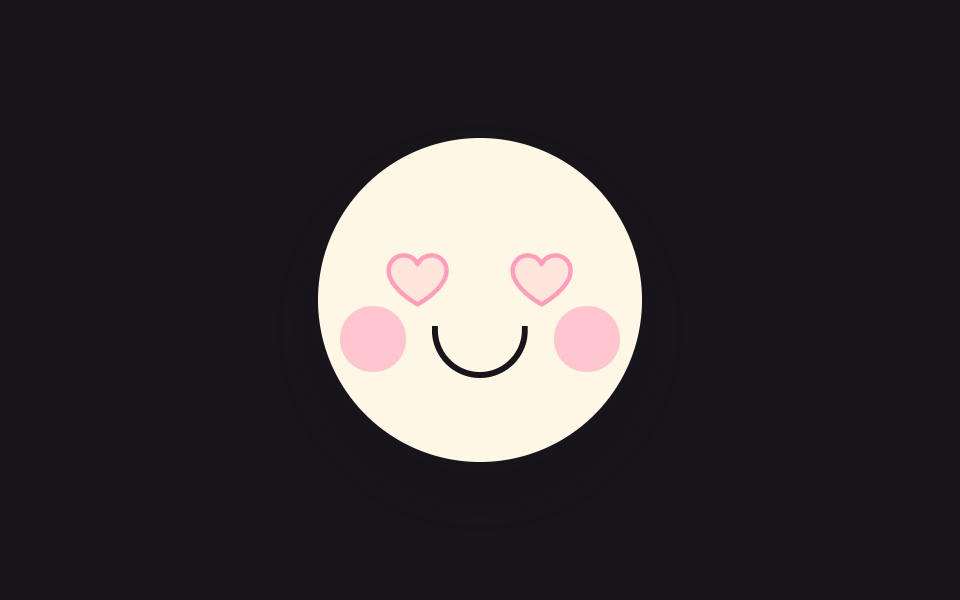 01 cute-heart-eyes-blink
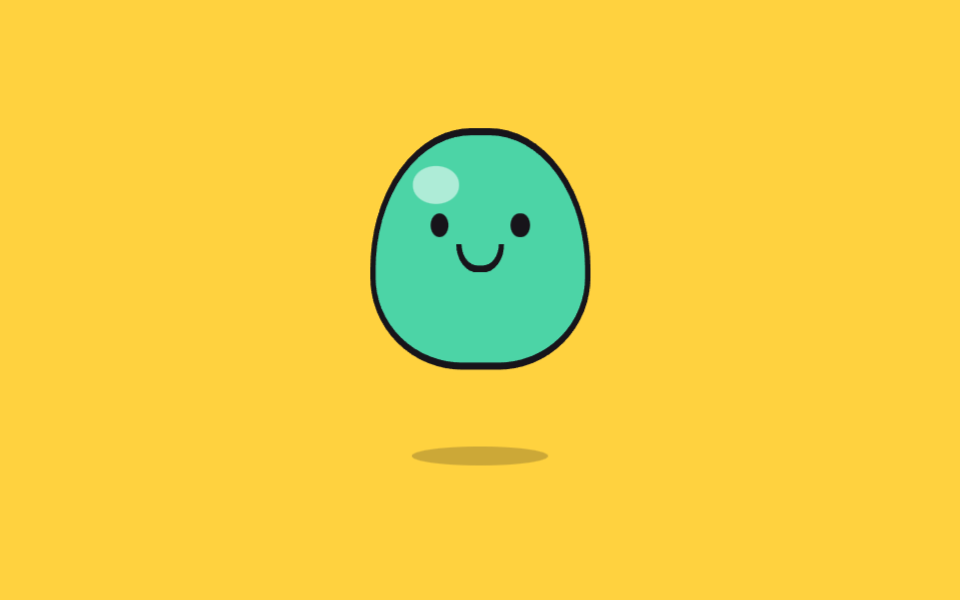 02 cute-jelly-bounce
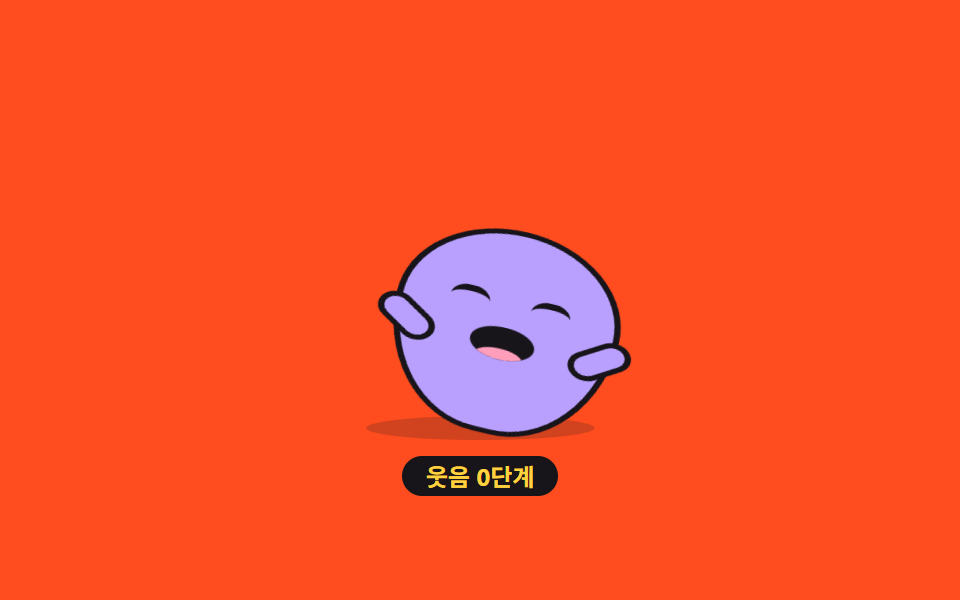 03 cute-belly-laugh-bean
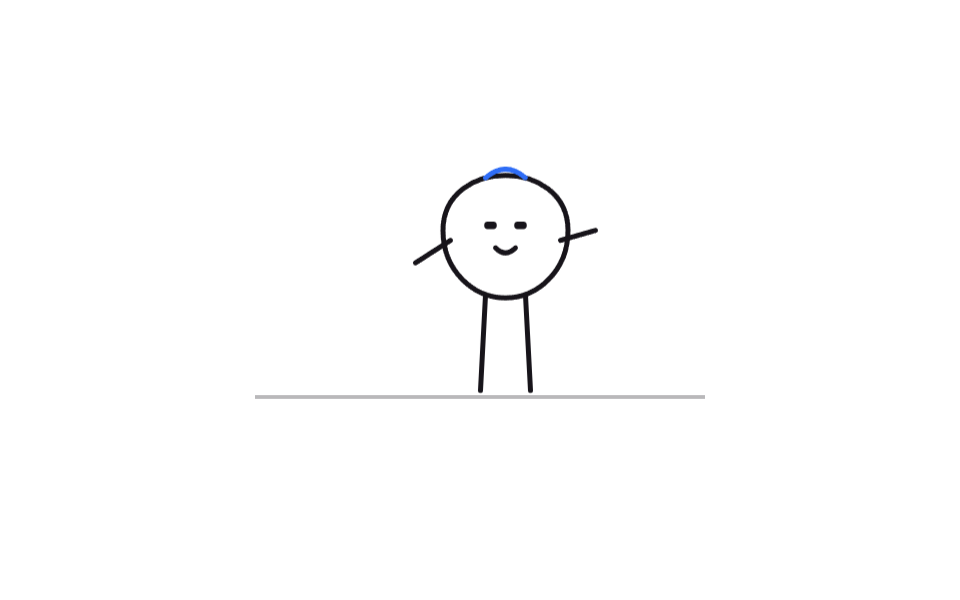 04 cute-doodle-walk-cycle
 05 cute-sticker-pop-in
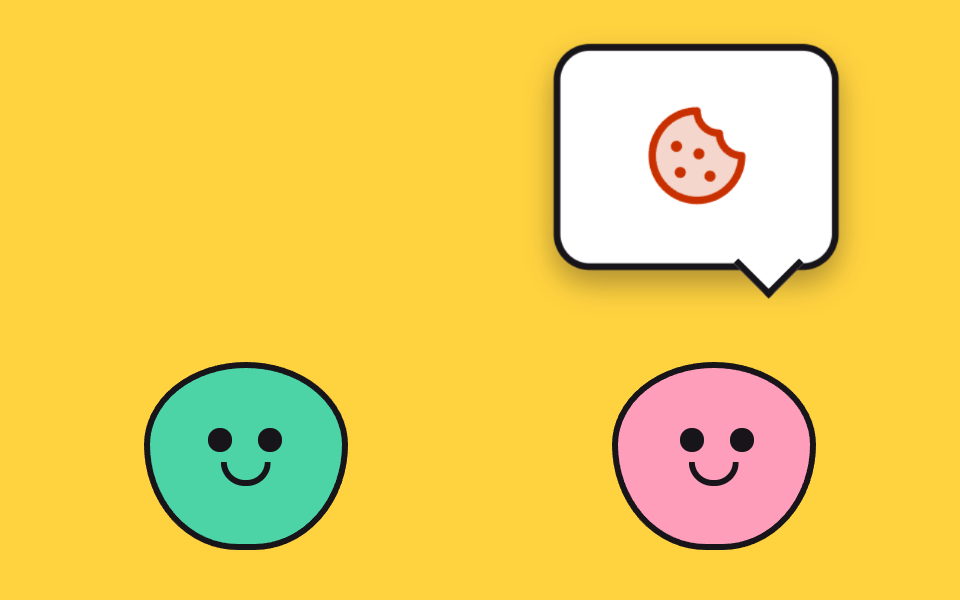 06 cute-speech-bubble-chatter
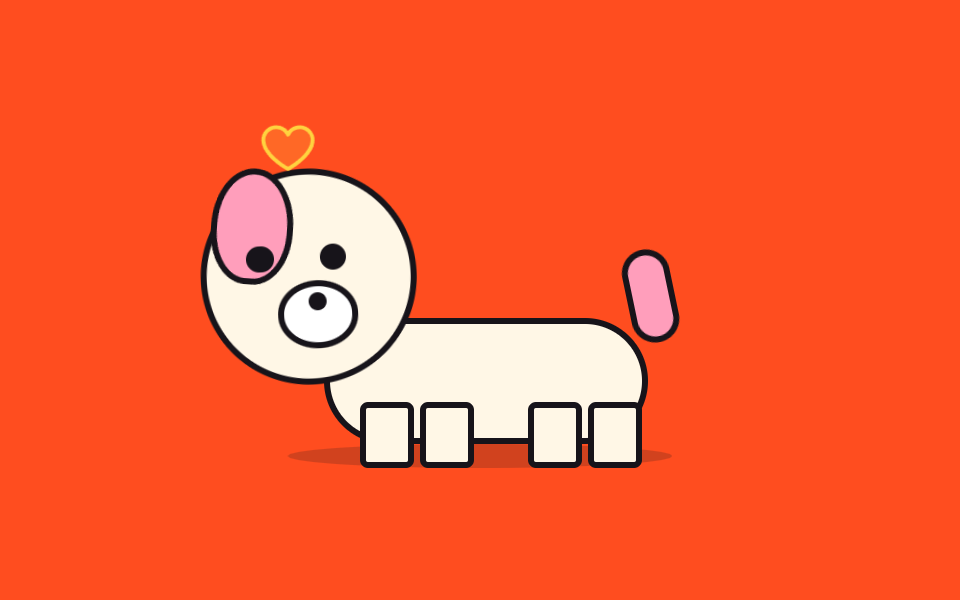 07 cute-tail-wag-wait
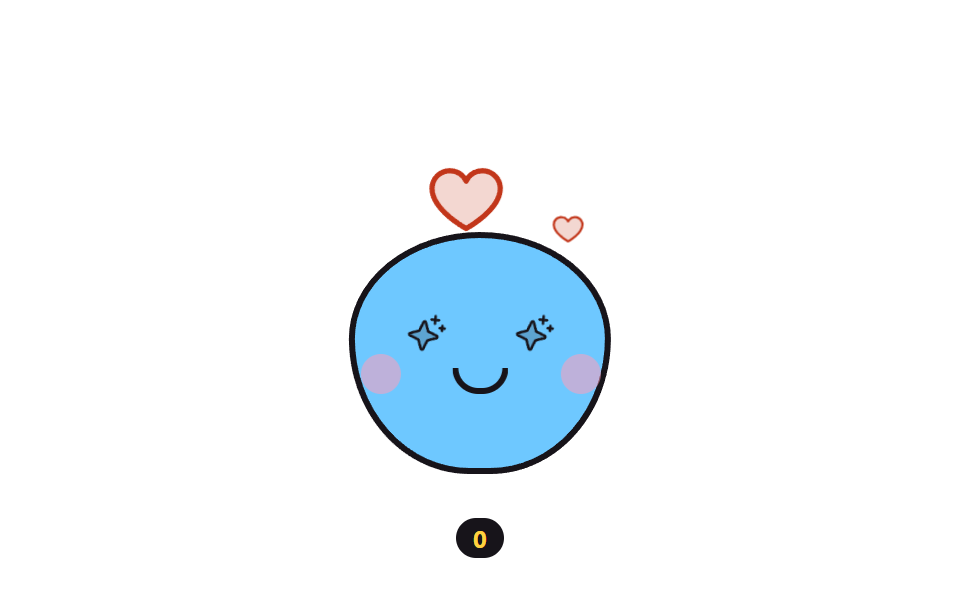 08 cute-sparkle-eyes-particles
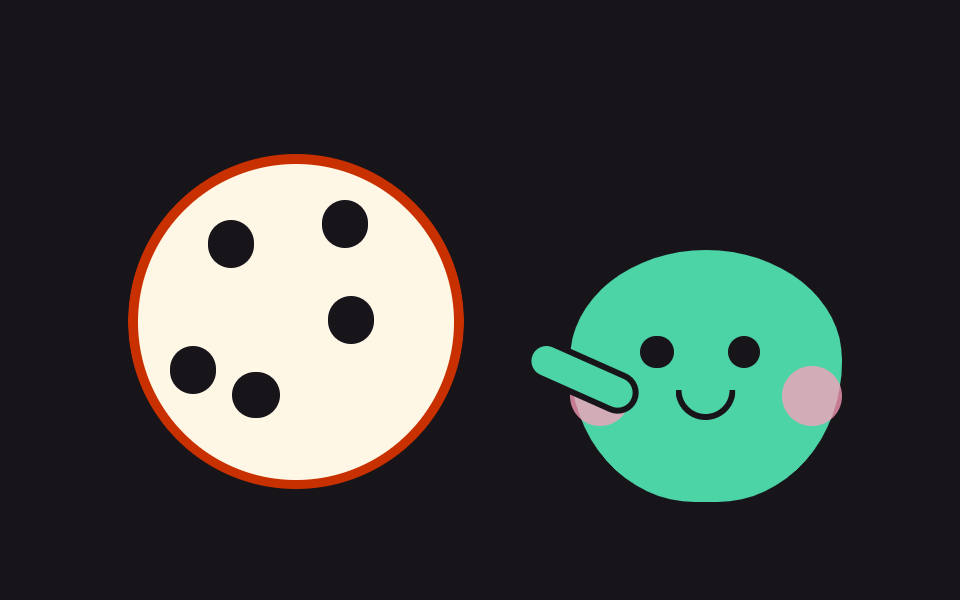 09 cute-cookie-bite-counter
Auto-plays · click a tile to jump to its section · all nine in one zip
- 01 Heart-eyes blink
- 02 Squishy jelly bounce
- 03 Belly-laugh bean
- 04 Doodle-line walk cycle
- 05 Sticker pop-in
- 06 Speech-bubble chatter
- 07 Tail-wag waiting dog
- 08 Sparkle-eyes heart particles
- 09 Cookie shared bite by bite
The order is neither difficulty nor popularity — it is how close each character stands to its audience. First they pull faces on their own (01 through 03), then they make their own entrance (04 and 05), then two of them hold a conversation (06), then they wait for a visitor and react (07 and 08), and the last one hands you part of its cookie (09). Every body here is a handful of circles, pills, and crescents, so chasing nice css animations takes geometry rather than a drawing tablet — shift the placement ratios and the expression changes. Jointed mascots that wave and doze live one step over in Mascot Animation: 9 CSS Parts from Wave to Sleep, and a heavier rain of hearts belongs in Canvas Particle Animation: 9 Engine Patterns.
01Heart-eyes blink
A round face with hearts for eyes that squeeze shut every few seconds — the character for a welcome-back screen after login.
<main class="stage">
<button class="hb is-demo" id="hb" type="button" aria-pressed="false" aria-label="Tap the character to say hi">
  <span class="hb__face" aria-hidden="true">
    <span class="hb__eye hb__eye--l"><svg xmlns="http://www.w3.org/2000/svg" width="1em" height="1em" viewBox="0 0 256 256"><g fill="currentColor"><path d="M232 102c0 66-104 122-104 122S24 168 24 102a54 54 0 0 1 54-54c22.59 0 41.94 12.31 50 32c8.06-19.69 27.41-32 50-32a54 54 0 0 1 54 54" opacity=".2"/><path d="M178 40c-20.65 0-38.73 8.88-50 23.89C116.73 48.88 98.65 40 78 40a62.07 62.07 0 0 0-62 62c0 70 103.79 126.66 108.21 129a8 8 0 0 0 7.58 0C136.21 228.66 240 172 240 102a62.07 62.07 0 0 0-62-62m-50 174.8c-18.26-10.64-96-59.11-96-112.8a46.06 46.06 0 0 1 46-46c19.45 0 35.78 10.36 42.6 27a8 8 0 0 0 14.8 0c6.82-16.67 23.15-27 42.6-27a46.06 46.06 0 0 1 46 46c0 53.61-77.76 102.15-96 112.8"/></g></svg></span>
    <span class="hb__eye hb__eye--r"><svg xmlns="http://www.w3.org/2000/svg" width="1em" height="1em" viewBox="0 0 256 256"><g fill="currentColor"><path d="M232 102c0 66-104 122-104 122S24 168 24 102a54 54 0 0 1 54-54c22.59 0 41.94 12.31 50 32c8.06-19.69 27.41-32 50-32a54 54 0 0 1 54 54" opacity=".2"/><path d="M178 40c-20.65 0-38.73 8.88-50 23.89C116.73 48.88 98.65 40 78 40a62.07 62.07 0 0 0-62 62c0 70 103.79 126.66 108.21 129a8 8 0 0 0 7.58 0C136.21 228.66 240 172 240 102a62.07 62.07 0 0 0-62-62m-50 174.8c-18.26-10.64-96-59.11-96-112.8a46.06 46.06 0 0 1 46-46c19.45 0 35.78 10.36 42.6 27a8 8 0 0 0 14.8 0c6.82-16.67 23.15-27 42.6-27a46.06 46.06 0 0 1 46 46c0 53.61-77.76 102.15-96 112.8"/></g></svg></span>
    <span class="hb__cheek hb__cheek--l"></span>
    <span class="hb__cheek hb__cheek--r"></span>
    <span class="hb__mouth"></span>
  </span>
</button>
</main>
@use "../../../../site/static/demo-tokens" as *;
// 하트 눈 깜빡임 — 하트를 눈으로 삼은 얼굴이 몇 초에 한 번 세로로 눈을 감는다.
// 깜빡임은 눈 요소의 scaleY 로만 한다(눈꺼풀 오버레이를 얹으면 중간 프레임이 두 겹으로 겹쳐
// 유령처럼 보인다). 누르면 뺨이 발그레해지고 하트가 한 단계 커진다 — 상태는 aria-pressed 하나.
// 미리보기 루프(.is-demo)에서는 62% 지점에 뺨 발그레를 넣어 누른 뒤 모습도 프레임에 잡힌다.
$duration: $dur-loop;
$easing: $ease-pop;
$color: $subject-pink;
@include stage($stage-ink);
.hb {
display: block; border: 0; padding: 0; background: none; cursor: pointer;
-webkit-tap-highlight-color: transparent;
}
.hb:focus-visible { outline: 2px solid $color; outline-offset: 4px; border-radius: 50%; }
.hb__face {
position: relative; display: block; box-sizing: border-box;
width: clamp(120px, 38vw, 168px); aspect-ratio: 1;
background: $subject-cream; border: 3px solid $subject-ink; border-radius: 50%;
box-shadow: $shadow-raised;
}
// 눈 — 하트 아이콘(Phosphor heart duotone, 인라인). 커지는 하트 심장 박동도 이 요소의 scale
.hb__eye {
position: absolute; top: 32%; width: 22%; aspect-ratio: 1; color: $subject-pink;
transform-origin: 50% 50%;
}
.hb__eye--l { left: 20%; }
.hb__eye--r { right: 20%; }
.hb__eye svg { display: block; width: 100%; height: 100%; }
// 뺨 — 누르기 전엔 투명하게 있다가(공간 유지) 누르면 색이 오른다
.hb__cheek {
position: absolute; top: 52%; width: 20%; aspect-ratio: 1;
background: $subject-pink; border-radius: 50%; opacity: 0;
}
.hb__cheek--l { left: 7%; }
.hb__cheek--r { right: 7%; }
.hb__mouth {
position: absolute; top: 58%; left: 50%; width: 26%; height: 14%;
border: 3px solid $subject-ink; border-top: 0; border-radius: 0 0 $r-pill $r-pill;
transform: translateX(-50%);
}
// ── 누른 상태: 뺨 발그레 + 하트 한 단계 커짐 (정적 경로 — .is-demo 와 무관하게 살아 있다)
.hb[aria-pressed="true"] .hb__cheek { opacity: .55; }
.hb[aria-pressed="true"] .hb__eye { scale: 1.16; }
// ── 격자 미리보기 루프(2초). 깜빡임은 40~54% 구간(hbBlink 0%,40%→47%→54%,100%), 뺨은 62~88% 에 켜졌다 꺼진다. (주석 정정 2026-09-13 — 교열이 낡은 44~58 을 그대로 옮겨 적었던 출처)
// 하트는 앞구간에 두 번 박동(0~30%) 쳐서 정지 프레임을 채운다 — 깜빡임만으로는 움직인 프레임이 6/23 에 그친다
.hb.is-demo .hb__eye {
animation-name: hbBlink;
animation-duration: $duration;
animation-timing-function: $easing;
animation-iteration-count: infinite;
}
.hb.is-demo .hb__eye svg {
animation-name: hbBeat;
animation-duration: $duration;
animation-timing-function: $easing;
animation-iteration-count: infinite;
}
.hb.is-demo .hb__cheek {
animation-name: hbBlush;
animation-duration: $duration;
animation-timing-function: steps(1, end);
animation-iteration-count: infinite;
}
@keyframes hbBlink {
0%, 40% { transform: scaleY(1); }
47% { transform: scaleY(.08); }
54%, 100% { transform: scaleY(1); }
}
@keyframes hbBeat {
0%, 12% { transform: scale(1); }
17% { transform: scale(1.14); }
22% { transform: scale(1); }
27% { transform: scale(1.1); }
32%, 100% { transform: scale(1); }
}
@keyframes hbBlush {
0%, 61% { opacity: 0; }
62%, 87% { opacity: .55; }
88%, 100% { opacity: 0; }
}
// ── 좁은 화면: 얼굴을 조금 줄여 무대 안에 들어온다
@media (max-width: 340px) {
.hb__face { border-width: 2px; }
}
@media (prefers-reduced-motion: reduce) {
// 깜빡임을 끊으면 눈을 뜬 채 반가워하는 얼굴이 그대로 남는다
.hb.is-demo .hb__eye,
.hb.is-demo .hb__eye svg,
.hb.is-demo .hb__cheek {
animation: none !important;
}
}html, body {
margin: 0;
overflow: hidden;
}
.stage {
box-sizing: border-box;
min-height: 100vh;
display: grid;
place-items: center;
margin: 0;
background: #17141a;
font-family: -apple-system, "Segoe UI", "Noto Sans KR", sans-serif;
padding: clamp(8px, 4vw, 24px);
}
.hb {
display: block;
border: 0;
padding: 0;
background: none;
cursor: pointer;
-webkit-tap-highlight-color: transparent;
}
.hb:focus-visible {
outline: 2px solid #ff9ebb;
outline-offset: 4px;
border-radius: 50%;
}
.hb__face {
position: relative;
display: block;
box-sizing: border-box;
width: clamp(120px, 38vw, 168px);
aspect-ratio: 1;
background: #fff7e6;
border: 3px solid #17141a;
border-radius: 50%;
box-shadow: 0 14px 24px rgba(23, 20, 26, 0.32);
}
.hb__eye {
position: absolute;
top: 32%;
width: 22%;
aspect-ratio: 1;
color: #ff9ebb;
transform-origin: 50% 50%;
}
.hb__eye--l {
left: 20%;
}
.hb__eye--r {
right: 20%;
}
.hb__eye svg {
display: block;
width: 100%;
height: 100%;
}
.hb__cheek {
position: absolute;
top: 52%;
width: 20%;
aspect-ratio: 1;
background: #ff9ebb;
border-radius: 50%;
opacity: 0;
}
.hb__cheek--l {
left: 7%;
}
.hb__cheek--r {
right: 7%;
}
.hb__mouth {
position: absolute;
top: 58%;
left: 50%;
width: 26%;
height: 14%;
border: 3px solid #17141a;
border-top: 0;
border-radius: 0 0 999px 999px;
transform: translateX(-50%);
}
.hb[aria-pressed=true] .hb__cheek {
opacity: 0.55;
}
.hb[aria-pressed=true] .hb__eye {
scale: 1.16;
}
.hb.is-demo .hb__eye {
animation-name: hbBlink;
animation-duration: 2s;
animation-timing-function: cubic-bezier(0.2, 1.4, 0.4, 1);
animation-iteration-count: infinite;
}
.hb.is-demo .hb__eye svg {
animation-name: hbBeat;
animation-duration: 2s;
animation-timing-function: cubic-bezier(0.2, 1.4, 0.4, 1);
animation-iteration-count: infinite;
}
.hb.is-demo .hb__cheek {
animation-name: hbBlush;
animation-duration: 2s;
animation-timing-function: steps(1, end);
animation-iteration-count: infinite;
}
@keyframes hbBlink {
0%, 40% {
transform: scaleY(1);
}
47% {
transform: scaleY(0.08);
}
54%, 100% {
transform: scaleY(1);
}
}
@keyframes hbBeat {
0%, 12% {
transform: scale(1);
}
17% {
transform: scale(1.14);
}
22% {
transform: scale(1);
}
27% {
transform: scale(1.1);
}
32%, 100% {
transform: scale(1);
}
}
@keyframes hbBlush {
0%, 61% {
opacity: 0;
}
62%, 87% {
opacity: 0.55;
}
88%, 100% {
opacity: 0;
}
}
@media (max-width: 340px) {
.hb__face {
border-width: 2px;
}
}
@media (prefers-reduced-motion: reduce) {
.hb.is-demo .hb__eye,
.hb.is-demo .hb__eye svg,
.hb.is-demo .hb__cheek {
animation: none !important;
}
}var hb = document.getElementById('hb');
// 누르면 얼굴이 반가워하는 상태로 바뀐다 — 뺨 발그레 + 하트 한 단계 커짐. 상태는 aria-pressed 한 곳
hb.addEventListener('click', function () {
hb.classList.remove('is-demo');
hb.setAttribute('aria-pressed', hb.getAttribute('aria-pressed') === 'true' ? 'false' : 'true');
});
hb.addEventListener('pointerdown', function () { hb.classList.remove('is-demo'); });// CuteHeartEyes — vanilla 판(run/075/demo/01-cute-heart-eyes-blink) 의 React 포트.
// 누르면 얼굴이 반가워하는 상태로 바뀐다 — 상태는 aria-pressed 한 곳.
import { useState } from "react";
import type { CSSProperties } from "react";
import styles from "./CuteHeartEyes.module.scss";
export type CuteHeartEyesProps = {
duration?: number;
easing?: string;
color?: string;
initialPressed?: boolean;
};
type Vars = CSSProperties & { "--duration"?: string; "--easing"?: string; "--color"?: string };
const HEART_SVG = (
<svg xmlns="http://www.w3.org/2000/svg" width="1em" height="1em" viewBox="0 0 256 256"><g fill="currentColor"><path d="M232 102c0 66-104 122-104 122S24 168 24 102a54 54 0 0 1 54-54c22.59 0 41.94 12.31 50 32c8.06-19.69 27.41-32 50-32a54 54 0 0 1 54 54" opacity=".2"/><path d="M178 40c-20.65 0-38.73 8.88-50 23.89C116.73 48.88 98.65 40 78 40a62.07 62.07 0 0 0-62 62c0 70 103.79 126.66 108.21 129a8 8 0 0 0 7.58 0C136.21 228.66 240 172 240 102a62.07 62.07 0 0 0-62-62m-50 174.8c-18.26-10.64-96-59.11-96-112.8a46.06 46.06 0 0 1 46-46c19.45 0 35.78 10.36 42.6 27a8 8 0 0 0 14.8 0c6.82-16.67 23.15-27 42.6-27a46.06 46.06 0 0 1 46 46c0 53.61-77.76 102.15-96 112.8"/></g></svg>
);
export default function CuteHeartEyes(props: CuteHeartEyesProps) {
const duration = props.duration ?? 2000;
const easing = props.easing ?? "cubic-bezier(.2, 1.4, .4, 1)";
const color = props.color ?? "#ff9ebb";
const [pressed, setPressed] = useState<boolean>(props.initialPressed ?? false);
const [preview, setPreview] = useState<boolean>(true);
const vars: Vars = { "--duration": duration + "ms", "--easing": easing, "--color": color };
return (
<main className={styles.stage}>
<button
className={styles.hb + (preview ? " " + styles.isDemo : "")}
style={vars}
type="button"
aria-pressed={pressed}
aria-label="캐릭터 눌러서 반가워하기"
onClick={() => setPressed(!pressed)}
onPointerDown={() => setPreview(false)}
>
<span className={styles.face} aria-hidden="true">
<span className={styles.eye + " " + styles.eyeL}>{HEART_SVG}</span>
<span className={styles.eye + " " + styles.eyeR}>{HEART_SVG}</span>
<span className={styles.cheek + " " + styles.cheekL}></span>
<span className={styles.cheek + " " + styles.cheekR}></span>
<span className={styles.mouth}></span>
</span>
</button>
</main>
);
}01 · Heart-eyes blink — Measured area 2.374% · moving frames 11/23Original by GODRICH · SCSS and React ship in the zip · See the password
The blink is a vertical squash of the eye
.hb.is-demo .hb__eye {
  animation-name: hbBlink;
  animation-duration: $duration;
  animation-timing-function: $easing;
  animation-iteration-count: infinite;
}
@keyframes hbBlink {
  0%, 40% { transform: scaleY(1); }
  47% { transform: scaleY(.08); }
  54%, 100% { transform: scaleY(1); }
}
An eyelid overlay would stack two layers and read as a ghost, so the single eye element squashes to scaleY(.08), and the blink occupies only the short stretch around the 47% mark of a 2-second loop.
Heartbeats and blush fill the quiet stretch
@keyframes hbBeat {
  0%, 12% { transform: scale(1); }
  17% { transform: scale(1.14); }
  22% { transform: scale(1); }
  27% { transform: scale(1.1); }
  32%, 100% { transform: scale(1); }
}
@keyframes hbBlush {
  0%, 61% { opacity: 0; }
  62%, 87% { opacity: .55; }
  88%, 100% { opacity: 0; }
}
Two heartbeats early and a blush late fill the gap between blinks — 11 of 23 sampled frames moved, cumulative changed area 2.374% — and a real press flips aria-pressed so the same delighted look holds still, with cheeks at .55 and hearts at 1.16.
02Squishy jelly bounce
A jelly that crouches, stretches tall into a hop, and wobbles side to side on landing — the mascot for a game's start button.
<main class="stage">
<div class="jl is-demo" id="jl">
  <output class="jl__count" id="jlCount" aria-hidden="true">0</output>
  <button class="jl__hit" type="button" aria-label="Bounce the jelly">
    <span class="jl__scene" aria-hidden="true">
      <span class="jl__shadow"></span>
      <span class="jl__body" id="jlBody">
        <span class="jl__eye jl__eye--l"></span>
        <span class="jl__eye jl__eye--r"></span>
        <span class="jl__mouth"></span>
        <span class="jl__shine"></span>
      </span>
    </span>
  </button>
</div>
</main>
@use "../../../../site/static/demo-tokens" as *;
// 폭신 젤리 튀어오름 — 눌렀다 늘어나며 뛰고, 착지한 뒤 좌우로 출렁여 안정된다.
// 스쿼시·스트레치를 전부 transform(scaleY·translateY) 로만 한다 — width/height 를 건드리면
// 매 프레임 레이아웃이 다시 돈다. 그림자는 젤리가 뜬 만큼 가로로 줄어 착지감을 준다.
// 카운터(output)는 장식이라 aria-hidden — 횟수는 단추 라벨이 대신 알린다.
$duration: $dur-loop;
$easing: $ease-pop;
$color: $subject-mint;
@include stage($stage-yellow);
.jl { position: relative; display: grid; place-items: end center; }
// 카운터 — 젤리 머리 위 작은 알약. 배경 노랑 위 잉크 글자(대비 14.9:1)
.jl__count {
position: absolute; top: 0; left: 50%; transform: translateX(-50%);
min-width: $sp-6; padding: 0 $sp-2; box-sizing: border-box;
background: $subject-ink; color: $stage-yellow;
border-radius: $r-pill; text-align: center;
font-weight: 700; font-size: 12px; line-height: 20px;
}
.jl__hit { border: 0; padding: 0; background: none; cursor: pointer; -webkit-tap-highlight-color: transparent; }
.jl__hit:focus-visible { outline: 2px solid $subject-ink; outline-offset: 4px; border-radius: $r-card; }
.jl__scene {
position: relative; display: block; box-sizing: border-box;
width: clamp(150px, 48vw, 210px); height: clamp(120px, 38vw, 168px);
}
// 바닥 그림자 — 젤리 발밑. 떠 있는 동안 가로로 줄고 연해진다(누적면적에 잡히는 움직임)
.jl__shadow {
position: absolute; bottom: 0; left: 50%; width: 62%; height: 12px;
background: rgba(23, 20, 26, .22); border-radius: 50%;
transform: translateX(-50%);
}
// 젤리 몸 — 둥근 돔. 변형은 전부 이 요소 하나의 transform
.jl__body {
position: absolute; bottom: 4px; left: 50%; width: 56%; aspect-ratio: 1 / .82;
background: $color; border: 3px solid $subject-ink;
border-radius: 46% 46% 42% 42% / 58% 58% 38% 38%;
transform: translateX(-50%);
}
.jl__shine {
position: absolute; top: 14%; left: 18%; width: 22%; height: 16%;
background: rgba(255, 255, 255, .55); border-radius: 50%;
}
.jl__eye {
position: absolute; top: 34%; width: 9%; aspect-ratio: 1;
background: $subject-ink; border-radius: 50%;
}
.jl__eye--l { left: 26%; }
.jl__eye--r { right: 26%; }
.jl__mouth {
position: absolute; top: 48%; left: 50%; width: 18%; height: 9%;
border: 3px solid $subject-ink; border-top: 0; border-radius: 0 0 $r-pill $r-pill;
transform: translateX(-50%);
}
// ── 격자 미리보기 루프(2초): 웅크림(8%) → 도약(16~26%) → 착지 눌림(26%) → 출렁(34~66%) → 안정
.jl.is-demo .jl__body {
animation-name: jlHop;
animation-duration: $duration;
animation-timing-function: $easing;
animation-iteration-count: infinite;
}
.jl.is-demo .jl__shadow {
animation-name: jlShadow;
animation-duration: $duration;
animation-timing-function: $easing;
animation-iteration-count: infinite;
}
@keyframes jlHop {
  0% { transform: translateX(-50%) scale(1, 1); }
  8% { transform: translateX(-50%) scale(1.16, .66); }
  16% { transform: translateX(-50%) translateY(-52px) scale(.9, 1.16); }
  24% { transform: translateX(-50%) translateY(-18px) scale(.98, 1.05); }
  30% { transform: translateX(-50%) scale(1.12, .78); }
  38% { transform: translateX(-50%) scale(.96, 1.06); }
  46% { transform: translateX(-50%) scale(1.06, .93); }
  54% { transform: translateX(-50%) scale(.97, 1.04); }
  62% { transform: translateX(-50%) scale(1.03, .97); }
  70%, 100% { transform: translateX(-50%) scale(1, 1); }
}
@keyframes jlShadow {
0% { transform: translateX(-50%) scale(1, 1); }
8% { transform: translateX(-50%) scale(1.1, 1); }
16% { transform: translateX(-50%) scale(.55, .8); }
30% { transform: translateX(-50%) scale(1.08, 1); }
40%, 100% { transform: translateX(-50%) scale(1, 1); }
}
// ── 눌렀을 때 큰 바운드(일회성). 미리보기 루프보다 높이 뜨고 이징은 더 세게 튄다
.jl__body--boing { animation: jlBoing 700ms cubic-bezier(.28, 1.7, .42, 1) 1; }
@keyframes jlBoing {
0% { transform: translateX(-50%) scale(1.2, .6); }
30% { transform: translateX(-50%) translateY(-72px) scale(.86, 1.22); }
55% { transform: translateX(-50%) scale(1.18, .74); }
75% { transform: translateX(-50%) scale(.96, 1.06); }
100% { transform: translateX(-50%) scale(1, 1); }
}
// ── 좁은 화면: 장면을 줄여 무대 안에 들어온다
@media (max-width: 340px) {
.jl__count { font-size: 11px; line-height: 16px; }
.jl__body { border-width: 2px; }
}
@media (prefers-reduced-motion: reduce) {
// 출렁임을 끊면 가만히 서 있는 젤리가 남는다 — 눌렀을 때는 카운터만 오른다
.jl.is-demo .jl__body,
.jl.is-demo .jl__shadow,
.jl__body--boing {
animation: none !important;
}
}html, body {
margin: 0;
overflow: hidden;
}
.stage {
box-sizing: border-box;
min-height: 100vh;
display: grid;
place-items: center;
margin: 0;
background: #ffd23f;
font-family: -apple-system, "Segoe UI", "Noto Sans KR", sans-serif;
padding: clamp(8px, 4vw, 24px);
}
.jl {
position: relative;
display: grid;
place-items: end center;
}
.jl__count {
position: absolute;
top: 0;
left: 50%;
transform: translateX(-50%);
min-width: 24px;
padding: 0 8px;
box-sizing: border-box;
background: #17141a;
color: #ffd23f;
border-radius: 999px;
text-align: center;
font-weight: 700;
font-size: 12px;
line-height: 20px;
}
.jl__hit {
border: 0;
padding: 0;
background: none;
cursor: pointer;
-webkit-tap-highlight-color: transparent;
}
.jl__hit:focus-visible {
outline: 2px solid #17141a;
outline-offset: 4px;
border-radius: 16px;
}
.jl__scene {
position: relative;
display: block;
box-sizing: border-box;
width: clamp(150px, 48vw, 210px);
height: clamp(120px, 38vw, 168px);
}
.jl__shadow {
position: absolute;
bottom: 0;
left: 50%;
width: 62%;
height: 12px;
background: rgba(23, 20, 26, 0.22);
border-radius: 50%;
transform: translateX(-50%);
}
.jl__body {
position: absolute;
bottom: 4px;
left: 50%;
width: 56%;
aspect-ratio: 1/0.82;
background: #4cd4a6;
border: 3px solid #17141a;
border-radius: 46% 46% 42% 42%/58% 58% 38% 38%;
transform: translateX(-50%);
}
.jl__shine {
position: absolute;
top: 14%;
left: 18%;
width: 22%;
height: 16%;
background: rgba(255, 255, 255, 0.55);
border-radius: 50%;
}
.jl__eye {
position: absolute;
top: 34%;
width: 9%;
aspect-ratio: 1;
background: #17141a;
border-radius: 50%;
}
.jl__eye--l {
left: 26%;
}
.jl__eye--r {
right: 26%;
}
.jl__mouth {
position: absolute;
top: 48%;
left: 50%;
width: 18%;
height: 9%;
border: 3px solid #17141a;
border-top: 0;
border-radius: 0 0 999px 999px;
transform: translateX(-50%);
}
.jl.is-demo .jl__body {
animation-name: jlHop;
animation-duration: 2s;
animation-timing-function: cubic-bezier(0.2, 1.4, 0.4, 1);
animation-iteration-count: infinite;
}
.jl.is-demo .jl__shadow {
animation-name: jlShadow;
animation-duration: 2s;
animation-timing-function: cubic-bezier(0.2, 1.4, 0.4, 1);
animation-iteration-count: infinite;
}
@keyframes jlHop {
0% {
transform: translateX(-50%) scale(1, 1);
}
8% {
transform: translateX(-50%) scale(1.16, 0.66);
}
16% {
transform: translateX(-50%) translateY(-52px) scale(0.9, 1.16);
}
24% {
transform: translateX(-50%) translateY(-18px) scale(0.98, 1.05);
}
30% {
transform: translateX(-50%) scale(1.12, 0.78);
}
38% {
transform: translateX(-50%) scale(0.96, 1.06);
}
46% {
transform: translateX(-50%) scale(1.06, 0.93);
}
54% {
transform: translateX(-50%) scale(0.97, 1.04);
}
62% {
transform: translateX(-50%) scale(1.03, 0.97);
}
70%, 100% {
transform: translateX(-50%) scale(1, 1);
}
}
@keyframes jlShadow {
0% {
transform: translateX(-50%) scale(1, 1);
}
8% {
transform: translateX(-50%) scale(1.1, 1);
}
16% {
transform: translateX(-50%) scale(0.55, 0.8);
}
30% {
transform: translateX(-50%) scale(1.08, 1);
}
40%, 100% {
transform: translateX(-50%) scale(1, 1);
}
}
.jl__body--boing {
animation: jlBoing 700ms cubic-bezier(0.28, 1.7, 0.42, 1) 1;
}
@keyframes jlBoing {
0% {
transform: translateX(-50%) scale(1.2, 0.6);
}
30% {
transform: translateX(-50%) translateY(-72px) scale(0.86, 1.22);
}
55% {
transform: translateX(-50%) scale(1.18, 0.74);
}
75% {
transform: translateX(-50%) scale(0.96, 1.06);
}
100% {
transform: translateX(-50%) scale(1, 1);
}
}
@media (max-width: 340px) {
.jl__count {
font-size: 11px;
line-height: 16px;
}
.jl__body {
border-width: 2px;
}
}
@media (prefers-reduced-motion: reduce) {
.jl.is-demo .jl__body,
.jl.is-demo .jl__shadow,
.jl__body--boing {
animation: none !important;
}
}var jl = document.getElementById('jl');
var body = document.getElementById('jlBody');
var count = document.getElementById('jlCount');
var hits = 0;
// 누를 때마다 카운터가 오르고 젤리가 평소보다 크게 한 번 튄다 — 클래스를 Again 끼워 애니메이션을 재시동
document.querySelector('.jl__hit').addEventListener('click', function () {
  jl.classList.remove('is-demo');
  hits = hits + 1;
  count.textContent = String(hits);
  body.classList.remove('jl__body--boing');
  void body.offsetWidth;
  body.classList.add('jl__body--boing');
});
jl.addEventListener('pointerdown', function () { jl.classList.remove('is-demo'); });// CuteJellyBounce — vanilla 판(run/075/demo/02-cute-jelly-bounce) 의 React 포트.
// 누를 때마다 카운터가 오르고 젤리가 크게 한 번 튄다 — 몸 요소를 key 로 다시 만들어 일회성 애니메이션을 재시동한다.
import { useState } from "react";
import type { CSSProperties } from "react";
import styles from "./CuteJellyBounce.module.scss";
export type CuteJellyBounceProps = {
duration?: number;
easing?: string;
color?: string;
};
type Vars = CSSProperties & { "--duration"?: string; "--easing"?: string; "--color"?: string };
export default function CuteJellyBounce(props: CuteJellyBounceProps) {
const duration = props.duration ?? 2000;
const easing = props.easing ?? "cubic-bezier(.2, 1.4, .4, 1)";
const color = props.color ?? "#4cd4a6";
const [hits, setHits] = useState<number>(0);
const [preview, setPreview] = useState<boolean>(true);
const vars: Vars = { "--duration": duration + "ms", "--easing": easing, "--color": color };
return (
<main className={styles.stage}>
<div className={styles.jl + (preview ? " " + styles.isDemo : "")} style={vars}>
<output className={styles.count} aria-hidden="true">{hits}</output>
<button
className={styles.hit}
type="button"
aria-label="젤리 튀기"
onClick={() => setHits(hits + 1)}
onPointerDown={() => setPreview(false)}
>
<span className={styles.scene} aria-hidden="true">
<span className={styles.shadow}></span>
<span className={styles.body} key={"boing" + hits}>
<span className={styles.eye + " " + styles.eyeL}></span>
<span className={styles.eye + " " + styles.eyeR}></span>
<span className={styles.mouth}></span>
<span className={styles.shine}></span>
</span>
</span>
</button>
</div>
</main>
);
}02 · Squishy jelly bounce — Measured area 12.578% · moving frames 17/23Original by GODRICH · SCSS and React ship in the zip · See the password
Squash and stretch inside one transform
@keyframes jlHop {
0% { transform: translateX(-50%) scale(1, 1); }
8% { transform: translateX(-50%) scale(1.16, .66); }
16% { transform: translateX(-50%) translateY(-52px) scale(.9, 1.16); }
24% { transform: translateX(-50%) translateY(-18px) scale(.98, 1.05); }
30% { transform: translateX(-50%) scale(1.12, .78); }
38% { transform: translateX(-50%) scale(.96, 1.06); }
46% { transform: translateX(-50%) scale(1.06, .93); }
54% { transform: translateX(-50%) scale(.97, 1.04); }
62% { transform: translateX(-50%) scale(1.03, .97); }
70%, 100% { transform: translateX(-50%) scale(1, 1); }
}
Every squash and stretch rides one scale, so width and height never move and the layout never recalculates frame to frame, while the landing wobble decays through four passes on its way to 17 of 23 moving frames.
Every press adds one bigger bounce
document.querySelector('.jl__hit').addEventListener('click', function () {
jl.classList.remove('is-demo');
hits = hits + 1;
count.textContent = String(hits);
body.classList.remove('jl__body--boing');
void body.offsetWidth;
body.classList.add('jl__body--boing');
});
An animation class that is already attached will not restart, so the handler strips it, forces one layout read with void body.offsetWidth, and re-adds it to replay the taller one-shot bounce from the top.
03Belly-laugh bean
A bean buddy whose crescent eyes fold shut while the laugh tips its body and shakes its belly — a fit for the badge that appears once a comment posts.
<main class="stage">
<div class="bn is-demo" id="bn" data-level="0">
  <button class="bn__hit" type="button" aria-label="Make the bean friend laugh">
    <span class="bn__scene" aria-hidden="true">
      <span class="bn__shadow"></span>
      <span class="bn__bean" id="bnBean">
        <span class="bn__eye bn__eye--l"></span>
        <span class="bn__eye bn__eye--r"></span>
        <span class="bn__mouth"><span class="bn__tongue"></span></span>
        <span class="bn__arm bn__arm--l"></span>
        <span class="bn__arm bn__arm--r"></span>
      </span>
    </span>
  </button>
  <p class="bn__level" id="bnLevel" aria-hidden="true">Laugh level 0</p>
</div>
</main>
@use "../../../../site/static/demo-tokens" as *;
// 배 흔들기 웃음 — 눈을 반달로 접고 웃느라 몸이 기울고 배가 출렁이는 콩알 친구.
// 기울기의 원점은 발바닥(땅에 닿은 붙는 지점)이다 — 중심에 두면 발이 미끄러져 떠 보인다.
// 웃음 단계(data-level)는 기울기 진폭 --tilt 로만 커진다. 3단계에서는 몸이 앞으로 폭 접힌다.
// 정적 경로(미리보기 아님)에서도 기본 웃음 루프는 항상 돈다 — 누르면 진폭이 커질 뿐이다.
$duration: $dur-loop;
$easing: $ease-pop;
$color: $subject-lilac;
@include stage($stage-orange);
.bn { display: grid; justify-items: center; gap: $sp-2; }
.bn__hit { border: 0; padding: 0; background: none; cursor: pointer; -webkit-tap-highlight-color: transparent; }
.bn__hit:focus-visible { outline: 2px solid $subject-ink; outline-offset: 4px; border-radius: $r-card; }
.bn__scene {
position: relative; display: block; box-sizing: border-box;
width: clamp(140px, 44vw, 196px); height: clamp(120px, 38vw, 168px);
}
.bn__shadow {
position: absolute; bottom: 0; left: 50%; width: 58%; height: 12px;
background: rgba(23, 20, 26, .2); border-radius: 50%;
transform: translateX(-50%);
}
// 콩알 몸 — 세로로 길쭉한 알갱이. 기울기 진폭은 --tilt 변수 하나
.bn__bean {
--tilt: 4deg;
position: absolute; bottom: 4px; left: 50%; width: 52%; aspect-ratio: 1 / 1.18;
background: $color; border: 3px solid $subject-ink;
border-radius: 50% 50% 46% 46% / 42% 42% 58% 58%;
transform: translateX(-50%);
transform-origin: 50% 100%; // 붙는 지점: 발바닥 — 몸이 기울어도 발은 제자리
}
// 팔 — 웃으며 몸을 감싼다
.bn__arm {
position: absolute; top: 46%; width: 26%; height: 10%;
background: $color; border: 3px solid $subject-ink; border-radius: $r-pill;
}
.bn__arm--l { left: -12%; transform: rotate(38deg); }
.bn__arm--r { right: -12%; transform: rotate(-38deg); }
// 반달 눈 — 웃어서 감긴 호. border-top 만 있는 원호다
.bn__eye {
position: absolute; top: 30%; width: 18%; height: 10%;
border-top: 4px solid $subject-ink; border-radius: 50%;
}
.bn__eye--l { left: 22%; }
.bn__eye--r { right: 22%; }
// 벌린 입 — 안쪽 혀까지. 웃음에 맞춰 세로로 벌어졌다 닫힌다
.bn__mouth {
position: absolute; top: 46%; left: 50%; width: 30%; aspect-ratio: 1 / .8;
background: $subject-ink; border-radius: 50%;
transform: translateX(-50%); overflow: hidden;
}
.bn__tongue {
position: absolute; bottom: -22%; left: 50%; width: 74%; aspect-ratio: 1 / .6;
background: $subject-pink; border-radius: 50%;
transform: translateX(-50%);
}
// 단계 표시 — 주황 무대 위 잉크 알약
.bn__level {
margin: 0; padding: 0 $sp-3; background: $subject-ink; color: $stage-yellow;
border-radius: $r-pill; font-weight: 700; font-size: 12px; line-height: 20px;
}
// ── 기본 웃음 루프(정적 경로에서도 항상 돈다). 진폭은 --tilt 하나뿐이라 단계가 곧 진폭
.bn__bean {
animation-name: bnTilt;
animation-duration: $duration;
animation-timing-function: ease-in-out;
animation-iteration-count: infinite;
}
.bn__mouth {
animation-name: bnMouth;
animation-duration: $duration;
animation-timing-function: $easing;
animation-iteration-count: infinite;
}
@keyframes bnTilt {
0%, 100% { transform: translateX(-50%) rotate(calc(var(--tilt) * -1)); }
50% { transform: translateX(-50%) rotate(var(--tilt)); }
}
@keyframes bnMouth {
0%, 100% { transform: translateX(-50%) scale(1, .8); }
50% { transform: translateX(-50%) scale(1, 1.2); }
}
// ── 단계: 진폭이 커지다가 3단계에서 몸이 앞으로 폭 접힌다(일회성)
.bn[data-level="1"] .bn__bean { --tilt: 8deg; }
.bn[data-level="2"] .bn__bean { --tilt: 13deg; }
.bn[data-level="3"] .bn__bean {
--tilt: 4deg;
animation: bnFold 700ms cubic-bezier(.2, 1.4, .4, 1) 1 forwards;
}
@keyframes bnFold {
0% { transform: translateX(-50%) rotate(0deg) scale(1, 1); }
40% { transform: translateX(-50%) rotate(16deg) scale(1.06, .82); }
70% { transform: translateX(-50%) rotate(20deg) scale(1.1, .68); }
100% { transform: translateX(-50%) rotate(19deg) scale(1.08, .7); }
}
// ── 격자 미리보기 루프(2초): 같은 루프 안에서 단계가 커지다 접히고 돌아온다(90% 안에 복귀)
.bn.is-demo .bn__bean {
animation-name: bnLaughShow;
animation-duration: $duration;
animation-timing-function: ease-in-out;
animation-iteration-count: infinite;
}
@keyframes bnLaughShow {
0%, 8% { transform: translateX(-50%) rotate(-3deg) scaleX(1); }
16% { transform: translateX(-50%) rotate(3deg) scaleX(1.04); }
24% { transform: translateX(-50%) rotate(-3deg) scaleX(1); }
32% { transform: translateX(-50%) rotate(5deg) scaleX(1.06); }
40% { transform: translateX(-50%) rotate(-5deg) scaleX(1); }
48% { transform: translateX(-50%) rotate(5deg) scaleX(1.06); }
56% { transform: translateX(-50%) rotate(-5deg) scaleX(1); }
64% { transform: translateX(-50%) rotate(15deg) scale(1.06, .8); }
72%, 84% { transform: translateX(-50%) rotate(19deg) scale(1.08, .7); }
90%, 100% { transform: translateX(-50%) rotate(0deg) scale(1, 1); }
}
// ── 좁은 화면
@media (max-width: 340px) {
.bn { gap: $sp-1; }
.bn__level { font-size: 11px; line-height: 16px; }
.bn__bean { border-width: 2px; }
}
@media (prefers-reduced-motion: reduce) {
// 웃임 루프를 끊면 눈을 반달로 접고 선 채 웃고 있는 모습이 남는다
.bn__bean,
.bn__mouth,
.bn.is-demo .bn__bean {
animation: none !important;
}
}html, body {
margin: 0;
overflow: hidden;
}
.stage {
box-sizing: border-box;
min-height: 100vh;
display: grid;
place-items: center;
margin: 0;
background: #ff4d1f;
font-family: -apple-system, "Segoe UI", "Noto Sans KR", sans-serif;
padding: clamp(8px, 4vw, 24px);
}
.bn {
display: grid;
justify-items: center;
gap: 8px;
}
.bn__hit {
border: 0;
padding: 0;
background: none;
cursor: pointer;
-webkit-tap-highlight-color: transparent;
}
.bn__hit:focus-visible {
outline: 2px solid #17141a;
outline-offset: 4px;
border-radius: 16px;
}
.bn__scene {
position: relative;
display: block;
box-sizing: border-box;
width: clamp(140px, 44vw, 196px);
height: clamp(120px, 38vw, 168px);
}
.bn__shadow {
position: absolute;
bottom: 0;
left: 50%;
width: 58%;
height: 12px;
background: rgba(23, 20, 26, 0.2);
border-radius: 50%;
transform: translateX(-50%);
}
.bn__bean {
--tilt: 4deg;
position: absolute;
bottom: 4px;
left: 50%;
width: 52%;
aspect-ratio: 1/1.18;
background: #b9a0ff;
border: 3px solid #17141a;
border-radius: 50% 50% 46% 46%/42% 42% 58% 58%;
transform: translateX(-50%);
transform-origin: 50% 100%;
}
.bn__arm {
position: absolute;
top: 46%;
width: 26%;
height: 10%;
background: #b9a0ff;
border: 3px solid #17141a;
border-radius: 999px;
}
.bn__arm--l {
left: -12%;
transform: rotate(38deg);
}
.bn__arm--r {
right: -12%;
transform: rotate(-38deg);
}
.bn__eye {
position: absolute;
top: 30%;
width: 18%;
height: 10%;
border-top: 4px solid #17141a;
border-radius: 50%;
}
.bn__eye--l {
left: 22%;
}
.bn__eye--r {
right: 22%;
}
.bn__mouth {
position: absolute;
top: 46%;
left: 50%;
width: 30%;
aspect-ratio: 1/0.8;
background: #17141a;
border-radius: 50%;
transform: translateX(-50%);
overflow: hidden;
}
.bn__tongue {
position: absolute;
bottom: -22%;
left: 50%;
width: 74%;
aspect-ratio: 1/0.6;
background: #ff9ebb;
border-radius: 50%;
transform: translateX(-50%);
}
.bn__level {
margin: 0;
padding: 0 12px;
background: #17141a;
color: #ffd23f;
border-radius: 999px;
font-weight: 700;
font-size: 12px;
line-height: 20px;
}
.bn__bean {
animation-name: bnTilt;
animation-duration: 2s;
animation-timing-function: ease-in-out;
animation-iteration-count: infinite;
}
.bn__mouth {
animation-name: bnMouth;
animation-duration: 2s;
animation-timing-function: cubic-bezier(0.2, 1.4, 0.4, 1);
animation-iteration-count: infinite;
}
@keyframes bnTilt {
0%, 100% {
transform: translateX(-50%) rotate(calc(var(--tilt) * -1));
}
50% {
transform: translateX(-50%) rotate(var(--tilt));
}
}
@keyframes bnMouth {
0%, 100% {
transform: translateX(-50%) scale(1, 0.8);
}
50% {
transform: translateX(-50%) scale(1, 1.2);
}
}
.bn[data-level="1"] .bn__bean {
--tilt: 8deg;
}
.bn[data-level="2"] .bn__bean {
--tilt: 13deg;
}
.bn[data-level="3"] .bn__bean {
--tilt: 4deg;
animation: bnFold 700ms cubic-bezier(0.2, 1.4, 0.4, 1) 1 forwards;
}
@keyframes bnFold {
0% {
transform: translateX(-50%) rotate(0deg) scale(1, 1);
}
40% {
transform: translateX(-50%) rotate(16deg) scale(1.06, 0.82);
}
70% {
transform: translateX(-50%) rotate(20deg) scale(1.1, 0.68);
}
100% {
transform: translateX(-50%) rotate(19deg) scale(1.08, 0.7);
}
}
.bn.is-demo .bn__bean {
animation-name: bnLaughShow;
animation-duration: 2s;
animation-timing-function: ease-in-out;
animation-iteration-count: infinite;
}
@keyframes bnLaughShow {
0%, 8% {
transform: translateX(-50%) rotate(-3deg) scaleX(1);
}
16% {
transform: translateX(-50%) rotate(3deg) scaleX(1.04);
}
24% {
transform: translateX(-50%) rotate(-3deg) scaleX(1);
}
32% {
transform: translateX(-50%) rotate(5deg) scaleX(1.06);
}
40% {
transform: translateX(-50%) rotate(-5deg) scaleX(1);
}
48% {
transform: translateX(-50%) rotate(5deg) scaleX(1.06);
}
56% {
transform: translateX(-50%) rotate(-5deg) scaleX(1);
}
64% {
transform: translateX(-50%) rotate(15deg) scale(1.06, 0.8);
}
72%, 84% {
transform: translateX(-50%) rotate(19deg) scale(1.08, 0.7);
}
90%, 100% {
transform: translateX(-50%) rotate(0deg) scale(1, 1);
}
}
@media (max-width: 340px) {
.bn {
gap: 4px;
}
.bn__level {
font-size: 11px;
line-height: 16px;
}
.bn__bean {
border-width: 2px;
}
}
@media (prefers-reduced-motion: reduce) {
.bn__bean,
.bn__mouth,
.bn.is-demo .bn__bean {
animation: none !important;
}
}var bn = document.getElementById('bn');
var level = 0;
var labels = ['Laugh level 0', 'Laugh level 1', 'Laugh level 2', 'Laugh level 3 — doubled up'];
// 누를 때마다 웃음 단계가 0→1→2→3 까지 커지고, Again 누르면 처음으로 돌아간다
document.querySelector('.bn__hit').addEventListener('click', function () {
bn.classList.remove('is-demo');
level = (level + 1) % 4;
bn.dataset.level = String(level);
document.getElementById('bnLevel').textContent = labels[level];
});
bn.addEventListener('pointerdown', function () { bn.classList.remove('is-demo'); });// CuteBellyLaughBean — vanilla 판(run/075/demo/03-cute-belly-laugh-bean) 의 React 포트.
// 누를 때마다 웃음 단계가 0→1→2→3 까지 커지고 다시 누르면 처음으로 돌아간다(data-level).
import { useState } from "react";
import type { CSSProperties } from "react";
import styles from "./CuteBellyLaughBean.module.scss";
export type CuteBellyLaughBeanProps = {
duration?: number;
easing?: string;
color?: string;
};
type Vars = CSSProperties & { "--duration"?: string; "--easing"?: string; "--color"?: string };
const LABELS = ["웃음 0단계", "웃음 1단계", "웃음 2단계", "웃음 3단계 — 폭 접힘"];
export default function CuteBellyLaughBean(props: CuteBellyLaughBeanProps) {
const duration = props.duration ?? 2000;
const easing = props.easing ?? "cubic-bezier(.2, 1.4, .4, 1)";
const color = props.color ?? "#b9a0ff";
const [level, setLevel] = useState<number>(0);
const [preview, setPreview] = useState<boolean>(true);
const vars: Vars = { "--duration": duration + "ms", "--easing": easing, "--color": color };
return (
<main className={styles.stage}>
<div
className={styles.bn + (preview ? " " + styles.isDemo : "")}
style={vars}
data-level={level}
>
<button
className={styles.hit}
type="button"
aria-label="콩알 친구 웃기기"
onClick={() => setLevel((level + 1) % 4)}
onPointerDown={() => setPreview(false)}
>
<span className={styles.scene} aria-hidden="true">
<span className={styles.shadow}></span>
<span className={styles.bean} key={"fold" + level}>
<span className={styles.eye + " " + styles.eyeL}></span>
<span className={styles.eye + " " + styles.eyeR}></span>
<span className={styles.mouth}><span className={styles.tongue}></span></span>
<span className={styles.arm + " " + styles.armL}></span>
<span className={styles.arm + " " + styles.armR}></span>
</span>
</span>
</button>
<p className={styles.level} aria-hidden="true">{LABELS[level]}</p>
</div>
</main>
);
}03 · Belly-laugh bean — Measured area 8.074% · moving frames 22/23Original by GODRICH · SCSS and React ship in the zip · See the password
The tilt pivots on the sole
.bn__bean {
  --tilt: 4deg;
  position: absolute; bottom: 4px; left: 50%; width: 52%; aspect-ratio: 1 / 1.18;
  background: $color; border: 3px solid $subject-ink;
  border-radius: 50% 50% 46% 46% / 42% 42% 58% 58%;
  transform: translateX(-50%);
  transform-origin: 50% 100%; // attach point: the sole — the body tips, the feet stay planted
}
Park the origin at the body's center and every laugh shoves the feet sideways off the floor, but 50% 100% at the sole keeps them grounded no matter how far the body tips.
One variable is the whole laugh amplitude
.bn[data-level="1"] .bn__bean { --tilt: 8deg; }
.bn[data-level="2"] .bn__bean { --tilt: 13deg; }
.bn[data-level="3"] .bn__bean {
  --tilt: 4deg;
  animation: bnFold 700ms cubic-bezier(.2, 1.4, .4, 1) 1 forwards;
}
@keyframes bnTilt {
  0%, 100% { transform: translateX(-50%) rotate(calc(var(--tilt) * -1)); }
  50% { transform: translateX(-50%) rotate(var(--tilt)); }
}
Each press raises data-level, only --tilt changes, and the third stage swaps the loop for a one-shot fold that doubles the body over — 22 of 23 frames carried motion in that capture.
04Doodle-line walk cycle
A thin-line character that walks in from off screen, drawing its own stroke — the scroll guide for an intro page.
<main class="stage">
<div class="dw is-demo" id="dw" data-dir="fwd">
  <button class="dw__hit" type="button" aria-label="Flip the walk direction">
    <svg class="dw__scene" viewBox="0 0 480 300" aria-hidden="true">
      <line class="dw__ground" x1="60" y1="228" x2="420" y2="228" pathLength="100"/>
      <g class="dw__walker" id="dwWalker">
        <g class="dw__flipper">
          <path class="dw__draw dw__body" d="M150 96 C150 66 176 52 200 52 C224 52 250 66 250 96 C250 128 226 150 200 150 C174 150 150 128 150 96 Z" pathLength="100"/>
          <path class="dw__draw dw__leg dw__leg--l" d="M184 148 L180 224" pathLength="100"/>
          <path class="dw__draw dw__leg dw__leg--r" d="M216 148 L220 224" pathLength="100"/>
          <path class="dw__draw dw__arm dw__arm--l" d="M156 104 L128 122" pathLength="100"/>
          <path class="dw__draw dw__arm dw__arm--r" d="M244 104 L272 96" pathLength="100"/>
          <path class="dw__draw dw__eye" d="M186 92 L190 92" pathLength="100"/>
          <path class="dw__draw dw__eye" d="M210 92 L214 92" pathLength="100"/>
          <path class="dw__draw dw__mouth" d="M192 110 Q200 118 208 110" pathLength="100"/>
          <path class="dw__draw dw__crest" d="M184 54 Q200 40 216 54" pathLength="100"/>
        </g>
      </g>
    </svg>
  </button>
</div>
</main>
@use "../../../../site/static/demo-tokens" as *;
// 낙서 선 캐릭터 걷기 — 얇은 선(stroke)으로만 그린 캐릭터가 선을 그려가며 걷는다.
// 등장은 stroke-dashoffset(모든 path 에 pathLength="100" 을 걸어 길이를 100 으로 통일),
// 걷기는 다리 두 선의 교대 rotate(원점 = 엉덩이 붙는 지점) + 몸의 상하 바운스.
// 방향 전환은 안쪽 .dw__flipper 에 scaleX(-1) — 바깥 걷기 애니메이션(transform)과 겹치지 않게 층을 나눴다.
$duration: $dur-loop;
$easing: $ease-pop;
$color: $subject-blue;
@include stage($stage-paper);
.dw { display: grid; place-items: center; }
.dw__hit { border: 0; padding: 0; background: none; cursor: pointer; -webkit-tap-highlight-color: transparent; }
.dw__hit:focus-visible { outline: 2px solid $color; outline-offset: 4px; border-radius: $r-card; }
.dw__scene { display: block; width: min(100%, 440px); height: auto; overflow: visible; }
// 선 공통 — 낙서 느낌의 둥근 끝
.dw__draw {
fill: none; stroke: $subject-ink; stroke-width: 4;
stroke-linecap: round; stroke-linejoin: round;
stroke-dasharray: 100; stroke-dashoffset: 0;
}
.dw__ground { stroke: rgba(23, 20, 26, .3); stroke-width: 3; }
.dw__eye { stroke-width: 6; }
.dw__crest { stroke: $color; }
// 다리·팔 — 엉덩이·어깨(붙는 지점)를 원점으로 교대로 흔든다.
// SVG 자식의 transform-origin 은 transform-box: view-box 를 명시해야 viewBox 좌표(px) 로 잡힌다
.dw__leg { transform-box: view-box; transform-origin: 200px 148px; }
.dw__arm { transform-box: view-box; transform-origin: 200px 104px; }
.dw__leg--l, .dw__arm--r { animation-name: dwSwingA; }
.dw__leg--r, .dw__arm--l { animation-name: dwSwingB; }
.dw__leg, .dw__arm {
animation-duration: .5s;
animation-timing-function: ease-in-out;
animation-iteration-count: infinite;
}
@keyframes dwSwingA {
0%, 100% { transform: rotate(16deg); }
50% { transform: rotate(-16deg); }
}
@keyframes dwSwingB {
0%, 100% { transform: rotate(-16deg); }
50% { transform: rotate(16deg); }
}
// 걷기 — 몸통 그룹이 좌우로 건너가며 상하로 까딱인다. 걸음(.5s)과 주기(2s)가 맞아떨어진다
.dw__walker {
animation-name: dwWalk;
animation-duration: $duration;
animation-timing-function: linear;
animation-iteration-count: infinite;
}
@keyframes dwWalk {
0% { transform: translateX(-110px) translateY(0); }
12% { transform: translateX(-80px) translateY(-4px); }
25% { transform: translateX(-50px) translateY(0); }
37% { transform: translateX(-20px) translateY(-4px); }
50% { transform: translateX(10px) translateY(0); }
62% { transform: translateX(40px) translateY(-4px); }
75% { transform: translateX(70px) translateY(0); }
87% { transform: translateX(100px) translateY(-4px); }
100% { transform: translateX(110px) translateY(0); }
}
// 방향 — 누르면 안쪽 층이 좌우로 뒤집힌다
.dw[data-dir="back"] .dw__flipper { transform: scaleX(-1); }
.dw__flipper { transform-box: view-box; transform-origin: 200px 150px; }
// ── 격자 미리보기 루프(2초): 첫 38% 에 선이 그려지며 등장, 뒤는 계속 걷는다
.dw.is-demo .dw__draw {
animation-name: dwDraw;
animation-duration: $duration;
animation-timing-function: $easing;
animation-iteration-count: infinite;
}
@keyframes dwDraw {
0% { stroke-dashoffset: 100; }
38%, 100% { stroke-dashoffset: 0; }
}
// ── 좁은 화면: svg 는 비율 유지라 폭이 곧 높이다 — 무대 세로(320×200, 패딩 제외 174px) 안에 들게 폭을 묶는다
@media (max-width: 340px) {
.dw__scene { width: min(100%, 272px); } // 272 × 300/480 = 170px
}
@media (prefers-reduced-motion: reduce) {
// 걷기를 끊면 다 그려진 캐릭터가 제자리에 선다 — 다리 흔들림도 멈춘다
.dw__walker,
.dw__leg,
.dw__arm,
.dw.is-demo .dw__draw {
animation: none !important;
}
.dw.is-demo .dw__draw { stroke-dashoffset: 0; }
}html, body {
margin: 0;
overflow: hidden;
}
.stage {
box-sizing: border-box;
min-height: 100vh;
display: grid;
place-items: center;
margin: 0;
background: #ffffff;
font-family: -apple-system, "Segoe UI", "Noto Sans KR", sans-serif;
padding: clamp(8px, 4vw, 24px);
}
.dw {
display: grid;
place-items: center;
}
.dw__hit {
border: 0;
padding: 0;
background: none;
cursor: pointer;
-webkit-tap-highlight-color: transparent;
}
.dw__hit:focus-visible {
outline: 2px solid #2f6df6;
outline-offset: 4px;
border-radius: 16px;
}
.dw__scene {
display: block;
width: min(100%, 440px);
height: auto;
overflow: visible;
}
.dw__draw {
fill: none;
stroke: #17141a;
stroke-width: 4;
stroke-linecap: round;
stroke-linejoin: round;
stroke-dasharray: 100;
stroke-dashoffset: 0;
}
.dw__ground {
stroke: rgba(23, 20, 26, 0.3);
stroke-width: 3;
}
.dw__eye {
stroke-width: 6;
}
.dw__crest {
stroke: #2f6df6;
}
.dw__leg {
transform-box: view-box;
transform-origin: 200px 148px;
}
.dw__arm {
transform-box: view-box;
transform-origin: 200px 104px;
}
.dw__leg--l, .dw__arm--r {
animation-name: dwSwingA;
}
.dw__leg--r, .dw__arm--l {
animation-name: dwSwingB;
}
.dw__leg, .dw__arm {
animation-duration: 0.5s;
animation-timing-function: ease-in-out;
animation-iteration-count: infinite;
}
@keyframes dwSwingA {
0%, 100% {
transform: rotate(16deg);
}
50% {
transform: rotate(-16deg);
}
}
@keyframes dwSwingB {
0%, 100% {
transform: rotate(-16deg);
}
50% {
transform: rotate(16deg);
}
}
.dw__walker {
animation-name: dwWalk;
animation-duration: 2s;
animation-timing-function: linear;
animation-iteration-count: infinite;
}
@keyframes dwWalk {
0% {
transform: translateX(-110px) translateY(0);
}
12% {
transform: translateX(-80px) translateY(-4px);
}
25% {
transform: translateX(-50px) translateY(0);
}
37% {
transform: translateX(-20px) translateY(-4px);
}
50% {
transform: translateX(10px) translateY(0);
}
62% {
transform: translateX(40px) translateY(-4px);
}
75% {
transform: translateX(70px) translateY(0);
}
87% {
transform: translateX(100px) translateY(-4px);
}
100% {
transform: translateX(110px) translateY(0);
}
}
.dw[data-dir=back] .dw__flipper {
transform: scaleX(-1);
}
.dw__flipper {
transform-box: view-box;
transform-origin: 200px 150px;
}
.dw.is-demo .dw__draw {
animation-name: dwDraw;
animation-duration: 2s;
animation-timing-function: cubic-bezier(0.2, 1.4, 0.4, 1);
animation-iteration-count: infinite;
}
@keyframes dwDraw {
0% {
stroke-dashoffset: 100;
}
38%, 100% {
stroke-dashoffset: 0;
}
}
@media (max-width: 340px) {
.dw__scene {
width: min(100%, 272px);
}
}
@media (prefers-reduced-motion: reduce) {
.dw__walker,
.dw__leg,
.dw__arm,
.dw.is-demo .dw__draw {
animation: none !important;
}
.dw.is-demo .dw__draw {
stroke-dashoffset: 0;
}
}var dw = document.getElementById('dw');
// 누르면 걷는 방향이 뒤집힌다 — data-dir 하나만 바꾸고 거울은 CSS 가 씌운다
document.querySelector('.dw__hit').addEventListener('click', function () {
dw.classList.remove('is-demo');
dw.dataset.dir = dw.dataset.dir === 'fwd' ? 'back' : 'fwd';
});
dw.addEventListener('pointerdown', function () { dw.classList.remove('is-demo'); });// CuteDoodleWalkCycle — vanilla 판(run/075/demo/04-cute-doodle-walk-cycle) 의 React 포트.
// 누르면 걷는 방향이 뒤집힌다 — data-dir 하나만 바꾸고 거울은 CSS 가 씌운다.
import { useState } from "react";
import type { CSSProperties } from "react";
import styles from "./CuteDoodleWalkCycle.module.scss";
export type CuteDoodleWalkCycleProps = {
duration?: number;
easing?: string;
color?: string;
};
type Vars = CSSProperties & { "--duration"?: string; "--easing"?: string; "--color"?: string };
export default function CuteDoodleWalkCycle(props: CuteDoodleWalkCycleProps) {
const duration = props.duration ?? 2000;
const easing = props.easing ?? "cubic-bezier(.2, 1.4, .4, 1)";
const color = props.color ?? "#2f6df6";
const [dir, setDir] = useState<"fwd" | "back">("fwd");
const [preview, setPreview] = useState<boolean>(true);
const vars: Vars = { "--duration": duration + "ms", "--easing": easing, "--color": color };
return (
<main className={styles.stage}>
<div className={styles.dw + (preview ? " " + styles.isDemo : "")} style={vars} data-dir={dir}>
<button
className={styles.hit}
type="button"
aria-label="걷는 방향 바꾸기"
onClick={() => setDir(dir === "fwd" ? "back" : "fwd")}
onPointerDown={() => setPreview(false)}
>
<svg className={styles.scene} viewBox="0 0 480 300" aria-hidden="true">
<line className={styles.ground} x1="60" y1="228" x2="420" y2="228" pathLength="100" />
<g className={styles.walker}>
<g className={styles.flipper}>
<path className={styles.draw + " " + styles.body} d="M150 96 C150 66 176 52 200 52 C224 52 250 66 250 96 C250 128 226 150 200 150 C174 150 150 128 150 96 Z" pathLength="100" />
<path className={styles.draw + " " + styles.leg + " " + styles.legL} d="M184 148 L180 224" pathLength="100" />
<path className={styles.draw + " " + styles.leg + " " + styles.legR} d="M216 148 L220 224" pathLength="100" />
<path className={styles.draw + " " + styles.arm + " " + styles.armL} d="M156 104 L128 122" pathLength="100" />
<path className={styles.draw + " " + styles.arm + " " + styles.armR} d="M244 104 L272 96" pathLength="100" />
<path className={styles.draw + " " + styles.eye} d="M186 92 L190 92" pathLength="100" />
<path className={styles.draw + " " + styles.eye} d="M210 92 L214 92" pathLength="100" />
<path className={styles.draw + " " + styles.mouth} d="M192 110 Q200 118 208 110" pathLength="100" />
<path className={styles.draw + " " + styles.crest} d="M184 54 Q200 40 216 54" pathLength="100" />
</g>
</g>
</svg>
</button>
</div>
</main>
);
}04 · Doodle-line walk cycle — Measured area 12.113% · moving frames 23/23Original by GODRICH · SCSS and React ship in the zip · See the password
The entrance draws its own stroke
.dw__draw {
  fill: none; stroke: $subject-ink; stroke-width: 4;
  stroke-linecap: round; stroke-linejoin: round;
  stroke-dasharray: 100; stroke-dashoffset: 0;
}
@keyframes dwDraw {
  0% { stroke-dashoffset: 100; }
  38%, 100% { stroke-dashoffset: 0; }
}
Every path carries pathLength="100", so body, legs, and arms draw at one speed regardless of their real lengths, and the drawing finishes inside the first 38% of the 2-second loop.
Legs and arms pivot in turn at the joints
// Legs and arms swing in turn around the hip and shoulder joints where they attach.
// A child of the SVG needs transform-box: view-box before transform-origin lands in viewBox pixels
.dw__leg { transform-box: view-box; transform-origin: 200px 148px; }
.dw__arm { transform-box: view-box; transform-origin: 200px 104px; }
.dw__leg--l, .dw__arm--r { animation-name: dwSwingA; }
.dw__leg--r, .dw__arm--l { animation-name: dwSwingB; }
.dw__leg, .dw__arm {
  animation-duration: .5s;
  animation-timing-function: ease-in-out;
  animation-iteration-count: infinite;
}
@keyframes dwSwingA {
  0%, 100% { transform: rotate(16deg); }
  50% { transform: rotate(-16deg); }
}
@keyframes dwSwingB {
  0%, 100% { transform: rotate(-16deg); }
  50% { transform: rotate(16deg); }
}
The left leg shares its keyframes with the right arm while the right leg runs the mirrored set, and a press flips an inner layer with scaleX(-1) so the walker turns around without touching the walk transform.
05Sticker pop-in
A white-bordered sticker that pops out of nothing, overshoots, and settles — a part for a profile-decorating sticker sheet.
<main class="stage">
<div class="st is-demo" id="st">
  <output class="st__count" id="stCount" aria-hidden="true">0</output>
  <button class="st__hit" type="button" aria-label="Tap the sticker">
    <span class="st__sticker" id="stSticker" aria-hidden="true">
      <span class="st__face">
        <span class="st__ear st__ear--l"></span>
        <span class="st__ear st__ear--r"></span>
        <span class="st__eyeOpen st__eyeOpen--l"></span>
        <span class="st__eyeOpen st__eyeOpen--r"></span>
        <span class="st__eyeWink st__eyeWink--l"></span>
        <span class="st__eyeWink st__eyeWink--r"></span>
        <span class="st__snout"><span class="st__nose"></span><span class="st__mouth"></span></span>
        <span class="st__cheek st__cheek--l"></span>
        <span class="st__cheek st__cheek--r"></span>
      </span>
      <span class="st__spark st__spark--l"><svg xmlns="http://www.w3.org/2000/svg" width="1em" height="1em" viewBox="0 0 256 256"><g fill="currentColor"><path d="m194.82 151.43l-55.09 20.3l-20.3 55.09a7.92 7.92 0 0 1-14.86 0l-20.3-55.09l-55.09-20.3a7.92 7.92 0 0 1 0-14.86l55.09-20.3l20.3-55.09a7.92 7.92 0 0 1 14.86 0l20.3 55.09l55.09 20.3a7.92 7.92 0 0 1 0 14.86" opacity=".2"/><path d="M197.58 129.06L146 110l-19-51.62a15.92 15.92 0 0 0-29.88 0L78 110l-51.62 19a15.92 15.92 0 0 0 0 29.88L78 178l19 51.62a15.92 15.92 0 0 0 29.88 0L146 178l51.62-19a15.92 15.92 0 0 0 0-29.88ZM137 164.22a8 8 0 0 0-4.74 4.74L112 223.85L91.78 169a8 8 0 0 0-4.78-4.78L32.15 144L87 123.78a8 8 0 0 0 4.78-4.78L112 64.15L132.22 119a8 8 0 0 0 4.74 4.74L191.85 144ZM144 40a8 8 0 0 1 8-8h16V16a8 8 0 0 1 16 0v16h16a8 8 0 0 1 0 16h-16v16a8 8 0 0 1-16 0V48h-16a8 8 0 0 1-8-8m104 48a8 8 0 0 1-8 8h-8v8a8 8 0 0 1-16 0v-8h-8a8 8 0 0 1 0-16h8v-8a8 8 0 0 1 16 0v8h8a8 8 0 0 1 8 8"/></g></svg></span>
      <span class="st__spark st__spark--r"><svg xmlns="http://www.w3.org/2000/svg" width="1em" height="1em" viewBox="0 0 256 256"><g fill="currentColor"><path d="m194.82 151.43l-55.09 20.3l-20.3 55.09a7.92 7.92 0 0 1-14.86 0l-20.3-55.09l-55.09-20.3a7.92 7.92 0 0 1 0-14.86l55.09-20.3l20.3-55.09a7.92 7.92 0 0 1 14.86 0l20.3 55.09l55.09 20.3a7.92 7.92 0 0 1 0 14.86" opacity=".2"/><path d="M197.58 129.06L146 110l-19-51.62a15.92 15.92 0 0 0-29.88 0L78 110l-51.62 19a15.92 15.92 0 0 0 0 29.88L78 178l19 51.62a15.92 15.92 0 0 0 29.88 0L146 178l51.62-19a15.92 15.92 0 0 0 0-29.88ZM137 164.22a8 8 0 0 0-4.74 4.74L112 223.85L91.78 169a8 8 0 0 0-4.78-4.78L32.15 144L87 123.78a8 8 0 0 0 4.78-4.78L112 64.15L132.22 119a8 8 0 0 0 4.74 4.74L191.85 144ZM144 40a8 8 0 0 1 8-8h16V16a8 8 0 0 1 16 0v16h16a8 8 0 0 1 0 16h-16v16a8 8 0 0 1-16 0V48h-16a8 8 0 0 1-8-8m104 48a8 8 0 0 1-8 8h-8v8a8 8 0 0 1-16 0v-8h-8a8 8 0 0 1 0-16h8v-8a8 8 0 0 1 16 0v8h8a8 8 0 0 1 8 8"/></g></svg></span>
    </span>
  </button>
</div>
</main>
@use "../../../../site/static/demo-tokens" as *;
// 스티커 팝 등장 — 하얀 테두리를 두른 캐릭터 스티커가 0 에서 튀어나와 살짝 과하게 커졌다 앉는다.
// 등장은 스티커 전체의 scale(중심 원점) 하나. 표정 교체(윙크)는 두 눈을 겹쳐 두고
// visibility 로 한 프레임에 컷 — 크로스페이드하면 두 표정이 반투명하게 겹쳐 찍힌다.
// 반짝이 두 개(Phosphor sparkle duotone, 인라인)는 테두리에 걸쳐 스티커 느낌을 완성한다.
$duration: $dur-loop;
$easing: $ease-pop;
$color: $stage-yellow;
@include stage($stage-ink);
.st { position: relative; display: grid; place-items: center; }
.st__count {
position: absolute; top: 0; left: 50%; transform: translateX(-50%);
min-width: $sp-6; padding: 0 $sp-2; box-sizing: border-box;
background: $subject-cream; color: $subject-ink;
border-radius: $r-pill; text-align: center;
font-weight: 700; font-size: 12px; line-height: 20px;
}
.st__hit { border: 0; padding: 0; background: none; cursor: pointer; -webkit-tap-highlight-color: transparent; }
.st__hit:focus-visible { outline: 2px solid $color; outline-offset: 4px; border-radius: 50%; }
// 스티커 — 하얀 테두리(여백) + 그림자 + 살짝 기울임. 모든 등장 변형은 이 요소의 transform
.st__sticker {
position: relative; display: grid; place-items: center;
width: clamp(130px, 40vw, 180px); aspect-ratio: 1;
background: $stage-paper; border-radius: 50%;
box-shadow: $shadow-raised;
transform: rotate(-4deg);
transform-origin: 50% 50%;
}
// 곰 얼굴
.st__face {
position: relative; width: 74%; aspect-ratio: 1;
background: $color; border: 3px solid $subject-ink; border-radius: 50%;
}
.st__ear {
position: absolute; top: -7%; width: 26%; aspect-ratio: 1;
background: $color; border: 3px solid $subject-ink; border-radius: 50%;
z-index: -1;
}
.st__ear--l { left: 4%; }
.st__ear--r { right: 4%; }
// 눈 두 벌(열린 눈·윙크 눈)을 같은 칸에 겹치고 보이는 쪽만 visibility 로 고른다
.st__eyeOpen, .st__eyeWink { position: absolute; top: 38%; width: 11%; aspect-ratio: 1; }
.st__eyeOpen { background: $subject-ink; border-radius: 50%; }
.st__eyeOpen--l { left: 26%; }
.st__eyeOpen--r { right: 26%; }
.st__eyeWink { border-top: 4px solid $subject-ink; border-radius: 50%; visibility: hidden; }
.st__eyeWink--l { left: 26%; }
.st__eyeWink--r { right: 26%; }
.st--wink .st__eyeOpen--r { visibility: hidden; }
.st--wink .st__eyeWink--r { visibility: visible; }
.st__snout {
position: absolute; top: 52%; left: 50%; width: 34%; aspect-ratio: 1 / .8;
background: $subject-cream; border: 3px solid $subject-ink; border-radius: 50%;
transform: translateX(-50%);
}
.st__nose {
position: absolute; top: 18%; left: 50%; width: 22%; aspect-ratio: 1;
background: $subject-ink; border-radius: 50%;
transform: translateX(-50%);
}
.st__mouth {
position: absolute; top: 52%; left: 50%; width: 46%; height: 26%;
border: 3px solid $subject-ink; border-top: 0; border-radius: 0 0 $r-pill $r-pill;
transform: translateX(-50%);
}
.st__cheek {
position: absolute; top: 50%; width: 15%; aspect-ratio: 1;
background: $subject-pink; border-radius: 50%; opacity: .6;
}
.st__cheek--l { left: 5%; }
.st__cheek--r { right: 5%; }
// 반짝이 — 테두리에 걸친 장식
.st__spark {
position: absolute; width: 17%; aspect-ratio: 1; color: $color;
}
.st__spark--l { top: 2%; left: 0; }
.st__spark--r { bottom: 4%; right: 0; }
.st__spark svg { display: block; width: 100%; height: 100%; }
// ── 격자 미리보기 루프(2초): 팝 등장(0~30%) → 가만히(30~62%) → 윙크 컷(62~88%) → 복귀(90%)
.st.is-demo .st__sticker {
animation-name: stPop;
animation-duration: $duration;
animation-timing-function: $easing;
animation-iteration-count: infinite;
}
.st.is-demo .st__eyeOpen--r, .st.is-demo .st__eyeWink--r {
animation-name: stWink;
animation-duration: $duration;
animation-timing-function: steps(1, end);
animation-iteration-count: infinite;
}
@keyframes stPop {
  0% { transform: rotate(-10deg) scale(0); }
  14% { transform: rotate(0deg) scale(1.16); }
  24% { transform: rotate(-4deg) scale(.96); }
  32%, 58% { transform: rotate(-4deg) scale(1); }
  64% { transform: rotate(-4deg) scale(1.05); }
  72%, 100% { transform: rotate(-4deg) scale(1); }
}
@keyframes stWink {
0%, 61% { visibility: hidden; }
62%, 87% { visibility: visible; }
88%, 100% { visibility: hidden; }
}
// ── 눌렀을 때 살짝 튀는 반응(일회성) — 강한 이징으로 스티커가 쫀득 튕긴다
.st--nudge { animation: stNudge 420ms cubic-bezier(.2, 1.7, .4, 1) 1; }
@keyframes stNudge {
0% { transform: rotate(-4deg) scale(.92); }
50% { transform: rotate(2deg) scale(1.07); }
100% { transform: rotate(-4deg) scale(1); }
}
// ── 좁은 화면
@media (max-width: 340px) {
.st__count { font-size: 11px; line-height: 16px; }
.st__face, .st__ear, .st__snout { border-width: 2px; }
}
@media (prefers-reduced-motion: reduce) {
// 팝 등장을 끊면 다 나타난 스티커가 기울어진 채 앉아 있다 — 눌러도 표정만 바뀐다
.st.is-demo .st__sticker,
.st.is-demo .st__eyeOpen--r,
.st.is-demo .st__eyeWink--r,
.st--nudge {
animation: none !important;
}
}html, body {
margin: 0;
overflow: hidden;
}
.stage {
box-sizing: border-box;
min-height: 100vh;
display: grid;
place-items: center;
margin: 0;
background: #17141a;
font-family: -apple-system, "Segoe UI", "Noto Sans KR", sans-serif;
padding: clamp(8px, 4vw, 24px);
}
.st {
position: relative;
display: grid;
place-items: center;
}
.st__count {
position: absolute;
top: 0;
left: 50%;
transform: translateX(-50%);
min-width: 24px;
padding: 0 8px;
box-sizing: border-box;
background: #fff7e6;
color: #17141a;
border-radius: 999px;
text-align: center;
font-weight: 700;
font-size: 12px;
line-height: 20px;
}
.st__hit {
border: 0;
padding: 0;
background: none;
cursor: pointer;
-webkit-tap-highlight-color: transparent;
}
.st__hit:focus-visible {
outline: 2px solid #ffd23f;
outline-offset: 4px;
border-radius: 50%;
}
.st__sticker {
position: relative;
display: grid;
place-items: center;
width: clamp(130px, 40vw, 180px);
aspect-ratio: 1;
background: #ffffff;
border-radius: 50%;
box-shadow: 0 14px 24px rgba(23, 20, 26, 0.32);
transform: rotate(-4deg);
transform-origin: 50% 50%;
}
.st__face {
position: relative;
width: 74%;
aspect-ratio: 1;
background: #ffd23f;
border: 3px solid #17141a;
border-radius: 50%;
}
.st__ear {
position: absolute;
top: -7%;
width: 26%;
aspect-ratio: 1;
background: #ffd23f;
border: 3px solid #17141a;
border-radius: 50%;
z-index: -1;
}
.st__ear--l {
left: 4%;
}
.st__ear--r {
right: 4%;
}
.st__eyeOpen, .st__eyeWink {
position: absolute;
top: 38%;
width: 11%;
aspect-ratio: 1;
}
.st__eyeOpen {
background: #17141a;
border-radius: 50%;
}
.st__eyeOpen--l {
left: 26%;
}
.st__eyeOpen--r {
right: 26%;
}
.st__eyeWink {
border-top: 4px solid #17141a;
border-radius: 50%;
visibility: hidden;
}
.st__eyeWink--l {
left: 26%;
}
.st__eyeWink--r {
right: 26%;
}
.st--wink .st__eyeOpen--r {
visibility: hidden;
}
.st--wink .st__eyeWink--r {
visibility: visible;
}
.st__snout {
position: absolute;
top: 52%;
left: 50%;
width: 34%;
aspect-ratio: 1/0.8;
background: #fff7e6;
border: 3px solid #17141a;
border-radius: 50%;
transform: translateX(-50%);
}
.st__nose {
position: absolute;
top: 18%;
left: 50%;
width: 22%;
aspect-ratio: 1;
background: #17141a;
border-radius: 50%;
transform: translateX(-50%);
}
.st__mouth {
position: absolute;
top: 52%;
left: 50%;
width: 46%;
height: 26%;
border: 3px solid #17141a;
border-top: 0;
border-radius: 0 0 999px 999px;
transform: translateX(-50%);
}
.st__cheek {
position: absolute;
top: 50%;
width: 15%;
aspect-ratio: 1;
background: #ff9ebb;
border-radius: 50%;
opacity: 0.6;
}
.st__cheek--l {
left: 5%;
}
.st__cheek--r {
right: 5%;
}
.st__spark {
position: absolute;
width: 17%;
aspect-ratio: 1;
color: #ffd23f;
}
.st__spark--l {
top: 2%;
left: 0;
}
.st__spark--r {
bottom: 4%;
right: 0;
}
.st__spark svg {
display: block;
width: 100%;
height: 100%;
}
.st.is-demo .st__sticker {
animation-name: stPop;
animation-duration: 2s;
animation-timing-function: cubic-bezier(0.2, 1.4, 0.4, 1);
animation-iteration-count: infinite;
}
.st.is-demo .st__eyeOpen--r, .st.is-demo .st__eyeWink--r {
animation-name: stWink;
animation-duration: 2s;
animation-timing-function: steps(1, end);
animation-iteration-count: infinite;
}
@keyframes stPop {
0% {
transform: rotate(-10deg) scale(0);
}
14% {
transform: rotate(0deg) scale(1.16);
}
24% {
transform: rotate(-4deg) scale(0.96);
}
32%, 58% {
transform: rotate(-4deg) scale(1);
}
64% {
transform: rotate(-4deg) scale(1.05);
}
72%, 100% {
transform: rotate(-4deg) scale(1);
}
}
@keyframes stWink {
0%, 61% {
visibility: hidden;
}
62%, 87% {
visibility: visible;
}
88%, 100% {
visibility: hidden;
}
}
.st--nudge {
animation: stNudge 420ms cubic-bezier(0.2, 1.7, 0.4, 1) 1;
}
@keyframes stNudge {
0% {
transform: rotate(-4deg) scale(0.92);
}
50% {
transform: rotate(2deg) scale(1.07);
}
100% {
transform: rotate(-4deg) scale(1);
}
}
@media (max-width: 340px) {
.st__count {
font-size: 11px;
line-height: 16px;
}
.st__face, .st__ear, .st__snout {
border-width: 2px;
}
}
@media (prefers-reduced-motion: reduce) {
.st.is-demo .st__sticker,
.st.is-demo .st__eyeOpen--r,
.st.is-demo .st__eyeWink--r,
.st--nudge {
animation: none !important;
}
}var st = document.getElementById('st');
var sticker = document.getElementById('stSticker');
var count = document.getElementById('stCount');
var hits = 0;
// 다섯 번째 누름에 윙크, 여섯 번째에 원래 표정으로 돌아간다. 상태는 클래스 하나(.st--wink)
document.querySelector('.st__hit').addEventListener('click', function () {
st.classList.remove('is-demo');
hits = hits + 1;
count.textContent = String(hits);
sticker.classList.toggle('st--wink', hits % 5 === 0 && hits > 0);
sticker.classList.remove('st--nudge');
void sticker.offsetWidth;
sticker.classList.add('st--nudge');
});
st.addEventListener('pointerdown', function () { st.classList.remove('is-demo'); });// CuteStickerPopIn — vanilla 판(run/075/demo/05-cute-sticker-pop-in) 의 React 포트.
// 다섯 번째 누름에 윙크, 여섯 번째에 원래 표정. 누를 때마다 살짝 튀는 반응이 key 재마운트로 재시동된다.
import { useState } from "react";
import type { CSSProperties } from "react";
import styles from "./CuteStickerPopIn.module.scss";
export type CuteStickerPopInProps = {
duration?: number;
easing?: string;
color?: string;
};
type Vars = CSSProperties & { "--duration"?: string; "--easing"?: string; "--color"?: string };
const SPARKLE_SVG = (
<svg xmlns="http://www.w3.org/2000/svg" width="1em" height="1em" viewBox="0 0 256 256"><g fill="currentColor"><path d="m194.82 151.43l-55.09 20.3l-20.3 55.09a7.92 7.92 0 0 1-14.86 0l-20.3-55.09l-55.09-20.3a7.92 7.92 0 0 1 0-14.86l55.09-20.3l20.3-55.09a7.92 7.92 0 0 1 14.86 0l20.3 55.09l55.09 20.3a7.92 7.92 0 0 1 0 14.86" opacity=".2"/><path d="M197.58 129.06L146 110l-19-51.62a15.92 15.92 0 0 0-29.88 0L78 110l-51.62 19a15.92 15.92 0 0 0 0 29.88L78 178l19 51.62a15.92 15.92 0 0 0 29.88 0L146 178l51.62-19a15.92 15.92 0 0 0 0-29.88ZM137 164.22a8 8 0 0 0-4.74 4.74L112 223.85L91.78 169a8 8 0 0 0-4.78-4.78L32.15 144L87 123.78a8 8 0 0 0 4.78-4.78L112 64.15L132.22 119a8 8 0 0 0 4.74 4.74L191.85 144ZM144 40a8 8 0 0 1 8-8h16V16a8 8 0 0 1 16 0v16h16a8 8 0 0 1 0 16h-16v16a8 8 0 0 1-16 0V48h-16a8 8 0 0 1-8-8m104 48a8 8 0 0 1-8 8h-8v8a8 8 0 0 1-16 0v-8h-8a8 8 0 0 1 0-16h8v-8a8 8 0 0 1 16 0v8h8a8 8 0 0 1 8 8"/></g></svg>
);
export default function CuteStickerPopIn(props: CuteStickerPopInProps) {
const duration = props.duration ?? 2000;
const easing = props.easing ?? "cubic-bezier(.2, 1.4, .4, 1)";
const color = props.color ?? "#ffd23f";
const [hits, setHits] = useState<number>(0);
const [preview, setPreview] = useState<boolean>(true);
const vars: Vars = { "--duration": duration + "ms", "--easing": easing, "--color": color };
const wink = hits > 0 && hits % 5 === 0;
return (
<main className={styles.stage}>
<div className={styles.st + (preview ? " " + styles.isDemo : "")} style={vars}>
<output className={styles.count} aria-hidden="true">{hits}</output>
<button
className={styles.hit}
type="button"
aria-label="스티커 누르기"
onClick={() => setHits(hits + 1)}
onPointerDown={() => setPreview(false)}
>
<span
className={styles.sticker + (wink ? " " + styles.wink : "") + (hits > 0 ? " " + styles.nudge : "")}
key={"nudge" + hits}
aria-hidden="true"
>
<span className={styles.face}>
<span className={styles.ear + " " + styles.earL}></span>
<span className={styles.ear + " " + styles.earR}></span>
<span className={styles.eyeOpen + " " + styles.eyeOpenL}></span>
<span className={styles.eyeOpen + " " + styles.eyeOpenR}></span>
<span className={styles.eyeWink + " " + styles.eyeWinkL}></span>
<span className={styles.eyeWink + " " + styles.eyeWinkR}></span>
<span className={styles.snout}><span className={styles.nose}></span><span className={styles.mouth}></span></span>
<span className={styles.cheek + " " + styles.cheekL}></span>
<span className={styles.cheek + " " + styles.cheekR}></span>
</span>
<span className={styles.spark + " " + styles.sparkL}>{SPARKLE_SVG}</span>
<span className={styles.spark + " " + styles.sparkR}>{SPARKLE_SVG}</span>
</span>
</button>
</div>
</main>
);
}05 · Sticker pop-in — Measured area 27.173% · moving frames 14/23Original by GODRICH · SCSS and React ship in the zip · See the password
Popping from zero, overshooting, settling
@keyframes stPop {
0% { transform: rotate(-10deg) scale(0); }
14% { transform: rotate(0deg) scale(1.16); }
24% { transform: rotate(-4deg) scale(.96); }
32%, 58% { transform: rotate(-4deg) scale(1); }
64% { transform: rotate(-4deg) scale(1.05); }
72%, 100% { transform: rotate(-4deg) scale(1); }
}
Overshooting past full size to 1.16 at the 14% mark and sagging back to .96 is what makes the landing feel stuck on, and the short quiet stretch afterward still holds the cumulative changed area at 27.173%.
The expression swap is a one-frame cut
.st__eyeWink { border-top: 4px solid $subject-ink; border-radius: 50%; visibility: hidden; }
.st__eyeWink--l { left: 26%; }
.st__eyeWink--r { right: 26%; }
.st--wink .st__eyeOpen--r { visibility: hidden; }
.st--wink .st__eyeWink--r { visibility: visible; }
sticker.classList.toggle('st--wink', hits % 5 === 0 && hits > 0);
sticker.classList.remove('st--nudge');
void sticker.offsetWidth;
sticker.classList.add('st--nudge');
Two full eye sets sit stacked in the same slot, and visibility picks one, so the fifth press swaps the face in a single cut where a crossfade would print both faces half-transparent on one frame.
06Speech-bubble chatter
Two characters facing each other, trading speech bubbles — the greeting pair for a support chat's first hello.
<main class="stage">
<div class="ch is-demo" id="ch">
  <button class="ch__hit" type="button" aria-pressed="false" aria-label="Pop your speech bubble">
    <span class="ch__scene" aria-hidden="true">
      <span class="ch__bubble ch__bubble--l"><span class="ch__tail"></span><span class="ch__icon ch__icon--heart"><svg xmlns="http://www.w3.org/2000/svg" width="1em" height="1em" viewBox="0 0 256 256"><g fill="currentColor"><path d="M232 102c0 66-104 122-104 122S24 168 24 102a54 54 0 0 1 54-54c22.59 0 41.94 12.31 50 32c8.06-19.69 27.41-32 50-32a54 54 0 0 1 54 54" opacity=".2"/><path d="M178 40c-20.65 0-38.73 8.88-50 23.89C116.73 48.88 98.65 40 78 40a62.07 62.07 0 0 0-62 62c0 70 103.79 126.66 108.21 129a8 8 0 0 0 7.58 0C136.21 228.66 240 172 240 102a62.07 62.07 0 0 0-62-62m-50 174.8c-18.26-10.64-96-59.11-96-112.8a46.06 46.06 0 0 1 46-46c19.45 0 35.78 10.36 42.6 27a8 8 0 0 0 14.8 0c6.82-16.67 23.15-27 42.6-27a46.06 46.06 0 0 1 46 46c0 53.61-77.76 102.15-96 112.8"/></g></svg></span></span>
      <span class="ch__bubble ch__bubble--r"><span class="ch__tail"></span><span class="ch__icon ch__icon--cookie"><svg xmlns="http://www.w3.org/2000/svg" width="1em" height="1em" viewBox="0 0 256 256"><g fill="currentColor"><path d="M224 128a96 96 0 1 1-96-96a48 48 0 0 0 48 48a48 48 0 0 0 48 48" opacity=".2"/><path d="M164.49 163.51a12 12 0 1 1-17 0a12 12 0 0 1 17 0m-81-8a12 12 0 1 0 17 0a12 12 0 0 0-16.98 0Zm9-39a12 12 0 1 0-17 0a12 12 0 0 0 17-.02Zm48-1a12 12 0 1 0 0 17a12 12 0 0 0 0-17M232 128A104 104 0 1 1 128 24a8 8 0 0 1 8 8a40 40 0 0 0 40 40a8 8 0 0 1 8 8a40 40 0 0 0 40 40a8 8 0 0 1 8 8m-16.31 7.39A56.13 56.13 0 0 1 168.5 87.5a56.13 56.13 0 0 1-47.89-47.19a88 88 0 1 0 95.08 95.08"/></g></svg></span></span>
      <span class="ch__char ch__char--l"><span class="ch__eye ch__eye--l1"></span><span class="ch__eye ch__eye--l2"></span><span class="ch__smile"></span></span>
      <span class="ch__char ch__char--r"><span class="ch__eye ch__eye--r1"></span><span class="ch__eye ch__eye--r2"></span><span class="ch__smile"></span></span>
    </span>
  </button>
</div>
</main>
@use "../../../../site/static/demo-tokens" as *;
// 말풍선 대화 번갈아 — 마주 본 두 캐릭터가 말풍선을 주고받는다.
// 말풍선 등장은 꼬리가 먼저 나왔다가(animation-delay 를 몸보다 60ms 이른 시각으로 잡아 꼬리 키프레임을 따로 돌린다)
// 몸이 펴지는 순서.
// 아이콘은 감정 그림 두 장(하트·쿠키) — 말풍선 안 글자를 로케일 밖으로 두면 번역이 필요 없다.
// 사라짐은 visibility 컷 — opacity 페이드는 두 말풍선이 반투명하게 겹쳐 poster 에 유령을 남긴다.
$duration: $dur-loop;
$easing: $ease-pop;
$color: $subject-mint;
@include stage($stage-yellow);
.ch { width: min(88vw, 400px); display: grid; place-items: center; }
// 뿌리가 vw 폭을 정하고 단추는 그 100% 를 쓴다 — 수축 폭 안에서 % 폭은 0 으로 접힌다
.ch__hit { display: block; width: 100%; border: 0; padding: 0; background: none; cursor: pointer; -webkit-tap-highlight-color: transparent; }
.ch__hit:focus-visible { outline: 2px solid $subject-ink; outline-offset: 4px; border-radius: $r-card; }
.ch__scene {
position: relative; display: block; box-sizing: border-box;
width: 100%; aspect-ratio: 16 / 10;
}
// 캐릭터 둘 — 서로를 향해 마주 본다(눈 위치가 안쪽으로 쏠림)
.ch__char {
position: absolute; bottom: 0; width: 24%; aspect-ratio: 1 / .92;
border: 3px solid $subject-ink; border-radius: 50% 50% 46% 46% / 44% 44% 56% 56%;
}
.ch__char--l { left: 8%; background: $color; }
.ch__char--r { right: 8%; background: $subject-pink; }
.ch__eye {
position: absolute; top: 34%; width: 12%; aspect-ratio: 1;
background: $subject-ink; border-radius: 50%;
}
.ch__eye--l1 { left: 30%; } .ch__eye--l2 { left: 56%; }
.ch__eye--r1 { right: 56%; } .ch__eye--r2 { right: 30%; }
.ch__smile {
position: absolute; top: 54%; left: 50%; width: 20%; height: 10%;
border: 3px solid $subject-ink; border-top: 0; border-radius: 0 0 $r-pill $r-pill;
transform: translateX(-50%);
}
// 말풍선 — 흰 바탕에 먹 테두리. 꼬리는 마름모(회전한 정사각형)로 접착
.ch__bubble {
position: absolute; top: 4%; width: 30%; aspect-ratio: 1 / .78;
display: grid; place-items: center;
background: $stage-paper; border: 3px solid $subject-ink; border-radius: $r-card;
box-shadow: $shadow-press;
transform: scale(0);
}
.ch__bubble--l { left: 6%; transform-origin: 20% 100%; } // 붙는 지점: 꼬리가 캐릭터에 닿는 아래왼쪽
.ch__bubble--r { right: 6%; transform-origin: 80% 100%; }
.ch__tail {
position: absolute; bottom: -12%; width: 16%; aspect-ratio: 1;
background: $stage-paper; border-right: 3px solid $subject-ink; border-bottom: 3px solid $subject-ink;
transform: rotate(45deg);
}
.ch__bubble--l .ch__tail { left: 14%; }
.ch__bubble--r .ch__tail { right: 14%; }
.ch__icon { width: 44%; aspect-ratio: 1; }
.ch__icon svg { display: block; width: 100%; height: 100%; }
.ch__icon--heart { color: $error; }
.ch__icon--cookie { color: $subject-orange-deep; }
// ── 격자 미리보기 루프(2초): 왼쪽 말풍선(0~44%) → 컷 → 오른쪽 말풍선(50~94%) → 컷
.ch.is-demo .ch__bubble--l { animation-name: chPopL; animation-duration: $duration; animation-timing-function: $easing; animation-iteration-count: infinite; }
.ch.is-demo .ch__bubble--r { animation-name: chPopR; animation-duration: $duration; animation-timing-function: $easing; animation-iteration-count: infinite; }
// 꼬리는 몸보다 60ms 먼저 나온다 — 음수 animation-delay 로 같은 루프를 살짝 앞당긴다
.ch.is-demo .ch__tail { animation-name: chTail; animation-duration: $duration; animation-delay: -60ms; animation-timing-function: $easing; animation-iteration-count: infinite; }
// 캐릭터 눈은 말하는 쪽으로 한 번씩 깜빡 — 등장 컷과 어긋나지 않게 같은 주기
.ch.is-demo .ch__eye { animation-name: chBlink; animation-duration: $duration; animation-timing-function: steps(1, end); animation-iteration-count: infinite; }
@keyframes chPopL {
0% { transform: scale(0); }
10% { transform: scale(1.08); }
16%, 44% { transform: scale(1); }
45%, 100% { transform: scale(0); }
}
@keyframes chPopR {
0%, 49% { transform: scale(0); }
50% { transform: scale(0); }
60% { transform: scale(1.08); }
66%, 94% { transform: scale(1); }
95%, 100% { transform: scale(0); }
}
@keyframes chBlink {
0%, 19% { transform: scaleY(1); }
20%, 24% { transform: scaleY(.1); }
25%, 69% { transform: scaleY(1); }
70%, 74% { transform: scaleY(.1); }
75%, 100% { transform: scaleY(1); }
}
// 꼬리 — 몸보다 한 발 먼저 살아나 scale(1) 을 유지하다 몸이 사라질 때 같이 접힌다
@keyframes chTail {
0% { transform: rotate(45deg) scale(0); }
4%, 44% { transform: rotate(45deg) scale(1); }
45%, 49% { transform: rotate(45deg) scale(0); }
50% { transform: rotate(45deg) scale(0); }
54%, 94% { transform: rotate(45deg) scale(1); }
95%, 100% { transform: rotate(45deg) scale(0); }
}
// ── 내 차례: 누르면 왼쪽(내 쪽) 말풍선이 떠 있는 채로 고정된다(정적 규칙)
.ch.mine .ch__bubble--l { animation: none; transform: scale(1); }
.ch.mine .ch__bubble--r { animation: none; transform: scale(0); }
// ── 좁은 화면: 장면은 16/10 고정비라 폭이 곧 높이다 — 무대 세로(320×200, 패딩 제외 174px) 안으로 폭을 줄인다
@media (max-width: 340px) {
.ch { width: min(84vw, 400px); } // 320px 기준 268.8 × 10/16 = 168px
.ch__char, .ch__bubble, .ch__smile { border-width: 2px; }
.ch__tail { border-width: 2px; }
}
@media (prefers-reduced-motion: reduce) {
// 번갈아 뜨기를 끊면 두 캐릭터가 말풍선 없이 마주 본 채 선다 — 누르면 내 말풍선이 뜬다
.ch.is-demo .ch__bubble--l,
.ch.is-demo .ch__bubble--r,
.ch.is-demo .ch__tail,
.ch.is-demo .ch__eye {
animation: none !important;
}
}html, body {
margin: 0;
overflow: hidden;
}
.stage {
box-sizing: border-box;
min-height: 100vh;
display: grid;
place-items: center;
margin: 0;
background: #ffd23f;
font-family: -apple-system, "Segoe UI", "Noto Sans KR", sans-serif;
padding: clamp(8px, 4vw, 24px);
}
.ch {
width: min(88vw, 400px);
display: grid;
place-items: center;
}
.ch__hit {
display: block;
width: 100%;
border: 0;
padding: 0;
background: none;
cursor: pointer;
-webkit-tap-highlight-color: transparent;
}
.ch__hit:focus-visible {
outline: 2px solid #17141a;
outline-offset: 4px;
border-radius: 16px;
}
.ch__scene {
position: relative;
display: block;
box-sizing: border-box;
width: 100%;
aspect-ratio: 16/10;
}
.ch__char {
position: absolute;
bottom: 0;
width: 24%;
aspect-ratio: 1/0.92;
border: 3px solid #17141a;
border-radius: 50% 50% 46% 46%/44% 44% 56% 56%;
}
.ch__char--l {
left: 8%;
background: #4cd4a6;
}
.ch__char--r {
right: 8%;
background: #ff9ebb;
}
.ch__eye {
position: absolute;
top: 34%;
width: 12%;
aspect-ratio: 1;
background: #17141a;
border-radius: 50%;
}
.ch__eye--l1 {
left: 30%;
}
.ch__eye--l2 {
left: 56%;
}
.ch__eye--r1 {
right: 56%;
}
.ch__eye--r2 {
right: 30%;
}
.ch__smile {
position: absolute;
top: 54%;
left: 50%;
width: 20%;
height: 10%;
border: 3px solid #17141a;
border-top: 0;
border-radius: 0 0 999px 999px;
transform: translateX(-50%);
}
.ch__bubble {
position: absolute;
top: 4%;
width: 30%;
aspect-ratio: 1/0.78;
display: grid;
place-items: center;
background: #ffffff;
border: 3px solid #17141a;
border-radius: 16px;
box-shadow: 0 6px 12px rgba(23, 20, 26, 0.32);
transform: scale(0);
}
.ch__bubble--l {
left: 6%;
transform-origin: 20% 100%;
}
.ch__bubble--r {
right: 6%;
transform-origin: 80% 100%;
}
.ch__tail {
position: absolute;
bottom: -12%;
width: 16%;
aspect-ratio: 1;
background: #ffffff;
border-right: 3px solid #17141a;
border-bottom: 3px solid #17141a;
transform: rotate(45deg);
}
.ch__bubble--l .ch__tail {
left: 14%;
}
.ch__bubble--r .ch__tail {
right: 14%;
}
.ch__icon {
width: 44%;
aspect-ratio: 1;
}
.ch__icon svg {
display: block;
width: 100%;
height: 100%;
}
.ch__icon--heart {
color: #c2361a;
}
.ch__icon--cookie {
color: #c93000;
}
.ch.is-demo .ch__bubble--l {
animation-name: chPopL;
animation-duration: 2s;
animation-timing-function: cubic-bezier(0.2, 1.4, 0.4, 1);
animation-iteration-count: infinite;
}
.ch.is-demo .ch__bubble--r {
animation-name: chPopR;
animation-duration: 2s;
animation-timing-function: cubic-bezier(0.2, 1.4, 0.4, 1);
animation-iteration-count: infinite;
}
.ch.is-demo .ch__tail {
animation-name: chTail;
animation-duration: 2s;
animation-delay: -60ms;
animation-timing-function: cubic-bezier(0.2, 1.4, 0.4, 1);
animation-iteration-count: infinite;
}
.ch.is-demo .ch__eye {
animation-name: chBlink;
animation-duration: 2s;
animation-timing-function: steps(1, end);
animation-iteration-count: infinite;
}
@keyframes chPopL {
0% {
transform: scale(0);
}
10% {
transform: scale(1.08);
}
16%, 44% {
transform: scale(1);
}
45%, 100% {
transform: scale(0);
}
}
@keyframes chPopR {
0%, 49% {
transform: scale(0);
}
50% {
transform: scale(0);
}
60% {
transform: scale(1.08);
}
66%, 94% {
transform: scale(1);
}
95%, 100% {
transform: scale(0);
}
}
@keyframes chBlink {
0%, 19% {
transform: scaleY(1);
}
20%, 24% {
transform: scaleY(0.1);
}
25%, 69% {
transform: scaleY(1);
}
70%, 74% {
transform: scaleY(0.1);
}
75%, 100% {
transform: scaleY(1);
}
}
@keyframes chTail {
0% {
transform: rotate(45deg) scale(0);
}
4%, 44% {
transform: rotate(45deg) scale(1);
}
45%, 49% {
transform: rotate(45deg) scale(0);
}
50% {
transform: rotate(45deg) scale(0);
}
54%, 94% {
transform: rotate(45deg) scale(1);
}
95%, 100% {
transform: rotate(45deg) scale(0);
}
}
.ch.mine .ch__bubble--l {
animation: none;
transform: scale(1);
}
.ch.mine .ch__bubble--r {
animation: none;
transform: scale(0);
}
@media (max-width: 340px) {
.ch {
width: min(84vw, 400px);
}
.ch__char, .ch__bubble, .ch__smile {
border-width: 2px;
}
.ch__tail {
border-width: 2px;
}
}
@media (prefers-reduced-motion: reduce) {
.ch.is-demo .ch__bubble--l,
.ch.is-demo .ch__bubble--r,
.ch.is-demo .ch__tail,
.ch.is-demo .ch__eye {
animation: none !important;
}
}var ch = document.getElementById('ch');
// 누르면 왼쪽(내 쪽) 말풍선이 즉시 뜬다 — 상태는 aria-pressed 한 곳, 보임은 CSS 가 고른다
document.querySelector('.ch__hit').addEventListener('click', function () {
ch.classList.remove('is-demo');
var on = ch.classList.toggle('mine');
this.setAttribute('aria-pressed', String(on));
});
ch.addEventListener('pointerdown', function () { ch.classList.remove('is-demo'); });// CuteSpeechBubbleChatter — vanilla 판(run/075/demo/06-cute-speech-bubble-chatter) 의 React 포트.
// 누르면 왼쪽(내 쪽) 말풍선이 즉시 뜬다 — 상태는 aria-pressed 한 곳, 보임은 CSS 가 고른다.
import { useState } from "react";
import type { CSSProperties } from "react";
import styles from "./CuteSpeechBubbleChatter.module.scss";
export type CuteSpeechBubbleChatterProps = {
duration?: number;
easing?: string;
color?: string;
};
type Vars = CSSProperties & { "--duration"?: string; "--easing"?: string; "--color"?: string };
const HEART_SVG = (
<svg xmlns="http://www.w3.org/2000/svg" width="1em" height="1em" viewBox="0 0 256 256"><g fill="currentColor"><path d="M232 102c0 66-104 122-104 122S24 168 24 102a54 54 0 0 1 54-54c22.59 0 41.94 12.31 50 32c8.06-19.69 27.41-32 50-32a54 54 0 0 1 54 54" opacity=".2"/><path d="M178 40c-20.65 0-38.73 8.88-50 23.89C116.73 48.88 98.65 40 78 40a62.07 62.07 0 0 0-62 62c0 70 103.79 126.66 108.21 129a8 8 0 0 0 7.58 0C136.21 228.66 240 172 240 102a62.07 62.07 0 0 0-62-62m-50 174.8c-18.26-10.64-96-59.11-96-112.8a46.06 46.06 0 0 1 46-46c19.45 0 35.78 10.36 42.6 27a8 8 0 0 0 14.8 0c6.82-16.67 23.15-27 42.6-27a46.06 46.06 0 0 1 46 46c0 53.61-77.76 102.15-96 112.8"/></g></svg>
);
const COOKIE_SVG = (
<svg xmlns="http://www.w3.org/2000/svg" width="1em" height="1em" viewBox="0 0 256 256"><g fill="currentColor"><path d="M224 128a96 96 0 1 1-96-96a48 48 0 0 0 48 48a48 48 0 0 0 48 48" opacity=".2"/><path d="M164.49 163.51a12 12 0 1 1-17 0a12 12 0 0 1 17 0m-81-8a12 12 0 1 0 17 0a12 12 0 0 0-16.98 0Zm9-39a12 12 0 1 0-17 0a12 12 0 0 0 17-.02Zm48-1a12 12 0 1 0 0 17a12 12 0 0 0 0-17M232 128A104 104 0 1 1 128 24a8 8 0 0 1 8 8a40 40 0 0 0 40 40a8 8 0 0 1 8 8a40 40 0 0 0 40 40a8 8 0 0 1 8 8m-16.31 7.39A56.13 56.13 0 0 1 168.5 87.5a56.13 56.13 0 0 1-47.89-47.19a88 88 0 1 0 95.08 95.08"/></g></svg>
);
export default function CuteSpeechBubbleChatter(props: CuteSpeechBubbleChatterProps) {
const duration = props.duration ?? 2000;
const easing = props.easing ?? "cubic-bezier(.2, 1.4, .4, 1)";
const color = props.color ?? "#4cd4a6";
const [mine, setMine] = useState<boolean>(false);
const [preview, setPreview] = useState<boolean>(true);
const vars: Vars = { "--duration": duration + "ms", "--easing": easing, "--color": color };
return (
<main className={styles.stage}>
<div
className={styles.ch + (preview ? " " + styles.isDemo : "") + (mine ? " " + styles.mine : "")}
style={vars}
>
<button
className={styles.hit}
type="button"
aria-pressed={mine}
aria-label="내 차례에 말풍선 띄우기"
onClick={() => setMine(!mine)}
onPointerDown={() => setPreview(false)}
>
<span className={styles.scene} aria-hidden="true">
<span className={styles.bubble + " " + styles.bubbleL}>
<span className={styles.tail}></span>
<span className={styles.icon + " " + styles.iconHeart}>{HEART_SVG}</span>
</span>
<span className={styles.bubble + " " + styles.bubbleR}>
<span className={styles.tail}></span>
<span className={styles.icon + " " + styles.iconCookie}>{COOKIE_SVG}</span>
</span>
<span className={styles.char + " " + styles.charL}>
<span className={styles.eye + " " + styles.eyeL1}></span>
<span className={styles.eye + " " + styles.eyeL2}></span>
<span className={styles.smile}></span>
</span>
<span className={styles.char + " " + styles.charR}>
<span className={styles.eye + " " + styles.eyeR1}></span>
<span className={styles.eye + " " + styles.eyeR2}></span>
<span className={styles.smile}></span>
</span>
</span>
</button>
</div>
</main>
);
}06 · Speech-bubble chatter — Measured area 27.268% · moving frames 16/23Original by GODRICH · SCSS and React ship in the zip · See the password
The tail pokes out before the body stretches
.ch.is-demo .ch__tail { animation-name: chTail; animation-duration: $duration; animation-delay: -60ms; animation-timing-function: $easing; animation-iteration-count: infinite; }
@keyframes chPopL {
  0% { transform: scale(0); }
  10% { transform: scale(1.08); }
  16%, 44% { transform: scale(1); }
  45%, 100% { transform: scale(0); }
}
A negative animation-delay: -60ms runs the tail's keyframes a step ahead of the body on the same 2-second loop, and each bubble stretches out from the corner its tail touches.
Pressing pins your own bubble
.ch.mine .ch__bubble--l { animation: none; transform: scale(1); }
.ch.mine .ch__bubble--r { animation: none; transform: scale(0); }
document.querySelector('.ch__hit').addEventListener('click', function () {
  ch.classList.remove('is-demo');
  var on = ch.classList.toggle('mine');
  this.setAttribute('aria-pressed', String(on));
});
The press drops the preview loop, and the .mine class pins your side's bubble open at scale(1) while the state rides aria-pressed alone — 16 of 23 moving frames and 27.268% cumulative area on the measured run.
07Tail-wag waiting dog
A dog holding its spot with the tail sweeping and the ears swaying — the buddy for an upload-wait screen.
<main class="stage">
<div class="dg is-demo" id="dg" data-speed="0">
  <button class="dg__hit" type="button" aria-label="Pet the puppy">
    <span class="dg__scene" aria-hidden="true">
      <span class="dg__shadow"></span>
      <span class="dg__tail" id="dgTail"></span>
      <span class="dg__body"></span>
      <span class="dg__leg dg__leg--1"></span>
      <span class="dg__leg dg__leg--2"></span>
      <span class="dg__leg dg__leg--3"></span>
      <span class="dg__leg dg__leg--4"></span>
      <span class="dg__head">
        <span class="dg__ear"></span>
        <span class="dg__eyeOpen dg__eyeOpen--1"></span>
        <span class="dg__eyeOpen dg__eyeOpen--2"></span>
        <span class="dg__happy dg__happy--1"></span>
        <span class="dg__happy dg__happy--2"></span>
        <span class="dg__snout"><span class="dg__nose"></span></span>
      </span>
      <span class="dg__heart" id="dgHeart"><svg xmlns="http://www.w3.org/2000/svg" width="1em" height="1em" viewBox="0 0 256 256"><g fill="currentColor"><path d="M232 102c0 66-104 122-104 122S24 168 24 102a54 54 0 0 1 54-54c22.59 0 41.94 12.31 50 32c8.06-19.69 27.41-32 50-32a54 54 0 0 1 54 54" opacity=".2"/><path d="M178 40c-20.65 0-38.73 8.88-50 23.89C116.73 48.88 98.65 40 78 40a62.07 62.07 0 0 0-62 62c0 70 103.79 126.66 108.21 129a8 8 0 0 0 7.58 0C136.21 228.66 240 172 240 102a62.07 62.07 0 0 0-62-62m-50 174.8c-18.26-10.64-96-59.11-96-112.8a46.06 46.06 0 0 1 46-46c19.45 0 35.78 10.36 42.6 27a8 8 0 0 0 14.8 0c6.82-16.67 23.15-27 42.6-27a46.06 46.06 0 0 1 46 46c0 53.61-77.76 102.15-96 112.8"/></g></svg></span>
    </span>
  </button>
</div>
</main>
@use "../../../../site/static/demo-tokens" as *;
// 꼬리 흔드는 강아지 대기 — 옆모습 강아지가 자리를 지키며 꼬리를 흔들고 귀가 살랑거린다.
// 꼬리의 원점은 몸에 닿은 꼬리 뿌리(붙는 지점), 귀의 원점은 머리에 닿은 귀 위쪽이다.
// 꼬리 속도는 data-speed 단계(0.5s → 0.36s → 0.26s). 0.5s 만 2s 에 나누어떨어지고 0.36·0.26 은 아니다(5.56·7.69회) — 미리보기 루프 컷은 별도 키프레임이 맡는다. (주석 정정 2026-09-13)
// 다섯 번째 쓰다듬음에는 눈이 반달(하트 눈)으로 컷 교체되고 하트가 한 번 떠오른다.
$duration: $dur-loop;
$easing: $ease-pop;
$color: $subject-cream;
@include stage($stage-orange);
.dg { display: grid; place-items: center; }
.dg__hit { border: 0; padding: 0; background: none; cursor: pointer; -webkit-tap-highlight-color: transparent; }
.dg__hit:focus-visible { outline: 2px solid $subject-ink; outline-offset: 4px; border-radius: $r-card; }
.dg__scene {
position: relative; display: block; box-sizing: border-box;
width: clamp(220px, 66vw, 300px); aspect-ratio: 16 / 9;
}
.dg__shadow {
position: absolute; bottom: 0; left: 50%; width: 64%; height: 12px;
background: rgba(23, 20, 26, .2); border-radius: 50%;
transform: translateX(-50%);
}
// 몸통 — 왼쪽을 보고 서 있는 알약
.dg__body {
position: absolute; bottom: 12px; left: 24%; width: 52%; height: 34%;
background: $color; border: 3px solid $subject-ink; border-radius: $r-pill;
}
.dg__leg {
position: absolute; bottom: 0; width: 7%; height: 16%;
background: $color; border: 3px solid $subject-ink; border-radius: $r-xs;
}
.dg__leg--1 { left: 30%; } .dg__leg--2 { left: 40%; }
.dg__leg--3 { left: 58%; } .dg__leg--4 { left: 68%; }
// 머리 — 몸 왼쪽 위. 주인을 보고 살짝 기울었다
.dg__head {
position: absolute; bottom: 26%; left: 4%; width: 34%; aspect-ratio: 1;
background: $color; border: 3px solid $subject-ink; border-radius: 50%;
transform: rotate(-6deg);
transform-origin: 80% 90%; // 붙는 지점: 목이 닿은 오른쪽 아래 — 고개를 젖힐 때 목이 고정
animation-name: dgHeadTilt;
animation-duration: 1s;
animation-timing-function: ease-in-out;
animation-iteration-count: infinite;
}
@keyframes dgHeadTilt {
0%, 100% { transform: rotate(-6deg); }
50% { transform: rotate(-2deg); }
}
// 귀 — 머리에 붙어 늘어진 넓은 귀. 원점은 붙은 위쪽
.dg__ear {
position: absolute; top: -4%; left: 6%; width: 34%; aspect-ratio: 1 / 1.5;
background: $subject-pink; border: 3px solid $subject-ink; border-radius: 50% 50% 46% 46%;
transform-origin: 50% 6%;
animation-name: dgEarSway;
animation-duration: 1s;
animation-timing-function: ease-in-out;
animation-iteration-count: infinite;
}
@keyframes dgEarSway {
0%, 100% { transform: rotate(-6deg); }
50% { transform: rotate(7deg); }
}
// 꼬리 — 몸 오른쪽 끝에 붙어 위로 선 알약. 원점은 몸에 닿은 아래쪽 뿌리
.dg__tail {
  position: absolute; bottom: 38%; right: 16%; width: 6%; height: 24%;
  background: $subject-pink; border: 3px solid $subject-ink; border-radius: $r-pill;
  transform-origin: 50% 100%;
  animation-name: dgWag;
  animation-duration: .5s;
  animation-timing-function: ease-in-out;
  animation-iteration-count: infinite;
}
@keyframes dgWag {
  0%, 100% { transform: rotate(-22deg); }
  50% { transform: rotate(22deg); }
}
// 쓰다듬을수록 꼬리가 빨라진다 — 0.36s·0.26s 는 2s 의 약수라 루프 박자가 어긋나지 않는다
.dg[data-speed="2"] .dg__tail { animation-duration: .36s; }
.dg[data-speed="3"] .dg__tail { animation-duration: .26s; }
// 눈 두 벌(둥근 눈·반달 눈)을 겹치고 컷 교체 — 다섯 번째 쓰다듬음에 반달이 된다
.dg__eyeOpen, .dg__happy { position: absolute; top: 34%; width: 13%; aspect-ratio: 1; }
.dg__eyeOpen { background: $subject-ink; border-radius: 50%; }
.dg__eyeOpen--1 { left: 20%; } .dg__eyeOpen--2 { left: 56%; }
.dg__happy { border-top: 4px solid $subject-ink; border-radius: 50%; visibility: hidden; }
.dg__happy--1 { left: 20%; } .dg__happy--2 { left: 56%; }
.dg--love .dg__eyeOpen { visibility: hidden; }
.dg--love .dg__happy { visibility: visible; }
.dg__snout {
position: absolute; top: 52%; left: 34%; width: 34%; aspect-ratio: 1 / .8;
background: $stage-paper; border: 3px solid $subject-ink; border-radius: 50%;
}
.dg__nose {
position: absolute; top: 10%; left: 50%; width: 26%; aspect-ratio: 1;
background: $subject-ink; border-radius: 50%;
transform: translateX(-50%);
}
// 하트 — 다섯 번째 쓰다듬음에 머리 위로 한 번 떠오른다(일회성). 크기로 줄어들 뿐 페이드는 쓰지 않는다
.dg__heart {
position: absolute; top: 6%; left: 12%; width: 12%; aspect-ratio: 1;
color: $stage-yellow; transform: scale(0);
}
.dg__heart svg { display: block; width: 100%; height: 100%; }
.dg__heart--fly { animation: dgHeartRise 900ms cubic-bezier(.2, 1.2, .4, 1) 1 forwards; }
@keyframes dgHeartRise {
0% { transform: translateY(6px) scale(.2); }
30% { transform: translateY(-4px) scale(1.05); }
70% { transform: translateY(-22px) scale(.85); }
100% { transform: translateY(-34px) scale(.2); }
}
// ── 격자 미리보기 루프(2초): 꼬리·귀·고개는 항상 돌고, 30~56% 에 한 번 깜빡이며
// 62~88% 에는 하트가 떠오르는 모습도 프레임에 잡힌다
.dg.is-demo .dg__heart {
animation-name: dgHeartShow;
animation-duration: $duration;
animation-timing-function: cubic-bezier(.2, 1.2, .4, 1);
animation-iteration-count: infinite;
}
@keyframes dgHeartShow {
0%, 61% { transform: translateY(6px) scale(0); }
68% { transform: translateY(-6px) scale(1.05); }
80% { transform: translateY(-24px) scale(.8); }
88%, 100% { transform: translateY(-34px) scale(0); }
}
// ── 좁은 화면
@media (max-width: 340px) {
.dg__body, .dg__head, .dg__leg, .dg__tail, .dg__ear, .dg__snout { border-width: 2px; }
}
@media (prefers-reduced-motion: reduce) {
// 꼬리·귀·고개 흔들림을 끊면 앉아서 기다리는 강아지가 남는다 — 쓰다듬으면 눈만 반달로 바뀐다
.dg__tail,
.dg__ear,
.dg__head,
.dg.is-demo .dg__heart,
.dg__heart--fly {
animation: none !important;
}
}html, body {
margin: 0;
overflow: hidden;
}
.stage {
box-sizing: border-box;
min-height: 100vh;
display: grid;
place-items: center;
margin: 0;
background: #ff4d1f;
font-family: -apple-system, "Segoe UI", "Noto Sans KR", sans-serif;
padding: clamp(8px, 4vw, 24px);
}
.dg {
display: grid;
place-items: center;
}
.dg__hit {
border: 0;
padding: 0;
background: none;
cursor: pointer;
-webkit-tap-highlight-color: transparent;
}
.dg__hit:focus-visible {
outline: 2px solid #17141a;
outline-offset: 4px;
border-radius: 16px;
}
.dg__scene {
position: relative;
display: block;
box-sizing: border-box;
width: clamp(220px, 66vw, 300px);
aspect-ratio: 16/9;
}
.dg__shadow {
position: absolute;
bottom: 0;
left: 50%;
width: 64%;
height: 12px;
background: rgba(23, 20, 26, 0.2);
border-radius: 50%;
transform: translateX(-50%);
}
.dg__body {
position: absolute;
bottom: 12px;
left: 24%;
width: 52%;
height: 34%;
background: #fff7e6;
border: 3px solid #17141a;
border-radius: 999px;
}
.dg__leg {
position: absolute;
bottom: 0;
width: 7%;
height: 16%;
background: #fff7e6;
border: 3px solid #17141a;
border-radius: 4px;
}
.dg__leg--1 {
left: 30%;
}
.dg__leg--2 {
left: 40%;
}
.dg__leg--3 {
left: 58%;
}
.dg__leg--4 {
left: 68%;
}
.dg__head {
position: absolute;
bottom: 26%;
left: 4%;
width: 34%;
aspect-ratio: 1;
background: #fff7e6;
border: 3px solid #17141a;
border-radius: 50%;
transform: rotate(-6deg);
transform-origin: 80% 90%;
animation-name: dgHeadTilt;
animation-duration: 1s;
animation-timing-function: ease-in-out;
animation-iteration-count: infinite;
}
@keyframes dgHeadTilt {
0%, 100% {
transform: rotate(-6deg);
}
50% {
transform: rotate(-2deg);
}
}
.dg__ear {
position: absolute;
top: -4%;
left: 6%;
width: 34%;
aspect-ratio: 1/1.5;
background: #ff9ebb;
border: 3px solid #17141a;
border-radius: 50% 50% 46% 46%;
transform-origin: 50% 6%;
animation-name: dgEarSway;
animation-duration: 1s;
animation-timing-function: ease-in-out;
animation-iteration-count: infinite;
}
@keyframes dgEarSway {
0%, 100% {
transform: rotate(-6deg);
}
50% {
transform: rotate(7deg);
}
}
.dg__tail {
position: absolute;
bottom: 38%;
right: 16%;
width: 6%;
height: 24%;
background: #ff9ebb;
border: 3px solid #17141a;
border-radius: 999px;
transform-origin: 50% 100%;
animation-name: dgWag;
animation-duration: 0.5s;
animation-timing-function: ease-in-out;
animation-iteration-count: infinite;
}
@keyframes dgWag {
0%, 100% {
transform: rotate(-22deg);
}
50% {
transform: rotate(22deg);
}
}
.dg[data-speed="2"] .dg__tail {
animation-duration: 0.36s;
}
.dg[data-speed="3"] .dg__tail {
animation-duration: 0.26s;
}
.dg__eyeOpen, .dg__happy {
position: absolute;
top: 34%;
width: 13%;
aspect-ratio: 1;
}
.dg__eyeOpen {
background: #17141a;
border-radius: 50%;
}
.dg__eyeOpen--1 {
left: 20%;
}
.dg__eyeOpen--2 {
left: 56%;
}
.dg__happy {
border-top: 4px solid #17141a;
border-radius: 50%;
visibility: hidden;
}
.dg__happy--1 {
left: 20%;
}
.dg__happy--2 {
left: 56%;
}
.dg--love .dg__eyeOpen {
visibility: hidden;
}
.dg--love .dg__happy {
visibility: visible;
}
.dg__snout {
position: absolute;
top: 52%;
left: 34%;
width: 34%;
aspect-ratio: 1/0.8;
background: #ffffff;
border: 3px solid #17141a;
border-radius: 50%;
}
.dg__nose {
position: absolute;
top: 10%;
left: 50%;
width: 26%;
aspect-ratio: 1;
background: #17141a;
border-radius: 50%;
transform: translateX(-50%);
}
.dg__heart {
position: absolute;
top: 6%;
left: 12%;
width: 12%;
aspect-ratio: 1;
color: #ffd23f;
transform: scale(0);
}
.dg__heart svg {
display: block;
width: 100%;
height: 100%;
}
.dg__heart--fly {
animation: dgHeartRise 900ms cubic-bezier(0.2, 1.2, 0.4, 1) 1 forwards;
}
@keyframes dgHeartRise {
0% {
transform: translateY(6px) scale(0.2);
}
30% {
transform: translateY(-4px) scale(1.05);
}
70% {
transform: translateY(-22px) scale(0.85);
}
100% {
transform: translateY(-34px) scale(0.2);
}
}
.dg.is-demo .dg__heart {
animation-name: dgHeartShow;
animation-duration: 2s;
animation-timing-function: cubic-bezier(0.2, 1.2, 0.4, 1);
animation-iteration-count: infinite;
}
@keyframes dgHeartShow {
0%, 61% {
transform: translateY(6px) scale(0);
}
68% {
transform: translateY(-6px) scale(1.05);
}
80% {
transform: translateY(-24px) scale(0.8);
}
88%, 100% {
transform: translateY(-34px) scale(0);
}
}
@media (max-width: 340px) {
.dg__body, .dg__head, .dg__leg, .dg__tail, .dg__ear, .dg__snout {
border-width: 2px;
}
}
@media (prefers-reduced-motion: reduce) {
.dg__tail,
.dg__ear,
.dg__head,
.dg.is-demo .dg__heart,
.dg__heart--fly {
animation: none !important;
}
}var dg = document.getElementById('dg');
var heart = document.getElementById('dgHeart');
var pets = 0;
// 세 번씩 쓰다듬을 때마다 꼬리가 빨라지고(data-speed), 다섯 번째에는 눈이 반달이 되며 하트가 한 번 뜬다
document.querySelector('.dg__hit').addEventListener('click', function () {
dg.classList.remove('is-demo');
pets = pets + 1;
dg.dataset.speed = String(Math.min(1 + Math.floor(pets / 3), 3));
dg.classList.toggle('dg--love', pets === 5);
if (pets === 5) {
heart.classList.remove('dg__heart--fly');
void heart.offsetWidth;
heart.classList.add('dg__heart--fly');
}
});
dg.addEventListener('pointerdown', function () { dg.classList.remove('is-demo'); });// CuteTailWagWait — vanilla 판(run/075/demo/07-cute-tail-wag-wait) 의 React 포트.
// 세 번씩 쓰다듬을 때마다 꼬리가 빨라지고(data-speed), 다섯 번째에는 반달 눈과 하트가 뜬다.
import { useState } from "react";
import type { CSSProperties } from "react";
import styles from "./CuteTailWagWait.module.scss";
export type CuteTailWagWaitProps = {
duration?: number;
easing?: string;
color?: string;
};
type Vars = CSSProperties & { "--duration"?: string; "--easing"?: string; "--color"?: string };
const HEART_SVG = (
<svg xmlns="http://www.w3.org/2000/svg" width="1em" height="1em" viewBox="0 0 256 256"><g fill="currentColor"><path d="M232 102c0 66-104 122-104 122S24 168 24 102a54 54 0 0 1 54-54c22.59 0 41.94 12.31 50 32c8.06-19.69 27.41-32 50-32a54 54 0 0 1 54 54" opacity=".2"/><path d="M178 40c-20.65 0-38.73 8.88-50 23.89C116.73 48.88 98.65 40 78 40a62.07 62.07 0 0 0-62 62c0 70 103.79 126.66 108.21 129a8 8 0 0 0 7.58 0C136.21 228.66 240 172 240 102a62.07 62.07 0 0 0-62-62m-50 174.8c-18.26-10.64-96-59.11-96-112.8a46.06 46.06 0 0 1 46-46c19.45 0 35.78 10.36 42.6 27a8 8 0 0 0 14.8 0c6.82-16.67 23.15-27 42.6-27a46.06 46.06 0 0 1 46 46c0 53.61-77.76 102.15-96 112.8"/></g></svg>
);
export default function CuteTailWagWait(props: CuteTailWagWaitProps) {
const duration = props.duration ?? 2000;
const easing = props.easing ?? "cubic-bezier(.2, 1.4, .4, 1)";
const color = props.color ?? "#fff7e6";
const [pets, setPets] = useState<number>(0);
const [preview, setPreview] = useState<boolean>(true);
const vars: Vars = { "--duration": duration + "ms", "--easing": easing, "--color": color };
const speed = Math.min(1 + Math.floor(pets / 3), 3);
return (
<main className={styles.stage}>
<div
className={styles.dg + (preview ? " " + styles.isDemo : "")}
style={vars}
data-speed={speed}
>
<button
className={styles.hit}
type="button"
aria-label="강아지 쓰다듬기"
onClick={() => setPets(pets + 1)}
onPointerDown={() => setPreview(false)}
>
<span className={styles.scene} aria-hidden="true">
<span className={styles.shadow}></span>
<span className={styles.tail} key={"wag" + pets}></span>
<span className={styles.body}></span>
<span className={styles.leg + " " + styles.leg1}></span>
<span className={styles.leg + " " + styles.leg2}></span>
<span className={styles.leg + " " + styles.leg3}></span>
<span className={styles.leg + " " + styles.leg4}></span>
<span className={styles.head + (pets === 5 ? " " + styles.love : "")}>
<span className={styles.ear}></span>
<span className={styles.eyeOpen + " " + styles.eyeOpen1}></span>
<span className={styles.eyeOpen + " " + styles.eyeOpen2}></span>
<span className={styles.happy + " " + styles.happy1}></span>
<span className={styles.happy + " " + styles.happy2}></span>
<span className={styles.snout}><span className={styles.nose}></span></span>
</span>
<span className={styles.heart + (pets === 5 ? " " + styles.heartRise : "")} key={"heart" + pets}>{HEART_SVG}</span>
</span>
</button>
</div>
</main>
);
}07 · Tail-wag waiting dog — Measured area 4.646% · moving frames 23/23Original by GODRICH · SCSS and React ship in the zip · See the password
Tail, ears, and head each pivot where they attach
.dg__tail {
position: absolute; bottom: 38%; right: 16%; width: 6%; height: 24%;
background: $subject-pink; border: 3px solid $subject-ink; border-radius: $r-pill;
transform-origin: 50% 100%;
animation-name: dgWag;
animation-duration: .5s;
animation-timing-function: ease-in-out;
animation-iteration-count: infinite;
}
@keyframes dgWag {
0%, 100% { transform: rotate(-22deg); }
50% { transform: rotate(22deg); }
}
The tail pivots at the root where it meets the body, the ear at the top edge where it joins the head, the head at the neck, and the three run without a gap for a full 23 of 23 moving frames.
More pets, a faster tail
.dg[data-speed="2"] .dg__tail { animation-duration: .36s; }
.dg[data-speed="3"] .dg__tail { animation-duration: .26s; }
pets = pets + 1;
dg.dataset.speed = String(Math.min(1 + Math.floor(pets / 3), 3));
dg.classList.toggle('dg--love', pets === 5);
Every third pet shortens the tail cycle from 0.5s through 0.36s to 0.26s, and the fifth pet cuts the eyes to crescents while one heart rises.
08Sparkle-eyes heart particles
A character with stars glinting inside its eyes while hearts bloom from wherever you press — the reaction face for a like button.
<main class="stage">
<div class="sp is-demo" id="sp">
  <button class="sp__hit" type="button" aria-label="Send a heart">
    <span class="sp__scene" aria-hidden="true">
      <span class="sp__char">
        <span class="sp__eye sp__eye--l"><svg xmlns="http://www.w3.org/2000/svg" width="1em" height="1em" viewBox="0 0 256 256"><g fill="currentColor"><path d="m194.82 151.43l-55.09 20.3l-20.3 55.09a7.92 7.92 0 0 1-14.86 0l-20.3-55.09l-55.09-20.3a7.92 7.92 0 0 1 0-14.86l55.09-20.3l20.3-55.09a7.92 7.92 0 0 1 14.86 0l20.3 55.09l55.09 20.3a7.92 7.92 0 0 1 0 14.86" opacity=".2"/><path d="M197.58 129.06L146 110l-19-51.62a15.92 15.92 0 0 0-29.88 0L78 110l-51.62 19a15.92 15.92 0 0 0 0 29.88L78 178l19 51.62a15.92 15.92 0 0 0 29.88 0L146 178l51.62-19a15.92 15.92 0 0 0 0-29.88ZM137 164.22a8 8 0 0 0-4.74 4.74L112 223.85L91.78 169a8 8 0 0 0-4.78-4.78L32.15 144L87 123.78a8 8 0 0 0 4.78-4.78L112 64.15L132.22 119a8 8 0 0 0 4.74 4.74L191.85 144ZM144 40a8 8 0 0 1 8-8h16V16a8 8 0 0 1 16 0v16h16a8 8 0 0 1 0 16h-16v16a8 8 0 0 1-16 0V48h-16a8 8 0 0 1-8-8m104 48a8 8 0 0 1-8 8h-8v8a8 8 0 0 1-16 0v-8h-8a8 8 0 0 1 0-16h8v-8a8 8 0 0 1 16 0v8h8a8 8 0 0 1 8 8"/></g></svg></span>
        <span class="sp__eye sp__eye--r"><svg xmlns="http://www.w3.org/2000/svg" width="1em" height="1em" viewBox="0 0 256 256"><g fill="currentColor"><path d="m194.82 151.43l-55.09 20.3l-20.3 55.09a7.92 7.92 0 0 1-14.86 0l-20.3-55.09l-55.09-20.3a7.92 7.92 0 0 1 0-14.86l55.09-20.3l20.3-55.09a7.92 7.92 0 0 1 14.86 0l20.3 55.09l55.09 20.3a7.92 7.92 0 0 1 0 14.86" opacity=".2"/><path d="M197.58 129.06L146 110l-19-51.62a15.92 15.92 0 0 0-29.88 0L78 110l-51.62 19a15.92 15.92 0 0 0 0 29.88L78 178l19 51.62a15.92 15.92 0 0 0 29.88 0L146 178l51.62-19a15.92 15.92 0 0 0 0-29.88ZM137 164.22a8 8 0 0 0-4.74 4.74L112 223.85L91.78 169a8 8 0 0 0-4.78-4.78L32.15 144L87 123.78a8 8 0 0 0 4.78-4.78L112 64.15L132.22 119a8 8 0 0 0 4.74 4.74L191.85 144ZM144 40a8 8 0 0 1 8-8h16V16a8 8 0 0 1 16 0v16h16a8 8 0 0 1 0 16h-16v16a8 8 0 0 1-16 0V48h-16a8 8 0 0 1-8-8m104 48a8 8 0 0 1-8 8h-8v8a8 8 0 0 1-16 0v-8h-8a8 8 0 0 1 0-16h8v-8a8 8 0 0 1 16 0v8h8a8 8 0 0 1 8 8"/></g></svg></span>
        <span class="sp__mouth"></span>
        <span class="sp__cheek sp__cheek--l"></span>
        <span class="sp__cheek sp__cheek--r"></span>
      </span>
      <span class="sp__auto sp__auto--1"><svg xmlns="http://www.w3.org/2000/svg" width="1em" height="1em" viewBox="0 0 256 256"><g fill="currentColor"><path d="M232 102c0 66-104 122-104 122S24 168 24 102a54 54 0 0 1 54-54c22.59 0 41.94 12.31 50 32c8.06-19.69 27.41-32 50-32a54 54 0 0 1 54 54" opacity=".2"/><path d="M178 40c-20.65 0-38.73 8.88-50 23.89C116.73 48.88 98.65 40 78 40a62.07 62.07 0 0 0-62 62c0 70 103.79 126.66 108.21 129a8 8 0 0 0 7.58 0C136.21 228.66 240 172 240 102a62.07 62.07 0 0 0-62-62m-50 174.8c-18.26-10.64-96-59.11-96-112.8a46.06 46.06 0 0 1 46-46c19.45 0 35.78 10.36 42.6 27a8 8 0 0 0 14.8 0c6.82-16.67 23.15-27 42.6-27a46.06 46.06 0 0 1 46 46c0 53.61-77.76 102.15-96 112.8"/></g></svg></span>
      <span class="sp__auto sp__auto--2"><svg xmlns="http://www.w3.org/2000/svg" width="1em" height="1em" viewBox="0 0 256 256"><g fill="currentColor"><path d="M232 102c0 66-104 122-104 122S24 168 24 102a54 54 0 0 1 54-54c22.59 0 41.94 12.31 50 32c8.06-19.69 27.41-32 50-32a54 54 0 0 1 54 54" opacity=".2"/><path d="M178 40c-20.65 0-38.73 8.88-50 23.89C116.73 48.88 98.65 40 78 40a62.07 62.07 0 0 0-62 62c0 70 103.79 126.66 108.21 129a8 8 0 0 0 7.58 0C136.21 228.66 240 172 240 102a62.07 62.07 0 0 0-62-62m-50 174.8c-18.26-10.64-96-59.11-96-112.8a46.06 46.06 0 0 1 46-46c19.45 0 35.78 10.36 42.6 27a8 8 0 0 0 14.8 0c6.82-16.67 23.15-27 42.6-27a46.06 46.06 0 0 1 46 46c0 53.61-77.76 102.15-96 112.8"/></g></svg></span>
      <span class="sp__auto sp__auto--3"><svg xmlns="http://www.w3.org/2000/svg" width="1em" height="1em" viewBox="0 0 256 256"><g fill="currentColor"><path d="M232 102c0 66-104 122-104 122S24 168 24 102a54 54 0 0 1 54-54c22.59 0 41.94 12.31 50 32c8.06-19.69 27.41-32 50-32a54 54 0 0 1 54 54" opacity=".2"/><path d="M178 40c-20.65 0-38.73 8.88-50 23.89C116.73 48.88 98.65 40 78 40a62.07 62.07 0 0 0-62 62c0 70 103.79 126.66 108.21 129a8 8 0 0 0 7.58 0C136.21 228.66 240 172 240 102a62.07 62.07 0 0 0-62-62m-50 174.8c-18.26-10.64-96-59.11-96-112.8a46.06 46.06 0 0 1 46-46c19.45 0 35.78 10.36 42.6 27a8 8 0 0 0 14.8 0c6.82-16.67 23.15-27 42.6-27a46.06 46.06 0 0 1 46 46c0 53.61-77.76 102.15-96 112.8"/></g></svg></span>
    </span>
  </button>
  <output class="sp__count" id="spCount" aria-hidden="true">0</output>
</div>
</main>
@use "../../../../site/static/demo-tokens" as *;
// 반짝 눈 하트 파티클 — 눈 속에 별이 도는 캐릭터 주위로 하트가 피어오른다.
// 하트는 페이드로 지우지 않고 크기로 줄어 소멸한다(scale 로 0 으로) — opacity 중간값이
// poster 에 반투명 유령으로 남는 일을 막는다. 떠오른 자리는 누른 점(JS 가 left/top 지정).
// 지연이 걸린 미리보기 하트 셋은 animation-fill-mode: backwards 로 대기 구간에 미리 보이지 않게 한다.
$duration: $dur-loop;
$easing: $ease-pop;
$color: $subject-sky;
@include stage($stage-paper);
.sp { position: relative; width: min(88vw, 368px); display: grid; place-items: center; gap: $sp-2; }
// 뿌리가 vw 폭을 정하고 단추는 그 100% 를 쓴다 — 수축 폭 안에서 % 폭은 0 으로 접힌다
.sp__hit { display: block; width: 100%; border: 0; padding: 0; background: none; cursor: pointer; -webkit-tap-highlight-color: transparent; }
.sp__hit:focus-visible { outline: 2px solid $subject-blue; outline-offset: 4px; border-radius: $r-card; }
.sp__scene {
position: relative; display: block; box-sizing: border-box;
width: 100%; aspect-ratio: 16 / 10;
}
// 캐릭터 — 하늘색 방울. 눈은 반짝이(Phosphor sparkle duotone, 인라인)
.sp__char {
position: absolute; bottom: 6%; left: 50%; width: 34%; aspect-ratio: 1 / .92;
background: $color; border: 3px solid $subject-ink;
border-radius: 50% 50% 46% 46% / 44% 44% 56% 56%;
transform: translateX(-50%);
}
.sp__eye { position: absolute; top: 32%; width: 17%; aspect-ratio: 1; color: $subject-ink; }
.sp__eye--l { left: 20%; }
.sp__eye--r { right: 20%; }
.sp__eye svg { display: block; width: 100%; height: 100%; }
.sp__mouth {
position: absolute; top: 56%; left: 50%; width: 18%; height: 9%;
border: 3px solid $subject-ink; border-top: 0; border-radius: 0 0 $r-pill $r-pill;
transform: translateX(-50%);
}
.sp__cheek {
position: absolute; top: 50%; width: 16%; aspect-ratio: 1;
background: $subject-pink; border-radius: 50%; opacity: .55;
}
.sp__cheek--l { left: 2%; }
.sp__cheek--r { right: 2%; }
// 눈의 반짝이는 계속 커졌다 작아지며 살짝 돈다 — 캐릭터가 늘 살아 있는 이유
.sp__eye {
animation-name: spTwinkle;
animation-duration: 1s;
animation-timing-function: ease-in-out;
animation-iteration-count: infinite;
}
@keyframes spTwinkle {
0%, 100% { transform: scale(.82) rotate(0deg); }
50% { transform: scale(1.12) rotate(12deg); }
}
// 하트 공통 — 붉은 하트가 위로 솟으며 커졌다 접혀 사라진다
.sp__auto, .sp__fly {
position: absolute; width: 12%; aspect-ratio: 1; color: $error; z-index: 2;
pointer-events: none;
}
.sp__auto svg, .sp__fly svg { display: block; width: 100%; height: 100%; }
// 미리보기 하트 셋 — 2초 루프 안에서 3개가 시차를 두고 피어오른다(0.66s 간격)
.sp__auto {
  animation-name: spRise;
  animation-duration: $duration;
  animation-timing-function: $easing;
  animation-iteration-count: infinite;
  animation-fill-mode: backwards;
}
.sp__auto--1 { left: 30%; bottom: 34%; animation-delay: 0s; }
.sp__auto--2 { left: 56%; bottom: 30%; animation-delay: .66s; }
.sp__auto--3 { left: 42%; bottom: 44%; animation-delay: 1.32s; }
@keyframes spRise {
0% { transform: translateY(10px) scale(.2); }
18% { transform: translateY(-16px) scale(1.05); }
40% { transform: translateY(-34px) scale(.92); }
55% { transform: translateY(-46px) scale(.4); }
60%, 100% { transform: translateY(-52px) scale(0); }
}
// 누른 자리에서 뜨는 하트(일회성) — 같은 키프레임을 한 번만 돈다
.sp__fly {
transform: scale(0);
animation: spRise 900ms cubic-bezier(.2, 1.2, .4, 1) 1 forwards;
}
// 카운터 — 흰 무대 위 잉크 알약
.sp__count {
min-width: $sp-6; padding: 0 $sp-2; box-sizing: border-box;
background: $subject-ink; color: $stage-yellow;
border-radius: $r-pill; text-align: center;
font-weight: 700; font-size: 12px; line-height: 20px;
}
// ── 좁은 화면: 장면(16/10) + 간격 + 카운터가 한 줄로 쌓인다 — 무대 세로(320×200, 패딩 제외 174px) 안에 들게 폭·간격을 줄인다
@media (max-width: 340px) {
.sp { width: min(76vw, 368px); gap: $sp-1; } // 320px 기준 243.2 × 10/16 = 152 + 4 + 16 = 172px
.sp__char { border-width: 2px; }
.sp__count { font-size: 11px; line-height: 16px; }
}
@media (prefers-reduced-motion: reduce) {
// 하트 솟음과 눈 반짝임을 끊면 하트 없이 서 있는 캐릭터가 남는다 — 카운터만 오른다
.sp__auto,
.sp__fly,
.sp__eye {
animation: none !important;
}
.sp__auto, .sp__fly { transform: scale(0); }
}html, body {
margin: 0;
overflow: hidden;
}
.stage {
box-sizing: border-box;
min-height: 100vh;
display: grid;
place-items: center;
margin: 0;
background: #ffffff;
font-family: -apple-system, "Segoe UI", "Noto Sans KR", sans-serif;
padding: clamp(8px, 4vw, 24px);
}
.sp {
position: relative;
width: min(88vw, 368px);
display: grid;
place-items: center;
gap: 8px;
}
.sp__hit {
display: block;
width: 100%;
border: 0;
padding: 0;
background: none;
cursor: pointer;
-webkit-tap-highlight-color: transparent;
}
.sp__hit:focus-visible {
outline: 2px solid #2f6df6;
outline-offset: 4px;
border-radius: 16px;
}
.sp__scene {
position: relative;
display: block;
box-sizing: border-box;
width: 100%;
aspect-ratio: 16/10;
}
.sp__char {
position: absolute;
bottom: 6%;
left: 50%;
width: 34%;
aspect-ratio: 1/0.92;
background: #6ec8ff;
border: 3px solid #17141a;
border-radius: 50% 50% 46% 46%/44% 44% 56% 56%;
transform: translateX(-50%);
}
.sp__eye {
position: absolute;
top: 32%;
width: 17%;
aspect-ratio: 1;
color: #17141a;
}
.sp__eye--l {
left: 20%;
}
.sp__eye--r {
right: 20%;
}
.sp__eye svg {
display: block;
width: 100%;
height: 100%;
}
.sp__mouth {
position: absolute;
top: 56%;
left: 50%;
width: 18%;
height: 9%;
border: 3px solid #17141a;
border-top: 0;
border-radius: 0 0 999px 999px;
transform: translateX(-50%);
}
.sp__cheek {
position: absolute;
top: 50%;
width: 16%;
aspect-ratio: 1;
background: #ff9ebb;
border-radius: 50%;
opacity: 0.55;
}
.sp__cheek--l {
left: 2%;
}
.sp__cheek--r {
right: 2%;
}
.sp__eye {
animation-name: spTwinkle;
animation-duration: 1s;
animation-timing-function: ease-in-out;
animation-iteration-count: infinite;
}
@keyframes spTwinkle {
0%, 100% {
transform: scale(0.82) rotate(0deg);
}
50% {
transform: scale(1.12) rotate(12deg);
}
}
.sp__auto, .sp__fly {
position: absolute;
width: 12%;
aspect-ratio: 1;
color: #c2361a;
z-index: 2;
pointer-events: none;
}
.sp__auto svg, .sp__fly svg {
display: block;
width: 100%;
height: 100%;
}
.sp__auto {
animation-name: spRise;
animation-duration: 2s;
animation-timing-function: cubic-bezier(0.2, 1.4, 0.4, 1);
animation-iteration-count: infinite;
animation-fill-mode: backwards;
}
.sp__auto--1 {
left: 30%;
bottom: 34%;
animation-delay: 0s;
}
.sp__auto--2 {
left: 56%;
bottom: 30%;
animation-delay: 0.66s;
}
.sp__auto--3 {
left: 42%;
bottom: 44%;
animation-delay: 1.32s;
}
@keyframes spRise {
0% {
transform: translateY(10px) scale(0.2);
}
18% {
transform: translateY(-16px) scale(1.05);
}
40% {
transform: translateY(-34px) scale(0.92);
}
55% {
transform: translateY(-46px) scale(0.4);
}
60%, 100% {
transform: translateY(-52px) scale(0);
}
}
.sp__fly {
transform: scale(0);
animation: spRise 900ms cubic-bezier(0.2, 1.2, 0.4, 1) 1 forwards;
}
.sp__count {
min-width: 24px;
padding: 0 8px;
box-sizing: border-box;
background: #17141a;
color: #ffd23f;
border-radius: 999px;
text-align: center;
font-weight: 700;
font-size: 12px;
line-height: 20px;
}
@media (max-width: 340px) {
.sp {
width: min(76vw, 368px);
gap: 4px;
}
.sp__char {
border-width: 2px;
}
.sp__count {
font-size: 11px;
line-height: 16px;
}
}
@media (prefers-reduced-motion: reduce) {
.sp__auto,
.sp__fly,
.sp__eye {
animation: none !important;
}
.sp__auto, .sp__fly {
transform: scale(0);
}
}var sp = document.getElementById('sp');
var scene = document.querySelector('.sp__scene');
var count = document.getElementById('spCount');
var HEART_SVG = scene.querySelector('.sp__auto--1').innerHTML;
var sent = 0;
// 무대를 누른 자리에서 하트가 피어오른다 — span 을 만들어 그 자리에 두고 애니메이션이 끝나면 치운다
document.querySelector('.sp__hit').addEventListener('click', function (e) {
sp.classList.remove('is-demo');
var rect = scene.getBoundingClientRect();
var heart = document.createElement('span');
heart.className = 'sp__fly';
heart.setAttribute('aria-hidden', 'true');
heart.innerHTML = HEART_SVG;
heart.style.left = ((e.clientX || rect.left + rect.width / 2) - rect.left) + 'px';
heart.style.top = ((e.clientY || rect.top + rect.height / 2) - rect.top) + 'px';
scene.appendChild(heart);
heart.addEventListener('animationend', function () { heart.remove(); });
sent = sent + 1;
count.textContent = String(sent);
});
sp.addEventListener('pointerdown', function () { sp.classList.remove('is-demo'); });// CuteSparkleEyesParticles — vanilla 판(run/075/demo/08-cute-sparkle-eyes-particles) 의 React 포트.
// 무대를 누른 자리에서 하트가 피어오른다 — 누른 좌표를 state 로 남겨 그 자리에 하트를 띄운다.
import { useState } from "react";
import type { CSSProperties } from "react";
import styles from "./CuteSparkleEyesParticles.module.scss";
// 로컬 이벤트 타입 — ambient 선언에 React 마우스 이벤트 제네릭이 없다(237 실측 계열)
type ClickEvt = { clientX: number; clientY: number; currentTarget: HTMLButtonElement };
export type CuteSparkleEyesParticlesProps = {
duration?: number;
easing?: string;
color?: string;
};
type Vars = CSSProperties & { "--duration"?: string; "--easing"?: string; "--color"?: string };
type Fly = { id: number; x: number; y: number };
const SPARKLE_SVG = (
<svg xmlns="http://www.w3.org/2000/svg" width="1em" height="1em" viewBox="0 0 256 256"><g fill="currentColor"><path d="m194.82 151.43l-55.09 20.3l-20.3 55.09a7.92 7.92 0 0 1-14.86 0l-20.3-55.09l-55.09-20.3a7.92 7.92 0 0 1 0-14.86l55.09-20.3l20.3-55.09a7.92 7.92 0 0 1 14.86 0l20.3 55.09l55.09 20.3a7.92 7.92 0 0 1 0 14.86" opacity=".2"/><path d="M197.58 129.06L146 110l-19-51.62a15.92 15.92 0 0 0-29.88 0L78 110l-51.62 19a15.92 15.92 0 0 0 0 29.88L78 178l19 51.62a15.92 15.92 0 0 0 29.88 0L146 178l51.62-19a15.92 15.92 0 0 0 0-29.88ZM137 164.22a8 8 0 0 0-4.74 4.74L112 223.85L91.78 169a8 8 0 0 0-4.78-4.78L32.15 144L87 123.78a8 8 0 0 0 4.78-4.78L112 64.15L132.22 119a8 8 0 0 0 4.74 4.74L191.85 144ZM144 40a8 8 0 0 1 8-8h16V16a8 8 0 0 1 16 0v16h16a8 8 0 0 1 0 16h-16v16a8 8 0 0 1-16 0V48h-16a8 8 0 0 1-8-8m104 48a8 8 0 0 1-8 8h-8v8a8 8 0 0 1-16 0v-8h-8a8 8 0 0 1 0-16h8v-8a8 8 0 0 1 16 0v8h8a8 8 0 0 1 8 8"/></g></svg>
);
const HEART_SVG = (
<svg xmlns="http://www.w3.org/2000/svg" width="1em" height="1em" viewBox="0 0 256 256"><g fill="currentColor"><path d="M232 102c0 66-104 122-104 122S24 168 24 102a54 54 0 0 1 54-54c22.59 0 41.94 12.31 50 32c8.06-19.69 27.41-32 50-32a54 54 0 0 1 54 54" opacity=".2"/><path d="M178 40c-20.65 0-38.73 8.88-50 23.89C116.73 48.88 98.65 40 78 40a62.07 62.07 0 0 0-62 62c0 70 103.79 126.66 108.21 129a8 8 0 0 0 7.58 0C136.21 228.66 240 172 240 102a62.07 62.07 0 0 0-62-62m-50 174.8c-18.26-10.64-96-59.11-96-112.8a46.06 46.06 0 0 1 46-46c19.45 0 35.78 10.36 42.6 27a8 8 0 0 0 14.8 0c6.82-16.67 23.15-27 42.6-27a46.06 46.06 0 0 1 46 46c0 53.61-77.76 102.15-96 112.8"/></g></svg>
);
let flySeq = 0;
export default function CuteSparkleEyesParticles(props: CuteSparkleEyesParticlesProps) {
const duration = props.duration ?? 2000;
const easing = props.easing ?? "cubic-bezier(.2, 1.4, .4, 1)";
const color = props.color ?? "#6ec8ff";
const [sent, setSent] = useState<number>(0);
const [flies, setFlies] = useState<Fly[]>([]);
const [preview, setPreview] = useState<boolean>(true);
const vars: Vars = { "--duration": duration + "ms", "--easing": easing, "--color": color };
function send(e: ClickEvt) {
const rect = (e.currentTarget.querySelector("." + styles.scene) as HTMLElement | null)?.getBoundingClientRect();
if (!rect) { setSent(sent + 1); return; }
const fly: Fly = { id: ++flySeq, x: e.clientX - rect.left, y: e.clientY - rect.top };
setFlies(flies.concat(fly));
setSent(sent + 1);
window.setTimeout(function () {
setFlies(function (cur) { return cur.filter(function (f) { return f.id !== fly.id; }); });
}, 950);
}
return (
<main className={styles.stage}>
<div className={styles.sp + (preview ? " " + styles.isDemo : "")} style={vars}>
<button
className={styles.hit}
type="button"
aria-label="하트 보내기"
onClick={send}
onPointerDown={() => setPreview(false)}
>
<span className={styles.scene} aria-hidden="true">
<span className={styles.char}>
<span className={styles.eye + " " + styles.eyeL}>{SPARKLE_SVG}</span>
<span className={styles.eye + " " + styles.eyeR}>{SPARKLE_SVG}</span>
<span className={styles.mouth}></span>
<span className={styles.cheek + " " + styles.cheekL}></span>
<span className={styles.cheek + " " + styles.cheekR}></span>
</span>
<span className={styles.auto + " " + styles.auto1}>{HEART_SVG}</span>
<span className={styles.auto + " " + styles.auto2}>{HEART_SVG}</span>
<span className={styles.auto + " " + styles.auto3}>{HEART_SVG}</span>
{flies.map(function (f) {
return (
<span className={styles.fly} key={f.id} style={{ left: f.x + "px", top: f.y + "px" }} aria-hidden="true">{HEART_SVG}</span>
);
})}
</span>
</button>
<output className={styles.count} aria-hidden="true">{sent}</output>
</div>
</main>
);
}08 · Sparkle-eyes heart particles — Measured area 4.313% · moving frames 23/23Original by GODRICH · SCSS and React ship in the zip · See the password
Three preview hearts rise on offsets
.sp__auto {
animation-name: spRise;
animation-duration: $duration;
animation-timing-function: $easing;
animation-iteration-count: infinite;
animation-fill-mode: backwards;
}
.sp__auto--1 { left: 30%; bottom: 34%; animation-delay: 0s; }
.sp__auto--2 { left: 56%; bottom: 30%; animation-delay: .66s; }
.sp__auto--3 { left: 42%; bottom: 44%; animation-delay: 1.32s; }
animation-fill-mode: backwards keeps each heart invisible during its delay window, and the offsets of 0s, .66s, and 1.32s keep at least one heart in flight across the whole 2 seconds — every one of the 23 frame diffs moved.
A heart blooms exactly where you press
var rect = scene.getBoundingClientRect();
var heart = document.createElement('span');
heart.className = 'sp__fly';
heart.setAttribute('aria-hidden', 'true');
heart.innerHTML = HEART_SVG;
heart.style.left = ((e.clientX || rect.left + rect.width / 2) - rect.left) + 'px';
heart.style.top = ((e.clientY || rect.top + rect.height / 2) - rect.top) + 'px';
scene.appendChild(heart);
heart.addEventListener('animationend', function () { heart.remove(); });
The handler converts the press point into scene coordinates with getBoundingClientRect(), plants a heart span at exactly that spot, and removes it on animationend, so nothing translucent is ever left on the stage.
09Cookie shared bite by bite
A character holding a cookie that loses a mouthful on every press through four stages, until the character finally sulks — a four-a-day check-in screen.
<main class="stage">
<div class="ck is-demo" id="ck" data-bite="0">
  <button class="ck__hit" type="button" aria-label="Take a cookie bite">
    <span class="ck__scene" aria-hidden="true">
      <span class="ck__cookieWrap">
        <span class="ck__cookie" id="ckCookie">
          <span class="ck__chip ck__chip--1"></span>
          <span class="ck__chip ck__chip--2"></span>
          <span class="ck__chip ck__chip--3"></span>
          <span class="ck__chip ck__chip--4"></span>
          <span class="ck__chip ck__chip--5"></span>
          <span class="ck__crumb ck__crumb--1"></span>
          <span class="ck__crumb ck__crumb--2"></span>
          <span class="ck__crumb ck__crumb--3"></span>
        </span>
      </span>
      <span class="ck__char" id="ckChar">
        <span class="ck__eye ck__eye--l"></span>
        <span class="ck__eye ck__eye--r"></span>
        <span class="ck__sad ck__sad--l"></span>
        <span class="ck__sad ck__sad--r"></span>
        <span class="ck__cheek ck__cheek--l"></span>
        <span class="ck__cheek ck__cheek--r"></span>
        <span class="ck__mouth"></span>
        <span class="ck__arm"></span>
      </span>
    </span>
  </button>
  <button class="ck__reset" id="ckReset" type="button" hidden>Again</button>
</div>
</main>@use "../../../../site/static/demo-tokens" as *;
// 쿠키 한 입씩 나눠 먹기 — 캐릭터 옆 쿠키를 누를 때마다 한 입 베어 물어 네 단계로 줄어든다.
// 한 입은 clip-path: circle() 의 반지름과 중심을 옮겨 표현한다 — 우측 상단으로 중심을 밀수록
// 왼쪽 아래 초승달 모양의 쿠키가 남는다. 부스러기는 크기로 소멸(translateY + scale) — 페이드 금지.
// 네 번째에는 캐릭터 눈이 아래로 접힌 반달로 컷 교체되고 다시 단추가 나타난다.
$duration: $dur-loop;
$easing: $ease-pop;
$color: $subject-mint;
@include stage($stage-ink);
.ck { width: min(92vw, 400px); display: grid; justify-items: center; gap: $sp-2; }
// 뿌리가 vw 폭을 정하고 단추는 그 100% 를 쓴다 — 수축 폭 안에서 % 폭은 0 으로 접힌다
.ck__hit { display: block; width: 100%; border: 0; padding: 0; background: none; cursor: pointer; -webkit-tap-highlight-color: transparent; }
.ck__hit:focus-visible { outline: 2px solid $stage-yellow; outline-offset: 4px; border-radius: 50%; }
.ck__scene {
position: relative; display: block; box-sizing: border-box;
width: 100%; aspect-ratio: 16 / 9;
}
// 쿠키 — 크림 반죽에 코코아 칩. 무대색과 같은 색 자국이 붙으면 '먹혔다'로 읽힌다
.ck__cookieWrap { position: absolute; left: 6%; bottom: 8%; width: 42%; aspect-ratio: 1; }
.ck__cookie {
position: absolute; inset: 0;
background: $subject-cream; border: 5px solid $subject-orange-deep; border-radius: 50%;
clip-path: circle(50% at 50% 50%);
}
.ck__chip {
position: absolute; width: 15%; aspect-ratio: 1;
background: $subject-ink; border-radius: 50%;
}
.ck__chip--1 { top: 18%; left: 22%; }
.ck__chip--2 { top: 42%; left: 60%; }
.ck__chip--3 { top: 66%; left: 30%; }
.ck__chip--4 { top: 12%; left: 58%; }
.ck__chip--5 { top: 58%; left: 10%; }
// 한 입 단계 — 원의 반지름이 줄고 중심이 우측 상단으로 이동해 초승달이 남는다
.ck[data-bite="1"] .ck__cookie { clip-path: circle(44% at 60% 38%); }
.ck[data-bite="2"] .ck__cookie { clip-path: circle(36% at 66% 44%); }
.ck[data-bite="3"] .ck__cookie { clip-path: circle(26% at 70% 52%); }
.ck[data-bite="4"] .ck__cookie { clip-path: circle(15% at 72% 58%); }
// 부스러기 — 한 입마다 쿠키 밑으로 떨어진다(미리보기 루프에서도 돌고, 누를 때마다 반복 재생)
.ck__crumb {
position: absolute; bottom: -8%; width: 8%; aspect-ratio: 1;
background: $subject-cream; border-radius: 50%;
transform: scale(0);
animation-name: ckCrumb;
animation-duration: $duration;
animation-timing-function: ease-in;
animation-iteration-count: infinite;
}
.ck__crumb--1 { left: 30%; }
.ck__crumb--2 { left: 48%; animation-delay: .1s; }
.ck__crumb--3 { left: 62%; animation-delay: .2s; }
@keyframes ckCrumb {
0% { transform: translateY(-6px) scale(0); }
10% { transform: translateY(0) scale(1); }
55% { transform: translateY(18px) scale(1); }
70%, 100% { transform: translateY(22px) scale(0); }
}
// 캐릭터 — 쿠키를 나눠 주는 민트 친구. 한 입마다 볼이 부푼다(--puff)
.ck__char {
--puff: 0;
position: absolute; right: 4%; bottom: 4%; width: 34%; aspect-ratio: 1 / .92;
background: $color; border: 3px solid $subject-ink;
border-radius: 50% 50% 46% 46% / 44% 44% 56% 56%;
}
.ck__eye, .ck__sad { position: absolute; top: 34%; width: 12%; aspect-ratio: 1; }
.ck__eye { background: $subject-ink; border-radius: 50%; }
.ck__eye--l { left: 26%; }
.ck__eye--r { left: 58%; }
// 아쉬운 눈(아래로 접힌 반달) — 쿠키가 다 떨어진 넷째 단계에 컷 교체
.ck__sad { border-bottom: 4px solid $subject-ink; border-radius: 50%; visibility: hidden; }
.ck__sad--l { left: 26%; }
.ck__sad--r { left: 58%; }
.ck[data-bite="4"] .ck__eye { visibility: hidden; }
.ck[data-bite="4"] .ck__sad { visibility: visible; }
// 볼 — 한 입 먹을 때마다 하트 얼굴 옆 볼이 부풀어 오른다(--puff 로 scale)
.ck__cheek {
position: absolute; top: 46%; width: 22%; aspect-ratio: 1;
background: $subject-pink; border-radius: 50%; opacity: .75;
transform: scale(calc(1 + var(--puff)));
transform-origin: 50% 50%;
}
.ck__cheek--l { left: 0; }
.ck__cheek--r { right: 0; }
.ck[data-bite="1"] .ck__char { --puff: .05; }
.ck[data-bite="2"] .ck__char { --puff: .1; }
.ck[data-bite="3"] .ck__char, .ck[data-bite="4"] .ck__char { --puff: .16; }
.ck__mouth {
position: absolute; top: 56%; left: 50%; width: 18%; height: 9%;
border: 3px solid $subject-ink; border-top: 0; border-radius: 0 0 $r-pill $r-pill;
transform: translateX(-50%);
}
.ck__arm {
position: absolute; top: 42%; left: -18%; width: 40%; height: 12%;
background: $color; border: 3px solid $subject-ink; border-radius: $r-pill;
transform: rotate(24deg); // 쿠키 쪽으로 뻗은 팔
}
// 다시 단추 — 잉크 무대 위 크림 알약. 쿠키가 끝나야 나타난다(hidden 속성으로 제어)
.ck__reset {
padding: 0 $sp-4; background: $subject-cream; color: $subject-ink;
border: 2px solid $subject-cream; border-radius: $r-pill;
font-family: inherit; font-weight: 700; font-size: 12px; line-height: 20px;
cursor: pointer;
}
.ck__reset:focus-visible { outline: 2px solid $stage-yellow; outline-offset: 2px; }
// ── 격자 미리보기 루프(2초): 쿠키가 통째 → 한 입 → 두 입 → 세 입으로 컷으로 줄고(20% 간격)
// 80% 에 다시 통째로 돌아온다. 부스러기가 프레임 사이를 채운다
.ck.is-demo .ck__cookie {
animation-name: ckEat;
animation-duration: $duration;
animation-timing-function: steps(1, end);
animation-iteration-count: infinite;
}
@keyframes ckEat {
0%, 19% { clip-path: circle(50% at 50% 50%); }
20%, 39% { clip-path: circle(44% at 60% 38%); }
40%, 59% { clip-path: circle(36% at 66% 44%); }
60%, 79% { clip-path: circle(26% at 70% 52%); }
80%, 100% { clip-path: circle(50% at 50% 50%); }
}
.ck.is-demo .ck__cheek {
animation-name: ckPuff;
animation-duration: $duration;
animation-timing-function: steps(1, end);
animation-iteration-count: infinite;
}
@keyframes ckPuff {
0%, 19% { transform: scale(1); }
20%, 39% { transform: scale(1.18); }
40%, 59% { transform: scale(1.36); }
60%, 79% { transform: scale(1.56); }
80%, 100% { transform: scale(1); }
}
// ── 좁은 화면
@media (max-width: 340px) {
.ck__cookie { border-width: 3px; }
.ck__char { border-width: 2px; }
.ck__reset { font-size: 11px; line-height: 16px; }
}
@media (prefers-reduced-motion: reduce) {
// 먹는 루프를 끊면 온전한 쿠키와 친구가 나란히 선다 — 눌러도 단계만 바뀐다
.ck.is-demo .ck__cookie,
.ck.is-demo .ck__cheek,
.ck__crumb {
animation: none !important;
}
.ck__crumb { transform: scale(0); }
}html, body {
margin: 0;
overflow: hidden;
}
.stage {
box-sizing: border-box;
min-height: 100vh;
display: grid;
place-items: center;
margin: 0;
background: #17141a;
font-family: -apple-system, "Segoe UI", "Noto Sans KR", sans-serif;
padding: clamp(8px, 4vw, 24px);
}
.ck {
width: min(92vw, 400px);
display: grid;
justify-items: center;
gap: 8px;
}
.ck__hit {
display: block;
width: 100%;
border: 0;
padding: 0;
background: none;
cursor: pointer;
-webkit-tap-highlight-color: transparent;
}
.ck__hit:focus-visible {
outline: 2px solid #ffd23f;
outline-offset: 4px;
border-radius: 50%;
}
.ck__scene {
position: relative;
display: block;
box-sizing: border-box;
width: 100%;
aspect-ratio: 16/9;
}
.ck__cookieWrap {
position: absolute;
left: 6%;
bottom: 8%;
width: 42%;
aspect-ratio: 1;
}
.ck__cookie {
position: absolute;
inset: 0;
background: #fff7e6;
border: 5px solid #c93000;
border-radius: 50%;
clip-path: circle(50% at 50% 50%);
}
.ck__chip {
position: absolute;
width: 15%;
aspect-ratio: 1;
background: #17141a;
border-radius: 50%;
}
.ck__chip--1 {
top: 18%;
left: 22%;
}
.ck__chip--2 {
top: 42%;
left: 60%;
}
.ck__chip--3 {
top: 66%;
left: 30%;
}
.ck__chip--4 {
top: 12%;
left: 58%;
}
.ck__chip--5 {
top: 58%;
left: 10%;
}
.ck[data-bite="1"] .ck__cookie {
clip-path: circle(44% at 60% 38%);
}
.ck[data-bite="2"] .ck__cookie {
clip-path: circle(36% at 66% 44%);
}
.ck[data-bite="3"] .ck__cookie {
clip-path: circle(26% at 70% 52%);
}
.ck[data-bite="4"] .ck__cookie {
clip-path: circle(15% at 72% 58%);
}
.ck__crumb {
position: absolute;
bottom: -8%;
width: 8%;
aspect-ratio: 1;
background: #fff7e6;
border-radius: 50%;
transform: scale(0);
animation-name: ckCrumb;
animation-duration: 2s;
animation-timing-function: ease-in;
animation-iteration-count: infinite;
}
.ck__crumb--1 {
left: 30%;
}
.ck__crumb--2 {
left: 48%;
animation-delay: 0.1s;
}
.ck__crumb--3 {
left: 62%;
animation-delay: 0.2s;
}
@keyframes ckCrumb {
0% {
transform: translateY(-6px) scale(0);
}
10% {
transform: translateY(0) scale(1);
}
55% {
transform: translateY(18px) scale(1);
}
70%, 100% {
transform: translateY(22px) scale(0);
}
}
.ck__char {
--puff: 0;
position: absolute;
right: 4%;
bottom: 4%;
width: 34%;
aspect-ratio: 1/0.92;
background: #4cd4a6;
border: 3px solid #17141a;
border-radius: 50% 50% 46% 46%/44% 44% 56% 56%;
}
.ck__eye, .ck__sad {
position: absolute;
top: 34%;
width: 12%;
aspect-ratio: 1;
}
.ck__eye {
background: #17141a;
border-radius: 50%;
}
.ck__eye--l {
left: 26%;
}
.ck__eye--r {
left: 58%;
}
.ck__sad {
border-bottom: 4px solid #17141a;
border-radius: 50%;
visibility: hidden;
}
.ck__sad--l {
left: 26%;
}
.ck__sad--r {
left: 58%;
}
.ck[data-bite="4"] .ck__eye {
visibility: hidden;
}
.ck[data-bite="4"] .ck__sad {
visibility: visible;
}
.ck__cheek {
position: absolute;
top: 46%;
width: 22%;
aspect-ratio: 1;
background: #ff9ebb;
border-radius: 50%;
opacity: 0.75;
transform: scale(calc(1 + var(--puff)));
transform-origin: 50% 50%;
}
.ck__cheek--l {
left: 0;
}
.ck__cheek--r {
right: 0;
}
.ck[data-bite="1"] .ck__char {
--puff: .05;
}
.ck[data-bite="2"] .ck__char {
--puff: .1;
}
.ck[data-bite="3"] .ck__char, .ck[data-bite="4"] .ck__char {
--puff: .16;
}
.ck__mouth {
position: absolute;
top: 56%;
left: 50%;
width: 18%;
height: 9%;
border: 3px solid #17141a;
border-top: 0;
border-radius: 0 0 999px 999px;
transform: translateX(-50%);
}
.ck__arm {
position: absolute;
top: 42%;
left: -18%;
width: 40%;
height: 12%;
background: #4cd4a6;
border: 3px solid #17141a;
border-radius: 999px;
transform: rotate(24deg);
}
.ck__reset {
padding: 0 16px;
background: #fff7e6;
color: #17141a;
border: 2px solid #fff7e6;
border-radius: 999px;
font-family: inherit;
font-weight: 700;
font-size: 12px;
line-height: 20px;
cursor: pointer;
}
.ck__reset:focus-visible {
outline: 2px solid #ffd23f;
outline-offset: 2px;
}
.ck.is-demo .ck__cookie {
animation-name: ckEat;
animation-duration: 2s;
animation-timing-function: steps(1, end);
animation-iteration-count: infinite;
}
@keyframes ckEat {
0%, 19% {
clip-path: circle(50% at 50% 50%);
}
20%, 39% {
clip-path: circle(44% at 60% 38%);
}
40%, 59% {
clip-path: circle(36% at 66% 44%);
}
60%, 79% {
clip-path: circle(26% at 70% 52%);
}
80%, 100% {
clip-path: circle(50% at 50% 50%);
}
}
.ck.is-demo .ck__cheek {
animation-name: ckPuff;
animation-duration: 2s;
animation-timing-function: steps(1, end);
animation-iteration-count: infinite;
}
@keyframes ckPuff {
0%, 19% {
transform: scale(1);
}
20%, 39% {
transform: scale(1.18);
}
40%, 59% {
transform: scale(1.36);
}
60%, 79% {
transform: scale(1.56);
}
80%, 100% {
transform: scale(1);
}
}
@media (max-width: 340px) {
.ck__cookie {
border-width: 3px;
}
.ck__char {
border-width: 2px;
}
.ck__reset {
font-size: 11px;
line-height: 16px;
}
}
@media (prefers-reduced-motion: reduce) {
.ck.is-demo .ck__cookie,
.ck.is-demo .ck__cheek,
.ck__crumb {
animation: none !important;
}
.ck__crumb {
transform: scale(0);
}
}var ck = document.getElementById('ck');
var resetBtn = document.getElementById('ckReset');
var bites = 0;
// 누를 때마다 한 입: 쿠키가 네 단계로 줄고(data-bite) 볼이 부푼다. 네 번을 다 먹으면
// 아쉬운 눈과 함께 Again 단추가 나타나고, 누르면 처음으로 돌아간다
document.querySelector('.ck__hit').addEventListener('click', function () {
ck.classList.remove('is-demo');
if (bites >= 4) { return; }
bites = bites + 1;
ck.dataset.bite = String(bites);
if (bites === 4) { resetBtn.hidden = false; }
});
resetBtn.addEventListener('click', function () {
bites = 0;
ck.dataset.bite = '0';
resetBtn.hidden = true;
});
ck.addEventListener('pointerdown', function () { ck.classList.remove('is-demo'); });// CuteCookieBiteCounter — vanilla 판(run/075/demo/09-cute-cookie-bite-counter) 의 React 포트.
// 누를 때마다 한 입: 쿠키가 네 단계로 줄고(data-bite) 볼이 부푼다. 다 먹으면 다시 단추가 나타난다.
import { useState } from "react";
import type { CSSProperties } from "react";
import styles from "./CuteCookieBiteCounter.module.scss";
export type CuteCookieBiteCounterProps = {
duration?: number;
easing?: string;
color?: string;
};
type Vars = CSSProperties & { "--duration"?: string; "--easing"?: string; "--color"?: string };
export default function CuteCookieBiteCounter(props: CuteCookieBiteCounterProps) {
const duration = props.duration ?? 2000;
const easing = props.easing ?? "cubic-bezier(.2, 1.4, .4, 1)";
const color = props.color ?? "#4cd4a6";
const [bites, setBites] = useState<number>(0);
const [preview, setPreview] = useState<boolean>(true);
const vars: Vars = { "--duration": duration + "ms", "--easing": easing, "--color": color };
const done = bites >= 4;
return (
<main className={styles.stage}>
<div
className={styles.ck + (preview ? " " + styles.isDemo : "")}
style={vars}
data-bite={Math.min(bites, 4)}
>
<button
className={styles.hit}
type="button"
aria-label="쿠키 한 입 먹기"
onClick={() => { if (!done) { setBites(bites + 1); } }}
onPointerDown={() => setPreview(false)}
>
<span className={styles.scene} aria-hidden="true">
<span className={styles.cookieWrap}>
<span className={styles.cookie} key={"bite" + bites}>
<span className={styles.chip + " " + styles.chip1}></span>
<span className={styles.chip + " " + styles.chip2}></span>
<span className={styles.chip + " " + styles.chip3}></span>
<span className={styles.chip + " " + styles.chip4}></span>
<span className={styles.chip + " " + styles.chip5}></span>
<span className={styles.crumb + " " + styles.crumb1}></span>
<span className={styles.crumb + " " + styles.crumb2}></span>
<span className={styles.crumb + " " + styles.crumb3}></span>
</span>
</span>
<span className={styles.char}>
<span className={styles.eye + " " + styles.eyeL}></span>
<span className={styles.eye + " " + styles.eyeR}></span>
<span className={styles.sad + " " + styles.sadL}></span>
<span className={styles.sad + " " + styles.sadR}></span>
<span className={styles.cheek + " " + styles.cheekL}></span>
<span className={styles.cheek + " " + styles.cheekR}></span>
<span className={styles.mouth}></span>
<span className={styles.arm}></span>
</span>
</span>
</button>
{done ? (
<button className={styles.reset} type="button" onClick={() => setBites(0)}>다시</button>
) : null}
</div>
</main>
);
}09 · Cookie shared bite by bite — Measured area 11.737% · moving frames 8/23Original by GODRICH · SCSS and React ship in the zip · See the password
A bite is a clipped circle
.ck__cookie {
  position: absolute; inset: 0;
  background: $subject-cream; border: 5px solid $subject-orange-deep; border-radius: 50%;
  clip-path: circle(50% at 50% 50%);
}
.ck[data-bite="1"] .ck__cookie { clip-path: circle(44% at 60% 38%); }
.ck[data-bite="2"] .ck__cookie { clip-path: circle(36% at 66% 44%); }
.ck[data-bite="3"] .ck__cookie { clip-path: circle(26% at 70% 52%); }
.ck[data-bite="4"] .ck__cookie { clip-path: circle(15% at 72% 58%); }
Shrinking the radius while pushing the center toward the upper right leaves a lower-left crescent that reads as bite marks, and the preview cuts from whole to three bites at 20% intervals on steps(1, end).
Cheeks puff one variable per bite
.ck__cheek {
  position: absolute; top: 46%; width: 22%; aspect-ratio: 1;
  background: $subject-pink; border-radius: 50%; opacity: .75;
  transform: scale(calc(1 + var(--puff)));
  transform-origin: 50% 50%;
}
.ck[data-bite="1"] .ck__char { --puff: .05; }
.ck[data-bite="2"] .ck__char { --puff: .1; }
.ck[data-bite="3"] .ck__char, .ck[data-bite="4"] .ck__char { --puff: .16; }
--puff grows by .05 per bite and feeds straight into the cheek's calc(), while three falling crumbs bridge the quiet frames to hold the cumulative changed area at 11.737%.
Where do cool css animations examples like these work best?
The first spot that pays off is the moment a finished task needs confirming. Heart eyes after a login (01), the belly laugh under a freshly posted comment (03), the sticker pop when a decoration lands (05) — a character on a success screen says the job is done with a face instead of a line of copy, and a few shapes changing expression carry that whole message.
The second is anywhere a wait needs softening. The upload dog (07) reports progress as tail speed and the pre-start jelly (02) unwinds tension with its wobble, which is the same information a percentage would deliver, handed over as a mood instead of a number.
The third is anywhere the screen talks back. The walking scroll guide (04), the support-chat greeting pair (06), the like-button hearts (08), and the four-a-day cookie (09) step forward as conversation partners rather than ornaments, and the moment a character answers you, cool css animations stop being decoration and start carrying the page's tone. One rule holds across all three spots: a single character per screen, because nine on one page turns cute into noise and blurs what the page is for.
Where it breaks — the trap
A blink alone leaves a static poster
The blink fills only the short stretch between 40% and 54% of the 2-second loop, so a face that only blinks spends most of the captured frames wide awake and frozen. 01 plugs the gap with two heartbeats up front and a blush at the back, which is how the run reached 11 of 23 frames with motion, and the representative image on each grid card comes from that same capture.
A wrong origin slides the character across the floor
Set the laughing bean's tilt origin at the center of its body, and every laugh pushes its feet out from under it; the single line 50% 100% at the sole ends the slide. The dog's tail, ears, and head swing naturally only once each origin sits at the root, the attachment, and the neck, and the walker's SVG legs additionally need transform-box: view-box before their pivot lands in viewBox pixels.
An opacity fade leaves translucent ghosts
Swapping expressions through opacity prints two half-transparent faces onto one frame, and the same ghosting catches a bubble mid-disappear. The sticker and the chatter pair cut between stacked eye sets and stacked bubbles with visibility instead, and everything that has to end — the hearts in 07 and 08, the crumbs in 09 — shrinks to scale(0) rather than fading out. The password that opens the nine-part bundle is v8539tgs, and every one of the fixes above is already inside the files it unlocks.
Three variants and accessibility
Turn three variables and the temperament of all nine shifts together.
| variable | new value | what changes |
|---|---|---|
| duration | $dur-loop 2s → 1s |
blinks and wobbles run twice as fast, reading as more easily startled |
| easing | $ease-pop → $ease-spring |
the leap loses its pop and settles with a glide |
| color | $subject-pink → $subject-mint |
the candy-pink cast trades its clothes for sharp mint |
Every pressable area is a real <button> carrying an aria-label, pressed state rides aria-pressed on 01 and 06 and a single data-level, data-speed, or data-bite attribute on the others, and the counters on the jelly, the sticker, and the hearts are decorative aria-hidden output while the button label carries the news. Under prefers-reduced-motion: reduce, all nine loops stop and each leaves the still frame that reads best — the heart-eyed face awake, the walker fully drawn, the dog seated and waiting — with !important on those declarations so the preview class cannot out-rank them. Nothing on any of these screens is an image file, so what you unpack opens and runs in a browser exactly as delivered.
Characters with joints that wave and doze continue in Mascot Animation, and filling a whole stage with drifting hearts is the job of Canvas Particle Engine. The pivot math rests on MDN's transform-origin page, the bounce numbers on animation-timing-function, the self-drawing stroke on stroke-dashoffset, the cookie bites on clip-path, and the pressed-state announcements on aria-pressed.
FAQ
Do I need drawing skills for cool css animations like these
No — the face in 01 is one circle wearing two hearts, two cheeks, and a half-circle mouth, and a crescent eye is an arc drawn with nothing but border-top. Drawing ability never enters the picture, because nudging the same few shapes a few percent over changes the entire expression.
Why not just embed a GIF or a short video
A GIF cannot be clicked. Each of the nine answers a press with a stage change, an expression, or a particle, respects the visitor's reduced-motion setting because that choice lives in the code, and adds zero image weight since there is not a single picture file in the set.
Will several characters on one page slow it down
All motion here is transform and opacity, so nothing forces a layout recalculation — building the jelly's wobble on width and height instead would relayout every frame, which is precisely the cost these nine refuse to pay. Even so, the one-character-per-screen rule above matters more for clarity than the performance question does.
You might also like
 Creative UICSS Art Animation — 9 Objects From Pure Shapes
 Creative UICSS Background Pattern Generator: 9 Seeded Scenes
 Creative UIWave Interference Simulation: 9 Canvas Scenes
 Creative UIVerlet Physics 9 Demos: No Library, Just Canvas
 Creative UICanvas Fluid Simulation: 9 Grid Effects
 Creative UISpirograph Generator: 9 Gear-Ratio Curve Patterns
 Creative UICSS Org Chart: 9 Tidy Tree Layout Demos
 Creative UIAudio Visualizer JavaScript: 9 Parts, No Library
 Creative UIJavaScript Physics Simulation: 9 Demos, No Library
 Creative UICanvas Particle Animation: 9 Engine Patterns