Spirograph Generator: 9 Gear-Ratio Curve Patterns
When the two gear tooth counts share no common factor the curve closes, and the moment the ratio slips the sheet wanders forever — 03 computes the
See All Nine Gear-Curve Patterns Move Right on This Page
Scroll through the grid below and each of the nine canvases is already drawing its own curve — nothing waits for a click, and every one of them starts from two plain integers, a ring tooth count and a rolling-gear tooth count.
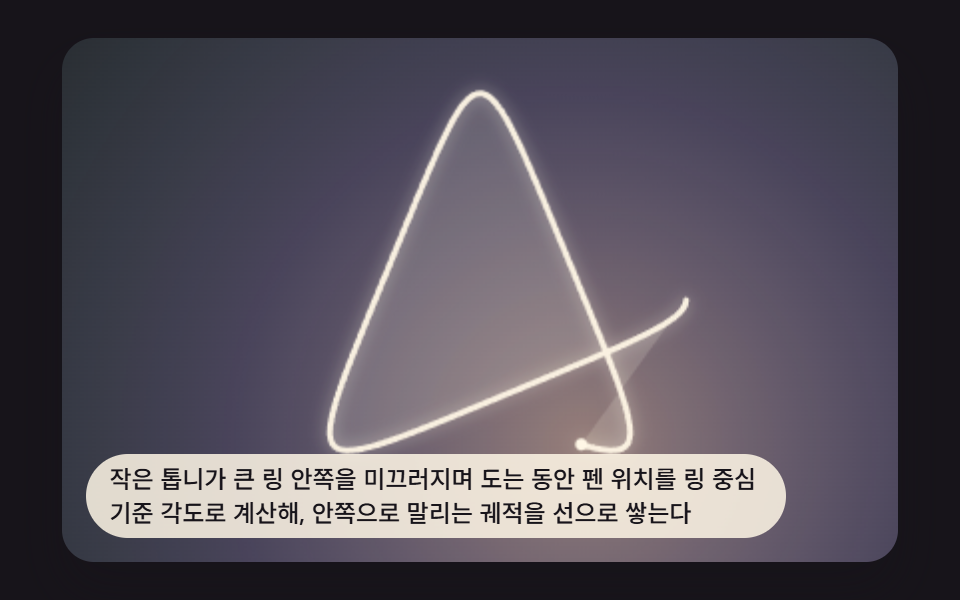 01 spiro-scene-hypotrochoid-basic
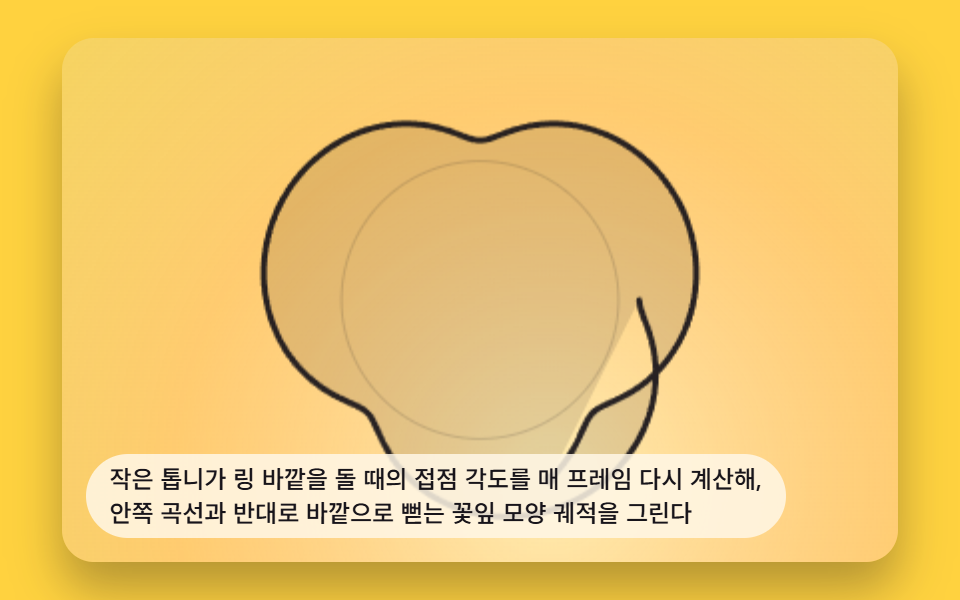 02 spiro-scene-epitrochoid-outer-roll
 03 spiro-scene-tooth-ratio-symmetry
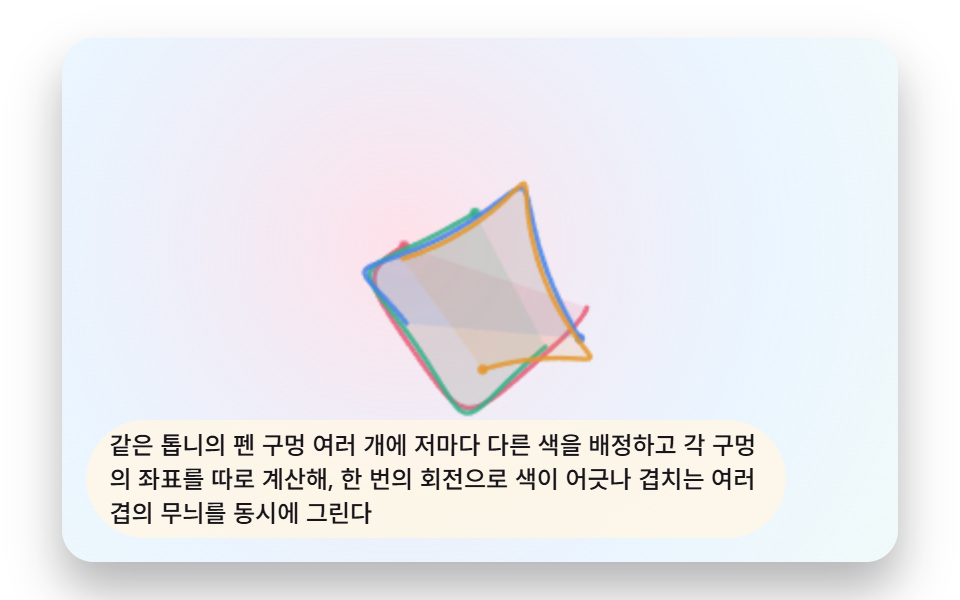 04 spiro-scene-multi-pen-rainbow
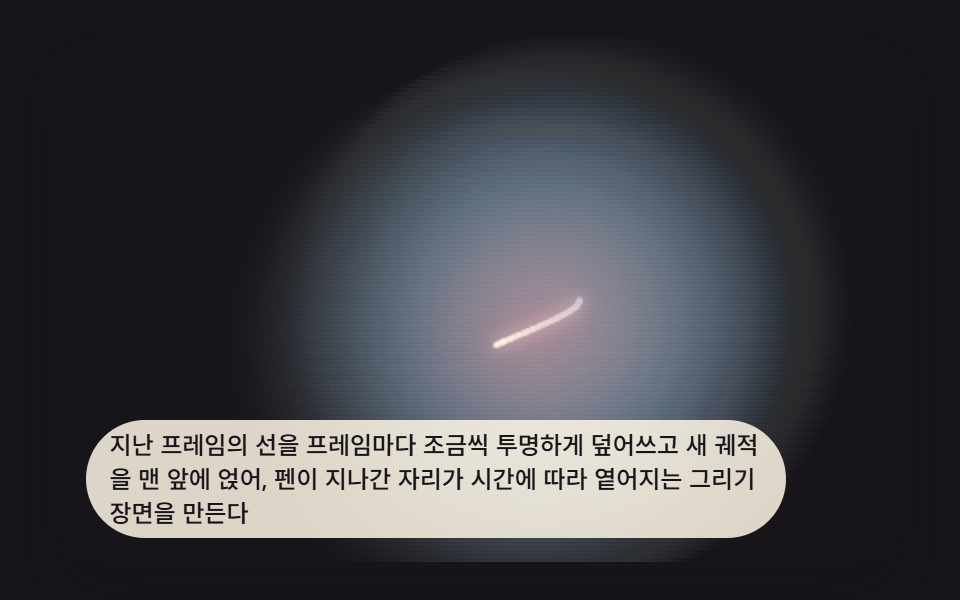 05 spiro-scene-trail-fade-draw
 06 spiro-scene-gear-visual-guide
 07 spiro-scene-pointer-ratio-morph
 08 spiro-scene-curve-turn-table
 09 spiro-scene-hero-gallery-wall
Auto-plays · click a tile to jump to its section · all nine in one zip
- 01 Basic Spirograph Curve Tracing a Gear Inside a Ring
- 02 Outer Curve Drawn by a Gear Rolling Around the Outside
- 03 Pattern Whose Symmetry-Axis Count Comes From the Tooth Ratio
- 04 Rainbow Gear Pattern Drawn by Several Pen Holes at Once
- 05 Scene That Keeps Drawing While the Trail Slowly Fades
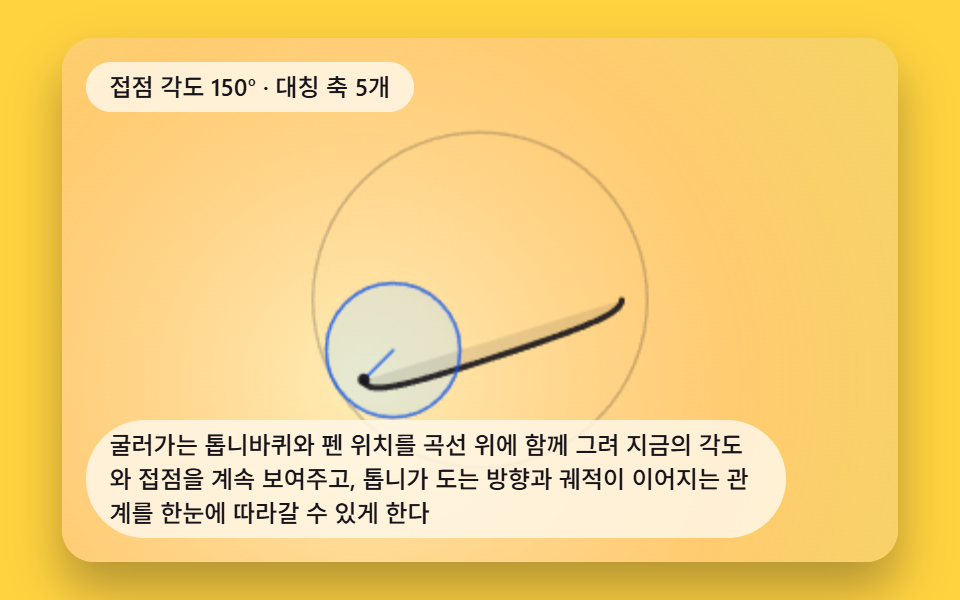
- 06 Guide Overlay Showing the Gear and Pen on the Curve
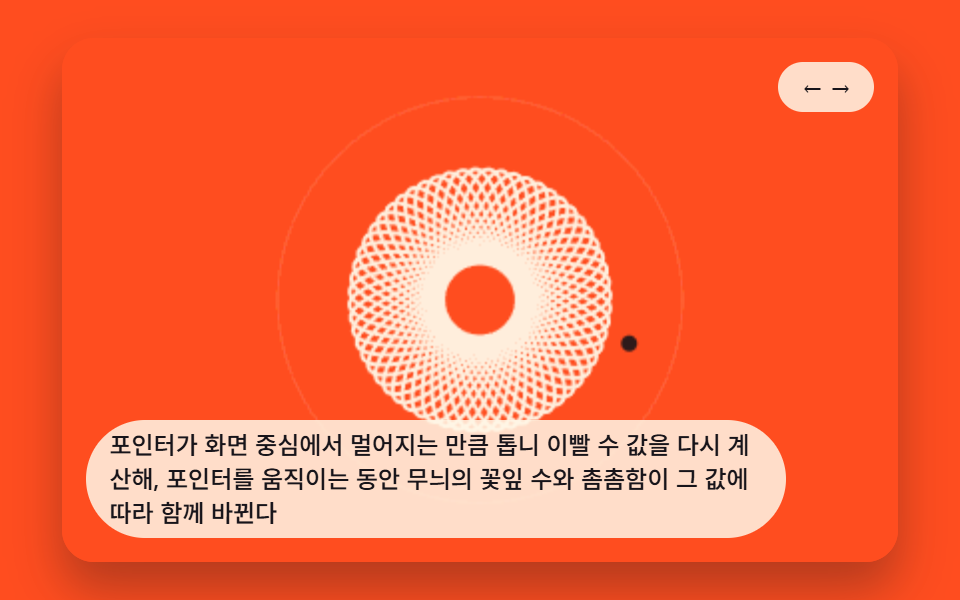
- 07 Pattern Morphing Its Tooth Ratio by Pointer Distance
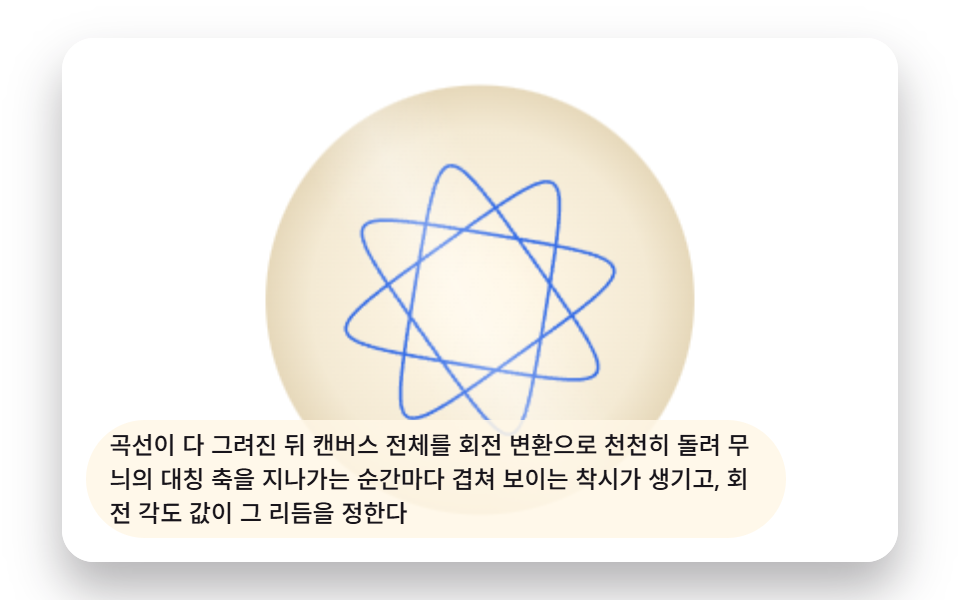
- 08 Turntable Scene Spinning the Finished Pattern
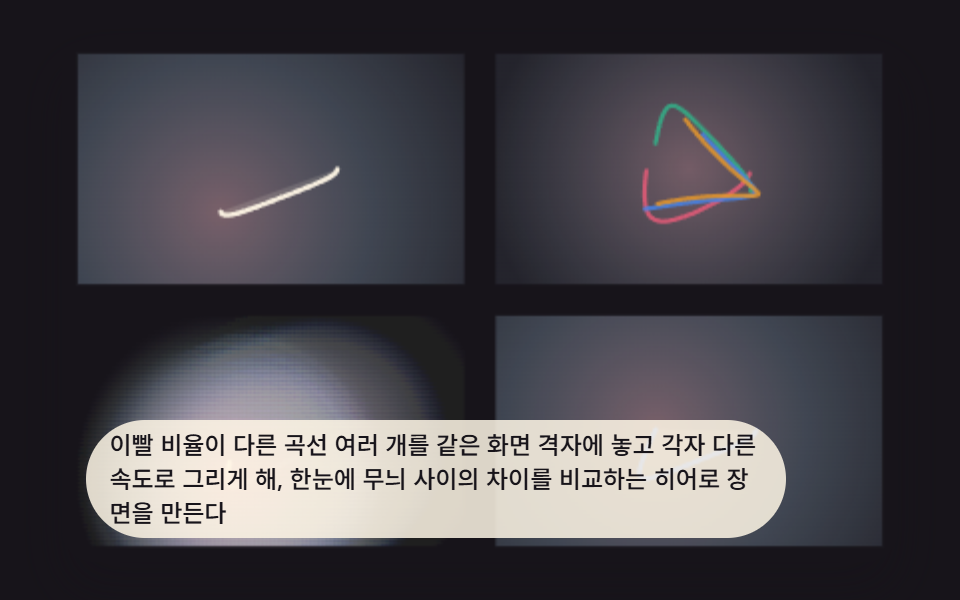
- 09 Hero Gallery Wall Combining Ratios, Pens, and Trails
Spirograph Patterns: 9 Gear-Ratio Drawings That Close Only at the Right Ratio
The set is a small spirograph pattern generator written in plain canvas code: a gear rolling inside a ring, the same gear rolling outside it, symmetry counted from the tooth ratio, several pens on one gear, a fading trail, a guide overlay with the gear drawn in, a pointer that changes the ratio, a turntable, and a gallery that puts four ratios on one wall. If you want the mirror-based cousin of this idea, Kaleidoscope Drawing: 9 Canvas Symmetry Tools covers reflection instead of gears. Open any item below to read the exact lines that place the pen.
01Basic Spirograph Curve Tracing a Gear Inside a Ring
A small gear rolls around the inside of a large ring while the pen position is computed from angles around the ring's center. The curve curls inward and stacks up as one connected line, and TURNS is the gear's tooth count divided by the greatest common divisor, which is 3 for 72 and 27.
<main class="stage">
<div class="sp1 is-demo" id="sp1Root" tabindex="0">
  <canvas class="sp1__canvas" id="sp1Canvas" width="480" height="300"></canvas>
  <p class="sp1__caption">As a small gear slides around the inside of a large ring, the pen position is calculated as an angle from the ring's center, stacking up a curve that curls inward</p>
</div>
</main>
@use "../../../../site/static/demo-tokens" as *;
@include stage($stage-ink);
.sp1 {
position: relative;
width: min(92vw, calc(160vh - 12.8vw));
aspect-ratio: 480 / 300;
margin: 0 auto;
border-radius: $r-card;
overflow: hidden;
box-shadow: $shadow-raised;
background: $stage-ink;
}
.sp1__canvas {
display: block;
width: 100%;
height: 100%;
}
.sp1__caption {
position: absolute;
left: $sp-3;
bottom: $sp-3;
max-width: 78%;
margin: 0;
padding: $sp-1 $sp-3;
border-radius: $r-pill;
background: rgba(255, 247, 230, .85);
color: $subject-ink;
font-weight: 500;
font-size: 12px;
line-height: 1.4;
pointer-events: none;
}
@media (max-width: 340px) {
.sp1__caption { font-size: 10px; padding: $sp-1 $sp-2; }
}
@media (prefers-reduced-motion: reduce) {
.sp1 { cursor: default; }
}html, body {
margin: 0;
overflow: hidden;
}
.stage {
box-sizing: border-box;
min-height: 100vh;
display: grid;
place-items: center;
margin: 0;
background: #17141a;
font-family: -apple-system, "Segoe UI", "Noto Sans KR", sans-serif;
padding: clamp(8px, 4vw, 24px);
}
.sp1 {
position: relative;
width: min(92vw, 160vh - 12.8vw);
aspect-ratio: 480/300;
margin: 0 auto;
border-radius: 16px;
overflow: hidden;
box-shadow: 0 14px 24px rgba(23, 20, 26, 0.32);
background: #17141a;
}
.sp1__canvas {
display: block;
width: 100%;
height: 100%;
}
.sp1__caption {
position: absolute;
left: 12px;
bottom: 12px;
max-width: 78%;
margin: 0;
padding: 4px 12px;
border-radius: 999px;
background: rgba(255, 247, 230, 0.85);
color: #17141a;
font-weight: 500;
font-size: 12px;
line-height: 1.4;
pointer-events: none;
}
@media (max-width: 340px) {
.sp1__caption {
font-size: 10px;
padding: 4px 8px;
}
}
@media (prefers-reduced-motion: reduce) {
.sp1 {
cursor: default;
}
}(function () {
// 기법: 하이포트로코이드(내접 톱니) 파라메트릭 좌표를 매 프레임 각도 t 만큼 전진시켜 점진적으로
// 이어 그린다. R = 링 반지름, r = 안쪽 톱니 반지름, d = 펜 구멍이 톱니 중심에서 떨어진 거리.
// x(t) = (R-r)cos(t) + d cos(((R-r)/r) t) · y(t) = (R-r)sin(t) - d sin(((R-r)/r) t)
var root = document.getElementById('sp1Root');
var canvas = document.getElementById('sp1Canvas');
var ctx = canvas.getContext('2d');
var wrap = canvas.parentElement;
var CALC_DIM = 200;
var GEAR_RING_TEETH = 72;
var GEAR_ROLL_TEETH = 27;
var PEN_TIP_RATIO = 0.6;
var TOOTH_UNIT = 1.4;
var SEGMENTS_PER_TURN = 220;
  function gcd(a, b) { a = Math.abs(a); b = Math.abs(b); while (b) { var t = b; b = a % b; a = t; } return a; }

  var R = GEAR_RING_TEETH * TOOTH_UNIT;
  var r = GEAR_ROLL_TEETH * TOOTH_UNIT;
  var d = r * PEN_TIP_RATIO;
  var g = gcd(GEAR_RING_TEETH, GEAR_ROLL_TEETH);
  var TURNS = GEAR_ROLL_TEETH / g;
  var TOTAL_T = TURNS * Math.PI * 2;
  var CYCLE_SECONDS = 6;
  var SPEED = TOTAL_T / CYCLE_SECONDS;

  function point(t) {
    var k = (R - r) / r;
    return {
      x: (R - r) * Math.cos(t) + d * Math.cos(k * t),
      y: (R - r) * Math.sin(t) - d * Math.sin(k * t)
    };
  }
var cw = 480, ch = 300, scale = 1, cx = 240, cy = 150;
function fit() {
var rect = wrap.getBoundingClientRect();
cw = Math.max(1, Math.round(rect.width));
ch = Math.max(1, Math.round(rect.height));
canvas.width = cw; canvas.height = ch;
scale = Math.min(cw, ch) / CALC_DIM * 0.92;
cx = cw / 2; cy = ch / 2;
}
function toScreen(p) { return { x: cx + p.x * scale, y: cy + p.y * scale }; }
function drawFull(tMax) {
ctx.clearRect(0, 0, cw, ch);
var tipW = toScreen(point(tMax));
var wash = ctx.createRadialGradient(tipW.x, tipW.y, 0, tipW.x, tipW.y, Math.max(cw, ch) * 0.85);
wash.addColorStop(0, 'rgba(255,214,200,.55)');
wash.addColorStop(0.5, 'rgba(200,190,255,.28)');
wash.addColorStop(1, 'rgba(160,230,220,.10)');
ctx.fillStyle = wash;
ctx.fillRect(0, 0, cw, ch);
var fillSteps = Math.max(2, Math.round((tMax / (Math.PI * 2)) * SEGMENTS_PER_TURN));
ctx.beginPath();
for (var fi = 0; fi <= fillSteps; fi += 1) {
var fs = toScreen(point((fi / fillSteps) * tMax));
if (fi === 0) ctx.moveTo(fs.x, fs.y); else ctx.lineTo(fs.x, fs.y);
}
ctx.closePath();
ctx.fillStyle = 'rgba(255,247,230,.16)';
ctx.fill('evenodd');
ctx.lineWidth = Math.max(3, scale * 0.04);
ctx.strokeStyle = 'rgba(255,247,230,.94)';
ctx.shadowColor = 'rgba(255,247,230,.55)';
ctx.shadowBlur = Math.max(8, scale * 0.12);
ctx.lineJoin = 'round';
ctx.lineCap = 'round';
var steps = Math.max(2, Math.round((tMax / (Math.PI * 2)) * SEGMENTS_PER_TURN));
ctx.beginPath();
for (var i = 0; i <= steps; i += 1) {
var t = (i / steps) * tMax;
var s = toScreen(point(t));
if (i === 0) ctx.moveTo(s.x, s.y); else ctx.lineTo(s.x, s.y);
}
ctx.stroke();
ctx.shadowBlur = 0;
if (tMax > 0.001) {
var tip = toScreen(point(tMax));
ctx.fillStyle = 'rgba(255,247,230,1)';
ctx.beginPath();
ctx.arc(tip.x, tip.y, Math.max(3, scale * 0.05), 0, Math.PI * 2);
ctx.fill();
}
}
var reduce = window.matchMedia('(prefers-reduced-motion: reduce)').matches;
if (reduce) root.classList.remove('is-demo');
fit();
if (reduce) {
drawFull(TOTAL_T);
} else {
var elapsed = 0.35;
var lastTs = null;
function tick(ts) {
if (lastTs === null) lastTs = ts;
var dt = Math.min(ts - lastTs, 48);
lastTs = ts;
elapsed += dt / 1000;
var t = elapsed * SPEED;
if (t > TOTAL_T) { elapsed = 0; t = 0; }
drawFull(t);
requestAnimationFrame(tick);
}
drawFull(elapsed * SPEED);
window.addEventListener('resize', function () { fit(); drawFull(elapsed * SPEED); });
requestAnimationFrame(tick);
}
})();import { useEffect, useRef } from "react";
import styles from "./SpiroSceneHypotrochoidBasic.module.scss";
type Pt = { x: number; y: number };
export default function SpiroSceneHypotrochoidBasic() {
const rootRef = useRef<HTMLDivElement>(null);
const canvasRef = useRef<HTMLCanvasElement>(null);
useEffect(() => {
const root = rootRef.current;
const canvas = canvasRef.current;
if (!root || !canvas) return;
const ctx = canvas.getContext("2d");
if (!ctx) return;
const wrap = canvas.parentElement as HTMLElement;
const CALC_DIM = 200;
const GEAR_RING_TEETH = 72;
const GEAR_ROLL_TEETH = 27;
const PEN_TIP_RATIO = 0.6;
const TOOTH_UNIT = 1.4;
const SEGMENTS_PER_TURN = 220;
function gcd(a: number, b: number): number {
a = Math.abs(a); b = Math.abs(b);
while (b) { const t = b; b = a % b; a = t; }
return a;
}
const R = GEAR_RING_TEETH * TOOTH_UNIT;
const r = GEAR_ROLL_TEETH * TOOTH_UNIT;
const d = r * PEN_TIP_RATIO;
const g = gcd(GEAR_RING_TEETH, GEAR_ROLL_TEETH);
const TURNS = GEAR_ROLL_TEETH / g;
const TOTAL_T = TURNS * Math.PI * 2;
const CYCLE_SECONDS = 6;
const SPEED = TOTAL_T / CYCLE_SECONDS;
function point(t: number): Pt {
const k = (R - r) / r;
return {
x: (R - r) * Math.cos(t) + d * Math.cos(k * t),
y: (R - r) * Math.sin(t) - d * Math.sin(k * t)
};
}
let cw = 480, ch = 300, scale = 1, cx = 240, cy = 150;
function fit() {
const rect = wrap.getBoundingClientRect();
cw = Math.max(1, Math.round(rect.width));
ch = Math.max(1, Math.round(rect.height));
canvas!.width = cw; canvas!.height = ch;
scale = Math.min(cw, ch) / CALC_DIM * 0.92;
cx = cw / 2; cy = ch / 2;
}
function toScreen(p: Pt): Pt { return { x: cx + p.x * scale, y: cy + p.y * scale }; }
function drawFull(tMax: number) {
ctx!.clearRect(0, 0, cw, ch);
const tipW = toScreen(point(tMax));
const wash = ctx!.createRadialGradient(tipW.x, tipW.y, 0, tipW.x, tipW.y, Math.max(cw, ch) * 0.85);
wash.addColorStop(0, "rgba(255,214,200,.55)");
wash.addColorStop(0.5, "rgba(200,190,255,.28)");
wash.addColorStop(1, "rgba(160,230,220,.10)");
ctx!.fillStyle = wash;
ctx!.fillRect(0, 0, cw, ch);
const fillSteps = Math.max(2, Math.round((tMax / (Math.PI * 2)) * SEGMENTS_PER_TURN));
ctx!.beginPath();
for (let fi = 0; fi <= fillSteps; fi += 1) {
const fs = toScreen(point((fi / fillSteps) * tMax));
if (fi === 0) ctx!.moveTo(fs.x, fs.y); else ctx!.lineTo(fs.x, fs.y);
}
ctx!.closePath();
ctx!.fillStyle = "rgba(255,247,230,.16)";
ctx!.fill("evenodd");
ctx!.lineWidth = Math.max(3, scale * 0.04);
ctx!.strokeStyle = "rgba(255,247,230,.94)";
ctx!.shadowColor = "rgba(255,247,230,.55)";
ctx!.shadowBlur = Math.max(8, scale * 0.12);
ctx!.lineJoin = "round";
ctx!.lineCap = "round";
const steps = Math.max(2, Math.round((tMax / (Math.PI * 2)) * SEGMENTS_PER_TURN));
ctx!.beginPath();
for (let i = 0; i <= steps; i += 1) {
const t = (i / steps) * tMax;
const s = toScreen(point(t));
if (i === 0) ctx!.moveTo(s.x, s.y); else ctx!.lineTo(s.x, s.y);
}
ctx!.stroke();
ctx!.shadowBlur = 0;
if (tMax > 0.001) {
const tip = toScreen(point(tMax));
ctx!.fillStyle = "rgba(255,247,230,1)";
ctx!.beginPath();
ctx!.arc(tip.x, tip.y, Math.max(3, scale * 0.05), 0, Math.PI * 2);
ctx!.fill();
}
}
const reduce = window.matchMedia("(prefers-reduced-motion: reduce)").matches;
if (reduce) root.classList.remove("is-demo");
fit();
let raf = 0;
if (reduce) {
drawFull(TOTAL_T);
} else {
let elapsed = 0.35;
let lastTs: number | null = null;
const onResize = () => { fit(); drawFull(elapsed * SPEED); };
function tick(ts: number) {
if (lastTs === null) lastTs = ts;
const dt = Math.min(ts - lastTs, 48);
lastTs = ts;
elapsed += dt / 1000;
let t = elapsed * SPEED;
if (t > TOTAL_T) { elapsed = 0; t = 0; }
drawFull(t);
raf = requestAnimationFrame(tick);
}
drawFull(elapsed * SPEED);
window.addEventListener("resize", onResize);
raf = requestAnimationFrame(tick);
return () => {
cancelAnimationFrame(raf);
window.removeEventListener("resize", onResize);
};
}
return () => { cancelAnimationFrame(raf); };
}, []);
return (
<main className={styles.stage}>
<div className={`${styles.sp1} is-demo`} ref={rootRef} tabIndex={0}>
<canvas className={styles.sp1__canvas} ref={canvasRef} width={480} height={300} />
<p className={styles.sp1__caption}>작은 톱니가 큰 링 안쪽을 미끄러지며 도는 동안 펜 위치를 링 중심 기준 각도로 계산해, 안쪽으로 말리는 궤적을 선으로 쌓는다</p>
</div>
</main>
);
}01 · Basic Spirograph Curve Tracing a Gear Inside a Ring — Measured area 65.706% · moving frames 23/23Original by GODRICH · SCSS and React ship in the zip · See the password
function gcd(a, b) { a = Math.abs(a); b = Math.abs(b); while (b) { var t = b; b = a % b; a = t; } return a; }
var R = GEAR_RING_TEETH * TOOTH_UNIT;
var r = GEAR_ROLL_TEETH * TOOTH_UNIT;
var d = r * PEN_TIP_RATIO;
var g = gcd(GEAR_RING_TEETH, GEAR_ROLL_TEETH);
var TURNS = GEAR_ROLL_TEETH / g;
var TOTAL_T = TURNS * Math.PI * 2;
var CYCLE_SECONDS = 6;
var SPEED = TOTAL_T / CYCLE_SECONDS;
function point(t) {
var k = (R - r) / r;
return {
x: (R - r) * Math.cos(t) + d * Math.cos(k * t),
y: (R - r) * Math.sin(t) - d * Math.sin(k * t)
};
}
Item 01 repainted 65.7% of the frame at an average intensity of 22.7 across 23/23 measured frames.
02Outer Curve Drawn by a Gear Rolling Around the Outside
The same gear now rolls around the outside of the ring, so in point(t) the radius sum replaces the radius difference, the rotation factor changes with it, and the pen term's sign flips, which sends the line outward in petals. With 96 and 36 teeth the divisor is 12, which gives 3 turns to close and 8 petals.
<main class="stage">
<div class="sp2 is-demo" id="sp2Root" tabindex="0">
  <canvas class="sp2__canvas" id="sp2Canvas" width="480" height="300"></canvas>
  <p class="sp2__caption">Recalculates the contact angle every frame as a small gear rolls around the outside of the ring, drawing a petal-shaped trace that extends outward, the opposite of the inward curve</p>
</div>
</main>
@use "../../../../site/static/demo-tokens" as *;
@include stage($stage-yellow);
.sp2 {
position: relative;
width: min(92vw, calc(160vh - 12.8vw));
aspect-ratio: 480 / 300;
margin: 0 auto;
border-radius: $r-card;
overflow: hidden;
box-shadow: $shadow-raised;
background: $stage-yellow;
}
.sp2__canvas {
display: block;
width: 100%;
height: 100%;
}
.sp2__caption {
position: absolute;
left: $sp-3;
bottom: $sp-3;
max-width: 78%;
margin: 0;
padding: $sp-1 $sp-3;
border-radius: $r-pill;
background: rgba(255, 247, 230, .85);
color: $subject-ink;
font-weight: 500;
font-size: 12px;
line-height: 1.4;
pointer-events: none;
}
@media (max-width: 340px) {
.sp2__caption { font-size: 10px; padding: $sp-1 $sp-2; }
}
@media (prefers-reduced-motion: reduce) {
.sp2 { cursor: default; }
}html, body {
margin: 0;
overflow: hidden;
}
.stage {
box-sizing: border-box;
min-height: 100vh;
display: grid;
place-items: center;
margin: 0;
background: #ffd23f;
font-family: -apple-system, "Segoe UI", "Noto Sans KR", sans-serif;
padding: clamp(8px, 4vw, 24px);
}
.sp2 {
position: relative;
width: min(92vw, 160vh - 12.8vw);
aspect-ratio: 480/300;
margin: 0 auto;
border-radius: 16px;
overflow: hidden;
box-shadow: 0 14px 24px rgba(23, 20, 26, 0.32);
background: #ffd23f;
}
.sp2__canvas {
display: block;
width: 100%;
height: 100%;
}
.sp2__caption {
position: absolute;
left: 12px;
bottom: 12px;
max-width: 78%;
margin: 0;
padding: 4px 12px;
border-radius: 999px;
background: rgba(255, 247, 230, 0.85);
color: #17141a;
font-weight: 500;
font-size: 12px;
line-height: 1.4;
pointer-events: none;
}
@media (max-width: 340px) {
.sp2__caption {
font-size: 10px;
padding: 4px 8px;
}
}
@media (prefers-reduced-motion: reduce) {
.sp2 {
cursor: default;
}
}(function () {
// 기법: 에피트로코이드(외접 톱니) — 톱니가 고정된 링 바깥을 미끄러지지 않고 굴러갈 때
// 펜 구멍이 그리는 좌표를 매 프레임 각도 t 로 다시 계산한다.
// x(t) = (R+r)cos(t) - d cos(((R+r)/r) t) · y(t) = (R+r)sin(t) - d sin(((R+r)/r) t)
var root = document.getElementById('sp2Root');
var canvas = document.getElementById('sp2Canvas');
var ctx = canvas.getContext('2d');
var wrap = canvas.parentElement;
var CALC_DIM = 200;
var GEAR_TEETH_OUTER = 96;
var GEAR_ROLL_TEETH = 36;
var PEN_TIP_RATIO = 0.6;
var TOOTH_UNIT = 0.6;
var SEGMENTS_PER_TURN = 240;
  function gcd(a, b) { a = Math.abs(a); b = Math.abs(b); while (b) { var t = b; b = a % b; a = t; } return a; }

  var R = GEAR_TEETH_OUTER * TOOTH_UNIT;
  var r = GEAR_ROLL_TEETH * TOOTH_UNIT;
  var d = r * PEN_TIP_RATIO;
  var g = gcd(GEAR_TEETH_OUTER, GEAR_ROLL_TEETH);
  var TURNS = GEAR_ROLL_TEETH / g;
  var TOTAL_T = TURNS * Math.PI * 2;
  var CYCLE_SECONDS = 6;
  var SPEED = TOTAL_T / CYCLE_SECONDS;

  function point(t) {
    var k = (R + r) / r;
    return {
      x: (R + r) * Math.cos(t) - d * Math.cos(k * t),
      y: (R + r) * Math.sin(t) - d * Math.sin(k * t)
    };
  }
var cw = 480, ch = 300, scale = 1, cx = 240, cy = 150;
function fit() {
var rect = wrap.getBoundingClientRect();
cw = Math.max(1, Math.round(rect.width));
ch = Math.max(1, Math.round(rect.height));
canvas.width = cw; canvas.height = ch;
scale = Math.min(cw, ch) / CALC_DIM * 0.92;
cx = cw / 2; cy = ch / 2;
}
function toScreen(p) { return { x: cx + p.x * scale, y: cy + p.y * scale }; }
function drawFull(tMax) {
ctx.clearRect(0, 0, cw, ch);
var tipW = toScreen(point(tMax));
var wash = ctx.createRadialGradient(tipW.x, tipW.y, 0, tipW.x, tipW.y, Math.max(cw, ch) * 0.9);
wash.addColorStop(0, 'rgba(255,255,255,.60)');
wash.addColorStop(0.5, 'rgba(255,190,215,.32)');
wash.addColorStop(1, 'rgba(190,225,255,.14)');
ctx.fillStyle = wash;
ctx.fillRect(0, 0, cw, ch);
var fillSteps = Math.max(2, Math.round((tMax / (Math.PI * 2)) * SEGMENTS_PER_TURN));
ctx.beginPath();
for (var fi = 0; fi <= fillSteps; fi += 1) {
var fs = toScreen(point((fi / fillSteps) * tMax));
if (fi === 0) ctx.moveTo(fs.x, fs.y); else ctx.lineTo(fs.x, fs.y);
}
ctx.closePath();
ctx.fillStyle = 'rgba(23,20,26,.12)';
ctx.fill('evenodd');
ctx.beginPath();
ctx.strokeStyle = 'rgba(23,20,26,.16)';
ctx.lineWidth = Math.max(1, scale * 0.012);
ctx.arc(cx, cy, R * scale, 0, Math.PI * 2);
ctx.stroke();
ctx.lineWidth = Math.max(3, scale * 0.04);
ctx.strokeStyle = 'rgba(23,20,26,.92)';
ctx.lineJoin = 'round';
ctx.lineCap = 'round';
var steps = Math.max(2, Math.round((tMax / (Math.PI * 2)) * SEGMENTS_PER_TURN));
ctx.beginPath();
for (var i = 0; i <= steps; i += 1) {
var t = (i / steps) * tMax;
var s = toScreen(point(t));
if (i === 0) ctx.moveTo(s.x, s.y); else ctx.lineTo(s.x, s.y);
}
ctx.stroke();
if (tMax > 0.001) {
var tip = toScreen(point(tMax));
ctx.fillStyle = 'rgba(23,20,26,1)';
ctx.beginPath();
ctx.arc(tip.x, tip.y, Math.max(3, scale * 0.05), 0, Math.PI * 2);
ctx.fill();
}
}
var reduce = window.matchMedia('(prefers-reduced-motion: reduce)').matches;
if (reduce) root.classList.remove('is-demo');
fit();
if (reduce) {
drawFull(TOTAL_T);
} else {
var elapsed = 0.3;
var lastTs = null;
function tick(ts) {
if (lastTs === null) lastTs = ts;
var dt = Math.min(ts - lastTs, 48);
lastTs = ts;
elapsed += dt / 1000;
var t = elapsed * SPEED;
if (t > TOTAL_T) { elapsed = 0; t = 0; }
drawFull(t);
requestAnimationFrame(tick);
}
drawFull(elapsed * SPEED);
window.addEventListener('resize', function () { fit(); drawFull(elapsed * SPEED); });
requestAnimationFrame(tick);
}
})();import { useEffect, useRef } from "react";
import styles from "./SpiroSceneEpitrochoidOuterRoll.module.scss";
type Pt = { x: number; y: number };
export default function SpiroSceneEpitrochoidOuterRoll() {
const rootRef = useRef<HTMLDivElement>(null);
const canvasRef = useRef<HTMLCanvasElement>(null);
useEffect(() => {
const root = rootRef.current;
const canvas = canvasRef.current;
if (!root || !canvas) return;
const ctx = canvas.getContext("2d");
if (!ctx) return;
const wrap = canvas.parentElement as HTMLElement;
const CALC_DIM = 200;
const GEAR_TEETH_OUTER = 96;
const GEAR_ROLL_TEETH = 36;
const PEN_TIP_RATIO = 0.6;
const TOOTH_UNIT = 0.6;
const SEGMENTS_PER_TURN = 240;
function gcd(a: number, b: number): number {
a = Math.abs(a); b = Math.abs(b);
while (b) { const t = b; b = a % b; a = t; }
return a;
}
const R = GEAR_TEETH_OUTER * TOOTH_UNIT;
const r = GEAR_ROLL_TEETH * TOOTH_UNIT;
const d = r * PEN_TIP_RATIO;
const g = gcd(GEAR_TEETH_OUTER, GEAR_ROLL_TEETH);
const TURNS = GEAR_ROLL_TEETH / g;
const TOTAL_T = TURNS * Math.PI * 2;
const CYCLE_SECONDS = 6;
const SPEED = TOTAL_T / CYCLE_SECONDS;
function point(t: number): Pt {
const k = (R + r) / r;
return {
x: (R + r) * Math.cos(t) - d * Math.cos(k * t),
y: (R + r) * Math.sin(t) - d * Math.sin(k * t)
};
}
let cw = 480, ch = 300, scale = 1, cx = 240, cy = 150;
function fit() {
const rect = wrap.getBoundingClientRect();
cw = Math.max(1, Math.round(rect.width));
ch = Math.max(1, Math.round(rect.height));
canvas!.width = cw; canvas!.height = ch;
scale = Math.min(cw, ch) / CALC_DIM * 0.92;
cx = cw / 2; cy = ch / 2;
}
function toScreen(p: Pt): Pt { return { x: cx + p.x * scale, y: cy + p.y * scale }; }
function drawFull(tMax: number) {
ctx!.clearRect(0, 0, cw, ch);
const tipW = toScreen(point(tMax));
const wash = ctx!.createRadialGradient(tipW.x, tipW.y, 0, tipW.x, tipW.y, Math.max(cw, ch) * 0.9);
wash.addColorStop(0, 'rgba(255,255,255,.60)');
wash.addColorStop(0.5, 'rgba(255,190,215,.32)');
wash.addColorStop(1, 'rgba(190,225,255,.14)');
ctx!.fillStyle = wash;
ctx!.fillRect(0, 0, cw, ch);
const fillSteps = Math.max(2, Math.round((tMax / (Math.PI * 2)) * SEGMENTS_PER_TURN));
ctx!.beginPath();
for (let fi = 0; fi <= fillSteps; fi += 1) {
const fs = toScreen(point((fi / fillSteps) * tMax));
if (fi === 0) ctx!.moveTo(fs.x, fs.y); else ctx!.lineTo(fs.x, fs.y);
}
ctx!.closePath();
ctx!.fillStyle = 'rgba(23,20,26,.12)';
ctx!.fill('evenodd');
ctx!.beginPath();
ctx!.strokeStyle = "rgba(23,20,26,.16)";
ctx!.lineWidth = Math.max(1, scale * 0.012);
ctx!.arc(cx, cy, R * scale, 0, Math.PI * 2);
ctx!.stroke();
ctx!.lineWidth = Math.max(3, scale * 0.04);
ctx!.strokeStyle = "rgba(23,20,26,.92)";
ctx!.lineJoin = "round";
ctx!.lineCap = "round";
const steps = Math.max(2, Math.round((tMax / (Math.PI * 2)) * SEGMENTS_PER_TURN));
ctx!.beginPath();
for (let i = 0; i <= steps; i += 1) {
const t = (i / steps) * tMax;
const s = toScreen(point(t));
if (i === 0) ctx!.moveTo(s.x, s.y); else ctx!.lineTo(s.x, s.y);
}
ctx!.stroke();
if (tMax > 0.001) {
const tip = toScreen(point(tMax));
ctx!.fillStyle = "rgba(23,20,26,1)";
ctx!.beginPath();
ctx!.arc(tip.x, tip.y, Math.max(3, scale * 0.05), 0, Math.PI * 2);
ctx!.fill();
}
}
const reduce = window.matchMedia("(prefers-reduced-motion: reduce)").matches;
if (reduce) root.classList.remove("is-demo");
fit();
let raf = 0;
if (reduce) {
drawFull(TOTAL_T);
} else {
let elapsed = 0.3;
let lastTs: number | null = null;
const onResize = () => { fit(); drawFull(elapsed * SPEED); };
function tick(ts: number) {
if (lastTs === null) lastTs = ts;
const dt = Math.min(ts - lastTs, 48);
lastTs = ts;
elapsed += dt / 1000;
let t = elapsed * SPEED;
if (t > TOTAL_T) { elapsed = 0; t = 0; }
drawFull(t);
raf = requestAnimationFrame(tick);
}
drawFull(elapsed * SPEED);
window.addEventListener("resize", onResize);
raf = requestAnimationFrame(tick);
return () => {
cancelAnimationFrame(raf);
window.removeEventListener("resize", onResize);
};
}
return () => { cancelAnimationFrame(raf); };
}, []);
return (
<main className={styles.stage}>
<div className={`${styles.sp2} is-demo`} ref={rootRef} tabIndex={0}>
<canvas className={styles.sp2__canvas} ref={canvasRef} width={480} height={300} />
<p className={styles.sp2__caption}>작은 톱니가 링 바깥을 돌 때의 접점 각도를 매 프레임 다시 계산해, 안쪽 곡선과 반대로 바깥으로 뻗는 꽃잎 모양 궤적을 그린다</p>
</div>
</main>
);
}02 · Outer Curve Drawn by a Gear Rolling Around the Outside — Measured area 66.216% · moving frames 23/23Original by GODRICH · SCSS and React ship in the zip · See the password
function gcd(a, b) { a = Math.abs(a); b = Math.abs(b); while (b) { var t = b; b = a % b; a = t; } return a; }
var R = GEAR_TEETH_OUTER * TOOTH_UNIT;
var r = GEAR_ROLL_TEETH * TOOTH_UNIT;
var d = r * PEN_TIP_RATIO;
var g = gcd(GEAR_TEETH_OUTER, GEAR_ROLL_TEETH);
var TURNS = GEAR_ROLL_TEETH / g;
var TOTAL_T = TURNS * Math.PI * 2;
var CYCLE_SECONDS = 6;
var SPEED = TOTAL_T / CYCLE_SECONDS;
function point(t) {
var k = (R + r) / r;
return {
x: (R + r) * Math.cos(t) - d * Math.cos(k * t),
y: (R + r) * Math.sin(t) - d * Math.sin(k * t)
};
}
Item 02 repainted 66.2% of the frame at an average intensity of 26.3 across 23/23 measured frames.
03Pattern Whose Symmetry-Axis Count Comes From the Tooth Ratio
Dividing the ring's tooth count by the greatest common divisor gives AXIS_COUNT, and dividing the rolling gear's count gives TURN_COUNT. For 90 and 24 teeth that is 15 axes and 4 turns, and a badge on the canvas prints both numbers from those two variables.
<main class="stage">
<div class="sp3 is-demo" id="sp3Root" tabindex="0">
  <canvas class="sp3__canvas" id="sp3Canvas" width="480" height="300"></canvas>
  <p class="sp3__badge" id="sp3Badge"></p>
  <p class="sp3__caption">Calculates the pattern's petal count from the greatest common divisor of the two gears' tooth counts, so when the ratio changes, the symmetry-axis count is set to match and the number of turns it takes the curve to close changes with it</p>
</div>
</main>
@use "../../../../site/static/demo-tokens" as *;
@include stage($stage-orange);
.sp3 {
position: relative;
width: min(92vw, calc(160vh - 12.8vw));
aspect-ratio: 480 / 300;
margin: 0 auto;
border-radius: $r-card;
overflow: hidden;
box-shadow: $shadow-raised;
background: $stage-orange;
}
.sp3__canvas {
display: block;
width: 100%;
height: 100%;
}
.sp3__badge {
position: absolute;
left: $sp-3;
top: $sp-3;
margin: 0;
padding: $sp-1 $sp-3;
border-radius: $r-pill;
background: rgba(255, 247, 230, .9);
color: $subject-ink;
font-weight: 600;
font-size: 12px;
line-height: 1.4;
pointer-events: none;
}
.sp3__caption {
position: absolute;
left: $sp-3;
bottom: $sp-3;
max-width: 78%;
margin: 0;
padding: $sp-1 $sp-3;
border-radius: $r-pill;
background: rgba(255, 247, 230, .85);
color: $subject-ink;
font-weight: 500;
font-size: 12px;
line-height: 1.4;
pointer-events: none;
}
@media (max-width: 340px) {
.sp3__caption { font-size: 10px; padding: $sp-1 $sp-2; }
.sp3__badge { font-size: 10px; padding: $sp-1 $sp-2; }
}
@media (prefers-reduced-motion: reduce) {
.sp3 { cursor: default; }
}html, body {
margin: 0;
overflow: hidden;
}
.stage {
box-sizing: border-box;
min-height: 100vh;
display: grid;
place-items: center;
margin: 0;
background: #ff4d1f;
font-family: -apple-system, "Segoe UI", "Noto Sans KR", sans-serif;
padding: clamp(8px, 4vw, 24px);
}
.sp3 {
position: relative;
width: min(92vw, 160vh - 12.8vw);
aspect-ratio: 480/300;
margin: 0 auto;
border-radius: 16px;
overflow: hidden;
box-shadow: 0 14px 24px rgba(23, 20, 26, 0.32);
background: #ff4d1f;
}
.sp3__canvas {
display: block;
width: 100%;
height: 100%;
}
.sp3__badge {
position: absolute;
left: 12px;
top: 12px;
margin: 0;
padding: 4px 12px;
border-radius: 999px;
background: rgba(255, 247, 230, 0.9);
color: #17141a;
font-weight: 600;
font-size: 12px;
line-height: 1.4;
pointer-events: none;
}
.sp3__caption {
position: absolute;
left: 12px;
bottom: 12px;
max-width: 78%;
margin: 0;
padding: 4px 12px;
border-radius: 999px;
background: rgba(255, 247, 230, 0.85);
color: #17141a;
font-weight: 500;
font-size: 12px;
line-height: 1.4;
pointer-events: none;
}
@media (max-width: 340px) {
.sp3__caption {
font-size: 10px;
padding: 4px 8px;
}
.sp3__badge {
font-size: 10px;
padding: 4px 8px;
}
}
@media (prefers-reduced-motion: reduce) {
.sp3 {
cursor: default;
}
}(function () {
// 기법: 하이포트로코이드 + 최대공약수(gcd) 계산 — 링 이빨 수와 톱니 이빨 수의 gcd 로
// 꽃잎(symmetry axes) 수와 곡선이 닫히기까지 도는 바퀴 수를 구해 배지에 그대로 표시한다.
var root = document.getElementById('sp3Root');
var canvas = document.getElementById('sp3Canvas');
var badge = document.getElementById('sp3Badge');
var ctx = canvas.getContext('2d');
var wrap = canvas.parentElement;
var CALC_DIM = 200;
var GEAR_RING_TEETH = 90;
var GEAR_ROLL_TEETH = 24;
var PEN_RADIUS_RATIO = 0.6;
var TOOTH_UNIT = 0.8;
var SEGMENTS_PER_TURN = 220;
  function gcd(a, b) { a = Math.abs(a); b = Math.abs(b); while (b) { var t = b; b = a % b; a = t; } return a; }

  var R = GEAR_RING_TEETH * TOOTH_UNIT;
  var r = GEAR_ROLL_TEETH * TOOTH_UNIT;
  var d = r * PEN_RADIUS_RATIO;
  var g = gcd(GEAR_RING_TEETH, GEAR_ROLL_TEETH);
  var AXIS_COUNT = GEAR_RING_TEETH / g;
  var TURN_COUNT = GEAR_ROLL_TEETH / g;
  var TOTAL_T = TURN_COUNT * Math.PI * 2;
  var CYCLE_SECONDS = 6;
  var SPEED = TOTAL_T / CYCLE_SECONDS;

  badge.textContent = 'Symmetry axes: ' + AXIS_COUNT + ' · closes in ' + TURN_COUNT + ' turns';

  function point(t) {
    var k = (R - r) / r;
    return {
      x: (R - r) * Math.cos(t) + d * Math.cos(k * t),
      y: (R - r) * Math.sin(t) - d * Math.sin(k * t)
    };
  }
var cw = 480, ch = 300, scale = 1, cx = 240, cy = 150;
function fit() {
var rect = wrap.getBoundingClientRect();
cw = Math.max(1, Math.round(rect.width));
ch = Math.max(1, Math.round(rect.height));
canvas.width = cw; canvas.height = ch;
scale = Math.min(cw, ch) / CALC_DIM * 0.92;
cx = cw / 2; cy = ch / 2;
}
function toScreen(p) { return { x: cx + p.x * scale, y: cy + p.y * scale }; }
function drawFull(tMax) {
ctx.clearRect(0, 0, cw, ch);
var tipW = toScreen(point(tMax));
var wash = ctx.createRadialGradient(tipW.x, tipW.y, 0, tipW.x, tipW.y, Math.max(cw, ch) * 0.9);
wash.addColorStop(0, 'rgba(255,255,255,.60)');
wash.addColorStop(0.5, 'rgba(255,225,170,.32)');
wash.addColorStop(1, 'rgba(200,190,255,.16)');
ctx.fillStyle = wash;
ctx.fillRect(0, 0, cw, ch);
var fillSteps = Math.max(2, Math.round((tMax / (Math.PI * 2)) * SEGMENTS_PER_TURN));
ctx.beginPath();
for (var fi = 0; fi <= fillSteps; fi += 1) {
var fs = toScreen(point((fi / fillSteps) * tMax));
if (fi === 0) ctx.moveTo(fs.x, fs.y); else ctx.lineTo(fs.x, fs.y);
}
ctx.closePath();
ctx.fillStyle = 'rgba(255,247,230,.18)';
ctx.fill('evenodd');
ctx.lineWidth = Math.max(3, scale * 0.04);
ctx.strokeStyle = 'rgba(255,247,230,.94)';
ctx.lineJoin = 'round';
ctx.lineCap = 'round';
var steps = Math.max(2, Math.round((tMax / (Math.PI * 2)) * SEGMENTS_PER_TURN));
ctx.beginPath();
for (var i = 0; i <= steps; i += 1) {
var t = (i / steps) * tMax;
var s = toScreen(point(t));
if (i === 0) ctx.moveTo(s.x, s.y); else ctx.lineTo(s.x, s.y);
}
ctx.stroke();
if (tMax > 0.001) {
var tip = toScreen(point(tMax));
ctx.fillStyle = 'rgba(255,247,230,1)';
ctx.beginPath();
ctx.arc(tip.x, tip.y, Math.max(3, scale * 0.05), 0, Math.PI * 2);
ctx.fill();
}
}
var reduce = window.matchMedia('(prefers-reduced-motion: reduce)').matches;
if (reduce) root.classList.remove('is-demo');
fit();
if (reduce) {
drawFull(TOTAL_T);
} else {
var elapsed = 0.3;
var lastTs = null;
function tick(ts) {
if (lastTs === null) lastTs = ts;
var dt = Math.min(ts - lastTs, 48);
lastTs = ts;
elapsed += dt / 1000;
var t = elapsed * SPEED;
if (t > TOTAL_T) { elapsed = 0; t = 0; }
drawFull(t);
requestAnimationFrame(tick);
}
drawFull(elapsed * SPEED);
window.addEventListener('resize', function () { fit(); drawFull(elapsed * SPEED); });
requestAnimationFrame(tick);
}
})();import { useEffect, useRef } from "react";
import styles from "./SpiroSceneToothRatioSymmetry.module.scss";
type Pt = { x: number; y: number };
export default function SpiroSceneToothRatioSymmetry() {
const rootRef = useRef<HTMLDivElement>(null);
const canvasRef = useRef<HTMLCanvasElement>(null);
const badgeRef = useRef<HTMLParagraphElement>(null);
useEffect(() => {
const root = rootRef.current;
const canvas = canvasRef.current;
const badge = badgeRef.current;
if (!root || !canvas || !badge) return;
const ctx = canvas.getContext("2d");
if (!ctx) return;
const wrap = canvas.parentElement as HTMLElement;
const CALC_DIM = 200;
const GEAR_RING_TEETH = 90;
const GEAR_ROLL_TEETH = 24;
const PEN_RADIUS_RATIO = 0.6;
const TOOTH_UNIT = 0.8;
const SEGMENTS_PER_TURN = 220;
function gcd(a: number, b: number): number {
a = Math.abs(a); b = Math.abs(b);
while (b) { const t = b; b = a % b; a = t; }
return a;
}
const R = GEAR_RING_TEETH * TOOTH_UNIT;
const r = GEAR_ROLL_TEETH * TOOTH_UNIT;
const d = r * PEN_RADIUS_RATIO;
const g = gcd(GEAR_RING_TEETH, GEAR_ROLL_TEETH);
const AXIS_COUNT = GEAR_RING_TEETH / g;
const TURN_COUNT = GEAR_ROLL_TEETH / g;
const TOTAL_T = TURN_COUNT * Math.PI * 2;
const CYCLE_SECONDS = 6;
const SPEED = TOTAL_T / CYCLE_SECONDS;
badge.textContent = "대칭 축 " + AXIS_COUNT + "개 · " + TURN_COUNT + "바퀴 닫힘";
function point(t: number): Pt {
const k = (R - r) / r;
return {
x: (R - r) * Math.cos(t) + d * Math.cos(k * t),
y: (R - r) * Math.sin(t) - d * Math.sin(k * t)
};
}
let cw = 480, ch = 300, scale = 1, cx = 240, cy = 150;
function fit() {
const rect = wrap.getBoundingClientRect();
cw = Math.max(1, Math.round(rect.width));
ch = Math.max(1, Math.round(rect.height));
canvas!.width = cw; canvas!.height = ch;
scale = Math.min(cw, ch) / CALC_DIM * 0.92;
cx = cw / 2; cy = ch / 2;
}
function toScreen(p: Pt): Pt { return { x: cx + p.x * scale, y: cy + p.y * scale }; }
function drawFull(tMax: number) {
ctx!.clearRect(0, 0, cw, ch);
const tipW = toScreen(point(tMax));
const wash = ctx!.createRadialGradient(tipW.x, tipW.y, 0, tipW.x, tipW.y, Math.max(cw, ch) * 0.9);
wash.addColorStop(0, 'rgba(255,255,255,.60)');
wash.addColorStop(0.5, 'rgba(255,225,170,.32)');
wash.addColorStop(1, 'rgba(200,190,255,.16)');
ctx!.fillStyle = wash;
ctx!.fillRect(0, 0, cw, ch);
const fillSteps = Math.max(2, Math.round((tMax / (Math.PI * 2)) * SEGMENTS_PER_TURN));
ctx!.beginPath();
for (let fi = 0; fi <= fillSteps; fi += 1) {
const fs = toScreen(point((fi / fillSteps) * tMax));
if (fi === 0) ctx!.moveTo(fs.x, fs.y); else ctx!.lineTo(fs.x, fs.y);
}
ctx!.closePath();
ctx!.fillStyle = 'rgba(255,247,230,.18)';
ctx!.fill('evenodd');
ctx!.lineWidth = Math.max(3, scale * 0.04);
ctx!.strokeStyle = "rgba(255,247,230,.94)";
ctx!.lineJoin = "round";
ctx!.lineCap = "round";
const steps = Math.max(2, Math.round((tMax / (Math.PI * 2)) * SEGMENTS_PER_TURN));
ctx!.beginPath();
for (let i = 0; i <= steps; i += 1) {
const t = (i / steps) * tMax;
const s = toScreen(point(t));
if (i === 0) ctx!.moveTo(s.x, s.y); else ctx!.lineTo(s.x, s.y);
}
ctx!.stroke();
if (tMax > 0.001) {
const tip = toScreen(point(tMax));
ctx!.fillStyle = "rgba(255,247,230,1)";
ctx!.beginPath();
ctx!.arc(tip.x, tip.y, Math.max(3, scale * 0.05), 0, Math.PI * 2);
ctx!.fill();
}
}
const reduce = window.matchMedia("(prefers-reduced-motion: reduce)").matches;
if (reduce) root.classList.remove("is-demo");
fit();
let raf = 0;
if (reduce) {
drawFull(TOTAL_T);
} else {
let elapsed = 0.3;
let lastTs: number | null = null;
const onResize = () => { fit(); drawFull(elapsed * SPEED); };
function tick(ts: number) {
if (lastTs === null) lastTs = ts;
const dt = Math.min(ts - lastTs, 48);
lastTs = ts;
elapsed += dt / 1000;
let t = elapsed * SPEED;
if (t > TOTAL_T) { elapsed = 0; t = 0; }
drawFull(t);
raf = requestAnimationFrame(tick);
}
drawFull(elapsed * SPEED);
window.addEventListener("resize", onResize);
raf = requestAnimationFrame(tick);
return () => {
cancelAnimationFrame(raf);
window.removeEventListener("resize", onResize);
};
}
return () => { cancelAnimationFrame(raf); };
}, []);
return (
<main className={styles.stage}>
<div className={`${styles.sp3} is-demo`} ref={rootRef} tabIndex={0}>
<canvas className={styles.sp3__canvas} ref={canvasRef} width={480} height={300} />
<p className={styles.sp3__badge} ref={badgeRef} />
<p className={styles.sp3__caption}>두 톱니 이빨 수의 최대공약수로 무늬의 꽃잎 수를 계산해, 비율이 바뀌면 대칭 축 수가 그 값에 맞춰 다시 정해지고 곡선이 닫히는 바퀴 수도 함께 바뀐다</p>
</div>
</main>
);
}03 · Pattern Whose Symmetry-Axis Count Comes From the Tooth Ratio — Measured area 59.435% · moving frames 23/23Original by GODRICH · SCSS and React ship in the zip · See the password
function gcd(a, b) { a = Math.abs(a); b = Math.abs(b); while (b) { var t = b; b = a % b; a = t; } return a; }
var R = GEAR_RING_TEETH * TOOTH_UNIT;
var r = GEAR_ROLL_TEETH * TOOTH_UNIT;
var d = r * PEN_RADIUS_RATIO;
var g = gcd(GEAR_RING_TEETH, GEAR_ROLL_TEETH);
var AXIS_COUNT = GEAR_RING_TEETH / g;
var TURN_COUNT = GEAR_ROLL_TEETH / g;
var TOTAL_T = TURN_COUNT * Math.PI * 2;
var CYCLE_SECONDS = 6;
var SPEED = TOTAL_T / CYCLE_SECONDS;
badge.textContent = 'Symmetry axes: ' + AXIS_COUNT + ' · closes in ' + TURN_COUNT + ' turns';
function point(t) {
var k = (R - r) / r;
return {
x: (R - r) * Math.cos(t) + d * Math.cos(k * t),
y: (R - r) * Math.sin(t) - d * Math.sin(k * t)
};
}
Item 03 repainted 59.4% of the frame at an average intensity of 19.5 across 23/23 measured frames.
04Rainbow Gear Pattern Drawn by Several Pen Holes at Once
One gear carries four pen holes at the ratios in PEN_RATIOS, and drawPen() computes each hole's coordinates separately with its own color and phase. Because the phases come from a seeded generator, the layered picture is the same on every load, and with 78 and 21 teeth it closes after 7 turns.
<main class="stage">
<div class="sp4 is-demo" id="sp4Root" tabindex="0">
  <canvas class="sp4__canvas" id="sp4Canvas" width="480" height="300"></canvas>
  <p class="sp4__caption">Assigns a different color to each of several pen holes on the same gear and calculates each hole's coordinates separately, drawing several offset, overlapping layers of the pattern at once in a single rotation</p>
</div>
</main>
@use "../../../../site/static/demo-tokens" as *;
@include stage($stage-paper);
.sp4 {
position: relative;
width: min(92vw, calc(160vh - 12.8vw));
aspect-ratio: 480 / 300;
margin: 0 auto;
border-radius: $r-card;
overflow: hidden;
box-shadow: $shadow-raised;
background: $stage-paper;
}
.sp4__canvas {
display: block;
width: 100%;
height: 100%;
}
.sp4__caption {
position: absolute;
left: $sp-3;
bottom: $sp-3;
max-width: 78%;
margin: 0;
padding: $sp-1 $sp-3;
border-radius: $r-pill;
background: rgba(255, 247, 230, .85);
color: $subject-ink;
font-weight: 500;
font-size: 12px;
line-height: 1.4;
pointer-events: none;
}
@media (max-width: 340px) {
.sp4__caption { font-size: 10px; padding: $sp-1 $sp-2; }
}
@media (prefers-reduced-motion: reduce) {
.sp4 { cursor: default; }
}html, body {
margin: 0;
overflow: hidden;
}
.stage {
box-sizing: border-box;
min-height: 100vh;
display: grid;
place-items: center;
margin: 0;
background: #ffffff;
font-family: -apple-system, "Segoe UI", "Noto Sans KR", sans-serif;
padding: clamp(8px, 4vw, 24px);
}
.sp4 {
position: relative;
width: min(92vw, 160vh - 12.8vw);
aspect-ratio: 480/300;
margin: 0 auto;
border-radius: 16px;
overflow: hidden;
box-shadow: 0 14px 24px rgba(23, 20, 26, 0.32);
background: #ffffff;
}
.sp4__canvas {
display: block;
width: 100%;
height: 100%;
}
.sp4__caption {
position: absolute;
left: 12px;
bottom: 12px;
max-width: 78%;
margin: 0;
padding: 4px 12px;
border-radius: 999px;
background: rgba(255, 247, 230, 0.85);
color: #17141a;
font-weight: 500;
font-size: 12px;
line-height: 1.4;
pointer-events: none;
}
@media (max-width: 340px) {
.sp4__caption {
font-size: 10px;
padding: 4px 8px;
}
}
@media (prefers-reduced-motion: reduce) {
.sp4 {
cursor: default;
}
}(function () {
// 기법: 같은 링·톱니 조합에서 펜 구멍마다 반지름 비율(d)과 시작 위상을 달리해
// 좌표를 따로 계산한다. 위상은 seedRand(결정적 LCG) 로 고정해 매번 같은 그림이 나온다.
var root = document.getElementById('sp4Root');
var canvas = document.getElementById('sp4Canvas');
var ctx = canvas.getContext('2d');
var wrap = canvas.parentElement;
function seedRand(seed) {
var s = seed >>> 0;
return function () { s = (s * 1664525 + 1013904223) >>> 0; return s / 4294967296; };
}
var CALC_DIM = 200;
var GEAR_RING_TEETH = 78;
var GEAR_ROLL_TEETH = 21;
var TOOTH_UNIT = 0.7;
var SEGMENTS_PER_TURN = 260;
var PEN_RATIOS = [0.35, 0.5, 0.65, 0.8];
var PEN_COLORS = ['rgba(230,90,120,.85)', 'rgba(50,175,135,.85)', 'rgba(70,130,230,.85)', 'rgba(228,150,45,.85)'];
function gcd(a, b) { a = Math.abs(a); b = Math.abs(b); while (b) { var t = b; b = a % b; a = t; } return a; }
var R = GEAR_RING_TEETH * TOOTH_UNIT;
var r = GEAR_ROLL_TEETH * TOOTH_UNIT;
var g = gcd(GEAR_RING_TEETH, GEAR_ROLL_TEETH);
var TURNS = GEAR_ROLL_TEETH / g;
var TOTAL_T = TURNS * Math.PI * 2;
var CYCLE_SECONDS = 7;
var SPEED = TOTAL_T / CYCLE_SECONDS;
var phaseRand = seedRand(43304);
var PEN_PHASE = PEN_RATIOS.map(function () { return phaseRand() * Math.PI * 2; });
function point(t, d) {
var k = (R - r) / r;
return {
x: (R - r) * Math.cos(t) + d * Math.cos(k * t),
y: (R - r) * Math.sin(t) - d * Math.sin(k * t)
};
}
var cw = 480, ch = 300, scale = 1, cx = 240, cy = 150;
function fit() {
var rect = wrap.getBoundingClientRect();
cw = Math.max(1, Math.round(rect.width));
ch = Math.max(1, Math.round(rect.height));
canvas.width = cw; canvas.height = ch;
scale = Math.min(cw, ch) / CALC_DIM * 0.92;
cx = cw / 2; cy = ch / 2;
}
function toScreen(p) { return { x: cx + p.x * scale, y: cy + p.y * scale }; }
  function drawPen(idx, tMax) {
    var d = r * PEN_RATIOS[idx];
    var phase = PEN_PHASE[idx];
    ctx.strokeStyle = PEN_COLORS[idx];
    ctx.lineWidth = Math.max(2.4, scale * 0.032);
    ctx.lineJoin = 'round';
    ctx.lineCap = 'round';
    var steps = Math.max(2, Math.round((tMax / (Math.PI * 2)) * SEGMENTS_PER_TURN));
    ctx.beginPath();
    for (var i = 0; i <= steps; i += 1) {
      var t = (i / steps) * tMax;
      var s = toScreen(point(t + phase, d));
      if (i === 0) ctx.moveTo(s.x, s.y); else ctx.lineTo(s.x, s.y);
    }
    ctx.stroke();
    ctx.save();
    ctx.fillStyle = PEN_COLORS[idx].replace('.85', '.13');
    ctx.fill('evenodd');
    ctx.restore();
if (tMax > 0.001) {
var tip = toScreen(point(tMax + phase, d));
ctx.fillStyle = PEN_COLORS[idx];
ctx.beginPath();
ctx.arc(tip.x, tip.y, Math.max(2.6, scale * 0.042), 0, Math.PI * 2);
ctx.fill();
}
}
function drawFull(tMax) {
ctx.clearRect(0, 0, cw, ch);
var tipW = toScreen(point(tMax + PEN_PHASE[0], r * PEN_RATIOS[0]));
var wash = ctx.createRadialGradient(tipW.x, tipW.y, 0, tipW.x, tipW.y, Math.max(cw, ch) * 0.9);
wash.addColorStop(0, 'rgba(255,200,215,.55)');
wash.addColorStop(0.5, 'rgba(190,225,255,.32)');
wash.addColorStop(1, 'rgba(200,240,215,.16)');
ctx.fillStyle = wash;
ctx.fillRect(0, 0, cw, ch);
for (var i = 0; i < PEN_RATIOS.length; i += 1) drawPen(i, tMax);
}
var reduce = window.matchMedia('(prefers-reduced-motion: reduce)').matches;
if (reduce) root.classList.remove('is-demo');
fit();
if (reduce) {
drawFull(TOTAL_T);
} else {
var elapsed = 0.3;
var lastTs = null;
function tick(ts) {
if (lastTs === null) lastTs = ts;
var dt = Math.min(ts - lastTs, 48);
lastTs = ts;
elapsed += dt / 1000;
var t = elapsed * SPEED;
if (t > TOTAL_T) { elapsed = 0; t = 0; }
drawFull(t);
requestAnimationFrame(tick);
}
drawFull(elapsed * SPEED);
window.addEventListener('resize', function () { fit(); drawFull(elapsed * SPEED); });
requestAnimationFrame(tick);
}
})();import { useEffect, useRef } from "react";
import styles from "./SpiroSceneMultiPenRainbow.module.scss";
type Pt = { x: number; y: number };
export default function SpiroSceneMultiPenRainbow() {
const rootRef = useRef<HTMLDivElement>(null);
const canvasRef = useRef<HTMLCanvasElement>(null);
useEffect(() => {
const root = rootRef.current;
const canvas = canvasRef.current;
if (!root || !canvas) return;
const ctx = canvas.getContext("2d");
if (!ctx) return;
const wrap = canvas.parentElement as HTMLElement;
function seedRand(seed: number) {
let s = seed >>> 0;
return function () { s = (s * 1664525 + 1013904223) >>> 0; return s / 4294967296; };
}
const CALC_DIM = 200;
const GEAR_RING_TEETH = 78;
const GEAR_ROLL_TEETH = 21;
const TOOTH_UNIT = 0.7;
const SEGMENTS_PER_TURN = 260;
const PEN_RATIOS = [0.35, 0.5, 0.65, 0.8];
const PEN_COLORS = ["rgba(230,90,120,.85)", "rgba(50,175,135,.85)", "rgba(70,130,230,.85)", "rgba(228,150,45,.85)"];
function gcd(a: number, b: number): number {
a = Math.abs(a); b = Math.abs(b);
while (b) { const t = b; b = a % b; a = t; }
return a;
}
const R = GEAR_RING_TEETH * TOOTH_UNIT;
const r = GEAR_ROLL_TEETH * TOOTH_UNIT;
const g = gcd(GEAR_RING_TEETH, GEAR_ROLL_TEETH);
const TURNS = GEAR_ROLL_TEETH / g;
const TOTAL_T = TURNS * Math.PI * 2;
const CYCLE_SECONDS = 7;
const SPEED = TOTAL_T / CYCLE_SECONDS;
const phaseRand = seedRand(43304);
const PEN_PHASE = PEN_RATIOS.map(function () { return phaseRand() * Math.PI * 2; });
function point(t: number, d: number): Pt {
const k = (R - r) / r;
return {
x: (R - r) * Math.cos(t) + d * Math.cos(k * t),
y: (R - r) * Math.sin(t) - d * Math.sin(k * t)
};
}
let cw = 480, ch = 300, scale = 1, cx = 240, cy = 150;
function fit() {
const rect = wrap.getBoundingClientRect();
cw = Math.max(1, Math.round(rect.width));
ch = Math.max(1, Math.round(rect.height));
canvas!.width = cw; canvas!.height = ch;
scale = Math.min(cw, ch) / CALC_DIM * 0.92;
cx = cw / 2; cy = ch / 2;
}
function toScreen(p: Pt): Pt { return { x: cx + p.x * scale, y: cy + p.y * scale }; }
function drawPen(idx: number, tMax: number) {
const d = r * PEN_RATIOS[idx];
const phase = PEN_PHASE[idx];
ctx!.strokeStyle = PEN_COLORS[idx];
ctx!.lineWidth = Math.max(2.4, scale * 0.032);
ctx!.lineJoin = "round";
ctx!.lineCap = "round";
const steps = Math.max(2, Math.round((tMax / (Math.PI * 2)) * SEGMENTS_PER_TURN));
ctx!.beginPath();
for (let i = 0; i <= steps; i += 1) {
const t = (i / steps) * tMax;
const s = toScreen(point(t + phase, d));
if (i === 0) ctx!.moveTo(s.x, s.y); else ctx!.lineTo(s.x, s.y);
}
ctx!.stroke();
ctx!.save();
ctx!.fillStyle = PEN_COLORS[idx].replace('.85', '.13');
ctx!.fill('evenodd');
ctx!.restore();
if (tMax > 0.001) {
const tip = toScreen(point(tMax + phase, d));
ctx!.fillStyle = PEN_COLORS[idx];
ctx!.beginPath();
ctx!.arc(tip.x, tip.y, Math.max(2.6, scale * 0.042), 0, Math.PI * 2);
ctx!.fill();
}
}
function drawFull(tMax: number) {
ctx!.clearRect(0, 0, cw, ch);
const tipW = toScreen(point(tMax + PEN_PHASE[0], r * PEN_RATIOS[0]));
const wash = ctx!.createRadialGradient(tipW.x, tipW.y, 0, tipW.x, tipW.y, Math.max(cw, ch) * 0.9);
wash.addColorStop(0, 'rgba(255,200,215,.55)');
wash.addColorStop(0.5, 'rgba(190,225,255,.32)');
wash.addColorStop(1, 'rgba(200,240,215,.16)');
ctx!.fillStyle = wash;
ctx!.fillRect(0, 0, cw, ch);
for (let i = 0; i < PEN_RATIOS.length; i += 1) drawPen(i, tMax);
}
const reduce = window.matchMedia("(prefers-reduced-motion: reduce)").matches;
if (reduce) root.classList.remove("is-demo");
fit();
let raf = 0;
if (reduce) {
drawFull(TOTAL_T);
} else {
let elapsed = 0.3;
let lastTs: number | null = null;
const onResize = () => { fit(); drawFull(elapsed * SPEED); };
function tick(ts: number) {
if (lastTs === null) lastTs = ts;
const dt = Math.min(ts - lastTs, 48);
lastTs = ts;
elapsed += dt / 1000;
let t = elapsed * SPEED;
if (t > TOTAL_T) { elapsed = 0; t = 0; }
drawFull(t);
raf = requestAnimationFrame(tick);
}
drawFull(elapsed * SPEED);
window.addEventListener("resize", onResize);
raf = requestAnimationFrame(tick);
return () => {
cancelAnimationFrame(raf);
window.removeEventListener("resize", onResize);
};
}
return () => { cancelAnimationFrame(raf); };
}, []);
return (
<main className={styles.stage}>
<div className={`${styles.sp4} is-demo`} ref={rootRef} tabIndex={0}>
<canvas className={styles.sp4__canvas} ref={canvasRef} width={480} height={300} />
<p className={styles.sp4__caption}>같은 톱니의 펜 구멍 여러 개에 저마다 다른 색을 배정하고 각 구멍의 좌표를 따로 계산해, 한 번의 회전으로 색이 어긋나 겹치는 여러 겹의 무늬를 동시에 그린다</p>
</div>
</main>
);
}04 · Rainbow Gear Pattern Drawn by Several Pen Holes at Once — Measured area 10.149% · moving frames 23/23Original by GODRICH · SCSS and React ship in the zip · See the password
function drawPen(idx, tMax) {
var d = r * PEN_RATIOS[idx];
var phase = PEN_PHASE[idx];
ctx.strokeStyle = PEN_COLORS[idx];
ctx.lineWidth = Math.max(2.4, scale * 0.032);
ctx.lineJoin = 'round';
ctx.lineCap = 'round';
var steps = Math.max(2, Math.round((tMax / (Math.PI * 2)) * SEGMENTS_PER_TURN));
ctx.beginPath();
for (var i = 0; i <= steps; i += 1) {
var t = (i / steps) * tMax;
var s = toScreen(point(t + phase, d));
if (i === 0) ctx.moveTo(s.x, s.y); else ctx.lineTo(s.x, s.y);
}
ctx.stroke();
ctx.save();
ctx.fillStyle = PEN_COLORS[idx].replace('.85', '.13');
ctx.fill('evenodd');
ctx.restore();
Item 04 repainted 10.1% of the frame at an average intensity of 38.2 across 23/23 measured frames.
05Scene That Keeps Drawing While the Trail Slowly Fades
Every tick paints a translucent rectangle over the canvas and then adds one short line segment from the previous pen point to the new one. FADE_ALPHA is 3 divided by TRAIL_FADE_FRAMES, so with 240 frames each stroke dims by about 1.25% per step, and this scene never stops drawing.
<main class="stage">
<div class="sp5 is-demo" id="sp5Root" tabindex="0">
  <canvas class="sp5__canvas" id="sp5Canvas" width="480" height="300"></canvas>
  <p class="sp5__caption">Overwrites the previous frame's lines with a little more transparency each frame and layers the new trace on top, creating a drawing scene where the pen's path fades over time</p>
</div>
</main>
@use "../../../../site/static/demo-tokens" as *;
@include stage($stage-ink);
.sp5 {
position: relative;
width: min(92vw, calc(160vh - 12.8vw));
aspect-ratio: 480 / 300;
margin: 0 auto;
border-radius: $r-card;
overflow: hidden;
box-shadow: $shadow-raised;
background: $stage-ink;
}
.sp5__canvas {
display: block;
width: 100%;
height: 100%;
}
.sp5__caption {
position: absolute;
left: $sp-3;
bottom: $sp-3;
max-width: 78%;
margin: 0;
padding: $sp-1 $sp-3;
border-radius: $r-pill;
background: rgba(255, 247, 230, .85);
color: $subject-ink;
font-weight: 500;
font-size: 12px;
line-height: 1.4;
pointer-events: none;
}
@media (max-width: 340px) {
.sp5__caption { font-size: 10px; padding: $sp-1 $sp-2; }
}
@media (prefers-reduced-motion: reduce) {
.sp5 { cursor: default; }
}html, body {
margin: 0;
overflow: hidden;
}
.stage {
box-sizing: border-box;
min-height: 100vh;
display: grid;
place-items: center;
margin: 0;
background: #17141a;
font-family: -apple-system, "Segoe UI", "Noto Sans KR", sans-serif;
padding: clamp(8px, 4vw, 24px);
}
.sp5 {
position: relative;
width: min(92vw, 160vh - 12.8vw);
aspect-ratio: 480/300;
margin: 0 auto;
border-radius: 16px;
overflow: hidden;
box-shadow: 0 14px 24px rgba(23, 20, 26, 0.32);
background: #17141a;
}
.sp5__canvas {
display: block;
width: 100%;
height: 100%;
}
.sp5__caption {
position: absolute;
left: 12px;
bottom: 12px;
max-width: 78%;
margin: 0;
padding: 4px 12px;
border-radius: 999px;
background: rgba(255, 247, 230, 0.85);
color: #17141a;
font-weight: 500;
font-size: 12px;
line-height: 1.4;
pointer-events: none;
}
@media (max-width: 340px) {
.sp5__caption {
font-size: 10px;
padding: 4px 8px;
}
}
@media (prefers-reduced-motion: reduce) {
.sp5 {
cursor: default;
}
}(function () {
// 기법: 고정 시간 스텝(STEP_MS)마다 캔버스 전체를 반투명 무대색으로 덮어써 지난 궤적을
// 서서히 지우고, 그 위에 새 구간만 불투명하게 얹는다. TRAIL_FADE_FRAMES 스텝이 지나면
// 한 지점의 흔적이 실질적으로 사라지도록 감쇠 알파를 그 값에서 역산한다.
var root = document.getElementById('sp5Root');
var canvas = document.getElementById('sp5Canvas');
var ctx = canvas.getContext('2d');
var wrap = canvas.parentElement;
var CALC_DIM = 200;
var GEAR_RING_TEETH = 54;
var GEAR_ROLL_TEETH = 20;
var PEN_TIP_RATIO = 0.6;
var TOOTH_UNIT = 0.9;
var TRAIL_FADE_FRAMES = 240;
var STEP_MS = 1000 / 60;
var ANGLE_SPEED = 4.2;
var FADE_ALPHA = Math.min(1, 3.0 / TRAIL_FADE_FRAMES);
var R = GEAR_RING_TEETH * TOOTH_UNIT;
var r = GEAR_ROLL_TEETH * TOOTH_UNIT;
var d = r * PEN_TIP_RATIO;
function point(t) {
var k = (R - r) / r;
return {
x: (R - r) * Math.cos(t) + d * Math.cos(k * t),
y: (R - r) * Math.sin(t) - d * Math.sin(k * t)
};
}
var cw = 480, ch = 300, scale = 1, cx = 240, cy = 150;
function fit() {
var rect = wrap.getBoundingClientRect();
cw = Math.max(1, Math.round(rect.width));
ch = Math.max(1, Math.round(rect.height));
canvas.width = cw; canvas.height = ch;
scale = Math.min(cw, ch) / CALC_DIM * 0.92;
cx = cw / 2; cy = ch / 2;
}
function toScreen(p) { return { x: cx + p.x * scale, y: cy + p.y * scale }; }
var t = 0;
var prev = null;
function resetCanvas() {
ctx.fillStyle = '#17141a';
ctx.fillRect(0, 0, cw, ch);
prev = toScreen(point(t));
}
  function simStep() {
    ctx.fillStyle = 'rgba(23,20,26,' + FADE_ALPHA + ')';
    ctx.fillRect(0, 0, cw, ch);
    t += ANGLE_SPEED * (STEP_MS / 1000);
    var p = toScreen(point(t));
    ctx.strokeStyle = 'rgba(255,247,230,.95)';
    ctx.shadowColor = 'rgba(255,214,200,.7)';
    ctx.shadowBlur = Math.max(8, scale * 0.14);
    ctx.lineWidth = Math.max(3, scale * 0.045);
    ctx.lineJoin = 'round';
    ctx.lineCap = 'round';
    ctx.beginPath();
    ctx.moveTo(prev.x, prev.y);
    ctx.lineTo(p.x, p.y);
    ctx.stroke();
    ctx.shadowBlur = 0;
    var halo = ctx.createRadialGradient(p.x, p.y, 0, p.x, p.y, Math.max(cw, ch) * 0.34);
    halo.addColorStop(0, 'rgba(255,200,215,.075)');
    halo.addColorStop(0.5, 'rgba(190,225,255,.04)');
    halo.addColorStop(1, 'rgba(190,225,255,0)');
    ctx.fillStyle = halo;
    ctx.fillRect(0, 0, cw, ch);
    prev = p;
  }
var reduce = window.matchMedia('(prefers-reduced-motion: reduce)').matches;
if (reduce) root.classList.remove('is-demo');
fit();
resetCanvas();
if (reduce) {
var warm = TRAIL_FADE_FRAMES * 2.4;
for (var w = 0; w < warm; w += 1) simStep();
} else {
var acc = 0;
var lastTs = null;
function tick(ts) {
if (lastTs === null) lastTs = ts;
var dt = Math.min(ts - lastTs, 48);
lastTs = ts;
acc += dt;
var guard = 0;
while (acc >= STEP_MS && guard < 6) {
simStep();
acc -= STEP_MS;
guard += 1;
}
requestAnimationFrame(tick);
}
window.addEventListener('resize', function () { fit(); resetCanvas(); });
requestAnimationFrame(tick);
}
})();import { useEffect, useRef } from "react";
import styles from "./SpiroSceneTrailFadeDraw.module.scss";
type Pt = { x: number; y: number };
export default function SpiroSceneTrailFadeDraw() {
const rootRef = useRef<HTMLDivElement>(null);
const canvasRef = useRef<HTMLCanvasElement>(null);
useEffect(() => {
const root = rootRef.current;
const canvas = canvasRef.current;
if (!root || !canvas) return;
const ctx = canvas.getContext("2d");
if (!ctx) return;
const wrap = canvas.parentElement as HTMLElement;
const CALC_DIM = 200;
const GEAR_RING_TEETH = 54;
const GEAR_ROLL_TEETH = 20;
const PEN_TIP_RATIO = 0.6;
const TOOTH_UNIT = 0.9;
const TRAIL_FADE_FRAMES = 240;
const STEP_MS = 1000 / 60;
const ANGLE_SPEED = 4.2;
const FADE_ALPHA = Math.min(1, 3.0 / TRAIL_FADE_FRAMES);
const R = GEAR_RING_TEETH * TOOTH_UNIT;
const r = GEAR_ROLL_TEETH * TOOTH_UNIT;
const d = r * PEN_TIP_RATIO;
function point(t: number): Pt {
const k = (R - r) / r;
return {
x: (R - r) * Math.cos(t) + d * Math.cos(k * t),
y: (R - r) * Math.sin(t) - d * Math.sin(k * t)
};
}
let cw = 480, ch = 300, scale = 1, cx = 240, cy = 150;
function fit() {
const rect = wrap.getBoundingClientRect();
cw = Math.max(1, Math.round(rect.width));
ch = Math.max(1, Math.round(rect.height));
canvas!.width = cw; canvas!.height = ch;
scale = Math.min(cw, ch) / CALC_DIM * 0.92;
cx = cw / 2; cy = ch / 2;
}
function toScreen(p: Pt): Pt { return { x: cx + p.x * scale, y: cy + p.y * scale }; }
let t = 0;
let prev: Pt = { x: cx, y: cy };
function resetCanvas() {
ctx!.fillStyle = "#17141a";
ctx!.fillRect(0, 0, cw, ch);
prev = toScreen(point(t));
}
function simStep() {
ctx!.fillStyle = "rgba(23,20,26," + FADE_ALPHA + ")";
ctx!.fillRect(0, 0, cw, ch);
t += ANGLE_SPEED * (STEP_MS / 1000);
const p = toScreen(point(t));
ctx!.strokeStyle = "rgba(255,247,230,.95)";
ctx!.shadowColor = 'rgba(255,214,200,.7)';
ctx!.shadowBlur = Math.max(8, scale * 0.14);
ctx!.lineWidth = Math.max(3, scale * 0.045);
ctx!.lineJoin = "round";
ctx!.lineCap = "round";
ctx!.beginPath();
ctx!.moveTo(prev.x, prev.y);
ctx!.lineTo(p.x, p.y);
ctx!.stroke();
ctx!.shadowBlur = 0;
const halo = ctx!.createRadialGradient(p.x, p.y, 0, p.x, p.y, Math.max(cw, ch) * 0.34);
halo.addColorStop(0, 'rgba(255,200,215,.075)');
halo.addColorStop(0.5, 'rgba(190,225,255,.04)');
halo.addColorStop(1, 'rgba(190,225,255,0)');
ctx!.fillStyle = halo;
ctx!.fillRect(0, 0, cw, ch);
prev = p;
}
const reduce = window.matchMedia("(prefers-reduced-motion: reduce)").matches;
if (reduce) root.classList.remove("is-demo");
fit();
resetCanvas();
let raf = 0;
if (reduce) {
const warm = TRAIL_FADE_FRAMES * 2.4;
for (let w = 0; w < warm; w += 1) simStep();
} else {
let acc = 0;
let lastTs: number | null = null;
const onResize = () => { fit(); resetCanvas(); };
function tick(ts: number) {
if (lastTs === null) lastTs = ts;
const dt = Math.min(ts - lastTs, 48);
lastTs = ts;
acc += dt;
let guard = 0;
while (acc >= STEP_MS && guard < 6) {
simStep();
acc -= STEP_MS;
guard += 1;
}
raf = requestAnimationFrame(tick);
}
window.addEventListener("resize", onResize);
raf = requestAnimationFrame(tick);
return () => {
cancelAnimationFrame(raf);
window.removeEventListener("resize", onResize);
};
}
return () => { cancelAnimationFrame(raf); };
}, []);
return (
<main className={styles.stage}>
<div className={`${styles.sp5} is-demo`} ref={rootRef} tabIndex={0}>
<canvas className={styles.sp5__canvas} ref={canvasRef} width={480} height={300} />
<p className={styles.sp5__caption}>지난 프레임의 선을 프레임마다 조금씩 투명하게 덮어쓰고 새 궤적을 맨 앞에 얹어, 펜이 지나간 자리가 시간에 따라 옅어지는 그리기 장면을 만든다</p>
</div>
</main>
);
}05 · Scene That Keeps Drawing While the Trail Slowly Fades — Measured area 49.931% · moving frames 23/23Original by GODRICH · SCSS and React ship in the zip · See the password
function simStep() {
ctx.fillStyle = 'rgba(23,20,26,' + FADE_ALPHA + ')';
ctx.fillRect(0, 0, cw, ch);
t += ANGLE_SPEED * (STEP_MS / 1000);
var p = toScreen(point(t));
ctx.strokeStyle = 'rgba(255,247,230,.95)';
ctx.shadowColor = 'rgba(255,214,200,.7)';
ctx.shadowBlur = Math.max(8, scale * 0.14);
ctx.lineWidth = Math.max(3, scale * 0.045);
ctx.lineJoin = 'round';
ctx.lineCap = 'round';
ctx.beginPath();
ctx.moveTo(prev.x, prev.y);
ctx.lineTo(p.x, p.y);
ctx.stroke();
ctx.shadowBlur = 0;
var halo = ctx.createRadialGradient(p.x, p.y, 0, p.x, p.y, Math.max(cw, ch) * 0.34);
halo.addColorStop(0, 'rgba(255,200,215,.075)');
halo.addColorStop(0.5, 'rgba(190,225,255,.04)');
halo.addColorStop(1, 'rgba(190,225,255,0)');
ctx.fillStyle = halo;
ctx.fillRect(0, 0, cw, ch);
prev = p;
}
Item 05 repainted 49.9% of the frame at an average intensity of 18.8 across 23/23 measured frames.
06Guide Overlay Showing the Gear and Pen on the Curve
The rolling gear's circle, its center from rollCenterAt(), and the pen tip are drawn over the growing curve, so the current angle stays visible. The curve finishes at HOLD_FRACTION of each cycle and holds there, and with 60 and 24 teeth the badge reports the contact angle and 5 axes.
<main class="stage">
<div class="sp6 is-demo" id="sp6Root" tabindex="0">
  <canvas class="sp6__canvas" id="sp6Canvas" width="480" height="300"></canvas>
  <p class="sp6__badge" id="sp6Badge"></p>
  <p class="sp6__caption">Draws the rolling gear and pen position together on top of the curve, continuously showing the current angle and contact point, so the relationship between the gear's turning direction and the unfolding trace can be followed at a glance</p>
</div>
</main>
@use "../../../../site/static/demo-tokens" as *;
@include stage($stage-yellow);
.sp6 {
position: relative;
width: min(92vw, calc(160vh - 12.8vw));
aspect-ratio: 480 / 300;
margin: 0 auto;
border-radius: $r-card;
overflow: hidden;
box-shadow: $shadow-raised;
background: $stage-yellow;
}
.sp6__canvas {
display: block;
width: 100%;
height: 100%;
}
.sp6__badge {
position: absolute;
left: $sp-3;
top: $sp-3;
margin: 0;
padding: $sp-1 $sp-3;
border-radius: $r-pill;
background: rgba(255, 247, 230, .85);
color: $subject-ink;
font-weight: 500;
font-size: 12px;
line-height: 1.4;
pointer-events: none;
}
.sp6__caption {
position: absolute;
left: $sp-3;
bottom: $sp-3;
max-width: 78%;
margin: 0;
padding: $sp-1 $sp-3;
border-radius: $r-pill;
background: rgba(255, 247, 230, .85);
color: $subject-ink;
font-weight: 500;
font-size: 12px;
line-height: 1.4;
pointer-events: none;
}
@media (max-width: 340px) {
.sp6__caption, .sp6__badge { font-size: 10px; padding: $sp-1 $sp-2; }
}
@media (prefers-reduced-motion: reduce) {
.sp6 { cursor: default; }
}html, body {
margin: 0;
overflow: hidden;
}
.stage {
box-sizing: border-box;
min-height: 100vh;
display: grid;
place-items: center;
margin: 0;
background: #ffd23f;
font-family: -apple-system, "Segoe UI", "Noto Sans KR", sans-serif;
padding: clamp(8px, 4vw, 24px);
}
.sp6 {
position: relative;
width: min(92vw, 160vh - 12.8vw);
aspect-ratio: 480/300;
margin: 0 auto;
border-radius: 16px;
overflow: hidden;
box-shadow: 0 14px 24px rgba(23, 20, 26, 0.32);
background: #ffd23f;
}
.sp6__canvas {
display: block;
width: 100%;
height: 100%;
}
.sp6__badge {
position: absolute;
left: 12px;
top: 12px;
margin: 0;
padding: 4px 12px;
border-radius: 999px;
background: rgba(255, 247, 230, 0.85);
color: #17141a;
font-weight: 500;
font-size: 12px;
line-height: 1.4;
pointer-events: none;
}
.sp6__caption {
position: absolute;
left: 12px;
bottom: 12px;
max-width: 78%;
margin: 0;
padding: 4px 12px;
border-radius: 999px;
background: rgba(255, 247, 230, 0.85);
color: #17141a;
font-weight: 500;
font-size: 12px;
line-height: 1.4;
pointer-events: none;
}
@media (max-width: 340px) {
.sp6__caption, .sp6__badge {
font-size: 10px;
padding: 4px 8px;
}
}
@media (prefers-reduced-motion: reduce) {
.sp6 {
cursor: default;
}
}(function () {
// 기법: 링 톱니·구름 톱니 두 원과 펜 스포크를 매 프레임 현재 각도로 다시 그려,
// 곡선이 자라나는 동안에도 "지금 어디를 굴러가는지"가 항상 화면에 남아 있게 한다.
var root = document.getElementById('sp6Root');
var canvas = document.getElementById('sp6Canvas');
var badge = document.getElementById('sp6Badge');
var ctx = canvas.getContext('2d');
var wrap = canvas.parentElement;
var CALC_DIM = 200;
var GEAR_RING_TEETH = 60;
var GEAR_ROLL_TEETH = 24;
var PEN_TIP_RATIO = 0.62;
var TOOTH_UNIT = 1.3;
var SEGMENTS_PER_TURN = 200;
var CYCLE_SECONDS = 6;
var HOLD_FRACTION = 0.84;
  function gcd(a, b) { while (b) { var t = b; b = a % b; a = t; } return a; }
  var g = gcd(GEAR_RING_TEETH, GEAR_ROLL_TEETH);
  var TURNS = GEAR_ROLL_TEETH / g;
  var AXIS_COUNT = GEAR_RING_TEETH / g;

  var R = GEAR_RING_TEETH * TOOTH_UNIT;
  var r = GEAR_ROLL_TEETH * TOOTH_UNIT;
  var d = r * PEN_TIP_RATIO;
  var K = (R - r) / r;

  function penAt(t) {
    return {
      x: (R - r) * Math.cos(t) + d * Math.cos(K * t),
      y: (R - r) * Math.sin(t) - d * Math.sin(K * t)
    };
  }
  function rollCenterAt(t) {
    return { x: (R - r) * Math.cos(t), y: (R - r) * Math.sin(t) };
  }
var cw = 480, ch = 300, scale = 1, cx = 240, cy = 150;
function fit() {
var rect = wrap.getBoundingClientRect();
cw = Math.max(1, Math.round(rect.width));
ch = Math.max(1, Math.round(rect.height));
canvas.width = cw; canvas.height = ch;
scale = Math.min(cw, ch) / CALC_DIM * 0.82;
cx = cw / 2; cy = ch / 2;
}
function toScreen(p) { return { x: cx + p.x * scale, y: cy + p.y * scale }; }
var maxT = 2 * Math.PI * TURNS;
var dtSample = (2 * Math.PI) / SEGMENTS_PER_TURN;
function render(progress) {
var t = maxT * Math.min(progress / HOLD_FRACTION, 1);
ctx.fillStyle = '#ffd23f';
ctx.fillRect(0, 0, cw, ch);
var tipW = toScreen(penAt(t));
var wash = ctx.createRadialGradient(tipW.x, tipW.y, 0, tipW.x, tipW.y, Math.max(cw, ch) * 0.9);
wash.addColorStop(0, 'rgba(255,255,255,.62)');
wash.addColorStop(0.5, 'rgba(255,190,215,.32)');
wash.addColorStop(1, 'rgba(190,225,255,.14)');
ctx.fillStyle = wash;
ctx.fillRect(0, 0, cw, ch);
var rcW = toScreen(rollCenterAt(t));
ctx.beginPath();
ctx.arc(rcW.x, rcW.y, r * scale, 0, Math.PI * 2);
ctx.fillStyle = 'rgba(190,225,255,.38)';
ctx.fill();
var ringCenter = toScreen({ x: 0, y: 0 });
ctx.beginPath();
ctx.arc(ringCenter.x, ringCenter.y, R * scale, 0, Math.PI * 2);
ctx.strokeStyle = 'rgba(23,20,26,.22)';
ctx.lineWidth = Math.max(1.4, scale * 0.02);
ctx.stroke();
ctx.beginPath();
var first = true;
for (var tt = 0; tt <= t; tt += dtSample) {
var p = toScreen(penAt(tt));
if (first) { ctx.moveTo(p.x, p.y); first = false; } else { ctx.lineTo(p.x, p.y); }
}
ctx.save();
ctx.fillStyle = 'rgba(23,20,26,.10)';
ctx.fill('evenodd');
ctx.restore();
ctx.strokeStyle = 'rgba(23,20,26,.9)';
ctx.lineWidth = Math.max(3, scale * 0.04);
ctx.lineJoin = 'round'; ctx.lineCap = 'round';
ctx.stroke();
var rc = rollCenterAt(t);
var rcS = toScreen(rc);
ctx.beginPath();
ctx.arc(rcS.x, rcS.y, r * scale, 0, Math.PI * 2);
ctx.strokeStyle = 'rgba(10,79,232,.75)';
ctx.lineWidth = Math.max(1.6, scale * 0.024);
ctx.stroke();
var pen = toScreen(penAt(t));
ctx.beginPath();
ctx.moveTo(rcS.x, rcS.y);
ctx.lineTo(pen.x, pen.y);
ctx.strokeStyle = 'rgba(10,79,232,.75)';
ctx.lineWidth = Math.max(1.4, scale * 0.018);
ctx.stroke();
ctx.beginPath();
ctx.arc(pen.x, pen.y, Math.max(3, scale * 0.05), 0, Math.PI * 2);
ctx.fillStyle = 'rgba(23,20,26,.92)';
ctx.fill();
var deg = Math.round((((t * 180 / Math.PI) % 360) + 360) % 360);
badge.textContent = 'Contact angle ' + deg + '° · ' + AXIS_COUNT + ' symmetry axes';
}
var reduce = window.matchMedia('(prefers-reduced-motion: reduce)').matches;
fit();
if (reduce) {
root.classList.remove('is-demo');
render(HOLD_FRACTION);
} else {
var startTs = null;
function tick(ts) {
if (startTs === null) startTs = ts;
var elapsed = (ts - startTs) / 1000;
var progress = (elapsed % CYCLE_SECONDS) / CYCLE_SECONDS;
render(progress);
requestAnimationFrame(tick);
}
window.addEventListener('resize', function () { fit(); });
requestAnimationFrame(tick);
}
})();import { useEffect, useRef } from "react";
import styles from "./SpiroSceneGearVisualGuide.module.scss";
type Pt = { x: number; y: number };
export default function SpiroSceneGearVisualGuide() {
const rootRef = useRef<HTMLDivElement>(null);
const canvasRef = useRef<HTMLCanvasElement>(null);
const badgeRef = useRef<HTMLParagraphElement>(null);
useEffect(() => {
const root = rootRef.current;
const canvas = canvasRef.current;
const badge = badgeRef.current;
if (!root || !canvas || !badge) return;
const ctx = canvas.getContext("2d");
if (!ctx) return;
const wrap = canvas.parentElement as HTMLElement;
const CALC_DIM = 200;
const GEAR_RING_TEETH = 60;
const GEAR_ROLL_TEETH = 24;
const PEN_TIP_RATIO = 0.62;
const TOOTH_UNIT = 1.3;
const SEGMENTS_PER_TURN = 200;
const CYCLE_SECONDS = 6;
const HOLD_FRACTION = 0.84;
function gcd(a: number, b: number): number { while (b) { const t = b; b = a % b; a = t; } return a; }
const g = gcd(GEAR_RING_TEETH, GEAR_ROLL_TEETH);
const TURNS = GEAR_ROLL_TEETH / g;
const AXIS_COUNT = GEAR_RING_TEETH / g;
const R = GEAR_RING_TEETH * TOOTH_UNIT;
const r = GEAR_ROLL_TEETH * TOOTH_UNIT;
const d = r * PEN_TIP_RATIO;
const K = (R - r) / r;
function penAt(t: number): Pt {
return {
x: (R - r) * Math.cos(t) + d * Math.cos(K * t),
y: (R - r) * Math.sin(t) - d * Math.sin(K * t)
};
}
function rollCenterAt(t: number): Pt {
return { x: (R - r) * Math.cos(t), y: (R - r) * Math.sin(t) };
}
let cw = 480, ch = 300, scale = 1, cx = 240, cy = 150;
function fit() {
const rect = wrap.getBoundingClientRect();
cw = Math.max(1, Math.round(rect.width));
ch = Math.max(1, Math.round(rect.height));
canvas!.width = cw; canvas!.height = ch;
scale = Math.min(cw, ch) / CALC_DIM * 0.82;
cx = cw / 2; cy = ch / 2;
}
function toScreen(p: Pt): Pt { return { x: cx + p.x * scale, y: cy + p.y * scale }; }
const maxT = 2 * Math.PI * TURNS;
const dtSample = (2 * Math.PI) / SEGMENTS_PER_TURN;
function render(progress: number) {
const t = maxT * Math.min(progress / HOLD_FRACTION, 1);
ctx!.fillStyle = "#ffd23f";
ctx!.fillRect(0, 0, cw, ch);
const tipW = toScreen(penAt(t));
const wash = ctx!.createRadialGradient(tipW.x, tipW.y, 0, tipW.x, tipW.y, Math.max(cw, ch) * 0.9);
wash.addColorStop(0, 'rgba(255,255,255,.62)');
wash.addColorStop(0.5, 'rgba(255,190,215,.32)');
wash.addColorStop(1, 'rgba(190,225,255,.14)');
ctx!.fillStyle = wash;
ctx!.fillRect(0, 0, cw, ch);
const rcW = toScreen(rollCenterAt(t));
ctx!.beginPath();
ctx!.arc(rcW.x, rcW.y, r * scale, 0, Math.PI * 2);
ctx!.fillStyle = 'rgba(190,225,255,.38)';
ctx!.fill();
const ringCenter = toScreen({ x: 0, y: 0 });
ctx!.beginPath();
ctx!.arc(ringCenter.x, ringCenter.y, R * scale, 0, Math.PI * 2);
ctx!.strokeStyle = "rgba(23,20,26,.22)";
ctx!.lineWidth = Math.max(1.4, scale * 0.02);
ctx!.stroke();
ctx!.beginPath();
let first = true;
for (let tt = 0; tt <= t; tt += dtSample) {
const p = toScreen(penAt(tt));
if (first) { ctx!.moveTo(p.x, p.y); first = false; } else { ctx!.lineTo(p.x, p.y); }
}
ctx!.save();
ctx!.fillStyle = "rgba(23,20,26,.10)";
ctx!.fill("evenodd");
ctx!.restore();
ctx!.strokeStyle = "rgba(23,20,26,.9)";
ctx!.lineWidth = Math.max(3, scale * 0.04);
ctx!.lineJoin = "round"; ctx!.lineCap = "round";
ctx!.stroke();
const rc = rollCenterAt(t);
const rcS = toScreen(rc);
ctx!.beginPath();
ctx!.arc(rcS.x, rcS.y, r * scale, 0, Math.PI * 2);
ctx!.strokeStyle = "rgba(10,79,232,.75)";
ctx!.lineWidth = Math.max(1.6, scale * 0.024);
ctx!.stroke();
const pen = toScreen(penAt(t));
ctx!.beginPath();
ctx!.moveTo(rcS.x, rcS.y);
ctx!.lineTo(pen.x, pen.y);
ctx!.strokeStyle = "rgba(10,79,232,.75)";
ctx!.lineWidth = Math.max(1.4, scale * 0.018);
ctx!.stroke();
ctx!.beginPath();
ctx!.arc(pen.x, pen.y, Math.max(3, scale * 0.05), 0, Math.PI * 2);
ctx!.fillStyle = "rgba(23,20,26,.92)";
ctx!.fill();
const deg = Math.round((((t * 180 / Math.PI) % 360) + 360) % 360);
badge!.textContent = "접점 각도 " + deg + "° · 대칭 축 " + AXIS_COUNT + "개";
}
const reduce = window.matchMedia("(prefers-reduced-motion: reduce)").matches;
fit();
let raf = 0;
if (reduce) {
root.classList.remove("is-demo");
render(HOLD_FRACTION);
} else {
let startTs: number | null = null;
const onResize = () => { fit(); };
function tick(ts: number) {
if (startTs === null) startTs = ts;
const elapsed = (ts - startTs) / 1000;
const progress = (elapsed % CYCLE_SECONDS) / CYCLE_SECONDS;
render(progress);
raf = requestAnimationFrame(tick);
}
window.addEventListener("resize", onResize);
raf = requestAnimationFrame(tick);
return () => {
cancelAnimationFrame(raf);
window.removeEventListener("resize", onResize);
};
}
return () => { cancelAnimationFrame(raf); };
}, []);
return (
<main className={styles.stage}>
<div className={`${styles.sp6} is-demo`} ref={rootRef} tabIndex={0}>
<canvas className={styles.sp6__canvas} ref={canvasRef} width={480} height={300} />
<p className={styles.sp6__badge} ref={badgeRef} />
<p className={styles.sp6__caption}>굴러가는 톱니바퀴와 펜 위치를 곡선 위에 함께 그려 지금의 각도와 접점을 계속 보여주고, 톱니가 도는 방향과 궤적이 이어지는 관계를 한눈에 따라갈 수 있게 한다</p>
</div>
</main>
);
}06 · Guide Overlay Showing the Gear and Pen on the Curve — Measured area 59.176% · moving frames 23/23Original by GODRICH · SCSS and React ship in the zip · See the password
function gcd(a, b) { while (b) { var t = b; b = a % b; a = t; } return a; }
var g = gcd(GEAR_RING_TEETH, GEAR_ROLL_TEETH);
var TURNS = GEAR_ROLL_TEETH / g;
var AXIS_COUNT = GEAR_RING_TEETH / g;
var R = GEAR_RING_TEETH * TOOTH_UNIT;
var r = GEAR_ROLL_TEETH * TOOTH_UNIT;
var d = r * PEN_TIP_RATIO;
var K = (R - r) / r;
function penAt(t) {
return {
x: (R - r) * Math.cos(t) + d * Math.cos(K * t),
y: (R - r) * Math.sin(t) - d * Math.sin(K * t)
};
}
function rollCenterAt(t) {
return { x: (R - r) * Math.cos(t), y: (R - r) * Math.sin(t) };
}
Item 06 repainted 59.2% of the frame at an average intensity of 62.8 across 23/23 measured frames.
07Pattern Morphing Its Tooth Ratio by Pointer Distance
The distance from the pointer to the center, divided by POINTER_MAX_DIST, is mapped onto a rolling-gear count between ROLL_TEETH_MIN and ROLL_TEETH_MAX. The path is recomputed only when the rounded tooth count actually changes, and the left and right arrow keys move the same value in KEY_STEP increments.
<main class="stage">
<div class="sp7 is-demo" id="sp7Root" tabindex="0">
  <canvas class="sp7__canvas" id="sp7Canvas" width="480" height="300"></canvas>
  <p class="sp7__hint" id="sp7Hint">← →</p>
  <p class="sp7__caption">Recalculates the tooth-count value by how far the pointer moves from the screen's center, so while the pointer moves, the pattern's petal count and density change together with that value</p>
</div>
</main>
@use "../../../../site/static/demo-tokens" as *;
@include stage($stage-orange);
.sp7 {
position: relative;
width: min(92vw, calc(160vh - 12.8vw));
aspect-ratio: 480 / 300;
margin: 0 auto;
border-radius: $r-card;
overflow: hidden;
box-shadow: $shadow-raised;
background: $stage-orange;
outline: none;
cursor: crosshair;
}
.sp7__canvas {
display: block;
width: 100%;
height: 100%;
}
.sp7__hint {
position: absolute;
right: $sp-3;
top: $sp-3;
margin: 0;
padding: $sp-1 $sp-3;
border-radius: $r-pill;
background: rgba(255, 247, 230, .85);
color: $subject-ink;
font-weight: 500;
font-size: 12px;
line-height: 1.4;
pointer-events: none;
}
.sp7__caption {
position: absolute;
left: $sp-3;
bottom: $sp-3;
max-width: 78%;
margin: 0;
padding: $sp-1 $sp-3;
border-radius: $r-pill;
background: rgba(255, 247, 230, .85);
color: $subject-ink;
font-weight: 500;
font-size: 12px;
line-height: 1.4;
pointer-events: none;
}
@media (max-width: 340px) {
.sp7__caption, .sp7__hint { font-size: 10px; padding: $sp-1 $sp-2; }
}
@media (prefers-reduced-motion: reduce) {
.sp7 { cursor: default; }
}html, body {
margin: 0;
overflow: hidden;
}
.stage {
box-sizing: border-box;
min-height: 100vh;
display: grid;
place-items: center;
margin: 0;
background: #ff4d1f;
font-family: -apple-system, "Segoe UI", "Noto Sans KR", sans-serif;
padding: clamp(8px, 4vw, 24px);
}
.sp7 {
position: relative;
width: min(92vw, 160vh - 12.8vw);
aspect-ratio: 480/300;
margin: 0 auto;
border-radius: 16px;
overflow: hidden;
box-shadow: 0 14px 24px rgba(23, 20, 26, 0.32);
background: #ff4d1f;
outline: none;
cursor: crosshair;
}
.sp7__canvas {
display: block;
width: 100%;
height: 100%;
}
.sp7__hint {
position: absolute;
right: 12px;
top: 12px;
margin: 0;
padding: 4px 12px;
border-radius: 999px;
background: rgba(255, 247, 230, 0.85);
color: #17141a;
font-weight: 500;
font-size: 12px;
line-height: 1.4;
pointer-events: none;
}
.sp7__caption {
position: absolute;
left: 12px;
bottom: 12px;
max-width: 78%;
margin: 0;
padding: 4px 12px;
border-radius: 999px;
background: rgba(255, 247, 230, 0.85);
color: #17141a;
font-weight: 500;
font-size: 12px;
line-height: 1.4;
pointer-events: none;
}
@media (max-width: 340px) {
.sp7__caption, .sp7__hint {
font-size: 10px;
padding: 4px 8px;
}
}
@media (prefers-reduced-motion: reduce) {
.sp7 {
cursor: default;
}
}(function () {
// 기법: 포인터·화살표 키가 공유하는 하나의 handlePointer(비율)로 톱니 수를 다시 계산해
// 패턴 전체를 즉시 다시 그린다. 자동 시연도 가상 좌표를 만들어 같은 함수를 부른다.
var root = document.getElementById('sp7Root');
var canvas = document.getElementById('sp7Canvas');
var hint = document.getElementById('sp7Hint');
var ctx = canvas.getContext('2d');
var wrap = canvas.parentElement;
var CALC_DIM = 200;
var RING_TEETH = 60;
var ROLL_TEETH_MIN = 14;
var ROLL_TEETH_MAX = 34;
var PEN_TIP_RATIO = 0.6;
var TOOTH_UNIT = 1.2;
var SEGMENTS_PER_TURN = 170;
var POINTER_MAX_DIST = 90;
var ROTATE_SPEED = 0.15;
var DEMO_CYCLE = 10;
var KEY_STEP = 0.08;
function gcd(a, b) { while (b) { var t = b; b = a % b; a = t; } return a; }
function computePath(rollTeeth) {
var R = RING_TEETH * TOOTH_UNIT;
var r = rollTeeth * TOOTH_UNIT;
var d = r * PEN_TIP_RATIO;
var K = (R - r) / r;
var g = gcd(RING_TEETH, rollTeeth);
var turns = rollTeeth / g;
var maxT = 2 * Math.PI * turns;
var step = (2 * Math.PI) / SEGMENTS_PER_TURN;
var pts = [];
for (var t = 0; t <= maxT; t += step) {
pts.push({
x: (R - r) * Math.cos(t) + d * Math.cos(K * t),
y: (R - r) * Math.sin(t) - d * Math.sin(K * t)
});
}
return pts;
}
var ratioParam = 0.5;
var currentRoll = -1;
var pathData = [];
var markerAngle = -Math.PI / 2;
var markerDist = POINTER_MAX_DIST * 0.5;
  function rebuildForRatio(ratio) {
    ratioParam = Math.max(0, Math.min(1, ratio));
    var newRoll = Math.round(ROLL_TEETH_MIN + ratioParam * (ROLL_TEETH_MAX - ROLL_TEETH_MIN));
    if (newRoll !== currentRoll) {
      currentRoll = newRoll;
      pathData = computePath(currentRoll);
    }
  }

  function handlePointer(px, py) {
    var dist = Math.hypot(px, py);
    markerAngle = Math.atan2(py, px);
    markerDist = Math.min(POINTER_MAX_DIST, dist);
    rebuildForRatio(dist / POINTER_MAX_DIST);
  }
rebuildForRatio(ratioParam);
var cw = 480, ch = 300, scale = 1, cx = 240, cy = 150;
function fit() {
var rect = wrap.getBoundingClientRect();
cw = Math.max(1, Math.round(rect.width));
ch = Math.max(1, Math.round(rect.height));
canvas.width = cw; canvas.height = ch;
scale = Math.min(cw, ch) / CALC_DIM * 0.86;
cx = cw / 2; cy = ch / 2;
}
var rot = 0;
function render() {
ctx.fillStyle = '#ff4d1f';
ctx.fillRect(0, 0, cw, ch);
ctx.beginPath();
ctx.arc(cx, cy, POINTER_MAX_DIST * scale, 0, Math.PI * 2);
ctx.strokeStyle = 'rgba(255,247,230,.28)';
ctx.lineWidth = Math.max(1, scale * 0.014);
ctx.setLineDash([scale * 0.05, scale * 0.06]);
ctx.stroke();
ctx.setLineDash([]);
var cosR = Math.cos(rot), sinR = Math.sin(rot);
ctx.beginPath();
for (var i = 0; i < pathData.length; i += 1) {
var p = pathData[i];
var rx = p.x * cosR - p.y * sinR;
var ry = p.x * sinR + p.y * cosR;
var sx = cx + rx * scale, sy = cy + ry * scale;
if (i === 0) { ctx.moveTo(sx, sy); } else { ctx.lineTo(sx, sy); }
}
ctx.strokeStyle = 'rgba(255,247,230,.95)';
ctx.lineWidth = Math.max(2, scale * 0.026);
ctx.lineJoin = 'round'; ctx.lineCap = 'round';
ctx.stroke();
var mx = cx + Math.cos(markerAngle) * markerDist * scale;
var my = cy + Math.sin(markerAngle) * markerDist * scale;
ctx.beginPath();
ctx.arc(mx, my, Math.max(4, scale * 0.06), 0, Math.PI * 2);
ctx.fillStyle = 'rgba(23,20,26,.9)';
ctx.fill();
}
function onPointerMove(e) {
root.classList.remove('is-demo');
var rect = canvas.getBoundingClientRect();
var localX = (e.clientX - rect.left) - cw / 2;
var localY = (e.clientY - rect.top) - ch / 2;
handlePointer(localX / scale, localY / scale);
if (reduce) render();
}
canvas.addEventListener('pointermove', onPointerMove);
canvas.addEventListener('pointerdown', onPointerMove);
root.addEventListener('keydown', function (e) {
if (e.key === 'ArrowLeft' || e.key === 'ArrowRight') {
root.classList.remove('is-demo');
e.preventDefault();
var next = ratioParam + (e.key === 'ArrowRight' ? KEY_STEP : -KEY_STEP);
rebuildForRatio(next);
markerDist = ratioParam * POINTER_MAX_DIST;
if (reduce) render();
}
});
var reduce = window.matchMedia('(prefers-reduced-motion: reduce)').matches;
fit();
if (reduce) {
root.classList.remove('is-demo');
render();
} else {
var startTs = null;
var lastTs = null;
function tick(ts) {
if (startTs === null) { startTs = ts; lastTs = ts; }
var dt = Math.min(ts - lastTs, 48);
lastTs = ts;
rot += ROTATE_SPEED * (dt / 1000);
if (root.classList.contains('is-demo')) {
var elapsed = (ts - startTs) / 1000;
var theta = elapsed * (2 * Math.PI / DEMO_CYCLE);
var wave = (Math.sin(elapsed * (2 * Math.PI / (DEMO_CYCLE * 0.5))) + 1) / 2;
var vx = Math.cos(theta) * wave * POINTER_MAX_DIST;
var vy = Math.sin(theta) * wave * POINTER_MAX_DIST;
handlePointer(vx, vy);
}
render();
requestAnimationFrame(tick);
}
window.addEventListener('resize', fit);
requestAnimationFrame(tick);
}
})();import { useEffect, useRef } from "react";
import styles from "./SpiroScenePointerRatioMorph.module.scss";
type Pt = { x: number; y: number };
export default function SpiroScenePointerRatioMorph() {
const rootRef = useRef<HTMLDivElement>(null);
const canvasRef = useRef<HTMLCanvasElement>(null);
useEffect(() => {
const root = rootRef.current;
const canvas = canvasRef.current;
if (!root || !canvas) return;
const ctx = canvas.getContext("2d");
if (!ctx) return;
const wrap = canvas.parentElement as HTMLElement;
const CALC_DIM = 200;
const RING_TEETH = 60;
const ROLL_TEETH_MIN = 14;
const ROLL_TEETH_MAX = 34;
const PEN_TIP_RATIO = 0.6;
const TOOTH_UNIT = 1.2;
const SEGMENTS_PER_TURN = 170;
const POINTER_MAX_DIST = 90;
const ROTATE_SPEED = 0.15;
const DEMO_CYCLE = 10;
const KEY_STEP = 0.08;
function gcd(a: number, b: number): number { while (b) { const t = b; b = a % b; a = t; } return a; }
function computePath(rollTeeth: number): Pt[] {
const R = RING_TEETH * TOOTH_UNIT;
const r = rollTeeth * TOOTH_UNIT;
const d = r * PEN_TIP_RATIO;
const K = (R - r) / r;
const g = gcd(RING_TEETH, rollTeeth);
const turns = rollTeeth / g;
const maxT = 2 * Math.PI * turns;
const step = (2 * Math.PI) / SEGMENTS_PER_TURN;
const pts: Pt[] = [];
for (let t = 0; t <= maxT; t += step) {
pts.push({
x: (R - r) * Math.cos(t) + d * Math.cos(K * t),
y: (R - r) * Math.sin(t) - d * Math.sin(K * t)
});
}
return pts;
}
let ratioParam = 0.5;
let currentRoll = -1;
let pathData: Pt[] = [];
let markerAngle = -Math.PI / 2;
let markerDist = POINTER_MAX_DIST * 0.5;
function rebuildForRatio(ratio: number) {
ratioParam = Math.max(0, Math.min(1, ratio));
const newRoll = Math.round(ROLL_TEETH_MIN + ratioParam * (ROLL_TEETH_MAX - ROLL_TEETH_MIN));
if (newRoll !== currentRoll) {
currentRoll = newRoll;
pathData = computePath(currentRoll);
}
}
function handlePointer(px: number, py: number) {
const dist = Math.hypot(px, py);
markerAngle = Math.atan2(py, px);
markerDist = Math.min(POINTER_MAX_DIST, dist);
rebuildForRatio(dist / POINTER_MAX_DIST);
}
rebuildForRatio(ratioParam);
let cw = 480, ch = 300, scale = 1, cx = 240, cy = 150;
function fit() {
const rect = wrap.getBoundingClientRect();
cw = Math.max(1, Math.round(rect.width));
ch = Math.max(1, Math.round(rect.height));
canvas!.width = cw; canvas!.height = ch;
scale = Math.min(cw, ch) / CALC_DIM * 0.86;
cx = cw / 2; cy = ch / 2;
}
let rot = 0;
function render() {
ctx!.fillStyle = "#ff4d1f";
ctx!.fillRect(0, 0, cw, ch);
ctx!.beginPath();
ctx!.arc(cx, cy, POINTER_MAX_DIST * scale, 0, Math.PI * 2);
ctx!.strokeStyle = "rgba(255,247,230,.28)";
ctx!.lineWidth = Math.max(1, scale * 0.014);
ctx!.setLineDash([scale * 0.05, scale * 0.06]);
ctx!.stroke();
ctx!.setLineDash([]);
const cosR = Math.cos(rot), sinR = Math.sin(rot);
ctx!.beginPath();
for (let i = 0; i < pathData.length; i += 1) {
const p = pathData[i];
const rx = p.x * cosR - p.y * sinR;
const ry = p.x * sinR + p.y * cosR;
const sx = cx + rx * scale, sy = cy + ry * scale;
if (i === 0) { ctx!.moveTo(sx, sy); } else { ctx!.lineTo(sx, sy); }
}
ctx!.strokeStyle = "rgba(255,247,230,.95)";
ctx!.lineWidth = Math.max(2, scale * 0.026);
ctx!.lineJoin = "round"; ctx!.lineCap = "round";
ctx!.stroke();
const mx = cx + Math.cos(markerAngle) * markerDist * scale;
const my = cy + Math.sin(markerAngle) * markerDist * scale;
ctx!.beginPath();
ctx!.arc(mx, my, Math.max(4, scale * 0.06), 0, Math.PI * 2);
ctx!.fillStyle = "rgba(23,20,26,.9)";
ctx!.fill();
}
const reduce = window.matchMedia("(prefers-reduced-motion: reduce)").matches;
function onPointerMove(e: PointerEvent) {
root!.classList.remove("is-demo");
const rect = canvas!.getBoundingClientRect();
const localX = (e.clientX - rect.left) - cw / 2;
const localY = (e.clientY - rect.top) - ch / 2;
handlePointer(localX / scale, localY / scale);
if (reduce) render();
}
canvas.addEventListener("pointermove", onPointerMove);
canvas.addEventListener("pointerdown", onPointerMove);
function onKeyDown(e: KeyboardEvent) {
if (e.key === "ArrowLeft" || e.key === "ArrowRight") {
root!.classList.remove("is-demo");
e.preventDefault();
const next = ratioParam + (e.key === "ArrowRight" ? KEY_STEP : -KEY_STEP);
rebuildForRatio(next);
markerDist = ratioParam * POINTER_MAX_DIST;
if (reduce) render();
}
}
root.addEventListener("keydown", onKeyDown);
fit();
let raf = 0;
if (reduce) {
root.classList.remove("is-demo");
render();
} else {
let startTs: number | null = null;
let lastTs = 0;
const onResize = () => { fit(); };
function tick(ts: number) {
if (startTs === null) { startTs = ts; lastTs = ts; }
const dt = Math.min(ts - lastTs, 48);
lastTs = ts;
rot += ROTATE_SPEED * (dt / 1000);
if (root!.classList.contains("is-demo")) {
const elapsed = (ts - startTs) / 1000;
const theta = elapsed * (2 * Math.PI / DEMO_CYCLE);
const wave = (Math.sin(elapsed * (2 * Math.PI / (DEMO_CYCLE * 0.5))) + 1) / 2;
const vx = Math.cos(theta) * wave * POINTER_MAX_DIST;
const vy = Math.sin(theta) * wave * POINTER_MAX_DIST;
handlePointer(vx, vy);
}
render();
raf = requestAnimationFrame(tick);
}
window.addEventListener("resize", onResize);
raf = requestAnimationFrame(tick);
return () => {
cancelAnimationFrame(raf);
window.removeEventListener("resize", onResize);
canvas!.removeEventListener("pointermove", onPointerMove);
canvas!.removeEventListener("pointerdown", onPointerMove);
root!.removeEventListener("keydown", onKeyDown);
};
}
return () => {
cancelAnimationFrame(raf);
canvas!.removeEventListener("pointermove", onPointerMove);
canvas!.removeEventListener("pointerdown", onPointerMove);
root!.removeEventListener("keydown", onKeyDown);
};
}, []);
return (
<main className={styles.stage}>
<div className={`${styles.sp7} is-demo`} ref={rootRef} tabIndex={0}>
<canvas className={styles.sp7__canvas} ref={canvasRef} width={480} height={300} />
<p className={styles.sp7__hint}>← →</p>
<p className={styles.sp7__caption}>포인터가 화면 중심에서 멀어지는 만큼 톱니 이빨 수 값을 다시 계산해, 포인터를 움직이는 동안 무늬의 꽃잎 수와 촘촘함이 그 값에 따라 함께 바뀐다</p>
</div>
</main>
);
}07 · Pattern Morphing Its Tooth Ratio by Pointer Distance — Measured area 11.26% · moving frames 23/23Original by GODRICH · SCSS and React ship in the zip · See the password
function rebuildForRatio(ratio) {
ratioParam = Math.max(0, Math.min(1, ratio));
var newRoll = Math.round(ROLL_TEETH_MIN + ratioParam * (ROLL_TEETH_MAX - ROLL_TEETH_MIN));
if (newRoll !== currentRoll) {
currentRoll = newRoll;
pathData = computePath(currentRoll);
}
}
function handlePointer(px, py) {
var dist = Math.hypot(px, py);
markerAngle = Math.atan2(py, px);
markerDist = Math.min(POINTER_MAX_DIST, dist);
rebuildForRatio(dist / POINTER_MAX_DIST);
}
Item 07 repainted 11.3% of the frame at an average intensity of 103.6 across 23/23 measured frames.
08Turntable Scene Spinning the Finished Pattern
The completed 48-and-18-tooth curve is closed into one path and the whole canvas is rotated with a transform at ROTATE_SPEED, one full turn every 9 seconds. Because the divisor is 6 there are 8 axes, so the outline looks the same after every eighth of a turn.
<main class="stage">
<div class="sp8 is-demo" id="sp8Root" tabindex="0">
  <canvas class="sp8__canvas" id="sp8Canvas" width="480" height="300"></canvas>
  <p class="sp8__caption">Once the curve is fully drawn, the whole canvas is slowly turned with a rotation transform, creating an illusion of overlap every time it passes a symmetry axis of the pattern, with the rotation angle value setting that rhythm</p>
</div>
</main>
@use "../../../../site/static/demo-tokens" as *;
@include stage($stage-paper);
.sp8 {
position: relative;
width: min(92vw, calc(160vh - 12.8vw));
aspect-ratio: 480 / 300;
margin: 0 auto;
border-radius: $r-card;
overflow: hidden;
box-shadow: $shadow-raised;
background: $stage-paper;
}
.sp8__canvas {
display: block;
width: 100%;
height: 100%;
}
.sp8__caption {
position: absolute;
left: $sp-3;
bottom: $sp-3;
max-width: 78%;
margin: 0;
padding: $sp-1 $sp-3;
border-radius: $r-pill;
background: rgba(255, 247, 230, .85);
color: $subject-ink;
font-weight: 500;
font-size: 12px;
line-height: 1.4;
pointer-events: none;
}
@media (max-width: 340px) {
.sp8__caption { font-size: 10px; padding: $sp-1 $sp-2; }
}
@media (prefers-reduced-motion: reduce) {
.sp8 { cursor: default; }
}html, body {
margin: 0;
overflow: hidden;
}
.stage {
box-sizing: border-box;
min-height: 100vh;
display: grid;
place-items: center;
margin: 0;
background: #ffffff;
font-family: -apple-system, "Segoe UI", "Noto Sans KR", sans-serif;
padding: clamp(8px, 4vw, 24px);
}
.sp8 {
position: relative;
width: min(92vw, 160vh - 12.8vw);
aspect-ratio: 480/300;
margin: 0 auto;
border-radius: 16px;
overflow: hidden;
box-shadow: 0 14px 24px rgba(23, 20, 26, 0.32);
background: #ffffff;
}
.sp8__canvas {
display: block;
width: 100%;
height: 100%;
}
.sp8__caption {
position: absolute;
left: 12px;
bottom: 12px;
max-width: 78%;
margin: 0;
padding: 4px 12px;
border-radius: 999px;
background: rgba(255, 247, 230, 0.85);
color: #17141a;
font-weight: 500;
font-size: 12px;
line-height: 1.4;
pointer-events: none;
}
@media (max-width: 340px) {
.sp8__caption {
font-size: 10px;
padding: 4px 8px;
}
}
@media (prefers-reduced-motion: reduce) {
.sp8 {
cursor: default;
}
}(function () {
// 기법: 완성된 무늬는 한 번만 계산해 배열에 담아두고, 매 프레임 회전 각도만 바꿔 다시
// 그린다. 그 위에 독립된 타이머로 광택 띠를 원판 클립 안에서 쓸어 지나가게 겹친다.
var root = document.getElementById('sp8Root');
var canvas = document.getElementById('sp8Canvas');
var ctx = canvas.getContext('2d');
var wrap = canvas.parentElement;
var CALC_DIM = 200;
var GEAR_RING_TEETH = 48;
var GEAR_ROLL_TEETH = 18;
var PEN_TIP_RATIO = 0.58;
var TOOTH_UNIT = 1.6;
var SEGMENTS_PER_TURN = 180;
var ROTATE_SPEED = (2 * Math.PI) / 9;
var GLOSS_SWEEP_SECONDS = 3.4;
var DISC_RATIO = 0.82;
function gcd(a, b) { while (b) { var t = b; b = a % b; a = t; } return a; }
var g = gcd(GEAR_RING_TEETH, GEAR_ROLL_TEETH);
var TURNS = GEAR_ROLL_TEETH / g;
var AXIS_COUNT = GEAR_RING_TEETH / g;
var R = GEAR_RING_TEETH * TOOTH_UNIT;
var r = GEAR_ROLL_TEETH * TOOTH_UNIT;
var d = r * PEN_TIP_RATIO;
var K = (R - r) / r;
var pathData = (function () {
var maxT = 2 * Math.PI * TURNS;
var step = (2 * Math.PI) / SEGMENTS_PER_TURN;
var pts = [];
for (var t = 0; t <= maxT; t += step) {
pts.push({
x: (R - r) * Math.cos(t) + d * Math.cos(K * t),
y: (R - r) * Math.sin(t) - d * Math.sin(K * t)
});
}
return pts;
})();
var patternRadius = R + d;
var cw = 480, ch = 300, scale = 1, cx = 240, cy = 150;
function fit() {
var rect = wrap.getBoundingClientRect();
cw = Math.max(1, Math.round(rect.width));
ch = Math.max(1, Math.round(rect.height));
canvas.width = cw; canvas.height = ch;
var targetDiscPx = Math.min(cw, ch) / 2 * DISC_RATIO;
scale = targetDiscPx / (patternRadius * 1.08);
cx = cw / 2; cy = ch / 2;
}
function render(rot, sweepProgress) {
ctx.fillStyle = '#ffffff';
ctx.fillRect(0, 0, cw, ch);
var discR = patternRadius * scale * 1.08;
var plate = ctx.createRadialGradient(cx, cy, discR * 0.15, cx, cy, discR);
plate.addColorStop(0, '#fff7e6');
plate.addColorStop(0.75, '#f4ead4');
plate.addColorStop(1, '#e6d8ba');
ctx.beginPath();
ctx.arc(cx, cy, discR, 0, Math.PI * 2);
ctx.fillStyle = plate;
ctx.fill();
    ctx.save();
    ctx.translate(cx, cy);
    ctx.rotate(rot);
    ctx.beginPath();
    for (var i = 0; i < pathData.length; i += 1) {
      var p = pathData[i];
      var sx = p.x * scale, sy = p.y * scale;
      if (i === 0) { ctx.moveTo(sx, sy); } else { ctx.lineTo(sx, sy); }
    }
    ctx.closePath();
    ctx.strokeStyle = 'rgba(10,79,232,.82)';
    ctx.lineWidth = Math.max(1.6, scale * 0.022);
    ctx.lineJoin = 'round';
    ctx.stroke();
    ctx.restore();
ctx.save();
ctx.beginPath();
ctx.arc(cx, cy, discR, 0, Math.PI * 2);
ctx.clip();
var bandCenter = (sweepProgress * 2 - 0.5) * discR * 2.2;
ctx.translate(cx, cy);
ctx.rotate(-0.5);
var glossGrad = ctx.createLinearGradient(bandCenter - discR * 0.35, 0, bandCenter + discR * 0.35, 0);
glossGrad.addColorStop(0, 'rgba(255,255,255,0)');
glossGrad.addColorStop(0.5, 'rgba(255,255,255,.32)');
glossGrad.addColorStop(1, 'rgba(255,255,255,0)');
ctx.fillStyle = glossGrad;
ctx.fillRect(bandCenter - discR * 0.4, -discR * 1.5, discR * 0.8, discR * 3);
ctx.restore();
}
var reduce = window.matchMedia('(prefers-reduced-motion: reduce)').matches;
fit();
if (reduce) {
root.classList.remove('is-demo');
render(0, 0.5);
} else {
var startTs = null;
function tick(ts) {
if (startTs === null) startTs = ts;
var elapsed = (ts - startTs) / 1000;
var rot = elapsed * ROTATE_SPEED;
var sweepProgress = (elapsed % GLOSS_SWEEP_SECONDS) / GLOSS_SWEEP_SECONDS;
render(rot, sweepProgress);
requestAnimationFrame(tick);
}
window.addEventListener('resize', fit);
requestAnimationFrame(tick);
}
})();import { useEffect, useRef } from "react";
import styles from "./SpiroSceneCurveTurnTable.module.scss";
type Pt = { x: number; y: number };
export default function SpiroSceneCurveTurnTable() {
const rootRef = useRef<HTMLDivElement>(null);
const canvasRef = useRef<HTMLCanvasElement>(null);
useEffect(() => {
const root = rootRef.current;
const canvas = canvasRef.current;
if (!root || !canvas) return;
const ctx = canvas.getContext("2d");
if (!ctx) return;
const wrap = canvas.parentElement as HTMLElement;
const CALC_DIM = 200;
const GEAR_RING_TEETH = 48;
const GEAR_ROLL_TEETH = 18;
const PEN_TIP_RATIO = 0.58;
const TOOTH_UNIT = 1.6;
const SEGMENTS_PER_TURN = 180;
const ROTATE_SPEED = (2 * Math.PI) / 9;
const GLOSS_SWEEP_SECONDS = 3.4;
const DISC_RATIO = 0.82;
function gcd(a: number, b: number): number { while (b) { const t = b; b = a % b; a = t; } return a; }
const g = gcd(GEAR_RING_TEETH, GEAR_ROLL_TEETH);
const TURNS = GEAR_ROLL_TEETH / g;
const R = GEAR_RING_TEETH * TOOTH_UNIT;
const r = GEAR_ROLL_TEETH * TOOTH_UNIT;
const d = r * PEN_TIP_RATIO;
const K = (R - r) / r;
const pathData: Pt[] = (function () {
const maxT = 2 * Math.PI * TURNS;
const step = (2 * Math.PI) / SEGMENTS_PER_TURN;
const pts: Pt[] = [];
for (let t = 0; t <= maxT; t += step) {
pts.push({
x: (R - r) * Math.cos(t) + d * Math.cos(K * t),
y: (R - r) * Math.sin(t) - d * Math.sin(K * t)
});
}
return pts;
})();
const patternRadius = R + d;
let cw = 480, ch = 300, scale = 1, cx = 240, cy = 150;
function fit() {
const rect = wrap.getBoundingClientRect();
cw = Math.max(1, Math.round(rect.width));
ch = Math.max(1, Math.round(rect.height));
canvas!.width = cw; canvas!.height = ch;
const targetDiscPx = Math.min(cw, ch) / 2 * DISC_RATIO;
scale = targetDiscPx / (patternRadius * 1.08);
cx = cw / 2; cy = ch / 2;
}
function render(rot: number, sweepProgress: number) {
ctx!.fillStyle = "#ffffff";
ctx!.fillRect(0, 0, cw, ch);
const discR = patternRadius * scale * 1.08;
const plate = ctx!.createRadialGradient(cx, cy, discR * 0.15, cx, cy, discR);
plate.addColorStop(0, "#fff7e6");
plate.addColorStop(0.75, "#f4ead4");
plate.addColorStop(1, "#e6d8ba");
ctx!.beginPath();
ctx!.arc(cx, cy, discR, 0, Math.PI * 2);
ctx!.fillStyle = plate;
ctx!.fill();
ctx!.save();
ctx!.translate(cx, cy);
ctx!.rotate(rot);
ctx!.beginPath();
for (let i = 0; i < pathData.length; i += 1) {
const p = pathData[i];
const sx = p.x * scale, sy = p.y * scale;
if (i === 0) { ctx!.moveTo(sx, sy); } else { ctx!.lineTo(sx, sy); }
}
ctx!.closePath();
ctx!.strokeStyle = "rgba(10,79,232,.82)";
ctx!.lineWidth = Math.max(1.6, scale * 0.022);
ctx!.lineJoin = "round";
ctx!.stroke();
ctx!.restore();
ctx!.save();
ctx!.beginPath();
ctx!.arc(cx, cy, discR, 0, Math.PI * 2);
ctx!.clip();
const bandCenter = (sweepProgress * 2 - 0.5) * discR * 2.2;
ctx!.translate(cx, cy);
ctx!.rotate(-0.5);
const glossGrad = ctx!.createLinearGradient(bandCenter - discR * 0.35, 0, bandCenter + discR * 0.35, 0);
glossGrad.addColorStop(0, "rgba(255,255,255,0)");
glossGrad.addColorStop(0.5, "rgba(255,255,255,.32)");
glossGrad.addColorStop(1, "rgba(255,255,255,0)");
ctx!.fillStyle = glossGrad;
ctx!.fillRect(bandCenter - discR * 0.4, -discR * 1.5, discR * 0.8, discR * 3);
ctx!.restore();
}
const reduce = window.matchMedia("(prefers-reduced-motion: reduce)").matches;
fit();
let raf = 0;
if (reduce) {
root.classList.remove("is-demo");
render(0, 0.5);
} else {
let startTs: number | null = null;
const onResize = () => { fit(); };
function tick(ts: number) {
if (startTs === null) startTs = ts;
const elapsed = (ts - startTs) / 1000;
const rot = elapsed * ROTATE_SPEED;
const sweepProgress = (elapsed % GLOSS_SWEEP_SECONDS) / GLOSS_SWEEP_SECONDS;
render(rot, sweepProgress);
raf = requestAnimationFrame(tick);
}
window.addEventListener("resize", onResize);
raf = requestAnimationFrame(tick);
return () => {
cancelAnimationFrame(raf);
window.removeEventListener("resize", onResize);
};
}
return () => { cancelAnimationFrame(raf); };
}, []);
return (
<main className={styles.stage}>
<div className={`${styles.sp8} is-demo`} ref={rootRef} tabIndex={0}>
<canvas className={styles.sp8__canvas} ref={canvasRef} width={480} height={300} />
<p className={styles.sp8__caption}>곡선이 다 그려진 뒤 캔버스 전체를 회전 변환으로 천천히 돌려 무늬의 대칭 축을 지나가는 순간마다 겹쳐 보이는 착시가 생기고, 회전 각도 값이 그 리듬을 정한다</p>
</div>
</main>
);
}08 · Turntable Scene Spinning the Finished Pattern — Measured area 14.838% · moving frames 23/23Original by GODRICH · SCSS and React ship in the zip · See the password
ctx.save();
ctx.translate(cx, cy);
ctx.rotate(rot);
ctx.beginPath();
for (var i = 0; i < pathData.length; i += 1) {
var p = pathData[i];
var sx = p.x * scale, sy = p.y * scale;
if (i === 0) { ctx.moveTo(sx, sy); } else { ctx.lineTo(sx, sy); }
}
ctx.closePath();
ctx.strokeStyle = 'rgba(10,79,232,.82)';
ctx.lineWidth = Math.max(1.6, scale * 0.022);
ctx.lineJoin = 'round';
ctx.stroke();
ctx.restore();
Item 08 repainted 14.8% of the frame at an average intensity of 96.2 across 23/23 measured frames.
09Hero Gallery Wall Combining Ratios, Pens, and Trails
makeCurve() builds four curves from the ring counts 60, 54, 48 and 66 and the rolling counts 23, 19, 17 and 25, and pointOn() places the pen on each. Every pair is coprime, so the cells need 23, 19, 17 and 25 turns to close, and each draws at its own HERO_SPEED.
<main class="stage">
<div class="sp9 is-demo" id="sp9Root" tabindex="0">
  <canvas class="sp9__canvas" id="sp9Canvas" width="480" height="300"></canvas>
  <p class="sp9__caption">Places several curves with different tooth ratios on the same screen grid and has each one drawn at its own speed, creating a hero scene that compares the differences between patterns at a glance</p>
</div>
</main>
@use "../../../../site/static/demo-tokens" as *;
@include stage($stage-ink);
.sp9 {
position: relative;
width: min(92vw, calc(160vh - 12.8vw));
aspect-ratio: 480 / 300;
margin: 0 auto;
border-radius: $r-card;
overflow: hidden;
box-shadow: $shadow-raised;
background: $stage-ink;
}
.sp9__canvas {
display: block;
width: 100%;
height: 100%;
}
.sp9__caption {
position: absolute;
left: $sp-3;
bottom: $sp-3;
max-width: 78%;
margin: 0;
padding: $sp-1 $sp-3;
border-radius: $r-pill;
background: rgba(255, 247, 230, .85);
color: $subject-ink;
font-weight: 500;
font-size: 12px;
line-height: 1.4;
pointer-events: none;
}
@media (max-width: 340px) {
.sp9__caption { font-size: 10px; padding: $sp-1 $sp-2; }
}
@media (prefers-reduced-motion: reduce) {
.sp9 { cursor: default; }
}html, body {
margin: 0;
overflow: hidden;
}
.stage {
box-sizing: border-box;
min-height: 100vh;
display: grid;
place-items: center;
margin: 0;
background: #17141a;
font-family: -apple-system, "Segoe UI", "Noto Sans KR", sans-serif;
padding: clamp(8px, 4vw, 24px);
}
.sp9 {
position: relative;
width: min(92vw, 160vh - 12.8vw);
aspect-ratio: 480/300;
margin: 0 auto;
border-radius: 16px;
overflow: hidden;
box-shadow: 0 14px 24px rgba(23, 20, 26, 0.32);
background: #17141a;
}
.sp9__canvas {
display: block;
width: 100%;
height: 100%;
}
.sp9__caption {
position: absolute;
left: 12px;
bottom: 12px;
max-width: 78%;
margin: 0;
padding: 4px 12px;
border-radius: 999px;
background: rgba(255, 247, 230, 0.85);
color: #17141a;
font-weight: 500;
font-size: 12px;
line-height: 1.4;
pointer-events: none;
}
@media (max-width: 340px) {
.sp9__caption {
font-size: 10px;
padding: 4px 8px;
}
}
@media (prefers-reduced-motion: reduce) {
.sp9 {
cursor: default;
}
}(function () {
// 기법: 항목 01(단일 진행 곡선)·04(다중 펜 색 어긋남)·05(잔상 페이드)를 한 격자의
// 네 칸에 나눠 배정하고, 칸마다 다른 속도로 동시에 그려 비교 갤러리를 만든다.
var root = document.getElementById('sp9Root');
var canvas = document.getElementById('sp9Canvas');
var ctx = canvas.getContext('2d');
var wrap = canvas.parentElement;
var HERO_CELL_COUNT = 4;
var HERO_RING_TEETH = [60, 54, 48, 66];
var HERO_ROLL_TEETH = [23, 19, 17, 25];
var HERO_PEN_RATIO = 0.6;
var HERO_TOOTH_UNIT = 0.62;
var HERO_SPEED = [2.8, 3.4, 3.2, 3.8];
var HERO_TRAIL_FADE_FRAMES = 180;
var HERO_PEN_RATIOS = [0.35, 0.5, 0.65, 0.8];
var HERO_PEN_COLORS = ['rgba(230,90,120,.85)', 'rgba(50,175,135,.85)', 'rgba(70,130,230,.85)', 'rgba(228,150,45,.85)'];
var HERO_STEP_MS = 1000 / 60;
var HERO_FADE_ALPHA = Math.min(1, 3.0 / HERO_TRAIL_FADE_FRAMES);
var HERO_GAP_FRACTION = 0.03;
function gcd(a, b) { while (b) { var t = b; b = a % b; a = t; } return a; }
  function makeCurve(ringTeeth, rollTeeth, penRatio) {
    var R = ringTeeth * HERO_TOOTH_UNIT;
    var r = rollTeeth * HERO_TOOTH_UNIT;
    var d = r * penRatio;
    var K = (R - r) / r;
    var g = gcd(ringTeeth, rollTeeth);
    var turns = rollTeeth / g;
    return { R: R, r: r, d: d, K: K, turns: turns, maxT: 2 * Math.PI * turns, patternRadius: R + d };
  }
  function pointOn(curve, t) {
    return {
      x: (curve.R - curve.r) * Math.cos(t) + curve.d * Math.cos(curve.K * t),
      y: (curve.R - curve.r) * Math.sin(t) - curve.d * Math.sin(curve.K * t)
    };
  }
var curveA = makeCurve(HERO_RING_TEETH[0], HERO_ROLL_TEETH[0], HERO_PEN_RATIO);
var curveB = makeCurve(HERO_RING_TEETH[1], HERO_ROLL_TEETH[1], HERO_PEN_RATIO);
var curveC = makeCurve(HERO_RING_TEETH[2], HERO_ROLL_TEETH[2], HERO_PEN_RATIO);
var curveD = makeCurve(HERO_RING_TEETH[3], HERO_ROLL_TEETH[3], HERO_PEN_RATIO);
function seedRand(seed) {
var s = seed >>> 0;
return function () { s = (s * 1664525 + 1013904223) >>> 0; return s / 4294967296; };
}
var randB = seedRand(43309);
var penPhasesB = [];
for (var pb = 0; pb < 4; pb += 1) penPhasesB.push(randB() * Math.PI * 2);
var cw = 480, ch = 300;
var cellW = 240, cellH = 150, gap = 6;
var cellPix = [];
var trailCanvas = document.createElement('canvas');
var trailCtx = trailCanvas.getContext('2d');
function fit() {
var rect = wrap.getBoundingClientRect();
cw = Math.max(1, Math.round(rect.width));
ch = Math.max(1, Math.round(rect.height));
canvas.width = cw; canvas.height = ch;
cellW = cw / 2; cellH = ch / 2;
gap = Math.min(cw, ch) * HERO_GAP_FRACTION;
cellPix = [];
var curves = [curveA, curveB, curveC, curveD];
for (var k = 0; k < HERO_CELL_COUNT; k += 1) {
var col = k % 2, row = Math.floor(k / 2);
var pw = cellW - gap * 2, ph = cellH - gap * 2;
var target = Math.min(pw, ph) / 2 * 0.88;
var sc = target / (curves[k].patternRadius * 1.05);
cellPix.push({
x: col * cellW + cellW / 2,
y: row * cellH + cellH / 2,
w: pw, h: ph,
scale: sc
});
}
trailCanvas.width = Math.max(1, Math.round(cellPix[2].w));
trailCanvas.height = Math.max(1, Math.round(cellPix[2].h));
trailCtx.fillStyle = '#17141a';
trailCtx.fillRect(0, 0, trailCanvas.width, trailCanvas.height);
}
function drawProgressive(curve, cell, t, strokeStyle) {
ctx.save();
ctx.translate(cell.x, cell.y);
ctx.beginPath();
var step = (2 * Math.PI) / 140;
var first = true;
for (var tt = 0; tt <= t; tt += step) {
var p = pointOn(curve, tt);
var sx = p.x * cell.scale, sy = p.y * cell.scale;
if (first) { ctx.moveTo(sx, sy); first = false; } else { ctx.lineTo(sx, sy); }
}
var tipP = pointOn(curve, t);
var wg = ctx.createRadialGradient(tipP.x * cell.scale, tipP.y * cell.scale, 0, tipP.x * cell.scale, tipP.y * cell.scale, Math.max(cell.w, cell.h) * 0.8);
wg.addColorStop(0, 'rgba(255,200,215,.42)');
wg.addColorStop(0.5, 'rgba(190,225,255,.24)');
wg.addColorStop(1, 'rgba(190,225,255,.06)');
ctx.save();
ctx.fillStyle = wg;
ctx.fillRect(-cell.w / 2, -cell.h / 2, cell.w, cell.h);
ctx.fillStyle = 'rgba(255,247,230,.14)';
ctx.fill('evenodd');
ctx.restore();
ctx.strokeStyle = strokeStyle;
ctx.lineWidth = Math.max(2.4, cell.scale * 0.045);
ctx.lineJoin = 'round'; ctx.lineCap = 'round';
ctx.stroke();
ctx.restore();
}
function drawMultiPen(curve, cell, t) {
ctx.save();
ctx.translate(cell.x, cell.y);
var step = (2 * Math.PI) / 140;
var wb = ctx.createRadialGradient(0, 0, 0, 0, 0, Math.max(cellPix[1].w, cellPix[1].h) * (0.45 + 0.2 * Math.sin(t * 0.9)));
wb.addColorStop(0, 'rgba(255,200,215,.40)');
wb.addColorStop(1, 'rgba(190,225,255,.08)');
ctx.fillStyle = wb;
ctx.fillRect(-cellPix[1].w / 2, -cellPix[1].h / 2, cellPix[1].w, cellPix[1].h);
for (var pIdx = 0; pIdx < HERO_PEN_RATIOS.length; pIdx += 1) {
var localCurve = { R: curve.R, r: curve.r, d: curve.r * HERO_PEN_RATIOS[pIdx], K: curve.K };
var phase = penPhasesB[pIdx];
ctx.beginPath();
var first = true;
for (var tt = 0; tt <= t; tt += step) {
var tp = tt + phase;
var px = (localCurve.R - localCurve.r) * Math.cos(tp) + localCurve.d * Math.cos(localCurve.K * tp);
var py = (localCurve.R - localCurve.r) * Math.sin(tp) - localCurve.d * Math.sin(localCurve.K * tp);
var sx = px * cell.scale, sy = py * cell.scale;
if (first) { ctx.moveTo(sx, sy); first = false; } else { ctx.lineTo(sx, sy); }
}
ctx.strokeStyle = HERO_PEN_COLORS[pIdx];
ctx.lineWidth = Math.max(2.2, cell.scale * 0.04);
ctx.lineJoin = 'round'; ctx.lineCap = 'round';
ctx.stroke();
}
ctx.restore();
}
var trailAngle = 0;
function trailStep() {
trailCtx.fillStyle = 'rgba(23,20,26,' + HERO_FADE_ALPHA + ')';
trailCtx.fillRect(0, 0, trailCanvas.width, trailCanvas.height);
trailAngle += HERO_SPEED[2] * (HERO_STEP_MS / 1000);
var p = pointOn(curveC, trailAngle);
var cell = cellPix[2];
var sx = trailCanvas.width / 2 + p.x * cell.scale;
var sy = trailCanvas.height / 2 + p.y * cell.scale;
if (!trailStep.prev) trailStep.prev = { x: sx, y: sy };
trailCtx.strokeStyle = 'rgba(255,247,230,.95)';
trailCtx.lineWidth = Math.max(2.6, cell.scale * 0.05);
trailCtx.lineJoin = 'round'; trailCtx.lineCap = 'round';
trailCtx.beginPath();
trailCtx.moveTo(trailStep.prev.x, trailStep.prev.y);
trailCtx.lineTo(sx, sy);
trailCtx.stroke();
var th = trailCtx.createRadialGradient(sx, sy, 0, sx, sy, Math.max(trailCanvas.width, trailCanvas.height) * 0.4);
th.addColorStop(0, 'rgba(255,200,215,.09)');
th.addColorStop(1, 'rgba(190,225,255,0)');
trailCtx.fillStyle = th;
trailCtx.fillRect(0, 0, trailCanvas.width, trailCanvas.height);
trailStep.prev = { x: sx, y: sy };
}
function render(elapsed, dtMs) {
ctx.fillStyle = '#17141a';
ctx.fillRect(0, 0, cw, ch);
var tA = (elapsed * HERO_SPEED[0]) % curveA.maxT;
drawProgressive(curveA, cellPix[0], tA, 'rgba(255,247,230,.95)');
var tB = (elapsed * HERO_SPEED[1]) % curveB.maxT;
drawMultiPen(curveB, cellPix[1], tB);
if (dtMs !== null) {
var acc = render.acc || 0;
acc += dtMs;
var guard = 0;
while (acc >= HERO_STEP_MS && guard < 6) { trailStep(); acc -= HERO_STEP_MS; guard += 1; }
render.acc = acc;
}
ctx.drawImage(trailCanvas, cellPix[2].x - cellPix[2].w / 2, cellPix[2].y - cellPix[2].h / 2, cellPix[2].w, cellPix[2].h);
var tD = (elapsed * HERO_SPEED[3]) % curveD.maxT;
drawProgressive(curveD, cellPix[3], tD, 'rgba(91,140,248,.95)');
}
var reduce = window.matchMedia('(prefers-reduced-motion: reduce)').matches;
fit();
if (reduce) {
root.classList.remove('is-demo');
for (var warm = 0; warm < HERO_TRAIL_FADE_FRAMES * 1.4; warm += 1) trailStep();
render(curveA.maxT * 0.94, null);
} else {
var startTs = null;
var lastTs = null;
function tick(ts) {
if (startTs === null) { startTs = ts; lastTs = ts; }
var dt = Math.min(ts - lastTs, 48);
lastTs = ts;
var elapsed = (ts - startTs) / 1000;
render(elapsed, dt);
requestAnimationFrame(tick);
}
window.addEventListener('resize', fit);
requestAnimationFrame(tick);
}
})();import { useEffect, useRef } from "react";
import styles from "./SpiroSceneHeroGalleryWall.module.scss";
type Pt = { x: number; y: number };
type Curve = { R: number; r: number; d: number; K: number; turns: number; maxT: number; patternRadius: number };
type Cell = { x: number; y: number; w: number; h: number; scale: number };
export default function SpiroSceneHeroGalleryWall() {
const rootRef = useRef<HTMLDivElement>(null);
const canvasRef = useRef<HTMLCanvasElement>(null);
useEffect(() => {
const root = rootRef.current;
const canvas = canvasRef.current;
if (!root || !canvas) return;
const ctx = canvas.getContext("2d");
if (!ctx) return;
const wrap = canvas.parentElement as HTMLElement;
const HERO_CELL_COUNT = 4;
const HERO_RING_TEETH = [60, 54, 48, 66];
const HERO_ROLL_TEETH = [23, 19, 17, 25];
const HERO_PEN_RATIO = 0.6;
const HERO_TOOTH_UNIT = 0.62;
const HERO_SPEED = [2.8, 3.4, 3.2, 3.8];
const HERO_TRAIL_FADE_FRAMES = 180;
const HERO_PEN_RATIOS = [0.35, 0.5, 0.65, 0.8];
const HERO_PEN_COLORS = ["rgba(230,90,120,.85)", "rgba(50,175,135,.85)", "rgba(70,130,230,.85)", "rgba(228,150,45,.85)"];
const HERO_STEP_MS = 1000 / 60;
const HERO_FADE_ALPHA = Math.min(1, 3.0 / HERO_TRAIL_FADE_FRAMES);
const HERO_GAP_FRACTION = 0.03;
function gcd(a: number, b: number): number { while (b) { const t = b; b = a % b; a = t; } return a; }
function makeCurve(ringTeeth: number, rollTeeth: number, penRatio: number): Curve {
const R = ringTeeth * HERO_TOOTH_UNIT;
const r = rollTeeth * HERO_TOOTH_UNIT;
const d = r * penRatio;
const K = (R - r) / r;
const g = gcd(ringTeeth, rollTeeth);
const turns = rollTeeth / g;
return { R, r, d, K, turns, maxT: 2 * Math.PI * turns, patternRadius: R + d };
}
function pointOn(curve: Curve, t: number): Pt {
return {
x: (curve.R - curve.r) * Math.cos(t) + curve.d * Math.cos(curve.K * t),
y: (curve.R - curve.r) * Math.sin(t) - curve.d * Math.sin(curve.K * t)
};
}
const curveA = makeCurve(HERO_RING_TEETH[0], HERO_ROLL_TEETH[0], HERO_PEN_RATIO);
const curveB = makeCurve(HERO_RING_TEETH[1], HERO_ROLL_TEETH[1], HERO_PEN_RATIO);
const curveC = makeCurve(HERO_RING_TEETH[2], HERO_ROLL_TEETH[2], HERO_PEN_RATIO);
const curveD = makeCurve(HERO_RING_TEETH[3], HERO_ROLL_TEETH[3], HERO_PEN_RATIO);
function seedRand(seed: number) {
let s = seed >>> 0;
return function () { s = (s * 1664525 + 1013904223) >>> 0; return s / 4294967296; };
}
const randB = seedRand(43309);
const penPhasesB: number[] = [];
for (let pb = 0; pb < 4; pb += 1) penPhasesB.push(randB() * Math.PI * 2);
let cw = 480, ch = 300;
let cellW = 240, cellH = 150, gap = 6;
let cellPix: Cell[] = [];
const trailCanvas = document.createElement("canvas");
const trailCtx = trailCanvas.getContext("2d")!;
function fit() {
const rect = wrap.getBoundingClientRect();
cw = Math.max(1, Math.round(rect.width));
ch = Math.max(1, Math.round(rect.height));
canvas!.width = cw; canvas!.height = ch;
cellW = cw / 2; cellH = ch / 2;
gap = Math.min(cw, ch) * HERO_GAP_FRACTION;
cellPix = [];
const curves = [curveA, curveB, curveC, curveD];
for (let k = 0; k < HERO_CELL_COUNT; k += 1) {
const col = k % 2, row = Math.floor(k / 2);
const pw = cellW - gap * 2, ph = cellH - gap * 2;
const target = Math.min(pw, ph) / 2 * 0.88;
const sc = target / (curves[k].patternRadius * 1.05);
cellPix.push({ x: col * cellW + cellW / 2, y: row * cellH + cellH / 2, w: pw, h: ph, scale: sc });
}
trailCanvas.width = Math.max(1, Math.round(cellPix[2].w));
trailCanvas.height = Math.max(1, Math.round(cellPix[2].h));
trailCtx.fillStyle = "#17141a";
trailCtx.fillRect(0, 0, trailCanvas.width, trailCanvas.height);
}
function drawProgressive(curve: Curve, cell: Cell, t: number, strokeStyle: string) {
ctx!.save();
ctx!.translate(cell.x, cell.y);
ctx!.beginPath();
const step = (2 * Math.PI) / 140;
let first = true;
for (let tt = 0; tt <= t; tt += step) {
const p = pointOn(curve, tt);
const sx = p.x * cell.scale, sy = p.y * cell.scale;
if (first) { ctx!.moveTo(sx, sy); first = false; } else { ctx!.lineTo(sx, sy); }
}
const tipP = pointOn(curve, t);
const wg = ctx!.createRadialGradient(tipP.x * cell.scale, tipP.y * cell.scale, 0, tipP.x * cell.scale, tipP.y * cell.scale, Math.max(cell.w, cell.h) * 0.8);
wg.addColorStop(0, 'rgba(255,200,215,.42)');
wg.addColorStop(0.5, 'rgba(190,225,255,.24)');
wg.addColorStop(1, 'rgba(190,225,255,.06)');
ctx!.save();
ctx!.fillStyle = wg;
ctx!.fillRect(-cell.w / 2, -cell.h / 2, cell.w, cell.h);
ctx!.fillStyle = 'rgba(255,247,230,.14)';
ctx!.fill('evenodd');
ctx!.restore();
ctx!.strokeStyle = strokeStyle;
ctx!.lineWidth = Math.max(2.4, cell.scale * 0.045);
ctx!.lineJoin = "round"; ctx!.lineCap = "round";
ctx!.stroke();
ctx!.restore();
}
function drawMultiPen(curve: Curve, cell: Cell, t: number) {
ctx!.save();
ctx!.translate(cell.x, cell.y);
const step = (2 * Math.PI) / 140;
const wb = ctx!.createRadialGradient(0, 0, 0, 0, 0, Math.max(cellPix[1].w, cellPix[1].h) * (0.45 + 0.2 * Math.sin(t * 0.9)));
wb.addColorStop(0, 'rgba(255,200,215,.40)');
wb.addColorStop(1, 'rgba(190,225,255,.08)');
ctx!.fillStyle = wb;
ctx!.fillRect(-cellPix[1].w / 2, -cellPix[1].h / 2, cellPix[1].w, cellPix[1].h);
for (let pIdx = 0; pIdx < HERO_PEN_RATIOS.length; pIdx += 1) {
const localCurve = { R: curve.R, r: curve.r, d: curve.r * HERO_PEN_RATIOS[pIdx], K: curve.K };
const phase = penPhasesB[pIdx];
ctx!.beginPath();
let first = true;
for (let tt = 0; tt <= t; tt += step) {
const tp = tt + phase;
const px = (localCurve.R - localCurve.r) * Math.cos(tp) + localCurve.d * Math.cos(localCurve.K * tp);
const py = (localCurve.R - localCurve.r) * Math.sin(tp) - localCurve.d * Math.sin(localCurve.K * tp);
const sx = px * cell.scale, sy = py * cell.scale;
if (first) { ctx!.moveTo(sx, sy); first = false; } else { ctx!.lineTo(sx, sy); }
}
ctx!.strokeStyle = HERO_PEN_COLORS[pIdx];
ctx!.lineWidth = Math.max(2.2, cell.scale * 0.04);
ctx!.lineJoin = "round"; ctx!.lineCap = "round";
ctx!.stroke();
}
ctx!.restore();
}
let trailAngle = 0;
let trailPrev: Pt | null = null;
function trailStep() {
trailCtx.fillStyle = "rgba(23,20,26," + HERO_FADE_ALPHA + ")";
trailCtx.fillRect(0, 0, trailCanvas.width, trailCanvas.height);
trailAngle += HERO_SPEED[2] * (HERO_STEP_MS / 1000);
const p = pointOn(curveC, trailAngle);
const cell = cellPix[2];
const sx = trailCanvas.width / 2 + p.x * cell.scale;
const sy = trailCanvas.height / 2 + p.y * cell.scale;
if (!trailPrev) trailPrev = { x: sx, y: sy };
trailCtx.strokeStyle = "rgba(255,247,230,.95)";
trailCtx.lineWidth = Math.max(2.6, cell.scale * 0.05);
trailCtx.lineJoin = "round"; trailCtx.lineCap = "round";
trailCtx.beginPath();
trailCtx.moveTo(trailPrev.x, trailPrev.y);
trailCtx.lineTo(sx, sy);
trailCtx.stroke();
const th = trailCtx.createRadialGradient(sx, sy, 0, sx, sy, Math.max(trailCanvas.width, trailCanvas.height) * 0.4);
th.addColorStop(0, "rgba(255,200,215,.09)");
th.addColorStop(1, "rgba(190,225,255,0)");
trailCtx.fillStyle = th;
trailCtx.fillRect(0, 0, trailCanvas.width, trailCanvas.height);
trailPrev = { x: sx, y: sy };
}
let accMs = 0;
function render(elapsed: number, dtMs: number | null) {
ctx!.fillStyle = "#17141a";
ctx!.fillRect(0, 0, cw, ch);
const tA = (elapsed * HERO_SPEED[0]) % curveA.maxT;
drawProgressive(curveA, cellPix[0], tA, "rgba(255,247,230,.95)");
const tB = (elapsed * HERO_SPEED[1]) % curveB.maxT;
drawMultiPen(curveB, cellPix[1], tB);
if (dtMs !== null) {
accMs += dtMs;
let guard = 0;
while (accMs >= HERO_STEP_MS && guard < 6) { trailStep(); accMs -= HERO_STEP_MS; guard += 1; }
}
ctx!.drawImage(trailCanvas, cellPix[2].x - cellPix[2].w / 2, cellPix[2].y - cellPix[2].h / 2, cellPix[2].w, cellPix[2].h);
const tD = (elapsed * HERO_SPEED[3]) % curveD.maxT;
drawProgressive(curveD, cellPix[3], tD, "rgba(91,140,248,.95)");
}
const reduce = window.matchMedia("(prefers-reduced-motion: reduce)").matches;
fit();
let raf = 0;
if (reduce) {
root.classList.remove("is-demo");
for (let warm = 0; warm < HERO_TRAIL_FADE_FRAMES * 1.4; warm += 1) trailStep();
render(curveA.maxT * 0.94, null);
} else {
let startTs: number | null = null;
let lastTs = 0;
const onResize = () => { fit(); };
function tick(ts: number) {
if (startTs === null) { startTs = ts; lastTs = ts; }
const dt = Math.min(ts - lastTs, 48);
lastTs = ts;
const elapsed = (ts - startTs) / 1000;
render(elapsed, dt);
raf = requestAnimationFrame(tick);
}
window.addEventListener("resize", onResize);
raf = requestAnimationFrame(tick);
return () => {
cancelAnimationFrame(raf);
window.removeEventListener("resize", onResize);
};
}
return () => { cancelAnimationFrame(raf); };
}, []);
return (
<main className={styles.stage}>
<div className={`${styles.sp9} is-demo`} ref={rootRef} tabIndex={0}>
<canvas className={styles.sp9__canvas} ref={canvasRef} width={480} height={300} />
<p className={styles.sp9__caption}>이빨 비율이 다른 곡선 여러 개를 같은 화면 격자에 놓고 각자 다른 속도로 그리게 해, 한눈에 무늬 사이의 차이를 비교하는 히어로 장면을 만든다</p>
</div>
</main>
);
}09 · Hero Gallery Wall Combining Ratios, Pens, and Trails — Measured area 48.697% · moving frames 23/23Original by GODRICH · SCSS and React ship in the zip · See the password
function makeCurve(ringTeeth, rollTeeth, penRatio) {
var R = ringTeeth * HERO_TOOTH_UNIT;
var r = rollTeeth * HERO_TOOTH_UNIT;
var d = r * penRatio;
var K = (R - r) / r;
var g = gcd(ringTeeth, rollTeeth);
var turns = rollTeeth / g;
return { R: R, r: r, d: d, K: K, turns: turns, maxT: 2 * Math.PI * turns, patternRadius: R + d };
}
function pointOn(curve, t) {
return {
x: (curve.R - curve.r) * Math.cos(t) + curve.d * Math.cos(curve.K * t),
y: (curve.R - curve.r) * Math.sin(t) - curve.d * Math.sin(curve.K * t)
};
}
Item 09 repainted 48.7% of the frame at an average intensity of 21.7 across 23/23 measured frames.
Code for Each Gear-Curve Technique
Reading the nine rows together, the repaint column has two groups: items 01 to 03, 05, 06 and 09 cover roughly half to two thirds of the frame, while 04, 07 and 08 cover about a tenth. The wide group draws long continuous strokes or keeps a trail that never clears, so almost every pixel gets touched over the loop, whereas the narrow group either draws thin pen lines on a plain wash or rotates an outline that stays in place. Average intensity runs the other way: 07 (103.6) and 08 (96.2) are the highest, which fits an outline whose few moving pixels change a lot from frame to frame, while the trail scene 05 (18.8) shows the opposite: many pixels that each shift only slightly.
| Item | Technique | Repaint area | Avg. intensity | Moved frames |
|---|---|---|---|---|
| 01 | Basic gear-in-ring curve | 65.7% | 22.7 | 23/23 |
| 02 | Outer rolling curve | 66.2% | 26.3 | 23/23 |
| 03 | Tooth-ratio symmetry | 59.4% | 19.5 | 23/23 |
| 04 | Multi-pen rainbow | 10.1% | 38.2 | 23/23 |
| 05 | Fading trail drawing | 49.9% | 18.8 | 23/23 |
| 06 | Gear and pen guide | 59.2% | 62.8 | 23/23 |
| 07 | Pointer ratio morph | 11.3% | 103.6 | 23/23 |
| 08 | Pattern turntable | 14.8% | 96.2 | 23/23 |
| 09 | Hero gallery wall | 48.7% | 21.7 | 23/23 |
Where the Values Change the Pattern — Tooth Counts, Pen Offset, Spin Speed
Three constants decide most of what you see. The tooth counts set petals and turns through the divisor, the pen ratio (PEN_TIP_RATIO or PEN_RADIUS_RATIO) sets how far the pen sits from the small gear's center, and the cycle or speed constant sets how fast the line is drawn. None of them touches the loop structure, because each only scales a number that point(t) already reads, the same way Fourier Epicycles, 9 Ways (No Library) treats its circle radii as plain inputs. The variant table further down changes one value per row so you can watch the pattern shift on its own.
Where It Breaks — Curves That Never Close, Narrow Screens, Overlapping Lines
With whole tooth counts the curve always closes after GEAR_ROLL_TEETH / gcd turns, so it only fails to close if you feed in an irrational ratio such as Math.PI * 10 teeth, and then the line never returns to its start and the loops keep piling up. A coprime pair like 23 and 25 is the other trap: it closes, but only after 23 turns, and because SPEED = TOTAL_T / CYCLE_SECONDS the pen then sweeps nearly eight times faster than a 3-turn curve in the same six-second cycle. On a narrow screen fit() shrinks the canvas and the line width follows scale, but a dense curve such as item 09's 25-turn cell packs 25 loops into one small cell, so the lines crowd. The nine index.html files behind every item above come zipped together with password 899p5t2j so you can change the tooth counts yourself and see where your own ratio breaks.
Three Variants and Accessibility
| Variant | Value | Effect |
|---|---|---|
| Adjust the gear tooth-count ratio | 02 GEAR_TEETH_OUTER 96 → 60 |
Moving it from 96 to 60 keeps the greatest common divisor with the 36-tooth rolling gear at 12, so the curve still closes after 3 turns, but the petal count drops from 8 to 5 and the pattern opens up. |
| Adjust the pen-hole position ratio | 03 PEN_RADIUS_RATIO 0.6 → 0.95 |
A low value keeps the pen near the small gear's center for round, gentle loops, while raising it to 0.95 moves the pen out to the rim, so the curve folds sharply and reaches far outward. |
| Adjust the trail afterglow length | 05 TRAIL_FADE_FRAMES 240 → 60 |
Dropping it to 60 fades the drawn line quickly, so only the pen's most recent path stays visible, while a larger value keeps the pattern lingering so several turns of the trace stack up on one screen. |
Every one of the nine Canvas API scenes reads prefers-reduced-motion once through matchMedia before it starts its requestAnimationFrame loop. With reduced motion on, items 01 to 04 draw the finished curve once, 05 and 09 run their trail steps ahead of time and show a settled frame, 06 holds at its 84% frame, 07 renders once, and 08 shows one still view of the disc. All nine roots carry tabindex="0", but item 07 is the only one that listens for input: pointer moves and presses, plus the left and right arrow keys, change the ratio even when the animation is off.
What Does Spirograph Math Actually Calculate in the Code?
Each frame asks one question: where is the pen when the rolling gear has turned by angle t? Inside the ring the answer is (R - r) times cosine and sine of t plus a pen term that spins at k = (R - r) / r, and outside it is the same shape with the radii added, which is all that separates items 01 and 02. The background gradients and the faint fill inside the curve in 04 are a presentation layer, while the coordinates, the divisor, and TURNS = GEAR_ROLL_TEETH / gcd are the calculation, and the same computed-not-recorded idea drives HTML5 Canvas Animation: 9 Warp & Droplet Effects and Wave Interference Simulation: 9 Canvas Scenes.
Frequently Asked Questions Before You Use These Spirograph Patterns
Can this spirograph art generator draw with any tooth counts I type?
Yes, as long as they are whole numbers: change the two constants at the top of any item and the divisor, the axis count and the closing turn count follow, because they are computed from those two values.
Why does item 09 use pairs like 23 and 25 instead of round numbers?
A coprime pair has a greatest common divisor of 1, so the curve takes the longest possible number of turns to close and the cell fills with many loops. Round numbers share a divisor and close early into a sparse flower.
Can I use one of these as a spirograph gear generator on my own page?
Yes. Each item's canvas, its constants and its drawing code live together in its own index.html, so copying one item does not pull in code from the other eight.
You might also like
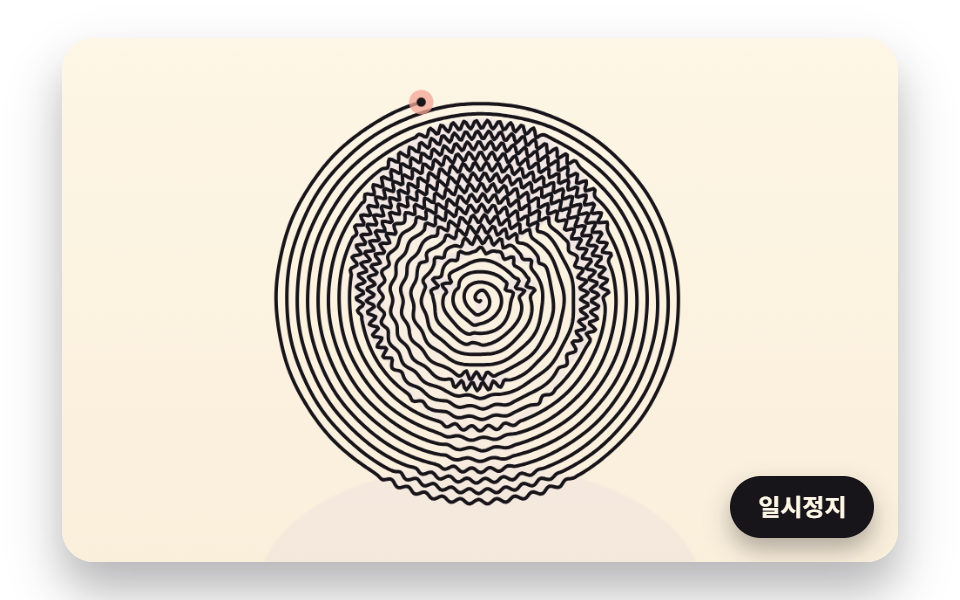 Creative UIOne Line Drawing Generator: 9 Canvas Scenes
 Creative UICSS Cloud Animation: 9 Sky Scenes in Canvas
 Creative UICSS Background Pattern Generator: 9 Seeded Scenes
 Creative UICanvas Particle Animation: 9 Engine Patterns
 Creative UICute CSS Animations: 9 Kawaii Character Demos
 Creative UIHTML5 Canvas Animation: 9 Warp & Droplet Effects
 Creative UICSS Art Animation — 9 Objects From Pure Shapes
 Creative UIWave Interference Simulation: 9 Canvas Scenes
 Creative UI3D Globe Website: 9 Canvas Orbit Scenes
 Creative UIVerlet Physics 9 Demos: No Library, Just Canvas