Comment Section UI: 9 Thread List Patterns
The pixels a deleted comment used to fill become exactly how far the rows below rise, and reply indentation pulls its width from nothing but a depth count.
 01 comment-thread-reply-indent-depth
 02 comment-thread-collapse-height-spring
 03 comment-thread-sort-reorder-flip
 04 comment-thread-like-count-elastic-pop
 05 comment-thread-skeleton-shimmer-stagger
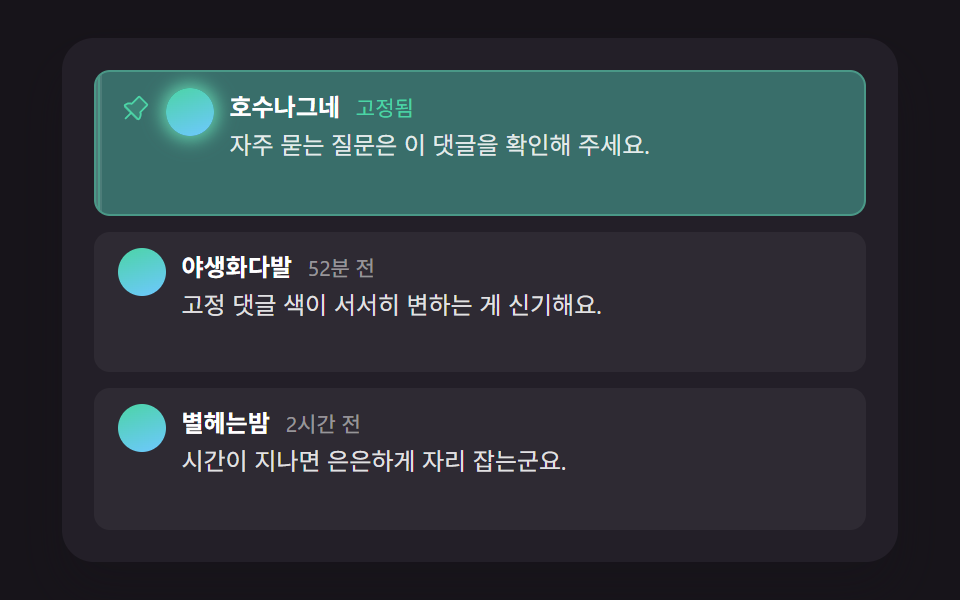 06 comment-thread-pinned-highlight-decay
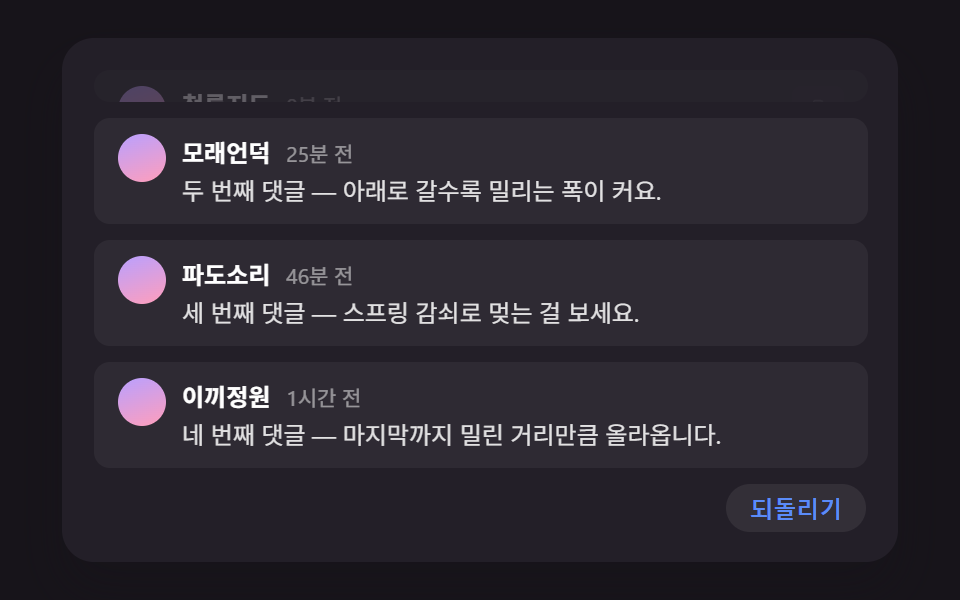 07 comment-thread-delete-collapse-shift
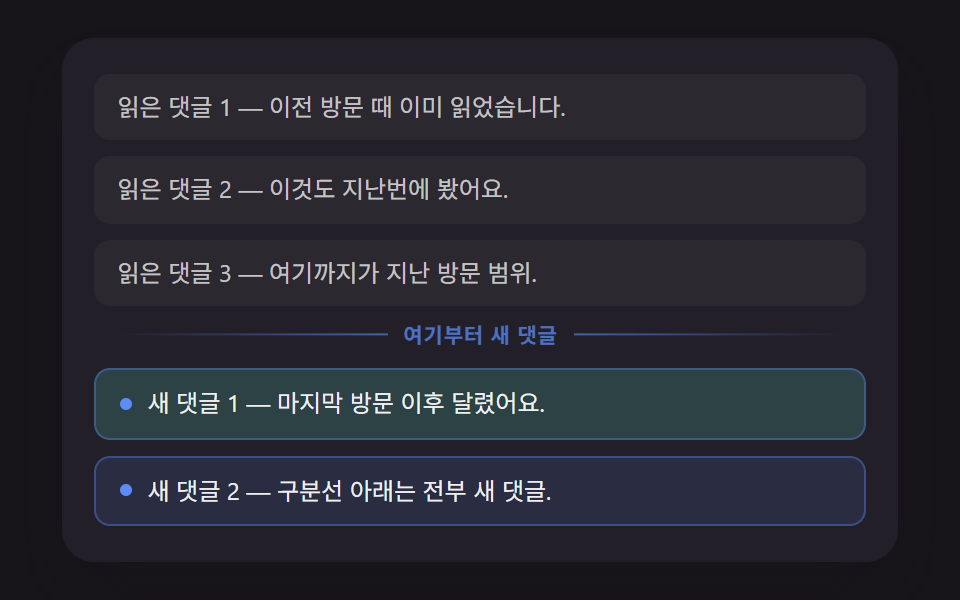 08 comment-thread-unread-divider-position
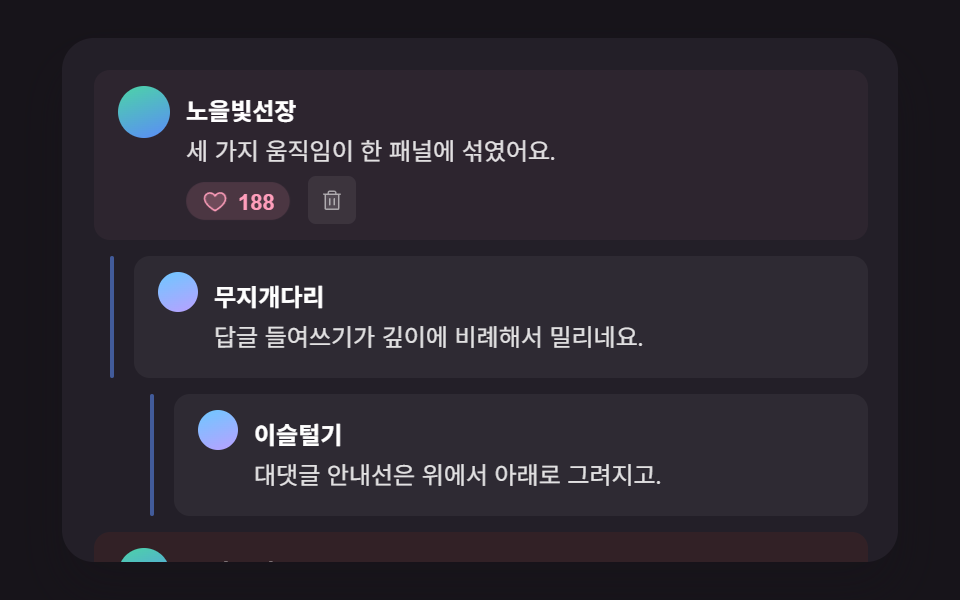 09 comment-thread-hero-panel-scene
Auto-plays · click a tile to jump to its section · all nine in one zip
- 01 Reply Indent That Calculates Its Width From a Depth Count
- 02 Reply Collapse That Springs to a Measured Height
- 03 Sort Transition That Slides by a Calculated Distance From Its Old Position
- 04 Like Count That Rolls the Difference From Its Previous Value
- 05 Skeleton Loading Whose Shimmer Delay Is Calculated From Row Order
- 06 Pinned-Comment Highlight That Fades by Time Since It Was Pinned
- 07 Delete Shift Where Comments Below Rise by the Deleted Row's Height
- 08 Unread Divider Whose Position Is Calculated Against the Last Visit Time
- 09 Hero Scene Combining Several Calculations Into One Comment Panel
Comment Section UI: 9 Patterns That Calculate Depth, Height, and Time
Every build below answers one of three questions with a number instead of a guess: how deep is this reply, how tall is this block, and how long ago did that happen. Item 01 turns a depth count into an indent width the moment a reply renders. Items 02 and 07 measure pixel heights — one to spring a panel open by exactly that much, the other to hand the same distance to the rows below a deleted comment. Item 03 measures the vertical gap between a comment's old and new position when the sort flips, item 04 measures the numeric gap between an old and new like count, and items 06 and 08 turn elapsed minutes into a highlight strength and a divider position. Item 05 covers the moment before any of this exists — the skeleton that stands in while comments load — and item 09 runs the depth, like, and delete calculations together on one panel. Reading them in order follows a comment list's actual life: depth, expand, sort, react, load, age, delete, done.
Code by Pattern
Each section below excerpts only the lines where the calculation happens; the full markup and styles sit in the archive under each demo. Commenter names and bodies are planted fake values, and nothing talks to a server.
01Reply Indent That Calculates Its Width From a Depth Count
Each reply's data-depth value is multiplied by REPLY_INDENT_STEP_PX and written into a CSS custom property, so layout gets its number once and the expand animation only spends transform and opacity on the guide line and the reply body. This suits a nested reply thread under a blog post. Item 01 moved across 11/23 captured frames at an average intensity of 65.5, with 5.2% cumulative area — small by design, since the only moving pieces are a thin vertical line and one reply body.
<main class="stage">
<div class="cmt is-demo" id="cmtRoot">
  <ul class="cmt__list" role="list" id="cmtList">
    <li class="cmt__item" data-depth="0">
      <div class="cmt__row">
        <span class="cmt__avatar" aria-hidden="true"></span>
        <div class="cmt__body">
          <p class="cmt__meta"><strong class="cmt__name">GreenLime</strong></p>
          <p class="cmt__text">This color combination works really well together.</p>
          <button type="button" class="cmt__toggle" id="toggle1" aria-expanded="false" aria-controls="replies1">
            <svg class="cmt__toggleIcon" viewBox="0 0 256 256" aria-hidden="true"><g fill="currentColor"><path d="m208 96l-80 80l-80-80Z" opacity=".2"/><path d="M215.39 92.94A8 8 0 0 0 208 88H48a8 8 0 0 0-5.66 13.66l80 80a8 8 0 0 0 11.32 0l80-80a8 8 0 0 0 1.73-8.72M128 164.69L67.31 104h121.38Z"/></g></svg>
            <span class="cmt__toggleLabel">2 replies</span>
          </button>
        </div>
      </div>
      <ul class="cmt__replies" role="list" id="replies1">
        <li class="cmt__item" data-depth="1">
          <span class="cmt__guide" aria-hidden="true"></span>
          <div class="cmt__row">
            <span class="cmt__avatar" aria-hidden="true"></span>
            <div class="cmt__body">
              <p class="cmt__meta"><strong class="cmt__name">WaveSound</strong></p>
              <p class="cmt__text">I feel the same way, especially about the spacing.</p>
              <button type="button" class="cmt__toggle" id="toggle1a" aria-expanded="false" aria-controls="replies1a">
                <svg class="cmt__toggleIcon" viewBox="0 0 256 256" aria-hidden="true"><g fill="currentColor"><path d="m208 96l-80 80l-80-80Z" opacity=".2"/><path d="M215.39 92.94A8 8 0 0 0 208 88H48a8 8 0 0 0-5.66 13.66l80 80a8 8 0 0 0 11.32 0l80-80a8 8 0 0 0 1.73-8.72M128 164.69L67.31 104h121.38Z"/></g></svg>
                <span class="cmt__toggleLabel">1 reply</span>
              </button>
            </div>
          </div>
          <ul class="cmt__replies" role="list" id="replies1a">
            <li class="cmt__item" data-depth="2">
              <span class="cmt__guide" aria-hidden="true"></span>
              <div class="cmt__row">
                <span class="cmt__avatar" aria-hidden="true"></span>
                <div class="cmt__body">
                  <p class="cmt__meta"><strong class="cmt__name">SummerHill</strong></p>
                  <p class="cmt__text">I'd like the spacing to be a bit wider.</p>
                  <button type="button" class="cmt__toggle" id="toggle1a1" aria-expanded="false" aria-controls="replies1a1">
                    <svg class="cmt__toggleIcon" viewBox="0 0 256 256" aria-hidden="true"><g fill="currentColor"><path d="m208 96l-80 80l-80-80Z" opacity=".2"/><path d="M215.39 92.94A8 8 0 0 0 208 88H48a8 8 0 0 0-5.66 13.66l80 80a8 8 0 0 0 11.32 0l80-80a8 8 0 0 0 1.73-8.72M128 164.69L67.31 104h121.38Z"/></g></svg>
                    <span class="cmt__toggleLabel">1 reply</span>
                  </button>
                </div>
              </div>
              <ul class="cmt__replies" role="list" id="replies1a1">
                <li class="cmt__item" data-depth="3">
                  <span class="cmt__guide" aria-hidden="true"></span>
                  <div class="cmt__row">
                    <span class="cmt__avatar" aria-hidden="true"></span>
                    <div class="cmt__body">
                      <p class="cmt__meta"><strong class="cmt__name">GreenLime</strong></p>
                      <p class="cmt__text">Widening it sounds good, I'll reflect that next time.</p>
                    </div>
                  </div>
                </li>
              </ul>
            </li>
          </ul>
        </li>
      </ul>
    </li>
    <li class="cmt__item" data-depth="0">
      <div class="cmt__row">
        <span class="cmt__avatar" aria-hidden="true"></span>
        <div class="cmt__body">
          <p class="cmt__meta"><strong class="cmt__name">MintPage</strong></p>
          <p class="cmt__text">The button size is just right as it is now.</p>
          <button type="button" class="cmt__toggle" id="toggle2" aria-expanded="false" aria-controls="replies2">
            <svg class="cmt__toggleIcon" viewBox="0 0 256 256" aria-hidden="true"><g fill="currentColor"><path d="m208 96l-80 80l-80-80Z" opacity=".2"/><path d="M215.39 92.94A8 8 0 0 0 208 88H48a8 8 0 0 0-5.66 13.66l80 80a8 8 0 0 0 11.32 0l80-80a8 8 0 0 0 1.73-8.72M128 164.69L67.31 104h121.38Z"/></g></svg>
            <span class="cmt__toggleLabel">1 reply</span>
          </button>
        </div>
      </div>
      <ul class="cmt__replies" role="list" id="replies2">
        <li class="cmt__item" data-depth="1">
          <span class="cmt__guide" aria-hidden="true"></span>
          <div class="cmt__row">
            <span class="cmt__avatar" aria-hidden="true"></span>
            <div class="cmt__body">
              <p class="cmt__meta"><strong class="cmt__name">WaveSound</strong></p>
              <p class="cmt__text">Right, it's become easier to tap.</p>
            </div>
          </div>
        </li>
      </ul>
    </li>
  </ul>
  <p class="cmt__sr" id="cmtStatus" aria-live="polite"></p>
</div>
</main>@use "../../../../site/static/demo-tokens" as *;
@include stage($stage-ink);
.cmt {
position: relative;
width: min(92vw, calc(160vh - 12.8vw));
aspect-ratio: 480 / 300;
margin: 0 auto;
border-radius: $r-card;
overflow: hidden;
box-shadow: $shadow-raised;
background: $tick-panel;
padding: $sp-4;
box-sizing: border-box;
font-family: -apple-system, "Segoe UI", "Noto Sans KR", sans-serif;
}
.cmt__list,
.cmt__replies {
list-style: none;
margin: 0;
padding: 0;
}
.cmt__replies {
margin-top: $sp-2;
}
.cmt__item {
position: relative;
margin-left: var(--depth-indent, 0px);
padding-top: $sp-2;
}
.cmt__item[data-depth="0"] + .cmt__item[data-depth="0"] {
margin-top: $sp-3;
padding-top: $sp-3;
border-top: 1px solid rgba(255, 255, 255, .08);
}
.cmt__guide {
position: absolute;
left: -12px;
top: 2px;
bottom: 2px;
width: 2px;
background: $subject-blue-light;
border-radius: $r-xs;
transform-origin: top;
transform: scaleY(0);
}
.cmt__row {
display: flex;
align-items: flex-start;
gap: $sp-2;
}
.cmt__avatar {
flex: none;
width: 22px;
height: 22px;
border-radius: 50%;
background: linear-gradient(160deg, $subject-mint, $subject-blue-light);
margin-top: 4px;
}
.cmt__body {
min-width: 0;
}
.cmt__meta {
margin: 0 0 4px;
}
.cmt__name {
color: #fff;
font-size: 12.5px;
font-weight: 700;
}
.cmt__text {
margin: 0 0 4px;
color: rgba(255, 255, 255, .86);
font-size: 12.5px;
line-height: 1.5;
}
.cmt__toggle {
display: inline-flex;
align-items: center;
gap: 4px;
border: 0;
background: transparent;
color: $subject-blue-light;
font-size: 11.5px;
font-weight: 600;
padding: $sp-1 $sp-2 $sp-1 0;
cursor: pointer;
border-radius: $r-xs;
}
.cmt__toggle:focus-visible {
outline: 2px solid $subject-blue-light;
outline-offset: 2px;
}
.cmt__toggleIcon {
width: 12px;
height: 12px;
transition: transform $dur-quick $ease-out;
}
.cmt__toggle[aria-expanded="true"] .cmt__toggleIcon {
transform: rotate(180deg);
}
.cmt__sr {
position: absolute;
width: 1px;
height: 1px;
overflow: hidden;
clip: rect(0 0 0 0);
white-space: nowrap;
}
@media (max-width: 340px) {
.cmt { padding: $sp-3; }
.cmt__text, .cmt__name { font-size: 11.5px; }
}
@media (prefers-reduced-motion: reduce) {
.cmt__guide,
.cmt__body,
.cmt__toggleIcon {
transition: none !important;
}
}html, body {
margin: 0;
overflow: hidden;
}
.stage {
box-sizing: border-box;
min-height: 100vh;
display: grid;
place-items: center;
margin: 0;
background: #17141a;
font-family: -apple-system, "Segoe UI", "Noto Sans KR", sans-serif;
padding: clamp(8px, 4vw, 24px);
}
.cmt {
position: relative;
width: min(92vw, 160vh - 12.8vw);
aspect-ratio: 480/300;
margin: 0 auto;
border-radius: 16px;
overflow: hidden;
box-shadow: 0 14px 24px rgba(23, 20, 26, 0.32);
background: #231f28;
padding: 16px;
box-sizing: border-box;
font-family: -apple-system, "Segoe UI", "Noto Sans KR", sans-serif;
}
.cmt__list,
.cmt__replies {
list-style: none;
margin: 0;
padding: 0;
}
.cmt__replies {
margin-top: 8px;
}
.cmt__item {
position: relative;
margin-left: var(--depth-indent, 0px);
padding-top: 8px;
}
.cmt__item[data-depth="0"] + .cmt__item[data-depth="0"] {
margin-top: 12px;
padding-top: 12px;
border-top: 1px solid rgba(255, 255, 255, 0.08);
}
.cmt__guide {
position: absolute;
left: -12px;
top: 2px;
bottom: 2px;
width: 2px;
background: #5b8cf8;
border-radius: 4px;
transform-origin: top;
transform: scaleY(0);
}
.cmt__row {
display: flex;
align-items: flex-start;
gap: 8px;
}
.cmt__avatar {
flex: none;
width: 22px;
height: 22px;
border-radius: 50%;
background: linear-gradient(160deg, #4cd4a6, #5b8cf8);
margin-top: 2px;
}
.cmt__body {
min-width: 0;
}
.cmt__meta {
margin: 0 0 2px;
}
.cmt__name {
color: #fff;
font-size: 12.5px;
font-weight: 700;
}
.cmt__text {
margin: 0 0 4px;
color: rgba(255, 255, 255, 0.86);
font-size: 12.5px;
line-height: 1.5;
}
.cmt__toggle {
display: inline-flex;
align-items: center;
gap: 4px;
border: 0;
background: transparent;
color: #5b8cf8;
font-size: 11.5px;
font-weight: 600;
padding: 4px 8px 4px 0;
cursor: pointer;
border-radius: 4px;
}
.cmt__toggle:focus-visible {
outline: 2px solid #5b8cf8;
outline-offset: 2px;
}
.cmt__toggleIcon {
width: 12px;
height: 12px;
transition: transform 220ms ease-out;
}
.cmt__toggle[aria-expanded=true] .cmt__toggleIcon {
transform: rotate(180deg);
}
.cmt__sr {
position: absolute;
width: 1px;
height: 1px;
overflow: hidden;
clip: rect(0 0 0 0);
white-space: nowrap;
}
@media (max-width: 340px) {
.cmt {
padding: 12px;
}
.cmt__text, .cmt__name {
font-size: 11.5px;
}
}
@media (prefers-reduced-motion: reduce) {
.cmt__guide,
.cmt__body,
.cmt__toggleIcon {
transition: none !important;
}
}(function () {
// 기법: 각 항목의 data-depth 값을 REPLY_INDENT_STEP_PX 와 곱해 들여쓰기 폭을 계산해
// CSS 변수로 꽂는다(레이아웃은 고정, 애니메이션 대상 아님). 펼침 애니메이션은 세로 안내선의
// scaleY 와 답글 내용의 opacity/translateY 두 가지 transform·opacity 속성만 움직인다.
var REPLY_INDENT_STEP_PX = 24;
var root = document.getElementById('cmtRoot');
var list = document.getElementById('cmtList');
var status = document.getElementById('cmtStatus');
var items = list.querySelectorAll('.cmt__item[data-depth]');
for (var i = 0; i < items.length; i += 1) {
var depth = parseInt(items[i].getAttribute('data-depth'), 10) || 0;
items[i].style.setProperty('--depth-indent', (depth * REPLY_INDENT_STEP_PX) + 'px');
}
var reduce = window.matchMedia('(prefers-reduced-motion: reduce)').matches;
if (reduce) root.classList.remove('is-demo');
function groupParts(ulId) {
var ul = document.getElementById(ulId);
var kids = ul.querySelectorAll(':scope > .cmt__item');
var guides = [];
var bodies = [];
for (var i = 0; i < kids.length; i += 1) {
var g = kids[i].querySelector(':scope > .cmt__guide');
var b = kids[i].querySelector(':scope > .cmt__row .cmt__body');
if (g) guides.push(g);
if (b) bodies.push(b);
}
return { ul: ul, guides: guides, bodies: bodies };
}
function openGroup(ulId, toggleId, delayMs, durMs) {
var parts = groupParts(ulId);
var toggle = document.getElementById(toggleId);
if (toggle) toggle.setAttribute('aria-expanded', 'true');
if (reduce) {
parts.ul.style.setProperty('--reveal', '1');
for (var i = 0; i < parts.guides.length; i += 1) parts.guides[i].style.transform = 'scaleY(1)';
for (var j = 0; j < parts.bodies.length; j += 1) { parts.bodies[j].style.opacity = '1'; parts.bodies[j].style.transform = 'translateY(0)'; }
return;
}
for (var gi = 0; gi < parts.guides.length; gi += 1) {
parts.guides[gi].animate(
[{ transform: 'scaleY(0)' }, { transform: 'scaleY(1)' }],
{ duration: durMs, delay: delayMs, easing: 'cubic-bezier(.2,.7,.2,1)', fill: 'forwards' }
);
}
for (var bi = 0; bi < parts.bodies.length; bi += 1) {
parts.bodies[bi].animate(
[{ opacity: 0, transform: 'translateY(6px)' }, { opacity: 1, transform: 'translateY(0)' }],
{ duration: durMs, delay: delayMs + 60, easing: 'ease-out', fill: 'forwards' }
);
}
}
function closeGroupInstant(ulId, toggleId) {
var parts = groupParts(ulId);
var toggle = document.getElementById(toggleId);
if (toggle) toggle.setAttribute('aria-expanded', 'false');
for (var i = 0; i < parts.guides.length; i += 1) parts.guides[i].style.transform = 'scaleY(0)';
for (var j = 0; j < parts.bodies.length; j += 1) { parts.bodies[j].style.opacity = '0'; parts.bodies[j].style.transform = 'translateY(6px)'; }
}
closeGroupInstant('replies1', 'toggle1');
closeGroupInstant('replies1a', 'toggle1a');
closeGroupInstant('replies1a1', 'toggle1a1');
closeGroupInstant('replies2', 'toggle2');
function playSequence() {
closeGroupInstant('replies1', 'toggle1');
closeGroupInstant('replies1a', 'toggle1a');
closeGroupInstant('replies1a1', 'toggle1a1');
closeGroupInstant('replies2', 'toggle2');
openGroup('replies1', 'toggle1', 200, 460);
openGroup('replies2', 'toggle2', 200, 460);
openGroup('replies1a', 'toggle1a', 560, 460);
openGroup('replies1a1', 'toggle1a1', 920, 460);
status.textContent = 'Replies expanded down to depth 3.';
}
function bindToggle(toggleId, ulId) {
var toggle = document.getElementById(toggleId);
toggle.addEventListener('click', function () {
root.classList.remove('is-demo');
var open = toggle.getAttribute('aria-expanded') === 'true';
if (open) {
closeGroupInstant(ulId, toggleId);
} else {
openGroup(ulId, toggleId, 0, reduce ? 0 : 260);
}
});
toggle.addEventListener('keydown', function (e) {
if (e.key === 'Enter' || e.key === ' ') {
e.preventDefault();
toggle.click();
}
});
}
bindToggle('toggle1', 'replies1');
bindToggle('toggle1a', 'replies1a');
bindToggle('toggle1a1', 'replies1a1');
bindToggle('toggle2', 'replies2');
if (reduce) {
openGroup('replies1', 'toggle1', 0, 0);
openGroup('replies2', 'toggle2', 0, 0);
openGroup('replies1a', 'toggle1a', 0, 0);
openGroup('replies1a1', 'toggle1a1', 0, 0);
} else {
playSequence();
window.setInterval(function () {
if (!root.classList.contains('is-demo')) return;
playSequence();
}, 2400);
}
})();import { useEffect, useRef } from "react";
import styles from "./CommentThreadReplyIndentDepth.module.scss";
const REPLY_INDENT_STEP_PX = 24;
const CARET_PATH = (
<g fill="currentColor">
<path d="m208 96l-80 80l-80-80Z" opacity=".2" />
<path d="M215.39 92.94A8 8 0 0 0 208 88H48a8 8 0 0 0-5.66 13.66l80 80a8 8 0 0 0 11.32 0l80-80a8 8 0 0 0 1.73-8.72M128 164.69L67.31 104h121.38Z" />
</g>
);
type GroupRefs = { ul: HTMLUListElement | null; toggle: HTMLButtonElement | null };
export default function CommentThreadReplyIndentDepth() {
const rootRef = useRef<HTMLDivElement>(null);
const statusRef = useRef<HTMLParagraphElement>(null);
const g1 = useRef<HTMLUListElement>(null);
const g1a = useRef<HTMLUListElement>(null);
const g1a1 = useRef<HTMLUListElement>(null);
const g2 = useRef<HTMLUListElement>(null);
const t1 = useRef<HTMLButtonElement>(null);
const t1a = useRef<HTMLButtonElement>(null);
const t1a1 = useRef<HTMLButtonElement>(null);
const t2 = useRef<HTMLButtonElement>(null);
useEffect(() => {
const root = rootRef.current;
const status = statusRef.current;
if (!root || !status) return;
const items = root.querySelectorAll<HTMLElement>("[data-depth]");
items.forEach((el) => {
const depth = parseInt(el.getAttribute("data-depth") || "0", 10) || 0;
el.style.setProperty("--depth-indent", `${depth * REPLY_INDENT_STEP_PX}px`);
});
const reduce = window.matchMedia("(prefers-reduced-motion: reduce)").matches;
if (reduce) root.classList.remove("is-demo");
function parts(group: GroupRefs) {
const ul = group.ul;
const guides: HTMLElement[] = [];
const bodies: HTMLElement[] = [];
if (ul) {
ul.querySelectorAll<HTMLElement>(":scope > li").forEach((li) => {
const guide = li.querySelector<HTMLElement>(":scope > .guide");
const body = li.querySelector<HTMLElement>(":scope > .row .body");
if (guide) guides.push(guide);
if (body) bodies.push(body);
});
}
return { guides, bodies };
}
function closeInstant(group: GroupRefs) {
const { guides, bodies } = parts(group);
if (group.toggle) group.toggle.setAttribute("aria-expanded", "false");
guides.forEach((g) => { g.style.transform = "scaleY(0)"; });
bodies.forEach((b) => { b.style.opacity = "0"; b.style.transform = "translateY(6px)"; });
}
function open(group: GroupRefs, delayMs: number, durMs: number) {
const { guides, bodies } = parts(group);
if (group.toggle) group.toggle.setAttribute("aria-expanded", "true");
if (reduce) {
guides.forEach((g) => { g.style.transform = "scaleY(1)"; });
bodies.forEach((b) => { b.style.opacity = "1"; b.style.transform = "translateY(0)"; });
return;
}
guides.forEach((g) => {
g.animate(
[{ transform: "scaleY(0)" }, { transform: "scaleY(1)" }],
{ duration: durMs, delay: delayMs, easing: "cubic-bezier(.2,.7,.2,1)", fill: "forwards" }
);
});
bodies.forEach((b) => {
b.animate(
[{ opacity: 0, transform: "translateY(6px)" }, { opacity: 1, transform: "translateY(0)" }],
{ duration: durMs, delay: delayMs + 60, easing: "ease-out", fill: "forwards" }
);
});
}
const groups: Record<string, GroupRefs> = {
replies1: { ul: g1.current, toggle: t1.current },
replies1a: { ul: g1a.current, toggle: t1a.current },
replies1a1: { ul: g1a1.current, toggle: t1a1.current },
replies2: { ul: g2.current, toggle: t2.current }
};
function playSequence() {
Object.values(groups).forEach(closeInstant);
open(groups.replies1, 200, 460);
open(groups.replies2, 200, 460);
open(groups.replies1a, 560, 460);
open(groups.replies1a1, 920, 460);
if (status) status.textContent = "깊이 3단계까지 답글이 펼쳐졌습니다.";
}
function bind(group: GroupRefs, key: string) {
const toggle = group.toggle;
if (!toggle) return;
const onActivate = () => {
if (!root) return;
root.classList.remove("is-demo");
const isOpen = toggle.getAttribute("aria-expanded") === "true";
if (isOpen) closeInstant(group);
else open(group, 0, reduce ? 0 : 260);
};
toggle.addEventListener("click", onActivate);
toggle.addEventListener("keydown", (e) => {
if (e.key === "Enter" || e.key === " ") { e.preventDefault(); onActivate(); }
});
}
Object.entries(groups).forEach(([key, g]) => bind(g, key));
let timer: number | undefined;
if (reduce) {
Object.values(groups).forEach((g) => open(g, 0, 0));
} else {
playSequence();
timer = window.setInterval(() => {
if (!root.classList.contains("is-demo")) return;
playSequence();
}, 2400);
}
return () => { if (timer) window.clearInterval(timer); };
}, []);
return (
<main className={styles.stage}>
<div className={`${styles.cmt} is-demo`} ref={rootRef}>
<ul className={styles.cmt__list} role="list">
<li className={styles.cmt__item} data-depth="0">
<div className={`row ${styles.cmt__row}`}>
<span className={styles.cmt__avatar} aria-hidden="true" />
<div className={`body ${styles.cmt__body}`}>
<p className={styles.cmt__meta}><strong className={styles.cmt__name}>그린라임</strong></p>
<p className={styles.cmt__text}>이 배색 조합 정말 잘 어울리네요.</p>
<button type="button" className={styles.cmt__toggle} ref={t1} aria-expanded="false" aria-controls="replies1">
<svg className={styles.cmt__toggleIcon} viewBox="0 0 256 256" aria-hidden="true">{CARET_PATH}</svg>
<span>답글 2개</span>
</button>
</div>
</div>
<ul className={styles.cmt__replies} role="list" id="replies1" ref={g1}>
<li className={styles.cmt__item} data-depth="1">
<span className={`guide ${styles.cmt__guide}`} aria-hidden="true" />
<div className={`row ${styles.cmt__row}`}>
<span className={styles.cmt__avatar} aria-hidden="true" />
<div className={`body ${styles.cmt__body}`}>
<p className={styles.cmt__meta}><strong className={styles.cmt__name}>파도소리</strong></p>
<p className={styles.cmt__text}>저도 같은 생각이에요, 특히 여백이 좋아요.</p>
<button type="button" className={styles.cmt__toggle} ref={t1a} aria-expanded="false" aria-controls="replies1a">
<svg className={styles.cmt__toggleIcon} viewBox="0 0 256 256" aria-hidden="true">{CARET_PATH}</svg>
<span>답글 1개</span>
</button>
</div>
</div>
<ul className={styles.cmt__replies} role="list" id="replies1a" ref={g1a}>
<li className={styles.cmt__item} data-depth="2">
<span className={`guide ${styles.cmt__guide}`} aria-hidden="true" />
<div className={`row ${styles.cmt__row}`}>
<span className={styles.cmt__avatar} aria-hidden="true" />
<div className={`body ${styles.cmt__body}`}>
<p className={styles.cmt__meta}><strong className={styles.cmt__name}>여름언덕</strong></p>
<p className={styles.cmt__text}>저는 간격을 조금 더 넓히고 싶던데요.</p>
<button type="button" className={styles.cmt__toggle} ref={t1a1} aria-expanded="false" aria-controls="replies1a1">
<svg className={styles.cmt__toggleIcon} viewBox="0 0 256 256" aria-hidden="true">{CARET_PATH}</svg>
<span>답글 1개</span>
</button>
</div>
</div>
<ul className={styles.cmt__replies} role="list" id="replies1a1" ref={g1a1}>
<li className={styles.cmt__item} data-depth="3">
<span className={`guide ${styles.cmt__guide}`} aria-hidden="true" />
<div className={`row ${styles.cmt__row}`}>
<span className={styles.cmt__avatar} aria-hidden="true" />
<div className={`body ${styles.cmt__body}`}>
<p className={styles.cmt__meta}><strong className={styles.cmt__name}>그린라임</strong></p>
<p className={styles.cmt__text}>넓히는 것도 좋을 것 같아요, 다음에 반영할게요.</p>
</div>
</div>
</li>
</ul>
</li>
</ul>
</li>
</ul>
</li>
<li className={styles.cmt__item} data-depth="0">
<div className={`row ${styles.cmt__row}`}>
<span className={styles.cmt__avatar} aria-hidden="true" />
<div className={`body ${styles.cmt__body}`}>
<p className={styles.cmt__meta}><strong className={styles.cmt__name}>민트페이지</strong></p>
<p className={styles.cmt__text}>버튼 크기도 지금이 딱 좋아요.</p>
<button type="button" className={styles.cmt__toggle} ref={t2} aria-expanded="false" aria-controls="replies2">
<svg className={styles.cmt__toggleIcon} viewBox="0 0 256 256" aria-hidden="true">{CARET_PATH}</svg>
<span>답글 1개</span>
</button>
</div>
</div>
<ul className={styles.cmt__replies} role="list" id="replies2" ref={g2}>
<li className={styles.cmt__item} data-depth="1">
<span className={`guide ${styles.cmt__guide}`} aria-hidden="true" />
<div className={`row ${styles.cmt__row}`}>
<span className={styles.cmt__avatar} aria-hidden="true" />
<div className={`body ${styles.cmt__body}`}>
<p className={styles.cmt__meta}><strong className={styles.cmt__name}>파도소리</strong></p>
<p className={styles.cmt__text}>맞아요, 누르기 편해졌어요.</p>
</div>
</div>
</li>
</ul>
</li>
</ul>
<p className={styles.cmt__sr} ref={statusRef} aria-live="polite" />
</div>
</main>
);
}01 · Reply Indent That Calculates Its Width From a Depth Count — Measured area 5.21% · moving frames 11/23Original by GODRICH · SCSS and React ship in the zip · See the password
<script>
(function () {
  // Technique: multiply each item's data-depth by REPLY_INDENT_STEP_PX to get the
  // indent width, then write it into a CSS custom property (layout only, not animated).
  // The expand animation only moves the guideline's scaleY and the reply body's
  // opacity/translateY -- two transform/opacity properties, nothing else.
  var REPLY_INDENT_STEP_PX = 24;

  var root = document.getElementById('cmtRoot');
  var list = document.getElementById('cmtList');
  var status = document.getElementById('cmtStatus');

  var items = list.querySelectorAll('.cmt__item[data-depth]');
  for (var i = 0; i < items.length; i += 1) {
    var depth = parseInt(items[i].getAttribute('data-depth'), 10) || 0;
    items[i].style.setProperty('--depth-indent', (depth * REPLY_INDENT_STEP_PX) + 'px');
  }

  var reduce = window.matchMedia('(prefers-reduced-motion: reduce)').matches;
  if (reduce) root.classList.remove('is-demo');

  function groupParts(ulId) {
    var ul = document.getElementById(ulId);
02Reply Collapse That Springs to a Measured Height
The panel measures the real pixel height of the replies it is about to reveal and derives its expand duration from that measurement, then animates height through SPRING_SETTLE_EASING while the chevron rotates by the same progress and the card background pulses through a wider arc. Use it as the collapse toggle for a long reply thread. Item 02 recorded 74.9% cumulative area at an average intensity of 26.6 across 8/23 frames — the largest share of the nine, because the whole card repaints as the panel stretches behind it.
<main class="stage">
<div class="ch is-demo" id="chRoot">
  <div class="ch__card">
    <div class="ch__row">
      <span class="ch__avatar" aria-hidden="true"></span>
      <div class="ch__body">
        <p class="ch__meta"><strong class="ch__name">CoralBooks</strong></p>
        <p class="ch__text">This thread has quite a pile of replies — let me expand and read them.</p>
        <button type="button" class="ch__toggle" id="chToggle" aria-expanded="false" aria-controls="chPanel">
          <svg class="ch__toggleIcon" id="chIcon" viewBox="0 0 256 256" aria-hidden="true"><g fill="currentColor"><path d="m208 96l-80 80l-80-80Z" opacity=".2"/><path d="M215.39 92.94A8 8 0 0 0 208 88H48a8 8 0 0 0-5.66 13.66l80 80a8 8 0 0 0 11.32 0l80-80a8 8 0 0 0 1.73-8.72M128 164.69L67.31 104h121.38Z"/></g></svg>
          <span class="ch__toggleLabel">View 3 replies</span>
        </button>
      </div>
    </div>
    <div class="ch__panel" id="chPanel">
      <div class="ch__panelInner" id="chPanelInner">
        <div class="ch__reply">
          <span class="ch__avatar ch__avatar--sm" aria-hidden="true"></span>
          <p class="ch__text">I kept missing where the save button was — it's clear now.</p>
        </div>
        <div class="ch__reply">
          <span class="ch__avatar ch__avatar--sm" aria-hidden="true"></span>
          <p class="ch__text">Agreed, looking forward to the next update.</p>
        </div>
        <div class="ch__reply">
          <span class="ch__avatar ch__avatar--sm" aria-hidden="true"></span>
          <p class="ch__text">It would be great if you could add screenshots too.</p>
        </div>
      </div>
    </div>
  </div>
  <p class="ch__sr" id="chStatus" aria-live="polite"></p>
</div>
</main>@use "../../../../site/static/demo-tokens" as *;
@include stage($stage-ink);
.ch {
position: relative;
width: min(92vw, calc(160vh - 12.8vw));
aspect-ratio: 480 / 300;
margin: 0 auto;
border-radius: $r-card;
overflow: hidden;
box-shadow: $shadow-raised;
background: $tick-panel;
font-family: -apple-system, "Segoe UI", "Noto Sans KR", sans-serif;
}
.ch__card {
padding: $sp-4;
box-sizing: border-box;
height: 100%;
overflow: hidden;
}
.ch__row { display: flex; align-items: flex-start; gap: $sp-2; }
.ch__avatar {
flex: none;
width: 24px;
height: 24px;
border-radius: 50%;
background: linear-gradient(160deg, $subject-pink, $subject-lilac);
margin-top: 4px;
&--sm { width: 18px; height: 18px; }
}
.ch__body { min-width: 0; }
.ch__meta { margin: 0 0 4px; }
.ch__name { color: #fff; font-size: 12.5px; font-weight: 700; }
.ch__text { margin: 0 0 4px; color: rgba(255, 255, 255, .86); font-size: 12.5px; line-height: 1.5; }
.ch__toggle {
display: inline-flex;
align-items: center;
gap: 4px;
border: 0;
background: transparent;
color: $subject-blue-light;
font-size: 11.5px;
font-weight: 600;
padding: $sp-1 $sp-2 $sp-1 0;
cursor: pointer;
border-radius: $r-xs;
}
.ch__toggle:focus-visible { outline: 2px solid $subject-blue-light; outline-offset: 2px; }
.ch__toggleIcon { width: 12px; height: 12px; transform-origin: center; }
.ch__panel {
overflow: hidden;
margin-left: 32px;
}
.ch__panelInner {
display: flex;
flex-direction: column;
gap: $sp-2;
padding-top: $sp-2;
}
.ch__reply {
display: flex;
align-items: flex-start;
gap: $sp-2;
padding: $sp-2;
background: rgba(255, 255, 255, .05);
border-radius: $r-sm;
.ch__text { margin: 0; }
}
.ch__sr {
position: absolute;
width: 1px; height: 1px;
overflow: hidden;
clip: rect(0 0 0 0);
white-space: nowrap;
}
@media (max-width: 340px) {
.ch__card { padding: $sp-3; }
.ch__text, .ch__name { font-size: 11.5px; }
}
@media (prefers-reduced-motion: reduce) {
.ch__panel, .ch__toggleIcon { transition: none !important; }
}html, body {
margin: 0;
overflow: hidden;
}
.stage {
box-sizing: border-box;
min-height: 100vh;
display: grid;
place-items: center;
margin: 0;
background: #17141a;
font-family: -apple-system, "Segoe UI", "Noto Sans KR", sans-serif;
padding: clamp(8px, 4vw, 24px);
}
.ch {
position: relative;
width: min(92vw, 160vh - 12.8vw);
aspect-ratio: 480/300;
margin: 0 auto;
border-radius: 16px;
overflow: hidden;
box-shadow: 0 14px 24px rgba(23, 20, 26, 0.32);
background: #231f28;
font-family: -apple-system, "Segoe UI", "Noto Sans KR", sans-serif;
}
.ch__card {
padding: 16px;
box-sizing: border-box;
height: 100%;
overflow: hidden;
}
.ch__row {
display: flex;
align-items: flex-start;
gap: 8px;
}
.ch__avatar {
flex: none;
width: 24px;
height: 24px;
border-radius: 50%;
background: linear-gradient(160deg, #ff9ebb, #b9a0ff);
margin-top: 2px;
}
.ch__avatar--sm {
width: 18px;
height: 18px;
}
.ch__body {
min-width: 0;
}
.ch__meta {
margin: 0 0 2px;
}
.ch__name {
color: #fff;
font-size: 12.5px;
font-weight: 700;
}
.ch__text {
margin: 0 0 4px;
color: rgba(255, 255, 255, 0.86);
font-size: 12.5px;
line-height: 1.5;
}
.ch__toggle {
display: inline-flex;
align-items: center;
gap: 4px;
border: 0;
background: transparent;
color: #5b8cf8;
font-size: 11.5px;
font-weight: 600;
padding: 4px 8px 4px 0;
cursor: pointer;
border-radius: 4px;
}
.ch__toggle:focus-visible {
outline: 2px solid #5b8cf8;
outline-offset: 2px;
}
.ch__toggleIcon {
width: 12px;
height: 12px;
transform-origin: center;
}
.ch__panel {
overflow: hidden;
margin-left: 32px;
}
.ch__panelInner {
display: flex;
flex-direction: column;
gap: 8px;
padding-top: 8px;
}
.ch__reply {
display: flex;
align-items: flex-start;
gap: 8px;
padding: 8px;
background: rgba(255, 255, 255, 0.05);
border-radius: 8px;
}
.ch__reply .ch__text {
margin: 0;
}
.ch__sr {
position: absolute;
width: 1px;
height: 1px;
overflow: hidden;
clip: rect(0 0 0 0);
white-space: nowrap;
}
@media (max-width: 340px) {
.ch__card {
padding: 12px;
}
.ch__text, .ch__name {
font-size: 11.5px;
}
}
@media (prefers-reduced-motion: reduce) {
.ch__panel, .ch__toggleIcon {
transition: none !important;
}
}(function () {
// 기법: 패널을 height:0 으로 접어 두고 펼칠 때 height:auto 로 잠깐 바꿔 scrollHeight 를
// 실측한 뒤(레이아웃은 그 순간 한 번만 재계산), 그 실측값을 목표로 스프링 이징(선형 샘플
// 곡선, 100% 를 살짝 넘겼다가 되돌아오는 값들)으로 height 를 직접 움직인다. 같은 이징·같은
// 진행률로 화살표를 0→180도 회전시켜 "펼침 비율만큼 회전"을 구현한다.
var root = document.getElementById('chRoot');
var toggle = document.getElementById('chToggle');
var icon = document.getElementById('chIcon');
var panel = document.getElementById('chPanel');
var inner = document.getElementById('chPanelInner');
var status = document.getElementById('chStatus');
var label = toggle.querySelector('.ch__toggleLabel');
// $ease-lerp-settle 곡선(site/static/demo-tokens.scss)과 같은 샘플 — 1 을 넘겼다가(최대 1.126) 되돌아온다.
var SPRING_SETTLE_EASING = 'linear(0.0, 0.051, 0.176, 0.341, 0.518, 0.685, 0.831, 0.947, 1.032, 1.087, 1.117, 1.126, 1.121, 1.105, 1.085, 1.062, 1.041, 1.022, 1.008, 0.997, 1)';
var reduce = window.matchMedia('(prefers-reduced-motion: reduce)').matches;
if (reduce) root.classList.remove('is-demo');
var open = false;
var panelAnim = null;
var innerAnim = null;
var iconAnim = null;
var bgAnim = null;
function measure() {
panel.style.height = 'auto';
inner.style.opacity = '1';
var h = panel.scrollHeight;
return h;
}
function setOpen(next, animate, delayMs) {
open = next;
toggle.setAttribute('aria-expanded', String(open));
label.textContent = open ? 'Hide replies' : 'View 3 replies';
status.textContent = open ? '3 replies expanded.' : 'Replies collapsed.';
if (panelAnim) panelAnim.cancel();
if (innerAnim) innerAnim.cancel();
if (iconAnim) iconAnim.cancel();
if (bgAnim) bgAnim.cancel();
var target = measure();
var from = open ? 0 : target;
var to = open ? target : 0;
panel.style.height = from + 'px';
inner.style.opacity = open ? '0' : '1';
if (!animate || reduce) {
panel.style.height = to + 'px';
inner.style.opacity = open ? '1' : '0';
icon.style.transform = 'rotate(' + (open ? 180 : 0) + 'deg)';
return;
}
// 계산: 패널이 실측한 픽셀 높이가 클수록 늘어나는 데 걸리는 시간도 조금 더 길게 잡는다.
var dur = Math.max(320, Math.min(680, 300 + target * 0.9));
panelAnim = panel.animate(
[{ height: from + 'px' }, { height: to + 'px' }],
{ duration: dur, delay: delayMs || 0, easing: SPRING_SETTLE_EASING, fill: 'forwards' }
);
innerAnim = inner.animate(
[{ opacity: open ? 0 : 1 }, { opacity: open ? 1 : 0 }],
{ duration: Math.round(dur * 0.6), delay: delayMs || 0, easing: 'ease-out', fill: 'forwards' }
);
iconAnim = icon.animate(
[{ transform: 'rotate(' + (open ? 0 : 180) + 'deg)' }, { transform: 'rotate(' + (open ? 180 : 0) + 'deg)' }],
{ duration: dur, delay: delayMs || 0, easing: SPRING_SETTLE_EASING, fill: 'forwards' }
);
// 계산: 펼침 비율이 0→1(또는 반대)로 진행되는 같은 구간 동안, 패널 전체(카드 바탕)에도
// 옅은 색 변화를 얹어 화살표·패널 경계 바깥까지 값을 전파한다(넓은 면적의 근거 있는 변화).
bgAnim = root.animate(
[{ backgroundColor: '#231f28' }, { backgroundColor: '#2b3550' }, { backgroundColor: '#231f28' }],
{ duration: Math.round(dur * 1.15), delay: delayMs || 0, easing: 'ease-out' }
);
}
panel.style.height = '0px';
inner.style.opacity = '0';
toggle.addEventListener('click', function () {
root.classList.remove('is-demo');
setOpen(!open, true, 0);
});
toggle.addEventListener('keydown', function (e) {
if (e.key === 'Enter' || e.key === ' ') { e.preventDefault(); toggle.click(); }
});
var seqTimer = null;
function playSequence() {
if (seqTimer) { window.clearTimeout(seqTimer); seqTimer = null; }
setOpen(false, false, 0);
setOpen(true, true, 200);
seqTimer = window.setTimeout(function () {
setOpen(false, true, 0);
}, 1080);
}
if (reduce) {
setOpen(true, false, 0);
} else {
playSequence();
window.setInterval(function () {
if (!root.classList.contains('is-demo')) return;
playSequence();
}, 2600);
}
})();import { useEffect, useRef } from "react";
import styles from "./CommentThreadCollapseHeightSpring.module.scss";
// $ease-lerp-settle 곡선(site/static/demo-tokens.scss)과 같은 샘플 — 1 을 넘겼다가(최대 1.126) 되돌아온다.
const SPRING_SETTLE_EASING =
"linear(0.0, 0.051, 0.176, 0.341, 0.518, 0.685, 0.831, 0.947, 1.032, 1.087, 1.117, 1.126, 1.121, 1.105, 1.085, 1.062, 1.041, 1.022, 1.008, 0.997, 1)";
export default function CommentThreadCollapseHeightSpring() {
const rootRef = useRef<HTMLDivElement>(null);
const toggleRef = useRef<HTMLButtonElement>(null);
const iconRef = useRef<SVGSVGElement>(null);
const panelRef = useRef<HTMLDivElement>(null);
const innerRef = useRef<HTMLDivElement>(null);
const labelRef = useRef<HTMLSpanElement>(null);
const statusRef = useRef<HTMLParagraphElement>(null);
useEffect(() => {
const root = rootRef.current;
const toggle = toggleRef.current;
const icon = iconRef.current;
const panel = panelRef.current;
const inner = innerRef.current;
const label = labelRef.current;
const status = statusRef.current;
if (!root || !toggle || !icon || !panel || !inner || !label || !status) return;
const reduce = window.matchMedia("(prefers-reduced-motion: reduce)").matches;
if (reduce) root.classList.remove("is-demo");
let open = false;
let panelAnim: Animation | null = null;
let innerAnim: Animation | null = null;
let iconAnim: Animation | null = null;
let bgAnim: Animation | null = null;
function measure() {
panel!.style.height = "auto";
inner!.style.opacity = "1";
return panel!.scrollHeight;
}
function setOpen(next: boolean, animate: boolean, delayMs: number) {
open = next;
toggle!.setAttribute("aria-expanded", String(open));
label!.textContent = open ? "답글 숨기기" : "답글 3개 보기";
status!.textContent = open ? "답글 3개가 펼쳐졌습니다." : "답글이 접혔습니다.";
if (panelAnim) panelAnim.cancel();
if (innerAnim) innerAnim.cancel();
if (iconAnim) iconAnim.cancel();
if (bgAnim) bgAnim.cancel();
const target = measure();
const from = open ? 0 : target;
const to = open ? target : 0;
panel!.style.height = from + "px";
inner!.style.opacity = open ? "0" : "1";
if (!animate || reduce) {
panel!.style.height = to + "px";
inner!.style.opacity = open ? "1" : "0";
icon!.style.transform = `rotate(${open ? 180 : 0}deg)`;
return;
}
const dur = Math.max(320, Math.min(680, 300 + target * 0.9));
panelAnim = panel!.animate(
[{ height: from + "px" }, { height: to + "px" }],
{ duration: dur, delay: delayMs, easing: SPRING_SETTLE_EASING, fill: "forwards" }
);
innerAnim = inner!.animate(
[{ opacity: open ? 0 : 1 }, { opacity: open ? 1 : 0 }],
{ duration: Math.round(dur * 0.6), delay: delayMs, easing: "ease-out", fill: "forwards" }
);
iconAnim = icon!.animate(
[{ transform: `rotate(${open ? 0 : 180}deg)` }, { transform: `rotate(${open ? 180 : 0}deg)` }],
{ duration: dur, delay: delayMs, easing: SPRING_SETTLE_EASING, fill: "forwards" }
);
// 계산: 펼침 비율이 0→1(또는 반대)로 진행되는 같은 구간 동안, 패널 전체(카드 바탕)에도
// 옅은 색 변화를 얹어 화살표·패널 경계 바깥까지 값을 전파한다(넓은 면적의 근거 있는 변화).
bgAnim = root!.animate(
[{ backgroundColor: "#231f28" }, { backgroundColor: "#2b3550" }, { backgroundColor: "#231f28" }],
{ duration: Math.round(dur * 1.15), delay: delayMs, easing: "ease-out" }
);
}
panel.style.height = "0px";
inner.style.opacity = "0";
const onActivate = () => { root.classList.remove("is-demo"); setOpen(!open, true, 0); };
toggle.addEventListener("click", onActivate);
toggle.addEventListener("keydown", (e) => {
if (e.key === "Enter" || e.key === " ") { e.preventDefault(); onActivate(); }
});
let seqTimer: number | undefined;
function playSequence() {
if (seqTimer) { window.clearTimeout(seqTimer); seqTimer = undefined; }
setOpen(false, false, 0);
setOpen(true, true, 200);
seqTimer = window.setTimeout(() => { setOpen(false, true, 0); }, 1080);
}
let timer: number | undefined;
if (reduce) {
setOpen(true, false, 0);
} else {
playSequence();
timer = window.setInterval(() => {
if (!root.classList.contains("is-demo")) return;
playSequence();
}, 2600);
}
return () => { if (timer) window.clearInterval(timer); if (seqTimer) window.clearTimeout(seqTimer); };
}, []);
return (
<main className={styles.stage}>
<div className={`${styles.ch} is-demo`} ref={rootRef}>
<div className={styles.ch__card}>
<div className={styles.ch__row}>
<span className={styles.ch__avatar} aria-hidden="true" />
<div className={styles.ch__body}>
<p className={styles.ch__meta}><strong className={styles.ch__name}>코랄북스</strong></p>
<p className={styles.ch__text}>이 스레드 답글이 꽤 쌓였네요, 펼쳐서 볼게요.</p>
<button type="button" className={styles.ch__toggle} ref={toggleRef} aria-expanded="false" aria-controls="chPanel">
<svg className={styles.ch__toggleIcon} ref={iconRef} viewBox="0 0 256 256" aria-hidden="true">
<g fill="currentColor">
<path d="m208 96l-80 80l-80-80Z" opacity=".2" />
<path d="M215.39 92.94A8 8 0 0 0 208 88H48a8 8 0 0 0-5.66 13.66l80 80a8 8 0 0 0 11.32 0l80-80a8 8 0 0 0 1.73-8.72M128 164.69L67.31 104h121.38Z" />
</g>
</svg>
<span ref={labelRef}>답글 3개 보기</span>
</button>
</div>
</div>
<div className={styles.ch__panel} id="chPanel" ref={panelRef}>
<div className={styles.ch__panelInner} ref={innerRef}>
<div className={styles.ch__reply}>
<span className={`${styles.ch__avatar} ${styles["ch__avatar--sm"]}`} aria-hidden="true" />
<p className={styles.ch__text}>저장 버튼 위치가 헷갈렸는데 이제 명확해요.</p>
</div>
<div className={styles.ch__reply}>
<span className={`${styles.ch__avatar} ${styles["ch__avatar--sm"]}`} aria-hidden="true" />
<p className={styles.ch__text}>동감이에요, 다음 업데이트도 기대할게요.</p>
</div>
<div className={styles.ch__reply}>
<span className={`${styles.ch__avatar} ${styles["ch__avatar--sm"]}`} aria-hidden="true" />
<p className={styles.ch__text}>스크린샷도 같이 올려주시면 좋을 것 같아요.</p>
</div>
</div>
</div>
</div>
<p className={styles.ch__sr} ref={statusRef} aria-live="polite" />
</div>
</main>
);
}02 · Reply Collapse That Springs to a Measured Height — Measured area 74.878% · moving frames 8/23Original by GODRICH · SCSS and React ship in the zip · See the password
      inner.style.opacity = open ? '1' : '0';
      icon.style.transform = 'rotate(' + (open ? 180 : 0) + 'deg)';
      return;
    }
    // Calculation: the taller the panel's measured height, the longer the expand takes.
    var dur = Math.max(320, Math.min(680, 300 + target * 0.9));
    panelAnim = panel.animate(
      [{ height: from + 'px' }, { height: to + 'px' }],
      { duration: dur, delay: delayMs || 0, easing: SPRING_SETTLE_EASING, fill: 'forwards' }
    );
    innerAnim = inner.animate(
      [{ opacity: open ? 0 : 1 }, { opacity: open ? 1 : 0 }],
      { duration: Math.round(dur * 0.6), delay: delayMs || 0, easing: 'ease-out', fill: 'forwards' }
    );
    iconAnim = icon.animate(
      [{ transform: 'rotate(' + (open ? 0 : 180) + 'deg)' }, { transform: 'rotate(' + (open ? 180 : 0) + 'deg)' }],
      { duration: dur, delay: delayMs || 0, easing: SPRING_SETTLE_EASING, fill: 'forwards' }
    );
    // Calculation: across the same 0-to-1 (or reverse) expand progress, the whole panel
    // background shifts color too, propagating the value past the arrow icon and the
    // panel edge -- the reason the moved area below is so large.
    bgAnim = root.animate(
      [{ backgroundColor: '#231f28' }, { backgroundColor: '#2b3550' }, { backgroundColor: '#231f28' }],
03Sort Transition That Slides by a Calculated Distance From Its Old Position
Flipping the sort order calls sortedIds(), which either returns the newest-first order as-is or re-ranks the list by each comment's data-likes value, and the DOM is then reordered so every comment can travel to its new slot with one measured distance instead of a generic shuffle. Attach it to the toggle button for popular versus newest sort. Item 03 moved on 7/23 frames at an average intensity of 82.1, covering 21.9% cumulative area as the rows glide past each other.
<main class="stage">
<div class="srt is-demo" id="srtRoot">
  <div class="srt__head">
    <button type="button" class="srt__sortBtn" id="srtSortBtn" aria-pressed="false">
      <svg class="srt__sortIcon" viewBox="0 0 256 256" aria-hidden="true"><g fill="currentColor"><path d="M176 48v160H80V48Z" opacity=".2"/><path d="M117.66 170.34a8 8 0 0 1 0 11.32l-32 32a8 8 0 0 1-11.32 0l-32-32a8 8 0 0 1 11.32-11.32L72 188.69V48a8 8 0 0 1 16 0v140.69l18.34-18.35a8 8 0 0 1 11.32 0m96-96l-32-32a8 8 0 0 0-11.32 0l-32 32a8 8 0 0 0 11.32 11.32L168 67.31V208a8 8 0 0 0 16 0V67.31l18.34 18.35a8 8 0 0 0 11.32-11.32"/></g></svg>
      <span class="srt__sortLabel" id="srtSortLabel">Newest</span>
    </button>
  </div>
  <ul class="srt__list" role="list" id="srtList">
    <li class="srt__item" data-id="c1" data-likes="12">
      <span class="srt__avatar" aria-hidden="true"></span>
      <div class="srt__body">
        <p class="srt__meta"><strong class="srt__name">SkyPencil</strong><span class="srt__time">just now</span></p>
        <p class="srt__text">This is nicely organized.</p>
      </div>
      <span class="srt__likes">♥ 12</span>
    </li>
    <li class="srt__item" data-id="c2" data-likes="41">
      <span class="srt__avatar" aria-hidden="true"></span>
      <div class="srt__body">
        <p class="srt__meta"><strong class="srt__name">SunsetView</strong><span class="srt__time">3 min ago</span></p>
        <p class="srt__text">Can I use the code as-is?</p>
      </div>
      <span class="srt__likes">♥ 41</span>
    </li>
    <li class="srt__item" data-id="c3" data-likes="7">
      <span class="srt__avatar" aria-hidden="true"></span>
      <div class="srt__body">
        <p class="srt__meta"><strong class="srt__name">GreenMoon</strong><span class="srt__time">9 min ago</span></p>
        <p class="srt__text">Thank you, this helped a lot.</p>
      </div>
      <span class="srt__likes">♥ 7</span>
    </li>
    <li class="srt__item" data-id="c4" data-likes="25">
      <span class="srt__avatar" aria-hidden="true"></span>
      <div class="srt__body">
        <p class="srt__meta"><strong class="srt__name">WindSound</strong><span class="srt__time">22 min ago</span></p>
        <p class="srt__text">Looking forward to the next one.</p>
      </div>
      <span class="srt__likes">♥ 25</span>
    </li>
    <li class="srt__item" data-id="c5" data-likes="3">
      <span class="srt__avatar" aria-hidden="true"></span>
      <div class="srt__body">
        <p class="srt__meta"><strong class="srt__name">HourGlass</strong><span class="srt__time">41 min ago</span></p>
        <p class="srt__text">This explanation is the best part.</p>
      </div>
      <span class="srt__likes">♥ 3</span>
    </li>
  </ul>
  <p class="srt__sr" id="srtStatus" aria-live="polite"></p>
</div>
</main>@use "../../../../site/static/demo-tokens" as *;
@include stage($stage-ink);
.srt {
position: relative;
width: min(92vw, calc(160vh - 12.8vw));
aspect-ratio: 480 / 300;
margin: 0 auto;
border-radius: $r-card;
overflow: hidden;
box-shadow: $shadow-raised;
background: $tick-panel;
font-family: -apple-system, "Segoe UI", "Noto Sans KR", sans-serif;
box-sizing: border-box;
padding: $sp-4;
display: flex;
flex-direction: column;
gap: $sp-2;
}
.srt__head {
display: flex;
justify-content: flex-end;
}
.srt__sortBtn {
display: inline-flex;
align-items: center;
gap: $sp-1;
border: 0;
background: rgba(255, 255, 255, .07);
color: $subject-blue-light;
font-size: 11.5px;
font-weight: 600;
padding: $sp-1 $sp-3;
border-radius: $r-pill;
cursor: pointer;
}
.srt__sortBtn:focus-visible { outline: 2px solid $subject-blue-light; outline-offset: 2px; }
.srt__sortIcon { width: 13px; height: 13px; }
.srt__list {
position: relative;
list-style: none;
margin: 0;
padding: 0;
display: flex;
flex-direction: column;
gap: $sp-2;
flex: 1;
}
.srt__item {
display: flex;
align-items: flex-start;
gap: $sp-2;
padding: $sp-2 $sp-3;
background: rgba(255, 255, 255, .05);
border-radius: $r-sm;
will-change: transform;
}
.srt__avatar {
flex: none;
width: 22px;
height: 22px;
border-radius: 50%;
background: linear-gradient(160deg, $subject-mint, $subject-sky);
margin-top: 4px;
}
.srt__body { min-width: 0; flex: 1; }
.srt__meta { margin: 0 0 4px; display: flex; align-items: baseline; gap: $sp-2; }
.srt__name { color: #fff; font-size: 12px; font-weight: 700; }
.srt__time { color: rgba(255, 255, 255, .5); font-size: 10.5px; }
.srt__text { margin: 0; color: rgba(255, 255, 255, .86); font-size: 12px; line-height: 1.5; }
.srt__likes {
flex: none;
color: $subject-pink;
font-size: 11px;
font-weight: 600;
white-space: nowrap;
}
.srt__sr {
position: absolute;
width: 1px; height: 1px;
overflow: hidden;
clip: rect(0 0 0 0);
white-space: nowrap;
}
@media (max-width: 340px) {
.srt { padding: $sp-3; }
.srt__text, .srt__name { font-size: 11px; }
}
@media (prefers-reduced-motion: reduce) {
.srt__item { transition: none !important; }
}html, body {
margin: 0;
overflow: hidden;
}
.stage {
box-sizing: border-box;
min-height: 100vh;
display: grid;
place-items: center;
margin: 0;
background: #17141a;
font-family: -apple-system, "Segoe UI", "Noto Sans KR", sans-serif;
padding: clamp(8px, 4vw, 24px);
}
.srt {
position: relative;
width: min(92vw, 160vh - 12.8vw);
aspect-ratio: 480/300;
margin: 0 auto;
border-radius: 16px;
overflow: hidden;
box-shadow: 0 14px 24px rgba(23, 20, 26, 0.32);
background: #231f28;
font-family: -apple-system, "Segoe UI", "Noto Sans KR", sans-serif;
box-sizing: border-box;
padding: 16px;
display: flex;
flex-direction: column;
gap: 8px;
}
.srt__head {
display: flex;
justify-content: flex-end;
}
.srt__sortBtn {
display: inline-flex;
align-items: center;
gap: 4px;
border: 0;
background: rgba(255, 255, 255, 0.07);
color: #5b8cf8;
font-size: 11.5px;
font-weight: 600;
padding: 4px 12px;
border-radius: 999px;
cursor: pointer;
}
.srt__sortBtn:focus-visible {
outline: 2px solid #5b8cf8;
outline-offset: 2px;
}
.srt__sortIcon {
width: 13px;
height: 13px;
}
.srt__list {
position: relative;
list-style: none;
margin: 0;
padding: 0;
display: flex;
flex-direction: column;
gap: 8px;
flex: 1;
}
.srt__item {
display: flex;
align-items: flex-start;
gap: 8px;
padding: 8px 12px;
background: rgba(255, 255, 255, 0.05);
border-radius: 8px;
will-change: transform;
}
.srt__avatar {
flex: none;
width: 22px;
height: 22px;
border-radius: 50%;
background: linear-gradient(160deg, #4cd4a6, #6ec8ff);
margin-top: 2px;
}
.srt__body {
min-width: 0;
flex: 1;
}
.srt__meta {
margin: 0 0 2px;
display: flex;
align-items: baseline;
gap: 8px;
}
.srt__name {
color: #fff;
font-size: 12px;
font-weight: 700;
}
.srt__time {
color: rgba(255, 255, 255, 0.5);
font-size: 10.5px;
}
.srt__text {
margin: 0;
color: rgba(255, 255, 255, 0.86);
font-size: 12px;
line-height: 1.5;
}
.srt__likes {
flex: none;
color: #ff9ebb;
font-size: 11px;
font-weight: 600;
white-space: nowrap;
}
.srt__sr {
position: absolute;
width: 1px;
height: 1px;
overflow: hidden;
clip: rect(0 0 0 0);
white-space: nowrap;
}
@media (max-width: 340px) {
.srt {
padding: 12px;
}
.srt__text, .srt__name {
font-size: 11px;
}
}
@media (prefers-reduced-motion: reduce) {
.srt__item {
transition: none !important;
}
}(function () {
// 기법: FLIP(First-Last-Invert-Play). 정렬 기준을 바꾸기 전 각 항목의 getBoundingClientRect
// 를 기록(First)하고, DOM 순서를 새 정렬로 바로 바꾼 뒤(Last, 레이아웃은 이 한 번만 재계산)
// 다시 rect 를 재서 두 값의 차이(Invert)를 transform 으로 되돌려 놓았다가 0 으로 애니메이션
// (Play)한다. 실제로는 항상 최종 DOM 위치에 있고, 눈에 보이는 "이동"은 transform 뿐이다.
  var SORT_FLIP_DURATION_MS = 320;

  var root = document.getElementById('srtRoot');
  var list = document.getElementById('srtList');
  var sortBtn = document.getElementById('srtSortBtn');
  var sortLabel = document.getElementById('srtSortLabel');
  var status = document.getElementById('srtStatus');

  var reduce = window.matchMedia('(prefers-reduced-motion: reduce)').matches;
  if (reduce) root.classList.remove('is-demo');

  var byNewestOrder = ['c1', 'c2', 'c3', 'c4', 'c5'];
  var popular = false;

  function sortedIds() {
    if (!popular) return byNewestOrder.slice();
    var items = list.querySelectorAll('.srt__item');
    var arr = [];
    for (var i = 0; i < items.length; i += 1) arr.push(items[i]);
    arr.sort(function (a, b) { return parseInt(b.getAttribute('data-likes'), 10) - parseInt(a.getAttribute('data-likes'), 10); });
    return arr.map(function (el) { return el.getAttribute('data-id'); });
  }
function applySort(animate, delayMs) {
var items = list.querySelectorAll('.srt__item');
var before = {};
for (var i = 0; i < items.length; i += 1) {
before[items[i].getAttribute('data-id')] = items[i].getBoundingClientRect();
}
var order = sortedIds();
var byId = {};
for (var j = 0; j < items.length; j += 1) byId[items[j].getAttribute('data-id')] = items[j];
for (var k = 0; k < order.length; k += 1) list.appendChild(byId[order[k]]);
if (!animate || reduce) return;
for (var m = 0; m < order.length; m += 1) {
var el = byId[order[m]];
var after = el.getBoundingClientRect();
var b = before[order[m]];
var dy = b.top - after.top;
if (Math.abs(dy) < 0.5) continue;
var sideX = (m % 2 === 0 ? 1 : -1) * Math.min(14, Math.abs(dy) * 0.12);
el.style.zIndex = String(10 - m);
el.animate(
[
{ transform: 'translate(0px,' + dy + 'px)' },
{ transform: 'translate(' + sideX + 'px,' + (dy * 0.4) + 'px)' },
{ transform: 'translate(0px,0px)' }
],
{ duration: SORT_FLIP_DURATION_MS, delay: delayMs || 0, easing: 'cubic-bezier(.2,.7,.2,1)', fill: 'both' }
);
}
}
function setPopular(next, animate, delayMs) {
popular = next;
sortBtn.setAttribute('aria-pressed', String(popular));
sortLabel.textContent = popular ? 'Top' : 'Newest';
status.textContent = popular ? 'Sorted by most likes.' : 'Sorted by newest first.';
applySort(animate, delayMs);
}
sortBtn.addEventListener('click', function () {
root.classList.remove('is-demo');
setPopular(!popular, true, 0);
});
sortBtn.addEventListener('keydown', function (e) {
if (e.key === 'Enter' || e.key === ' ') { e.preventDefault(); sortBtn.click(); }
});
var seqTimer = null;
function playSequence() {
if (seqTimer) { window.clearTimeout(seqTimer); seqTimer = null; }
setPopular(false, false, 0);
setPopular(true, true, 240);
seqTimer = window.setTimeout(function () {
setPopular(false, true, 0);
}, 1080);
}
if (reduce) {
setPopular(false, false, 0);
} else {
playSequence();
window.setInterval(function () {
if (!root.classList.contains('is-demo')) return;
setPopular(!popular, true, 0);
}, 2400);
}
})();import { useEffect, useRef } from "react";
import styles from "./CommentThreadSortReorderFlip.module.scss";
// 기법: FLIP(First-Last-Invert-Play). 정렬 기준을 바꾸기 전 각 항목의 rect 를 기록(First)하고
// DOM 순서를 새 정렬로 바로 바꾼 뒤(Last) 다시 rect 를 재서 차이(Invert)를 transform 으로
// 되돌렸다가 0 으로 애니메이션(Play)한다.
const SORT_FLIP_DURATION_MS = 320;
const NEWEST_ORDER = ["c1", "c2", "c3", "c4", "c5"];
const LIKES: Record<string, number> = { c1: 12, c2: 41, c3: 7, c4: 25, c5: 3 };
export default function CommentThreadSortReorderFlip() {
const rootRef = useRef<HTMLDivElement>(null);
const listRef = useRef<HTMLUListElement>(null);
const sortBtnRef = useRef<HTMLButtonElement>(null);
const sortLabelRef = useRef<HTMLSpanElement>(null);
const statusRef = useRef<HTMLParagraphElement>(null);
const itemRefs = useRef<Record<string, HTMLLIElement | null>>({});
useEffect(() => {
const root = rootRef.current;
const list = listRef.current;
const sortBtn = sortBtnRef.current;
const sortLabel = sortLabelRef.current;
const status = statusRef.current;
if (!root || !list || !sortBtn || !sortLabel || !status) return;
const reduce = window.matchMedia("(prefers-reduced-motion: reduce)").matches;
if (reduce) root.classList.remove("is-demo");
let popular = false;
function sortedIds(): string[] {
if (!popular) return NEWEST_ORDER.slice();
return NEWEST_ORDER.slice().sort((a, b) => LIKES[b] - LIKES[a]);
}
function applySort(animate: boolean, delayMs: number) {
const refs = itemRefs.current!;
const ids = NEWEST_ORDER;
const before: Record<string, DOMRect> = {};
for (const id of ids) {
const el = refs[id];
if (el) before[id] = el.getBoundingClientRect();
}
const order = sortedIds();
for (const id of order) {
const el = refs[id];
if (el) list!.appendChild(el);
}
if (!animate || reduce) return;
order.forEach((id, m) => {
const el = refs[id];
if (!el) return;
const after = el.getBoundingClientRect();
const b = before[id];
const dy = b.top - after.top;
if (Math.abs(dy) < 0.5) return;
const sideX = (m % 2 === 0 ? 1 : -1) * Math.min(14, Math.abs(dy) * 0.12);
el.style.zIndex = String(10 - m);
el.animate(
[
{ transform: `translate(0px,${dy}px)` },
{ transform: `translate(${sideX}px,${dy * 0.4}px)` },
{ transform: "translate(0px,0px)" },
],
{ duration: SORT_FLIP_DURATION_MS, delay: delayMs, easing: "cubic-bezier(.2,.7,.2,1)", fill: "both" }
);
});
}
function setPopular(next: boolean, animate: boolean, delayMs: number) {
popular = next;
sortBtn!.setAttribute("aria-pressed", String(popular));
sortLabel!.textContent = popular ? "인기순" : "최신순";
status!.textContent = popular ? "좋아요 많은 순으로 정렬했습니다." : "최신 순으로 정렬했습니다.";
applySort(animate, delayMs);
}
const onActivate = () => { root.classList.remove("is-demo"); setPopular(!popular, true, 0); };
sortBtn.addEventListener("click", onActivate);
sortBtn.addEventListener("keydown", (e) => {
if (e.key === "Enter" || e.key === " ") { e.preventDefault(); onActivate(); }
});
let seqTimer: number | undefined;
function playSequence() {
if (seqTimer) { window.clearTimeout(seqTimer); seqTimer = undefined; }
setPopular(false, false, 0);
setPopular(true, true, 240);
seqTimer = window.setTimeout(() => { setPopular(false, true, 0); }, 1080);
}
let timer: number | undefined;
if (reduce) {
setPopular(false, false, 0);
} else {
playSequence();
timer = window.setInterval(() => {
if (!root.classList.contains("is-demo")) return;
setPopular(!popular, true, 0);
}, 2400);
}
return () => { if (timer) window.clearInterval(timer); if (seqTimer) window.clearTimeout(seqTimer); };
}, []);
const comments = [
{ id: "c1", name: "하늘연필", time: "방금", text: "정리 잘 되어있네요.", likes: 12 },
{ id: "c2", name: "노을풍경", time: "3분 전", text: "코드 그대로 써도 되나요?", likes: 41 },
{ id: "c3", name: "초록달빛", time: "9분 전", text: "감사합니다, 큰 도움 됐어요.", likes: 7 },
{ id: "c4", name: "바람소리", time: "22분 전", text: "다음 편도 기대할게요.", likes: 25 },
{ id: "c5", name: "모래시계", time: "41분 전", text: "이 부분 설명 최고예요.", likes: 3 },
];
return (
<main className={styles.stage}>
<div className={`${styles.srt} is-demo`} ref={rootRef}>
<div className={styles.srt__head}>
<button type="button" className={styles.srt__sortBtn} ref={sortBtnRef} aria-pressed="false">
<svg className={styles.srt__sortIcon} viewBox="0 0 256 256" aria-hidden="true">
<g fill="currentColor">
<path d="M176 48v160H80V48Z" opacity=".2" />
<path d="M117.66 170.34a8 8 0 0 1 0 11.32l-32 32a8 8 0 0 1-11.32 0l-32-32a8 8 0 0 1 11.32-11.32L72 188.69V48a8 8 0 0 1 16 0v140.69l18.34-18.35a8 8 0 0 1 11.32 0m96-96l-32-32a8 8 0 0 0-11.32 0l-32 32a8 8 0 0 0 11.32 11.32L168 67.31V208a8 8 0 0 0 16 0V67.31l18.34 18.35a8 8 0 0 0 11.32-11.32" />
</g>
</svg>
<span className={styles.srt__sortLabel} ref={sortLabelRef}>최신순</span>
</button>
</div>
<ul className={styles.srt__list} role="list" ref={listRef}>
{comments.map((c) => (
<li
key={c.id}
className={styles.srt__item}
data-id={c.id}
data-likes={c.likes}
ref={(el: HTMLLIElement | null) => { itemRefs.current![c.id] = el; }}
>
<span className={styles.srt__avatar} aria-hidden="true" />
<div className={styles.srt__body}>
<p className={styles.srt__meta}>
<strong className={styles.srt__name}>{c.name}</strong>
<span className={styles.srt__time}>{c.time}</span>
</p>
<p className={styles.srt__text}>{c.text}</p>
</div>
<span className={styles.srt__likes}>♥ {c.likes}</span>
</li>
))}
</ul>
<p className={styles.srt__sr} ref={statusRef} aria-live="polite" />
</div>
</main>
);
}03 · Sort Transition That Slides by a Calculated Distance From Its Old Position — Measured area 21.874% · moving frames 7/23Original by GODRICH · SCSS and React ship in the zip · See the password
var SORT_FLIP_DURATION_MS = 320;
var root = document.getElementById('srtRoot');
var list = document.getElementById('srtList');
var sortBtn = document.getElementById('srtSortBtn');
var sortLabel = document.getElementById('srtSortLabel');
var status = document.getElementById('srtStatus');
var reduce = window.matchMedia('(prefers-reduced-motion: reduce)').matches;
if (reduce) root.classList.remove('is-demo');
var byNewestOrder = ['c1', 'c2', 'c3', 'c4', 'c5'];
var popular = false;
function sortedIds() {
if (!popular) return byNewestOrder.slice();
var items = list.querySelectorAll('.srt__item');
var arr = [];
for (var i = 0; i < items.length; i += 1) arr.push(items[i]);
arr.sort(function (a, b) { return parseInt(b.getAttribute('data-likes'), 10) - parseInt(a.getAttribute('data-likes'), 10); });
return arr.map(function (el) { return el.getAttribute('data-id'); });
}
04Like Count That Rolls the Difference From Its Previous Value
Pressing like computes the gap between the old and new count, and rollDigit() builds the incoming digit with createElement, parks it just outside the track, and rolls both digits by exactly that gap — the same function also reads diff to lengthen the roll for larger jumps. It belongs on a like button whose number changes often. Item 04 moved across 8/23 frames at an average intensity of 38.4, repainting 24.6% cumulative area.
<main class="stage">
<div class="lk is-demo" id="lkRoot">
  <div class="lk__row" id="lkRow">
    <span class="lk__avatar" aria-hidden="true"></span>
    <div class="lk__body">
      <p class="lk__meta"><strong class="lk__name">MintWave</strong><span class="lk__time">14 min ago</span></p>
      <p class="lk__text">This approach is really clean — I applied it right away.</p>
      <button type="button" class="lk__likeBtn" id="lkBtn" aria-pressed="false" aria-label="Like">
        <svg class="lk__heart" id="lkHeart" viewBox="0 0 256 256" aria-hidden="true"><g fill="currentColor"><path d="M232 102c0 66-104 122-104 122S24 168 24 102a54 54 0 0 1 54-54c22.59 0 41.94 12.31 50 32c8.06-19.69 27.41-32 50-32a54 54 0 0 1 54 54" opacity=".2"/><path d="M178 40c-20.65 0-38.73 8.88-50 23.89C116.73 48.88 98.65 40 78 40a62.07 62.07 0 0 0-62 62c0 70 103.79 126.66 108.21 129a8 8 0 0 0 7.58 0C136.21 228.66 240 172 240 102a62.07 62.07 0 0 0-62-62m-50 174.8c-18.26-10.64-96-59.11-96-112.8a46.06 46.06 0 0 1 46-46c19.45 0 35.78 10.36 42.6 27a8 8 0 0 0 14.8 0c6.82-16.67 23.15-27 42.6-27a46.06 46.06 0 0 1 46 46c0 53.61-77.76 102.15-96 112.8"/></g></svg>
        <span class="lk__count" id="lkCount" aria-hidden="true">
          <span class="lk__digitCol"><span class="lk__digitTrack"><span class="lk__digit">2</span></span></span>
          <span class="lk__digitCol"><span class="lk__digitTrack"><span class="lk__digit">4</span></span></span>
          <span class="lk__digitCol"><span class="lk__digitTrack"><span class="lk__digit">9</span></span></span>
        </span>
      </button>
    </div>
  </div>
  <p class="lk__sr" id="lkStatus" aria-live="polite"></p>
</div>
</main>
@use "../../../../site/static/demo-tokens" as *;
@include stage($stage-ink);
.lk {
position: relative;
width: min(92vw, calc(160vh - 12.8vw));
aspect-ratio: 480 / 300;
margin: 0 auto;
border-radius: $r-card;
overflow: hidden;
box-shadow: $shadow-raised;
background: $tick-panel;
font-family: -apple-system, "Segoe UI", "Noto Sans KR", sans-serif;
box-sizing: border-box;
padding: $sp-4;
display: flex;
align-items: center;
}
.lk__row { display: flex; align-items: flex-start; gap: $sp-2; width: 100%; border-radius: $r-sm; padding: $sp-2; margin: -#{$sp-2}; }
.lk__avatar {
flex: none;
width: 26px;
height: 26px;
border-radius: 50%;
background: linear-gradient(160deg, $subject-sky, $subject-blue-light);
margin-top: 4px;
}
.lk__body { min-width: 0; flex: 1; }
.lk__meta { margin: 0 0 4px; display: flex; align-items: baseline; gap: $sp-2; }
.lk__name { color: #fff; font-size: 12.5px; font-weight: 700; }
.lk__time { color: rgba(255, 255, 255, .5); font-size: 10.5px; }
.lk__text { margin: 0 0 $sp-3; color: rgba(255, 255, 255, .86); font-size: 12.5px; line-height: 1.5; }
.lk__likeBtn {
display: inline-flex;
align-items: center;
gap: 8px;
border: 0;
background: rgba(255, 255, 255, .06);
color: rgba(255, 255, 255, .7);
padding: $sp-1 $sp-3;
border-radius: $r-pill;
cursor: pointer;
&:focus-visible { outline: 2px solid $subject-blue-light; outline-offset: 2px; }
&.is-liked {
color: $subject-pink;
background: rgba(255, 158, 187, .14);
}
}
.lk__heart { width: 16px; height: 16px; transform-origin: center; }
.lk__count {
display: inline-flex;
font-variant-numeric: tabular-nums;
font-weight: 700;
font-size: 12.5px;
line-height: 1;
}
.lk__digitCol {
position: relative;
width: 8px;
height: 14px;
overflow: hidden;
display: inline-block;
}
.lk__digitTrack { position: relative; width: 100%; height: 100%; }
.lk__digit {
position: absolute;
inset: 0;
display: flex;
align-items: center;
justify-content: center;
}
.lk__sr {
position: absolute;
width: 1px; height: 1px;
overflow: hidden;
clip: rect(0 0 0 0);
white-space: nowrap;
}
@media (max-width: 340px) {
.lk { padding: $sp-3; }
.lk__text, .lk__name { font-size: 11.5px; }
}
@media (prefers-reduced-motion: reduce) {
.lk__digit, .lk__heart, .lk__likeBtn { transition: none !important; }
}html, body {
margin: 0;
overflow: hidden;
}
.stage {
box-sizing: border-box;
min-height: 100vh;
display: grid;
place-items: center;
margin: 0;
background: #17141a;
font-family: -apple-system, "Segoe UI", "Noto Sans KR", sans-serif;
padding: clamp(8px, 4vw, 24px);
}
.lk {
position: relative;
width: min(92vw, 160vh - 12.8vw);
aspect-ratio: 480/300;
margin: 0 auto;
border-radius: 16px;
overflow: hidden;
box-shadow: 0 14px 24px rgba(23, 20, 26, 0.32);
background: #231f28;
font-family: -apple-system, "Segoe UI", "Noto Sans KR", sans-serif;
box-sizing: border-box;
padding: 16px;
display: flex;
align-items: center;
}
.lk__row {
display: flex;
align-items: flex-start;
gap: 8px;
width: 100%;
border-radius: 8px;
padding: 8px;
margin: -8px;
}
.lk__avatar {
flex: none;
width: 26px;
height: 26px;
border-radius: 50%;
background: linear-gradient(160deg, #6ec8ff, #5b8cf8);
margin-top: 2px;
}
.lk__body {
min-width: 0;
flex: 1;
}
.lk__meta {
margin: 0 0 2px;
display: flex;
align-items: baseline;
gap: 8px;
}
.lk__name {
color: #fff;
font-size: 12.5px;
font-weight: 700;
}
.lk__time {
color: rgba(255, 255, 255, 0.5);
font-size: 10.5px;
}
.lk__text {
margin: 0 0 12px;
color: rgba(255, 255, 255, 0.86);
font-size: 12.5px;
line-height: 1.5;
}
.lk__likeBtn {
display: inline-flex;
align-items: center;
gap: 6px;
border: 0;
background: rgba(255, 255, 255, 0.06);
color: rgba(255, 255, 255, 0.7);
padding: 4px 12px;
border-radius: 999px;
cursor: pointer;
}
.lk__likeBtn:focus-visible {
outline: 2px solid #5b8cf8;
outline-offset: 2px;
}
.lk__likeBtn.is-liked {
color: #ff9ebb;
background: rgba(255, 158, 187, 0.14);
}
.lk__heart {
width: 16px;
height: 16px;
transform-origin: center;
}
.lk__count {
display: inline-flex;
font-variant-numeric: tabular-nums;
font-weight: 700;
font-size: 12.5px;
line-height: 1;
}
.lk__digitCol {
position: relative;
width: 8px;
height: 14px;
overflow: hidden;
display: inline-block;
}
.lk__digitTrack {
position: relative;
width: 100%;
height: 100%;
}
.lk__digit {
position: absolute;
inset: 0;
display: flex;
align-items: center;
justify-content: center;
}
.lk__sr {
position: absolute;
width: 1px;
height: 1px;
overflow: hidden;
clip: rect(0 0 0 0);
white-space: nowrap;
}
@media (max-width: 340px) {
.lk {
padding: 12px;
}
.lk__text, .lk__name {
font-size: 11.5px;
}
}
@media (prefers-reduced-motion: reduce) {
.lk__digit, .lk__heart, .lk__likeBtn {
transition: none !important;
}
}(function () {
// 기법: Like 이전 개수와 이후 개수의 차이(diff)를 계산해, 자릿수가 바뀌는 칸만 그 방향으로
// 슬라이드시켜 "굴러가는" 시각을 만든다(249→250 이면 1의 자리 9→0, 10의 자리 4→5 가 동시에
// 굴러 올림수 전파를 보여준다). 버튼·하트 아이콘의 탄성 튐 폭도 diff 크기로 계산한다.
var root = document.getElementById('lkRoot');
var row = document.getElementById('lkRow');
var btn = document.getElementById('lkBtn');
var heart = document.getElementById('lkHeart');
var countWrap = document.getElementById('lkCount');
var status = document.getElementById('lkStatus');
var reduce = window.matchMedia('(prefers-reduced-motion: reduce)').matches;
if (reduce) root.classList.remove('is-demo');
var count = 249;
  var liked = false;

  function rollDigit(col, newCh, diff, animate, delayMs) {
    var track = col.querySelector('.lk__digitTrack');
    var cur = track.querySelector('.lk__digit');
    if (cur.textContent === newCh) return;
    var next = document.createElement('span');
    next.className = 'lk__digit';
    next.textContent = newCh;
    next.style.transform = 'translateY(' + (diff > 0 ? '100%' : '-100%') + ')';
    track.appendChild(next);

    if (!animate || reduce) {
      cur.remove();
      next.style.transform = 'translateY(0)';
      return;
    }
    var dur = 260 + Math.min(200, Math.abs(diff) * 80);
    cur.animate(
      [{ transform: 'translateY(0)' }, { transform: 'translateY(' + (diff > 0 ? '-100%' : '100%') + ')' }],
      { duration: dur, delay: delayMs || 0, easing: 'cubic-bezier(.3,.7,.2,1)', fill: 'forwards' }
    );
var anim = next.animate(
[{ transform: 'translateY(' + (diff > 0 ? '100%' : '-100%') + ')' }, { transform: 'translateY(0)' }],
{ duration: dur, delay: delayMs || 0, easing: 'cubic-bezier(.3,.7,.2,1)', fill: 'forwards' }
);
anim.onfinish = function () {
if (cur.parentNode) cur.remove();
next.style.transform = 'translateY(0)';
};
}
function renderCount(newCount, animate, delayMs) {
var diff = newCount - count;
if (diff === 0) return;
var oldStr = String(count).padStart(3, '0');
var newStr = String(newCount).padStart(3, '0');
var cols = countWrap.querySelectorAll('.lk__digitCol');
for (var i = 0; i < cols.length; i += 1) {
if (oldStr[i] === newStr[i]) continue;
rollDigit(cols[i], newStr[i], diff, animate, delayMs);
}
count = newCount;
}
function pop(el, diff, animate, delayMs) {
if (!animate || reduce) return;
var amp = 1.14 + Math.min(0.26, Math.abs(diff) * 0.04);
el.animate(
[
{ transform: 'scale(1)' },
{ transform: 'scale(' + amp + ')' },
{ transform: 'scale(0.94)' },
{ transform: 'scale(1.03)' },
{ transform: 'scale(1)' }
],
{ duration: 420, delay: delayMs || 0, easing: 'ease-out' }
);
}
function rowPulse(diff, animate, delayMs) {
// 계산: Like 차이(diff)의 크기만큼 행 전체 배경이 밝아졌다 가라앉는 폭을 넓혀
// 버튼 주변뿐 아니라 행 전체로 값을 전파한다(넓은 면적의 근거 있는 변화).
if (!animate || reduce) return;
var amp = Math.min(0.22, 0.1 + Math.abs(diff) * 0.04);
row.animate(
[
{ backgroundColor: 'rgba(255,158,187,0)' },
{ backgroundColor: 'rgba(255,158,187,' + amp + ')' },
{ backgroundColor: 'rgba(255,158,187,0)' }
],
{ duration: 640, delay: delayMs || 0, easing: 'ease-out' }
);
}
function setLiked(next, animate, delayMs) {
liked = next;
var diff = liked ? 1 : -1;
btn.setAttribute('aria-pressed', String(liked));
btn.classList.toggle('is-liked', liked);
var nextCount = count + diff;
status.textContent = liked
? 'Liked. ' + nextCount + ' likes'
: 'Like removed. ' + nextCount + ' likes';
renderCount(nextCount, animate, delayMs);
pop(btn, diff, animate, delayMs);
pop(heart, diff, animate, delayMs);
rowPulse(diff, animate, delayMs);
}
btn.addEventListener('click', function () {
root.classList.remove('is-demo');
setLiked(!liked, true, 0);
});
btn.addEventListener('keydown', function (e) {
if (e.key === 'Enter' || e.key === ' ') { e.preventDefault(); btn.click(); }
});
if (reduce) {
// 초기 마크업이 이미 최종 상태(249, Like 전)이므로 별도 처리 없음.
} else {
setLiked(true, true, 220);
window.setTimeout(function () {
if (root.classList.contains('is-demo')) setLiked(false, true, 0);
}, 1100);
window.setInterval(function () {
if (!root.classList.contains('is-demo')) return;
setLiked(!liked, true, 0);
}, 2200);
}
})();import { useEffect, useRef } from "react";
import styles from "./CommentThreadLikeCountElasticPop.module.scss";
// 기법: 좋아요 이전 개수와 이후 개수의 차이(diff)를 계산해, 자릿수가 바뀌는 칸만 그 방향으로
// 슬라이드시켜 "굴러가는" 시각을 만든다(249→250 이면 1의 자리 9→0, 10의 자리 4→5 가 동시에
// 굴러 올림수 전파를 보여준다). 버튼·하트 아이콘의 탄성 튐 폭도 diff 크기로 계산한다.
const INITIAL_COUNT = 249;
export default function CommentThreadLikeCountElasticPop() {
const rootRef = useRef<HTMLDivElement>(null);
const rowRef = useRef<HTMLDivElement>(null);
const btnRef = useRef<HTMLButtonElement>(null);
const heartRef = useRef<SVGSVGElement>(null);
const countRef = useRef<HTMLSpanElement>(null);
const statusRef = useRef<HTMLParagraphElement>(null);
useEffect(() => {
const root = rootRef.current;
const row = rowRef.current;
const btn = btnRef.current;
const heart = heartRef.current;
const countWrap = countRef.current;
const status = statusRef.current;
if (!root || !row || !btn || !heart || !countWrap || !status) return;
const reduce = window.matchMedia("(prefers-reduced-motion: reduce)").matches;
if (reduce) root.classList.remove("is-demo");
let count = INITIAL_COUNT;
let liked = false;
function rollDigit(col: Element, newCh: string, diff: number, animate: boolean, delayMs: number) {
const track = col.querySelector(":scope > .lk__digitTrack");
const cur = track?.querySelector(":scope > .lk__digit");
if (!track || !cur) return;
if (cur.textContent === newCh) return;
const next = document.createElement("span");
next.className = "lk__digit";
next.textContent = newCh;
next.style.transform = `translateY(${diff > 0 ? "100%" : "-100%"})`;
track.appendChild(next);
if (!animate || reduce) {
cur.remove();
next.style.transform = "translateY(0)";
return;
}
const dur = 260 + Math.min(200, Math.abs(diff) * 80);
cur.animate(
[{ transform: "translateY(0)" }, { transform: `translateY(${diff > 0 ? "-100%" : "100%"})` }],
{ duration: dur, delay: delayMs, easing: "cubic-bezier(.3,.7,.2,1)", fill: "forwards" }
);
const anim = next.animate(
[{ transform: `translateY(${diff > 0 ? "100%" : "-100%"})` }, { transform: "translateY(0)" }],
{ duration: dur, delay: delayMs, easing: "cubic-bezier(.3,.7,.2,1)", fill: "forwards" }
);
anim.onfinish = () => {
if (cur.parentNode) cur.remove();
next.style.transform = "translateY(0)";
};
}
function renderCount(newCount: number, animate: boolean, delayMs: number) {
const diff = newCount - count;
if (diff === 0) return;
const oldStr = String(count).padStart(3, "0");
const newStr = String(newCount).padStart(3, "0");
const cols = countWrap!.querySelectorAll(":scope > .lk__digitCol");
cols.forEach((col, i) => {
if (oldStr[i] === newStr[i]) return;
rollDigit(col, newStr[i], diff, animate, delayMs);
});
count = newCount;
}
function pop(el: Element, diff: number, animate: boolean, delayMs: number) {
if (!animate || reduce) return;
const amp = 1.14 + Math.min(0.26, Math.abs(diff) * 0.04);
el.animate(
[
{ transform: "scale(1)" },
{ transform: `scale(${amp})` },
{ transform: "scale(0.94)" },
{ transform: "scale(1.03)" },
{ transform: "scale(1)" },
],
{ duration: 420, delay: delayMs, easing: "ease-out" }
);
}
function rowPulse(diff: number, animate: boolean, delayMs: number) {
// 계산: 좋아요 차이(diff)의 크기만큼 행 전체 배경이 밝아졌다 가라앉는 폭을 넓혀
// 버튼 주변뿐 아니라 행 전체로 값을 전파한다(넓은 면적의 근거 있는 변화).
if (!animate || reduce) return;
const amp = Math.min(0.22, 0.1 + Math.abs(diff) * 0.04);
row!.animate(
[
{ backgroundColor: "rgba(255,158,187,0)" },
{ backgroundColor: `rgba(255,158,187,${amp})` },
{ backgroundColor: "rgba(255,158,187,0)" },
],
{ duration: 640, delay: delayMs, easing: "ease-out" }
);
}
function setLiked(next: boolean, animate: boolean, delayMs: number) {
liked = next;
const diff = liked ? 1 : -1;
btn!.setAttribute("aria-pressed", String(liked));
btn!.classList.toggle("is-liked", liked);
const nextCount = count + diff;
status!.textContent = liked
? `좋아요를 눌렀습니다. 좋아요 ${nextCount}개`
: `좋아요를 취소했습니다. 좋아요 ${nextCount}개`;
renderCount(nextCount, animate, delayMs);
pop(btn!, diff, animate, delayMs);
pop(heart!, diff, animate, delayMs);
rowPulse(diff, animate, delayMs);
}
const onActivate = () => { root.classList.remove("is-demo"); setLiked(!liked, true, 0); };
btn.addEventListener("click", onActivate);
btn.addEventListener("keydown", (e) => {
if (e.key === "Enter" || e.key === " ") { e.preventDefault(); onActivate(); }
});
let timer: number | undefined;
let popTimer: number | undefined;
if (reduce) {
// 초기 마크업이 이미 최종 상태(249, 좋아요 전)이므로 별도 처리 없음.
} else {
setLiked(true, true, 220);
popTimer = window.setTimeout(() => {
if (root.classList.contains("is-demo")) setLiked(false, true, 0);
}, 1100);
timer = window.setInterval(() => {
if (!root.classList.contains("is-demo")) return;
setLiked(!liked, true, 0);
}, 2200);
}
return () => { if (timer) window.clearInterval(timer); if (popTimer) window.clearTimeout(popTimer); };
}, []);
const digits = String(INITIAL_COUNT).padStart(3, "0").split("");
return (
<main className={styles.stage}>
<div className={`${styles.lk} is-demo`} ref={rootRef}>
<div className={styles.lk__row} ref={rowRef}>
<span className={styles.lk__avatar} aria-hidden="true" />
<div className={styles.lk__body}>
<p className={styles.lk__meta}>
<strong className={styles.lk__name}>민트파도</strong>
<span className={styles.lk__time}>14분 전</span>
</p>
<p className={styles.lk__text}>이 방법 진짜 깔끔하네요, 바로 적용했어요.</p>
<button type="button" className={`lk__likeBtn ${styles.lk__likeBtn}`} ref={btnRef} aria-pressed="false" aria-label="좋아요">
<svg className={`lk__heart ${styles.lk__heart}`} ref={heartRef} viewBox="0 0 256 256" aria-hidden="true">
<g fill="currentColor">
<path d="M232 102c0 66-104 122-104 122S24 168 24 102a54 54 0 0 1 54-54c22.59 0 41.94 12.31 50 32c8.06-19.69 27.41-32 50-32a54 54 0 0 1 54 54" opacity=".2" />
<path d="M178 40c-20.65 0-38.73 8.88-50 23.89C116.73 48.88 98.65 40 78 40a62.07 62.07 0 0 0-62 62c0 70 103.79 126.66 108.21 129a8 8 0 0 0 7.58 0C136.21 228.66 240 172 240 102a62.07 62.07 0 0 0-62-62m-50 174.8c-18.26-10.64-96-59.11-96-112.8a46.06 46.06 0 0 1 46-46c19.45 0 35.78 10.36 42.6 27a8 8 0 0 0 14.8 0c6.82-16.67 23.15-27 42.6-27a46.06 46.06 0 0 1 46 46c0 53.61-77.76 102.15-96 112.8" />
</g>
</svg>
<span className={`lk__count ${styles.lk__count}`} ref={countRef} aria-hidden="true">
{digits.map((d, i) => (
<span key={i} className={`lk__digitCol ${styles.lk__digitCol}`}>
<span className={`lk__digitTrack ${styles.lk__digitTrack}`}>
<span className={`lk__digit ${styles.lk__digit}`}>{d}</span>
</span>
</span>
))}
</span>
</button>
</div>
</div>
<p className={styles.lk__sr} ref={statusRef} aria-live="polite" />
</div>
</main>
);
}04 · Like Count That Rolls the Difference From Its Previous Value — Measured area 24.637% · moving frames 8/23Original by GODRICH · SCSS and React ship in the zip · See the password
var liked = false;
function rollDigit(col, newCh, diff, animate, delayMs) {
var track = col.querySelector('.lk__digitTrack');
var cur = track.querySelector('.lk__digit');
if (cur.textContent === newCh) return;
var next = document.createElement('span');
next.className = 'lk__digit';
next.textContent = newCh;
next.style.transform = 'translateY(' + (diff > 0 ? '100%' : '-100%') + ')';
track.appendChild(next);
if (!animate || reduce) {
cur.remove();
next.style.transform = 'translateY(0)';
return;
}
var dur = 260 + Math.min(200, Math.abs(diff) * 80);
cur.animate(
[{ transform: 'translateY(0)' }, { transform: 'translateY(' + (diff > 0 ? '-100%' : '100%') + ')' }],
{ duration: dur, delay: delayMs || 0, easing: 'cubic-bezier(.3,.7,.2,1)', fill: 'forwards' }
);
05Skeleton Loading Whose Shimmer Delay Is Calculated From Row Order
While comments load, rowsInOrder() reads each row's data-row value and offsets its shimmer by SHIMMER_STAGGER_STEP_MS per position, so the sweep travels top to bottom in calculated steps rather than flashing everywhere at once — and a row whose real comment arrives cross-fades in place with its own skeleton. Use it for the first load of a comment list. Item 05 was the busiest of the nine after the hero scene, moving on 14/23 frames at an average intensity of 36.6 over 12.3% cumulative area.
<main class="stage">
<div class="skel is-demo" id="skelRoot">
  <div class="skel__head">
    <button type="button" class="skel__replayBtn" id="skelReplay">Reload</button>
  </div>
  <ul class="skel__list" role="list" id="skelList">
    <li class="skel__item" data-row="0">
      <div class="skel__ghost">
        <span class="skel__bone skel__avatar"><i class="skel__glare"></i></span>
        <span class="skel__boneGroup">
          <span class="skel__bone skel__bone--name"><i class="skel__glare"></i></span>
          <span class="skel__bone skel__bone--text"><i class="skel__glare"></i></span>
        </span>
      </div>
      <div class="skel__real">
        <span class="skel__realAvatar" aria-hidden="true"></span>
        <div class="skel__realBody">
          <p class="skel__meta"><strong class="skel__name">GalaxyNight</strong><span class="skel__time">7 min ago</span></p>
          <p class="skel__text">The timing of the skeleton fading is smooth.</p>
        </div>
      </div>
    </li>
    <li class="skel__item" data-row="1">
      <div class="skel__ghost">
        <span class="skel__bone skel__avatar"><i class="skel__glare"></i></span>
        <span class="skel__boneGroup">
          <span class="skel__bone skel__bone--name"><i class="skel__glare"></i></span>
          <span class="skel__bone skel__bone--text"><i class="skel__glare"></i></span>
        </span>
      </div>
      <div class="skel__real">
        <span class="skel__realAvatar" aria-hidden="true"></span>
        <div class="skel__realBody">
          <p class="skel__meta"><strong class="skel__name">CloudBits</strong><span class="skel__time">31 min ago</span></p>
          <p class="skel__text">You can see each row's shimmer lag one beat apart.</p>
        </div>
      </div>
    </li>
    <li class="skel__item" data-row="2">
      <div class="skel__ghost">
        <span class="skel__bone skel__avatar"><i class="skel__glare"></i></span>
        <span class="skel__boneGroup">
          <span class="skel__bone skel__bone--name"><i class="skel__glare"></i></span>
          <span class="skel__bone skel__bone--text"><i class="skel__glare"></i></span>
        </span>
      </div>
      <div class="skel__real">
        <span class="skel__realAvatar" aria-hidden="true"></span>
        <div class="skel__realBody">
          <p class="skel__meta"><strong class="skel__name">MoonBookshop</strong><span class="skel__time">1 hour ago</span></p>
          <p class="skel__text">Showing the loading state this way makes waiting less boring.</p>
        </div>
      </div>
    </li>
    <li class="skel__item" data-row="3">
      <div class="skel__ghost">
        <span class="skel__bone skel__avatar"><i class="skel__glare"></i></span>
        <span class="skel__boneGroup">
          <span class="skel__bone skel__bone--name"><i class="skel__glare"></i></span>
          <span class="skel__bone skel__bone--text"><i class="skel__glare"></i></span>
        </span>
      </div>
      <div class="skel__real">
        <span class="skel__realAvatar" aria-hidden="true"></span>
        <div class="skel__realBody">
          <p class="skel__meta"><strong class="skel__name">ShowerUmbrella</strong><span class="skel__time">2 hours ago</span></p>
          <p class="skel__text">I should use this pattern in my next post too.</p>
        </div>
      </div>
    </li>
  </ul>
  <p class="skel__sr" id="skelStatus" aria-live="polite"></p>
</div>
</main>@use "../../../../site/static/demo-tokens" as *;
@include stage($stage-ink);
.skel {
position: relative;
width: min(92vw, calc(160vh - 12.8vw));
aspect-ratio: 480 / 300;
margin: 0 auto;
border-radius: $r-card;
overflow: hidden;
box-shadow: $shadow-raised;
background: $tick-panel;
font-family: -apple-system, "Segoe UI", "Noto Sans KR", sans-serif;
box-sizing: border-box;
padding: $sp-4;
display: flex;
flex-direction: column;
gap: $sp-2;
}
.skel__head { display: flex; justify-content: flex-end; }
.skel__replayBtn {
display: inline-flex;
align-items: center;
gap: $sp-1;
border: 0;
background: rgba(255, 255, 255, .07);
color: $subject-blue-light;
font-size: 11.5px;
font-weight: 600;
padding: $sp-1 $sp-3;
border-radius: $r-pill;
cursor: pointer;
&:focus-visible { outline: 2px solid $subject-blue-light; outline-offset: 2px; }
}
.skel__list {
list-style: none;
margin: 0;
padding: 0;
display: flex;
flex-direction: column;
gap: $sp-2;
flex: 1;
}
.skel__item {
position: relative;
flex: 1;
min-height: 0;
border-radius: $r-sm;
}
.skel__ghost, .skel__real {
position: absolute;
inset: 0;
display: flex;
align-items: center;
gap: $sp-2;
padding: $sp-2 $sp-3;
border-radius: $r-sm;
}
.skel__real { opacity: 0; }
.skel__item.is-real .skel__ghost { visibility: hidden; }
.skel__bone {
position: relative;
display: block;
overflow: hidden;
background: rgba(255, 255, 255, .08);
border-radius: $r-xs;
}
.skel__avatar { flex: none; width: 24px; height: 24px; border-radius: 50%; }
.skel__boneGroup {
flex: 1;
display: flex;
flex-direction: column;
gap: $sp-1;
}
.skel__bone--name { height: 9px; width: 38%; border-radius: $r-pill; }
.skel__bone--text { height: 9px; width: 82%; border-radius: $r-pill; }
.skel__glare {
position: absolute;
top: 0;
left: 0;
width: 45%;
height: 100%;
background: linear-gradient(100deg, transparent 0%, rgba(255, 255, 255, .22) 50%, transparent 100%);
will-change: transform;
}
.skel__realAvatar {
flex: none;
width: 24px;
height: 24px;
border-radius: 50%;
background: linear-gradient(160deg, $subject-lilac, $subject-blue-light);
}
.skel__realBody { min-width: 0; flex: 1; }
.skel__meta { margin: 0 0 4px; display: flex; align-items: baseline; gap: $sp-2; }
.skel__name { color: #fff; font-size: 12px; font-weight: 700; }
.skel__time { color: rgba(255, 255, 255, .5); font-size: 10.5px; }
.skel__text { margin: 0; color: rgba(255, 255, 255, .86); font-size: 11.5px; line-height: 1.45; white-space: nowrap; overflow: hidden; text-overflow: ellipsis; }
.skel__sr {
position: absolute;
width: 1px; height: 1px;
overflow: hidden;
clip: rect(0 0 0 0);
white-space: nowrap;
}
@media (max-width: 340px) {
.skel { padding: $sp-3; }
.skel__text, .skel__name { font-size: 10.5px; }
}
@media (prefers-reduced-motion: reduce) {
.skel__glare { display: none; }
}html, body {
margin: 0;
overflow: hidden;
}
.stage {
box-sizing: border-box;
min-height: 100vh;
display: grid;
place-items: center;
margin: 0;
background: #17141a;
font-family: -apple-system, "Segoe UI", "Noto Sans KR", sans-serif;
padding: clamp(8px, 4vw, 24px);
}
.skel {
position: relative;
width: min(92vw, 160vh - 12.8vw);
aspect-ratio: 480/300;
margin: 0 auto;
border-radius: 16px;
overflow: hidden;
box-shadow: 0 14px 24px rgba(23, 20, 26, 0.32);
background: #231f28;
font-family: -apple-system, "Segoe UI", "Noto Sans KR", sans-serif;
box-sizing: border-box;
padding: 16px;
display: flex;
flex-direction: column;
gap: 8px;
}
.skel__head {
display: flex;
justify-content: flex-end;
}
.skel__replayBtn {
display: inline-flex;
align-items: center;
gap: 4px;
border: 0;
background: rgba(255, 255, 255, 0.07);
color: #5b8cf8;
font-size: 11.5px;
font-weight: 600;
padding: 4px 12px;
border-radius: 999px;
cursor: pointer;
}
.skel__replayBtn:focus-visible {
outline: 2px solid #5b8cf8;
outline-offset: 2px;
}
.skel__list {
list-style: none;
margin: 0;
padding: 0;
display: flex;
flex-direction: column;
gap: 8px;
flex: 1;
}
.skel__item {
position: relative;
flex: 1;
min-height: 0;
border-radius: 8px;
}
.skel__ghost, .skel__real {
position: absolute;
inset: 0;
display: flex;
align-items: center;
gap: 8px;
padding: 8px 12px;
border-radius: 8px;
}
.skel__real {
opacity: 0;
}
.skel__item.is-real .skel__ghost {
visibility: hidden;
}
.skel__bone {
position: relative;
display: block;
overflow: hidden;
background: rgba(255, 255, 255, 0.08);
border-radius: 4px;
}
.skel__avatar {
flex: none;
width: 24px;
height: 24px;
border-radius: 50%;
}
.skel__boneGroup {
flex: 1;
display: flex;
flex-direction: column;
gap: 4px;
}
.skel__bone--name {
height: 9px;
width: 38%;
border-radius: 999px;
}
.skel__bone--text {
height: 9px;
width: 82%;
border-radius: 999px;
}
.skel__glare {
position: absolute;
top: 0;
left: 0;
width: 45%;
height: 100%;
background: linear-gradient(100deg, transparent 0%, rgba(255, 255, 255, 0.22) 50%, transparent 100%);
will-change: transform;
}
.skel__realAvatar {
flex: none;
width: 24px;
height: 24px;
border-radius: 50%;
background: linear-gradient(160deg, #b9a0ff, #5b8cf8);
}
.skel__realBody {
min-width: 0;
flex: 1;
}
.skel__meta {
margin: 0 0 2px;
display: flex;
align-items: baseline;
gap: 8px;
}
.skel__name {
color: #fff;
font-size: 12px;
font-weight: 700;
}
.skel__time {
color: rgba(255, 255, 255, 0.5);
font-size: 10.5px;
}
.skel__text {
margin: 0;
color: rgba(255, 255, 255, 0.86);
font-size: 11.5px;
line-height: 1.45;
white-space: nowrap;
overflow: hidden;
text-overflow: ellipsis;
}
.skel__sr {
position: absolute;
width: 1px;
height: 1px;
overflow: hidden;
clip: rect(0 0 0 0);
white-space: nowrap;
}
@media (max-width: 340px) {
.skel {
padding: 12px;
}
.skel__text, .skel__name {
font-size: 10.5px;
}
}
@media (prefers-reduced-motion: reduce) {
.skel__glare {
display: none;
}
}(function () {
// 기법: 행 순서(위→아래 data-row 정렬)를 계산해 각 행 반짝임(glare) 시작을
// SHIMMER_STAGGER_STEP_MS 씩 밀어 시차를 만들고, "실제 댓글 도착"도 같은 순서로 stagger
// 시켜 도착한 행은 그 즉시 스켈레톤과 제자리 교차 페이드한다.
// glare 는 뼈대 안 절대위치 하이라이트 띠를 translateX 로 무한 스윕한다.
var SHIMMER_BASE_DELAY_MS = 200;
var SHIMMER_STAGGER_STEP_MS = 140;
var SWAP_BASE_DELAY_MS = 760;
var SWAP_STAGGER_STEP_MS = 170;
var root = document.getElementById('skelRoot');
var list = document.getElementById('skelList');
var replay = document.getElementById('skelReplay');
var status = document.getElementById('skelStatus');
var reduce = window.matchMedia('(prefers-reduced-motion: reduce)').matches;
if (reduce) root.classList.remove('is-demo');
function rowsInOrder() {
var items = list.querySelectorAll('.skel__item');
var rows = [];
for (var i = 0; i < items.length; i += 1) rows.push(items[i]);
rows.sort(function (a, b) {
return parseInt(a.getAttribute('data-row'), 10) - parseInt(b.getAttribute('data-row'), 10);
});
return rows;
}
function resetRow(item) {
item.getAnimations().forEach(function (a) { a.cancel(); });
item.querySelectorAll('.skel__glare, .skel__ghost, .skel__real').forEach(function (b) {
b.getAnimations().forEach(function (a) { a.cancel(); });
});
item.classList.remove('is-real');
}
function swapRow(item, delayMs) {
var ghost = item.querySelector('.skel__ghost');
var real = item.querySelector('.skel__real');
ghost.animate([{ opacity: 1 }, { opacity: 0 }], { duration: 170, delay: delayMs, easing: 'ease-out', fill: 'forwards' });
var anim = real.animate([{ opacity: 0 }, { opacity: 1 }], { duration: 170, delay: delayMs, easing: 'ease-out', fill: 'forwards' });
anim.onfinish = function () { item.classList.add('is-real'); };
}
function runSequence(animate) {
var rows = rowsInOrder();
for (var i = 0; i < rows.length; i += 1) {
resetRow(rows[i]);
if (!animate || reduce) {
rows[i].classList.add('is-real');
continue;
}
// glare 무한 스윕 — 행 순서로 stagger.
var glareDelay = SHIMMER_BASE_DELAY_MS + i * SHIMMER_STAGGER_STEP_MS;
rows[i].querySelectorAll('.skel__glare').forEach(function (glare) {
glare.animate(
[{ transform: 'translateX(-220%)' }, { transform: 'translateX(340%)' }],
{ duration: 1300, delay: glareDelay, iterations: Infinity, easing: 'linear' }
);
});
swapRow(rows[i], SWAP_BASE_DELAY_MS + i * SWAP_STAGGER_STEP_MS);
}
status.textContent = animate ? 'Loaded 4 comments.' : '4 comments shown.';
}
replay.addEventListener('click', function () {
root.classList.remove('is-demo');
runSequence(true);
});
replay.addEventListener('keydown', function (e) {
if (e.key === 'Enter' || e.key === ' ') { e.preventDefault(); replay.click(); }
});
if (reduce) {
runSequence(false);
} else {
runSequence(true);
}
})();import { useEffect, useRef } from "react";
import styles from "./CommentThreadSkeletonShimmerStagger.module.scss";
// 기법: 행 순서(위→아래 data-row 정렬)를 계산해 각 행 반짝임(glare) 시작을
// SHIMMER_STAGGER_STEP_MS 씩 밀어 시차를 만들고, "실제 댓글 도착"도 같은 순서로 stagger
// 시켜 도착한 행은 그 즉시 스켈레톤과 제자리 교차 페이드한다.
const SHIMMER_BASE_DELAY_MS = 200;
const SHIMMER_STAGGER_STEP_MS = 140;
const SWAP_BASE_DELAY_MS = 760;
const SWAP_STAGGER_STEP_MS = 170;
const ROWS = [
{ name: "은하수밤", time: "7분 전", text: "스켈레톤이 사라지는 타이밍이 매끄러워요." },
{ name: "구름조각", time: "31분 전", text: "행마다 반짝임이 한 박자씩 밀리는 게 보이네요." },
{ name: "달빛서점", time: "1시간 전", text: "로딩 상태를 이렇게 표현하면 기다림이 덜 지루해요." },
{ name: "소나기우산", time: "2시간 전", text: "다음 글에서도 이 패턴 써먹어야겠어요." },
];
export default function CommentThreadSkeletonShimmerStagger() {
const rootRef = useRef<HTMLDivElement>(null);
const listRef = useRef<HTMLUListElement>(null);
const replayRef = useRef<HTMLButtonElement>(null);
const statusRef = useRef<HTMLParagraphElement>(null);
useEffect(() => {
const root = rootRef.current;
const list = listRef.current;
const replay = replayRef.current;
const status = statusRef.current;
if (!root || !list || !replay || !status) return;
const reduce = window.matchMedia("(prefers-reduced-motion: reduce)").matches;
if (reduce) root.classList.remove("is-demo");
function rowsInOrder(): HTMLElement[] {
const items = Array.from(list!.querySelectorAll<HTMLElement>(".skel__item"));
items.sort((a, b) => parseInt(a.getAttribute("data-row")!, 10) - parseInt(b.getAttribute("data-row")!, 10));
return items;
}
function resetRow(item: HTMLElement) {
item.getAnimations().forEach((a) => a.cancel());
item.querySelectorAll<HTMLElement>(".skel__glare, .skel__ghost, .skel__real").forEach((b) => {
b.getAnimations().forEach((a) => a.cancel());
});
item.classList.remove("is-real");
}
function swapRow(item: HTMLElement, delayMs: number) {
const ghost = item.querySelector<HTMLElement>(".skel__ghost");
const real = item.querySelector<HTMLElement>(".skel__real");
if (!ghost || !real) return;
ghost.animate([{ opacity: 1 }, { opacity: 0 }], { duration: 170, delay: delayMs, easing: "ease-out", fill: "forwards" });
const anim = real.animate([{ opacity: 0 }, { opacity: 1 }], { duration: 170, delay: delayMs, easing: "ease-out", fill: "forwards" });
anim.onfinish = () => { item.classList.add("is-real"); };
}
function runSequence(animate: boolean) {
const rows = rowsInOrder();
rows.forEach((row, i) => {
resetRow(row);
if (!animate || reduce) {
row.classList.add("is-real");
return;
}
const glareDelay = SHIMMER_BASE_DELAY_MS + i * SHIMMER_STAGGER_STEP_MS;
row.querySelectorAll<HTMLElement>(".skel__glare").forEach((glare) => {
glare.animate(
[{ transform: "translateX(-220%)" }, { transform: "translateX(340%)" }],
{ duration: 1300, delay: glareDelay, iterations: Infinity, easing: "linear" }
);
});
swapRow(row, SWAP_BASE_DELAY_MS + i * SWAP_STAGGER_STEP_MS);
});
status!.textContent = animate ? "댓글 4개를 불러왔습니다." : "댓글 4개가 표시되었습니다.";
}
const onActivate = () => { root.classList.remove("is-demo"); runSequence(true); };
replay.addEventListener("click", onActivate);
replay.addEventListener("keydown", (e) => {
if (e.key === "Enter" || e.key === " ") { e.preventDefault(); onActivate(); }
});
runSequence(!reduce);
}, []);
return (
<main className={styles.stage}>
<div className={`${styles.skel} is-demo`} ref={rootRef}>
<div className={styles.skel__head}>
<button type="button" className={styles.skel__replayBtn} ref={replayRef}>다시 불러오기</button>
</div>
<ul className={styles.skel__list} role="list" ref={listRef}>
{ROWS.map((r, i) => (
<li key={i} className={`skel__item ${styles.skel__item}`} data-row={i}>
<div className={`skel__ghost ${styles.skel__ghost}`}>
<span className={`skel__avatar ${styles.skel__avatar}`}><i className={`skel__glare ${styles.skel__glare}`} /></span>
<span className={styles.skel__boneGroup}>
<span className={`skel__bone ${styles["skel__bone--name"]}`}><i className={`skel__glare ${styles.skel__glare}`} /></span>
<span className={`skel__bone ${styles["skel__bone--text"]}`}><i className={`skel__glare ${styles.skel__glare}`} /></span>
</span>
</div>
<div className={`skel__real ${styles.skel__real}`}>
<span className={styles.skel__realAvatar} aria-hidden="true" />
<div className={styles.skel__realBody}>
<p className={styles.skel__meta}>
<strong className={styles.skel__name}>{r.name}</strong>
<span className={styles.skel__time}>{r.time}</span>
</p>
<p className={styles.skel__text}>{r.text}</p>
</div>
</div>
</li>
))}
</ul>
<p className={styles.skel__sr} ref={statusRef} aria-live="polite" />
</div>
</main>
);
}05 · Skeleton Loading Whose Shimmer Delay Is Calculated From Row Order — Measured area 12.333% · moving frames 14/23Original by GODRICH · SCSS and React ship in the zip · See the password
  // Each row's shimmer is offset by SHIMMER_STAGGER_STEP_MS, and the "real comment"
  // arrival is staggered in the same order -- each arriving row cross-fades with its
  // own skeleton, right where it stands.
  // glare is an absolutely-positioned highlight band that sweeps across the skeleton
  // with an infinite translateX loop.
  var SHIMMER_BASE_DELAY_MS = 200;
  var SHIMMER_STAGGER_STEP_MS = 140;
  var SWAP_BASE_DELAY_MS = 760;
  var SWAP_STAGGER_STEP_MS = 170;

  var root = document.getElementById('skelRoot');
  var list = document.getElementById('skelList');
  var replay = document.getElementById('skelReplay');
  var status = document.getElementById('skelStatus');

  var reduce = window.matchMedia('(prefers-reduced-motion: reduce)').matches;
  if (reduce) root.classList.remove('is-demo');

  function rowsInOrder() {
    var items = list.querySelectorAll('.skel__item');
    var rows = [];
    for (var i = 0; i < items.length; i += 1) rows.push(items[i]);
    rows.sort(function (a, b) {
      return parseInt(a.getAttribute('data-row'), 10) - parseInt(b.getAttribute('data-row'), 10);
06Pinned-Comment Highlight That Fades by Time Since It Was Pinned
A virtual clock — no Date object anywhere in the file — feeds decayAt(), which normalizes elapsed time against DECAY_DURATION_MS and fades the highlight from PEAK_GLOW down toward SETTLED_GLOW along an exponential curve, stopping entirely once the threshold passes. Put it where an author's pinned comment sits. Item 06 is the quietest of the nine at an average intensity of 15.8, moving on 11/23 frames over 19.1% cumulative area — a slow fade is exactly what the effect asks for.
<main class="stage">
<div class="pin is-demo" id="pinRoot">
  <div class="pin__list" role="list">
    <div class="pin__item is-pinned" id="pinItem">
      <svg class="pin__icon" viewBox="0 0 256 256" aria-hidden="true"><g fill="currentColor"><path d="m229.66 98.34l-57.27 57.46c11.46 22.93-1.72 45.86-10.11 57a8 8 0 0 1-12 .83L42.34 105.76A8 8 0 0 1 43 93.85c29.65-23.92 57.4-10 57.4-10l57.27-57.46a8 8 0 0 1 11.31 0L229.66 87a8 8 0 0 1 0 11.34" opacity=".2"/><path d="m235.32 81.37l-60.69-60.68a16 16 0 0 0-22.63 0l-53.63 53.8c-10.66-3.34-35-7.37-60.4 13.14a16 16 0 0 0-1.29 23.78L85 159.71l-42.66 42.63a8 8 0 0 0 11.32 11.32L96.29 171l48.29 48.29A16 16 0 0 0 155.9 224h1.13a15.93 15.93 0 0 0 11.64-6.33c19.64-26.1 17.75-47.32 13.19-60L235.33 104a16 16 0 0 0-.01-22.63M224 92.69l-57.27 57.46a8 8 0 0 0-1.49 9.22c9.46 18.93-1.8 38.59-9.34 48.62L48 100.08c12.08-9.74 23.64-12.31 32.48-12.31A40.1 40.1 0 0 1 96.81 91a8 8 0 0 0 9.25-1.51L163.32 32L224 92.68Z"/></g></svg>
      <span class="pin__avatar" aria-hidden="true"></span>
      <div class="pin__body">
        <p class="pin__meta"><strong class="pin__name">LakeWanderer</strong><span class="pin__time">Pinned</span></p>
        <p class="pin__text">For frequently asked questions, please check this comment.</p>
      </div>
      <span class="pin__decayBar"><i class="pin__decayFill" id="pinFill"></i></span>
    </div>
    <div class="pin__item">
      <span class="pin__avatar" aria-hidden="true"></span>
      <div class="pin__body">
        <p class="pin__meta"><strong class="pin__name">WildBouquet</strong><span class="pin__time">52 min ago</span></p>
        <p class="pin__text">It's fascinating how the pinned comment's color gradually changes.</p>
      </div>
    </div>
    <div class="pin__item">
      <span class="pin__avatar" aria-hidden="true"></span>
      <div class="pin__body">
        <p class="pin__meta"><strong class="pin__name">StarCountNight</strong><span class="pin__time">2 hours ago</span></p>
        <p class="pin__text">As time passes it settles into a subtle look.</p>
      </div>
    </div>
  </div>
  <p class="pin__sr" id="pinStatus" aria-live="polite"></p>
</div>
</main>@use "../../../../site/static/demo-tokens" as *;
@include stage($stage-ink);
.pin {
--pin-glow: 0.55;
position: relative;
width: min(92vw, calc(160vh - 12.8vw));
aspect-ratio: 480 / 300;
margin: 0 auto;
border-radius: $r-card;
overflow: hidden;
box-shadow: $shadow-raised;
background: $tick-panel;
font-family: -apple-system, "Segoe UI", "Noto Sans KR", sans-serif;
box-sizing: border-box;
padding: $sp-4;
}
.pin__list {
display: flex;
flex-direction: column;
gap: $sp-2;
height: 100%;
}
.pin__item {
position: relative;
display: flex;
align-items: flex-start;
gap: $sp-2;
padding: $sp-2 $sp-3;
background: rgba(255, 255, 255, .05);
border-radius: $r-sm;
overflow: hidden;
flex: 1;
min-height: 0;
&.is-pinned {
background: rgba(94, 234, 212, var(--pin-glow));
background-blend-mode: soft-light;
border: 1px solid rgba(107, 232, 190, calc(var(--pin-glow) * 0.9));
}
}
.pin__icon {
flex: none;
width: 15px;
height: 15px;
color: $subject-mint;
margin-top: 4px;
}
.pin__avatar {
flex: none;
width: 24px;
height: 24px;
border-radius: 50%;
background: linear-gradient(160deg, $subject-mint, $subject-sky);
}
.pin__item.is-pinned .pin__avatar {
box-shadow: 0 0 calc(var(--pin-glow) * 22px) calc(var(--pin-glow) * 6px) rgba(107, 232, 190, .8);
}
.pin__body { min-width: 0; flex: 1; }
.pin__meta { margin: 0 0 4px; display: flex; align-items: baseline; gap: $sp-2; }
.pin__name { color: #fff; font-size: 12px; font-weight: 700; }
.pin__time { color: rgba(255, 255, 255, .5); font-size: 10.5px; }
.pin__item.is-pinned .pin__time { color: $subject-mint; }
.pin__text { margin: 0; color: rgba(255, 255, 255, .86); font-size: 12px; line-height: 1.5; }
.pin__decayBar {
position: absolute;
left: 0;
top: 0;
bottom: 0;
width: 3px;
background: rgba(255, 255, 255, .1);
border-radius: $r-pill 0 0 $r-pill;
}
.pin__decayFill {
display: block;
width: 100%;
height: 100%;
background: $subject-mint;
transform-origin: top;
transform: scaleY(0);
border-radius: inherit;
}
.pin__sr {
position: absolute;
width: 1px; height: 1px;
overflow: hidden;
clip: rect(0 0 0 0);
white-space: nowrap;
}
@media (max-width: 340px) {
.pin { padding: $sp-3; }
.pin__text, .pin__name { font-size: 11px; }
}
@media (prefers-reduced-motion: reduce) {
.pin__decayFill { transition: none !important; }
}html, body {
margin: 0;
overflow: hidden;
}
.stage {
box-sizing: border-box;
min-height: 100vh;
display: grid;
place-items: center;
margin: 0;
background: #17141a;
font-family: -apple-system, "Segoe UI", "Noto Sans KR", sans-serif;
padding: clamp(8px, 4vw, 24px);
}
.pin {
--pin-glow: 0.55;
position: relative;
width: min(92vw, 160vh - 12.8vw);
aspect-ratio: 480/300;
margin: 0 auto;
border-radius: 16px;
overflow: hidden;
box-shadow: 0 14px 24px rgba(23, 20, 26, 0.32);
background: #231f28;
font-family: -apple-system, "Segoe UI", "Noto Sans KR", sans-serif;
box-sizing: border-box;
padding: 16px;
}
.pin__list {
display: flex;
flex-direction: column;
gap: 8px;
height: 100%;
}
.pin__item {
position: relative;
display: flex;
align-items: flex-start;
gap: 8px;
padding: 8px 12px;
background: rgba(255, 255, 255, 0.05);
border-radius: 8px;
overflow: hidden;
flex: 1;
min-height: 0;
}
.pin__item.is-pinned {
background: rgba(94, 234, 212, var(--pin-glow));
background-blend-mode: soft-light;
border: 1px solid rgba(107, 232, 190, calc(var(--pin-glow) * 0.9));
}
.pin__icon {
flex: none;
width: 15px;
height: 15px;
color: #4cd4a6;
margin-top: 3px;
}
.pin__avatar {
flex: none;
width: 24px;
height: 24px;
border-radius: 50%;
background: linear-gradient(160deg, #4cd4a6, #6ec8ff);
}
.pin__item.is-pinned .pin__avatar {
box-shadow: 0 0 calc(var(--pin-glow) * 22px) calc(var(--pin-glow) * 6px) rgba(107, 232, 190, 0.8);
}
.pin__body {
min-width: 0;
flex: 1;
}
.pin__meta {
margin: 0 0 2px;
display: flex;
align-items: baseline;
gap: 8px;
}
.pin__name {
color: #fff;
font-size: 12px;
font-weight: 700;
}
.pin__time {
color: rgba(255, 255, 255, 0.5);
font-size: 10.5px;
}
.pin__item.is-pinned .pin__time {
color: #4cd4a6;
}
.pin__text {
margin: 0;
color: rgba(255, 255, 255, 0.86);
font-size: 12px;
line-height: 1.5;
}
.pin__decayBar {
position: absolute;
left: 0;
top: 0;
bottom: 0;
width: 3px;
background: rgba(255, 255, 255, 0.1);
border-radius: 999px 0 0 999px;
}
.pin__decayFill {
display: block;
width: 100%;
height: 100%;
background: #4cd4a6;
transform-origin: top;
transform: scaleY(0);
border-radius: inherit;
}
.pin__sr {
position: absolute;
width: 1px;
height: 1px;
overflow: hidden;
clip: rect(0 0 0 0);
white-space: nowrap;
}
@media (max-width: 340px) {
.pin {
padding: 12px;
}
.pin__text, .pin__name {
font-size: 11px;
}
}
@media (prefers-reduced-motion: reduce) {
.pin__decayFill {
transition: none !important;
}
}(function () {
// 기법: performance.now() 기반 가상 시계(Date 미사용). 핀이 걸린 순간부터 경과 시간을
// DECAY_DURATION_MS 까지 비례 계산해 강조 밝기·좌측 두께 바를 줄이고, 그 시간을 넘으면
// SETTLED_TINT 로 확정해 루프를 멈춘다(더는 변하지 않음). 가상 시계는 VIRTUAL_CLOCK_SCALE
// 로 실제 1초를 데모용 1초당 더 빠르게 재생한다.
var DECAY_DURATION_MS = 1400;
var VIRTUAL_CLOCK_SCALE = 1;
var START_DELAY_MS = 220;
var PEAK_GLOW = 0.55;
var SETTLED_GLOW = 0.12;
var root = document.getElementById('pinRoot');
var item = document.getElementById('pinItem');
var fill = document.getElementById('pinFill');
var status = document.getElementById('pinStatus');
var reduce = window.matchMedia('(prefers-reduced-motion: reduce)').matches;
if (reduce) root.classList.remove('is-demo');
function decayAt(elapsedMs) {
if (elapsedMs <= 0) return PEAK_GLOW;
if (elapsedMs >= DECAY_DURATION_MS) return SETTLED_GLOW;
var t = elapsedMs / DECAY_DURATION_MS;
// 감쇠 곡선: 빠르게 시작해 천천히 수렴(지수 감쇠를 0..1 구간으로 정규화).
var eased = 1 - Math.exp(-4.2 * t) / (1 - Math.exp(-4.2));
return PEAK_GLOW + (SETTLED_GLOW - PEAK_GLOW) * eased;
}
function applyDecay(glow, progress) {
item.style.setProperty('--pin-glow', String(glow));
fill.style.transform = 'scaleX(' + Math.max(0, progress) + ')';
}
var rafId = 0;
var start = 0;
function step(now) {
if (!start) start = now;
var elapsedVirtual = (now - start) * VIRTUAL_CLOCK_SCALE;
var elapsed = elapsedVirtual - START_DELAY_MS;
if (elapsed < 0) elapsed = 0;
applyDecay(decayAt(elapsed), elapsed / DECAY_DURATION_MS);
if (elapsed >= DECAY_DURATION_MS) {
applyDecay(SETTLED_GLOW, 1);
status.textContent = 'The pinned highlight has settled into a subtle tint.';
return; // 확정 — 더는 변하지 않음
}
rafId = window.requestAnimationFrame(step);
}
if (reduce) {
applyDecay(SETTLED_GLOW, 1);
status.textContent = 'The pinned highlight has settled into a subtle tint.';
} else {
rafId = window.requestAnimationFrame(step);
}
})();import { useEffect, useRef } from "react";
import styles from "./CommentThreadPinnedHighlightDecay.module.scss";
// 기법: performance.now() 기반 가상 시계(Date 미사용). 핀이 걸린 순간부터 경과 시간을
// DECAY_DURATION_MS 까지 비례 계산해 강조 밝기·좌측 두께 바를 줄이고, 그 시간을 넘으면
// SETTLED_TINT 로 확정해 루프를 멈춘다(더는 변하지 않음).
const DECAY_DURATION_MS = 1400;
const VIRTUAL_CLOCK_SCALE = 1;
const START_DELAY_MS = 220;
const PEAK_GLOW = 0.55;
const SETTLED_GLOW = 0.12;
export default function CommentThreadPinnedHighlightDecay() {
const rootRef = useRef<HTMLDivElement>(null);
const itemRef = useRef<HTMLDivElement>(null);
const fillRef = useRef<HTMLSpanElement>(null);
const statusRef = useRef<HTMLParagraphElement>(null);
useEffect(() => {
const root = rootRef.current;
const item = itemRef.current;
const fill = fillRef.current;
const status = statusRef.current;
if (!root || !item || !fill || !status) return;
const reduce = window.matchMedia("(prefers-reduced-motion: reduce)").matches;
if (reduce) root.classList.remove("is-demo");
function decayAt(elapsedMs: number): number {
if (elapsedMs <= 0) return PEAK_GLOW;
if (elapsedMs >= DECAY_DURATION_MS) return SETTLED_GLOW;
const t = elapsedMs / DECAY_DURATION_MS;
const eased = 1 - Math.exp(-4.2 * t) / (1 - Math.exp(-4.2));
return PEAK_GLOW + (SETTLED_GLOW - PEAK_GLOW) * eased;
}
function applyDecay(glow: number, progress: number) {
item!.style.setProperty("--pin-glow", String(glow));
fill!.style.transform = `scaleY(${Math.max(0, progress)})`;
}
let rafId = 0;
let start = 0;
function step(now: number) {
if (!start) start = now;
const elapsedVirtual = (now - start) * VIRTUAL_CLOCK_SCALE;
let elapsed = elapsedVirtual - START_DELAY_MS;
if (elapsed < 0) elapsed = 0;
applyDecay(decayAt(elapsed), elapsed / DECAY_DURATION_MS);
if (elapsed >= DECAY_DURATION_MS) {
applyDecay(SETTLED_GLOW, 1);
status!.textContent = "고정 강조가 은은한 색으로 자리 잡았습니다.";
return;
}
rafId = window.requestAnimationFrame(step);
}
if (reduce) {
applyDecay(SETTLED_GLOW, 1);
status.textContent = "고정 강조가 은은한 색으로 자리 잡았습니다.";
} else {
rafId = window.requestAnimationFrame(step);
}
return () => window.cancelAnimationFrame(rafId);
}, []);
return (
<main className={styles.stage}>
<div className={`${styles.pin} is-demo`} ref={rootRef}>
<div className={styles.pin__list} role="list">
<div className={`${styles.pin__item} ${styles["pin__item--pinned"]}`} ref={itemRef}>
<svg className={styles.pin__icon} viewBox="0 0 256 256" aria-hidden="true">
<g fill="currentColor">
<path d="m229.66 98.34l-57.27 57.46c11.46 22.93-1.72 45.86-10.11 57a8 8 0 0 1-12 .83L42.34 105.76A8 8 0 0 1 43 93.85c29.65-23.92 57.4-10 57.4-10l57.27-57.46a8 8 0 0 1 11.31 0L229.66 87a8 8 0 0 1 0 11.34" opacity=".2" />
<path d="m235.32 81.37l-60.69-60.68a16 16 0 0 0-22.63 0l-53.63 53.8c-10.66-3.34-35-7.37-60.4 13.14a16 16 0 0 0-1.29 23.78L85 159.71l-42.66 42.63a8 8 0 0 0 11.32 11.32L96.29 171l48.29 48.29A16 16 0 0 0 155.9 224h1.13a15.93 15.93 0 0 0 11.64-6.33c19.64-26.1 17.75-47.32 13.19-60L235.33 104a16 16 0 0 0-.01-22.63M224 92.69l-57.27 57.46a8 8 0 0 0-1.49 9.22c9.46 18.93-1.8 38.59-9.34 48.62L48 100.08c12.08-9.74 23.64-12.31 32.48-12.31A40.1 40.1 0 0 1 96.81 91a8 8 0 0 0 9.25-1.51L163.32 32L224 92.68Z" />
</g>
</svg>
<span className={styles.pin__avatar} aria-hidden="true" />
<div className={styles.pin__body}>
<p className={styles.pin__meta}>
<strong className={styles.pin__name}>호수나그네</strong>
<span className={styles.pin__time}>고정됨</span>
</p>
<p className={styles.pin__text}>자주 묻는 질문은 이 댓글을 확인해 주세요.</p>
</div>
<span className={styles.pin__decayBar}><i className={styles.pin__decayFill} ref={fillRef} /></span>
</div>
<div className={styles.pin__item}>
<span className={styles.pin__avatar} aria-hidden="true" />
<div className={styles.pin__body}>
<p className={styles.pin__meta}>
<strong className={styles.pin__name}>야생화다발</strong>
<span className={styles.pin__time}>52분 전</span>
</p>
<p className={styles.pin__text}>고정 댓글 색이 서서히 변하는 게 신기해요.</p>
</div>
</div>
<div className={styles.pin__item}>
<span className={styles.pin__avatar} aria-hidden="true" />
<div className={styles.pin__body}>
<p className={styles.pin__meta}>
<strong className={styles.pin__name}>별헤는밤</strong>
<span className={styles.pin__time}>2시간 전</span>
</p>
<p className={styles.pin__text}>시간이 지나면 은은하게 자리 잡는군요.</p>
</div>
</div>
</div>
<p className={styles.pin__sr} ref={statusRef} aria-live="polite" />
</div>
</main>
);
}06 · Pinned-Comment Highlight That Fades by Time Since It Was Pinned — Measured area 19.131% · moving frames 11/23Original by GODRICH · SCSS and React ship in the zip · See the password
  // Highlight brightness and the left accent bar shrink in proportion up to
  // DECAY_DURATION_MS; past that they settle at SETTLED_TINT and the loop stops
  // (no further change). The virtual clock plays real seconds faster than 1:1,
  // scaled by VIRTUAL_CLOCK_SCALE.
  var DECAY_DURATION_MS = 1400;
  var VIRTUAL_CLOCK_SCALE = 1;
  var START_DELAY_MS = 220;
  var PEAK_GLOW = 0.55;
  var SETTLED_GLOW = 0.12;

  var root = document.getElementById('pinRoot');
  var item = document.getElementById('pinItem');
  var fill = document.getElementById('pinFill');
  var status = document.getElementById('pinStatus');

  var reduce = window.matchMedia('(prefers-reduced-motion: reduce)').matches;
  if (reduce) root.classList.remove('is-demo');

  function decayAt(elapsedMs) {
    if (elapsedMs <= 0) return PEAK_GLOW;
    if (elapsedMs >= DECAY_DURATION_MS) return SETTLED_GLOW;
    var t = elapsedMs / DECAY_DURATION_MS;
    // Decay curve: starts fast and converges slowly (exponential decay normalized to 0..1).
07Delete Shift Where Comments Below Rise by the Deleted Row's Height
Deleting a comment measures the row's height and collapses it to zero while fading out, then shiftDuration() combines the gap with DELETE_SHIFT_SPRING_STIFFNESS to set how long the rows below take to spring up and fill the hole, with the SPRING_SETTLE_EASING curve overshooting past 1 before it settles. Wire it to the button that removes one's own comment. Item 07 recorded the highest average intensity of the nine at 94.3, moving on 11/23 frames over 31.4% cumulative area.
<main class="stage">
<div class="del is-demo" id="delRoot">
  <ul class="del__list" role="list" id="delList">
    <li class="del__item" data-id="d1">
      <span class="del__avatar" aria-hidden="true"></span>
      <div class="del__body">
        <p class="del__meta"><strong class="del__name">TealMap</strong><span class="del__time">8 min ago</span></p>
        <p class="del__text">This is the first comment. Try deleting it.</p>
      </div>
      <button type="button" class="del__delBtn" id="delBtn1" data-target="d1" aria-label="Delete comment">
        <svg class="del__icon" viewBox="0 0 256 256" aria-hidden="true"><g fill="currentColor"><path d="M200 56v152a8 8 0 0 1-8 8H64a8 8 0 0 1-8-8V56Z" opacity=".2"/><path d="M216 48h-40v-8a24 24 0 0 0-24-24h-48a24 24 0 0 0-24 24v8H40a8 8 0 0 0 0 16h8v144a16 16 0 0 0 16 16h128a16 16 0 0 0 16-16V64h8a8 8 0 0 0 0-16M96 40a8 8 0 0 1 8-8h48a8 8 0 0 1 8 8v8H96Zm96 168H64V64h128Zm-80-104v64a8 8 0 0 1-16 0v-64a8 8 0 0 1 16 0m48 0v64a8 8 0 0 1-16 0v-64a8 8 0 0 1 16 0"/></g></svg>
      </button>
    </li>
    <li class="del__item" data-id="d2">
      <span class="del__avatar" aria-hidden="true"></span>
      <div class="del__body">
        <p class="del__meta"><strong class="del__name">SandHill</strong><span class="del__time">25 min ago</span></p>
        <p class="del__text">Second comment — the shift grows larger further down.</p>
      </div>
    </li>
    <li class="del__item" data-id="d3">
      <span class="del__avatar" aria-hidden="true"></span>
      <div class="del__body">
        <p class="del__meta"><strong class="del__name">WaveSound</strong><span class="del__time">46 min ago</span></p>
        <p class="del__text">Third comment — watch it settle via spring damping.</p>
      </div>
    </li>
    <li class="del__item" data-id="d4">
      <span class="del__avatar" aria-hidden="true"></span>
      <div class="del__body">
        <p class="del__meta"><strong class="del__name">MossGarden</strong><span class="del__time">1 hour ago</span></p>
        <p class="del__text">Fourth comment — it rises by the full shifted distance.</p>
      </div>
    </li>
  </ul>
  <button type="button" class="del__resetBtn" id="delReset">Undo</button>
  <p class="del__sr" id="delStatus" aria-live="polite"></p>
</div>
</main>@use "../../../../site/static/demo-tokens" as *;
@include stage($stage-ink);
.del {
position: relative;
width: min(92vw, calc(160vh - 12.8vw));
aspect-ratio: 480 / 300;
margin: 0 auto;
border-radius: $r-card;
overflow: hidden;
box-shadow: $shadow-raised;
background: $tick-panel;
font-family: -apple-system, "Segoe UI", "Noto Sans KR", sans-serif;
box-sizing: border-box;
padding: $sp-4;
display: flex;
flex-direction: column;
gap: $sp-2;
}
.del__list {
list-style: none;
margin: 0;
padding: 0;
display: flex;
flex-direction: column;
gap: $sp-2;
flex: 1;
}
.del__item {
display: flex;
align-items: flex-start;
gap: $sp-2;
padding: $sp-2 $sp-3;
background: rgba(255, 255, 255, .05);
border-radius: $r-sm;
will-change: transform, height;
}
.del__avatar {
flex: none;
width: 24px;
height: 24px;
border-radius: 50%;
background: linear-gradient(160deg, $subject-lilac, $subject-pink);
}
.del__body { min-width: 0; flex: 1; }
.del__meta { margin: 0 0 4px; display: flex; align-items: baseline; gap: $sp-2; }
.del__name { color: #fff; font-size: 12px; font-weight: 700; }
.del__time { color: rgba(255, 255, 255, .5); font-size: 10.5px; }
.del__text { margin: 0; color: rgba(255, 255, 255, .86); font-size: 12px; line-height: 1.5; }
.del__delBtn {
flex: none;
border: 0;
background: rgba(255, 255, 255, .07);
color: rgba(255, 255, 255, .55);
width: 26px;
height: 26px;
display: inline-flex;
align-items: center;
justify-content: center;
border-radius: $r-xs;
cursor: pointer;
&:hover { color: $error; background: rgba(194, 54, 26, .14); }
&:focus-visible { outline: 2px solid $subject-blue-light; outline-offset: 2px; }
&:disabled { opacity: .25; cursor: default; }
}
.del__icon { width: 14px; height: 14px; }
.del__resetBtn {
align-self: flex-end;
border: 0;
background: rgba(255, 255, 255, .07);
color: $subject-blue-light;
font-size: 11.5px;
font-weight: 600;
padding: $sp-1 $sp-3;
border-radius: $r-pill;
cursor: pointer;
&:focus-visible { outline: 2px solid $subject-blue-light; outline-offset: 2px; }
}
.del__sr {
position: absolute;
width: 1px; height: 1px;
overflow: hidden;
clip: rect(0 0 0 0);
white-space: nowrap;
}
@media (max-width: 340px) {
.del { padding: $sp-3; }
.del__text, .del__name { font-size: 11px; }
}
@media (prefers-reduced-motion: reduce) {
.del__item { transition: none !important; }
}html, body {
margin: 0;
overflow: hidden;
}
.stage {
box-sizing: border-box;
min-height: 100vh;
display: grid;
place-items: center;
margin: 0;
background: #17141a;
font-family: -apple-system, "Segoe UI", "Noto Sans KR", sans-serif;
padding: clamp(8px, 4vw, 24px);
}
.del {
position: relative;
width: min(92vw, 160vh - 12.8vw);
aspect-ratio: 480/300;
margin: 0 auto;
border-radius: 16px;
overflow: hidden;
box-shadow: 0 14px 24px rgba(23, 20, 26, 0.32);
background: #231f28;
font-family: -apple-system, "Segoe UI", "Noto Sans KR", sans-serif;
box-sizing: border-box;
padding: 16px;
display: flex;
flex-direction: column;
gap: 8px;
}
.del__list {
list-style: none;
margin: 0;
padding: 0;
display: flex;
flex-direction: column;
gap: 8px;
flex: 1;
}
.del__item {
display: flex;
align-items: flex-start;
gap: 8px;
padding: 8px 12px;
background: rgba(255, 255, 255, 0.05);
border-radius: 8px;
will-change: transform, height;
}
.del__avatar {
flex: none;
width: 24px;
height: 24px;
border-radius: 50%;
background: linear-gradient(160deg, #b9a0ff, #ff9ebb);
}
.del__body {
min-width: 0;
flex: 1;
}
.del__meta {
margin: 0 0 2px;
display: flex;
align-items: baseline;
gap: 8px;
}
.del__name {
color: #fff;
font-size: 12px;
font-weight: 700;
}
.del__time {
color: rgba(255, 255, 255, 0.5);
font-size: 10.5px;
}
.del__text {
margin: 0;
color: rgba(255, 255, 255, 0.86);
font-size: 12px;
line-height: 1.5;
}
.del__delBtn {
flex: none;
border: 0;
background: rgba(255, 255, 255, 0.07);
color: rgba(255, 255, 255, 0.55);
width: 26px;
height: 26px;
display: inline-flex;
align-items: center;
justify-content: center;
border-radius: 4px;
cursor: pointer;
}
.del__delBtn:hover {
color: #c2361a;
background: rgba(194, 54, 26, 0.14);
}
.del__delBtn:focus-visible {
outline: 2px solid #5b8cf8;
outline-offset: 2px;
}
.del__delBtn:disabled {
opacity: 0.25;
cursor: default;
}
.del__icon {
width: 14px;
height: 14px;
}
.del__resetBtn {
align-self: flex-end;
border: 0;
background: rgba(255, 255, 255, 0.07);
color: #5b8cf8;
font-size: 11.5px;
font-weight: 600;
padding: 4px 12px;
border-radius: 999px;
cursor: pointer;
}
.del__resetBtn:focus-visible {
outline: 2px solid #5b8cf8;
outline-offset: 2px;
}
.del__sr {
position: absolute;
width: 1px;
height: 1px;
overflow: hidden;
clip: rect(0 0 0 0);
white-space: nowrap;
}
@media (max-width: 340px) {
.del {
padding: 12px;
}
.del__text, .del__name {
font-size: 11px;
}
}
@media (prefers-reduced-motion: reduce) {
.del__item {
transition: none !important;
}
}(function () {
// 기법: 삭제 대상 행의 offsetHeight 를 실측해 그 픽셀값만큼 height 를 0 으로 접으며 사라지게
// 하고, 아래 행들은 First(삭제 전 rect)-Last(삭제 후 rect) 차이를 계산해 그 거리만큼
// 스프링 이징으로 transform 이동 뒤 0 으로 멎는다(FLIP + 스프링 감쇠).
// 스프링 강성 DELETE_SHIFT_SPRING_STIFFNESS 가 낮을수록(멀미는) 이동 시간이 길어진다.
var DELETE_SHIFT_SPRING_STIFFNESS = 220;
// $ease-lerp-settle 곡선(site/static/demo-tokens.scss)과 같은 샘플 — 1 을 넘겼다가(최대 1.126) 되돌아온다.
var SPRING_SETTLE_EASING = 'linear(0.0, 0.051, 0.176, 0.341, 0.518, 0.685, 0.831, 0.947, 1.032, 1.087, 1.117, 1.126, 1.121, 1.105, 1.085, 1.062, 1.041, 1.022, 1.008, 0.997, 1)';
var root = document.getElementById('delRoot');
var list = document.getElementById('delList');
var status = document.getElementById('delStatus');
var reduce = window.matchMedia('(prefers-reduced-motion: reduce)').matches;
if (reduce) root.classList.remove('is-demo');
function shiftDuration(gapPx) {
// 강성이 높을수록 빨리 멎는다. 이동 거리가 커도 시간이 살짝 늘어난다.
return Math.round(60 + 100000 / DELETE_SHIFT_SPRING_STIFFNESS + Math.min(240, gapPx * 0.55));
}
function itemsAfter(id) {
var all = list.querySelectorAll('.del__item');
var seen = false;
var after = [];
for (var i = 0; i < all.length; i += 1) {
if (all[i].getAttribute('data-id') === id) { seen = true; continue; }
if (seen && all[i].getBoundingClientRect().height > 0) after.push(all[i]);
}
return after;
}
function removeRow(id, animate, delayMs) {
var row = list.querySelector('.del__item[data-id="' + id + '"]');
if (!row || row.getBoundingClientRect().height === 0) return;
var btn = row.querySelector('.del__delBtn');
// First: 아래 행들의 현재 위치.
var below = itemsAfter(id);
var before = below.map(function (el) { return el.getBoundingClientRect().top; });
var gap = row.offsetHeight + 8; // 행 높이 + 리스트 gap
if (!animate || reduce) {
row.style.display = 'none';
status.textContent = 'Comment deleted.';
return;
}
// 삭제 행 접기: 실측 높이에서 0 으로, 내용은 페이드.
var h = row.offsetHeight;
row.style.height = h + 'px';
row.style.overflow = 'hidden';
row.style.boxSizing = 'border-box';
row.style.marginTop = '0px';
row.style.marginBottom = '0px';
row.animate(
[{ height: h + 'px', opacity: 1 }, { height: '0px', opacity: 0 }],
{ duration: 240, delay: delayMs || 0, easing: 'ease-in', fill: 'forwards' }
).onfinish = function () { row.style.display = 'none'; };
// Last: 접힌 만큼 아래 행들이 실제로 올라온 위치와의 차이를 계산해 스프링으로 메운다.
// (여기서는 접기가 display:none 이 아니라 height:0 로 끝나므로, gap 픽셀만큼 아래 행들이
// 위로 밀린다 — 그 이동량을 transform 으로 역보정했다가 스프링으로 풀어준다.)
var dur = shiftDuration(gap);
below.forEach(function (el, i) {
var b = before[i];
el.animate(
[
{ transform: 'translateY(0px)' },
{ transform: 'translateY(' + gap + 'px)' },
{ transform: 'translateY(0px)' }
],
{ duration: dur, delay: (delayMs || 0) + 240, easing: SPRING_SETTLE_EASING, fill: 'both' }
);
});
status.textContent = 'Comment deleted.';
if (btn) btn.disabled = true;
}
function restoreRows(animate) {
var rows = list.querySelectorAll('.del__item');
for (var i = 0; i < rows.length; i += 1) {
rows[i].getAnimations().forEach(function (a) { a.cancel(); });
rows[i].style.display = '';
rows[i].style.height = '';
rows[i].style.overflow = '';
rows[i].style.marginTop = '';
rows[i].style.marginBottom = '';
var btn = rows[i].querySelector('.del__delBtn');
if (btn) btn.disabled = false;
}
status.textContent = 'Deleted comment restored.';
}
document.getElementById('delBtn1').addEventListener('click', function () {
root.classList.remove('is-demo');
removeRow('d1', true, 0);
});
document.getElementById('delBtn1').addEventListener('keydown', function (e) {
if (e.key === 'Enter' || e.key === ' ') { e.preventDefault(); document.getElementById('delBtn1').click(); }
});
document.getElementById('delReset').addEventListener('click', function () {
root.classList.remove('is-demo');
restoreRows(false);
});
document.getElementById('delReset').addEventListener('keydown', function (e) {
if (e.key === 'Enter' || e.key === ' ') { e.preventDefault(); document.getElementById('delReset').click(); }
});
if (reduce) {
// 초기 상태 그대로 — 입력 즉시 반영.
} else {
removeRow('d1', true, 220);
}
})();import { useEffect, useRef } from "react";
import styles from "./CommentThreadDeleteCollapseShift.module.scss";
// 기법: 삭제 대상 행의 offsetHeight 를 실측해 그 픽셀값만큼 height 를 0 으로 접으며 사라지게
// 하고, 아래 행들은 First(삭제 전)-Last(삭제 후) 차이를 계산해 그 거리만큼 스프링 이징으로
// transform 이동 뒤 0 으로 멎는다(FLIP + 스프링 감쇠).
// 스프링 강성 DELETE_SHIFT_SPRING_STIFFNESS 가 낮을수록 이동 시간이 길어진다.
const DELETE_SHIFT_SPRING_STIFFNESS = 220;
// $ease-lerp-settle 곡선(site/static/demo-tokens.scss)과 같은 샘플 — 1 을 넘겼다가(최대 1.126) 되독아온다.
const SPRING_SETTLE_EASING =
"linear(0.0, 0.051, 0.176, 0.341, 0.518, 0.685, 0.831, 0.947, 1.032, 1.087, 1.117, 1.126, 1.121, 1.105, 1.085, 1.062, 1.041, 1.022, 1.008, 0.997, 1)";
export default function CommentThreadDeleteCollapseShift() {
const rootRef = useRef<HTMLDivElement>(null);
const listRef = useRef<HTMLUListElement>(null);
const btnRef = useRef<HTMLButtonElement>(null);
const resetRef = useRef<HTMLButtonElement>(null);
const statusRef = useRef<HTMLParagraphElement>(null);
useEffect(() => {
const root = rootRef.current;
const list = listRef.current;
const btn = btnRef.current;
const reset = resetRef.current;
const status = statusRef.current;
if (!root || !list || !btn || !reset || !status) return;
const reduce = window.matchMedia("(prefers-reduced-motion: reduce)").matches;
if (reduce) root.classList.remove("is-demo");
function shiftDuration(gapPx: number): number {
return Math.round(60 + 100000 / DELETE_SHIFT_SPRING_STIFFNESS + Math.min(240, gapPx * 0.55));
}
function itemsAfter(id: string): HTMLElement[] {
const all = Array.from(list!.querySelectorAll<HTMLElement>(".del__item"));
const seen = all.findIndex((el) => el.getAttribute("data-id") === id);
return all.slice(seen + 1).filter((el) => el.getBoundingClientRect().height > 0);
}
function removeRow(id: string, animate: boolean, delayMs: number) {
const row = list!.querySelector<HTMLElement>(`.del__item[data-id="${id}"]`);
if (!row || row.getBoundingClientRect().height === 0) return;
const delBtn = row.querySelector<HTMLButtonElement>(".del__delBtn");
const below = itemsAfter(id);
const before = below.map((el) => el.getBoundingClientRect().top);
const gap = row.offsetHeight + 8;
if (!animate || reduce) {
row.style.display = "none";
status!.textContent = "댓글을 삭제했습니다.";
return;
}
const h = row.offsetHeight;
row.style.height = h + "px";
row.style.overflow = "hidden";
row.style.boxSizing = "border-box";
row.style.marginTop = "0px";
row.style.marginBottom = "0px";
const collapse = row.animate(
[{ height: h + "px", opacity: 1 }, { height: "0px", opacity: 0 }],
{ duration: 240, delay: delayMs, easing: "ease-in", fill: "forwards" }
);
collapse.onfinish = () => { row.style.display = "none"; };
const dur = shiftDuration(gap);
below.forEach((el, i) => {
el.animate(
[
{ transform: "translateY(0px)" },
{ transform: `translateY(${gap}px)` },
{ transform: "translateY(0px)" },
],
{ duration: dur, delay: delayMs + 240, easing: SPRING_SETTLE_EASING, fill: "both" }
);
});
status!.textContent = "댓글을 삭제했습니다.";
if (delBtn) delBtn.disabled = true;
}
function restoreRows() {
const rows = list!.querySelectorAll<HTMLElement>(".del__item");
rows.forEach((row) => {
row.getAnimations().forEach((a) => a.cancel());
row.style.display = "";
row.style.height = "";
row.style.overflow = "";
row.style.marginTop = "";
row.style.marginBottom = "";
const b = row.querySelector<HTMLButtonElement>(".del__delBtn");
if (b) b.disabled = false;
});
status!.textContent = "삭제한 댓글을 되돌렸습니다.";
}
const onActivate = () => { root.classList.remove("is-demo"); removeRow("d1", true, 0); };
btn.addEventListener("click", onActivate);
btn.addEventListener("keydown", (e) => {
if (e.key === "Enter" || e.key === " ") { e.preventDefault(); onActivate(); }
});
const onReset = () => { root.classList.remove("is-demo"); restoreRows(); };
reset.addEventListener("click", onReset);
reset.addEventListener("keydown", (e) => {
if (e.key === "Enter" || e.key === " ") { e.preventDefault(); onReset(); }
});
if (!reduce) removeRow("d1", true, 220);
}, []);
return (
<main className={styles.stage}>
<div className={`${styles.del} is-demo`} ref={rootRef}>
<ul className={styles.del__list} role="list" ref={listRef}>
<li className={`del__item ${styles.del__item}`} data-id="d1">
<span className={styles.del__avatar} aria-hidden="true" />
<div className={styles.del__body}>
<p className={styles.del__meta}>
<strong className={styles.del__name}>청록지도</strong>
<span className={styles.del__time}>8분 전</span>
</p>
<p className={styles.del__text}>첫 번째 댓글이에요. 이걸 지워보세요.</p>
</div>
<button type="button" className={`del__delBtn ${styles.del__delBtn}`} ref={btnRef} data-target="d1" aria-label="댓글 삭제">
<svg className={styles.del__icon} viewBox="0 0 256 256" aria-hidden="true">
<g fill="currentColor">
<path d="M200 56v152a8 8 0 0 1-8 8H64a8 8 0 0 1-8-8V56Z" opacity=".2" />
<path d="M216 48h-40v-8a24 24 0 0 0-24-24h-48a24 24 0 0 0-24 24v8H40a8 8 0 0 0 0 16h8v144a16 16 0 0 0 16 16h128a16 16 0 0 0 16-16V64h8a8 8 0 0 0 0-16M96 40a8 8 0 0 1 8-8h48a8 8 0 0 1 8 8v8H96Zm96 168H64V64h128Zm-80-104v64a8 8 0 0 1-16 0v-64a8 8 0 0 1 16 0m48 0v64a8 8 0 0 1-16 0v-64a8 8 0 0 1 16 0" />
</g>
</svg>
</button>
</li>
<li className={`del__item ${styles.del__item}`} data-id="d2">
<span className={styles.del__avatar} aria-hidden="true" />
<div className={styles.del__body}>
<p className={styles.del__meta}>
<strong className={styles.del__name}>모래언덕</strong>
<span className={styles.del__time}>25분 전</span>
</p>
<p className={styles.del__text}>두 번째 댓글 — 아래로 갈수록 밀리는 폭이 커요.</p>
</div>
</li>
<li className={`del__item ${styles.del__item}`} data-id="d3">
<span className={styles.del__avatar} aria-hidden="true" />
<div className={styles.del__body}>
<p className={styles.del__meta}>
<strong className={styles.del__name}>파도소리</strong>
<span className={styles.del__time}>46분 전</span>
</p>
<p className={styles.del__text}>세 번째 댓글 — 스프링 감쇠로 멎는 걸 보세요.</p>
</div>
</li>
<li className={`del__item ${styles.del__item}`} data-id="d4">
<span className={styles.del__avatar} aria-hidden="true" />
<div className={styles.del__body}>
<p className={styles.del__meta}>
<strong className={styles.del__name}>이끼정원</strong>
<span className={styles.del__time}>1시간 전</span>
</p>
<p className={styles.del__text}>네 번째 댓글 — 마지막까지 밀린 거리만큼 올라옵니다.</p>
</div>
</li>
</ul>
<button type="button" className={styles.del__resetBtn} ref={resetRef}>되돌리기</button>
<p className={styles.del__sr} ref={statusRef} aria-live="polite" />
</div>
</main>
);
}07 · Delete Shift Where Comments Below Rise by the Deleted Row's Height — Measured area 31.415% · moving frames 11/23Original by GODRICH · SCSS and React ship in the zip · See the password
  // The lower the spring stiffness DELETE_SHIFT_SPRING_STIFFNESS, the longer the shift takes.
  var DELETE_SHIFT_SPRING_STIFFNESS = 220;

  // Same sample curve as $ease-lerp-settle (site/static/demo-tokens.scss) -- it overshoots
  // past 1 (up to 1.126) before settling back.
  var SPRING_SETTLE_EASING = 'linear(0.0, 0.051, 0.176, 0.341, 0.518, 0.685, 0.831, 0.947, 1.032, 1.087, 1.117, 1.126, 1.121, 1.105, 1.085, 1.062, 1.041, 1.022, 1.008, 0.997, 1)';

  var root = document.getElementById('delRoot');
  var list = document.getElementById('delList');
  var status = document.getElementById('delStatus');

  var reduce = window.matchMedia('(prefers-reduced-motion: reduce)').matches;
  if (reduce) root.classList.remove('is-demo');

  function shiftDuration(gapPx) {
    // The higher the stiffness, the faster it settles. A bigger shift distance only adds a little time.
    return Math.round(60 + 100000 / DELETE_SHIFT_SPRING_STIFFNESS + Math.min(240, gapPx * 0.55));
  }

  function itemsAfter(id) {
    var all = list.querySelectorAll('.del__item');
    var seen = false;
    var after = [];
08Unread Divider Whose Position Is Calculated Against the Last Visit Time
Each comment carries a planted minutes-ago value — minAgoOf() reads it and no Date is involved — and findUnreadIndex() scans for the first row whose value falls under LAST_VISIT_MINUTES_AGO, which is exactly where insertDivider() places the boundary marker with createElement and textContent. Use it to mark new comments on a return visit. Item 08 moved on the fewest frames of the nine, 6/23, at an average intensity of 36.2 over 19.9% cumulative area.
<main class="stage">
<div class="un is-demo" id="unRoot">
  <ul class="un__list" role="list" id="unList">
    <li class="un__item" data-min-ago="180">Read comment 1 — already read on a previous visit.</li>
    <li class="un__item" data-min-ago="120">Read comment 2 — saw this one last time too.</li>
    <li class="un__item" data-min-ago="95">Read comment 3 — this is where the last visit ended.</li>
    <li class="un__item" data-min-ago="40">New comment 1 — posted after your last visit.</li>
    <li class="un__item" data-min-ago="12">New comment 2 — below the divider it's all new.</li>
  </ul>
  <p class="un__sr" id="unStatus" aria-live="polite"></p>
</div>
</main>
@use "../../../../site/static/demo-tokens" as *;
@include stage($stage-ink);
.un {
position: relative;
width: min(92vw, calc(160vh - 12.8vw));
aspect-ratio: 480 / 300;
margin: 0 auto;
border-radius: $r-card;
overflow: hidden;
box-shadow: $shadow-raised;
background: $tick-panel;
font-family: -apple-system, "Segoe UI", "Noto Sans KR", sans-serif;
box-sizing: border-box;
padding: $sp-4;
}
.un__list {
list-style: none;
margin: 0;
padding: 0;
display: flex;
flex-direction: column;
gap: $sp-2;
height: 100%;
justify-content: center;
}
.un__item {
display: flex;
align-items: center;
gap: $sp-2;
padding: $sp-2 $sp-3;
background: rgba(255, 255, 255, .04);
border-radius: $r-sm;
color: rgba(255, 255, 255, .72);
font-size: 12px;
line-height: 1.45;
&.is-new {
background: rgba(94, 152, 246, .12);
border: 1px solid rgba(91, 140, 248, .35);
color: rgba(255, 255, 255, .92);
}
&.is-new::before {
content: '';
flex: none;
width: 6px;
height: 6px;
border-radius: 50%;
background: $subject-blue-light;
}
}
.un__divider {
display: flex;
align-items: center;
gap: $sp-2;
padding: 0 $sp-3;
color: $subject-blue-light;
font-size: 10.5px;
font-weight: 700;
letter-spacing: .04em;
opacity: 0;
will-change: transform;
&::before {
content: '';
flex: 1;
height: 1.5px;
background: linear-gradient(90deg, rgba(91, 140, 248, 0), rgba(91, 140, 248, .8));
}
&::after {
content: '';
flex: 1;
height: 1.5px;
background: linear-gradient(90deg, rgba(91, 140, 248, .8), rgba(91, 140, 248, 0));
}
}
.un__dividerLabel { white-space: nowrap; }
.un__sr {
position: absolute;
width: 1px; height: 1px;
overflow: hidden;
clip: rect(0 0 0 0);
white-space: nowrap;
}
@media (max-width: 340px) {
.un { padding: $sp-3; }
.un__item { font-size: 11px; }
}
@media (prefers-reduced-motion: reduce) {
.un__divider { transition: none !important; }
}html, body {
margin: 0;
overflow: hidden;
}
.stage {
box-sizing: border-box;
min-height: 100vh;
display: grid;
place-items: center;
margin: 0;
background: #17141a;
font-family: -apple-system, "Segoe UI", "Noto Sans KR", sans-serif;
padding: clamp(8px, 4vw, 24px);
}
.un {
position: relative;
width: min(92vw, 160vh - 12.8vw);
aspect-ratio: 480/300;
margin: 0 auto;
border-radius: 16px;
overflow: hidden;
box-shadow: 0 14px 24px rgba(23, 20, 26, 0.32);
background: #231f28;
font-family: -apple-system, "Segoe UI", "Noto Sans KR", sans-serif;
box-sizing: border-box;
padding: 16px;
}
.un__list {
list-style: none;
margin: 0;
padding: 0;
display: flex;
flex-direction: column;
gap: 8px;
height: 100%;
justify-content: center;
}
.un__item {
display: flex;
align-items: center;
gap: 8px;
padding: 8px 12px;
background: rgba(255, 255, 255, 0.04);
border-radius: 8px;
color: rgba(255, 255, 255, 0.72);
font-size: 12px;
line-height: 1.45;
}
.un__item.is-new {
background: rgba(94, 152, 246, 0.12);
border: 1px solid rgba(91, 140, 248, 0.35);
color: rgba(255, 255, 255, 0.92);
}
.un__item.is-new::before {
content: "";
flex: none;
width: 6px;
height: 6px;
border-radius: 50%;
background: #5b8cf8;
}
.un__divider {
display: flex;
align-items: center;
gap: 8px;
padding: 0 12px;
color: #5b8cf8;
font-size: 10.5px;
font-weight: 700;
letter-spacing: 0.04em;
opacity: 0;
will-change: transform;
}
.un__divider::before {
content: "";
flex: 1;
height: 1.5px;
background: linear-gradient(90deg, rgba(91, 140, 248, 0), rgba(91, 140, 248, 0.8));
}
.un__divider::after {
content: "";
flex: 1;
height: 1.5px;
background: linear-gradient(90deg, rgba(91, 140, 248, 0.8), rgba(91, 140, 248, 0));
}
.un__dividerLabel {
white-space: nowrap;
}
.un__sr {
position: absolute;
width: 1px;
height: 1px;
overflow: hidden;
clip: rect(0 0 0 0);
white-space: nowrap;
}
@media (max-width: 340px) {
.un {
padding: 12px;
}
.un__item {
font-size: 11px;
}
}
@media (prefers-reduced-motion: reduce) {
.un__divider {
transition: none !important;
}
}(function () {
// 기법: 각 댓글의 "몇 분 전 작성" 값(가짜 상대값, Date 미사용)과 LAST_VISIT_MINUTES_AGO
// (마지막 방문이 몇 분 전인지)를 비교해, 방문 이후 쓰인 첫 댓글의 위치를 계산한다.
// minAgo < LAST_VISIT_MINUTES_AGO 인 첫 행 앞에 구분선을 삽입하고 위에서 살짝 내려와 멎는다.
var LAST_VISIT_MINUTES_AGO = 90;
var NEW_ROW_HILITE_STAGGER_MS = 90;
var root = document.getElementById('unRoot');
var list = document.getElementById('unList');
var status = document.getElementById('unStatus');
var reduce = window.matchMedia('(prefers-reduced-motion: reduce)').matches;
if (reduce) root.classList.remove('is-demo');
function minAgoOf(item) {
return parseInt(item.getAttribute('data-min-ago'), 10);
}
function findUnreadIndex() {
var items = list.querySelectorAll('.un__item');
for (var i = 0; i < items.length; i += 1) {
if (minAgoOf(items[i]) < LAST_VISIT_MINUTES_AGO) return i;
}
return -1;
}
function insertDivider(animate) {
var idx = findUnreadIndex();
if (idx < 0) {
status.textContent = 'No new comments.';
return;
}
var items = list.querySelectorAll('.un__item');
var firstUnread = items[idx];
var divider = document.createElement('li');
divider.className = 'un__divider';
divider.setAttribute('role', 'listitem');
var dividerLabel = document.createElement('span');
dividerLabel.className = 'un__dividerLabel';
dividerLabel.textContent = 'New comments from here';
divider.appendChild(dividerLabel);
list.insertBefore(divider, firstUnread);
for (var j = idx; j < items.length; j += 1) {
items[j].classList.add('is-new');
if (animate && !reduce) {
// 계산: 구분선 아래 새 댓글 행마다, 구분선 등장 이후 순서대로 옅은 하이라이트가
// 번져나갔다 가라앉아 "New comments from here" 범위를 행 전체 면적으로도 보여준다.
items[j].animate(
[
{ backgroundColor: 'rgba(94,234,212,0.22)' },
{ backgroundColor: 'rgba(94,234,212,0)' }
],
{ duration: 520, delay: 260 + (j - idx) * NEW_ROW_HILITE_STAGGER_MS, easing: 'ease-out', fill: 'forwards' }
);
}
}
if (!animate || reduce) {
divider.style.opacity = '1';
divider.style.transform = 'translateY(0)';
} else {
divider.animate(
[
{ opacity: 0, transform: 'translateY(-14px)' },
{ opacity: 1, transform: 'translateY(3px)' },
{ opacity: 1, transform: 'translateY(0)' }
],
{ duration: 460, delay: 220, easing: 'ease-out', fill: 'forwards' }
);
}
var newCount = items.length - idx;
status.textContent = 'New comments since your last visit: ' + newCount + ' total.';
}
if (reduce) {
insertDivider(false);
} else {
insertDivider(true);
}
})();import { useEffect, useRef } from "react";
import styles from "./CommentThreadUnreadDividerPosition.module.scss";
// 기법: 각 댓글의 "몇 분 전 작성" 값(가짜 상대값, Date 미사용)과 LAST_VISIT_MINUTES_AGO
// (마지막 방문이 몇 분 전인지)를 비교해, 방문 이후 쓰인 첫 댓글의 위치를 계산한다.
// minAgo < LAST_VISIT_MINUTES_AGO 인 첫 행 앞에 구분선을 삽입하고 위에서 살짝 내려와 멎는다.
const LAST_VISIT_MINUTES_AGO = 90;
const NEW_ROW_HILITE_STAGGER_MS = 90;
const ROWS = [
{ minAgo: 180, label: "읽은 댓글 1 — 이전 방문 때 이미 읽었습니다." },
{ minAgo: 120, label: "읽은 댓글 2 — 이것도 지난번에 봤어요." },
{ minAgo: 95, label: "읽은 댓글 3 — 여기까지가 지난 방문 범위." },
{ minAgo: 40, label: "새 댓글 1 — 마지막 방문 이후 달렸어요." },
{ minAgo: 12, label: "새 댓글 2 — 구분선 아래는 전부 새 댓글." },
];
export default function CommentThreadUnreadDividerPosition() {
const rootRef = useRef<HTMLDivElement>(null);
const listRef = useRef<HTMLUListElement>(null);
const statusRef = useRef<HTMLParagraphElement>(null);
useEffect(() => {
const root = rootRef.current;
const list = listRef.current;
const status = statusRef.current;
if (!root || !list || !status) return;
const reduce = window.matchMedia("(prefers-reduced-motion: reduce)").matches;
if (reduce) root.classList.remove("is-demo");
function insertDivider(animate: boolean) {
const items = Array.from(list!.querySelectorAll<HTMLElement>(".un__item"));
const idx = items.findIndex((el) => parseInt(el.getAttribute("data-min-ago")!, 10) < LAST_VISIT_MINUTES_AGO);
if (idx < 0) {
status!.textContent = "새 댓글이 없습니다.";
return;
}
const firstUnread = items[idx];
const divider = document.createElement("li");
divider.className = `un__divider ${styles.un__divider}`;
divider.setAttribute("role", "listitem");
const label = document.createElement("span");
label.className = styles.un__dividerLabel;
label.textContent = "여기부터 새 댓글";
divider.appendChild(label);
list!.insertBefore(divider, firstUnread);
for (let j = idx; j < items.length; j += 1) {
items[j].classList.add("is-new");
if (animate && !reduce) {
// 계산: 구분선 아래 새 댓글 행마다, 구분선 등장 이후 순서대로 옅은 하이라이트가
// 번져나갔다 가라앉아 "여기부터 새 댓글" 범위를 행 전체 면적으로도 보여준다.
items[j].animate(
[
{ backgroundColor: "rgba(94,234,212,0.22)" },
{ backgroundColor: "rgba(94,234,212,0)" },
],
{ duration: 520, delay: 260 + (j - idx) * NEW_ROW_HILITE_STAGGER_MS, easing: "ease-out", fill: "forwards" }
);
}
}
if (!animate || reduce) {
divider.style.opacity = "1";
divider.style.transform = "translateY(0)";
} else {
divider.animate(
[
{ opacity: 0, transform: "translateY(-14px)" },
{ opacity: 1, transform: "translateY(3px)" },
{ opacity: 1, transform: "translateY(0)" },
],
{ duration: 460, delay: 220, easing: "ease-out", fill: "forwards" }
);
}
const newCount = items.length - idx;
status!.textContent = `마지막 방문 이후 새 댓글 ${newCount}개입니다.`;
}
insertDivider(!reduce);
}, []);
return (
<main className={styles.stage}>
<div className={`${styles.un} is-demo`} ref={rootRef}>
<ul className={styles.un__list} role="list" ref={listRef}>
{ROWS.map((r, i) => (
<li key={i} className={`un__item ${styles.un__item}`} data-min-ago={r.minAgo}>{r.label}</li>
))}
</ul>
<p className={styles.un__sr} ref={statusRef} aria-live="polite" />
</div>
</main>
);
}08 · Unread Divider Whose Position Is Calculated Against the Last Visit Time — Measured area 19.872% · moving frames 6/23Original by GODRICH · SCSS and React ship in the zip · See the password
  // Technique: compares each comment's "posted N minutes ago" value (a fake relative
  // value -- no Date used) against LAST_VISIT_MINUTES_AGO (minutes since the last visit)
  // to calculate the position of the first comment written after that visit. A divider
  // is inserted before the first row where minAgo < LAST_VISIT_MINUTES_AGO, then drops
  // in slightly from above and settles.
  var LAST_VISIT_MINUTES_AGO = 90;
  var NEW_ROW_HILITE_STAGGER_MS = 90;

  var root = document.getElementById('unRoot');
  var list = document.getElementById('unList');
  var status = document.getElementById('unStatus');

  var reduce = window.matchMedia('(prefers-reduced-motion: reduce)').matches;
  if (reduce) root.classList.remove('is-demo');

  function minAgoOf(item) {
    return parseInt(item.getAttribute('data-min-ago'), 10);
  }

  function findUnreadIndex() {
    var items = list.querySelectorAll('.un__item');
    for (var i = 0; i < items.length; i += 1) {
      if (minAgoOf(items[i]) < LAST_VISIT_MINUTES_AGO) return i;
    }
09Hero Scene Combining Several Calculations Into One Comment Panel
One panel runs item 01's depth-times-step indent, item 04's diff-driven digit roll, and item 07's measured-height delete shift simultaneously — each keeps its own input and output, so a reply can be opened, liked, and removed while the other two calculations hold their state. It is the finished comment section on a blog post detail page. Item 09 moved on the most frames of the nine, 15/23, at an average intensity of 77.4 over 25.1% cumulative area.
<main class="stage">
<div class="hero is-demo" id="heroRoot">
  <ul class="hero__list" role="list" id="heroList">
    <li class="hero__cmt" data-depth="0" data-id="h1">
      <span class="hero__avatar" aria-hidden="true"></span>
      <div class="hero__body">
        <p class="hero__meta"><strong class="hero__name">SunsetSkipper</strong></p>
        <p class="hero__text">Three motions share one panel here.</p>
        <button type="button" class="hero__likeBtn" id="heroLike1" aria-pressed="false" aria-label="Like">
          <svg class="hero__heart" viewBox="0 0 256 256" aria-hidden="true"><g fill="currentColor"><path d="M232 102c0 66-104 122-104 122S24 168 24 102a54 54 0 0 1 54-54c22.59 0 41.94 12.31 50 32c8.06-19.69 27.41-32 50-32a54 54 0 0 1 54 54" opacity=".2"/><path d="M178 40c-20.65 0-38.73 8.88-50 23.89C116.73 48.88 98.65 40 78 40a62.07 62.07 0 0 0-62 62c0 70 103.79 126.66 108.21 129a8 8 0 0 0 7.58 0C136.21 228.66 240 172 240 102a62.07 62.07 0 0 0-62-62m-50 174.8c-18.26-10.64-96-59.11-96-112.8a46.06 46.06 0 0 1 46-46c19.45 0 35.78 10.36 42.6 27a8 8 0 0 0 14.8 0c6.82-16.67 23.15-27 42.6-27a46.06 46.06 0 0 1 46 46c0 53.61-77.76 102.15-96 112.8"/></g></svg>
          <span class="hero__count" id="heroCount1">187</span>
        </button>
        <button type="button" class="hero__delBtn" id="heroDel1" aria-label="Delete comment">
          <svg class="hero__icon" viewBox="0 0 256 256" aria-hidden="true"><g fill="currentColor"><path d="M200 56v152a8 8 0 0 1-8 8H64a8 8 0 0 1-8-8V56Z" opacity=".2"/><path d="M216 48h-40v-8a24 24 0 0 0-24-24h-48a24 24 0 0 0-24 24v8H40a8 8 0 0 0 0 16h8v144a16 16 0 0 0 16 16h128a16 16 0 0 0 16-16V64h8a8 8 0 0 0 0-16M96 40a8 8 0 0 1 8-8h48a8 8 0 0 1 8 8v8H96Zm96 168H64V64h128Zm-80-104v64a8 8 0 0 1-16 0v-64a8 8 0 0 1 16 0m48 0v64a8 8 0 0 1-16 0v-64a8 8 0 0 1 16 0"/></g></svg>
        </button>
      </div>
    </li>
    <li class="hero__cmt" data-depth="1" data-id="h2">
      <span class="hero__guide" aria-hidden="true"></span>
      <span class="hero__avatar hero__avatar--sm" aria-hidden="true"></span>
      <div class="hero__body">
        <p class="hero__meta"><strong class="hero__name">RainbowBridge</strong></p>
        <p class="hero__text">The reply indentation shifts in proportion to depth.</p>
      </div>
    </li>
    <li class="hero__cmt" data-depth="2" data-id="h3">
      <span class="hero__guide" aria-hidden="true"></span>
      <span class="hero__avatar hero__avatar--sm" aria-hidden="true"></span>
      <div class="hero__body">
        <p class="hero__meta"><strong class="hero__name">DewShaker</strong></p>
        <p class="hero__text">The nested-reply guide lines draw top to bottom.</p>
      </div>
    </li>
    <li class="hero__cmt" data-depth="0" data-id="h4">
      <span class="hero__avatar" aria-hidden="true"></span>
      <div class="hero__body">
        <p class="hero__meta"><strong class="hero__name">RockCrevices</strong></p>
        <p class="hero__text">Delete this comment and the rows below spring up.</p>
        <button type="button" class="hero__likeBtn" id="heroLike4" aria-pressed="false" aria-label="Like">
          <svg class="hero__heart" viewBox="0 0 256 256" aria-hidden="true"><g fill="currentColor"><path d="M232 102c0 66-104 122-104 122S24 168 24 102a54 54 0 0 1 54-54c22.59 0 41.94 12.31 50 32c8.06-19.69 27.41-32 50-32a54 54 0 0 1 54 54" opacity=".2"/><path d="M178 40c-20.65 0-38.73 8.88-50 23.89C116.73 48.88 98.65 40 78 40a62.07 62.07 0 0 0-62 62c0 70 103.79 126.66 108.21 129a8 8 0 0 0 7.58 0C136.21 228.66 240 172 240 102a62.07 62.07 0 0 0-62-62m-50 174.8c-18.26-10.64-96-59.11-96-112.8a46.06 46.06 0 0 1 46-46c19.45 0 35.78 10.36 42.6 27a8 8 0 0 0 14.8 0c6.82-16.67 23.15-27 42.6-27a46.06 46.06 0 0 1 46 46c0 53.61-77.76 102.15-96 112.8"/></g></svg>
          <span class="hero__count" id="heroCount4">94</span>
        </button>
        <button type="button" class="hero__delBtn" id="heroDel4" aria-label="Delete comment">
          <svg class="hero__icon" viewBox="0 0 256 256" aria-hidden="true"><g fill="currentColor"><path d="M200 56v152a8 8 0 0 1-8 8H64a8 8 0 0 1-8-8V56Z" opacity=".2"/><path d="M216 48h-40v-8a24 24 0 0 0-24-24h-48a24 24 0 0 0-24 24v8H40a8 8 0 0 0 0 16h8v144a16 16 0 0 0 16 16h128a16 16 0 0 0 16-16V64h8a8 8 0 0 0 0-16M96 40a8 8 0 0 1 8-8h48a8 8 0 0 1 8 8v8H96Zm96 168H64V64h128Zm-80-104v64a8 8 0 0 1-16 0v-64a8 8 0 0 1 16 0m48 0v64a8 8 0 0 1-16 0v-64a8 8 0 0 1 16 0"/></g></svg>
        </button>
      </div>
    </li>
  </ul>
  <button type="button" class="hero__resetBtn" id="heroReset">Undo</button>
  <p class="hero__sr" id="heroStatus" aria-live="polite"></p>
</div>
</main>@use "../../../../site/static/demo-tokens" as *;
@include stage($stage-ink);
.hero {
position: relative;
width: min(92vw, calc(160vh - 12.8vw));
aspect-ratio: 480 / 300;
margin: 0 auto;
border-radius: $r-card;
overflow: hidden;
box-shadow: $shadow-raised;
background: $tick-panel;
font-family: -apple-system, "Segoe UI", "Noto Sans KR", sans-serif;
box-sizing: border-box;
padding: $sp-4;
display: flex;
flex-direction: column;
gap: $sp-2;
}
.hero__list {
list-style: none;
margin: 0;
padding: 0;
display: flex;
flex-direction: column;
gap: $sp-2;
flex: 1;
}
.hero__cmt {
position: relative;
display: flex;
align-items: flex-start;
gap: $sp-2;
padding: $sp-2 $sp-3;
background: rgba(255, 255, 255, .05);
border-radius: $r-sm;
will-change: transform, height;
}
.hero__guide {
position: absolute;
left: -12px;
top: 0;
width: 2px;
height: 100%;
background: $subject-blue-light;
opacity: .55;
border-radius: $r-pill;
transform: scaleY(0);
transform-origin: top;
}
.hero__avatar {
flex: none;
width: 26px;
height: 26px;
border-radius: 50%;
background: linear-gradient(160deg, $subject-mint, $subject-blue-light);
&--sm {
width: 20px;
height: 20px;
background: linear-gradient(160deg, $subject-sky, $subject-lilac);
}
}
.hero__body { min-width: 0; flex: 1; }
.hero__meta { margin: 0 0 4px; }
.hero__name { color: #fff; font-size: 12px; font-weight: 700; }
.hero__text { margin: 0 0 $sp-1; color: rgba(255, 255, 255, .86); font-size: 12px; line-height: 1.5; }
.hero__likeBtn {
display: inline-flex;
align-items: center;
gap: 8px;
border: 0;
background: rgba(255, 255, 255, .06);
color: rgba(255, 255, 255, .7);
padding: 4px $sp-2;
border-radius: $r-pill;
font-size: 11px;
font-weight: 700;
cursor: pointer;
margin-right: $sp-1;
&:focus-visible { outline: 2px solid $subject-blue-light; outline-offset: 2px; }
&.is-liked {
color: $subject-pink;
background: rgba(255, 158, 187, .14);
}
}
.hero__heart { width: 13px; height: 13px; }
.hero__count { font-variant-numeric: tabular-nums; }
.hero__delBtn {
display: inline-flex;
align-items: center;
justify-content: center;
border: 0;
background: rgba(255, 255, 255, .07);
color: rgba(255, 255, 255, .55);
width: 24px;
height: 24px;
border-radius: $r-xs;
cursor: pointer;
&:hover { color: $error; background: rgba(194, 54, 26, .14); }
&:focus-visible { outline: 2px solid $subject-blue-light; outline-offset: 2px; }
}
.hero__icon { width: 13px; height: 13px; }
.hero__resetBtn {
align-self: flex-end;
border: 0;
background: rgba(255, 255, 255, .07);
color: $subject-blue-light;
font-size: 11.5px;
font-weight: 600;
padding: $sp-1 $sp-3;
border-radius: $r-pill;
cursor: pointer;
&:focus-visible { outline: 2px solid $subject-blue-light; outline-offset: 2px; }
}
.hero__sr {
position: absolute;
width: 1px; height: 1px;
overflow: hidden;
clip: rect(0 0 0 0);
white-space: nowrap;
}
@media (max-width: 340px) {
.hero { padding: $sp-3; }
.hero__text, .hero__name { font-size: 11px; }
}
@media (prefers-reduced-motion: reduce) {
.hero__guide, .hero__cmt { transition: none !important; }
}html, body {
margin: 0;
overflow: hidden;
}
.stage {
box-sizing: border-box;
min-height: 100vh;
display: grid;
place-items: center;
margin: 0;
background: #17141a;
font-family: -apple-system, "Segoe UI", "Noto Sans KR", sans-serif;
padding: clamp(8px, 4vw, 24px);
}
.hero {
position: relative;
width: min(92vw, 160vh - 12.8vw);
aspect-ratio: 480/300;
margin: 0 auto;
border-radius: 16px;
overflow: hidden;
box-shadow: 0 14px 24px rgba(23, 20, 26, 0.32);
background: #231f28;
font-family: -apple-system, "Segoe UI", "Noto Sans KR", sans-serif;
box-sizing: border-box;
padding: 16px;
display: flex;
flex-direction: column;
gap: 8px;
}
.hero__list {
list-style: none;
margin: 0;
padding: 0;
display: flex;
flex-direction: column;
gap: 8px;
flex: 1;
}
.hero__cmt {
position: relative;
display: flex;
align-items: flex-start;
gap: 8px;
padding: 8px 12px;
background: rgba(255, 255, 255, 0.05);
border-radius: 8px;
will-change: transform, height;
}
.hero__guide {
position: absolute;
left: -12px;
top: 0;
width: 2px;
height: 100%;
background: #5b8cf8;
opacity: 0.55;
border-radius: 999px;
transform: scaleY(0);
transform-origin: top;
}
.hero__avatar {
flex: none;
width: 26px;
height: 26px;
border-radius: 50%;
background: linear-gradient(160deg, #4cd4a6, #5b8cf8);
}
.hero__avatar--sm {
width: 20px;
height: 20px;
background: linear-gradient(160deg, #6ec8ff, #b9a0ff);
}
.hero__body {
min-width: 0;
flex: 1;
}
.hero__meta {
margin: 0 0 2px;
}
.hero__name {
color: #fff;
font-size: 12px;
font-weight: 700;
}
.hero__text {
margin: 0 0 4px;
color: rgba(255, 255, 255, 0.86);
font-size: 12px;
line-height: 1.5;
}
.hero__likeBtn {
display: inline-flex;
align-items: center;
gap: 5px;
border: 0;
background: rgba(255, 255, 255, 0.06);
color: rgba(255, 255, 255, 0.7);
padding: 3px 8px;
border-radius: 999px;
font-size: 11px;
font-weight: 700;
cursor: pointer;
margin-right: 4px;
}
.hero__likeBtn:focus-visible {
outline: 2px solid #5b8cf8;
outline-offset: 2px;
}
.hero__likeBtn.is-liked {
color: #ff9ebb;
background: rgba(255, 158, 187, 0.14);
}
.hero__heart {
width: 13px;
height: 13px;
}
.hero__count {
font-variant-numeric: tabular-nums;
}
.hero__delBtn {
display: inline-flex;
align-items: center;
justify-content: center;
border: 0;
background: rgba(255, 255, 255, 0.07);
color: rgba(255, 255, 255, 0.55);
width: 24px;
height: 24px;
border-radius: 4px;
cursor: pointer;
}
.hero__delBtn:hover {
color: #c2361a;
background: rgba(194, 54, 26, 0.14);
}
.hero__delBtn:focus-visible {
outline: 2px solid #5b8cf8;
outline-offset: 2px;
}
.hero__icon {
width: 13px;
height: 13px;
}
.hero__resetBtn {
align-self: flex-end;
border: 0;
background: rgba(255, 255, 255, 0.07);
color: #5b8cf8;
font-size: 11.5px;
font-weight: 600;
padding: 4px 12px;
border-radius: 999px;
cursor: pointer;
}
.hero__resetBtn:focus-visible {
outline: 2px solid #5b8cf8;
outline-offset: 2px;
}
.hero__sr {
position: absolute;
width: 1px;
height: 1px;
overflow: hidden;
clip: rect(0 0 0 0);
white-space: nowrap;
}
@media (max-width: 340px) {
.hero {
padding: 12px;
}
.hero__text, .hero__name {
font-size: 11px;
}
}
@media (prefers-reduced-motion: reduce) {
.hero__guide, .hero__cmt {
transition: none !important;
}
}(function () {
// 기법: 하나의 패널에 세 계산이 겹친다. ① 들여쓰기 — data-depth × HERO_REPLY_INDENT_STEP_PX
// 로 margin-left 를 계산하고 안내선은 scaleY(0→1) 로 위에서 아래로 그린다.
// ② Like — 이전/이후 개수 diff 로 자릿수 굴림 방향과 탄성 튐 폭을 계산한다.
// ③ 삭제 — 행 높이를 실측해 그만큼 접고, 아래 행은 빈 거리를 HERO 스프링 강성으로 메운다.
var HERO_REPLY_INDENT_STEP_PX = 20;
var HERO_DELETE_SHIFT_SPRING_STIFFNESS = 220;
var HERO_LIKE_POP_AMPLITUDE = 1.16;
// $ease-lerp-settle 곡선(site/static/demo-tokens.scss)과 같은 샘플 — 1 을 넘겼다가(최대 1.126) 되독아온다.
var SPRING_SETTLE_EASING = 'linear(0.0, 0.051, 0.176, 0.341, 0.518, 0.685, 0.831, 0.947, 1.032, 1.087, 1.117, 1.126, 1.121, 1.105, 1.085, 1.062, 1.041, 1.022, 1.008, 0.997, 1)';
var root = document.getElementById('heroRoot');
var list = document.getElementById('heroList');
var status = document.getElementById('heroStatus');
var reduce = window.matchMedia('(prefers-reduced-motion: reduce)').matches;
if (reduce) root.classList.remove('is-demo');
// ① 들여쓰기 계산
function applyIndents() {
var rows = list.querySelectorAll('.hero__cmt');
for (var i = 0; i < rows.length; i += 1) {
var depth = parseInt(rows[i].getAttribute('data-depth'), 10);
rows[i].style.marginLeft = (depth * HERO_REPLY_INDENT_STEP_PX) + 'px';
}
}
function drawGuides(animate, baseDelay) {
var guides = list.querySelectorAll('.hero__guide');
for (var i = 0; i < guides.length; i += 1) {
if (!animate || reduce) {
guides[i].style.transform = 'scaleY(1)';
continue;
}
guides[i].animate(
[{ transform: 'scaleY(0)' }, { transform: 'scaleY(1)' }],
{ duration: 440, delay: baseDelay + i * 180, easing: 'ease-out', fill: 'forwards' }
);
}
}
// ② Like 자릿수 굴림 + 탄성 튐
function like(btnId, countId, animate, delayMs) {
var btn = document.getElementById(btnId);
var countEl = document.getElementById(countId);
var liked = btn.getAttribute('aria-pressed') === 'true';
var oldV = parseInt(countEl.textContent, 10);
var newV = liked ? oldV - 1 : oldV + 1;
var diff = newV - oldV;
btn.setAttribute('aria-pressed', String(!liked));
btn.classList.toggle('is-liked', !liked);
countEl.textContent = String(newV);
status.textContent = (!liked ? 'Liked. ' : 'Like removed. ') + newV + ' likes';
if (!animate || reduce) return;
countEl.animate(
[
{ transform: 'translateY(0)', opacity: 1 },
{ transform: 'translateY(' + (diff > 0 ? '-70%' : '70%') + ')', opacity: 0 },
{ transform: 'translateY(' + (diff > 0 ? '70%' : '-70%') + ')', opacity: 0, offset: 0.5 },
{ transform: 'translateY(0)', opacity: 1 }
],
{ duration: 340, delay: delayMs || 0, easing: 'ease-out' }
);
btn.animate(
[
{ transform: 'scale(1)' },
{ transform: 'scale(' + HERO_LIKE_POP_AMPLITUDE + ')' },
{ transform: 'scale(0.95)' },
{ transform: 'scale(1)' }
],
{ duration: 400, delay: delayMs || 0, easing: 'ease-out' }
);
// 계산: Like 행 전체에도 diff 크기만큼 옅은 배경 펄스를 얹어 버튼 주변을 넘어선
// 면적으로 값을 전파한다(item 04 like-pop 의 rowPulse 와 같은 원리).
var likeRow = btn.closest('.hero__cmt');
if (likeRow) {
var pulseAmp = Math.min(0.2, 0.08 + Math.abs(diff) * 0.04);
likeRow.animate(
[
{ backgroundColor: 'rgba(255,158,187,0)' },
{ backgroundColor: 'rgba(255,158,187,' + pulseAmp + ')' },
{ backgroundColor: 'rgba(255,158,187,0)' }
],
{ duration: 560, delay: delayMs || 0, easing: 'ease-out' }
);
}
}
// ③ 삭제 접기 + 아래 행 스프링 시프트
function heroShiftDuration(gapPx) {
return Math.round(60 + 100000 / HERO_DELETE_SHIFT_SPRING_STIFFNESS + Math.min(220, gapPx * 0.5));
}
function removeRow(id, animate, delayMs) {
var row = list.querySelector('.hero__cmt[data-id="' + id + '"]');
if (!row || row.getBoundingClientRect().height === 0) return;
var all = list.querySelectorAll('.hero__cmt');
var seen = false;
var below = [];
for (var i = 0; i < all.length; i += 1) {
if (all[i] === row) { seen = true; continue; }
if (seen && all[i].getBoundingClientRect().height > 0) below.push(all[i]);
}
var gap = row.offsetHeight + 6;
if (!animate || reduce) {
row.style.display = 'none';
status.textContent = 'Comment deleted.';
return;
}
var h = row.offsetHeight;
row.style.height = h + 'px';
row.style.overflow = 'hidden';
row.style.boxSizing = 'border-box';
row.animate(
[
{ height: h + 'px', opacity: 1, backgroundColor: 'rgba(194,54,26,0)' },
{ height: h + 'px', opacity: 1, backgroundColor: 'rgba(194,54,26,.16)', offset: 0.4 },
{ height: '0px', opacity: 0, backgroundColor: 'rgba(194,54,26,0)' }
],
{ duration: 240, delay: delayMs || 0, easing: 'ease-in', fill: 'forwards' }
).onfinish = function () { row.style.display = 'none'; };
var dur = heroShiftDuration(gap);
below.forEach(function (el) {
el.animate(
[
{ transform: 'translateY(0px)' },
{ transform: 'translateY(' + gap + 'px)' },
{ transform: 'translateY(0px)' }
],
{ duration: dur, delay: (delayMs || 0) + 240, easing: SPRING_SETTLE_EASING, fill: 'both' }
);
// 계산: 스프링으로 밀려 올라오는 행에도 빈 거리(gap)에 비례한 옅은 배경 결이
// 같은 시간 동안 함께 지나가 "채워졌다"는 느낌을 면적으로도 보여준다.
el.animate(
[
{ backgroundColor: 'rgba(94,234,212,0)' },
{ backgroundColor: 'rgba(94,234,212,' + Math.min(0.18, gap * 0.002) + ')' },
{ backgroundColor: 'rgba(94,234,212,0)' }
],
{ duration: dur, delay: (delayMs || 0) + 240, easing: 'ease-out' }
);
});
status.textContent = 'Comment deleted.';
}
function restoreRows() {
var rows = list.querySelectorAll('.hero__cmt');
for (var i = 0; i < rows.length; i += 1) {
rows[i].getAnimations().forEach(function (a) { a.cancel(); });
rows[i].style.display = '';
rows[i].style.height = '';
rows[i].style.overflow = '';
}
status.textContent = 'Restored.';
}
function bindLike(btnId, countId) {
var btn = document.getElementById(btnId);
btn.addEventListener('click', function () {
root.classList.remove('is-demo');
like(btnId, countId, true, 0);
});
btn.addEventListener('keydown', function (e) {
if (e.key === 'Enter' || e.key === ' ') { e.preventDefault(); btn.click(); }
});
}
function bindDelete(btnId, targetId) {
var btn = document.getElementById(btnId);
btn.addEventListener('click', function () {
root.classList.remove('is-demo');
removeRow(targetId, true, 0);
});
btn.addEventListener('keydown', function (e) {
if (e.key === 'Enter' || e.key === ' ') { e.preventDefault(); btn.click(); }
});
}
bindLike('heroLike1', 'heroCount1');
bindLike('heroLike4', 'heroCount4');
bindDelete('heroDel1', 'h1');
bindDelete('heroDel4', 'h4');
var reset = document.getElementById('heroReset');
reset.addEventListener('click', function () {
root.classList.remove('is-demo');
restoreRows();
});
reset.addEventListener('keydown', function (e) {
if (e.key === 'Enter' || e.key === ' ') { e.preventDefault(); reset.click(); }
});
applyIndents();
if (reduce) {
drawGuides(false, 0);
} else {
// 데모 시퀀스: 안내선 그리기(220ms~) → Like 튐(900ms~) → 삭제 접힘(1150ms~, 스프링까지 2s 안에 담기게)
drawGuides(true, 220);
like('heroLike1', 'heroCount1', true, 900);
removeRow('h4', true, 1150);
}
})();import { useEffect, useRef } from "react";
import styles from "./CommentThreadHeroPanelScene.module.scss";
// 기법: 하나의 패널에 세 계산이 겹친다. ① 들여쓰기 — data-depth × HERO_REPLY_INDENT_STEP_PX
// 로 margin-left 를 계산하고 안내선은 scaleY(0→1) 로 위에서 아래로 그린다.
// ② 좋아요 — 이전/이후 개수 diff 로 자릿수 굴림 방향과 탄성 튐 폭을 계산한다.
// ③ 삭제 — 행 높이를 실측해 그만큼 접고, 아래 행은 빈 거리를 HERO 스프링 강성으로 메운다.
const HERO_REPLY_INDENT_STEP_PX = 20;
const HERO_DELETE_SHIFT_SPRING_STIFFNESS = 220;
const HERO_LIKE_POP_AMPLITUDE = 1.16;
// $ease-lerp-settle 곡선(site/static/demo-tokens.scss)과 같은 샘플 — 1 을 넘겼다가(최대 1.126) 되독아온다.
const SPRING_SETTLE_EASING =
"linear(0.0, 0.051, 0.176, 0.341, 0.518, 0.685, 0.831, 0.947, 1.032, 1.087, 1.117, 1.126, 1.121, 1.105, 1.085, 1.062, 1.041, 1.022, 1.008, 0.997, 1)";
const HEART_SVG = (
<svg className={styles.hero__heart} viewBox="0 0 256 256" aria-hidden="true">
<g fill="currentColor">
<path d="M232 102c0 66-104 122-104 122S24 168 24 102a54 54 0 0 1 54-54c22.59 0 41.94 12.31 50 32c8.06-19.69 27.41-32 50-32a54 54 0 0 1 54 54" opacity=".2" />
<path d="M178 40c-20.65 0-38.73 8.88-50 23.89C116.73 48.88 98.65 40 78 40a62.07 62.07 0 0 0-62 62c0 70 103.79 126.66 108.21 129a8 8 0 0 0 7.58 0C136.21 228.66 240 172 240 102a62.07 62.07 0 0 0-62-62m-50 174.8c-18.26-10.64-96-59.11-96-112.8a46.06 46.06 0 0 1 46-46c19.45 0 35.78 10.36 42.6 27a8 8 0 0 0 14.8 0c6.82-16.67 23.15-27 42.6-27a46.06 46.06 0 0 1 46 46c0 53.61-77.76 102.15-96 112.8" />
</g>
</svg>
);
const TRASH_SVG = (
<svg className={styles.hero__icon} viewBox="0 0 256 256" aria-hidden="true">
<g fill="currentColor">
<path d="M200 56v152a8 8 0 0 1-8 8H64a8 8 0 0 1-8-8V56Z" opacity=".2" />
<path d="M216 48h-40v-8a24 24 0 0 0-24-24h-48a24 24 0 0 0-24 24v8H40a8 8 0 0 0 0 16h8v144a16 16 0 0 0 16 16h128a16 16 0 0 0 16-16V64h8a8 8 0 0 0 0-16M96 40a8 8 0 0 1 8-8h48a8 8 0 0 1 8 8v8H96Zm96 168H64V64h128Zm-80-104v64a8 8 0 0 1-16 0v-64a8 8 0 0 1 16 0m48 0v64a8 8 0 0 1-16 0v-64a8 8 0 0 1 16 0" />
</g>
</svg>
);
export default function CommentThreadHeroPanelScene() {
const rootRef = useRef<HTMLDivElement>(null);
const listRef = useRef<HTMLUListElement>(null);
const statusRef = useRef<HTMLParagraphElement>(null);
const likeRefs = useRef<Record<string, HTMLButtonElement | null>>({});
const countRefs = useRef<Record<string, HTMLSpanElement | null>>({});
useEffect(() => {
const root = rootRef.current;
const list = listRef.current;
const status = statusRef.current;
if (!root || !list || !status) return;
const reduce = window.matchMedia("(prefers-reduced-motion: reduce)").matches;
if (reduce) root.classList.remove("is-demo");
function applyIndents() {
const rows = list!.querySelectorAll<HTMLElement>(".hero__cmt");
rows.forEach((row) => {
const depth = parseInt(row.getAttribute("data-depth")!, 10);
row.style.marginLeft = `${depth * HERO_REPLY_INDENT_STEP_PX}px`;
});
}
function drawGuides(animate: boolean, baseDelay: number) {
const guides = list!.querySelectorAll<HTMLElement>(".hero__guide");
guides.forEach((g, i) => {
if (!animate || reduce) {
g.style.transform = "scaleY(1)";
return;
}
g.animate(
[{ transform: "scaleY(0)" }, { transform: "scaleY(1)" }],
{ duration: 440, delay: baseDelay + i * 180, easing: "ease-out", fill: "forwards" }
);
});
}
function like(key: string, animate: boolean, delayMs: number) {
const btn = likeRefs.current![key];
const countEl = countRefs.current![key];
if (!btn || !countEl) return;
const liked = btn.getAttribute("aria-pressed") === "true";
const oldV = parseInt(countEl.textContent!, 10);
const newV = liked ? oldV - 1 : oldV + 1;
const diff = newV - oldV;
btn.setAttribute("aria-pressed", String(!liked));
btn.classList.toggle("is-liked", !liked);
countEl.textContent = String(newV);
status!.textContent = (!liked ? "좋아요를 눌렀습니다. 좋아요 " : "좋아요를 취소했습니다. 좋아요 ") + newV + "개";
if (!animate || reduce) return;
countEl.animate(
[
{ transform: "translateY(0)", opacity: 1 },
{ transform: `translateY(${diff > 0 ? "-70%" : "70%"})`, opacity: 0 },
{ transform: `translateY(${diff > 0 ? "70%" : "-70%"})`, opacity: 0, offset: 0.5 },
{ transform: "translateY(0)", opacity: 1 },
],
{ duration: 340, delay: delayMs, easing: "ease-out" }
);
btn.animate(
[
{ transform: "scale(1)" },
{ transform: `scale(${HERO_LIKE_POP_AMPLITUDE})` },
{ transform: "scale(0.95)" },
{ transform: "scale(1)" },
],
{ duration: 400, delay: delayMs, easing: "ease-out" }
);
// 계산: 좋아요 행 전체에도 diff 크기만큼 옅은 배경 펄스를 얹어 버튼 주변을 넘어선
// 면적으로 값을 전파한다(item 04 like-pop 의 rowPulse 와 같은 원리).
const likeRow = btn.closest<HTMLElement>(".hero__cmt");
if (likeRow) {
const pulseAmp = Math.min(0.2, 0.08 + Math.abs(diff) * 0.04);
likeRow.animate(
[
{ backgroundColor: "rgba(255,158,187,0)" },
{ backgroundColor: `rgba(255,158,187,${pulseAmp})` },
{ backgroundColor: "rgba(255,158,187,0)" },
],
{ duration: 560, delay: delayMs, easing: "ease-out" }
);
}
}
function heroShiftDuration(gapPx: number): number {
return Math.round(60 + 100000 / HERO_DELETE_SHIFT_SPRING_STIFFNESS + Math.min(220, gapPx * 0.5));
}
function removeRow(id: string, animate: boolean, delayMs: number) {
const row = list!.querySelector<HTMLElement>(`.hero__cmt[data-id="${id}"]`);
if (!row || row.getBoundingClientRect().height === 0) return;
const all = Array.from(list!.querySelectorAll<HTMLElement>(".hero__cmt"));
const seen = all.indexOf(row);
const below = all.slice(seen + 1).filter((el) => el.getBoundingClientRect().height > 0);
const gap = row.offsetHeight + 6;
if (!animate || reduce) {
row.style.display = "none";
status!.textContent = "댓글을 삭제했습니다.";
return;
}
const h = row.offsetHeight;
row.style.height = h + "px";
row.style.overflow = "hidden";
row.style.boxSizing = "border-box";
const collapse = row.animate(
[
{ height: h + "px", opacity: 1, backgroundColor: "rgba(194,54,26,0)" },
{ height: h + "px", opacity: 1, backgroundColor: "rgba(194,54,26,.16)", offset: 0.4 },
{ height: "0px", opacity: 0, backgroundColor: "rgba(194,54,26,0)" },
],
{ duration: 240, delay: delayMs, easing: "ease-in", fill: "forwards" }
);
collapse.onfinish = () => { row.style.display = "none"; };
const dur = heroShiftDuration(gap);
below.forEach((el) => {
el.animate(
[
{ transform: "translateY(0px)" },
{ transform: `translateY(${gap}px)` },
{ transform: "translateY(0px)" },
],
{ duration: dur, delay: delayMs + 240, easing: SPRING_SETTLE_EASING, fill: "both" }
);
// 계산: 스프링으로 밀려 올라오는 행에도 빈 거리(gap)에 비례한 옅은 배경 결이
// 같은 시간 동안 함께 지나가 "채워졌다"는 느낌을 면적으로도 보여준다.
el.animate(
[
{ backgroundColor: "rgba(94,234,212,0)" },
{ backgroundColor: `rgba(94,234,212,${Math.min(0.18, gap * 0.002)})` },
{ backgroundColor: "rgba(94,234,212,0)" },
],
{ duration: dur, delay: delayMs + 240, easing: "ease-out" }
);
});
status!.textContent = "댓글을 삭제했습니다.";
}
function restoreRows() {
const rows = list!.querySelectorAll<HTMLElement>(".hero__cmt");
rows.forEach((row) => {
row.getAnimations().forEach((a) => a.cancel());
row.style.display = "";
row.style.height = "";
row.style.overflow = "";
});
status!.textContent = "되돌렸습니다.";
}
function bindLike(key: string) {
const btn = likeRefs.current![key];
if (!btn) return;
const onActivate = () => { root!.classList.remove("is-demo"); like(key, true, 0); };
btn.addEventListener("click", onActivate);
btn.addEventListener("keydown", (e) => {
if (e.key === "Enter" || e.key === " ") { e.preventDefault(); onActivate(); }
});
}
function bindDelete(btnId: string, targetId: string) {
const btn = document.getElementById(btnId);
if (!btn) return;
const onActivate = () => { root!.classList.remove("is-demo"); removeRow(targetId, true, 0); };
btn.addEventListener("click", onActivate);
btn.addEventListener("keydown", (e) => {
if (e.key === "Enter" || e.key === " ") { e.preventDefault(); onActivate(); }
});
}
bindLike("h1");
bindLike("h4");
bindDelete("heroDel1", "h1");
bindDelete("heroDel4", "h4");
const reset = document.getElementById("heroReset");
const onReset = () => { root!.classList.remove("is-demo"); restoreRows(); };
reset?.addEventListener("click", onReset);
reset?.addEventListener("keydown", (e) => {
if (e.key === "Enter" || e.key === " ") { e.preventDefault(); onReset(); }
});
applyIndents();
if (reduce) {
drawGuides(false, 0);
} else {
drawGuides(true, 220);
like("h1", true, 900);
removeRow("h4", true, 1150);
}
}, []);
return (
<main className={styles.stage}>
<div className={`${styles.hero} is-demo`} ref={rootRef}>
<ul className={styles.hero__list} role="list" ref={listRef}>
<li className={`hero__cmt ${styles.hero__cmt}`} data-depth="0" data-id="h1">
<span className={styles.hero__avatar} aria-hidden="true" />
<div className={styles.hero__body}>
<p className={styles.hero__meta}><strong className={styles.hero__name}>노을빛선장</strong></p>
<p className={styles.hero__text}>세 가지 움직임이 한 패널에 섞였어요.</p>
<button type="button" className={`hero__likeBtn ${styles.hero__likeBtn}`} ref={(el: HTMLButtonElement | null) => { likeRefs.current!["h1"] = el; }} aria-pressed="false" aria-label="좋아요">
{HEART_SVG}
<span className={styles.hero__count} ref={(el: HTMLSpanElement | null) => { countRefs.current!["h1"] = el; }}>187</span>
</button>
<button type="button" className={`hero__delBtn ${styles.hero__delBtn}`} id="heroDel1" aria-label="댓글 삭제">
{TRASH_SVG}
</button>
</div>
</li>
<li className={`hero__cmt ${styles.hero__cmt}`} data-depth="1" data-id="h2">
<span className={`hero__guide ${styles.hero__guide}`} aria-hidden="true" />
<span className={`${styles.hero__avatar} ${styles["hero__avatar--sm"]}`} aria-hidden="true" />
<div className={styles.hero__body}>
<p className={styles.hero__meta}><strong className={styles.hero__name}>무지개다리</strong></p>
<p className={styles.hero__text}>답글 들여쓰기가 깊이에 비례해서 밀리네요.</p>
</div>
</li>
<li className={`hero__cmt ${styles.hero__cmt}`} data-depth="2" data-id="h3">
<span className={`hero__guide ${styles.hero__guide}`} aria-hidden="true" />
<span className={`${styles.hero__avatar} ${styles["hero__avatar--sm"]}`} aria-hidden="true" />
<div className={styles.hero__body}>
<p className={styles.hero__meta}><strong className={styles.hero__name}>이슬털기</strong></p>
<p className={styles.hero__text}>대댓글 안내선은 위에서 아래로 그려지고.</p>
</div>
</li>
<li className={`hero__cmt ${styles.hero__cmt}`} data-depth="0" data-id="h4">
<span className={styles.hero__avatar} aria-hidden="true" />
<div className={styles.hero__body}>
<p className={styles.hero__meta}><strong className={styles.hero__name}>바위틈새</strong></p>
<p className={styles.hero__text}>이 댓글을 삭제하면 아래가 스프링으로 올라와요.</p>
<button type="button" className={`hero__likeBtn ${styles.hero__likeBtn}`} ref={(el: HTMLButtonElement | null) => { likeRefs.current!["h4"] = el; }} aria-pressed="false" aria-label="좋아요">
{HEART_SVG}
<span className={styles.hero__count} ref={(el: HTMLSpanElement | null) => { countRefs.current!["h4"] = el; }}>94</span>
</button>
<button type="button" className={`hero__delBtn ${styles.hero__delBtn}`} id="heroDel4" aria-label="댓글 삭제">
{TRASH_SVG}
</button>
</div>
</li>
</ul>
<button type="button" className={styles.hero__resetBtn} id="heroReset">되돌리기</button>
<p className={styles.hero__sr} ref={statusRef} aria-live="polite" />
</div>
</main>
);
}09 · Hero Scene Combining Several Calculations Into One Comment Panel — Measured area 25.116% · moving frames 15/23Original by GODRICH · SCSS and React ship in the zip · See the password
  // Technique: three calculations overlap in one panel. (1) Indent -- margin-left comes
  // from data-depth times HERO_REPLY_INDENT_STEP_PX, and the guide line draws top to
  // bottom with scaleY(0 to 1). (2) Like -- the before/after count diff decides the
  // digit-roll direction and the elastic overshoot amount. (3) Delete -- the row height
  // is measured and collapsed by exactly that much, and the rows below close the gap
  // using the HERO spring stiffness.
  var HERO_REPLY_INDENT_STEP_PX = 20;
  var HERO_DELETE_SHIFT_SPRING_STIFFNESS = 220;
  var HERO_LIKE_POP_AMPLITUDE = 1.16;

  // Same sample curve as $ease-lerp-settle (site/static/demo-tokens.scss) -- it overshoots
  // past 1 (up to 1.126) before settling back.
  var SPRING_SETTLE_EASING = 'linear(0.0, 0.051, 0.176, 0.341, 0.518, 0.685, 0.831, 0.947, 1.032, 1.087, 1.117, 1.126, 1.121, 1.105, 1.085, 1.062, 1.041, 1.022, 1.008, 0.997, 1)';

  var root = document.getElementById('heroRoot');
  var list = document.getElementById('heroList');
  var status = document.getElementById('heroStatus');

  var reduce = window.matchMedia('(prefers-reduced-motion: reduce)').matches;
  if (reduce) root.classList.remove('is-demo');

  // (1) Indent calculation
  function applyIndents() {
    var rows = list.querySelectorAll('.hero__cmt');
    for (var i = 0; i < rows.length; i += 1) {
Where a Comment Section UI Actually Earns Its Place
These nine calculations map onto distinct moments in a real thread rather than one generic comment section ui ux widget. Item 01's depth indent and item 02's collapse toggle carry a nested reply thread under a long article, item 03's measured sort slide belongs wherever a popular-versus-newest switch sits, and item 04's rolling count handles the like button that changes most often on the page. Item 05's staggered skeleton holds the seat during the first load, items 06 and 08 mark what time has done since your last look — one fading a pin, one drawing the new/old boundary — and item 09 shows all of it assembled. The reorder-by-measured-distance idea behind item 03 is the same family as the rank-change list in Leaderboard UI Design: 9 Rank-Change List Patterns, the timestamp-driven positioning behind item 08 echoes the feed entries in 9 Activity Feed UI Widgets — Sidebar-Ready Lists, and a back-and-forth conversation fits the bubbles in 9 CSS Chat Bubble Animations, One Line, Copy-Paste better than a threaded list.
Nine Comment Thread Patterns, Measured in Area and Intensity
Cumulative area below is the share of each fixed-camera frame that actually repainted, averaged across every measured frame, and intensity is the average pixel delta where it did. Item 02 towers at 74.9% because its card background pulses through the whole expand, while item 01 sits at 5.2% with a thin guide line and one reply body as its only moving parts — the spread between them is most of what separates a considered comment section ui design from a list that just swaps classes. Items 08 and 03 moved on only 6/23 and 7/23 frames because each fires one short, deliberate transition rather than animating continuously.
| Pattern | Cumulative area | Avg. intensity | Frames moved |
|---|---|---|---|
| 01 Reply indent by depth | 5.2% | 65.5 | 11/23 |
| 02 Collapse spring to measured height | 74.9% | 26.6 | 8/23 |
| 03 Sort slide by old-position distance | 21.9% | 82.1 | 7/23 |
| 04 Like count digit roll | 24.6% | 38.4 | 8/23 |
| 05 Skeleton shimmer stagger | 12.3% | 36.6 | 14/23 |
| 06 Pinned highlight decay | 19.1% | 15.8 | 11/23 |
| 07 Delete shift spring | 31.4% | 94.3 | 11/23 |
| 08 Unread divider position | 19.9% | 36.2 | 6/23 |
| 09 Hero panel scene | 25.1% | 77.4 | 15/23 |
Where the Value Changes the Reaction — Indent Width, Sort Transition Speed, Post-Delete Shift Speed
Three constants decide how these builds feel before anything else does. REPLY_INDENT_STEP_PX sets how many pixels each depth level adds in item 01 — the difference between a thread that stays readable at four levels and one that runs out of room by the second. SORT_FLIP_DURATION_MS sets how long item 03 spends sliding comments between old and new positions, and DELETE_SHIFT_SPRING_STIFFNESS sets how stiffly item 07's rows below spring into the space a deletion leaves behind. None of the three changes what gets calculated — the depth count, the old-to-new distance, and the vanished height all stay the same — only how far or how fast the reaction travels once the number lands. All three appear again in the variants table with exact values to try.
Where It Breaks — Deep-Reply Overflow, Sort Flicker, Focus After Delete
Item 01 has no depth ceiling anywhere in its code, so depth * REPLY_INDENT_STEP_PX keeps growing with every level and the narrow-width style rules trim padding and font size but never touch --depth-indent — on a narrow screen a thread nested five or six deep pushes the reply body off the edge, which is the moment to clamp the depth input rather than shrink the type further. Item 03's applySort() reads getBoundingClientRect() at the moment you flip the sort, but the animate() calls it spawns are never stored or cancelled — press the button again before the previous 320ms run finishes and the "old position" being measured is mid-flight, so the two runs stack a visible flicker; keeping a reference to each running animation and calling its cancel method before re-measuring removes it. Item 07's file contains no focus management at all — grep it for the word and nothing comes back — so a keyboard user who deletes a comment loses the focused button with it and focus falls back to the page body, which a screen reader experiences as landing nowhere; moving focus to the next surviving row's control or the list container after removeRow() is the fix. The nine index.html files behind these builds, m2uzmqnz, are the fastest way to check each of these seams yourself before wiring one into a live comment box ui.
Three Variants and Accessibility
| Variant | Constant | Range | What changes |
|---|---|---|---|
| Adjust the reply indent step width | REPLY_INDENT_STEP_PX | 24 → 12 | Lowering the value keeps even deep replies folded narrow inside the screen, while raising it pushes replies sideways off the edge after just a few levels. |
| Adjust the sort-transition duration | SORT_FLIP_DURATION_MS | 320 → 640 | Lowering the value makes comments almost teleport into their new order when the sort changes, while raising it lets them slowly glide past each other into place. |
| Adjust the post-delete shift stiffness | DELETE_SHIFT_SPRING_STIFFNESS | 220 → 120 | Raising the value fills the gap left by a deleted comment quickly and stiffly, while lowering it fills the gap with a slow, wobbling settle. |
prefers-reduced-motion is checked through matchMedia() at the top of all nine scripts, and each file removes its own auto-demo class the same way, so visitors with the setting arrive directly at the settled state — expanded replies, sorted order, the pinned tint at rest — with nothing looping. Keyboard support is genuinely uneven across the nine, and the source says so precisely: seven of the nine (items 01, 02, 03, 04, 05, 07, and 09) attach keydown listeners that trigger their controls on Enter and Space, while items 06 and 08 have no pressable control at all, so there is no keyboard path to add — their state changes are announced through aria-live status text instead. Item 04's like button also carries aria-pressed and item 02's toggle carries aria-expanded, so the state the animation expresses visually is the state assistive tech reads.
Can Comment Section UI Calculate Sorting and Deletion Without a Library?
Yes, and the proof is already on one panel: item 09 runs item 01's indent, item 04's digit roll, and item 07's delete shift side by side with nothing but Element.animate() and the arithmetic each one derives from its own measurement. None of the three waits on another — the indent reads data-depth, the roll reads a count diff, and the shift reads a measured height — so adding a fourth calculation is a matter of adding another independent read-and-write pair, not untangling the existing ones. What a library would buy here is mostly the bookkeeping these nine do by hand: storing animation references so a second click can cancel the first, as the sort flicker above shows. The measurement APIs themselves — the ones behind the height math in items 02 and 07 — are documented as Element.scrollHeight and HTMLElement.offsetHeight on MDN.
Questions Worth Answering Before You Wire Up One of These Nine
How do I keep deep reply threads from overflowing on narrow screens?
Lower REPLY_INDENT_STEP_PX toward 12 so each level adds half the width, or clamp the depth value feeding the multiplication — item 01's indent is one multiplication, and both fixes happen on the same line. The overflow itself is a layout fact, not a bug: nothing in the source limits depth, so the width follows the data you give it.
Does the like count animate on every digit, or only the ones that changed?
Only the ones that changed — rollDigit() returns early when the current character already matches the new one, so a count moving from 249 to 250 rolls just the tens and units columns while the hundreds digit stands still, and the roll duration itself grows with the size of the diff.
Why does the demo play by itself until I interact with it?
Every build carries an auto-demo loop, and the seven with pressable controls stop it the moment your first pointer or key input lands — the script removes its is-demo class and hands control over, so what you see before that is a scripted run of the same calculation your interaction will trigger. Items 06 and 08 have no input handler, so their scripted run simply plays through. The frame measurements in the table above were taken during exactly that scripted run, which is why they are comparable across all nine — and the same scripted run is what a comment box ui design review would replay before signing off.
You might also like
 Lists & tablesCSS Receipt: 9 Thermal Print and Tear-Off Scenes
 Lists & tables9 Swipe to Delete List UI Patterns (Copy-Paste)
 Lists & tables9 Accordion List UI Patterns (Copy-Paste)
 Lists & tables9 File Tree CSS Views — Folders That Really Open
 Lists & tables9 Data Table UI Patterns — Drag, Resize, Select
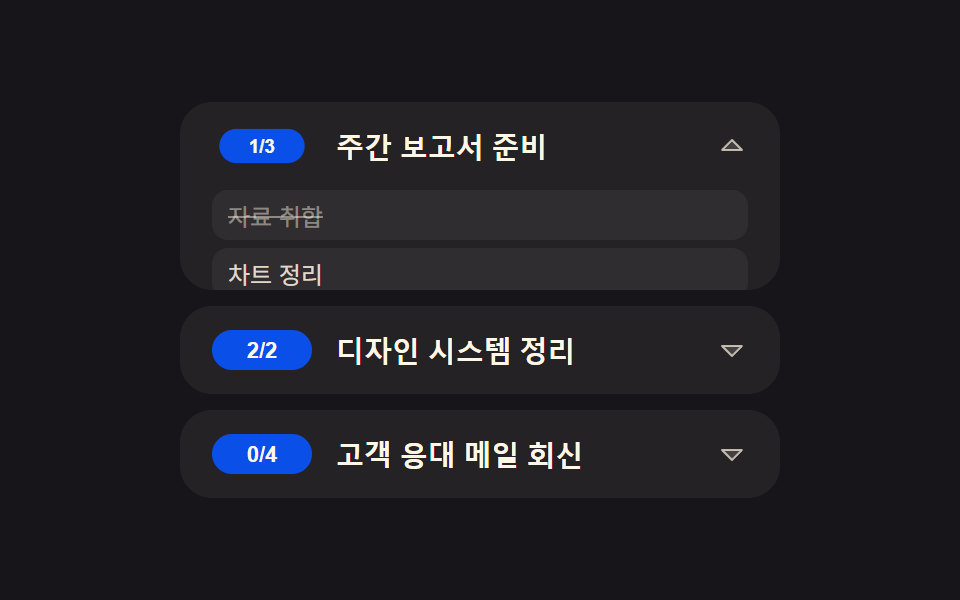 Lists & tablesTodo List UI: 9 Patterns From Ring Gauge to Rewind
 Lists & tablesInfinite Scroll Implementation — 9 List UI Basics
 Lists & tablesPagination CSS: 9 Pagers with Spring Pills
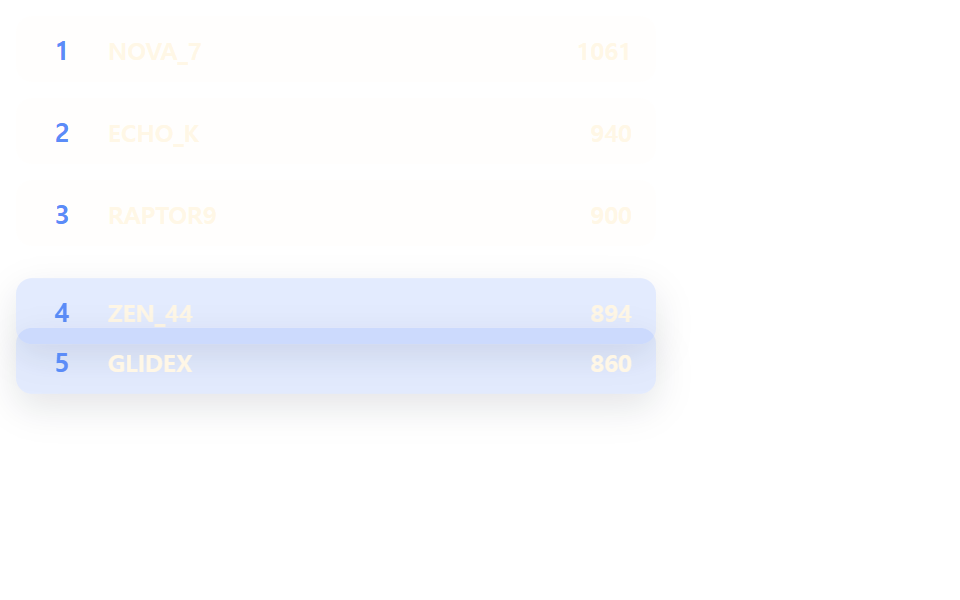 Lists & tablesLeaderboard UI Design: 9 Rank-Change List Patterns
 Lists & tables9 Empty State UI Design Cards Drawn in Pure CSS