Infinite Scroll Implementation — 9 List UI Basics
Among nine infinite scroll implementation ideas, one slides in new rows with no spinner, one swaps row order on sort click, and one shadows a frozen column
 01 infinite-scroll
 02 skeleton-list
 03 pull-to-refresh
 04 list-empty-state
 05 bulk-select
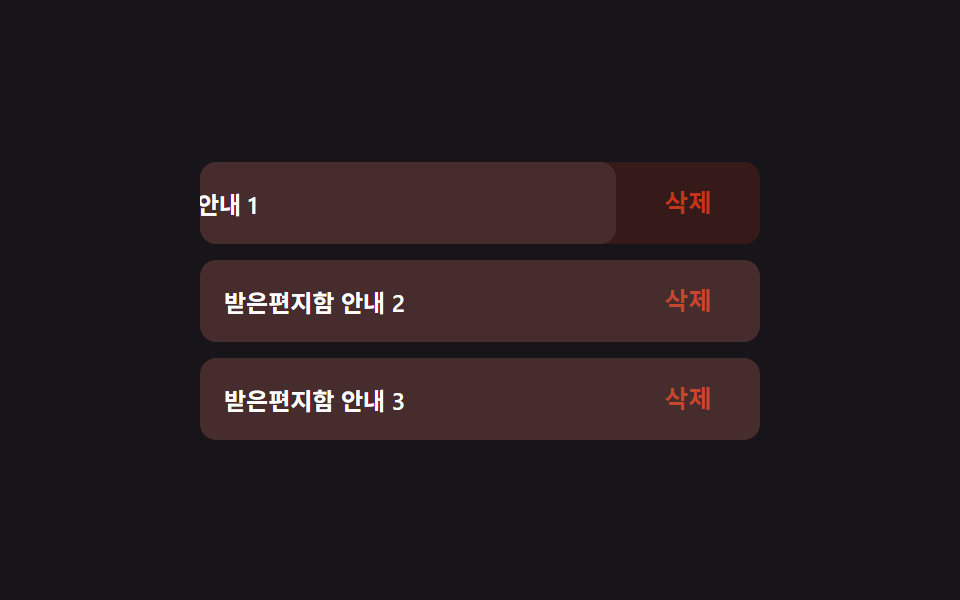 06 swipe-actions
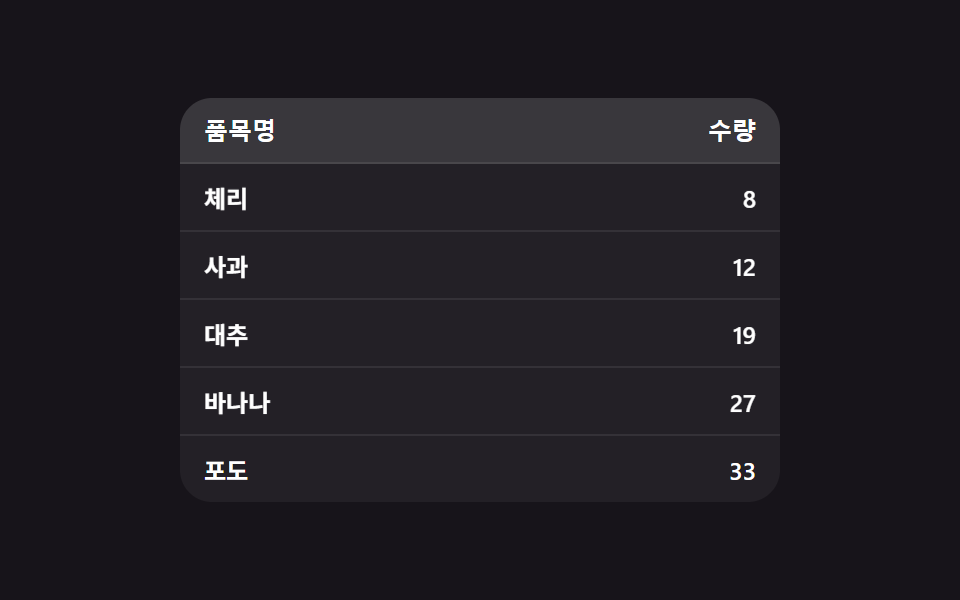 07 sortable-table
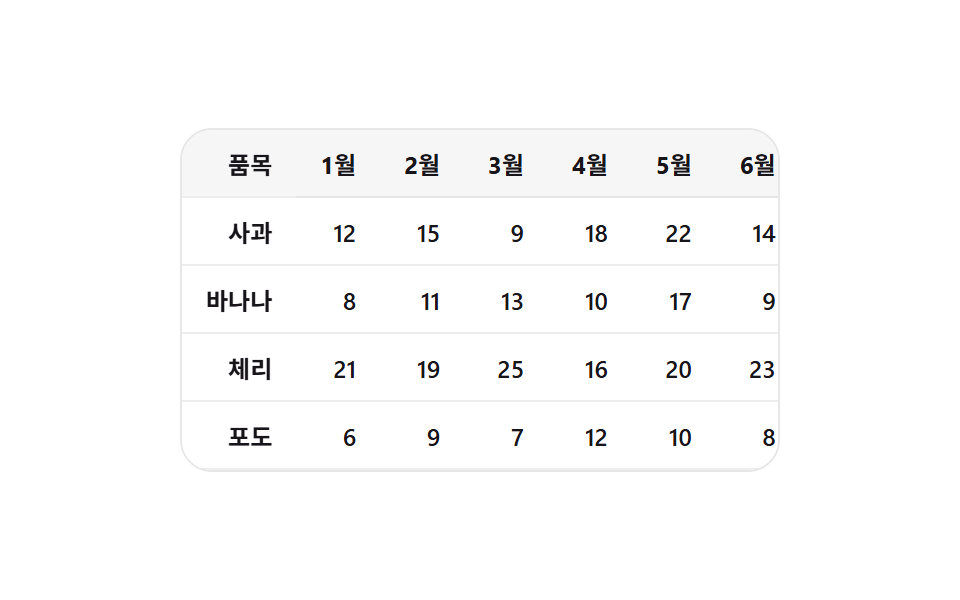 08 sticky-columns
 09 pagination
Auto-plays · click a tile to jump to its section · all nine in one zip
- 01 Infinite Scroll That Appends Without a Spinner
- 02 Skeleton Rows for the First List Load
- 03 Pull-to-Refresh That Sweeps Only the Rows That Changed
- 04 Empty-List Message That Appears When the Last Row Is Gone
- 05 Bulk Select That Counts With a Badge, No Toolbar
- 06 Basic Swipe Action That Reveals in One Direction
- 07 Table Whose Rows Physically Swap Places When Sorted
- 08 Frozen Column That Carries Its Shadow While Scrolling Sideways
- 09 Pagination Where One Dot Slides, No Ellipsis
These nine start with the two feeds that only ever add rows — appending and skeleton loading — then move through the row-level UI decisions (pull-to-refresh, emptying out, bulk selection, swipe actions) before ending on three whole-table concerns: sortable rows, a frozen column, and pagination. Every demo below runs on invented data — no real names, no fetch, no Math.random — so what you're watching is the interaction logic itself, not network timing. A note on what "implementation" means here: this is the client half of an infinite scroll example — the observing, batching, and entrance logic that decides when rows arrive and how they land — not the server endpoint behind it, which stays out of scope on purpose so each file pastes and runs with zero setup. If you've already read the swipe-pattern and pull-to-refresh posts this one links to at the bottom, treat this page as the base layer those two build on: the rows themselves, before any gesture gets attached to them.
Demo
The 3×3 grid above is wired to the same nine builds this article walks through — try the swipe on 06 or drag the pull-to-refresh zone on 03 before reading the code, since watching a value clamp in real time explains it faster than a sentence can.
Anatomy of nine patterns — where the one layer of calculation runs
None of these nine patterns is CSS alone. Each one carries exactly one small piece of arithmetic in JavaScript — not a physics engine, just a ratio, a distance, or a saved value — and everything visual downstream reads from it. That's a different claim than a typical infinite scroll example you'd skim on a code-sharing site, which usually shows only the fetch-and-append loop and leaves the batch-size or timing math as an exercise. The nine group into three shapes by what that one layer actually measures.
| Item | Covered area | Avg intensity | Frames moved (of 23) |
|---|---|---|---|
| 01 Infinite scroll append | 35.55% | 44.6 | 23 |
| 02 Skeleton rows | 8.96% | 42.7 | 12 |
| 03 Pull-to-refresh sweep | 29.58% | 43.5 | 12 |
| 04 Empty-list message | 46.35% | 47.9 | 21 |
| 05 Bulk select badge | 1.73% | 45.1 | 9 |
| 06 Swipe action | 2.77% | 83.9 | 16 |
| 07 Sortable table | 2.23% | 121.3 | 9 |
| 08 Sticky column shadow | 4.62% | 139.7 | 23 |
| 09 Pagination dot | 1.67% | 96.7 | 16 |
04's empty-state fade covers the most screen of the nine (46.35%) because a whole panel grows in; 09's sliding dot covers the least (1.67%) because only a small pill moves. 08's shadow has the highest average intensity of the nine (139.7) even though its own footprint is small — a shadow ramping from nothing to its cap in forty pixels of scroll is a sharp per-pixel change, not a wide one. 02's skeleton bars sit at the opposite end, the lowest average intensity of the nine (42.7), since a shimmer sweep is a gentle, gradual change over a wide area. 01 and 08 both move on all 23 of 23 measured frames — one because the list keeps growing under a held scroll, the other because the shadow recalculates on every scroll tick — while 05 and 07 move on only 9 of 23, since a badge pop and a FLIP reorder both fire once and settle.
Real geometry, not a guessed number
02, 07, and 09 all read a real measurement out of the browser instead of assuming one. 02's skeleton bars come from a hidden <canvas>'s measureText() call against the row's actual font; 07's FLIP reorder reads getBoundingClientRect().top before and after the sort; 09's sliding dot reads each dot's real offsetLeft instead of trusting a fixed spacing value.
A continuous ratio turned into a UI magnitude
01, 03, and 08 each take a live 0–1 value and remap it into something visible. 01 turns IntersectionObserver's intersectionRatio into a row-batch count; 03 pushes a raw pull distance through an exponential decay curve before it becomes a displayed pull amount; 08 turns scrollLeft into a shadow alpha once it's normalized against a fixed ramp distance.
State carried from the previous call
04, 05, and 06 all remember something from the call before. 04's empty-state panel lerps from its previous height toward a new target every frame; 05's shift-click reuses the last-handled checkbox index to fill a whole range; 06 computes a release velocity from the pointer position and timestamp it saw two events ago.
Code per pattern
The nine code blocks below are the exact contiguous lines from each demo's index.html — same variable names, same order, only the Korean comments and on-screen strings translated into English.
01Infinite Scroll That Appends Without a Spinner
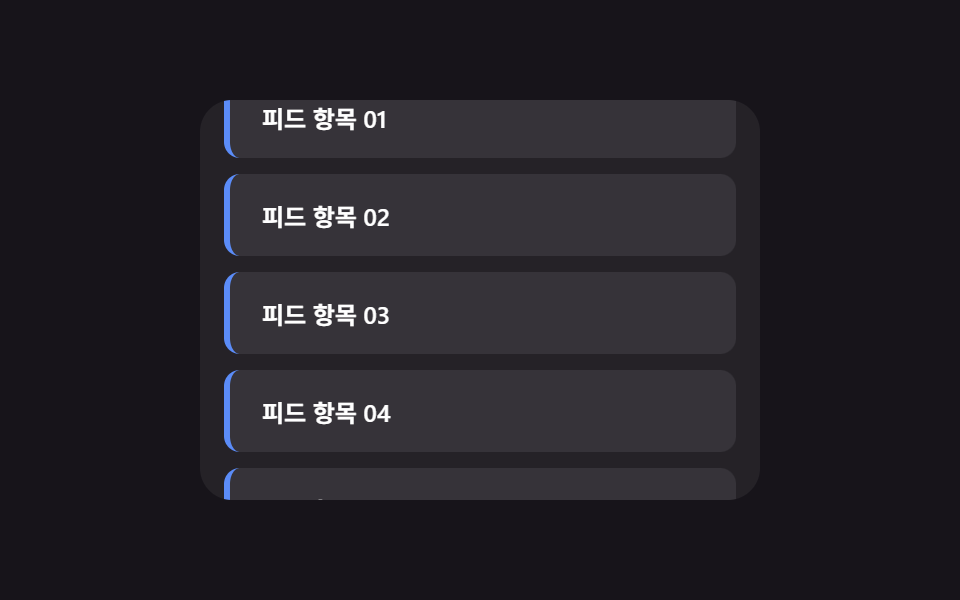
When scroll nears the bottom, the next batch of rows slides into place at the list's end one after another, with no spinner or skeleton feedback at all — a different demo from post 349's loading-feedback-focused infinite scroll, which is built around what happens while data is in flight rather than the rows' own entrance. Here the batch size itself is a live number: IntersectionObserver reports how far the sentinel has entered the viewport, and that ratio is rounded into a row count between MIN_BATCH and MAX_BATCH.
<main class="stage">
<div class="isc is-demo" id="isc">
  <div class="isc__view" id="iscView">
    <ul class="isc__track" id="iscTrack">
      <li class="isc__sentinel" id="iscSentinel" aria-hidden="true"></li>
    </ul>
  </div>
</div>
</main>
@use "../../../../site/static/demo-tokens" as *;
// 변수 3개
$duration: $dur-base;
$easing: $ease-out;
$color: $subject-blue-light;
// 계산 겹: index.html 의 IntersectionObserver 콜백이 센티널의 intersectionRatio 로
// 한 번에 붙일 행 개수(batch)를 산술로 정한다 — 고정 개수가 아니다.
@include stage($stage-ink);
.isc {
width: min(100%, 280px);
}
.isc__view {
box-sizing: border-box;
width: 100%;
height: 200px;
overflow-y: auto;
overflow-x: hidden;
border-radius: $r-card;
background: rgba(255, 255, 255, .06);
padding: $sp-3;
scrollbar-width: thin;
}
.isc__track {
list-style: none;
margin: 0;
padding: 0;
display: flex;
flex-direction: column;
gap: $sp-2;
}
.isc__row {
box-sizing: border-box;
padding: $sp-3 $sp-4;
border-radius: $r-sm;
background: rgba(255, 255, 255, .08);
border-left: 3px solid $color;
color: $stage-paper;
font-weight: 600;
font-size: 12px;
animation-name: rowEnter;
animation-duration: $duration;
animation-timing-function: $easing;
animation-fill-mode: backwards;
}
@keyframes rowEnter {
from { opacity: 0; transform: translateY($sp-4); }
to { opacity: 1; transform: translateY(0); }
}
.isc__sentinel {
height: $sp-2;
}
@media (max-width: 340px) {
.isc__view { height: 120px; padding: $sp-2; }
.isc__row { padding: $sp-2 $sp-3; font-size: 11px; }
}
// reduce: 실사용 경로 적용 — 등장 트윈만 멈춘다. IntersectionObserver·배치 산술은 그대로 동작
@media (prefers-reduced-motion: reduce) {
.isc__row { animation: none; }
}html, body {
margin: 0;
overflow: hidden;
}
.stage {
box-sizing: border-box;
min-height: 100vh;
display: grid;
place-items: center;
margin: 0;
background: #17141a;
font-family: -apple-system, "Segoe UI", "Noto Sans KR", sans-serif;
padding: clamp(8px, 4vw, 24px);
}
.isc {
width: min(100%, 280px);
}
.isc__view {
box-sizing: border-box;
width: 100%;
height: 200px;
overflow-y: auto;
overflow-x: hidden;
border-radius: 16px;
background: rgba(255, 255, 255, 0.06);
padding: 12px;
scrollbar-width: thin;
}
.isc__track {
list-style: none;
margin: 0;
padding: 0;
display: flex;
flex-direction: column;
gap: 8px;
}
.isc__row {
box-sizing: border-box;
padding: 12px 16px;
border-radius: 8px;
background: rgba(255, 255, 255, 0.08);
border-left: 3px solid #5b8cf8;
color: #ffffff;
font-weight: 600;
font-size: 12px;
animation-name: rowEnter;
animation-duration: 300ms;
animation-timing-function: ease-out;
animation-fill-mode: backwards;
}
@keyframes rowEnter {
from {
opacity: 0;
transform: translateY(16px);
}
to {
opacity: 1;
transform: translateY(0);
}
}
.isc__sentinel {
height: 8px;
}
@media (max-width: 340px) {
.isc__view {
height: 120px;
padding: 8px;
}
.isc__row {
padding: 8px 12px;
font-size: 11px;
}
}
@media (prefers-reduced-motion: reduce) {
.isc__row {
animation: none;
}
}(function () {
var SCROLL_APPEND_STAGGER_MS = 40; // 변형 01 대상 — 새 행 등장 사이 간격
var MIN_BATCH = 2;
var MAX_BATCH = 6;
var MAX_ROWS = 40;
var RESET_DELAY_MS = 700;
var AUTO_STEP_PX = 6;
var AUTO_TICK_MS = 55;
var LOAD_COOLDOWN_MS = 260;
var root = document.getElementById('isc');
var view = document.getElementById('iscView');
var track = document.getElementById('iscTrack');
var sentinel = document.getElementById('iscSentinel');
var rowSeq = 0;
var loading = false;
function clamp(v, lo, hi) { return Math.min(hi, Math.max(lo, v)); }
function addRow(delayMs) {
var li = document.createElement('li');
li.className = 'isc__row';
li.style.animationDelay = delayMs + 'ms';
li.textContent = 'Feed item ' + String(rowSeq + 1).padStart(2, '0');
track.insertBefore(li, sentinel);
rowSeq += 1;
return li;
}
function resetList() {
while (track.firstChild !== sentinel) { track.removeChild(track.firstChild); }
rowSeq = 0;
for (var i = 0; i < 6; i += 1) { addRow(0); }
}
resetList();
// 계산 겹: 센티널이 뷰포트와 겹친 비율(intersectionRatio)이 클수록 한 번에 더 많은 행을 붙인다 —
// 화면 끝에 살짝 걸리면 조금만, 깊이 들어오면 한 번에 크게 이어붙인다.
var io = new IntersectionObserver(function (entries) {
entries.forEach(function (entry) {
if (entry.isIntersecting && !loading && rowSeq < MAX_ROWS) {
loading = true;
var batch = Math.round(MIN_BATCH + (MAX_BATCH - MIN_BATCH) * clamp(entry.intersectionRatio, 0, 1));
for (var j = 0; j < batch; j += 1) { addRow(j * SCROLL_APPEND_STAGGER_MS); }
window.setTimeout(function () { loading = false; }, LOAD_COOLDOWN_MS);
}
});
}, { root: view, threshold: [0, 0.2, 0.4, 0.6, 0.8, 1] });
io.observe(sentinel);
var timer = null;
var dir = 1;
function human() {
if (root.classList.contains('is-demo')) {
root.classList.remove('is-demo');
if (timer) { window.clearInterval(timer); timer = null; }
}
}
view.addEventListener('wheel', human, { passive: true });
view.addEventListener('touchstart', human, { passive: true });
function tick() {
var max = view.scrollHeight - view.clientHeight;
if (view.scrollTop >= max - 1 && dir !== 0) {
dir = 0;
window.setTimeout(function () {
resetList();
view.scrollTop = 0;
dir = 1;
}, RESET_DELAY_MS);
return;
}
if (dir === 0) { return; }
view.scrollTop = Math.min(view.scrollTop + AUTO_STEP_PX, max);
}
var reduce = window.matchMedia('(prefers-reduced-motion: reduce)').matches;
if (!reduce) {
timer = window.setInterval(tick, AUTO_TICK_MS);
}
// reduce: 실사용 경로 적용 — 자동 스크롤과 등장 트윈만 멈춘다. IntersectionObserver 는 그대로 살아 있어
// 사람이 실제로 스크롤하면 다음 배치가 애니메이션 없이 즉시 붙는다(scss 의 reduce 블록이 animation:none 처리)
})();// InfiniteScroll — vanilla 판(run/381/demo/01-infinite-scroll/index.html)의 React 포트.
// 센티널의 intersectionRatio 로 한 번에 붙일 행 개수(batch)를 산술로 정한다 — 고정 개수가 아니다.
// 목록·자동 스크롤·IntersectionObserver 는 vanilla 와 같은 절차형 코드로, 마운트 시 한 번만 연결한다.
import { useEffect, useRef } from "react";
import type { CSSProperties } from "react";
import styles from "./InfiniteScroll.module.scss";
export type InfiniteScrollProps = {
duration?: string;
easing?: string;
color?: string;
};
type Vars = CSSProperties & { "--duration"?: string; "--easing"?: string; "--color"?: string };
export default function InfiniteScroll({
duration = "300ms", // vanilla $duration: $dur-base
easing = "ease-out", // vanilla $easing: $ease-out
color = "#5b8cf8", // vanilla $color: $subject-blue-light
}: InfiniteScrollProps) {
const rootRef = useRef<HTMLDivElement | null>(null);
useEffect(() => {
const root = rootRef.current;
if (!root) return;
const view = root.querySelector<HTMLDivElement>('[data-role="view"]');
const track = root.querySelector<HTMLUListElement>('[data-role="track"]');
const sentinel = root.querySelector<HTMLLIElement>('[data-role="sentinel"]');
if (!view || !track || !sentinel) return;
const SCROLL_APPEND_STAGGER_MS = 40; // 변형 01 대상 — 새 행 등장 사이 간격
const MIN_BATCH = 2;
const MAX_BATCH = 6;
const MAX_ROWS = 40;
const RESET_DELAY_MS = 700;
const AUTO_STEP_PX = 6;
const AUTO_TICK_MS = 55;
const LOAD_COOLDOWN_MS = 260;
let rowSeq = 0;
let loading = false;
function clamp(v: number, lo: number, hi: number): number {
return Math.min(hi, Math.max(lo, v));
}
function addRow(delayMs: number): HTMLLIElement {
const li = document.createElement("li");
li.className = styles.isc__row;
li.style.animationDelay = delayMs + "ms";
li.textContent = "피드 항목 " + String(rowSeq + 1).padStart(2, "0");
track!.insertBefore(li, sentinel);
rowSeq += 1;
return li;
}
function resetList(): void {
while (track!.firstChild !== sentinel) {
track!.removeChild(track!.firstChild as ChildNode);
}
rowSeq = 0;
for (let i = 0; i < 6; i += 1) {
addRow(0);
}
}
resetList();
// 계산 겹: 센티널이 뷰포트와 겹친 비율(intersectionRatio)이 클수록 한 번에 더 많은 행을 붙인다 —
// 화면 끝에 살짝 걸리면 조금만, 깊이 들어오면 한 번에 크게 이어붙인다.
const io = new IntersectionObserver(
(entries) => {
entries.forEach((entry) => {
if (entry.isIntersecting && !loading && rowSeq < MAX_ROWS) {
loading = true;
const batch = Math.round(
MIN_BATCH + (MAX_BATCH - MIN_BATCH) * clamp(entry.intersectionRatio, 0, 1)
);
for (let j = 0; j < batch; j += 1) {
addRow(j * SCROLL_APPEND_STAGGER_MS);
}
window.setTimeout(() => {
loading = false;
}, LOAD_COOLDOWN_MS);
}
});
},
{ root: view, threshold: [0, 0.2, 0.4, 0.6, 0.8, 1] }
);
io.observe(sentinel);
let timer: number | null = null;
let dir = 1;
function human(): void {
if (root!.classList.contains("is-demo")) {
root!.classList.remove("is-demo");
if (timer) {
window.clearInterval(timer);
timer = null;
}
}
}
view.addEventListener("wheel", human, { passive: true });
view.addEventListener("touchstart", human, { passive: true });
function tick(): void {
const max = view!.scrollHeight - view!.clientHeight;
if (view!.scrollTop >= max - 1 && dir !== 0) {
dir = 0;
window.setTimeout(() => {
resetList();
view!.scrollTop = 0;
dir = 1;
}, RESET_DELAY_MS);
return;
}
if (dir === 0) {
return;
}
view!.scrollTop = Math.min(view!.scrollTop + AUTO_STEP_PX, max);
}
const reduce = window.matchMedia("(prefers-reduced-motion: reduce)").matches;
if (!reduce) {
timer = window.setInterval(tick, AUTO_TICK_MS);
}
// reduce: 실사용 경로 적용 — 자동 스크롤과 등장 트윈만 멈춘다. IntersectionObserver 는 그대로 살아 있어
// 사람이 실제로 스크롤하면 다음 배치가 애니메이션 없이 즉시 붙는다(scss 의 reduce 블록이 animation:none 처리)
return () => {
io.disconnect();
if (timer) {
window.clearInterval(timer);
}
view.removeEventListener("wheel", human);
view.removeEventListener("touchstart", human);
};
}, []);
const vars: Vars = { "--duration": duration, "--easing": easing, "--color": color };
return (
<main className={styles.stage}>
<div className={`${styles.isc} is-demo`} ref={rootRef} style={vars}>
<div className={styles.isc__view} data-role="view">
<ul className={styles.isc__track} data-role="track">
<li className={styles.isc__sentinel} data-role="sentinel" aria-hidden="true" />
</ul>
</div>
</div>
</main>
);
}01 · Infinite Scroll That Appends Without a Spinner — Measured area 35.554% · moving frames 23/23Original by GODRICH · SCSS and React ship in the zip · See the password
  // Calculation layer: the larger the ratio of the sentinel overlapping the viewport (intersectionRatio), the more rows get appended at once —
  // barely touching the edge appends just a few, scrolling deep in appends a big batch at once.
  var io = new IntersectionObserver(function (entries) {
    entries.forEach(function (entry) {
      if (entry.isIntersecting && !loading && rowSeq < MAX_ROWS) {
        loading = true;
        var batch = Math.round(MIN_BATCH + (MAX_BATCH - MIN_BATCH) * clamp(entry.intersectionRatio, 0, 1));
        for (var j = 0; j < batch; j += 1) { addRow(j * SCROLL_APPEND_STAGGER_MS); }
        window.setTimeout(function () { loading = false; }, LOAD_COOLDOWN_MS);
      }
    });
  }, { root: view, threshold: [0, 0.2, 0.4, 0.6, 0.8, 1] });
  io.observe(sentinel);
02Skeleton Rows for the First List Load
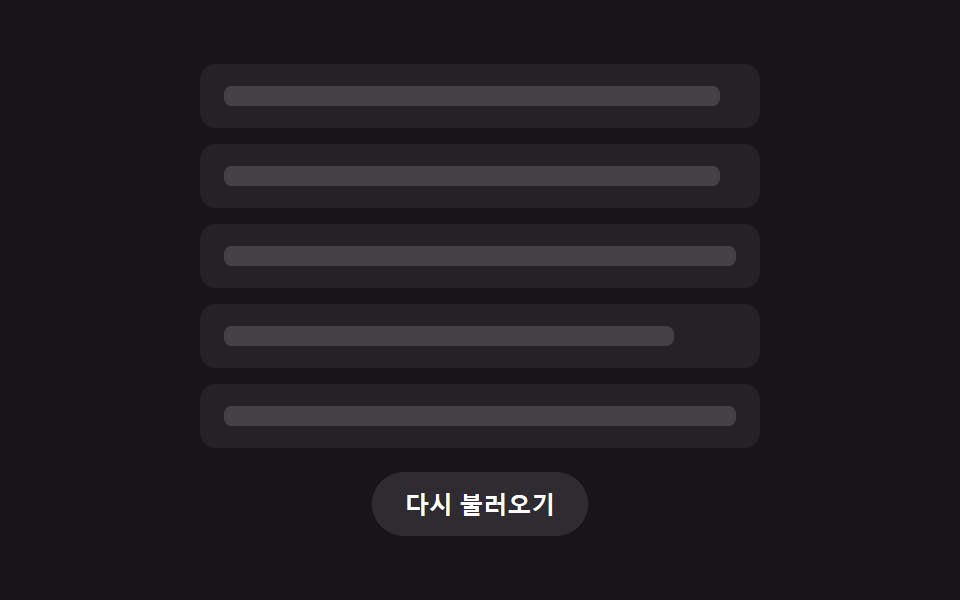
Before any data arrives, the whole screen fills with gray bar-shaped skeleton rows, then swaps out all at once the instant real data lands — a different demo from post 349's append-time skeleton during scroll, since this one is a single, one-time full-list swap on first entry rather than a per-row loading state. Each bar's width isn't guessed: a hidden <canvas> measures how wide the real text will render at the row's font, so the skeleton already hints at how long the eventual line is.
<main class="stage">
<div class="skl is-demo" id="skl">
  <ul class="skl__list" id="sklList" aria-busy="true">
    <li class="skl__row" data-row="0">
      <span class="skl__bar" data-bar></span>
      <span class="skl__content" data-content hidden></span>
    </li>
    <li class="skl__row" data-row="1">
      <span class="skl__bar" data-bar></span>
      <span class="skl__content" data-content hidden></span>
    </li>
    <li class="skl__row" data-row="2">
      <span class="skl__bar" data-bar></span>
      <span class="skl__content" data-content hidden></span>
    </li>
    <li class="skl__row" data-row="3">
      <span class="skl__bar" data-bar></span>
      <span class="skl__content" data-content hidden></span>
    </li>
    <li class="skl__row" data-row="4">
      <span class="skl__bar" data-bar></span>
      <span class="skl__content" data-content hidden></span>
    </li>
  </ul>
  <button class="skl__reload" id="sklReload" type="button">Reload</button>
</div>
</main>@use "../../../../site/static/demo-tokens" as *;
// 변수 3개
$duration: $dur-quick;
$easing: $ease-out;
$color: $subject-mint;
// 계산 겹: index.html 이 캔버스 measureText 로 잰 실제 글자 폭 비율을
// --bar-w 로 각 막대에 주입한다 — 막대 폭이 내용 길이를 미리 반영한다.
@include stage($stage-ink);
.skl {
width: min(100%, 280px);
display: flex;
flex-direction: column;
gap: $sp-3;
align-items: center;
}
.skl__list {
box-sizing: border-box;
width: 100%;
list-style: none;
margin: 0;
padding: 0;
display: flex;
flex-direction: column;
gap: $sp-2;
}
.skl__row {
box-sizing: border-box;
position: relative;
height: 32px;
padding: 0 $sp-3;
border-radius: $r-sm;
background: rgba(255, 255, 255, .06);
display: flex;
align-items: center;
}
.skl__bar {
--bar-w: 60%;
position: relative;
overflow: hidden;
display: block;
width: var(--bar-w);
height: 10px;
border-radius: $r-xs;
background: rgba(255, 255, 255, .14);
&::after {
content: "";
position: absolute;
inset: 0;
background: linear-gradient(90deg, transparent, rgba($color, .5), transparent);
transform: translateX(-140%);
animation-name: sklShimmer;
animation-duration: $duration;
animation-timing-function: $easing;
animation-iteration-count: infinite;
}
}
.skl__content {
color: $stage-paper;
font-weight: 600;
font-size: 12px;
}
.skl__row.is-loaded {
.skl__bar { display: none; }
.skl__content {
animation-name: sklRowIn;
animation-duration: $dur-base;
animation-timing-function: $easing;
animation-fill-mode: backwards;
}
}
@keyframes sklShimmer {
to { transform: translateX(140%); }
}
@keyframes sklRowIn {
from { opacity: 0; transform: translateY($sp-2); }
to { opacity: 1; transform: translateY(0); }
}
.skl__reload {
box-sizing: border-box;
border: 0;
border-radius: $r-pill;
padding: $sp-2 $sp-4;
background: rgba(255, 255, 255, .1);
color: $stage-paper;
font-weight: 600;
font-size: 12px;
cursor: pointer;
&:focus-visible {
outline: 2px solid $color;
outline-offset: 2px;
}
}
@media (max-width: 340px) {
.skl { gap: $sp-2; }
.skl__list { gap: $sp-1; }
.skl__row { height: 20px; padding: 0 $sp-1; }
.skl__content { font-size: 11px; }
.skl__reload { padding: $sp-1 $sp-3; }
}
// reduce: 실사용 경로 적용 — 스침·등장 트윈만 멈춘다. 로딩 완료 상태 자체는 그대로 보인다
@media (prefers-reduced-motion: reduce) {
.skl__bar::after { animation: none; opacity: .5; transform: translateX(0); }
.skl__row.is-loaded .skl__content { animation: none; }
}html, body {
margin: 0;
overflow: hidden;
}
.stage {
box-sizing: border-box;
min-height: 100vh;
display: grid;
place-items: center;
margin: 0;
background: #17141a;
font-family: -apple-system, "Segoe UI", "Noto Sans KR", sans-serif;
padding: clamp(8px, 4vw, 24px);
}
.skl {
width: min(100%, 280px);
display: flex;
flex-direction: column;
gap: 12px;
align-items: center;
}
.skl__list {
box-sizing: border-box;
width: 100%;
list-style: none;
margin: 0;
padding: 0;
display: flex;
flex-direction: column;
gap: 8px;
}
.skl__row {
box-sizing: border-box;
position: relative;
height: 32px;
padding: 0 12px;
border-radius: 8px;
background: rgba(255, 255, 255, 0.06);
display: flex;
align-items: center;
}
.skl__bar {
--bar-w: 60%;
position: relative;
overflow: hidden;
display: block;
width: var(--bar-w);
height: 10px;
border-radius: 4px;
background: rgba(255, 255, 255, 0.14);
}
.skl__bar::after {
content: "";
position: absolute;
inset: 0;
background: linear-gradient(90deg, transparent, rgba(76, 212, 166, 0.5), transparent);
transform: translateX(-140%);
animation-name: sklShimmer;
animation-duration: 220ms;
animation-timing-function: ease-out;
animation-iteration-count: infinite;
}
.skl__content {
color: #ffffff;
font-weight: 600;
font-size: 12px;
}
.skl__row.is-loaded .skl__bar {
display: none;
}
.skl__row.is-loaded .skl__content {
animation-name: sklRowIn;
animation-duration: 300ms;
animation-timing-function: ease-out;
animation-fill-mode: backwards;
}
@keyframes sklShimmer {
to {
transform: translateX(140%);
}
}
@keyframes sklRowIn {
from {
opacity: 0;
transform: translateY(8px);
}
to {
opacity: 1;
transform: translateY(0);
}
}
.skl__reload {
box-sizing: border-box;
border: 0;
border-radius: 999px;
padding: 8px 16px;
background: rgba(255, 255, 255, 0.1);
color: #ffffff;
font-weight: 600;
font-size: 12px;
cursor: pointer;
}
.skl__reload:focus-visible {
outline: 2px solid #4cd4a6;
outline-offset: 2px;
}
@media (max-width: 340px) {
.skl {
gap: 8px;
}
.skl__list {
gap: 4px;
}
.skl__row {
height: 20px;
padding: 0 4px;
}
.skl__content {
font-size: 11px;
}
.skl__reload {
padding: 4px 12px;
}
}
@media (prefers-reduced-motion: reduce) {
.skl__bar::after {
animation: none;
opacity: 0.5;
transform: translateX(0);
}
.skl__row.is-loaded .skl__content {
animation: none;
}
}(function () {
var ROWS = [
'H1 growth report summary',
'New signup trend graph',
'Top-selling items this quarter',
'Customer satisfaction survey results',
'Low-stock item alert'
];
var CYCLE_MS = 2000; // 캡처 창(2초)의 배수 — 스켈레톤/로딩완료 상태를 오가는 한 사이클
var LOAD_POINT = 0.45; // 사이클 중 로딩 완료로 전환되는 지점
var RESET_POINT = 0.96; // 이 지점부터 다시 스켈레톤으로
var ENTER_STAGGER_MS = 70; // 행마다 등장 지연 간격
var MIN_BAR_PCT = 32; // 막대 폭 하한(%)
var TICK_MS = 50;
var root = document.getElementById('skl');
var list = document.getElementById('sklList');
var reloadBtn = document.getElementById('sklReload');
var rows = Array.prototype.slice.call(list.querySelectorAll('.skl__row'));
// 계산 겹: 각 행이 로딩 완료 후 실제로 보여줄 글자의 캔버스 실측 폭을 재서
// 스켈레톤 막대 폭을 그 비율로 정한다 — 고정폭이 아니라 내용 길이를 미리 반영한다.
function measureBarWidths() {
var canvas = document.createElement('canvas');
var ctx = canvas.getContext('2d');
ctx.font = '600 13px -apple-system, "Segoe UI", "Noto Sans KR", sans-serif';
var widths = ROWS.map(function (text) { return ctx.measureText(text).width; });
var maxW = Math.max.apply(null, widths);
return widths.map(function (w) {
var pct = (w / maxW) * 100;
return Math.max(MIN_BAR_PCT, Math.round(pct));
});
}
var barPct = measureBarWidths();
rows.forEach(function (row, i) {
var bar = row.querySelector('[data-bar]');
var content = row.querySelector('[data-content]');
bar.style.setProperty('--bar-w', barPct[i] + '%');
content.textContent = ROWS[i];
});
function setLoaded(loaded) {
rows.forEach(function (row, i) {
var content = row.querySelector('[data-content]');
if (loaded) {
row.classList.add('is-loaded');
content.hidden = false;
row.style.animationDelay = (i * ENTER_STAGGER_MS) + 'ms';
} else {
row.classList.remove('is-loaded');
content.hidden = true;
row.style.animationDelay = '';
}
});
list.setAttribute('aria-busy', loaded ? 'false' : 'true');
}
function human() {
if (root.classList.contains('is-demo')) {
root.classList.remove('is-demo');
if (timer) { window.clearInterval(timer); timer = null; }
}
}
reloadBtn.addEventListener('click', function () {
human();
setLoaded(false);
window.setTimeout(function () { setLoaded(true); }, 650);
});
var timer = null;
var start = 0;
var loadedState = false;
function tick(elapsedMs) {
var phase = (elapsedMs % CYCLE_MS) / CYCLE_MS;
var wantLoaded = phase >= LOAD_POINT && phase < RESET_POINT;
if (wantLoaded !== loadedState) {
loadedState = wantLoaded;
setLoaded(loadedState);
}
}
function loop() {
tick(performance.now() - start);
}
var reduce = window.matchMedia('(prefers-reduced-motion: reduce)').matches;
if (!reduce) {
setLoaded(false);
start = performance.now();
timer = window.setInterval(loop, TICK_MS);
} else {
// reduce: 실사용 경로 적용 — 스켈레톤 스침·등장 트윈 없이 로딩 완료 상태를 바로 보여준다
setLoaded(true);
}
})();// SkeletonList — vanilla 판(run/381/demo/02-skeleton-list/index.html)의 React 포트.
// 각 행이 로딩 완료 후 실제로 보여줄 글자의 캔버스 실측 폭을 재서 스켈레톤 막대 폭을
// 그 비율로 정한다 — 고정폭이 아니라 내용 길이를 미리 반영한다.
import { useEffect, useRef } from "react";
import type { CSSProperties } from "react";
import styles from "./SkeletonList.module.scss";
export type SkeletonListProps = {
duration?: string;
easing?: string;
color?: string;
};
type Vars = CSSProperties & { "--duration"?: string; "--easing"?: string; "--color"?: string };
const ROWS = [
"상반기 성장 보고서 요약",
"신규 가입자 추이 그래프",
"이번 분기 매출 상위 상품",
"고객 만족도 조사 결과",
"재고 부족 임박 품목 알림",
];
export default function SkeletonList({
duration = "220ms", // vanilla $duration: $dur-quick
easing = "ease-out", // vanilla $easing: $ease-out
color = "#4cd4a6", // vanilla $color: $subject-mint
}: SkeletonListProps) {
const rootRef = useRef<HTMLDivElement | null>(null);
useEffect(() => {
const root = rootRef.current;
if (!root) return;
const list = root.querySelector<HTMLUListElement>('[data-role="list"]');
const reloadBtn = root.querySelector<HTMLButtonElement>('[data-role="reload"]');
if (!list || !reloadBtn) return;
const rows = Array.prototype.slice.call(list.querySelectorAll("[data-row]")) as HTMLLIElement[];
const CYCLE_MS = 2000; // 캡처 창(2초)의 배수 — 스켈레톤/로딩완료 상태를 오가는 한 사이클
const LOAD_POINT = 0.45; // 사이클 중 로딩 완료로 전환되는 지점
const RESET_POINT = 0.96; // 이 지점부터 다시 스켈레톤으로
const ENTER_STAGGER_MS = 70; // 행마다 등장 지연 간격
const MIN_BAR_PCT = 32; // 막대 폭 하한(%)
const TICK_MS = 50;
// 계산 겹: 각 행이 로딩 완료 후 실제로 보여줄 글자의 캔버스 실측 폭을 재서
// 스켈레톤 막대 폭을 그 비율로 정한다 — 고정폭이 아니라 내용 길이를 미리 반영한다.
function measureBarWidths(): number[] {
const canvas = document.createElement("canvas");
const ctx = canvas.getContext("2d")!;
ctx.font = '600 13px -apple-system, "Segoe UI", "Noto Sans KR", sans-serif';
const widths = ROWS.map((text) => ctx.measureText(text).width);
const maxW = Math.max.apply(null, widths);
return widths.map((w) => {
const pct = (w / maxW) * 100;
return Math.max(MIN_BAR_PCT, Math.round(pct));
});
}
const barPct = measureBarWidths();
rows.forEach((row, i) => {
const bar = row.querySelector<HTMLSpanElement>("[data-bar]");
const content = row.querySelector<HTMLSpanElement>("[data-content]");
if (!bar || !content) return;
bar.style.setProperty("--bar-w", barPct[i] + "%");
content.textContent = ROWS[i];
});
function setLoaded(loaded: boolean): void {
rows.forEach((row, i) => {
const content = row.querySelector<HTMLSpanElement>("[data-content]");
if (!content) return;
if (loaded) {
row.classList.add("is-loaded");
content.hidden = false;
row.style.animationDelay = i * ENTER_STAGGER_MS + "ms";
} else {
row.classList.remove("is-loaded");
content.hidden = true;
row.style.animationDelay = "";
}
});
list!.setAttribute("aria-busy", loaded ? "false" : "true");
}
function human(): void {
if (root!.classList.contains("is-demo")) {
root!.classList.remove("is-demo");
if (timer) {
window.clearInterval(timer);
timer = null;
}
}
}
function onReload(): void {
human();
setLoaded(false);
window.setTimeout(() => {
setLoaded(true);
}, 650);
}
reloadBtn.addEventListener("click", onReload);
let timer: number | null = null;
let start = 0;
let loadedState = false;
function tick(elapsedMs: number): void {
const phase = (elapsedMs % CYCLE_MS) / CYCLE_MS;
const wantLoaded = phase >= LOAD_POINT && phase < RESET_POINT;
if (wantLoaded !== loadedState) {
loadedState = wantLoaded;
setLoaded(loadedState);
}
}
function loop(): void {
tick(performance.now() - start);
}
const reduce = window.matchMedia("(prefers-reduced-motion: reduce)").matches;
if (!reduce) {
setLoaded(false);
start = performance.now();
timer = window.setInterval(loop, TICK_MS);
} else {
// reduce: 실사용 경로 적용 — 스켈레톤 스침·등장 트윈 없이 로딩 완료 상태를 바로 보여준다
setLoaded(true);
}
return () => {
reloadBtn.removeEventListener("click", onReload);
if (timer) {
window.clearInterval(timer);
}
};
}, []);
const vars: Vars = { "--duration": duration, "--easing": easing, "--color": color };
return (
<main className={styles.stage}>
<div className={`${styles.skl} is-demo`} ref={rootRef} style={vars}>
<ul className={styles.skl__list} data-role="list" aria-busy="true">
{ROWS.map((_, i) => (
<li className={styles.skl__row} data-row={i} key={i}>
<span className={styles.skl__bar} data-bar />
<span className={styles.skl__content} data-content hidden />
</li>
))}
</ul>
<button type="button" className={styles.skl__reload} data-role="reload">
다시 불러오기
</button>
</div>
</main>
);
}02 · Skeleton Rows for the First List Load — Measured area 8.956% · moving frames 12/23Original by GODRICH · SCSS and React ship in the zip · See the password
  // Calculation layer: measures the canvas width of the text each row will actually show once loaded,
  // and sets the skeleton bar's width to that ratio — not a fixed width, but one that reflects content length in advance.
  function measureBarWidths() {
    var canvas = document.createElement('canvas');
    var ctx = canvas.getContext('2d');
    ctx.font = '600 13px -apple-system, "Segoe UI", "Noto Sans KR", sans-serif';
    var widths = ROWS.map(function (text) { return ctx.measureText(text).width; });
    var maxW = Math.max.apply(null, widths);
    return widths.map(function (w) {
      var pct = (w / maxW) * 100;
      return Math.max(MIN_BAR_PCT, Math.round(pct));
    });
  }
03Pull-to-Refresh That Sweeps Only the Rows That Changed
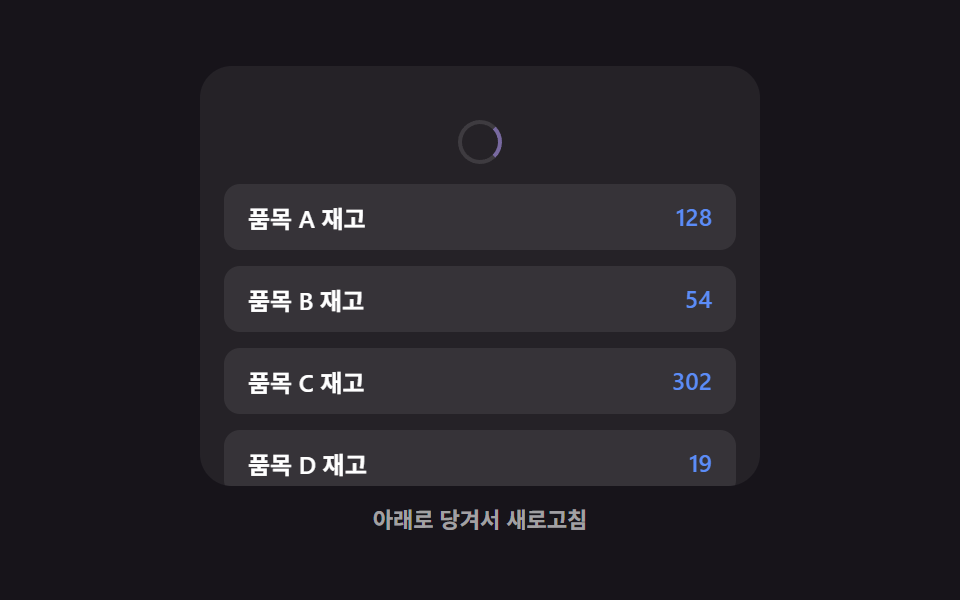
After the pull-to-refresh gesture completes, instead of redrawing the whole list, only the rows whose values changed get a brief highlight sweep showing what was updated — a different focus from post 353, which covers the pull gesture, icon, and elastic feel itself rather than what happens after release. computeChanged() diffs the old and new value arrays first, so untouched rows never re-render at all.
<main class="stage">
<div class="ptr is-demo" id="ptr">
  <div class="ptr__view" id="ptrView">
    <div class="ptr__zone" id="ptrZone">
      <div class="ptr__indicator" id="ptrIndicator" aria-hidden="true">
        <span class="ptr__spinner" id="ptrSpinner"></span>
      </div>
      <ul class="ptr__list" id="ptrList">
        <li class="ptr__row" data-row="0"><span class="ptr__label">Item A stock</span><span class="ptr__value" id="ptrVal0">128</span></li>
        <li class="ptr__row" data-row="1"><span class="ptr__label">Item B stock</span><span class="ptr__value" id="ptrVal1">54</span></li>
        <li class="ptr__row" data-row="2"><span class="ptr__label">Item C stock</span><span class="ptr__value" id="ptrVal2">302</span></li>
        <li class="ptr__row" data-row="3"><span class="ptr__label">Item D stock</span><span class="ptr__value" id="ptrVal3">19</span></li>
        <li class="ptr__row" data-row="4"><span class="ptr__label">Item E stock</span><span class="ptr__value" id="ptrVal4">77</span></li>
      </ul>
    </div>
  </div>
  <p class="ptr__hint" id="ptrHint" aria-live="polite">Pull down to refresh</p>
</div>
</main>
@use "../../../../site/static/demo-tokens" as *;
// 변수 3개
$duration: $dur-enter;
$easing: $ease-spring;
$color: $subject-lilac;
// 계산 겹: index.html 의 applyPull() 이 저항 곡선으로 당김 표시량을 만들고,
// 놓았을 때 새로고침되면 computeChanged() 로 실제 값이 달라진 행만 골라 훑는다.
@include stage($stage-ink);
.ptr {
width: min(100%, 280px);
display: flex;
flex-direction: column;
gap: $sp-2;
align-items: center;
}
.ptr__view {
box-sizing: border-box;
width: 100%;
height: 210px;
overflow: hidden;
border-radius: $r-card;
background: rgba(255, 255, 255, .06);
touch-action: none;
}
.ptr__zone {
--pull-px: 0px;
box-sizing: border-box;
padding: $sp-3;
transform: translateY(var(--pull-px));
transition: transform $duration $easing;
&.is-dragging {
transition: none;
}
}
.ptr__indicator {
display: flex;
justify-content: center;
height: 28px;
margin-bottom: $sp-1;
opacity: 0;
}
.ptr__spinner {
--spin-deg: 0deg;
width: 18px;
height: 18px;
border-radius: $r-pill;
border: 2px solid rgba(255, 255, 255, .2);
border-top-color: $color;
transform: rotate(var(--spin-deg));
}
.ptr__list {
list-style: none;
margin: 0;
padding: 0;
display: flex;
flex-direction: column;
gap: $sp-2;
}
.ptr__row {
box-sizing: border-box;
position: relative;
overflow: hidden;
display: flex;
justify-content: space-between;
padding: $sp-2 $sp-3;
border-radius: $r-sm;
background: rgba(255, 255, 255, .08);
color: $stage-paper;
font-weight: 600;
font-size: 12px;
&.is-swept::after {
content: "";
position: absolute;
inset: 0;
background: linear-gradient(90deg, transparent, rgba($color, .38), transparent);
transform: translateX(-140%);
animation-name: ptrSweep;
animation-duration: $duration;
animation-timing-function: $ease-out;
}
}
.ptr__value {
color: $subject-blue-light;
}
@keyframes ptrSweep {
to { transform: translateX(140%); }
}
.ptr__hint {
margin: 0;
color: rgba(255, 255, 255, .6);
font-weight: 600;
font-size: 11px;
}
@media (max-width: 340px) {
.ptr { gap: $sp-1; }
.ptr__view { height: 130px; }
.ptr__row { padding: $sp-1 $sp-2; font-size: 11px; }
.ptr__hint { font-size: 10px; }
}
// reduce: 실사용 경로 적용 — 당김 스프링·스침 트윈만 멈춘다. 새로고침 계산·값 갱신은 그대로 동작
@media (prefers-reduced-motion: reduce) {
.ptr__zone { transition: none; }
.ptr__row.is-swept::after { animation: none; opacity: 0; }
}html, body {
margin: 0;
overflow: hidden;
}
.stage {
box-sizing: border-box;
min-height: 100vh;
display: grid;
place-items: center;
margin: 0;
background: #17141a;
font-family: -apple-system, "Segoe UI", "Noto Sans KR", sans-serif;
padding: clamp(8px, 4vw, 24px);
}
.ptr {
width: min(100%, 280px);
display: flex;
flex-direction: column;
gap: 8px;
align-items: center;
}
.ptr__view {
box-sizing: border-box;
width: 100%;
height: 210px;
overflow: hidden;
border-radius: 16px;
background: rgba(255, 255, 255, 0.06);
touch-action: none;
}
.ptr__zone {
--pull-px: 0px;
box-sizing: border-box;
padding: 12px;
transform: translateY(var(--pull-px));
transition: transform 600ms cubic-bezier(0.2, 0.8, 0.2, 1);
}
.ptr__zone.is-dragging {
transition: none;
}
.ptr__indicator {
display: flex;
justify-content: center;
height: 28px;
margin-bottom: 4px;
opacity: 0;
}
.ptr__spinner {
--spin-deg: 0deg;
width: 18px;
height: 18px;
border-radius: 999px;
border: 2px solid rgba(255, 255, 255, 0.2);
border-top-color: #b9a0ff;
transform: rotate(var(--spin-deg));
}
.ptr__list {
list-style: none;
margin: 0;
padding: 0;
display: flex;
flex-direction: column;
gap: 8px;
}
.ptr__row {
box-sizing: border-box;
position: relative;
overflow: hidden;
display: flex;
justify-content: space-between;
padding: 8px 12px;
border-radius: 8px;
background: rgba(255, 255, 255, 0.08);
color: #ffffff;
font-weight: 600;
font-size: 12px;
}
.ptr__row.is-swept::after {
content: "";
position: absolute;
inset: 0;
background: linear-gradient(90deg, transparent, rgba(185, 160, 255, 0.38), transparent);
transform: translateX(-140%);
animation-name: ptrSweep;
animation-duration: 600ms;
animation-timing-function: ease-out;
}
.ptr__value {
color: #5b8cf8;
}
@keyframes ptrSweep {
to {
transform: translateX(140%);
}
}
.ptr__hint {
margin: 0;
color: rgba(255, 255, 255, 0.6);
font-weight: 600;
font-size: 11px;
}
@media (max-width: 340px) {
.ptr {
gap: 4px;
}
.ptr__view {
height: 130px;
}
.ptr__row {
padding: 4px 8px;
font-size: 11px;
}
.ptr__hint {
font-size: 10px;
}
}
@media (prefers-reduced-motion: reduce) {
.ptr__zone {
transition: none;
}
.ptr__row.is-swept::after {
animation: none;
opacity: 0;
}
}(function () {
var MAX_PULL_PX = 64; // 당김 표시량 상한
var DAMPING = 90; // 저항 곡선 상수 — 클수록 손가락 이동량이 그대로 반영된다
var RELEASE_THRESHOLD_PX = 46; // 이 표시량을 넘기고 놓으면 새로고침
var AUTO_TICK_MS = 40;
var AUTO_PULL_STEP = 6;
var AUTO_HOLD_MS = 160;
var AUTO_WAIT_MS = 900;
var SWEEP_STAGGER_MS = 90;
var SET_A = [128, 54, 302, 19, 77];
var SET_B = [128, 61, 302, 24, 77];
var root = document.getElementById('ptr');
var view = document.getElementById('ptrView');
var zone = document.getElementById('ptrZone');
var indicator = document.getElementById('ptrIndicator');
var spinner = document.getElementById('ptrSpinner');
var list = document.getElementById('ptrList');
var hint = document.getElementById('ptrHint');
var rows = Array.prototype.slice.call(list.querySelectorAll('.ptr__row'));
var values = SET_A.slice();
var currentIsA = true;
var lastDisplayed = 0;
function renderValues() {
values.forEach(function (v, i) {
document.getElementById('ptrVal' + i).textContent = String(v);
});
}
renderValues();
// 계산 겹: 원시 당김량(raw)을 지수 감쇠 저항 곡선으로 눌러 표시량을 만든다 —
// 처음엔 손가락을 따라오다가 당길수록 점점 덜 늘어난다.
function applyPull(raw) {
var displayed = MAX_PULL_PX * (1 - Math.exp(-raw / DAMPING));
zone.style.setProperty('--pull-px', displayed.toFixed(1) + 'px');
spinner.style.setProperty('--spin-deg', (displayed / MAX_PULL_PX * 320).toFixed(1) + 'deg');
indicator.style.opacity = Math.min(1, displayed / (RELEASE_THRESHOLD_PX * 0.7)).toFixed(2);
lastDisplayed = displayed;
return displayed;
}
function computeChanged(oldVals, newVals) {
var idx = [];
for (var i = 0; i < oldVals.length; i += 1) {
if (oldVals[i] !== newVals[i]) { idx.push(i); }
}
return idx;
}
function sweepRow(row, delayMs) {
row.classList.remove('is-swept');
void row.offsetWidth; // 리플로우 강제 — 클래스를 다시 붙여도 애니메이션이 처음부터 재생되게
row.style.animationDelay = delayMs + 'ms';
row.classList.add('is-swept');
}
function refresh() {
var next = currentIsA ? SET_B : SET_A;
var changed = computeChanged(values, next);
values = next.slice();
currentIsA = !currentIsA;
renderValues();
hint.textContent = changed.length ? 'Sweeping only the rows that changed' : 'No rows changed';
changed.forEach(function (idx, order) {
sweepRow(rows[idx], order * SWEEP_STAGGER_MS);
});
}
var dragging = false;
var startY = 0;
function human() {
if (root.classList.contains('is-demo')) {
root.classList.remove('is-demo');
if (timer) { window.clearInterval(timer); timer = null; }
}
}
view.addEventListener('pointerdown', function (e) {
human();
if (view.scrollTop > 0) { return; }
dragging = true;
startY = e.clientY;
zone.classList.add('is-dragging');
});
view.addEventListener('pointermove', function (e) {
if (!dragging) { return; }
var raw = Math.max(0, e.clientY - startY);
applyPull(raw);
});
window.addEventListener('pointerup', function () {
if (!dragging) { return; }
dragging = false;
zone.classList.remove('is-dragging');
var wasEnough = lastDisplayed >= RELEASE_THRESHOLD_PX;
applyPull(0);
if (wasEnough) { refresh(); }
});
var timer = null;
var raw = 0;
var phase = 'pull';
function autoTick() {
if (phase === 'pull') {
raw += AUTO_PULL_STEP;
var displayed = applyPull(raw);
if (displayed >= RELEASE_THRESHOLD_PX) {
phase = 'hold';
window.setTimeout(function () {
refresh();
applyPull(0);
phase = 'wait';
window.setTimeout(function () {
raw = 0;
phase = 'pull';
}, AUTO_WAIT_MS);
}, AUTO_HOLD_MS);
}
}
}
var reduce = window.matchMedia('(prefers-reduced-motion: reduce)').matches;
if (!reduce) {
timer = window.setInterval(autoTick, AUTO_TICK_MS);
} else {
// reduce: 실사용 경로 적용 — 자동 당김 루프와 스침 애니메이션을 멈추고 최신 값만 보여준다
hint.textContent = 'Pull down to refresh';
}
})();// PullToRefresh — vanilla 판(run/381/demo/03-pull-to-refresh/index.html)의 React 포트.
// 원시 당김량(raw)을 지수 감쇠 저항 곡선으로 눌러 표시량을 만들고, 놓았을 때 새로고침되면
// computeChanged() 로 실제 값이 달라진 행만 골라 훑는다.
import { useEffect, useRef } from "react";
import type { CSSProperties } from "react";
import styles from "./PullToRefresh.module.scss";
export type PullToRefreshProps = {
duration?: string;
easing?: string;
color?: string;
};
type Vars = CSSProperties & { "--duration"?: string; "--easing"?: string; "--color"?: string };
const LABELS = ["품목 A 재고", "품목 B 재고", "품목 C 재고", "품목 D 재고", "품목 E 재고"];
const SET_A = [128, 54, 302, 19, 77];
export default function PullToRefresh({
duration = "600ms", // vanilla $duration: $dur-enter
easing = "cubic-bezier(.2, .8, .2, 1)", // vanilla $easing: $ease-spring
color = "#b9a0ff", // vanilla $color: $subject-lilac
}: PullToRefreshProps) {
const rootRef = useRef<HTMLDivElement | null>(null);
useEffect(() => {
const root = rootRef.current;
if (!root) return;
const view = root.querySelector<HTMLDivElement>('[data-role="view"]');
const zone = root.querySelector<HTMLDivElement>('[data-role="zone"]');
const indicator = root.querySelector<HTMLDivElement>('[data-role="indicator"]');
const spinner = root.querySelector<HTMLSpanElement>('[data-role="spinner"]');
const list = root.querySelector<HTMLUListElement>('[data-role="list"]');
const hint = root.querySelector<HTMLParagraphElement>('[data-role="hint"]');
if (!view || !zone || !indicator || !spinner || !list || !hint) return;
const rows = Array.prototype.slice.call(list.querySelectorAll("[data-row]")) as HTMLLIElement[];
const MAX_PULL_PX = 64; // 당김 표시량 상한
const DAMPING = 90; // 저항 곡선 상수 — 클수록 손가락 이동량이 그대로 반영된다
const RELEASE_THRESHOLD_PX = 46; // 이 표시량을 넘기고 놓으면 새로고침
const AUTO_TICK_MS = 40;
const AUTO_PULL_STEP = 6;
const AUTO_HOLD_MS = 160;
const AUTO_WAIT_MS = 900;
const SWEEP_STAGGER_MS = 90;
const SET_B = [128, 61, 302, 24, 77];
let values = SET_A.slice();
let currentIsA = true;
let lastDisplayed = 0;
function renderValues(): void {
values.forEach((v, i) => {
const cell = rows[i].querySelector<HTMLSpanElement>("[data-value]");
if (cell) cell.textContent = String(v);
});
}
renderValues();
// 계산 겹: 원시 당김량(raw)을 지수 감쇠 저항 곡선으로 눌러 표시량을 만든다 —
// 처음엔 손가락을 따라오다가 당길수록 점점 덜 늘어난다.
function applyPull(raw: number): number {
const displayed = MAX_PULL_PX * (1 - Math.exp(-raw / DAMPING));
zone!.style.setProperty("--pull-px", displayed.toFixed(1) + "px");
spinner!.style.setProperty("--spin-deg", ((displayed / MAX_PULL_PX) * 320).toFixed(1) + "deg");
indicator!.style.opacity = Math.min(1, displayed / (RELEASE_THRESHOLD_PX * 0.7)).toFixed(2);
lastDisplayed = displayed;
return displayed;
}
function computeChanged(oldVals: number[], newVals: number[]): number[] {
const idx: number[] = [];
for (let i = 0; i < oldVals.length; i += 1) {
if (oldVals[i] !== newVals[i]) {
idx.push(i);
}
}
return idx;
}
function sweepRow(row: HTMLLIElement, delayMs: number): void {
row.classList.remove("is-swept");
void row.offsetWidth; // 리플로우 강제 — 클래스를 다시 붙여도 애니메이션이 처음부터 재생되게
row.style.animationDelay = delayMs + "ms";
row.classList.add("is-swept");
}
function refresh(): void {
const next = currentIsA ? SET_B : SET_A;
const changed = computeChanged(values, next);
values = next.slice();
currentIsA = !currentIsA;
renderValues();
hint!.textContent = changed.length ? "값이 바뀐 행만 훑습니다" : "변경된 행이 없습니다";
changed.forEach((idx, order) => {
sweepRow(rows[idx], order * SWEEP_STAGGER_MS);
});
}
let dragging = false;
let startY = 0;
function human(): void {
if (root!.classList.contains("is-demo")) {
root!.classList.remove("is-demo");
if (timer) {
window.clearInterval(timer);
timer = null;
}
}
}
function onPointerDown(e: PointerEvent): void {
human();
if (view!.scrollTop > 0) return;
dragging = true;
startY = e.clientY;
zone!.classList.add("is-dragging");
}
function onPointerMove(e: PointerEvent): void {
if (!dragging) return;
const raw = Math.max(0, e.clientY - startY);
applyPull(raw);
}
function onPointerUp(): void {
if (!dragging) return;
dragging = false;
zone!.classList.remove("is-dragging");
const wasEnough = lastDisplayed >= RELEASE_THRESHOLD_PX;
applyPull(0);
if (wasEnough) refresh();
}
view.addEventListener("pointerdown", onPointerDown);
view.addEventListener("pointermove", onPointerMove);
window.addEventListener("pointerup", onPointerUp);
let timer: number | null = null;
let raw = 0;
let phase: "pull" | "hold" | "wait" = "pull";
function autoTick(): void {
if (phase === "pull") {
raw += AUTO_PULL_STEP;
const displayed = applyPull(raw);
if (displayed >= RELEASE_THRESHOLD_PX) {
phase = "hold";
window.setTimeout(() => {
refresh();
applyPull(0);
phase = "wait";
window.setTimeout(() => {
raw = 0;
phase = "pull";
}, AUTO_WAIT_MS);
}, AUTO_HOLD_MS);
}
}
}
const reduce = window.matchMedia("(prefers-reduced-motion: reduce)").matches;
if (!reduce) {
timer = window.setInterval(autoTick, AUTO_TICK_MS);
} else {
// reduce: 실사용 경로 적용 — 자동 당김 루프와 스침 애니메이션을 멈추고 최신 값만 보여준다
hint.textContent = "아래로 당겨서 새로고침";
}
return () => {
view.removeEventListener("pointerdown", onPointerDown);
view.removeEventListener("pointermove", onPointerMove);
window.removeEventListener("pointerup", onPointerUp);
if (timer) {
window.clearInterval(timer);
}
};
}, []);
const vars: Vars = { "--duration": duration, "--easing": easing, "--color": color };
return (
<main className={styles.stage}>
<div className={`${styles.ptr} is-demo`} ref={rootRef} style={vars}>
<div className={styles.ptr__view} data-role="view">
<div className={styles.ptr__zone} data-role="zone">
<div className={styles.ptr__indicator} data-role="indicator" aria-hidden="true">
<span className={styles.ptr__spinner} data-role="spinner" />
</div>
<ul className={styles.ptr__list} data-role="list">
{LABELS.map((label, i) => (
<li className={styles.ptr__row} data-row={i} key={i}>
<span className={styles.ptr__label}>{label}</span>
<span className={styles.ptr__value} data-value>
{SET_A[i]}
</span>
</li>
))}
</ul>
</div>
</div>
<p className={styles.ptr__hint} data-role="hint" aria-live="polite">
아래로 당겨서 새로고침
</p>
</div>
</main>
);
}03 · Pull-to-Refresh That Sweeps Only the Rows That Changed — Measured area 29.576% · moving frames 12/23Original by GODRICH · SCSS and React ship in the zip · See the password
  function sweepRow(row, delayMs) {
    row.classList.remove('is-swept');
    void row.offsetWidth; // Force reflow — so the animation restarts from the beginning even if the class is re-added
    row.style.animationDelay = delayMs + 'ms';
    row.classList.add('is-swept');
  }

  function refresh() {
    var next = currentIsA ? SET_B : SET_A;
    var changed = computeChanged(values, next);
    values = next.slice();
    currentIsA = !currentIsA;
    renderValues();
    hint.textContent = changed.length ? 'Sweeping only the rows that changed' : 'No rows changed';
    changed.forEach(function (idx, order) {
      sweepRow(rows[idx], order * SWEEP_STAGGER_MS);
    });
  }
04Empty-List Message That Appears When the Last Row Is Gone
The instant the last remaining row is removed, a small icon and a single line of guidance text fade into the now-empty list area — the plainest version of a list announcing its own emptiness, with no illustration at all. A requestAnimationFrame loop lerps the empty-state panel's height toward its target every frame, which is also the only one of these nine patterns driven by rAF instead of a CSS transition, animation, or setTimeout.
<main class="stage">
<div class="les is-demo" id="les">
  <ul class="les__list" id="lesList"></ul>
  <div class="les__empty" id="lesEmpty" aria-live="polite">
    <p class="les__emptyText">No tasks left</p>
  </div>
</div>
</main>
@use "../../../../site/static/demo-tokens" as *;
// 변수 3개
$duration: $dur-base;
$easing: $ease-out;
$color: $subject-pink;
// 계산 겹: index.html 의 requestAnimationFrame step() 이 목표 높이(0 또는 EMPTY_HEIGHT)로
// 지수 감쇠(lerp)해 다가가며 문구 영역 높이를 프레임마다 다시 계산한다.
@include stage($stage-ink);
.les {
width: min(100%, 280px);
}
.les__list {
list-style: none;
margin: 0;
padding: 0;
display: flex;
flex-direction: column;
gap: $sp-2;
}
.les__row {
box-sizing: border-box;
transform-origin: top center;
display: flex;
align-items: center;
justify-content: space-between;
padding: $sp-3;
border-radius: $r-sm;
background: rgba(255, 255, 255, .08);
color: $stage-paper;
font-weight: 600;
font-size: 12px;
&.is-removing {
animation-name: lesRowOut;
animation-duration: $duration;
animation-timing-function: $easing;
animation-fill-mode: forwards;
}
}
@keyframes lesRowOut {
to { opacity: 0; transform: scaleY(0); }
}
.les__del {
box-sizing: border-box;
border: 0;
border-radius: $r-pill;
padding: $sp-1 $sp-3;
background: rgba($color, .2);
color: $stage-paper;
font-weight: 600;
font-size: 11px;
cursor: pointer;
&:focus-visible {
outline: 2px solid $color;
outline-offset: 2px;
}
}
.les__empty {
box-sizing: border-box;
height: 0;
overflow: hidden;
opacity: 0;
display: flex;
align-items: center;
justify-content: center;
border-radius: $r-card;
background: rgba(255, 255, 255, .05);
margin-top: $sp-2;
}
.les__emptyText {
margin: 0;
color: rgba(255, 255, 255, .7);
font-weight: 600;
font-size: 13px;
}
@media (max-width: 340px) {
.les__list { gap: $sp-1; }
.les__row { padding: $sp-1 $sp-2; font-size: 11px; }
.les__emptyText { font-size: 12px; }
}
// reduce: 실사용 경로 적용 — 퇴장 트윈만 멈춘다. 높이 계산·목록 삭제 로직은 그대로 동작
@media (prefers-reduced-motion: reduce) {
.les__row.is-removing { animation: none; opacity: 0; transform: scaleY(0); }
}html, body {
margin: 0;
overflow: hidden;
}
.stage {
box-sizing: border-box;
min-height: 100vh;
display: grid;
place-items: center;
margin: 0;
background: #17141a;
font-family: -apple-system, "Segoe UI", "Noto Sans KR", sans-serif;
padding: clamp(8px, 4vw, 24px);
}
.les {
width: min(100%, 280px);
}
.les__list {
list-style: none;
margin: 0;
padding: 0;
display: flex;
flex-direction: column;
gap: 8px;
}
.les__row {
box-sizing: border-box;
transform-origin: top center;
display: flex;
align-items: center;
justify-content: space-between;
padding: 12px;
border-radius: 8px;
background: rgba(255, 255, 255, 0.08);
color: #ffffff;
font-weight: 600;
font-size: 12px;
}
.les__row.is-removing {
animation-name: lesRowOut;
animation-duration: 300ms;
animation-timing-function: ease-out;
animation-fill-mode: forwards;
}
@keyframes lesRowOut {
to {
opacity: 0;
transform: scaleY(0);
}
}
.les__del {
box-sizing: border-box;
border: 0;
border-radius: 999px;
padding: 4px 12px;
background: rgba(255, 158, 187, 0.2);
color: #ffffff;
font-weight: 600;
font-size: 11px;
cursor: pointer;
}
.les__del:focus-visible {
outline: 2px solid #ff9ebb;
outline-offset: 2px;
}
.les__empty {
box-sizing: border-box;
height: 0;
overflow: hidden;
opacity: 0;
display: flex;
align-items: center;
justify-content: center;
border-radius: 16px;
background: rgba(255, 255, 255, 0.05);
margin-top: 8px;
}
.les__emptyText {
margin: 0;
color: rgba(255, 255, 255, 0.7);
font-weight: 600;
font-size: 13px;
}
@media (max-width: 340px) {
.les__list {
gap: 4px;
}
.les__row {
padding: 4px 8px;
font-size: 11px;
}
.les__emptyText {
font-size: 12px;
}
}
@media (prefers-reduced-motion: reduce) {
.les__row.is-removing {
animation: none;
opacity: 0;
transform: scaleY(0);
}
}(function () {
var ROWS = ['Review task A', 'Review task B', 'Review task C', 'Review task D'];
var EMPTY_HEIGHT = 120; // 목록이 다 비었을 때의 최종 높이
var LERP_RATE = 0.18; // 목표 높이로 매 프레임 다가가는 비율(지수 감쇠)
var AUTO_STEP_MS = 380;
var AUTO_RESET_DELAY_MS = 700;
var root = document.getElementById('les');
var list = document.getElementById('lesList');
var empty = document.getElementById('lesEmpty');
function addRow(label) {
var li = document.createElement('li');
li.className = 'les__row';
var span = document.createElement('span');
span.className = 'les__label';
span.textContent = label;
var btn = document.createElement('button');
btn.type = 'button';
btn.className = 'les__del';
btn.setAttribute('aria-label', label + ' Remove');
btn.textContent = 'Remove';
li.appendChild(span);
li.appendChild(btn);
list.appendChild(li);
return li;
}
function resetRows() {
list.innerHTML = '';
ROWS.forEach(function (label) { addRow(label); });
}
resetRows();
// 계산 겹: 목표 높이(0 또는 EMPTY_HEIGHT)로 매 프레임 지수 감쇠(lerp)해 다가간다 —
// 행이 0개가 되는 순간 문구 영역이 즉시 뚝 나타나지 않고 남은 공간 크기를 따라 커진다.
var currentHeight = 0;
var targetHeight = 0;
var rafId = null;
  function computeTarget() {
    return list.children.length === 0 ? EMPTY_HEIGHT : 0;
  }

  function step() {
    var diff = targetHeight - currentHeight;
    if (Math.abs(diff) < 0.5) {
      currentHeight = targetHeight;
      empty.style.height = currentHeight + 'px';
      empty.style.opacity = (currentHeight / EMPTY_HEIGHT).toFixed(2);
      rafId = null;
      return;
    }
    currentHeight += diff * LERP_RATE;
    empty.style.height = currentHeight + 'px';
    empty.style.opacity = Math.min(1, currentHeight / EMPTY_HEIGHT).toFixed(2);
    rafId = window.requestAnimationFrame(step);
  }
function startLoop() {
if (rafId === null) { rafId = window.requestAnimationFrame(step); }
}
function removeRow(li) {
if (!li || li.classList.contains('is-removing')) { return; }
li.classList.add('is-removing');
if (reduce) {
// reduce: 실사용 경로 — 퇴장 트윈 없이 즉시 제거. animationend 를 기다리지 않는다
li.remove();
targetHeight = computeTarget();
startLoop();
return;
}
li.addEventListener('animationend', function () {
li.remove();
targetHeight = computeTarget();
startLoop();
}, { once: true });
}
function human() {
if (root.classList.contains('is-demo')) {
root.classList.remove('is-demo');
if (timer) { window.clearInterval(timer); timer = null; }
}
}
list.addEventListener('click', function (e) {
var btn = e.target.closest('button.les__del');
if (!btn) { return; }
human();
removeRow(btn.closest('li'));
});
var timer = null;
function autoTick() {
var first = list.querySelector('.les__row:not(.is-removing)');
if (first) {
removeRow(first);
} else {
window.clearInterval(timer);
timer = null;
window.setTimeout(function () {
resetRows();
targetHeight = computeTarget();
startLoop();
timer = window.setInterval(autoTick, AUTO_STEP_MS);
}, AUTO_RESET_DELAY_MS);
}
}
var reduce = window.matchMedia('(prefers-reduced-motion: reduce)').matches;
if (!reduce) {
timer = window.setInterval(autoTick, AUTO_STEP_MS);
} else {
// reduce: 실사용 경로 적용 — 자동 Delete 루프와 등장 트윈을 멈추고 목록이 있는 상태를 고정으로 보여준다
}
})();// ListEmptyState — vanilla 판(run/381/demo/04-list-empty-state/index.html)의 React 포트.
// 목표 높이(0 또는 EMPTY_HEIGHT)로 매 프레임 지수 감쇠(lerp)해 다가가며 문구 영역 높이를
// 다시 계산한다 — 행이 0개가 되는 순간 즉시 뚝 나타나지 않고 남은 공간을 따라 커진다.
import { useEffect, useRef } from "react";
import type { CSSProperties } from "react";
import styles from "./ListEmptyState.module.scss";
export type ListEmptyStateProps = {
duration?: string;
easing?: string;
color?: string;
};
type Vars = CSSProperties & { "--duration"?: string; "--easing"?: string; "--color"?: string };
const ROWS = ["작업 A 검토", "작업 B 검토", "작업 C 검토", "작업 D 검토"];
export default function ListEmptyState({
duration = "300ms", // vanilla $duration: $dur-base
easing = "ease-out", // vanilla $easing: $ease-out
color = "#ff9ebb", // vanilla $color: $subject-pink
}: ListEmptyStateProps) {
const rootRef = useRef<HTMLDivElement | null>(null);
useEffect(() => {
const root = rootRef.current;
if (!root) return;
const list = root.querySelector<HTMLUListElement>('[data-role="list"]');
const empty = root.querySelector<HTMLDivElement>('[data-role="empty"]');
if (!list || !empty) return;
const EMPTY_HEIGHT = 120; // 목록이 다 비었을 때의 최종 높이
const LERP_RATE = 0.18; // 목표 높이로 매 프레임 다가가는 비율(지수 감쇠)
const AUTO_STEP_MS = 380;
const AUTO_RESET_DELAY_MS = 700;
function addRow(label: string): HTMLLIElement {
const li = document.createElement("li");
li.className = styles.les__row;
const span = document.createElement("span");
span.className = styles.les__label;
span.textContent = label;
const btn = document.createElement("button");
btn.type = "button";
btn.className = styles.les__del;
btn.setAttribute("aria-label", label + " 지우기");
btn.textContent = "지우기";
li.appendChild(span);
li.appendChild(btn);
list!.appendChild(li);
return li;
}
function resetRows(): void {
list!.innerHTML = "";
ROWS.forEach((label) => addRow(label));
}
resetRows();
// 계산 겹: 목표 높이(0 또는 EMPTY_HEIGHT)로 매 프레임 지수 감쇠(lerp)해 다가간다.
let currentHeight = 0;
let targetHeight = 0;
let rafId: number | null = null;
function computeTarget(): number {
return list!.children.length === 0 ? EMPTY_HEIGHT : 0;
}
function step(): void {
const diff = targetHeight - currentHeight;
if (Math.abs(diff) < 0.5) {
currentHeight = targetHeight;
empty!.style.height = currentHeight + "px";
empty!.style.opacity = (currentHeight / EMPTY_HEIGHT).toFixed(2);
rafId = null;
return;
}
currentHeight += diff * LERP_RATE;
empty!.style.height = currentHeight + "px";
empty!.style.opacity = Math.min(1, currentHeight / EMPTY_HEIGHT).toFixed(2);
rafId = window.requestAnimationFrame(step);
}
function startLoop(): void {
if (rafId === null) {
rafId = window.requestAnimationFrame(step);
}
}
function human(): void {
if (root!.classList.contains("is-demo")) {
root!.classList.remove("is-demo");
if (timer) {
window.clearInterval(timer);
timer = null;
}
}
}
const reduce = window.matchMedia("(prefers-reduced-motion: reduce)").matches;
function removeRow(li: HTMLLIElement | null): void {
if (!li || li.classList.contains("is-removing")) return;
li.classList.add("is-removing");
if (reduce) {
// reduce: 실사용 경로 — 퇴장 트윈 없이 즉시 제거. animationend 를 기다리지 않는다
li.remove();
targetHeight = computeTarget();
startLoop();
return;
}
li.addEventListener(
"animationend",
() => {
li.remove();
targetHeight = computeTarget();
startLoop();
},
{ once: true }
);
}
function onListClick(e: MouseEvent): void {
const target2 = e.target as HTMLElement;
const btn = target2.closest<HTMLButtonElement>("button." + styles.les__del);
if (!btn) return;
human();
removeRow(btn.closest("li"));
}
list.addEventListener("click", onListClick);
let timer: number | null = null;
function autoTick(): void {
const first = list!.querySelector<HTMLLIElement>(
"." + styles.les__row + ":not(.is-removing)"
);
if (first) {
removeRow(first);
} else {
if (timer) {
window.clearInterval(timer);
timer = null;
}
window.setTimeout(() => {
resetRows();
targetHeight = computeTarget();
startLoop();
timer = window.setInterval(autoTick, AUTO_STEP_MS);
}, AUTO_RESET_DELAY_MS);
}
}
if (!reduce) {
timer = window.setInterval(autoTick, AUTO_STEP_MS);
}
// reduce: 실사용 경로 적용 — 자동 삭제 루프와 등장 트윈을 멈추고 목록이 있는 상태를 고정으로 보여준다
return () => {
list.removeEventListener("click", onListClick);
if (timer) {
window.clearInterval(timer);
}
if (rafId !== null) {
window.cancelAnimationFrame(rafId);
}
};
}, []);
const vars: Vars = { "--duration": duration, "--easing": easing, "--color": color };
return (
<main className={styles.stage}>
<div className={`${styles.les} is-demo`} ref={rootRef} style={vars}>
<ul className={styles.les__list} data-role="list" />
<div className={styles.les__empty} data-role="empty" aria-live="polite">
<p className={styles.les__emptyText}>할 일이 모두 없습니다</p>
</div>
</div>
</main>
);
}04 · Empty-List Message That Appears When the Last Row Is Gone — Measured area 46.348% · moving frames 21/23Original by GODRICH · SCSS and React ship in the zip · See the password
function computeTarget() {
return list.children.length === 0 ? EMPTY_HEIGHT : 0;
}
function step() {
var diff = targetHeight - currentHeight;
if (Math.abs(diff) < 0.5) {
currentHeight = targetHeight;
empty.style.height = currentHeight + 'px';
empty.style.opacity = (currentHeight / EMPTY_HEIGHT).toFixed(2);
rafId = null;
return;
}
currentHeight += diff * LERP_RATE;
empty.style.height = currentHeight + 'px';
empty.style.opacity = Math.min(1, currentHeight / EMPTY_HEIGHT).toFixed(2);
rafId = window.requestAnimationFrame(step);
}
05Bulk Select That Counts With a Badge, No Toolbar
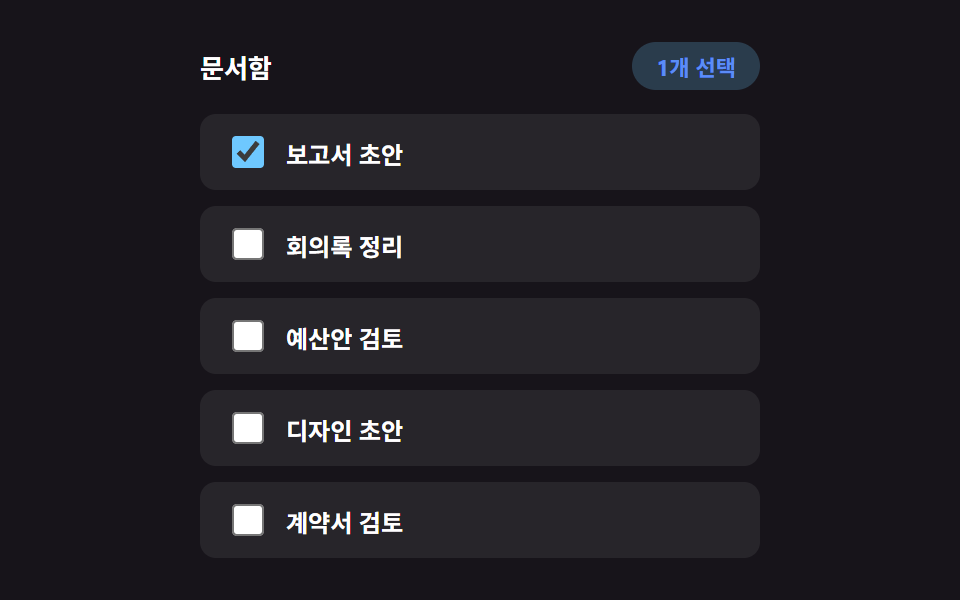
Each time a checkbox is toggled on, only that row's background tints, and a small badge number in the header above the list updates to the current selection count — a different demo from post 207's bulk-select-checkbox-toolbar, which slides a toolbar up from the bottom, since this one signals selection with nothing but a header badge. Shift-click reuses the last handled row index to check or uncheck an entire range in one pass, the same range-selection arithmetic spreadsheets use.
<main class="stage">
<div class="bks is-demo" id="bks">
  <div class="bks__header">
    <span class="bks__title">Document box</span>
    <span class="bks__badge" id="bksBadge" aria-live="polite" hidden>0 selected</span>
  </div>
  <ul class="bks__list" id="bksList">
    <li class="bks__row">
      <input type="checkbox" id="bksCb0" class="bks__checkbox" aria-checked="false">
      <label for="bksCb0" class="bks__label">Report draft</label>
    </li>
    <li class="bks__row">
      <input type="checkbox" id="bksCb1" class="bks__checkbox" aria-checked="false">
      <label for="bksCb1" class="bks__label">Meeting notes cleanup</label>
    </li>
    <li class="bks__row">
      <input type="checkbox" id="bksCb2" class="bks__checkbox" aria-checked="false">
      <label for="bksCb2" class="bks__label">Budget proposal review</label>
    </li>
    <li class="bks__row">
      <input type="checkbox" id="bksCb3" class="bks__checkbox" aria-checked="false">
      <label for="bksCb3" class="bks__label">Design draft</label>
    </li>
    <li class="bks__row">
      <input type="checkbox" id="bksCb4" class="bks__checkbox" aria-checked="false">
      <label for="bksCb4" class="bks__label">Contract review</label>
    </li>
  </ul>
</div>
</main>@use "../../../../site/static/demo-tokens" as *;
// 변수 3개
$duration: $dur-quick;
$easing: $ease-pop;
$color: $subject-sky;
// 계산 겹: index.html 의 applyRange() 가 마지막 인덱스~이번 인덱스 사이를 산술로 구해
// 시프트 클릭 한 번으로 그 구간 전체 체크 상태를 맞춘다.
@include stage($stage-ink);
.bks {
width: min(100%, 280px);
display: flex;
flex-direction: column;
gap: $sp-3;
}
.bks__header {
display: flex;
align-items: center;
justify-content: space-between;
min-height: 24px;
}
.bks__title {
color: $stage-paper;
font-weight: 700;
font-size: 13px;
}
.bks__badge {
box-sizing: border-box;
padding: $sp-1 $sp-3;
border-radius: $r-pill;
background: rgba($color, .22);
color: $subject-blue-light;
font-weight: 700;
font-size: 11px;
transform: scale(1);
&.is-pop {
animation-name: bksPop;
animation-duration: $duration;
animation-timing-function: $easing;
}
}
@keyframes bksPop {
0% { transform: scale(.7); opacity: .4; }
100% { transform: scale(1); opacity: 1; }
}
.bks__list {
list-style: none;
margin: 0;
padding: 0;
display: flex;
flex-direction: column;
gap: $sp-2;
}
.bks__row {
box-sizing: border-box;
display: flex;
align-items: center;
gap: $sp-2;
padding: $sp-2 $sp-3;
border-radius: $r-sm;
background: rgba(255, 255, 255, .07);
}
.bks__checkbox {
width: 16px;
height: 16px;
accent-color: $color;
cursor: pointer;
}
.bks__label {
color: $stage-paper;
font-weight: 600;
font-size: 12px;
cursor: pointer;
}
@media (max-width: 340px) {
.bks { gap: $sp-1; }
.bks__header { min-height: 0; }
.bks__badge { padding: 0 $sp-2; }
.bks__list { gap: $sp-1; }
.bks__row { padding: 0 $sp-2; }
.bks__checkbox { width: 14px; height: 14px; }
.bks__label { font-size: 11px; }
}
// reduce: 실사용 경로 적용 — 배지 팝 트윈만 멈춘다. 범위 선택 계산·체크 상태는 그대로 동작
@media (prefers-reduced-motion: reduce) {
.bks__badge.is-pop { animation: none; transform: scale(1); }
}html, body {
margin: 0;
overflow: hidden;
}
.stage {
box-sizing: border-box;
min-height: 100vh;
display: grid;
place-items: center;
margin: 0;
background: #17141a;
font-family: -apple-system, "Segoe UI", "Noto Sans KR", sans-serif;
padding: clamp(8px, 4vw, 24px);
}
.bks {
width: min(100%, 280px);
display: flex;
flex-direction: column;
gap: 12px;
}
.bks__header {
display: flex;
align-items: center;
justify-content: space-between;
min-height: 24px;
}
.bks__title {
color: #ffffff;
font-weight: 700;
font-size: 13px;
}
.bks__badge {
box-sizing: border-box;
padding: 4px 12px;
border-radius: 999px;
background: rgba(110, 200, 255, 0.22);
color: #5b8cf8;
font-weight: 700;
font-size: 11px;
transform: scale(1);
}
.bks__badge.is-pop {
animation-name: bksPop;
animation-duration: 220ms;
animation-timing-function: cubic-bezier(0.2, 1.4, 0.4, 1);
}
@keyframes bksPop {
0% {
transform: scale(0.7);
opacity: 0.4;
}
100% {
transform: scale(1);
opacity: 1;
}
}
.bks__list {
list-style: none;
margin: 0;
padding: 0;
display: flex;
flex-direction: column;
gap: 8px;
}
.bks__row {
box-sizing: border-box;
display: flex;
align-items: center;
gap: 8px;
padding: 8px 12px;
border-radius: 8px;
background: rgba(255, 255, 255, 0.07);
}
.bks__checkbox {
width: 16px;
height: 16px;
accent-color: #6ec8ff;
cursor: pointer;
}
.bks__label {
color: #ffffff;
font-weight: 600;
font-size: 12px;
cursor: pointer;
}
@media (max-width: 340px) {
.bks {
gap: 4px;
}
.bks__header {
min-height: 0;
}
.bks__badge {
padding: 0 8px;
}
.bks__list {
gap: 4px;
}
.bks__row {
padding: 0 8px;
}
.bks__checkbox {
width: 14px;
height: 14px;
}
.bks__label {
font-size: 11px;
}
}
@media (prefers-reduced-motion: reduce) {
.bks__badge.is-pop {
animation: none;
transform: scale(1);
}
}(function () {
var AUTO_STEP_MS = 550;
var AUTO_RESET_DELAY_MS = 900;
var AUTO_SEQ = [
{ idx: 0, shift: false },
{ idx: 3, shift: true },
{ idx: 1, shift: false }
];
var root = document.getElementById('bks');
var list = document.getElementById('bksList');
var badge = document.getElementById('bksBadge');
var rows = Array.prototype.slice.call(list.querySelectorAll('.bks__row'));
var checkboxes = rows.map(function (row) { return row.querySelector('input'); });
var lastIndex = null;
function setChecked(cb, checked) {
cb.checked = checked;
cb.setAttribute('aria-checked', checked ? 'true' : 'false');
}
function updateBadge() {
var n = checkboxes.filter(function (cb) { return cb.checked; }).length;
badge.hidden = n === 0;
badge.textContent = n + ' selected';
badge.classList.remove('is-pop');
void badge.offsetWidth;
badge.classList.add('is-pop');
}
// 계산 겹: 마지막으로 다룬 인덱스와 이번 인덱스 사이 범위를 산술로 구해
// 그 구간 전체를 한 번에 같은 상태로 맞춘다 — 하나씩 누르지 않아도 된다.
function applyRange(fromIdx, toIdx, checked) {
var lo = Math.min(fromIdx, toIdx);
var hi = Math.max(fromIdx, toIdx);
for (var i = lo; i <= hi; i += 1) {
setChecked(checkboxes[i], checked);
}
}
function clearAll() {
checkboxes.forEach(function (cb) { setChecked(cb, false); });
lastIndex = null;
updateBadge();
}
function human() {
if (root.classList.contains('is-demo')) {
root.classList.remove('is-demo');
if (timer) { window.clearInterval(timer); timer = null; }
}
}
checkboxes.forEach(function (cb, idx) {
cb.addEventListener('click', function (e) {
human();
if (e.shiftKey && lastIndex !== null) {
applyRange(lastIndex, idx, cb.checked);
}
lastIndex = idx;
updateBadge();
});
});
var timer = null;
var seqPos = 0;
function autoTick() {
if (seqPos >= AUTO_SEQ.length) {
window.clearInterval(timer);
timer = null;
window.setTimeout(function () {
clearAll();
seqPos = 0;
timer = window.setInterval(autoTick, AUTO_STEP_MS);
}, AUTO_RESET_DELAY_MS);
return;
}
var step = AUTO_SEQ[seqPos];
var cb = checkboxes[step.idx];
var nextChecked = !cb.checked;
if (step.shift && lastIndex !== null) {
applyRange(lastIndex, step.idx, nextChecked);
} else {
setChecked(cb, nextChecked);
}
lastIndex = step.idx;
updateBadge();
seqPos += 1;
}
var reduce = window.matchMedia('(prefers-reduced-motion: reduce)').matches;
if (!reduce) {
timer = window.setInterval(autoTick, AUTO_STEP_MS);
} else {
// reduce: 실사용 경로 적용 — 자동 선택 루프와 배지 팝 트윈을 멈춘다. 클릭·범위 선택 계산은 그대로 동작
}
})();// BulkSelect — vanilla 판(run/381/demo/05-bulk-select/index.html)의 React 포트.
// Shift 클릭 구간 선택은 마지막으로 다룬 인덱스와 이번 인덱스 사이를 산술로 구해
// 그 구간 전체를 클릭된 체크박스의 결과 상태로 한 번에 맞춘다.
import { useEffect, useRef } from "react";
import type { CSSProperties } from "react";
import styles from "./BulkSelect.module.scss";
export type BulkSelectProps = {
duration?: string;
easing?: string;
color?: string;
};
type Vars = CSSProperties & { "--duration"?: string; "--easing"?: string; "--color"?: string };
const LABELS = ["보고서 초안", "회의록 정리", "예산안 검토", "디자인 초안", "계약서 검토"];
type AutoStep = { idx: number; shift: boolean };
const AUTO_SEQ: AutoStep[] = [
{ idx: 0, shift: false },
{ idx: 3, shift: true },
{ idx: 1, shift: false },
];
export default function BulkSelect({
duration = "220ms", // vanilla $duration: $dur-quick
easing = "cubic-bezier(.2, 1.4, .4, 1)", // vanilla $easing: $ease-pop
color = "#6ec8ff", // vanilla $color: $subject-sky
}: BulkSelectProps) {
const rootRef = useRef<HTMLDivElement | null>(null);
useEffect(() => {
const root = rootRef.current;
if (!root) return;
const list = root.querySelector<HTMLUListElement>('[data-role="list"]');
const badge = root.querySelector<HTMLSpanElement>('[data-role="badge"]');
if (!list || !badge) return;
const rows = Array.prototype.slice.call(list.querySelectorAll("[data-row]")) as HTMLLIElement[];
const checkboxes = rows.map((row) => row.querySelector<HTMLInputElement>("input")!);
const AUTO_STEP_MS = 550;
const AUTO_RESET_DELAY_MS = 900;
let lastIndex: number | null = null;
function setChecked(cb: HTMLInputElement, checked: boolean): void {
cb.checked = checked;
cb.setAttribute("aria-checked", checked ? "true" : "false");
}
function updateBadge(): void {
const n = checkboxes.filter((cb) => cb.checked).length;
badge!.hidden = n === 0;
badge!.textContent = n + "개 선택";
badge!.classList.remove("is-pop");
void badge!.offsetWidth; // 리플로우 강제 — 연속 클릭에도 팝 애니메이션이 매번 재생되게
badge!.classList.add("is-pop");
}
// 계산 겹: 마지막으로 다룬 인덱스와 이번 인덱스 사이 범위를 산술로 구해
// 그 구간 전체를 한 번에 같은 상태로 맞춘다 — 하나씩 누르지 않아도 된다.
function applyRange(fromIdx: number, toIdx: number, checked: boolean): void {
const lo = Math.min(fromIdx, toIdx);
const hi = Math.max(fromIdx, toIdx);
for (let i = lo; i <= hi; i += 1) {
setChecked(checkboxes[i], checked);
}
}
function clearAll(): void {
checkboxes.forEach((cb) => setChecked(cb, false));
lastIndex = null;
updateBadge();
}
function human(): void {
if (root!.classList.contains("is-demo")) {
root!.classList.remove("is-demo");
if (timer) {
window.clearInterval(timer);
timer = null;
}
}
}
const clickHandlers: ((e: MouseEvent) => void)[] = [];
checkboxes.forEach((cb, idx) => {
const onClick = (e: MouseEvent) => {
human();
if (e.shiftKey && lastIndex !== null) {
applyRange(lastIndex, idx, cb.checked);
}
lastIndex = idx;
updateBadge();
};
cb.addEventListener("click", onClick);
clickHandlers.push(onClick);
});
let timer: number | null = null;
let seqPos = 0;
function autoTick(): void {
if (seqPos >= AUTO_SEQ.length) {
if (timer) {
window.clearInterval(timer);
timer = null;
}
window.setTimeout(() => {
clearAll();
seqPos = 0;
timer = window.setInterval(autoTick, AUTO_STEP_MS);
}, AUTO_RESET_DELAY_MS);
return;
}
const step = AUTO_SEQ[seqPos];
const cb = checkboxes[step.idx];
const nextChecked = !cb.checked;
if (step.shift && lastIndex !== null) {
applyRange(lastIndex, step.idx, nextChecked);
} else {
setChecked(cb, nextChecked);
}
lastIndex = step.idx;
updateBadge();
seqPos += 1;
}
const reduce = window.matchMedia("(prefers-reduced-motion: reduce)").matches;
if (!reduce) {
timer = window.setInterval(autoTick, AUTO_STEP_MS);
}
// reduce: 실사용 경로 적용 — 자동 선택 루프와 배지 팝 트윈을 멈춘다. 클릭·범위 선택 계산은 그대로 동작
return () => {
checkboxes.forEach((cb, idx) => {
cb.removeEventListener("click", clickHandlers[idx]);
});
if (timer) {
window.clearInterval(timer);
}
};
}, []);
const vars: Vars = { "--duration": duration, "--easing": easing, "--color": color };
return (
<main className={styles.stage}>
<div className={`${styles.bks} is-demo`} ref={rootRef} style={vars}>
<div className={styles.bks__header}>
<span className={styles.bks__title}>문서함</span>
<span className={styles.bks__badge} data-role="badge" aria-live="polite" hidden>
0개 선택
</span>
</div>
<ul className={styles.bks__list} data-role="list">
{LABELS.map((label, i) => (
<li className={styles.bks__row} data-row={i} key={i}>
<input
type="checkbox"
id={`bksCb${i}`}
className={styles.bks__checkbox}
aria-checked="false"
readOnly
/>
<label htmlFor={`bksCb${i}`} className={styles.bks__label}>
{label}
</label>
</li>
))}
</ul>
</div>
</main>
);
}05 · Bulk Select That Counts With a Badge, No Toolbar — Measured area 1.725% · moving frames 9/23Original by GODRICH · SCSS and React ship in the zip · See the password
  function updateBadge() {
    var n = checkboxes.filter(function (cb) { return cb.checked; }).length;
    badge.hidden = n === 0;
    badge.textContent = n + ' selected';
    badge.classList.remove('is-pop');
    void badge.offsetWidth;
    badge.classList.add('is-pop');
  }

  // Calculation layer: works out the range between the last handled index and this one arithmetically —
  // and sets that whole span to the same state in one pass, so you don't have to click each row.
  function applyRange(fromIdx, toIdx, checked) {
    var lo = Math.min(fromIdx, toIdx);
    var hi = Math.max(fromIdx, toIdx);
    for (var i = lo; i <= hi; i += 1) {
      setChecked(checkboxes[i], checked);
    }
  }
06Basic Swipe Action That Reveals in One Direction
Swiping a row sideways reveals a single hidden icon button up to a fixed width, and releasing either snaps it open to that width or springs it back closed — the plainest form of post 207's two swipe demos, which add a delete-tinted reveal and a stacked multi-button version this one skips. Release doesn't just check where your finger stopped: if the velocity between the last two pointer timestamps crosses a threshold, the swipe's direction alone decides open or closed, and only a slow release falls back to the halfway-position rule.
<main class="stage">
<div class="swa is-demo" id="swa">
  <ul class="swa__list" id="swaList">
    <li class="swa__row">
      <div class="swa__actions"><button type="button" class="swa__actionBtn" data-del>Delete</button></div>
      <div class="swa__content" tabindex="0">Inbox notice 1</div>
    </li>
    <li class="swa__row">
      <div class="swa__actions"><button type="button" class="swa__actionBtn" data-del>Delete</button></div>
      <div class="swa__content" tabindex="0">Inbox notice 2</div>
    </li>
    <li class="swa__row">
      <div class="swa__actions"><button type="button" class="swa__actionBtn" data-del>Delete</button></div>
      <div class="swa__content" tabindex="0">Inbox notice 3</div>
    </li>
  </ul>
</div>
</main>
@use "../../../../site/static/demo-tokens" as *;
// 변수 3개
$duration: $dur-quick;
$easing: $ease-spring;
$color: $error;
// 계산 겹: index.html 이 손을 뗄 때의 속도(velocity)를 재서, 임계값을 넘으면
// 멈춘 위치와 무관하게 속도의 방향으로 열림/닫힘을 스냅한다.
@include stage($stage-ink);
.swa {
width: min(100%, 280px);
}
.swa__list {
list-style: none;
margin: 0;
padding: 0;
display: flex;
flex-direction: column;
gap: $sp-2;
}
.swa__row {
position: relative;
overflow: hidden;
border-radius: $r-sm;
transform-origin: top center;
&.is-deleted {
animation-name: swaRowOut;
animation-duration: $dur-base;
animation-timing-function: $ease-out;
animation-fill-mode: forwards;
}
}
@keyframes swaRowOut {
to { opacity: 0; transform: scaleY(0); }
}
.swa__actions {
position: absolute;
inset: 0;
display: flex;
justify-content: flex-end;
align-items: stretch;
background: rgba($color, .18);
}
.swa__actionBtn {
box-sizing: border-box;
width: 72px;
border: 0;
background: transparent;
color: $error;
font-weight: 700;
font-size: 12px;
cursor: pointer;
&:focus-visible {
outline: 2px solid $error;
outline-offset: -2px;
}
}
.swa__content {
--swipe-x: 0px;
box-sizing: border-box;
position: relative;
padding: $sp-3;
border-radius: $r-sm;
background: rgba(255, 255, 255, .08);
color: $stage-paper;
font-weight: 600;
font-size: 12px;
transform: translateX(var(--swipe-x));
transition: transform $duration $easing;
touch-action: pan-y;
&.is-dragging {
transition: none;
}
&:focus-visible {
outline: 2px solid $subject-blue-light;
outline-offset: 2px;
}
}
@media (max-width: 340px) {
.swa__content { padding: $sp-2; font-size: 11px; }
.swa__actionBtn { width: 60px; font-size: 11px; }
}
// reduce: 실사용 경로 적용 — 스냅 트랜지션과 자동 루프만 멈춘다. 드래그·속도 계산은 그대로 동작
@media (prefers-reduced-motion: reduce) {
.swa__content { transition: none; }
.swa__row.is-deleted { animation: none; opacity: 0; }
}html, body {
margin: 0;
overflow: hidden;
}
.stage {
box-sizing: border-box;
min-height: 100vh;
display: grid;
place-items: center;
margin: 0;
background: #17141a;
font-family: -apple-system, "Segoe UI", "Noto Sans KR", sans-serif;
padding: clamp(8px, 4vw, 24px);
}
.swa {
width: min(100%, 280px);
}
.swa__list {
list-style: none;
margin: 0;
padding: 0;
display: flex;
flex-direction: column;
gap: 8px;
}
.swa__row {
position: relative;
overflow: hidden;
border-radius: 8px;
transform-origin: top center;
}
.swa__row.is-deleted {
animation-name: swaRowOut;
animation-duration: 300ms;
animation-timing-function: ease-out;
animation-fill-mode: forwards;
}
@keyframes swaRowOut {
to {
opacity: 0;
transform: scaleY(0);
}
}
.swa__actions {
position: absolute;
inset: 0;
display: flex;
justify-content: flex-end;
align-items: stretch;
background: rgba(194, 54, 26, 0.18);
}
.swa__actionBtn {
box-sizing: border-box;
width: 72px;
border: 0;
background: transparent;
color: #c2361a;
font-weight: 700;
font-size: 12px;
cursor: pointer;
}
.swa__actionBtn:focus-visible {
outline: 2px solid #c2361a;
outline-offset: -2px;
}
.swa__content {
--swipe-x: 0px;
box-sizing: border-box;
position: relative;
padding: 12px;
border-radius: 8px;
background: rgba(255, 255, 255, 0.08);
color: #ffffff;
font-weight: 600;
font-size: 12px;
transform: translateX(var(--swipe-x));
transition: transform 220ms cubic-bezier(0.2, 0.8, 0.2, 1);
touch-action: pan-y;
}
.swa__content.is-dragging {
transition: none;
}
.swa__content:focus-visible {
outline: 2px solid #5b8cf8;
outline-offset: 2px;
}
@media (max-width: 340px) {
.swa__content {
padding: 8px;
font-size: 11px;
}
.swa__actionBtn {
width: 60px;
font-size: 11px;
}
}
@media (prefers-reduced-motion: reduce) {
.swa__content {
transition: none;
}
.swa__row.is-deleted {
animation: none;
opacity: 0;
}
}(function () {
var ACTION_WIDTH = 72; // 열렸을 때 드러나는 버튼 폭
var VELOCITY_OPEN_THRESHOLD = 0.5; // px/ms — 이 속도를 넘기면 위치와 무관하게 방향이 결정된다
var AUTO_CYCLE_MS = 2000;
function clamp(v, lo, hi) { return Math.min(hi, Math.max(lo, v)); }
var root = document.getElementById('swa');
var list = document.getElementById('swaList');
var rows = Array.prototype.slice.call(list.querySelectorAll('.swa__row'));
var rowApis = [];
rows.forEach(function (row, idx) {
var content = row.querySelector('.swa__content');
var delBtn = row.querySelector('[data-del]');
var dragging = false;
var startX = 0;
var baseX = 0;
var lastX = 0;
var lastT = 0;
var velocity = 0;
var isOpen = false;
function setX(x, animate) {
content.style.setProperty('--swipe-x', x.toFixed(1) + 'px');
content.classList.toggle('is-dragging', !animate);
}
function openRow(animate) {
setX(-ACTION_WIDTH, animate !== false);
isOpen = true;
delBtn.tabIndex = 0;
}
function closeRow(animate) {
setX(0, animate !== false);
isOpen = false;
delBtn.tabIndex = -1;
}
closeRow(false);
function currentX() {
var v = content.style.getPropertyValue('--swipe-x');
return v ? parseFloat(v) : 0;
}
content.addEventListener('pointerdown', function (e) {
human();
rowApis.forEach(function (api, otherIdx) { if (otherIdx !== idx) { api.close(true); } });
dragging = true;
startX = e.clientX;
baseX = currentX();
lastX = e.clientX;
lastT = performance.now();
velocity = 0;
content.setPointerCapture(e.pointerId);
});
content.addEventListener('pointermove', function (e) {
if (!dragging) { return; }
var now = performance.now();
var dt = Math.max(now - lastT, 1);
velocity = (e.clientX - lastX) / dt; // px/ms, 음수 = 왼쪽으로 밀리는 중
lastX = e.clientX;
lastT = now;
var raw = baseX + (e.clientX - startX);
setX(clamp(raw, -ACTION_WIDTH, 0), false);
});
content.addEventListener('pointerup', function () {
if (!dragging) { return; }
dragging = false;
// 계산 겹: 손을 뗄 때의 속도가 임계값을 넘으면, 멈춘 위치와 무관하게
// 속도의 방향이 열림/닫힘을 결정한다. 느리면 위치 절반 기준으로 결정한다.
var openDecision;
if (velocity < -VELOCITY_OPEN_THRESHOLD) {
openDecision = true;
} else if (velocity > VELOCITY_OPEN_THRESHOLD) {
openDecision = false;
} else {
openDecision = currentX() < -ACTION_WIDTH / 2;
}
if (openDecision) { openRow(); } else { closeRow(); }
});
delBtn.tabIndex = -1;
delBtn.addEventListener('click', function () {
human();
row.classList.add('is-deleted');
});
rowApis.push({ open: openRow, close: closeRow });
});
function human() {
if (root.classList.contains('is-demo')) {
root.classList.remove('is-demo');
if (timer) { window.clearInterval(timer); timer = null; }
}
}
var timer = null;
var start = 0;
function autoApply() {
var elapsed = performance.now() - start;
var phase = (elapsed % AUTO_CYCLE_MS) / AUTO_CYCLE_MS;
var x;
if (phase < 0.35) {
x = -ACTION_WIDTH * (phase / 0.35);
} else if (phase < 0.65) {
x = -ACTION_WIDTH;
} else if (phase < 0.85) {
x = -ACTION_WIDTH * (1 - (phase - 0.65) / 0.2);
} else {
x = 0;
}
var content = rows[0].querySelector('.swa__content');
content.classList.add('is-dragging');
content.style.setProperty('--swipe-x', x.toFixed(1) + 'px');
}
var reduce = window.matchMedia('(prefers-reduced-motion: reduce)').matches;
if (!reduce) {
start = performance.now();
timer = window.setInterval(autoApply, 40);
} else {
// reduce: 실사용 경로 적용 — 자동 스와이프 루프를 멈추고 닫힌 상태를 고정으로 보여준다
}
})();// SwipeActions — vanilla 판(run/381/demo/06-swipe-actions/index.html)의 React 포트.
// 손을 뗄 때의 속도(velocity = 이동거리/경과시간)가 임계값을 넘으면 멈춘 위치와 무관하게
// 속도의 방향이 열림/닫힘을 결정한다 — 짧고 빠른 스와이프도 인식하는 실제 동작이다.
import { useEffect, useRef } from "react";
import type { CSSProperties } from "react";
import styles from "./SwipeActions.module.scss";
export type SwipeActionsProps = {
duration?: string;
easing?: string;
color?: string;
};
type Vars = CSSProperties & { "--duration"?: string; "--easing"?: string; "--color"?: string };
const LABELS = ["받은편지함 안내 1", "받은편지함 안내 2", "받은편지함 안내 3"];
export default function SwipeActions({
duration = "220ms", // vanilla $duration: $dur-quick
easing = "cubic-bezier(.2, .8, .2, 1)", // vanilla $easing: $ease-spring
color = "#c2361a", // vanilla $color: $error
}: SwipeActionsProps) {
const rootRef = useRef<HTMLDivElement | null>(null);
useEffect(() => {
const root = rootRef.current;
if (!root) return;
const list = root.querySelector<HTMLUListElement>('[data-role="list"]');
if (!list) return;
const rows = Array.prototype.slice.call(list.querySelectorAll("[data-row]")) as HTMLLIElement[];
const ACTION_WIDTH = 72; // 열렸을 때 드러나는 버튼 폭
const VELOCITY_OPEN_THRESHOLD = 0.5; // px/ms — 이 속도를 넘기면 위치와 무관하게 방향이 결정된다
const AUTO_CYCLE_MS = 2000;
function clamp(v: number, lo: number, hi: number): number {
return Math.min(hi, Math.max(lo, v));
}
function human(): void {
if (root!.classList.contains("is-demo")) {
root!.classList.remove("is-demo");
if (timer) {
window.clearInterval(timer);
timer = null;
}
}
}
type RowApi = { open: (animate?: boolean) => void; close: (animate?: boolean) => void };
const rowApis: RowApi[] = [];
const cleanups: (() => void)[] = [];
rows.forEach((row, idx) => {
const content = row.querySelector<HTMLDivElement>('[data-role="content"]')!;
const delBtn = row.querySelector<HTMLButtonElement>("[data-del]")!;
let dragging = false;
let startX = 0;
let baseX = 0;
let lastX = 0;
let lastT = 0;
let velocity = 0;
function setX(x: number, animate: boolean): void {
content.style.setProperty("--swipe-x", x.toFixed(1) + "px");
content.classList.toggle("is-dragging", !animate);
}
function currentX(): number {
const v = content.style.getPropertyValue("--swipe-x");
return v ? parseFloat(v) : 0;
}
function openRow(animate?: boolean): void {
setX(-ACTION_WIDTH, animate !== false);
delBtn.tabIndex = 0;
}
function closeRow(animate?: boolean): void {
setX(0, animate !== false);
delBtn.tabIndex = -1;
}
closeRow(false);
delBtn.tabIndex = -1;
const rowApi: RowApi = { open: openRow, close: closeRow };
rowApis.push(rowApi);
function onPointerDown(e: PointerEvent): void {
human();
rowApis.forEach((api, otherIdx) => {
if (otherIdx !== idx) api.close(true);
});
dragging = true;
startX = e.clientX;
baseX = currentX();
lastX = e.clientX;
lastT = performance.now();
velocity = 0;
content.setPointerCapture(e.pointerId);
}
function onPointerMove(e: PointerEvent): void {
if (!dragging) return;
const now = performance.now();
const dt = Math.max(now - lastT, 1);
velocity = (e.clientX - lastX) / dt; // px/ms, 음수 = 왼쪽으로 밀리는 중
lastX = e.clientX;
lastT = now;
const raw = baseX + (e.clientX - startX);
setX(clamp(raw, -ACTION_WIDTH, 0), false);
}
function onPointerUp(): void {
if (!dragging) return;
dragging = false;
// 계산 겹: 손을 뗄 때의 속도가 임계값을 넘으면, 멈춘 위치와 무관하게
// 속도의 방향이 열림/닫힘을 결정한다. 느리면 위치 절반 기준으로 결정한다.
let openDecision: boolean;
if (velocity < -VELOCITY_OPEN_THRESHOLD) {
openDecision = true;
} else if (velocity > VELOCITY_OPEN_THRESHOLD) {
openDecision = false;
} else {
openDecision = currentX() < -ACTION_WIDTH / 2;
}
if (openDecision) openRow();
else closeRow();
}
content.addEventListener("pointerdown", onPointerDown);
content.addEventListener("pointermove", onPointerMove);
content.addEventListener("pointerup", onPointerUp);
function onDelClick(): void {
human();
row.classList.add("is-deleted");
}
delBtn.addEventListener("click", onDelClick);
cleanups.push(() => {
content.removeEventListener("pointerdown", onPointerDown);
content.removeEventListener("pointermove", onPointerMove);
content.removeEventListener("pointerup", onPointerUp);
delBtn.removeEventListener("click", onDelClick);
});
});
let timer: number | null = null;
let start = 0;
// 계산 겹: 2초 주기를 네 구간(진입 35%·유지 30%·복귀 20%·대기 15%)의 조각 선형 함수로 나눠
// 첫 행이 실제 드래그처럼 열렸다 닫히는 것을 자동 재생으로 보여준다.
function autoApply(): void {
const elapsed = performance.now() - start;
const phase = (elapsed % AUTO_CYCLE_MS) / AUTO_CYCLE_MS;
let x: number;
if (phase < 0.35) {
x = -ACTION_WIDTH * (phase / 0.35);
} else if (phase < 0.65) {
x = -ACTION_WIDTH;
} else if (phase < 0.85) {
x = -ACTION_WIDTH * (1 - (phase - 0.65) / 0.2);
} else {
x = 0;
}
const content = rows[0]?.querySelector<HTMLDivElement>('[data-role="content"]');
if (!content) return;
content.classList.add("is-dragging");
content.style.setProperty("--swipe-x", x.toFixed(1) + "px");
}
const reduce = window.matchMedia("(prefers-reduced-motion: reduce)").matches;
if (!reduce) {
start = performance.now();
timer = window.setInterval(autoApply, 40);
}
// reduce: 실사용 경로 적용 — 자동 스와이프 루프를 멈추고 닫힌 상태를 고정으로 보여준다
return () => {
cleanups.forEach((fn) => fn());
if (timer) {
window.clearInterval(timer);
}
};
}, []);
const vars: Vars = { "--duration": duration, "--easing": easing, "--color": color };
return (
<main className={styles.stage}>
<div className={`${styles.swa} is-demo`} ref={rootRef} style={vars}>
<ul className={styles.swa__list} data-role="list">
{LABELS.map((label, i) => (
<li className={styles.swa__row} data-row={i} key={i}>
<div className={styles.swa__actions}>
<button type="button" data-del className={styles.swa__actionBtn}>
삭제
</button>
</div>
<div className={styles.swa__content} data-role="content" tabIndex={0}>
{label}
</div>
</li>
))}
</ul>
</div>
</main>
);
}06 · Basic Swipe Action That Reveals in One Direction — Measured area 2.771% · moving frames 16/23Original by GODRICH · SCSS and React ship in the zip · See the password
    content.addEventListener('pointerup', function () {
      if (!dragging) { return; }
      dragging = false;
      // Calculation layer: if the release velocity crosses the threshold, the direction of that velocity decides
      // open or closed regardless of where it stopped. Below the threshold, the halfway position decides instead.
      var openDecision;
      if (velocity < -VELOCITY_OPEN_THRESHOLD) {
        openDecision = true;
      } else if (velocity > VELOCITY_OPEN_THRESHOLD) {
        openDecision = false;
      } else {
        openDecision = currentX() < -ACTION_WIDTH / 2;
      }
      if (openDecision) { openRow(); } else { closeRow(); }
    });

    delBtn.tabIndex = -1;
    delBtn.addEventListener('click', function () {
      human();
      row.classList.add('is-deleted');
    });
07Table Whose Rows Physically Swap Places When Sorted
Clicking a column header doesn't just relist the values — each row animates from its old spot to its new sorted position along real coordinates, physically swapping places, isolating just that row-position movement from post 257's multi-column sort and post 362's insert/delete transitions. It's a textbook FLIP: First measures every row's position, the sort actually reorders the DOM (Last), and the gap between those two measurements (Invert) is played back as a transform that eases to zero (Play).
<main class="stage">
<div class="srt is-demo" id="srt">
  <table class="srt__table" id="srtTable">
    <thead>
      <tr>
        <th scope="col" class="srt__th" data-key="name" aria-sort="none">
          <button type="button" class="srt__headerBtn">Item name</button>
        </th>
        <th scope="col" class="srt__th srt__th--num" data-key="qty" aria-sort="none">
          <button type="button" class="srt__headerBtn">Quantity</button>
        </th>
      </tr>
    </thead>
    <tbody id="srtBody">
      <tr data-id="1" data-name="Apple" data-qty="12"><td>Apple</td><td class="srt__num">12</td></tr>
      <tr data-id="2" data-name="Banana" data-qty="27"><td>Banana</td><td class="srt__num">27</td></tr>
      <tr data-id="3" data-name="Cherry" data-qty="8"><td>Cherry</td><td class="srt__num">8</td></tr>
      <tr data-id="4" data-name="Jujube" data-qty="19"><td>Jujube</td><td class="srt__num">19</td></tr>
      <tr data-id="5" data-name="Grape" data-qty="33"><td>Grape</td><td class="srt__num">33</td></tr>
    </tbody>
  </table>
</div>
</main>
@use "../../../../site/static/demo-tokens" as *;
// 변수 3개
$duration: $dur-base;
$easing: $ease-spring;
$color: $subject-blue-light;
// 계산 겹: index.html 의 sortBy() 가 FLIP(First-Last-Invert-Play) 으로 행의 이전 위치와
// 새 위치 차이를 구해 그 차이만큼 transform 을 되돌렸다가 트랜지션으로 흘려보낸다.
@include stage($stage-ink);
.srt {
width: min(100%, 300px);
}
.srt__table {
width: 100%;
border-collapse: collapse;
border-radius: $r-card;
overflow: hidden;
background: rgba(255, 255, 255, .05);
}
.srt__th {
padding: 0;
text-align: left;
background: rgba(255, 255, 255, .1);
&--num {
text-align: right;
}
}
.srt__headerBtn {
box-sizing: border-box;
width: 100%;
border: 0;
background: transparent;
padding: $sp-2 $sp-3;
color: $stage-paper;
font-weight: 700;
font-size: 12px;
text-align: inherit;
cursor: pointer;
&:focus-visible {
outline: 2px solid $color;
outline-offset: -2px;
}
}
.srt__table tbody tr {
--reorder-ms: #{$duration};
transition: transform var(--reorder-ms) $easing;
}
.srt__table td {
box-sizing: border-box;
padding: $sp-2 $sp-3;
color: $stage-paper;
font-weight: 600;
font-size: 12px;
border-top: 1px solid rgba(255, 255, 255, .08);
}
.srt__num {
text-align: right;
color: $color;
}
@media (max-width: 340px) {
.srt__headerBtn { padding: $sp-1 $sp-2; font-size: 11px; }
.srt__table td { padding: $sp-1 $sp-2; font-size: 11px; }
}
// reduce: 실사용 경로 적용 — 행 이동 트랜지션만 없앤다. 정렬 계산·순서 변경은 그대로 동작(즉시 반영)
@media (prefers-reduced-motion: reduce) {
.srt__table tbody tr { transition: none; }
}html, body {
margin: 0;
overflow: hidden;
}
.stage {
box-sizing: border-box;
min-height: 100vh;
display: grid;
place-items: center;
margin: 0;
background: #17141a;
font-family: -apple-system, "Segoe UI", "Noto Sans KR", sans-serif;
padding: clamp(8px, 4vw, 24px);
}
.srt {
width: min(100%, 300px);
}
.srt__table {
width: 100%;
border-collapse: collapse;
border-radius: 16px;
overflow: hidden;
background: rgba(255, 255, 255, 0.05);
}
.srt__th {
padding: 0;
text-align: left;
background: rgba(255, 255, 255, 0.1);
}
.srt__th--num {
text-align: right;
}
.srt__headerBtn {
box-sizing: border-box;
width: 100%;
border: 0;
background: transparent;
padding: 8px 12px;
color: #ffffff;
font-weight: 700;
font-size: 12px;
text-align: inherit;
cursor: pointer;
}
.srt__headerBtn:focus-visible {
outline: 2px solid #5b8cf8;
outline-offset: -2px;
}
.srt__table tbody tr {
--reorder-ms: 300ms;
transition: transform var(--reorder-ms) cubic-bezier(0.2, 0.8, 0.2, 1);
}
.srt__table td {
box-sizing: border-box;
padding: 8px 12px;
color: #ffffff;
font-weight: 600;
font-size: 12px;
border-top: 1px solid rgba(255, 255, 255, 0.08);
}
.srt__num {
text-align: right;
color: #5b8cf8;
}
@media (max-width: 340px) {
.srt__headerBtn {
padding: 4px 8px;
font-size: 11px;
}
.srt__table td {
padding: 4px 8px;
font-size: 11px;
}
}
@media (prefers-reduced-motion: reduce) {
.srt__table tbody tr {
transition: none;
}
}(function () {
var SORT_REORDER_MS = 250; // 변형 대상 — 정렬로 행이 이동하는 애니메이션 길이
var AUTO_STEP_MS = 900;
var AUTO_KEYS = ['name', 'qty'];
var root = document.getElementById('srt');
var table = document.getElementById('srtTable');
var tbody = document.getElementById('srtBody');
var headerCells = Array.prototype.slice.call(table.querySelectorAll('th[data-key]'));
table.style.setProperty('--reorder-ms', SORT_REORDER_MS + 'ms');
var currentKey = null;
var currentDir = 'asc';
function getRows() {
return Array.prototype.slice.call(tbody.querySelectorAll('tr'));
}
function comparator(key, dir) {
return function (a, b) {
var av = a.dataset[key];
var bv = b.dataset[key];
if (key === 'qty') { av = Number(av); bv = Number(bv); }
var cmp = av < bv ? -1 : (av > bv ? 1 : 0);
return dir === 'asc' ? cmp : -cmp;
};
}
function updateHeaders() {
headerCells.forEach(function (th) {
if (th.dataset.key === currentKey) {
th.setAttribute('aria-sort', currentDir === 'asc' ? 'ascending' : 'descending');
} else {
th.setAttribute('aria-sort', 'none');
}
});
}
// 계산 겹: FLIP — 정렬 전 각 행의 화면 위치(First)를 재고, DOM 순서를 실제로 바꾼 뒤(Last)
// 그 차이(Invert)만큼 transform 으로 되돌려 놓았다가 트랜지션으로 제자리로 흘려보낸다(Play).
function sortBy(key) {
var dir = (key === currentKey) ? (currentDir === 'asc' ? 'desc' : 'asc') : 'asc';
currentKey = key;
currentDir = dir;
    var rows = getRows();
    var first = {};
    rows.forEach(function (row) { first[row.dataset.id] = row.getBoundingClientRect().top; });

    rows.sort(comparator(key, dir));
    rows.forEach(function (row) { tbody.appendChild(row); });

    rows.forEach(function (row) {
      var last = row.getBoundingClientRect().top;
      var delta = first[row.dataset.id] - last;
      if (delta) {
        row.style.transition = 'none';
        row.style.transform = 'translateY(' + delta + 'px)';
        void row.offsetHeight;
        row.style.transition = '';
        row.style.transform = 'translateY(0)';
      }
    });
updateHeaders();
}
function human() {
if (root.classList.contains('is-demo')) {
root.classList.remove('is-demo');
if (timer) { window.clearInterval(timer); timer = null; }
}
}
headerCells.forEach(function (th) {
var btn = th.querySelector('button');
btn.addEventListener('click', function () {
human();
sortBy(th.dataset.key);
});
});
var timer = null;
var seqPos = 0;
function autoTick() {
sortBy(AUTO_KEYS[seqPos % AUTO_KEYS.length]);
seqPos += 1;
}
var reduce = window.matchMedia('(prefers-reduced-motion: reduce)').matches;
if (!reduce) {
timer = window.setInterval(autoTick, AUTO_STEP_MS);
} else {
// reduce: 실사용 경로 적용 — 자동 정렬 루프를 멈춘다. 헤더 클릭 정렬·FLIP 계산은 그대로 동작(트랜지션만 scss 에서 제거)
}
})();// SortableTable — vanilla 판(run/381/demo/07-sortable-table/index.html)의 React 포트.
// FLIP 기법: 재정렬 전 각 행의 위치(First)를 재고, DOM 순서를 바꾼 뒤 위치(Last)를 다시 재
// 그 차이(Invert)만큼 역이동시켰다가 트랜지션으로 0 으로 풀어(Play) 자연스럽게 미끄러지게 한다.
import { useEffect, useRef } from "react";
import type { CSSProperties } from "react";
import styles from "./SortableTable.module.scss";
export type SortableTableProps = {
duration?: string;
easing?: string;
color?: string;
};
type Vars = CSSProperties & { "--duration"?: string; "--easing"?: string; "--color"?: string };
type SortKey = "name" | "qty";
type SortDir = "asc" | "desc";
const ROWS: { id: number; name: string; qty: number }[] = [
{ id: 1, name: "사과", qty: 12 },
{ id: 2, name: "바나나", qty: 27 },
{ id: 3, name: "체리", qty: 8 },
{ id: 4, name: "대추", qty: 19 },
{ id: 5, name: "포도", qty: 33 },
];
export default function SortableTable({
duration = "300ms", // vanilla $duration: $dur-base
easing = "cubic-bezier(.2, .8, .2, 1)", // vanilla $easing: $ease-spring
color = "#5b8cf8", // vanilla $color: $subject-blue-light
}: SortableTableProps) {
const rootRef = useRef<HTMLDivElement | null>(null);
useEffect(() => {
const root = rootRef.current;
if (!root) return;
const table = root.querySelector<HTMLTableElement>('[data-role="table"]');
const tbody = root.querySelector<HTMLTableSectionElement>('[data-role="tbody"]');
if (!table || !tbody) return;
const headerCells = Array.prototype.slice.call(
table.querySelectorAll("th[data-key]")
) as HTMLTableCellElement[];
const SORT_REORDER_MS = 250; // 변형 대상 — 정렬로 행이 이동하는 애니메이션 길이
const AUTO_STEP_MS = 900;
const AUTO_KEYS: SortKey[] = ["name", "qty"];
table.style.setProperty("--reorder-ms", SORT_REORDER_MS + "ms");
let currentKey: SortKey | null = null;
let currentDir: SortDir = "asc";
function getRows(): HTMLTableRowElement[] {
return Array.prototype.slice.call(tbody!.querySelectorAll("tr"));
}
function comparator(key: SortKey, dir: SortDir) {
return (a: HTMLTableRowElement, b: HTMLTableRowElement): number => {
let av: string | number = a.dataset[key] as string;
let bv: string | number = b.dataset[key] as string;
if (key === "qty") {
av = Number(av);
bv = Number(bv);
}
const cmp = av < bv ? -1 : av > bv ? 1 : 0;
return dir === "asc" ? cmp : -cmp;
};
}
function updateHeaders(): void {
headerCells.forEach((th) => {
if (th.dataset.key === currentKey) {
th.setAttribute("aria-sort", currentDir === "asc" ? "ascending" : "descending");
} else {
th.setAttribute("aria-sort", "none");
}
});
}
function human(): void {
if (root!.classList.contains("is-demo")) {
root!.classList.remove("is-demo");
if (timer) {
window.clearInterval(timer);
timer = null;
}
}
}
function sortBy(key: SortKey): void {
const dir: SortDir = key === currentKey ? (currentDir === "asc" ? "desc" : "asc") : "asc";
currentKey = key;
currentDir = dir;
const rows = getRows();
const first: Record<string, number> = {};
rows.forEach((row) => {
first[row.dataset.id as string] = row.getBoundingClientRect().top;
});
rows.sort(comparator(key, dir));
rows.forEach((row) => tbody!.appendChild(row));
rows.forEach((row) => {
const last = row.getBoundingClientRect().top;
const delta = first[row.dataset.id as string] - last;
if (delta) {
row.style.transition = "none";
row.style.transform = "translateY(" + delta + "px)";
void row.offsetHeight; // 리플로우 강제 — Invert 값을 실제로 적용한 뒤 되돌려야 트랜지션이 재생된다
row.style.transition = "";
row.style.transform = "translateY(0)";
}
});
updateHeaders();
}
const clickHandlers: (() => void)[] = [];
const buttons: HTMLButtonElement[] = [];
headerCells.forEach((th) => {
const btn = th.querySelector<HTMLButtonElement>("button")!;
const onClick = () => {
human();
sortBy(th.dataset.key as SortKey);
};
btn.addEventListener("click", onClick);
buttons.push(btn);
clickHandlers.push(onClick);
});
let timer: number | null = null;
let seqPos = 0;
function autoTick(): void {
sortBy(AUTO_KEYS[seqPos % AUTO_KEYS.length]);
seqPos += 1;
}
const reduce = window.matchMedia("(prefers-reduced-motion: reduce)").matches;
if (!reduce) {
timer = window.setInterval(autoTick, AUTO_STEP_MS);
}
// reduce: 실사용 경로 적용 — 자동 정렬 루프를 멈춘다. 헤더 클릭 정렬·FLIP 계산은 그대로 동작(트랜지션만 scss 에서 제거)
return () => {
buttons.forEach((btn, i) => {
btn.removeEventListener("click", clickHandlers[i]);
});
if (timer) {
window.clearInterval(timer);
}
};
}, []);
const vars: Vars = { "--duration": duration, "--easing": easing, "--color": color };
return (
<main className={styles.stage}>
<div className={`${styles.srt} is-demo`} ref={rootRef} style={vars}>
<table className={styles.srt__table} data-role="table">
<thead>
<tr>
<th scope="col" className={styles.srt__th} data-key="name" aria-sort="none">
<button type="button" className={styles.srt__headerBtn}>
품목명
</button>
</th>
<th
scope="col"
className={`${styles.srt__th} ${styles["srt__th--num"]}`}
data-key="qty"
aria-sort="none"
>
<button type="button" className={styles.srt__headerBtn}>
수량
</button>
</th>
</tr>
</thead>
<tbody data-role="tbody">
{ROWS.map((row) => (
<tr key={row.id} data-id={row.id} data-name={row.name} data-qty={row.qty}>
<td>{row.name}</td>
<td className={styles.srt__num}>{row.qty}</td>
</tr>
))}
</tbody>
</table>
</div>
</main>
);
}07 · Table Whose Rows Physically Swap Places When Sorted — Measured area 2.227% · moving frames 9/23Original by GODRICH · SCSS and React ship in the zip · See the password
var rows = getRows();
var first = {};
rows.forEach(function (row) { first[row.dataset.id] = row.getBoundingClientRect().top; });
rows.sort(comparator(key, dir));
rows.forEach(function (row) { tbody.appendChild(row); });
rows.forEach(function (row) {
var last = row.getBoundingClientRect().top;
var delta = first[row.dataset.id] - last;
if (delta) {
row.style.transition = 'none';
row.style.transform = 'translateY(' + delta + 'px)';
void row.offsetHeight;
row.style.transition = '';
row.style.transform = 'translateY(0)';
}
});
08Frozen Column That Carries Its Shadow While Scrolling Sideways
Scrolling the table sideways leaves the leftmost column frozen in place while the rest pass beneath it, and a soft shadow along the frozen column's right edge deepens in proportion to how far the scroll has moved — a different axis from post 207's sticky-columns-header-freeze, which freezes the top header on vertical scroll instead of a left column on horizontal scroll. That shadow also carries this article's highest average pixel intensity of the nine, 139.7, because its alpha ramps from nothing to its cap in just 40 pixels of scrollLeft.
<main class="stage">
<div class="stc is-demo" id="stc">
  <div class="stc__view" id="stcView">
    <table class="stc__table">
      <thead>
        <tr>
          <th class="stc__frozen" scope="col">Item</th>
          <th scope="col">Jan</th>
          <th scope="col">Feb</th>
          <th scope="col">Mar</th>
          <th scope="col">Apr</th>
          <th scope="col">May</th>
          <th scope="col">Jun</th>
        </tr>
      </thead>
      <tbody>
        <tr><th class="stc__frozen" scope="row">Apple</th><td>12</td><td>15</td><td>9</td><td>18</td><td>22</td><td>14</td></tr>
        <tr><th class="stc__frozen" scope="row">Banana</th><td>8</td><td>11</td><td>13</td><td>10</td><td>17</td><td>9</td></tr>
        <tr><th class="stc__frozen" scope="row">Cherry</th><td>21</td><td>19</td><td>25</td><td>16</td><td>20</td><td>23</td></tr>
        <tr><th class="stc__frozen" scope="row">Grape</th><td>6</td><td>9</td><td>7</td><td>12</td><td>10</td><td>8</td></tr>
      </tbody>
    </table>
  </div>
</div>
</main>@use "../../../../site/static/demo-tokens" as *;
// 변수 3개
$duration: $dur-instant;
$easing: $ease-out;
$color: $stage-ink;
// 계산 겹: index.html 의 updateShadow() 가 scrollLeft 를 정규화해 --shadow-alpha 로
// 넘긴다 — 고정 칼럼의 그림자 진하기가 스크롤량의 함수로 정해진다.
@include stage($stage-paper);
.stc {
width: min(100%, 300px);
}
.stc__view {
--shadow-alpha: 0;
box-sizing: border-box;
width: 100%;
overflow-x: auto;
overflow-y: hidden;
border-radius: $r-card;
background: $stage-paper;
border: 1px solid rgba($color, .1);
}
.stc__table {
border-collapse: collapse;
table-layout: fixed;
}
.stc__table th,
.stc__table td {
box-sizing: border-box;
width: 72px;
padding: $sp-2 $sp-3;
font-weight: 600;
font-size: 12px;
color: $color;
text-align: right;
white-space: nowrap;
border-bottom: 1px solid rgba($color, .08);
}
.stc__table thead th {
font-weight: 700;
background: rgba($color, .04);
}
.stc__frozen {
position: sticky;
left: 0;
z-index: 1;
width: 96px;
text-align: left;
background: $stage-paper;
&::after {
content: "";
position: absolute;
top: 0;
right: -12px;
width: 12px;
height: 100%;
background: linear-gradient(90deg, rgba($color, var(--shadow-alpha)), transparent);
opacity: 1;
transition: background $duration $easing;
pointer-events: none;
}
}
@media (max-width: 340px) {
.stc__table th,
.stc__table td { width: 60px; padding: $sp-1 $sp-2; font-size: 11px; }
.stc__frozen { width: 78px; }
}
// reduce: 실사용 경로 적용 — 그림자 색 전환만 즉시로 바꾼다. 스크롤·알파 계산은 그대로 동작
@media (prefers-reduced-motion: reduce) {
.stc__frozen::after { transition: none; }
}html, body {
margin: 0;
overflow: hidden;
}
.stage {
box-sizing: border-box;
min-height: 100vh;
display: grid;
place-items: center;
margin: 0;
background: #ffffff;
font-family: -apple-system, "Segoe UI", "Noto Sans KR", sans-serif;
padding: clamp(8px, 4vw, 24px);
}
.stc {
width: min(100%, 300px);
}
.stc__view {
--shadow-alpha: 0;
box-sizing: border-box;
width: 100%;
overflow-x: auto;
overflow-y: hidden;
border-radius: 16px;
background: #ffffff;
border: 1px solid rgba(23, 20, 26, 0.1);
}
.stc__table {
border-collapse: collapse;
table-layout: fixed;
}
.stc__table th,
.stc__table td {
box-sizing: border-box;
width: 72px;
padding: 8px 12px;
font-weight: 600;
font-size: 12px;
color: #17141a;
text-align: right;
white-space: nowrap;
border-bottom: 1px solid rgba(23, 20, 26, 0.08);
}
.stc__table thead th {
font-weight: 700;
background: rgba(23, 20, 26, 0.04);
}
.stc__frozen {
position: sticky;
left: 0;
z-index: 1;
width: 96px;
text-align: left;
background: #ffffff;
}
.stc__frozen::after {
content: "";
position: absolute;
top: 0;
right: -12px;
width: 12px;
height: 100%;
background: linear-gradient(90deg, rgba(23, 20, 26, var(--shadow-alpha)), transparent);
opacity: 1;
transition: background 140ms ease-out;
pointer-events: none;
}
@media (max-width: 340px) {
.stc__table th,
.stc__table td {
width: 60px;
padding: 4px 8px;
font-size: 11px;
}
.stc__frozen {
width: 78px;
}
}
@media (prefers-reduced-motion: reduce) {
.stc__frozen::after {
transition: none;
}
}(function () {
var STICKY_COL_SHADOW_ALPHA = 0.35; // 변형 대상 — 완전히 스크롤됐을 때 그림자 알파 상한
var SHADOW_RAMP_PX = 40; // 이 픽셀만큼 스크롤되면 그림자가 상한에 도달
var AUTO_TICK_MS = 45;
var AUTO_STEP_PX = 5;
function clamp(v, lo, hi) { return Math.min(hi, Math.max(lo, v)); }
var root = document.getElementById('stc');
var view = document.getElementById('stcView');
// 계산 겹: 가로 스크롤량(scrollLeft)을 SHADOW_RAMP_PX 로 정규화해 그림자 알파를 산술로 만든다 —
// 스크롤이 없으면 그림자가 없고, 조금만 밀려도 곧바로 상한 근처까지 진해진다.
function updateShadow() {
var raw = clamp(view.scrollLeft / SHADOW_RAMP_PX, 0, 1);
var alpha = raw * STICKY_COL_SHADOW_ALPHA;
view.style.setProperty('--shadow-alpha', alpha.toFixed(3));
}
view.addEventListener('scroll', updateShadow, { passive: true });
updateShadow();
var timer = null;
function human() {
if (root.classList.contains('is-demo')) {
root.classList.remove('is-demo');
if (timer) { window.clearInterval(timer); timer = null; }
}
}
view.addEventListener('wheel', human, { passive: true });
view.addEventListener('touchstart', human, { passive: true });
view.addEventListener('pointerdown', human, { passive: true });
var dir = 1;
function autoTick() {
var max = view.scrollWidth - view.clientWidth;
var next = clamp(view.scrollLeft + dir * AUTO_STEP_PX, 0, max);
view.scrollLeft = next;
if (next <= 0 || next >= max) { dir *= -1; }
}
var reduce = window.matchMedia('(prefers-reduced-motion: reduce)').matches;
if (!reduce) {
timer = window.setInterval(autoTick, AUTO_TICK_MS);
} else {
// reduce: 실사용 경로 적용 — 자동 가로 스크롤 루프를 멈춘다. 사람이 스크롤하면 그림자 계산은 그대로 동작
}
})();// StickyColumns — vanilla 판(run/381/demo/08-sticky-columns/index.html)의 React 포트.
// 가로 스크롤량(scrollLeft)을 SHADOW_RAMP_PX 로 정규화해 고정 칼럼의 그림자 알파를
// 산술로 만든다 — 스크롤이 없으면 그림자가 없고, 조금만 밀려도 곧바로 상한 근처까지 진해진다.
import { useEffect, useRef } from "react";
import type { CSSProperties } from "react";
import styles from "./StickyColumns.module.scss";
export type StickyColumnsProps = {
duration?: string;
easing?: string;
color?: string;
};
type Vars = CSSProperties & { "--duration"?: string; "--easing"?: string; "--color"?: string };
const ROW_LABELS = ["사과", "바나나", "체리", "포도"];
const MONTH_LABELS = ["1월", "2월", "3월", "4월", "5월", "6월"];
const ROW_VALUES = [
[12, 15, 9, 18, 22, 14],
[8, 11, 13, 10, 17, 9],
[21, 19, 25, 16, 20, 23],
[6, 9, 7, 12, 10, 8],
];
export default function StickyColumns({
duration = "140ms", // vanilla $duration: $dur-instant
easing = "ease-out", // vanilla $easing: $ease-out
color = "#17141a", // vanilla $color: $stage-ink
}: StickyColumnsProps) {
const rootRef = useRef<HTMLDivElement | null>(null);
useEffect(() => {
const root = rootRef.current;
if (!root) return;
const view = root.querySelector<HTMLDivElement>('[data-role="view"]');
if (!view) return;
const STICKY_COL_SHADOW_ALPHA = 0.35; // 변형 대상 — 완전히 스크롤됐을 때 그림자 알파 상한
const SHADOW_RAMP_PX = 40; // 이 픽셀만큼 스크롤되면 그림자가 상한에 도달
const AUTO_TICK_MS = 45;
const AUTO_STEP_PX = 5;
function clamp(v: number, lo: number, hi: number): number {
return Math.min(hi, Math.max(lo, v));
}
// 계산 겹: 가로 스크롤량(scrollLeft)을 SHADOW_RAMP_PX 로 정규화해 그림자 알파를 산술로 만든다 —
// 스크롤이 없으면 그림자가 없고, 조금만 밀려도 곧바로 상한 근처까지 진해진다.
function updateShadow(): void {
const raw = clamp(view!.scrollLeft / SHADOW_RAMP_PX, 0, 1);
const alpha = raw * STICKY_COL_SHADOW_ALPHA;
view!.style.setProperty("--shadow-alpha", alpha.toFixed(3));
}
view.addEventListener("scroll", updateShadow, { passive: true });
updateShadow();
let timer: number | null = null;
function human(): void {
if (root!.classList.contains("is-demo")) {
root!.classList.remove("is-demo");
if (timer) {
window.clearInterval(timer);
timer = null;
}
}
}
view.addEventListener("wheel", human, { passive: true });
view.addEventListener("touchstart", human, { passive: true });
view.addEventListener("pointerdown", human, { passive: true });
let dir = 1;
function autoTick(): void {
const max = view!.scrollWidth - view!.clientWidth;
const next = clamp(view!.scrollLeft + dir * AUTO_STEP_PX, 0, max);
view!.scrollLeft = next;
if (next <= 0 || next >= max) {
dir *= -1;
}
}
const reduce = window.matchMedia("(prefers-reduced-motion: reduce)").matches;
if (!reduce) {
timer = window.setInterval(autoTick, AUTO_TICK_MS);
}
// reduce: 실사용 경로 적용 — 자동 가로 스크롤 루프를 멈춘다. 사람이 스크롤하면 그림자 계산은 그대로 동작
return () => {
view.removeEventListener("scroll", updateShadow);
view.removeEventListener("wheel", human);
view.removeEventListener("touchstart", human);
view.removeEventListener("pointerdown", human);
if (timer) {
window.clearInterval(timer);
}
};
}, []);
const vars: Vars = { "--duration": duration, "--easing": easing, "--color": color };
return (
<main className={styles.stage}>
<div className={`${styles.stc} is-demo`} ref={rootRef} style={vars}>
<div className={styles.stc__view} data-role="view">
<table className={styles.stc__table}>
<thead>
<tr>
<th className={styles.stc__frozen} scope="col">
품목
</th>
{MONTH_LABELS.map((label) => (
<th scope="col" key={label}>
{label}
</th>
))}
</tr>
</thead>
<tbody>
{ROW_LABELS.map((label, i) => (
<tr key={label}>
<th className={styles.stc__frozen} scope="row">
{label}
</th>
{ROW_VALUES[i].map((v, j) => (
<td key={j}>{v}</td>
))}
</tr>
))}
</tbody>
</table>
</div>
</div>
</main>
);
}08 · Frozen Column That Carries Its Shadow While Scrolling Sideways — Measured area 4.625% · moving frames 23/23Original by GODRICH · SCSS and React ship in the zip · See the password
  // Calculation layer: normalizes the horizontal scroll amount (scrollLeft) against SHADOW_RAMP_PX to compute the shadow alpha arithmetically —
  // no scroll means no shadow, and even a small nudge pushes it close to the ceiling almost immediately.
  function updateShadow() {
    var raw = clamp(view.scrollLeft / SHADOW_RAMP_PX, 0, 1);
    var alpha = raw * STICKY_COL_SHADOW_ALPHA;
    view.style.setProperty('--shadow-alpha', alpha.toFixed(3));
  }
  view.addEventListener('scroll', updateShadow, { passive: true });
  updateShadow();
09Pagination Where One Dot Slides, No Ellipsis
Behind the row of dots between the prev and next arrows, a filled pill the same size and shape as a dot slides over and settles onto whichever dot marks the current page — the simplest form of post 207's pagination-numbered-ellipsis, built for a handful of pages rather than many. The indicator never assumes even spacing: measureAndMove() reads each dot's real offsetLeft and moves only a transform, so the width of the pill itself never changes.
<main class="stage">
<div class="pgn is-demo" id="pgn">
  <div class="pgn__panel" id="pgnPanel" aria-live="polite">Light info card 1</div>
  <nav class="pgn__nav" aria-label="Pagination">
    <button type="button" class="pgn__navBtn" id="pgnPrev" aria-label="Previous page" disabled>
      <span aria-hidden="true">‹</span>
    </button>
    <div class="pgn__dots" id="pgnDots">
      <span class="pgn__track" id="pgnTrack" aria-hidden="true"></span>
      <button type="button" class="pgn__dot" aria-current="page" aria-label="Go to page 1" data-page="0"></button>
      <button type="button" class="pgn__dot" aria-label="Go to page 2" data-page="1"></button>
      <button type="button" class="pgn__dot" aria-label="Go to page 3" data-page="2"></button>
      <button type="button" class="pgn__dot" aria-label="Go to page 4" data-page="3"></button>
      <button type="button" class="pgn__dot" aria-label="Go to page 5" data-page="4"></button>
    </div>
    <button type="button" class="pgn__navBtn" id="pgnNext" aria-label="Next page">
      <span aria-hidden="true">›</span>
    </button>
  </nav>
</div>
</main>
@use "../../../../site/static/demo-tokens" as *;
// 변수 3개
$duration: $dur-base;
$easing: $ease-spring;
$color: $subject-blue-light;
$dot-size: 8px;
// 계산 겹: index.html 의 measureAndMove() 가 활성 점의 실제 offsetLeft 를 재서
// --track-x 로 넘긴다 — 점 간격을 고정값으로 가정하지 않는다.
@include stage($stage-ink);
.pgn {
width: min(100%, 260px);
display: flex;
flex-direction: column;
align-items: center;
gap: $sp-4;
}
.pgn__panel {
box-sizing: border-box;
width: 100%;
min-height: 72px;
display: flex;
align-items: center;
justify-content: center;
border-radius: $r-card;
background: rgba(255, 255, 255, .06);
color: $stage-paper;
font-weight: 600;
font-size: 13px;
text-align: center;
padding: $sp-3;
}
.pgn__nav {
display: flex;
align-items: center;
gap: $sp-3;
}
.pgn__navBtn {
box-sizing: border-box;
width: 28px;
height: 28px;
border: 0;
border-radius: $r-pill;
background: rgba(255, 255, 255, .1);
color: $stage-paper;
font-size: 14px;
line-height: 1;
cursor: pointer;
&:disabled {
opacity: .35;
cursor: default;
}
&:focus-visible {
outline: 2px solid $color;
outline-offset: 2px;
}
}
.pgn__dots {
position: relative;
display: inline-flex;
align-items: center;
gap: $sp-3;
padding: $sp-1;
}
.pgn__track {
position: absolute;
left: 0;
top: 50%;
width: $dot-size;
height: $dot-size;
border-radius: $r-pill;
background: $color;
transform: translate(var(--track-x, 0px), -50%);
transition: transform $duration $easing;
pointer-events: none;
}
.pgn__dot {
box-sizing: border-box;
width: $dot-size;
height: $dot-size;
border: 0;
border-radius: $r-pill;
background: rgba(255, 255, 255, .25);
padding: 0;
cursor: pointer;
&:focus-visible {
outline: 2px solid $color;
outline-offset: 3px;
}
}
@media (max-width: 340px) {
.pgn__panel { min-height: 60px; font-size: 12px; }
.pgn__dots { gap: $sp-2; }
}
// reduce: 실사용 경로 적용 — 표시자 이동 트랜지션만 없앤다. 페이지 계산·이동은 그대로 동작
@media (prefers-reduced-motion: reduce) {
.pgn__track { transition: none; }
}html, body {
margin: 0;
overflow: hidden;
}
.stage {
box-sizing: border-box;
min-height: 100vh;
display: grid;
place-items: center;
margin: 0;
background: #17141a;
font-family: -apple-system, "Segoe UI", "Noto Sans KR", sans-serif;
padding: clamp(8px, 4vw, 24px);
}
.pgn {
width: min(100%, 260px);
display: flex;
flex-direction: column;
align-items: center;
gap: 16px;
}
.pgn__panel {
box-sizing: border-box;
width: 100%;
min-height: 72px;
display: flex;
align-items: center;
justify-content: center;
border-radius: 16px;
background: rgba(255, 255, 255, 0.06);
color: #ffffff;
font-weight: 600;
font-size: 13px;
text-align: center;
padding: 12px;
}
.pgn__nav {
display: flex;
align-items: center;
gap: 12px;
}
.pgn__navBtn {
box-sizing: border-box;
width: 28px;
height: 28px;
border: 0;
border-radius: 999px;
background: rgba(255, 255, 255, 0.1);
color: #ffffff;
font-size: 14px;
line-height: 1;
cursor: pointer;
}
.pgn__navBtn:disabled {
opacity: 0.35;
cursor: default;
}
.pgn__navBtn:focus-visible {
outline: 2px solid #5b8cf8;
outline-offset: 2px;
}
.pgn__dots {
position: relative;
display: inline-flex;
align-items: center;
gap: 12px;
padding: 4px;
}
.pgn__track {
position: absolute;
left: 0;
top: 50%;
width: 8px;
height: 8px;
border-radius: 999px;
background: #5b8cf8;
transform: translate(var(--track-x, 0px), -50%);
transition: transform 300ms cubic-bezier(0.2, 0.8, 0.2, 1);
pointer-events: none;
}
.pgn__dot {
box-sizing: border-box;
width: 8px;
height: 8px;
border: 0;
border-radius: 999px;
background: rgba(255, 255, 255, 0.25);
padding: 0;
cursor: pointer;
}
.pgn__dot:focus-visible {
outline: 2px solid #5b8cf8;
outline-offset: 3px;
}
@media (max-width: 340px) {
.pgn__panel {
min-height: 60px;
font-size: 12px;
}
.pgn__dots {
gap: 8px;
}
}
@media (prefers-reduced-motion: reduce) {
.pgn__track {
transition: none;
}
}(function () {
var PANEL_TEXTS = [
'Light info card 1',
'Light info card 2',
'Light info card 3',
'Light info card 4',
'Light info card 5'
];
var AUTO_STEP_MS = 460;
function clamp(v, lo, hi) { return Math.min(hi, Math.max(lo, v)); }
var root = document.getElementById('pgn');
var panel = document.getElementById('pgnPanel');
var dotsWrap = document.getElementById('pgnDots');
var track = document.getElementById('pgnTrack');
var prevBtn = document.getElementById('pgnPrev');
var nextBtn = document.getElementById('pgnNext');
var dots = Array.prototype.slice.call(dotsWrap.querySelectorAll('.pgn__dot'));
var total = dots.length;
var current = 0;
// 계산 겹: 점마다 고정 간격을 가정하지 않고, 실제 렌더된 좌표(offsetLeft)를 그대로 재서
// 슬라이딩 표시자를 그 좌표로 옮긴다 — transform 이동만 쓰고 폭은 바꾸지 않는다.
function measureAndMove(index) {
var dot = dots[index];
track.style.setProperty('--track-x', dot.offsetLeft + 'px');
}
function goTo(index) {
index = clamp(index, 0, total - 1);
if (index === current) { return; }
current = index;
dots.forEach(function (dot, i) {
if (i === current) { dot.setAttribute('aria-current', 'page'); } else { dot.removeAttribute('aria-current'); }
});
measureAndMove(current);
panel.textContent = PANEL_TEXTS[current];
prevBtn.disabled = current === 0;
nextBtn.disabled = current === total - 1;
}
function human() {
if (root.classList.contains('is-demo')) {
root.classList.remove('is-demo');
if (timer) { window.clearInterval(timer); timer = null; }
}
}
dots.forEach(function (dot, i) {
dot.addEventListener('click', function () { human(); goTo(i); });
});
prevBtn.addEventListener('click', function () { human(); goTo(current - 1); });
nextBtn.addEventListener('click', function () { human(); goTo(current + 1); });
dotsWrap.addEventListener('keydown', function (e) {
if (e.key === 'ArrowRight') { human(); goTo(current + 1); }
else if (e.key === 'ArrowLeft') { human(); goTo(current - 1); }
});
window.addEventListener('resize', function () { measureAndMove(current); });
// 초기 배치는 트랜지션 없이 — 그대로 두면 CSS 기본값(0px)에서 실측 offsetLeft 로 바뀌는
// 자체가 트랜지션 하나를 만들어, 렌더러가 그 트랜지션을 "재생 중인 애니메이션"으로 오인해
// 실시간 대신 결정론(시계 직접 이동) 모드로 들어간다. 그러면 setInterval 자동 넘김이 실제
// 경과 시간을 못 받아 프레임마다 거의 안 움직인다 — 최초 1회만 트랜지션을 꺼서 막는다.
track.style.transition = 'none';
measureAndMove(0);
void track.offsetHeight;
track.style.transition = '';
var timer = null;
function autoTick() {
goTo((current + 1) % total);
}
var reduce = window.matchMedia('(prefers-reduced-motion: reduce)').matches;
if (!reduce) {
timer = window.setInterval(autoTick, AUTO_STEP_MS);
} else {
// reduce: 실사용 경로 적용 — 자동 Pagination 루프를 멈춘다. 클릭·화살표 키 이동과 위치 계산은 그대로 동작
}
})();// Pagination — vanilla 판(run/381/demo/09-pagination/index.html)의 React 포트.
// 점마다 고정 간격을 가정하지 않고, 실제 렌더된 좌표(offsetLeft)를 그대로 재서
// 슬라이딩 표시자를 그 좌표로 옮긴다 — transform 이동만 쓰고 폭은 바꾸지 않는다.
import { useEffect, useRef } from "react";
import type { CSSProperties } from "react";
import styles from "./Pagination.module.scss";
export type PaginationProps = {
duration?: string;
easing?: string;
color?: string;
};
type Vars = CSSProperties & { "--duration"?: string; "--easing"?: string; "--color"?: string };
const PANEL_TEXTS = [
"가벼운 안내 카드 1",
"가벼운 안내 카드 2",
"가벼운 안내 카드 3",
"가벼운 안내 카드 4",
"가벼운 안내 카드 5",
];
export default function Pagination({
duration = "300ms", // vanilla $duration: $dur-base
easing = "cubic-bezier(.2, .8, .2, 1)", // vanilla $easing: $ease-spring
color = "#5b8cf8", // vanilla $color: $subject-blue-light
}: PaginationProps) {
const rootRef = useRef<HTMLDivElement | null>(null);
useEffect(() => {
const root = rootRef.current;
if (!root) return;
const panel = root.querySelector<HTMLDivElement>('[data-role="panel"]');
const dotsWrap = root.querySelector<HTMLDivElement>('[data-role="dots"]');
const track = root.querySelector<HTMLSpanElement>('[data-role="track"]');
const prevBtn = root.querySelector<HTMLButtonElement>('[data-role="prev"]');
const nextBtn = root.querySelector<HTMLButtonElement>('[data-role="next"]');
if (!panel || !dotsWrap || !track || !prevBtn || !nextBtn) return;
const dots = Array.prototype.slice.call(
dotsWrap.querySelectorAll("[data-page]")
) as HTMLButtonElement[];
const total = dots.length;
let current = 0;
const AUTO_STEP_MS = 460;
function clamp(v: number, lo: number, hi: number): number {
return Math.min(hi, Math.max(lo, v));
}
// 계산 겹: 점마다 고정 간격을 가정하지 않고, 실제 렌더된 좌표(offsetLeft)를 그대로 재서
// 슬라이딩 표시자를 그 좌표로 옮긴다 — transform 이동만 쓰고 폭은 바꾸지 않는다.
function measureAndMove(index: number): void {
const dot = dots[index];
track!.style.setProperty("--track-x", dot.offsetLeft + "px");
}
function goTo(index: number): void {
index = clamp(index, 0, total - 1);
if (index === current) return;
current = index;
dots.forEach((dot, i) => {
if (i === current) {
dot.setAttribute("aria-current", "page");
} else {
dot.removeAttribute("aria-current");
}
});
measureAndMove(current);
panel!.textContent = PANEL_TEXTS[current];
prevBtn!.disabled = current === 0;
nextBtn!.disabled = current === total - 1;
}
function human(): void {
if (root!.classList.contains("is-demo")) {
root!.classList.remove("is-demo");
if (timer) {
window.clearInterval(timer);
timer = null;
}
}
}
const dotHandlers: (() => void)[] = [];
dots.forEach((dot, i) => {
const handler = () => {
human();
goTo(i);
};
dotHandlers.push(handler);
dot.addEventListener("click", handler);
});
function onPrev(): void {
human();
goTo(current - 1);
}
function onNext(): void {
human();
goTo(current + 1);
}
prevBtn.addEventListener("click", onPrev);
nextBtn.addEventListener("click", onNext);
function onKeydown(e: KeyboardEvent): void {
if (e.key === "ArrowRight") {
human();
goTo(current + 1);
} else if (e.key === "ArrowLeft") {
human();
goTo(current - 1);
}
}
dotsWrap.addEventListener("keydown", onKeydown);
function onResize(): void {
measureAndMove(current);
}
window.addEventListener("resize", onResize);
// 초기 배치는 트랜지션 없이 — 그대로 두면 CSS 기본값(0px)에서 실측 offsetLeft 로 바뀌는
// 자체가 트랜지션 하나를 만들어, 렌더러가 그 트랜지션을 "재생 중인 애니메이션"으로 오인해
// 실시간 대신 결정론(시계 직접 이동) 모드로 들어간다. 그러면 setInterval 자동 넘김이 실제
// 경과 시간을 못 받아 프레임마다 거의 안 움직인다 — 최초 1회만 트랜지션을 꺼서 막는다.
track.style.transition = "none";
measureAndMove(0);
void track.offsetHeight;
track.style.transition = "";
let timer: number | null = null;
function autoTick(): void {
goTo((current + 1) % total);
}
const reduce = window.matchMedia("(prefers-reduced-motion: reduce)").matches;
if (!reduce) {
timer = window.setInterval(autoTick, AUTO_STEP_MS);
}
// reduce: 실사용 경로 적용 — 자동 페이지 넘김 루프를 멈춘다. 클릭·화살표 키 이동과 위치 계산은 그대로 동작
return () => {
dots.forEach((dot, i) => dot.removeEventListener("click", dotHandlers[i]));
prevBtn.removeEventListener("click", onPrev);
nextBtn.removeEventListener("click", onNext);
dotsWrap.removeEventListener("keydown", onKeydown);
window.removeEventListener("resize", onResize);
if (timer) {
window.clearInterval(timer);
}
};
}, []);
const vars: Vars = { "--duration": duration, "--easing": easing, "--color": color };
return (
<main className={styles.stage}>
<div className={`${styles.pgn} is-demo`} ref={rootRef} style={vars}>
<div className={styles.pgn__panel} data-role="panel" aria-live="polite">
가벼운 안내 카드 1
</div>
<nav className={styles.pgn__nav} aria-label="페이지 넘김">
<button
type="button"
className={styles.pgn__navBtn}
data-role="prev"
aria-label="이전 페이지"
disabled
>
<span aria-hidden="true">‹</span>
</button>
<div className={styles.pgn__dots} data-role="dots">
<span className={styles.pgn__track} data-role="track" aria-hidden="true" />
<button
type="button"
className={styles.pgn__dot}
aria-current="page"
aria-label="1페이지로 이동"
data-page={0}
/>
<button
type="button"
className={styles.pgn__dot}
aria-label="2페이지로 이동"
data-page={1}
/>
<button
type="button"
className={styles.pgn__dot}
aria-label="3페이지로 이동"
data-page={2}
/>
<button
type="button"
className={styles.pgn__dot}
aria-label="4페이지로 이동"
data-page={3}
/>
<button
type="button"
className={styles.pgn__dot}
aria-label="5페이지로 이동"
data-page={4}
/>
</div>
<button type="button" className={styles.pgn__navBtn} data-role="next" aria-label="다음 페이지">
<span aria-hidden="true">›</span>
</button>
</nav>
</div>
</main>
);
}09 · Pagination Where One Dot Slides, No Ellipsis — Measured area 1.672% · moving frames 16/23Original by GODRICH · SCSS and React ship in the zip · See the password
  // Calculation layer: instead of assuming a fixed spacing between dots, it measures the actually rendered coordinate (offsetLeft) directly
  // and moves the sliding indicator to that coordinate — only a transform shifts position, the width never changes.
  function measureAndMove(index) {
    var dot = dots[index];
    track.style.setProperty('--track-x', dot.offsetLeft + 'px');
  }

  function goTo(index) {
    index = clamp(index, 0, total - 1);
    if (index === current) { return; }
    current = index;
    dots.forEach(function (dot, i) {
      if (i === current) { dot.setAttribute('aria-current', 'page'); } else { dot.removeAttribute('aria-current'); }
    });
    measureAndMove(current);
    panel.textContent = PANEL_TEXTS[current];
    prevBtn.disabled = current === 0;
    nextBtn.disabled = current === total - 1;
  }
Where values change the UI — append stagger, sort move duration, sticky shadow
Three of the constants below are the ones this post's variant table changes, but every one of the nine has at least one number worth turning on purpose — getting an infinite scroll ui design right mostly means choosing these values deliberately instead of shipping whatever a first draft happened to have. None of them hides in a config file or behind a framework option; each sits at the top of its own index.html as a plain var declaration, so tuning one is a one-line edit followed by a refresh. They also interact far less than you might expect: the append stagger in 01 has no opinion about the move duration in 07, the shadow ramp in 08 is independent of both, and each demo was measured with the others doing nothing — which is why the table earlier in this article could quote one number per item without some combining effect hiding inside it.
01 — SCROLL_APPEND_STAGGER_MS
Raising this delay (default 40ms) spaces out each newly appended row's entrance; lowering it makes a whole batch look like it lands at once.
02 — MIN_BAR_PCT
This floors how narrow a skeleton bar can get relative to its eventual text width — push it toward 100 and every bar looks the same length before data even proves that's true.
03 — SWEEP_STAGGER_MS
Delays each changed row's highlight sweep relative to the others; at 0 every changed row flashes in the same frame instead of in sequence.
04 — LERP_RATE
Controls how fast the empty-state panel's height chases its target each frame — closer to 1 snaps almost instantly, closer to 0 drifts across many more frames.
05 — the badge's forced reflow
void badge.offsetWidth before re-adding is-pop isn't a duration to tune, but removing it changes the badge's pop from "replays on every selection" to "plays once, ever."
06 — VELOCITY_OPEN_THRESHOLD
Lower this and a slower flick is enough to snap the row open by direction alone; raise it and release position decides more often, even for a fast swipe.
07 — SORT_REORDER_MS
This is the FLIP animation's Play duration (default 250ms) — the variant table below doubles it to 500ms so a reader can actually track which row went where.
08 — STICKY_COL_SHADOW_ALPHA and SHADOW_RAMP_PX
The alpha cap (default 0.35, tested down to 0.15 in the variant table) sets how dark the shadow gets; SHADOW_RAMP_PX (40) sets how little scrolling it takes to reach that cap.
09 — AUTO_STEP_MS
Only governs the demo's self-playing interval between pages — a real pagination component doesn't autoplay, so in production this constant simply doesn't exist.
Where it breaks — accessibility, reduced-motion, keyboard focus
The one real accessibility gap in these nine sits in 06: delBtn.tabIndex starts at -1, and it's only ever set to 0 inside openRow() — meaning a keyboard-only user has no way to Tab onto that delete button at all, since nothing short of a pointer swipe ever calls openRow() in the first place. A mouse or touch user can always reach it; a keyboard user, as shipped, never can. That gap only shows up by reading the full file, too — the kps8kwrz the zip asks for unlocks the complete source behind all nine, not just the excerpted lines above.
What reduced motion leaves behind
- 01 — the auto-scroll loop and each row's entrance animation stop;
IntersectionObserverkeeps working, so a real scroll still appends a batch, just without the fade-in. - 02 — the shimmer sweep and the loaded-state entrance animation both turn off; the list jumps straight to its loaded content instead of easing into it.
- 03 — the pull zone's transition and the changed-row highlight sweep are removed; a refresh still swaps in new values, just without any motion marking which ones changed.
- 04 — a removed row's exit animation is skipped entirely, and the code doesn't wait for an
animationendevent that would never fire — it removes the row and recomputes the target height immediately. - 05 — the badge's pop re-trigger animation turns off; click and shift-click range selection keep working exactly as before.
- 06 — the swipe's own CSS transition is removed; the demo's autoplay loop also stops, but a person's real swipe still opens and closes at the same velocity threshold.
- 07 — the table row transition is removed, which quietly disables the Play half of FLIP; the First and Invert position math still runs every time, it just has nothing left to animate.
- 08 — only the frozen column's own transition is removed; the shadow's alpha still recalculates on every scroll tick, since that's a
--shadow-alphacustom property update, not a CSS transition. - 09 — the sliding indicator's transition is removed and the autoplay loop stops; clicking a dot or using arrow keys still moves the current page and recalculates
offsetLeftthe same way.
Three variants and accessibility
| Variant | Change | Feel |
|---|---|---|
| Widen the new-row entrance stagger delay | 01 SCROLL_APPEND_STAGGER_MS 40 → 90 | The delay between newly appended rows stretches from 40ms to 90ms, so rows no longer land in one blurred burst — each one settles in visibly, one at a time. Batch size is untouched, so only the entrance rhythm slows, not the row count. |
| Extend the row-move animation on sort | 07 SORT_REORDER_MS 250 → 500 | The time each row takes to travel from its old spot to its new one after a sort click stretches from 250ms to 500ms, making it far easier to visually track which row went where — at the cost of a longer felt wait before the sort settles. |
| Lower the frozen column's shadow strength | 08 STICKY_COL_SHADOW_ALPHA 0.35 → 0.15 | The frozen column's right-edge shadow caps out at alpha 0.15 instead of 0.35 once fully scrolled, so the cue that content is scrolled underneath reads much fainter. The table looks flatter than with the darker shadow, but draws less attention to itself. |
Three of the nine already carry ARIA worth knowing about: 07's sortable headers use aria-sort so a screen reader announces the current sort direction without watching the row order shift; 09's dots use aria-current="page" on whichever one is active, the same attribute real pagination links use; and 05's checkboxes keep aria-checked synced to their real checked state on every toggle, including rows a shift-click range never directly clicked.
FAQ
Do any of these nine patterns need an infinite scroll codepen or an outside library to run?
No — every one of the nine is vanilla JavaScript and CSS in a single index.html, with no fetch, no external script tag, and no animation library anywhere in the nine folders; the zip is the full nine, not a stripped-down version of what's shown above.
Which of the nine is the safest starting point for a real product?
01's append batching and 05's bulk-select badge are the least opinionated — both are additive UI decisions with no accessibility gap to fix first, unlike 06's swipe action, which needs its tabIndex handling fixed before it ships to keyboard users.
Why does 08's shadow feel stronger than the others even though it barely moves?
Its covered area sits right at the median of the nine (4.62%) but its average pixel intensity is the highest measured (139.7), because the shadow's alpha ramps from 0 to its cap within 40 pixels of horizontal scroll — a small area changing sharply reads as more, not less, than a wide area changing gently.
Sources: Intersection Observer API · Pointer events · aria-sort · position
Related reading: 9 Swipe to Delete List UI Patterns (Copy-Paste) · Infinite Scroll Loading: 9 Essential UI Patterns · Pull to Refresh CSS: 9 Loading Patterns
You might also like
 Lists & tables9 Swipe to Delete List UI Patterns (Copy-Paste)
 Lists & tables9 Accordion List UI Patterns (Copy-Paste)
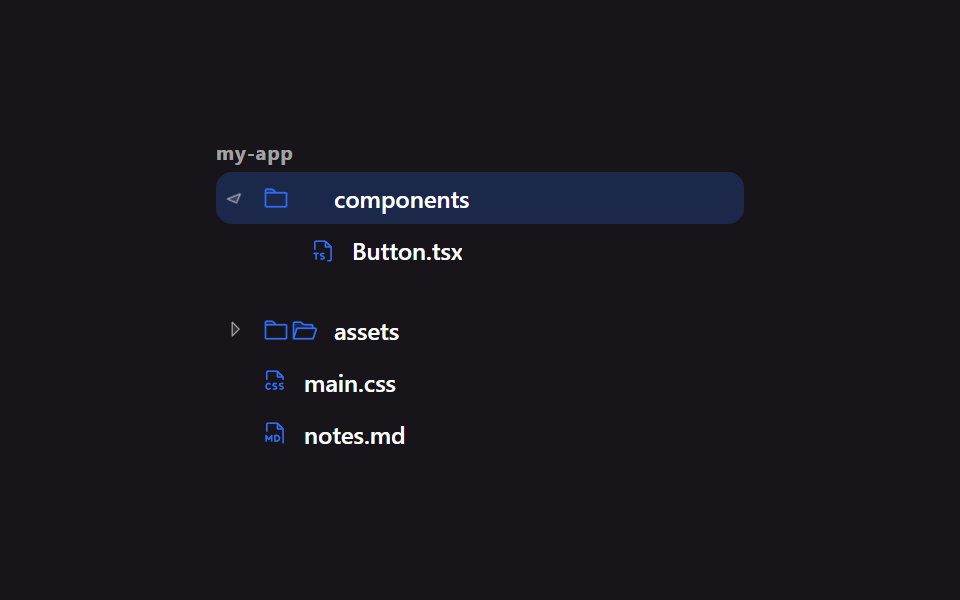 Lists & tables9 File Tree CSS Views — Folders That Really Open
 Lists & tables9 Data Table UI Patterns — Drag, Resize, Select
 Lists & tablesTodo List UI: 9 Patterns From Ring Gauge to Rewind
 Lists & tablesLeaderboard UI Design: 9 Rank-Change List Patterns
 Lists & tablesComment Section UI: 9 Thread List Patterns
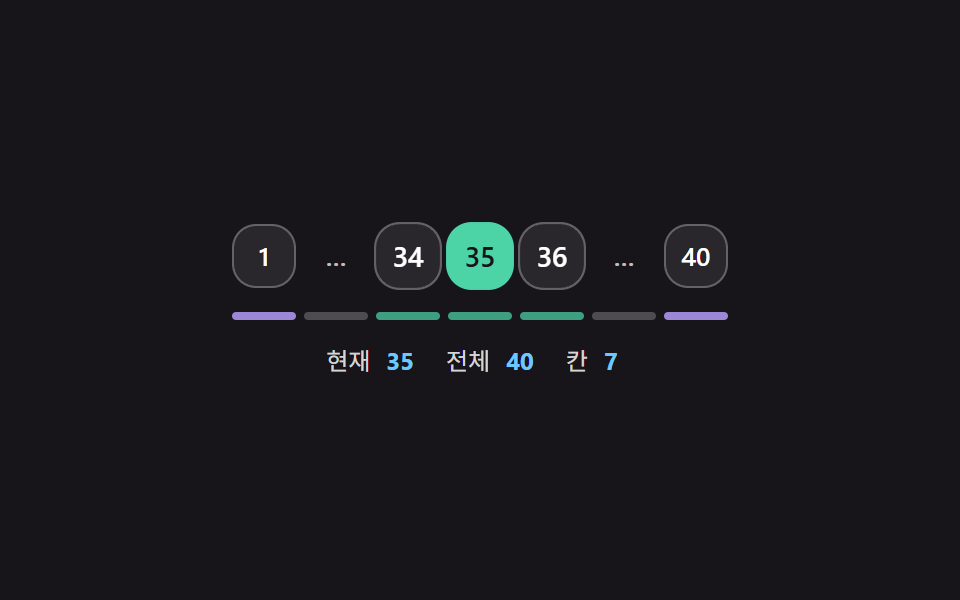 Lists & tablesPagination CSS: 9 Pagers with Spring Pills
 Lists & tablesCSS Receipt: 9 Thermal Print and Tear-Off Scenes
 Lists & tables9 Empty State UI Design Cards Drawn in Pure CSS