Pagination CSS: 9 Pagers with Spring Pills
Pagination looks finished once ten numbers sit in a row, until page 40 makes the row change width and the current spot vanishes — scene 01 closes both gaps.
Click Through All Nine Pagination Patterns on This Page
Every cell in the grid below runs its own scripted paging as soon as it is on screen, and the moment you click a button or press a key the script stops and your input goes through the same calculation. Page counts are constants and no request is made, so what you see is only the movement between numbers.
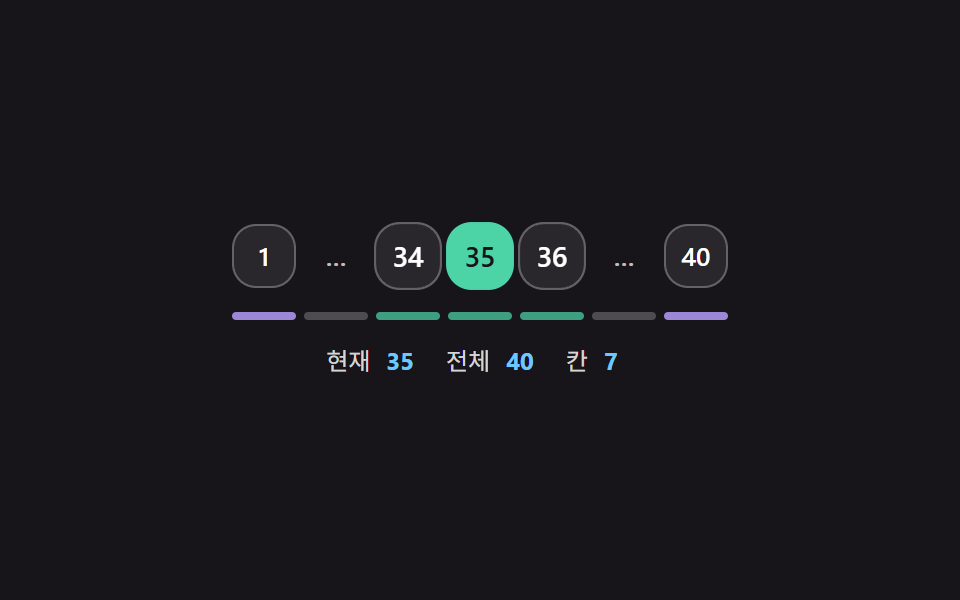 01 pager-fixed-slot-window-ellipsis-collapse
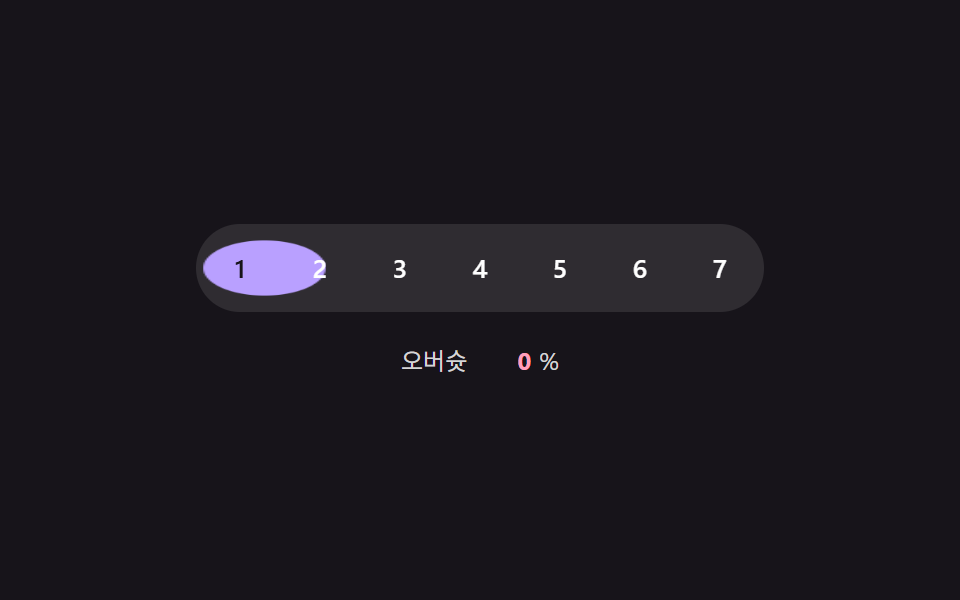 02 pager-active-pill-spring-slide-overshoot
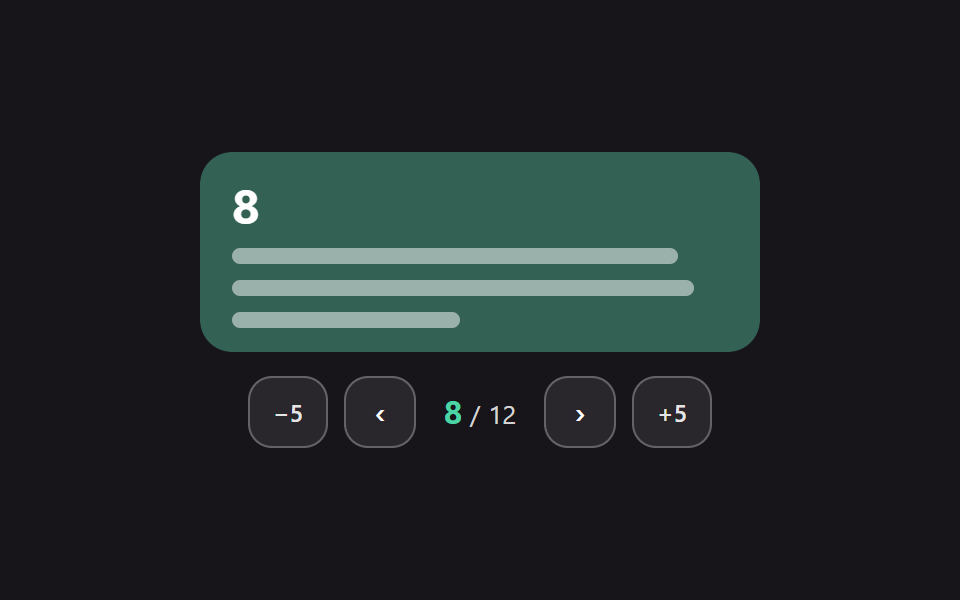 03 pager-direction-aware-content-slide
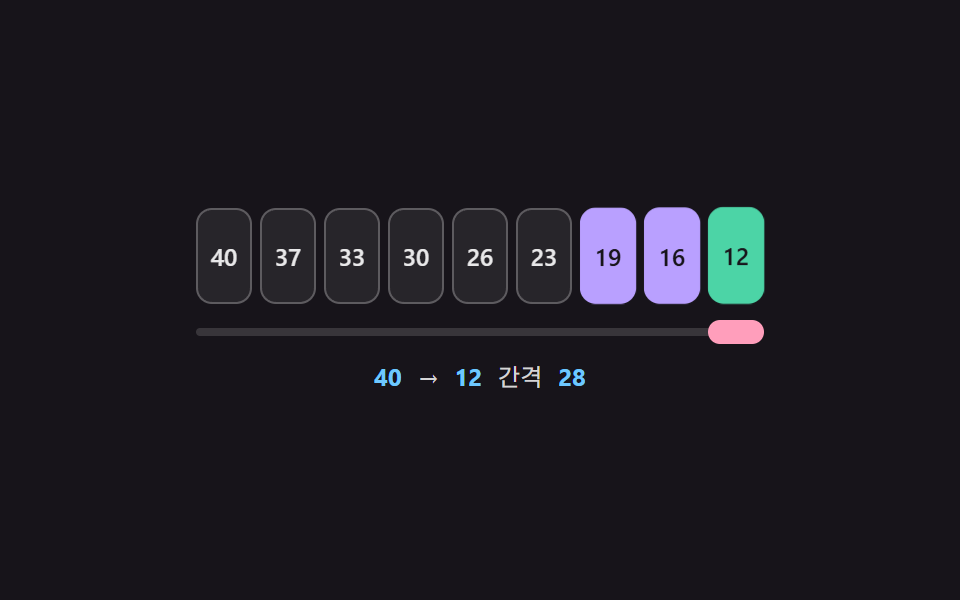 04 pager-long-jump-stagger-trail-ripple
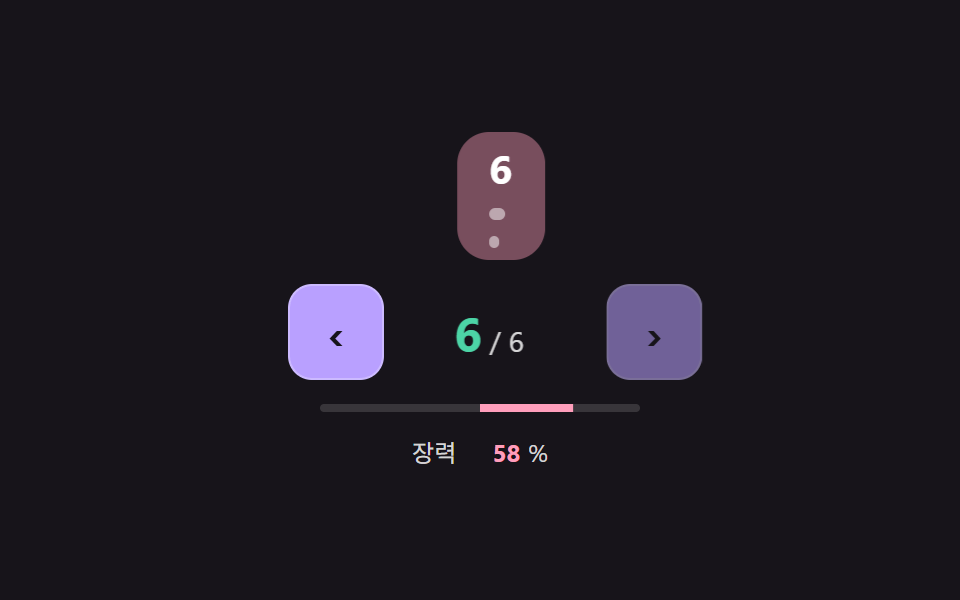 05 pager-edge-rubber-band-nudge-disable
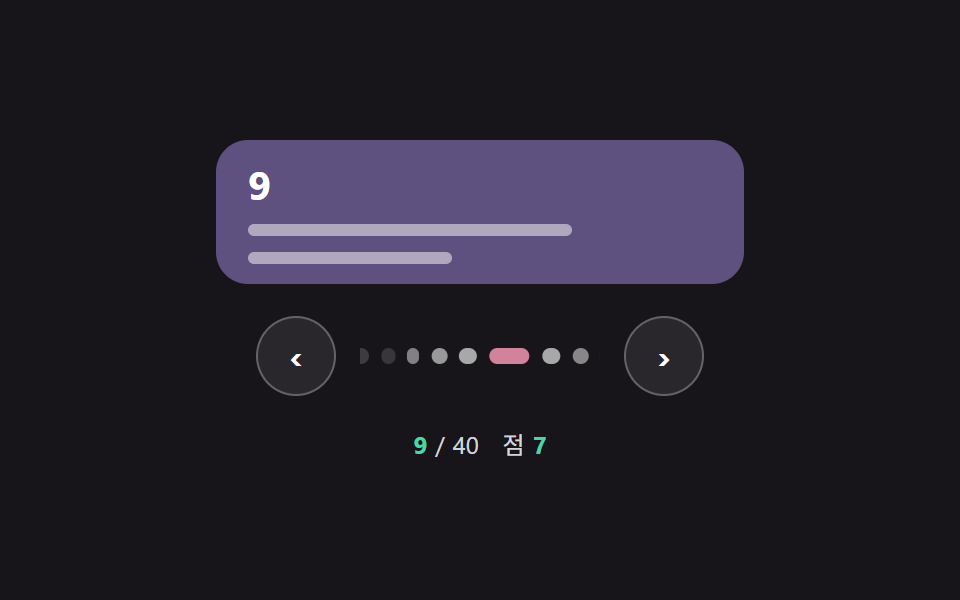 06 pager-dots-to-bar-morph-compact
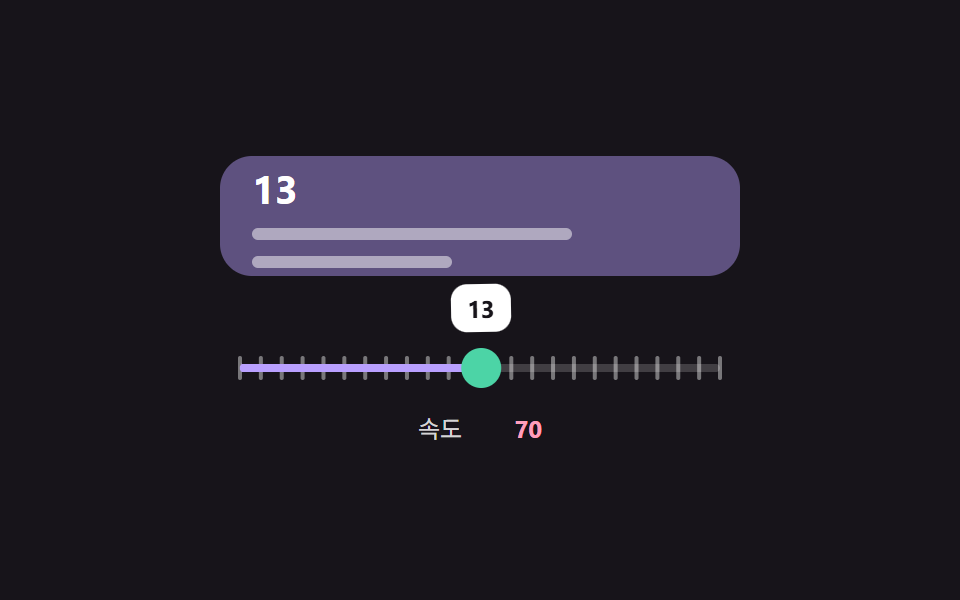 07 pager-progress-rail-scrub-inertia-snap
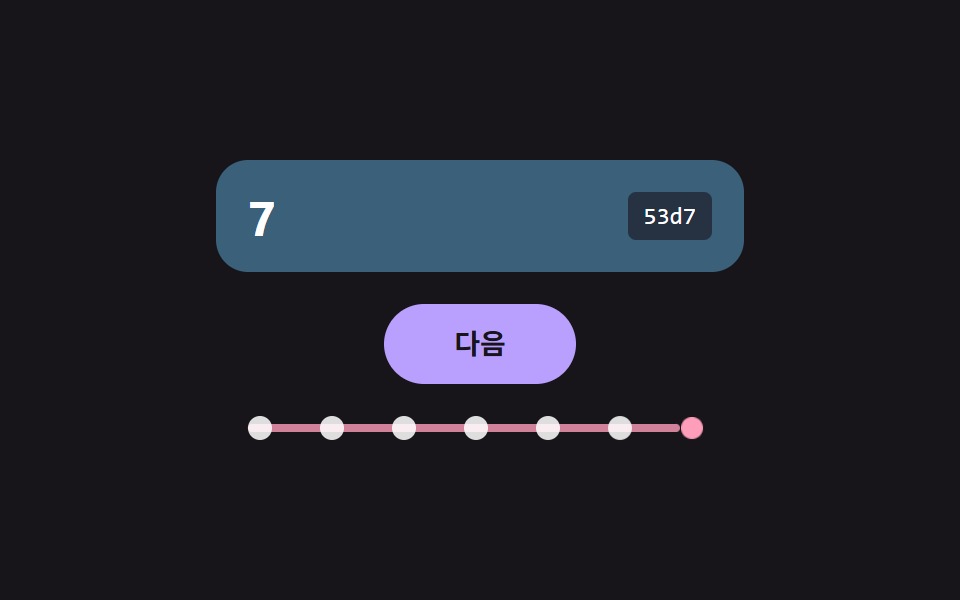 08 pager-cursor-next-only-breadcrumb-trail
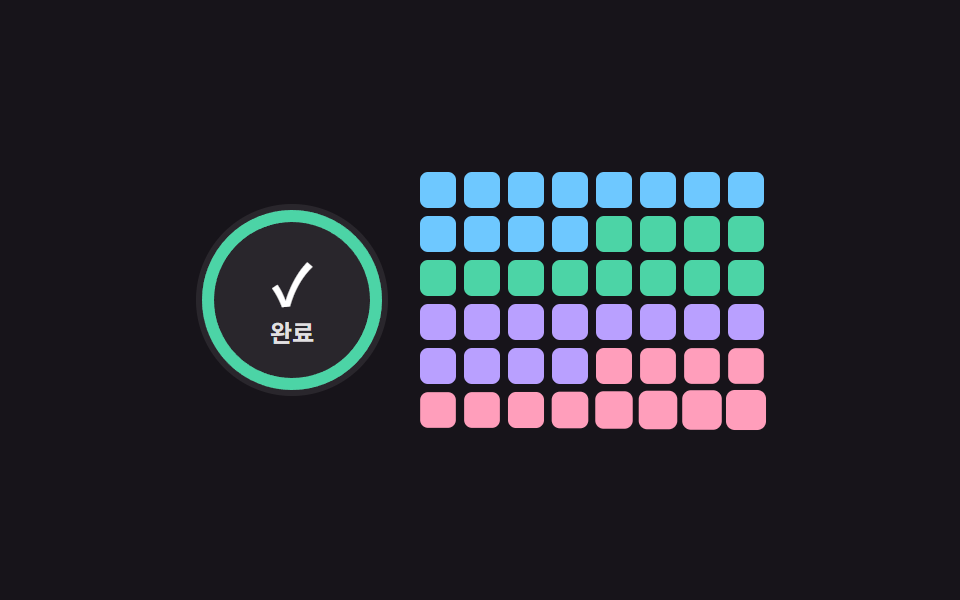 09 pager-load-more-remaining-count-ring
Auto-plays · click a tile to jump to its section · all nine in one zip
- 01 Page Window with a Fixed Slot Count
- 02 Active Pill That Slides on a Spring
- 03 Direction-Aware Content Swap
- 04 Numbers That Flash in Turn on a Long Jump
- 05 Prev/Next That Rubber-Bands at the Edges
- 06 Mobile Pager Whose Dot Stretches into a Bar
- 07 Rail Scrubbing with Inertia and Snap
- 08 Next-Only Cursor Pager with a Trail
- 09 Load More with a Remaining-Count Ring
Pagination CSS: 9 Pagers Where Windows and Springs Smooth the Move
The nine are ordered by where a page row breaks first. Item 01 fixes the number of slots, 02 makes the marker for the current page travel on a spring, and 03 decides which side the new content arrives from. Item 04 lights the numbers a long jump passes over, 05 lets the previous and next buttons stretch at the ends, and 06 turns the current dot into a bar for narrow screens. Item 07 is a rail you drag and release onto a tick, 08 keeps only a next button plus the path already walked, and 09 shows what is left to load as a ring and a number.
Where These Pagers Fit
A shop list that runs to 40 pages or an admin table with hundreds of rows depends on the page row to say which page this is and where the end lies. Among pagination css examples the common failure is a row that grows and shrinks as the current page moves, so 01 and 06 cut the visible slots first, 03 handles the moment the list body changes, and 08 covers feeds where the total is unknown.
How This Set Differs from the Ellipsis Row
9 Swipe to Delete List UI Patterns (Copy-Paste) treats one numbered ellipsis row as a single item inside a swipe list. This set spends all nine items on the page row alone: a fixed slot count, spring pills, the trail across a long jump and an elastic end.
Code for Each Paging Technique
Items 01 to 06 and 08 are one nav with its buttons, 07 is a slider thumb on a rail and 09 is a single load-more button, each with a hidden status paragraph, and the snippets keep only the lines that move the page. Anyone searching for a pagination css codepen to fork will find the rest of the markup and styles in the zip, where every demo opens as plain files you can edit. Pages stay inside a constant total, so nothing here depends on a server.
01Page Window with a Fixed Slot Count
windowSlots takes the total and the slot count and always returns an array of the same length, and the GAP value of -1 becomes the ellipsis slot. At page 4 or below it shows 1 to 5 and the last page, at 37 or above the first page and 36 to 40, and in between the first page, three around the current one and the last, so the row has the same width on every page. Item 01 covered 5.6% of the frame at an average intensity of 71.5 across 20/23 measured frames.
<main class="stage">
<div class="pg is-demo" id="pgRoot">
  <nav class="pg__nav" id="pgNav" aria-label="Page navigation"></nav>
  <div class="pg__kinds" id="pgKinds" aria-hidden="true"></div>
  <div class="pg__read">
    <span class="pg__k">Page</span><b id="pgCur">1</b>
    <span class="pg__k">Total</span><b id="pgTotal">40</b>
    <span class="pg__k">Slots</span><b id="pgSlots">7</b>
  </div>
  <p class="pg__sr" id="pgSr" aria-live="polite"></p>
</div>
</main>
@use "../../../../site/static/demo-tokens" as *;
// 핵심: 칸 수(SLOT_COUNT)는 고정이고, 어느 쪽에서도 버튼 줄의 너비가 같다.
// 숫자가 바뀐 칸만 JS 가 transform 으로 살짝 튕긴다.
$slot-w: 32px;
$slot-gap: 4px;
@include stage($stage-ink);
.pg {
display: grid;
gap: $sp-3;
justify-items: center;
width: 100%;
max-width: 320px;
color: $stage-paper;
}
.pg__nav, .pg__kinds { display: flex; justify-content: center; gap: $slot-gap; width: 100%; }
.pg__b {
box-sizing: border-box;
flex: 0 1 $slot-w;
min-width: 0;
height: $slot-w;
padding: 0;
border: 1px solid rgba($stage-paper, .28);
border-radius: $r-control;
background: rgba($stage-paper, .08);
color: $stage-paper;
font-family: inherit;
font-size: 13px;
line-height: 16px;
font-weight: 600;
font-variant-numeric: tabular-nums;
cursor: pointer;
}
.pg__b.is-cur { background: $subject-mint; border-color: $subject-mint; color: $subject-ink; }
.pg__b.is-gap { border-color: transparent; background: transparent; color: rgba($stage-paper, .72); cursor: default; }
.pg__b:focus-visible { outline: 2px solid $subject-sky; outline-offset: 2px; }
.pg__kind { flex: 0 1 $slot-w; min-width: 0; height: 4px; border-radius: $r-xs; background: rgba($stage-paper, .24); }
.pg__kind.is-win { background: rgba($subject-mint, .72); }
.pg__kind.is-edge { background: rgba($subject-lilac, .82); }
.pg__read {
display: flex;
align-items: baseline;
gap: $sp-2;
font-size: 12px;
line-height: 16px;
}
.pg__k { color: rgba($stage-paper, .82); }
.pg__read b { color: $subject-sky; font-variant-numeric: tabular-nums; margin-right: $sp-2; }
.pg__sr {
position: absolute;
width: 1px;
height: 1px;
margin: 0;
overflow: hidden;
clip: rect(0 0 0 0);
white-space: nowrap;
}
@media (max-width: 340px) {
.pg__b { font-size: 12px; }
}
@media (prefers-reduced-motion: reduce) {
.pg__b { transform: none; }
}html, body {
margin: 0;
overflow: hidden;
}
.stage {
box-sizing: border-box;
min-height: 100vh;
display: grid;
place-items: center;
margin: 0;
background: #17141a;
font-family: -apple-system, "Segoe UI", "Noto Sans KR", sans-serif;
padding: clamp(8px, 4vw, 24px);
}
.pg {
display: grid;
gap: 12px;
justify-items: center;
width: 100%;
max-width: 320px;
color: #ffffff;
}
.pg__nav, .pg__kinds {
display: flex;
justify-content: center;
gap: 4px;
width: 100%;
}
.pg__b {
box-sizing: border-box;
flex: 0 1 32px;
min-width: 0;
height: 32px;
padding: 0;
border: 1px solid rgba(255, 255, 255, 0.28);
border-radius: 12px;
background: rgba(255, 255, 255, 0.08);
color: #ffffff;
font-family: inherit;
font-size: 13px;
line-height: 16px;
font-weight: 600;
font-variant-numeric: tabular-nums;
cursor: pointer;
}
.pg__b.is-cur {
background: #4cd4a6;
border-color: #4cd4a6;
color: #17141a;
}
.pg__b.is-gap {
border-color: transparent;
background: transparent;
color: rgba(255, 255, 255, 0.72);
cursor: default;
}
.pg__b:focus-visible {
outline: 2px solid #6ec8ff;
outline-offset: 2px;
}
.pg__kind {
flex: 0 1 32px;
min-width: 0;
height: 4px;
border-radius: 4px;
background: rgba(255, 255, 255, 0.24);
}
.pg__kind.is-win {
background: rgba(76, 212, 166, 0.72);
}
.pg__kind.is-edge {
background: rgba(185, 160, 255, 0.82);
}
.pg__read {
display: flex;
align-items: baseline;
gap: 8px;
font-size: 12px;
line-height: 16px;
}
.pg__k {
color: rgba(255, 255, 255, 0.82);
}
.pg__read b {
color: #6ec8ff;
font-variant-numeric: tabular-nums;
margin-right: 8px;
}
.pg__sr {
position: absolute;
width: 1px;
height: 1px;
margin: 0;
overflow: hidden;
clip: rect(0 0 0 0);
white-space: nowrap;
}
@media (max-width: 340px) {
.pg__b {
font-size: 12px;
}
}
@media (prefers-reduced-motion: reduce) {
.pg__b {
transform: none;
}
}(function () {
// 기법: 어느 쪽에서도 버튼 Slots 수(SLOT_COUNT)가 같도록 보이는 번호를 계산한다.
// 양끝(첫·End 쪽)은 항상 남기고, Page 쪽이 한쪽 End 가까이면 말줄임 하나만, 가운데면 말줄임 둘을 둔다.
var SLOT_COUNT = 7;
var TOTAL_PAGES = 40;
var GAP = -1;
var STEP_MS = 230;
var START_MS = 120;
var DEMO_PAGES = [1, 2, 4, 5, 9, 17, 26, 35, 37, 40, 36, 21, 3];
  function windowSlots(cur, total, slots) {
    var out = [];
    var i;
    if (total <= slots) {
      for (i = 1; i <= total; i += 1) out.push(i);
      return out;
    }
    var inner = slots - 4;
    if (cur <= slots - 3) {
      for (i = 1; i <= slots - 2; i += 1) out.push(i);
      out.push(GAP, total);
      return out;
    }
    if (cur >= total - slots + 4) {
      out.push(1, GAP);
      for (i = total - slots + 3; i <= total; i += 1) out.push(i);
      return out;
    }
    var lo = cur - Math.floor((inner - 1) / 2);
    out.push(1, GAP);
    for (i = 0; i < inner; i += 1) out.push(lo + i);
    out.push(GAP, total);
    return out;
  }
var root = document.getElementById('pgRoot');
var nav = document.getElementById('pgNav');
var kindsEl = document.getElementById('pgKinds');
var curEl = document.getElementById('pgCur');
var sr = document.getElementById('pgSr');
var reduce = window.matchMedia('(prefers-reduced-motion: reduce)').matches;
var btns = [];
var kinds = [];
var pulse = [];
var jump = [];
for (var i = 0; i < SLOT_COUNT; i += 1) {
var b = document.createElement('button');
b.type = 'button';
b.className = 'pg__b';
nav.appendChild(b);
btns.push(b);
var k = document.createElement('span');
k.className = 'pg__kind';
kindsEl.appendChild(k);
kinds.push(k);
pulse.push(-1);
jump.push(1);
}
document.getElementById('pgTotal').textContent = String(TOTAL_PAGES);
document.getElementById('pgSlots').textContent = String(SLOT_COUNT);
var cur = 1;
var t0 = null;
var lastStep = -1;
var wantFocus = false;
function perfNow() { return t0 === null ? 0 : performance.now() - t0; }
function render(now) {
var arr = windowSlots(cur, TOTAL_PAGES, SLOT_COUNT);
for (var s = 0; s < SLOT_COUNT; s += 1) {
var v = arr[s];
var el = btns[s];
var isGap = v === GAP;
var txt = isGap ? '…' : String(v);
if (el.textContent !== txt) {
el.textContent = txt;
if (!reduce) pulse[s] = now;
}
el.className = 'pg__b' + (isGap ? ' is-gap' : '') + (v === cur ? ' is-cur' : '');
if (v === cur) { el.setAttribute('aria-current', 'page'); } else { el.removeAttribute('aria-current'); }
el.setAttribute('aria-hidden', isGap ? 'true' : 'false');
el.tabIndex = isGap ? -1 : 0;
jump[s] = isGap ? Math.round((arr[s - 1] + arr[s + 1]) / 2) : v;
kinds[s].className = 'pg__kind ' + (isGap ? 'is-gap' : (v === 1 || v === TOTAL_PAGES) ? 'is-edge' : 'is-win');
if (v === cur && wantFocus) { el.focus({ preventScroll: true }); wantFocus = false; }
}
curEl.textContent = String(cur);
}
function go(n, byUser) {
var next = Math.max(1, Math.min(TOTAL_PAGES, n));
if (byUser) root.classList.remove('is-demo');
if (next === cur) return;
cur = next;
render(perfNow());
if (byUser) sr.textContent = 'Page ' + cur + ' / ' + TOTAL_PAGES;
}
nav.addEventListener('click', function (e) {
var el = e.target;
var idx = btns.indexOf(el);
if (idx < 0) return;
go(jump[idx], true);
});
nav.addEventListener('keydown', function (e) {
var key = e.key;
var to = null;
if (key === 'ArrowRight') to = cur + 1;
else if (key === 'ArrowLeft') to = cur - 1;
else if (key === 'Home') to = 1;
else if (key === 'End') to = TOTAL_PAGES;
if (to === null) return;
e.preventDefault();
wantFocus = true;
go(to, true);
wantFocus = false;
});
function tick(ts) {
if (t0 === null) t0 = ts;
var now = ts - t0;
if (root.classList.contains('is-demo')) {
var step = now < START_MS ? 0 : Math.floor((now - START_MS) / STEP_MS) % DEMO_PAGES.length;
if (step !== lastStep) {
lastStep = step;
cur = DEMO_PAGES[step];
render(now);
}
}
for (var s = 0; s < SLOT_COUNT; s += 1) {
if (pulse[s] < 0) continue;
var age = now - pulse[s];
var sc = age >= 420 ? 1 : 1 - 0.5 * Math.exp(-age / 80) * Math.cos(age / 60);
btns[s].style.transform = sc === 1 ? '' : 'scale(' + sc.toFixed(3) + ')';
if (sc === 1) pulse[s] = -1;
}
requestAnimationFrame(tick);
}
if (reduce) {
root.classList.remove('is-demo');
cur = 17;
render(0);
} else {
cur = DEMO_PAGES[0];
render(0);
requestAnimationFrame(tick);
}
})();// FixedSlotPager — vanilla 판(01-pager-fixed-slot-window-ellipsis-collapse) 의 React 포트.
// 어느 쪽에서도 버튼 칸 수(SLOT_COUNT)가 같도록 보이는 번호를 계산한다. 숫자가 바뀐 칸만 transform 으로 튕긴다.
import { useEffect, useRef } from "react";
import styles from "./FixedSlotPager.module.scss";
type Box<T> = { current: T };
const SLOT_COUNT = 7;
const TOTAL_PAGES = 40;
const GAP = -1;
const STEP_MS = 230;
const START_MS = 120;
const DEMO_PAGES = [1, 2, 4, 5, 9, 17, 26, 35, 37, 40, 36, 21, 3];
function windowSlots(cur: number, total: number, slots: number): number[] {
const out: number[] = [];
if (total <= slots) {
for (let i = 1; i <= total; i += 1) out.push(i);
return out;
}
const inner = slots - 4;
if (cur <= slots - 3) {
for (let i = 1; i <= slots - 2; i += 1) out.push(i);
out.push(GAP, total);
return out;
}
if (cur >= total - slots + 4) {
out.push(1, GAP);
for (let i = total - slots + 3; i <= total; i += 1) out.push(i);
return out;
}
const lo = cur - Math.floor((inner - 1) / 2);
out.push(1, GAP);
for (let i = 0; i < inner; i += 1) out.push(lo + i);
out.push(GAP, total);
return out;
}
export default function FixedSlotPager() {
const navRef = useRef<HTMLElement | null>(null) as Box<HTMLElement | null>;
const curRef = useRef<HTMLElement | null>(null) as Box<HTMLElement | null>;
const srRef = useRef<HTMLParagraphElement | null>(null) as Box<HTMLParagraphElement | null>;
const btnRefs = useRef<Array<HTMLButtonElement | null>>([]) as Box<Array<HTMLButtonElement | null>>;
const kindRefs = useRef<Array<HTMLSpanElement | null>>([]) as Box<Array<HTMLSpanElement | null>>;
useEffect(() => {
const nav = navRef.current;
const curEl = curRef.current;
const sr = srRef.current;
if (!nav || !curEl || !sr) return;
const btns = btnRefs.current;
const kinds = kindRefs.current;
const reduce = window.matchMedia("(prefers-reduced-motion: reduce)").matches;
const pulse: number[] = [];
const jump: number[] = [];
for (let i = 0; i < SLOT_COUNT; i += 1) { pulse.push(-1); jump.push(1); }
let demo = true;
let cur = 1;
let t0: number | null = null;
let lastStep = -1;
let wantFocus = false;
let raf = 0;
const perfNow = (): number => (t0 === null ? 0 : performance.now() - t0);
function render(now: number): void {
const arr = windowSlots(cur, TOTAL_PAGES, SLOT_COUNT);
for (let s = 0; s < SLOT_COUNT; s += 1) {
const v = arr[s];
const el = btns[s];
const kind = kinds[s];
if (!el || !kind) continue;
const isGap = v === GAP;
const txt = isGap ? "…" : String(v);
if (el.textContent !== txt) {
el.textContent = txt;
if (!reduce) pulse[s] = now;
}
el.className = [styles.pg__b, isGap ? styles["is-gap"] : "", v === cur ? styles["is-cur"] : ""].join(" ");
if (v === cur) el.setAttribute("aria-current", "page"); else el.removeAttribute("aria-current");
el.setAttribute("aria-hidden", isGap ? "true" : "false");
el.tabIndex = isGap ? -1 : 0;
jump[s] = isGap ? Math.round((arr[s - 1] + arr[s + 1]) / 2) : v;
const kindClass = isGap ? styles["is-gap"] : v === 1 || v === TOTAL_PAGES ? styles["is-edge"] : styles["is-win"];
kind.className = [styles.pg__kind, kindClass].join(" ");
if (v === cur && wantFocus) { el.focus({ preventScroll: true }); wantFocus = false; }
}
curEl!.textContent = String(cur);
}
function go(n: number, byUser: boolean): void {
const next = Math.max(1, Math.min(TOTAL_PAGES, n));
if (byUser) demo = false;
if (next === cur) return;
cur = next;
render(perfNow());
if (byUser) sr!.textContent = "현재 " + cur + " / " + TOTAL_PAGES;
}
const onClick = (e: MouseEvent): void => {
const idx = btns.indexOf(e.target as HTMLButtonElement);
if (idx >= 0) go(jump[idx], true);
};
const onKey = (e: KeyboardEvent): void => {
let to: number | null = null;
if (e.key === "ArrowRight") to = cur + 1;
else if (e.key === "ArrowLeft") to = cur - 1;
else if (e.key === "Home") to = 1;
else if (e.key === "End") to = TOTAL_PAGES;
if (to === null) return;
e.preventDefault();
wantFocus = true;
go(to, true);
wantFocus = false;
};
nav.addEventListener("click", onClick);
nav.addEventListener("keydown", onKey);
function tick(ts: number): void {
if (t0 === null) t0 = ts;
const now = ts - t0;
if (demo) {
const step = now < START_MS ? 0 : Math.floor((now - START_MS) / STEP_MS) % DEMO_PAGES.length;
if (step !== lastStep) {
lastStep = step;
cur = DEMO_PAGES[step];
render(now);
}
}
for (let s = 0; s < SLOT_COUNT; s += 1) {
if (pulse[s] < 0) continue;
const age = now - pulse[s];
const sc = age >= 420 ? 1 : 1 - 0.5 * Math.exp(-age / 80) * Math.cos(age / 60);
const el = btns[s];
if (el) el.style.transform = sc === 1 ? "" : "scale(" + sc.toFixed(3) + ")";
if (sc === 1) pulse[s] = -1;
}
raf = requestAnimationFrame(tick);
}
if (reduce) {
demo = false;
cur = 17;
render(0);
} else {
cur = DEMO_PAGES[0];
render(0);
raf = requestAnimationFrame(tick);
}
return () => {
cancelAnimationFrame(raf);
nav.removeEventListener("click", onClick);
nav.removeEventListener("keydown", onKey);
};
}, []);
return (
<main className={styles.stage}>
<div className={styles.pg}>
<nav className={styles.pg__nav} ref={navRef} aria-label="페이지 이동">
{Array.from({ length: SLOT_COUNT }, (_, i) => (
<button type="button" className={styles.pg__b} key={i} ref={(el: HTMLButtonElement | null) => { btnRefs.current[i] = el; }}></button>
))}
</nav>
<div className={styles.pg__kinds} aria-hidden="true">
{Array.from({ length: SLOT_COUNT }, (_, i) => (
<span className={styles.pg__kind} key={i} ref={(el: HTMLSpanElement | null) => { kindRefs.current[i] = el; }}></span>
))}
</div>
<div className={styles.pg__read}>
<span className={styles.pg__k}>현재</span><b ref={curRef}>1</b>
<span className={styles.pg__k}>전체</span><b>{TOTAL_PAGES}</b>
<span className={styles.pg__k}>칸</span><b>{SLOT_COUNT}</b>
</div>
<p className={styles.pg__sr} ref={srRef} aria-live="polite"></p>
</div>
</main>
);
}01 · Page Window with a Fixed Slot Count — Measured area 5.581% · moving frames 20/23Original by GODRICH · SCSS and React ship in the zip · See the password
function windowSlots(cur, total, slots) {
var out = [];
var i;
if (total <= slots) {
for (i = 1; i <= total; i += 1) out.push(i);
return out;
}
var inner = slots - 4;
if (cur <= slots - 3) {
for (i = 1; i <= slots - 2; i += 1) out.push(i);
out.push(GAP, total);
return out;
}
if (cur >= total - slots + 4) {
out.push(1, GAP);
for (i = total - slots + 3; i <= total; i += 1) out.push(i);
return out;
}
var lo = cur - Math.floor((inner - 1) / 2);
out.push(1, GAP);
for (i = 0; i < inner; i += 1) out.push(lo + i);
out.push(GAP, total);
return out;
}
02Active Pill That Slides on a Spring
The pill behind the current number chases its target on a spring stepped in 1/240-second slices, so it passes the number slightly and then settles. While it moves fast it stretches along the travel direction by sx = 1 + min(0.7, |v| * 0.0011) and shrinks the other axis to keep its area, which makes a long hop look like a smear and a one-step hop like a nudge. Item 02 covered 7.7% of the frame at an average intensity of 180.0 across 21/23 measured frames.
<main class="stage">
<div class="pg is-demo" id="pgRoot">
  <nav class="pg__nav" id="pgNav" aria-label="Page navigation">
    <span class="pg__pill" id="pgPill" aria-hidden="true"></span>
  </nav>
  <div class="pg__read">
    <span class="pg__k">Overshoot</span><b id="pgOver">0</b><span class="pg__u">%</span>
  </div>
  <p class="pg__sr" id="pgSr" aria-live="polite"></p>
</div>
</main>
@use "../../../../site/static/demo-tokens" as *;
// 핵심: 알약 위치는 JS 가 스프링으로 적분한 값이다 (PILL_STIFFNESS · PILL_DAMPING).
// 속도에 비례해 알약이 늘어나고(scale) 도착점을 넘었다 돌아온다.
$slot-w: 36px;
$slot-gap: 4px;
@include stage($stage-ink);
.pg { display: grid; gap: $sp-4; justify-items: center; color: $stage-paper; }
.pg__nav {
position: relative;
display: flex;
gap: $slot-gap;
padding: $sp-1;
border-radius: $r-pill;
background: rgba($stage-paper, .1);
}
.pg__pill {
position: absolute;
left: $sp-1;
top: $sp-1;
width: $slot-w;
height: $slot-w;
border-radius: $r-pill;
background: $subject-lilac;
transform-origin: 50% 50%;
will-change: transform;
}
.pg__b {
position: relative;
box-sizing: border-box;
width: $slot-w;
height: $slot-w;
padding: 0;
border: 0;
border-radius: $r-pill;
background: transparent;
color: $stage-paper;
font-family: inherit;
font-size: 13px;
line-height: 16px;
font-weight: 600;
font-variant-numeric: tabular-nums;
cursor: pointer;
}
.pg__b.is-under { color: $subject-ink; }
.pg__b:focus-visible { outline: 2px solid $subject-sky; outline-offset: 2px; }
.pg__read { display: flex; align-items: baseline; gap: $sp-1; font-size: 12px; line-height: 16px; }
.pg__k { color: rgba($stage-paper, .82); margin-right: $sp-1; }
.pg__u { color: rgba($stage-paper, .82); }
.pg__read b { color: $subject-pink; font-variant-numeric: tabular-nums; min-width: 24px; text-align: right; }
.pg__sr {
position: absolute;
width: 1px;
height: 1px;
margin: 0;
overflow: hidden;
clip: rect(0 0 0 0);
white-space: nowrap;
}
@media (max-width: 340px) {
.pg__b { font-size: 12px; }
}
@media (prefers-reduced-motion: reduce) {
.pg__pill { transition: none; }
}html, body {
margin: 0;
overflow: hidden;
}
.stage {
box-sizing: border-box;
min-height: 100vh;
display: grid;
place-items: center;
margin: 0;
background: #17141a;
font-family: -apple-system, "Segoe UI", "Noto Sans KR", sans-serif;
padding: clamp(8px, 4vw, 24px);
}
.pg {
display: grid;
gap: 16px;
justify-items: center;
color: #ffffff;
}
.pg__nav {
position: relative;
display: flex;
gap: 4px;
padding: 4px;
border-radius: 999px;
background: rgba(255, 255, 255, 0.1);
}
.pg__pill {
position: absolute;
left: 4px;
top: 4px;
width: 36px;
height: 36px;
border-radius: 999px;
background: #b9a0ff;
transform-origin: 50% 50%;
will-change: transform;
}
.pg__b {
position: relative;
box-sizing: border-box;
width: 36px;
height: 36px;
padding: 0;
border: 0;
border-radius: 999px;
background: transparent;
color: #ffffff;
font-family: inherit;
font-size: 13px;
line-height: 16px;
font-weight: 600;
font-variant-numeric: tabular-nums;
cursor: pointer;
}
.pg__b.is-under {
color: #17141a;
}
.pg__b:focus-visible {
outline: 2px solid #6ec8ff;
outline-offset: 2px;
}
.pg__read {
display: flex;
align-items: baseline;
gap: 4px;
font-size: 12px;
line-height: 16px;
}
.pg__k {
color: rgba(255, 255, 255, 0.82);
margin-right: 4px;
}
.pg__u {
color: rgba(255, 255, 255, 0.82);
}
.pg__read b {
color: #ff9ebb;
font-variant-numeric: tabular-nums;
min-width: 24px;
text-align: right;
}
.pg__sr {
position: absolute;
width: 1px;
height: 1px;
margin: 0;
overflow: hidden;
clip: rect(0 0 0 0);
white-space: nowrap;
}
@media (max-width: 340px) {
.pg__b {
font-size: 12px;
}
}
@media (prefers-reduced-motion: reduce) {
.pg__pill {
transition: none;
}
}(function () {
// 기법: 알약의 x 위치를 CSS 전환이 아니라 스프링 방정식으로 직접 적분한다.
// 가속도 = -강성 x (위치 - 목표) - 감쇠 x Speed. 속도가 클수록 알약이 진행 방향으로 늘어난다.
var PAGE_COUNT = 7;
var SLOT_W = 36;
var SLOT_GAP = 4;
var PILL_STIFFNESS = 320;
var PILL_DAMPING = 17;
var STRETCH_GAIN = 0.0011;
var STRETCH_MAX = 0.7;
var SUBSTEP = 1 / 240;
var STEP_MS = 400;
var START_MS = 150;
var DEMO_PAGES = [1, 7, 3, 6, 1, 4, 7];
var root = document.getElementById('pgRoot');
var nav = document.getElementById('pgNav');
var pill = document.getElementById('pgPill');
var overEl = document.getElementById('pgOver');
var sr = document.getElementById('pgSr');
var reduce = window.matchMedia('(prefers-reduced-motion: reduce)').matches;
var btns = [];
for (var i = 0; i < PAGE_COUNT; i += 1) {
var b = document.createElement('button');
b.type = 'button';
b.className = 'pg__b';
b.textContent = String(i + 1);
nav.appendChild(b);
btns.push(b);
}
function slotX(page) { return (page - 1) * (SLOT_W + SLOT_GAP); }
var cur = 1;
var x = 0;
var v = 0;
var fromX = 0;
var peak = 0;
var lastTs = null;
var t0 = null;
var lastStep = -1;
function setCur(n, byUser) {
var next = Math.max(1, Math.min(PAGE_COUNT, n));
if (byUser) root.classList.remove('is-demo');
if (next === cur) return;
cur = next;
fromX = x;
peak = 0;
for (var s = 0; s < PAGE_COUNT; s += 1) {
if (s + 1 === cur) btns[s].setAttribute('aria-current', 'page'); else btns[s].removeAttribute('aria-current');
}
if (reduce) { x = slotX(cur); v = 0; paint(); }
if (byUser) sr.textContent = 'Page ' + cur + ' / ' + PAGE_COUNT;
}
function paint() {
var sx = 1 + Math.min(STRETCH_MAX, Math.abs(v) * STRETCH_GAIN);
var sy = 1 / Math.sqrt(sx);
pill.style.transform = 'translateX(' + x.toFixed(2) + 'px) scale(' + sx.toFixed(3) + ',' + sy.toFixed(3) + ')';
var near = Math.max(0, Math.min(PAGE_COUNT - 1, Math.round(x / (SLOT_W + SLOT_GAP))));
for (var s = 0; s < PAGE_COUNT; s += 1) btns[s].className = 'pg__b' + (s === near ? ' is-under' : '');
}
nav.addEventListener('click', function (e) {
var idx = btns.indexOf(e.target);
if (idx >= 0) setCur(idx + 1, true);
});
nav.addEventListener('keydown', function (e) {
var to = null;
if (e.key === 'ArrowRight') to = cur + 1;
else if (e.key === 'ArrowLeft') to = cur - 1;
else if (e.key === 'Home') to = 1;
else if (e.key === 'End') to = PAGE_COUNT;
if (to === null) return;
e.preventDefault();
setCur(to, true);
btns[Math.max(1, Math.min(PAGE_COUNT, to)) - 1].focus({ preventScroll: true });
});
function tick(ts) {
if (t0 === null) t0 = ts;
var now = ts - t0;
var dt = lastTs === null ? 0.016 : Math.min(0.05, (ts - lastTs) / 1000);
lastTs = ts;
if (root.classList.contains('is-demo')) {
var step = now < START_MS ? 0 : Math.floor((now - START_MS) / STEP_MS) % DEMO_PAGES.length;
if (step !== lastStep) { lastStep = step; setCur(DEMO_PAGES[step], false); }
}
    var target = slotX(cur);
    var left = dt;
    while (left > 0) {
      var h = Math.min(SUBSTEP, left);
      v += (-PILL_STIFFNESS * (x - target) - PILL_DAMPING * v) * h;
      x += v * h;
      left -= h;
    }
    var span = target - fromX;
    if (span !== 0) {
      var over = ((x - target) * Math.sign(span)) / Math.abs(span);
      if (over > peak) peak = over;
      overEl.textContent = String(Math.round(peak * 100));
    }
paint();
requestAnimationFrame(tick);
}
btns[0].setAttribute('aria-current', 'page');
if (reduce) {
root.classList.remove('is-demo');
cur = 4;
x = slotX(cur);
for (var q = 0; q < PAGE_COUNT; q += 1) {
if (q + 1 === cur) btns[q].setAttribute('aria-current', 'page'); else btns[q].removeAttribute('aria-current');
}
paint();
} else {
paint();
requestAnimationFrame(tick);
}
})();// SpringPillPager — vanilla 판(02-pager-active-pill-spring-slide-overshoot) 의 React 포트.
// 알약의 x 위치를 CSS 전환이 아니라 스프링 방정식(강성·감쇠)으로 직접 적분하고, 속도에 비례해 늘어나게 한다.
import { useEffect, useRef } from "react";
import styles from "./SpringPillPager.module.scss";
type Box<T> = { current: T };
const PAGE_COUNT = 7;
const SLOT_W = 36;
const SLOT_GAP = 4;
const PILL_STIFFNESS = 320;
const PILL_DAMPING = 17;
const STRETCH_GAIN = 0.0011;
const STRETCH_MAX = 0.7;
const SUBSTEP = 1 / 240;
const STEP_MS = 400;
const START_MS = 150;
const DEMO_PAGES = [1, 7, 3, 6, 1, 4, 7];
export default function SpringPillPager() {
const navRef = useRef<HTMLElement | null>(null) as Box<HTMLElement | null>;
const pillRef = useRef<HTMLSpanElement | null>(null) as Box<HTMLSpanElement | null>;
const overRef = useRef<HTMLElement | null>(null) as Box<HTMLElement | null>;
const srRef = useRef<HTMLParagraphElement | null>(null) as Box<HTMLParagraphElement | null>;
const btnRefs = useRef<Array<HTMLButtonElement | null>>([]) as Box<Array<HTMLButtonElement | null>>;
useEffect(() => {
const nav = navRef.current;
const pill = pillRef.current;
const overEl = overRef.current;
const sr = srRef.current;
if (!nav || !pill || !overEl || !sr) return;
const btns = btnRefs.current;
const reduce = window.matchMedia("(prefers-reduced-motion: reduce)").matches;
const slotX = (page: number): number => (page - 1) * (SLOT_W + SLOT_GAP);
let demo = true;
let cur = 1;
let x = 0;
let v = 0;
let fromX = 0;
let peak = 0;
let lastTs: number | null = null;
let t0: number | null = null;
let lastStep = -1;
let raf = 0;
function mark(): void {
for (let s = 0; s < PAGE_COUNT; s += 1) {
const el = btns[s];
if (!el) continue;
if (s + 1 === cur) el.setAttribute("aria-current", "page"); else el.removeAttribute("aria-current");
}
}
function paint(): void {
const sx = 1 + Math.min(STRETCH_MAX, Math.abs(v) * STRETCH_GAIN);
const sy = 1 / Math.sqrt(sx);
pill!.style.transform = "translateX(" + x.toFixed(2) + "px) scale(" + sx.toFixed(3) + "," + sy.toFixed(3) + ")";
const near = Math.max(0, Math.min(PAGE_COUNT - 1, Math.round(x / (SLOT_W + SLOT_GAP))));
for (let s = 0; s < PAGE_COUNT; s += 1) {
const el = btns[s];
if (el) el.className = [styles.pg__b, s === near ? styles["is-under"] : ""].join(" ");
}
}
function setCur(n: number, byUser: boolean): void {
const next = Math.max(1, Math.min(PAGE_COUNT, n));
if (byUser) demo = false;
if (next === cur) return;
cur = next;
fromX = x;
peak = 0;
mark();
if (reduce) { x = slotX(cur); v = 0; paint(); }
if (byUser) sr!.textContent = "현재 " + cur + " / " + PAGE_COUNT;
}
const onClick = (e: MouseEvent): void => {
const idx = btns.indexOf(e.target as HTMLButtonElement);
if (idx >= 0) setCur(idx + 1, true);
};
const onKey = (e: KeyboardEvent): void => {
let to: number | null = null;
if (e.key === "ArrowRight") to = cur + 1;
else if (e.key === "ArrowLeft") to = cur - 1;
else if (e.key === "Home") to = 1;
else if (e.key === "End") to = PAGE_COUNT;
if (to === null) return;
e.preventDefault();
setCur(to, true);
const target = btns[Math.max(1, Math.min(PAGE_COUNT, to)) - 1];
if (target) target.focus({ preventScroll: true });
};
nav.addEventListener("click", onClick);
nav.addEventListener("keydown", onKey);
function tick(ts: number): void {
if (t0 === null) t0 = ts;
const now = ts - t0;
const dt = lastTs === null ? 0.016 : Math.min(0.05, (ts - lastTs) / 1000);
lastTs = ts;
if (demo) {
const step = now < START_MS ? 0 : Math.floor((now - START_MS) / STEP_MS) % DEMO_PAGES.length;
if (step !== lastStep) { lastStep = step; setCur(DEMO_PAGES[step], false); }
}
const target = slotX(cur);
let left = dt;
while (left > 0) {
const h = Math.min(SUBSTEP, left);
v += (-PILL_STIFFNESS * (x - target) - PILL_DAMPING * v) * h;
x += v * h;
left -= h;
}
const span = target - fromX;
if (span !== 0) {
const over = ((x - target) * Math.sign(span)) / Math.abs(span);
if (over > peak) peak = over;
overEl!.textContent = String(Math.round(peak * 100));
}
paint();
raf = requestAnimationFrame(tick);
}
if (reduce) {
demo = false;
cur = 4;
x = slotX(cur);
mark();
paint();
} else {
mark();
paint();
raf = requestAnimationFrame(tick);
}
return () => {
cancelAnimationFrame(raf);
nav.removeEventListener("click", onClick);
nav.removeEventListener("keydown", onKey);
};
}, []);
return (
<main className={styles.stage}>
<div className={styles.pg}>
<nav className={styles.pg__nav} ref={navRef} aria-label="페이지 이동">
<span className={styles.pg__pill} ref={pillRef} aria-hidden="true"></span>
{Array.from({ length: PAGE_COUNT }, (_, i) => (
<button type="button" className={styles.pg__b} key={i} ref={(el: HTMLButtonElement | null) => { btnRefs.current[i] = el; }}>{i + 1}</button>
))}
</nav>
<div className={styles.pg__read}>
<span className={styles.pg__k}>오버슛</span><b ref={overRef}>0</b><span className={styles.pg__u}>%</span>
</div>
<p className={styles.pg__sr} ref={srRef} aria-live="polite"></p>
</div>
</main>
);
}02 · Active Pill That Slides on a Spring — Measured area 7.7% · moving frames 21/23Original by GODRICH · SCSS and React ship in the zip · See the password
var target = slotX(cur);
var left = dt;
while (left > 0) {
var h = Math.min(SUBSTEP, left);
v += (-PILL_STIFFNESS * (x - target) - PILL_DAMPING * v) * h;
x += v * h;
left -= h;
}
var span = target - fromX;
if (span !== 0) {
var over = ((x - target) * Math.sign(span)) / Math.abs(span);
if (over > peak) peak = over;
overEl.textContent = String(Math.round(peak * 100));
}
03Direction-Aware Content Swap
Next brings the new card in from the right and previous brings it in from the left, and the slide is min(120, 28 + distance * 14) pixels with a blur of min(6, distance * 0.9) pixels, so a five-page jump travels farther and blurs deeper than a single step. The outgoing card moves half as far the other way, and the duration is 260 ms plus 30 ms per page, capped at 560 ms, so a one-page move takes 290 ms. Item 03 covered 19.4% of the frame at an average intensity of 43.0 across 19/23 measured frames.
<main class="stage">
<div class="pg is-demo" id="pgRoot">
  <div class="pg__view" id="pgView">
    <div class="pg__card" id="pgCardA" aria-hidden="true"></div>
    <div class="pg__card" id="pgCardB"></div>
  </div>
  <nav class="pg__nav" aria-label="Page navigation">
    <button type="button" class="pg__b pg__b--jump" id="pgM5" aria-label="−5">−5</button>
    <button type="button" class="pg__b" id="pgPrev" aria-label="Previous page">‹</button>
    <span class="pg__count"><b id="pgCur">1</b><span class="pg__sep">/</span><span id="pgTotal">12</span></span>
    <button type="button" class="pg__b" id="pgNext" aria-label="Next page">›</button>
    <button type="button" class="pg__b pg__b--jump" id="pgP5" aria-label="+5">+5</button>
  </nav>
  <p class="pg__sr" id="pgSr" aria-live="polite"></p>
</div>
</main>
@use "../../../../site/static/demo-tokens" as *;
// 핵심: 이동 방향(부호)과 건너뛴 쪽수(거리)가 슬라이드 폭·흐림·시간을 정한다 (JS 계산 → transform·opacity·blur).
@include stage($stage-ink);
.pg { display: grid; gap: $sp-3; justify-items: center; color: $stage-paper; width: min(100%, 280px); }
.pg__view { position: relative; width: 100%; height: 100px; overflow: hidden; border-radius: $r-card; background: rgba($stage-paper, .06); }
.pg__card {
position: absolute;
inset: 0;
box-sizing: border-box;
display: grid;
align-content: center;
gap: $sp-2;
padding: $sp-3 $sp-4;
border-radius: $r-card;
will-change: transform, opacity;
}
.pg__card.is-mint { background: rgba($subject-mint, .36); }
.pg__card.is-lilac { background: rgba($subject-lilac, .4); }
.pg__card.is-pink { background: rgba($subject-pink, .38); }
.pg__card.is-sky { background: rgba($subject-sky, .38); }
.pg__no { font-size: 24px; line-height: 28px; font-weight: 700; color: $stage-paper; font-variant-numeric: tabular-nums; }
.pg__row { display: block; height: 8px; border-radius: $r-xs; background: rgba($stage-paper, .5); }
.pg__nav { display: flex; align-items: center; gap: $sp-2; }
.pg__b {
box-sizing: border-box;
width: 36px;
height: 36px;
padding: 0;
border: 1px solid rgba($stage-paper, .28);
border-radius: $r-control;
background: rgba($stage-paper, .08);
color: $stage-paper;
font-family: inherit;
font-size: 16px;
line-height: 20px;
font-weight: 600;
cursor: pointer;
}
.pg__b--jump { width: 40px; font-size: 12px; color: rgba($stage-paper, .88); }
.pg__b:focus-visible { outline: 2px solid $subject-sky; outline-offset: 2px; }
.pg__count { display: flex; align-items: baseline; gap: $sp-1; min-width: 48px; justify-content: center; font-size: 13px; line-height: 16px; color: rgba($stage-paper, .82); font-variant-numeric: tabular-nums; }
.pg__count b { font-size: 16px; line-height: 20px; color: $subject-mint; }
.pg__sr {
position: absolute;
width: 1px;
height: 1px;
margin: 0;
overflow: hidden;
clip: rect(0 0 0 0);
white-space: nowrap;
}
@media (max-width: 340px) {
.pg__b { width: 32px; height: 32px; }
.pg__b--jump { width: 36px; }
}
@media (prefers-reduced-motion: reduce) {
.pg__card { transition: none; }
}html, body {
margin: 0;
overflow: hidden;
}
.stage {
box-sizing: border-box;
min-height: 100vh;
display: grid;
place-items: center;
margin: 0;
background: #17141a;
font-family: -apple-system, "Segoe UI", "Noto Sans KR", sans-serif;
padding: clamp(8px, 4vw, 24px);
}
.pg {
display: grid;
gap: 12px;
justify-items: center;
color: #ffffff;
width: min(100%, 280px);
}
.pg__view {
position: relative;
width: 100%;
height: 100px;
overflow: hidden;
border-radius: 16px;
background: rgba(255, 255, 255, 0.06);
}
.pg__card {
position: absolute;
inset: 0;
box-sizing: border-box;
display: grid;
align-content: center;
gap: 8px;
padding: 12px 16px;
border-radius: 16px;
will-change: transform, opacity;
}
.pg__card.is-mint {
background: rgba(76, 212, 166, 0.36);
}
.pg__card.is-lilac {
background: rgba(185, 160, 255, 0.4);
}
.pg__card.is-pink {
background: rgba(255, 158, 187, 0.38);
}
.pg__card.is-sky {
background: rgba(110, 200, 255, 0.38);
}
.pg__no {
font-size: 24px;
line-height: 28px;
font-weight: 700;
color: #ffffff;
font-variant-numeric: tabular-nums;
}
.pg__row {
display: block;
height: 8px;
border-radius: 4px;
background: rgba(255, 255, 255, 0.5);
}
.pg__nav {
display: flex;
align-items: center;
gap: 8px;
}
.pg__b {
box-sizing: border-box;
width: 36px;
height: 36px;
padding: 0;
border: 1px solid rgba(255, 255, 255, 0.28);
border-radius: 12px;
background: rgba(255, 255, 255, 0.08);
color: #ffffff;
font-family: inherit;
font-size: 16px;
line-height: 20px;
font-weight: 600;
cursor: pointer;
}
.pg__b--jump {
width: 40px;
font-size: 12px;
color: rgba(255, 255, 255, 0.88);
}
.pg__b:focus-visible {
outline: 2px solid #6ec8ff;
outline-offset: 2px;
}
.pg__count {
display: flex;
align-items: baseline;
gap: 4px;
min-width: 48px;
justify-content: center;
font-size: 13px;
line-height: 16px;
color: rgba(255, 255, 255, 0.82);
font-variant-numeric: tabular-nums;
}
.pg__count b {
font-size: 16px;
line-height: 20px;
color: #4cd4a6;
}
.pg__sr {
position: absolute;
width: 1px;
height: 1px;
margin: 0;
overflow: hidden;
clip: rect(0 0 0 0);
white-space: nowrap;
}
@media (max-width: 340px) {
.pg__b {
width: 32px;
height: 32px;
}
.pg__b--jump {
width: 36px;
}
}
@media (prefers-reduced-motion: reduce) {
.pg__card {
transition: none;
}
}(function () {
// 기법: 이동한 방향(부호)과 건너뛴 쪽수(거리)로 슬라이드 폭·흐림·시간을 계산한다.
// 새 내용은 진행 방향 반대쪽에서 들어오고, 거리가 클수록 더 멀리·더 흐리게·더 오래 움직인다.
var TOTAL_PAGES = 12;
var BASE_SLIDE = 28;
var SLIDE_PER_PAGE = 14;
var SLIDE_MAX = 120;
var BLUR_PER_PAGE = 0.9;
var BLUR_MAX = 6;
var BASE_MS = 260;
var MS_PER_PAGE = 30;
var MS_MAX = 560;
var STEP_MS = 440;
var START_MS = 150;
var DEMO_MOVES = [1, 1, 6, -1, -7, 1, 8, -4];
var TONES = ['is-mint', 'is-lilac', 'is-pink', 'is-sky'];
var root = document.getElementById('pgRoot');
var cardA = document.getElementById('pgCardA');
var cardB = document.getElementById('pgCardB');
var curEl = document.getElementById('pgCur');
var sr = document.getElementById('pgSr');
var reduce = window.matchMedia('(prefers-reduced-motion: reduce)').matches;
document.getElementById('pgTotal').textContent = String(TOTAL_PAGES);
function fillCard(el, page) {
el.className = 'pg__card ' + TONES[page % TONES.length];
var rows = '';
for (var r = 0; r < 3; r += 1) {
var w = 44 + ((page * 37 + r * 53) % 50);
rows += '<i class="pg__row" style="width:' + w + '%"></i>';
}
el.innerHTML = '<b class="pg__no">' + page + '</b>' + rows;
}
var cur = 1;
var shown = 1;
var anim = null;
var lastStep = -1;
var t0 = null;
var lastTs = null;
fillCard(cardB, 1);
function perfNow() { return t0 === null ? 0 : performance.now() - t0; }
function easeOut(p) { return 1 - Math.pow(1 - p, 3); }
function move(delta, byUser, now) {
if (byUser) root.classList.remove('is-demo');
var next = Math.max(1, Math.min(TOTAL_PAGES, cur + delta));
if (next === cur) return;
var dir = next > cur ? 1 : -1;
var dist = Math.abs(next - cur);
var prevPage = cur;
cur = next;
curEl.textContent = String(cur);
if (byUser) sr.textContent = 'Page ' + cur + ' / ' + TOTAL_PAGES;
if (reduce) {
fillCard(cardB, cur);
cardB.style.transform = '';
cardB.style.opacity = '1';
cardB.style.filter = '';
cardA.style.opacity = '0';
return;
}
    fillCard(cardA, prevPage);
    fillCard(cardB, cur);
    anim = {
      t: now,
      dir: dir,
      slide: Math.min(SLIDE_MAX, BASE_SLIDE + dist * SLIDE_PER_PAGE),
      blur: Math.min(BLUR_MAX, dist * BLUR_PER_PAGE),
      ms: Math.min(MS_MAX, BASE_MS + dist * MS_PER_PAGE)
    };
  }
function paintAnim(now) {
if (!anim) return;
var p = Math.min(1, (now - anim.t) / anim.ms);
var e = easeOut(p);
cardB.style.transform = 'translateX(' + (anim.dir * anim.slide * (1 - e)).toFixed(1) + 'px)';
cardB.style.opacity = e.toFixed(3);
cardB.style.filter = anim.blur * (1 - e) > 0.05 ? 'blur(' + (anim.blur * (1 - e)).toFixed(2) + 'px)' : '';
cardA.style.transform = 'translateX(' + (-anim.dir * anim.slide * 0.5 * e).toFixed(1) + 'px)';
cardA.style.opacity = (1 - e).toFixed(3);
cardA.style.filter = anim.blur * e > 0.05 ? 'blur(' + (anim.blur * e).toFixed(2) + 'px)' : '';
if (p >= 1) { anim = null; cardA.style.opacity = '0'; cardB.style.transform = ''; cardB.style.filter = ''; }
}
document.getElementById('pgPrev').addEventListener('click', function () { move(-1, true, perfNow()); });
document.getElementById('pgNext').addEventListener('click', function () { move(1, true, perfNow()); });
document.getElementById('pgM5').addEventListener('click', function () { move(-5, true, perfNow()); });
document.getElementById('pgP5').addEventListener('click', function () { move(5, true, perfNow()); });
root.addEventListener('keydown', function (e) {
if (e.key === 'ArrowRight') { e.preventDefault(); move(1, true, perfNow()); }
else if (e.key === 'ArrowLeft') { e.preventDefault(); move(-1, true, perfNow()); }
});
function tick(ts) {
if (t0 === null) t0 = ts;
var now = ts - t0;
lastTs = ts;
if (root.classList.contains('is-demo')) {
var step = now < START_MS ? -1 : Math.floor((now - START_MS) / STEP_MS);
if (step !== lastStep && step >= 0) {
lastStep = step;
var mv = DEMO_MOVES[step % DEMO_MOVES.length];
var dest = cur + mv;
if (dest < 1 || dest > TOTAL_PAGES) mv = -mv;
move(mv, false, now);
}
}
paintAnim(now);
requestAnimationFrame(tick);
}
cardA.style.opacity = '0';
if (reduce) {
root.classList.remove('is-demo');
} else {
requestAnimationFrame(tick);
}
})();// DirectionSlidePager — vanilla 판(03-pager-direction-aware-content-slide) 의 React 포트.
// 이동 방향(부호)과 건너뛴 쪽수(거리)로 슬라이드 폭·흐림·시간을 계산한다.
import { useEffect, useRef } from "react";
import styles from "./DirectionSlidePager.module.scss";
type Box<T> = { current: T };
type Anim = { t: number; dir: number; slide: number; blur: number; ms: number };
const TOTAL_PAGES = 12;
const BASE_SLIDE = 28;
const SLIDE_PER_PAGE = 14;
const SLIDE_MAX = 120;
const BLUR_PER_PAGE = 0.9;
const BLUR_MAX = 6;
const BASE_MS = 260;
const MS_PER_PAGE = 30;
const MS_MAX = 560;
const STEP_MS = 440;
const START_MS = 150;
const DEMO_MOVES = [1, 1, 6, -1, -7, 1, 8, -4];
const TONES = ["is-mint", "is-lilac", "is-pink", "is-sky"];
export default function DirectionSlidePager() {
const rootRef = useRef<HTMLDivElement | null>(null) as Box<HTMLDivElement | null>;
const cardARef = useRef<HTMLDivElement | null>(null) as Box<HTMLDivElement | null>;
const cardBRef = useRef<HTMLDivElement | null>(null) as Box<HTMLDivElement | null>;
const curRef = useRef<HTMLElement | null>(null) as Box<HTMLElement | null>;
const srRef = useRef<HTMLParagraphElement | null>(null) as Box<HTMLParagraphElement | null>;
const prevRef = useRef<HTMLButtonElement | null>(null) as Box<HTMLButtonElement | null>;
const nextRef = useRef<HTMLButtonElement | null>(null) as Box<HTMLButtonElement | null>;
const m5Ref = useRef<HTMLButtonElement | null>(null) as Box<HTMLButtonElement | null>;
const p5Ref = useRef<HTMLButtonElement | null>(null) as Box<HTMLButtonElement | null>;
useEffect(() => {
const root = rootRef.current;
const cardA = cardARef.current;
const cardB = cardBRef.current;
const curEl = curRef.current;
const sr = srRef.current;
const prevBtn = prevRef.current;
const nextBtn = nextRef.current;
const m5 = m5Ref.current;
const p5 = p5Ref.current;
if (!root || !cardA || !cardB || !curEl || !sr || !prevBtn || !nextBtn || !m5 || !p5) return;
const reduce = window.matchMedia("(prefers-reduced-motion: reduce)").matches;
function fillCard(el: HTMLElement, page: number): void {
el.className = [styles.pg__card, styles[TONES[page % TONES.length]]].join(" ");
let rows = "";
for (let r = 0; r < 3; r += 1) {
const w = 44 + ((page * 37 + r * 53) % 50);
rows += '<i class="' + styles.pg__row + '" style="width:' + w + '%"></i>';
}
el.innerHTML = '<b class="' + styles.pg__no + '">' + page + "</b>" + rows;
}
let demo = true;
let cur = 1;
let anim: Anim | null = null;
let lastStep = -1;
let t0: number | null = null;
let raf = 0;
fillCard(cardB, 1);
cardA.style.opacity = "0";
const perfNow = (): number => (t0 === null ? 0 : performance.now() - t0);
const easeOut = (p: number): number => 1 - Math.pow(1 - p, 3);
function move(delta: number, byUser: boolean, now: number): void {
if (byUser) demo = false;
const next = Math.max(1, Math.min(TOTAL_PAGES, cur + delta));
if (next === cur) return;
const dir = next > cur ? 1 : -1;
const dist = Math.abs(next - cur);
const prevPage = cur;
cur = next;
curEl!.textContent = String(cur);
if (byUser) sr!.textContent = "현재 " + cur + " / " + TOTAL_PAGES;
if (reduce) {
fillCard(cardB!, cur);
cardB!.style.transform = "";
cardB!.style.opacity = "1";
cardB!.style.filter = "";
cardA!.style.opacity = "0";
return;
}
fillCard(cardA!, prevPage);
fillCard(cardB!, cur);
anim = {
t: now,
dir,
slide: Math.min(SLIDE_MAX, BASE_SLIDE + dist * SLIDE_PER_PAGE),
blur: Math.min(BLUR_MAX, dist * BLUR_PER_PAGE),
ms: Math.min(MS_MAX, BASE_MS + dist * MS_PER_PAGE),
};
}
function paintAnim(now: number): void {
if (!anim) return;
const p = Math.min(1, (now - anim.t) / anim.ms);
const e = easeOut(p);
cardB!.style.transform = "translateX(" + (anim.dir * anim.slide * (1 - e)).toFixed(1) + "px)";
cardB!.style.opacity = e.toFixed(3);
cardB!.style.filter = anim.blur * (1 - e) > 0.05 ? "blur(" + (anim.blur * (1 - e)).toFixed(2) + "px)" : "";
cardA!.style.transform = "translateX(" + (-anim.dir * anim.slide * 0.5 * e).toFixed(1) + "px)";
cardA!.style.opacity = (1 - e).toFixed(3);
cardA!.style.filter = anim.blur * e > 0.05 ? "blur(" + (anim.blur * e).toFixed(2) + "px)" : "";
if (p >= 1) {
anim = null;
cardA!.style.opacity = "0";
cardB!.style.transform = "";
cardB!.style.filter = "";
}
}
const onPrev = (): void => move(-1, true, perfNow());
const onNext = (): void => move(1, true, perfNow());
const onM5 = (): void => move(-5, true, perfNow());
const onP5 = (): void => move(5, true, perfNow());
const onKey = (e: KeyboardEvent): void => {
if (e.key === "ArrowRight") { e.preventDefault(); move(1, true, perfNow()); }
else if (e.key === "ArrowLeft") { e.preventDefault(); move(-1, true, perfNow()); }
};
prevBtn.addEventListener("click", onPrev);
nextBtn.addEventListener("click", onNext);
m5.addEventListener("click", onM5);
p5.addEventListener("click", onP5);
root.addEventListener("keydown", onKey);
function tick(ts: number): void {
if (t0 === null) t0 = ts;
const now = ts - t0;
if (demo) {
const step = now < START_MS ? -1 : Math.floor((now - START_MS) / STEP_MS);
if (step !== lastStep && step >= 0) {
lastStep = step;
let mv = DEMO_MOVES[step % DEMO_MOVES.length];
const dest = cur + mv;
if (dest < 1 || dest > TOTAL_PAGES) mv = -mv;
move(mv, false, now);
}
}
paintAnim(now);
raf = requestAnimationFrame(tick);
}
if (reduce) demo = false; else raf = requestAnimationFrame(tick);
return () => {
cancelAnimationFrame(raf);
prevBtn.removeEventListener("click", onPrev);
nextBtn.removeEventListener("click", onNext);
m5.removeEventListener("click", onM5);
p5.removeEventListener("click", onP5);
root.removeEventListener("keydown", onKey);
};
}, []);
return (
<main className={styles.stage}>
<div className={styles.pg} ref={rootRef}>
<div className={styles.pg__view}>
<div className={styles.pg__card} ref={cardARef} aria-hidden="true"></div>
<div className={styles.pg__card} ref={cardBRef}></div>
</div>
<nav className={styles.pg__nav} aria-label="페이지 이동">
<button type="button" className={[styles.pg__b, styles["pg__b--jump"]].join(" ")} ref={m5Ref} aria-label="−5">−5</button>
<button type="button" className={styles.pg__b} ref={prevRef} aria-label="이전 쪽">‹</button>
<span className={styles.pg__count}><b ref={curRef}>1</b><span className={styles.pg__sep}>/</span><span>{TOTAL_PAGES}</span></span>
<button type="button" className={styles.pg__b} ref={nextRef} aria-label="다음 쪽">›</button>
<button type="button" className={[styles.pg__b, styles["pg__b--jump"]].join(" ")} ref={p5Ref} aria-label="+5">+5</button>
</nav>
<p className={styles.pg__sr} ref={srRef} aria-live="polite"></p>
</div>
</main>
);
}03 · Direction-Aware Content Swap — Measured area 19.364% · moving frames 19/23Original by GODRICH · SCSS and React ship in the zip · See the password
fillCard(cardA, prevPage);
fillCard(cardB, cur);
anim = {
t: now,
dir: dir,
slide: Math.min(SLIDE_MAX, BASE_SLIDE + dist * SLIDE_PER_PAGE),
blur: Math.min(BLUR_MAX, dist * BLUR_PER_PAGE),
ms: Math.min(MS_MAX, BASE_MS + dist * MS_PER_PAGE)
};
}
04Numbers That Flash in Turn on a Long Jump
On a jump such as page 1 to page 40, nine chips take pages spread evenly between the two with Math.round, and chip i lights after |page - start| * STAGGER_STEP milliseconds, rising for 50 ms and then decaying exponentially. A pink dot rides the same schedule along the trail line, so the eye follows the flash and does not land on 40 cold. Item 04 covered 14.0% of the frame at an average intensity of 160.1 across 22/23 measured frames.
<main class="stage">
<div class="pg is-demo" id="pgRoot">
  <nav class="pg__nav" id="pgNav" aria-label="Page navigation"></nav>
  <div class="pg__track" aria-hidden="true"><i class="pg__dot" id="pgDot"></i></div>
  <div class="pg__read">
    <b id="pgFrom">1</b><span class="pg__arrow">→</span><b id="pgTo">1</b>
    <span class="pg__k">Span</span><b id="pgSpan">0</b>
  </div>
  <p class="pg__sr" id="pgSr" aria-live="polite"></p>
</div>
</main>
@use "../../../../site/static/demo-tokens" as *;
// 핵심: 칩마다 (출발과의 쪽수 차 x STAGGER_STEP) ms 늦게 번쩍인다 — 멀리 뛸수록 궤적이 길다.
$chip-w: 28px;
$chip-gap: 4px;
@include stage($stage-ink);
.pg { display: grid; gap: $sp-3; justify-items: center; color: $stage-paper; }
.pg__nav { display: flex; gap: $chip-gap; }
.pg__b {
box-sizing: border-box;
width: $chip-w;
height: 48px;
padding: 0;
border: 1px solid rgba($stage-paper, .28);
border-radius: $r-sm;
background: rgba($stage-paper, .08);
color: $stage-paper;
font-family: inherit;
font-size: 12px;
line-height: 16px;
font-weight: 600;
font-variant-numeric: tabular-nums;
cursor: pointer;
will-change: transform;
}
.pg__b.is-lit { background: $subject-lilac; border-color: $subject-lilac; color: $subject-ink; }
.pg__b.is-cur { background: $subject-mint; border-color: $subject-mint; color: $subject-ink; }
.pg__b:focus-visible { outline: 2px solid $subject-sky; outline-offset: 2px; }
.pg__track { position: relative; height: 4px; border-radius: $r-xs; background: rgba($stage-paper, .14); width: 8 * ($chip-w + $chip-gap) + $chip-w; }
.pg__dot { position: absolute; left: 0; top: -4px; width: $chip-w; height: 12px; border-radius: $r-pill; background: $subject-pink; will-change: transform; }
.pg__read { display: flex; align-items: baseline; gap: $sp-2; font-size: 12px; line-height: 16px; }
.pg__read b { color: $subject-sky; font-variant-numeric: tabular-nums; }
.pg__arrow, .pg__k { color: rgba($stage-paper, .82); }
.pg__sr {
position: absolute;
width: 1px;
height: 1px;
margin: 0;
overflow: hidden;
clip: rect(0 0 0 0);
white-space: nowrap;
}
@media (max-width: 340px) {
.pg__b { font-size: 11px; }
}
@media (prefers-reduced-motion: reduce) {
.pg__b { transition: none; }
}html, body {
margin: 0;
overflow: hidden;
}
.stage {
box-sizing: border-box;
min-height: 100vh;
display: grid;
place-items: center;
margin: 0;
background: #17141a;
font-family: -apple-system, "Segoe UI", "Noto Sans KR", sans-serif;
padding: clamp(8px, 4vw, 24px);
}
.pg {
display: grid;
gap: 12px;
justify-items: center;
color: #ffffff;
}
.pg__nav {
display: flex;
gap: 4px;
}
.pg__b {
box-sizing: border-box;
width: 28px;
height: 48px;
padding: 0;
border: 1px solid rgba(255, 255, 255, 0.28);
border-radius: 8px;
background: rgba(255, 255, 255, 0.08);
color: #ffffff;
font-family: inherit;
font-size: 12px;
line-height: 16px;
font-weight: 600;
font-variant-numeric: tabular-nums;
cursor: pointer;
will-change: transform;
}
.pg__b.is-lit {
background: #b9a0ff;
border-color: #b9a0ff;
color: #17141a;
}
.pg__b.is-cur {
background: #4cd4a6;
border-color: #4cd4a6;
color: #17141a;
}
.pg__b:focus-visible {
outline: 2px solid #6ec8ff;
outline-offset: 2px;
}
.pg__track {
position: relative;
height: 4px;
border-radius: 4px;
background: rgba(255, 255, 255, 0.14);
width: 284px;
}
.pg__dot {
position: absolute;
left: 0;
top: -4px;
width: 28px;
height: 12px;
border-radius: 999px;
background: #ff9ebb;
will-change: transform;
}
.pg__read {
display: flex;
align-items: baseline;
gap: 8px;
font-size: 12px;
line-height: 16px;
}
.pg__read b {
color: #6ec8ff;
font-variant-numeric: tabular-nums;
}
.pg__arrow, .pg__k {
color: rgba(255, 255, 255, 0.82);
}
.pg__sr {
position: absolute;
width: 1px;
height: 1px;
margin: 0;
overflow: hidden;
clip: rect(0 0 0 0);
white-space: nowrap;
}
@media (max-width: 340px) {
.pg__b {
font-size: 11px;
}
}
@media (prefers-reduced-motion: reduce) {
.pg__b {
transition: none;
}
}(function () {
// 기법: 출발 쪽과 도착 쪽 사이를 칩 아홉 개로 나눠 보여 주고, 칩마다 (출발과의 쪽수 차 x STAGGER_STEP) 만큼 늦게 번쩍인다.
// 멀리 뛸수록 Total 궤적이 길어지고, 번쩍임은 attack 후 지수로 꺼지는 곡선이다.
var CHIP_COUNT = 9;
var TOTAL_PAGES = 40;
var STAGGER_STEP = 11;
var ATTACK_MS = 50;
var DECAY_MS = 220;
var SETTLE_MS = 160;
var START_MS = 100;
var DEMO_PAGES = [1, 40, 12, 33, 2, 25, 40];
var root = document.getElementById('pgRoot');
var nav = document.getElementById('pgNav');
var dot = document.getElementById('pgDot');
var fromEl = document.getElementById('pgFrom');
var toEl = document.getElementById('pgTo');
var spanEl = document.getElementById('pgSpan');
var sr = document.getElementById('pgSr');
var reduce = window.matchMedia('(prefers-reduced-motion: reduce)').matches;
var CHIP_W = 28;
var CHIP_GAP = 4;
var chips = [];
for (var i = 0; i < CHIP_COUNT; i += 1) {
var c = document.createElement('button');
c.type = 'button';
c.className = 'pg__b';
nav.appendChild(c);
chips.push(c);
}
var cur = 1;
var from = 1;
var to = 1;
var labels = [];
var delays = [];
var tStart = 0;
var totalMs = 0;
var running = false;
var t0 = null;
var demoIdx = 0;
var nextAt = START_MS;
  function setLabels(a, b) {
    labels = [];
    delays = [];
    for (var s = 0; s < CHIP_COUNT; s += 1) {
      var page = Math.round(a + ((b - a) * s) / (CHIP_COUNT - 1));
      labels.push(page);
      delays.push(Math.abs(page - a) * STAGGER_STEP);
      chips[s].textContent = String(page);
    }
    totalMs = Math.abs(b - a) * STAGGER_STEP + ATTACK_MS + DECAY_MS;
  }
function paintRest() {
for (var s = 0; s < CHIP_COUNT; s += 1) {
var on = labels[s] === cur && (s === CHIP_COUNT - 1 || s === 0);
chips[s].className = 'pg__b' + (on ? ' is-cur' : '');
chips[s].style.transform = '';
if (on) chips[s].setAttribute('aria-current', 'page'); else chips[s].removeAttribute('aria-current');
}
fromEl.textContent = String(from);
toEl.textContent = String(to);
spanEl.textContent = String(Math.abs(to - from));
}
function jumpTo(page, byUser, now) {
if (byUser) root.classList.remove('is-demo');
if (page === cur || page < 1 || page > TOTAL_PAGES) return;
from = cur;
to = page;
setLabels(from, to);
cur = page;
fromEl.textContent = String(from);
toEl.textContent = String(to);
spanEl.textContent = String(Math.abs(to - from));
if (byUser) sr.textContent = 'Page ' + cur + ' / ' + TOTAL_PAGES;
if (reduce) { setLabels(cur, cur); paintRest(); return; }
tStart = now;
running = true;
}
function pulseAt(age) {
if (age < 0) return 0;
if (age < ATTACK_MS) return age / ATTACK_MS;
return Math.exp(-(age - ATTACK_MS) / (DECAY_MS * 0.45));
}
function tick(ts) {
if (t0 === null) t0 = ts;
var now = ts - t0;
if (root.classList.contains('is-demo') && now >= nextAt && !running) {
demoIdx = (demoIdx + 1) % DEMO_PAGES.length;
jumpTo(DEMO_PAGES[demoIdx], false, now);
nextAt = now + 1e9;
}
if (running) {
var elapsed = now - tStart;
for (var s = 0; s < CHIP_COUNT; s += 1) {
var p = pulseAt(elapsed - delays[s]);
var on = elapsed - delays[s] >= 0;
chips[s].className = 'pg__b' + (p > 0.02 ? ' is-lit' : '') + (on && s === CHIP_COUNT - 1 ? ' is-cur' : '');
chips[s].style.transform = p > 0.02 ? 'translateY(' + (-8 * p).toFixed(2) + 'px) scale(' + (1 + 0.22 * p).toFixed(3) + ')' : '';
chips[s].style.opacity = p > 0.02 ? '1' : (on ? '0.9' : '0.72');
}
var head = Math.min(1, elapsed / Math.max(1, totalMs - DECAY_MS));
dot.style.transform = 'translateX(' + (head * (CHIP_COUNT - 1) * (CHIP_W + CHIP_GAP)).toFixed(1) + 'px)';
if (elapsed >= totalMs + SETTLE_MS) {
running = false;
setLabels(cur, cur);
for (var q = 0; q < CHIP_COUNT; q += 1) chips[q].style.opacity = '';
dot.style.transform = 'translateX(0)';
paintRest();
if (root.classList.contains('is-demo')) nextAt = now + SETTLE_MS;
}
}
requestAnimationFrame(tick);
}
nav.addEventListener('click', function (e) {
var idx = chips.indexOf(e.target);
if (idx >= 0 && !running) jumpTo(labels[idx], true, t0 === null ? 0 : performance.now() - t0);
});
nav.addEventListener('keydown', function (e) {
var step = 0;
if (e.key === 'ArrowRight') step = 1;
else if (e.key === 'ArrowLeft') step = -1;
else if (e.key === 'PageDown') step = 10;
else if (e.key === 'PageUp') step = -10;
if (!step || running) return;
e.preventDefault();
jumpTo(Math.max(1, Math.min(TOTAL_PAGES, cur + step)), true, t0 === null ? 0 : performance.now() - t0);
});
setLabels(1, 1);
paintRest();
if (reduce) {
root.classList.remove('is-demo');
from = 1;
jumpTo(40, true, 0);
} else {
requestAnimationFrame(tick);
}
})();// JumpTrailPager — vanilla 판(04-pager-long-jump-stagger-trail-ripple) 의 React 포트.
// 출발·도착 사이를 칩 아홉 개로 나누고, 칩마다 (출발과의 쪽수 차 x STAGGER_STEP) ms 늦게 번쩍인다.
import { useEffect, useRef } from "react";
import styles from "./JumpTrailPager.module.scss";
type Box<T> = { current: T };
const CHIP_COUNT = 9;
const TOTAL_PAGES = 40;
const STAGGER_STEP = 11;
const ATTACK_MS = 50;
const DECAY_MS = 220;
const SETTLE_MS = 160;
const START_MS = 100;
const CHIP_W = 28;
const CHIP_GAP = 4;
const DEMO_PAGES = [1, 40, 12, 33, 2, 25, 40];
export default function JumpTrailPager() {
const rootRef = useRef<HTMLDivElement | null>(null) as Box<HTMLDivElement | null>;
const navRef = useRef<HTMLElement | null>(null) as Box<HTMLElement | null>;
const dotRef = useRef<HTMLElement | null>(null) as Box<HTMLElement | null>;
const fromRef = useRef<HTMLElement | null>(null) as Box<HTMLElement | null>;
const toRef = useRef<HTMLElement | null>(null) as Box<HTMLElement | null>;
const spanRef = useRef<HTMLElement | null>(null) as Box<HTMLElement | null>;
const srRef = useRef<HTMLParagraphElement | null>(null) as Box<HTMLParagraphElement | null>;
const chipRefs = useRef<Array<HTMLButtonElement | null>>([]) as Box<Array<HTMLButtonElement | null>>;
useEffect(() => {
const nav = navRef.current;
const dot = dotRef.current;
const fromEl = fromRef.current;
const toEl = toRef.current;
const spanEl = spanRef.current;
const sr = srRef.current;
if (!nav || !dot || !fromEl || !toEl || !spanEl || !sr) return;
const chips = chipRefs.current;
const reduce = window.matchMedia("(prefers-reduced-motion: reduce)").matches;
let demo = true;
let cur = 1;
let from = 1;
let to = 1;
let labels: number[] = [];
let delays: number[] = [];
let tStart = 0;
let totalMs = 0;
let running = false;
let t0: number | null = null;
let demoIdx = 0;
let nextAt = START_MS;
let raf = 0;
const perfNow = (): number => (t0 === null ? 0 : performance.now() - t0);
function setLabels(a: number, b: number): void {
labels = [];
delays = [];
for (let s = 0; s < CHIP_COUNT; s += 1) {
const page = Math.round(a + ((b - a) * s) / (CHIP_COUNT - 1));
labels.push(page);
delays.push(Math.abs(page - a) * STAGGER_STEP);
const chip = chips[s];
if (chip) chip.textContent = String(page);
}
totalMs = Math.abs(b - a) * STAGGER_STEP + ATTACK_MS + DECAY_MS;
}
function paintRest(): void {
for (let s = 0; s < CHIP_COUNT; s += 1) {
const chip = chips[s];
if (!chip) continue;
const on = labels[s] === cur && (s === CHIP_COUNT - 1 || s === 0);
chip.className = [styles.pg__b, on ? styles["is-cur"] : ""].join(" ");
chip.style.transform = "";
if (on) chip.setAttribute("aria-current", "page"); else chip.removeAttribute("aria-current");
}
fromEl!.textContent = String(from);
toEl!.textContent = String(to);
spanEl!.textContent = String(Math.abs(to - from));
}
function jumpTo(page: number, byUser: boolean, now: number): void {
if (byUser) demo = false;
if (page === cur || page < 1 || page > TOTAL_PAGES) return;
from = cur;
to = page;
setLabels(from, to);
cur = page;
fromEl!.textContent = String(from);
toEl!.textContent = String(to);
spanEl!.textContent = String(Math.abs(to - from));
if (byUser) sr!.textContent = "현재 " + cur + " / " + TOTAL_PAGES;
if (reduce) { setLabels(cur, cur); paintRest(); return; }
tStart = now;
running = true;
}
function pulseAt(age: number): number {
if (age < 0) return 0;
if (age < ATTACK_MS) return age / ATTACK_MS;
return Math.exp(-(age - ATTACK_MS) / (DECAY_MS * 0.45));
}
function tick(ts: number): void {
if (t0 === null) t0 = ts;
const now = ts - t0;
if (demo && now >= nextAt && !running) {
demoIdx = (demoIdx + 1) % DEMO_PAGES.length;
jumpTo(DEMO_PAGES[demoIdx], false, now);
nextAt = now + 1e9;
}
if (running) {
const elapsed = now - tStart;
for (let s = 0; s < CHIP_COUNT; s += 1) {
const chip = chips[s];
if (!chip) continue;
const p = pulseAt(elapsed - delays[s]);
const on = elapsed - delays[s] >= 0;
chip.className = [styles.pg__b, p > 0.02 ? styles["is-lit"] : "", on && s === CHIP_COUNT - 1 ? styles["is-cur"] : ""].join(" ");
chip.style.transform = p > 0.02 ? "translateY(" + (-8 * p).toFixed(2) + "px) scale(" + (1 + 0.22 * p).toFixed(3) + ")" : "";
chip.style.opacity = p > 0.02 ? "1" : on ? "0.9" : "0.72";
}
const head = Math.min(1, elapsed / Math.max(1, totalMs - DECAY_MS));
dot!.style.transform = "translateX(" + (head * (CHIP_COUNT - 1) * (CHIP_W + CHIP_GAP)).toFixed(1) + "px)";
if (elapsed >= totalMs + SETTLE_MS) {
running = false;
setLabels(cur, cur);
for (let q = 0; q < CHIP_COUNT; q += 1) {
const chip = chips[q];
if (chip) chip.style.opacity = "";
}
dot!.style.transform = "translateX(0)";
paintRest();
if (demo) nextAt = now + SETTLE_MS;
}
}
raf = requestAnimationFrame(tick);
}
const onClick = (e: MouseEvent): void => {
const idx = chips.indexOf(e.target as HTMLButtonElement);
if (idx >= 0 && !running) jumpTo(labels[idx], true, perfNow());
};
const onKey = (e: KeyboardEvent): void => {
let step = 0;
if (e.key === "ArrowRight") step = 1;
else if (e.key === "ArrowLeft") step = -1;
else if (e.key === "PageDown") step = 10;
else if (e.key === "PageUp") step = -10;
if (!step || running) return;
e.preventDefault();
jumpTo(Math.max(1, Math.min(TOTAL_PAGES, cur + step)), true, perfNow());
};
nav.addEventListener("click", onClick);
nav.addEventListener("keydown", onKey);
setLabels(1, 1);
paintRest();
if (reduce) {
demo = false;
from = 1;
jumpTo(40, true, 0);
} else {
raf = requestAnimationFrame(tick);
}
return () => {
cancelAnimationFrame(raf);
nav.removeEventListener("click", onClick);
nav.removeEventListener("keydown", onKey);
};
}, []);
return (
<main className={styles.stage}>
<div className={styles.pg} ref={rootRef}>
<nav className={styles.pg__nav} ref={navRef} aria-label="페이지 이동">
{Array.from({ length: CHIP_COUNT }, (_, i) => (
<button type="button" className={styles.pg__b} key={i} ref={(el: HTMLButtonElement | null) => { chipRefs.current[i] = el; }}></button>
))}
</nav>
<div className={styles.pg__track} aria-hidden="true"><i className={styles.pg__dot} ref={dotRef}></i></div>
<div className={styles.pg__read}>
<b ref={fromRef}>1</b><span className={styles.pg__arrow}>→</span><b ref={toRef}>1</b>
<span className={styles.pg__k}>간격</span><b ref={spanRef}>0</b>
</div>
<p className={styles.pg__sr} ref={srRef} aria-live="polite"></p>
</div>
</main>
);
}04 · Numbers That Flash in Turn on a Long Jump — Measured area 13.989% · moving frames 22/23Original by GODRICH · SCSS and React ship in the zip · See the password
function setLabels(a, b) {
labels = [];
delays = [];
for (var s = 0; s < CHIP_COUNT; s += 1) {
var page = Math.round(a + ((b - a) * s) / (CHIP_COUNT - 1));
labels.push(page);
delays.push(Math.abs(page - a) * STAGGER_STEP);
chips[s].textContent = String(page);
}
totalMs = Math.abs(b - a) * STAGGER_STEP + ATTACK_MS + DECAY_MS;
}
05Prev/Next That Rubber-Bands at the Edges
At an end page the button stays focusable with aria-disabled="true" and dims to 0.55 opacity, and a press toward the wall adds an impulse of PUSH_IMPULSE multiplied by how much slack is left. The slack shrinks as the button is already pushed out to RUBBER_LIMIT (26 px), so repeated presses stretch it less each time, while the centre label follows at 0.3 and the card at 0.7 of that offset. Item 05 covered 8.2% of the frame at an average intensity of 75.7 across 22/23 measured frames.
<main class="stage">
<div class="pg is-demo" id="pgRoot">
  <div class="pg__card is-mint" id="pgCard" aria-hidden="true"><b class="pg__no" id="pgNo">1</b><i class="pg__row"></i><i class="pg__row pg__row--s"></i></div>
  <nav class="pg__nav" aria-label="Page navigation">
    <button type="button" class="pg__b" id="pgPrev" aria-label="Previous page">‹</button>
    <span class="pg__count" id="pgCount"><b id="pgCur">1</b><span class="pg__sep">/</span><span id="pgTotal">6</span></span>
    <button type="button" class="pg__b" id="pgNext" aria-label="Next page">›</button>
  </nav>
  <div class="pg__tension" aria-hidden="true"><i class="pg__tl" id="pgTl"></i><i class="pg__tr" id="pgTr"></i></div>
  <div class="pg__read"><span class="pg__k">Tension</span><b id="pgForce">0</b><span class="pg__u">%</span></div>
  <p class="pg__sr" id="pgSr" aria-live="polite"></p>
</div>
</main>
@use "../../../../site/static/demo-tokens" as *;
// 핵심: 끝 쪽 이전·다음은 disabled 가 아니라 aria-disabled — 눌림이 스프링 충격량으로 들어가 고무줄처럼 밀렸다 돌아온다.
@include stage($stage-ink);
.pg { display: grid; gap: $sp-3; width: min(100%, 264px); justify-items: center; color: $stage-paper; }
.pg__card { display: grid; align-content: center; gap: $sp-2; height: 64px; box-sizing: border-box; padding: $sp-2 $sp-4; border-radius: $r-card; will-change: transform; }
.pg__card.is-mint { background: rgba($subject-mint, .4); }
.pg__card.is-lilac { background: rgba($subject-lilac, .44); }
.pg__card.is-pink { background: rgba($subject-pink, .42); }
.pg__card.is-sky { background: rgba($subject-sky, .42); }
.pg__no { font-size: 20px; line-height: 24px; font-weight: 700; color: $stage-paper; font-variant-numeric: tabular-nums; }
.pg__row { display: block; height: 6px; width: 70%; border-radius: $r-xs; background: rgba($stage-paper, .5); }
.pg__row--s { width: 44%; }
.pg__nav { display: flex; align-items: center; gap: $sp-4; }
.pg__b {
box-sizing: border-box;
width: 48px;
height: 48px;
padding: 0;
border: 1px solid rgba($stage-paper, .28);
border-radius: $r-control;
background: $subject-lilac;
color: $subject-ink;
font-family: inherit;
font-size: 22px;
line-height: 24px;
font-weight: 700;
cursor: pointer;
will-change: transform;
}
.pg__b.is-edge { opacity: .55; cursor: default; }
.pg__b:focus-visible { outline: 2px solid $subject-sky; outline-offset: 2px; }
.pg__count { display: flex; align-items: baseline; justify-content: center; gap: $sp-1; min-width: 64px; font-size: 14px; line-height: 20px; color: rgba($stage-paper, .82); font-variant-numeric: tabular-nums; will-change: transform; }
.pg__count b { font-size: 24px; line-height: 28px; color: $subject-mint; }
.pg__tension { position: relative; width: 160px; height: 4px; border-radius: $r-xs; background: rgba($stage-paper, .14); overflow: hidden; }
.pg__tl, .pg__tr { position: absolute; top: 0; width: 50%; height: 4px; background: $subject-pink; }
.pg__tl { right: 50%; transform-origin: 100% 50%; transform: scaleX(0); }
.pg__tr { left: 50%; transform-origin: 0 50%; transform: scaleX(0); }
.pg__read { display: flex; align-items: baseline; gap: $sp-1; font-size: 12px; line-height: 16px; }
.pg__k, .pg__u { color: rgba($stage-paper, .82); }
.pg__read b { color: $subject-pink; font-variant-numeric: tabular-nums; min-width: 24px; text-align: right; margin-left: $sp-1; }
.pg__sr {
position: absolute;
width: 1px;
height: 1px;
margin: 0;
overflow: hidden;
clip: rect(0 0 0 0);
white-space: nowrap;
}
@media (max-width: 340px) {
.pg__nav { gap: $sp-3; }
.pg__b { width: 44px; height: 44px; }
}
@media (prefers-reduced-motion: reduce) {
.pg__b, .pg__count, .pg__card { transform: none; }
}html, body {
margin: 0;
overflow: hidden;
}
.stage {
box-sizing: border-box;
min-height: 100vh;
display: grid;
place-items: center;
margin: 0;
background: #17141a;
font-family: -apple-system, "Segoe UI", "Noto Sans KR", sans-serif;
padding: clamp(8px, 4vw, 24px);
}
.pg {
display: grid;
gap: 12px;
width: min(100%, 264px);
justify-items: center;
color: #ffffff;
}
.pg__card {
display: grid;
align-content: center;
gap: 8px;
height: 64px;
box-sizing: border-box;
padding: 8px 16px;
border-radius: 16px;
will-change: transform;
}
.pg__card.is-mint {
background: rgba(76, 212, 166, 0.4);
}
.pg__card.is-lilac {
background: rgba(185, 160, 255, 0.44);
}
.pg__card.is-pink {
background: rgba(255, 158, 187, 0.42);
}
.pg__card.is-sky {
background: rgba(110, 200, 255, 0.42);
}
.pg__no {
font-size: 20px;
line-height: 24px;
font-weight: 700;
color: #ffffff;
font-variant-numeric: tabular-nums;
}
.pg__row {
display: block;
height: 6px;
width: 70%;
border-radius: 4px;
background: rgba(255, 255, 255, 0.5);
}
.pg__row--s {
width: 44%;
}
.pg__nav {
display: flex;
align-items: center;
gap: 16px;
}
.pg__b {
box-sizing: border-box;
width: 48px;
height: 48px;
padding: 0;
border: 1px solid rgba(255, 255, 255, 0.28);
border-radius: 12px;
background: #b9a0ff;
color: #17141a;
font-family: inherit;
font-size: 22px;
line-height: 24px;
font-weight: 700;
cursor: pointer;
will-change: transform;
}
.pg__b.is-edge {
opacity: 0.55;
cursor: default;
}
.pg__b:focus-visible {
outline: 2px solid #6ec8ff;
outline-offset: 2px;
}
.pg__count {
display: flex;
align-items: baseline;
justify-content: center;
gap: 4px;
min-width: 64px;
font-size: 14px;
line-height: 20px;
color: rgba(255, 255, 255, 0.82);
font-variant-numeric: tabular-nums;
will-change: transform;
}
.pg__count b {
font-size: 24px;
line-height: 28px;
color: #4cd4a6;
}
.pg__tension {
position: relative;
width: 160px;
height: 4px;
border-radius: 4px;
background: rgba(255, 255, 255, 0.14);
overflow: hidden;
}
.pg__tl, .pg__tr {
position: absolute;
top: 0;
width: 50%;
height: 4px;
background: #ff9ebb;
}
.pg__tl {
right: 50%;
transform-origin: 100% 50%;
transform: scaleX(0);
}
.pg__tr {
left: 50%;
transform-origin: 0 50%;
transform: scaleX(0);
}
.pg__read {
display: flex;
align-items: baseline;
gap: 4px;
font-size: 12px;
line-height: 16px;
}
.pg__k, .pg__u {
color: rgba(255, 255, 255, 0.82);
}
.pg__read b {
color: #ff9ebb;
font-variant-numeric: tabular-nums;
min-width: 24px;
text-align: right;
margin-left: 4px;
}
.pg__sr {
position: absolute;
width: 1px;
height: 1px;
margin: 0;
overflow: hidden;
clip: rect(0 0 0 0);
white-space: nowrap;
}
@media (max-width: 340px) {
.pg__nav {
gap: 12px;
}
.pg__b {
width: 44px;
height: 44px;
}
}
@media (prefers-reduced-motion: reduce) {
.pg__b, .pg__count, .pg__card {
transform: none;
}
}(function () {
// 기법: End 쪽에서 누르면 페이지는 안 바뀌고, 눌림이 스프링 Speed(충격량)로 들어간다.
// 이미 많이 밀려 있을수록 충격량이 줄어(1 - 밀림/한계) 고무줄처럼 점점 뻑뻑해진다.
var TOTAL_PAGES = 6;
var PUSH_IMPULSE = 560;
var RUBBER_LIMIT = 26;
var EDGE_STIFFNESS = 260;
var EDGE_DAMPING = 15;
var LABEL_DRAG = 0.3;
var SUBSTEP = 1 / 240;
var CYCLE_MS = 2300;
// [시각 ms, 방향] 방향 -1 이전 · +1 Next
var DEMO_PRESSES = [[100, -1], [290, -1], [520, 1], [660, 1], [800, 1], [940, 1], [1080, 1], [1300, 1], [1460, 1], [1700, -1]];
var root = document.getElementById('pgRoot');
var prev = document.getElementById('pgPrev');
var next = document.getElementById('pgNext');
var count = document.getElementById('pgCount');
var curEl = document.getElementById('pgCur');
var forceEl = document.getElementById('pgForce');
var tl = document.getElementById('pgTl');
var tr = document.getElementById('pgTr');
var sr = document.getElementById('pgSr');
var reduce = window.matchMedia('(prefers-reduced-motion: reduce)').matches;
document.getElementById('pgTotal').textContent = String(TOTAL_PAGES);
var TONES = ['is-mint', 'is-lilac', 'is-pink', 'is-sky'];
var CARD_DRAG = 0.7;
var card = document.getElementById('pgCard');
var noEl = document.getElementById('pgNo');
var cur = 1;
var x = [0, 0];
var v = [0, 0];
var lastTs = null;
var t0 = null;
var cycleBase = 0;
var evt = 0;
function syncEdges() {
prev.setAttribute('aria-disabled', cur === 1 ? 'true' : 'false');
next.setAttribute('aria-disabled', cur === TOTAL_PAGES ? 'true' : 'false');
prev.className = 'pg__b' + (cur === 1 ? ' is-edge' : '');
next.className = 'pg__b' + (cur === TOTAL_PAGES ? ' is-edge' : '');
curEl.textContent = String(cur);
noEl.textContent = String(cur);
card.className = 'pg__card ' + TONES[cur % TONES.length];
}
  function press(dir, byUser) {
    if (byUser) root.classList.remove('is-demo');
    var side = dir < 0 ? 0 : 1;
    var target = cur + dir;
    if (target < 1 || target > TOTAL_PAGES) {
      if (!reduce) {
        var slack = Math.max(0, 1 - Math.abs(x[side]) / RUBBER_LIMIT);
        v[side] += dir * PUSH_IMPULSE * slack;
      }
      if (byUser) sr.textContent = 'Page ' + cur + ' / ' + TOTAL_PAGES;
      return;
    }
    cur = target;
    syncEdges();
    if (byUser) sr.textContent = 'Page ' + cur + ' / ' + TOTAL_PAGES;
  }
prev.addEventListener('click', function () { press(-1, true); });
next.addEventListener('click', function () { press(1, true); });
root.addEventListener('keydown', function (e) {
if (e.key === 'ArrowLeft') { e.preventDefault(); press(-1, true); }
else if (e.key === 'ArrowRight') { e.preventDefault(); press(1, true); }
});
function step(side, dt) {
var left = dt;
while (left > 0) {
var h = Math.min(SUBSTEP, left);
v[side] += (-EDGE_STIFFNESS * x[side] - EDGE_DAMPING * v[side]) * h;
x[side] += v[side] * h;
left -= h;
}
}
function tick(ts) {
if (t0 === null) t0 = ts;
var now = ts - t0;
var dt = lastTs === null ? 0.016 : Math.min(0.05, (ts - lastTs) / 1000);
lastTs = ts;
if (root.classList.contains('is-demo')) {
while (evt < DEMO_PRESSES.length && now - cycleBase >= DEMO_PRESSES[evt][0]) {
press(DEMO_PRESSES[evt][1], false);
evt += 1;
}
if (now - cycleBase >= CYCLE_MS) { cycleBase = now; evt = 0; cur = 1; syncEdges(); }
}
step(0, dt);
step(1, dt);
prev.style.transform = 'translateX(' + x[0].toFixed(2) + 'px)';
next.style.transform = 'translateX(' + x[1].toFixed(2) + 'px)';
card.style.transform = 'translateX(' + ((x[0] + x[1]) * CARD_DRAG).toFixed(2) + 'px)';
count.style.transform = 'translateX(' + ((x[0] + x[1]) * LABEL_DRAG).toFixed(2) + 'px)';
tl.style.transform = 'scaleX(' + Math.min(1, Math.abs(x[0]) / RUBBER_LIMIT).toFixed(3) + ')';
tr.style.transform = 'scaleX(' + Math.min(1, Math.abs(x[1]) / RUBBER_LIMIT).toFixed(3) + ')';
forceEl.textContent = String(Math.round(Math.min(1, Math.max(Math.abs(x[0]), Math.abs(x[1])) / RUBBER_LIMIT) * 100));
requestAnimationFrame(tick);
}
syncEdges();
if (reduce) {
root.classList.remove('is-demo');
} else {
requestAnimationFrame(tick);
}
})();// RubberEdgePager — vanilla 판(05-pager-edge-rubber-band-nudge-disable) 의 React 포트.
// 끝 쪽에서 누르면 페이지는 안 바뀌고 눌림이 스프링 충격량으로 들어간다. 이미 밀려 있을수록 충격이 줄어든다.
import { useEffect, useRef } from "react";
import styles from "./RubberEdgePager.module.scss";
type Box<T> = { current: T };
const TOTAL_PAGES = 6;
const PUSH_IMPULSE = 560;
const RUBBER_LIMIT = 26;
const EDGE_STIFFNESS = 260;
const EDGE_DAMPING = 15;
const LABEL_DRAG = 0.3;
const CARD_DRAG = 0.7;
const SUBSTEP = 1 / 240;
const CYCLE_MS = 2300;
const TONES = ["is-mint", "is-lilac", "is-pink", "is-sky"];
// [시각 ms, 방향] 방향 -1 이전 · +1 다음
const DEMO_PRESSES: Array<[number, number]> = [[100, -1], [290, -1], [520, 1], [660, 1], [800, 1], [940, 1], [1080, 1], [1300, 1], [1460, 1], [1700, -1]];
export default function RubberEdgePager() {
const rootRef = useRef<HTMLDivElement | null>(null) as Box<HTMLDivElement | null>;
const cardRef = useRef<HTMLDivElement | null>(null) as Box<HTMLDivElement | null>;
const noRef = useRef<HTMLElement | null>(null) as Box<HTMLElement | null>;
const prevRef = useRef<HTMLButtonElement | null>(null) as Box<HTMLButtonElement | null>;
const nextRef = useRef<HTMLButtonElement | null>(null) as Box<HTMLButtonElement | null>;
const countRef = useRef<HTMLSpanElement | null>(null) as Box<HTMLSpanElement | null>;
const curRef = useRef<HTMLElement | null>(null) as Box<HTMLElement | null>;
const forceRef = useRef<HTMLElement | null>(null) as Box<HTMLElement | null>;
const tlRef = useRef<HTMLElement | null>(null) as Box<HTMLElement | null>;
const trRef = useRef<HTMLElement | null>(null) as Box<HTMLElement | null>;
const srRef = useRef<HTMLParagraphElement | null>(null) as Box<HTMLParagraphElement | null>;
useEffect(() => {
const root = rootRef.current;
const card = cardRef.current;
const noEl = noRef.current;
const prev = prevRef.current;
const next = nextRef.current;
const count = countRef.current;
const curEl = curRef.current;
const forceEl = forceRef.current;
const tl = tlRef.current;
const tr = trRef.current;
const sr = srRef.current;
if (!root || !card || !noEl || !prev || !next || !count || !curEl || !forceEl || !tl || !tr || !sr) return;
const reduce = window.matchMedia("(prefers-reduced-motion: reduce)").matches;
let demo = true;
let cur = 1;
const x = [0, 0];
const v = [0, 0];
let lastTs: number | null = null;
let t0: number | null = null;
let cycleBase = 0;
let evt = 0;
let raf = 0;
function syncEdges(): void {
prev!.setAttribute("aria-disabled", cur === 1 ? "true" : "false");
next!.setAttribute("aria-disabled", cur === TOTAL_PAGES ? "true" : "false");
prev!.className = [styles.pg__b, cur === 1 ? styles["is-edge"] : ""].join(" ");
next!.className = [styles.pg__b, cur === TOTAL_PAGES ? styles["is-edge"] : ""].join(" ");
curEl!.textContent = String(cur);
noEl!.textContent = String(cur);
card!.className = [styles.pg__card, styles[TONES[cur % TONES.length]]].join(" ");
}
function press(dir: number, byUser: boolean): void {
if (byUser) demo = false;
const side = dir < 0 ? 0 : 1;
const target = cur + dir;
if (target < 1 || target > TOTAL_PAGES) {
if (!reduce) {
const slack = Math.max(0, 1 - Math.abs(x[side]) / RUBBER_LIMIT);
v[side] += dir * PUSH_IMPULSE * slack;
}
if (byUser) sr!.textContent = "현재 " + cur + " / " + TOTAL_PAGES;
return;
}
cur = target;
syncEdges();
if (byUser) sr!.textContent = "현재 " + cur + " / " + TOTAL_PAGES;
}
const onPrev = (): void => press(-1, true);
const onNext = (): void => press(1, true);
const onKey = (e: KeyboardEvent): void => {
if (e.key === "ArrowLeft") { e.preventDefault(); press(-1, true); }
else if (e.key === "ArrowRight") { e.preventDefault(); press(1, true); }
};
prev.addEventListener("click", onPrev);
next.addEventListener("click", onNext);
root.addEventListener("keydown", onKey);
function step(side: number, dt: number): void {
let left = dt;
while (left > 0) {
const h = Math.min(SUBSTEP, left);
v[side] += (-EDGE_STIFFNESS * x[side] - EDGE_DAMPING * v[side]) * h;
x[side] += v[side] * h;
left -= h;
}
}
function tick(ts: number): void {
if (t0 === null) t0 = ts;
const now = ts - t0;
const dt = lastTs === null ? 0.016 : Math.min(0.05, (ts - lastTs) / 1000);
lastTs = ts;
if (demo) {
while (evt < DEMO_PRESSES.length && now - cycleBase >= DEMO_PRESSES[evt][0]) {
press(DEMO_PRESSES[evt][1], false);
evt += 1;
}
if (now - cycleBase >= CYCLE_MS) { cycleBase = now; evt = 0; cur = 1; syncEdges(); }
}
step(0, dt);
step(1, dt);
prev!.style.transform = "translateX(" + x[0].toFixed(2) + "px)";
next!.style.transform = "translateX(" + x[1].toFixed(2) + "px)";
card!.style.transform = "translateX(" + ((x[0] + x[1]) * CARD_DRAG).toFixed(2) + "px)";
count!.style.transform = "translateX(" + ((x[0] + x[1]) * LABEL_DRAG).toFixed(2) + "px)";
tl!.style.transform = "scaleX(" + Math.min(1, Math.abs(x[0]) / RUBBER_LIMIT).toFixed(3) + ")";
tr!.style.transform = "scaleX(" + Math.min(1, Math.abs(x[1]) / RUBBER_LIMIT).toFixed(3) + ")";
forceEl!.textContent = String(Math.round(Math.min(1, Math.max(Math.abs(x[0]), Math.abs(x[1])) / RUBBER_LIMIT) * 100));
raf = requestAnimationFrame(tick);
}
syncEdges();
if (reduce) demo = false; else raf = requestAnimationFrame(tick);
return () => {
cancelAnimationFrame(raf);
prev.removeEventListener("click", onPrev);
next.removeEventListener("click", onNext);
root.removeEventListener("keydown", onKey);
};
}, []);
return (
<main className={styles.stage}>
<div className={styles.pg} ref={rootRef}>
<div className={[styles.pg__card, styles["is-mint"]].join(" ")} ref={cardRef} aria-hidden="true">
<b className={styles.pg__no} ref={noRef}>1</b>
<i className={styles.pg__row}></i>
<i className={[styles.pg__row, styles["pg__row--s"]].join(" ")}></i>
</div>
<nav className={styles.pg__nav} aria-label="페이지 이동">
<button type="button" className={styles.pg__b} ref={prevRef} aria-label="이전 쪽">‹</button>
<span className={styles.pg__count} ref={countRef}><b ref={curRef}>1</b><span className={styles.pg__sep}>/</span><span>{TOTAL_PAGES}</span></span>
<button type="button" className={styles.pg__b} ref={nextRef} aria-label="다음 쪽">›</button>
</nav>
<div className={styles.pg__tension} aria-hidden="true"><i className={styles.pg__tl} ref={tlRef}></i><i className={styles.pg__tr} ref={trRef}></i></div>
<div className={styles.pg__read}><span className={styles.pg__k}>장력</span><b ref={forceRef}>0</b><span className={styles.pg__u}>%</span></div>
<p className={styles.pg__sr} ref={srRef} aria-live="polite"></p>
</div>
</main>
);
}05 · Prev/Next That Rubber-Bands at the Edges — Measured area 8.199% · moving frames 22/23Original by GODRICH · SCSS and React ship in the zip · See the password
function press(dir, byUser) {
if (byUser) root.classList.remove('is-demo');
var side = dir < 0 ? 0 : 1;
var target = cur + dir;
if (target < 1 || target > TOTAL_PAGES) {
if (!reduce) {
var slack = Math.max(0, 1 - Math.abs(x[side]) / RUBBER_LIMIT);
v[side] += dir * PUSH_IMPULSE * slack;
}
if (byUser) sr.textContent = 'Page ' + cur + ' / ' + TOTAL_PAGES;
return;
}
cur = target;
syncEdges();
if (byUser) sr.textContent = 'Page ' + cur + ' / ' + TOTAL_PAGES;
}
06Mobile Pager Whose Dot Stretches into a Bar
Each dot takes a target width and opacity from its distance to the current page: a 24-pixel bar for the current one, then 10, 8 and 6 pixels, and anything four or more pages away fades out, which leaves seven visible dots on 40 pages. The widths follow with an exponential blend at MORPH_RATE 14 per second and the strip slides so the bar stays centred in the 120-pixel viewport, which is why css pagination dots stay at seven however many pages exist. Item 06 covered 14.1% of the frame at an average intensity of 70.0 across 22/23 measured frames.
<main class="stage">
<div class="pg is-demo" id="pgRoot">
  <div class="pg__card is-mint" id="pgCard" aria-hidden="true"><b class="pg__no" id="pgNo">1</b><i class="pg__row"></i><i class="pg__row pg__row--s"></i></div>
  <nav class="pg__nav" aria-label="Page navigation">
    <button type="button" class="pg__b" id="pgPrev" aria-label="Previous page">‹</button>
    <div class="pg__dots" aria-hidden="true"><div class="pg__strip" id="pgDots"></div></div>
    <button type="button" class="pg__b" id="pgNext" aria-label="Next page">›</button>
  </nav>
  <div class="pg__read"><b id="pgCur">1</b><span class="pg__sep">/</span><span id="pgTotal">40</span><span class="pg__k">Dots</span><b id="pgVis">7</b></div>
  <p class="pg__sr" id="pgSr" aria-live="polite"></p>
</div>
</main>
@use "../../../../site/static/demo-tokens" as *;
// 핵심: 점마다 현재 쪽과의 거리로 목표 폭·투명도를 계산하고 JS 가 지수 보간으로 따라간다.
// 현재 점만 막대(BAR_W)로 늘어나고, 거리 4 이상은 투명이라 보이는 점은 7개다.
@include stage($stage-ink);
.pg { display: grid; gap: $sp-4; justify-items: center; color: $stage-paper; }
.pg__card { display: grid; align-content: center; gap: $sp-2; width: 264px; height: 72px; box-sizing: border-box; padding: $sp-3 $sp-4; border-radius: $r-card; }
.pg__card.is-mint { background: rgba($subject-mint, .4); }
.pg__card.is-lilac { background: rgba($subject-lilac, .44); }
.pg__card.is-pink { background: rgba($subject-pink, .42); }
.pg__card.is-sky { background: rgba($subject-sky, .42); }
.pg__no { font-size: 20px; line-height: 24px; font-weight: 700; color: $stage-paper; font-variant-numeric: tabular-nums; }
.pg__row { display: block; height: 6px; width: 70%; border-radius: $r-xs; background: rgba($stage-paper, .5); }
.pg__row--s { width: 44%; }
.pg__nav { display: flex; align-items: center; gap: $sp-3; }
.pg__b {
box-sizing: border-box;
width: 40px;
height: 40px;
padding: 0;
border: 1px solid rgba($stage-paper, .28);
border-radius: $r-pill;
background: rgba($stage-paper, .08);
color: $stage-paper;
font-family: inherit;
font-size: 18px;
line-height: 20px;
font-weight: 700;
cursor: pointer;
}
.pg__b:focus-visible { outline: 2px solid $subject-sky; outline-offset: 2px; }
.pg__dots { position: relative; width: 120px; height: 12px; overflow: hidden; }
.pg__strip { position: absolute; left: 0; top: 0; width: 0; height: 12px; will-change: transform; }
.pg__dot { position: absolute; left: 0; top: 2px; height: 8px; width: 6px; border-radius: $r-pill; background: rgba($stage-paper, .86); }
.pg__dot.is-cur { background: $subject-pink; }
.pg__read { display: flex; align-items: baseline; gap: $sp-1; font-size: 12px; line-height: 16px; color: rgba($stage-paper, .82); font-variant-numeric: tabular-nums; }
.pg__read b { color: $subject-mint; }
.pg__k { margin-left: $sp-2; }
.pg__sr {
position: absolute;
width: 1px;
height: 1px;
margin: 0;
overflow: hidden;
clip: rect(0 0 0 0);
white-space: nowrap;
}
@media (max-width: 340px) {
.pg__b { width: 36px; height: 36px; }
}
@media (prefers-reduced-motion: reduce) {
.pg__dot { transition: none; }
}html, body {
margin: 0;
overflow: hidden;
}
.stage {
box-sizing: border-box;
min-height: 100vh;
display: grid;
place-items: center;
margin: 0;
background: #17141a;
font-family: -apple-system, "Segoe UI", "Noto Sans KR", sans-serif;
padding: clamp(8px, 4vw, 24px);
}
.pg {
display: grid;
gap: 16px;
justify-items: center;
color: #ffffff;
}
.pg__card {
display: grid;
align-content: center;
gap: 8px;
width: 264px;
height: 72px;
box-sizing: border-box;
padding: 12px 16px;
border-radius: 16px;
}
.pg__card.is-mint {
background: rgba(76, 212, 166, 0.4);
}
.pg__card.is-lilac {
background: rgba(185, 160, 255, 0.44);
}
.pg__card.is-pink {
background: rgba(255, 158, 187, 0.42);
}
.pg__card.is-sky {
background: rgba(110, 200, 255, 0.42);
}
.pg__no {
font-size: 20px;
line-height: 24px;
font-weight: 700;
color: #ffffff;
font-variant-numeric: tabular-nums;
}
.pg__row {
display: block;
height: 6px;
width: 70%;
border-radius: 4px;
background: rgba(255, 255, 255, 0.5);
}
.pg__row--s {
width: 44%;
}
.pg__nav {
display: flex;
align-items: center;
gap: 12px;
}
.pg__b {
box-sizing: border-box;
width: 40px;
height: 40px;
padding: 0;
border: 1px solid rgba(255, 255, 255, 0.28);
border-radius: 999px;
background: rgba(255, 255, 255, 0.08);
color: #ffffff;
font-family: inherit;
font-size: 18px;
line-height: 20px;
font-weight: 700;
cursor: pointer;
}
.pg__b:focus-visible {
outline: 2px solid #6ec8ff;
outline-offset: 2px;
}
.pg__dots {
position: relative;
width: 120px;
height: 12px;
overflow: hidden;
}
.pg__strip {
position: absolute;
left: 0;
top: 0;
width: 0;
height: 12px;
will-change: transform;
}
.pg__dot {
position: absolute;
left: 0;
top: 2px;
height: 8px;
width: 6px;
border-radius: 999px;
background: rgba(255, 255, 255, 0.86);
}
.pg__dot.is-cur {
background: #ff9ebb;
}
.pg__read {
display: flex;
align-items: baseline;
gap: 4px;
font-size: 12px;
line-height: 16px;
color: rgba(255, 255, 255, 0.82);
font-variant-numeric: tabular-nums;
}
.pg__read b {
color: #4cd4a6;
}
.pg__k {
margin-left: 8px;
}
.pg__sr {
position: absolute;
width: 1px;
height: 1px;
margin: 0;
overflow: hidden;
clip: rect(0 0 0 0);
white-space: nowrap;
}
@media (max-width: 340px) {
.pg__b {
width: 36px;
height: 36px;
}
}
@media (prefers-reduced-motion: reduce) {
.pg__dot {
transition: none;
}
}(function () {
// 기법: 모든 쪽에 Dots 하나씩을 두고, Page 쪽과의 거리(d)로 목표 폭·투명도를 계산한다.
// d=0 은 막대, d=1·2·3 은 단계적으로 작아지고 d>=4 는 투명이라 어느 쪽에서도 보이는 점은 7 items(= 2 x DOT_REACH + 1)다.
var TOTAL_PAGES = 40;
var DOT_REACH = 3;
var BAR_W = 24;
var DOT_W = [BAR_W, 10, 8, 6];
var DOT_ALPHA = [1, 0.9, 0.7, 0.5];
var DOT_H = 8;
var DOT_GAP = 6;
var VIEW_W = 120;
var MORPH_RATE = 14;
var SLIDE_RATE = 10;
var STEP_MS = 170;
var START_MS = 100;
var DEMO_PAGES = [1, 2, 3, 4, 9, 10, 11, 20, 21, 22, 23, 24];
var root = document.getElementById('pgRoot');
var dotsEl = document.getElementById('pgDots');
var curEl = document.getElementById('pgCur');
var sr = document.getElementById('pgSr');
var reduce = window.matchMedia('(prefers-reduced-motion: reduce)').matches;
document.getElementById('pgTotal').textContent = String(TOTAL_PAGES);
document.getElementById('pgVis').textContent = String(DOT_REACH * 2 + 1);
var dots = [];
var w = [];
var a = [];
for (var i = 0; i < TOTAL_PAGES; i += 1) {
var d = document.createElement('i');
d.className = 'pg__dot';
dotsEl.appendChild(d);
dots.push(d);
w.push(DOT_W[3]);
a.push(0);
}
var TONES = ['is-mint', 'is-lilac', 'is-pink', 'is-sky'];
var card = document.getElementById('pgCard');
var noEl = document.getElementById('pgNo');
var cur = 1;
var offset = 0;
var t0 = null;
var lastTs = null;
var lastStep = -1;
  function targetW(dist) { return dist < DOT_W.length ? DOT_W[dist] : DOT_W[DOT_W.length - 1]; }
  function targetA(dist) { return dist < DOT_ALPHA.length ? DOT_ALPHA[dist] : 0; }

  function layout(k) {
    var x = 0;
    var centerX = 0;
    for (var s = 0; s < TOTAL_PAGES; s += 1) {
      var dist = Math.abs(s + 1 - cur);
      if (k >= 1) { w[s] = targetW(dist); a[s] = targetA(dist); } else {
        w[s] += (targetW(dist) - w[s]) * k;
        a[s] += (targetA(dist) - a[s]) * k;
      }
      dots[s].style.width = w[s].toFixed(2) + 'px';
      dots[s].style.opacity = a[s].toFixed(3);
      dots[s].className = 'pg__dot' + (s + 1 === cur ? ' is-cur' : '');
      dots[s].style.transform = 'translateX(' + x.toFixed(2) + 'px)';
      if (s + 1 === cur) centerX = x;
      x += w[s] + DOT_GAP;
    }
    return centerX;
  }
function setCur(n, byUser) {
if (byUser) root.classList.remove('is-demo');
var next = Math.max(1, Math.min(TOTAL_PAGES, n));
if (next === cur) return;
cur = next;
curEl.textContent = String(cur);
noEl.textContent = String(cur);
card.className = 'pg__card ' + TONES[cur % TONES.length];
if (byUser) sr.textContent = 'Page ' + cur + ' / ' + TOTAL_PAGES;
if (reduce) { var c = layout(1); offset = c; dotsEl.style.transform = 'translateX(' + (VIEW_W / 2 - c - BAR_W / 2).toFixed(2) + 'px)'; }
}
document.getElementById('pgPrev').addEventListener('click', function () { setCur(cur - 1, true); });
document.getElementById('pgNext').addEventListener('click', function () { setCur(cur + 1, true); });
root.addEventListener('keydown', function (e) {
if (e.key === 'ArrowLeft') { e.preventDefault(); setCur(cur - 1, true); }
else if (e.key === 'ArrowRight') { e.preventDefault(); setCur(cur + 1, true); }
});
function tick(ts) {
if (t0 === null) t0 = ts;
var now = ts - t0;
var dt = lastTs === null ? 0.016 : Math.min(0.05, (ts - lastTs) / 1000);
lastTs = ts;
if (root.classList.contains('is-demo')) {
var step = now < START_MS ? 0 : Math.floor((now - START_MS) / STEP_MS) % DEMO_PAGES.length;
if (step !== lastStep) { lastStep = step; setCur(DEMO_PAGES[step], false); }
}
var cx = layout(1 - Math.exp(-dt * MORPH_RATE));
offset += (cx - offset) * (1 - Math.exp(-dt * SLIDE_RATE));
dotsEl.style.transform = 'translateX(' + (VIEW_W / 2 - offset - BAR_W / 2).toFixed(2) + 'px)';
requestAnimationFrame(tick);
}
curEl.textContent = '1';
if (reduce) {
root.classList.remove('is-demo');
cur = 17;
curEl.textContent = '17';
noEl.textContent = '17';
card.className = 'pg__card ' + TONES[cur % TONES.length];
var c0 = layout(1);
offset = c0;
dotsEl.style.transform = 'translateX(' + (VIEW_W / 2 - c0 - BAR_W / 2).toFixed(2) + 'px)';
} else {
layout(1);
requestAnimationFrame(tick);
}
})();// DotBarPager — vanilla 판(06-pager-dots-to-bar-morph-compact) 의 React 포트.
// 점마다 현재 쪽과의 거리로 목표 폭·투명도를 계산하고 지수 보간으로 따라간다. 보이는 점은 항상 7개다.
import { useEffect, useRef } from "react";
import styles from "./DotBarPager.module.scss";
type Box<T> = { current: T };
const TOTAL_PAGES = 40;
const DOT_REACH = 3;
const BAR_W = 24;
const DOT_W = [BAR_W, 10, 8, 6];
const DOT_ALPHA = [1, 0.9, 0.7, 0.5];
const DOT_GAP = 6;
const VIEW_W = 120;
const MORPH_RATE = 14;
const SLIDE_RATE = 10;
const STEP_MS = 170;
const START_MS = 100;
const DEMO_PAGES = [1, 2, 3, 4, 9, 10, 11, 20, 21, 22, 23, 24];
const TONES = ["is-mint", "is-lilac", "is-pink", "is-sky"];
export default function DotBarPager() {
const rootRef = useRef<HTMLDivElement | null>(null) as Box<HTMLDivElement | null>;
const dotsRef = useRef<HTMLDivElement | null>(null) as Box<HTMLDivElement | null>;
const cardRef = useRef<HTMLDivElement | null>(null) as Box<HTMLDivElement | null>;
const noRef = useRef<HTMLElement | null>(null) as Box<HTMLElement | null>;
const curRef = useRef<HTMLElement | null>(null) as Box<HTMLElement | null>;
const prevRef = useRef<HTMLButtonElement | null>(null) as Box<HTMLButtonElement | null>;
const nextRef = useRef<HTMLButtonElement | null>(null) as Box<HTMLButtonElement | null>;
const srRef = useRef<HTMLParagraphElement | null>(null) as Box<HTMLParagraphElement | null>;
const dotRefs = useRef<Array<HTMLElement | null>>([]) as Box<Array<HTMLElement | null>>;
useEffect(() => {
const root = rootRef.current;
const dotsEl = dotsRef.current;
const card = cardRef.current;
const noEl = noRef.current;
const curEl = curRef.current;
const prev = prevRef.current;
const next = nextRef.current;
const sr = srRef.current;
if (!root || !dotsEl || !card || !noEl || !curEl || !prev || !next || !sr) return;
const dots = dotRefs.current;
const reduce = window.matchMedia("(prefers-reduced-motion: reduce)").matches;
const w: number[] = [];
const a: number[] = [];
for (let i = 0; i < TOTAL_PAGES; i += 1) { w.push(DOT_W[3]); a.push(0); }
let demo = true;
let cur = 1;
let offset = 0;
let t0: number | null = null;
let lastTs: number | null = null;
let lastStep = -1;
let raf = 0;
const targetW = (dist: number): number => (dist < DOT_W.length ? DOT_W[dist] : DOT_W[DOT_W.length - 1]);
const targetA = (dist: number): number => (dist < DOT_ALPHA.length ? DOT_ALPHA[dist] : 0);
function layout(k: number): number {
let x = 0;
let centerX = 0;
for (let s = 0; s < TOTAL_PAGES; s += 1) {
const dist = Math.abs(s + 1 - cur);
if (k >= 1) { w[s] = targetW(dist); a[s] = targetA(dist); } else {
w[s] += (targetW(dist) - w[s]) * k;
a[s] += (targetA(dist) - a[s]) * k;
}
const el = dots[s];
if (el) {
el.style.width = w[s].toFixed(2) + "px";
el.style.opacity = a[s].toFixed(3);
el.className = [styles.pg__dot, s + 1 === cur ? styles["is-cur"] : ""].join(" ");
el.style.transform = "translateX(" + x.toFixed(2) + "px)";
}
if (s + 1 === cur) centerX = x;
x += w[s] + DOT_GAP;
}
return centerX;
}
function place(): void {
dotsEl!.style.transform = "translateX(" + (VIEW_W / 2 - offset - BAR_W / 2).toFixed(2) + "px)";
}
function setCur(n: number, byUser: boolean): void {
if (byUser) demo = false;
const nxt = Math.max(1, Math.min(TOTAL_PAGES, n));
if (nxt === cur) return;
cur = nxt;
curEl!.textContent = String(cur);
noEl!.textContent = String(cur);
card!.className = [styles.pg__card, styles[TONES[cur % TONES.length]]].join(" ");
if (byUser) sr!.textContent = "현재 " + cur + " / " + TOTAL_PAGES;
if (reduce) { offset = layout(1); place(); }
}
const onPrev = (): void => setCur(cur - 1, true);
const onNext = (): void => setCur(cur + 1, true);
const onKey = (e: KeyboardEvent): void => {
if (e.key === "ArrowLeft") { e.preventDefault(); setCur(cur - 1, true); }
else if (e.key === "ArrowRight") { e.preventDefault(); setCur(cur + 1, true); }
};
prev.addEventListener("click", onPrev);
next.addEventListener("click", onNext);
root.addEventListener("keydown", onKey);
function tick(ts: number): void {
if (t0 === null) t0 = ts;
const now = ts - t0;
const dt = lastTs === null ? 0.016 : Math.min(0.05, (ts - lastTs) / 1000);
lastTs = ts;
if (demo) {
const step = now < START_MS ? 0 : Math.floor((now - START_MS) / STEP_MS) % DEMO_PAGES.length;
if (step !== lastStep) { lastStep = step; setCur(DEMO_PAGES[step], false); }
}
const cx = layout(1 - Math.exp(-dt * MORPH_RATE));
offset += (cx - offset) * (1 - Math.exp(-dt * SLIDE_RATE));
place();
raf = requestAnimationFrame(tick);
}
curEl.textContent = "1";
if (reduce) {
demo = false;
cur = 17;
curEl.textContent = "17";
noEl.textContent = "17";
card.className = [styles.pg__card, styles[TONES[cur % TONES.length]]].join(" ");
offset = layout(1);
place();
} else {
layout(1);
raf = requestAnimationFrame(tick);
}
return () => {
cancelAnimationFrame(raf);
prev.removeEventListener("click", onPrev);
next.removeEventListener("click", onNext);
root.removeEventListener("keydown", onKey);
};
}, []);
return (
<main className={styles.stage}>
<div className={styles.pg} ref={rootRef}>
<div className={[styles.pg__card, styles["is-mint"]].join(" ")} ref={cardRef} aria-hidden="true">
<b className={styles.pg__no} ref={noRef}>1</b>
<i className={styles.pg__row}></i>
<i className={[styles.pg__row, styles["pg__row--s"]].join(" ")}></i>
</div>
<nav className={styles.pg__nav} aria-label="페이지 이동">
<button type="button" className={styles.pg__b} ref={prevRef} aria-label="이전 쪽">‹</button>
<div className={styles.pg__dots} aria-hidden="true"><div className={styles.pg__strip} ref={dotsRef}>
{Array.from({ length: TOTAL_PAGES }, (_, i) => (
<i className={styles.pg__dot} key={i} ref={(el: HTMLElement | null) => { dotRefs.current[i] = el; }}></i>
))}
</div></div>
<button type="button" className={styles.pg__b} ref={nextRef} aria-label="다음 쪽">›</button>
</nav>
<div className={styles.pg__read}><b ref={curRef}>1</b><span className={styles.pg__sep}>/</span><span>{TOTAL_PAGES}</span><span className={styles.pg__k}>점</span><b>{DOT_REACH * 2 + 1}</b></div>
<p className={styles.pg__sr} ref={srRef} aria-live="polite"></p>
</div>
</main>
);
}06 · Mobile Pager Whose Dot Stretches into a Bar — Measured area 14.051% · moving frames 22/23Original by GODRICH · SCSS and React ship in the zip · See the password
function targetW(dist) { return dist < DOT_W.length ? DOT_W[dist] : DOT_W[DOT_W.length - 1]; }
function targetA(dist) { return dist < DOT_ALPHA.length ? DOT_ALPHA[dist] : 0; }
function layout(k) {
var x = 0;
var centerX = 0;
for (var s = 0; s < TOTAL_PAGES; s += 1) {
var dist = Math.abs(s + 1 - cur);
if (k >= 1) { w[s] = targetW(dist); a[s] = targetA(dist); } else {
w[s] += (targetW(dist) - w[s]) * k;
a[s] += (targetA(dist) - a[s]) * k;
}
dots[s].style.width = w[s].toFixed(2) + 'px';
dots[s].style.opacity = a[s].toFixed(3);
dots[s].className = 'pg__dot' + (s + 1 === cur ? ' is-cur' : '');
dots[s].style.transform = 'translateX(' + x.toFixed(2) + 'px)';
if (s + 1 === cur) centerX = x;
x += w[s] + DOT_GAP;
}
return centerX;
}
07Rail Scrubbing with Inertia and Snap
Release the thumb and its speed carries on as x += v * dt with v *= exp(-3.4 * dt) until it drops under SNAP_SPEED (150 px/s), where the thumb eases onto the nearest tick. The bubble above tilts by v * 0.014 degrees up to 16, and the thumb is a role="slider" with arrow, PageUp, PageDown, Home and End keys. Item 07 covered 15.1% of the frame at an average intensity of 98.5 across 9/23 measured frames, low because the thumb sits still through the settle stretches.
<main class="stage">
<div class="pg is-demo" id="pgRoot">
  <div class="pg__card is-mint" id="pgCard" aria-hidden="true"><b class="pg__no" id="pgNo">1</b><i class="pg__row"></i><i class="pg__row pg__row--s"></i></div>
  <div class="pg__rail" id="pgRail">
    <div class="pg__ticks" id="pgTicks" aria-hidden="true"></div>
    <div class="pg__fill" id="pgFill" aria-hidden="true"></div>
    <div class="pg__thumb" id="pgThumb" role="slider" tabindex="0" aria-label="Page navigation" aria-valuemin="1" aria-valuemax="24" aria-valuenow="1">
      <span class="pg__bubble" id="pgBubble" aria-hidden="true">1</span>
    </div>
  </div>
  <div class="pg__read"><span class="pg__k">Speed</span><b id="pgSpeed">0</b></div>
  <p class="pg__sr" id="pgSr" aria-live="polite"></p>
</div>
</main>
@use "../../../../site/static/demo-tokens" as *;
// 핵심: 놓는 순간의 속도로 관성 미끄러짐(FRICTION)을 계산하고, 느려지면 가장 가까운 눈금으로 붙는다(SNAP_RATE).
// 말풍선은 속도에 비례해 기울어진다.
$rail-w: 240px;
@include stage($stage-ink);
.pg { display: grid; gap: $sp-3; justify-items: center; color: $stage-paper; }
.pg__card { display: grid; align-content: center; gap: $sp-2; width: $rail-w + 20px; height: 60px; box-sizing: border-box; padding: $sp-2 $sp-4; border-radius: $r-card; }
.pg__card.is-mint { background: rgba($subject-mint, .4); }
.pg__card.is-lilac { background: rgba($subject-lilac, .44); }
.pg__card.is-pink { background: rgba($subject-pink, .42); }
.pg__card.is-sky { background: rgba($subject-sky, .42); }
.pg__no { font-size: 20px; line-height: 24px; font-weight: 700; color: $stage-paper; font-variant-numeric: tabular-nums; }
.pg__row { display: block; height: 6px; width: 70%; border-radius: $r-xs; background: rgba($stage-paper, .5); }
.pg__row--s { width: 44%; }
.pg__rail { position: relative; width: $rail-w; height: 20px; margin-top: $sp-6; touch-action: none; cursor: grab; }
.pg__rail::before { content: ""; position: absolute; left: 0; right: 0; top: 8px; height: 4px; border-radius: $r-xs; background: rgba($stage-paper, .18); }
.pg__fill { position: absolute; left: 0; top: 8px; width: $rail-w; height: 4px; border-radius: $r-xs; background: $subject-lilac; transform-origin: 0 50%; transform: scaleX(0); }
.pg__ticks { position: absolute; inset: 0; }
.pg__tick { position: absolute; left: 0; top: 4px; width: 2px; height: 12px; margin-left: -1px; border-radius: $r-xs; background: rgba($stage-paper, .42); }
.pg__thumb {
position: absolute;
left: -10px;
top: 0;
width: 20px;
height: 20px;
border-radius: $r-pill;
background: $subject-mint;
will-change: transform;
}
.pg__thumb:focus-visible { outline: 2px solid $subject-sky; outline-offset: 2px; }
.pg__bubble {
position: absolute;
left: 50%;
bottom: 28px;
min-width: 28px;
box-sizing: border-box;
padding: $sp-1 $sp-2;
border-radius: $r-sm;
background: $stage-paper;
color: $subject-ink;
font-size: 12px;
line-height: 16px;
font-weight: 700;
text-align: center;
font-variant-numeric: tabular-nums;
transform: translateX(-50%);
transform-origin: 50% 100%;
}
.pg__read { display: flex; align-items: baseline; gap: $sp-2; font-size: 12px; line-height: 16px; }
.pg__k { color: rgba($stage-paper, .82); }
.pg__read b { color: $subject-pink; font-variant-numeric: tabular-nums; min-width: 32px; text-align: right; }
.pg__sr {
position: absolute;
width: 1px;
height: 1px;
margin: 0;
overflow: hidden;
clip: rect(0 0 0 0);
white-space: nowrap;
}
@media (max-width: 340px) {
.pg__card { width: $rail-w; }
}
@media (prefers-reduced-motion: reduce) {
.pg__thumb, .pg__fill { transition: none; }
}html, body {
margin: 0;
overflow: hidden;
}
.stage {
box-sizing: border-box;
min-height: 100vh;
display: grid;
place-items: center;
margin: 0;
background: #17141a;
font-family: -apple-system, "Segoe UI", "Noto Sans KR", sans-serif;
padding: clamp(8px, 4vw, 24px);
}
.pg {
display: grid;
gap: 12px;
justify-items: center;
color: #ffffff;
}
.pg__card {
display: grid;
align-content: center;
gap: 8px;
width: 260px;
height: 60px;
box-sizing: border-box;
padding: 8px 16px;
border-radius: 16px;
}
.pg__card.is-mint {
background: rgba(76, 212, 166, 0.4);
}
.pg__card.is-lilac {
background: rgba(185, 160, 255, 0.44);
}
.pg__card.is-pink {
background: rgba(255, 158, 187, 0.42);
}
.pg__card.is-sky {
background: rgba(110, 200, 255, 0.42);
}
.pg__no {
font-size: 20px;
line-height: 24px;
font-weight: 700;
color: #ffffff;
font-variant-numeric: tabular-nums;
}
.pg__row {
display: block;
height: 6px;
width: 70%;
border-radius: 4px;
background: rgba(255, 255, 255, 0.5);
}
.pg__row--s {
width: 44%;
}
.pg__rail {
position: relative;
width: 240px;
height: 20px;
margin-top: 24px;
touch-action: none;
cursor: grab;
}
.pg__rail::before {
content: "";
position: absolute;
left: 0;
right: 0;
top: 8px;
height: 4px;
border-radius: 4px;
background: rgba(255, 255, 255, 0.18);
}
.pg__fill {
position: absolute;
left: 0;
top: 8px;
width: 240px;
height: 4px;
border-radius: 4px;
background: #b9a0ff;
transform-origin: 0 50%;
transform: scaleX(0);
}
.pg__ticks {
position: absolute;
inset: 0;
}
.pg__tick {
position: absolute;
left: 0;
top: 4px;
width: 2px;
height: 12px;
margin-left: -1px;
border-radius: 4px;
background: rgba(255, 255, 255, 0.42);
}
.pg__thumb {
position: absolute;
left: -10px;
top: 0;
width: 20px;
height: 20px;
border-radius: 999px;
background: #4cd4a6;
will-change: transform;
}
.pg__thumb:focus-visible {
outline: 2px solid #6ec8ff;
outline-offset: 2px;
}
.pg__bubble {
position: absolute;
left: 50%;
bottom: 28px;
min-width: 28px;
box-sizing: border-box;
padding: 4px 8px;
border-radius: 8px;
background: #ffffff;
color: #17141a;
font-size: 12px;
line-height: 16px;
font-weight: 700;
text-align: center;
font-variant-numeric: tabular-nums;
transform: translateX(-50%);
transform-origin: 50% 100%;
}
.pg__read {
display: flex;
align-items: baseline;
gap: 8px;
font-size: 12px;
line-height: 16px;
}
.pg__k {
color: rgba(255, 255, 255, 0.82);
}
.pg__read b {
color: #ff9ebb;
font-variant-numeric: tabular-nums;
min-width: 32px;
text-align: right;
}
.pg__sr {
position: absolute;
width: 1px;
height: 1px;
margin: 0;
overflow: hidden;
clip: rect(0 0 0 0);
white-space: nowrap;
}
@media (max-width: 340px) {
.pg__card {
width: 240px;
}
}
@media (prefers-reduced-motion: reduce) {
.pg__thumb, .pg__fill {
transition: none;
}
}(function () {
// 기법: 손잡이를 놓는 순간의 Speed(최근 포인터 이동의 지수 평균)로 관성 미끄러짐을 계산하고,
// 속도가 SNAP_SPEED 아래로 떨어지면 가장 가까운 쪽 눈금으로 지수 보간해 붙는다.
var TOTAL_PAGES = 24;
var RAIL_W = 240;
var FRICTION = 3.4;
var SNAP_SPEED = 150;
var SNAP_RATE = 16;
var VELOCITY_BLEND = 0.4;
var TILT_GAIN = 0.014;
var TILT_MAX = 16;
var CYCLE_MS = 2700;
var TONES = ['is-mint', 'is-lilac', 'is-pink', 'is-sky'];
var root = document.getElementById('pgRoot');
var rail = document.getElementById('pgRail');
var ticksEl = document.getElementById('pgTicks');
var fill = document.getElementById('pgFill');
var thumb = document.getElementById('pgThumb');
var bubble = document.getElementById('pgBubble');
var card = document.getElementById('pgCard');
var noEl = document.getElementById('pgNo');
var speedEl = document.getElementById('pgSpeed');
var sr = document.getElementById('pgSr');
var reduce = window.matchMedia('(prefers-reduced-motion: reduce)').matches;
thumb.setAttribute('aria-valuemax', String(TOTAL_PAGES));
function tickX(page) { return ((page - 1) / (TOTAL_PAGES - 1)) * RAIL_W; }
function nearestPage(px) { return Math.max(1, Math.min(TOTAL_PAGES, Math.round((px / RAIL_W) * (TOTAL_PAGES - 1)) + 1)); }
for (var i = 1; i <= TOTAL_PAGES; i += 1) {
var tk = document.createElement('i');
tk.className = 'pg__tick';
tk.style.transform = 'translateX(' + tickX(i).toFixed(2) + 'px)';
ticksEl.appendChild(tk);
}
var x = 0;
var v = 0;
var mode = 'idle';
var lastX = 0;
var lastMoveTs = 0;
var page = 1;
var snapTo = 0;
var t0 = null;
var lastTs = null;
var cycleBase = 0;
var demoStage = 0;
var dragFrom = 0;
function perfNow() { return t0 === null ? 0 : performance.now() - t0; }
function setPage(p, announce) {
if (p === page) return;
page = p;
noEl.textContent = String(p);
bubble.textContent = String(p);
thumb.setAttribute('aria-valuenow', String(p));
card.className = 'pg__card ' + TONES[p % TONES.length];
if (announce) sr.textContent = 'Page ' + p + ' / ' + TOTAL_PAGES;
}
  function pointerMove(px, now) {
    var nx = Math.max(0, Math.min(RAIL_W, px));
    var dt = Math.max(0.004, (now - lastMoveTs) / 1000);
    var inst = (nx - lastX) / dt;
    v = v * (1 - VELOCITY_BLEND) + inst * VELOCITY_BLEND;
    lastX = nx;
    lastMoveTs = now;
    x = nx;
    mode = 'drag';
  }

  function release() {
    if (mode !== 'drag') return;
    if (reduce) { x = tickX(nearestPage(x)); v = 0; mode = 'idle'; return; }
    mode = 'glide';
  }
function localX(e) { return e.clientX - rail.getBoundingClientRect().left; }
rail.addEventListener('pointerdown', function (e) {
root.classList.remove('is-demo');
try { rail.setPointerCapture(e.pointerId); } catch (err) { /* 무시 */ }
lastX = x;
lastMoveTs = perfNow();
v = 0;
pointerMove(localX(e), perfNow());
});
rail.addEventListener('pointermove', function (e) { if (mode === 'drag') pointerMove(localX(e), perfNow()); });
rail.addEventListener('pointerup', release);
rail.addEventListener('pointercancel', release);
thumb.addEventListener('keydown', function (e) {
var p = page;
if (e.key === 'ArrowRight' || e.key === 'ArrowUp') p += 1;
else if (e.key === 'ArrowLeft' || e.key === 'ArrowDown') p -= 1;
else if (e.key === 'PageUp') p += 5;
else if (e.key === 'PageDown') p -= 5;
else if (e.key === 'Home') p = 1;
else if (e.key === 'End') p = TOTAL_PAGES;
else return;
e.preventDefault();
root.classList.remove('is-demo');
p = Math.max(1, Math.min(TOTAL_PAGES, p));
v = 0;
snapTo = tickX(p);
mode = reduce ? 'idle' : 'snap';
if (reduce) x = snapTo;
setPage(p, true);
});
function demoDrive(now) {
var t = now - cycleBase;
if (t >= CYCLE_MS) { cycleBase = now; demoStage = 0; x = 0; v = 0; mode = 'idle'; setPage(1, false); return; }
if (t >= 100 && t < 450) {
var p1 = (t - 100) / 350;
if (mode !== 'drag') { lastX = x; lastMoveTs = now; v = 0; }
pointerMove(80 * p1 * p1, now);
demoStage = 1;
} else if (demoStage === 1 && t >= 450) {
release();
demoStage = 2;
} else if (t >= 900 && t < 1240) {
if (demoStage < 3) { demoStage = 3; lastX = x; lastMoveTs = now; v = 0; mode = 'drag'; dragFrom = x; }
var p2 = (t - 900) / 340;
pointerMove(dragFrom - 120 * p2 * p2, now);
} else if (demoStage === 3 && t >= 1240) {
release();
demoStage = 4;
}
}
function tick(ts) {
if (t0 === null) t0 = ts;
var now = ts - t0;
var dt = lastTs === null ? 0.016 : Math.min(0.05, (ts - lastTs) / 1000);
lastTs = ts;
if (root.classList.contains('is-demo')) demoDrive(now);
if (mode === 'glide') {
x += v * dt;
v *= Math.exp(-FRICTION * dt);
if (x <= 0) { x = 0; v = 0; }
if (x >= RAIL_W) { x = RAIL_W; v = 0; }
if (Math.abs(v) < SNAP_SPEED) { snapTo = tickX(nearestPage(x)); mode = 'snap'; }
}
if (mode === 'snap') {
v *= Math.exp(-FRICTION * 3 * dt);
x += (snapTo - x) * (1 - Math.exp(-SNAP_RATE * dt));
if (Math.abs(snapTo - x) < 0.25) { x = snapTo; v = 0; mode = 'idle'; }
}
if (mode === 'drag') v *= Math.exp(-6 * dt);
setPage(nearestPage(x), mode === 'idle' && !root.classList.contains('is-demo'));
thumb.style.transform = 'translateX(' + x.toFixed(2) + 'px)';
fill.style.transform = 'scaleX(' + (x / RAIL_W).toFixed(4) + ')';
var tilt = Math.max(-TILT_MAX, Math.min(TILT_MAX, v * TILT_GAIN));
bubble.style.transform = 'translateX(-50%) rotate(' + tilt.toFixed(2) + 'deg)';
speedEl.textContent = String(Math.round(Math.abs(v)));
requestAnimationFrame(tick);
}
if (reduce) {
root.classList.remove('is-demo');
x = tickX(9);
setPage(9, false);
thumb.style.transform = 'translateX(' + x.toFixed(2) + 'px)';
fill.style.transform = 'scaleX(' + (x / RAIL_W).toFixed(4) + ')';
bubble.style.transform = 'translateX(-50%)';
// reduce 에서도 눌러 끌면 바로 따라가고 놓으면 가장 가까운 눈금에 붙는다
var follow = function () {
setPage(nearestPage(x), true);
thumb.style.transform = 'translateX(' + x.toFixed(2) + 'px)';
fill.style.transform = 'scaleX(' + (x / RAIL_W).toFixed(4) + ')';
};
rail.addEventListener('pointermove', follow);
rail.addEventListener('pointerup', follow);
thumb.addEventListener('keydown', follow);
rail.addEventListener('pointerdown', follow);
} else {
requestAnimationFrame(tick);
}
})();// RailScrubPager — vanilla 판(07-pager-progress-rail-scrub-inertia-snap) 의 React 포트.
// 놓는 순간의 속도로 관성 미끄러짐(FRICTION)을 계산하고, 느려지면 가장 가까운 쪽 눈금으로 지수 보간해 붙는다.
import { useEffect, useRef } from "react";
import styles from "./RailScrubPager.module.scss";
type Box<T> = { current: T };
type Mode = "idle" | "drag" | "glide" | "snap";
const TOTAL_PAGES = 24;
const RAIL_W = 240;
const FRICTION = 3.4;
const SNAP_SPEED = 150;
const SNAP_RATE = 16;
const VELOCITY_BLEND = 0.4;
const TILT_GAIN = 0.014;
const TILT_MAX = 16;
const CYCLE_MS = 2700;
const TONES = ["is-mint", "is-lilac", "is-pink", "is-sky"];
const tickX = (page: number): number => ((page - 1) / (TOTAL_PAGES - 1)) * RAIL_W;
const nearestPage = (px: number): number => Math.max(1, Math.min(TOTAL_PAGES, Math.round((px / RAIL_W) * (TOTAL_PAGES - 1)) + 1));
export default function RailScrubPager() {
const rootRef = useRef<HTMLDivElement | null>(null) as Box<HTMLDivElement | null>;
const railRef = useRef<HTMLDivElement | null>(null) as Box<HTMLDivElement | null>;
const fillRef = useRef<HTMLDivElement | null>(null) as Box<HTMLDivElement | null>;
const thumbRef = useRef<HTMLDivElement | null>(null) as Box<HTMLDivElement | null>;
const bubbleRef = useRef<HTMLSpanElement | null>(null) as Box<HTMLSpanElement | null>;
const cardRef = useRef<HTMLDivElement | null>(null) as Box<HTMLDivElement | null>;
const noRef = useRef<HTMLElement | null>(null) as Box<HTMLElement | null>;
const speedRef = useRef<HTMLElement | null>(null) as Box<HTMLElement | null>;
const srRef = useRef<HTMLParagraphElement | null>(null) as Box<HTMLParagraphElement | null>;
useEffect(() => {
const root = rootRef.current;
const rail = railRef.current;
const fill = fillRef.current;
const thumb = thumbRef.current;
const bubble = bubbleRef.current;
const card = cardRef.current;
const noEl = noRef.current;
const speedEl = speedRef.current;
const sr = srRef.current;
if (!root || !rail || !fill || !thumb || !bubble || !card || !noEl || !speedEl || !sr) return;
const reduce = window.matchMedia("(prefers-reduced-motion: reduce)").matches;
let demo = true;
let x = 0;
let v = 0;
let mode: Mode = "idle";
let lastX = 0;
let lastMoveTs = 0;
let page = 1;
let snapTo = 0;
let t0: number | null = null;
let lastTs: number | null = null;
let cycleBase = 0;
let demoStage = 0;
let dragFrom = 0;
let raf = 0;
const perfNow = (): number => (t0 === null ? 0 : performance.now() - t0);
function setPage(p: number, announce: boolean): void {
if (p === page) return;
page = p;
noEl!.textContent = String(p);
bubble!.textContent = String(p);
thumb!.setAttribute("aria-valuenow", String(p));
card!.className = [styles.pg__card, styles[TONES[p % TONES.length]]].join(" ");
if (announce) sr!.textContent = "현재 " + p + " / " + TOTAL_PAGES;
}
function pointerMove(px: number, now: number): void {
const nx = Math.max(0, Math.min(RAIL_W, px));
const dt = Math.max(0.004, (now - lastMoveTs) / 1000);
const inst = (nx - lastX) / dt;
v = v * (1 - VELOCITY_BLEND) + inst * VELOCITY_BLEND;
lastX = nx;
lastMoveTs = now;
x = nx;
mode = "drag";
}
function release(): void {
if (mode !== "drag") return;
if (reduce) { x = tickX(nearestPage(x)); v = 0; mode = "idle"; return; }
mode = "glide";
}
const localX = (e: PointerEvent): number => e.clientX - rail.getBoundingClientRect().left;
const onDown = (e: PointerEvent): void => {
demo = false;
try { rail.setPointerCapture(e.pointerId); } catch (err) { /* 무시 */ }
lastX = x;
lastMoveTs = perfNow();
v = 0;
pointerMove(localX(e), perfNow());
};
const onMove = (e: PointerEvent): void => { if (mode === "drag") pointerMove(localX(e), perfNow()); };
const onKey = (e: KeyboardEvent): void => {
let p = page;
if (e.key === "ArrowRight" || e.key === "ArrowUp") p += 1;
else if (e.key === "ArrowLeft" || e.key === "ArrowDown") p -= 1;
else if (e.key === "PageUp") p += 5;
else if (e.key === "PageDown") p -= 5;
else if (e.key === "Home") p = 1;
else if (e.key === "End") p = TOTAL_PAGES;
else return;
e.preventDefault();
demo = false;
p = Math.max(1, Math.min(TOTAL_PAGES, p));
v = 0;
snapTo = tickX(p);
mode = reduce ? "idle" : "snap";
if (reduce) x = snapTo;
setPage(p, true);
};
rail.addEventListener("pointerdown", onDown);
rail.addEventListener("pointermove", onMove);
rail.addEventListener("pointerup", release);
rail.addEventListener("pointercancel", release);
thumb.addEventListener("keydown", onKey);
function demoDrive(now: number): void {
const t = now - cycleBase;
if (t >= CYCLE_MS) { cycleBase = now; demoStage = 0; x = 0; v = 0; mode = "idle"; setPage(1, false); return; }
if (t >= 100 && t < 450) {
const p1 = (t - 100) / 350;
if (mode !== "drag") { lastX = x; lastMoveTs = now; v = 0; }
pointerMove(80 * p1 * p1, now);
demoStage = 1;
} else if (demoStage === 1 && t >= 450) {
release();
demoStage = 2;
} else if (t >= 900 && t < 1240) {
if (demoStage < 3) { demoStage = 3; lastX = x; lastMoveTs = now; v = 0; mode = "drag"; dragFrom = x; }
const p2 = (t - 900) / 340;
pointerMove(dragFrom - 120 * p2 * p2, now);
} else if (demoStage === 3 && t >= 1240) {
release();
demoStage = 4;
}
}
function paintStatic(): void {
thumb!.style.transform = "translateX(" + x.toFixed(2) + "px)";
fill!.style.transform = "scaleX(" + (x / RAIL_W).toFixed(4) + ")";
}
function tick(ts: number): void {
if (t0 === null) t0 = ts;
const now = ts - t0;
const dt = lastTs === null ? 0.016 : Math.min(0.05, (ts - lastTs) / 1000);
lastTs = ts;
if (demo) demoDrive(now);
if (mode === "glide") {
x += v * dt;
v *= Math.exp(-FRICTION * dt);
if (x <= 0) { x = 0; v = 0; }
if (x >= RAIL_W) { x = RAIL_W; v = 0; }
if (Math.abs(v) < SNAP_SPEED) { snapTo = tickX(nearestPage(x)); mode = "snap"; }
}
if (mode === "snap") {
v *= Math.exp(-FRICTION * 3 * dt);
x += (snapTo - x) * (1 - Math.exp(-SNAP_RATE * dt));
if (Math.abs(snapTo - x) < 0.25) { x = snapTo; v = 0; mode = "idle"; }
}
if (mode === "drag") v *= Math.exp(-6 * dt);
setPage(nearestPage(x), mode === "idle" && !demo);
paintStatic();
const tilt = Math.max(-TILT_MAX, Math.min(TILT_MAX, v * TILT_GAIN));
bubble!.style.transform = "translateX(-50%) rotate(" + tilt.toFixed(2) + "deg)";
speedEl!.textContent = String(Math.round(Math.abs(v)));
raf = requestAnimationFrame(tick);
}
let follow: (() => void) | null = null;
if (reduce) {
demo = false;
x = tickX(9);
setPage(9, false);
paintStatic();
bubble.style.transform = "translateX(-50%)";
// reduce 에서도 눌러 끌면 바로 따라가고 놓으면 가장 가까운 눈금에 붙는다
const f = (): void => { setPage(nearestPage(x), true); paintStatic(); };
follow = f;
rail.addEventListener("pointermove", f);
rail.addEventListener("pointerup", f);
rail.addEventListener("pointerdown", f);
thumb.addEventListener("keydown", f);
} else {
raf = requestAnimationFrame(tick);
}
return () => {
cancelAnimationFrame(raf);
rail.removeEventListener("pointerdown", onDown);
rail.removeEventListener("pointermove", onMove);
rail.removeEventListener("pointerup", release);
rail.removeEventListener("pointercancel", release);
thumb.removeEventListener("keydown", onKey);
if (follow) {
rail.removeEventListener("pointermove", follow);
rail.removeEventListener("pointerup", follow);
rail.removeEventListener("pointerdown", follow);
thumb.removeEventListener("keydown", follow);
}
};
}, []);
return (
<main className={styles.stage}>
<div className={styles.pg} ref={rootRef}>
<div className={[styles.pg__card, styles["is-mint"]].join(" ")} ref={cardRef} aria-hidden="true">
<b className={styles.pg__no} ref={noRef}>1</b>
<i className={styles.pg__row}></i>
<i className={[styles.pg__row, styles["pg__row--s"]].join(" ")}></i>
</div>
<div className={styles.pg__rail} ref={railRef}>
<div className={styles.pg__ticks} aria-hidden="true">
{Array.from({ length: TOTAL_PAGES }, (_, i) => (
<i className={styles.pg__tick} key={i} style={{ transform: "translateX(" + tickX(i + 1).toFixed(2) + "px)" }}></i>
))}
</div>
<div className={styles.pg__fill} ref={fillRef} aria-hidden="true"></div>
<div className={styles.pg__thumb} ref={thumbRef} role="slider" tabIndex={0} aria-label="페이지 이동" aria-valuemin={1} aria-valuemax={TOTAL_PAGES} aria-valuenow={1}>
<span className={styles.pg__bubble} ref={bubbleRef} aria-hidden="true">1</span>
</div>
</div>
<div className={styles.pg__read}><span className={styles.pg__k}>속도</span><b ref={speedRef}>0</b></div>
<p className={styles.pg__sr} ref={srRef} aria-live="polite"></p>
</div>
</main>
);
}07 · Rail Scrubbing with Inertia and Snap — Measured area 15.103% · moving frames 9/23Original by GODRICH · SCSS and React ship in the zip · See the password
function pointerMove(px, now) {
var nx = Math.max(0, Math.min(RAIL_W, px));
var dt = Math.max(0.004, (now - lastMoveTs) / 1000);
var inst = (nx - lastX) / dt;
v = v * (1 - VELOCITY_BLEND) + inst * VELOCITY_BLEND;
lastX = nx;
lastMoveTs = now;
x = nx;
mode = 'drag';
}
function release() {
if (mode !== 'drag') return;
if (reduce) { x = tickX(nearestPage(x)); v = 0; mode = 'idle'; return; }
mode = 'glide';
}
08Next-Only Cursor Pager with a Trail
With no known total only a next button remains, and every new page adds a dot to a chain of visited pages that you can click to go back. cursorOf(n) makes a deterministic four-character hex cursor per page, and the dot gap shrinks to min(36, 232 / (dots - 1)) so the chain keeps its 232-pixel length while each new dot pops in on a spring. Item 08 covered 14.5% of the frame at an average intensity of 72.4 across 18/23 measured frames.
<main class="stage">
<div class="pg is-demo" id="pgRoot">
  <div class="pg__card is-mint" id="pgCard" aria-hidden="true">
    <b class="pg__no" id="pgNo">1</b>
    <span class="pg__cursor" id="pgCursor">0000</span>
  </div>
  <nav class="pg__nav" aria-label="Page navigation">
    <button type="button" class="pg__next" id="pgNext">Next</button>
  </nav>
  <div class="pg__trail" id="pgTrail" aria-label="Pages visited">
    <i class="pg__line" id="pgLine" aria-hidden="true"></i>
  </div>
  <p class="pg__sr" id="pgSr" aria-live="polite"></p>
</div>
</main>
@use "../../../../site/static/demo-tokens" as *;
// 핵심: 전체 쪽수를 모르니 다음 커서만 받는다. 지나온 쪽은 점으로 남고, 점이 늘면 간격이 줄어 길이는 TRAIL_W 로 일정하다.
$trail-w: 232px;
$dot: 12px;
@include stage($stage-ink);
.pg { display: grid; gap: $sp-4; justify-items: center; color: $stage-paper; width: 264px; max-width: 100%; }
.pg__card { display: flex; align-items: center; justify-content: space-between; box-sizing: border-box; width: 100%; height: 56px; padding: $sp-2 $sp-4; border-radius: $r-card; }
.pg__card.is-mint { background: rgba($subject-mint, .4); }
.pg__card.is-lilac { background: rgba($subject-lilac, .44); }
.pg__card.is-pink { background: rgba($subject-pink, .42); }
.pg__card.is-sky { background: rgba($subject-sky, .42); }
.pg__no { font-size: 24px; line-height: 28px; font-weight: 700; color: $stage-paper; font-variant-numeric: tabular-nums; }
.pg__cursor { font-family: ui-monospace, "SFMono-Regular", Menlo, Consolas, monospace; font-size: 12px; line-height: 16px; padding: $sp-1 $sp-2; border-radius: $r-xs; background: rgba($stage-ink, .6); color: $stage-paper; }
.pg__next {
box-sizing: border-box;
min-width: 96px;
height: 40px;
padding: 0 $sp-5;
border: 0;
border-radius: $r-pill;
background: $subject-lilac;
color: $subject-ink;
font-family: inherit;
font-size: 14px;
line-height: 20px;
font-weight: 700;
cursor: pointer;
}
.pg__next.is-end { opacity: .55; cursor: default; }
.pg__next:focus-visible, .pg__dot:focus-visible { outline: 2px solid $subject-sky; outline-offset: 2px; }
.pg__trail { position: relative; width: $trail-w; height: $dot; }
.pg__line { position: absolute; left: 0; top: 4px; width: $trail-w; height: 4px; border-radius: $r-xs; background: rgba($subject-pink, .8); transform-origin: 0 50%; transform: scaleX(0); }
.pg__dot {
position: absolute;
left: 0;
top: 0;
box-sizing: border-box;
width: $dot;
height: $dot;
padding: 0;
border: 0;
border-radius: $r-pill;
background: rgba($stage-paper, .86);
transform: scale(0);
will-change: transform;
}
.pg__dot.is-cur { background: $subject-pink; }
.pg__sr {
position: absolute;
width: 1px;
height: 1px;
margin: 0;
overflow: hidden;
clip: rect(0 0 0 0);
white-space: nowrap;
}
@media (max-width: 340px) {
.pg__next { min-width: 88px; }
}
@media (prefers-reduced-motion: reduce) {
.pg__dot { transition: none; }
}html, body {
margin: 0;
overflow: hidden;
}
.stage {
box-sizing: border-box;
min-height: 100vh;
display: grid;
place-items: center;
margin: 0;
background: #17141a;
font-family: -apple-system, "Segoe UI", "Noto Sans KR", sans-serif;
padding: clamp(8px, 4vw, 24px);
}
.pg {
display: grid;
gap: 16px;
justify-items: center;
color: #ffffff;
width: 264px;
max-width: 100%;
}
.pg__card {
display: flex;
align-items: center;
justify-content: space-between;
box-sizing: border-box;
width: 100%;
height: 56px;
padding: 8px 16px;
border-radius: 16px;
}
.pg__card.is-mint {
background: rgba(76, 212, 166, 0.4);
}
.pg__card.is-lilac {
background: rgba(185, 160, 255, 0.44);
}
.pg__card.is-pink {
background: rgba(255, 158, 187, 0.42);
}
.pg__card.is-sky {
background: rgba(110, 200, 255, 0.42);
}
.pg__no {
font-size: 24px;
line-height: 28px;
font-weight: 700;
color: #ffffff;
font-variant-numeric: tabular-nums;
}
.pg__cursor {
font-family: ui-monospace, "SFMono-Regular", Menlo, Consolas, monospace;
font-size: 12px;
line-height: 16px;
padding: 4px 8px;
border-radius: 4px;
background: rgba(23, 20, 26, 0.6);
color: #ffffff;
}
.pg__next {
box-sizing: border-box;
min-width: 96px;
height: 40px;
padding: 0 20px;
border: 0;
border-radius: 999px;
background: #b9a0ff;
color: #17141a;
font-family: inherit;
font-size: 14px;
line-height: 20px;
font-weight: 700;
cursor: pointer;
}
.pg__next.is-end {
opacity: 0.55;
cursor: default;
}
.pg__next:focus-visible, .pg__dot:focus-visible {
outline: 2px solid #6ec8ff;
outline-offset: 2px;
}
.pg__trail {
position: relative;
width: 232px;
height: 12px;
}
.pg__line {
position: absolute;
left: 0;
top: 4px;
width: 232px;
height: 4px;
border-radius: 4px;
background: rgba(255, 158, 187, 0.8);
transform-origin: 0 50%;
transform: scaleX(0);
}
.pg__dot {
position: absolute;
left: 0;
top: 0;
box-sizing: border-box;
width: 12px;
height: 12px;
padding: 0;
border: 0;
border-radius: 999px;
background: rgba(255, 255, 255, 0.86);
transform: scale(0);
will-change: transform;
}
.pg__dot.is-cur {
background: #ff9ebb;
}
.pg__sr {
position: absolute;
width: 1px;
height: 1px;
margin: 0;
overflow: hidden;
clip: rect(0 0 0 0);
white-space: nowrap;
}
@media (max-width: 340px) {
.pg__next {
min-width: 88px;
}
}
@media (prefers-reduced-motion: reduce) {
.pg__dot {
transition: none;
}
}(function () {
// 기법: Total 쪽수를 모르는 목록은 Next 커서만 받는다. 지나온 쪽을 점으로 남기고,
// 점이 늘어날수록 간격을 TRAIL_W / (Dots 수 - 1) 로 줄여 길이가 일정하게 유지된다. 새 점은 스프링으로 튄다.
var END_AT = 9;
var TRAIL_W = 232;
var MAX_GAP = 36;
var DOT_SIZE = 12;
var GAP_RATE = 12;
var POP_MS = 420;
var CYCLE_MS = 2700;
var PRESS_START = 140;
var PRESS_EVERY = 180;
var BACK_AT = 1980;
var BACK_TO = 3;
var TONES = ['is-mint', 'is-lilac', 'is-pink', 'is-sky'];
var root = document.getElementById('pgRoot');
var trail = document.getElementById('pgTrail');
var line = document.getElementById('pgLine');
var nextBtn = document.getElementById('pgNext');
var card = document.getElementById('pgCard');
var noEl = document.getElementById('pgNo');
var cursorEl = document.getElementById('pgCursor');
var sr = document.getElementById('pgSr');
var reduce = window.matchMedia('(prefers-reduced-motion: reduce)').matches;
function cursorOf(n) { return (Math.imul(n, 2654435761) >>> 0).toString(16).slice(-4); }
var dots = [];
var born = [];
for (var i = 0; i < END_AT; i += 1) {
var d = document.createElement('button');
d.type = 'button';
d.className = 'pg__dot';
d.setAttribute('aria-label', String(i + 1));
d.tabIndex = -1;
trail.appendChild(d);
dots.push(d);
born.push(-1);
}
var cur = 1;
var reached = 1;
var gapShown = 0;
var t0 = null;
var lastTs = null;
var cycleBase = 0;
var pressed = 0;
var wentBack = false;
function perfNow() { return t0 === null ? 0 : performance.now() - t0; }
function sync(now, announce) {
noEl.textContent = String(cur);
cursorEl.textContent = cursorOf(cur);
card.className = 'pg__card ' + TONES[cur % TONES.length];
var atEnd = cur === END_AT;
nextBtn.setAttribute('aria-disabled', atEnd ? 'true' : 'false');
nextBtn.textContent = atEnd ? 'End' : 'Next';
nextBtn.className = 'pg__next' + (atEnd ? ' is-end' : '');
for (var s = 0; s < END_AT; s += 1) {
var seen = s + 1 <= reached;
dots[s].className = 'pg__dot' + (seen ? ' is-seen' : '') + (s + 1 === cur ? ' is-cur' : '');
dots[s].tabIndex = seen ? 0 : -1;
dots[s].setAttribute('aria-hidden', seen ? 'false' : 'true');
if (s + 1 === cur) dots[s].setAttribute('aria-current', 'page'); else dots[s].removeAttribute('aria-current');
}
if (announce) sr.textContent = 'Page ' + cur;
}
  function goNext(byUser, now) {
    if (byUser) root.classList.remove('is-demo');
    if (cur >= END_AT) return;
    cur += 1;
    if (cur > reached) { reached = cur; if (!reduce) born[cur - 1] = now; }
    sync(now, byUser);
  }

  function goBack(page, byUser, now) {
    if (byUser) root.classList.remove('is-demo');
    if (page < 1 || page > reached || page === cur) return;
    cur = page;
    sync(now, byUser);
  }
nextBtn.addEventListener('click', function () { goNext(true, perfNow()); });
trail.addEventListener('click', function (e) { var idx = dots.indexOf(e.target); if (idx >= 0) goBack(idx + 1, true, perfNow()); });
root.addEventListener('keydown', function (e) {
if (e.key === 'ArrowRight') { e.preventDefault(); goNext(true, perfNow()); }
else if (e.key === 'ArrowLeft') { e.preventDefault(); goBack(cur - 1, true, perfNow()); }
});
function popScale(age) {
if (age < 0 || age >= POP_MS) return 1;
return 1 - Math.exp(-age / 65) * Math.cos(age / 50);
}
function paint(now, dt) {
var n = Math.max(2, reached);
var targetGap = Math.min(MAX_GAP, TRAIL_W / (n - 1));
gapShown = reduce ? targetGap : gapShown + (targetGap - gapShown) * (1 - Math.exp(-dt * GAP_RATE));
for (var s = 0; s < END_AT; s += 1) {
var seen = s + 1 <= reached;
var sc = seen ? popScale(now - born[s]) : 0;
if (seen && sc === 1) born[s] = -1;
dots[s].style.opacity = seen ? '1' : '0';
dots[s].style.transform = 'translateX(' + (s * gapShown).toFixed(2) + 'px) scale(' + sc.toFixed(3) + ')';
}
line.style.transform = 'scaleX(' + (((reached - 1) * gapShown) / TRAIL_W).toFixed(4) + ')';
}
function tick(ts) {
if (t0 === null) t0 = ts;
var now = ts - t0;
var dt = lastTs === null ? 0.016 : Math.min(0.05, (ts - lastTs) / 1000);
lastTs = ts;
if (root.classList.contains('is-demo')) {
var t = now - cycleBase;
while (pressed < END_AT - 1 && t >= PRESS_START + pressed * PRESS_EVERY) { goNext(false, now); pressed += 1; }
if (!wentBack && t >= BACK_AT) { wentBack = true; goBack(BACK_TO, false, now); }
if (t >= CYCLE_MS) {
cycleBase = now; pressed = 0; wentBack = false;
cur = 1; reached = 1; gapShown = 0;
for (var q = 0; q < END_AT; q += 1) born[q] = -1;
sync(now, false);
}
}
paint(now, dt);
requestAnimationFrame(tick);
}
sync(0, false);
if (reduce) {
root.classList.remove('is-demo');
paint(0, 1);
} else {
requestAnimationFrame(tick);
}
if (reduce) {
nextBtn.addEventListener('click', function () { paint(0, 1); });
trail.addEventListener('click', function () { paint(0, 1); });
}
})();// CursorTrailPager — vanilla 판(08-pager-cursor-next-only-breadcrumb-trail) 의 React 포트.
// 전체 쪽수를 모르는 목록은 다음 커서만 받는다. 지나온 쪽은 점으로 남고, 점이 늘면 간격이 줄어 길이가 일정하다.
import { useEffect, useRef } from "react";
import styles from "./CursorTrailPager.module.scss";
type Box<T> = { current: T };
const END_AT = 9;
const TRAIL_W = 232;
const MAX_GAP = 36;
const GAP_RATE = 12;
const POP_MS = 420;
const CYCLE_MS = 2700;
const PRESS_START = 140;
const PRESS_EVERY = 180;
const BACK_AT = 1980;
const BACK_TO = 3;
const TONES = ["is-mint", "is-lilac", "is-pink", "is-sky"];
const cursorOf = (n: number): string => (Math.imul(n, 2654435761) >>> 0).toString(16).slice(-4);
export default function CursorTrailPager() {
const rootRef = useRef<HTMLDivElement | null>(null) as Box<HTMLDivElement | null>;
const trailRef = useRef<HTMLDivElement | null>(null) as Box<HTMLDivElement | null>;
const lineRef = useRef<HTMLElement | null>(null) as Box<HTMLElement | null>;
const nextRef = useRef<HTMLButtonElement | null>(null) as Box<HTMLButtonElement | null>;
const cardRef = useRef<HTMLDivElement | null>(null) as Box<HTMLDivElement | null>;
const noRef = useRef<HTMLElement | null>(null) as Box<HTMLElement | null>;
const cursorRef = useRef<HTMLSpanElement | null>(null) as Box<HTMLSpanElement | null>;
const srRef = useRef<HTMLParagraphElement | null>(null) as Box<HTMLParagraphElement | null>;
const dotRefs = useRef<Array<HTMLButtonElement | null>>([]) as Box<Array<HTMLButtonElement | null>>;
useEffect(() => {
const root = rootRef.current;
const trail = trailRef.current;
const line = lineRef.current;
const nextBtn = nextRef.current;
const card = cardRef.current;
const noEl = noRef.current;
const cursorEl = cursorRef.current;
const sr = srRef.current;
if (!root || !trail || !line || !nextBtn || !card || !noEl || !cursorEl || !sr) return;
const dots = dotRefs.current;
const reduce = window.matchMedia("(prefers-reduced-motion: reduce)").matches;
const born: number[] = [];
for (let i = 0; i < END_AT; i += 1) born.push(-1);
let demo = true;
let cur = 1;
let reached = 1;
let gapShown = 0;
let t0: number | null = null;
let lastTs: number | null = null;
let cycleBase = 0;
let pressed = 0;
let wentBack = false;
let raf = 0;
const perfNow = (): number => (t0 === null ? 0 : performance.now() - t0);
function sync(announce: boolean): void {
noEl!.textContent = String(cur);
cursorEl!.textContent = cursorOf(cur);
card!.className = [styles.pg__card, styles[TONES[cur % TONES.length]]].join(" ");
const atEnd = cur === END_AT;
nextBtn!.setAttribute("aria-disabled", atEnd ? "true" : "false");
nextBtn!.textContent = atEnd ? "끝" : "다음";
nextBtn!.className = [styles.pg__next, atEnd ? styles["is-end"] : ""].join(" ");
for (let s = 0; s < END_AT; s += 1) {
const el = dots[s];
if (!el) continue;
const seen = s + 1 <= reached;
el.className = [styles.pg__dot, seen ? styles["is-seen"] : "", s + 1 === cur ? styles["is-cur"] : ""].join(" ");
el.tabIndex = seen ? 0 : -1;
el.setAttribute("aria-hidden", seen ? "false" : "true");
if (s + 1 === cur) el.setAttribute("aria-current", "page"); else el.removeAttribute("aria-current");
}
if (announce) sr!.textContent = "현재 " + cur;
}
function goNext(byUser: boolean, now: number): void {
if (byUser) demo = false;
if (cur >= END_AT) return;
cur += 1;
if (cur > reached) { reached = cur; if (!reduce) born[cur - 1] = now; }
sync(byUser);
}
function goBack(p: number, byUser: boolean): void {
if (byUser) demo = false;
if (p < 1 || p > reached || p === cur) return;
cur = p;
sync(byUser);
}
const popScale = (age: number): number => (age < 0 || age >= POP_MS ? 1 : 1 - Math.exp(-age / 65) * Math.cos(age / 50));
function paint(now: number, dt: number): void {
const n = Math.max(2, reached);
const targetGap = Math.min(MAX_GAP, TRAIL_W / (n - 1));
gapShown = reduce ? targetGap : gapShown + (targetGap - gapShown) * (1 - Math.exp(-dt * GAP_RATE));
for (let s = 0; s < END_AT; s += 1) {
const el = dots[s];
if (!el) continue;
const seen = s + 1 <= reached;
const sc = seen ? popScale(now - born[s]) : 0;
if (seen && sc === 1) born[s] = -1;
el.style.opacity = seen ? "1" : "0";
el.style.transform = "translateX(" + (s * gapShown).toFixed(2) + "px) scale(" + sc.toFixed(3) + ")";
}
line!.style.transform = "scaleX(" + (((reached - 1) * gapShown) / TRAIL_W).toFixed(4) + ")";
}
const onNext = (): void => goNext(true, perfNow());
const onTrail = (e: MouseEvent): void => {
const idx = dots.indexOf(e.target as HTMLButtonElement);
if (idx >= 0) goBack(idx + 1, true);
};
const onKey = (e: KeyboardEvent): void => {
if (e.key === "ArrowRight") { e.preventDefault(); goNext(true, perfNow()); }
else if (e.key === "ArrowLeft") { e.preventDefault(); goBack(cur - 1, true); }
};
const onReduceClick = (): void => paint(0, 1);
nextBtn.addEventListener("click", onNext);
trail.addEventListener("click", onTrail);
root.addEventListener("keydown", onKey);
function tick(ts: number): void {
if (t0 === null) t0 = ts;
const now = ts - t0;
const dt = lastTs === null ? 0.016 : Math.min(0.05, (ts - lastTs) / 1000);
lastTs = ts;
if (demo) {
const t = now - cycleBase;
while (pressed < END_AT - 1 && t >= PRESS_START + pressed * PRESS_EVERY) { goNext(false, now); pressed += 1; }
if (!wentBack && t >= BACK_AT) { wentBack = true; goBack(BACK_TO, false); }
if (t >= CYCLE_MS) {
cycleBase = now; pressed = 0; wentBack = false;
cur = 1; reached = 1; gapShown = 0;
for (let q = 0; q < END_AT; q += 1) born[q] = -1;
sync(false);
}
}
paint(now, dt);
raf = requestAnimationFrame(tick);
}
sync(false);
if (reduce) {
demo = false;
paint(0, 1);
nextBtn.addEventListener("click", onReduceClick);
trail.addEventListener("click", onReduceClick);
} else {
raf = requestAnimationFrame(tick);
}
return () => {
cancelAnimationFrame(raf);
nextBtn.removeEventListener("click", onNext);
trail.removeEventListener("click", onTrail);
root.removeEventListener("keydown", onKey);
nextBtn.removeEventListener("click", onReduceClick);
trail.removeEventListener("click", onReduceClick);
};
}, []);
return (
<main className={styles.stage}>
<div className={styles.pg} ref={rootRef}>
<div className={[styles.pg__card, styles["is-mint"]].join(" ")} ref={cardRef} aria-hidden="true">
<b className={styles.pg__no} ref={noRef}>1</b>
<span className={styles.pg__cursor} ref={cursorRef}>0000</span>
</div>
<nav className={styles.pg__nav} aria-label="페이지 이동">
<button type="button" className={styles.pg__next} ref={nextRef}>다음</button>
</nav>
<div className={styles.pg__trail} ref={trailRef} aria-label="지나온 쪽">
<i className={styles.pg__line} ref={lineRef} aria-hidden="true"></i>
{Array.from({ length: END_AT }, (_, i) => (
<button type="button" className={styles.pg__dot} key={i} tabIndex={-1} aria-label={String(i + 1)} ref={(el: HTMLButtonElement | null) => { dotRefs.current[i] = el; }}></button>
))}
</div>
<p className={styles.pg__sr} ref={srRef} aria-live="polite"></p>
</div>
</main>
);
}08 · Next-Only Cursor Pager with a Trail — Measured area 14.542% · moving frames 18/23Original by GODRICH · SCSS and React ship in the zip · See the password
function goNext(byUser, now) {
if (byUser) root.classList.remove('is-demo');
if (cur >= END_AT) return;
cur += 1;
if (cur > reached) { reached = cur; if (!reduce) born[cur - 1] = now; }
sync(now, byUser);
}
function goBack(page, byUser, now) {
if (byUser) root.classList.remove('is-demo');
if (page < 1 || page > reached || page === cur) return;
cur = page;
sync(now, byUser);
}
09Load More with a Remaining-Count Ring
The ring around the button fills with the share already loaded, 12 of 48 at the start, while the number inside counts down the items still to come as 48 - loaded. The fill rides a spring with RING_STIFFNESS 220 and RING_DAMPING 15, the number rolls toward its target at 12 per second, and at zero the number becomes a check mark and the button reads done. Item 09 covered 11.6% of the frame at an average intensity of 113.3 across 23/23 measured frames.
<main class="stage">
<div class="pg is-demo" id="pgRoot">
  <button type="button" class="pg__more" id="pgMore" aria-describedby="pgSr">
    <svg class="pg__ring" viewBox="0 0 96 96" aria-hidden="true" focusable="false">
      <circle class="pg__track" cx="48" cy="48" r="42"></circle>
      <circle class="pg__arc" id="pgArc" cx="48" cy="48" r="42"></circle>
      <circle class="pg__sweep" id="pgSweep" cx="48" cy="48" r="42"></circle>
    </svg>
    <span class="pg__num" id="pgNum">36</span>
    <span class="pg__label" id="pgLabel">Load more</span>
  </button>
  <div class="pg__grid" id="pgGrid" aria-hidden="true"></div>
  <p class="pg__sr" id="pgSr" aria-live="polite"></p>
</div>
</main>
@use "../../../../site/static/demo-tokens" as *;
// 핵심: 링은 stroke-dashoffset 을 스프링으로 채우고, 남은 개수는 지수 보간으로 굴러 내려간다.
// 불러오는 동안(LOAD_MS) 호가 링을 돌고, 새로 들어온 칸은 순서대로 튄다.
$ring: 96px;
$cell: 18px;
$cell-gap: 4px;
@include stage($stage-ink);
.pg { display: flex; align-items: center; gap: $sp-4; color: $stage-paper; }
.pg__more {
position: relative;
box-sizing: border-box;
display: grid;
place-items: center;
align-content: center;
width: $ring;
height: $ring;
padding: 0;
border: 0;
border-radius: $r-pill;
background: rgba($stage-paper, .08);
color: $stage-paper;
font-family: inherit;
cursor: pointer;
}
.pg__more:focus-visible { outline: 2px solid $subject-sky; outline-offset: 2px; }
.pg__more.is-done { cursor: default; }
.pg__ring { position: absolute; inset: 0; width: $ring; height: $ring; }
.pg__ring circle { fill: none; stroke-width: 6; stroke-linecap: round; transform-origin: 48px 48px; }
.pg__track { stroke: rgba($stage-paper, .16); }
.pg__arc { stroke: $subject-lilac; transform: rotate(-90deg); }
.pg__more.is-done .pg__arc { stroke: $subject-mint; }
.pg__sweep { stroke: $subject-pink; opacity: 0; }
.pg__num { position: relative; font-size: 28px; line-height: 32px; font-weight: 700; color: $stage-paper; font-variant-numeric: tabular-nums; }
.pg__label { position: relative; font-size: 12px; line-height: 16px; font-weight: 600; color: rgba($stage-paper, .86); }
.pg__grid { display: grid; grid-template-columns: repeat(8, $cell); gap: $cell-gap; }
.pg__cell { display: block; width: $cell; height: $cell; border-radius: $r-xs; background: rgba($stage-paper, .1); }
.pg__cell.is-on.is-sky { background: $subject-sky; }
.pg__cell.is-on.is-mint { background: $subject-mint; }
.pg__cell.is-on.is-lilac { background: $subject-lilac; }
.pg__cell.is-on.is-pink { background: $subject-pink; }
.pg__sr {
position: absolute;
width: 1px;
height: 1px;
margin: 0;
overflow: hidden;
clip: rect(0 0 0 0);
white-space: nowrap;
}
@media (max-width: 340px) {
.pg { gap: $sp-3; }
}
@media (prefers-reduced-motion: reduce) {
.pg__arc { transition: none; }
}html, body {
margin: 0;
overflow: hidden;
}
.stage {
box-sizing: border-box;
min-height: 100vh;
display: grid;
place-items: center;
margin: 0;
background: #17141a;
font-family: -apple-system, "Segoe UI", "Noto Sans KR", sans-serif;
padding: clamp(8px, 4vw, 24px);
}
.pg {
display: flex;
align-items: center;
gap: 16px;
color: #ffffff;
}
.pg__more {
position: relative;
box-sizing: border-box;
display: grid;
place-items: center;
align-content: center;
width: 96px;
height: 96px;
padding: 0;
border: 0;
border-radius: 999px;
background: rgba(255, 255, 255, 0.08);
color: #ffffff;
font-family: inherit;
cursor: pointer;
}
.pg__more:focus-visible {
outline: 2px solid #6ec8ff;
outline-offset: 2px;
}
.pg__more.is-done {
cursor: default;
}
.pg__ring {
position: absolute;
inset: 0;
width: 96px;
height: 96px;
}
.pg__ring circle {
fill: none;
stroke-width: 6;
stroke-linecap: round;
transform-origin: 48px 48px;
}
.pg__track {
stroke: rgba(255, 255, 255, 0.16);
}
.pg__arc {
stroke: #b9a0ff;
transform: rotate(-90deg);
}
.pg__more.is-done .pg__arc {
stroke: #4cd4a6;
}
.pg__sweep {
stroke: #ff9ebb;
opacity: 0;
}
.pg__num {
position: relative;
font-size: 28px;
line-height: 32px;
font-weight: 700;
color: #ffffff;
font-variant-numeric: tabular-nums;
}
.pg__label {
position: relative;
font-size: 12px;
line-height: 16px;
font-weight: 600;
color: rgba(255, 255, 255, 0.86);
}
.pg__grid {
display: grid;
grid-template-columns: repeat(8, 18px);
gap: 4px;
}
.pg__cell {
display: block;
width: 18px;
height: 18px;
border-radius: 4px;
background: rgba(255, 255, 255, 0.1);
}
.pg__cell.is-on.is-sky {
background: #6ec8ff;
}
.pg__cell.is-on.is-mint {
background: #4cd4a6;
}
.pg__cell.is-on.is-lilac {
background: #b9a0ff;
}
.pg__cell.is-on.is-pink {
background: #ff9ebb;
}
.pg__sr {
position: absolute;
width: 1px;
height: 1px;
margin: 0;
overflow: hidden;
clip: rect(0 0 0 0);
white-space: nowrap;
}
@media (max-width: 340px) {
.pg {
gap: 12px;
}
}
@media (prefers-reduced-motion: reduce) {
.pg__arc {
transition: none;
}
}(function () {
// 기법: 링은 SVG 원의 stroke-dashoffset 으로 채운다. 채움 비율은 스프링으로 따라가 목표를 살짝 넘었다 돌아오고,
// Left 개수 숫자는 지수 보간으로 굴러 내려간다. 불러오는 동안(LOAD_MS)에는 호가 링을 한 바퀴씩 돈다.
var TOTAL_ITEMS = 48;
var PAGE_SIZE = 12;
var START_LOADED = 12;
var RING_R = 42;
var RING_STIFFNESS = 220;
var RING_DAMPING = 15;
var NUM_RATE = 12;
var LOAD_MS = 240;
var CELL_STAGGER = 24;
var POP_MS = 380;
var SUBSTEP = 1 / 240;
var CYCLE_MS = 1800;
var PRESS_AT = [100, 420, 740, 1060];
var TONES = ['is-sky', 'is-mint', 'is-lilac', 'is-pink'];
var CIRC = 2 * Math.PI * RING_R;
var root = document.getElementById('pgRoot');
var more = document.getElementById('pgMore');
var arc = document.getElementById('pgArc');
var sweep = document.getElementById('pgSweep');
var numEl = document.getElementById('pgNum');
var labelEl = document.getElementById('pgLabel');
var grid = document.getElementById('pgGrid');
var sr = document.getElementById('pgSr');
var reduce = window.matchMedia('(prefers-reduced-motion: reduce)').matches;
arc.style.strokeDasharray = CIRC.toFixed(2);
sweep.style.strokeDasharray = (CIRC * 0.16).toFixed(2) + ' ' + CIRC.toFixed(2);
var cells = [];
var born = [];
for (var i = 0; i < TOTAL_ITEMS; i += 1) {
var c = document.createElement('i');
c.className = 'pg__cell';
grid.appendChild(c);
cells.push(c);
born.push(-1);
}
var loaded = 0;
var pending = null;
var frac = 0;
var fv = 0;
var numShown = TOTAL_ITEMS;
var t0 = null;
var lastTs = null;
var cycleBase = 0;
var pi = 0;
function perfNow() { return t0 === null ? 0 : performance.now() - t0; }
function paintCells() {
for (var s = 0; s < TOTAL_ITEMS; s += 1) {
cells[s].className = 'pg__cell' + (s < loaded ? ' is-on ' + TONES[Math.floor(s / PAGE_SIZE) % TONES.length] : '');
}
}
function finishLoad(now) {
var from = loaded;
loaded = Math.min(TOTAL_ITEMS, loaded + PAGE_SIZE);
for (var s = from; s < loaded; s += 1) born[s] = reduce ? -1 : now + (s - from) * CELL_STAGGER;
pending = null;
sweep.style.opacity = '0';
paintCells();
var remain = TOTAL_ITEMS - loaded;
var done = remain === 0;
labelEl.textContent = done ? 'Done' : 'Load more';
more.setAttribute('aria-disabled', done ? 'true' : 'false');
more.className = 'pg__more' + (done ? ' is-done' : '');
sr.textContent = done ? 'Done' : 'Left ' + remain + ' items';
if (reduce) { frac = loaded / TOTAL_ITEMS; numShown = remain; paintStatic(); }
}
function paintStatic() {
arc.style.strokeDashoffset = (CIRC * (1 - Math.min(1, frac))).toFixed(2);
numEl.textContent = loaded >= TOTAL_ITEMS ? '✓' : String(Math.round(numShown));
}
function press(byUser, now) {
if (byUser) root.classList.remove('is-demo');
if (pending !== null || loaded >= TOTAL_ITEMS) return;
if (reduce) { finishLoad(now); return; }
pending = now;
sweep.style.opacity = '1';
}
more.addEventListener('click', function () { press(true, perfNow()); });
function tick(ts) {
if (t0 === null) t0 = ts;
var now = ts - t0;
var dt = lastTs === null ? 0.016 : Math.min(0.05, (ts - lastTs) / 1000);
lastTs = ts;
if (root.classList.contains('is-demo')) {
var t = now - cycleBase;
while (pi < PRESS_AT.length && t >= PRESS_AT[pi]) { press(false, now); pi += 1; }
if (t >= CYCLE_MS) {
cycleBase = now; pi = 0; loaded = START_LOADED; frac = START_LOADED / TOTAL_ITEMS; fv = 0;
numShown = TOTAL_ITEMS - START_LOADED;
for (var q = 0; q < TOTAL_ITEMS; q += 1) born[q] = -1;
paintCells();
labelEl.textContent = 'Load more';
more.setAttribute('aria-disabled', 'false');
more.className = 'pg__more';
}
}
if (pending !== null) {
var ang = ((now - pending) / LOAD_MS) * 360;
sweep.style.transform = 'rotate(' + (ang - 90).toFixed(1) + 'deg)';
if (now - pending >= LOAD_MS) finishLoad(now);
}
    var target = loaded / TOTAL_ITEMS;
    var left = dt;
    while (left > 0) {
      var h = Math.min(SUBSTEP, left);
      fv += (-RING_STIFFNESS * (frac - target) - RING_DAMPING * fv) * h;
      frac += fv * h;
      left -= h;
    }
    numShown += ((TOTAL_ITEMS - loaded) - numShown) * (1 - Math.exp(-dt * NUM_RATE));
    paintStatic();
for (var s = 0; s < TOTAL_ITEMS; s += 1) {
if (born[s] < 0) continue;
var age = now - born[s];
var sc = age < 0 ? 0 : age >= POP_MS ? 1 : 1 - Math.exp(-age / 70) * Math.cos(age / 55);
cells[s].style.transform = sc === 1 ? '' : 'scale(' + sc.toFixed(3) + ')';
if (sc === 1) born[s] = -1;
}
requestAnimationFrame(tick);
}
loaded = START_LOADED;
frac = START_LOADED / TOTAL_ITEMS;
numShown = TOTAL_ITEMS - START_LOADED;
sweep.style.opacity = '0';
paintCells();
paintStatic();
if (reduce) {
root.classList.remove('is-demo');
} else {
requestAnimationFrame(tick);
}
})();// LoadMoreRing — vanilla 판(09-pager-load-more-remaining-count-ring) 의 React 포트.
// 링은 stroke-dashoffset 을 스프링으로 채우고, 남은 개수는 지수 보간으로 굴러 내려간다.
import { useEffect, useRef } from "react";
import styles from "./LoadMoreRing.module.scss";
type Box<T> = { current: T };
const TOTAL_ITEMS = 48;
const PAGE_SIZE = 12;
const START_LOADED = 12;
const RING_R = 42;
const RING_STIFFNESS = 220;
const RING_DAMPING = 15;
const NUM_RATE = 12;
const LOAD_MS = 240;
const CELL_STAGGER = 24;
const POP_MS = 380;
const SUBSTEP = 1 / 240;
const CYCLE_MS = 1800;
const PRESS_AT = [100, 420, 740, 1060];
const TONES = ["is-sky", "is-mint", "is-lilac", "is-pink"];
const CIRC = 2 * Math.PI * RING_R;
export default function LoadMoreRing() {
const rootRef = useRef<HTMLDivElement | null>(null) as Box<HTMLDivElement | null>;
const moreRef = useRef<HTMLButtonElement | null>(null) as Box<HTMLButtonElement | null>;
const arcRef = useRef<SVGCircleElement | null>(null) as Box<SVGCircleElement | null>;
const sweepRef = useRef<SVGCircleElement | null>(null) as Box<SVGCircleElement | null>;
const numRef = useRef<HTMLSpanElement | null>(null) as Box<HTMLSpanElement | null>;
const labelRef = useRef<HTMLSpanElement | null>(null) as Box<HTMLSpanElement | null>;
const srRef = useRef<HTMLParagraphElement | null>(null) as Box<HTMLParagraphElement | null>;
const cellRefs = useRef<Array<HTMLElement | null>>([]) as Box<Array<HTMLElement | null>>;
useEffect(() => {
const more = moreRef.current;
const arc = arcRef.current;
const sweep = sweepRef.current;
const numEl = numRef.current;
const labelEl = labelRef.current;
const sr = srRef.current;
if (!more || !arc || !sweep || !numEl || !labelEl || !sr) return;
const cells = cellRefs.current;
const reduce = window.matchMedia("(prefers-reduced-motion: reduce)").matches;
arc.style.strokeDasharray = CIRC.toFixed(2);
sweep.style.strokeDasharray = (CIRC * 0.16).toFixed(2) + " " + CIRC.toFixed(2);
const born: number[] = [];
for (let i = 0; i < TOTAL_ITEMS; i += 1) born.push(-1);
let demo = true;
let loaded = START_LOADED;
let pending: number | null = null;
let frac = START_LOADED / TOTAL_ITEMS;
let fv = 0;
let numShown = TOTAL_ITEMS - START_LOADED;
let t0: number | null = null;
let lastTs: number | null = null;
let cycleBase = 0;
let pi = 0;
let raf = 0;
const perfNow = (): number => (t0 === null ? 0 : performance.now() - t0);
function paintCells(): void {
for (let s = 0; s < TOTAL_ITEMS; s += 1) {
const el = cells[s];
if (!el) continue;
el.className = s < loaded
? [styles.pg__cell, styles["is-on"], styles[TONES[Math.floor(s / PAGE_SIZE) % TONES.length]]].join(" ")
: styles.pg__cell;
}
}
function paintStatic(): void {
arc!.style.strokeDashoffset = (CIRC * (1 - Math.min(1, frac))).toFixed(2);
numEl!.textContent = loaded >= TOTAL_ITEMS ? "✓" : String(Math.round(numShown));
}
function finishLoad(now: number): void {
const from = loaded;
loaded = Math.min(TOTAL_ITEMS, loaded + PAGE_SIZE);
for (let s = from; s < loaded; s += 1) born[s] = reduce ? -1 : now + (s - from) * CELL_STAGGER;
pending = null;
sweep!.style.opacity = "0";
paintCells();
const remain = TOTAL_ITEMS - loaded;
const done = remain === 0;
labelEl!.textContent = done ? "완료" : "더 보기";
more!.setAttribute("aria-disabled", done ? "true" : "false");
more!.className = [styles.pg__more, done ? styles["is-done"] : ""].join(" ");
sr!.textContent = done ? "완료" : "남은 " + remain + "개";
if (reduce) { frac = loaded / TOTAL_ITEMS; numShown = remain; paintStatic(); }
}
function press(byUser: boolean, now: number): void {
if (byUser) demo = false;
if (pending !== null || loaded >= TOTAL_ITEMS) return;
if (reduce) { finishLoad(now); return; }
pending = now;
sweep!.style.opacity = "1";
}
const onClick = (): void => press(true, perfNow());
more.addEventListener("click", onClick);
function tick(ts: number): void {
if (t0 === null) t0 = ts;
const now = ts - t0;
const dt = lastTs === null ? 0.016 : Math.min(0.05, (ts - lastTs) / 1000);
lastTs = ts;
if (demo) {
const t = now - cycleBase;
while (pi < PRESS_AT.length && t >= PRESS_AT[pi]) { press(false, now); pi += 1; }
if (t >= CYCLE_MS) {
cycleBase = now; pi = 0; loaded = START_LOADED; frac = START_LOADED / TOTAL_ITEMS; fv = 0;
numShown = TOTAL_ITEMS - START_LOADED;
for (let q = 0; q < TOTAL_ITEMS; q += 1) born[q] = -1;
paintCells();
labelEl!.textContent = "더 보기";
more!.setAttribute("aria-disabled", "false");
more!.className = styles.pg__more;
}
}
if (pending !== null) {
const ang = ((now - pending) / LOAD_MS) * 360;
sweep!.style.transform = "rotate(" + (ang - 90).toFixed(1) + "deg)";
if (now - pending >= LOAD_MS) finishLoad(now);
}
const target = loaded / TOTAL_ITEMS;
let left = dt;
while (left > 0) {
const h = Math.min(SUBSTEP, left);
fv += (-RING_STIFFNESS * (frac - target) - RING_DAMPING * fv) * h;
frac += fv * h;
left -= h;
}
numShown += (TOTAL_ITEMS - loaded - numShown) * (1 - Math.exp(-dt * NUM_RATE));
paintStatic();
for (let s = 0; s < TOTAL_ITEMS; s += 1) {
if (born[s] < 0) continue;
const age = now - born[s];
const sc = age < 0 ? 0 : age >= POP_MS ? 1 : 1 - Math.exp(-age / 70) * Math.cos(age / 55);
const el = cells[s];
if (el) el.style.transform = sc === 1 ? "" : "scale(" + sc.toFixed(3) + ")";
if (sc === 1) born[s] = -1;
}
raf = requestAnimationFrame(tick);
}
sweep.style.opacity = "0";
paintCells();
paintStatic();
if (reduce) demo = false; else raf = requestAnimationFrame(tick);
return () => {
cancelAnimationFrame(raf);
more.removeEventListener("click", onClick);
};
}, []);
return (
<main className={styles.stage}>
<div className={styles.pg} ref={rootRef}>
<button type="button" className={styles.pg__more} ref={moreRef}>
<svg className={styles.pg__ring} viewBox="0 0 96 96" aria-hidden="true" focusable="false">
<circle className={styles.pg__track} cx="48" cy="48" r="42"></circle>
<circle className={styles.pg__arc} cx="48" cy="48" r="42" ref={arcRef}></circle>
<circle className={styles.pg__sweep} cx="48" cy="48" r="42" ref={sweepRef}></circle>
</svg>
<span className={styles.pg__num} ref={numRef}>36</span>
<span className={styles.pg__label} ref={labelRef}>더 보기</span>
</button>
<div className={styles.pg__grid} aria-hidden="true">
{Array.from({ length: TOTAL_ITEMS }, (_, i) => (
<i className={styles.pg__cell} key={i} ref={(el: HTMLElement | null) => { cellRefs.current[i] = el; }}></i>
))}
</div>
<p className={styles.pg__sr} ref={srRef} aria-live="polite"></p>
</div>
</main>
);
}09 · Load More with a Remaining-Count Ring — Measured area 11.583% · moving frames 23/23Original by GODRICH · SCSS and React ship in the zip · See the password
var target = loaded / TOTAL_ITEMS;
var left = dt;
while (left > 0) {
var h = Math.min(SUBSTEP, left);
fv += (-RING_STIFFNESS * (frac - target) - RING_DAMPING * fv) * h;
frac += fv * h;
left -= h;
}
numShown += ((TOTAL_ITEMS - loaded) - numShown) * (1 - Math.exp(-dt * NUM_RATE));
paintStatic();
Where the Values Change the Scene — Window Size, Spring Stiffness, Jump Delay
Three groups of constants decide most of how a row looks and how a move feels, and the figures in this table were measured over 23 rendered frames per item.
| Item | Cumulative area % | Average intensity | Moving frames |
|---|---|---|---|
| 01 Fixed slot window | 5.6% | 71.5 | 20/23 |
| 02 Spring pill | 7.7% | 180.0 | 21/23 |
| 03 Direction swap | 19.4% | 43.0 | 19/23 |
| 04 Number trail | 14.0% | 160.1 | 22/23 |
| 05 Edge rubber band | 8.2% | 75.7 | 22/23 |
| 06 Dot to bar | 14.1% | 70.0 | 22/23 |
| 07 Inertia rail | 15.1% | 98.5 | 9/23 |
| 08 Cursor trail | 14.5% | 72.4 | 18/23 |
| 09 Ring load more | 11.6% | 113.3 | 23/23 |
Items 01, 02 and 05 stay under 10% because a few numbers and one pill are all that move, which is normal for a small component. The 9/23 for 07 comes from the settle stretches where the thumb is still, and while it is being dragged it moves every frame.
Slot Count Sets the Row Width
The slots in 01 are flex: 0 1 32px with min-width: 0, so even nine of them shrink to fit one line on a 320-pixel phone. An ellipsis slot always hides at least two pages, and pressing it jumps to the middle of the hidden range, round((before + after) / 2).
Damping Ratio Sets the Overshoot
Item 02 runs PILL_STIFFNESS 320 with PILL_DAMPING 17, a damping ratio of about 0.48 and a theoretical overshoot of about 18%. Item 09 has a ratio of about 0.51 and an overshoot of about 16%, and the end buttons in 05 use stiffness 260 and damping 15, a ratio of about 0.47.
Jump Delay Sets the Duration
The total time in 04 is |end - start| * 11 + 270 milliseconds, so page 1 to page 40 takes about 0.7 seconds while a one-page move is nearly instant. Item 03 behaves similarly: the larger the jump, up to the cap, the longer the transition, from 290 ms for one page to 560 ms.
Where It Breaks — Page Count Spikes, Rapid Clicks, Narrow Screens
Slot Counts Below Five
Under 5 slots in 01, inner falls to 0 or less and the current page drops out of the window, and an even count makes the middle part lopsided. Keep the slot count odd and at least 5, since the calculation assumes it.
Jumps Shorter Than Eight Pages
When the distance in 04 is under 8 pages, nine chips cannot all get different numbers. Going from 1 to 3 puts 1 on two chips, 2 on four chips and 3 on three chips because of Math.round, so for short moves turn the trail off or use fewer chips.
Long Jumps and Finger Targets
After a long jump in 06 the dots in the new area climb up from transparent, so the strip can look empty for a frame or two, and the dots are not touch targets, so only previous and next move you. The ticks in 07 sit about 10.4 pixels apart, closer than the 20-pixel thumb, which makes a neighbouring page hard to pick by finger and is why the arrow keys are there. In 08, END_AT only imitates a server saying there is no more, and a real cursor API has to store the earlier cursors itself to let you go back. Two more traps are in 03, where a second press mid-transition makes the middle scene jump once and a large card with filter: blur drops frames on weak devices. The full markup and styles of all nine sit in the download, and the password that unlocks it is sj7cvb6m.
Three Variants and Accessibility
| Item | Constant | Value | What changes |
|---|---|---|---|
| 01 | SLOT_COUNT | 7 → 9 | With nine slots the middle window grows to five numbers, so page 17 shows 15 to 19, and the stretch near page 1 with no ellipsis reaches page 7. The row has the same slot count on every page. |
| 02 | PILL_STIFFNESS | 320 → 160 | Halving the stiffness raises the damping ratio from about 0.48 to about 0.67, so the theoretical overshoot falls from about 18% to about 6% and the pill takes longer to reach the number. |
| 04 | STAGGER_STEP | 11 → 22 | Doubling the step stretches the page 1 to 40 trail from about 0.7 s to about 1.1 s and lights each number more distinctly. |
Items 01 to 06 and 08 wrap their buttons in a nav with an aria-label, while 07 is a role="slider" thumb and 09 is a lone button with no nav. Items 01, 02, 04 and 08 mark the current page with aria-current="page", and all nine keep a hidden aria-live="polite" line that reads the current page out of the total. When prefers-reduced-motion is reduce, the scripted run is switched off and the final state is drawn at once: 01 sits on page 17, the pill in 02 arrives immediately and the cards in 03 swap at once. 04 shows page 40 straight away, 05 does not stretch at the edge, 06 stays on page 17 without blending, 07 holds page 9 and snaps on release, and 08 and 09 update without pops or interpolation. The drag in 07 uses pointer events, so a mouse and a finger take the same path.
How Many Page Numbers Should a Pagination Design Show?
This set defaults to seven slots and 01 stays correct at nine when the width allows it. What matters in a pagination design is not the exact count but that every page shows the same count, so choose the number of visible slots from the screen width backwards.
When a number row is not the right move, the neighbouring posts cover the alternatives. For lists that never end there is Infinite Scroll Loading: 9 Essential UI Patterns, and the drag-down refresh gesture is in Pull to Refresh CSS: 9 Loading Patterns. Tables whose rows open in place are in Collapsible Table Row: 9 UI Patterns, and a comment list that is cut into pages is in Comment Section UI: 9 Thread List Patterns.
Frequently Asked Questions Before You Use Pagination
Why Fix the Slot Count in a Pagination Row?
The row takes the same width on every page, so the buttons do not move while someone pages through, and a finger resting on the screen can hit the next number where it was. The single function windowSlots in 01 is enough, and the slot count is one constant, SLOT_COUNT.
Can a Server Cursor Use the Same Component?
Without a known page total, build it as 08 does, with one next button and dots for the pages already visited. The demo's END_AT is a stand-in for a server end signal, and a real cursor API has to keep the cursors you came from.
When Should I Pick Load More Over a Number Row?
If people need to return to a given page, a number row fits, and if they read a list through to the end, a load-more button like 09 fits. It shows how much is left with the ring and the number, but it cannot jump to a page you name.
You might also like
 Lists & tables9 Swipe to Delete List UI Patterns (Copy-Paste)
 Lists & tables9 Accordion List UI Patterns (Copy-Paste)
 Lists & tables9 File Tree CSS Views — Folders That Really Open
 Lists & tables9 Data Table UI Patterns — Drag, Resize, Select
 Lists & tablesTodo List UI: 9 Patterns From Ring Gauge to Rewind
 Lists & tablesInfinite Scroll Implementation — 9 List UI Basics
 Lists & tablesComment Section UI: 9 Thread List Patterns
 Lists & tablesCSS Receipt: 9 Thermal Print and Tear-Off Scenes
 Lists & tablesCSS List Style: 9 Marker Design Patterns
 Lists & tablesLeaderboard UI Design: 9 Rank-Change List Patterns