Collapsible Table Row: 9 UI Patterns
Collapsible table row: One of nine grows a detail height as a row's expand value changes, one shrinks a removed row to zero while rows below fill the gap,
 01 table-row-expand-detail
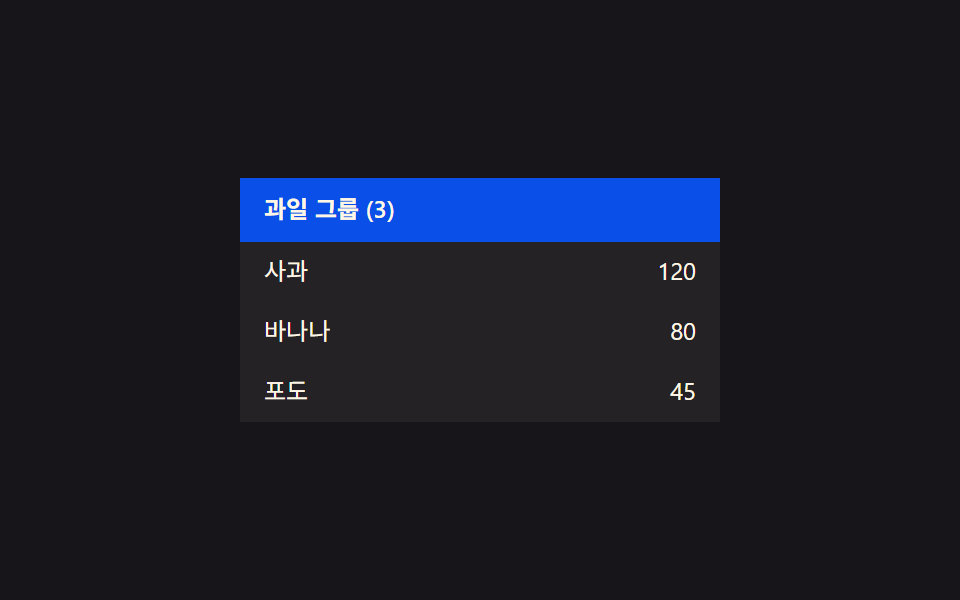 02 table-row-group-collapse
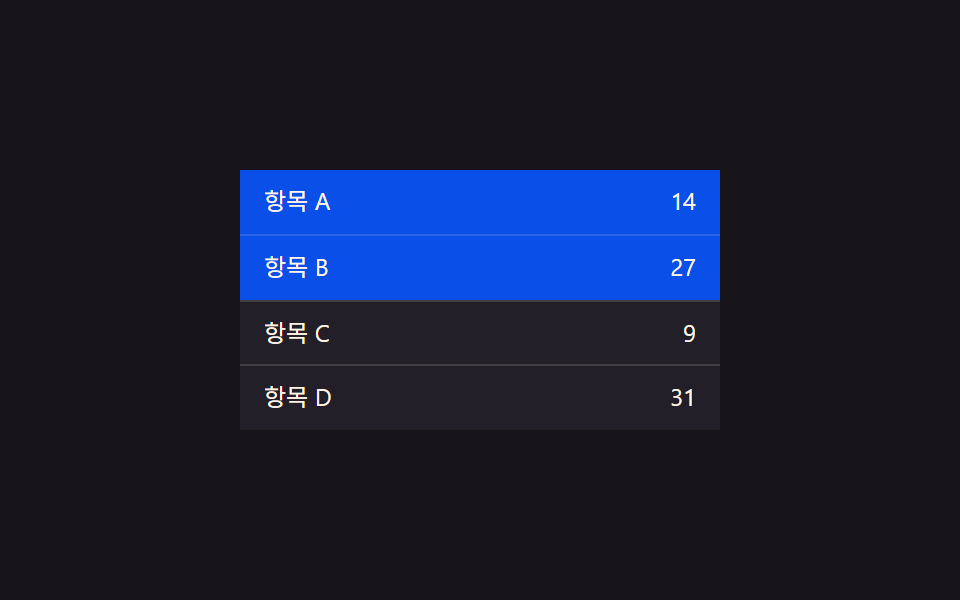 03 table-row-select-highlight
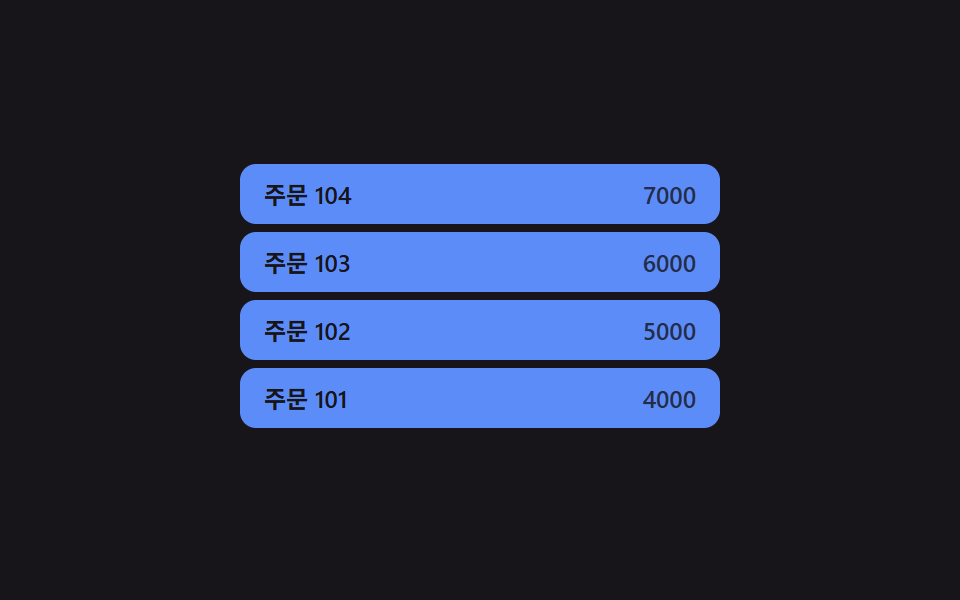 04 table-row-insert-slide-in
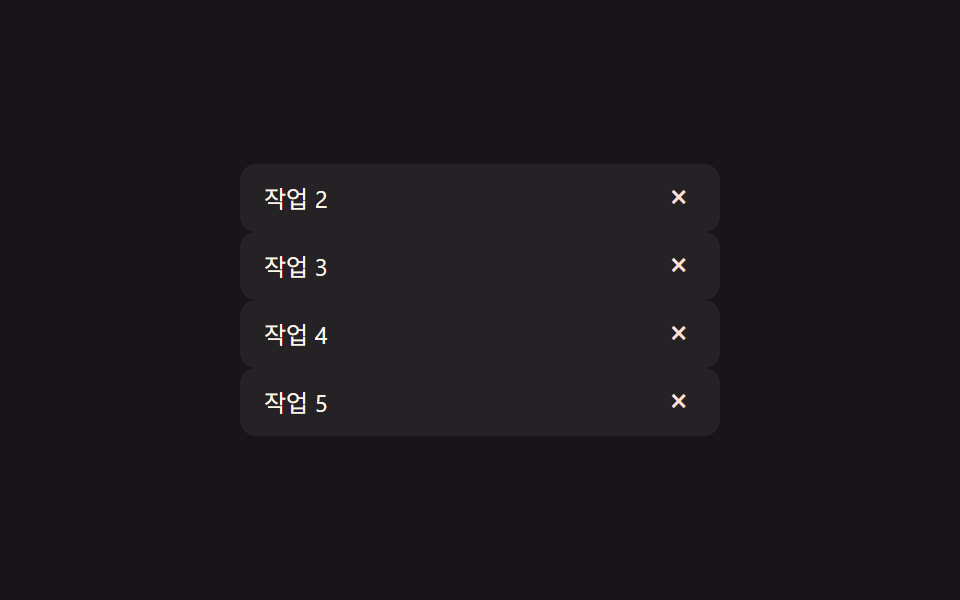 05 table-row-delete-collapse
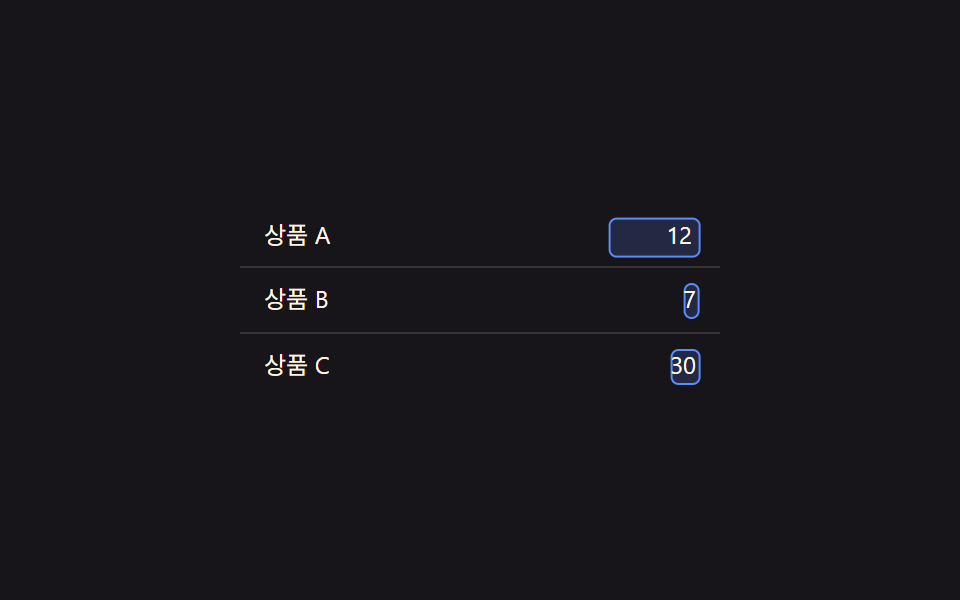 06 table-row-inline-edit-morph
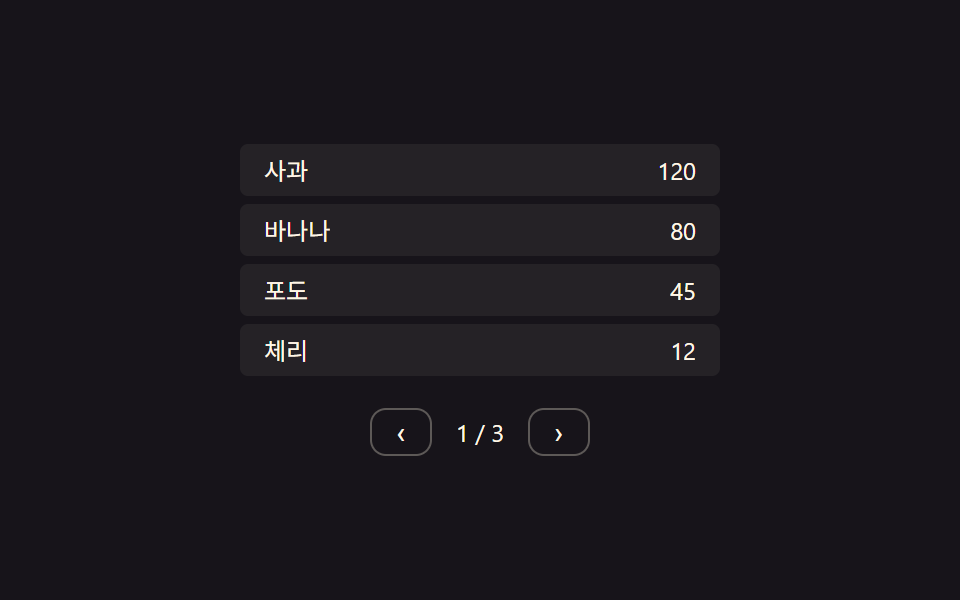 07 table-row-pagination-slide
 08 table-row-empty-state-fade
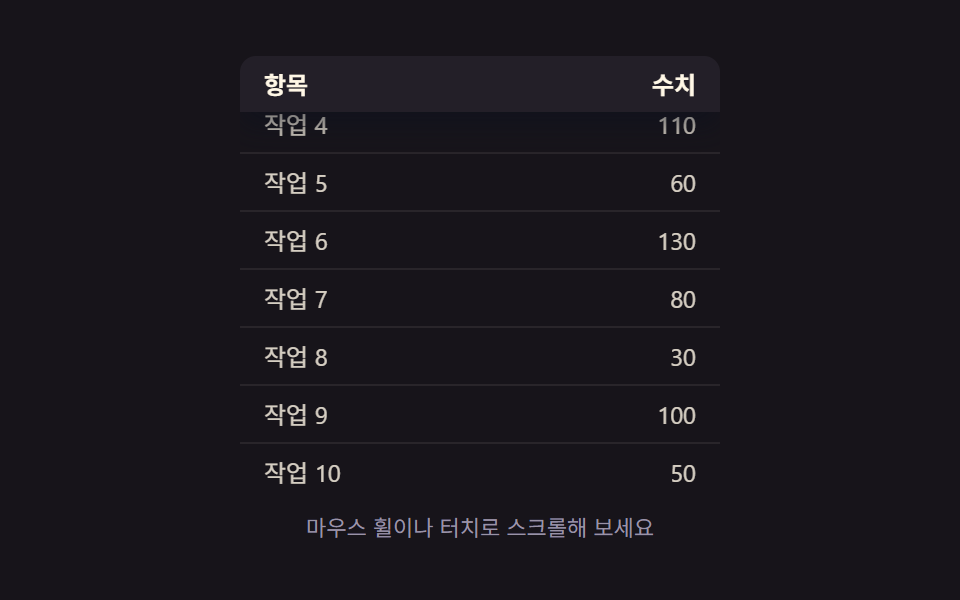 09 table-row-sticky-header-shadow
Auto-plays · click a tile to jump to its section · all nine in one zip
- 01 Row expand-value toggle — when an item's expand value changes, the detail area's height value grows or shrinks along with it
- 02 Group collapse-value toggle — when a group header's collapse value changes, the display value of every row under it changes together
- 03 Selection-value highlight toggle — when a row's selection value turns on, its highlight-color value deepens, and it returns to the original value when off
- 04 Row-insert and position values changing together — when a new row is added, its position value settles into place while the rows below shift their position values too
- 05 Row-delete and height values changing together — when a row's existence value ends, its height value shrinks to zero while the rows below fill the gap with their position values
- 06 Edit-state value toggle — when a cell's edit-state value changes, a text value's spot switches to an input value
- 07 Page value change and row-position value shift — when the page value changes, previous rows' position values exit and new rows' position values enter
- 08 Empty-list state value toggle — when the no-rows state value turns on, an empty-state message's appearance value gradually rises
- 09 Scroll-position and shadow values linked — once the scroll-position value crosses a set threshold, the header pins in place and its shadow value deepens
None of the nine demos below reach out to a server, store anything in localStorage, or roll a random number — every visible change traces back to one state value flipping and a handful of constants (an interpolation speed, a stagger interval, a spring's stiffness and damping) deciding how that flip looks on screen. That constraint is what makes them useful as a checklist: if you can name the value that changed, you can usually spot which of these nine patterns you are actually looking at.
Anatomy of nine patterns — which value changes and when
Eight of the nine drive a per-frame requestAnimationFrame loop that reads a target derived from state and lerps (or, for the selection spring, integrates) a current value toward it — expand height, the selection spring, insert position, delete height, the inline-edit morph, pagination slide, empty-state fade, and sticky shadow; only group collapse skips the loop, setting a child row's height, opacity, and transform once per click and letting a plain CSS transition carry it the rest of the way, with a per-child transitionDelay staggering when each row's transition starts. A table row is a narrow strip, so every one of these patterns spends its motion budget on height, vertical position, or a shadow/color value — nothing here rotates, scales past 1, or throws confetti.
Code per pattern
01Row expand-value toggle — when an item's expand value changes, the detail area's height value grows or shrinks along with it
Clicking a row toggles its openIdx flag, and retarget() re-measures that row's real scrollHeight so the target height is never a guess. A LERP of 0.22 pulls the current height toward that target every frame, which is why the panel eases open instead of snapping to its full size.
<main class="stage">
<table class="tre is-demo" id="tre">
  <tbody>
    <tr class="tre__row" data-idx="0" id="treRow0">
      <td class="tre__cell">Order A</td>
      <td class="tre__cell tre__cell--num">32,000</td>
    </tr>
    <tr class="tre__detail-row" id="treDetailRow0">
      <td colspan="2">
        <div class="tre__detail" id="treDetail0">Ship to Seoul · card payment</div>
      </td>
    </tr>
    <tr class="tre__row" data-idx="1" id="treRow1">
      <td class="tre__cell">Order B</td>
      <td class="tre__cell tre__cell--num">18,500</td>
    </tr>
    <tr class="tre__detail-row" id="treDetailRow1">
      <td colspan="2">
        <div class="tre__detail" id="treDetail1">Ship to Busan · bank transfer</div>
      </td>
    </tr>
    <tr class="tre__row" data-idx="2" id="treRow2">
      <td class="tre__cell">Order C</td>
      <td class="tre__cell tre__cell--num">7,200</td>
    </tr>
    <tr class="tre__detail-row" id="treDetailRow2">
      <td colspan="2">
        <div class="tre__detail" id="treDetail2">Ship to Daejeon · card payment</div>
      </td>
    </tr>
  </tbody>
</table>
</main>@use "../../../../site/static/demo-tokens" as *;
// 계산 겹: 행의 열림 값이 바뀌면 상세 영역 높이를 scrollHeight 로 실측해 목표로 삼고,
// 매 프레임 남은 거리의 22%씩 다가가는 보간(lerp) — index.html retarget()/tick() 참조
@include stage($stage-ink);
.tre {
width: 100%;
max-width: 260px;
border-collapse: collapse;
font: 400 12px/1.3 -apple-system, "Segoe UI", "Noto Sans KR", sans-serif;
color: $subject-cream;
}
.tre__row {
cursor: pointer;
}
.tre__row:not(:first-child) .tre__cell {
border-top: 1px solid rgba(255, 247, 230, .14);
}
.tre__cell {
padding: $sp-2 $sp-3;
background: rgba(255, 247, 230, .06);
transition: background $dur-quick $ease-out;
}
.tre__row--open .tre__cell {
background: rgba(91, 140, 248, .22);
}
.tre__cell--num {
text-align: right;
font-variant-numeric: tabular-nums;
}
.tre__detail-row td {
padding: 0;
}
.tre__detail {
overflow: hidden;
height: 0;
box-sizing: border-box;
padding: 0 $sp-3;
background: rgba(23, 20, 26, .5);
color: $tick-mute;
font-size: 11px;
display: flex;
align-items: center;
}
@media (max-width: 340px) {
.tre { max-width: 220px; font-size: 11px; }
.tre__cell { padding: $sp-1 $sp-2; }
}
@media (prefers-reduced-motion: reduce) {
.tre__cell { transition: none; }
}html, body {
margin: 0;
overflow: hidden;
}
.stage {
box-sizing: border-box;
min-height: 100vh;
display: grid;
place-items: center;
margin: 0;
background: #17141a;
font-family: -apple-system, "Segoe UI", "Noto Sans KR", sans-serif;
padding: clamp(8px, 4vw, 24px);
}
.tre {
width: 100%;
max-width: 260px;
border-collapse: collapse;
font: 400 12px/1.3 -apple-system, "Segoe UI", "Noto Sans KR", sans-serif;
color: #fff7e6;
}
.tre__row {
cursor: pointer;
}
.tre__row:not(:first-child) .tre__cell {
border-top: 1px solid rgba(255, 247, 230, 0.14);
}
.tre__cell {
padding: 8px 12px;
background: rgba(255, 247, 230, 0.06);
transition: background 220ms ease-out;
}
.tre__row--open .tre__cell {
background: rgba(91, 140, 248, 0.22);
}
.tre__cell--num {
text-align: right;
font-variant-numeric: tabular-nums;
}
.tre__detail-row td {
padding: 0;
}
.tre__detail {
overflow: hidden;
height: 0;
box-sizing: border-box;
padding: 0 12px;
background: rgba(23, 20, 26, 0.5);
color: #9a93a6;
font-size: 11px;
display: flex;
align-items: center;
}
@media (max-width: 340px) {
.tre {
max-width: 220px;
font-size: 11px;
}
.tre__cell {
padding: 4px 8px;
}
}
@media (prefers-reduced-motion: reduce) {
.tre__cell {
transition: none;
}
}(function () {
var root = document.getElementById('tre');
var rows = [0, 1, 2].map(function (i) { return document.getElementById('treRow' + i); });
var details = [0, 1, 2].map(function (i) { return document.getElementById('treDetail' + i); });
// 상수: 상세 영역 진입 상한(px, 넉넉히 잡고 실측 scrollHeight 로 대체) · 보간 속도 · 자동 루프 간격
var MAX_H = 80;
var LERP = 0.22;
var AUTO_TOGGLE_MS = 1100;
var openIdx = [false, false, false];
var h = [0, 0, 0]; // 각 상세 영역의 현재(보간 중) 높이값
var target = [0, 0, 0];
// 계산 겹: 열림 값이 바뀌면 목표 높이를 그 행의 실측 scrollHeight 로 다시 잰다
function retarget(i) {
if (openIdx[i]) {
details[i].style.height = 'auto';
var natural = Math.min(MAX_H, details[i].scrollHeight);
details[i].style.height = h[i].toFixed(1) + 'px';
target[i] = natural;
} else {
target[i] = 0;
}
}
function tick() {
for (var i = 0; i < 3; i++) {
h[i] += (target[i] - h[i]) * LERP;
if (Math.abs(target[i] - h[i]) < 0.3) h[i] = target[i];
details[i].style.height = h[i].toFixed(1) + 'px';
details[i].style.opacity = String(Math.min(1, h[i] / Math.max(1, target[i] || MAX_H)));
}
requestAnimationFrame(tick);
}
requestAnimationFrame(tick);
function toggle(i) {
openIdx[i] = !openIdx[i];
rows[i].classList.toggle('tre__row--open', openIdx[i]);
retarget(i);
}
rows.forEach(function (el, i) {
el.addEventListener('click', function () {
root.classList.remove('is-demo');
toggle(i);
});
});
// 자동 루프: 행의 확장 값을 순서대로 열고 닫는다
var autoI = 0;
function autoStep() {
if (root.classList.contains('is-demo')) {
toggle(autoI % 3);
}
autoI++;
setTimeout(autoStep, AUTO_TOGGLE_MS);
}
setTimeout(autoStep, AUTO_TOGGLE_MS);
})();import { useEffect, useRef } from "react";
import styles from "./TableRowExpandDetail.module.scss";
type Box<T> = { current: T };
export default function TableRowExpandDetail() {
const rootRef = useRef(null) as unknown as Box<HTMLTableElement | null>;
useEffect(() => {
const root = rootRef.current;
if (!root) return;
const rows = [0, 1, 2].map((i) => root.querySelector(`.${styles["row" + i]}`) as HTMLElement | null);
const details = [0, 1, 2].map((i) => root.querySelector(`.${styles["detail" + i]}`) as HTMLElement | null);
if (rows.some((el) => !el) || details.some((el) => !el)) return;
// 상수: 상세 영역 진입 상한(px, 넉넉히 잡고 실측 scrollHeight 로 대체) · 보간 속도 · 자동 루프 간격
const MAX_H = 80;
const LERP = 0.22;
const AUTO_TOGGLE_MS = 1100;
const openIdx = [false, false, false];
const h = [0, 0, 0];
const target = [0, 0, 0];
let stopped = false;
let rafId = 0;
let autoTimer = 0;
function retarget(i: number) {
const d = details[i]!;
if (openIdx[i]) {
d.style.height = "auto";
const natural = Math.min(MAX_H, d.scrollHeight);
d.style.height = h[i].toFixed(1) + "px";
target[i] = natural;
} else {
target[i] = 0;
}
}
function tick() {
if (stopped) return;
for (let i = 0; i < 3; i++) {
h[i] += (target[i] - h[i]) * LERP;
if (Math.abs(target[i] - h[i]) < 0.3) h[i] = target[i];
details[i]!.style.height = h[i].toFixed(1) + "px";
details[i]!.style.opacity = String(Math.min(1, h[i] / Math.max(1, target[i] || MAX_H)));
}
rafId = requestAnimationFrame(tick);
}
rafId = requestAnimationFrame(tick);
function toggle(i: number) {
openIdx[i] = !openIdx[i];
rows[i]!.classList.toggle(styles["row--open"], openIdx[i]);
retarget(i);
}
const cleanups: Array<() => void> = [];
rows.forEach((el, i) => {
function onClick() {
root!.classList.remove(styles["is-demo"]);
toggle(i);
}
el!.addEventListener("click", onClick);
cleanups.push(() => el!.removeEventListener("click", onClick));
});
let autoI = 0;
function autoStep() {
if (stopped) return;
if (root!.classList.contains(styles["is-demo"])) {
toggle(autoI % 3);
}
autoI++;
autoTimer = window.setTimeout(autoStep, AUTO_TOGGLE_MS);
}
autoTimer = window.setTimeout(autoStep, AUTO_TOGGLE_MS);
return () => {
stopped = true;
cancelAnimationFrame(rafId);
window.clearTimeout(autoTimer);
cleanups.forEach((fn) => fn());
};
}, []);
return (
<table ref={rootRef} className={`${styles.stage} ${styles.tre} ${styles["is-demo"]}`}>
<tbody>
<tr className={`${styles.row} ${styles.row0}`}>
<td className={styles.cell}>주문 A</td>
<td className={`${styles.cell} ${styles.cellNum}`}>32,000</td>
</tr>
<tr className={styles.detailRow}>
<td colSpan={2}>
<div className={`${styles.detail} ${styles.detail0}`}>배송지 서울 · 결제 카드</div>
</td>
</tr>
<tr className={`${styles.row} ${styles.row1}`}>
<td className={styles.cell}>주문 B</td>
<td className={`${styles.cell} ${styles.cellNum}`}>18,500</td>
</tr>
<tr className={styles.detailRow}>
<td colSpan={2}>
<div className={`${styles.detail} ${styles.detail1}`}>배송지 부산 · 결제 계좌</div>
</td>
</tr>
<tr className={`${styles.row} ${styles.row2}`}>
<td className={styles.cell}>주문 C</td>
<td className={`${styles.cell} ${styles.cellNum}`}>7,200</td>
</tr>
<tr className={styles.detailRow}>
<td colSpan={2}>
<div className={`${styles.detail} ${styles.detail2}`}>배송지 대전 · 결제 카드</div>
</td>
</tr>
</tbody>
</table>
);
}01 · Row expand-value toggle — when an item's expand value changes, the detail area's height value grows or shrinks along with it — Measured area 19.903% · moving frames 6/23Original by GODRICH · SCSS and React ship in the zip · See the password
  // Constants: detail-area entry cap (px, generous; real height comes from measured scrollHeight) · interpolation speed · auto-loop interval
  var MAX_H = 80;
  var LERP = 0.22;
  var AUTO_TOGGLE_MS = 1100;

  var openIdx = [false, false, false];
  var h = [0, 0, 0]; // each detail area's current (interpolating) height value
  var target = [0, 0, 0];

  // Calculation layer: when the open value changes, the target height is re-measured from that row's real scrollHeight
  function retarget(i) {
    if (openIdx[i]) {
      details[i].style.height = 'auto';
      var natural = Math.min(MAX_H, details[i].scrollHeight);
      details[i].style.height = h[i].toFixed(1) + 'px';
      target[i] = natural;
    } else {
      target[i] = 0;
    }
  }
What the numbers say
Item 01 covers 19.9% of the frame on average and moves in 6 of 23 sampled frames, the signature of a slow height lerp that most of the time sits still at its resting value.
02Group collapse-value toggle — when a group header's collapse value changes, the display value of every row under it changes together
Every child row shares one boolean, but apply() still gives each of them a different transitionDelay computed as i * STAGGER_MS, so a single collapse value fans out into a staggered cascade instead of every row moving at once.
<main class="stage">
<table class="tgc is-demo" id="tgc">
  <tbody>
    <tr class="tgc__group" id="tgcGroup">
      <td colspan="2">Fruit group (3)</td>
    </tr>
    <tr class="tgc__child" data-i="0" id="tgcChild0">
      <td class="tgc__cell">Apple</td>
      <td class="tgc__cell tgc__cell--num">120</td>
    </tr>
    <tr class="tgc__child" data-i="1" id="tgcChild1">
      <td class="tgc__cell">Banana</td>
      <td class="tgc__cell tgc__cell--num">80</td>
    </tr>
    <tr class="tgc__child" data-i="2" id="tgcChild2">
      <td class="tgc__cell">Grape</td>
      <td class="tgc__cell tgc__cell--num">45</td>
    </tr>
  </tbody>
</table>
</main>
@use "../../../../site/static/demo-tokens" as *;
// 계산 겹: 접힘 값이 바뀌면 자식 행 개수만큼 stagger(70ms×i)로 전환 시각을 나눠 건다 — index.html apply() 참조
@include stage($stage-ink);
.tgc {
width: 100%;
max-width: 240px;
border-collapse: collapse;
font: 400 12px/1.3 -apple-system, "Segoe UI", "Noto Sans KR", sans-serif;
color: $subject-cream;
}
.tgc__group {
cursor: pointer;
background: $subject-blue-deep;
color: $subject-cream;
font-weight: 600;
}
.tgc__group td {
padding: $sp-2 $sp-3;
}
.tgc__group--collapsed {
border-radius: $r-xs;
}
.tgc__child {
overflow: hidden;
height: 30px;
opacity: 1;
transition: height $dur-base $ease-out, opacity $dur-base $ease-out, transform $dur-base $ease-out;
}
.tgc__cell {
padding: $sp-1 $sp-3;
background: rgba(255, 247, 230, .06);
box-sizing: border-box;
}
.tgc__cell--num {
text-align: right;
font-variant-numeric: tabular-nums;
}
@media (max-width: 340px) {
.tgc { max-width: 200px; font-size: 11px; }
.tgc__cell, .tgc__group td { padding: $sp-1 $sp-2; }
}
@media (prefers-reduced-motion: reduce) {
.tgc__child { transition: none; }
}html, body {
margin: 0;
overflow: hidden;
}
.stage {
box-sizing: border-box;
min-height: 100vh;
display: grid;
place-items: center;
margin: 0;
background: #17141a;
font-family: -apple-system, "Segoe UI", "Noto Sans KR", sans-serif;
padding: clamp(8px, 4vw, 24px);
}
.tgc {
width: 100%;
max-width: 240px;
border-collapse: collapse;
font: 400 12px/1.3 -apple-system, "Segoe UI", "Noto Sans KR", sans-serif;
color: #fff7e6;
}
.tgc__group {
cursor: pointer;
background: #0a4fe8;
color: #fff7e6;
font-weight: 600;
}
.tgc__group td {
padding: 8px 12px;
}
.tgc__group--collapsed {
border-radius: 4px;
}
.tgc__child {
overflow: hidden;
height: 30px;
opacity: 1;
transition: height 300ms ease-out, opacity 300ms ease-out, transform 300ms ease-out;
}
.tgc__cell {
padding: 4px 12px;
background: rgba(255, 247, 230, 0.06);
box-sizing: border-box;
}
.tgc__cell--num {
text-align: right;
font-variant-numeric: tabular-nums;
}
@media (max-width: 340px) {
.tgc {
max-width: 200px;
font-size: 11px;
}
.tgc__cell, .tgc__group td {
padding: 4px 8px;
}
}
@media (prefers-reduced-motion: reduce) {
.tgc__child {
transition: none;
}
}(function () {
var root = document.getElementById('tgc');
var group = document.getElementById('tgcGroup');
var children = [0, 1, 2].map(function (i) { return document.getElementById('tgcChild' + i); });
// 상수: 자식 행 높이(px) · 자식 사이 stagger 간격(ms) · 자동 루프 간격
var CHILD_H = 30;
var STAGGER_MS = 70;
var AUTO_TOGGLE_MS = 1300;
var collapsed = false;
// 계산 겹: 접힘 값이 켜지면 자식 행 수 × stagger 로 각 행의 표시 값 전환 시각을 다르게 건다
function apply() {
children.forEach(function (el, i) {
var delay = i * STAGGER_MS;
el.style.transitionDelay = delay + 'ms';
if (collapsed) {
el.style.height = '0px';
el.style.opacity = '0';
el.style.transform = 'translateY(-' + (CHILD_H * 0.3).toFixed(1) + 'px)';
} else {
el.style.height = CHILD_H + 'px';
el.style.opacity = '1';
el.style.transform = 'translateY(0px)';
}
});
group.classList.toggle('tgc__group--collapsed', collapsed);
}
apply();
function toggle() {
collapsed = !collapsed;
apply();
}
group.addEventListener('click', function () {
root.classList.remove('is-demo');
toggle();
});
// 자동 루프: 그룹의 접힘 값을 주기적으로 켜고 끈다
function autoStep() {
if (root.classList.contains('is-demo')) toggle();
setTimeout(autoStep, AUTO_TOGGLE_MS);
}
setTimeout(autoStep, AUTO_TOGGLE_MS);
})();import { useEffect, useRef } from "react";
import styles from "./TableRowGroupCollapse.module.scss";
type Box<T> = { current: T };
export default function TableRowGroupCollapse() {
const rootRef = useRef(null) as unknown as Box<HTMLTableElement | null>;
useEffect(() => {
const root = rootRef.current;
if (!root) return;
const group = root.querySelector(`.${styles.group}`) as HTMLElement | null;
const children = [0, 1, 2].map((i) => root.querySelector(`.${styles["child" + i]}`) as HTMLElement | null);
if (!group || children.some((el) => !el)) return;
// 상수: 자식 행 높이(px) · 자식 사이 stagger 간격(ms) · 자동 루프 간격
const CHILD_H = 30;
const STAGGER_MS = 70;
const AUTO_TOGGLE_MS = 1300;
let collapsed = false;
let stopped = false;
let autoTimer = 0;
function apply() {
children.forEach((el, i) => {
const delay = i * STAGGER_MS;
el!.style.transitionDelay = delay + "ms";
if (collapsed) {
el!.style.height = "0px";
el!.style.opacity = "0";
el!.style.transform = "translateY(-" + (CHILD_H * 0.3).toFixed(1) + "px)";
} else {
el!.style.height = CHILD_H + "px";
el!.style.opacity = "1";
el!.style.transform = "translateY(0px)";
}
});
group!.classList.toggle(styles["group--collapsed"], collapsed);
}
apply();
function toggle() {
collapsed = !collapsed;
apply();
}
function onClick() {
root!.classList.remove(styles["is-demo"]);
toggle();
}
group.addEventListener("click", onClick);
function autoStep() {
if (stopped) return;
if (root!.classList.contains(styles["is-demo"])) toggle();
autoTimer = window.setTimeout(autoStep, AUTO_TOGGLE_MS);
}
autoTimer = window.setTimeout(autoStep, AUTO_TOGGLE_MS);
return () => {
stopped = true;
window.clearTimeout(autoTimer);
group.removeEventListener("click", onClick);
};
}, []);
return (
<table ref={rootRef} className={`${styles.stage} ${styles.tgc} ${styles["is-demo"]}`}>
<tbody>
<tr className={styles.group}>
<td colSpan={2}>과일 그룹 (3)</td>
</tr>
<tr className={`${styles.child} ${styles.child0}`}>
<td className={styles.cell}>사과</td>
<td className={`${styles.cell} ${styles.cellNum}`}>120</td>
</tr>
<tr className={`${styles.child} ${styles.child1}`}>
<td className={styles.cell}>바나나</td>
<td className={`${styles.cell} ${styles.cellNum}`}>80</td>
</tr>
<tr className={`${styles.child} ${styles.child2}`}>
<td className={styles.cell}>포도</td>
<td className={`${styles.cell} ${styles.cellNum}`}>45</td>
</tr>
</tbody>
</table>
);
}02 · Group collapse-value toggle — when a group header's collapse value changes, the display value of every row under it changes together — Measured area 17.353% · moving frames 7/23Original by GODRICH · SCSS and React ship in the zip · See the password
  // Constants: child row height (px) · stagger interval between children (ms) · auto-loop interval
  var CHILD_H = 30;
  var STAGGER_MS = 70;
  var AUTO_TOGGLE_MS = 1300;

  var collapsed = false;

  // Calculation layer: when the collapse value turns on, child count x stagger gives each row a different display-transition time
  function apply() {
    children.forEach(function (el, i) {
      var delay = i * STAGGER_MS;
      el.style.transitionDelay = delay + 'ms';
      if (collapsed) {
        el.style.height = '0px';
        el.style.opacity = '0';
        el.style.transform = 'translateY(-' + (CHILD_H * 0.3).toFixed(1) + 'px)';
      } else {
        el.style.height = CHILD_H + 'px';
        el.style.opacity = '1';
        el.style.transform = 'translateY(0px)';
      }
    });
    group.classList.toggle('tgc__group--collapsed', collapsed);
  }
What the numbers say
Item 02 reaches 17.4% cumulative area at an average intensity of 77.3 across 7 moved frames — a shorter animated window than item 01, but a stronger per-frame change because several rows shift together.
03Selection-value highlight toggle — when a row's selection value turns on, its highlight-color value deepens, and it returns to the original value when off
tick() does not just cross-fade a color — it integrates a spring equation (acc = -K*(pos-target) - D*vel) every frame, so the highlighted background overshoots past its final tone and settles back, which a plain CSS transition cannot produce.
<main class="stage">
<table class="tsh is-demo" id="tsh">
  <tbody>
    <tr class="tsh__row" id="tshRow0"><td class="tsh__cell">Item A</td><td class="tsh__cell tsh__cell--num">14</td></tr>
    <tr class="tsh__row" id="tshRow1"><td class="tsh__cell">Item B</td><td class="tsh__cell tsh__cell--num">27</td></tr>
    <tr class="tsh__row" id="tshRow2"><td class="tsh__cell">Item C</td><td class="tsh__cell tsh__cell--num">9</td></tr>
    <tr class="tsh__row" id="tshRow3"><td class="tsh__cell">Item D</td><td class="tsh__cell tsh__cell--num">31</td></tr>
  </tbody>
</table>
</main>
@use "../../../../site/static/demo-tokens" as *;
// 계산 겹: 선택 값 → 목표(0/1), 실제 강조 값은 스프링 방정식(k=.26·d=.62)을 매 프레임 적분해
// 1을 살짝 넘겼다 되돌아오는 오버슛으로 색을 섞는다 — index.html tick() 참조. reduce 시 k=d=1(오버슛 없음)
@include stage($stage-ink);
.tsh {
width: 100%;
max-width: 240px;
border-collapse: collapse;
font: 400 12px/1.3 -apple-system, "Segoe UI", "Noto Sans KR", sans-serif;
color: $subject-cream;
}
.tsh__row {
cursor: pointer;
}
.tsh__row:not(:first-child) .tsh__cell {
border-top: 1px solid rgba(255, 247, 230, .14);
}
.tsh__cell {
padding: $sp-2 $sp-3;
box-sizing: border-box;
}
.tsh__cell--num {
text-align: right;
font-variant-numeric: tabular-nums;
}
@media (max-width: 340px) {
.tsh { max-width: 200px; font-size: 11px; }
.tsh__cell { padding: $sp-1 $sp-2; }
}
@media (prefers-reduced-motion: reduce) {
.tsh__row { transition: none; }
}html, body {
margin: 0;
overflow: hidden;
}
.stage {
box-sizing: border-box;
min-height: 100vh;
display: grid;
place-items: center;
margin: 0;
background: #17141a;
font-family: -apple-system, "Segoe UI", "Noto Sans KR", sans-serif;
padding: clamp(8px, 4vw, 24px);
}
.tsh {
width: 100%;
max-width: 240px;
border-collapse: collapse;
font: 400 12px/1.3 -apple-system, "Segoe UI", "Noto Sans KR", sans-serif;
color: #fff7e6;
}
.tsh__row {
cursor: pointer;
}
.tsh__row:not(:first-child) .tsh__cell {
border-top: 1px solid rgba(255, 247, 230, 0.14);
}
.tsh__cell {
padding: 8px 12px;
box-sizing: border-box;
}
.tsh__cell--num {
text-align: right;
font-variant-numeric: tabular-nums;
}
@media (max-width: 340px) {
.tsh {
max-width: 200px;
font-size: 11px;
}
.tsh__cell {
padding: 4px 8px;
}
}
@media (prefers-reduced-motion: reduce) {
.tsh__row {
transition: none;
}
}(function () {
var root = document.getElementById('tsh');
var rows = [0, 1, 2, 3].map(function (i) { return document.getElementById('tshRow' + i); });
// 상수: 스프링 강성(k) · 감쇠(d) · 프레임당 시간 스텝 · 자동 루프 간격
var REDUCE = !!(window.matchMedia && window.matchMedia('(prefers-reduced-motion: reduce)').matches);
var K = REDUCE ? 1 : 0.26;
var D = REDUCE ? 1 : 0.62;
var DT = 1;
var AUTO_SELECT_MS = 550;
var selected = [false, false, false, false];
var pos = [0, 0, 0, 0]; // 강조 진행 값(0~1+overshoot)
var vel = [0, 0, 0, 0];
function baseColor() { return [35, 31, 40]; } // tick-panel
function hiColor() { return [10, 79, 232]; } // subject-blue-deep
// 계산 겹: 목표(0 또는 1)로 스프링 방정식(가속도 = -k*(pos-target) - d*vel)을 매 프레임 적분해
// 값이 1을 살짝 넘겼다 되돌아오는 오버슛을 만든다(단순 트윈이 아니다)
function tick() {
for (var i = 0; i < 4; i++) {
var target = selected[i] ? 1 : 0;
var acc = -K * (pos[i] - target) - D * vel[i];
vel[i] += acc * DT;
pos[i] += vel[i] * DT;
var clampedForColor = Math.max(0, Math.min(1, pos[i]));
var over = Math.max(0, pos[i] - 1);
var b = baseColor(), h = hiColor();
var r = b[0] + (h[0] - b[0]) * clampedForColor;
var g = b[1] + (h[1] - b[1]) * clampedForColor;
var bl = b[2] + (h[2] - b[2]) * clampedForColor;
rows[i].style.background = 'rgb(' + r.toFixed(0) + ',' + g.toFixed(0) + ',' + bl.toFixed(0) + ')';
rows[i].style.boxShadow = over > 0.001 ? ('inset 0 0 0 ' + (over * 6).toFixed(1) + 'px rgba(255,255,255,' + Math.min(0.6, over).toFixed(2) + ')') : 'none';
}
requestAnimationFrame(tick);
}
requestAnimationFrame(tick);
function select(i) {
selected[i] = !selected[i];
}
rows.forEach(function (el, i) {
el.addEventListener('click', function () {
root.classList.remove('is-demo');
select(i);
});
});
// 자동 루프: 선택 값을 순서대로 켜고 끈다
var autoI = 0;
var autoSeq = [0, 1, 2, 3, 0, 1, 2, 3];
function autoStep() {
if (root.classList.contains('is-demo')) {
select(autoSeq[autoI % autoSeq.length]);
}
autoI++;
setTimeout(autoStep, AUTO_SELECT_MS);
}
setTimeout(autoStep, AUTO_SELECT_MS);
})();import { useEffect, useRef } from "react";
import styles from "./TableRowSelectHighlight.module.scss";
type Box<T> = { current: T };
export default function TableRowSelectHighlight() {
const rootRef = useRef(null) as unknown as Box<HTMLTableElement | null>;
useEffect(() => {
const root = rootRef.current;
if (!root) return;
const rows = [0, 1, 2, 3].map((i) => root.querySelector(`.${styles["row" + i]}`) as HTMLElement | null);
if (rows.some((el) => !el)) return;
// 상수: 스프링 강성(k) · 감쇠(d) · 프레임당 시간 스텝 · 자동 루프 간격
const REDUCE = !!(window.matchMedia && window.matchMedia("(prefers-reduced-motion: reduce)").matches);
const K = REDUCE ? 1 : 0.26;
const D = REDUCE ? 1 : 0.62;
const DT = 1;
const AUTO_SELECT_MS = 550;
const selected = [false, false, false, false];
const pos = [0, 0, 0, 0];
const vel = [0, 0, 0, 0];
let stopped = false;
let rafId = 0;
let autoTimer = 0;
function baseColor() { return [35, 31, 40]; }
function hiColor() { return [10, 79, 232]; }
function tick() {
if (stopped) return;
for (let i = 0; i < 4; i++) {
const target = selected[i] ? 1 : 0;
const acc = -K * (pos[i] - target) - D * vel[i];
vel[i] += acc * DT;
pos[i] += vel[i] * DT;
const clampedForColor = Math.max(0, Math.min(1, pos[i]));
const over = Math.max(0, pos[i] - 1);
const b = baseColor(), h = hiColor();
const r = b[0] + (h[0] - b[0]) * clampedForColor;
const g = b[1] + (h[1] - b[1]) * clampedForColor;
const bl = b[2] + (h[2] - b[2]) * clampedForColor;
rows[i]!.style.background = "rgb(" + r.toFixed(0) + "," + g.toFixed(0) + "," + bl.toFixed(0) + ")";
rows[i]!.style.boxShadow = over > 0.001 ? ("inset 0 0 0 " + (over * 6).toFixed(1) + "px rgba(255,255,255," + Math.min(0.6, over).toFixed(2) + ")") : "none";
}
rafId = requestAnimationFrame(tick);
}
rafId = requestAnimationFrame(tick);
function select(i: number) {
selected[i] = !selected[i];
}
const cleanups: Array<() => void> = [];
rows.forEach((el, i) => {
function onClick() {
root!.classList.remove(styles["is-demo"]);
select(i);
}
el!.addEventListener("click", onClick);
cleanups.push(() => el!.removeEventListener("click", onClick));
});
let autoI = 0;
const autoSeq = [0, 1, 2, 3, 0, 1, 2, 3];
function autoStep() {
if (stopped) return;
if (root!.classList.contains(styles["is-demo"])) {
select(autoSeq[autoI % autoSeq.length]);
}
autoI++;
autoTimer = window.setTimeout(autoStep, AUTO_SELECT_MS);
}
autoTimer = window.setTimeout(autoStep, AUTO_SELECT_MS);
return () => {
stopped = true;
cancelAnimationFrame(rafId);
window.clearTimeout(autoTimer);
cleanups.forEach((fn) => fn());
};
}, []);
return (
<table ref={rootRef} className={`${styles.stage} ${styles.tsh} ${styles["is-demo"]}`}>
<tbody>
<tr className={`${styles.row} ${styles.row0}`}><td className={styles.cell}>항목 A</td><td className={`${styles.cell} ${styles.cellNum}`}>14</td></tr>
<tr className={`${styles.row} ${styles.row1}`}><td className={styles.cell}>항목 B</td><td className={`${styles.cell} ${styles.cellNum}`}>27</td></tr>
<tr className={`${styles.row} ${styles.row2}`}><td className={styles.cell}>항목 C</td><td className={`${styles.cell} ${styles.cellNum}`}>9</td></tr>
<tr className={`${styles.row} ${styles.row3}`}><td className={styles.cell}>항목 D</td><td className={`${styles.cell} ${styles.cellNum}`}>31</td></tr>
</tbody>
</table>
);
}03 · Selection-value highlight toggle — when a row's selection value turns on, its highlight-color value deepens, and it returns to the original value when off — Measured area 21.536% · moving frames 8/23Original by GODRICH · SCSS and React ship in the zip · See the password
  // Calculation layer: integrate a spring equation toward the target (0 or 1) every frame (acc = -k*(pos-target) - d*vel)
  // to produce an overshoot that slightly passes 1 and returns -- not a plain tween
  function tick() {
    for (var i = 0; i < 4; i++) {
      var target = selected[i] ? 1 : 0;
      var acc = -K * (pos[i] - target) - D * vel[i];
      vel[i] += acc * DT;
      pos[i] += vel[i] * DT;
      var clampedForColor = Math.max(0, Math.min(1, pos[i]));
      var over = Math.max(0, pos[i] - 1);
      var b = baseColor(), h = hiColor();
      var r = b[0] + (h[0] - b[0]) * clampedForColor;
      var g = b[1] + (h[1] - b[1]) * clampedForColor;
      var bl = b[2] + (h[2] - b[2]) * clampedForColor;
      rows[i].style.background = 'rgb(' + r.toFixed(0) + ',' + g.toFixed(0) + ',' + bl.toFixed(0) + ')';
      rows[i].style.boxShadow = over > 0.001 ? ('inset 0 0 0 ' + (over * 6).toFixed(1) + 'px rgba(255,255,255,' + Math.min(0.6, over).toFixed(2) + ')') : 'none';
    }
    requestAnimationFrame(tick);
  }
  requestAnimationFrame(tick);
What the numbers say
Item 03 is the densest of the nine at 21.5% cumulative area, 117.9 average intensity, and 8 of 23 frames moved — the spring's overshoot keeps recalculating color and shadow even after a click has already landed.
04Row-insert and position values changing together — when a new row is added, its position value settles into place while the rows below shift their position values too
Every row only knows its own order index; tick() lerps each row's y toward order * ROW_H, so inserting a row at the top is really just one order value changing, and every other row's position value follows because its own target moved.
<main class="stage">
<div class="tis is-demo" id="tis" role="table" aria-label="New orders table"></div>
</main>
@use "../../../../site/static/demo-tokens" as *;
// 계산 겹: 새 행이 더해지면 기존 행의 슬롯(순서) 값을 하나씩 밀어 목표 y 를 다시 계산하고,
// 실제 위치는 매 프레임 남은 거리의 24%씩 다가가는 보간(lerp) — index.html tick() 참조
@include stage($stage-ink);
.tis {
position: relative;
width: 100%;
max-width: 240px;
overflow: hidden;
}
.tis__row {
position: absolute;
top: 0;
left: 0;
width: 100%;
height: 30px;
box-sizing: border-box;
display: flex;
align-items: center;
justify-content: space-between;
padding: 0 $sp-3;
border-radius: $r-sm;
background: $subject-blue-light;
color: $stage-ink;
font: 600 12px/1 -apple-system, "Segoe UI", "Noto Sans KR", sans-serif;
}
.tis__cell--num {
font-variant-numeric: tabular-nums;
opacity: .8;
}
@media (max-width: 340px) {
.tis { max-width: 200px; }
.tis__row { height: 28px; font-size: 11px; }
}
@media (prefers-reduced-motion: reduce) {
.tis__row { transition: none; }
}html, body {
margin: 0;
overflow: hidden;
}
.stage {
box-sizing: border-box;
min-height: 100vh;
display: grid;
place-items: center;
margin: 0;
background: #17141a;
font-family: -apple-system, "Segoe UI", "Noto Sans KR", sans-serif;
padding: clamp(8px, 4vw, 24px);
}
.tis {
position: relative;
width: 100%;
max-width: 240px;
overflow: hidden;
}
.tis__row {
position: absolute;
top: 0;
left: 0;
width: 100%;
height: 30px;
box-sizing: border-box;
display: flex;
align-items: center;
justify-content: space-between;
padding: 0 12px;
border-radius: 8px;
background: #5b8cf8;
color: #17141a;
font: 600 12px/1 -apple-system, "Segoe UI", "Noto Sans KR", sans-serif;
}
.tis__cell--num {
font-variant-numeric: tabular-nums;
opacity: 0.8;
}
@media (max-width: 340px) {
.tis {
max-width: 200px;
}
.tis__row {
height: 28px;
font-size: 11px;
}
}
@media (prefers-reduced-motion: reduce) {
.tis__row {
transition: none;
}
}(function () {
var root = document.getElementById('tis');
// 상수: 행 높이(px) · 보간 속도 · 표시 슬롯 수 · 자동 삽입 간격
var ROW_H = 34;
var LERP = 0.24;
var SLOTS = 4;
var AUTO_INSERT_MS = 1200;
var seq = 100;
var rows = []; // {el, order(현재 슬롯 index, SLOTS 이상=아래로 퇴장 중), y}
function makeRow(label, amount) {
var el = document.createElement('div');
el.className = 'tis__row';
el.setAttribute('role', 'row');
var c1 = document.createElement('span');
c1.className = 'tis__cell';
c1.setAttribute('role', 'cell');
c1.textContent = 'Order ' + label;
var c2 = document.createElement('span');
c2.className = 'tis__cell tis__cell--num';
c2.setAttribute('role', 'cell');
c2.textContent = amount;
el.appendChild(c1);
el.appendChild(c2);
root.appendChild(el);
return el;
}
function insert() {
seq++;
var el = makeRow(seq, ((seq % 7) + 1) * 1000);
var entry = { el: el, order: -1, y: -ROW_H };
// 계산 겹: 기존 행의 슬롯(순서) 값을 하나씩 뒤로 밀어 목표 y 를 다시 계산한다
rows.forEach(function (r) { r.order += 1; });
rows.unshift(entry);
entry.order = 0;
el.style.transform = 'translateY(' + entry.y.toFixed(1) + 'px)';
}
  function tick() {
    rows.forEach(function (r) {
      var target = r.order * ROW_H;
      r.y += (target - r.y) * LERP;
      var opacity = r.order >= SLOTS ? Math.max(0, 1 - (r.y - (SLOTS - 1) * ROW_H) / ROW_H) : 1;
      r.el.style.transform = 'translateY(' + r.y.toFixed(1) + 'px)';
      r.el.style.opacity = opacity.toFixed(2);
    });
    for (var i = rows.length - 1; i >= 0; i--) {
      var r = rows[i];
      if (r.order >= SLOTS && Math.abs(r.order * ROW_H - r.y) < 1) {
        r.el.remove();
        rows.splice(i, 1);
      }
    }
    requestAnimationFrame(tick);
  }
  requestAnimationFrame(tick);
insert(); insert(); insert(); insert();
// 초기 4행은 진입 애니메이션 없이 바로 자리에
rows.forEach(function (r) { r.y = r.order * ROW_H; r.el.style.transform = 'translateY(' + r.y + 'px)'; });
root.style.height = (SLOTS * ROW_H) + 'px';
root.addEventListener('click', function () {
root.classList.remove('is-demo');
insert();
});
// 자동 루프: 새 행을 주기적으로 추가한다
function autoStep() {
if (root.classList.contains('is-demo')) insert();
setTimeout(autoStep, AUTO_INSERT_MS);
}
setTimeout(autoStep, AUTO_INSERT_MS);
})();import { useEffect, useRef } from "react";
import styles from "./TableRowInsertSlideIn.module.scss";
type Box<T> = { current: T };
type Row = { el: HTMLDivElement; order: number; y: number };
export default function TableRowInsertSlideIn() {
const rootRef = useRef(null) as unknown as Box<HTMLDivElement | null>;
useEffect(() => {
const root = rootRef.current;
if (!root) return;
// 상수: 행 높이(px) · 보간 속도 · 표시 슬롯 수 · 자동 삽입 간격
const ROW_H = 34;
const LERP = 0.24;
const SLOTS = 4;
const AUTO_INSERT_MS = 1200;
let seq = 100;
const rows: Row[] = [];
let stopped = false;
let rafId = 0;
let autoTimer = 0;
function makeRow(label: number, amount: number) {
const el = document.createElement("div");
el.className = styles.row;
el.setAttribute("role", "row");
const c1 = document.createElement("span");
c1.className = styles.cell;
c1.setAttribute("role", "cell");
c1.textContent = "주문 " + label;
const c2 = document.createElement("span");
c2.className = `${styles.cell} ${styles.cellNum}`;
c2.setAttribute("role", "cell");
c2.textContent = String(amount);
el.appendChild(c1);
el.appendChild(c2);
root!.appendChild(el);
return el;
}
function insert() {
seq++;
const el = makeRow(seq, ((seq % 7) + 1) * 1000);
const entry: Row = { el, order: -1, y: -ROW_H };
// 계산 겹: 기존 행의 슬롯(순서) 값을 하나씩 뒤로 밀어 목표 y 를 다시 계산한다
rows.forEach((r) => { r.order += 1; });
rows.unshift(entry);
entry.order = 0;
el.style.transform = "translateY(" + entry.y.toFixed(1) + "px)";
}
function tick() {
if (stopped) return;
rows.forEach((r) => {
const target = r.order * ROW_H;
r.y += (target - r.y) * LERP;
const opacity = r.order >= SLOTS ? Math.max(0, 1 - (r.y - (SLOTS - 1) * ROW_H) / ROW_H) : 1;
r.el.style.transform = "translateY(" + r.y.toFixed(1) + "px)";
r.el.style.opacity = opacity.toFixed(2);
});
for (let i = rows.length - 1; i >= 0; i--) {
const r = rows[i];
if (r.order >= SLOTS && Math.abs(r.order * ROW_H - r.y) < 1) {
r.el.remove();
rows.splice(i, 1);
}
}
rafId = requestAnimationFrame(tick);
}
rafId = requestAnimationFrame(tick);
insert(); insert(); insert(); insert();
rows.forEach((r) => { r.y = r.order * ROW_H; r.el.style.transform = "translateY(" + r.y + "px)"; });
root.style.height = (SLOTS * ROW_H) + "px";
function onClick() {
root!.classList.remove(styles["is-demo"]);
insert();
}
root.addEventListener("click", onClick);
function autoStep() {
if (stopped) return;
if (root!.classList.contains(styles["is-demo"])) insert();
autoTimer = window.setTimeout(autoStep, AUTO_INSERT_MS);
}
autoTimer = window.setTimeout(autoStep, AUTO_INSERT_MS);
return () => {
stopped = true;
cancelAnimationFrame(rafId);
window.clearTimeout(autoTimer);
root!.removeEventListener("click", onClick);
rows.forEach((r) => r.el.remove());
};
}, []);
return <div ref={rootRef} className={`${styles.stage} ${styles.tis} ${styles["is-demo"]}`} role="table" aria-label="신규 주문 표" />;
}04 · Row-insert and position values changing together — when a new row is added, its position value settles into place while the rows below shift their position values too — Measured area 11.482% · moving frames 10/23Original by GODRICH · SCSS and React ship in the zip · See the password
function tick() {
rows.forEach(function (r) {
var target = r.order * ROW_H;
r.y += (target - r.y) * LERP;
var opacity = r.order >= SLOTS ? Math.max(0, 1 - (r.y - (SLOTS - 1) * ROW_H) / ROW_H) : 1;
r.el.style.transform = 'translateY(' + r.y.toFixed(1) + 'px)';
r.el.style.opacity = opacity.toFixed(2);
});
for (var i = rows.length - 1; i >= 0; i--) {
var r = rows[i];
if (r.order >= SLOTS && Math.abs(r.order * ROW_H - r.y) < 1) {
r.el.remove();
rows.splice(i, 1);
}
}
requestAnimationFrame(tick);
}
requestAnimationFrame(tick);
What the numbers say
Item 04 moves in 10 of 23 frames — the most of any pattern here — at 11.5% cumulative area and 103.8 average intensity, because rows keep resettling position for several frames after each insert.
05Row-delete and height values changing together — when a row's existence value ends, its height value shrinks to zero while the rows below fill the gap with their position values
Deleting a row does not remove it immediately: r.removing flips true, r.h lerps toward 0 at H_LERP, and only once that height value is under 0.5 does the element actually leave the DOM, which is why the rows underneath visibly slide up to fill the gap rather than jumping.
<main class="stage">
<div class="tdc is-demo" id="tdc" role="table" aria-label="Task table with delete"></div>
</main>
@use "../../../../site/static/demo-tokens" as *;
// 계산 겹: 삭제 값이 켜지면 그 행의 높이 값이 0으로 줄고(H_LERP), 아래 행들의 순서(슬롯) 값이
// 하나씩 당겨져 목표 y 가 다시 계산되어 위치 값이 보간(POS_LERP)으로 채운다 — index.html remove()/tick() 참조
@include stage($stage-ink);
.tdc {
position: relative;
width: 100%;
max-width: 240px;
overflow: hidden;
}
.tdc__row {
position: absolute;
top: 0;
left: 0;
width: 100%;
}
.tdc__inner {
overflow: hidden;
box-sizing: border-box;
height: 34px;
display: flex;
align-items: center;
justify-content: space-between;
padding: 0 $sp-3;
background: rgba(255, 247, 230, .06);
border-radius: $r-sm;
color: $subject-cream;
font: 400 12px/1 -apple-system, "Segoe UI", "Noto Sans KR", sans-serif;
}
.tdc__x {
border: 0;
background: transparent;
color: $error-soft;
font-size: 16px;
line-height: 1;
cursor: pointer;
padding: $sp-1;
}
@media (max-width: 340px) {
.tdc { max-width: 200px; }
.tdc__inner { height: 30px; font-size: 11px; }
}
@media (prefers-reduced-motion: reduce) {
.tdc__row { transition: none; }
}html, body {
margin: 0;
overflow: hidden;
}
.stage {
box-sizing: border-box;
min-height: 100vh;
display: grid;
place-items: center;
margin: 0;
background: #17141a;
font-family: -apple-system, "Segoe UI", "Noto Sans KR", sans-serif;
padding: clamp(8px, 4vw, 24px);
}
.tdc {
position: relative;
width: 100%;
max-width: 240px;
overflow: hidden;
}
.tdc__row {
position: absolute;
top: 0;
left: 0;
width: 100%;
}
.tdc__inner {
overflow: hidden;
box-sizing: border-box;
height: 34px;
display: flex;
align-items: center;
justify-content: space-between;
padding: 0 12px;
background: rgba(255, 247, 230, 0.06);
border-radius: 8px;
color: #fff7e6;
font: 400 12px/1 -apple-system, "Segoe UI", "Noto Sans KR", sans-serif;
}
.tdc__x {
border: 0;
background: transparent;
color: #ffe0d8;
font-size: 16px;
line-height: 1;
cursor: pointer;
padding: 4px;
}
@media (max-width: 340px) {
.tdc {
max-width: 200px;
}
.tdc__inner {
height: 30px;
font-size: 11px;
}
}
@media (prefers-reduced-motion: reduce) {
.tdc__row {
transition: none;
}
}(function () {
var root = document.getElementById('tdc');
// 상수: 행 높이(px) · 위치 보간 속도 · 높이 보간 속도 · 슬롯 수 · 자동 Delete 간격
var ROW_H = 34;
var POS_LERP = 0.22;
var H_LERP = 0.26;
var SLOTS = 4;
var AUTO_DELETE_MS = 1300;
var seq = 0;
var rows = []; // {el, inner, order, y, h, removing, entering}
function makeRow(label) {
var el = document.createElement('div');
el.className = 'tdc__row';
var inner = document.createElement('div');
inner.className = 'tdc__inner';
var cell = document.createElement('span');
cell.className = 'tdc__cell';
cell.textContent = 'Task ' + label;
var btn = document.createElement('button');
btn.className = 'tdc__x';
btn.type = 'button';
btn.setAttribute('aria-label', 'Delete');
btn.textContent = '×';
inner.appendChild(cell);
inner.appendChild(btn);
el.appendChild(inner);
root.appendChild(el);
return { el: el, inner: inner };
}
function addRow(entering) {
seq++;
var made = makeRow(seq);
var order = rows.filter(function (r) { return !r.removing; }).length;
var entry = { el: made.el, inner: made.inner, order: order, y: order * ROW_H, h: entering ? 0 : ROW_H, removing: false, entering: !!entering };
made.inner.querySelector('.tdc__x').addEventListener('click', function (e) {
e.stopPropagation();
root.classList.remove('is-demo');
remove(entry);
});
rows.push(entry);
return entry;
}
// 계산 겹: Delete 값이 켜지면 그 행의 높이 값이 0으로 줄고, 아래 행들의 순서(슬롯) 값이 하나씩 당겨져
// 목표 y 가 다시 계산된다
function remove(entry) {
if (entry.removing) return;
entry.removing = true;
rows.forEach(function (r) {
if (!r.removing && r.order > entry.order) r.order -= 1;
});
}
  function tick() {
    for (var i = rows.length - 1; i >= 0; i--) {
      var r = rows[i];
      var targetY = r.order * ROW_H;
      r.y += (targetY - r.y) * POS_LERP;
      var targetH = r.removing ? 0 : ROW_H;
      r.h += (targetH - r.h) * H_LERP;
      r.el.style.transform = 'translateY(' + r.y.toFixed(1) + 'px)';
      r.inner.style.height = Math.max(0, r.h).toFixed(1) + 'px';
      r.inner.style.opacity = (r.h / ROW_H).toFixed(2);
      if (r.removing && r.h < 0.5) {
        r.el.remove();
        rows.splice(i, 1);
      }
    }
    requestAnimationFrame(tick);
  }
  requestAnimationFrame(tick);
addRow(false); addRow(false); addRow(false); addRow(false);
root.style.height = (SLOTS * ROW_H) + 'px';
// 자동 루프: 맨 위 행을 지우고 새 행을 아래에 채운다
function autoStep() {
if (root.classList.contains('is-demo') && rows.length) {
remove(rows[0]);
addRow(true);
}
setTimeout(autoStep, AUTO_DELETE_MS);
}
setTimeout(autoStep, AUTO_DELETE_MS);
})();import { useEffect, useRef } from "react";
import styles from "./TableRowDeleteCollapse.module.scss";
type Box<T> = { current: T };
type Row = { el: HTMLDivElement; inner: HTMLDivElement; order: number; y: number; h: number; removing: boolean };
export default function TableRowDeleteCollapse() {
const rootRef = useRef(null) as unknown as Box<HTMLDivElement | null>;
useEffect(() => {
const root = rootRef.current;
if (!root) return;
// 상수: 행 높이(px) · 위치 보간 속도 · 높이 보간 속도 · 슬롯 수 · 자동 삭제 간격
const ROW_H = 34;
const POS_LERP = 0.22;
const H_LERP = 0.26;
const SLOTS = 4;
const AUTO_DELETE_MS = 1300;
let seq = 0;
const rows: Row[] = [];
let stopped = false;
let rafId = 0;
let autoTimer = 0;
const cleanups: Array<() => void> = [];
function makeRow(label: number) {
const el = document.createElement("div");
el.className = styles.row;
const inner = document.createElement("div");
inner.className = styles.inner;
const cell = document.createElement("span");
cell.className = styles.cell;
cell.textContent = "작업 " + label;
const btn = document.createElement("button");
btn.className = styles.x;
btn.type = "button";
btn.setAttribute("aria-label", "삭제");
btn.textContent = "×";
inner.appendChild(cell);
inner.appendChild(btn);
el.appendChild(inner);
root!.appendChild(el);
return { el, inner };
}
function remove(entry: Row) {
if (entry.removing) return;
entry.removing = true;
rows.forEach((r) => {
if (!r.removing && r.order > entry.order) r.order -= 1;
});
}
function addRow(entering: boolean) {
seq++;
const made = makeRow(seq);
const order = rows.filter((r) => !r.removing).length;
const entry: Row = { el: made.el, inner: made.inner, order, y: order * ROW_H, h: entering ? 0 : ROW_H, removing: false };
const btn = made.inner.querySelector(`.${styles.x}`) as HTMLButtonElement;
function onClick(e: Event) {
e.stopPropagation();
root!.classList.remove(styles["is-demo"]);
remove(entry);
}
btn.addEventListener("click", onClick);
cleanups.push(() => btn.removeEventListener("click", onClick));
rows.push(entry);
return entry;
}
function tick() {
if (stopped) return;
for (let i = rows.length - 1; i >= 0; i--) {
const r = rows[i];
const targetY = r.order * ROW_H;
r.y += (targetY - r.y) * POS_LERP;
const targetH = r.removing ? 0 : ROW_H;
r.h += (targetH - r.h) * H_LERP;
r.el.style.transform = "translateY(" + r.y.toFixed(1) + "px)";
r.inner.style.height = Math.max(0, r.h).toFixed(1) + "px";
r.inner.style.opacity = (r.h / ROW_H).toFixed(2);
if (r.removing && r.h < 0.5) {
r.el.remove();
rows.splice(i, 1);
}
}
rafId = requestAnimationFrame(tick);
}
rafId = requestAnimationFrame(tick);
addRow(false); addRow(false); addRow(false); addRow(false);
root.style.height = (SLOTS * ROW_H) + "px";
function autoStep() {
if (stopped) return;
if (root!.classList.contains(styles["is-demo"]) && rows.length) {
remove(rows[0]);
addRow(true);
}
autoTimer = window.setTimeout(autoStep, AUTO_DELETE_MS);
}
autoTimer = window.setTimeout(autoStep, AUTO_DELETE_MS);
return () => {
stopped = true;
cancelAnimationFrame(rafId);
window.clearTimeout(autoTimer);
cleanups.forEach((fn) => fn());
rows.forEach((r) => r.el.remove());
};
}, []);
return <div ref={rootRef} className={`${styles.stage} ${styles.tdc} ${styles["is-demo"]}`} role="table" aria-label="삭제 가능한 작업 표" />;
}05 · Row-delete and height values changing together — when a row's existence value ends, its height value shrinks to zero while the rows below fill the gap with their position values — Measured area 5.46% · moving frames 6/23Original by GODRICH · SCSS and React ship in the zip · See the password
function tick() {
for (var i = rows.length - 1; i >= 0; i--) {
var r = rows[i];
var targetY = r.order * ROW_H;
r.y += (targetY - r.y) * POS_LERP;
var targetH = r.removing ? 0 : ROW_H;
r.h += (targetH - r.h) * H_LERP;
r.el.style.transform = 'translateY(' + r.y.toFixed(1) + 'px)';
r.inner.style.height = Math.max(0, r.h).toFixed(1) + 'px';
r.inner.style.opacity = (r.h / ROW_H).toFixed(2);
if (r.removing && r.h < 0.5) {
r.el.remove();
rows.splice(i, 1);
}
}
requestAnimationFrame(tick);
}
requestAnimationFrame(tick);
What the numbers say
Item 05 sits at 5.5% cumulative area, 75.5 average intensity, across 6 of 23 frames — a lighter footprint than item 04's insert, since only one row's height is shrinking at a time instead of every row resettling.
06Edit-state value toggle — when a cell's edit-state value changes, a text value's spot switches to an input value
Clicking a cell sets c.editing = true, but the switch is not instant: tick() reads the text span's and the input's real position and size with getBoundingClientRect(), then lerps a .tie__box overlay's transform and size between those two measured rects by LERP at 0.25 every frame while the text and input cross-fade their opacity, and the input only accepts clicks once that morph passes 60% — blur sets editing back to false, and Enter inside the input calls blur() to commit it.
<main class="stage">
<table class="tie is-demo" id="tie">
  <tbody>
    <tr class="tie__row">
      <td class="tie__label">Product A</td>
      <td class="tie__editcell" id="tieCell0">
        <span class="tie__box" id="tieBox0"></span>
        <span class="tie__text" id="tieText0">12</span>
        <input class="tie__input" id="tieInput0" type="text" value="12">
      </td>
    </tr>
    <tr class="tie__row">
      <td class="tie__label">Product B</td>
      <td class="tie__editcell" id="tieCell1">
        <span class="tie__box" id="tieBox1"></span>
        <span class="tie__text" id="tieText1">7</span>
        <input class="tie__input" id="tieInput1" type="text" value="7">
      </td>
    </tr>
    <tr class="tie__row">
      <td class="tie__label">Product C</td>
      <td class="tie__editcell" id="tieCell2">
        <span class="tie__box" id="tieBox2"></span>
        <span class="tie__text" id="tieText2">30</span>
        <input class="tie__input" id="tieInput2" type="text" value="30">
      </td>
    </tr>
  </tbody>
</table>
</main>@use "../../../../site/static/demo-tokens" as *;
// 계산 겹: 문구·입력 칸의 자연 크기를 getBoundingClientRect 로 실측해 편집 상태 값의 진행도만큼
// 두 크기 사이를 보간한 박스를 그린다(속성 트윈이 아니라 계산) — index.html measure()/tick() 참조
@include stage($stage-ink);
.tie {
width: 100%;
max-width: 240px;
border-collapse: collapse;
font: 400 12px/1.3 -apple-system, "Segoe UI", "Noto Sans KR", sans-serif;
color: $subject-cream;
}
.tie__row:not(:first-child) td {
border-top: 1px solid rgba(255, 247, 230, .14);
}
.tie__label {
padding: $sp-2 $sp-3;
}
.tie__editcell {
position: relative;
padding: $sp-2 $sp-3;
text-align: right;
cursor: pointer;
}
.tie__box {
position: absolute;
top: 0;
left: 0;
background: rgba(91, 140, 248, .18);
border: 1px solid $subject-blue-light;
border-radius: $r-xs;
pointer-events: none;
}
.tie__text {
position: relative;
font-variant-numeric: tabular-nums;
}
.tie__input {
position: absolute;
right: $sp-3;
top: 50%;
transform: translateY(-50%);
width: 44px;
box-sizing: border-box;
background: transparent;
border: 0;
color: $subject-cream;
font: 400 12px/1 -apple-system, "Segoe UI", "Noto Sans KR", sans-serif;
text-align: right;
font-variant-numeric: tabular-nums;
}
.tie__input:focus {
outline: none;
}
@media (max-width: 340px) {
.tie { max-width: 200px; font-size: 11px; }
.tie__label, .tie__editcell { padding: $sp-1 $sp-2; }
}
@media (prefers-reduced-motion: reduce) {
.tie__box { transition: none; }
}html, body {
margin: 0;
overflow: hidden;
}
.stage {
box-sizing: border-box;
min-height: 100vh;
display: grid;
place-items: center;
margin: 0;
background: #17141a;
font-family: -apple-system, "Segoe UI", "Noto Sans KR", sans-serif;
padding: clamp(8px, 4vw, 24px);
}
.tie {
width: 100%;
max-width: 240px;
border-collapse: collapse;
font: 400 12px/1.3 -apple-system, "Segoe UI", "Noto Sans KR", sans-serif;
color: #fff7e6;
}
.tie__row:not(:first-child) td {
border-top: 1px solid rgba(255, 247, 230, 0.14);
}
.tie__label {
padding: 8px 12px;
}
.tie__editcell {
position: relative;
padding: 8px 12px;
text-align: right;
cursor: pointer;
}
.tie__box {
position: absolute;
top: 0;
left: 0;
background: rgba(91, 140, 248, 0.18);
border: 1px solid #5b8cf8;
border-radius: 4px;
pointer-events: none;
}
.tie__text {
position: relative;
font-variant-numeric: tabular-nums;
}
.tie__input {
position: absolute;
right: 12px;
top: 50%;
transform: translateY(-50%);
width: 44px;
box-sizing: border-box;
background: transparent;
border: 0;
color: #fff7e6;
font: 400 12px/1 -apple-system, "Segoe UI", "Noto Sans KR", sans-serif;
text-align: right;
font-variant-numeric: tabular-nums;
}
.tie__input:focus {
outline: none;
}
@media (max-width: 340px) {
.tie {
max-width: 200px;
font-size: 11px;
}
.tie__label, .tie__editcell {
padding: 4px 8px;
}
}
@media (prefers-reduced-motion: reduce) {
.tie__box {
transition: none;
}
}(function () {
var root = document.getElementById('tie');
// 상수: 모프 보간 속도 · 자동 루프 간격
var LERP = 0.25;
var AUTO_TOGGLE_MS = 1200;
var cells = [0, 1, 2].map(function (i) {
return {
cell: document.getElementById('tieCell' + i),
box: document.getElementById('tieBox' + i),
text: document.getElementById('tieText' + i),
input: document.getElementById('tieInput' + i),
editing: false,
prog: 0
};
});
// 계산 겹: 문구 값의 자연 크기와 입력 칸 값의 자연 크기를 실측(offsetWidth/Height)해
// 편집 상태 값의 진행도(prog)만큼 두 크기 사이를 보간한 박스를 그린다
function measure(c) {
var tr = c.text.getBoundingClientRect();
var ir = c.input.getBoundingClientRect();
var pr = c.cell.getBoundingClientRect();
return {
textRect: { l: tr.left - pr.left, t: tr.top - pr.top, w: tr.width, h: tr.height },
inputRect: { l: ir.left - pr.left, t: ir.top - pr.top, w: ir.width, h: ir.height }
};
}
  function tick() {
    cells.forEach(function (c) {
      var target = c.editing ? 1 : 0;
      c.prog += (target - c.prog) * LERP;
      if (Math.abs(target - c.prog) < 0.01) c.prog = target;
      var m = measure(c);
      var t = m.textRect, i = m.inputRect;
      var l = t.l + (i.l - t.l) * c.prog;
      var top = t.t + (i.t - t.t) * c.prog;
      var w = t.w + (i.w - t.w) * c.prog;
      var h = t.h + (i.h - t.h) * c.prog;
      c.box.style.transform = 'translate(' + l.toFixed(1) + 'px,' + top.toFixed(1) + 'px)';
      c.box.style.width = w.toFixed(1) + 'px';
      c.box.style.height = h.toFixed(1) + 'px';
      c.text.style.opacity = (1 - c.prog).toFixed(2);
      c.input.style.opacity = c.prog.toFixed(2);
      c.input.style.pointerEvents = c.prog > 0.6 ? 'auto' : 'none';
    });
    requestAnimationFrame(tick);
  }
  requestAnimationFrame(tick);
cells.forEach(function (c) {
c.cell.addEventListener('click', function (e) {
if (c.editing) return;
root.classList.remove('is-demo');
c.editing = true;
});
c.input.addEventListener('blur', function () { c.editing = false; });
c.input.addEventListener('keydown', function (e) {
if (e.key === 'Enter') c.input.blur();
});
});
// 자동 루프: 편집 상태 값을 순서대로 켜고 끈다
var autoI = 0;
function autoStep() {
if (root.classList.contains('is-demo')) {
var c = cells[autoI % cells.length];
c.editing = !c.editing;
}
autoI++;
setTimeout(autoStep, AUTO_TOGGLE_MS);
}
setTimeout(autoStep, AUTO_TOGGLE_MS);
})();import { useEffect, useRef } from "react";
import styles from "./TableRowInlineEditMorph.module.scss";
type Box<T> = { current: T };
export default function TableRowInlineEditMorph() {
const rootRef = useRef(null) as unknown as Box<HTMLTableElement | null>;
useEffect(() => {
const root = rootRef.current;
if (!root) return;
// 상수: 모프 보간 속도 · 자동 루프 간격
const LERP = 0.25;
const AUTO_TOGGLE_MS = 1200;
const cells = [0, 1, 2].map((i) => ({
cell: root.querySelector(`.${styles["cell" + i]}`) as HTMLElement,
box: root.querySelector(`.${styles["box" + i]}`) as HTMLElement,
text: root.querySelector(`.${styles["text" + i]}`) as HTMLElement,
input: root.querySelector(`.${styles["input" + i]}`) as HTMLInputElement,
editing: false,
prog: 0,
}));
if (cells.some((c) => !c.cell || !c.box || !c.text || !c.input)) return;
let stopped = false;
let rafId = 0;
let autoTimer = 0;
const cleanups: Array<() => void> = [];
// 계산 겹: 문구 값의 자연 크기와 입력 칸 값의 자연 크기를 실측(getBoundingClientRect)해
// 편집 상태 값의 진행도(prog)만큼 두 크기 사이를 보간한 박스를 그린다
function measure(c: typeof cells[number]) {
const tr = c.text.getBoundingClientRect();
const ir = c.input.getBoundingClientRect();
const pr = c.cell.getBoundingClientRect();
return {
textRect: { l: tr.left - pr.left, t: tr.top - pr.top, w: tr.width, h: tr.height },
inputRect: { l: ir.left - pr.left, t: ir.top - pr.top, w: ir.width, h: ir.height },
};
}
function tick() {
if (stopped) return;
cells.forEach((c) => {
const target = c.editing ? 1 : 0;
c.prog += (target - c.prog) * LERP;
if (Math.abs(target - c.prog) < 0.01) c.prog = target;
const m = measure(c);
const t = m.textRect, i = m.inputRect;
const l = t.l + (i.l - t.l) * c.prog;
const top = t.t + (i.t - t.t) * c.prog;
const w = t.w + (i.w - t.w) * c.prog;
const h = t.h + (i.h - t.h) * c.prog;
c.box.style.transform = "translate(" + l.toFixed(1) + "px," + top.toFixed(1) + "px)";
c.box.style.width = w.toFixed(1) + "px";
c.box.style.height = h.toFixed(1) + "px";
c.text.style.opacity = (1 - c.prog).toFixed(2);
c.input.style.opacity = c.prog.toFixed(2);
c.input.style.pointerEvents = c.prog > 0.6 ? "auto" : "none";
});
rafId = requestAnimationFrame(tick);
}
rafId = requestAnimationFrame(tick);
cells.forEach((c) => {
function onCellClick() {
if (c.editing) return;
root!.classList.remove(styles["is-demo"]);
c.editing = true;
}
function onBlur() { c.editing = false; }
function onKeydown(e: KeyboardEvent) {
if (e.key === "Enter") c.input.blur();
}
c.cell.addEventListener("click", onCellClick);
c.input.addEventListener("blur", onBlur);
c.input.addEventListener("keydown", onKeydown);
cleanups.push(() => {
c.cell.removeEventListener("click", onCellClick);
c.input.removeEventListener("blur", onBlur);
c.input.removeEventListener("keydown", onKeydown);
});
});
let autoI = 0;
function autoStep() {
if (stopped) return;
if (root!.classList.contains(styles["is-demo"])) {
const c = cells[autoI % cells.length];
c.editing = !c.editing;
}
autoI++;
autoTimer = window.setTimeout(autoStep, AUTO_TOGGLE_MS);
}
autoTimer = window.setTimeout(autoStep, AUTO_TOGGLE_MS);
return () => {
stopped = true;
cancelAnimationFrame(rafId);
window.clearTimeout(autoTimer);
cleanups.forEach((fn) => fn());
};
}, []);
return (
<table ref={rootRef} className={`${styles.stage} ${styles.tie} ${styles["is-demo"]}`}>
<tbody>
<tr className={styles.row}>
<td className={styles.label}>상품 A</td>
<td className={`${styles.editcell} ${styles.cell0}`}>
<span className={`${styles.box} ${styles.box0}`} />
<span className={`${styles.text} ${styles.text0}`}>12</span>
<input className={`${styles.input} ${styles.input0}`} type="text" defaultValue="12" />
</td>
</tr>
<tr className={styles.row}>
<td className={styles.label}>상품 B</td>
<td className={`${styles.editcell} ${styles.cell1}`}>
<span className={`${styles.box} ${styles.box1}`} />
<span className={`${styles.text} ${styles.text1}`}>7</span>
<input className={`${styles.input} ${styles.input1}`} type="text" defaultValue="7" />
</td>
</tr>
<tr className={styles.row}>
<td className={styles.label}>상품 C</td>
<td className={`${styles.editcell} ${styles.cell2}`}>
<span className={`${styles.box} ${styles.box2}`} />
<span className={`${styles.text} ${styles.text2}`}>30</span>
<input className={`${styles.input} ${styles.input2}`} type="text" defaultValue="30" />
</td>
</tr>
</tbody>
</table>
);
}06 · Edit-state value toggle — when a cell's edit-state value changes, a text value's spot switches to an input value — Measured area 1.251% · moving frames 8/23Original by GODRICH · SCSS and React ship in the zip · See the password
function tick() {
cells.forEach(function (c) {
var target = c.editing ? 1 : 0;
c.prog += (target - c.prog) * LERP;
if (Math.abs(target - c.prog) < 0.01) c.prog = target;
var m = measure(c);
var t = m.textRect, i = m.inputRect;
var l = t.l + (i.l - t.l) * c.prog;
var top = t.t + (i.t - t.t) * c.prog;
var w = t.w + (i.w - t.w) * c.prog;
var h = t.h + (i.h - t.h) * c.prog;
c.box.style.transform = 'translate(' + l.toFixed(1) + 'px,' + top.toFixed(1) + 'px)';
c.box.style.width = w.toFixed(1) + 'px';
c.box.style.height = h.toFixed(1) + 'px';
c.text.style.opacity = (1 - c.prog).toFixed(2);
c.input.style.opacity = c.prog.toFixed(2);
c.input.style.pointerEvents = c.prog > 0.6 ? 'auto' : 'none';
});
requestAnimationFrame(tick);
}
requestAnimationFrame(tick);
What the numbers say
Item 06 covers only 1.3% cumulative area at 68.3 average intensity across 8 of 23 frames — the morph box is small and the text/input cross-fade covers little screen space, even though it runs the same per-frame lerp math as items 01, 04, 05, 07, and 08.
07Page value change and row-position value shift — when the page value changes, previous rows' position values exit and new rows' position values enter
Every visible row carries a targetX and a delayUntil timestamp; changing pages sets new target positions and staggers delayUntil per row, so tick() skips a row entirely until its own delay has passed, which is what keeps the whole page from sliding as one flat block.
<main class="stage">
<div class="tps">
  <div class="tps__viewport is-demo" id="tpsViewport"></div>
  <div class="tps__nav">
    <button class="tps__btn" id="tpsPrev" type="button" aria-label="Previous page">‹</button>
    <span class="tps__page" id="tpsPageLabel">1 / 3</span>
    <button class="tps__btn" id="tpsNext" type="button" aria-label="Next page">›</button>
  </div>
</div>
</main>
@use "../../../../site/static/demo-tokens" as *;
// 계산 겹: 페이지 전환 방향(dir) 값에 따라 나가는/들어오는 행에 순서×STAGGER_MS 시작 지연을 걸고
// 남은 거리의 28%씩 다가가는 보간(lerp)으로 x 를 움직인다 — index.html goTo()/tick() 참조
@include stage($stage-ink);
.tps {
width: 100%;
max-width: 240px;
}
.tps__viewport {
position: relative;
overflow: hidden;
width: 100%;
}
.tps__row {
position: absolute;
left: 0;
width: 100%;
height: 26px;
box-sizing: border-box;
display: flex;
align-items: center;
justify-content: space-between;
padding: 0 $sp-3;
background: rgba(255, 247, 230, .06);
border-radius: $r-xs;
color: $subject-cream;
font: 400 12px/1 -apple-system, "Segoe UI", "Noto Sans KR", sans-serif;
}
.tps__cell--num {
font-variant-numeric: tabular-nums;
}
.tps__nav {
display: flex;
align-items: center;
justify-content: center;
gap: $sp-3;
margin-top: $sp-3;
}
.tps__btn {
border: 1px solid rgba(255, 247, 230, .3);
background: transparent;
color: $subject-cream;
border-radius: $r-sm;
padding: $sp-1 $sp-3;
cursor: pointer;
font-size: 14px;
line-height: 1;
}
.tps__page {
color: $subject-cream;
font-size: 12px;
font-variant-numeric: tabular-nums;
}
@media (max-width: 340px) {
.tps { max-width: 200px; }
.tps__row { height: 24px; font-size: 11px; }
}
@media (prefers-reduced-motion: reduce) {
.tps__row { transition: none; }
}html, body {
margin: 0;
overflow: hidden;
}
.stage {
box-sizing: border-box;
min-height: 100vh;
display: grid;
place-items: center;
margin: 0;
background: #17141a;
font-family: -apple-system, "Segoe UI", "Noto Sans KR", sans-serif;
padding: clamp(8px, 4vw, 24px);
}
.tps {
width: 100%;
max-width: 240px;
}
.tps__viewport {
position: relative;
overflow: hidden;
width: 100%;
}
.tps__row {
position: absolute;
left: 0;
width: 100%;
height: 26px;
box-sizing: border-box;
display: flex;
align-items: center;
justify-content: space-between;
padding: 0 12px;
background: rgba(255, 247, 230, 0.06);
border-radius: 4px;
color: #fff7e6;
font: 400 12px/1 -apple-system, "Segoe UI", "Noto Sans KR", sans-serif;
}
.tps__cell--num {
font-variant-numeric: tabular-nums;
}
.tps__nav {
display: flex;
align-items: center;
justify-content: center;
gap: 12px;
margin-top: 12px;
}
.tps__btn {
border: 1px solid rgba(255, 247, 230, 0.3);
background: transparent;
color: #fff7e6;
border-radius: 8px;
padding: 4px 12px;
cursor: pointer;
font-size: 14px;
line-height: 1;
}
.tps__page {
color: #fff7e6;
font-size: 12px;
font-variant-numeric: tabular-nums;
}
@media (max-width: 340px) {
.tps {
max-width: 200px;
}
.tps__row {
height: 24px;
font-size: 11px;
}
}
@media (prefers-reduced-motion: reduce) {
.tps__row {
transition: none;
}
}(function () {
var root = document.querySelector('.tps');
var viewport = document.getElementById('tpsViewport');
var pageLabel = document.getElementById('tpsPageLabel');
// 상수: 컨테이너 폭(px) · 행 높이(px) · stagger 간격(ms) · 보간 속도 · 자동 전환 간격
var W = 240;
var ROW_H = 30;
var STAGGER_MS = 60;
var LERP = 0.28;
var AUTO_PAGE_MS = 1600;
var pages = [
[['Apple', 120], ['Banana', 80], ['Grape', 45], ['Cherry', 12]],
[['Pear', 33], ['Plum', 21], ['Watermelon', 5], ['Korean melon', 18]],
[['Kiwi', 60], ['Mango', 40], ['Strawberry', 90], ['Blueberry', 27]]
];
var pageIndex = 0;
var live = []; // 현재 화면에 존재하는 모든 행 {el, x, targetX, delayUntil}
var transitioning = false;
function makeRow(item) {
var el = document.createElement('div');
el.className = 'tps__row';
el.innerHTML = '<span class="tps__cell">' + item[0] + '</span><span class="tps__cell tps__cell--num">' + item[1] + '</span>';
viewport.appendChild(el);
return el;
}
function renderInitial() {
pages[pageIndex].forEach(function (item) {
var el = makeRow(item);
live.push({ el: el, x: 0, targetX: 0, delayUntil: 0, role: 'stay' });
});
layoutStay();
pageLabel.textContent = (pageIndex + 1) + ' / ' + pages.length;
}
function layoutStay() {
var i = 0;
live.forEach(function (r) {
r.el.style.top = (i * ROW_H) + 'px';
i++;
});
}
// 계산 겹: 페이지 값이 바뀌면 방향 값(dir)에 따라 나가는 행·들어오는 행에 행 순서 × STAGGER_MS 만큼
// 시작 시각을 다르게 걸어(stagger) 목표 x 로 보간한다
function goTo(newIndex) {
if (transitioning || newIndex < 0 || newIndex >= pages.length || newIndex === pageIndex) return;
transitioning = true;
var dir = newIndex > pageIndex ? 1 : -1;
var now = performance.now();
var outgoing = live.slice();
outgoing.forEach(function (r, i) {
r.role = 'out';
r.targetX = -dir * W;
r.delayUntil = now + i * STAGGER_MS;
});
var incoming = pages[newIndex].map(function (item, i) {
var el = makeRow(item);
el.style.top = (i * ROW_H) + 'px';
el.style.transform = 'translateX(' + (dir * W) + 'px)';
return { el: el, x: dir * W, targetX: 0, delayUntil: now + i * STAGGER_MS, role: 'in' };
});
live = outgoing.concat(incoming);
pageIndex = newIndex;
pageLabel.textContent = (pageIndex + 1) + ' / ' + pages.length;
setTimeout(function () {
outgoing.forEach(function (r) { r.el.remove(); });
live = live.filter(function (r) { return r.role !== 'out'; });
live.forEach(function (r) { r.role = 'stay'; });
transitioning = false;
}, 900);
}
  function tick() {
    var now = performance.now();
    live.forEach(function (r) {
      if (now < r.delayUntil) return;
      r.x += (r.targetX - r.x) * LERP;
      r.el.style.transform = 'translateX(' + r.x.toFixed(1) + 'px)';
      r.el.style.opacity = String(Math.max(0, 1 - Math.abs(r.x) / W));
    });
    requestAnimationFrame(tick);
  }
  requestAnimationFrame(tick);

  renderInitial();
  viewport.style.height = (4 * ROW_H) + 'px';

  document.getElementById('tpsPrev').addEventListener('click', function () {
    viewport.classList.remove('is-demo');
    goTo(pageIndex - 1);
  });
document.getElementById('tpsNext').addEventListener('click', function () {
viewport.classList.remove('is-demo');
goTo(pageIndex + 1);
});
// 자동 루프: 페이지 값을 순환하며 다음으로 넘긴다
function autoStep() {
if (viewport.classList.contains('is-demo')) {
goTo((pageIndex + 1) % pages.length);
}
setTimeout(autoStep, AUTO_PAGE_MS);
}
setTimeout(autoStep, AUTO_PAGE_MS);
})();import { useEffect, useRef } from "react";
import styles from "./TableRowPaginationSlide.module.scss";
type Box<T> = { current: T };
type LiveRow = { el: HTMLDivElement; x: number; targetX: number; delayUntil: number; role: "stay" | "out" | "in" };
export default function TableRowPaginationSlide() {
const rootRef = useRef(null) as unknown as Box<HTMLDivElement | null>;
const viewportRef = useRef(null) as unknown as Box<HTMLDivElement | null>;
const labelRef = useRef(null) as unknown as Box<HTMLSpanElement | null>;
useEffect(() => {
const root = rootRef.current;
const viewport = viewportRef.current;
const pageLabel = labelRef.current;
if (!root || !viewport || !pageLabel) return;
// 상수: 컨테이너 폭(px) · 행 높이(px) · stagger 간격(ms) · 보간 속도 · 자동 전환 간격
const W = 240;
const ROW_H = 30;
const STAGGER_MS = 60;
const LERP = 0.28;
const AUTO_PAGE_MS = 1600;
const pages: [string, number][][] = [
[["사과", 120], ["바나나", 80], ["포도", 45], ["체리", 12]],
[["배", 33], ["자두", 21], ["수박", 5], ["참외", 18]],
[["키위", 60], ["망고", 40], ["딸기", 90], ["블루베리", 27]],
];
let pageIndex = 0;
let live: LiveRow[] = [];
let transitioning = false;
let stopped = false;
let rafId = 0;
const timers: number[] = [];
function makeRow(item: [string, number]) {
const el = document.createElement("div");
el.className = styles.row;
el.innerHTML = `<span class="${styles.cell}">${item[0]}</span><span class="${styles.cell} ${styles.cellNum}">${item[1]}</span>`;
viewport!.appendChild(el);
return el;
}
function renderInitial() {
pages[pageIndex].forEach((item) => {
const el = makeRow(item);
live.push({ el, x: 0, targetX: 0, delayUntil: 0, role: "stay" });
});
layoutStay();
pageLabel!.textContent = (pageIndex + 1) + " / " + pages.length;
}
function layoutStay() {
let i = 0;
live.forEach((r) => {
r.el.style.top = (i * ROW_H) + "px";
i++;
});
}
// 계산 겹: 페이지 값이 바뀌면 방향 값(dir)에 따라 나가는 행·들어오는 행에 행 순서 × STAGGER_MS 만큼
// 시작 시각을 다르게 걸어(stagger) 목표 x 로 보간한다
function goTo(newIndex: number) {
if (transitioning || newIndex < 0 || newIndex >= pages.length || newIndex === pageIndex) return;
transitioning = true;
const dir = newIndex > pageIndex ? 1 : -1;
const now = performance.now();
const outgoing = live.slice();
outgoing.forEach((r, i) => {
r.role = "out";
r.targetX = -dir * W;
r.delayUntil = now + i * STAGGER_MS;
});
const incoming: LiveRow[] = pages[newIndex].map((item, i) => {
const el = makeRow(item);
el.style.top = (i * ROW_H) + "px";
el.style.transform = "translateX(" + (dir * W) + "px)";
return { el, x: dir * W, targetX: 0, delayUntil: now + i * STAGGER_MS, role: "in" };
});
live = outgoing.concat(incoming);
pageIndex = newIndex;
pageLabel!.textContent = (pageIndex + 1) + " / " + pages.length;
const tid = window.setTimeout(() => {
outgoing.forEach((r) => r.el.remove());
live = live.filter((r) => r.role !== "out");
live.forEach((r) => { r.role = "stay"; });
transitioning = false;
}, 900);
timers.push(tid);
}
function tick() {
if (stopped) return;
const now = performance.now();
live.forEach((r) => {
if (now < r.delayUntil) return;
r.x += (r.targetX - r.x) * LERP;
r.el.style.transform = "translateX(" + r.x.toFixed(1) + "px)";
r.el.style.opacity = String(Math.max(0, 1 - Math.abs(r.x) / W));
});
rafId = requestAnimationFrame(tick);
}
rafId = requestAnimationFrame(tick);
renderInitial();
viewport.style.height = (4 * ROW_H) + "px";
const prevBtn = root.querySelector(`.${styles.btn}[data-dir="prev"]`) as HTMLButtonElement;
const nextBtn = root.querySelector(`.${styles.btn}[data-dir="next"]`) as HTMLButtonElement;
function onPrev() {
viewport!.classList.remove(styles["is-demo"]);
goTo(pageIndex - 1);
}
function onNext() {
viewport!.classList.remove(styles["is-demo"]);
goTo(pageIndex + 1);
}
prevBtn.addEventListener("click", onPrev);
nextBtn.addEventListener("click", onNext);
function autoStep() {
if (stopped) return;
if (viewport!.classList.contains(styles["is-demo"])) {
goTo((pageIndex + 1) % pages.length);
}
const tid = window.setTimeout(autoStep, AUTO_PAGE_MS);
timers.push(tid);
}
const firstTid = window.setTimeout(autoStep, AUTO_PAGE_MS);
timers.push(firstTid);
return () => {
stopped = true;
cancelAnimationFrame(rafId);
timers.forEach((t) => window.clearTimeout(t));
prevBtn.removeEventListener("click", onPrev);
nextBtn.removeEventListener("click", onNext);
live.forEach((r) => r.el.remove());
};
}, []);
return (
<div className={styles.stage}>
<div ref={rootRef} className={styles.tps}>
<div ref={viewportRef} className={`${styles.viewport} ${styles["is-demo"]}`} />
<div className={styles.nav}>
<button className={styles.btn} data-dir="prev" type="button" aria-label="이전 페이지">‹</button>
<span ref={labelRef} className={styles.page}>1 / 3</span>
<button className={styles.btn} data-dir="next" type="button" aria-label="다음 페이지">›</button>
</div>
</div>
</div>
);
}07 · Page value change and row-position value shift — when the page value changes, previous rows' position values exit and new rows' position values enter — Measured area 2.208% · moving frames 6/23Original by GODRICH · SCSS and React ship in the zip · See the password
function tick() {
var now = performance.now();
live.forEach(function (r) {
if (now < r.delayUntil) return;
r.x += (r.targetX - r.x) * LERP;
r.el.style.transform = 'translateX(' + r.x.toFixed(1) + 'px)';
r.el.style.opacity = String(Math.max(0, 1 - Math.abs(r.x) / W));
});
requestAnimationFrame(tick);
}
requestAnimationFrame(tick);
renderInitial();
viewport.style.height = (4 * ROW_H) + 'px';
document.getElementById('tpsPrev').addEventListener('click', function () {
viewport.classList.remove('is-demo');
goTo(pageIndex - 1);
});
What the numbers say
Item 07 measures 2.2% cumulative area, 91.9 average intensity, across 6 of 23 frames — the shortest active window of the nine, since the per-row delay keeps most rows idle until their own turn.
08Empty-list state value toggle — when the no-rows state value turns on, an empty-state message's appearance value gradually rises
tick() checks rows.length === 0 every frame and lerps a single emptyProg value toward 1 or 0, so the empty-state message does not just appear — its opacity and a small upward slide both trace that one interpolating value.
<main class="stage">
<div class="tef is-demo" id="tef">
  <div class="tef__list" id="tefList"></div>
  <div class="tef__empty" id="tefEmpty">No items to show</div>
</div>
</main>
@use "../../../../site/static/demo-tokens" as *;
// 계산 겹: 행이 하나도 없는 상태 값이 켜지면 빈 화면 문구의 등장 값(emptyProg)이 0에서
// 매 프레임 남은 거리의 20%씩 올라간다 — index.html tick() 참조
@include stage($stage-ink);
.tef {
position: relative;
width: 100%;
max-width: 220px;
cursor: pointer;
}
.tef__list {
display: flex;
flex-direction: column;
gap: $sp-2;
}
.tef__row {
overflow: hidden;
box-sizing: border-box;
height: 32px;
display: flex;
align-items: center;
padding: 0 $sp-3;
background: rgba(255, 247, 230, .06);
border-radius: $r-sm;
color: $subject-cream;
font: 400 12px/1 -apple-system, "Segoe UI", "Noto Sans KR", sans-serif;
}
.tef__empty {
position: absolute;
top: 0;
left: 0;
width: 100%;
text-align: center;
padding: $sp-6 $sp-3;
color: $tick-mute;
font: 400 12px/1.4 -apple-system, "Segoe UI", "Noto Sans KR", sans-serif;
opacity: 0;
pointer-events: none;
}
@media (max-width: 340px) {
.tef { max-width: 190px; }
.tef__row { height: 28px; font-size: 11px; }
}
@media (prefers-reduced-motion: reduce) {
.tef__row, .tef__empty { transition: none; }
}html, body {
margin: 0;
overflow: hidden;
}
.stage {
box-sizing: border-box;
min-height: 100vh;
display: grid;
place-items: center;
margin: 0;
background: #17141a;
font-family: -apple-system, "Segoe UI", "Noto Sans KR", sans-serif;
padding: clamp(8px, 4vw, 24px);
}
.tef {
position: relative;
width: 100%;
max-width: 220px;
cursor: pointer;
}
.tef__list {
display: flex;
flex-direction: column;
gap: 8px;
}
.tef__row {
overflow: hidden;
box-sizing: border-box;
height: 32px;
display: flex;
align-items: center;
padding: 0 12px;
background: rgba(255, 247, 230, 0.06);
border-radius: 8px;
color: #fff7e6;
font: 400 12px/1 -apple-system, "Segoe UI", "Noto Sans KR", sans-serif;
}
.tef__empty {
position: absolute;
top: 0;
left: 0;
width: 100%;
text-align: center;
padding: 24px 12px;
color: #9a93a6;
font: 400 12px/1.4 -apple-system, "Segoe UI", "Noto Sans KR", sans-serif;
opacity: 0;
pointer-events: none;
}
@media (max-width: 340px) {
.tef {
max-width: 190px;
}
.tef__row {
height: 28px;
font-size: 11px;
}
}
@media (prefers-reduced-motion: reduce) {
.tef__row, .tef__empty {
transition: none;
}
}(function () {
var root = document.getElementById('tef');
var list = document.getElementById('tefList');
var empty = document.getElementById('tefEmpty');
// 상수: 행 높이(px) · 등장 값 보간 속도 · 자동 루프 간격
var ROW_H = 32;
var LERP = 0.2;
var AUTO_STEP_MS = 900;
var REFILL_LABELS = ['Stock A', 'Stock B', 'Stock C'];
var rows = [];
var emptyProg = 0; // 빈 상태 등장 값(0~1)
function makeRow(label) {
var el = document.createElement('div');
el.className = 'tef__row';
el.textContent = label;
list.appendChild(el);
return { el: el, removing: false, h: ROW_H };
}
function refill() {
REFILL_LABELS.forEach(function (label) { rows.push(makeRow(label)); });
}
refill();
function removeLast() {
for (var i = rows.length - 1; i >= 0; i--) {
if (!rows[i].removing) { rows[i].removing = true; return; }
}
}
// 계산 겹: 행이 하나도 없는 상태 값이 켜지면 빈 화면 문구의 등장 값(emptyProg)이 0에서
// 매 프레임 남은 거리의 20%씩 올라간다 — index.html tick() 참조
function tick() {
for (var i = rows.length - 1; i >= 0; i--) {
var r = rows[i];
var targetH = r.removing ? 0 : ROW_H;
r.h += (targetH - r.h) * LERP;
r.el.style.height = Math.max(0, r.h).toFixed(1) + 'px';
r.el.style.opacity = (r.h / ROW_H).toFixed(2);
if (r.removing && r.h < 0.5) {
r.el.remove();
rows.splice(i, 1);
}
}
var noRows = rows.length === 0;
var target = noRows ? 1 : 0;
emptyProg += (target - emptyProg) * LERP;
empty.style.opacity = emptyProg.toFixed(2);
empty.style.transform = 'translateY(' + ((1 - emptyProg) * 10).toFixed(1) + 'px)';
requestAnimationFrame(tick);
}
requestAnimationFrame(tick);
root.addEventListener('click', function () {
root.classList.remove('is-demo');
if (rows.length) removeLast(); else refill();
});
// 자동 루프: 행을 하나씩 지우다가 비면 잠시 뒤 다시 채운다
function autoStep() {
if (root.classList.contains('is-demo')) {
if (rows.length) removeLast();
else refill();
}
setTimeout(autoStep, AUTO_STEP_MS);
}
setTimeout(autoStep, AUTO_STEP_MS);
})();import { useEffect, useRef } from "react";
import styles from "./TableRowEmptyStateFade.module.scss";
type Box<T> = { current: T };
type Row = { el: HTMLDivElement; removing: boolean; h: number };
export default function TableRowEmptyStateFade() {
const rootRef = useRef(null) as unknown as Box<HTMLDivElement | null>;
const listRef = useRef(null) as unknown as Box<HTMLDivElement | null>;
const emptyRef = useRef(null) as unknown as Box<HTMLDivElement | null>;
useEffect(() => {
const root = rootRef.current;
const list = listRef.current;
const empty = emptyRef.current;
if (!root || !list || !empty) return;
// 상수: 행 높이(px) · 등장 값 보간 속도 · 자동 루프 간격
const ROW_H = 32;
const LERP = 0.2;
const AUTO_STEP_MS = 900;
const REFILL_LABELS = ["재고 A", "재고 B", "재고 C"];
let rows: Row[] = [];
let emptyProg = 0;
let stopped = false;
let rafId = 0;
let autoTimer = 0;
function makeRow(label: string): Row {
const el = document.createElement("div");
el.className = styles.row;
el.textContent = label;
list!.appendChild(el);
return { el, removing: false, h: ROW_H };
}
function refill() {
REFILL_LABELS.forEach((label) => rows.push(makeRow(label)));
}
refill();
function removeLast() {
for (let i = rows.length - 1; i >= 0; i--) {
if (!rows[i].removing) { rows[i].removing = true; return; }
}
}
// 계산 겹: 행이 하나도 없는 상태 값이 켜지면 빈 화면 문구의 등장 값(emptyProg)이 0에서
// 매 프레임 남은 거리의 20%씩 올라간다
function tick() {
if (stopped) return;
for (let i = rows.length - 1; i >= 0; i--) {
const r = rows[i];
const targetH = r.removing ? 0 : ROW_H;
r.h += (targetH - r.h) * LERP;
r.el.style.height = Math.max(0, r.h).toFixed(1) + "px";
r.el.style.opacity = (r.h / ROW_H).toFixed(2);
if (r.removing && r.h < 0.5) {
r.el.remove();
rows.splice(i, 1);
}
}
const noRows = rows.length === 0;
const target = noRows ? 1 : 0;
emptyProg += (target - emptyProg) * LERP;
empty!.style.opacity = emptyProg.toFixed(2);
empty!.style.transform = "translateY(" + ((1 - emptyProg) * 10).toFixed(1) + "px)";
rafId = requestAnimationFrame(tick);
}
rafId = requestAnimationFrame(tick);
function onClick() {
root!.classList.remove(styles["is-demo"]);
if (rows.length) removeLast(); else refill();
}
root.addEventListener("click", onClick);
function autoStep() {
if (stopped) return;
if (root!.classList.contains(styles["is-demo"])) {
if (rows.length) removeLast();
else refill();
}
autoTimer = window.setTimeout(autoStep, AUTO_STEP_MS);
}
autoTimer = window.setTimeout(autoStep, AUTO_STEP_MS);
return () => {
stopped = true;
cancelAnimationFrame(rafId);
window.clearTimeout(autoTimer);
root!.removeEventListener("click", onClick);
rows.forEach((r) => r.el.remove());
};
}, []);
return (
<div ref={rootRef} className={`${styles.stage} ${styles.tef} ${styles["is-demo"]}`}>
<div ref={listRef} className={styles.list} />
<div ref={emptyRef} className={styles.empty}>표시할 항목이 없습니다</div>
</div>
);
}08 · Empty-list state value toggle — when the no-rows state value turns on, an empty-state message's appearance value gradually rises — Measured area 17.008% · moving frames 9/23Original by GODRICH · SCSS and React ship in the zip · See the password
  // Calculation layer: when the no-rows state value turns on, the empty-message appearance value (emptyProg)
  // rises from 0 by 20% of the remaining distance every frame -- see tick() in index.html
  function tick() {
    for (var i = rows.length - 1; i >= 0; i--) {
      var r = rows[i];
      var targetH = r.removing ? 0 : ROW_H;
      r.h += (targetH - r.h) * LERP;
      r.el.style.height = Math.max(0, r.h).toFixed(1) + 'px';
      r.el.style.opacity = (r.h / ROW_H).toFixed(2);
      if (r.removing && r.h < 0.5) {
        r.el.remove();
        rows.splice(i, 1);
      }
    }
    var noRows = rows.length === 0;
    var target = noRows ? 1 : 0;
    emptyProg += (target - emptyProg) * LERP;
    empty.style.opacity = emptyProg.toFixed(2);
    empty.style.transform = 'translateY(' + ((1 - emptyProg) * 10).toFixed(1) + 'px)';
    requestAnimationFrame(tick);
  }
  requestAnimationFrame(tick);
What the numbers say
Item 08 reaches 17.0% cumulative area at 33.6 average intensity across 9 of 23 frames — a wide but gentle motion, since the whole empty-state block fades rather than any single row snapping.
09Scroll-position and shadow values linked — once the scroll-position value crosses a set threshold, the header pins in place and its shadow value deepens
measure() turns raw scroll position into a 0-1 ratio, but only the 0.18-0.5 slice of that ratio feeds pinTarget — below 0.18 the header has no shadow at all, and above 0.5 the shadow value is already maxed, so the visible transition happens in a narrower band than the scroll range itself.
<main class="stage">
<div class="tss is-demo" id="tss">
  <div class="tss__viewport" id="tssViewport">
    <table class="tss__table">
      <thead class="tss__head" id="tssHead">
        <tr><th class="tss__th">Item</th><th class="tss__th tss__th--num">Value</th></tr>
      </thead>
      <tbody id="tssBody"></tbody>
    </table>
  </div>
  <p class="tss__hint">Try scrolling with your wheel or touch</p>
</div>
</main>
@use "../../../../site/static/demo-tokens" as *;
// 계산 겹: 스크롤 위치 값(scrollTop / maxScroll)에서 0.18~0.5 구간만 걸러 머리글 고정 값(pin)을
// 만들고 그 값으로 그림자를 보간한다 — index.html tick() 참조
@include stage($stage-ink);
.tss {
width: 100%;
max-width: 240px;
}
.tss__viewport {
overflow-y: auto;
height: 216px;
border-radius: $r-sm;
scrollbar-width: none;
&::-webkit-scrollbar { display: none; }
}
.tss__table {
width: 100%;
border-collapse: collapse;
}
.tss__head {
position: sticky;
top: 0;
background: rgba(35, 31, 40, .94);
}
.tss__th {
padding: $sp-2 $sp-3;
text-align: left;
color: $subject-cream;
font: 600 12px/1 -apple-system, "Segoe UI", "Noto Sans KR", sans-serif;
border-bottom: 1px solid rgba(91, 140, 248, .35);
}
.tss__th--num {
text-align: right;
}
.tss__td {
padding: $sp-2 $sp-3;
color: rgba(255, 247, 230, .82);
font: 400 12px/1 -apple-system, "Segoe UI", "Noto Sans KR", sans-serif;
border-bottom: 1px solid rgba(255, 247, 230, .08);
}
.tss__td--num {
text-align: right;
font-variant-numeric: tabular-nums;
}
.tss__hint {
margin: $sp-3 0 0;
text-align: center;
color: $tick-mute;
font: 400 11px/1.4 -apple-system, "Segoe UI", "Noto Sans KR", sans-serif;
}
@media (max-width: 340px) {
.tss { max-width: 200px; }
.tss__viewport { height: 140px; }
.tss__th, .tss__td { font-size: 11px; }
}
@media (prefers-reduced-motion: reduce) {
.tss__head { transition: none; }
}html, body {
margin: 0;
overflow: hidden;
}
.stage {
box-sizing: border-box;
min-height: 100vh;
display: grid;
place-items: center;
margin: 0;
background: #17141a;
font-family: -apple-system, "Segoe UI", "Noto Sans KR", sans-serif;
padding: clamp(8px, 4vw, 24px);
}
.tss {
width: 100%;
max-width: 240px;
}
.tss__viewport {
overflow-y: auto;
height: 216px;
border-radius: 8px;
scrollbar-width: none;
}
.tss__viewport::-webkit-scrollbar {
display: none;
}
.tss__table {
width: 100%;
border-collapse: collapse;
}
.tss__head {
position: sticky;
top: 0;
background: rgba(35, 31, 40, 0.94);
}
.tss__th {
padding: 8px 12px;
text-align: left;
color: #fff7e6;
font: 600 12px/1 -apple-system, "Segoe UI", "Noto Sans KR", sans-serif;
border-bottom: 1px solid rgba(91, 140, 248, 0.35);
}
.tss__th--num {
text-align: right;
}
.tss__td {
padding: 8px 12px;
color: rgba(255, 247, 230, 0.82);
font: 400 12px/1 -apple-system, "Segoe UI", "Noto Sans KR", sans-serif;
border-bottom: 1px solid rgba(255, 247, 230, 0.08);
}
.tss__td--num {
text-align: right;
font-variant-numeric: tabular-nums;
}
.tss__hint {
margin: 12px 0 0;
text-align: center;
color: #9a93a6;
font: 400 11px/1.4 -apple-system, "Segoe UI", "Noto Sans KR", sans-serif;
}
@media (max-width: 340px) {
.tss {
max-width: 200px;
}
.tss__viewport {
height: 140px;
}
.tss__th, .tss__td {
font-size: 11px;
}
}
@media (prefers-reduced-motion: reduce) {
.tss__head {
transition: none;
}
}(function () {
var root = document.getElementById('tss');
var viewport = document.getElementById('tssViewport');
var head = document.getElementById('tssHead');
var body = document.getElementById('tssBody');
// 상수: 표시할 행 수 · 그림자 보간 속도 · 자동 스크롤 속도(px/초)
var N_ROWS = 10;
var LERP = 0.18;
var AUTO_SPEED = 46;
var names = [];
for (var ni = 1; ni <= N_ROWS; ni++) names.push('Task ' + ni);
for (var i = 0; i < N_ROWS; i++) {
var tr = document.createElement('tr');
var tdName = document.createElement('td');
tdName.className = 'tss__td';
tdName.textContent = names[i];
var tdVal = document.createElement('td');
tdVal.className = 'tss__td tss__td--num';
tdVal.textContent = ((i * 7) % 12 + 2) * 10;
tr.appendChild(tdName);
tr.appendChild(tdVal);
body.appendChild(tr);
}
var shadow = 0; // 그림자 값(0~1) — 스크롤 위치에 반응해 보간된다
var maxScroll = 1;
function measure() {
maxScroll = Math.max(1, viewport.scrollHeight - viewport.clientHeight);
}
measure();
// 계산 겹: 스크롤 위치 값(scrollTop / maxScroll)에서 0.18~0.5 구간만 걸러 머리글 고정 값(pin)을
// 만들고, 그 값으로 그림자 번짐·내림을 매 프레임 남은 거리의 18%씩 보간한다
function tick() {
measure();
var ratio = viewport.scrollTop / maxScroll;
var pinTarget = ratio < 0.18 ? 0 : ratio > 0.5 ? 1 : (ratio - 0.18) / 0.32;
shadow += (pinTarget - shadow) * LERP;
var blur = (shadow * 14).toFixed(1);
var drop = (shadow * 6).toFixed(1);
var alpha = (shadow * 0.5).toFixed(2);
head.style.boxShadow = '0 ' + drop + 'px ' + blur + 'px rgba(10, 15, 30, ' + alpha + ')';
head.style.backgroundColor = 'rgba(35, 31, 40, ' + (0.94 + shadow * 0.06).toFixed(2) + ')';
requestAnimationFrame(tick);
}
requestAnimationFrame(tick);
// 자동 루프가 viewport.scrollTop 을 바꿀 때도 scroll 이벤트는 발생한다(비동기 디스패치).
// 자동 스크롤 프레임마다 가드 스탬프(autoUntil)를 찍고, 이벤트가 그 짧은 창 안에서 오면
// 무시한다 — 사용자 스크롤만 is-demo 를 끊는다
var autoUntil = 0;
viewport.addEventListener('scroll', function () {
if (performance.now() < autoUntil) return;
root.classList.remove('is-demo');
});
// 자동 루프: 사용자가 손을 대기 전까지 왕복 스크롤로 고정→해제를 반복한다
var dir = 1;
var lastT = performance.now();
function autoTick(now) {
var dt = Math.min(0.05, (now - lastT) / 1000);
lastT = now;
if (root.classList.contains('is-demo')) {
autoUntil = now + 80;
viewport.scrollTop += AUTO_SPEED * dt * dir;
if (viewport.scrollTop >= maxScroll - 1) dir = -1;
if (viewport.scrollTop <= 1) dir = 1;
}
requestAnimationFrame(autoTick);
}
requestAnimationFrame(autoTick);
})();import { useEffect, useRef } from "react";
import styles from "./TableRowStickyHeaderShadow.module.scss";
type Box<T> = { current: T };
export default function TableRowStickyHeaderShadow() {
const rootRef = useRef(null) as unknown as Box<HTMLDivElement | null>;
const viewportRef = useRef(null) as unknown as Box<HTMLDivElement | null>;
const headRef = useRef(null) as unknown as Box<HTMLTableSectionElement | null>;
const bodyRef = useRef(null) as unknown as Box<HTMLTableSectionElement | null>;
useEffect(() => {
const root = rootRef.current;
const viewport = viewportRef.current;
const head = headRef.current;
const body = bodyRef.current;
if (!root || !viewport || !head || !body) return;
// 상수: 표시할 행 수 · 그림자 보간 속도 · 자동 스크롤 속도(px/초)
const N_ROWS = 10;
const LERP = 0.18;
const AUTO_SPEED = 46;
const names: string[] = [];
for (let ni = 1; ni <= N_ROWS; ni++) names.push("작업 " + ni);
for (let i = 0; i < N_ROWS; i++) {
const tr = document.createElement("tr");
const tdName = document.createElement("td");
tdName.className = styles.td;
tdName.textContent = names[i];
const tdVal = document.createElement("td");
tdVal.className = `${styles.td} ${styles.tdNum}`;
tdVal.textContent = String(((i * 7) % 12 + 2) * 10);
tr.appendChild(tdName);
tr.appendChild(tdVal);
body!.appendChild(tr);
}
let shadow = 0; // 그림자 값(0~1) — 스크롤 위치에 반응해 보간된다
let maxScroll = 1;
function measure() {
maxScroll = Math.max(1, viewport!.scrollHeight - viewport!.clientHeight);
}
measure();
// 계산 겹: 스크롤 위치 값(scrollTop / maxScroll)에서 0.18~0.5 구간만 걸러 머리글 고정 값(pin)을
// 만들고, 그 값으로 그림자 번짐·내림을 매 프레임 남은 거리의 18%씩 보간한다
function tick() {
measure();
const ratio = viewport!.scrollTop / maxScroll;
const pinTarget = ratio < 0.18 ? 0 : ratio > 0.5 ? 1 : (ratio - 0.18) / 0.32;
shadow += (pinTarget - shadow) * LERP;
const blur = (shadow * 14).toFixed(1);
const drop = (shadow * 6).toFixed(1);
const alpha = (shadow * 0.5).toFixed(2);
head!.style.boxShadow = "0 " + drop + "px " + blur + "px rgba(10, 15, 30, " + alpha + ")";
head!.style.backgroundColor = "rgba(35, 31, 40, " + (0.94 + shadow * 0.06).toFixed(2) + ")";
rafId = requestAnimationFrame(tick);
}
let rafId = requestAnimationFrame(tick);
// 자동 루프가 viewport.scrollTop 을 바꿀 때도 scroll 이벤트는 발생한다(비동기 디스패치).
// 자동 스크롤 프레임마다 가드 스탬프(autoUntil)를 찍고, 이벤트가 그 짧은 창 안에서 오면
// 무시한다 — 사용자 스크롤만 is-demo 를 끊는다
let autoUntil = 0;
function onScroll() {
if (performance.now() < autoUntil) return;
root!.classList.remove(styles["is-demo"]);
}
viewport!.addEventListener("scroll", onScroll);
// 자동 루프: 사용자가 손을 대기 전까지 왕복 스크롤로 고정→해제를 반복한다
let dir = 1;
let lastT = performance.now();
function autoTick(now: number) {
const dt = Math.min(0.05, (now - lastT) / 1000);
lastT = now;
if (root!.classList.contains(styles["is-demo"])) {
autoUntil = now + 80;
viewport!.scrollTop += AUTO_SPEED * dt * dir;
if (viewport!.scrollTop >= maxScroll - 1) dir = -1;
if (viewport!.scrollTop <= 1) dir = 1;
}
rafId = requestAnimationFrame(autoTick);
}
rafId = requestAnimationFrame(autoTick);
return () => {
cancelAnimationFrame(rafId);
viewport!.removeEventListener("scroll", onScroll);
};
}, []);
return (
<div className={styles.stage}>
<div ref={rootRef} className={`${styles.tss} ${styles["is-demo"]}`}>
<div ref={viewportRef} className={styles.viewport}>
<table className={styles.table}>
<thead ref={headRef} className={styles.head}>
<tr>
<th className={styles.th}>항목</th>
<th className={`${styles.th} ${styles.thNum}`}>수치</th>
</tr>
</thead>
<tbody ref={bodyRef} />
</table>
</div>
<p className={styles.hint}>마우스 휠이나 터치로 스크롤해 보세요</p>
</div>
</div>
);
}09 · Scroll-position and shadow values linked — once the scroll-position value crosses a set threshold, the header pins in place and its shadow value deepens — Measured area 22.126% · moving frames 23/23Original by GODRICH · SCSS and React ship in the zip · See the password
  // Calculation layer: filter the scroll-position value (scrollTop / maxScroll) down to only the 0.18-0.5 band to
  // build a header-pin value, then lerp shadow blur/drop by 18% of the remaining distance every frame from that value
  function tick() {
    measure();
    var ratio = viewport.scrollTop / maxScroll;
    var pinTarget = ratio < 0.18 ? 0 : ratio > 0.5 ? 1 : (ratio - 0.18) / 0.32;
    shadow += (pinTarget - shadow) * LERP;
    var blur = (shadow * 14).toFixed(1);
    var drop = (shadow * 6).toFixed(1);
    var alpha = (shadow * 0.5).toFixed(2);
    head.style.boxShadow = '0 ' + drop + 'px ' + blur + 'px rgba(10, 15, 30, ' + alpha + ')';
    head.style.backgroundColor = 'rgba(35, 31, 40, ' + (0.94 + shadow * 0.06).toFixed(2) + ')';
    requestAnimationFrame(tick);
  }
  requestAnimationFrame(tick);
What the numbers say
Item 09 leads every pattern here at 22.1% cumulative area and moves in all 23 of 23 sampled frames — the header shadow is never fully settled because ordinary scrolling keeps nudging the ratio inside that 0.18-0.5 band.
Where values reshape a pattern — expand height, delete duration, scroll threshold
Row expand-value toggle's LERP from 0.22 down to 0.08 stretches item 01's open animation until the detail area is still visibly growing well after the click — a heavier, more deliberate feel that suits a row holding a long block of text rather than a short summary.
Group collapse-value toggle's STAGGER_MS from 70 up to 220 turns item 02's cascade into something closer to a waterfall: each child row's own transitionDelay grows far enough apart that a group of five rows folds up one visible step at a time instead of nearly together.
Selection-value highlight toggle's D (damping) from 0.62 down to 0.18 lets item 03's spring keep more of its energy, so the highlight color overshoots harder and bounces past its target two or three times before settling — springy rather than a single clean fade. This is also the constant that separates a collapsible table row ui project that only cross-fades a background color from one that needs real physics: skipping the spring entirely still works for a plain highlight, but item 03 keeps recalculating pos and vel for several frames after the click event has already fired.
Beyond this one episode, Data Table UI Patterns (post 257) works a different axis of the same table surface — its rows change position through sort, resize, and column reorder rather than an expand or delete value, so a click there moves a column boundary instead of a height. Dashboard Components (post 226) works the widget axis: its cards toggle loading, empty, and refreshed states the way item 08 here toggles a no-rows state, but across a whole dashboard panel rather than one table row. Drag to Reorder UI (post 336) is the closest relative to item 04's insert-and-shift math, except its position value changes because a pointer drags it there, while item 04's position value changes because a new row was inserted at index zero — same lerp-to-order math, a different trigger. Reading how an expandable table row ui codebase actually assigns order and target values in a real editor is a smaller step once the zip is open, and that step is what r3p62vhd unlocks below.
Where it breaks
The instant the list goes empty
Item 05's own auto-loop only refills the table while its is-demo class is still attached, and that class is removed the moment a person clicks a delete button for real — delete every row by hand and the table stays empty for good, with no button left to bring a row back. Item 08 is built for exactly this moment instead: its click handler checks rows.length on every click and calls refill() once it hits zero, so the same "table now has nothing in it" state that traps item 05 is the entire reason item 08 exists.
Narrow screens
All nine demos carry a @media (max-width: 340px) rule in their SCSS, and because every pattern's motion lives in height, vertical position, or a shadow rather than horizontal transform, none of them need a different animation path on a narrow phone width — the same tick() or transition keeps running, only the row's own width and padding shrink under that breakpoint.
Reduced motion
Every one of the nine sets transition: none (or removes the animated property) under prefers-reduced-motion: reduce in CSS, and item 03 goes one step further by also checking matchMedia('(prefers-reduced-motion: reduce)') in its JavaScript, skipping the spring integration entirely rather than just cutting a CSS transition — the only item here where reduced motion changes which function runs, not just how long it runs.
Three variants and accessibility
| Variant | What changes | What it doesn't touch |
|---|---|---|
Row expand-value toggle, slow open (LERP 0.22 to 0.08) |
Item 01's open speed only | retarget()'s scrollHeight measurement, item 01's markup |
Group collapse-value toggle, waterfall (STAGGER_MS 70 to 220) |
Item 02's per-child delay spacing only | apply()'s height/opacity/transform values, group markup |
Selection-value highlight, bouncy (D 0.62 to 0.18) |
Item 03's spring damping only | K stiffness, baseColor()/hiColor(), row markup |
Across all nine, ARIA attributes only appear where a real state needs announcing — items 04, 05, and 07 — while nothing in this set uses disabled or tabindex, and only item 06's input listens for a keydown at all. None of the nine fetch data, read or write storage, or call Math.random, so every value driving these transitions is exactly the state you can see logged in the markup and the constants above it.
FAQ
Is a collapsible table row built with real CSS transitions or JavaScript animation?
Both appear in this set: item 02 alone relies on a plain CSS transition, setting a child row's height, opacity, and transform once per click and layering a per-child transitionDelay on top, while the other eight — including any "accordion table html" example driven by a spring or a scroll ratio — run a per-frame requestAnimationFrame loop instead, because a single CSS transition cannot integrate a spring equation or filter a scroll ratio down to one band.
Why does an expandable table row's detail area animate to different heights instead of one fixed value?
Because retarget() reads each row's real scrollHeight rather than assuming a constant, so a row with three lines of detail text opens to a different height value than a row with one line — the animation is always lerping toward a measured target, not a guessed one.
Does an accordion table ui need a physics library to get the spring overshoot in item 03?
No — tick() integrates acc = -K*(pos-target) - D*vel by hand every frame with two constants and two accumulating variables, which is the entire spring; nothing here calls into a physics or animation library to produce the overshoot.
Sources: MDN — Window: requestAnimationFrame() method · MDN — prefers-reduced-motion · MDN — transition-delay
You might also like
 Transitions9 mega menu ui patterns, link list to site map
 Transitions9 Filter UI Patterns (Panel Slide to Chip Remove)
 TransitionsContext Menu UI: 9 Right-Click Menu Patterns
 Transitions9 CSS Modal Animation Patterns, No Library Needed
 Transitions9 CSS Toast Notifications — No Library, Pure CSS
 Transitions9 CSS Tab Switch Animations — No Library, Pure CSS
 TransitionsCart Drawer UI Patterns: 9 Motion Techniques
 TransitionsCSS Bottom Navigation Bar: 9 Transition Patterns
 TransitionsCarousel Slider UI Design — 9 Transitions
 TransitionsImage Reveal Effect CSS — 9 Canvas-computed Wipes