Drag to Reorder UI: 9 Lists, One Drop Index
Drag to reorder UI: Computing the drop index from pointer position reorders lists, kanban boards and grids -- with long-press, Alt-arrow and edge autoscroll.
 01 drag-reorder-list
 02 drag-reorder-kanban
 03 drag-reorder-grid
 04 drag-handle-only
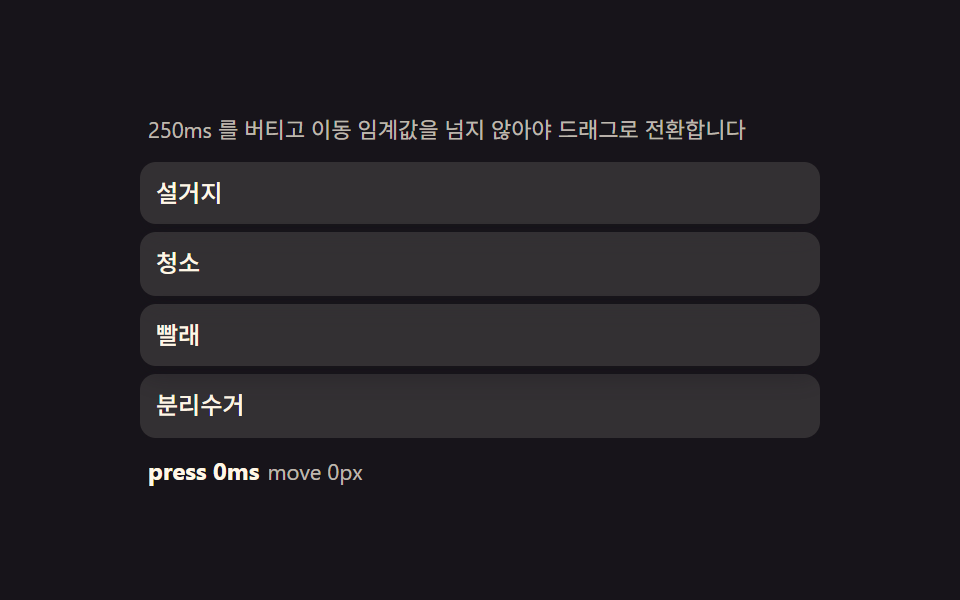 05 drag-touch-long-press
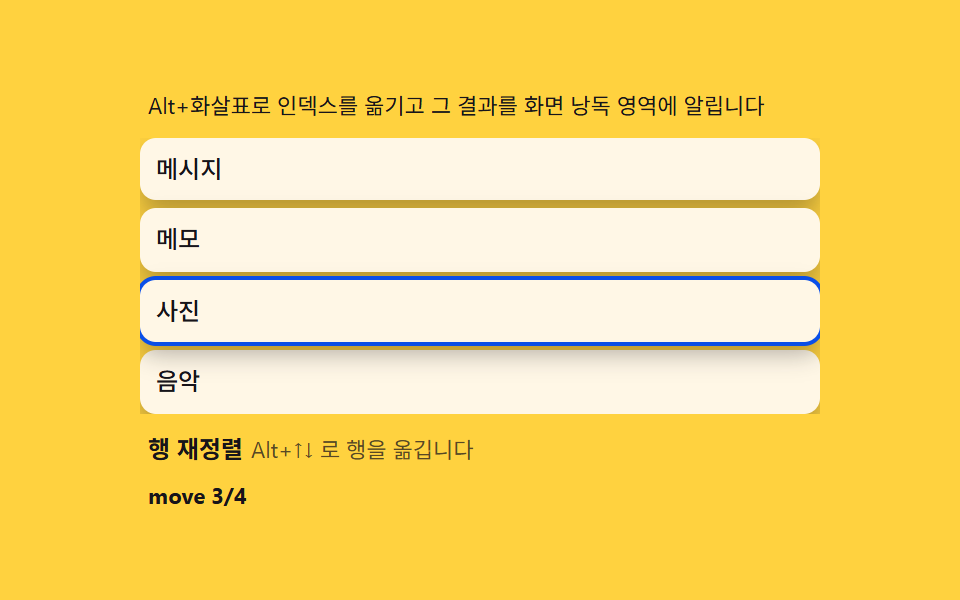 06 drag-keyboard-alt
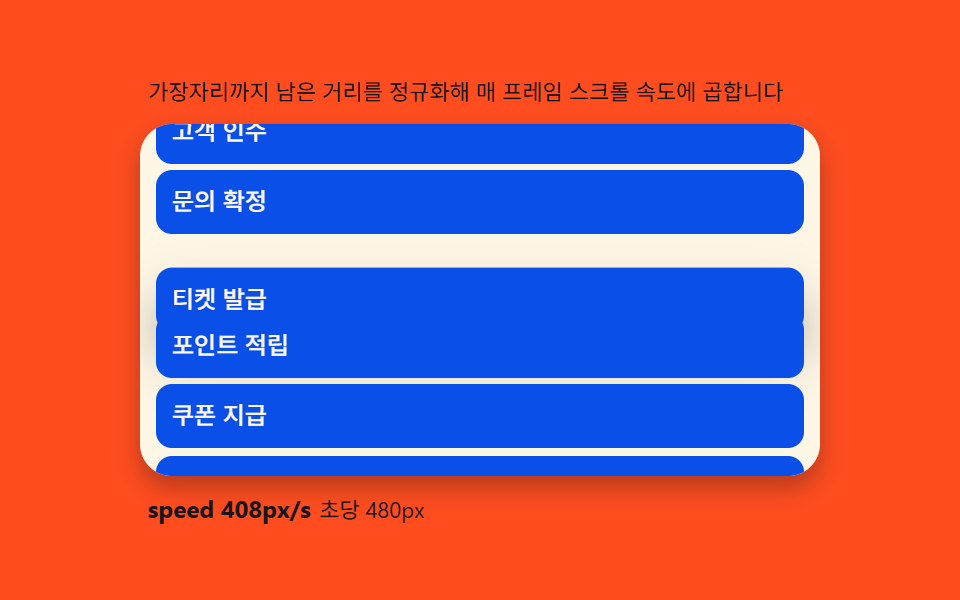 07 drag-autoscroll
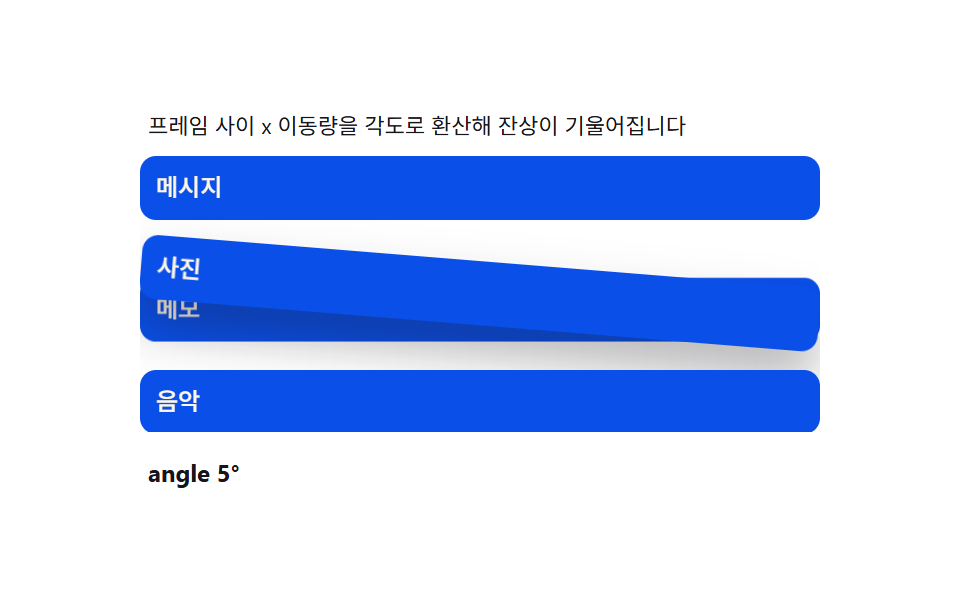 08 drag-ghost-preview
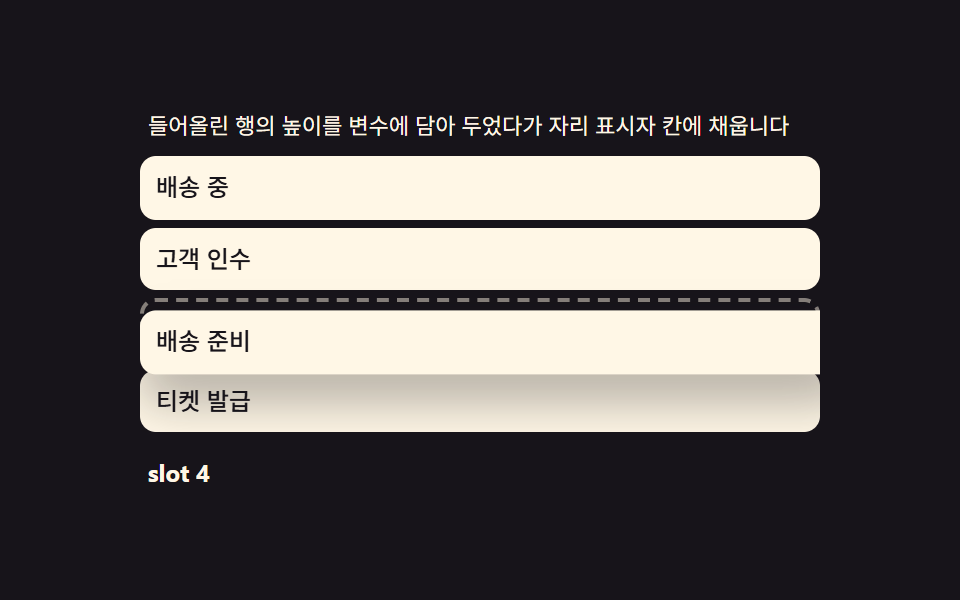 09 drag-drop-placeholder
Auto-plays · click a tile to jump to its section · all nine in one zip
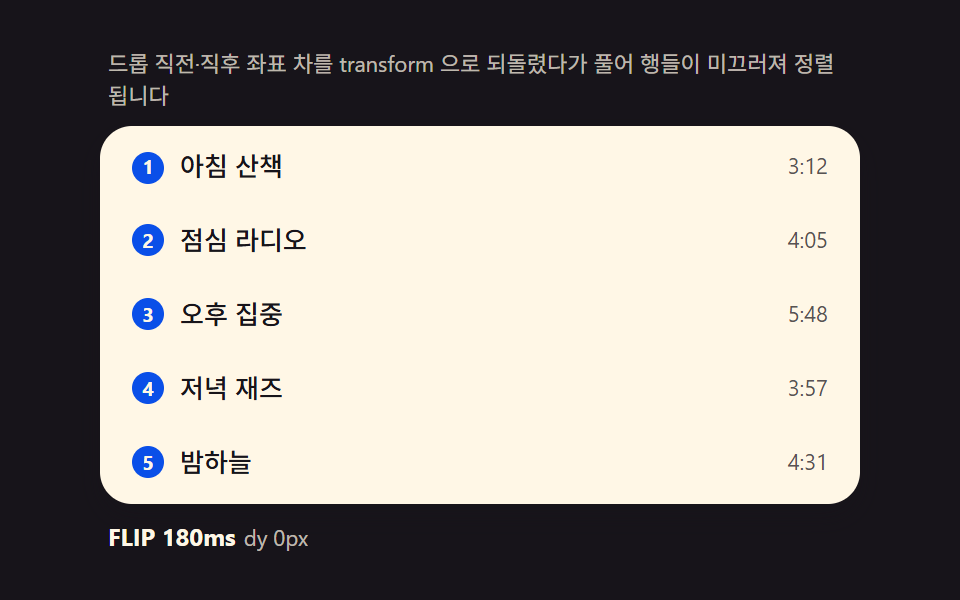
- 01 FLIP list — computing the before/after offset and releasing it into a transition
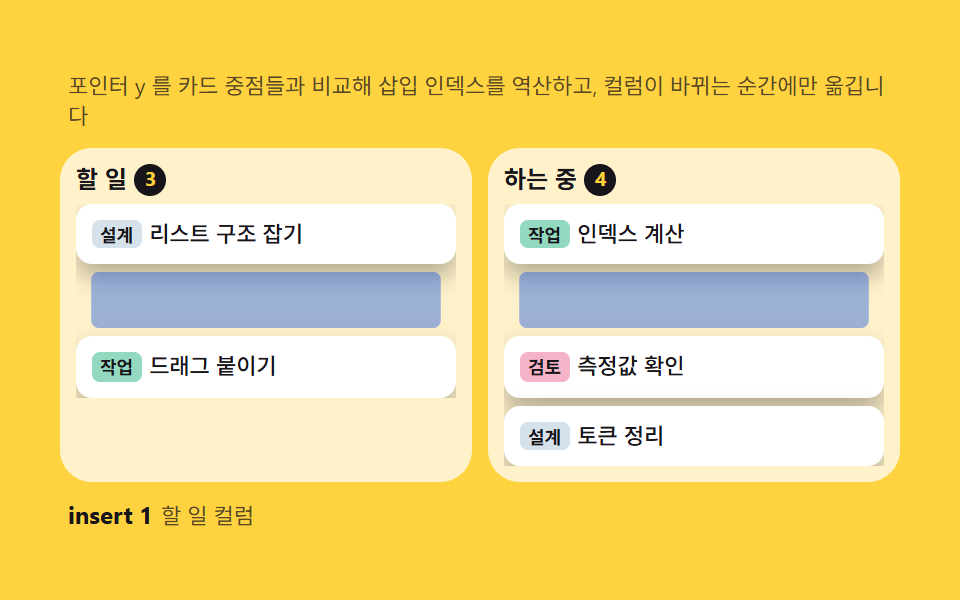
- 02 Kanban card — inverting pointer Y ratio into a target column and insertion index
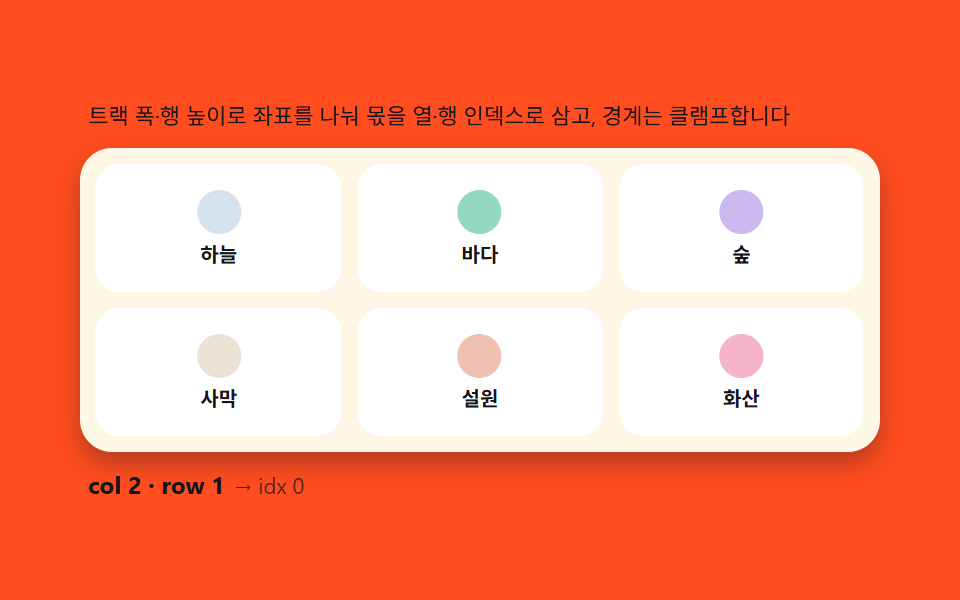
- 03 Grid reflow — inverting pointer coordinates into row/column indices
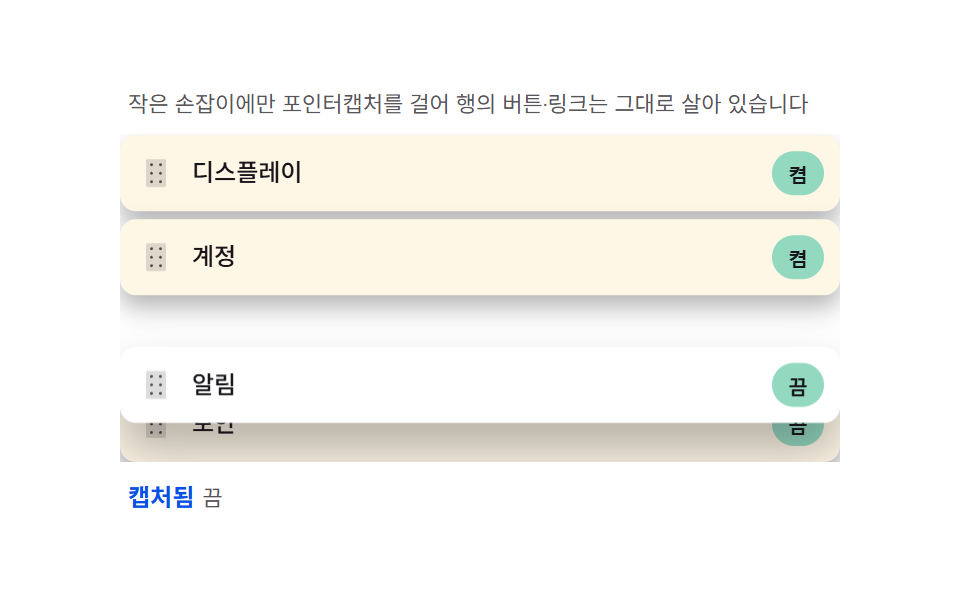
- 04 Handle-only — capturing the pointer on a small grip so the rest of the row stays interactive
- 05 Long-press gate — splitting scroll from drag with a hold timer and a movement threshold
- 06 Keyboard reorder — moving array indices with Alt+Arrow and announcing via aria-live
- 07 Edge autoscroll — an rAF loop mapping edge distance into scroll speed
- 08 Ghost preview — a trailing clone that turns move speed into tilt
- 09 Drop placeholder — carrying the lifted row's height into a growing gap
Nine builds follow, and each one hands the pointer a slightly harder job than the last: item 01 only ever reorders a single flat list, item 02 adds a second container and a column boundary, item 03 collapses that boundary into a 2D grid of row/column indices, and items 04 through 09 each isolate one piece of real-world friction -- a small grip, a scroll-versus-drag decision, a keyboard-only path, a viewport edge, a tilting ghost, and a placeholder that has to remember a row's own height. Reading them in this order means every later item reuses a formula the one before it already introduced.
Demo
All nine boards replay a fixed drag sequence off a performance.now() clock instead of Math.random() or a CSS @keyframes loop, so the same row lands in the same slot in the same order every time the page loads. A real pointerdown, click, or Alt+Arrow press on any row stops that replay immediately and hands control back to whoever is actually holding the mouse, the finger, or the keyboard, and prefers-reduced-motion keeps every index calculation running while only dropping the transform that animates the settle.
Anatomy of drag reorder — pointerdown, move, up and setPointerCapture
Four events and one captured pointer
Six of the nine items -- 02, 04, 05, 07, 08 and 09 -- run their reorder on the same four events: pointerdown starts the gesture and calls setPointerCapture so the row keeps receiving pointermove even once the finger or cursor drifts outside its box, pointermove recomputes a target position on every frame, and pointerup or pointercancel commits the new order and releases the capture. Items 01, 03 and 06 compress the same index math into a single click or a pair of Alt+Arrow keys, so no pointer gesture is needed there at all. None of the nine reaches for the older HTML5 Drag and Drop API or juggles separate mouse and touch listeners -- one capture, one set of events, one code path wherever the pointer is involved.
Measure, invert, play, release
Reordering the DOM first and animating second is what keeps every list here from jumping: getBoundingClientRect() runs once before the reorder and once after, the difference between the two becomes a transform: translateY() applied with transition: none so the row appears to not have moved at all, and releasing that transform to zero on the next frame -- with a real transition this time -- is what turns a silent DOM swap into a visible glide. This is the FLIP pattern, and all nine items below build directly on it.
Code per list in nine steps
Paste any one item's prompt from the zip into an AI coding tool and it rebuilds the same board -- the block under each item below is trimmed straight out of that item's index.html, the same file that ships inside the password-protected download alongside a matching React version.
01FLIP list — computing the before/after offset and releasing it into a transition
A reorder that repaints straight into its new slot reads as a jump cut, so this item measures the offset first and lets the row travel the distance instead of teleporting across it.
Why the invert has to happen before paint
Appending every row in its new order and only afterward comparing each one's fresh top to its old one is what makes the FLIP math work: any row that actually moved gets a translateY() equal to exactly how far it would otherwise have jumped, and because that transform is applied with transition: none in the same synchronous pass, the browser never paints the jump at all.
<main class="stage">
<div class="fl">
  <p class="fl__hint">The before/after coordinate delta is reversed with transform, then released so rows glide into place.</p>
  <ul class="fl__list" id="flList" role="listbox" aria-label="Playlist" aria-describedby="flHint">
    <li class="fl__row" role="option" aria-selected="false" tabindex="0"><span class="fl__rank" aria-hidden="true">1</span><span class="fl__name">Morning walk</span><span class="fl__len">3:12</span></li>
    <li class="fl__row" role="option" aria-selected="false" tabindex="0"><span class="fl__rank" aria-hidden="true">2</span><span class="fl__name">Lunch radio</span><span class="fl__len">4:05</span></li>
    <li class="fl__row" role="option" aria-selected="false" tabindex="0"><span class="fl__rank" aria-hidden="true">3</span><span class="fl__name">Deep focus</span><span class="fl__len">5:48</span></li>
    <li class="fl__row" role="option" aria-selected="false" tabindex="0"><span class="fl__rank" aria-hidden="true">4</span><span class="fl__name">Evening jazz</span><span class="fl__len">3:57</span></li>
    <li class="fl__row" role="option" aria-selected="false" tabindex="0"><span class="fl__rank" aria-hidden="true">5</span><span class="fl__name">Night sky</span><span class="fl__len">4:31</span></li>
  </ul>
  <p class="fl__meta"><b class="fl__tag" id="flState">FLIP 180ms</b><span class="fl__unit" id="flDelta">dy 0px</span></p>
</div>
</main>
@use "../../../../site/static/demo-tokens" as *;
$duration: 180ms;
$easing: cubic-bezier(.2,.8,.2,1);
$color: $subject-blue-deep;
// 파스텔 강조(도구/파스텔.py to_pastel 결과: 채도 .34 · 명도 +.11)
$p-mint: #93d9c0;
@include stage($stage-ink);
.fl {
width: 100%;
max-width: 380px;
display: flex;
flex-direction: column;
gap: $sp-2;
}
.fl__hint {
margin: 0;
padding: 0 $sp-1;
font-weight: 400;
font-size: 11px;
line-height: 1.4;
color: rgba($subject-cream, .72);
}
.fl__list {
margin: 0;
padding: $sp-1;
list-style: none;
display: flex;
flex-direction: column;
gap: $sp-1;
background: $subject-cream;
border-radius: $r-card;
box-shadow: $shadow-press;
overflow-y: auto;
}
.fl__row {
display: flex;
align-items: center;
gap: $sp-2;
padding: $sp-2 $sp-3;
border-radius: $r-sm;
background: transparent;
color: $subject-ink;
font-weight: 500;
font-size: 13px;
line-height: 1.3;
cursor: grab;
// will-change 없이도 transform 만 움직인다 — top/left 재계산 금지(기본규칙)
transform: translateY(0);
}
.fl__row:hover {
background: $p-mint;
}
.fl__rank {
flex: 0 0 auto;
width: 16px;
height: 16px;
display: grid;
place-items: center;
border-radius: $r-pill;
background: $color;
color: $subject-cream;
font-weight: 700;
font-size: 10px;
}
.fl__name {
flex: 1 1 auto;
min-width: 0;
overflow: hidden;
white-space: nowrap;
text-overflow: ellipsis;
}
.fl__len {
flex: 0 0 auto;
font-weight: 400;
font-size: 11px;
color: rgba($subject-ink, .72);
}
.fl__meta {
margin: 0;
padding: 0 $sp-1;
display: flex;
align-items: baseline;
gap: $sp-1;
}
.fl__tag {
font-weight: 700;
font-size: 12px;
color: $subject-cream;
}
.fl__unit {
font-weight: 400;
font-size: 11px;
color: rgba($subject-cream, .72);
}
@media (max-width: 340px) {
.fl { max-width: 280px; gap: $sp-1; }
.fl__hint { font-size: 10px; }
.fl__row { font-size: 12px; padding: $sp-1 $sp-2; }
.fl__list { max-height: 92px; gap: 0; }
}
@media (prefers-reduced-motion: reduce) {
.fl__row {
transition: none !important;
transform: none !important;
}
}html, body {
margin: 0;
overflow: hidden;
}
.stage {
box-sizing: border-box;
min-height: 100vh;
display: grid;
place-items: center;
margin: 0;
background: #17141a;
font-family: -apple-system, "Segoe UI", "Noto Sans KR", sans-serif;
padding: clamp(8px, 4vw, 24px);
}
.fl {
width: 100%;
max-width: 380px;
display: flex;
flex-direction: column;
gap: 8px;
}
.fl__hint {
margin: 0;
padding: 0 4px;
font-weight: 400;
font-size: 11px;
line-height: 1.4;
color: rgba(255, 247, 230, 0.72);
}
.fl__list {
margin: 0;
padding: 4px;
list-style: none;
display: flex;
flex-direction: column;
gap: 4px;
background: #fff7e6;
border-radius: 16px;
box-shadow: 0 6px 12px rgba(23, 20, 26, 0.32);
overflow-y: auto;
}
.fl__row {
display: flex;
align-items: center;
gap: 8px;
padding: 8px 12px;
border-radius: 8px;
background: transparent;
color: #17141a;
font-weight: 500;
font-size: 13px;
line-height: 1.3;
cursor: grab;
transform: translateY(0);
}
.fl__row:hover {
background: #93d9c0;
}
.fl__rank {
flex: 0 0 auto;
width: 16px;
height: 16px;
display: grid;
place-items: center;
border-radius: 999px;
background: #0a4fe8;
color: #fff7e6;
font-weight: 700;
font-size: 10px;
}
.fl__name {
flex: 1 1 auto;
min-width: 0;
overflow: hidden;
white-space: nowrap;
text-overflow: ellipsis;
}
.fl__len {
flex: 0 0 auto;
font-weight: 400;
font-size: 11px;
color: rgba(23, 20, 26, 0.72);
}
.fl__meta {
margin: 0;
padding: 0 4px;
display: flex;
align-items: baseline;
gap: 4px;
}
.fl__tag {
font-weight: 700;
font-size: 12px;
color: #fff7e6;
}
.fl__unit {
font-weight: 400;
font-size: 11px;
color: rgba(255, 247, 230, 0.72);
}
@media (max-width: 340px) {
.fl {
max-width: 280px;
gap: 4px;
}
.fl__hint {
font-size: 10px;
}
.fl__row {
font-size: 12px;
padding: 4px 8px;
}
.fl__list {
max-height: 92px;
gap: 0;
}
}
@media (prefers-reduced-motion: reduce) {
.fl__row {
transition: none !important;
transform: none !important;
}
}// FLIP 리스트(01) — 드롭으로 배열이 바뀌는 순간, 바뀌기 전 각 행의 getBoundingClientRect().top(first)을
// 재 두었다가 바뀐 뒤 좌표(last)와의 차(invert)를 transform translateY 로 즉시 되돌리고, 다음 프레임에
// transform 을 0 으로 풀어(play) 행들이 자연스럽게 미끄러지게 한다. 문구 사전과 실제 이동 픽셀은
// rAF 시계가 매 프레임 갱신한다. 포인터 조작도 같은 함수를 탄다(라이브러리 0, Pointer Events 기반).
(function () {
var list = document.getElementById('flList');
var stateEl = document.getElementById('flState');
var deltaEl = document.getElementById('flDelta');
if (!list || !stateEl || !deltaEl) return;
var DUR = 180; // FLIP 정리 시간(ms) — 변형 칩이 이 값만 바꾼다
var ROWS = ['Morning walk', 'Lunch radio', 'Deep focus', 'Evening jazz', 'Night sky'];
var LENS = ['3:12', '4:05', '5:48', '3:57', '4:31'];
var reduce = window.matchMedia('(prefers-reduced-motion: reduce)').matches;
function rows() { return Array.prototype.slice.call(list.children); }
// FLIP — 순서 배열 order 를 적용하고 이동한 행을 되돌렸다가 푼다
function applyOrder(order) {
var rs = rows();
var first = rs.map(function (r) { return r.getBoundingClientRect().top; });
// 배열 순서대로 다시 붙인다
for (var i = 0; i < order.length; i++) list.appendChild(rs[order[i]]);
rs = rows();
var maxAbs = 0;
for (var j = 0; j < rs.length; j++) {
var dy = first[order[j]] - rs[j].getBoundingClientRect().top; // invert
if (Math.abs(dy) > Math.abs(maxAbs)) maxAbs = dy;
if (dy !== 0) {
rs[j].style.transition = 'none';
rs[j].style.transform = 'translateY(' + dy + 'px)';
}
}
deltaEl.textContent = 'dy ' + Math.round(maxAbs) + 'px';
// play — 다음 프레임에 되돌림을 푼다
requestAnimationFrame(function () {
rs.forEach(function (r) {
r.style.transition = 'transform ' + DUR + 'ms cubic-bezier(.2,.8,.2,1)';
r.style.transform = 'translateY(0)';
});
setTimeout(function () { rs.forEach(function (r) { r.style.transition = ''; }); }, DUR + 40);
});
// rank 갱신
rs.forEach(function (r, i) { r.querySelector('.fl__rank').textContent = String(i + 1); });
return rs;
}
// 사람 조작 — 행을 클릭해 아래로, Shift+클릭으로 위로 (같은 FLIP 경로)
list.addEventListener('click', function (e) {
stop();
var li = e.target.closest('.fl__row');
if (!li) return;
var idx = rows().indexOf(li);
var order = [0, 1, 2, 3, 4];
if (e.shiftKey) {
if (idx === 0) return;
order.splice(idx - 1, 0, order.splice(idx, 1)[0]);
} else {
if (idx === 4) return;
order.splice(idx + 1, 0, order.splice(idx, 1)[0]);
}
applyOrder(order);
});
// 자동 시연 — 시드 고정 시나리오: 3→1, 1→4, 원복. 한 사이클 2초.
var playing = true;
function stop() { playing = false; }
var CYCLE = [
{ pick: 2, to: 0, hold: 700 }, // Deep focus 3번째 → 1번째
{ pick: 0, to: 3, hold: 700 }, // Morning walk 1번째 → 4번째
{ pick: 0, to: 1, hold: 600 } // 1번째와 2번째 교환(원복 성분)
];
function permute(pick, to) {
var order = [0, 1, 2, 3, 4];
order.splice(to, 0, order.splice(pick, 1)[0]);
applyOrder(order);
}
if (reduce) {
permute(2, 0);
} else {
var seg = 0, segStart = performance.now();
(function step(now) {
if (playing) {
var s = CYCLE[seg];
if (now - segStart >= s.hold) {
seg = (seg + 1) % CYCLE.length;
segStart = now;
permute(CYCLE[seg].pick, CYCLE[seg].to);
}
}
requestAnimationFrame(step);
})(segStart);
}
})();// DragReorderList — vanilla 판(run/336/demo/01-drag-reorder-list/index.html)
// 의 React 포트. 배열 순서(order)를 실제 DOM 자식에 적용하기 전 각 행의 getBoundingClientRect().top
// (first)을 재 두었다가, 적용 후 좌표(last)와의 차(invert)를 transform translateY 로 즉시 되돌리고
// 다음 프레임에 transform 을 0 으로 풀어(play) 행이 미끄러지듯 정렬된다(FLIP). 사람 조작(클릭·Shift+클릭)
// 도 같은 applyOrder 를 타고, 자동 시연은 시드 고정 시나리오(CYCLE)로 같은 함수를 호출한다.
import { useEffect, useRef } from "react";
import styles from "./DragReorderList.module.scss";
export type DragReorderListProps = {
duration?: string;
easing?: string;
color?: string;
};
type Box<T> = { current: T };
const HINT = "드롭 직전·직후 좌표 차를 transform 으로 되돌렸다가 풀어 행들이 미끄러져 정렬됩니다";
const ARIA_LABEL = "재생목록";
const ROW_NAMES = ["아침 산책", "점심 라디오", "오후 집중", "저녁 재즈", "밤하늘"];
const LENS = ["3:12", "4:05", "5:48", "3:57", "4:31"];
type CycleStep = { pick: number; to: number; hold: number };
const CYCLE: CycleStep[] = [
{ pick: 2, to: 0, hold: 700 },
{ pick: 0, to: 3, hold: 700 },
{ pick: 0, to: 1, hold: 600 }
];
export default function DragReorderList({
duration = "180ms",
easing = "cubic-bezier(.2,.8,.2,1)",
color = "#0a4fe8"
}: DragReorderListProps) {
const listRef = useRef<HTMLUListElement | null>(null);
const stateRef = useRef<HTMLElement | null>(null);
const deltaRef = useRef<HTMLSpanElement | null>(null);
const rafRef = useRef(0) as Box<number>;
useEffect(() => {
const list = listRef.current;
const stateEl = stateRef.current;
const deltaEl = deltaRef.current;
if (!list || !stateEl || !deltaEl) return;
const DUR = parseFloat(duration) || 180;
function rows(): HTMLElement[] {
return Array.prototype.slice.call(list!.children);
}
function applyOrder(order: number[]): HTMLElement[] {
let rs = rows();
const first = rs.map((r) => r.getBoundingClientRect().top);
for (let i = 0; i < order.length; i++) list!.appendChild(rs[order[i]]);
rs = rows();
let maxAbs = 0;
for (let j = 0; j < rs.length; j++) {
const dy = first[order[j]] - rs[j].getBoundingClientRect().top;
if (Math.abs(dy) > Math.abs(maxAbs)) maxAbs = dy;
if (dy !== 0) {
rs[j].style.transition = "none";
rs[j].style.transform = "translateY(" + dy + "px)";
}
}
deltaEl!.textContent = "dy " + Math.round(maxAbs) + "px";
requestAnimationFrame(() => {
rs.forEach((r) => {
r.style.transition = "transform " + DUR + "ms " + easing;
r.style.transform = "translateY(0)";
});
setTimeout(() => {
rs.forEach((r) => { r.style.transition = ""; });
}, DUR + 40);
});
rs.forEach((r, i) => {
const rank = r.querySelector("." + styles.rank);
if (rank) rank.textContent = String(i + 1);
});
return rs;
}
function stop(): void {
playing = false;
}
function onClick(e: MouseEvent): void {
stop();
const target = e.target as HTMLElement;
const li = target.closest("." + styles.row) as HTMLElement | null;
if (!li) return;
const idx = rows().indexOf(li);
const order = [0, 1, 2, 3, 4];
if (e.shiftKey) {
if (idx === 0) return;
order.splice(idx - 1, 0, order.splice(idx, 1)[0]);
} else {
if (idx === 4) return;
order.splice(idx + 1, 0, order.splice(idx, 1)[0]);
}
applyOrder(order);
}
list.addEventListener("click", onClick as EventListener);
const reduce = window.matchMedia("(prefers-reduced-motion: reduce)").matches;
let playing = true;
function permute(pick: number, to: number): void {
const order = [0, 1, 2, 3, 4];
order.splice(to, 0, order.splice(pick, 1)[0]);
applyOrder(order);
}
if (reduce) {
permute(2, 0);
} else {
let seg = 0;
let segStart = performance.now();
const step = (now: number): void => {
if (playing) {
const s = CYCLE[seg];
if (now - segStart >= s.hold) {
seg = (seg + 1) % CYCLE.length;
segStart = now;
permute(CYCLE[seg].pick, CYCLE[seg].to);
}
}
rafRef.current = requestAnimationFrame(step);
};
rafRef.current = requestAnimationFrame(step);
}
return () => {
cancelAnimationFrame(rafRef.current);
list.removeEventListener("click", onClick as EventListener);
};
// eslint-disable-next-line react-hooks/exhaustive-deps
}, []);
return (
<main className={styles.stage}>
<div className={styles.fl}>
<p className={styles.hint} id="flHintReact">{HINT}</p>
<ul className={styles.list} ref={listRef} role="listbox" aria-label={ARIA_LABEL} aria-describedby="flHintReact">
{ROW_NAMES.map((name, i) => (
<li key={i} className={styles.row} role="option" aria-selected="false" tabIndex={0}>
<span className={styles.rank} aria-hidden="true" style={{ background: color }}>{i + 1}</span>
<span className={styles.name}>{name}</span>
<span className={styles.len}>{LENS[i]}</span>
</li>
))}
</ul>
<p className={styles.meta}>
<b className={styles.tag} ref={stateRef}>FLIP {duration}</b>
<span className={styles.unit} ref={deltaRef}>dy 0px</span>
</p>
</div>
</main>
);
}01 · FLIP list — computing the before/after offset and releasing it into a transition — Measured area 6.12% · moving frames 12/23Original by GODRICH · SCSS and React ship in the zip · See the password
What the numbers say
Painted area comes out lowest of the nine at 6.12% (peak frame 3.77%, average intensity 104.5), moving on 12 of its 23 frame-to-frame comparisons as the scripted sequence pauses between each swap to let the settle finish.
function applyOrder(order) {
  var rs = rows();
  var first = rs.map(function (r) { return r.getBoundingClientRect().top; });
  // reorder into the new sequence
  for (var i = 0; i < order.length; i++) list.appendChild(rs[order[i]]);
  rs = rows();
  var maxAbs = 0;
  for (var j = 0; j < rs.length; j++) {
    var dy = first[order[j]] - rs[j].getBoundingClientRect().top; // invert
    if (Math.abs(dy) > Math.abs(maxAbs)) maxAbs = dy;
    if (dy !== 0) {
      rs[j].style.transition = 'none';
      rs[j].style.transform = 'translateY(' + dy + 'px)';
    }
  }
  deltaEl.textContent = 'dy ' + Math.round(maxAbs) + 'px';
  // play -- release the invert on the next frame
  requestAnimationFrame(function () {
    rs.forEach(function (r) {
      r.style.transition = 'transform ' + DUR + 'ms cubic-bezier(.2,.8,.2,1)';
      r.style.transform = 'translateY(0)';
    });
    setTimeout(function () { rs.forEach(function (r) { r.style.transition = ''; }); }, DUR + 40);
  });
}
02Kanban card — inverting pointer Y ratio into a target column and insertion index
Dropping a card into whichever column happens to be under the pointer needs two separate lookups, so this item keeps the column test and the row-index test as two small functions instead of one tangled one.
Why a column edge alone can't place a card
Knowing which column the pointer is over only answers half the question -- the other half is where inside that column's card list the drop belongs, and comparing the pointer's Y against each card's own vertical midpoint is what turns a column into a specific insertion slot rather than just an append target.
<main class="stage">
<div class="kb">
  <p class="kb__hint">Pointer Y is compared against card midpoints to invert the insertion index; the move only fires when the column changes.</p>
  <div class="kb__board" id="kbBoard">
    <section class="kb__col" id="kbColA" aria-label="To do">
      <h2 class="kb__title">To do <b class="kb__count" id="kbCountA">3</b></h2>
      <ul class="kb__cards" id="kbListA">
        <li class="kb__card"><span class="kb__tag kb__tag--b">design</span><span class="kb__txt">Structure the list</span></li>
        <li class="kb__card"><span class="kb__tag kb__tag--b">design</span><span class="kb__txt">Sort tokens</span></li>
        <li class="kb__card"><span class="kb__tag kb__tag--m">build</span><span class="kb__txt">Wire the drag</span></li>
      </ul>
    </section>
    <section class="kb__col" id="kbColB" aria-label="Doing">
      <h2 class="kb__title">Doing <b class="kb__count" id="kbCountB">2</b></h2>
      <ul class="kb__cards" id="kbListB">
        <li class="kb__card"><span class="kb__tag kb__tag--m">build</span><span class="kb__txt">Index math</span></li>
        <li class="kb__card"><span class="kb__tag kb__tag--o">review</span><span class="kb__txt">Verify metrics</span></li>
      </ul>
    </section>
  </div>
  <p class="kb__meta"><b class="kb__state" id="kbState">insert 2</b><span class="kb__unit" id="kbCol">To-do column</span></p>
</div>
</main>
@use "../../../../site/static/demo-tokens" as *;
$duration: 220ms;
$easing: $ease-spring;
$color: $subject-blue-deep;
// 파스텔 강조(도구/파스텔.py to_pastel 결과: 채도 .34 · 명도 +.11)
$p-pink: #f4b3c6;
$p-mint: #93d9c0;
$p-sky: #d6e2eb;
@include stage($stage-yellow);
.kb {
width: 100%;
max-width: 420px;
display: flex;
flex-direction: column;
gap: $sp-2;
}
.kb__hint {
margin: 0;
padding: 0 $sp-1;
font-weight: 400;
font-size: 11px;
line-height: 1.4;
color: rgba($subject-ink, .72);
}
.kb__board {
display: grid;
grid-template-columns: repeat(2, 1fr);
gap: $sp-2;
}
.kb__col {
display: flex;
flex-direction: column;
gap: $sp-1;
background: rgba(255, 255, 255, .72);
border-radius: $r-card;
padding: $sp-2;
}
.kb__title {
margin: 0;
display: flex;
align-items: center;
gap: $sp-1;
font-weight: 700;
font-size: 12px;
line-height: 1.3;
color: $subject-ink;
}
.kb__count {
display: grid;
place-items: center;
width: 16px;
height: 16px;
border-radius: $r-pill;
background: $subject-ink;
color: $stage-yellow;
font-weight: 700;
font-size: 10px;
}
.kb__cards {
margin: 0;
padding: 0;
list-style: none;
display: flex;
flex-direction: column;
gap: $sp-1;
min-height: 96px;
overflow-y: auto;
}
.kb__card {
display: flex;
align-items: center;
gap: $sp-1;
padding: $sp-2;
border-radius: $r-sm;
background: $stage-paper;
box-shadow: $shadow-press;
color: $subject-ink;
font-weight: 500;
font-size: 11px;
line-height: 1.3;
cursor: grab;
touch-action: none;
transition: transform $duration $easing;
}
.kb__card:hover {
transform: translateY(-2px) scale(1.02);
transform-origin: center;
}
.kb__card--drag {
cursor: grabbing;
box-shadow: $shadow-raised;
}
.kb__tag {
flex: 0 0 auto;
padding: 0 $sp-1;
border-radius: $r-xs;
font-weight: 700;
font-size: 9px;
line-height: 1.6;
}
.kb__tag--b { background: $p-sky; color: $subject-ink; }
.kb__tag--m { background: $p-mint; color: $subject-ink; }
.kb__tag--o { background: $p-pink; color: $subject-ink; }
.kb__txt {
flex: 1 1 auto;
min-width: 0;
overflow: hidden;
white-space: nowrap;
text-overflow: ellipsis;
}
.kb__line {
height: 28px;
border-radius: $r-xs;
background: rgba($color, .4);
list-style: none;
transform: scaleX(.92);
transform-origin: center;
transition: transform $duration $easing;
}
.kb__meta {
margin: 0;
padding: 0 $sp-1;
display: flex;
align-items: baseline;
gap: $sp-1;
}
.kb__state {
font-weight: 700;
font-size: 12px;
color: $subject-ink;
}
.kb__unit {
font-weight: 400;
font-size: 11px;
color: rgba($subject-ink, .72);
}
@media (max-width: 340px) {
.kb { max-width: 280px; gap: $sp-1; }
.kb__hint { font-size: 10px; }
.kb__card { font-size: 10px; padding: $sp-1; }
.kb__cards { max-height: 66px; min-height: 0; }
}
@media (prefers-reduced-motion: reduce) {
.kb__card,
.kb__line {
transition: none !important;
transform: none !important;
}
}html, body {
margin: 0;
overflow: hidden;
}
.stage {
box-sizing: border-box;
min-height: 100vh;
display: grid;
place-items: center;
margin: 0;
background: #ffd23f;
font-family: -apple-system, "Segoe UI", "Noto Sans KR", sans-serif;
padding: clamp(8px, 4vw, 24px);
}
.kb {
width: 100%;
max-width: 420px;
display: flex;
flex-direction: column;
gap: 8px;
}
.kb__hint {
margin: 0;
padding: 0 4px;
font-weight: 400;
font-size: 11px;
line-height: 1.4;
color: rgba(23, 20, 26, 0.72);
}
.kb__board {
display: grid;
grid-template-columns: repeat(2, 1fr);
gap: 8px;
}
.kb__col {
display: flex;
flex-direction: column;
gap: 4px;
background: rgba(255, 255, 255, 0.72);
border-radius: 16px;
padding: 8px;
}
.kb__title {
margin: 0;
display: flex;
align-items: center;
gap: 4px;
font-weight: 700;
font-size: 12px;
line-height: 1.3;
color: #17141a;
}
.kb__count {
display: grid;
place-items: center;
width: 16px;
height: 16px;
border-radius: 999px;
background: #17141a;
color: #ffd23f;
font-weight: 700;
font-size: 10px;
}
.kb__cards {
margin: 0;
padding: 0;
list-style: none;
display: flex;
flex-direction: column;
gap: 4px;
min-height: 96px;
overflow-y: auto;
}
.kb__card {
display: flex;
align-items: center;
gap: 4px;
padding: 8px;
border-radius: 8px;
background: #ffffff;
box-shadow: 0 6px 12px rgba(23, 20, 26, 0.32);
color: #17141a;
font-weight: 500;
font-size: 11px;
line-height: 1.3;
cursor: grab;
touch-action: none;
transition: transform 220ms cubic-bezier(0.2, 0.8, 0.2, 1);
}
.kb__card:hover {
transform: translateY(-2px) scale(1.02);
transform-origin: center;
}
.kb__card--drag {
cursor: grabbing;
box-shadow: 0 14px 24px rgba(23, 20, 26, 0.32);
}
.kb__tag {
flex: 0 0 auto;
padding: 0 4px;
border-radius: 4px;
font-weight: 700;
font-size: 9px;
line-height: 1.6;
}
.kb__tag--b {
background: #d6e2eb;
color: #17141a;
}
.kb__tag--m {
background: #93d9c0;
color: #17141a;
}
.kb__tag--o {
background: #f4b3c6;
color: #17141a;
}
.kb__txt {
flex: 1 1 auto;
min-width: 0;
overflow: hidden;
white-space: nowrap;
text-overflow: ellipsis;
}
.kb__line {
height: 28px;
border-radius: 4px;
background: rgba(10, 79, 232, 0.4);
list-style: none;
transform: scaleX(0.92);
transform-origin: center;
transition: transform 220ms cubic-bezier(0.2, 0.8, 0.2, 1);
}
.kb__meta {
margin: 0;
padding: 0 4px;
display: flex;
align-items: baseline;
gap: 4px;
}
.kb__state {
font-weight: 700;
font-size: 12px;
color: #17141a;
}
.kb__unit {
font-weight: 400;
font-size: 11px;
color: rgba(23, 20, 26, 0.72);
}
@media (max-width: 340px) {
.kb {
max-width: 280px;
gap: 4px;
}
.kb__hint {
font-size: 10px;
}
.kb__card {
font-size: 10px;
padding: 4px;
}
.kb__cards {
max-height: 66px;
min-height: 0;
}
}
@media (prefers-reduced-motion: reduce) {
.kb__card,
.kb__line {
transition: none !important;
transform: none !important;
}
}// 칸반 카드(02) — 포인터가 어느 컬럼의 getBoundingClientRect 안에 있는지로 대상 컬럼을 찾고(findColumn),
// 그 column 안 카드들의 y 중점과 포인터 y 를 비교해 삽입 인덱스를 역산한다(insertIndex). 컬럼이 실제로
// 바뀌는 순간에만 appendChild 로 카드를 옮기고, 같은 column 안에서는 미리보기 삽입선만 움직인다.
// 자동 시연은 고정 시나리오: 카드를 뽑아 다른 컬럼의 계산된 위치에 놓기를 2초 주기로 반복한다.
(function () {
var colA = document.getElementById('kbColA');
var colB = document.getElementById('kbColB');
var listA = document.getElementById('kbListA');
var listB = document.getElementById('kbListB');
var countA = document.getElementById('kbCountA');
var countB = document.getElementById('kbCountB');
var stateEl = document.getElementById('kbState');
var colEl = document.getElementById('kbCol');
if (!colA || !colB || !listA || !listB || !countA || !countB || !stateEl || !colEl) return;
var COLS = [colA, colB];
var NAMES = ['To do', 'Doing'];
// column rects 캐시 — 시연 시나리오마다 재측정
function findColumn(x) {
for (var i = 0; i < COLS.length; i++) {
var r = COLS[i].getBoundingClientRect();
if (x >= r.left && x <= r.right) return i;
}
return -1;
}
// 삽입 인덱스 역산 — 카드 y 중점과 포인터 y 비교
function insertIndex(colList, y) {
var cards = colList.children;
for (var i = 0; i < cards.length; i++) {
var r = cards[i].getBoundingClientRect();
if (y < r.top + r.height / 2) return i;
}
return cards.length;
}
function refreshCounts() {
countA.textContent = String(listA.children.length);
countB.textContent = String(listB.children.length);
}
// 실제 이동 — 컬럼이 바뀔 때만 호출. FLIP: 이동 전 모든 카드 좌표를 재고 이동 후 차를 되돌렸다가 푼다
function moveCard(card, fromList, toList, index) {
var all = Array.prototype.slice.call(document.querySelectorAll('.kb__card'));
var first = all.map(function (c) { return c.getBoundingClientRect(); });
var target = toList.children[index] || null;
toList.insertBefore(card, target);
refreshCounts();
all.forEach(function (c, i) {
var r = c.getBoundingClientRect();
var dx = first[i].left - r.left, dy = first[i].top - r.top;
if (dx !== 0 || dy !== 0) {
c.style.transition = 'none';
c.style.transform = 'translate(' + dx + 'px,' + dy + 'px)';
requestAnimationFrame(function () {
c.style.transition = 'transform 260ms cubic-bezier(.2,.8,.2,1)';
c.style.transform = 'translate(0,0)';
});
}
});
}
// 미리보기 삽입선 — 같은 column 안에서 포인터 y 가 가리키는 칸
function previewLine(card, y) {
var list = card.parentElement;
if (!list) return;
var idx = insertIndex(list, y);
stateEl.textContent = 'insert ' + idx;
colEl.textContent = (list === listA ? NAMES[0] : NAMES[1]) + ' column';
var old = list.querySelector('.kb__line');
if (old) old.parentElement.removeChild(old);
var line = document.createElement('li');
line.className = 'kb__line';
var target = list.children[idx] || null;
list.insertBefore(line, target);
}
// 사람 조작 — 실제 포인터 drag: pointerdown 으로 캡처, pointermove 로 삽입선을 따라가고,
// pointerup 에서 findColumn+insertIndex 로 역산한 자리에 moveCard 를 부른다(같은 계산 경로).
var dragCard = null;
function onPointerDown(e) {
var card = e.target.closest('.kb__card');
if (!card) return;
stop();
dragCard = card;
card.setPointerCapture(e.pointerId);
card.classList.add('kb__card--drag');
}
function onPointerMove(e) {
if (!dragCard) return;
var ci = findColumn(e.clientX);
var list = ci === 1 ? listB : listA;
previewLine(dragCard, e.clientY);
if (list !== dragCard.parentElement) {
var idx = insertIndex(list, e.clientY);
var target = list.children[idx] || null;
list.insertBefore(dragCard, target);
refreshCounts();
}
}
function onPointerUp(e) {
if (!dragCard) return;
var card = dragCard;
dragCard = null;
card.classList.remove('kb__card--drag');
var list = card.parentElement;
var idx = insertIndex(list, e.clientY);
moveCard(card, list, list, Math.min(idx, list.children.length - 1));
clearLines();
}
colA.addEventListener('pointerdown', onPointerDown);
colB.addEventListener('pointerdown', onPointerDown);
colA.addEventListener('pointermove', onPointerMove);
colB.addEventListener('pointermove', onPointerMove);
colA.addEventListener('pointerup', onPointerUp);
colB.addEventListener('pointerup', onPointerUp);
colA.addEventListener('pointercancel', onPointerUp);
colB.addEventListener('pointercancel', onPointerUp);
// 클릭(탭)도 반대 컬럼의 중점 위치로 옮기는 대체 경로로 남긴다(포인터 없는 환경 대비)
function onCardClick(e) {
if (dragCard) return;
stop();
var card = e.target.closest('.kb__card');
if (!card) return;
var r = card.getBoundingClientRect();
var toOther = card.parentElement === listA ? listB : listA;
var idx = insertIndex(toOther, r.top + r.height / 2);
moveCard(card, card.parentElement, toOther, idx);
}
colA.addEventListener('click', onCardClick);
colB.addEventListener('click', onCardClick);
// 자동 시연 — 시나리오: A2 를 뽑아 B 의 계산 인덱스에, B1 을 A 로, 되돌리기. 2초 루프.
var playing = true;
function stop() { playing = false; }
var reduce = window.matchMedia('(prefers-reduced-motion: reduce)').matches;
function step1() {
var card = listA.children[1];
if (!card) return;
// column rect 를 다시 재서 목표 y 는 B column 세로 중간
var rb = colB.getBoundingClientRect();
var y = rb.top + rb.height / 2;
previewLine(card, y);
var idx = insertIndex(listB, y);
moveCard(card, listA, listB, idx);
}
function step2() {
var card = listB.children[0];
if (!card) return;
var ra = colA.getBoundingClientRect();
var y = ra.top + ra.height / 2;
previewLine(card, y);
var idx = insertIndex(listA, y);
moveCard(card, listB, listA, idx);
}
function clearLines() {
document.querySelectorAll('.kb__line').forEach(function (l) {
l.parentElement.removeChild(l);
});
}
if (reduce) {
step1();
clearLines();
} else {
var seq = [
{ at: 0, fn: step1 },
{ at: 660, fn: clearLines },
{ at: 1000, fn: step2 },
{ at: 1660, fn: clearLines }
];
var loopStart = performance.now();
(function tick(now) {
var t = (now - loopStart) % 2000;
seq.forEach(function (s) {
if (t >= s.at && t < s.at + 90 && !s.done) { s.fn(); s.done = true; }
if (t < s.at) s.done = false;
});
requestAnimationFrame(tick);
})(loopStart);
}
})();// DragReorderKanban — vanilla 판(run/336/demo/02-drag-reorder-kanban/index.html)
// 의 React 포트. 포인터가 어느 컬럼의 getBoundingClientRect 안에 있는지로 대상 컬럼을 찾고
// (findColumn), 그 컬럼 안 카드들의 y 중점과 포인터 y 를 비교해 삽입 인덱스를 역산한다
// (insertIndex). 컬럼이 실제로 바뀌는 순간에만 moveCard 가 전체 카드를 FLIP 으로 되돌린다.
import { useEffect, useRef } from "react";
import styles from "./DragReorderKanban.module.scss";
export type DragReorderKanbanProps = {
duration?: string;
easing?: string;
color?: string;
};
const HINT = "포인터 y 를 카드 중점들과 비교해 삽입 인덱스를 역산하고, 컬럼이 바뀌는 순간에만 옮깁니다";
const NAMES = ["할 일", "하는 중"];
type CardDef = { tag: string; tagClass: string; txt: string };
const CARDS_A: CardDef[] = [
{ tag: "설계", tagClass: "b", txt: "리스트 구조 잡기" },
{ tag: "설계", tagClass: "b", txt: "토큰 정리" },
{ tag: "작업", tagClass: "m", txt: "드래그 붙이기" }
];
const CARDS_B: CardDef[] = [
{ tag: "작업", tagClass: "m", txt: "인덱스 계산" },
{ tag: "검토", tagClass: "o", txt: "측정값 확인" }
];
export default function DragReorderKanban({
duration = "260ms",
easing = "cubic-bezier(.2,.8,.2,1)",
color = "#0a4fe8"
}: DragReorderKanbanProps) {
const colARef = useRef<HTMLElement | null>(null);
const colBRef = useRef<HTMLElement | null>(null);
const listARef = useRef<HTMLUListElement | null>(null);
const listBRef = useRef<HTMLUListElement | null>(null);
const countARef = useRef<HTMLElement | null>(null);
const countBRef = useRef<HTMLElement | null>(null);
const stateRef = useRef<HTMLElement | null>(null);
const colTxtRef = useRef<HTMLSpanElement | null>(null);
useEffect(() => {
const colA = colARef.current;
const colB = colBRef.current;
const listA = listARef.current;
const listB = listBRef.current;
const countA = countARef.current;
const countB = countBRef.current;
const stateEl = stateRef.current;
const colEl = colTxtRef.current;
if (!colA || !colB || !listA || !listB || !countA || !countB || !stateEl || !colEl) return;
const COLS = [colA, colB];
const lineClass = styles.line;
const cardClass = styles.card;
const dragClass = styles.cardDrag;
function findColumn(x: number): number {
for (let i = 0; i < COLS.length; i++) {
const r = COLS[i]!.getBoundingClientRect();
if (x >= r.left && x <= r.right) return i;
}
return -1;
}
function insertIndex(colList: HTMLElement, y: number): number {
const cards = colList.children;
for (let i = 0; i < cards.length; i++) {
const r = (cards[i] as HTMLElement).getBoundingClientRect();
if (y < r.top + r.height / 2) return i;
}
return cards.length;
}
function refreshCounts(): void {
countA!.textContent = String(listA!.children.length);
countB!.textContent = String(listB!.children.length);
}
function allCards(): HTMLElement[] {
return Array.prototype.slice.call(document.querySelectorAll("." + cardClass));
}
function moveCard(card: HTMLElement, toList: HTMLElement, index: number): void {
const all = allCards();
const first = all.map((c) => c.getBoundingClientRect());
const target = (toList.children[index] as HTMLElement) || null;
toList.insertBefore(card, target);
refreshCounts();
all.forEach((c, i) => {
const r = c.getBoundingClientRect();
const dx = first[i].left - r.left;
const dy = first[i].top - r.top;
if (dx !== 0 || dy !== 0) {
c.style.transition = "none";
c.style.transform = "translate(" + dx + "px," + dy + "px)";
requestAnimationFrame(() => {
c.style.transition = "transform " + duration + " " + easing;
c.style.transform = "translate(0,0)";
});
}
});
}
function previewLine(card: HTMLElement, y: number): void {
const list = card.parentElement;
if (!list) return;
const idx = insertIndex(list as HTMLElement, y);
stateEl!.textContent = "insert " + idx;
colEl!.textContent = (list === listA ? NAMES[0] : NAMES[1]) + " 컬럼";
const old = list.querySelector("." + lineClass);
if (old && old.parentElement) old.parentElement.removeChild(old);
const line = document.createElement("li");
line.className = lineClass;
const target = (list.children[idx] as HTMLElement) || null;
list.insertBefore(line, target);
}
function clearLines(): void {
document.querySelectorAll("." + lineClass).forEach((l) => {
if (l.parentElement) l.parentElement.removeChild(l);
});
}
let dragCard: HTMLElement | null = null;
function onPointerDown(e: PointerEvent): void {
const card = (e.target as HTMLElement).closest("." + cardClass) as HTMLElement | null;
if (!card) return;
stop();
dragCard = card;
card.setPointerCapture(e.pointerId);
card.classList.add(dragClass);
}
function onPointerMove(e: PointerEvent): void {
if (!dragCard) return;
const ci = findColumn(e.clientX);
const list = ci === 1 ? listB! : listA!;
previewLine(dragCard, e.clientY);
if (list !== dragCard.parentElement) {
const idx = insertIndex(list, e.clientY);
const target = (list.children[idx] as HTMLElement) || null;
list.insertBefore(dragCard, target);
refreshCounts();
}
}
function onPointerUp(e: PointerEvent): void {
if (!dragCard) return;
const card = dragCard;
dragCard = null;
card.classList.remove(dragClass);
const list = card.parentElement as HTMLElement;
const idx = insertIndex(list, e.clientY);
moveCard(card, list, Math.min(idx, list.children.length - 1));
clearLines();
}
function onCardClick(e: MouseEvent): void {
if (dragCard) return;
stop();
const card = (e.target as HTMLElement).closest("." + cardClass) as HTMLElement | null;
if (!card) return;
const r = card.getBoundingClientRect();
const toOther = card.parentElement === listA ? listB! : listA!;
const idx = insertIndex(toOther, r.top + r.height / 2);
moveCard(card, toOther, idx);
}
colA.addEventListener("pointerdown", onPointerDown as EventListener);
colB.addEventListener("pointerdown", onPointerDown as EventListener);
colA.addEventListener("pointermove", onPointerMove as EventListener);
colB.addEventListener("pointermove", onPointerMove as EventListener);
colA.addEventListener("pointerup", onPointerUp as EventListener);
colB.addEventListener("pointerup", onPointerUp as EventListener);
colA.addEventListener("pointercancel", onPointerUp as EventListener);
colB.addEventListener("pointercancel", onPointerUp as EventListener);
colA.addEventListener("click", onCardClick as EventListener);
colB.addEventListener("click", onCardClick as EventListener);
let playing = true;
function stop(): void {
playing = false;
}
const reduce = window.matchMedia("(prefers-reduced-motion: reduce)").matches;
function step1(): void {
const card = listA!.children[1] as HTMLElement;
if (!card) return;
const rb = colB!.getBoundingClientRect();
const y = rb.top + rb.height / 2;
previewLine(card, y);
const idx = insertIndex(listB!, y);
moveCard(card, listB!, idx);
}
function step2(): void {
const card = listB!.children[0] as HTMLElement;
if (!card) return;
const ra = colA!.getBoundingClientRect();
const y = ra.top + ra.height / 2;
previewLine(card, y);
const idx = insertIndex(listA!, y);
moveCard(card, listA!, idx);
}
let rafId = 0;
if (reduce) {
step1();
clearLines();
} else {
const seq = [
{ at: 0, fn: step1, done: false },
{ at: 660, fn: clearLines, done: false },
{ at: 1000, fn: step2, done: false },
{ at: 1660, fn: clearLines, done: false }
];
const loopStart = performance.now();
const tick = (now: number): void => {
const t = (now - loopStart) % 2000;
seq.forEach((s) => {
if (playing && t >= s.at && t < s.at + 90 && !s.done) {
s.fn();
s.done = true;
}
if (t < s.at) s.done = false;
});
rafId = requestAnimationFrame(tick);
};
rafId = requestAnimationFrame(tick);
}
return () => {
cancelAnimationFrame(rafId);
colA.removeEventListener("pointerdown", onPointerDown as EventListener);
colB.removeEventListener("pointerdown", onPointerDown as EventListener);
colA.removeEventListener("pointermove", onPointerMove as EventListener);
colB.removeEventListener("pointermove", onPointerMove as EventListener);
colA.removeEventListener("pointerup", onPointerUp as EventListener);
colB.removeEventListener("pointerup", onPointerUp as EventListener);
colA.removeEventListener("pointercancel", onPointerUp as EventListener);
colB.removeEventListener("pointercancel", onPointerUp as EventListener);
colA.removeEventListener("click", onCardClick as EventListener);
colB.removeEventListener("click", onCardClick as EventListener);
};
// eslint-disable-next-line react-hooks/exhaustive-deps
}, []);
return (
<main className={styles.stage}>
<div className={styles.kb}>
<p className={styles.hint}>{HINT}</p>
<div className={styles.board}>
<section className={styles.col} ref={colARef} aria-label={NAMES[0]}>
<h2 className={styles.title}>{NAMES[0]} <b className={styles.count} ref={countARef}>{CARDS_A.length}</b></h2>
<ul className={styles.cards} ref={listARef}>
{CARDS_A.map((c, i) => (
<li key={i} className={styles.card}>
<span className={styles.tag + " " + (styles as Record<string, string>)["tag" + c.tagClass.toUpperCase()]}>{c.tag}</span>
<span className={styles.txt}>{c.txt}</span>
</li>
))}
</ul>
</section>
<section className={styles.col} ref={colBRef} aria-label={NAMES[1]}>
<h2 className={styles.title}>{NAMES[1]} <b className={styles.count} ref={countBRef}>{CARDS_B.length}</b></h2>
<ul className={styles.cards} ref={listBRef}>
{CARDS_B.map((c, i) => (
<li key={i} className={styles.card}>
<span className={styles.tag + " " + (styles as Record<string, string>)["tag" + c.tagClass.toUpperCase()]}>{c.tag}</span>
<span className={styles.txt}>{c.txt}</span>
</li>
))}
</ul>
</section>
</div>
<p className={styles.meta}>
<b className={styles.state} ref={stateRef} style={{ color }}>insert 2</b>
<span className={styles.unit} ref={colTxtRef}>{NAMES[0]} 컬럼</span>
</p>
</div>
</main>
);
}02 · Kanban card — inverting pointer Y ratio into a target column and insertion index — Measured area 25.115% · moving frames 7/23Original by GODRICH · SCSS and React ship in the zip · See the password
What the numbers say
Painted area reaches 25.11% (peak frame 15.73%, average intensity 67.7), moving on 7 of 23 comparisons -- a low count that matches the scenario here holding a card mid-column between each cross-list move rather than repainting on every frame.
function findColumn(x) {
  for (var i = 0; i < COLS.length; i++) {
    var r = COLS[i].getBoundingClientRect();
    if (x >= r.left && x <= r.right) return i;
  }
  return -1;
}

// invert insertion index -- compare card midpoint Y with pointer Y
function insertIndex(colList, y) {
  var cards = colList.children;
  for (var i = 0; i < cards.length; i++) {
    var r = cards[i].getBoundingClientRect();
    if (y < r.top + r.height / 2) return i;
  }
  return cards.length;
}
03Grid reflow — inverting pointer coordinates into row/column indices
A grid needs two coordinates back from one pointer position, so this item divides both axes by a fixed track size instead of hit-testing every cell in turn.
Why the flat index only appears at the very end
Dividing the pointer's x and y by the board's column width and row height gives a column and a row separately, each one clamped so a drag that overshoots the last row still lands somewhere real, and only once both are known does row * COLS + col collapse them into the single flat index the rest of the grid's splice logic expects.
<main class="stage">
<div class="gr">
  <p class="gr__hint">Coordinates are divided by track width and row height into integer column/row indices, clamped at the edges.</p>
  <div class="gr__board" id="grBoard">
    <div class="gr__cell"><span class="gr__dot gr__dot--a"></span><span class="gr__lbl">sky</span></div>
    <div class="gr__cell"><span class="gr__dot gr__dot--b"></span><span class="gr__lbl">sea</span></div>
    <div class="gr__cell"><span class="gr__dot gr__dot--c"></span><span class="gr__lbl">forest</span></div>
    <div class="gr__cell"><span class="gr__dot gr__dot--d"></span><span class="gr__lbl">desert</span></div>
    <div class="gr__cell"><span class="gr__dot gr__dot--e"></span><span class="gr__lbl">snowfield</span></div>
    <div class="gr__cell"><span class="gr__dot gr__dot--f"></span><span class="gr__lbl">volcano</span></div>
  </div>
  <p class="gr__meta"><b class="gr__state" id="grState">col 0 · row 0</b><span class="gr__unit">→ idx 0</span></p>
</div>
</main>
@use "../../../../site/static/demo-tokens" as *;
$duration: 240ms;
$easing: cubic-bezier(.2,.8,.2,1);
$color: $subject-ink;
// 파스텔 강조(도구/파스텔.py to_pastel 결과: 채도 .34 · 명도 +.11)
$p-pink: #f4b3c6;
$p-mint: #93d9c0;
$p-sky: #d6e2eb;
$p-lilac: #cbb9f0;
$p-sand: #ebe3d6;
$p-rose: #f0c0b3;
@include stage($stage-orange);
.gr {
width: 100%;
max-width: 400px;
display: flex;
flex-direction: column;
gap: $sp-2;
}
.gr__hint {
margin: 0;
padding: 0 $sp-1;
font-weight: 400;
font-size: 11px;
line-height: 1.4;
color: $subject-ink;
}
.gr__board {
display: grid;
grid-template-columns: repeat(3, 1fr);
gap: $sp-2;
padding: $sp-2;
background: $subject-cream;
border-radius: $r-card;
box-shadow: $shadow-press;
}
.gr__cell {
position: relative;
display: flex;
flex-direction: column;
align-items: center;
justify-content: center;
gap: $sp-1;
height: 64px;
border-radius: $r-control;
background: $stage-paper;
cursor: grab;
transition: transform $duration $easing;
}
.gr__cell:hover {
transform: scale(1.05);
transform-origin: center;
}
.gr__dot {
width: 22px;
height: 22px;
border-radius: $r-pill;
}
.gr__dot--a { background: $p-sky; }
.gr__dot--b { background: $p-mint; }
.gr__dot--c { background: $p-lilac; }
.gr__dot--d { background: $p-sand; }
.gr__dot--e { background: $p-rose; }
.gr__dot--f { background: $p-pink; }
.gr__lbl {
font-weight: 700;
font-size: 10px;
line-height: 1.2;
color: $subject-ink;
}
.gr__meta {
margin: 0;
padding: 0 $sp-1;
display: flex;
align-items: baseline;
gap: $sp-1;
}
.gr__state {
font-weight: 700;
font-size: 12px;
color: $subject-ink;
}
.gr__unit {
font-weight: 400;
font-size: 11px;
color: rgba($subject-ink, .72);
}
@media (max-width: 340px) {
.gr { max-width: 280px; gap: $sp-1; }
.gr__hint { font-size: 10px; }
.gr__board { padding: $sp-1; gap: $sp-1; }
.gr__cell { height: 40px; }
.gr__dot { width: 16px; height: 16px; }
}
@media (prefers-reduced-motion: reduce) {
.gr__cell {
transition: none !important;
transform: none !important;
}
}html, body {
margin: 0;
overflow: hidden;
}
.stage {
box-sizing: border-box;
min-height: 100vh;
display: grid;
place-items: center;
margin: 0;
background: #ff4d1f;
font-family: -apple-system, "Segoe UI", "Noto Sans KR", sans-serif;
padding: clamp(8px, 4vw, 24px);
}
.gr {
width: 100%;
max-width: 400px;
display: flex;
flex-direction: column;
gap: 8px;
}
.gr__hint {
margin: 0;
padding: 0 4px;
font-weight: 400;
font-size: 11px;
line-height: 1.4;
color: #17141a;
}
.gr__board {
display: grid;
grid-template-columns: repeat(3, 1fr);
gap: 8px;
padding: 8px;
background: #fff7e6;
border-radius: 16px;
box-shadow: 0 6px 12px rgba(23, 20, 26, 0.32);
}
.gr__cell {
position: relative;
display: flex;
flex-direction: column;
align-items: center;
justify-content: center;
gap: 4px;
height: 64px;
border-radius: 12px;
background: #ffffff;
cursor: grab;
transition: transform 240ms cubic-bezier(0.2, 0.8, 0.2, 1);
}
.gr__cell:hover {
transform: scale(1.05);
transform-origin: center;
}
.gr__dot {
width: 22px;
height: 22px;
border-radius: 999px;
}
.gr__dot--a {
background: #d6e2eb;
}
.gr__dot--b {
background: #93d9c0;
}
.gr__dot--c {
background: #cbb9f0;
}
.gr__dot--d {
background: #ebe3d6;
}
.gr__dot--e {
background: #f0c0b3;
}
.gr__dot--f {
background: #f4b3c6;
}
.gr__lbl {
font-weight: 700;
font-size: 10px;
line-height: 1.2;
color: #17141a;
}
.gr__meta {
margin: 0;
padding: 0 4px;
display: flex;
align-items: baseline;
gap: 4px;
}
.gr__state {
font-weight: 700;
font-size: 12px;
color: #17141a;
}
.gr__unit {
font-weight: 400;
font-size: 11px;
color: rgba(23, 20, 26, 0.72);
}
@media (max-width: 340px) {
.gr {
max-width: 280px;
gap: 4px;
}
.gr__hint {
font-size: 10px;
}
.gr__board {
padding: 4px;
gap: 4px;
}
.gr__cell {
height: 40px;
}
.gr__dot {
width: 16px;
height: 16px;
}
}
@media (prefers-reduced-motion: reduce) {
.gr__cell {
transition: none !important;
transform: none !important;
}
}// 그리드 재배치(03) — 그리드 rect 와 열 수(3)로 포인터 x·y 를 트랙 폭·행 높이로 나눈 몫을
// 열·행 인덱스로 삼고(cellAt), 0..cols-1 · 0..rows-1 로 클램프한 뒤 row*cols+col 로
// 1차원 인덱스를 펴서 순서 배열을 스플라이스한다(applyMove). 이동한 칸들은 FLIP 과 같은
// 전후 좌표차 역산으로 transform 을 되돌렸다가 푼다. 자동 시연은 고정 시나리오 3회전.
(function () {
var board = document.getElementById('grBoard');
var stateEl = document.getElementById('grState');
if (!board || !stateEl) return;
var COLS = 3;
var order = [0, 1, 2, 3, 4, 5]; // 1차원 순서 배열 — 스플라이스 대상
var CELLS = Array.prototype.slice.call(board.children);
// 좌표 → 클램프된 col·row 몫
function cellAt(x, y) {
  var r = board.getBoundingClientRect();
  var col = Math.floor((x - r.left) / (r.width / COLS));
  var row = Math.floor((y - r.top) / (r.height / Math.ceil(CELLS.length / COLS)));
  col = Math.max(0, Math.min(COLS - 1, col));
  row = Math.max(0, Math.min(Math.ceil(CELLS.length / COLS) - 1, row));
  return { col: col, row: row, idx: row * COLS + col };
}
// 1차원 인덱스 두 개로 스플라이스 + FLIP 되돌림
function applyMove(from, to) {
if (from === to || to < 0 || to >= order.length) return;
var first = CELLS.map(function (c) {
var r = c.getBoundingClientRect();
return { x: r.left, y: r.top };
});
order.splice(to, 0, order.splice(from, 1)[0]);
order.forEach(function (ci) { board.appendChild(CELLS[ci]); });
CELLS.forEach(function (c) {
var r = c.getBoundingClientRect();
var me = first[CELLS.indexOf(c)];
var dx = me.x - r.left, dy = me.y - r.top;
if (dx !== 0 || dy !== 0) {
c.style.transition = 'none';
c.style.transform = 'translate(' + dx + 'px,' + dy + 'px)';
requestAnimationFrame(function () {
c.style.transition = 'transform 240ms cubic-bezier(.2,.8,.2,1)';
c.style.transform = 'translate(0,0)';
});
}
});
}
// 포인터 상태 라벨 — 몫 계산을 그대로 보여준다
function labelAt(x, y) {
var c = cellAt(x, y);
stateEl.textContent = 'col ' + c.col + ' · row ' + c.row;
}
// 사람 조작 — 칸 클릭: 첫 칸과 자리 교환(같은 역산 경로)
board.addEventListener('click', function (e) {
stop();
var cell = e.target.closest('.gr__cell');
if (!cell) return;
var r = board.getBoundingClientRect();
var cr = cell.getBoundingClientRect();
labelAt(cr.left + cr.width / 2 - r.left + r.left, cr.top + cr.height / 2);
var target = cellAt(cr.left + cr.width / 2, cr.top + cr.height / 2);
var cur = CELLS.indexOf(cell);
applyMove(cur, target.idx);
});
// 자동 시연 — 보드 좌표를 실측해 몫 계산으로 이동하는 시나리오
var playing = true;
function stop() { playing = false; }
var reduce = window.matchMedia('(prefers-reduced-motion: reduce)').matches;
// 우하단·좌상단을 번갈아 가리켜 매 회 실제로 자리가 바뀌게 한다(같은 칸 반복 시 from===to 무동작 방지)
var swapToggle = 0;
function scenario() {
var r = board.getBoundingClientRect();
var x2, y2;
if (swapToggle === 0) {
x2 = r.left + r.width * 0.9; y2 = r.top + r.height * 0.8; // 우하단
} else {
x2 = r.left + r.width * 0.1; y2 = r.top + r.height * 0.2; // 좌상단
}
swapToggle = 1 - swapToggle;
var t2 = cellAt(x2, y2);
labelAt(x2, y2);
var moving = order[0];
applyMove(order.indexOf(moving), t2.idx);
}
if (reduce) {
scenario();
} else {
var last = 0;
var DELAY = 460;
(function tick(now) {
if (playing && now - last >= DELAY) { last = now; scenario(); }
requestAnimationFrame(tick);
})(performance.now());
}
})();// DragReorderGrid — vanilla 판(run/336/demo/03-drag-reorder-grid/index.html)
// 의 React 포트. 그리드 rect 와 열 수(COLS)로 포인터 x·y 를 트랙 폭·행 높이로 나눈 몫을
// 열·행 인덱스로 삼고(cellAt) 0..cols-1 · 0..rows-1 로 클램프한 뒤 row*cols+col 로 1차원
// 인덱스를 펴서 순서 배열을 스플라이스한다(applyMove). 이동한 칸은 FLIP 좌표차 역산으로
// transform 을 되돌렸다가 푼다.
import { useEffect, useRef } from "react";
import styles from "./DragReorderGrid.module.scss";
export type DragReorderGridProps = {
duration?: string;
easing?: string;
color?: string;
};
const HINT = "트랙 폭·행 높이로 좌표를 나눠 몫을 열·행 인덱스로 삼고, 경계는 클램프합니다";
const COLS = 3;
type CellDef = { dot: string; label: string };
const CELL_DEFS: CellDef[] = [
{ dot: "a", label: "하늘" },
{ dot: "b", label: "바다" },
{ dot: "c", label: "숲" },
{ dot: "d", label: "사막" },
{ dot: "e", label: "설원" },
{ dot: "f", label: "화산" }
];
export default function DragReorderGrid({
duration = "240ms",
easing = "cubic-bezier(.2,.8,.2,1)",
color = "#17141a"
}: DragReorderGridProps) {
const boardRef = useRef<HTMLDivElement | null>(null);
const stateRef = useRef<HTMLElement | null>(null);
useEffect(() => {
const board = boardRef.current;
const stateEl = stateRef.current;
if (!board || !stateEl) return;
const order = [0, 1, 2, 3, 4, 5];
const CELLS: HTMLElement[] = Array.prototype.slice.call(board.children);
function cellAt(x: number, y: number): { col: number; row: number; idx: number } {
const r = board!.getBoundingClientRect();
const rows = Math.ceil(CELLS.length / COLS);
let col = Math.floor((x - r.left) / (r.width / COLS));
let row = Math.floor((y - r.top) / (r.height / rows));
col = Math.max(0, Math.min(COLS - 1, col));
row = Math.max(0, Math.min(rows - 1, row));
return { col, row, idx: row * COLS + col };
}
function applyMove(from: number, to: number): void {
if (from === to || to < 0 || to >= order.length) return;
const first = CELLS.map((c) => {
const r = c.getBoundingClientRect();
return { x: r.left, y: r.top };
});
order.splice(to, 0, order.splice(from, 1)[0]);
order.forEach((ci) => board!.appendChild(CELLS[ci]));
CELLS.forEach((c) => {
const r = c.getBoundingClientRect();
const me = first[CELLS.indexOf(c)];
const dx = me.x - r.left;
const dy = me.y - r.top;
if (dx !== 0 || dy !== 0) {
c.style.transition = "none";
c.style.transform = "translate(" + dx + "px," + dy + "px)";
requestAnimationFrame(() => {
c.style.transition = "transform " + duration + " " + easing;
c.style.transform = "translate(0,0)";
});
}
});
}
function labelAt(x: number, y: number): void {
const c = cellAt(x, y);
stateEl!.textContent = "col " + c.col + " · row " + c.row;
}
function onClick(e: MouseEvent): void {
stop();
const cell = (e.target as HTMLElement).closest("." + styles.cell) as HTMLElement | null;
if (!cell) return;
const cr = cell.getBoundingClientRect();
labelAt(cr.left + cr.width / 2, cr.top + cr.height / 2);
const target = cellAt(cr.left + cr.width / 2, cr.top + cr.height / 2);
const cur = CELLS.indexOf(cell);
applyMove(cur, target.idx);
}
board.addEventListener("click", onClick as EventListener);
let playing = true;
function stop(): void {
playing = false;
}
const reduce = window.matchMedia("(prefers-reduced-motion: reduce)").matches;
let swapToggle = 0;
function scenario(): void {
const r = board!.getBoundingClientRect();
let x2: number, y2: number;
if (swapToggle === 0) {
x2 = r.left + r.width * 0.9;
y2 = r.top + r.height * 0.8;
} else {
x2 = r.left + r.width * 0.1;
y2 = r.top + r.height * 0.2;
}
swapToggle = 1 - swapToggle;
const t2 = cellAt(x2, y2);
labelAt(x2, y2);
const moving = order[0];
applyMove(order.indexOf(moving), t2.idx);
}
let rafId = 0;
if (reduce) {
scenario();
} else {
let last = 0;
const DELAY = 460;
const tick = (now: number): void => {
if (playing && now - last >= DELAY) {
last = now;
scenario();
}
rafId = requestAnimationFrame(tick);
};
rafId = requestAnimationFrame(tick);
}
return () => {
cancelAnimationFrame(rafId);
board.removeEventListener("click", onClick as EventListener);
};
// eslint-disable-next-line react-hooks/exhaustive-deps
}, []);
return (
<main className={styles.stage}>
<div className={styles.gr}>
<p className={styles.hint}>{HINT}</p>
<div className={styles.board} ref={boardRef}>
{CELL_DEFS.map((c, i) => (
<div key={i} className={styles.cell}>
<span className={styles.dot + " " + (styles as Record<string, string>)["dot" + c.dot.toUpperCase()]} />
<span className={styles.lbl}>{c.label}</span>
</div>
))}
</div>
<p className={styles.meta}>
<b className={styles.state} ref={stateRef} style={{ color }}>col 0 · row 0</b>
<span className={styles.unit}>→ idx 0</span>
</p>
</div>
</main>
);
}03 · Grid reflow — inverting pointer coordinates into row/column indices — Measured area 21.295% · moving frames 12/23Original by GODRICH · SCSS and React ship in the zip · See the password
What the numbers say
Painted area lands at 21.30% (peak frame 17.27%, average intensity 65.0), moving on 12 of 23 comparisons as the scripted drag steps between grid cells with a pause built into each hop.
function cellAt(x, y) {
var r = board.getBoundingClientRect();
var col = Math.floor((x - r.left) / (r.width / COLS));
var row = Math.floor((y - r.top) / (r.height / Math.ceil(CELLS.length / COLS)));
col = Math.max(0, Math.min(COLS - 1, col));
row = Math.max(0, Math.min(Math.ceil(CELLS.length / COLS) - 1, row));
return { col: col, row: row, idx: row * COLS + col };
}
04Handle-only — capturing the pointer on a small grip so the rest of the row stays interactive
Putting the pointer listeners on the whole row blocks every button and link inside it, so this item narrows setPointerCapture down to a six-dot grip instead.
Why the grip owns the pointer, not the row
Only the grip element receives pointerdown and calls setPointerCapture, which means a click anywhere else in the same row -- a checkbox, a delete button, a link -- keeps behaving like a normal click even while the row next to it is mid-drag, and the row's own movement is driven by a LERP-smoothed target rather than snapping straight to the raw pointer position.
<main class="stage">
<div class="ho">
  <p class="ho__hint">Pointer capture lives on the small grip only, so row buttons and links stay alive.</p>
  <ul class="ho__list" id="hoList">
    <li class="ho__row" data-id="0">
      <span class="ho__grip" tabindex="-1" aria-hidden="true">
        <svg xmlns="http://www.w3.org/2000/svg" width="16" height="16" viewBox="0 0 256 256"><g fill="currentColor"><path d="M208 32v192a16 16 0 0 1-16 16H64a16 16 0 0 1-16-16V32a16 16 0 0 1 16-16h128a16 16 0 0 1 16 16" opacity=".2"/><path d="M104 60a12 12 0 1 1-12-12a12 12 0 0 1 12 12m60 12a12 12 0 1 0-12-12a12 12 0 0 0 12 12m-72 44a12 12 0 1 0 12 12a12 12 0 0 0-12-12m72 0a12 12 0 1 0 12 12a12 12 0 0 0-12-12m-72 68a12 12 0 1 0 12 12a12 12 0 0 0-12-12m72 0a12 12 0 1 0 12 12a12 12 0 0 0-12-12"/></g></svg>
      </span>
      <span class="ho__txt">Alerts</span>
      <button type="button" class="ho__act">off</button>
    </li>
    <li class="ho__row" data-id="1">
      <span class="ho__grip" tabindex="-1" aria-hidden="true">
        <svg xmlns="http://www.w3.org/2000/svg" width="16" height="16" viewBox="0 0 256 256"><g fill="currentColor"><path d="M208 32v192a16 16 0 0 1-16 16H64a16 16 0 0 1-16-16V32a16 16 0 0 1 16-16h128a16 16 0 0 1 16 16" opacity=".2"/><path d="M104 60a12 12 0 1 1-12-12a12 12 0 0 1 12 12m60 12a12 12 0 1 0-12-12a12 12 0 0 0 12 12m-72 44a12 12 0 1 0 12 12a12 12 0 0 0-12-12m72 0a12 12 0 1 0 12 12a12 12 0 0 0-12-12m-72 68a12 12 0 1 0 12 12a12 12 0 0 0-12-12m72 0a12 12 0 1 0 12 12a12 12 0 0 0-12-12"/></g></svg>
      </span>
      <span class="ho__txt">Display</span>
      <button type="button" class="ho__act">on</button>
    </li>
    <li class="ho__row" data-id="2">
      <span class="ho__grip" tabindex="-1" aria-hidden="true">
        <svg xmlns="http://www.w3.org/2000/svg" width="16" height="16" viewBox="0 0 256 256"><g fill="currentColor"><path d="M208 32v192a16 16 0 0 1-16 16H64a16 16 0 0 1-16-16V32a16 16 0 0 1 16-16h128a16 16 0 0 1 16 16" opacity=".2"/><path d="M104 60a12 12 0 1 1-12-12a12 12 0 0 1 12 12m60 12a12 12 0 1 0-12-12a12 12 0 0 0 12 12m-72 44a12 12 0 1 0 12 12a12 12 0 0 0-12-12m72 0a12 12 0 1 0 12 12a12 12 0 0 0-12-12m-72 68a12 12 0 1 0 12 12a12 12 0 0 0-12-12m72 0a12 12 0 1 0 12 12a12 12 0 0 0-12-12"/></g></svg>
      </span>
      <span class="ho__txt">Account</span>
      <button type="button" class="ho__act">on</button>
    </li>
    <li class="ho__row" data-id="3">
      <span class="ho__grip" tabindex="-1" aria-hidden="true">
        <svg xmlns="http://www.w3.org/2000/svg" width="16" height="16" viewBox="0 0 256 256"><g fill="currentColor"><path d="M208 32v192a16 16 0 0 1-16 16H64a16 16 0 0 1-16-16V32a16 16 0 0 1 16-16h128a16 16 0 0 1 16 16" opacity=".2"/><path d="M104 60a12 12 0 1 1-12-12a12 12 0 0 1 12 12m60 12a12 12 0 1 0-12-12a12 12 0 0 0 12 12m-72 44a12 12 0 1 0 12 12a12 12 0 0 0-12-12m72 0a12 12 0 1 0 12 12a12 12 0 0 0-12-12m-72 68a12 12 0 1 0 12 12a12 12 0 0 0-12-12m72 0a12 12 0 1 0 12 12a12 12 0 0 0-12-12"/></g></svg>
      </span>
      <span class="ho__txt">Security</span>
      <button type="button" class="ho__act">off</button>
    </li>
  </ul>
  <p class="ho__meta"><b class="ho__state" id="hoState">captured</b><span class="ho__unit">off</span></p>
</div>
</main>@use "../../../../site/static/demo-tokens" as *;
$duration: 240ms;
$easing: cubic-bezier(.2,.8,.2,1);
$color: $subject-blue-deep;
// 파스텔 강조(도구/파스텔.py to_pastel 결과: 채도 .34 · 명도 +.11)
$p-mint: #93d9c0;
@include stage($stage-paper);
.ho {
width: 100%;
max-width: 360px;
display: flex;
flex-direction: column;
gap: $sp-2;
}
.ho__hint {
margin: 0;
padding: 0 $sp-1;
font-weight: 400;
font-size: 11px;
line-height: 1.4;
color: rgba($subject-ink, .72);
}
.ho__list {
margin: 0;
padding: 0;
list-style: none;
display: flex;
flex-direction: column;
gap: $sp-1;
overflow-y: auto;
}
.ho__row {
--ty: 0px;
display: flex;
align-items: center;
gap: $sp-2;
padding: $sp-2;
border-radius: $r-sm;
background: $subject-cream;
box-shadow: $shadow-press;
transform: translateY(var(--ty));
will-change: transform;
}
.ho__row--drag {
background: $stage-paper;
box-shadow: $shadow-raised;
z-index: 2;
position: relative;
}
.ho__grip {
display: grid;
place-items: center;
width: 20px;
height: 20px;
color: rgba($subject-ink, .72);
cursor: grab;
touch-action: none;
}
.ho__grip svg {
display: block;
}
.ho__txt {
flex: 1 1 auto;
min-width: 0;
font-weight: 500;
font-size: 12px;
line-height: 1.3;
color: $subject-ink;
overflow: hidden;
white-space: nowrap;
text-overflow: ellipsis;
}
.ho__act {
flex: 0 0 auto;
padding: 0 $sp-2;
height: 22px;
border: 0;
border-radius: $r-pill;
background: $p-mint;
color: $subject-ink;
font-weight: 700;
font-size: 10px;
cursor: pointer;
}
.ho__meta {
margin: 0;
padding: 0 $sp-1;
display: flex;
align-items: baseline;
gap: $sp-1;
}
.ho__state {
font-weight: 700;
font-size: 12px;
color: $color;
}
.ho__unit {
font-weight: 400;
font-size: 11px;
color: rgba($subject-ink, .72);
}
@media (max-width: 340px) {
.ho { max-width: 260px; gap: $sp-1; }
.ho__hint { font-size: 10px; }
.ho__txt { font-size: 11px; }
.ho__row { padding: $sp-1; }
.ho__list { max-height: 88px; }
}
@media (prefers-reduced-motion: reduce) {
.ho__row {
transition: none !important;
transform: none !important;
}
}html, body {
margin: 0;
overflow: hidden;
}
.stage {
box-sizing: border-box;
min-height: 100vh;
display: grid;
place-items: center;
margin: 0;
background: #ffffff;
font-family: -apple-system, "Segoe UI", "Noto Sans KR", sans-serif;
padding: clamp(8px, 4vw, 24px);
}
.ho {
width: 100%;
max-width: 360px;
display: flex;
flex-direction: column;
gap: 8px;
}
.ho__hint {
margin: 0;
padding: 0 4px;
font-weight: 400;
font-size: 11px;
line-height: 1.4;
color: rgba(23, 20, 26, 0.72);
}
.ho__list {
margin: 0;
padding: 0;
list-style: none;
display: flex;
flex-direction: column;
gap: 4px;
overflow-y: auto;
}
.ho__row {
--ty: 0px;
display: flex;
align-items: center;
gap: 8px;
padding: 8px;
border-radius: 8px;
background: #fff7e6;
box-shadow: 0 6px 12px rgba(23, 20, 26, 0.32);
transform: translateY(var(--ty));
will-change: transform;
}
.ho__row--drag {
background: #ffffff;
box-shadow: 0 14px 24px rgba(23, 20, 26, 0.32);
z-index: 2;
position: relative;
}
.ho__grip {
display: grid;
place-items: center;
width: 20px;
height: 20px;
color: rgba(23, 20, 26, 0.72);
cursor: grab;
touch-action: none;
}
.ho__grip svg {
display: block;
}
.ho__txt {
flex: 1 1 auto;
min-width: 0;
font-weight: 500;
font-size: 12px;
line-height: 1.3;
color: #17141a;
overflow: hidden;
white-space: nowrap;
text-overflow: ellipsis;
}
.ho__act {
flex: 0 0 auto;
padding: 0 8px;
height: 22px;
border: 0;
border-radius: 999px;
background: #93d9c0;
color: #17141a;
font-weight: 700;
font-size: 10px;
cursor: pointer;
}
.ho__meta {
margin: 0;
padding: 0 4px;
display: flex;
align-items: baseline;
gap: 4px;
}
.ho__state {
font-weight: 700;
font-size: 12px;
color: #0a4fe8;
}
.ho__unit {
font-weight: 400;
font-size: 11px;
color: rgba(23, 20, 26, 0.72);
}
@media (max-width: 340px) {
.ho {
max-width: 260px;
gap: 4px;
}
.ho__hint {
font-size: 10px;
}
.ho__txt {
font-size: 11px;
}
.ho__row {
padding: 4px;
}
.ho__list {
max-height: 88px;
}
}
@media (prefers-reduced-motion: reduce) {
.ho__row {
transition: none !important;
transform: none !important;
}
}// 손잡이 전용(04) — pointerdown 이 .ho__grip 위에서만 setPointerCapture 를 걸어 행을 든다.
// 든 행은 목표 y(포인터-시작오프셋)를 그대로 따라가지 않고, rAF 마다 현재 위치를 목표로
// lerp(관성)시켜 --ty 커스텀 프로퍼티에 담아 transform: translateY(var(--ty)) 로 그린다.
// 이웃 행은 든 행의 중점이 자기 중점을 넘는 순간 인덱스를 바꾸고 FLIP 되돌림으로 자리를 잡는다.
(function () {
var list = document.getElementById('hoList');
var stateEl = document.getElementById('hoState');
if (!list || !stateEl) return;
var ROWS = Array.prototype.slice.call(list.children);
var LERP = 0.22;
var drag = null; // { row, startY, offsetInRow, pos, target, raf }
function rowsExcept(row) {
return Array.prototype.slice.call(list.children).filter(function (r) { return r !== row; });
}
// 삽입 대상 역산 — 든 행을 뺀 나머지 중 포인터 y 가 중점보다 위인 첫 행 앞에 놓는다
function reflow(row, pointerY) {
var siblings = rowsExcept(row);
var target = null;
for (var i = 0; i < siblings.length; i++) {
var r = siblings[i].getBoundingClientRect();
if (pointerY < r.top + r.height / 2) { target = siblings[i]; break; }
}
if (target === row.nextElementSibling) return;
if (target === null && row === list.lastElementChild) return;
flipInsert(row, target);
}
// FLIP: row 를 target 바로 앞(target=null 이면 끝)으로 옮기고, 옮겨간 이웃들만 되돌림 애니메이션
function flipInsert(row, target) {
var siblings = rowsExcept(row);
var first = siblings.map(function (s) { return s.getBoundingClientRect(); });
list.insertBefore(row, target);
siblings.forEach(function (s, i) {
var r = s.getBoundingClientRect();
var dy = first[i].top - r.top;
if (dy !== 0) {
s.style.transition = 'none';
s.style.transform = 'translateY(' + dy + 'px)';
requestAnimationFrame(function () {
s.style.transition = 'transform 240ms cubic-bezier(.2,.8,.2,1)';
s.style.transform = 'translateY(0)';
});
}
});
}
function beginDrag(row, clientY) {
  var r = row.getBoundingClientRect();
  row.classList.add('ho__row--drag');
  drag = { row: row, offsetInRow: clientY - r.top, pos: 0, target: 0 };
  tick();
}

function moveDrag(clientY) {
  if (!drag) return;
  var listRect = list.getBoundingClientRect();
  drag.target = clientY - drag.offsetInRow - listRect.top - drag.row.offsetTop;
  reflow(drag.row, clientY);
}

function tick() {
  if (!drag) return;
  drag.pos += (drag.target - drag.pos) * LERP;
  drag.row.style.setProperty('--ty', drag.pos.toFixed(2) + 'px');
  drag._raf = requestAnimationFrame(tick);
}
function endDrag() {
if (!drag) return;
var row = drag.row;
if (drag._raf) cancelAnimationFrame(drag._raf);
row.classList.remove('ho__row--drag');
row.style.transition = 'transform 220ms cubic-bezier(.2,.8,.2,1)';
row.style.setProperty('--ty', '0px');
setTimeout(function () { row.style.transition = ''; }, 240);
drag = null;
}
function onGripDown(e) {
var grip = e.target.closest('.ho__grip');
if (!grip) return;
stop();
var row = grip.closest('.ho__row');
if (!row) return;
grip.setPointerCapture(e.pointerId);
beginDrag(row, e.clientY);
}
function onGripMove(e) { moveDrag(e.clientY); }
function onGripUp() { endDrag(); }
list.addEventListener('pointerdown', onGripDown);
list.addEventListener('pointermove', onGripMove);
list.addEventListener('pointerup', onGripUp);
list.addEventListener('pointercancel', onGripUp);
// 진짜 버튼은 그대로 클릭된다 — 손잡이가 아니므로 드래그를 시작하지 않는다
list.addEventListener('click', function (e) {
var btn = e.target.closest('.ho__act');
if (!btn) return;
stop();
btn.textContent = btn.textContent === 'on' ? 'off' : 'on';
});
// 자동 시연 — 실제 pointerdown/move/up 과 같은 함수를 합성 좌표로 호출한다
var playing = true;
function stop() { playing = false; }
var reduce = window.matchMedia('(prefers-reduced-motion: reduce)').matches;
// 홀드 중 목표 위치를 여러 번 바꿔 관성 lerp 가 창 전체에서 계속 수렴하게 한다(수렴 뒤 정지 방지)
function scenario() {
var row0 = ROWS[0];
var r0 = row0.getBoundingClientRect();
beginDrag(row0, r0.top + r0.height / 2);
stateEl.textContent = 'captured';
var r2 = ROWS[2].getBoundingClientRect();
moveDrag(r2.top + r2.height / 2 + 6);
setTimeout(function () {
if (!drag) return;
var r1 = ROWS[1].getBoundingClientRect();
moveDrag(r1.top + r1.height / 2 - 4);
}, 260);
setTimeout(function () {
if (!drag) return;
var r3 = ROWS[3] ? ROWS[3].getBoundingClientRect() : r0;
moveDrag(r3.top + r3.height / 2 + 4);
}, 560);
}
function release() {
endDrag();
stateEl.textContent = 'captured';
}
if (reduce) {
scenario();
release();
} else {
function loopOnce() {
scenario();
setTimeout(release, 820);
}
loopOnce();
setInterval(function () { if (playing) loopOnce(); }, 1700);
}
})();// DragHandleOnly — vanilla 판(run/336/demo/04-drag-handle-only/index.html)
// 의 React 포트. pointerdown 이 손잡이(.grip) 위에서만 setPointerCapture 를 걸어 행을 든다.
// 든 행은 목표 y 를 그대로 따라가지 않고, rAF 마다 현재 위치를 목표로 lerp(관성)시켜
// --ty 커스텀 프로퍼티에 담아 transform: translateY(var(--ty)) 로 그린다. 이웃 행은 든 행의
// 중점이 자기 중점을 넘는 순간 인덱스를 바꾸고 FLIP 되돌림으로 자리를 잡는다.
import { useEffect, useRef } from "react";
import styles from "./DragHandleOnly.module.scss";
export type DragHandleOnlyProps = {
duration?: string;
easing?: string;
color?: string;
};
const HINT = "작은 손잡이에만 포인터캡처를 걸어 행의 버튼·링크는 그대로 살아 있습니다";
type RowDef = { id: number; label: string; act: string };
const ROW_DEFS: RowDef[] = [
{ id: 0, label: "알림", act: "끔" },
{ id: 1, label: "디스플레이", act: "켬" },
{ id: 2, label: "계정", act: "켬" },
{ id: 3, label: "보안", act: "끔" }
];
const GRIP_PATH_BG =
"M208 32v192a16 16 0 0 1-16 16H64a16 16 0 0 1-16-16V32a16 16 0 0 1 16-16h128a16 16 0 0 1 16 16";
const GRIP_PATH_DOTS =
"M104 60a12 12 0 1 1-12-12a12 12 0 0 1 12 12m60 12a12 12 0 1 0-12-12a12 12 0 0 0 12 12m-72 44a12 12 0 1 0 12 12a12 12 0 0 0-12-12m72 0a12 12 0 1 0 12 12a12 12 0 0 0-12-12m-72 68a12 12 0 1 0 12 12a12 12 0 0 0-12-12m72 0a12 12 0 1 0 12 12a12 12 0 0 0-12-12";
type Box<T> = { current: T };
type DragState = { row: HTMLElement; offsetInRow: number; pos: number; target: number; raf: number };
export default function DragHandleOnly({
duration = "240ms",
easing = "cubic-bezier(.2,.8,.2,1)",
color = "#0a4fe8"
}: DragHandleOnlyProps) {
const listRef = useRef<HTMLUListElement | null>(null);
const stateRef = useRef<HTMLElement | null>(null);
const rafRef = useRef(0) as Box<number>;
useEffect(() => {
const list = listRef.current;
const stateEl = stateRef.current;
if (!list || !stateEl) return;
const LERP = 0.22;
const ROWS: HTMLElement[] = Array.prototype.slice.call(list.children);
let drag: DragState | null = null;
function rowsExcept(row: HTMLElement): HTMLElement[] {
return Array.prototype.slice.call(list!.children).filter((r: HTMLElement) => r !== row);
}
function reflow(row: HTMLElement, pointerY: number): void {
const siblings = rowsExcept(row);
let target: HTMLElement | null = null;
for (let i = 0; i < siblings.length; i++) {
const r = siblings[i].getBoundingClientRect();
if (pointerY < r.top + r.height / 2) {
target = siblings[i];
break;
}
}
if (target === row.nextElementSibling) return;
if (target === null && row === list!.lastElementChild) return;
flipInsert(row, target);
}
function flipInsert(row: HTMLElement, target: HTMLElement | null): void {
const siblings = rowsExcept(row);
const first = siblings.map((s) => s.getBoundingClientRect());
list!.insertBefore(row, target);
siblings.forEach((s, i) => {
const r = s.getBoundingClientRect();
const dy = first[i].top - r.top;
if (dy !== 0) {
s.style.transition = "none";
s.style.transform = "translateY(" + dy + "px)";
requestAnimationFrame(() => {
s.style.transition = "transform " + duration + " " + easing;
s.style.transform = "translateY(0)";
});
}
});
}
function beginDrag(row: HTMLElement, clientY: number): void {
const r = row.getBoundingClientRect();
row.classList.add(styles.rowDrag);
drag = { row, offsetInRow: clientY - r.top, pos: 0, target: 0, raf: 0 };
tick();
}
function moveDrag(clientY: number): void {
if (!drag) return;
const listRect = list!.getBoundingClientRect();
drag.target = clientY - drag.offsetInRow - listRect.top - drag.row.offsetTop;
reflow(drag.row, clientY);
}
function tick(): void {
if (!drag) return;
drag.pos += (drag.target - drag.pos) * LERP;
drag.row.style.setProperty("--ty", drag.pos.toFixed(2) + "px");
drag.raf = requestAnimationFrame(tick);
rafRef.current = drag.raf;
}
function endDrag(): void {
if (!drag) return;
const row = drag.row;
if (drag.raf) cancelAnimationFrame(drag.raf);
row.classList.remove(styles.rowDrag);
row.style.transition = "transform 220ms cubic-bezier(.2,.8,.2,1)";
row.style.setProperty("--ty", "0px");
setTimeout(() => {
row.style.transition = "";
}, 240);
drag = null;
}
function onGripDown(e: PointerEvent): void {
const grip = (e.target as HTMLElement).closest("." + styles.grip) as HTMLElement | null;
if (!grip) return;
stop();
const row = grip.closest("." + styles.row) as HTMLElement | null;
if (!row) return;
grip.setPointerCapture(e.pointerId);
beginDrag(row, e.clientY);
}
function onGripMove(e: PointerEvent): void {
moveDrag(e.clientY);
}
function onGripUp(): void {
endDrag();
}
list.addEventListener("pointerdown", onGripDown as EventListener);
list.addEventListener("pointermove", onGripMove as EventListener);
list.addEventListener("pointerup", onGripUp as EventListener);
list.addEventListener("pointercancel", onGripUp as EventListener);
function onClick(e: MouseEvent): void {
const btn = (e.target as HTMLElement).closest("." + styles.act) as HTMLButtonElement | null;
if (!btn) return;
stop();
btn.textContent = btn.textContent === "켬" ? "끔" : "켬";
}
list.addEventListener("click", onClick as EventListener);
let playing = true;
function stop(): void {
playing = false;
}
const reduce = window.matchMedia("(prefers-reduced-motion: reduce)").matches;
function scenario(): void {
const row0 = ROWS[0];
const r0 = row0.getBoundingClientRect();
beginDrag(row0, r0.top + r0.height / 2);
stateEl!.textContent = "캡처됨";
const r2 = ROWS[2].getBoundingClientRect();
moveDrag(r2.top + r2.height / 2 + 6);
setTimeout(() => {
if (!drag) return;
const r1 = ROWS[1].getBoundingClientRect();
moveDrag(r1.top + r1.height / 2 - 4);
}, 260);
setTimeout(() => {
if (!drag) return;
const r3 = ROWS[3] ? ROWS[3].getBoundingClientRect() : r0;
moveDrag(r3.top + r3.height / 2 + 4);
}, 560);
}
function release(): void {
endDrag();
stateEl!.textContent = "캡처됨";
}
const timeouts: number[] = [];
let intervalId = 0;
if (reduce) {
scenario();
release();
} else {
function loopOnce(): void {
scenario();
timeouts.push(window.setTimeout(release, 820));
}
loopOnce();
intervalId = window.setInterval(() => {
if (playing) loopOnce();
}, 1700);
}
return () => {
cancelAnimationFrame(rafRef.current);
timeouts.forEach((t) => clearTimeout(t));
if (intervalId) clearInterval(intervalId);
list.removeEventListener("pointerdown", onGripDown as EventListener);
list.removeEventListener("pointermove", onGripMove as EventListener);
list.removeEventListener("pointerup", onGripUp as EventListener);
list.removeEventListener("pointercancel", onGripUp as EventListener);
list.removeEventListener("click", onClick as EventListener);
};
// eslint-disable-next-line react-hooks/exhaustive-deps
}, []);
return (
<main className={styles.stage}>
<div className={styles.ho}>
<p className={styles.hint}>{HINT}</p>
<ul className={styles.list} ref={listRef}>
{ROW_DEFS.map((row) => (
<li key={row.id} className={styles.row}>
<span className={styles.grip} tabIndex={-1} aria-hidden="true">
<svg xmlns="http://www.w3.org/2000/svg" width="16" height="16" viewBox="0 0 256 256">
<g fill="currentColor">
<path d={GRIP_PATH_BG} opacity=".2" />
<path d={GRIP_PATH_DOTS} />
</g>
</svg>
</span>
<span className={styles.txt}>{row.label}</span>
<button type="button" className={styles.act}>{row.act}</button>
</li>
))}
</ul>
<p className={styles.meta}>
<b className={styles.state} ref={stateRef} style={{ color }}>캡처됨</b>
<span className={styles.unit}>끔</span>
</p>
</div>
</main>
);
}04 · Handle-only — capturing the pointer on a small grip so the rest of the row stays interactive — Measured area 34.737% · moving frames 7/23Original by GODRICH · SCSS and React ship in the zip · See the password
What the numbers say
Painted area is 34.74% (peak frame 31.98%), the calmest average intensity of the nine at 42.0, moving on only 7 of 23 comparisons since the scenario here holds the lifted row still while it eases toward each new target instead of jittering every frame.
function beginDrag(row, clientY) {
var r = row.getBoundingClientRect();
row.classList.add('ho__row--drag');
drag = { row: row, offsetInRow: clientY - r.top, pos: 0, target: 0 };
tick();
}
function moveDrag(clientY) {
if (!drag) return;
var listRect = list.getBoundingClientRect();
drag.target = clientY - drag.offsetInRow - listRect.top - drag.row.offsetTop;
reflow(drag.row, clientY);
}
function tick() {
if (!drag) return;
drag.pos += (drag.target - drag.pos) * LERP;
drag.row.style.setProperty('--ty', drag.pos.toFixed(2) + 'px');
drag._raf = requestAnimationFrame(tick);
}
05Long-press gate — splitting scroll from drag with a hold timer and a movement threshold
A touch that starts a drag on the first pixel of movement fights a normal scroll gesture, so this item makes a finger wait before either one wins.
Why a hold timer alone still misreads a scroll
Starting a setTimeout on pointerdown and only calling activate() once HOLD_MS has fully elapsed catches the easy case, but a scroll can still creep a few pixels before the timer fires -- which is why startPress also tracks the touch's starting x and y so a real move past MOVE_PX can cancel the pending timer and let the scroll through untouched.
<main class="stage">
<div class="lp">
  <p class="lp__hint">Surviving 250ms without crossing the movement threshold promotes the touch into a drag.</p>
  <ul class="lp__list" id="lpList">
    <li class="lp__row" data-id="0"><span class="lp__txt">Laundry</span></li>
    <li class="lp__row" data-id="1"><span class="lp__txt">Dishes</span></li>
    <li class="lp__row" data-id="2"><span class="lp__txt">Cleaning</span></li>
    <li class="lp__row" data-id="3"><span class="lp__txt">Recycling</span></li>
  </ul>
  <p class="lp__meta"><b class="lp__state" id="lpState">press 0ms</b><span class="lp__unit" id="lpUnit">move 0px</span></p>
</div>
</main>
@use "../../../../site/static/demo-tokens" as *;
$duration: 220ms;
$easing: cubic-bezier(.2,.8,.2,1);
$color: $subject-cream;
@include stage($stage-ink);
.lp {
width: 100%;
max-width: 340px;
display: flex;
flex-direction: column;
gap: $sp-2;
}
.lp__hint {
margin: 0;
padding: 0 $sp-1;
font-weight: 400;
font-size: 11px;
line-height: 1.4;
color: rgba($subject-cream, .72);
}
.lp__list {
margin: 0;
padding: 0;
list-style: none;
display: flex;
flex-direction: column;
gap: $sp-1;
overflow-y: auto;
}
.lp__row {
padding: $sp-2;
border-radius: $r-sm;
background: rgba($subject-cream, .12);
box-shadow: $shadow-press;
color: $color;
font-weight: 500;
font-size: 12px;
line-height: 1.3;
touch-action: none;
cursor: pointer;
}
.lp__row--drag {
background: $subject-blue-deep;
box-shadow: $shadow-raised;
position: relative;
z-index: 2;
}
.lp__txt {
pointer-events: none;
}
.lp__meta {
margin: 0;
padding: 0 $sp-1;
display: flex;
align-items: baseline;
gap: $sp-1;
}
.lp__state {
font-weight: 700;
font-size: 12px;
color: $color;
}
.lp__unit {
font-weight: 400;
font-size: 11px;
color: rgba($subject-cream, .72);
}
@media (max-width: 340px) {
.lp { max-width: 260px; gap: $sp-1; }
.lp__hint { font-size: 10px; }
.lp__row { font-size: 11px; padding: $sp-1; }
.lp__list { max-height: 88px; }
}
@media (prefers-reduced-motion: reduce) {
.lp__row {
transition: none !important;
transform: none !important;
}
}html, body {
margin: 0;
overflow: hidden;
}
.stage {
box-sizing: border-box;
min-height: 100vh;
display: grid;
place-items: center;
margin: 0;
background: #17141a;
font-family: -apple-system, "Segoe UI", "Noto Sans KR", sans-serif;
padding: clamp(8px, 4vw, 24px);
}
.lp {
width: 100%;
max-width: 340px;
display: flex;
flex-direction: column;
gap: 8px;
}
.lp__hint {
margin: 0;
padding: 0 4px;
font-weight: 400;
font-size: 11px;
line-height: 1.4;
color: rgba(255, 247, 230, 0.72);
}
.lp__list {
margin: 0;
padding: 0;
list-style: none;
display: flex;
flex-direction: column;
gap: 4px;
overflow-y: auto;
}
.lp__row {
padding: 8px;
border-radius: 8px;
background: rgba(255, 247, 230, 0.12);
box-shadow: 0 6px 12px rgba(23, 20, 26, 0.32);
color: #fff7e6;
font-weight: 500;
font-size: 12px;
line-height: 1.3;
touch-action: none;
cursor: pointer;
}
.lp__row--drag {
background: #0a4fe8;
box-shadow: 0 14px 24px rgba(23, 20, 26, 0.32);
position: relative;
z-index: 2;
}
.lp__txt {
pointer-events: none;
}
.lp__meta {
margin: 0;
padding: 0 4px;
display: flex;
align-items: baseline;
gap: 4px;
}
.lp__state {
font-weight: 700;
font-size: 12px;
color: #fff7e6;
}
.lp__unit {
font-weight: 400;
font-size: 11px;
color: rgba(255, 247, 230, 0.72);
}
@media (max-width: 340px) {
.lp {
max-width: 260px;
gap: 4px;
}
.lp__hint {
font-size: 10px;
}
.lp__row {
font-size: 11px;
padding: 4px;
}
.lp__list {
max-height: 88px;
}
}
@media (prefers-reduced-motion: reduce) {
.lp__row {
transition: none !important;
transform: none !important;
}
}// 롱프레스 판정(05) — pointerdown 에서 setTimeout(HOLD_MS) 타이머를 걸고, 타이머가 살아있는 동안
// pointermove 의 이동량이 임계값(MOVE_PX)을 넘으면 clearTimeout 으로 취소해 scroll/탭으로 넘긴다.
// 타이머가 끝까지 살아남아 activate() 가 불리면 그 행이 포인터를 따라가는 드래그로 바뀐다.
// 표시되는 250ms 는 HOLD_MS 상수와 같은 값이다.
(function () {
var list = document.getElementById('lpList');
var stateEl = document.getElementById('lpState');
var unitEl = document.getElementById('lpUnit');
if (!list || !stateEl || !unitEl) return;
var HOLD_MS = 250;
var MOVE_PX = 8;
var press = null; // { row, startX, startY, timer, pressStart, raf }
var active = null; // { row, offsetInRow }
function rowsExcept(row) {
return Array.prototype.slice.call(list.children).filter(function (r) { return r !== row; });
}
function flipInsert(row, target) {
var siblings = rowsExcept(row);
var first = siblings.map(function (s) { return s.getBoundingClientRect(); });
list.insertBefore(row, target);
siblings.forEach(function (s, i) {
var r = s.getBoundingClientRect();
var dy = first[i].top - r.top;
if (dy !== 0) {
s.style.transition = 'none';
s.style.transform = 'translateY(' + dy + 'px)';
requestAnimationFrame(function () {
s.style.transition = 'transform 220ms cubic-bezier(.2,.8,.2,1)';
s.style.transform = 'translateY(0)';
});
}
});
}
function reflow(row, pointerY) {
var siblings = rowsExcept(row);
var target = null;
for (var i = 0; i < siblings.length; i++) {
var r = siblings[i].getBoundingClientRect();
if (pointerY < r.top + r.height / 2) { target = siblings[i]; break; }
}
if (target === row.nextElementSibling) return;
if (target === null && row === list.lastElementChild) return;
flipInsert(row, target);
}
function pressTick() {
  if (!press) return;
  var el = press.pressStart === null ? 0 : performance.now() - press.pressStart;
  stateEl.textContent = 'press ' + Math.min(HOLD_MS, Math.round(el)) + 'ms';
  press.raf = requestAnimationFrame(pressTick);
}

function startPress(row, x, y) {
  cancelPress();
  press = { row: row, startX: x, startY: y, pressStart: performance.now(), raf: null, timer: null };
  press.timer = setTimeout(function () { activate(row, y); }, HOLD_MS);
  pressTick();
}

function cancelPress() {
  if (!press) return;
  if (press.timer) clearTimeout(press.timer);
  if (press.raf) cancelAnimationFrame(press.raf);
  press = null;
}
function activate(row, y) {
if (press && press.row === row) cancelPress();
var r = row.getBoundingClientRect();
row.classList.add('lp__row--drag');
stateEl.textContent = 'drag';
active = { row: row, offsetInRow: y - r.top };
}
function moveActive(clientY) {
if (!active) return;
var listRect = list.getBoundingClientRect();
var ty = clientY - active.offsetInRow - listRect.top - active.row.offsetTop;
active.row.style.transform = 'translateY(' + ty.toFixed(1) + 'px)';
reflow(active.row, clientY);
}
function endActive() {
if (!active) return;
var row = active.row;
active = null;
row.classList.remove('lp__row--drag');
row.style.transition = 'transform 220ms cubic-bezier(.2,.8,.2,1)';
row.style.transform = 'translateY(0)';
setTimeout(function () { row.style.transition = ''; }, 240);
stateEl.textContent = 'press 0ms';
unitEl.textContent = 'move 0px';
}
function onDown(e) {
var row = e.target.closest('.lp__row');
if (!row) return;
stop();
row.setPointerCapture(e.pointerId);
startPress(row, e.clientX, e.clientY);
}
function onMove(e) {
if (active) { moveActive(e.clientY); return; }
if (!press) return;
var dx = e.clientX - press.startX, dy = e.clientY - press.startY;
var d = Math.sqrt(dx * dx + dy * dy);
unitEl.textContent = 'move ' + Math.round(d) + 'px';
if (d > MOVE_PX) cancelPress();
}
function onUp() {
if (active) { endActive(); return; }
cancelPress();
stateEl.textContent = 'press 0ms';
unitEl.textContent = 'move 0px';
}
list.addEventListener('pointerdown', onDown);
list.addEventListener('pointermove', onMove);
list.addEventListener('pointerup', onUp);
list.addEventListener('pointercancel', onUp);
// 자동 시연 — 같은 함수를 실제 타이밍으로 호출한다(setTimeout 은 실제 시간을 쓴다)
var playing = true;
function stop() { playing = false; }
var reduce = window.matchMedia('(prefers-reduced-motion: reduce)').matches;
function loopOnce() {
var row = list.children[0];
var r = row.getBoundingClientRect();
startPress(row, r.left + r.width / 2, r.top + r.height / 2);
setTimeout(function () {
if (!active) return;
var r3 = list.children[2] ? list.children[2].getBoundingClientRect() : r;
moveActive(r3.top + r3.height / 2 + 4);
}, HOLD_MS + 120);
setTimeout(function () { onUp(); }, HOLD_MS + 420);
}
if (reduce) {
activate(list.children[0], list.children[0].getBoundingClientRect().top);
endActive();
} else {
loopOnce();
setInterval(function () { if (playing) loopOnce(); }, 1700);
}
})();// DragTouchLongPress — vanilla 판(run/336/demo/05-drag-touch-long-press/index.html)
// 의 React 포트. pointerdown 에서 setTimeout(HOLD_MS) 타이머를 걸고, 타이머가 살아있는 동안
// pointermove 의 이동량이 임계값(MOVE_PX)을 넘으면 clearTimeout 으로 취소해 스크롤·탭으로
// 넘긴다. 타이머가 끝까지 살아남아 activate() 가 불리면 그 행이 포인터를 따라가는 드래그로
// 바뀐다. 표시되는 250ms 는 HOLD_MS 상수와 같은 값이다.
import { useEffect, useRef } from "react";
import styles from "./DragTouchLongPress.module.scss";
export type DragTouchLongPressProps = {
duration?: string;
easing?: string;
color?: string;
};
const HINT = "250ms 를 버티고 이동 임계값을 넘지 않아야 드래그로 전환합니다";
const ROW_TXT = ["빨래", "설거지", "청소", "분리수거"];
type Box<T> = { current: T };
type PressState = { row: HTMLElement; startX: number; startY: number; pressStart: number; raf: number; timer: number };
type ActiveState = { row: HTMLElement; offsetInRow: number };
export default function DragTouchLongPress({
duration = "220ms",
easing = "cubic-bezier(.2,.8,.2,1)",
color = "#fff7e6"
}: DragTouchLongPressProps) {
const listRef = useRef<HTMLUListElement | null>(null);
const stateRef = useRef<HTMLElement | null>(null);
const unitRef = useRef<HTMLSpanElement | null>(null);
const rafRef = useRef(0) as Box<number>;
useEffect(() => {
const list = listRef.current;
const stateEl = stateRef.current;
const unitEl = unitRef.current;
if (!list || !stateEl || !unitEl) return;
const HOLD_MS = 250;
const MOVE_PX = 8;
let press: PressState | null = null;
let active: ActiveState | null = null;
function rowsExcept(row: HTMLElement): HTMLElement[] {
return Array.prototype.slice.call(list!.children).filter((r: HTMLElement) => r !== row);
}
function flipInsert(row: HTMLElement, target: HTMLElement | null): void {
const siblings = rowsExcept(row);
const first = siblings.map((s) => s.getBoundingClientRect());
list!.insertBefore(row, target);
siblings.forEach((s, i) => {
const r = s.getBoundingClientRect();
const dy = first[i].top - r.top;
if (dy !== 0) {
s.style.transition = "none";
s.style.transform = "translateY(" + dy + "px)";
requestAnimationFrame(() => {
s.style.transition = "transform 220ms cubic-bezier(.2,.8,.2,1)";
s.style.transform = "translateY(0)";
});
}
});
}
function reflow(row: HTMLElement, pointerY: number): void {
const siblings = rowsExcept(row);
let target: HTMLElement | null = null;
for (let i = 0; i < siblings.length; i++) {
const r = siblings[i].getBoundingClientRect();
if (pointerY < r.top + r.height / 2) {
target = siblings[i];
break;
}
}
if (target === row.nextElementSibling) return;
if (target === null && row === list!.lastElementChild) return;
flipInsert(row, target);
}
function pressTick(): void {
if (!press) return;
const el = press.pressStart === null ? 0 : performance.now() - press.pressStart;
stateEl!.textContent = "press " + Math.min(HOLD_MS, Math.round(el)) + "ms";
press.raf = requestAnimationFrame(pressTick);
rafRef.current = press.raf;
}
function startPress(row: HTMLElement, x: number, y: number): void {
cancelPress();
press = { row, startX: x, startY: y, pressStart: performance.now(), raf: 0, timer: 0 };
press.timer = window.setTimeout(() => activate(row, y), HOLD_MS);
pressTick();
}
function cancelPress(): void {
if (!press) return;
if (press.timer) clearTimeout(press.timer);
if (press.raf) cancelAnimationFrame(press.raf);
press = null;
}
function activate(row: HTMLElement, y: number): void {
if (press && press.row === row) cancelPress();
const r = row.getBoundingClientRect();
row.classList.add(styles.rowDrag);
stateEl!.textContent = "드래그";
active = { row, offsetInRow: y - r.top };
}
function moveActive(clientY: number): void {
if (!active) return;
const listRect = list!.getBoundingClientRect();
const ty = clientY - active.offsetInRow - listRect.top - active.row.offsetTop;
active.row.style.transform = "translateY(" + ty.toFixed(1) + "px)";
reflow(active.row, clientY);
}
function endActive(): void {
if (!active) return;
const row = active.row;
active = null;
row.classList.remove(styles.rowDrag);
row.style.transition = "transform 220ms cubic-bezier(.2,.8,.2,1)";
row.style.transform = "translateY(0)";
setTimeout(() => {
row.style.transition = "";
}, 240);
stateEl!.textContent = "press 0ms";
unitEl!.textContent = "move 0px";
}
function onDown(e: PointerEvent): void {
const row = (e.target as HTMLElement).closest("." + styles.row) as HTMLElement | null;
if (!row) return;
stop();
row.setPointerCapture(e.pointerId);
startPress(row, e.clientX, e.clientY);
}
function onMove(e: PointerEvent): void {
if (active) {
moveActive(e.clientY);
return;
}
if (!press) return;
const dx = e.clientX - press.startX;
const dy = e.clientY - press.startY;
const d = Math.sqrt(dx * dx + dy * dy);
unitEl!.textContent = "move " + Math.round(d) + "px";
if (d > MOVE_PX) cancelPress();
}
function onUp(): void {
if (active) {
endActive();
return;
}
cancelPress();
stateEl!.textContent = "press 0ms";
unitEl!.textContent = "move 0px";
}
list.addEventListener("pointerdown", onDown as EventListener);
list.addEventListener("pointermove", onMove as EventListener);
list.addEventListener("pointerup", onUp as EventListener);
list.addEventListener("pointercancel", onUp as EventListener);
let playing = true;
function stop(): void {
playing = false;
}
const reduce = window.matchMedia("(prefers-reduced-motion: reduce)").matches;
const timeouts: number[] = [];
let intervalId = 0;
function loopOnce(): void {
const row = list!.children[0] as HTMLElement;
const r = row.getBoundingClientRect();
startPress(row, r.left + r.width / 2, r.top + r.height / 2);
timeouts.push(
window.setTimeout(() => {
if (!active) return;
const r3Row = list!.children[2] as HTMLElement | undefined;
const r3 = r3Row ? r3Row.getBoundingClientRect() : r;
moveActive(r3.top + r3.height / 2 + 4);
}, HOLD_MS + 120)
);
timeouts.push(window.setTimeout(onUp, HOLD_MS + 420));
}
if (reduce) {
const first = list.children[0] as HTMLElement;
activate(first, first.getBoundingClientRect().top);
endActive();
} else {
loopOnce();
intervalId = window.setInterval(() => {
if (playing) loopOnce();
}, 1700);
}
return () => {
cancelAnimationFrame(rafRef.current);
timeouts.forEach((t) => clearTimeout(t));
if (intervalId) clearInterval(intervalId);
list.removeEventListener("pointerdown", onDown as EventListener);
list.removeEventListener("pointermove", onMove as EventListener);
list.removeEventListener("pointerup", onUp as EventListener);
list.removeEventListener("pointercancel", onUp as EventListener);
};
// eslint-disable-next-line react-hooks/exhaustive-deps
}, []);
return (
<main className={styles.stage}>
<div className={styles.lp}>
<p className={styles.hint}>{HINT}</p>
<ul className={styles.list} ref={listRef}>
{ROW_TXT.map((txt, i) => (
<li key={i} className={styles.row}>
<span className={styles.txt}>{txt}</span>
</li>
))}
</ul>
<p className={styles.meta}>
<b className={styles.state} ref={stateRef} style={{ color }}>press 0ms</b>
<span className={styles.unit} ref={unitRef}>move 0px</span>
</p>
</div>
</main>
);
}05 · Long-press gate — splitting scroll from drag with a hold timer and a movement threshold — Measured area 21.082% · moving frames 16/23Original by GODRICH · SCSS and React ship in the zip · See the password
What the numbers say
Painted area is 21.08% (peak frame 18.91%, average intensity 97.0), moving on 16 of 23 comparisons -- the busiest count among the touch-timing items, since the on-screen readout keeps updating through the entire hold window before the drag itself even begins.
function pressTick() {
if (!press) return;
var el = press.pressStart === null ? 0 : performance.now() - press.pressStart;
stateEl.textContent = 'press ' + Math.min(HOLD_MS, Math.round(el)) + 'ms';
press.raf = requestAnimationFrame(pressTick);
}
function startPress(row, x, y) {
cancelPress();
press = { row: row, startX: x, startY: y, pressStart: performance.now(), raf: null, timer: null };
press.timer = setTimeout(function () { activate(row, y); }, HOLD_MS);
pressTick();
}
function cancelPress() {
if (!press) return;
if (press.timer) clearTimeout(press.timer);
if (press.raf) cancelAnimationFrame(press.raf);
press = null;
}
06Keyboard reorder — moving array indices with Alt+Arrow and announcing via aria-live
A drag built only on pointer events locks out anyone who can't use a mouse or a finger, so this item mirrors the same array-index move onto Alt+Arrow.
Why Alt+Arrow and aria-live replace the pointer entirely
onKeydown ignores every key press unless altKey is true, and once it fires, move() calls the exact same invert-and-release pair (flipSwap()) that the pointer-driven items run on every drop -- the only addition is a line written to a live region afterward, since a sighted drag shows its own result on screen but a keyboard-only reorder needs that result spoken instead.
<main class="stage">
<div class="ka">
  <p class="ka__hint">Alt+Arrow moves the index and announces the result to a live region.</p>
  <ul class="ka__list" id="kaList" role="listbox" aria-orientation="vertical" aria-describedby="kaHelp">
    <li class="ka__row" data-id="0" role="option" tabindex="0" aria-selected="false"><span class="ka__txt">Messages</span></li>
    <li class="ka__row" data-id="1" role="option" tabindex="0" aria-selected="false"><span class="ka__txt">Photos</span></li>
    <li class="ka__row" data-id="2" role="option" tabindex="0" aria-selected="false"><span class="ka__txt">Notes</span></li>
    <li class="ka__row" data-id="3" role="option" tabindex="0" aria-selected="false"><span class="ka__txt">Music</span></li>
  </ul>
  <span id="kaHelp" class="ka__sr">Move rows with Alt+Up/Down</span>
  <p class="ka__meta"><b class="ka__state" id="kaState">Row reorder</b><span class="ka__unit" id="kaUnit">Move rows with Alt+Up/Down</span></p>
  <p class="ka__live" id="kaLive" aria-live="polite"></p>
</div>
</main>
@use "../../../../site/static/demo-tokens" as *;
$duration: 220ms;
$easing: cubic-bezier(.2,.8,.2,1);
$color: $subject-ink;
@include stage($stage-yellow);
.ka {
width: 100%;
max-width: 340px;
display: flex;
flex-direction: column;
gap: $sp-2;
}
.ka__hint {
margin: 0;
padding: 0 $sp-1;
font-weight: 400;
font-size: 11px;
line-height: 1.4;
color: $subject-ink;
}
.ka__list {
margin: 0;
padding: 0;
list-style: none;
display: flex;
flex-direction: column;
gap: $sp-1;
overflow-y: auto;
}
.ka__row {
padding: $sp-2;
border-radius: $r-sm;
background: $subject-cream;
color: $subject-ink;
font-weight: 500;
font-size: 12px;
line-height: 1.3;
box-shadow: $shadow-press;
outline: none;
}
.ka__row:focus-visible {
box-shadow: 0 0 0 2px $subject-blue-deep, $shadow-press;
}
.ka__sr {
position: absolute;
width: 1px;
height: 1px;
overflow: hidden;
clip: rect(0 0 0 0);
}
.ka__meta {
margin: 0;
padding: 0 $sp-1;
display: flex;
align-items: baseline;
gap: $sp-1;
}
.ka__state {
font-weight: 700;
font-size: 12px;
color: $subject-ink;
}
.ka__unit {
font-weight: 400;
font-size: 11px;
color: rgba($subject-ink, .72);
}
.ka__live {
margin: 0;
padding: 0 $sp-1;
font-weight: 700;
font-size: 11px;
color: $color;
min-height: 14px;
}
@media (max-width: 340px) {
.ka { max-width: 260px; gap: $sp-1; }
.ka__hint { font-size: 10px; }
.ka__row { font-size: 11px; padding: $sp-1; }
.ka__list { max-height: 84px; }
.ka__live { min-height: 12px; font-size: 10px; }
}
@media (prefers-reduced-motion: reduce) {
.ka__row {
transition: none !important;
transform: none !important;
}
}html, body {
margin: 0;
overflow: hidden;
}
.stage {
box-sizing: border-box;
min-height: 100vh;
display: grid;
place-items: center;
margin: 0;
background: #ffd23f;
font-family: -apple-system, "Segoe UI", "Noto Sans KR", sans-serif;
padding: clamp(8px, 4vw, 24px);
}
.ka {
width: 100%;
max-width: 340px;
display: flex;
flex-direction: column;
gap: 8px;
}
.ka__hint {
margin: 0;
padding: 0 4px;
font-weight: 400;
font-size: 11px;
line-height: 1.4;
color: #17141a;
}
.ka__list {
margin: 0;
padding: 0;
list-style: none;
display: flex;
flex-direction: column;
gap: 4px;
overflow-y: auto;
}
.ka__row {
padding: 8px;
border-radius: 8px;
background: #fff7e6;
color: #17141a;
font-weight: 500;
font-size: 12px;
line-height: 1.3;
box-shadow: 0 6px 12px rgba(23, 20, 26, 0.32);
outline: none;
}
.ka__row:focus-visible {
box-shadow: 0 0 0 2px #0a4fe8, 0 6px 12px rgba(23, 20, 26, 0.32);
}
.ka__sr {
position: absolute;
width: 1px;
height: 1px;
overflow: hidden;
clip: rect(0 0 0 0);
}
.ka__meta {
margin: 0;
padding: 0 4px;
display: flex;
align-items: baseline;
gap: 4px;
}
.ka__state {
font-weight: 700;
font-size: 12px;
color: #17141a;
}
.ka__unit {
font-weight: 400;
font-size: 11px;
color: rgba(23, 20, 26, 0.72);
}
.ka__live {
margin: 0;
padding: 0 4px;
font-weight: 700;
font-size: 11px;
color: #17141a;
min-height: 14px;
}
@media (max-width: 340px) {
.ka {
max-width: 260px;
gap: 4px;
}
.ka__hint {
font-size: 10px;
}
.ka__row {
font-size: 11px;
padding: 4px;
}
.ka__list {
max-height: 84px;
}
.ka__live {
min-height: 12px;
font-size: 10px;
}
}
@media (prefers-reduced-motion: reduce) {
.ka__row {
transition: none !important;
transform: none !important;
}
}// 키보드 재정렬(06) — 포커스된 행에서 keydown 의 altKey && (ArrowUp|ArrowDown) 을 잡아 배열의
// 이웃 인덱스와 자리를 바꾼다. DOM 재배치는 FLIP 되돌림으로, 결과는 aria-live 영역에 알린다.
// 마우스 없는 사용자도 같은 handler 로 조작하므로 자동 시연도 이 함수를 그대로 부른다.
(function () {
var list = document.getElementById('kaList');
var liveEl = document.getElementById('kaLive');
var stateEl = document.getElementById('kaState');
if (!list || !liveEl || !stateEl) return;
function rows() { return Array.prototype.slice.call(list.children); }
function flipSwap(row, dir) {
var arr = rows();
var i = arr.indexOf(row);
var j = i + dir;
if (j < 0 || j >= arr.length) return i;
var first = arr.map(function (r) { return r.getBoundingClientRect(); });
if (dir > 0) list.insertBefore(arr[j], row);
else list.insertBefore(row, arr[j]);
arr.forEach(function (r, k) {
var rr = r.getBoundingClientRect();
var dy = first[k].top - rr.top;
if (dy !== 0) {
r.style.transition = 'none';
r.style.transform = 'translateY(' + dy + 'px)';
requestAnimationFrame(function () {
r.style.transition = 'transform 220ms cubic-bezier(.2,.8,.2,1)';
r.style.transform = 'translateY(0)';
});
}
});
return j;
}
function move(row, dir) {
  var j = flipSwap(row, dir);
  row.focus({ preventScroll: true });
  stateEl.textContent = 'Row reorder';
  liveEl.textContent = 'move ' + (j + 1) + '/' + rows().length;
}

function onKeydown(e) {
  if (!e.altKey) return;
  var row = e.target.closest('.ka__row');
  if (!row) return;
  if (e.key === 'ArrowUp') { stop(); e.preventDefault(); move(row, -1); }
  else if (e.key === 'ArrowDown') { stop(); e.preventDefault(); move(row, 1); }
}
list.addEventListener('keydown', onKeydown);
// 자동 시연 — 실제 focus + move() 를 그대로 호출한다(포커스 이동도 실제로 일어난다)
var playing = true;
function stop() { playing = false; }
var reduce = window.matchMedia('(prefers-reduced-motion: reduce)').matches;
function loopOnce() {
var row = list.children[1];
if (!row) return;
row.focus({ preventScroll: true });
move(row, 1);
setTimeout(function () {
var r2 = list.children[2];
if (r2) { r2.focus({ preventScroll: true }); move(r2, -1); }
}, 480);
setTimeout(function () {
var r3 = list.children[1];
if (r3) { r3.focus({ preventScroll: true }); move(r3, 1); }
}, 980);
setTimeout(function () {
var r4 = list.children[2];
if (r4) { r4.focus({ preventScroll: true }); move(r4, -1); }
}, 1480);
}
if (reduce) {
var r0 = list.children[1];
if (r0) move(r0, 1);
} else {
loopOnce();
setInterval(function () { if (playing) loopOnce(); }, 1500);
}
})();// DragKeyboardAlt — vanilla 판(run/336/demo/06-drag-keyboard-alt/index.html)
// 의 React 포트. 포커스된 행에서 keydown 의 altKey && (ArrowUp|ArrowDown) 을 잡아 배열의
// 이웃 인덱스와 자리를 바꾼다. DOM 재배치는 FLIP 되돌림으로, 결과는 aria-live 영역에 알린다.
// 마우스 없는 사용자도 같은 handler 로 조작하므로 자동 시연도 이 함수를 그대로 부른다.
import { useEffect, useRef } from "react";
import styles from "./DragKeyboardAlt.module.scss";
export type DragKeyboardAltProps = {
duration?: string;
easing?: string;
color?: string;
};
const HINT = "Alt+화살표로 인덱스를 옮기고 그 결과를 화면 낭독 영역에 알립니다";
const HELP_TEXT = "Alt+↑↓ 로 행을 옮깁니다";
const ROW_TXT = ["메시지", "사진", "메모", "음악"];
export default function DragKeyboardAlt({
duration = "220ms",
easing = "cubic-bezier(.2,.8,.2,1)",
color = "#17141a"
}: DragKeyboardAltProps) {
const listRef = useRef<HTMLUListElement | null>(null);
const liveRef = useRef<HTMLElement | null>(null);
const stateRef = useRef<HTMLElement | null>(null);
useEffect(() => {
const list = listRef.current;
const liveEl = liveRef.current;
const stateEl = stateRef.current;
if (!list || !liveEl || !stateEl) return;
function rows(): HTMLElement[] {
return Array.prototype.slice.call(list!.children);
}
function flipSwap(row: HTMLElement, dir: number): number {
const arr = rows();
const i = arr.indexOf(row);
const j = i + dir;
if (j < 0 || j >= arr.length) return i;
const first = arr.map((r) => r.getBoundingClientRect());
if (dir > 0) list!.insertBefore(arr[j], row);
else list!.insertBefore(row, arr[j]);
arr.forEach((r, k) => {
const rr = r.getBoundingClientRect();
const dy = first[k].top - rr.top;
if (dy !== 0) {
r.style.transition = "none";
r.style.transform = "translateY(" + dy + "px)";
requestAnimationFrame(() => {
r.style.transition = "transform " + duration + " " + easing;
r.style.transform = "translateY(0)";
});
}
});
return j;
}
function move(row: HTMLElement, dir: number): void {
const j = flipSwap(row, dir);
row.focus({ preventScroll: true });
stateEl!.textContent = "행 재정렬";
liveEl!.textContent = "move " + (j + 1) + "/" + rows().length;
}
function onKeydown(e: KeyboardEvent): void {
if (!e.altKey) return;
const row = (e.target as HTMLElement).closest("." + styles.row) as HTMLElement | null;
if (!row) return;
if (e.key === "ArrowUp") {
stop();
e.preventDefault();
move(row, -1);
} else if (e.key === "ArrowDown") {
stop();
e.preventDefault();
move(row, 1);
}
}
list.addEventListener("keydown", onKeydown as EventListener);
let playing = true;
function stop(): void {
playing = false;
}
const reduce = window.matchMedia("(prefers-reduced-motion: reduce)").matches;
const timeouts: number[] = [];
let intervalId = 0;
function loopOnce(): void {
const row = list!.children[1] as HTMLElement | undefined;
if (!row) return;
row.focus({ preventScroll: true });
move(row, 1);
timeouts.push(
window.setTimeout(() => {
const r2 = list!.children[2] as HTMLElement | undefined;
if (r2) {
r2.focus({ preventScroll: true });
move(r2, -1);
}
}, 480)
);
timeouts.push(
window.setTimeout(() => {
const r3 = list!.children[1] as HTMLElement | undefined;
if (r3) {
r3.focus({ preventScroll: true });
move(r3, 1);
}
}, 980)
);
timeouts.push(
window.setTimeout(() => {
const r4 = list!.children[2] as HTMLElement | undefined;
if (r4) {
r4.focus({ preventScroll: true });
move(r4, -1);
}
}, 1480)
);
}
if (reduce) {
const r0 = list.children[1] as HTMLElement | undefined;
if (r0) move(r0, 1);
} else {
loopOnce();
intervalId = window.setInterval(() => {
if (playing) loopOnce();
}, 1500);
}
return () => {
timeouts.forEach((t) => clearTimeout(t));
if (intervalId) clearInterval(intervalId);
list.removeEventListener("keydown", onKeydown as EventListener);
};
// eslint-disable-next-line react-hooks/exhaustive-deps
}, []);
return (
<main className={styles.stage}>
<div className={styles.ka}>
<p className={styles.hint}>{HINT}</p>
<ul className={styles.list} ref={listRef} role="listbox" aria-orientation="vertical" aria-describedby="kaHelpReact">
{ROW_TXT.map((txt, i) => (
<li key={i} className={styles.row} role="option" tabIndex={0} aria-selected="false">
<span>{txt}</span>
</li>
))}
</ul>
<span id="kaHelpReact" className={styles.sr}>{HELP_TEXT}</span>
<p className={styles.meta}>
<b className={styles.state} ref={stateRef} style={{ color }}>행 재정렬</b>
<span className={styles.unit}>{HELP_TEXT}</span>
</p>
<p className={styles.live} ref={liveRef} aria-live="polite"></p>
</div>
</main>
);
}06 · Keyboard reorder — moving array indices with Alt+Arrow and announcing via aria-live — Measured area 15.117% · moving frames 8/23Original by GODRICH · SCSS and React ship in the zip · See the password
What the numbers say
Painted area is 15.12% (peak frame 13.21%, average intensity 85.5), moving on 8 of 23 comparisons as the scripted Alt+Arrow presses land a few frames apart to leave each swap's glide time to finish.
function move(row, dir) {
var j = flipSwap(row, dir);
row.focus({ preventScroll: true });
stateEl.textContent = 'Row reorder';
liveEl.textContent = 'move ' + (j + 1) + '/' + rows().length;
}
function onKeydown(e) {
if (!e.altKey) return;
var row = e.target.closest('.ka__row');
if (!row) return;
if (e.key === 'ArrowUp') { stop(); e.preventDefault(); move(row, -1); }
else if (e.key === 'ArrowDown') { stop(); e.preventDefault(); move(row, 1); }
}
07Edge autoscroll — an rAF loop mapping edge distance into scroll speed
Dragging past the bottom of a tall list with no autoscroll just stalls there, so this item turns how close the pointer sits to either edge into a live scroll speed.
Why edge distance maps to speed, not a fixed step
edgeFactor() returns a signed 0-to-1 ratio -- zero once the pointer clears EDGE_PX from either edge, growing toward 1 the closer it gets -- and multiplying that ratio by MAX_SPEED inside a running requestAnimationFrame loop is what makes the scroll accelerate smoothly into the edge rather than snapping straight to full speed the instant the pointer crosses a line.
<main class="stage">
<div class="as">
  <p class="as__hint">Remaining distance to the edge is normalized and multiplied into per-frame scroll speed.</p>
  <div class="as__view" id="asView">
    <ul class="as__list" id="asList">
      <li class="as__row"><span class="as__txt">Packing</span></li>
      <li class="as__row"><span class="as__txt">Shipping</span></li>
      <li class="as__row"><span class="as__txt">Delivered</span></li>
      <li class="as__row"><span class="as__txt">Ticketing</span></li>
      <li class="as__row"><span class="as__txt">Confirmed</span></li>
      <li class="as__row"><span class="as__txt">Points</span></li>
      <li class="as__row"><span class="as__txt">Coupons</span></li>
      <li class="as__row"><span class="as__txt">Review ask</span></li>
      <li class="as__row"><span class="as__txt">Refunds</span></li>
    </ul>
  </div>
  <p class="as__meta"><b class="as__state" id="asState">speed 0px/s</b><span class="as__unit">480px per second</span></p>
</div>
</main>
@use "../../../../site/static/demo-tokens" as *;
$duration: 220ms;
$easing: cubic-bezier(.2,.8,.2,1);
$color: $subject-ink;
@include stage($stage-orange);
.as {
width: 100%;
max-width: 340px;
display: flex;
flex-direction: column;
gap: $sp-2;
}
.as__hint {
margin: 0;
padding: 0 $sp-1;
font-weight: 400;
font-size: 11px;
line-height: 1.4;
color: $subject-ink;
}
.as__view {
height: 160px;
overflow-y: auto;
padding: $sp-2;
border-radius: $r-card;
background: $subject-cream;
box-shadow: $shadow-press;
}
.as__list {
margin: 0;
padding: 0;
list-style: none;
display: flex;
flex-direction: column;
gap: $sp-1;
}
.as__row {
padding: $sp-2;
border-radius: $r-sm;
background: $subject-blue-deep;
color: $subject-cream;
font-weight: 500;
font-size: 12px;
line-height: 1.3;
touch-action: none;
cursor: grab;
will-change: transform;
}
.as__row--drag {
cursor: grabbing;
box-shadow: $shadow-raised;
}
.as__meta {
margin: 0;
padding: 0 $sp-1;
display: flex;
align-items: baseline;
gap: $sp-1;
}
.as__state {
font-weight: 700;
font-size: 12px;
color: $subject-ink;
}
.as__unit {
font-weight: 400;
font-size: 11px;
color: $subject-ink;
}
@media (max-width: 340px) {
.as { max-width: 260px; gap: $sp-1; }
.as__hint { font-size: 10px; }
.as__view { height: 76px; padding: $sp-1; }
.as__row { font-size: 11px; padding: $sp-1; }
}
@media (prefers-reduced-motion: reduce) {
.as__row {
transition: none !important;
transform: none !important;
}
}html, body {
margin: 0;
overflow: hidden;
}
.stage {
box-sizing: border-box;
min-height: 100vh;
display: grid;
place-items: center;
margin: 0;
background: #ff4d1f;
font-family: -apple-system, "Segoe UI", "Noto Sans KR", sans-serif;
padding: clamp(8px, 4vw, 24px);
}
.as {
width: 100%;
max-width: 340px;
display: flex;
flex-direction: column;
gap: 8px;
}
.as__hint {
margin: 0;
padding: 0 4px;
font-weight: 400;
font-size: 11px;
line-height: 1.4;
color: #17141a;
}
.as__view {
height: 160px;
overflow-y: auto;
padding: 8px;
border-radius: 16px;
background: #fff7e6;
box-shadow: 0 6px 12px rgba(23, 20, 26, 0.32);
}
.as__list {
margin: 0;
padding: 0;
list-style: none;
display: flex;
flex-direction: column;
gap: 4px;
}
.as__row {
padding: 8px;
border-radius: 8px;
background: #0a4fe8;
color: #fff7e6;
font-weight: 500;
font-size: 12px;
line-height: 1.3;
touch-action: none;
cursor: grab;
will-change: transform;
}
.as__row--drag {
cursor: grabbing;
box-shadow: 0 14px 24px rgba(23, 20, 26, 0.32);
}
.as__meta {
margin: 0;
padding: 0 4px;
display: flex;
align-items: baseline;
gap: 4px;
}
.as__state {
font-weight: 700;
font-size: 12px;
color: #17141a;
}
.as__unit {
font-weight: 400;
font-size: 11px;
color: #17141a;
}
@media (max-width: 340px) {
.as {
max-width: 260px;
gap: 4px;
}
.as__hint {
font-size: 10px;
}
.as__view {
height: 76px;
padding: 4px;
}
.as__row {
font-size: 11px;
padding: 4px;
}
}
@media (prefers-reduced-motion: reduce) {
.as__row {
transition: none !important;
transform: none !important;
}
}// 가장자리 자동 scroll(07) — 든 행을 옮기는 동안 포인터 y 를 scroll 상자(view) rect 와 비교해
// 위/아래 40px 밴드 안이면 가장자리까지 남은 거리를 0..1 로 정규화하고, 그 값에 최대 속도(480px per second)
// 를 곱해 매 rAF 프레임 scrollBy 로 스크롤한다. 밴드 밖이면 speed 0 — 정지.
(function () {
var view = document.getElementById('asView');
var list = document.getElementById('asList');
var stateEl = document.getElementById('asState');
if (!view || !list || !stateEl) return;
var EDGE_PX = 40;
var MAX_SPEED = 480; // px per second — 문구 "480px per second" 과 같은 값
var drag = null; // { row, offsetInRow }
var lastT = 0;
var raf = null;
function rowsExcept(row) {
return Array.prototype.slice.call(list.children).filter(function (r) { return r !== row; });
}
function flipInsert(row, target) {
var siblings = rowsExcept(row);
var first = siblings.map(function (s) { return s.getBoundingClientRect(); });
list.insertBefore(row, target);
siblings.forEach(function (s, i) {
var r = s.getBoundingClientRect();
var dy = first[i].top - r.top;
if (dy !== 0) {
s.style.transition = 'none';
s.style.transform = 'translateY(' + dy + 'px)';
requestAnimationFrame(function () {
s.style.transition = 'transform 220ms cubic-bezier(.2,.8,.2,1)';
s.style.transform = 'translateY(0)';
});
}
});
}
function reflow(row, pointerY) {
var siblings = rowsExcept(row);
var target = null;
for (var i = 0; i < siblings.length; i++) {
var r = siblings[i].getBoundingClientRect();
if (pointerY < r.top + r.height / 2) { target = siblings[i]; break; }
}
if (target === row.nextElementSibling) return;
if (target === null && row === list.lastElementChild) return;
flipInsert(row, target);
}
// 가장자리 거리 → 0..1 정규화 → 프레임당 스크롤량
function edgeFactor(pointerY, viewRect) {
  var topDist = pointerY - viewRect.top;
  var botDist = viewRect.bottom - pointerY;
  if (topDist >= 0 && topDist < EDGE_PX) return -(1 - topDist / EDGE_PX);
  if (botDist >= 0 && botDist < EDGE_PX) return (1 - botDist / EDGE_PX);
  return 0;
}

function tick(now) {
  if (!drag) { raf = null; stateEl.textContent = 'speed 0px/s'; return; }
  var dt = lastT ? (now - lastT) / 1000 : 0;
  lastT = now;
  var viewRect = view.getBoundingClientRect();
  var f = edgeFactor(drag.pointerY, viewRect);
  var speed = f * MAX_SPEED;
  if (speed !== 0 && dt > 0) view.scrollBy(0, speed * dt);
  stateEl.textContent = 'speed ' + Math.round(Math.abs(speed)) + 'px/s';
  raf = requestAnimationFrame(tick);
}
function moveDrag(clientY) {
if (!drag) return;
drag.pointerY = clientY;
var listRect = list.getBoundingClientRect();
var ty = clientY - drag.offsetInRow - listRect.top - drag.row.offsetTop;
drag.row.style.transform = 'translateY(' + ty.toFixed(1) + 'px)';
reflow(drag.row, clientY);
}
function beginDrag(row, clientY) {
var r = row.getBoundingClientRect();
row.classList.add('as__row--drag');
drag = { row: row, offsetInRow: clientY - r.top, pointerY: clientY };
lastT = 0;
if (!raf) raf = requestAnimationFrame(tick);
}
function endDrag() {
if (!drag) return;
var row = drag.row;
drag = null;
row.classList.remove('as__row--drag');
row.style.transition = 'transform 220ms cubic-bezier(.2,.8,.2,1)';
row.style.transform = 'translateY(0)';
setTimeout(function () { row.style.transition = ''; }, 240);
}
function onDown(e) {
var row = e.target.closest('.as__row');
if (!row) return;
stop();
row.setPointerCapture(e.pointerId);
beginDrag(row, e.clientY);
}
function onMove(e) { moveDrag(e.clientY); }
function onUp() { endDrag(); }
list.addEventListener('pointerdown', onDown);
list.addEventListener('pointermove', onMove);
list.addEventListener('pointerup', onUp);
list.addEventListener('pointercancel', onUp);
// 자동 시연 — 같은 함수를 합성 좌표로 호출해 위/아래 가장자리를 번갈아 지나가게 한다
var playing = true;
function stop() { playing = false; }
var reduce = window.matchMedia('(prefers-reduced-motion: reduce)').matches;
function loopOnce() {
var vr = view.getBoundingClientRect();
var row = list.children[3];
beginDrag(row, vr.top + vr.height / 2);
moveDrag(vr.bottom - 6);
setTimeout(function () { if (drag) moveDrag(vr.top + 6); }, 520);
setTimeout(function () { endDrag(); }, 980);
}
if (reduce) {
view.scrollTop = 40;
} else {
loopOnce();
setInterval(function () { if (playing) loopOnce(); }, 1700);
}
})();// DragAutoscroll — vanilla 판(run/336/demo/07-drag-autoscroll/index.html)
// 의 React 포트. 든 행을 옮기는 동안 포인터 y 를 스크롤 상자(view) rect 와 비교해
// 위/아래 40px 밴드 안이면 가장자리까지 남은 거리를 0..1 로 정규화하고, 그 값에 최대
// 속도(초당 480px)를 곱해 매 rAF 프레임 scrollBy 로 스크롤한다. 밴드 밖이면 속도 0 — 정지.
import { useEffect, useRef } from "react";
import styles from "./DragAutoscroll.module.scss";
export type DragAutoscrollProps = {
duration?: string;
easing?: string;
color?: string;
};
const HINT = "가장자리까지 남은 거리를 정규화해 매 프레임 스크롤 속도에 곱합니다";
const ROW_TXT = ["배송 준비", "배송 중", "고객 인수", "티켓 발급", "문의 확정", "포인트 적립", "쿠폰 지급", "리뷰 요청", "환불 처리"];
type Box<T> = { current: T };
type DragState = { row: HTMLElement; offsetInRow: number; pointerY: number };
export default function DragAutoscroll({
duration = "220ms",
easing = "cubic-bezier(.2,.8,.2,1)",
color = "#17141a"
}: DragAutoscrollProps) {
const viewRef = useRef<HTMLDivElement | null>(null);
const listRef = useRef<HTMLUListElement | null>(null);
const stateRef = useRef<HTMLElement | null>(null);
const rafRef = useRef(0) as Box<number>;
useEffect(() => {
const view = viewRef.current;
const list = listRef.current;
const stateEl = stateRef.current;
if (!view || !list || !stateEl) return;
const EDGE_PX = 40;
const MAX_SPEED = 480; // px per second — 문구 "초당 480px" 과 같은 값
let drag: DragState | null = null;
let lastT = 0;
let raf = 0;
function rowsExcept(row: HTMLElement): HTMLElement[] {
return Array.prototype.slice.call(list!.children).filter((r: HTMLElement) => r !== row);
}
function flipInsert(row: HTMLElement, target: HTMLElement | null): void {
const siblings = rowsExcept(row);
const first = siblings.map((s) => s.getBoundingClientRect());
list!.insertBefore(row, target);
siblings.forEach((s, i) => {
const r = s.getBoundingClientRect();
const dy = first[i].top - r.top;
if (dy !== 0) {
s.style.transition = "none";
s.style.transform = "translateY(" + dy + "px)";
requestAnimationFrame(() => {
s.style.transition = "transform " + duration + " " + easing;
s.style.transform = "translateY(0)";
});
}
});
}
function reflow(row: HTMLElement, pointerY: number): void {
const siblings = rowsExcept(row);
let target: HTMLElement | null = null;
for (let i = 0; i < siblings.length; i++) {
const r = siblings[i].getBoundingClientRect();
if (pointerY < r.top + r.height / 2) {
target = siblings[i];
break;
}
}
if (target === row.nextElementSibling) return;
if (target === null && row === list!.lastElementChild) return;
flipInsert(row, target);
}
function edgeFactor(pointerY: number, viewRect: DOMRect): number {
const topDist = pointerY - viewRect.top;
const botDist = viewRect.bottom - pointerY;
if (topDist >= 0 && topDist < EDGE_PX) return -(1 - topDist / EDGE_PX);
if (botDist >= 0 && botDist < EDGE_PX) return 1 - botDist / EDGE_PX;
return 0;
}
function tick(now: number): void {
if (!drag) {
raf = 0;
stateEl!.textContent = "speed 0px/s";
return;
}
const dt = lastT ? (now - lastT) / 1000 : 0;
lastT = now;
const viewRect = view!.getBoundingClientRect();
const f = edgeFactor(drag.pointerY, viewRect);
const speed = f * MAX_SPEED;
if (speed !== 0 && dt > 0) view!.scrollBy(0, speed * dt);
stateEl!.textContent = "speed " + Math.round(Math.abs(speed)) + "px/s";
raf = requestAnimationFrame(tick);
rafRef.current = raf;
}
function moveDrag(clientY: number): void {
if (!drag) return;
drag.pointerY = clientY;
const listRect = list!.getBoundingClientRect();
const ty = clientY - drag.offsetInRow - listRect.top - drag.row.offsetTop;
drag.row.style.transform = "translateY(" + ty.toFixed(1) + "px)";
reflow(drag.row, clientY);
}
function beginDrag(row: HTMLElement, clientY: number): void {
const r = row.getBoundingClientRect();
row.classList.add(styles.rowDrag);
drag = { row, offsetInRow: clientY - r.top, pointerY: clientY };
lastT = 0;
if (!raf) {
raf = requestAnimationFrame(tick);
rafRef.current = raf;
}
}
function endDrag(): void {
if (!drag) return;
const row = drag.row;
drag = null;
row.classList.remove(styles.rowDrag);
row.style.transition = "transform 220ms cubic-bezier(.2,.8,.2,1)";
row.style.transform = "translateY(0)";
setTimeout(() => {
row.style.transition = "";
}, 240);
}
function onDown(e: PointerEvent): void {
const row = (e.target as HTMLElement).closest("." + styles.row) as HTMLElement | null;
if (!row) return;
stop();
row.setPointerCapture(e.pointerId);
beginDrag(row, e.clientY);
}
function onMove(e: PointerEvent): void {
moveDrag(e.clientY);
}
function onUp(): void {
endDrag();
}
list.addEventListener("pointerdown", onDown as EventListener);
list.addEventListener("pointermove", onMove as EventListener);
list.addEventListener("pointerup", onUp as EventListener);
list.addEventListener("pointercancel", onUp as EventListener);
let playing = true;
function stop(): void {
playing = false;
}
const reduce = window.matchMedia("(prefers-reduced-motion: reduce)").matches;
const timeouts: number[] = [];
let intervalId = 0;
function loopOnce(): void {
const vr = view!.getBoundingClientRect();
const row = list!.children[3] as HTMLElement;
beginDrag(row, vr.top + vr.height / 2);
moveDrag(vr.bottom - 6);
timeouts.push(
window.setTimeout(() => {
if (drag) moveDrag(vr.top + 6);
}, 520)
);
timeouts.push(window.setTimeout(endDrag, 980));
}
if (reduce) {
view.scrollTop = 40;
} else {
loopOnce();
intervalId = window.setInterval(() => {
if (playing) loopOnce();
}, 1700);
}
return () => {
cancelAnimationFrame(rafRef.current);
timeouts.forEach((t) => clearTimeout(t));
if (intervalId) clearInterval(intervalId);
list.removeEventListener("pointerdown", onDown as EventListener);
list.removeEventListener("pointermove", onMove as EventListener);
list.removeEventListener("pointerup", onUp as EventListener);
list.removeEventListener("pointercancel", onUp as EventListener);
};
// eslint-disable-next-line react-hooks/exhaustive-deps
}, []);
return (
<main className={styles.stage}>
<div className={styles.as}>
<p className={styles.hint}>{HINT}</p>
<div className={styles.view} ref={viewRef}>
<ul className={styles.list} ref={listRef}>
{ROW_TXT.map((txt, i) => (
<li key={i} className={styles.row}>
<span>{txt}</span>
</li>
))}
</ul>
</div>
<p className={styles.meta}>
<b className={styles.state} ref={stateRef} style={{ color }}>speed 0px/s</b>
<span className={styles.unit}>초당 480px</span>
</p>
</div>
</main>
);
}07 · Edge autoscroll — an rAF loop mapping edge distance into scroll speed — Measured area 41.662% · moving frames 12/23Original by GODRICH · SCSS and React ship in the zip · See the password
What the numbers say
Painted area is the widest of the nine at 41.66% (peak frame 20.93%) with the brightest average intensity too at 182.5, moving on 12 of 23 comparisons as the scripted drag hugs the viewport edge long enough for the scroll to visibly build speed.
function edgeFactor(pointerY, viewRect) {
var topDist = pointerY - viewRect.top;
var botDist = viewRect.bottom - pointerY;
if (topDist >= 0 && topDist < EDGE_PX) return -(1 - topDist / EDGE_PX);
if (botDist >= 0 && botDist < EDGE_PX) return (1 - botDist / EDGE_PX);
return 0;
}
function tick(now) {
if (!drag) { raf = null; stateEl.textContent = 'speed 0px/s'; return; }
var dt = lastT ? (now - lastT) / 1000 : 0;
lastT = now;
var viewRect = view.getBoundingClientRect();
var f = edgeFactor(drag.pointerY, viewRect);
var speed = f * MAX_SPEED;
if (speed !== 0 && dt > 0) view.scrollBy(0, speed * dt);
stateEl.textContent = 'speed ' + Math.round(Math.abs(speed)) + 'px/s';
raf = requestAnimationFrame(tick);
}
08Ghost preview — a trailing clone that turns move speed into tilt
A dragged row that stays perfectly level looks stiff next to how a real lifted card behaves, so this item reads how fast the pointer is moving sideways and tilts the row by that much.
Why the tilt comes from velocity, not drag distance
Every moveDrag() call measures the pointer's x change since the previous frame rather than since the drag started, multiplies that per-frame delta by K and clamps the result to MAX_ANGLE in either direction, so the row only leans while it's actually being swung and settles flat the instant the pointer stops moving sideways.
<main class="stage">
<div class="gp">
  <p class="gp__hint">Frame-to-frame x deltas convert into an angle that tilts the trailing ghost.</p>
  <ul class="gp__list" id="gpList">
    <li class="gp__row" data-id="0"><span class="gp__txt">Messages</span></li>
    <li class="gp__row" data-id="1"><span class="gp__txt">Photos</span></li>
    <li class="gp__row" data-id="2"><span class="gp__txt">Notes</span></li>
    <li class="gp__row" data-id="3"><span class="gp__txt">Music</span></li>
  </ul>
  <p class="gp__meta"><b class="gp__state" id="gpState">angle 0°</b></p>
</div>
</main>
@use "../../../../site/static/demo-tokens" as *;
$duration: 220ms;
$easing: cubic-bezier(.2,.8,.2,1);
$color: $subject-blue-deep;
@include stage($stage-paper);
.gp {
width: 100%;
max-width: 340px;
display: flex;
flex-direction: column;
gap: $sp-2;
}
.gp__hint {
margin: 0;
padding: 0 $sp-1;
font-weight: 400;
font-size: 11px;
line-height: 1.4;
color: $subject-ink;
}
.gp__list {
margin: 0;
padding: 0;
list-style: none;
display: flex;
flex-direction: column;
gap: $sp-1;
overflow-y: auto;
}
.gp__row {
--ty: 0px;
--rot: 0deg;
transform: translateY(var(--ty)) rotate(var(--rot));
transform-origin: center;
padding: $sp-2;
border-radius: $r-sm;
background: $subject-blue-deep;
color: $subject-cream;
font-weight: 500;
font-size: 12px;
line-height: 1.3;
touch-action: none;
cursor: grab;
will-change: transform;
}
.gp__row--drag {
cursor: grabbing;
box-shadow: $shadow-raised;
}
.gp__meta {
margin: 0;
padding: 0 $sp-1;
}
.gp__state {
font-weight: 700;
font-size: 12px;
color: $subject-ink;
}
@media (max-width: 340px) {
.gp { max-width: 260px; gap: $sp-1; }
.gp__hint { font-size: 10px; }
.gp__row { font-size: 11px; padding: $sp-1; }
.gp__list { max-height: 88px; }
}
@media (prefers-reduced-motion: reduce) {
.gp__row {
transition: none !important;
transform: translateY(var(--ty)) rotate(0deg) !important;
}
}html, body {
margin: 0;
overflow: hidden;
}
.stage {
box-sizing: border-box;
min-height: 100vh;
display: grid;
place-items: center;
margin: 0;
background: #ffffff;
font-family: -apple-system, "Segoe UI", "Noto Sans KR", sans-serif;
padding: clamp(8px, 4vw, 24px);
}
.gp {
width: 100%;
max-width: 340px;
display: flex;
flex-direction: column;
gap: 8px;
}
.gp__hint {
margin: 0;
padding: 0 4px;
font-weight: 400;
font-size: 11px;
line-height: 1.4;
color: #17141a;
}
.gp__list {
margin: 0;
padding: 0;
list-style: none;
display: flex;
flex-direction: column;
gap: 4px;
overflow-y: auto;
}
.gp__row {
--ty: 0px;
--rot: 0deg;
transform: translateY(var(--ty)) rotate(var(--rot));
transform-origin: center;
padding: 8px;
border-radius: 8px;
background: #0a4fe8;
color: #fff7e6;
font-weight: 500;
font-size: 12px;
line-height: 1.3;
touch-action: none;
cursor: grab;
will-change: transform;
}
.gp__row--drag {
cursor: grabbing;
box-shadow: 0 14px 24px rgba(23, 20, 26, 0.32);
}
.gp__meta {
margin: 0;
padding: 0 4px;
}
.gp__state {
font-weight: 700;
font-size: 12px;
color: #17141a;
}
@media (max-width: 340px) {
.gp {
max-width: 260px;
gap: 4px;
}
.gp__hint {
font-size: 10px;
}
.gp__row {
font-size: 11px;
padding: 4px;
}
.gp__list {
max-height: 88px;
}
}
@media (prefers-reduced-motion: reduce) {
.gp__row {
transition: none !important;
transform: translateY(var(--ty)) rotate(0deg) !important;
}
}// 고스트 프리뷰(08) — pointermove 의 프레임 간 x 이동량(dx)을 기울기 목표값으로 바꾸고,
// 매 rAF 마다 현재 각도를 목표로 lerp 시켜 든 카드에 transform: rotate 로 남긴다.
// 이동을 멈추거나 놓으면 목표가 0으로 떨어져 흔들림이 자연히 가라앉는다.
(function () {
var list = document.getElementById('gpList');
var stateEl = document.getElementById('gpState');
if (!list || !stateEl) return;
var LERP = 0.25;
var K = 2.4; // dx(px/frame) → 각도(deg) 배율
var MAX_ANGLE = 18;
var drag = null; // { row, offsetInRow, lastX, angle, target, raf }
function rowsExcept(row) {
return Array.prototype.slice.call(list.children).filter(function (r) { return r !== row; });
}
function flipInsert(row, target) {
var siblings = rowsExcept(row);
var first = siblings.map(function (s) { return s.getBoundingClientRect(); });
list.insertBefore(row, target);
siblings.forEach(function (s, i) {
var r = s.getBoundingClientRect();
var dy = first[i].top - r.top;
if (dy !== 0) {
s.style.transition = 'none';
s.style.transform = 'translateY(' + dy + 'px)';
requestAnimationFrame(function () {
s.style.transition = 'transform 220ms cubic-bezier(.2,.8,.2,1)';
s.style.transform = 'translateY(0)';
});
}
});
}
function reflow(row, pointerY) {
var siblings = rowsExcept(row);
var target = null;
for (var i = 0; i < siblings.length; i++) {
var r = siblings[i].getBoundingClientRect();
if (pointerY < r.top + r.height / 2) { target = siblings[i]; break; }
}
if (target === row.nextElementSibling) return;
if (target === null && row === list.lastElementChild) return;
flipInsert(row, target);
}
function tick() {
if (!drag) return;
drag.angle += (drag.target - drag.angle) * LERP;
drag.row.style.setProperty('--rot', drag.angle.toFixed(2) + 'deg');
stateEl.textContent = 'angle ' + Math.round(drag.angle) + '°';
drag.target *= 0.82; // 매 프레임 목표를 줄여 이동이 멈추면 0으로 가라앉는다
drag.raf = requestAnimationFrame(tick);
}
function beginDrag(row, clientX, clientY) {
  var r = row.getBoundingClientRect();
  row.classList.add('gp__row--drag');
  drag = { row: row, offsetInRow: clientY - r.top, lastX: clientX, angle: 0, target: 0, raf: null };
  drag.raf = requestAnimationFrame(tick);
}

function moveDrag(clientX, clientY) {
  if (!drag) return;
  var listRect = list.getBoundingClientRect();
  var ty = clientY - drag.offsetInRow - listRect.top - drag.row.offsetTop;
  drag.row.style.setProperty('--ty', ty.toFixed(1) + 'px');
  var dx = clientX - drag.lastX;
  drag.lastX = clientX;
  var t = dx * K;
  if (t > MAX_ANGLE) t = MAX_ANGLE;
  if (t < -MAX_ANGLE) t = -MAX_ANGLE;
  drag.target = t;
  reflow(drag.row, clientY);
}
function endDrag() {
if (!drag) return;
var row = drag.row;
if (drag.raf) cancelAnimationFrame(drag.raf);
drag = null;
row.classList.remove('gp__row--drag');
row.style.transition = 'transform 220ms cubic-bezier(.2,.8,.2,1)';
row.style.setProperty('--ty', '0px');
row.style.setProperty('--rot', '0deg');
setTimeout(function () { row.style.transition = ''; }, 240);
stateEl.textContent = 'angle 0°';
}
function onDown(e) {
var row = e.target.closest('.gp__row');
if (!row) return;
stop();
row.setPointerCapture(e.pointerId);
beginDrag(row, e.clientX, e.clientY);
}
function onMove(e) { moveDrag(e.clientX, e.clientY); }
function onUp() { endDrag(); }
list.addEventListener('pointerdown', onDown);
list.addEventListener('pointermove', onMove);
list.addEventListener('pointerup', onUp);
list.addEventListener('pointercancel', onUp);
// 자동 시연 — 같은 함수를 합성 좌표로 호출해 좌우로 흔들며 기울기가 오간다
var playing = true;
function stop() { playing = false; }
var reduce = window.matchMedia('(prefers-reduced-motion: reduce)').matches;
function loopOnce() {
var row = list.children[1];
var r = row.getBoundingClientRect();
var cx = r.left + r.width / 2, cy = r.top + r.height / 2;
beginDrag(row, cx, cy);
moveDrag(cx + 46, cy + 4);
setTimeout(function () { if (drag) moveDrag(cx - 40, cy + 34); }, 180);
setTimeout(function () { if (drag) moveDrag(cx + 30, cy + 60); }, 360);
setTimeout(function () { if (drag) moveDrag(cx, cy + 84); }, 540);
setTimeout(function () { endDrag(); }, 860);
}
if (reduce) {
// 정지 상태 그대로 — 연출 없음
} else {
loopOnce();
setInterval(function () { if (playing) loopOnce(); }, 1700);
}
})();// DragGhostPreview — vanilla 판(run/336/demo/08-drag-ghost-preview/index.html)
// 의 React 포트. pointermove 의 프레임 간 x 이동량(dx)을 기울기 목표값으로 바꾸고,
// 매 rAF 마다 현재 각도를 목표로 lerp 시켜 든 카드에 transform: rotate 로 남긴다.
// 이동을 멈추거나 놓으면 목표가 0으로 떨어져 흔들림이 자연히 가라앉는다.
import { useEffect, useRef } from "react";
import styles from "./DragGhostPreview.module.scss";
export type DragGhostPreviewProps = {
duration?: string;
easing?: string;
color?: string;
};
const HINT = "프레임 사이 x 이동량을 각도로 환산해 잔상이 기울어집니다";
const ROW_TXT = ["메시지", "사진", "메모", "음악"];
type Box<T> = { current: T };
type DragState = { row: HTMLElement; offsetInRow: number; lastX: number; angle: number; target: number; raf: number };
export default function DragGhostPreview({
duration = "220ms",
easing = "cubic-bezier(.2,.8,.2,1)",
color = "#0a4fe8"
}: DragGhostPreviewProps) {
const listRef = useRef<HTMLUListElement | null>(null);
const stateRef = useRef<HTMLElement | null>(null);
const rafRef = useRef(0) as Box<number>;
useEffect(() => {
const list = listRef.current;
const stateEl = stateRef.current;
if (!list || !stateEl) return;
const LERP = 0.25;
const K = 2.4; // dx(px/frame) → 각도(deg) 배율
const MAX_ANGLE = 18;
let drag: DragState | null = null;
function rowsExcept(row: HTMLElement): HTMLElement[] {
return Array.prototype.slice.call(list!.children).filter((r: HTMLElement) => r !== row);
}
function flipInsert(row: HTMLElement, target: HTMLElement | null): void {
const siblings = rowsExcept(row);
const first = siblings.map((s) => s.getBoundingClientRect());
list!.insertBefore(row, target);
siblings.forEach((s, i) => {
const r = s.getBoundingClientRect();
const dy = first[i].top - r.top;
if (dy !== 0) {
s.style.transition = "none";
s.style.transform = "translateY(" + dy + "px)";
requestAnimationFrame(() => {
s.style.transition = "transform " + duration + " " + easing;
s.style.transform = "translateY(0)";
});
}
});
}
function reflow(row: HTMLElement, pointerY: number): void {
const siblings = rowsExcept(row);
let target: HTMLElement | null = null;
for (let i = 0; i < siblings.length; i++) {
const r = siblings[i].getBoundingClientRect();
if (pointerY < r.top + r.height / 2) {
target = siblings[i];
break;
}
}
if (target === row.nextElementSibling) return;
if (target === null && row === list!.lastElementChild) return;
flipInsert(row, target);
}
function tick(): void {
if (!drag) return;
drag.angle += (drag.target - drag.angle) * LERP;
drag.row.style.setProperty("--rot", drag.angle.toFixed(2) + "deg");
stateEl!.textContent = "angle " + Math.round(drag.angle) + "°";
drag.target *= 0.82; // 매 프레임 목표를 줄여 이동이 멈추면 0으로 가라앉는다
drag.raf = requestAnimationFrame(tick);
rafRef.current = drag.raf;
}
function beginDrag(row: HTMLElement, clientX: number, clientY: number): void {
const r = row.getBoundingClientRect();
row.classList.add(styles.rowDrag);
drag = { row, offsetInRow: clientY - r.top, lastX: clientX, angle: 0, target: 0, raf: 0 };
drag.raf = requestAnimationFrame(tick);
rafRef.current = drag.raf;
}
function moveDrag(clientX: number, clientY: number): void {
if (!drag) return;
const listRect = list!.getBoundingClientRect();
const ty = clientY - drag.offsetInRow - listRect.top - drag.row.offsetTop;
drag.row.style.setProperty("--ty", ty.toFixed(1) + "px");
const dx = clientX - drag.lastX;
drag.lastX = clientX;
let t = dx * K;
if (t > MAX_ANGLE) t = MAX_ANGLE;
if (t < -MAX_ANGLE) t = -MAX_ANGLE;
drag.target = t;
reflow(drag.row, clientY);
}
function endDrag(): void {
if (!drag) return;
const row = drag.row;
if (drag.raf) cancelAnimationFrame(drag.raf);
drag = null;
row.classList.remove(styles.rowDrag);
row.style.transition = "transform 220ms cubic-bezier(.2,.8,.2,1)";
row.style.setProperty("--ty", "0px");
row.style.setProperty("--rot", "0deg");
setTimeout(() => {
row.style.transition = "";
}, 240);
stateEl!.textContent = "angle 0°";
}
function onDown(e: PointerEvent): void {
const row = (e.target as HTMLElement).closest("." + styles.row) as HTMLElement | null;
if (!row) return;
stop();
row.setPointerCapture(e.pointerId);
beginDrag(row, e.clientX, e.clientY);
}
function onMove(e: PointerEvent): void {
moveDrag(e.clientX, e.clientY);
}
function onUp(): void {
endDrag();
}
list.addEventListener("pointerdown", onDown as EventListener);
list.addEventListener("pointermove", onMove as EventListener);
list.addEventListener("pointerup", onUp as EventListener);
list.addEventListener("pointercancel", onUp as EventListener);
let playing = true;
function stop(): void {
playing = false;
}
const reduce = window.matchMedia("(prefers-reduced-motion: reduce)").matches;
const timeouts: number[] = [];
let intervalId = 0;
function loopOnce(): void {
const row = list!.children[1] as HTMLElement;
const r = row.getBoundingClientRect();
const cx = r.left + r.width / 2;
const cy = r.top + r.height / 2;
beginDrag(row, cx, cy);
moveDrag(cx + 46, cy + 4);
timeouts.push(
window.setTimeout(() => {
if (drag) moveDrag(cx - 40, cy + 34);
}, 180)
);
timeouts.push(
window.setTimeout(() => {
if (drag) moveDrag(cx + 30, cy + 60);
}, 360)
);
timeouts.push(
window.setTimeout(() => {
if (drag) moveDrag(cx, cy + 84);
}, 540)
);
timeouts.push(window.setTimeout(endDrag, 860));
}
if (reduce) {
// 정지 상태 그대로 — 연출 없음
} else {
loopOnce();
intervalId = window.setInterval(() => {
if (playing) loopOnce();
}, 1700);
}
return () => {
cancelAnimationFrame(rafRef.current);
timeouts.forEach((t) => clearTimeout(t));
if (intervalId) clearInterval(intervalId);
list.removeEventListener("pointerdown", onDown as EventListener);
list.removeEventListener("pointermove", onMove as EventListener);
list.removeEventListener("pointerup", onUp as EventListener);
list.removeEventListener("pointercancel", onUp as EventListener);
};
// eslint-disable-next-line react-hooks/exhaustive-deps
}, []);
return (
<main className={styles.stage}>
<div className={styles.gp}>
<p className={styles.hint}>{HINT}</p>
<ul className={styles.list} ref={listRef}>
{ROW_TXT.map((txt, i) => (
<li key={i} className={styles.row}>
<span>{txt}</span>
</li>
))}
</ul>
<p className={styles.meta}>
<b className={styles.state} ref={stateRef} style={{ color }}>angle 0°</b>
</p>
</div>
</main>
);
}08 · Ghost preview — a trailing clone that turns move speed into tilt — Measured area 25.037% · moving frames 17/23Original by GODRICH · SCSS and React ship in the zip · See the password
What the numbers say
Painted area is 25.04% (peak frame 15.92%, average intensity 140.0), moving on 17 of 23 comparisons -- the second-busiest of the nine -- as the tilt reacts to every small sideways wobble in the scripted path.
function beginDrag(row, clientX, clientY) {
var r = row.getBoundingClientRect();
row.classList.add('gp__row--drag');
drag = { row: row, offsetInRow: clientY - r.top, lastX: clientX, angle: 0, target: 0, raf: null };
drag.raf = requestAnimationFrame(tick);
}
function moveDrag(clientX, clientY) {
if (!drag) return;
var listRect = list.getBoundingClientRect();
var ty = clientY - drag.offsetInRow - listRect.top - drag.row.offsetTop;
drag.row.style.setProperty('--ty', ty.toFixed(1) + 'px');
var dx = clientX - drag.lastX;
drag.lastX = clientX;
var t = dx * K;
if (t > MAX_ANGLE) t = MAX_ANGLE;
if (t < -MAX_ANGLE) t = -MAX_ANGLE;
drag.target = t;
reflow(drag.row, clientY);
}
09Drop placeholder — carrying the lifted row's height into a growing gap
A lifted row that leaves no trace behind makes the rest of the list jump to fill an invisible hole, so this item drops a placeholder into that exact hole before the row goes anywhere.
Why the placeholder needs the lifted row's own height
beginDrag() reads the row's current height off getBoundingClientRect() before touching anything else, writes it onto the placeholder through a --h custom property, and only then inserts that placeholder right where the row used to sit -- skip that first measurement and the gap left behind would either collapse to zero or freeze at whatever height happened to be set last.
<main class="stage">
<div class="dd">
  <p class="dd__hint">The lifted row's height is stored in a variable and fed into the placeholder slot.</p>
  <ul class="dd__list" id="ddList">
    <li class="dd__row" data-id="0"><span class="dd__txt">Packing</span></li>
    <li class="dd__row" data-id="1"><span class="dd__txt">Shipping</span></li>
    <li class="dd__row" data-id="2"><span class="dd__txt">Delivered</span></li>
    <li class="dd__row" data-id="3"><span class="dd__txt">Ticketing</span></li>
  </ul>
  <p class="dd__meta"><b class="dd__state" id="ddState">slot 1</b></p>
</div>
</main>
@use "../../../../site/static/demo-tokens" as *;
$duration: 200ms;
$easing: cubic-bezier(.2,.8,.2,1);
$color: $subject-cream;
@include stage($stage-ink);
.dd {
width: 100%;
max-width: 340px;
display: flex;
flex-direction: column;
gap: $sp-2;
}
.dd__hint {
margin: 0;
padding: 0 $sp-1;
font-weight: 400;
font-size: 11px;
line-height: 1.4;
color: $subject-cream;
}
.dd__list {
position: relative;
margin: 0;
padding: 0;
list-style: none;
display: flex;
flex-direction: column;
gap: $sp-1;
overflow-y: auto;
}
.dd__row {
padding: $sp-2;
border-radius: $r-sm;
background: $subject-cream;
color: $subject-ink;
font-weight: 500;
font-size: 12px;
line-height: 1.3;
touch-action: none;
cursor: grab;
}
.dd__row--drag {
position: absolute;
left: 0;
top: var(--rowTop, 0px);
width: var(--rowW, auto);
transform: translateY(var(--ty, 0px));
cursor: grabbing;
box-shadow: $shadow-raised;
z-index: 5;
}
.dd__placeholder {
height: var(--h, 0px);
border-radius: $r-sm;
border: 2px dashed rgba($subject-cream, .48);
box-sizing: border-box;
}
.dd__meta {
margin: 0;
padding: 0 $sp-1;
}
.dd__state {
font-weight: 700;
font-size: 12px;
color: $subject-cream;
}
@media (max-width: 340px) {
.dd { max-width: 260px; gap: $sp-1; }
.dd__hint { font-size: 10px; }
.dd__row { font-size: 11px; padding: $sp-1; }
.dd__list { max-height: 88px; }
}
@media (prefers-reduced-motion: reduce) {
.dd__row {
transition: none !important;
}
}html, body {
margin: 0;
overflow: hidden;
}
.stage {
box-sizing: border-box;
min-height: 100vh;
display: grid;
place-items: center;
margin: 0;
background: #17141a;
font-family: -apple-system, "Segoe UI", "Noto Sans KR", sans-serif;
padding: clamp(8px, 4vw, 24px);
}
.dd {
width: 100%;
max-width: 340px;
display: flex;
flex-direction: column;
gap: 8px;
}
.dd__hint {
margin: 0;
padding: 0 4px;
font-weight: 400;
font-size: 11px;
line-height: 1.4;
color: #fff7e6;
}
.dd__list {
position: relative;
margin: 0;
padding: 0;
list-style: none;
display: flex;
flex-direction: column;
gap: 4px;
overflow-y: auto;
}
.dd__row {
padding: 8px;
border-radius: 8px;
background: #fff7e6;
color: #17141a;
font-weight: 500;
font-size: 12px;
line-height: 1.3;
touch-action: none;
cursor: grab;
}
.dd__row--drag {
position: absolute;
left: 0;
top: var(--rowTop, 0px);
width: var(--rowW, auto);
transform: translateY(var(--ty, 0px));
cursor: grabbing;
box-shadow: 0 14px 24px rgba(23, 20, 26, 0.32);
z-index: 5;
}
.dd__placeholder {
height: var(--h, 0px);
border-radius: 8px;
border: 2px dashed rgba(255, 247, 230, 0.48);
box-sizing: border-box;
}
.dd__meta {
margin: 0;
padding: 0 4px;
}
.dd__state {
font-weight: 700;
font-size: 12px;
color: #fff7e6;
}
@media (max-width: 340px) {
.dd {
max-width: 260px;
gap: 4px;
}
.dd__hint {
font-size: 10px;
}
.dd__row {
font-size: 11px;
padding: 4px;
}
.dd__list {
max-height: 88px;
}
}
@media (prefers-reduced-motion: reduce) {
.dd__row {
transition: none !important;
}
}// 자리 표시자(09) — 든 행을 getBoundingClientRect 로 실측해 그 높이를 자리표시자의
// --h 커스텀 프로퍼티에 담는다. 든 행은 목록에서 빼내 position:absolute 로 포인터를
// 그대로 따라가고(transition 없음), 자리표시자만 목록의 정상 흐름 안에서 transform 이
// transition 으로 부드럽게 옮겨간다.
(function () {
var list = document.getElementById('ddList');
var stateEl = document.getElementById('ddState');
if (!list || !stateEl) return;
var placeholder = document.createElement('li');
placeholder.className = 'dd__placeholder';
var drag = null; // { row, offsetInRow, listRect }
function staticRows() {
return Array.prototype.slice.call(list.children).filter(function (r) {
return r !== placeholder && r !== (drag && drag.row);
});
}
function flipMovePlaceholder(target) {
var siblings = staticRows();
var first = siblings.map(function (s) { return s.getBoundingClientRect(); });
list.insertBefore(placeholder, target);
siblings.forEach(function (s, i) {
var r = s.getBoundingClientRect();
var dy = first[i].top - r.top;
if (dy !== 0) {
s.style.transition = 'none';
s.style.transform = 'translateY(' + dy + 'px)';
requestAnimationFrame(function () {
s.style.transition = 'transform 220ms cubic-bezier(.2,.8,.2,1)';
s.style.transform = 'translateY(0)';
});
}
});
}
function reflow(pointerY) {
var siblings = staticRows();
var target = null;
for (var i = 0; i < siblings.length; i++) {
var r = siblings[i].getBoundingClientRect();
if (pointerY < r.top + r.height / 2) { target = siblings[i]; break; }
}
if (target === placeholder.nextElementSibling) return;
if (target === null && placeholder === list.lastElementChild) return;
flipMovePlaceholder(target);
var idx = Array.prototype.indexOf.call(list.children, placeholder);
stateEl.textContent = 'slot ' + (idx + 1);
}
function beginDrag(row, clientY) {
  var r = row.getBoundingClientRect();
  var listRect = list.getBoundingClientRect();
  placeholder.style.setProperty('--h', r.height + 'px');
  list.insertBefore(placeholder, row);
  row.classList.add('dd__row--drag');
  row.style.setProperty('--rowTop', (r.top - listRect.top) + 'px');
  row.style.setProperty('--rowW', r.width + 'px');
  row.style.setProperty('--ty', '0px');
  drag = { row: row, offsetInRow: clientY - r.top, listRect: listRect };
  var idx = Array.prototype.indexOf.call(list.children, placeholder);
  stateEl.textContent = 'slot ' + (idx + 1);
}
function moveDrag(clientY) {
if (!drag) return;
var ty = clientY - drag.offsetInRow - drag.listRect.top - parseFloat(drag.row.style.getPropertyValue('--rowTop'));
drag.row.style.setProperty('--ty', ty.toFixed(1) + 'px');
reflow(clientY);
}
function endDrag() {
if (!drag) return;
var row = drag.row;
drag = null;
list.insertBefore(row, placeholder);
placeholder.remove();
row.classList.remove('dd__row--drag');
row.style.transition = 'transform 200ms cubic-bezier(.2,.8,.2,1)';
row.style.setProperty('--ty', '0px');
setTimeout(function () {
row.style.transition = '';
row.style.removeProperty('--rowTop');
row.style.removeProperty('--rowW');
}, 210);
}
function onDown(e) {
var row = e.target.closest('.dd__row');
if (!row) return;
stop();
row.setPointerCapture(e.pointerId);
beginDrag(row, e.clientY);
}
function onMove(e) { moveDrag(e.clientY); }
function onUp() { endDrag(); }
list.addEventListener('pointerdown', onDown);
list.addEventListener('pointermove', onMove);
list.addEventListener('pointerup', onUp);
list.addEventListener('pointercancel', onUp);
// 자동 시연 — 같은 함수를 합성 좌표로 호출해 자리표시자가 두 칸을 오간다
var playing = true;
function stop() { playing = false; }
var reduce = window.matchMedia('(prefers-reduced-motion: reduce)').matches;
function loopOnce() {
var row = list.children[0];
var r = row.getBoundingClientRect();
beginDrag(row, r.top + r.height / 2);
var r3 = list.children[3] ? list.children[3].getBoundingClientRect() : r;
setTimeout(function () { if (drag) moveDrag(r3.top + r3.height / 2 + 6); }, 220);
var r1 = list.children[1] ? list.children[1].getBoundingClientRect() : r;
setTimeout(function () { if (drag) moveDrag(r1.top + r1.height / 2 - 4); }, 520);
setTimeout(function () { endDrag(); }, 860);
}
if (reduce) {
// 정지 상태 그대로 — 연출 없음
} else {
loopOnce();
setInterval(function () { if (playing) loopOnce(); }, 1700);
}
})();// DragDropPlaceholder — vanilla 판(run/336/demo/09-drag-drop-placeholder/index.html)
// 의 React 포트. 든 행은 목록에서 빠져나와 절대 위치로 뜨고, 그 자리엔 빈 칸(placeholder)
// 이 FLIP 으로 자리를 옮겨 다닌다. 놓으면 행이 placeholder 자리로 되돌아가고 placeholder 는 사라진다.
import { useEffect, useRef } from "react";
import styles from "./DragDropPlaceholder.module.scss";
export type DragDropPlaceholderProps = {
duration?: string;
easing?: string;
color?: string;
};
const HINT = "든 행이 빠진 자리를 빈 칸이 대신 옮겨 다니다가 놓으면 그 자리로 들어갑니다";
const ROW_TXT = ["배송 준비", "배송 중", "고객 인수", "티켓 발급"];
type Box<T> = { current: T };
type DragState = { row: HTMLElement; offsetInRow: number; listRect: DOMRect };
export default function DragDropPlaceholder({
duration = "200ms",
easing = "cubic-bezier(.2,.8,.2,1)",
color = "#fff7e6"
}: DragDropPlaceholderProps) {
const listRef = useRef<HTMLUListElement | null>(null);
const stateRef = useRef<HTMLElement | null>(null);
const rafRef = useRef(0) as Box<number>;
useEffect(() => {
const list = listRef.current;
const stateEl = stateRef.current;
if (!list || !stateEl) return;
const placeholder = document.createElement("li");
placeholder.className = styles.placeholder;
let drag: DragState | null = null;
function staticRows(): HTMLElement[] {
return Array.prototype.slice
.call(list!.children)
.filter((r: HTMLElement) => r !== placeholder && r !== (drag && drag.row));
}
function flipMovePlaceholder(target: HTMLElement | null): void {
const rows = staticRows();
const first = rows.map((s) => s.getBoundingClientRect());
list!.insertBefore(placeholder, target);
rows.forEach((s, i) => {
const r = s.getBoundingClientRect();
const dy = first[i].top - r.top;
if (dy !== 0) {
s.style.transition = "none";
s.style.transform = "translateY(" + dy + "px)";
requestAnimationFrame(() => {
s.style.transition = "transform " + duration + " " + easing;
s.style.transform = "translateY(0)";
});
}
});
}
function reflow(pointerY: number): void {
const rows = staticRows();
let target: HTMLElement | null = null;
for (let i = 0; i < rows.length; i++) {
const r = rows[i].getBoundingClientRect();
if (pointerY < r.top + r.height / 2) {
target = rows[i];
break;
}
}
flipMovePlaceholder(target);
const idx = Array.prototype.indexOf.call(list!.children, placeholder);
stateEl!.textContent = "slot " + (idx + 1);
}
function beginDrag(row: HTMLElement, clientY: number): void {
const r = row.getBoundingClientRect();
const listRect = list!.getBoundingClientRect();
placeholder.style.setProperty("--h", r.height + "px");
list!.insertBefore(placeholder, row);
row.classList.add(styles.rowDrag);
row.style.setProperty("--rowTop", (r.top - listRect.top) + "px");
row.style.setProperty("--rowW", r.width + "px");
row.style.setProperty("--ty", "0px");
drag = { row, offsetInRow: clientY - r.top, listRect };
const idx = Array.prototype.indexOf.call(list!.children, placeholder);
stateEl!.textContent = "slot " + (idx + 1);
}
function moveDrag(clientY: number): void {
if (!drag) return;
const rowTop = parseFloat(drag.row.style.getPropertyValue("--rowTop"));
const ty = clientY - drag.offsetInRow - drag.listRect.top - rowTop;
drag.row.style.setProperty("--ty", ty.toFixed(1) + "px");
reflow(clientY);
}
function endDrag(): void {
if (!drag) return;
const row = drag.row;
drag = null;
list!.insertBefore(row, placeholder);
placeholder.remove();
row.classList.remove(styles.rowDrag);
row.style.transition = "transform " + duration + " " + easing;
row.style.setProperty("--ty", "0px");
setTimeout(() => {
row.style.transition = "";
row.style.removeProperty("--rowTop");
row.style.removeProperty("--rowW");
}, 210);
}
function onDown(e: PointerEvent): void {
const row = (e.target as HTMLElement).closest("." + styles.row) as HTMLElement | null;
if (!row) return;
stop();
row.setPointerCapture(e.pointerId);
beginDrag(row, e.clientY);
}
function onMove(e: PointerEvent): void {
moveDrag(e.clientY);
}
function onUp(): void {
endDrag();
}
list.addEventListener("pointerdown", onDown as EventListener);
list.addEventListener("pointermove", onMove as EventListener);
list.addEventListener("pointerup", onUp as EventListener);
list.addEventListener("pointercancel", onUp as EventListener);
let playing = true;
function stop(): void {
playing = false;
}
const reduce = window.matchMedia("(prefers-reduced-motion: reduce)").matches;
const timeouts: number[] = [];
let intervalId = 0;
function loopOnce(): void {
const row = list!.children[0] as HTMLElement;
const r = row.getBoundingClientRect();
beginDrag(row, r.top + r.height / 2);
timeouts.push(
window.setTimeout(() => {
if (drag) {
const t = list!.children[3] as HTMLElement;
const tr = t.getBoundingClientRect();
moveDrag(tr.top + tr.height / 2 + 6);
}
}, 220)
);
timeouts.push(
window.setTimeout(() => {
if (drag) {
const t = list!.children[1] as HTMLElement;
const tr = t.getBoundingClientRect();
moveDrag(tr.top + tr.height / 2 - 4);
}
}, 520)
);
timeouts.push(window.setTimeout(endDrag, 860));
}
if (reduce) {
// 정지 상태 그대로 — 연출 없음
} else {
loopOnce();
intervalId = window.setInterval(() => {
if (playing) loopOnce();
}, 1700);
}
return () => {
cancelAnimationFrame(rafRef.current);
timeouts.forEach((t) => clearTimeout(t));
if (intervalId) clearInterval(intervalId);
list.removeEventListener("pointerdown", onDown as EventListener);
list.removeEventListener("pointermove", onMove as EventListener);
list.removeEventListener("pointerup", onUp as EventListener);
list.removeEventListener("pointercancel", onUp as EventListener);
if (placeholder.parentNode) placeholder.remove();
};
// eslint-disable-next-line react-hooks/exhaustive-deps
}, []);
return (
<main className={styles.stage}>
<div className={styles.dd}>
<p className={styles.hint}>{HINT}</p>
<ul className={styles.list} ref={listRef}>
{ROW_TXT.map((txt, i) => (
<li key={i} className={styles.row}>
<span>{txt}</span>
</li>
))}
</ul>
<p className={styles.meta}>
<b className={styles.state} ref={stateRef} style={{ color }}>slot 1</b>
</p>
</div>
</main>
);
}09 · Drop placeholder — carrying the lifted row's height into a growing gap — Measured area 25.853% · moving frames 13/23Original by GODRICH · SCSS and React ship in the zip · See the password
What the numbers say
Painted area is 25.85% (peak frame 19.50%, average intensity 114.3), moving on 13 of 23 comparisons as the placeholder's slot tracks the lifted row across two moves in the scripted sequence.
function beginDrag(row, clientY) {
var r = row.getBoundingClientRect();
var listRect = list.getBoundingClientRect();
placeholder.style.setProperty('--h', r.height + 'px');
list.insertBefore(placeholder, row);
row.classList.add('dd__row--drag');
row.style.setProperty('--rowTop', (r.top - listRect.top) + 'px');
row.style.setProperty('--rowW', r.width + 'px');
row.style.setProperty('--ty', '0px');
drag = { row: row, offsetInRow: clientY - r.top, listRect: listRect };
var idx = Array.prototype.indexOf.call(list.children, placeholder);
stateEl.textContent = 'slot ' + (idx + 1);
}
Where these nine actually get dragged
Reordering a to-do list by priority, moving a card across a kanban board, and rearranging entries in a settings menu are the three screens that ask for drag reorder most. Item 01's FLIP list fits a to-do list where even a single move should animate the whole stack into place, and item 02's kanban card fits a board where a drag has to cross columns, not just reorder within one.
For a visitor who can't use a pointer to reorder a settings menu, item 06's keyboard reorder gets the same result with just Alt+Arrow. All three screens share one requirement: pointer input and keyboard input have to land on the same array, so a structure that keeps both in one state fits them without extra work.
Position is math — FLIP coordinate inversion, autoscroll speed, and long-press threshold formulas
Inverting a pointer ratio into a column, a cell, and a scroll speed
Three different items above solve the same underlying problem with the same shape of formula: item 02 turns a pointer Y into a card index by comparing it against a set of midpoints, item 03 turns a pointer X and Y into a row and column by dividing each against a fixed track size, and item 07 turns a pointer's distance from an edge into a scroll speed by normalizing that distance against EDGE_PX. None of the three needs more than a handful of variables recomputed every frame -- much like a range slider that writes a single position variable straight from the pointer instead of storing a separate value for every possible stop, a drag and drop sortable list can afford to rerun a small ratio calculation on every pointermove rather than caching a result that pointer position would immediately invalidate.
From a movement threshold to a settle time
The other half of the math here is about time rather than space: item 05 only promotes a touch into a drag once HOLD_MS has elapsed without the pointer crossing MOVE_PX, item 04 and item 08 both ease a row's position toward a target with a LERP factor applied every frame instead of jumping straight to it, and item 01's DUR sets how long the FLIP release itself takes once the invert is computed. Raising any one of those numbers trades a snappier feel for a steadier one, which is exactly what the variants table further down measures directly.
Where it breaks — touch scroll conflicts, keyboard access, and long-list performance
Touch scroll versus drag intent
A touch surface has exactly one gesture channel, so a drag handler that reacts on the very first pointermove steals every scroll attempt that starts on top of a draggable row -- which is the whole reason item 05's hold timer and movement threshold exist, and why a plain sortable list ui without that gate frustrates anyone trying to scroll past a long list on a phone. Skip that gate on a real page and a drag and drop reorder list becomes unusable the moment it needs to sit inside anything scrollable.
Keyboard access has its own failure mode: a board that only listens for pointerdown locks out anyone tabbing through the page, and item 06's Alt+Arrow path is the only one of the nine that a screen-reader user can drive end to end -- drop that path from a real build and the rest of the pointer logic above becomes unreachable without a mouse. The full nine-item source, both plain and React, sits behind hyvft5vm in the zip linked from this post, the same way the swipeable list further down this site's pagination post keeps its own gesture thresholds behind a password rather than as a copy-paste snippet.
Long-list performance is the third seam: item 07's autoscroll runs a requestAnimationFrame loop for as long as the pointer sits near an edge, and item 04's tick() runs its own loop for as long as a row is being dragged -- both need to actually stop calling requestAnimationFrame on pointerup, or a page with several boards open at once ends up with more animation loops running than there are dragged rows to justify them.
Tune the hold timer and speed, and accessibility improves with it
| Variant | What changes | What it trades off |
|---|---|---|
| Long-press hold time | Item 05's HOLD_MS from 250 to 400 |
250ms reacts quickly even for a slow-moving finger; 400ms cuts false drag starts from casual scrolling but makes the drag itself feel one beat slower to begin |
| Autoscroll top speed | Item 07's MAX_SPEED from 480 to 240 (px/s) |
480px/s clears a long list fast but makes it easy to overshoot the target row; 240px/s gives back control at the cost of feeling slow on a very long list |
| FLIP settle time | Item 01's DUR from 180 to 320 (ms) |
180ms feels instant for a single swap; 320ms makes several rows sliding at once easier for the eye to follow, at the cost of a reorder that reads as sluggish |
Reduced motion, item by item
prefers-reduced-motion: reduce erases the journey, never the result: items 01 through 06 detect it and run their scripted pass once with the transition stripped out -- where that pass reorders, the row lands in its final slot immediately while the index math, the array splice, and the aria-live announcement all run exactly as before, so the only thing missing on screen is the slide in between. Item 07 simply sets its scroll position once with no loop behind it, and items 08 and 09 skip the scripted demo entirely and sit still in their initial layout. A reduced-motion visitor still gets every drop index correctly computed wherever the reorder runs; only the visible travel to get there disappears.
Questions that come up once reorder ships
Do these nine drag-to-reorder patterns need a library like Sortable.js or interact.js?
No -- all nine items are vanilla HTML, CSS, and JavaScript with no framework, no CDN, and no Drag and Drop API: six of them (02, 04, 05, 07, 08, 09) are built directly on Pointer Events with setPointerCapture, and the other three (01, 03, 06) drive the same reorder math from a plain click or Alt+Arrow keys alone. The full source for every item, plus a matching React version, ships inside the password-protected zip linked from this post.
Why does the FLIP list glide instead of snapping straight to its new position?
Because the row is repositioned in the DOM first and only animated afterward: getBoundingClientRect() runs before and after the reorder, the difference becomes an instant transform applied with no transition, and releasing that transform to zero on the next frame with a real transition is what turns a silent jump into a visible glide -- the same invert-then-release pattern a drag and drop sortable list codepen demo usually shows off with a single item rather than nine.
Does a drag to reorder icon change any of the code, or just the cursor?
Barely -- item 04 already puts its pointer listeners on a small six-dot grip icon instead of the whole row, and swapping that icon's shape or size doesn't touch setPointerCapture, moveDrag(), or the LERP easing underneath it at all. The icon is a hit-target and a visual cue; the reorder math it triggers stays exactly the same.
Sources: MDN — Pointer Events · MDN — setPointerCapture · MDN — Element.getBoundingClientRect · MDN — prefers-reduced-motion
You might also like
 dragCSS Resize Handle: 9 Demos That Follow Your Grip
 dragDrag and Drop File Upload UI: 9 Computed Dropzones
 dragDrag and Drop Animation CSS: 9 Physics Patterns
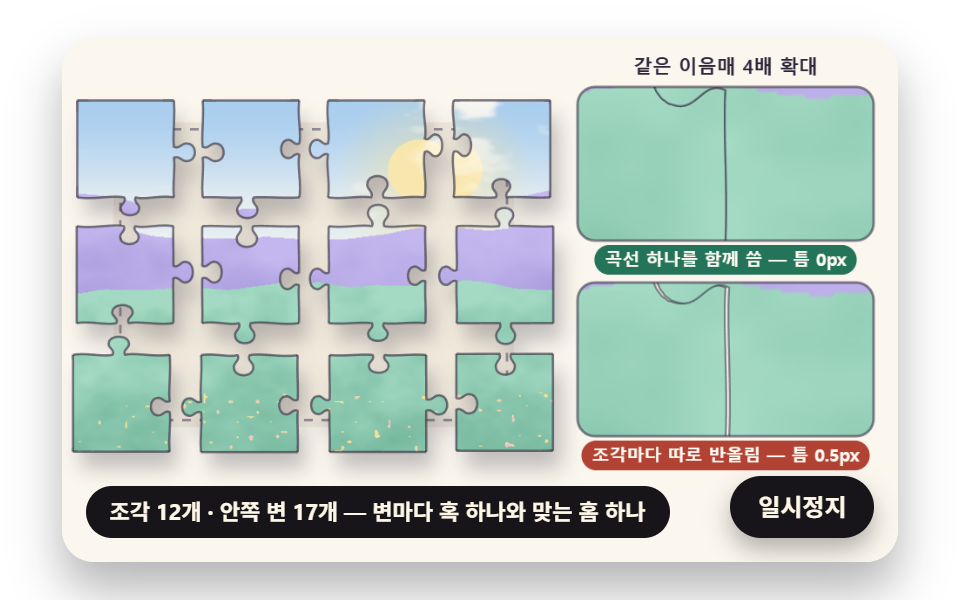 dragJigsaw Puzzle JavaScript: 9 Snapping Tab Boards
 Lists & tables9 Swipe to Delete List UI Patterns (Copy-Paste)
 Lists & tables9 Accordion List UI Patterns (Copy-Paste)
 Lists & tables9 Data Table UI Patterns — Drag, Resize, Select
 Pickers9 time picker ui patterns, from a point to a span
 Auth UI9 account security settings UI patterns
 Auth UIAvatar UI Design: 9 Parts, No Image Files