CSS Range Slider: 9 Physics-Grade Custom Sliders
A css range slider, explained: A velocity lerp decays your drag to rest, and a spring overshoots the thumb on each value change.
 01 range-slider-value-tooltip-follow
 02 range-slider-spring-thumb-overshoot
 03 range-slider-drag-inertia-lerp
 04 range-slider-fill-gloss-sweep
 05 range-slider-tick-snap-bounce
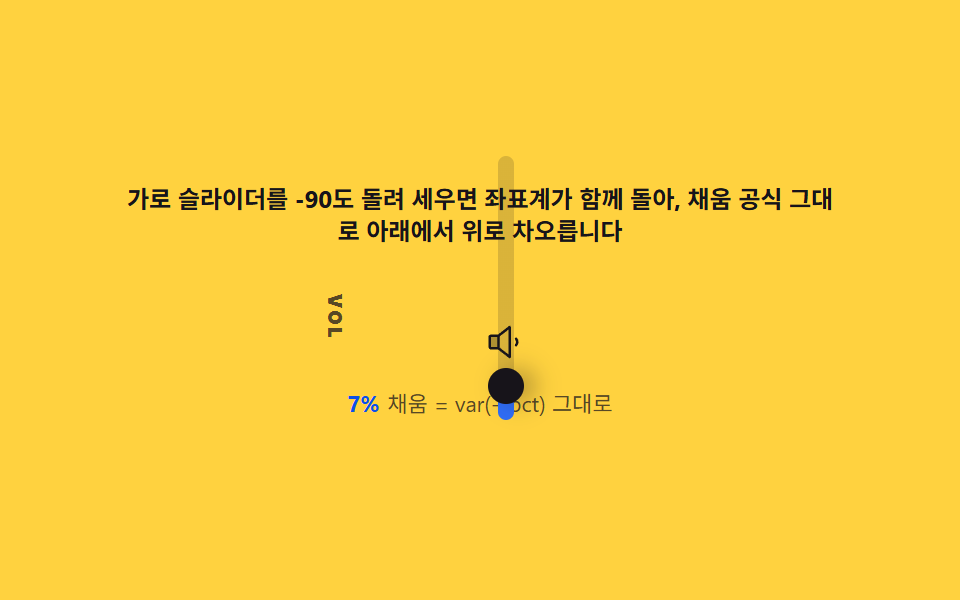 06 range-slider-vertical-volume-style
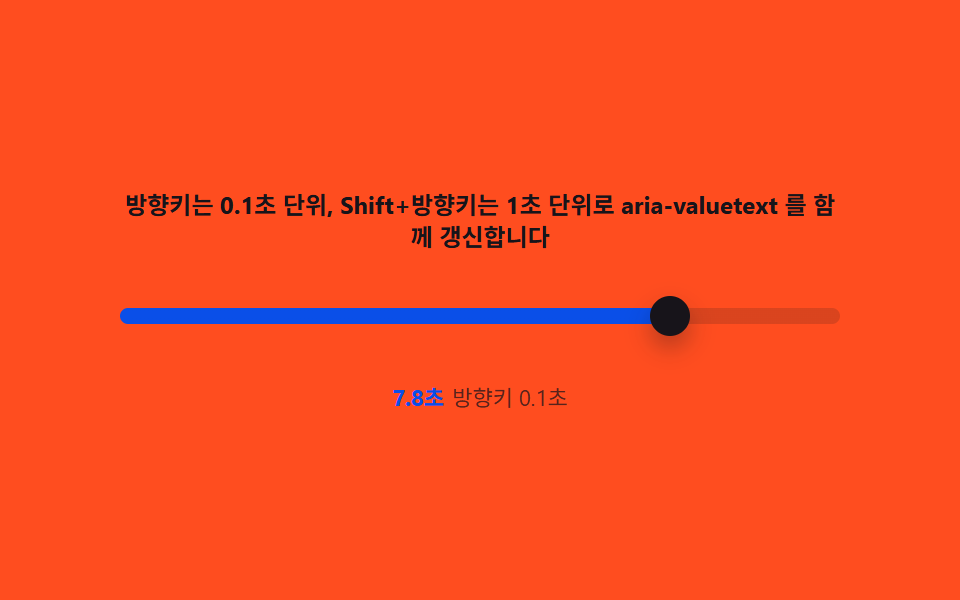 07 range-slider-keyboard-arrow-precision
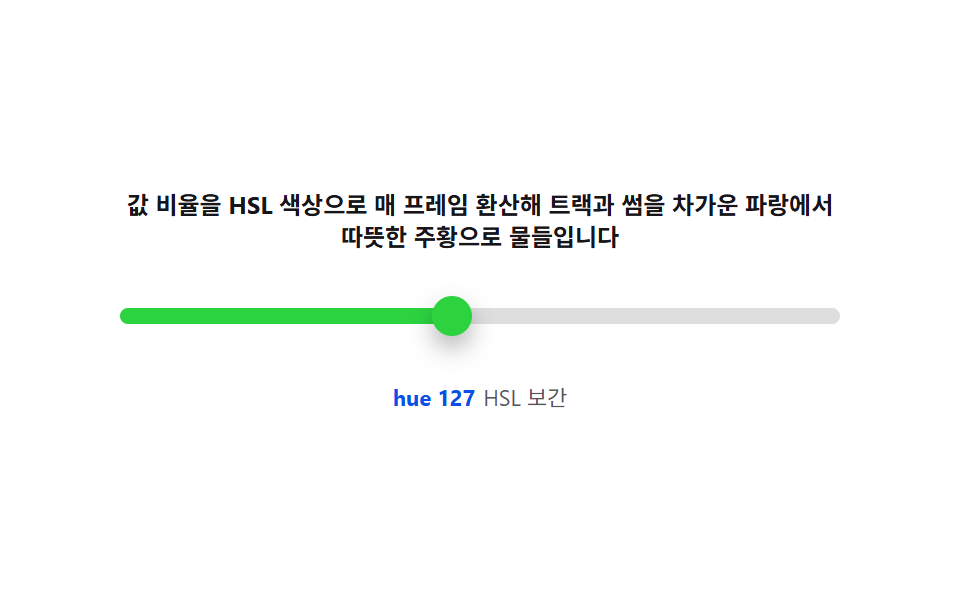 08 range-slider-color-temperature-gradient
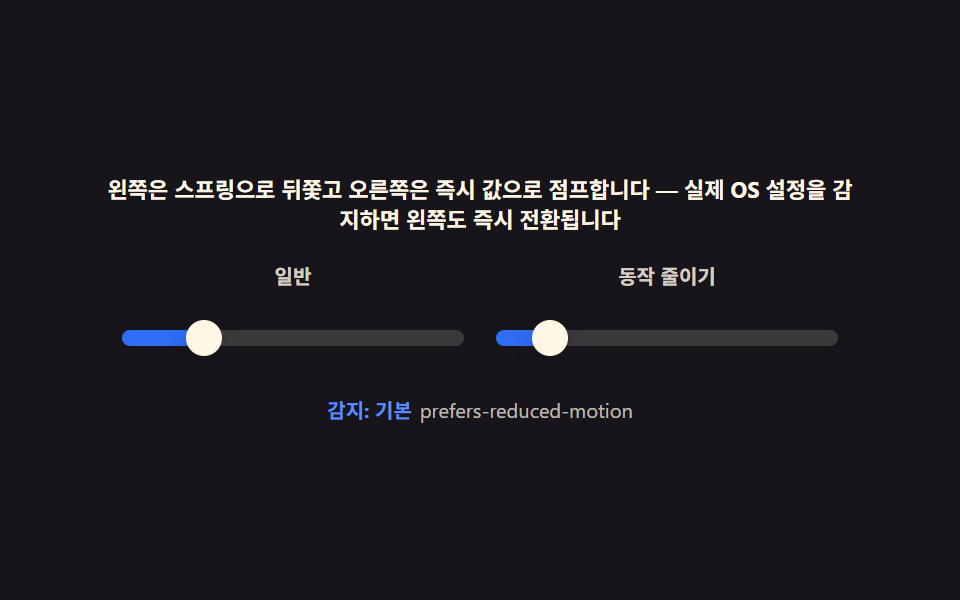 09 range-slider-reduced-motion-static
Auto-plays · click a tile to jump to its section · all nine in one zip
- 01 Value bubble — converting track position to a percentage the label follows
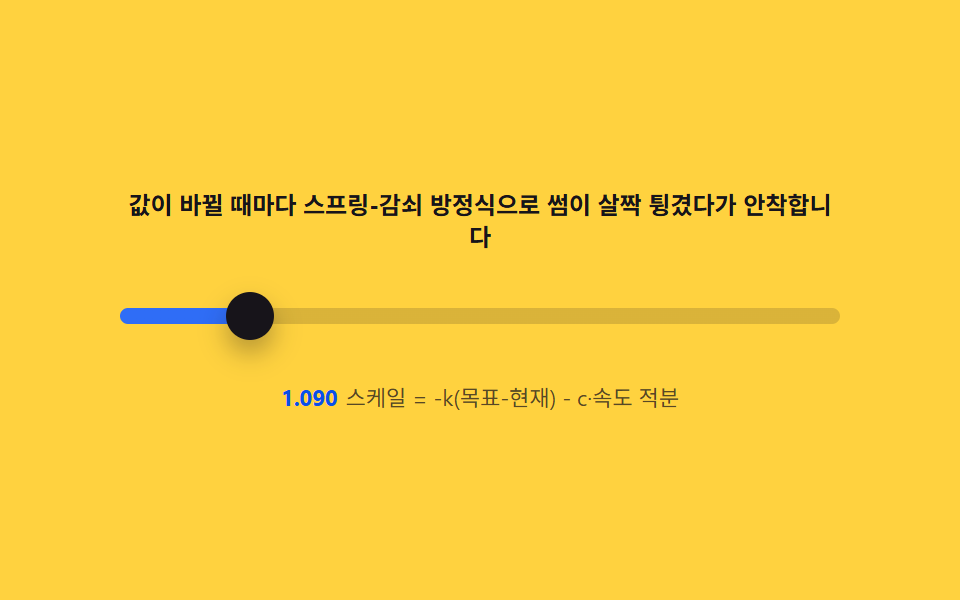
- 02 Spring overshoot — a damped oscillation that pops the thumb in on change
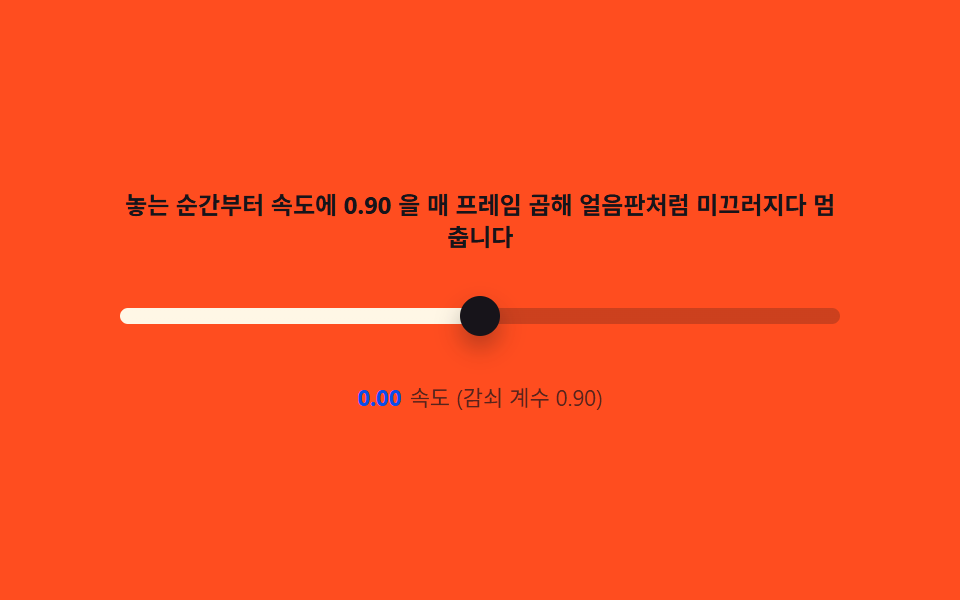
- 03 Drag inertia — tracking pointer velocity, then decaying it with an exponential glide
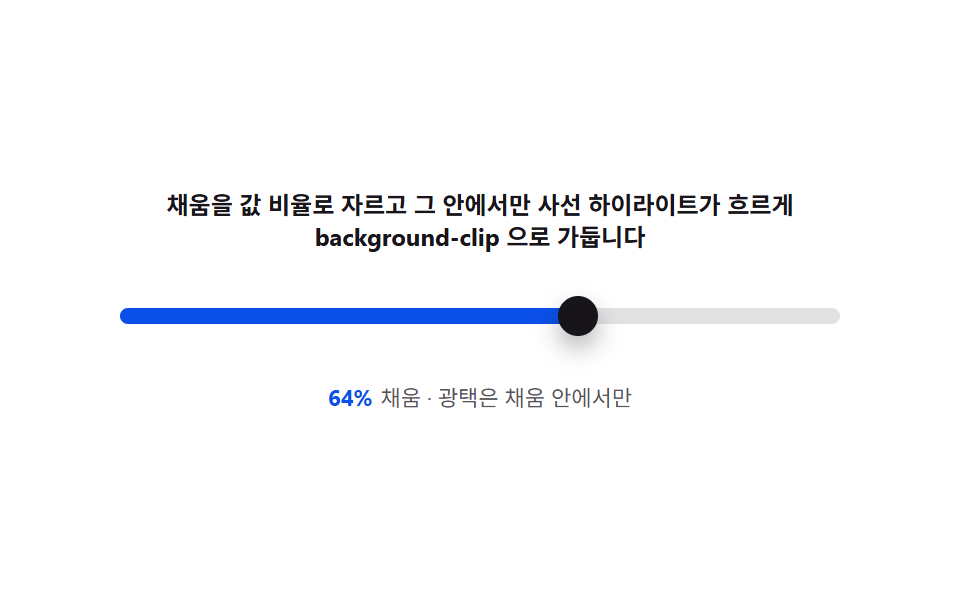
- 04 Fill gloss — clipping the filled span to the value ratio and sweeping a highlight
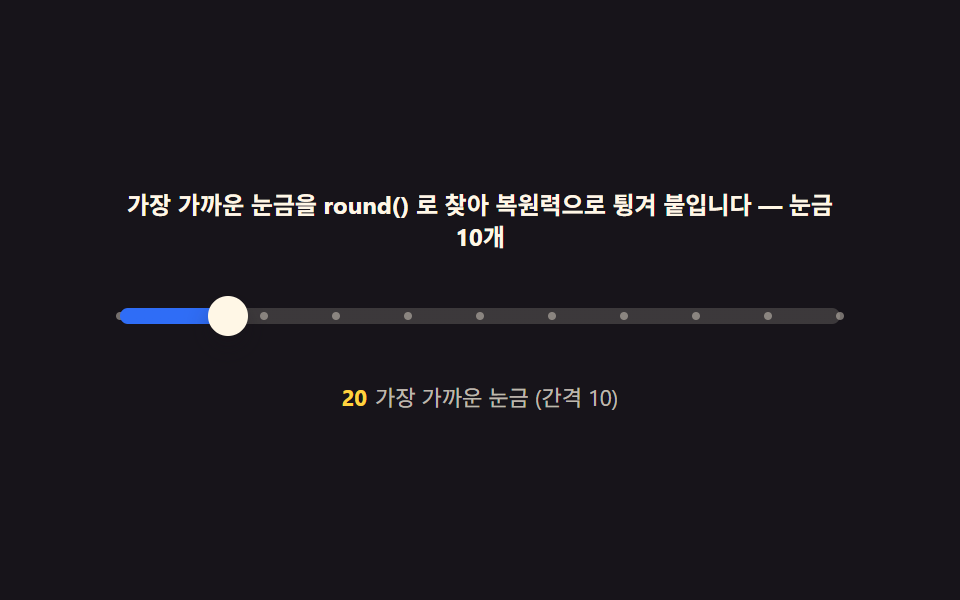
- 05 Tick snap — finding the nearest tick and sticking with a restoring bounce
- 06 Vertical volume bar — writing-mode rotation and flipping the fill direction
- 07 Keyboard precision — arrow and Shift step sizes synced with aria-valuetext
- 08 Color-temperature track — interpolating hue and saturation from the value ratio
- 09 Reduced motion — turning inertia and springs off for instant, static values
Nine builds follow, and every one of them keeps the native input[type=range] underneath — restyled with pseudo-elements, never swapped for a div — while a single computed layer sits on top of the plain --pct formula: inertia lerp, spring overshoot, snap restoring force, or color-temperature interpolation. The order below moves from the simplest computed layer (a label that just reads --pct) to the ones that touch keyboard input and prefers-reduced-motion directly, so each item builds on a formula the one before it already introduced.
Demo
All nine sliders repaint from the same one-line formula, pct = (value - min) / (max - min) * 100, written into the CSS custom property --pct and read back with calc(var(--pct) * 1%) for fill width and label position. Nothing below is a @keyframes animation — a requestAnimationFrame loop recomputes position, scale, or color every frame from whichever value the pointer, the keyboard, or the seeded autoplay last set, so dragging min or max never leaves a label stranded at an old pixel offset.
Anatomy of input[type=range] — track, thumb and fill, and where styling stops
The pseudo-elements you actually get
appearance: none strips the browser's own look without touching the input's behavior, and from there only four pseudo-elements are yours to draw: ::-webkit-slider-thumb and ::-moz-range-thumb for the handle, plus ::-webkit-slider-runnable-track and ::-moz-range-track for the groove it sits in — all nine css range slider examples in this post restyle exactly those four and nothing else.
Where the fill actually lives
The track pseudo-element can't be clipped to the value on its own, so every item that shows a filled span (01, 04, 05, 08) layers a separate element or a linear-gradient cut at var(--pct) behind the thumb instead of trying to make the track itself half-colored — the thumb and the fill both read the same --pct, so they can never drift apart even while a spring or a decay is still chasing the target.
Code per slider in nine steps
Paste any one item's prompt from the zip into an AI coding tool and it rebuilds the same screen — the block under each item below is the exact function that carries its computed layer, trimmed out of the full index.html that ships in the password-protected file.
01Value bubble — converting track position to a percentage the label follows
A label glued to left: 50% would drift the instant the thumb moves, so this one recomputes its position from the value on every single frame instead.
Percent stored in one CSS variable
paint() turns the current value into pct and writes it straight onto --pct, so the bubble's left: calc(var(--pct) * 1%) in the stylesheet never needs a second source of truth for where the thumb is.
<main class="stage">
<div class="vt" id="vt">
  <p class="vt__hint">Computing the percentage into a CSS variable makes the tooltip follow the thumb exactly</p>
  <div class="vt__wrap" id="vtWrap" role="img" aria-label="Scene where a tooltip label moves with the thumb every time the value changes">
    <div class="vt__bubble" id="vtBubble"><span id="vtVal">50</span></div>
    <input class="vt__range" id="vtRange" type="range" min="0" max="100" step="1" value="50" aria-label="Value slider">
  </div>
  <p class="vt__meta"><b class="vt__tag" id="vtCalc">50.0%</b><span class="vt__unit">Tooltip position from calc()</span></p>
</div>
</main>
@use "../../../../site/static/demo-tokens" as *;
// 값 풍선(01) — input[type=range] 의 runnable-track/progress 를 var(--pct) 로 채우고,
// 풍선은 계산된 left(calc) 로 썸을 따라간다. 트랙 두께는 변형 표의 기본값 8px.
$duration: $dur-quick;
$easing: $ease-out;
$color: $subject-blue-deep;
@include stage($stage-ink);
$track-h: 8px;
$thumb-d: 20px;
.vt {
display: flex; flex-direction: column; align-items: center; gap: $sp-3;
width: 100%; max-width: 360px;
}
.vt__hint {
margin: 0; font-weight: 700; font-size: clamp(10px, 2.8vw, 12px); line-height: 1.35;
color: $subject-cream; text-align: center;
}
.vt__wrap {
position: relative; width: 100%; height: 48px;
display: flex; align-items: center;
--pct: 50;
--tw: #{$thumb-d};
}
.vt__bubble {
position: absolute; top: 0;
left: calc((var(--pct) / 100) * (100% - var(--tw)) + var(--tw) / 2);
transform: translate(-50%, 0);
min-width: 32px; padding: $sp-1 $sp-2; box-sizing: border-box;
background: $color; color: $subject-cream;
border-radius: $r-sm;
font-weight: 700; font-size: 11px; line-height: 1.2; text-align: center;
font-variant-numeric: tabular-nums;
box-shadow: $shadow-press;
transition: background $duration $easing;
}
.vt__range {
appearance: none; -webkit-appearance: none;
width: 100%; height: $thumb-d; margin: 0; background: transparent;
position: relative; top: 14px;
}
.vt__range:focus-visible { outline: 2px solid $subject-cream; outline-offset: 4px; border-radius: $r-pill; }
.vt__range::-webkit-slider-runnable-track {
height: $track-h; border-radius: $r-pill;
background: linear-gradient(to right, $color calc(var(--pct) * 1%), rgba($subject-cream, .16) calc(var(--pct) * 1%));
}
.vt__range::-webkit-slider-thumb {
appearance: none; -webkit-appearance: none;
width: $thumb-d; height: $thumb-d; border-radius: 50%;
background: $subject-cream; box-shadow: $shadow-press;
margin-top: calc(($track-h - $thumb-d) / 2);
}
.vt__range::-moz-range-track {
height: $track-h; border-radius: $r-pill; background: rgba($subject-cream, .16);
}
.vt__range::-moz-range-progress {
height: $track-h; border-radius: $r-pill; background: $color;
}
.vt__range::-moz-range-thumb {
width: $thumb-d; height: $thumb-d; border: 0; border-radius: 50%;
background: $subject-cream; box-shadow: $shadow-press;
}
.vt__meta { margin: 0; font-size: clamp(9px, 2.4vw, 11px); color: rgba($subject-cream, .82); }
.vt__tag { font-weight: 700; color: $stage-yellow; font-variant-numeric: tabular-nums; margin-right: $sp-1; }
.vt__unit { color: rgba($subject-cream, .72); }
@media (max-width: 340px) {
.vt { gap: $sp-2; max-width: 280px; }
.vt__hint { font-size: 8px; }
.vt__meta { font-size: 7px; }
}
@media (prefers-reduced-motion: reduce) {
.vt__bubble { transition: none; }
}html, body {
margin: 0;
overflow: hidden;
}
.stage {
box-sizing: border-box;
min-height: 100vh;
display: grid;
place-items: center;
margin: 0;
background: #17141a;
font-family: -apple-system, "Segoe UI", "Noto Sans KR", sans-serif;
padding: clamp(8px, 4vw, 24px);
}
.vt {
display: flex;
flex-direction: column;
align-items: center;
gap: 12px;
width: 100%;
max-width: 360px;
}
.vt__hint {
margin: 0;
font-weight: 700;
font-size: clamp(10px, 2.8vw, 12px);
line-height: 1.35;
color: #fff7e6;
text-align: center;
}
.vt__wrap {
position: relative;
width: 100%;
height: 48px;
display: flex;
align-items: center;
--pct: 50;
--tw: 20px;
}
.vt__bubble {
position: absolute;
top: 0;
left: calc(var(--pct) / 100 * (100% - var(--tw)) + var(--tw) / 2);
transform: translate(-50%, 0);
min-width: 32px;
padding: 4px 8px;
box-sizing: border-box;
background: #0a4fe8;
color: #fff7e6;
border-radius: 8px;
font-weight: 700;
font-size: 11px;
line-height: 1.2;
text-align: center;
font-variant-numeric: tabular-nums;
box-shadow: 0 6px 12px rgba(23, 20, 26, 0.32);
transition: background 220ms ease-out;
}
.vt__range {
appearance: none;
-webkit-appearance: none;
width: 100%;
height: 20px;
margin: 0;
background: transparent;
position: relative;
top: 14px;
}
.vt__range:focus-visible {
outline: 2px solid #fff7e6;
outline-offset: 4px;
border-radius: 999px;
}
.vt__range::-webkit-slider-runnable-track {
height: 8px;
border-radius: 999px;
background: linear-gradient(to right, #0a4fe8 calc(var(--pct) * 1%), rgba(255, 247, 230, 0.16) calc(var(--pct) * 1%));
}
.vt__range::-webkit-slider-thumb {
appearance: none;
-webkit-appearance: none;
width: 20px;
height: 20px;
border-radius: 50%;
background: #fff7e6;
box-shadow: 0 6px 12px rgba(23, 20, 26, 0.32);
margin-top: -6px;
}
.vt__range::-moz-range-track {
height: 8px;
border-radius: 999px;
background: rgba(255, 247, 230, 0.16);
}
.vt__range::-moz-range-progress {
height: 8px;
border-radius: 999px;
background: #0a4fe8;
}
.vt__range::-moz-range-thumb {
width: 20px;
height: 20px;
border: 0;
border-radius: 50%;
background: #fff7e6;
box-shadow: 0 6px 12px rgba(23, 20, 26, 0.32);
}
.vt__meta {
margin: 0;
font-size: clamp(9px, 2.4vw, 11px);
color: rgba(255, 247, 230, 0.82);
}
.vt__tag {
font-weight: 700;
color: #ffd23f;
font-variant-numeric: tabular-nums;
margin-right: 4px;
}
.vt__unit {
color: rgba(255, 247, 230, 0.72);
}
@media (max-width: 340px) {
.vt {
gap: 8px;
max-width: 280px;
}
.vt__hint {
font-size: 8px;
}
.vt__meta {
font-size: 7px;
}
}
@media (prefers-reduced-motion: reduce) {
.vt__bubble {
transition: none;
}
}// 값 풍선(01) — (value - min) / (max - min) * 100 을 --pct 로 내려 풍선의 left 를
// calc(var(--pct) * 1%) 로 계산한다. 풍선 폭의 절반만큼 안쪽으로 당기는 오프셋 보정을
// 넣어 0%·100% 에서도 풍선이 트랙 밖으로 삐져나가지 않게 한다. CSS @keyframes 는 없다 —
// 자동 시연은 목표값 사이를 지수 감쇠로 부드럽게 접근하는 requestAnimationFrame 루프다.
(function () {
var root = document.getElementById('vt');
var wrap = document.getElementById('vtWrap');
var bubble = document.getElementById('vtBubble');
var valEl = document.getElementById('vtVal');
var calcEl = document.getElementById('vtCalc');
var range = document.getElementById('vtRange');
if (!root || !wrap || !bubble || !valEl || !calcEl || !range) return;
var MIN = 0, MAX = 100;
var TAU = 0.11; // 지수 감쇠 시간상수(s) — 값 접근 속도
var current = 50;
function paint(v) {
var pct = (v - MIN) / (MAX - MIN) * 100;
wrap.style.setProperty('--pct', pct.toFixed(2));
valEl.textContent = String(Math.round(v));
calcEl.textContent = pct.toFixed(1) + '%';
range.setAttribute('aria-valuenow', String(Math.round(v)));
}
paint(current);
var reduce = window.matchMedia('(prefers-reduced-motion: reduce)').matches;
function onUserInput() {
stop();
current = Number(range.value);
paint(current);
}
range.addEventListener('input', onUserInput);
range.addEventListener('pointerdown', stop);
range.addEventListener('keydown', stop);
var targets = [50, 18, 82, 35, 92, 50]; // 마지막 = 처음, 루프가 이어 붙는다
var seg = 0, playing = true;
function stop() { playing = false; }
if (reduce) {
current = targets[0];
range.value = String(current);
paint(current);
} else {
var segStart = performance.now();
var segFrom = current;
var SEG_MS = 400;
(function step(now) {
if (playing) {
var elapsed = now - segStart;
if (elapsed >= SEG_MS) {
seg = (seg + 1) % targets.length;
segStart = now;
segFrom = current;
elapsed = 0;
}
var target = targets[seg];
var t = elapsed / 1000;
var k = 1 - Math.exp(-t / TAU);
current = segFrom + (target - segFrom) * k;
range.value = String(Math.round(current));
paint(current);
}
requestAnimationFrame(step);
})(segStart);
}
})();// RangeSliderValueTooltipFollow — vanilla 판(run/334/demo/01-range-slider-value-tooltip-follow/index.html)
// 의 React 포트. (value - min) / (max - min) * 100 을 --pct 로 내려 풍선의 left 를
// calc(var(--pct) * 1%) 로 계산한다. CSS @keyframes 는 없다 — 자동 시연은 목표값 사이를
// 지수 감쇠로 부드럽게 접근하는 requestAnimationFrame 루프다.
import { useEffect, useRef } from "react";
import type { CSSProperties } from "react";
import styles from "./RangeSliderValueTooltipFollow.module.scss";
export type RangeSliderValueTooltipFollowProps = {
duration?: string;
easing?: string;
color?: string;
};
type Vars = CSSProperties & { "--duration"?: string; "--easing"?: string; "--color"?: string };
type Box<T> = { current: T };
const HINT = "퍼센트를 계산해 CSS 변수에 담으면 풍선이 썸을 그대로 따라다닙니다";
const ARIA_SCENE = "값이 바뀔 때마다 풍선 라벨이 썸을 따라 이동하는 장면";
const ARIA_RANGE = "값 슬라이더";
const UNIT = "calc 로 구한 풍선 위치";
const MIN = 0, MAX = 100;
const TAU = 0.11; // 지수 감쇠 시간상수(초) — 값 접근 속도
const TARGETS = [50, 18, 82, 35, 92, 50]; // 마지막 = 처음, 루프가 이어 붙는다
const SEG_MS = 400;
export default function RangeSliderValueTooltipFollow({
duration = "220ms",
easing = "ease-out",
color = "#0a4fe8"
}: RangeSliderValueTooltipFollowProps) {
const wrapRef = useRef<HTMLDivElement | null>(null);
const valRef = useRef<HTMLElement | null>(null);
const calcRef = useRef<HTMLElement | null>(null);
const rangeRef = useRef<HTMLInputElement | null>(null);
const rafRef = useRef(0) as Box<number>;
useEffect(() => {
const wrap = wrapRef.current;
const valEl = valRef.current;
const calcEl = calcRef.current;
const range = rangeRef.current;
if (!wrap || !valEl || !calcEl || !range) return;
let current = 50;
function paint(v: number): void {
const pct = ((v - MIN) / (MAX - MIN)) * 100;
wrap!.style.setProperty("--pct", pct.toFixed(2));
valEl!.textContent = String(Math.round(v));
calcEl!.textContent = pct.toFixed(1) + "%";
range!.setAttribute("aria-valuenow", String(Math.round(v)));
}
paint(current);
const reduce = window.matchMedia("(prefers-reduced-motion: reduce)").matches;
let playing = true;
function stop(): void {
playing = false;
}
function onUserInput(): void {
stop();
current = Number(range!.value);
paint(current);
}
range.addEventListener("input", onUserInput);
range.addEventListener("pointerdown", stop);
range.addEventListener("keydown", stop);
if (reduce) {
current = TARGETS[0];
range.value = String(current);
paint(current);
} else {
let seg = 0;
let segStart = performance.now();
let segFrom = current;
const step = (now: number): void => {
if (playing) {
let elapsed = now - segStart;
if (elapsed >= SEG_MS) {
seg = (seg + 1) % TARGETS.length;
segStart = now;
segFrom = current;
elapsed = 0;
}
const target = TARGETS[seg];
const t = elapsed / 1000;
const k = 1 - Math.exp(-t / TAU);
current = segFrom + (target - segFrom) * k;
range.value = String(Math.round(current));
paint(current);
}
rafRef.current = requestAnimationFrame(step);
};
rafRef.current = requestAnimationFrame(step);
}
return () => {
cancelAnimationFrame(rafRef.current);
range.removeEventListener("input", onUserInput);
range.removeEventListener("pointerdown", stop);
range.removeEventListener("keydown", stop);
};
// eslint-disable-next-line react-hooks/exhaustive-deps
}, []);
return (
<main className={styles.stage}>
<div
className={styles.vt}
style={{ "--duration": duration, "--easing": easing, "--color": color } as Vars}
>
<p className={styles.hint}>{HINT}</p>
<div className={styles.wrap} ref={wrapRef} role="img" aria-label={ARIA_SCENE}>
<div className={styles.bubble}>
<span ref={valRef}>50</span>
</div>
<input
className={styles.range}
ref={rangeRef}
type="range"
min={0}
max={100}
step={1}
defaultValue={50}
aria-label={ARIA_RANGE}
/>
</div>
<p className={styles.meta}>
<b className={styles.tag} ref={calcRef}>50.0%</b>
<span className={styles.unit}>{UNIT}</span>
</p>
</div>
</main>
);
}01 · Value bubble — converting track position to a percentage the label follows — Measured area 6.988% · moving frames 22/23Original by GODRICH · SCSS and React ship in the zip · See the password
What the numbers say
Painted area comes out widest of the nine at 6.99% (peak frame 2.02%, average intensity 183.8), moving on 22 of 23 captured frames, because the bubble repaints on every step of the exponential-decay autoplay.
var MIN = 0, MAX = 100;
var TAU = 0.11; // exponential decay time constant (seconds) — how fast the label approaches its target

function paint(v) {
  var pct = (v - MIN) / (MAX - MIN) * 100;
  wrap.style.setProperty('--pct', pct.toFixed(2));
  valEl.textContent = String(Math.round(v));
  calcEl.textContent = pct.toFixed(1) + '%';
  range.setAttribute('aria-valuenow', String(Math.round(v)));
}

var t = elapsed / 1000;
var k = 1 - Math.exp(-t / TAU);
current = segFrom + (target - segFrom) * k;
range.value = String(Math.round(current));
paint(current);
02Spring overshoot — a damped oscillation that pops the thumb in on change
Every value change adds a kick to the thumb's scale velocity instead of jumping the size directly, which is what lets it pop past 1.0 and settle back.
Two coefficients, one damped oscillation
accel = -K * (scale - 1) - C * velocity runs inside the frame loop, so K alone sets how hard it overshoots and C alone sets how fast it stops ringing — a damping ratio near 0.54 here, good for roughly 12-14% overshoot.
<main class="stage">
<div class="so" id="so">
  <p class="so__hint">Every time the value changes, a spring-damper equation makes the thumb overshoot slightly then settle</p>
  <div class="so__wrap" id="soWrap" role="img" aria-label="Spring-overshoot scene where the thumb bounces and settles every time the value changes">
    <input class="so__range" id="soRange" type="range" min="0" max="100" step="1" value="50" aria-label="Value slider">
  </div>
  <p class="so__meta"><b class="so__tag" id="soScale">1.000</b><span class="so__unit">scale = integral of -k(target-current) - c·velocity</span></p>
</div>
</main>
@use "../../../../site/static/demo-tokens" as *;
// 스프링 오버슈트(02) — 썸 스케일은 JS 스프링 적분값을 --scale 로 받아
// ::-webkit-slider-thumb 에 transform: scale() 로만 얹는다. 위치·스케일 모두 rAF 계산.
$duration: $dur-quick;
$easing: $ease-spring;
$color: $subject-blue;
@include stage($stage-yellow);
$track-h: 8px;
$thumb-d: 22px;
.so {
display: flex; flex-direction: column; align-items: center; gap: $sp-3;
width: 100%; max-width: 360px;
}
.so__hint {
margin: 0; font-weight: 700; font-size: clamp(10px, 2.8vw, 12px); line-height: 1.35;
color: $subject-ink; text-align: center;
}
.so__wrap {
position: relative; width: 100%; height: 40px;
display: flex; align-items: center;
--pct: 50; --scale: 1;
}
.so__range {
appearance: none; -webkit-appearance: none;
width: 100%; height: $thumb-d; margin: 0; background: transparent;
}
.so__range:focus-visible { outline: 2px solid $subject-ink; outline-offset: 4px; border-radius: $r-pill; }
.so__range::-webkit-slider-runnable-track {
height: $track-h; border-radius: $r-pill;
background: linear-gradient(to right, $color calc(var(--pct) * 1%), rgba($subject-ink, .16) calc(var(--pct) * 1%));
}
.so__range::-webkit-slider-thumb {
appearance: none; -webkit-appearance: none;
width: $thumb-d; height: $thumb-d; border-radius: 50%;
background: $subject-ink; box-shadow: $shadow-press;
margin-top: calc(($track-h - $thumb-d) / 2);
transform: scale(var(--scale, 1));
transform-origin: center center;
}
.so__range::-moz-range-track {
height: $track-h; border-radius: $r-pill; background: rgba($subject-ink, .16);
}
.so__range::-moz-range-progress {
height: $track-h; border-radius: $r-pill; background: $color;
}
.so__range::-moz-range-thumb {
width: $thumb-d; height: $thumb-d; border: 0; border-radius: 50%;
background: $subject-ink; box-shadow: $shadow-press;
transform: scale(var(--scale, 1));
transform-origin: center center;
}
.so__meta { margin: 0; font-size: clamp(9px, 2.4vw, 11px); color: rgba($subject-ink, .82); }
.so__tag { font-weight: 700; color: $subject-blue-deep; font-variant-numeric: tabular-nums; margin-right: $sp-1; }
.so__unit { color: rgba($subject-ink, .72); }
@media (max-width: 340px) {
.so { gap: $sp-2; max-width: 280px; }
.so__hint { font-size: 8px; }
.so__meta { font-size: 7px; }
}
@media (prefers-reduced-motion: reduce) {
.so__range::-webkit-slider-thumb { transform: scale(1); }
.so__range::-moz-range-thumb { transform: scale(1); }
}html, body {
margin: 0;
overflow: hidden;
}
.stage {
box-sizing: border-box;
min-height: 100vh;
display: grid;
place-items: center;
margin: 0;
background: #ffd23f;
font-family: -apple-system, "Segoe UI", "Noto Sans KR", sans-serif;
padding: clamp(8px, 4vw, 24px);
}
.so {
display: flex;
flex-direction: column;
align-items: center;
gap: 12px;
width: 100%;
max-width: 360px;
}
.so__hint {
margin: 0;
font-weight: 700;
font-size: clamp(10px, 2.8vw, 12px);
line-height: 1.35;
color: #17141a;
text-align: center;
}
.so__wrap {
position: relative;
width: 100%;
height: 40px;
display: flex;
align-items: center;
--pct: 50;
--scale: 1;
}
.so__range {
appearance: none;
-webkit-appearance: none;
width: 100%;
height: 22px;
margin: 0;
background: transparent;
}
.so__range:focus-visible {
outline: 2px solid #17141a;
outline-offset: 4px;
border-radius: 999px;
}
.so__range::-webkit-slider-runnable-track {
height: 8px;
border-radius: 999px;
background: linear-gradient(to right, #2f6df6 calc(var(--pct) * 1%), rgba(23, 20, 26, 0.16) calc(var(--pct) * 1%));
}
.so__range::-webkit-slider-thumb {
appearance: none;
-webkit-appearance: none;
width: 22px;
height: 22px;
border-radius: 50%;
background: #17141a;
box-shadow: 0 6px 12px rgba(23, 20, 26, 0.32);
margin-top: -7px;
transform: scale(var(--scale, 1));
transform-origin: center center;
}
.so__range::-moz-range-track {
height: 8px;
border-radius: 999px;
background: rgba(23, 20, 26, 0.16);
}
.so__range::-moz-range-progress {
height: 8px;
border-radius: 999px;
background: #2f6df6;
}
.so__range::-moz-range-thumb {
width: 22px;
height: 22px;
border: 0;
border-radius: 50%;
background: #17141a;
box-shadow: 0 6px 12px rgba(23, 20, 26, 0.32);
transform: scale(var(--scale, 1));
transform-origin: center center;
}
.so__meta {
margin: 0;
font-size: clamp(9px, 2.4vw, 11px);
color: rgba(23, 20, 26, 0.82);
}
.so__tag {
font-weight: 700;
color: #0a4fe8;
font-variant-numeric: tabular-nums;
margin-right: 4px;
}
.so__unit {
color: rgba(23, 20, 26, 0.72);
}
@media (max-width: 340px) {
.so {
gap: 8px;
max-width: 280px;
}
.so__hint {
font-size: 8px;
}
.so__meta {
font-size: 7px;
}
}
@media (prefers-reduced-motion: reduce) {
.so__range::-webkit-slider-thumb {
transform: scale(1);
}
.so__range::-moz-range-thumb {
transform: scale(1);
}
}// 스프링 오버슈트(02) — 값이 바뀌는 순간 썸 스케일에 속도 킥을 넣고, 매 프레임
// accel = -k*(scale-1) - c*velocity 를 적분해 감쇠 진동을 만든다. k·c 두 계수만으로
// 튕김의 세기와 빠르기가 정해진다. CSS @keyframes·transition 은 없다 — 위치와 스케일
// 둘 다 requestAnimationFrame 이 매 프레임 다시 계산해 그린다.
(function () {
var root = document.getElementById('so');
var wrap = document.getElementById('soWrap');
var range = document.getElementById('soRange');
var scaleEl = document.getElementById('soScale');
if (!root || !wrap || !range || !scaleEl) return;
var MIN = 0, MAX = 100;
var K = 170, C = 14; // 스프링 상수 · 감쇠 계수 (임계감쇠비 약 0.54 — 12~14% 오버슈트)
var KICK = 9; // 값이 바뀔 때 스케일 속도에 주는 충격량
var pos = 50; // 트랙 위 표시 값(0~100)
var scale = 1;
var vel = 0;
function paint() {
var pct = (pos - MIN) / (MAX - MIN) * 100;
wrap.style.setProperty('--pct', pct.toFixed(2));
wrap.style.setProperty('--scale', scale.toFixed(4));
range.setAttribute('aria-valuenow', String(Math.round(pos)));
scaleEl.textContent = scale.toFixed(3);
}
paint();
var reduce = window.matchMedia('(prefers-reduced-motion: reduce)').matches;
var playing = true;
function stop() { playing = false; }
range.addEventListener('pointerdown', stop);
range.addEventListener('keydown', stop);
range.addEventListener('input', function () {
pos = Number(range.value);
vel += KICK;
paint();
});
var targets = [50, 15, 85, 40, 95, 50];
var seg = 0, posFrom = pos;
var SEG_MS = 400;
var segStart = performance.now();
var last = segStart;
if (reduce) {
pos = targets[0];
range.value = String(pos);
scale = 1; vel = 0;
paint();
} else {
(function step(now) {
var dt = Math.min((now - last) / 1000, 0.05);
last = now;
if (playing) {
var elapsed = now - segStart;
if (elapsed >= SEG_MS) {
seg = (seg + 1) % targets.length;
segStart = now; elapsed = 0; posFrom = pos;
vel += KICK; // 목표가 바뀔 때마다 튕김 킥
}
var target = targets[seg];
var t = elapsed / SEG_MS;
pos = posFrom + (target - posFrom) * t;
range.value = String(Math.round(pos));
}
var acc = -K * (scale - 1) - C * vel;
vel += acc * dt;
scale += vel * dt;
paint();
requestAnimationFrame(step);
})(segStart);
}
})();// RangeSliderSpringThumbOvershoot — vanilla 판(run/334/demo/02-range-slider-spring-thumb-overshoot/index.html)
// 의 React 포트. 값이 바뀌는 순간 썸 스케일에 속도 킥을 넣고, 매 프레임
// accel = -k*(scale-1) - c*velocity 를 적분해 감쇠 진동을 만든다. CSS @keyframes·transition 은
// 없다 — 위치와 스케일 둘 다 requestAnimationFrame 이 매 프레임 다시 계산해 그린다.
import { useEffect, useRef } from "react";
import type { CSSProperties } from "react";
import styles from "./RangeSliderSpringThumbOvershoot.module.scss";
export type RangeSliderSpringThumbOvershootProps = {
duration?: string;
easing?: string;
color?: string;
};
type Vars = CSSProperties & { "--duration"?: string; "--easing"?: string; "--color"?: string };
type Box<T> = { current: T };
const HINT = "값이 바뀔 때마다 스프링-감쇠 방정식으로 썸이 살짝 튕겼다가 안착합니다";
const ARIA_SCENE = "값이 바뀔 때마다 썸이 튕겨 안착하는 스프링 오버슈트 장면";
const ARIA_RANGE = "값 슬라이더";
const UNIT = "스케일 = -k(목표-현재) - c·속도 적분";
const MIN = 0, MAX = 100;
const K = 170, C = 14; // 스프링 상수 · 감쇠 계수 (임계감쇠비 약 0.54 — 12~14% 오버슈트)
const KICK = 9; // 값이 바뀔 때 스케일 속도에 주는 충격량
const TARGETS = [50, 15, 85, 40, 95, 50];
const SEG_MS = 400;
export default function RangeSliderSpringThumbOvershoot({
duration = "220ms",
easing = "cubic-bezier(.2, .8, .2, 1)",
color = "#2f6df6"
}: RangeSliderSpringThumbOvershootProps) {
const wrapRef = useRef<HTMLDivElement | null>(null);
const rangeRef = useRef<HTMLInputElement | null>(null);
const scaleRef = useRef<HTMLElement | null>(null);
const rafRef = useRef(0) as Box<number>;
useEffect(() => {
const wrap = wrapRef.current;
const range = rangeRef.current;
const scaleEl = scaleRef.current;
if (!wrap || !range || !scaleEl) return;
let pos = 50; // 트랙 위 표시 값(0~100)
let scale = 1;
let vel = 0;
function paint(): void {
const pct = ((pos - MIN) / (MAX - MIN)) * 100;
wrap!.style.setProperty("--pct", pct.toFixed(2));
wrap!.style.setProperty("--scale", scale.toFixed(4));
range!.setAttribute("aria-valuenow", String(Math.round(pos)));
scaleEl!.textContent = scale.toFixed(3);
}
paint();
const reduce = window.matchMedia("(prefers-reduced-motion: reduce)").matches;
let playing = true;
function stop(): void {
playing = false;
}
function onInput(): void {
pos = Number(range!.value);
vel += KICK;
paint();
}
range.addEventListener("pointerdown", stop);
range.addEventListener("keydown", stop);
range.addEventListener("input", onInput);
if (reduce) {
pos = TARGETS[0];
range.value = String(pos);
scale = 1;
vel = 0;
paint();
} else {
let seg = 0;
let posFrom = pos;
let segStart = performance.now();
let last = segStart;
const step = (now: number): void => {
const dt = Math.min((now - last) / 1000, 0.05);
last = now;
if (playing) {
let elapsed = now - segStart;
if (elapsed >= SEG_MS) {
seg = (seg + 1) % TARGETS.length;
segStart = now;
elapsed = 0;
posFrom = pos;
vel += KICK; // 목표가 바뀔 때마다 튕김 킥
}
const target = TARGETS[seg];
const t = elapsed / SEG_MS;
pos = posFrom + (target - posFrom) * t;
range!.value = String(Math.round(pos));
}
const acc = -K * (scale - 1) - C * vel;
vel += acc * dt;
scale += vel * dt;
paint();
rafRef.current = requestAnimationFrame(step);
};
rafRef.current = requestAnimationFrame(step);
}
return () => {
cancelAnimationFrame(rafRef.current);
range.removeEventListener("pointerdown", stop);
range.removeEventListener("keydown", stop);
range.removeEventListener("input", onInput);
};
// eslint-disable-next-line react-hooks/exhaustive-deps
}, []);
return (
<main className={styles.stage}>
<div
className={styles.so}
style={{ "--duration": duration, "--easing": easing, "--color": color } as Vars}
>
<p className={styles.hint}>{HINT}</p>
<div className={styles.wrap} ref={wrapRef} role="img" aria-label={ARIA_SCENE}>
<input
className={styles.range}
ref={rangeRef}
type="range"
min={0}
max={100}
step={1}
defaultValue={50}
aria-label={ARIA_RANGE}
/>
</div>
<p className={styles.meta}>
<b className={styles.tag} ref={scaleRef}>1.000</b>
<span className={styles.unit}>{UNIT}</span>
</p>
</div>
</main>
);
}02 · Spring overshoot — a damped oscillation that pops the thumb in on change — Measured area 6.238% · moving frames 22/23Original by GODRICH · SCSS and React ship in the zip · See the password
What the numbers say
Painted area sits at 6.24% (peak frame 1.78%, average intensity 134.6) across 22 of 23 moved frames, the second-widest of the set because the scale bounce redraws the thumb's shadow on every tick.
var K = 170, C = 14; // spring constant · damping coefficient (damping ratio ~0.54 — 12-14% overshoot)
var KICK = 9; // velocity impulse added to the thumb's scale on every value change

var pos = 50, scale = 1, vel = 0;

range.addEventListener('input', function () {
  pos = Number(range.value);
  vel += KICK;
  paint();
});

var acc = -K * (scale - 1) - C * vel;
vel += acc * dt;
scale += vel * dt;
paint();
03Drag inertia — tracking pointer velocity, then decaying it with an exponential glide
Releasing the thumb doesn't stop it — the velocity recorded during the drag keeps carrying it forward until friction eats it away.
A decay rate converted to a per-second value
Multiplying velocity by DECAY every frame would drift with frame rate, so the code raises DECAY to a per-second power first (DECAY_PER_SEC = Math.pow(DECAY, BASE_FPS)) and multiplies by that converted rate against real elapsed time instead.
<main class="stage">
<div class="di" id="di">
  <p class="di__hint">From the moment you release, velocity is multiplied by 0.90 every frame so it glides like ice and stops</p>
  <div class="di__wrap" id="diWrap" role="img" aria-label="Scene of a slider gliding on inertia, decelerating, and stopping">
    <input class="di__range" id="diRange" type="range" min="0" max="100" step="1" value="50" aria-label="Value slider">
  </div>
  <p class="di__meta"><b class="di__tag" id="diVel">0.00</b><span class="di__unit">Velocity (decay coefficient 0.90)</span></p>
</div>
</main>
@use "../../../../site/static/demo-tokens" as *;
// 드래그 관성(03) — 위치는 JS 가 매초 DECAY^12 배(변형 0.90 기준)로 감쇠하는
// 속도를 적분해 계산한다. 트랙 색만 --pct 로 채운다.
$duration: $dur-base;
$easing: $ease-out;
$color: $subject-cream;
@include stage($stage-orange);
$track-h: 8px;
$thumb-d: 20px;
.di {
display: flex; flex-direction: column; align-items: center; gap: $sp-3;
width: 100%; max-width: 360px;
}
.di__hint {
margin: 0; font-weight: 700; font-size: clamp(10px, 2.8vw, 12px); line-height: 1.35;
color: $subject-ink; text-align: center;
}
.di__wrap {
position: relative; width: 100%; height: 40px;
display: flex; align-items: center;
--pct: 50;
}
.di__range {
appearance: none; -webkit-appearance: none;
width: 100%; height: $thumb-d; margin: 0; background: transparent;
touch-action: none;
}
.di__range:focus-visible { outline: 2px solid $subject-ink; outline-offset: 4px; border-radius: $r-pill; }
.di__range::-webkit-slider-runnable-track {
height: $track-h; border-radius: $r-pill;
background: linear-gradient(to right, $color calc(var(--pct) * 1%), rgba($subject-ink, .22) calc(var(--pct) * 1%));
}
.di__range::-webkit-slider-thumb {
appearance: none; -webkit-appearance: none;
width: $thumb-d; height: $thumb-d; border-radius: 50%;
background: $subject-ink; box-shadow: $shadow-press;
margin-top: calc(($track-h - $thumb-d) / 2);
}
.di__range::-moz-range-track {
height: $track-h; border-radius: $r-pill; background: rgba($subject-ink, .22);
}
.di__range::-moz-range-progress {
height: $track-h; border-radius: $r-pill; background: $color;
}
.di__range::-moz-range-thumb {
width: $thumb-d; height: $thumb-d; border: 0; border-radius: 50%;
background: $subject-ink; box-shadow: $shadow-press;
}
.di__meta { margin: 0; font-size: clamp(9px, 2.4vw, 11px); color: rgba($subject-ink, .82); }
.di__tag { font-weight: 700; color: $subject-blue-deep; font-variant-numeric: tabular-nums; margin-right: $sp-1; }
.di__unit { color: rgba($subject-ink, .72); }
@media (max-width: 340px) {
.di { gap: $sp-2; max-width: 280px; }
.di__hint { font-size: 8px; }
.di__meta { font-size: 7px; }
}
@media (prefers-reduced-motion: reduce) {
.di__range { transition: none; }
}html, body {
margin: 0;
overflow: hidden;
}
.stage {
box-sizing: border-box;
min-height: 100vh;
display: grid;
place-items: center;
margin: 0;
background: #ff4d1f;
font-family: -apple-system, "Segoe UI", "Noto Sans KR", sans-serif;
padding: clamp(8px, 4vw, 24px);
}
.di {
display: flex;
flex-direction: column;
align-items: center;
gap: 12px;
width: 100%;
max-width: 360px;
}
.di__hint {
margin: 0;
font-weight: 700;
font-size: clamp(10px, 2.8vw, 12px);
line-height: 1.35;
color: #17141a;
text-align: center;
}
.di__wrap {
position: relative;
width: 100%;
height: 40px;
display: flex;
align-items: center;
--pct: 50;
}
.di__range {
appearance: none;
-webkit-appearance: none;
width: 100%;
height: 20px;
margin: 0;
background: transparent;
touch-action: none;
}
.di__range:focus-visible {
outline: 2px solid #17141a;
outline-offset: 4px;
border-radius: 999px;
}
.di__range::-webkit-slider-runnable-track {
height: 8px;
border-radius: 999px;
background: linear-gradient(to right, #fff7e6 calc(var(--pct) * 1%), rgba(23, 20, 26, 0.22) calc(var(--pct) * 1%));
}
.di__range::-webkit-slider-thumb {
appearance: none;
-webkit-appearance: none;
width: 20px;
height: 20px;
border-radius: 50%;
background: #17141a;
box-shadow: 0 6px 12px rgba(23, 20, 26, 0.32);
margin-top: -6px;
}
.di__range::-moz-range-track {
height: 8px;
border-radius: 999px;
background: rgba(23, 20, 26, 0.22);
}
.di__range::-moz-range-progress {
height: 8px;
border-radius: 999px;
background: #fff7e6;
}
.di__range::-moz-range-thumb {
width: 20px;
height: 20px;
border: 0;
border-radius: 50%;
background: #17141a;
box-shadow: 0 6px 12px rgba(23, 20, 26, 0.32);
}
.di__meta {
margin: 0;
font-size: clamp(9px, 2.4vw, 11px);
color: rgba(23, 20, 26, 0.82);
}
.di__tag {
font-weight: 700;
color: #0a4fe8;
font-variant-numeric: tabular-nums;
margin-right: 4px;
}
.di__unit {
color: rgba(23, 20, 26, 0.72);
}
@media (max-width: 340px) {
.di {
gap: 8px;
max-width: 280px;
}
.di__hint {
font-size: 8px;
}
.di__meta {
font-size: 7px;
}
}
@media (prefers-reduced-motion: reduce) {
.di__range {
transition: none;
}
}// 드래그 관성(03) — 놓는 순간의 속도를 저장해 두고, 매 프레임 velocity *= 0.90 을
// 곱해 위치에 더한다. 속도가 문턱 밑으로 떨어지면 정지, 트랙 끝에서는 클램프한다.
// 실제 드래그가 없는 동안은 시드 난수(mulberry32)로 결정적인 "놓는 순간" 을 만든다.
(function () {
var root = document.getElementById('di');
var wrap = document.getElementById('diWrap');
var range = document.getElementById('diRange');
var velEl = document.getElementById('diVel');
if (!root || !wrap || !range || !velEl) return;
var MIN = 0, MAX = 100;
var DECAY = 0.90; // "매 프레임" 감쇠 계수 (변형: 0.75) — 기준 프레임률 12fps
var BASE_FPS = 12;
var DECAY_PER_SEC = Math.pow(DECAY, BASE_FPS); // 실제 rAF 주사율과 무관하게 같은 감쇠가 되도록 시간 기준으로 환산
var STOP_THRESHOLD = 0.03;
var KICK_EVERY_MS = 650;
function mulberry32(seed) {
return function () {
seed |= 0; seed = (seed + 0x6D2B79F5) | 0;
var t = Math.imul(seed ^ (seed >>> 15), 1 | seed);
t = (t + Math.imul(t ^ (t >>> 7), 61 | t)) ^ t;
return ((t ^ (t >>> 14)) >>> 0) / 4294967296;
};
}
var rand = mulberry32(42);
var pos = 50;
var velocity = 0;
var lastKick = 0;
function paint() {
var pct = (pos - MIN) / (MAX - MIN) * 100;
wrap.style.setProperty('--pct', pct.toFixed(2));
range.setAttribute('aria-valuenow', String(Math.round(pos)));
velEl.textContent = velocity.toFixed(2);
}
paint();
var reduce = window.matchMedia('(prefers-reduced-motion: reduce)').matches;
var dragging = false, lastX = 0, lastT = 0;
function pointerDown(e) {
dragging = true; velocity = 0;
lastX = e.clientX; lastT = performance.now();
}
function pointerMove(e) {
if (!dragging) return;
var now = performance.now();
var dt = Math.max(now - lastT, 1);
var dx = e.clientX - lastX;
var trackW = wrap.getBoundingClientRect().width || 1;
velocity = (dx / trackW) * 100 / (dt / 1000); // 퍼센트/s
lastX = e.clientX; lastT = now;
}
function pointerUp() { dragging = false; }
range.addEventListener('pointerdown', pointerDown);
range.addEventListener('pointermove', pointerMove);
window.addEventListener('pointerup', pointerUp);
range.addEventListener('input', function () { if (dragging) pos = Number(range.value); });
if (reduce) {
pos = 50; velocity = 0;
range.value = String(pos);
paint();
} else {
var last = performance.now();
(function step(now) {
var dt = now - last; last = now;
if (!dragging) {
if (now - lastKick > KICK_EVERY_MS && Math.abs(velocity) < STOP_THRESHOLD) {
velocity = (rand() - 0.5) * 160; // 결정적 "놓는 순간" 속도(퍼센트/s)
lastKick = now;
}
if (Math.abs(velocity) >= STOP_THRESHOLD) {
pos += velocity * (dt / 1000);
velocity *= Math.pow(DECAY_PER_SEC, dt / 1000);
if (pos < MIN) { pos = MIN; velocity = 0; }
if (pos > MAX) { pos = MAX; velocity = 0; }
if (Math.abs(velocity) < STOP_THRESHOLD) velocity = 0;
range.value = String(Math.round(pos));
}
}
paint();
requestAnimationFrame(step);
})(last);
}
})();// RangeSliderDragInertiaLerp — vanilla 판(run/334/demo/03-range-slider-drag-inertia-lerp/index.html)
// 의 React 포트. 놓는 순간의 속도를 저장해 두고, 매 프레임 velocity *= 0.90 을 곱해
// 위치에 더한다. 속도가 문턱 밑으로 떨어지면 정지, 트랙 끝에서는 클램프한다. 실제 드래그가
// 없는 동안은 시드 난수(mulberry32)로 결정적인 "놓는 순간" 을 만든다.
import { useEffect, useRef } from "react";
import type { CSSProperties } from "react";
import styles from "./RangeSliderDragInertiaLerp.module.scss";
export type RangeSliderDragInertiaLerpProps = {
duration?: string;
easing?: string;
color?: string;
};
type Vars = CSSProperties & { "--duration"?: string; "--easing"?: string; "--color"?: string };
type Box<T> = { current: T };
const HINT = "놓는 순간부터 속도에 0.90 을 매 프레임 곱해 얼음판처럼 미끄러지다 멈춥니다";
const ARIA_SCENE = "관성으로 미끄러지다 감속해 멈추는 슬라이더 장면";
const ARIA_RANGE = "값 슬라이더";
const UNIT = "속도 (감쇠 계수 0.90)";
const MIN = 0, MAX = 100;
const DECAY = 0.90; // "매 프레임" 감쇠 계수 (변형: 0.75) — 기준 프레임률 12fps
const BASE_FPS = 12;
const DECAY_PER_SEC = Math.pow(DECAY, BASE_FPS); // 실제 rAF 주사율과 무관하게 같은 감쇠가 되도록 시간 기준으로 환산
const STOP_THRESHOLD = 0.03;
const KICK_EVERY_MS = 650;
function mulberry32(seed: number): () => number {
let s = seed;
return function () {
s |= 0;
s = (s + 0x6D2B79F5) | 0;
let t = Math.imul(s ^ (s >>> 15), 1 | s);
t = (t + Math.imul(t ^ (t >>> 7), 61 | t)) ^ t;
return ((t ^ (t >>> 14)) >>> 0) / 4294967296;
};
}
export default function RangeSliderDragInertiaLerp({
duration = "300ms",
easing = "ease-out",
color = "#fff7e6"
}: RangeSliderDragInertiaLerpProps) {
const wrapRef = useRef<HTMLDivElement | null>(null);
const rangeRef = useRef<HTMLInputElement | null>(null);
const velRef = useRef<HTMLElement | null>(null);
const rafRef = useRef(0) as Box<number>;
useEffect(() => {
const wrap = wrapRef.current;
const range = rangeRef.current;
const velEl = velRef.current;
if (!wrap || !range || !velEl) return;
const rand = mulberry32(42);
let pos = 50;
let velocity = 0;
let lastKick = 0;
function paint(): void {
const pct = ((pos - MIN) / (MAX - MIN)) * 100;
wrap!.style.setProperty("--pct", pct.toFixed(2));
range!.setAttribute("aria-valuenow", String(Math.round(pos)));
velEl!.textContent = velocity.toFixed(2);
}
paint();
const reduce = window.matchMedia("(prefers-reduced-motion: reduce)").matches;
let dragging = false, lastX = 0, lastT = 0;
function pointerDown(e: PointerEvent): void {
dragging = true;
velocity = 0;
lastX = e.clientX;
lastT = performance.now();
}
function pointerMove(e: PointerEvent): void {
if (!dragging) return;
const now = performance.now();
const dt = Math.max(now - lastT, 1);
const dx = e.clientX - lastX;
const trackW = wrap!.getBoundingClientRect().width || 1;
velocity = ((dx / trackW) * 100) / (dt / 1000); // 퍼센트/초
lastX = e.clientX;
lastT = now;
}
function pointerUp(): void {
dragging = false;
}
function onInput(): void {
if (dragging) pos = Number(range!.value);
}
range.addEventListener("pointerdown", pointerDown);
range.addEventListener("pointermove", pointerMove);
window.addEventListener("pointerup", pointerUp);
range.addEventListener("input", onInput);
if (reduce) {
pos = 50;
velocity = 0;
range.value = String(pos);
paint();
} else {
let last = performance.now();
const step = (now: number): void => {
const dt = now - last;
last = now;
if (!dragging) {
if (now - lastKick > KICK_EVERY_MS && Math.abs(velocity) < STOP_THRESHOLD) {
velocity = (rand() - 0.5) * 160; // 결정적 "놓는 순간" 속도(퍼센트/초)
lastKick = now;
}
if (Math.abs(velocity) >= STOP_THRESHOLD) {
pos += velocity * (dt / 1000);
velocity *= Math.pow(DECAY_PER_SEC, dt / 1000);
if (pos < MIN) { pos = MIN; velocity = 0; }
if (pos > MAX) { pos = MAX; velocity = 0; }
if (Math.abs(velocity) < STOP_THRESHOLD) velocity = 0;
range!.value = String(Math.round(pos));
}
}
paint();
rafRef.current = requestAnimationFrame(step);
};
rafRef.current = requestAnimationFrame(step);
}
return () => {
cancelAnimationFrame(rafRef.current);
range.removeEventListener("pointerdown", pointerDown);
range.removeEventListener("pointermove", pointerMove);
window.removeEventListener("pointerup", pointerUp);
range.removeEventListener("input", onInput);
};
// eslint-disable-next-line react-hooks/exhaustive-deps
}, []);
return (
<main className={styles.stage}>
<div
className={styles.di}
style={{ "--duration": duration, "--easing": easing, "--color": color } as Vars}
>
<p className={styles.hint}>{HINT}</p>
<div className={styles.wrap} ref={wrapRef} role="img" aria-label={ARIA_SCENE}>
<input
className={styles.range}
ref={rangeRef}
type="range"
min={0}
max={100}
step={1}
defaultValue={50}
aria-label={ARIA_RANGE}
/>
</div>
<p className={styles.meta}>
<b className={styles.tag} ref={velRef}>0.00</b>
<span className={styles.unit}>{UNIT}</span>
</p>
</div>
</main>
);
}03 · Drag inertia — tracking pointer velocity, then decaying it with an exponential glide — Measured area 1.847% · moving frames 19/23Original by GODRICH · SCSS and React ship in the zip · See the password
What the numbers say
Painted area is the smallest of the nine at 1.85% (peak frame 0.93%, average intensity 133.6), moving on only 19 of 23 frames because the glide sits still once velocity drops under the stop threshold.
var DECAY = 0.90; // "per-frame" decay factor (variant: 0.75) — baseline frame rate 12fps
var BASE_FPS = 12;
var DECAY_PER_SEC = Math.pow(DECAY, BASE_FPS); // convert to a per-second rate, independent of the real rAF rate
var STOP_THRESHOLD = 0.03;

function mulberry32(seed) {
  return function () {
    seed |= 0; seed = (seed + 0x6D2B79F5) | 0;
    var t = Math.imul(seed ^ (seed >>> 15), 1 | seed);
    t = (t + Math.imul(t ^ (t >>> 7), 61 | t)) ^ t;
    return ((t ^ (t >>> 14)) >>> 0) / 4294967296;
  };
}

pos += velocity * (dt / 1000);
velocity *= Math.pow(DECAY_PER_SEC, dt / 1000);
04Fill gloss — clipping the filled span to the value ratio and sweeping a highlight
A gloss band that always sat in the same spot would look painted on, so this one's position is tied to a second timer running independently of the value.
Two variables driving one gradient
--pct sets how much of the track the fill covers while --sweep slides the highlight inside it, and background-clip keeps the sweep confined to the fill so nothing leaks past the rounded ends when the value sits near 0 or 100.
<main class="stage">
<div class="fg" id="fg">
  <p class="fg__hint">The fill is clipped to the value ratio, and background-clip confines the diagonal highlight so it only sweeps inside that fill</p>
  <div class="fg__track" id="fgTrack" role="img" aria-label="Fill-slider scene where a gloss sweep flows along the edge of the fill">
    <div class="fg__fill" id="fgFill"><div class="fg__gloss"></div></div>
    <div class="fg__thumb" id="fgThumb"></div>
    <input class="fg__range" id="fgRange" type="range" min="0" max="100" step="1" value="50" aria-label="Value slider">
  </div>
  <p class="fg__meta"><b class="fg__tag" id="fgPct">50%</b><span class="fg__unit">Fill · gloss stays inside the fill only</span></p>
</div>
</main>
@use "../../../../site/static/demo-tokens" as *;
// 필 광택(04, 아이디어형) — 네이티브 input 은 투명 오버레이로 조작만 받고, 채움·광택은
// 아래 div 가 그린다. background-clip 대신 overflow:hidden 트랙에 폭(--pct)만큼 자란
// .fg__fill 로 가둔다 — 안의 sweep 은 그 폭 밖으로 못 나간다.
$duration: $dur-loop;
$easing: $ease-out;
$color: $subject-blue-deep;
@include stage($stage-paper);
$track-h: 8px;
$thumb-d: 20px;
.fg {
display: flex; flex-direction: column; align-items: center; gap: $sp-3;
width: 100%; max-width: 360px;
}
.fg__hint {
margin: 0; font-weight: 700; font-size: clamp(10px, 2.8vw, 12px); line-height: 1.35;
color: $subject-ink; text-align: center;
}
.fg__track {
position: relative; width: 100%; height: 40px;
display: flex; align-items: center;
--pct: 50; --sweep: 0;
}
.fg__track::before {
content: ""; position: absolute; left: 0; right: 0; top: 50%;
height: $track-h; margin-top: -($track-h / 2);
border-radius: $r-pill; background: rgba($subject-ink, .12);
}
.fg__fill {
position: absolute; left: 0; top: 50%; height: $track-h; margin-top: -($track-h / 2);
width: calc(var(--pct) * 1%);
border-radius: $r-pill; background: $color;
overflow: hidden;
}
.fg__gloss {
position: absolute; top: 0; left: 0; width: 100%; height: 100%;
background: linear-gradient(115deg, transparent 40%, rgba($subject-cream, .65) 50%, transparent 60%);
background-size: 260% 100%;
background-position: calc(var(--sweep) * 1% - 80%) 0;
}
.fg__thumb {
position: absolute; top: 50%;
// 썸을 값 위치에 중심 정렬한다 — 가운데 정렬 트랜스폼 대신 자기 반지름만큼
// 왼쪽으로 당겨 같은 결과를 낸다(마퀴 트랙이 아니라 점 정렬이라 BD15 대상이 아니다).
left: calc(var(--pct) * 1% - #{$thumb-d} / 2);
width: $thumb-d; height: $thumb-d; margin-top: -($thumb-d / 2);
border-radius: 50%; background: $subject-ink; box-shadow: $shadow-press;
}
.fg__range {
position: absolute; inset: 0; width: 100%; height: 100%;
margin: 0; appearance: none; -webkit-appearance: none;
background: transparent; opacity: 0; cursor: pointer;
}
.fg__range:focus-visible { outline: 2px solid $subject-blue-deep; outline-offset: 2px; border-radius: $r-pill; }
.fg__range::-webkit-slider-thumb { appearance: none; -webkit-appearance: none; width: $thumb-d; height: $thumb-d; }
.fg__range::-moz-range-thumb { width: $thumb-d; height: $thumb-d; border: 0; background: transparent; }
.fg__meta { margin: 0; font-size: clamp(9px, 2.4vw, 11px); color: rgba($subject-ink, .82); }
.fg__tag { font-weight: 700; color: $color; font-variant-numeric: tabular-nums; margin-right: $sp-1; }
.fg__unit { color: rgba($subject-ink, .72); }
@media (max-width: 340px) {
.fg { gap: $sp-2; max-width: 280px; }
.fg__hint { font-size: 8px; }
.fg__meta { font-size: 7px; }
}
@media (prefers-reduced-motion: reduce) {
.fg__gloss { background-position: -80% 0; }
}html, body {
margin: 0;
overflow: hidden;
}
.stage {
box-sizing: border-box;
min-height: 100vh;
display: grid;
place-items: center;
margin: 0;
background: #ffffff;
font-family: -apple-system, "Segoe UI", "Noto Sans KR", sans-serif;
padding: clamp(8px, 4vw, 24px);
}
.fg {
display: flex;
flex-direction: column;
align-items: center;
gap: 12px;
width: 100%;
max-width: 360px;
}
.fg__hint {
margin: 0;
font-weight: 700;
font-size: clamp(10px, 2.8vw, 12px);
line-height: 1.35;
color: #17141a;
text-align: center;
}
.fg__track {
position: relative;
width: 100%;
height: 40px;
display: flex;
align-items: center;
--pct: 50;
--sweep: 0;
}
.fg__track::before {
content: "";
position: absolute;
left: 0;
right: 0;
top: 50%;
height: 8px;
margin-top: -4px;
border-radius: 999px;
background: rgba(23, 20, 26, 0.12);
}
.fg__fill {
position: absolute;
left: 0;
top: 50%;
height: 8px;
margin-top: -4px;
width: calc(var(--pct) * 1%);
border-radius: 999px;
background: #0a4fe8;
overflow: hidden;
}
.fg__gloss {
position: absolute;
top: 0;
left: 0;
width: 100%;
height: 100%;
background: linear-gradient(115deg, transparent 40%, rgba(255, 247, 230, 0.65) 50%, transparent 60%);
background-size: 260% 100%;
background-position: calc(var(--sweep) * 1% - 80%) 0;
}
.fg__thumb {
position: absolute;
top: 50%;
left: calc(var(--pct) * 1% - 20px / 2);
width: 20px;
height: 20px;
margin-top: -10px;
border-radius: 50%;
background: #17141a;
box-shadow: 0 6px 12px rgba(23, 20, 26, 0.32);
}
.fg__range {
position: absolute;
inset: 0;
width: 100%;
height: 100%;
margin: 0;
appearance: none;
-webkit-appearance: none;
background: transparent;
opacity: 0;
cursor: pointer;
}
.fg__range:focus-visible {
outline: 2px solid #0a4fe8;
outline-offset: 2px;
border-radius: 999px;
}
.fg__range::-webkit-slider-thumb {
appearance: none;
-webkit-appearance: none;
width: 20px;
height: 20px;
}
.fg__range::-moz-range-thumb {
width: 20px;
height: 20px;
border: 0;
background: transparent;
}
.fg__meta {
margin: 0;
font-size: clamp(9px, 2.4vw, 11px);
color: rgba(23, 20, 26, 0.82);
}
.fg__tag {
font-weight: 700;
color: #0a4fe8;
font-variant-numeric: tabular-nums;
margin-right: 4px;
}
.fg__unit {
color: rgba(23, 20, 26, 0.72);
}
@media (max-width: 340px) {
.fg {
gap: 8px;
max-width: 280px;
}
.fg__hint {
font-size: 8px;
}
.fg__meta {
font-size: 7px;
}
}
@media (prefers-reduced-motion: reduce) {
.fg__gloss {
background-position: -80% 0;
}
}// 필 광택(04) — 네이티브 input 은 투명하게 겹쳐 실제 조작만 받고, 시각은 아래 채움
// div 가 맡는다(트랙·썸 anatomy 의 경계 — pseudo-element 만으로는 background-clip 가둠과
// 사선 sweep 을 함께 표현하기 어렵다). 채움 폭은 --pct, 광택 위치는 --sweep 로 매 프레임
// 다시 계산해 background-position 에 대입한다. CSS @keyframes 는 없다.
(function () {
var root = document.getElementById('fg');
var track = document.getElementById('fgTrack');
var fill = document.getElementById('fgFill');
var thumb = document.getElementById('fgThumb');
var range = document.getElementById('fgRange');
var pctEl = document.getElementById('fgPct');
if (!root || !track || !fill || !thumb || !range || !pctEl) return;
var MIN = 0, MAX = 100;
var TAU = 0.14;
var SWEEP_PERIOD = 1.1; // s — 광택이 채움 안을 한 번 가로지르는 주기
function paint(v, sweepPhase) {
var pct = (v - MIN) / (MAX - MIN) * 100;
track.style.setProperty('--pct', pct.toFixed(2));
track.style.setProperty('--sweep', (sweepPhase * 100).toFixed(2));
pctEl.textContent = Math.round(pct) + '%';
range.setAttribute('aria-valuenow', String(Math.round(v)));
}
var current = 50;
paint(current, 0);
var reduce = window.matchMedia('(prefers-reduced-motion: reduce)').matches;
var playing = true;
function stop() { playing = false; }
range.addEventListener('pointerdown', stop);
range.addEventListener('keydown', stop);
range.addEventListener('input', function () {
current = Number(range.value);
});
var targets = [50, 22, 78, 40, 90, 50];
var seg = 0, segFrom = current;
var SEG_MS = 400;
var segStart = performance.now();
var start = segStart;
if (reduce) {
current = targets[0];
range.value = String(current);
paint(current, 0);
} else {
(function step(now) {
if (playing) {
var elapsed = now - segStart;
if (elapsed >= SEG_MS) {
seg = (seg + 1) % targets.length;
segStart = now; elapsed = 0; segFrom = current;
}
var target = targets[seg];
var t = elapsed / 1000;
var k = 1 - Math.exp(-t / TAU);
current = segFrom + (target - segFrom) * k;
range.value = String(Math.round(current));
}
var sweepT = ((now - start) / 1000) % SWEEP_PERIOD / SWEEP_PERIOD;
paint(current, sweepT);
requestAnimationFrame(step);
})(start);
}
})();// RangeSliderFillGlossSweep — vanilla 판(run/334/demo/04-range-slider-fill-gloss-sweep/index.html)
// 의 React 포트. 네이티브 input 은 투명 오버레이로 조작만 받고, 채움·광택은 아래 div 가
// 그린다. 채움 폭은 --pct, 광택 위치는 --sweep 로 매 프레임 다시 계산해 background-position
// 에 대입한다. CSS @keyframes 는 없다.
import { useEffect, useRef } from "react";
import type { CSSProperties } from "react";
import styles from "./RangeSliderFillGlossSweep.module.scss";
export type RangeSliderFillGlossSweepProps = {
duration?: string;
easing?: string;
color?: string;
};
type Vars = CSSProperties & { "--duration"?: string; "--easing"?: string; "--color"?: string };
type Box<T> = { current: T };
const HINT = "채움을 값 비율로 자르고 그 안에서만 사선 하이라이트가 흐르게 background-clip 으로 가둡니다";
const ARIA_SCENE = "채움 끝을 따라 광택이 흐르는 필 슬라이더 장면";
const RANGE_LABEL = "값 슬라이더";
const UNIT = "채움 · 광택은 채움 안에서만";
const MIN = 0, MAX = 100;
const TAU = 0.14;
const SWEEP_PERIOD = 1.1; // 초 — 광택이 채움 안을 한 번 가로지르는 주기
const TARGETS = [50, 22, 78, 40, 90, 50];
const SEG_MS = 400;
export default function RangeSliderFillGlossSweep({
duration = "2s",
easing = "ease-out",
color = "#0a4fe8"
}: RangeSliderFillGlossSweepProps) {
const trackRef = useRef<HTMLDivElement | null>(null);
const rangeRef = useRef<HTMLInputElement | null>(null);
const pctRef = useRef<HTMLElement | null>(null);
const rafRef = useRef(0) as Box<number>;
useEffect(() => {
const track = trackRef.current;
const range = rangeRef.current;
const pctEl = pctRef.current;
if (!track || !range || !pctEl) return;
function paint(v: number, sweepPhase: number): void {
const pct = ((v - MIN) / (MAX - MIN)) * 100;
track!.style.setProperty("--pct", pct.toFixed(2));
track!.style.setProperty("--sweep", (sweepPhase * 100).toFixed(2));
pctEl!.textContent = Math.round(pct) + "%";
range!.setAttribute("aria-valuenow", String(Math.round(v)));
}
let current = 50;
paint(current, 0);
const reduce = window.matchMedia("(prefers-reduced-motion: reduce)").matches;
let playing = true;
function stop(): void { playing = false; }
const onInput = (): void => { current = Number(range!.value); };
range.addEventListener("pointerdown", stop);
range.addEventListener("keydown", stop);
range.addEventListener("input", onInput);
let seg = 0, segFrom = current;
let segStart = performance.now();
const start = segStart;
if (reduce) {
current = TARGETS[0];
range.value = String(current);
paint(current, 0);
} else {
const step = (now: number): void => {
if (playing) {
let elapsed = now - segStart;
if (elapsed >= SEG_MS) {
seg = (seg + 1) % TARGETS.length;
segStart = now; elapsed = 0; segFrom = current;
}
const target = TARGETS[seg];
const t = elapsed / 1000;
const k = 1 - Math.exp(-t / TAU);
current = segFrom + (target - segFrom) * k;
range!.value = String(Math.round(current));
}
const sweepT = (((now - start) / 1000) % SWEEP_PERIOD) / SWEEP_PERIOD;
paint(current, sweepT);
rafRef.current = requestAnimationFrame(step);
};
rafRef.current = requestAnimationFrame(step);
}
return () => {
cancelAnimationFrame(rafRef.current);
range.removeEventListener("pointerdown", stop);
range.removeEventListener("keydown", stop);
range.removeEventListener("input", onInput);
};
// eslint-disable-next-line react-hooks/exhaustive-deps
}, []);
return (
<main className={styles.stage}>
<div
className={styles.fg}
style={{ "--duration": duration, "--easing": easing, "--color": color } as Vars}
>
<p className={styles.hint}>{HINT}</p>
<div className={styles.track} ref={trackRef} role="img" aria-label={ARIA_SCENE}>
<div className={styles.fill}>
<div className={styles.gloss}></div>
</div>
<div className={styles.thumb}></div>
<input
className={styles.range}
ref={rangeRef}
type="range"
min={0}
max={100}
step={1}
defaultValue={50}
aria-label={RANGE_LABEL}
/>
</div>
<p className={styles.meta}>
<b className={styles.tag} ref={pctRef}>50%</b>
<span className={styles.unit}>{UNIT}</span>
</p>
</div>
</main>
);
}04 · Fill gloss — clipping the filled span to the value ratio and sweeping a highlight — Measured area 4.78% · moving frames 21/23Original by GODRICH · SCSS and React ship in the zip · See the password
What the numbers say
Painted area lands at 4.78% (peak frame 1.35%, average intensity 127.7) across 21 of 23 frames, since the sweep keeps moving even in the handful of frames where the value itself has already settled.
var TAU = 0.14;
var SWEEP_PERIOD = 1.1; // seconds — how long the gloss takes to cross the fill once

function paint(v, sweepPhase) {
  var pct = (v - MIN) / (MAX - MIN) * 100;
  track.style.setProperty('--pct', pct.toFixed(2));
  track.style.setProperty('--sweep', (sweepPhase * 100).toFixed(2));
  pctEl.textContent = Math.round(pct) + '%';
  range.setAttribute('aria-valuenow', String(Math.round(v)));
}

var sweepT = ((now - start) / 1000) % SWEEP_PERIOD / SWEEP_PERIOD;
paint(current, sweepT);
05Tick snap — finding the nearest tick and sticking with a restoring bounce
Rounding to the nearest tick only picks a destination — this item still needs a second calculation to make the thumb feel like it's caught there.
Round picks the target, a spring does the catching
Math.round(rawTarget / STEP) * STEP finds the nearest of ten ticks, then pos keeps chasing that rounded value through acc = -K * (pos - tickTarget) - C * vel every frame, so the last frame or two before landing overshoots slightly and bounces back.
<main class="stage">
<div class="ts" id="ts">
  <p class="ts__hint">Finds the nearest tick with round() and springs onto it — 10 ticks</p>
  <div class="ts__wrap" id="tsWrap" role="img" aria-label="Scene where dragging snaps magnetically to the nearest tick">
    <div class="ts__ticks" id="tsTicks"></div>
    <input class="ts__range" id="tsRange" type="range" min="0" max="100" step="1" value="50" aria-label="Value slider">
  </div>
  <p class="ts__meta"><b class="ts__tag" id="tsTick">50</b><span class="ts__unit">Nearest tick (spacing 10)</span></p>
</div>
</main>
@use "../../../../site/static/demo-tokens" as *;
// 눈금 스냅(05) — 눈금 점은 장식(::before 대신 JS 로 생성한 절대배치 span), 트랙 채움과
// 썸은 pseudo-element 로 직접 커스텀한다.
$duration: $dur-quick;
$easing: $ease-spring;
$color: $subject-blue;
@include stage($stage-ink);
$track-h: 8px;
$thumb-d: 20px;
.ts {
display: flex; flex-direction: column; align-items: center; gap: $sp-3;
width: 100%; max-width: 360px;
}
.ts__hint {
margin: 0; font-weight: 700; font-size: clamp(10px, 2.8vw, 12px); line-height: 1.35;
color: $subject-cream; text-align: center;
}
.ts__wrap {
position: relative; width: 100%; height: 40px;
display: flex; align-items: center;
--pct: 50;
}
.ts__ticks {
position: absolute; left: 0; right: 0; top: 50%; height: 4px; margin-top: -2px;
pointer-events: none;
}
.ts__tick {
position: absolute; top: 0; width: 4px; height: 4px; margin-left: -2px;
border-radius: 50%; background: rgba($subject-cream, .40);
}
.ts__range {
appearance: none; -webkit-appearance: none;
width: 100%; height: $thumb-d; margin: 0; background: transparent;
position: relative; z-index: 1;
}
.ts__range:focus-visible { outline: 2px solid $subject-cream; outline-offset: 4px; border-radius: $r-pill; }
.ts__range::-webkit-slider-runnable-track {
height: $track-h; border-radius: $r-pill;
background: linear-gradient(to right, $color calc(var(--pct) * 1%), rgba($subject-cream, .16) calc(var(--pct) * 1%));
}
.ts__range::-webkit-slider-thumb {
appearance: none; -webkit-appearance: none;
width: $thumb-d; height: $thumb-d; border-radius: 50%;
background: $subject-cream; box-shadow: $shadow-press;
margin-top: calc(($track-h - $thumb-d) / 2);
}
.ts__range::-moz-range-track {
height: $track-h; border-radius: $r-pill; background: rgba($subject-cream, .16);
}
.ts__range::-moz-range-progress {
height: $track-h; border-radius: $r-pill; background: $color;
}
.ts__range::-moz-range-thumb {
width: $thumb-d; height: $thumb-d; border: 0; border-radius: 50%;
background: $subject-cream; box-shadow: $shadow-press;
}
.ts__meta { margin: 0; font-size: clamp(9px, 2.4vw, 11px); color: rgba($subject-cream, .82); }
.ts__tag { font-weight: 700; color: $stage-yellow; font-variant-numeric: tabular-nums; margin-right: $sp-1; }
.ts__unit { color: rgba($subject-cream, .72); }
@media (max-width: 340px) {
.ts { gap: $sp-2; max-width: 280px; }
.ts__hint { font-size: 8px; }
.ts__meta { font-size: 7px; }
}
@media (prefers-reduced-motion: reduce) {
.ts__range { transition: none; }
}html, body {
margin: 0;
overflow: hidden;
}
.stage {
box-sizing: border-box;
min-height: 100vh;
display: grid;
place-items: center;
margin: 0;
background: #17141a;
font-family: -apple-system, "Segoe UI", "Noto Sans KR", sans-serif;
padding: clamp(8px, 4vw, 24px);
}
.ts {
display: flex;
flex-direction: column;
align-items: center;
gap: 12px;
width: 100%;
max-width: 360px;
}
.ts__hint {
margin: 0;
font-weight: 700;
font-size: clamp(10px, 2.8vw, 12px);
line-height: 1.35;
color: #fff7e6;
text-align: center;
}
.ts__wrap {
position: relative;
width: 100%;
height: 40px;
display: flex;
align-items: center;
--pct: 50;
}
.ts__ticks {
position: absolute;
left: 0;
right: 0;
top: 50%;
height: 4px;
margin-top: -2px;
pointer-events: none;
}
.ts__tick {
position: absolute;
top: 0;
width: 4px;
height: 4px;
margin-left: -2px;
border-radius: 50%;
background: rgba(255, 247, 230, 0.4);
}
.ts__range {
appearance: none;
-webkit-appearance: none;
width: 100%;
height: 20px;
margin: 0;
background: transparent;
position: relative;
z-index: 1;
}
.ts__range:focus-visible {
outline: 2px solid #fff7e6;
outline-offset: 4px;
border-radius: 999px;
}
.ts__range::-webkit-slider-runnable-track {
height: 8px;
border-radius: 999px;
background: linear-gradient(to right, #2f6df6 calc(var(--pct) * 1%), rgba(255, 247, 230, 0.16) calc(var(--pct) * 1%));
}
.ts__range::-webkit-slider-thumb {
appearance: none;
-webkit-appearance: none;
width: 20px;
height: 20px;
border-radius: 50%;
background: #fff7e6;
box-shadow: 0 6px 12px rgba(23, 20, 26, 0.32);
margin-top: -6px;
}
.ts__range::-moz-range-track {
height: 8px;
border-radius: 999px;
background: rgba(255, 247, 230, 0.16);
}
.ts__range::-moz-range-progress {
height: 8px;
border-radius: 999px;
background: #2f6df6;
}
.ts__range::-moz-range-thumb {
width: 20px;
height: 20px;
border: 0;
border-radius: 50%;
background: #fff7e6;
box-shadow: 0 6px 12px rgba(23, 20, 26, 0.32);
}
.ts__meta {
margin: 0;
font-size: clamp(9px, 2.4vw, 11px);
color: rgba(255, 247, 230, 0.82);
}
.ts__tag {
font-weight: 700;
color: #ffd23f;
font-variant-numeric: tabular-nums;
margin-right: 4px;
}
.ts__unit {
color: rgba(255, 247, 230, 0.72);
}
@media (max-width: 340px) {
.ts {
gap: 8px;
max-width: 280px;
}
.ts__hint {
font-size: 8px;
}
.ts__meta {
font-size: 7px;
}
}
@media (prefers-reduced-motion: reduce) {
.ts__range {
transition: none;
}
}// 눈금 스냅(05) — 원시 드래그 목표(rawTarget)를 매 프레임 계산하고, 그 값을 눈금
// 간격(STEP=10)으로 나눈 round() 결과를 "이산 목표(tickTarget)" 로 삼는다. pos 는
// 항상 tickTarget 을 스프링(-k(pos-tick)-c·속도)으로 뒤쫓으므로, tickTarget 이 한
// 칸 건너뛸 때마다 pos 가 살짝 지나쳤다가 튕겨 붙는다. CSS @keyframes 는 없다.
(function () {
var root = document.getElementById('ts');
var wrap = document.getElementById('tsWrap');
var ticksEl = document.getElementById('tsTicks');
var range = document.getElementById('tsRange');
var tickEl = document.getElementById('tsTick');
if (!root || !wrap || !ticksEl || !range || !tickEl) return;
var MIN = 0, MAX = 100;
var STEP = (MAX - MIN) / 10; // 변형: max/20 이면 STEP = (MAX-MIN)/20
var K = 260, C = 22; // 스냅 스프링 상수 · 감쇠 (오버슈트 약 5%)
var TAU = 0.16;
for (var i = 0; i <= 10; i++) {
var d = document.createElement('span');
d.className = 'ts__tick';
d.style.left = (i * 10) + '%';
ticksEl.appendChild(d);
}
var rawTarget = 50;
var pos = 50, vel = 0;
function paint() {
var pct = (pos - MIN) / (MAX - MIN) * 100;
wrap.style.setProperty('--pct', pct.toFixed(2));
var tick = Math.round(rawTarget / STEP) * STEP;
tickEl.textContent = String(Math.round(tick));
range.setAttribute('aria-valuenow', String(Math.round(pos)));
}
paint();
var reduce = window.matchMedia('(prefers-reduced-motion: reduce)').matches;
var playing = true;
function stop() { playing = false; }
range.addEventListener('pointerdown', stop);
range.addEventListener('keydown', stop);
range.addEventListener('input', function () {
rawTarget = Number(range.value);
pos = Math.round(rawTarget / STEP) * STEP;
vel = 0;
range.value = String(Math.round(pos));
});
var segTargets = [50, 8, 77, 24, 96, 50];
var seg = 0, segFrom = rawTarget;
var SEG_MS = 380;
var segStart = performance.now();
var last = segStart;
if (reduce) {
rawTarget = segTargets[0];
pos = Math.round(rawTarget / STEP) * STEP;
range.value = String(pos);
paint();
} else {
(function step(now) {
var dt = Math.min((now - last) / 1000, 0.05);
last = now;
if (playing) {
var elapsed = now - segStart;
if (elapsed >= SEG_MS) {
seg = (seg + 1) % segTargets.length;
segStart = now; elapsed = 0; segFrom = rawTarget;
}
var target = segTargets[seg];
var t = elapsed / 1000;
var k = 1 - Math.exp(-t / TAU);
rawTarget = segFrom + (target - segFrom) * k;
}
var tickTarget = Math.round(rawTarget / STEP) * STEP;
var acc = -K * (pos - tickTarget) - C * vel;
vel += acc * dt;
pos += vel * dt;
range.value = String(Math.round(pos));
paint();
requestAnimationFrame(step);
})(last);
}
})();// RangeSliderTickSnapBounce — vanilla 판(run/334/demo/05-range-slider-tick-snap-bounce/index.html)
// 의 React 포트. 원시 드래그 목표(rawTarget)를 매 프레임 계산하고, 그 값을 눈금 간격(STEP=10)
// 으로 나눈 round() 결과를 "이산 목표(tickTarget)" 로 삼는다. pos 는 항상 tickTarget 을
// 스프링(-k(pos-tick)-c·속도)으로 뒤쫓으므로, tickTarget 이 한 칸 건너뛸 때마다 pos 가
// 살짝 지나쳤다가 튕겨 붙는다. CSS @keyframes 는 없다.
import { useEffect, useRef } from "react";
import type { CSSProperties } from "react";
import styles from "./RangeSliderTickSnapBounce.module.scss";
export type RangeSliderTickSnapBounceProps = {
duration?: string;
easing?: string;
color?: string;
};
type Vars = CSSProperties & { "--duration"?: string; "--easing"?: string; "--color"?: string };
type Box<T> = { current: T };
const HINT = "가장 가까운 눈금을 round() 로 찾아 복원력으로 튕겨 붙입니다 — 눈금 10개";
const ARIA_SCENE = "드래그가 가장 가까운 눈금에 자석처럼 튕겨 붙는 장면";
const RANGE_LABEL = "값 슬라이더";
const UNIT = "가장 가까운 눈금 (간격 10)";
const MIN = 0, MAX = 100;
const STEP = (MAX - MIN) / 10; // 변형: max/20 이면 STEP = (MAX-MIN)/20
const K = 260, C = 22; // 스냅 스프링 상수 · 감쇠 (오버슈트 약 5%)
const TAU = 0.16;
const SEG_TARGETS = [50, 8, 77, 24, 96, 50];
const SEG_MS = 380;
export default function RangeSliderTickSnapBounce({
duration = "220ms",
easing = "cubic-bezier(.2, .8, .2, 1)",
color = "#2f6df6"
}: RangeSliderTickSnapBounceProps) {
const wrapRef = useRef<HTMLDivElement | null>(null);
const ticksRef = useRef<HTMLDivElement | null>(null);
const rangeRef = useRef<HTMLInputElement | null>(null);
const tickRef = useRef<HTMLElement | null>(null);
const rafRef = useRef(0) as Box<number>;
useEffect(() => {
const wrap = wrapRef.current;
const ticksEl = ticksRef.current;
const range = rangeRef.current;
const tickEl = tickRef.current;
if (!wrap || !ticksEl || !range || !tickEl) return;
for (let i = 0; i <= 10; i++) {
const d = document.createElement("span");
d.className = styles.tick;
d.style.left = i * 10 + "%";
ticksEl.appendChild(d);
}
let rawTarget = 50;
let pos = 50, vel = 0;
function paint(): void {
const pct = ((pos - MIN) / (MAX - MIN)) * 100;
wrap!.style.setProperty("--pct", pct.toFixed(2));
const tick = Math.round(rawTarget / STEP) * STEP;
tickEl!.textContent = String(Math.round(tick));
range!.setAttribute("aria-valuenow", String(Math.round(pos)));
}
paint();
const reduce = window.matchMedia("(prefers-reduced-motion: reduce)").matches;
let playing = true;
function stop(): void { playing = false; }
const onInput = (): void => {
rawTarget = Number(range!.value);
pos = Math.round(rawTarget / STEP) * STEP;
vel = 0;
range!.value = String(Math.round(pos));
};
range.addEventListener("pointerdown", stop);
range.addEventListener("keydown", stop);
range.addEventListener("input", onInput);
let seg = 0, segFrom = rawTarget;
let segStart = performance.now();
let last = segStart;
if (reduce) {
rawTarget = SEG_TARGETS[0];
pos = Math.round(rawTarget / STEP) * STEP;
range.value = String(pos);
paint();
} else {
const step = (now: number): void => {
const dt = Math.min((now - last) / 1000, 0.05);
last = now;
if (playing) {
let elapsed = now - segStart;
if (elapsed >= SEG_MS) {
seg = (seg + 1) % SEG_TARGETS.length;
segStart = now; elapsed = 0; segFrom = rawTarget;
}
const target = SEG_TARGETS[seg];
const t = elapsed / 1000;
const k = 1 - Math.exp(-t / TAU);
rawTarget = segFrom + (target - segFrom) * k;
}
const tickTarget = Math.round(rawTarget / STEP) * STEP;
const acc = -K * (pos - tickTarget) - C * vel;
vel += acc * dt;
pos += vel * dt;
range!.value = String(Math.round(pos));
paint();
rafRef.current = requestAnimationFrame(step);
};
rafRef.current = requestAnimationFrame(step);
}
return () => {
cancelAnimationFrame(rafRef.current);
range.removeEventListener("pointerdown", stop);
range.removeEventListener("keydown", stop);
range.removeEventListener("input", onInput);
};
// eslint-disable-next-line react-hooks/exhaustive-deps
}, []);
return (
<main className={styles.stage}>
<div
className={styles.ts}
style={{ "--duration": duration, "--easing": easing, "--color": color } as Vars}
>
<p className={styles.hint}>{HINT}</p>
<div className={styles.wrap} ref={wrapRef} role="img" aria-label={ARIA_SCENE}>
<div className={styles.ticks} ref={ticksRef}></div>
<input
className={styles.range}
ref={rangeRef}
type="range"
min={0}
max={100}
step={1}
defaultValue={50}
aria-label={RANGE_LABEL}
/>
</div>
<p className={styles.meta}>
<b className={styles.tag} ref={tickRef}>50</b>
<span className={styles.unit}>{UNIT}</span>
</p>
</div>
</main>
);
}05 · Tick snap — finding the nearest tick and sticking with a restoring bounce — Measured area 3.133% · moving frames 19/23Original by GODRICH · SCSS and React ship in the zip · See the password
What the numbers say
Painted area reads 3.13% (peak frame 0.88%) with the highest average intensity of the nine at 193.8, moving on 19 of 23 frames because the spring goes still once it lands exactly on a tick.
var STEP = (MAX - MIN) / 10; // variant: max/20 gives STEP = (MAX-MIN)/20
var K = 260, C = 22; // snap spring constant · damping (~5% overshoot)
var TAU = 0.16;

var tickTarget = Math.round(rawTarget / STEP) * STEP;
var acc = -K * (pos - tickTarget) - C * vel;
vel += acc * dt;
pos += vel * dt;
range.value = String(Math.round(pos));
06Vertical volume bar — writing-mode rotation and flipping the fill direction
Standing a horizontal slider up on end sounds like it should just need a sign flip on the fill — measuring it in the browser said otherwise.
The rotation that keeps the fill honest
Rotating the track -90deg puts the native thumb's local 0% at the screen's bottom, and the fill reads the same var(--pct) the horizontal items use rather than an inverted (100% - var(--pct)), because flipping it detaches the fill from the thumb and strands it as a slice pinned to the top instead — this css range slider vertical build keeps the two aligned by leaving the formula unflipped.
<main class="stage">
<div class="vv" id="vv">
  <p class="vv__hint">Rotating a horizontal slider -90° turns its coordinate system with it, so the same fill formula pours from bottom to top</p>
  <div class="vv__row" role="img" aria-label="Scene of a vertical volume slider filling from bottom to top">
    <span class="vv__label" aria-hidden="true">VOL</span>
    <div class="vv__col">
      <div class="vv__wrap" id="vvWrap">
        <input class="vv__range" id="vvRange" type="range" min="0" max="100" step="1" value="60" aria-label="Volume">
      </div>
      <span class="vv__icon" id="vvIcon"></span>
    </div>
  </div>
  <p class="vv__meta"><b class="vv__tag" id="vvPct">60%</b><span class="vv__unit">Fill = var(--pct), unchanged</span></p>
</div>
</main>
@use "../../../../site/static/demo-tokens" as *;
// 세로 볼륨바(06) — 가로 input 을 rotate(-90deg) 로 세운다. 좌표계가 함께 돌아
// 로컬 0%(화면 아래)에서 로컬 100%(화면 위) 로 향하므로, 채움 공식은 가로판과
// 같은 그대로 쓴다 — (100% - var(--pct)) 로 반전하면 채움이 화면 맨 위에 떨어진다.
$duration: $dur-quick;
$easing: $ease-out;
$color: $subject-blue;
@include stage($stage-yellow);
$track-h: 8px;
$thumb-d: 18px;
$bar-len: 132px;
.vv {
display: flex; flex-direction: column; align-items: center; gap: $sp-3;
width: 100%; max-width: 360px;
}
.vv__hint {
margin: 0; font-weight: 700; font-size: clamp(10px, 2.8vw, 12px); line-height: 1.35;
color: $subject-ink; text-align: center;
}
.vv__row { display: flex; align-items: center; gap: $sp-3; }
.vv__label {
writing-mode: vertical-lr;
font-weight: 800; font-size: 10px; letter-spacing: .08em;
color: rgba($subject-ink, .72);
}
.vv__col { display: flex; flex-direction: column; align-items: center; gap: $sp-2; }
.vv__wrap {
position: relative; width: $bar-len; height: $thumb-d;
display: flex; align-items: center; justify-content: center;
transform: rotate(-90deg);
--pct: 60;
}
.vv__range {
appearance: none; -webkit-appearance: none;
width: $bar-len; height: $thumb-d; margin: 0; background: transparent;
}
.vv__range:focus-visible { outline: 2px solid $subject-ink; outline-offset: 4px; border-radius: $r-pill; }
.vv__range::-webkit-slider-runnable-track {
height: $track-h; border-radius: $r-pill;
// 로컬 오른쪽(값 큰 쪽=local 100%)이 회전 뒤 화면 위(top)로 온다. 네이티브 썸은
// local 0%(왼쪽=화면 아래)에서 시작하므로, 채움도 local 0%(화면 아래)부터
// var(--pct)% 까지 칠해야 썸과 같은 지점에서 "아래에서 위로" 자란다. 플립하면
// 채움이 항상 화면 맨 위 조각으로 떨어져 썸과 분리된다(렌더 확인 후 수정).
background: linear-gradient(to right, $color calc(var(--pct) * 1%), rgba($subject-ink, .16) calc(var(--pct) * 1%));
}
.vv__range::-webkit-slider-thumb {
appearance: none; -webkit-appearance: none;
width: $thumb-d; height: $thumb-d; border-radius: 50%;
background: $subject-ink; box-shadow: $shadow-press;
margin-top: calc(($track-h - $thumb-d) / 2);
}
.vv__range::-moz-range-track {
height: $track-h; border-radius: $r-pill; background: rgba($subject-ink, .16);
}
.vv__range::-moz-range-progress {
height: $track-h; border-radius: $r-pill; background: $color;
}
.vv__range::-moz-range-thumb {
width: $thumb-d; height: $thumb-d; border: 0; border-radius: 50%;
background: $subject-ink; box-shadow: $shadow-press;
}
.vv__icon { color: $subject-ink; display: flex; }
.vv__meta { margin: 0; font-size: clamp(9px, 2.4vw, 11px); color: rgba($subject-ink, .82); text-align: center; }
.vv__tag { font-weight: 700; color: $subject-blue-deep; font-variant-numeric: tabular-nums; margin-right: $sp-1; }
.vv__unit { color: rgba($subject-ink, .72); }
@media (max-width: 340px) {
.vv { gap: $sp-2; max-width: 280px; }
.vv__hint { font-size: 8px; }
.vv__meta { font-size: 7px; }
.vv__row { gap: $sp-2; }
}
@media (prefers-reduced-motion: reduce) {
.vv__range { transition: none; }
}html, body {
margin: 0;
overflow: hidden;
}
.stage {
box-sizing: border-box;
min-height: 100vh;
display: grid;
place-items: center;
margin: 0;
background: #ffd23f;
font-family: -apple-system, "Segoe UI", "Noto Sans KR", sans-serif;
padding: clamp(8px, 4vw, 24px);
}
.vv {
display: flex;
flex-direction: column;
align-items: center;
gap: 12px;
width: 100%;
max-width: 360px;
}
.vv__hint {
margin: 0;
font-weight: 700;
font-size: clamp(10px, 2.8vw, 12px);
line-height: 1.35;
color: #17141a;
text-align: center;
}
.vv__row {
display: flex;
align-items: center;
gap: 12px;
}
.vv__label {
writing-mode: vertical-lr;
font-weight: 800;
font-size: 10px;
letter-spacing: 0.08em;
color: rgba(23, 20, 26, 0.72);
}
.vv__col {
display: flex;
flex-direction: column;
align-items: center;
gap: 8px;
}
.vv__wrap {
position: relative;
width: 132px;
height: 18px;
display: flex;
align-items: center;
justify-content: center;
transform: rotate(-90deg);
--pct: 60;
}
.vv__range {
appearance: none;
-webkit-appearance: none;
width: 132px;
height: 18px;
margin: 0;
background: transparent;
}
.vv__range:focus-visible {
outline: 2px solid #17141a;
outline-offset: 4px;
border-radius: 999px;
}
.vv__range::-webkit-slider-runnable-track {
height: 8px;
border-radius: 999px;
background: linear-gradient(to right, #2f6df6 calc(var(--pct) * 1%), rgba(23, 20, 26, 0.16) calc(var(--pct) * 1%));
}
.vv__range::-webkit-slider-thumb {
appearance: none;
-webkit-appearance: none;
width: 18px;
height: 18px;
border-radius: 50%;
background: #17141a;
box-shadow: 0 6px 12px rgba(23, 20, 26, 0.32);
margin-top: -5px;
}
.vv__range::-moz-range-track {
height: 8px;
border-radius: 999px;
background: rgba(23, 20, 26, 0.16);
}
.vv__range::-moz-range-progress {
height: 8px;
border-radius: 999px;
background: #2f6df6;
}
.vv__range::-moz-range-thumb {
width: 18px;
height: 18px;
border: 0;
border-radius: 50%;
background: #17141a;
box-shadow: 0 6px 12px rgba(23, 20, 26, 0.32);
}
.vv__icon {
color: #17141a;
display: flex;
}
.vv__meta {
margin: 0;
font-size: clamp(9px, 2.4vw, 11px);
color: rgba(23, 20, 26, 0.82);
text-align: center;
}
.vv__tag {
font-weight: 700;
color: #0a4fe8;
font-variant-numeric: tabular-nums;
margin-right: 4px;
}
.vv__unit {
color: rgba(23, 20, 26, 0.72);
}
@media (max-width: 340px) {
.vv {
gap: 8px;
max-width: 280px;
}
.vv__hint {
font-size: 8px;
}
.vv__meta {
font-size: 7px;
}
.vv__row {
gap: 8px;
}
}
@media (prefers-reduced-motion: reduce) {
.vv__range {
transition: none;
}
}// 세로 볼륨바(06, 아이디어형) — 가로 input 을 -90도 회전시켜 세로로 세운다. 네이티브
// 썸은 로컬 0%(값이 작은 쪽)에서 시작하고, 회전 뒤 로컬 0%는 화면 아래쪽에 온다.
// 채움도 썸과 같은 지점(로컬 0% = 화면 아래)에서 var(--pct)% 까지 칠해야 "아래에서
// 위로" 차오른다 — 트랙 배경을 (100%-var(--pct)) 로 뒤집으면 채움이 항상 화면
// 맨 위 조각으로 떨어져 썸과 분리된다(렌더 확인 후 style.scss 에서 수정, 뒤집지 않음).
(function () {
var root = document.getElementById('vv');
var wrap = document.getElementById('vvWrap');
var range = document.getElementById('vvRange');
var pctEl = document.getElementById('vvPct');
var iconEl = document.getElementById('vvIcon');
if (!root || !wrap || !range || !pctEl || !iconEl) return;
var ICONS = {
none: '<svg viewBox="0 0 256 256" width="20" height="20"><g fill="currentColor"><path d="M80 88v80H32a8 8 0 0 1-8-8V96a8 8 0 0 1 8-8Z" opacity=".35"/><path d="M155.51 24.81a8 8 0 0 0-8.42.88L77.25 80H32a16 16 0 0 0-16 16v64a16 16 0 0 0 16 16h45.25l69.84 54.31A8 8 0 0 0 160 224V32a8 8 0 0 0-4.49-7.19M32 96h40v64H32Zm112 111.64l-56-43.55V91.91l56-43.55Z"/></g></svg>',
low: '<svg viewBox="0 0 256 256" width="20" height="20"><g fill="currentColor"><path d="M80 88v80H32a8 8 0 0 1-8-8V96a8 8 0 0 1 8-8Z" opacity=".35"/><path d="M155.51 24.81a8 8 0 0 0-8.42.88L77.25 80H32a16 16 0 0 0-16 16v64a16 16 0 0 0 16 16h45.25l69.84 54.31A8 8 0 0 0 160 224V32a8 8 0 0 0-4.49-7.19M32 96h40v64H32Zm112 111.64l-56-43.55V91.91l56-43.55ZM208 128a39.93 39.93 0 0 1-10 26.46a8 8 0 0 1-12-10.58a24 24 0 0 0 0-31.72a8 8 0 1 1 12-10.58A40 40 0 0 1 208 128"/></g></svg>',
high: '<svg viewBox="0 0 256 256" width="20" height="20"><g fill="currentColor"><path d="M80 88v80H32a8 8 0 0 1-8-8V96a8 8 0 0 1 8-8Z" opacity=".35"/><path d="M155.51 24.81a8 8 0 0 0-8.42.88L77.25 80H32a16 16 0 0 0-16 16v64a16 16 0 0 0 16 16h45.25l69.84 54.31A8 8 0 0 0 160 224V32a8 8 0 0 0-4.49-7.19M32 96h40v64H32Zm112 111.64l-56-43.55V91.91l56-43.55Zm54-106.08a40 40 0 0 1 0 52.88a8 8 0 0 1-12-10.58a24 24 0 0 0 0-31.72a8 8 0 0 1 12-10.58M248 128a79.9 79.9 0 0 1-20.37 53.34a8 8 0 0 1-11.92-10.67a64 64 0 0 0 0-85.33a8 8 0 1 1 11.92-10.67A79.83 79.83 0 0 1 248 128"/></g></svg>'
};
var MIN = 0, MAX = 100;
var TAU = 0.13;
function iconFor(v) {
if (v <= 1) return 'none';
if (v < 40) return 'low';
return 'high';
}
var lastIcon = '';
function paint(v) {
var pct = (v - MIN) / (MAX - MIN) * 100;
wrap.style.setProperty('--pct', pct.toFixed(2));
pctEl.textContent = Math.round(pct) + '%';
range.setAttribute('aria-valuenow', String(Math.round(v)));
var key = iconFor(v);
if (key !== lastIcon) { iconEl.innerHTML = ICONS[key]; lastIcon = key; }
}
var current = 60;
paint(current);
var reduce = window.matchMedia('(prefers-reduced-motion: reduce)').matches;
var playing = true;
function stop() { playing = false; }
range.addEventListener('pointerdown', stop);
range.addEventListener('keydown', stop);
range.addEventListener('input', function () { current = Number(range.value); paint(current); });
var targets = [60, 2, 88, 30, 100, 60];
var seg = 0, segFrom = current;
var SEG_MS = 400;
var segStart = performance.now();
if (reduce) {
current = targets[0];
range.value = String(current);
paint(current);
} else {
(function step(now) {
if (playing) {
var elapsed = now - segStart;
if (elapsed >= SEG_MS) {
seg = (seg + 1) % targets.length;
segStart = now; elapsed = 0; segFrom = current;
}
var target = targets[seg];
var t = elapsed / 1000;
var k = 1 - Math.exp(-t / TAU);
current = segFrom + (target - segFrom) * k;
range.value = String(Math.round(current));
paint(current);
}
requestAnimationFrame(step);
})(segStart);
}
})();// RangeSliderVerticalVolumeStyle — vanilla 판(run/334/demo/06-range-slider-vertical-volume-style/index.html)
// 의 React 포트. 가로 input 을 -90도 회전시켜 세로로 세운다. 좌표계가 함께 돌아 로컬 0%
// (화면 아래)에서 로컬 100%(화면 위) 로 향하므로, 채움 공식은 가로판과 같은 그대로 쓴다 —
// (100% - var(--pct)) 로 반전하면 채움이 화면 맨 위에 떨어져 썸과 분리된다.
import { useEffect, useRef } from "react";
import type { CSSProperties } from "react";
import styles from "./RangeSliderVerticalVolumeStyle.module.scss";
export type RangeSliderVerticalVolumeStyleProps = {
duration?: string;
easing?: string;
color?: string;
};
type Vars = CSSProperties & { "--duration"?: string; "--easing"?: string; "--color"?: string };
type Box<T> = { current: T };
const HINT = "가로 슬라이더를 -90도 돌려 세우면 좌표계가 함께 돌아, 채움 공식 그대로 아래에서 위로 차오릅니다";
const ARIA_SCENE = "아래에서 위로 차오르는 세로 볼륨 슬라이더 장면";
const RANGE_LABEL = "볼륨";
const UNIT = "채움 = var(--pct) 그대로";
const ICONS: Record<"none" | "low" | "high", string> = {
none: '<svg viewBox="0 0 256 256" width="20" height="20"><g fill="currentColor"><path d="M80 88v80H32a8 8 0 0 1-8-8V96a8 8 0 0 1 8-8Z" opacity=".35"/><path d="M155.51 24.81a8 8 0 0 0-8.42.88L77.25 80H32a16 16 0 0 0-16 16v64a16 16 0 0 0 16 16h45.25l69.84 54.31A8 8 0 0 0 160 224V32a8 8 0 0 0-4.49-7.19M32 96h40v64H32Zm112 111.64l-56-43.55V91.91l56-43.55Z"/></g></svg>',
low: '<svg viewBox="0 0 256 256" width="20" height="20"><g fill="currentColor"><path d="M80 88v80H32a8 8 0 0 1-8-8V96a8 8 0 0 1 8-8Z" opacity=".35"/><path d="M155.51 24.81a8 8 0 0 0-8.42.88L77.25 80H32a16 16 0 0 0-16 16v64a16 16 0 0 0 16 16h45.25l69.84 54.31A8 8 0 0 0 160 224V32a8 8 0 0 0-4.49-7.19M32 96h40v64H32Zm112 111.64l-56-43.55V91.91l56-43.55ZM208 128a39.93 39.93 0 0 1-10 26.46a8 8 0 0 1-12-10.58a24 24 0 0 0 0-31.72a8 8 0 1 1 12-10.58A40 40 0 0 1 208 128"/></g></svg>',
high: '<svg viewBox="0 0 256 256" width="20" height="20"><g fill="currentColor"><path d="M80 88v80H32a8 8 0 0 1-8-8V96a8 8 0 0 1 8-8Z" opacity=".35"/><path d="M155.51 24.81a8 8 0 0 0-8.42.88L77.25 80H32a16 16 0 0 0-16 16v64a16 16 0 0 0 16 16h45.25l69.84 54.31A8 8 0 0 0 160 224V32a8 8 0 0 0-4.49-7.19M32 96h40v64H32Zm112 111.64l-56-43.55V91.91l56-43.55Zm54-106.08a40 40 0 0 1 0 52.88a8 8 0 0 1-12-10.58a24 24 0 0 0 0-31.72a8 8 0 0 1 12-10.58M248 128a79.9 79.9 0 0 1-20.37 53.34a8 8 0 0 1-11.92-10.67a64 64 0 0 0 0-85.33a8 8 0 1 1 11.92-10.67A79.83 79.83 0 0 1 248 128"/></g></svg>'
};
const MIN = 0, MAX = 100;
const TAU = 0.13;
const TARGETS = [60, 2, 88, 30, 100, 60];
const SEG_MS = 400;
function iconFor(v: number): "none" | "low" | "high" {
if (v <= 1) return "none";
if (v < 40) return "low";
return "high";
}
export default function RangeSliderVerticalVolumeStyle({
duration = "220ms",
easing = "ease-out",
color = "#2f6df6"
}: RangeSliderVerticalVolumeStyleProps) {
const wrapRef = useRef<HTMLDivElement | null>(null);
const rangeRef = useRef<HTMLInputElement | null>(null);
const pctRef = useRef<HTMLElement | null>(null);
const iconRef = useRef<HTMLElement | null>(null);
const rafRef = useRef(0) as Box<number>;
useEffect(() => {
const wrap = wrapRef.current;
const range = rangeRef.current;
const pctEl = pctRef.current;
const iconEl = iconRef.current;
if (!wrap || !range || !pctEl || !iconEl) return;
let lastIcon = "";
function paint(v: number): void {
const pct = ((v - MIN) / (MAX - MIN)) * 100;
wrap!.style.setProperty("--pct", pct.toFixed(2));
pctEl!.textContent = Math.round(pct) + "%";
range!.setAttribute("aria-valuenow", String(Math.round(v)));
const key = iconFor(v);
if (key !== lastIcon) { iconEl!.innerHTML = ICONS[key]; lastIcon = key; }
}
let current = 60;
paint(current);
const reduce = window.matchMedia("(prefers-reduced-motion: reduce)").matches;
let playing = true;
function stop(): void { playing = false; }
const onInput = (): void => { current = Number(range!.value); paint(current); };
range.addEventListener("pointerdown", stop);
range.addEventListener("keydown", stop);
range.addEventListener("input", onInput);
let seg = 0, segFrom = current;
let segClock = performance.now();
if (reduce) {
current = TARGETS[0];
range.value = String(current);
paint(current);
} else {
const step = (now: number): void => {
if (playing) {
let elapsed = now - segClock;
if (elapsed >= SEG_MS) {
seg = (seg + 1) % TARGETS.length;
segClock = now; elapsed = 0; segFrom = current;
}
const target = TARGETS[seg];
const t = elapsed / 1000;
const k = 1 - Math.exp(-t / TAU);
current = segFrom + (target - segFrom) * k;
range!.value = String(Math.round(current));
paint(current);
}
rafRef.current = requestAnimationFrame(step);
};
rafRef.current = requestAnimationFrame(step);
}
return () => {
cancelAnimationFrame(rafRef.current);
range.removeEventListener("pointerdown", stop);
range.removeEventListener("keydown", stop);
range.removeEventListener("input", onInput);
};
// eslint-disable-next-line react-hooks/exhaustive-deps
}, []);
return (
<main className={styles.stage}>
<div
className={styles.vv}
style={{ "--duration": duration, "--easing": easing, "--color": color } as Vars}
>
<p className={styles.hint}>{HINT}</p>
<div className={styles.row} role="img" aria-label={ARIA_SCENE}>
<span className={styles.label} aria-hidden="true">VOL</span>
<div className={styles.col}>
<div className={styles.wrap} ref={wrapRef}>
<input
className={styles.range}
ref={rangeRef}
type="range"
min={0}
max={100}
step={1}
defaultValue={60}
aria-label={RANGE_LABEL}
/>
</div>
<span className={styles.icon} ref={iconRef}></span>
</div>
</div>
<p className={styles.meta}>
<b className={styles.tag} ref={pctRef}>60%</b>
<span className={styles.unit}>{UNIT}</span>
</p>
</div>
</main>
);
}06 · Vertical volume bar — writing-mode rotation and flipping the fill direction — Measured area 2.646% · moving frames 20/23Original by GODRICH · SCSS and React ship in the zip · See the password
What the numbers say
Painted area sits at 2.65% (peak frame 1.24%, average intensity 119.7) across 20 of 23 frames as the icon swaps between mute, low, and high states along the way.
var MIN = 0, MAX = 100;
var TAU = 0.13;

function paint(v) {
  var pct = (v - MIN) / (MAX - MIN) * 100;
  wrap.style.setProperty('--pct', pct.toFixed(2));
  pctEl.textContent = Math.round(pct) + '%';
  range.setAttribute('aria-valuenow', String(Math.round(v)));
  var key = iconFor(v);
  if (key !== lastIcon) { iconEl.innerHTML = ICONS[key]; lastIcon = key; }
}
07Keyboard precision — arrow and Shift step sizes synced with aria-valuetext
A slider that only feels good under a mouse fails half its keyboard users the moment the step size doesn't match what the arrow keys announce.
One target, two input paths
Arrow keys move the value by a fine step of 1 (0.1s) and Shift-arrow moves it by a coarse step of 10 (1s), both feeding the same spring target that pointer input already uses, and aria-valuetext is written in the same frame as (v / 10).toFixed(1) + 's' so a screen reader announces the value in seconds, not raw units.
<main class="stage">
<div class="ka" id="ka">
  <p class="ka__hint">Arrow keys step 0.1s, Shift+arrow steps 1s, both updating aria-valuetext together</p>
  <div class="ka__wrap" id="kaWrap" role="img" aria-label="Scene of adjusting a time value precisely with arrow keys">
    <input class="ka__range" id="kaRange" type="range" min="0" max="100" step="1" value="35" aria-label="Playback start time">
  </div>
  <p class="ka__meta"><b class="ka__tag" id="kaTime">3.5s</b><span class="ka__unit" id="kaStep">Arrow key 0.1s</span></p>
</div>
</main>
@use "../../../../site/static/demo-tokens" as *;
// 키보드 정밀 조정(07) — 네이티브 input 을 그대로 커스텀한다. keydown 이 실제 값을
// 바꾸고, 위치는 가벼운 스프링으로 그 값을 뒤쫓는다.
$duration: $dur-quick;
$easing: $ease-out;
$color: $subject-blue-deep;
@include stage($stage-orange);
$track-h: 8px;
$thumb-d: 20px;
.ka {
display: flex; flex-direction: column; align-items: center; gap: $sp-3;
width: 100%; max-width: 360px;
}
.ka__hint {
margin: 0; font-weight: 700; font-size: clamp(10px, 2.8vw, 12px); line-height: 1.35;
color: $subject-ink; text-align: center;
}
.ka__wrap {
position: relative; width: 100%; height: 40px;
display: flex; align-items: center;
--pct: 35;
}
.ka__range {
appearance: none; -webkit-appearance: none;
width: 100%; height: $thumb-d; margin: 0; background: transparent;
}
.ka__range:focus-visible { outline: 2px solid $subject-ink; outline-offset: 4px; border-radius: $r-pill; }
.ka__range::-webkit-slider-runnable-track {
height: $track-h; border-radius: $r-pill;
background: linear-gradient(to right, $color calc(var(--pct) * 1%), rgba($subject-ink, .16) calc(var(--pct) * 1%));
}
.ka__range::-webkit-slider-thumb {
appearance: none; -webkit-appearance: none;
width: $thumb-d; height: $thumb-d; border-radius: 50%;
background: $subject-ink; box-shadow: $shadow-press;
margin-top: calc(($track-h - $thumb-d) / 2);
}
.ka__range::-moz-range-track {
height: $track-h; border-radius: $r-pill; background: rgba($subject-ink, .16);
}
.ka__range::-moz-range-progress {
height: $track-h; border-radius: $r-pill; background: $color;
}
.ka__range::-moz-range-thumb {
width: $thumb-d; height: $thumb-d; border: 0; border-radius: 50%;
background: $subject-ink; box-shadow: $shadow-press;
}
.ka__meta { margin: 0; font-size: clamp(9px, 2.4vw, 11px); color: rgba($subject-ink, .82); }
.ka__tag { font-weight: 700; color: $color; font-variant-numeric: tabular-nums; margin-right: $sp-1; }
.ka__unit { color: rgba($subject-ink, .72); }
@media (max-width: 340px) {
.ka { gap: $sp-2; max-width: 280px; }
.ka__hint { font-size: 8px; }
.ka__meta { font-size: 7px; }
}
@media (prefers-reduced-motion: reduce) {
.ka__range { transition: none; }
}html, body {
margin: 0;
overflow: hidden;
}
.stage {
box-sizing: border-box;
min-height: 100vh;
display: grid;
place-items: center;
margin: 0;
background: #ff4d1f;
font-family: -apple-system, "Segoe UI", "Noto Sans KR", sans-serif;
padding: clamp(8px, 4vw, 24px);
}
.ka {
display: flex;
flex-direction: column;
align-items: center;
gap: 12px;
width: 100%;
max-width: 360px;
}
.ka__hint {
margin: 0;
font-weight: 700;
font-size: clamp(10px, 2.8vw, 12px);
line-height: 1.35;
color: #17141a;
text-align: center;
}
.ka__wrap {
position: relative;
width: 100%;
height: 40px;
display: flex;
align-items: center;
--pct: 35;
}
.ka__range {
appearance: none;
-webkit-appearance: none;
width: 100%;
height: 20px;
margin: 0;
background: transparent;
}
.ka__range:focus-visible {
outline: 2px solid #17141a;
outline-offset: 4px;
border-radius: 999px;
}
.ka__range::-webkit-slider-runnable-track {
height: 8px;
border-radius: 999px;
background: linear-gradient(to right, #0a4fe8 calc(var(--pct) * 1%), rgba(23, 20, 26, 0.16) calc(var(--pct) * 1%));
}
.ka__range::-webkit-slider-thumb {
appearance: none;
-webkit-appearance: none;
width: 20px;
height: 20px;
border-radius: 50%;
background: #17141a;
box-shadow: 0 6px 12px rgba(23, 20, 26, 0.32);
margin-top: -6px;
}
.ka__range::-moz-range-track {
height: 8px;
border-radius: 999px;
background: rgba(23, 20, 26, 0.16);
}
.ka__range::-moz-range-progress {
height: 8px;
border-radius: 999px;
background: #0a4fe8;
}
.ka__range::-moz-range-thumb {
width: 20px;
height: 20px;
border: 0;
border-radius: 50%;
background: #17141a;
box-shadow: 0 6px 12px rgba(23, 20, 26, 0.32);
}
.ka__meta {
margin: 0;
font-size: clamp(9px, 2.4vw, 11px);
color: rgba(23, 20, 26, 0.82);
}
.ka__tag {
font-weight: 700;
color: #0a4fe8;
font-variant-numeric: tabular-nums;
margin-right: 4px;
}
.ka__unit {
color: rgba(23, 20, 26, 0.72);
}
@media (max-width: 340px) {
.ka {
gap: 8px;
max-width: 280px;
}
.ka__hint {
font-size: 8px;
}
.ka__meta {
font-size: 7px;
}
}
@media (prefers-reduced-motion: reduce) {
.ka__range {
transition: none;
}
}// 키보드 방향키 정밀 조정(07) — 실제 값(0~100, 0.1s 단위)과 사람이 읽는 valuetext
// ("3.5s") 를 같은 프레임에서 맞춘다. 방향키는 step=1(0.1s), Shift+방향키는
// step=10(1s) 로 keydown 에서 직접 처리해 네이티브 step 보다 촘촘한 미세조정을
// 보여준다. 이동은 스프링(-k·거리-c·속도)으로 가볍게 뒤쫓게 해 위치가 목표로
// 부드럽게 붙는다 — 02 번보다 가벼운 상수(오버슈트가 거의 없음).
(function () {
var root = document.getElementById('ka');
var wrap = document.getElementById('kaWrap');
var range = document.getElementById('kaRange');
var timeEl = document.getElementById('kaTime');
var stepEl = document.getElementById('kaStep');
if (!root || !wrap || !range || !timeEl || !stepEl) return;
var MIN = 0, MAX = 100;
var K = 120, C = 16; // 가벼운 스프링 — 오버슈트 최소
var TAU = 0.12;
function fmt(v) { return (v / 10).toFixed(1) + 's'; }
var target = 35, pos = 35, vel = 0;
function paint() {
var pct = (pos - MIN) / (MAX - MIN) * 100;
wrap.style.setProperty('--pct', pct.toFixed(2));
timeEl.textContent = fmt(pos);
range.setAttribute('aria-valuetext', fmt(Math.round(pos)));
range.setAttribute('aria-valuenow', String(Math.round(pos)));
}
paint();
var reduce = window.matchMedia('(prefers-reduced-motion: reduce)').matches;
var playing = true;
function stop() { playing = false; }
range.addEventListener('pointerdown', stop);
range.addEventListener('input', function () {
stop();
target = Number(range.value);
pos = target; vel = 0;
paint();
});
range.addEventListener('keydown', function (e) {
var fine = 1, coarse = 10;
var delta = 0;
if (e.key === 'ArrowRight' || e.key === 'ArrowUp') delta = e.shiftKey ? coarse : fine;
else if (e.key === 'ArrowLeft' || e.key === 'ArrowDown') delta = e.shiftKey ? -coarse : -fine;
else return;
e.preventDefault();
stop();
stepEl.textContent = e.shiftKey ? 'Shift+arrow key 1s' : 'Arrow key 0.1s';
target = Math.max(MIN, Math.min(MAX, target + delta));
range.value = String(target);
paint();
});
var segTargets = [35, 82, 6, 60, 95, 35];
var seg = 0, segFrom = target;
var SEG_MS = 420;
var segStart = performance.now();
var last = segStart;
if (reduce) {
target = segTargets[0]; pos = target;
range.value = String(target);
paint();
} else {
(function step(now) {
var dt = Math.min((now - last) / 1000, 0.05);
last = now;
if (playing) {
var elapsed = now - segStart;
if (elapsed >= SEG_MS) {
seg = (seg + 1) % segTargets.length;
segStart = now; elapsed = 0; segFrom = target;
}
var t = elapsed / 1000;
var k = 1 - Math.exp(-t / TAU);
target = segFrom + (segTargets[seg] - segFrom) * k;
}
var acc = -K * (pos - target) - C * vel;
vel += acc * dt;
pos += vel * dt;
range.value = String(Math.round(pos));
paint();
requestAnimationFrame(step);
})(last);
}
})();// RangeSliderKeyboardArrowPrecision — vanilla 판(run/334/demo/07-range-slider-keyboard-arrow-precision/index.html)
// 의 React 포트. 실제 값(0~100, 0.1초 단위)과 사람이 읽는 valuetext("3.5초")를 같은 프레임에서
// 맞춘다. 방향키는 step=1(0.1초), Shift+방향키는 step=10(1초)로 keydown 에서 직접 처리해
// 네이티브 step 보다 촘촘한 미세조정을 보여준다. 이동은 가벼운 스프링(-k·거리-c·속도)으로
// 뒤쫓게 해 위치가 목표로 부드럽게 붙는다.
import { useEffect, useRef } from "react";
import type { CSSProperties } from "react";
import styles from "./RangeSliderKeyboardArrowPrecision.module.scss";
export type RangeSliderKeyboardArrowPrecisionProps = {
duration?: string;
easing?: string;
color?: string;
};
type Vars = CSSProperties & { "--duration"?: string; "--easing"?: string; "--color"?: string };
type Box<T> = { current: T };
const HINT = "방향키는 0.1초 단위, Shift+방향키는 1초 단위로 aria-valuetext 를 함께 갱신합니다";
const ARIA_SCENE = "방향키로 시간 값을 정밀하게 조정하는 장면";
const LABEL_RANGE = "재생 시작 시간";
const STEP_FINE = "방향키 0.1초";
const STEP_COARSE = "Shift+방향키 1초";
export default function RangeSliderKeyboardArrowPrecision({
duration = "220ms",
easing = "ease-out",
color = "#0a4fe8"
}: RangeSliderKeyboardArrowPrecisionProps) {
const rootRef = useRef<HTMLDivElement | null>(null);
const wrapRef = useRef<HTMLDivElement | null>(null);
const rangeRef = useRef<HTMLInputElement | null>(null);
const timeRef = useRef<HTMLElement | null>(null);
const stepRef = useRef<HTMLElement | null>(null);
const rafRef = useRef(0) as Box<number>;
useEffect(() => {
const root = rootRef.current;
const wrap = wrapRef.current;
const range = rangeRef.current;
const timeEl = timeRef.current;
const stepEl = stepRef.current;
if (!root || !wrap || !range || !timeEl || !stepEl) return;
const MIN = 0, MAX = 100;
const K = 120, C = 16; // 가벼운 스프링 — 오버슈트 최소
const TAU = 0.12;
function fmt(v: number): string {
return (v / 10).toFixed(1) + "초";
}
let target = 35, pos = 35, vel = 0;
function paint(): void {
const pct = ((pos - MIN) / (MAX - MIN)) * 100;
wrap!.style.setProperty("--pct", pct.toFixed(2));
timeEl!.textContent = fmt(pos);
range!.setAttribute("aria-valuetext", fmt(Math.round(pos)));
range!.setAttribute("aria-valuenow", String(Math.round(pos)));
}
paint();
const reduce = window.matchMedia("(prefers-reduced-motion: reduce)").matches;
let playing = true;
const stop = (): void => {
playing = false;
};
const onInput = (): void => {
stop();
target = Number(range.value);
pos = target;
vel = 0;
paint();
};
const onKeydown = (e: KeyboardEvent): void => {
const fine = 1, coarse = 10;
let delta = 0;
if (e.key === "ArrowRight" || e.key === "ArrowUp") delta = e.shiftKey ? coarse : fine;
else if (e.key === "ArrowLeft" || e.key === "ArrowDown") delta = e.shiftKey ? -coarse : -fine;
else return;
e.preventDefault();
stop();
stepEl.textContent = e.shiftKey ? STEP_COARSE : STEP_FINE;
target = Math.max(MIN, Math.min(MAX, target + delta));
range.value = String(target);
paint();
};
range.addEventListener("pointerdown", stop);
range.addEventListener("input", onInput);
range.addEventListener("keydown", onKeydown);
const segTargets = [35, 82, 6, 60, 95, 35];
let seg = 0, segFrom = target;
const SEG_MS = 420;
let segStart = performance.now();
let last = segStart;
if (reduce) {
target = segTargets[0];
pos = target;
range.value = String(target);
paint();
} else {
const step = (now: number): void => {
const dt = Math.min((now - last) / 1000, 0.05);
last = now;
if (playing) {
let elapsed = now - segStart;
if (elapsed >= SEG_MS) {
seg = (seg + 1) % segTargets.length;
segStart = now;
elapsed = 0;
segFrom = target;
}
const t = elapsed / 1000;
const k = 1 - Math.exp(-t / TAU);
target = segFrom + (segTargets[seg] - segFrom) * k;
}
const acc = -K * (pos - target) - C * vel;
vel += acc * dt;
pos += vel * dt;
range.value = String(Math.round(pos));
paint();
rafRef.current = requestAnimationFrame(step);
};
step(last);
}
return () => {
range.removeEventListener("pointerdown", stop);
range.removeEventListener("input", onInput);
range.removeEventListener("keydown", onKeydown);
cancelAnimationFrame(rafRef.current);
};
// eslint-disable-next-line react-hooks/exhaustive-deps
}, []);
return (
<main className={styles.stage}>
<div
className={styles.ka}
ref={rootRef}
style={{ "--duration": duration, "--easing": easing, "--color": color } as Vars}
>
<p className={styles.hint}>{HINT}</p>
<div className={styles.wrap} ref={wrapRef} role="img" aria-label={ARIA_SCENE}>
<input
className={styles.range}
ref={rangeRef}
type="range"
min={0}
max={100}
step={1}
defaultValue={35}
aria-label={LABEL_RANGE}
/>
</div>
<p className={styles.meta}>
<b className={styles.tag} ref={timeRef}>3.5초</b>
<span className={styles.unit} ref={stepRef}>{STEP_FINE}</span>
</p>
</div>
</main>
);
}07 · Keyboard precision — arrow and Shift step sizes synced with aria-valuetext — Measured area 4.829% · moving frames 20/23Original by GODRICH · SCSS and React ship in the zip · See the password
What the numbers say
Painted area comes to 4.83% (peak frame 1.35%, average intensity 135.5) over 20 of 23 frames, from a light spring (K 120, C 16) tuned for almost no visible overshoot.
var K = 120, C = 16; // light spring — minimal overshoot
var TAU = 0.12;

function fmt(v) { return (v / 10).toFixed(1) + 's'; }

range.addEventListener('keydown', function (e) {
  var fine = 1, coarse = 10;
  var delta = 0;
  if (e.key === 'ArrowRight' || e.key === 'ArrowUp') delta = e.shiftKey ? coarse : fine;
  else if (e.key === 'ArrowLeft' || e.key === 'ArrowDown') delta = e.shiftKey ? -coarse : -fine;
  else return;
  e.preventDefault();
  target = Math.max(MIN, Math.min(MAX, target + delta));
  range.value = String(target);
  paint();
});
08Color-temperature track — interpolating hue and saturation from the value ratio
A track that only changes fill width tells you the value moved but not by how much it's heating up — color does that second job here.
One ratio, two interpolated channels
The value ratio feeds hue = HUE_COLD + (HUE_WARM - HUE_COLD) * ratio and a matching saturation lerp, both written to --hue and --sat every frame so the track background and thumb repaint from cool blue toward warm orange as one continuous function of the value, never a fixed set of color stops.
<main class="stage">
<div class="ct" id="ct">
  <p class="ct__hint">Converts the value ratio into an HSL color every frame, tinting the track and thumb from cool blue to warm orange</p>
  <div class="ct__wrap" id="ctWrap" role="img" aria-label="Scene of a slider whose color temperature shifts from blue to orange with the value">
    <input class="ct__range" id="ctRange" type="range" min="0" max="100" step="1" value="50" aria-label="Color temperature">
  </div>
  <p class="ct__meta"><b class="ct__tag" id="ctHue">hue 122</b><span class="ct__unit">HSL interpolation</span></p>
</div>
</main>
@use "../../../../site/static/demo-tokens" as *;
// 색온도 그라디언트(08, 아이디어형·기능색) — 색 자체가 값을 나타내는 편이라
// hue 는 JS 가 매 프레임 계산해 --hue·--sat 커스텀 프로퍼티로 넘긴다. 트랙·썸은
// hsl(var(--hue) var(--sat)% L%) 로 그 값을 그대로 그린다 — 정적 토큰이 아니다.
$duration: $dur-quick;
$easing: $ease-out;
$color: $subject-blue-deep;
@include stage($stage-paper);
$track-h: 8px;
$thumb-d: 20px;
.ct {
display: flex; flex-direction: column; align-items: center; gap: $sp-3;
width: 100%; max-width: 360px;
}
.ct__hint {
margin: 0; font-weight: 700; font-size: clamp(10px, 2.8vw, 12px); line-height: 1.35;
color: $subject-ink; text-align: center;
}
.ct__wrap {
position: relative; width: 100%; height: 40px;
display: flex; align-items: center;
--pct: 50; --hue: 165; --sat: 66;
}
.ct__range {
appearance: none; -webkit-appearance: none;
width: 100%; height: $thumb-d; margin: 0; background: transparent;
}
.ct__range:focus-visible { outline: 2px solid $subject-ink; outline-offset: 4px; border-radius: $r-pill; }
.ct__range::-webkit-slider-runnable-track {
height: $track-h; border-radius: $r-pill;
background: linear-gradient(
to right,
hsl(calc(var(--hue) * 1deg) calc(var(--sat) * 1%) 50%) calc(var(--pct) * 1%),
rgba($subject-ink, .14) calc(var(--pct) * 1%)
);
}
.ct__range::-webkit-slider-thumb {
appearance: none; -webkit-appearance: none;
width: $thumb-d; height: $thumb-d; border-radius: 50%;
background: hsl(calc(var(--hue) * 1deg) calc(var(--sat) * 1%) 50%);
box-shadow: $shadow-press;
margin-top: calc(($track-h - $thumb-d) / 2);
}
.ct__range::-moz-range-track {
height: $track-h; border-radius: $r-pill; background: rgba($subject-ink, .14);
}
.ct__range::-moz-range-progress {
height: $track-h; border-radius: $r-pill;
background: hsl(calc(var(--hue) * 1deg) calc(var(--sat) * 1%) 50%);
}
.ct__range::-moz-range-thumb {
width: $thumb-d; height: $thumb-d; border: 0; border-radius: 50%;
background: hsl(calc(var(--hue) * 1deg) calc(var(--sat) * 1%) 50%);
box-shadow: $shadow-press;
}
.ct__meta { margin: 0; font-size: clamp(9px, 2.4vw, 11px); color: rgba($subject-ink, .82); }
.ct__tag { font-weight: 700; color: $color; font-variant-numeric: tabular-nums; margin-right: $sp-1; }
.ct__unit { color: rgba($subject-ink, .72); }
@media (max-width: 340px) {
.ct { gap: $sp-2; max-width: 280px; }
.ct__hint { font-size: 8px; }
.ct__meta { font-size: 7px; }
}
@media (prefers-reduced-motion: reduce) {
.ct__range { transition: none; }
}html, body {
margin: 0;
overflow: hidden;
}
.stage {
box-sizing: border-box;
min-height: 100vh;
display: grid;
place-items: center;
margin: 0;
background: #ffffff;
font-family: -apple-system, "Segoe UI", "Noto Sans KR", sans-serif;
padding: clamp(8px, 4vw, 24px);
}
.ct {
display: flex;
flex-direction: column;
align-items: center;
gap: 12px;
width: 100%;
max-width: 360px;
}
.ct__hint {
margin: 0;
font-weight: 700;
font-size: clamp(10px, 2.8vw, 12px);
line-height: 1.35;
color: #17141a;
text-align: center;
}
.ct__wrap {
position: relative;
width: 100%;
height: 40px;
display: flex;
align-items: center;
--pct: 50;
--hue: 165;
--sat: 66;
}
.ct__range {
appearance: none;
-webkit-appearance: none;
width: 100%;
height: 20px;
margin: 0;
background: transparent;
}
.ct__range:focus-visible {
outline: 2px solid #17141a;
outline-offset: 4px;
border-radius: 999px;
}
.ct__range::-webkit-slider-runnable-track {
height: 8px;
border-radius: 999px;
background: linear-gradient(to right, hsl(calc(var(--hue) * 1deg), calc(var(--sat) * 1%), 50%) calc(var(--pct) * 1%), rgba(23, 20, 26, 0.14) calc(var(--pct) * 1%));
}
.ct__range::-webkit-slider-thumb {
appearance: none;
-webkit-appearance: none;
width: 20px;
height: 20px;
border-radius: 50%;
background: hsl(calc(var(--hue) * 1deg), calc(var(--sat) * 1%), 50%);
box-shadow: 0 6px 12px rgba(23, 20, 26, 0.32);
margin-top: -6px;
}
.ct__range::-moz-range-track {
height: 8px;
border-radius: 999px;
background: rgba(23, 20, 26, 0.14);
}
.ct__range::-moz-range-progress {
height: 8px;
border-radius: 999px;
background: hsl(calc(var(--hue) * 1deg), calc(var(--sat) * 1%), 50%);
}
.ct__range::-moz-range-thumb {
width: 20px;
height: 20px;
border: 0;
border-radius: 50%;
background: hsl(calc(var(--hue) * 1deg), calc(var(--sat) * 1%), 50%);
box-shadow: 0 6px 12px rgba(23, 20, 26, 0.32);
}
.ct__meta {
margin: 0;
font-size: clamp(9px, 2.4vw, 11px);
color: rgba(23, 20, 26, 0.82);
}
.ct__tag {
font-weight: 700;
color: #0a4fe8;
font-variant-numeric: tabular-nums;
margin-right: 4px;
}
.ct__unit {
color: rgba(23, 20, 26, 0.72);
}
@media (max-width: 340px) {
.ct {
gap: 8px;
max-width: 280px;
}
.ct__hint {
font-size: 8px;
}
.ct__meta {
font-size: 7px;
}
}
@media (prefers-reduced-motion: reduce) {
.ct__range {
transition: none;
}
}// Color temperature 그라디언트(08, 아이디어형) — 값 비율(0~1)을 hue 로 선형 보간한다.
// 차가운 파랑(HUE_COLD=210) → 따뜻한 주황(HUE_WARM=28). 매 프레임 --hue·--sat
// CSS 커스텀 프로퍼티를 갱신해 트랙 채움색과 썸 배경이 값과 함께 실시간으로
// 물든다. CSS @keyframes 는 없다 — 색은 매 프레임 계산으로 나온다.
(function () {
var root = document.getElementById('ct');
var wrap = document.getElementById('ctWrap');
var range = document.getElementById('ctRange');
var hueEl = document.getElementById('ctHue');
if (!root || !wrap || !range || !hueEl) return;
var MIN = 0, MAX = 100;
var HUE_COLD = 210, HUE_WARM = 28;
var SAT_MIN = 55, SAT_MAX = 78;
var TAU = 0.14;
function paint(v) {
var ratio = (v - MIN) / (MAX - MIN);
var hue = HUE_COLD + (HUE_WARM - HUE_COLD) * ratio;
var sat = SAT_MIN + (SAT_MAX - SAT_MIN) * ratio;
wrap.style.setProperty('--pct', (ratio * 100).toFixed(2));
wrap.style.setProperty('--hue', hue.toFixed(1));
wrap.style.setProperty('--sat', sat.toFixed(1));
hueEl.textContent = 'hue ' + Math.round(hue);
range.setAttribute('aria-valuenow', String(Math.round(v)));
}
var current = 50;
paint(current);
var reduce = window.matchMedia('(prefers-reduced-motion: reduce)').matches;
var playing = true;
function stop() { playing = false; }
range.addEventListener('pointerdown', stop);
range.addEventListener('keydown', stop);
range.addEventListener('input', function () { current = Number(range.value); paint(current); });
var targets = [50, 5, 92, 18, 78, 50];
var seg = 0, segFrom = current;
var SEG_MS = 400;
var segStart = performance.now();
if (reduce) {
current = targets[0];
range.value = String(current);
paint(current);
} else {
(function step(now) {
if (playing) {
var elapsed = now - segStart;
if (elapsed >= SEG_MS) {
seg = (seg + 1) % targets.length;
segStart = now; elapsed = 0; segFrom = current;
}
var target = targets[seg];
var t = elapsed / 1000;
var k = 1 - Math.exp(-t / TAU);
current = segFrom + (target - segFrom) * k;
range.value = String(Math.round(current));
paint(current);
}
requestAnimationFrame(step);
})(segStart);
}
})();// RangeSliderColorTemperatureGradient — vanilla 판(run/334/demo/08-range-slider-color-temperature-gradient/index.html)
// 의 React 포트. 값 비율(0~1)을 hue 로 선형 보간한다: 차가운 파랑(HUE_COLD=210) → 따뜻한
// 주황(HUE_WARM=28). 매 프레임 --hue·--sat CSS 커스텀 프로퍼티를 갱신해 트랙 채움색과
// 썸 배경이 값과 함께 실시간으로 물든다. CSS @keyframes 는 없다 — 색은 매 프레임 계산으로 나온다.
import { useEffect, useRef } from "react";
import type { CSSProperties } from "react";
import styles from "./RangeSliderColorTemperatureGradient.module.scss";
export type RangeSliderColorTemperatureGradientProps = {
duration?: string;
easing?: string;
color?: string;
};
type Vars = CSSProperties & { "--duration"?: string; "--easing"?: string; "--color"?: string };
type Box<T> = { current: T };
const HINT = "값 비율을 HSL 색상으로 매 프레임 환산해 트랙과 썸을 차가운 파랑에서 따뜻한 주황으로 물들입니다";
const ARIA_SCENE = "값에 따라 색온도가 파랑에서 주황으로 바뀌는 슬라이더 장면";
const LABEL_RANGE = "색온도";
const UNIT = "HSL 보간";
export default function RangeSliderColorTemperatureGradient({
duration = "220ms",
easing = "ease-out",
color = "#0a4fe8"
}: RangeSliderColorTemperatureGradientProps) {
const rootRef = useRef<HTMLDivElement | null>(null);
const wrapRef = useRef<HTMLDivElement | null>(null);
const rangeRef = useRef<HTMLInputElement | null>(null);
const hueRef = useRef<HTMLElement | null>(null);
const rafRef = useRef(0) as Box<number>;
useEffect(() => {
const root = rootRef.current;
const wrap = wrapRef.current;
const range = rangeRef.current;
const hueEl = hueRef.current;
if (!root || !wrap || !range || !hueEl) return;
const MIN = 0, MAX = 100;
const HUE_COLD = 210, HUE_WARM = 28;
const SAT_MIN = 55, SAT_MAX = 78;
const TAU = 0.14;
function paint(v: number): void {
const ratio = (v - MIN) / (MAX - MIN);
const hue = HUE_COLD + (HUE_WARM - HUE_COLD) * ratio;
const sat = SAT_MIN + (SAT_MAX - SAT_MIN) * ratio;
wrap!.style.setProperty("--pct", (ratio * 100).toFixed(2));
wrap!.style.setProperty("--hue", hue.toFixed(1));
wrap!.style.setProperty("--sat", sat.toFixed(1));
hueEl!.textContent = "hue " + Math.round(hue);
range!.setAttribute("aria-valuenow", String(Math.round(v)));
}
let current = 50;
paint(current);
const reduce = window.matchMedia("(prefers-reduced-motion: reduce)").matches;
let playing = true;
const stop = (): void => {
playing = false;
};
const onInput = (): void => {
current = Number(range.value);
paint(current);
};
range.addEventListener("pointerdown", stop);
range.addEventListener("keydown", stop);
range.addEventListener("input", onInput);
const targets = [50, 5, 92, 18, 78, 50];
let seg = 0, segFrom = current;
const SEG_MS = 400;
let segStart = performance.now();
if (reduce) {
current = targets[0];
range.value = String(current);
paint(current);
} else {
const step = (now: number): void => {
if (playing) {
let elapsed = now - segStart;
if (elapsed >= SEG_MS) {
seg = (seg + 1) % targets.length;
segStart = now;
elapsed = 0;
segFrom = current;
}
const target = targets[seg];
const t = elapsed / 1000;
const k = 1 - Math.exp(-t / TAU);
current = segFrom + (target - segFrom) * k;
range.value = String(Math.round(current));
paint(current);
}
rafRef.current = requestAnimationFrame(step);
};
step(segStart);
}
return () => {
range.removeEventListener("pointerdown", stop);
range.removeEventListener("keydown", stop);
range.removeEventListener("input", onInput);
cancelAnimationFrame(rafRef.current);
};
// eslint-disable-next-line react-hooks/exhaustive-deps
}, []);
return (
<main className={styles.stage}>
<div
className={styles.ct}
ref={rootRef}
style={{ "--duration": duration, "--easing": easing, "--color": color } as Vars}
>
<p className={styles.hint}>{HINT}</p>
<div className={styles.wrap} ref={wrapRef} role="img" aria-label={ARIA_SCENE}>
<input
className={styles.range}
ref={rangeRef}
type="range"
min={0}
max={100}
step={1}
defaultValue={50}
aria-label={LABEL_RANGE}
/>
</div>
<p className={styles.meta}>
<b className={styles.tag} ref={hueRef}>hue 122</b>
<span className={styles.unit}>{UNIT}</span>
</p>
</div>
</main>
);
}08 · Color-temperature track — interpolating hue and saturation from the value ratio — Measured area 5.576% · moving frames 21/23Original by GODRICH · SCSS and React ship in the zip · See the password
What the numbers say
Average intensity is the calmest of the nine at 94.7 — a low-saturation pastel range — while painted area reaches 5.58% with the highest peak frame of the set at 2.60%, moving on 21 of 23 frames.
var HUE_COLD = 210, HUE_WARM = 28;
var SAT_MIN = 55, SAT_MAX = 78;
var TAU = 0.14;

function paint(v) {
  var ratio = (v - MIN) / (MAX - MIN);
  var hue = HUE_COLD + (HUE_WARM - HUE_COLD) * ratio;
  var sat = SAT_MIN + (SAT_MAX - SAT_MIN) * ratio;
  wrap.style.setProperty('--pct', (ratio * 100).toFixed(2));
  wrap.style.setProperty('--hue', hue.toFixed(1));
  wrap.style.setProperty('--sat', sat.toFixed(1));
  range.setAttribute('aria-valuenow', String(Math.round(v)));
}
09Reduced motion — turning inertia and springs off for instant, static values
Two panels run side by side here specifically so the difference between an animated slider and its reduced-motion twin is something you can see rather than take on faith.
Damping to zero instead of deleting the loop
The left panel's spring keeps running exactly as item 02 and 07's do, while the right panel jumps straight to each new target the instant it changes, and when matchMedia('(prefers-reduced-motion: reduce)') matches, the left panel is set to behave exactly like the right one rather than the loop being removed outright.
<main class="stage">
<div class="rm" id="rm">
  <p class="rm__hint">The left panel chases with a spring, the right jumps straight to the value — if the real OS setting is detected, the left one switches to instant too</p>
  <div class="rm__row">
    <div class="rm__col">
      <span class="rm__label">Normal</span>
      <div class="rm__wrap" id="rmWrapA">
        <input class="rm__range" id="rmRangeA" type="range" min="0" max="100" step="1" value="50" aria-label="Normal slider">
      </div>
    </div>
    <div class="rm__col">
      <span class="rm__label">Reduce motion</span>
      <div class="rm__wrap" id="rmWrapB">
        <input class="rm__range" id="rmRangeB" type="range" min="0" max="100" step="1" value="50" aria-label="Reduced-motion slider">
      </div>
    </div>
  </div>
  <p class="rm__meta"><b class="rm__tag" id="rmMode">Detected: default</b><span class="rm__unit">prefers-reduced-motion</span></p>
</div>
</main>
@use "../../../../site/static/demo-tokens" as *;
// 동작 감소 대응(09) — 두 트랙을 나란히 두고 채움 계산은 동일한 커스텀
// 프로퍼티(--pct) 패턴으로 통일한다. 차이는 JS 쪽 위치 갱신 방식(스프링 vs 즉시)뿐.
$duration: $dur-quick;
$easing: $ease-out;
$color: $subject-blue;
@include stage($stage-ink);
$track-h: 8px;
$thumb-d: 18px;
.rm {
display: flex; flex-direction: column; align-items: center; gap: $sp-3;
width: 100%; max-width: 380px;
}
.rm__hint {
margin: 0; font-weight: 700; font-size: clamp(9px, 2.6vw, 11px); line-height: 1.35;
color: $subject-cream; text-align: center;
}
.rm__row { display: flex; gap: $sp-4; width: 100%; justify-content: center; }
.rm__col { display: flex; flex-direction: column; align-items: center; gap: $sp-2; width: 45%; }
.rm__label { font-weight: 700; font-size: 10px; color: rgba($subject-cream, .82); }
.rm__wrap {
position: relative; width: 100%; height: 32px;
display: flex; align-items: center;
--pct: 50;
}
.rm__range {
appearance: none; -webkit-appearance: none;
width: 100%; height: $thumb-d; margin: 0; background: transparent;
}
.rm__range:focus-visible { outline: 2px solid $subject-blue-light; outline-offset: 4px; border-radius: $r-pill; }
.rm__range::-webkit-slider-runnable-track {
height: $track-h; border-radius: $r-pill;
background: linear-gradient(to right, $color calc(var(--pct) * 1%), rgba($subject-cream, .16) calc(var(--pct) * 1%));
}
.rm__range::-webkit-slider-thumb {
appearance: none; -webkit-appearance: none;
width: $thumb-d; height: $thumb-d; border-radius: 50%;
background: $subject-cream; box-shadow: $shadow-press;
margin-top: calc(($track-h - $thumb-d) / 2);
}
.rm__range::-moz-range-track {
height: $track-h; border-radius: $r-pill; background: rgba($subject-cream, .16);
}
.rm__range::-moz-range-progress {
height: $track-h; border-radius: $r-pill; background: $color;
}
.rm__range::-moz-range-thumb {
width: $thumb-d; height: $thumb-d; border: 0; border-radius: 50%;
background: $subject-cream; box-shadow: $shadow-press;
}
.rm__meta { margin: 0; font-size: clamp(9px, 2.2vw, 10px); color: rgba($subject-cream, .82); }
.rm__tag { font-weight: 700; color: $subject-blue-light; font-variant-numeric: tabular-nums; margin-right: $sp-1; }
.rm__unit { color: rgba($subject-cream, .72); }
@media (max-width: 340px) {
.rm { gap: $sp-2; max-width: 280px; }
.rm__row { gap: $sp-2; }
.rm__hint { font-size: 7px; }
.rm__meta { font-size: 7px; }
}
@media (prefers-reduced-motion: reduce) {
.rm__range { transition: none; }
}html, body {
margin: 0;
overflow: hidden;
}
.stage {
box-sizing: border-box;
min-height: 100vh;
display: grid;
place-items: center;
margin: 0;
background: #17141a;
font-family: -apple-system, "Segoe UI", "Noto Sans KR", sans-serif;
padding: clamp(8px, 4vw, 24px);
}
.rm {
display: flex;
flex-direction: column;
align-items: center;
gap: 12px;
width: 100%;
max-width: 380px;
}
.rm__hint {
margin: 0;
font-weight: 700;
font-size: clamp(9px, 2.6vw, 11px);
line-height: 1.35;
color: #fff7e6;
text-align: center;
}
.rm__row {
display: flex;
gap: 16px;
width: 100%;
justify-content: center;
}
.rm__col {
display: flex;
flex-direction: column;
align-items: center;
gap: 8px;
width: 45%;
}
.rm__label {
font-weight: 700;
font-size: 10px;
color: rgba(255, 247, 230, 0.82);
}
.rm__wrap {
position: relative;
width: 100%;
height: 32px;
display: flex;
align-items: center;
--pct: 50;
}
.rm__range {
appearance: none;
-webkit-appearance: none;
width: 100%;
height: 18px;
margin: 0;
background: transparent;
}
.rm__range:focus-visible {
outline: 2px solid #5b8cf8;
outline-offset: 4px;
border-radius: 999px;
}
.rm__range::-webkit-slider-runnable-track {
height: 8px;
border-radius: 999px;
background: linear-gradient(to right, #2f6df6 calc(var(--pct) * 1%), rgba(255, 247, 230, 0.16) calc(var(--pct) * 1%));
}
.rm__range::-webkit-slider-thumb {
appearance: none;
-webkit-appearance: none;
width: 18px;
height: 18px;
border-radius: 50%;
background: #fff7e6;
box-shadow: 0 6px 12px rgba(23, 20, 26, 0.32);
margin-top: -5px;
}
.rm__range::-moz-range-track {
height: 8px;
border-radius: 999px;
background: rgba(255, 247, 230, 0.16);
}
.rm__range::-moz-range-progress {
height: 8px;
border-radius: 999px;
background: #2f6df6;
}
.rm__range::-moz-range-thumb {
width: 18px;
height: 18px;
border: 0;
border-radius: 50%;
background: #fff7e6;
box-shadow: 0 6px 12px rgba(23, 20, 26, 0.32);
}
.rm__meta {
margin: 0;
font-size: clamp(9px, 2.2vw, 10px);
color: rgba(255, 247, 230, 0.82);
}
.rm__tag {
font-weight: 700;
color: #5b8cf8;
font-variant-numeric: tabular-nums;
margin-right: 4px;
}
.rm__unit {
color: rgba(255, 247, 230, 0.72);
}
@media (max-width: 340px) {
.rm {
gap: 8px;
max-width: 280px;
}
.rm__row {
gap: 8px;
}
.rm__hint {
font-size: 7px;
}
.rm__meta {
font-size: 7px;
}
}
@media (prefers-reduced-motion: reduce) {
.rm__range {
transition: none;
}
}// 동작 감소 대응(09) — 같은 목표값 배열을 두 패널이 같이 따라가되, 왼쪽(A)은
// 스프링 보간, 오른쪽(B)은 목표가 바뀌는 즉시 그 값으로 점프한다(애니메이션이
// 아니라 상태 전환). matchMedia('(prefers-reduced-motion: reduce)') 로 실제
// OS 설정을 읽어 reduce 이면 A 도 B 와 같은 즉시 점프로 전환한다 — 두 값 중
// 하나를 죽이는 게 아니라 "감쇠를 0 으로" 만드는 방식으로 구현 원리를 보여준다.
// aria-valuenow 는 두 패널 모두 화면 갱신과 같은 프레임에서 갈아준다.
(function () {
var root = document.getElementById('rm');
var wrapA = document.getElementById('rmWrapA');
var wrapB = document.getElementById('rmWrapB');
var rangeA = document.getElementById('rmRangeA');
var rangeB = document.getElementById('rmRangeB');
var modeEl = document.getElementById('rmMode');
if (!root || !wrapA || !wrapB || !rangeA || !rangeB || !modeEl) return;
var MIN = 0, MAX = 100;
var K = 150, C = 17;
var TAU = 0.13;
var mq = window.matchMedia('(prefers-reduced-motion: reduce)');
var reduce = mq.matches;
var MODE_TEXT = { def: 'Detected: default', reduced: 'Detected: reduced motion' };
modeEl.textContent = reduce ? MODE_TEXT.reduced : MODE_TEXT.def;
function paint(wrap, range, v) {
var pct = (v - MIN) / (MAX - MIN) * 100;
wrap.style.setProperty('--pct', pct.toFixed(2));
range.setAttribute('aria-valuenow', String(Math.round(v)));
}
var posA = 50, velA = 0, target = 50;
var posB = 50;
paint(wrapA, rangeA, posA);
paint(wrapB, rangeB, posB);
var playing = true;
function stop() { playing = false; }
[rangeA, rangeB].forEach(function (r) {
r.addEventListener('pointerdown', stop);
r.addEventListener('keydown', stop);
});
rangeA.addEventListener('input', function () {
stop();
target = Number(rangeA.value); posA = target; velA = 0; posB = target;
rangeB.value = String(target);
paint(wrapA, rangeA, posA); paint(wrapB, rangeB, posB);
});
var targets = [50, 12, 88, 30, 96, 50];
var seg = 0, segFrom = target;
var SEG_MS = 400;
var segStart = performance.now();
var last = segStart;
if (reduce) {
target = targets[0]; posA = target; posB = target;
rangeA.value = String(target); rangeB.value = String(target);
paint(wrapA, rangeA, posA); paint(wrapB, rangeB, posB);
} else {
(function step(now) {
var dt = Math.min((now - last) / 1000, 0.05);
last = now;
if (playing) {
var elapsed = now - segStart;
if (elapsed >= SEG_MS) {
seg = (seg + 1) % targets.length;
segStart = now; elapsed = 0; segFrom = target;
posB = targets[seg];
}
var t = elapsed / 1000;
var k = 1 - Math.exp(-t / TAU);
target = segFrom + (targets[seg] - segFrom) * k;
}
var acc = -K * (posA - target) - C * velA;
velA += acc * dt;
posA += velA * dt;
rangeA.value = String(Math.round(posA));
rangeB.value = String(Math.round(posB));
paint(wrapA, rangeA, posA);
paint(wrapB, rangeB, posB);
requestAnimationFrame(step);
})(last);
}
})();// RangeSliderReducedMotionStatic — vanilla 판(run/334/demo/09-range-slider-reduced-motion-static/index.html)
// 의 React 포트. 같은 목표값 배열을 두 패널이 같이 따라가되, 왼쪽(A)은 스프링 보간,
// 오른쪽(B)은 목표가 바뀌는 즉시 그 값으로 점프한다(애니메이션이 아니라 상태 전환).
// matchMedia('(prefers-reduced-motion: reduce)') 로 실제 OS 설정을 읽어 reduce 이면 A 도
// B 와 같은 즉시 점프로 전환한다 — 두 값 중 하나를 죽이는 게 아니라 "감쇠를 0 으로" 만드는
// 방식으로 구현 원리를 보여준다. aria-valuenow 는 두 패널 모두 화면 갱신과 같은 프레임에서 갈아준다.
import { useEffect, useRef } from "react";
import type { CSSProperties } from "react";
import styles from "./RangeSliderReducedMotionStatic.module.scss";
export type RangeSliderReducedMotionStaticProps = {
duration?: string;
easing?: string;
color?: string;
};
type Vars = CSSProperties & { "--duration"?: string; "--easing"?: string; "--color"?: string };
type Box<T> = { current: T };
const HINT = "왼쪽은 스프링으로 뒤쫓고 오른쪽은 즉시 값으로 점프합니다 — 실제 OS 설정을 감지하면 왼쪽도 즉시 전환됩니다";
const LABEL_A = "일반";
const LABEL_B = "동작 줄이기";
const LABEL_RANGE_A = "일반 슬라이더";
const LABEL_RANGE_B = "동작을 줄인 슬라이더";
const MODE_DEF = "감지: 기본";
const MODE_REDUCED = "감지: 동작 줄이기";
const UNIT = "prefers-reduced-motion";
export default function RangeSliderReducedMotionStatic({
duration = "220ms",
easing = "ease-out",
color = "#2f6df6"
}: RangeSliderReducedMotionStaticProps) {
const rootRef = useRef<HTMLDivElement | null>(null);
const wrapARef = useRef<HTMLDivElement | null>(null);
const wrapBRef = useRef<HTMLDivElement | null>(null);
const rangeARef = useRef<HTMLInputElement | null>(null);
const rangeBRef = useRef<HTMLInputElement | null>(null);
const modeRef = useRef<HTMLElement | null>(null);
const rafRef = useRef(0) as Box<number>;
useEffect(() => {
const root = rootRef.current;
const wrapA = wrapARef.current;
const wrapB = wrapBRef.current;
const rangeA = rangeARef.current;
const rangeB = rangeBRef.current;
const modeEl = modeRef.current;
if (!root || !wrapA || !wrapB || !rangeA || !rangeB || !modeEl) return;
const MIN = 0, MAX = 100;
const K = 150, C = 17;
const TAU = 0.13;
const mq = window.matchMedia("(prefers-reduced-motion: reduce)");
const reduce = mq.matches;
modeEl.textContent = reduce ? MODE_REDUCED : MODE_DEF;
function paint(wrap: HTMLDivElement, range: HTMLInputElement, v: number): void {
const pct = ((v - MIN) / (MAX - MIN)) * 100;
wrap.style.setProperty("--pct", pct.toFixed(2));
range.setAttribute("aria-valuenow", String(Math.round(v)));
}
let posA = 50, velA = 0, target = 50;
let posB = 50;
paint(wrapA, rangeA, posA);
paint(wrapB, rangeB, posB);
let playing = true;
const stop = (): void => {
playing = false;
};
for (const r of [rangeA, rangeB]) {
r.addEventListener("pointerdown", stop);
r.addEventListener("keydown", stop);
}
const onInputA = (): void => {
stop();
target = Number(rangeA.value);
posA = target;
velA = 0;
posB = target;
rangeB.value = String(target);
paint(wrapA, rangeA, posA);
paint(wrapB, rangeB, posB);
};
rangeA.addEventListener("input", onInputA);
const targets = [50, 12, 88, 30, 96, 50];
let seg = 0, segFrom = target;
const SEG_MS = 400;
let segStart = performance.now();
let last = segStart;
if (reduce) {
target = targets[0];
posA = target;
posB = target;
rangeA.value = String(target);
rangeB.value = String(target);
paint(wrapA, rangeA, posA);
paint(wrapB, rangeB, posB);
} else {
const step = (now: number): void => {
const dt = Math.min((now - last) / 1000, 0.05);
last = now;
if (playing) {
let elapsed = now - segStart;
if (elapsed >= SEG_MS) {
seg = (seg + 1) % targets.length;
segStart = now;
elapsed = 0;
segFrom = target;
posB = targets[seg];
}
const t = elapsed / 1000;
const k = 1 - Math.exp(-t / TAU);
target = segFrom + (targets[seg] - segFrom) * k;
}
const acc = -K * (posA - target) - C * velA;
velA += acc * dt;
posA += velA * dt;
rangeA.value = String(Math.round(posA));
rangeB.value = String(Math.round(posB));
paint(wrapA, rangeA, posA);
paint(wrapB, rangeB, posB);
rafRef.current = requestAnimationFrame(step);
};
step(last);
}
return () => {
for (const r of [rangeA, rangeB]) {
r.removeEventListener("pointerdown", stop);
r.removeEventListener("keydown", stop);
}
rangeA.removeEventListener("input", onInputA);
cancelAnimationFrame(rafRef.current);
};
// eslint-disable-next-line react-hooks/exhaustive-deps
}, []);
return (
<main className={styles.stage}>
<div
className={styles.rm}
ref={rootRef}
style={{ "--duration": duration, "--easing": easing, "--color": color } as Vars}
>
<p className={styles.hint}>{HINT}</p>
<div className={styles.row}>
<div className={styles.col}>
<span className={styles.label}>{LABEL_A}</span>
<div className={styles.wrap} ref={wrapARef}>
<input
className={styles.range}
ref={rangeARef}
type="range"
min={0}
max={100}
step={1}
defaultValue={50}
aria-label={LABEL_RANGE_A}
/>
</div>
</div>
<div className={styles.col}>
<span className={styles.label}>{LABEL_B}</span>
<div className={styles.wrap} ref={wrapBRef}>
<input
className={styles.range}
ref={rangeBRef}
type="range"
min={0}
max={100}
step={1}
defaultValue={50}
aria-label={LABEL_RANGE_B}
/>
</div>
</div>
</div>
<p className={styles.meta}>
<b className={styles.tag} ref={modeRef}>{MODE_DEF}</b>
<span className={styles.unit}>{UNIT}</span>
</p>
</div>
</main>
);
}09 · Reduced motion — turning inertia and springs off for instant, static values — Measured area 2.876% · moving frames 21/23Original by GODRICH · SCSS and React ship in the zip · See the password
What the numbers say
Painted area is 2.88% (peak frame 1.17%, average intensity 185.3) across 21 of 23 frames, all of it coming from the left panel's spring since the right one only ever jumps.
var mq = window.matchMedia('(prefers-reduced-motion: reduce)');
var reduce = mq.matches;

if (reduce) {
  target = targets[0]; posA = target; posB = target;
  rangeA.value = String(target); rangeB.value = String(target);
  paint(wrapA, rangeA, posA); paint(wrapB, rangeB, posB);
} else {
  var acc = -K * (posA - target) - C * velA;
  velA += acc * dt;
  posA += velA * dt;
  posB = targets[seg]; // the right panel jumps straight to the target, no easing at all
}
Motion is math — inertia lerp, snap restoring force, overshoot formulas
The same three shapes, nine times over
Every item above reduces to one of three curves recomputed each frame — exponential decay (1 - Math.exp(-t / TAU)) for items that ease toward a target, spring integration (accel = -K * error - C * velocity) for items that overshoot and settle, or a straight linear multiply-by-time for the drag-inertia glide — and a slider is small enough on screen that none of these formulas ever needs a second pass to look convincing.
Why this isn't just item 077's canvas trick shrunk down
A slider is one track and one thumb, so it was never going to match a canvas scene's painted area — the same discipline that makes a kaleidoscope's mirrored wedge redraw itself from one symmetry formula or a diorama's cube faces shade from a single light-angle calculation is what's being asked of a spring or a decay curve here instead: the number on screen has to come from a formula every frame, not from a canned curve that happens to look similar.
Where it breaks — browser pitfalls
Faking item 02's overshoot with a CSS transition's easing curve instead of integrating accel = -K*(scale-1) - C*velocity throws away the one thing that makes a spring feel like a spring — that changing K or C alone genuinely changes how hard it overshoots, not just how a canned curve happens to look at one setting. Item 03's decay is written against a per-second rate for exactly this reason: multiplying velocity by a raw DECAY once per requestAnimationFrame tick ties the glide's length to whatever frame rate a given device happens to render at, so a phone at 30fps would stop noticeably sooner than a monitor at 120fps unless the coefficient is converted first. Item 05's snap looks like it should just be Math.round() on pointerup, but jumping straight to the tick instead of letting a spring chase it removes the one frame or two of overshoot that reads as "sticking" rather than teleporting. Item 06's vertical bar is the one case measured wrong on the first pass — flipping the fill to (100% - var(--pct)) reads correct on paper for a bottom-up volume bar, but rendering it showed the fill jumping to a slice pinned at the screen's top, detached from the thumb, which is why the source leaves the formula as plain var(--pct) once the rendered layout was actually checked rather than assumed. Item 07's arrow-key handler has to feed the exact same target variable pointer input already writes to, because a separate calculation path for keyboard input is the quiet way a slider ends up behaving differently for the two kinds of users without anyone noticing in a quick test. Every autoplay segment across all nine pulls from a fixed target array or a seeded mulberry32(42) generator rather than Math.random(), since gkbc756y unlocks the same nine files this post's numbers were measured from, and a slider whose demo drifts to a different curve on every reload would make those numbers impossible to reproduce.
Where these nine actually sit
A brightness or volume control in a settings screen, a price-range filter on a product listing, a color-correction panel in a photo editor — those three screens are where a custom slider gets reached for most often. Item 02's spring overshoot fits a settings screen where every change should feel like it landed with some weight, and item 05's tick snap fits a filter that has to lock onto fixed steps rather than any value in between.
In a color-editing tool, item 08's color-temperature track shows the value itself instead of a number you'd have to read to guess direction. All three screens share the same underlying fact — one position on a track resolves to one real value — so the percentage-to-value conversion this post builds nine times over drops straight in.
Ease off the damping and inertia, and accessibility comes into view too
| Variant | What changes | What it trades off |
|---|---|---|
| Inertia decay coefficient | Item 03's DECAY from 0.90 down to 0.75 |
0.90 glides far like sliding on ice; 0.75 gets caught right in your hand for a heavier, more metallic feel |
| Snap tick spacing | Item 05's STEP from (MAX-MIN)/10 to (MAX-MIN)/20 |
Denser ticks weaken the magnet feeling and read closer to fine adjustment — the bounce is liveliest when the spacing is wide |
| Track thickness | Item 01's track from 8px to 16px | A thin track reads like a precision instrument; a thick one gives a generous touch target that's easier to hit with a finger on mobile |
Reduced motion, item by item
prefers-reduced-motion: reduce turns off every spring, decay, and autoplay loop across all nine and snaps straight to a settled value instead — item 01's bubble lands on its first target with no exponential approach, item 06's icon still swaps between mute, low, and high, and item 09 makes both of its panels behave identically instead of only the right one, so no visitor loses the value itself, only the motion around it. aria-label, aria-valuenow, and — on item 07 — aria-valuetext stay on the native input in every item; tooltips, tick marks, and icons are decoration layered on top, never the value's only source.
Questions that keep coming up once a slider ships
Do these range sliders need a library like noUiSlider to build?
No — every one of the nine restyles a single native input[type=range] with vanilla CSS and JavaScript, and the full HTML, CSS, and JS for all nine ships in the download zip, along with matching React versions.
Why does item 06's vertical bar fill from the bottom without an inverted formula?
Because the -90deg rotation already moves the native thumb's local 0% to the screen's bottom, so the fill only has to read the same var(--pct) the horizontal sliders use — inverting it would pin the fill to the top slice instead, disconnected from the thumb, which rendering confirmed rather than assumed.
Are these css range slider design patterns operable from a keyboard alone?
Yes — item 07 documents the pattern directly (arrow keys and Shift feed the same spring target pointer input uses, with aria-valuetext updated in the same frame), and every other item keeps its native input focusable and its value announced, since a redrawn track is decoration on top of the real control, never a replacement for it.
Sources: MDN — <input type="range"> · MDN — requestAnimationFrame
You might also like
 Pickers9 Segmented Control UI Patterns — Copy-Paste
 Pickers9 Date Range Picker UI Patterns — Copy-Paste
 Pickers9 time picker ui patterns, from a point to a span
 PickersCustom Color Picker: 9 JS Parts, No Library
 PickersDate Picker UI: 9 Popover & Calendar Patterns
 PickersDifficulty Selector UI — 9 Computed Patterns
 Pickers9 Select Dropdown Design Patterns That Really Open
 PickersStar Rating UI: 9 Interactive Rating Patterns
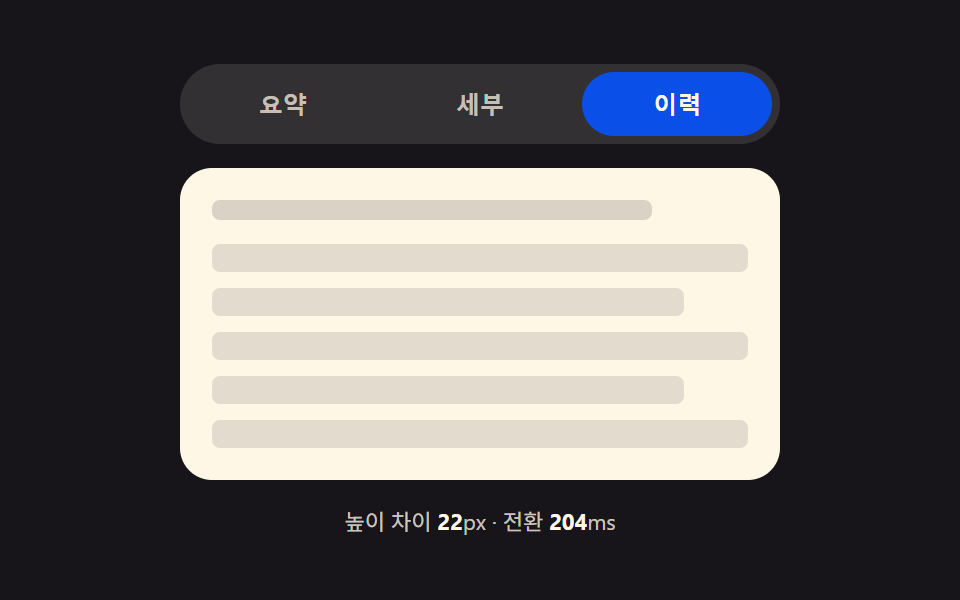 Pickers9 CSS Tab Panel Transition Patterns to Copy
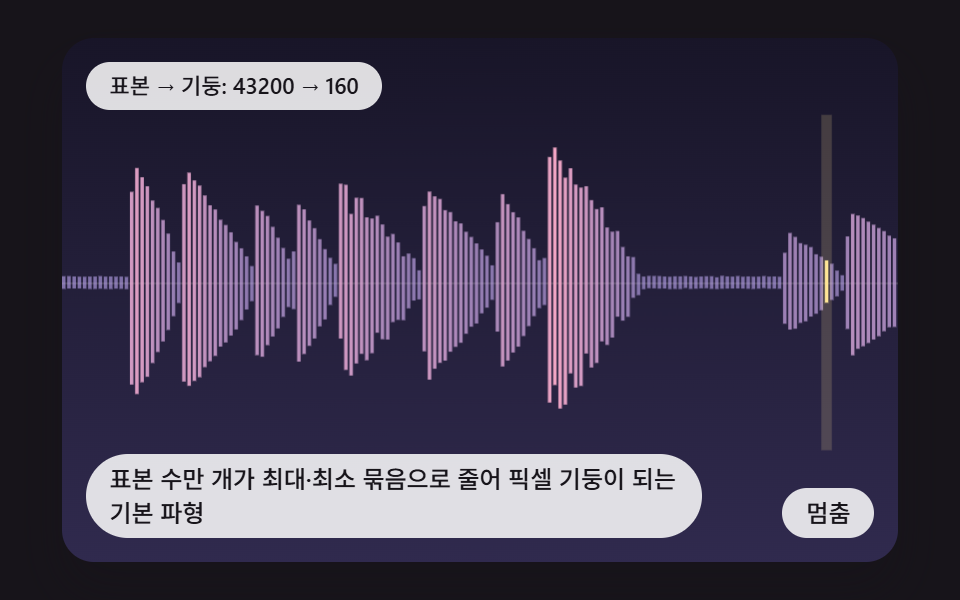 PickersCSS Waveform: 9 Peak Columns and Trim Pickers