Custom Color Picker: 9 JS Parts, No Library
A custom color picker is a control for choosing a color on screen and getting a HEX code back.
 01 color-picker-sv-square-drag
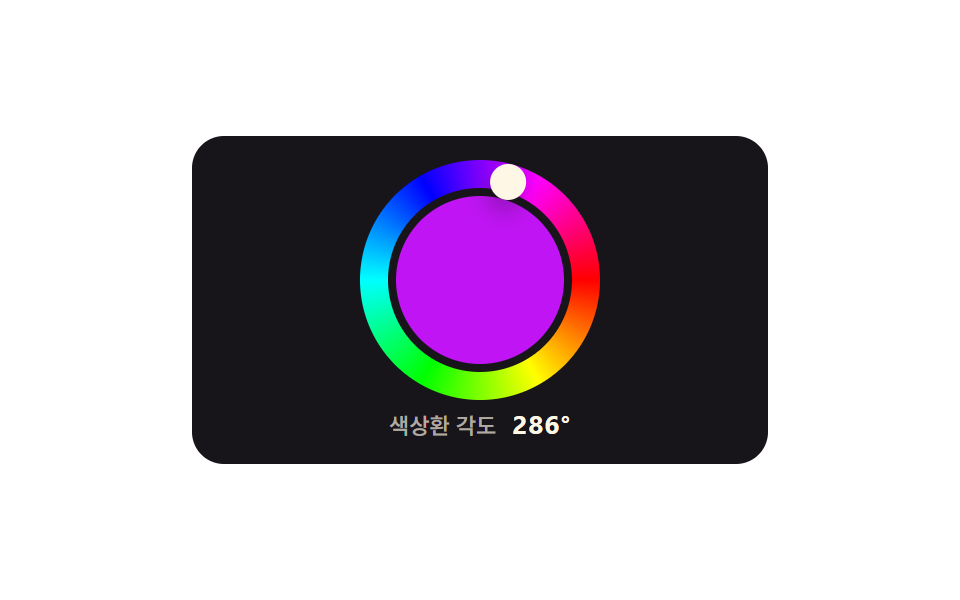 02 color-picker-hue-wheel-angle
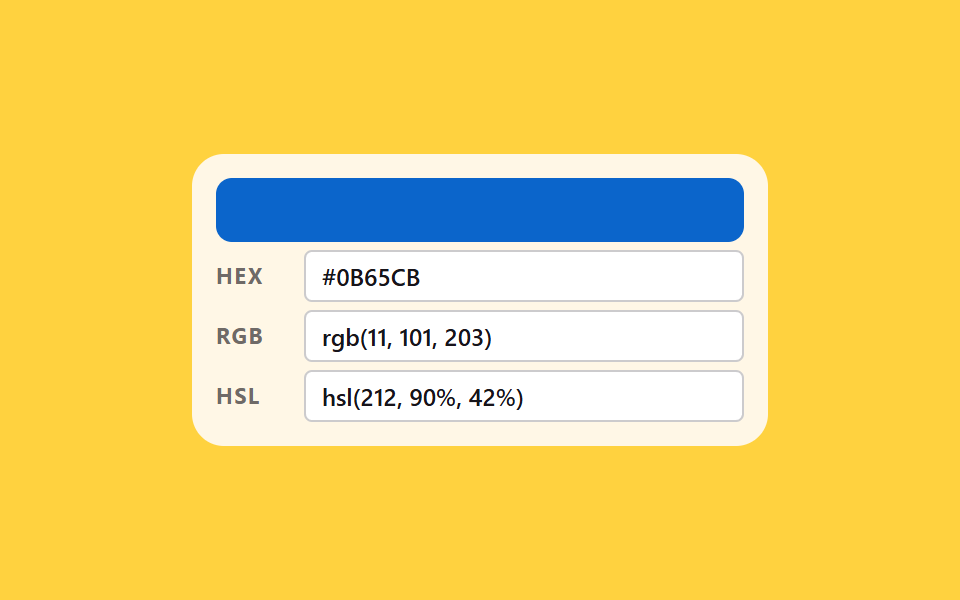 03 color-picker-hex-rgb-hsl-sync
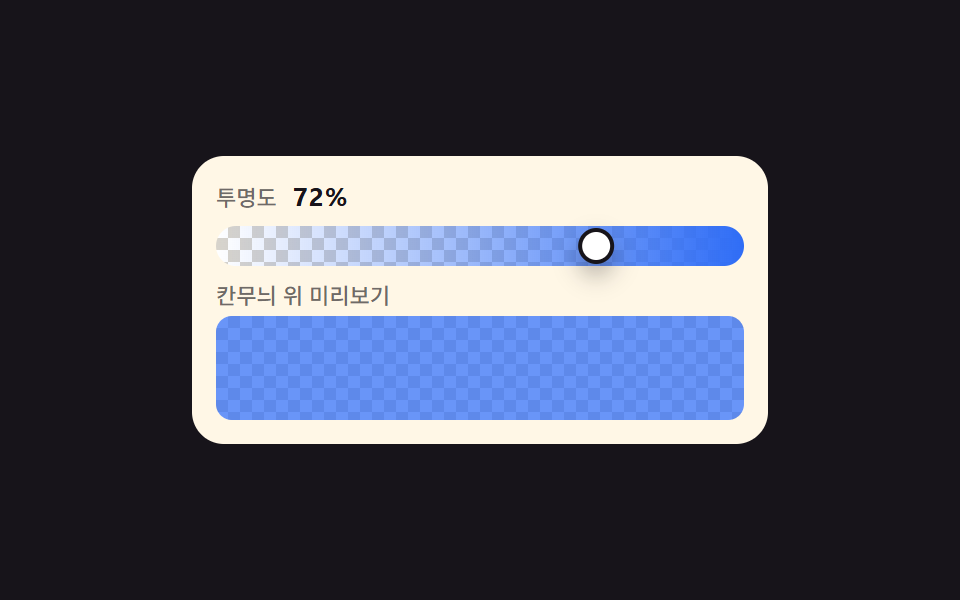 04 color-picker-alpha-checkerboard
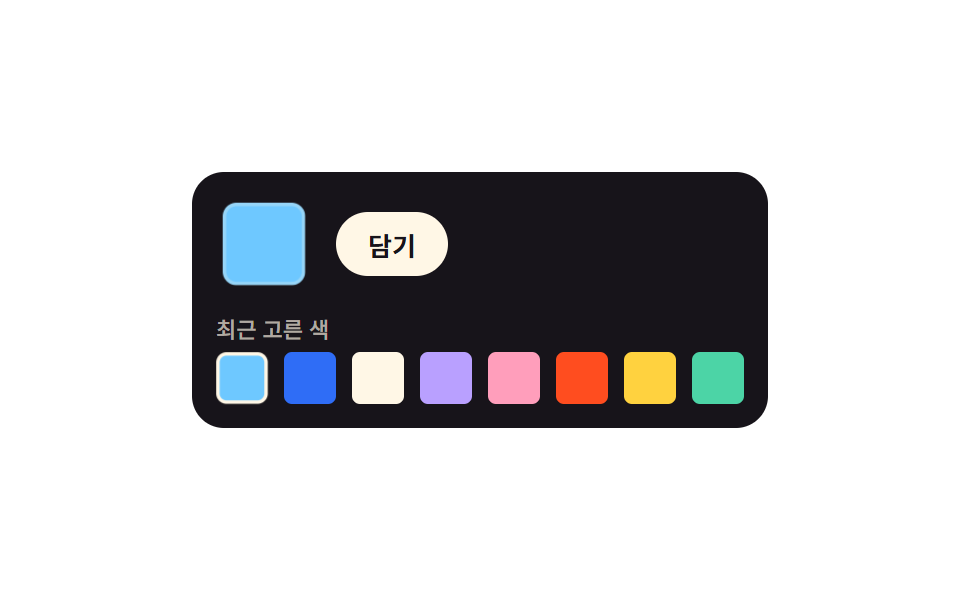 05 color-picker-recent-history
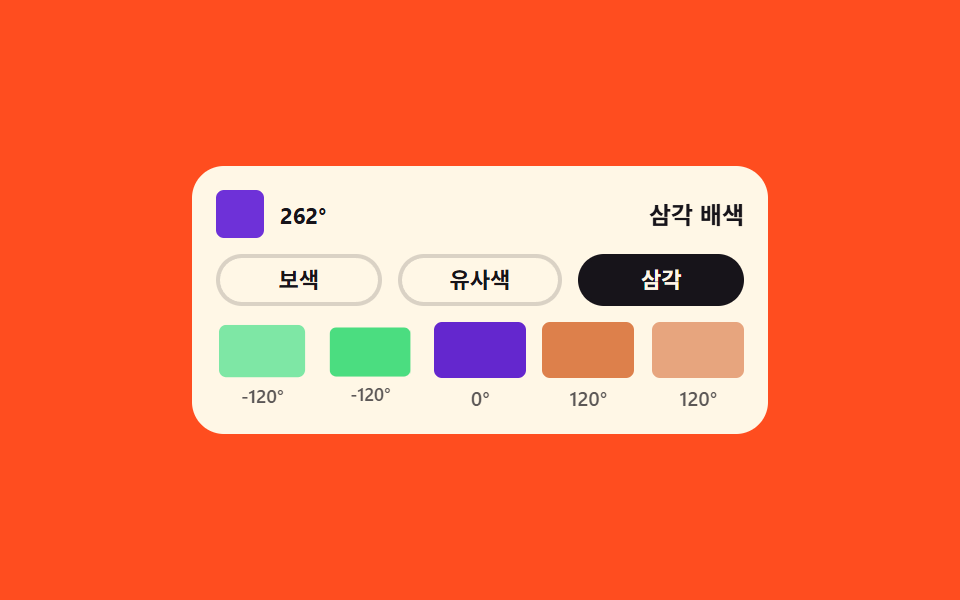 06 color-picker-harmony-generator
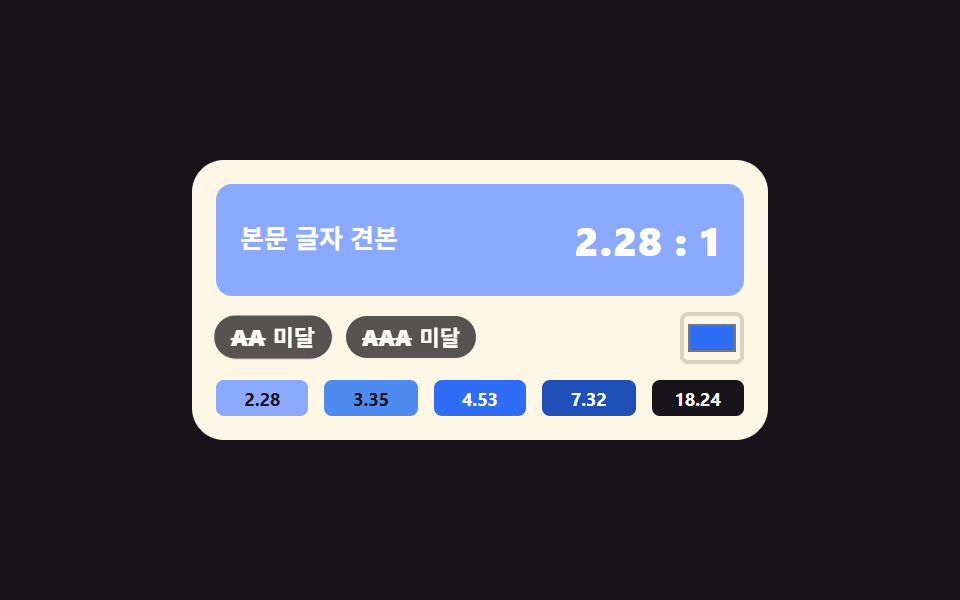 07 color-picker-contrast-checker
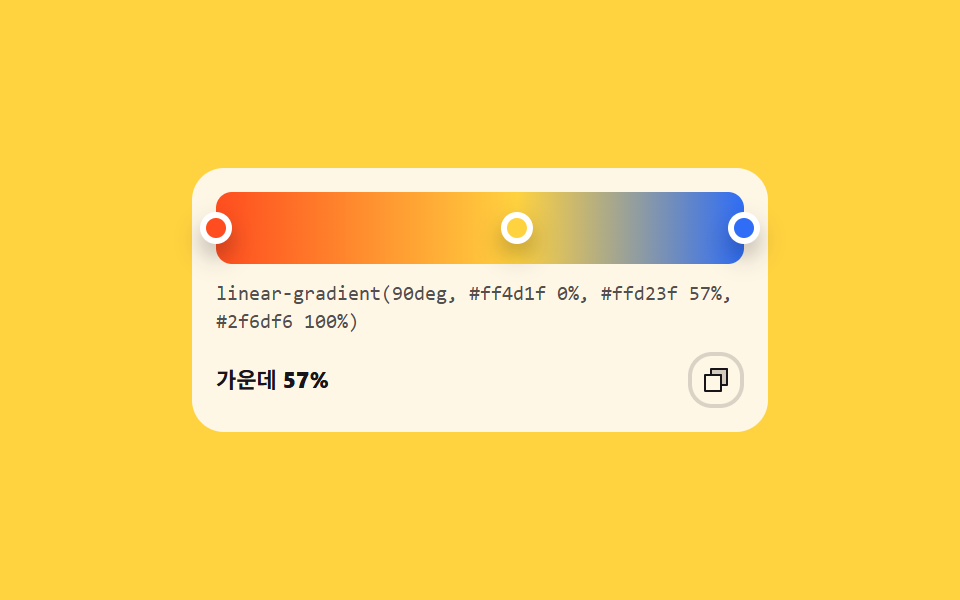 08 color-picker-gradient-stops
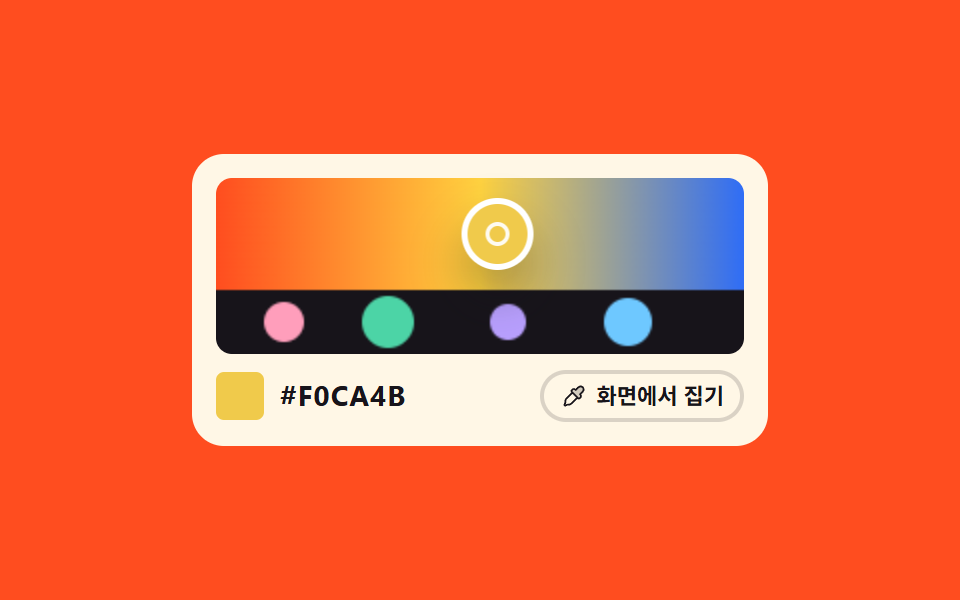 09 color-picker-eyedropper-canvas
Auto-plays · click a tile to jump to its section · all nine in one zip
- 01 Saturation and brightness square you drag
- 02 Hue wheel that reads the angle you press
- 03 HEX, RGB and HSL boxes that follow each other
- 04 Alpha slider sliding over a checkerboard
- 05 Recent colors: eight slots that shift forward
- 06 Complementary, analogous and triadic sets from one hue
- 07 Contrast checker that stamps AA and AAA
- 08 Gradient bar you build by dragging stops
- 09 Eyedropper that lifts a pixel off the artwork
The nine custom color picker js demos are ordered by how color works inside a picker, not by how they look. First the two axes that pick a color by position (01, 02), then notations converting in and out (03), then transparency (04), then picked colors piling up (05), then one hue fanning out into palettes (06), then the measurement of two colors meeting (07), then color stretched into a gradient (08), and only at the end lifting a color straight off the screen (09). When the thing being picked is a moment rather than a color, time picker UI takes over, and seating a picker like this inside a settings page belongs to account security settings UI.
01Saturation and brightness square you drag
What this custom color picker css shows
The base axis of color picking. Side to side reads as saturation, up and down as brightness, and as you drag, the HSV under the knob is converted to RGB that flips the chip and the HEX text in the same instant.
<main class="stage">
  <div class="pk is-demo">
    <div class="pk__sv" id="svArea" role="slider" tabindex="0"
         aria-label="Pick saturation and brightness"
         aria-valuemin="0" aria-valuemax="100" aria-valuenow="20"
         aria-valuetext="Saturation 20%, brightness 100%, #CCE4FF">
      <span class="pk__dot" aria-hidden="true"></span>
    </div>
    <div class="pk__hue" id="hueBar" role="slider" tabindex="0"
         aria-label="Pick hue"
         aria-valuemin="0" aria-valuemax="360" aria-valuenow="212"
         aria-valuetext="Hue 212 degrees">
      <span class="pk__knob" aria-hidden="true"></span>
    </div>
    <div class="pk__read">
      <span class="pk__chip" aria-hidden="true"></span>
      <span class="pk__hex" aria-hidden="true"></span>
      <span class="pk__rgb" aria-hidden="true"></span>
    </div>
  </div>
</main>
@use "../../../../site/static/demo-tokens" as *;
// 채도·명도 사각형 — 가로 264px 이 채도 0~1, 세로 80px 이 명도 1~0 이다.
// 손잡이를 끌면 JS 가 그 자리의 HSV 를 RGB 로 바꿔 --r --g --b 에만 넣는다. 칩 색도, HEX 글자도,
// rgb() 글자도 전부 그 세 값에서 나온다 — counter-set 이 값을 계수기에 옮기고 @counter-style hx 의
// 16진 눈금이 두 자리로 찍는다. 글자를 JS 가 따로 쓰지 않으니 색과 글자가 어긋날 수가 없다.
// 미리보기 루프도 같은 세 값을 애니메이션해서 poster 의 색과 HEX 가 언제나 같은 순간을 가리킨다.
// 루프 경로는 색이 위치에 선형으로 대응하는 두 변만 쓴다 — 윗변(명도 1)과 채도 0.94 세로선.
// 그 두 변 위에서 HSV→RGB 는 1차식이라, 위치 보간값과 색 보간값이 정확히 같은 점을 가리킨다.
$duration: $dur-loop;
$easing: $ease-spring;
$color: $subject-blue;
@include stage($stage-ink);
@property --r { syntax: "<integer>"; inherits: true; initial-value: 204; }
@property --g { syntax: "<integer>"; inherits: true; initial-value: 228; }
@property --b { syntax: "<integer>"; inherits: true; initial-value: 255; }
// 0~15 를 16진 한 자리로 찍는 계수기 눈금. pad 2 "0" 이 0F 처럼 앞자리를 채운다
@counter-style hx {
system: numeric;
symbols: "0" "1" "2" "3" "4" "5" "6" "7" "8" "9" "A" "B" "C" "D" "E" "F";
pad: 2 "0";
}
.pk {
box-sizing: border-box;
width: 288px;
max-width: 100%;
padding: $sp-3;
border-radius: $r-card;
background: $subject-cream;
color: $subject-ink;
font-family: inherit;
--hue: 212;
}
.pk * { box-sizing: border-box; }
.pk__sv {
position: relative;
height: 80px;
border-radius: $r-sm;
cursor: crosshair;
touch-action: none;
background-color: hsl(var(--hue) 100% 50%);
background-image:
linear-gradient(to top, #000000, rgba(0, 0, 0, 0)),
linear-gradient(to right, #ffffff, rgba(255, 255, 255, 0));
}
.pk__sv:focus-visible { outline: 3px solid $color; outline-offset: 3px; }
.pk__dot {
position: absolute;
left: 0;
top: 0;
width: 14px;
height: 14px;
border-radius: 50%;
border: 2px solid #ffffff;
box-shadow: $shadow-press;
// 손잡이는 자기 중심이 고른 점 위에 놓인다 — 좌표 이동 뒤 자기 크기의 절반만큼 되민다
transform: translate(52.8px, 0) translate(-50%, -50%);
}
.pk__hue {
position: relative;
height: 12px;
margin-top: $sp-2;
border-radius: $r-pill;
cursor: pointer;
touch-action: none;
background-image: linear-gradient(to right,
#ff0000 0%, #ffff00 17%, #00ff00 33%, #00ffff 50%, #0000ff 67%, #ff00ff 83%, #ff0000 100%);
}
.pk__hue:focus-visible { outline: 3px solid $color; outline-offset: 3px; }
.pk__knob {
position: absolute;
top: 50%;
left: 58.9%;
width: 14px;
height: 14px;
border-radius: 50%;
background: #ffffff;
box-shadow: $shadow-press;
transform: translate(-50%, -50%);
}
.pk__read {
display: flex;
align-items: center;
gap: $sp-3;
margin-top: $sp-2;
}
.pk__chip {
width: 24px;
height: 24px;
border-radius: $r-xs;
background: rgb(var(--r) var(--g) var(--b));
}
// HEX·rgb() 글자 — 값은 --r --g --b 하나뿐이고 계수기가 표기만 둘로 나눈다
.pk__hex {
counter-set: cr calc(var(--r)) cg calc(var(--g)) cb calc(var(--b));
font-size: 14px;
font-weight: 700;
line-height: 1.2;
letter-spacing: .04em;
}
.pk__hex::after { content: "#" counter(cr, hx) counter(cg, hx) counter(cb, hx); }
.pk__rgb {
counter-set: cr calc(var(--r)) cg calc(var(--g)) cb calc(var(--b));
font-size: 11px;
font-weight: 500;
line-height: 1.2;
color: rgba(23, 20, 26, .62);
}
.pk__rgb::after { content: "rgb(" counter(cr) " " counter(cg) " " counter(cb) ")"; }
// ── 미리보기 루프(정적 규칙 먼저, 그 위에 덧씌움) ─────────────────
// 손잡이와 색을 같은 키프레임 퍼센트·같은 이징으로 돌린다. 두 애니메이션의 보간 비율이 같으니
// 어느 프레임에서도 손잡이가 선 자리의 색과 칩·글자의 색이 같은 값이다.
.pk.is-demo .pk__dot {
animation-name: pkDot;
animation-duration: $duration;
animation-timing-function: $easing;
animation-iteration-count: infinite;
}
.pk.is-demo {
animation-name: pkColor;
animation-duration: $duration;
animation-timing-function: $easing;
animation-iteration-count: infinite;
}
// 채도 0.20 → 0.94 (윗변) → 명도 1 → 0.55 (세로선) → 같은 길을 되짚어 돌아온다. 90% 에 제자리
@keyframes pkDot {
0% { transform: translate(52.8px, 0) translate(-50%, -50%); }
30%, 40% { transform: translate(248.2px, 0) translate(-50%, -50%); }
60%, 70% { transform: translate(248.2px, 36px) translate(-50%, -50%); }
80% { transform: translate(248.2px, 0) translate(-50%, -50%); }
90%, 100% { transform: translate(52.8px, 0) translate(-50%, -50%); }
}
// 색상 212도의 순색은 rgb(0 119 255) 다. 윗변에서는 흰색과의 1차 혼합, 세로선에서는 그 값의 배수다
@keyframes pkColor {
0% { --r: 204; --g: 228; --b: 255; }
30%, 40% { --r: 15; --g: 127; --b: 255; }
60%, 70% { --r: 8; --g: 70; --b: 140; }
80% { --r: 15; --g: 127; --b: 255; }
90%, 100% { --r: 204; --g: 228; --b: 255; }
}
@media (prefers-reduced-motion: reduce) {
.pk.is-demo,
.pk.is-demo .pk__dot {
animation: none !important;
}
}html, body {
margin: 0;
overflow: hidden;
}
.stage {
box-sizing: border-box;
min-height: 100vh;
display: grid;
place-items: center;
margin: 0;
background: #17141a;
font-family: -apple-system, "Segoe UI", "Noto Sans KR", sans-serif;
padding: clamp(8px, 4vw, 24px);
}
@property --r {
syntax: "<integer>";
inherits: true;
initial-value: 204;
}
@property --g {
syntax: "<integer>";
inherits: true;
initial-value: 228;
}
@property --b {
syntax: "<integer>";
inherits: true;
initial-value: 255;
}
@counter-style hx {
system: numeric;
symbols: "0" "1" "2" "3" "4" "5" "6" "7" "8" "9" "A" "B" "C" "D" "E" "F";
pad: 2 "0";
}
.pk {
box-sizing: border-box;
width: 288px;
max-width: 100%;
padding: 12px;
border-radius: 16px;
background: #fff7e6;
color: #17141a;
font-family: inherit;
--hue: 212;
}
.pk * {
box-sizing: border-box;
}
.pk__sv {
position: relative;
height: 80px;
border-radius: 8px;
cursor: crosshair;
touch-action: none;
background-color: hsl(var(--hue), 100%, 50%);
background-image: linear-gradient(to top, #000000, rgba(0, 0, 0, 0)), linear-gradient(to right, #ffffff, rgba(255, 255, 255, 0));
}
.pk__sv:focus-visible {
outline: 3px solid #2f6df6;
outline-offset: 3px;
}
.pk__dot {
position: absolute;
left: 0;
top: 0;
width: 14px;
height: 14px;
border-radius: 50%;
border: 2px solid #ffffff;
box-shadow: 0 6px 12px rgba(23, 20, 26, 0.32);
transform: translate(52.8px, 0) translate(-50%, -50%);
}
.pk__hue {
position: relative;
height: 12px;
margin-top: 8px;
border-radius: 999px;
cursor: pointer;
touch-action: none;
background-image: linear-gradient(to right, #ff0000 0%, #ffff00 17%, #00ff00 33%, #00ffff 50%, #0000ff 67%, #ff00ff 83%, #ff0000 100%);
}
.pk__hue:focus-visible {
outline: 3px solid #2f6df6;
outline-offset: 3px;
}
.pk__knob {
position: absolute;
top: 50%;
left: 58.9%;
width: 14px;
height: 14px;
border-radius: 50%;
background: #ffffff;
box-shadow: 0 6px 12px rgba(23, 20, 26, 0.32);
transform: translate(-50%, -50%);
}
.pk__read {
display: flex;
align-items: center;
gap: 12px;
margin-top: 8px;
}
.pk__chip {
width: 24px;
height: 24px;
border-radius: 4px;
background: rgb(var(--r), var(--g), var(--b));
}
.pk__hex {
counter-set: cr calc(var(--r)) cg calc(var(--g)) cb calc(var(--b));
font-size: 14px;
font-weight: 700;
line-height: 1.2;
letter-spacing: 0.04em;
}
.pk__hex::after {
content: "#" counter(cr, hx) counter(cg, hx) counter(cb, hx);
}
.pk__rgb {
counter-set: cr calc(var(--r)) cg calc(var(--g)) cb calc(var(--b));
font-size: 11px;
font-weight: 500;
line-height: 1.2;
color: rgba(23, 20, 26, 0.62);
}
.pk__rgb::after {
content: "rgb(" counter(cr) " " counter(cg) " " counter(cb) ")";
}
.pk.is-demo .pk__dot {
animation-name: pkDot;
animation-duration: 2s;
animation-timing-function: cubic-bezier(0.2, 0.8, 0.2, 1);
animation-iteration-count: infinite;
}
.pk.is-demo {
animation-name: pkColor;
animation-duration: 2s;
animation-timing-function: cubic-bezier(0.2, 0.8, 0.2, 1);
animation-iteration-count: infinite;
}
@keyframes pkDot {
0% {
transform: translate(52.8px, 0) translate(-50%, -50%);
}
30%, 40% {
transform: translate(248.2px, 0) translate(-50%, -50%);
}
60%, 70% {
transform: translate(248.2px, 36px) translate(-50%, -50%);
}
80% {
transform: translate(248.2px, 0) translate(-50%, -50%);
}
90%, 100% {
transform: translate(52.8px, 0) translate(-50%, -50%);
}
}
@keyframes pkColor {
0% {
--r: 204;
--g: 228;
--b: 255;
}
30%, 40% {
--r: 15;
--g: 127;
--b: 255;
}
60%, 70% {
--r: 8;
--g: 70;
--b: 140;
}
80% {
--r: 15;
--g: 127;
--b: 255;
}
90%, 100% {
--r: 204;
--g: 228;
--b: 255;
}
}
@media (prefers-reduced-motion: reduce) {
.pk.is-demo,
.pk.is-demo .pk__dot {
animation: none !important;
}
}(function () {
var root = document.querySelector('.pk');
var svArea = document.getElementById('svArea');
var hueBar = document.getElementById('hueBar');
var dot = root.querySelector('.pk__dot');
var knob = root.querySelector('.pk__knob');
var svFormat = 'Saturation %s%, brightness %v%, %x';
var hueFormat = 'Hue %h degrees';
var hue = 212, sat = 0.2, val = 1;
// HSV(0~360, 0~1, 0~1) → RGB(0~255). 육각형 여섯 구간을 표로 펴서 분기 없이 고른다
function hsvToRgb(h, s, v) {
var c = v * s, x = c * (1 - Math.abs(((h / 60) % 2) - 1)), m = v - c;
var face = [[c, x, 0], [x, c, 0], [0, c, x], [0, x, c], [x, 0, c], [c, 0, x]][Math.floor(h / 60) % 6];
return face.map(function (n) { return Math.round((n + m) * 255); });
}
function toHex(rgb) {
return '#' + rgb.map(function (n) { return n.toString(16).padStart(2, '0'); }).join('').toUpperCase();
}
// 글자는 JS 가 쓰지 않는다 — --r --g --b 세 개만 넘기면 counter-set 이 HEX·RGB 를 찍는다
function applyColor() {
var rgb = hsvToRgb(hue, sat, val);
root.style.setProperty('--r', rgb[0]);
root.style.setProperty('--g', rgb[1]);
root.style.setProperty('--b', rgb[2]);
svArea.style.setProperty('--hue', hue);
dot.style.transform = 'translate(' + (sat * 264).toFixed(1) + 'px, ' + ((1 - val) * 80).toFixed(1) + 'px) translate(-50%, -50%)';
knob.style.left = (hue / 360 * 100).toFixed(1) + '%';
svArea.setAttribute('aria-valuenow', Math.round(sat * 100));
svArea.setAttribute('aria-valuetext', svFormat.replace('%s', Math.round(sat * 100)).replace('%v', Math.round(val * 100)).replace('%x', toHex(rgb)));
hueBar.setAttribute('aria-valuenow', Math.round(hue));
hueBar.setAttribute('aria-valuetext', hueFormat.replace('%h', Math.round(hue)));
}
function pickAt(e) {
var box = svArea.getBoundingClientRect();
sat = Math.min(1, Math.max(0, (e.clientX - box.left) / box.width));
val = 1 - Math.min(1, Math.max(0, (e.clientY - box.top) / box.height));
applyColor();
}
function pickHue(e) {
var box = hueBar.getBoundingClientRect();
hue = Math.min(360, Math.max(0, (e.clientX - box.left) / box.width * 360));
applyColor();
}
function bindDrag(el, handler) {
el.addEventListener('pointerdown', function (e) {
root.classList.remove('is-demo');
el.setPointerCapture(e.pointerId); // 칸 밖으로 끌어도 이 요소가 계속 포인터를 받는다
handler(e);
});
el.addEventListener('pointermove', function (e) {
if (el.hasPointerCapture(e.pointerId)) { handler(e); }
});
}
bindDrag(svArea, pickAt);
bindDrag(hueBar, pickHue);
svArea.addEventListener('keydown', function (e) {
var step = e.shiftKey ? 0.1 : 0.02;
if (e.key === 'ArrowRight') { sat = Math.min(1, sat + step); }
else if (e.key === 'ArrowLeft') { sat = Math.max(0, sat - step); }
else if (e.key === 'ArrowUp') { val = Math.min(1, val + step); }
else if (e.key === 'ArrowDown') { val = Math.max(0, val - step); }
else { return; }
e.preventDefault();
root.classList.remove('is-demo');
applyColor();
});
hueBar.addEventListener('keydown', function (e) {
var step = e.shiftKey ? 15 : 3;
if (e.key === 'ArrowRight') { hue = Math.min(360, hue + step); }
else if (e.key === 'ArrowLeft') { hue = Math.max(0, hue - step); }
else { return; }
e.preventDefault();
root.classList.remove('is-demo');
applyColor();
});
applyColor();
})();// SvSquareDrag — vanilla 판(run/286/demo/01-color-picker-sv-square-drag) 의 React 포트.
// 변수 3개(duration·easing·color)는 props 로 받아 CSS 변수(var(--duration) 등)로 들어온다.
// 상태는 hue·sat·val 세 숫자뿐이다. RGB 는 그때그때 계산해 --r --g --b 로만 넘기고,
// HEX·rgb() 글자는 module.scss 의 counter-set + @counter-style 이 찍는다 — JS 가 글자를 쓰지 않는다.
import { useRef, useState } from "react";
import type { CSSProperties, PointerEvent as ReactPointerEvent } from "react";
import styles from "./SvSquareDrag.module.scss";
type KeyEvt = { key: string; shiftKey: boolean; preventDefault(): void };
export type SvSquareDragProps = {
svLabel?: string;
hueLabel?: string;
/** "채도 %s%, 명도 %v%, %x" 처럼 자리표시자 셋을 가진 틀 */
svFormat?: string;
/** "색상 %h도" 처럼 자리표시자 하나를 가진 틀 */
hueFormat?: string;
/** 격자 미리보기용 2초 자동 루프. 사람이 손대면 꺼진다 */
demo?: boolean;
duration?: number;
easing?: string;
color?: string;
};
type Vars = CSSProperties & {
"--duration"?: string;
"--easing"?: string;
"--color"?: string;
"--hue"?: number;
"--r"?: number;
"--g"?: number;
"--b"?: number;
};
const SV_WIDTH = 264;
const SV_HEIGHT = 80;
// HSV(0~360, 0~1, 0~1) → RGB(0~255). 육각형 여섯 구간을 표로 펴서 분기 없이 고른다
function hsvToRgb(h: number, s: number, v: number): number[] {
const c = v * s;
const x = c * (1 - Math.abs(((h / 60) % 2) - 1));
const m = v - c;
const faces: number[][] = [[c, x, 0], [x, c, 0], [0, c, x], [0, x, c], [x, 0, c], [c, 0, x]];
return faces[Math.floor(h / 60) % 6].map((n) => Math.round((n + m) * 255));
}
function toHex(rgb: number[]): string {
return "#" + rgb.map((n) => n.toString(16).padStart(2, "0")).join("").toUpperCase();
}
function clamp01(n: number): number {
return Math.min(1, Math.max(0, n));
}
export default function SvSquareDrag({
svLabel = "채도와 명도 고르기",
hueLabel = "색상 고르기",
svFormat = "채도 %s%, 명도 %v%, %x",
hueFormat = "색상 %h도",
demo = true,
duration = 2000,
easing = "cubic-bezier(.2, .8, .2, 1)",
color = "#2f6df6",
}: SvSquareDragProps) {
const [live, setLive] = useState(demo);
const [hue, setHue] = useState(212);
const [sat, setSat] = useState(0.2);
const [val, setVal] = useState(1);
const svRef = useRef<HTMLDivElement>(null);
const hueRef = useRef<HTMLDivElement>(null);
const rgb = hsvToRgb(hue, sat, val);
const vars: Vars = {
"--duration": `${duration}ms`,
"--easing": easing,
"--color": color,
"--hue": hue,
"--r": rgb[0],
"--g": rgb[1],
"--b": rgb[2],
};
function applySquare(e: ReactPointerEvent<HTMLDivElement>) {
const node = svRef.current;
if (!node) return;
const box = node.getBoundingClientRect();
setSat(clamp01((e.clientX - box.left) / box.width));
setVal(1 - clamp01((e.clientY - box.top) / box.height));
}
function applyHue(e: ReactPointerEvent<HTMLDivElement>) {
const node = hueRef.current;
if (!node) return;
const box = node.getBoundingClientRect();
setHue(clamp01((e.clientX - box.left) / box.width) * 360);
}
function startSquare(e: ReactPointerEvent<HTMLDivElement>) {
setLive(false);
// 칸 밖으로 끌어도 이 요소가 계속 포인터를 받는다
e.currentTarget.setPointerCapture(e.pointerId);
applySquare(e);
}
function startHue(e: ReactPointerEvent<HTMLDivElement>) {
setLive(false);
e.currentTarget.setPointerCapture(e.pointerId);
applyHue(e);
}
function dragSquare(e: ReactPointerEvent<HTMLDivElement>) {
if (e.currentTarget.hasPointerCapture(e.pointerId)) applySquare(e);
}
function dragHue(e: ReactPointerEvent<HTMLDivElement>) {
if (e.currentTarget.hasPointerCapture(e.pointerId)) applyHue(e);
}
function keySquare(e: KeyEvt) {
const step = e.shiftKey ? 0.1 : 0.02;
if (e.key === "ArrowRight") setSat(clamp01(sat + step));
else if (e.key === "ArrowLeft") setSat(clamp01(sat - step));
else if (e.key === "ArrowUp") setVal(clamp01(val + step));
else if (e.key === "ArrowDown") setVal(clamp01(val - step));
else return;
e.preventDefault();
setLive(false);
}
function keyHue(e: KeyEvt) {
const step = e.shiftKey ? 15 : 3;
if (e.key === "ArrowRight") setHue(Math.min(360, hue + step));
else if (e.key === "ArrowLeft") setHue(Math.max(0, hue - step));
else return;
e.preventDefault();
setLive(false);
}
const svText = svFormat
.replace("%s", String(Math.round(sat * 100)))
.replace("%v", String(Math.round(val * 100)))
.replace("%x", toHex(rgb));
const hueText = hueFormat.replace("%h", String(Math.round(hue)));
const dotStyle: CSSProperties = {
transform: `translate(${(sat * SV_WIDTH).toFixed(1)}px, ${((1 - val) * SV_HEIGHT).toFixed(1)}px) translate(-50%, -50%)`,
};
return (
<div className={[styles.pk, live ? styles.isDemo : ""].filter(Boolean).join(" ")} style={vars}>
<div
ref={svRef}
className={styles.sv}
role="slider"
tabIndex={0}
aria-label={svLabel}
aria-valuemin={0}
aria-valuemax={100}
aria-valuenow={Math.round(sat * 100)}
aria-valuetext={svText}
onPointerDown={startSquare}
onPointerMove={dragSquare}
onKeyDown={keySquare}
>
<span className={styles.dot} style={dotStyle} aria-hidden="true" />
</div>
<div
ref={hueRef}
className={styles.hue}
role="slider"
tabIndex={0}
aria-label={hueLabel}
aria-valuemin={0}
aria-valuemax={360}
aria-valuenow={Math.round(hue)}
aria-valuetext={hueText}
onPointerDown={startHue}
onPointerMove={dragHue}
onKeyDown={keyHue}
>
<span className={styles.knob} style={{ left: `${((hue / 360) * 100).toFixed(1)}%` }} aria-hidden="true" />
</div>
<div className={styles.read}>
<span className={styles.chip} aria-hidden="true" />
<span className={styles.hex} aria-hidden="true" />
<span className={styles.rgb} aria-hidden="true" />
</div>
</div>
);
}01 · Saturation and brightness square you drag — Measured area 2.738% · moving frames 18/23Original by GODRICH · SCSS and React ship in the zip · See the password
Where to look in the code
Its accumulated changed area is 2.738% of the canvas — the quietest of the nine.
// Three registered properties are the only source of the color — chip fill, HEX text, all of it
@property --r { syntax: "<integer>"; inherits: true; initial-value: 204; }
@property --g { syntax: "<integer>"; inherits: true; initial-value: 228; }
@property --b { syntax: "<integer>"; inherits: true; initial-value: 255; }
@counter-style hx {
  system: numeric;
  symbols: "0" "1" "2" "3" "4" "5" "6" "7" "8" "9" "A" "B" "C" "D" "E" "F";
  pad: 2 "0";   // pads the front digit, as in 0F
}
.pk__hex { counter-set: cr calc(var(--r)) cg calc(var(--g)) cb calc(var(--b)); }
.pk__hex::after { content: "#" counter(cr, hx) counter(cg, hx) counter(cb, hx); }
// HSV (0~360, 0~1, 0~1) → RGB (0~255). Six segments laid out as a table, no branching
function hsvToRgb(h, s, v) {
  var c = v * s, x = c * (1 - Math.abs(((h / 60) % 2) - 1)), m = v - c;
  var face = [[c, x, 0], [x, c, 0], [0, c, x], [0, x, c], [x, 0, c], [c, 0, x]][Math.floor(h / 60) % 6];
  return face.map(function (n) { return Math.round((n + m) * 255); });
}
// Dragging past the edge keeps feeding this element — the one line that stops the drag from dropping
el.setPointerCapture(e.pointerId);
02Hue wheel that reads the angle you press
What happens on screen
When only hue matters, a circle beats a square.
<main class="stage">
  <div class="hw is-demo">
    <div class="hw__ring" id="hueWheel" role="slider" tabindex="0"
         aria-label="Pick by angle on the wheel"
         aria-valuemin="0" aria-valuemax="360" aria-valuenow="212"
         aria-valuetext="Wheel angle 212 degrees">
      <span class="hw__core" aria-hidden="true"></span>
      <span class="hw__arm" aria-hidden="true"></span>
    </div>
    <p class="hw__read" aria-hidden="true">
      <span class="hw__cap">Wheel angle</span><span class="hw__val"></span>
    </p>
  </div>
</main>
@use "../../../../site/static/demo-tokens" as *;
// 색상환 — 원 위를 누른 자리의 각도가 곧 색상값(0~360)이다.
// 움직이는 값은 --h 하나뿐이고, 손잡이 각도·가운데 원 색·아래 숫자가 전부 그 한 값에서 나온다.
// 그래서 어느 프레임을 잘라도 손잡이가 선 자리의 색과 원 색과 숫자가 같은 값을 가리킨다.
// conic-gradient 의 from 90deg 는 빨강(색상 0)을 3시에 놓는다 — Math.atan2 의 0 과 같은 자리라
// JS 는 잰 각도를 그대로 색상값으로 쓰고, 손잡이만 +90 으로 그 기준에 맞춘다.
$duration: $dur-loop;
$easing: $ease-spring;
$color: $subject-blue;
@include stage($stage-paper);
// 각도. <integer> 로 등록해 counter-set 이 그대로 받아 쓴다 — 한 값이 각도·색·숫자를 함께 움직인다
@property --h { syntax: "<integer>"; inherits: true; initial-value: 212; }
.hw {
box-sizing: border-box;
display: grid;
justify-items: center;
width: 288px;
max-width: 100%;
padding: $sp-3;
border-radius: $r-card;
background: $subject-ink;
color: $subject-cream;
font-family: inherit;
}
.hw * { box-sizing: border-box; }
.hw__ring {
position: relative;
width: 120px;
height: 120px;
border-radius: 50%;
cursor: pointer;
touch-action: none;
// 색상환 한 바퀴. from 90deg 라 빨강이 3시에서 시작해 시계방향으로 돈다
background-image: conic-gradient(from 90deg,
#ff0000, #ffff00, #00ff00, #00ffff, #0000ff, #ff00ff, #ff0000);
}
.hw__ring:focus-visible { outline: 3px solid $color; outline-offset: 3px; }
.hw__core {
position: absolute;
left: 50%;
top: 50%;
width: 84px;
height: 84px;
border-radius: 50%;
// 자기 중심을 링 중심에 맞춘다. 가운데를 덮어 링 두께가 18px 로 남는다
transform: translate(-50%, -50%);
background: hsl(var(--h) 92% 52%);
box-shadow: 0 0 0 4px $subject-ink; // 카드 바탕색 테두리가 링과 가운데 원을 갈라 놓는다
}
.hw__arm {
position: absolute;
inset: 0;
// 손잡이는 링에 붙어 도는 요소다 — 회전 중심이 자기 중심이 아니라 링 중심이라 링 크기 레이어째 돌린다.
// +90 은 conic 의 from 90deg 보정이다. 색상 0 이 3시에 있으니 손잡이도 3시에서 출발해야 색 위에 선다
transform: rotate(calc((var(--h) + 90) * 1deg));
}
.hw__arm::after {
content: "";
position: absolute;
left: 50%;
top: 50%;
width: 18px;
height: 18px;
border-radius: 50%;
background: $subject-cream;
box-shadow: $shadow-press;
// 자기 크기의 절반만큼 되민 뒤 링 두께 한가운데(반지름 51px)로 올린다
transform: translate(-50%, -50%) translateY(-51px);
}
.hw__read {
display: flex;
align-items: baseline;
gap: $sp-2;
margin: $sp-1 0 0;
}
.hw__cap {
font-size: 11px;
font-weight: 500;
line-height: 1.2;
color: rgba(255, 247, 230, .66);
}
// 숫자는 JS 가 쓰지 않는다 — counter-set 이 --h 를 계수기로 옮기고 ::after 가 찍는다
.hw__val {
counter-set: ch calc(var(--h));
font-size: 13px;
font-weight: 700;
line-height: 1.2;
letter-spacing: .04em;
}
.hw__val::after { content: counter(ch) "°"; }
// ── 미리보기 루프(정적 규칙 먼저, 그 위에 덧씌움) ─────────────────
.hw.is-demo {
animation-name: hwSpin;
animation-duration: $duration;
animation-timing-function: $easing;
animation-iteration-count: infinite;
}
// 212도(파랑) → 344도(분홍) → 같은 길을 되짚어 212도. 90% 에 제자리로 돌아온다
// (24프레임의 마지막 장이 95.8% 지점이라 그 뒤에 두면 복귀가 영영 안 찍힌다)
@keyframes hwSpin {
0% { --h: 212; }
45% { --h: 344; }
90%, 100% { --h: 212; }
}
@media (prefers-reduced-motion: reduce) {
.hw.is-demo { animation: none !important; }
}@charset "UTF-8";
html, body {
margin: 0;
overflow: hidden;
}
.stage {
box-sizing: border-box;
min-height: 100vh;
display: grid;
place-items: center;
margin: 0;
background: #ffffff;
font-family: -apple-system, "Segoe UI", "Noto Sans KR", sans-serif;
padding: clamp(8px, 4vw, 24px);
}
@property --h {
syntax: "<integer>";
inherits: true;
initial-value: 212;
}
.hw {
box-sizing: border-box;
display: grid;
justify-items: center;
width: 288px;
max-width: 100%;
padding: 12px;
border-radius: 16px;
background: #17141a;
color: #fff7e6;
font-family: inherit;
}
.hw * {
box-sizing: border-box;
}
.hw__ring {
position: relative;
width: 120px;
height: 120px;
border-radius: 50%;
cursor: pointer;
touch-action: none;
background-image: conic-gradient(from 90deg, #ff0000, #ffff00, #00ff00, #00ffff, #0000ff, #ff00ff, #ff0000);
}
.hw__ring:focus-visible {
outline: 3px solid #2f6df6;
outline-offset: 3px;
}
.hw__core {
position: absolute;
left: 50%;
top: 50%;
width: 84px;
height: 84px;
border-radius: 50%;
transform: translate(-50%, -50%);
background: hsl(var(--h), 92%, 52%);
box-shadow: 0 0 0 4px #17141a;
}
.hw__arm {
position: absolute;
inset: 0;
transform: rotate(calc((var(--h) + 90) * 1deg));
}
.hw__arm::after {
content: "";
position: absolute;
left: 50%;
top: 50%;
width: 18px;
height: 18px;
border-radius: 50%;
background: #fff7e6;
box-shadow: 0 6px 12px rgba(23, 20, 26, 0.32);
transform: translate(-50%, -50%) translateY(-51px);
}
.hw__read {
display: flex;
align-items: baseline;
gap: 8px;
margin: 4px 0 0;
}
.hw__cap {
font-size: 11px;
font-weight: 500;
line-height: 1.2;
color: rgba(255, 247, 230, 0.66);
}
.hw__val {
counter-set: ch calc(var(--h));
font-size: 13px;
font-weight: 700;
line-height: 1.2;
letter-spacing: 0.04em;
}
.hw__val::after {
content: counter(ch) "°";
}
.hw.is-demo {
animation-name: hwSpin;
animation-duration: 2s;
animation-timing-function: cubic-bezier(0.2, 0.8, 0.2, 1);
animation-iteration-count: infinite;
}
@keyframes hwSpin {
0% {
--h: 212;
}
45% {
--h: 344;
}
90%, 100% {
--h: 212;
}
}
@media (prefers-reduced-motion: reduce) {
.hw.is-demo {
animation: none !important;
}
}(function () {
var root = document.querySelector('.hw');
var wheel = document.getElementById('hueWheel');
var hueFormat = 'Wheel angle %h degrees';
var hue = 212;
// 값은 --h 하나뿐이다. 손잡이 각도도, Middle 원 색도, 아래 숫자도 전부 이 한 값에서 나온다 —
// 글자는 CSS 계수기가 찍으므로 JS 가 숫자를 따로 쓸 일이 없고, 색과 글자가 어긋날 수가 없다
function applyHue() {
root.style.setProperty('--h', hue);
wheel.setAttribute('aria-valuenow', hue);
wheel.setAttribute('aria-valuetext', hueFormat.replace('%h', hue));
}
// 중심에서 포인터까지의 각도를 잰다. Math.atan2 는 3시 방향이 0 이고 시계방향으로 커지는데,
// conic-gradient(from 90deg) 도 빨강(색상 0)을 3시에 놓는다 — 두 기준이 같아 보정 없이 그대로 색상값이다
function pickAngle(e) {
var box = wheel.getBoundingClientRect();
var deg = Math.atan2(e.clientY - box.top - box.height / 2, e.clientX - box.left - box.width / 2) * 180 / Math.PI;
hue = Math.round((deg + 360) % 360) % 360; // 등록 속성 --h 는 정수만 받는다
applyHue();
}
wheel.addEventListener('pointerdown', function (e) {
root.classList.remove('is-demo');
wheel.setPointerCapture(e.pointerId); // 원 밖으로 끌어도 이 요소가 각도를 계속 받는다
pickAngle(e);
});
wheel.addEventListener('pointermove', function (e) {
if (wheel.hasPointerCapture(e.pointerId)) { pickAngle(e); }
});
wheel.addEventListener('keydown', function (e) {
var step = e.shiftKey ? 15 : 3;
if (e.key === 'ArrowRight' || e.key === 'ArrowUp') { hue = (hue + step) % 360; }
else if (e.key === 'ArrowLeft' || e.key === 'ArrowDown') { hue = (hue - step + 360) % 360; }
else { return; }
e.preventDefault();
root.classList.remove('is-demo');
applyHue();
});
applyHue();
})();// HueWheelAngle — vanilla 판(run/286/demo/02-color-picker-hue-wheel-angle) 의 React 포트.
// 변수 3개(duration·easing·color)는 props 로 받아 CSS 변수(var(--duration) 등)로 들어온다.
// 상태는 hue 숫자 하나뿐이다. 손잡이 각도도, 가운데 원 색도, 아래 숫자도 전부 --h 한 값에서 나오고
// 숫자는 module.scss 의 counter-set 이 찍는다 — JS 가 글자를 쓰지 않는다.
import { useState } from "react";
import type { CSSProperties, PointerEvent as ReactPointerEvent } from "react";
import styles from "./HueWheelAngle.module.scss";
type KeyEvt = { key: string; shiftKey: boolean; preventDefault(): void };
export type HueWheelAngleProps = {
wheelLabel?: string;
capLabel?: string;
/** "색상환 각도 %h도" 처럼 자리표시자 하나를 가진 틀 */
hueFormat?: string;
/** 격자 미리보기용 2초 자동 루프. 사람이 손대면 꺼진다 */
demo?: boolean;
duration?: number;
easing?: string;
color?: string;
};
type Vars = CSSProperties & {
"--duration"?: string;
"--easing"?: string;
"--color"?: string;
"--h"?: number;
};
export default function HueWheelAngle({
wheelLabel = "색상환에서 각도로 고르기",
capLabel = "색상환 각도",
hueFormat = "색상환 각도 %h도",
demo = true,
duration = 2000,
easing = "cubic-bezier(.2, .8, .2, 1)",
color = "#2f6df6",
}: HueWheelAngleProps) {
const [live, setLive] = useState(demo);
const [hue, setHue] = useState(212);
const vars: Vars = {
"--duration": `${duration}ms`,
"--easing": easing,
"--color": color,
"--h": hue,
};
// 중심에서 포인터까지의 각도를 잰다. Math.atan2 는 3시 방향이 0 이고 시계방향으로 커지는데,
// conic-gradient(from 90deg) 도 빨강(색상 0)을 3시에 놓는다 — 기준이 같아 보정 없이 그대로 색상값이다
function angleAt(e: ReactPointerEvent<HTMLDivElement>): number {
const box = e.currentTarget.getBoundingClientRect();
const deg =
(Math.atan2(e.clientY - box.top - box.height / 2, e.clientX - box.left - box.width / 2) * 180) / Math.PI;
return Math.round((deg + 360) % 360) % 360;
}
function start(e: ReactPointerEvent<HTMLDivElement>) {
setLive(false);
e.currentTarget.setPointerCapture(e.pointerId); // 원 밖으로 끌어도 각도를 계속 받는다
setHue(angleAt(e));
}
function drag(e: ReactPointerEvent<HTMLDivElement>) {
if (e.currentTarget.hasPointerCapture(e.pointerId)) setHue(angleAt(e));
}
function press(e: KeyEvt) {
const step = e.shiftKey ? 15 : 3;
if (e.key === "ArrowRight" || e.key === "ArrowUp") setHue((hue + step) % 360);
else if (e.key === "ArrowLeft" || e.key === "ArrowDown") setHue((hue - step + 360) % 360);
else return;
e.preventDefault();
setLive(false);
}
const hueText = hueFormat.replace("%h", String(hue));
return (
<div className={[styles.hw, live ? styles.isDemo : ""].filter(Boolean).join(" ")} style={vars}>
<div
className={styles.ring}
role="slider"
tabIndex={0}
aria-label={wheelLabel}
aria-valuemin={0}
aria-valuemax={360}
aria-valuenow={hue}
aria-valuetext={hueText}
onPointerDown={start}
onPointerMove={drag}
onKeyDown={press}
>
<span className={styles.core} aria-hidden="true" />
<span className={styles.arm} aria-hidden="true" />
</div>
<p className={styles.read} aria-hidden="true">
<span className={styles.cap}>{capLabel}</span>
<span className={styles.val} />
</p>
</div>
);
}02 · Hue wheel that reads the angle you press — Measured area 5.619% · moving frames 19/23Original by GODRICH · SCSS and React ship in the zip · See the password
How to read the code
The angle of the point you press becomes a hue from 0 to 360, and the knob rides the rim right on top of its own color — --h is the only value that moves, so the core fill and the degree readout cannot disagree.
// Measure the angle from the center. Math.atan2 puts 0 at 3 o'clock growing clockwise,
// and conic-gradient(from 90deg) also puts red (hue 0) at 3 o'clock — same reference, so the
// angle IS the hue with no correction
var deg = Math.atan2(e.clientY - box.top - box.height / 2,
                     e.clientX - box.left - box.width / 2) * 180 / Math.PI;
hue = Math.round((deg + 360) % 360) % 360;
// The knob rides the ring — its rotation center is the ring's center, not its own, so the
// ring-sized layer turns as one. +90 corrects for the conic's from 90deg
.hw__arm { transform: rotate(calc((var(--h) + 90) * 1deg)); }
.hw__arm::after {
  transform: translate(-50%, -50%) translateY(-51px);   // mid-ring (radius 51px)
}
.hw__core { background: hsl(var(--h) 92% 52%); }
03HEX, RGB and HSL boxes that follow each other
What moves
One color, three notations. Type into one box and the other two are recomputed to the same color; only a malformed box stays red with aria-invalid.
<main class="stage">
  <div class="sy is-demo">
    <div class="sy__band" aria-hidden="true"></div>
    <div class="sy__row" data-kind="hex">
      <span class="sy__label" aria-hidden="true">HEX</span>
      <span class="sy__field">
        <input class="sy__input" type="text" spellcheck="false" autocomplete="off"
               aria-label="Enter HEX value" aria-invalid="false" value="#0D78F2">
        <span class="sy__ghost sy__ghost--hex" aria-hidden="true"></span>
        <span class="sy__bad" aria-hidden="true">Bad format</span>
      </span>
    </div>
    <div class="sy__row" data-kind="rgb">
      <span class="sy__label" aria-hidden="true">RGB</span>
      <span class="sy__field">
        <input class="sy__input" type="text" spellcheck="false" autocomplete="off"
               aria-label="Enter RGB value" aria-invalid="false" value="rgb(13, 120, 242)">
        <span class="sy__ghost sy__ghost--rgb" aria-hidden="true"></span>
        <span class="sy__bad" aria-hidden="true">Bad format</span>
      </span>
    </div>
    <div class="sy__row" data-kind="hsl">
      <span class="sy__label" aria-hidden="true">HSL</span>
      <span class="sy__field">
        <input class="sy__input" type="text" spellcheck="false" autocomplete="off"
               aria-label="Enter HSL value" aria-invalid="false" value="hsl(212, 90%, 50%)">
        <span class="sy__ghost sy__ghost--hsl" aria-hidden="true"></span>
        <span class="sy__bad" aria-hidden="true">Bad format</span>
      </span>
    </div>
  </div>
</main>@use "../../../../site/static/demo-tokens" as *;
// HEX·RGB·HSL 세 칸 동기 — 한 칸에 값을 넣으면 나머지 두 칸이 같은 색으로 다시 계산된다.
// 색을 담는 값은 등록 속성 여섯 개(--r --g --b --hh --ss --ll)뿐이고, 띠 색도 미리보기 글자도
// 전부 그 여섯에서 나온다. 글자는 counter-set 이 계수기로 옮기고 @counter-style hx 가 16진으로 찍는다.
// 미리보기 루프는 색상 212·채도 90% 를 고정하고 명도만 움직인다 — 명도 l ≤ 0.5 구간에서
// hsl(212, 90%, l) 의 RGB 는 (0.1l, 0.94l, 1.9l) × 255 라 l 에 완전히 비례한다.
// 그래서 RGB 와 HSL 을 같은 키프레임에 같은 비율(linear)로 보간해도 두 표기가 같은 색을 가리킨다.
$duration: $dur-loop;
$easing: linear;
$color: $subject-blue;
@include stage($stage-yellow);
@property --r { syntax: "<integer>"; inherits: true; initial-value: 13; }
@property --g { syntax: "<integer>"; inherits: true; initial-value: 120; }
@property --b { syntax: "<integer>"; inherits: true; initial-value: 242; }
@property --hh { syntax: "<integer>"; inherits: true; initial-value: 212; }
@property --ss { syntax: "<integer>"; inherits: true; initial-value: 90; }
@property --ll { syntax: "<integer>"; inherits: true; initial-value: 50; }
// 0~15 를 16진 한 자리로 찍는 계수기 눈금. pad 2 "0" 이 0F 처럼 앞자리를 채운다
@counter-style hx {
system: numeric;
symbols: "0" "1" "2" "3" "4" "5" "6" "7" "8" "9" "A" "B" "C" "D" "E" "F";
pad: 2 "0";
}
.sy {
box-sizing: border-box;
width: 288px;
max-width: 100%;
padding: $sp-3;
border-radius: $r-card;
background: $subject-cream;
color: $subject-ink;
font-family: inherit;
}
.sy * { box-sizing: border-box; }
.sy__band {
height: 32px;
border-radius: $r-sm;
background: rgb(var(--r) var(--g) var(--b));
}
.sy__row {
display: grid;
grid-template-columns: 36px 1fr;
align-items: center;
gap: $sp-2;
margin-top: $sp-1;
}
.sy__label {
font-size: 11px;
font-weight: 700;
line-height: 1.2;
letter-spacing: .06em;
color: rgba(23, 20, 26, .62);
}
.sy__field {
position: relative;
display: block;
}
.sy__input {
display: block;
width: 100%;
height: 26px;
padding: 0 $sp-2;
border: 1px solid rgba(23, 20, 26, .22);
border-radius: $r-xs;
background: $stage-paper;
color: $subject-ink;
font-family: inherit;
font-size: 12px;
font-weight: 600;
line-height: 1.2;
}
.sy__input:focus-visible { outline: 3px solid $color; outline-offset: 1px; }
// 형식이 어긋난 칸만 붉게 남는다. 색만으로 알리지 않도록 옆에 글자도 함께 켠다
.sy__input[aria-invalid="true"] { border-color: $error; background: $error-soft; }
.sy__bad {
position: absolute;
right: 4px;
top: 50%;
transform: translateY(-50%);
padding: 0 $sp-1;
border-radius: $r-xs;
background: $error-soft;
color: $error;
font-size: 10px;
font-weight: 700;
line-height: 1.6;
opacity: 0; // 공간은 늘 차지한 채로 숨어 있다
pointer-events: none;
}
.sy__row.is-bad .sy__bad { opacity: 1; }
// 미리보기 글자 — 입력칸 글자와 같은 자리에 겹친다. 안쪽 여백·테두리 두께를 그대로 따라 맞춘다
.sy__ghost {
position: absolute;
left: 0;
top: 0;
display: flex;
align-items: center;
width: 100%;
height: 100%;
padding: 0 $sp-2;
border: 1px solid transparent;
font-size: 12px;
font-weight: 600;
line-height: 1.2;
opacity: 0;
pointer-events: none;
}
.sy__ghost--hex {
counter-set: cr calc(var(--r)) cg calc(var(--g)) cb calc(var(--b));
}
.sy__ghost--hex::after { content: "#" counter(cr, hx) counter(cg, hx) counter(cb, hx); }
.sy__ghost--rgb {
counter-set: cr calc(var(--r)) cg calc(var(--g)) cb calc(var(--b));
}
.sy__ghost--rgb::after { content: "rgb(" counter(cr) ", " counter(cg) ", " counter(cb) ")"; }
.sy__ghost--hsl {
counter-set: chh calc(var(--hh)) css calc(var(--ss)) cll calc(var(--ll));
}
.sy__ghost--hsl::after { content: "hsl(" counter(chh) ", " counter(css) "%, " counter(cll) "%)"; }
// ── 미리보기 루프(정적 규칙 먼저, 그 위에 덧씌움) ─────────────────
// 루프 동안만 진짜 입력칸 글자를 감추고(공간은 유지) 계수기 글자를 켠다
.sy.is-demo .sy__input { color: transparent; }
.sy.is-demo .sy__ghost { opacity: 1; }
.sy.is-demo {
animation-name: syColor;
animation-duration: $duration;
animation-timing-function: $easing;
animation-iteration-count: infinite;
}
// 명도 50% → 24% → 되짚어 50%. 90% 에 제자리로 돌아온다(24프레임의 마지막 장이 95.8% 지점이다).
// 여섯 값이 한 키프레임 안에 있어 어느 프레임에서도 띠 색과 세 줄 글자가 같은 색을 가리킨다
@keyframes syColor {
0% { --ll: 50; --r: 13; --g: 120; --b: 242; }
45%, 55% { --ll: 24; --r: 6; --g: 58; --b: 116; }
90%, 100% { --ll: 50; --r: 13; --g: 120; --b: 242; }
}
@media (prefers-reduced-motion: reduce) {
.sy.is-demo { animation: none !important; }
.sy.is-demo .sy__input { color: $subject-ink !important; }
.sy.is-demo .sy__ghost { opacity: 0 !important; }
}html, body {
margin: 0;
overflow: hidden;
}
.stage {
box-sizing: border-box;
min-height: 100vh;
display: grid;
place-items: center;
margin: 0;
background: #ffd23f;
font-family: -apple-system, "Segoe UI", "Noto Sans KR", sans-serif;
padding: clamp(8px, 4vw, 24px);
}
@property --r {
syntax: "<integer>";
inherits: true;
initial-value: 13;
}
@property --g {
syntax: "<integer>";
inherits: true;
initial-value: 120;
}
@property --b {
syntax: "<integer>";
inherits: true;
initial-value: 242;
}
@property --hh {
syntax: "<integer>";
inherits: true;
initial-value: 212;
}
@property --ss {
syntax: "<integer>";
inherits: true;
initial-value: 90;
}
@property --ll {
syntax: "<integer>";
inherits: true;
initial-value: 50;
}
@counter-style hx {
system: numeric;
symbols: "0" "1" "2" "3" "4" "5" "6" "7" "8" "9" "A" "B" "C" "D" "E" "F";
pad: 2 "0";
}
.sy {
box-sizing: border-box;
width: 288px;
max-width: 100%;
padding: 12px;
border-radius: 16px;
background: #fff7e6;
color: #17141a;
font-family: inherit;
}
.sy * {
box-sizing: border-box;
}
.sy__band {
height: 32px;
border-radius: 8px;
background: rgb(var(--r), var(--g), var(--b));
}
.sy__row {
display: grid;
grid-template-columns: 36px 1fr;
align-items: center;
gap: 8px;
margin-top: 4px;
}
.sy__label {
font-size: 11px;
font-weight: 700;
line-height: 1.2;
letter-spacing: 0.06em;
color: rgba(23, 20, 26, 0.62);
}
.sy__field {
position: relative;
display: block;
}
.sy__input {
display: block;
width: 100%;
height: 26px;
padding: 0 8px;
border: 1px solid rgba(23, 20, 26, 0.22);
border-radius: 4px;
background: #ffffff;
color: #17141a;
font-family: inherit;
font-size: 12px;
font-weight: 600;
line-height: 1.2;
}
.sy__input:focus-visible {
outline: 3px solid #2f6df6;
outline-offset: 1px;
}
.sy__input[aria-invalid=true] {
border-color: #c2361a;
background: #ffe0d8;
}
.sy__bad {
position: absolute;
right: 4px;
top: 50%;
transform: translateY(-50%);
padding: 0 4px;
border-radius: 4px;
background: #ffe0d8;
color: #c2361a;
font-size: 10px;
font-weight: 700;
line-height: 1.6;
opacity: 0;
pointer-events: none;
}
.sy__row.is-bad .sy__bad {
opacity: 1;
}
.sy__ghost {
position: absolute;
left: 0;
top: 0;
display: flex;
align-items: center;
width: 100%;
height: 100%;
padding: 0 8px;
border: 1px solid transparent;
font-size: 12px;
font-weight: 600;
line-height: 1.2;
opacity: 0;
pointer-events: none;
}
.sy__ghost--hex {
counter-set: cr calc(var(--r)) cg calc(var(--g)) cb calc(var(--b));
}
.sy__ghost--hex::after {
content: "#" counter(cr, hx) counter(cg, hx) counter(cb, hx);
}
.sy__ghost--rgb {
counter-set: cr calc(var(--r)) cg calc(var(--g)) cb calc(var(--b));
}
.sy__ghost--rgb::after {
content: "rgb(" counter(cr) ", " counter(cg) ", " counter(cb) ")";
}
.sy__ghost--hsl {
counter-set: chh calc(var(--hh)) css calc(var(--ss)) cll calc(var(--ll));
}
.sy__ghost--hsl::after {
content: "hsl(" counter(chh) ", " counter(css) "%, " counter(cll) "%)";
}
.sy.is-demo .sy__input {
color: transparent;
}
.sy.is-demo .sy__ghost {
opacity: 1;
}
.sy.is-demo {
animation-name: syColor;
animation-duration: 2s;
animation-timing-function: linear;
animation-iteration-count: infinite;
}
@keyframes syColor {
0% {
--ll: 50;
--r: 13;
--g: 120;
--b: 242;
}
45%, 55% {
--ll: 24;
--r: 6;
--g: 58;
--b: 116;
}
90%, 100% {
--ll: 50;
--r: 13;
--g: 120;
--b: 242;
}
}
@media (prefers-reduced-motion: reduce) {
.sy.is-demo {
animation: none !important;
}
.sy.is-demo .sy__input {
color: #17141a !important;
}
.sy.is-demo .sy__ghost {
opacity: 0 !important;
}
}(function () {
var root = document.querySelector('.sy');
var rows = [].slice.call(document.querySelectorAll('.sy__row'));
var rgb = [13, 120, 242];
function pad(n) { return n.toString(16).padStart(2, '0'); }
function toHex(c) { return ('#' + pad(c[0]) + pad(c[1]) + pad(c[2])).toUpperCase(); }
// RGB(0~255) → HSL(0~360, 0~100%, 0~100%)
function toHsl(c) {
var r = c[0] / 255, g = c[1] / 255, b = c[2] / 255;
var mx = Math.max(r, g, b), mn = Math.min(r, g, b), d = mx - mn;
var l = (mx + mn) / 2;
var s = d === 0 ? 0 : d / (1 - Math.abs(2 * l - 1));
var h = 0;
if (d !== 0 && mx === r) { h = 60 * (((g - b) / d) % 6); }
else if (d !== 0 && mx === g) { h = 60 * ((b - r) / d + 2); }
else if (d !== 0) { h = 60 * ((r - g) / d + 4); }
return [Math.round((h + 360) % 360), Math.round(s * 100), Math.round(l * 100)];
}
// HSL → RGB. 육각형 여섯 구간을 표로 펴서 분기 없이 고른다
function fromHsl(h, s, l) {
var sf = s / 100, lf = l / 100;
var c = (1 - Math.abs(2 * lf - 1)) * sf;
var x = c * (1 - Math.abs(((h / 60) % 2) - 1));
var m = lf - c / 2;
var face = [[c, x, 0], [x, c, 0], [0, c, x], [0, x, c], [x, 0, c], [c, 0, x]][Math.floor(h / 60) % 6];
return face.map(function (n) { return Math.round((n + m) * 255); });
}
// 세 표기 중 하나를 읽는다. 형식이 어긋나면 null 을 돌려주고 그 칸만 aria-invalid 로 남는다
function parse(kind, raw) {
var t = raw.trim(), m, v;
if (kind === 'hex') {
m = /^#?([0-9a-f]{6})$/i.exec(t);
return m ? [0, 2, 4].map(function (i) { return parseInt(m[1].substr(i, 2), 16); }) : null;
}
if (kind === 'rgb') {
m = /^rgb\(\s*(\d{1,3})\s*,\s*(\d{1,3})\s*,\s*(\d{1,3})\s*\)$/i.exec(t);
if (!m) { return null; }
v = [1, 2, 3].map(function (i) { return parseInt(m[i], 10); });
return v.some(function (n) { return n > 255; }) ? null : v;
}
m = /^hsl\(\s*(\d{1,3})\s*,\s*(\d{1,3})%\s*,\s*(\d{1,3})%\s*\)$/i.exec(t);
if (!m) { return null; }
v = [1, 2, 3].map(function (i) { return parseInt(m[i], 10); });
return (v[0] > 360 || v[1] > 100 || v[2] > 100) ? null : fromHsl(v[0], v[1], v[2]);
}
function label(kind) {
var hsl = toHsl(rgb);
if (kind === 'hex') { return toHex(rgb); }
if (kind === 'rgb') { return 'rgb(' + rgb[0] + ', ' + rgb[1] + ', ' + rgb[2] + ')'; }
return 'hsl(' + hsl[0] + ', ' + hsl[1] + '%, ' + hsl[2] + '%)';
}
// 값 하나가 바뀌면 여섯 개의 등록 속성만 갱신한다 — 띠 색도 미리보기 글자도 거기서 나온다
function paint(skip) {
var hsl = toHsl(rgb);
var vars = { '--r': rgb[0], '--g': rgb[1], '--b': rgb[2], '--hh': hsl[0], '--ss': hsl[1], '--ll': hsl[2] };
Object.keys(vars).forEach(function (name) { root.style.setProperty(name, vars[name]); });
rows.forEach(function (row) {
var kind = row.getAttribute('data-kind');
if (kind === skip) { return; }
row.querySelector('.sy__input').value = label(kind);
row.querySelector('.sy__input').setAttribute('aria-invalid', 'false');
row.classList.remove('is-bad');
});
}
rows.forEach(function (row) {
var kind = row.getAttribute('data-kind');
var input = row.querySelector('.sy__input');
input.addEventListener('input', function () {
root.classList.remove('is-demo');
var next = parse(kind, input.value);
input.setAttribute('aria-invalid', next ? 'false' : 'true');
row.classList.toggle('is-bad', !next);
if (next) { rgb = next; paint(kind); }
});
});
paint(null);
})();// HexRgbHslSync — vanilla 판(run/286/demo/03-color-picker-hex-rgb-hsl-sync) 의 React 포트.
// 변수 3개(duration·easing·color)는 props 로 받아 CSS 변수(var(--duration) 등)로 들어온다.
// 상태는 RGB 세 숫자뿐이다. HSL 은 그때그때 계산해 --hh --ss --ll 로만 넘기고,
// 미리보기 글자는 module.scss 의 counter-set + @counter-style 이 찍는다 — JS 가 글자를 쓰지 않는다.
import { useState } from "react";
import type { CSSProperties, ChangeEvent } from "react";
import styles from "./HexRgbHslSync.module.scss";
export type HexRgbHslSyncProps = {
hexLabel?: string;
rgbLabel?: string;
hslLabel?: string;
badLabel?: string;
/** 격자 미리보기용 2초 자동 루프. 사람이 손대면 꺼진다 */
demo?: boolean;
duration?: number;
easing?: string;
color?: string;
};
type Vars = CSSProperties & {
"--duration"?: string;
"--easing"?: string;
"--color"?: string;
"--r"?: number;
"--g"?: number;
"--b"?: number;
"--hh"?: number;
"--ss"?: number;
"--ll"?: number;
};
const KINDS = ["hex", "rgb", "hsl"];
function pad(n: number): string {
return n.toString(16).padStart(2, "0");
}
function toHex(c: number[]): string {
return ("#" + pad(c[0]) + pad(c[1]) + pad(c[2])).toUpperCase();
}
// RGB(0~255) → HSL(0~360, 0~100%, 0~100%)
function toHsl(c: number[]): number[] {
const r = c[0] / 255;
const g = c[1] / 255;
const b = c[2] / 255;
const mx = Math.max(r, g, b);
const mn = Math.min(r, g, b);
const d = mx - mn;
const l = (mx + mn) / 2;
const s = d === 0 ? 0 : d / (1 - Math.abs(2 * l - 1));
let h = 0;
if (d !== 0 && mx === r) h = 60 * (((g - b) / d) % 6);
else if (d !== 0 && mx === g) h = 60 * ((b - r) / d + 2);
else if (d !== 0) h = 60 * ((r - g) / d + 4);
return [Math.round((h + 360) % 360), Math.round(s * 100), Math.round(l * 100)];
}
// HSL → RGB. 육각형 여섯 구간을 표로 펴서 분기 없이 고른다
function fromHsl(h: number, s: number, l: number): number[] {
const sf = s / 100;
const lf = l / 100;
const c = (1 - Math.abs(2 * lf - 1)) * sf;
const x = c * (1 - Math.abs(((h / 60) % 2) - 1));
const m = lf - c / 2;
const faces: number[][] = [[c, x, 0], [x, c, 0], [0, c, x], [0, x, c], [x, 0, c], [c, 0, x]];
return faces[Math.floor(h / 60) % 6].map((n) => Math.round((n + m) * 255));
}
// 세 표기 중 하나를 읽는다. 형식이 어긋나면 null 을 돌려주고 그 칸만 aria-invalid 로 남는다
function parse(kind: string, raw: string): number[] | null {
const t = raw.trim();
if (kind === "hex") {
const m = /^#?([0-9a-f]{6})$/i.exec(t);
return m ? [0, 2, 4].map((i) => parseInt(m[1].substr(i, 2), 16)) : null;
}
if (kind === "rgb") {
const m = /^rgb\(\s*(\d{1,3})\s*,\s*(\d{1,3})\s*,\s*(\d{1,3})\s*\)$/i.exec(t);
if (!m) return null;
const v = [1, 2, 3].map((i) => parseInt(m[i], 10));
return v.some((n) => n > 255) ? null : v;
}
const m = /^hsl\(\s*(\d{1,3})\s*,\s*(\d{1,3})%\s*,\s*(\d{1,3})%\s*\)$/i.exec(t);
if (!m) return null;
const v = [1, 2, 3].map((i) => parseInt(m[i], 10));
return v[0] > 360 || v[1] > 100 || v[2] > 100 ? null : fromHsl(v[0], v[1], v[2]);
}
function label(kind: string, rgb: number[]): string {
if (kind === "hex") return toHex(rgb);
if (kind === "rgb") return `rgb(${rgb[0]}, ${rgb[1]}, ${rgb[2]})`;
const hsl = toHsl(rgb);
return `hsl(${hsl[0]}, ${hsl[1]}%, ${hsl[2]}%)`;
}
export default function HexRgbHslSync({
hexLabel = "HEX 값 입력",
rgbLabel = "RGB 값 입력",
hslLabel = "HSL 값 입력",
badLabel = "형식 오류",
demo = true,
duration = 2000,
easing = "linear",
color = "#2f6df6",
}: HexRgbHslSyncProps) {
const [live, setLive] = useState(demo);
const [rgb, setRgb] = useState<number[]>([13, 120, 242]);
const [editing, setEditing] = useState(""); // 사람이 손대고 있는 칸
const [draft, setDraft] = useState(""); // 그 칸에 적힌 글자 그대로
const [bad, setBad] = useState(""); // 형식이 어긋난 칸
const hsl = toHsl(rgb);
const vars: Vars = {
"--duration": `${duration}ms`,
"--easing": easing,
"--color": color,
"--r": rgb[0],
"--g": rgb[1],
"--b": rgb[2],
"--hh": hsl[0],
"--ss": hsl[1],
"--ll": hsl[2],
};
const labels: { [k: string]: string } = { hex: hexLabel, rgb: rgbLabel, hsl: hslLabel };
const ghosts: { [k: string]: string } = { hex: styles.ghostHex, rgb: styles.ghostRgb, hsl: styles.ghostHsl };
function change(kind: string, e: ChangeEvent<HTMLInputElement>) {
setLive(false);
const raw = e.target.value;
setEditing(kind);
setDraft(raw);
const next = parse(kind, raw);
if (next) {
setRgb(next);
setBad("");
} else {
setBad(kind);
}
}
return (
<div className={[styles.sy, live ? styles.isDemo : ""].filter(Boolean).join(" ")} style={vars}>
<div className={styles.band} aria-hidden="true" />
{KINDS.map((kind) => (
<div key={kind} className={[styles.row, bad === kind ? styles.isBad : ""].filter(Boolean).join(" ")}>
<span className={styles.label} aria-hidden="true">
{kind.toUpperCase()}
</span>
<span className={styles.field}>
<input
className={styles.input}
type="text"
spellCheck={false}
autoComplete="off"
aria-label={labels[kind]}
aria-invalid={bad === kind}
value={kind === editing ? draft : label(kind, rgb)}
onChange={(e: ChangeEvent<HTMLInputElement>) => change(kind, e)}
/>
<span className={[styles.ghost, ghosts[kind]].join(" ")} aria-hidden="true" />
<span className={styles.bad} aria-hidden="true">
{badLabel}
</span>
</span>
</div>
))}
</div>
);
}03 · HEX, RGB and HSL boxes that follow each other — Measured area 6.699% · moving frames 20/23Original by GODRICH · SCSS and React ship in the zip · See the password
What to change
A devtools-style input for editing design tokens — accumulated area 6.699%, frames moved 20/23.
// Preview text — six properties hold the color, counters split it into three notations.
// Loop basis: in the l <= 0.5 range the RGB of hsl(212, 90%, l) is (0.1l, 0.94l, 1.9l) x 255,
// fully proportional to lightness — hue 212 and saturation 90% stay pinned, so both notations
// point at the same color in every frame
.sy.is-demo .sy__input { color: transparent; }   // real input hidden, space kept
.sy.is-demo .sy__ghost { opacity: 1; }
.sy__ghost--hex::after  { content: "#" counter(cr, hx) counter(cg, hx) counter(cb, hx); }
.sy__ghost--rgb::after  { content: "rgb(" counter(cr) ", " counter(cg) ", " counter(cb) ")"; }
.sy__ghost--hsl::after  { content: "hsl(" counter(chh) ", " counter(css) "%, " counter(cll) "%)"; }
04Alpha slider sliding over a checkerboard
What you see
A transparent color is invisible on white, so the alpha slider starts by laying a checkerboard. --a is the opacity of the color overlay on top — pull it down and the checkerboard shows through, push it back up and the pattern disappears; whatever stays covered is the alpha, and the preview loop runs it from 100% down to 24% and back.
<main class="stage">
  <div class="al is-demo">
    <p class="al__head" aria-hidden="true">
      <span class="al__cap">Opacity</span><span class="al__val"></span>
    </p>
    <div class="al__track" id="alphaTrack" role="slider" tabindex="0"
         aria-label="Pick opacity"
         aria-valuemin="0" aria-valuemax="100" aria-valuenow="100"
         aria-valuetext="Opacity 100%">
      <span class="al__knob" aria-hidden="true"></span>
    </div>
    <p class="al__note" aria-hidden="true">Preview over checkerboard</p>
    <div class="al__preview" aria-hidden="true"><span class="al__fill"></span></div>
  </div>
</main>
@use "../../../../site/static/demo-tokens" as *;
// 알파 슬라이더 — 아래층에 칸무늬를 깔고 그 위에 색을 덮는다. 손잡이를 왼쪽으로 밀수록
// 색이 옅어져 뒤 칸무늬가 드러나고, 무늬를 가린 만큼이 곧 알파 값이다(--a 가 그대로 덮개의 불투명도다).
// 움직이는 값은 --a(0~100) 하나뿐이다. 손잡이 위치도, 미리보기 사각형의 불투명도도,
// 옆의 숫자도 전부 그 한 값에서 나온다 — 숫자는 counter-set 이 계수기로 옮겨 찍으므로
// JS 가 글자를 따로 쓰지 않고, 어느 프레임에서도 손잡이 자리와 숫자가 어긋나지 않는다.
$duration: $dur-loop;
$easing: $ease-spring;
$color: $subject-blue;
@include stage($stage-ink);
@property --a { syntax: "<integer>"; inherits: true; initial-value: 100; }
.al {
box-sizing: border-box;
width: 288px;
max-width: 100%;
padding: $sp-3;
border-radius: $r-card;
background: $subject-cream;
color: $subject-ink;
font-family: inherit;
}
.al * { box-sizing: border-box; }
.al__head {
display: flex;
align-items: baseline;
gap: $sp-2;
margin: 0 0 $sp-2;
}
.al__cap {
font-size: 11px;
font-weight: 500;
line-height: 1.2;
color: rgba(23, 20, 26, .62);
}
// 숫자는 JS 가 쓰지 않는다 — counter-set 이 --a 를 계수기로 옮기고 ::after 가 찍는다
.al__val {
counter-set: ca calc(var(--a));
font-size: 13px;
font-weight: 700;
line-height: 1.2;
letter-spacing: .04em;
}
.al__val::after { content: counter(ca) "%"; }
.al__track {
position: relative;
width: 264px; // 카드 안쪽 폭 그대로 — 1% 가 2.64px 이다
max-width: 100%;
height: 20px;
border-radius: $r-pill;
cursor: pointer;
touch-action: none;
background-color: $stage-paper;
// 위층은 투명 → 불투명 색 덮개, 아래층은 12px 타일 칸무늬(타일 안이 네 칸이라 한 칸은 6px)
background-image:
linear-gradient(to right, rgba($subject-blue, 0), $subject-blue),
repeating-conic-gradient(#d8d4cc 0 25%, $stage-paper 0 50%);
background-size: auto, 12px 12px;
}
.al__track:focus-visible { outline: 3px solid $color; outline-offset: 3px; }
.al__knob {
position: absolute;
left: 0;
top: 50%;
width: 18px;
height: 18px;
border-radius: 50%;
background: $stage-paper;
border: 2px solid $subject-ink;
box-shadow: $shadow-press;
// 1% 는 2.64px. 자리로 옮긴 뒤 자기 크기의 절반만큼 되밀어 중심을 그 자리에 놓는다
transform: translateX(calc(var(--a) * 2.64px)) translate(-50%, -50%);
}
.al__note {
margin: $sp-2 0 $sp-1;
font-size: 11px;
font-weight: 500;
line-height: 1.2;
color: rgba(23, 20, 26, .62);
}
.al__preview {
position: relative;
height: 52px;
border-radius: $r-sm;
overflow: hidden;
background-color: $stage-paper;
background-image: repeating-conic-gradient(#d8d4cc 0 25%, $stage-paper 0 50%);
background-size: 12px 12px;
}
.al__fill {
position: absolute;
inset: 0;
background: $subject-blue;
// 알파를 색 안에 넣지 않고 덮개의 불투명도로 준다 — 값이 --a 한 곳에서만 온다
opacity: calc(var(--a) * 1%);
}
// ── 미리보기 루프(정적 규칙 먼저, 그 위에 덧씌움) ─────────────────
.al.is-demo {
animation-name: alSlide;
animation-duration: $duration;
animation-timing-function: $easing;
animation-iteration-count: infinite;
}
// 100% → 24% → 같은 길을 되짚어 100%. 90% 에 제자리로 돌아온다
// (24프레임의 마지막 장이 95.8% 지점이라 그 뒤에 두면 복귀가 영영 안 찍힌다)
@keyframes alSlide {
0% { --a: 100; }
45% { --a: 24; }
90%, 100% { --a: 100; }
}
@media (prefers-reduced-motion: reduce) {
.al.is-demo { animation: none !important; }
}html, body {
margin: 0;
overflow: hidden;
}
.stage {
box-sizing: border-box;
min-height: 100vh;
display: grid;
place-items: center;
margin: 0;
background: #17141a;
font-family: -apple-system, "Segoe UI", "Noto Sans KR", sans-serif;
padding: clamp(8px, 4vw, 24px);
}
@property --a {
syntax: "<integer>";
inherits: true;
initial-value: 100;
}
.al {
box-sizing: border-box;
width: 288px;
max-width: 100%;
padding: 12px;
border-radius: 16px;
background: #fff7e6;
color: #17141a;
font-family: inherit;
}
.al * {
box-sizing: border-box;
}
.al__head {
display: flex;
align-items: baseline;
gap: 8px;
margin: 0 0 8px;
}
.al__cap {
font-size: 11px;
font-weight: 500;
line-height: 1.2;
color: rgba(23, 20, 26, 0.62);
}
.al__val {
counter-set: ca calc(var(--a));
font-size: 13px;
font-weight: 700;
line-height: 1.2;
letter-spacing: 0.04em;
}
.al__val::after {
content: counter(ca) "%";
}
.al__track {
position: relative;
width: 264px;
max-width: 100%;
height: 20px;
border-radius: 999px;
cursor: pointer;
touch-action: none;
background-color: #ffffff;
background-image: linear-gradient(to right, rgba(47, 109, 246, 0), #2f6df6), repeating-conic-gradient(#d8d4cc 0 25%, #ffffff 0 50%);
background-size: auto, 12px 12px;
}
.al__track:focus-visible {
outline: 3px solid #2f6df6;
outline-offset: 3px;
}
.al__knob {
position: absolute;
left: 0;
top: 50%;
width: 18px;
height: 18px;
border-radius: 50%;
background: #ffffff;
border: 2px solid #17141a;
box-shadow: 0 6px 12px rgba(23, 20, 26, 0.32);
transform: translateX(calc(var(--a) * 2.64px)) translate(-50%, -50%);
}
.al__note {
margin: 8px 0 4px;
font-size: 11px;
font-weight: 500;
line-height: 1.2;
color: rgba(23, 20, 26, 0.62);
}
.al__preview {
position: relative;
height: 52px;
border-radius: 8px;
overflow: hidden;
background-color: #ffffff;
background-image: repeating-conic-gradient(#d8d4cc 0 25%, #ffffff 0 50%);
background-size: 12px 12px;
}
.al__fill {
position: absolute;
inset: 0;
background: #2f6df6;
opacity: calc(var(--a) * 1%);
}
.al.is-demo {
animation-name: alSlide;
animation-duration: 2s;
animation-timing-function: cubic-bezier(0.2, 0.8, 0.2, 1);
animation-iteration-count: infinite;
}
@keyframes alSlide {
0% {
--a: 100;
}
45% {
--a: 24;
}
90%, 100% {
--a: 100;
}
}
@media (prefers-reduced-motion: reduce) {
.al.is-demo {
animation: none !important;
}
}(function () {
var root = document.querySelector('.al');
var track = document.getElementById('alphaTrack');
var alphaFormat = 'Opacity %a%';
var alpha = 100;
// 값은 --a 하나뿐이다. 손잡이 위치도, 미리보기 사각형의 불투명도도, 옆의 숫자도 전부 이 한 값에서 나온다
function applyAlpha() {
root.style.setProperty('--a', alpha);
track.setAttribute('aria-valuenow', alpha);
track.setAttribute('aria-valuetext', alphaFormat.replace('%a', alpha));
}
function pickAlpha(e) {
var box = track.getBoundingClientRect();
var t = Math.min(1, Math.max(0, (e.clientX - box.left) / box.width));
alpha = Math.round(t * 100);
applyAlpha();
}
track.addEventListener('pointerdown', function (e) {
root.classList.remove('is-demo');
track.setPointerCapture(e.pointerId); // 띠 밖으로 끌어도 이 요소가 계속 포인터를 받는다
pickAlpha(e);
});
track.addEventListener('pointermove', function (e) {
if (track.hasPointerCapture(e.pointerId)) { pickAlpha(e); }
});
track.addEventListener('keydown', function (e) {
var step = e.shiftKey ? 10 : 2;
if (e.key === 'ArrowRight' || e.key === 'ArrowUp') { alpha = Math.min(100, alpha + step); }
else if (e.key === 'ArrowLeft' || e.key === 'ArrowDown') { alpha = Math.max(0, alpha - step); }
else { return; }
e.preventDefault();
root.classList.remove('is-demo');
applyAlpha();
});
applyAlpha();
})();// AlphaCheckerboard — vanilla 판(run/286/demo/04-color-picker-alpha-checkerboard) 의 React 포트.
// 변수 3개(duration·easing·color)는 props 로 받아 CSS 변수(var(--duration) 등)로 들어온다.
// 상태는 alpha 숫자 하나뿐이다. 손잡이 위치도, 미리보기 사각형의 불투명도도, 옆의 숫자도
// 전부 --a 한 값에서 나오고 숫자는 module.scss 의 counter-set 이 찍는다 — JS 가 글자를 쓰지 않는다.
import { useState } from "react";
import type { CSSProperties, PointerEvent as ReactPointerEvent } from "react";
import styles from "./AlphaCheckerboard.module.scss";
type KeyEvt = { key: string; shiftKey: boolean; preventDefault(): void };
export type AlphaCheckerboardProps = {
trackLabel?: string;
capLabel?: string;
noteLabel?: string;
/** "투명도 %a%" 처럼 자리표시자 하나를 가진 틀 */
alphaFormat?: string;
/** 격자 미리보기용 2초 자동 루프. 사람이 손대면 꺼진다 */
demo?: boolean;
duration?: number;
easing?: string;
color?: string;
};
type Vars = CSSProperties & {
"--duration"?: string;
"--easing"?: string;
"--color"?: string;
"--a"?: number;
};
export default function AlphaCheckerboard({
trackLabel = "투명도 고르기",
capLabel = "투명도",
noteLabel = "칸무늬 위 미리보기",
alphaFormat = "투명도 %a%",
demo = true,
duration = 2000,
easing = "cubic-bezier(.2, .8, .2, 1)",
color = "#2f6df6",
}: AlphaCheckerboardProps) {
const [live, setLive] = useState(demo);
const [alpha, setAlpha] = useState(100);
const vars: Vars = {
"--duration": `${duration}ms`,
"--easing": easing,
"--color": color,
"--a": alpha,
};
function alphaAt(e: ReactPointerEvent<HTMLDivElement>): number {
const box = e.currentTarget.getBoundingClientRect();
const t = Math.min(1, Math.max(0, (e.clientX - box.left) / box.width));
return Math.round(t * 100);
}
function start(e: ReactPointerEvent<HTMLDivElement>) {
setLive(false);
e.currentTarget.setPointerCapture(e.pointerId); // 띠 밖으로 끌어도 계속 포인터를 받는다
setAlpha(alphaAt(e));
}
function drag(e: ReactPointerEvent<HTMLDivElement>) {
if (e.currentTarget.hasPointerCapture(e.pointerId)) setAlpha(alphaAt(e));
}
function press(e: KeyEvt) {
const step = e.shiftKey ? 10 : 2;
if (e.key === "ArrowRight" || e.key === "ArrowUp") setAlpha(Math.min(100, alpha + step));
else if (e.key === "ArrowLeft" || e.key === "ArrowDown") setAlpha(Math.max(0, alpha - step));
else return;
e.preventDefault();
setLive(false);
}
const alphaText = alphaFormat.replace("%a", String(alpha));
return (
<div className={[styles.al, live ? styles.isDemo : ""].filter(Boolean).join(" ")} style={vars}>
<p className={styles.head} aria-hidden="true">
<span className={styles.cap}>{capLabel}</span>
<span className={styles.val} />
</p>
<div
className={styles.track}
role="slider"
tabIndex={0}
aria-label={trackLabel}
aria-valuemin={0}
aria-valuemax={100}
aria-valuenow={alpha}
aria-valuetext={alphaText}
onPointerDown={start}
onPointerMove={drag}
onKeyDown={press}
>
<span className={styles.knob} aria-hidden="true" />
</div>
<p className={styles.note} aria-hidden="true">
{noteLabel}
</p>
<div className={styles.preview} aria-hidden="true">
<span className={styles.fill} />
</div>
</div>
);
}04 · Alpha slider sliding over a checkerboard — Measured area 13.06% · moving frames 18/23Original by GODRICH · SCSS and React ship in the zip · See the password
Where to look in the code
The widest mover of the nine: accumulated area 13.06%, intensity 87.5, frames 18/23.
// Top layer: transparent → opaque color. Bottom layer: 12px checker tile (four cells per tile, 6px each)
.al__track {
  background-image:
    linear-gradient(to right, rgba($subject-blue, 0), $subject-blue),
    repeating-conic-gradient(#d8d4cc 0 25%, $stage-paper 0 50%);
  background-size: auto, 12px 12px;
}
// Knob and number both come from --a alone — 1% of the 264px track is 2.64px
.al__knob { transform: translateX(calc(var(--a) * 2.64px)) translate(-50%, -50%); }
.al__val::after { content: counter(ca) "%"; }
05Recent colors: eight slots that shift forward
What happens on screen
The history that makes a picked color reusable. Press the add button and a slot slides in at the front while the ninth drops off the end; the list survives in localStorage across page loads.
<main class="stage">
  <div class="rc is-demo">
    <div class="rc__top">
      <button class="rc__now" id="nowSwatch" type="button" aria-label="Current color"></button>
      <button class="rc__add" id="addButton" type="button">Add</button>
    </div>
    <p class="rc__cap" aria-hidden="true">Recent colors</p>
    <div class="rc__hist">
      <button class="rc__cell" type="button" aria-pressed="true" aria-label="Recent color"></button>
      <button class="rc__cell" type="button" aria-pressed="false" aria-label="Recent color"></button>
      <button class="rc__cell" type="button" aria-pressed="false" aria-label="Recent color"></button>
      <button class="rc__cell" type="button" aria-pressed="false" aria-label="Recent color"></button>
      <button class="rc__cell" type="button" aria-pressed="false" aria-label="Recent color"></button>
      <button class="rc__cell" type="button" aria-pressed="false" aria-label="Recent color"></button>
      <button class="rc__cell" type="button" aria-pressed="false" aria-label="Recent color"></button>
      <button class="rc__cell" type="button" aria-pressed="false" aria-label="Recent color"></button>
    </div>
  </div>
</main>
@use "../../../../site/static/demo-tokens" as *;
// 최근 고른 색 여덟 칸 — 색을 담을 때마다 맨 앞에 한 칸이 끼어들고 아홉 번째는 잘려 나간다.
// 칸 색은 등록 속성 --c 하나로만 들어간다. 사람이 쓸 때는 JS 가 인라인으로 넣고,
// 격자 미리보기에서는 여덟 칸이 **같은 키프레임**을 animation-delay 만 0.25초씩 달리해서 돈다.
// 여덟 색이 0.25초마다 한 칸씩 옆으로 옮겨 가는 것이 곧 "앞에 하나 끼어들고 뒤가 밀린다" 이고,
// 2초 뒤 정확히 제자리로 돌아오므로 텔레포트가 없다. 색 교체는 steps(1, end) 라 반투명 유령 프레임이 없다.
$duration: $dur-loop;
$easing: $ease-pop;
$color: $subject-blue;
@include stage($stage-paper);
@property --c { syntax: "<color>"; inherits: false; initial-value: #{$subject-blue}; }
.rc {
box-sizing: border-box;
width: 288px;
max-width: 100%;
padding: $sp-3;
border-radius: $r-card;
background: $subject-ink;
color: $subject-cream;
font-family: inherit;
}
.rc * { box-sizing: border-box; }
.rc__top {
display: flex;
align-items: center;
gap: $sp-3;
}
.rc__now {
width: 48px;
height: 48px;
padding: 0;
border: 2px solid rgba(255, 247, 230, .28);
border-radius: $r-sm;
background: var(--c);
cursor: pointer;
}
.rc__now:focus-visible { outline: 3px solid $color; outline-offset: 3px; }
.rc__add {
height: 32px;
padding: 0 $sp-4;
border: 0;
border-radius: $r-pill;
background: $subject-cream;
color: $subject-ink;
font-family: inherit;
font-size: 13px;
font-weight: 700;
line-height: 1.2;
cursor: pointer;
}
.rc__add:focus-visible { outline: 3px solid $color; outline-offset: 3px; }
.rc__cap {
margin: $sp-3 0 $sp-1;
font-size: 11px;
font-weight: 500;
line-height: 1.2;
color: rgba(255, 247, 230, .66);
}
.rc__hist {
display: grid;
grid-template-columns: repeat(8, 26px);
gap: $sp-2;
}
.rc__cell {
width: 26px;
height: 26px;
padding: 0;
border: 0;
border-radius: $r-xs;
background: var(--c);
cursor: pointer;
}
// 고른 칸은 테두리 고리로 표시한다(색만으로 알리지 않도록 라벨에 HEX 값도 함께 읽어 준다)
.rc__cell[aria-pressed="true"] { box-shadow: 0 0 0 2px $subject-cream; }
.rc__cell:focus-visible { outline: 3px solid $color; outline-offset: 3px; }
// ── 미리보기 루프(정적 규칙 먼저, 그 위에 덧씌움) ─────────────────
.rc.is-demo .rc__cell,
.rc.is-demo .rc__now {
animation-name: histRoll;
animation-duration: $duration;
animation-timing-function: steps(1, end); // 색 교체는 한 프레임에 컷 — 크로스페이드는 유령을 남긴다
animation-iteration-count: infinite;
animation-fill-mode: backwards;
}
// 칸마다 0.25초씩 위상을 늦춘다. 음수 지연이라 첫 장부터 제 색으로 시작한다
// (-2s 는 한 주기 전이므로 0s 와 같은 위상이다. 지연을 뒤로 미루려면 주기만큼 당겨 써야 한다)
.rc.is-demo .rc__cell:nth-child(1) { animation-delay: -2s; }
.rc.is-demo .rc__cell:nth-child(2) { animation-delay: -1.75s; }
.rc.is-demo .rc__cell:nth-child(3) { animation-delay: -1.5s; }
.rc.is-demo .rc__cell:nth-child(4) { animation-delay: -1.25s; }
.rc.is-demo .rc__cell:nth-child(5) { animation-delay: -1s; }
.rc.is-demo .rc__cell:nth-child(6) { animation-delay: -0.75s; }
.rc.is-demo .rc__cell:nth-child(7) { animation-delay: -0.5s; }
.rc.is-demo .rc__cell:nth-child(8) { animation-delay: -0.25s; }
// 맨 앞 칸과 「지금 색」 사각형은 같은 위상이라 늘 같은 색이다.
// 컷만으로는 움직인 프레임이 모자라니 컷 직후 튀어오르는 보조 애니메이션을 겹친다 —
// transform 이라 중간 프레임이 반투명 유령이 되지 않는다. 커지는 건 자기 중심에서
.rc.is-demo .rc__cell:nth-child(1),
.rc.is-demo .rc__now {
animation-name: histRoll, histPop;
animation-duration: $duration, calc($duration / 8);
animation-timing-function: steps(1, end), $easing;
animation-iteration-count: infinite, infinite;
animation-delay: -2s, 0s;
animation-fill-mode: backwards, backwards;
}
@keyframes histRoll {
0% { --c: #{$subject-blue}; }
12.5% { --c: #{$subject-sky}; }
25% { --c: #{$subject-mint}; }
37.5% { --c: #{$stage-yellow}; }
50% { --c: #{$stage-orange}; }
62.5% { --c: #{$subject-pink}; }
75% { --c: #{$subject-lilac}; }
87.5% { --c: #{$subject-cream}; }
100% { --c: #{$subject-blue}; }
}
@keyframes histPop {
0% { transform: scale(.86); }
60%, 100% { transform: scale(1); }
}
@media (prefers-reduced-motion: reduce) {
.rc.is-demo .rc__cell,
.rc.is-demo .rc__now {
animation: none !important;
}
}html, body {
margin: 0;
overflow: hidden;
}
.stage {
box-sizing: border-box;
min-height: 100vh;
display: grid;
place-items: center;
margin: 0;
background: #ffffff;
font-family: -apple-system, "Segoe UI", "Noto Sans KR", sans-serif;
padding: clamp(8px, 4vw, 24px);
}
@property --c {
syntax: "<color>";
inherits: false;
initial-value: #2f6df6;
}
.rc {
box-sizing: border-box;
width: 288px;
max-width: 100%;
padding: 12px;
border-radius: 16px;
background: #17141a;
color: #fff7e6;
font-family: inherit;
}
.rc * {
box-sizing: border-box;
}
.rc__top {
display: flex;
align-items: center;
gap: 12px;
}
.rc__now {
width: 48px;
height: 48px;
padding: 0;
border: 2px solid rgba(255, 247, 230, 0.28);
border-radius: 8px;
background: var(--c);
cursor: pointer;
}
.rc__now:focus-visible {
outline: 3px solid #2f6df6;
outline-offset: 3px;
}
.rc__add {
height: 32px;
padding: 0 16px;
border: 0;
border-radius: 999px;
background: #fff7e6;
color: #17141a;
font-family: inherit;
font-size: 13px;
font-weight: 700;
line-height: 1.2;
cursor: pointer;
}
.rc__add:focus-visible {
outline: 3px solid #2f6df6;
outline-offset: 3px;
}
.rc__cap {
margin: 12px 0 4px;
font-size: 11px;
font-weight: 500;
line-height: 1.2;
color: rgba(255, 247, 230, 0.66);
}
.rc__hist {
display: grid;
grid-template-columns: repeat(8, 26px);
gap: 8px;
}
.rc__cell {
width: 26px;
height: 26px;
padding: 0;
border: 0;
border-radius: 4px;
background: var(--c);
cursor: pointer;
}
.rc__cell[aria-pressed=true] {
box-shadow: 0 0 0 2px #fff7e6;
}
.rc__cell:focus-visible {
outline: 3px solid #2f6df6;
outline-offset: 3px;
}
.rc.is-demo .rc__cell,
.rc.is-demo .rc__now {
animation-name: histRoll;
animation-duration: 2s;
animation-timing-function: steps(1, end);
animation-iteration-count: infinite;
animation-fill-mode: backwards;
}
.rc.is-demo .rc__cell:nth-child(1) {
animation-delay: -2s;
}
.rc.is-demo .rc__cell:nth-child(2) {
animation-delay: -1.75s;
}
.rc.is-demo .rc__cell:nth-child(3) {
animation-delay: -1.5s;
}
.rc.is-demo .rc__cell:nth-child(4) {
animation-delay: -1.25s;
}
.rc.is-demo .rc__cell:nth-child(5) {
animation-delay: -1s;
}
.rc.is-demo .rc__cell:nth-child(6) {
animation-delay: -0.75s;
}
.rc.is-demo .rc__cell:nth-child(7) {
animation-delay: -0.5s;
}
.rc.is-demo .rc__cell:nth-child(8) {
animation-delay: -0.25s;
}
.rc.is-demo .rc__cell:nth-child(1),
.rc.is-demo .rc__now {
animation-name: histRoll, histPop;
animation-duration: 2s, 0.25s;
animation-timing-function: steps(1, end), cubic-bezier(0.2, 1.4, 0.4, 1);
animation-iteration-count: infinite, infinite;
animation-delay: -2s, 0s;
animation-fill-mode: backwards, backwards;
}
@keyframes histRoll {
0% {
--c: #2f6df6;
}
12.5% {
--c: #6ec8ff;
}
25% {
--c: #4cd4a6;
}
37.5% {
--c: #ffd23f;
}
50% {
--c: #ff4d1f;
}
62.5% {
--c: #ff9ebb;
}
75% {
--c: #b9a0ff;
}
87.5% {
--c: #fff7e6;
}
100% {
--c: #2f6df6;
}
}
@keyframes histPop {
0% {
transform: scale(0.86);
}
60%, 100% {
transform: scale(1);
}
}
@media (prefers-reduced-motion: reduce) {
.rc.is-demo .rc__cell,
.rc.is-demo .rc__now {
animation: none !important;
}
}(function () {
var root = document.querySelector('.rc');
var now = document.getElementById('nowSwatch');
var addButton = document.getElementById('addButton');
var cells = [].slice.call(document.querySelectorAll('.rc__cell'));
var nowFormat = 'Current color %x, press for the next one';
var cellFormat = 'Recent color %x';
var palette = ['#2F6DF6', '#6EC8FF', '#4CD4A6', '#FFD23F', '#FF4D1F', '#FF9EBB', '#B9A0FF', '#FFF7E6'];
var storeKey = 'godrich-recent-colors';
var step = 0;
var recent = read();
// 목록은 localStorage 에 남는다. 파일로 열면 저장소가 막힐 수 있어 실패해도 기본 팔레트로 이어간다
function read() {
try {
var raw = window.localStorage.getItem(storeKey);
var list = raw ? JSON.parse(raw) : null;
if (list && list.length) { return list.slice(0, 8); }
} catch (err) { /* 저장소를 못 쓰는 환경 */ }
return palette.slice();
}
function save(list) {
try { window.localStorage.setItem(storeKey, JSON.stringify(list)); } catch (err) { /* 무시 */ }
}
// 글자도 색도 JS 가 한 곳에서만 쓴다 — 칸 색은 --c, 라벨은 같은 HEX 값에서 나온다
function paint() {
now.style.setProperty('--c', palette[step]);
now.setAttribute('aria-label', nowFormat.replace('%x', palette[step]));
cells.forEach(function (cell, i) {
var hex = recent[i] || palette[i];
cell.style.setProperty('--c', hex);
cell.setAttribute('aria-label', cellFormat.replace('%x', hex));
cell.setAttribute('aria-pressed', hex === palette[step] ? 'true' : 'false');
});
}
function stopLoop() { root.classList.remove('is-demo'); }
now.addEventListener('click', function () {
stopLoop();
step = (step + 1) % palette.length;
paint();
});
addButton.addEventListener('click', function () {
stopLoop();
// 지금 색이 맨 앞에 끼어들고 아홉 번째는 잘려 나간다. 저장한 뒤 다시 읽어 칸을 그린다
var next = [palette[step]].concat(recent.filter(function (hex) { return hex !== palette[step]; }));
save(next.slice(0, 8));
recent = read();
paint();
});
cells.forEach(function (cell, i) {
cell.addEventListener('click', function () {
stopLoop();
var at = palette.indexOf(recent[i]);
if (at >= 0) { step = at; }
paint();
});
});
paint();
})();// RecentHistory — vanilla 판(run/286/demo/05-color-picker-recent-history) 의 React 포트.
// 변수 3개(duration·easing·color)는 props 로 받아 CSS 변수(var(--duration) 등)로 들어온다.
// 칸 색은 등록 속성 --c 하나로만 들어간다. 사람이 쓸 때는 인라인 스타일로,
// 격자 미리보기에서는 module.scss 의 키프레임이 같은 --c 를 덮어쓴다 — 한 경로로 둘 다 된다.
import { useEffect, useState } from "react";
import type { CSSProperties } from "react";
import styles from "./RecentHistory.module.scss";
export type RecentHistoryProps = {
addLabel?: string;
capLabel?: string;
/** "지금 색 %x, 누르면 다음 색" 처럼 자리표시자 하나를 가진 틀 */
nowFormat?: string;
/** "최근 색 %x" 처럼 자리표시자 하나를 가진 틀 */
cellFormat?: string;
/** 격자 미리보기용 2초 자동 루프. 사람이 손대면 꺼진다 */
demo?: boolean;
duration?: number;
easing?: string;
color?: string;
};
type Vars = CSSProperties & {
"--duration"?: string;
"--easing"?: string;
"--color"?: string;
};
type Swatch = CSSProperties & { "--c"?: string };
const PALETTE = ["#2F6DF6", "#6EC8FF", "#4CD4A6", "#FFD23F", "#FF4D1F", "#FF9EBB", "#B9A0FF", "#FFF7E6"];
const STORE_KEY = "godrich-recent-colors";
// 목록은 localStorage 에 남는다. 저장소가 막힌 환경에서도 기본 팔레트로 이어간다
function read(): string[] {
try {
const raw = window.localStorage.getItem(STORE_KEY);
const list: string[] | null = raw ? JSON.parse(raw) : null;
if (list && list.length) return list.slice(0, 8);
} catch (err) {
/* 저장소를 못 쓰는 환경 */
}
return PALETTE.slice();
}
function save(list: string[]) {
try {
window.localStorage.setItem(STORE_KEY, JSON.stringify(list));
} catch (err) {
/* 무시 */
}
}
export default function RecentHistory({
addLabel = "담기",
capLabel = "최근 고른 색",
nowFormat = "지금 색 %x, 누르면 다음 색",
cellFormat = "최근 색 %x",
demo = true,
duration = 2000,
easing = "cubic-bezier(.2, 1.4, .4, 1)",
color = "#2f6df6",
}: RecentHistoryProps) {
const [live, setLive] = useState(demo);
const [step, setStep] = useState(0);
const [recent, setRecent] = useState<string[]>(PALETTE.slice());
// 서버 렌더에서는 저장소가 없으므로 붙은 뒤에 한 번 읽는다
useEffect(() => {
setRecent(read());
}, []);
const vars: Vars = {
"--duration": `${duration}ms`,
"--easing": easing,
"--color": color,
};
const nowColor = PALETTE[step];
function add() {
setLive(false);
// 지금 색이 맨 앞에 끼어들고 아홉 번째는 잘려 나간다. 저장한 뒤 다시 읽어 칸을 그린다
const next = [nowColor].concat(recent.filter((hex) => hex !== nowColor)).slice(0, 8);
save(next);
setRecent(read());
}
function pick(hex: string) {
setLive(false);
const at = PALETTE.indexOf(hex);
if (at >= 0) setStep(at);
}
return (
<div className={[styles.rc, live ? styles.isDemo : ""].filter(Boolean).join(" ")} style={vars}>
<div className={styles.top}>
<button
className={styles.now}
type="button"
aria-label={nowFormat.replace("%x", nowColor)}
style={{ "--c": nowColor } as Swatch}
onClick={() => {
setLive(false);
setStep((step + 1) % PALETTE.length);
}}
/>
<button className={styles.add} type="button" onClick={add}>
{addLabel}
</button>
</div>
<p className={styles.cap} aria-hidden="true">
{capLabel}
</p>
<div className={styles.hist}>
{recent.map((hex, i) => (
<button
key={`${hex}-${i}`}
className={styles.cell}
type="button"
aria-pressed={hex === nowColor}
aria-label={cellFormat.replace("%x", hex)}
style={{ "--c": hex } as Swatch}
onClick={() => pick(hex)}
/>
))}
</div>
</div>
);
}05 · Recent colors: eight slots that shift forward — Measured area 5.633% · moving frames 23/23Original by GODRICH · SCSS and React ship in the zip · See the password
How to read the code
Eight cells, each phase-shifted by 0.25 s, keep the colors flowing sideways and fill every frame — 23/23.
// The list lives in localStorage. Opening from a file can block storage, so failures fall back
function read() {
  try {
    var list = JSON.parse(window.localStorage.getItem(storeKey));
    if (list && list.length) { return list.slice(0, 8); }
  } catch (err) { /* storage unavailable */ }
  return palette.slice();
}
recent.unshift(nowColor);
recent = recent.slice(0, 8);
// Each cell gets an animation-delay 0.25s apart. Eight colors stepping one cell sideways every
// 0.25s IS "one slots in at the front, the rest shift" — and after 2s exactly home, no teleport
.rc.is-demo .rc__cell:nth-child(2) { animation-delay: -1.75s; }
@keyframes histRoll {
  0%    { --c: #{$subject-blue}; }
  12.5% { --c: #{$subject-sky}; }
  25%   { --c: #{$subject-mint}; }
  50%   { --c: #{$stage-orange}; }
  100%  { --c: #{$subject-blue}; }
}
06Complementary, analogous and triadic sets from one hue
What moves
First-draft palettes. Complementary adds 180 degrees, analogous ±30 and ±60, triadic ±120, each building five chips — and nothing computes five colors anywhere: each chip holds a single "angle to add" and hsl() builds the color in place.
<main class="stage">
  <div class="hm is-demo">
    <div class="hm__top">
      <div class="hm__base" id="hmBase" role="slider" tabindex="0"
           aria-label="Base hue"
           aria-valuemin="0" aria-valuemax="360" aria-valuenow="262"
           aria-valuetext="Base hue 262 degrees"></div>
      <span class="hm__basev" aria-hidden="true"></span>
      <span class="hm__names" aria-hidden="true">
        <b class="hm__name hm__name--1 is-on">Complementary</b>
        <b class="hm__name hm__name--2">Analogous</b>
        <b class="hm__name hm__name--3">Triadic</b>
      </span>
    </div>
    <div class="hm__tabs" role="group" aria-label="Pick a harmony">
      <button type="button" class="hm__tab" data-set="comp" aria-pressed="true">Comp</button>
      <button type="button" class="hm__tab" data-set="ana" aria-pressed="false">Analog</button>
      <button type="button" class="hm__tab" data-set="tri" aria-pressed="false">Triad</button>
    </div>
    <ul class="hm__chips">
      <li class="hm__chip"><span class="hm__sw"></span><span class="hm__deg"></span></li>
      <li class="hm__chip"><span class="hm__sw"></span><span class="hm__deg"></span></li>
      <li class="hm__chip"><span class="hm__sw"></span><span class="hm__deg"></span></li>
      <li class="hm__chip"><span class="hm__sw"></span><span class="hm__deg"></span></li>
      <li class="hm__chip"><span class="hm__sw"></span><span class="hm__deg"></span></li>
    </ul>
  </div>
</main>@use "../../../../site/static/demo-tokens" as *;
// 배색 생성기 — 기준 색상값 하나에서 보색·유사색·삼각 배색을 만든다.
// 색을 다섯 번 계산하지 않는다. 칩마다 "기준에 더할 각도" 하나(--o1 ~ --o5)만 두고
// hsl(calc(var(--base) + var(--o1)) 68% 70%) 로 그 자리에서 색을 만든다. 각도 글자도 같은 값에서
// 계수기가 찍으므로 칩 색과 각도 숫자가 어긋날 수가 없다.
// 배색을 바꾸는 것 = 각도 다섯 개를 한 프레임에 통째로 갈아끼우는 것이라 steps(1, end) 로 컷한다.
// 컷만 있으면 움직인 프레임이 두세 장으로 떨어지니, 칩마다 40ms 씩 밀린 scale 팝을 덧붙여 프레임을 채운다.
$duration: $dur-loop;
$easing: $ease-spring;
$color: $subject-blue;
@include stage($stage-orange);
// inherits: true 로 등록해야 칩(자손)이 물려받아 hsl()·counter-set 에 쓸 수 있다.
// inherits: false 로 등록하면 값이 .hm 자기 자신에만 남아 칩이 못 읽는다
@property --base { syntax: "<integer>"; inherits: true; initial-value: 262; }
@property --o1 { syntax: "<integer>"; inherits: true; initial-value: 0; }
@property --o2 { syntax: "<integer>"; inherits: true; initial-value: 0; }
@property --o3 { syntax: "<integer>"; inherits: true; initial-value: 0; }
@property --o4 { syntax: "<integer>"; inherits: true; initial-value: 180; }
@property --o5 { syntax: "<integer>"; inherits: true; initial-value: 180; }
.hm {
box-sizing: border-box;
width: 288px;
max-width: 100%;
padding: $sp-3;
border-radius: $r-card;
background: $subject-cream;
color: $subject-ink;
font-family: inherit;
}
.hm * { box-sizing: border-box; }
.hm__top {
display: flex;
align-items: center;
gap: $sp-2;
}
.hm__base {
width: 24px;
height: 24px;
border-radius: $r-xs;
cursor: ew-resize;
background: hsl(var(--base) 68% 52%);
}
.hm__base:focus-visible { outline: 3px solid $color; outline-offset: 3px; }
// 기준 색상값 숫자 — 색을 만든 그 값을 그대로 찍는다
.hm__basev {
counter-set: cbs calc(var(--base));
font-size: 11px;
font-weight: 700;
line-height: 1.2;
}
.hm__basev::after { content: counter(cbs) "°"; }
// 배색 이름 셋을 격자 한 칸에 겹쳐 두고 opacity 를 컷한다 (position: absolute 아님 — 칸 폭이 살아 있다)
.hm__names {
margin-left: auto;
display: grid;
justify-items: end;
}
.hm__name {
grid-area: 1 / 1;
opacity: 0;
white-space: nowrap;
font-size: 12px;
font-weight: 700;
line-height: 1.2;
}
.hm__name.is-on { opacity: 1; }
.hm__tabs {
display: grid;
grid-template-columns: repeat(3, 1fr);
gap: $sp-2;
margin-top: $sp-2;
}
.hm__tab {
width: 100%;
padding: $sp-1 0;
border: 2px solid rgba(23, 20, 26, .16);
border-radius: $r-pill;
background: transparent;
color: inherit;
cursor: pointer;
font-family: inherit;
font-size: 11px;
font-weight: 700;
line-height: 1.2;
}
.hm__tab[aria-pressed="true"] {
border-color: $subject-ink;
background: $subject-ink;
color: $subject-cream;
}
.hm__tab:focus-visible { outline: 3px solid $color; outline-offset: 3px; }
.hm__chips {
display: grid;
grid-template-columns: repeat(5, 1fr);
gap: $sp-2;
margin: $sp-2 0 0;
padding: 0;
list-style: none;
}
.hm__chip {
display: grid;
gap: $sp-1;
justify-items: center;
}
.hm__sw {
width: 100%;
height: 28px;
border-radius: $r-xs;
}
.hm__deg {
font-size: 10px;
font-weight: 600;
line-height: 1.2;
color: rgba(23, 20, 26, .7);
}
.hm__deg::after { content: counter(cd) "°"; }
// 칩 다섯 개 — 색도 각도 글자도 같은 --oN 하나에서 나온다
.hm__chip:nth-child(1) .hm__sw { background: hsl(calc(var(--base) + var(--o1)) 68% 70%); }
.hm__chip:nth-child(2) .hm__sw { background: hsl(calc(var(--base) + var(--o2)) 68% 58%); }
.hm__chip:nth-child(3) .hm__sw { background: hsl(calc(var(--base) + var(--o3)) 68% 48%); }
.hm__chip:nth-child(4) .hm__sw { background: hsl(calc(var(--base) + var(--o4)) 68% 58%); }
.hm__chip:nth-child(5) .hm__sw { background: hsl(calc(var(--base) + var(--o5)) 68% 70%); }
.hm__chip:nth-child(1) .hm__deg { counter-set: cd calc(var(--o1)); }
.hm__chip:nth-child(2) .hm__deg { counter-set: cd calc(var(--o2)); }
.hm__chip:nth-child(3) .hm__deg { counter-set: cd calc(var(--o3)); }
.hm__chip:nth-child(4) .hm__deg { counter-set: cd calc(var(--o4)); }
.hm__chip:nth-child(5) .hm__deg { counter-set: cd calc(var(--o5)); }
// ── 미리보기 루프(정적 규칙 먼저, 그 위에 덧씌움) ─────────────────
// 각도 다섯 개와 이름 셋을 같은 퍼센트(0 · 33 · 66 · 90)에서 한 프레임에 컷한다.
// 크로스페이드를 쓰면 그 중간 프레임이 반투명 유령으로 poster 에 뽑힌다
.hm.is-demo {
animation-name: hmSet;
animation-duration: $duration;
animation-timing-function: steps(1, end);
animation-iteration-count: infinite;
}
.hm.is-demo .hm__name--1 { animation-name: hmName1; }
.hm.is-demo .hm__name--2 { animation-name: hmName2; }
.hm.is-demo .hm__name--3 { animation-name: hmName3; }
.hm.is-demo .hm__name {
animation-duration: $duration;
animation-timing-function: steps(1, end);
animation-iteration-count: infinite;
}
// 눌린 탭도 같은 순간에 옮겨 붙는다 — 루프가 보여주는 배색과 눌린 탭이 어긋나면 화면이 거짓말을 한다.
// 애니메이션은 [aria-pressed] 정적 규칙을 이기고, 루프를 떼면 다시 정적 규칙이 보인다
.hm.is-demo .hm__tab:nth-child(1) { animation-name: hmTab1; }
.hm.is-demo .hm__tab:nth-child(2) { animation-name: hmTab2; }
.hm.is-demo .hm__tab:nth-child(3) { animation-name: hmTab3; }
.hm.is-demo .hm__tab {
animation-duration: $duration;
animation-timing-function: steps(1, end);
animation-iteration-count: infinite;
}
// 칩 팝 — 컷 직후 다섯 개가 차례로(0·40·80·120·160ms) 튀어올라 컷 사이 프레임을 채운다.
// 지연이 걸린 루프라 animation-fill-mode: backwards 가 없으면 0프레임에 작성 상태가 한 번 번쩍인다
.hm.is-demo .hm__chip {
animation-name: hmPop;
animation-duration: $duration;
animation-timing-function: $easing;
animation-iteration-count: infinite;
animation-fill-mode: backwards;
}
.hm.is-demo .hm__chip:nth-child(2) { animation-delay: 40ms; }
.hm.is-demo .hm__chip:nth-child(3) { animation-delay: 80ms; }
.hm.is-demo .hm__chip:nth-child(4) { animation-delay: 120ms; }
.hm.is-demo .hm__chip:nth-child(5) { animation-delay: 160ms; }
// 보색(0 0 0 180 180) → 유사색(-60 -30 0 30 60) → 삼각(-120 -120 0 120 120) → 90% 에 보색으로 복귀.
// 24프레임의 마지막 장이 95.8% 지점이라 복귀는 90% 안에 끝내야 촬영된다
@keyframes hmSet {
0% { --o1: 0; --o2: 0; --o3: 0; --o4: 180; --o5: 180; }
33% { --o1: -60; --o2: -30; --o3: 0; --o4: 30; --o5: 60; }
66% { --o1: -120; --o2: -120; --o3: 0; --o4: 120; --o5: 120; }
90%, 100% { --o1: 0; --o2: 0; --o3: 0; --o4: 180; --o5: 180; }
}
@keyframes hmName1 {
0% { opacity: 1; }
33% { opacity: 0; }
90%, 100% { opacity: 1; }
}
@keyframes hmName2 {
0% { opacity: 0; }
33% { opacity: 1; }
66% { opacity: 0; }
100% { opacity: 0; }
}
@keyframes hmName3 {
0% { opacity: 0; }
66% { opacity: 1; }
90% { opacity: 0; }
100% { opacity: 0; }
}
// 탭 셋의 눌림 상태도 같은 퍼센트에서 컷한다. 세 벌을 한 묶음으로 적어 두면 값이 갈릴 일이 없다
@keyframes hmTab1 {
0% { border-color: $subject-ink; background-color: $subject-ink; color: $subject-cream; }
33% { border-color: rgba(23, 20, 26, .16); background-color: transparent; color: $subject-ink; }
90%, 100% { border-color: $subject-ink; background-color: $subject-ink; color: $subject-cream; }
}
@keyframes hmTab2 {
0% { border-color: rgba(23, 20, 26, .16); background-color: transparent; color: $subject-ink; }
33% { border-color: $subject-ink; background-color: $subject-ink; color: $subject-cream; }
66% { border-color: rgba(23, 20, 26, .16); background-color: transparent; color: $subject-ink; }
100% { border-color: rgba(23, 20, 26, .16); background-color: transparent; color: $subject-ink; }
}
@keyframes hmTab3 {
0% { border-color: rgba(23, 20, 26, .16); background-color: transparent; color: $subject-ink; }
66% { border-color: $subject-ink; background-color: $subject-ink; color: $subject-cream; }
90% { border-color: rgba(23, 20, 26, .16); background-color: transparent; color: $subject-ink; }
100% { border-color: rgba(23, 20, 26, .16); background-color: transparent; color: $subject-ink; }
}
// 칩은 자기 중심에서 커진다 — transform-origin 기본값(50% 50%) 그대로 둔다
@keyframes hmPop {
0% { transform: scale(.86); }
7% { transform: scale(1.06); }
13%, 31% { transform: scale(1); }
33% { transform: scale(.86); }
40% { transform: scale(1.06); }
46%, 64% { transform: scale(1); }
66% { transform: scale(.86); }
73% { transform: scale(1.06); }
79%, 88% { transform: scale(1); }
90% { transform: scale(.86); }
96% { transform: scale(1.04); }
100% { transform: scale(1); }
}
@media (prefers-reduced-motion: reduce) {
.hm.is-demo,
.hm.is-demo .hm__name,
.hm.is-demo .hm__tab,
.hm.is-demo .hm__chip {
animation: none !important;
}
.hm.is-demo .hm__name { opacity: 0 !important; }
.hm.is-demo .hm__name.is-on { opacity: 1 !important; }
}@charset "UTF-8";
html, body {
margin: 0;
overflow: hidden;
}
.stage {
box-sizing: border-box;
min-height: 100vh;
display: grid;
place-items: center;
margin: 0;
background: #ff4d1f;
font-family: -apple-system, "Segoe UI", "Noto Sans KR", sans-serif;
padding: clamp(8px, 4vw, 24px);
}
@property --base {
syntax: "<integer>";
inherits: true;
initial-value: 262;
}
@property --o1 {
syntax: "<integer>";
inherits: true;
initial-value: 0;
}
@property --o2 {
syntax: "<integer>";
inherits: true;
initial-value: 0;
}
@property --o3 {
syntax: "<integer>";
inherits: true;
initial-value: 0;
}
@property --o4 {
syntax: "<integer>";
inherits: true;
initial-value: 180;
}
@property --o5 {
syntax: "<integer>";
inherits: true;
initial-value: 180;
}
.hm {
box-sizing: border-box;
width: 288px;
max-width: 100%;
padding: 12px;
border-radius: 16px;
background: #fff7e6;
color: #17141a;
font-family: inherit;
}
.hm * {
box-sizing: border-box;
}
.hm__top {
display: flex;
align-items: center;
gap: 8px;
}
.hm__base {
width: 24px;
height: 24px;
border-radius: 4px;
cursor: ew-resize;
background: hsl(var(--base), 68%, 52%);
}
.hm__base:focus-visible {
outline: 3px solid #2f6df6;
outline-offset: 3px;
}
.hm__basev {
counter-set: cbs calc(var(--base));
font-size: 11px;
font-weight: 700;
line-height: 1.2;
}
.hm__basev::after {
content: counter(cbs) "°";
}
.hm__names {
margin-left: auto;
display: grid;
justify-items: end;
}
.hm__name {
grid-area: 1/1;
opacity: 0;
white-space: nowrap;
font-size: 12px;
font-weight: 700;
line-height: 1.2;
}
.hm__name.is-on {
opacity: 1;
}
.hm__tabs {
display: grid;
grid-template-columns: repeat(3, 1fr);
gap: 8px;
margin-top: 8px;
}
.hm__tab {
width: 100%;
padding: 4px 0;
border: 2px solid rgba(23, 20, 26, 0.16);
border-radius: 999px;
background: transparent;
color: inherit;
cursor: pointer;
font-family: inherit;
font-size: 11px;
font-weight: 700;
line-height: 1.2;
}
.hm__tab[aria-pressed=true] {
border-color: #17141a;
background: #17141a;
color: #fff7e6;
}
.hm__tab:focus-visible {
outline: 3px solid #2f6df6;
outline-offset: 3px;
}
.hm__chips {
display: grid;
grid-template-columns: repeat(5, 1fr);
gap: 8px;
margin: 8px 0 0;
padding: 0;
list-style: none;
}
.hm__chip {
display: grid;
gap: 4px;
justify-items: center;
}
.hm__sw {
width: 100%;
height: 28px;
border-radius: 4px;
}
.hm__deg {
font-size: 10px;
font-weight: 600;
line-height: 1.2;
color: rgba(23, 20, 26, 0.7);
}
.hm__deg::after {
content: counter(cd) "°";
}
.hm__chip:nth-child(1) .hm__sw {
background: hsl(calc(var(--base) + var(--o1)), 68%, 70%);
}
.hm__chip:nth-child(2) .hm__sw {
background: hsl(calc(var(--base) + var(--o2)), 68%, 58%);
}
.hm__chip:nth-child(3) .hm__sw {
background: hsl(calc(var(--base) + var(--o3)), 68%, 48%);
}
.hm__chip:nth-child(4) .hm__sw {
background: hsl(calc(var(--base) + var(--o4)), 68%, 58%);
}
.hm__chip:nth-child(5) .hm__sw {
background: hsl(calc(var(--base) + var(--o5)), 68%, 70%);
}
.hm__chip:nth-child(1) .hm__deg {
counter-set: cd calc(var(--o1));
}
.hm__chip:nth-child(2) .hm__deg {
counter-set: cd calc(var(--o2));
}
.hm__chip:nth-child(3) .hm__deg {
counter-set: cd calc(var(--o3));
}
.hm__chip:nth-child(4) .hm__deg {
counter-set: cd calc(var(--o4));
}
.hm__chip:nth-child(5) .hm__deg {
counter-set: cd calc(var(--o5));
}
.hm.is-demo {
animation-name: hmSet;
animation-duration: 2s;
animation-timing-function: steps(1, end);
animation-iteration-count: infinite;
}
.hm.is-demo .hm__name--1 {
animation-name: hmName1;
}
.hm.is-demo .hm__name--2 {
animation-name: hmName2;
}
.hm.is-demo .hm__name--3 {
animation-name: hmName3;
}
.hm.is-demo .hm__name {
animation-duration: 2s;
animation-timing-function: steps(1, end);
animation-iteration-count: infinite;
}
.hm.is-demo .hm__tab:nth-child(1) {
animation-name: hmTab1;
}
.hm.is-demo .hm__tab:nth-child(2) {
animation-name: hmTab2;
}
.hm.is-demo .hm__tab:nth-child(3) {
animation-name: hmTab3;
}
.hm.is-demo .hm__tab {
animation-duration: 2s;
animation-timing-function: steps(1, end);
animation-iteration-count: infinite;
}
.hm.is-demo .hm__chip {
animation-name: hmPop;
animation-duration: 2s;
animation-timing-function: cubic-bezier(0.2, 0.8, 0.2, 1);
animation-iteration-count: infinite;
animation-fill-mode: backwards;
}
.hm.is-demo .hm__chip:nth-child(2) {
animation-delay: 40ms;
}
.hm.is-demo .hm__chip:nth-child(3) {
animation-delay: 80ms;
}
.hm.is-demo .hm__chip:nth-child(4) {
animation-delay: 120ms;
}
.hm.is-demo .hm__chip:nth-child(5) {
animation-delay: 160ms;
}
@keyframes hmSet {
0% {
--o1: 0;
--o2: 0;
--o3: 0;
--o4: 180;
--o5: 180;
}
33% {
--o1: -60;
--o2: -30;
--o3: 0;
--o4: 30;
--o5: 60;
}
66% {
--o1: -120;
--o2: -120;
--o3: 0;
--o4: 120;
--o5: 120;
}
90%, 100% {
--o1: 0;
--o2: 0;
--o3: 0;
--o4: 180;
--o5: 180;
}
}
@keyframes hmName1 {
0% {
opacity: 1;
}
33% {
opacity: 0;
}
90%, 100% {
opacity: 1;
}
}
@keyframes hmName2 {
0% {
opacity: 0;
}
33% {
opacity: 1;
}
66% {
opacity: 0;
}
100% {
opacity: 0;
}
}
@keyframes hmName3 {
0% {
opacity: 0;
}
66% {
opacity: 1;
}
90% {
opacity: 0;
}
100% {
opacity: 0;
}
}
@keyframes hmTab1 {
0% {
border-color: #17141a;
background-color: #17141a;
color: #fff7e6;
}
33% {
border-color: rgba(23, 20, 26, 0.16);
background-color: transparent;
color: #17141a;
}
90%, 100% {
border-color: #17141a;
background-color: #17141a;
color: #fff7e6;
}
}
@keyframes hmTab2 {
0% {
border-color: rgba(23, 20, 26, 0.16);
background-color: transparent;
color: #17141a;
}
33% {
border-color: #17141a;
background-color: #17141a;
color: #fff7e6;
}
66% {
border-color: rgba(23, 20, 26, 0.16);
background-color: transparent;
color: #17141a;
}
100% {
border-color: rgba(23, 20, 26, 0.16);
background-color: transparent;
color: #17141a;
}
}
@keyframes hmTab3 {
0% {
border-color: rgba(23, 20, 26, 0.16);
background-color: transparent;
color: #17141a;
}
66% {
border-color: #17141a;
background-color: #17141a;
color: #fff7e6;
}
90% {
border-color: rgba(23, 20, 26, 0.16);
background-color: transparent;
color: #17141a;
}
100% {
border-color: rgba(23, 20, 26, 0.16);
background-color: transparent;
color: #17141a;
}
}
@keyframes hmPop {
0% {
transform: scale(0.86);
}
7% {
transform: scale(1.06);
}
13%, 31% {
transform: scale(1);
}
33% {
transform: scale(0.86);
}
40% {
transform: scale(1.06);
}
46%, 64% {
transform: scale(1);
}
66% {
transform: scale(0.86);
}
73% {
transform: scale(1.06);
}
79%, 88% {
transform: scale(1);
}
90% {
transform: scale(0.86);
}
96% {
transform: scale(1.04);
}
100% {
transform: scale(1);
}
}
@media (prefers-reduced-motion: reduce) {
.hm.is-demo,
.hm.is-demo .hm__name,
.hm.is-demo .hm__tab,
.hm.is-demo .hm__chip {
animation: none !important;
}
.hm.is-demo .hm__name {
opacity: 0 !important;
}
.hm.is-demo .hm__name.is-on {
opacity: 1 !important;
}
}(function () {
var root = document.querySelector('.hm');
var base = document.getElementById('hmBase');
var tabs = [].slice.call(root.querySelectorAll('.hm__tab'));
var names = [].slice.call(root.querySelectorAll('.hm__name'));
var baseFormat = 'Base hue %h degrees';
// 배색 = 기준 색상값에 더할 각도 다섯 개. 칩 셋째 칸은 언제나 0 이라 기준 색 그대로다
var sets = { comp: [0, 0, 0, 180, 180], ana: [-60, -30, 0, 30, 60], tri: [-120, -120, 0, 120, 120] };
var hue = 262;
var current = 'comp';
// 글자와 색을 따로 쓰지 않는다 — 각도 다섯 개만 넘기면 hsl() 이 칩 색을, 계수기가 각도 글자를 찍는다
function apply() {
var offsets = sets[current];
for (var i = 0; i < offsets.length; i++) {
root.style.setProperty('--o' + (i + 1), offsets[i]);
}
root.style.setProperty('--base', hue);
base.setAttribute('aria-valuenow', hue);
base.setAttribute('aria-valuetext', baseFormat.replace('%h', hue));
tabs.forEach(function (btn, i) {
var on = btn.getAttribute('data-set') === current;
btn.setAttribute('aria-pressed', on ? 'true' : 'false');
names[i].classList.toggle('is-on', on);
});
}
tabs.forEach(function (btn) {
btn.addEventListener('click', function () {
current = btn.getAttribute('data-set');
root.classList.remove('is-demo');
apply();
});
});
base.addEventListener('keydown', function (e) {
var step = e.shiftKey ? 15 : 3;
if (e.key === 'ArrowRight') { hue = (hue + step) % 360; }
else if (e.key === 'ArrowLeft') { hue = (hue - step + 360) % 360; }
else { return; }
e.preventDefault();
root.classList.remove('is-demo');
apply();
});
apply();
})();// HarmonyGenerator — vanilla 판(run/286/demo/06-color-picker-harmony-generator) 의 React 포트.
// 변수 3개(duration·easing·color)는 props 로 받아 CSS 변수(var(--duration) 등)로 들어온다.
// 상태는 기준 색상값 하나와 고른 배색 이름 하나뿐이다. 칩 색과 각도 글자는 JS 가 쓰지 않는다 —
// "기준에 더할 각도" 다섯 개(--o1 ~ --o5)만 넘기면 hsl() 이 색을, counter-set 이 각도 숫자를 찍는다.
import { useState } from "react";
import type { CSSProperties } from "react";
import styles from "./HarmonyGenerator.module.scss";
type KeyEvt = { key: string; shiftKey: boolean; preventDefault(): void };
/** 배색 = 기준 색상값에 더할 각도 다섯 개. 셋째 칸은 언제나 0 이라 기준 색 그대로다 */
type HarmonyName = "comp" | "ana" | "tri";
export type HarmonyGeneratorProps = {
baseLabel?: string;
/** "기준 색상값 %h도" 처럼 자리표시자 하나를 가진 틀 */
baseFormat?: string;
groupLabel?: string;
/** 탭 라벨 셋 — 보색·유사색·삼각 */
tabLabels?: string[];
/** 배색 이름 셋 — 탭보다 긴 형태 */
setLabels?: string[];
/** 격자 미리보기용 2초 자동 루프. 사람이 손대면 꺼진다 */
demo?: boolean;
duration?: number;
easing?: string;
color?: string;
};
type Vars = CSSProperties & {
"--duration"?: string;
"--easing"?: string;
"--color"?: string;
"--base"?: number;
"--o1"?: number;
"--o2"?: number;
"--o3"?: number;
"--o4"?: number;
"--o5"?: number;
};
const SETS: Record<HarmonyName, number[]> = {
comp: [0, 0, 0, 180, 180],
ana: [-60, -30, 0, 30, 60],
tri: [-120, -120, 0, 120, 120],
};
const ORDER: HarmonyName[] = ["comp", "ana", "tri"];
export default function HarmonyGenerator({
baseLabel = "기준 색상값",
baseFormat = "기준 색상값 %h도",
groupLabel = "배색 고르기",
tabLabels = ["보색", "유사색", "삼각"],
setLabels = ["보색 배색", "유사색 배색", "삼각 배색"],
demo = true,
duration = 2000,
easing = "cubic-bezier(.2, .8, .2, 1)",
color = "#2f6df6",
}: HarmonyGeneratorProps) {
const [live, setLive] = useState(demo);
const [hue, setHue] = useState(262);
const [current, setCurrent] = useState<HarmonyName>("comp");
const offsets = SETS[current];
const vars: Vars = {
"--duration": `${duration}ms`,
"--easing": easing,
"--color": color,
"--base": hue,
"--o1": offsets[0],
"--o2": offsets[1],
"--o3": offsets[2],
"--o4": offsets[3],
"--o5": offsets[4],
};
function pick(name: HarmonyName) {
setLive(false);
setCurrent(name);
}
function keyBase(e: KeyEvt) {
const step = e.shiftKey ? 15 : 3;
if (e.key === "ArrowRight") setHue((hue + step) % 360);
else if (e.key === "ArrowLeft") setHue((hue - step + 360) % 360);
else return;
e.preventDefault();
setLive(false);
}
const baseText = baseFormat.replace("%h", String(hue));
return (
<div className={[styles.hm, live ? styles.isDemo : ""].filter(Boolean).join(" ")} style={vars}>
<div className={styles.top}>
<div
className={styles.base}
role="slider"
tabIndex={0}
aria-label={baseLabel}
aria-valuemin={0}
aria-valuemax={360}
aria-valuenow={hue}
aria-valuetext={baseText}
onKeyDown={keyBase}
/>
<span className={styles.basev} aria-hidden="true" />
<span className={styles.names} aria-hidden="true">
{setLabels.map((label, i) => (
<b
key={label}
className={[styles.name, styles[`name${i + 1}`], ORDER[i] === current ? styles.isOn : ""]
.filter(Boolean)
.join(" ")}
>
{label}
</b>
))}
</span>
</div>
<div className={styles.tabs} role="group" aria-label={groupLabel}>
{tabLabels.map((label, i) => (
<button
key={label}
type="button"
className={styles.tab}
aria-pressed={ORDER[i] === current}
onClick={() => pick(ORDER[i])}
>
{label}
</button>
))}
</div>
<ul className={styles.chips}>
{[0, 1, 2, 3, 4].map((i) => (
<li key={i} className={styles.chip}>
<span className={styles.sw} />
<span className={styles.deg} />
</li>
))}
</ul>
</div>
);
}06 · Complementary, analogous and triadic sets from one hue — Measured area 9.759% · moving frames 20/23Original by GODRICH · SCSS and React ship in the zip · See the password
What to change
Chips pop 40 ms apart to fill the frames between set swaps — accumulated area 9.759%, frames 20/23.
// Five chips — fill and degree text both come from the same --oN
.hm__chip:nth-child(1) .hm__sw { background: hsl(calc(var(--base) + var(--o1)) 68% 70%); }
.hm__chip:nth-child(1) .hm__deg { counter-set: cd calc(var(--o1)); }
.hm__deg::after { content: counter(cd) "°"; }

// Complementary (0 0 0 180 180) → analogous (-60 -30 0 30 60) → triadic (-120 -120 0 120 120).
// Set swaps cut with steps(1, end) — a crossfade leaves ghost frames
@keyframes hmSet {
  0%        { --o1: 0;    --o2: 0;    --o3: 0; --o4: 180; --o5: 180; }
  33%       { --o1: -60;  --o2: -30;  --o3: 0; --o4: 30;  --o5: 60; }
  66%       { --o1: -120; --o2: -120; --o3: 0; --o4: 120; --o5: 120; }
  90%, 100% { --o1: 0;    --o2: 0;    --o3: 0; --o4: 180; --o5: 180; }
}
07Contrast checker that stamps AA and AAA
What you see
The formula this site itself runs in every accessibility table, extracted into a part. Compute relative luminance for text and background, take the ratio, and the AA and AAA badges light up the moment it clears 4.5 and 7, respectively.
<main class="stage">
  <div class="cc is-demo">
    <div class="cc__prev">
      <span class="cc__sample">Body text sample</span>
      <span class="cc__ratio" aria-hidden="true"></span>
    </div>
    <div class="cc__row">
      <span class="cc__badge cc__badge--aa" aria-hidden="true">
        <b class="cc__grade">AA</b>
        <span class="cc__state"><i class="cc__pass">Pass</i><i class="cc__fail">Fail</i></span>
      </span>
      <span class="cc__badge cc__badge--aaa" aria-hidden="true">
        <b class="cc__grade">AAA</b>
        <span class="cc__state"><i class="cc__pass">Pass</i><i class="cc__fail">Fail</i></span>
      </span>
      <input class="cc__input" id="ccInput" type="color" value="#2f6df6" aria-label="Pick a background color">
    </div>
    <div class="cc__sws">
      <button type="button" class="cc__sw" data-bg="#8aa9ff">2.28</button>
      <button type="button" class="cc__sw" data-bg="#4d8bf0">3.35</button>
      <button type="button" class="cc__sw" data-bg="#2f6df6">4.53</button>
      <button type="button" class="cc__sw" data-bg="#1f4fb8">7.32</button>
      <button type="button" class="cc__sw" data-bg="#17141a">18.24</button>
    </div>
    <span class="cc__live" aria-live="polite"></span>
  </div>
</main>@use "../../../../site/static/demo-tokens" as *;
// 대비 검사기 — 흰 글자 고정, 배경만 다섯 단계로 바뀐다.
// 배경색(--bg)·비율 정수부(--rw)·소수 두 자리(--rf)·배지 두 개(--aa --aaa)를 **같은 퍼센트에서 한꺼번에**
// steps(1, end) 로 컷한다. 다섯 값이 한 키프레임 안에 같이 적혀 있으니 배경과 숫자와 배지가 갈릴 수가 없다.
// 숫자 글자는 계수기가 찍는다 — 4.53 도 18.24 도 정수부·소수부 두 계수기의 조합이다.
// 컷만 쓰면 움직인 프레임이 두세 장이라, 컷 직후 배지가 자기 중심에서 튀어올라 사이를 메운다.
$duration: $dur-loop;
$easing: $ease-pop;
$color: $subject-blue;
@include stage($stage-ink);
// 다섯 단계의 배경. 실제 WCAG 상대 휘도로 계산해 둔 값이라 아래 비율 숫자와 짝이 맞는다
$bg-1: #8aa9ff; // 흰 글자 대비 2.28 — AA 미달
$bg-2: #4d8bf0; // 3.35 — AA 미달
$bg-3: $subject-blue; // 4.53 — AA 통과
$bg-4: #1f4fb8; // 7.32 — AAA 통과
$bg-5: $stage-ink; // 18.24 — 넉넉히 통과
@property --bg { syntax: "<color>"; inherits: true; initial-value: #{$bg-3}; }
@property --rw { syntax: "<integer>"; inherits: true; initial-value: 4; }
@property --rf { syntax: "<integer>"; inherits: true; initial-value: 53; }
@property --aa { syntax: "<number>"; inherits: true; initial-value: 1; }
@property --aaa { syntax: "<number>"; inherits: true; initial-value: 0; }
// 소수 두 자리를 언제나 두 칸으로 찍는 눈금. pad 2 "0" 이 1.05 의 05 를 지켜 준다
@counter-style dd {
system: numeric;
symbols: "0" "1" "2" "3" "4" "5" "6" "7" "8" "9";
pad: 2 "0";
}
.cc {
position: relative;
box-sizing: border-box;
width: 288px;
max-width: 100%;
padding: $sp-3;
border-radius: $r-card;
background: $subject-cream;
color: $subject-ink;
font-family: inherit;
}
.cc * { box-sizing: border-box; }
.cc__prev {
display: flex;
align-items: center;
justify-content: space-between;
gap: $sp-2;
height: 56px;
padding: 0 $sp-3;
border-radius: $r-sm;
background: var(--bg);
color: #ffffff;
}
.cc__sample {
font-size: 13px;
font-weight: 600;
line-height: 1.3;
}
.cc__ratio {
counter-set: cw calc(var(--rw)) cf calc(var(--rf));
white-space: nowrap;
font-size: 20px;
font-weight: 800;
line-height: 1.1;
letter-spacing: .02em;
}
.cc__ratio::after { content: counter(cw) "." counter(cf, dd) " : 1"; }
.cc__row {
display: flex;
align-items: center;
gap: $sp-2;
margin-top: $sp-2;
}
.cc__badge {
position: relative;
display: flex;
align-items: center;
gap: $sp-1;
padding: $sp-1 $sp-2;
border-radius: $r-pill;
background: rgba(23, 20, 26, .72);
color: #ffffff;
}
// 통과하면 배지 알맹이가 파랗게 찬다. 켜짐은 색만이 아니라 아래 통과·미달 글자로도 알린다
.cc__badge::before {
content: "";
position: absolute;
inset: 0;
border-radius: inherit;
background: $color;
}
.cc__badge--aa::before { opacity: var(--aa); }
.cc__badge--aaa::before { opacity: var(--aaa); }
.cc__grade {
position: relative;
z-index: 1;
font-size: 11px;
font-weight: 800;
line-height: 1.2;
}
// 미달일 때 등급 글자에 취소선이 그어진다. 왼쪽 변에서 자라므로 transform-origin 을 변에 둔다
.cc__grade::after {
content: "";
position: absolute;
left: 0;
right: 0;
top: 50%;
height: 1px;
background: currentColor;
transform-origin: left center;
}
.cc__badge--aa .cc__grade::after { transform: scaleX(calc(1 - var(--aa))); }
.cc__badge--aaa .cc__grade::after { transform: scaleX(calc(1 - var(--aaa))); }
.cc__state {
position: relative;
z-index: 1;
display: grid;
font-size: 11px;
font-weight: 700;
line-height: 1.2;
}
.cc__state > i {
grid-area: 1 / 1;
font-style: normal;
white-space: nowrap;
}
.cc__badge--aa .cc__pass { opacity: var(--aa); }
.cc__badge--aa .cc__fail { opacity: calc(1 - var(--aa)); }
.cc__badge--aaa .cc__pass { opacity: var(--aaa); }
.cc__badge--aaa .cc__fail { opacity: calc(1 - var(--aaa)); }
.cc__input {
margin-left: auto;
width: 32px;
height: 26px;
padding: 0;
border: 2px solid rgba(23, 20, 26, .16);
border-radius: $r-xs;
background: transparent;
cursor: pointer;
}
.cc__sws {
display: grid;
grid-template-columns: repeat(5, 1fr);
gap: $sp-2;
margin-top: $sp-2;
}
// 칩에도 그 배경의 명암비를 적어 둔다 — 색만으로 상태를 전달하지 않는다
.cc__sw {
width: 100%;
padding: $sp-1 0;
border: 0;
border-radius: $r-xs;
background: rgba(23, 20, 26, .08);
color: $subject-ink;
cursor: pointer;
font-family: inherit;
font-size: 9px;
font-weight: 700;
line-height: 1.2;
}
.cc__sw:focus-visible { outline: 3px solid $color; outline-offset: 2px; }
// 화면에는 안 보이되 보조기술에는 읽히는 알림 줄
.cc__live {
position: absolute;
width: 1px;
height: 1px;
overflow: hidden;
clip-path: inset(50%);
white-space: nowrap;
}
// ── 미리보기 루프(정적 규칙 먼저, 그 위에 덧씌움) ─────────────────
.cc.is-demo {
animation-name: ccStep;
animation-duration: $duration;
animation-timing-function: steps(1, end);
animation-iteration-count: infinite;
}
// 배지는 자기 중심에서 튄다 — transform-origin 기본값(50% 50%)
.cc.is-demo .cc__badge {
animation-name: ccPop;
animation-duration: $duration;
animation-timing-function: $easing;
animation-iteration-count: infinite;
animation-fill-mode: backwards;
}
.cc.is-demo .cc__badge--aaa { animation-delay: 80ms; }
// 다섯 단계를 0 · 18 · 36 · 54 · 72% 에 두고 90% 에 첫 단계로 돌아온다.
// 24프레임의 마지막 장이 95.8% 지점이라 복귀가 90% 를 넘으면 촬영되지 않는다
@keyframes ccStep {
0% { --bg: #{$bg-1}; --rw: 2; --rf: 28; --aa: 0; --aaa: 0; }
18% { --bg: #{$bg-2}; --rw: 3; --rf: 35; --aa: 0; --aaa: 0; }
36% { --bg: #{$bg-3}; --rw: 4; --rf: 53; --aa: 1; --aaa: 0; }
54% { --bg: #{$bg-4}; --rw: 7; --rf: 32; --aa: 1; --aaa: 1; }
72% { --bg: #{$bg-5}; --rw: 18; --rf: 24; --aa: 1; --aaa: 1; }
90%, 100% { --bg: #{$bg-1}; --rw: 2; --rf: 28; --aa: 0; --aaa: 0; }
}
@keyframes ccPop {
0% { transform: scale(.8); }
6% { transform: scale(1.06); }
11%, 16% { transform: scale(1); }
18% { transform: scale(.8); }
24% { transform: scale(1.06); }
29%, 34% { transform: scale(1); }
36% { transform: scale(.8); }
42% { transform: scale(1.06); }
47%, 52% { transform: scale(1); }
54% { transform: scale(.8); }
60% { transform: scale(1.06); }
65%, 70% { transform: scale(1); }
72% { transform: scale(.8); }
78% { transform: scale(1.06); }
83%, 88% { transform: scale(1); }
90% { transform: scale(.8); }
96% { transform: scale(1.04); }
100% { transform: scale(1); }
}
@media (prefers-reduced-motion: reduce) {
.cc.is-demo,
.cc.is-demo .cc__badge {
animation: none !important;
}
}html, body {
margin: 0;
overflow: hidden;
}
.stage {
box-sizing: border-box;
min-height: 100vh;
display: grid;
place-items: center;
margin: 0;
background: #17141a;
font-family: -apple-system, "Segoe UI", "Noto Sans KR", sans-serif;
padding: clamp(8px, 4vw, 24px);
}
@property --bg {
syntax: "<color>";
inherits: true;
initial-value: #2f6df6;
}
@property --rw {
syntax: "<integer>";
inherits: true;
initial-value: 4;
}
@property --rf {
syntax: "<integer>";
inherits: true;
initial-value: 53;
}
@property --aa {
syntax: "<number>";
inherits: true;
initial-value: 1;
}
@property --aaa {
syntax: "<number>";
inherits: true;
initial-value: 0;
}
@counter-style dd {
system: numeric;
symbols: "0" "1" "2" "3" "4" "5" "6" "7" "8" "9";
pad: 2 "0";
}
.cc {
position: relative;
box-sizing: border-box;
width: 288px;
max-width: 100%;
padding: 12px;
border-radius: 16px;
background: #fff7e6;
color: #17141a;
font-family: inherit;
}
.cc * {
box-sizing: border-box;
}
.cc__prev {
display: flex;
align-items: center;
justify-content: space-between;
gap: 8px;
height: 56px;
padding: 0 12px;
border-radius: 8px;
background: var(--bg);
color: #ffffff;
}
.cc__sample {
font-size: 13px;
font-weight: 600;
line-height: 1.3;
}
.cc__ratio {
counter-set: cw calc(var(--rw)) cf calc(var(--rf));
white-space: nowrap;
font-size: 20px;
font-weight: 800;
line-height: 1.1;
letter-spacing: 0.02em;
}
.cc__ratio::after {
content: counter(cw) "." counter(cf, dd) " : 1";
}
.cc__row {
display: flex;
align-items: center;
gap: 8px;
margin-top: 8px;
}
.cc__badge {
position: relative;
display: flex;
align-items: center;
gap: 4px;
padding: 4px 8px;
border-radius: 999px;
background: rgba(23, 20, 26, 0.72);
color: #ffffff;
}
.cc__badge::before {
content: "";
position: absolute;
inset: 0;
border-radius: inherit;
background: #2f6df6;
}
.cc__badge--aa::before {
opacity: var(--aa);
}
.cc__badge--aaa::before {
opacity: var(--aaa);
}
.cc__grade {
position: relative;
z-index: 1;
font-size: 11px;
font-weight: 800;
line-height: 1.2;
}
.cc__grade::after {
content: "";
position: absolute;
left: 0;
right: 0;
top: 50%;
height: 1px;
background: currentColor;
transform-origin: left center;
}
.cc__badge--aa .cc__grade::after {
transform: scaleX(calc(1 - var(--aa)));
}
.cc__badge--aaa .cc__grade::after {
transform: scaleX(calc(1 - var(--aaa)));
}
.cc__state {
position: relative;
z-index: 1;
display: grid;
font-size: 11px;
font-weight: 700;
line-height: 1.2;
}
.cc__state > i {
grid-area: 1/1;
font-style: normal;
white-space: nowrap;
}
.cc__badge--aa .cc__pass {
opacity: var(--aa);
}
.cc__badge--aa .cc__fail {
opacity: calc(1 - var(--aa));
}
.cc__badge--aaa .cc__pass {
opacity: var(--aaa);
}
.cc__badge--aaa .cc__fail {
opacity: calc(1 - var(--aaa));
}
.cc__input {
margin-left: auto;
width: 32px;
height: 26px;
padding: 0;
border: 2px solid rgba(23, 20, 26, 0.16);
border-radius: 4px;
background: transparent;
cursor: pointer;
}
.cc__sws {
display: grid;
grid-template-columns: repeat(5, 1fr);
gap: 8px;
margin-top: 8px;
}
.cc__sw {
width: 100%;
padding: 4px 0;
border: 0;
border-radius: 4px;
background: rgba(23, 20, 26, 0.08);
color: #17141a;
cursor: pointer;
font-family: inherit;
font-size: 9px;
font-weight: 700;
line-height: 1.2;
}
.cc__sw:focus-visible {
outline: 3px solid #2f6df6;
outline-offset: 2px;
}
.cc__live {
position: absolute;
width: 1px;
height: 1px;
overflow: hidden;
clip-path: inset(50%);
white-space: nowrap;
}
.cc.is-demo {
animation-name: ccStep;
animation-duration: 2s;
animation-timing-function: steps(1, end);
animation-iteration-count: infinite;
}
.cc.is-demo .cc__badge {
animation-name: ccPop;
animation-duration: 2s;
animation-timing-function: cubic-bezier(0.2, 1.4, 0.4, 1);
animation-iteration-count: infinite;
animation-fill-mode: backwards;
}
.cc.is-demo .cc__badge--aaa {
animation-delay: 80ms;
}
@keyframes ccStep {
0% {
--bg: #8aa9ff;
--rw: 2;
--rf: 28;
--aa: 0;
--aaa: 0;
}
18% {
--bg: #4d8bf0;
--rw: 3;
--rf: 35;
--aa: 0;
--aaa: 0;
}
36% {
--bg: #2f6df6;
--rw: 4;
--rf: 53;
--aa: 1;
--aaa: 0;
}
54% {
--bg: #1f4fb8;
--rw: 7;
--rf: 32;
--aa: 1;
--aaa: 1;
}
72% {
--bg: #17141a;
--rw: 18;
--rf: 24;
--aa: 1;
--aaa: 1;
}
90%, 100% {
--bg: #8aa9ff;
--rw: 2;
--rf: 28;
--aa: 0;
--aaa: 0;
}
}
@keyframes ccPop {
0% {
transform: scale(0.8);
}
6% {
transform: scale(1.06);
}
11%, 16% {
transform: scale(1);
}
18% {
transform: scale(0.8);
}
24% {
transform: scale(1.06);
}
29%, 34% {
transform: scale(1);
}
36% {
transform: scale(0.8);
}
42% {
transform: scale(1.06);
}
47%, 52% {
transform: scale(1);
}
54% {
transform: scale(0.8);
}
60% {
transform: scale(1.06);
}
65%, 70% {
transform: scale(1);
}
72% {
transform: scale(0.8);
}
78% {
transform: scale(1.06);
}
83%, 88% {
transform: scale(1);
}
90% {
transform: scale(0.8);
}
96% {
transform: scale(1.04);
}
100% {
transform: scale(1);
}
}
@media (prefers-reduced-motion: reduce) {
.cc.is-demo,
.cc.is-demo .cc__badge {
animation: none !important;
}
}(function () {
var root = document.querySelector('.cc');
var input = document.getElementById('ccInput');
var live = root.querySelector('.cc__live');
var liveFormat = 'Contrast %r to 1, AA %a, AAA %b';
var passWord = 'Pass';
var failWord = 'Fail';
// WCAG 2.x 상대 휘도 — 채널마다 감마를 되돌린 뒤 사람 눈의 민감도로 가중한다
function channel(c) { return c <= 0.03928 ? c / 12.92 : Math.pow((c + 0.055) / 1.055, 2.4); }
function luminance(hex) {
var n = parseInt(hex.slice(1), 16);
var r = channel(((n >> 16) & 255) / 255);
var g = channel(((n >> 8) & 255) / 255);
var b = channel((n & 255) / 255);
return 0.2126 * r + 0.7152 * g + 0.0722 * b;
}
// 글자는 흰색 고정이므로 밝은 쪽 휘도는 언제나 1 이다
function ratioToWhite(hex) { return 1.05 / (luminance(hex) + 0.05); }
function ratioToInk(hex) { return (luminance(hex) + 0.05) / (luminance('#17141a') + 0.05); }
// 숫자 글자는 JS 가 쓰지 않는다 — 정수부와 소수 두 자리만 넘기면 계수기가 4.53 꼴로 찍는다
function setBg(hex) {
var ratio = ratioToWhite(hex);
var whole = Math.floor(ratio);
var frac = Math.round((ratio - whole) * 100);
if (frac === 100) { whole += 1; frac = 0; }
root.style.setProperty('--bg', hex);
root.style.setProperty('--rw', whole);
root.style.setProperty('--rf', frac);
root.style.setProperty('--aa', ratio >= 4.5 ? 1 : 0);
root.style.setProperty('--aaa', ratio >= 7 ? 1 : 0);
live.textContent = liveFormat
.replace('%r', whole + '.' + (frac < 10 ? '0' + frac : String(frac)))
.replace('%a', ratio >= 4.5 ? passWord : failWord)
.replace('%b', ratio >= 7 ? passWord : failWord);
}
[].slice.call(root.querySelectorAll('.cc__sw')).forEach(function (btn) {
var hex = btn.getAttribute('data-bg');
btn.style.background = hex;
btn.style.color = ratioToWhite(hex) >= ratioToInk(hex) ? '#ffffff' : '#17141a';
btn.addEventListener('click', function () {
root.classList.remove('is-demo');
input.value = hex;
setBg(hex);
});
});
input.addEventListener('input', function () {
root.classList.remove('is-demo');
setBg(input.value);
});
setBg(input.value);
})();// ContrastChecker — vanilla 판(run/286/demo/07-color-picker-contrast-checker) 의 React 포트.
// 변수 3개(duration·easing·color)는 props 로 받아 CSS 변수(var(--duration) 등)로 들어온다.
// 상태는 배경색 hex 문자열 하나뿐이다. 비율 숫자는 JS 가 글자로 쓰지 않는다 —
// 정수부(--rw)와 소수 두 자리(--rf)만 넘기면 module.scss 의 counter-set 이 4.53 꼴로 찍는다.
import { useState } from "react";
import type { CSSProperties, ChangeEvent } from "react";
import styles from "./ContrastChecker.module.scss";
export type ContrastCheckerProps = {
sampleText?: string;
passWord?: string;
failWord?: string;
inputLabel?: string;
/** "명암비 %r 대 1, AA %a, AAA %b" 처럼 자리표시자 셋을 가진 틀 */
liveFormat?: string;
/** 격자 미리보기용 2초 자동 루프. 사람이 손대면 꺼진다 */
demo?: boolean;
duration?: number;
easing?: string;
color?: string;
};
type Vars = CSSProperties & {
"--duration"?: string;
"--easing"?: string;
"--color"?: string;
"--bg"?: string;
"--rw"?: number;
"--rf"?: number;
"--aa"?: number;
"--aaa"?: number;
};
const SWATCHES = ["#8aa9ff", "#4d8bf0", "#2f6df6", "#1f4fb8", "#17141a"];
const INK = "#17141a";
// WCAG 2.x 상대 휘도 — 채널마다 감마를 되돌린 뒤 사람 눈의 민감도로 가중한다
function channel(c: number): number {
return c <= 0.03928 ? c / 12.92 : Math.pow((c + 0.055) / 1.055, 2.4);
}
function luminance(hex: string): number {
const n = parseInt(hex.slice(1), 16);
const r = channel(((n >> 16) & 255) / 255);
const g = channel(((n >> 8) & 255) / 255);
const b = channel((n & 255) / 255);
return 0.2126 * r + 0.7152 * g + 0.0722 * b;
}
// 글자는 흰색 고정이므로 밝은 쪽 휘도는 언제나 1 이다
function ratioToWhite(hex: string): number {
return 1.05 / (luminance(hex) + 0.05);
}
function ratioToInk(hex: string): number {
return (luminance(hex) + 0.05) / (luminance(INK) + 0.05);
}
function twoDigits(n: number): string {
return n < 10 ? `0${n}` : String(n);
}
export default function ContrastChecker({
sampleText = "본문 글자 견본",
passWord = "통과",
failWord = "미달",
inputLabel = "배경색 직접 고르기",
liveFormat = "명암비 %r 대 1, AA %a, AAA %b",
demo = true,
duration = 2000,
easing = "cubic-bezier(.2, 1.4, .4, 1)",
color = "#2f6df6",
}: ContrastCheckerProps) {
const [live, setLive] = useState(demo);
const [bg, setBg] = useState("#2f6df6");
const ratio = ratioToWhite(bg);
let whole = Math.floor(ratio);
let frac = Math.round((ratio - whole) * 100);
if (frac === 100) {
whole += 1;
frac = 0;
}
const passesAa = ratio >= 4.5;
const passesAaa = ratio >= 7;
const vars: Vars = {
"--duration": `${duration}ms`,
"--easing": easing,
"--color": color,
"--bg": bg,
"--rw": whole,
"--rf": frac,
"--aa": passesAa ? 1 : 0,
"--aaa": passesAaa ? 1 : 0,
};
const liveText = liveFormat
.replace("%r", `${whole}.${twoDigits(frac)}`)
.replace("%a", passesAa ? passWord : failWord)
.replace("%b", passesAaa ? passWord : failWord);
function pick(hex: string) {
setLive(false);
setBg(hex);
}
function onInput(e: ChangeEvent<HTMLInputElement>) {
setLive(false);
setBg(e.target.value);
}
function badge(kind: "aa" | "aaa", grade: string) {
return (
<span
className={[styles.badge, kind === "aa" ? styles.badgeAa : styles.badgeAaa].join(" ")}
aria-hidden="true"
>
<b className={styles.grade}>{grade}</b>
<span className={styles.state}>
<i className={styles.pass}>{passWord}</i>
<i className={styles.fail}>{failWord}</i>
</span>
</span>
);
}
return (
<div className={[styles.cc, live ? styles.isDemo : ""].filter(Boolean).join(" ")} style={vars}>
<div className={styles.prev}>
<span className={styles.sample}>{sampleText}</span>
<span className={styles.ratio} aria-hidden="true" />
</div>
<div className={styles.row}>
{badge("aa", "AA")}
{badge("aaa", "AAA")}
<input
className={styles.input}
type="color"
value={bg}
aria-label={inputLabel}
onChange={onInput}
/>
</div>
<div className={styles.sws}>
{SWATCHES.map((hex) => (
<button
key={hex}
type="button"
className={styles.sw}
style={{ background: hex, color: ratioToWhite(hex) >= ratioToInk(hex) ? "#ffffff" : INK }}
onClick={() => pick(hex)}
>
{`${Math.floor(ratioToWhite(hex))}.${twoDigits(Math.round((ratioToWhite(hex) % 1) * 100))}`}
</button>
))}
</div>
<span className={styles.liveRegion} aria-live="polite">
{liveText}
</span>
</div>
);
}07 · Contrast checker that stamps AA and AAA — Measured area 12.05% · moving frames 23/23Original by GODRICH · SCSS and React ship in the zip · See the password
Where to look in the code
Its five-stage preview is the second-widest mover at 12.05%.
// WCAG 2.x relative luminance — un-gamma each channel, then weight by human eye sensitivity
function channel(c) { return c <= 0.03928 ? c / 12.92 : Math.pow((c + 0.055) / 1.055, 2.4); }
function luminance(hex) {
  var n = parseInt(hex.slice(1), 16);
  return 0.2126 * channel(((n >> 16) & 255) / 255)
       + 0.7152 * channel(((n >> 8) & 255) / 255)
       + 0.0722 * channel((n & 255) / 255);
}
// Text is fixed white, so the lighter luminance is always 1
function ratioToWhite(hex) { return 1.05 / (luminance(hex) + 0.05); }
// The ratio — whole part and two decimal digits printed separately to build 4.53
@counter-style dd { system: numeric; symbols: "0" "1" "2" "3" "4" "5" "6" "7" "8" "9"; pad: 2 "0"; }
.cc__ratio { counter-set: cw calc(var(--rw)) cf calc(var(--rf)); }
.cc__ratio::after { content: counter(cw) "." counter(cf, dd) " : 1"; }
08Gradient bar you build by dragging stops
What happens on screen
Tune a hero background by eye.
<main class="stage">
  <div class="gs is-demo">
    <div class="gs__bar" id="gsBar">
      <span class="gs__stop gs__stop--a" aria-hidden="true"></span>
      <span class="gs__stop gs__stop--m" id="gsMid" role="slider" tabindex="0"
            aria-label="Middle stop position"
            aria-valuemin="0" aria-valuemax="100" aria-valuenow="45"
            aria-valuetext="Middle stop at 45%"></span>
      <span class="gs__stop gs__stop--b" aria-hidden="true"></span>
    </div>
    <code class="gs__code" aria-hidden="true"></code>
    <div class="gs__foot">
      <span class="gs__pos" aria-hidden="true">Middle <b class="gs__pct"></b></span>
      <button type="button" class="gs__copy" id="gsCopy" aria-label="Copy the CSS string">
        <svg viewBox="0 0 256 256" fill="currentColor" aria-hidden="true"><path d="M216,40V168H168V88H88V40Z" opacity="0.2"/><path d="M216,32H88a8,8,0,0,0-8,8V80H40a8,8,0,0,0-8,8V216a8,8,0,0,0,8,8H168a8,8,0,0,0,8-8V176h40a8,8,0,0,0,8-8V40A8,8,0,0,0,216,32ZM160,208H48V96H160Zm48-48H176V88a8,8,0,0,0-8-8H96V48H208Z"/></svg>
      </button>
    </div>
    <span class="gs__live" aria-live="polite"></span>
  </div>
</main>
@use "../../../../site/static/demo-tokens" as *;
// 그라디언트 빌더 — 움직이는 값은 가운데 정지점 위치 --p 하나뿐이다.
// 막대의 색 분포(linear-gradient 의 둘째 정지점), 손잡이 자리(translateX), 아래 CSS 문자열, 퍼센트 숫자가
// 전부 그 한 값에서 나온다. 값이 하나니 넷이 어긋날 수가 없다.
// 264px 트랙에서 1% = 2.64px 이라 손잡이는 translateX(calc(var(--p) * 2.64px)) 로 그 자리에 선다.
// 루프는 45% → 78% → 같은 길을 되짚어 45% 로 돌아온다(텔레포트 없음).
$duration: $dur-loop;
$easing: $ease-spring;
$color: $subject-blue;
@include stage($stage-yellow);
$track: 264px;
@property --p { syntax: "<integer>"; inherits: true; initial-value: 45; }
.gs {
position: relative;
box-sizing: border-box;
width: 288px;
max-width: 100%;
padding: $sp-3;
border-radius: $r-card;
background: $subject-cream;
color: $subject-ink;
font-family: inherit;
}
.gs * { box-sizing: border-box; }
.gs__bar {
position: relative;
height: 36px;
border-radius: $r-sm;
cursor: pointer;
touch-action: none;
background-image: linear-gradient(90deg, $stage-orange 0%, $stage-yellow calc(var(--p) * 1%), $subject-blue 100%);
}
.gs__stop {
position: absolute;
top: 50%;
left: 0;
width: 16px;
height: 16px;
border-radius: 50%;
border: 3px solid #ffffff;
box-shadow: $shadow-press;
}
// 손잡이는 자기 중심이 그 퍼센트 위에 놓인다 — 좌표 이동 뒤 자기 크기의 절반만큼 되민다
.gs__stop--a {
background: $stage-orange;
transform: translateX(0) translate(-50%, -50%);
}
.gs__stop--m {
background: $stage-yellow;
cursor: ew-resize;
touch-action: none;
transform: translateX(calc(var(--p) * 2.64px)) translate(-50%, -50%);
}
.gs__stop--b {
background: $subject-blue;
transform: translateX($track) translate(-50%, -50%);
}
.gs__stop--m:focus-visible { outline: 3px solid $color; outline-offset: 3px; }
// 아래 CSS 문자열 — 퍼센트 자리만 계수기가 채운다. 색 이름은 sass 가 토큰 값을 그대로 박아 넣는다
.gs__code {
display: block;
margin-top: $sp-2;
counter-set: cp calc(var(--p));
word-break: break-all;
font-size: 10px;
font-weight: 500;
line-height: 1.4;
color: rgba(23, 20, 26, .74);
}
.gs__code::after {
content: "linear-gradient(90deg, #{$stage-orange} 0%, #{$stage-yellow} " counter(cp) "%, #{$subject-blue} 100%)";
}
.gs__foot {
display: flex;
align-items: center;
gap: $sp-2;
margin-top: $sp-2;
}
.gs__pos {
font-size: 11px;
font-weight: 700;
line-height: 1.2;
}
.gs__pct { counter-set: cp calc(var(--p)); font-weight: 800; }
.gs__pct::after { content: counter(cp) "%"; }
.gs__copy {
margin-left: auto;
display: grid;
place-items: center;
width: 28px;
height: 28px;
padding: 0;
border: 2px solid rgba(23, 20, 26, .16);
border-radius: $r-control;
background: transparent;
color: inherit;
cursor: pointer;
}
.gs__copy svg { width: 16px; height: 16px; }
.gs__copy:focus-visible { outline: 3px solid $color; outline-offset: 2px; }
// 화면에는 안 보이되 보조기술에는 읽히는 알림 줄
.gs__live {
position: absolute;
width: 1px;
height: 1px;
overflow: hidden;
clip-path: inset(50%);
white-space: nowrap;
}
// ── 미리보기 루프(정적 규칙 먼저, 그 위에 덧씌움) ─────────────────
// 애니메이션하는 것은 --p 하나뿐이다. 막대·손잡이·문자열·숫자가 같은 값을 읽으니
// 어느 프레임에서도 넷이 같은 순간을 가리킨다
.gs.is-demo {
animation-name: gsSlide;
animation-duration: $duration;
animation-timing-function: $easing;
animation-iteration-count: infinite;
}
@keyframes gsSlide {
0% { --p: 45; }
45% { --p: 78; }
90%, 100% { --p: 45; }
}
@media (prefers-reduced-motion: reduce) {
.gs.is-demo {
animation: none !important;
}
}html, body {
margin: 0;
overflow: hidden;
}
.stage {
box-sizing: border-box;
min-height: 100vh;
display: grid;
place-items: center;
margin: 0;
background: #ffd23f;
font-family: -apple-system, "Segoe UI", "Noto Sans KR", sans-serif;
padding: clamp(8px, 4vw, 24px);
}
@property --p {
syntax: "<integer>";
inherits: true;
initial-value: 45;
}
.gs {
position: relative;
box-sizing: border-box;
width: 288px;
max-width: 100%;
padding: 12px;
border-radius: 16px;
background: #fff7e6;
color: #17141a;
font-family: inherit;
}
.gs * {
box-sizing: border-box;
}
.gs__bar {
position: relative;
height: 36px;
border-radius: 8px;
cursor: pointer;
touch-action: none;
background-image: linear-gradient(90deg, #ff4d1f 0%, #ffd23f calc(var(--p) * 1%), #2f6df6 100%);
}
.gs__stop {
position: absolute;
top: 50%;
left: 0;
width: 16px;
height: 16px;
border-radius: 50%;
border: 3px solid #ffffff;
box-shadow: 0 6px 12px rgba(23, 20, 26, 0.32);
}
.gs__stop--a {
background: #ff4d1f;
transform: translateX(0) translate(-50%, -50%);
}
.gs__stop--m {
background: #ffd23f;
cursor: ew-resize;
touch-action: none;
transform: translateX(calc(var(--p) * 2.64px)) translate(-50%, -50%);
}
.gs__stop--b {
background: #2f6df6;
transform: translateX(264px) translate(-50%, -50%);
}
.gs__stop--m:focus-visible {
outline: 3px solid #2f6df6;
outline-offset: 3px;
}
.gs__code {
display: block;
margin-top: 8px;
counter-set: cp calc(var(--p));
word-break: break-all;
font-size: 10px;
font-weight: 500;
line-height: 1.4;
color: rgba(23, 20, 26, 0.74);
}
.gs__code::after {
content: "linear-gradient(90deg, #ff4d1f 0%, #ffd23f " counter(cp) "%, #2f6df6 100%)";
}
.gs__foot {
display: flex;
align-items: center;
gap: 8px;
margin-top: 8px;
}
.gs__pos {
font-size: 11px;
font-weight: 700;
line-height: 1.2;
}
.gs__pct {
counter-set: cp calc(var(--p));
font-weight: 800;
}
.gs__pct::after {
content: counter(cp) "%";
}
.gs__copy {
margin-left: auto;
display: grid;
place-items: center;
width: 28px;
height: 28px;
padding: 0;
border: 2px solid rgba(23, 20, 26, 0.16);
border-radius: 12px;
background: transparent;
color: inherit;
cursor: pointer;
}
.gs__copy svg {
width: 16px;
height: 16px;
}
.gs__copy:focus-visible {
outline: 3px solid #2f6df6;
outline-offset: 2px;
}
.gs__live {
position: absolute;
width: 1px;
height: 1px;
overflow: hidden;
clip-path: inset(50%);
white-space: nowrap;
}
.gs.is-demo {
animation-name: gsSlide;
animation-duration: 2s;
animation-timing-function: cubic-bezier(0.2, 0.8, 0.2, 1);
animation-iteration-count: infinite;
}
@keyframes gsSlide {
0% {
--p: 45;
}
45% {
--p: 78;
}
90%, 100% {
--p: 45;
}
}
@media (prefers-reduced-motion: reduce) {
.gs.is-demo {
animation: none !important;
}
}(function () {
var root = document.querySelector('.gs');
var bar = document.getElementById('gsBar');
var mid = document.getElementById('gsMid');
var copyBtn = document.getElementById('gsCopy');
var live = root.querySelector('.gs__live');
var midFormat = 'Middle stop at %p%';
var copiedText = 'Copied';
var pos = 45;
// 화면에 보이는 문자열과 복사되는 문자열은 같은 pos 하나에서 나온다.
// 막대 배경·손잡이 자리·아래 글자는 CSS 가 --p 에서 만들고, 복사본만 여기서 조립한다
function cssText() {
return 'linear-gradient(90deg, #ff4d1f 0%, #ffd23f ' + pos + '%, #2f6df6 100%)';
}
function apply() {
root.style.setProperty('--p', pos);
mid.setAttribute('aria-valuenow', pos);
mid.setAttribute('aria-valuetext', midFormat.replace('%p', pos));
}
function pickAt(e) {
var box = bar.getBoundingClientRect();
pos = Math.round(Math.min(100, Math.max(0, (e.clientX - box.left) / box.width * 100)));
apply();
}
bar.addEventListener('pointerdown', function (e) {
root.classList.remove('is-demo');
bar.setPointerCapture(e.pointerId); // 막대 밖으로 끌어도 이 요소가 계속 포인터를 받는다
pickAt(e);
});
bar.addEventListener('pointermove', function (e) {
if (bar.hasPointerCapture(e.pointerId)) { pickAt(e); }
});
mid.addEventListener('keydown', function (e) {
var step = e.shiftKey ? 10 : 1;
if (e.key === 'ArrowRight') { pos = Math.min(100, pos + step); }
else if (e.key === 'ArrowLeft') { pos = Math.max(0, pos - step); }
else { return; }
e.preventDefault();
root.classList.remove('is-demo');
apply();
});
copyBtn.addEventListener('click', function () {
root.classList.remove('is-demo');
if (navigator.clipboard) { navigator.clipboard.writeText(cssText()); }
live.textContent = copiedText;
});
apply();
})();// GradientStops — vanilla 판(run/286/demo/08-color-picker-gradient-stops) 의 React 포트.
// 변수 3개(duration·easing·color)는 props 로 받아 CSS 변수(var(--duration) 등)로 들어온다.
// 상태는 가운데 정지점 위치 하나(0~100)뿐이다. 막대의 색 분포도, 손잡이 자리도, 아래 CSS 문자열도,
// 퍼센트 숫자도 전부 그 한 값(--p)에서 나오므로 넷이 어긋날 수가 없다.
import { useRef, useState } from "react";
import type { CSSProperties, PointerEvent as ReactPointerEvent } from "react";
import styles from "./GradientStops.module.scss";
type KeyEvt = { key: string; shiftKey: boolean; preventDefault(): void };
export type GradientStopsProps = {
midLabel?: string;
/** "가운데 정지점 %p%" 처럼 자리표시자 하나를 가진 틀 */
midFormat?: string;
posLabel?: string;
copyLabel?: string;
copiedText?: string;
/** 격자 미리보기용 2초 자동 루프. 사람이 손대면 꺼진다 */
demo?: boolean;
duration?: number;
easing?: string;
color?: string;
};
type Vars = CSSProperties & {
"--duration"?: string;
"--easing"?: string;
"--color"?: string;
"--p"?: number;
};
function clampPercent(n: number): number {
return Math.round(Math.min(100, Math.max(0, n)));
}
export default function GradientStops({
midLabel = "가운데 정지점 위치",
midFormat = "가운데 정지점 %p%",
posLabel = "가운데",
copyLabel = "CSS 문자열 복사",
copiedText = "복사했습니다",
demo = true,
duration = 2000,
easing = "cubic-bezier(.2, .8, .2, 1)",
color = "#2f6df6",
}: GradientStopsProps) {
const [live, setLive] = useState(demo);
const [pos, setPos] = useState(45);
const [notice, setNotice] = useState("");
const barRef = useRef<HTMLDivElement>(null);
const vars: Vars = {
"--duration": `${duration}ms`,
"--easing": easing,
"--color": color,
"--p": pos,
};
// 화면에 보이는 문자열과 복사되는 문자열은 같은 pos 하나에서 나온다
function cssText(): string {
return `linear-gradient(90deg, #ff4d1f 0%, #ffd23f ${pos}%, #2f6df6 100%)`;
}
function pickAt(e: ReactPointerEvent<HTMLDivElement>) {
const node = barRef.current;
if (!node) return;
const box = node.getBoundingClientRect();
setPos(clampPercent(((e.clientX - box.left) / box.width) * 100));
}
function start(e: ReactPointerEvent<HTMLDivElement>) {
setLive(false);
// 막대 밖으로 끌어도 이 요소가 계속 포인터를 받는다
e.currentTarget.setPointerCapture(e.pointerId);
pickAt(e);
}
function drag(e: ReactPointerEvent<HTMLDivElement>) {
if (e.currentTarget.hasPointerCapture(e.pointerId)) pickAt(e);
}
function keyMid(e: KeyEvt) {
const step = e.shiftKey ? 10 : 1;
if (e.key === "ArrowRight") setPos(Math.min(100, pos + step));
else if (e.key === "ArrowLeft") setPos(Math.max(0, pos - step));
else return;
e.preventDefault();
setLive(false);
}
function copy() {
setLive(false);
if (navigator.clipboard) navigator.clipboard.writeText(cssText());
setNotice(copiedText);
}
return (
<div className={[styles.gs, live ? styles.isDemo : ""].filter(Boolean).join(" ")} style={vars}>
<div ref={barRef} className={styles.bar} onPointerDown={start} onPointerMove={drag}>
<span className={[styles.stop, styles.stopA].join(" ")} aria-hidden="true" />
<span
className={[styles.stop, styles.stopM].join(" ")}
role="slider"
tabIndex={0}
aria-label={midLabel}
aria-valuemin={0}
aria-valuemax={100}
aria-valuenow={pos}
aria-valuetext={midFormat.replace("%p", String(pos))}
onKeyDown={keyMid}
/>
<span className={[styles.stop, styles.stopB].join(" ")} aria-hidden="true" />
</div>
<code className={styles.code} aria-hidden="true" />
<div className={styles.foot}>
<span className={styles.pos} aria-hidden="true">
{posLabel} <b className={styles.pct} />
</span>
<button type="button" className={styles.copy} aria-label={copyLabel} onClick={copy}>
<svg viewBox="0 0 256 256" fill="currentColor" aria-hidden="true">
<path d="M216,40V168H168V88H88V40Z" opacity="0.2" />
<path d="M216,32H88a8,8,0,0,0-8,8V80H40a8,8,0,0,0-8,8V216a8,8,0,0,0,8,8H168a8,8,0,0,0,8-8V176h40a8,8,0,0,0,8-8V40A8,8,0,0,0,216,32ZM160,208H48V96H160Zm48-48H176V88a8,8,0,0,0-8-8H96V48H208Z" />
</svg>
</button>
</div>
<span className={styles.liveRegion} aria-live="polite">
{notice}
</span>
</div>
);
}08 · Gradient bar you build by dragging stops — Measured area 5.947% · moving frames 15/23Original by GODRICH · SCSS and React ship in the zip · See the password
How to read the code
Drag the middle stop and its position reads out as a percentage while the linear-gradient string appears verbatim below, ready to copy — bar distribution, knob position, and the string all move together from one --p.
// The CSS string below — only the percentage seat is filled by a counter
.gs__bar {
  background-image: linear-gradient(90deg, $stage-orange 0%, $stage-yellow calc(var(--p) * 1%), $subject-blue 100%);
}
.gs__stop--m { transform: translateX(calc(var(--p) * 2.64px)) translate(-50%, -50%); }
.gs__code { counter-set: cp calc(var(--p)); }
.gs__code::after {
  content: "linear-gradient(90deg, #{$stage-orange} 0%, #{$stage-yellow} " counter(cp) "%, #{$subject-blue} 100%)";
}
09Eyedropper that lifts a pixel off the artwork
What moves
The axis for pulling a color out of a photo or screenshot. Move across the canvas artwork and getImageData reads that one pixel straight into the loupe and the HEX.
<main class="stage">
  <div class="ed is-demo">
    <div class="ed__box" id="edBox" role="slider" tabindex="0"
         aria-label="Pick a color off the artwork"
         aria-valuemin="0" aria-valuemax="264" aria-valuenow="40"
         aria-valuetext="가로 40픽셀 지점, #FF7528">
      <canvas class="ed__canvas" id="edCanvas" width="264" height="88"
              role="img" aria-label="A color band running from orange through yellow to blue"></canvas>
      <span class="ed__loupe" id="edLoupe" aria-hidden="true"></span>
    </div>
    <div class="ed__foot">
      <span class="ed__chip" aria-hidden="true"></span>
      <span class="ed__hex" aria-hidden="true"></span>
      <button type="button" class="ed__pick" id="edPick">
        <svg viewBox="0 0 256 256" fill="currentColor" aria-hidden="true"><path d="M207.8,87.6l-25.37,25.53,4.89,4.88a16,16,0,0,1,0,22.64l-9,9a8,8,0,0,1-11.32,0l-60.68-60.7a8,8,0,0,1,0-11.32l9-9a16,16,0,0,1,22.63,0l4.88,4.89,25-25.11c10.79-10.79,28.37-11.45,39.45-1A28,28,0,0,1,207.8,87.6Z" opacity="0.2"/><path d="M224,67.3a35.79,35.79,0,0,0-11.26-25.66c-14-13.28-36.72-12.78-50.62,1.13L142.8,62.2a24,24,0,0,0-33.14.77l-9,9a16,16,0,0,0,0,22.64l2,2.06-51,51a39.75,39.75,0,0,0-10.53,38l-8,18.41A13.68,13.68,0,0,0,36,219.3a15.92,15.92,0,0,0,17.71,3.35L71.23,215a39.89,39.89,0,0,0,37.06-10.75l51-51,2.06,2.06a16,16,0,0,0,22.62,0l9-9a24,24,0,0,0,.74-33.18l19.75-19.87A35.75,35.75,0,0,0,224,67.3ZM97,193a24,24,0,0,1-24,6,8,8,0,0,0-5.55.31l-18.1,7.91L57,189.41a8,8,0,0,0,.25-5.75A23.88,23.88,0,0,1,63,159l51-51,33.94,34ZM202.13,82l-25.37,25.52a8,8,0,0,0,0,11.3l4.89,4.89a8,8,0,0,1,0,11.32l-9,9L112,83.26l9-9a8,8,0,0,1,11.31,0l4.89,4.89a8,8,0,0,0,5.65,2.34h0a8,8,0,0,0,5.66-2.36l24.94-25.09c7.81-7.82,20.5-8.18,28.29-.81a20,20,0,0,1,.39,28.7Z"/></svg>
        <span>Pick from screen</span>
      </button>
    </div>
    <span class="ed__live" aria-live="polite"></span>
  </div>
</main>
@use "../../../../site/static/demo-tokens" as *;
// 스포이드 — 캔버스에 그린 그림에서 한 점의 RGBA 를 getImageData 로 읽어 온다.
// 확대경 색도, 아래 칩도, HEX 글자도 전부 --r --g --b 세 값에서 나온다(계수기가 16진으로 찍는다).
// 미리보기 루프는 확대경의 자리와 세 값을 **같은 퍼센트·같은 linear 이징**으로 돌린다.
// 캔버스 그라디언트는 채널마다 1차 보간이므로, 위치를 선형으로 옮기면 색도 선형으로 따라온다 —
// 그래서 어느 프레임에서도 확대경 색이 그 자리 픽셀과 정확히 같다.
$duration: $dur-loop;
$easing: linear;
$color: $subject-blue;
@include stage($stage-orange);
@property --r { syntax: "<integer>"; inherits: true; initial-value: 255; }
@property --g { syntax: "<integer>"; inherits: true; initial-value: 117; }
@property --b { syntax: "<integer>"; inherits: true; initial-value: 40; }
// 0~15 를 16진 한 자리로 찍는 계수기 눈금. pad 2 "0" 이 0F 처럼 앞자리를 채운다
@counter-style hx {
system: numeric;
symbols: "0" "1" "2" "3" "4" "5" "6" "7" "8" "9" "A" "B" "C" "D" "E" "F";
pad: 2 "0";
}
.ed {
position: relative;
box-sizing: border-box;
width: 288px;
max-width: 100%;
padding: $sp-3;
border-radius: $r-card;
background: $subject-cream;
color: $subject-ink;
font-family: inherit;
}
.ed * { box-sizing: border-box; }
.ed__box { position: relative; }
.ed__box:focus-visible { outline: 3px solid $color; outline-offset: 3px; }
.ed__canvas {
display: block;
width: 264px;
max-width: 100%;
height: 88px;
border-radius: $r-sm;
cursor: crosshair;
touch-action: none;
}
// 확대경은 자기 중심이 집은 점 위에 놓인다 — 좌표 이동 뒤 자기 크기의 절반만큼 되민다
.ed__loupe {
position: absolute;
left: 0;
top: 0;
width: 36px;
height: 36px;
border-radius: 50%;
border: 3px solid #ffffff;
box-shadow: $shadow-raised;
background: rgb(var(--r) var(--g) var(--b));
pointer-events: none;
transform: translate(40px, 28px) translate(-50%, -50%);
}
.ed__loupe::after {
content: "";
position: absolute;
left: 50%;
top: 50%;
width: 8px;
height: 8px;
border-radius: 50%;
border: 2px solid rgba(255, 255, 255, .92);
transform: translate(-50%, -50%);
}
.ed__foot {
display: flex;
align-items: center;
gap: $sp-2;
margin-top: $sp-2;
}
.ed__chip {
width: 24px;
height: 24px;
border-radius: $r-xs;
background: rgb(var(--r) var(--g) var(--b));
}
// HEX 글자 — 값은 --r --g --b 뿐이고 계수기가 표기만 맡는다
.ed__hex {
counter-set: cr calc(var(--r)) cg calc(var(--g)) cb calc(var(--b));
font-size: 14px;
font-weight: 700;
line-height: 1.2;
letter-spacing: .04em;
}
.ed__hex::after { content: "#" counter(cr, hx) counter(cg, hx) counter(cb, hx); }
.ed__pick {
margin-left: auto;
display: flex;
align-items: center;
gap: $sp-1;
padding: $sp-1 $sp-2;
border: 2px solid rgba(23, 20, 26, .16);
border-radius: $r-pill;
background: transparent;
color: inherit;
cursor: pointer;
font-family: inherit;
font-size: 11px;
font-weight: 700;
line-height: 1.2;
}
.ed__pick svg { flex: 0 0 auto; width: 14px; height: 14px; }
.ed__pick:focus-visible { outline: 3px solid $color; outline-offset: 2px; }
// 화면에는 안 보이되 보조기술에는 읽히는 알림 줄
.ed__live {
position: absolute;
width: 1px;
height: 1px;
overflow: hidden;
clip-path: inset(50%);
white-space: nowrap;
}
// ── 미리보기 루프(정적 규칙 먼저, 그 위에 덧씌움) ─────────────────
// 두 애니메이션의 퍼센트와 이징이 같아야 확대경 색과 그 자리 픽셀이 어긋나지 않는다.
// x = 40 은 띠의 주황 쪽, x = 132 는 가운데 정지점(노랑), x = 224 는 파랑 쪽이다
.ed.is-demo .ed__loupe {
animation-name: edMove;
animation-duration: $duration;
animation-timing-function: $easing;
animation-iteration-count: infinite;
}
.ed.is-demo {
animation-name: edColor;
animation-duration: $duration;
animation-timing-function: $easing;
animation-iteration-count: infinite;
}
@keyframes edMove {
0% { transform: translate(40px, 28px) translate(-50%, -50%); }
22.5% { transform: translate(132px, 28px) translate(-50%, -50%); }
45%, 55% { transform: translate(224px, 28px) translate(-50%, -50%); }
72.5% { transform: translate(132px, 28px) translate(-50%, -50%); }
90%, 100% { transform: translate(40px, 28px) translate(-50%, -50%); }
}
@keyframes edColor {
0% { --r: 255; --g: 117; --b: 40; }
22.5% { --r: 254; --g: 209; --b: 63; }
45%, 55% { --r: 109; --g: 139; --b: 191; }
72.5% { --r: 254; --g: 209; --b: 63; }
90%, 100% { --r: 255; --g: 117; --b: 40; }
}
@media (prefers-reduced-motion: reduce) {
.ed.is-demo,
.ed.is-demo .ed__loupe {
animation: none !important;
}
}html, body {
margin: 0;
overflow: hidden;
}
.stage {
box-sizing: border-box;
min-height: 100vh;
display: grid;
place-items: center;
margin: 0;
background: #ff4d1f;
font-family: -apple-system, "Segoe UI", "Noto Sans KR", sans-serif;
padding: clamp(8px, 4vw, 24px);
}
@property --r {
syntax: "<integer>";
inherits: true;
initial-value: 255;
}
@property --g {
syntax: "<integer>";
inherits: true;
initial-value: 117;
}
@property --b {
syntax: "<integer>";
inherits: true;
initial-value: 40;
}
@counter-style hx {
system: numeric;
symbols: "0" "1" "2" "3" "4" "5" "6" "7" "8" "9" "A" "B" "C" "D" "E" "F";
pad: 2 "0";
}
.ed {
position: relative;
box-sizing: border-box;
width: 288px;
max-width: 100%;
padding: 12px;
border-radius: 16px;
background: #fff7e6;
color: #17141a;
font-family: inherit;
}
.ed * {
box-sizing: border-box;
}
.ed__box {
position: relative;
}
.ed__box:focus-visible {
outline: 3px solid #2f6df6;
outline-offset: 3px;
}
.ed__canvas {
display: block;
width: 264px;
max-width: 100%;
height: 88px;
border-radius: 8px;
cursor: crosshair;
touch-action: none;
}
.ed__loupe {
position: absolute;
left: 0;
top: 0;
width: 36px;
height: 36px;
border-radius: 50%;
border: 3px solid #ffffff;
box-shadow: 0 14px 24px rgba(23, 20, 26, 0.32);
background: rgb(var(--r), var(--g), var(--b));
pointer-events: none;
transform: translate(40px, 28px) translate(-50%, -50%);
}
.ed__loupe::after {
content: "";
position: absolute;
left: 50%;
top: 50%;
width: 8px;
height: 8px;
border-radius: 50%;
border: 2px solid rgba(255, 255, 255, 0.92);
transform: translate(-50%, -50%);
}
.ed__foot {
display: flex;
align-items: center;
gap: 8px;
margin-top: 8px;
}
.ed__chip {
width: 24px;
height: 24px;
border-radius: 4px;
background: rgb(var(--r), var(--g), var(--b));
}
.ed__hex {
counter-set: cr calc(var(--r)) cg calc(var(--g)) cb calc(var(--b));
font-size: 14px;
font-weight: 700;
line-height: 1.2;
letter-spacing: 0.04em;
}
.ed__hex::after {
content: "#" counter(cr, hx) counter(cg, hx) counter(cb, hx);
}
.ed__pick {
margin-left: auto;
display: flex;
align-items: center;
gap: 4px;
padding: 4px 8px;
border: 2px solid rgba(23, 20, 26, 0.16);
border-radius: 999px;
background: transparent;
color: inherit;
cursor: pointer;
font-family: inherit;
font-size: 11px;
font-weight: 700;
line-height: 1.2;
}
.ed__pick svg {
flex: 0 0 auto;
width: 14px;
height: 14px;
}
.ed__pick:focus-visible {
outline: 3px solid #2f6df6;
outline-offset: 2px;
}
.ed__live {
position: absolute;
width: 1px;
height: 1px;
overflow: hidden;
clip-path: inset(50%);
white-space: nowrap;
}
.ed.is-demo .ed__loupe {
animation-name: edMove;
animation-duration: 2s;
animation-timing-function: linear;
animation-iteration-count: infinite;
}
.ed.is-demo {
animation-name: edColor;
animation-duration: 2s;
animation-timing-function: linear;
animation-iteration-count: infinite;
}
@keyframes edMove {
0% {
transform: translate(40px, 28px) translate(-50%, -50%);
}
22.5% {
transform: translate(132px, 28px) translate(-50%, -50%);
}
45%, 55% {
transform: translate(224px, 28px) translate(-50%, -50%);
}
72.5% {
transform: translate(132px, 28px) translate(-50%, -50%);
}
90%, 100% {
transform: translate(40px, 28px) translate(-50%, -50%);
}
}
@keyframes edColor {
0% {
--r: 255;
--g: 117;
--b: 40;
}
22.5% {
--r: 254;
--g: 209;
--b: 63;
}
45%, 55% {
--r: 109;
--g: 139;
--b: 191;
}
72.5% {
--r: 254;
--g: 209;
--b: 63;
}
90%, 100% {
--r: 255;
--g: 117;
--b: 40;
}
}
@media (prefers-reduced-motion: reduce) {
.ed.is-demo,
.ed.is-demo .ed__loupe {
animation: none !important;
}
}(function () {
var root = document.querySelector('.ed');
var box = document.getElementById('edBox');
var canvas = document.getElementById('edCanvas');
var loupe = document.getElementById('edLoupe');
var pickBtn = document.getElementById('edPick');
var live = root.querySelector('.ed__live');
var spotFormat = '%x pixels across, %c';
var liveFormat = 'Picked color %c';
var ctx = canvas.getContext('2d');
var sx = 40, sy = 28;
// 위쪽 56px 은 가로 3색 띠 — 채널마다 1차 보간이라 x 좌표와 색이 정확히 대응한다.
// 아래 32px 은 장식이라 미리보기 루프의 스포이드 경로가 지나가지 않는다
function paint() {
var band = ctx.createLinearGradient(0, 0, 264, 0);
band.addColorStop(0, '#ff4d1f');
band.addColorStop(0.5, '#ffd23f');
band.addColorStop(1, '#2f6df6');
ctx.fillStyle = band;
ctx.fillRect(0, 0, 264, 56);
ctx.fillStyle = '#17141a';
ctx.fillRect(0, 56, 264, 32);
var dots = [[34, 72, 10, '#ff9ebb'], [86, 72, 13, '#4cd4a6'], [146, 72, 9, '#b9a0ff'], [206, 72, 12, '#6ec8ff']];
for (var i = 0; i < dots.length; i++) {
ctx.beginPath();
ctx.arc(dots[i][0], dots[i][1], dots[i][2], 0, Math.PI * 2);
ctx.fillStyle = dots[i][3];
ctx.fill();
}
}
function toHex(r, g, b) {
return '#' + [r, g, b].map(function (n) { return n.toString(16).padStart(2, '0'); }).join('').toUpperCase();
}
// 글자는 JS 가 쓰지 않는다 — --r --g --b 세 값만 넘기면 계수기가 HEX 를 찍고 칩·루페가 같은 색이 된다
function setColor(r, g, b) {
root.style.setProperty('--r', r);
root.style.setProperty('--g', g);
root.style.setProperty('--b', b);
loupe.style.transform = 'translate(' + sx + 'px, ' + sy + 'px) translate(-50%, -50%)';
var hex = toHex(r, g, b);
box.setAttribute('aria-valuenow', sx);
box.setAttribute('aria-valuetext', spotFormat.replace('%x', sx).replace('%c', hex));
live.textContent = liveFormat.replace('%c', hex);
}
function sample() {
var px = ctx.getImageData(sx, sy, 1, 1).data; // 그 한 점의 RGBA
setColor(px[0], px[1], px[2]);
}
function moveTo(e) {
var rect = canvas.getBoundingClientRect();
sx = Math.round(Math.min(263, Math.max(0, (e.clientX - rect.left) / rect.width * 264)));
sy = Math.round(Math.min(87, Math.max(0, (e.clientY - rect.top) / rect.height * 88)));
sample();
}
canvas.addEventListener('pointermove', function (e) {
root.classList.remove('is-demo');
moveTo(e);
});
canvas.addEventListener('pointerdown', function (e) {
root.classList.remove('is-demo');
moveTo(e);
});
box.addEventListener('keydown', function (e) {
var step = e.shiftKey ? 16 : 4;
if (e.key === 'ArrowRight') { sx = Math.min(263, sx + step); }
else if (e.key === 'ArrowLeft') { sx = Math.max(0, sx - step); }
else if (e.key === 'ArrowDown') { sy = Math.min(87, sy + step); }
else if (e.key === 'ArrowUp') { sy = Math.max(0, sy - step); }
else { return; }
e.preventDefault();
root.classList.remove('is-demo');
sample();
});
pickBtn.addEventListener('click', function () {
root.classList.remove('is-demo');
// 크롬 계열은 화면 어디서나 집는다. 없는 브라우저는 캔버스 위 집기로 조용히 내려간다
if ('EyeDropper' in window) {
new window.EyeDropper().open().then(function (res) {
var n = parseInt(res.sRGBHex.slice(1), 16);
setColor((n >> 16) & 255, (n >> 8) & 255, n & 255);
}).catch(function () { sample(); });
} else {
sample();
}
});
paint();
sample();
})();// EyedropperCanvas — vanilla 판(run/286/demo/09-color-picker-eyedropper-canvas) 의 React 포트.
// 변수 3개(duration·easing·color)는 props 로 받아 CSS 변수(var(--duration) 등)로 들어온다.
// 상태는 집은 점의 좌표와 RGB 세 값뿐이다. HEX 글자는 JS 가 쓰지 않는다 —
// --r --g --b 만 넘기면 module.scss 의 counter-set 과 @counter-style hx 가 16진으로 찍는다.
import { useEffect, useRef, useState } from "react";
import type { CSSProperties, PointerEvent as ReactPointerEvent } from "react";
import styles from "./EyedropperCanvas.module.scss";
type KeyEvt = { key: string; shiftKey: boolean; preventDefault(): void };
/** 화면 전체에서 집는 브라우저 API. 없는 브라우저에서는 캔버스 위 집기로 내려간다 */
type EyeDropperResult = { sRGBHex: string };
type EyeDropperLike = { open(): Promise<EyeDropperResult> };
type EyeDropperCtor = new () => EyeDropperLike;
export type EyedropperCanvasProps = {
boxLabel?: string;
canvasLabel?: string;
pickLabel?: string;
/** "가로 %x픽셀 지점, %c" 처럼 자리표시자 둘을 가진 틀 */
spotFormat?: string;
/** "집은 색 %c" 처럼 자리표시자 하나를 가진 틀 */
liveFormat?: string;
/** 격자 미리보기용 2초 자동 루프. 사람이 손대면 꺼진다 */
demo?: boolean;
duration?: number;
easing?: string;
color?: string;
};
type Vars = CSSProperties & {
"--duration"?: string;
"--easing"?: string;
"--color"?: string;
"--r"?: number;
"--g"?: number;
"--b"?: number;
};
const WIDTH = 264;
const HEIGHT = 88;
function toHex(r: number, g: number, b: number): string {
return "#" + [r, g, b].map((n) => n.toString(16).padStart(2, "0")).join("").toUpperCase();
}
export default function EyedropperCanvas({
boxLabel = "그림 위에서 색 집기",
canvasLabel = "주황에서 노랑을 지나 파랑으로 가는 색 띠",
pickLabel = "화면에서 집기",
spotFormat = "가로 %x픽셀 지점, %c",
liveFormat = "집은 색 %c",
demo = true,
duration = 2000,
easing = "linear",
color = "#2f6df6",
}: EyedropperCanvasProps) {
const [live, setLive] = useState(demo);
const [spot, setSpot] = useState({ x: 40, y: 28 });
const [rgb, setRgb] = useState({ r: 255, g: 117, b: 40 });
const canvasRef = useRef<HTMLCanvasElement>(null);
// 위쪽 56px 은 가로 3색 띠 — 채널마다 1차 보간이라 x 좌표와 색이 정확히 대응한다.
// 아래 32px 은 장식이라 미리보기 루프의 스포이드 경로가 지나가지 않는다
useEffect(() => {
const node = canvasRef.current;
if (!node) return;
const ctx = node.getContext("2d");
if (!ctx) return;
const band = ctx.createLinearGradient(0, 0, WIDTH, 0);
band.addColorStop(0, "#ff4d1f");
band.addColorStop(0.5, "#ffd23f");
band.addColorStop(1, "#2f6df6");
ctx.fillStyle = band;
ctx.fillRect(0, 0, WIDTH, 56);
ctx.fillStyle = "#17141a";
ctx.fillRect(0, 56, WIDTH, 32);
const dots: [number, number, number, string][] = [
[34, 72, 10, "#ff9ebb"],
[86, 72, 13, "#4cd4a6"],
[146, 72, 9, "#b9a0ff"],
[206, 72, 12, "#6ec8ff"],
];
dots.forEach(([cx, cy, radius, fill]) => {
ctx.beginPath();
ctx.arc(cx, cy, radius, 0, Math.PI * 2);
ctx.fillStyle = fill;
ctx.fill();
});
}, []);
function sample(x: number, y: number) {
const node = canvasRef.current;
if (!node) return;
const ctx = node.getContext("2d");
if (!ctx) return;
const px = ctx.getImageData(x, y, 1, 1).data; // 그 한 점의 RGBA
setSpot({ x, y });
setRgb({ r: px[0], g: px[1], b: px[2] });
}
function moveTo(e: ReactPointerEvent<HTMLCanvasElement>) {
const node = canvasRef.current;
if (!node) return;
const rect = node.getBoundingClientRect();
const x = Math.round(Math.min(WIDTH - 1, Math.max(0, ((e.clientX - rect.left) / rect.width) * WIDTH)));
const y = Math.round(Math.min(HEIGHT - 1, Math.max(0, ((e.clientY - rect.top) / rect.height) * HEIGHT)));
setLive(false);
sample(x, y);
}
function keyBox(e: KeyEvt) {
const step = e.shiftKey ? 16 : 4;
let { x, y } = spot;
if (e.key === "ArrowRight") x = Math.min(WIDTH - 1, x + step);
else if (e.key === "ArrowLeft") x = Math.max(0, x - step);
else if (e.key === "ArrowDown") y = Math.min(HEIGHT - 1, y + step);
else if (e.key === "ArrowUp") y = Math.max(0, y - step);
else return;
e.preventDefault();
setLive(false);
sample(x, y);
}
function pickFromScreen() {
setLive(false);
// 크롬 계열은 화면 어디서나 집는다. 없는 브라우저는 캔버스 위 집기로 조용히 내려간다
const ctor = (window as unknown as { EyeDropper?: EyeDropperCtor }).EyeDropper;
if (ctor) {
new ctor()
.open()
.then((res) => {
const n = parseInt(res.sRGBHex.slice(1), 16);
setRgb({ r: (n >> 16) & 255, g: (n >> 8) & 255, b: n & 255 });
})
.catch(() => sample(spot.x, spot.y));
} else {
sample(spot.x, spot.y);
}
}
const hex = toHex(rgb.r, rgb.g, rgb.b);
const vars: Vars = {
"--duration": `${duration}ms`,
"--easing": easing,
"--color": color,
"--r": rgb.r,
"--g": rgb.g,
"--b": rgb.b,
};
// 확대경은 자기 중심이 집은 점 위에 놓인다 — 좌표 이동 뒤 자기 크기의 절반만큼 되민다
const loupeStyle: CSSProperties = {
transform: `translate(${spot.x}px, ${spot.y}px) translate(-50%, -50%)`,
};
return (
<div className={[styles.ed, live ? styles.isDemo : ""].filter(Boolean).join(" ")} style={vars}>
<div
className={styles.box}
role="slider"
tabIndex={0}
aria-label={boxLabel}
aria-valuemin={0}
aria-valuemax={WIDTH}
aria-valuenow={spot.x}
aria-valuetext={spotFormat.replace("%x", String(spot.x)).replace("%c", hex)}
onKeyDown={keyBox}
>
<canvas
ref={canvasRef}
className={styles.canvas}
width={WIDTH}
height={HEIGHT}
role="img"
aria-label={canvasLabel}
onPointerDown={moveTo}
onPointerMove={moveTo}
/>
<span className={styles.loupe} style={loupeStyle} aria-hidden="true" />
</div>
<div className={styles.foot}>
<span className={styles.chip} aria-hidden="true" />
<span className={styles.hex} aria-hidden="true" />
<button type="button" className={styles.pick} onClick={pickFromScreen}>
<svg viewBox="0 0 256 256" fill="currentColor" aria-hidden="true">
<path
d="M207.8,87.6l-25.37,25.53,4.89,4.88a16,16,0,0,1,0,22.64l-9,9a8,8,0,0,1-11.32,0l-60.68-60.7a8,8,0,0,1,0-11.32l9-9a16,16,0,0,1,22.63,0l4.88,4.89,25-25.11c10.79-10.79,28.37-11.45,39.45-1A28,28,0,0,1,207.8,87.6Z"
opacity="0.2"
/>
<path d="M224,67.3a35.79,35.79,0,0,0-11.26-25.66c-14-13.28-36.72-12.78-50.62,1.13L142.8,62.2a24,24,0,0,0-33.14.77l-9,9a16,16,0,0,0,0,22.64l2,2.06-51,51a39.75,39.75,0,0,0-10.53,38l-8,18.41A13.68,13.68,0,0,0,36,219.3a15.92,15.92,0,0,0,17.71,3.35L71.23,215a39.89,39.89,0,0,0,37.06-10.75l51-51,2.06,2.06a16,16,0,0,0,22.62,0l9-9a24,24,0,0,0,.74-33.18l19.75-19.87A35.75,35.75,0,0,0,224,67.3ZM97,193a24,24,0,0,1-24,6,8,8,0,0,0-5.55.31l-18.1,7.91L57,189.41a8,8,0,0,0,.25-5.75A23.88,23.88,0,0,1,63,159l51-51,33.94,34ZM202.13,82l-25.37,25.52a8,8,0,0,0,0,11.3l4.89,4.89a8,8,0,0,1,0,11.32l-9,9L112,83.26l9-9a8,8,0,0,1,11.31,0l4.89,4.89a8,8,0,0,0,5.65,2.34h0a8,8,0,0,0,5.66-2.36l24.94-25.09c7.81-7.82,20.5-8.18,28.29-.81a20,20,0,0,1,.39,28.7Z" />
</svg>
<span>{pickLabel}</span>
</button>
</div>
<span className={styles.liveRegion} aria-live="polite">
{liveFormat.replace("%c", hex)}
</span>
</div>
);
}09 · Eyedropper that lifts a pixel off the artwork — Measured area 7.856% · moving frames 20/23Original by GODRICH · SCSS and React ship in the zip · See the password
What to change
The pick button uses the EyeDropper API where it exists and quietly falls back to picking on the canvas where it doesn't.
// Top 56px is a 3-stop horizontal band — per-channel linear interpolation, so x maps exactly to color
var band = ctx.createLinearGradient(0, 0, 264, 0);
band.addColorStop(0, '#ff4d1f');
band.addColorStop(0.5, '#ffd23f');
band.addColorStop(1, '#2f6df6');
var px = ctx.getImageData(sx, sy, 1, 1).data;   // that one pixel's RGBA

// Chromium picks from anywhere on screen. Browsers without it quietly fall back to the canvas
if ('EyeDropper' in window) {
  new window.EyeDropper().open().then(function (res) {
    var n = parseInt(res.sRGBHex.slice(1), 16);
    setColor((n >> 16) & 255, (n >> 8) & 255, n & 255);
  }).catch(function () { sample(); });
} else {
  sample();
}
Where it breaks — the trap
The first wall was color and text drifting apart. Version one of 01 had CSS paint the chip while JS wrote the HEX via textContent — during the preview loop, frames appeared where the color had already changed but the text lagged a beat. The moment those two paths split, a picker stops being trustworthy no matter how it looks. All nine now hold color and number in one registered property with counter-set carrying the value into digits. With the text-writing JS gone, there is no path left to disagree.
The second wall was interpolation references. The lightness loop in 03 first ran with $ease-spring; an easing curve does not apply the same ratio to position and color, so frames appeared where the RGB row and the HSL row pointed at different colors. Color space and easing correspond exactly only over linear interpolation — so 03 pins hue and saturation in the range where RGB is fully proportional to lightness and switches the easing to linear. The knob in 02 is the same story: conic-gradient(from 90deg) puts red at 3 o'clock and so does Math.atan2 — only after confirming the two references match can the angle go straight in as the hue.
The third was a tab's width, not its label. The tabs in 06 sit in a repeat(3, 1fr) grid, but a <button> still sizes to fit-content inside its cell, so until width: 100% was set the three tabs never filled the row evenly and the pressed one wobbled the moment its fill switched on. State swaps now cut in one frame with steps(1, end) — but cuts alone drop frames-moved to two or three, below the measurement floor, so the chips pop in a 40 ms stagger to fill the gaps.
The last is the geometry all nine parts share. Card width 288px, inner 264px — the four track-building parts (01, 04, 08, 09) all place their knob against that same 264px, and the two percent-driven ones (04 and 08) convert it with "1% of 264px is 2.64px". Slip that one line and the knob points somewhere the value doesn't. Putting a chosen color where a face would go is the same problem solved from the other end in avatar UI design, which derives its color from the name. The nine parts and the measured values land in the zip exactly as this page ran them, and the password to open it is zg928jh3.
Accessibility (reduced-motion)
Under prefers-reduced-motion: reduce all nine follow one rule: the self-running preview loop stops and the picker itself stays complete. Static rules come first and the .is-demo loop is layered on top, so with animation off the knob in 01 is in place, the AA badge in 07 is lit, and the loupe in 09 stands on the artwork. Every declaration in the reduce block carries !important, because the loop side stacks classes and would otherwise win on specificity.
Six of the parts (01, 02, 04, 06, 08, 09) carry role="slider" with aria-valuetext, and where a color is involved it reads number and color in one sentence, such as "Saturation 94%, brightness 55%, #08468C". Arrow keys step small; Shift steps large. The no-color-only rule holds in 05 and 07 — a picked cell gets a ring plus its HEX label, and badges carry "pass" or "fail" words alongside. The ratio output in 07 is aria-live="polite" and re-reads on change.
Text contrast inside the pickers, computed with the same formula as part 07:
| Spot | Fore / back | Ratio | Verdict |
|---|---|---|---|
| 01 card text | ink / cream | 17.11:1 | passes AA and AAA |
| 02 card text | cream / ink | 17.11:1 | passes AA and AAA |
| 03 card text | ink / cream | 17.11:1 | passes AA and AAA |
| 07 sample text (white) | white / blue #2F6DF6 | 4.53:1 | passes AA |
| 09 stage text | ink / orange | 5.5:1 | passes AA |
| 08 code text (ink 74%) | ink / cream | 7.57:1 | passes AA and AAA |
The 4.53:1 row is a value the demo itself produces — of the five backgrounds 07 steps through, #2F6DF6 is the one that yields 4.53 against white text, the moment the AA threshold (4.5) is cleared. The formula follows MDN's color contrast guide and the W3C WCAG 2.x understanding docs.
More picking axes are collected in 9 Segmented Control UI Patterns and 9 Date Picker UI Patterns, and how this site renders and measures demos before writing is on the about page.
FAQ
What about color picker ui browser support without a library?
Support for these techniques is wide. Measured on caniuse, 2026-09-12: @property sits at 95.01% global (Chrome 85+, Edge 85+, Firefox 128+, Safari 16.4+), counter-set at 95.27%, and @counter-style at 95.29%. The one narrow exception is the EyeDropper API in 09 at 30.8% global (Chrome and Edge 95+; no Firefox or Safari), which is why it checks for support first and falls back to picking on the canvas. Turn that same canvas toward cutting instead of sampling and you get the nine parts in image crop editor UI.
Why not just use <input type="color">?
For simple spots, you should. The native input draws a different window per browser and has no notation sync, no alpha, no harmony, no contrast check. These parts are for when those features are needed — even lifting 01's square on its own gets you a structure where the notation can never disagree with the knob.
Where do I change how many colors are saved?
Part 05 is the skeleton. The localStorage key name (godrich-recent-colors) and the 8 in slice(0, 8) set the list length. To persist server-side instead, change the one line inside save() — reads and writes already gather in a single place.
You might also like
 Pickers9 time picker ui patterns, from a point to a span
 PickersDate Picker UI: 9 Popover & Calendar Patterns
 Pickers9 Segmented Control UI Patterns — Copy-Paste
 Pickers9 Date Range Picker UI Patterns — Copy-Paste
 PickersCSS Range Slider: 9 Physics-Grade Custom Sliders
 PickersDifficulty Selector UI — 9 Computed Patterns
 Pickers9 CSS Tab Panel Transition Patterns to Copy
 PickersCSS Waveform: 9 Peak Columns and Trim Pickers
 Pickers9 Select Dropdown Design Patterns That Really Open
 Pickers9 css calendar design patterns that really move