Difficulty Selector UI — 9 Computed Patterns
Among nine difficulty selector ui patterns, a slider handle overshoots then springs back, badge colors come from a hue formula, and a gauge turns drag angle
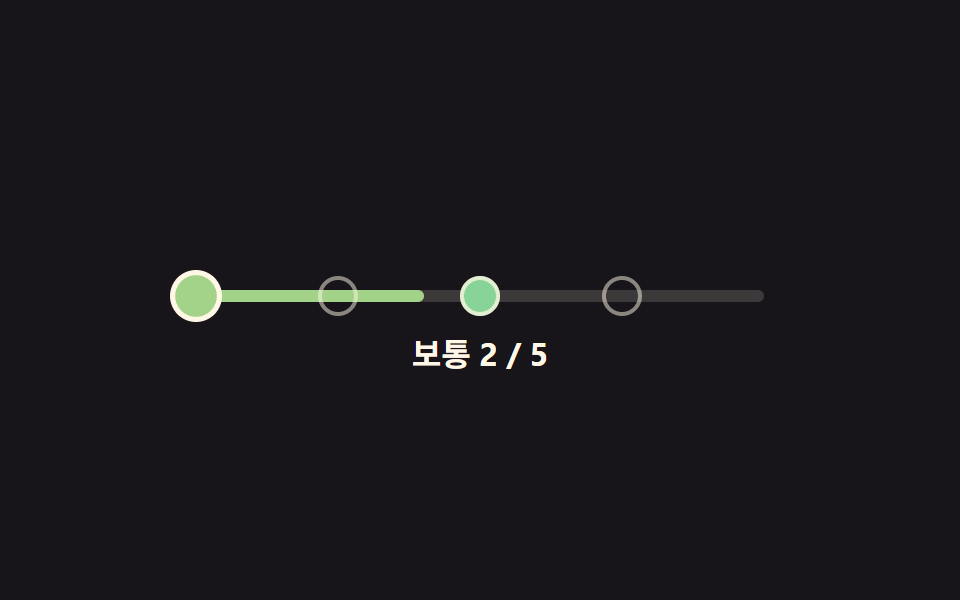 01 difficulty-selector-dot-ramp
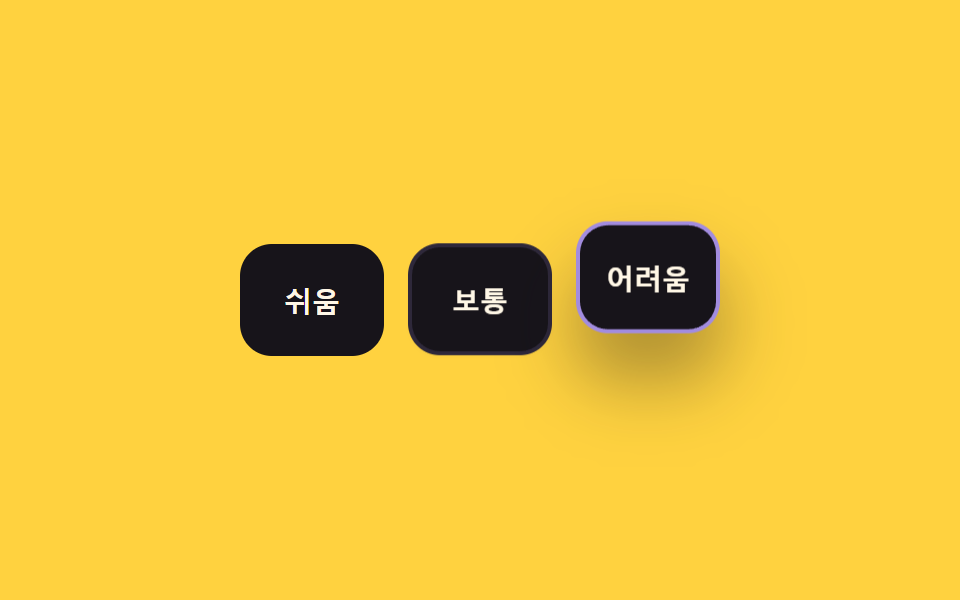 02 difficulty-selector-radio-card-grid
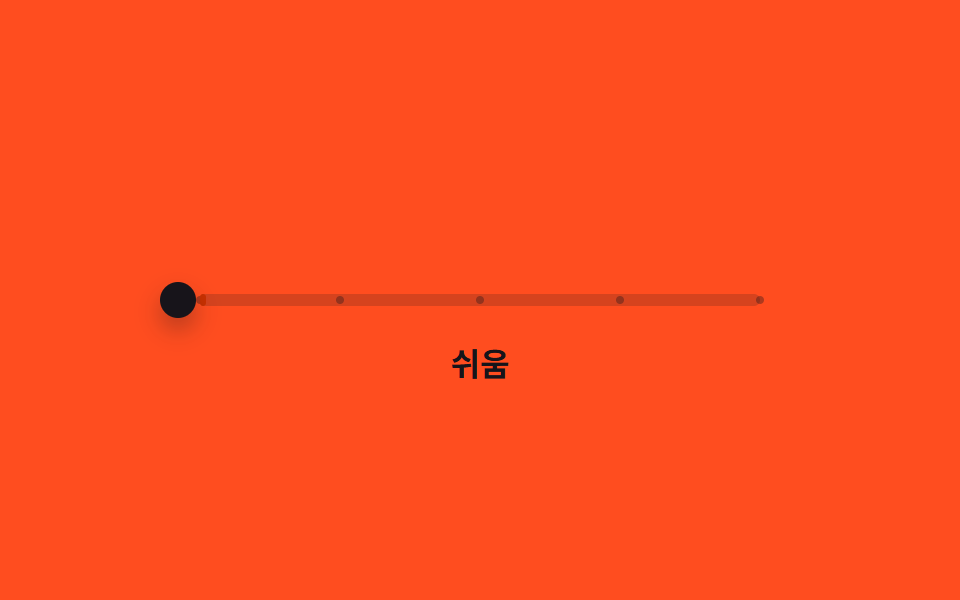 03 difficulty-selector-slider-snap-tier
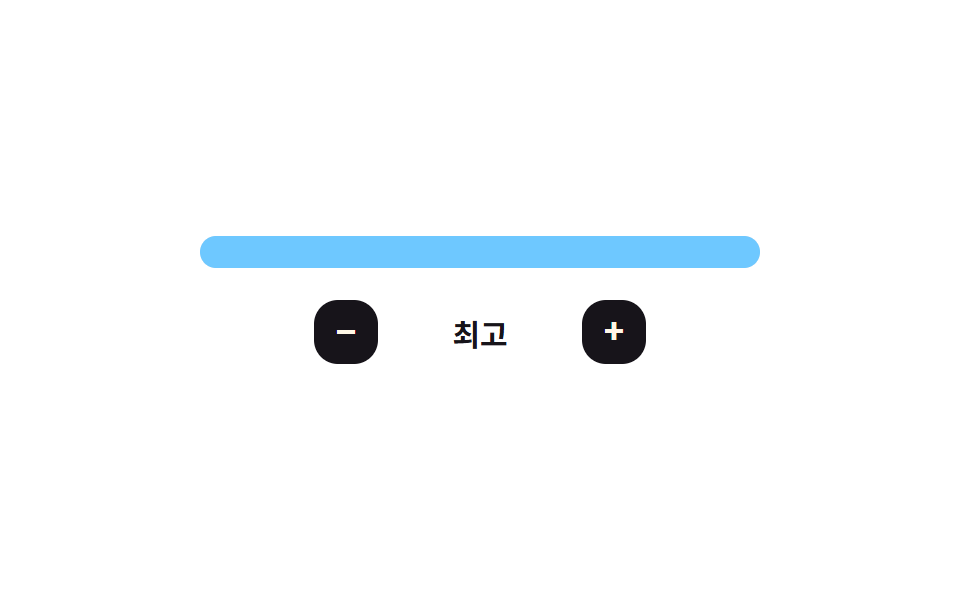 04 difficulty-selector-bar-meter-fill
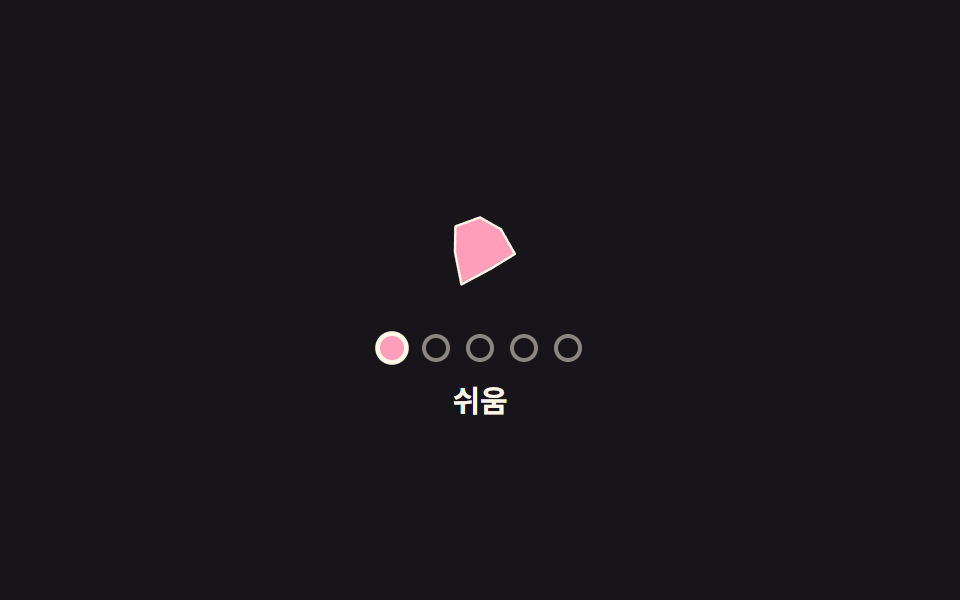 05 difficulty-selector-icon-morph-shape
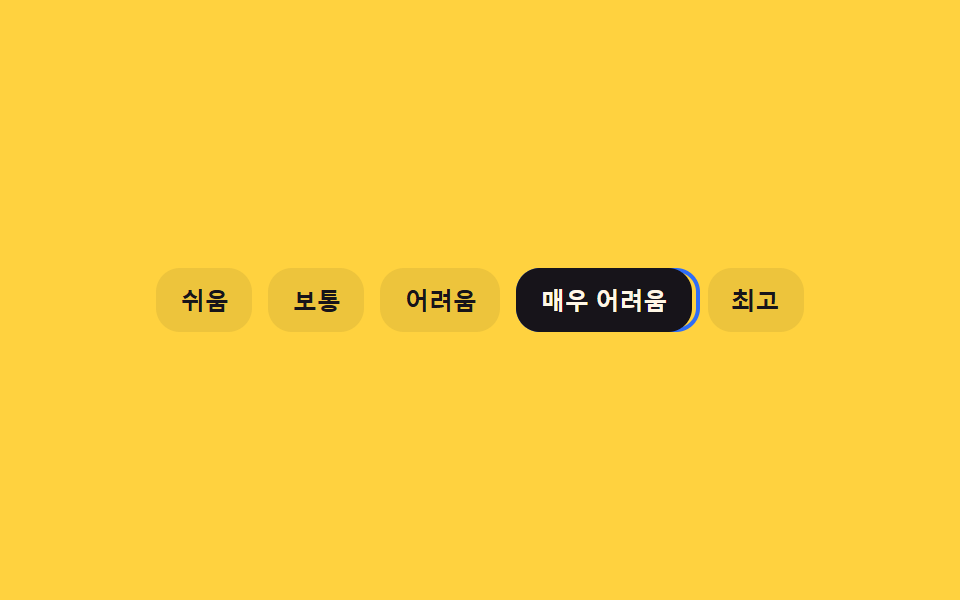 06 difficulty-selector-keyboard-arrow-lerp
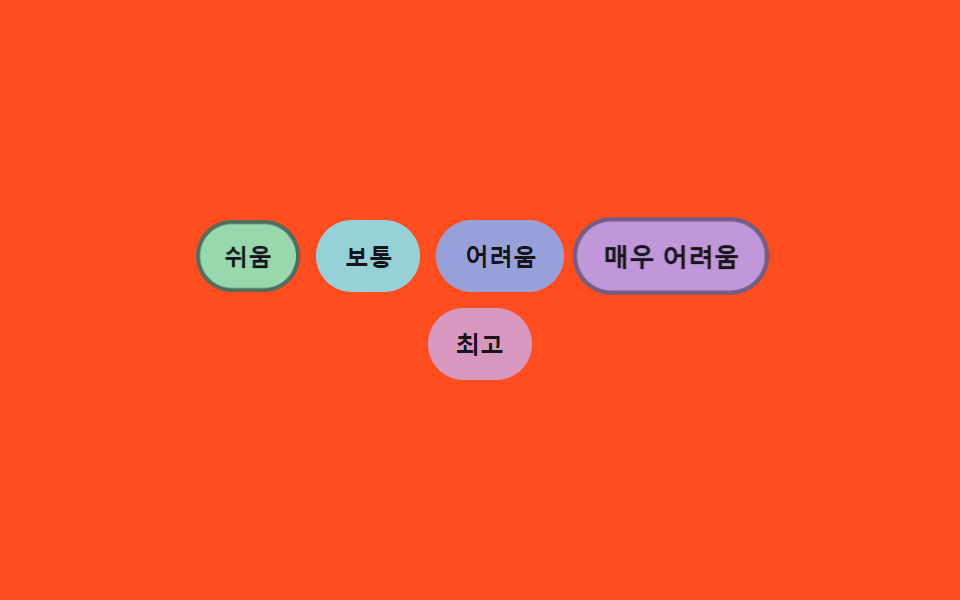 07 difficulty-selector-badge-hue-shift
 08 difficulty-selector-numeric-stepper-odometer
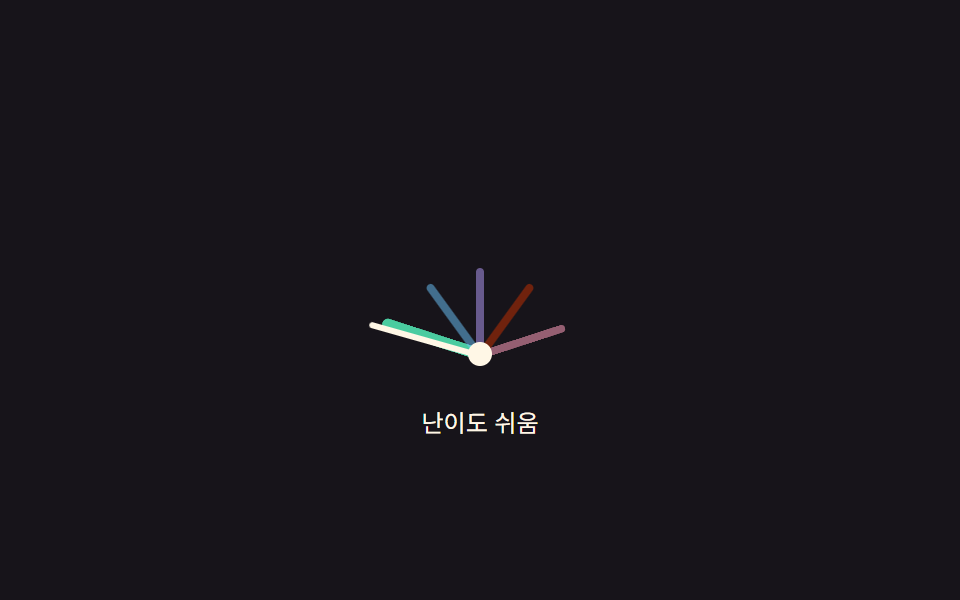 09 difficulty-selector-gauge-arc-drag
Auto-plays · click a tile to jump to its section · all nine in one zip
- 01 Dot Difficulty Selector With a Color Ramp
- 02 Difficulty Cards Whose Shadow Deepens With the Chosen Tier
- 03 A Difficulty Slider That Overshoots and Springs Back Onto Its Tier
- 04 A Bar Difficulty Meter With a Gloss Sweep on Change
- 05 Difficulty Selector Whose Icon Shape Morphs Per Tier
- 06 Keyboard Difficulty Selector Whose Focus Ring Trails With Inertia
- 07 Badge Difficulty Selector Whose Color Comes From a Hue Formula
- 08 Numeric Difficulty Stepper Whose Digit Rolls Like an Odometer
- 09 Semicircular Difficulty Gauge Set by Drag Angle
This set puts nine difficulty pickers in one row: a color-ramp dot row, a shadow-deepening card grid, a spring-snap slider, a gloss-sweep bar meter, an icon that morphs its shape per tier, a keyboard focus ring that trails with inertia, a badge row whose colors come from a formula, an odometer-style numeric stepper, and a drag-angle gauge. Building this kind of tier picker with nine different shapes could mean nine different libraries, but every pattern below instead adds exactly one small calculation function on top of the same click/keydown baseline — a function you can read start to finish in the code section rather than trust as a black box.
Demo
<main class="stage">
<div class="dr is-demo" id="dr">
  <div class="dr__track" id="drTrack" role="radiogroup" aria-label="Difficulty">
    <div class="dr__fill" id="drFill"></div>
    <button type="button" class="dr__dot" role="radio" aria-checked="false" aria-label="Easy" data-i="0" tabindex="0"></button>
    <button type="button" class="dr__dot" role="radio" aria-checked="false" aria-label="Normal" data-i="1" tabindex="-1"></button>
    <button type="button" class="dr__dot" role="radio" aria-checked="false" aria-label="Hard" data-i="2" tabindex="-1"></button>
    <button type="button" class="dr__dot" role="radio" aria-checked="false" aria-label="Very Hard" data-i="3" tabindex="-1"></button>
    <button type="button" class="dr__dot" role="radio" aria-checked="false" aria-label="Extreme" data-i="4" tabindex="-1"></button>
  </div>
  <p class="dr__label"><span id="drName">Normal</span> <span id="drCount">2 / 5</span></p>
</div>
</main>
@use "../../../../site/static/demo-tokens" as *;
// 변수 3개
$duration: $dur-base;
$easing: $ease-spring;
$color: $subject-mint;
// 계산 겹: dotHue(i) 가 점 순서를 초록→빨강 색상각으로 바꾼다(JS). scss 는 배치·상태만 담당.
@include stage($stage-ink);
.dr { width: min(300px, 86vw); color: $subject-cream; text-align: center; }
.dr__track {
position: relative; height: 6px; border-radius: $r-pill;
background: rgba($subject-cream, .16); margin: $sp-8 $sp-2 $sp-4;
}
.dr__fill {
position: absolute; top: 0; bottom: 0; left: 0; width: 40%;
background: $color; border-radius: $r-pill; transition: width $duration $easing, background $duration $easing;
}
.dr__dot {
position: absolute; top: 50%; width: 20px; height: 20px;
appearance: none; border: 2px solid rgba($subject-cream, .5); border-radius: 50%;
background: transparent; padding: 0; cursor: pointer; transform: translate(-50%, -50%);
transition: background $duration $easing, transform $dur-quick $ease-pop, border-color $duration $easing;
}
.dr__dot:nth-of-type(2) { left: 0%; }
.dr__dot:nth-of-type(3) { left: 25%; }
.dr__dot:nth-of-type(4) { left: 50%; }
.dr__dot:nth-of-type(5) { left: 75%; }
.dr__dot:nth-of-type(6) { left: 100%; }
.dr__dot:focus-visible { outline: 2px solid $subject-cream; outline-offset: 2px; }
.dr__dot[aria-checked="true"] {
border-color: $subject-cream; transform: translate(-50%, -50%) scale(1.3);
}
.dr__label {
margin: $sp-3 0 0; font-weight: 700; font-size: 16px; line-height: 1.3;
font-variant-numeric: tabular-nums;
}
@media (max-width: 340px) {
.dr { width: min(250px, 82vw); }
.dr__dot { width: 16px; height: 16px; }
.dr__label { font-size: 14px; }
}
@media (prefers-reduced-motion: reduce) {
// 실사용 경로 적용: 실제로 눌러도 채움·점 색은 트랜지션 없이 즉시 바뀐다
.dr__fill, .dr__dot { transition: none; }
}html, body {
margin: 0;
overflow: hidden;
}
.stage {
box-sizing: border-box;
min-height: 100vh;
display: grid;
place-items: center;
margin: 0;
background: #17141a;
font-family: -apple-system, "Segoe UI", "Noto Sans KR", sans-serif;
padding: clamp(8px, 4vw, 24px);
}
.dr {
width: min(300px, 86vw);
color: #fff7e6;
text-align: center;
}
.dr__track {
position: relative;
height: 6px;
border-radius: 999px;
background: rgba(255, 247, 230, 0.16);
margin: 32px 8px 16px;
}
.dr__fill {
position: absolute;
top: 0;
bottom: 0;
left: 0;
width: 40%;
background: #4cd4a6;
border-radius: 999px;
transition: width 300ms cubic-bezier(0.2, 0.8, 0.2, 1), background 300ms cubic-bezier(0.2, 0.8, 0.2, 1);
}
.dr__dot {
position: absolute;
top: 50%;
width: 20px;
height: 20px;
appearance: none;
border: 2px solid rgba(255, 247, 230, 0.5);
border-radius: 50%;
background: transparent;
padding: 0;
cursor: pointer;
transform: translate(-50%, -50%);
transition: background 300ms cubic-bezier(0.2, 0.8, 0.2, 1), transform 220ms cubic-bezier(0.2, 1.4, 0.4, 1), border-color 300ms cubic-bezier(0.2, 0.8, 0.2, 1);
}
.dr__dot:nth-of-type(2) {
left: 0%;
}
.dr__dot:nth-of-type(3) {
left: 25%;
}
.dr__dot:nth-of-type(4) {
left: 50%;
}
.dr__dot:nth-of-type(5) {
left: 75%;
}
.dr__dot:nth-of-type(6) {
left: 100%;
}
.dr__dot:focus-visible {
outline: 2px solid #fff7e6;
outline-offset: 2px;
}
.dr__dot[aria-checked=true] {
border-color: #fff7e6;
transform: translate(-50%, -50%) scale(1.3);
}
.dr__label {
margin: 12px 0 0;
font-weight: 700;
font-size: 16px;
line-height: 1.3;
font-variant-numeric: tabular-nums;
}
@media (max-width: 340px) {
.dr {
width: min(250px, 82vw);
}
.dr__dot {
width: 16px;
height: 16px;
}
.dr__label {
font-size: 14px;
}
}
@media (prefers-reduced-motion: reduce) {
.dr__fill, .dr__dot {
transition: none;
}
}(function () {
var LEVELS = ['Easy', 'Normal', 'Hard', 'Very Hard', 'Extreme'];
var HUE_LOW = 132, HUE_HIGH = 0, SAT = 46, LIGHT = 68;
var root = document.getElementById('dr');
var track = document.getElementById('drTrack');
var fill = document.getElementById('drFill');
var dots = Array.prototype.slice.call(track.querySelectorAll('.dr__dot'));
var nameOut = document.getElementById('drName');
var countOut = document.getElementById('drCount');
var selected = 1;
// 계산 겹: 점 순서(0~4)를 초록(132°)에서 빨강(0°)으로 이어지는 색상각 값으로 바꾼다
function dotHue(i) { return HUE_LOW + (HUE_HIGH - HUE_LOW) * (i / (LEVELS.length - 1)); }
function dotColor(i) { return 'hsl(' + dotHue(i).toFixed(1) + ', ' + SAT + '%, ' + LIGHT + '%)'; }
function paintUpTo(i) {
dots.forEach(function (d, idx) {
d.style.background = idx <= i ? dotColor(idx) : '';
});
fill.style.width = ((i + 1) / LEVELS.length * 100) + '%';
fill.style.background = dotColor(i);
}
function commit(i) {
selected = i;
dots.forEach(function (d, idx) {
d.setAttribute('aria-checked', idx === i ? 'true' : 'false');
d.setAttribute('tabindex', idx === i ? '0' : '-1');
});
paintUpTo(i);
nameOut.textContent = LEVELS[i];
countOut.textContent = (i + 1) + ' / ' + LEVELS.length;
}
function human() { root.classList.remove('is-demo'); clearInterval(timer); }
dots.forEach(function (d, i) {
d.addEventListener('pointerenter', function () { if (!root.classList.contains('is-demo')) paintUpTo(i); });
d.addEventListener('pointerleave', function () { if (!root.classList.contains('is-demo')) paintUpTo(selected); });
d.addEventListener('click', function () { human(); commit(i); });
d.addEventListener('keydown', function (e) {
if (e.key === 'ArrowRight' || e.key === 'ArrowUp') { e.preventDefault(); human(); commit(Math.min(LEVELS.length - 1, selected + 1)); dots[selected].focus({ preventScroll: true }); }
else if (e.key === 'ArrowLeft' || e.key === 'ArrowDown') { e.preventDefault(); human(); commit(Math.max(0, selected - 1)); dots[selected].focus({ preventScroll: true }); }
});
});
var sequence = [3, 0, 4, 1, 2];
var si = 0;
function tick() { commit(sequence[si % sequence.length]); si++; }
var reduce = window.matchMedia('(prefers-reduced-motion: reduce)').matches;
var timer = reduce ? null : setInterval(tick, 620);
commit(selected);
}());import { useEffect, useRef } from 'react';
import styles from './DifficultySelectorDotRamp.module.scss';
const LEVELS = ['쉬움', '보통', '어려움', '매우 어려움', '최고'];
const HUE_LOW = 132, HUE_HIGH = 0, SAT = 46, LIGHT = 68;
const SEQUENCE = [3, 0, 4, 1, 2];
const TICK_MS = 620;
export default function DifficultySelectorDotRamp() {
const rootRef = useRef<HTMLDivElement>(null);
const trackRef = useRef<HTMLDivElement>(null);
const fillRef = useRef<HTMLDivElement>(null);
const dotRefs = useRef<HTMLButtonElement[]>([]);
const nameRef = useRef<HTMLSpanElement>(null);
const countRef = useRef<HTMLSpanElement>(null);
useEffect(() => {
const root = rootRef.current;
const track = trackRef.current;
const fill = fillRef.current;
const nameOut = nameRef.current;
const countOut = countRef.current;
if (!root || !track || !fill || !nameOut || !countOut || !dotRefs.current) return undefined;
const dots = dotRefs.current;
if (dots.length !== LEVELS.length) return undefined;
let selected = 1;
// 계산 겹: 점 순서(0~4)를 초록(132°)에서 빨강(0°)으로 이어지는 색상각 값으로 바꾼다
function dotHue(i: number) { return HUE_LOW + (HUE_HIGH - HUE_LOW) * (i / (LEVELS.length - 1)); }
function dotColor(i: number) { return 'hsl(' + dotHue(i).toFixed(1) + ', ' + SAT + '%, ' + LIGHT + '%)'; }
function paintUpTo(i: number) {
dots.forEach((d, idx) => { d.style.background = idx <= i ? dotColor(idx) : ''; });
fill!.style.width = ((i + 1) / LEVELS.length * 100) + '%';
fill!.style.background = dotColor(i);
}
function commit(i: number) {
selected = i;
dots.forEach((d, idx) => {
d.setAttribute('aria-checked', idx === i ? 'true' : 'false');
d.setAttribute('tabindex', idx === i ? '0' : '-1');
});
paintUpTo(i);
nameOut!.textContent = LEVELS[i];
countOut!.textContent = (i + 1) + ' / ' + LEVELS.length;
}
let timer = 0;
function human() { root!.classList.remove(styles['is-demo']); window.clearInterval(timer); }
const offs = dots.map((d, i) => {
function onEnter() { if (root!.classList.contains(styles['is-demo'])) return; paintUpTo(i); }
function onLeave() { if (root!.classList.contains(styles['is-demo'])) return; paintUpTo(selected); }
function onClick() { human(); commit(i); }
function onKey(e: KeyboardEvent) {
if (e.key === 'ArrowRight' || e.key === 'ArrowUp') { e.preventDefault(); human(); commit(Math.min(LEVELS.length - 1, selected + 1)); dots[selected].focus({ preventScroll: true }); }
else if (e.key === 'ArrowLeft' || e.key === 'ArrowDown') { e.preventDefault(); human(); commit(Math.max(0, selected - 1)); dots[selected].focus({ preventScroll: true }); }
}
d.addEventListener('pointerenter', onEnter);
d.addEventListener('pointerleave', onLeave);
d.addEventListener('click', onClick);
d.addEventListener('keydown', onKey);
return () => {
d.removeEventListener('pointerenter', onEnter);
d.removeEventListener('pointerleave', onLeave);
d.removeEventListener('click', onClick);
d.removeEventListener('keydown', onKey);
};
});
let si = 0;
function tick() { commit(SEQUENCE[si % SEQUENCE.length]); si++; }
const reduce = window.matchMedia('(prefers-reduced-motion: reduce)').matches;
if (!reduce) timer = window.setInterval(tick, TICK_MS);
commit(selected);
return () => { offs.forEach((off) => off()); window.clearInterval(timer); };
}, []);
return (
<main className={styles.stage}>
<div className={styles.dr + ' ' + styles['is-demo']} ref={rootRef}>
<div className={styles.drTrack} ref={trackRef} role="radiogroup" aria-label="난이도">
<div className={styles.drFill} ref={fillRef} />
{LEVELS.map((label, i) => (
<button
key={label}
type="button"
className={styles.drDot}
ref={(el: HTMLButtonElement | null) => { if (el && dotRefs.current) dotRefs.current[i] = el; }}
role="radio"
aria-checked="false"
aria-label={label}
data-i={i}
tabIndex={i === 0 ? 0 : -1}
/>
))}
</div>
<p className={styles.drLabel}>
<span ref={nameRef}>보통</span> <span ref={countRef}>2 / 5</span>
</p>
</div>
</main>
);
}01 · Dot Difficulty Selector With a Color Ramp — Measured area 3.112% · moving frames 13/23Original by GODRICH · SCSS and React ship in the zip · See the password
Pattern 01 above needs nothing beyond dotHue, dotColor, and paintUpTo to turn a hovered dot into a color-ramped fill. The other eight follow below, each one paired with its own code block.
Anatomy of nine difficulty pickers — where the one layer of calculation runs
| # | Pattern | Cumulative area | Avg. intensity | Frames moved |
|---|---|---|---|---|
| 01 | Dot color ramp | 3.11% | 68.0 | 13 of 23 |
| 02 | Card shadow depth | 8.92% | 78.1 | 12 of 23 |
| 03 | Spring-snap slider | 4.29% | 108.3 | 13 of 23 |
| 04 | Bar meter gloss sweep | 2.77% | 77.6 | 12 of 23 |
| 05 | Icon shape morph | 2.07% | 81.1 | 11 of 23 |
| 06 | Keyboard focus-ring lerp | 5.87% | 144.7 | 14 of 23 |
| 07 | Badge hue formula | 4.04% | 70.0 | 10 of 23 |
| 08 | Odometer stepper | 0.69% | 105.6 | 11 of 23 |
| 09 | Gauge arc drag | 2.20% | 116.6 | 9 of 23 |
Pattern 02 covers the most pixels of the nine (8.92% cumulative) because every tier change repaints a whole card's box-shadow and lift transform, not just a small dot or badge. Pattern 08 covers the least (0.69%) since only two digit columns slide inside a fixed display frame. Pattern 06 has the highest average intensity of the nine (144.7) and moves in the most frames (14 of 23), because its requestAnimationFrame loop keeps recalculating the ring's position every frame it's still catching up to the target. Pattern 09 moves in the fewest frames (9 of 23) — its needle rotation and zone highlight only repaint on a pointermove, pointerup, or arrow key, so idle frames between drags paint nothing.
Constants that shape one visible property
Patterns 01, 02, and 07 each compute a single visual property — color or shadow depth — directly from the tier index, with no easing or physics step in between. 01's dotHue(i) interpolates a hue between HUE_LOW and HUE_HIGH by i / (LEVELS.length - 1). 02's shadowFor(tier) multiplies the tier number by Y_STEP, BLUR_STEP, and LIFT_STEP to get a shadow's y-offset, blur, and lift. 07's badgeHue(i) adds i * HUE_SPACING onto BASE_HUE and wraps at 360.
Physics and easing over time
Patterns 03, 04, 05, and 06 all run a requestAnimationFrame loop that recalculates a position every frame until it settles, rather than jumping straight to a target. 03's springTo integrates a spring-damper force (-SPRING_K * (pos - target) - SPRING_D * vel) each frame, letting the handle overshoot its tier before settling. 04's sweep drives a gloss band's left position through easeOutCubic(t). 05's morphTo interpolates every one of POINTS outline radii toward the next tier's polygon shape with the same cubic ease. 06's loop closes TRAIL_LERP of the remaining distance between the focus ring and its target on every frame.
Pointer-geometry conversions
Patterns 03, 04, and 09 all convert a raw pointer coordinate into a tier value by reading real element geometry. 03 and 04 divide the pointer's offset from the track's getBoundingClientRect() left edge by the track's width. 09's angleToValue instead computes Math.atan2 between the pointer and the gauge's pivot point, then maps the resulting angle onto a 0–4 value — the only one of the nine that reads an angle instead of a straight-line offset.
Code per pattern
Each block below is copied straight from the pattern's own index.html — identical variable names, identical order, nothing trimmed out.
01Dot Difficulty Selector With a Color Ramp
Hovering over a dot fills every dot up to it with a color computed along a green-to-red ramp, and only the chosen dot keeps that color once picked. Use it for a spot to pick a felt difficulty before a survey or quiz.
<main class="stage">
<div class="dr is-demo" id="dr">
  <div class="dr__track" id="drTrack" role="radiogroup" aria-label="Difficulty">
    <div class="dr__fill" id="drFill"></div>
    <button type="button" class="dr__dot" role="radio" aria-checked="false" aria-label="Easy" data-i="0" tabindex="0"></button>
    <button type="button" class="dr__dot" role="radio" aria-checked="false" aria-label="Normal" data-i="1" tabindex="-1"></button>
    <button type="button" class="dr__dot" role="radio" aria-checked="false" aria-label="Hard" data-i="2" tabindex="-1"></button>
    <button type="button" class="dr__dot" role="radio" aria-checked="false" aria-label="Very Hard" data-i="3" tabindex="-1"></button>
    <button type="button" class="dr__dot" role="radio" aria-checked="false" aria-label="Extreme" data-i="4" tabindex="-1"></button>
  </div>
  <p class="dr__label"><span id="drName">Normal</span> <span id="drCount">2 / 5</span></p>
</div>
</main>
@use "../../../../site/static/demo-tokens" as *;
// 변수 3개
$duration: $dur-base;
$easing: $ease-spring;
$color: $subject-mint;
// 계산 겹: dotHue(i) 가 점 순서를 초록→빨강 색상각으로 바꾼다(JS). scss 는 배치·상태만 담당.
@include stage($stage-ink);
.dr { width: min(300px, 86vw); color: $subject-cream; text-align: center; }
.dr__track {
position: relative; height: 6px; border-radius: $r-pill;
background: rgba($subject-cream, .16); margin: $sp-8 $sp-2 $sp-4;
}
.dr__fill {
position: absolute; top: 0; bottom: 0; left: 0; width: 40%;
background: $color; border-radius: $r-pill; transition: width $duration $easing, background $duration $easing;
}
.dr__dot {
position: absolute; top: 50%; width: 20px; height: 20px;
appearance: none; border: 2px solid rgba($subject-cream, .5); border-radius: 50%;
background: transparent; padding: 0; cursor: pointer; transform: translate(-50%, -50%);
transition: background $duration $easing, transform $dur-quick $ease-pop, border-color $duration $easing;
}
.dr__dot:nth-of-type(2) { left: 0%; }
.dr__dot:nth-of-type(3) { left: 25%; }
.dr__dot:nth-of-type(4) { left: 50%; }
.dr__dot:nth-of-type(5) { left: 75%; }
.dr__dot:nth-of-type(6) { left: 100%; }
.dr__dot:focus-visible { outline: 2px solid $subject-cream; outline-offset: 2px; }
.dr__dot[aria-checked="true"] {
border-color: $subject-cream; transform: translate(-50%, -50%) scale(1.3);
}
.dr__label {
margin: $sp-3 0 0; font-weight: 700; font-size: 16px; line-height: 1.3;
font-variant-numeric: tabular-nums;
}
@media (max-width: 340px) {
.dr { width: min(250px, 82vw); }
.dr__dot { width: 16px; height: 16px; }
.dr__label { font-size: 14px; }
}
@media (prefers-reduced-motion: reduce) {
// 실사용 경로 적용: 실제로 눌러도 채움·점 색은 트랜지션 없이 즉시 바뀐다
.dr__fill, .dr__dot { transition: none; }
}html, body {
margin: 0;
overflow: hidden;
}
.stage {
box-sizing: border-box;
min-height: 100vh;
display: grid;
place-items: center;
margin: 0;
background: #17141a;
font-family: -apple-system, "Segoe UI", "Noto Sans KR", sans-serif;
padding: clamp(8px, 4vw, 24px);
}
.dr {
width: min(300px, 86vw);
color: #fff7e6;
text-align: center;
}
.dr__track {
position: relative;
height: 6px;
border-radius: 999px;
background: rgba(255, 247, 230, 0.16);
margin: 32px 8px 16px;
}
.dr__fill {
position: absolute;
top: 0;
bottom: 0;
left: 0;
width: 40%;
background: #4cd4a6;
border-radius: 999px;
transition: width 300ms cubic-bezier(0.2, 0.8, 0.2, 1), background 300ms cubic-bezier(0.2, 0.8, 0.2, 1);
}
.dr__dot {
position: absolute;
top: 50%;
width: 20px;
height: 20px;
appearance: none;
border: 2px solid rgba(255, 247, 230, 0.5);
border-radius: 50%;
background: transparent;
padding: 0;
cursor: pointer;
transform: translate(-50%, -50%);
transition: background 300ms cubic-bezier(0.2, 0.8, 0.2, 1), transform 220ms cubic-bezier(0.2, 1.4, 0.4, 1), border-color 300ms cubic-bezier(0.2, 0.8, 0.2, 1);
}
.dr__dot:nth-of-type(2) {
left: 0%;
}
.dr__dot:nth-of-type(3) {
left: 25%;
}
.dr__dot:nth-of-type(4) {
left: 50%;
}
.dr__dot:nth-of-type(5) {
left: 75%;
}
.dr__dot:nth-of-type(6) {
left: 100%;
}
.dr__dot:focus-visible {
outline: 2px solid #fff7e6;
outline-offset: 2px;
}
.dr__dot[aria-checked=true] {
border-color: #fff7e6;
transform: translate(-50%, -50%) scale(1.3);
}
.dr__label {
margin: 12px 0 0;
font-weight: 700;
font-size: 16px;
line-height: 1.3;
font-variant-numeric: tabular-nums;
}
@media (max-width: 340px) {
.dr {
width: min(250px, 82vw);
}
.dr__dot {
width: 16px;
height: 16px;
}
.dr__label {
font-size: 14px;
}
}
@media (prefers-reduced-motion: reduce) {
.dr__fill, .dr__dot {
transition: none;
}
}(function () {
var LEVELS = ['Easy', 'Normal', 'Hard', 'Very Hard', 'Extreme'];
var HUE_LOW = 132, HUE_HIGH = 0, SAT = 46, LIGHT = 68;
var root = document.getElementById('dr');
var track = document.getElementById('drTrack');
var fill = document.getElementById('drFill');
var dots = Array.prototype.slice.call(track.querySelectorAll('.dr__dot'));
var nameOut = document.getElementById('drName');
var countOut = document.getElementById('drCount');
var selected = 1;
// 계산 겹: 점 순서(0~4)를 초록(132°)에서 빨강(0°)으로 이어지는 색상각 값으로 바꾼다
function dotHue(i) { return HUE_LOW + (HUE_HIGH - HUE_LOW) * (i / (LEVELS.length - 1)); }
function dotColor(i) { return 'hsl(' + dotHue(i).toFixed(1) + ', ' + SAT + '%, ' + LIGHT + '%)'; }
function paintUpTo(i) {
dots.forEach(function (d, idx) {
d.style.background = idx <= i ? dotColor(idx) : '';
});
fill.style.width = ((i + 1) / LEVELS.length * 100) + '%';
fill.style.background = dotColor(i);
}
function commit(i) {
selected = i;
dots.forEach(function (d, idx) {
d.setAttribute('aria-checked', idx === i ? 'true' : 'false');
d.setAttribute('tabindex', idx === i ? '0' : '-1');
});
paintUpTo(i);
nameOut.textContent = LEVELS[i];
countOut.textContent = (i + 1) + ' / ' + LEVELS.length;
}
function human() { root.classList.remove('is-demo'); clearInterval(timer); }
dots.forEach(function (d, i) {
d.addEventListener('pointerenter', function () { if (!root.classList.contains('is-demo')) paintUpTo(i); });
d.addEventListener('pointerleave', function () { if (!root.classList.contains('is-demo')) paintUpTo(selected); });
d.addEventListener('click', function () { human(); commit(i); });
d.addEventListener('keydown', function (e) {
if (e.key === 'ArrowRight' || e.key === 'ArrowUp') { e.preventDefault(); human(); commit(Math.min(LEVELS.length - 1, selected + 1)); dots[selected].focus({ preventScroll: true }); }
else if (e.key === 'ArrowLeft' || e.key === 'ArrowDown') { e.preventDefault(); human(); commit(Math.max(0, selected - 1)); dots[selected].focus({ preventScroll: true }); }
});
});
var sequence = [3, 0, 4, 1, 2];
var si = 0;
function tick() { commit(sequence[si % sequence.length]); si++; }
var reduce = window.matchMedia('(prefers-reduced-motion: reduce)').matches;
var timer = reduce ? null : setInterval(tick, 620);
commit(selected);
}());import { useEffect, useRef } from 'react';
import styles from './DifficultySelectorDotRamp.module.scss';
const LEVELS = ['쉬움', '보통', '어려움', '매우 어려움', '최고'];
const HUE_LOW = 132, HUE_HIGH = 0, SAT = 46, LIGHT = 68;
const SEQUENCE = [3, 0, 4, 1, 2];
const TICK_MS = 620;
export default function DifficultySelectorDotRamp() {
const rootRef = useRef<HTMLDivElement>(null);
const trackRef = useRef<HTMLDivElement>(null);
const fillRef = useRef<HTMLDivElement>(null);
const dotRefs = useRef<HTMLButtonElement[]>([]);
const nameRef = useRef<HTMLSpanElement>(null);
const countRef = useRef<HTMLSpanElement>(null);
useEffect(() => {
const root = rootRef.current;
const track = trackRef.current;
const fill = fillRef.current;
const nameOut = nameRef.current;
const countOut = countRef.current;
if (!root || !track || !fill || !nameOut || !countOut || !dotRefs.current) return undefined;
const dots = dotRefs.current;
if (dots.length !== LEVELS.length) return undefined;
let selected = 1;
// 계산 겹: 점 순서(0~4)를 초록(132°)에서 빨강(0°)으로 이어지는 색상각 값으로 바꾼다
function dotHue(i: number) { return HUE_LOW + (HUE_HIGH - HUE_LOW) * (i / (LEVELS.length - 1)); }
function dotColor(i: number) { return 'hsl(' + dotHue(i).toFixed(1) + ', ' + SAT + '%, ' + LIGHT + '%)'; }
function paintUpTo(i: number) {
dots.forEach((d, idx) => { d.style.background = idx <= i ? dotColor(idx) : ''; });
fill!.style.width = ((i + 1) / LEVELS.length * 100) + '%';
fill!.style.background = dotColor(i);
}
function commit(i: number) {
selected = i;
dots.forEach((d, idx) => {
d.setAttribute('aria-checked', idx === i ? 'true' : 'false');
d.setAttribute('tabindex', idx === i ? '0' : '-1');
});
paintUpTo(i);
nameOut!.textContent = LEVELS[i];
countOut!.textContent = (i + 1) + ' / ' + LEVELS.length;
}
let timer = 0;
function human() { root!.classList.remove(styles['is-demo']); window.clearInterval(timer); }
const offs = dots.map((d, i) => {
function onEnter() { if (root!.classList.contains(styles['is-demo'])) return; paintUpTo(i); }
function onLeave() { if (root!.classList.contains(styles['is-demo'])) return; paintUpTo(selected); }
function onClick() { human(); commit(i); }
function onKey(e: KeyboardEvent) {
if (e.key === 'ArrowRight' || e.key === 'ArrowUp') { e.preventDefault(); human(); commit(Math.min(LEVELS.length - 1, selected + 1)); dots[selected].focus({ preventScroll: true }); }
else if (e.key === 'ArrowLeft' || e.key === 'ArrowDown') { e.preventDefault(); human(); commit(Math.max(0, selected - 1)); dots[selected].focus({ preventScroll: true }); }
}
d.addEventListener('pointerenter', onEnter);
d.addEventListener('pointerleave', onLeave);
d.addEventListener('click', onClick);
d.addEventListener('keydown', onKey);
return () => {
d.removeEventListener('pointerenter', onEnter);
d.removeEventListener('pointerleave', onLeave);
d.removeEventListener('click', onClick);
d.removeEventListener('keydown', onKey);
};
});
let si = 0;
function tick() { commit(SEQUENCE[si % SEQUENCE.length]); si++; }
const reduce = window.matchMedia('(prefers-reduced-motion: reduce)').matches;
if (!reduce) timer = window.setInterval(tick, TICK_MS);
commit(selected);
return () => { offs.forEach((off) => off()); window.clearInterval(timer); };
}, []);
return (
<main className={styles.stage}>
<div className={styles.dr + ' ' + styles['is-demo']} ref={rootRef}>
<div className={styles.drTrack} ref={trackRef} role="radiogroup" aria-label="난이도">
<div className={styles.drFill} ref={fillRef} />
{LEVELS.map((label, i) => (
<button
key={label}
type="button"
className={styles.drDot}
ref={(el: HTMLButtonElement | null) => { if (el && dotRefs.current) dotRefs.current[i] = el; }}
role="radio"
aria-checked="false"
aria-label={label}
data-i={i}
tabIndex={i === 0 ? 0 : -1}
/>
))}
</div>
<p className={styles.drLabel}>
<span ref={nameRef}>보통</span> <span ref={countRef}>2 / 5</span>
</p>
</div>
</main>
);
}01 · Dot Difficulty Selector With a Color Ramp — Measured area 3.112% · moving frames 13/23Original by GODRICH · SCSS and React ship in the zip · See the password
  // Calculation layer: turns the dot index (0-4) into a hue value along a ramp from green (132deg) to red (0deg)
  function dotHue(i) { return HUE_LOW + (HUE_HIGH - HUE_LOW) * (i / (LEVELS.length - 1)); }
  function dotColor(i) { return 'hsl(' + dotHue(i).toFixed(1) + ', ' + SAT + '%, ' + LIGHT + '%)'; }

  function paintUpTo(i) {
    dots.forEach(function (d, idx) {
      d.style.background = idx <= i ? dotColor(idx) : '';
    });
    fill.style.width = ((i + 1) / LEVELS.length * 100) + '%';
    fill.style.background = dotColor(i);
  }
02Difficulty Cards Whose Shadow Deepens With the Chosen Tier
Choosing a card computes its shadow height and blur in proportion to the tier's step number, so a harder card visibly lifts further off the page. Use it for a place to pick easy, medium, or hard on an app's start screen.
<main class="stage">
<div class="rc is-demo" id="rc" role="radiogroup" aria-label="Difficulty">
  <button type="button" class="rc__card" role="radio" aria-checked="false" data-i="0" tabindex="0">Easy</button>
  <button type="button" class="rc__card" role="radio" aria-checked="false" data-i="1" tabindex="-1">Normal</button>
  <button type="button" class="rc__card" role="radio" aria-checked="false" data-i="2" tabindex="-1">Hard</button>
</div>
</main>
@use "../../../../site/static/demo-tokens" as *;
// 변수 3개
$duration: $dur-base;
$easing: $ease-spring;
$color: $subject-lilac;
// 계산 겹: shadowFor(tier) 가 그림자 y·blur·들뜬 높이를 단계 번호에 비례해 구한다(JS). scss 는 전환만 담당.
@include stage($stage-yellow);
.rc { display: flex; gap: $sp-3; }
.rc__card {
appearance: none; border: 2px solid transparent; border-radius: $r-card;
background: $subject-ink; color: $subject-cream; font-weight: 700; font-size: 14px;
width: 72px; height: 56px; cursor: pointer;
transition: box-shadow $duration $easing, transform $duration $easing, border-color $dur-quick $ease-out;
}
.rc__card:focus-visible { outline: 2px solid $subject-ink; outline-offset: 2px; }
.rc__card[aria-checked="true"] { border-color: $color; }
@media (max-width: 340px) {
.rc { gap: $sp-2; }
.rc__card { width: 60px; height: 48px; font-size: 12px; }
}
@media (prefers-reduced-motion: reduce) {
// 실사용 경로 적용: 실제로 카드를 골라도 그림자·들뜸은 트랜지션 없이 즉시 반영된다
.rc__card { transition: none; }
}html, body {
margin: 0;
overflow: hidden;
}
.stage {
box-sizing: border-box;
min-height: 100vh;
display: grid;
place-items: center;
margin: 0;
background: #ffd23f;
font-family: -apple-system, "Segoe UI", "Noto Sans KR", sans-serif;
padding: clamp(8px, 4vw, 24px);
}
.rc {
display: flex;
gap: 12px;
}
.rc__card {
appearance: none;
border: 2px solid transparent;
border-radius: 16px;
background: #17141a;
color: #fff7e6;
font-weight: 700;
font-size: 14px;
width: 72px;
height: 56px;
cursor: pointer;
transition: box-shadow 300ms cubic-bezier(0.2, 0.8, 0.2, 1), transform 300ms cubic-bezier(0.2, 0.8, 0.2, 1), border-color 220ms ease-out;
}
.rc__card:focus-visible {
outline: 2px solid #17141a;
outline-offset: 2px;
}
.rc__card[aria-checked=true] {
border-color: #b9a0ff;
}
@media (max-width: 340px) {
.rc {
gap: 8px;
}
.rc__card {
width: 60px;
height: 48px;
font-size: 12px;
}
}
@media (prefers-reduced-motion: reduce) {
.rc__card {
transition: none;
}
}(function () {
var LEVELS = ['Easy', 'Normal', 'Hard'];
var BASE_Y = 6, Y_STEP = 9, BASE_BLUR = 14, BLUR_STEP = 12, BASE_LIFT = 2, LIFT_STEP = 5;
var root = document.getElementById('rc');
var cards = Array.prototype.slice.call(root.querySelectorAll('.rc__card'));
var selected = 0;
// 계산 겹: 카드 그림자의 y·blur·들뜬 높이를 고정값이 아니라 단계 번호(tier)에 비례해 구한다
function shadowFor(tier) {
var y = BASE_Y + tier * Y_STEP;
var blur = BASE_BLUR + tier * BLUR_STEP;
var lift = BASE_LIFT + tier * LIFT_STEP;
return { y: y, blur: blur, lift: lift };
}
function paint() {
cards.forEach(function (c, i) {
var on = i === selected;
c.setAttribute('aria-checked', on ? 'true' : 'false');
c.setAttribute('tabindex', on ? '0' : '-1');
if (on) {
var s = shadowFor(i);
c.style.boxShadow = '0 ' + s.y + 'px ' + s.blur + 'px rgba(23, 20, 26, .38)';
c.style.transform = 'translateY(-' + s.lift + 'px)';
} else {
c.style.boxShadow = '';
c.style.transform = '';
}
});
}
function human() { root.classList.remove('is-demo'); clearInterval(timer); }
function select(i) { selected = i; paint(); }
cards.forEach(function (c, i) {
c.addEventListener('click', function () { human(); select(i); });
c.addEventListener('keydown', function (e) {
if (e.key === 'ArrowRight' || e.key === 'ArrowDown') { e.preventDefault(); human(); select((selected + 1) % LEVELS.length); cards[selected].focus({ preventScroll: true }); }
else if (e.key === 'ArrowLeft' || e.key === 'ArrowUp') { e.preventDefault(); human(); select((selected - 1 + LEVELS.length) % LEVELS.length); cards[selected].focus({ preventScroll: true }); }
});
});
var si = 0;
function tick() { si = (si + 1) % LEVELS.length; select(si); }
var reduce = window.matchMedia('(prefers-reduced-motion: reduce)').matches;
var timer = reduce ? null : setInterval(tick, 700);
paint();
}());import { useEffect, useRef } from 'react';
import styles from './DifficultySelectorRadioCardGrid.module.scss';
const LEVELS = ['쉬움', '보통', '어려움'];
const BASE_Y = 6, Y_STEP = 9, BASE_BLUR = 14, BLUR_STEP = 12, BASE_LIFT = 2, LIFT_STEP = 5;
const TICK_MS = 700;
export default function DifficultySelectorRadioCardGrid() {
const rootRef = useRef<HTMLDivElement>(null);
const cardRefs = useRef<HTMLButtonElement[]>([]);
useEffect(() => {
const root = rootRef.current;
if (!root || !cardRefs.current) return undefined;
const cards = cardRefs.current;
if (cards.length !== LEVELS.length) return undefined;
let selected = 0;
// 계산 겹: 카드 그림자의 y·blur·들뜬 높이를 고정값이 아니라 단계 번호(tier)에 비례해 구한다
function shadowFor(tier: number) {
return { y: BASE_Y + tier * Y_STEP, blur: BASE_BLUR + tier * BLUR_STEP, lift: BASE_LIFT + tier * LIFT_STEP };
}
function paint() {
cards.forEach((c, i) => {
const on = i === selected;
c.setAttribute('aria-checked', on ? 'true' : 'false');
c.setAttribute('tabindex', on ? '0' : '-1');
if (on) {
const s = shadowFor(i);
c.style.boxShadow = '0 ' + s.y + 'px ' + s.blur + 'px rgba(23, 20, 26, .38)';
c.style.transform = 'translateY(-' + s.lift + 'px)';
} else {
c.style.boxShadow = '';
c.style.transform = '';
}
});
}
let timer = 0;
function human() { root!.classList.remove(styles['is-demo']); window.clearInterval(timer); }
function select(i: number) { selected = i; paint(); }
const offs = cards.map((c, i) => {
function onClick() { human(); select(i); }
function onKey(e: KeyboardEvent) {
if (e.key === 'ArrowRight' || e.key === 'ArrowDown') { e.preventDefault(); human(); select((selected + 1) % LEVELS.length); cards[selected].focus({ preventScroll: true }); }
else if (e.key === 'ArrowLeft' || e.key === 'ArrowUp') { e.preventDefault(); human(); select((selected - 1 + LEVELS.length) % LEVELS.length); cards[selected].focus({ preventScroll: true }); }
}
c.addEventListener('click', onClick);
c.addEventListener('keydown', onKey);
return () => { c.removeEventListener('click', onClick); c.removeEventListener('keydown', onKey); };
});
let si = 0;
function tick() { si = (si + 1) % LEVELS.length; select(si); }
const reduce = window.matchMedia('(prefers-reduced-motion: reduce)').matches;
if (!reduce) timer = window.setInterval(tick, TICK_MS);
paint();
return () => { offs.forEach((off) => off()); window.clearInterval(timer); };
}, []);
return (
<main className={styles.stage}>
<div className={styles.rc + ' ' + styles['is-demo']} ref={rootRef} role="radiogroup" aria-label="난이도">
{LEVELS.map((label, i) => (
<button
key={label}
type="button"
className={styles.rcCard}
ref={(el: HTMLButtonElement | null) => { if (el && cardRefs.current) cardRefs.current[i] = el; }}
role="radio"
aria-checked="false"
data-i={i}
tabIndex={i === 0 ? 0 : -1}
>
{label}
</button>
))}
</div>
</main>
);
}02 · Difficulty Cards Whose Shadow Deepens With the Chosen Tier — Measured area 8.917% · moving frames 12/23Original by GODRICH · SCSS and React ship in the zip · See the password
  // Calculation layer: works out the shadow's y-offset, blur, and lift not as fixed values but in proportion to the tier number
  function shadowFor(tier) {
    var y = BASE_Y + tier * Y_STEP;
    var blur = BASE_BLUR + tier * BLUR_STEP;
    var lift = BASE_LIFT + tier * LIFT_STEP;
    return { y: y, blur: blur, lift: lift };
  }
  function paint() {
    cards.forEach(function (c, i) {
      var on = i === selected;
      c.setAttribute('aria-checked', on ? 'true' : 'false');
      c.setAttribute('tabindex', on ? '0' : '-1');
      if (on) {
        var s = shadowFor(i);
        c.style.boxShadow = '0 ' + s.y + 'px ' + s.blur + 'px rgba(23, 20, 26, .38)';
        c.style.transform = 'translateY(-' + s.lift + 'px)';
      } else {
        c.style.boxShadow = '';
        c.style.transform = '';
      }
    });
  }
03A Difficulty Slider That Overshoots and Springs Back Onto Its Tier
Releasing the handle lets it slide slightly past the nearest tier, then a spring calculation pulls it back to settle exactly on that tier. Use it for a place to drag a finger to set difficulty on a settings screen.
<main class="stage">
<div class="sst is-demo" id="sst">
  <div class="sst__track" id="sstTrack">
    <div class="sst__tick" style="left:0%"></div>
    <div class="sst__tick" style="left:25%"></div>
    <div class="sst__tick" style="left:50%"></div>
    <div class="sst__tick" style="left:75%"></div>
    <div class="sst__tick" style="left:100%"></div>
    <div class="sst__fill" id="sstFill"></div>
    <button type="button" class="sst__thumb" id="sstThumb" role="slider"
      aria-label="Difficulty" aria-valuemin="0" aria-valuemax="4" aria-valuenow="1" aria-valuetext="Normal" tabindex="0"></button>
  </div>
  <p class="sst__label" id="sstLabel">Normal</p>
</div>
</main>
@use "../../../../site/static/demo-tokens" as *;
// 변수 3개
$duration: $dur-base;
$easing: $ease-spring;
$color: $subject-orange-deep;
// 계산 겹: springTo() 가 스프링-감쇠 방정식을 매 프레임 적분한다(JS) — scss 는 위치만 반영, 트랜지션 없음(연속 프레임이 이미 물리 곡선)
@include stage($stage-orange);
.sst { width: min(280px, 84vw); color: $subject-ink; text-align: center; }
.sst__track { position: relative; height: 6px; border-radius: $r-pill; background: rgba($subject-ink, .18); margin: $sp-10 0 $sp-4; }
.sst__fill { position: absolute; top: 0; bottom: 0; left: 0; width: 25%; background: $color; border-radius: $r-pill; }
.sst__tick {
position: absolute; top: 50%; width: 4px; height: 4px; border-radius: 50%;
background: rgba($subject-ink, .35); transform: translate(-50%, -50%);
}
.sst__thumb {
position: absolute; top: 50%; left: 25%; width: 18px; height: 18px;
appearance: none; border: 0; border-radius: 50%; background: $subject-ink;
box-shadow: $shadow-press; cursor: grab; touch-action: none; padding: 0;
transform: translate(-50%, -50%);
}
.sst__thumb:active { cursor: grabbing; }
.sst__thumb:focus-visible { outline: 2px solid $subject-ink; outline-offset: 2px; }
.sst__label { margin: $sp-2 0 0; font-weight: 700; font-size: 16px; }
@media (max-width: 340px) {
.sst { width: min(240px, 80vw); }
.sst__label { font-size: 14px; }
}
@media (prefers-reduced-motion: reduce) {
// 실사용 경로 적용: springTo() 안에서 reduce 를 직접 확인해 목표 위치로 즉시 이동한다(JS 쪽 처리, 여긴 대체 표시 없음)
.sst__thumb { transition: none; }
}html, body {
margin: 0;
overflow: hidden;
}
.stage {
box-sizing: border-box;
min-height: 100vh;
display: grid;
place-items: center;
margin: 0;
background: #ff4d1f;
font-family: -apple-system, "Segoe UI", "Noto Sans KR", sans-serif;
padding: clamp(8px, 4vw, 24px);
}
.sst {
width: min(280px, 84vw);
color: #17141a;
text-align: center;
}
.sst__track {
position: relative;
height: 6px;
border-radius: 999px;
background: rgba(23, 20, 26, 0.18);
margin: 40px 0 16px;
}
.sst__fill {
position: absolute;
top: 0;
bottom: 0;
left: 0;
width: 25%;
background: #c93000;
border-radius: 999px;
}
.sst__tick {
position: absolute;
top: 50%;
width: 4px;
height: 4px;
border-radius: 50%;
background: rgba(23, 20, 26, 0.35);
transform: translate(-50%, -50%);
}
.sst__thumb {
position: absolute;
top: 50%;
left: 25%;
width: 18px;
height: 18px;
appearance: none;
border: 0;
border-radius: 50%;
background: #17141a;
box-shadow: 0 6px 12px rgba(23, 20, 26, 0.32);
cursor: grab;
touch-action: none;
padding: 0;
transform: translate(-50%, -50%);
}
.sst__thumb:active {
cursor: grabbing;
}
.sst__thumb:focus-visible {
outline: 2px solid #17141a;
outline-offset: 2px;
}
.sst__label {
margin: 8px 0 0;
font-weight: 700;
font-size: 16px;
}
@media (max-width: 340px) {
.sst {
width: min(240px, 80vw);
}
.sst__label {
font-size: 14px;
}
}
@media (prefers-reduced-motion: reduce) {
.sst__thumb {
transition: none;
}
}(function () {
var LEVELS = ['Easy', 'Normal', 'Hard', 'Very Hard', 'Extreme'];
var N = LEVELS.length;
var SPRING_K = 210, SPRING_D = 18, DT = 1 / 60;
var root = document.getElementById('sst');
var track = document.getElementById('sstTrack');
var fill = document.getElementById('sstFill');
var thumb = document.getElementById('sstThumb');
var label = document.getElementById('sstLabel');
var tier = 1;
var pos = tierPct(1);
var raf = 0;
function tierPct(t) { return (t / (N - 1)) * 100; }
function paintAt(pct) {
thumb.style.left = pct + '%';
fill.style.width = pct + '%';
}
function setReadout(t) {
thumb.setAttribute('aria-valuenow', String(t));
thumb.setAttribute('aria-valuetext', LEVELS[t]);
label.textContent = LEVELS[t];
}
var reduce = window.matchMedia('(prefers-reduced-motion: reduce)').matches;
// 계산 겹: 목표 단계까지 스프링-감쇠 방정식(가속도 = -k*(위치-목표) - d*속도)을 매 프레임 적분해
// 단계를 살짝 지나쳤다가(오버슛) 되튕겨 정확히 그 단계에서 멈춘다
function springTo(target) {
cancelAnimationFrame(raf);
if (reduce) { pos = target; paintAt(pos); return; }
var vel = 0;
function step() {
var force = -SPRING_K * (pos - target) - SPRING_D * vel;
vel += force * DT;
pos += vel * DT;
paintAt(pos);
if (Math.abs(pos - target) > 0.15 || Math.abs(vel) > 0.15) raf = requestAnimationFrame(step);
else { pos = target; paintAt(pos); }
}
raf = requestAnimationFrame(step);
}
function human() { root.classList.remove('is-demo'); clearInterval(timer); }
function settle(t) { tier = Math.max(0, Math.min(N - 1, t)); setReadout(tier); springTo(tierPct(tier)); }
function pctFromX(x) {
var r = track.getBoundingClientRect();
return Math.max(0, Math.min(100, ((x - r.left) / r.width) * 100));
}
thumb.addEventListener('pointerdown', function (e) {
human(); thumb.setPointerCapture(e.pointerId); cancelAnimationFrame(raf);
function move(ev) { pos = pctFromX(ev.clientX); paintAt(pos); }
function up() {
thumb.removeEventListener('pointermove', move); thumb.removeEventListener('pointerup', up);
settle(Math.round(pos / 100 * (N - 1)));
}
thumb.addEventListener('pointermove', move); thumb.addEventListener('pointerup', up);
});
thumb.addEventListener('keydown', function (e) {
if (e.key === 'ArrowRight' || e.key === 'ArrowUp') { e.preventDefault(); human(); settle(tier + 1); }
else if (e.key === 'ArrowLeft' || e.key === 'ArrowDown') { e.preventDefault(); human(); settle(tier - 1); }
else if (e.key === 'Home') { e.preventDefault(); human(); settle(0); }
else if (e.key === 'End') { e.preventDefault(); human(); settle(N - 1); }
});
var sequence = [3, 0, 4, 1, 2];
var si = 0;
function tick() { settle(sequence[si % sequence.length]); si++; }
var timer = reduce ? null : setInterval(tick, 900);
setReadout(tier); paintAt(pos);
}());import { useEffect, useRef } from 'react';
import styles from './DifficultySelectorSliderSnapTier.module.scss';
const LEVELS = ['쉬움', '보통', '어려움', '매우 어려움', '최고'];
const N = LEVELS.length;
const SPRING_K = 210, SPRING_D = 18, DT = 1 / 60;
const SEQUENCE = [3, 0, 4, 1, 2];
const TICK_MS = 900;
export default function DifficultySelectorSliderSnapTier() {
const rootRef = useRef<HTMLDivElement>(null);
const trackRef = useRef<HTMLDivElement>(null);
const fillRef = useRef<HTMLDivElement>(null);
const thumbRef = useRef<HTMLButtonElement>(null);
const labelRef = useRef<HTMLParagraphElement>(null);
useEffect(() => {
const root = rootRef.current;
const track = trackRef.current;
const fill = fillRef.current;
const thumb = thumbRef.current;
const label = labelRef.current;
if (!root || !track || !fill || !thumb || !label) return undefined;
function tierPct(t: number) { return (t / (N - 1)) * 100; }
let tier = 1;
let pos = tierPct(1);
let raf = 0;
function paintAt(pct: number) {
thumb!.style.left = pct + '%';
fill!.style.width = pct + '%';
}
function setReadout(t: number) {
thumb!.setAttribute('aria-valuenow', String(t));
thumb!.setAttribute('aria-valuetext', LEVELS[t]);
label!.textContent = LEVELS[t];
}
const reduce = window.matchMedia('(prefers-reduced-motion: reduce)').matches;
// 계산 겹: 목표 단계까지 스프링-감쇠 방정식(가속도 = -k*(위치-목표) - d*속도)을 매 프레임 적분해
// 단계를 살짝 지나쳤다가(오버슛) 되튕겨 정확히 그 단계에서 멈춘다
function springTo(target: number) {
cancelAnimationFrame(raf);
if (reduce) { pos = target; paintAt(pos); return; }
let vel = 0;
function step() {
const force = -SPRING_K * (pos - target) - SPRING_D * vel;
vel += force * DT;
pos += vel * DT;
paintAt(pos);
if (Math.abs(pos - target) > 0.15 || Math.abs(vel) > 0.15) raf = requestAnimationFrame(step);
else { pos = target; paintAt(pos); }
}
raf = requestAnimationFrame(step);
}
let timer = 0;
function human() { root!.classList.remove(styles['is-demo']); window.clearInterval(timer); }
function settle(t: number) { tier = Math.max(0, Math.min(N - 1, t)); setReadout(tier); springTo(tierPct(tier)); }
function pctFromX(x: number) {
const r = track!.getBoundingClientRect();
return Math.max(0, Math.min(100, ((x - r.left) / r.width) * 100));
}
function onDown(e: PointerEvent) {
human(); thumb!.setPointerCapture(e.pointerId); cancelAnimationFrame(raf);
function move(ev: PointerEvent) { pos = pctFromX(ev.clientX); paintAt(pos); }
function up() {
thumb!.removeEventListener('pointermove', move); thumb!.removeEventListener('pointerup', up);
settle(Math.round(pos / 100 * (N - 1)));
}
thumb!.addEventListener('pointermove', move);
thumb!.addEventListener('pointerup', up);
}
function onKey(e: KeyboardEvent) {
if (e.key === 'ArrowRight' || e.key === 'ArrowUp') { e.preventDefault(); human(); settle(tier + 1); }
else if (e.key === 'ArrowLeft' || e.key === 'ArrowDown') { e.preventDefault(); human(); settle(tier - 1); }
else if (e.key === 'Home') { e.preventDefault(); human(); settle(0); }
else if (e.key === 'End') { e.preventDefault(); human(); settle(N - 1); }
}
thumb.addEventListener('pointerdown', onDown);
thumb.addEventListener('keydown', onKey);
let si = 0;
function tick() { settle(SEQUENCE[si % SEQUENCE.length]); si++; }
if (!reduce) timer = window.setInterval(tick, TICK_MS);
setReadout(tier); paintAt(pos);
return () => {
thumb!.removeEventListener('pointerdown', onDown);
thumb!.removeEventListener('keydown', onKey);
cancelAnimationFrame(raf);
window.clearInterval(timer);
};
}, []);
return (
<main className={styles.stage}>
<div className={styles.sst + ' ' + styles['is-demo']} ref={rootRef}>
<div className={styles.sstTrack} ref={trackRef}>
<div className={styles.sstTick} style={{ left: '0%' }} />
<div className={styles.sstTick} style={{ left: '25%' }} />
<div className={styles.sstTick} style={{ left: '50%' }} />
<div className={styles.sstTick} style={{ left: '75%' }} />
<div className={styles.sstTick} style={{ left: '100%' }} />
<div className={styles.sstFill} ref={fillRef} />
<button
type="button"
className={styles.sstThumb}
ref={thumbRef}
role="slider"
aria-label="난이도"
aria-valuemin={0}
aria-valuemax={N - 1}
aria-valuenow={1}
aria-valuetext="보통"
tabIndex={0}
/>
</div>
<p className={styles.sstLabel} ref={labelRef}>보통</p>
</div>
</main>
);
}03 · A Difficulty Slider That Overshoots and Springs Back Onto Its Tier — Measured area 4.291% · moving frames 13/23Original by GODRICH · SCSS and React ship in the zip · See the password
  // Calculation layer: integrates a spring-damper equation (accel = -k*(pos-target) - d*vel) every frame toward the target tier,
  // letting the handle slide slightly past it (overshoot) before springing back to settle exactly there
  function springTo(target) {
    cancelAnimationFrame(raf);
    if (reduce) { pos = target; paintAt(pos); return; }
    var vel = 0;
    function step() {
      var force = -SPRING_K * (pos - target) - SPRING_D * vel;
      vel += force * DT;
      pos += vel * DT;
      paintAt(pos);
      if (Math.abs(pos - target) > 0.15 || Math.abs(vel) > 0.15) raf = requestAnimationFrame(step);
      else { pos = target; paintAt(pos); }
    }
    raf = requestAnimationFrame(step);
  }
04A Bar Difficulty Meter With a Gloss Sweep on Change
Each time the difficulty changes, a bright band's left-to-right position inside the bar is recalculated every frame as it sweeps across. Use it for a place on a dashboard that shows the current difficulty level at a glance.
<main class="stage">
<div class="bmf is-demo" id="bmf">
  <div class="bmf__meter" id="bmfMeter" role="slider" tabindex="0"
    aria-label="Difficulty" aria-valuemin="0" aria-valuemax="4" aria-valuenow="2" aria-valuetext="Hard">
    <div class="bmf__fill" id="bmfFill"></div>
    <div class="bmf__gloss" id="bmfGloss"></div>
  </div>
  <div class="bmf__row">
    <button type="button" class="bmf__btn" id="bmfMinus" aria-label="Lower difficulty">−</button>
    <span class="bmf__name" id="bmfName">Hard</span>
    <button type="button" class="bmf__btn" id="bmfPlus" aria-label="Raise difficulty">+</button>
  </div>
</div>
</main>
@use "../../../../site/static/demo-tokens" as *;
// 변수 3개
$duration: $dur-base;
$easing: $ease-out;
$color: $subject-sky;
// 계산 겹: sweep() 이 광택 띠 위치를 easeOutCubic(경과비율) 로 매 프레임 계산한다(JS)
@include stage($stage-paper);
.bmf { width: min(280px, 84vw); color: $subject-ink; text-align: center; }
.bmf__meter {
position: relative; height: 16px; border-radius: $r-sm; overflow: hidden;
background: rgba($subject-ink, .1); cursor: pointer;
}
.bmf__meter:focus-visible { outline: 2px solid $subject-ink; outline-offset: 2px; }
.bmf__fill {
position: absolute; top: 0; bottom: 0; left: 0; width: 60%;
background: $color; transition: width $duration $easing;
}
.bmf__gloss {
position: absolute; top: 0; bottom: 0; left: 0; width: 28px;
background: linear-gradient(90deg, rgba($subject-cream, 0), rgba($subject-cream, .85), rgba($subject-cream, 0));
opacity: 0; transform: translateX(-50%);
}
.bmf__row { display: flex; align-items: center; justify-content: center; gap: $sp-3; margin-top: $sp-4; }
.bmf__btn {
appearance: none; border: 0; border-radius: $r-control; width: 32px; height: 32px;
background: $subject-ink; color: $subject-cream; font-size: 18px; font-weight: 700; cursor: pointer;
transition: transform $dur-quick $ease-pop;
}
.bmf__btn:active { transform: scale(.9); }
.bmf__btn:focus-visible { outline: 2px solid $subject-ink; outline-offset: 2px; }
.bmf__name { font-weight: 700; font-size: 15px; min-width: 78px; }
@media (max-width: 340px) {
.bmf { width: min(240px, 80vw); }
.bmf__name { font-size: 13px; min-width: 64px; }
.bmf__btn { width: 28px; height: 28px; font-size: 16px; }
}
@media (prefers-reduced-motion: reduce) {
// 실사용 경로 적용: 채움 너비 전환을 끄고, 광택 띠는 JS 의 reduce 분기가 아예 돌리지 않는다(위 스크립트)
.bmf__fill { transition: none; }
}html, body {
margin: 0;
overflow: hidden;
}
.stage {
box-sizing: border-box;
min-height: 100vh;
display: grid;
place-items: center;
margin: 0;
background: #ffffff;
font-family: -apple-system, "Segoe UI", "Noto Sans KR", sans-serif;
padding: clamp(8px, 4vw, 24px);
}
.bmf {
width: min(280px, 84vw);
color: #17141a;
text-align: center;
}
.bmf__meter {
position: relative;
height: 16px;
border-radius: 8px;
overflow: hidden;
background: rgba(23, 20, 26, 0.1);
cursor: pointer;
}
.bmf__meter:focus-visible {
outline: 2px solid #17141a;
outline-offset: 2px;
}
.bmf__fill {
position: absolute;
top: 0;
bottom: 0;
left: 0;
width: 60%;
background: #6ec8ff;
transition: width 300ms ease-out;
}
.bmf__gloss {
position: absolute;
top: 0;
bottom: 0;
left: 0;
width: 28px;
background: linear-gradient(90deg, rgba(255, 247, 230, 0), rgba(255, 247, 230, 0.85), rgba(255, 247, 230, 0));
opacity: 0;
transform: translateX(-50%);
}
.bmf__row {
display: flex;
align-items: center;
justify-content: center;
gap: 12px;
margin-top: 16px;
}
.bmf__btn {
appearance: none;
border: 0;
border-radius: 12px;
width: 32px;
height: 32px;
background: #17141a;
color: #fff7e6;
font-size: 18px;
font-weight: 700;
cursor: pointer;
transition: transform 220ms cubic-bezier(0.2, 1.4, 0.4, 1);
}
.bmf__btn:active {
transform: scale(0.9);
}
.bmf__btn:focus-visible {
outline: 2px solid #17141a;
outline-offset: 2px;
}
.bmf__name {
font-weight: 700;
font-size: 15px;
min-width: 78px;
}
@media (max-width: 340px) {
.bmf {
width: min(240px, 80vw);
}
.bmf__name {
font-size: 13px;
min-width: 64px;
}
.bmf__btn {
width: 28px;
height: 28px;
font-size: 16px;
}
}
@media (prefers-reduced-motion: reduce) {
.bmf__fill {
transition: none;
}
}(function () {
var LEVELS = ['Easy', 'Normal', 'Hard', 'Very Hard', 'Extreme'];
var N = LEVELS.length;
var SWEEP_MS = 480;
var root = document.getElementById('bmf');
var meter = document.getElementById('bmfMeter');
var fill = document.getElementById('bmfFill');
var gloss = document.getElementById('bmfGloss');
var name = document.getElementById('bmfName');
var tier = 2;
var raf = 0, t0 = 0;
var reduce = window.matchMedia('(prefers-reduced-motion: reduce)').matches;
function easeOutCubic(t) { return 1 - Math.pow(1 - t, 3); }
// 계산 겹: 채움이 바뀔 때마다 밝은 띠의 위치를 easeOutCubic(경과비율) 로 매 프레임 계산해 왼쪽에서 오른쪽으로 훑는다
function sweep() {
cancelAnimationFrame(raf);
if (reduce) { gloss.style.opacity = '0'; return; }
t0 = performance.now();
gloss.style.opacity = '1';
function step(now) {
var t = Math.min(1, (now - t0) / SWEEP_MS);
gloss.style.left = (easeOutCubic(t) * 100) + '%';
if (t < 1) raf = requestAnimationFrame(step);
else gloss.style.opacity = '0';
}
raf = requestAnimationFrame(step);
}
function paint() {
fill.style.width = ((tier + 1) / N * 100) + '%';
meter.setAttribute('aria-valuenow', String(tier));
meter.setAttribute('aria-valuetext', LEVELS[tier]);
name.textContent = LEVELS[tier];
}
function human() { root.classList.remove('is-demo'); clearInterval(timer); }
function set(t) {
var next = Math.max(0, Math.min(N - 1, t));
if (next === tier) return;
tier = next; paint(); sweep();
}
document.getElementById('bmfPlus').addEventListener('click', function () { human(); set(tier + 1); });
document.getElementById('bmfMinus').addEventListener('click', function () { human(); set(tier - 1); });
meter.addEventListener('pointerdown', function (e) {
human();
var r = meter.getBoundingClientRect();
var ratio = Math.max(0, Math.min(1, (e.clientX - r.left) / r.width));
set(Math.round(ratio * (N - 1)));
});
meter.addEventListener('keydown', function (e) {
if (e.key === 'ArrowRight' || e.key === 'ArrowUp') { e.preventDefault(); human(); set(tier + 1); }
else if (e.key === 'ArrowLeft' || e.key === 'ArrowDown') { e.preventDefault(); human(); set(tier - 1); }
});
var sequence = [4, 1, 3, 0, 2];
var si = 0;
function tick() {
var t = sequence[si % sequence.length]; si++;
tier = t; paint(); sweep();
}
var timer = reduce ? null : setInterval(tick, 900);
paint();
}());import { useEffect, useRef } from 'react';
import styles from './DifficultySelectorBarMeterFill.module.scss';
const LEVELS = ['쉬움', '보통', '어려움', '매우 어려움', '최고'];
const N = LEVELS.length;
const SWEEP_MS = 480;
const SEQUENCE = [4, 1, 3, 0, 2];
const TICK_MS = 900;
export default function DifficultySelectorBarMeterFill() {
const rootRef = useRef<HTMLDivElement>(null);
const meterRef = useRef<HTMLDivElement>(null);
const fillRef = useRef<HTMLDivElement>(null);
const glossRef = useRef<HTMLDivElement>(null);
const nameRef = useRef<HTMLSpanElement>(null);
const plusRef = useRef<HTMLButtonElement>(null);
const minusRef = useRef<HTMLButtonElement>(null);
useEffect(() => {
const root = rootRef.current;
const meter = meterRef.current;
const fill = fillRef.current;
const gloss = glossRef.current;
const name = nameRef.current;
const plus = plusRef.current;
const minus = minusRef.current;
if (!root || !meter || !fill || !gloss || !name || !plus || !minus) return undefined;
let tier = 2;
let raf = 0, t0 = 0;
const reduce = window.matchMedia('(prefers-reduced-motion: reduce)').matches;
function easeOutCubic(t: number) { return 1 - Math.pow(1 - t, 3); }
// 계산 겹: 채움이 바뀔 때마다 밝은 띠의 위치를 easeOutCubic(경과비율) 로 매 프레임 계산해 왼쪽에서 오른쪽으로 훑는다
function sweep() {
cancelAnimationFrame(raf);
if (reduce) { gloss!.style.opacity = '0'; return; }
t0 = performance.now();
gloss!.style.opacity = '1';
function step(now: number) {
const t = Math.min(1, (now - t0) / SWEEP_MS);
gloss!.style.left = (easeOutCubic(t) * 100) + '%';
if (t < 1) raf = requestAnimationFrame(step);
else gloss!.style.opacity = '0';
}
raf = requestAnimationFrame(step);
}
function paint() {
fill!.style.width = ((tier + 1) / N * 100) + '%';
meter!.setAttribute('aria-valuenow', String(tier));
meter!.setAttribute('aria-valuetext', LEVELS[tier]);
name!.textContent = LEVELS[tier];
}
let timer = 0;
function human() { root!.classList.remove(styles['is-demo']); window.clearInterval(timer); }
function set(t: number) {
const next = Math.max(0, Math.min(N - 1, t));
if (next === tier) return;
tier = next; paint(); sweep();
}
function onPlus() { human(); set(tier + 1); }
function onMinus() { human(); set(tier - 1); }
function onDown(e: PointerEvent) {
human();
const r = meter!.getBoundingClientRect();
const ratio = Math.max(0, Math.min(1, (e.clientX - r.left) / r.width));
set(Math.round(ratio * (N - 1)));
}
function onKey(e: KeyboardEvent) {
if (e.key === 'ArrowRight' || e.key === 'ArrowUp') { e.preventDefault(); human(); set(tier + 1); }
else if (e.key === 'ArrowLeft' || e.key === 'ArrowDown') { e.preventDefault(); human(); set(tier - 1); }
}
plus.addEventListener('click', onPlus);
minus.addEventListener('click', onMinus);
meter.addEventListener('pointerdown', onDown);
meter.addEventListener('keydown', onKey);
let si = 0;
function tick() {
const t = SEQUENCE[si % SEQUENCE.length]; si++;
tier = t; paint(); sweep();
}
if (!reduce) timer = window.setInterval(tick, TICK_MS);
paint();
return () => {
plus!.removeEventListener('click', onPlus);
minus!.removeEventListener('click', onMinus);
meter!.removeEventListener('pointerdown', onDown);
meter!.removeEventListener('keydown', onKey);
cancelAnimationFrame(raf);
window.clearInterval(timer);
};
}, []);
return (
<main className={styles.stage}>
<div className={styles.bmf + ' ' + styles['is-demo']} ref={rootRef}>
<div
className={styles.bmfMeter}
ref={meterRef}
role="slider"
tabIndex={0}
aria-label="난이도"
aria-valuemin={0}
aria-valuemax={N - 1}
aria-valuenow={2}
aria-valuetext="어려움"
>
<div className={styles.bmfFill} ref={fillRef} />
<div className={styles.bmfGloss} ref={glossRef} />
</div>
<div className={styles.bmfRow}>
<button type="button" className={styles.bmfBtn} ref={minusRef} aria-label="난이도 낮추기">−</button>
<span className={styles.bmfName} ref={nameRef}>어려움</span>
<button type="button" className={styles.bmfBtn} ref={plusRef} aria-label="난이도 높이기">+</button>
</div>
</div>
</main>
);
}04 · A Bar Difficulty Meter With a Gloss Sweep on Change — Measured area 2.773% · moving frames 12/23Original by GODRICH · SCSS and React ship in the zip · See the password
  function easeOutCubic(t) { return 1 - Math.pow(1 - t, 3); }
  // Calculation layer: whenever the fill changes, recalculates the bright band's position every frame via easeOutCubic(elapsed ratio), sweeping it left to right
  function sweep() {
    cancelAnimationFrame(raf);
    if (reduce) { gloss.style.opacity = '0'; return; }
    t0 = performance.now();
    gloss.style.opacity = '1';
    function step(now) {
      var t = Math.min(1, (now - t0) / SWEEP_MS);
      gloss.style.left = (easeOutCubic(t) * 100) + '%';
      if (t < 1) raf = requestAnimationFrame(step);
      else gloss.style.opacity = '0';
    }
    raf = requestAnimationFrame(step);
  }
05Difficulty Selector Whose Icon Shape Morphs Per Tier
Moving between tiers interpolates the icon outline's coordinates toward the next tier's shape, so the form flows continuously instead of swapping. Use it for a spot in game settings that shows a symbolic icon per difficulty.
<main class="stage">
<div class="ims is-demo" id="ims">
  <svg class="ims__icon" viewBox="0 0 80 80" width="64" height="64" aria-hidden="true">
    <path id="imsPath" class="ims__shape"></path>
  </svg>
  <div class="ims__row" id="imsRow" role="radiogroup" aria-label="Difficulty">
    <button type="button" class="ims__dot" role="radio" aria-checked="false" aria-label="Easy" data-i="0" tabindex="0"></button>
    <button type="button" class="ims__dot" role="radio" aria-checked="false" aria-label="Normal" data-i="1" tabindex="-1"></button>
    <button type="button" class="ims__dot" role="radio" aria-checked="true" aria-label="Hard" data-i="2" tabindex="-1"></button>
    <button type="button" class="ims__dot" role="radio" aria-checked="false" aria-label="Very Hard" data-i="3" tabindex="-1"></button>
    <button type="button" class="ims__dot" role="radio" aria-checked="false" aria-label="Extreme" data-i="4" tabindex="-1"></button>
  </div>
  <p class="ims__label" id="imsLabel">Hard</p>
</div>
</main>
@use "../../../../site/static/demo-tokens" as *;
// 변수 3개
$duration: $dur-base;
$easing: $ease-out;
$color: $subject-pink;
// 계산 겹: polygonRadius(theta, sides) 기하 공식으로 다각형 반지름을 구하고, 단계가 바뀌면 그 반지름 배열을 보간한다(JS)
@include stage($stage-ink);
.ims { color: $subject-cream; text-align: center; }
.ims__icon { display: block; margin: 0 auto; }
.ims__shape { fill: $color; stroke: $subject-cream; stroke-width: 1.5; stroke-linejoin: round; }
.ims__row { display: flex; gap: $sp-2; justify-content: center; margin-top: $sp-3; }
.ims__dot {
appearance: none; width: 14px; height: 14px; border-radius: 50%;
border: 2px solid rgba($subject-cream, .5); background: transparent; padding: 0; cursor: pointer;
transition: background $dur-quick $ease-out, border-color $dur-quick $ease-out, transform $dur-quick $ease-pop;
}
.ims__dot:focus-visible { outline: 2px solid $subject-cream; outline-offset: 2px; }
.ims__dot[aria-checked="true"] { background: $color; border-color: $subject-cream; transform: scale(1.2); }
.ims__label { margin: $sp-2 0 0; font-weight: 700; font-size: 15px; }
@media (max-width: 340px) {
.ims__icon { width: 52px; height: 52px; }
.ims__label { font-size: 13px; }
}
@media (prefers-reduced-motion: reduce) {
// 실사용 경로 적용: morphTo() 안에서 reduce 를 확인해 보간 없이 목표 모양으로 즉시 바뀐다(JS 쪽 처리)
.ims__dot { transition: none; }
}html, body {
margin: 0;
overflow: hidden;
}
.stage {
box-sizing: border-box;
min-height: 100vh;
display: grid;
place-items: center;
margin: 0;
background: #17141a;
font-family: -apple-system, "Segoe UI", "Noto Sans KR", sans-serif;
padding: clamp(8px, 4vw, 24px);
}
.ims {
color: #fff7e6;
text-align: center;
}
.ims__icon {
display: block;
margin: 0 auto;
}
.ims__shape {
fill: #ff9ebb;
stroke: #fff7e6;
stroke-width: 1.5;
stroke-linejoin: round;
}
.ims__row {
display: flex;
gap: 8px;
justify-content: center;
margin-top: 12px;
}
.ims__dot {
appearance: none;
width: 14px;
height: 14px;
border-radius: 50%;
border: 2px solid rgba(255, 247, 230, 0.5);
background: transparent;
padding: 0;
cursor: pointer;
transition: background 220ms ease-out, border-color 220ms ease-out, transform 220ms cubic-bezier(0.2, 1.4, 0.4, 1);
}
.ims__dot:focus-visible {
outline: 2px solid #fff7e6;
outline-offset: 2px;
}
.ims__dot[aria-checked=true] {
background: #ff9ebb;
border-color: #fff7e6;
transform: scale(1.2);
}
.ims__label {
margin: 8px 0 0;
font-weight: 700;
font-size: 15px;
}
@media (max-width: 340px) {
.ims__icon {
width: 52px;
height: 52px;
}
.ims__label {
font-size: 13px;
}
}
@media (prefers-reduced-motion: reduce) {
.ims__dot {
transition: none;
}
}(function () {
var LEVELS = ['Easy', 'Normal', 'Hard', 'Very Hard', 'Extreme'];
var SIDES = [3, 4, 5, 6, 7];
var POINTS = 7, CX = 40, CY = 40, R = 30, MORPH_MS = 420;
var root = document.getElementById('ims');
var path = document.getElementById('imsPath');
var row = document.getElementById('imsRow');
var dots = Array.prototype.slice.call(row.querySelectorAll('.ims__dot'));
var label = document.getElementById('imsLabel');
var tier = 2;
var raf = 0, t0 = 0, fromR = [], toR = [];
var reduce = window.matchMedia('(prefers-reduced-motion: reduce)').matches;
// 계산 겹: 정다각형의 변 수(sides)와 각도(theta)로 그 방향의 반지름을 구하는 기하 공식.
// theta 가 한 변의 중심에서 멀어질수록(꼭짓점에 가까울수록) 반지름이 길어진다
function polygonRadius(theta, sides) {
var seg = (2 * Math.PI) / sides;
var a = ((theta % seg) + seg) % seg - seg / 2;
return R * Math.cos(seg / 2) / Math.cos(a);
}
function angleAt(i) { return (i / POINTS) * Math.PI * 2 - Math.PI / 2; }
function radiiFor(sides) {
var out = [];
for (var i = 0; i < POINTS; i++) out.push(polygonRadius(angleAt(i), sides));
return out;
}
function buildPath(radii) {
var d = '';
for (var i = 0; i < POINTS; i++) {
var a = angleAt(i);
var x = CX + radii[i] * Math.cos(a);
var y = CY + radii[i] * Math.sin(a);
d += (i === 0 ? 'M' : 'L') + x.toFixed(2) + ',' + y.toFixed(2) + ' ';
}
return d + 'Z';
}
var currentR = radiiFor(SIDES[tier]);
function lerp(a, b, t) { return a + (b - a) * t; }
function morphTo(sides) {
cancelAnimationFrame(raf);
var target = radiiFor(sides);
if (reduce) { currentR = target; path.setAttribute('d', buildPath(currentR)); return; }
fromR = currentR.slice(); toR = target; t0 = performance.now();
function step(now) {
var t = Math.min(1, (now - t0) / MORPH_MS);
var e = 1 - Math.pow(1 - t, 3);
currentR = fromR.map(function (r, i) { return lerp(r, toR[i], e); });
path.setAttribute('d', buildPath(currentR));
if (t < 1) raf = requestAnimationFrame(step);
}
raf = requestAnimationFrame(step);
}
function human() { root.classList.remove('is-demo'); clearInterval(timer); }
function select(i) {
tier = i;
dots.forEach(function (d, idx) {
d.setAttribute('aria-checked', idx === i ? 'true' : 'false');
d.setAttribute('tabindex', idx === i ? '0' : '-1');
});
label.textContent = LEVELS[i];
morphTo(SIDES[i]);
}
dots.forEach(function (d, i) {
d.addEventListener('click', function () { human(); select(i); });
d.addEventListener('keydown', function (e) {
if (e.key === 'ArrowRight' || e.key === 'ArrowUp') { e.preventDefault(); human(); select(Math.min(LEVELS.length - 1, tier + 1)); dots[tier].focus({ preventScroll: true }); }
else if (e.key === 'ArrowLeft' || e.key === 'ArrowDown') { e.preventDefault(); human(); select(Math.max(0, tier - 1)); dots[tier].focus({ preventScroll: true }); }
});
});
var sequence = [4, 0, 3, 1, 2];
var si = 0;
function tick() { select(sequence[si % sequence.length]); si++; }
var timer = reduce ? null : setInterval(tick, 900);
path.setAttribute('d', buildPath(currentR));
}());import { useEffect, useRef } from 'react';
import styles from './DifficultySelectorIconMorphShape.module.scss';
const LEVELS = ['쉬움', '보통', '어려움', '매우 어려움', '최고'];
const SIDES = [3, 4, 5, 6, 7];
const POINTS = 7, CX = 40, CY = 40, R = 30, MORPH_MS = 420;
const SEQUENCE = [4, 0, 3, 1, 2];
const TICK_MS = 900;
export default function DifficultySelectorIconMorphShape() {
const rootRef = useRef<HTMLDivElement>(null);
const pathRef = useRef<SVGPathElement>(null);
const rowRef = useRef<HTMLDivElement>(null);
const dotRefs = useRef<HTMLButtonElement[]>([]);
const labelRef = useRef<HTMLParagraphElement>(null);
useEffect(() => {
const root = rootRef.current;
const path = pathRef.current;
const label = labelRef.current;
if (!root || !path || !label || !dotRefs.current) return undefined;
const dots = dotRefs.current;
if (dots.length !== LEVELS.length) return undefined;
let tier = 2;
let raf = 0, t0 = 0;
const reduce = window.matchMedia('(prefers-reduced-motion: reduce)').matches;
// 계산 겹: 정다각형의 변 수(sides)와 각도(theta)로 그 방향의 반지름을 구하는 기하 공식.
// theta 가 한 변의 중심에서 멀어질수록(꼭짓점에 가까울수록) 반지름이 길어진다
function polygonRadius(theta: number, sides: number) {
const seg = (2 * Math.PI) / sides;
const a = ((theta % seg) + seg) % seg - seg / 2;
return R * Math.cos(seg / 2) / Math.cos(a);
}
function angleAt(i: number) { return (i / POINTS) * Math.PI * 2 - Math.PI / 2; }
function radiiFor(sides: number) {
const out: number[] = [];
for (let i = 0; i < POINTS; i++) out.push(polygonRadius(angleAt(i), sides));
return out;
}
function buildPath(radii: number[]) {
let d = '';
for (let i = 0; i < POINTS; i++) {
const a = angleAt(i);
const x = CX + radii[i] * Math.cos(a);
const y = CY + radii[i] * Math.sin(a);
d += (i === 0 ? 'M' : 'L') + x.toFixed(2) + ',' + y.toFixed(2) + ' ';
}
return d + 'Z';
}
let currentR = radiiFor(SIDES[tier]);
function lerp(a: number, b: number, t: number) { return a + (b - a) * t; }
function morphTo(sides: number) {
cancelAnimationFrame(raf);
const target = radiiFor(sides);
if (reduce) { currentR = target; path!.setAttribute('d', buildPath(currentR)); return; }
const fromR = currentR.slice();
t0 = performance.now();
function step(now: number) {
const t = Math.min(1, (now - t0) / MORPH_MS);
const e = 1 - Math.pow(1 - t, 3);
currentR = fromR.map((r, i) => lerp(r, target[i], e));
path!.setAttribute('d', buildPath(currentR));
if (t < 1) raf = requestAnimationFrame(step);
}
raf = requestAnimationFrame(step);
}
let timer = 0;
function human() { root!.classList.remove(styles['is-demo']); window.clearInterval(timer); }
function select(i: number) {
tier = i;
dots.forEach((d, idx) => {
d.setAttribute('aria-checked', idx === i ? 'true' : 'false');
d.setAttribute('tabindex', idx === i ? '0' : '-1');
});
label!.textContent = LEVELS[i];
morphTo(SIDES[i]);
}
const offs = dots.map((d, i) => {
function onClick() { human(); select(i); }
function onKey(e: KeyboardEvent) {
if (e.key === 'ArrowRight' || e.key === 'ArrowUp') { e.preventDefault(); human(); select(Math.min(LEVELS.length - 1, tier + 1)); dots[tier].focus({ preventScroll: true }); }
else if (e.key === 'ArrowLeft' || e.key === 'ArrowDown') { e.preventDefault(); human(); select(Math.max(0, tier - 1)); dots[tier].focus({ preventScroll: true }); }
}
d.addEventListener('click', onClick);
d.addEventListener('keydown', onKey);
return () => { d.removeEventListener('click', onClick); d.removeEventListener('keydown', onKey); };
});
let si = 0;
function tick() { select(SEQUENCE[si % SEQUENCE.length]); si++; }
if (!reduce) timer = window.setInterval(tick, TICK_MS);
path.setAttribute('d', buildPath(currentR));
return () => { offs.forEach((off) => off()); cancelAnimationFrame(raf); window.clearInterval(timer); };
}, []);
return (
<main className={styles.stage}>
<div className={styles.ims + ' ' + styles['is-demo']} ref={rootRef}>
<svg className={styles.imsIcon} viewBox="0 0 80 80" width={64} height={64} aria-hidden="true">
<path ref={pathRef} className={styles.imsShape} />
</svg>
<div className={styles.imsRow} ref={rowRef} role="radiogroup" aria-label="난이도">
{LEVELS.map((label, i) => (
<button
key={label}
type="button"
className={styles.imsDot}
ref={(el: HTMLButtonElement | null) => { if (el && dotRefs.current) dotRefs.current[i] = el; }}
role="radio"
aria-checked={i === 2 ? 'true' : 'false'}
aria-label={label}
data-i={i}
tabIndex={i === 0 ? 0 : -1}
/>
))}
</div>
<p className={styles.imsLabel} ref={labelRef}>어려움</p>
</div>
</main>
);
}05 · Difficulty Selector Whose Icon Shape Morphs Per Tier — Measured area 2.066% · moving frames 11/23Original by GODRICH · SCSS and React ship in the zip · See the password
  // Calculation layer: a geometry formula that gets the radius in direction theta for a regular polygon of a given side count.
  // The farther theta sits from a side's own center (the closer it gets to a vertex), the longer the radius grows
  function polygonRadius(theta, sides) {
    var seg = (2 * Math.PI) / sides;
    var a = ((theta % seg) + seg) % seg - seg / 2;
    return R * Math.cos(seg / 2) / Math.cos(a);
  }
  function angleAt(i) { return (i / POINTS) * Math.PI * 2 - Math.PI / 2; }
  function radiiFor(sides) {
    var out = [];
    for (var i = 0; i < POINTS; i++) out.push(polygonRadius(angleAt(i), sides));
    return out;
  }
06Keyboard Difficulty Selector Whose Focus Ring Trails With Inertia
Pressing an arrow key moves the tier instantly, but the focus ring trails behind, closing only a fraction of the remaining distance each frame until it settles. Use it for a keyboard-only difficulty pick in an accessibility settings panel.
<main class="stage">
<div class="kal is-demo" id="kal">
  <div class="kal__row" id="kalRow" role="radiogroup" aria-label="Difficulty">
    <div class="kal__ring" id="kalRing" aria-hidden="true"></div>
    <button type="button" class="kal__opt" role="radio" aria-checked="true" data-i="0" tabindex="0">Easy</button>
    <button type="button" class="kal__opt" role="radio" aria-checked="false" data-i="1" tabindex="-1">Normal</button>
    <button type="button" class="kal__opt" role="radio" aria-checked="false" data-i="2" tabindex="-1">Hard</button>
    <button type="button" class="kal__opt" role="radio" aria-checked="false" data-i="3" tabindex="-1">Very Hard</button>
    <button type="button" class="kal__opt" role="radio" aria-checked="false" data-i="4" tabindex="-1">Extreme</button>
  </div>
</div>
</main>
@use "../../../../site/static/demo-tokens" as *;
// 변수 3개
$duration: $dur-quick;
$easing: $ease-out;
$color: $subject-blue;
// 계산 겹: loop() 가 매 프레임 (목표-현재)*TRAIL_LERP 로 남은 거리의 일부만 좁히는 지수 감쇠를 적분한다(JS)
@include stage($stage-yellow);
.kal__row { position: relative; display: flex; gap: $sp-2; padding: $sp-1; }
.kal__ring {
position: absolute; top: $sp-1; bottom: $sp-1; left: 0; width: 0;
border: 2px solid $color; border-radius: $r-control; pointer-events: none;
}
.kal__opt {
position: relative; appearance: none; border: 0; border-radius: $r-control;
background: rgba($subject-ink, .08); color: $subject-ink; font-weight: 700; font-size: 12px;
padding: $sp-2 $sp-3; cursor: pointer; white-space: nowrap;
}
.kal__opt[aria-checked="true"] { background: $subject-ink; color: $subject-cream; }
.kal__opt:focus-visible { outline: 2px solid $subject-ink; outline-offset: 2px; }
@media (max-width: 340px) {
.kal__row { flex-wrap: wrap; max-width: 260px; }
.kal__opt { font-size: 11px; padding: $sp-1 $sp-2; }
}
@media (prefers-reduced-motion: reduce) {
// 실사용 경로 적용: moveRingTo() 안에서 reduce 를 확인해 lerp 루프 없이 고리가 목표로 바로 이동한다(JS 쪽 처리)
.kal__ring { transition: none; }
}html, body {
margin: 0;
overflow: hidden;
}
.stage {
box-sizing: border-box;
min-height: 100vh;
display: grid;
place-items: center;
margin: 0;
background: #ffd23f;
font-family: -apple-system, "Segoe UI", "Noto Sans KR", sans-serif;
padding: clamp(8px, 4vw, 24px);
}
.kal__row {
position: relative;
display: flex;
gap: 8px;
padding: 4px;
}
.kal__ring {
position: absolute;
top: 4px;
bottom: 4px;
left: 0;
width: 0;
border: 2px solid #2f6df6;
border-radius: 12px;
pointer-events: none;
}
.kal__opt {
position: relative;
appearance: none;
border: 0;
border-radius: 12px;
background: rgba(23, 20, 26, 0.08);
color: #17141a;
font-weight: 700;
font-size: 12px;
padding: 8px 12px;
cursor: pointer;
white-space: nowrap;
}
.kal__opt[aria-checked=true] {
background: #17141a;
color: #fff7e6;
}
.kal__opt:focus-visible {
outline: 2px solid #17141a;
outline-offset: 2px;
}
@media (max-width: 340px) {
.kal__row {
flex-wrap: wrap;
max-width: 260px;
}
.kal__opt {
font-size: 11px;
padding: 4px 8px;
}
}
@media (prefers-reduced-motion: reduce) {
.kal__ring {
transition: none;
}
}(function () {
var TRAIL_LERP = 0.18;
var root = document.getElementById('kal');
var rowEl = document.getElementById('kalRow');
var ring = document.getElementById('kalRing');
var opts = Array.prototype.slice.call(rowEl.querySelectorAll('.kal__opt'));
var index = 0;
var ringX = 0, ringW = 0, targetX = 0, targetW = 0, raf = 0;
var reduce = window.matchMedia('(prefers-reduced-motion: reduce)').matches;
function measure(i) {
var r = opts[i].getBoundingClientRect();
var pr = rowEl.getBoundingClientRect();
return { x: r.left - pr.left, w: r.width };
}
function paintRing(x, w) { ring.style.transform = 'translateX(' + x + 'px)'; ring.style.width = w + 'px'; }
// 계산 겹: 매 프레임 남은 거리의 TRAIL_LERP 비율만 좁히는 지수 감쇠(lerp)로 고리가 목표를 뒤따라온다
function loop() {
ringX += (targetX - ringX) * TRAIL_LERP;
ringW += (targetW - ringW) * TRAIL_LERP;
paintRing(ringX, ringW);
if (Math.abs(targetX - ringX) > 0.4 || Math.abs(targetW - ringW) > 0.4) raf = requestAnimationFrame(loop);
else { ringX = targetX; ringW = targetW; paintRing(ringX, ringW); }
}
function moveRingTo(i) {
var m = measure(i);
targetX = m.x; targetW = m.w;
cancelAnimationFrame(raf);
if (reduce) { ringX = targetX; ringW = targetW; paintRing(ringX, ringW); return; }
raf = requestAnimationFrame(loop);
}
function human() { root.classList.remove('is-demo'); clearInterval(timer); }
function select(i) {
index = i;
opts.forEach(function (o, idx) {
o.setAttribute('aria-checked', idx === i ? 'true' : 'false');
o.setAttribute('tabindex', idx === i ? '0' : '-1');
});
moveRingTo(i);
}
opts.forEach(function (o, i) {
o.addEventListener('click', function () { human(); select(i); opts[i].focus({ preventScroll: true }); });
o.addEventListener('keydown', function (e) {
if (e.key === 'ArrowRight') { e.preventDefault(); human(); var n = Math.min(opts.length - 1, index + 1); select(n); opts[n].focus({ preventScroll: true }); }
else if (e.key === 'ArrowLeft') { e.preventDefault(); human(); var p = Math.max(0, index - 1); select(p); opts[p].focus({ preventScroll: true }); }
else if (e.key === 'Home') { e.preventDefault(); human(); select(0); opts[0].focus({ preventScroll: true }); }
else if (e.key === 'End') { e.preventDefault(); human(); select(opts.length - 1); opts[opts.length - 1].focus({ preventScroll: true }); }
});
});
var sequence = [3, 1, 4, 0, 2];
var si = 0;
function tick() { select(sequence[si % sequence.length]); si++; }
var timer = reduce ? null : setInterval(tick, 850);
var m0 = measure(0); ringX = m0.x; ringW = m0.w; targetX = m0.x; targetW = m0.w; paintRing(ringX, ringW);
}());import { useEffect, useRef } from 'react';
import styles from './DifficultySelectorKeyboardArrowLerp.module.scss';
const LEVELS = ['쉬움', '보통', '어려움', '매우 어려움', '최고'];
const TRAIL_LERP = 0.18;
const SEQUENCE = [3, 1, 4, 0, 2];
const TICK_MS = 850;
export default function DifficultySelectorKeyboardArrowLerp() {
const rootRef = useRef<HTMLDivElement>(null);
const rowRef = useRef<HTMLDivElement>(null);
const ringRef = useRef<HTMLDivElement>(null);
const optRefs = useRef<HTMLButtonElement[]>([]);
useEffect(() => {
const root = rootRef.current;
const rowEl = rowRef.current;
const ring = ringRef.current;
if (!root || !rowEl || !ring || !optRefs.current) return undefined;
const opts = optRefs.current;
if (opts.length !== LEVELS.length) return undefined;
let index = 0;
let ringX = 0, ringW = 0, targetX = 0, targetW = 0, raf = 0;
const reduce = window.matchMedia('(prefers-reduced-motion: reduce)').matches;
function measure(i: number) {
const r = opts[i].getBoundingClientRect();
const pr = rowEl!.getBoundingClientRect();
return { x: r.left - pr.left, w: r.width };
}
function paintRing(x: number, w: number) { ring!.style.transform = 'translateX(' + x + 'px)'; ring!.style.width = w + 'px'; }
// 계산 겹: 매 프레임 남은 거리의 TRAIL_LERP 비율만 좁히는 지수 감쇠(lerp)로 고리가 목표를 뒤따라온다
function loop() {
ringX += (targetX - ringX) * TRAIL_LERP;
ringW += (targetW - ringW) * TRAIL_LERP;
paintRing(ringX, ringW);
if (Math.abs(targetX - ringX) > 0.4 || Math.abs(targetW - ringW) > 0.4) raf = requestAnimationFrame(loop);
else { ringX = targetX; ringW = targetW; paintRing(ringX, ringW); }
}
function moveRingTo(i: number) {
const m = measure(i);
targetX = m.x; targetW = m.w;
cancelAnimationFrame(raf);
if (reduce) { ringX = targetX; ringW = targetW; paintRing(ringX, ringW); return; }
raf = requestAnimationFrame(loop);
}
let timer = 0;
function human() { root!.classList.remove(styles['is-demo']); window.clearInterval(timer); }
function select(i: number) {
index = i;
opts.forEach((o, idx) => {
o.setAttribute('aria-checked', idx === i ? 'true' : 'false');
o.setAttribute('tabindex', idx === i ? '0' : '-1');
});
moveRingTo(i);
}
const offs = opts.map((o, i) => {
function onClick() { human(); select(i); opts[i].focus({ preventScroll: true }); }
function onKey(e: KeyboardEvent) {
if (e.key === 'ArrowRight') { e.preventDefault(); human(); const n = Math.min(opts.length - 1, index + 1); select(n); opts[n].focus({ preventScroll: true }); }
else if (e.key === 'ArrowLeft') { e.preventDefault(); human(); const p = Math.max(0, index - 1); select(p); opts[p].focus({ preventScroll: true }); }
else if (e.key === 'Home') { e.preventDefault(); human(); select(0); opts[0].focus({ preventScroll: true }); }
else if (e.key === 'End') { e.preventDefault(); human(); select(opts.length - 1); opts[opts.length - 1].focus({ preventScroll: true }); }
}
o.addEventListener('click', onClick);
o.addEventListener('keydown', onKey);
return () => { o.removeEventListener('click', onClick); o.removeEventListener('keydown', onKey); };
});
let si = 0;
function tick() { select(SEQUENCE[si % SEQUENCE.length]); si++; }
if (!reduce) timer = window.setInterval(tick, TICK_MS);
const m0 = measure(0); ringX = m0.x; ringW = m0.w; targetX = m0.x; targetW = m0.w; paintRing(ringX, ringW);
return () => { offs.forEach((off) => off()); cancelAnimationFrame(raf); window.clearInterval(timer); };
}, []);
return (
<main className={styles.stage}>
<div className={styles.kal + ' ' + styles['is-demo']} ref={rootRef}>
<div className={styles.kalRow} ref={rowRef} role="radiogroup" aria-label="난이도">
<div className={styles.kalRing} ref={ringRef} aria-hidden="true" />
{LEVELS.map((label, i) => (
<button
key={label}
type="button"
className={styles.kalOpt}
ref={(el: HTMLButtonElement | null) => { if (el && optRefs.current) optRefs.current[i] = el; }}
role="radio"
aria-checked={i === 0 ? 'true' : 'false'}
data-i={i}
tabIndex={i === 0 ? 0 : -1}
>
{label}
</button>
))}
</div>
</div>
</main>
);
}06 · Keyboard Difficulty Selector Whose Focus Ring Trails With Inertia — Measured area 5.865% · moving frames 14/23Original by GODRICH · SCSS and React ship in the zip · See the password
  function measure(i) {
    var r = opts[i].getBoundingClientRect();
    var pr = rowEl.getBoundingClientRect();
    return { x: r.left - pr.left, w: r.width };
  }
  function paintRing(x, w) { ring.style.transform = 'translateX(' + x + 'px)'; ring.style.width = w + 'px'; }
  // Calculation layer: an exponential decay (lerp) that closes only a TRAIL_LERP fraction of the remaining distance each frame, so the ring trails behind its target
  function loop() {
    ringX += (targetX - ringX) * TRAIL_LERP;
    ringW += (targetW - ringW) * TRAIL_LERP;
    paintRing(ringX, ringW);
    if (Math.abs(targetX - ringX) > 0.4 || Math.abs(targetW - ringW) > 0.4) raf = requestAnimationFrame(loop);
    else { ringX = targetX; ringW = targetW; paintRing(ringX, ringW); }
  }
07Badge Difficulty Selector Whose Color Comes From a Hue Formula
The five badges aren't five fixed colors — each color comes from feeding the tier number into a hue-angle formula, so adding a tier recalculates the spacing between all the colors. Use it for a place in an admin screen that tags a difficulty tier like a label.
<main class="stage">
<div class="bhs is-demo" id="bhs" role="radiogroup" aria-label="Difficulty">
  <button type="button" class="bhs__badge" role="radio" aria-checked="false" data-i="0" tabindex="0">Easy</button>
  <button type="button" class="bhs__badge" role="radio" aria-checked="false" data-i="1" tabindex="-1">Normal</button>
  <button type="button" class="bhs__badge" role="radio" aria-checked="true" data-i="2" tabindex="-1">Hard</button>
  <button type="button" class="bhs__badge" role="radio" aria-checked="false" data-i="3" tabindex="-1">Very Hard</button>
  <button type="button" class="bhs__badge" role="radio" aria-checked="false" data-i="4" tabindex="-1">Extreme</button>
</div>
</main>
@use "../../../../site/static/demo-tokens" as *;
// 변수 3개
$duration: $dur-quick;
$easing: $ease-out;
$color: $subject-ink;
// 계산 겹: badgeHue(i) 가 배지 색을 (기준 색상각 + 번호*간격) 수식으로 구한다(JS) — scss 는 배지 모양만
@include stage($stage-orange);
.bhs { display: flex; flex-wrap: wrap; gap: $sp-2; justify-content: center; max-width: 290px; }
.bhs__badge {
appearance: none; border: 2px solid transparent; border-radius: $r-pill;
padding: $sp-2 $sp-3; font-weight: 700; font-size: 12px; color: $color; cursor: pointer;
transition: transform $dur-quick $ease-pop, border-color $dur-quick $ease-out;
}
.bhs__badge:focus-visible { outline: 2px solid $subject-ink; outline-offset: 2px; }
.bhs__badge[aria-checked="true"] { border-color: $subject-ink; transform: scale(1.08); }
@media (max-width: 340px) {
.bhs { max-width: 250px; }
.bhs__badge { font-size: 11px; padding: $sp-1 $sp-2; }
}
@media (prefers-reduced-motion: reduce) {
// 실사용 경로 적용: 실제로 배지를 골라도 확대·테두리는 트랜지션 없이 즉시 반영된다(색 자체는 JS 가 즉시 대입)
.bhs__badge { transition: none; }
}html, body {
margin: 0;
overflow: hidden;
}
.stage {
box-sizing: border-box;
min-height: 100vh;
display: grid;
place-items: center;
margin: 0;
background: #ff4d1f;
font-family: -apple-system, "Segoe UI", "Noto Sans KR", sans-serif;
padding: clamp(8px, 4vw, 24px);
}
.bhs {
display: flex;
flex-wrap: wrap;
gap: 8px;
justify-content: center;
max-width: 290px;
}
.bhs__badge {
appearance: none;
border: 2px solid transparent;
border-radius: 999px;
padding: 8px 12px;
font-weight: 700;
font-size: 12px;
color: #17141a;
cursor: pointer;
transition: transform 220ms cubic-bezier(0.2, 1.4, 0.4, 1), border-color 220ms ease-out;
}
.bhs__badge:focus-visible {
outline: 2px solid #17141a;
outline-offset: 2px;
}
.bhs__badge[aria-checked=true] {
border-color: #17141a;
transform: scale(1.08);
}
@media (max-width: 340px) {
.bhs {
max-width: 250px;
}
.bhs__badge {
font-size: 11px;
padding: 4px 8px;
}
}
@media (prefers-reduced-motion: reduce) {
.bhs__badge {
transition: none;
}
}(function () {
var LEVELS = ['Easy', 'Normal', 'Hard', 'Very Hard', 'Extreme'];
var BASE_HUE = 140, HUE_SPACING = 46, SAT = 45, LIGHT = 72;
var root = document.getElementById('bhs');
var badges = Array.prototype.slice.call(root.querySelectorAll('.bhs__badge'));
var selected = 2;
// 계산 겹: 배지 색을 고정 다섯 색이 아니라 단계 번호를 색상각 수식(기준 색상 + 번호*간격)에 넣어 구한다
function badgeHue(i) { return (BASE_HUE + i * HUE_SPACING) % 360; }
function badgeColor(i) { return 'hsl(' + badgeHue(i) + ', ' + SAT + '%, ' + LIGHT + '%)'; }
function paint() {
badges.forEach(function (b, i) {
b.style.background = badgeColor(i);
b.setAttribute('aria-checked', i === selected ? 'true' : 'false');
b.setAttribute('tabindex', i === selected ? '0' : '-1');
});
}
function human() { root.classList.remove('is-demo'); clearInterval(timer); }
function select(i) { selected = i; paint(); }
badges.forEach(function (b, i) {
b.addEventListener('click', function () { human(); select(i); });
b.addEventListener('keydown', function (e) {
if (e.key === 'ArrowRight') { e.preventDefault(); human(); var n = Math.min(LEVELS.length - 1, selected + 1); select(n); badges[n].focus({ preventScroll: true }); }
else if (e.key === 'ArrowLeft') { e.preventDefault(); human(); var p = Math.max(0, selected - 1); select(p); badges[p].focus({ preventScroll: true }); }
});
});
var sequence = [4, 0, 3, 1, 2];
var si = 0;
function tick() { select(sequence[si % sequence.length]); si++; }
var reduce = window.matchMedia('(prefers-reduced-motion: reduce)').matches;
var timer = reduce ? null : setInterval(tick, 700);
paint();
}());import { useEffect, useRef } from 'react';
import styles from './DifficultySelectorBadgeHueShift.module.scss';
const LEVELS = ['쉬움', '보통', '어려움', '매우 어려움', '최고'];
const BASE_HUE = 140, HUE_SPACING = 46, SAT = 45, LIGHT = 72;
const SEQUENCE = [4, 0, 3, 1, 2];
const TICK_MS = 700;
export default function DifficultySelectorBadgeHueShift() {
const rootRef = useRef<HTMLDivElement>(null);
const badgeRefs = useRef<HTMLButtonElement[]>([]);
useEffect(() => {
const root = rootRef.current;
if (!root || !badgeRefs.current) return undefined;
const badges = badgeRefs.current;
if (badges.length !== LEVELS.length) return undefined;
let selected = 2;
// 계산 겹: 배지 색을 고정 다섯 색이 아니라 단계 번호를 색상각 수식(기준 색상 + 번호*간격)에 넣어 구한다
function badgeHue(i: number) { return (BASE_HUE + i * HUE_SPACING) % 360; }
function badgeColor(i: number) { return 'hsl(' + badgeHue(i) + ', ' + SAT + '%, ' + LIGHT + '%)'; }
function paint() {
badges.forEach((b, i) => {
b.style.background = badgeColor(i);
b.setAttribute('aria-checked', i === selected ? 'true' : 'false');
b.setAttribute('tabindex', i === selected ? '0' : '-1');
});
}
let timer = 0;
function human() { root!.classList.remove(styles['is-demo']); window.clearInterval(timer); }
function select(i: number) { selected = i; paint(); }
const offs = badges.map((b, i) => {
function onClick() { human(); select(i); }
function onKey(e: KeyboardEvent) {
if (e.key === 'ArrowRight') { e.preventDefault(); human(); const n = Math.min(LEVELS.length - 1, selected + 1); select(n); badges[n].focus({ preventScroll: true }); }
else if (e.key === 'ArrowLeft') { e.preventDefault(); human(); const p = Math.max(0, selected - 1); select(p); badges[p].focus({ preventScroll: true }); }
}
b.addEventListener('click', onClick);
b.addEventListener('keydown', onKey);
return () => { b.removeEventListener('click', onClick); b.removeEventListener('keydown', onKey); };
});
let si = 0;
function tick() { select(SEQUENCE[si % SEQUENCE.length]); si++; }
const reduce = window.matchMedia('(prefers-reduced-motion: reduce)').matches;
if (!reduce) timer = window.setInterval(tick, TICK_MS);
paint();
return () => { offs.forEach((off) => off()); window.clearInterval(timer); };
}, []);
return (
<main className={styles.stage}>
<div className={styles.bhs + ' ' + styles['is-demo']} ref={rootRef} role="radiogroup" aria-label="난이도">
{LEVELS.map((label, i) => (
<button
key={label}
type="button"
className={styles.bhsBadge}
ref={(el: HTMLButtonElement | null) => { if (el && badgeRefs.current) badgeRefs.current[i] = el; }}
role="radio"
aria-checked={i === 2 ? 'true' : 'false'}
data-i={i}
tabIndex={i === 0 ? 0 : -1}
>
{label}
</button>
))}
</div>
</main>
);
}07 · Badge Difficulty Selector Whose Color Comes From a Hue Formula — Measured area 4.045% · moving frames 10/23Original by GODRICH · SCSS and React ship in the zip · See the password
  // Calculation layer: gets each badge's color not from five fixed values but by feeding the tier index into a hue formula (base hue + index * spacing)
  function badgeHue(i) { return (BASE_HUE + i * HUE_SPACING) % 360; }
  function badgeColor(i) { return 'hsl(' + badgeHue(i) + ', ' + SAT + '%, ' + LIGHT + '%)'; }
  function paint() {
    badges.forEach(function (b, i) {
      b.style.background = badgeColor(i);
      b.setAttribute('aria-checked', i === selected ? 'true' : 'false');
      b.setAttribute('tabindex', i === selected ? '0' : '-1');
    });
  }
08Numeric Difficulty Stepper Whose Digit Rolls Like an Odometer
Pressing + or - spins a single digit column to the next value, its offset worked out from that digit's place value, and a carry spins the digit to its left too. Use it for a place in a form to set a question's difficulty score as a number.
<main class="stage">
<div class="nso is-demo" id="nso">
  <div class="nso__display" id="nsoDisplay" role="spinbutton" tabindex="0"
    aria-label="Difficulty score" aria-valuemin="1" aria-valuemax="12" aria-valuenow="5">
    <div class="nso__col"><div class="nso__strip" id="nsoTens">
      <span>0</span><span>1</span><span>2</span><span>3</span><span>4</span><span>5</span><span>6</span><span>7</span><span>8</span><span>9</span>
    </div></div>
    <div class="nso__col"><div class="nso__strip" id="nsoOnes">
      <span>0</span><span>1</span><span>2</span><span>3</span><span>4</span><span>5</span><span>6</span><span>7</span><span>8</span><span>9</span>
    </div></div>
  </div>
  <div class="nso__row">
    <button type="button" class="nso__btn" id="nsoMinus" aria-label="Lower score">−</button>
    <button type="button" class="nso__btn" id="nsoPlus" aria-label="Raise score">+</button>
  </div>
  <p class="nso__label">Difficulty score <span id="nsoOut">5</span></p>
</div>
</main>
@use "../../../../site/static/demo-tokens" as *;
// 변수 3개
$duration: $dur-base;
$easing: $ease-spring;
$color: $subject-mint;
// 계산 겹: placeDigit() 가 값을 10^자리로 나눈 몫의 일의 자리를 구해 그 자릿값 * 칸 높이만큼 릴을 밀어낸다(JS)
@include stage($stage-paper);
.nso { display: flex; flex-direction: column; align-items: center; gap: $sp-3; }
.nso__display {
display: flex; background: $subject-ink; border-radius: $r-card; padding: $sp-2 $sp-3;
cursor: pointer;
}
.nso__display:focus-visible { outline: 2px solid $subject-mint; outline-offset: 2px; }
.nso__col { width: 20px; height: 26px; overflow: hidden; position: relative; }
.nso__strip {
display: flex; flex-direction: column;
transition: transform $duration $easing;
}
.nso__strip span {
height: 26px; line-height: 26px; text-align: center; font-weight: 700; font-size: 18px;
color: $subject-mint; font-variant-numeric: tabular-nums;
}
.nso__row { display: flex; gap: $sp-2; }
.nso__btn {
appearance: none; border: 0; border-radius: $r-control; width: 32px; height: 32px;
background: rgba($subject-mint, .18); color: $subject-ink; font-weight: 700; font-size: 16px; cursor: pointer;
}
.nso__btn:focus-visible { outline: 2px solid $subject-mint; outline-offset: 2px; }
.nso__label { font-size: 12px; color: $subject-ink; }
@media (max-width: 340px) {
.nso__col { width: 18px; }
.nso__strip span { font-size: 16px; }
}
@media (prefers-reduced-motion: reduce) {
// 실사용 경로 적용: 실제로 +/-·화살표로 값을 바꿔도 릴은 트랜지션 없이 즉시 그 자리로 넘어간다
.nso__strip { transition: none; }
}html, body {
margin: 0;
overflow: hidden;
}
.stage {
box-sizing: border-box;
min-height: 100vh;
display: grid;
place-items: center;
margin: 0;
background: #ffffff;
font-family: -apple-system, "Segoe UI", "Noto Sans KR", sans-serif;
padding: clamp(8px, 4vw, 24px);
}
.nso {
display: flex;
flex-direction: column;
align-items: center;
gap: 12px;
}
.nso__display {
display: flex;
background: #17141a;
border-radius: 16px;
padding: 8px 12px;
cursor: pointer;
}
.nso__display:focus-visible {
outline: 2px solid #4cd4a6;
outline-offset: 2px;
}
.nso__col {
width: 20px;
height: 26px;
overflow: hidden;
position: relative;
}
.nso__strip {
display: flex;
flex-direction: column;
transition: transform 300ms cubic-bezier(0.2, 0.8, 0.2, 1);
}
.nso__strip span {
height: 26px;
line-height: 26px;
text-align: center;
font-weight: 700;
font-size: 18px;
color: #4cd4a6;
font-variant-numeric: tabular-nums;
}
.nso__row {
display: flex;
gap: 8px;
}
.nso__btn {
appearance: none;
border: 0;
border-radius: 12px;
width: 32px;
height: 32px;
background: rgba(76, 212, 166, 0.18);
color: #17141a;
font-weight: 700;
font-size: 16px;
cursor: pointer;
}
.nso__btn:focus-visible {
outline: 2px solid #4cd4a6;
outline-offset: 2px;
}
.nso__label {
font-size: 12px;
color: #17141a;
}
@media (max-width: 340px) {
.nso__col {
width: 18px;
}
.nso__strip span {
font-size: 16px;
}
}
@media (prefers-reduced-motion: reduce) {
.nso__strip {
transition: none;
}
}(function () {
var MIN = 1, MAX = 12, DIGIT_H = 26;
var root = document.getElementById('nso');
var display = document.getElementById('nsoDisplay');
var tensStrip = document.getElementById('nsoTens');
var onesStrip = document.getElementById('nsoOnes');
var out = document.getElementById('nsoOut');
var value = 5;
// 계산 겹: 값을 10^자리로 나눈 몫의 일의 자리(placeDigit)로 각 릴이 보여줄 숫자를 구하고,
// 그 자릿값 * 칸 높이만큼 릴을 밀어 그 숫자가 창에 걸리게 한다 — 자리올림은 몫이 바뀌면서 자연히 생긴다
function placeDigit(v, place) { return Math.floor(v / Math.pow(10, place)) % 10; }
function paint() {
var ones = placeDigit(value, 0), tens = placeDigit(value, 1);
onesStrip.style.transform = 'translateY(-' + (ones * DIGIT_H) + 'px)';
tensStrip.style.transform = 'translateY(-' + (tens * DIGIT_H) + 'px)';
display.setAttribute('aria-valuenow', String(value));
out.textContent = String(value);
}
function human() { root.classList.remove('is-demo'); clearInterval(timer); }
function set(v) { value = Math.max(MIN, Math.min(MAX, v)); paint(); }
document.getElementById('nsoPlus').addEventListener('click', function () { human(); set(value + 1); });
document.getElementById('nsoMinus').addEventListener('click', function () { human(); set(value - 1); });
display.addEventListener('keydown', function (e) {
if (e.key === 'ArrowUp' || e.key === 'ArrowRight') { e.preventDefault(); human(); set(value + 1); }
else if (e.key === 'ArrowDown' || e.key === 'ArrowLeft') { e.preventDefault(); human(); set(value - 1); }
});
var sequence = [9, 10, 3, 12, 1, 7];
var si = 0;
function tick() { set(sequence[si % sequence.length]); si++; }
var reduce = window.matchMedia('(prefers-reduced-motion: reduce)').matches;
var timer = reduce ? null : setInterval(tick, 850);
paint();
}());import { useEffect, useRef } from 'react';
import styles from './DifficultySelectorNumericStepperOdometer.module.scss';
const MIN = 1, MAX = 12, DIGIT_H = 26;
const DIGITS = [0, 1, 2, 3, 4, 5, 6, 7, 8, 9];
const SEQUENCE = [9, 10, 3, 12, 1, 7];
const TICK_MS = 850;
export default function DifficultySelectorNumericStepperOdometer() {
const rootRef = useRef<HTMLDivElement>(null);
const displayRef = useRef<HTMLDivElement>(null);
const tensRef = useRef<HTMLDivElement>(null);
const onesRef = useRef<HTMLDivElement>(null);
const outRef = useRef<HTMLSpanElement>(null);
const plusRef = useRef<HTMLButtonElement>(null);
const minusRef = useRef<HTMLButtonElement>(null);
useEffect(() => {
const root = rootRef.current;
const display = displayRef.current;
const tensStrip = tensRef.current;
const onesStrip = onesRef.current;
const out = outRef.current;
const plus = plusRef.current;
const minus = minusRef.current;
if (!root || !display || !tensStrip || !onesStrip || !out || !plus || !minus) return undefined;
let value = 5;
// 계산 겹: 값을 10^자리로 나눈 몫의 일의 자리(placeDigit)로 각 릴이 보여줄 숫자를 구하고,
// 그 자릿값 * 칸 높이만큼 릴을 밀어 그 숫자가 창에 걸리게 한다 — 자리올림은 몫이 바뀌면서 자연히 생긴다
function placeDigit(v: number, place: number) { return Math.floor(v / Math.pow(10, place)) % 10; }
function paint() {
const ones = placeDigit(value, 0), tens = placeDigit(value, 1);
onesStrip!.style.transform = 'translateY(-' + (ones * DIGIT_H) + 'px)';
tensStrip!.style.transform = 'translateY(-' + (tens * DIGIT_H) + 'px)';
display!.setAttribute('aria-valuenow', String(value));
out!.textContent = String(value);
}
let timer = 0;
function human() { root!.classList.remove(styles['is-demo']); window.clearInterval(timer); }
function set(v: number) { value = Math.max(MIN, Math.min(MAX, v)); paint(); }
function onPlus() { human(); set(value + 1); }
function onMinus() { human(); set(value - 1); }
function onKey(e: KeyboardEvent) {
if (e.key === 'ArrowUp' || e.key === 'ArrowRight') { e.preventDefault(); human(); set(value + 1); }
else if (e.key === 'ArrowDown' || e.key === 'ArrowLeft') { e.preventDefault(); human(); set(value - 1); }
}
plus.addEventListener('click', onPlus);
minus.addEventListener('click', onMinus);
display.addEventListener('keydown', onKey);
let si = 0;
function tick() { set(SEQUENCE[si % SEQUENCE.length]); si++; }
const reduce = window.matchMedia('(prefers-reduced-motion: reduce)').matches;
if (!reduce) timer = window.setInterval(tick, TICK_MS);
paint();
return () => {
plus!.removeEventListener('click', onPlus);
minus!.removeEventListener('click', onMinus);
display!.removeEventListener('keydown', onKey);
window.clearInterval(timer);
};
}, []);
return (
<main className={styles.stage}>
<div className={styles.nso + ' ' + styles['is-demo']} ref={rootRef}>
<div
className={styles.nsoDisplay}
ref={displayRef}
role="spinbutton"
tabIndex={0}
aria-label="난이도 점수"
aria-valuemin={1}
aria-valuemax={12}
aria-valuenow={5}
>
<div className={styles.nsoCol}>
<div className={styles.nsoStrip} ref={tensRef}>
{DIGITS.map((d) => <span key={d}>{d}</span>)}
</div>
</div>
<div className={styles.nsoCol}>
<div className={styles.nsoStrip} ref={onesRef}>
{DIGITS.map((d) => <span key={d}>{d}</span>)}
</div>
</div>
</div>
<div className={styles.nsoRow}>
<button type="button" className={styles.nsoBtn} ref={minusRef} aria-label="점수 낮추기">−</button>
<button type="button" className={styles.nsoBtn} ref={plusRef} aria-label="점수 높이기">+</button>
</div>
<p className={styles.nsoLabel}>난이도 점수 <span ref={outRef}>5</span></p>
</div>
</main>
);
}08 · Numeric Difficulty Stepper Whose Digit Rolls Like an Odometer — Measured area 0.688% · moving frames 11/23Original by GODRICH · SCSS and React ship in the zip · See the password
  // Calculation layer: gets each reel's digit from the ones place of the value divided by 10^place (placeDigit),
  // then shifts the reel by that digit's value times the row height so it lands in the window — a carry falls out naturally once the quotient changes
  function placeDigit(v, place) { return Math.floor(v / Math.pow(10, place)) % 10; }
  function paint() {
    var ones = placeDigit(value, 0), tens = placeDigit(value, 1);
    onesStrip.style.transform = 'translateY(-' + (ones * DIGIT_H) + 'px)';
    tensStrip.style.transform = 'translateY(-' + (tens * DIGIT_H) + 'px)';
    display.setAttribute('aria-valuenow', String(value));
    out.textContent = String(value);
  }
09Semicircular Difficulty Gauge Set by Drag Angle
Dragging the needle computes the angle from the gauge's center to the finger and converts that angle into a difficulty value, redrawing the arc's colored zones to match. Use it for a place on a settings dashboard to fine-tune difficulty with a fingertip.
<main class="stage">
<div class="gad is-demo" id="gad">
  <div class="gad__face" id="gadFace" role="slider" tabindex="0"
    aria-label="Difficulty" aria-valuemin="0" aria-valuemax="4" aria-valuenow="2" aria-valuetext="Hard">
    <div class="gad__zones" aria-hidden="true">
      <span class="gad__zone" data-i="0"></span>
      <span class="gad__zone" data-i="1"></span>
      <span class="gad__zone" data-i="2"></span>
      <span class="gad__zone" data-i="3"></span>
      <span class="gad__zone" data-i="4"></span>
    </div>
    <div class="gad__needle" id="gadNeedle" aria-hidden="true"></div>
    <div class="gad__pivot" aria-hidden="true"></div>
  </div>
  <p class="gad__label">Difficulty <span id="gadOut">Hard</span></p>
</div>
</main>
@use "../../../../site/static/demo-tokens" as *;
// 변수 3개
$duration: $dur-quick;
$easing: $ease-out;
$color: $subject-pink;
// 계산 겹: angleToValue() 가 포인터-피벗 각도(atan2)를 0~4 값으로 매핑해 게이지를 직접 끌어서 정한다(JS)
@include stage($stage-ink);
.gad { display: flex; flex-direction: column; align-items: center; gap: $sp-3; }
.gad__face {
position: relative; width: 200px; height: 108px; cursor: grab; touch-action: none;
}
.gad__face:focus-visible { outline: 2px solid $subject-cream; outline-offset: 4px; }
.gad__zones { position: absolute; inset: 0; }
.gad__zone {
position: absolute; left: 50%; bottom: 0; width: 4px; height: 44px;
margin-left: -2px; transform-origin: bottom center; border-radius: $r-xs;
background: rgba($subject-cream, .28);
transition: background $duration $easing, height $duration $easing, width $duration $easing;
}
.gad__zone[data-i="0"] { background: rgba($subject-mint, .5); }
.gad__zone[data-i="1"] { background: rgba($subject-sky, .5); }
.gad__zone[data-i="2"] { background: rgba($subject-lilac, .5); }
.gad__zone[data-i="3"] { background: rgba($subject-orange-deep, .5); }
.gad__zone[data-i="4"] { background: rgba($color, .5); }
.gad__zone.is-active { height: 52px; width: 6px; margin-left: -3px; }
.gad__zone[data-i="0"].is-active { background: $subject-mint; }
.gad__zone[data-i="1"].is-active { background: $subject-sky; }
.gad__zone[data-i="2"].is-active { background: $subject-lilac; }
.gad__zone[data-i="3"].is-active { background: $subject-orange-deep; }
.gad__zone[data-i="4"].is-active { background: $color; }
.gad__needle {
position: absolute; left: 50%; bottom: 0; width: 3px; height: 58px; margin-left: -1.5px;
background: $subject-cream; border-radius: $r-xs; transform-origin: bottom center;
transition: transform $duration $easing;
}
.gad__pivot {
position: absolute; left: 50%; bottom: -5px; width: 12px; height: 12px; margin-left: -6px;
border-radius: 50%; background: $subject-cream;
}
.gad__label { font-size: 12px; color: $subject-cream; }
@media (max-width: 340px) {
.gad__face { width: 168px; height: 92px; }
.gad__zone { height: 36px; }
.gad__needle { height: 48px; }
}
@media (prefers-reduced-motion: reduce) {
// 실사용 경로 적용: 드래그 중엔 원래도 매 프레임 즉시 반영이라 트랜지션이 관여하지 않지만,
// 키보드로 값이 바뀔 때는 바늘·구역이 트랜지션 없이 즉시 목표 각도로 이동한다
.gad__needle, .gad__zone { transition: none; }
}html, body {
margin: 0;
overflow: hidden;
}
.stage {
box-sizing: border-box;
min-height: 100vh;
display: grid;
place-items: center;
margin: 0;
background: #17141a;
font-family: -apple-system, "Segoe UI", "Noto Sans KR", sans-serif;
padding: clamp(8px, 4vw, 24px);
}
.gad {
display: flex;
flex-direction: column;
align-items: center;
gap: 12px;
}
.gad__face {
position: relative;
width: 200px;
height: 108px;
cursor: grab;
touch-action: none;
}
.gad__face:focus-visible {
outline: 2px solid #fff7e6;
outline-offset: 4px;
}
.gad__zones {
position: absolute;
inset: 0;
}
.gad__zone {
position: absolute;
left: 50%;
bottom: 0;
width: 4px;
height: 44px;
margin-left: -2px;
transform-origin: bottom center;
border-radius: 4px;
background: rgba(255, 247, 230, 0.28);
transition: background 220ms ease-out, height 220ms ease-out, width 220ms ease-out;
}
.gad__zone[data-i="0"] {
background: rgba(76, 212, 166, 0.5);
}
.gad__zone[data-i="1"] {
background: rgba(110, 200, 255, 0.5);
}
.gad__zone[data-i="2"] {
background: rgba(185, 160, 255, 0.5);
}
.gad__zone[data-i="3"] {
background: rgba(201, 48, 0, 0.5);
}
.gad__zone[data-i="4"] {
background: rgba(255, 158, 187, 0.5);
}
.gad__zone.is-active {
height: 52px;
width: 6px;
margin-left: -3px;
}
.gad__zone[data-i="0"].is-active {
background: #4cd4a6;
}
.gad__zone[data-i="1"].is-active {
background: #6ec8ff;
}
.gad__zone[data-i="2"].is-active {
background: #b9a0ff;
}
.gad__zone[data-i="3"].is-active {
background: #c93000;
}
.gad__zone[data-i="4"].is-active {
background: #ff9ebb;
}
.gad__needle {
position: absolute;
left: 50%;
bottom: 0;
width: 3px;
height: 58px;
margin-left: -1.5px;
background: #fff7e6;
border-radius: 4px;
transform-origin: bottom center;
transition: transform 220ms ease-out;
}
.gad__pivot {
position: absolute;
left: 50%;
bottom: -5px;
width: 12px;
height: 12px;
margin-left: -6px;
border-radius: 50%;
background: #fff7e6;
}
.gad__label {
font-size: 12px;
color: #fff7e6;
}
@media (max-width: 340px) {
.gad__face {
width: 168px;
height: 92px;
}
.gad__zone {
height: 36px;
}
.gad__needle {
height: 48px;
}
}
@media (prefers-reduced-motion: reduce) {
.gad__needle, .gad__zone {
transition: none;
}
}(function () {
var LEVELS = ['Easy', 'Normal', 'Hard', 'Very Hard', 'Extreme'];
var ZONE_DEG = 36; // 180deg / 5구역
var root = document.getElementById('gad');
var face = document.getElementById('gadFace');
var needle = document.getElementById('gadNeedle');
var zones = Array.prototype.slice.call(face.querySelectorAll('.gad__zone'));
var out = document.getElementById('gadOut');
var value = 2; // 0..4 연속값
var dragging = false;
function zoneCenterDeg(i) { return -90 + ZONE_DEG / 2 + i * ZONE_DEG; }
zones.forEach(function (z, i) { z.style.transform = 'rotate(' + zoneCenterDeg(i) + 'deg)'; });
// 계산 겹: 포인터 좌표와 피벗(바닥 중앙) 사이의 각도를 atan2 로 구해 -90~90도 구간을 0~4 값으로 매핑한다
function angleToValue(clientX, clientY) {
var r = face.getBoundingClientRect();
var px = r.left + r.width / 2;
var py = r.bottom;
var dx = clientX - px;
var dy = Math.min(clientY - py, -1); // 피벗 위쪽으로 강제해 좌측 경계에서 각도가 튀지 않게 한다
var theta = Math.atan2(dy, dx) * 180 / Math.PI; // -180..0
var t = (theta + 180) / 180;
t = Math.max(0, Math.min(1, t));
return t * 4;
}
function paint() {
var deg = -90 + (value / 4) * 180;
needle.style.transform = 'rotate(' + deg + 'deg)';
var zi = Math.round(value);
zones.forEach(function (z, i) { z.classList.toggle('is-active', i === zi); });
face.setAttribute('aria-valuenow', String(zi));
face.setAttribute('aria-valuetext', LEVELS[zi]);
out.textContent = LEVELS[zi];
}
function human() { root.classList.remove('is-demo'); clearInterval(timer); }
function setValue(v) { value = Math.max(0, Math.min(4, v)); paint(); }
face.addEventListener('pointerdown', function (e) {
human(); dragging = true; face.setPointerCapture(e.pointerId);
setValue(angleToValue(e.clientX, e.clientY));
});
face.addEventListener('pointermove', function (e) {
if (!dragging) return;
setValue(angleToValue(e.clientX, e.clientY));
});
face.addEventListener('pointerup', function (e) {
dragging = false; setValue(Math.round(value));
});
face.addEventListener('keydown', function (e) {
if (e.key === 'ArrowRight' || e.key === 'ArrowUp') { e.preventDefault(); human(); setValue(Math.round(value) + 1); }
else if (e.key === 'ArrowLeft' || e.key === 'ArrowDown') { e.preventDefault(); human(); setValue(Math.round(value) - 1); }
else if (e.key === 'Home') { e.preventDefault(); human(); setValue(0); }
else if (e.key === 'End') { e.preventDefault(); human(); setValue(4); }
});
var sequence = [4, 0, 3, 1, 2];
var si = 0;
function tick() { setValue(sequence[si % sequence.length]); si++; }
var reduce = window.matchMedia('(prefers-reduced-motion: reduce)').matches;
var timer = reduce ? null : setInterval(tick, 780);
paint();
}());import { useEffect, useRef } from 'react';
import styles from './DifficultySelectorGaugeArcDrag.module.scss';
const LEVELS = ['쉬움', '보통', '어려움', '매우 어려움', '최고'];
const ZONE_DEG = 36;
const SEQUENCE = [4, 0, 3, 1, 2];
const TICK_MS = 780;
export default function DifficultySelectorGaugeArcDrag() {
const rootRef = useRef<HTMLDivElement>(null);
const faceRef = useRef<HTMLDivElement>(null);
const needleRef = useRef<HTMLDivElement>(null);
const zoneRefs = useRef<HTMLSpanElement[]>([]);
const outRef = useRef<HTMLSpanElement>(null);
useEffect(() => {
const root = rootRef.current;
const face = faceRef.current;
const needle = needleRef.current;
const out = outRef.current;
if (!root || !face || !needle || !out || !zoneRefs.current) return undefined;
const zones = zoneRefs.current;
if (zones.length !== LEVELS.length) return undefined;
let value = 2;
let dragging = false;
function zoneCenterDeg(i: number) { return -90 + ZONE_DEG / 2 + i * ZONE_DEG; }
zones.forEach((z, i) => { z.style.transform = 'rotate(' + zoneCenterDeg(i) + 'deg)'; });
// 계산 겹: 포인터 좌표와 피벗(바닥 중앙) 사이의 각도를 atan2 로 구해 -90~90도 구간을 0~4 값으로 매핑한다
function angleToValue(clientX: number, clientY: number) {
const r = face!.getBoundingClientRect();
const px = r.left + r.width / 2;
const py = r.bottom;
const dx = clientX - px;
const dy = Math.min(clientY - py, -1);
const theta = Math.atan2(dy, dx) * 180 / Math.PI;
let t = (theta + 180) / 180;
t = Math.max(0, Math.min(1, t));
return t * 4;
}
function paint() {
const deg = -90 + (value / 4) * 180;
needle!.style.transform = 'rotate(' + deg + 'deg)';
const zi = Math.round(value);
zones.forEach((z, i) => { z.classList.toggle(styles['is-active'], i === zi); });
face!.setAttribute('aria-valuenow', String(zi));
face!.setAttribute('aria-valuetext', LEVELS[zi]);
out!.textContent = LEVELS[zi];
}
let timer = 0;
function human() { root!.classList.remove(styles['is-demo']); window.clearInterval(timer); }
function setValue(v: number) { value = Math.max(0, Math.min(4, v)); paint(); }
function onDown(e: PointerEvent) {
human(); dragging = true; face!.setPointerCapture(e.pointerId);
setValue(angleToValue(e.clientX, e.clientY));
}
function onMove(e: PointerEvent) {
if (!dragging) return;
setValue(angleToValue(e.clientX, e.clientY));
}
function onUp() {
dragging = false; setValue(Math.round(value));
}
function onKey(e: KeyboardEvent) {
if (e.key === 'ArrowRight' || e.key === 'ArrowUp') { e.preventDefault(); human(); setValue(Math.round(value) + 1); }
else if (e.key === 'ArrowLeft' || e.key === 'ArrowDown') { e.preventDefault(); human(); setValue(Math.round(value) - 1); }
else if (e.key === 'Home') { e.preventDefault(); human(); setValue(0); }
else if (e.key === 'End') { e.preventDefault(); human(); setValue(4); }
}
face.addEventListener('pointerdown', onDown);
face.addEventListener('pointermove', onMove);
face.addEventListener('pointerup', onUp);
face.addEventListener('keydown', onKey);
let si = 0;
function tick() { setValue(SEQUENCE[si % SEQUENCE.length]); si++; }
const reduce = window.matchMedia('(prefers-reduced-motion: reduce)').matches;
if (!reduce) timer = window.setInterval(tick, TICK_MS);
paint();
return () => {
face!.removeEventListener('pointerdown', onDown);
face!.removeEventListener('pointermove', onMove);
face!.removeEventListener('pointerup', onUp);
face!.removeEventListener('keydown', onKey);
window.clearInterval(timer);
};
}, []);
return (
<main className={styles.stage}>
<div className={styles.gad + ' ' + styles['is-demo']} ref={rootRef}>
<div
className={styles.gadFace}
ref={faceRef}
role="slider"
tabIndex={0}
aria-label="난이도"
aria-valuemin={0}
aria-valuemax={4}
aria-valuenow={2}
aria-valuetext="어려움"
>
<div className={styles.gadZones} aria-hidden="true">
{LEVELS.map((_, i) => (
<span key={i} className={styles.gadZone} data-i={i} ref={(el: HTMLSpanElement | null) => { if (el && zoneRefs.current) zoneRefs.current[i] = el; }} />
))}
</div>
<div className={styles.gadNeedle} ref={needleRef} aria-hidden="true" />
<div className={styles.gadPivot} aria-hidden="true" />
</div>
<p className={styles.gadLabel}>난이도 <span ref={outRef}>어려움</span></p>
</div>
</main>
);
}09 · Semicircular Difficulty Gauge Set by Drag Angle — Measured area 2.203% · moving frames 9/23Original by GODRICH · SCSS and React ship in the zip · See the password
  function zoneCenterDeg(i) { return -90 + ZONE_DEG / 2 + i * ZONE_DEG; }
  zones.forEach(function (z, i) { z.style.transform = 'rotate(' + zoneCenterDeg(i) + 'deg)'; });

  // Calculation layer: gets the angle between the pointer and the pivot (bottom center) via atan2, mapping the -90 to 90 degree span onto a 0-4 value
  function angleToValue(clientX, clientY) {
    var r = face.getBoundingClientRect();
    var px = r.left + r.width / 2;
    var py = r.bottom;
    var dx = clientX - px;
    var dy = Math.min(clientY - py, -1); // forces the point above the pivot so the angle doesn't jump at the left boundary
    var theta = Math.atan2(dy, dx) * 180 / Math.PI; // -180..0
    var t = (theta + 180) / 180;
    t = Math.max(0, Math.min(1, t));
    return t * 4;
  }
Where values change the UI — tier count, hue-angle spacing, spring damping
03 — SPRING_D
This constant is the damping term in springTo's force equation (force = -SPRING_K*(pos-target) - SPRING_D*vel) — not the spring's stiffness, just how fast the oscillation it produces dies out once the handle starts overshooting.
07 — HUE_SPACING
This is the degree step badgeHue(i) adds per tier index before wrapping at 360 — not the starting hue itself, just how far apart each badge's color sits from its neighbor's.
06 — TRAIL_LERP
This is the fraction of the remaining distance loop() closes every single frame in ringX += (targetX - ringX) * TRAIL_LERP — not the ring's final position, just how quickly it catches up to a new target once one is set.
| Variant | Changed value | What it feels like |
|---|---|---|
| SPRING_D 18 → 26 | Spring damping rises from 18 to 26 | Against the same SPRING_K=210, oscillation dies out faster, so the slider handle overshoots its tier less and settles more calmly |
| HUE_SPACING 46 → 64 | Hue-angle spacing grows from 46 to 64 | The five badgeHue(i) outputs spread further apart around the color wheel, making the badges easier to tell apart at a glance |
| TRAIL_LERP 0.18 → 0.10 | Focus-ring inertia lerp shrinks from 0.18 to 0.10 | The ring closes less of the remaining gap each frame, so it trails toward the new tier more slowly and smoothly |
Where it breaks — accessibility, reduced-motion, keyboard focus
All nine patterns share the same baseline: each option is a real button with role="radio" or role="slider" (03, 04, 08, 09 use role="slider"/role="spinbutton" since they carry a continuous or steppable value), aria-checked or aria-valuenow/aria-valuetext kept in sync on every paint, and tabindex managed so only the active option sits in the normal Tab order. Arrow keys move the tier in every one of the nine, and matchMedia('(prefers-reduced-motion: reduce)') gates the calculation layer itself, not just a CSS transition — a demo-only difference from the dual range slider set (see the dual range slider piece), since here the reduced check sits inside the animation function that a real keyboard or pointer interaction calls too.
- 01 —
paintUpTostill runs on click, but the autoplaysetIntervalis never created whenreduceis true, so the demo starts on its default tier and stays there without cycling. - 02 — same as 01: the CSS transition on
box-shadow/transformis untouched by the media query, but autoplay is skipped, so only a real click or arrow key ever changes the shadow. - 03 — the one exception with the calculation itself gated:
springToskips the spring loop entirely and jumpsposstraight totarget, so a reduced-motion visitor never sees the overshoot, only an instant snap to the tier. - 04 —
sweepreturns immediately after setting the gloss band's opacity to 0, so the sweeping highlight never plays at all, reduced or not, whilefill's width still transitions in CSS. - 05 —
morphTosetscurrentRstraight to the target radii and skips therequestAnimationFrameloop, so the icon jumps to its new shape with no in-between polygon. - 06 —
moveRingTosetsringX/ringWstraight to their targets and skipsloop, so the focus ring jumps to the newly selected option instead of trailing behind it. - 07 — like 01 and 02, the hue-formula colors and their CSS transition are unaffected; only the autoplay cycling is skipped.
- 08 — the digit strips' CSS transition is untouched; the odometer still visually rolls on a real +/- press even with reduced motion set, since this pattern's autoplay is the only thing skipped.
- 09 — the needle's rotation and zone highlight always update instantly on drag regardless of the setting, since a real drag gesture has no separate "reduced" path to begin with — only the autoplay sequence is skipped.
Reading through the zip end to end, unlocked with the password m4ceuurv, is the fastest way to see exactly which pattern gates its calculation function versus its CSS transition, since all nine style sheets and scripts sit side by side inside it.
Three variants and accessibility
The table above already lists the three confirmed variants — SPRING_D, HUE_SPACING, and TRAIL_LERP — each swapping exactly one constant while every listener, aria-* attribute, and reduced-motion gate stays the same as the base pattern it came from. Because each variant is the same index.html as its base pattern with only that one constant edited, the keyboard handling and accessibility behavior documented above apply to all three unchanged — nothing in that layer needs to be re-verified per variant.
Where can I find difficulty picker ui examples?
Most difficulty picker codepen searches turn up either a plain radio-button group with a few CSS classes swapped, or a game-specific plugin that assumes a particular engine. The nine patterns above sit between those two extremes: plain buttons or a slider role, plain click/keydown/pointer listeners, and one small named calculation function apiece, all in the zip above ready to paste into a settings screen. Game difficulty settings are the most obvious real-world use for this shape, but the same click-or-drag-then-calculate structure works just as well for a survey's felt-difficulty picker, a quiz score input, or any small set of ordered tiers. None of the nine pull in a slider component library or a CDN script to get there — the whole point of keeping each pattern to one small function is that this picker reads start to finish in the code section above instead of asking you to trust an opaque bundle.
FAQ
Why does pattern 06 have the highest average intensity of the nine?
06's requestAnimationFrame loop keeps calling paintRing every single frame it's still catching up to a new target, and each call touches both a translateX and a width on the ring element at once — two properties repainted together, every frame of the catch-up, for as long as TRAIL_LERP needs to close the gap.
Does pattern 03's spring overshoot ever push the slider past a valid tier?
No — springTo only animates pos, the on-screen pixel position the handle is drawn at; the underlying tier value it reports through aria-valuenow and aria-valuetext is set the instant a drag ends or an arrow key is pressed, before the spring even starts. So a viewer can watch the handle visually overshoot for a few frames while the reported value has already settled.
Is a picker built this way safe to drop into a real settings screen?
The click/keydown listeners, the aria-checked/aria-valuenow sync, and the tier-index math transfer directly — swap the demo's autoplay setInterval for whichever real setting your app already stores the difficulty in, and the rest of each function needs no changes. The one thing every pattern here skips on purpose is persisting the choice, so add that save step yourself before shipping it.
Sources: MDN — role="radiogroup" · MDN — role="slider" · MDN — Pointer events · MDN — prefers-reduced-motion · MDN — conic-gradient()
Related reading: 9 Segmented Control UI Patterns — Copy-Paste · Star Rating UI: 9 Interactive Rating Patterns · 9 Date Range Picker UI Patterns — Copy-Paste
You might also like
 Pickers9 Segmented Control UI Patterns — Copy-Paste
 Pickers9 Date Range Picker UI Patterns — Copy-Paste
 Pickers9 time picker ui patterns, from a point to a span
 PickersCustom Color Picker: 9 JS Parts, No Library
 PickersCSS Range Slider: 9 Physics-Grade Custom Sliders
 PickersStar Rating UI: 9 Interactive Rating Patterns
 PickersDate Picker UI: 9 Popover & Calendar Patterns
 Pickers9 Select Dropdown Design Patterns That Really Open
 Pickers9 CSS Tab Panel Transition Patterns to Copy
 PickersCSS Waveform: 9 Peak Columns and Trim Pickers