9 CSS Tab Panel Transition Patterns to Copy
A css tab panel roundup: Height-morph times its stretch by the pixel gap between panels; stack shrinks by index distance; elastic-slide overshoots by a spring
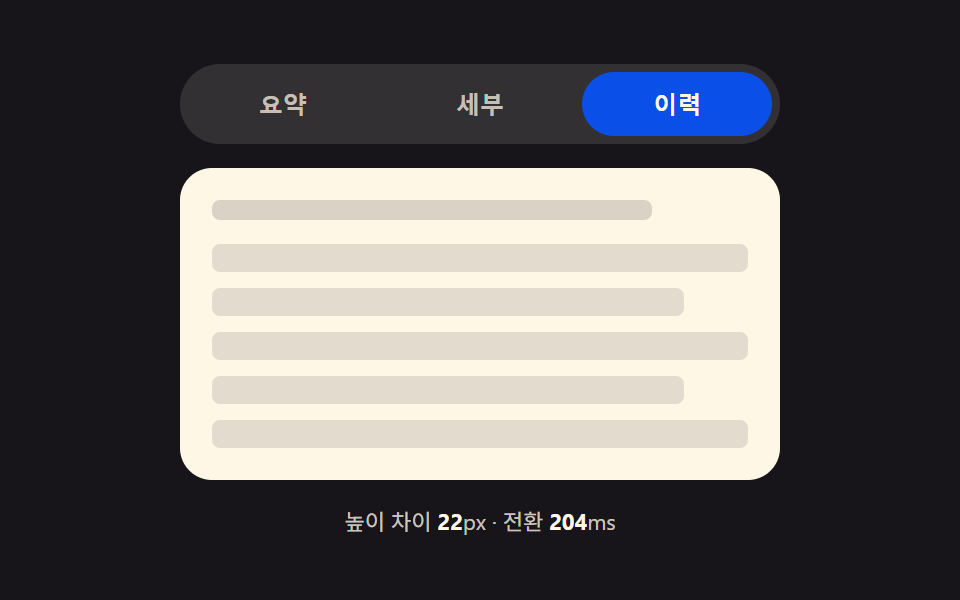 01 tab-panel-height-auto-morph
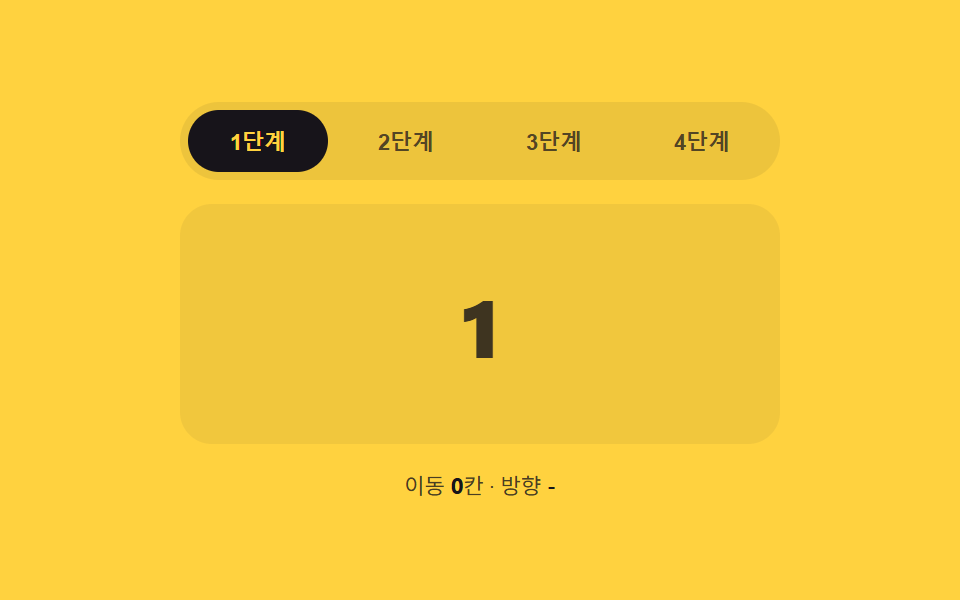 02 tab-panel-slide-direction-index
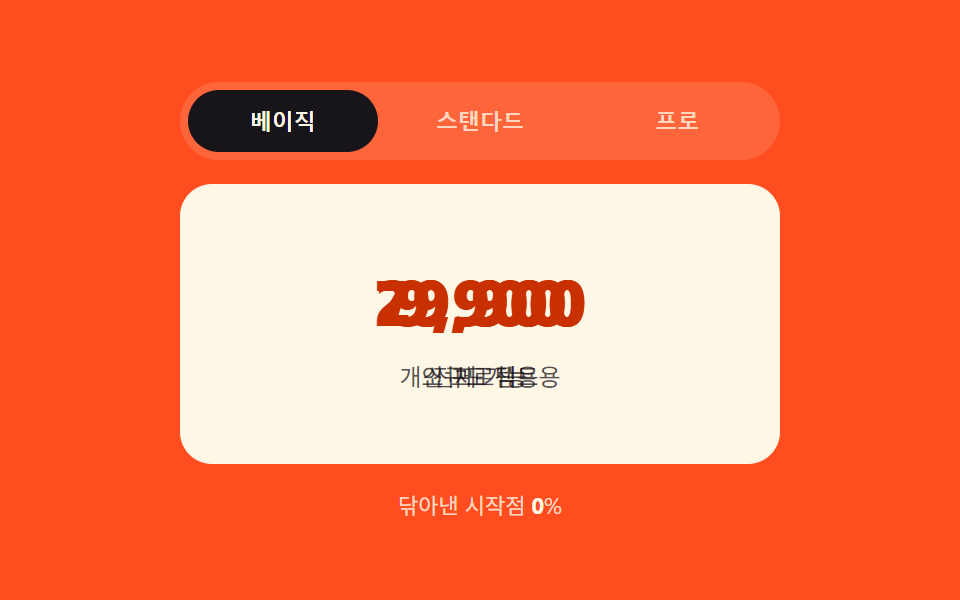 03 tab-panel-clip-wipe-progress
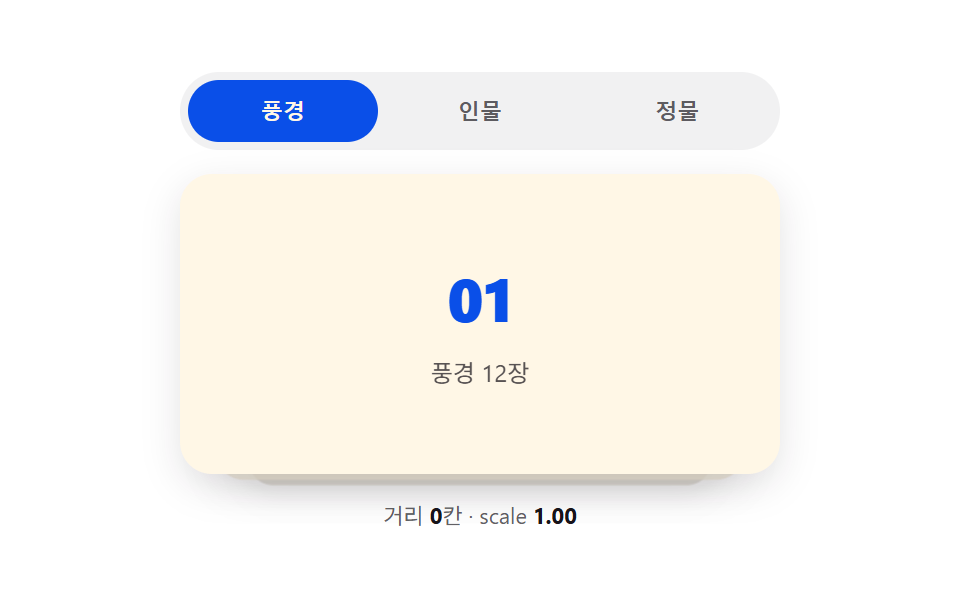 04 tab-panel-stack-depth-scale
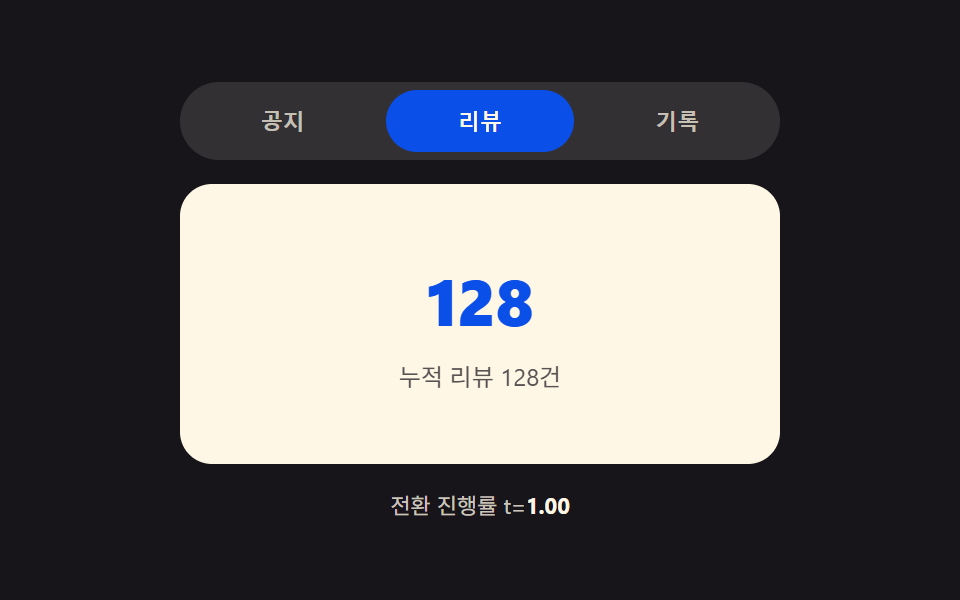 05 tab-panel-blur-focus-crossfade
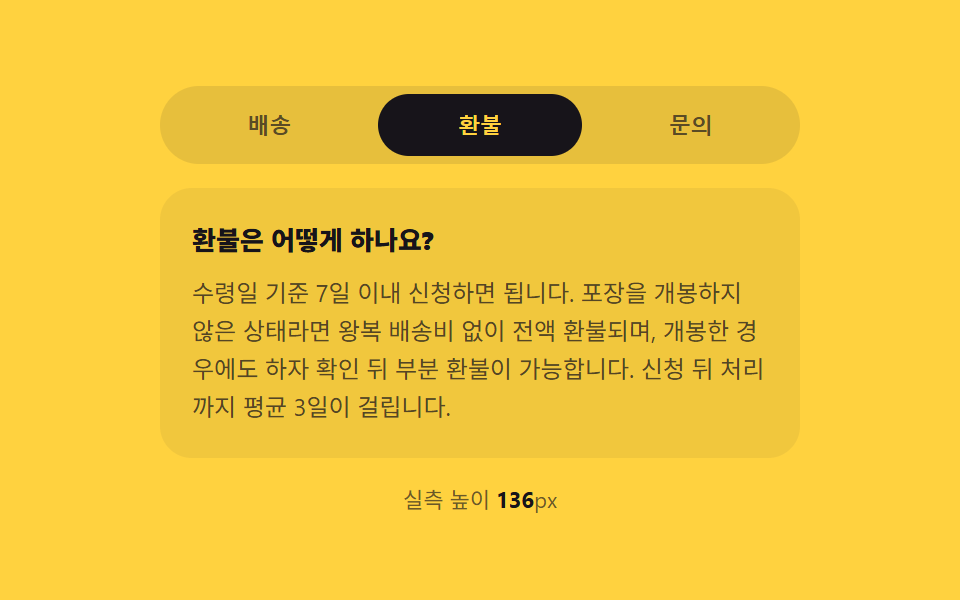 06 tab-panel-vertical-accordion-swap
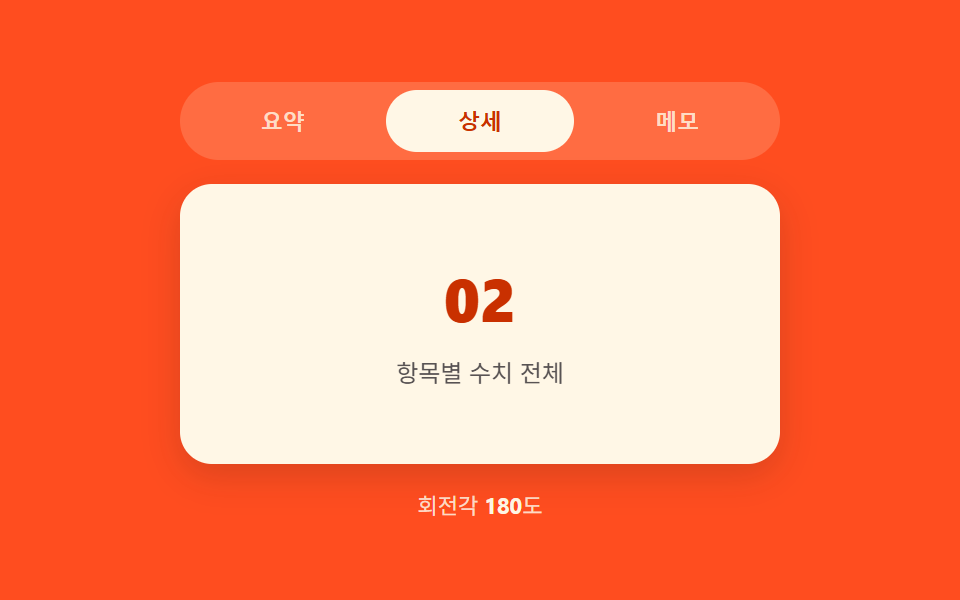 07 tab-panel-3d-flip-rotate
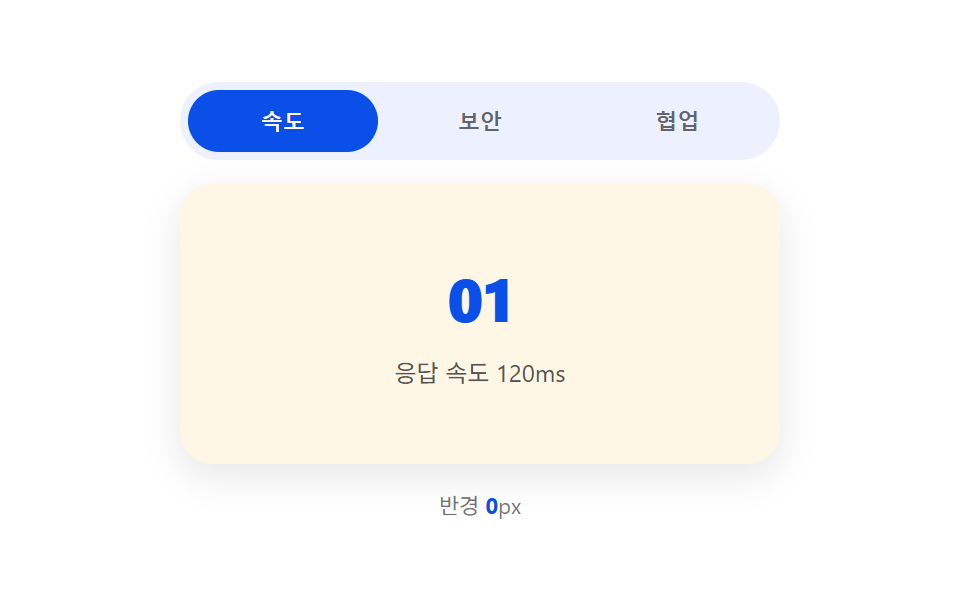 08 tab-panel-mask-reveal-radial
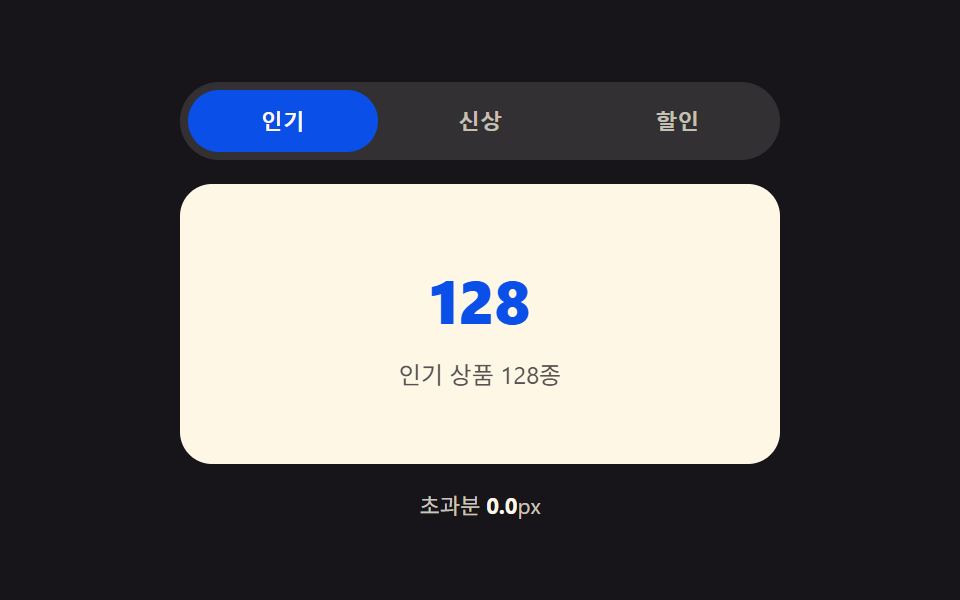 09 tab-panel-elastic-overshoot-slide
Auto-plays · click a tile to jump to its section · all nine in one zip
- 01 Tab Container a Measured Height Gap Stretches
- 02 Slide Panel an Index-difference Value Steers
- 03 Clip-path Panel a Click-position Ratio Wipes
- 04 Stack Panel an Index-distance Value Lays Back
- 05 Crossfade Panel a Progress Value Blurs Then Clears
- 06 Vertical Accordion Panel a Measured-height Value Folds
- 07 3D-rotate Panel a Progress-angle Value Flips
- 08 Radial-mask Panel a Click-coordinate Value Spreads
- 09 Slide Panel a Spring-constant Value Overshoots Then Settles
None of the nine panels below fetch, navigate, or load anything real — every panel body is static filler text or a short list baked straight into the HTML, and nothing here calls Math.random or reaches for a library. Swap the filler for real content and the transition logic underneath doesn't need to change at all.
Anatomy of nine tab-panel transitions — where the one layer of calculation runs
Every pattern below reads the same trigger — a tab gets clicked or arrow-keyed into — and answers a different question with it. Height-morph asks how far apart two panels' measured heights are. The index-distance patterns ask how many tabs were skipped. The click-driven ones ask where on the tab bar you clicked. The spring pattern asks how hard to overshoot before settling. That's the css tab transition this page is actually about: not nine coats of paint on the same slide, but nine different values feeding the same swap.
Seven of the nine (01, 02, 03, 04, 06, 07, 08) compute a number once in JavaScript, apply it as a single style or class change, and let a CSS transition interpolate the rest. Two (05, 09) recompute their value on every requestAnimationFrame tick instead — pattern 05 rewrites blur and opacity every frame from a progress ratio, pattern 09 re-solves a spring equation every frame. Pattern 07 also runs a requestAnimationFrame loop, but only to redraw the on-screen degree counter next to the demo; the flip itself is one CSS transition on transform, so it sits on the CSS-transition side of that split.
This is a companion piece to 9 Segmented Control UI Patterns — Copy-Paste, not a repeat of it — that post computes where the sliding indicator pill sits behind the labels. This one starts after a tab is already selected and computes what happens to the panel content underneath: its height, its clip shape, its depth, its blur, its angle, or its spring position. Different layer, different math.
Code per pattern
Each block below is the exact function that owns that pattern's one calculated value, copied straight out of its index.html — nothing merged, nothing renamed.
01Tab Container a Measured Height Gap Stretches
The measured heights of the outgoing and incoming panel are read right before the swap, and the gap between them in pixels — getBoundingClientRect(), not a guess — sets how long the container's wrap.style.height takes to interpolate to the next panel's height. A bigger gap means a longer transition; a near-identical gap barely animates at all. Good fit for settings screens, profile tabs, and FAQ sections where panels rarely share a height.
<main class="stage">
<div class="tp is-demo" id="tp">
  <div class="tp__tabs" role="tablist" aria-label="Settings tabs">
    <button type="button" class="tp__tab is-active" role="tab" id="tp-tab-0" aria-selected="true" aria-controls="tp-panel-0" data-idx="0">Summary</button>
    <button type="button" class="tp__tab" role="tab" id="tp-tab-1" aria-selected="false" aria-controls="tp-panel-1" data-idx="1" tabindex="-1">Details</button>
    <button type="button" class="tp__tab" role="tab" id="tp-tab-2" aria-selected="false" aria-controls="tp-panel-2" data-idx="2" tabindex="-1">History</button>
  </div>
  <div class="tp__wrap" id="tpWrap">
    <div class="tp__panel" id="tp-panel-0" role="tabpanel" aria-labelledby="tp-tab-0" tabindex="0">
      <p class="tp__line tp__line--a"></p>
      <p class="tp__line tp__line--b"></p>
    </div>
    <div class="tp__panel" id="tp-panel-1" role="tabpanel" aria-labelledby="tp-tab-1" tabindex="0" hidden>
      <p class="tp__line tp__line--a"></p>
      <p class="tp__line tp__line--b"></p>
      <p class="tp__line tp__line--c"></p>
      <div class="tp__bars"><span></span><span></span><span></span><span></span></div>
    </div>
    <div class="tp__panel" id="tp-panel-2" role="tabpanel" aria-labelledby="tp-tab-2" tabindex="0" hidden>
      <p class="tp__line tp__line--a"></p>
      <ul class="tp__list">
        <li></li><li></li><li></li><li></li><li></li>
      </ul>
    </div>
  </div>
  <p class="tp__meta" id="tpMeta">Height diff <b id="tpDiff">0</b>px · transition <b id="tpDur">0</b>ms</p>
</div>
</main>@use "../../../../site/static/demo-tokens" as *;
// 계산 겹: index.html select() 가 getBoundingClientRect 로 숨은/보이는 패널의 실측 높이를 재
// 그 차이(px)를 BASE_MS + diff*MS_PER_PX 식에 넣어 전환 시간을 정하고, wrap 의 height 를 그 시간 동안
// 이전 값에서 다음 패널 높이로 트랜지션한다 — 차이가 클수록 천천히, 작으면 짧게 늘어난다.
@include stage($stage-ink);
.tp { width: min(100%, 300px); display: flex; flex-direction: column; gap: $sp-3; }
.tp__tabs { display: flex; gap: $sp-1; background: rgba($subject-cream, .12); padding: $sp-1; border-radius: $r-pill; }
.tp__tab {
flex: 1 1 0; border: none; background: transparent; border-radius: $r-pill; cursor: pointer;
padding: $sp-2 $sp-3; font-size: 12px; font-weight: 700; color: rgba($subject-cream, .72);
}
.tp__tab.is-active { background: $subject-blue-deep; color: $subject-cream; }
.tp__tab:focus-visible { outline: 2px solid $subject-cream; outline-offset: 2px; }
.tp__wrap {
position: relative; overflow: hidden; border-radius: $r-card; background: $subject-cream;
transition: height var(--tp-dur, #{$dur-base}) $ease-out;
}
.tp__panel { padding: $sp-4; box-sizing: border-box; }
.tp__line { height: 10px; border-radius: $r-xs; background: rgba($subject-ink, .16); margin: 0 0 $sp-2; }
.tp__line--a { width: 82%; }
.tp__line--b { width: 58%; }
.tp__line--c { width: 68%; }
.tp__bars { display: flex; gap: $sp-2; margin-top: $sp-3; align-items: flex-end; height: 44px; }
.tp__bars span { flex: 1 1 0; border-radius: $r-xs $r-xs 0 0; background: $subject-blue; }
.tp__bars span:nth-child(1) { height: 60%; }
.tp__bars span:nth-child(2) { height: 100%; }
.tp__bars span:nth-child(3) { height: 40%; }
.tp__bars span:nth-child(4) { height: 78%; }
.tp__list { list-style: none; margin: $sp-3 0 0; padding: 0; display: flex; flex-direction: column; gap: $sp-2; }
.tp__list li { height: 14px; border-radius: $r-xs; background: rgba($subject-ink, .12); }
.tp__list li:nth-child(2n) { width: 88%; }
.tp__meta { margin: 0; font-size: 11px; color: rgba($subject-cream, .78); text-align: center; }
.tp__meta b { color: $subject-cream; font-weight: 700; }
@media (max-width: 340px) {
.tp { width: 100%; }
.tp__tab { font-size: 11px; padding: $sp-1 $sp-2; }
}
@media (prefers-reduced-motion: reduce) {
.tp__wrap { transition: none; }
}html, body {
margin: 0;
overflow: hidden;
}
.stage {
box-sizing: border-box;
min-height: 100vh;
display: grid;
place-items: center;
margin: 0;
background: #17141a;
font-family: -apple-system, "Segoe UI", "Noto Sans KR", sans-serif;
padding: clamp(8px, 4vw, 24px);
}
.tp {
width: min(100%, 300px);
display: flex;
flex-direction: column;
gap: 12px;
}
.tp__tabs {
display: flex;
gap: 4px;
background: rgba(255, 247, 230, 0.12);
padding: 4px;
border-radius: 999px;
}
.tp__tab {
flex: 1 1 0;
border: none;
background: transparent;
border-radius: 999px;
cursor: pointer;
padding: 8px 12px;
font-size: 12px;
font-weight: 700;
color: rgba(255, 247, 230, 0.72);
}
.tp__tab.is-active {
background: #0a4fe8;
color: #fff7e6;
}
.tp__tab:focus-visible {
outline: 2px solid #fff7e6;
outline-offset: 2px;
}
.tp__wrap {
position: relative;
overflow: hidden;
border-radius: 16px;
background: #fff7e6;
transition: height var(--tp-dur, 300ms) ease-out;
}
.tp__panel {
padding: 16px;
box-sizing: border-box;
}
.tp__line {
height: 10px;
border-radius: 4px;
background: rgba(23, 20, 26, 0.16);
margin: 0 0 8px;
}
.tp__line--a {
width: 82%;
}
.tp__line--b {
width: 58%;
}
.tp__line--c {
width: 68%;
}
.tp__bars {
display: flex;
gap: 8px;
margin-top: 12px;
align-items: flex-end;
height: 44px;
}
.tp__bars span {
flex: 1 1 0;
border-radius: 4px 4px 0 0;
background: #2f6df6;
}
.tp__bars span:nth-child(1) {
height: 60%;
}
.tp__bars span:nth-child(2) {
height: 100%;
}
.tp__bars span:nth-child(3) {
height: 40%;
}
.tp__bars span:nth-child(4) {
height: 78%;
}
.tp__list {
list-style: none;
margin: 12px 0 0;
padding: 0;
display: flex;
flex-direction: column;
gap: 8px;
}
.tp__list li {
height: 14px;
border-radius: 4px;
background: rgba(23, 20, 26, 0.12);
}
.tp__list li:nth-child(2n) {
width: 88%;
}
.tp__meta {
margin: 0;
font-size: 11px;
color: rgba(255, 247, 230, 0.78);
text-align: center;
}
.tp__meta b {
color: #fff7e6;
font-weight: 700;
}
@media (max-width: 340px) {
.tp {
width: 100%;
}
.tp__tab {
font-size: 11px;
padding: 4px 8px;
}
}
@media (prefers-reduced-motion: reduce) {
.tp__wrap {
transition: none;
}
}(function () {
var BASE_MS = 180; // 계산 겹 상수: 높이 차이가 0px 이어도 최소한의 스무딩을 준다
var MS_PER_PX = 1.1; // 계산 겹 상수: Height diff 1px 마다 전환 시간이 이만큼 늘어난다
var MIN_MS = 180, MAX_MS = 620;
var HOLD_MS = 760; // 자동 순환이 탭 하나에 머무는 시간
var COUNT = 3;
var reduce = window.matchMedia('(prefers-reduced-motion: reduce)').matches;
var root = document.getElementById('tp');
var wrap = document.getElementById('tpWrap');
var diffEl = document.getElementById('tpDiff');
var durEl = document.getElementById('tpDur');
var tabs = [0, 1, 2].map(function (i) { return document.getElementById('tp-tab-' + i); });
var panels = [0, 1, 2].map(function (i) { return document.getElementById('tp-panel-' + i); });
var isDemo = true;
var active = 0;
var busy = false;
function rectHeight(idx) {
// 계산 겹: 숨은 패널도 잠깐 측정 가능한 상태로 만들어 getBoundingClientRect 로 실측한다 — 짐작값을 쓰지 않는다
var p = panels[idx];
var wasHidden = p.hasAttribute('hidden');
if (wasHidden) {
p.style.visibility = 'hidden';
p.style.position = 'absolute';
p.style.width = wrap.clientWidth + 'px';
p.removeAttribute('hidden');
}
var h = p.getBoundingClientRect().height;
if (wasHidden) {
p.setAttribute('hidden', '');
p.style.visibility = '';
p.style.position = '';
p.style.width = '';
}
return h;
}
function human() {
if (isDemo) { root.classList.remove('is-demo'); isDemo = false; }
}
function select(idx) {
if (idx === active || busy) return;
busy = true;
var fromH = rectHeight(active);
var toH = rectHeight(idx);
var diff = Math.abs(toH - fromH); // 계산 겹: 두 패널의 실측 Height diff(px)
var dur = Math.min(MAX_MS, Math.max(MIN_MS, BASE_MS + diff * MS_PER_PX)); // 계산 겹: 차이가 클수록 전환이 길다
wrap.style.setProperty('--tp-dur', dur.toFixed(0) + 'ms');
wrap.style.height = fromH.toFixed(2) + 'px';
wrap.getBoundingClientRect(); // 강제 리플로우 — 시작 높이를 확정한 뒤에 목표 높이를 건다
tabs[active].classList.remove('is-active');
tabs[active].setAttribute('aria-selected', 'false');
tabs[active].setAttribute('tabindex', '-1');
panels[active].setAttribute('hidden', '');
tabs[idx].classList.add('is-active');
tabs[idx].setAttribute('aria-selected', 'true');
tabs[idx].setAttribute('tabindex', '0');
panels[idx].removeAttribute('hidden');
requestAnimationFrame(function () {
wrap.style.height = toH.toFixed(2) + 'px';
});
diffEl.textContent = Math.round(diff);
durEl.textContent = Math.round(dur);
active = idx;
window.setTimeout(function () {
busy = false;
wrap.style.height = panels[active].getBoundingClientRect().height + 'px';
}, dur + 40);
}
tabs.forEach(function (t, i) {
t.addEventListener('click', function () { human(); select(i); });
});
root.addEventListener('keydown', function (e) {
var idx = tabs.indexOf(document.activeElement);
if (idx === -1) return;
var next = null;
if (e.key === 'ArrowRight') next = (idx + 1) % COUNT;
else if (e.key === 'ArrowLeft') next = (idx - 1 + COUNT) % COUNT;
else if (e.key === 'Home') next = 0;
else if (e.key === 'End') next = COUNT - 1;
if (next === null) return;
e.preventDefault();
human();
tabs[next].focus({ preventScroll: true });
select(next);
});
function loop() {
if (!isDemo) return;
select((active + 1) % COUNT);
window.setTimeout(loop, HOLD_MS);
}
wrap.style.height = rectHeight(0) + 'px';
if (!reduce) {
window.setTimeout(loop, HOLD_MS);
} else {
root.classList.remove('is-demo');
}
})();// TabHeightAutoMorph — vanilla 판(run/394/demo/01-tab-panel-height-auto-morph/index.html) 의 React 포트.
// select() 가 getBoundingClientRect 로 숨은/보이는 패널의 실측 높이를 재 그 차이(px)를
// BASE_MS + diff*MS_PER_PX 식에 넣어 전환 시간을 정하고, wrap 의 height 를 그 시간 동안 트랜지션한다.
import { useEffect, useRef } from "react";
import styles from "./TabHeightAutoMorph.module.scss";
type Box<T> = { current: T };
const BASE_MS = 180; // 계산 겹 상수: 높이 차이가 0px 이어도 최소한의 스무딩을 준다
const MS_PER_PX = 1.1; // 계산 겹 상수: 높이 차이 1px 마다 전환 시간이 이만큼 늘어난다
const MIN_MS = 180, MAX_MS = 620;
const HOLD_MS = 760; // 자동 순환이 탭 하나에 머무는 시간
const COUNT = 3;
export default function TabHeightAutoMorph() {
const rootRef = useRef(null) as unknown as Box<HTMLDivElement>;
const wrapRef = useRef(null) as unknown as Box<HTMLDivElement>;
const diffRef = useRef(null) as unknown as Box<HTMLElement>;
const durRef = useRef(null) as unknown as Box<HTMLElement>;
const tabRefs = useRef([null, null, null]) as unknown as Box<(HTMLButtonElement | null)[]>;
const panelRefs = useRef([null, null, null]) as unknown as Box<(HTMLDivElement | null)[]>;
const timerRef = useRef(0) as unknown as Box<number>;
useEffect(() => {
const reduce = window.matchMedia("(prefers-reduced-motion: reduce)").matches;
let isDemo = true;
let active = 0;
let busy = false;
function rectHeight(idx: number): number {
const p = panelRefs.current[idx];
const wrap = wrapRef.current;
if (!p || !wrap) return 0;
const wasHidden = p.hasAttribute("hidden");
if (wasHidden) {
p.style.visibility = "hidden";
p.style.position = "absolute";
p.style.width = wrap.clientWidth + "px";
p.removeAttribute("hidden");
}
const h = p.getBoundingClientRect().height;
if (wasHidden) {
p.setAttribute("hidden", "");
p.style.visibility = "";
p.style.position = "";
p.style.width = "";
}
return h;
}
function human() {
if (isDemo) { rootRef.current?.classList.remove(styles.isDemo); isDemo = false; }
}
function select(idx: number) {
if (idx === active || busy) return;
busy = true;
const wrap = wrapRef.current;
const fromH = rectHeight(active);
const toH = rectHeight(idx);
if (!wrap) return;
const diff = Math.abs(toH - fromH); // 계산 겹: 두 패널의 실측 높이 차이(px)
const dur = Math.min(MAX_MS, Math.max(MIN_MS, BASE_MS + diff * MS_PER_PX)); // 계산 겹: 차이가 클수록 전환이 길다
wrap.style.setProperty("--tp-dur", dur.toFixed(0) + "ms");
wrap.style.height = fromH.toFixed(2) + "px";
wrap.getBoundingClientRect(); // 강제 리플로우
const prevTab = tabRefs.current[active], nextTab = tabRefs.current[idx];
const prevPanel = panelRefs.current[active], nextPanel = panelRefs.current[idx];
prevTab?.classList.remove(styles.isActive);
prevTab?.setAttribute("aria-selected", "false");
prevTab?.setAttribute("tabindex", "-1");
prevPanel?.setAttribute("hidden", "");
nextTab?.classList.add(styles.isActive);
nextTab?.setAttribute("aria-selected", "true");
nextTab?.setAttribute("tabindex", "0");
nextPanel?.removeAttribute("hidden");
requestAnimationFrame(() => { wrap.style.height = toH.toFixed(2) + "px"; });
if (diffRef.current) diffRef.current.textContent = String(Math.round(diff));
if (durRef.current) durRef.current.textContent = String(Math.round(dur));
active = idx;
window.setTimeout(() => {
busy = false;
const p = panelRefs.current[active];
if (wrap && p) wrap.style.height = p.getBoundingClientRect().height + "px";
}, dur + 40);
}
function onKeydown(e: KeyboardEvent) {
const idx = tabRefs.current.indexOf(document.activeElement as HTMLButtonElement);
if (idx === -1) return;
let next: number | null = null;
if (e.key === "ArrowRight") next = (idx + 1) % COUNT;
else if (e.key === "ArrowLeft") next = (idx - 1 + COUNT) % COUNT;
else if (e.key === "Home") next = 0;
else if (e.key === "End") next = COUNT - 1;
if (next === null) return;
e.preventDefault();
human();
tabRefs.current[next]?.focus({ preventScroll: true });
select(next);
}
function onTabClick(i: number) { return () => { human(); select(i); }; }
const clickHandlers = [0, 1, 2].map(onTabClick);
tabRefs.current.forEach((t, i) => t?.addEventListener("click", clickHandlers[i]));
rootRef.current?.addEventListener("keydown", onKeydown);
function loop() {
if (!isDemo) return;
select((active + 1) % COUNT);
timerRef.current = window.setTimeout(loop, HOLD_MS);
}
const wrap = wrapRef.current;
if (wrap) wrap.style.height = rectHeight(0) + "px";
if (!reduce) {
timerRef.current = window.setTimeout(loop, HOLD_MS);
} else {
rootRef.current?.classList.remove(styles.isDemo);
}
return () => {
window.clearTimeout(timerRef.current);
tabRefs.current.forEach((t, i) => t?.removeEventListener("click", clickHandlers[i]));
rootRef.current?.removeEventListener("keydown", onKeydown);
};
}, []);
return (
<main className={styles.stage}>
<div className={styles.tp + " " + styles.isDemo} ref={rootRef}>
<div className={styles.tabs} role="tablist" aria-label="설정 탭">
<button type="button" className={styles.tab + " " + styles.isActive} role="tab" aria-selected="true" aria-controls="rtp-panel-0" data-idx="0"
ref={(el: HTMLButtonElement | null) => { tabRefs.current[0] = el; }}>요약</button>
<button type="button" className={styles.tab} role="tab" aria-selected="false" aria-controls="rtp-panel-1" data-idx="1" tabIndex={-1}
ref={(el: HTMLButtonElement | null) => { tabRefs.current[1] = el; }}>세부</button>
<button type="button" className={styles.tab} role="tab" aria-selected="false" aria-controls="rtp-panel-2" data-idx="2" tabIndex={-1}
ref={(el: HTMLButtonElement | null) => { tabRefs.current[2] = el; }}>이력</button>
</div>
<div className={styles.wrap} ref={wrapRef}>
<div className={styles.panel} id="rtp-panel-0" role="tabpanel" tabIndex={0}
ref={(el: HTMLDivElement | null) => { panelRefs.current[0] = el; }}>
<p className={styles.lineA} />
<p className={styles.lineB} />
</div>
<div className={styles.panel} id="rtp-panel-1" role="tabpanel" tabIndex={0} hidden
ref={(el: HTMLDivElement | null) => { panelRefs.current[1] = el; }}>
<p className={styles.lineA} />
<p className={styles.lineB} />
<p className={styles.lineC} />
<div className={styles.bars}><span /><span /><span /><span /></div>
</div>
<div className={styles.panel} id="rtp-panel-2" role="tabpanel" tabIndex={0} hidden
ref={(el: HTMLDivElement | null) => { panelRefs.current[2] = el; }}>
<p className={styles.lineA} />
<ul className={styles.list}>
<li /><li /><li /><li /><li />
</ul>
</div>
</div>
<p className={styles.meta}>
높이 차이 <b ref={diffRef}>0</b>px · 전환 <b ref={durRef}>0</b>ms
</p>
</div>
</main>
);
}01 · Tab Container a Measured Height Gap Stretches — Measured area 42.901% · moving frames 9/23Original by GODRICH · SCSS and React ship in the zip · See the password
    var fromH = rectHeight(active);
    var toH = rectHeight(idx);
    var diff = Math.abs(toH - fromH); // calc layer: measured height difference between the two panels (px)
    var dur = Math.min(MAX_MS, Math.max(MIN_MS, BASE_MS + diff * MS_PER_PX)); // calc layer: the bigger the difference, the longer the transition

    wrap.style.setProperty('--tp-dur', dur.toFixed(0) + 'ms');
    wrap.style.height = fromH.toFixed(2) + 'px';
    wrap.getBoundingClientRect(); // forced reflow — lock in the starting height before the target height is set

    tabs[active].classList.remove('is-active');
    tabs[active].setAttribute('aria-selected', 'false');
    tabs[active].setAttribute('tabindex', '-1');
    panels[active].setAttribute('hidden', '');

    tabs[idx].classList.add('is-active');
    tabs[idx].setAttribute('aria-selected', 'true');
    tabs[idx].setAttribute('tabindex', '0');
    panels[idx].removeAttribute('hidden');

    requestAnimationFrame(function () {
      wrap.style.height = toH.toFixed(2) + 'px';
    });

    diffEl.textContent = Math.round(diff);
02Slide Panel an Index-difference Value Steers
idx - active gives both the sign (which way to slide) and, once you take its absolute value, the distance (how many tabs got skipped). Skip more than one tab and the travel duration stretches by STEP_MS per extra tab, so a jump from tab 1 to tab 4 visibly takes longer than a next-door click. translateX() moves the track; a resize listener re-runs the same placement math whenever the viewport width changes, because the travel distance is a pixel value derived from viewport.clientWidth.
<main class="stage">
<div class="sp is-demo" id="sp">
  <div class="sp__tabs" role="tablist" aria-label="Step tabs">
    <button type="button" class="sp__tab is-active" role="tab" id="sp-tab-0" aria-selected="true" aria-controls="sp-panel-0" data-idx="0">Step 1</button>
    <button type="button" class="sp__tab" role="tab" id="sp-tab-1" aria-selected="false" aria-controls="sp-panel-1" data-idx="1" tabindex="-1">Step 2</button>
    <button type="button" class="sp__tab" role="tab" id="sp-tab-2" aria-selected="false" aria-controls="sp-panel-2" data-idx="2" tabindex="-1">Step 3</button>
    <button type="button" class="sp__tab" role="tab" id="sp-tab-3" aria-selected="false" aria-controls="sp-panel-3" data-idx="3" tabindex="-1">Step 4</button>
  </div>
  <div class="sp__viewport" id="spViewport">
    <div class="sp__track" id="spTrack">
      <div class="sp__panel" id="sp-panel-0" role="tabpanel" aria-labelledby="sp-tab-0" tabindex="0"><span class="sp__num">1</span></div>
      <div class="sp__panel" id="sp-panel-1" role="tabpanel" aria-labelledby="sp-tab-1" tabindex="0" aria-hidden="true"><span class="sp__num">2</span></div>
      <div class="sp__panel" id="sp-panel-2" role="tabpanel" aria-labelledby="sp-tab-2" tabindex="0" aria-hidden="true"><span class="sp__num">3</span></div>
      <div class="sp__panel" id="sp-panel-3" role="tabpanel" aria-labelledby="sp-tab-3" tabindex="0" aria-hidden="true"><span class="sp__num">4</span></div>
    </div>
  </div>
  <p class="sp__meta" id="spMeta">Move <b id="spDist">0</b>cells · direction <b id="spDir">-</b></p>
</div>
</main>
@use "../../../../site/static/demo-tokens" as *;
// 계산 겹: index.html select() 가 (새 인덱스 - 이전 인덱스) 의 부호로 방향을, 절댓값으로 건너뛴 칸
// 수를 구해 전환 시간(BASE_MS + (거리-1)*STEP_MS)을 늘린다 — 두 칸을 건너뛰면 한 칸보다 오래 미끄러진다.
@include stage($stage-yellow);
.sp { width: min(100%, 300px); min-width: 0; display: flex; flex-direction: column; gap: $sp-3; }
.sp__tabs { display: flex; gap: $sp-1; background: rgba($subject-ink, .08); padding: $sp-1; border-radius: $r-pill; }
.sp__tab {
flex: 1 1 0; border: none; background: transparent; border-radius: $r-pill; cursor: pointer;
padding: $sp-2 $sp-2; font-size: 11px; font-weight: 700; color: rgba($subject-ink, .72);
}
.sp__tab.is-active { background: $subject-ink; color: $stage-yellow; }
.sp__tab:focus-visible { outline: 2px solid $subject-ink; outline-offset: 2px; }
.sp__viewport { overflow: hidden; min-width: 0; border-radius: $r-card; background: rgba($subject-ink, .06); }
.sp__track {
display: flex; will-change: transform;
transition: transform var(--sp-dur, #{$dur-base}) $ease-spring;
}
.sp__panel {
flex: 0 0 auto; box-sizing: border-box; height: 120px; display: grid; place-items: center;
}
.sp__num { font-size: 40px; font-weight: 800; color: $subject-ink; opacity: .82; }
.sp__meta { margin: 0; font-size: 11px; color: rgba($subject-ink, .78); text-align: center; }
.sp__meta b { color: $subject-ink; font-weight: 700; }
@media (max-width: 340px) {
.sp { width: 100%; }
.sp__panel { height: 96px; }
.sp__num { font-size: 32px; }
}
@media (prefers-reduced-motion: reduce) {
.sp__track { transition: none; }
}html, body {
margin: 0;
overflow: hidden;
}
.stage {
box-sizing: border-box;
min-height: 100vh;
display: grid;
place-items: center;
margin: 0;
background: #ffd23f;
font-family: -apple-system, "Segoe UI", "Noto Sans KR", sans-serif;
padding: clamp(8px, 4vw, 24px);
}
.sp {
width: min(100%, 300px);
min-width: 0;
display: flex;
flex-direction: column;
gap: 12px;
}
.sp__tabs {
display: flex;
gap: 4px;
background: rgba(23, 20, 26, 0.08);
padding: 4px;
border-radius: 999px;
}
.sp__tab {
flex: 1 1 0;
border: none;
background: transparent;
border-radius: 999px;
cursor: pointer;
padding: 8px 8px;
font-size: 11px;
font-weight: 700;
color: rgba(23, 20, 26, 0.72);
}
.sp__tab.is-active {
background: #17141a;
color: #ffd23f;
}
.sp__tab:focus-visible {
outline: 2px solid #17141a;
outline-offset: 2px;
}
.sp__viewport {
overflow: hidden;
min-width: 0;
border-radius: 16px;
background: rgba(23, 20, 26, 0.06);
}
.sp__track {
display: flex;
will-change: transform;
transition: transform var(--sp-dur, 300ms) cubic-bezier(0.2, 0.8, 0.2, 1);
}
.sp__panel {
flex: 0 0 auto;
box-sizing: border-box;
height: 120px;
display: grid;
place-items: center;
}
.sp__num {
font-size: 40px;
font-weight: 800;
color: #17141a;
opacity: 0.82;
}
.sp__meta {
margin: 0;
font-size: 11px;
color: rgba(23, 20, 26, 0.78);
text-align: center;
}
.sp__meta b {
color: #17141a;
font-weight: 700;
}
@media (max-width: 340px) {
.sp {
width: 100%;
}
.sp__panel {
height: 96px;
}
.sp__num {
font-size: 32px;
}
}
@media (prefers-reduced-motion: reduce) {
.sp__track {
transition: none;
}
}(function () {
var BASE_MS = 220; // 계산 겹 상수: 한 칸 이동의 기본 시간
var STEP_MS = 90; // 계산 겹 상수: 건너뛴 칸 하나마다 늘어나는 시간
var MAX_MS = 640;
var HOLD_MS = 700;
var COUNT = 4;
var reduce = window.matchMedia('(prefers-reduced-motion: reduce)').matches;
var root = document.getElementById('sp');
var viewport = document.getElementById('spViewport');
var track = document.getElementById('spTrack');
var distEl = document.getElementById('spDist');
var dirEl = document.getElementById('spDir');
var tabs = [0, 1, 2, 3].map(function (i) { return document.getElementById('sp-tab-' + i); });
var panels = [0, 1, 2, 3].map(function (i) { return document.getElementById('sp-panel-' + i); });
var isDemo = true;
var active = 0;
function human() {
if (isDemo) { root.classList.remove('is-demo'); isDemo = false; }
}
function select(idx) {
if (idx === active) return;
var delta = idx - active; // 계산 겹: 새 인덱스 - 이전 인덱스
var dir = delta > 0 ? 1 : -1; // 계산 겹: 부호가 슬라이드 방향을 정한다
var dist = Math.abs(delta); // 계산 겹: 건너뛴 칸 수
var dur = Math.min(MAX_MS, BASE_MS + (dist - 1) * STEP_MS); // 계산 겹: 건너뛴 칸이 많을수록 오래 이동한다
var w = viewport.clientWidth;
track.style.setProperty('--sp-dur', dur.toFixed(0) + 'ms');
track.style.transform = 'translateX(' + (-idx * w).toFixed(2) + 'px)';
tabs[active].classList.remove('is-active');
tabs[active].setAttribute('aria-selected', 'false');
tabs[active].setAttribute('tabindex', '-1');
panels[active].setAttribute('aria-hidden', 'true');
tabs[idx].classList.add('is-active');
tabs[idx].setAttribute('aria-selected', 'true');
tabs[idx].setAttribute('tabindex', '0');
panels[idx].setAttribute('aria-hidden', 'false');
distEl.textContent = String(dist);
dirEl.textContent = dir > 0 ? '→' : '←';
active = idx;
}
function place(initial) {
var w = viewport.clientWidth; // 계산 겹: 패널 폭은 실측 뷰포트 폭 — 짐작 px 를 쓰지 않는다
panels.forEach(function (p) { p.style.width = w + 'px'; });
if (initial) track.style.transition = 'none'; // 최초 배치는 transition 없이 — 'none'→translateX(0) 전이가 애니메이션으로 잡혀 측정을 망가뜨린다
track.style.transform = 'translateX(' + (-active * w).toFixed(2) + 'px)';
if (initial) { track.getBoundingClientRect(); track.style.transition = ''; }
}
tabs.forEach(function (t, i) {
t.addEventListener('click', function () { human(); select(i); });
});
root.addEventListener('keydown', function (e) {
var idx = tabs.indexOf(document.activeElement);
if (idx === -1) return;
var next = null;
if (e.key === 'ArrowRight') next = (idx + 1) % COUNT;
else if (e.key === 'ArrowLeft') next = (idx - 1 + COUNT) % COUNT;
else if (e.key === 'Home') next = 0;
else if (e.key === 'End') next = COUNT - 1;
if (next === null) return;
e.preventDefault();
human();
tabs[next].focus({ preventScroll: true });
select(next);
});
window.addEventListener('resize', place);
var seq = [1, 3, 0, 2]; // 계산 겹 실연용 순서 — 1→4(건너뛰기 3) 처럼 다양한 거리를 자동 순환에서 보여준다
var seqPos = 0;
function loop() {
if (!isDemo) return;
seqPos = (seqPos + 1) % seq.length;
select(seq[seqPos]);
window.setTimeout(loop, HOLD_MS);
}
place(true);
if (!reduce) {
window.setTimeout(loop, HOLD_MS);
} else {
root.classList.remove('is-demo');
}
})();// TabSlideDirectionIndex — vanilla 판(run/394/demo/02-tab-panel-slide-direction-index/index.html) 의 React 포트.
// select() 가 (새 인덱스 - 이전 인덱스) 의 부호로 방향을, 절댓값으로 건너뛴 칸 수를 구해
// 전환 시간(BASE_MS + (거리-1)*STEP_MS)을 늘린다.
import { useEffect, useRef } from "react";
import styles from "./TabSlideDirectionIndex.module.scss";
type Box<T> = { current: T };
const BASE_MS = 220; // 계산 겹 상수: 한 칸 이동의 기본 시간
const STEP_MS = 90; // 계산 겹 상수: 건너뛴 칸 하나마다 늘어나는 시간
const MAX_MS = 640;
const HOLD_MS = 700;
const COUNT = 4;
const SEQ = [1, 3, 0, 2];
export default function TabSlideDirectionIndex() {
const rootRef = useRef(null) as unknown as Box<HTMLDivElement>;
const viewportRef = useRef(null) as unknown as Box<HTMLDivElement>;
const trackRef = useRef(null) as unknown as Box<HTMLDivElement>;
const distRef = useRef(null) as unknown as Box<HTMLElement>;
const dirRef = useRef(null) as unknown as Box<HTMLElement>;
const tabRefs = useRef([null, null, null, null]) as unknown as Box<(HTMLButtonElement | null)[]>;
const panelRefs = useRef([null, null, null, null]) as unknown as Box<(HTMLDivElement | null)[]>;
const timerRef = useRef(0) as unknown as Box<number>;
useEffect(() => {
const reduce = window.matchMedia("(prefers-reduced-motion: reduce)").matches;
let isDemo = true;
let active = 0;
let seqPos = 0;
function human() {
if (isDemo) { rootRef.current?.classList.remove(styles.isDemo); isDemo = false; }
}
function select(idx: number) {
if (idx === active) return;
const track = trackRef.current, viewport = viewportRef.current;
if (!track || !viewport) return;
const delta = idx - active; // 계산 겹: 새 인덱스 - 이전 인덱스
const dir = delta > 0 ? 1 : -1; // 계산 겹: 부호가 슬라이드 방향을 정한다
const dist = Math.abs(delta); // 계산 겹: 건너뛴 칸 수
const dur = Math.min(MAX_MS, BASE_MS + (dist - 1) * STEP_MS); // 계산 겹: 건너뛴 칸이 많을수록 오래 이동한다
const w = viewport.clientWidth;
track.style.setProperty("--sp-dur", dur.toFixed(0) + "ms");
track.style.transform = "translateX(" + (-idx * w).toFixed(2) + "px)";
const prevTab = tabRefs.current[active], nextTab = tabRefs.current[idx];
const prevPanel = panelRefs.current[active], nextPanel = panelRefs.current[idx];
prevTab?.classList.remove(styles.isActive);
prevTab?.setAttribute("aria-selected", "false");
prevTab?.setAttribute("tabindex", "-1");
prevPanel?.setAttribute("aria-hidden", "true");
nextTab?.classList.add(styles.isActive);
nextTab?.setAttribute("aria-selected", "true");
nextTab?.setAttribute("tabindex", "0");
nextPanel?.setAttribute("aria-hidden", "false");
if (distRef.current) distRef.current.textContent = String(dist);
if (dirRef.current) dirRef.current.textContent = dir > 0 ? "→" : "←";
active = idx;
}
function place(initial?: boolean) {
const viewport = viewportRef.current, track = trackRef.current;
if (!viewport || !track) return;
const w = viewport.clientWidth; // 계산 겹: 패널 폭은 실측 뷰포트 폭
panelRefs.current.forEach((p) => { if (p) p.style.width = w + "px"; });
if (initial) track.style.transition = "none"; // 최초 배치는 transition 없이 — 측정 훼손 방지
track.style.transform = "translateX(" + (-active * w).toFixed(2) + "px)";
if (initial) { track.getBoundingClientRect(); track.style.transition = ""; }
}
function onKeydown(e: KeyboardEvent) {
const idx = tabRefs.current.indexOf(document.activeElement as HTMLButtonElement);
if (idx === -1) return;
let next: number | null = null;
if (e.key === "ArrowRight") next = (idx + 1) % COUNT;
else if (e.key === "ArrowLeft") next = (idx - 1 + COUNT) % COUNT;
else if (e.key === "Home") next = 0;
else if (e.key === "End") next = COUNT - 1;
if (next === null) return;
e.preventDefault();
human();
tabRefs.current[next]?.focus({ preventScroll: true });
select(next);
}
function onTabClick(i: number) { return () => { human(); select(i); }; }
const clickHandlers = [0, 1, 2, 3].map(onTabClick);
tabRefs.current.forEach((t, i) => t?.addEventListener("click", clickHandlers[i]));
rootRef.current?.addEventListener("keydown", onKeydown);
function onResize() { place(); }
window.addEventListener("resize", onResize);
function loop() {
if (!isDemo) return;
seqPos = (seqPos + 1) % SEQ.length;
select(SEQ[seqPos]);
timerRef.current = window.setTimeout(loop, HOLD_MS);
}
place(true);
if (!reduce) {
timerRef.current = window.setTimeout(loop, HOLD_MS);
} else {
rootRef.current?.classList.remove(styles.isDemo);
}
return () => {
window.clearTimeout(timerRef.current);
window.removeEventListener("resize", onResize);
tabRefs.current.forEach((t, i) => t?.removeEventListener("click", clickHandlers[i]));
rootRef.current?.removeEventListener("keydown", onKeydown);
};
}, []);
const labels = ["1단계", "2단계", "3단계", "4단계"];
return (
<main className={styles.stage}>
<div className={styles.sp + " " + styles.isDemo} ref={rootRef}>
<div className={styles.tabs} role="tablist" aria-label="단계 탭">
{labels.map((label, i) => (
<button
key={label}
type="button"
className={styles.tab + (i === 0 ? " " + styles.isActive : "")}
role="tab"
aria-selected={i === 0 ? "true" : "false"}
tabIndex={i === 0 ? 0 : -1}
ref={(el: HTMLButtonElement | null) => { tabRefs.current[i] = el; }}
>{label}</button>
))}
</div>
<div className={styles.viewport} ref={viewportRef}>
<div className={styles.track} ref={trackRef}>
{[1, 2, 3, 4].map((n, i) => (
<div
key={n}
className={styles.panel}
role="tabpanel"
tabIndex={0}
aria-hidden={i === 0 ? "false" : "true"}
ref={(el: HTMLDivElement | null) => { panelRefs.current[i] = el; }}
>
<span className={styles.num}>{n}</span>
</div>
))}
</div>
</div>
<p className={styles.meta}>
이동 <b ref={distRef}>0</b>칸 · 방향 <b ref={dirRef}>-</b>
</p>
</div>
</main>
);
}02 · Slide Panel an Index-difference Value Steers — Measured area 6.432% · moving frames 13/23Original by GODRICH · SCSS and React ship in the zip · See the password
  function select(idx) {
    if (idx === active) return;
    var delta = idx - active; // calc layer: new index minus previous index
    var dir = delta > 0 ? 1 : -1; // calc layer: the sign decides the slide direction
    var dist = Math.abs(delta); // calc layer: how many tabs were skipped
    var dur = Math.min(MAX_MS, BASE_MS + (dist - 1) * STEP_MS); // calc layer: skipping more tabs makes the move take longer
    var w = viewport.clientWidth;

    track.style.setProperty('--sp-dur', dur.toFixed(0) + 'ms');
    track.style.transform = 'translateX(' + (-idx * w).toFixed(2) + 'px)';

    tabs[active].classList.remove('is-active');
    tabs[active].setAttribute('aria-selected', 'false');
    tabs[active].setAttribute('tabindex', '-1');
    panels[active].setAttribute('aria-hidden', 'true');

    tabs[idx].classList.add('is-active');
    tabs[idx].setAttribute('aria-selected', 'true');
    tabs[idx].setAttribute('tabindex', '0');
    panels[idx].setAttribute('aria-hidden', 'false');

    distEl.textContent = String(dist);
    dirEl.textContent = dir > 0 ? '→' : '←';
    active = idx;
  }
03Clip-path Panel a Click-position Ratio Wipes
The clicked tab's x position becomes a ratio of the full tab-bar width — 0 at the left edge, 1 at the right. That ratio seeds a clip-path: inset() starting slit, so the new panel wipes into view from the exact horizontal point you clicked instead of from a fixed edge. Suits product-spec tabs and pricing-plan panels where the click position is already meaningful to the reader.
<main class="stage">
<div class="cw is-demo" id="cw">
  <div class="cw__tabs" id="cwTabs" role="tablist" aria-label="Plan tabs">
    <button type="button" class="cw__tab is-active" role="tab" id="cw-tab-0" aria-selected="true" aria-controls="cw-panel-0" data-idx="0">Basic</button>
    <button type="button" class="cw__tab" role="tab" id="cw-tab-1" aria-selected="false" aria-controls="cw-panel-1" data-idx="1" tabindex="-1">Standard</button>
    <button type="button" class="cw__tab" role="tab" id="cw-tab-2" aria-selected="false" aria-controls="cw-panel-2" data-idx="2" tabindex="-1">Pro</button>
  </div>
  <div class="cw__wrap" id="cwWrap">
    <div class="cw__panel is-visible" id="cw-panel-0" role="tabpanel" aria-labelledby="cw-tab-0" tabindex="0">
      <span class="cw__num">9,900</span><p class="cw__line">For personal projects</p>
    </div>
    <div class="cw__panel" id="cw-panel-1" role="tabpanel" aria-labelledby="cw-tab-1" tabindex="0" hidden>
      <span class="cw__num">29,900</span><p class="cw__line">For small teams</p>
    </div>
    <div class="cw__panel" id="cw-panel-2" role="tabpanel" aria-labelledby="cw-tab-2" tabindex="0" hidden>
      <span class="cw__num">79,900</span><p class="cw__line">All features</p>
    </div>
  </div>
  <p class="cw__meta">Wipe start point <b id="cwR">0</b>%</p>
</div>
</main>
@use "../../../../site/static/demo-tokens" as *;
// 계산 겹: index.html select() 가 클릭 x 좌표를 탭바 폭 대비 비율(0~1)로 바꿔 그 지점에서
// 폭 0인 clip-path 슬릿으로 새 패널을 시작한 뒤 inset(0)으로 넓혀 그 지점부터 좌우로 닦아낸다.
@include stage($stage-orange);
.cw { width: min(100%, 300px); display: flex; flex-direction: column; gap: $sp-3; }
.cw__tabs { display: flex; gap: $sp-1; background: rgba($subject-cream, .14); padding: $sp-1; border-radius: $r-pill; }
.cw__tab {
flex: 1 1 0; border: none; background: transparent; border-radius: $r-pill; cursor: pointer;
padding: $sp-2 $sp-2; font-size: 11px; font-weight: 700; color: rgba($subject-cream, .78);
}
.cw__tab.is-active { background: $subject-ink; color: $subject-cream; }
.cw__tab:focus-visible { outline: 2px solid $subject-cream; outline-offset: 2px; }
.cw__wrap {
position: relative; min-width: 0; height: 140px; border-radius: $r-card; overflow: hidden;
background: $subject-cream;
}
.cw__panel {
position: absolute; inset: 0; box-sizing: border-box; padding: $sp-4;
display: flex; flex-direction: column; align-items: center; justify-content: center; gap: $sp-2;
clip-path: inset(0 0 0 0);
transition: clip-path $dur-enter $ease-out;
}
.cw__num { font-size: 32px; font-weight: 800; color: $subject-orange-deep; }
.cw__line { margin: 0; font-size: 12px; color: rgba($subject-ink, .72); }
.cw__meta { margin: 0; font-size: 11px; color: rgba($subject-cream, .8); text-align: center; }
.cw__meta b { color: $subject-cream; font-weight: 700; }
@media (max-width: 340px) {
.cw { width: 100%; gap: $sp-2; }
.cw__tab { padding: $sp-1 $sp-2; }
.cw__wrap { height: 96px; }
.cw__num { font-size: 26px; }
}
@media (prefers-reduced-motion: reduce) {
.cw__panel { transition: none; }
}html, body {
margin: 0;
overflow: hidden;
}
.stage {
box-sizing: border-box;
min-height: 100vh;
display: grid;
place-items: center;
margin: 0;
background: #ff4d1f;
font-family: -apple-system, "Segoe UI", "Noto Sans KR", sans-serif;
padding: clamp(8px, 4vw, 24px);
}
.cw {
width: min(100%, 300px);
display: flex;
flex-direction: column;
gap: 12px;
}
.cw__tabs {
display: flex;
gap: 4px;
background: rgba(255, 247, 230, 0.14);
padding: 4px;
border-radius: 999px;
}
.cw__tab {
flex: 1 1 0;
border: none;
background: transparent;
border-radius: 999px;
cursor: pointer;
padding: 8px 8px;
font-size: 11px;
font-weight: 700;
color: rgba(255, 247, 230, 0.78);
}
.cw__tab.is-active {
background: #17141a;
color: #fff7e6;
}
.cw__tab:focus-visible {
outline: 2px solid #fff7e6;
outline-offset: 2px;
}
.cw__wrap {
position: relative;
min-width: 0;
height: 140px;
border-radius: 16px;
overflow: hidden;
background: #fff7e6;
}
.cw__panel {
position: absolute;
inset: 0;
box-sizing: border-box;
padding: 16px;
display: flex;
flex-direction: column;
align-items: center;
justify-content: center;
gap: 8px;
clip-path: inset(0 0 0 0);
transition: clip-path 600ms ease-out;
}
.cw__num {
font-size: 32px;
font-weight: 800;
color: #c93000;
}
.cw__line {
margin: 0;
font-size: 12px;
color: rgba(23, 20, 26, 0.72);
}
.cw__meta {
margin: 0;
font-size: 11px;
color: rgba(255, 247, 230, 0.8);
text-align: center;
}
.cw__meta b {
color: #fff7e6;
font-weight: 700;
}
@media (max-width: 340px) {
.cw {
width: 100%;
gap: 8px;
}
.cw__tab {
padding: 4px 8px;
}
.cw__wrap {
height: 96px;
}
.cw__num {
font-size: 26px;
}
}
@media (prefers-reduced-motion: reduce) {
.cw__panel {
transition: none;
}
}(function () {
var HOLD_MS = 720; // 전환(css $dur-enter) 뒤 자동 순환이 머무는 시간
var COUNT = 3;
var reduce = window.matchMedia('(prefers-reduced-motion: reduce)').matches;
var root = document.getElementById('cw');
var tabsBar = document.getElementById('cwTabs');
var wrap = document.getElementById('cwWrap');
var rEl = document.getElementById('cwR');
var tabs = [0, 1, 2].map(function (i) { return document.getElementById('cw-tab-' + i); });
var panels = [0, 1, 2].map(function (i) { return document.getElementById('cw-panel-' + i); });
var isDemo = true;
var active = 0;
function human() {
if (isDemo) { root.classList.remove('is-demo'); isDemo = false; }
}
function select(idx, originX) {
if (idx === active) return;
var barRect = tabsBar.getBoundingClientRect();
var x = (typeof originX === 'number') ? originX : (tabs[idx].getBoundingClientRect().left + tabs[idx].getBoundingClientRect().width / 2);
var r = barRect.width > 0 ? Math.min(1, Math.max(0, (x - barRect.left) / barRect.width)) : 0.5; // 계산 겹: 클릭 x 좌표 → 탭바 폭 대비 비율(0~1)
var pct = (r * 100).toFixed(1) + '%';
tabs[active].classList.remove('is-active');
tabs[active].setAttribute('aria-selected', 'false');
tabs[active].setAttribute('tabindex', '-1');
panels[active].classList.remove('is-visible');
panels[active].setAttribute('hidden', '');
var next = panels[idx];
next.style.transition = 'none';
next.style.clipPath = 'inset(0 calc(100% - ' + pct + ') 0 ' + pct + ')'; // 계산 겹: 비율 지점에서 폭 0 인 슬릿으로 시작
next.removeAttribute('hidden');
next.getBoundingClientRect();
next.style.transition = '';
requestAnimationFrame(function () {
next.style.clipPath = 'inset(0 0 0 0)'; // 다음 프레임에 전체 노출로 전환 → transition 이 닦아내는 모양을 그린다
next.classList.add('is-visible');
});
tabs[idx].classList.add('is-active');
tabs[idx].setAttribute('aria-selected', 'true');
tabs[idx].setAttribute('tabindex', '0');
rEl.textContent = (r * 100).toFixed(0);
active = idx;
}
tabs.forEach(function (t, i) {
t.addEventListener('click', function () {
human();
var rect = t.getBoundingClientRect();
select(i, rect.left + rect.width / 2);
});
});
root.addEventListener('keydown', function (e) {
var idx = tabs.indexOf(document.activeElement);
if (idx === -1) return;
var next = null;
if (e.key === 'ArrowRight') next = (idx + 1) % COUNT;
else if (e.key === 'ArrowLeft') next = (idx - 1 + COUNT) % COUNT;
else if (e.key === 'Home') next = 0;
else if (e.key === 'End') next = COUNT - 1;
if (next === null) return;
e.preventDefault();
human();
tabs[next].focus({ preventScroll: true });
var rect = tabs[next].getBoundingClientRect();
select(next, rect.left + rect.width / 2);
});
function loop() {
if (!isDemo) return;
var next = (active + 1) % COUNT;
var rect = tabs[next].getBoundingClientRect();
select(next, rect.left + rect.width / 2);
window.setTimeout(loop, HOLD_MS);
}
if (!reduce) {
window.setTimeout(loop, HOLD_MS);
} else {
root.classList.remove('is-demo');
}
})();// TabClipWipeProgress — vanilla 판(run/394/demo/03-tab-panel-clip-wipe-progress/index.html) 의 React 포트.
// select() 가 클릭 x 좌표를 탭바 폭 대비 비율(0~1)로 바꿔 그 지점에서 폭 0인 clip-path 슬릿으로
// 새 패널을 시작한 뒤 inset(0)으로 넓혀 그 지점부터 좌우로 닦아낸다.
import { useEffect, useRef } from "react";
import styles from "./TabClipWipeProgress.module.scss";
type Box<T> = { current: T };
const HOLD_MS = 720; // 전환(css $dur-enter) 뒤 자동 순환이 머무는 시간
const COUNT = 3;
export default function TabClipWipeProgress() {
const rootRef = useRef(null) as unknown as Box<HTMLDivElement>;
const tabsBarRef = useRef(null) as unknown as Box<HTMLDivElement>;
const rEl = useRef(null) as unknown as Box<HTMLElement>;
const tabRefs = useRef([null, null, null]) as unknown as Box<(HTMLButtonElement | null)[]>;
const panelRefs = useRef([null, null, null]) as unknown as Box<(HTMLDivElement | null)[]>;
const timerRef = useRef(0) as unknown as Box<number>;
useEffect(() => {
const reduce = window.matchMedia("(prefers-reduced-motion: reduce)").matches;
let isDemo = true;
let active = 0;
function human() {
if (isDemo) { rootRef.current?.classList.remove(styles.isDemo); isDemo = false; }
}
function select(idx: number, originX?: number) {
if (idx === active) return;
const tabsBar = tabsBarRef.current;
const tab = tabRefs.current[idx];
if (!tabsBar || !tab) return;
const barRect = tabsBar.getBoundingClientRect();
const x = typeof originX === "number" ? originX : tab.getBoundingClientRect().left + tab.getBoundingClientRect().width / 2;
const r = barRect.width > 0 ? Math.min(1, Math.max(0, (x - barRect.left) / barRect.width)) : 0.5; // 계산 겹: 클릭 x 좌표 → 탭바 폭 대비 비율(0~1)
const pct = (r * 100).toFixed(1) + "%";
const prevTab = tabRefs.current[active], nextTab = tabRefs.current[idx];
const prevPanel = panelRefs.current[active], nextPanel = panelRefs.current[idx];
prevTab?.classList.remove(styles.isActive);
prevTab?.setAttribute("aria-selected", "false");
prevTab?.setAttribute("tabindex", "-1");
prevPanel?.classList.remove(styles.isVisible);
prevPanel?.setAttribute("hidden", "");
if (nextPanel) {
nextPanel.style.transition = "none";
nextPanel.style.clipPath = "inset(0 calc(100% - " + pct + ") 0 " + pct + ")"; // 계산 겹: 비율 지점에서 폭 0 인 슬릿으로 시작
nextPanel.removeAttribute("hidden");
nextPanel.getBoundingClientRect();
nextPanel.style.transition = "";
requestAnimationFrame(() => {
nextPanel.style.clipPath = "inset(0 0 0 0)";
nextPanel.classList.add(styles.isVisible);
});
}
nextTab?.classList.add(styles.isActive);
nextTab?.setAttribute("aria-selected", "true");
nextTab?.setAttribute("tabindex", "0");
if (rEl.current) rEl.current.textContent = (r * 100).toFixed(0);
active = idx;
}
function onKeydown(e: KeyboardEvent) {
const idx = tabRefs.current.indexOf(document.activeElement as HTMLButtonElement);
if (idx === -1) return;
let next: number | null = null;
if (e.key === "ArrowRight") next = (idx + 1) % COUNT;
else if (e.key === "ArrowLeft") next = (idx - 1 + COUNT) % COUNT;
else if (e.key === "Home") next = 0;
else if (e.key === "End") next = COUNT - 1;
if (next === null) return;
e.preventDefault();
human();
const t = tabRefs.current[next];
t?.focus({ preventScroll: true });
const rect = t?.getBoundingClientRect();
select(next, rect ? rect.left + rect.width / 2 : undefined);
}
function onTabClick(i: number) {
return () => {
human();
const t = tabRefs.current[i];
const rect = t?.getBoundingClientRect();
select(i, rect ? rect.left + rect.width / 2 : undefined);
};
}
const clickHandlers = [0, 1, 2].map(onTabClick);
tabRefs.current.forEach((t, i) => t?.addEventListener("click", clickHandlers[i]));
rootRef.current?.addEventListener("keydown", onKeydown);
function loop() {
if (!isDemo) return;
const next = (active + 1) % COUNT;
const t = tabRefs.current[next];
const rect = t?.getBoundingClientRect();
select(next, rect ? rect.left + rect.width / 2 : undefined);
timerRef.current = window.setTimeout(loop, HOLD_MS);
}
if (!reduce) {
timerRef.current = window.setTimeout(loop, HOLD_MS);
} else {
rootRef.current?.classList.remove(styles.isDemo);
}
return () => {
window.clearTimeout(timerRef.current);
tabRefs.current.forEach((t, i) => t?.removeEventListener("click", clickHandlers[i]));
rootRef.current?.removeEventListener("keydown", onKeydown);
};
}, []);
const plans = [
{ name: "베이직", price: "9,900", line: "개인 프로젝트용" },
{ name: "스탠다드", price: "29,900", line: "소규모 팀용" },
{ name: "프로", price: "79,900", line: "전체 기능" },
];
return (
<main className={styles.stage}>
<div className={styles.cw + " " + styles.isDemo} ref={rootRef}>
<div className={styles.tabs} ref={tabsBarRef} role="tablist" aria-label="플랜 탭">
{plans.map((p, i) => (
<button
key={p.name}
type="button"
className={styles.tab + (i === 0 ? " " + styles.isActive : "")}
role="tab"
aria-selected={i === 0 ? "true" : "false"}
tabIndex={i === 0 ? 0 : -1}
ref={(el: HTMLButtonElement | null) => { tabRefs.current[i] = el; }}
>{p.name}</button>
))}
</div>
<div className={styles.wrap}>
{plans.map((p, i) => (
<div
key={p.name}
className={styles.panel + (i === 0 ? " " + styles.isVisible : "")}
role="tabpanel"
tabIndex={0}
hidden={i !== 0}
ref={(el: HTMLDivElement | null) => { panelRefs.current[i] = el; }}
>
<span className={styles.num}>{p.price}</span>
<p className={styles.line}>{p.line}</p>
</div>
))}
</div>
<p className={styles.meta}>
닦아낸 시작점 <b ref={rEl}>0</b>%
</p>
</div>
</main>
);
}03 · Clip-path Panel a Click-position Ratio Wipes — Measured area 7.335% · moving frames 12/23Original by GODRICH · SCSS and React ship in the zip · See the password
    var barRect = tabsBar.getBoundingClientRect();
    var x = (typeof originX === 'number') ? originX : (tabs[idx].getBoundingClientRect().left + tabs[idx].getBoundingClientRect().width / 2);
    var r = barRect.width > 0 ? Math.min(1, Math.max(0, (x - barRect.left) / barRect.width)) : 0.5; // calc layer: click x position -> ratio (0 to 1) of the tab-bar width
    var pct = (r * 100).toFixed(1) + '%';

    tabs[active].classList.remove('is-active');
    tabs[active].setAttribute('aria-selected', 'false');
    tabs[active].setAttribute('tabindex', '-1');
    panels[active].classList.remove('is-visible');
    panels[active].setAttribute('hidden', '');

    var next = panels[idx];
    next.style.transition = 'none';
    next.style.clipPath = 'inset(0 calc(100% - ' + pct + ') 0 ' + pct + ')'; // calc layer: start as a zero-width slit at the ratio point
    next.removeAttribute('hidden');
    next.getBoundingClientRect();
    next.style.transition = '';
    requestAnimationFrame(function () {
      next.style.clipPath = 'inset(0 0 0 0)'; // next frame switches to a full reveal -> the transition draws the wipe shape
      next.classList.add('is-visible');
    });

    tabs[idx].classList.add('is-active');
    tabs[idx].setAttribute('aria-selected', 'true');
    tabs[idx].setAttribute('tabindex', '0');
04Stack Panel an Index-distance Value Lays Back
Every panel gets its integer distance from the active tab written onto a --d custom property; the farther a panel sits from the active index, the smaller and dimmer it renders and the further back it sits on the z-axis, so outgoing panels lay back like a stack of cards instead of just disappearing. Reaches for image-gallery caption tabs and portfolio category switches, where the "next card in line" feeling is the point.
<main class="stage">
<div class="sd is-demo" id="sd">
  <div class="sd__tabs" role="tablist" aria-label="Category tabs">
    <button type="button" class="sd__tab is-active" role="tab" id="sd-tab-0" aria-selected="true" aria-controls="sd-panel-0" data-idx="0">Landscape</button>
    <button type="button" class="sd__tab" role="tab" id="sd-tab-1" aria-selected="false" aria-controls="sd-panel-1" data-idx="1" tabindex="-1">Portrait</button>
    <button type="button" class="sd__tab" role="tab" id="sd-tab-2" aria-selected="false" aria-controls="sd-panel-2" data-idx="2" tabindex="-1">Still life</button>
  </div>
  <div class="sd__wrap" id="sdWrap">
    <div class="sd__panel" id="sd-panel-0" role="tabpanel" aria-labelledby="sd-tab-0" tabindex="0" style="--d:0"><span class="sd__num">01</span><p class="sd__line">12 landscape photos</p></div>
    <div class="sd__panel" id="sd-panel-1" role="tabpanel" aria-labelledby="sd-tab-1" tabindex="0" aria-hidden="true" style="--d:1"><span class="sd__num">02</span><p class="sd__line">8 portrait photos</p></div>
    <div class="sd__panel" id="sd-panel-2" role="tabpanel" aria-labelledby="sd-tab-2" tabindex="0" aria-hidden="true" style="--d:2"><span class="sd__num">03</span><p class="sd__line">5 still-life photos</p></div>
  </div>
  <p class="sd__meta">Distance <b id="sdDist">0</b>cells · scale <b id="sdScale">1.00</b></p>
</div>
</main>
@use "../../../../site/static/demo-tokens" as *;
// 계산 겹: index.html apply() 가 |탭 인덱스 - 활성 인덱스| 로 정수 거리(--d)를 구해 각 패널에 심는다.
// 이 scss 는 그 --d 하나로 scale·translateY·translateZ·opacity·filter 를 calc() 로 유도한다 —
// 값이 바뀔 때마다 transform·opacity·filter 가 transition 대상이라 자동으로 부드럽게 물러난다.
@include stage($stage-paper);
.sd { width: min(100%, 300px); min-width: 0; display: flex; flex-direction: column; gap: $sp-3; }
.sd__tabs { display: flex; gap: $sp-1; background: rgba($subject-ink, .06); padding: $sp-1; border-radius: $r-pill; }
.sd__tab {
flex: 1 1 0; border: none; background: transparent; border-radius: $r-pill; cursor: pointer;
padding: $sp-2 $sp-2; font-size: 11px; font-weight: 700; color: rgba($subject-ink, .68);
}
.sd__tab.is-active { background: $subject-blue-deep; color: $subject-cream; }
.sd__tab:focus-visible { outline: 2px solid $subject-blue-deep; outline-offset: 2px; }
.sd__wrap { position: relative; min-width: 0; height: 150px; perspective: 900px; }
.sd__panel {
position: absolute; inset: 0; box-sizing: border-box; padding: $sp-4;
display: flex; flex-direction: column; align-items: center; justify-content: center; gap: $sp-2;
border-radius: $r-card; background: $subject-cream; box-shadow: 0 6px 18px rgba($subject-ink, .12);
transform-origin: center 70%;
transform:
translateY(calc(var(--d) * 10px))
translateZ(calc(var(--d) * -40px))
scale(calc(1 - var(--d) * 0.08));
opacity: calc(1 - var(--d) * 0.22);
filter: brightness(calc(1 - var(--d) * 0.12));
z-index: calc(3 - var(--d));
transition: transform $dur-base $ease-out, opacity $dur-base $ease-out, filter $dur-base $ease-out;
}
.sd__panel[aria-hidden="true"] { pointer-events: none; }
.sd__num { font-size: 30px; font-weight: 800; color: $subject-blue-deep; }
.sd__line { margin: 0; font-size: 12px; color: rgba($subject-ink, .72); }
.sd__meta { margin: 0; font-size: 11px; color: rgba($subject-ink, .68); text-align: center; }
.sd__meta b { color: $subject-ink; font-weight: 700; }
@media (max-width: 340px) {
.sd { width: 100%; gap: $sp-2; }
.sd__tab { padding: $sp-1 $sp-2; }
.sd__wrap { height: 96px; }
.sd__num { font-size: 24px; }
}
@media (prefers-reduced-motion: reduce) {
.sd__panel { transition: none; }
}html, body {
margin: 0;
overflow: hidden;
}
.stage {
box-sizing: border-box;
min-height: 100vh;
display: grid;
place-items: center;
margin: 0;
background: #ffffff;
font-family: -apple-system, "Segoe UI", "Noto Sans KR", sans-serif;
padding: clamp(8px, 4vw, 24px);
}
.sd {
width: min(100%, 300px);
min-width: 0;
display: flex;
flex-direction: column;
gap: 12px;
}
.sd__tabs {
display: flex;
gap: 4px;
background: rgba(23, 20, 26, 0.06);
padding: 4px;
border-radius: 999px;
}
.sd__tab {
flex: 1 1 0;
border: none;
background: transparent;
border-radius: 999px;
cursor: pointer;
padding: 8px 8px;
font-size: 11px;
font-weight: 700;
color: rgba(23, 20, 26, 0.68);
}
.sd__tab.is-active {
background: #0a4fe8;
color: #fff7e6;
}
.sd__tab:focus-visible {
outline: 2px solid #0a4fe8;
outline-offset: 2px;
}
.sd__wrap {
position: relative;
min-width: 0;
height: 150px;
perspective: 900px;
}
.sd__panel {
position: absolute;
inset: 0;
box-sizing: border-box;
padding: 16px;
display: flex;
flex-direction: column;
align-items: center;
justify-content: center;
gap: 8px;
border-radius: 16px;
background: #fff7e6;
box-shadow: 0 6px 18px rgba(23, 20, 26, 0.12);
transform-origin: center 70%;
transform: translateY(calc(var(--d) * 10px)) translateZ(calc(var(--d) * -40px)) scale(calc(1 - var(--d) * 0.08));
opacity: calc(1 - var(--d) * 0.22);
filter: brightness(calc(1 - var(--d) * 0.12));
z-index: calc(3 - var(--d));
transition: transform 300ms ease-out, opacity 300ms ease-out, filter 300ms ease-out;
}
.sd__panel[aria-hidden=true] {
pointer-events: none;
}
.sd__num {
font-size: 30px;
font-weight: 800;
color: #0a4fe8;
}
.sd__line {
margin: 0;
font-size: 12px;
color: rgba(23, 20, 26, 0.72);
}
.sd__meta {
margin: 0;
font-size: 11px;
color: rgba(23, 20, 26, 0.68);
text-align: center;
}
.sd__meta b {
color: #17141a;
font-weight: 700;
}
@media (max-width: 340px) {
.sd {
width: 100%;
gap: 8px;
}
.sd__tab {
padding: 4px 8px;
}
.sd__wrap {
height: 96px;
}
.sd__num {
font-size: 24px;
}
}
@media (prefers-reduced-motion: reduce) {
.sd__panel {
transition: none;
}
}(function () {
var SCALE_STEP = 0.08; // 계산 겹 상수: 인덱스 Distance 1칸마다 scale 이 이만큼 줄어든다
var HOLD_MS = 780;
var COUNT = 3;
var reduce = window.matchMedia('(prefers-reduced-motion: reduce)').matches;
var root = document.getElementById('sd');
var distEl = document.getElementById('sdDist');
var scaleEl = document.getElementById('sdScale');
var tabs = [0, 1, 2].map(function (i) { return document.getElementById('sd-tab-' + i); });
var panels = [0, 1, 2].map(function (i) { return document.getElementById('sd-panel-' + i); });
var isDemo = true;
var active = 0;
function human() {
if (isDemo) { root.classList.remove('is-demo'); isDemo = false; }
}
function apply() {
panels.forEach(function (p, i) {
var d = Math.abs(i - active); // 계산 겹: 활성 탭과의 정수 인덱스 Distance
p.style.setProperty('--d', String(d));
p.setAttribute('aria-hidden', d === 0 ? 'false' : 'true');
});
var scale = (1 - SCALE_STEP).toFixed(2); // 바로 다음 겹(Distance1)의 scale 값을 대표로 표시
distEl.textContent = '1';
scaleEl.textContent = scale;
}
function select(idx) {
if (idx === active) return;
tabs[active].classList.remove('is-active');
tabs[active].setAttribute('aria-selected', 'false');
tabs[active].setAttribute('tabindex', '-1');
tabs[idx].classList.add('is-active');
tabs[idx].setAttribute('aria-selected', 'true');
tabs[idx].setAttribute('tabindex', '0');
active = idx;
apply();
}
tabs.forEach(function (t, i) {
t.addEventListener('click', function () { human(); select(i); });
});
root.addEventListener('keydown', function (e) {
var idx = tabs.indexOf(document.activeElement);
if (idx === -1) return;
var next = null;
if (e.key === 'ArrowRight') next = (idx + 1) % COUNT;
else if (e.key === 'ArrowLeft') next = (idx - 1 + COUNT) % COUNT;
else if (e.key === 'Home') next = 0;
else if (e.key === 'End') next = COUNT - 1;
if (next === null) return;
e.preventDefault();
human();
tabs[next].focus({ preventScroll: true });
select(next);
});
function loop() {
if (!isDemo) return;
select((active + 1) % COUNT);
window.setTimeout(loop, HOLD_MS);
}
if (!reduce) {
window.setTimeout(loop, HOLD_MS);
} else {
root.classList.remove('is-demo');
}
})();// TabStackDepthScale — vanilla 판(run/394/demo/04-tab-panel-stack-depth-scale/index.html) 의 React 포트.
// apply() 가 |탭 인덱스 - 활성 인덱스| 로 정수 거리(--d)를 구해 각 패널에 심으면, module.scss 의
// calc(var(--d) * ...) 가 scale·translateY·translateZ·opacity·filter 를 유도해 물러난다.
import { useEffect, useRef, CSSProperties } from "react";
import styles from "./TabStackDepthScale.module.scss";
type Box<T> = { current: T };
const SCALE_STEP = 0.08; // 계산 겹 상수: 인덱스 거리 1칸마다 scale 이 이만큼 줄어든다
const HOLD_MS = 780;
const COUNT = 3;
export default function TabStackDepthScale() {
const rootRef = useRef(null) as unknown as Box<HTMLDivElement>;
const distRef = useRef(null) as unknown as Box<HTMLElement>;
const scaleRef = useRef(null) as unknown as Box<HTMLElement>;
const tabRefs = useRef([null, null, null]) as unknown as Box<(HTMLButtonElement | null)[]>;
const panelRefs = useRef([null, null, null]) as unknown as Box<(HTMLDivElement | null)[]>;
const timerRef = useRef(0) as unknown as Box<number>;
useEffect(() => {
const reduce = window.matchMedia("(prefers-reduced-motion: reduce)").matches;
let isDemo = true;
let active = 0;
function human() {
if (isDemo) { rootRef.current?.classList.remove(styles.isDemo); isDemo = false; }
}
function apply() {
panelRefs.current.forEach((p, i) => {
if (!p) return;
const d = Math.abs(i - active); // 계산 겹: 활성 탭과의 정수 인덱스 거리
p.style.setProperty("--d", String(d));
p.setAttribute("aria-hidden", d === 0 ? "false" : "true");
});
if (distRef.current) distRef.current.textContent = "1";
if (scaleRef.current) scaleRef.current.textContent = (1 - SCALE_STEP).toFixed(2);
}
function select(idx: number) {
if (idx === active) return;
const prevTab = tabRefs.current[active], nextTab = tabRefs.current[idx];
prevTab?.classList.remove(styles.isActive);
prevTab?.setAttribute("aria-selected", "false");
prevTab?.setAttribute("tabindex", "-1");
nextTab?.classList.add(styles.isActive);
nextTab?.setAttribute("aria-selected", "true");
nextTab?.setAttribute("tabindex", "0");
active = idx;
apply();
}
function onKeydown(e: KeyboardEvent) {
const idx = tabRefs.current.indexOf(document.activeElement as HTMLButtonElement);
if (idx === -1) return;
let next: number | null = null;
if (e.key === "ArrowRight") next = (idx + 1) % COUNT;
else if (e.key === "ArrowLeft") next = (idx - 1 + COUNT) % COUNT;
else if (e.key === "Home") next = 0;
else if (e.key === "End") next = COUNT - 1;
if (next === null) return;
e.preventDefault();
human();
tabRefs.current[next]?.focus({ preventScroll: true });
select(next);
}
function onTabClick(i: number) { return () => { human(); select(i); }; }
const clickHandlers = [0, 1, 2].map(onTabClick);
tabRefs.current.forEach((t, i) => t?.addEventListener("click", clickHandlers[i]));
rootRef.current?.addEventListener("keydown", onKeydown);
function loop() {
if (!isDemo) return;
select((active + 1) % COUNT);
timerRef.current = window.setTimeout(loop, HOLD_MS);
}
if (!reduce) {
timerRef.current = window.setTimeout(loop, HOLD_MS);
} else {
rootRef.current?.classList.remove(styles.isDemo);
}
return () => {
window.clearTimeout(timerRef.current);
tabRefs.current.forEach((t, i) => t?.removeEventListener("click", clickHandlers[i]));
rootRef.current?.removeEventListener("keydown", onKeydown);
};
}, []);
const cats = [
{ name: "풍경", num: "01", line: "풍경 12장" },
{ name: "인물", num: "02", line: "인물 8장" },
{ name: "정물", num: "03", line: "정물 5장" },
];
return (
<main className={styles.stage}>
<div className={styles.sd + " " + styles.isDemo} ref={rootRef}>
<div className={styles.tabs} role="tablist" aria-label="카테고리 탭">
{cats.map((c, i) => (
<button
key={c.name}
type="button"
className={styles.tab + (i === 0 ? " " + styles.isActive : "")}
role="tab"
aria-selected={i === 0 ? "true" : "false"}
tabIndex={i === 0 ? 0 : -1}
ref={(el: HTMLButtonElement | null) => { tabRefs.current[i] = el; }}
>{c.name}</button>
))}
</div>
<div className={styles.wrap}>
{cats.map((c, i) => (
<div
key={c.name}
className={styles.panel}
role="tabpanel"
tabIndex={0}
aria-hidden={i === 0 ? "false" : "true"}
style={{ ["--d" as string]: String(i) } as CSSProperties}
ref={(el: HTMLDivElement | null) => { panelRefs.current[i] = el; }}
>
<span className={styles.num}>{c.num}</span>
<p className={styles.line}>{c.line}</p>
</div>
))}
</div>
<p className={styles.meta}>
거리 <b ref={distRef}>0</b>칸 · scale <b ref={scaleRef}>1.00</b>
</p>
</div>
</main>
);
}04 · Stack Panel an Index-distance Value Lays Back — Measured area 37.975% · moving frames 11/23Original by GODRICH · SCSS and React ship in the zip · See the password
  function apply() {
    panels.forEach(function (p, i) {
      var d = Math.abs(i - active); // calc layer: integer index distance from the active tab
      p.style.setProperty('--d', String(d));
      p.setAttribute('aria-hidden', d === 0 ? 'false' : 'true');
    });
    var scale = (1 - SCALE_STEP).toFixed(2); // the very next layer's (distance 1) scale value, shown as the representative figure
    distEl.textContent = '1';
    scaleEl.textContent = scale;
  }

  function select(idx) {
    if (idx === active) return;
    tabs[active].classList.remove('is-active');
    tabs[active].setAttribute('aria-selected', 'false');
    tabs[active].setAttribute('tabindex', '-1');
    tabs[idx].classList.add('is-active');
    tabs[idx].setAttribute('aria-selected', 'true');
    tabs[idx].setAttribute('tabindex', '0');
    active = idx;
    apply();
  }
05Crossfade Panel a Progress Value Blurs Then Clears
This is one of the two patterns that never hands the interpolation to CSS — a requestAnimationFrame loop divides elapsed time by DUR_MS to get progress t from 0 to 1, then on every single tick rewrites the outgoing panel's blur and opacity proportional to t and the incoming panel's proportional to (1 - t). The two panels cross like a shifting camera focus, which is a natural home for blog category tabs and before/after image panels.
<main class="stage">
<div class="bf is-demo" id="bf">
  <div class="bf__tabs" role="tablist" aria-label="Category tabs">
    <button type="button" class="bf__tab is-active" role="tab" id="bf-tab-0" aria-selected="true" aria-controls="bf-panel-0" data-idx="0">Notices</button>
    <button type="button" class="bf__tab" role="tab" id="bf-tab-1" aria-selected="false" aria-controls="bf-panel-1" data-idx="1" tabindex="-1">Reviews</button>
    <button type="button" class="bf__tab" role="tab" id="bf-tab-2" aria-selected="false" aria-controls="bf-panel-2" data-idx="2" tabindex="-1">Records</button>
  </div>
  <div class="bf__wrap" id="bfWrap">
    <div class="bf__panel is-front" id="bf-panel-0" role="tabpanel" aria-labelledby="bf-tab-0" tabindex="0"><span class="bf__num">03</span><p class="bf__line">3 notices this week</p></div>
    <div class="bf__panel" id="bf-panel-1" role="tabpanel" aria-labelledby="bf-tab-1" tabindex="0" hidden><span class="bf__num">128</span><p class="bf__line">128 cumulative reviews</p></div>
    <div class="bf__panel" id="bf-panel-2" role="tabpanel" aria-labelledby="bf-tab-2" tabindex="0" hidden><span class="bf__num">47</span><p class="bf__line">47 recent records</p></div>
  </div>
  <p class="bf__meta">Transition progress t=<b id="bfT">0.00</b></p>
</div>
</main>
@use "../../../../site/static/demo-tokens" as *;
// 계산 겹: index.html 의 frame() 이 rAF 로 실측 경과시간/총시간 = t(0~1) 를 구해 setT() 에 넘긴다.
// 나가는 패널은 blur(t*BLUR_MAX)·opacity(1-t), 들어오는 패널은 blur((1-t)*BLUR_MAX)·opacity(t) —
// 두 패널이 초점이 옮겨가듯 겹쳐 지나간다. transition 없이 매 프레임 직접 스타일을 쓴다(진짜 t 계산).
@include stage($stage-ink);
.bf { width: min(100%, 300px); display: flex; flex-direction: column; gap: $sp-3; }
.bf__tabs { display: flex; gap: $sp-1; background: rgba($subject-cream, .12); padding: $sp-1; border-radius: $r-pill; }
.bf__tab {
flex: 1 1 0; border: none; background: transparent; border-radius: $r-pill; cursor: pointer;
padding: $sp-2 $sp-2; font-size: 11px; font-weight: 700; color: rgba($subject-cream, .72);
}
.bf__tab.is-active { background: $subject-blue-deep; color: $subject-cream; }
.bf__tab:focus-visible { outline: 2px solid $subject-cream; outline-offset: 2px; }
.bf__wrap { position: relative; min-width: 0; height: 140px; border-radius: $r-card; background: $subject-cream; overflow: hidden; }
.bf__panel {
position: absolute; inset: 0; box-sizing: border-box; padding: $sp-4;
display: flex; flex-direction: column; align-items: center; justify-content: center; gap: $sp-2;
opacity: 0;
}
.bf__panel.is-front { z-index: 2; }
.bf__num { font-size: 32px; font-weight: 800; color: $subject-blue-deep; }
.bf__line { margin: 0; font-size: 12px; color: rgba($subject-ink, .72); }
.bf__meta { margin: 0; font-size: 11px; color: rgba($subject-cream, .78); text-align: center; }
.bf__meta b { color: $subject-cream; font-weight: 700; }
@media (max-width: 340px) {
.bf { width: 100%; gap: $sp-2; }
.bf__tab { padding: $sp-1 $sp-2; }
.bf__wrap { height: 96px; }
.bf__num { font-size: 26px; }
}
@media (prefers-reduced-motion: reduce) {
.bf__panel { transition: none; }
}html, body {
margin: 0;
overflow: hidden;
}
.stage {
box-sizing: border-box;
min-height: 100vh;
display: grid;
place-items: center;
margin: 0;
background: #17141a;
font-family: -apple-system, "Segoe UI", "Noto Sans KR", sans-serif;
padding: clamp(8px, 4vw, 24px);
}
.bf {
width: min(100%, 300px);
display: flex;
flex-direction: column;
gap: 12px;
}
.bf__tabs {
display: flex;
gap: 4px;
background: rgba(255, 247, 230, 0.12);
padding: 4px;
border-radius: 999px;
}
.bf__tab {
flex: 1 1 0;
border: none;
background: transparent;
border-radius: 999px;
cursor: pointer;
padding: 8px 8px;
font-size: 11px;
font-weight: 700;
color: rgba(255, 247, 230, 0.72);
}
.bf__tab.is-active {
background: #0a4fe8;
color: #fff7e6;
}
.bf__tab:focus-visible {
outline: 2px solid #fff7e6;
outline-offset: 2px;
}
.bf__wrap {
position: relative;
min-width: 0;
height: 140px;
border-radius: 16px;
background: #fff7e6;
overflow: hidden;
}
.bf__panel {
position: absolute;
inset: 0;
box-sizing: border-box;
padding: 16px;
display: flex;
flex-direction: column;
align-items: center;
justify-content: center;
gap: 8px;
opacity: 0;
}
.bf__panel.is-front {
z-index: 2;
}
.bf__num {
font-size: 32px;
font-weight: 800;
color: #0a4fe8;
}
.bf__line {
margin: 0;
font-size: 12px;
color: rgba(23, 20, 26, 0.72);
}
.bf__meta {
margin: 0;
font-size: 11px;
color: rgba(255, 247, 230, 0.78);
text-align: center;
}
.bf__meta b {
color: #fff7e6;
font-weight: 700;
}
@media (max-width: 340px) {
.bf {
width: 100%;
gap: 8px;
}
.bf__tab {
padding: 4px 8px;
}
.bf__wrap {
height: 96px;
}
.bf__num {
font-size: 26px;
}
}
@media (prefers-reduced-motion: reduce) {
.bf__panel {
transition: none;
}
}(function () {
var BLUR_MAX = 10; // 계산 겹 상수: 진행률 t=1 에서 나가는 패널이 도달하는 최대 블러(px)
var DUR_MS = 460;
var HOLD_MS = 760;
var COUNT = 3;
var reduce = window.matchMedia('(prefers-reduced-motion: reduce)').matches;
var root = document.getElementById('bf');
var tEl = document.getElementById('bfT');
var tabs = [0, 1, 2].map(function (i) { return document.getElementById('bf-tab-' + i); });
var panels = [0, 1, 2].map(function (i) { return document.getElementById('bf-panel-' + i); });
var isDemo = true;
var active = 0;
var raf = 0;
function human() {
if (isDemo) { root.classList.remove('is-demo'); isDemo = false; }
}
function setT(el, t, incoming) {
// 계산 겹: 나가는 패널은 t 에 비례해 블러·투명도가 늘고, 들어오는 패널은 (1-t) 에 비례해 블러가 준다
var blur = incoming ? (1 - t) * BLUR_MAX : t * BLUR_MAX;
var opacity = incoming ? t : 1 - t;
el.style.filter = 'blur(' + blur.toFixed(2) + 'px)';
el.style.opacity = String(opacity);
}
function select(idx) {
if (idx === active || raf) return;
var prevIdx = active;
var outEl = panels[prevIdx];
var inEl = panels[idx];
tabs[prevIdx].classList.remove('is-active');
tabs[prevIdx].setAttribute('aria-selected', 'false');
tabs[prevIdx].setAttribute('tabindex', '-1');
tabs[idx].classList.add('is-active');
tabs[idx].setAttribute('aria-selected', 'true');
tabs[idx].setAttribute('tabindex', '0');
inEl.removeAttribute('hidden');
inEl.classList.add('is-front');
setT(outEl, 0, false);
setT(inEl, 0, true);
var start = 0;
function frame(ts) {
if (!start) start = ts;
var t = Math.min(1, (ts - start) / DUR_MS); // 계산 겹: 실측 경과시간 / 총 시간 = 진행률 t(0~1)
setT(outEl, t, false);
setT(inEl, t, true);
tEl.textContent = t.toFixed(2);
if (t < 1) {
raf = requestAnimationFrame(frame);
} else {
raf = 0;
outEl.setAttribute('hidden', '');
outEl.classList.remove('is-front');
active = idx;
}
}
raf = requestAnimationFrame(frame);
}
tabs.forEach(function (t, i) {
t.addEventListener('click', function () { human(); select(i); });
});
root.addEventListener('keydown', function (e) {
var idx = tabs.indexOf(document.activeElement);
if (idx === -1) return;
var next = null;
if (e.key === 'ArrowRight') next = (idx + 1) % COUNT;
else if (e.key === 'ArrowLeft') next = (idx - 1 + COUNT) % COUNT;
else if (e.key === 'Home') next = 0;
else if (e.key === 'End') next = COUNT - 1;
if (next === null) return;
e.preventDefault();
human();
tabs[next].focus({ preventScroll: true });
select(next);
});
function loop() {
if (!isDemo) return;
select((active + 1) % COUNT);
window.setTimeout(loop, HOLD_MS);
}
if (!reduce) {
window.setTimeout(loop, HOLD_MS);
} else {
root.classList.remove('is-demo');
}
})();// TabBlurFocusCrossfade — vanilla 판(run/394/demo/05-tab-panel-blur-focus-crossfade/index.html) 의 React 포트.
// select() 의 frame() 이 rAF 로 실측 경과시간/총시간 = t(0~1) 를 구해, 나가는 패널은 blur(t*BLUR_MAX)·
// opacity(1-t), 들어오는 패널은 blur((1-t)*BLUR_MAX)·opacity(t) 로 매 프레임 직접 스타일을 쓴다.
import { useEffect, useRef } from "react";
import styles from "./TabBlurFocusCrossfade.module.scss";
type Box<T> = { current: T };
const BLUR_MAX = 10; // 계산 겹 상수: 진행률 t=1 에서 나가는 패널이 도달하는 최대 블러(px)
const DUR_MS = 460;
const HOLD_MS = 760;
const COUNT = 3;
export default function TabBlurFocusCrossfade() {
const rootRef = useRef(null) as unknown as Box<HTMLDivElement>;
const tEl = useRef(null) as unknown as Box<HTMLElement>;
const tabRefs = useRef([null, null, null]) as unknown as Box<(HTMLButtonElement | null)[]>;
const panelRefs = useRef([null, null, null]) as unknown as Box<(HTMLDivElement | null)[]>;
const timerRef = useRef(0) as unknown as Box<number>;
const rafRef = useRef(0) as unknown as Box<number>;
useEffect(() => {
const reduce = window.matchMedia("(prefers-reduced-motion: reduce)").matches;
let isDemo = true;
let active = 0;
function human() {
if (isDemo) { rootRef.current?.classList.remove(styles.isDemo); isDemo = false; }
}
function setT(el: HTMLElement, t: number, incoming: boolean) {
const blur = incoming ? (1 - t) * BLUR_MAX : t * BLUR_MAX; // 계산 겹
const opacity = incoming ? t : 1 - t;
el.style.filter = "blur(" + blur.toFixed(2) + "px)";
el.style.opacity = String(opacity);
}
function select(idx: number) {
if (idx === active || rafRef.current) return;
const prevIdx = active;
const outEl = panelRefs.current[prevIdx];
const inEl = panelRefs.current[idx];
if (!outEl || !inEl) return;
const prevTab = tabRefs.current[prevIdx], nextTab = tabRefs.current[idx];
prevTab?.classList.remove(styles.isActive);
prevTab?.setAttribute("aria-selected", "false");
prevTab?.setAttribute("tabindex", "-1");
nextTab?.classList.add(styles.isActive);
nextTab?.setAttribute("aria-selected", "true");
nextTab?.setAttribute("tabindex", "0");
inEl.removeAttribute("hidden");
inEl.classList.add(styles.isFront);
setT(outEl, 0, false);
setT(inEl, 0, true);
let start = 0;
function frame(ts: number) {
if (!start) start = ts;
const t = Math.min(1, (ts - start) / DUR_MS); // 계산 겹: 실측 경과시간 / 총 시간 = 진행률 t(0~1)
setT(outEl!, t, false);
setT(inEl!, t, true);
if (tEl.current) tEl.current.textContent = t.toFixed(2);
if (t < 1) {
rafRef.current = requestAnimationFrame(frame);
} else {
rafRef.current = 0;
outEl!.setAttribute("hidden", "");
outEl!.classList.remove(styles.isFront);
active = idx;
}
}
rafRef.current = requestAnimationFrame(frame);
}
function onKeydown(e: KeyboardEvent) {
const idx = tabRefs.current.indexOf(document.activeElement as HTMLButtonElement);
if (idx === -1) return;
let next: number | null = null;
if (e.key === "ArrowRight") next = (idx + 1) % COUNT;
else if (e.key === "ArrowLeft") next = (idx - 1 + COUNT) % COUNT;
else if (e.key === "Home") next = 0;
else if (e.key === "End") next = COUNT - 1;
if (next === null) return;
e.preventDefault();
human();
tabRefs.current[next]?.focus({ preventScroll: true });
select(next);
}
function onTabClick(i: number) { return () => { human(); select(i); }; }
const clickHandlers = [0, 1, 2].map(onTabClick);
tabRefs.current.forEach((t, i) => t?.addEventListener("click", clickHandlers[i]));
rootRef.current?.addEventListener("keydown", onKeydown);
function loop() {
if (!isDemo) return;
select((active + 1) % COUNT);
timerRef.current = window.setTimeout(loop, HOLD_MS);
}
if (!reduce) {
timerRef.current = window.setTimeout(loop, HOLD_MS);
} else {
rootRef.current?.classList.remove(styles.isDemo);
}
return () => {
window.clearTimeout(timerRef.current);
if (rafRef.current) cancelAnimationFrame(rafRef.current);
tabRefs.current.forEach((t, i) => t?.removeEventListener("click", clickHandlers[i]));
rootRef.current?.removeEventListener("keydown", onKeydown);
};
}, []);
const cats = [
{ name: "공지", num: "03", line: "이번 주 공지 3건" },
{ name: "리뷰", num: "128", line: "누적 리뷰 128건" },
{ name: "기록", num: "47", line: "최근 기록 47건" },
];
return (
<main className={styles.stage}>
<div className={styles.bf + " " + styles.isDemo} ref={rootRef}>
<div className={styles.tabs} role="tablist" aria-label="카테고리 탭">
{cats.map((c, i) => (
<button
key={c.name}
type="button"
className={styles.tab + (i === 0 ? " " + styles.isActive : "")}
role="tab"
aria-selected={i === 0 ? "true" : "false"}
tabIndex={i === 0 ? 0 : -1}
ref={(el: HTMLButtonElement | null) => { tabRefs.current[i] = el; }}
>{c.name}</button>
))}
</div>
<div className={styles.wrap}>
{cats.map((c, i) => (
<div
key={c.name}
className={styles.panel + (i === 0 ? " " + styles.isFront : "")}
role="tabpanel"
tabIndex={0}
hidden={i !== 0}
ref={(el: HTMLDivElement | null) => { panelRefs.current[i] = el; }}
>
<span className={styles.num}>{c.num}</span>
<p className={styles.line}>{c.line}</p>
</div>
))}
</div>
<p className={styles.meta}>
전환 진행률 t=<b ref={tEl}>0.00</b>
</p>
</div>
</main>
);
}05 · Crossfade Panel a Progress Value Blurs Then Clears — Measured area 8.026% · moving frames 14/23Original by GODRICH · SCSS and React ship in the zip · See the password
    inEl.removeAttribute('hidden');
    inEl.classList.add('is-front');
    setT(outEl, 0, false);
    setT(inEl, 0, true);

    var start = 0;
    function frame(ts) {
      if (!start) start = ts;
      var t = Math.min(1, (ts - start) / DUR_MS); // calc layer: elapsed time measured / total duration = progress t (0 to 1)
      setT(outEl, t, false);
      setT(inEl, t, true);
      tEl.textContent = t.toFixed(2);
      if (t < 1) {
        raf = requestAnimationFrame(frame);
      } else {
        raf = 0;
        outEl.setAttribute('hidden', '');
        outEl.classList.remove('is-front');
        active = idx;
      }
    }
    raf = requestAnimationFrame(frame);
06Vertical Accordion Panel a Measured-height Value Folds
Unselected panels sit with max-height folded to zero, and the newly selected panel alone gets its max-height raised to a value read from el.firstElementChild.scrollHeight — its real measured content height — unfolding vertically in place instead of swapping sideways. A transitionend listener (onCollapseEnd) waits for the collapse to actually finish before hiding the element, and a resize listener re-measures that height whenever the viewport changes, since it's a pixel value tied to the current layout. Built for mobile FAQ tabs and narrow sidebar panels.
<main class="stage">
<div class="va is-demo" id="va">
  <div class="va__tabs" role="tablist" aria-label="FAQ tabs">
    <button type="button" class="va__tab is-active" role="tab" id="va-tab-0" aria-selected="true" aria-controls="va-panel-0" data-idx="0">Shipping</button>
    <button type="button" class="va__tab" role="tab" id="va-tab-1" aria-selected="false" aria-controls="va-panel-1" data-idx="1" tabindex="-1">Refund</button>
    <button type="button" class="va__tab" role="tab" id="va-tab-2" aria-selected="false" aria-controls="va-panel-2" data-idx="2" tabindex="-1">Contact</button>
  </div>
  <div class="va__list" id="vaList">
    <div class="va__panel" id="va-panel-0" role="tabpanel" aria-labelledby="va-tab-0" tabindex="0">
      <div class="va__inner">
        <p class="va__q">How long does shipping take?</p>
        <p class="va__a">After order confirmation, items ship within 1-2 business days, and average delivery takes 2-4 days. After shipping, we send the tracking number by text message.</p>
      </div>
    </div>
    <div class="va__panel" id="va-panel-1" role="tabpanel" aria-labelledby="va-tab-1" tabindex="0" hidden>
      <div class="va__inner">
        <p class="va__q">How do I request a refund?</p>
        <p class="va__a">Apply within 7 days of receipt. If the package is unopened, you get a full refund with no return shipping cost; if opened, a partial refund is possible after a defect check. Processing takes about 3 days on average after you apply.</p>
      </div>
    </div>
    <div class="va__panel" id="va-panel-2" role="tabpanel" aria-labelledby="va-tab-2" tabindex="0" hidden>
      <div class="va__inner">
        <p class="va__q">Where can I leave an inquiry?</p>
        <p class="va__a">Please leave a message via customer service chat. We reply in order on weekdays from 9 AM to 6 PM.</p>
      </div>
    </div>
  </div>
  <p class="va__meta">Measured height <b id="vaH">0</b>px</p>
</div>
</main>@use "../../../../site/static/demo-tokens" as *;
// 계산 겹: index.html 의 measure() 가 patterns[i].firstElementChild.scrollHeight 로 실측 콘텐츠 높이(px)를
// 구해 openPanel() 이 max-height 목표값으로 쓴다. 선택 안 된 패널은 max-height:0 으로 접힌다.
@include stage($stage-yellow);
.va { width: min(100%, 320px); min-width: 0; display: flex; flex-direction: column; gap: $sp-3; }
.va__tabs { display: flex; gap: $sp-1; background: rgba($subject-ink, .1); padding: $sp-1; border-radius: $r-pill; }
.va__tab {
flex: 1 1 0; border: none; background: transparent; border-radius: $r-pill; cursor: pointer;
padding: $sp-2 $sp-2; font-size: 11px; font-weight: 700; color: rgba($subject-ink, .68);
}
.va__tab.is-active { background: $subject-ink; color: $stage-yellow; }
.va__tab:focus-visible { outline: 2px solid $subject-ink; outline-offset: 2px; }
.va__list { min-width: 0; border-radius: $r-card; background: rgba($subject-ink, .06); }
.va__panel {
overflow: hidden; max-height: 0; transition: max-height $dur-base $ease-out;
}
.va__inner { box-sizing: border-box; padding: $sp-4; display: flex; flex-direction: column; gap: $sp-2; }
.va__q { margin: 0; font-size: 13px; font-weight: 800; color: $subject-ink; }
.va__a { margin: 0; font-size: 12px; line-height: 1.6; color: rgba($subject-ink, .72); }
.va__meta { margin: 0; font-size: 11px; color: rgba($subject-ink, .64); text-align: center; }
.va__meta b { color: $subject-ink; font-weight: 700; }
@media (max-width: 340px) {
.va { width: 100%; gap: $sp-2; }
.va__tab { padding: $sp-1 $sp-2; }
.va__inner { padding: $sp-3; gap: $sp-1; }
.va__q { font-size: 12px; }
.va__a { font-size: 11px; }
}
@media (prefers-reduced-motion: reduce) {
.va__panel { transition: none; }
}html, body {
margin: 0;
overflow: hidden;
}
.stage {
box-sizing: border-box;
min-height: 100vh;
display: grid;
place-items: center;
margin: 0;
background: #ffd23f;
font-family: -apple-system, "Segoe UI", "Noto Sans KR", sans-serif;
padding: clamp(8px, 4vw, 24px);
}
.va {
width: min(100%, 320px);
min-width: 0;
display: flex;
flex-direction: column;
gap: 12px;
}
.va__tabs {
display: flex;
gap: 4px;
background: rgba(23, 20, 26, 0.1);
padding: 4px;
border-radius: 999px;
}
.va__tab {
flex: 1 1 0;
border: none;
background: transparent;
border-radius: 999px;
cursor: pointer;
padding: 8px 8px;
font-size: 11px;
font-weight: 700;
color: rgba(23, 20, 26, 0.68);
}
.va__tab.is-active {
background: #17141a;
color: #ffd23f;
}
.va__tab:focus-visible {
outline: 2px solid #17141a;
outline-offset: 2px;
}
.va__list {
min-width: 0;
border-radius: 16px;
background: rgba(23, 20, 26, 0.06);
}
.va__panel {
overflow: hidden;
max-height: 0;
transition: max-height 300ms ease-out;
}
.va__inner {
box-sizing: border-box;
padding: 16px;
display: flex;
flex-direction: column;
gap: 8px;
}
.va__q {
margin: 0;
font-size: 13px;
font-weight: 800;
color: #17141a;
}
.va__a {
margin: 0;
font-size: 12px;
line-height: 1.6;
color: rgba(23, 20, 26, 0.72);
}
.va__meta {
margin: 0;
font-size: 11px;
color: rgba(23, 20, 26, 0.64);
text-align: center;
}
.va__meta b {
color: #17141a;
font-weight: 700;
}
@media (max-width: 340px) {
.va {
width: 100%;
gap: 8px;
}
.va__tab {
padding: 4px 8px;
}
.va__inner {
padding: 12px;
gap: 4px;
}
.va__q {
font-size: 12px;
}
.va__a {
font-size: 11px;
}
}
@media (prefers-reduced-motion: reduce) {
.va__panel {
transition: none;
}
}(function () {
var reduce = window.matchMedia('(prefers-reduced-motion: reduce)').matches;
var COUNT = 3;
var HOLD_MS = 900;
var root = document.getElementById('va');
var hEl = document.getElementById('vaH');
var tabs = [0, 1, 2].map(function (i) { return document.getElementById('va-tab-' + i); });
var panels = [0, 1, 2].map(function (i) { return document.getElementById('va-panel-' + i); });
var isDemo = true;
var active = 0;
function human() {
if (isDemo) { root.classList.remove('is-demo'); isDemo = false; }
}
function measure(el) {
return el.firstElementChild.scrollHeight; // 계산 겹: 콘텐츠 Measured height(px) — max-height 목표값
}
function openPanel(el, instant) {
el.removeAttribute('hidden');
var h = measure(el);
if (instant) { el.style.transition = 'none'; }
el.style.maxHeight = h + 'px';
if (instant) { el.getBoundingClientRect(); el.style.transition = ''; }
hEl.textContent = String(h);
}
function onCollapseEnd(e) {
if (e.propertyName !== 'max-height') return;
var el = e.currentTarget;
if (el.style.maxHeight === '0px') el.setAttribute('hidden', '');
}
function closePanel(el, instant) {
if (instant) { el.style.transition = 'none'; }
el.style.maxHeight = '0px';
if (instant) { el.getBoundingClientRect(); el.style.transition = ''; el.setAttribute('hidden', ''); }
}
function select(idx) {
if (idx === active) return;
closePanel(panels[active]);
openPanel(panels[idx]);
tabs[active].classList.remove('is-active');
tabs[active].setAttribute('aria-selected', 'false');
tabs[active].setAttribute('tabindex', '-1');
tabs[idx].classList.add('is-active');
tabs[idx].setAttribute('aria-selected', 'true');
tabs[idx].setAttribute('tabindex', '0');
active = idx;
}
panels.forEach(function (p) { p.addEventListener('transitionend', onCollapseEnd); });
// 초기: panel 0 만 실측 높이로 즉시 펼침(전환 억제) — 나머지는 접힌 채 hidden 유지
openPanel(panels[0], true);
tabs.forEach(function (t, i) {
t.addEventListener('click', function () { human(); select(i); });
});
root.addEventListener('keydown', function (e) {
var idx = tabs.indexOf(document.activeElement);
if (idx === -1) return;
var next = null;
if (e.key === 'ArrowRight') next = (idx + 1) % COUNT;
else if (e.key === 'ArrowLeft') next = (idx - 1 + COUNT) % COUNT;
else if (e.key === 'Home') next = 0;
else if (e.key === 'End') next = COUNT - 1;
if (next === null) return;
e.preventDefault();
human();
tabs[next].focus({ preventScroll: true });
select(next);
});
window.addEventListener('resize', function () {
// 계산 겹: 폭이 바뀌면 텍스트 줄바꿈이 바뀌어 실측 높이도 바뀐다 — 열린 패널만 재측정해 반영
var h = measure(panels[active]);
panels[active].style.maxHeight = h + 'px';
hEl.textContent = String(h);
});
function loop() {
if (!isDemo) return;
select((active + 1) % COUNT);
window.setTimeout(loop, HOLD_MS);
}
if (!reduce) {
window.setTimeout(loop, HOLD_MS);
} else {
root.classList.remove('is-demo');
}
})();// TabVerticalAccordionSwap — vanilla 판(run/394/demo/06-tab-panel-vertical-accordion-swap/index.html) 의 React 포트.
// measure() 가 콘텐츠의 scrollHeight(px) 를 실측해 openPanel() 이 max-height 목표값으로 쓴다.
// 선택 안 된 패널은 max-height:0 으로 접힌다(transition-suppress 로 초기 펼침은 즉시 처리).
import { useEffect, useRef } from "react";
import styles from "./TabVerticalAccordionSwap.module.scss";
type Box<T> = { current: T };
const HOLD_MS = 900;
const COUNT = 3;
export default function TabVerticalAccordionSwap() {
const rootRef = useRef(null) as unknown as Box<HTMLDivElement>;
const hEl = useRef(null) as unknown as Box<HTMLElement>;
const tabRefs = useRef([null, null, null]) as unknown as Box<(HTMLButtonElement | null)[]>;
const panelRefs = useRef([null, null, null]) as unknown as Box<(HTMLDivElement | null)[]>;
const innerRefs = useRef([null, null, null]) as unknown as Box<(HTMLDivElement | null)[]>;
const timerRef = useRef(0) as unknown as Box<number>;
useEffect(() => {
const reduce = window.matchMedia("(prefers-reduced-motion: reduce)").matches;
let isDemo = true;
let active = 0;
function human() {
if (isDemo) { rootRef.current?.classList.remove(styles.isDemo); isDemo = false; }
}
function measure(i: number) {
const inner = innerRefs.current[i];
return inner ? inner.scrollHeight : 0; // 계산 겹: 콘텐츠 실측 높이(px)
}
function onCollapseEnd(e: TransitionEvent) {
if (e.propertyName !== "max-height") return;
const el = e.currentTarget as HTMLDivElement;
if (el.style.maxHeight === "0px") el.setAttribute("hidden", "");
}
function openPanel(i: number, instant?: boolean) {
const el = panelRefs.current[i];
if (!el) return;
el.removeAttribute("hidden");
const h = measure(i);
if (instant) el.style.transition = "none";
el.style.maxHeight = h + "px";
if (instant) { el.getBoundingClientRect(); el.style.transition = ""; }
if (hEl.current) hEl.current.textContent = String(h);
}
function closePanel(i: number) {
const el = panelRefs.current[i];
if (!el) return;
el.style.maxHeight = "0px";
}
function select(idx: number) {
if (idx === active) return;
closePanel(active);
openPanel(idx);
const prevTab = tabRefs.current[active], nextTab = tabRefs.current[idx];
prevTab?.classList.remove(styles.isActive);
prevTab?.setAttribute("aria-selected", "false");
prevTab?.setAttribute("tabindex", "-1");
nextTab?.classList.add(styles.isActive);
nextTab?.setAttribute("aria-selected", "true");
nextTab?.setAttribute("tabindex", "0");
active = idx;
}
function onKeydown(e: KeyboardEvent) {
const idx = tabRefs.current.indexOf(document.activeElement as HTMLButtonElement);
if (idx === -1) return;
let next: number | null = null;
if (e.key === "ArrowRight") next = (idx + 1) % COUNT;
else if (e.key === "ArrowLeft") next = (idx - 1 + COUNT) % COUNT;
else if (e.key === "Home") next = 0;
else if (e.key === "End") next = COUNT - 1;
if (next === null) return;
e.preventDefault();
human();
tabRefs.current[next]?.focus({ preventScroll: true });
select(next);
}
function onResize() {
// 계산 겹: 폭이 바뀌면 줄바꿈이 바뀌어 실측 높이도 바뀐다 — 열린 패널만 재측정해 반영
const h = measure(active);
const el = panelRefs.current[active];
if (el) el.style.maxHeight = h + "px";
if (hEl.current) hEl.current.textContent = String(h);
}
function onTabClick(i: number) { return () => { human(); select(i); }; }
const clickHandlers = [0, 1, 2].map(onTabClick);
tabRefs.current.forEach((t, i) => t?.addEventListener("click", clickHandlers[i]));
rootRef.current?.addEventListener("keydown", onKeydown);
panelRefs.current.forEach((p) => p?.addEventListener("transitionend", onCollapseEnd as EventListener));
window.addEventListener("resize", onResize);
openPanel(0, true);
function loop() {
if (!isDemo) return;
select((active + 1) % COUNT);
timerRef.current = window.setTimeout(loop, HOLD_MS);
}
if (!reduce) {
timerRef.current = window.setTimeout(loop, HOLD_MS);
} else {
rootRef.current?.classList.remove(styles.isDemo);
}
return () => {
window.clearTimeout(timerRef.current);
window.removeEventListener("resize", onResize);
tabRefs.current.forEach((t, i) => t?.removeEventListener("click", clickHandlers[i]));
rootRef.current?.removeEventListener("keydown", onKeydown);
panelRefs.current.forEach((p) => p?.removeEventListener("transitionend", onCollapseEnd as EventListener));
};
}, []);
const faqs = [
{ name: "배송", q: "배송은 얼마나 걸리나요?", a: "주문 확인 후 1~2영업일 안에 출고되며, 평균 도착까지 2~4일이 걸립니다. 출고 뒤에는 문자로 송장 번호를 안내합니다." },
{ name: "환불", q: "환불은 어떻게 하나요?", a: "수령일 기준 7일 이내 신청하면 됩니다. 포장을 개봉하지 않은 상태라면 왕복 배송비 없이 전액 환불되며, 개봉한 경우에도 하자 확인 뒤 부분 환불이 가능합니다. 신청 뒤 처리까지 평균 3일이 걸립니다." },
{ name: "문의", q: "문의는 어디로 남기나요?", a: "고객센터 채팅으로 남겨주세요. 평일 오전 9시부터 오후 6시까지 순서대로 답변합니다." },
];
return (
<main className={styles.stage}>
<div className={styles.va + " " + styles.isDemo} ref={rootRef}>
<div className={styles.tabs} role="tablist" aria-label="FAQ 탭">
{faqs.map((f, i) => (
<button
key={f.name}
type="button"
className={styles.tab + (i === 0 ? " " + styles.isActive : "")}
role="tab"
aria-selected={i === 0 ? "true" : "false"}
tabIndex={i === 0 ? 0 : -1}
ref={(el: HTMLButtonElement | null) => { tabRefs.current[i] = el; }}
>{f.name}</button>
))}
</div>
<div className={styles.list}>
{faqs.map((f, i) => (
<div
key={f.name}
className={styles.panel}
role="tabpanel"
tabIndex={0}
hidden={i !== 0}
ref={(el: HTMLDivElement | null) => { panelRefs.current[i] = el; }}
>
<div className={styles.inner} ref={(el: HTMLDivElement | null) => { innerRefs.current[i] = el; }}>
<p className={styles.q}>{f.q}</p>
<p className={styles.a}>{f.a}</p>
</div>
</div>
))}
</div>
<p className={styles.meta}>
실측 높이 <b ref={hEl}>0</b>px
</p>
</div>
</main>
);
}06 · Vertical Accordion Panel a Measured-height Value Folds — Measured area 32.296% · moving frames 7/23Original by GODRICH · SCSS and React ship in the zip · See the password
  function measure(el) {
    return el.firstElementChild.scrollHeight; // calc layer: the content's measured height (px) — the max-height target value
  }

  function openPanel(el, instant) {
    el.removeAttribute('hidden');
    var h = measure(el);
    if (instant) { el.style.transition = 'none'; }
    el.style.maxHeight = h + 'px';
    if (instant) { el.getBoundingClientRect(); el.style.transition = ''; }
    hEl.textContent = String(h);
  }

  function onCollapseEnd(e) {
    if (e.propertyName !== 'max-height') return;
    var el = e.currentTarget;
    if (el.style.maxHeight === '0px') el.setAttribute('hidden', '');
  }

  function closePanel(el, instant) {
    if (instant) { el.style.transition = 'none'; }
    el.style.maxHeight = '0px';
    if (instant) { el.getBoundingClientRect(); el.style.transition = ''; el.setAttribute('hidden', ''); }
  }
073D-rotate Panel a Progress-angle Value Flips
The visible flip is a single CSS transition on transform: rotateY(), set once and left to the browser — but a parallel requestAnimationFrame loop reads the same elapsed-time ratio to redraw a live degree counter next to the card, purely for the reader watching the number climb from 0 to 180. Past 90 degrees the outgoing face hides via backface-visibility and the incoming face takes over the rest of the arc. A fit for card-style stats tabs and settings-panel switches that want a physical "turning over" read.
<main class="stage">
<div class="fp is-demo" id="fp">
  <div class="fp__tabs" role="tablist" aria-label="Dashboard tabs">
    <button type="button" class="fp__tab is-active" role="tab" id="fp-tab-0" aria-selected="true" aria-controls="fpFront" data-idx="0">Summary</button>
    <button type="button" class="fp__tab" role="tab" id="fp-tab-1" aria-selected="false" aria-controls="fpFront" data-idx="1" tabindex="-1">Details</button>
    <button type="button" class="fp__tab" role="tab" id="fp-tab-2" aria-selected="false" aria-controls="fpFront" data-idx="2" tabindex="-1">Notes</button>
  </div>
  <div class="fp__persp">
    <div class="fp__card" id="fpCard">
      <div class="fp__face fp__face--front" id="fpFront" role="tabpanel" tabindex="0" aria-labelledby="fp-tab-0">
        <span class="fp__num" id="fpFrontNum">01</span>
        <p class="fp__line" id="fpFrontLine">Key metrics at a glance</p>
      </div>
      <div class="fp__face fp__face--back" id="fpBack" aria-hidden="true">
        <span class="fp__num" id="fpBackNum">02</span>
        <p class="fp__line" id="fpBackLine">Full figures by item</p>
      </div>
    </div>
  </div>
  <p class="fp__meta">Rotation angle <b id="fpAngle">0</b>deg</p>
</div>
</main>
@use "../../../../site/static/demo-tokens" as *;
// 계산 겹: index.html 의 tickAngle() 이 실측 경과시간/총시간 = t(0~1) 을 0~180도 rotateY 각도로 바꿔 표시하고,
// 실제 회전은 card 의 transform: rotateY(dir*180deg) transition 이 구동한다(dir 은 목표 인덱스 부호).
// backface-visibility:hidden 덕에 90도를 넘는 순간 앞면은 자동으로 숨고 뒷면이 이어받는다.
@include stage($stage-orange);
.fp { width: min(100%, 300px); min-width: 0; display: flex; flex-direction: column; gap: $sp-3; }
.fp__tabs { display: flex; gap: $sp-1; background: rgba($subject-cream, .18); padding: $sp-1; border-radius: $r-pill; }
.fp__tab {
flex: 1 1 0; border: none; background: transparent; border-radius: $r-pill; cursor: pointer;
padding: $sp-2 $sp-2; font-size: 11px; font-weight: 700; color: rgba($subject-cream, .8);
}
.fp__tab.is-active { background: $subject-cream; color: $subject-orange-deep; }
.fp__tab:focus-visible { outline: 2px solid $subject-cream; outline-offset: 2px; }
.fp__persp { min-width: 0; height: 140px; perspective: 900px; }
.fp__card {
position: relative; width: 100%; height: 100%; transform-style: preserve-3d;
transition: transform $dur-enter $ease-out;
}
.fp__face {
position: absolute; inset: 0; box-sizing: border-box; padding: $sp-4;
display: flex; flex-direction: column; align-items: center; justify-content: center; gap: $sp-2;
border-radius: $r-card; background: $subject-cream; box-shadow: 0 6px 18px rgba($subject-ink, .16);
backface-visibility: hidden;
}
.fp__face--back { transform: rotateY(180deg); }
.fp__num { font-size: 30px; font-weight: 800; color: $subject-orange-deep; }
.fp__line { margin: 0; font-size: 12px; color: rgba($subject-ink, .72); }
.fp__meta { margin: 0; font-size: 11px; color: rgba($subject-cream, .84); text-align: center; }
.fp__meta b { color: $subject-cream; font-weight: 700; }
@media (max-width: 340px) {
.fp { width: 100%; gap: $sp-2; }
.fp__tab { padding: $sp-1 $sp-2; }
.fp__persp { height: 96px; }
.fp__num { font-size: 24px; }
}
@media (prefers-reduced-motion: reduce) {
.fp__card { transition: none; }
}html, body {
margin: 0;
overflow: hidden;
}
.stage {
box-sizing: border-box;
min-height: 100vh;
display: grid;
place-items: center;
margin: 0;
background: #ff4d1f;
font-family: -apple-system, "Segoe UI", "Noto Sans KR", sans-serif;
padding: clamp(8px, 4vw, 24px);
}
.fp {
width: min(100%, 300px);
min-width: 0;
display: flex;
flex-direction: column;
gap: 12px;
}
.fp__tabs {
display: flex;
gap: 4px;
background: rgba(255, 247, 230, 0.18);
padding: 4px;
border-radius: 999px;
}
.fp__tab {
flex: 1 1 0;
border: none;
background: transparent;
border-radius: 999px;
cursor: pointer;
padding: 8px 8px;
font-size: 11px;
font-weight: 700;
color: rgba(255, 247, 230, 0.8);
}
.fp__tab.is-active {
background: #fff7e6;
color: #c93000;
}
.fp__tab:focus-visible {
outline: 2px solid #fff7e6;
outline-offset: 2px;
}
.fp__persp {
min-width: 0;
height: 140px;
perspective: 900px;
}
.fp__card {
position: relative;
width: 100%;
height: 100%;
transform-style: preserve-3d;
transition: transform 600ms ease-out;
}
.fp__face {
position: absolute;
inset: 0;
box-sizing: border-box;
padding: 16px;
display: flex;
flex-direction: column;
align-items: center;
justify-content: center;
gap: 8px;
border-radius: 16px;
background: #fff7e6;
box-shadow: 0 6px 18px rgba(23, 20, 26, 0.16);
backface-visibility: hidden;
}
.fp__face--back {
transform: rotateY(180deg);
}
.fp__num {
font-size: 30px;
font-weight: 800;
color: #c93000;
}
.fp__line {
margin: 0;
font-size: 12px;
color: rgba(23, 20, 26, 0.72);
}
.fp__meta {
margin: 0;
font-size: 11px;
color: rgba(255, 247, 230, 0.84);
text-align: center;
}
.fp__meta b {
color: #fff7e6;
font-weight: 700;
}
@media (max-width: 340px) {
.fp {
width: 100%;
gap: 8px;
}
.fp__tab {
padding: 4px 8px;
}
.fp__persp {
height: 96px;
}
.fp__num {
font-size: 24px;
}
}
@media (prefers-reduced-motion: reduce) {
.fp__card {
transition: none;
}
}(function () {
var reduce = window.matchMedia('(prefers-reduced-motion: reduce)').matches;
var DUR_MS = 600;
var HOLD_MS = 900;
var COUNT = 3;
var cats = [
{ name: 'Summary', num: '01', line: 'Key metrics at a glance' },
{ name: 'Details', num: '02', line: 'Full figures by item' },
{ name: 'Notes', num: '03', line: 'List of notes written' }
];
var root = document.getElementById('fp');
var card = document.getElementById('fpCard');
var angleEl = document.getElementById('fpAngle');
var frontNum = document.getElementById('fpFrontNum');
var frontLine = document.getElementById('fpFrontLine');
var backNum = document.getElementById('fpBackNum');
var backLine = document.getElementById('fpBackLine');
var tabs = [0, 1, 2].map(function (i) { return document.getElementById('fp-tab-' + i); });
var isDemo = true;
var active = 0;
var busy = false;
var raf = 0;
function human() {
if (isDemo) { root.classList.remove('is-demo'); isDemo = false; }
}
function renderFace(numEl, lineEl, idx) {
numEl.textContent = cats[idx].num;
lineEl.textContent = cats[idx].line;
}
function tickAngle(start, dir) {
function step(ts) {
var t = Math.min(1, (ts - start) / DUR_MS); // 계산 겹: 실측 경과시간 / 총 시간 = 진행률 t(0~1)
var angle = Math.round(t * 180); // 계산 겹: 진행률을 0~180deg rotateY 각도 값으로 변환
angleEl.textContent = String(angle);
if (t < 1 && busy) { raf = requestAnimationFrame(step); } else { raf = 0; }
}
raf = requestAnimationFrame(step);
}
function flipTo(idx) {
if (idx === active || busy) return;
busy = true;
var dir = idx > active ? 1 : -1; // 계산 겹: 목표 인덱스와의 부호로 회전 방향(시계/반시계) 결정
renderFace(backNum, backLine, idx);
tabs[active].classList.remove('is-active');
tabs[active].setAttribute('aria-selected', 'false');
tabs[active].setAttribute('tabindex', '-1');
tabs[idx].classList.add('is-active');
tabs[idx].setAttribute('aria-selected', 'true');
tabs[idx].setAttribute('tabindex', '0');
var startTs = performance.now();
requestAnimationFrame(function () {
card.style.transform = 'rotateY(' + (dir * 180) + 'deg)';
});
tickAngle(startTs, dir);
function onEnd(e) {
if (e.propertyName !== 'transform') return;
card.removeEventListener('transitionend', onEnd);
card.style.transition = 'none';
card.style.transform = 'rotateY(0deg)';
card.getBoundingClientRect();
card.style.transition = '';
renderFace(frontNum, frontLine, idx);
document.getElementById('fpFront').setAttribute('aria-labelledby', 'fp-tab-' + idx);
active = idx;
busy = false;
angleEl.textContent = '0';
}
card.addEventListener('transitionend', onEnd);
}
tabs.forEach(function (t, i) {
t.addEventListener('click', function () { human(); flipTo(i); });
});
root.addEventListener('keydown', function (e) {
var idx = tabs.indexOf(document.activeElement);
if (idx === -1) return;
var next = null;
if (e.key === 'ArrowRight') next = (idx + 1) % COUNT;
else if (e.key === 'ArrowLeft') next = (idx - 1 + COUNT) % COUNT;
else if (e.key === 'Home') next = 0;
else if (e.key === 'End') next = COUNT - 1;
if (next === null) return;
e.preventDefault();
human();
tabs[next].focus({ preventScroll: true });
flipTo(next);
});
function loop() {
if (!isDemo) return;
flipTo((active + 1) % COUNT);
window.setTimeout(loop, HOLD_MS);
}
if (!reduce) {
window.setTimeout(loop, HOLD_MS);
} else {
root.classList.remove('is-demo');
}
})();// TabFlipRotate — vanilla 판(run/394/demo/07-tab-panel-3d-flip-rotate/index.html) 의 React 포트.
// tickAngle() 이 실측 경과시간/총시간 = t(0~1) 을 0~180도 rotateY 각도로 바꿔 표시하고, 실제 회전은
// card 의 transform: rotateY(dir*180deg) transition 이 구동한다(dir 은 목표 인덱스 부호).
import { useEffect, useRef } from "react";
import styles from "./TabFlipRotate.module.scss";
type Box<T> = { current: T };
const DUR_MS = 600;
const HOLD_MS = 900;
const COUNT = 3;
const cats = [
{ name: "요약", num: "01", line: "핵심 지표 한눈에" },
{ name: "상세", num: "02", line: "항목별 수치 전체" },
{ name: "메모", num: "03", line: "작성한 메모 목록" },
];
export default function TabFlipRotate() {
const rootRef = useRef(null) as unknown as Box<HTMLDivElement>;
const cardRef = useRef(null) as unknown as Box<HTMLDivElement>;
const angleEl = useRef(null) as unknown as Box<HTMLElement>;
const frontEl = useRef(null) as unknown as Box<HTMLDivElement>;
const frontNumEl = useRef(null) as unknown as Box<HTMLElement>;
const frontLineEl = useRef(null) as unknown as Box<HTMLElement>;
const backNumEl = useRef(null) as unknown as Box<HTMLElement>;
const backLineEl = useRef(null) as unknown as Box<HTMLElement>;
const tabRefs = useRef([null, null, null]) as unknown as Box<(HTMLButtonElement | null)[]>;
const timerRef = useRef(0) as unknown as Box<number>;
const rafRef = useRef(0) as unknown as Box<number>;
useEffect(() => {
const reduce = window.matchMedia("(prefers-reduced-motion: reduce)").matches;
let isDemo = true;
let active = 0;
let busy = false;
function human() {
if (isDemo) { rootRef.current?.classList.remove(styles.isDemo); isDemo = false; }
}
function renderFace(numEl: HTMLElement | null, lineEl: HTMLElement | null, idx: number) {
if (numEl) numEl.textContent = cats[idx].num;
if (lineEl) lineEl.textContent = cats[idx].line;
}
function tickAngle(start: number) {
function step(ts: number) {
const t = Math.min(1, (ts - start) / DUR_MS); // 계산 겹: 실측 경과시간 / 총 시간 = 진행률 t(0~1)
const angle = Math.round(t * 180); // 계산 겹: 진행률을 0~180도 rotateY 각도 값으로 변환
if (angleEl.current) angleEl.current.textContent = String(angle);
if (t < 1 && busy) { rafRef.current = requestAnimationFrame(step); } else { rafRef.current = 0; }
}
rafRef.current = requestAnimationFrame(step);
}
function onEnd(e: TransitionEvent) {
if (e.propertyName !== "transform") return;
const card = cardRef.current;
card.removeEventListener("transitionend", onEnd as EventListener);
card.style.transition = "none";
card.style.transform = "rotateY(0deg)";
card.getBoundingClientRect();
card.style.transition = "";
renderFace(frontNumEl.current, frontLineEl.current, pendingIdx);
frontEl.current?.setAttribute("aria-labelledby", "fp-tab-" + pendingIdx);
active = pendingIdx;
busy = false;
if (angleEl.current) angleEl.current.textContent = "0";
}
let pendingIdx = 0;
function flipTo(idx: number) {
if (idx === active || busy) return;
busy = true;
pendingIdx = idx;
const dir = idx > active ? 1 : -1; // 계산 겹: 목표 인덱스와의 부호로 회전 방향 결정
renderFace(backNumEl.current, backLineEl.current, idx);
const prevTab = tabRefs.current[active], nextTab = tabRefs.current[idx];
prevTab?.classList.remove(styles.isActive);
prevTab?.setAttribute("aria-selected", "false");
prevTab?.setAttribute("tabindex", "-1");
nextTab?.classList.add(styles.isActive);
nextTab?.setAttribute("aria-selected", "true");
nextTab?.setAttribute("tabindex", "0");
const startTs = performance.now();
const card = cardRef.current;
requestAnimationFrame(() => {
card.style.transform = "rotateY(" + dir * 180 + "deg)";
});
tickAngle(startTs);
card.addEventListener("transitionend", onEnd as EventListener);
}
function onKeydown(e: KeyboardEvent) {
const idx = tabRefs.current.indexOf(document.activeElement as HTMLButtonElement);
if (idx === -1) return;
let next: number | null = null;
if (e.key === "ArrowRight") next = (idx + 1) % COUNT;
else if (e.key === "ArrowLeft") next = (idx - 1 + COUNT) % COUNT;
else if (e.key === "Home") next = 0;
else if (e.key === "End") next = COUNT - 1;
if (next === null) return;
e.preventDefault();
human();
tabRefs.current[next]?.focus({ preventScroll: true });
flipTo(next);
}
function onTabClick(i: number) { return () => { human(); flipTo(i); }; }
const clickHandlers = [0, 1, 2].map(onTabClick);
tabRefs.current.forEach((t, i) => t?.addEventListener("click", clickHandlers[i]));
rootRef.current?.addEventListener("keydown", onKeydown);
function loop() {
if (!isDemo) return;
flipTo((active + 1) % COUNT);
timerRef.current = window.setTimeout(loop, HOLD_MS);
}
if (!reduce) {
timerRef.current = window.setTimeout(loop, HOLD_MS);
} else {
rootRef.current?.classList.remove(styles.isDemo);
}
return () => {
window.clearTimeout(timerRef.current);
if (rafRef.current) cancelAnimationFrame(rafRef.current);
tabRefs.current.forEach((t, i) => t?.removeEventListener("click", clickHandlers[i]));
rootRef.current?.removeEventListener("keydown", onKeydown);
cardRef.current?.removeEventListener("transitionend", onEnd as EventListener);
};
}, []);
return (
<main className={styles.stage}>
<div className={styles.fp + " " + styles.isDemo} ref={rootRef}>
<div className={styles.tabs} role="tablist" aria-label="대시보드 탭">
{cats.map((c, i) => (
<button
key={c.name}
type="button"
className={styles.tab + (i === 0 ? " " + styles.isActive : "")}
role="tab"
id={"fp-tab-" + i}
aria-selected={i === 0 ? "true" : "false"}
aria-controls="fpFrontReact"
tabIndex={i === 0 ? 0 : -1}
ref={(el: HTMLButtonElement | null) => { tabRefs.current[i] = el; }}
>{c.name}</button>
))}
</div>
<div className={styles.persp}>
<div className={styles.card} ref={cardRef}>
<div
className={styles.face + " " + styles.faceFront}
id="fpFrontReact"
role="tabpanel"
tabIndex={0}
aria-labelledby="fp-tab-0"
ref={frontEl}
>
<span className={styles.num} ref={frontNumEl}>01</span>
<p className={styles.line} ref={frontLineEl}>핵심 지표 한눈에</p>
</div>
<div className={styles.face + " " + styles.faceBack} aria-hidden="true">
<span className={styles.num} ref={backNumEl}>02</span>
<p className={styles.line} ref={backLineEl}>항목별 수치 전체</p>
</div>
</div>
</div>
<p className={styles.meta}>
회전각 <b ref={angleEl}>0</b>도
</p>
</div>
</main>
);
}07 · 3D-rotate Panel a Progress-angle Value Flips — Measured area 36.107% · moving frames 13/23Original by GODRICH · SCSS and React ship in the zip · See the password
  function tickAngle(start, dir) {
    function step(ts) {
      var t = Math.min(1, (ts - start) / DUR_MS); // calc layer: elapsed time measured / total duration = progress t (0 to 1)
      var angle = Math.round(t * 180); // calc layer: convert progress into a 0-180deg rotateY angle value
      angleEl.textContent = String(angle);
      if (t < 1 && busy) { raf = requestAnimationFrame(step); } else { raf = 0; }
    }
    raf = requestAnimationFrame(step);
  }
08Radial-mask Panel a Click-coordinate Value Spreads
The clicked tab label's center coordinate becomes the center point of a clip-path: circle() on the incoming panel, and the radius grows from 0 to the panel's own diagonal length — Math.hypot(width, height) — so the reveal spreads outward from wherever you actually clicked rather than from a corner. Reserved for landing-page feature tabs and promo-banner panels chasing a punchy reveal.
<main class="stage">
<div class="mr is-demo" id="mr">
  <div class="mr__tabs" role="tablist" aria-label="Feature tabs">
    <button type="button" class="mr__tab is-active" role="tab" id="mr-tab-0" aria-selected="true" aria-controls="mr-panel-0" data-idx="0">Speed</button>
    <button type="button" class="mr__tab" role="tab" id="mr-tab-1" aria-selected="false" aria-controls="mr-panel-1" data-idx="1" tabindex="-1">Security</button>
    <button type="button" class="mr__tab" role="tab" id="mr-tab-2" aria-selected="false" aria-controls="mr-panel-2" data-idx="2" tabindex="-1">Collaboration</button>
  </div>
  <div class="mr__wrap" id="mrWrap">
    <div class="mr__panel is-active" id="mr-panel-0" role="tabpanel" aria-labelledby="mr-tab-0" tabindex="0"><span class="mr__num">01</span><p class="mr__line">Response speed 120ms</p></div>
    <div class="mr__panel" id="mr-panel-1" role="tabpanel" aria-labelledby="mr-tab-1" tabindex="0" hidden><span class="mr__num">02</span><p class="mr__line">Two-factor authentication support</p></div>
    <div class="mr__panel" id="mr-panel-2" role="tabpanel" aria-labelledby="mr-tab-2" tabindex="0" hidden><span class="mr__num">03</span><p class="mr__line">Real-time collaborative editing</p></div>
  </div>
  <p class="mr__meta">Radius <b id="mrR">0</b>px</p>
</div>
</main>
@use "../../../../site/static/demo-tokens" as *;
// 계산 겹: index.html 의 select() 가 클릭(또는 키보드 이동)된 탭 라벨의 중심 좌표를 clip-path circle() 의
// 중심점으로 쓰고, 반경 목표값은 Math.hypot(wrap.width, wrap.height) 로 구한 패널 대각선 길이다.
@include stage($stage-paper);
.mr { width: min(100%, 300px); min-width: 0; display: flex; flex-direction: column; gap: $sp-3; }
.mr__tabs { display: flex; gap: $sp-1; background: rgba($subject-blue-deep, .08); padding: $sp-1; border-radius: $r-pill; }
.mr__tab {
flex: 1 1 0; border: none; background: transparent; border-radius: $r-pill; cursor: pointer;
padding: $sp-2 $sp-2; font-size: 11px; font-weight: 700; color: rgba($subject-ink, .64);
}
.mr__tab.is-active { background: $subject-blue-deep; color: $subject-cream; }
.mr__tab:focus-visible { outline: 2px solid $subject-blue-deep; outline-offset: 2px; }
.mr__wrap { position: relative; min-width: 0; height: 140px; border-radius: $r-card; background: $subject-cream; overflow: hidden; box-shadow: 0 6px 18px rgba($subject-ink, .1); }
.mr__panel {
position: absolute; inset: 0; box-sizing: border-box; padding: $sp-4;
display: flex; flex-direction: column; align-items: center; justify-content: center; gap: $sp-2;
opacity: 0; pointer-events: none;
}
.mr__panel.is-active { opacity: 1; pointer-events: auto; z-index: 1; }
.mr__panel.is-front { opacity: 1; pointer-events: auto; z-index: 2; transition: clip-path $dur-enter $ease-out; }
.mr__num { font-size: 30px; font-weight: 800; color: $subject-blue-deep; }
.mr__line { margin: 0; font-size: 12px; color: rgba($subject-ink, .72); }
.mr__meta { margin: 0; font-size: 11px; color: rgba($subject-ink, .6); text-align: center; }
.mr__meta b { color: $subject-blue-deep; font-weight: 700; }
@media (max-width: 340px) {
.mr { width: 100%; gap: $sp-2; }
.mr__tab { padding: $sp-1 $sp-2; }
.mr__wrap { height: 96px; }
.mr__num { font-size: 24px; }
}
@media (prefers-reduced-motion: reduce) {
.mr__panel.is-front { transition: none; }
}html, body {
margin: 0;
overflow: hidden;
}
.stage {
box-sizing: border-box;
min-height: 100vh;
display: grid;
place-items: center;
margin: 0;
background: #ffffff;
font-family: -apple-system, "Segoe UI", "Noto Sans KR", sans-serif;
padding: clamp(8px, 4vw, 24px);
}
.mr {
width: min(100%, 300px);
min-width: 0;
display: flex;
flex-direction: column;
gap: 12px;
}
.mr__tabs {
display: flex;
gap: 4px;
background: rgba(10, 79, 232, 0.08);
padding: 4px;
border-radius: 999px;
}
.mr__tab {
flex: 1 1 0;
border: none;
background: transparent;
border-radius: 999px;
cursor: pointer;
padding: 8px 8px;
font-size: 11px;
font-weight: 700;
color: rgba(23, 20, 26, 0.64);
}
.mr__tab.is-active {
background: #0a4fe8;
color: #fff7e6;
}
.mr__tab:focus-visible {
outline: 2px solid #0a4fe8;
outline-offset: 2px;
}
.mr__wrap {
position: relative;
min-width: 0;
height: 140px;
border-radius: 16px;
background: #fff7e6;
overflow: hidden;
box-shadow: 0 6px 18px rgba(23, 20, 26, 0.1);
}
.mr__panel {
position: absolute;
inset: 0;
box-sizing: border-box;
padding: 16px;
display: flex;
flex-direction: column;
align-items: center;
justify-content: center;
gap: 8px;
opacity: 0;
pointer-events: none;
}
.mr__panel.is-active {
opacity: 1;
pointer-events: auto;
z-index: 1;
}
.mr__panel.is-front {
opacity: 1;
pointer-events: auto;
z-index: 2;
transition: clip-path 600ms ease-out;
}
.mr__num {
font-size: 30px;
font-weight: 800;
color: #0a4fe8;
}
.mr__line {
margin: 0;
font-size: 12px;
color: rgba(23, 20, 26, 0.72);
}
.mr__meta {
margin: 0;
font-size: 11px;
color: rgba(23, 20, 26, 0.6);
text-align: center;
}
.mr__meta b {
color: #0a4fe8;
font-weight: 700;
}
@media (max-width: 340px) {
.mr {
width: 100%;
gap: 8px;
}
.mr__tab {
padding: 4px 8px;
}
.mr__wrap {
height: 96px;
}
.mr__num {
font-size: 24px;
}
}
@media (prefers-reduced-motion: reduce) {
.mr__panel.is-front {
transition: none;
}
}(function () {
var reduce = window.matchMedia('(prefers-reduced-motion: reduce)').matches;
var COUNT = 3;
var HOLD_MS = 900;
var root = document.getElementById('mr');
var wrap = document.getElementById('mrWrap');
var rEl = document.getElementById('mrR');
var tabs = [0, 1, 2].map(function (i) { return document.getElementById('mr-tab-' + i); });
var panels = [0, 1, 2].map(function (i) { return document.getElementById('mr-panel-' + i); });
var isDemo = true;
var active = 0;
var busy = false;
function human() {
if (isDemo) { root.classList.remove('is-demo'); isDemo = false; }
}
function select(idx) {
if (idx === active || busy) return;
busy = true;
var tabRect = tabs[idx].getBoundingClientRect();
var wrapRect = wrap.getBoundingClientRect();
var cx = tabRect.left + tabRect.width / 2 - wrapRect.left; // 계산 겹: 탭 라벨 중심 좌표 → 마스크 중심
var cy = tabRect.top + tabRect.height / 2 - wrapRect.top;
var r = Math.hypot(wrapRect.width, wrapRect.height); // 계산 겹: 패널 대각선 길이 = Radius 목표값
var incoming = panels[idx];
var outgoing = panels[active];
incoming.style.transition = 'none';
incoming.style.clipPath = 'circle(0px at ' + cx.toFixed(1) + 'px ' + cy.toFixed(1) + 'px)';
incoming.removeAttribute('hidden');
incoming.classList.add('is-front');
incoming.getBoundingClientRect();
incoming.style.transition = '';
rEl.textContent = '0';
tabs[active].classList.remove('is-active');
tabs[active].setAttribute('aria-selected', 'false');
tabs[active].setAttribute('tabindex', '-1');
tabs[idx].classList.add('is-active');
tabs[idx].setAttribute('aria-selected', 'true');
tabs[idx].setAttribute('tabindex', '0');
requestAnimationFrame(function () {
incoming.style.clipPath = 'circle(' + r.toFixed(1) + 'px at ' + cx.toFixed(1) + 'px ' + cy.toFixed(1) + 'px)';
rEl.textContent = String(Math.round(r));
});
function onEnd(e) {
if (e.propertyName !== 'clip-path') return;
incoming.removeEventListener('transitionend', onEnd);
incoming.classList.add('is-active');
incoming.classList.remove('is-front');
incoming.style.clipPath = 'none';
outgoing.classList.remove('is-active');
outgoing.setAttribute('hidden', '');
active = idx;
busy = false;
}
incoming.addEventListener('transitionend', onEnd);
}
tabs.forEach(function (t, i) {
t.addEventListener('click', function () { human(); select(i); });
});
root.addEventListener('keydown', function (e) {
var idx = tabs.indexOf(document.activeElement);
if (idx === -1) return;
var next = null;
if (e.key === 'ArrowRight') next = (idx + 1) % COUNT;
else if (e.key === 'ArrowLeft') next = (idx - 1 + COUNT) % COUNT;
else if (e.key === 'Home') next = 0;
else if (e.key === 'End') next = COUNT - 1;
if (next === null) return;
e.preventDefault();
human();
tabs[next].focus({ preventScroll: true });
select(next);
});
function loop() {
if (!isDemo) return;
select((active + 1) % COUNT);
window.setTimeout(loop, HOLD_MS);
}
if (!reduce) {
window.setTimeout(loop, HOLD_MS);
} else {
root.classList.remove('is-demo');
}
})();// TabMaskRevealRadial — vanilla 판(run/394/demo/08-tab-panel-mask-reveal-radial/index.html) 의 React 포트.
// select() 가 클릭(또는 키보드 이동)된 탭 라벨의 중심 좌표를 clip-path circle() 의 중심점으로 쓰고,
// 반경 목표값은 Math.hypot(wrap.width, wrap.height) 로 구한 패널 대각선 길이다.
import { useEffect, useRef } from "react";
import styles from "./TabMaskRevealRadial.module.scss";
type Box<T> = { current: T };
const HOLD_MS = 900;
const COUNT = 3;
export default function TabMaskRevealRadial() {
const rootRef = useRef(null) as unknown as Box<HTMLDivElement>;
const wrapRef = useRef(null) as unknown as Box<HTMLDivElement>;
const rEl = useRef(null) as unknown as Box<HTMLElement>;
const tabRefs = useRef([null, null, null]) as unknown as Box<(HTMLButtonElement | null)[]>;
const panelRefs = useRef([null, null, null]) as unknown as Box<(HTMLDivElement | null)[]>;
const timerRef = useRef(0) as unknown as Box<number>;
useEffect(() => {
const reduce = window.matchMedia("(prefers-reduced-motion: reduce)").matches;
let isDemo = true;
let active = 0;
let busy = false;
function human() {
if (isDemo) { rootRef.current?.classList.remove(styles.isDemo); isDemo = false; }
}
function select(idx: number) {
if (idx === active || busy) return;
const wrap = wrapRef.current, tab = tabRefs.current[idx];
const incoming = panelRefs.current[idx], outgoing = panelRefs.current[active];
if (!wrap || !tab || !incoming || !outgoing) return;
busy = true;
const tabRect = tab.getBoundingClientRect();
const wrapRect = wrap.getBoundingClientRect();
const cx = tabRect.left + tabRect.width / 2 - wrapRect.left; // 계산 겹: 탭 라벨 중심 좌표 → 마스크 중심
const cy = tabRect.top + tabRect.height / 2 - wrapRect.top;
const r = Math.hypot(wrapRect.width, wrapRect.height); // 계산 겹: 패널 대각선 길이 = 반경 목표값
incoming.style.transition = "none";
incoming.style.clipPath = "circle(0px at " + cx.toFixed(1) + "px " + cy.toFixed(1) + "px)";
incoming.removeAttribute("hidden");
incoming.classList.add(styles.isFront);
incoming.getBoundingClientRect();
incoming.style.transition = "";
if (rEl.current) rEl.current.textContent = "0";
const prevTab = tabRefs.current[active], nextTab = tabRefs.current[idx];
prevTab?.classList.remove(styles.isActive);
prevTab?.setAttribute("aria-selected", "false");
prevTab?.setAttribute("tabindex", "-1");
nextTab?.classList.add(styles.isActive);
nextTab?.setAttribute("aria-selected", "true");
nextTab?.setAttribute("tabindex", "0");
requestAnimationFrame(() => {
incoming.style.clipPath = "circle(" + r.toFixed(1) + "px at " + cx.toFixed(1) + "px " + cy.toFixed(1) + "px)";
if (rEl.current) rEl.current.textContent = String(Math.round(r));
});
function onEnd(e: TransitionEvent) {
if (e.propertyName !== "clip-path") return;
incoming!.removeEventListener("transitionend", onEnd as EventListener);
incoming!.classList.add(styles.isActive);
incoming!.classList.remove(styles.isFront);
incoming!.style.clipPath = "none";
outgoing!.classList.remove(styles.isActive);
outgoing!.setAttribute("hidden", "");
active = idx;
busy = false;
}
incoming.addEventListener("transitionend", onEnd as EventListener);
}
function onKeydown(e: KeyboardEvent) {
const idx = tabRefs.current.indexOf(document.activeElement as HTMLButtonElement);
if (idx === -1) return;
let next: number | null = null;
if (e.key === "ArrowRight") next = (idx + 1) % COUNT;
else if (e.key === "ArrowLeft") next = (idx - 1 + COUNT) % COUNT;
else if (e.key === "Home") next = 0;
else if (e.key === "End") next = COUNT - 1;
if (next === null) return;
e.preventDefault();
human();
tabRefs.current[next]?.focus({ preventScroll: true });
select(next);
}
function onTabClick(i: number) { return () => { human(); select(i); }; }
const clickHandlers = [0, 1, 2].map(onTabClick);
tabRefs.current.forEach((t, i) => t?.addEventListener("click", clickHandlers[i]));
rootRef.current?.addEventListener("keydown", onKeydown);
function loop() {
if (!isDemo) return;
select((active + 1) % COUNT);
timerRef.current = window.setTimeout(loop, HOLD_MS);
}
if (!reduce) {
timerRef.current = window.setTimeout(loop, HOLD_MS);
} else {
rootRef.current?.classList.remove(styles.isDemo);
}
return () => {
window.clearTimeout(timerRef.current);
tabRefs.current.forEach((t, i) => t?.removeEventListener("click", clickHandlers[i]));
rootRef.current?.removeEventListener("keydown", onKeydown);
};
}, []);
const feats = [
{ name: "속도", num: "01", line: "응답 속도 120ms" },
{ name: "보안", num: "02", line: "2단계 인증 지원" },
{ name: "협업", num: "03", line: "실시간 공동 편집" },
];
return (
<main className={styles.stage}>
<div className={styles.mr + " " + styles.isDemo} ref={rootRef}>
<div className={styles.tabs} role="tablist" aria-label="기능 탭">
{feats.map((f, i) => (
<button
key={f.name}
type="button"
className={styles.tab + (i === 0 ? " " + styles.isActive : "")}
role="tab"
aria-selected={i === 0 ? "true" : "false"}
tabIndex={i === 0 ? 0 : -1}
ref={(el: HTMLButtonElement | null) => { tabRefs.current[i] = el; }}
>{f.name}</button>
))}
</div>
<div className={styles.wrap} ref={wrapRef}>
{feats.map((f, i) => (
<div
key={f.name}
className={styles.panel + (i === 0 ? " " + styles.isActive : "")}
role="tabpanel"
tabIndex={0}
hidden={i !== 0}
ref={(el: HTMLDivElement | null) => { panelRefs.current[i] = el; }}
>
<span className={styles.num}>{f.num}</span>
<p className={styles.line}>{f.line}</p>
</div>
))}
</div>
<p className={styles.meta}>
반경 <b ref={rEl}>0</b>px
</p>
</div>
</main>
);
}08 · Radial-mask Panel a Click-coordinate Value Spreads — Measured area 6.911% · moving frames 8/23Original by GODRICH · SCSS and React ship in the zip · See the password
    var cy = tabRect.top + tabRect.height / 2 - wrapRect.top;
    var r = Math.hypot(wrapRect.width, wrapRect.height); // calc layer: the panel's diagonal length = the radius target value

    var incoming = panels[idx];
    var outgoing = panels[active];

    incoming.style.transition = 'none';
    incoming.style.clipPath = 'circle(0px at ' + cx.toFixed(1) + 'px ' + cy.toFixed(1) + 'px)';
    incoming.removeAttribute('hidden');
    incoming.classList.add('is-front');
    incoming.getBoundingClientRect();
    incoming.style.transition = '';
    rEl.textContent = '0';

    tabs[active].classList.remove('is-active');
    tabs[active].setAttribute('aria-selected', 'false');
    tabs[active].setAttribute('tabindex', '-1');
    tabs[idx].classList.add('is-active');
    tabs[idx].setAttribute('aria-selected', 'true');
    tabs[idx].setAttribute('tabindex', '0');

    requestAnimationFrame(function () {
      incoming.style.clipPath = 'circle(' + r.toFixed(1) + 'px at ' + cx.toFixed(1) + 'px ' + cy.toFixed(1) + 'px)';
      rEl.textContent = String(Math.round(r));
    });
09Slide Panel a Spring-constant Value Overshoots Then Settles
The other pattern that skips CSS transitions entirely — a requestAnimationFrame loop re-solves force = err * STIFFNESS - vel * DAMPING every tick, integrates it into velocity and position, and writes translateX() from that position directly, so the panel can genuinely overshoot its target and get pulled back by that excess before settling, the way a spring would. A resize listener recomputes the target travel width when the viewport changes; aimed at playful landing-page tabs and interactive demo panels.
<main class="stage">
<div class="es is-demo" id="es">
  <div class="es__tabs" role="tablist" aria-label="Menu tabs">
    <button type="button" class="es__tab is-active" role="tab" id="es-tab-0" aria-selected="true" aria-controls="es-panel-0" data-idx="0">Popular</button>
    <button type="button" class="es__tab" role="tab" id="es-tab-1" aria-selected="false" aria-controls="es-panel-1" data-idx="1" tabindex="-1">New arrivals</button>
    <button type="button" class="es__tab" role="tab" id="es-tab-2" aria-selected="false" aria-controls="es-panel-2" data-idx="2" tabindex="-1">Discount</button>
  </div>
  <div class="es__viewport" id="esViewport">
    <div class="es__track" id="esTrack">
      <div class="es__panel" id="es-panel-0" role="tabpanel" aria-labelledby="es-tab-0" tabindex="0"><span class="es__num">128</span><p class="es__line">128 popular products</p></div>
      <div class="es__panel" id="es-panel-1" role="tabpanel" aria-labelledby="es-tab-1" tabindex="0"><span class="es__num">32</span><p class="es__line">32 new items this week</p></div>
      <div class="es__panel" id="es-panel-2" role="tabpanel" aria-labelledby="es-tab-2" tabindex="0"><span class="es__num">54</span><p class="es__line">54 items on discount</p></div>
    </div>
  </div>
  <p class="es__meta">Overshoot <b id="esOver">0.0</b>px</p>
</div>
</main>
@use "../../../../site/static/demo-tokens" as *;
// 계산 겹: index.html 의 frame() 이 매 프레임 실측 dt(ts 차이)로 스프링 힘 = 변위*STIFFNESS - 속도*DAMPING 을
// 적분해 track 을 목표 위치로 당긴다. DAMPING 이 작을수록 목표를 지나쳤다가 되돌아오는 초과분(px)이 커진다.
// transition 없이 매 프레임 transform 을 직접 쓴다(진짜 물리 계산 — Bug#1 면역).
@include stage($stage-ink);
.es { width: min(100%, 300px); min-width: 0; display: flex; flex-direction: column; gap: $sp-3; }
.es__tabs { display: flex; gap: $sp-1; background: rgba($subject-cream, .12); padding: $sp-1; border-radius: $r-pill; }
.es__tab {
flex: 1 1 0; border: none; background: transparent; border-radius: $r-pill; cursor: pointer;
padding: $sp-2 $sp-2; font-size: 11px; font-weight: 700; color: rgba($subject-cream, .72);
}
.es__tab.is-active { background: $subject-blue-deep; color: $subject-cream; }
.es__tab:focus-visible { outline: 2px solid $subject-cream; outline-offset: 2px; }
.es__viewport { position: relative; min-width: 0; height: 140px; border-radius: $r-card; background: $subject-cream; overflow: hidden; }
.es__track { display: flex; min-width: 0; height: 100%; will-change: transform; }
.es__panel {
flex: none; box-sizing: border-box; padding: $sp-4; height: 100%;
display: flex; flex-direction: column; align-items: center; justify-content: center; gap: $sp-2;
}
.es__num { font-size: 30px; font-weight: 800; color: $subject-blue-deep; }
.es__line { margin: 0; font-size: 12px; color: rgba($subject-ink, .72); }
.es__meta { margin: 0; font-size: 11px; color: rgba($subject-cream, .78); text-align: center; }
.es__meta b { color: $subject-cream; font-weight: 700; }
@media (max-width: 340px) {
.es { width: 100%; gap: $sp-2; }
.es__tab { padding: $sp-1 $sp-2; }
.es__viewport { height: 96px; }
.es__num { font-size: 24px; }
}
// 스프링 physics 는 transition 이 아니라 rAF(frame())에서 JS 로 reduce 분기해 즉시 스냅한다(index.html select()).
// 이 블록은 will-change 힌트만 거둬 접근성 도구가 reduce 상태를 css 에서도 확인할 수 있게 한다.
@media (prefers-reduced-motion: reduce) {
.es__track { will-change: auto; }
}html, body {
margin: 0;
overflow: hidden;
}
.stage {
box-sizing: border-box;
min-height: 100vh;
display: grid;
place-items: center;
margin: 0;
background: #17141a;
font-family: -apple-system, "Segoe UI", "Noto Sans KR", sans-serif;
padding: clamp(8px, 4vw, 24px);
}
.es {
width: min(100%, 300px);
min-width: 0;
display: flex;
flex-direction: column;
gap: 12px;
}
.es__tabs {
display: flex;
gap: 4px;
background: rgba(255, 247, 230, 0.12);
padding: 4px;
border-radius: 999px;
}
.es__tab {
flex: 1 1 0;
border: none;
background: transparent;
border-radius: 999px;
cursor: pointer;
padding: 8px 8px;
font-size: 11px;
font-weight: 700;
color: rgba(255, 247, 230, 0.72);
}
.es__tab.is-active {
background: #0a4fe8;
color: #fff7e6;
}
.es__tab:focus-visible {
outline: 2px solid #fff7e6;
outline-offset: 2px;
}
.es__viewport {
position: relative;
min-width: 0;
height: 140px;
border-radius: 16px;
background: #fff7e6;
overflow: hidden;
}
.es__track {
display: flex;
min-width: 0;
height: 100%;
will-change: transform;
}
.es__panel {
flex: none;
box-sizing: border-box;
padding: 16px;
height: 100%;
display: flex;
flex-direction: column;
align-items: center;
justify-content: center;
gap: 8px;
}
.es__num {
font-size: 30px;
font-weight: 800;
color: #0a4fe8;
}
.es__line {
margin: 0;
font-size: 12px;
color: rgba(23, 20, 26, 0.72);
}
.es__meta {
margin: 0;
font-size: 11px;
color: rgba(255, 247, 230, 0.78);
text-align: center;
}
.es__meta b {
color: #fff7e6;
font-weight: 700;
}
@media (max-width: 340px) {
.es {
width: 100%;
gap: 8px;
}
.es__tab {
padding: 4px 8px;
}
.es__viewport {
height: 96px;
}
.es__num {
font-size: 24px;
}
}
@media (prefers-reduced-motion: reduce) {
.es__track {
will-change: auto;
}
}(function () {
var reduce = window.matchMedia('(prefers-reduced-motion: reduce)').matches;
var COUNT = 3;
var HOLD_MS = 900;
var STIFFNESS = 210; // 1/s^2 스케일 — 목표 지점으로 당기는 힘의 세기
var DAMPING = 20; // 계산 겹 상수: 스프링 감쇠 — 값이 작을수록 튕기는 폭이 커진다
var root = document.getElementById('es');
var viewport = document.getElementById('esViewport');
var track = document.getElementById('esTrack');
var overEl = document.getElementById('esOver');
var tabs = [0, 1, 2].map(function (i) { return document.getElementById('es-tab-' + i); });
var panels = [0, 1, 2].map(function (i) { return document.getElementById('es-panel-' + i); });
var isDemo = true;
var active = 0;
var pos = 0, vel = 0, target = 0;
var raf = 0, lastTs = 0;
var crossed = false, overshootPeak = 0, startErr = 0;
function human() {
if (isDemo) { root.classList.remove('is-demo'); isDemo = false; }
}
function widths() {
var w = viewport.clientWidth;
panels.forEach(function (p) { p.style.width = w + 'px'; });
return w;
}
function settleInstant() {
var w = widths();
pos = -active * w;
target = pos;
track.style.transform = 'translateX(' + pos.toFixed(2) + 'px)';
}
function frame(ts) {
if (!lastTs) lastTs = ts;
var dt = Math.min(0.032, (ts - lastTs) / 1000);
lastTs = ts;
var err = target - pos;
if (!crossed && Math.sign(err) !== Math.sign(startErr) && startErr !== 0) crossed = true; // 계산 겹: 목표를 지나친 순간부터 Overshoot 추적 시작
if (crossed) overshootPeak = Math.max(overshootPeak, Math.abs(pos - target));
var force = err * STIFFNESS - vel * DAMPING; // 계산 겹: 스프링 힘 = 변위*강성 - Speed*감쇠
vel += force * dt;
pos += vel * dt;
track.style.transform = 'translateX(' + pos.toFixed(2) + 'px)';
overEl.textContent = overshootPeak.toFixed(1);
if (Math.abs(target - pos) < 0.4 && Math.abs(vel) < 2) {
pos = target; vel = 0; lastTs = 0;
track.style.transform = 'translateX(' + pos.toFixed(2) + 'px)';
raf = 0;
return;
}
raf = requestAnimationFrame(frame);
}
function select(idx) {
if (idx === active) return;
var w = widths();
target = -idx * w;
startErr = target - pos;
crossed = false;
overshootPeak = 0;
overEl.textContent = '0.0';
tabs[active].classList.remove('is-active');
tabs[active].setAttribute('aria-selected', 'false');
tabs[active].setAttribute('tabindex', '-1');
tabs[idx].classList.add('is-active');
tabs[idx].setAttribute('aria-selected', 'true');
tabs[idx].setAttribute('tabindex', '0');
active = idx;
if (reduce) {
if (raf) { cancelAnimationFrame(raf); raf = 0; }
pos = target; vel = 0;
track.style.transform = 'translateX(' + pos.toFixed(2) + 'px)';
return;
}
if (!raf) { lastTs = 0; raf = requestAnimationFrame(frame); }
}
settleInstant();
tabs.forEach(function (t, i) {
t.addEventListener('click', function () { human(); select(i); });
});
root.addEventListener('keydown', function (e) {
var idx = tabs.indexOf(document.activeElement);
if (idx === -1) return;
var next = null;
if (e.key === 'ArrowRight') next = (idx + 1) % COUNT;
else if (e.key === 'ArrowLeft') next = (idx - 1 + COUNT) % COUNT;
else if (e.key === 'Home') next = 0;
else if (e.key === 'End') next = COUNT - 1;
if (next === null) return;
e.preventDefault();
human();
tabs[next].focus({ preventScroll: true });
select(next);
});
window.addEventListener('resize', function () {
if (!raf) settleInstant();
});
function loop() {
if (!isDemo) return;
select((active + 1) % COUNT);
window.setTimeout(loop, HOLD_MS);
}
if (!reduce) {
window.setTimeout(loop, HOLD_MS);
} else {
root.classList.remove('is-demo');
}
})();// TabElasticOvershootSlide — vanilla 판(run/394/demo/09-tab-panel-elastic-overshoot-slide/index.html) 의 React 포트.
// frame() 이 매 프레임 실측 dt 로 스프링 힘 = 변위*STIFFNESS - 속도*DAMPING 을 적분해 track 을 목표 위치로
// 당긴다. DAMPING 이 작을수록 목표를 지나쳤다가 되돌아오는 초과분(px)이 커진다. transition 없이 매 프레임
// transform 을 직접 쓴다(진짜 물리 계산).
import { useEffect, useRef } from "react";
import styles from "./TabElasticOvershootSlide.module.scss";
type Box<T> = { current: T };
const HOLD_MS = 900;
const COUNT = 3;
const STIFFNESS = 210;
const DAMPING = 20; // 계산 겹 상수: 스프링 감쇠 — 값이 작을수록 튕기는 폭이 커진다
export default function TabElasticOvershootSlide() {
const rootRef = useRef(null) as unknown as Box<HTMLDivElement>;
const viewportRef = useRef(null) as unknown as Box<HTMLDivElement>;
const trackRef = useRef(null) as unknown as Box<HTMLDivElement>;
const overEl = useRef(null) as unknown as Box<HTMLElement>;
const tabRefs = useRef([null, null, null]) as unknown as Box<(HTMLButtonElement | null)[]>;
const panelRefs = useRef([null, null, null]) as unknown as Box<(HTMLDivElement | null)[]>;
const timerRef = useRef(0) as unknown as Box<number>;
const rafRef = useRef(0) as unknown as Box<number>;
useEffect(() => {
const reduce = window.matchMedia("(prefers-reduced-motion: reduce)").matches;
let isDemo = true;
let active = 0;
let pos = 0, vel = 0, target = 0;
let lastTs = 0;
let crossed = false, overshootPeak = 0, startErr = 0;
function human() {
if (isDemo) { rootRef.current?.classList.remove(styles.isDemo); isDemo = false; }
}
function widths() {
const viewport = viewportRef.current;
const w = viewport ? viewport.clientWidth : 0;
panelRefs.current.forEach((p) => { if (p) p.style.width = w + "px"; });
return w;
}
function settleInstant() {
const w = widths();
pos = -active * w;
target = pos;
if (trackRef.current) trackRef.current.style.transform = "translateX(" + pos.toFixed(2) + "px)";
}
function frame(ts: number) {
if (!lastTs) lastTs = ts;
const dt = Math.min(0.032, (ts - lastTs) / 1000);
lastTs = ts;
const err = target - pos;
if (!crossed && Math.sign(err) !== Math.sign(startErr) && startErr !== 0) crossed = true; // 계산 겹
if (crossed) overshootPeak = Math.max(overshootPeak, Math.abs(pos - target));
const force = err * STIFFNESS - vel * DAMPING; // 계산 겹: 스프링 힘
vel += force * dt;
pos += vel * dt;
if (trackRef.current) trackRef.current.style.transform = "translateX(" + pos.toFixed(2) + "px)";
if (overEl.current) overEl.current.textContent = overshootPeak.toFixed(1);
if (Math.abs(target - pos) < 0.4 && Math.abs(vel) < 2) {
pos = target; vel = 0; lastTs = 0;
if (trackRef.current) trackRef.current.style.transform = "translateX(" + pos.toFixed(2) + "px)";
rafRef.current = 0;
return;
}
rafRef.current = requestAnimationFrame(frame);
}
function select(idx: number) {
if (idx === active) return;
const w = widths();
target = -idx * w;
startErr = target - pos;
crossed = false;
overshootPeak = 0;
if (overEl.current) overEl.current.textContent = "0.0";
const prevTab = tabRefs.current[active], nextTab = tabRefs.current[idx];
prevTab?.classList.remove(styles.isActive);
prevTab?.setAttribute("aria-selected", "false");
prevTab?.setAttribute("tabindex", "-1");
nextTab?.classList.add(styles.isActive);
nextTab?.setAttribute("aria-selected", "true");
nextTab?.setAttribute("tabindex", "0");
active = idx;
if (reduce) {
if (rafRef.current) { cancelAnimationFrame(rafRef.current); rafRef.current = 0; }
pos = target; vel = 0;
if (trackRef.current) trackRef.current.style.transform = "translateX(" + pos.toFixed(2) + "px)";
return;
}
if (!rafRef.current) { lastTs = 0; rafRef.current = requestAnimationFrame(frame); }
}
function onKeydown(e: KeyboardEvent) {
const idx = tabRefs.current.indexOf(document.activeElement as HTMLButtonElement);
if (idx === -1) return;
let next: number | null = null;
if (e.key === "ArrowRight") next = (idx + 1) % COUNT;
else if (e.key === "ArrowLeft") next = (idx - 1 + COUNT) % COUNT;
else if (e.key === "Home") next = 0;
else if (e.key === "End") next = COUNT - 1;
if (next === null) return;
e.preventDefault();
human();
tabRefs.current[next]?.focus({ preventScroll: true });
select(next);
}
function onResize() {
if (!rafRef.current) settleInstant();
}
function onTabClick(i: number) { return () => { human(); select(i); }; }
const clickHandlers = [0, 1, 2].map(onTabClick);
tabRefs.current.forEach((t, i) => t?.addEventListener("click", clickHandlers[i]));
rootRef.current?.addEventListener("keydown", onKeydown);
window.addEventListener("resize", onResize);
settleInstant();
function loop() {
if (!isDemo) return;
select((active + 1) % COUNT);
timerRef.current = window.setTimeout(loop, HOLD_MS);
}
if (!reduce) {
timerRef.current = window.setTimeout(loop, HOLD_MS);
} else {
rootRef.current?.classList.remove(styles.isDemo);
}
return () => {
window.clearTimeout(timerRef.current);
if (rafRef.current) cancelAnimationFrame(rafRef.current);
window.removeEventListener("resize", onResize);
tabRefs.current.forEach((t, i) => t?.removeEventListener("click", clickHandlers[i]));
rootRef.current?.removeEventListener("keydown", onKeydown);
};
}, []);
const cats = [
{ name: "인기", num: "128", line: "인기 상품 128종" },
{ name: "신상", num: "32", line: "이번 주 신상 32종" },
{ name: "할인", num: "54", line: "할인 진행 54종" },
];
return (
<main className={styles.stage}>
<div className={styles.es + " " + styles.isDemo} ref={rootRef}>
<div className={styles.tabs} role="tablist" aria-label="메뉴 탭">
{cats.map((c, i) => (
<button
key={c.name}
type="button"
className={styles.tab + (i === 0 ? " " + styles.isActive : "")}
role="tab"
aria-selected={i === 0 ? "true" : "false"}
tabIndex={i === 0 ? 0 : -1}
ref={(el: HTMLButtonElement | null) => { tabRefs.current[i] = el; }}
>{c.name}</button>
))}
</div>
<div className={styles.viewport} ref={viewportRef}>
<div className={styles.track} ref={trackRef}>
{cats.map((c, i) => (
<div
key={c.name}
className={styles.panel}
role="tabpanel"
tabIndex={0}
ref={(el: HTMLDivElement | null) => { panelRefs.current[i] = el; }}
>
<span className={styles.num}>{c.num}</span>
<p className={styles.line}>{c.line}</p>
</div>
))}
</div>
</div>
<p className={styles.meta}>
초과분 <b ref={overEl}>0.0</b>px
</p>
</div>
</main>
);
}09 · Slide Panel a Spring-constant Value Overshoots Then Settles — Measured area 8.585% · moving frames 13/23Original by GODRICH · SCSS and React ship in the zip · See the password
  function frame(ts) {
    if (!lastTs) lastTs = ts;
    var dt = Math.min(0.032, (ts - lastTs) / 1000);
    lastTs = ts;
    var err = target - pos;
    if (!crossed && Math.sign(err) !== Math.sign(startErr) && startErr !== 0) crossed = true; // calc layer: once it passes the target, start tracking the overshoot
    if (crossed) overshootPeak = Math.max(overshootPeak, Math.abs(pos - target));
    var force = err * STIFFNESS - vel * DAMPING; // calc layer: spring force = displacement*stiffness - velocity*damping
    vel += force * dt;
    pos += vel * dt;
    track.style.transform = 'translateX(' + pos.toFixed(2) + 'px)';
    overEl.textContent = overshootPeak.toFixed(1);
    if (Math.abs(target - pos) < 0.4 && Math.abs(vel) < 2) {
      pos = target; vel = 0; lastTs = 0;
      track.style.transform = 'translateX(' + pos.toFixed(2) + 'px)';
      raf = 0;
      return;
    }
    raf = requestAnimationFrame(frame);
  }
Where values swap the panel — height gap, index distance, progress
| Pattern | Value it computes | Recomputed via | Resize re-measures | Frames moved (of 23) |
|---|---|---|---|---|
| 01 | measured height gap (px) | CSS transition on height |
— | 9 |
| 02 | index-distance travel width | CSS transition on transform |
yes | 13 |
| 03 | click-x ratio (0–1) | CSS transition on clip-path |
— | 12 |
| 04 | integer index distance | CSS transition via --d |
— | 11 |
| 05 | progress t (0–1) |
requestAnimationFrame |
— | 14 |
| 06 | measured content height (px) | CSS transition on max-height |
yes | 7 |
| 07 | progress angle (0–180deg) | CSS transition on transform |
— | 13 |
| 08 | click coordinate + diagonal radius | CSS transition on clip-path |
— | 8 |
| 09 | spring position | requestAnimationFrame |
yes | 13 |
Where a single JS write hands off to a CSS transition — 01, 02, 03, 04, 06, 07, 08
Seven patterns compute one number, set it once, and let the browser's own transition engine interpolate every frame in between. That's why their code fences above are mostly setup: measure, compute, set a style or custom property once, done.
Where a frame loop recomputes the value every tick — 05, 09
Two patterns never delegate to a CSS transition at all — pattern 05's blur/opacity pair and pattern 09's spring position are both rewritten by hand inside a requestAnimationFrame callback on every single frame, which is also why they're the only two that can genuinely overshoot (09) or hold at a fractional blur value mid-flight (05) rather than following an easing curve the browser picked.
Where resize specifically forces a re-measure — 02, 06, 09
Only three of the nine attach a resize listener, and all three share one trait: their computed value is a pixel distance, not a percentage. Pattern 02's slide travel is -idx * viewport.clientWidth, pattern 06's fold height is a measured scrollHeight, and pattern 09's spring target is a pixel offset — resize the window and all three go stale until they're re-measured, so each wires a resize listener to redo the same math the initial switch already ran.
Where it breaks — accessibility, reduced-motion, arrow-key navigation
Every one of the nine shares the same ARIA tab wiring underneath its own transition: role="tablist" on the tab bar, role="tab" on each button, role="tabpanel" on each panel, aria-selected flipped on the pair being swapped, and aria-controls pointing the active tab at its panel. Roving tabindex follows the selection too — the code fences above all show tabindex moving from '0' to '-1' and back as active changes, which is what lets arrow keys (and Home/End, jumping to the first or last tab) move focus without a mouse.
What prefers-reduced-motion turns off
All nine check for reduced motion and skip straight to the end state instead of interpolating — no height morph, no slide, no wipe, no spring overshoot. Pattern 09 is the most explicit about it: its select() function branches on reduce before it ever starts the spring loop, snapping pos straight to target and skipping requestAnimationFrame entirely rather than just shortening a CSS transition duration to near-zero.
Where a tab-panel css component actually breaks first
The corner case isn't the transition — it's what happens if a panel's content changes height, shape, or position after the swap already measured it. Pattern 01 and pattern 06 both read a height once, before the transition starts; content that lazily grows taller mid-transition (an image finishing its own load, for instance) will finish the transition at the wrong size. That's a reason to keep panel content synchronous, not a flaw specific to any one pattern here.
The zip below carries all nine index.html files and their three variants, password-protected with na4hmpde — type it in by hand rather than copy-pasting it from a page that also shows the plain answer next to it, since that defeats the point of asking at all.
What changes when three constants move — and what doesn't
| Variant | Item | Constant | Base → variant | What changes |
|---|---|---|---|---|
| 01 | Height-morph tab container | MS_PER_PX |
1.1 → 1.8 | larger height differences should stretch the transition further, so the panel settles more slowly |
| 04 | Stack-depth panel | SCALE_STEP |
0.08 → 0.12 | panels farther from the active index should shrink more per step, deepening the stack |
| 09 | Elastic-slide panel | DAMPING |
20 → 32 | the overshoot should shrink, so the slide barely passes its target before settling |
None of the three touches the ARIA attributes, the roving tabindex, or the reduced-motion branch — turning a constant up or down only changes how a value is scaled, never whether keyboard focus or prefers-reduced-motion gets respected.
Picking a pattern for the panel you're actually building
If the panels genuinely differ in height — a settings screen, a profile card, an FAQ block — reach for pattern 01 first; it's the only one that measures the actual gap and times itself to it, rather than assuming every panel is the same size. For a narrower mobile layout where vertical space is the constraint rather than height difference, pattern 06's accordion fold does the same measuring job but keeps everything in one column instead of swapping sideways.
For a dashboard with ordered sub-tabs, or an onboarding flow with numbered steps, the css tab component that actually communicates progress is pattern 02 — the slide direction and distance both come from the index difference, so jumping from step 1 to step 4 visibly travels further than stepping from 1 to 2. That directional cue is wasted on tabs with no inherent order, like a set of unrelated product categories.
Landing pages and promos are the one place where a click-origin reveal earns its keep: pattern 08's circle spreads from the exact spot a visitor tapped, which reads as responsive in a way a generic slide doesn't. Save it for a single hero-style tab set rather than a long settings list, where nine radial reveals in a row would just be noisy.
Where can I find css tab switch animation examples?
Every pattern above is the example — the code fence under each heading is copied straight out of that pattern's own index.html, not a simplified stand-in for it, and the live demo box next to it opens its own HTML/CSS/JS tabs so you can read the full file without leaving the page. If you're specifically after a tab switch animation css codepen-style writeup, that's what the demo boxes are for: a working result plus every line behind it, side by side.
Common questions about these nine tab-panel transitions
Why do patterns 06 and 08 move on so few of the 23 measured frames?
Both are one-shot switches rather than continuously running animations, so movement only exists for the length of a single transition — that's expected, not a bug. Pattern 06 moved on only 7 of 23 frames but still logged 32.3 cumulative area, meaning its fold covers a lot of screen space quickly rather than gradually. Pattern 08 moved on 8 of 23 frames with a much smaller 6.9 cumulative area, because a circular reveal starts from a near-zero radius — the first several ticks barely touch any pixels until the circle grows large enough to matter. Compare that with pattern 05's 14 of 23 (a requestAnimationFrame loop rewriting blur every tick) to see the difference a per-frame driver makes.
Is there a plain css tab design here with no JavaScript at all?
No — every one of the nine intentionally computes something (a measured height, an index distance, a click ratio, a spring force) in JavaScript before or during the swap. A pure CSS :checked/:target toggle can switch a tab panel instantly, but it can't read a real measured height or a real click coordinate, which is exactly the one calculated layer each pattern here is built around.
Do any of these nine panels fetch or load real content?
No. Every panel body is static filler text or a short list already sitting in the HTML — nothing here calls fetch, loads an image, or reaches for an external library. Swap the filler for your own content and the transition logic above doesn't need to change.
Sources: MDN — Element.getBoundingClientRect() · MDN — clip-path · MDN — transform · MDN — Using the tab role · MDN — prefers-reduced-motion
Related reading: 9 Segmented Control UI Patterns — Copy-Paste · CSS Bottom Navigation Bar: 9 Transition Patterns · 9 CSS Glitch Effect Transitions (No Codepen) — the first computes where the selector itself sits, one layer above what this post covers; the second computes state-driven index transitions the same way pattern 02 computes its slide direction, just for a bottom nav instead of a tab bar; the third also drives every visible frame from a computed value, but toward a glitch offset instead of a height, a clip shape, or a spring position.
You might also like
 Pickers9 time picker ui patterns, from a point to a span
 PickersCustom Color Picker: 9 JS Parts, No Library
 PickersDate Picker UI: 9 Popover & Calendar Patterns
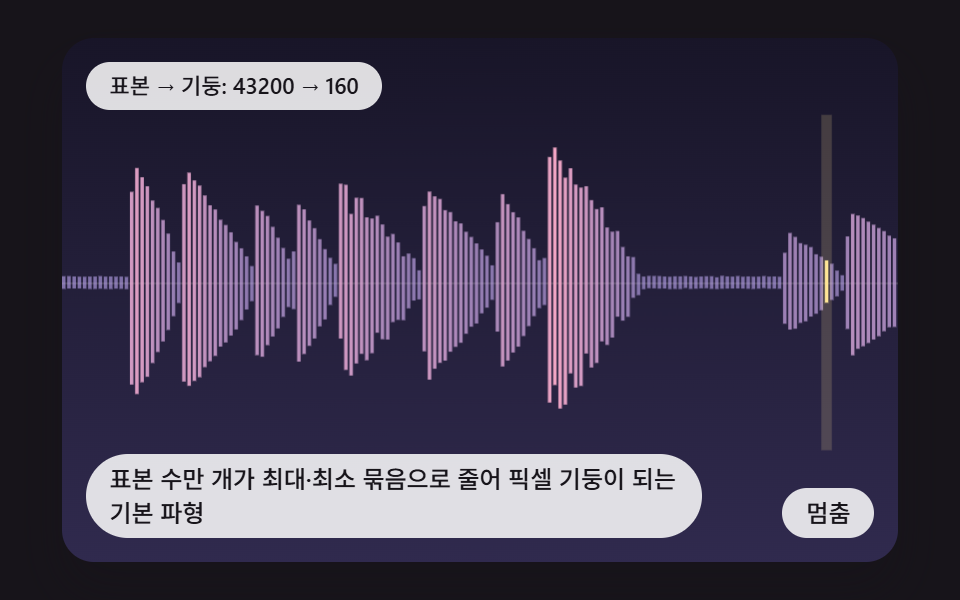 PickersCSS Waveform: 9 Peak Columns and Trim Pickers
 Pickers9 Segmented Control UI Patterns — Copy-Paste
 Pickers9 Date Range Picker UI Patterns — Copy-Paste
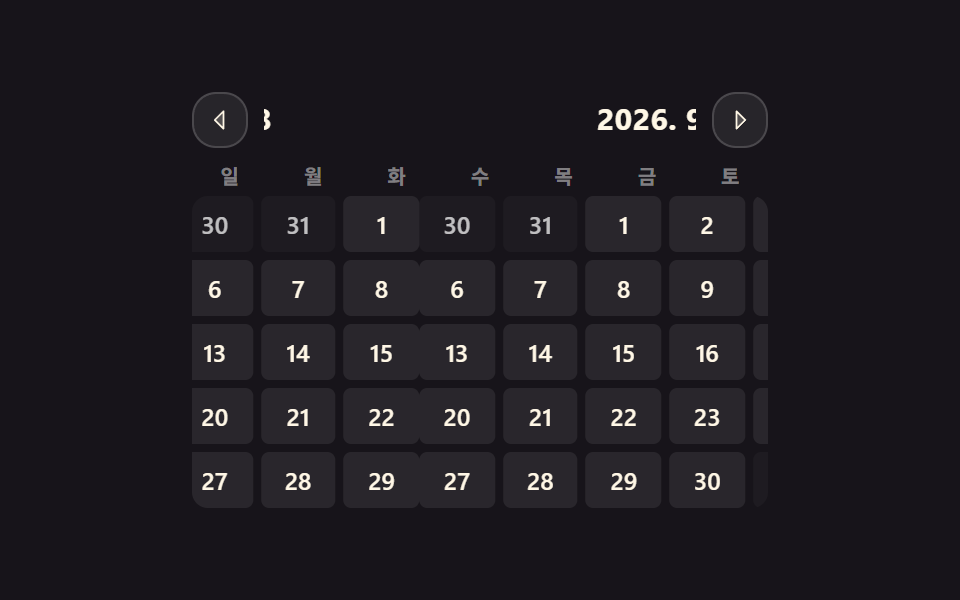 Pickers9 css calendar design patterns that really move
 PickersCSS Range Slider: 9 Physics-Grade Custom Sliders
 PickersStar Rating UI: 9 Interactive Rating Patterns
 PickersDifficulty Selector UI — 9 Computed Patterns