9 CSS 3D Button Effects — Copy-paste Ready
Nine css 3d button effect demos. What turns a flat button into depth? A cursor-driven angle value sets rotateX/rotateY, a tilt-magnitude value sets a rim
 01 pointer-tilt-3d-cursor-rotate
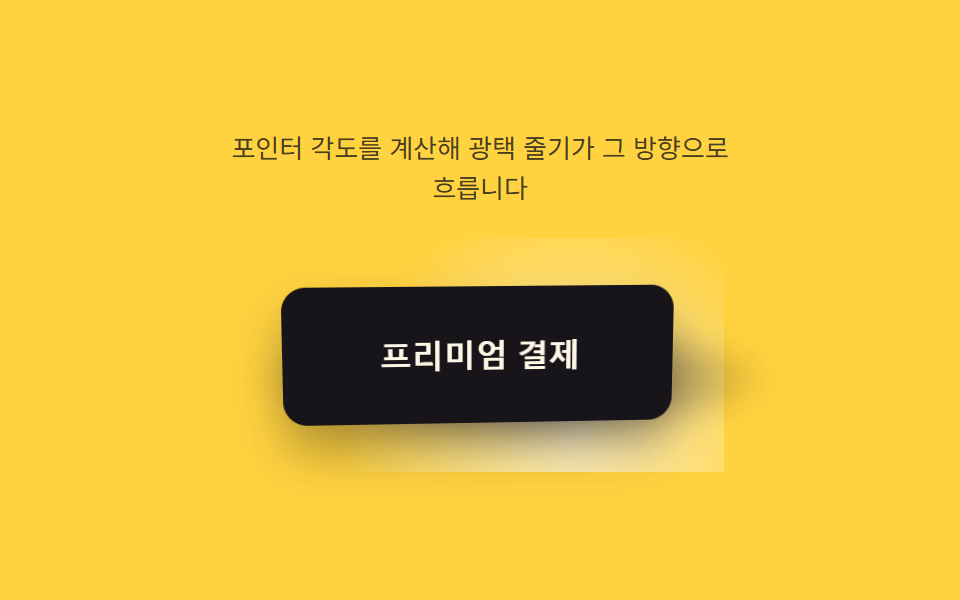 02 pointer-tilt-3d-specular-sweep
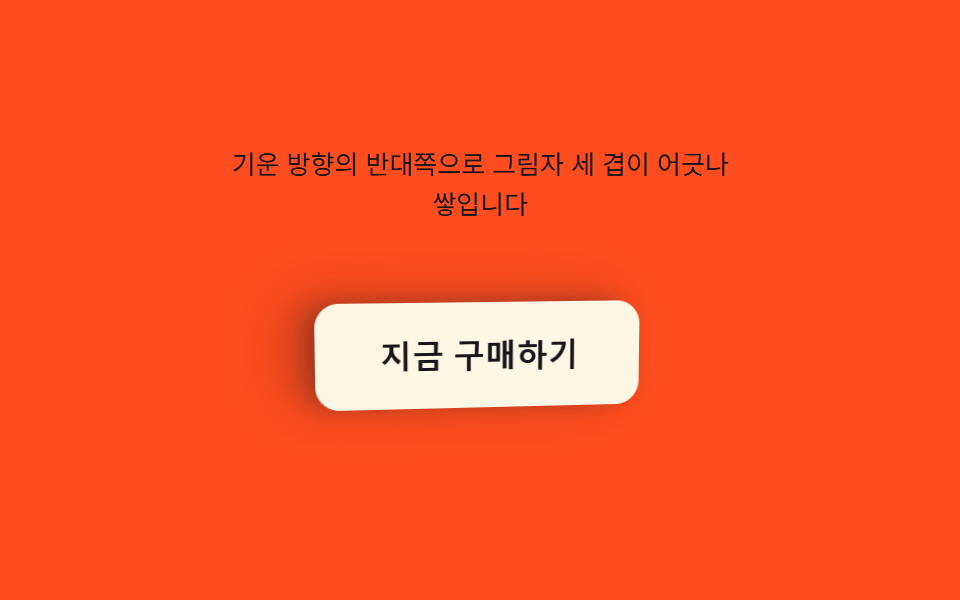 03 pointer-tilt-3d-shadow-stack
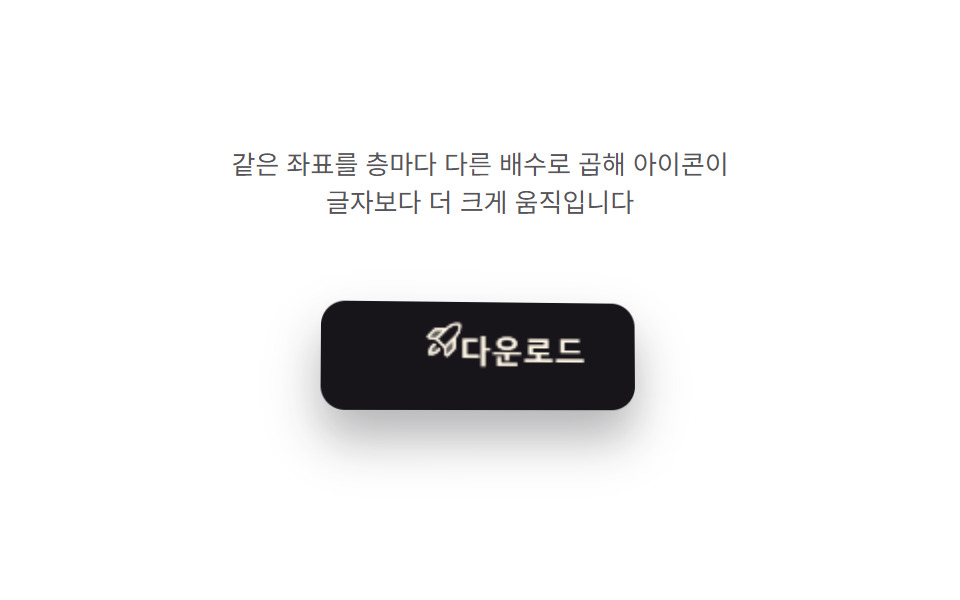 04 pointer-tilt-3d-icon-parallax
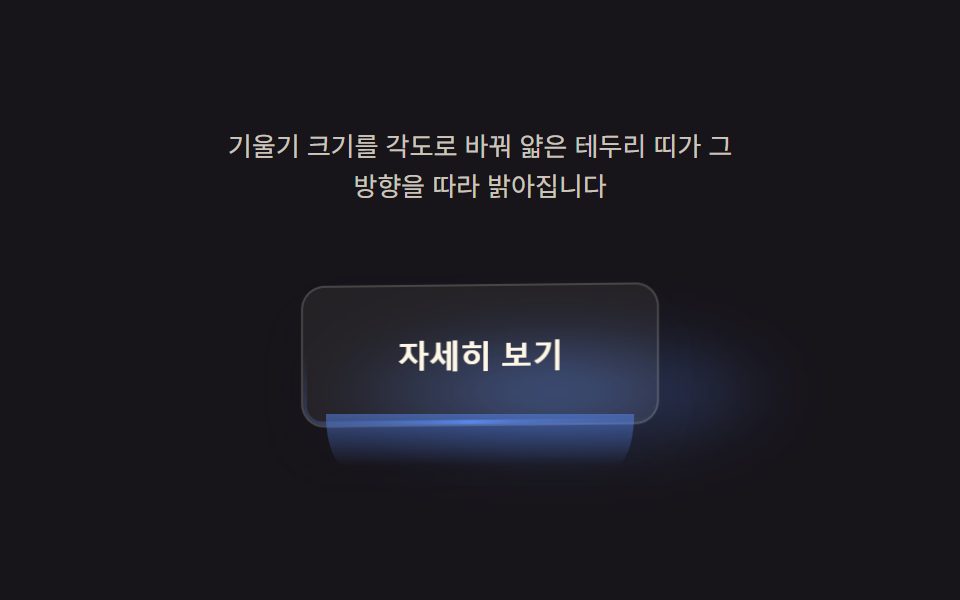 05 pointer-tilt-3d-edge-bevel
 06 pointer-tilt-3d-press-release-spring
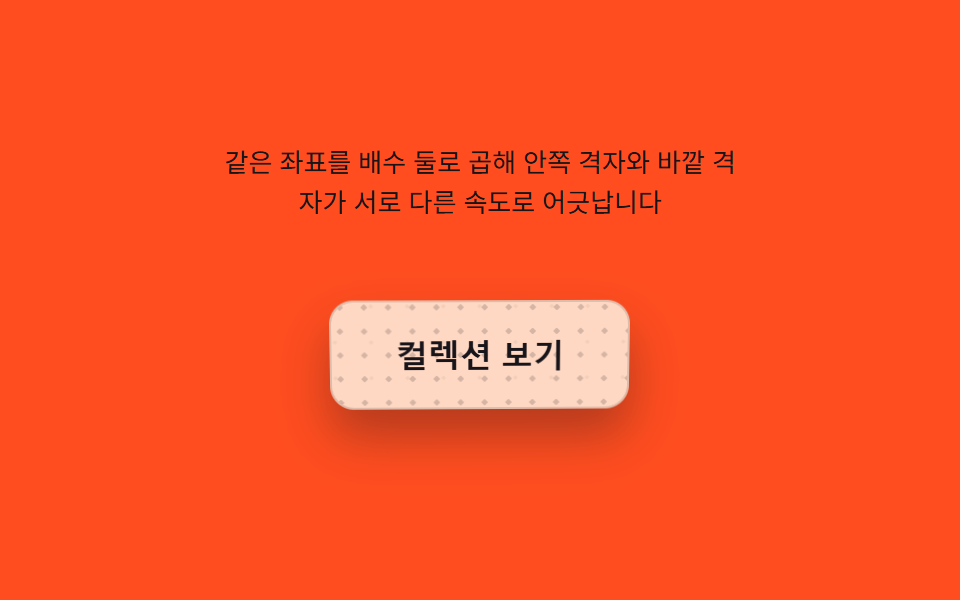 07 pointer-tilt-3d-grid-parallax
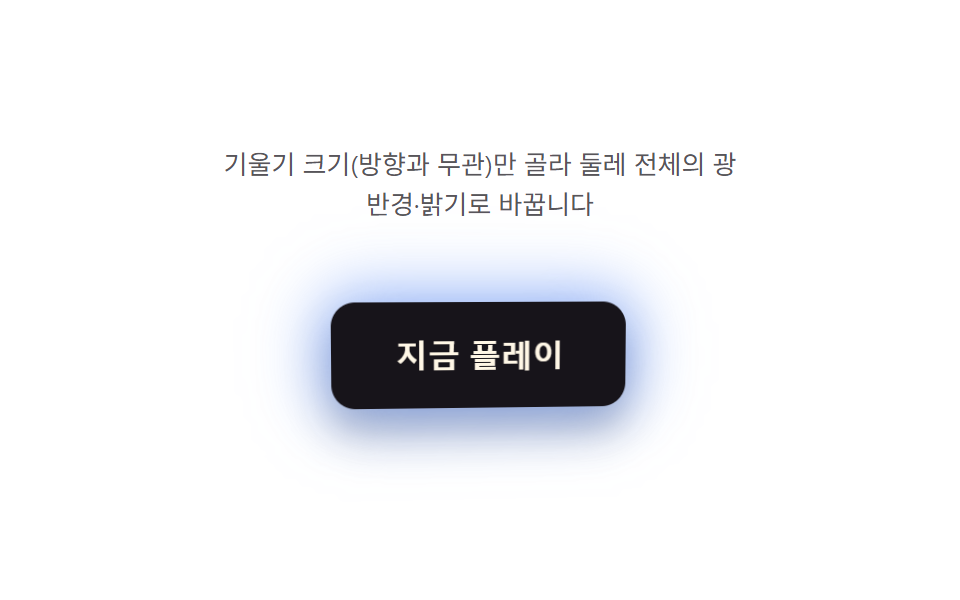 08 pointer-tilt-3d-rim-glow
 09 pointer-tilt-3d-idle-drift
Auto-plays · click a tile to jump to its section · all nine in one zip
- 01 Button a Cursor-coordinate Value Rotates
- 02 Button Highlight a Light-angle Value Sweeps Across
- 03 Button Where a Tilt Value Stacks Shadow Layers
- 04 Button a Depth Value Pushes Only the Icon Apart
- 05 Button Where an Angle Value Lights Up the Edge
- 06 Button Where a Press-depth Value Springs Back
- 07 Button Whose Grid Pattern Shifts With Every Tilt Value
- 08 Rim Glow Whose Intensity a Tilt-magnitude Value Sets
- 09 Button Whose Value Drifts on Its Own When No Pointer Is Near
One Pointer Position, Nine Different Jobs
Every one of these nine buttons starts from the same pointer position — how far the cursor sits from center, read once per move and eased toward a target inside a requestAnimationFrame loop. What changes from pattern to pattern is only the single calculation each render() runs on top of that eased value: a coordinate rotates the button, a magnitude sets a glow's reach, a held-time value springs the whole thing back on release. None of these nine is a css 3d flip button hover effect that spins 180° to a back face — every button here stays front-facing and only tilts toward wherever the pointer is.
01Button a Cursor-coordinate Value Rotates
A cursor-coordinate pair drives rotateX/rotateY directly, eased through LERP = 0.16 so the tilt trails the pointer instead of snapping to it. The same pair also slides a radial sheen across the face and stretches the drop shadow's blur and offset with the tilt's depth, so the highlight and the shadow always agree on which corner is lifted. Without a real pointer, a two-axis Lissajous path drives the same render() call, so the auto demo and the headless measurement run identical math.
<main class="stage">
<div class="cr is-demo" id="cr">
  <p class="cr__hint"><span>Move the cursor over the button and its coordinates compute rotateX/rotateY</span></p>
  <div class="cr__scene" id="scene">
    <button class="cr__btn" id="btn" type="button" aria-label="Get started — button that tilts to follow the cursor">
      <span class="cr__sheen" id="sheen" aria-hidden="true"></span>
      <span class="cr__label">Get started</span>
    </button>
  </div>
</div>
</main>
@use "../../../../site/static/demo-tokens" as *;
@include stage($stage-ink);
.cr {
display: grid;
gap: $sp-4;
justify-items: center;
}
.cr__hint {
margin: 0;
font-size: 13px;
line-height: 1.5;
text-align: center;
max-width: 260px;
color: rgba($subject-cream, .78);
}
.cr__scene {
perspective: 640px;
padding: $sp-6;
}
.cr__btn {
position: relative;
border: 0;
cursor: pointer;
padding: $sp-4 $sp-8;
border-radius: $r-control;
background: $subject-blue-deep;
color: $subject-cream;
font-size: 16px;
font-weight: 700;
letter-spacing: .01em;
transform-style: preserve-3d;
box-shadow: $shadow-raised;
overflow: hidden;
will-change: transform;
}
.cr__btn:focus-visible {
outline: 2px solid $subject-cream;
outline-offset: 3px;
}
.cr__sheen {
position: absolute;
inset: 0;
pointer-events: none;
mix-blend-mode: soft-light;
}
.cr__label {
position: relative;
z-index: 1;
}
@media (prefers-reduced-motion: reduce) {
.cr__btn { transition: none; }
}html, body {
margin: 0;
overflow: hidden;
}
.stage {
box-sizing: border-box;
min-height: 100vh;
display: grid;
place-items: center;
margin: 0;
background: #17141a;
font-family: -apple-system, "Segoe UI", "Noto Sans KR", sans-serif;
padding: clamp(8px, 4vw, 24px);
}
.cr {
display: grid;
gap: 16px;
justify-items: center;
}
.cr__hint {
margin: 0;
font-size: 13px;
line-height: 1.5;
text-align: center;
max-width: 260px;
color: rgba(255, 247, 230, 0.78);
}
.cr__scene {
perspective: 640px;
padding: 24px;
}
.cr__btn {
position: relative;
border: 0;
cursor: pointer;
padding: 16px 32px;
border-radius: 12px;
background: #0a4fe8;
color: #fff7e6;
font-size: 16px;
font-weight: 700;
letter-spacing: 0.01em;
transform-style: preserve-3d;
box-shadow: 0 14px 24px rgba(23, 20, 26, 0.32);
overflow: hidden;
will-change: transform;
}
.cr__btn:focus-visible {
outline: 2px solid #fff7e6;
outline-offset: 3px;
}
.cr__sheen {
position: absolute;
inset: 0;
pointer-events: none;
mix-blend-mode: soft-light;
}
.cr__label {
position: relative;
z-index: 1;
}
@media (prefers-reduced-motion: reduce) {
.cr__btn {
transition: none;
}
}(function () {
var root = document.getElementById('cr');
var scene = document.getElementById('scene');
var btn = document.getElementById('btn');
var sheen = document.getElementById('sheen');
var reduce = window.matchMedia('(prefers-reduced-motion: reduce)').matches;
var MAX_DEG = 14; // 커서가 버튼 가장자리에 닿았을 때의 최대 회전각
var LERP = 0.16; // 관성 lerp 계수 — 값이 목표를 따라잡는 속도
var targetNX = 0, targetNY = 0;
var curNX = 0, curNY = 0;
var hasPointer = false;
var clickTimer = null;
function clamp(v, lo, hi) { return Math.max(lo, Math.min(hi, v)); }
// 포인터가 없을 때(자동 시연·헤드리스 측정) 같은 계산을 돌리기 위한 합성 좌표 — 두 축의 위상을 어긋낸 리사주 궤적
function syntheticTarget(t) {
return [Math.sin(t * 1.15), Math.sin(t * 0.82 + 1.05)];
}
function render(nx, ny) {
var rotY = nx * MAX_DEG;
var rotX = -ny * MAX_DEG;
btn.style.transform = 'rotateX(' + rotX.toFixed(2) + 'deg) rotateY(' + rotY.toFixed(2) + 'deg)';
var sx = 50 + nx * 34, sy = 50 + ny * 34;
sheen.style.background = 'radial-gradient(circle at ' + sx.toFixed(1) + '% ' + sy.toFixed(1) + '%, rgba(255,247,230,.5), rgba(255,247,230,0) 58%)';
var depth = Math.min(1, Math.sqrt(nx * nx + ny * ny));
btn.style.boxShadow = '0 ' + (10 + depth * 16).toFixed(1) + 'px ' + (18 + depth * 22).toFixed(1) + 'px rgba(8,6,12,' + (0.30 + depth * 0.16).toFixed(2) + ')';
}
var t0 = null;
function loop(now) {
if (t0 === null) { t0 = now; }
var t = (now - t0) / 1000;
if (!hasPointer && !reduce) {
var s = syntheticTarget(t);
targetNX = s[0]; targetNY = s[1];
}
curNX += (targetNX - curNX) * LERP;
curNY += (targetNY - curNY) * LERP;
render(curNX, curNY);
requestAnimationFrame(loop);
}
function pointFromEvent(e) {
var r = scene.getBoundingClientRect();
var nx = ((e.clientX - r.left) / r.width) * 2 - 1;
var ny = ((e.clientY - r.top) / r.height) * 2 - 1;
return [clamp(nx, -1, 1), clamp(ny, -1, 1)];
}
scene.addEventListener('pointermove', function (e) {
hasPointer = true;
root.classList.remove('is-demo');
var p = pointFromEvent(e);
targetNX = p[0]; targetNY = p[1];
});
scene.addEventListener('pointerleave', function () {
hasPointer = false;
targetNX = 0; targetNY = 0;
});
btn.addEventListener('click', function () {
root.classList.remove('is-demo');
hasPointer = true;
targetNX = 0.92; targetNY = -0.62;
if (reduce) { render(targetNX, targetNY); }
clearTimeout(clickTimer);
clickTimer = setTimeout(function () { hasPointer = false; targetNX = 0; targetNY = 0; if (reduce) { render(targetNX, targetNY); } }, 260);
});
btn.addEventListener('keydown', function (e) {
var step = 0.24;
var moves = { ArrowLeft: [-step, 0], ArrowRight: [step, 0], ArrowUp: [0, -step], ArrowDown: [0, step] };
var m = moves[e.key];
if (!m) { return; }
e.preventDefault();
root.classList.remove('is-demo');
hasPointer = true;
targetNX = clamp(targetNX + m[0], -1, 1);
targetNY = clamp(targetNY + m[1], -1, 1);
if (reduce) { render(targetNX, targetNY); }
});
if (reduce) {
render(0.5, -0.34);
} else {
requestAnimationFrame(loop);
}
})();// CursorRotateButton — vanilla 판(run/393/demo/01-pointer-tilt-3d-cursor-rotate/index.html) 의 React 포트.
// 버튼 안 커서 좌표를 -1~1 로 정규화해 목표값(target)을 만들고, 관성 lerp 로 현재값(cur)이 따라간다.
// 포인터가 없을 때(자동 시연)는 위상이 어긋난 두 사인파(리사주 궤적)를 목표값으로 써 같은 계산을 돌린다.
// 값·수치는 vanilla 와 같다.
import { useEffect, useRef, useState } from "react";
import type { PointerEvent as ReactPointerEvent } from "react";
import styles from "./CursorRotateButton.module.scss";
type Box<T> = { current: T };
type KeyEvt = { key: string; preventDefault(): void };
const MAX_DEG = 14;
const LERP = 0.16;
const LABEL = "지금 시작하기 — 커서를 따라 기울어지는 버튼";
function clamp(v: number, lo: number, hi: number): number {
return Math.max(lo, Math.min(hi, v));
}
function syntheticTarget(t: number): [number, number] {
return [Math.sin(t * 1.15), Math.sin(t * 0.82 + 1.05)];
}
export default function CursorRotateButton() {
const sceneRef = useRef<HTMLDivElement | null>(null);
const btnRef = useRef<HTMLButtonElement | null>(null);
const sheenRef = useRef<HTMLSpanElement | null>(null);
const targetXRef = useRef<number>(0) as Box<number>;
const targetYRef = useRef<number>(0) as Box<number>;
const curXRef = useRef<number>(0) as Box<number>;
const curYRef = useRef<number>(0) as Box<number>;
const hasPointerRef = useRef<boolean>(false) as Box<boolean>;
const frameRef = useRef<number>(0) as Box<number>;
const t0Ref = useRef<number>(0) as Box<number>;
const clickTimerRef = useRef<number>(0) as Box<number>;
const [demo, setDemo] = useState(true);
const [reduce, setReduce] = useState(false);
function render(nx: number, ny: number): void {
const btn = btnRef.current;
const sheen = sheenRef.current;
if (!btn || !sheen) return;
const rotY = nx * MAX_DEG;
const rotX = -ny * MAX_DEG;
btn.style.transform = "rotateX(" + rotX.toFixed(2) + "deg) rotateY(" + rotY.toFixed(2) + "deg)";
const sx = 50 + nx * 34;
const sy = 50 + ny * 34;
sheen.style.background =
"radial-gradient(circle at " + sx.toFixed(1) + "% " + sy.toFixed(1) + "%, rgba(255,247,230,.5), rgba(255,247,230,0) 58%)";
const depth = Math.min(1, Math.sqrt(nx * nx + ny * ny));
btn.style.boxShadow =
"0 " + (10 + depth * 16).toFixed(1) + "px " + (18 + depth * 22).toFixed(1) + "px rgba(8,6,12," + (0.3 + depth * 0.16).toFixed(2) + ")";
}
useEffect(() => {
setReduce(window.matchMedia("(prefers-reduced-motion: reduce)").matches);
}, []);
useEffect(() => {
if (reduce) {
render(0.5, -0.34);
return;
}
function loop(now: number): void {
if (t0Ref.current === 0) t0Ref.current = now;
const t = (now - t0Ref.current) / 1000;
if (!hasPointerRef.current) {
const s = syntheticTarget(t);
targetXRef.current = s[0];
targetYRef.current = s[1];
}
curXRef.current += (targetXRef.current - curXRef.current) * LERP;
curYRef.current += (targetYRef.current - curYRef.current) * LERP;
render(curXRef.current, curYRef.current);
frameRef.current = requestAnimationFrame(loop);
}
frameRef.current = requestAnimationFrame(loop);
return () => cancelAnimationFrame(frameRef.current);
}, [reduce]);
function pointFromEvent(event: ReactPointerEvent<HTMLDivElement>): [number, number] {
const scene = sceneRef.current;
if (!scene) return [0, 0];
const r = scene.getBoundingClientRect();
const nx = ((event.clientX - r.left) / r.width) * 2 - 1;
const ny = ((event.clientY - r.top) / r.height) * 2 - 1;
return [clamp(nx, -1, 1), clamp(ny, -1, 1)];
}
function onPointerMove(event: ReactPointerEvent<HTMLDivElement>): void {
hasPointerRef.current = true;
setDemo(false);
const p = pointFromEvent(event);
targetXRef.current = p[0];
targetYRef.current = p[1];
}
function onPointerLeave(): void {
hasPointerRef.current = false;
targetXRef.current = 0;
targetYRef.current = 0;
}
function onClick(): void {
setDemo(false);
hasPointerRef.current = true;
targetXRef.current = 0.92;
targetYRef.current = -0.62;
if (reduce) render(targetXRef.current, targetYRef.current);
window.clearTimeout(clickTimerRef.current);
clickTimerRef.current = window.setTimeout(() => {
hasPointerRef.current = false;
targetXRef.current = 0;
targetYRef.current = 0;
if (reduce) render(targetXRef.current, targetYRef.current);
}, 260);
}
function onKeyDown(event: KeyEvt): void {
const step = 0.24;
const moves: { [key: string]: [number, number] } = {
ArrowLeft: [-step, 0],
ArrowRight: [step, 0],
ArrowUp: [0, -step],
ArrowDown: [0, step],
};
const m = moves[event.key];
if (!m) return;
event.preventDefault();
setDemo(false);
hasPointerRef.current = true;
targetXRef.current = clamp(targetXRef.current + m[0], -1, 1);
targetYRef.current = clamp(targetYRef.current + m[1], -1, 1);
if (reduce) render(targetXRef.current, targetYRef.current);
}
const cls = [styles.cr, demo ? styles.isDemo : ""].filter(Boolean).join(" ");
return (
<main className={styles.stage}>
<div className={cls}>
<p className={styles.hint}>
<span>커서를 버튼 위에서 움직이면 좌표 값이 rotateX·rotateY 를 계산합니다</span>
</p>
<div className={styles.scene} ref={sceneRef} onPointerMove={onPointerMove} onPointerLeave={onPointerLeave}>
<button className={styles.btn} ref={btnRef} type="button" aria-label={LABEL} onClick={onClick} onKeyDown={onKeyDown}>
<span className={styles.sheen} ref={sheenRef} aria-hidden="true" />
<span className={styles.label}>지금 시작하기</span>
</button>
</div>
</div>
</main>
);
}01 · Button a Cursor-coordinate Value Rotates — Measured area 3.144% · moving frames 23/23Original by GODRICH · SCSS and React ship in the zip · See the password
  var MAX_DEG = 14;          // max rotation angle once the cursor reaches the button's edge
  var LERP = 0.16;           // inertial lerp factor — how fast the value catches up to its target
  var targetNX = 0, targetNY = 0;
  var curNX = 0, curNY = 0;
  var hasPointer = false;
  var clickTimer = null;

  function clamp(v, lo, hi) { return Math.max(lo, Math.min(hi, v)); }

  // synthetic coordinate pair for when no pointer is present (auto demo, headless measurement) — a Lissajous path with the two axes out of phase
  function syntheticTarget(t) {
    return [Math.sin(t * 1.15), Math.sin(t * 0.82 + 1.05)];
  }

  function render(nx, ny) {
    var rotY = nx * MAX_DEG;
    var rotX = -ny * MAX_DEG;
    btn.style.transform = 'rotateX(' + rotX.toFixed(2) + 'deg) rotateY(' + rotY.toFixed(2) + 'deg)';
    var sx = 50 + nx * 34, sy = 50 + ny * 34;
    sheen.style.background = 'radial-gradient(circle at ' + sx.toFixed(1) + '% ' + sy.toFixed(1) + '%, rgba(255,247,230,.5), rgba(255,247,230,0) 58%)';
    var depth = Math.min(1, Math.sqrt(nx * nx + ny * ny));
    btn.style.boxShadow = '0 ' + (10 + depth * 16).toFixed(1) + 'px ' + (18 + depth * 22).toFixed(1) + 'px rgba(8,6,12,' + (0.30 + depth * 0.16).toFixed(2) + ')';
  }
02Button a Light-angle Value Sweeps a Highlight Across
A pointer angle, not a coordinate pair, drives this one: render(angle, mag) turns that angle into a conic-gradient sweep SWEEP_WIDTH degrees wide, plus a small rotation so the face still tilts toward the cursor. shortestDelta() eases the angle the short way around the circle, so the sweep never spins the long way past the 0/360 seam. Magnitude alone controls how far the floor shadow shifts and how bright the background glow gets, keeping direction and intensity as two separate values.
<main class="stage">
<div class="ss is-demo" id="ss">
  <p class="ss__hint"><span>The pointer angle is calculated and a streak of sheen flows in that direction</span></p>
  <div class="ss__scene" id="scene">
    <span class="ss__glow" id="glow" aria-hidden="true"></span>
    <span class="ss__floor" id="floor" aria-hidden="true"></span>
    <button class="ss__btn" id="btn" type="button" aria-label="Upgrade now — button whose sheen flows with the pointer angle">
      <span class="ss__sweep" id="sweep" aria-hidden="true"></span>
      <span class="ss__label">Upgrade now</span>
    </button>
  </div>
</div>
</main>
@use "../../../../site/static/demo-tokens" as *;
@include stage($stage-yellow);
.ss {
display: grid;
gap: $sp-4;
justify-items: center;
}
.ss__hint {
margin: 0;
font-size: 13px;
line-height: 1.5;
text-align: center;
max-width: 260px;
color: rgba($subject-ink, .78);
}
.ss__scene {
position: relative;
perspective: 640px;
padding: $sp-6;
}
.ss__btn {
position: relative;
border: 0;
cursor: pointer;
padding: $sp-6 $sp-12;
border-radius: $r-control;
background: $subject-ink;
color: $subject-cream;
font-size: 16px;
font-weight: 700;
transform-style: preserve-3d;
box-shadow: $shadow-raised;
overflow: hidden;
will-change: transform;
}
.ss__btn:focus-visible {
outline: 2px solid $subject-ink;
outline-offset: 3px;
}
.ss__sweep {
position: absolute;
inset: -58%;
pointer-events: none;
}
// 배경 반사광 — 각도·세기에 따라 위치만 이동(% 좌표, transform 없음 → 폭 넘침 없음)
.ss__glow {
position: absolute;
inset: 0;
border-radius: inherit;
pointer-events: none;
z-index: 0;
}
// 기울기에 연동된 바닥 그림자 — 버튼 면적만으로는 안 보이던 움직임을 면으로 키운다
.ss__floor {
position: absolute;
left: 50%;
bottom: 2px;
width: clamp(150px, 58vw, 280px);
height: clamp(48px, 18.6vw, 90px);
margin-left: clamp(-140px, -29vw, -75px);
border-radius: 50%;
background: radial-gradient(closest-side, rgba($subject-ink, .92), rgba($subject-ink, 0) 72%);
filter: blur(6px);
pointer-events: none;
}
.ss__label {
position: relative;
z-index: 1;
}
@media (prefers-reduced-motion: reduce) {
.ss__btn { transition: none; }
}html, body {
margin: 0;
overflow: hidden;
}
.stage {
box-sizing: border-box;
min-height: 100vh;
display: grid;
place-items: center;
margin: 0;
background: #ffd23f;
font-family: -apple-system, "Segoe UI", "Noto Sans KR", sans-serif;
padding: clamp(8px, 4vw, 24px);
}
.ss {
display: grid;
gap: 16px;
justify-items: center;
}
.ss__hint {
margin: 0;
font-size: 13px;
line-height: 1.5;
text-align: center;
max-width: 260px;
color: rgba(23, 20, 26, 0.78);
}
.ss__scene {
position: relative;
perspective: 640px;
padding: 24px;
}
.ss__btn {
position: relative;
border: 0;
cursor: pointer;
padding: 24px 48px;
border-radius: 12px;
background: #17141a;
color: #fff7e6;
font-size: 16px;
font-weight: 700;
transform-style: preserve-3d;
box-shadow: 0 14px 24px rgba(23, 20, 26, 0.32);
overflow: hidden;
will-change: transform;
}
.ss__btn:focus-visible {
outline: 2px solid #17141a;
outline-offset: 3px;
}
.ss__sweep {
position: absolute;
inset: -58%;
pointer-events: none;
}
.ss__glow {
position: absolute;
inset: 0;
border-radius: inherit;
pointer-events: none;
z-index: 0;
}
.ss__floor {
position: absolute;
left: 50%;
bottom: 2px;
width: clamp(150px, 58vw, 280px);
height: clamp(48px, 18.6vw, 90px);
margin-left: clamp(-140px, -29vw, -75px);
border-radius: 50%;
background: radial-gradient(closest-side, rgba(23, 20, 26, 0.92), rgba(23, 20, 26, 0) 72%);
filter: blur(6px);
pointer-events: none;
}
.ss__label {
position: relative;
z-index: 1;
}
@media (prefers-reduced-motion: reduce) {
.ss__btn {
transition: none;
}
}(function () {
var root = document.getElementById('ss');
var scene = document.getElementById('scene');
var btn = document.getElementById('btn');
var sweep = document.getElementById('sweep');
var floor = document.getElementById('floor');
var glow = document.getElementById('glow');
var reduce = window.matchMedia('(prefers-reduced-motion: reduce)').matches;
var SWEEP_WIDTH = 46; // 광택 줄기의 각도 폭(deg) — 불변
var LERP = 0.2;
var targetAngle = 0, curAngle = 0;
var targetMag = 0, curMag = 0;
var hasPointer = false;
function clamp(v, lo, hi) { return Math.max(lo, Math.min(hi, v)); }
// 합성 포인터 각도 — 원을 그리며 도는 위상(자동 시연 · 헤드리스 측정)
// 진폭을 넓혀 자동 시연에서도 기울기가 가장자리(최대 각)까지 실제로 닿게 한다(경로 상수만 조정)
function syntheticAngle(t) { return t * 74; }
function syntheticMag(t) { return Math.min(1, 0.6 + 0.55 * Math.sin(t * 1.3)); }
function shortestDelta(from, to) {
var d = (to - from) % 360;
if (d > 180) d -= 360;
if (d < -180) d += 360;
return d;
}
function render(angle, mag) {
var rotY = Math.cos(angle * Math.PI / 180) * mag * 10;
var rotX = Math.sin(angle * Math.PI / 180) * mag * -10;
btn.style.transform = 'rotateX(' + rotX.toFixed(2) + 'deg) rotateY(' + rotY.toFixed(2) + 'deg)';
var a0 = (angle - SWEEP_WIDTH / 2).toFixed(1);
var a1 = angle.toFixed(1);
var a2 = (angle + SWEEP_WIDTH / 2).toFixed(1);
// 대비·폭(요소 크기)을 키워 광택 줄기가 버튼 면 전체를 가로지르게 — SWEEP_WIDTH(각도 폭) 값 자체는 그대로
var alpha = (0.46 + mag * 0.54).toFixed(2);
sweep.style.background = 'conic-gradient(from ' + a0 + 'deg at 50% 50%, rgba(23,20,26,0), rgba(23,20,26,' + alpha + ') ' + (SWEEP_WIDTH / 2).toFixed(1) + 'deg, rgba(23,20,26,0) ' + SWEEP_WIDTH.toFixed(1) + 'deg)';
sweep.style.opacity = String(0.8 + mag * 0.4);
// 기울기에 연동된 바닥 그림자 — 버튼이 기운 방향으로 그림자가 옮겨가며 면적을 만든다
var floorShift = Math.cos(angle * Math.PI / 180) * mag * 34;
var floorScale = 1 + mag * 0.28;
floor.style.transform = 'translateX(' + floorShift.toFixed(1) + 'px) scaleX(' + floorScale.toFixed(2) + ')';
floor.style.opacity = (0.08 + mag * 0.88).toFixed(2);
// 배경에 반사광 레이어 — % 좌표만 써서 이동시키므로 폭 넘침 위험이 없다(transform 미사용)
var gx = (50 + Math.cos(angle * Math.PI / 180) * mag * 38).toFixed(0);
var gy = (50 + Math.sin(angle * Math.PI / 180) * mag * 38).toFixed(0);
glow.style.background = 'radial-gradient(circle at ' + gx + '% ' + gy + '%, rgba(255,255,255,' + (0.18 + mag * 0.5).toFixed(2) + '), rgba(255,255,255,0) 60%)';
}
var t0 = null;
function loop(now) {
if (t0 === null) t0 = now;
var t = (now - t0) / 1000;
if (!hasPointer && !reduce) {
targetAngle = syntheticAngle(t) % 360;
targetMag = syntheticMag(t);
}
curAngle += shortestDelta(curAngle, targetAngle) * LERP;
curMag += (targetMag - curMag) * LERP;
render(curAngle, curMag);
requestAnimationFrame(loop);
}
function angleFromEvent(e) {
var r = scene.getBoundingClientRect();
var cx = r.left + r.width / 2, cy = r.top + r.height / 2;
var dx = e.clientX - cx, dy = e.clientY - cy;
var ang = Math.atan2(dy, dx) * 180 / Math.PI;
var mag = clamp(Math.sqrt(dx * dx + dy * dy) / (r.width / 2), 0, 1);
return [ang, mag];
}
scene.addEventListener('pointermove', function (e) {
hasPointer = true;
root.classList.remove('is-demo');
var a = angleFromEvent(e);
targetAngle = a[0]; targetMag = a[1];
});
scene.addEventListener('pointerleave', function () {
hasPointer = false;
targetMag = 0.15;
});
btn.addEventListener('click', function () {
root.classList.remove('is-demo');
hasPointer = true;
targetMag = 1;
if (reduce) { render(targetAngle, targetMag); }
setTimeout(function () { targetMag = hasPointer ? 0.5 : 0.15; if (reduce) { render(targetAngle, targetMag); } }, 220);
});
btn.addEventListener('keydown', function (e) {
var step = 18;
if (e.key === 'ArrowLeft') { e.preventDefault(); root.classList.remove('is-demo'); hasPointer = true; targetAngle -= step; }
else if (e.key === 'ArrowRight') { e.preventDefault(); root.classList.remove('is-demo'); hasPointer = true; targetAngle += step; }
else { return; }
if (reduce) { render(targetAngle, targetMag); }
});
if (reduce) {
render(45, 0.4);
} else {
requestAnimationFrame(loop);
}
})();// SpecularSweepButton — vanilla 판(run/393/demo/02-pointer-tilt-3d-specular-sweep/index.html) 의 React 포트.
// 포인터와 중심의 각도(atan2)·거리 비율을 계산해 conic-gradient 광택 줄기의 각도·세기로 바꾼다.
// 각도는 최단 경로(shortest delta)로 lerp 해 360→0 경계에서 튀지 않는다. 값·수치는 vanilla 와 같다.
import { useEffect, useRef, useState } from "react";
import type { PointerEvent as ReactPointerEvent } from "react";
import styles from "./SpecularSweepButton.module.scss";
type Box<T> = { current: T };
type KeyEvt = { key: string; preventDefault(): void };
const SWEEP_WIDTH = 46; // 불변
const LERP = 0.2;
const LABEL = "프리미엄 결제 — 포인터 각도로 광택이 흐르는 버튼";
function clamp(v: number, lo: number, hi: number): number {
return Math.max(lo, Math.min(hi, v));
}
function syntheticAngle(t: number): number {
return t * 74;
}
// 진폭을 넓혀 자동 시연에서도 기울기가 가장자리(최대 각)까지 실제로 닿게 한다(경로 상수만 조정)
function syntheticMag(t: number): number {
return Math.min(1, 0.6 + 0.55 * Math.sin(t * 1.3));
}
function shortestDelta(from: number, to: number): number {
let d = (to - from) % 360;
if (d > 180) d -= 360;
if (d < -180) d += 360;
return d;
}
export default function SpecularSweepButton() {
const sceneRef = useRef<HTMLDivElement | null>(null);
const btnRef = useRef<HTMLButtonElement | null>(null);
const sweepRef = useRef<HTMLSpanElement | null>(null);
const floorRef = useRef<HTMLSpanElement | null>(null);
const glowRef = useRef<HTMLSpanElement | null>(null);
const targetAngleRef = useRef<number>(0) as Box<number>;
const curAngleRef = useRef<number>(0) as Box<number>;
const targetMagRef = useRef<number>(0) as Box<number>;
const curMagRef = useRef<number>(0) as Box<number>;
const hasPointerRef = useRef<boolean>(false) as Box<boolean>;
const frameRef = useRef<number>(0) as Box<number>;
const t0Ref = useRef<number>(0) as Box<number>;
const clickTimerRef = useRef<number>(0) as Box<number>;
const [demo, setDemo] = useState(true);
const [reduce, setReduce] = useState(false);
function render(angle: number, mag: number): void {
const btn = btnRef.current;
const sweep = sweepRef.current;
const floor = floorRef.current;
const glow = glowRef.current;
if (!btn || !sweep || !floor || !glow) return;
const rotY = Math.cos((angle * Math.PI) / 180) * mag * 10;
const rotX = Math.sin((angle * Math.PI) / 180) * mag * -10;
btn.style.transform = "rotateX(" + rotX.toFixed(2) + "deg) rotateY(" + rotY.toFixed(2) + "deg)";
const a0 = (angle - SWEEP_WIDTH / 2).toFixed(1);
const alpha = (0.46 + mag * 0.54).toFixed(2);
sweep.style.background =
"conic-gradient(from " + a0 + "deg at 50% 50%, rgba(23,20,26,0), rgba(23,20,26," + alpha + ") " + (SWEEP_WIDTH / 2).toFixed(1) + "deg, rgba(23,20,26,0) " + SWEEP_WIDTH.toFixed(1) + "deg)";
sweep.style.opacity = String(0.8 + mag * 0.4);
const floorShift = Math.cos((angle * Math.PI) / 180) * mag * 34;
const floorScale = 1 + mag * 0.28;
floor.style.transform = "translateX(" + floorShift.toFixed(1) + "px) scaleX(" + floorScale.toFixed(2) + ")";
floor.style.opacity = (0.08 + mag * 0.88).toFixed(2);
const gx = (50 + Math.cos((angle * Math.PI) / 180) * mag * 38).toFixed(0);
const gy = (50 + Math.sin((angle * Math.PI) / 180) * mag * 38).toFixed(0);
glow.style.background = "radial-gradient(circle at " + gx + "% " + gy + "%, rgba(255,255,255," + (0.18 + mag * 0.5).toFixed(2) + "), rgba(255,255,255,0) 60%)";
}
useEffect(() => {
setReduce(window.matchMedia("(prefers-reduced-motion: reduce)").matches);
}, []);
useEffect(() => {
if (reduce) {
render(45, 0.4);
return;
}
function loop(now: number): void {
if (t0Ref.current === 0) t0Ref.current = now;
const t = (now - t0Ref.current) / 1000;
if (!hasPointerRef.current) {
targetAngleRef.current = syntheticAngle(t) % 360;
targetMagRef.current = syntheticMag(t);
}
curAngleRef.current += shortestDelta(curAngleRef.current, targetAngleRef.current) * LERP;
curMagRef.current += (targetMagRef.current - curMagRef.current) * LERP;
render(curAngleRef.current, curMagRef.current);
frameRef.current = requestAnimationFrame(loop);
}
frameRef.current = requestAnimationFrame(loop);
return () => cancelAnimationFrame(frameRef.current);
}, [reduce]);
function angleFromEvent(event: ReactPointerEvent<HTMLDivElement>): [number, number] {
const scene = sceneRef.current;
if (!scene) return [0, 0];
const r = scene.getBoundingClientRect();
const cx = r.left + r.width / 2;
const cy = r.top + r.height / 2;
const dx = event.clientX - cx;
const dy = event.clientY - cy;
const ang = (Math.atan2(dy, dx) * 180) / Math.PI;
const mag = clamp(Math.sqrt(dx * dx + dy * dy) / (r.width / 2), 0, 1);
return [ang, mag];
}
function onPointerMove(event: ReactPointerEvent<HTMLDivElement>): void {
hasPointerRef.current = true;
setDemo(false);
const a = angleFromEvent(event);
targetAngleRef.current = a[0];
targetMagRef.current = a[1];
}
function onPointerLeave(): void {
hasPointerRef.current = false;
targetMagRef.current = 0.15;
}
function onClick(): void {
setDemo(false);
hasPointerRef.current = true;
targetMagRef.current = 1;
if (reduce) render(targetAngleRef.current, targetMagRef.current);
window.clearTimeout(clickTimerRef.current);
clickTimerRef.current = window.setTimeout(() => {
targetMagRef.current = hasPointerRef.current ? 0.5 : 0.15;
if (reduce) render(targetAngleRef.current, targetMagRef.current);
}, 220);
}
function onKeyDown(event: KeyEvt): void {
const step = 18;
if (event.key === "ArrowLeft") {
event.preventDefault();
setDemo(false);
hasPointerRef.current = true;
targetAngleRef.current -= step;
} else if (event.key === "ArrowRight") {
event.preventDefault();
setDemo(false);
hasPointerRef.current = true;
targetAngleRef.current += step;
} else {
return;
}
if (reduce) render(targetAngleRef.current, targetMagRef.current);
}
const cls = [styles.ss, demo ? styles.isDemo : ""].filter(Boolean).join(" ");
return (
<main className={styles.stage}>
<div className={cls}>
<p className={styles.hint}>
<span>포인터 각도를 계산해 광택 줄기가 그 방향으로 흐릅니다</span>
</p>
<div className={styles.scene} ref={sceneRef} onPointerMove={onPointerMove} onPointerLeave={onPointerLeave}>
<span className={styles.glow} ref={glowRef} aria-hidden="true" />
<span className={styles.floor} ref={floorRef} aria-hidden="true" />
<button className={styles.btn} ref={btnRef} type="button" aria-label={LABEL} onClick={onClick} onKeyDown={onKeyDown}>
<span className={styles.sweep} ref={sweepRef} aria-hidden="true" />
<span className={styles.label}>프리미엄 결제</span>
</button>
</div>
</div>
</main>
);
}02 · Button Highlight a Light-angle Value Sweeps Across — Measured area 12.364% · moving frames 23/23Original by GODRICH · SCSS and React ship in the zip · See the password
  function render(angle, mag) {
    var rotY = Math.cos(angle * Math.PI / 180) * mag * 10;
    var rotX = Math.sin(angle * Math.PI / 180) * mag * -10;
    btn.style.transform = 'rotateX(' + rotX.toFixed(2) + 'deg) rotateY(' + rotY.toFixed(2) + 'deg)';
    var a0 = (angle - SWEEP_WIDTH / 2).toFixed(1);
    var a1 = angle.toFixed(1);
    var a2 = (angle + SWEEP_WIDTH / 2).toFixed(1);
    // widened contrast/width so the sweep streak crosses the whole face — the SWEEP_WIDTH angle value itself stays fixed
    var alpha = (0.46 + mag * 0.54).toFixed(2);
    sweep.style.background = 'conic-gradient(from ' + a0 + 'deg at 50% 50%, rgba(23,20,26,0), rgba(23,20,26,' + alpha + ') ' + (SWEEP_WIDTH / 2).toFixed(1) + 'deg, rgba(23,20,26,0) ' + SWEEP_WIDTH.toFixed(1) + 'deg)';
    sweep.style.opacity = String(0.8 + mag * 0.4);
    // floor shadow tied to the tilt — it shifts toward the lean direction to build up area
    var floorShift = Math.cos(angle * Math.PI / 180) * mag * 34;
    var floorScale = 1 + mag * 0.28;
    floor.style.transform = 'translateX(' + floorShift.toFixed(1) + 'px) scaleX(' + floorScale.toFixed(2) + ')';
    floor.style.opacity = (0.08 + mag * 0.88).toFixed(2);
    // background glow layer — moved with percentage coordinates only, so there's no risk of overflow (no transform used)
    var gx = (50 + Math.cos(angle * Math.PI / 180) * mag * 38).toFixed(0);
    var gy = (50 + Math.sin(angle * Math.PI / 180) * mag * 38).toFixed(0);
    glow.style.background = 'radial-gradient(circle at ' + gx + '% ' + gy + '%, rgba(255,255,255,' + (0.18 + mag * 0.5).toFixed(2) + '), rgba(255,255,255,0) 60%)';
  }
03Button Where a Tilt Value Stacks Three Shadow Layers
The same nx/ny pair that rotates the button also drives a small loop that builds three box-shadow layers, each offset further opposite the tilt and each a little more blurred and transparent than the last. Because the loop computes offset, blur, and alpha from one loop index, the three layers always read as a single receding stack rather than three unrelated shadows. Nothing here needs an extra shadow element — the whole string is built and set once per frame.
<main class="stage">
<div class="sk is-demo" id="sk">
  <p class="sk__hint"><span>Three shadow layers shift and stack toward the side opposite the tilt</span></p>
  <div class="sk__scene" id="scene">
    <button class="sk__btn" id="btn" type="button" aria-label="Buy now — button whose shadow stacks with the tilt">
      <span class="sk__label">Buy now</span>
    </button>
  </div>
</div>
</main>
@use "../../../../site/static/demo-tokens" as *;
@include stage($stage-orange);
.sk {
display: grid;
gap: $sp-4;
justify-items: center;
}
.sk__hint {
margin: 0;
font-size: 13px;
line-height: 1.5;
text-align: center;
max-width: 260px;
color: $subject-ink;
}
.sk__scene {
perspective: 640px;
padding: $sp-6;
}
.sk__btn {
position: relative;
border: 0;
cursor: pointer;
padding: $sp-4 $sp-8;
border-radius: $r-control;
background: $subject-cream;
color: $subject-ink;
font-size: 16px;
font-weight: 700;
transform-style: preserve-3d;
will-change: transform;
}
.sk__btn:focus-visible {
outline: 2px solid $subject-ink;
outline-offset: 3px;
}
.sk__label {
position: relative;
z-index: 1;
}
@media (prefers-reduced-motion: reduce) {
.sk__btn { transition: none; }
}html, body {
margin: 0;
overflow: hidden;
}
.stage {
box-sizing: border-box;
min-height: 100vh;
display: grid;
place-items: center;
margin: 0;
background: #ff4d1f;
font-family: -apple-system, "Segoe UI", "Noto Sans KR", sans-serif;
padding: clamp(8px, 4vw, 24px);
}
.sk {
display: grid;
gap: 16px;
justify-items: center;
}
.sk__hint {
margin: 0;
font-size: 13px;
line-height: 1.5;
text-align: center;
max-width: 260px;
color: #17141a;
}
.sk__scene {
perspective: 640px;
padding: 24px;
}
.sk__btn {
position: relative;
border: 0;
cursor: pointer;
padding: 16px 32px;
border-radius: 12px;
background: #fff7e6;
color: #17141a;
font-size: 16px;
font-weight: 700;
transform-style: preserve-3d;
will-change: transform;
}
.sk__btn:focus-visible {
outline: 2px solid #17141a;
outline-offset: 3px;
}
.sk__label {
position: relative;
z-index: 1;
}
@media (prefers-reduced-motion: reduce) {
.sk__btn {
transition: none;
}
}(function () {
var root = document.getElementById('sk');
var scene = document.getElementById('scene');
var btn = document.getElementById('btn');
var reduce = window.matchMedia('(prefers-reduced-motion: reduce)').matches;
var MAX_DEG = 12;
var LERP = 0.15;
var targetNX = 0, targetNY = 0;
var curNX = 0, curNY = 0;
var hasPointer = false;
function clamp(v, lo, hi) { return Math.max(lo, Math.min(hi, v)); }
function syntheticTarget(t) { return [Math.sin(t * 0.95 + 0.4), Math.sin(t * 1.35)]; }
// 그림자 3겹 — 기운 반대 방향으로 오프셋이 커지고, 층마다 흐림·투명도가 달라 깊이가 읽힌다
function render(nx, ny) {
var rotY = nx * MAX_DEG;
var rotX = -ny * MAX_DEG;
btn.style.transform = 'rotateX(' + rotX.toFixed(2) + 'deg) rotateY(' + rotY.toFixed(2) + 'deg)';
var ox = -nx, oy = -ny;
var layers = [];
for (var i = 1; i <= 3; i++) {
var d = i * 7;
var blur = i * 9;
var alpha = (0.22 - i * 0.03).toFixed(2);
layers.push((ox * d).toFixed(1) + 'px ' + (oy * d + i * 3).toFixed(1) + 'px ' + blur + 'px rgba(23,20,26,' + alpha + ')');
}
btn.style.boxShadow = layers.join(', ');
}
var t0 = null;
function loop(now) {
if (t0 === null) t0 = now;
var t = (now - t0) / 1000;
if (!hasPointer && !reduce) {
var s = syntheticTarget(t);
targetNX = s[0]; targetNY = s[1];
}
curNX += (targetNX - curNX) * LERP;
curNY += (targetNY - curNY) * LERP;
render(curNX, curNY);
requestAnimationFrame(loop);
}
function pointFromEvent(e) {
var r = scene.getBoundingClientRect();
var nx = ((e.clientX - r.left) / r.width) * 2 - 1;
var ny = ((e.clientY - r.top) / r.height) * 2 - 1;
return [clamp(nx, -1, 1), clamp(ny, -1, 1)];
}
scene.addEventListener('pointermove', function (e) {
hasPointer = true;
root.classList.remove('is-demo');
var p = pointFromEvent(e);
targetNX = p[0]; targetNY = p[1];
});
scene.addEventListener('pointerleave', function () {
hasPointer = false;
targetNX = 0; targetNY = 0;
});
btn.addEventListener('click', function () {
root.classList.remove('is-demo');
hasPointer = true;
targetNX = -0.8; targetNY = 0.5;
if (reduce) { render(targetNX, targetNY); }
setTimeout(function () { if (!hasPointer) { targetNX = 0; targetNY = 0; if (reduce) { render(targetNX, targetNY); } } }, 240);
});
btn.addEventListener('keydown', function (e) {
var step = 0.22;
var moves = { ArrowLeft: [-step, 0], ArrowRight: [step, 0], ArrowUp: [0, -step], ArrowDown: [0, step] };
var m = moves[e.key];
if (!m) return;
e.preventDefault();
root.classList.remove('is-demo');
hasPointer = true;
targetNX = clamp(targetNX + m[0], -1, 1);
targetNY = clamp(targetNY + m[1], -1, 1);
if (reduce) { render(targetNX, targetNY); }
});
if (reduce) {
render(-0.4, 0.3);
} else {
requestAnimationFrame(loop);
}
})();// ShadowStackButton — vanilla 판(run/393/demo/03-pointer-tilt-3d-shadow-stack/index.html) 의 React 포트.
// 정규화된 포인터 좌표의 반대 방향으로 그림자 3겹을 서로 다른 거리·흐림·투명도로 쌓아 깊이를 만든다.
// 값·수치는 vanilla 와 같다.
import { useEffect, useRef, useState } from "react";
import type { PointerEvent as ReactPointerEvent } from "react";
import styles from "./ShadowStackButton.module.scss";
type Box<T> = { current: T };
type KeyEvt = { key: string; preventDefault(): void };
const MAX_DEG = 12;
const LERP = 0.15;
const LABEL = "지금 구매하기 — 기울기에 따라 그림자가 쌓이는 버튼";
function clamp(v: number, lo: number, hi: number): number {
return Math.max(lo, Math.min(hi, v));
}
function syntheticTarget(t: number): [number, number] {
return [Math.sin(t * 0.95 + 0.4), Math.sin(t * 1.35)];
}
export default function ShadowStackButton() {
const sceneRef = useRef<HTMLDivElement | null>(null);
const btnRef = useRef<HTMLButtonElement | null>(null);
const targetXRef = useRef<number>(0) as Box<number>;
const targetYRef = useRef<number>(0) as Box<number>;
const curXRef = useRef<number>(0) as Box<number>;
const curYRef = useRef<number>(0) as Box<number>;
const hasPointerRef = useRef<boolean>(false) as Box<boolean>;
const frameRef = useRef<number>(0) as Box<number>;
const t0Ref = useRef<number>(0) as Box<number>;
const [demo, setDemo] = useState(true);
const [reduce, setReduce] = useState(false);
function render(nx: number, ny: number): void {
const btn = btnRef.current;
if (!btn) return;
const rotY = nx * MAX_DEG;
const rotX = -ny * MAX_DEG;
btn.style.transform = "rotateX(" + rotX.toFixed(2) + "deg) rotateY(" + rotY.toFixed(2) + "deg)";
const ox = -nx;
const oy = -ny;
const layers: string[] = [];
for (let i = 1; i <= 3; i++) {
const d = i * 7;
const blur = i * 9;
const alpha = (0.22 - i * 0.03).toFixed(2);
layers.push((ox * d).toFixed(1) + "px " + (oy * d + i * 3).toFixed(1) + "px " + blur + "px rgba(23,20,26," + alpha + ")");
}
btn.style.boxShadow = layers.join(", ");
}
useEffect(() => {
setReduce(window.matchMedia("(prefers-reduced-motion: reduce)").matches);
}, []);
useEffect(() => {
if (reduce) {
render(-0.4, 0.3);
return;
}
function loop(now: number): void {
if (t0Ref.current === 0) t0Ref.current = now;
const t = (now - t0Ref.current) / 1000;
if (!hasPointerRef.current) {
const s = syntheticTarget(t);
targetXRef.current = s[0];
targetYRef.current = s[1];
}
curXRef.current += (targetXRef.current - curXRef.current) * LERP;
curYRef.current += (targetYRef.current - curYRef.current) * LERP;
render(curXRef.current, curYRef.current);
frameRef.current = requestAnimationFrame(loop);
}
frameRef.current = requestAnimationFrame(loop);
return () => cancelAnimationFrame(frameRef.current);
}, [reduce]);
function pointFromEvent(event: ReactPointerEvent<HTMLDivElement>): [number, number] {
const scene = sceneRef.current;
if (!scene) return [0, 0];
const r = scene.getBoundingClientRect();
const nx = ((event.clientX - r.left) / r.width) * 2 - 1;
const ny = ((event.clientY - r.top) / r.height) * 2 - 1;
return [clamp(nx, -1, 1), clamp(ny, -1, 1)];
}
function onPointerMove(event: ReactPointerEvent<HTMLDivElement>): void {
hasPointerRef.current = true;
setDemo(false);
const p = pointFromEvent(event);
targetXRef.current = p[0];
targetYRef.current = p[1];
}
function onPointerLeave(): void {
hasPointerRef.current = false;
targetXRef.current = 0;
targetYRef.current = 0;
}
function onClick(): void {
setDemo(false);
hasPointerRef.current = true;
targetXRef.current = -0.8;
targetYRef.current = 0.5;
if (reduce) render(targetXRef.current, targetYRef.current);
window.setTimeout(() => {
if (!hasPointerRef.current) {
targetXRef.current = 0;
targetYRef.current = 0;
if (reduce) render(targetXRef.current, targetYRef.current);
}
}, 240);
}
function onKeyDown(event: KeyEvt): void {
const step = 0.22;
const moves: { [key: string]: [number, number] } = {
ArrowLeft: [-step, 0],
ArrowRight: [step, 0],
ArrowUp: [0, -step],
ArrowDown: [0, step],
};
const m = moves[event.key];
if (!m) return;
event.preventDefault();
setDemo(false);
hasPointerRef.current = true;
targetXRef.current = clamp(targetXRef.current + m[0], -1, 1);
targetYRef.current = clamp(targetYRef.current + m[1], -1, 1);
if (reduce) render(targetXRef.current, targetYRef.current);
}
const cls = [styles.sk, demo ? styles.isDemo : ""].filter(Boolean).join(" ");
return (
<main className={styles.stage}>
<div className={cls}>
<p className={styles.hint}>
<span>기운 방향의 반대쪽으로 그림자 세 겹이 어긋나 쌓입니다</span>
</p>
<div className={styles.scene} ref={sceneRef} onPointerMove={onPointerMove} onPointerLeave={onPointerLeave}>
<button className={styles.btn} ref={btnRef} type="button" aria-label={LABEL} onClick={onClick} onKeyDown={onKeyDown}>
<span className={styles.label}>지금 구매하기</span>
</button>
</div>
</div>
</main>
);
}03 · Button Where a Tilt Value Stacks Shadow Layers — Measured area 6.126% · moving frames 22/23Original by GODRICH · SCSS and React ship in the zip · See the password
  // three shadow layers — offset grows opposite the lean, and blur/alpha differ per layer so depth reads clearly
  function render(nx, ny) {
    var rotY = nx * MAX_DEG;
    var rotX = -ny * MAX_DEG;
    btn.style.transform = 'rotateX(' + rotX.toFixed(2) + 'deg) rotateY(' + rotY.toFixed(2) + 'deg)';
    var ox = -nx, oy = -ny;
    var layers = [];
    for (var i = 1; i <= 3; i++) {
      var d = i * 7;
      var blur = i * 9;
      var alpha = (0.22 - i * 0.03).toFixed(2);
      layers.push((ox * d).toFixed(1) + 'px ' + (oy * d + i * 3).toFixed(1) + 'px ' + blur + 'px rgba(23,20,26,' + alpha + ')');
    }
    btn.style.boxShadow = layers.join(', ');
  }
04Button a Depth Value Pushes the Icon Further Than the Label
Icon and label sit on the same coordinate pair but read two different depth multipliers — ICON_DEPTH = 22 against LABEL_DEPTH = 8 — so the icon visibly detaches from the text as the pointer moves, even though both receive identical nx, ny values each frame. Only translate3d moves here; the button itself picks up a much smaller, separate rotation, so the parallax reads as depth between layers rather than a spinning card. Drop ICON_DEPTH to match LABEL_DEPTH and the two layers weld back into one flat shape.
<main class="stage">
<div class="ip is-demo" id="ip">
  <p class="ip__hint"><span>The same coordinates are multiplied by a different factor per layer, so the icon moves further than the label</span></p>
  <div class="ip__scene" id="scene">
    <button class="ip__btn" id="btn" type="button" aria-label="Download — button whose icon parallaxes on the front layer">
      <span class="ip__icon" id="icon" aria-hidden="true">
        <svg xmlns="http://www.w3.org/2000/svg" viewBox="0 0 256 256" width="22" height="22"><g fill="currentColor"><path d="M184 120v61.65a8 8 0 0 1-2.34 5.65l-34.35 34.35a8 8 0 0 1-13.57-4.53L128 176Zm-48-48H74.35a8 8 0 0 0-5.65 2.34l-34.35 34.35a8 8 0 0 0 4.53 13.57L80 128ZM40 216c37.65 0 50.69-19.69 54.56-28.18l-26.38-26.38C59.69 165.31 40 178.35 40 216" opacity=".35"/><path d="M223.85 47.12a16 16 0 0 0-15-15c-12.58-.75-44.73.4-71.41 27.07L132.69 64H74.36A15.9 15.9 0 0 0 63 68.68L28.7 103a16 16 0 0 0 9.07 27.16l38.47 5.37l44.21 44.21l5.37 38.49a15.94 15.94 0 0 0 10.78 12.92a16.1 16.1 0 0 0 5.1.83a15.9 15.9 0 0 0 11.3-4.68l34.32-34.3a15.9 15.9 0 0 0 4.68-11.36v-58.33l4.77-4.77c26.68-26.68 27.83-58.83 27.08-71.42M74.36 80h42.33l-39.53 39.52L40 114.34Zm74.41-9.45a76.65 76.65 0 0 1 59.11-22.47a76.46 76.46 0 0 1-22.42 59.16L128 164.68L91.32 128ZM176 181.64L141.67 216l-5.19-37.17L176 139.31Zm-74.16 9.5C97.34 201 82.29 224 40 224a8 8 0 0 1-8-8c0-42.29 23-57.34 32.86-61.85a8 8 0 0 1 6.64 14.56c-6.43 2.93-20.62 12.36-23.12 38.91c26.55-2.5 36-16.69 38.91-23.12a8 8 0 1 1 14.56 6.64Z"/></g></svg>
      </span>
      <span class="ip__label" id="label">Download</span>
    </button>
  </div>
</div>
</main>
@use "../../../../site/static/demo-tokens" as *;
@include stage($stage-paper);
.ip {
display: grid;
gap: $sp-4;
justify-items: center;
}
.ip__hint {
margin: 0;
font-size: 13px;
line-height: 1.5;
text-align: center;
max-width: 260px;
color: rgba($subject-ink, .72);
}
.ip__scene {
perspective: 640px;
padding: $sp-6;
}
.ip__btn {
position: relative;
display: inline-flex;
align-items: center;
gap: $sp-2;
border: 0;
cursor: pointer;
padding: $sp-4 $sp-8;
border-radius: $r-control;
background: $subject-ink;
color: $subject-cream;
font-size: 16px;
font-weight: 700;
transform-style: preserve-3d;
box-shadow: $shadow-raised;
overflow: hidden;
will-change: transform;
}
.ip__btn:focus-visible {
outline: 2px solid $subject-ink;
outline-offset: 3px;
}
.ip__icon,
.ip__label {
display: inline-flex;
align-items: center;
will-change: transform;
}
@media (prefers-reduced-motion: reduce) {
.ip__btn { transition: none; }
}html, body {
margin: 0;
overflow: hidden;
}
.stage {
box-sizing: border-box;
min-height: 100vh;
display: grid;
place-items: center;
margin: 0;
background: #ffffff;
font-family: -apple-system, "Segoe UI", "Noto Sans KR", sans-serif;
padding: clamp(8px, 4vw, 24px);
}
.ip {
display: grid;
gap: 16px;
justify-items: center;
}
.ip__hint {
margin: 0;
font-size: 13px;
line-height: 1.5;
text-align: center;
max-width: 260px;
color: rgba(23, 20, 26, 0.72);
}
.ip__scene {
perspective: 640px;
padding: 24px;
}
.ip__btn {
position: relative;
display: inline-flex;
align-items: center;
gap: 8px;
border: 0;
cursor: pointer;
padding: 16px 32px;
border-radius: 12px;
background: #17141a;
color: #fff7e6;
font-size: 16px;
font-weight: 700;
transform-style: preserve-3d;
box-shadow: 0 14px 24px rgba(23, 20, 26, 0.32);
overflow: hidden;
will-change: transform;
}
.ip__btn:focus-visible {
outline: 2px solid #17141a;
outline-offset: 3px;
}
.ip__icon,
.ip__label {
display: inline-flex;
align-items: center;
will-change: transform;
}
@media (prefers-reduced-motion: reduce) {
.ip__btn {
transition: none;
}
}(function () {
var root = document.getElementById('ip');
var scene = document.getElementById('scene');
var btn = document.getElementById('btn');
var icon = document.getElementById('icon');
var label = document.getElementById('label');
var reduce = window.matchMedia('(prefers-reduced-motion: reduce)').matches;
var LERP = 0.17;
var ICON_DEPTH = 22; // 아이콘 층 배수 — 앞에 떠 있어 더 크게 움직인다
var LABEL_DEPTH = 8; // 글자 층 배수 — 뒤에 있어 적게 움직인다
var targetNX = 0, targetNY = 0;
var curNX = 0, curNY = 0;
var hasPointer = false;
function clamp(v, lo, hi) { return Math.max(lo, Math.min(hi, v)); }
function syntheticTarget(t) { return [Math.sin(t * 1.05), Math.sin(t * 0.7 + 2.1)]; }
function render(nx, ny) {
btn.style.transform = 'rotateX(' + (-ny * 8).toFixed(2) + 'deg) rotateY(' + (nx * 8).toFixed(2) + 'deg)';
icon.style.transform = 'translate3d(' + (nx * ICON_DEPTH).toFixed(1) + 'px, ' + (ny * ICON_DEPTH).toFixed(1) + 'px, 0)';
label.style.transform = 'translate3d(' + (nx * LABEL_DEPTH).toFixed(1) + 'px, ' + (ny * LABEL_DEPTH).toFixed(1) + 'px, 0)';
}
var t0 = null;
function loop(now) {
if (t0 === null) t0 = now;
var t = (now - t0) / 1000;
if (!hasPointer && !reduce) {
var s = syntheticTarget(t);
targetNX = s[0]; targetNY = s[1];
}
curNX += (targetNX - curNX) * LERP;
curNY += (targetNY - curNY) * LERP;
render(curNX, curNY);
requestAnimationFrame(loop);
}
function pointFromEvent(e) {
var r = scene.getBoundingClientRect();
var nx = ((e.clientX - r.left) / r.width) * 2 - 1;
var ny = ((e.clientY - r.top) / r.height) * 2 - 1;
return [clamp(nx, -1, 1), clamp(ny, -1, 1)];
}
scene.addEventListener('pointermove', function (e) {
hasPointer = true;
root.classList.remove('is-demo');
var p = pointFromEvent(e);
targetNX = p[0]; targetNY = p[1];
});
scene.addEventListener('pointerleave', function () {
hasPointer = false;
targetNX = 0; targetNY = 0;
});
btn.addEventListener('click', function () {
root.classList.remove('is-demo');
hasPointer = true;
targetNY = -1;
if (reduce) { render(targetNX, targetNY); }
setTimeout(function () { if (!hasPointer) { targetNX = 0; targetNY = 0; if (reduce) { render(targetNX, targetNY); } } }, 260);
});
btn.addEventListener('keydown', function (e) {
var step = 0.24;
var moves = { ArrowLeft: [-step, 0], ArrowRight: [step, 0], ArrowUp: [0, -step], ArrowDown: [0, step] };
var m = moves[e.key];
if (!m) return;
e.preventDefault();
root.classList.remove('is-demo');
hasPointer = true;
targetNX = clamp(targetNX + m[0], -1, 1);
targetNY = clamp(targetNY + m[1], -1, 1);
if (reduce) { render(targetNX, targetNY); }
});
if (reduce) {
render(0.3, -0.5);
} else {
requestAnimationFrame(loop);
}
})();// IconParallaxButton — vanilla 판(run/393/demo/04-pointer-tilt-3d-icon-parallax/index.html) 의 React 포트.
// 같은 정규화 좌표를 아이콘 층과 글자 층에 서로 다른 배수로 곱해 두 층이 다른 속도로 움직이는
// 시차(parallax) 를 만든다. 값·수치는 vanilla 와 같다.
import { useEffect, useRef, useState } from "react";
import type { PointerEvent as ReactPointerEvent } from "react";
import styles from "./IconParallaxButton.module.scss";
type Box<T> = { current: T };
type KeyEvt = { key: string; preventDefault(): void };
const ICON_DEPTH = 22;
const LABEL_DEPTH = 8;
const LERP = 0.17;
const LABEL = "다운로드 — 아이콘이 앞층에서 시차로 움직이는 버튼";
function clamp(v: number, lo: number, hi: number): number {
return Math.max(lo, Math.min(hi, v));
}
function syntheticTarget(t: number): [number, number] {
return [Math.sin(t * 1.05), Math.sin(t * 0.7 + 2.1)];
}
export default function IconParallaxButton() {
const sceneRef = useRef<HTMLDivElement | null>(null);
const btnRef = useRef<HTMLButtonElement | null>(null);
const iconRef = useRef<HTMLSpanElement | null>(null);
const labelRef = useRef<HTMLSpanElement | null>(null);
const targetXRef = useRef<number>(0) as Box<number>;
const targetYRef = useRef<number>(0) as Box<number>;
const curXRef = useRef<number>(0) as Box<number>;
const curYRef = useRef<number>(0) as Box<number>;
const hasPointerRef = useRef<boolean>(false) as Box<boolean>;
const frameRef = useRef<number>(0) as Box<number>;
const t0Ref = useRef<number>(0) as Box<number>;
const [demo, setDemo] = useState(true);
const [reduce, setReduce] = useState(false);
function render(nx: number, ny: number): void {
const btn = btnRef.current;
const icon = iconRef.current;
const label = labelRef.current;
if (!btn || !icon || !label) return;
btn.style.transform = "rotateX(" + (-ny * 8).toFixed(2) + "deg) rotateY(" + (nx * 8).toFixed(2) + "deg)";
icon.style.transform = "translate3d(" + (nx * ICON_DEPTH).toFixed(1) + "px, " + (ny * ICON_DEPTH).toFixed(1) + "px, 0)";
label.style.transform = "translate3d(" + (nx * LABEL_DEPTH).toFixed(1) + "px, " + (ny * LABEL_DEPTH).toFixed(1) + "px, 0)";
}
useEffect(() => {
setReduce(window.matchMedia("(prefers-reduced-motion: reduce)").matches);
}, []);
useEffect(() => {
if (reduce) {
render(0.3, -0.5);
return;
}
function loop(now: number): void {
if (t0Ref.current === 0) t0Ref.current = now;
const t = (now - t0Ref.current) / 1000;
if (!hasPointerRef.current) {
const s = syntheticTarget(t);
targetXRef.current = s[0];
targetYRef.current = s[1];
}
curXRef.current += (targetXRef.current - curXRef.current) * LERP;
curYRef.current += (targetYRef.current - curYRef.current) * LERP;
render(curXRef.current, curYRef.current);
frameRef.current = requestAnimationFrame(loop);
}
frameRef.current = requestAnimationFrame(loop);
return () => cancelAnimationFrame(frameRef.current);
}, [reduce]);
function pointFromEvent(event: ReactPointerEvent<HTMLDivElement>): [number, number] {
const scene = sceneRef.current;
if (!scene) return [0, 0];
const r = scene.getBoundingClientRect();
const nx = ((event.clientX - r.left) / r.width) * 2 - 1;
const ny = ((event.clientY - r.top) / r.height) * 2 - 1;
return [clamp(nx, -1, 1), clamp(ny, -1, 1)];
}
function onPointerMove(event: ReactPointerEvent<HTMLDivElement>): void {
hasPointerRef.current = true;
setDemo(false);
const p = pointFromEvent(event);
targetXRef.current = p[0];
targetYRef.current = p[1];
}
function onPointerLeave(): void {
hasPointerRef.current = false;
targetXRef.current = 0;
targetYRef.current = 0;
}
function onClick(): void {
setDemo(false);
hasPointerRef.current = true;
targetYRef.current = -1;
if (reduce) render(targetXRef.current, targetYRef.current);
window.setTimeout(() => {
if (!hasPointerRef.current) {
targetXRef.current = 0;
targetYRef.current = 0;
if (reduce) render(targetXRef.current, targetYRef.current);
}
}, 260);
}
function onKeyDown(event: KeyEvt): void {
const step = 0.24;
const moves: { [key: string]: [number, number] } = {
ArrowLeft: [-step, 0],
ArrowRight: [step, 0],
ArrowUp: [0, -step],
ArrowDown: [0, step],
};
const m = moves[event.key];
if (!m) return;
event.preventDefault();
setDemo(false);
hasPointerRef.current = true;
targetXRef.current = clamp(targetXRef.current + m[0], -1, 1);
targetYRef.current = clamp(targetYRef.current + m[1], -1, 1);
if (reduce) render(targetXRef.current, targetYRef.current);
}
const cls = [styles.ip, demo ? styles.isDemo : ""].filter(Boolean).join(" ");
return (
<main className={styles.stage}>
<div className={cls}>
<p className={styles.hint}>
<span>같은 좌표를 층마다 다른 배수로 곱해 아이콘이 글자보다 더 크게 움직입니다</span>
</p>
<div className={styles.scene} ref={sceneRef} onPointerMove={onPointerMove} onPointerLeave={onPointerLeave}>
<button className={styles.btn} ref={btnRef} type="button" aria-label={LABEL} onClick={onClick} onKeyDown={onKeyDown}>
<span className={styles.icon} ref={iconRef} aria-hidden="true">
<svg xmlns="http://www.w3.org/2000/svg" viewBox="0 0 256 256" width="22" height="22">
<g fill="currentColor">
<path
d="M184 120v61.65a8 8 0 0 1-2.34 5.65l-34.35 34.35a8 8 0 0 1-13.57-4.53L128 176Zm-48-48H74.35a8 8 0 0 0-5.65 2.34l-34.35 34.35a8 8 0 0 0 4.53 13.57L80 128ZM40 216c37.65 0 50.69-19.69 54.56-28.18l-26.38-26.38C59.69 165.31 40 178.35 40 216"
opacity=".35"
/>
<path d="M223.85 47.12a16 16 0 0 0-15-15c-12.58-.75-44.73.4-71.41 27.07L132.69 64H74.36A15.9 15.9 0 0 0 63 68.68L28.7 103a16 16 0 0 0 9.07 27.16l38.47 5.37l44.21 44.21l5.37 38.49a15.94 15.94 0 0 0 10.78 12.92a16.1 16.1 0 0 0 5.1.83a15.9 15.9 0 0 0 11.3-4.68l34.32-34.3a15.9 15.9 0 0 0 4.68-11.36v-58.33l4.77-4.77c26.68-26.68 27.83-58.83 27.08-71.42M74.36 80h42.33l-39.53 39.52L40 114.34Zm74.41-9.45a76.65 76.65 0 0 1 59.11-22.47a76.46 76.46 0 0 1-22.42 59.16L128 164.68L91.32 128ZM176 181.64L141.67 216l-5.19-37.17L176 139.31Zm-74.16 9.5C97.34 201 82.29 224 40 224a8 8 0 0 1-8-8c0-42.29 23-57.34 32.86-61.85a8 8 0 0 1 6.64 14.56c-6.43 2.93-20.62 12.36-23.12 38.91c26.55-2.5 36-16.69 38.91-23.12a8 8 0 1 1 14.56 6.64Z" />
</g>
</svg>
</span>
<span className={styles.label} ref={labelRef}>
다운로드
</span>
</button>
</div>
</div>
</main>
);
}04 · Button a Depth Value Pushes Only the Icon Apart — Measured area 2.401% · moving frames 23/23Original by GODRICH · SCSS and React ship in the zip · See the password
  var LERP = 0.17;
  var ICON_DEPTH = 22;   // icon-layer multiplier — floats in front, so it moves further
  var LABEL_DEPTH = 8;   // label-layer multiplier — sits behind, so it moves less
  var targetNX = 0, targetNY = 0;
  var curNX = 0, curNY = 0;
  var hasPointer = false;

  function clamp(v, lo, hi) { return Math.max(lo, Math.min(hi, v)); }
  function syntheticTarget(t) { return [Math.sin(t * 1.05), Math.sin(t * 0.7 + 2.1)]; }

  function render(nx, ny) {
    btn.style.transform = 'rotateX(' + (-ny * 8).toFixed(2) + 'deg) rotateY(' + (nx * 8).toFixed(2) + 'deg)';
    icon.style.transform = 'translate3d(' + (nx * ICON_DEPTH).toFixed(1) + 'px, ' + (ny * ICON_DEPTH).toFixed(1) + 'px, 0)';
    label.style.transform = 'translate3d(' + (nx * LABEL_DEPTH).toFixed(1) + 'px, ' + (ny * LABEL_DEPTH).toFixed(1) + 'px, 0)';
  }
05Button Where a Tilt Angle Lights Up One Edge
A tilt vector's angle, not its magnitude, aims a conic-gradient bevel around the button's edge, so the bright band always sits on the side the button leans toward. A separate side element scales along its height in step with the tilt's magnitude, standing in for the button's newly-visible edge thickness without adding a second real 3D face. The floor shadow reads only the coordinate's x component, so it slides sideways instead of spreading outward in every direction.
<main class="stage">
<div class="eb is-demo" id="eb">
  <p class="eb__hint"><span>Tilt magnitude becomes an angle, and a thin edge band brightens along that direction</span></p>
  <div class="eb__scene" id="scene">
    <span class="eb__floor" id="floor" aria-hidden="true"></span>
    <div class="eb__wrap" id="wrap">
      <button class="eb__btn" id="btn" type="button" aria-label="Learn more — button whose edge brightens with the tilt amount">
        <span class="eb__bevel" id="bevel" aria-hidden="true"></span>
        <span class="eb__label">Learn more</span>
      </button>
      <span class="eb__side" id="side" aria-hidden="true"></span>
    </div>
  </div>
</div>
</main>
@use "../../../../site/static/demo-tokens" as *;
@include stage($stage-ink);
.eb {
display: grid;
gap: $sp-4;
justify-items: center;
}
.eb__hint {
margin: 0;
font-size: 13px;
line-height: 1.5;
text-align: center;
max-width: 260px;
color: rgba($subject-cream, .78);
}
.eb__scene {
position: relative;
perspective: 640px;
padding: $sp-6;
}
// 바닥 그림자 — 기울기 방향으로 옮겨가며 면적을 만든다
.eb__floor {
position: absolute;
left: 50%;
bottom: 4px;
width: clamp(140px, 52vw, 250px);
height: clamp(42px, 15.4vw, 74px);
margin-left: clamp(-125px, -26vw, -70px);
border-radius: 50%;
background: radial-gradient(closest-side, rgba($subject-blue-light, .7), rgba($subject-blue-light, 0) 72%);
filter: blur(10px);
pointer-events: none;
}
.eb__wrap {
position: relative;
display: inline-block;
}
.eb__btn {
position: relative;
border: 1px solid rgba($subject-cream, .16);
cursor: pointer;
padding: $sp-6 $sp-12;
border-radius: $r-control;
background: rgba(255, 247, 230, .06);
color: $subject-cream;
font-size: 16px;
font-weight: 700;
transform-style: preserve-3d;
box-shadow: $shadow-raised;
overflow: hidden;
will-change: transform;
}
.eb__btn:focus-visible {
outline: 2px solid $subject-cream;
outline-offset: 3px;
}
.eb__bevel {
position: absolute;
inset: -2px;
border-radius: inherit;
padding: 4px;
pointer-events: none;
mask: linear-gradient(#000 0 0) content-box, linear-gradient(#000 0 0);
mask-composite: exclude;
-webkit-mask-composite: xor;
}
// 측면 두께 — 버튼 아래 얇은 띠가 기운 크기만큼 길어져 옆면(두께)처럼 읽힌다
.eb__side {
position: absolute;
left: 8%;
right: 8%;
bottom: -4px;
height: 10px;
border-radius: 0 0 $r-control $r-control;
background: linear-gradient(180deg, rgba($subject-blue-light, .6), rgba($subject-blue-deep, 0));
transform-origin: top center;
pointer-events: none;
}
.eb__label {
position: relative;
z-index: 1;
}
@media (prefers-reduced-motion: reduce) {
.eb__btn { transition: none; }
}html, body {
margin: 0;
overflow: hidden;
}
.stage {
box-sizing: border-box;
min-height: 100vh;
display: grid;
place-items: center;
margin: 0;
background: #17141a;
font-family: -apple-system, "Segoe UI", "Noto Sans KR", sans-serif;
padding: clamp(8px, 4vw, 24px);
}
.eb {
display: grid;
gap: 16px;
justify-items: center;
}
.eb__hint {
margin: 0;
font-size: 13px;
line-height: 1.5;
text-align: center;
max-width: 260px;
color: rgba(255, 247, 230, 0.78);
}
.eb__scene {
position: relative;
perspective: 640px;
padding: 24px;
}
.eb__floor {
position: absolute;
left: 50%;
bottom: 4px;
width: clamp(140px, 52vw, 250px);
height: clamp(42px, 15.4vw, 74px);
margin-left: clamp(-125px, -26vw, -70px);
border-radius: 50%;
background: radial-gradient(closest-side, rgba(91, 140, 248, 0.7), rgba(91, 140, 248, 0) 72%);
filter: blur(10px);
pointer-events: none;
}
.eb__wrap {
position: relative;
display: inline-block;
}
.eb__btn {
position: relative;
border: 1px solid rgba(255, 247, 230, 0.16);
cursor: pointer;
padding: 24px 48px;
border-radius: 12px;
background: rgba(255, 247, 230, 0.06);
color: #fff7e6;
font-size: 16px;
font-weight: 700;
transform-style: preserve-3d;
box-shadow: 0 14px 24px rgba(23, 20, 26, 0.32);
overflow: hidden;
will-change: transform;
}
.eb__btn:focus-visible {
outline: 2px solid #fff7e6;
outline-offset: 3px;
}
.eb__bevel {
position: absolute;
inset: -2px;
border-radius: inherit;
padding: 4px;
pointer-events: none;
mask: linear-gradient(#000 0 0) content-box, linear-gradient(#000 0 0);
mask-composite: exclude;
-webkit-mask-composite: xor;
}
.eb__side {
position: absolute;
left: 8%;
right: 8%;
bottom: -4px;
height: 10px;
border-radius: 0 0 12px 12px;
background: linear-gradient(180deg, rgba(91, 140, 248, 0.6), rgba(10, 79, 232, 0));
transform-origin: top center;
pointer-events: none;
}
.eb__label {
position: relative;
z-index: 1;
}
@media (prefers-reduced-motion: reduce) {
.eb__btn {
transition: none;
}
}(function () {
var root = document.getElementById('eb');
var scene = document.getElementById('scene');
var btn = document.getElementById('btn');
var bevel = document.getElementById('bevel');
var floor = document.getElementById('floor');
var side = document.getElementById('side');
var reduce = window.matchMedia('(prefers-reduced-motion: reduce)').matches;
var MAX_DEG = 13; // 불변
var LERP = 0.16;
var targetNX = 0, targetNY = 0;
var curNX = 0, curNY = 0;
var hasPointer = false;
function clamp(v, lo, hi) { return Math.max(lo, Math.min(hi, v)); }
function syntheticTarget(t) { return [Math.sin(t * 1.2 + 0.6), Math.sin(t * 0.88)]; }
// 기울기 벡터의 각도·크기 → conic-gradient 회전각·광 폭. 테두리 광의 위치는 기운 방향과 같다
// 폭·대비를 키워 테두리 띠가 버튼 변 전체를 가로지르게 한다 — MAX_DEG(기울기 각) 값은 그대로
function render(nx, ny) {
var rotY = nx * MAX_DEG;
var rotX = -ny * MAX_DEG;
btn.style.transform = 'rotateX(' + rotX.toFixed(2) + 'deg) rotateY(' + rotY.toFixed(2) + 'deg)';
var mag = clamp(Math.sqrt(nx * nx + ny * ny), 0, 1);
var ang = Math.atan2(ny, nx) * 180 / Math.PI + 90;
var width = 70 + mag * 110;
var alpha = (0.38 + mag * 0.6).toFixed(2);
bevel.style.background = 'conic-gradient(from ' + ang.toFixed(1) + 'deg, rgba(91,140,248,0), rgba(91,140,248,' + alpha + ') ' + (width / 2).toFixed(1) + 'deg, rgba(91,140,248,0) ' + width.toFixed(1) + 'deg)';
// 바닥 그림자 — 기운 방향으로 옮겨간다
var floorShift = nx * 46;
floor.style.transform = 'translateX(' + floorShift.toFixed(1) + 'px) scale(' + (1 + mag * 0.4).toFixed(2) + ')';
floor.style.opacity = (0.14 + mag * 0.7).toFixed(2);
// 측면 두께 — 기운 크기만큼 버튼 아래 「옆면」이 길어져 3D 두께로 읽힌다(MAX_DEG 불변, 순수 표현 한 겹)
side.style.transform = 'scaleY(' + (0.4 + mag * 2.6).toFixed(2) + ')';
side.style.opacity = (0.25 + mag * 0.7).toFixed(2);
}
var t0 = null;
function loop(now) {
if (t0 === null) t0 = now;
var t = (now - t0) / 1000;
if (!hasPointer && !reduce) {
var s = syntheticTarget(t);
targetNX = s[0]; targetNY = s[1];
}
curNX += (targetNX - curNX) * LERP;
curNY += (targetNY - curNY) * LERP;
render(curNX, curNY);
requestAnimationFrame(loop);
}
function pointFromEvent(e) {
var r = scene.getBoundingClientRect();
var nx = ((e.clientX - r.left) / r.width) * 2 - 1;
var ny = ((e.clientY - r.top) / r.height) * 2 - 1;
return [clamp(nx, -1, 1), clamp(ny, -1, 1)];
}
scene.addEventListener('pointermove', function (e) {
hasPointer = true;
root.classList.remove('is-demo');
var p = pointFromEvent(e);
targetNX = p[0]; targetNY = p[1];
});
scene.addEventListener('pointerleave', function () {
hasPointer = false;
targetNX = 0; targetNY = 0;
});
btn.addEventListener('click', function () {
root.classList.remove('is-demo');
hasPointer = true;
targetNX = 0.9; targetNY = 0.9;
if (reduce) { render(targetNX, targetNY); }
setTimeout(function () { if (!hasPointer) { targetNX = 0; targetNY = 0; if (reduce) { render(targetNX, targetNY); } } }, 240);
});
btn.addEventListener('keydown', function (e) {
var step = 0.24;
var moves = { ArrowLeft: [-step, 0], ArrowRight: [step, 0], ArrowUp: [0, -step], ArrowDown: [0, step] };
var m = moves[e.key];
if (!m) return;
e.preventDefault();
root.classList.remove('is-demo');
hasPointer = true;
targetNX = clamp(targetNX + m[0], -1, 1);
targetNY = clamp(targetNY + m[1], -1, 1);
if (reduce) { render(targetNX, targetNY); }
});
if (reduce) {
render(0.5, 0.5);
} else {
requestAnimationFrame(loop);
}
})();// EdgeBevelButton — vanilla 판(run/393/demo/05-pointer-tilt-3d-edge-bevel/index.html) 의 React 포트.
// 기울기 벡터의 각도(atan2)·크기를 conic-gradient 의 회전각·광 폭·투명도로 바꿔 테두리 띠가
// 기운 방향을 따라 밝아지게 한다. 값·수치는 vanilla 와 같다.
import { useEffect, useRef, useState } from "react";
import type { PointerEvent as ReactPointerEvent } from "react";
import styles from "./EdgeBevelButton.module.scss";
type Box<T> = { current: T };
type KeyEvt = { key: string; preventDefault(): void };
const MAX_DEG = 13; // 불변
const LERP = 0.16;
const LABEL = "자세히 보기 — 기울기 크기로 테두리가 밝아지는 버튼";
function clamp(v: number, lo: number, hi: number): number {
return Math.max(lo, Math.min(hi, v));
}
function syntheticTarget(t: number): [number, number] {
return [Math.sin(t * 1.2 + 0.6), Math.sin(t * 0.88)];
}
export default function EdgeBevelButton() {
const sceneRef = useRef<HTMLDivElement | null>(null);
const btnRef = useRef<HTMLButtonElement | null>(null);
const bevelRef = useRef<HTMLSpanElement | null>(null);
const floorRef = useRef<HTMLSpanElement | null>(null);
const sideRef = useRef<HTMLSpanElement | null>(null);
const targetXRef = useRef<number>(0) as Box<number>;
const targetYRef = useRef<number>(0) as Box<number>;
const curXRef = useRef<number>(0) as Box<number>;
const curYRef = useRef<number>(0) as Box<number>;
const hasPointerRef = useRef<boolean>(false) as Box<boolean>;
const frameRef = useRef<number>(0) as Box<number>;
const t0Ref = useRef<number>(0) as Box<number>;
const [demo, setDemo] = useState(true);
const [reduce, setReduce] = useState(false);
function render(nx: number, ny: number): void {
const btn = btnRef.current;
const bevel = bevelRef.current;
const floor = floorRef.current;
const side = sideRef.current;
if (!btn || !bevel || !floor || !side) return;
const rotY = nx * MAX_DEG;
const rotX = -ny * MAX_DEG;
btn.style.transform = "rotateX(" + rotX.toFixed(2) + "deg) rotateY(" + rotY.toFixed(2) + "deg)";
const mag = clamp(Math.sqrt(nx * nx + ny * ny), 0, 1);
const ang = (Math.atan2(ny, nx) * 180) / Math.PI + 90;
const width = 70 + mag * 110;
const alpha = (0.38 + mag * 0.6).toFixed(2);
bevel.style.background =
"conic-gradient(from " + ang.toFixed(1) + "deg, rgba(91,140,248,0), rgba(91,140,248," + alpha + ") " + (width / 2).toFixed(1) + "deg, rgba(91,140,248,0) " + width.toFixed(1) + "deg)";
const floorShift = nx * 46;
floor.style.transform = "translateX(" + floorShift.toFixed(1) + "px) scale(" + (1 + mag * 0.4).toFixed(2) + ")";
floor.style.opacity = (0.14 + mag * 0.7).toFixed(2);
side.style.transform = "scaleY(" + (0.4 + mag * 2.6).toFixed(2) + ")";
side.style.opacity = (0.25 + mag * 0.7).toFixed(2);
}
useEffect(() => {
setReduce(window.matchMedia("(prefers-reduced-motion: reduce)").matches);
}, []);
useEffect(() => {
if (reduce) {
render(0.5, 0.5);
return;
}
function loop(now: number): void {
if (t0Ref.current === 0) t0Ref.current = now;
const t = (now - t0Ref.current) / 1000;
if (!hasPointerRef.current) {
const s = syntheticTarget(t);
targetXRef.current = s[0];
targetYRef.current = s[1];
}
curXRef.current += (targetXRef.current - curXRef.current) * LERP;
curYRef.current += (targetYRef.current - curYRef.current) * LERP;
render(curXRef.current, curYRef.current);
frameRef.current = requestAnimationFrame(loop);
}
frameRef.current = requestAnimationFrame(loop);
return () => cancelAnimationFrame(frameRef.current);
}, [reduce]);
function pointFromEvent(event: ReactPointerEvent<HTMLDivElement>): [number, number] {
const scene = sceneRef.current;
if (!scene) return [0, 0];
const r = scene.getBoundingClientRect();
const nx = ((event.clientX - r.left) / r.width) * 2 - 1;
const ny = ((event.clientY - r.top) / r.height) * 2 - 1;
return [clamp(nx, -1, 1), clamp(ny, -1, 1)];
}
function onPointerMove(event: ReactPointerEvent<HTMLDivElement>): void {
hasPointerRef.current = true;
setDemo(false);
const p = pointFromEvent(event);
targetXRef.current = p[0];
targetYRef.current = p[1];
}
function onPointerLeave(): void {
hasPointerRef.current = false;
targetXRef.current = 0;
targetYRef.current = 0;
}
function onClick(): void {
setDemo(false);
hasPointerRef.current = true;
targetXRef.current = 0.9;
targetYRef.current = 0.9;
if (reduce) render(targetXRef.current, targetYRef.current);
window.setTimeout(() => {
if (!hasPointerRef.current) {
targetXRef.current = 0;
targetYRef.current = 0;
if (reduce) render(targetXRef.current, targetYRef.current);
}
}, 240);
}
function onKeyDown(event: KeyEvt): void {
const step = 0.24;
const moves: { [key: string]: [number, number] } = {
ArrowLeft: [-step, 0],
ArrowRight: [step, 0],
ArrowUp: [0, -step],
ArrowDown: [0, step],
};
const m = moves[event.key];
if (!m) return;
event.preventDefault();
setDemo(false);
hasPointerRef.current = true;
targetXRef.current = clamp(targetXRef.current + m[0], -1, 1);
targetYRef.current = clamp(targetYRef.current + m[1], -1, 1);
if (reduce) render(targetXRef.current, targetYRef.current);
}
const cls = [styles.eb, demo ? styles.isDemo : ""].filter(Boolean).join(" ");
return (
<main className={styles.stage}>
<div className={cls}>
<p className={styles.hint}>
<span>기울기 크기를 각도로 바꿔 얇은 테두리 띠가 그 방향을 따라 밝아집니다</span>
</p>
<div className={styles.scene} ref={sceneRef} onPointerMove={onPointerMove} onPointerLeave={onPointerLeave}>
<span className={styles.floor} ref={floorRef} aria-hidden="true" />
<div className={styles.wrap}>
<button className={styles.btn} ref={btnRef} type="button" aria-label={LABEL} onClick={onClick} onKeyDown={onKeyDown}>
<span className={styles.bevel} ref={bevelRef} aria-hidden="true" />
<span className={styles.label}>자세히 보기</span>
</button>
<span className={styles.side} ref={sideRef} aria-hidden="true" />
</div>
</div>
</div>
</main>
);
}05 · Button Where an Angle Value Lights Up the Edge — Measured area 13.927% · moving frames 23/23Original by GODRICH · SCSS and React ship in the zip · See the password
  // tilt vector's angle and magnitude drive the conic-gradient rotation and glow width. The edge light sits on the lean side
  // widened width/contrast so the edge band crosses the whole side — the MAX_DEG tilt-angle value itself stays fixed
  function render(nx, ny) {
    var rotY = nx * MAX_DEG;
    var rotX = -ny * MAX_DEG;
    btn.style.transform = 'rotateX(' + rotX.toFixed(2) + 'deg) rotateY(' + rotY.toFixed(2) + 'deg)';
    var mag = clamp(Math.sqrt(nx * nx + ny * ny), 0, 1);
    var ang = Math.atan2(ny, nx) * 180 / Math.PI + 90;
    var width = 70 + mag * 110;
    var alpha = (0.38 + mag * 0.6).toFixed(2);
    bevel.style.background = 'conic-gradient(from ' + ang.toFixed(1) + 'deg, rgba(91,140,248,0), rgba(91,140,248,' + alpha + ') ' + (width / 2).toFixed(1) + 'deg, rgba(91,140,248,0) ' + width.toFixed(1) + 'deg)';
    // floor shadow — shifts toward the lean direction
    var floorShift = nx * 46;
    floor.style.transform = 'translateX(' + floorShift.toFixed(1) + 'px) scale(' + (1 + mag * 0.4).toFixed(2) + ')';
    floor.style.opacity = (0.14 + mag * 0.7).toFixed(2);
    // side thickness — the button's newly-visible 'side' lengthens with the tilt magnitude, reading as 3D thickness (MAX_DEG unchanged, a pure presentation layer)
    side.style.transform = 'scaleY(' + (0.4 + mag * 2.6).toFixed(2) + ')';
    side.style.opacity = (0.25 + mag * 0.7).toFixed(2);
  }
06Button Where a Press Depth Springs Back After Release
How long the pointer stays down becomes a press depth, capped once the hold passes PRESS_DEPTH_CAP = 480 milliseconds, and releasing it lets that depth spring back through a STIFFNESS/DAMP_BASE pair rather than easing back in a straight line. Damping is not fixed — it widens by DAMP_DEPTH_RANGE as the press goes deeper, so a quick tap settles fast while a long hold overshoots and wobbles before it rests. The tilt on this one stays small on purpose (MAX_DEG = 6), so the spring along z stays the part doing most of the talking.
<main class="stage">
<div class="pj is-demo" id="pj">
  <p class="pj__hint"><span>How long you held it becomes the press depth, and releasing it changes the spring damping by that depth</span></p>
  <div class="pj__scene" id="scene">
    <button class="pj__btn" id="btn" type="button" aria-label="Submit — button that springs back by how deep it was pressed">
      <span class="pj__label">Submit</span>
    </button>
  </div>
</div>
</main>
@use "../../../../site/static/demo-tokens" as *;
@include stage($stage-yellow);
.pj {
display: grid;
gap: $sp-4;
justify-items: center;
}
.pj__hint {
margin: 0;
font-size: 13px;
line-height: 1.5;
text-align: center;
max-width: 260px;
color: rgba($subject-ink, .78);
}
.pj__scene {
perspective: 640px;
padding: $sp-6;
}
.pj__btn {
position: relative;
border: 0;
cursor: pointer;
padding: $sp-4 $sp-10;
border-radius: $r-control;
background: $subject-ink;
color: $subject-cream;
font-size: 16px;
font-weight: 700;
transform-style: preserve-3d;
will-change: transform;
}
.pj__btn:focus-visible {
outline: 2px solid $subject-ink;
outline-offset: 3px;
}
.pj__label {
position: relative;
z-index: 1;
}
@media (prefers-reduced-motion: reduce) {
.pj__btn { transition: none; }
}html, body {
margin: 0;
overflow: hidden;
}
.stage {
box-sizing: border-box;
min-height: 100vh;
display: grid;
place-items: center;
margin: 0;
background: #ffd23f;
font-family: -apple-system, "Segoe UI", "Noto Sans KR", sans-serif;
padding: clamp(8px, 4vw, 24px);
}
.pj {
display: grid;
gap: 16px;
justify-items: center;
}
.pj__hint {
margin: 0;
font-size: 13px;
line-height: 1.5;
text-align: center;
max-width: 260px;
color: rgba(23, 20, 26, 0.78);
}
.pj__scene {
perspective: 640px;
padding: 24px;
}
.pj__btn {
position: relative;
border: 0;
cursor: pointer;
padding: 16px 40px;
border-radius: 12px;
background: #17141a;
color: #fff7e6;
font-size: 16px;
font-weight: 700;
transform-style: preserve-3d;
will-change: transform;
}
.pj__btn:focus-visible {
outline: 2px solid #17141a;
outline-offset: 3px;
}
.pj__label {
position: relative;
z-index: 1;
}
@media (prefers-reduced-motion: reduce) {
.pj__btn {
transition: none;
}
}(function () {
var root = document.getElementById('pj');
var scene = document.getElementById('scene');
var btn = document.getElementById('btn');
var reduce = window.matchMedia('(prefers-reduced-motion: reduce)').matches;
var PERIOD = 2.4; // 합성 시연 한 주기(초)
var STIFFNESS = 0.28;
var DAMP_BASE = 0.60; // 감쇠 하한 — 얕게 누르면 빨리 정착
var DAMP_DEPTH_RANGE = 0.32; // 눌림 깊이가 더할수록 감쇠가 늘어 더 크게 튄다
var PRESS_DEPTH_CAP = 480; // 이 시간(ms) 이상 누르면 깊이 1
var MAX_DEG = 6;
var LERP = 0.16;
var targetNX = 0, targetNY = 0, curNX = 0, curNY = 0;
var hasPointer = false;
var pressedReal = false;
var wasHeld = false;
var pressStartNow = 0;
var damping = DAMP_BASE;
var aimZ = 0, curZ = 0, velZ = 0;
function clamp(v, lo, hi) { return Math.max(lo, Math.min(hi, v)); }
function syntheticTarget(t) { return [Math.sin(t * 0.7 + 1.1), Math.sin(t * 0.5)]; }
// 눌리는 지속시간이 다른 합성 사이클을 반복해 눌림 깊이 차이를 보여준다(고정 시드)
function syntheticHold(t) {
var cycle = Math.floor(t / PERIOD);
var phase = t - cycle * PERIOD;
var holdFrac = 0.14 + 0.18 * (0.5 + 0.5 * Math.sin(cycle * 1.7));
return phase < PERIOD * holdFrac;
}
function render(nx, ny, z) {
var rotY = nx * MAX_DEG;
var rotX = -ny * MAX_DEG;
btn.style.transform = 'rotateX(' + rotX.toFixed(2) + 'deg) rotateY(' + rotY.toFixed(2) + 'deg) translateZ(' + z.toFixed(2) + 'px)';
var shadowScale = clamp(1 + z / 60, 0.35, 1.25);
btn.style.boxShadow = '0 ' + (14 * shadowScale).toFixed(1) + 'px ' + (24 * shadowScale).toFixed(1) + 'px rgba(23,20,26,.30)';
}
var t0 = null;
function loop(now) {
if (t0 === null) t0 = now;
var t = (now - t0) / 1000;
var heldSynthetic = false;
if (!hasPointer && !reduce) {
var s = syntheticTarget(t);
targetNX = s[0]; targetNY = s[1];
heldSynthetic = syntheticHold(t);
}
var held = pressedReal || heldSynthetic;
if (held && !wasHeld) { pressStartNow = now; }
if (!held && wasHeld) {
var heldMs = now - pressStartNow;
var depth = clamp(heldMs / PRESS_DEPTH_CAP, 0, 1);
damping = DAMP_BASE + depth * DAMP_DEPTH_RANGE;
}
wasHeld = held;
aimZ = held ? -14 : 0;
curNX += (targetNX - curNX) * LERP;
curNY += (targetNY - curNY) * LERP;
velZ = (velZ + (aimZ - curZ) * STIFFNESS) * damping;
curZ += velZ;
render(curNX, curNY, curZ);
requestAnimationFrame(loop);
}
function pointFromEvent(e) {
var r = scene.getBoundingClientRect();
var nx = ((e.clientX - r.left) / r.width) * 2 - 1;
var ny = ((e.clientY - r.top) / r.height) * 2 - 1;
return [clamp(nx, -1, 1), clamp(ny, -1, 1)];
}
scene.addEventListener('pointermove', function (e) {
hasPointer = true;
root.classList.remove('is-demo');
var p = pointFromEvent(e);
targetNX = p[0]; targetNY = p[1];
});
scene.addEventListener('pointerleave', function () {
hasPointer = false;
targetNX = 0; targetNY = 0;
pressedReal = false;
});
btn.addEventListener('pointerdown', function () {
root.classList.remove('is-demo');
hasPointer = true;
pressedReal = true;
if (reduce) { render(targetNX, targetNY, -14); }
});
btn.addEventListener('pointerup', function () {
pressedReal = false;
if (reduce) { render(targetNX, targetNY, 0); }
});
btn.addEventListener('click', function () {
root.classList.remove('is-demo');
});
btn.addEventListener('keydown', function (e) {
if (e.key === ' ' || e.key === 'Enter') {
root.classList.remove('is-demo');
hasPointer = true;
pressedReal = true;
if (reduce) { render(targetNX, targetNY, -14); }
}
});
btn.addEventListener('keyup', function (e) {
if (e.key === ' ' || e.key === 'Enter') {
pressedReal = false;
if (reduce) { render(targetNX, targetNY, 0); }
}
});
if (reduce) {
render(0.3, 0.2, -14);
} else {
requestAnimationFrame(loop);
}
})();// PressSpringButton — vanilla 판(run/393/demo/06-pointer-tilt-3d-press-release-spring/index.html) 의 React 포트.
// 누르고 있던 시간을 눌림 깊이(0~1)로 바꾸고, 놓는 순간 그 깊이로 스프링 감쇠(damping)를 정해
// velocity·damping 한 식으로 관성과 오버슛을 만든다. 값·수치는 vanilla 와 같다.
import { useEffect, useRef, useState } from "react";
import type { PointerEvent as ReactPointerEvent } from "react";
import styles from "./PressSpringButton.module.scss";
type Box<T> = { current: T };
type KeyEvt = { key: string; preventDefault(): void };
const PERIOD = 2.4;
const STIFFNESS = 0.28;
const DAMP_BASE = 0.6;
const DAMP_DEPTH_RANGE = 0.32;
const PRESS_DEPTH_CAP = 480;
const MAX_DEG = 6;
const LERP = 0.16;
const LABEL = "제출하기 — 누른 깊이만큼 스프링으로 튕겨 돌아오는 버튼";
function clamp(v: number, lo: number, hi: number): number {
return Math.max(lo, Math.min(hi, v));
}
function syntheticTarget(t: number): [number, number] {
return [Math.sin(t * 0.7 + 1.1), Math.sin(t * 0.5)];
}
function syntheticHold(t: number): boolean {
const cycle = Math.floor(t / PERIOD);
const phase = t - cycle * PERIOD;
const holdFrac = 0.14 + 0.18 * (0.5 + 0.5 * Math.sin(cycle * 1.7));
return phase < PERIOD * holdFrac;
}
export default function PressSpringButton() {
const sceneRef = useRef<HTMLDivElement | null>(null);
const btnRef = useRef<HTMLButtonElement | null>(null);
const targetXRef = useRef<number>(0) as Box<number>;
const targetYRef = useRef<number>(0) as Box<number>;
const curXRef = useRef<number>(0) as Box<number>;
const curYRef = useRef<number>(0) as Box<number>;
const hasPointerRef = useRef<boolean>(false) as Box<boolean>;
const pressedRealRef = useRef<boolean>(false) as Box<boolean>;
const wasHeldRef = useRef<boolean>(false) as Box<boolean>;
const pressStartRef = useRef<number>(0) as Box<number>;
const dampingRef = useRef<number>(DAMP_BASE) as Box<number>;
const aimZRef = useRef<number>(0) as Box<number>;
const curZRef = useRef<number>(0) as Box<number>;
const velZRef = useRef<number>(0) as Box<number>;
const frameRef = useRef<number>(0) as Box<number>;
const t0Ref = useRef<number>(0) as Box<number>;
const [demo, setDemo] = useState(true);
const [reduce, setReduce] = useState(false);
function render(nx: number, ny: number, z: number): void {
const btn = btnRef.current;
if (!btn) return;
const rotY = nx * MAX_DEG;
const rotX = -ny * MAX_DEG;
btn.style.transform = "rotateX(" + rotX.toFixed(2) + "deg) rotateY(" + rotY.toFixed(2) + "deg) translateZ(" + z.toFixed(2) + "px)";
const shadowScale = clamp(1 + z / 60, 0.35, 1.25);
btn.style.boxShadow = "0 " + (14 * shadowScale).toFixed(1) + "px " + (24 * shadowScale).toFixed(1) + "px rgba(23,20,26,.30)";
}
useEffect(() => {
setReduce(window.matchMedia("(prefers-reduced-motion: reduce)").matches);
}, []);
useEffect(() => {
if (reduce) {
render(0.3, 0.2, -14);
return;
}
function loop(now: number): void {
if (t0Ref.current === 0) t0Ref.current = now;
const t = (now - t0Ref.current) / 1000;
let heldSynthetic = false;
if (!hasPointerRef.current) {
const s = syntheticTarget(t);
targetXRef.current = s[0];
targetYRef.current = s[1];
heldSynthetic = syntheticHold(t);
}
const held = pressedRealRef.current || heldSynthetic;
if (held && !wasHeldRef.current) {
pressStartRef.current = now;
}
if (!held && wasHeldRef.current) {
const heldMs = now - pressStartRef.current;
const depth = clamp(heldMs / PRESS_DEPTH_CAP, 0, 1);
dampingRef.current = DAMP_BASE + depth * DAMP_DEPTH_RANGE;
}
wasHeldRef.current = held;
aimZRef.current = held ? -14 : 0;
curXRef.current += (targetXRef.current - curXRef.current) * LERP;
curYRef.current += (targetYRef.current - curYRef.current) * LERP;
velZRef.current = (velZRef.current + (aimZRef.current - curZRef.current) * STIFFNESS) * dampingRef.current;
curZRef.current += velZRef.current;
render(curXRef.current, curYRef.current, curZRef.current);
frameRef.current = requestAnimationFrame(loop);
}
frameRef.current = requestAnimationFrame(loop);
return () => cancelAnimationFrame(frameRef.current);
}, [reduce]);
function pointFromEvent(event: ReactPointerEvent<HTMLDivElement>): [number, number] {
const scene = sceneRef.current;
if (!scene) return [0, 0];
const r = scene.getBoundingClientRect();
const nx = ((event.clientX - r.left) / r.width) * 2 - 1;
const ny = ((event.clientY - r.top) / r.height) * 2 - 1;
return [clamp(nx, -1, 1), clamp(ny, -1, 1)];
}
function onPointerMove(event: ReactPointerEvent<HTMLDivElement>): void {
hasPointerRef.current = true;
setDemo(false);
const p = pointFromEvent(event);
targetXRef.current = p[0];
targetYRef.current = p[1];
}
function onPointerLeave(): void {
hasPointerRef.current = false;
targetXRef.current = 0;
targetYRef.current = 0;
pressedRealRef.current = false;
}
function onPointerDown(): void {
setDemo(false);
hasPointerRef.current = true;
pressedRealRef.current = true;
if (reduce) render(targetXRef.current, targetYRef.current, -14);
}
function onPointerUp(): void {
pressedRealRef.current = false;
if (reduce) render(targetXRef.current, targetYRef.current, 0);
}
function onKeyDown(event: KeyEvt): void {
if (event.key === " " || event.key === "Enter") {
setDemo(false);
hasPointerRef.current = true;
pressedRealRef.current = true;
if (reduce) render(targetXRef.current, targetYRef.current, -14);
}
}
function onKeyUp(event: KeyEvt): void {
if (event.key === " " || event.key === "Enter") {
pressedRealRef.current = false;
if (reduce) render(targetXRef.current, targetYRef.current, 0);
}
}
const cls = [styles.pj, demo ? styles.isDemo : ""].filter(Boolean).join(" ");
return (
<main className={styles.stage}>
<div className={cls}>
<p className={styles.hint}>
<span>누르고 있던 시간이 눌림 깊이가 되어, 놓으면 그 깊이만큼 스프링 감쇠가 달라집니다</span>
</p>
<div className={styles.scene} ref={sceneRef} onPointerMove={onPointerMove} onPointerLeave={onPointerLeave}>
<button
className={styles.btn}
ref={btnRef}
type="button"
aria-label={LABEL}
onPointerDown={onPointerDown}
onPointerUp={onPointerUp}
onKeyDown={onKeyDown}
onKeyUp={onKeyUp}
>
<span className={styles.label}>제출하기</span>
</button>
</div>
</div>
</main>
);
}06 · Button Where a Press-depth Value Springs Back — Measured area 3.7% · moving frames 23/23Original by GODRICH · SCSS and React ship in the zip · See the password
  var PERIOD = 2.4;              // one synthetic-demo cycle length (seconds)
  var STIFFNESS = 0.28;
  var DAMP_BASE = 0.60;          // damping floor — a shallow press settles fast
  var DAMP_DEPTH_RANGE = 0.32;   // damping widens the deeper the press, so it overshoots more
  var PRESS_DEPTH_CAP = 480;     // hold this long (ms) or more and depth reaches 1
  var MAX_DEG = 6;
  var LERP = 0.16;

  var targetNX = 0, targetNY = 0, curNX = 0, curNY = 0;
  var hasPointer = false;
  var pressedReal = false;
  var wasHeld = false;
  var pressStartNow = 0;
  var damping = DAMP_BASE;
  var aimZ = 0, curZ = 0, velZ = 0;

  function clamp(v, lo, hi) { return Math.max(lo, Math.min(hi, v)); }
  function syntheticTarget(t) { return [Math.sin(t * 0.7 + 1.1), Math.sin(t * 0.5)]; }
07Button Whose Two Grid Layers Drift Apart in Parallax
The same coordinate pair is multiplied by two different depths — FAR_DEPTH = 10 and NEAR_DEPTH = 26, the near layer negated — so a background grid pattern splits into two layers that drift in opposite directions as the pointer moves. Because both backgroundPosition values come from one render() call, the near and far grids never fall out of sync with each other or with the button's own rotation. Set both depths to the same number and the parallax disappears, leaving one flat grid behind.
<main class="stage">
<div class="gp is-demo" id="gp">
  <p class="gp__hint"><span>The same coordinates are multiplied by two different factors, so the inner and outer grids shift at different speeds</span></p>
  <div class="gp__scene" id="scene">
    <button class="gp__btn" id="btn" type="button" aria-label="View collection — button whose two grid layers drift apart in parallax">
      <span class="gp__grid gp__grid--far" id="gridFar" aria-hidden="true"></span>
      <span class="gp__grid gp__grid--near" id="gridNear" aria-hidden="true"></span>
      <span class="gp__label">View collection</span>
    </button>
  </div>
</div>
</main>
@use "../../../../site/static/demo-tokens" as *;
@include stage($stage-orange);
.gp {
display: grid;
gap: $sp-4;
justify-items: center;
}
.gp__hint {
margin: 0;
font-size: 13px;
line-height: 1.5;
text-align: center;
max-width: 260px;
color: $subject-ink;
}
.gp__scene {
perspective: 640px;
padding: $sp-6;
}
.gp__btn {
position: relative;
border: 1px solid rgba($subject-ink, .14);
cursor: pointer;
padding: $sp-4 $sp-8;
border-radius: $r-control;
background: rgba(255, 247, 230, .82);
color: $subject-ink;
font-size: 16px;
font-weight: 700;
transform-style: preserve-3d;
box-shadow: $shadow-raised;
overflow: hidden;
will-change: transform;
}
.gp__btn:focus-visible {
outline: 2px solid $subject-ink;
outline-offset: 3px;
}
.gp__grid {
position: absolute;
inset: -30%;
pointer-events: none;
background-repeat: repeat;
background-size: 18px 18px;
}
.gp__grid--far {
background-image: radial-gradient(rgba(23, 20, 26, .1) 1px, transparent 1px);
opacity: .5;
}
.gp__grid--near {
background-image: radial-gradient(rgba(23, 20, 26, .18) 1.4px, transparent 1.4px);
background-size: 12px 12px;
}
.gp__label {
position: relative;
z-index: 1;
}
@media (prefers-reduced-motion: reduce) {
.gp__btn { transition: none; }
}html, body {
margin: 0;
overflow: hidden;
}
.stage {
box-sizing: border-box;
min-height: 100vh;
display: grid;
place-items: center;
margin: 0;
background: #ff4d1f;
font-family: -apple-system, "Segoe UI", "Noto Sans KR", sans-serif;
padding: clamp(8px, 4vw, 24px);
}
.gp {
display: grid;
gap: 16px;
justify-items: center;
}
.gp__hint {
margin: 0;
font-size: 13px;
line-height: 1.5;
text-align: center;
max-width: 260px;
color: #17141a;
}
.gp__scene {
perspective: 640px;
padding: 24px;
}
.gp__btn {
position: relative;
border: 1px solid rgba(23, 20, 26, 0.14);
cursor: pointer;
padding: 16px 32px;
border-radius: 12px;
background: rgba(255, 247, 230, 0.82);
color: #17141a;
font-size: 16px;
font-weight: 700;
transform-style: preserve-3d;
box-shadow: 0 14px 24px rgba(23, 20, 26, 0.32);
overflow: hidden;
will-change: transform;
}
.gp__btn:focus-visible {
outline: 2px solid #17141a;
outline-offset: 3px;
}
.gp__grid {
position: absolute;
inset: -30%;
pointer-events: none;
background-repeat: repeat;
background-size: 18px 18px;
}
.gp__grid--far {
background-image: radial-gradient(rgba(23, 20, 26, 0.1) 1px, transparent 1px);
opacity: 0.5;
}
.gp__grid--near {
background-image: radial-gradient(rgba(23, 20, 26, 0.18) 1.4px, transparent 1.4px);
background-size: 12px 12px;
}
.gp__label {
position: relative;
z-index: 1;
}
@media (prefers-reduced-motion: reduce) {
.gp__btn {
transition: none;
}
}(function () {
var root = document.getElementById('gp');
var scene = document.getElementById('scene');
var btn = document.getElementById('btn');
var gridFar = document.getElementById('gridFar');
var gridNear = document.getElementById('gridNear');
var reduce = window.matchMedia('(prefers-reduced-motion: reduce)').matches;
  var MAX_DEG = 9;
  var LERP = 0.16;
  var FAR_DEPTH = 10;
  var NEAR_DEPTH = 26;
  var targetNX = 0, targetNY = 0, curNX = 0, curNY = 0;
  var hasPointer = false;

  function clamp(v, lo, hi) { return Math.max(lo, Math.min(hi, v)); }
  function syntheticTarget(t) { return [Math.sin(t * 0.9), Math.sin(t * 1.4 + 1.6)]; }

  function render(nx, ny) {
    btn.style.transform = 'rotateX(' + (-ny * MAX_DEG).toFixed(2) + 'deg) rotateY(' + (nx * MAX_DEG).toFixed(2) + 'deg)';
    gridFar.style.backgroundPosition = (nx * FAR_DEPTH).toFixed(1) + 'px ' + (ny * FAR_DEPTH).toFixed(1) + 'px';
    gridNear.style.backgroundPosition = (-nx * NEAR_DEPTH).toFixed(1) + 'px ' + (-ny * NEAR_DEPTH).toFixed(1) + 'px';
  }
var t0 = null;
function loop(now) {
if (t0 === null) t0 = now;
var t = (now - t0) / 1000;
if (!hasPointer && !reduce) {
var s = syntheticTarget(t);
targetNX = s[0]; targetNY = s[1];
}
curNX += (targetNX - curNX) * LERP;
curNY += (targetNY - curNY) * LERP;
render(curNX, curNY);
requestAnimationFrame(loop);
}
function pointFromEvent(e) {
var r = scene.getBoundingClientRect();
var nx = ((e.clientX - r.left) / r.width) * 2 - 1;
var ny = ((e.clientY - r.top) / r.height) * 2 - 1;
return [clamp(nx, -1, 1), clamp(ny, -1, 1)];
}
scene.addEventListener('pointermove', function (e) {
hasPointer = true;
root.classList.remove('is-demo');
var p = pointFromEvent(e);
targetNX = p[0]; targetNY = p[1];
});
scene.addEventListener('pointerleave', function () {
hasPointer = false;
targetNX = 0; targetNY = 0;
});
btn.addEventListener('click', function () {
root.classList.remove('is-demo');
hasPointer = true;
targetNX = -0.85; targetNY = -0.4;
if (reduce) { render(targetNX, targetNY); }
setTimeout(function () { if (!hasPointer) { targetNX = 0; targetNY = 0; if (reduce) { render(targetNX, targetNY); } } }, 240);
});
btn.addEventListener('keydown', function (e) {
var step = 0.24;
var moves = { ArrowLeft: [-step, 0], ArrowRight: [step, 0], ArrowUp: [0, -step], ArrowDown: [0, step] };
var m = moves[e.key];
if (!m) return;
e.preventDefault();
root.classList.remove('is-demo');
hasPointer = true;
targetNX = clamp(targetNX + m[0], -1, 1);
targetNY = clamp(targetNY + m[1], -1, 1);
if (reduce) { render(targetNX, targetNY); }
});
if (reduce) {
render(0.4, -0.3);
} else {
requestAnimationFrame(loop);
}
})();// GridParallaxButton — vanilla 판(run/393/demo/07-pointer-tilt-3d-grid-parallax/index.html) 의 React 포트.
// 같은 정규화 좌표를 두 격자 층에 서로 다른 배수·부호로 곱해 배경 위치를 옮긴다 — 두 층이
// 다른 속도로 어긋나며 시차(parallax) 깊이를 만든다. 값·수치는 vanilla 와 같다.
import { useEffect, useRef, useState } from "react";
import type { PointerEvent as ReactPointerEvent } from "react";
import styles from "./GridParallaxButton.module.scss";
type Box<T> = { current: T };
type KeyEvt = { key: string; preventDefault(): void };
const MAX_DEG = 9;
const LERP = 0.16;
const FAR_DEPTH = 10;
const NEAR_DEPTH = 26;
const LABEL = "컬렉션 보기 — 격자 두 겹이 시차로 어긋나는 버튼";
function clamp(v: number, lo: number, hi: number): number {
return Math.max(lo, Math.min(hi, v));
}
function syntheticTarget(t: number): [number, number] {
return [Math.sin(t * 0.9), Math.sin(t * 1.4 + 1.6)];
}
export default function GridParallaxButton() {
const sceneRef = useRef<HTMLDivElement | null>(null);
const btnRef = useRef<HTMLButtonElement | null>(null);
const gridFarRef = useRef<HTMLSpanElement | null>(null);
const gridNearRef = useRef<HTMLSpanElement | null>(null);
const targetXRef = useRef<number>(0) as Box<number>;
const targetYRef = useRef<number>(0) as Box<number>;
const curXRef = useRef<number>(0) as Box<number>;
const curYRef = useRef<number>(0) as Box<number>;
const hasPointerRef = useRef<boolean>(false) as Box<boolean>;
const frameRef = useRef<number>(0) as Box<number>;
const t0Ref = useRef<number>(0) as Box<number>;
const [demo, setDemo] = useState(true);
const [reduce, setReduce] = useState(false);
function render(nx: number, ny: number): void {
const btn = btnRef.current;
const gridFar = gridFarRef.current;
const gridNear = gridNearRef.current;
if (!btn || !gridFar || !gridNear) return;
btn.style.transform = "rotateX(" + (-ny * MAX_DEG).toFixed(2) + "deg) rotateY(" + (nx * MAX_DEG).toFixed(2) + "deg)";
gridFar.style.backgroundPosition = (nx * FAR_DEPTH).toFixed(1) + "px " + (ny * FAR_DEPTH).toFixed(1) + "px";
gridNear.style.backgroundPosition = (-nx * NEAR_DEPTH).toFixed(1) + "px " + (-ny * NEAR_DEPTH).toFixed(1) + "px";
}
useEffect(() => {
setReduce(window.matchMedia("(prefers-reduced-motion: reduce)").matches);
}, []);
useEffect(() => {
if (reduce) {
render(0.4, -0.3);
return;
}
function loop(now: number): void {
if (t0Ref.current === 0) t0Ref.current = now;
const t = (now - t0Ref.current) / 1000;
if (!hasPointerRef.current) {
const s = syntheticTarget(t);
targetXRef.current = s[0];
targetYRef.current = s[1];
}
curXRef.current += (targetXRef.current - curXRef.current) * LERP;
curYRef.current += (targetYRef.current - curYRef.current) * LERP;
render(curXRef.current, curYRef.current);
frameRef.current = requestAnimationFrame(loop);
}
frameRef.current = requestAnimationFrame(loop);
return () => cancelAnimationFrame(frameRef.current);
}, [reduce]);
function pointFromEvent(event: ReactPointerEvent<HTMLDivElement>): [number, number] {
const scene = sceneRef.current;
if (!scene) return [0, 0];
const r = scene.getBoundingClientRect();
const nx = ((event.clientX - r.left) / r.width) * 2 - 1;
const ny = ((event.clientY - r.top) / r.height) * 2 - 1;
return [clamp(nx, -1, 1), clamp(ny, -1, 1)];
}
function onPointerMove(event: ReactPointerEvent<HTMLDivElement>): void {
hasPointerRef.current = true;
setDemo(false);
const p = pointFromEvent(event);
targetXRef.current = p[0];
targetYRef.current = p[1];
}
function onPointerLeave(): void {
hasPointerRef.current = false;
targetXRef.current = 0;
targetYRef.current = 0;
}
function onClick(): void {
setDemo(false);
hasPointerRef.current = true;
targetXRef.current = -0.85;
targetYRef.current = -0.4;
if (reduce) render(targetXRef.current, targetYRef.current);
window.setTimeout(() => {
if (!hasPointerRef.current) {
targetXRef.current = 0;
targetYRef.current = 0;
if (reduce) render(targetXRef.current, targetYRef.current);
}
}, 240);
}
function onKeyDown(event: KeyEvt): void {
const step = 0.24;
const moves: { [key: string]: [number, number] } = {
ArrowLeft: [-step, 0],
ArrowRight: [step, 0],
ArrowUp: [0, -step],
ArrowDown: [0, step],
};
const m = moves[event.key];
if (!m) return;
event.preventDefault();
setDemo(false);
hasPointerRef.current = true;
targetXRef.current = clamp(targetXRef.current + m[0], -1, 1);
targetYRef.current = clamp(targetYRef.current + m[1], -1, 1);
if (reduce) render(targetXRef.current, targetYRef.current);
}
const cls = [styles.gp, demo ? styles.isDemo : ""].filter(Boolean).join(" ");
return (
<main className={styles.stage}>
<div className={cls}>
<p className={styles.hint}>
<span>같은 좌표를 배수 둘로 곱해 안쪽 격자와 바깥 격자가 서로 다른 속도로 어긋납니다</span>
</p>
<div className={styles.scene} ref={sceneRef} onPointerMove={onPointerMove} onPointerLeave={onPointerLeave}>
<button className={styles.btn} ref={btnRef} type="button" aria-label={LABEL} onClick={onClick} onKeyDown={onKeyDown}>
<span className={`${styles.grid} ${styles.gridFar}`} ref={gridFarRef} aria-hidden="true" />
<span className={`${styles.grid} ${styles.gridNear}`} ref={gridNearRef} aria-hidden="true" />
<span className={styles.label}>컬렉션 보기</span>
</button>
</div>
</div>
</main>
);
}07 · Button Whose Grid Pattern Shifts With Every Tilt Value — Measured area 4.097% · moving frames 23/23Original by GODRICH · SCSS and React ship in the zip · See the password
var MAX_DEG = 9;
var LERP = 0.16;
var FAR_DEPTH = 10;
var NEAR_DEPTH = 26;
var targetNX = 0, targetNY = 0, curNX = 0, curNY = 0;
var hasPointer = false;
function clamp(v, lo, hi) { return Math.max(lo, Math.min(hi, v)); }
function syntheticTarget(t) { return [Math.sin(t * 0.9), Math.sin(t * 1.4 + 1.6)]; }
function render(nx, ny) {
btn.style.transform = 'rotateX(' + (-ny * MAX_DEG).toFixed(2) + 'deg) rotateY(' + (nx * MAX_DEG).toFixed(2) + 'deg)';
gridFar.style.backgroundPosition = (nx * FAR_DEPTH).toFixed(1) + 'px ' + (ny * FAR_DEPTH).toFixed(1) + 'px';
gridNear.style.backgroundPosition = (-nx * NEAR_DEPTH).toFixed(1) + 'px ' + (-ny * NEAR_DEPTH).toFixed(1) + 'px';
}
08Rim Glow Whose Intensity a Tilt Magnitude Sets
This one deliberately throws away direction and keeps only the tilt's magnitude, turning it into a box-shadow blur between BLUR_BASE = 6 and BLUR_BASE + BLUR_RANGE, plus a matching spread and alpha. Because direction never reaches the glow, tilting left and tilting right at the same magnitude produce an identical rim — only how far the pointer sits from center changes anything. Item 05's edge light reads direction; this one reads only how far, on purpose.
<main class="stage">
<div class="rg is-demo" id="rg">
  <p class="rg__hint"><span>Only the tilt magnitude (regardless of direction) is picked out and turned into the rim's glow radius and brightness</span></p>
  <div class="rg__scene" id="scene">
    <button class="rg__btn" id="btn" type="button" aria-label="Play now — button whose rim brightens with the tilt magnitude">
      <span class="rg__label">Play now</span>
    </button>
  </div>
</div>
</main>
@use "../../../../site/static/demo-tokens" as *;
@include stage($stage-paper);
.rg {
display: grid;
gap: $sp-4;
justify-items: center;
}
.rg__hint {
margin: 0;
font-size: 13px;
line-height: 1.5;
text-align: center;
max-width: 260px;
color: rgba($subject-ink, .72);
}
.rg__scene {
perspective: 640px;
padding: $sp-6;
}
.rg__btn {
position: relative;
border: 0;
cursor: pointer;
padding: $sp-4 $sp-8;
border-radius: $r-control;
background: $subject-ink;
color: $subject-cream;
font-size: 16px;
font-weight: 700;
transform-style: preserve-3d;
will-change: transform, box-shadow;
}
.rg__btn:focus-visible {
outline: 2px solid $subject-blue-light;
outline-offset: 3px;
}
.rg__label {
position: relative;
z-index: 1;
}
@media (prefers-reduced-motion: reduce) {
.rg__btn { transition: none; }
}html, body {
margin: 0;
overflow: hidden;
}
.stage {
box-sizing: border-box;
min-height: 100vh;
display: grid;
place-items: center;
margin: 0;
background: #ffffff;
font-family: -apple-system, "Segoe UI", "Noto Sans KR", sans-serif;
padding: clamp(8px, 4vw, 24px);
}
.rg {
display: grid;
gap: 16px;
justify-items: center;
}
.rg__hint {
margin: 0;
font-size: 13px;
line-height: 1.5;
text-align: center;
max-width: 260px;
color: rgba(23, 20, 26, 0.72);
}
.rg__scene {
perspective: 640px;
padding: 24px;
}
.rg__btn {
position: relative;
border: 0;
cursor: pointer;
padding: 16px 32px;
border-radius: 12px;
background: #17141a;
color: #fff7e6;
font-size: 16px;
font-weight: 700;
transform-style: preserve-3d;
will-change: transform, box-shadow;
}
.rg__btn:focus-visible {
outline: 2px solid #5b8cf8;
outline-offset: 3px;
}
.rg__label {
position: relative;
z-index: 1;
}
@media (prefers-reduced-motion: reduce) {
.rg__btn {
transition: none;
}
}(function () {
var root = document.getElementById('rg');
var scene = document.getElementById('scene');
var btn = document.getElementById('btn');
var reduce = window.matchMedia('(prefers-reduced-motion: reduce)').matches;
var MAX_DEG = 10;
var LERP = 0.16;
var BLUR_BASE = 6;
var BLUR_RANGE = 34;
var targetNX = 0, targetNY = 0, curNX = 0, curNY = 0;
var hasPointer = false;
function clamp(v, lo, hi) { return Math.max(lo, Math.min(hi, v)); }
function syntheticTarget(t) { return [Math.sin(t * 1.1 + 0.3), Math.sin(t * 1.6)]; }
// 방향은 회전에만 쓰고, 둘레 광은 크기(magnitude)만 읽는다 — 05 의 방향성 광과 다른 값이다
function render(nx, ny) {
btn.style.transform = 'rotateX(' + (-ny * MAX_DEG).toFixed(2) + 'deg) rotateY(' + (nx * MAX_DEG).toFixed(2) + 'deg)';
var mag = clamp(Math.sqrt(nx * nx + ny * ny), 0, 1);
var blur = BLUR_BASE + mag * BLUR_RANGE;
var spread = 1 + mag * 5;
var alpha = (0.28 + mag * 0.5).toFixed(2);
btn.style.boxShadow = '0 0 ' + blur.toFixed(1) + 'px ' + spread.toFixed(1) + 'px rgba(91,140,248,' + alpha + '), 0 12px 20px rgba(23,20,26,.28)';
}
var t0 = null;
function loop(now) {
if (t0 === null) t0 = now;
var t = (now - t0) / 1000;
if (!hasPointer && !reduce) {
var s = syntheticTarget(t);
targetNX = s[0]; targetNY = s[1];
}
curNX += (targetNX - curNX) * LERP;
curNY += (targetNY - curNY) * LERP;
render(curNX, curNY);
requestAnimationFrame(loop);
}
function pointFromEvent(e) {
var r = scene.getBoundingClientRect();
var nx = ((e.clientX - r.left) / r.width) * 2 - 1;
var ny = ((e.clientY - r.top) / r.height) * 2 - 1;
return [clamp(nx, -1, 1), clamp(ny, -1, 1)];
}
scene.addEventListener('pointermove', function (e) {
hasPointer = true;
root.classList.remove('is-demo');
var p = pointFromEvent(e);
targetNX = p[0]; targetNY = p[1];
});
scene.addEventListener('pointerleave', function () {
hasPointer = false;
targetNX = 0; targetNY = 0;
});
btn.addEventListener('click', function () {
root.classList.remove('is-demo');
hasPointer = true;
targetNX = 0.95; targetNY = 0.3;
if (reduce) { render(targetNX, targetNY); }
setTimeout(function () { if (!hasPointer) { targetNX = 0; targetNY = 0; if (reduce) { render(targetNX, targetNY); } } }, 240);
});
btn.addEventListener('keydown', function (e) {
var step = 0.24;
var moves = { ArrowLeft: [-step, 0], ArrowRight: [step, 0], ArrowUp: [0, -step], ArrowDown: [0, step] };
var m = moves[e.key];
if (!m) return;
e.preventDefault();
root.classList.remove('is-demo');
hasPointer = true;
targetNX = clamp(targetNX + m[0], -1, 1);
targetNY = clamp(targetNY + m[1], -1, 1);
if (reduce) { render(targetNX, targetNY); }
});
if (reduce) {
render(0.5, 0.4);
} else {
requestAnimationFrame(loop);
}
})();// RimGlowButton — vanilla 판(run/393/demo/08-pointer-tilt-3d-rim-glow/index.html) 의 React 포트.
// 기울기 벡터에서 방향은 회전에만 쓰고, 크기(magnitude)만 따로 읽어 둘레 광의 반경·번짐·밝기로
// 바꾼다(05 의 방향성 테두리 광과는 다른 값). 값·수치는 vanilla 와 같다.
import { useEffect, useRef, useState } from "react";
import type { PointerEvent as ReactPointerEvent } from "react";
import styles from "./RimGlowButton.module.scss";
type Box<T> = { current: T };
type KeyEvt = { key: string; preventDefault(): void };
const MAX_DEG = 10;
const LERP = 0.16;
const BLUR_BASE = 6;
const BLUR_RANGE = 34;
const LABEL = "지금 플레이 — 기울기 크기로 둘레가 밝아지는 버튼";
function clamp(v: number, lo: number, hi: number): number {
return Math.max(lo, Math.min(hi, v));
}
function syntheticTarget(t: number): [number, number] {
return [Math.sin(t * 1.1 + 0.3), Math.sin(t * 1.6)];
}
export default function RimGlowButton() {
const sceneRef = useRef<HTMLDivElement | null>(null);
const btnRef = useRef<HTMLButtonElement | null>(null);
const targetXRef = useRef<number>(0) as Box<number>;
const targetYRef = useRef<number>(0) as Box<number>;
const curXRef = useRef<number>(0) as Box<number>;
const curYRef = useRef<number>(0) as Box<number>;
const hasPointerRef = useRef<boolean>(false) as Box<boolean>;
const frameRef = useRef<number>(0) as Box<number>;
const t0Ref = useRef<number>(0) as Box<number>;
const [demo, setDemo] = useState(true);
const [reduce, setReduce] = useState(false);
function render(nx: number, ny: number): void {
const btn = btnRef.current;
if (!btn) return;
btn.style.transform = "rotateX(" + (-ny * MAX_DEG).toFixed(2) + "deg) rotateY(" + (nx * MAX_DEG).toFixed(2) + "deg)";
const mag = clamp(Math.sqrt(nx * nx + ny * ny), 0, 1);
const blur = BLUR_BASE + mag * BLUR_RANGE;
const spread = 1 + mag * 5;
const alpha = (0.28 + mag * 0.5).toFixed(2);
btn.style.boxShadow = "0 0 " + blur.toFixed(1) + "px " + spread.toFixed(1) + "px rgba(91,140,248," + alpha + "), 0 12px 20px rgba(23,20,26,.28)";
}
useEffect(() => {
setReduce(window.matchMedia("(prefers-reduced-motion: reduce)").matches);
}, []);
useEffect(() => {
if (reduce) {
render(0.5, 0.4);
return;
}
function loop(now: number): void {
if (t0Ref.current === 0) t0Ref.current = now;
const t = (now - t0Ref.current) / 1000;
if (!hasPointerRef.current) {
const s = syntheticTarget(t);
targetXRef.current = s[0];
targetYRef.current = s[1];
}
curXRef.current += (targetXRef.current - curXRef.current) * LERP;
curYRef.current += (targetYRef.current - curYRef.current) * LERP;
render(curXRef.current, curYRef.current);
frameRef.current = requestAnimationFrame(loop);
}
frameRef.current = requestAnimationFrame(loop);
return () => cancelAnimationFrame(frameRef.current);
}, [reduce]);
function pointFromEvent(event: ReactPointerEvent<HTMLDivElement>): [number, number] {
const scene = sceneRef.current;
if (!scene) return [0, 0];
const r = scene.getBoundingClientRect();
const nx = ((event.clientX - r.left) / r.width) * 2 - 1;
const ny = ((event.clientY - r.top) / r.height) * 2 - 1;
return [clamp(nx, -1, 1), clamp(ny, -1, 1)];
}
function onPointerMove(event: ReactPointerEvent<HTMLDivElement>): void {
hasPointerRef.current = true;
setDemo(false);
const p = pointFromEvent(event);
targetXRef.current = p[0];
targetYRef.current = p[1];
}
function onPointerLeave(): void {
hasPointerRef.current = false;
targetXRef.current = 0;
targetYRef.current = 0;
}
function onClick(): void {
setDemo(false);
hasPointerRef.current = true;
targetXRef.current = 0.95;
targetYRef.current = 0.3;
if (reduce) render(targetXRef.current, targetYRef.current);
window.setTimeout(() => {
if (!hasPointerRef.current) {
targetXRef.current = 0;
targetYRef.current = 0;
if (reduce) render(targetXRef.current, targetYRef.current);
}
}, 240);
}
function onKeyDown(event: KeyEvt): void {
const step = 0.24;
const moves: { [key: string]: [number, number] } = {
ArrowLeft: [-step, 0],
ArrowRight: [step, 0],
ArrowUp: [0, -step],
ArrowDown: [0, step],
};
const m = moves[event.key];
if (!m) return;
event.preventDefault();
setDemo(false);
hasPointerRef.current = true;
targetXRef.current = clamp(targetXRef.current + m[0], -1, 1);
targetYRef.current = clamp(targetYRef.current + m[1], -1, 1);
if (reduce) render(targetXRef.current, targetYRef.current);
}
const cls = [styles.rg, demo ? styles.isDemo : ""].filter(Boolean).join(" ");
return (
<main className={styles.stage}>
<div className={cls}>
<p className={styles.hint}>
<span>기울기 크기(방향과 무관)만 골라 둘레 전체의 광 반경·밝기로 바꿉니다</span>
</p>
<div className={styles.scene} ref={sceneRef} onPointerMove={onPointerMove} onPointerLeave={onPointerLeave}>
<button className={styles.btn} ref={btnRef} type="button" aria-label={LABEL} onClick={onClick} onKeyDown={onKeyDown}>
<span className={styles.label}>지금 플레이</span>
</button>
</div>
</div>
</main>
);
}08 · Rim Glow Whose Intensity a Tilt-magnitude Value Sets — Measured area 10.337% · moving frames 23/23Original by GODRICH · SCSS and React ship in the zip · See the password
  var MAX_DEG = 10;
  var LERP = 0.16;
  var BLUR_BASE = 6;
  var BLUR_RANGE = 34;
  var targetNX = 0, targetNY = 0, curNX = 0, curNY = 0;
  var hasPointer = false;

  function clamp(v, lo, hi) { return Math.max(lo, Math.min(hi, v)); }
  function syntheticTarget(t) { return [Math.sin(t * 1.1 + 0.3), Math.sin(t * 1.6)]; }

  // direction only drives rotation; the rim glow reads magnitude alone — unlike item 05's directional light
  function render(nx, ny) {
    btn.style.transform = 'rotateX(' + (-ny * MAX_DEG).toFixed(2) + 'deg) rotateY(' + (nx * MAX_DEG).toFixed(2) + 'deg)';
    var mag = clamp(Math.sqrt(nx * nx + ny * ny), 0, 1);
    var blur = BLUR_BASE + mag * BLUR_RANGE;
    var spread = 1 + mag * 5;
    var alpha = (0.28 + mag * 0.5).toFixed(2);
    btn.style.boxShadow = '0 0 ' + blur.toFixed(1) + 'px ' + spread.toFixed(1) + 'px rgba(91,140,248,' + alpha + '), 0 12px 20px rgba(23,20,26,.28)';
  }
09Button Whose Value Drifts on Its Own When No Pointer Is Near
With no pointer present, idleDrift() sums two sine waves of different frequency and phase per axis into a fixed, seeded path — no Math.random anywhere — so the button keeps wandering slowly instead of sitting frozen between visits. The same render() call that idle drift feeds also lifts the button along translateY, widens its blur, and slides a background glow to the side opposite the lean, so idle motion and pointer-driven motion read as one continuous behavior. Move the pointer in and idleDrift() stops contributing immediately — the event's own coordinates take over the same two variables.
<main class="stage">
<div class="id is-demo" id="idw">
  <p class="id__hint"><span>Two sine waves of different frequencies are summed, so the button keeps drifting slowly on its own after you let go</span></p>
  <div class="id__scene" id="scene">
    <span class="id__floor" id="floor" aria-hidden="true"></span>
    <button class="id__btn" id="btn" type="button" aria-label="Start for free — button that keeps drifting even at rest">
      <span class="id__glow" id="glow" aria-hidden="true"></span>
      <span class="id__label">Start for free</span>
    </button>
  </div>
</div>
</main>
@use "../../../../site/static/demo-tokens" as *;
@include stage($stage-ink);
.id {
display: grid;
gap: $sp-4;
justify-items: center;
}
.id__hint {
margin: 0;
font-size: 13px;
line-height: 1.5;
text-align: center;
max-width: 260px;
color: rgba($subject-cream, .78);
}
.id__scene {
position: relative;
perspective: 640px;
padding: $sp-6;
}
// 바닥 그림자 — 기운 반대쪽으로 옮겨가며 면적을 만든다
.id__floor {
position: absolute;
left: 50%;
bottom: 2px;
width: clamp(130px, 46vw, 220px);
height: clamp(38px, 13.4vw, 64px);
margin-left: clamp(-110px, -23vw, -65px);
border-radius: 50%;
background: radial-gradient(closest-side, rgba($stage-ink, .72), rgba($stage-ink, 0) 72%);
filter: blur(10px);
pointer-events: none;
}
.id__btn {
position: relative;
border: 0;
cursor: pointer;
padding: $sp-5 $sp-12;
border-radius: $r-pill;
background: $subject-blue-deep;
color: $subject-cream;
font-size: 16px;
font-weight: 700;
transform-style: preserve-3d;
overflow: hidden;
will-change: transform, box-shadow;
}
.id__btn:focus-visible {
outline: 2px solid $subject-cream;
outline-offset: 3px;
}
// 하이라이트 — 그림자와 짝으로 기운 반대쪽에서 밝아진다
.id__glow {
position: absolute;
inset: 0;
border-radius: inherit;
pointer-events: none;
}
.id__label {
position: relative;
z-index: 1;
}
@media (prefers-reduced-motion: reduce) {
.id__btn { transition: none; }
}html, body {
margin: 0;
overflow: hidden;
}
.stage {
box-sizing: border-box;
min-height: 100vh;
display: grid;
place-items: center;
margin: 0;
background: #17141a;
font-family: -apple-system, "Segoe UI", "Noto Sans KR", sans-serif;
padding: clamp(8px, 4vw, 24px);
}
.id {
display: grid;
gap: 16px;
justify-items: center;
}
.id__hint {
margin: 0;
font-size: 13px;
line-height: 1.5;
text-align: center;
max-width: 260px;
color: rgba(255, 247, 230, 0.78);
}
.id__scene {
position: relative;
perspective: 640px;
padding: 24px;
}
.id__floor {
position: absolute;
left: 50%;
bottom: 2px;
width: clamp(130px, 46vw, 220px);
height: clamp(38px, 13.4vw, 64px);
margin-left: clamp(-110px, -23vw, -65px);
border-radius: 50%;
background: radial-gradient(closest-side, rgba(23, 20, 26, 0.72), rgba(23, 20, 26, 0) 72%);
filter: blur(10px);
pointer-events: none;
}
.id__btn {
position: relative;
border: 0;
cursor: pointer;
padding: 20px 48px;
border-radius: 999px;
background: #0a4fe8;
color: #fff7e6;
font-size: 16px;
font-weight: 700;
transform-style: preserve-3d;
overflow: hidden;
will-change: transform, box-shadow;
}
.id__btn:focus-visible {
outline: 2px solid #fff7e6;
outline-offset: 3px;
}
.id__glow {
position: absolute;
inset: 0;
border-radius: inherit;
pointer-events: none;
}
.id__label {
position: relative;
z-index: 1;
}
@media (prefers-reduced-motion: reduce) {
.id__btn {
transition: none;
}
}(function () {
var root = document.getElementById('idw');
var scene = document.getElementById('scene');
var btn = document.getElementById('btn');
var floor = document.getElementById('floor');
var glow = document.getElementById('glow');
var reduce = window.matchMedia('(prefers-reduced-motion: reduce)').matches;
var MAX_DEG = 8; // 불변
var LERP = 0.12;
var targetNX = 0, targetNY = 0, curNX = 0, curNY = 0;
var hasPointer = false;
function clamp(v, lo, hi) { return Math.max(lo, Math.min(hi, v)); }
// 유휴 드리프트 — 주파수·위상이 다른 사인파 둘을 더한 합성 곡선(고정 시드). 포인터가 있으면 좌표로 덮인다
// 진폭 상수를 키워 자동 시연에서도 가장자리(±1, MAX_DEG 전체)까지 실제로 닿게 한다
function idleDrift(t) {
var x = 0.85 * Math.sin(t * 0.55) + 0.55 * Math.sin(t * 1.31 + 0.8);
var y = 0.76 * Math.sin(t * 0.41 + 1.3) + 0.48 * Math.sin(t * 0.97 + 2.4);
return [clamp(x, -1, 1), clamp(y, -1, 1)];
}
function render(nx, ny) {
var rotY = nx * MAX_DEG;
var rotX = -ny * MAX_DEG;
var mag = Math.min(1, Math.sqrt(nx * nx + ny * ny));
var lift = 1 - mag * 0.4;
btn.style.transform = 'translateY(' + ((1 - lift) * -6).toFixed(2) + 'px) rotateX(' + rotX.toFixed(2) + 'deg) rotateY(' + rotY.toFixed(2) + 'deg)';
var blur = 16 + Math.abs(nx) * 10 + Math.abs(ny) * 10;
btn.style.boxShadow = '0 ' + (10 * lift).toFixed(1) + 'px ' + blur.toFixed(1) + 'px rgba(8,6,12,.34)';
// 바닥 그림자 — 기운 반대쪽으로 떨어져 나가며 면적을 만든다
floor.style.transform = 'translate(' + (nx * 38).toFixed(1) + 'px, ' + (ny * 16).toFixed(1) + 'px) scale(' + (1 + mag * 0.32).toFixed(2) + ')';
floor.style.opacity = (0.16 + mag * 0.55).toFixed(2);
// 하이라이트 — 기운 반대쪽(들린 쪽)에서 밝아져 그림자와 짝으로 움직인다
var gx = (50 - nx * 32).toFixed(0);
var gy = (50 - ny * 32).toFixed(0);
glow.style.background = 'radial-gradient(circle at ' + gx + '% ' + gy + '%, rgba(255,255,255,' + (0.16 + mag * 0.42).toFixed(2) + '), rgba(255,255,255,0) 62%)';
}
var t0 = null;
function loop(now) {
if (t0 === null) t0 = now;
var t = (now - t0) / 1000;
if (!hasPointer && !reduce) {
var d = idleDrift(t);
targetNX = d[0]; targetNY = d[1];
}
curNX += (targetNX - curNX) * LERP;
curNY += (targetNY - curNY) * LERP;
render(curNX, curNY);
requestAnimationFrame(loop);
}
function pointFromEvent(e) {
var r = scene.getBoundingClientRect();
var nx = ((e.clientX - r.left) / r.width) * 2 - 1;
var ny = ((e.clientY - r.top) / r.height) * 2 - 1;
return [clamp(nx, -1, 1), clamp(ny, -1, 1)];
}
scene.addEventListener('pointermove', function (e) {
hasPointer = true;
root.classList.remove('is-demo');
var p = pointFromEvent(e);
targetNX = p[0]; targetNY = p[1];
});
scene.addEventListener('pointerleave', function () {
hasPointer = false;
});
btn.addEventListener('click', function () {
root.classList.remove('is-demo');
hasPointer = true;
targetNX = 0; targetNY = -0.9;
if (reduce) { render(targetNX, targetNY); }
setTimeout(function () { hasPointer = false; }, 260);
});
btn.addEventListener('keydown', function (e) {
var step = 0.22;
var moves = { ArrowLeft: [-step, 0], ArrowRight: [step, 0], ArrowUp: [0, -step], ArrowDown: [0, step] };
var m = moves[e.key];
if (!m) return;
e.preventDefault();
root.classList.remove('is-demo');
hasPointer = true;
targetNX = clamp(targetNX + m[0], -1, 1);
targetNY = clamp(targetNY + m[1], -1, 1);
if (reduce) { render(targetNX, targetNY); }
});
if (reduce) {
render(0.2, -0.2);
} else {
requestAnimationFrame(loop);
}
})();// IdleDriftButton — vanilla 판(run/393/demo/09-pointer-tilt-3d-idle-drift/index.html) 의 React 포트.
// 주파수·위상이 다른 사인파 둘을 더한 합성 곡선(고정 시드)이 유휴 드리프트를 만들고,
// 포인터가 있으면 그 좌표가 목표값을 덮어쓴다. 값·수치는 vanilla 와 같다.
import { useEffect, useRef, useState } from "react";
import type { PointerEvent as ReactPointerEvent } from "react";
import styles from "./IdleDriftButton.module.scss";
type Box<T> = { current: T };
type KeyEvt = { key: string; preventDefault(): void };
const MAX_DEG = 8; // 불변
const LERP = 0.12;
const LABEL = "무료로 시작하기 — 가만히 둬도 떠도는 버튼";
function clamp(v: number, lo: number, hi: number): number {
return Math.max(lo, Math.min(hi, v));
}
// 진폭 상수를 키워 자동 시연에서도 가장자리(±1, MAX_DEG 전체)까지 실제로 닿게 한다
function idleDrift(t: number): [number, number] {
const x = 0.85 * Math.sin(t * 0.55) + 0.55 * Math.sin(t * 1.31 + 0.8);
const y = 0.76 * Math.sin(t * 0.41 + 1.3) + 0.48 * Math.sin(t * 0.97 + 2.4);
return [clamp(x, -1, 1), clamp(y, -1, 1)];
}
export default function IdleDriftButton() {
const sceneRef = useRef<HTMLDivElement | null>(null);
const btnRef = useRef<HTMLButtonElement | null>(null);
const floorRef = useRef<HTMLSpanElement | null>(null);
const glowRef = useRef<HTMLSpanElement | null>(null);
const targetXRef = useRef<number>(0) as Box<number>;
const targetYRef = useRef<number>(0) as Box<number>;
const curXRef = useRef<number>(0) as Box<number>;
const curYRef = useRef<number>(0) as Box<number>;
const hasPointerRef = useRef<boolean>(false) as Box<boolean>;
const frameRef = useRef<number>(0) as Box<number>;
const t0Ref = useRef<number>(0) as Box<number>;
const [demo, setDemo] = useState(true);
const [reduce, setReduce] = useState(false);
function render(nx: number, ny: number): void {
const btn = btnRef.current;
const floor = floorRef.current;
const glow = glowRef.current;
if (!btn || !floor || !glow) return;
const rotY = nx * MAX_DEG;
const rotX = -ny * MAX_DEG;
const mag = Math.min(1, Math.sqrt(nx * nx + ny * ny));
const lift = 1 - mag * 0.4;
btn.style.transform = "translateY(" + ((1 - lift) * -6).toFixed(2) + "px) rotateX(" + rotX.toFixed(2) + "deg) rotateY(" + rotY.toFixed(2) + "deg)";
const blur = 16 + Math.abs(nx) * 10 + Math.abs(ny) * 10;
btn.style.boxShadow = "0 " + (10 * lift).toFixed(1) + "px " + blur.toFixed(1) + "px rgba(8,6,12,.34)";
floor.style.transform = "translate(" + (nx * 38).toFixed(1) + "px, " + (ny * 16).toFixed(1) + "px) scale(" + (1 + mag * 0.32).toFixed(2) + ")";
floor.style.opacity = (0.16 + mag * 0.55).toFixed(2);
const gx = (50 - nx * 32).toFixed(0);
const gy = (50 - ny * 32).toFixed(0);
glow.style.background = "radial-gradient(circle at " + gx + "% " + gy + "%, rgba(255,255,255," + (0.16 + mag * 0.42).toFixed(2) + "), rgba(255,255,255,0) 62%)";
}
useEffect(() => {
setReduce(window.matchMedia("(prefers-reduced-motion: reduce)").matches);
}, []);
useEffect(() => {
if (reduce) {
render(0.2, -0.2);
return;
}
function loop(now: number): void {
if (t0Ref.current === 0) t0Ref.current = now;
const t = (now - t0Ref.current) / 1000;
if (!hasPointerRef.current) {
const d = idleDrift(t);
targetXRef.current = d[0];
targetYRef.current = d[1];
}
curXRef.current += (targetXRef.current - curXRef.current) * LERP;
curYRef.current += (targetYRef.current - curYRef.current) * LERP;
render(curXRef.current, curYRef.current);
frameRef.current = requestAnimationFrame(loop);
}
frameRef.current = requestAnimationFrame(loop);
return () => cancelAnimationFrame(frameRef.current);
}, [reduce]);
function pointFromEvent(event: ReactPointerEvent<HTMLDivElement>): [number, number] {
const scene = sceneRef.current;
if (!scene) return [0, 0];
const r = scene.getBoundingClientRect();
const nx = ((event.clientX - r.left) / r.width) * 2 - 1;
const ny = ((event.clientY - r.top) / r.height) * 2 - 1;
return [clamp(nx, -1, 1), clamp(ny, -1, 1)];
}
function onPointerMove(event: ReactPointerEvent<HTMLDivElement>): void {
hasPointerRef.current = true;
setDemo(false);
const p = pointFromEvent(event);
targetXRef.current = p[0];
targetYRef.current = p[1];
}
function onPointerLeave(): void {
hasPointerRef.current = false;
}
function onClick(): void {
setDemo(false);
hasPointerRef.current = true;
targetXRef.current = 0;
targetYRef.current = -0.9;
if (reduce) render(targetXRef.current, targetYRef.current);
window.setTimeout(() => {
hasPointerRef.current = false;
}, 260);
}
function onKeyDown(event: KeyEvt): void {
const step = 0.22;
const moves: { [key: string]: [number, number] } = {
ArrowLeft: [-step, 0],
ArrowRight: [step, 0],
ArrowUp: [0, -step],
ArrowDown: [0, step],
};
const m = moves[event.key];
if (!m) return;
event.preventDefault();
setDemo(false);
hasPointerRef.current = true;
targetXRef.current = clamp(targetXRef.current + m[0], -1, 1);
targetYRef.current = clamp(targetYRef.current + m[1], -1, 1);
if (reduce) render(targetXRef.current, targetYRef.current);
}
const cls = [styles.id, demo ? styles.isDemo : ""].filter(Boolean).join(" ");
return (
<main className={styles.stage}>
<div className={cls}>
<p className={styles.hint}>
<span>주파수가 다른 사인파 둘을 더해 손을 떼도 버튼이 스스로 천천히 떠돕니다</span>
</p>
<div className={styles.scene} ref={sceneRef} onPointerMove={onPointerMove} onPointerLeave={onPointerLeave}>
<span className={styles.floor} ref={floorRef} aria-hidden="true" />
<button className={styles.btn} ref={btnRef} type="button" aria-label={LABEL} onClick={onClick} onKeyDown={onKeyDown}>
<span className={styles.glow} ref={glowRef} aria-hidden="true" />
<span className={styles.label}>무료로 시작하기</span>
</button>
</div>
</div>
</main>
);
}09 · Button Whose Value Drifts on Its Own When No Pointer Is Near — Measured area 6.923% · moving frames 23/23Original by GODRICH · SCSS and React ship in the zip · See the password
  function render(nx, ny) {
    var rotY = nx * MAX_DEG;
    var rotX = -ny * MAX_DEG;
    var mag = Math.min(1, Math.sqrt(nx * nx + ny * ny));
    var lift = 1 - mag * 0.4;
    btn.style.transform = 'translateY(' + ((1 - lift) * -6).toFixed(2) + 'px) rotateX(' + rotX.toFixed(2) + 'deg) rotateY(' + rotY.toFixed(2) + 'deg)';
    var blur = 16 + Math.abs(nx) * 10 + Math.abs(ny) * 10;
    btn.style.boxShadow = '0 ' + (10 * lift).toFixed(1) + 'px ' + blur.toFixed(1) + 'px rgba(8,6,12,.34)';
    // floor shadow — falls away toward the side opposite the lean, building up area
    floor.style.transform = 'translate(' + (nx * 38).toFixed(1) + 'px, ' + (ny * 16).toFixed(1) + 'px) scale(' + (1 + mag * 0.32).toFixed(2) + ')';
    floor.style.opacity = (0.16 + mag * 0.55).toFixed(2);
    // highlight — brightens on the opposite (lifted) side, moving as a pair with the shadow
    var gx = (50 - nx * 32).toFixed(0);
    var gy = (50 - ny * 32).toFixed(0);
    glow.style.background = 'radial-gradient(circle at ' + gx + '% ' + gy + '%, rgba(255,255,255,' + (0.16 + mag * 0.42).toFixed(2) + '), rgba(255,255,255,0) 62%)';
  }
Where These Nine Actually Get Used, Not Just Demoed
Checkout and upgrade buttons are where the sweeping-highlight pattern in item 02 earns its keep — a promo banner button or a premium checkout button benefits from motion that reads as worth noticing, without asking the whole page to reflow, and the pointer-driven glow costs nothing extra once the button already sits under the cursor.
Dark-mode interfaces lean on item 05 instead, because a bevel that only shows up as light along one edge reads clearly against a dark background where a soft drop shadow would simply disappear; the same pattern suits glass-panel buttons that already rely on edges rather than fills to read as raised.
Item 06's press-depth spring belongs on the one button per screen that actually commits something — a form-submit button or a confirm action — since the springy release after a long hold gives the one piece of feedback a settle animation can usefully offer: that the app noticed how long the press was, not just that a click happened.
Three Kinds of Value Are Doing the Deciding Here
Group the nine by what kind of number their render() actually reads, and the pattern behind the pattern shows up.
A Coordinate Pair Decides Direction — 01, 03, 04, 05, 07, 09
Six of the nine read nx and ny separately, so which corner lifts depends on where the pointer is, not just how far.
A Single Magnitude Decides Intensity — 02, 08
Two of the nine collapse the pair into one number before it reaches the visual effect, so direction stops mattering past that point.
A Held-time Value Decides How Far It Springs — 06
One of the nine never reads a coordinate for its signature effect at all — it reads how long the pointer stayed down.
Where Can You Find a css 3d button generator Instead of Building One?
Short answer: this post doubles as one. All nine patterns above are copy-paste ready, and the zip below adds the three tuned variants on top, so there's no separate tool to install or account to create before the first button rotates.
If what's actually wanted is a 3d button css codepen to fork line by line, items 01 and 06 are the two worth forking first — one shows the coordinate-to-rotation math, the other shows the spring that undoes it on release.
Nudge Three Numbers and Feel Each Button Change Weight
| Item | Value | What moving it does |
|---|---|---|
| 01 cursor rotate | MAX_DEG 14 → 20 |
The tilt swings further before it caps, so lifted corners read sharper |
| 06 press-release spring | DAMP_BASE 0.60 → 0.40 |
Damping loosens, so the spring overshoots more and takes longer to settle |
| 08 rim glow | BLUR_RANGE 34 → 50 |
The glow spreads wider and softer at full tilt instead of staying tight |
What the Measurements Say Across All Nine
Rolled up across all nine, cumulative area lands between 2% and 14% — normal for a button component, since only the button itself and its shadow or highlight ever move, unlike a full-screen scene demo where the whole frame shifts. What a component item is judged on isn't area, it's how much work one pointer value is made to do.
| Item | Cumulative area | Avg. intensity | Moved frames |
|---|---|---|---|
| 01 cursor rotate | 3.1% | 34.0 | 23/23 |
| 02 highlight sweep | 12.4% | 22.3 | 23/23 |
| 03 shadow stack | 6.1% | 30.2 | 22/23 |
| 04 icon parallax | 2.4% | 63.2 | 23/23 |
| 05 edge bevel | 13.9% | 20.7 | 23/23 |
| 06 press-release spring | 3.7% | 39.1 | 23/23 |
| 07 grid parallax | 4.1% | 22.4 | 23/23 |
| 08 rim glow | 10.3% | 25.8 | 23/23 |
| 09 idle drift | 6.9% | 21.7 | 23/23 |
Where Every One of These Nine Breaks
Stack two of these patterns on the same button and they fight over the same transform property, since each render() overwrites the whole btn.style.transform string rather than merging with whatever the other pattern last wrote. Touch devices without hover never fire pointermove before a touch lands, so on those, tilt only ever updates through the click and keydown branches — the continuous tracking these demos are built around simply doesn't happen. A pointer that re-enters right after leaving can also be caught mid-ease on a very slow frame, producing one visible snap instead of the usual smooth trail.
Everything above — nine index.html files and the three variant values from the table — sits in one zip file below, locked behind qvyanve8 so opening it stays a deliberate step rather than an accidental download.
What prefers-reduced-motion Actually Turns Off Here
Every one of these nine checks prefers-reduced-motion once, before the loop ever starts. When it's set, the button renders a single fixed tilt — never zero, since a perfectly flat button would look like a bug rather than a preference — and the requestAnimationFrame loop that drives both the synthetic idle path and live pointer tracking never starts at all. Clicking and using the arrow keys still moves the button in every pattern — in one immediate step, without the interpolation, since each handler calls render() once right after it updates the target value; reduced motion turns off the continuous animation loop, not the button's ability to respond.
Questions Before You Unzip These Nine Buttons
Is this really the same as a css 3d button generator, or just nine hand-written demos?
Nine hand-written demos, not a generator with knobs — but each one already exposes the two or three constants (MAX_DEG, LERP, and one item-specific value) that a generator would expose anyway, right at the top of its script, above render().
Do any of these need a mouse to animate?
No — every pattern falls back to a seeded synthetic pointer path once hasPointer is false, so the tilt keeps moving in a fixed, repeatable pattern with nobody touching the screen. That's also what the demo grid and the headless measurement both watch during screenshotting.
Why does one of these move on 22 measured frames instead of 23?
The measurement counts frames where the visible pixels actually changed enough to register, out of 23 possible; items whose easing already settles close to its target by the last frame or two can register one fewer moved frame without anything being wrong. One of these nine — 03, where the shadow stack's three layers all ease toward the same target — settles a touch earlier than the rest for exactly that reason.
Related reading: if a tilt effect isn't quite the shape needed, 9 CSS Card Hover Effects — One Line, Copy-Paste covers flat hover states instead of pointer tracking, 9 CSS 3D Cube Effects — One Line, Copy-Paste carries the same perspective math over to a rotating cube instead of a button, and 9 Mouse Effects CSS Tricks You Can Copy-Paste moves the pointer tracking off the button entirely and onto the cursor itself.
You might also like
 Buttons9 CSS Button Animations (SCSS + React, copy-paste)
 Buttons9 button hover effects css that award sites reuse
 ButtonsCTA Button Design: 9 Interaction Patterns
 ButtonsButton Press Animation UI: 9 Calculation Patterns
 Buttons9 css button design ideas — candy, push, loading
 Buttons9 button state css patterns, loading to done
 ButtonsButton Group CSS: 9 Adjoined Patterns
 ButtonsButton Click Effect CSS: 9 Canvas Pixel Patterns
 ButtonsCSS Button Hover Effects — 9 Proximity Patterns
 ButtonsCSS Button Color Transition: 9 Hover Demos