CSS Button Color Transition: 9 Hover Demos
One line recolors a button on hover, yet it muddies the midpoint, cannot move a gradient and loses the label midway — scenes 02, 04 and 07 each close one gap.
See All Nine Color-Change Buttons Running on This Page
Each cell in the grid plays a short scripted hover on its own, and the first real pointer move or key press switches that script off and feeds your input into the same calculation. Nothing is fetched and every color pair is a constant, so what you watch is only how a color travels from one value to the other.
 01 btn-color-exp-ease-fill
 02 btn-color-linear-light-mix-pair
 03 btn-gradient-stop-spring-overshoot
 04 btn-gradient-two-layer-crossfade
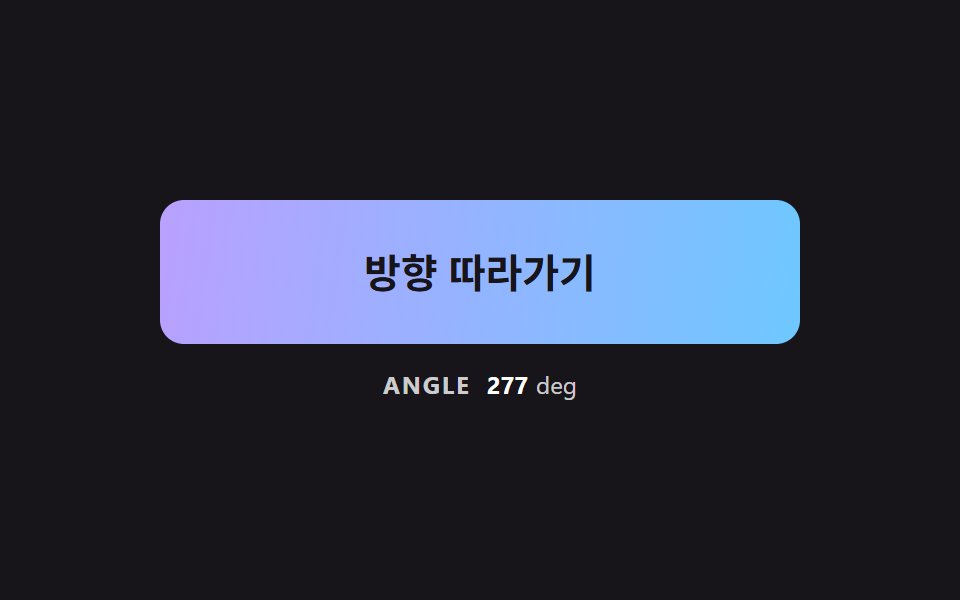 05 btn-gradient-angle-pointer-lerp
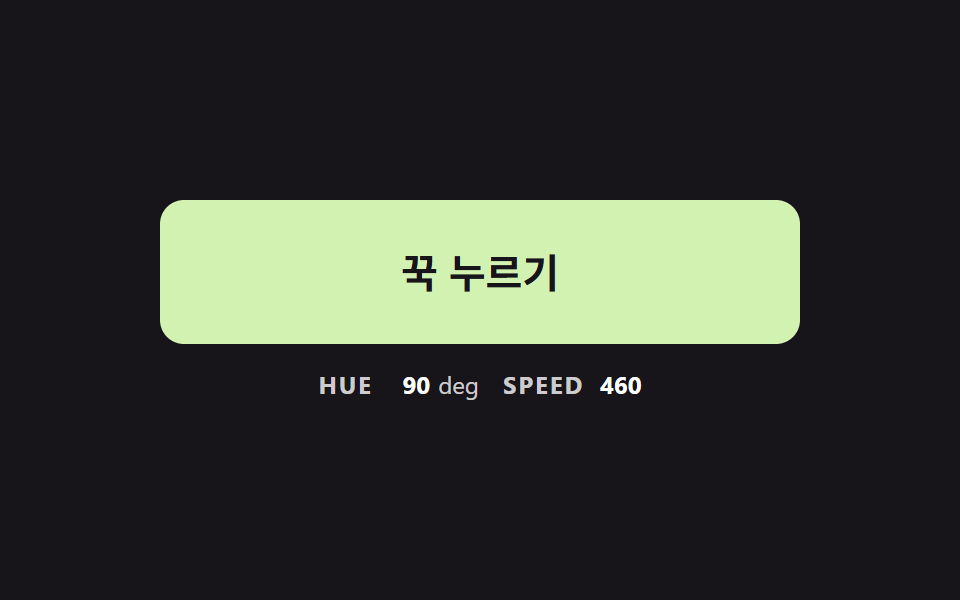 06 btn-hue-hold-inertia-ramp
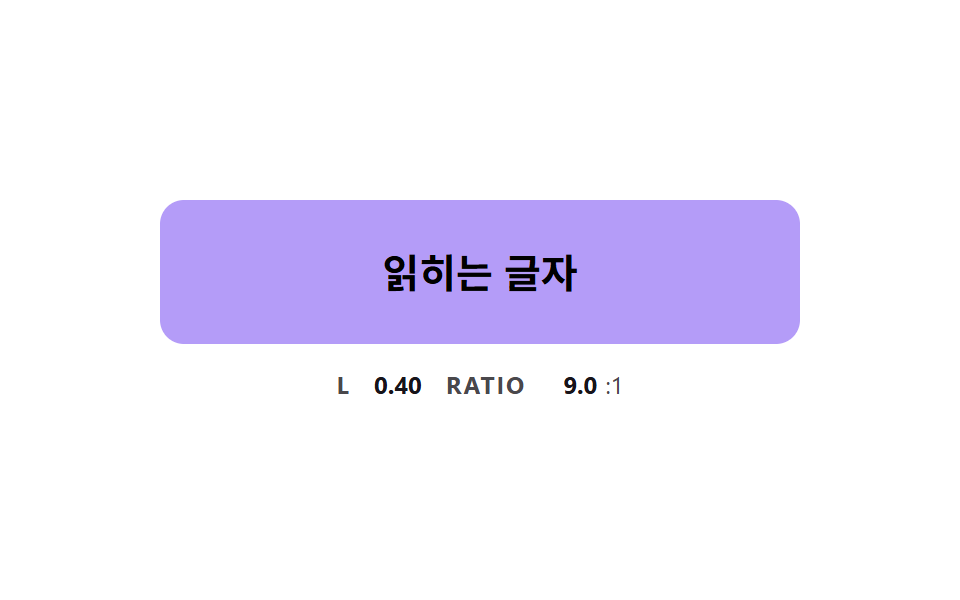 07 btn-color-text-contrast-flip
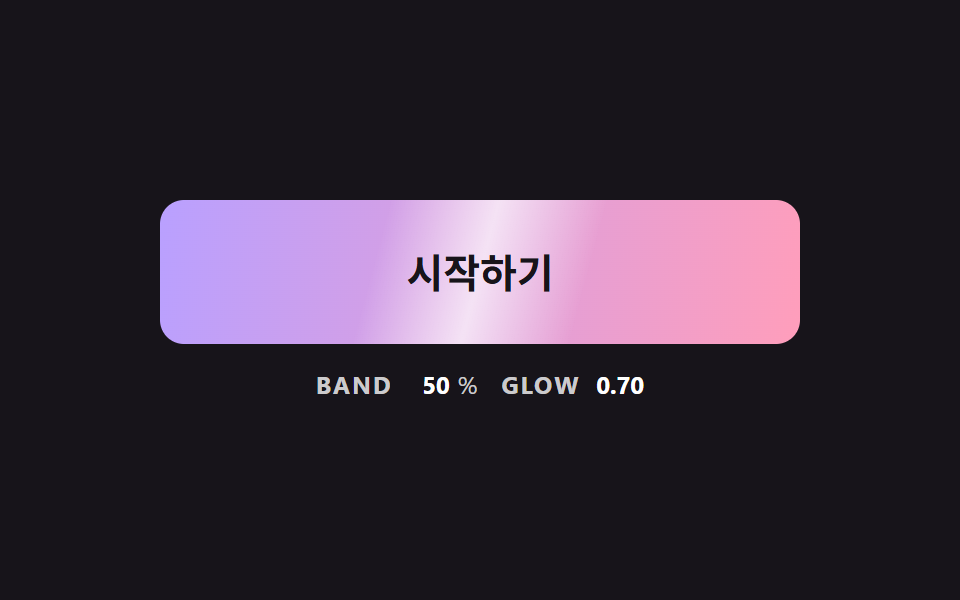 08 btn-gradient-sheen-sweep-skew
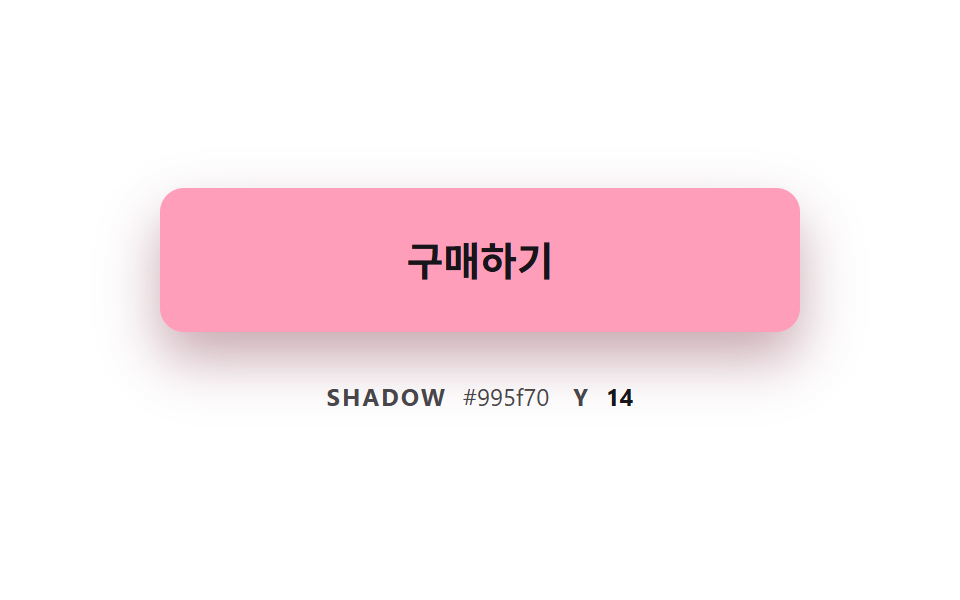 09 btn-color-shadow-follow-glow
Auto-plays · click a tile to jump to its section · all nine in one zip
- 01 Base Hover That Pulls the Color Toward Its Target
- 02 Gamma-Corrected Mix Beside a Plain Mix
- 03 Gradient Stop Pushed by a Spring
- 04 Crossfading Two Stacked Gradient Layers
- 05 Gradient Angle Easing Toward the Pointer
- 06 Button Whose Hue Accelerates While Held
- 07 Button Whose Text Flips as the Fill Brightens
- 08 Slanted Sheen Band Sweeping Over the Color
- 09 Button Whose Shadow Takes the Fill Color
CSS Button Color Transition: 9 Demos Where the Color Is Computed, Not Just Switched
The nine run from the plainest way a color can arrive to the most layered. Scene 01 closes a fixed share of the remaining distance every frame, and 02 sets a plain blend beside a brightness-corrected one on the same two colors. Scene 03 pushes a gradient boundary with a spring, 04 stacks two gradient layers and fades the upper one, and 05 turns the gradient angle toward the pointer. Scene 06 spins the hue faster the longer you hold, 07 flips the label from white to black as the fill brightens, 08 sends a slanted highlight across once, and 09 lets the shadow take its tint from the fill.
Where These Buttons Fit
Any screen with a main action button that changes on hover can use them. For a css button color change on hover that has to stand out, such as the buy button on a price card, the gradient scenes 03 and 08 are the closest fit. A tool that lets people choose a color wants the hold-to-spin input of 06, and a theme button whose fill swings between very dark and very light needs the label flip of 07 first. Whichever you pick, you decide one pair of colors and the whole calculation reduces to a single progress number between them.
How This Set Differs from Neighboring Posts
CSS Button Hover Effects — 9 Proximity Patterns splits the reaction by how near the pointer is, and Button Press Animation UI: 9 Calculation Patterns follows the dip and the return of a press. What moves here is neither shape nor depth but the color itself, so all nine scenes hang on one question: how the midpoint gets calculated.
Code for Each Color-Moving Technique
Every scene is built on a native <button>, and scenes 02 and 04 use two of them so the plain and the calculated version sit side by side. Scenes 01, 02, 07 and 09 keep their color pair in CSS variables such as --c-from and --c-to and read it with getComputedStyle; the others hold their values inside the script. In all nine the color is calculated in JS and recalculated every frame inside a requestAnimationFrame loop. The snippets below are the exact lines from the source that do the moving; the rest of the markup and styles is in the archive, and no library or CDN is involved. Anyone who wants a css button color animation to fork can read each fence as a standalone function.
01Base Hover That Pulls the Color Toward Its Target
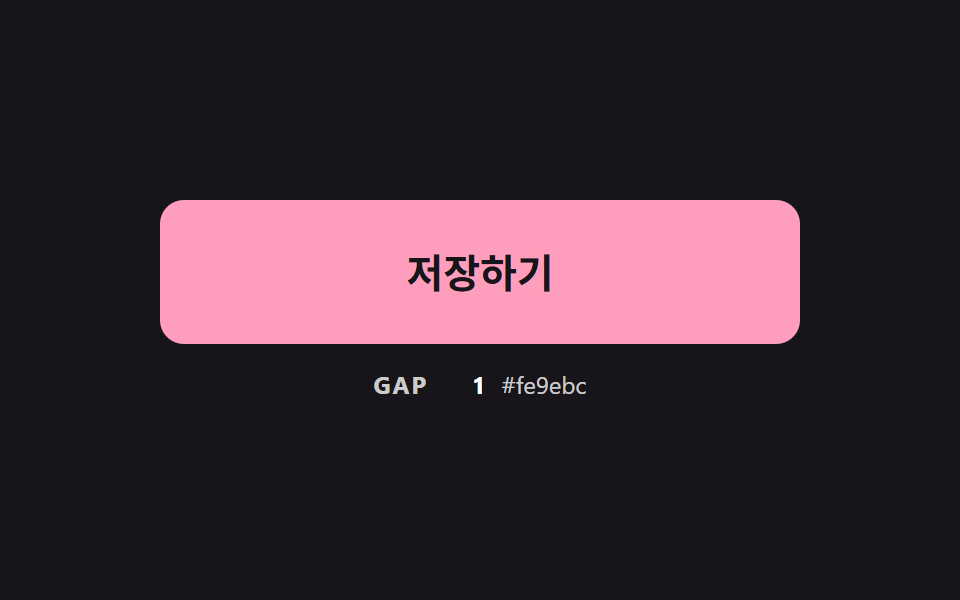
Each frame multiplies the remaining distance of the three channels by 1 - exp(-dt * PULL_RATE), and once the summed gap falls under SETTLE_GAP the color snaps to the target. There is no timing curve, so releasing the hover midway starts the return from the color currently shown. This scene filled 16.2% of the frame at an intensity of 114.6 and moved in 22/23 frames.
<main class="stage">
<div class="bc is-demo" id="bcRoot">
  <button class="bc__btn" id="bcBtn" type="button">Save</button>
  <p class="bc__meta"><span class="bc__tag">GAP</span> <b id="bcGap">0</b> <span class="bc__hex" id="bcHex">#b9a0ff</span></p>
</div>
</main>
@use "../../../../site/static/demo-tokens" as *;
// 핵심: 색은 CSS transition 이 아니라 JS 가 매 프레임 계산한다.
// 현재 색이 목표 색까지 남은 거리의 일정 비율(PULL_RATE)만큼 다가가므로 끝에서 저절로 느려진다.
$pull-from: $subject-lilac;
$pull-to: $subject-pink;
@include stage($stage-ink);
.bc {
--c-from: #{$pull-from};
--c-to: #{$pull-to};
width: min(100%, 320px);
display: grid;
gap: $sp-3;
justify-items: center;
}
.bc__btn {
box-sizing: border-box;
width: 100%;
height: 72px;
border: 0;
border-radius: $r-control;
background: $pull-from;
color: $subject-ink;
font-family: inherit;
font-size: 20px;
font-weight: 700;
line-height: 24px;
cursor: pointer;
}
.bc__btn:focus-visible { outline: 3px solid $stage-paper; outline-offset: 3px; }
.bc__meta {
margin: 0;
display: flex;
align-items: baseline;
gap: $sp-2;
font-size: 12px;
line-height: 16px;
color: rgba($stage-paper, .78);
}
.bc__tag { font-weight: 700; letter-spacing: .08em; }
.bc__meta b { min-width: 3ch; text-align: right; font-variant-numeric: tabular-nums; color: $stage-paper; }
.bc__hex { font-variant-numeric: tabular-nums; }
@media (prefers-reduced-motion: reduce) {
.bc__btn { transition: none; }
}html, body {
margin: 0;
overflow: hidden;
}
.stage {
box-sizing: border-box;
min-height: 100vh;
display: grid;
place-items: center;
margin: 0;
background: #17141a;
font-family: -apple-system, "Segoe UI", "Noto Sans KR", sans-serif;
padding: clamp(8px, 4vw, 24px);
}
.bc {
--c-from: #b9a0ff;
--c-to: #ff9ebb;
width: min(100%, 320px);
display: grid;
gap: 12px;
justify-items: center;
}
.bc__btn {
box-sizing: border-box;
width: 100%;
height: 72px;
border: 0;
border-radius: 12px;
background: #b9a0ff;
color: #17141a;
font-family: inherit;
font-size: 20px;
font-weight: 700;
line-height: 24px;
cursor: pointer;
}
.bc__btn:focus-visible {
outline: 3px solid #ffffff;
outline-offset: 3px;
}
.bc__meta {
margin: 0;
display: flex;
align-items: baseline;
gap: 8px;
font-size: 12px;
line-height: 16px;
color: rgba(255, 255, 255, 0.78);
}
.bc__tag {
font-weight: 700;
letter-spacing: 0.08em;
}
.bc__meta b {
min-width: 3ch;
text-align: right;
font-variant-numeric: tabular-nums;
color: #ffffff;
}
.bc__hex {
font-variant-numeric: tabular-nums;
}
@media (prefers-reduced-motion: reduce) {
.bc__btn {
transition: none;
}
}(function () {
// 기법: 매 프레임 현재 색이 목표 색까지 남은 거리의 일정 비율만큼 다가간다 (시간 곡선 없음).
// 비율은 프레임 간격(dt)으로 보정해 60Hz 든 120Hz 든 같은 속도로 도착한다.
var PULL_RATE = 7;
var SETTLE_GAP = 0.5;
var START_MS = 200;
var ON_MS = 900;
var CYCLE_MS = 2000;
var root = document.getElementById('bcRoot');
var btn = document.getElementById('bcBtn');
var gapEl = document.getElementById('bcGap');
var hexEl = document.getElementById('bcHex');
var reduce = window.matchMedia('(prefers-reduced-motion: reduce)').matches;
function readRgb(name) {
var v = getComputedStyle(btn).getPropertyValue(name).trim().replace('#', '');
if (v.length === 3) v = v.split('').map(function (c) { return c + c; }).join('');
return [parseInt(v.slice(0, 2), 16), parseInt(v.slice(2, 4), 16), parseInt(v.slice(4, 6), 16)];
}
function toHex(rgb) {
return '#' + rgb.map(function (c) { return ('0' + Math.round(c).toString(16)).slice(-2); }).join('');
}
var from = readRgb('--c-from');
var to = readRgb('--c-to');
var cur = from.slice();
var pointerIn = false;
var kbFocus = false;
var t0 = null;
var lastTs = null;
function demoOn(now) {
return root.classList.contains('is-demo') && now >= START_MS && (now - START_MS) % CYCLE_MS < ON_MS;
}
function target(now) { return demoOn(now) || pointerIn || kbFocus ? to : from; }
function gapOf(goal) {
return Math.abs(goal[0] - cur[0]) + Math.abs(goal[1] - cur[1]) + Math.abs(goal[2] - cur[2]);
}
function paint(goal) {
btn.style.background = toHex(cur);
gapEl.textContent = String(Math.round(gapOf(goal)));
hexEl.textContent = toHex(cur);
}
function stopDemo() { root.classList.remove('is-demo'); }
function jump() { cur = (pointerIn || kbFocus ? to : from).slice(); paint(pointerIn || kbFocus ? to : from); }
btn.addEventListener('pointerenter', function () { stopDemo(); pointerIn = true; if (reduce) jump(); });
btn.addEventListener('pointerleave', function () { pointerIn = false; if (reduce) jump(); });
btn.addEventListener('focus', function () { kbFocus = btn.matches(':focus-visible'); if (kbFocus) stopDemo(); if (reduce) jump(); });
btn.addEventListener('blur', function () { kbFocus = false; if (reduce) jump(); });
  function tick(ts) {
    if (t0 === null) t0 = ts;
    var now = ts - t0;
    var dt = lastTs === null ? 0.016 : Math.min(0.05, (ts - lastTs) / 1000);
    lastTs = ts;
    var goal = target(now);
    var k = 1 - Math.exp(-dt * PULL_RATE);
    for (var i = 0; i < 3; i += 1) cur[i] += (goal[i] - cur[i]) * k;
    if (gapOf(goal) < SETTLE_GAP) cur = goal.slice();
    paint(goal);
    requestAnimationFrame(tick);
  }
if (reduce) {
stopDemo();
paint(from);
} else {
requestAnimationFrame(tick);
}
})();// PullColorButton — vanilla 판(01-btn-color-exp-ease-fill) 의 React 포트.
// 현재 색이 목표 색까지 남은 거리의 일정 비율(PULL_RATE)만큼 매 프레임 다가간다. CSS transition 은 쓰지 않는다.
import { useEffect, useRef } from "react";
import styles from "./PullColorButton.module.scss";
type Box<T> = { current: T };
type Rgb = [number, number, number];
const PULL_RATE = 7;
const SETTLE_GAP = 0.5;
const START_MS = 200;
const ON_MS = 900;
const CYCLE_MS = 2000;
function toHex(rgb: Rgb): string {
return "#" + rgb.map((c) => ("0" + Math.round(c).toString(16)).slice(-2)).join("");
}
export default function PullColorButton() {
const rootRef = useRef<HTMLDivElement | null>(null) as Box<HTMLDivElement | null>;
const btnRef = useRef<HTMLButtonElement | null>(null) as Box<HTMLButtonElement | null>;
const gapRef = useRef<HTMLElement | null>(null) as Box<HTMLElement | null>;
const hexRef = useRef<HTMLSpanElement | null>(null) as Box<HTMLSpanElement | null>;
useEffect(() => {
const btn = btnRef.current;
const gapEl = gapRef.current;
const hexEl = hexRef.current;
if (!btn || !gapEl || !hexEl) return;
const reduce = window.matchMedia("(prefers-reduced-motion: reduce)").matches;
const readRgb = (name: string): Rgb => {
let v = getComputedStyle(btn).getPropertyValue(name).trim().replace("#", "");
if (v.length === 3) v = v.split("").map((c) => c + c).join("");
return [parseInt(v.slice(0, 2), 16), parseInt(v.slice(2, 4), 16), parseInt(v.slice(4, 6), 16)];
};
const from = readRgb("--c-from");
const to = readRgb("--c-to");
let cur: Rgb = [from[0], from[1], from[2]];
let demo = !reduce;
let pointerIn = false;
let kbFocus = false;
let t0: number | null = null;
let lastTs: number | null = null;
let raf = 0;
const demoOn = (now: number): boolean => demo && now >= START_MS && (now - START_MS) % CYCLE_MS < ON_MS;
const gapOf = (goal: Rgb): number =>
Math.abs(goal[0] - cur[0]) + Math.abs(goal[1] - cur[1]) + Math.abs(goal[2] - cur[2]);
const paint = (goal: Rgb): void => {
btn.style.background = toHex(cur);
gapEl.textContent = String(Math.round(gapOf(goal)));
hexEl.textContent = toHex(cur);
};
const stopDemo = (): void => { demo = false; };
const jump = (): void => {
const goal = pointerIn || kbFocus ? to : from;
cur = [goal[0], goal[1], goal[2]];
paint(goal);
};
const onEnter = (): void => { stopDemo(); pointerIn = true; if (reduce) jump(); };
const onLeave = (): void => { pointerIn = false; if (reduce) jump(); };
const onFocus = (): void => { kbFocus = btn.matches(":focus-visible"); if (kbFocus) stopDemo(); if (reduce) jump(); };
const onBlur = (): void => { kbFocus = false; if (reduce) jump(); };
btn.addEventListener("pointerenter", onEnter);
btn.addEventListener("pointerleave", onLeave);
btn.addEventListener("focus", onFocus);
btn.addEventListener("blur", onBlur);
function tick(ts: number): void {
if (t0 === null) t0 = ts;
const now = ts - t0;
const dt = lastTs === null ? 0.016 : Math.min(0.05, (ts - lastTs) / 1000);
lastTs = ts;
const goal = demoOn(now) || pointerIn || kbFocus ? to : from;
const k = 1 - Math.exp(-dt * PULL_RATE);
cur = [cur[0] + (goal[0] - cur[0]) * k, cur[1] + (goal[1] - cur[1]) * k, cur[2] + (goal[2] - cur[2]) * k];
if (gapOf(goal) < SETTLE_GAP) cur = [goal[0], goal[1], goal[2]];
paint(goal);
raf = requestAnimationFrame(tick);
}
if (reduce) paint(from);
else raf = requestAnimationFrame(tick);
return () => {
cancelAnimationFrame(raf);
btn.removeEventListener("pointerenter", onEnter);
btn.removeEventListener("pointerleave", onLeave);
btn.removeEventListener("focus", onFocus);
btn.removeEventListener("blur", onBlur);
};
}, []);
return (
<main className={styles.stage}>
<div className={styles.bc} ref={rootRef}>
<button className={styles.bc__btn} type="button" ref={btnRef}>저장하기</button>
<p className={styles.bc__meta}>
<span className={styles.bc__tag}>GAP</span> <b ref={gapRef}>0</b> <span className={styles.bc__hex} ref={hexRef}>#b9a0ff</span>
</p>
</div>
</main>
);
}01 · Base Hover That Pulls the Color Toward Its Target — Measured area 16.203% · moving frames 22/23Original by GODRICH · SCSS and React ship in the zip · See the password
function tick(ts) {
if (t0 === null) t0 = ts;
var now = ts - t0;
var dt = lastTs === null ? 0.016 : Math.min(0.05, (ts - lastTs) / 1000);
lastTs = ts;
var goal = target(now);
var k = 1 - Math.exp(-dt * PULL_RATE);
for (var i = 0; i < 3; i += 1) cur[i] += (goal[i] - cur[i]) * k;
if (gapOf(goal) < SETTLE_GAP) cur = goal.slice();
paint(goal);
requestAnimationFrame(tick);
}
02Gamma-Corrected Mix Beside a Plain Mix
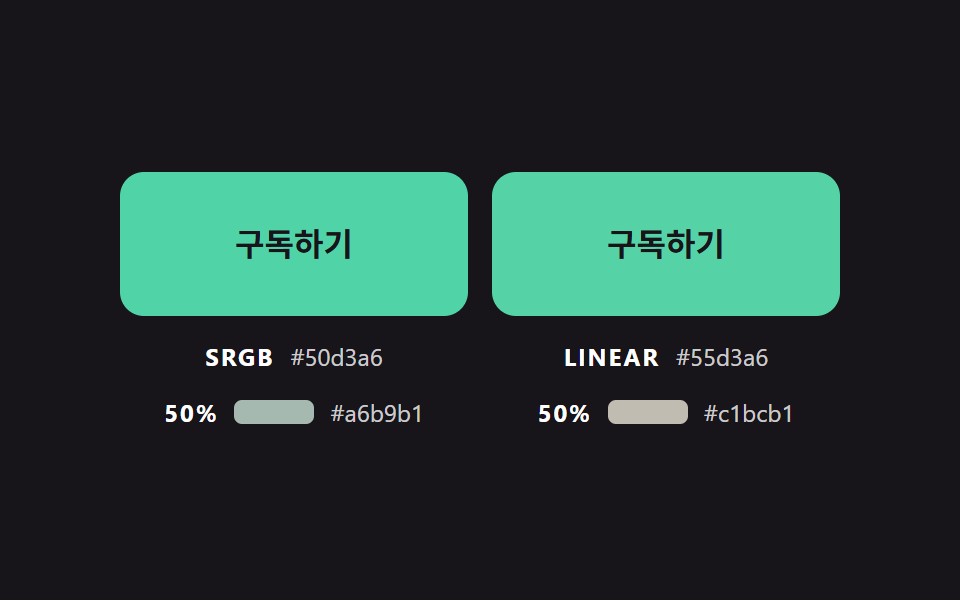
The left button interpolates the raw sRGB values, while the right one converts with toLinear, blends, and returns with toGamma. At 50% progress the plain blend (#a6b9b1) has a relative luminance of about 0.459, lower than both ends (pink 0.493, mint 0.514), and the corrected blend (#c1bcb1) lands at about 0.505, between them. This scene filled 18.1% of the frame at an intensity of 48.3 and moved in 21/23 frames.
<main class="stage">
<div class="bc is-demo" id="bcRoot">
  <div class="bc__pair" id="bcPair">
    <div class="bc__cell">
      <button class="bc__btn" id="bcRaw" type="button">Subscribe</button>
      <p class="bc__meta"><span class="bc__tag">SRGB</span> <span class="bc__hex" id="bcRawHex">#ff9ebb</span></p>
      <p class="bc__meta"><span class="bc__tag">50%</span> <span class="bc__swatch" id="bcRawMid"></span> <span class="bc__hex" id="bcRawMidHex">#a6b9b0</span></p>
    </div>
    <div class="bc__cell">
      <button class="bc__btn" id="bcLin" type="button">Subscribe</button>
      <p class="bc__meta"><span class="bc__tag">LINEAR</span> <span class="bc__hex" id="bcLinHex">#ff9ebb</span></p>
      <p class="bc__meta"><span class="bc__tag">50%</span> <span class="bc__swatch" id="bcLinMid"></span> <span class="bc__hex" id="bcLinMidHex">#c1bcb1</span></p>
    </div>
  </div>
</div>
</main>
@use "../../../../site/static/demo-tokens" as *;
// 핵심: 같은 두 색, 같은 진행도. 왼쪽은 값 그대로 섞고(SRGB) 오른쪽은 선형 밝기에서 섞어(LINEAR) 중간 색을 비교한다.
$mix-from: $subject-pink;
$mix-to: $subject-mint;
@include stage($stage-ink);
.bc {
--c-from: #{$mix-from};
--c-to: #{$mix-to};
width: min(100%, 360px);
}
.bc__pair {
display: grid;
grid-template-columns: repeat(2, minmax(0, 1fr));
gap: $sp-3;
}
.bc__cell { display: grid; gap: $sp-3; justify-items: center; min-width: 0; }
.bc__btn {
box-sizing: border-box;
width: 100%;
height: 72px;
border: 0;
border-radius: $r-control;
background: $mix-from;
color: $subject-ink;
font-family: inherit;
font-size: 16px;
font-weight: 700;
line-height: 20px;
cursor: pointer;
}
.bc__btn:focus-visible { outline: 3px solid $stage-paper; outline-offset: 3px; }
.bc__meta {
margin: 0;
display: flex;
flex-wrap: wrap;
justify-content: center;
align-items: baseline;
gap: $sp-1 $sp-2;
font-size: 12px;
line-height: 16px;
color: rgba($stage-paper, .78);
}
.bc__tag { font-weight: 700; letter-spacing: .08em; color: $stage-paper; }
.bc__hex { font-variant-numeric: tabular-nums; }
.bc__swatch { display: inline-block; width: 40px; height: 12px; border-radius: $r-xs; align-self: center; }
@media (prefers-reduced-motion: reduce) {
.bc__btn { transition: none; }
}html, body {
margin: 0;
overflow: hidden;
}
.stage {
box-sizing: border-box;
min-height: 100vh;
display: grid;
place-items: center;
margin: 0;
background: #17141a;
font-family: -apple-system, "Segoe UI", "Noto Sans KR", sans-serif;
padding: clamp(8px, 4vw, 24px);
}
.bc {
--c-from: #ff9ebb;
--c-to: #4cd4a6;
width: min(100%, 360px);
}
.bc__pair {
display: grid;
grid-template-columns: repeat(2, minmax(0, 1fr));
gap: 12px;
}
.bc__cell {
display: grid;
gap: 12px;
justify-items: center;
min-width: 0;
}
.bc__btn {
box-sizing: border-box;
width: 100%;
height: 72px;
border: 0;
border-radius: 12px;
background: #ff9ebb;
color: #17141a;
font-family: inherit;
font-size: 16px;
font-weight: 700;
line-height: 20px;
cursor: pointer;
}
.bc__btn:focus-visible {
outline: 3px solid #ffffff;
outline-offset: 3px;
}
.bc__meta {
margin: 0;
display: flex;
flex-wrap: wrap;
justify-content: center;
align-items: baseline;
gap: 4px 8px;
font-size: 12px;
line-height: 16px;
color: rgba(255, 255, 255, 0.78);
}
.bc__tag {
font-weight: 700;
letter-spacing: 0.08em;
color: #ffffff;
}
.bc__hex {
font-variant-numeric: tabular-nums;
}
.bc__swatch {
display: inline-block;
width: 40px;
height: 12px;
border-radius: 4px;
align-self: center;
}
@media (prefers-reduced-motion: reduce) {
.bc__btn {
transition: none;
}
}(function () {
// 기법: 같은 두 색을 같은 진행도 t 로 섞는다. 왼쪽은 sRGB 값을 그대로, 오른쪽은 선형 밝기로 되돌려 섞은 뒤 다시 감마를 씌운다.
// 진행도 t 는 두 버튼이 함께 쓰고 매 프레임 목표로 일정 비율 끌린다. 두 중간 색의 차이만 눈에 남는다.
var MIX_RATE = 5;
var START_MS = 200;
var ON_MS = 1000;
var RAMP_MS = 800;
var HOLD_MS = 100;
var CYCLE_MS = 2000;
var root = document.getElementById('bcRoot');
var rawBtn = document.getElementById('bcRaw');
var linBtn = document.getElementById('bcLin');
var rawHex = document.getElementById('bcRawHex');
var linHex = document.getElementById('bcLinHex');
var reduce = window.matchMedia('(prefers-reduced-motion: reduce)').matches;
function readRgb(name) {
var v = getComputedStyle(rawBtn).getPropertyValue(name).trim().replace('#', '');
if (v.length === 3) v = v.split('').map(function (c) { return c + c; }).join('');
return [parseInt(v.slice(0, 2), 16), parseInt(v.slice(2, 4), 16), parseInt(v.slice(4, 6), 16)];
}
function toHex(rgb) {
return '#' + rgb.map(function (c) { return ('0' + Math.round(c).toString(16)).slice(-2); }).join('');
}
  function toLinear(c) {
    var s = c / 255;
    return s <= 0.04045 ? s / 12.92 : Math.pow((s + 0.055) / 1.055, 2.4);
  }
  function toGamma(l) {
    var s = l <= 0.0031308 ? l * 12.92 : 1.055 * Math.pow(l, 1 / 2.4) - 0.055;
    return Math.max(0, Math.min(255, s * 255));
  }
  function mixRaw(a, b, t) { return a.map(function (v, i) { return v + (b[i] - v) * t; }); }
  function mixLinear(a, b, t) {
    return a.map(function (v, i) {
      var la = toLinear(v);
      return toGamma(la + (toLinear(b[i]) - la) * t);
    });
  }
var from = readRgb('--c-from');
var to = readRgb('--c-to');
var mix = 0;
var rawMid = toHex(mixRaw(from, to, 0.5));
var linMid = toHex(mixLinear(from, to, 0.5));
document.getElementById('bcRawMid').style.background = rawMid;
document.getElementById('bcLinMid').style.background = linMid;
document.getElementById('bcRawMidHex').textContent = rawMid;
document.getElementById('bcLinMidHex').textContent = linMid;
var pointerIn = false;
var kbFocus = false;
var t0 = null;
var lastTs = null;
function demoOn(now) {
return root.classList.contains('is-demo') && now >= START_MS && (now - START_MS) % CYCLE_MS < ON_MS;
}
// 시연 전용: 진행도를 smoothstep 으로 오르내려 변화가 가장 큰 순간이 두 중간 색이 벌어진 한가운데에 오게 한다.
function demoMix(now) {
if (now < START_MS) return 0;
var c = (now - START_MS) % CYCLE_MS;
var s;
if (c < RAMP_MS) { s = c / RAMP_MS; return s * s * (3 - 2 * s); }
if (c < RAMP_MS + HOLD_MS) return 1;
if (c < 2 * RAMP_MS + HOLD_MS) { s = (c - RAMP_MS - HOLD_MS) / RAMP_MS; return 1 - s * s * (3 - 2 * s); }
return 0;
}
function paint() {
var a = mixRaw(from, to, mix);
var b = mixLinear(from, to, mix);
rawBtn.style.background = toHex(a);
linBtn.style.background = toHex(b);
rawHex.textContent = toHex(a);
linHex.textContent = toHex(b);
}
function stopDemo() { root.classList.remove('is-demo'); }
function goal(now) { return demoOn(now) || pointerIn || kbFocus ? 1 : 0; }
function jump() { mix = pointerIn || kbFocus ? 1 : 0; paint(); }
[rawBtn, linBtn].forEach(function (b) {
b.addEventListener('pointerenter', function () { stopDemo(); pointerIn = true; if (reduce) jump(); });
b.addEventListener('pointerleave', function () { pointerIn = false; if (reduce) jump(); });
b.addEventListener('focus', function () { kbFocus = b.matches(':focus-visible'); if (kbFocus) stopDemo(); if (reduce) jump(); });
b.addEventListener('blur', function () { kbFocus = false; if (reduce) jump(); });
});
function tick(ts) {
if (t0 === null) t0 = ts;
var now = ts - t0;
var dt = lastTs === null ? 0.016 : Math.min(0.05, (ts - lastTs) / 1000);
lastTs = ts;
if (root.classList.contains('is-demo')) {
mix = demoMix(now);
} else {
var g = goal(now);
mix += (g - mix) * (1 - Math.exp(-dt * MIX_RATE));
if (Math.abs(g - mix) < 0.002) mix = g;
}
paint();
requestAnimationFrame(tick);
}
if (reduce) {
stopDemo();
paint();
} else {
requestAnimationFrame(tick);
}
})();// LinearLightMixPair — vanilla 판(02-btn-color-linear-light-mix-pair) 의 React 포트.
// 같은 두 색을 같은 진행도로 섞는다. 왼쪽은 sRGB 값 그대로(SRGB), 오른쪽은 선형 밝기에서 섞는다(LINEAR).
import { useEffect, useRef } from "react";
import styles from "./LinearLightMixPair.module.scss";
type Box<T> = { current: T };
type Rgb = [number, number, number];
const MIX_RATE = 5;
const START_MS = 200;
const ON_MS = 1000;
const RAMP_MS = 800;
const HOLD_MS = 100;
const CYCLE_MS = 2000;
function toHex(rgb: Rgb): string {
return "#" + rgb.map((c) => ("0" + Math.round(c).toString(16)).slice(-2)).join("");
}
function toLinear(c: number): number {
const s = c / 255;
return s <= 0.04045 ? s / 12.92 : Math.pow((s + 0.055) / 1.055, 2.4);
}
function toGamma(l: number): number {
const s = l <= 0.0031308 ? l * 12.92 : 1.055 * Math.pow(l, 1 / 2.4) - 0.055;
return Math.max(0, Math.min(255, s * 255));
}
// 시연 전용: 진행도를 smoothstep 으로 오르내려 변화가 가장 큰 순간이 두 중간 색이 벌어진 한가운데에 오게 한다.
function demoMix(now: number): number {
if (now < START_MS) return 0;
const c = (now - START_MS) % CYCLE_MS;
if (c < RAMP_MS) { const s = c / RAMP_MS; return s * s * (3 - 2 * s); }
if (c < RAMP_MS + HOLD_MS) return 1;
if (c < 2 * RAMP_MS + HOLD_MS) { const s = (c - RAMP_MS - HOLD_MS) / RAMP_MS; return 1 - s * s * (3 - 2 * s); }
return 0;
}
function mixRaw(a: Rgb, b: Rgb, t: number): Rgb {
return [a[0] + (b[0] - a[0]) * t, a[1] + (b[1] - a[1]) * t, a[2] + (b[2] - a[2]) * t];
}
function mixLinear(a: Rgb, b: Rgb, t: number): Rgb {
const one = (i: number): number => {
const la = toLinear(a[i]);
return toGamma(la + (toLinear(b[i]) - la) * t);
};
return [one(0), one(1), one(2)];
}
export default function LinearLightMixPair() {
const rawRef = useRef<HTMLButtonElement | null>(null) as Box<HTMLButtonElement | null>;
const linRef = useRef<HTMLButtonElement | null>(null) as Box<HTMLButtonElement | null>;
const rawHexRef = useRef<HTMLSpanElement | null>(null) as Box<HTMLSpanElement | null>;
const linHexRef = useRef<HTMLSpanElement | null>(null) as Box<HTMLSpanElement | null>;
const rawMidRef = useRef<HTMLSpanElement | null>(null) as Box<HTMLSpanElement | null>;
const linMidRef = useRef<HTMLSpanElement | null>(null) as Box<HTMLSpanElement | null>;
const rawMidHexRef = useRef<HTMLSpanElement | null>(null) as Box<HTMLSpanElement | null>;
const linMidHexRef = useRef<HTMLSpanElement | null>(null) as Box<HTMLSpanElement | null>;
useEffect(() => {
const rawBtn = rawRef.current;
const linBtn = linRef.current;
const rawHex = rawHexRef.current;
const linHex = linHexRef.current;
const rawMidEl = rawMidRef.current;
const linMidEl = linMidRef.current;
const rawMidHexEl = rawMidHexRef.current;
const linMidHexEl = linMidHexRef.current;
if (!rawBtn || !linBtn || !rawHex || !linHex || !rawMidEl || !linMidEl || !rawMidHexEl || !linMidHexEl) return;
const reduce = window.matchMedia("(prefers-reduced-motion: reduce)").matches;
const readRgb = (name: string): Rgb => {
let v = getComputedStyle(rawBtn).getPropertyValue(name).trim().replace("#", "");
if (v.length === 3) v = v.split("").map((c) => c + c).join("");
return [parseInt(v.slice(0, 2), 16), parseInt(v.slice(2, 4), 16), parseInt(v.slice(4, 6), 16)];
};
const from = readRgb("--c-from");
const to = readRgb("--c-to");
const rawMid = toHex(mixRaw(from, to, 0.5));
const linMid = toHex(mixLinear(from, to, 0.5));
rawMidEl.style.background = rawMid;
linMidEl.style.background = linMid;
rawMidHexEl.textContent = rawMid;
linMidHexEl.textContent = linMid;
let mix = 0;
let demo = !reduce;
let pointerIn = false;
let kbFocus = false;
let t0: number | null = null;
let lastTs: number | null = null;
let raf = 0;
const demoOn = (now: number): boolean => demo && now >= START_MS && (now - START_MS) % CYCLE_MS < ON_MS;
const paint = (): void => {
const a = mixRaw(from, to, mix);
const b = mixLinear(from, to, mix);
rawBtn.style.background = toHex(a);
linBtn.style.background = toHex(b);
rawHex.textContent = toHex(a);
linHex.textContent = toHex(b);
};
const stopDemo = (): void => { demo = false; };
const jump = (): void => { mix = pointerIn || kbFocus ? 1 : 0; paint(); };
const cleanups: Array<() => void> = [];
[rawBtn, linBtn].forEach((b) => {
const onEnter = (): void => { stopDemo(); pointerIn = true; if (reduce) jump(); };
const onLeave = (): void => { pointerIn = false; if (reduce) jump(); };
const onFocus = (): void => { kbFocus = b.matches(":focus-visible"); if (kbFocus) stopDemo(); if (reduce) jump(); };
const onBlur = (): void => { kbFocus = false; if (reduce) jump(); };
b.addEventListener("pointerenter", onEnter);
b.addEventListener("pointerleave", onLeave);
b.addEventListener("focus", onFocus);
b.addEventListener("blur", onBlur);
cleanups.push(() => {
b.removeEventListener("pointerenter", onEnter);
b.removeEventListener("pointerleave", onLeave);
b.removeEventListener("focus", onFocus);
b.removeEventListener("blur", onBlur);
});
});
function tick(ts: number): void {
if (t0 === null) t0 = ts;
const now = ts - t0;
const dt = lastTs === null ? 0.016 : Math.min(0.05, (ts - lastTs) / 1000);
lastTs = ts;
if (demo) {
mix = demoMix(now);
} else {
const g = demoOn(now) || pointerIn || kbFocus ? 1 : 0;
mix += (g - mix) * (1 - Math.exp(-dt * MIX_RATE));
if (Math.abs(g - mix) < 0.002) mix = g;
}
paint();
raf = requestAnimationFrame(tick);
}
if (reduce) paint();
else raf = requestAnimationFrame(tick);
return () => {
cancelAnimationFrame(raf);
cleanups.forEach((fn) => fn());
};
}, []);
return (
<main className={styles.stage}>
<div className={styles.bc}>
<div className={styles.bc__pair}>
<div className={styles.bc__cell}>
<button className={styles.bc__btn} type="button" ref={rawRef}>구독하기</button>
<p className={styles.bc__meta}><span className={styles.bc__tag}>SRGB</span> <span className={styles.bc__hex} ref={rawHexRef}>#ff9ebb</span></p>
<p className={styles.bc__meta}><span className={styles.bc__tag}>50%</span> <span className={styles.bc__swatch} ref={rawMidRef}></span> <span className={styles.bc__hex} ref={rawMidHexRef}>#a6b9b0</span></p>
</div>
<div className={styles.bc__cell}>
<button className={styles.bc__btn} type="button" ref={linRef}>구독하기</button>
<p className={styles.bc__meta}><span className={styles.bc__tag}>LINEAR</span> <span className={styles.bc__hex} ref={linHexRef}>#ff9ebb</span></p>
<p className={styles.bc__meta}><span className={styles.bc__tag}>50%</span> <span className={styles.bc__swatch} ref={linMidRef}></span> <span className={styles.bc__hex} ref={linMidHexRef}>#c1bcb1</span></p>
</div>
</div>
</div>
</main>
);
}02 · Gamma-Corrected Mix Beside a Plain Mix — Measured area 18.131% · moving frames 21/23Original by GODRICH · SCSS and React ship in the zip · See the password
function toLinear(c) {
var s = c / 255;
return s <= 0.04045 ? s / 12.92 : Math.pow((s + 0.055) / 1.055, 2.4);
}
function toGamma(l) {
var s = l <= 0.0031308 ? l * 12.92 : 1.055 * Math.pow(l, 1 / 2.4) - 0.055;
return Math.max(0, Math.min(255, s * 255));
}
function mixRaw(a, b, t) { return a.map(function (v, i) { return v + (b[i] - v) * t; }); }
function mixLinear(a, b, t) {
return a.map(function (v, i) {
var la = toLinear(v);
return toGamma(la + (toLinear(b[i]) - la) * t);
});
}
03Gradient Stop Pushed by a Spring
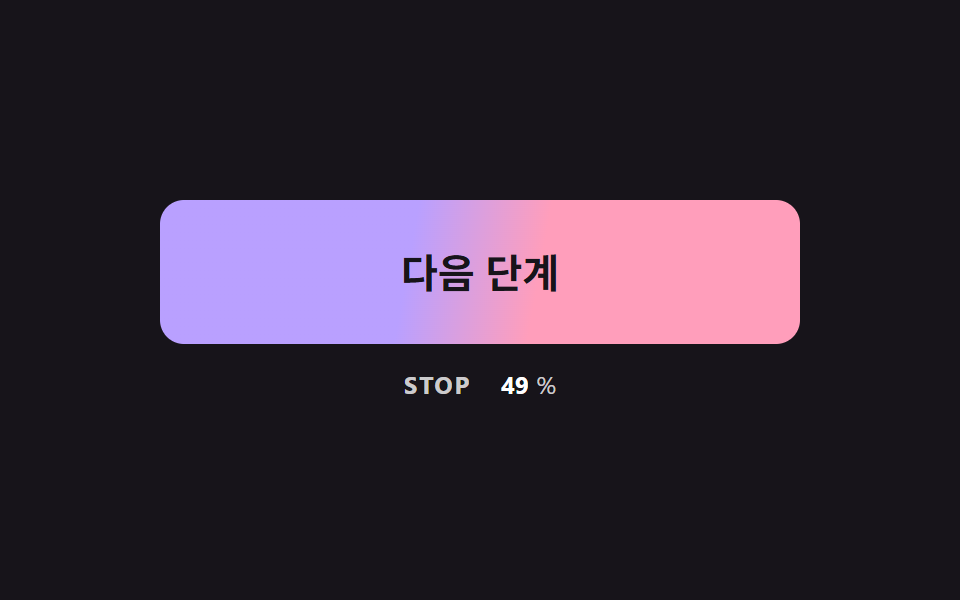
The gradient stop --stop goes through a spring set by STIFFNESS and DAMPING, integrated in fixed steps of 1/120 second, so a move from 20% toward 70% overshoots by 11.1 before it comes back. When the pointer leaves, the stop swings below 20% in the opposite direction and then settles. This scene filled 13.7% of the frame at an intensity of 92.8 and moved in 20/23 frames.
<main class="stage">
<div class="bc is-demo" id="bcRoot">
  <button class="bc__btn" id="bcBtn" type="button">Next step</button>
  <p class="bc__meta"><span class="bc__tag">STOP</span> <b id="bcPos">20</b><span>%</span></p>
</div>
</main>
@use "../../../../site/static/demo-tokens" as *;
// 핵심: 그라데이션의 색 경계(--stop)는 스프링으로 움직이는 숫자다. CSS transition 으로는 목표를 지나쳤다 돌아오는 값을 못 만든다.
$stop-a: $subject-lilac;
$stop-b: $subject-pink;
$stop-soft: 10%;
@include stage($stage-ink);
.bc {
width: min(100%, 320px);
display: grid;
gap: $sp-3;
justify-items: center;
}
.bc__btn {
--stop: 20;
box-sizing: border-box;
width: 100%;
height: 72px;
border: 0;
border-radius: $r-control;
background: linear-gradient(100deg, $stop-a calc(var(--stop) * 1% - #{$stop-soft}), $stop-b calc(var(--stop) * 1% + #{$stop-soft}));
color: $subject-ink;
font-family: inherit;
font-size: 20px;
font-weight: 700;
line-height: 24px;
cursor: pointer;
}
.bc__btn:focus-visible { outline: 3px solid $stage-paper; outline-offset: 3px; }
.bc__meta {
margin: 0;
display: flex;
align-items: baseline;
gap: $sp-1;
font-size: 12px;
line-height: 16px;
color: rgba($stage-paper, .78);
}
.bc__tag { margin-right: $sp-1; font-weight: 700; letter-spacing: .08em; }
.bc__meta b { min-width: 3ch; text-align: right; font-variant-numeric: tabular-nums; color: $stage-paper; }
@media (prefers-reduced-motion: reduce) {
.bc__btn { transition: none; }
}html, body {
margin: 0;
overflow: hidden;
}
.stage {
box-sizing: border-box;
min-height: 100vh;
display: grid;
place-items: center;
margin: 0;
background: #17141a;
font-family: -apple-system, "Segoe UI", "Noto Sans KR", sans-serif;
padding: clamp(8px, 4vw, 24px);
}
.bc {
width: min(100%, 320px);
display: grid;
gap: 12px;
justify-items: center;
}
.bc__btn {
--stop: 20;
box-sizing: border-box;
width: 100%;
height: 72px;
border: 0;
border-radius: 12px;
background: linear-gradient(100deg, #b9a0ff calc(var(--stop) * 1% - 10%), #ff9ebb calc(var(--stop) * 1% + 10%));
color: #17141a;
font-family: inherit;
font-size: 20px;
font-weight: 700;
line-height: 24px;
cursor: pointer;
}
.bc__btn:focus-visible {
outline: 3px solid #ffffff;
outline-offset: 3px;
}
.bc__meta {
margin: 0;
display: flex;
align-items: baseline;
gap: 4px;
font-size: 12px;
line-height: 16px;
color: rgba(255, 255, 255, 0.78);
}
.bc__tag {
margin-right: 4px;
font-weight: 700;
letter-spacing: 0.08em;
}
.bc__meta b {
min-width: 3ch;
text-align: right;
font-variant-numeric: tabular-nums;
color: #ffffff;
}
@media (prefers-reduced-motion: reduce) {
.bc__btn {
transition: none;
}
}(function () {
// 기법: 그라데이션 색 경계의 위치(--stop, 퍼센트)를 스프링 방정식으로 푼다.
// 가속도 = 강성 x (목표 - 위치) - 감쇠 x 속도. 고정 간격으로 쪼개 적분하므로 프레임 속도와 상관없이 같은 흔들림이 나온다.
var STIFFNESS = 170;
var DAMPING = 11;
var STOP_REST = 20;
var STOP_HOVER = 70;
var STEP = 1 / 120;
var START_MS = 200;
var ON_MS = 800;
var CYCLE_MS = 2000;
var root = document.getElementById('bcRoot');
var btn = document.getElementById('bcBtn');
var posEl = document.getElementById('bcPos');
var reduce = window.matchMedia('(prefers-reduced-motion: reduce)').matches;
var pos = STOP_REST;
var vel = 0;
var acc = 0;
var pointerIn = false;
var kbFocus = false;
var t0 = null;
var lastTs = null;
function demoOn(now) {
return root.classList.contains('is-demo') && now >= START_MS && (now - START_MS) % CYCLE_MS < ON_MS;
}
function goal(now) { return demoOn(now) || pointerIn || kbFocus ? STOP_HOVER : STOP_REST; }
function paint() {
btn.style.setProperty('--stop', pos.toFixed(2));
posEl.textContent = String(Math.round(pos));
}
function stopDemo() { root.classList.remove('is-demo'); }
function jump() { pos = pointerIn || kbFocus ? STOP_HOVER : STOP_REST; vel = 0; paint(); }
btn.addEventListener('pointerenter', function () { stopDemo(); pointerIn = true; if (reduce) jump(); });
btn.addEventListener('pointerleave', function () { pointerIn = false; if (reduce) jump(); });
btn.addEventListener('focus', function () { kbFocus = btn.matches(':focus-visible'); if (kbFocus) stopDemo(); if (reduce) jump(); });
btn.addEventListener('blur', function () { kbFocus = false; if (reduce) jump(); });
  function tick(ts) {
    if (t0 === null) t0 = ts;
    var now = ts - t0;
    var dt = lastTs === null ? 0.016 : Math.min(0.05, (ts - lastTs) / 1000);
    lastTs = ts;
    var g = goal(now);
    acc += dt;
    while (acc >= STEP) {
      vel += (STIFFNESS * (g - pos) - DAMPING * vel) * STEP;
      pos += vel * STEP;
      acc -= STEP;
    }
    paint();
    requestAnimationFrame(tick);
  }
if (reduce) {
stopDemo();
paint();
} else {
requestAnimationFrame(tick);
}
})();// SpringStopButton — vanilla 판(03-btn-gradient-stop-spring-overshoot) 의 React 포트.
// 그라데이션 색 경계 위치(--stop)를 스프링 방정식으로 푼다. 목표를 지나쳤다가 돌아와 안착한다.
import { useEffect, useRef } from "react";
import styles from "./SpringStopButton.module.scss";
type Box<T> = { current: T };
const STIFFNESS = 170;
const DAMPING = 11;
const STOP_REST = 20;
const STOP_HOVER = 70;
const STEP = 1 / 120;
const START_MS = 200;
const ON_MS = 800;
const CYCLE_MS = 2000;
export default function SpringStopButton() {
const btnRef = useRef<HTMLButtonElement | null>(null) as Box<HTMLButtonElement | null>;
const posRef = useRef<HTMLElement | null>(null) as Box<HTMLElement | null>;
useEffect(() => {
const btn = btnRef.current;
const posEl = posRef.current;
if (!btn || !posEl) return;
const reduce = window.matchMedia("(prefers-reduced-motion: reduce)").matches;
let pos = STOP_REST;
let vel = 0;
let acc = 0;
let demo = !reduce;
let pointerIn = false;
let kbFocus = false;
let t0: number | null = null;
let lastTs: number | null = null;
let raf = 0;
const demoOn = (now: number): boolean => demo && now >= START_MS && (now - START_MS) % CYCLE_MS < ON_MS;
const paint = (): void => {
btn.style.setProperty("--stop", pos.toFixed(2));
posEl.textContent = String(Math.round(pos));
};
const stopDemo = (): void => { demo = false; };
const jump = (): void => { pos = pointerIn || kbFocus ? STOP_HOVER : STOP_REST; vel = 0; paint(); };
const onEnter = (): void => { stopDemo(); pointerIn = true; if (reduce) jump(); };
const onLeave = (): void => { pointerIn = false; if (reduce) jump(); };
const onFocus = (): void => { kbFocus = btn.matches(":focus-visible"); if (kbFocus) stopDemo(); if (reduce) jump(); };
const onBlur = (): void => { kbFocus = false; if (reduce) jump(); };
btn.addEventListener("pointerenter", onEnter);
btn.addEventListener("pointerleave", onLeave);
btn.addEventListener("focus", onFocus);
btn.addEventListener("blur", onBlur);
function tick(ts: number): void {
if (t0 === null) t0 = ts;
const now = ts - t0;
const dt = lastTs === null ? 0.016 : Math.min(0.05, (ts - lastTs) / 1000);
lastTs = ts;
const g = demoOn(now) || pointerIn || kbFocus ? STOP_HOVER : STOP_REST;
acc += dt;
while (acc >= STEP) {
vel += (STIFFNESS * (g - pos) - DAMPING * vel) * STEP;
pos += vel * STEP;
acc -= STEP;
}
paint();
raf = requestAnimationFrame(tick);
}
if (reduce) paint();
else raf = requestAnimationFrame(tick);
return () => {
cancelAnimationFrame(raf);
btn.removeEventListener("pointerenter", onEnter);
btn.removeEventListener("pointerleave", onLeave);
btn.removeEventListener("focus", onFocus);
btn.removeEventListener("blur", onBlur);
};
}, []);
return (
<main className={styles.stage}>
<div className={styles.bc}>
<button className={styles.bc__btn} type="button" ref={btnRef}>다음 단계</button>
<p className={styles.bc__meta}><span className={styles.bc__tag}>STOP</span> <b ref={posRef}>20</b><span>%</span></p>
</div>
</main>
);
}03 · Gradient Stop Pushed by a Spring — Measured area 13.651% · moving frames 20/23Original by GODRICH · SCSS and React ship in the zip · See the password
function tick(ts) {
if (t0 === null) t0 = ts;
var now = ts - t0;
var dt = lastTs === null ? 0.016 : Math.min(0.05, (ts - lastTs) / 1000);
lastTs = ts;
var g = goal(now);
acc += dt;
while (acc >= STEP) {
vel += (STIFFNESS * (g - pos) - DAMPING * vel) * STEP;
pos += vel * STEP;
acc -= STEP;
}
paint();
requestAnimationFrame(tick);
}
04Crossfading Two Stacked Gradient Layers
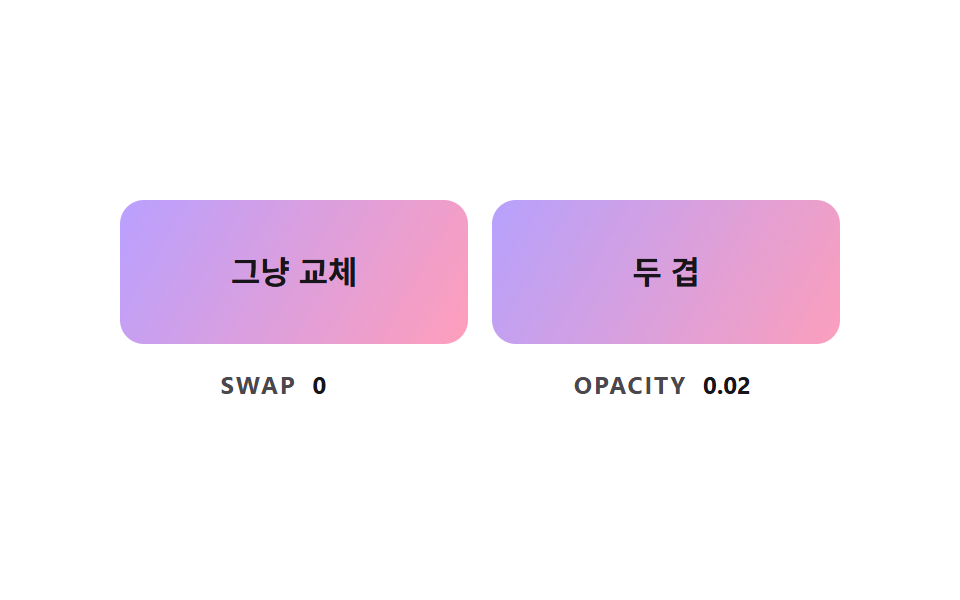
The left button swaps a class, so the whole gradient is replaced in one cut at progress 0.5. The right button keeps a gradient underneath and lays a second gradient above it, and only that upper layer's opacity moves at FADE_RATE; the opacity is computed by script here, so this scene shows how two stacked layers mix rather than proving what a stylesheet can do. This scene filled 17.3% of the frame at an intensity of 97.3 and moved in 22/23 frames.
<main class="stage">
<div class="bc is-demo" id="bcRoot">
  <div class="bc__pair">
    <div class="bc__cell">
      <button class="bc__btn" id="bcSwap" type="button"><span class="bc__label">Plain swap</span></button>
      <p class="bc__meta"><span class="bc__tag">SWAP</span> <b id="bcSwapVal">0</b></p>
    </div>
    <div class="bc__cell">
      <button class="bc__btn" id="bcFade" type="button"><span class="bc__layer" id="bcLayer"></span><span class="bc__label">Two layers</span></button>
      <p class="bc__meta"><span class="bc__tag">OPACITY</span> <b id="bcFadeVal">0.00</b></p>
    </div>
  </div>
</div>
</main>
@use "../../../../site/static/demo-tokens" as *;
// 핵심: 그라데이션은 transition 으로 보간되지 않는다. 아래 겹(버튼 배경)과 위 겹(.bc__layer)을 포개고 위 겹의 opacity 만 옮긴다.
$layer-a: linear-gradient(120deg, $subject-lilac, $subject-pink);
$layer-b: linear-gradient(120deg, $subject-mint, $subject-sky);
@include stage($stage-paper);
.bc { width: min(100%, 360px); }
.bc__pair {
display: grid;
grid-template-columns: repeat(2, minmax(0, 1fr));
gap: $sp-3;
}
.bc__cell { display: grid; gap: $sp-3; justify-items: center; min-width: 0; }
.bc__btn {
position: relative;
isolation: isolate;
overflow: hidden;
box-sizing: border-box;
width: 100%;
height: 72px;
border: 0;
border-radius: $r-control;
background: $layer-a;
color: $subject-ink;
font-family: inherit;
font-size: 16px;
font-weight: 700;
line-height: 20px;
cursor: pointer;
}
.bc__btn:focus-visible { outline: 3px solid $subject-ink; outline-offset: 3px; }
.bc__btn.bc__on { background: $layer-b; }
.bc__layer {
position: absolute;
inset: 0;
z-index: -1;
background: $layer-b;
opacity: 0;
}
.bc__label { position: relative; }
.bc__meta {
margin: 0;
display: flex;
align-items: baseline;
gap: $sp-2;
font-size: 12px;
line-height: 16px;
color: rgba($subject-ink, .78);
}
.bc__tag { font-weight: 700; letter-spacing: .08em; }
.bc__meta b { min-width: 4ch; font-variant-numeric: tabular-nums; color: $subject-ink; }
@media (prefers-reduced-motion: reduce) {
.bc__btn { transition: none; }
}html, body {
margin: 0;
overflow: hidden;
}
.stage {
box-sizing: border-box;
min-height: 100vh;
display: grid;
place-items: center;
margin: 0;
background: #ffffff;
font-family: -apple-system, "Segoe UI", "Noto Sans KR", sans-serif;
padding: clamp(8px, 4vw, 24px);
}
.bc {
width: min(100%, 360px);
}
.bc__pair {
display: grid;
grid-template-columns: repeat(2, minmax(0, 1fr));
gap: 12px;
}
.bc__cell {
display: grid;
gap: 12px;
justify-items: center;
min-width: 0;
}
.bc__btn {
position: relative;
isolation: isolate;
overflow: hidden;
box-sizing: border-box;
width: 100%;
height: 72px;
border: 0;
border-radius: 12px;
background: linear-gradient(120deg, #b9a0ff, #ff9ebb);
color: #17141a;
font-family: inherit;
font-size: 16px;
font-weight: 700;
line-height: 20px;
cursor: pointer;
}
.bc__btn:focus-visible {
outline: 3px solid #17141a;
outline-offset: 3px;
}
.bc__btn.bc__on {
background: linear-gradient(120deg, #4cd4a6, #6ec8ff);
}
.bc__layer {
position: absolute;
inset: 0;
z-index: -1;
background: linear-gradient(120deg, #4cd4a6, #6ec8ff);
opacity: 0;
}
.bc__label {
position: relative;
}
.bc__meta {
margin: 0;
display: flex;
align-items: baseline;
gap: 8px;
font-size: 12px;
line-height: 16px;
color: rgba(23, 20, 26, 0.78);
}
.bc__tag {
font-weight: 700;
letter-spacing: 0.08em;
}
.bc__meta b {
min-width: 4ch;
font-variant-numeric: tabular-nums;
color: #17141a;
}
@media (prefers-reduced-motion: reduce) {
.bc__btn {
transition: none;
}
}(function () {
// 기법: background 의 그라데이션은 transition 으로 보간되지 않는다 (왼쪽처럼 한 번에 바뀐다).
// 그래서 아래 겹에 첫 그라데이션, 위 겹에 두 번째 그라데이션을 깔고 위 겹의 opacity 만 움직인다 (오른쪽).
// opacity 는 JS 가 목표로 일정 비율씩 끌어 옮긴다.
var FADE_RATE = 6;
var START_MS = 200;
var ON_MS = 1000;
var CYCLE_MS = 2000;
var root = document.getElementById('bcRoot');
var swapBtn = document.getElementById('bcSwap');
var fadeBtn = document.getElementById('bcFade');
var layer = document.getElementById('bcLayer');
var swapVal = document.getElementById('bcSwapVal');
var fadeVal = document.getElementById('bcFadeVal');
var reduce = window.matchMedia('(prefers-reduced-motion: reduce)').matches;
var amount = 0;
var pointerIn = false;
var kbFocus = false;
var t0 = null;
var lastTs = null;
function demoOn(now) {
return root.classList.contains('is-demo') && now >= START_MS && (now - START_MS) % CYCLE_MS < ON_MS;
}
function goal(now) { return demoOn(now) || pointerIn || kbFocus ? 1 : 0; }
function paint() {
layer.style.opacity = amount.toFixed(3);
fadeVal.textContent = amount.toFixed(2);
var on = amount >= 0.5;
swapBtn.classList.toggle('bc__on', on);
swapVal.textContent = on ? '1' : '0';
}
function stopDemo() { root.classList.remove('is-demo'); }
function jump() { amount = pointerIn || kbFocus ? 1 : 0; paint(); }
[swapBtn, fadeBtn].forEach(function (b) {
b.addEventListener('pointerenter', function () { stopDemo(); pointerIn = true; if (reduce) jump(); });
b.addEventListener('pointerleave', function () { pointerIn = false; if (reduce) jump(); });
b.addEventListener('focus', function () { kbFocus = b.matches(':focus-visible'); if (kbFocus) stopDemo(); if (reduce) jump(); });
b.addEventListener('blur', function () { kbFocus = false; if (reduce) jump(); });
});
  function tick(ts) {
    if (t0 === null) t0 = ts;
    var now = ts - t0;
    var dt = lastTs === null ? 0.016 : Math.min(0.05, (ts - lastTs) / 1000);
    lastTs = ts;
    var g = goal(now);
    amount += (g - amount) * (1 - Math.exp(-dt * FADE_RATE));
    if (Math.abs(g - amount) < 0.004) amount = g;
    paint();
    requestAnimationFrame(tick);
  }
if (reduce) {
stopDemo();
paint();
} else {
requestAnimationFrame(tick);
}
})();// TwoLayerGradientFade — vanilla 판(04-btn-gradient-two-layer-crossfade) 의 React 포트.
// 왼쪽은 그라데이션을 통째로 교체(보간 없음), 오른쪽은 위 겹의 opacity 만 옮겨 두 그라데이션을 섞는다.
import { useEffect, useRef } from "react";
import styles from "./TwoLayerGradientFade.module.scss";
type Box<T> = { current: T };
const FADE_RATE = 6;
const START_MS = 200;
const ON_MS = 1000;
const CYCLE_MS = 2000;
export default function TwoLayerGradientFade() {
const swapRef = useRef<HTMLButtonElement | null>(null) as Box<HTMLButtonElement | null>;
const fadeRef = useRef<HTMLButtonElement | null>(null) as Box<HTMLButtonElement | null>;
const layerRef = useRef<HTMLSpanElement | null>(null) as Box<HTMLSpanElement | null>;
const swapValRef = useRef<HTMLElement | null>(null) as Box<HTMLElement | null>;
const fadeValRef = useRef<HTMLElement | null>(null) as Box<HTMLElement | null>;
useEffect(() => {
const swapBtn = swapRef.current;
const fadeBtn = fadeRef.current;
const layer = layerRef.current;
const swapVal = swapValRef.current;
const fadeVal = fadeValRef.current;
if (!swapBtn || !fadeBtn || !layer || !swapVal || !fadeVal) return;
const reduce = window.matchMedia("(prefers-reduced-motion: reduce)").matches;
let amount = 0;
let demo = !reduce;
let pointerIn = false;
let kbFocus = false;
let t0: number | null = null;
let lastTs: number | null = null;
let raf = 0;
const demoOn = (now: number): boolean => demo && now >= START_MS && (now - START_MS) % CYCLE_MS < ON_MS;
const paint = (): void => {
layer.style.opacity = amount.toFixed(3);
fadeVal.textContent = amount.toFixed(2);
const on = amount >= 0.5;
swapBtn.classList.toggle(styles.bc__on, on);
swapVal.textContent = on ? "1" : "0";
};
const stopDemo = (): void => { demo = false; };
const jump = (): void => { amount = pointerIn || kbFocus ? 1 : 0; paint(); };
const cleanups: Array<() => void> = [];
[swapBtn, fadeBtn].forEach((b) => {
const onEnter = (): void => { stopDemo(); pointerIn = true; if (reduce) jump(); };
const onLeave = (): void => { pointerIn = false; if (reduce) jump(); };
const onFocus = (): void => { kbFocus = b.matches(":focus-visible"); if (kbFocus) stopDemo(); if (reduce) jump(); };
const onBlur = (): void => { kbFocus = false; if (reduce) jump(); };
b.addEventListener("pointerenter", onEnter);
b.addEventListener("pointerleave", onLeave);
b.addEventListener("focus", onFocus);
b.addEventListener("blur", onBlur);
cleanups.push(() => {
b.removeEventListener("pointerenter", onEnter);
b.removeEventListener("pointerleave", onLeave);
b.removeEventListener("focus", onFocus);
b.removeEventListener("blur", onBlur);
});
});
function tick(ts: number): void {
if (t0 === null) t0 = ts;
const now = ts - t0;
const dt = lastTs === null ? 0.016 : Math.min(0.05, (ts - lastTs) / 1000);
lastTs = ts;
const g = demoOn(now) || pointerIn || kbFocus ? 1 : 0;
amount += (g - amount) * (1 - Math.exp(-dt * FADE_RATE));
if (Math.abs(g - amount) < 0.004) amount = g;
paint();
raf = requestAnimationFrame(tick);
}
if (reduce) paint();
else raf = requestAnimationFrame(tick);
return () => {
cancelAnimationFrame(raf);
cleanups.forEach((fn) => fn());
};
}, []);
return (
<main className={styles.stage}>
<div className={styles.bc}>
<div className={styles.bc__pair}>
<div className={styles.bc__cell}>
<button className={styles.bc__btn} type="button" ref={swapRef}><span className={styles.bc__label}>그냥 교체</span></button>
<p className={styles.bc__meta}><span className={styles.bc__tag}>SWAP</span> <b ref={swapValRef}>0</b></p>
</div>
<div className={styles.bc__cell}>
<button className={styles.bc__btn} type="button" ref={fadeRef}>
<span className={styles.bc__layer} ref={layerRef}></span>
<span className={styles.bc__label}>두 겹</span>
</button>
<p className={styles.bc__meta}><span className={styles.bc__tag}>OPACITY</span> <b ref={fadeValRef}>0.00</b></p>
</div>
</div>
</div>
</main>
);
}04 · Crossfading Two Stacked Gradient Layers — Measured area 17.253% · moving frames 22/23Original by GODRICH · SCSS and React ship in the zip · See the password
function tick(ts) {
if (t0 === null) t0 = ts;
var now = ts - t0;
var dt = lastTs === null ? 0.016 : Math.min(0.05, (ts - lastTs) / 1000);
lastTs = ts;
var g = goal(now);
amount += (g - amount) * (1 - Math.exp(-dt * FADE_RATE));
if (Math.abs(g - amount) < 0.004) amount = g;
paint();
requestAnimationFrame(tick);
}
05Gradient Angle Easing Toward the Pointer
The direction from the button center to the pointer becomes an angle through atan2(dx, -dy), and the gradient angle --ang follows it at FOLLOW_RATE, then drifts back to the 135 degrees of REST_ANGLE when the pointer leaves. The difference is folded with ((g - a + 540) % 360) - 180, so a move from 350 to 10 degrees turns the short way. This scene filled 14.7% of the frame at an intensity of 132.5 and moved in 23/23 frames.
<main class="stage">
<div class="bc is-demo" id="bcRoot">
  <button class="bc__btn" id="bcBtn" type="button">Follow the direction</button>
  <p class="bc__meta"><span class="bc__tag">ANGLE</span> <b id="bcAng">135</b><span>deg</span></p>
</div>
</main>
@use "../../../../site/static/demo-tokens" as *;
// 핵심: 그라데이션 각도(--ang)는 포인터 방향을 향해 일정 비율씩 도는 숫자다. 0/360 경계는 차이를 접어서 가까운 쪽으로 돈다.
$angle-a: $subject-sky;
$angle-b: $subject-lilac;
$angle-rest: 135;
@include stage($stage-ink);
.bc {
width: min(100%, 320px);
display: grid;
gap: $sp-3;
justify-items: center;
}
.bc__btn {
--ang: #{$angle-rest};
box-sizing: border-box;
width: 100%;
height: 72px;
border: 0;
border-radius: $r-control;
background: linear-gradient(calc(var(--ang) * 1deg), $angle-a, $angle-b);
color: $subject-ink;
font-family: inherit;
font-size: 20px;
font-weight: 700;
line-height: 24px;
cursor: pointer;
}
.bc__btn:focus-visible { outline: 3px solid $stage-paper; outline-offset: 3px; }
.bc__meta {
margin: 0;
display: flex;
align-items: baseline;
gap: $sp-1;
font-size: 12px;
line-height: 16px;
color: rgba($stage-paper, .78);
}
.bc__tag { margin-right: $sp-1; font-weight: 700; letter-spacing: .08em; }
.bc__meta b { min-width: 3ch; text-align: right; font-variant-numeric: tabular-nums; color: $stage-paper; }
@media (prefers-reduced-motion: reduce) {
.bc__btn { transition: none; }
}html, body {
margin: 0;
overflow: hidden;
}
.stage {
box-sizing: border-box;
min-height: 100vh;
display: grid;
place-items: center;
margin: 0;
background: #17141a;
font-family: -apple-system, "Segoe UI", "Noto Sans KR", sans-serif;
padding: clamp(8px, 4vw, 24px);
}
.bc {
width: min(100%, 320px);
display: grid;
gap: 12px;
justify-items: center;
}
.bc__btn {
--ang: 135;
box-sizing: border-box;
width: 100%;
height: 72px;
border: 0;
border-radius: 12px;
background: linear-gradient(calc(var(--ang) * 1deg), #6ec8ff, #b9a0ff);
color: #17141a;
font-family: inherit;
font-size: 20px;
font-weight: 700;
line-height: 24px;
cursor: pointer;
}
.bc__btn:focus-visible {
outline: 3px solid #ffffff;
outline-offset: 3px;
}
.bc__meta {
margin: 0;
display: flex;
align-items: baseline;
gap: 4px;
font-size: 12px;
line-height: 16px;
color: rgba(255, 255, 255, 0.78);
}
.bc__tag {
margin-right: 4px;
font-weight: 700;
letter-spacing: 0.08em;
}
.bc__meta b {
min-width: 3ch;
text-align: right;
font-variant-numeric: tabular-nums;
color: #ffffff;
}
@media (prefers-reduced-motion: reduce) {
.bc__btn {
transition: none;
}
}(function () {
// 기법: 포인터가 버튼 중심에서 향한 방향을 각도로 바꿔 목표로 삼고, 현재 각도가 그쪽으로 일정 비율씩 돈다.
// 각도는 0/360 경계가 있어 차이를 -180~180 으로 접어 가까운 쪽으로 돌린다. 포인터가 나가면 REST_ANGLE 로 돌아온다.
var FOLLOW_RATE = 6;
var REST_ANGLE = 135;
var START_MS = 200;
var ORBIT_MS = 1300;
var CYCLE_MS = 2000;
var ORBIT_SPAN = 300;
var root = document.getElementById('bcRoot');
var btn = document.getElementById('bcBtn');
var angEl = document.getElementById('bcAng');
var reduce = window.matchMedia('(prefers-reduced-motion: reduce)').matches;
var angle = REST_ANGLE;
var goalAngle = REST_ANGLE;
var pointerIn = false;
var t0 = null;
var lastTs = null;
function wrap(a) { return ((a % 360) + 360) % 360; }
function fromPoint(x, y) {
var r = btn.getBoundingClientRect();
var dx = x - (r.left + r.width / 2);
var dy = y - (r.top + r.height / 2);
return wrap(Math.atan2(dx, -dy) * 180 / Math.PI);
}
function paint() {
btn.style.setProperty('--ang', angle.toFixed(2));
angEl.textContent = String(Math.round(wrap(angle)));
}
function stopDemo() { root.classList.remove('is-demo'); }
btn.addEventListener('pointermove', function (e) {
stopDemo();
pointerIn = true;
goalAngle = fromPoint(e.clientX, e.clientY);
if (reduce) { angle = goalAngle; paint(); }
});
btn.addEventListener('pointerleave', function () {
pointerIn = false;
goalAngle = REST_ANGLE;
if (reduce) { angle = goalAngle; paint(); }
});
  function demoGoal(now) {
    if (now < START_MS) return REST_ANGLE;
    var c = (now - START_MS) % CYCLE_MS;
    if (c >= ORBIT_MS) return REST_ANGLE;
    return wrap(60 + (c / ORBIT_MS) * ORBIT_SPAN);
  }

  function tick(ts) {
    if (t0 === null) t0 = ts;
    var now = ts - t0;
    var dt = lastTs === null ? 0.016 : Math.min(0.05, (ts - lastTs) / 1000);
    lastTs = ts;
    var g = root.classList.contains('is-demo') ? demoGoal(now) : goalAngle;
    var diff = ((g - angle + 540) % 360) - 180;
    angle = wrap(angle + diff * (1 - Math.exp(-dt * FOLLOW_RATE)));
    paint();
    requestAnimationFrame(tick);
  }
if (reduce) {
stopDemo();
paint();
} else {
requestAnimationFrame(tick);
}
})();// AngleFollowButton — vanilla 판(05-btn-gradient-angle-pointer-lerp) 의 React 포트.
// 포인터가 버튼 중심에서 향한 방향을 각도로 바꿔 목표로 삼고, 현재 각도가 일정 비율씩 따라간다.
import { useEffect, useRef } from "react";
import styles from "./AngleFollowButton.module.scss";
type Box<T> = { current: T };
type PointLike = { clientX: number; clientY: number };
const FOLLOW_RATE = 6;
const REST_ANGLE = 135;
const START_MS = 200;
const ORBIT_MS = 1300;
const CYCLE_MS = 2000;
const ORBIT_SPAN = 300;
function wrap(a: number): number {
return ((a % 360) + 360) % 360;
}
export default function AngleFollowButton() {
const btnRef = useRef<HTMLButtonElement | null>(null) as Box<HTMLButtonElement | null>;
const angRef = useRef<HTMLElement | null>(null) as Box<HTMLElement | null>;
useEffect(() => {
const btn = btnRef.current;
const angEl = angRef.current;
if (!btn || !angEl) return;
const reduce = window.matchMedia("(prefers-reduced-motion: reduce)").matches;
let angle = REST_ANGLE;
let goalAngle = REST_ANGLE;
let demo = !reduce;
let t0: number | null = null;
let lastTs: number | null = null;
let raf = 0;
const fromPoint = (x: number, y: number): number => {
const r = btn.getBoundingClientRect();
const dx = x - (r.left + r.width / 2);
const dy = y - (r.top + r.height / 2);
return wrap((Math.atan2(dx, -dy) * 180) / Math.PI);
};
const paint = (): void => {
btn.style.setProperty("--ang", angle.toFixed(2));
angEl.textContent = String(Math.round(wrap(angle)));
};
const stopDemo = (): void => { demo = false; };
const onMove = (e: Event): void => {
const p = e as unknown as PointLike;
stopDemo();
goalAngle = fromPoint(p.clientX, p.clientY);
if (reduce) { angle = goalAngle; paint(); }
};
const onLeave = (): void => {
goalAngle = REST_ANGLE;
if (reduce) { angle = goalAngle; paint(); }
};
btn.addEventListener("pointermove", onMove);
btn.addEventListener("pointerleave", onLeave);
const demoGoal = (now: number): number => {
if (now < START_MS) return REST_ANGLE;
const c = (now - START_MS) % CYCLE_MS;
if (c >= ORBIT_MS) return REST_ANGLE;
return wrap(60 + (c / ORBIT_MS) * ORBIT_SPAN);
};
function tick(ts: number): void {
if (t0 === null) t0 = ts;
const now = ts - t0;
const dt = lastTs === null ? 0.016 : Math.min(0.05, (ts - lastTs) / 1000);
lastTs = ts;
const g = demo ? demoGoal(now) : goalAngle;
const diff = ((g - angle + 540) % 360) - 180;
angle = wrap(angle + diff * (1 - Math.exp(-dt * FOLLOW_RATE)));
paint();
raf = requestAnimationFrame(tick);
}
if (reduce) paint();
else raf = requestAnimationFrame(tick);
return () => {
cancelAnimationFrame(raf);
btn.removeEventListener("pointermove", onMove);
btn.removeEventListener("pointerleave", onLeave);
};
}, []);
return (
<main className={styles.stage}>
<div className={styles.bc}>
<button className={styles.bc__btn} type="button" ref={btnRef}>방향 따라가기</button>
<p className={styles.bc__meta}><span className={styles.bc__tag}>ANGLE</span> <b ref={angRef}>135</b><span>deg</span></p>
</div>
</main>
);
}05 · Gradient Angle Easing Toward the Pointer — Measured area 14.651% · moving frames 23/23Original by GODRICH · SCSS and React ship in the zip · See the password
function demoGoal(now) {
if (now < START_MS) return REST_ANGLE;
var c = (now - START_MS) % CYCLE_MS;
if (c >= ORBIT_MS) return REST_ANGLE;
return wrap(60 + (c / ORBIT_MS) * ORBIT_SPAN);
}
function tick(ts) {
if (t0 === null) t0 = ts;
var now = ts - t0;
var dt = lastTs === null ? 0.016 : Math.min(0.05, (ts - lastTs) / 1000);
lastTs = ts;
var g = root.classList.contains('is-demo') ? demoGoal(now) : goalAngle;
var diff = ((g - angle + 540) % 360) - 180;
angle = wrap(angle + diff * (1 - Math.exp(-dt * FOLLOW_RATE)));
paint();
requestAnimationFrame(tick);
}
06Button Whose Hue Accelerates While Held
While you hold the button, ACCEL pushes the turning speed up to MAX_SPEED, and on release it decays by exp(-FRICTION * dt) and stops on whatever hue it reached. A pointer press is captured with setPointerCapture, and a keyboard press counts from a non-repeating keydown of Space or Enter until keyup, so both follow the same path. This scene filled 16.0% of the frame at an intensity of 77.4 and moved in 23/23 frames.
<main class="stage">
<div class="bc is-demo" id="bcRoot">
  <button class="bc__btn" id="bcBtn" type="button">Press and hold</button>
  <p class="bc__meta"><span class="bc__tag">HUE</span> <b id="bcHue">270</b><span>deg</span> <span class="bc__tag">SPEED</span> <b id="bcSpeed">0</b></p>
</div>
</main>
@use "../../../../site/static/demo-tokens" as *;
// 핵심: 색상 각도(--hue)는 속도를 쌓아 얻는 값이다. 누르면 속도가 가속하고, 떼면 마찰로 줄어 멈춘 색에 남는다.
$hue-sat: 72%;
$hue-light: 82%;
@include stage($stage-ink);
.bc {
width: min(100%, 320px);
display: grid;
gap: $sp-3;
justify-items: center;
}
.bc__btn {
--hue: 270;
box-sizing: border-box;
width: 100%;
height: 72px;
border: 0;
border-radius: $r-control;
background: hsl(var(--hue), $hue-sat, $hue-light);
color: $subject-ink;
font-family: inherit;
font-size: 20px;
font-weight: 700;
line-height: 24px;
cursor: pointer;
touch-action: manipulation;
user-select: none;
}
.bc__btn:focus-visible { outline: 3px solid $stage-paper; outline-offset: 3px; }
.bc__btn:active { transform: translateY(1px); }
.bc__meta {
margin: 0;
display: flex;
align-items: baseline;
flex-wrap: wrap;
justify-content: center;
gap: $sp-1;
font-size: 12px;
line-height: 16px;
color: rgba($stage-paper, .78);
}
.bc__tag { margin: 0 $sp-1 0 $sp-2; font-weight: 700; letter-spacing: .08em; }
.bc__tag:first-child { margin-left: 0; }
.bc__meta b { min-width: 3ch; text-align: right; font-variant-numeric: tabular-nums; color: $stage-paper; }
@media (prefers-reduced-motion: reduce) {
.bc__btn { transition: none; }
.bc__btn:active { transform: none; }
}html, body {
margin: 0;
overflow: hidden;
}
.stage {
box-sizing: border-box;
min-height: 100vh;
display: grid;
place-items: center;
margin: 0;
background: #17141a;
font-family: -apple-system, "Segoe UI", "Noto Sans KR", sans-serif;
padding: clamp(8px, 4vw, 24px);
}
.bc {
width: min(100%, 320px);
display: grid;
gap: 12px;
justify-items: center;
}
.bc__btn {
--hue: 270;
box-sizing: border-box;
width: 100%;
height: 72px;
border: 0;
border-radius: 12px;
background: hsl(var(--hue), 72%, 82%);
color: #17141a;
font-family: inherit;
font-size: 20px;
font-weight: 700;
line-height: 24px;
cursor: pointer;
touch-action: manipulation;
user-select: none;
}
.bc__btn:focus-visible {
outline: 3px solid #ffffff;
outline-offset: 3px;
}
.bc__btn:active {
transform: translateY(1px);
}
.bc__meta {
margin: 0;
display: flex;
align-items: baseline;
flex-wrap: wrap;
justify-content: center;
gap: 4px;
font-size: 12px;
line-height: 16px;
color: rgba(255, 255, 255, 0.78);
}
.bc__tag {
margin: 0 4px 0 8px;
font-weight: 700;
letter-spacing: 0.08em;
}
.bc__tag:first-child {
margin-left: 0;
}
.bc__meta b {
min-width: 3ch;
text-align: right;
font-variant-numeric: tabular-nums;
color: #ffffff;
}
@media (prefers-reduced-motion: reduce) {
.bc__btn {
transition: none;
}
.bc__btn:active {
transform: none;
}
}(function () {
// 기법: 누르는 동안 색상 각속도가 ACCEL 로 커지고(상한 MAX_SPEED), 떼면 FRICTION 으로 줄어 멈춘다.
// 색상 각도는 속도를 매 프레임 쌓아 얻는다. 시간은 rAF 타임스탬프 간격(dt)만 쓴다.
var ACCEL = 600;
var MAX_SPEED = 720;
var FRICTION = 2.4;
var HUE_START = 270;
var HUE_STEP = 60;
var START_MS = 200;
var HOLD_MS = 900;
var CYCLE_MS = 2000;
var root = document.getElementById('bcRoot');
var btn = document.getElementById('bcBtn');
var hueEl = document.getElementById('bcHue');
var speedEl = document.getElementById('bcSpeed');
var reduce = window.matchMedia('(prefers-reduced-motion: reduce)').matches;
var hue = HUE_START;
var speed = 0;
var pressed = false;
var t0 = null;
var lastTs = null;
function paint() {
btn.style.setProperty('--hue', hue.toFixed(1));
hueEl.textContent = String(Math.round(hue));
speedEl.textContent = String(Math.round(speed));
}
function stopDemo() { root.classList.remove('is-demo'); }
function press() {
stopDemo();
pressed = true;
if (reduce) { hue = (hue + HUE_STEP) % 360; paint(); }
}
function release() { pressed = false; }
btn.addEventListener('pointerdown', function (e) {
try { btn.setPointerCapture(e.pointerId); } catch (err) { /* 캡처를 못 걸어도 누름은 동작한다 */ }
press();
});
btn.addEventListener('pointerup', release);
btn.addEventListener('pointercancel', release);
btn.addEventListener('blur', release);
btn.addEventListener('keydown', function (e) {
if ((e.key === ' ' || e.key === 'Enter') && !e.repeat) press();
});
btn.addEventListener('keyup', function (e) {
if (e.key === ' ' || e.key === 'Enter') release();
});
function demoPressed(now) {
return root.classList.contains('is-demo') && now >= START_MS && (now - START_MS) % CYCLE_MS < HOLD_MS;
}
  function tick(ts) {
    if (t0 === null) t0 = ts;
    var now = ts - t0;
    var dt = lastTs === null ? 0.016 : Math.min(0.05, (ts - lastTs) / 1000);
    lastTs = ts;
    if (demoPressed(now) || pressed) {
      speed = Math.min(MAX_SPEED, speed + ACCEL * dt);
    } else {
      speed *= Math.exp(-FRICTION * dt);
      if (speed < 0.5) speed = 0;
    }
    hue = (hue + speed * dt) % 360;
    paint();
    requestAnimationFrame(tick);
  }
if (reduce) {
stopDemo();
paint();
} else {
requestAnimationFrame(tick);
}
})();// HueHoldButton — vanilla 판(06-btn-hue-hold-inertia-ramp) 의 React 포트.
// 누르는 동안 색상 각속도가 가속하고(MAX_SPEED 상한), 떼면 FRICTION 으로 줄어 멈춘다.
import { useEffect, useRef } from "react";
import styles from "./HueHoldButton.module.scss";
type Box<T> = { current: T };
type PointerLike = Event & { pointerId: number };
type KeyLike = Event & { key: string; repeat: boolean };
const ACCEL = 600;
const MAX_SPEED = 720;
const FRICTION = 2.4;
const HUE_START = 270;
const HUE_STEP = 60;
const START_MS = 200;
const HOLD_MS = 900;
const CYCLE_MS = 2000;
export default function HueHoldButton() {
const btnRef = useRef<HTMLButtonElement | null>(null) as Box<HTMLButtonElement | null>;
const hueRef = useRef<HTMLElement | null>(null) as Box<HTMLElement | null>;
const speedRef = useRef<HTMLElement | null>(null) as Box<HTMLElement | null>;
useEffect(() => {
const btn = btnRef.current;
const hueEl = hueRef.current;
const speedEl = speedRef.current;
if (!btn || !hueEl || !speedEl) return;
const reduce = window.matchMedia("(prefers-reduced-motion: reduce)").matches;
let hue = HUE_START;
let speed = 0;
let pressed = false;
let demo = !reduce;
let t0: number | null = null;
let lastTs: number | null = null;
let raf = 0;
const paint = (): void => {
btn.style.setProperty("--hue", hue.toFixed(1));
hueEl.textContent = String(Math.round(hue));
speedEl.textContent = String(Math.round(speed));
};
const press = (): void => {
demo = false;
pressed = true;
if (reduce) { hue = (hue + HUE_STEP) % 360; paint(); }
};
const release = (): void => { pressed = false; };
const onDown = (e: Event): void => {
try { btn.setPointerCapture((e as PointerLike).pointerId); } catch (err) { /* 캡처를 못 걸어도 누름은 동작한다 */ }
press();
};
const onKeyDown = (e: Event): void => {
const k = e as KeyLike;
if ((k.key === " " || k.key === "Enter") && !k.repeat) press();
};
const onKeyUp = (e: Event): void => {
const k = e as KeyLike;
if (k.key === " " || k.key === "Enter") release();
};
btn.addEventListener("pointerdown", onDown);
btn.addEventListener("pointerup", release);
btn.addEventListener("pointercancel", release);
btn.addEventListener("blur", release);
btn.addEventListener("keydown", onKeyDown);
btn.addEventListener("keyup", onKeyUp);
const demoPressed = (now: number): boolean => demo && now >= START_MS && (now - START_MS) % CYCLE_MS < HOLD_MS;
function tick(ts: number): void {
if (t0 === null) t0 = ts;
const now = ts - t0;
const dt = lastTs === null ? 0.016 : Math.min(0.05, (ts - lastTs) / 1000);
lastTs = ts;
if (demoPressed(now) || pressed) {
speed = Math.min(MAX_SPEED, speed + ACCEL * dt);
} else {
speed *= Math.exp(-FRICTION * dt);
if (speed < 0.5) speed = 0;
}
hue = (hue + speed * dt) % 360;
paint();
raf = requestAnimationFrame(tick);
}
if (reduce) paint();
else raf = requestAnimationFrame(tick);
return () => {
cancelAnimationFrame(raf);
btn.removeEventListener("pointerdown", onDown);
btn.removeEventListener("pointerup", release);
btn.removeEventListener("pointercancel", release);
btn.removeEventListener("blur", release);
btn.removeEventListener("keydown", onKeyDown);
btn.removeEventListener("keyup", onKeyUp);
};
}, []);
return (
<main className={styles.stage}>
<div className={styles.bc}>
<button className={styles.bc__btn} type="button" ref={btnRef}>꾹 누르기</button>
<p className={styles.bc__meta}>
<span className={styles.bc__tag}>HUE</span> <b ref={hueRef}>270</b><span>deg</span> <span className={styles.bc__tag}>SPEED</span> <b ref={speedRef}>0</b>
</p>
</div>
</main>
);
}06 · Button Whose Hue Accelerates While Held — Measured area 15.999% · moving frames 23/23Original by GODRICH · SCSS and React ship in the zip · See the password
function tick(ts) {
if (t0 === null) t0 = ts;
var now = ts - t0;
var dt = lastTs === null ? 0.016 : Math.min(0.05, (ts - lastTs) / 1000);
lastTs = ts;
if (demoPressed(now) || pressed) {
speed = Math.min(MAX_SPEED, speed + ACCEL * dt);
} else {
speed *= Math.exp(-FRICTION * dt);
if (speed < 0.5) speed = 0;
}
hue = (hue + speed * dt) % 360;
paint();
requestAnimationFrame(tick);
}
07Button Whose Text Flips as the Fill Brightens
Every frame the fill moves, the WCAG-style relative luminance is computed, and above FLIP_THRESHOLD the label turns black, below it white. White and black give equal contrast at a luminance of √(1.05×0.05)−0.05 = 0.179, where that contrast is 4.58:1, and along the whole pink-to-mint path the lowest contrast is 4.61:1. This scene filled 16.1% of the frame at an intensity of 82.1 and moved in 23/23 frames.
<main class="stage">
<div class="bc is-demo" id="bcRoot">
  <button class="bc__btn" id="bcBtn" type="button">Readable label</button>
  <p class="bc__meta"><span class="bc__tag">L</span> <b id="bcLum">0.01</b> <span class="bc__tag">RATIO</span> <b id="bcRatio">17.0</b><span>:1</span></p>
</div>
</main>
@use "../../../../site/static/demo-tokens" as *;
// 핵심: 바탕이 어두운 색에서 밝은 색으로 옮겨 가는 동안 글자색을 매 프레임 상대 밝기로 정한다.
// 글자 두 색은 순수한 흰색과 검정이다 — 둘이 같은 대비를 내는 밝기(0.179)에서 4.58:1 이라 어느 중간 색도 4.5:1 을 넘는다.
$text-pure-dark: #000;
@include stage($stage-paper);
.bc {
--c-from: #{$subject-ink};
--c-to: #{$subject-lilac};
--t-light: #{$stage-paper};
--t-dark: #{$text-pure-dark};
width: min(100%, 320px);
display: grid;
gap: $sp-3;
justify-items: center;
}
.bc__btn {
box-sizing: border-box;
width: 100%;
height: 72px;
border: 0;
border-radius: $r-control;
background: $subject-ink;
color: $stage-paper;
font-family: inherit;
font-size: 20px;
font-weight: 700;
line-height: 24px;
cursor: pointer;
}
.bc__btn:focus-visible { outline: 3px solid $subject-ink; outline-offset: 3px; }
.bc__meta {
margin: 0;
display: flex;
align-items: baseline;
flex-wrap: wrap;
justify-content: center;
gap: $sp-1;
font-size: 12px;
line-height: 16px;
color: rgba($subject-ink, .78);
}
.bc__tag { margin: 0 $sp-1 0 $sp-2; font-weight: 700; letter-spacing: .08em; }
.bc__tag:first-child { margin-left: 0; }
.bc__meta b { min-width: 4ch; text-align: right; font-variant-numeric: tabular-nums; color: $subject-ink; }
@media (prefers-reduced-motion: reduce) {
.bc__btn { transition: none; }
}html, body {
margin: 0;
overflow: hidden;
}
.stage {
box-sizing: border-box;
min-height: 100vh;
display: grid;
place-items: center;
margin: 0;
background: #ffffff;
font-family: -apple-system, "Segoe UI", "Noto Sans KR", sans-serif;
padding: clamp(8px, 4vw, 24px);
}
.bc {
--c-from: #17141a;
--c-to: #b9a0ff;
--t-light: #ffffff;
--t-dark: #000;
width: min(100%, 320px);
display: grid;
gap: 12px;
justify-items: center;
}
.bc__btn {
box-sizing: border-box;
width: 100%;
height: 72px;
border: 0;
border-radius: 12px;
background: #17141a;
color: #ffffff;
font-family: inherit;
font-size: 20px;
font-weight: 700;
line-height: 24px;
cursor: pointer;
}
.bc__btn:focus-visible {
outline: 3px solid #17141a;
outline-offset: 3px;
}
.bc__meta {
margin: 0;
display: flex;
align-items: baseline;
flex-wrap: wrap;
justify-content: center;
gap: 4px;
font-size: 12px;
line-height: 16px;
color: rgba(23, 20, 26, 0.78);
}
.bc__tag {
margin: 0 4px 0 8px;
font-weight: 700;
letter-spacing: 0.08em;
}
.bc__tag:first-child {
margin-left: 0;
}
.bc__meta b {
min-width: 4ch;
text-align: right;
font-variant-numeric: tabular-nums;
color: #17141a;
}
@media (prefers-reduced-motion: reduce) {
.bc__btn {
transition: none;
}
}(function () {
// 기법: 바탕색이 어두운 색에서 밝은 색으로 옮겨 가는 동안 매 프레임 상대 밝기 L 을 직접 계산한다.
// L 이 FLIP_THRESHOLD 를 넘는 순간 글자를 흰색에서 검정으로 뒤집는다.
// 흰색과 검정이 같은 대비(4.58:1)를 내는 밝기가 0.179 라서, 이 기준이면 어느 중간 색에서도 4.5:1 아래로 떨어지지 않는다.
var FLIP_THRESHOLD = 0.179;
var FILL_RATE = 4;
var START_MS = 200;
var ON_MS = 1000;
var CYCLE_MS = 2000;
var root = document.getElementById('bcRoot');
var btn = document.getElementById('bcBtn');
var lumEl = document.getElementById('bcLum');
var ratioEl = document.getElementById('bcRatio');
var reduce = window.matchMedia('(prefers-reduced-motion: reduce)').matches;
function readRgb(name) {
var v = getComputedStyle(btn).getPropertyValue(name).trim().replace('#', '');
if (v.length === 3) v = v.split('').map(function (c) { return c + c; }).join('');
return [parseInt(v.slice(0, 2), 16), parseInt(v.slice(2, 4), 16), parseInt(v.slice(4, 6), 16)];
}
function toHex(rgb) {
return '#' + rgb.map(function (c) { return ('0' + Math.round(c).toString(16)).slice(-2); }).join('');
}
  function channel(c) {
    var s = c / 255;
    return s <= 0.04045 ? s / 12.92 : Math.pow((s + 0.055) / 1.055, 2.4);
  }
  function luminance(rgb) {
    return 0.2126 * channel(rgb[0]) + 0.7152 * channel(rgb[1]) + 0.0722 * channel(rgb[2]);
  }
  function ratio(a, b) {
    var hi = Math.max(a, b);
    var lo = Math.min(a, b);
    return (hi + 0.05) / (lo + 0.05);
  }
var from = readRgb('--c-from');
var to = readRgb('--c-to');
var textLight = readRgb('--t-light');
var textDark = readRgb('--t-dark');
var lumLight = luminance(textLight);
var lumDark = luminance(textDark);
var cur = from.slice();
var pointerIn = false;
var kbFocus = false;
var t0 = null;
var lastTs = null;
function demoOn(now) {
return root.classList.contains('is-demo') && now >= START_MS && (now - START_MS) % CYCLE_MS < ON_MS;
}
function goalOf(now) { return demoOn(now) || pointerIn || kbFocus ? to : from; }
  function paint() {
    var l = luminance(cur);
    var dark = l > FLIP_THRESHOLD;
    btn.style.background = toHex(cur);
    btn.style.color = toHex(dark ? textDark : textLight);
    lumEl.textContent = l.toFixed(2);
    ratioEl.textContent = ratio(l, dark ? lumDark : lumLight).toFixed(1);
  }
function stopDemo() { root.classList.remove('is-demo'); }
function jump() { cur = (pointerIn || kbFocus ? to : from).slice(); paint(); }
btn.addEventListener('pointerenter', function () { stopDemo(); pointerIn = true; if (reduce) jump(); });
btn.addEventListener('pointerleave', function () { pointerIn = false; if (reduce) jump(); });
btn.addEventListener('focus', function () { kbFocus = btn.matches(':focus-visible'); if (kbFocus) stopDemo(); if (reduce) jump(); });
btn.addEventListener('blur', function () { kbFocus = false; if (reduce) jump(); });
function tick(ts) {
if (t0 === null) t0 = ts;
var now = ts - t0;
var dt = lastTs === null ? 0.016 : Math.min(0.05, (ts - lastTs) / 1000);
lastTs = ts;
var g = goalOf(now);
var k = 1 - Math.exp(-dt * FILL_RATE);
var gap = 0;
for (var i = 0; i < 3; i += 1) {
cur[i] += (g[i] - cur[i]) * k;
gap += Math.abs(g[i] - cur[i]);
}
if (gap < 0.5) cur = g.slice();
paint();
requestAnimationFrame(tick);
}
if (reduce) {
stopDemo();
paint();
} else {
requestAnimationFrame(tick);
}
})();// TextFlipButton — vanilla 판(07-btn-color-text-contrast-flip) 의 React 포트.
// 바탕색이 어두운 색에서 밝은 색으로 옮겨 가는 동안 상대 밝기 L 을 계산해 FLIP_THRESHOLD 를 넘으면 글자색을 뒤집는다.
import { useEffect, useRef } from "react";
import styles from "./TextFlipButton.module.scss";
type Box<T> = { current: T };
type Rgb = [number, number, number];
const FLIP_THRESHOLD = 0.179;
const FILL_RATE = 4;
const START_MS = 200;
const ON_MS = 1000;
const CYCLE_MS = 2000;
function toHex(rgb: Rgb): string {
return "#" + rgb.map((c) => ("0" + Math.round(c).toString(16)).slice(-2)).join("");
}
function channel(c: number): number {
const s = c / 255;
return s <= 0.04045 ? s / 12.92 : Math.pow((s + 0.055) / 1.055, 2.4);
}
function luminance(rgb: Rgb): number {
return 0.2126 * channel(rgb[0]) + 0.7152 * channel(rgb[1]) + 0.0722 * channel(rgb[2]);
}
function ratio(a: number, b: number): number {
return (Math.max(a, b) + 0.05) / (Math.min(a, b) + 0.05);
}
export default function TextFlipButton() {
const rootRef = useRef<HTMLDivElement | null>(null) as Box<HTMLDivElement | null>;
const btnRef = useRef<HTMLButtonElement | null>(null) as Box<HTMLButtonElement | null>;
const lumRef = useRef<HTMLElement | null>(null) as Box<HTMLElement | null>;
const ratioRef = useRef<HTMLElement | null>(null) as Box<HTMLElement | null>;
useEffect(() => {
const btn = btnRef.current;
const lumEl = lumRef.current;
const ratioEl = ratioRef.current;
if (!btn || !lumEl || !ratioEl) return;
const reduce = window.matchMedia("(prefers-reduced-motion: reduce)").matches;
const readRgb = (name: string): Rgb => {
let v = getComputedStyle(btn).getPropertyValue(name).trim().replace("#", "");
if (v.length === 3) v = v.split("").map((c) => c + c).join("");
return [parseInt(v.slice(0, 2), 16), parseInt(v.slice(2, 4), 16), parseInt(v.slice(4, 6), 16)];
};
const from = readRgb("--c-from");
const to = readRgb("--c-to");
const textLight = readRgb("--t-light");
const textDark = readRgb("--t-dark");
const lumLight = luminance(textLight);
const lumDark = luminance(textDark);
let cur: Rgb = [from[0], from[1], from[2]];
let demo = !reduce;
let pointerIn = false;
let kbFocus = false;
let t0: number | null = null;
let lastTs: number | null = null;
let raf = 0;
const demoOn = (now: number): boolean => demo && now >= START_MS && (now - START_MS) % CYCLE_MS < ON_MS;
const paint = (): void => {
const l = luminance(cur);
const dark = l > FLIP_THRESHOLD;
btn.style.background = toHex(cur);
btn.style.color = toHex(dark ? textDark : textLight);
lumEl.textContent = l.toFixed(2);
ratioEl.textContent = ratio(l, dark ? lumDark : lumLight).toFixed(1);
};
const stopDemo = (): void => { demo = false; };
const jump = (): void => {
const g = pointerIn || kbFocus ? to : from;
cur = [g[0], g[1], g[2]];
paint();
};
const onEnter = (): void => { stopDemo(); pointerIn = true; if (reduce) jump(); };
const onLeave = (): void => { pointerIn = false; if (reduce) jump(); };
const onFocus = (): void => { kbFocus = btn.matches(":focus-visible"); if (kbFocus) stopDemo(); if (reduce) jump(); };
const onBlur = (): void => { kbFocus = false; if (reduce) jump(); };
btn.addEventListener("pointerenter", onEnter);
btn.addEventListener("pointerleave", onLeave);
btn.addEventListener("focus", onFocus);
btn.addEventListener("blur", onBlur);
function tick(ts: number): void {
if (t0 === null) t0 = ts;
const now = ts - t0;
const dt = lastTs === null ? 0.016 : Math.min(0.05, (ts - lastTs) / 1000);
lastTs = ts;
const g = demoOn(now) || pointerIn || kbFocus ? to : from;
const k = 1 - Math.exp(-dt * FILL_RATE);
const next: Rgb = [cur[0] + (g[0] - cur[0]) * k, cur[1] + (g[1] - cur[1]) * k, cur[2] + (g[2] - cur[2]) * k];
const gap = Math.abs(g[0] - next[0]) + Math.abs(g[1] - next[1]) + Math.abs(g[2] - next[2]);
cur = gap < 0.5 ? [g[0], g[1], g[2]] : next;
paint();
raf = requestAnimationFrame(tick);
}
if (reduce) paint();
else raf = requestAnimationFrame(tick);
return () => {
cancelAnimationFrame(raf);
btn.removeEventListener("pointerenter", onEnter);
btn.removeEventListener("pointerleave", onLeave);
btn.removeEventListener("focus", onFocus);
btn.removeEventListener("blur", onBlur);
};
}, []);
return (
<main className={styles.stage}>
<div className={styles.bc} ref={rootRef}>
<button className={styles.bc__btn} type="button" ref={btnRef}>읽히는 글자</button>
<p className={styles.bc__meta}>
<span className={styles.bc__tag}>L</span> <b ref={lumRef}>0.01</b> <span className={styles.bc__tag}>RATIO</span> <b ref={ratioRef}>17.0</b><span>:1</span>
</p>
</div>
</main>
);
}07 · Button Whose Text Flips as the Fill Brightens — Measured area 16.139% · moving frames 23/23Original by GODRICH · SCSS and React ship in the zip · See the password
function channel(c) {
var s = c / 255;
return s <= 0.04045 ? s / 12.92 : Math.pow((s + 0.055) / 1.055, 2.4);
}
function luminance(rgb) {
return 0.2126 * channel(rgb[0]) + 0.7152 * channel(rgb[1]) + 0.0722 * channel(rgb[2]);
}
function ratio(a, b) {
var hi = Math.max(a, b);
var lo = Math.min(a, b);
return (hi + 0.05) / (lo + 0.05);
}
function paint() {
var l = luminance(cur);
var dark = l > FLIP_THRESHOLD;
btn.style.background = toHex(cur);
btn.style.color = toHex(dark ? textDark : textLight);
lumEl.textContent = l.toFixed(2);
ratioEl.textContent = ratio(l, dark ? lumDark : lumLight).toFixed(1);
}
08Slanted Sheen Band Sweeping Over the Color
Each time hover switches on, a bright band tilted at 105 degrees travels once from BAND_FROM to BAND_TO in 700 ms, and its strength rises and falls as PEAK_GLOW * sin(π p). The position follows smoothstep, so the band slows at both ends, and when the sweep ends the strength returns to 0 and only the base colors remain. This scene filled 13.6% of the frame at an intensity of 72.3 and moved in 12/23 frames.
<main class="stage">
<div class="bc is-demo" id="bcRoot">
  <button class="bc__btn" id="bcBtn" type="button">Get started</button>
  <p class="bc__meta"><span class="bc__tag">BAND</span> <b id="bcX">-30</b><span>%</span> <span class="bc__tag">GLOW</span> <b id="bcA">0.00</b></p>
</div>
</main>
@use "../../../../site/static/demo-tokens" as *;
// 핵심: 밝은 띠는 별도 요소가 아니라 같은 background 의 위 겹 그라데이션이다. 위치(--x)와 세기(--glow)는 JS 가 매 프레임 계산한다.
$sheen-a: $subject-lilac;
$sheen-b: $subject-pink;
$sheen-skew: 105deg;
$sheen-half: 16%;
@include stage($stage-ink);
.bc {
width: min(100%, 320px);
display: grid;
gap: $sp-3;
justify-items: center;
}
.bc__btn {
--x: -30;
--glow: 0;
box-sizing: border-box;
width: 100%;
height: 72px;
border: 0;
border-radius: $r-control;
background:
linear-gradient(
$sheen-skew,
rgba(255, 255, 255, 0) calc(var(--x) * 1% - #{$sheen-half}),
rgba(255, 255, 255, var(--glow)) calc(var(--x) * 1%),
rgba(255, 255, 255, 0) calc(var(--x) * 1% + #{$sheen-half})
),
linear-gradient(100deg, $sheen-a, $sheen-b);
color: $subject-ink;
font-family: inherit;
font-size: 20px;
font-weight: 700;
line-height: 24px;
cursor: pointer;
}
.bc__btn:focus-visible { outline: 3px solid $stage-paper; outline-offset: 3px; }
.bc__meta {
margin: 0;
display: flex;
align-items: baseline;
flex-wrap: wrap;
justify-content: center;
gap: $sp-1;
font-size: 12px;
line-height: 16px;
color: rgba($stage-paper, .78);
}
.bc__tag { margin: 0 $sp-1 0 $sp-2; font-weight: 700; letter-spacing: .08em; }
.bc__tag:first-child { margin-left: 0; }
.bc__meta b { min-width: 3ch; text-align: right; font-variant-numeric: tabular-nums; color: $stage-paper; }
@media (prefers-reduced-motion: reduce) {
.bc__btn { transition: none; }
}html, body {
margin: 0;
overflow: hidden;
}
.stage {
box-sizing: border-box;
min-height: 100vh;
display: grid;
place-items: center;
margin: 0;
background: #17141a;
font-family: -apple-system, "Segoe UI", "Noto Sans KR", sans-serif;
padding: clamp(8px, 4vw, 24px);
}
.bc {
width: min(100%, 320px);
display: grid;
gap: 12px;
justify-items: center;
}
.bc__btn {
--x: -30;
--glow: 0;
box-sizing: border-box;
width: 100%;
height: 72px;
border: 0;
border-radius: 12px;
background: linear-gradient(105deg, rgba(255, 255, 255, 0) calc(var(--x) * 1% - 16%), rgba(255, 255, 255, var(--glow)) calc(var(--x) * 1%), rgba(255, 255, 255, 0) calc(var(--x) * 1% + 16%)), linear-gradient(100deg, #b9a0ff, #ff9ebb);
color: #17141a;
font-family: inherit;
font-size: 20px;
font-weight: 700;
line-height: 24px;
cursor: pointer;
}
.bc__btn:focus-visible {
outline: 3px solid #ffffff;
outline-offset: 3px;
}
.bc__meta {
margin: 0;
display: flex;
align-items: baseline;
flex-wrap: wrap;
justify-content: center;
gap: 4px;
font-size: 12px;
line-height: 16px;
color: rgba(255, 255, 255, 0.78);
}
.bc__tag {
margin: 0 4px 0 8px;
font-weight: 700;
letter-spacing: 0.08em;
}
.bc__tag:first-child {
margin-left: 0;
}
.bc__meta b {
min-width: 3ch;
text-align: right;
font-variant-numeric: tabular-nums;
color: #ffffff;
}
@media (prefers-reduced-motion: reduce) {
.bc__btn {
transition: none;
}
}(function () {
// 기법: 기울어진 밝은 띠의 위치(--x)와 세기(--glow)를 JS 가 계산한다. hover 가 시작되면 SWEEP_MS 동안 띠가 한 번 지나간다.
// 위치는 smoothstep 곡선, 세기는 사인 반 주기라서 띠가 들어올 때 서서히 밝아지고 나갈 때 서서히 사라진다.
var SWEEP_MS = 700;
var BAND_FROM = -30;
var BAND_TO = 130;
var PEAK_GLOW = 0.7;
var START_MS = 200;
var ON_MS = 900;
var CYCLE_MS = 2000;
var root = document.getElementById('bcRoot');
var btn = document.getElementById('bcBtn');
var xEl = document.getElementById('bcX');
var aEl = document.getElementById('bcA');
var reduce = window.matchMedia('(prefers-reduced-motion: reduce)').matches;
var pointerIn = false;
var kbFocus = false;
var wasOn = false;
var sweepAt = -1;
var t0 = null;
function demoOn(now) {
return root.classList.contains('is-demo') && now >= START_MS && (now - START_MS) % CYCLE_MS < ON_MS;
}
function paint(x, glow) {
btn.style.setProperty('--x', x.toFixed(1));
btn.style.setProperty('--glow', glow.toFixed(3));
xEl.textContent = String(Math.round(x));
aEl.textContent = glow.toFixed(2);
}
function stopDemo() { root.classList.remove('is-demo'); }
function staticState() {
if (pointerIn || kbFocus) paint(50, 0.5); else paint(BAND_FROM, 0);
}
btn.addEventListener('pointerenter', function () { stopDemo(); pointerIn = true; if (reduce) staticState(); });
btn.addEventListener('pointerleave', function () { pointerIn = false; if (reduce) staticState(); });
btn.addEventListener('focus', function () { kbFocus = btn.matches(':focus-visible'); if (kbFocus) stopDemo(); if (reduce) staticState(); });
btn.addEventListener('blur', function () { kbFocus = false; if (reduce) staticState(); });
  function tick(ts) {
    if (t0 === null) t0 = ts;
    var now = ts - t0;
    var on = demoOn(now) || pointerIn || kbFocus;
    if (on && !wasOn) sweepAt = now;
    wasOn = on;
    var p = sweepAt < 0 ? 1 : Math.min(1, (now - sweepAt) / SWEEP_MS);
    var eased = p * p * (3 - 2 * p);
    if (p >= 1) paint(BAND_FROM, 0);
    else paint(BAND_FROM + (BAND_TO - BAND_FROM) * eased, PEAK_GLOW * Math.sin(Math.PI * p));
    requestAnimationFrame(tick);
  }
if (reduce) {
stopDemo();
staticState();
} else {
requestAnimationFrame(tick);
}
})();// SheenSweepButton — vanilla 판(08-btn-gradient-sheen-sweep-skew) 의 React 포트.
// hover 가 시작되면 기울어진 밝은 띠가 SWEEP_MS 동안 한 번 지나간다. 위치는 smoothstep, 세기는 사인 반 주기.
import { useEffect, useRef } from "react";
import styles from "./SheenSweepButton.module.scss";
type Box<T> = { current: T };
const SWEEP_MS = 700;
const BAND_FROM = -30;
const BAND_TO = 130;
const PEAK_GLOW = 0.7;
const START_MS = 200;
const ON_MS = 900;
const CYCLE_MS = 2000;
export default function SheenSweepButton() {
const btnRef = useRef<HTMLButtonElement | null>(null) as Box<HTMLButtonElement | null>;
const xRef = useRef<HTMLElement | null>(null) as Box<HTMLElement | null>;
const aRef = useRef<HTMLElement | null>(null) as Box<HTMLElement | null>;
useEffect(() => {
const btn = btnRef.current;
const xEl = xRef.current;
const aEl = aRef.current;
if (!btn || !xEl || !aEl) return;
const reduce = window.matchMedia("(prefers-reduced-motion: reduce)").matches;
let demo = !reduce;
let pointerIn = false;
let kbFocus = false;
let wasOn = false;
let sweepAt = -1;
let t0: number | null = null;
let raf = 0;
const demoOn = (now: number): boolean => demo && now >= START_MS && (now - START_MS) % CYCLE_MS < ON_MS;
const paint = (x: number, glow: number): void => {
btn.style.setProperty("--x", x.toFixed(1));
btn.style.setProperty("--glow", glow.toFixed(3));
xEl.textContent = String(Math.round(x));
aEl.textContent = glow.toFixed(2);
};
const stopDemo = (): void => { demo = false; };
const staticState = (): void => {
if (pointerIn || kbFocus) paint(50, 0.5);
else paint(BAND_FROM, 0);
};
const onEnter = (): void => { stopDemo(); pointerIn = true; if (reduce) staticState(); };
const onLeave = (): void => { pointerIn = false; if (reduce) staticState(); };
const onFocus = (): void => { kbFocus = btn.matches(":focus-visible"); if (kbFocus) stopDemo(); if (reduce) staticState(); };
const onBlur = (): void => { kbFocus = false; if (reduce) staticState(); };
btn.addEventListener("pointerenter", onEnter);
btn.addEventListener("pointerleave", onLeave);
btn.addEventListener("focus", onFocus);
btn.addEventListener("blur", onBlur);
function tick(ts: number): void {
if (t0 === null) t0 = ts;
const now = ts - t0;
const on = demoOn(now) || pointerIn || kbFocus;
if (on && !wasOn) sweepAt = now;
wasOn = on;
const p = sweepAt < 0 ? 1 : Math.min(1, (now - sweepAt) / SWEEP_MS);
const eased = p * p * (3 - 2 * p);
if (p >= 1) paint(BAND_FROM, 0);
else paint(BAND_FROM + (BAND_TO - BAND_FROM) * eased, PEAK_GLOW * Math.sin(Math.PI * p));
raf = requestAnimationFrame(tick);
}
if (reduce) staticState();
else raf = requestAnimationFrame(tick);
return () => {
cancelAnimationFrame(raf);
btn.removeEventListener("pointerenter", onEnter);
btn.removeEventListener("pointerleave", onLeave);
btn.removeEventListener("focus", onFocus);
btn.removeEventListener("blur", onBlur);
};
}, []);
return (
<main className={styles.stage}>
<div className={styles.bc}>
<button className={styles.bc__btn} type="button" ref={btnRef}>시작하기</button>
<p className={styles.bc__meta}>
<span className={styles.bc__tag}>BAND</span> <b ref={xRef}>-30</b><span>%</span> <span className={styles.bc__tag}>GLOW</span> <b ref={aRef}>0.00</b>
</p>
</div>
</main>
);
}08 · Slanted Sheen Band Sweeping Over the Color — Measured area 13.553% · moving frames 12/23Original by GODRICH · SCSS and React ship in the zip · See the password
function tick(ts) {
if (t0 === null) t0 = ts;
var now = ts - t0;
var on = demoOn(now) || pointerIn || kbFocus;
if (on && !wasOn) sweepAt = now;
wasOn = on;
var p = sweepAt < 0 ? 1 : Math.min(1, (now - sweepAt) / SWEEP_MS);
var eased = p * p * (3 - 2 * p);
if (p >= 1) paint(BAND_FROM, 0);
else paint(BAND_FROM + (BAND_TO - BAND_FROM) * eased, PEAK_GLOW * Math.sin(Math.PI * p));
requestAnimationFrame(tick);
}
09Button Whose Shadow Takes the Fill Color
One progress value p sets the fill, the shadow color, the shadow height and the blur radius together, and the shadow color is each fill channel multiplied by SHADOW_DARKEN. The height climbs from 4 px to 14 px and the blur from 10 px to 28 px in proportion to p, so the nearer the color gets to its target, the higher the button floats. This scene filled 23.9% of the frame at an intensity of 90.1 and moved in 21/23 frames.
<main class="stage">
<div class="bc is-demo" id="bcRoot">
  <button class="bc__btn" id="bcBtn" type="button">Buy now</button>
  <p class="bc__meta"><span class="bc__tag">SHADOW</span> <span id="bcHex">#6f6099</span> <span class="bc__tag">Y</span> <b id="bcY">4</b></p>
</div>
</main>
@use "../../../../site/static/demo-tokens" as *;
// 핵심: 바탕색·그림자 색·그림자 높이를 진행도 하나가 함께 정한다. 그림자 색은 지금 바탕색을 어둡게 곱해 만든 값이다.
$glow-from: $subject-lilac;
$glow-to: $subject-pink;
@include stage($stage-paper);
.bc {
--c-from: #{$glow-from};
--c-to: #{$glow-to};
width: min(100%, 320px);
display: grid;
gap: $sp-6;
justify-items: center;
}
.bc__btn {
box-sizing: border-box;
width: 100%;
height: 72px;
border: 0;
border-radius: $r-control;
background: $glow-from;
box-shadow: 0 4px 10px rgba(111, 96, 153, .55);
color: $subject-ink;
font-family: inherit;
font-size: 20px;
font-weight: 700;
line-height: 24px;
cursor: pointer;
}
.bc__btn:focus-visible { outline: 3px solid $subject-ink; outline-offset: 3px; }
.bc__meta {
margin: 0;
display: flex;
align-items: baseline;
flex-wrap: wrap;
justify-content: center;
gap: $sp-1;
font-size: 12px;
line-height: 16px;
color: rgba($subject-ink, .78);
}
.bc__tag { margin: 0 $sp-1 0 $sp-2; font-weight: 700; letter-spacing: .08em; }
.bc__tag:first-child { margin-left: 0; }
.bc__meta b { min-width: 2ch; text-align: right; font-variant-numeric: tabular-nums; color: $subject-ink; }
@media (prefers-reduced-motion: reduce) {
.bc__btn { transition: none; }
}html, body {
margin: 0;
overflow: hidden;
}
.stage {
box-sizing: border-box;
min-height: 100vh;
display: grid;
place-items: center;
margin: 0;
background: #ffffff;
font-family: -apple-system, "Segoe UI", "Noto Sans KR", sans-serif;
padding: clamp(8px, 4vw, 24px);
}
.bc {
--c-from: #b9a0ff;
--c-to: #ff9ebb;
width: min(100%, 320px);
display: grid;
gap: 24px;
justify-items: center;
}
.bc__btn {
box-sizing: border-box;
width: 100%;
height: 72px;
border: 0;
border-radius: 12px;
background: #b9a0ff;
box-shadow: 0 4px 10px rgba(111, 96, 153, 0.55);
color: #17141a;
font-family: inherit;
font-size: 20px;
font-weight: 700;
line-height: 24px;
cursor: pointer;
}
.bc__btn:focus-visible {
outline: 3px solid #17141a;
outline-offset: 3px;
}
.bc__meta {
margin: 0;
display: flex;
align-items: baseline;
flex-wrap: wrap;
justify-content: center;
gap: 4px;
font-size: 12px;
line-height: 16px;
color: rgba(23, 20, 26, 0.78);
}
.bc__tag {
margin: 0 4px 0 8px;
font-weight: 700;
letter-spacing: 0.08em;
}
.bc__tag:first-child {
margin-left: 0;
}
.bc__meta b {
min-width: 2ch;
text-align: right;
font-variant-numeric: tabular-nums;
color: #17141a;
}
@media (prefers-reduced-motion: reduce) {
.bc__btn {
transition: none;
}
}(function () {
// 기법: 진행도 p 하나가 바탕색·그림자 색·그림자 높이를 함께 정한다. 바탕색은 from→to 로 섞고,
// 그림자 색은 지금 바탕색의 각 채널에 SHADOW_DARKEN 을 곱해 만든다. p 는 목표로 일정 비율씩 끌린다.
var SHADOW_DARKEN = 0.6;
var SHADOW_ALPHA = 0.55;
var LIFT_REST = 4;
var LIFT_HOVER = 14;
var BLUR_REST = 10;
var BLUR_HOVER = 28;
var GLOW_RATE = 6;
var START_MS = 200;
var ON_MS = 1000;
var CYCLE_MS = 2000;
var root = document.getElementById('bcRoot');
var btn = document.getElementById('bcBtn');
var hexEl = document.getElementById('bcHex');
var yEl = document.getElementById('bcY');
var reduce = window.matchMedia('(prefers-reduced-motion: reduce)').matches;
function readRgb(name) {
var v = getComputedStyle(btn).getPropertyValue(name).trim().replace('#', '');
if (v.length === 3) v = v.split('').map(function (c) { return c + c; }).join('');
return [parseInt(v.slice(0, 2), 16), parseInt(v.slice(2, 4), 16), parseInt(v.slice(4, 6), 16)];
}
function toHex(rgb) {
return '#' + rgb.map(function (c) { return ('0' + Math.round(c).toString(16)).slice(-2); }).join('');
}
var from = readRgb('--c-from');
var to = readRgb('--c-to');
var p = 0;
var pointerIn = false;
var kbFocus = false;
var t0 = null;
var lastTs = null;
function demoOn(now) {
return root.classList.contains('is-demo') && now >= START_MS && (now - START_MS) % CYCLE_MS < ON_MS;
}
  function paint() {
    var fill = from.map(function (v, i) { return v + (to[i] - v) * p; });
    var shade = fill.map(function (v) { return v * SHADOW_DARKEN; });
    var lift = LIFT_REST + (LIFT_HOVER - LIFT_REST) * p;
    var blur = BLUR_REST + (BLUR_HOVER - BLUR_REST) * p;
    btn.style.background = toHex(fill);
    btn.style.boxShadow = '0 ' + lift.toFixed(1) + 'px ' + blur.toFixed(1) + 'px rgba(' +
      Math.round(shade[0]) + ', ' + Math.round(shade[1]) + ', ' + Math.round(shade[2]) + ', ' + SHADOW_ALPHA + ')';
    hexEl.textContent = toHex(shade);
    yEl.textContent = String(Math.round(lift));
  }
function stopDemo() { root.classList.remove('is-demo'); }
function jump() { p = pointerIn || kbFocus ? 1 : 0; paint(); }
btn.addEventListener('pointerenter', function () { stopDemo(); pointerIn = true; if (reduce) jump(); });
btn.addEventListener('pointerleave', function () { pointerIn = false; if (reduce) jump(); });
btn.addEventListener('focus', function () { kbFocus = btn.matches(':focus-visible'); if (kbFocus) stopDemo(); if (reduce) jump(); });
btn.addEventListener('blur', function () { kbFocus = false; if (reduce) jump(); });
function tick(ts) {
if (t0 === null) t0 = ts;
var now = ts - t0;
var dt = lastTs === null ? 0.016 : Math.min(0.05, (ts - lastTs) / 1000);
lastTs = ts;
var g = demoOn(now) || pointerIn || kbFocus ? 1 : 0;
p += (g - p) * (1 - Math.exp(-dt * GLOW_RATE));
if (Math.abs(g - p) < 0.002) p = g;
paint();
requestAnimationFrame(tick);
}
if (reduce) {
stopDemo();
paint();
} else {
requestAnimationFrame(tick);
}
})();// ShadowFollowButton — vanilla 판(09-btn-color-shadow-follow-glow) 의 React 포트.
// 진행도 p 하나가 바탕색·그림자 색·그림자 높이를 함께 정한다. 그림자 색은 지금 바탕색에 SHADOW_DARKEN 을 곱한 값이다.
import { useEffect, useRef } from "react";
import styles from "./ShadowFollowButton.module.scss";
type Box<T> = { current: T };
type Rgb = [number, number, number];
const SHADOW_DARKEN = 0.6;
const SHADOW_ALPHA = 0.55;
const LIFT_REST = 4;
const LIFT_HOVER = 14;
const BLUR_REST = 10;
const BLUR_HOVER = 28;
const GLOW_RATE = 6;
const START_MS = 200;
const ON_MS = 1000;
const CYCLE_MS = 2000;
function toHex(rgb: Rgb): string {
return "#" + rgb.map((c) => ("0" + Math.round(c).toString(16)).slice(-2)).join("");
}
export default function ShadowFollowButton() {
const btnRef = useRef<HTMLButtonElement | null>(null) as Box<HTMLButtonElement | null>;
const hexRef = useRef<HTMLSpanElement | null>(null) as Box<HTMLSpanElement | null>;
const yRef = useRef<HTMLElement | null>(null) as Box<HTMLElement | null>;
useEffect(() => {
const btn = btnRef.current;
const hexEl = hexRef.current;
const yEl = yRef.current;
if (!btn || !hexEl || !yEl) return;
const reduce = window.matchMedia("(prefers-reduced-motion: reduce)").matches;
const readRgb = (name: string): Rgb => {
let v = getComputedStyle(btn).getPropertyValue(name).trim().replace("#", "");
if (v.length === 3) v = v.split("").map((c) => c + c).join("");
return [parseInt(v.slice(0, 2), 16), parseInt(v.slice(2, 4), 16), parseInt(v.slice(4, 6), 16)];
};
const from = readRgb("--c-from");
const to = readRgb("--c-to");
let p = 0;
let demo = !reduce;
let pointerIn = false;
let kbFocus = false;
let t0: number | null = null;
let lastTs: number | null = null;
let raf = 0;
const demoOn = (now: number): boolean => demo && now >= START_MS && (now - START_MS) % CYCLE_MS < ON_MS;
const paint = (): void => {
const fill: Rgb = [from[0] + (to[0] - from[0]) * p, from[1] + (to[1] - from[1]) * p, from[2] + (to[2] - from[2]) * p];
const shade: Rgb = [fill[0] * SHADOW_DARKEN, fill[1] * SHADOW_DARKEN, fill[2] * SHADOW_DARKEN];
const lift = LIFT_REST + (LIFT_HOVER - LIFT_REST) * p;
const blur = BLUR_REST + (BLUR_HOVER - BLUR_REST) * p;
btn.style.background = toHex(fill);
btn.style.boxShadow = "0 " + lift.toFixed(1) + "px " + blur.toFixed(1) + "px rgba(" +
Math.round(shade[0]) + ", " + Math.round(shade[1]) + ", " + Math.round(shade[2]) + ", " + SHADOW_ALPHA + ")";
hexEl.textContent = toHex(shade);
yEl.textContent = String(Math.round(lift));
};
const stopDemo = (): void => { demo = false; };
const jump = (): void => { p = pointerIn || kbFocus ? 1 : 0; paint(); };
const onEnter = (): void => { stopDemo(); pointerIn = true; if (reduce) jump(); };
const onLeave = (): void => { pointerIn = false; if (reduce) jump(); };
const onFocus = (): void => { kbFocus = btn.matches(":focus-visible"); if (kbFocus) stopDemo(); if (reduce) jump(); };
const onBlur = (): void => { kbFocus = false; if (reduce) jump(); };
btn.addEventListener("pointerenter", onEnter);
btn.addEventListener("pointerleave", onLeave);
btn.addEventListener("focus", onFocus);
btn.addEventListener("blur", onBlur);
function tick(ts: number): void {
if (t0 === null) t0 = ts;
const now = ts - t0;
const dt = lastTs === null ? 0.016 : Math.min(0.05, (ts - lastTs) / 1000);
lastTs = ts;
const g = demoOn(now) || pointerIn || kbFocus ? 1 : 0;
p += (g - p) * (1 - Math.exp(-dt * GLOW_RATE));
if (Math.abs(g - p) < 0.002) p = g;
paint();
raf = requestAnimationFrame(tick);
}
if (reduce) paint();
else raf = requestAnimationFrame(tick);
return () => {
cancelAnimationFrame(raf);
btn.removeEventListener("pointerenter", onEnter);
btn.removeEventListener("pointerleave", onLeave);
btn.removeEventListener("focus", onFocus);
btn.removeEventListener("blur", onBlur);
};
}, []);
return (
<main className={styles.stage}>
<div className={styles.bc}>
<button className={styles.bc__btn} type="button" ref={btnRef}>구매하기</button>
<p className={styles.bc__meta}>
<span className={styles.bc__tag}>SHADOW</span> <span ref={hexRef}>#6f6099</span> <span className={styles.bc__tag}>Y</span> <b ref={yRef}>4</b>
</p>
</div>
</main>
);
}09 · Button Whose Shadow Takes the Fill Color — Measured area 23.888% · moving frames 21/23Original by GODRICH · SCSS and React ship in the zip · See the password
function paint() {
var fill = from.map(function (v, i) { return v + (to[i] - v) * p; });
var shade = fill.map(function (v) { return v * SHADOW_DARKEN; });
var lift = LIFT_REST + (LIFT_HOVER - LIFT_REST) * p;
var blur = BLUR_REST + (BLUR_HOVER - BLUR_REST) * p;
btn.style.background = toHex(fill);
btn.style.boxShadow = '0 ' + lift.toFixed(1) + 'px ' + blur.toFixed(1) + 'px rgba(' +
Math.round(shade[0]) + ', ' + Math.round(shade[1]) + ', ' + Math.round(shade[2]) + ', ' + SHADOW_ALPHA + ')';
hexEl.textContent = toHex(shade);
yEl.textContent = String(Math.round(lift));
}
Where the Values Change the Scene — Pull Ratio, Spring Strength, Brightness Threshold
Three constants decide most of how fast a color arrives, how much it wobbles and where the label can be read. Each row below comes from rendering one scene and measuring the 23 gaps between its 24 captured frames.
| Item | Cumulative area % | Mean intensity | Moving frames |
|---|---|---|---|
| 01 Base pull | 16.2% | 114.6 | 22/23 |
| 02 Gamma mix | 18.1% | 48.3 | 21/23 |
| 03 Spring stop | 13.7% | 92.8 | 20/23 |
| 04 Layer crossfade | 17.3% | 97.3 | 22/23 |
| 05 Pointer angle | 14.7% | 132.5 | 23/23 |
| 06 Held hue | 16.0% | 77.4 | 23/23 |
| 07 Label flip | 16.1% | 82.1 | 23/23 |
| 08 Sheen band | 13.6% | 72.3 | 12/23 |
| 09 Shadow follow | 23.9% | 90.1 | 21/23 |
No scene falls under 10% cumulative area. Scene 08 reads 12/23 because one hover sends the band across for 700 ms and then it stops, and 02 has the lowest intensity because its two colors sit close together.
Pull Ratio Sets How Fast the Color Lands
With PULL_RATE at 7 in 01 the time constant is about 143 ms, so the color covers the first stretch quickly and the last part trails. A higher rate lands sooner but shortens the span in which the change reads as a change.
Spring Strength Sets the Overshoot
At STIFFNESS 170 the stop in 03 passes its 70% target by 11.1, peaks at 81.1 and is settled in roughly 0.76 s. With DAMPING held at 11, a strength of 400 grows the overshoot to 19.9 and 50 trims it to 0.8.
Brightness Threshold Sets the Readable Range
The FLIP_THRESHOLD in 07 starts from 0.179, the luminance where white and black tie. Move it away and contrast drops sharply on one side before the label flips.
Where It Breaks — Rapid Hover Repeats, Muddy Midpoints, Unreadable Labels
Overshoot Stacks on Quick Repeats
Scenes 01 and 09 always continue from the current value, so hovering in and out repeatedly never causes a jump. Scene 03 keeps its velocity vel, and when a hover arrives while that speed is still there the overshoot piles up and swings wider than the first time.
A Plain Blend Dips Below Both Ends
The left button in 02 drops in brightness below both ends at the midpoint, which lines up with the brightness dip. Saturation of the two midpoints is similar, about 0.12 and 0.11, so the benefit of the corrected blend is not a stronger color but a midpoint whose brightness does not sink.
Token Ink Labels Miss 4.5 Mid-Path
Scene 07 first used the ink color from the site tokens, and in the crossover its contrast sat at 4.15 to 4.27:1, short of 4.5, so the label uses pure white and black instead. Lowering the threshold to 0.08 sends the lowest contrast down to 2.64:1, and raising it to 0.30 leaves 3.01:1, so a stretch that is hard to read appears.
An Unfolded Angle Turns the Wrong Way
Without the fold in 05, a move from 350 to 10 degrees travels 340 degrees backwards instead of 20, and the gradient makes a full spin. Any interpolation over angles needs that fold next to it.
To change the complete code and SCSS yourself, download the archive and open it with the password 82z8gdmt; each of the nine folders holds one demo page and its stylesheet.
Three Variants and Accessibility
| Item | Constant | Value | What changes |
|---|---|---|---|
| 01 | PULL_RATE | 7 → 14 | The time constant shrinks from about 143 ms to 71 ms so the color lands almost at once, and a lower value drags the ending out. |
| 03 | STIFFNESS | 170 → 400 | The stop passes its target by 19.9 instead of 11.1 before returning, while 50 overshoots by only 0.8 and stops almost without wobble. |
| 07 | FLIP_THRESHOLD | 0.179 → 0.08 | The label turns black early and contrast sinks to 2.64:1, and 0.30 leaves 3.01:1 at the lowest point. |
Every scene is a native button reachable with Tab. Scenes 01, 02, 03, 04, 07, 08 and 09 head for the same target on :focus-visible as on hover, and 06 is pressed with Space or Enter. Scene 05 has no keyboard target because pointer direction is its input, so only the label and the 3px focus ring remain. When prefers-reduced-motion is reduce, no loop starts and the target value is painted the moment an input arrives. In that case 01, 02, 03, 04, 07 and 09 jump to the final color, 05 takes the pointer angle at once, 06 leaps 60 degrees per press and 08 keeps only a still band. Color change is decoration, so no aria-live region is used; the label contrast that does carry information is protected by the calculation in 07, not by the linear-gradient behind it.
Is One transition Line Enough for a Button Color Change?
For a button that swaps one pair of colors, one line is often enough. It does not look after midpoint brightness, a gradient or label contrast, so add the calculation only where those gaps show, as 02, 04 and 07 do.
When you need a different reaction than color, the neighboring posts continue from here. What happens after the click is in 9 button state css patterns, loading to done, and a keyframe-based set of copy-paste buttons is in 9 CSS Button Animations (SCSS + React, copy-paste).
Frequently Asked Questions Before Changing Button Colors
Can a css button color gradient move with a transition?
The scenes here move colors as numbers computed in JS: 04 fades the opacity of an upper gradient layer, 03 moves the stop as a number and 05 moves the angle as a number, so the gradient itself never has to be blended directly.
How Do I Pick the Hover Color for a Gradient Button?
When the two ends have a similar brightness the midpoint tends to sink, so compare them with the blend in 02 first. If the fill brightens a lot, let the label color be calculated as in 07.
Can the Same Color Move Answer Other Inputs?
Yes, because only the target value changes for a non-pointer input: 06 takes a press and 05 takes the pointer direction. Whatever the input, moving from the current value toward a target is the same calculation as 01.
You might also like
 Buttons9 CSS Button Animations (SCSS + React, copy-paste)
 Buttons9 button hover effects css that award sites reuse
 ButtonsCTA Button Design: 9 Interaction Patterns
 ButtonsButton Press Animation UI: 9 Calculation Patterns
 Buttons9 CSS 3D Button Effects — Copy-paste Ready
 ButtonsCSS Button Hover Effects — 9 Proximity Patterns
 Buttons9 css button design ideas — candy, push, loading
 Buttons9 button state css patterns, loading to done
 ButtonsButton Group CSS: 9 Adjoined Patterns
 ButtonsButton Click Effect CSS: 9 Canvas Pixel Patterns