Mesh Gradient Background: 9 Canvas Animations
A mesh gradient looks finished once a few colors are blurred together, until the middle turns muddy and dark areas split into bands — scenes 05 and 06 each
See All Nine Mesh Gradient Scenes Running on This Page
 01 mg-bilinear-four-corner-orbit
 02 mg-grid3-smoothstep-control-points
 03 mg-shepard-inverse-distance-blobs
 04 mg-domain-warp-noise-flow
 05 mg-linear-light-vs-srgb-mix-split
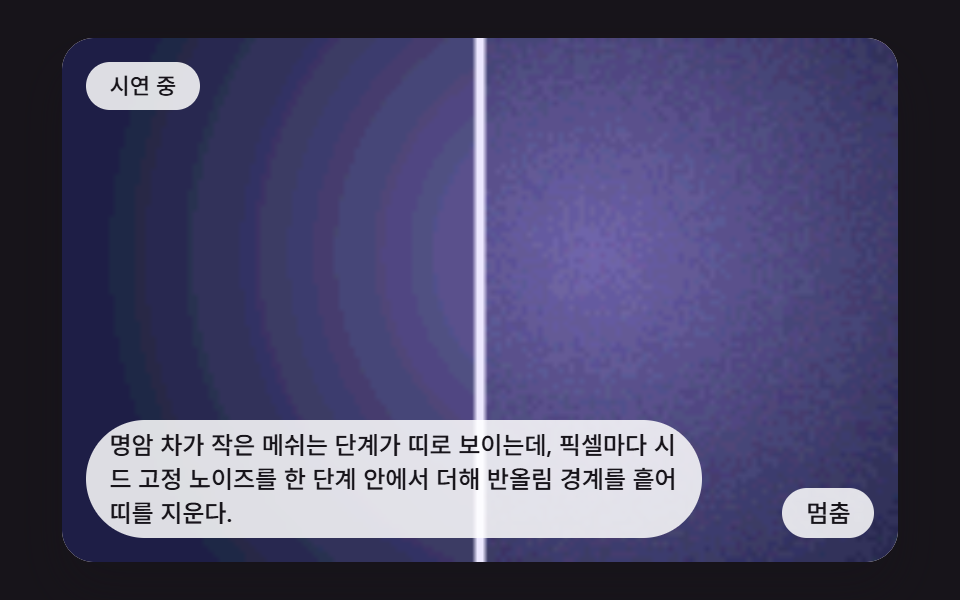 06 mg-grain-dither-banding-removal
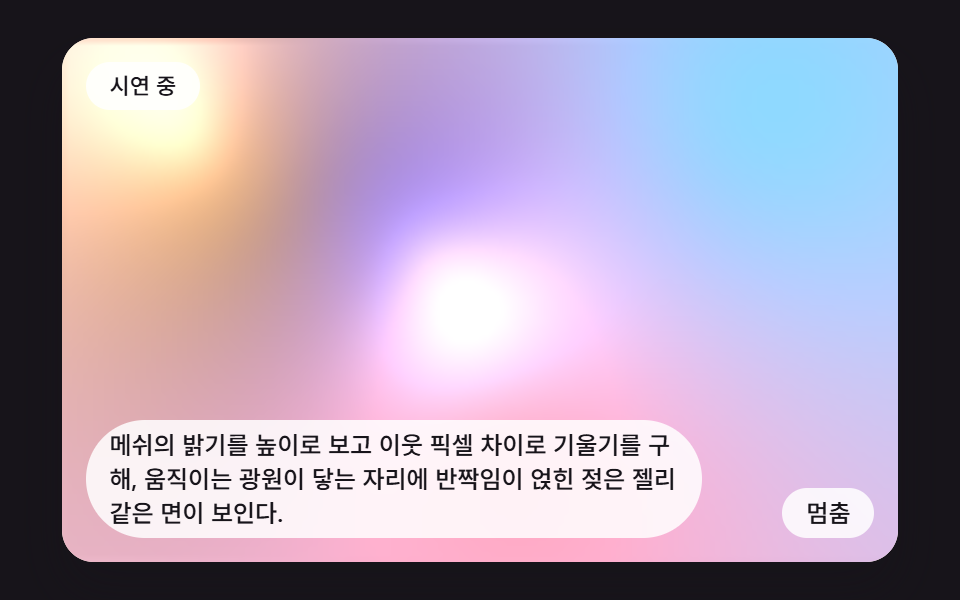 07 mg-luminance-height-normal-sheen
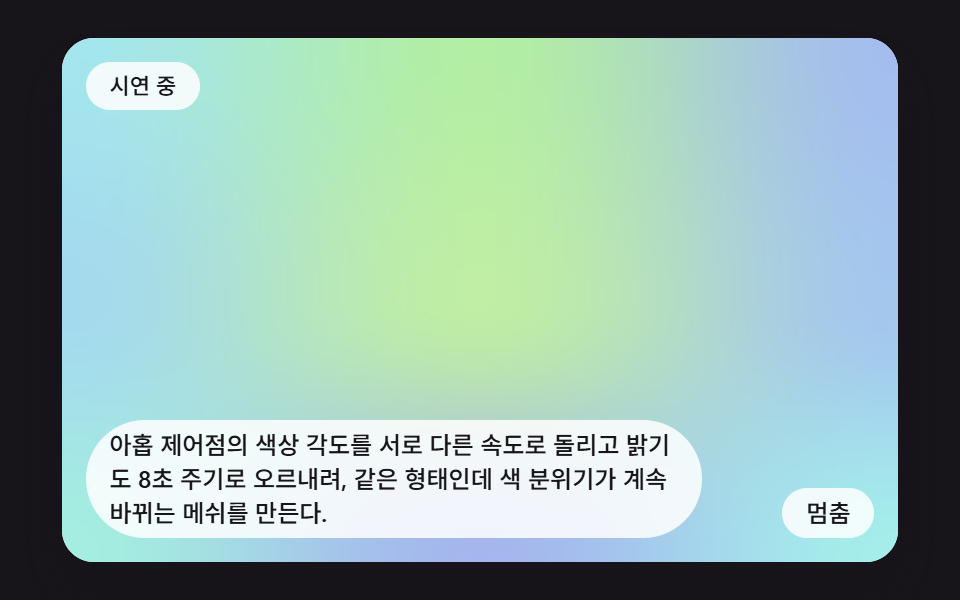 08 mg-palette-hue-cycle-drift
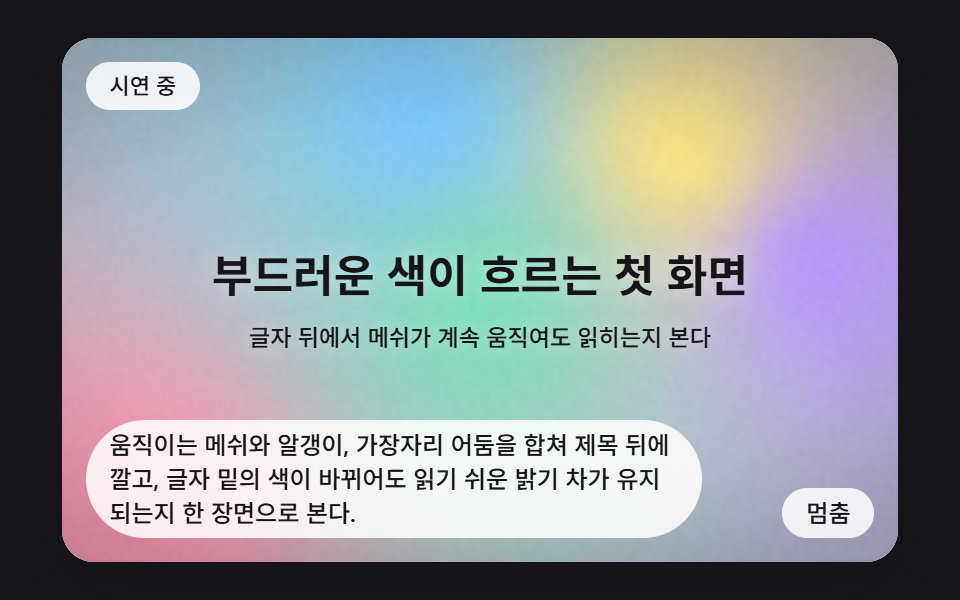 09 mg-hero-backdrop-vignette-scene
Auto-plays · click a tile to jump to its section · all nine in one zip
- 01 Base Mesh Blending Four Corner Colors
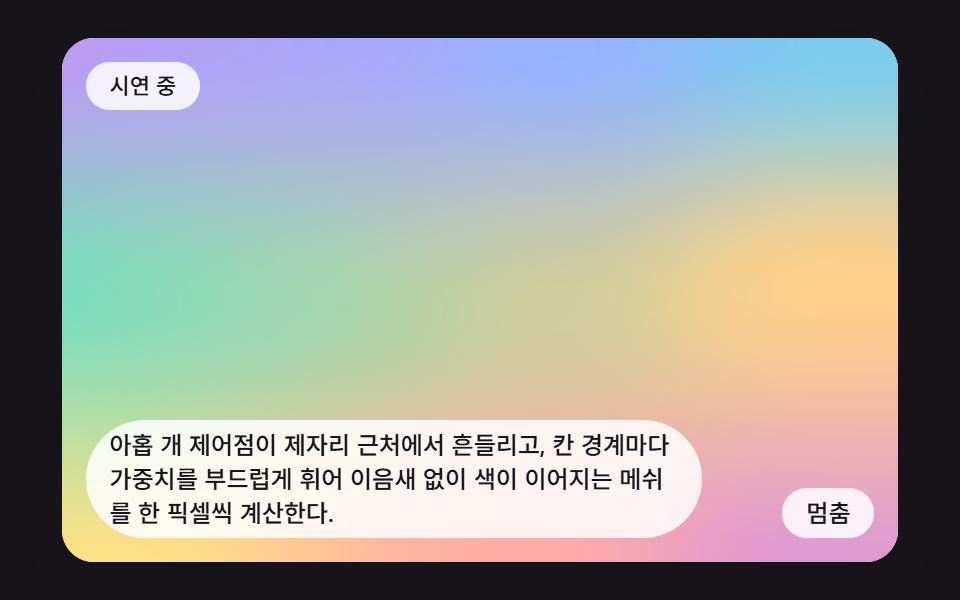
- 02 Soft Mesh with Drifting 3x3 Control Points
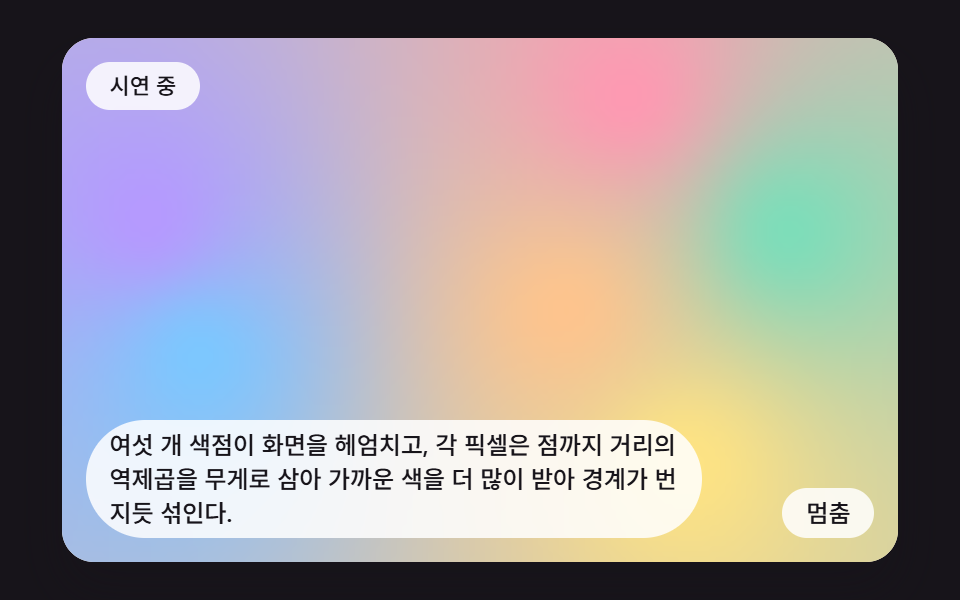
- 03 Bleeding Mesh Mixed by Inverse Distance
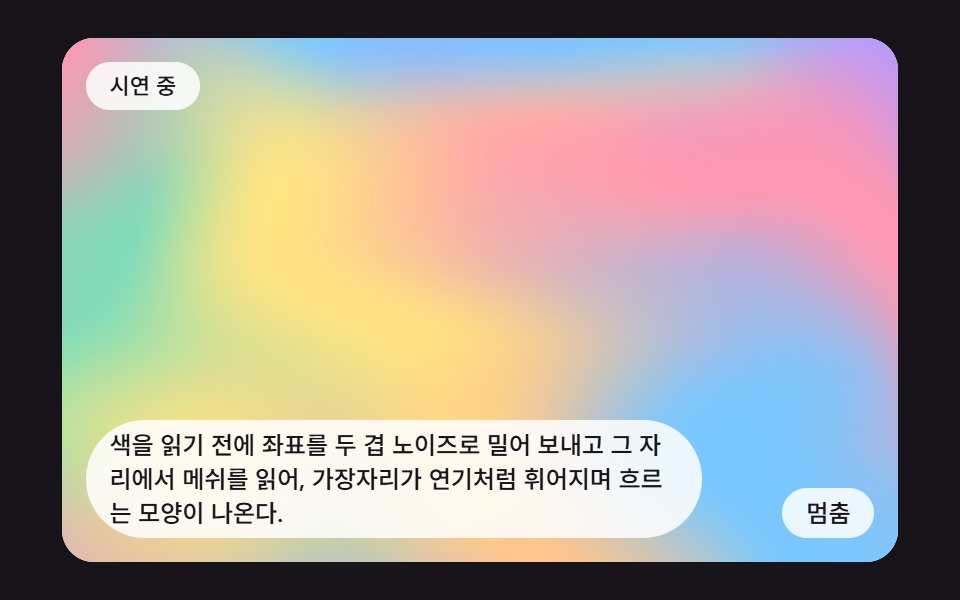
- 04 Mesh Flowing Through Noise-Warped Coordinates
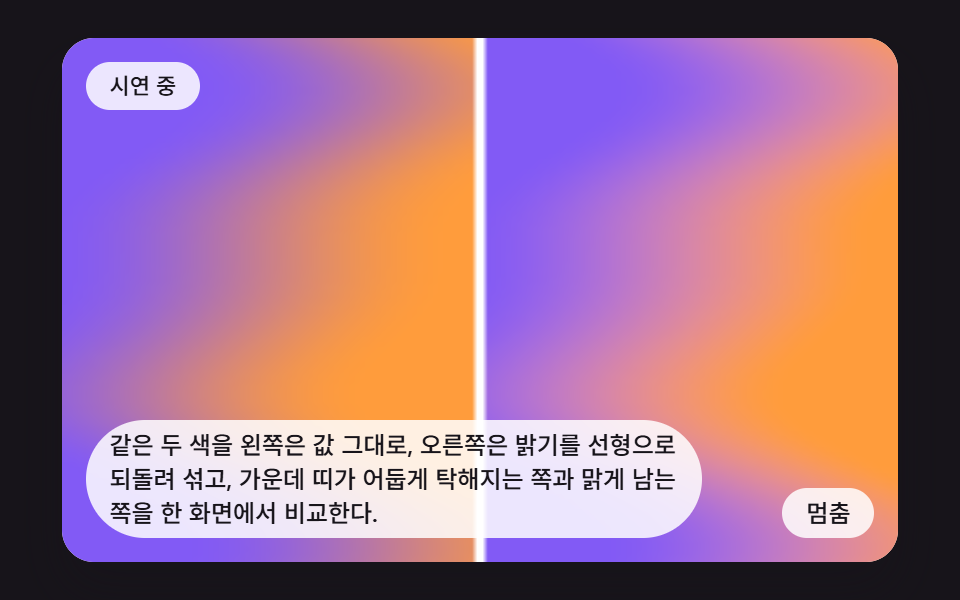
- 05 A Plain Mix Beside a Gamma-Corrected Mix
- 06 Grain Dither That Erases Banding
- 07 Mesh Read as Height with a Travelling Sheen
- 08 Mesh Whose Hue Angles Turn to Shift the Mood
- 09 Mesh Hero Backdrop Behind a Headline
Mesh Gradient Animation: 9 Scenes Where Every Pixel Computes Its Color
If you came looking for a mesh gradient generator with sliders, this page is the other kind: nine scenes where JavaScript works out the color of every pixel, and the knobs are constants in the file. All nine stand on one frame. The canvas holds 160 by 100 cells (CALC_W and CALC_H), each frame writes the color of all 16,000 cells into an ImageData made with createImageData, sends it up with putImageData, and lets CSS stretch the result to a 16:10 box. The cell count stays low on purpose, since every extra cell adds the same share of work to every frame.
On top of that frame each scene changes one way of mixing color. Scene 01 shows that a bilinear blend of four corners is the smallest mesh gradient, 02 spreads it over 3×3 control points, and 03 drops the grid and places free color points. Scene 04 bends the coordinates the color is read from with noise, 05 and 06 are side-by-side comparisons that repair one mixing trap each, 07 reads brightness as height to add a sheen, 08 turns the hue angles, and 09 stacks 03's point blending with edge darkening and grain behind a headline.
Treat it as a small mesh gradient animation js reference. Time comes from requestAnimationFrame timestamps gathered in 16 ms steps (FIXED_DT) and handed to paint(t, d) in seconds, and the only random numbers come from a seeded seedRand, so one moment always draws one picture. There is no library, no WebGL and no outside address. For two neighbors that also compute color per pixel, compare HTML5 Canvas Animation: 9 Warp & Droplet Effects and Rainbow Gradient Background CSS: 9 Patterns; the first bends an image, the second layers sine waves into color bands.
Code for Each Color-Mixing Technique
Every snippet below is a run of consecutive lines cut from the demo source in their original order, and the complete files are in the zip. The helper pick(pal, pos, out) reads a color list as a loop: the integer part of pos chooses a color and the fraction blends toward the next one linearly. The color cycling in 01 and 02 comes from this one function; 08 never calls it and turns the hue angle directly with HUE_SPEED.
01Base Mesh Blending Four Corner Colors
CORNER_RATE (2 per second) moves each corner one step along a pink, lilac, sky and mint list, clockwise, and every pixel calls lerp twice across and once down to take a weighted average of the four colors. The middle is an equal share of all four, so it tends to look duller than the corners, and this bilinear frame is the skeleton behind every mesh gradient. Over 23 of 23 measured frames, scene 01 accumulated 60.9% repaint area at an average intensity of 15.9.
<main class="stage">
<div class="mg is-demo" id="mgRoot">
  <canvas class="mg__canvas" id="mgCanvas" width="160" height="100" tabindex="0" aria-label="The four corner colours travel around the square, and every pixel takes its colour from a weighted average along both axes, giving the simplest mesh gradient."></canvas>
  <p class="mg__status" id="mgStatus" aria-live="polite">Demo running</p>
  <button class="mg__btn" id="mgBtn" type="button">Pause</button>
  <p class="mg__caption">The four corner colours travel around the square, and every pixel takes its colour from a weighted average along both axes, giving the simplest mesh gradient.</p>
</div>
</main>
@use "../../../../site/static/demo-tokens" as *;
@include stage($stage-ink);
.mg {
position: relative;
width: min(92vw, calc(160vh - 12.8vw));
aspect-ratio: 480 / 300;
margin: 0 auto;
border-radius: $r-card;
overflow: hidden;
box-shadow: $shadow-raised;
background: $subject-cream;
}
.mg__canvas {
display: block;
width: 100%;
height: 100%;
touch-action: none;
}
.mg__canvas:focus-visible {
outline: 2px solid rgba(23, 20, 26, .85);
outline-offset: -6px;
}
.mg__status {
position: absolute;
left: $sp-3;
top: $sp-3;
max-width: 70%;
margin: 0;
padding: $sp-1 $sp-3;
border-radius: $r-pill;
background: rgba(255, 255, 255, .85);
color: $subject-ink;
font-weight: 500;
font-size: 11px;
line-height: 1.4;
pointer-events: none;
}
.mg__btn {
position: absolute;
right: $sp-3;
bottom: $sp-3;
margin: 0;
padding: $sp-1 $sp-3;
border: 0;
border-radius: $r-pill;
background: rgba(255, 255, 255, .85);
color: $subject-ink;
font: inherit;
font-weight: 500;
font-size: 12px;
line-height: 1.4;
cursor: pointer;
}
.mg__btn:focus-visible {
outline: 2px solid $subject-ink;
outline-offset: 2px;
}
.mg__caption {
position: absolute;
left: $sp-3;
bottom: $sp-3;
max-width: 68%;
margin: 0;
padding: $sp-1 $sp-3;
border-radius: $r-pill;
background: rgba(255, 255, 255, .85);
color: $subject-ink;
font-weight: 500;
font-size: 12px;
line-height: 1.4;
pointer-events: none;
}
@media (max-width: 340px) {
.mg__caption, .mg__btn { font-size: 10px; padding: $sp-1 $sp-2; }
.mg__status { font-size: 10px; }
}
@media (prefers-reduced-motion: reduce) {
.mg { cursor: default; }
}html, body {
margin: 0;
overflow: hidden;
}
.stage {
box-sizing: border-box;
min-height: 100vh;
display: grid;
place-items: center;
margin: 0;
background: #17141a;
font-family: -apple-system, "Segoe UI", "Noto Sans KR", sans-serif;
padding: clamp(8px, 4vw, 24px);
}
.mg {
position: relative;
width: min(92vw, 160vh - 12.8vw);
aspect-ratio: 480/300;
margin: 0 auto;
border-radius: 16px;
overflow: hidden;
box-shadow: 0 14px 24px rgba(23, 20, 26, 0.32);
background: #fff7e6;
}
.mg__canvas {
display: block;
width: 100%;
height: 100%;
touch-action: none;
}
.mg__canvas:focus-visible {
outline: 2px solid rgba(23, 20, 26, 0.85);
outline-offset: -6px;
}
.mg__status {
position: absolute;
left: 12px;
top: 12px;
max-width: 70%;
margin: 0;
padding: 4px 12px;
border-radius: 999px;
background: rgba(255, 255, 255, 0.85);
color: #17141a;
font-weight: 500;
font-size: 11px;
line-height: 1.4;
pointer-events: none;
}
.mg__btn {
position: absolute;
right: 12px;
bottom: 12px;
margin: 0;
padding: 4px 12px;
border: 0;
border-radius: 999px;
background: rgba(255, 255, 255, 0.85);
color: #17141a;
font: inherit;
font-weight: 500;
font-size: 12px;
line-height: 1.4;
cursor: pointer;
}
.mg__btn:focus-visible {
outline: 2px solid #17141a;
outline-offset: 2px;
}
.mg__caption {
position: absolute;
left: 12px;
bottom: 12px;
max-width: 68%;
margin: 0;
padding: 4px 12px;
border-radius: 999px;
background: rgba(255, 255, 255, 0.85);
color: #17141a;
font-weight: 500;
font-size: 12px;
line-height: 1.4;
pointer-events: none;
}
@media (max-width: 340px) {
.mg__caption, .mg__btn {
font-size: 10px;
padding: 4px 8px;
}
.mg__status {
font-size: 10px;
}
}
@media (prefers-reduced-motion: reduce) {
.mg {
cursor: default;
}
}(function () {
var root = document.getElementById('mgRoot');
var canvas = document.getElementById('mgCanvas');
var statusEl = document.getElementById('mgStatus');
var btnEl = document.getElementById('mgBtn');
function main(root, canvas, statusEl, btnEl) {
var ctx0 = canvas.getContext('2d');
if (!ctx0) {
return function () { return; };
}
var ctx = ctx0;
var CALC_W = 160, CALC_H = 100;
var FIXED_DT = 16;
var REDUCE_STEP_MS = 900;
var reduce = window.matchMedia('(prefers-reduced-motion: reduce)').matches;
if (reduce)
root.classList.remove('is-demo');
var paused = false;
var elapsed = 0, rafId = 0;
var cleaners = [];
function listen(target, type, fn) {
target.addEventListener(type, fn);
cleaners.push(function () { target.removeEventListener(type, fn); });
}
function clamp(v, lo, hi) { return v < lo ? lo : (v > hi ? hi : v); }
function lerp(a, b, k) { return a + (b - a) * k; }
function smooth(x) { var c = clamp(x, 0, 1); return c * c * (3 - 2 * c); }
function setStatus(msg) { statusEl.textContent = msg; }
// 시드 고정 난수 (mulberry32) — 같은 시드는 언제나 같은 수열이다
function seedRand(seed) {
var s = seed >>> 0;
return function () {
s = (s + 0x6D2B79F5) >>> 0;
var z = s;
z = Math.imul(z ^ (z >>> 15), z | 1);
z ^= z + Math.imul(z ^ (z >>> 7), z | 61);
return ((z ^ (z >>> 14)) >>> 0) / 4294967296;
};
}
// 파스텔 여섯 색 — 분홍·라일락·하늘·민트·살구·버터
var PAL = [[255, 152, 178], [182, 152, 255], [122, 200, 255], [122, 222, 186], [255, 196, 140], [255, 228, 130]];
// 색 목록을 원형으로 읽는다. pos 의 정수부는 몇 번째 색, 소수부는 다음 색으로 넘어가는 정도
function pick(pal, pos, out) {
var n = pal.length;
var i0 = Math.floor(pos);
var f = pos - i0;
var a = pal[((i0 % n) + n) % n];
var b = pal[(((i0 + 1) % n) + n) % n];
out[0] = lerp(a[0], b[0], f);
out[1] = lerp(a[1], b[1], f);
out[2] = lerp(a[2], b[2], f);
}
function put(d, x, y, r, g, b) {
var o = (y * CALC_W + x) * 4;
d[o] = r;
d[o + 1] = g;
d[o + 2] = b;
d[o + 3] = 255;
}
canvas.width = CALC_W;
canvas.height = CALC_H;
var img = ctx.createImageData(CALC_W, CALC_H);
var px = img.data;
// 01 네 모서리 쌍선형 보간 — 모서리 색이 시계 방향으로 한 칸씩 돈다
var REDUCE_MS = 700;
var CORNER_RATE = 2;
var CORNER_PAL = [PAL[0], PAL[1], PAL[2], PAL[3]];
var corners = [[0, 0, 0], [0, 0, 0], [0, 0, 0], [0, 0, 0]];
function paint(t, d) {
// 왼쪽 위 → 오른쪽 위 → 오른쪽 아래 → 왼쪽 아래 순서로 색 목록의 이웃 칸을 하나씩 받는다
pick(CORNER_PAL, t * CORNER_RATE + 0, corners[0]);
pick(CORNER_PAL, t * CORNER_RATE + 1, corners[1]);
pick(CORNER_PAL, t * CORNER_RATE + 2, corners[3]);
pick(CORNER_PAL, t * CORNER_RATE + 3, corners[2]);
for (var y = 0; y < CALC_H; y += 1) {
var v = y / (CALC_H - 1);
for (var x = 0; x < CALC_W; x += 1) {
var u = x / (CALC_W - 1);
var r = lerp(lerp(corners[0][0], corners[1][0], u), lerp(corners[2][0], corners[3][0], u), v);
var g = lerp(lerp(corners[0][1], corners[1][1], u), lerp(corners[2][1], corners[3][1], u), v);
var b = lerp(lerp(corners[0][2], corners[1][2], u), lerp(corners[2][2], corners[3][2], u), v);
put(d, x, y, r, g, b);
}
}
}
function draw() {
paint(elapsed / 1000, px);
ctx.putImageData(img, 0, 0);
}
var lastTs = null;
var accMs = 0;
function tick(ts) {
if (lastTs === null) {
lastTs = ts;
}
var frameDt = Math.min(ts - lastTs, 48);
lastTs = ts;
if (!paused) {
accMs += frameDt;
while (accMs >= FIXED_DT) {
elapsed += FIXED_DT;
accMs -= FIXED_DT;
}
draw();
}
rafId = requestAnimationFrame(tick);
}
function onButton() {
root.classList.remove('is-demo');
if (reduce) {
elapsed += REDUCE_STEP_MS;
draw();
setStatus('Stepping one scene at a time');
return;
}
paused = !paused;
btnEl.textContent = paused ? 'Play' : 'Pause';
setStatus(paused ? 'Paused' : 'Demo running');
}
draw();
listen(btnEl, 'click', function () { onButton(); });
listen(canvas, 'pointerdown', function () { onButton(); });
listen(canvas, 'keydown', function (e) {
var k = e.key;
if (k === 'Enter' || k === ' ') {
e.preventDefault();
onButton();
}
});
if (reduce) {
elapsed = REDUCE_MS;
draw();
btnEl.textContent = 'Next scene';
setStatus('Stepping one scene at a time');
}
else {
rafId = requestAnimationFrame(tick);
}
function destroy() {
cancelAnimationFrame(rafId);
for (var i = 0; i < cleaners.length; i += 1) {
cleaners[i]();
}
}
return destroy;
}
main(root, canvas, statusEl, btnEl);
})();import { useEffect, useRef } from "react";
import styles from "./MgBilinearFourCornerOrbit.module.scss";
function main(root: HTMLDivElement, canvas: HTMLCanvasElement, statusEl: HTMLElement, btnEl: HTMLButtonElement): () => void {
var ctx0 = canvas.getContext('2d');
if (!ctx0) { return function (): void { return; }; }
var ctx: CanvasRenderingContext2D = ctx0;
var CALC_W = 160, CALC_H = 100;
var FIXED_DT = 16;
var REDUCE_STEP_MS = 900;
var reduce = window.matchMedia('(prefers-reduced-motion: reduce)').matches;
if (reduce) root.classList.remove('is-demo');
var paused = false;
var elapsed = 0, rafId = 0;
var cleaners: Array<() => void> = [];
function listen(target: EventTarget, type: string, fn: (e: Event) => void): void {
target.addEventListener(type, fn);
cleaners.push(function (): void { target.removeEventListener(type, fn); });
}
function clamp(v: number, lo: number, hi: number): number { return v < lo ? lo : (v > hi ? hi : v); }
function lerp(a: number, b: number, k: number): number { return a + (b - a) * k; }
function smooth(x: number): number { var c = clamp(x, 0, 1); return c * c * (3 - 2 * c); }
function setStatus(msg: string): void { statusEl.textContent = msg; }
// 시드 고정 난수 (mulberry32) — 같은 시드는 언제나 같은 수열이다
function seedRand(seed: number): () => number {
var s = seed >>> 0;
return function (): number {
s = (s + 0x6D2B79F5) >>> 0;
var z = s;
z = Math.imul(z ^ (z >>> 15), z | 1);
z ^= z + Math.imul(z ^ (z >>> 7), z | 61);
return ((z ^ (z >>> 14)) >>> 0) / 4294967296;
};
}
// 파스텔 여섯 색 — 분홍·라일락·하늘·민트·살구·버터
var PAL: number[][] = [[255, 152, 178], [182, 152, 255], [122, 200, 255], [122, 222, 186], [255, 196, 140], [255, 228, 130]];
// 색 목록을 원형으로 읽는다. pos 의 정수부는 몇 번째 색, 소수부는 다음 색으로 넘어가는 정도
function pick(pal: number[][], pos: number, out: number[]): void {
var n = pal.length;
var i0 = Math.floor(pos);
var f = pos - i0;
var a = pal[((i0 % n) + n) % n];
var b = pal[(((i0 + 1) % n) + n) % n];
out[0] = lerp(a[0], b[0], f);
out[1] = lerp(a[1], b[1], f);
out[2] = lerp(a[2], b[2], f);
}
function put(d: Uint8ClampedArray, x: number, y: number, r: number, g: number, b: number): void {
var o = (y * CALC_W + x) * 4;
d[o] = r;
d[o + 1] = g;
d[o + 2] = b;
d[o + 3] = 255;
}
canvas.width = CALC_W;
canvas.height = CALC_H;
var img = ctx.createImageData(CALC_W, CALC_H);
var px = img.data;
// 01 네 모서리 쌍선형 보간 — 모서리 색이 시계 방향으로 한 칸씩 돈다
var REDUCE_MS = 700;
var CORNER_RATE = 2;
var CORNER_PAL: number[][] = [PAL[0], PAL[1], PAL[2], PAL[3]];
var corners: number[][] = [[0, 0, 0], [0, 0, 0], [0, 0, 0], [0, 0, 0]];
function paint(t: number, d: Uint8ClampedArray): void {
// 왼쪽 위 → 오른쪽 위 → 오른쪽 아래 → 왼쪽 아래 순서로 색 목록의 이웃 칸을 하나씩 받는다
pick(CORNER_PAL, t * CORNER_RATE + 0, corners[0]);
pick(CORNER_PAL, t * CORNER_RATE + 1, corners[1]);
pick(CORNER_PAL, t * CORNER_RATE + 2, corners[3]);
pick(CORNER_PAL, t * CORNER_RATE + 3, corners[2]);
for (var y = 0; y < CALC_H; y += 1) {
var v = y / (CALC_H - 1);
for (var x = 0; x < CALC_W; x += 1) {
var u = x / (CALC_W - 1);
var r = lerp(lerp(corners[0][0], corners[1][0], u), lerp(corners[2][0], corners[3][0], u), v);
var g = lerp(lerp(corners[0][1], corners[1][1], u), lerp(corners[2][1], corners[3][1], u), v);
var b = lerp(lerp(corners[0][2], corners[1][2], u), lerp(corners[2][2], corners[3][2], u), v);
put(d, x, y, r, g, b);
}
}
}
function draw(): void {
paint(elapsed / 1000, px);
ctx.putImageData(img, 0, 0);
}
var lastTs: number | null = null;
var accMs = 0;
function tick(ts: number): void {
if (lastTs === null) { lastTs = ts; }
var frameDt = Math.min(ts - lastTs, 48);
lastTs = ts;
if (!paused) {
accMs += frameDt;
while (accMs >= FIXED_DT) {
elapsed += FIXED_DT;
accMs -= FIXED_DT;
}
draw();
}
rafId = requestAnimationFrame(tick);
}
function onButton(): void {
root.classList.remove('is-demo');
if (reduce) {
elapsed += REDUCE_STEP_MS;
draw();
setStatus('한 장면씩 넘기는 중');
return;
}
paused = !paused;
btnEl.textContent = paused ? '재생' : '멈춤';
setStatus(paused ? '일시정지됨' : '시연 중');
}
draw();
listen(btnEl, 'click', function (): void { onButton(); });
listen(canvas, 'pointerdown', function (): void { onButton(); });
listen(canvas, 'keydown', function (e: Event): void {
var k = (e as KeyboardEvent).key;
if (k === 'Enter' || k === ' ') { e.preventDefault(); onButton(); }
});
if (reduce) {
elapsed = REDUCE_MS;
draw();
btnEl.textContent = '다음 장면';
setStatus('한 장면씩 넘기는 중');
} else {
rafId = requestAnimationFrame(tick);
}
function destroy(): void {
cancelAnimationFrame(rafId);
for (var i = 0; i < cleaners.length; i += 1) { cleaners[i](); }
}
return destroy;
}
export default function MgBilinearFourCornerOrbit() {
const rootRef = useRef<HTMLDivElement | null>(null);
const canvasRef = useRef<HTMLCanvasElement | null>(null);
const statusRef = useRef<HTMLParagraphElement | null>(null);
const btnRef = useRef<HTMLButtonElement | null>(null);
useEffect(() => {
const root = rootRef.current;
const canvas = canvasRef.current;
const statusEl = statusRef.current;
const btnEl = btnRef.current;
if (!root || !canvas || !statusEl || !btnEl) return;
return main(root, canvas, statusEl, btnEl);
}, []);
return (
<main className={styles.stage}>
<div className={`${styles.mg} is-demo`} ref={rootRef}>
<canvas className={styles.mg__canvas} ref={canvasRef} width={160} height={100} tabIndex={0} aria-label="캔버스 네 모서리의 색이 원을 따라 돌고, 모든 픽셀이 가로·세로 두 방향 가중 평균으로 색을 받아 가장 단순한 메쉬 그라데이션이 만들어진다." />
<p className={styles.mg__status} ref={statusRef} aria-live="polite">시연 중</p>
<button className={styles.mg__btn} ref={btnRef} type="button">멈춤</button>
<p className={styles.mg__caption}>캔버스 네 모서리의 색이 원을 따라 돌고, 모든 픽셀이 가로·세로 두 방향 가중 평균으로 색을 받아 가장 단순한 메쉬 그라데이션이 만들어진다.</p>
</div>
</main>
);
}01 · Base Mesh Blending Four Corner Colors — Measured area 60.93% · moving frames 23/23Original by GODRICH · SCSS and React ship in the zip · See the password
      var CORNER_RATE = 2;
      var CORNER_PAL = [PAL[0], PAL[1], PAL[2], PAL[3]];
      var corners = [[0, 0, 0], [0, 0, 0], [0, 0, 0], [0, 0, 0]];
      function paint(t, d) {
          // top left, top right, bottom right, bottom left: each corner takes the next neighbouring entry of the colour list
          pick(CORNER_PAL, t * CORNER_RATE + 0, corners[0]);
          pick(CORNER_PAL, t * CORNER_RATE + 1, corners[1]);
          pick(CORNER_PAL, t * CORNER_RATE + 2, corners[3]);
          pick(CORNER_PAL, t * CORNER_RATE + 3, corners[2]);
          for (var y = 0; y < CALC_H; y += 1) {
              var v = y / (CALC_H - 1);
              for (var x = 0; x < CALC_W; x += 1) {
                  var u = x / (CALC_W - 1);
                  var r = lerp(lerp(corners[0][0], corners[1][0], u), lerp(corners[2][0], corners[3][0], u), v);
                  var g = lerp(lerp(corners[0][1], corners[1][1], u), lerp(corners[2][1], corners[3][1], u), v);
                  var b = lerp(lerp(corners[0][2], corners[1][2], u), lerp(corners[2][2], corners[3][2], u), v);
                  put(d, x, y, r, g, b);
              }
          }
02Soft Mesh with Drifting 3x3 Control Points
Use this when a background shows cell-sized steps. Nine control points read the color list at NODE_RATE (1.2 per second) and sway near their anchors by SWAY (0.12), and the weights inside a cell pass through smooth, so the slope is zero at every cell border and the kink at the seams is reduced. Each pixel also shifts its reading position backward by the points' displacement so the picture bends with them; the measured result is 69.1% accumulated area at intensity 16.5 on 23/23 frames.
<main class="stage">
<div class="mg is-demo" id="mgRoot">
  <canvas class="mg__canvas" id="mgCanvas" width="160" height="100" tabindex="0" aria-label="Nine control points sway near their anchors, and the weights are eased at every cell border so the colour flows without a seam, computed pixel by pixel."></canvas>
  <p class="mg__status" id="mgStatus" aria-live="polite">Demo running</p>
  <button class="mg__btn" id="mgBtn" type="button">Pause</button>
  <p class="mg__caption">Nine control points sway near their anchors, and the weights are eased at every cell border so the colour flows without a seam, computed pixel by pixel.</p>
</div>
</main>
@use "../../../../site/static/demo-tokens" as *;
@include stage($stage-ink);
.mg {
position: relative;
width: min(92vw, calc(160vh - 12.8vw));
aspect-ratio: 480 / 300;
margin: 0 auto;
border-radius: $r-card;
overflow: hidden;
box-shadow: $shadow-raised;
background: $subject-cream;
}
.mg__canvas {
display: block;
width: 100%;
height: 100%;
touch-action: none;
}
.mg__canvas:focus-visible {
outline: 2px solid rgba(23, 20, 26, .85);
outline-offset: -6px;
}
.mg__status {
position: absolute;
left: $sp-3;
top: $sp-3;
max-width: 70%;
margin: 0;
padding: $sp-1 $sp-3;
border-radius: $r-pill;
background: rgba(255, 255, 255, .85);
color: $subject-ink;
font-weight: 500;
font-size: 11px;
line-height: 1.4;
pointer-events: none;
}
.mg__btn {
position: absolute;
right: $sp-3;
bottom: $sp-3;
margin: 0;
padding: $sp-1 $sp-3;
border: 0;
border-radius: $r-pill;
background: rgba(255, 255, 255, .85);
color: $subject-ink;
font: inherit;
font-weight: 500;
font-size: 12px;
line-height: 1.4;
cursor: pointer;
}
.mg__btn:focus-visible {
outline: 2px solid $subject-ink;
outline-offset: 2px;
}
.mg__caption {
position: absolute;
left: $sp-3;
bottom: $sp-3;
max-width: 68%;
margin: 0;
padding: $sp-1 $sp-3;
border-radius: $r-pill;
background: rgba(255, 255, 255, .85);
color: $subject-ink;
font-weight: 500;
font-size: 12px;
line-height: 1.4;
pointer-events: none;
}
@media (max-width: 340px) {
.mg__caption, .mg__btn { font-size: 10px; padding: $sp-1 $sp-2; }
.mg__status { font-size: 10px; }
}
@media (prefers-reduced-motion: reduce) {
.mg { cursor: default; }
}html, body {
margin: 0;
overflow: hidden;
}
.stage {
box-sizing: border-box;
min-height: 100vh;
display: grid;
place-items: center;
margin: 0;
background: #17141a;
font-family: -apple-system, "Segoe UI", "Noto Sans KR", sans-serif;
padding: clamp(8px, 4vw, 24px);
}
.mg {
position: relative;
width: min(92vw, 160vh - 12.8vw);
aspect-ratio: 480/300;
margin: 0 auto;
border-radius: 16px;
overflow: hidden;
box-shadow: 0 14px 24px rgba(23, 20, 26, 0.32);
background: #fff7e6;
}
.mg__canvas {
display: block;
width: 100%;
height: 100%;
touch-action: none;
}
.mg__canvas:focus-visible {
outline: 2px solid rgba(23, 20, 26, 0.85);
outline-offset: -6px;
}
.mg__status {
position: absolute;
left: 12px;
top: 12px;
max-width: 70%;
margin: 0;
padding: 4px 12px;
border-radius: 999px;
background: rgba(255, 255, 255, 0.85);
color: #17141a;
font-weight: 500;
font-size: 11px;
line-height: 1.4;
pointer-events: none;
}
.mg__btn {
position: absolute;
right: 12px;
bottom: 12px;
margin: 0;
padding: 4px 12px;
border: 0;
border-radius: 999px;
background: rgba(255, 255, 255, 0.85);
color: #17141a;
font: inherit;
font-weight: 500;
font-size: 12px;
line-height: 1.4;
cursor: pointer;
}
.mg__btn:focus-visible {
outline: 2px solid #17141a;
outline-offset: 2px;
}
.mg__caption {
position: absolute;
left: 12px;
bottom: 12px;
max-width: 68%;
margin: 0;
padding: 4px 12px;
border-radius: 999px;
background: rgba(255, 255, 255, 0.85);
color: #17141a;
font-weight: 500;
font-size: 12px;
line-height: 1.4;
pointer-events: none;
}
@media (max-width: 340px) {
.mg__caption, .mg__btn {
font-size: 10px;
padding: 4px 8px;
}
.mg__status {
font-size: 10px;
}
}
@media (prefers-reduced-motion: reduce) {
.mg {
cursor: default;
}
}(function () {
var root = document.getElementById('mgRoot');
var canvas = document.getElementById('mgCanvas');
var statusEl = document.getElementById('mgStatus');
var btnEl = document.getElementById('mgBtn');
function main(root, canvas, statusEl, btnEl) {
var ctx0 = canvas.getContext('2d');
if (!ctx0) {
return function () { return; };
}
var ctx = ctx0;
var CALC_W = 160, CALC_H = 100;
var FIXED_DT = 16;
var REDUCE_STEP_MS = 900;
var reduce = window.matchMedia('(prefers-reduced-motion: reduce)').matches;
if (reduce)
root.classList.remove('is-demo');
var paused = false;
var elapsed = 0, rafId = 0;
var cleaners = [];
function listen(target, type, fn) {
target.addEventListener(type, fn);
cleaners.push(function () { target.removeEventListener(type, fn); });
}
function clamp(v, lo, hi) { return v < lo ? lo : (v > hi ? hi : v); }
function lerp(a, b, k) { return a + (b - a) * k; }
function smooth(x) { var c = clamp(x, 0, 1); return c * c * (3 - 2 * c); }
function setStatus(msg) { statusEl.textContent = msg; }
// 시드 고정 난수 (mulberry32) — 같은 시드는 언제나 같은 수열이다
function seedRand(seed) {
var s = seed >>> 0;
return function () {
s = (s + 0x6D2B79F5) >>> 0;
var z = s;
z = Math.imul(z ^ (z >>> 15), z | 1);
z ^= z + Math.imul(z ^ (z >>> 7), z | 61);
return ((z ^ (z >>> 14)) >>> 0) / 4294967296;
};
}
// 파스텔 여섯 색 — 분홍·라일락·하늘·민트·살구·버터
var PAL = [[255, 152, 178], [182, 152, 255], [122, 200, 255], [122, 222, 186], [255, 196, 140], [255, 228, 130]];
// 색 목록을 원형으로 읽는다. pos 의 정수부는 몇 번째 색, 소수부는 다음 색으로 넘어가는 정도
function pick(pal, pos, out) {
var n = pal.length;
var i0 = Math.floor(pos);
var f = pos - i0;
var a = pal[((i0 % n) + n) % n];
var b = pal[(((i0 + 1) % n) + n) % n];
out[0] = lerp(a[0], b[0], f);
out[1] = lerp(a[1], b[1], f);
out[2] = lerp(a[2], b[2], f);
}
function put(d, x, y, r, g, b) {
var o = (y * CALC_W + x) * 4;
d[o] = r;
d[o + 1] = g;
d[o + 2] = b;
d[o + 3] = 255;
}
canvas.width = CALC_W;
canvas.height = CALC_H;
var img = ctx.createImageData(CALC_W, CALC_H);
var px = img.data;
// 02 3×3 제어점 smoothstep — 아홉 제어점이 제자리 근처에서 흔들리고 색도 이웃 색으로 넘어간다
var REDUCE_MS = 900;
var SWAY = 0.12;
var NODE_RATE = 1.2;
var nodeCol = [];
var nodeDx = [];
var nodeDy = [];
for (var ni = 0; ni < 9; ni += 1) {
nodeCol.push([0, 0, 0]);
nodeDx.push(0);
nodeDy.push(0);
}
var meshTmp = [0, 0, 0];
// 0~1 좌표를 칸 번호(0 또는 1)와 칸 안의 부드러운 가중치로 나눈다
      function meshAt(u, v, out) {
          var gx = clamp(u, 0, 1) * 2, gy = clamp(v, 0, 1) * 2;
          var ix = Math.min(1, Math.floor(gx)), iy = Math.min(1, Math.floor(gy));
          var fx = smooth(gx - ix), fy = smooth(gy - iy);
          var a = nodeCol[iy * 3 + ix], b = nodeCol[iy * 3 + ix + 1];
          var c = nodeCol[(iy + 1) * 3 + ix], e = nodeCol[(iy + 1) * 3 + ix + 1];
          out[0] = lerp(lerp(a[0], b[0], fx), lerp(c[0], e[0], fx), fy);
          out[1] = lerp(lerp(a[1], b[1], fx), lerp(c[1], e[1], fx), fy);
          out[2] = lerp(lerp(a[2], b[2], fx), lerp(c[2], e[2], fx), fy);
      }
function paint(t, d) {
for (var n = 0; n < 9; n += 1) {
pick(PAL, n * 0.7 + t * NODE_RATE, nodeCol[n]);
nodeDx[n] = SWAY * Math.sin(6.2832 * (t * 1.2 + n * 0.37));
nodeDy[n] = SWAY * Math.cos(6.2832 * (t * 1.05 + n * 0.51));
}
for (var y = 0; y < CALC_H; y += 1) {
var v = y / (CALC_H - 1);
var gy = v * 2, iy = Math.min(1, Math.floor(gy)), fy = smooth(gy - iy);
for (var x = 0; x < CALC_W; x += 1) {
var u = x / (CALC_W - 1);
var gx = u * 2, ix = Math.min(1, Math.floor(gx)), fx = smooth(gx - ix);
var k0 = iy * 3 + ix, k1 = k0 + 1, k2 = k0 + 3, k3 = k0 + 4;
// 제어점이 움직인 만큼 읽는 자리를 거꾸로 민다 — 같은 부드러운 가중치로 변위를 섞는다
var du = lerp(lerp(nodeDx[k0], nodeDx[k1], fx), lerp(nodeDx[k2], nodeDx[k3], fx), fy);
var dv = lerp(lerp(nodeDy[k0], nodeDy[k1], fx), lerp(nodeDy[k2], nodeDy[k3], fx), fy);
meshAt(u - du, v - dv, meshTmp);
put(d, x, y, meshTmp[0], meshTmp[1], meshTmp[2]);
}
}
}
function draw() {
paint(elapsed / 1000, px);
ctx.putImageData(img, 0, 0);
}
var lastTs = null;
var accMs = 0;
function tick(ts) {
if (lastTs === null) {
lastTs = ts;
}
var frameDt = Math.min(ts - lastTs, 48);
lastTs = ts;
if (!paused) {
accMs += frameDt;
while (accMs >= FIXED_DT) {
elapsed += FIXED_DT;
accMs -= FIXED_DT;
}
draw();
}
rafId = requestAnimationFrame(tick);
}
function onButton() {
root.classList.remove('is-demo');
if (reduce) {
elapsed += REDUCE_STEP_MS;
draw();
setStatus('Stepping one scene at a time');
return;
}
paused = !paused;
btnEl.textContent = paused ? 'Play' : 'Pause';
setStatus(paused ? 'Paused' : 'Demo running');
}
draw();
listen(btnEl, 'click', function () { onButton(); });
listen(canvas, 'pointerdown', function () { onButton(); });
listen(canvas, 'keydown', function (e) {
var k = e.key;
if (k === 'Enter' || k === ' ') {
e.preventDefault();
onButton();
}
});
if (reduce) {
elapsed = REDUCE_MS;
draw();
btnEl.textContent = 'Next scene';
setStatus('Stepping one scene at a time');
}
else {
rafId = requestAnimationFrame(tick);
}
function destroy() {
cancelAnimationFrame(rafId);
for (var i = 0; i < cleaners.length; i += 1) {
cleaners[i]();
}
}
return destroy;
}
main(root, canvas, statusEl, btnEl);
})();import { useEffect, useRef } from "react";
import styles from "./MgGrid3SmoothstepControlPoints.module.scss";
function main(root: HTMLDivElement, canvas: HTMLCanvasElement, statusEl: HTMLElement, btnEl: HTMLButtonElement): () => void {
var ctx0 = canvas.getContext('2d');
if (!ctx0) { return function (): void { return; }; }
var ctx: CanvasRenderingContext2D = ctx0;
var CALC_W = 160, CALC_H = 100;
var FIXED_DT = 16;
var REDUCE_STEP_MS = 900;
var reduce = window.matchMedia('(prefers-reduced-motion: reduce)').matches;
if (reduce) root.classList.remove('is-demo');
var paused = false;
var elapsed = 0, rafId = 0;
var cleaners: Array<() => void> = [];
function listen(target: EventTarget, type: string, fn: (e: Event) => void): void {
target.addEventListener(type, fn);
cleaners.push(function (): void { target.removeEventListener(type, fn); });
}
function clamp(v: number, lo: number, hi: number): number { return v < lo ? lo : (v > hi ? hi : v); }
function lerp(a: number, b: number, k: number): number { return a + (b - a) * k; }
function smooth(x: number): number { var c = clamp(x, 0, 1); return c * c * (3 - 2 * c); }
function setStatus(msg: string): void { statusEl.textContent = msg; }
// 시드 고정 난수 (mulberry32) — 같은 시드는 언제나 같은 수열이다
function seedRand(seed: number): () => number {
var s = seed >>> 0;
return function (): number {
s = (s + 0x6D2B79F5) >>> 0;
var z = s;
z = Math.imul(z ^ (z >>> 15), z | 1);
z ^= z + Math.imul(z ^ (z >>> 7), z | 61);
return ((z ^ (z >>> 14)) >>> 0) / 4294967296;
};
}
// 파스텔 여섯 색 — 분홍·라일락·하늘·민트·살구·버터
var PAL: number[][] = [[255, 152, 178], [182, 152, 255], [122, 200, 255], [122, 222, 186], [255, 196, 140], [255, 228, 130]];
// 색 목록을 원형으로 읽는다. pos 의 정수부는 몇 번째 색, 소수부는 다음 색으로 넘어가는 정도
function pick(pal: number[][], pos: number, out: number[]): void {
var n = pal.length;
var i0 = Math.floor(pos);
var f = pos - i0;
var a = pal[((i0 % n) + n) % n];
var b = pal[(((i0 + 1) % n) + n) % n];
out[0] = lerp(a[0], b[0], f);
out[1] = lerp(a[1], b[1], f);
out[2] = lerp(a[2], b[2], f);
}
function put(d: Uint8ClampedArray, x: number, y: number, r: number, g: number, b: number): void {
var o = (y * CALC_W + x) * 4;
d[o] = r;
d[o + 1] = g;
d[o + 2] = b;
d[o + 3] = 255;
}
canvas.width = CALC_W;
canvas.height = CALC_H;
var img = ctx.createImageData(CALC_W, CALC_H);
var px = img.data;
// 02 3×3 제어점 smoothstep — 아홉 제어점이 제자리 근처에서 흔들리고 색도 이웃 색으로 넘어간다
var REDUCE_MS = 900;
var SWAY = 0.12;
var NODE_RATE = 1.2;
var nodeCol: number[][] = [];
var nodeDx: number[] = [];
var nodeDy: number[] = [];
for (var ni = 0; ni < 9; ni += 1) { nodeCol.push([0, 0, 0]); nodeDx.push(0); nodeDy.push(0); }
var meshTmp: number[] = [0, 0, 0];
// 0~1 좌표를 칸 번호(0 또는 1)와 칸 안의 부드러운 가중치로 나눈다
function meshAt(u: number, v: number, out: number[]): void {
var gx = clamp(u, 0, 1) * 2, gy = clamp(v, 0, 1) * 2;
var ix = Math.min(1, Math.floor(gx)), iy = Math.min(1, Math.floor(gy));
var fx = smooth(gx - ix), fy = smooth(gy - iy);
var a = nodeCol[iy * 3 + ix], b = nodeCol[iy * 3 + ix + 1];
var c = nodeCol[(iy + 1) * 3 + ix], e = nodeCol[(iy + 1) * 3 + ix + 1];
out[0] = lerp(lerp(a[0], b[0], fx), lerp(c[0], e[0], fx), fy);
out[1] = lerp(lerp(a[1], b[1], fx), lerp(c[1], e[1], fx), fy);
out[2] = lerp(lerp(a[2], b[2], fx), lerp(c[2], e[2], fx), fy);
}
function paint(t: number, d: Uint8ClampedArray): void {
for (var n = 0; n < 9; n += 1) {
pick(PAL, n * 0.7 + t * NODE_RATE, nodeCol[n]);
nodeDx[n] = SWAY * Math.sin(6.2832 * (t * 1.2 + n * 0.37));
nodeDy[n] = SWAY * Math.cos(6.2832 * (t * 1.05 + n * 0.51));
}
for (var y = 0; y < CALC_H; y += 1) {
var v = y / (CALC_H - 1);
var gy = v * 2, iy = Math.min(1, Math.floor(gy)), fy = smooth(gy - iy);
for (var x = 0; x < CALC_W; x += 1) {
var u = x / (CALC_W - 1);
var gx = u * 2, ix = Math.min(1, Math.floor(gx)), fx = smooth(gx - ix);
var k0 = iy * 3 + ix, k1 = k0 + 1, k2 = k0 + 3, k3 = k0 + 4;
// 제어점이 움직인 만큼 읽는 자리를 거꾸로 민다 — 같은 부드러운 가중치로 변위를 섞는다
var du = lerp(lerp(nodeDx[k0], nodeDx[k1], fx), lerp(nodeDx[k2], nodeDx[k3], fx), fy);
var dv = lerp(lerp(nodeDy[k0], nodeDy[k1], fx), lerp(nodeDy[k2], nodeDy[k3], fx), fy);
meshAt(u - du, v - dv, meshTmp);
put(d, x, y, meshTmp[0], meshTmp[1], meshTmp[2]);
}
}
}
function draw(): void {
paint(elapsed / 1000, px);
ctx.putImageData(img, 0, 0);
}
var lastTs: number | null = null;
var accMs = 0;
function tick(ts: number): void {
if (lastTs === null) { lastTs = ts; }
var frameDt = Math.min(ts - lastTs, 48);
lastTs = ts;
if (!paused) {
accMs += frameDt;
while (accMs >= FIXED_DT) {
elapsed += FIXED_DT;
accMs -= FIXED_DT;
}
draw();
}
rafId = requestAnimationFrame(tick);
}
function onButton(): void {
root.classList.remove('is-demo');
if (reduce) {
elapsed += REDUCE_STEP_MS;
draw();
setStatus('한 장면씩 넘기는 중');
return;
}
paused = !paused;
btnEl.textContent = paused ? '재생' : '멈춤';
setStatus(paused ? '일시정지됨' : '시연 중');
}
draw();
listen(btnEl, 'click', function (): void { onButton(); });
listen(canvas, 'pointerdown', function (): void { onButton(); });
listen(canvas, 'keydown', function (e: Event): void {
var k = (e as KeyboardEvent).key;
if (k === 'Enter' || k === ' ') { e.preventDefault(); onButton(); }
});
if (reduce) {
elapsed = REDUCE_MS;
draw();
btnEl.textContent = '다음 장면';
setStatus('한 장면씩 넘기는 중');
} else {
rafId = requestAnimationFrame(tick);
}
function destroy(): void {
cancelAnimationFrame(rafId);
for (var i = 0; i < cleaners.length; i += 1) { cleaners[i](); }
}
return destroy;
}
export default function MgGrid3SmoothstepControlPoints() {
const rootRef = useRef<HTMLDivElement | null>(null);
const canvasRef = useRef<HTMLCanvasElement | null>(null);
const statusRef = useRef<HTMLParagraphElement | null>(null);
const btnRef = useRef<HTMLButtonElement | null>(null);
useEffect(() => {
const root = rootRef.current;
const canvas = canvasRef.current;
const statusEl = statusRef.current;
const btnEl = btnRef.current;
if (!root || !canvas || !statusEl || !btnEl) return;
return main(root, canvas, statusEl, btnEl);
}, []);
return (
<main className={styles.stage}>
<div className={`${styles.mg} is-demo`} ref={rootRef}>
<canvas className={styles.mg__canvas} ref={canvasRef} width={160} height={100} tabIndex={0} aria-label="아홉 개 제어점이 제자리 근처에서 흔들리고, 칸 경계마다 가중치를 부드럽게 휘어 이음새 없이 색이 이어지는 메쉬를 한 픽셀씩 계산한다." />
<p className={styles.mg__status} ref={statusRef} aria-live="polite">시연 중</p>
<button className={styles.mg__btn} ref={btnRef} type="button">멈춤</button>
<p className={styles.mg__caption}>아홉 개 제어점이 제자리 근처에서 흔들리고, 칸 경계마다 가중치를 부드럽게 휘어 이음새 없이 색이 이어지는 메쉬를 한 픽셀씩 계산한다.</p>
</div>
</main>
);
}02 · Soft Mesh with Drifting 3x3 Control Points — Measured area 69.099% · moving frames 23/23Original by GODRICH · SCSS and React ship in the zip · See the password
function meshAt(u, v, out) {
var gx = clamp(u, 0, 1) * 2, gy = clamp(v, 0, 1) * 2;
var ix = Math.min(1, Math.floor(gx)), iy = Math.min(1, Math.floor(gy));
var fx = smooth(gx - ix), fy = smooth(gy - iy);
var a = nodeCol[iy * 3 + ix], b = nodeCol[iy * 3 + ix + 1];
var c = nodeCol[(iy + 1) * 3 + ix], e = nodeCol[(iy + 1) * 3 + ix + 1];
out[0] = lerp(lerp(a[0], b[0], fx), lerp(c[0], e[0], fx), fy);
out[1] = lerp(lerp(a[1], b[1], fx), lerp(c[1], e[1], fx), fy);
out[2] = lerp(lerp(a[2], b[2], fx), lerp(c[2], e[2], fx), fy);
}
      function paint(t, d) {
          for (var n = 0; n < 9; n += 1) {
              pick(PAL, n * 0.7 + t * NODE_RATE, nodeCol[n]);
              nodeDx[n] = SWAY * Math.sin(6.2832 * (t * 1.2 + n * 0.37));
              nodeDy[n] = SWAY * Math.cos(6.2832 * (t * 1.05 + n * 0.51));
          }
          for (var y = 0; y < CALC_H; y += 1) {
              var v = y / (CALC_H - 1);
              var gy = v * 2, iy = Math.min(1, Math.floor(gy)), fy = smooth(gy - iy);
              for (var x = 0; x < CALC_W; x += 1) {
                  var u = x / (CALC_W - 1);
                  var gx = u * 2, ix = Math.min(1, Math.floor(gx)), fx = smooth(gx - ix);
                  var k0 = iy * 3 + ix, k1 = k0 + 1, k2 = k0 + 3, k3 = k0 + 4;
                  // push the reading spot backward by as much as the control points moved, mixing the displacement with the same smooth weights
                  var du = lerp(lerp(nodeDx[k0], nodeDx[k1], fx), lerp(nodeDx[k2], nodeDx[k3], fx), fy);
                  var dv = lerp(lerp(nodeDy[k0], nodeDy[k1], fx), lerp(nodeDy[k2], nodeDy[k3], fx), fy);
                  meshAt(u - du, v - dv, meshTmp);
                  put(d, x, y, meshTmp[0], meshTmp[1], meshTmp[2]);
              }
          }
      }
03Bleeding Mesh Mixed by Inverse Distance
Six color points swim along looping orbits, and each pixel averages the six colors with the weight 1 / (d^POWER + EPS), where d is the distance to the point. You need no grid at all, only points, but every pixel measures six distances and calls Math.pow six times, so it costs the most work per cell. Scene 03 recorded 70.2% accumulated area at intensity 25.5 on 23/23 frames.
<main class="stage">
<div class="mg is-demo" id="mgRoot">
  <canvas class="mg__canvas" id="mgCanvas" width="160" height="100" tabindex="0" aria-label="Six colour points swim across the canvas, and each pixel weights them by the inverse square of the distance so nearby colours dominate and borders bleed together."></canvas>
  <p class="mg__status" id="mgStatus" aria-live="polite">Demo running</p>
  <button class="mg__btn" id="mgBtn" type="button">Pause</button>
  <p class="mg__caption">Six colour points swim across the canvas, and each pixel weights them by the inverse square of the distance so nearby colours dominate and borders bleed together.</p>
</div>
</main>
@use "../../../../site/static/demo-tokens" as *;
@include stage($stage-ink);
.mg {
position: relative;
width: min(92vw, calc(160vh - 12.8vw));
aspect-ratio: 480 / 300;
margin: 0 auto;
border-radius: $r-card;
overflow: hidden;
box-shadow: $shadow-raised;
background: $subject-cream;
}
.mg__canvas {
display: block;
width: 100%;
height: 100%;
touch-action: none;
}
.mg__canvas:focus-visible {
outline: 2px solid rgba(23, 20, 26, .85);
outline-offset: -6px;
}
.mg__status {
position: absolute;
left: $sp-3;
top: $sp-3;
max-width: 70%;
margin: 0;
padding: $sp-1 $sp-3;
border-radius: $r-pill;
background: rgba(255, 255, 255, .85);
color: $subject-ink;
font-weight: 500;
font-size: 11px;
line-height: 1.4;
pointer-events: none;
}
.mg__btn {
position: absolute;
right: $sp-3;
bottom: $sp-3;
margin: 0;
padding: $sp-1 $sp-3;
border: 0;
border-radius: $r-pill;
background: rgba(255, 255, 255, .85);
color: $subject-ink;
font: inherit;
font-weight: 500;
font-size: 12px;
line-height: 1.4;
cursor: pointer;
}
.mg__btn:focus-visible {
outline: 2px solid $subject-ink;
outline-offset: 2px;
}
.mg__caption {
position: absolute;
left: $sp-3;
bottom: $sp-3;
max-width: 68%;
margin: 0;
padding: $sp-1 $sp-3;
border-radius: $r-pill;
background: rgba(255, 255, 255, .85);
color: $subject-ink;
font-weight: 500;
font-size: 12px;
line-height: 1.4;
pointer-events: none;
}
@media (max-width: 340px) {
.mg__caption, .mg__btn { font-size: 10px; padding: $sp-1 $sp-2; }
.mg__status { font-size: 10px; }
}
@media (prefers-reduced-motion: reduce) {
.mg { cursor: default; }
}html, body {
margin: 0;
overflow: hidden;
}
.stage {
box-sizing: border-box;
min-height: 100vh;
display: grid;
place-items: center;
margin: 0;
background: #17141a;
font-family: -apple-system, "Segoe UI", "Noto Sans KR", sans-serif;
padding: clamp(8px, 4vw, 24px);
}
.mg {
position: relative;
width: min(92vw, 160vh - 12.8vw);
aspect-ratio: 480/300;
margin: 0 auto;
border-radius: 16px;
overflow: hidden;
box-shadow: 0 14px 24px rgba(23, 20, 26, 0.32);
background: #fff7e6;
}
.mg__canvas {
display: block;
width: 100%;
height: 100%;
touch-action: none;
}
.mg__canvas:focus-visible {
outline: 2px solid rgba(23, 20, 26, 0.85);
outline-offset: -6px;
}
.mg__status {
position: absolute;
left: 12px;
top: 12px;
max-width: 70%;
margin: 0;
padding: 4px 12px;
border-radius: 999px;
background: rgba(255, 255, 255, 0.85);
color: #17141a;
font-weight: 500;
font-size: 11px;
line-height: 1.4;
pointer-events: none;
}
.mg__btn {
position: absolute;
right: 12px;
bottom: 12px;
margin: 0;
padding: 4px 12px;
border: 0;
border-radius: 999px;
background: rgba(255, 255, 255, 0.85);
color: #17141a;
font: inherit;
font-weight: 500;
font-size: 12px;
line-height: 1.4;
cursor: pointer;
}
.mg__btn:focus-visible {
outline: 2px solid #17141a;
outline-offset: 2px;
}
.mg__caption {
position: absolute;
left: 12px;
bottom: 12px;
max-width: 68%;
margin: 0;
padding: 4px 12px;
border-radius: 999px;
background: rgba(255, 255, 255, 0.85);
color: #17141a;
font-weight: 500;
font-size: 12px;
line-height: 1.4;
pointer-events: none;
}
@media (max-width: 340px) {
.mg__caption, .mg__btn {
font-size: 10px;
padding: 4px 8px;
}
.mg__status {
font-size: 10px;
}
}
@media (prefers-reduced-motion: reduce) {
.mg {
cursor: default;
}
}(function () {
var root = document.getElementById('mgRoot');
var canvas = document.getElementById('mgCanvas');
var statusEl = document.getElementById('mgStatus');
var btnEl = document.getElementById('mgBtn');
function main(root, canvas, statusEl, btnEl) {
var ctx0 = canvas.getContext('2d');
if (!ctx0) {
return function () { return; };
}
var ctx = ctx0;
var CALC_W = 160, CALC_H = 100;
var FIXED_DT = 16;
var REDUCE_STEP_MS = 900;
var reduce = window.matchMedia('(prefers-reduced-motion: reduce)').matches;
if (reduce)
root.classList.remove('is-demo');
var paused = false;
var elapsed = 0, rafId = 0;
var cleaners = [];
function listen(target, type, fn) {
target.addEventListener(type, fn);
cleaners.push(function () { target.removeEventListener(type, fn); });
}
function clamp(v, lo, hi) { return v < lo ? lo : (v > hi ? hi : v); }
function lerp(a, b, k) { return a + (b - a) * k; }
function smooth(x) { var c = clamp(x, 0, 1); return c * c * (3 - 2 * c); }
function setStatus(msg) { statusEl.textContent = msg; }
// 시드 고정 난수 (mulberry32) — 같은 시드는 언제나 같은 수열이다
function seedRand(seed) {
var s = seed >>> 0;
return function () {
s = (s + 0x6D2B79F5) >>> 0;
var z = s;
z = Math.imul(z ^ (z >>> 15), z | 1);
z ^= z + Math.imul(z ^ (z >>> 7), z | 61);
return ((z ^ (z >>> 14)) >>> 0) / 4294967296;
};
}
// 파스텔 여섯 색 — 분홍·라일락·하늘·민트·살구·버터
var PAL = [[255, 152, 178], [182, 152, 255], [122, 200, 255], [122, 222, 186], [255, 196, 140], [255, 228, 130]];
// 색 목록을 원형으로 읽는다. pos 의 정수부는 몇 번째 색, 소수부는 다음 색으로 넘어가는 정도
function pick(pal, pos, out) {
var n = pal.length;
var i0 = Math.floor(pos);
var f = pos - i0;
var a = pal[((i0 % n) + n) % n];
var b = pal[(((i0 + 1) % n) + n) % n];
out[0] = lerp(a[0], b[0], f);
out[1] = lerp(a[1], b[1], f);
out[2] = lerp(a[2], b[2], f);
}
function put(d, x, y, r, g, b) {
var o = (y * CALC_W + x) * 4;
d[o] = r;
d[o + 1] = g;
d[o + 2] = b;
d[o + 3] = 255;
}
canvas.width = CALC_W;
canvas.height = CALC_H;
var img = ctx.createImageData(CALC_W, CALC_H);
var px = img.data;
// 03 역거리 가중(IDW) 번짐 — 여섯 색점이 헤엄치고 픽셀은 거리의 POWER 제곱에 반비례해 색을 받는다
var REDUCE_MS = 1100;
      var POWER = 2;
      var EPS = 0.002;
      var ASPECT = CALC_W / CALC_H;
      var SEED_FX = [0.31, 0.43, 0.37, 0.5, 0.27, 0.41];
      var SEED_FY = [0.39, 0.29, 0.47, 0.33, 0.45, 0.35];
      var SEED_PH = [0.0, 0.17, 0.33, 0.5, 0.67, 0.83];
      var dotX = [0, 0, 0, 0, 0, 0];
      var dotY = [0, 0, 0, 0, 0, 0];
      function paint(t, d) {
          for (var k = 0; k < 6; k += 1) {
              dotX[k] = (0.5 + 0.4 * Math.sin(6.2832 * (t * SEED_FX[k] + SEED_PH[k]))) * ASPECT;
              dotY[k] = 0.5 + 0.4 * Math.cos(6.2832 * (t * SEED_FY[k] + SEED_PH[k] * 1.7));
          }
          var halfP = POWER / 2;
          for (var y = 0; y < CALC_H; y += 1) {
              var v = y / (CALC_H - 1);
              for (var x = 0; x < CALC_W; x += 1) {
                  var u = (x / (CALC_W - 1)) * ASPECT;
                  var wr = 0, wg = 0, wb = 0, ws = 0;
                  for (var j = 0; j < 6; j += 1) {
                      var dx = u - dotX[j], dy = v - dotY[j];
                      var w = 1 / (Math.pow(dx * dx + dy * dy, halfP) + EPS);
                      wr += w * PAL[j][0];
                      wg += w * PAL[j][1];
                      wb += w * PAL[j][2];
                      ws += w;
                  }
                  put(d, x, y, wr / ws, wg / ws, wb / ws);
              }
          }
      }
function draw() {
paint(elapsed / 1000, px);
ctx.putImageData(img, 0, 0);
}
var lastTs = null;
var accMs = 0;
function tick(ts) {
if (lastTs === null) {
lastTs = ts;
}
var frameDt = Math.min(ts - lastTs, 48);
lastTs = ts;
if (!paused) {
accMs += frameDt;
while (accMs >= FIXED_DT) {
elapsed += FIXED_DT;
accMs -= FIXED_DT;
}
draw();
}
rafId = requestAnimationFrame(tick);
}
function onButton() {
root.classList.remove('is-demo');
if (reduce) {
elapsed += REDUCE_STEP_MS;
draw();
setStatus('Stepping one scene at a time');
return;
}
paused = !paused;
btnEl.textContent = paused ? 'Play' : 'Pause';
setStatus(paused ? 'Paused' : 'Demo running');
}
draw();
listen(btnEl, 'click', function () { onButton(); });
listen(canvas, 'pointerdown', function () { onButton(); });
listen(canvas, 'keydown', function (e) {
var k = e.key;
if (k === 'Enter' || k === ' ') {
e.preventDefault();
onButton();
}
});
if (reduce) {
elapsed = REDUCE_MS;
draw();
btnEl.textContent = 'Next scene';
setStatus('Stepping one scene at a time');
}
else {
rafId = requestAnimationFrame(tick);
}
function destroy() {
cancelAnimationFrame(rafId);
for (var i = 0; i < cleaners.length; i += 1) {
cleaners[i]();
}
}
return destroy;
}
main(root, canvas, statusEl, btnEl);
})();import { useEffect, useRef } from "react";
import styles from "./MgShepardInverseDistanceBlobs.module.scss";
function main(root: HTMLDivElement, canvas: HTMLCanvasElement, statusEl: HTMLElement, btnEl: HTMLButtonElement): () => void {
var ctx0 = canvas.getContext('2d');
if (!ctx0) { return function (): void { return; }; }
var ctx: CanvasRenderingContext2D = ctx0;
var CALC_W = 160, CALC_H = 100;
var FIXED_DT = 16;
var REDUCE_STEP_MS = 900;
var reduce = window.matchMedia('(prefers-reduced-motion: reduce)').matches;
if (reduce) root.classList.remove('is-demo');
var paused = false;
var elapsed = 0, rafId = 0;
var cleaners: Array<() => void> = [];
function listen(target: EventTarget, type: string, fn: (e: Event) => void): void {
target.addEventListener(type, fn);
cleaners.push(function (): void { target.removeEventListener(type, fn); });
}
function clamp(v: number, lo: number, hi: number): number { return v < lo ? lo : (v > hi ? hi : v); }
function lerp(a: number, b: number, k: number): number { return a + (b - a) * k; }
function smooth(x: number): number { var c = clamp(x, 0, 1); return c * c * (3 - 2 * c); }
function setStatus(msg: string): void { statusEl.textContent = msg; }
// 시드 고정 난수 (mulberry32) — 같은 시드는 언제나 같은 수열이다
function seedRand(seed: number): () => number {
var s = seed >>> 0;
return function (): number {
s = (s + 0x6D2B79F5) >>> 0;
var z = s;
z = Math.imul(z ^ (z >>> 15), z | 1);
z ^= z + Math.imul(z ^ (z >>> 7), z | 61);
return ((z ^ (z >>> 14)) >>> 0) / 4294967296;
};
}
// 파스텔 여섯 색 — 분홍·라일락·하늘·민트·살구·버터
var PAL: number[][] = [[255, 152, 178], [182, 152, 255], [122, 200, 255], [122, 222, 186], [255, 196, 140], [255, 228, 130]];
// 색 목록을 원형으로 읽는다. pos 의 정수부는 몇 번째 색, 소수부는 다음 색으로 넘어가는 정도
function pick(pal: number[][], pos: number, out: number[]): void {
var n = pal.length;
var i0 = Math.floor(pos);
var f = pos - i0;
var a = pal[((i0 % n) + n) % n];
var b = pal[(((i0 + 1) % n) + n) % n];
out[0] = lerp(a[0], b[0], f);
out[1] = lerp(a[1], b[1], f);
out[2] = lerp(a[2], b[2], f);
}
function put(d: Uint8ClampedArray, x: number, y: number, r: number, g: number, b: number): void {
var o = (y * CALC_W + x) * 4;
d[o] = r;
d[o + 1] = g;
d[o + 2] = b;
d[o + 3] = 255;
}
canvas.width = CALC_W;
canvas.height = CALC_H;
var img = ctx.createImageData(CALC_W, CALC_H);
var px = img.data;
// 03 역거리 가중(IDW) 번짐 — 여섯 색점이 헤엄치고 픽셀은 거리의 POWER 제곱에 반비례해 색을 받는다
var REDUCE_MS = 1100;
var POWER = 2;
var EPS = 0.002;
var ASPECT = CALC_W / CALC_H;
var SEED_FX = [0.31, 0.43, 0.37, 0.5, 0.27, 0.41];
var SEED_FY = [0.39, 0.29, 0.47, 0.33, 0.45, 0.35];
var SEED_PH = [0.0, 0.17, 0.33, 0.5, 0.67, 0.83];
var dotX: number[] = [0, 0, 0, 0, 0, 0];
var dotY: number[] = [0, 0, 0, 0, 0, 0];
function paint(t: number, d: Uint8ClampedArray): void {
for (var k = 0; k < 6; k += 1) {
dotX[k] = (0.5 + 0.4 * Math.sin(6.2832 * (t * SEED_FX[k] + SEED_PH[k]))) * ASPECT;
dotY[k] = 0.5 + 0.4 * Math.cos(6.2832 * (t * SEED_FY[k] + SEED_PH[k] * 1.7));
}
var halfP = POWER / 2;
for (var y = 0; y < CALC_H; y += 1) {
var v = y / (CALC_H - 1);
for (var x = 0; x < CALC_W; x += 1) {
var u = (x / (CALC_W - 1)) * ASPECT;
var wr = 0, wg = 0, wb = 0, ws = 0;
for (var j = 0; j < 6; j += 1) {
var dx = u - dotX[j], dy = v - dotY[j];
var w = 1 / (Math.pow(dx * dx + dy * dy, halfP) + EPS);
wr += w * PAL[j][0];
wg += w * PAL[j][1];
wb += w * PAL[j][2];
ws += w;
}
put(d, x, y, wr / ws, wg / ws, wb / ws);
}
}
}
function draw(): void {
paint(elapsed / 1000, px);
ctx.putImageData(img, 0, 0);
}
var lastTs: number | null = null;
var accMs = 0;
function tick(ts: number): void {
if (lastTs === null) { lastTs = ts; }
var frameDt = Math.min(ts - lastTs, 48);
lastTs = ts;
if (!paused) {
accMs += frameDt;
while (accMs >= FIXED_DT) {
elapsed += FIXED_DT;
accMs -= FIXED_DT;
}
draw();
}
rafId = requestAnimationFrame(tick);
}
function onButton(): void {
root.classList.remove('is-demo');
if (reduce) {
elapsed += REDUCE_STEP_MS;
draw();
setStatus('한 장면씩 넘기는 중');
return;
}
paused = !paused;
btnEl.textContent = paused ? '재생' : '멈춤';
setStatus(paused ? '일시정지됨' : '시연 중');
}
draw();
listen(btnEl, 'click', function (): void { onButton(); });
listen(canvas, 'pointerdown', function (): void { onButton(); });
listen(canvas, 'keydown', function (e: Event): void {
var k = (e as KeyboardEvent).key;
if (k === 'Enter' || k === ' ') { e.preventDefault(); onButton(); }
});
if (reduce) {
elapsed = REDUCE_MS;
draw();
btnEl.textContent = '다음 장면';
setStatus('한 장면씩 넘기는 중');
} else {
rafId = requestAnimationFrame(tick);
}
function destroy(): void {
cancelAnimationFrame(rafId);
for (var i = 0; i < cleaners.length; i += 1) { cleaners[i](); }
}
return destroy;
}
export default function MgShepardInverseDistanceBlobs() {
const rootRef = useRef<HTMLDivElement | null>(null);
const canvasRef = useRef<HTMLCanvasElement | null>(null);
const statusRef = useRef<HTMLParagraphElement | null>(null);
const btnRef = useRef<HTMLButtonElement | null>(null);
useEffect(() => {
const root = rootRef.current;
const canvas = canvasRef.current;
const statusEl = statusRef.current;
const btnEl = btnRef.current;
if (!root || !canvas || !statusEl || !btnEl) return;
return main(root, canvas, statusEl, btnEl);
}, []);
return (
<main className={styles.stage}>
<div className={`${styles.mg} is-demo`} ref={rootRef}>
<canvas className={styles.mg__canvas} ref={canvasRef} width={160} height={100} tabIndex={0} aria-label="여섯 개 색점이 화면을 헤엄치고, 각 픽셀은 점까지 거리의 역제곱을 무게로 삼아 가까운 색을 더 많이 받아 경계가 번지듯 섞인다." />
<p className={styles.mg__status} ref={statusRef} aria-live="polite">시연 중</p>
<button className={styles.mg__btn} ref={btnRef} type="button">멈춤</button>
<p className={styles.mg__caption}>여섯 개 색점이 화면을 헤엄치고, 각 픽셀은 점까지 거리의 역제곱을 무게로 삼아 가까운 색을 더 많이 받아 경계가 번지듯 섞인다.</p>
</div>
</main>
);
}03 · Bleeding Mesh Mixed by Inverse Distance — Measured area 70.224% · moving frames 23/23Original by GODRICH · SCSS and React ship in the zip · See the password
var POWER = 2;
var EPS = 0.002;
var ASPECT = CALC_W / CALC_H;
var SEED_FX = [0.31, 0.43, 0.37, 0.5, 0.27, 0.41];
var SEED_FY = [0.39, 0.29, 0.47, 0.33, 0.45, 0.35];
var SEED_PH = [0.0, 0.17, 0.33, 0.5, 0.67, 0.83];
var dotX = [0, 0, 0, 0, 0, 0];
var dotY = [0, 0, 0, 0, 0, 0];
function paint(t, d) {
for (var k = 0; k < 6; k += 1) {
dotX[k] = (0.5 + 0.4 * Math.sin(6.2832 * (t * SEED_FX[k] + SEED_PH[k]))) * ASPECT;
dotY[k] = 0.5 + 0.4 * Math.cos(6.2832 * (t * SEED_FY[k] + SEED_PH[k] * 1.7));
}
var halfP = POWER / 2;
for (var y = 0; y < CALC_H; y += 1) {
var v = y / (CALC_H - 1);
for (var x = 0; x < CALC_W; x += 1) {
var u = (x / (CALC_W - 1)) * ASPECT;
var wr = 0, wg = 0, wb = 0, ws = 0;
for (var j = 0; j < 6; j += 1) {
var dx = u - dotX[j], dy = v - dotY[j];
var w = 1 / (Math.pow(dx * dx + dy * dy, halfP) + EPS);
wr += w * PAL[j][0];
wg += w * PAL[j][1];
wb += w * PAL[j][2];
ws += w;
}
put(d, x, y, wr / ws, wg / ws, wb / ws);
}
}
}
04Mesh Flowing Through Noise-Warped Coordinates
Before any color is read, the coordinates u and v are pushed by WARP (0.3) using two layers of value noise, one for broad waves and one for fine ripples, and only then is a fixed 3×3 grid of colors read at the displaced spot. The colors never change, yet the edges curl like smoke, which is how a static gradient turns into a living backdrop. Scene 04 measured 65.6% accumulated area at intensity 18.1 on 23/23 frames.
<main class="stage">
<div class="mg is-demo" id="mgRoot">
  <canvas class="mg__canvas" id="mgCanvas" width="160" height="100" tabindex="0" aria-label="The coordinates are pushed by two layers of noise before the mesh is read, so the colour edges curl and flow like smoke."></canvas>
  <p class="mg__status" id="mgStatus" aria-live="polite">Demo running</p>
  <button class="mg__btn" id="mgBtn" type="button">Pause</button>
  <p class="mg__caption">The coordinates are pushed by two layers of noise before the mesh is read, so the colour edges curl and flow like smoke.</p>
</div>
</main>
@use "../../../../site/static/demo-tokens" as *;
@include stage($stage-ink);
.mg {
position: relative;
width: min(92vw, calc(160vh - 12.8vw));
aspect-ratio: 480 / 300;
margin: 0 auto;
border-radius: $r-card;
overflow: hidden;
box-shadow: $shadow-raised;
background: $subject-cream;
}
.mg__canvas {
display: block;
width: 100%;
height: 100%;
touch-action: none;
}
.mg__canvas:focus-visible {
outline: 2px solid rgba(23, 20, 26, .85);
outline-offset: -6px;
}
.mg__status {
position: absolute;
left: $sp-3;
top: $sp-3;
max-width: 70%;
margin: 0;
padding: $sp-1 $sp-3;
border-radius: $r-pill;
background: rgba(255, 255, 255, .85);
color: $subject-ink;
font-weight: 500;
font-size: 11px;
line-height: 1.4;
pointer-events: none;
}
.mg__btn {
position: absolute;
right: $sp-3;
bottom: $sp-3;
margin: 0;
padding: $sp-1 $sp-3;
border: 0;
border-radius: $r-pill;
background: rgba(255, 255, 255, .85);
color: $subject-ink;
font: inherit;
font-weight: 500;
font-size: 12px;
line-height: 1.4;
cursor: pointer;
}
.mg__btn:focus-visible {
outline: 2px solid $subject-ink;
outline-offset: 2px;
}
.mg__caption {
position: absolute;
left: $sp-3;
bottom: $sp-3;
max-width: 68%;
margin: 0;
padding: $sp-1 $sp-3;
border-radius: $r-pill;
background: rgba(255, 255, 255, .85);
color: $subject-ink;
font-weight: 500;
font-size: 12px;
line-height: 1.4;
pointer-events: none;
}
@media (max-width: 340px) {
.mg__caption, .mg__btn { font-size: 10px; padding: $sp-1 $sp-2; }
.mg__status { font-size: 10px; }
}
@media (prefers-reduced-motion: reduce) {
.mg { cursor: default; }
}html, body {
margin: 0;
overflow: hidden;
}
.stage {
box-sizing: border-box;
min-height: 100vh;
display: grid;
place-items: center;
margin: 0;
background: #17141a;
font-family: -apple-system, "Segoe UI", "Noto Sans KR", sans-serif;
padding: clamp(8px, 4vw, 24px);
}
.mg {
position: relative;
width: min(92vw, 160vh - 12.8vw);
aspect-ratio: 480/300;
margin: 0 auto;
border-radius: 16px;
overflow: hidden;
box-shadow: 0 14px 24px rgba(23, 20, 26, 0.32);
background: #fff7e6;
}
.mg__canvas {
display: block;
width: 100%;
height: 100%;
touch-action: none;
}
.mg__canvas:focus-visible {
outline: 2px solid rgba(23, 20, 26, 0.85);
outline-offset: -6px;
}
.mg__status {
position: absolute;
left: 12px;
top: 12px;
max-width: 70%;
margin: 0;
padding: 4px 12px;
border-radius: 999px;
background: rgba(255, 255, 255, 0.85);
color: #17141a;
font-weight: 500;
font-size: 11px;
line-height: 1.4;
pointer-events: none;
}
.mg__btn {
position: absolute;
right: 12px;
bottom: 12px;
margin: 0;
padding: 4px 12px;
border: 0;
border-radius: 999px;
background: rgba(255, 255, 255, 0.85);
color: #17141a;
font: inherit;
font-weight: 500;
font-size: 12px;
line-height: 1.4;
cursor: pointer;
}
.mg__btn:focus-visible {
outline: 2px solid #17141a;
outline-offset: 2px;
}
.mg__caption {
position: absolute;
left: 12px;
bottom: 12px;
max-width: 68%;
margin: 0;
padding: 4px 12px;
border-radius: 999px;
background: rgba(255, 255, 255, 0.85);
color: #17141a;
font-weight: 500;
font-size: 12px;
line-height: 1.4;
pointer-events: none;
}
@media (max-width: 340px) {
.mg__caption, .mg__btn {
font-size: 10px;
padding: 4px 8px;
}
.mg__status {
font-size: 10px;
}
}
@media (prefers-reduced-motion: reduce) {
.mg {
cursor: default;
}
}(function () {
var root = document.getElementById('mgRoot');
var canvas = document.getElementById('mgCanvas');
var statusEl = document.getElementById('mgStatus');
var btnEl = document.getElementById('mgBtn');
function main(root, canvas, statusEl, btnEl) {
var ctx0 = canvas.getContext('2d');
if (!ctx0) {
return function () { return; };
}
var ctx = ctx0;
var CALC_W = 160, CALC_H = 100;
var FIXED_DT = 16;
var REDUCE_STEP_MS = 900;
var reduce = window.matchMedia('(prefers-reduced-motion: reduce)').matches;
if (reduce)
root.classList.remove('is-demo');
var paused = false;
var elapsed = 0, rafId = 0;
var cleaners = [];
function listen(target, type, fn) {
target.addEventListener(type, fn);
cleaners.push(function () { target.removeEventListener(type, fn); });
}
function clamp(v, lo, hi) { return v < lo ? lo : (v > hi ? hi : v); }
function lerp(a, b, k) { return a + (b - a) * k; }
function smooth(x) { var c = clamp(x, 0, 1); return c * c * (3 - 2 * c); }
function setStatus(msg) { statusEl.textContent = msg; }
// 시드 고정 난수 (mulberry32) — 같은 시드는 언제나 같은 수열이다
function seedRand(seed) {
var s = seed >>> 0;
return function () {
s = (s + 0x6D2B79F5) >>> 0;
var z = s;
z = Math.imul(z ^ (z >>> 15), z | 1);
z ^= z + Math.imul(z ^ (z >>> 7), z | 61);
return ((z ^ (z >>> 14)) >>> 0) / 4294967296;
};
}
// 파스텔 여섯 색 — 분홍·라일락·하늘·민트·살구·버터
var PAL = [[255, 152, 178], [182, 152, 255], [122, 200, 255], [122, 222, 186], [255, 196, 140], [255, 228, 130]];
// 색 목록을 원형으로 읽는다. pos 의 정수부는 몇 번째 색, 소수부는 다음 색으로 넘어가는 정도
function pick(pal, pos, out) {
var n = pal.length;
var i0 = Math.floor(pos);
var f = pos - i0;
var a = pal[((i0 % n) + n) % n];
var b = pal[(((i0 + 1) % n) + n) % n];
out[0] = lerp(a[0], b[0], f);
out[1] = lerp(a[1], b[1], f);
out[2] = lerp(a[2], b[2], f);
}
function put(d, x, y, r, g, b) {
var o = (y * CALC_W + x) * 4;
d[o] = r;
d[o + 1] = g;
d[o + 2] = b;
d[o + 3] = 255;
}
canvas.width = CALC_W;
canvas.height = CALC_H;
var img = ctx.createImageData(CALC_W, CALC_H);
var px = img.data;
// 04 노이즈 좌표 비틀기 — 색을 읽기 전에 시드 고정 값 노이즈 두 겹으로 좌표를 민다
var REDUCE_MS = 1000;
var WARP = 0.3;
var LATTICE = 32;
var lattice = [];
var rnd = seedRand(7);
for (var li = 0; li < LATTICE * LATTICE; li += 1) {
lattice.push(rnd());
}
      function lat(ix, iy) {
          return lattice[(((iy % LATTICE) + LATTICE) % LATTICE) * LATTICE + (((ix % LATTICE) + LATTICE) % LATTICE)];
      }
      function vnoise(x, y) {
          var ix = Math.floor(x), iy = Math.floor(y);
          var fx = smooth(x - ix), fy = smooth(y - iy);
          return lerp(lerp(lat(ix, iy), lat(ix + 1, iy), fx), lerp(lat(ix, iy + 1), lat(ix + 1, iy + 1), fx), fy);
      }
var GRID = [PAL[0], PAL[2], PAL[1], PAL[3], PAL[5], PAL[0], PAL[1], PAL[4], PAL[2]];
function meshRead(u, v, out) {
var gx = clamp(u, 0, 1) * 2, gy = clamp(v, 0, 1) * 2;
var ix = Math.min(1, Math.floor(gx)), iy = Math.min(1, Math.floor(gy));
var fx = smooth(gx - ix), fy = smooth(gy - iy);
var a = GRID[iy * 3 + ix], b = GRID[iy * 3 + ix + 1], c = GRID[(iy + 1) * 3 + ix], e = GRID[(iy + 1) * 3 + ix + 1];
out[0] = lerp(lerp(a[0], b[0], fx), lerp(c[0], e[0], fx), fy);
out[1] = lerp(lerp(a[1], b[1], fx), lerp(c[1], e[1], fx), fy);
out[2] = lerp(lerp(a[2], b[2], fx), lerp(c[2], e[2], fx), fy);
}
var warpTmp = [0, 0, 0];
function paint(t, d) {
for (var y = 0; y < CALC_H; y += 1) {
var v = y / (CALC_H - 1);
for (var x = 0; x < CALC_W; x += 1) {
var u = x / (CALC_W - 1);
// 큰 물결 + 잔물결 두 겹
var wu = (vnoise(u * 2.2 + t * 0.7, v * 2.2 - t * 0.4) - 0.5) * 2 + (vnoise(u * 5 - t * 0.9 + 7.7, v * 5 + t * 0.6) - 0.5) * 0.7;
var wv = (vnoise(u * 2.2 - t * 0.5 + 3.1, v * 2.2 + t * 0.8 + 5.3) - 0.5) * 2 + (vnoise(u * 5 + t * 0.8 + 1.9, v * 5 - t * 0.7 + 9.1) - 0.5) * 0.7;
meshRead(u + WARP * wu, v + WARP * wv, warpTmp);
put(d, x, y, warpTmp[0], warpTmp[1], warpTmp[2]);
}
}
}
function draw() {
paint(elapsed / 1000, px);
ctx.putImageData(img, 0, 0);
}
var lastTs = null;
var accMs = 0;
function tick(ts) {
if (lastTs === null) {
lastTs = ts;
}
var frameDt = Math.min(ts - lastTs, 48);
lastTs = ts;
if (!paused) {
accMs += frameDt;
while (accMs >= FIXED_DT) {
elapsed += FIXED_DT;
accMs -= FIXED_DT;
}
draw();
}
rafId = requestAnimationFrame(tick);
}
function onButton() {
root.classList.remove('is-demo');
if (reduce) {
elapsed += REDUCE_STEP_MS;
draw();
setStatus('Stepping one scene at a time');
return;
}
paused = !paused;
btnEl.textContent = paused ? 'Play' : 'Pause';
setStatus(paused ? 'Paused' : 'Demo running');
}
draw();
listen(btnEl, 'click', function () { onButton(); });
listen(canvas, 'pointerdown', function () { onButton(); });
listen(canvas, 'keydown', function (e) {
var k = e.key;
if (k === 'Enter' || k === ' ') {
e.preventDefault();
onButton();
}
});
if (reduce) {
elapsed = REDUCE_MS;
draw();
btnEl.textContent = 'Next scene';
setStatus('Stepping one scene at a time');
}
else {
rafId = requestAnimationFrame(tick);
}
function destroy() {
cancelAnimationFrame(rafId);
for (var i = 0; i < cleaners.length; i += 1) {
cleaners[i]();
}
}
return destroy;
}
main(root, canvas, statusEl, btnEl);
})();import { useEffect, useRef } from "react";
import styles from "./MgDomainWarpNoiseFlow.module.scss";
function main(root: HTMLDivElement, canvas: HTMLCanvasElement, statusEl: HTMLElement, btnEl: HTMLButtonElement): () => void {
var ctx0 = canvas.getContext('2d');
if (!ctx0) { return function (): void { return; }; }
var ctx: CanvasRenderingContext2D = ctx0;
var CALC_W = 160, CALC_H = 100;
var FIXED_DT = 16;
var REDUCE_STEP_MS = 900;
var reduce = window.matchMedia('(prefers-reduced-motion: reduce)').matches;
if (reduce) root.classList.remove('is-demo');
var paused = false;
var elapsed = 0, rafId = 0;
var cleaners: Array<() => void> = [];
function listen(target: EventTarget, type: string, fn: (e: Event) => void): void {
target.addEventListener(type, fn);
cleaners.push(function (): void { target.removeEventListener(type, fn); });
}
function clamp(v: number, lo: number, hi: number): number { return v < lo ? lo : (v > hi ? hi : v); }
function lerp(a: number, b: number, k: number): number { return a + (b - a) * k; }
function smooth(x: number): number { var c = clamp(x, 0, 1); return c * c * (3 - 2 * c); }
function setStatus(msg: string): void { statusEl.textContent = msg; }
// 시드 고정 난수 (mulberry32) — 같은 시드는 언제나 같은 수열이다
function seedRand(seed: number): () => number {
var s = seed >>> 0;
return function (): number {
s = (s + 0x6D2B79F5) >>> 0;
var z = s;
z = Math.imul(z ^ (z >>> 15), z | 1);
z ^= z + Math.imul(z ^ (z >>> 7), z | 61);
return ((z ^ (z >>> 14)) >>> 0) / 4294967296;
};
}
// 파스텔 여섯 색 — 분홍·라일락·하늘·민트·살구·버터
var PAL: number[][] = [[255, 152, 178], [182, 152, 255], [122, 200, 255], [122, 222, 186], [255, 196, 140], [255, 228, 130]];
// 색 목록을 원형으로 읽는다. pos 의 정수부는 몇 번째 색, 소수부는 다음 색으로 넘어가는 정도
function pick(pal: number[][], pos: number, out: number[]): void {
var n = pal.length;
var i0 = Math.floor(pos);
var f = pos - i0;
var a = pal[((i0 % n) + n) % n];
var b = pal[(((i0 + 1) % n) + n) % n];
out[0] = lerp(a[0], b[0], f);
out[1] = lerp(a[1], b[1], f);
out[2] = lerp(a[2], b[2], f);
}
function put(d: Uint8ClampedArray, x: number, y: number, r: number, g: number, b: number): void {
var o = (y * CALC_W + x) * 4;
d[o] = r;
d[o + 1] = g;
d[o + 2] = b;
d[o + 3] = 255;
}
canvas.width = CALC_W;
canvas.height = CALC_H;
var img = ctx.createImageData(CALC_W, CALC_H);
var px = img.data;
// 04 노이즈 좌표 비틀기 — 색을 읽기 전에 시드 고정 값 노이즈 두 겹으로 좌표를 민다
var REDUCE_MS = 1000;
var WARP = 0.3;
var LATTICE = 32;
var lattice: number[] = [];
var rnd = seedRand(7);
for (var li = 0; li < LATTICE * LATTICE; li += 1) { lattice.push(rnd()); }
function lat(ix: number, iy: number): number {
return lattice[(((iy % LATTICE) + LATTICE) % LATTICE) * LATTICE + (((ix % LATTICE) + LATTICE) % LATTICE)];
}
function vnoise(x: number, y: number): number {
var ix = Math.floor(x), iy = Math.floor(y);
var fx = smooth(x - ix), fy = smooth(y - iy);
return lerp(lerp(lat(ix, iy), lat(ix + 1, iy), fx), lerp(lat(ix, iy + 1), lat(ix + 1, iy + 1), fx), fy);
}
var GRID: number[][] = [PAL[0], PAL[2], PAL[1], PAL[3], PAL[5], PAL[0], PAL[1], PAL[4], PAL[2]];
function meshRead(u: number, v: number, out: number[]): void {
var gx = clamp(u, 0, 1) * 2, gy = clamp(v, 0, 1) * 2;
var ix = Math.min(1, Math.floor(gx)), iy = Math.min(1, Math.floor(gy));
var fx = smooth(gx - ix), fy = smooth(gy - iy);
var a = GRID[iy * 3 + ix], b = GRID[iy * 3 + ix + 1], c = GRID[(iy + 1) * 3 + ix], e = GRID[(iy + 1) * 3 + ix + 1];
out[0] = lerp(lerp(a[0], b[0], fx), lerp(c[0], e[0], fx), fy);
out[1] = lerp(lerp(a[1], b[1], fx), lerp(c[1], e[1], fx), fy);
out[2] = lerp(lerp(a[2], b[2], fx), lerp(c[2], e[2], fx), fy);
}
var warpTmp: number[] = [0, 0, 0];
function paint(t: number, d: Uint8ClampedArray): void {
for (var y = 0; y < CALC_H; y += 1) {
var v = y / (CALC_H - 1);
for (var x = 0; x < CALC_W; x += 1) {
var u = x / (CALC_W - 1);
// 큰 물결 + 잔물결 두 겹
var wu = (vnoise(u * 2.2 + t * 0.7, v * 2.2 - t * 0.4) - 0.5) * 2 + (vnoise(u * 5 - t * 0.9 + 7.7, v * 5 + t * 0.6) - 0.5) * 0.7;
var wv = (vnoise(u * 2.2 - t * 0.5 + 3.1, v * 2.2 + t * 0.8 + 5.3) - 0.5) * 2 + (vnoise(u * 5 + t * 0.8 + 1.9, v * 5 - t * 0.7 + 9.1) - 0.5) * 0.7;
meshRead(u + WARP * wu, v + WARP * wv, warpTmp);
put(d, x, y, warpTmp[0], warpTmp[1], warpTmp[2]);
}
}
}
function draw(): void {
paint(elapsed / 1000, px);
ctx.putImageData(img, 0, 0);
}
var lastTs: number | null = null;
var accMs = 0;
function tick(ts: number): void {
if (lastTs === null) { lastTs = ts; }
var frameDt = Math.min(ts - lastTs, 48);
lastTs = ts;
if (!paused) {
accMs += frameDt;
while (accMs >= FIXED_DT) {
elapsed += FIXED_DT;
accMs -= FIXED_DT;
}
draw();
}
rafId = requestAnimationFrame(tick);
}
function onButton(): void {
root.classList.remove('is-demo');
if (reduce) {
elapsed += REDUCE_STEP_MS;
draw();
setStatus('한 장면씩 넘기는 중');
return;
}
paused = !paused;
btnEl.textContent = paused ? '재생' : '멈춤';
setStatus(paused ? '일시정지됨' : '시연 중');
}
draw();
listen(btnEl, 'click', function (): void { onButton(); });
listen(canvas, 'pointerdown', function (): void { onButton(); });
listen(canvas, 'keydown', function (e: Event): void {
var k = (e as KeyboardEvent).key;
if (k === 'Enter' || k === ' ') { e.preventDefault(); onButton(); }
});
if (reduce) {
elapsed = REDUCE_MS;
draw();
btnEl.textContent = '다음 장면';
setStatus('한 장면씩 넘기는 중');
} else {
rafId = requestAnimationFrame(tick);
}
function destroy(): void {
cancelAnimationFrame(rafId);
for (var i = 0; i < cleaners.length; i += 1) { cleaners[i](); }
}
return destroy;
}
export default function MgDomainWarpNoiseFlow() {
const rootRef = useRef<HTMLDivElement | null>(null);
const canvasRef = useRef<HTMLCanvasElement | null>(null);
const statusRef = useRef<HTMLParagraphElement | null>(null);
const btnRef = useRef<HTMLButtonElement | null>(null);
useEffect(() => {
const root = rootRef.current;
const canvas = canvasRef.current;
const statusEl = statusRef.current;
const btnEl = btnRef.current;
if (!root || !canvas || !statusEl || !btnEl) return;
return main(root, canvas, statusEl, btnEl);
}, []);
return (
<main className={styles.stage}>
<div className={`${styles.mg} is-demo`} ref={rootRef}>
<canvas className={styles.mg__canvas} ref={canvasRef} width={160} height={100} tabIndex={0} aria-label="색을 읽기 전에 좌표를 두 겹 노이즈로 밀어 보내고 그 자리에서 메쉬를 읽어, 가장자리가 연기처럼 휘어지며 흐르는 모양이 나온다." />
<p className={styles.mg__status} ref={statusRef} aria-live="polite">시연 중</p>
<button className={styles.mg__btn} ref={btnRef} type="button">멈춤</button>
<p className={styles.mg__caption}>색을 읽기 전에 좌표를 두 겹 노이즈로 밀어 보내고 그 자리에서 메쉬를 읽어, 가장자리가 연기처럼 휘어지며 흐르는 모양이 나온다.</p>
</div>
</main>
);
}04 · Mesh Flowing Through Noise-Warped Coordinates — Measured area 65.601% · moving frames 23/23Original by GODRICH · SCSS and React ship in the zip · See the password
function lat(ix, iy) {
return lattice[(((iy % LATTICE) + LATTICE) % LATTICE) * LATTICE + (((ix % LATTICE) + LATTICE) % LATTICE)];
}
function vnoise(x, y) {
var ix = Math.floor(x), iy = Math.floor(y);
var fx = smooth(x - ix), fy = smooth(y - iy);
return lerp(lerp(lat(ix, iy), lat(ix + 1, iy), fx), lerp(lat(ix, iy + 1), lat(ix + 1, iy + 1), fx), fy);
}
      var warpTmp = [0, 0, 0];
      function paint(t, d) {
          for (var y = 0; y < CALC_H; y += 1) {
              var v = y / (CALC_H - 1);
              for (var x = 0; x < CALC_W; x += 1) {
                  var u = x / (CALC_W - 1);
                  // broad waves plus fine ripples, two layers
                  var wu = (vnoise(u * 2.2 + t * 0.7, v * 2.2 - t * 0.4) - 0.5) * 2 + (vnoise(u * 5 - t * 0.9 + 7.7, v * 5 + t * 0.6) - 0.5) * 0.7;
                  var wv = (vnoise(u * 2.2 - t * 0.5 + 3.1, v * 2.2 + t * 0.8 + 5.3) - 0.5) * 2 + (vnoise(u * 5 + t * 0.8 + 1.9, v * 5 - t * 0.7 + 9.1) - 0.5) * 0.7;
                  meshRead(u + WARP * wu, v + WARP * wv, warpTmp);
                  put(d, x, y, warpTmp[0], warpTmp[1], warpTmp[2]);
              }
          }
      }
05A Plain Mix Beside a Gamma-Corrected Mix
Check this when the middle of two hues turns muddy. The same violet and orange are mixed at the same ratio s: the left half uses the stored values with lerp, while the right half raises them to GAMMA (2.2) to work in linear light, mixes, and converts back. Averaged over the full height at 0.9 seconds, the band center reads RGB 191,122,155 (brightness 146.4) on the left and 201,127,179 (155.1) on the right, and the scene scored 64.5% area at intensity 19.2 on 23/23 frames.
<main class="stage">
<div class="mg is-demo" id="mgRoot">
  <canvas class="mg__canvas" id="mgCanvas" width="160" height="100" tabindex="0" aria-label="The same two colours are mixed as raw values on the left and in linear light on the right, so one canvas shows which middle band turns dark and muddy and which stays clear."></canvas>
  <p class="mg__status" id="mgStatus" aria-live="polite">Demo running</p>
  <button class="mg__btn" id="mgBtn" type="button">Pause</button>
  <p class="mg__caption">The same two colours are mixed as raw values on the left and in linear light on the right, so one canvas shows which middle band turns dark and muddy and which stays clear.</p>
</div>
</main>
@use "../../../../site/static/demo-tokens" as *;
@include stage($stage-ink);
.mg {
position: relative;
width: min(92vw, calc(160vh - 12.8vw));
aspect-ratio: 480 / 300;
margin: 0 auto;
border-radius: $r-card;
overflow: hidden;
box-shadow: $shadow-raised;
background: $subject-cream;
}
.mg__canvas {
display: block;
width: 100%;
height: 100%;
touch-action: none;
}
.mg__canvas:focus-visible {
outline: 2px solid rgba(23, 20, 26, .85);
outline-offset: -6px;
}
.mg__status {
position: absolute;
left: $sp-3;
top: $sp-3;
max-width: 70%;
margin: 0;
padding: $sp-1 $sp-3;
border-radius: $r-pill;
background: rgba(255, 255, 255, .85);
color: $subject-ink;
font-weight: 500;
font-size: 11px;
line-height: 1.4;
pointer-events: none;
}
.mg__btn {
position: absolute;
right: $sp-3;
bottom: $sp-3;
margin: 0;
padding: $sp-1 $sp-3;
border: 0;
border-radius: $r-pill;
background: rgba(255, 255, 255, .85);
color: $subject-ink;
font: inherit;
font-weight: 500;
font-size: 12px;
line-height: 1.4;
cursor: pointer;
}
.mg__btn:focus-visible {
outline: 2px solid $subject-ink;
outline-offset: 2px;
}
.mg__caption {
position: absolute;
left: $sp-3;
bottom: $sp-3;
max-width: 68%;
margin: 0;
padding: $sp-1 $sp-3;
border-radius: $r-pill;
background: rgba(255, 255, 255, .85);
color: $subject-ink;
font-weight: 500;
font-size: 12px;
line-height: 1.4;
pointer-events: none;
}
@media (max-width: 340px) {
.mg__caption, .mg__btn { font-size: 10px; padding: $sp-1 $sp-2; }
.mg__status { font-size: 10px; }
}
@media (prefers-reduced-motion: reduce) {
.mg { cursor: default; }
}html, body {
margin: 0;
overflow: hidden;
}
.stage {
box-sizing: border-box;
min-height: 100vh;
display: grid;
place-items: center;
margin: 0;
background: #17141a;
font-family: -apple-system, "Segoe UI", "Noto Sans KR", sans-serif;
padding: clamp(8px, 4vw, 24px);
}
.mg {
position: relative;
width: min(92vw, 160vh - 12.8vw);
aspect-ratio: 480/300;
margin: 0 auto;
border-radius: 16px;
overflow: hidden;
box-shadow: 0 14px 24px rgba(23, 20, 26, 0.32);
background: #fff7e6;
}
.mg__canvas {
display: block;
width: 100%;
height: 100%;
touch-action: none;
}
.mg__canvas:focus-visible {
outline: 2px solid rgba(23, 20, 26, 0.85);
outline-offset: -6px;
}
.mg__status {
position: absolute;
left: 12px;
top: 12px;
max-width: 70%;
margin: 0;
padding: 4px 12px;
border-radius: 999px;
background: rgba(255, 255, 255, 0.85);
color: #17141a;
font-weight: 500;
font-size: 11px;
line-height: 1.4;
pointer-events: none;
}
.mg__btn {
position: absolute;
right: 12px;
bottom: 12px;
margin: 0;
padding: 4px 12px;
border: 0;
border-radius: 999px;
background: rgba(255, 255, 255, 0.85);
color: #17141a;
font: inherit;
font-weight: 500;
font-size: 12px;
line-height: 1.4;
cursor: pointer;
}
.mg__btn:focus-visible {
outline: 2px solid #17141a;
outline-offset: 2px;
}
.mg__caption {
position: absolute;
left: 12px;
bottom: 12px;
max-width: 68%;
margin: 0;
padding: 4px 12px;
border-radius: 999px;
background: rgba(255, 255, 255, 0.85);
color: #17141a;
font-weight: 500;
font-size: 12px;
line-height: 1.4;
pointer-events: none;
}
@media (max-width: 340px) {
.mg__caption, .mg__btn {
font-size: 10px;
padding: 4px 8px;
}
.mg__status {
font-size: 10px;
}
}
@media (prefers-reduced-motion: reduce) {
.mg {
cursor: default;
}
}(function () {
var root = document.getElementById('mgRoot');
var canvas = document.getElementById('mgCanvas');
var statusEl = document.getElementById('mgStatus');
var btnEl = document.getElementById('mgBtn');
function main(root, canvas, statusEl, btnEl) {
var ctx0 = canvas.getContext('2d');
if (!ctx0) {
return function () { return; };
}
var ctx = ctx0;
var CALC_W = 160, CALC_H = 100;
var FIXED_DT = 16;
var REDUCE_STEP_MS = 900;
var reduce = window.matchMedia('(prefers-reduced-motion: reduce)').matches;
if (reduce)
root.classList.remove('is-demo');
var paused = false;
var elapsed = 0, rafId = 0;
var cleaners = [];
function listen(target, type, fn) {
target.addEventListener(type, fn);
cleaners.push(function () { target.removeEventListener(type, fn); });
}
function clamp(v, lo, hi) { return v < lo ? lo : (v > hi ? hi : v); }
function lerp(a, b, k) { return a + (b - a) * k; }
function smooth(x) { var c = clamp(x, 0, 1); return c * c * (3 - 2 * c); }
function setStatus(msg) { statusEl.textContent = msg; }
// 시드 고정 난수 (mulberry32) — 같은 시드는 언제나 같은 수열이다
function seedRand(seed) {
var s = seed >>> 0;
return function () {
s = (s + 0x6D2B79F5) >>> 0;
var z = s;
z = Math.imul(z ^ (z >>> 15), z | 1);
z ^= z + Math.imul(z ^ (z >>> 7), z | 61);
return ((z ^ (z >>> 14)) >>> 0) / 4294967296;
};
}
// 파스텔 여섯 색 — 분홍·라일락·하늘·민트·살구·버터
var PAL = [[255, 152, 178], [182, 152, 255], [122, 200, 255], [122, 222, 186], [255, 196, 140], [255, 228, 130]];
// 색 목록을 원형으로 읽는다. pos 의 정수부는 몇 번째 색, 소수부는 다음 색으로 넘어가는 정도
function pick(pal, pos, out) {
var n = pal.length;
var i0 = Math.floor(pos);
var f = pos - i0;
var a = pal[((i0 % n) + n) % n];
var b = pal[(((i0 + 1) % n) + n) % n];
out[0] = lerp(a[0], b[0], f);
out[1] = lerp(a[1], b[1], f);
out[2] = lerp(a[2], b[2], f);
}
function put(d, x, y, r, g, b) {
var o = (y * CALC_W + x) * 4;
d[o] = r;
d[o + 1] = g;
d[o + 2] = b;
d[o + 3] = 255;
}
canvas.width = CALC_W;
canvas.height = CALC_H;
var img = ctx.createImageData(CALC_W, CALC_H);
var px = img.data;
// 05 감마 보정 섞기 — 왼쪽 절반은 값 그대로, 오른쪽 절반은 선형 밝기로 되돌려 섞는다 (같은 보라·주황)
var REDUCE_MS = 800;
      var COLOR_A = [130, 90, 245];
      var COLOR_B = [255, 156, 60];
      var GAMMA = 2.2;
      var linA = [Math.pow(COLOR_A[0] / 255, GAMMA), Math.pow(COLOR_A[1] / 255, GAMMA), Math.pow(COLOR_A[2] / 255, GAMMA)];
      var linB = [Math.pow(COLOR_B[0] / 255, GAMMA), Math.pow(COLOR_B[1] / 255, GAMMA), Math.pow(COLOR_B[2] / 255, GAMMA)];
      var HALF = CALC_W / 2;
function paint(t, d) {
for (var y = 0; y < CALC_H; y += 1) {
var v = y / (CALC_H - 1);
for (var x = 0; x < CALC_W; x += 1) {
var right = x >= HALF;
var lx = (right ? x - HALF : x) / (HALF - 1);
// 두 색 사이의 비율 s — 양쪽 절반이 같은 값 s 를 쓴다
var s = smooth(lx + 0.22 * Math.sin(6.2832 * (v * 1.1 + t * 0.5)) + 0.1 * Math.sin(6.2832 * (v * 2.3 - t * 0.35)));
var r, g, b;
if (!right) {
r = lerp(COLOR_A[0], COLOR_B[0], s);
g = lerp(COLOR_A[1], COLOR_B[1], s);
b = lerp(COLOR_A[2], COLOR_B[2], s);
}
else {
r = 255 * Math.pow(lerp(linA[0], linB[0], s), 1 / GAMMA);
g = 255 * Math.pow(lerp(linA[1], linB[1], s), 1 / GAMMA);
b = 255 * Math.pow(lerp(linA[2], linB[2], s), 1 / GAMMA);
}
if (x === Math.floor(HALF) || x === Math.floor(HALF) - 1) {
r = 255;
g = 255;
b = 255;
}
put(d, x, y, r, g, b);
}
}
}
function draw() {
paint(elapsed / 1000, px);
ctx.putImageData(img, 0, 0);
}
var lastTs = null;
var accMs = 0;
function tick(ts) {
if (lastTs === null) {
lastTs = ts;
}
var frameDt = Math.min(ts - lastTs, 48);
lastTs = ts;
if (!paused) {
accMs += frameDt;
while (accMs >= FIXED_DT) {
elapsed += FIXED_DT;
accMs -= FIXED_DT;
}
draw();
}
rafId = requestAnimationFrame(tick);
}
function onButton() {
root.classList.remove('is-demo');
if (reduce) {
elapsed += REDUCE_STEP_MS;
draw();
setStatus('Stepping one scene at a time');
return;
}
paused = !paused;
btnEl.textContent = paused ? 'Play' : 'Pause';
setStatus(paused ? 'Paused' : 'Demo running');
}
draw();
listen(btnEl, 'click', function () { onButton(); });
listen(canvas, 'pointerdown', function () { onButton(); });
listen(canvas, 'keydown', function (e) {
var k = e.key;
if (k === 'Enter' || k === ' ') {
e.preventDefault();
onButton();
}
});
if (reduce) {
elapsed = REDUCE_MS;
draw();
btnEl.textContent = 'Next scene';
setStatus('Stepping one scene at a time');
}
else {
rafId = requestAnimationFrame(tick);
}
function destroy() {
cancelAnimationFrame(rafId);
for (var i = 0; i < cleaners.length; i += 1) {
cleaners[i]();
}
}
return destroy;
}
main(root, canvas, statusEl, btnEl);
})();import { useEffect, useRef } from "react";
import styles from "./MgLinearLightVsSrgbMixSplit.module.scss";
function main(root: HTMLDivElement, canvas: HTMLCanvasElement, statusEl: HTMLElement, btnEl: HTMLButtonElement): () => void {
var ctx0 = canvas.getContext('2d');
if (!ctx0) { return function (): void { return; }; }
var ctx: CanvasRenderingContext2D = ctx0;
var CALC_W = 160, CALC_H = 100;
var FIXED_DT = 16;
var REDUCE_STEP_MS = 900;
var reduce = window.matchMedia('(prefers-reduced-motion: reduce)').matches;
if (reduce) root.classList.remove('is-demo');
var paused = false;
var elapsed = 0, rafId = 0;
var cleaners: Array<() => void> = [];
function listen(target: EventTarget, type: string, fn: (e: Event) => void): void {
target.addEventListener(type, fn);
cleaners.push(function (): void { target.removeEventListener(type, fn); });
}
function clamp(v: number, lo: number, hi: number): number { return v < lo ? lo : (v > hi ? hi : v); }
function lerp(a: number, b: number, k: number): number { return a + (b - a) * k; }
function smooth(x: number): number { var c = clamp(x, 0, 1); return c * c * (3 - 2 * c); }
function setStatus(msg: string): void { statusEl.textContent = msg; }
// 시드 고정 난수 (mulberry32) — 같은 시드는 언제나 같은 수열이다
function seedRand(seed: number): () => number {
var s = seed >>> 0;
return function (): number {
s = (s + 0x6D2B79F5) >>> 0;
var z = s;
z = Math.imul(z ^ (z >>> 15), z | 1);
z ^= z + Math.imul(z ^ (z >>> 7), z | 61);
return ((z ^ (z >>> 14)) >>> 0) / 4294967296;
};
}
// 파스텔 여섯 색 — 분홍·라일락·하늘·민트·살구·버터
var PAL: number[][] = [[255, 152, 178], [182, 152, 255], [122, 200, 255], [122, 222, 186], [255, 196, 140], [255, 228, 130]];
// 색 목록을 원형으로 읽는다. pos 의 정수부는 몇 번째 색, 소수부는 다음 색으로 넘어가는 정도
function pick(pal: number[][], pos: number, out: number[]): void {
var n = pal.length;
var i0 = Math.floor(pos);
var f = pos - i0;
var a = pal[((i0 % n) + n) % n];
var b = pal[(((i0 + 1) % n) + n) % n];
out[0] = lerp(a[0], b[0], f);
out[1] = lerp(a[1], b[1], f);
out[2] = lerp(a[2], b[2], f);
}
function put(d: Uint8ClampedArray, x: number, y: number, r: number, g: number, b: number): void {
var o = (y * CALC_W + x) * 4;
d[o] = r;
d[o + 1] = g;
d[o + 2] = b;
d[o + 3] = 255;
}
canvas.width = CALC_W;
canvas.height = CALC_H;
var img = ctx.createImageData(CALC_W, CALC_H);
var px = img.data;
// 05 감마 보정 섞기 — 왼쪽 절반은 값 그대로, 오른쪽 절반은 선형 밝기로 되돌려 섞는다 (같은 보라·주황)
var REDUCE_MS = 800;
var COLOR_A: number[] = [130, 90, 245];
var COLOR_B: number[] = [255, 156, 60];
var GAMMA = 2.2;
var linA: number[] = [Math.pow(COLOR_A[0] / 255, GAMMA), Math.pow(COLOR_A[1] / 255, GAMMA), Math.pow(COLOR_A[2] / 255, GAMMA)];
var linB: number[] = [Math.pow(COLOR_B[0] / 255, GAMMA), Math.pow(COLOR_B[1] / 255, GAMMA), Math.pow(COLOR_B[2] / 255, GAMMA)];
var HALF = CALC_W / 2;
function paint(t: number, d: Uint8ClampedArray): void {
for (var y = 0; y < CALC_H; y += 1) {
var v = y / (CALC_H - 1);
for (var x = 0; x < CALC_W; x += 1) {
var right = x >= HALF;
var lx = (right ? x - HALF : x) / (HALF - 1);
// 두 색 사이의 비율 s — 양쪽 절반이 같은 값 s 를 쓴다
var s = smooth(lx + 0.22 * Math.sin(6.2832 * (v * 1.1 + t * 0.5)) + 0.1 * Math.sin(6.2832 * (v * 2.3 - t * 0.35)));
var r: number, g: number, b: number;
if (!right) {
r = lerp(COLOR_A[0], COLOR_B[0], s);
g = lerp(COLOR_A[1], COLOR_B[1], s);
b = lerp(COLOR_A[2], COLOR_B[2], s);
} else {
r = 255 * Math.pow(lerp(linA[0], linB[0], s), 1 / GAMMA);
g = 255 * Math.pow(lerp(linA[1], linB[1], s), 1 / GAMMA);
b = 255 * Math.pow(lerp(linA[2], linB[2], s), 1 / GAMMA);
}
if (x === Math.floor(HALF) || x === Math.floor(HALF) - 1) { r = 255; g = 255; b = 255; }
put(d, x, y, r, g, b);
}
}
}
function draw(): void {
paint(elapsed / 1000, px);
ctx.putImageData(img, 0, 0);
}
var lastTs: number | null = null;
var accMs = 0;
function tick(ts: number): void {
if (lastTs === null) { lastTs = ts; }
var frameDt = Math.min(ts - lastTs, 48);
lastTs = ts;
if (!paused) {
accMs += frameDt;
while (accMs >= FIXED_DT) {
elapsed += FIXED_DT;
accMs -= FIXED_DT;
}
draw();
}
rafId = requestAnimationFrame(tick);
}
function onButton(): void {
root.classList.remove('is-demo');
if (reduce) {
elapsed += REDUCE_STEP_MS;
draw();
setStatus('한 장면씩 넘기는 중');
return;
}
paused = !paused;
btnEl.textContent = paused ? '재생' : '멈춤';
setStatus(paused ? '일시정지됨' : '시연 중');
}
draw();
listen(btnEl, 'click', function (): void { onButton(); });
listen(canvas, 'pointerdown', function (): void { onButton(); });
listen(canvas, 'keydown', function (e: Event): void {
var k = (e as KeyboardEvent).key;
if (k === 'Enter' || k === ' ') { e.preventDefault(); onButton(); }
});
if (reduce) {
elapsed = REDUCE_MS;
draw();
btnEl.textContent = '다음 장면';
setStatus('한 장면씩 넘기는 중');
} else {
rafId = requestAnimationFrame(tick);
}
function destroy(): void {
cancelAnimationFrame(rafId);
for (var i = 0; i < cleaners.length; i += 1) { cleaners[i](); }
}
return destroy;
}
export default function MgLinearLightVsSrgbMixSplit() {
const rootRef = useRef<HTMLDivElement | null>(null);
const canvasRef = useRef<HTMLCanvasElement | null>(null);
const statusRef = useRef<HTMLParagraphElement | null>(null);
const btnRef = useRef<HTMLButtonElement | null>(null);
useEffect(() => {
const root = rootRef.current;
const canvas = canvasRef.current;
const statusEl = statusRef.current;
const btnEl = btnRef.current;
if (!root || !canvas || !statusEl || !btnEl) return;
return main(root, canvas, statusEl, btnEl);
}, []);
return (
<main className={styles.stage}>
<div className={`${styles.mg} is-demo`} ref={rootRef}>
<canvas className={styles.mg__canvas} ref={canvasRef} width={160} height={100} tabIndex={0} aria-label="같은 두 색을 왼쪽은 값 그대로, 오른쪽은 밝기를 선형으로 되돌려 섞고, 가운데 띠가 어둡게 탁해지는 쪽과 맑게 남는 쪽을 한 화면에서 비교한다." />
<p className={styles.mg__status} ref={statusRef} aria-live="polite">시연 중</p>
<button className={styles.mg__btn} ref={btnRef} type="button">멈춤</button>
<p className={styles.mg__caption}>같은 두 색을 왼쪽은 값 그대로, 오른쪽은 밝기를 선형으로 되돌려 섞고, 가운데 띠가 어둡게 탁해지는 쪽과 맑게 남는 쪽을 한 화면에서 비교한다.</p>
</div>
</main>
);
}05 · A Plain Mix Beside a Gamma-Corrected Mix — Measured area 64.516% · moving frames 23/23Original by GODRICH · SCSS and React ship in the zip · See the password
var COLOR_A = [130, 90, 245];
var COLOR_B = [255, 156, 60];
var GAMMA = 2.2;
var linA = [Math.pow(COLOR_A[0] / 255, GAMMA), Math.pow(COLOR_A[1] / 255, GAMMA), Math.pow(COLOR_A[2] / 255, GAMMA)];
var linB = [Math.pow(COLOR_B[0] / 255, GAMMA), Math.pow(COLOR_B[1] / 255, GAMMA), Math.pow(COLOR_B[2] / 255, GAMMA)];
var HALF = CALC_W / 2;
      function paint(t, d) {
          for (var y = 0; y < CALC_H; y += 1) {
              var v = y / (CALC_H - 1);
              for (var x = 0; x < CALC_W; x += 1) {
                  var right = x >= HALF;
                  var lx = (right ? x - HALF : x) / (HALF - 1);
                  // ratio s between the two colours; both halves use the same s
                  var s = smooth(lx + 0.22 * Math.sin(6.2832 * (v * 1.1 + t * 0.5)) + 0.1 * Math.sin(6.2832 * (v * 2.3 - t * 0.35)));
                  var r, g, b;
                  if (!right) {
                      r = lerp(COLOR_A[0], COLOR_B[0], s);
                      g = lerp(COLOR_A[1], COLOR_B[1], s);
                      b = lerp(COLOR_A[2], COLOR_B[2], s);
                  }
                  else {
                      r = 255 * Math.pow(lerp(linA[0], linB[0], s), 1 / GAMMA);
                      g = 255 * Math.pow(lerp(linA[1], linB[1], s), 1 / GAMMA);
                      b = 255 * Math.pow(lerp(linA[2], linB[2], s), 1 / GAMMA);
                  }
                  if (x === Math.floor(HALF) || x === Math.floor(HALF) - 1) {
                      r = 255;
                      g = 255;
                      b = 255;
                  }
                  put(d, x, y, r, g, b);
              }
          }
      }
06Grain Dither That Erases Banding
A dark radial gradient is rounded to steps of STEP (10) on purpose so bands show up. The left half fixes the rounding threshold at 0.5, while the right half shakes it by GRAIN using a seeded table of random numbers (seed 2026), which scatters the band edges. The threshold moves only inside one step, so no color lands more than one step from where it belongs; the scene measured 62.0% area at intensity 16.0 on 23/23 frames.
<main class="stage">
<div class="mg is-demo" id="mgRoot">
  <canvas class="mg__canvas" id="mgCanvas" width="160" height="100" tabindex="0" aria-label="A low-contrast mesh shows its steps as bands, so a seeded noise smaller than one step is added per pixel to scatter the rounding edges and erase them."></canvas>
  <p class="mg__status" id="mgStatus" aria-live="polite">Demo running</p>
  <button class="mg__btn" id="mgBtn" type="button">Pause</button>
  <p class="mg__caption">A low-contrast mesh shows its steps as bands, so a seeded noise smaller than one step is added per pixel to scatter the rounding edges and erase them.</p>
</div>
</main>
@use "../../../../site/static/demo-tokens" as *;
@include stage($stage-ink);
.mg {
position: relative;
width: min(92vw, calc(160vh - 12.8vw));
aspect-ratio: 480 / 300;
margin: 0 auto;
border-radius: $r-card;
overflow: hidden;
box-shadow: $shadow-raised;
background: $subject-cream;
}
.mg__canvas {
display: block;
width: 100%;
height: 100%;
touch-action: none;
}
.mg__canvas:focus-visible {
outline: 2px solid rgba(23, 20, 26, .85);
outline-offset: -6px;
}
.mg__status {
position: absolute;
left: $sp-3;
top: $sp-3;
max-width: 70%;
margin: 0;
padding: $sp-1 $sp-3;
border-radius: $r-pill;
background: rgba(255, 255, 255, .85);
color: $subject-ink;
font-weight: 500;
font-size: 11px;
line-height: 1.4;
pointer-events: none;
}
.mg__btn {
position: absolute;
right: $sp-3;
bottom: $sp-3;
margin: 0;
padding: $sp-1 $sp-3;
border: 0;
border-radius: $r-pill;
background: rgba(255, 255, 255, .85);
color: $subject-ink;
font: inherit;
font-weight: 500;
font-size: 12px;
line-height: 1.4;
cursor: pointer;
}
.mg__btn:focus-visible {
outline: 2px solid $subject-ink;
outline-offset: 2px;
}
.mg__caption {
position: absolute;
left: $sp-3;
bottom: $sp-3;
max-width: 68%;
margin: 0;
padding: $sp-1 $sp-3;
border-radius: $r-pill;
background: rgba(255, 255, 255, .85);
color: $subject-ink;
font-weight: 500;
font-size: 12px;
line-height: 1.4;
pointer-events: none;
}
@media (max-width: 340px) {
.mg__caption, .mg__btn { font-size: 10px; padding: $sp-1 $sp-2; }
.mg__status { font-size: 10px; }
}
@media (prefers-reduced-motion: reduce) {
.mg { cursor: default; }
}html, body {
margin: 0;
overflow: hidden;
}
.stage {
box-sizing: border-box;
min-height: 100vh;
display: grid;
place-items: center;
margin: 0;
background: #17141a;
font-family: -apple-system, "Segoe UI", "Noto Sans KR", sans-serif;
padding: clamp(8px, 4vw, 24px);
}
.mg {
position: relative;
width: min(92vw, 160vh - 12.8vw);
aspect-ratio: 480/300;
margin: 0 auto;
border-radius: 16px;
overflow: hidden;
box-shadow: 0 14px 24px rgba(23, 20, 26, 0.32);
background: #fff7e6;
}
.mg__canvas {
display: block;
width: 100%;
height: 100%;
touch-action: none;
}
.mg__canvas:focus-visible {
outline: 2px solid rgba(23, 20, 26, 0.85);
outline-offset: -6px;
}
.mg__status {
position: absolute;
left: 12px;
top: 12px;
max-width: 70%;
margin: 0;
padding: 4px 12px;
border-radius: 999px;
background: rgba(255, 255, 255, 0.85);
color: #17141a;
font-weight: 500;
font-size: 11px;
line-height: 1.4;
pointer-events: none;
}
.mg__btn {
position: absolute;
right: 12px;
bottom: 12px;
margin: 0;
padding: 4px 12px;
border: 0;
border-radius: 999px;
background: rgba(255, 255, 255, 0.85);
color: #17141a;
font: inherit;
font-weight: 500;
font-size: 12px;
line-height: 1.4;
cursor: pointer;
}
.mg__btn:focus-visible {
outline: 2px solid #17141a;
outline-offset: 2px;
}
.mg__caption {
position: absolute;
left: 12px;
bottom: 12px;
max-width: 68%;
margin: 0;
padding: 4px 12px;
border-radius: 999px;
background: rgba(255, 255, 255, 0.85);
color: #17141a;
font-weight: 500;
font-size: 12px;
line-height: 1.4;
pointer-events: none;
}
@media (max-width: 340px) {
.mg__caption, .mg__btn {
font-size: 10px;
padding: 4px 8px;
}
.mg__status {
font-size: 10px;
}
}
@media (prefers-reduced-motion: reduce) {
.mg {
cursor: default;
}
}(function () {
var root = document.getElementById('mgRoot');
var canvas = document.getElementById('mgCanvas');
var statusEl = document.getElementById('mgStatus');
var btnEl = document.getElementById('mgBtn');
function main(root, canvas, statusEl, btnEl) {
var ctx0 = canvas.getContext('2d');
if (!ctx0) {
return function () { return; };
}
var ctx = ctx0;
var CALC_W = 160, CALC_H = 100;
var FIXED_DT = 16;
var REDUCE_STEP_MS = 900;
var reduce = window.matchMedia('(prefers-reduced-motion: reduce)').matches;
if (reduce)
root.classList.remove('is-demo');
var paused = false;
var elapsed = 0, rafId = 0;
var cleaners = [];
function listen(target, type, fn) {
target.addEventListener(type, fn);
cleaners.push(function () { target.removeEventListener(type, fn); });
}
function clamp(v, lo, hi) { return v < lo ? lo : (v > hi ? hi : v); }
function lerp(a, b, k) { return a + (b - a) * k; }
function smooth(x) { var c = clamp(x, 0, 1); return c * c * (3 - 2 * c); }
function setStatus(msg) { statusEl.textContent = msg; }
// 시드 고정 난수 (mulberry32) — 같은 시드는 언제나 같은 수열이다
function seedRand(seed) {
var s = seed >>> 0;
return function () {
s = (s + 0x6D2B79F5) >>> 0;
var z = s;
z = Math.imul(z ^ (z >>> 15), z | 1);
z ^= z + Math.imul(z ^ (z >>> 7), z | 61);
return ((z ^ (z >>> 14)) >>> 0) / 4294967296;
};
}
// 파스텔 여섯 색 — 분홍·라일락·하늘·민트·살구·버터
var PAL = [[255, 152, 178], [182, 152, 255], [122, 200, 255], [122, 222, 186], [255, 196, 140], [255, 228, 130]];
// 색 목록을 원형으로 읽는다. pos 의 정수부는 몇 번째 색, 소수부는 다음 색으로 넘어가는 정도
function pick(pal, pos, out) {
var n = pal.length;
var i0 = Math.floor(pos);
var f = pos - i0;
var a = pal[((i0 % n) + n) % n];
var b = pal[(((i0 + 1) % n) + n) % n];
out[0] = lerp(a[0], b[0], f);
out[1] = lerp(a[1], b[1], f);
out[2] = lerp(a[2], b[2], f);
}
function put(d, x, y, r, g, b) {
var o = (y * CALC_W + x) * 4;
d[o] = r;
d[o + 1] = g;
d[o + 2] = b;
d[o + 3] = 255;
}
canvas.width = CALC_W;
canvas.height = CALC_H;
var img = ctx.createImageData(CALC_W, CALC_H);
var px = img.data;
// 06 알갱이 디더 — 같은 어두운 그라데이션을 8비트보다 거친 STEP 단계로 반올림해, 왼쪽은 그대로 오른쪽은 알갱이를 더한다
var REDUCE_MS = 900;
      var STEP = 10;
      var GRAIN = 1;
      var DARK = [30, 34, 66];
      var LIGHT = [112, 100, 170];
      var NOISE_N = CALC_W * CALC_H;
      var noiseTab = [];
      var rnd = seedRand(2026);
      for (var ni = 0; ni < NOISE_N; ni += 1) {
          noiseTab.push(rnd());
      }
function paint(t, d) {
var cx = 0.5 + 0.28 * Math.sin(6.2832 * t * 0.4);
var cy = 0.5 + 0.2 * Math.cos(6.2832 * t * 0.31);
var frame = Math.floor(t * 30);
for (var y = 0; y < CALC_H; y += 1) {
var v = y / (CALC_H - 1);
for (var x = 0; x < CALC_W; x += 1) {
var u = x / (CALC_W - 1);
var dx = (u - cx) * 1.6, dy = v - cy;
var k = 1 - clamp(Math.sqrt(dx * dx + dy * dy) * 1.05, 0, 1);
var right = x >= CALC_W / 2;
var n = noiseTab[(y * CALC_W + x + frame * 997) % NOISE_N];
// 반올림 문턱을 픽셀마다 0.5 ± GRAIN/2 단계 안에서 흔든다 (왼쪽은 문턱 0.5 고정)
var th = right ? 0.5 + (n - 0.5) * GRAIN : 0.5;
var ch = [0, 0, 0];
for (var c = 0; c < 3; c += 1) {
var val = lerp(DARK[c], LIGHT[c], k);
ch[c] = Math.floor(val / STEP + th) * STEP;
}
if (x === Math.floor(CALC_W / 2) || x === Math.floor(CALC_W / 2) - 1) {
ch = [236, 232, 255];
}
put(d, x, y, ch[0], ch[1], ch[2]);
}
}
}
function draw() {
paint(elapsed / 1000, px);
ctx.putImageData(img, 0, 0);
}
var lastTs = null;
var accMs = 0;
function tick(ts) {
if (lastTs === null) {
lastTs = ts;
}
var frameDt = Math.min(ts - lastTs, 48);
lastTs = ts;
if (!paused) {
accMs += frameDt;
while (accMs >= FIXED_DT) {
elapsed += FIXED_DT;
accMs -= FIXED_DT;
}
draw();
}
rafId = requestAnimationFrame(tick);
}
function onButton() {
root.classList.remove('is-demo');
if (reduce) {
elapsed += REDUCE_STEP_MS;
draw();
setStatus('Stepping one scene at a time');
return;
}
paused = !paused;
btnEl.textContent = paused ? 'Play' : 'Pause';
setStatus(paused ? 'Paused' : 'Demo running');
}
draw();
listen(btnEl, 'click', function () { onButton(); });
listen(canvas, 'pointerdown', function () { onButton(); });
listen(canvas, 'keydown', function (e) {
var k = e.key;
if (k === 'Enter' || k === ' ') {
e.preventDefault();
onButton();
}
});
if (reduce) {
elapsed = REDUCE_MS;
draw();
btnEl.textContent = 'Next scene';
setStatus('Stepping one scene at a time');
}
else {
rafId = requestAnimationFrame(tick);
}
function destroy() {
cancelAnimationFrame(rafId);
for (var i = 0; i < cleaners.length; i += 1) {
cleaners[i]();
}
}
return destroy;
}
main(root, canvas, statusEl, btnEl);
})();import { useEffect, useRef } from "react";
import styles from "./MgGrainDitherBandingRemoval.module.scss";
function main(root: HTMLDivElement, canvas: HTMLCanvasElement, statusEl: HTMLElement, btnEl: HTMLButtonElement): () => void {
var ctx0 = canvas.getContext('2d');
if (!ctx0) { return function (): void { return; }; }
var ctx: CanvasRenderingContext2D = ctx0;
var CALC_W = 160, CALC_H = 100;
var FIXED_DT = 16;
var REDUCE_STEP_MS = 900;
var reduce = window.matchMedia('(prefers-reduced-motion: reduce)').matches;
if (reduce) root.classList.remove('is-demo');
var paused = false;
var elapsed = 0, rafId = 0;
var cleaners: Array<() => void> = [];
function listen(target: EventTarget, type: string, fn: (e: Event) => void): void {
target.addEventListener(type, fn);
cleaners.push(function (): void { target.removeEventListener(type, fn); });
}
function clamp(v: number, lo: number, hi: number): number { return v < lo ? lo : (v > hi ? hi : v); }
function lerp(a: number, b: number, k: number): number { return a + (b - a) * k; }
function smooth(x: number): number { var c = clamp(x, 0, 1); return c * c * (3 - 2 * c); }
function setStatus(msg: string): void { statusEl.textContent = msg; }
// 시드 고정 난수 (mulberry32) — 같은 시드는 언제나 같은 수열이다
function seedRand(seed: number): () => number {
var s = seed >>> 0;
return function (): number {
s = (s + 0x6D2B79F5) >>> 0;
var z = s;
z = Math.imul(z ^ (z >>> 15), z | 1);
z ^= z + Math.imul(z ^ (z >>> 7), z | 61);
return ((z ^ (z >>> 14)) >>> 0) / 4294967296;
};
}
// 파스텔 여섯 색 — 분홍·라일락·하늘·민트·살구·버터
var PAL: number[][] = [[255, 152, 178], [182, 152, 255], [122, 200, 255], [122, 222, 186], [255, 196, 140], [255, 228, 130]];
// 색 목록을 원형으로 읽는다. pos 의 정수부는 몇 번째 색, 소수부는 다음 색으로 넘어가는 정도
function pick(pal: number[][], pos: number, out: number[]): void {
var n = pal.length;
var i0 = Math.floor(pos);
var f = pos - i0;
var a = pal[((i0 % n) + n) % n];
var b = pal[(((i0 + 1) % n) + n) % n];
out[0] = lerp(a[0], b[0], f);
out[1] = lerp(a[1], b[1], f);
out[2] = lerp(a[2], b[2], f);
}
function put(d: Uint8ClampedArray, x: number, y: number, r: number, g: number, b: number): void {
var o = (y * CALC_W + x) * 4;
d[o] = r;
d[o + 1] = g;
d[o + 2] = b;
d[o + 3] = 255;
}
canvas.width = CALC_W;
canvas.height = CALC_H;
var img = ctx.createImageData(CALC_W, CALC_H);
var px = img.data;
// 06 알갱이 디더 — 같은 어두운 그라데이션을 8비트보다 거친 STEP 단계로 반올림해, 왼쪽은 그대로 오른쪽은 알갱이를 더한다
var REDUCE_MS = 900;
var STEP = 10;
var GRAIN = 1;
var DARK: number[] = [30, 34, 66];
var LIGHT: number[] = [112, 100, 170];
var NOISE_N = CALC_W * CALC_H;
var noiseTab: number[] = [];
var rnd = seedRand(2026);
for (var ni = 0; ni < NOISE_N; ni += 1) { noiseTab.push(rnd()); }
function paint(t: number, d: Uint8ClampedArray): void {
var cx = 0.5 + 0.28 * Math.sin(6.2832 * t * 0.4);
var cy = 0.5 + 0.2 * Math.cos(6.2832 * t * 0.31);
var frame = Math.floor(t * 30);
for (var y = 0; y < CALC_H; y += 1) {
var v = y / (CALC_H - 1);
for (var x = 0; x < CALC_W; x += 1) {
var u = x / (CALC_W - 1);
var dx = (u - cx) * 1.6, dy = v - cy;
var k = 1 - clamp(Math.sqrt(dx * dx + dy * dy) * 1.05, 0, 1);
var right = x >= CALC_W / 2;
var n = noiseTab[(y * CALC_W + x + frame * 997) % NOISE_N];
// 반올림 문턱을 픽셀마다 0.5 ± GRAIN/2 단계 안에서 흔든다 (왼쪽은 문턱 0.5 고정)
var th = right ? 0.5 + (n - 0.5) * GRAIN : 0.5;
var ch: number[] = [0, 0, 0];
for (var c = 0; c < 3; c += 1) {
var val = lerp(DARK[c], LIGHT[c], k);
ch[c] = Math.floor(val / STEP + th) * STEP;
}
if (x === Math.floor(CALC_W / 2) || x === Math.floor(CALC_W / 2) - 1) { ch = [236, 232, 255]; }
put(d, x, y, ch[0], ch[1], ch[2]);
}
}
}
function draw(): void {
paint(elapsed / 1000, px);
ctx.putImageData(img, 0, 0);
}
var lastTs: number | null = null;
var accMs = 0;
function tick(ts: number): void {
if (lastTs === null) { lastTs = ts; }
var frameDt = Math.min(ts - lastTs, 48);
lastTs = ts;
if (!paused) {
accMs += frameDt;
while (accMs >= FIXED_DT) {
elapsed += FIXED_DT;
accMs -= FIXED_DT;
}
draw();
}
rafId = requestAnimationFrame(tick);
}
function onButton(): void {
root.classList.remove('is-demo');
if (reduce) {
elapsed += REDUCE_STEP_MS;
draw();
setStatus('한 장면씩 넘기는 중');
return;
}
paused = !paused;
btnEl.textContent = paused ? '재생' : '멈춤';
setStatus(paused ? '일시정지됨' : '시연 중');
}
draw();
listen(btnEl, 'click', function (): void { onButton(); });
listen(canvas, 'pointerdown', function (): void { onButton(); });
listen(canvas, 'keydown', function (e: Event): void {
var k = (e as KeyboardEvent).key;
if (k === 'Enter' || k === ' ') { e.preventDefault(); onButton(); }
});
if (reduce) {
elapsed = REDUCE_MS;
draw();
btnEl.textContent = '다음 장면';
setStatus('한 장면씩 넘기는 중');
} else {
rafId = requestAnimationFrame(tick);
}
function destroy(): void {
cancelAnimationFrame(rafId);
for (var i = 0; i < cleaners.length; i += 1) { cleaners[i](); }
}
return destroy;
}
export default function MgGrainDitherBandingRemoval() {
const rootRef = useRef<HTMLDivElement | null>(null);
const canvasRef = useRef<HTMLCanvasElement | null>(null);
const statusRef = useRef<HTMLParagraphElement | null>(null);
const btnRef = useRef<HTMLButtonElement | null>(null);
useEffect(() => {
const root = rootRef.current;
const canvas = canvasRef.current;
const statusEl = statusRef.current;
const btnEl = btnRef.current;
if (!root || !canvas || !statusEl || !btnEl) return;
return main(root, canvas, statusEl, btnEl);
}, []);
return (
<main className={styles.stage}>
<div className={`${styles.mg} is-demo`} ref={rootRef}>
<canvas className={styles.mg__canvas} ref={canvasRef} width={160} height={100} tabIndex={0} aria-label="명암 차가 작은 메쉬는 단계가 띠로 보이는데, 픽셀마다 시드 고정 노이즈를 한 단계 안에서 더해 반올림 경계를 흩어 띠를 지운다." />
<p className={styles.mg__status} ref={statusRef} aria-live="polite">시연 중</p>
<button className={styles.mg__btn} ref={btnRef} type="button">멈춤</button>
<p className={styles.mg__caption}>명암 차가 작은 메쉬는 단계가 띠로 보이는데, 픽셀마다 시드 고정 노이즈를 한 단계 안에서 더해 반올림 경계를 흩어 띠를 지운다.</p>
</div>
</main>
);
}06 · Grain Dither That Erases Banding — Measured area 61.95% · moving frames 23/23Original by GODRICH · SCSS and React ship in the zip · See the password
var STEP = 10;
var GRAIN = 1;
var DARK = [30, 34, 66];
var LIGHT = [112, 100, 170];
var NOISE_N = CALC_W * CALC_H;
var noiseTab = [];
var rnd = seedRand(2026);
for (var ni = 0; ni < NOISE_N; ni += 1) {
noiseTab.push(rnd());
}
      function paint(t, d) {
          var cx = 0.5 + 0.28 * Math.sin(6.2832 * t * 0.4);
          var cy = 0.5 + 0.2 * Math.cos(6.2832 * t * 0.31);
          var frame = Math.floor(t * 30);
          for (var y = 0; y < CALC_H; y += 1) {
              var v = y / (CALC_H - 1);
              for (var x = 0; x < CALC_W; x += 1) {
                  var u = x / (CALC_W - 1);
                  var dx = (u - cx) * 1.6, dy = v - cy;
                  var k = 1 - clamp(Math.sqrt(dx * dx + dy * dy) * 1.05, 0, 1);
                  var right = x >= CALC_W / 2;
                  var n = noiseTab[(y * CALC_W + x + frame * 997) % NOISE_N];
                  // shake the rounding threshold per pixel within 0.5 ± GRAIN/2 of a step (the left half keeps it fixed at 0.5)
                  var th = right ? 0.5 + (n - 0.5) * GRAIN : 0.5;
                  var ch = [0, 0, 0];
                  for (var c = 0; c < 3; c += 1) {
                      var val = lerp(DARK[c], LIGHT[c], k);
                      ch[c] = Math.floor(val / STEP + th) * STEP;
                  }
                  if (x === Math.floor(CALC_W / 2) || x === Math.floor(CALC_W / 2) - 1) {
                      ch = [236, 232, 255];
                  }
                  put(d, x, y, ch[0], ch[1], ch[2]);
              }
          }
      }
07Mesh Read as Height with a Travelling Sheen
A mesh of four points weighted by inverse square fills a color buffer, and its brightness, squared, is read as height scaled by HEIGHT (0.9). Neighbor differences give the slope and a normal, and a light that circles once every 2.86 seconds adds diffuse shade plus a white highlight (SHINE 24), so you can see on one canvas which value makes a gloss flash across a button or card surface. Scene 07 measured 71.2% accumulated area at intensity 28.9 on 23/23 frames.
<main class="stage">
<div class="mg is-demo" id="mgRoot">
  <canvas class="mg__canvas" id="mgCanvas" width="160" height="100" tabindex="0" aria-label="The mesh brightness is treated as height and neighbour differences give the slope, so a moving light lays a sheen on a wet-gel surface."></canvas>
  <p class="mg__status" id="mgStatus" aria-live="polite">Demo running</p>
  <button class="mg__btn" id="mgBtn" type="button">Pause</button>
  <p class="mg__caption">The mesh brightness is treated as height and neighbour differences give the slope, so a moving light lays a sheen on a wet-gel surface.</p>
</div>
</main>
@use "../../../../site/static/demo-tokens" as *;
@include stage($stage-ink);
.mg {
position: relative;
width: min(92vw, calc(160vh - 12.8vw));
aspect-ratio: 480 / 300;
margin: 0 auto;
border-radius: $r-card;
overflow: hidden;
box-shadow: $shadow-raised;
background: $subject-cream;
}
.mg__canvas {
display: block;
width: 100%;
height: 100%;
touch-action: none;
}
.mg__canvas:focus-visible {
outline: 2px solid rgba(23, 20, 26, .85);
outline-offset: -6px;
}
.mg__status {
position: absolute;
left: $sp-3;
top: $sp-3;
max-width: 70%;
margin: 0;
padding: $sp-1 $sp-3;
border-radius: $r-pill;
background: rgba(255, 255, 255, .85);
color: $subject-ink;
font-weight: 500;
font-size: 11px;
line-height: 1.4;
pointer-events: none;
}
.mg__btn {
position: absolute;
right: $sp-3;
bottom: $sp-3;
margin: 0;
padding: $sp-1 $sp-3;
border: 0;
border-radius: $r-pill;
background: rgba(255, 255, 255, .85);
color: $subject-ink;
font: inherit;
font-weight: 500;
font-size: 12px;
line-height: 1.4;
cursor: pointer;
}
.mg__btn:focus-visible {
outline: 2px solid $subject-ink;
outline-offset: 2px;
}
.mg__caption {
position: absolute;
left: $sp-3;
bottom: $sp-3;
max-width: 68%;
margin: 0;
padding: $sp-1 $sp-3;
border-radius: $r-pill;
background: rgba(255, 255, 255, .85);
color: $subject-ink;
font-weight: 500;
font-size: 12px;
line-height: 1.4;
pointer-events: none;
}
@media (max-width: 340px) {
.mg__caption, .mg__btn { font-size: 10px; padding: $sp-1 $sp-2; }
.mg__status { font-size: 10px; }
}
@media (prefers-reduced-motion: reduce) {
.mg { cursor: default; }
}html, body {
margin: 0;
overflow: hidden;
}
.stage {
box-sizing: border-box;
min-height: 100vh;
display: grid;
place-items: center;
margin: 0;
background: #17141a;
font-family: -apple-system, "Segoe UI", "Noto Sans KR", sans-serif;
padding: clamp(8px, 4vw, 24px);
}
.mg {
position: relative;
width: min(92vw, 160vh - 12.8vw);
aspect-ratio: 480/300;
margin: 0 auto;
border-radius: 16px;
overflow: hidden;
box-shadow: 0 14px 24px rgba(23, 20, 26, 0.32);
background: #fff7e6;
}
.mg__canvas {
display: block;
width: 100%;
height: 100%;
touch-action: none;
}
.mg__canvas:focus-visible {
outline: 2px solid rgba(23, 20, 26, 0.85);
outline-offset: -6px;
}
.mg__status {
position: absolute;
left: 12px;
top: 12px;
max-width: 70%;
margin: 0;
padding: 4px 12px;
border-radius: 999px;
background: rgba(255, 255, 255, 0.85);
color: #17141a;
font-weight: 500;
font-size: 11px;
line-height: 1.4;
pointer-events: none;
}
.mg__btn {
position: absolute;
right: 12px;
bottom: 12px;
margin: 0;
padding: 4px 12px;
border: 0;
border-radius: 999px;
background: rgba(255, 255, 255, 0.85);
color: #17141a;
font: inherit;
font-weight: 500;
font-size: 12px;
line-height: 1.4;
cursor: pointer;
}
.mg__btn:focus-visible {
outline: 2px solid #17141a;
outline-offset: 2px;
}
.mg__caption {
position: absolute;
left: 12px;
bottom: 12px;
max-width: 68%;
margin: 0;
padding: 4px 12px;
border-radius: 999px;
background: rgba(255, 255, 255, 0.85);
color: #17141a;
font-weight: 500;
font-size: 12px;
line-height: 1.4;
pointer-events: none;
}
@media (max-width: 340px) {
.mg__caption, .mg__btn {
font-size: 10px;
padding: 4px 8px;
}
.mg__status {
font-size: 10px;
}
}
@media (prefers-reduced-motion: reduce) {
.mg {
cursor: default;
}
}(function () {
var root = document.getElementById('mgRoot');
var canvas = document.getElementById('mgCanvas');
var statusEl = document.getElementById('mgStatus');
var btnEl = document.getElementById('mgBtn');
function main(root, canvas, statusEl, btnEl) {
var ctx0 = canvas.getContext('2d');
if (!ctx0) {
return function () { return; };
}
var ctx = ctx0;
var CALC_W = 160, CALC_H = 100;
var FIXED_DT = 16;
var REDUCE_STEP_MS = 900;
var reduce = window.matchMedia('(prefers-reduced-motion: reduce)').matches;
if (reduce)
root.classList.remove('is-demo');
var paused = false;
var elapsed = 0, rafId = 0;
var cleaners = [];
function listen(target, type, fn) {
target.addEventListener(type, fn);
cleaners.push(function () { target.removeEventListener(type, fn); });
}
function clamp(v, lo, hi) { return v < lo ? lo : (v > hi ? hi : v); }
function lerp(a, b, k) { return a + (b - a) * k; }
function smooth(x) { var c = clamp(x, 0, 1); return c * c * (3 - 2 * c); }
function setStatus(msg) { statusEl.textContent = msg; }
// 시드 고정 난수 (mulberry32) — 같은 시드는 언제나 같은 수열이다
function seedRand(seed) {
var s = seed >>> 0;
return function () {
s = (s + 0x6D2B79F5) >>> 0;
var z = s;
z = Math.imul(z ^ (z >>> 15), z | 1);
z ^= z + Math.imul(z ^ (z >>> 7), z | 61);
return ((z ^ (z >>> 14)) >>> 0) / 4294967296;
};
}
// 파스텔 여섯 색 — 분홍·라일락·하늘·민트·살구·버터
var PAL = [[255, 152, 178], [182, 152, 255], [122, 200, 255], [122, 222, 186], [255, 196, 140], [255, 228, 130]];
// 색 목록을 원형으로 읽는다. pos 의 정수부는 몇 번째 색, 소수부는 다음 색으로 넘어가는 정도
function pick(pal, pos, out) {
var n = pal.length;
var i0 = Math.floor(pos);
var f = pos - i0;
var a = pal[((i0 % n) + n) % n];
var b = pal[(((i0 + 1) % n) + n) % n];
out[0] = lerp(a[0], b[0], f);
out[1] = lerp(a[1], b[1], f);
out[2] = lerp(a[2], b[2], f);
}
function put(d, x, y, r, g, b) {
var o = (y * CALC_W + x) * 4;
d[o] = r;
d[o + 1] = g;
d[o + 2] = b;
d[o + 3] = 255;
}
canvas.width = CALC_W;
canvas.height = CALC_H;
var img = ctx.createImageData(CALC_W, CALC_H);
var px = img.data;
// 07 밝기를 높이로 읽는 광택 — 메쉬 밝기 → 높이 → 이웃 차이 기울기 → 움직이는 광원의 확산광·반짝임
var REDUCE_MS = 1000;
var HEIGHT = 0.9;
var SLOPE_GAIN = 0.045;
var SHINE = 24;
var SHEEN = 0.85;
var ASPECT = CALC_W / CALC_H;
var SEED_FX = [0.27, 0.38, 0.33, 0.45];
var SEED_FY = [0.35, 0.29, 0.41, 0.31];
var SEED_PH = [0.0, 0.27, 0.55, 0.8];
var dotX = [0, 0, 0, 0];
var dotY = [0, 0, 0, 0];
var colR = new Float32Array(CALC_W * CALC_H);
var colG = new Float32Array(CALC_W * CALC_H);
var colB = new Float32Array(CALC_W * CALC_H);
var hgt = new Float32Array(CALC_W * CALC_H);
var TONE = [PAL[1], PAL[0], PAL[2], PAL[4]];
function paint(t, d) {
for (var k = 0; k < 4; k += 1) {
dotX[k] = (0.5 + 0.38 * Math.sin(6.2832 * (t * SEED_FX[k] + SEED_PH[k]))) * ASPECT;
dotY[k] = 0.5 + 0.38 * Math.cos(6.2832 * (t * SEED_FY[k] + SEED_PH[k] * 1.3));
}
for (var y = 0; y < CALC_H; y += 1) {
var v = y / (CALC_H - 1);
for (var x = 0; x < CALC_W; x += 1) {
var u = (x / (CALC_W - 1)) * ASPECT;
var wr = 0, wg = 0, wb = 0, ws = 0;
for (var j = 0; j < 4; j += 1) {
var dx = u - dotX[j], dy = v - dotY[j];
var w = 1 / (dx * dx + dy * dy + 0.004);
wr += w * TONE[j][0];
wg += w * TONE[j][1];
wb += w * TONE[j][2];
ws += w;
}
var i = y * CALC_W + x;
colR[i] = wr / ws;
colG[i] = wg / ws;
colB[i] = wb / ws;
// 밝기(0~1)에서 가까운 점의 가중 비율을 한 번 더 제곱해 높이로 쓴다
var lum = (0.299 * colR[i] + 0.587 * colG[i] + 0.114 * colB[i]) / 255;
hgt[i] = lum * lum * HEIGHT * CALC_H;
}
}
var ang = 6.2832 * t * 0.35;
var lx = Math.cos(ang) * 0.7, ly = Math.sin(ang) * 0.7, lz = 0.6;
var ln = Math.sqrt(lx * lx + ly * ly + lz * lz);
lx /= ln;
ly /= ln;
lz /= ln;
// 반사 벡터 대신 절반 벡터(광원 + 시선)로 반짝임을 잰다
var hx = lx, hy = ly, hz = lz + 1;
var hn = Math.sqrt(hx * hx + hy * hy + hz * hz);
hx /= hn;
hy /= hn;
hz /= hn;
for (var y2 = 0; y2 < CALC_H; y2 += 1) {
var ya = Math.max(0, y2 - 1), yb = Math.min(CALC_H - 1, y2 + 1);
for (var x2 = 0; x2 < CALC_W; x2 += 1) {
var xa = Math.max(0, x2 - 1), xb = Math.min(CALC_W - 1, x2 + 1);
var gx = (hgt[y2 * CALC_W + xa] - hgt[y2 * CALC_W + xb]) * SLOPE_GAIN * 10;
var gy = (hgt[ya * CALC_W + x2] - hgt[yb * CALC_W + x2]) * SLOPE_GAIN * 10;
var nn = Math.sqrt(gx * gx + gy * gy + 1);
var nx = gx / nn, ny = gy / nn, nz = 1 / nn;
var diff = clamp(nx * lx + ny * ly + nz * lz, 0, 1);
var spec = Math.pow(clamp(nx * hx + ny * hy + nz * hz, 0, 1), SHINE) * SHEEN;
var j2 = y2 * CALC_W + x2;
var shade = 0.72 + 0.4 * diff;
put(d, x2, y2, clamp(colR[j2] * shade + 255 * spec, 0, 255), clamp(colG[j2] * shade + 255 * spec, 0, 255), clamp(colB[j2] * shade + 255 * spec, 0, 255));
}
}
}
function draw() {
paint(elapsed / 1000, px);
ctx.putImageData(img, 0, 0);
}
var lastTs = null;
var accMs = 0;
function tick(ts) {
if (lastTs === null) {
lastTs = ts;
}
var frameDt = Math.min(ts - lastTs, 48);
lastTs = ts;
if (!paused) {
accMs += frameDt;
while (accMs >= FIXED_DT) {
elapsed += FIXED_DT;
accMs -= FIXED_DT;
}
draw();
}
rafId = requestAnimationFrame(tick);
}
function onButton() {
root.classList.remove('is-demo');
if (reduce) {
elapsed += REDUCE_STEP_MS;
draw();
setStatus('Stepping one scene at a time');
return;
}
paused = !paused;
btnEl.textContent = paused ? 'Play' : 'Pause';
setStatus(paused ? 'Paused' : 'Demo running');
}
draw();
listen(btnEl, 'click', function () { onButton(); });
listen(canvas, 'pointerdown', function () { onButton(); });
listen(canvas, 'keydown', function (e) {
var k = e.key;
if (k === 'Enter' || k === ' ') {
e.preventDefault();
onButton();
}
});
if (reduce) {
elapsed = REDUCE_MS;
draw();
btnEl.textContent = 'Next scene';
setStatus('Stepping one scene at a time');
}
else {
rafId = requestAnimationFrame(tick);
}
function destroy() {
cancelAnimationFrame(rafId);
for (var i = 0; i < cleaners.length; i += 1) {
cleaners[i]();
}
}
return destroy;
}
main(root, canvas, statusEl, btnEl);
})();import { useEffect, useRef } from "react";
import styles from "./MgLuminanceHeightNormalSheen.module.scss";
function main(root: HTMLDivElement, canvas: HTMLCanvasElement, statusEl: HTMLElement, btnEl: HTMLButtonElement): () => void {
var ctx0 = canvas.getContext('2d');
if (!ctx0) { return function (): void { return; }; }
var ctx: CanvasRenderingContext2D = ctx0;
var CALC_W = 160, CALC_H = 100;
var FIXED_DT = 16;
var REDUCE_STEP_MS = 900;
var reduce = window.matchMedia('(prefers-reduced-motion: reduce)').matches;
if (reduce) root.classList.remove('is-demo');
var paused = false;
var elapsed = 0, rafId = 0;
var cleaners: Array<() => void> = [];
function listen(target: EventTarget, type: string, fn: (e: Event) => void): void {
target.addEventListener(type, fn);
cleaners.push(function (): void { target.removeEventListener(type, fn); });
}
function clamp(v: number, lo: number, hi: number): number { return v < lo ? lo : (v > hi ? hi : v); }
function lerp(a: number, b: number, k: number): number { return a + (b - a) * k; }
function smooth(x: number): number { var c = clamp(x, 0, 1); return c * c * (3 - 2 * c); }
function setStatus(msg: string): void { statusEl.textContent = msg; }
// 시드 고정 난수 (mulberry32) — 같은 시드는 언제나 같은 수열이다
function seedRand(seed: number): () => number {
var s = seed >>> 0;
return function (): number {
s = (s + 0x6D2B79F5) >>> 0;
var z = s;
z = Math.imul(z ^ (z >>> 15), z | 1);
z ^= z + Math.imul(z ^ (z >>> 7), z | 61);
return ((z ^ (z >>> 14)) >>> 0) / 4294967296;
};
}
// 파스텔 여섯 색 — 분홍·라일락·하늘·민트·살구·버터
var PAL: number[][] = [[255, 152, 178], [182, 152, 255], [122, 200, 255], [122, 222, 186], [255, 196, 140], [255, 228, 130]];
// 색 목록을 원형으로 읽는다. pos 의 정수부는 몇 번째 색, 소수부는 다음 색으로 넘어가는 정도
function pick(pal: number[][], pos: number, out: number[]): void {
var n = pal.length;
var i0 = Math.floor(pos);
var f = pos - i0;
var a = pal[((i0 % n) + n) % n];
var b = pal[(((i0 + 1) % n) + n) % n];
out[0] = lerp(a[0], b[0], f);
out[1] = lerp(a[1], b[1], f);
out[2] = lerp(a[2], b[2], f);
}
function put(d: Uint8ClampedArray, x: number, y: number, r: number, g: number, b: number): void {
var o = (y * CALC_W + x) * 4;
d[o] = r;
d[o + 1] = g;
d[o + 2] = b;
d[o + 3] = 255;
}
canvas.width = CALC_W;
canvas.height = CALC_H;
var img = ctx.createImageData(CALC_W, CALC_H);
var px = img.data;
// 07 밝기를 높이로 읽는 광택 — 메쉬 밝기 → 높이 → 이웃 차이 기울기 → 움직이는 광원의 확산광·반짝임
var REDUCE_MS = 1000;
var HEIGHT = 0.9;
var SLOPE_GAIN = 0.045;
var SHINE = 24;
var SHEEN = 0.85;
var ASPECT = CALC_W / CALC_H;
var SEED_FX = [0.27, 0.38, 0.33, 0.45];
var SEED_FY = [0.35, 0.29, 0.41, 0.31];
var SEED_PH = [0.0, 0.27, 0.55, 0.8];
var dotX: number[] = [0, 0, 0, 0];
var dotY: number[] = [0, 0, 0, 0];
var colR = new Float32Array(CALC_W * CALC_H);
var colG = new Float32Array(CALC_W * CALC_H);
var colB = new Float32Array(CALC_W * CALC_H);
var hgt = new Float32Array(CALC_W * CALC_H);
var TONE: number[][] = [PAL[1], PAL[0], PAL[2], PAL[4]];
function paint(t: number, d: Uint8ClampedArray): void {
for (var k = 0; k < 4; k += 1) {
dotX[k] = (0.5 + 0.38 * Math.sin(6.2832 * (t * SEED_FX[k] + SEED_PH[k]))) * ASPECT;
dotY[k] = 0.5 + 0.38 * Math.cos(6.2832 * (t * SEED_FY[k] + SEED_PH[k] * 1.3));
}
for (var y = 0; y < CALC_H; y += 1) {
var v = y / (CALC_H - 1);
for (var x = 0; x < CALC_W; x += 1) {
var u = (x / (CALC_W - 1)) * ASPECT;
var wr = 0, wg = 0, wb = 0, ws = 0;
for (var j = 0; j < 4; j += 1) {
var dx = u - dotX[j], dy = v - dotY[j];
var w = 1 / (dx * dx + dy * dy + 0.004);
wr += w * TONE[j][0];
wg += w * TONE[j][1];
wb += w * TONE[j][2];
ws += w;
}
var i = y * CALC_W + x;
colR[i] = wr / ws;
colG[i] = wg / ws;
colB[i] = wb / ws;
// 밝기(0~1)에서 가까운 점의 가중 비율을 한 번 더 제곱해 높이로 쓴다
var lum = (0.299 * colR[i] + 0.587 * colG[i] + 0.114 * colB[i]) / 255;
hgt[i] = lum * lum * HEIGHT * CALC_H;
}
}
var ang = 6.2832 * t * 0.35;
var lx = Math.cos(ang) * 0.7, ly = Math.sin(ang) * 0.7, lz = 0.6;
var ln = Math.sqrt(lx * lx + ly * ly + lz * lz);
lx /= ln; ly /= ln; lz /= ln;
// 반사 벡터 대신 절반 벡터(광원 + 시선)로 반짝임을 잰다
var hx = lx, hy = ly, hz = lz + 1;
var hn = Math.sqrt(hx * hx + hy * hy + hz * hz);
hx /= hn; hy /= hn; hz /= hn;
for (var y2 = 0; y2 < CALC_H; y2 += 1) {
var ya = Math.max(0, y2 - 1), yb = Math.min(CALC_H - 1, y2 + 1);
for (var x2 = 0; x2 < CALC_W; x2 += 1) {
var xa = Math.max(0, x2 - 1), xb = Math.min(CALC_W - 1, x2 + 1);
var gx = (hgt[y2 * CALC_W + xa] - hgt[y2 * CALC_W + xb]) * SLOPE_GAIN * 10;
var gy = (hgt[ya * CALC_W + x2] - hgt[yb * CALC_W + x2]) * SLOPE_GAIN * 10;
var nn = Math.sqrt(gx * gx + gy * gy + 1);
var nx = gx / nn, ny = gy / nn, nz = 1 / nn;
var diff = clamp(nx * lx + ny * ly + nz * lz, 0, 1);
var spec = Math.pow(clamp(nx * hx + ny * hy + nz * hz, 0, 1), SHINE) * SHEEN;
var j2 = y2 * CALC_W + x2;
var shade = 0.72 + 0.4 * diff;
put(d, x2, y2,
clamp(colR[j2] * shade + 255 * spec, 0, 255),
clamp(colG[j2] * shade + 255 * spec, 0, 255),
clamp(colB[j2] * shade + 255 * spec, 0, 255));
}
}
}
function draw(): void {
paint(elapsed / 1000, px);
ctx.putImageData(img, 0, 0);
}
var lastTs: number | null = null;
var accMs = 0;
function tick(ts: number): void {
if (lastTs === null) { lastTs = ts; }
var frameDt = Math.min(ts - lastTs, 48);
lastTs = ts;
if (!paused) {
accMs += frameDt;
while (accMs >= FIXED_DT) {
elapsed += FIXED_DT;
accMs -= FIXED_DT;
}
draw();
}
rafId = requestAnimationFrame(tick);
}
function onButton(): void {
root.classList.remove('is-demo');
if (reduce) {
elapsed += REDUCE_STEP_MS;
draw();
setStatus('한 장면씩 넘기는 중');
return;
}
paused = !paused;
btnEl.textContent = paused ? '재생' : '멈춤';
setStatus(paused ? '일시정지됨' : '시연 중');
}
draw();
listen(btnEl, 'click', function (): void { onButton(); });
listen(canvas, 'pointerdown', function (): void { onButton(); });
listen(canvas, 'keydown', function (e: Event): void {
var k = (e as KeyboardEvent).key;
if (k === 'Enter' || k === ' ') { e.preventDefault(); onButton(); }
});
if (reduce) {
elapsed = REDUCE_MS;
draw();
btnEl.textContent = '다음 장면';
setStatus('한 장면씩 넘기는 중');
} else {
rafId = requestAnimationFrame(tick);
}
function destroy(): void {
cancelAnimationFrame(rafId);
for (var i = 0; i < cleaners.length; i += 1) { cleaners[i](); }
}
return destroy;
}
export default function MgLuminanceHeightNormalSheen() {
const rootRef = useRef<HTMLDivElement | null>(null);
const canvasRef = useRef<HTMLCanvasElement | null>(null);
const statusRef = useRef<HTMLParagraphElement | null>(null);
const btnRef = useRef<HTMLButtonElement | null>(null);
useEffect(() => {
const root = rootRef.current;
const canvas = canvasRef.current;
const statusEl = statusRef.current;
const btnEl = btnRef.current;
if (!root || !canvas || !statusEl || !btnEl) return;
return main(root, canvas, statusEl, btnEl);
}, []);
return (
<main className={styles.stage}>
<div className={`${styles.mg} is-demo`} ref={rootRef}>
<canvas className={styles.mg__canvas} ref={canvasRef} width={160} height={100} tabIndex={0} aria-label="메쉬의 밝기를 높이로 보고 이웃 픽셀 차이로 기울기를 구해, 움직이는 광원이 닿는 자리에 반짝임이 얹힌 젖은 젤리 같은 면이 보인다." />
<p className={styles.mg__status} ref={statusRef} aria-live="polite">시연 중</p>
<button className={styles.mg__btn} ref={btnRef} type="button">멈춤</button>
<p className={styles.mg__caption}>메쉬의 밝기를 높이로 보고 이웃 픽셀 차이로 기울기를 구해, 움직이는 광원이 닿는 자리에 반짝임이 얹힌 젖은 젤리 같은 면이 보인다.</p>
</div>
</main>
);
}07 · Mesh Read as Height with a Travelling Sheen — Measured area 71.171% · moving frames 23/23Original by GODRICH · SCSS and React ship in the zip · See the password
          for (var y = 0; y < CALC_H; y += 1) {
              var v = y / (CALC_H - 1);
              for (var x = 0; x < CALC_W; x += 1) {
                  var u = (x / (CALC_W - 1)) * ASPECT;
                  var wr = 0, wg = 0, wb = 0, ws = 0;
                  for (var j = 0; j < 4; j += 1) {
                      var dx = u - dotX[j], dy = v - dotY[j];
                      var w = 1 / (dx * dx + dy * dy + 0.004);
                      wr += w * TONE[j][0];
                      wg += w * TONE[j][1];
                      wb += w * TONE[j][2];
                      ws += w;
                  }
                  var i = y * CALC_W + x;
                  colR[i] = wr / ws;
                  colG[i] = wg / ws;
                  colB[i] = wb / ws;
                  // take the brightness (0 to 1) and square it once more to use it as height
                  var lum = (0.299 * colR[i] + 0.587 * colG[i] + 0.114 * colB[i]) / 255;
                  hgt[i] = lum * lum * HEIGHT * CALC_H;
              }
          }
          var ang = 6.2832 * t * 0.35;
          var lx = Math.cos(ang) * 0.7, ly = Math.sin(ang) * 0.7, lz = 0.6;
          var ln = Math.sqrt(lx * lx + ly * ly + lz * lz);
          lx /= ln;
          ly /= ln;
          lz /= ln;
          // measure the highlight with the half vector (light plus view) instead of a reflection vector
          var hx = lx, hy = ly, hz = lz + 1;
          var hn = Math.sqrt(hx * hx + hy * hy + hz * hz);
          hx /= hn;
          hy /= hn;
          hz /= hn;
          for (var y2 = 0; y2 < CALC_H; y2 += 1) {
              var ya = Math.max(0, y2 - 1), yb = Math.min(CALC_H - 1, y2 + 1);
              for (var x2 = 0; x2 < CALC_W; x2 += 1) {
                  var xa = Math.max(0, x2 - 1), xb = Math.min(CALC_W - 1, x2 + 1);
                  var gx = (hgt[y2 * CALC_W + xa] - hgt[y2 * CALC_W + xb]) * SLOPE_GAIN * 10;
                  var gy = (hgt[ya * CALC_W + x2] - hgt[yb * CALC_W + x2]) * SLOPE_GAIN * 10;
                  var nn = Math.sqrt(gx * gx + gy * gy + 1);
                  var nx = gx / nn, ny = gy / nn, nz = 1 / nn;
                  var diff = clamp(nx * lx + ny * ly + nz * lz, 0, 1);
                  var spec = Math.pow(clamp(nx * hx + ny * hy + nz * hz, 0, 1), SHINE) * SHEEN;
                  var j2 = y2 * CALC_W + x2;
                  var shade = 0.72 + 0.4 * diff;
                  put(d, x2, y2, clamp(colR[j2] * shade + 255 * spec, 0, 255), clamp(colG[j2] * shade + 255 * spec, 0, 255), clamp(colB[j2] * shade + 255 * spec, 0, 255));
              }
          }
08Mesh Whose Hue Angles Turn to Shift the Mood
The hue angles of the nine control points turn by HUE_SPEED, between 66 and 174 degrees per second and some of them backward, while brightness rises and falls between 0.74 and 0.84 on an 8 second cycle (DAY_PERIOD). The source holds no names for times of day; one brightness curve is all that stands in for the change of mood. Scene 08 measured 62.6% accumulated area at intensity 15.6 on 23/23 frames.
<main class="stage">
<div class="mg is-demo" id="mgRoot">
  <canvas class="mg__canvas" id="mgCanvas" width="160" height="100" tabindex="0" aria-label="The hue angles of nine control points turn at different speeds while the brightness rises and falls on an 8 second cycle, so one shape keeps changing its colour mood."></canvas>
  <p class="mg__status" id="mgStatus" aria-live="polite">Demo running</p>
  <button class="mg__btn" id="mgBtn" type="button">Pause</button>
  <p class="mg__caption">The hue angles of nine control points turn at different speeds while the brightness rises and falls on an 8 second cycle, so one shape keeps changing its colour mood.</p>
</div>
</main>
@use "../../../../site/static/demo-tokens" as *;
@include stage($stage-ink);
.mg {
position: relative;
width: min(92vw, calc(160vh - 12.8vw));
aspect-ratio: 480 / 300;
margin: 0 auto;
border-radius: $r-card;
overflow: hidden;
box-shadow: $shadow-raised;
background: $subject-cream;
}
.mg__canvas {
display: block;
width: 100%;
height: 100%;
touch-action: none;
}
.mg__canvas:focus-visible {
outline: 2px solid rgba(23, 20, 26, .85);
outline-offset: -6px;
}
.mg__status {
position: absolute;
left: $sp-3;
top: $sp-3;
max-width: 70%;
margin: 0;
padding: $sp-1 $sp-3;
border-radius: $r-pill;
background: rgba(255, 255, 255, .85);
color: $subject-ink;
font-weight: 500;
font-size: 11px;
line-height: 1.4;
pointer-events: none;
}
.mg__btn {
position: absolute;
right: $sp-3;
bottom: $sp-3;
margin: 0;
padding: $sp-1 $sp-3;
border: 0;
border-radius: $r-pill;
background: rgba(255, 255, 255, .85);
color: $subject-ink;
font: inherit;
font-weight: 500;
font-size: 12px;
line-height: 1.4;
cursor: pointer;
}
.mg__btn:focus-visible {
outline: 2px solid $subject-ink;
outline-offset: 2px;
}
.mg__caption {
position: absolute;
left: $sp-3;
bottom: $sp-3;
max-width: 68%;
margin: 0;
padding: $sp-1 $sp-3;
border-radius: $r-pill;
background: rgba(255, 255, 255, .85);
color: $subject-ink;
font-weight: 500;
font-size: 12px;
line-height: 1.4;
pointer-events: none;
}
@media (max-width: 340px) {
.mg__caption, .mg__btn { font-size: 10px; padding: $sp-1 $sp-2; }
.mg__status { font-size: 10px; }
}
@media (prefers-reduced-motion: reduce) {
.mg { cursor: default; }
}html, body {
margin: 0;
overflow: hidden;
}
.stage {
box-sizing: border-box;
min-height: 100vh;
display: grid;
place-items: center;
margin: 0;
background: #17141a;
font-family: -apple-system, "Segoe UI", "Noto Sans KR", sans-serif;
padding: clamp(8px, 4vw, 24px);
}
.mg {
position: relative;
width: min(92vw, 160vh - 12.8vw);
aspect-ratio: 480/300;
margin: 0 auto;
border-radius: 16px;
overflow: hidden;
box-shadow: 0 14px 24px rgba(23, 20, 26, 0.32);
background: #fff7e6;
}
.mg__canvas {
display: block;
width: 100%;
height: 100%;
touch-action: none;
}
.mg__canvas:focus-visible {
outline: 2px solid rgba(23, 20, 26, 0.85);
outline-offset: -6px;
}
.mg__status {
position: absolute;
left: 12px;
top: 12px;
max-width: 70%;
margin: 0;
padding: 4px 12px;
border-radius: 999px;
background: rgba(255, 255, 255, 0.85);
color: #17141a;
font-weight: 500;
font-size: 11px;
line-height: 1.4;
pointer-events: none;
}
.mg__btn {
position: absolute;
right: 12px;
bottom: 12px;
margin: 0;
padding: 4px 12px;
border: 0;
border-radius: 999px;
background: rgba(255, 255, 255, 0.85);
color: #17141a;
font: inherit;
font-weight: 500;
font-size: 12px;
line-height: 1.4;
cursor: pointer;
}
.mg__btn:focus-visible {
outline: 2px solid #17141a;
outline-offset: 2px;
}
.mg__caption {
position: absolute;
left: 12px;
bottom: 12px;
max-width: 68%;
margin: 0;
padding: 4px 12px;
border-radius: 999px;
background: rgba(255, 255, 255, 0.85);
color: #17141a;
font-weight: 500;
font-size: 12px;
line-height: 1.4;
pointer-events: none;
}
@media (max-width: 340px) {
.mg__caption, .mg__btn {
font-size: 10px;
padding: 4px 8px;
}
.mg__status {
font-size: 10px;
}
}
@media (prefers-reduced-motion: reduce) {
.mg {
cursor: default;
}
}(function () {
var root = document.getElementById('mgRoot');
var canvas = document.getElementById('mgCanvas');
var statusEl = document.getElementById('mgStatus');
var btnEl = document.getElementById('mgBtn');
function main(root, canvas, statusEl, btnEl) {
var ctx0 = canvas.getContext('2d');
if (!ctx0) {
return function () { return; };
}
var ctx = ctx0;
var CALC_W = 160, CALC_H = 100;
var FIXED_DT = 16;
var REDUCE_STEP_MS = 900;
var reduce = window.matchMedia('(prefers-reduced-motion: reduce)').matches;
if (reduce)
root.classList.remove('is-demo');
var paused = false;
var elapsed = 0, rafId = 0;
var cleaners = [];
function listen(target, type, fn) {
target.addEventListener(type, fn);
cleaners.push(function () { target.removeEventListener(type, fn); });
}
function clamp(v, lo, hi) { return v < lo ? lo : (v > hi ? hi : v); }
function lerp(a, b, k) { return a + (b - a) * k; }
function smooth(x) { var c = clamp(x, 0, 1); return c * c * (3 - 2 * c); }
function setStatus(msg) { statusEl.textContent = msg; }
// 시드 고정 난수 (mulberry32) — 같은 시드는 언제나 같은 수열이다
function seedRand(seed) {
var s = seed >>> 0;
return function () {
s = (s + 0x6D2B79F5) >>> 0;
var z = s;
z = Math.imul(z ^ (z >>> 15), z | 1);
z ^= z + Math.imul(z ^ (z >>> 7), z | 61);
return ((z ^ (z >>> 14)) >>> 0) / 4294967296;
};
}
// 파스텔 여섯 색 — 분홍·라일락·하늘·민트·살구·버터
var PAL = [[255, 152, 178], [182, 152, 255], [122, 200, 255], [122, 222, 186], [255, 196, 140], [255, 228, 130]];
// 색 목록을 원형으로 읽는다. pos 의 정수부는 몇 번째 색, 소수부는 다음 색으로 넘어가는 정도
function pick(pal, pos, out) {
var n = pal.length;
var i0 = Math.floor(pos);
var f = pos - i0;
var a = pal[((i0 % n) + n) % n];
var b = pal[(((i0 + 1) % n) + n) % n];
out[0] = lerp(a[0], b[0], f);
out[1] = lerp(a[1], b[1], f);
out[2] = lerp(a[2], b[2], f);
}
function put(d, x, y, r, g, b) {
var o = (y * CALC_W + x) * 4;
d[o] = r;
d[o + 1] = g;
d[o + 2] = b;
d[o + 3] = 255;
}
canvas.width = CALC_W;
canvas.height = CALC_H;
var img = ctx.createImageData(CALC_W, CALC_H);
var px = img.data;
// 08 색상 각도 순환 — 3×3 제어점마다 서로 다른 속도로 색상 각도를 돌리고, 밝기도 한 주기 동안 낮밤처럼 오르내린다
var REDUCE_MS = 1200;
var SATURATION = 0.68;
var DAY_PERIOD = 8;
var BASE_HUE = [350, 25, 60, 200, 270, 320, 140, 90, 230];
var HUE_SPEED = [96, -135, 78, 174, -84, 123, -162, 66, 150];
var hueCol = [];
for (var hi = 0; hi < 9; hi += 1) {
hueCol.push([0, 0, 0]);
}
// 색상 h(도), 채도 s, 밝기 l → 0~255 RGB
function hslToRgb(h, s, l, out) {
var hh = ((h % 360) + 360) % 360;
var c = (1 - Math.abs(2 * l - 1)) * s;
var xx = c * (1 - Math.abs(((hh / 60) % 2) - 1));
var m = l - c / 2;
var r = 0, g = 0, b = 0;
if (hh < 60) {
r = c;
g = xx;
}
else if (hh < 120) {
r = xx;
g = c;
}
else if (hh < 180) {
g = c;
b = xx;
}
else if (hh < 240) {
g = xx;
b = c;
}
else if (hh < 300) {
r = xx;
b = c;
}
else {
r = c;
b = xx;
}
out[0] = (r + m) * 255;
out[1] = (g + m) * 255;
out[2] = (b + m) * 255;
}
      function paint(t, d) {
          var phase = 0.5 - 0.5 * Math.cos(6.2832 * t / DAY_PERIOD);
          var light = 0.84 - 0.1 * phase;
          for (var n = 0; n < 9; n += 1) {
              hslToRgb(BASE_HUE[n] + HUE_SPEED[n] * t, SATURATION, light, hueCol[n]);
          }
          for (var y = 0; y < CALC_H; y += 1) {
              var gy = (y / (CALC_H - 1)) * 2, iy = Math.min(1, Math.floor(gy)), fy = smooth(gy - iy);
              for (var x = 0; x < CALC_W; x += 1) {
                  var gx = (x / (CALC_W - 1)) * 2, ix = Math.min(1, Math.floor(gx)), fx = smooth(gx - ix);
                  var a = hueCol[iy * 3 + ix], b = hueCol[iy * 3 + ix + 1], c = hueCol[(iy + 1) * 3 + ix], e = hueCol[(iy + 1) * 3 + ix + 1];
                  put(d, x, y, lerp(lerp(a[0], b[0], fx), lerp(c[0], e[0], fx), fy), lerp(lerp(a[1], b[1], fx), lerp(c[1], e[1], fx), fy), lerp(lerp(a[2], b[2], fx), lerp(c[2], e[2], fx), fy));
              }
          }
      }
function draw() {
paint(elapsed / 1000, px);
ctx.putImageData(img, 0, 0);
}
var lastTs = null;
var accMs = 0;
function tick(ts) {
if (lastTs === null) {
lastTs = ts;
}
var frameDt = Math.min(ts - lastTs, 48);
lastTs = ts;
if (!paused) {
accMs += frameDt;
while (accMs >= FIXED_DT) {
elapsed += FIXED_DT;
accMs -= FIXED_DT;
}
draw();
}
rafId = requestAnimationFrame(tick);
}
function onButton() {
root.classList.remove('is-demo');
if (reduce) {
elapsed += REDUCE_STEP_MS;
draw();
setStatus('Stepping one scene at a time');
return;
}
paused = !paused;
btnEl.textContent = paused ? 'Play' : 'Pause';
setStatus(paused ? 'Paused' : 'Demo running');
}
draw();
listen(btnEl, 'click', function () { onButton(); });
listen(canvas, 'pointerdown', function () { onButton(); });
listen(canvas, 'keydown', function (e) {
var k = e.key;
if (k === 'Enter' || k === ' ') {
e.preventDefault();
onButton();
}
});
if (reduce) {
elapsed = REDUCE_MS;
draw();
btnEl.textContent = 'Next scene';
setStatus('Stepping one scene at a time');
}
else {
rafId = requestAnimationFrame(tick);
}
function destroy() {
cancelAnimationFrame(rafId);
for (var i = 0; i < cleaners.length; i += 1) {
cleaners[i]();
}
}
return destroy;
}
main(root, canvas, statusEl, btnEl);
})();import { useEffect, useRef } from "react";
import styles from "./MgPaletteHueCycleDrift.module.scss";
function main(root: HTMLDivElement, canvas: HTMLCanvasElement, statusEl: HTMLElement, btnEl: HTMLButtonElement): () => void {
var ctx0 = canvas.getContext('2d');
if (!ctx0) { return function (): void { return; }; }
var ctx: CanvasRenderingContext2D = ctx0;
var CALC_W = 160, CALC_H = 100;
var FIXED_DT = 16;
var REDUCE_STEP_MS = 900;
var reduce = window.matchMedia('(prefers-reduced-motion: reduce)').matches;
if (reduce) root.classList.remove('is-demo');
var paused = false;
var elapsed = 0, rafId = 0;
var cleaners: Array<() => void> = [];
function listen(target: EventTarget, type: string, fn: (e: Event) => void): void {
target.addEventListener(type, fn);
cleaners.push(function (): void { target.removeEventListener(type, fn); });
}
function clamp(v: number, lo: number, hi: number): number { return v < lo ? lo : (v > hi ? hi : v); }
function lerp(a: number, b: number, k: number): number { return a + (b - a) * k; }
function smooth(x: number): number { var c = clamp(x, 0, 1); return c * c * (3 - 2 * c); }
function setStatus(msg: string): void { statusEl.textContent = msg; }
// 시드 고정 난수 (mulberry32) — 같은 시드는 언제나 같은 수열이다
function seedRand(seed: number): () => number {
var s = seed >>> 0;
return function (): number {
s = (s + 0x6D2B79F5) >>> 0;
var z = s;
z = Math.imul(z ^ (z >>> 15), z | 1);
z ^= z + Math.imul(z ^ (z >>> 7), z | 61);
return ((z ^ (z >>> 14)) >>> 0) / 4294967296;
};
}
// 파스텔 여섯 색 — 분홍·라일락·하늘·민트·살구·버터
var PAL: number[][] = [[255, 152, 178], [182, 152, 255], [122, 200, 255], [122, 222, 186], [255, 196, 140], [255, 228, 130]];
// 색 목록을 원형으로 읽는다. pos 의 정수부는 몇 번째 색, 소수부는 다음 색으로 넘어가는 정도
function pick(pal: number[][], pos: number, out: number[]): void {
var n = pal.length;
var i0 = Math.floor(pos);
var f = pos - i0;
var a = pal[((i0 % n) + n) % n];
var b = pal[(((i0 + 1) % n) + n) % n];
out[0] = lerp(a[0], b[0], f);
out[1] = lerp(a[1], b[1], f);
out[2] = lerp(a[2], b[2], f);
}
function put(d: Uint8ClampedArray, x: number, y: number, r: number, g: number, b: number): void {
var o = (y * CALC_W + x) * 4;
d[o] = r;
d[o + 1] = g;
d[o + 2] = b;
d[o + 3] = 255;
}
canvas.width = CALC_W;
canvas.height = CALC_H;
var img = ctx.createImageData(CALC_W, CALC_H);
var px = img.data;
// 08 색상 각도 순환 — 3×3 제어점마다 서로 다른 속도로 색상 각도를 돌리고, 밝기도 한 주기 동안 낮밤처럼 오르내린다
var REDUCE_MS = 1200;
var SATURATION = 0.68;
var DAY_PERIOD = 8;
var BASE_HUE: number[] = [350, 25, 60, 200, 270, 320, 140, 90, 230];
var HUE_SPEED: number[] = [96, -135, 78, 174, -84, 123, -162, 66, 150];
var hueCol: number[][] = [];
for (var hi = 0; hi < 9; hi += 1) { hueCol.push([0, 0, 0]); }
// 색상 h(도), 채도 s, 밝기 l → 0~255 RGB
function hslToRgb(h: number, s: number, l: number, out: number[]): void {
var hh = ((h % 360) + 360) % 360;
var c = (1 - Math.abs(2 * l - 1)) * s;
var xx = c * (1 - Math.abs(((hh / 60) % 2) - 1));
var m = l - c / 2;
var r = 0, g = 0, b = 0;
if (hh < 60) { r = c; g = xx; }
else if (hh < 120) { r = xx; g = c; }
else if (hh < 180) { g = c; b = xx; }
else if (hh < 240) { g = xx; b = c; }
else if (hh < 300) { r = xx; b = c; }
else { r = c; b = xx; }
out[0] = (r + m) * 255;
out[1] = (g + m) * 255;
out[2] = (b + m) * 255;
}
function paint(t: number, d: Uint8ClampedArray): void {
var phase = 0.5 - 0.5 * Math.cos(6.2832 * t / DAY_PERIOD);
var light = 0.84 - 0.1 * phase;
for (var n = 0; n < 9; n += 1) {
hslToRgb(BASE_HUE[n] + HUE_SPEED[n] * t, SATURATION, light, hueCol[n]);
}
for (var y = 0; y < CALC_H; y += 1) {
var gy = (y / (CALC_H - 1)) * 2, iy = Math.min(1, Math.floor(gy)), fy = smooth(gy - iy);
for (var x = 0; x < CALC_W; x += 1) {
var gx = (x / (CALC_W - 1)) * 2, ix = Math.min(1, Math.floor(gx)), fx = smooth(gx - ix);
var a = hueCol[iy * 3 + ix], b = hueCol[iy * 3 + ix + 1], c = hueCol[(iy + 1) * 3 + ix], e = hueCol[(iy + 1) * 3 + ix + 1];
put(d, x, y,
lerp(lerp(a[0], b[0], fx), lerp(c[0], e[0], fx), fy),
lerp(lerp(a[1], b[1], fx), lerp(c[1], e[1], fx), fy),
lerp(lerp(a[2], b[2], fx), lerp(c[2], e[2], fx), fy));
}
}
}
function draw(): void {
paint(elapsed / 1000, px);
ctx.putImageData(img, 0, 0);
}
var lastTs: number | null = null;
var accMs = 0;
function tick(ts: number): void {
if (lastTs === null) { lastTs = ts; }
var frameDt = Math.min(ts - lastTs, 48);
lastTs = ts;
if (!paused) {
accMs += frameDt;
while (accMs >= FIXED_DT) {
elapsed += FIXED_DT;
accMs -= FIXED_DT;
}
draw();
}
rafId = requestAnimationFrame(tick);
}
function onButton(): void {
root.classList.remove('is-demo');
if (reduce) {
elapsed += REDUCE_STEP_MS;
draw();
setStatus('한 장면씩 넘기는 중');
return;
}
paused = !paused;
btnEl.textContent = paused ? '재생' : '멈춤';
setStatus(paused ? '일시정지됨' : '시연 중');
}
draw();
listen(btnEl, 'click', function (): void { onButton(); });
listen(canvas, 'pointerdown', function (): void { onButton(); });
listen(canvas, 'keydown', function (e: Event): void {
var k = (e as KeyboardEvent).key;
if (k === 'Enter' || k === ' ') { e.preventDefault(); onButton(); }
});
if (reduce) {
elapsed = REDUCE_MS;
draw();
btnEl.textContent = '다음 장면';
setStatus('한 장면씩 넘기는 중');
} else {
rafId = requestAnimationFrame(tick);
}
function destroy(): void {
cancelAnimationFrame(rafId);
for (var i = 0; i < cleaners.length; i += 1) { cleaners[i](); }
}
return destroy;
}
export default function MgPaletteHueCycleDrift() {
const rootRef = useRef<HTMLDivElement | null>(null);
const canvasRef = useRef<HTMLCanvasElement | null>(null);
const statusRef = useRef<HTMLParagraphElement | null>(null);
const btnRef = useRef<HTMLButtonElement | null>(null);
useEffect(() => {
const root = rootRef.current;
const canvas = canvasRef.current;
const statusEl = statusRef.current;
const btnEl = btnRef.current;
if (!root || !canvas || !statusEl || !btnEl) return;
return main(root, canvas, statusEl, btnEl);
}, []);
return (
<main className={styles.stage}>
<div className={`${styles.mg} is-demo`} ref={rootRef}>
<canvas className={styles.mg__canvas} ref={canvasRef} width={160} height={100} tabIndex={0} aria-label="아홉 제어점의 색상 각도를 서로 다른 속도로 돌리고 밝기도 8초 주기로 오르내려, 같은 형태인데 색 분위기가 계속 바뀌는 메쉬를 만든다." />
<p className={styles.mg__status} ref={statusRef} aria-live="polite">시연 중</p>
<button className={styles.mg__btn} ref={btnRef} type="button">멈춤</button>
<p className={styles.mg__caption}>아홉 제어점의 색상 각도를 서로 다른 속도로 돌리고 밝기도 8초 주기로 오르내려, 같은 형태인데 색 분위기가 계속 바뀌는 메쉬를 만든다.</p>
</div>
</main>
);
}08 · Mesh Whose Hue Angles Turn to Shift the Mood — Measured area 62.622% · moving frames 23/23Original by GODRICH · SCSS and React ship in the zip · See the password
function paint(t, d) {
var phase = 0.5 - 0.5 * Math.cos(6.2832 * t / DAY_PERIOD);
var light = 0.84 - 0.1 * phase;
for (var n = 0; n < 9; n += 1) {
hslToRgb(BASE_HUE[n] + HUE_SPEED[n] * t, SATURATION, light, hueCol[n]);
}
for (var y = 0; y < CALC_H; y += 1) {
var gy = (y / (CALC_H - 1)) * 2, iy = Math.min(1, Math.floor(gy)), fy = smooth(gy - iy);
for (var x = 0; x < CALC_W; x += 1) {
var gx = (x / (CALC_W - 1)) * 2, ix = Math.min(1, Math.floor(gx)), fx = smooth(gx - ix);
var a = hueCol[iy * 3 + ix], b = hueCol[iy * 3 + ix + 1], c = hueCol[(iy + 1) * 3 + ix], e = hueCol[(iy + 1) * 3 + ix + 1];
put(d, x, y, lerp(lerp(a[0], b[0], fx), lerp(c[0], e[0], fx), fy), lerp(lerp(a[1], b[1], fx), lerp(c[1], e[1], fx), fy), lerp(lerp(a[2], b[2], fx), lerp(c[2], e[2], fx), fy));
}
}
}
09Mesh Hero Backdrop Behind a Headline
Five color points in an inverse-distance mesh get an edge vignette (VIGNETTE 0.22) and seeded grain (seed 99, GRAIN_AMOUNT 5), and the headline sits above the canvas as separate page text. Sampling the area behind the title every 0.1 seconds for 60 seconds gave a worst-case contrast of 7.55:1 against the text color (#17141a), and since every color is a light pastel it stays above 4.5:1. Scene 09 measured 67.2% accumulated area at intensity 23.1 on 23/23 frames.
<main class="stage">
<div class="mg is-demo" id="mgRoot">
  <canvas class="mg__canvas" id="mgCanvas" width="160" height="100" tabindex="0" aria-label="A moving mesh, grain and an edge vignette are stacked behind a headline so one scene shows whether the text keeps a readable brightness gap as the colours move."></canvas>
  <div class="mg__hero">
    <h1 class="mg__title">A first screen where soft colour flows</h1>
    <p class="mg__sub">Check that it stays readable while the mesh keeps moving behind it</p>
  </div>
  <p class="mg__status" id="mgStatus" aria-live="polite">Demo running</p>
  <button class="mg__btn" id="mgBtn" type="button">Pause</button>
  <p class="mg__caption">A moving mesh, grain and an edge vignette are stacked behind a headline so one scene shows whether the text keeps a readable brightness gap as the colours move.</p>
</div>
</main>
@use "../../../../site/static/demo-tokens" as *;
@include stage($stage-ink);
.mg {
position: relative;
width: min(92vw, calc(160vh - 12.8vw));
aspect-ratio: 480 / 300;
margin: 0 auto;
border-radius: $r-card;
overflow: hidden;
box-shadow: $shadow-raised;
background: $subject-cream;
}
.mg__canvas {
display: block;
width: 100%;
height: 100%;
touch-action: none;
}
.mg__canvas:focus-visible {
outline: 2px solid rgba(23, 20, 26, .85);
outline-offset: -6px;
}
.mg__status {
position: absolute;
left: $sp-3;
top: $sp-3;
max-width: 70%;
margin: 0;
padding: $sp-1 $sp-3;
border-radius: $r-pill;
background: rgba(255, 255, 255, .85);
color: $subject-ink;
font-weight: 500;
font-size: 11px;
line-height: 1.4;
pointer-events: none;
}
.mg__btn {
position: absolute;
right: $sp-3;
bottom: $sp-3;
margin: 0;
padding: $sp-1 $sp-3;
border: 0;
border-radius: $r-pill;
background: rgba(255, 255, 255, .85);
color: $subject-ink;
font: inherit;
font-weight: 500;
font-size: 12px;
line-height: 1.4;
cursor: pointer;
}
.mg__btn:focus-visible {
outline: 2px solid $subject-ink;
outline-offset: 2px;
}
.mg__caption {
position: absolute;
left: $sp-3;
bottom: $sp-3;
max-width: 68%;
margin: 0;
padding: $sp-1 $sp-3;
border-radius: $r-pill;
background: rgba(255, 255, 255, .85);
color: $subject-ink;
font-weight: 500;
font-size: 12px;
line-height: 1.4;
pointer-events: none;
}
.mg__hero {
position: absolute;
inset: 0;
display: grid;
place-content: center;
gap: $sp-2;
padding: $sp-4;
text-align: center;
pointer-events: none;
}
.mg__title {
margin: 0;
color: $subject-ink;
font-weight: 700;
font-size: clamp(16px, 4.6vw, 28px);
line-height: 1.3;
text-shadow: 0 0 12px rgba(255, 255, 255, .6);
}
.mg__sub {
margin: 0;
color: $subject-ink;
font-weight: 500;
font-size: clamp(11px, 2.4vw, 14px);
line-height: 1.5;
text-shadow: 0 0 10px rgba(255, 255, 255, .6);
}
@media (max-width: 340px) {
.mg__caption, .mg__btn { font-size: 10px; padding: $sp-1 $sp-2; }
.mg__status { font-size: 10px; }
}
@media (prefers-reduced-motion: reduce) {
.mg { cursor: default; }
}html, body {
margin: 0;
overflow: hidden;
}
.stage {
box-sizing: border-box;
min-height: 100vh;
display: grid;
place-items: center;
margin: 0;
background: #17141a;
font-family: -apple-system, "Segoe UI", "Noto Sans KR", sans-serif;
padding: clamp(8px, 4vw, 24px);
}
.mg {
position: relative;
width: min(92vw, 160vh - 12.8vw);
aspect-ratio: 480/300;
margin: 0 auto;
border-radius: 16px;
overflow: hidden;
box-shadow: 0 14px 24px rgba(23, 20, 26, 0.32);
background: #fff7e6;
}
.mg__canvas {
display: block;
width: 100%;
height: 100%;
touch-action: none;
}
.mg__canvas:focus-visible {
outline: 2px solid rgba(23, 20, 26, 0.85);
outline-offset: -6px;
}
.mg__status {
position: absolute;
left: 12px;
top: 12px;
max-width: 70%;
margin: 0;
padding: 4px 12px;
border-radius: 999px;
background: rgba(255, 255, 255, 0.85);
color: #17141a;
font-weight: 500;
font-size: 11px;
line-height: 1.4;
pointer-events: none;
}
.mg__btn {
position: absolute;
right: 12px;
bottom: 12px;
margin: 0;
padding: 4px 12px;
border: 0;
border-radius: 999px;
background: rgba(255, 255, 255, 0.85);
color: #17141a;
font: inherit;
font-weight: 500;
font-size: 12px;
line-height: 1.4;
cursor: pointer;
}
.mg__btn:focus-visible {
outline: 2px solid #17141a;
outline-offset: 2px;
}
.mg__caption {
position: absolute;
left: 12px;
bottom: 12px;
max-width: 68%;
margin: 0;
padding: 4px 12px;
border-radius: 999px;
background: rgba(255, 255, 255, 0.85);
color: #17141a;
font-weight: 500;
font-size: 12px;
line-height: 1.4;
pointer-events: none;
}
.mg__hero {
position: absolute;
inset: 0;
display: grid;
place-content: center;
gap: 8px;
padding: 16px;
text-align: center;
pointer-events: none;
}
.mg__title {
margin: 0;
color: #17141a;
font-weight: 700;
font-size: clamp(16px, 4.6vw, 28px);
line-height: 1.3;
text-shadow: 0 0 12px rgba(255, 255, 255, 0.6);
}
.mg__sub {
margin: 0;
color: #17141a;
font-weight: 500;
font-size: clamp(11px, 2.4vw, 14px);
line-height: 1.5;
text-shadow: 0 0 10px rgba(255, 255, 255, 0.6);
}
@media (max-width: 340px) {
.mg__caption, .mg__btn {
font-size: 10px;
padding: 4px 8px;
}
.mg__status {
font-size: 10px;
}
}
@media (prefers-reduced-motion: reduce) {
.mg {
cursor: default;
}
}(function () {
var root = document.getElementById('mgRoot');
var canvas = document.getElementById('mgCanvas');
var statusEl = document.getElementById('mgStatus');
var btnEl = document.getElementById('mgBtn');
function main(root, canvas, statusEl, btnEl) {
var ctx0 = canvas.getContext('2d');
if (!ctx0) {
return function () { return; };
}
var ctx = ctx0;
var CALC_W = 160, CALC_H = 100;
var FIXED_DT = 16;
var REDUCE_STEP_MS = 900;
var reduce = window.matchMedia('(prefers-reduced-motion: reduce)').matches;
if (reduce)
root.classList.remove('is-demo');
var paused = false;
var elapsed = 0, rafId = 0;
var cleaners = [];
function listen(target, type, fn) {
target.addEventListener(type, fn);
cleaners.push(function () { target.removeEventListener(type, fn); });
}
function clamp(v, lo, hi) { return v < lo ? lo : (v > hi ? hi : v); }
function lerp(a, b, k) { return a + (b - a) * k; }
function smooth(x) { var c = clamp(x, 0, 1); return c * c * (3 - 2 * c); }
function setStatus(msg) { statusEl.textContent = msg; }
// 시드 고정 난수 (mulberry32) — 같은 시드는 언제나 같은 수열이다
function seedRand(seed) {
var s = seed >>> 0;
return function () {
s = (s + 0x6D2B79F5) >>> 0;
var z = s;
z = Math.imul(z ^ (z >>> 15), z | 1);
z ^= z + Math.imul(z ^ (z >>> 7), z | 61);
return ((z ^ (z >>> 14)) >>> 0) / 4294967296;
};
}
// 파스텔 여섯 색 — 분홍·라일락·하늘·민트·살구·버터
var PAL = [[255, 152, 178], [182, 152, 255], [122, 200, 255], [122, 222, 186], [255, 196, 140], [255, 228, 130]];
// 색 목록을 원형으로 읽는다. pos 의 정수부는 몇 번째 색, 소수부는 다음 색으로 넘어가는 정도
function pick(pal, pos, out) {
var n = pal.length;
var i0 = Math.floor(pos);
var f = pos - i0;
var a = pal[((i0 % n) + n) % n];
var b = pal[(((i0 + 1) % n) + n) % n];
out[0] = lerp(a[0], b[0], f);
out[1] = lerp(a[1], b[1], f);
out[2] = lerp(a[2], b[2], f);
}
function put(d, x, y, r, g, b) {
var o = (y * CALC_W + x) * 4;
d[o] = r;
d[o + 1] = g;
d[o + 2] = b;
d[o + 3] = 255;
}
canvas.width = CALC_W;
canvas.height = CALC_H;
var img = ctx.createImageData(CALC_W, CALC_H);
var px = img.data;
// 09 제목 뒤 히어로 — 역거리 메쉬 + 시드 고정 알갱이 + 가장자리 어둠. 글자 쪽(가운데)은 밝게 둔다
var REDUCE_MS = 1000;
var POWER = 2;
var VIGNETTE = 0.22;
var GRAIN_AMOUNT = 5;
var ASPECT = CALC_W / CALC_H;
var SEED_FX = [0.23, 0.34, 0.29, 0.41, 0.31];
var SEED_FY = [0.3, 0.26, 0.37, 0.28, 0.35];
var SEED_PH = [0.0, 0.21, 0.43, 0.62, 0.81];
var HERO_PAL = [PAL[1], PAL[2], PAL[0], PAL[3], PAL[5]];
var dotX = [0, 0, 0, 0, 0];
var dotY = [0, 0, 0, 0, 0];
var NOISE_N = CALC_W * CALC_H;
var noiseTab = [];
var rnd = seedRand(99);
for (var ni = 0; ni < NOISE_N; ni += 1) {
noiseTab.push(rnd());
}
      function paint(t, d) {
          for (var k = 0; k < 5; k += 1) {
              dotX[k] = (0.5 + 0.42 * Math.sin(6.2832 * (t * SEED_FX[k] + SEED_PH[k]))) * ASPECT;
              dotY[k] = 0.5 + 0.4 * Math.cos(6.2832 * (t * SEED_FY[k] + SEED_PH[k] * 1.6));
          }
          var halfP = POWER / 2;
          var frame = Math.floor(t * 30);
          for (var y = 0; y < CALC_H; y += 1) {
              var v = y / (CALC_H - 1);
              for (var x = 0; x < CALC_W; x += 1) {
                  var u = (x / (CALC_W - 1)) * ASPECT;
                  var wr = 0, wg = 0, wb = 0, ws = 0;
                  for (var j = 0; j < 5; j += 1) {
                      var dx = u - dotX[j], dy = v - dotY[j];
                      var w = 1 / (Math.pow(dx * dx + dy * dy, halfP) + 0.003);
                      wr += w * HERO_PAL[j][0];
                      wg += w * HERO_PAL[j][1];
                      wb += w * HERO_PAL[j][2];
                      ws += w;
                  }
// 가장자리 어둠 — 중심에서 멀수록 곱하는 값이 1 에서 1 - VIGNETTE 로 내려간다
var ex = (x / (CALC_W - 1) - 0.5) * 2, ey = (y / (CALC_H - 1) - 0.5) * 2;
var vig = 1 - VIGNETTE * smooth((Math.sqrt(ex * ex * 0.6 + ey * ey) - 0.55) / 0.9);
var grain = (noiseTab[(y * CALC_W + x + frame * 991) % NOISE_N] - 0.5) * GRAIN_AMOUNT;
put(d, x, y, clamp((wr / ws) * vig + grain, 0, 255), clamp((wg / ws) * vig + grain, 0, 255), clamp((wb / ws) * vig + grain, 0, 255));
}
}
}
function draw() {
paint(elapsed / 1000, px);
ctx.putImageData(img, 0, 0);
}
var lastTs = null;
var accMs = 0;
function tick(ts) {
if (lastTs === null) {
lastTs = ts;
}
var frameDt = Math.min(ts - lastTs, 48);
lastTs = ts;
if (!paused) {
accMs += frameDt;
while (accMs >= FIXED_DT) {
elapsed += FIXED_DT;
accMs -= FIXED_DT;
}
draw();
}
rafId = requestAnimationFrame(tick);
}
function onButton() {
root.classList.remove('is-demo');
if (reduce) {
elapsed += REDUCE_STEP_MS;
draw();
setStatus('Stepping one scene at a time');
return;
}
paused = !paused;
btnEl.textContent = paused ? 'Play' : 'Pause';
setStatus(paused ? 'Paused' : 'Demo running');
}
draw();
listen(btnEl, 'click', function () { onButton(); });
listen(canvas, 'pointerdown', function () { onButton(); });
listen(canvas, 'keydown', function (e) {
var k = e.key;
if (k === 'Enter' || k === ' ') {
e.preventDefault();
onButton();
}
});
if (reduce) {
elapsed = REDUCE_MS;
draw();
btnEl.textContent = 'Next scene';
setStatus('Stepping one scene at a time');
}
else {
rafId = requestAnimationFrame(tick);
}
function destroy() {
cancelAnimationFrame(rafId);
for (var i = 0; i < cleaners.length; i += 1) {
cleaners[i]();
}
}
return destroy;
}
main(root, canvas, statusEl, btnEl);
})();import { useEffect, useRef } from "react";
import styles from "./MgHeroBackdropVignetteScene.module.scss";
function main(root: HTMLDivElement, canvas: HTMLCanvasElement, statusEl: HTMLElement, btnEl: HTMLButtonElement): () => void {
var ctx0 = canvas.getContext('2d');
if (!ctx0) { return function (): void { return; }; }
var ctx: CanvasRenderingContext2D = ctx0;
var CALC_W = 160, CALC_H = 100;
var FIXED_DT = 16;
var REDUCE_STEP_MS = 900;
var reduce = window.matchMedia('(prefers-reduced-motion: reduce)').matches;
if (reduce) root.classList.remove('is-demo');
var paused = false;
var elapsed = 0, rafId = 0;
var cleaners: Array<() => void> = [];
function listen(target: EventTarget, type: string, fn: (e: Event) => void): void {
target.addEventListener(type, fn);
cleaners.push(function (): void { target.removeEventListener(type, fn); });
}
function clamp(v: number, lo: number, hi: number): number { return v < lo ? lo : (v > hi ? hi : v); }
function lerp(a: number, b: number, k: number): number { return a + (b - a) * k; }
function smooth(x: number): number { var c = clamp(x, 0, 1); return c * c * (3 - 2 * c); }
function setStatus(msg: string): void { statusEl.textContent = msg; }
// 시드 고정 난수 (mulberry32) — 같은 시드는 언제나 같은 수열이다
function seedRand(seed: number): () => number {
var s = seed >>> 0;
return function (): number {
s = (s + 0x6D2B79F5) >>> 0;
var z = s;
z = Math.imul(z ^ (z >>> 15), z | 1);
z ^= z + Math.imul(z ^ (z >>> 7), z | 61);
return ((z ^ (z >>> 14)) >>> 0) / 4294967296;
};
}
// 파스텔 여섯 색 — 분홍·라일락·하늘·민트·살구·버터
var PAL: number[][] = [[255, 152, 178], [182, 152, 255], [122, 200, 255], [122, 222, 186], [255, 196, 140], [255, 228, 130]];
// 색 목록을 원형으로 읽는다. pos 의 정수부는 몇 번째 색, 소수부는 다음 색으로 넘어가는 정도
function pick(pal: number[][], pos: number, out: number[]): void {
var n = pal.length;
var i0 = Math.floor(pos);
var f = pos - i0;
var a = pal[((i0 % n) + n) % n];
var b = pal[(((i0 + 1) % n) + n) % n];
out[0] = lerp(a[0], b[0], f);
out[1] = lerp(a[1], b[1], f);
out[2] = lerp(a[2], b[2], f);
}
function put(d: Uint8ClampedArray, x: number, y: number, r: number, g: number, b: number): void {
var o = (y * CALC_W + x) * 4;
d[o] = r;
d[o + 1] = g;
d[o + 2] = b;
d[o + 3] = 255;
}
canvas.width = CALC_W;
canvas.height = CALC_H;
var img = ctx.createImageData(CALC_W, CALC_H);
var px = img.data;
// 09 제목 뒤 히어로 — 역거리 메쉬 + 시드 고정 알갱이 + 가장자리 어둠. 글자 쪽(가운데)은 밝게 둔다
var REDUCE_MS = 1000;
var POWER = 2;
var VIGNETTE = 0.22;
var GRAIN_AMOUNT = 5;
var ASPECT = CALC_W / CALC_H;
var SEED_FX = [0.23, 0.34, 0.29, 0.41, 0.31];
var SEED_FY = [0.3, 0.26, 0.37, 0.28, 0.35];
var SEED_PH = [0.0, 0.21, 0.43, 0.62, 0.81];
var HERO_PAL: number[][] = [PAL[1], PAL[2], PAL[0], PAL[3], PAL[5]];
var dotX: number[] = [0, 0, 0, 0, 0];
var dotY: number[] = [0, 0, 0, 0, 0];
var NOISE_N = CALC_W * CALC_H;
var noiseTab: number[] = [];
var rnd = seedRand(99);
for (var ni = 0; ni < NOISE_N; ni += 1) { noiseTab.push(rnd()); }
function paint(t: number, d: Uint8ClampedArray): void {
for (var k = 0; k < 5; k += 1) {
dotX[k] = (0.5 + 0.42 * Math.sin(6.2832 * (t * SEED_FX[k] + SEED_PH[k]))) * ASPECT;
dotY[k] = 0.5 + 0.4 * Math.cos(6.2832 * (t * SEED_FY[k] + SEED_PH[k] * 1.6));
}
var halfP = POWER / 2;
var frame = Math.floor(t * 30);
for (var y = 0; y < CALC_H; y += 1) {
var v = y / (CALC_H - 1);
for (var x = 0; x < CALC_W; x += 1) {
var u = (x / (CALC_W - 1)) * ASPECT;
var wr = 0, wg = 0, wb = 0, ws = 0;
for (var j = 0; j < 5; j += 1) {
var dx = u - dotX[j], dy = v - dotY[j];
var w = 1 / (Math.pow(dx * dx + dy * dy, halfP) + 0.003);
wr += w * HERO_PAL[j][0];
wg += w * HERO_PAL[j][1];
wb += w * HERO_PAL[j][2];
ws += w;
}
// 가장자리 어둠 — 중심에서 멀수록 곱하는 값이 1 에서 1 - VIGNETTE 로 내려간다
var ex = (x / (CALC_W - 1) - 0.5) * 2, ey = (y / (CALC_H - 1) - 0.5) * 2;
var vig = 1 - VIGNETTE * smooth((Math.sqrt(ex * ex * 0.6 + ey * ey) - 0.55) / 0.9);
var grain = (noiseTab[(y * CALC_W + x + frame * 991) % NOISE_N] - 0.5) * GRAIN_AMOUNT;
put(d, x, y,
clamp((wr / ws) * vig + grain, 0, 255),
clamp((wg / ws) * vig + grain, 0, 255),
clamp((wb / ws) * vig + grain, 0, 255));
}
}
}
function draw(): void {
paint(elapsed / 1000, px);
ctx.putImageData(img, 0, 0);
}
var lastTs: number | null = null;
var accMs = 0;
function tick(ts: number): void {
if (lastTs === null) { lastTs = ts; }
var frameDt = Math.min(ts - lastTs, 48);
lastTs = ts;
if (!paused) {
accMs += frameDt;
while (accMs >= FIXED_DT) {
elapsed += FIXED_DT;
accMs -= FIXED_DT;
}
draw();
}
rafId = requestAnimationFrame(tick);
}
function onButton(): void {
root.classList.remove('is-demo');
if (reduce) {
elapsed += REDUCE_STEP_MS;
draw();
setStatus('한 장면씩 넘기는 중');
return;
}
paused = !paused;
btnEl.textContent = paused ? '재생' : '멈춤';
setStatus(paused ? '일시정지됨' : '시연 중');
}
draw();
listen(btnEl, 'click', function (): void { onButton(); });
listen(canvas, 'pointerdown', function (): void { onButton(); });
listen(canvas, 'keydown', function (e: Event): void {
var k = (e as KeyboardEvent).key;
if (k === 'Enter' || k === ' ') { e.preventDefault(); onButton(); }
});
if (reduce) {
elapsed = REDUCE_MS;
draw();
btnEl.textContent = '다음 장면';
setStatus('한 장면씩 넘기는 중');
} else {
rafId = requestAnimationFrame(tick);
}
function destroy(): void {
cancelAnimationFrame(rafId);
for (var i = 0; i < cleaners.length; i += 1) { cleaners[i](); }
}
return destroy;
}
export default function MgHeroBackdropVignetteScene() {
const rootRef = useRef<HTMLDivElement | null>(null);
const canvasRef = useRef<HTMLCanvasElement | null>(null);
const statusRef = useRef<HTMLParagraphElement | null>(null);
const btnRef = useRef<HTMLButtonElement | null>(null);
useEffect(() => {
const root = rootRef.current;
const canvas = canvasRef.current;
const statusEl = statusRef.current;
const btnEl = btnRef.current;
if (!root || !canvas || !statusEl || !btnEl) return;
return main(root, canvas, statusEl, btnEl);
}, []);
return (
<main className={styles.stage}>
<div className={`${styles.mg} is-demo`} ref={rootRef}>
<canvas className={styles.mg__canvas} ref={canvasRef} width={160} height={100} tabIndex={0} aria-label="움직이는 메쉬와 알갱이, 가장자리 어둠을 합쳐 제목 뒤에 깔고, 글자 밑의 색이 바뀌어도 읽기 쉬운 밝기 차가 유지되는지 한 장면으로 본다." />
<div className={styles.mg__hero}>
<h1 className={styles.mg__title}>부드러운 색이 흐르는 첫 화면</h1>
<p className={styles.mg__sub}>글자 뒤에서 메쉬가 계속 움직여도 읽히는지 본다</p>
</div>
<p className={styles.mg__status} ref={statusRef} aria-live="polite">시연 중</p>
<button className={styles.mg__btn} ref={btnRef} type="button">멈춤</button>
<p className={styles.mg__caption}>움직이는 메쉬와 알갱이, 가장자리 어둠을 합쳐 제목 뒤에 깔고, 글자 밑의 색이 바뀌어도 읽기 쉬운 밝기 차가 유지되는지 한 장면으로 본다.</p>
</div>
</main>
);
}09 · Mesh Hero Backdrop Behind a Headline — Measured area 67.238% · moving frames 23/23Original by GODRICH · SCSS and React ship in the zip · See the password
function paint(t, d) {
for (var k = 0; k < 5; k += 1) {
dotX[k] = (0.5 + 0.42 * Math.sin(6.2832 * (t * SEED_FX[k] + SEED_PH[k]))) * ASPECT;
dotY[k] = 0.5 + 0.4 * Math.cos(6.2832 * (t * SEED_FY[k] + SEED_PH[k] * 1.6));
}
var halfP = POWER / 2;
var frame = Math.floor(t * 30);
for (var y = 0; y < CALC_H; y += 1) {
var v = y / (CALC_H - 1);
for (var x = 0; x < CALC_W; x += 1) {
var u = (x / (CALC_W - 1)) * ASPECT;
var wr = 0, wg = 0, wb = 0, ws = 0;
for (var j = 0; j < 5; j += 1) {
var dx = u - dotX[j], dy = v - dotY[j];
var w = 1 / (Math.pow(dx * dx + dy * dy, halfP) + 0.003);
wr += w * HERO_PAL[j][0];
wg += w * HERO_PAL[j][1];
wb += w * HERO_PAL[j][2];
ws += w;
}
                  // edge darkness: the farther from the centre, the more the multiplier falls from 1 toward 1 - VIGNETTE
                  var ex = (x / (CALC_W - 1) - 0.5) * 2, ey = (y / (CALC_H - 1) - 0.5) * 2;
                  var vig = 1 - VIGNETTE * smooth((Math.sqrt(ex * ex * 0.6 + ey * ey) - 0.55) / 0.9);
                  var grain = (noiseTab[(y * CALC_W + x + frame * 991) % NOISE_N] - 0.5) * GRAIN_AMOUNT;
                  put(d, x, y, clamp((wr / ws) * vig + grain, 0, 255), clamp((wg / ws) * vig + grain, 0, 255), clamp((wb / ws) * vig + grain, 0, 255));
              }
          }
      }
Where the Values Change the Scene — Control Points, Bleed Exponent, Grain Strength
Three values shape the impression: how far the control points sway (SWAY in 02), how widely each color point bleeds (POWER in 03) and how strong the grain that scatters the bands is (GRAIN in 06). I changed only those constants in Node, called the same paint, and compared two pictures of one moment. Raising SWAY to 0.24 moves pixels by 5.9 to 6.6 per channel on average and 0.30 moves them by 8.9 to 9.8, while POWER 1 drops the color spread to between 16 and 19 and POWER 4 lifts it to between 34 and 38. That spread is the standard deviation of the 0 to 255 values.
The speed constants (CORNER_RATE 2, NODE_RATE 1.2 and HUE_SPEED 66 to 174 degrees) are set fast on purpose, because the test renderer sees only one frame about every 130 ms. If you want a calm backdrop, lower those first.
Measured values for all nine scenes sit in the table. Scenes 01, 06 and 08 average 15.9, 16.0 and 15.6, closest to the pass line of 15, since their colors drift between neighbors and frame-to-frame differences stay small. All nine scenes showed motion in every one of the 23 frames.
| Scene | Accumulated area | Average intensity | Moved frames |
|---|---|---|---|
| 01 Four-corner bilinear | 60.9% | 15.9 | 23/23 |
| 02 3×3 control points | 69.1% | 16.5 | 23/23 |
| 03 Inverse-distance bleed | 70.2% | 25.5 | 23/23 |
| 04 Noise-warped flow | 65.6% | 18.1 | 23/23 |
| 05 Gamma-mix comparison | 64.5% | 19.2 | 23/23 |
| 06 Grain dither | 62.0% | 16.0 | 23/23 |
| 07 Height and sheen | 71.2% | 28.9 | 23/23 |
| 08 Hue-angle cycling | 62.6% | 15.6 | 23/23 |
| 09 Headline hero | 67.2% | 23.1 | 23/23 |
Where It Breaks — Higher Resolution, Muddy Middles, Bands in Dark Areas
When the Middle Turns Muddy
The center of 01 is an average of four colors, so it is duller than the corners. Scene 05 puts a number on it: the center of the same two-color band has brightness 146.4 when mixed as stored values and 155.1 when mixed in linear light. The gap is modest (about 9 points of brightness at the band center), so do not expect a dramatic change, and the violet and orange there are saturated on purpose to make the muddiness visible, unlike the pastel palette of the other scenes. In 08, colors turning in opposite directions pass near complementary hues, and because blending happens in RGB space, the mix of two opposed hues drifts toward gray and loses saturation.
When Bands Appear in Dark Areas
The STEP of 10 in 06 is not a real display step (one in 255); it is rounded coarsely so the bands can be seen. Raising GRAIN from 1 to 1.5 makes the 8×8 box-average error grow from 0.32 to 0.46, because the threshold shakes only inside one step and a larger grain leaves that range.
When the Reading Spot Leaves the Edge
If you enlarge SWAY in 02 or WARP in 04, the reading position leaves the 0 to 1 range and clamp stretches the edge color outward. In 03, the color right on top of a point stays almost exactly that point's color, and it gets sharper as POWER grows. Scene 07 reads only brightness as height, so two different colors of equal brightness look flat.
When the Measurement Misses the Motion
In the headless render the real gap between frames was about 130 milliseconds. My first color cycle of 0.6 per second scored 58% accumulated area yet showed motion in 0 of 23 frames. Wrapping the cycle in smooth also stalled it at the end of each color cell, so pick became a linear blend and the speed went up.
When a Higher Resolution Multiplies the Work
Setting CALC_W and CALC_H to 320 by 200 gives four times as many cells, and 03 grows the most because it calls Math.pow six times per pixel. To try different resolutions by editing the constants yourself, open the zip below with the password w432zjum and change them in the file.
Three Variants and Accessibility
| Name | Changed value | Feel |
|---|---|---|
| Widen the control point sway | 02 SWAY 0.12 → 0.30 | Widening the sway from 0.12 to 0.30 shifts pixel values by an average of 8.9 to 9.8 per channel out of 255 (up to 56 to 75 at the most) against the same moment, so color borders heave more and the bend near cell joints becomes visible. |
| Change the bleed exponent | 03 POWER 2 → 4 | Raising the exponent from 2 to 4 lifts the color spread over the canvas from about 28 to about 35 so each color point tightens into a clearer disc, while dropping it to 1 shrinks the spread to about 17 and blurs the canvas into one tone. |
| Adjust the grain strength | 06 GRAIN 1 → 0 | Dropping the grain strength from 1 to 0 stretches the average horizontal run of one color in the right half from 1.6 px to 5.6 px, close to the 6.6 px of the grain-free left half, so the bands come back. |
With prefers-reduced-motion switched on, none of the nine scenes starts its requestAnimationFrame loop; each draws one fixed moment right away (REDUCE_MS, between 700 and 1200 milliseconds). The button then becomes a next-scene control that moves time forward by REDUCE_STEP_MS (900 milliseconds) per press and redraws at once, and the status line, an aria-live="polite" region, announces that it is stepping one scene at a time. With motion on, pressing the button or the canvas, or pressing Enter or Space on the canvas, toggles pause and play, and the status line announces the running and paused states. The canvas has tabindex 0 and the pause control is a button element, so the keyboard alone is enough to stop and restart a scene.
Can a Mesh Gradient Be Made with CSS Alone?
You can imitate one. The usual trick stacks a few radial gradients and moves their positions, which is enough for a mesh gradient animation css search that only needs a soft drifting glow. The calculations on this page weight each cell, bend the coordinates the color is read from and correct brightness, and that is one layer more than the stacked gradients can reach. For backgrounds where CSS is enough, see 9 CSS Background Animation — One Line, Copy-Paste, and for layers that build depth, see 9 CSS 3D Background Animation Depth Layers.
The drawing calls used here are documented in the Canvas API reference and the putImageData reference.
Frequently Asked Questions Before Using a Mesh Gradient
What Do I Change First to Use This as My Landing Page Backdrop?
Open scene 09 and edit the five color points of HERO_PAL and VIGNETTE. If a dark color drifts under the title, contrast can fall below 4.5:1, so run it for about a minute after any change and check that the text stays readable. A color list edited this way is all a mesh gradient maker needs here.
Do I Need an External Library or Image?
No. All nine scenes run on canvas 2d and one script in one file, and no line calls an outside address, so moving a single file keeps the scene playing exactly as it is.
What Should I Fix When It Stutters or the Middle Looks Muddy?
If it stutters, lower CALC_W and CALC_H to cut the cell count, and for a costly scene like 03 cut the number of points first. If the middle looks muddy, mix in linear light as scene 05 does, or use fewer colors that turn in opposite directions.
You might also like
 Creative UICSS Background Pattern Generator: 9 Seeded Scenes
 Creative UI3D Globe Website: 9 Canvas Orbit Scenes
 Creative UIVerlet Physics 9 Demos: No Library, Just Canvas
 Creative UICSS Shadow Effects: 9 Demos That Compute the Cast
 Creative UIMarble Effect CSS: 9 Ink, Comb and Agate Patterns
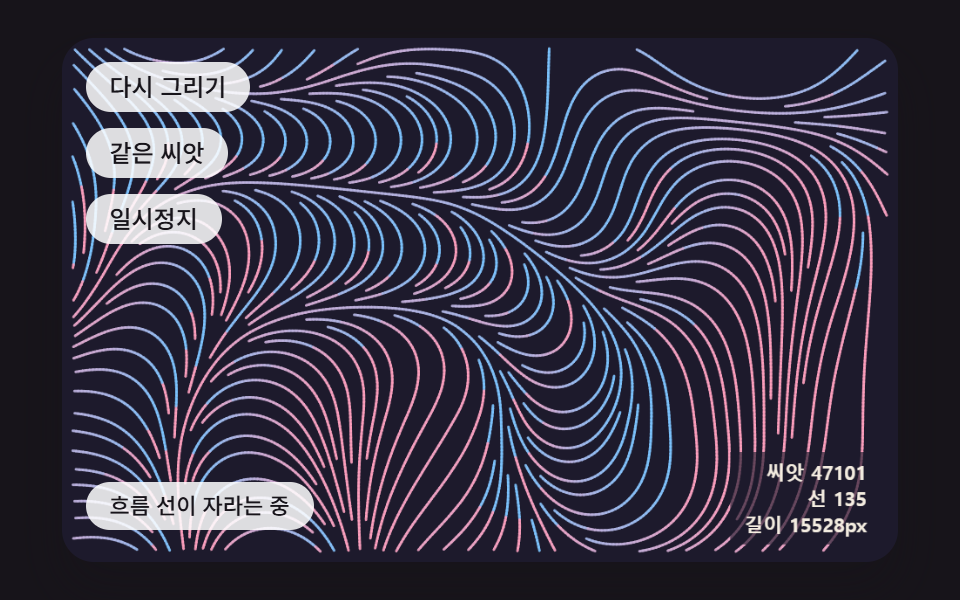 Creative UIGenerative Art JavaScript: 9 Patterns That Grow
 Creative UIAurora Background CSS: 9 Living Night-Sky Scenes
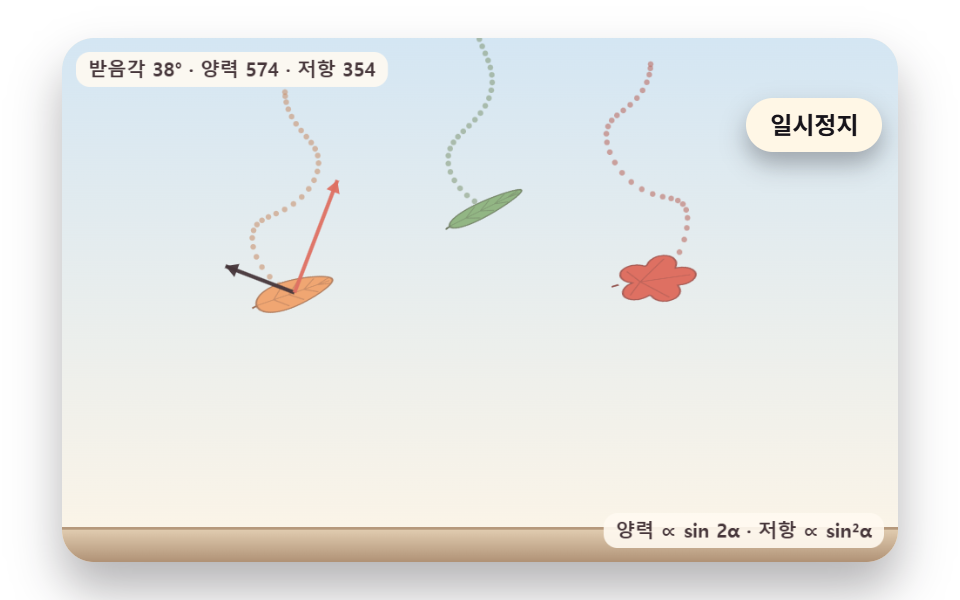 Creative UIFalling Leaves Animation: 9 Scenes, Sway to Pile
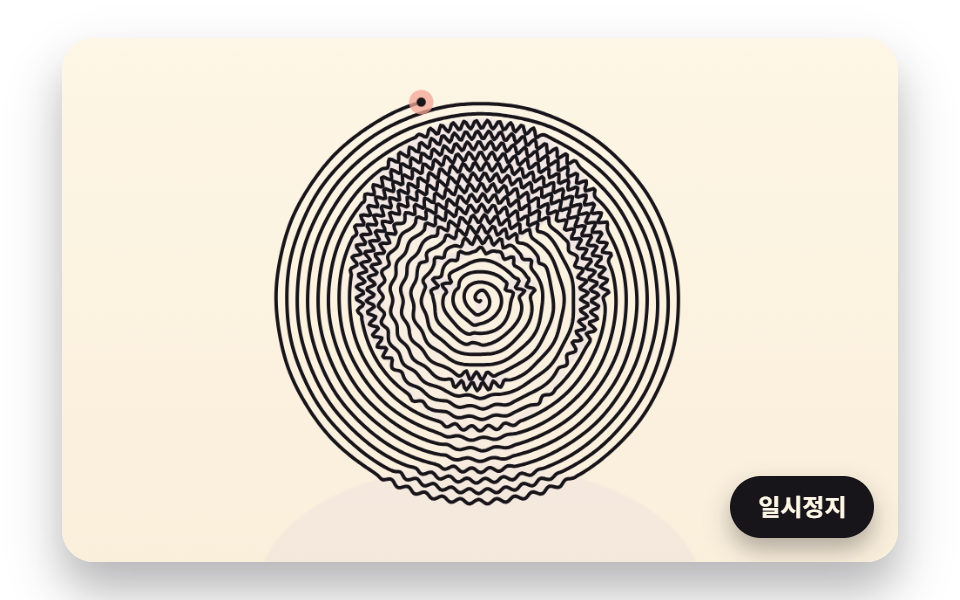 Creative UIOne Line Drawing Generator: 9 Canvas Scenes
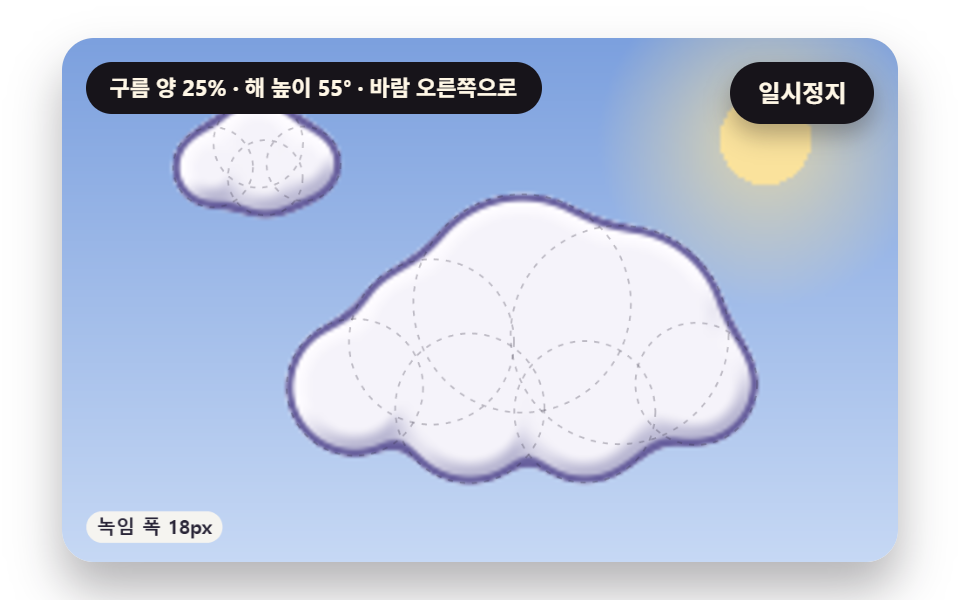 Creative UICSS Cloud Animation: 9 Sky Scenes in Canvas