Rainbow Gradient Background CSS: 9 Patterns
A rainbow gradient background css, explained: Light, you start out with no color. Item 1 layers three sine waves onto you, item 5 blends you where two blobs
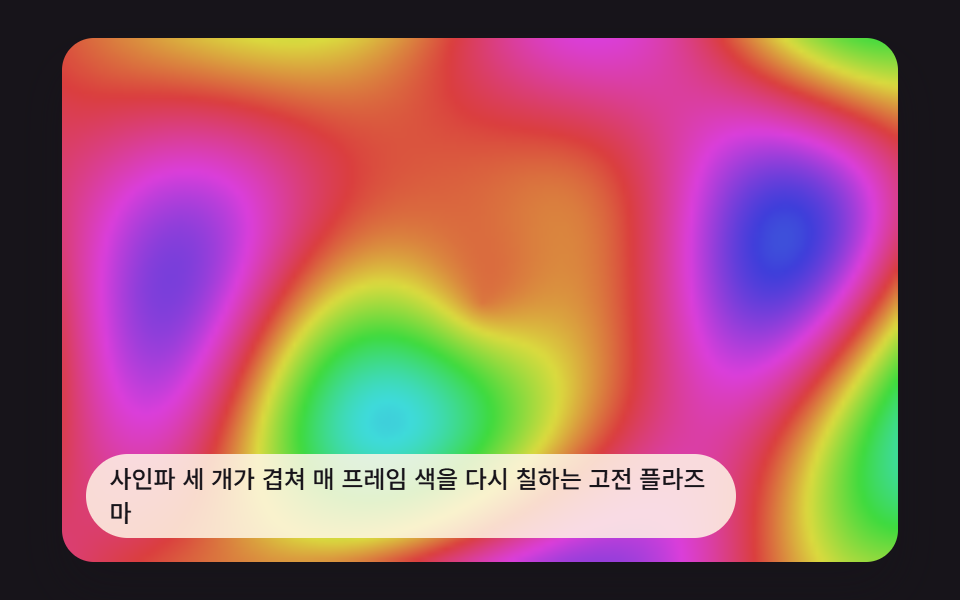 01 plasma-sine-field-classic
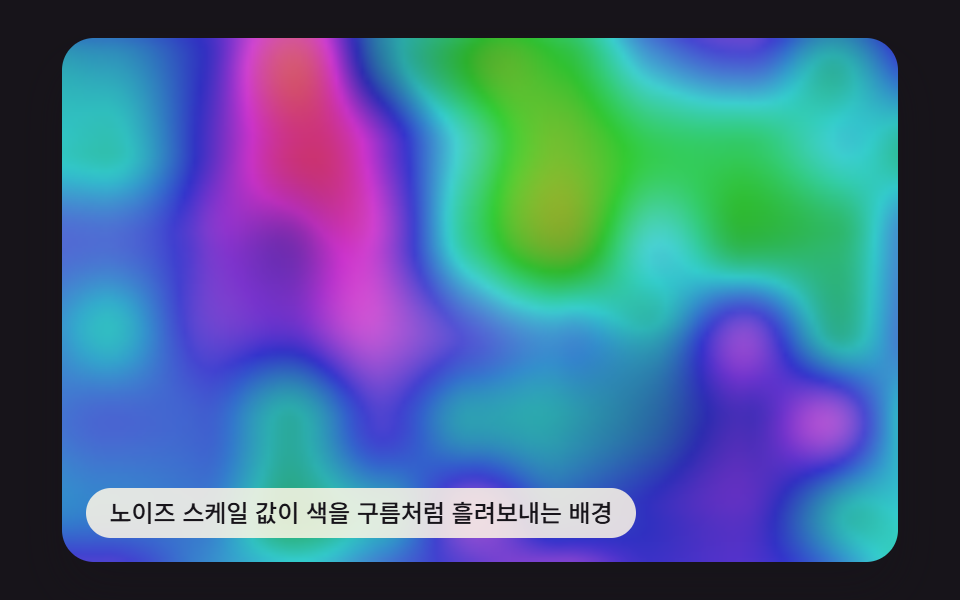 02 plasma-noise-hue-flow
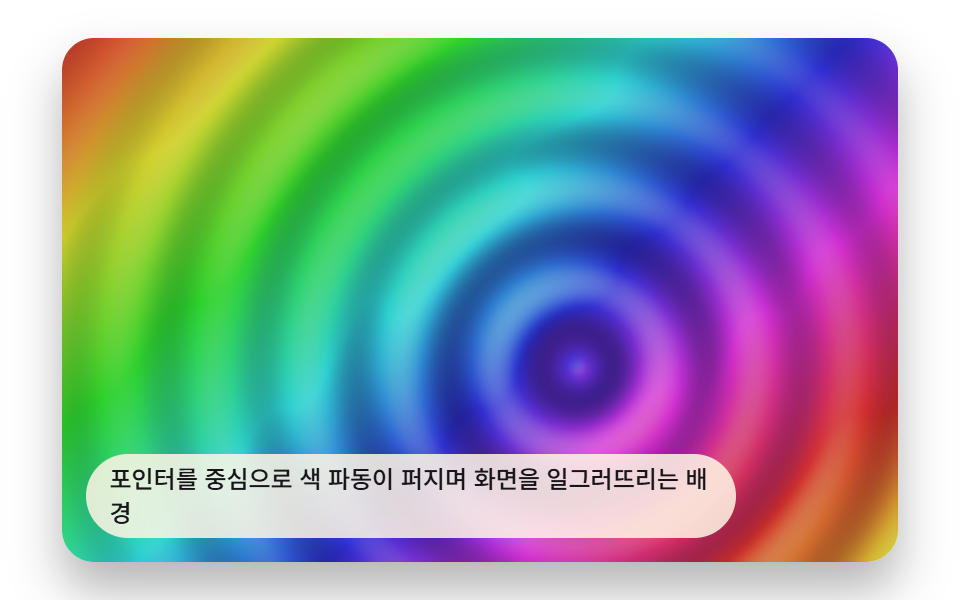 03 plasma-pointer-ripple-distort
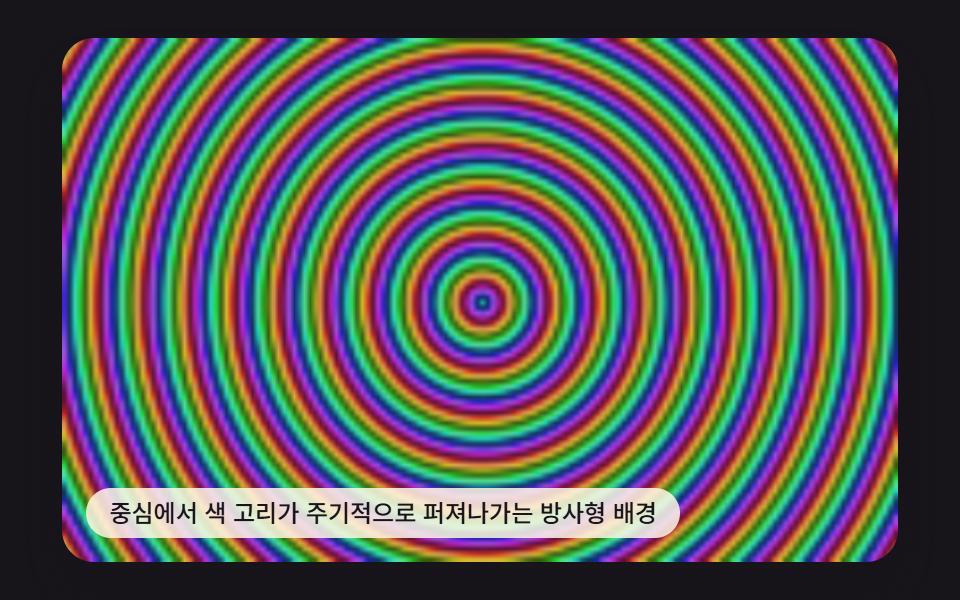 04 plasma-radial-hue-burst
 05 plasma-metaball-color-blend
 06 plasma-scanline-chroma-shift
 07 plasma-gradient-band-posterize
 08 plasma-flow-particle-drift
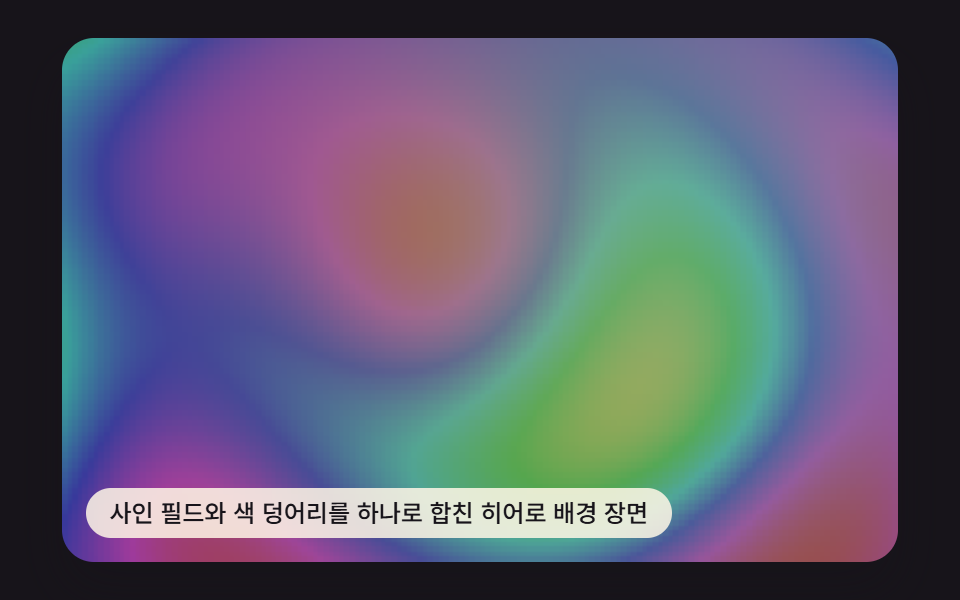 09 plasma-hero-background-scene
Auto-plays · click a tile to jump to its section · all nine in one zip
- 01 Classic Sine-Wave Plasma
- 02 Noise-Driven Hue Flow
- 03 Pointer-Driven Color Ripple
- 04 Radial Hue Burst
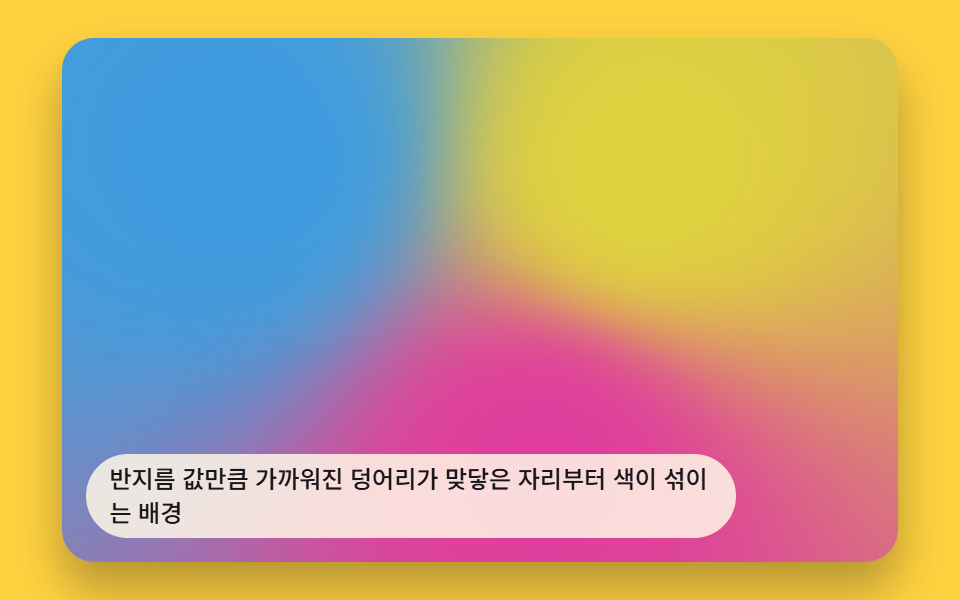
- 05 Metaball Color Blend
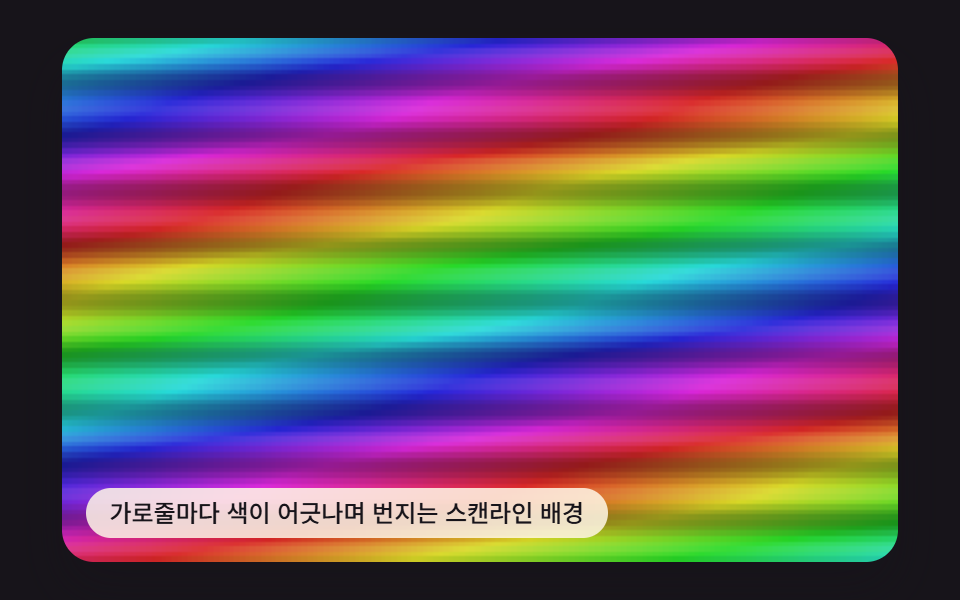
- 06 Scanline Chroma Shift
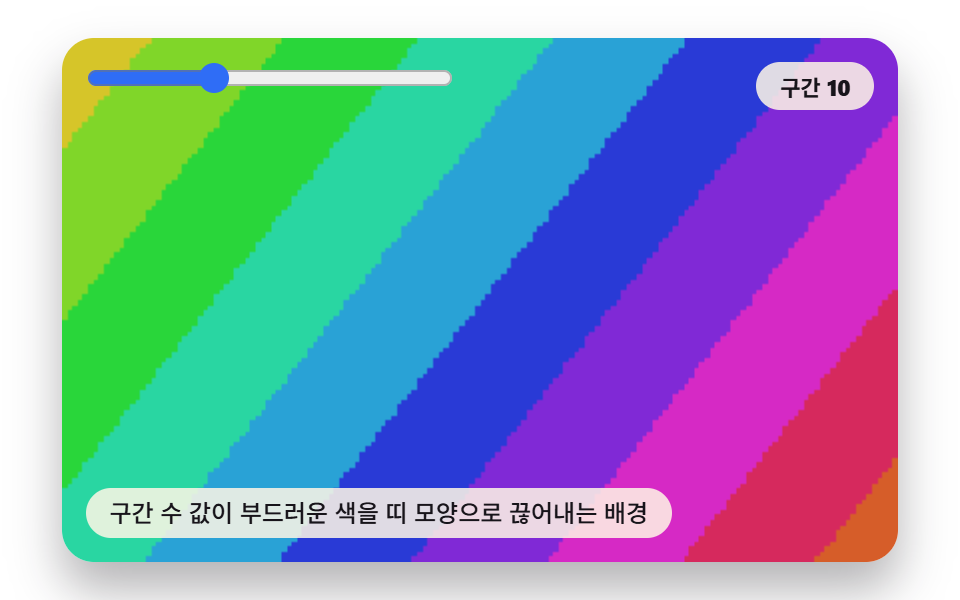
- 07 Posterized Gradient Bands
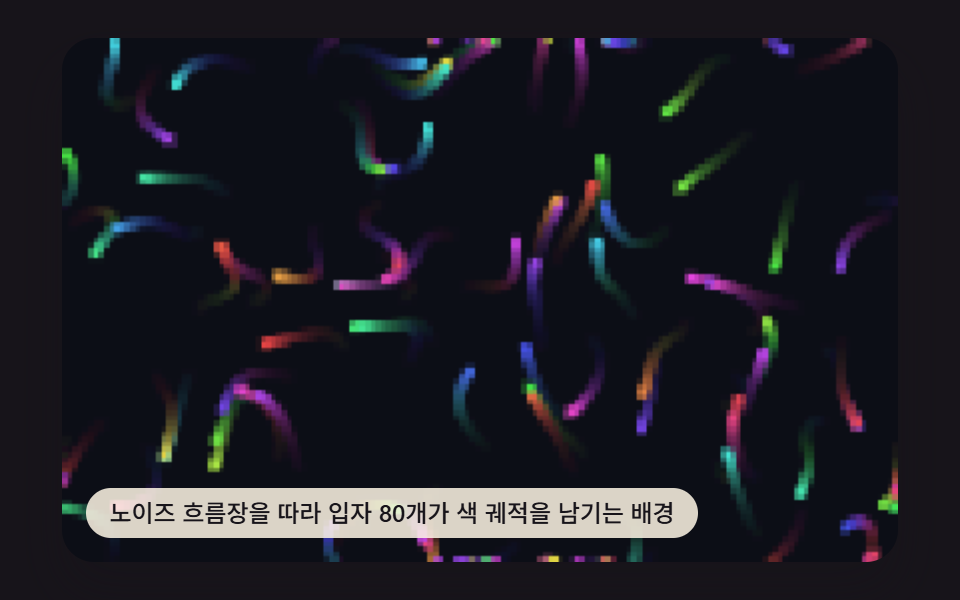
- 08 Flow-Field Particle Drift
- 09 Hero Background Scene
None of these nine paint a fixed CSS gradient once and stop — each one runs a small renderField() loop that visits every pixel of a 160×100 buffer once per frame, works out a hue from one or two values (a sine wave, a noise sample, a distance to a blob), converts that hue through hslToRgb(), and writes it straight into an ImageData buffer with createImageData()/putImageData(), which draw() then scales up onto the visible 480×300 canvas. That's why the order below runs from a plain sine calculation (item 1) through noise and distance math (items 2 through 7) to a particle system that skips full-frame repainting entirely (item 8), before item 9 recombines two of the earlier calculations into one hero scene.
01Classic Sine-Wave Plasma
Item 1 sums four Math.sin() waves — across x, across y, diagonally, and radially from the canvas center — into one value that becomes hue, repainting the whole buffer from that sum every frame. PLASMA_SINE_FREQ_X, _Y, and _R are what split the screen into the classic demoscene plasma marbling instead of a flat sweep.
<main class="stage">
<div class="pv is-demo" id="pvRoot">
  <canvas class="pv__canvas" id="pvCanvas" width="480" height="300"></canvas>
  <p class="pv__caption">Classic plasma that repaints the whole screen every frame from three overlapping sine waves</p>
</div>
</main>
@use "../../../../site/static/demo-tokens" as *;
@include stage($stage-ink);
.pv {
position: relative;
width: min(92vw, calc(160vh - 12.8vw));
aspect-ratio: 480 / 300;
margin: 0 auto;
border-radius: $r-card;
overflow: hidden;
box-shadow: $shadow-raised;
}
.pv__canvas {
display: block;
width: 100%;
height: 100%;
}
.pv__caption {
position: absolute;
left: $sp-3;
bottom: $sp-3;
max-width: 72%;
margin: 0;
padding: $sp-1 $sp-3;
border-radius: $r-pill;
background: rgba(255, 247, 230, .85);
color: $subject-ink;
font-weight: 500;
font-size: 12px;
line-height: 1.4;
pointer-events: none;
}
.pv__step {
position: absolute;
right: $sp-3;
top: $sp-3;
margin: 0;
padding: $sp-1 $sp-3;
border-radius: $r-pill;
background: rgba(255, 247, 230, .85);
color: $subject-ink;
font-weight: 700;
font-size: 11px;
font-variant-numeric: tabular-nums;
pointer-events: none;
}
@media (max-width: 340px) {
.pv__caption, .pv__step { font-size: 10px; padding: $sp-1 $sp-2; }
}
@media (prefers-reduced-motion: reduce) {
.pv { cursor: default; }
}html, body {
margin: 0;
overflow: hidden;
}
.stage {
box-sizing: border-box;
min-height: 100vh;
display: grid;
place-items: center;
margin: 0;
background: #17141a;
font-family: -apple-system, "Segoe UI", "Noto Sans KR", sans-serif;
padding: clamp(8px, 4vw, 24px);
}
.pv {
position: relative;
width: min(92vw, 160vh - 12.8vw);
aspect-ratio: 480/300;
margin: 0 auto;
border-radius: 16px;
overflow: hidden;
box-shadow: 0 14px 24px rgba(23, 20, 26, 0.32);
}
.pv__canvas {
display: block;
width: 100%;
height: 100%;
}
.pv__caption {
position: absolute;
left: 12px;
bottom: 12px;
max-width: 72%;
margin: 0;
padding: 4px 12px;
border-radius: 999px;
background: rgba(255, 247, 230, 0.85);
color: #17141a;
font-weight: 500;
font-size: 12px;
line-height: 1.4;
pointer-events: none;
}
.pv__step {
position: absolute;
right: 12px;
top: 12px;
margin: 0;
padding: 4px 12px;
border-radius: 999px;
background: rgba(255, 247, 230, 0.85);
color: #17141a;
font-weight: 700;
font-size: 11px;
font-variant-numeric: tabular-nums;
pointer-events: none;
}
@media (max-width: 340px) {
.pv__caption, .pv__step {
font-size: 10px;
padding: 4px 8px;
}
}
@media (prefers-reduced-motion: reduce) {
.pv {
cursor: default;
}
}(function () {
// 기법: 픽셀마다 사인파 세 겹(가로·세로·대각) + 중심 원형파를 더해 값을 만들고
// 그 값을 색상(hue)으로 바꾼다. transform 트윈이 아니라 매 프레임 전체를 다시 계산한다.
var root = document.getElementById('pvRoot');
var canvas = document.getElementById('pvCanvas');
var ctx = canvas.getContext('2d');
var wrap = canvas.parentElement;
var CALC_W = 160, CALC_H = 100;
var LOOP_MS = 2000;
var PLASMA_SINE_FREQ_X = 0.055;
var PLASMA_SINE_FREQ_Y = 0.07;
var PLASMA_SINE_FREQ_R = 0.09;
var PLASMA_TIME_SPEED = Math.PI * 2 / LOOP_MS;
function hslToRgb(h, s, l) {
h = ((h % 360) + 360) % 360;
var c = (1 - Math.abs(2 * l - 1)) * s;
var x = c * (1 - Math.abs((h / 60) % 2 - 1));
var m = l - c / 2;
var r, g, b;
if (h < 60) { r = c; g = x; b = 0; }
else if (h < 120) { r = x; g = c; b = 0; }
else if (h < 180) { r = 0; g = c; b = x; }
else if (h < 240) { r = 0; g = x; b = c; }
else if (h < 300) { r = x; g = 0; b = c; }
else { r = c; g = 0; b = x; }
return [(r + m) * 255, (g + m) * 255, (b + m) * 255];
}
var off = document.createElement('canvas');
off.width = CALC_W; off.height = CALC_H;
var octx = off.getContext('2d');
var offImg = octx.createImageData(CALC_W, CALC_H);
var offBuf = offImg.data;
  function renderField(t) {
    var cx = CALC_W / 2, cy = CALC_H / 2;
    var idx = 0;
    for (var y = 0; y < CALC_H; y += 1) {
      for (var x = 0; x < CALC_W; x += 1) {
        var dx = x - cx, dy = y - cy;
        var v = Math.sin(x * PLASMA_SINE_FREQ_X + t * PLASMA_TIME_SPEED)
              + Math.sin(y * PLASMA_SINE_FREQ_Y - t * PLASMA_TIME_SPEED * 0.8)
              + Math.sin((x + y) * PLASMA_SINE_FREQ_R * 0.7 + t * PLASMA_TIME_SPEED * 1.2)
              + Math.sin(Math.sqrt(dx * dx + dy * dy) * PLASMA_SINE_FREQ_R - t * PLASMA_TIME_SPEED * 1.5);
        var hue = (v / 4) * 180 + 180 + t * PLASMA_TIME_SPEED * 40;
        var rgb = hslToRgb(hue, 0.68, 0.55);
        offBuf[idx] = rgb[0]; offBuf[idx + 1] = rgb[1]; offBuf[idx + 2] = rgb[2]; offBuf[idx + 3] = 255;
        idx += 4;
      }
}
}
var cw = 480, ch = 300;
function fit() {
var r = wrap.getBoundingClientRect();
cw = Math.max(1, Math.round(r.width));
ch = Math.max(1, Math.round(r.height));
canvas.width = cw; canvas.height = ch;
draw(lastElapsed);
}
var lastElapsed = 0;
function draw(elapsed) {
lastElapsed = elapsed;
renderField(elapsed);
octx.putImageData(offImg, 0, 0);
ctx.clearRect(0, 0, cw, ch);
ctx.drawImage(off, 0, 0, CALC_W, CALC_H, 0, 0, cw, ch);
}
var reduce = window.matchMedia('(prefers-reduced-motion: reduce)').matches;
var playing = !reduce;
var elapsed = reduce ? LOOP_MS * 0.5 : 0;
if (reduce) { root.classList.remove('is-demo'); }
var lastTs = null;
function tick(ts) {
if (lastTs === null) lastTs = ts;
var dt = ts - lastTs;
lastTs = ts;
if (playing) {
elapsed += dt;
if (elapsed >= LOOP_MS) elapsed -= LOOP_MS;
}
draw(elapsed);
requestAnimationFrame(tick);
}
fit();
window.addEventListener('resize', fit);
draw(elapsed);
requestAnimationFrame(tick);
})();import { useEffect, useRef } from "react";
import styles from "./PlasmaSineFieldClassic.module.scss";
export default function PlasmaSineFieldClassic() {
const rootRef = useRef<HTMLDivElement>(null);
const canvasRef = useRef<HTMLCanvasElement>(null);
useEffect(() => {
const root = rootRef.current;
const canvas = canvasRef.current;
if (!root || !canvas) return;
const ctx = canvas.getContext("2d");
if (!ctx) return;
const wrap = canvas.parentElement as HTMLElement;
const CALC_W = 160, CALC_H = 100;
const LOOP_MS = 2000;
const PLASMA_SINE_FREQ_X = 0.055;
const PLASMA_SINE_FREQ_Y = 0.07;
const PLASMA_SINE_FREQ_R = 0.09;
const PLASMA_TIME_SPEED = (Math.PI * 2) / LOOP_MS;
function hslToRgb(h: number, s: number, l: number): [number, number, number] {
h = ((h % 360) + 360) % 360;
const c = (1 - Math.abs(2 * l - 1)) * s;
const x = c * (1 - Math.abs(((h / 60) % 2) - 1));
const m = l - c / 2;
let r = 0, g = 0, b = 0;
if (h < 60) { r = c; g = x; b = 0; }
else if (h < 120) { r = x; g = c; b = 0; }
else if (h < 180) { r = 0; g = c; b = x; }
else if (h < 240) { r = 0; g = x; b = c; }
else if (h < 300) { r = x; g = 0; b = c; }
else { r = c; g = 0; b = x; }
return [(r + m) * 255, (g + m) * 255, (b + m) * 255];
}
const off = document.createElement("canvas");
off.width = CALC_W; off.height = CALC_H;
const octx = off.getContext("2d") as CanvasRenderingContext2D;
const offImg = octx.createImageData(CALC_W, CALC_H);
const offBuf = offImg.data;
function renderField(t: number) {
const tt = t * PLASMA_TIME_SPEED;
let idx = 0;
for (let y = 0; y < CALC_H; y += 1) {
for (let x = 0; x < CALC_W; x += 1) {
const v =
Math.sin(x * PLASMA_SINE_FREQ_X + tt) +
Math.sin(y * PLASMA_SINE_FREQ_Y + tt * 1.3) +
Math.sin((x + y) * PLASMA_SINE_FREQ_R * 0.5 + tt * 0.7) +
Math.sin(Math.sqrt((x - 80) * (x - 80) + (y - 50) * (y - 50)) * PLASMA_SINE_FREQ_R - tt);
const hue = (v / 4) * 180 + 180 + tt * 40;
const rgb = hslToRgb(hue, 0.72, 0.5);
offBuf[idx] = rgb[0]; offBuf[idx + 1] = rgb[1]; offBuf[idx + 2] = rgb[2]; offBuf[idx + 3] = 255;
idx += 4;
}
}
}
let cw = 480, ch = 300;
function fit() {
const r = wrap.getBoundingClientRect();
cw = Math.max(1, Math.round(r.width));
ch = Math.max(1, Math.round(r.height));
canvas!.width = cw; canvas!.height = ch;
draw(lastElapsed);
}
let lastElapsed = 0;
function draw(elapsed: number) {
lastElapsed = elapsed;
renderField(elapsed);
octx.putImageData(offImg, 0, 0);
ctx!.imageSmoothingEnabled = false;
ctx!.clearRect(0, 0, cw, ch);
ctx!.drawImage(off, 0, 0, CALC_W, CALC_H, 0, 0, cw, ch);
}
const reduce = window.matchMedia("(prefers-reduced-motion: reduce)").matches;
let playing = !reduce;
let elapsed = reduce ? LOOP_MS * 0.5 : 0;
if (reduce) { root.classList.remove("is-demo"); }
let lastTs: number | null = null;
let raf = 0;
function tick(ts: number) {
if (lastTs === null) lastTs = ts;
const dt = ts - lastTs;
lastTs = ts;
if (playing) {
elapsed += dt;
if (elapsed >= LOOP_MS) elapsed -= LOOP_MS;
}
draw(elapsed);
raf = requestAnimationFrame(tick);
}
fit();
window.addEventListener("resize", fit);
draw(elapsed);
raf = requestAnimationFrame(tick);
return () => {
cancelAnimationFrame(raf);
window.removeEventListener("resize", fit);
};
}, []);
return (
<main className={styles.stage}>
<div className={`${styles.pv} is-demo`} ref={rootRef}>
<canvas className={styles.pv__canvas} ref={canvasRef} width={480} height={300} />
<p className={styles.pv__caption}>사인파 세 개가 겹쳐 매 프레임 색을 다시 칠하는 고전 플라즈마</p>
</div>
</main>
);
}01 · Classic Sine-Wave Plasma — Measured area 75.243% · moving frames 23/23Original by GODRICH · SCSS and React ship in the zip · See the password
function renderField(t) {
var cx = CALC_W / 2, cy = CALC_H / 2;
var idx = 0;
for (var y = 0; y < CALC_H; y += 1) {
for (var x = 0; x < CALC_W; x += 1) {
var dx = x - cx, dy = y - cy;
var v = Math.sin(x * PLASMA_SINE_FREQ_X + t * PLASMA_TIME_SPEED)
+ Math.sin(y * PLASMA_SINE_FREQ_Y - t * PLASMA_TIME_SPEED * 0.8)
+ Math.sin((x + y) * PLASMA_SINE_FREQ_R * 0.7 + t * PLASMA_TIME_SPEED * 1.2)
+ Math.sin(Math.sqrt(dx * dx + dy * dy) * PLASMA_SINE_FREQ_R - t * PLASMA_TIME_SPEED * 1.5);
var hue = (v / 4) * 180 + 180 + t * PLASMA_TIME_SPEED * 40;
var rgb = hslToRgb(hue, 0.68, 0.55);
offBuf[idx] = rgb[0]; offBuf[idx + 1] = rgb[1]; offBuf[idx + 2] = rgb[2]; offBuf[idx + 3] = 255;
idx += 4;
}
Measured: 75.2% of the frame repaints across the loop, intensity averages 62.4, and 23 of 23 sampled frames moved.
02Noise-Driven Hue Flow
Item 2 samples valueNoise2D() twice per pixel at different scales and blends the two into hue and lightness, so the field drifts like slow clouds instead of item 1's sharp marbling. PLASMA_NOISE_SCALE sets how many pixels one noise cell spans — the variant below stretches it from 40 to 160 to turn small speckles into wide, slow-moving cloud shapes.
<main class="stage">
<div class="pv is-demo" id="pvRoot">
  <canvas class="pv__canvas" id="pvCanvas" width="480" height="300"></canvas>
  <p class="pv__caption">A background where a noise-scale value lets color drift like slow clouds</p>
</div>
</main>
@use "../../../../site/static/demo-tokens" as *;
@include stage($stage-ink);
.pv {
position: relative;
width: min(92vw, calc(160vh - 12.8vw));
aspect-ratio: 480 / 300;
margin: 0 auto;
border-radius: $r-card;
overflow: hidden;
box-shadow: $shadow-raised;
}
.pv__canvas {
display: block;
width: 100%;
height: 100%;
}
.pv__caption {
position: absolute;
left: $sp-3;
bottom: $sp-3;
max-width: 72%;
margin: 0;
padding: $sp-1 $sp-3;
border-radius: $r-pill;
background: rgba(255, 247, 230, .85);
color: $subject-ink;
font-weight: 500;
font-size: 12px;
line-height: 1.4;
pointer-events: none;
}
.pv__step {
position: absolute;
right: $sp-3;
top: $sp-3;
margin: 0;
padding: $sp-1 $sp-3;
border-radius: $r-pill;
background: rgba(255, 247, 230, .85);
color: $subject-ink;
font-weight: 700;
font-size: 11px;
font-variant-numeric: tabular-nums;
pointer-events: none;
}
@media (max-width: 340px) {
.pv__caption, .pv__step { font-size: 10px; padding: $sp-1 $sp-2; }
}
@media (prefers-reduced-motion: reduce) {
.pv { cursor: default; }
}html, body {
margin: 0;
overflow: hidden;
}
.stage {
box-sizing: border-box;
min-height: 100vh;
display: grid;
place-items: center;
margin: 0;
background: #17141a;
font-family: -apple-system, "Segoe UI", "Noto Sans KR", sans-serif;
padding: clamp(8px, 4vw, 24px);
}
.pv {
position: relative;
width: min(92vw, 160vh - 12.8vw);
aspect-ratio: 480/300;
margin: 0 auto;
border-radius: 16px;
overflow: hidden;
box-shadow: 0 14px 24px rgba(23, 20, 26, 0.32);
}
.pv__canvas {
display: block;
width: 100%;
height: 100%;
}
.pv__caption {
position: absolute;
left: 12px;
bottom: 12px;
max-width: 72%;
margin: 0;
padding: 4px 12px;
border-radius: 999px;
background: rgba(255, 247, 230, 0.85);
color: #17141a;
font-weight: 500;
font-size: 12px;
line-height: 1.4;
pointer-events: none;
}
.pv__step {
position: absolute;
right: 12px;
top: 12px;
margin: 0;
padding: 4px 12px;
border-radius: 999px;
background: rgba(255, 247, 230, 0.85);
color: #17141a;
font-weight: 700;
font-size: 11px;
font-variant-numeric: tabular-nums;
pointer-events: none;
}
@media (max-width: 340px) {
.pv__caption, .pv__step {
font-size: 10px;
padding: 4px 8px;
}
}
@media (prefers-reduced-motion: reduce) {
.pv {
cursor: default;
}
}(function () {
// 기법: 2차원 값 노이즈(격자 난수 + 이중선형 보간) 를 색상(hue)으로 바꾼다.
// PLASMA_NOISE_SCALE 이 격자 한 칸의 픽셀 크기 — 값이 작을수록 알갱이가 촘촘해진다.
var root = document.getElementById('pvRoot');
var canvas = document.getElementById('pvCanvas');
var ctx = canvas.getContext('2d');
var wrap = canvas.parentElement;
var CALC_W = 160, CALC_H = 100;
var LOOP_MS = 2000;
var PLASMA_NOISE_SCALE = 40;
var PLASMA_FLOW_SPEED = 0.55;
function seedRand(seed) {
var s = seed >>> 0;
return function () { s = (s * 1664525 + 1013904223) >>> 0; return s / 4294967296; };
}
var rand = seedRand(417021);
function hslToRgb(h, s, l) {
h = ((h % 360) + 360) % 360;
var c = (1 - Math.abs(2 * l - 1)) * s;
var x = c * (1 - Math.abs((h / 60) % 2 - 1));
var m = l - c / 2;
var r, g, b;
if (h < 60) { r = c; g = x; b = 0; }
else if (h < 120) { r = x; g = c; b = 0; }
else if (h < 180) { r = 0; g = c; b = x; }
else if (h < 240) { r = 0; g = x; b = c; }
else if (h < 300) { r = x; g = 0; b = c; }
else { r = c; g = 0; b = x; }
return [(r + m) * 255, (g + m) * 255, (b + m) * 255];
}
var NOISE_DIM = 34;
var noiseTable = new Float32Array(NOISE_DIM * NOISE_DIM);
for (var ni = 0; ni < noiseTable.length; ni += 1) { noiseTable[ni] = rand(); }
function noiseAt(gx, gy) {
var m = NOISE_DIM - 1;
gx = ((gx % m) + m) % m;
gy = ((gy % m) + m) % m;
return noiseTable[gy * NOISE_DIM + gx];
}
function smoothstep(v) { return v * v * (3 - 2 * v); }
function valueNoise2D(x, y) {
var x0 = Math.floor(x), y0 = Math.floor(y);
var fx = smoothstep(x - x0), fy = smoothstep(y - y0);
var v00 = noiseAt(x0, y0), v10 = noiseAt(x0 + 1, y0);
var v01 = noiseAt(x0, y0 + 1), v11 = noiseAt(x0 + 1, y0 + 1);
var a = v00 + (v10 - v00) * fx;
var b = v01 + (v11 - v01) * fx;
return a + (b - a) * fy;
}
var off = document.createElement('canvas');
off.width = CALC_W; off.height = CALC_H;
var octx = off.getContext('2d');
var offImg = octx.createImageData(CALC_W, CALC_H);
var offBuf = offImg.data;
  function renderField(t) {
    var tt = t / 1000;
    var ox = tt * PLASMA_FLOW_SPEED, oy = tt * PLASMA_FLOW_SPEED * 0.6;
    var idx = 0;
    for (var y = 0; y < CALC_H; y += 1) {
      for (var x = 0; x < CALC_W; x += 1) {
        var n1 = valueNoise2D(x / PLASMA_NOISE_SCALE + ox, y / PLASMA_NOISE_SCALE * 0.8 + oy);
        var n2 = valueNoise2D(x / PLASMA_NOISE_SCALE * 2.3 - oy, y / PLASMA_NOISE_SCALE * 2.3 + ox);
        var hue = (n1 * 0.7 + n2 * 0.3) * 360 + tt * 30;
        var light = 0.4 + n2 * 0.2;
        var rgb = hslToRgb(hue, 0.6, light);
        offBuf[idx] = rgb[0]; offBuf[idx + 1] = rgb[1]; offBuf[idx + 2] = rgb[2]; offBuf[idx + 3] = 255;
        idx += 4;
      }
    }
}
var cw = 480, ch = 300;
function fit() {
var r = wrap.getBoundingClientRect();
cw = Math.max(1, Math.round(r.width));
ch = Math.max(1, Math.round(r.height));
canvas.width = cw; canvas.height = ch;
draw(lastElapsed);
}
var lastElapsed = 0;
function draw(elapsed) {
lastElapsed = elapsed;
renderField(elapsed);
octx.putImageData(offImg, 0, 0);
ctx.clearRect(0, 0, cw, ch);
ctx.drawImage(off, 0, 0, CALC_W, CALC_H, 0, 0, cw, ch);
}
var reduce = window.matchMedia('(prefers-reduced-motion: reduce)').matches;
var playing = !reduce;
var elapsed = reduce ? LOOP_MS * 0.5 : 0;
if (reduce) { root.classList.remove('is-demo'); }
var lastTs = null;
function tick(ts) {
if (lastTs === null) lastTs = ts;
var dt = ts - lastTs;
lastTs = ts;
if (playing) {
elapsed += dt;
if (elapsed >= LOOP_MS) elapsed -= LOOP_MS;
}
draw(elapsed);
requestAnimationFrame(tick);
}
fit();
window.addEventListener('resize', fit);
draw(elapsed);
requestAnimationFrame(tick);
})();import { useEffect, useRef } from "react";
import styles from "./PlasmaNoiseHueFlow.module.scss";
export default function PlasmaNoiseHueFlow() {
const rootRef = useRef<HTMLDivElement>(null);
const canvasRef = useRef<HTMLCanvasElement>(null);
useEffect(() => {
const root = rootRef.current;
const canvas = canvasRef.current;
if (!root || !canvas) return;
const ctx = canvas.getContext("2d");
if (!ctx) return;
const wrap = canvas.parentElement as HTMLElement;
const CALC_W = 160, CALC_H = 100;
const LOOP_MS = 2000;
const PLASMA_NOISE_SCALE = 40;
const PLASMA_FLOW_SPEED = 0.55;
function seedRand(seed: number) {
let s = seed >>> 0;
return function () { s = (s * 1664525 + 1013904223) >>> 0; return s / 4294967296; };
}
function hslToRgb(h: number, s: number, l: number): [number, number, number] {
h = ((h % 360) + 360) % 360;
const c = (1 - Math.abs(2 * l - 1)) * s;
const x = c * (1 - Math.abs(((h / 60) % 2) - 1));
const m = l - c / 2;
let r = 0, g = 0, b = 0;
if (h < 60) { r = c; g = x; b = 0; }
else if (h < 120) { r = x; g = c; b = 0; }
else if (h < 180) { r = 0; g = c; b = x; }
else if (h < 240) { r = 0; g = x; b = c; }
else if (h < 300) { r = x; g = 0; b = c; }
else { r = c; g = 0; b = x; }
return [(r + m) * 255, (g + m) * 255, (b + m) * 255];
}
const NOISE_DIM = 34;
const noiseRand = seedRand(417021);
const noiseTable = new Float32Array(NOISE_DIM * NOISE_DIM);
for (let ni = 0; ni < noiseTable.length; ni += 1) noiseTable[ni] = noiseRand();
function noiseAt(xi: number, yi: number) {
const wx = ((xi % NOISE_DIM) + NOISE_DIM) % NOISE_DIM;
const wy = ((yi % NOISE_DIM) + NOISE_DIM) % NOISE_DIM;
return noiseTable[wy * NOISE_DIM + wx];
}
function smoothstep(t: number) { return t * t * (3 - 2 * t); }
function valueNoise2D(x: number, y: number) {
const x0 = Math.floor(x), y0 = Math.floor(y);
const tx = smoothstep(x - x0), ty = smoothstep(y - y0);
const v00 = noiseAt(x0, y0), v10 = noiseAt(x0 + 1, y0);
const v01 = noiseAt(x0, y0 + 1), v11 = noiseAt(x0 + 1, y0 + 1);
const a = v00 + (v10 - v00) * tx;
const b = v01 + (v11 - v01) * tx;
return a + (b - a) * ty;
}
const off = document.createElement("canvas");
off.width = CALC_W; off.height = CALC_H;
const octx = off.getContext("2d") as CanvasRenderingContext2D;
const offImg = octx.createImageData(CALC_W, CALC_H);
const offBuf = offImg.data;
function renderField(t: number) {
const tt = (t / LOOP_MS) * PLASMA_FLOW_SPEED;
let idx = 0;
for (let y = 0; y < CALC_H; y += 1) {
for (let x = 0; x < CALC_W; x += 1) {
const n1 = valueNoise2D(x / PLASMA_NOISE_SCALE + tt, y / PLASMA_NOISE_SCALE);
const n2 = valueNoise2D((x / PLASMA_NOISE_SCALE) * 2.3 + 5 - tt * 0.7, (y / PLASMA_NOISE_SCALE) * 2.3 + 5);
const hue = (n1 * 220 + n2 * 140 + tt * 30 * LOOP_MS) % 360;
const light = 0.38 + n2 * 0.22;
const rgb = hslToRgb(hue, 0.68, light);
offBuf[idx] = rgb[0]; offBuf[idx + 1] = rgb[1]; offBuf[idx + 2] = rgb[2]; offBuf[idx + 3] = 255;
idx += 4;
}
}
}
let cw = 480, ch = 300;
function fit() {
const r = wrap.getBoundingClientRect();
cw = Math.max(1, Math.round(r.width));
ch = Math.max(1, Math.round(r.height));
canvas!.width = cw; canvas!.height = ch;
draw(lastElapsed);
}
let lastElapsed = 0;
function draw(elapsed: number) {
lastElapsed = elapsed;
renderField(elapsed);
octx.putImageData(offImg, 0, 0);
ctx!.imageSmoothingEnabled = false;
ctx!.clearRect(0, 0, cw, ch);
ctx!.drawImage(off, 0, 0, CALC_W, CALC_H, 0, 0, cw, ch);
}
const reduce = window.matchMedia("(prefers-reduced-motion: reduce)").matches;
let playing = !reduce;
let elapsed = reduce ? LOOP_MS * 0.5 : 0;
if (reduce) { root.classList.remove("is-demo"); }
let lastTs: number | null = null;
let raf = 0;
function tick(ts: number) {
if (lastTs === null) lastTs = ts;
const dt = ts - lastTs;
lastTs = ts;
if (playing) {
elapsed += dt;
if (elapsed >= LOOP_MS) elapsed -= LOOP_MS;
}
draw(elapsed);
raf = requestAnimationFrame(tick);
}
fit();
window.addEventListener("resize", fit);
draw(elapsed);
raf = requestAnimationFrame(tick);
return () => {
cancelAnimationFrame(raf);
window.removeEventListener("resize", fit);
};
}, []);
return (
<main className={styles.stage}>
<div className={`${styles.pv} is-demo`} ref={rootRef}>
<canvas className={styles.pv__canvas} ref={canvasRef} width={480} height={300} />
<p className={styles.pv__caption}>노이즈 스케일 값이 색을 구름처럼 흘려보내는 배경</p>
</div>
</main>
);
}02 · Noise-Driven Hue Flow — Measured area 74.738% · moving frames 23/23Original by GODRICH · SCSS and React ship in the zip · See the password
function renderField(t) {
var tt = t / 1000;
var ox = tt * PLASMA_FLOW_SPEED, oy = tt * PLASMA_FLOW_SPEED * 0.6;
var idx = 0;
for (var y = 0; y < CALC_H; y += 1) {
for (var x = 0; x < CALC_W; x += 1) {
var n1 = valueNoise2D(x / PLASMA_NOISE_SCALE + ox, y / PLASMA_NOISE_SCALE * 0.8 + oy);
var n2 = valueNoise2D(x / PLASMA_NOISE_SCALE * 2.3 - oy, y / PLASMA_NOISE_SCALE * 2.3 + ox);
var hue = (n1 * 0.7 + n2 * 0.3) * 360 + tt * 30;
var light = 0.4 + n2 * 0.2;
var rgb = hslToRgb(hue, 0.6, light);
offBuf[idx] = rgb[0]; offBuf[idx + 1] = rgb[1]; offBuf[idx + 2] = rgb[2]; offBuf[idx + 3] = 255;
idx += 4;
}
}
Measured: 74.7% of the frame repaints across the loop, intensity averages 28.7, and 23 of 23 sampled frames moved.
03Pointer-Driven Color Ripple
Item 3 measures every pixel's distance to the pointer — or, with no pointer input yet, to a virtual orbit from virtualPointerOrbit() — and turns that distance into a decaying sine wave that displaces where each pixel samples its own color from and shifts its hue at the same time. PLASMA_RIPPLE_AMP sets how far a pixel gets pushed at the ripple's peak.
<main class="stage">
<div class="pv is-demo" id="pvRoot">
  <canvas class="pv__canvas" id="pvCanvas" width="480" height="300"></canvas>
  <p class="pv__caption">A background where color ripples spread from the pointer and distort the screen</p>
</div>
</main>
@use "../../../../site/static/demo-tokens" as *;
@include stage($stage-paper);
.pv {
position: relative;
width: min(92vw, calc(160vh - 12.8vw));
aspect-ratio: 480 / 300;
margin: 0 auto;
border-radius: $r-card;
overflow: hidden;
box-shadow: $shadow-raised;
}
.pv__canvas {
display: block;
width: 100%;
height: 100%;
}
.pv__caption {
position: absolute;
left: $sp-3;
bottom: $sp-3;
max-width: 72%;
margin: 0;
padding: $sp-1 $sp-3;
border-radius: $r-pill;
background: rgba(255, 247, 230, .85);
color: $subject-ink;
font-weight: 500;
font-size: 12px;
line-height: 1.4;
pointer-events: none;
}
.pv__step {
position: absolute;
right: $sp-3;
top: $sp-3;
margin: 0;
padding: $sp-1 $sp-3;
border-radius: $r-pill;
background: rgba(255, 247, 230, .85);
color: $subject-ink;
font-weight: 700;
font-size: 11px;
font-variant-numeric: tabular-nums;
pointer-events: none;
}
@media (max-width: 340px) {
.pv__caption, .pv__step { font-size: 10px; padding: $sp-1 $sp-2; }
}
@media (prefers-reduced-motion: reduce) {
.pv { cursor: default; }
}html, body {
margin: 0;
overflow: hidden;
}
.stage {
box-sizing: border-box;
min-height: 100vh;
display: grid;
place-items: center;
margin: 0;
background: #ffffff;
font-family: -apple-system, "Segoe UI", "Noto Sans KR", sans-serif;
padding: clamp(8px, 4vw, 24px);
}
.pv {
position: relative;
width: min(92vw, 160vh - 12.8vw);
aspect-ratio: 480/300;
margin: 0 auto;
border-radius: 16px;
overflow: hidden;
box-shadow: 0 14px 24px rgba(23, 20, 26, 0.32);
}
.pv__canvas {
display: block;
width: 100%;
height: 100%;
}
.pv__caption {
position: absolute;
left: 12px;
bottom: 12px;
max-width: 72%;
margin: 0;
padding: 4px 12px;
border-radius: 999px;
background: rgba(255, 247, 230, 0.85);
color: #17141a;
font-weight: 500;
font-size: 12px;
line-height: 1.4;
pointer-events: none;
}
.pv__step {
position: absolute;
right: 12px;
top: 12px;
margin: 0;
padding: 4px 12px;
border-radius: 999px;
background: rgba(255, 247, 230, 0.85);
color: #17141a;
font-weight: 700;
font-size: 11px;
font-variant-numeric: tabular-nums;
pointer-events: none;
}
@media (max-width: 340px) {
.pv__caption, .pv__step {
font-size: 10px;
padding: 4px 8px;
}
}
@media (prefers-reduced-motion: reduce) {
.pv {
cursor: default;
}
}(function () {
// 기법: 대각선 무지개 그라데이션의 샘플 좌표를 포인터에서 퍼지는 사인파동만큼 밀어(distort)
// 그 밀린 좌표로 색을 계산한다 — 파동이 지나간 자리의 색이 일그러져 보인다.
var root = document.getElementById('pvRoot');
var canvas = document.getElementById('pvCanvas');
var ctx = canvas.getContext('2d');
var wrap = canvas.parentElement;
var CALC_W = 160, CALC_H = 100;
var LOOP_MS = 2000;
var PLASMA_RIPPLE_SPEED = 0.09;
var PLASMA_RIPPLE_FREQ = 0.35;
var PLASMA_RIPPLE_DECAY = 0.014;
var PLASMA_RIPPLE_AMP = 7;
var ORBIT_FREQ = Math.PI * 2 / LOOP_MS;
function hslToRgb(h, s, l) {
h = ((h % 360) + 360) % 360;
var c = (1 - Math.abs(2 * l - 1)) * s;
var x = c * (1 - Math.abs((h / 60) % 2 - 1));
var m = l - c / 2;
var r, g, b;
if (h < 60) { r = c; g = x; b = 0; }
else if (h < 120) { r = x; g = c; b = 0; }
else if (h < 180) { r = 0; g = c; b = x; }
else if (h < 240) { r = 0; g = x; b = c; }
else if (h < 300) { r = x; g = 0; b = c; }
else { r = c; g = 0; b = x; }
return [(r + m) * 255, (g + m) * 255, (b + m) * 255];
}
var off = document.createElement('canvas');
off.width = CALC_W; off.height = CALC_H;
var octx = off.getContext('2d');
var offImg = octx.createImageData(CALC_W, CALC_H);
var offBuf = offImg.data;
var pointerActive = false;
var realPointer = { x: CALC_W / 2, y: CALC_H / 2 };
function virtualPointerOrbit(t) {
var cx = CALC_W / 2, cy = CALC_H / 2;
var orbR = Math.min(CALC_W, CALC_H) * 0.4;
return { x: cx + Math.cos(t * ORBIT_FREQ) * orbR, y: cy + Math.sin(t * ORBIT_FREQ * 1.3) * orbR * 0.7 };
}
  function renderField(t) {
    var p = pointerActive ? realPointer : (reduce ? { x: -999, y: -999 } : virtualPointerOrbit(t));
    var idx = 0;
    for (var y = 0; y < CALC_H; y += 1) {
      for (var x = 0; x < CALC_W; x += 1) {
        var dx = x - p.x, dy = y - p.y;
        var dist = Math.sqrt(dx * dx + dy * dy) || 0.0001;
        var wave = Math.sin(dist * PLASMA_RIPPLE_FREQ - t * PLASMA_RIPPLE_SPEED);
        var atten = Math.exp(-dist * PLASMA_RIPPLE_DECAY);
        var disp = wave * atten * PLASMA_RIPPLE_AMP;
        var bx = x + (dx / dist) * disp, by = y + (dy / dist) * disp;
        var hue = bx * 1.6 + by * 1.6;
        var light = 0.48 + wave * atten * 0.16;
        var rgb = hslToRgb(hue, 0.64, light);
        offBuf[idx] = rgb[0]; offBuf[idx + 1] = rgb[1]; offBuf[idx + 2] = rgb[2]; offBuf[idx + 3] = 255;
        idx += 4;
      }
    }
}
var cw = 480, ch = 300;
function fit() {
var r = wrap.getBoundingClientRect();
cw = Math.max(1, Math.round(r.width));
ch = Math.max(1, Math.round(r.height));
canvas.width = cw; canvas.height = ch;
draw(lastElapsed);
}
var lastElapsed = 0;
function draw(elapsed) {
lastElapsed = elapsed;
renderField(elapsed);
octx.putImageData(offImg, 0, 0);
ctx.clearRect(0, 0, cw, ch);
ctx.drawImage(off, 0, 0, CALC_W, CALC_H, 0, 0, cw, ch);
}
var reduce = window.matchMedia('(prefers-reduced-motion: reduce)').matches;
var playing = !reduce;
var elapsed = reduce ? 0 : 0;
if (reduce) { root.classList.remove('is-demo'); }
function calcFromEvent(e) {
var r = wrap.getBoundingClientRect();
var t0 = (e.touches && e.touches[0]) ? e.touches[0] : e;
var relX = (t0.clientX - r.left) / r.width * cw;
var relY = (t0.clientY - r.top) / r.height * ch;
realPointer.x = relX * (CALC_W / cw);
realPointer.y = relY * (CALC_H / ch);
}
wrap.addEventListener('pointermove', function (e) {
pointerActive = true;
calcFromEvent(e);
draw(lastElapsed);
});
wrap.addEventListener('pointerleave', function () {
pointerActive = false;
draw(lastElapsed);
});
var lastTs = null;
function tick(ts) {
if (lastTs === null) lastTs = ts;
var dt = ts - lastTs;
lastTs = ts;
if (playing) {
elapsed += dt;
if (elapsed >= LOOP_MS) elapsed -= LOOP_MS;
}
draw(elapsed);
requestAnimationFrame(tick);
}
fit();
window.addEventListener('resize', fit);
draw(elapsed);
requestAnimationFrame(tick);
})();import { useEffect, useRef } from "react";
import styles from "./PlasmaPointerRippleDistort.module.scss";
export default function PlasmaPointerRippleDistort() {
const rootRef = useRef<HTMLDivElement>(null);
const canvasRef = useRef<HTMLCanvasElement>(null);
useEffect(() => {
const root = rootRef.current;
const canvas = canvasRef.current;
if (!root || !canvas) return;
const ctx = canvas.getContext("2d");
if (!ctx) return;
const wrap = canvas.parentElement as HTMLElement;
const CALC_W = 160, CALC_H = 100;
const LOOP_MS = 2000;
const PLASMA_RIPPLE_SPEED = 0.09;
const PLASMA_RIPPLE_FREQ = 0.35;
const PLASMA_RIPPLE_DECAY = 0.014;
const PLASMA_RIPPLE_AMP = 7;
const ORBIT_FREQ = (Math.PI * 2) / LOOP_MS;
function hslToRgb(h: number, s: number, l: number): [number, number, number] {
h = ((h % 360) + 360) % 360;
const c = (1 - Math.abs(2 * l - 1)) * s;
const x = c * (1 - Math.abs(((h / 60) % 2) - 1));
const m = l - c / 2;
let r = 0, g = 0, b = 0;
if (h < 60) { r = c; g = x; b = 0; }
else if (h < 120) { r = x; g = c; b = 0; }
else if (h < 180) { r = 0; g = c; b = x; }
else if (h < 240) { r = 0; g = x; b = c; }
else if (h < 300) { r = x; g = 0; b = c; }
else { r = c; g = 0; b = x; }
return [(r + m) * 255, (g + m) * 255, (b + m) * 255];
}
type Vec = { x: number; y: number };
let pointerActive = false;
const realPointer: Vec = { x: CALC_W / 2, y: CALC_H / 2 };
function virtualPointerOrbit(t: number): Vec {
const cx = CALC_W / 2, cy = CALC_H / 2;
const orbR = Math.min(CALC_W, CALC_H) * 0.38;
return { x: cx + Math.cos(t * ORBIT_FREQ) * orbR, y: cy + Math.sin(t * ORBIT_FREQ * 1.4) * orbR * 0.7 };
}
const off = document.createElement("canvas");
off.width = CALC_W; off.height = CALC_H;
const octx = off.getContext("2d") as CanvasRenderingContext2D;
const offImg = octx.createImageData(CALC_W, CALC_H);
const offBuf = offImg.data;
let reduce = false;
function renderField(t: number) {
const p = pointerActive ? realPointer : (reduce ? { x: -999, y: -999 } : virtualPointerOrbit(t));
let idx = 0;
for (let y = 0; y < CALC_H; y += 1) {
for (let x = 0; x < CALC_W; x += 1) {
const dx = x - p.x, dy = y - p.y;
const dist = Math.sqrt(dx * dx + dy * dy);
const wave = Math.sin(dist * PLASMA_RIPPLE_FREQ - t * PLASMA_RIPPLE_SPEED);
const atten = Math.exp(-dist * PLASMA_RIPPLE_DECAY);
const disp = wave * atten * PLASMA_RIPPLE_AMP;
const bx = x + (dx / (dist || 1)) * disp;
const by = y + (dy / (dist || 1)) * disp;
const hue = bx * 1.6 + by * 1.6 + t * 0.03;
const rgb = hslToRgb(hue, 0.7, 0.5 + wave * atten * 0.12);
offBuf[idx] = rgb[0]; offBuf[idx + 1] = rgb[1]; offBuf[idx + 2] = rgb[2]; offBuf[idx + 3] = 255;
idx += 4;
}
}
}
let cw = 480, ch = 300;
function fit() {
const r = wrap.getBoundingClientRect();
cw = Math.max(1, Math.round(r.width));
ch = Math.max(1, Math.round(r.height));
canvas!.width = cw; canvas!.height = ch;
draw(lastElapsed);
}
let lastElapsed = 0;
function draw(elapsed: number) {
lastElapsed = elapsed;
renderField(elapsed);
octx.putImageData(offImg, 0, 0);
ctx!.imageSmoothingEnabled = false;
ctx!.clearRect(0, 0, cw, ch);
ctx!.drawImage(off, 0, 0, CALC_W, CALC_H, 0, 0, cw, ch);
}
reduce = window.matchMedia("(prefers-reduced-motion: reduce)").matches;
let playing = !reduce;
let elapsed = reduce ? LOOP_MS * 0.5 : 0;
if (reduce) { root.classList.remove("is-demo"); }
function calcFromEvent(e: PointerEvent) {
const r = wrap.getBoundingClientRect();
const relX = ((e.clientX - r.left) / r.width) * cw;
const relY = ((e.clientY - r.top) / r.height) * ch;
realPointer.x = relX * (CALC_W / cw);
realPointer.y = relY * (CALC_H / ch);
}
function onPointerMove(e: PointerEvent) {
pointerActive = true;
calcFromEvent(e);
draw(lastElapsed);
}
function onPointerLeave() {
pointerActive = false;
draw(lastElapsed);
}
wrap.addEventListener("pointermove", onPointerMove);
wrap.addEventListener("pointerleave", onPointerLeave);
let lastTs: number | null = null;
let raf = 0;
function tick(ts: number) {
if (lastTs === null) lastTs = ts;
const dt = ts - lastTs;
lastTs = ts;
if (playing) {
elapsed += dt;
if (elapsed >= LOOP_MS) elapsed -= LOOP_MS;
}
draw(elapsed);
raf = requestAnimationFrame(tick);
}
fit();
window.addEventListener("resize", fit);
draw(elapsed);
raf = requestAnimationFrame(tick);
return () => {
cancelAnimationFrame(raf);
window.removeEventListener("resize", fit);
wrap.removeEventListener("pointermove", onPointerMove);
wrap.removeEventListener("pointerleave", onPointerLeave);
};
}, []);
return (
<main className={styles.stage}>
<div className={`${styles.pv} is-demo`} ref={rootRef}>
<canvas className={styles.pv__canvas} ref={canvasRef} width={480} height={300} />
<p className={styles.pv__caption}>포인터를 중심으로 색 파동이 퍼지며 화면을 일그러뜨리는 배경</p>
</div>
</main>
);
}03 · Pointer-Driven Color Ripple — Measured area 66.851% · moving frames 23/23Original by GODRICH · SCSS and React ship in the zip · See the password
function renderField(t) {
var p = pointerActive ? realPointer : (reduce ? { x: -999, y: -999 } : virtualPointerOrbit(t));
var idx = 0;
for (var y = 0; y < CALC_H; y += 1) {
for (var x = 0; x < CALC_W; x += 1) {
var dx = x - p.x, dy = y - p.y;
var dist = Math.sqrt(dx * dx + dy * dy) || 0.0001;
var wave = Math.sin(dist * PLASMA_RIPPLE_FREQ - t * PLASMA_RIPPLE_SPEED);
var atten = Math.exp(-dist * PLASMA_RIPPLE_DECAY);
var disp = wave * atten * PLASMA_RIPPLE_AMP;
var bx = x + (dx / dist) * disp, by = y + (dy / dist) * disp;
var hue = bx * 1.6 + by * 1.6;
var light = 0.48 + wave * atten * 0.16;
var rgb = hslToRgb(hue, 0.64, light);
offBuf[idx] = rgb[0]; offBuf[idx + 1] = rgb[1]; offBuf[idx + 2] = rgb[2]; offBuf[idx + 3] = 255;
idx += 4;
}
}
Measured: 66.9% of the frame repaints across the loop, intensity averages 32.1, and 23 of 23 sampled frames moved.
04Radial Hue Burst
Item 4 turns the distance from screen center directly into a hue, then layers a sine wave over that same distance to punch alternating light and dark rings through it. PLASMA_RING_FREQ sets how many rings fit across the canvas and PLASMA_RING_SPEED sets how fast they burst outward.
<main class="stage">
<div class="pv is-demo" id="pvRoot">
  <canvas class="pv__canvas" id="pvCanvas" width="480" height="300"></canvas>
  <p class="pv__caption">A radial background where color rings periodically burst outward from the center</p>
</div>
</main>
@use "../../../../site/static/demo-tokens" as *;
@include stage($stage-ink);
.pv {
position: relative;
width: min(92vw, calc(160vh - 12.8vw));
aspect-ratio: 480 / 300;
margin: 0 auto;
border-radius: $r-card;
overflow: hidden;
box-shadow: $shadow-raised;
}
.pv__canvas {
display: block;
width: 100%;
height: 100%;
}
.pv__caption {
position: absolute;
left: $sp-3;
bottom: $sp-3;
max-width: 72%;
margin: 0;
padding: $sp-1 $sp-3;
border-radius: $r-pill;
background: rgba(255, 247, 230, .85);
color: $subject-ink;
font-weight: 500;
font-size: 12px;
line-height: 1.4;
pointer-events: none;
}
.pv__step {
position: absolute;
right: $sp-3;
top: $sp-3;
margin: 0;
padding: $sp-1 $sp-3;
border-radius: $r-pill;
background: rgba(255, 247, 230, .85);
color: $subject-ink;
font-weight: 700;
font-size: 11px;
font-variant-numeric: tabular-nums;
pointer-events: none;
}
@media (max-width: 340px) {
.pv__caption, .pv__step { font-size: 10px; padding: $sp-1 $sp-2; }
}
@media (prefers-reduced-motion: reduce) {
.pv { cursor: default; }
}html, body {
margin: 0;
overflow: hidden;
}
.stage {
box-sizing: border-box;
min-height: 100vh;
display: grid;
place-items: center;
margin: 0;
background: #17141a;
font-family: -apple-system, "Segoe UI", "Noto Sans KR", sans-serif;
padding: clamp(8px, 4vw, 24px);
}
.pv {
position: relative;
width: min(92vw, 160vh - 12.8vw);
aspect-ratio: 480/300;
margin: 0 auto;
border-radius: 16px;
overflow: hidden;
box-shadow: 0 14px 24px rgba(23, 20, 26, 0.32);
}
.pv__canvas {
display: block;
width: 100%;
height: 100%;
}
.pv__caption {
position: absolute;
left: 12px;
bottom: 12px;
max-width: 72%;
margin: 0;
padding: 4px 12px;
border-radius: 999px;
background: rgba(255, 247, 230, 0.85);
color: #17141a;
font-weight: 500;
font-size: 12px;
line-height: 1.4;
pointer-events: none;
}
.pv__step {
position: absolute;
right: 12px;
top: 12px;
margin: 0;
padding: 4px 12px;
border-radius: 999px;
background: rgba(255, 247, 230, 0.85);
color: #17141a;
font-weight: 700;
font-size: 11px;
font-variant-numeric: tabular-nums;
pointer-events: none;
}
@media (max-width: 340px) {
.pv__caption, .pv__step {
font-size: 10px;
padding: 4px 8px;
}
}
@media (prefers-reduced-motion: reduce) {
.pv {
cursor: default;
}
}(function () {
// 기법: 화면 중심으로부터의 거리(dist)에 주기(PLASMA_RING_FREQ)를 곱하고 시간을 빼서
// 위상을 만들고, 위상을 hue 로 바꾼다 — 고리가 중심에서 바깥으로 흘러나가는 것처럼 보인다.
var root = document.getElementById('pvRoot');
var canvas = document.getElementById('pvCanvas');
var ctx = canvas.getContext('2d');
var wrap = canvas.parentElement;
var CALC_W = 160, CALC_H = 100;
var LOOP_MS = 2000;
var PLASMA_RING_FREQ = 0.115;
var PLASMA_RING_SPEED = 1.15;
function hslToRgb(h, s, l) {
h = ((h % 360) + 360) % 360;
var c = (1 - Math.abs(2 * l - 1)) * s;
var x = c * (1 - Math.abs((h / 60) % 2 - 1));
var m = l - c / 2;
var r, g, b;
if (h < 60) { r = c; g = x; b = 0; }
else if (h < 120) { r = x; g = c; b = 0; }
else if (h < 180) { r = 0; g = c; b = x; }
else if (h < 240) { r = 0; g = x; b = c; }
else if (h < 300) { r = x; g = 0; b = c; }
else { r = c; g = 0; b = x; }
return [(r + m) * 255, (g + m) * 255, (b + m) * 255];
}
var off = document.createElement('canvas');
off.width = CALC_W; off.height = CALC_H;
var octx = off.getContext('2d');
var offImg = octx.createImageData(CALC_W, CALC_H);
var offBuf = offImg.data;
  function renderField(t) {
    var cx = CALC_W / 2, cy = CALC_H / 2;
    var tt = t / LOOP_MS;
    var idx = 0;
    for (var y = 0; y < CALC_H; y += 1) {
      for (var x = 0; x < CALC_W; x += 1) {
        var dx = x - cx, dy = y - cy;
        var dist = Math.sqrt(dx * dx + dy * dy);
        var ringPhase = dist * PLASMA_RING_FREQ - tt * PLASMA_RING_SPEED;
        var hue = ringPhase * 360;
        var light = 0.4 + 0.2 * Math.sin(ringPhase * Math.PI * 6);
        var rgb = hslToRgb(hue, 0.7, light);
        offBuf[idx] = rgb[0]; offBuf[idx + 1] = rgb[1]; offBuf[idx + 2] = rgb[2]; offBuf[idx + 3] = 255;
        idx += 4;
      }
    }
  }
var cw = 480, ch = 300;
function fit() {
var r = wrap.getBoundingClientRect();
cw = Math.max(1, Math.round(r.width));
ch = Math.max(1, Math.round(r.height));
canvas.width = cw; canvas.height = ch;
draw(lastElapsed);
}
var lastElapsed = 0;
function draw(elapsed) {
lastElapsed = elapsed;
renderField(elapsed);
octx.putImageData(offImg, 0, 0);
ctx.clearRect(0, 0, cw, ch);
ctx.drawImage(off, 0, 0, CALC_W, CALC_H, 0, 0, cw, ch);
}
var reduce = window.matchMedia('(prefers-reduced-motion: reduce)').matches;
var playing = !reduce;
var elapsed = reduce ? LOOP_MS * 0.5 : 0;
if (reduce) { root.classList.remove('is-demo'); }
var lastTs = null;
function tick(ts) {
if (lastTs === null) lastTs = ts;
var dt = ts - lastTs;
lastTs = ts;
if (playing) {
elapsed += dt;
if (elapsed >= LOOP_MS) elapsed -= LOOP_MS;
}
draw(elapsed);
requestAnimationFrame(tick);
}
fit();
window.addEventListener('resize', fit);
draw(elapsed);
requestAnimationFrame(tick);
})();import { useEffect, useRef } from "react";
import styles from "./PlasmaRadialHueBurst.module.scss";
export default function PlasmaRadialHueBurst() {
const rootRef = useRef<HTMLDivElement>(null);
const canvasRef = useRef<HTMLCanvasElement>(null);
useEffect(() => {
const root = rootRef.current;
const canvas = canvasRef.current;
if (!root || !canvas) return;
const ctx = canvas.getContext("2d");
if (!ctx) return;
const wrap = canvas.parentElement as HTMLElement;
const CALC_W = 160, CALC_H = 100;
const LOOP_MS = 2000;
const PLASMA_RING_FREQ = 0.115;
const PLASMA_RING_SPEED = 1.15;
function hslToRgb(h: number, s: number, l: number): [number, number, number] {
h = ((h % 360) + 360) % 360;
const c = (1 - Math.abs(2 * l - 1)) * s;
const x = c * (1 - Math.abs(((h / 60) % 2) - 1));
const m = l - c / 2;
let r = 0, g = 0, b = 0;
if (h < 60) { r = c; g = x; b = 0; }
else if (h < 120) { r = x; g = c; b = 0; }
else if (h < 180) { r = 0; g = c; b = x; }
else if (h < 240) { r = 0; g = x; b = c; }
else if (h < 300) { r = x; g = 0; b = c; }
else { r = c; g = 0; b = x; }
return [(r + m) * 255, (g + m) * 255, (b + m) * 255];
}
const off = document.createElement("canvas");
off.width = CALC_W; off.height = CALC_H;
const octx = off.getContext("2d") as CanvasRenderingContext2D;
const offImg = octx.createImageData(CALC_W, CALC_H);
const offBuf = offImg.data;
const cx0 = CALC_W / 2, cy0 = CALC_H / 2;
function renderField(t: number) {
const tt = t / LOOP_MS;
let idx = 0;
for (let y = 0; y < CALC_H; y += 1) {
for (let x = 0; x < CALC_W; x += 1) {
const dist = Math.sqrt((x - cx0) * (x - cx0) + (y - cy0) * (y - cy0));
const ringPhase = dist * PLASMA_RING_FREQ - tt * PLASMA_RING_SPEED;
const hue = ringPhase * 360;
const light = 0.4 + 0.2 * Math.sin(ringPhase * Math.PI * 6);
const rgb = hslToRgb(hue, 0.75, light);
offBuf[idx] = rgb[0]; offBuf[idx + 1] = rgb[1]; offBuf[idx + 2] = rgb[2]; offBuf[idx + 3] = 255;
idx += 4;
}
}
}
let cw = 480, ch = 300;
function fit() {
const r = wrap.getBoundingClientRect();
cw = Math.max(1, Math.round(r.width));
ch = Math.max(1, Math.round(r.height));
canvas!.width = cw; canvas!.height = ch;
draw(lastElapsed);
}
let lastElapsed = 0;
function draw(elapsed: number) {
lastElapsed = elapsed;
renderField(elapsed);
octx.putImageData(offImg, 0, 0);
ctx!.imageSmoothingEnabled = false;
ctx!.clearRect(0, 0, cw, ch);
ctx!.drawImage(off, 0, 0, CALC_W, CALC_H, 0, 0, cw, ch);
}
const reduce = window.matchMedia("(prefers-reduced-motion: reduce)").matches;
let playing = !reduce;
let elapsed = reduce ? LOOP_MS * 0.5 : 0;
if (reduce) { root.classList.remove("is-demo"); }
let lastTs: number | null = null;
let raf = 0;
function tick(ts: number) {
if (lastTs === null) lastTs = ts;
const dt = ts - lastTs;
lastTs = ts;
if (playing) {
elapsed += dt;
if (elapsed >= LOOP_MS) elapsed -= LOOP_MS;
}
draw(elapsed);
raf = requestAnimationFrame(tick);
}
fit();
window.addEventListener("resize", fit);
draw(elapsed);
raf = requestAnimationFrame(tick);
return () => {
cancelAnimationFrame(raf);
window.removeEventListener("resize", fit);
};
}, []);
return (
<main className={styles.stage}>
<div className={`${styles.pv} is-demo`} ref={rootRef}>
<canvas className={styles.pv__canvas} ref={canvasRef} width={480} height={300} />
<p className={styles.pv__caption}>중심에서 색 고리가 주기적으로 퍼져나가는 방사형 배경</p>
</div>
</main>
);
}04 · Radial Hue Burst — Measured area 75.385% · moving frames 23/23Original by GODRICH · SCSS and React ship in the zip · See the password
function renderField(t) {
var cx = CALC_W / 2, cy = CALC_H / 2;
var tt = t / LOOP_MS;
var idx = 0;
for (var y = 0; y < CALC_H; y += 1) {
for (var x = 0; x < CALC_W; x += 1) {
var dx = x - cx, dy = y - cy;
var dist = Math.sqrt(dx * dx + dy * dy);
var ringPhase = dist * PLASMA_RING_FREQ - tt * PLASMA_RING_SPEED;
var hue = ringPhase * 360;
var light = 0.4 + 0.2 * Math.sin(ringPhase * Math.PI * 6);
var rgb = hslToRgb(hue, 0.7, light);
offBuf[idx] = rgb[0]; offBuf[idx + 1] = rgb[1]; offBuf[idx + 2] = rgb[2]; offBuf[idx + 3] = 255;
idx += 4;
}
}
}
Measured: 75.4% of the frame repaints across the loop, intensity averages 60.9, and 23 of 23 sampled frames moved.
05Metaball Color Blend
Item 5 gives every blob a weight at each pixel — PLASMA_BLOB_RADIUS_PX² / (distance² + PLASMA_BLOB_RADIUS_PX × 2), squared — then blends all the blobs' RGB values by that weight, so two colors only mix where both blobs' weights are still large. nearestBlobIndex() picks which blob a pointer drag moves.
<main class="stage">
<div class="pv is-demo" id="pvRoot">
  <canvas class="pv__canvas" id="pvCanvas" width="480" height="300"></canvas>
  <p class="pv__caption">A background where blobs blend color right where they come within radius of touching</p>
</div>
</main>
@use "../../../../site/static/demo-tokens" as *;
@include stage($stage-yellow);
.pv {
position: relative;
width: min(92vw, calc(160vh - 12.8vw));
aspect-ratio: 480 / 300;
margin: 0 auto;
border-radius: $r-card;
overflow: hidden;
box-shadow: $shadow-raised;
touch-action: none;
}
.pv__canvas {
display: block;
width: 100%;
height: 100%;
}
.pv__caption {
position: absolute;
left: $sp-3;
bottom: $sp-3;
max-width: 72%;
margin: 0;
padding: $sp-1 $sp-3;
border-radius: $r-pill;
background: rgba(255, 247, 230, .85);
color: $subject-ink;
font-weight: 500;
font-size: 12px;
line-height: 1.4;
pointer-events: none;
}
.pv__step {
position: absolute;
right: $sp-3;
top: $sp-3;
margin: 0;
padding: $sp-1 $sp-3;
border-radius: $r-pill;
background: rgba(255, 247, 230, .85);
color: $subject-ink;
font-weight: 700;
font-size: 11px;
font-variant-numeric: tabular-nums;
pointer-events: none;
}
@media (max-width: 340px) {
.pv__caption, .pv__step { font-size: 10px; padding: $sp-1 $sp-2; }
}
@media (prefers-reduced-motion: reduce) {
.pv { cursor: default; }
}html, body {
margin: 0;
overflow: hidden;
}
.stage {
box-sizing: border-box;
min-height: 100vh;
display: grid;
place-items: center;
margin: 0;
background: #ffd23f;
font-family: -apple-system, "Segoe UI", "Noto Sans KR", sans-serif;
padding: clamp(8px, 4vw, 24px);
}
.pv {
position: relative;
width: min(92vw, 160vh - 12.8vw);
aspect-ratio: 480/300;
margin: 0 auto;
border-radius: 16px;
overflow: hidden;
box-shadow: 0 14px 24px rgba(23, 20, 26, 0.32);
touch-action: none;
}
.pv__canvas {
display: block;
width: 100%;
height: 100%;
}
.pv__caption {
position: absolute;
left: 12px;
bottom: 12px;
max-width: 72%;
margin: 0;
padding: 4px 12px;
border-radius: 999px;
background: rgba(255, 247, 230, 0.85);
color: #17141a;
font-weight: 500;
font-size: 12px;
line-height: 1.4;
pointer-events: none;
}
.pv__step {
position: absolute;
right: 12px;
top: 12px;
margin: 0;
padding: 4px 12px;
border-radius: 999px;
background: rgba(255, 247, 230, 0.85);
color: #17141a;
font-weight: 700;
font-size: 11px;
font-variant-numeric: tabular-nums;
pointer-events: none;
}
@media (max-width: 340px) {
.pv__caption, .pv__step {
font-size: 10px;
padding: 4px 8px;
}
}
@media (prefers-reduced-motion: reduce) {
.pv {
cursor: default;
}
}(function () {
// 기법: 덩어리마다 메타볼 필드(반지름^2 / 거리^2 형태의 감쇠)를 계산해 제곱으로 날카롭게 만든 뒤
// 필드 값으로 색을 가중 평균한다 — 두 덩어리가 가까워질수록 경계에서 색이 섞인다.
// 실제 입력: 덩어리를 손가락·마우스로 드래그해 옮길 수 있다.
var root = document.getElementById('pvRoot');
var canvas = document.getElementById('pvCanvas');
var ctx = canvas.getContext('2d');
var wrap = canvas.parentElement;
var CALC_W = 160, CALC_H = 100;
var LOOP_MS = 2000;
var PLASMA_BLOB_RADIUS_PX = 60;
var DRIFT_AMP = 14;
var DRIFT_FREQ = Math.PI * 2 / LOOP_MS;
function seedRand(seed) {
var s = seed >>> 0;
return function () { s = (s * 1664525 + 1013904223) >>> 0; return s / 4294967296; };
}
var rand = seedRand(417051);
function hslToRgb(h, s, l) {
h = ((h % 360) + 360) % 360;
var c = (1 - Math.abs(2 * l - 1)) * s;
var x = c * (1 - Math.abs((h / 60) % 2 - 1));
var m = l - c / 2;
var r, g, b;
if (h < 60) { r = c; g = x; b = 0; }
else if (h < 120) { r = x; g = c; b = 0; }
else if (h < 180) { r = 0; g = c; b = x; }
else if (h < 240) { r = 0; g = x; b = c; }
else if (h < 300) { r = x; g = 0; b = c; }
else { r = c; g = 0; b = x; }
return [(r + m) * 255, (g + m) * 255, (b + m) * 255];
}
var off = document.createElement('canvas');
off.width = CALC_W; off.height = CALC_H;
var octx = off.getContext('2d');
var offImg = octx.createImageData(CALC_W, CALC_H);
var offBuf = offImg.data;
var blobHues = [205, 325, 55];
var blobs = blobHues.map(function (h, i) {
return {
bx: CALC_W * (0.28 + i * 0.24), by: CALC_H * (0.35 + (i % 2) * 0.3),
x: 0, y: 0, phase: rand() * Math.PI * 2, rgb: hslToRgb(h, 0.72, 0.56)
};
});
var dragIndex = -1;
function updateBlobs(t) {
blobs.forEach(function (b, i) {
if (i === dragIndex) return;
b.x = b.bx + Math.sin(t * DRIFT_FREQ + b.phase) * DRIFT_AMP;
b.y = b.by + Math.cos(t * DRIFT_FREQ * 0.75 + b.phase * 1.2) * DRIFT_AMP;
});
}
  function renderField(t) {
    updateBlobs(t);
    var idx = 0;
    for (var y = 0; y < CALC_H; y += 1) {
      for (var x = 0; x < CALC_W; x += 1) {
        var sw = 0, rr = 0, gg = 0, bb = 0;
        for (var k = 0; k < blobs.length; k += 1) {
          var bo = blobs[k];
          var dx = x - bo.x, dy = y - bo.y;
          var d2 = dx * dx + dy * dy;
          var w = (PLASMA_BLOB_RADIUS_PX * PLASMA_BLOB_RADIUS_PX) / (d2 + PLASMA_BLOB_RADIUS_PX * 2);
          w = w * w;
          sw += w; rr += bo.rgb[0] * w; gg += bo.rgb[1] * w; bb += bo.rgb[2] * w;
        }
        offBuf[idx] = rr / sw; offBuf[idx + 1] = gg / sw; offBuf[idx + 2] = bb / sw; offBuf[idx + 3] = 255;
        idx += 4;
      }
    }
  }
var cw = 480, ch = 300;
function fit() {
var r = wrap.getBoundingClientRect();
cw = Math.max(1, Math.round(r.width));
ch = Math.max(1, Math.round(r.height));
canvas.width = cw; canvas.height = ch;
draw(lastElapsed);
}
var lastElapsed = 0;
function draw(elapsed) {
lastElapsed = elapsed;
renderField(elapsed);
octx.putImageData(offImg, 0, 0);
ctx.clearRect(0, 0, cw, ch);
ctx.drawImage(off, 0, 0, CALC_W, CALC_H, 0, 0, cw, ch);
}
var reduce = window.matchMedia('(prefers-reduced-motion: reduce)').matches;
var playing = !reduce;
var elapsed = reduce ? LOOP_MS * 0.5 : 0;
if (reduce) { root.classList.remove('is-demo'); }
function calcPoint(e) {
var r = wrap.getBoundingClientRect();
var t0 = (e.touches && e.touches[0]) ? e.touches[0] : e;
var relX = (t0.clientX - r.left) / r.width * cw;
var relY = (t0.clientY - r.top) / r.height * ch;
return { x: relX * (CALC_W / cw), y: relY * (CALC_H / ch) };
}
function nearestBlobIndex(p) {
var bi = -1, bd = Infinity;
blobs.forEach(function (b, i) {
var dx = b.x - p.x, dy = b.y - p.y, d = dx * dx + dy * dy;
if (d < bd) { bd = d; bi = i; }
});
return Math.sqrt(bd) < PLASMA_BLOB_RADIUS_PX * 1.4 ? bi : -1;
}
wrap.addEventListener('pointerdown', function (e) {
var p = calcPoint(e);
dragIndex = nearestBlobIndex(p);
if (dragIndex >= 0) { blobs[dragIndex].x = p.x; blobs[dragIndex].y = p.y; draw(lastElapsed); }
});
wrap.addEventListener('pointermove', function (e) {
if (dragIndex < 0) return;
var p = calcPoint(e);
blobs[dragIndex].x = p.x; blobs[dragIndex].y = p.y;
draw(lastElapsed);
});
window.addEventListener('pointerup', function () {
if (dragIndex >= 0) {
blobs[dragIndex].bx = blobs[dragIndex].x;
blobs[dragIndex].by = blobs[dragIndex].y;
}
dragIndex = -1;
});
var lastTs = null;
function tick(ts) {
if (lastTs === null) lastTs = ts;
var dt = ts - lastTs;
lastTs = ts;
if (playing) {
elapsed += dt;
if (elapsed >= LOOP_MS) elapsed -= LOOP_MS;
}
draw(elapsed);
requestAnimationFrame(tick);
}
fit();
window.addEventListener('resize', fit);
draw(elapsed);
requestAnimationFrame(tick);
})();import { useEffect, useRef } from "react";
import styles from "./PlasmaMetaballColorBlend.module.scss";
export default function PlasmaMetaballColorBlend() {
const rootRef = useRef<HTMLDivElement>(null);
const canvasRef = useRef<HTMLCanvasElement>(null);
useEffect(() => {
const root = rootRef.current;
const canvas = canvasRef.current;
if (!root || !canvas) return;
const ctx = canvas.getContext("2d");
if (!ctx) return;
const wrap = canvas.parentElement as HTMLElement;
const CALC_W = 160, CALC_H = 100;
const LOOP_MS = 2000;
const PLASMA_BLOB_RADIUS_PX = 60;
const DRIFT_AMP = 14;
function seedRand(seed: number) {
let s = seed >>> 0;
return function () { s = (s * 1664525 + 1013904223) >>> 0; return s / 4294967296; };
}
const rand = seedRand(417051);
function hslToRgb(h: number, s: number, l: number): [number, number, number] {
h = ((h % 360) + 360) % 360;
const c = (1 - Math.abs(2 * l - 1)) * s;
const x = c * (1 - Math.abs(((h / 60) % 2) - 1));
const m = l - c / 2;
let r = 0, g = 0, b = 0;
if (h < 60) { r = c; g = x; b = 0; }
else if (h < 120) { r = x; g = c; b = 0; }
else if (h < 180) { r = 0; g = c; b = x; }
else if (h < 240) { r = 0; g = x; b = c; }
else if (h < 300) { r = x; g = 0; b = c; }
else { r = c; g = 0; b = x; }
return [(r + m) * 255, (g + m) * 255, (b + m) * 255];
}
type Blob = { hue: number; rgb: [number, number, number]; bx: number; by: number; x: number; y: number; phase: number };
const blobHues = [205, 325, 55];
const blobs: Blob[] = blobHues.map((h, i) => {
const bx = (CALC_W * (0.28 + i * 0.24));
const by = CALC_H * 0.5 + (i % 2 === 0 ? -1 : 1) * 8;
return { hue: h, rgb: hslToRgb(h, 0.68, 0.55), bx, by, x: bx, y: by, phase: rand() * Math.PI * 2 };
});
let dragIndex = -1;
function updateBlobs(t: number) {
const tt = t / LOOP_MS;
blobs.forEach((b, i) => {
if (i === dragIndex) return;
b.x = b.bx + Math.sin(tt * Math.PI * 2 + b.phase) * DRIFT_AMP;
b.y = b.by + Math.cos(tt * Math.PI * 2 * 1.3 + b.phase) * DRIFT_AMP * 0.7;
});
}
const off = document.createElement("canvas");
off.width = CALC_W; off.height = CALC_H;
const octx = off.getContext("2d") as CanvasRenderingContext2D;
const offImg = octx.createImageData(CALC_W, CALC_H);
const offBuf = offImg.data;
function renderField(t: number) {
updateBlobs(t);
let idx = 0;
for (let y = 0; y < CALC_H; y += 1) {
for (let x = 0; x < CALC_W; x += 1) {
let sw = 0, rr = 0, gg = 0, bb = 0;
for (let k = 0; k < blobs.length; k += 1) {
const bo = blobs[k];
const dx = x - bo.x, dy = y - bo.y;
const d2 = dx * dx + dy * dy;
let w = (PLASMA_BLOB_RADIUS_PX * PLASMA_BLOB_RADIUS_PX) / (d2 + PLASMA_BLOB_RADIUS_PX * 2);
w = w * w;
sw += w; rr += bo.rgb[0] * w; gg += bo.rgb[1] * w; bb += bo.rgb[2] * w;
}
offBuf[idx] = rr / sw; offBuf[idx + 1] = gg / sw; offBuf[idx + 2] = bb / sw; offBuf[idx + 3] = 255;
idx += 4;
}
}
}
let cw = 480, ch = 300;
function fit() {
const r = wrap.getBoundingClientRect();
cw = Math.max(1, Math.round(r.width));
ch = Math.max(1, Math.round(r.height));
canvas!.width = cw; canvas!.height = ch;
draw(lastElapsed);
}
let lastElapsed = 0;
function draw(elapsed: number) {
lastElapsed = elapsed;
renderField(elapsed);
octx.putImageData(offImg, 0, 0);
ctx!.imageSmoothingEnabled = false;
ctx!.clearRect(0, 0, cw, ch);
ctx!.drawImage(off, 0, 0, CALC_W, CALC_H, 0, 0, cw, ch);
}
const reduce = window.matchMedia("(prefers-reduced-motion: reduce)").matches;
let playing = !reduce;
let elapsed = reduce ? LOOP_MS * 0.5 : 0;
if (reduce) { root.classList.remove("is-demo"); }
function calcPoint(e: PointerEvent) {
const r = wrap.getBoundingClientRect();
const relX = ((e.clientX - r.left) / r.width) * cw;
const relY = ((e.clientY - r.top) / r.height) * ch;
return { x: relX * (CALC_W / cw), y: relY * (CALC_H / ch) };
}
function nearestBlobIndex(p: { x: number; y: number }) {
let bi = -1, bd = Infinity;
blobs.forEach((b, i) => {
const d = Math.hypot(b.x - p.x, b.y - p.y);
if (d < bd) { bd = d; bi = i; }
});
return bd < PLASMA_BLOB_RADIUS_PX * 1.4 ? bi : -1;
}
function onPointerDown(e: PointerEvent) {
const p = calcPoint(e);
dragIndex = nearestBlobIndex(p);
if (dragIndex >= 0) { blobs[dragIndex].x = p.x; blobs[dragIndex].y = p.y; draw(lastElapsed); }
}
function onPointerMove(e: PointerEvent) {
if (dragIndex < 0) return;
const p = calcPoint(e);
blobs[dragIndex].x = p.x; blobs[dragIndex].y = p.y;
draw(lastElapsed);
}
function onPointerUp() {
if (dragIndex < 0) return;
blobs[dragIndex].bx = blobs[dragIndex].x; blobs[dragIndex].by = blobs[dragIndex].y;
dragIndex = -1;
}
wrap.addEventListener("pointerdown", onPointerDown);
wrap.addEventListener("pointermove", onPointerMove);
window.addEventListener("pointerup", onPointerUp);
let lastTs: number | null = null;
let raf = 0;
function tick(ts: number) {
if (lastTs === null) lastTs = ts;
const dt = ts - lastTs;
lastTs = ts;
if (playing) {
elapsed += dt;
if (elapsed >= LOOP_MS) elapsed -= LOOP_MS;
}
draw(elapsed);
raf = requestAnimationFrame(tick);
}
fit();
window.addEventListener("resize", fit);
draw(elapsed);
raf = requestAnimationFrame(tick);
return () => {
cancelAnimationFrame(raf);
window.removeEventListener("resize", fit);
wrap.removeEventListener("pointerdown", onPointerDown);
wrap.removeEventListener("pointermove", onPointerMove);
window.removeEventListener("pointerup", onPointerUp);
};
}, []);
return (
<main className={styles.stage}>
<div className={`${styles.pv} is-demo`} ref={rootRef}>
<canvas className={styles.pv__canvas} ref={canvasRef} width={480} height={300} />
<p className={styles.pv__caption}>반지름 값만큼 가까워진 덩어리가 맞닿은 자리부터 색이 섞이는 배경</p>
</div>
</main>
);
}05 · Metaball Color Blend — Measured area 60.035% · moving frames 22/23Original by GODRICH · SCSS and React ship in the zip · See the password
function renderField(t) {
updateBlobs(t);
var idx = 0;
for (var y = 0; y < CALC_H; y += 1) {
for (var x = 0; x < CALC_W; x += 1) {
var sw = 0, rr = 0, gg = 0, bb = 0;
for (var k = 0; k < blobs.length; k += 1) {
var bo = blobs[k];
var dx = x - bo.x, dy = y - bo.y;
var d2 = dx * dx + dy * dy;
var w = (PLASMA_BLOB_RADIUS_PX * PLASMA_BLOB_RADIUS_PX) / (d2 + PLASMA_BLOB_RADIUS_PX * 2);
w = w * w;
sw += w; rr += bo.rgb[0] * w; gg += bo.rgb[1] * w; bb += bo.rgb[2] * w;
}
offBuf[idx] = rr / sw; offBuf[idx + 1] = gg / sw; offBuf[idx + 2] = bb / sw; offBuf[idx + 3] = 255;
idx += 4;
}
}
}
Measured: 60.0% of the frame repaints across the loop, intensity averages 18.8, and 22 of 23 sampled frames moved.
06Scanline Chroma Shift
Item 6 computes one horizontal shift and one hue offset per row before it loops that row's pixels — PLASMA_ROW_SHIFT_PX nudges the row's x-sampling sideways and PLASMA_ROW_HUE_STEP staggers its hue from the row above it, the old CRT chroma-bleed look built one row at a time. Because every row shifts along x instead of radially, item 6 is one of the few among these nine that actually reads as a rainbow gradient background horizontal at a glance.
<main class="stage">
<div class="pv is-demo" id="pvRoot">
  <canvas class="pv__canvas" id="pvCanvas" width="480" height="300"></canvas>
  <p class="pv__caption">A scanline background where color drifts slightly off on every horizontal row</p>
</div>
</main>
@use "../../../../site/static/demo-tokens" as *;
@include stage($stage-ink);
.pv {
position: relative;
width: min(92vw, calc(160vh - 12.8vw));
aspect-ratio: 480 / 300;
margin: 0 auto;
border-radius: $r-card;
overflow: hidden;
box-shadow: $shadow-raised;
}
.pv__canvas {
display: block;
width: 100%;
height: 100%;
}
.pv__caption {
position: absolute;
left: $sp-3;
bottom: $sp-3;
max-width: 72%;
margin: 0;
padding: $sp-1 $sp-3;
border-radius: $r-pill;
background: rgba(255, 247, 230, .85);
color: $subject-ink;
font-weight: 500;
font-size: 12px;
line-height: 1.4;
pointer-events: none;
}
.pv__step {
position: absolute;
right: $sp-3;
top: $sp-3;
margin: 0;
padding: $sp-1 $sp-3;
border-radius: $r-pill;
background: rgba(255, 247, 230, .85);
color: $subject-ink;
font-weight: 700;
font-size: 11px;
font-variant-numeric: tabular-nums;
pointer-events: none;
}
@media (max-width: 340px) {
.pv__caption, .pv__step { font-size: 10px; padding: $sp-1 $sp-2; }
}
@media (prefers-reduced-motion: reduce) {
.pv { cursor: default; }
}html, body {
margin: 0;
overflow: hidden;
}
.stage {
box-sizing: border-box;
min-height: 100vh;
display: grid;
place-items: center;
margin: 0;
background: #17141a;
font-family: -apple-system, "Segoe UI", "Noto Sans KR", sans-serif;
padding: clamp(8px, 4vw, 24px);
}
.pv {
position: relative;
width: min(92vw, 160vh - 12.8vw);
aspect-ratio: 480/300;
margin: 0 auto;
border-radius: 16px;
overflow: hidden;
box-shadow: 0 14px 24px rgba(23, 20, 26, 0.32);
}
.pv__canvas {
display: block;
width: 100%;
height: 100%;
}
.pv__caption {
position: absolute;
left: 12px;
bottom: 12px;
max-width: 72%;
margin: 0;
padding: 4px 12px;
border-radius: 999px;
background: rgba(255, 247, 230, 0.85);
color: #17141a;
font-weight: 500;
font-size: 12px;
line-height: 1.4;
pointer-events: none;
}
.pv__step {
position: absolute;
right: 12px;
top: 12px;
margin: 0;
padding: 4px 12px;
border-radius: 999px;
background: rgba(255, 247, 230, 0.85);
color: #17141a;
font-weight: 700;
font-size: 11px;
font-variant-numeric: tabular-nums;
pointer-events: none;
}
@media (max-width: 340px) {
.pv__caption, .pv__step {
font-size: 10px;
padding: 4px 8px;
}
}
@media (prefers-reduced-motion: reduce) {
.pv {
cursor: default;
}
}(function () {
// 기법: 가로줄(y)마다 hue 오프셋과 좌우 표본 위치(xs)를 다르게 밀어
// 옛날 브라운관처럼 줄마다 색이 살짝 어긋나 보이게 만든다. 표본은 정수 픽셀 그대로 둬 날카롭게 유지한다.
var root = document.getElementById('pvRoot');
var canvas = document.getElementById('pvCanvas');
var ctx = canvas.getContext('2d');
var wrap = canvas.parentElement;
var CALC_W = 160, CALC_H = 100;
var LOOP_MS = 2000;
var PLASMA_ROW_HUE_STEP = 5.5;
var PLASMA_ROW_SHIFT_PX = 6;
var PLASMA_ROW_SPEED = Math.PI * 2 / LOOP_MS;
function hslToRgb(h, s, l) {
h = ((h % 360) + 360) % 360;
var c = (1 - Math.abs(2 * l - 1)) * s;
var x = c * (1 - Math.abs((h / 60) % 2 - 1));
var m = l - c / 2;
var r, g, b;
if (h < 60) { r = c; g = x; b = 0; }
else if (h < 120) { r = x; g = c; b = 0; }
else if (h < 180) { r = 0; g = c; b = x; }
else if (h < 240) { r = 0; g = x; b = c; }
else if (h < 300) { r = x; g = 0; b = c; }
else { r = c; g = 0; b = x; }
return [(r + m) * 255, (g + m) * 255, (b + m) * 255];
}
var off = document.createElement('canvas');
off.width = CALC_W; off.height = CALC_H;
var octx = off.getContext('2d');
var offImg = octx.createImageData(CALC_W, CALC_H);
var offBuf = offImg.data;
  function renderField(t) {
    var idx = 0;
    for (var y = 0; y < CALC_H; y += 1) {
      var rowShift = Math.sin(y * 0.35 + t * PLASMA_ROW_SPEED) * PLASMA_ROW_SHIFT_PX;
      var rowHue = y * PLASMA_ROW_HUE_STEP + t * PLASMA_ROW_SPEED * 30;
      var rowLight = 0.44 + 0.1 * Math.sin(y * 0.6);
      for (var x = 0; x < CALC_W; x += 1) {
        var xs = x + rowShift;
        var hue = rowHue + xs * 1.2;
        var rgb = hslToRgb(hue, 0.7, rowLight);
        offBuf[idx] = rgb[0]; offBuf[idx + 1] = rgb[1]; offBuf[idx + 2] = rgb[2]; offBuf[idx + 3] = 255;
        idx += 4;
      }
    }
}
var cw = 480, ch = 300;
function fit() {
var r = wrap.getBoundingClientRect();
cw = Math.max(1, Math.round(r.width));
ch = Math.max(1, Math.round(r.height));
canvas.width = cw; canvas.height = ch;
draw(lastElapsed);
}
var lastElapsed = 0;
function draw(elapsed) {
lastElapsed = elapsed;
renderField(elapsed);
octx.putImageData(offImg, 0, 0);
ctx.imageSmoothingEnabled = false;
ctx.clearRect(0, 0, cw, ch);
ctx.drawImage(off, 0, 0, CALC_W, CALC_H, 0, 0, cw, ch);
}
var reduce = window.matchMedia('(prefers-reduced-motion: reduce)').matches;
var playing = !reduce;
var elapsed = reduce ? LOOP_MS * 0.5 : 0;
if (reduce) { root.classList.remove('is-demo'); }
var lastTs = null;
function tick(ts) {
if (lastTs === null) lastTs = ts;
var dt = ts - lastTs;
lastTs = ts;
if (playing) {
elapsed += dt;
if (elapsed >= LOOP_MS) elapsed -= LOOP_MS;
}
draw(elapsed);
requestAnimationFrame(tick);
}
fit();
window.addEventListener('resize', fit);
draw(elapsed);
requestAnimationFrame(tick);
})();import { useEffect, useRef } from "react";
import styles from "./PlasmaScanlineChromaShift.module.scss";
export default function PlasmaScanlineChromaShift() {
const rootRef = useRef<HTMLDivElement>(null);
const canvasRef = useRef<HTMLCanvasElement>(null);
useEffect(() => {
const root = rootRef.current;
const canvas = canvasRef.current;
if (!root || !canvas) return;
const ctx = canvas.getContext("2d");
if (!ctx) return;
const wrap = canvas.parentElement as HTMLElement;
const CALC_W = 160, CALC_H = 100;
const LOOP_MS = 2000;
const PLASMA_ROW_HUE_STEP = 5.5;
const PLASMA_ROW_SHIFT_PX = 6;
const PLASMA_ROW_SPEED = (Math.PI * 2) / LOOP_MS;
function hslToRgb(h: number, s: number, l: number): [number, number, number] {
h = ((h % 360) + 360) % 360;
const c = (1 - Math.abs(2 * l - 1)) * s;
const x = c * (1 - Math.abs(((h / 60) % 2) - 1));
const m = l - c / 2;
let r = 0, g = 0, b = 0;
if (h < 60) { r = c; g = x; b = 0; }
else if (h < 120) { r = x; g = c; b = 0; }
else if (h < 180) { r = 0; g = c; b = x; }
else if (h < 240) { r = 0; g = x; b = c; }
else if (h < 300) { r = x; g = 0; b = c; }
else { r = c; g = 0; b = x; }
return [(r + m) * 255, (g + m) * 255, (b + m) * 255];
}
const off = document.createElement("canvas");
off.width = CALC_W; off.height = CALC_H;
const octx = off.getContext("2d") as CanvasRenderingContext2D;
const offImg = octx.createImageData(CALC_W, CALC_H);
const offBuf = offImg.data;
function renderField(t: number) {
let idx = 0;
for (let y = 0; y < CALC_H; y += 1) {
const rowShift = Math.sin(y * 0.35 + t * PLASMA_ROW_SPEED) * PLASMA_ROW_SHIFT_PX;
const rowHue = y * PLASMA_ROW_HUE_STEP + t * PLASMA_ROW_SPEED * 30;
const rowLight = 0.44 + 0.1 * Math.sin(y * 0.6);
for (let x = 0; x < CALC_W; x += 1) {
const xs = x + rowShift;
const hue = rowHue + xs * 1.2;
const rgb = hslToRgb(hue, 0.7, rowLight);
offBuf[idx] = rgb[0]; offBuf[idx + 1] = rgb[1]; offBuf[idx + 2] = rgb[2]; offBuf[idx + 3] = 255;
idx += 4;
}
}
}
let cw = 480, ch = 300;
function fit() {
const r = wrap.getBoundingClientRect();
cw = Math.max(1, Math.round(r.width));
ch = Math.max(1, Math.round(r.height));
canvas!.width = cw; canvas!.height = ch;
draw(lastElapsed);
}
let lastElapsed = 0;
function draw(elapsed: number) {
lastElapsed = elapsed;
renderField(elapsed);
octx.putImageData(offImg, 0, 0);
ctx!.imageSmoothingEnabled = false;
ctx!.clearRect(0, 0, cw, ch);
ctx!.drawImage(off, 0, 0, CALC_W, CALC_H, 0, 0, cw, ch);
}
const reduce = window.matchMedia("(prefers-reduced-motion: reduce)").matches;
let playing = !reduce;
let elapsed = reduce ? LOOP_MS * 0.5 : 0;
if (reduce) { root.classList.remove("is-demo"); }
let lastTs: number | null = null;
let raf = 0;
function tick(ts: number) {
if (lastTs === null) lastTs = ts;
const dt = ts - lastTs;
lastTs = ts;
if (playing) {
elapsed += dt;
if (elapsed >= LOOP_MS) elapsed -= LOOP_MS;
}
draw(elapsed);
raf = requestAnimationFrame(tick);
}
fit();
window.addEventListener("resize", fit);
draw(elapsed);
raf = requestAnimationFrame(tick);
return () => {
cancelAnimationFrame(raf);
window.removeEventListener("resize", fit);
};
}, []);
return (
<main className={styles.stage}>
<div className={`${styles.pv} is-demo`} ref={rootRef}>
<canvas className={styles.pv__canvas} ref={canvasRef} width={480} height={300} />
<p className={styles.pv__caption}>가로줄마다 색이 어긋나며 번지는 스캔라인 배경</p>
</div>
</main>
);
}06 · Scanline Chroma Shift — Measured area 75.342% · moving frames 23/23Original by GODRICH · SCSS and React ship in the zip · See the password
function renderField(t) {
var idx = 0;
for (var y = 0; y < CALC_H; y += 1) {
var rowShift = Math.sin(y * 0.35 + t * PLASMA_ROW_SPEED) * PLASMA_ROW_SHIFT_PX;
var rowHue = y * PLASMA_ROW_HUE_STEP + t * PLASMA_ROW_SPEED * 30;
var rowLight = 0.44 + 0.1 * Math.sin(y * 0.6);
for (var x = 0; x < CALC_W; x += 1) {
var xs = x + rowShift;
var hue = rowHue + xs * 1.2;
var rgb = hslToRgb(hue, 0.7, rowLight);
offBuf[idx] = rgb[0]; offBuf[idx + 1] = rgb[1]; offBuf[idx + 2] = rgb[2]; offBuf[idx + 3] = 255;
idx += 4;
}
}
Measured: 75.3% of the frame repaints across the loop, intensity averages 31.6, and 23 of 23 sampled frames moved.
07Posterized Gradient Bands
Item 7 computes a smooth diagonal hue first, then posterizeHue() divides 360° into PLASMA_BAND_COUNT equal steps and snaps every pixel's hue to the middle of its own step, turning a gradient into flat color stripes. A visible range input drives PLASMA_BAND_COUNT live from 3 to 24 bands.
<main class="stage">
<div class="pv is-demo" id="pvRoot">
  <canvas class="pv__canvas" id="pvCanvas" width="480" height="300"></canvas>
  <p class="pv__caption">A background where a band-count value cuts a smooth gradient into color stripes</p>
  <p class="pv__step"><span id="bandLabel"></span><b id="bandVal">10</b></p>
  <input class="pv__range" id="bandRange" type="range" min="3" max="24" step="1" value="10" aria-label="band count">
</div>
</main>
@use "../../../../site/static/demo-tokens" as *;
@include stage($stage-paper);
.pv {
position: relative;
width: min(92vw, calc(160vh - 12.8vw));
aspect-ratio: 480 / 300;
margin: 0 auto;
border-radius: $r-card;
overflow: hidden;
box-shadow: $shadow-raised;
}
.pv__canvas {
display: block;
width: 100%;
height: 100%;
}
.pv__caption {
position: absolute;
left: $sp-3;
bottom: $sp-3;
max-width: 72%;
margin: 0;
padding: $sp-1 $sp-3;
border-radius: $r-pill;
background: rgba(255, 247, 230, .85);
color: $subject-ink;
font-weight: 500;
font-size: 12px;
line-height: 1.4;
pointer-events: none;
}
.pv__step {
position: absolute;
right: $sp-3;
top: $sp-3;
margin: 0;
padding: $sp-1 $sp-3;
border-radius: $r-pill;
background: rgba(255, 247, 230, .85);
color: $subject-ink;
font-weight: 700;
font-size: 11px;
font-variant-numeric: tabular-nums;
pointer-events: none;
}
.pv__range {
position: absolute;
left: $sp-3;
top: $sp-3;
width: 44%;
margin: 0;
accent-color: $subject-blue;
}
@media (max-width: 340px) {
.pv__caption, .pv__step { font-size: 10px; padding: $sp-1 $sp-2; }
.pv__range { width: 52%; }
}
@media (prefers-reduced-motion: reduce) {
.pv { cursor: default; }
}html, body {
margin: 0;
overflow: hidden;
}
.stage {
box-sizing: border-box;
min-height: 100vh;
display: grid;
place-items: center;
margin: 0;
background: #ffffff;
font-family: -apple-system, "Segoe UI", "Noto Sans KR", sans-serif;
padding: clamp(8px, 4vw, 24px);
}
.pv {
position: relative;
width: min(92vw, 160vh - 12.8vw);
aspect-ratio: 480/300;
margin: 0 auto;
border-radius: 16px;
overflow: hidden;
box-shadow: 0 14px 24px rgba(23, 20, 26, 0.32);
}
.pv__canvas {
display: block;
width: 100%;
height: 100%;
}
.pv__caption {
position: absolute;
left: 12px;
bottom: 12px;
max-width: 72%;
margin: 0;
padding: 4px 12px;
border-radius: 999px;
background: rgba(255, 247, 230, 0.85);
color: #17141a;
font-weight: 500;
font-size: 12px;
line-height: 1.4;
pointer-events: none;
}
.pv__step {
position: absolute;
right: 12px;
top: 12px;
margin: 0;
padding: 4px 12px;
border-radius: 999px;
background: rgba(255, 247, 230, 0.85);
color: #17141a;
font-weight: 700;
font-size: 11px;
font-variant-numeric: tabular-nums;
pointer-events: none;
}
.pv__range {
position: absolute;
left: 12px;
top: 12px;
width: 44%;
margin: 0;
accent-color: #2f6df6;
}
@media (max-width: 340px) {
.pv__caption, .pv__step {
font-size: 10px;
padding: 4px 8px;
}
.pv__range {
width: 52%;
}
}
@media (prefers-reduced-motion: reduce) {
.pv {
cursor: default;
}
}(function () {
// 기법: 대각선으로 흐르는 부드러운 무지개 hue 값을 posterizeHue() 로 PLASMA_BAND_COUNT 구간에
// 맞춰 계단화한다 — Bands 수가 늘수록 띠가 가늘어지고 부드러운 그라데이션에 가까워진다.
// 실제 입력: range 슬라이더로 Bands 수를 3~24 사이에서 즉시 바꿀 수 있다.
var BAND_LABEL = 'Bands ';
var root = document.getElementById('pvRoot');
var canvas = document.getElementById('pvCanvas');
var ctx = canvas.getContext('2d');
var wrap = canvas.parentElement;
var bandValEl = document.getElementById('bandVal');
var bandLabelEl = document.getElementById('bandLabel');
var bandRangeEl = document.getElementById('bandRange');
bandLabelEl.textContent = BAND_LABEL;
var CALC_W = 160, CALC_H = 100;
var LOOP_MS = 2000;
var PLASMA_BAND_COUNT = 10;
function hslToRgb(h, s, l) {
h = ((h % 360) + 360) % 360;
var c = (1 - Math.abs(2 * l - 1)) * s;
var x = c * (1 - Math.abs((h / 60) % 2 - 1));
var m = l - c / 2;
var r, g, b;
if (h < 60) { r = c; g = x; b = 0; }
else if (h < 120) { r = x; g = c; b = 0; }
else if (h < 180) { r = 0; g = c; b = x; }
else if (h < 240) { r = 0; g = x; b = c; }
else if (h < 300) { r = x; g = 0; b = c; }
else { r = c; g = 0; b = x; }
return [(r + m) * 255, (g + m) * 255, (b + m) * 255];
}
var off = document.createElement('canvas');
off.width = CALC_W; off.height = CALC_H;
var octx = off.getContext('2d');
var offImg = octx.createImageData(CALC_W, CALC_H);
var offBuf = offImg.data;
  function posterizeHue(raw, bands) {
    var step = 360 / bands;
    return Math.floor(raw / step) * step + step / 2;
  }

  function renderField(t) {
    var diag = t * 0.03;
    var idx = 0;
    for (var y = 0; y < CALC_H; y += 1) {
      for (var x = 0; x < CALC_W; x += 1) {
        var raw = (x * 1.4 + y * 1.1 + diag) % 360;
        var hue = posterizeHue(raw, PLASMA_BAND_COUNT);
        var rgb = hslToRgb(hue, 0.68, 0.5);
        offBuf[idx] = rgb[0]; offBuf[idx + 1] = rgb[1]; offBuf[idx + 2] = rgb[2]; offBuf[idx + 3] = 255;
        idx += 4;
      }
    }
}
var cw = 480, ch = 300;
function fit() {
var r = wrap.getBoundingClientRect();
cw = Math.max(1, Math.round(r.width));
ch = Math.max(1, Math.round(r.height));
canvas.width = cw; canvas.height = ch;
draw(lastElapsed);
}
var lastElapsed = 0;
function draw(elapsed) {
lastElapsed = elapsed;
renderField(elapsed);
octx.putImageData(offImg, 0, 0);
ctx.imageSmoothingEnabled = false;
ctx.clearRect(0, 0, cw, ch);
ctx.drawImage(off, 0, 0, CALC_W, CALC_H, 0, 0, cw, ch);
}
var reduce = window.matchMedia('(prefers-reduced-motion: reduce)').matches;
var playing = !reduce;
var elapsed = reduce ? LOOP_MS * 0.5 : 0;
if (reduce) { root.classList.remove('is-demo'); }
bandRangeEl.addEventListener('input', function () {
PLASMA_BAND_COUNT = parseInt(bandRangeEl.value, 10);
bandValEl.textContent = String(PLASMA_BAND_COUNT);
draw(lastElapsed);
});
var lastTs = null;
function tick(ts) {
if (lastTs === null) lastTs = ts;
var dt = ts - lastTs;
lastTs = ts;
if (playing) {
elapsed += dt;
if (elapsed >= LOOP_MS) elapsed -= LOOP_MS;
}
draw(elapsed);
requestAnimationFrame(tick);
}
fit();
window.addEventListener('resize', fit);
draw(elapsed);
requestAnimationFrame(tick);
})();import { useEffect, useRef } from "react";
import styles from "./PlasmaGradientBandPosterize.module.scss";
export default function PlasmaGradientBandPosterize() {
const rootRef = useRef<HTMLDivElement>(null);
const canvasRef = useRef<HTMLCanvasElement>(null);
const bandLabelRef = useRef<HTMLSpanElement>(null);
const bandValRef = useRef<HTMLElement>(null);
const bandRangeRef = useRef<HTMLInputElement>(null);
useEffect(() => {
const root = rootRef.current;
const canvas = canvasRef.current;
const bandLabelEl = bandLabelRef.current;
const bandValEl = bandValRef.current;
const bandRangeEl = bandRangeRef.current;
if (!root || !canvas || !bandLabelEl || !bandValEl || !bandRangeEl) return;
const ctx = canvas.getContext("2d");
if (!ctx) return;
const wrap = canvas.parentElement as HTMLElement;
const BAND_LABEL = "구간 ";
bandLabelEl.textContent = BAND_LABEL;
const CALC_W = 160, CALC_H = 100;
const LOOP_MS = 2000;
let PLASMA_BAND_COUNT = 10;
function hslToRgb(h: number, s: number, l: number): [number, number, number] {
h = ((h % 360) + 360) % 360;
const c = (1 - Math.abs(2 * l - 1)) * s;
const x = c * (1 - Math.abs(((h / 60) % 2) - 1));
const m = l - c / 2;
let r = 0, g = 0, b = 0;
if (h < 60) { r = c; g = x; b = 0; }
else if (h < 120) { r = x; g = c; b = 0; }
else if (h < 180) { r = 0; g = c; b = x; }
else if (h < 240) { r = 0; g = x; b = c; }
else if (h < 300) { r = x; g = 0; b = c; }
else { r = c; g = 0; b = x; }
return [(r + m) * 255, (g + m) * 255, (b + m) * 255];
}
const off = document.createElement("canvas");
off.width = CALC_W; off.height = CALC_H;
const octx = off.getContext("2d") as CanvasRenderingContext2D;
const offImg = octx.createImageData(CALC_W, CALC_H);
const offBuf = offImg.data;
function posterizeHue(raw: number, bands: number) {
const step = 360 / bands;
return Math.floor(raw / step) * step + step / 2;
}
function renderField(t: number) {
const diag = t * 0.03;
let idx = 0;
for (let y = 0; y < CALC_H; y += 1) {
for (let x = 0; x < CALC_W; x += 1) {
const raw = (x * 1.4 + y * 1.1 + diag) % 360;
const hue = posterizeHue(raw, PLASMA_BAND_COUNT);
const rgb = hslToRgb(hue, 0.68, 0.5);
offBuf[idx] = rgb[0]; offBuf[idx + 1] = rgb[1]; offBuf[idx + 2] = rgb[2]; offBuf[idx + 3] = 255;
idx += 4;
}
}
}
let cw = 480, ch = 300;
function fit() {
const r = wrap.getBoundingClientRect();
cw = Math.max(1, Math.round(r.width));
ch = Math.max(1, Math.round(r.height));
canvas!.width = cw; canvas!.height = ch;
draw(lastElapsed);
}
let lastElapsed = 0;
function draw(elapsed: number) {
lastElapsed = elapsed;
renderField(elapsed);
octx.putImageData(offImg, 0, 0);
ctx!.imageSmoothingEnabled = false;
ctx!.clearRect(0, 0, cw, ch);
ctx!.drawImage(off, 0, 0, CALC_W, CALC_H, 0, 0, cw, ch);
}
const reduce = window.matchMedia("(prefers-reduced-motion: reduce)").matches;
let playing = !reduce;
let elapsed = reduce ? LOOP_MS * 0.5 : 0;
if (reduce) { root.classList.remove("is-demo"); }
function onRangeInput() {
PLASMA_BAND_COUNT = parseInt(bandRangeEl!.value, 10);
bandValEl!.textContent = String(PLASMA_BAND_COUNT);
draw(lastElapsed);
}
bandRangeEl.addEventListener("input", onRangeInput);
let lastTs: number | null = null;
let raf = 0;
function tick(ts: number) {
if (lastTs === null) lastTs = ts;
const dt = ts - lastTs;
lastTs = ts;
if (playing) {
elapsed += dt;
if (elapsed >= LOOP_MS) elapsed -= LOOP_MS;
}
draw(elapsed);
raf = requestAnimationFrame(tick);
}
fit();
window.addEventListener("resize", fit);
draw(elapsed);
raf = requestAnimationFrame(tick);
return () => {
cancelAnimationFrame(raf);
window.removeEventListener("resize", fit);
bandRangeEl.removeEventListener("input", onRangeInput);
};
}, []);
return (
<main className={styles.stage}>
<div className={`${styles.pv} is-demo`} ref={rootRef}>
<canvas className={styles.pv__canvas} ref={canvasRef} width={480} height={300} />
<p className={styles.pv__caption}>구간 수 값이 부드러운 색을 띠 모양으로 끊어내는 배경</p>
<p className={styles.pv__step}>
<span ref={bandLabelRef} />
<b ref={bandValRef}>10</b>
</p>
<input
className={styles.pv__range}
ref={bandRangeRef}
type="range"
min={3}
max={24}
step={1}
defaultValue={10}
aria-label="band count"
/>
</div>
</main>
);
}07 · Posterized Gradient Bands — Measured area 73.538% · moving frames 23/23Original by GODRICH · SCSS and React ship in the zip · See the password
function posterizeHue(raw, bands) {
var step = 360 / bands;
return Math.floor(raw / step) * step + step / 2;
}
function renderField(t) {
var diag = t * 0.03;
var idx = 0;
for (var y = 0; y < CALC_H; y += 1) {
for (var x = 0; x < CALC_W; x += 1) {
var raw = (x * 1.4 + y * 1.1 + diag) % 360;
var hue = posterizeHue(raw, PLASMA_BAND_COUNT);
var rgb = hslToRgb(hue, 0.68, 0.5);
offBuf[idx] = rgb[0]; offBuf[idx + 1] = rgb[1]; offBuf[idx + 2] = rgb[2]; offBuf[idx + 3] = 255;
idx += 4;
}
}
Measured: 73.5% of the frame repaints across the loop, intensity averages 77.3, and 23 of 23 sampled frames moved.
08Flow-Field Particle Drift
Item 8 skips repainting the whole buffer and instead moves PLASMA_PARTICLE_COUNT particles through a valueNoise2D() direction field — each particle reads the noise at its own position as an angle, steps forward along it, and leaves a small trail behind while the previous frame fades by PLASMA_FADE_ALPHA instead of getting cleared.
<main class="stage">
<div class="pv is-demo" id="pvRoot">
  <canvas class="pv__canvas" id="pvCanvas" width="480" height="300"></canvas>
  <p class="pv__caption">A background where 80 particles trail color as they drift along a noise flow field</p>
</div>
</main>
@use "../../../../site/static/demo-tokens" as *;
@include stage($stage-ink);
.pv {
position: relative;
width: min(92vw, calc(160vh - 12.8vw));
aspect-ratio: 480 / 300;
margin: 0 auto;
border-radius: $r-card;
overflow: hidden;
box-shadow: $shadow-raised;
}
.pv__canvas {
display: block;
width: 100%;
height: 100%;
}
.pv__caption {
position: absolute;
left: $sp-3;
bottom: $sp-3;
max-width: 72%;
margin: 0;
padding: $sp-1 $sp-3;
border-radius: $r-pill;
background: rgba(255, 247, 230, .85);
color: $subject-ink;
font-weight: 500;
font-size: 12px;
line-height: 1.4;
pointer-events: none;
}
@media (max-width: 340px) {
.pv__caption { font-size: 10px; padding: $sp-1 $sp-2; }
}
@media (prefers-reduced-motion: reduce) {
.pv { cursor: default; }
}html, body {
margin: 0;
overflow: hidden;
}
.stage {
box-sizing: border-box;
min-height: 100vh;
display: grid;
place-items: center;
margin: 0;
background: #17141a;
font-family: -apple-system, "Segoe UI", "Noto Sans KR", sans-serif;
padding: clamp(8px, 4vw, 24px);
}
.pv {
position: relative;
width: min(92vw, 160vh - 12.8vw);
aspect-ratio: 480/300;
margin: 0 auto;
border-radius: 16px;
overflow: hidden;
box-shadow: 0 14px 24px rgba(23, 20, 26, 0.32);
}
.pv__canvas {
display: block;
width: 100%;
height: 100%;
}
.pv__caption {
position: absolute;
left: 12px;
bottom: 12px;
max-width: 72%;
margin: 0;
padding: 4px 12px;
border-radius: 999px;
background: rgba(255, 247, 230, 0.85);
color: #17141a;
font-weight: 500;
font-size: 12px;
line-height: 1.4;
pointer-events: none;
}
@media (max-width: 340px) {
.pv__caption {
font-size: 10px;
padding: 4px 8px;
}
}
@media (prefers-reduced-motion: reduce) {
.pv {
cursor: default;
}
}(function () {
// 기법: 2D 값 노이즈로 방향장(flow field)을 만들고, 입자 PLASMA_PARTICLE_COUNT 개가
// 각자의 자리에서 그 방향을 따라 흐르며 지나간 자리를 옅게 남긴다(트레일). 트레일은
// 매 프레임 살짝 페이드되는 offBuf 위에 누적되므로, 매 프레임을 독립 계산하는 다른
// 항목과 달리 상태(입자 위치·트레일)를 이어간다 — reduce 에서는 이 상태 갱신 자체를 멈춘다.
var root = document.getElementById('pvRoot');
var canvas = document.getElementById('pvCanvas');
var ctx = canvas.getContext('2d');
var wrap = canvas.parentElement;
var CALC_W = 160, CALC_H = 100;
var LOOP_MS = 2000;
var PLASMA_PARTICLE_COUNT = 80;
var PLASMA_FLOW_SCALE = 0.05;
var PLASMA_SPEED_PX_S = 34;
var PLASMA_FADE_ALPHA = 0.10;
function seedRand(seed) {
var s = seed >>> 0;
return function () {
s = (s * 1664525 + 1013904223) >>> 0;
return s / 4294967296;
};
}
function hslToRgb(h, s, l) {
h = ((h % 360) + 360) % 360;
var c = (1 - Math.abs(2 * l - 1)) * s;
var x = c * (1 - Math.abs((h / 60) % 2 - 1));
var m = l - c / 2;
var r, g, b;
if (h < 60) { r = c; g = x; b = 0; }
else if (h < 120) { r = x; g = c; b = 0; }
else if (h < 180) { r = 0; g = c; b = x; }
else if (h < 240) { r = 0; g = x; b = c; }
else if (h < 300) { r = x; g = 0; b = c; }
else { r = c; g = 0; b = x; }
return 'rgb(' + Math.round((r + m) * 255) + ',' + Math.round((g + m) * 255) + ',' + Math.round((b + m) * 255) + ')';
}
var NOISE_DIM = 40;
var noiseRand = seedRand(417082);
var noiseTable = new Float32Array(NOISE_DIM * NOISE_DIM);
for (var ni = 0; ni < noiseTable.length; ni += 1) noiseTable[ni] = noiseRand();
function noiseAt(xi, yi) {
var wx = ((xi % NOISE_DIM) + NOISE_DIM) % NOISE_DIM;
var wy = ((yi % NOISE_DIM) + NOISE_DIM) % NOISE_DIM;
return noiseTable[wy * NOISE_DIM + wx];
}
function smoothstep(t) { return t * t * (3 - 2 * t); }
function valueNoise2D(x, y) {
var x0 = Math.floor(x), y0 = Math.floor(y);
var tx = smoothstep(x - x0), ty = smoothstep(y - y0);
var v00 = noiseAt(x0, y0), v10 = noiseAt(x0 + 1, y0);
var v01 = noiseAt(x0, y0 + 1), v11 = noiseAt(x0 + 1, y0 + 1);
var a = v00 + (v10 - v00) * tx;
var b = v01 + (v11 - v01) * tx;
return a + (b - a) * ty;
}
var off = document.createElement('canvas');
off.width = CALC_W; off.height = CALC_H;
var octx = off.getContext('2d');
octx.fillStyle = '#0c0e16';
octx.fillRect(0, 0, CALC_W, CALC_H);
var pRand = seedRand(417083);
var particles = [];
for (var pi = 0; pi < PLASMA_PARTICLE_COUNT; pi += 1) {
particles.push({
x: pRand() * CALC_W,
y: pRand() * CALC_H,
hueSeed: pRand() * 360
});
}
var flowT = 0;
  function stepSim(dtMs) {
    octx.fillStyle = 'rgba(12,14,22,' + PLASMA_FADE_ALPHA + ')';
    octx.fillRect(0, 0, CALC_W, CALC_H);
    flowT += dtMs * 0.00035;
    var dtS = dtMs / 1000;
    for (var i = 0; i < particles.length; i += 1) {
      var p = particles[i];
      var ang = valueNoise2D(p.x * PLASMA_FLOW_SCALE + flowT, p.y * PLASMA_FLOW_SCALE) * Math.PI * 4;
      p.x += Math.cos(ang) * PLASMA_SPEED_PX_S * dtS;
      p.y += Math.sin(ang) * PLASMA_SPEED_PX_S * dtS;
      if (p.x < 0) p.x += CALC_W; if (p.x >= CALC_W) p.x -= CALC_W;
      if (p.y < 0) p.y += CALC_H; if (p.y >= CALC_H) p.y -= CALC_H;
      var hue = (ang * 57.3 + p.hueSeed + flowT * 40) % 360;
      octx.fillStyle = hslToRgb(hue, 0.75, 0.58);
      octx.fillRect(p.x - 0.6, p.y - 0.6, 1.6, 1.6);
}
}
var cw = 480, ch = 300;
function fit() {
var r = wrap.getBoundingClientRect();
cw = Math.max(1, Math.round(r.width));
ch = Math.max(1, Math.round(r.height));
canvas.width = cw; canvas.height = ch;
present();
}
function present() {
ctx.imageSmoothingEnabled = false;
ctx.clearRect(0, 0, cw, ch);
ctx.drawImage(off, 0, 0, CALC_W, CALC_H, 0, 0, cw, ch);
}
var reduce = window.matchMedia('(prefers-reduced-motion: reduce)').matches;
var playing = !reduce;
if (reduce) {
root.classList.remove('is-demo');
for (var w = 0; w < 70; w += 1) stepSim(1000 / 30);
}
var lastTs = null;
function tick(ts) {
if (lastTs === null) lastTs = ts;
var dt = ts - lastTs;
lastTs = ts;
if (playing) {
stepSim(Math.min(dt, 48));
}
present();
requestAnimationFrame(tick);
}
fit();
window.addEventListener('resize', fit);
present();
requestAnimationFrame(tick);
})();import { useEffect, useRef } from "react";
import styles from "./PlasmaFlowParticleDrift.module.scss";
type Particle = { x: number; y: number; hueSeed: number };
export default function PlasmaFlowParticleDrift() {
const rootRef = useRef<HTMLDivElement>(null);
const canvasRef = useRef<HTMLCanvasElement>(null);
useEffect(() => {
const root = rootRef.current;
const canvas = canvasRef.current;
if (!root || !canvas) return;
const ctx = canvas.getContext("2d");
if (!ctx) return;
const wrap = canvas.parentElement as HTMLElement;
// 기법: 2D 값 노이즈로 방향장(flow field)을 만들고, 입자 PLASMA_PARTICLE_COUNT 개가
// 각자의 자리에서 그 방향을 따라 흐르며 지나간 자리를 옅게 남긴다(트레일). 트레일은
// 매 프레임 살짝 페이드되는 offBuf 위에 누적되므로, 매 프레임을 독립 계산하는 다른
// 항목과 달리 상태(입자 위치·트레일)를 이어간다 — reduce 에서는 이 상태 갱신 자체를 멈춘다.
const CALC_W = 160, CALC_H = 100;
const PLASMA_PARTICLE_COUNT = 80;
const PLASMA_FLOW_SCALE = 0.05;
const PLASMA_SPEED_PX_S = 34;
const PLASMA_FADE_ALPHA = 0.1;
function seedRand(seed: number) {
let s = seed >>> 0;
return function () { s = (s * 1664525 + 1013904223) >>> 0; return s / 4294967296; };
}
function hslToRgb(h: number, s: number, l: number) {
h = ((h % 360) + 360) % 360;
const c = (1 - Math.abs(2 * l - 1)) * s;
const x = c * (1 - Math.abs(((h / 60) % 2) - 1));
const m = l - c / 2;
let r = 0, g = 0, b = 0;
if (h < 60) { r = c; g = x; b = 0; }
else if (h < 120) { r = x; g = c; b = 0; }
else if (h < 180) { r = 0; g = c; b = x; }
else if (h < 240) { r = 0; g = x; b = c; }
else if (h < 300) { r = x; g = 0; b = c; }
else { r = c; g = 0; b = x; }
return "rgb(" + Math.round((r + m) * 255) + "," + Math.round((g + m) * 255) + "," + Math.round((b + m) * 255) + ")";
}
const NOISE_DIM = 40;
const noiseRand = seedRand(417082);
const noiseTable = new Float32Array(NOISE_DIM * NOISE_DIM);
for (let ni = 0; ni < noiseTable.length; ni += 1) noiseTable[ni] = noiseRand();
function noiseAt(xi: number, yi: number) {
const wx = ((xi % NOISE_DIM) + NOISE_DIM) % NOISE_DIM;
const wy = ((yi % NOISE_DIM) + NOISE_DIM) % NOISE_DIM;
return noiseTable[wy * NOISE_DIM + wx];
}
function smoothstep(t: number) { return t * t * (3 - 2 * t); }
function valueNoise2D(x: number, y: number) {
const x0 = Math.floor(x), y0 = Math.floor(y);
const tx = smoothstep(x - x0), ty = smoothstep(y - y0);
const v00 = noiseAt(x0, y0), v10 = noiseAt(x0 + 1, y0);
const v01 = noiseAt(x0, y0 + 1), v11 = noiseAt(x0 + 1, y0 + 1);
const a = v00 + (v10 - v00) * tx;
const b = v01 + (v11 - v01) * tx;
return a + (b - a) * ty;
}
const off = document.createElement("canvas");
off.width = CALC_W; off.height = CALC_H;
const octx = off.getContext("2d") as CanvasRenderingContext2D;
octx.fillStyle = "#0c0e16";
octx.fillRect(0, 0, CALC_W, CALC_H);
const pRand = seedRand(417083);
const particles: Particle[] = [];
for (let pi = 0; pi < PLASMA_PARTICLE_COUNT; pi += 1) {
particles.push({ x: pRand() * CALC_W, y: pRand() * CALC_H, hueSeed: pRand() * 360 });
}
let flowT = 0;
function stepSim(dtMs: number) {
octx.fillStyle = "rgba(12,14,22," + PLASMA_FADE_ALPHA + ")";
octx.fillRect(0, 0, CALC_W, CALC_H);
flowT += dtMs * 0.00035;
const dtS = dtMs / 1000;
for (let i = 0; i < particles.length; i += 1) {
const p = particles[i];
const ang = valueNoise2D(p.x * PLASMA_FLOW_SCALE + flowT, p.y * PLASMA_FLOW_SCALE) * Math.PI * 4;
p.x += Math.cos(ang) * PLASMA_SPEED_PX_S * dtS;
p.y += Math.sin(ang) * PLASMA_SPEED_PX_S * dtS;
if (p.x < 0) p.x += CALC_W; if (p.x >= CALC_W) p.x -= CALC_W;
if (p.y < 0) p.y += CALC_H; if (p.y >= CALC_H) p.y -= CALC_H;
const hue = (ang * 57.3 + p.hueSeed + flowT * 40) % 360;
octx.fillStyle = hslToRgb(hue, 0.75, 0.58);
octx.fillRect(p.x - 0.6, p.y - 0.6, 1.6, 1.6);
}
}
let cw = 480, ch = 300;
function fit() {
const r = wrap.getBoundingClientRect();
cw = Math.max(1, Math.round(r.width));
ch = Math.max(1, Math.round(r.height));
canvas!.width = cw; canvas!.height = ch;
present();
}
function present() {
ctx!.imageSmoothingEnabled = false;
ctx!.clearRect(0, 0, cw, ch);
ctx!.drawImage(off, 0, 0, CALC_W, CALC_H, 0, 0, cw, ch);
}
const reduce = window.matchMedia("(prefers-reduced-motion: reduce)").matches;
let playing = !reduce;
if (reduce) {
root.classList.remove("is-demo");
for (let w = 0; w < 70; w += 1) stepSim(1000 / 30);
}
let lastTs: number | null = null;
let raf = 0;
function tick(ts: number) {
if (lastTs === null) lastTs = ts;
const dt = ts - lastTs;
lastTs = ts;
if (playing) { stepSim(Math.min(dt, 48)); }
present();
raf = requestAnimationFrame(tick);
}
fit();
window.addEventListener("resize", fit);
present();
raf = requestAnimationFrame(tick);
return () => {
cancelAnimationFrame(raf);
window.removeEventListener("resize", fit);
};
}, []);
return (
<main className={styles.stage}>
<div className={`${styles.pv} is-demo`} ref={rootRef}>
<canvas className={styles.pv__canvas} ref={canvasRef} width={480} height={300} />
<p className={styles.pv__caption}>노이즈 흐름장을 따라 입자 80개가 색 궤적을 남기는 배경</p>
</div>
</main>
);
}08 · Flow-Field Particle Drift — Measured area 30.433% · moving frames 23/23Original by GODRICH · SCSS and React ship in the zip · See the password
function stepSim(dtMs) {
octx.fillStyle = 'rgba(12,14,22,' + PLASMA_FADE_ALPHA + ')';
octx.fillRect(0, 0, CALC_W, CALC_H);
flowT += dtMs * 0.00035;
var dtS = dtMs / 1000;
for (var i = 0; i < particles.length; i += 1) {
var p = particles[i];
var ang = valueNoise2D(p.x * PLASMA_FLOW_SCALE + flowT, p.y * PLASMA_FLOW_SCALE) * Math.PI * 4;
p.x += Math.cos(ang) * PLASMA_SPEED_PX_S * dtS;
p.y += Math.sin(ang) * PLASMA_SPEED_PX_S * dtS;
if (p.x < 0) p.x += CALC_W; if (p.x >= CALC_W) p.x -= CALC_W;
if (p.y < 0) p.y += CALC_H; if (p.y >= CALC_H) p.y -= CALC_H;
var hue = (ang * 57.3 + p.hueSeed + flowT * 40) % 360;
octx.fillStyle = hslToRgb(hue, 0.75, 0.58);
octx.fillRect(p.x - 0.6, p.y - 0.6, 1.6, 1.6);
Measured: 30.4% of the frame repaints across the loop, intensity averages 64.3, and 23 of 23 sampled frames moved.
09Hero Background Scene
Item 9 keeps item 1's four-wave sine sum as a base hue, then blends in drifting color blobs sized by HERO_BLOB_RADIUS_PX through the same squared-weight formula item 5 uses — it doesn't introduce a new calculation, it runs both of the earlier ones together into one hero-sized scene.
<main class="stage">
<div class="pv is-demo" id="pvRoot">
  <canvas class="pv__canvas" id="pvCanvas" width="480" height="300"></canvas>
  <p class="pv__caption">A hero background scene that merges the sine field and color blobs into one</p>
</div>
</main>
@use "../../../../site/static/demo-tokens" as *;
@include stage($stage-ink);
.pv {
position: relative;
width: min(92vw, calc(160vh - 12.8vw));
aspect-ratio: 480 / 300;
margin: 0 auto;
border-radius: $r-card;
overflow: hidden;
box-shadow: $shadow-raised;
}
.pv__canvas {
display: block;
width: 100%;
height: 100%;
}
.pv__caption {
position: absolute;
left: $sp-3;
bottom: $sp-3;
max-width: 72%;
margin: 0;
padding: $sp-1 $sp-3;
border-radius: $r-pill;
background: rgba(255, 247, 230, .85);
color: $subject-ink;
font-weight: 500;
font-size: 12px;
line-height: 1.4;
pointer-events: none;
}
@media (max-width: 340px) {
.pv__caption { font-size: 10px; padding: $sp-1 $sp-2; }
}
@media (prefers-reduced-motion: reduce) {
.pv { cursor: default; }
}html, body {
margin: 0;
overflow: hidden;
}
.stage {
box-sizing: border-box;
min-height: 100vh;
display: grid;
place-items: center;
margin: 0;
background: #17141a;
font-family: -apple-system, "Segoe UI", "Noto Sans KR", sans-serif;
padding: clamp(8px, 4vw, 24px);
}
.pv {
position: relative;
width: min(92vw, 160vh - 12.8vw);
aspect-ratio: 480/300;
margin: 0 auto;
border-radius: 16px;
overflow: hidden;
box-shadow: 0 14px 24px rgba(23, 20, 26, 0.32);
}
.pv__canvas {
display: block;
width: 100%;
height: 100%;
}
.pv__caption {
position: absolute;
left: 12px;
bottom: 12px;
max-width: 72%;
margin: 0;
padding: 4px 12px;
border-radius: 999px;
background: rgba(255, 247, 230, 0.85);
color: #17141a;
font-weight: 500;
font-size: 12px;
line-height: 1.4;
pointer-events: none;
}
@media (max-width: 340px) {
.pv__caption {
font-size: 10px;
padding: 4px 8px;
}
}
@media (prefers-reduced-motion: reduce) {
.pv {
cursor: default;
}
}(function () {
// 합성: 01(plasma-sine-field-classic) 의 사인파 3개 합 hue 필드를 바탕색으로 깔고,
// 05(plasma-metaball-color-blend) 의 덩어리 2개를 그 위에 가중 혼합해 얹은 히어로 장면.
// 01 의 renderField 공식과 05 의 metaball weight(w = R²/(d²+R²×2)) 공식을 그대로 가져와
// 한 프레임 안에서 순서대로 섞는다(바탕 → 덩어리 오버레이).
var root = document.getElementById('pvRoot');
var canvas = document.getElementById('pvCanvas');
var ctx = canvas.getContext('2d');
var wrap = canvas.parentElement;
var CALC_W = 160, CALC_H = 100;
var LOOP_MS = 2000;
// --- 01 sine-field 상수 ---
var PLASMA_SINE_FREQ_X = 0.055;
var PLASMA_SINE_FREQ_Y = 0.07;
var PLASMA_SINE_FREQ_R = 0.09;
var PLASMA_TIME_SPEED = Math.PI * 2 / LOOP_MS;
// --- 05 metaball 상수 ---
var HERO_BLOB_RADIUS_PX = 46;
var DRIFT_AMP = 12;
function seedRand(seed) {
var s = seed >>> 0;
return function () {
s = (s * 1664525 + 1013904223) >>> 0;
return s / 4294967296;
};
}
function hslToRgb(h, s, l) {
h = ((h % 360) + 360) % 360;
var c = (1 - Math.abs(2 * l - 1)) * s;
var x = c * (1 - Math.abs((h / 60) % 2 - 1));
var m = l - c / 2;
var r, g, b;
if (h < 60) { r = c; g = x; b = 0; }
else if (h < 120) { r = x; g = c; b = 0; }
else if (h < 180) { r = 0; g = c; b = x; }
else if (h < 240) { r = 0; g = x; b = c; }
else if (h < 300) { r = x; g = 0; b = c; }
else { r = c; g = 0; b = x; }
return [(r + m) * 255, (g + m) * 255, (b + m) * 255];
}
var heroRand = seedRand(417091);
var blobs = [190, 40].map(function (hue) {
return {
hue: hue,
rgb: hslToRgb(hue, 0.7, 0.55),
bx: heroRand() * 0.5 + 0.25,
by: heroRand() * 0.5 + 0.25,
phase: heroRand() * Math.PI * 2
};
});
var off = document.createElement('canvas');
off.width = CALC_W; off.height = CALC_H;
var octx = off.getContext('2d');
var offImg = octx.createImageData(CALC_W, CALC_H);
var offBuf = offImg.data;
function renderField(t) {
var tt = t * PLASMA_TIME_SPEED;
var bcx = [], bcy = [];
for (var bi = 0; bi < blobs.length; bi += 1) {
var b = blobs[bi];
bcx[bi] = b.bx * CALC_W + Math.sin(tt * 0.8 + b.phase) * DRIFT_AMP;
bcy[bi] = b.by * CALC_H + Math.cos(tt * 0.6 + b.phase) * DRIFT_AMP;
}
    var idx = 0;
    for (var y = 0; y < CALC_H; y += 1) {
      for (var x = 0; x < CALC_W; x += 1) {
        var v = Math.sin(x * PLASMA_SINE_FREQ_X + tt) +
          Math.sin(y * PLASMA_SINE_FREQ_Y + tt * 1.3) +
          Math.sin((x + y) * PLASMA_SINE_FREQ_R * 0.5 + tt * 0.7) +
          Math.sin(Math.sqrt((x - 80) * (x - 80) + (y - 50) * (y - 50)) * PLASMA_SINE_FREQ_R - tt);
        var baseHue = (v / 4) * 180 + 200 + tt * 8;
        var baseRgb = hslToRgb(baseHue, 0.55, 0.4);

        var sr = baseRgb[0], sg = baseRgb[1], sb = baseRgb[2], sw = 1;
        for (var k = 0; k < blobs.length; k += 1) {
          var dx = x - bcx[k], dy = y - bcy[k];
          var d2 = dx * dx + dy * dy;
          var R2 = HERO_BLOB_RADIUS_PX * HERO_BLOB_RADIUS_PX;
          var w = R2 / (d2 + R2 * 2);
          w = w * w * 3.2;
          sr += blobs[k].rgb[0] * w;
          sg += blobs[k].rgb[1] * w;
          sb += blobs[k].rgb[2] * w;
          sw += w;
        }
offBuf[idx] = sr / sw; offBuf[idx + 1] = sg / sw; offBuf[idx + 2] = sb / sw; offBuf[idx + 3] = 255;
idx += 4;
}
}
}
var cw = 480, ch = 300;
function fit() {
var r = wrap.getBoundingClientRect();
cw = Math.max(1, Math.round(r.width));
ch = Math.max(1, Math.round(r.height));
canvas.width = cw; canvas.height = ch;
draw(lastElapsed);
}
var lastElapsed = 0;
function draw(elapsed) {
lastElapsed = elapsed;
renderField(elapsed);
octx.putImageData(offImg, 0, 0);
ctx.imageSmoothingEnabled = false;
ctx.clearRect(0, 0, cw, ch);
ctx.drawImage(off, 0, 0, CALC_W, CALC_H, 0, 0, cw, ch);
}
var reduce = window.matchMedia('(prefers-reduced-motion: reduce)').matches;
var playing = !reduce;
var elapsed = reduce ? LOOP_MS * 0.5 : 0;
if (reduce) { root.classList.remove('is-demo'); }
var lastTs = null;
function tick(ts) {
if (lastTs === null) lastTs = ts;
var dt = ts - lastTs;
lastTs = ts;
if (playing) {
elapsed += dt;
if (elapsed >= LOOP_MS) elapsed -= LOOP_MS;
}
draw(elapsed);
requestAnimationFrame(tick);
}
fit();
window.addEventListener('resize', fit);
draw(elapsed);
requestAnimationFrame(tick);
})();import { useEffect, useRef } from "react";
import styles from "./PlasmaHeroBackgroundScene.module.scss";
// 합성: 01(plasma-sine-field-classic) 의 사인파 3개 합 hue 필드를 바탕색으로 깔고,
// 05(plasma-metaball-color-blend) 의 덩어리 2개를 그 위에 가중 혼합해 얹은 히어로 장면.
// 01 의 renderField 공식과 05 의 metaball weight 공식을 그대로 가져와
// 한 프레임 안에서 순서대로 섞는다(바탕 -> 덩어리 오버레이).
export default function PlasmaHeroBackgroundScene() {
const rootRef = useRef<HTMLDivElement>(null);
const canvasRef = useRef<HTMLCanvasElement>(null);
useEffect(() => {
const root = rootRef.current;
const canvas = canvasRef.current;
if (!root || !canvas) return;
const ctx = canvas.getContext("2d");
if (!ctx) return;
const wrap = canvas.parentElement as HTMLElement;
const CALC_W = 160, CALC_H = 100;
const LOOP_MS = 2000;
// --- 01 sine-field 상수 ---
const PLASMA_SINE_FREQ_X = 0.055;
const PLASMA_SINE_FREQ_Y = 0.07;
const PLASMA_SINE_FREQ_R = 0.09;
const PLASMA_TIME_SPEED = (Math.PI * 2) / LOOP_MS;
// --- 05 metaball 상수 ---
const HERO_BLOB_RADIUS_PX = 46;
const DRIFT_AMP = 12;
function seedRand(seed: number) {
let s = seed >>> 0;
return function () { s = (s * 1664525 + 1013904223) >>> 0; return s / 4294967296; };
}
function hslToRgb(h: number, s: number, l: number): [number, number, number] {
h = ((h % 360) + 360) % 360;
const c = (1 - Math.abs(2 * l - 1)) * s;
const x = c * (1 - Math.abs(((h / 60) % 2) - 1));
const m = l - c / 2;
let r = 0, g = 0, b = 0;
if (h < 60) { r = c; g = x; b = 0; }
else if (h < 120) { r = x; g = c; b = 0; }
else if (h < 180) { r = 0; g = c; b = x; }
else if (h < 240) { r = 0; g = x; b = c; }
else if (h < 300) { r = x; g = 0; b = c; }
else { r = c; g = 0; b = x; }
return [(r + m) * 255, (g + m) * 255, (b + m) * 255];
}
type Blob = { hue: number; rgb: [number, number, number]; bx: number; by: number; phase: number };
const heroRand = seedRand(417091);
const blobs: Blob[] = [190, 40].map((hue) => ({
hue,
rgb: hslToRgb(hue, 0.7, 0.55),
bx: heroRand() * 0.5 + 0.25,
by: heroRand() * 0.5 + 0.25,
phase: heroRand() * Math.PI * 2,
}));
const off = document.createElement("canvas");
off.width = CALC_W; off.height = CALC_H;
const octx = off.getContext("2d") as CanvasRenderingContext2D;
const offImg = octx.createImageData(CALC_W, CALC_H);
const offBuf = offImg.data;
function renderField(t: number) {
const tt = t * PLASMA_TIME_SPEED;
const bcx: number[] = [], bcy: number[] = [];
for (let bi = 0; bi < blobs.length; bi += 1) {
const b = blobs[bi];
bcx[bi] = b.bx * CALC_W + Math.sin(tt * 0.8 + b.phase) * DRIFT_AMP;
bcy[bi] = b.by * CALC_H + Math.cos(tt * 0.6 + b.phase) * DRIFT_AMP;
}
let idx = 0;
for (let y = 0; y < CALC_H; y += 1) {
for (let x = 0; x < CALC_W; x += 1) {
const v = Math.sin(x * PLASMA_SINE_FREQ_X + tt) +
Math.sin(y * PLASMA_SINE_FREQ_Y + tt * 1.3) +
Math.sin((x + y) * PLASMA_SINE_FREQ_R * 0.5 + tt * 0.7) +
Math.sin(Math.sqrt((x - 80) * (x - 80) + (y - 50) * (y - 50)) * PLASMA_SINE_FREQ_R - tt);
const baseHue = (v / 4) * 180 + 200 + tt * 8;
const baseRgb = hslToRgb(baseHue, 0.55, 0.4);
let sr = baseRgb[0], sg = baseRgb[1], sb = baseRgb[2], sw = 1;
for (let k = 0; k < blobs.length; k += 1) {
const dx = x - bcx[k], dy = y - bcy[k];
const d2 = dx * dx + dy * dy;
const R2 = HERO_BLOB_RADIUS_PX * HERO_BLOB_RADIUS_PX;
let w = R2 / (d2 + R2 * 2);
w = w * w * 3.2;
sr += blobs[k].rgb[0] * w;
sg += blobs[k].rgb[1] * w;
sb += blobs[k].rgb[2] * w;
sw += w;
}
offBuf[idx] = sr / sw; offBuf[idx + 1] = sg / sw; offBuf[idx + 2] = sb / sw; offBuf[idx + 3] = 255;
idx += 4;
}
}
}
let cw = 480, ch = 300;
function fit() {
const r = wrap.getBoundingClientRect();
cw = Math.max(1, Math.round(r.width));
ch = Math.max(1, Math.round(r.height));
canvas!.width = cw; canvas!.height = ch;
draw(lastElapsed);
}
let lastElapsed = 0;
function draw(elapsed: number) {
lastElapsed = elapsed;
renderField(elapsed);
octx.putImageData(offImg, 0, 0);
ctx!.imageSmoothingEnabled = false;
ctx!.clearRect(0, 0, cw, ch);
ctx!.drawImage(off, 0, 0, CALC_W, CALC_H, 0, 0, cw, ch);
}
const reduce = window.matchMedia("(prefers-reduced-motion: reduce)").matches;
let playing = !reduce;
let elapsed = reduce ? LOOP_MS * 0.5 : 0;
if (reduce) { root.classList.remove("is-demo"); }
let lastTs: number | null = null;
let raf = 0;
function tick(ts: number) {
if (lastTs === null) lastTs = ts;
const dt = ts - lastTs;
lastTs = ts;
if (playing) {
elapsed += dt;
if (elapsed >= LOOP_MS) elapsed -= LOOP_MS;
}
draw(elapsed);
raf = requestAnimationFrame(tick);
}
fit();
window.addEventListener("resize", fit);
draw(elapsed);
raf = requestAnimationFrame(tick);
return () => {
cancelAnimationFrame(raf);
window.removeEventListener("resize", fit);
};
}, []);
return (
<main className={styles.stage}>
<div className={`${styles.pv} is-demo`} ref={rootRef}>
<canvas className={styles.pv__canvas} ref={canvasRef} width={480} height={300} />
<p className={styles.pv__caption}>사인 필드와 색 덩어리를 하나로 합친 히어로 배경 장면</p>
</div>
</main>
);
}09 · Hero Background Scene — Measured area 72.383% · moving frames 23/23Original by GODRICH · SCSS and React ship in the zip · See the password
var idx = 0;
for (var y = 0; y < CALC_H; y += 1) {
for (var x = 0; x < CALC_W; x += 1) {
var v = Math.sin(x * PLASMA_SINE_FREQ_X + tt) +
Math.sin(y * PLASMA_SINE_FREQ_Y + tt * 1.3) +
Math.sin((x + y) * PLASMA_SINE_FREQ_R * 0.5 + tt * 0.7) +
Math.sin(Math.sqrt((x - 80) * (x - 80) + (y - 50) * (y - 50)) * PLASMA_SINE_FREQ_R - tt);
var baseHue = (v / 4) * 180 + 200 + tt * 8;
var baseRgb = hslToRgb(baseHue, 0.55, 0.4);
var sr = baseRgb[0], sg = baseRgb[1], sb = baseRgb[2], sw = 1;
for (var k = 0; k < blobs.length; k += 1) {
var dx = x - bcx[k], dy = y - bcy[k];
var d2 = dx * dx + dy * dy;
var R2 = HERO_BLOB_RADIUS_PX * HERO_BLOB_RADIUS_PX;
var w = R2 / (d2 + R2 * 2);
w = w * w * 3.2;
sr += blobs[k].rgb[0] * w;
sg += blobs[k].rgb[1] * w;
sb += blobs[k].rgb[2] * w;
sw += w;
}
Measured: 72.4% of the frame repaints across the loop, intensity averages 28.9, and 23 of 23 sampled frames moved.
Where These Nine Rainbow Gradient Backgrounds Actually Show Up
Five of the nine work fine as a set-and-forget backdrop: item 1's classic marbling and item 9's combined hero scene both suit a landing page hero or loading screen where nobody is expected to touch anything, item 2's cloud-like drift fits a card background or a section divider that shouldn't compete with the text on top of it, item 4's ring bursts read well as an event banner or a notification highlight because the rhythm itself signals "something happened," and item 6's scanline shift fits a retro-concept page or a music site where the CRT reference is the point.
The other four lean interactive. Item 3's ripple only earns its place once a pointer is actually present, so it belongs on an interactive hero or landing page rather than anywhere a visitor can't hover. Item 5's draggable blobs suit a portfolio background or a brand intro where a visitor nudging two colors together is itself the moment of delight. Item 7's live band-count slider is closer to a small tool than a backdrop — a poster-style section or an artwork page where changing the band count is the demonstration. Item 8's particle trails fit a dashboard background or a waiting screen, where motion needs to read as "still working" without a hue anywhere near as strong as item 1's or item 4's.
Nine Plasma Rainbow Fields, Measured Frame by Frame
| Item | Area % | Intensity | Frames moved |
|---|---|---|---|
| 01 plasma-sine-field-classic | 75.2 | 62.4 | 23/23 |
| 02 plasma-noise-hue-flow | 74.7 | 28.7 | 23/23 |
| 03 plasma-pointer-ripple-distort | 66.9 | 32.1 | 23/23 |
| 04 plasma-radial-hue-burst | 75.4 | 60.9 | 23/23 |
| 05 plasma-metaball-color-blend | 60.0 | 18.8 | 22/23 |
| 06 plasma-scanline-chroma-shift | 75.3 | 31.6 | 23/23 |
| 07 plasma-gradient-band-posterize | 73.5 | 77.3 | 23/23 |
| 08 plasma-flow-particle-drift | 30.4 | 64.3 | 23/23 |
| 09 plasma-hero-background-scene | 72.4 | 28.9 | 23/23 |
Item 8 sits far below the rest at 30.4% because it only repaints the small square each particle occupies plus a faint fade layer, never the full buffer the other eight recompute every frame. Item 7 posts the highest intensity, 77.3, because posterizeHue() snaps neighboring pixels to different band centers instead of letting hue change smoothly, which produces bigger per-pixel color jumps than any sine or noise calculation here. Item 5 is the one exception to a clean 23/23: two of its drifting blobs land close enough in color on one sampled frame that the pixel-difference check reads no visible change, so it measures 22 of 23.
Turning Three Values Up to See How Far a Plasma Rainbow Field Can Stretch
| Variant | Value change | Feel |
|---|---|---|
| Adjust the noise-scale value | 02 PLASMA_NOISE_SCALE 40 → 160 |
Lowering the value packs the noise tighter into small color speckles, and raising it spreads the noise into large, slow-moving cloud-like color blobs. |
| Adjust the metaball-radius value | 05 PLASMA_BLOB_RADIUS_PX 60 → 200 |
Shrinking the value means the two blobs must be very close before their colors blend, and growing it makes the color bleed and blend even while they're still far apart. |
| Adjust the particle-count value | 08 PLASMA_PARTICLE_COUNT 80 → 400 |
Lowering the value leaves the particles sparse so the flow lines look thin, and raising it packs them dense enough that the whole screen reads as a solid flowing wash of color. |
Where a Plasma Rainbow Field Breaks Down
Every item here still walks a 160×100 buffer pixel by pixel inside renderField() before draw() scales the result up with drawImage() — cheap at this size, but the same loop against a full 1920×1080 hero section would mean well over a hundred times more Math.sin(), Math.sqrt(), or valueNoise2D() calls every frame, which is where a low-end phone starts dropping frames first on item 5 or item 9, since both sum every blob's weight at every pixel instead of touching each pixel once like items 1, 4, 6, or 7 do. The <span class="pw-inline" id="pw">29beunjp</span> protecting every index.html/style.scss pair here sits in this paragraph on purpose — read this far and you already know which pattern to profile first before you unzip the rest. If you only need one still image instead of the animation, every one of these nine is a plain <canvas> element, so right-click any frame and save it as a rainbow gradient background png — no server-side export required.
Accessibility: What Reduced Motion Freezes, and What It Leaves Working
prefers-reduced-motion: reduce removes the is-demo class and stops the requestAnimationFrame() loop on every item, freezing each one at the midpoint of its own LOOP_MS cycle instead of a blank starting frame, so a reader with motion sensitivity still sees each pattern's typical look rather than nothing. Item 7's range input keeps answering keyboard input under reduced motion exactly as it does otherwise, since input events drive PLASMA_BAND_COUNT rather than the frame loop — the one item here with a real keyboard path. Item 5 behaves a little differently: idle blob drift stops with everything else, but dragging a blob still calls draw() directly from the pointer event, so the color blend stays interactive even with motion reduced, while item 3's ripple has no keyboard equivalent and simply moves off-canvas once reduced motion swaps in a { x: -999, y: -999 } point instead of the pointer. Both putImageData() and requestAnimationFrame() are documented on MDN, along with the prefers-reduced-motion media query itself.
How Is a Rainbow Gradient Background GIF Different From a Static Gradient?
A plain CSS linear-gradient() or a looping rainbow gradient background gif both lock their colors in at export time — every frame of the gif is decided before a visitor ever loads the page. Every pattern above instead recomputes hue from t, a pointer position, or a noise sample live in the browser, so the nine constants named in this post (PLASMA_SINE_FREQ_X, PLASMA_NOISE_SCALE, PLASMA_RIPPLE_AMP, and the rest) stay editable after the fact instead of needing a new export. For nearby canvas patterns built the same value-driven way, HTML5 Canvas Animation: 9 Warp & Droplet Effects covers pixel-level distortion instead of hue math, Canvas Particle Animation: 9 Engine Patterns is the closest relative for item 8's particle trail specifically, and 9 CSS Holographic Card Effects (Copy-Paste) is where a rainbow-like sheen comes from CSS gradients and blend modes instead of a canvas loop.
Questions Worth Answering Before You Copy One of These Nine
Does any of these nine load an image or use a library?
No — every one is generative canvas math. hslToRgb() and, on items 2, 8, and 9, seedRand()-driven noise or blob placement are the only inputs; there's no uploaded image and no external library anywhere in the nine files.
Which pattern costs the most to run at full size?
Item 4 covers the largest share of the frame at 75.4% area, but item 7 is the more expensive one per pixel — its intensity of 77.3 comes from posterizeHue() forcing hard jumps between band colors instead of the smooth transitions items 1 through 6 compute, so it's the first one worth profiling on a large hero section.
Can I make this rainbow gradient background pastel instead of saturated?
Yes. Every item's final color comes from one hslToRgb(hue, S, L) call, so lowering the saturation argument — item 1 currently passes 0.68, for instance — toward roughly 0.3 and raising lightness toward 0.75 softens the exact same hue math into pastel tones without touching any loop, frequency, or radius value.
You might also like
 Creative UICSS Background Pattern Generator: 9 Seeded Scenes
 Creative UI3D Globe Website: 9 Canvas Orbit Scenes
 Creative UIVerlet Physics 9 Demos: No Library, Just Canvas
 Creative UI9 Text Particle Effect CSS Ideas From Pixels
 Creative UI9 Reaction Diffusion Simulations, No Library
 Creative UI9 Ray Marching Scenes in Canvas (No WebGL)
 Creative UI9 Metaball Effect Scenes, Marching Squares Canvas
 Creative UIMesh Gradient Background: 9 Canvas Animations
 Creative UICSS Shadow Effects: 9 Demos That Compute the Cast
 Creative UIMarble Effect CSS: 9 Ink, Comb and Agate Patterns