Bookmark Icon Animation: 9 Patterns, One Icon
bookmark icon animation: Saved. One word, nine feelings — 03 overshoots by a spring value, 06 stacks the count digit by digit, and 09 snaps onto the list by a
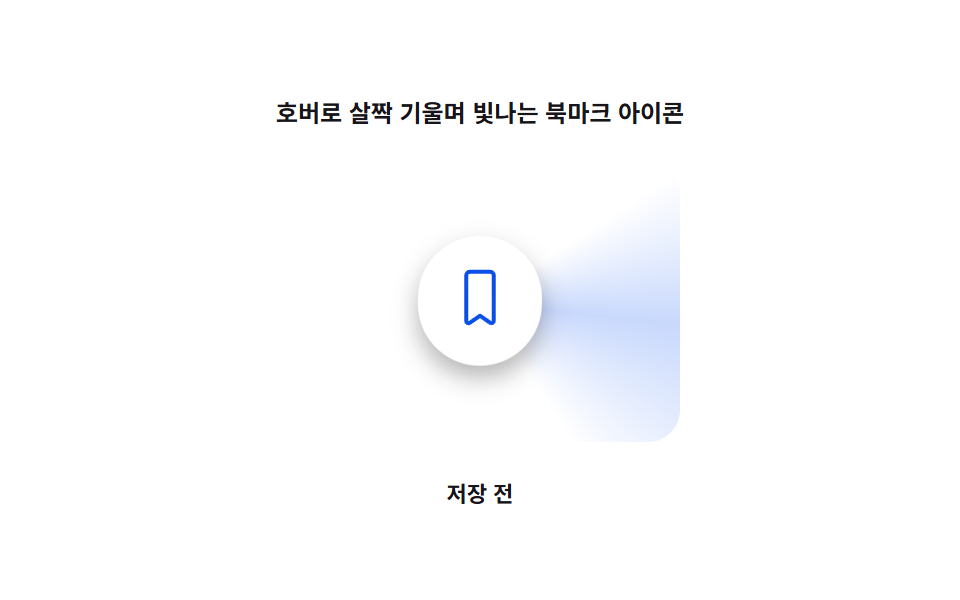 01 bookmark-btn-hover-tilt-glow
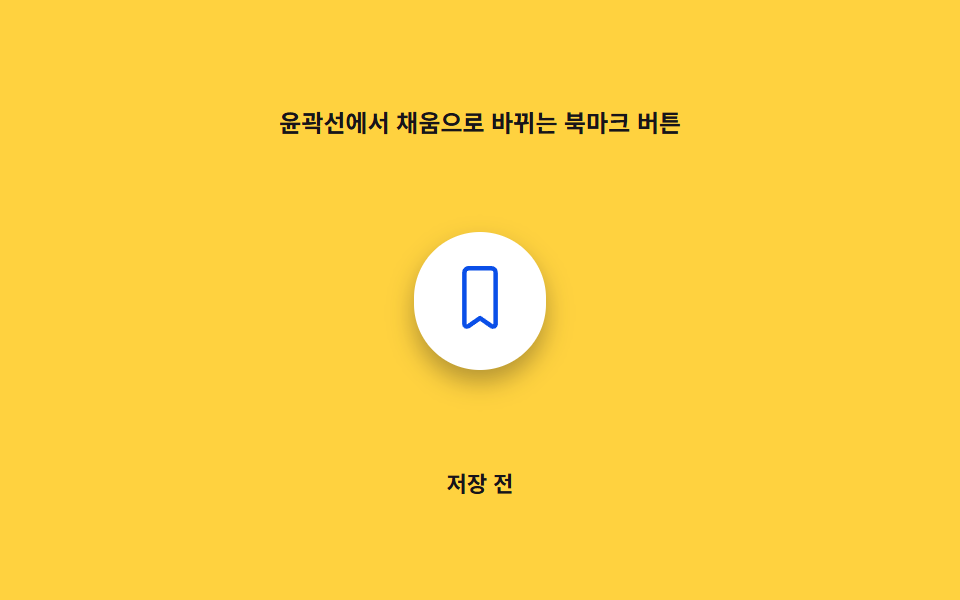 02 bookmark-btn-outline-fill-morph
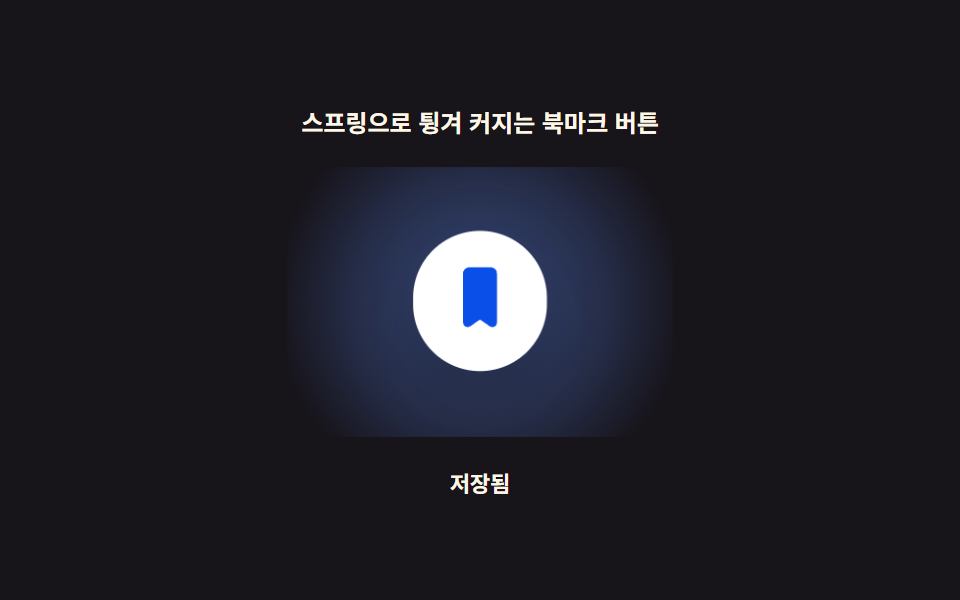 03 bookmark-btn-spring-pop-scale
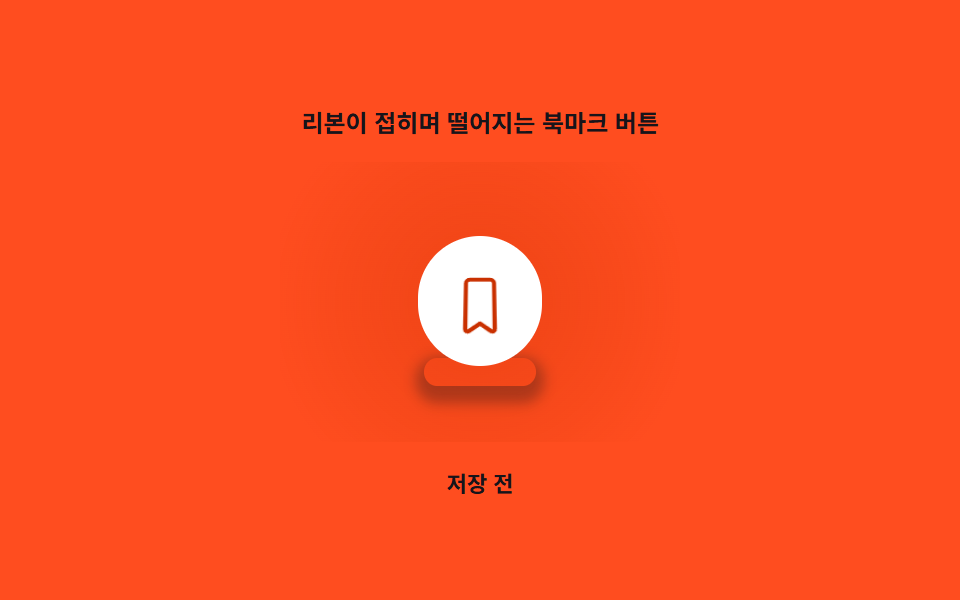 04 bookmark-btn-ribbon-fold-drop
 05 bookmark-btn-liquid-fill-wave
 06 bookmark-btn-stack-count-badge
 07 bookmark-btn-toast-confirm-slide
 08 bookmark-btn-collection-picker-popover
 09 bookmark-btn-drag-reading-list-drop
Auto-plays · click a tile to jump to its section · all nine in one zip
- 01 Bookmark Icon That Tilts and Glows on Hover
- 02 Bookmark Button That Morphs From Outline to Filled
- 03 Bookmark Button That Pops With a Spring Overshoot
- 04 Bookmark Ribbon That Folds and Drops
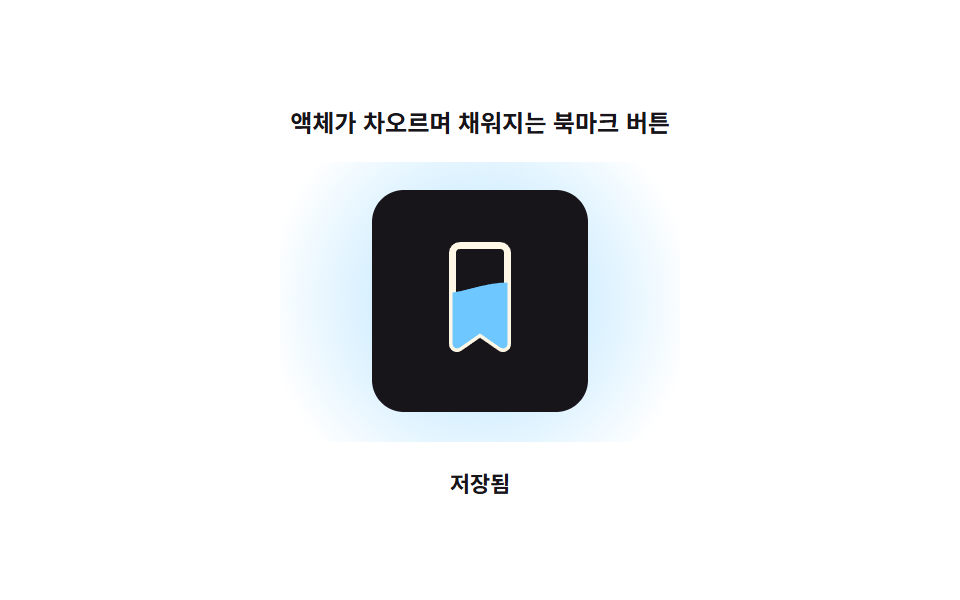
- 05 Bookmark Button Filled by a Rising Liquid Wave
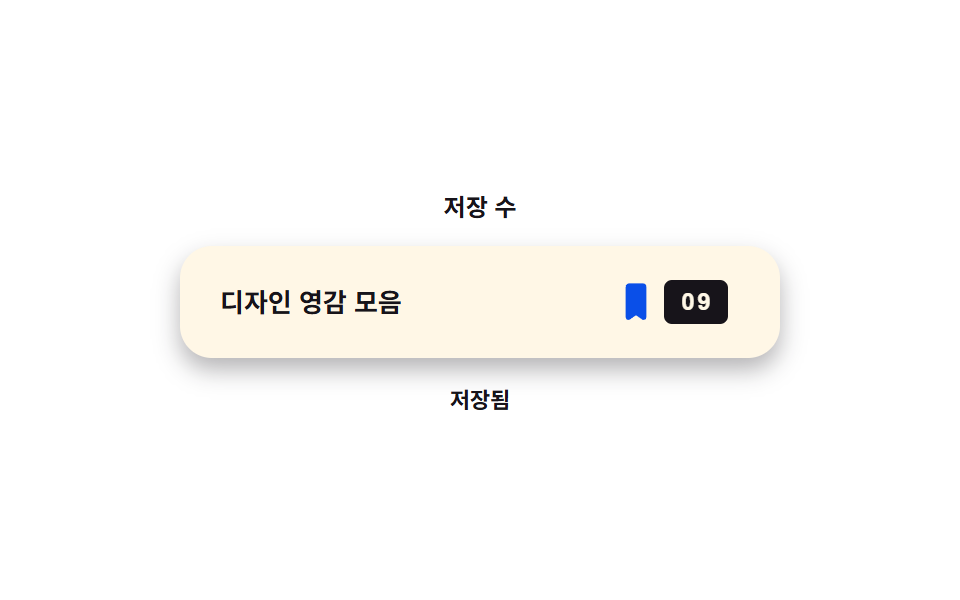
- 06 Save-Count Badge That Rolls Up Digit by Digit
- 07 Toast That Slides In to Confirm the Save
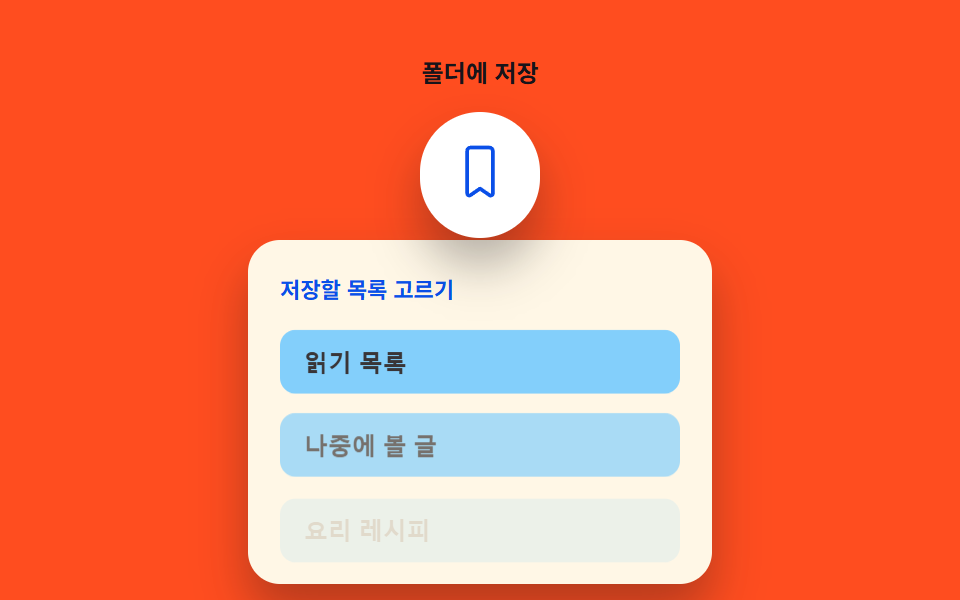
- 08 Popover for Picking Which Collection to Save Into
- 09 Bookmark You Drag and Drop Into a Reading List
Nine Bookmark Icon Animations Ordered by How Much of the Icon Actually Moves
Every pattern below still ends at the same two states — saved or not — but each one reaches that state through a different single number read every frame or every event. The order below runs roughly from decoration to mechanism: 01 only reacts to a pointer that's already hovering, 02 and 03 read a single tap and either morph or overshoot, 04 and 05 add a physical read (a fold, a rising liquid level) on top of the same tap, 06 and 07 turn one save into a second visible change elsewhere on the page, and 08 and 09 hand the driving value to a longer gesture — a long press or a drag — instead of a single click. Most of the bookmark ui design patterns a reader has actually used only cover the first three or four of these; the last five are closer to what a real saved-items feature needs once a list, a count, or a folder enters the picture.
01Bookmark Icon That Tilts and Glows on Hover
The icon only moves while a real pointer sits over it: applyVector() turns the cursor's offset from the button's center into a clamped angle, and that one angle drives both a transform tilt and a conic-gradient glow position at once, so the light always sweeps toward wherever the cursor actually is. It never touches the saved state itself — it's the layer that makes a static save icon on an article list card feel like it's tracking the reader before they've clicked anything.
<main class="stage">
<div class="rb is-demo" id="rb">
  <p class="rb__caption">A Bookmark Icon That Tilts and Glows on Hover</p>
  <div class="rb__zone" id="rbZone">
    <div class="rb__glow" id="rbGlow" aria-hidden="true"></div>
    <button class="rb__btn" id="rbBtn" type="button" aria-pressed="false">
      <svg class="rb__icon" viewBox="0 0 24 24" width="30" height="30" aria-hidden="true" focusable="false">
        <path class="rb__shape" d="M6.5 3A1.5 1.5 0 0 1 8 1.5h8A1.5 1.5 0 0 1 17.5 3v18.2a.9.9 0 0 1-1.38.76L12 19.1l-4.12 2.86A.9.9 0 0 1 6.5 21.2Z"/>
      </svg>
    </button>
  </div>
  <p class="rb__status" id="rbStatus" aria-live="polite">Not saved</p>
</div>
</main>
@use "../../../../site/static/demo-tokens" as *;
// 값 하나: 포인터 벡터→각도. 그 각도가 기울기(rotateX/rotateY)와 광택 sweep 위치를 함께 정한다.
$duration: $dur-loop;
$easing: $ease-out;
$color: $subject-blue-deep;
@include stage($stage-paper);
.rb {
display: grid;
gap: $sp-3;
justify-items: center;
}
.rb__caption {
margin: 0;
font-size: 12px;
font-weight: 600;
color: $subject-ink;
}
.rb__zone {
position: relative;
width: 220px;
height: 150px;
display: grid;
place-items: center;
}
.rb__glow {
position: absolute;
inset: 0;
margin: auto;
width: 200px;
height: 140px;
--glow-deg: 0deg;
--glow-strength: 0;
background: conic-gradient(from var(--glow-deg), transparent 0deg, rgba($subject-blue, .55) 40deg, transparent 90deg);
opacity: var(--glow-strength);
border-radius: $r-card;
pointer-events: none;
}
.rb__btn {
position: relative;
z-index: 1;
border: 0;
background: $stage-paper;
border-radius: $r-pill;
padding: $sp-4;
cursor: pointer;
color: $color;
box-shadow: $shadow-press;
transform-origin: center;
will-change: transform;
}
.rb__btn:focus-visible {
outline: 2px solid $subject-blue;
outline-offset: 3px;
}
.rb__shape {
fill: none;
stroke: $color;
stroke-width: 1.6;
stroke-linejoin: round;
}
.rb.is-saved .rb__shape {
fill: $color;
}
.rb__status {
margin: 0;
font-size: 11px;
color: $subject-ink;
font-weight: 600;
}
@media (max-width: 340px) {
.rb__zone { width: 170px; height: 96px; }
.rb__glow { width: 150px; height: 86px; }
}
@media (prefers-reduced-motion: reduce) {
.rb__btn { transition: none; }
}html, body {
margin: 0;
overflow: hidden;
}
.stage {
box-sizing: border-box;
min-height: 100vh;
display: grid;
place-items: center;
margin: 0;
background: #ffffff;
font-family: -apple-system, "Segoe UI", "Noto Sans KR", sans-serif;
padding: clamp(8px, 4vw, 24px);
}
.rb {
display: grid;
gap: 12px;
justify-items: center;
}
.rb__caption {
margin: 0;
font-size: 12px;
font-weight: 600;
color: #17141a;
}
.rb__zone {
position: relative;
width: 220px;
height: 150px;
display: grid;
place-items: center;
}
.rb__glow {
position: absolute;
inset: 0;
margin: auto;
width: 200px;
height: 140px;
--glow-deg: 0deg;
--glow-strength: 0;
background: conic-gradient(from var(--glow-deg), transparent 0deg, rgba(47, 109, 246, 0.55) 40deg, transparent 90deg);
opacity: var(--glow-strength);
border-radius: 16px;
pointer-events: none;
}
.rb__btn {
position: relative;
z-index: 1;
border: 0;
background: #ffffff;
border-radius: 999px;
padding: 16px;
cursor: pointer;
color: #0a4fe8;
box-shadow: 0 6px 12px rgba(23, 20, 26, 0.32);
transform-origin: center;
will-change: transform;
}
.rb__btn:focus-visible {
outline: 2px solid #2f6df6;
outline-offset: 3px;
}
.rb__shape {
fill: none;
stroke: #0a4fe8;
stroke-width: 1.6;
stroke-linejoin: round;
}
.rb.is-saved .rb__shape {
fill: #0a4fe8;
}
.rb__status {
margin: 0;
font-size: 11px;
color: #17141a;
font-weight: 600;
}
@media (max-width: 340px) {
.rb__zone {
width: 170px;
height: 96px;
}
.rb__glow {
width: 150px;
height: 86px;
}
}
@media (prefers-reduced-motion: reduce) {
.rb__btn {
transition: none;
}
}(function () {
"use strict";
var TILT_MAX_DEG = 14;
var GLOW_RADIUS_PX = 150;
var CYCLE_S = 2;
var root = document.getElementById("rb");
var zone = document.getElementById("rbZone");
var glow = document.getElementById("rbGlow");
var btn = document.getElementById("rbBtn");
var status = document.getElementById("rbStatus");
var reduce = window.matchMedia("(prefers-reduced-motion: reduce)").matches;
var saved = false;
function setSaved(v) {
saved = v;
btn.setAttribute("aria-pressed", String(v));
root.classList.toggle("is-saved", v);
status.textContent = v ? "Saved" : "Not saved";
}
function clamp(v, lo, hi) { return Math.max(lo, Math.min(hi, v)); }
// 값 하나: 포인터 벡터(dx,dy) → 각도. 그 각도가 기울기(rotateX/rotateY)와
// 광택 sweep 위치(conic-gradient 각도)를 동시에 결정한다.
function applyVector(dx, dy) {
var dist = Math.hypot(dx, dy);
var strength = clamp(1 - dist / GLOW_RADIUS_PX, 0, 1);
var angleDeg = Math.atan2(dy, dx) * 180 / Math.PI;
var tiltX = clamp(-dy / GLOW_RADIUS_PX, -1, 1) * TILT_MAX_DEG * strength;
var tiltY = clamp(dx / GLOW_RADIUS_PX, -1, 1) * TILT_MAX_DEG * strength;
btn.style.transform = "perspective(600px) rotateX(" + tiltX.toFixed(2) + "deg) rotateY(" + tiltY.toFixed(2) + "deg)";
glow.style.setProperty("--glow-deg", angleDeg.toFixed(1) + "deg");
glow.style.setProperty("--glow-strength", strength.toFixed(3));
}
var hasPointer = false;
zone.addEventListener("pointermove", function (e) {
hasPointer = true;
root.classList.remove("is-demo");
var r = btn.getBoundingClientRect();
var cx = r.left + r.width / 2;
var cy = r.top + r.height / 2;
applyVector(e.clientX - cx, e.clientY - cy);
});
zone.addEventListener("pointerleave", function () {
hasPointer = false;
applyVector(0, 0);
});
btn.addEventListener("focus", function () {
applyVector(0, -GLOW_RADIUS_PX * 0.4);
});
btn.addEventListener("blur", function () {
if (!hasPointer) applyVector(0, 0);
});
btn.addEventListener("click", function () {
setSaved(!saved);
});
// .is-demo 자동 시연: 가상 포인터가 원을 그리며 지나가고, 그 사이 두 번 저장 상태를 바꾼다.
var start = null;
var prevT = 0;
var toggledA = false;
var toggledB = false;
function loop(now) {
if (start === null) start = now;
var t = ((now - start) / 1000) % CYCLE_S;
if (t < prevT) { toggledA = false; toggledB = false; }
prevT = t;
if (!reduce && !hasPointer && root.classList.contains("is-demo")) {
var ang = (t / CYCLE_S) * Math.PI * 2;
var x = Math.cos(ang) * 120;
var y = Math.sin(ang) * 70;
applyVector(x, y);
if (!toggledA && t > 0.45) { toggledA = true; setSaved(true); }
if (!toggledB && t > 1.45) { toggledB = true; setSaved(false); }
}
requestAnimationFrame(loop);
}
if (reduce) {
applyVector(0, 0);
} else {
requestAnimationFrame(loop);
}
})();// HoverTiltGlowBookmark — vanilla 판(run/416/demo/01-bookmark-btn-hover-tilt-glow/index.html) 의 React 포트.
// 값 하나: 포인터 벡터(dx,dy) → 각도. 그 각도가 버튼 기울기(rotateX/rotateY)와 광택 sweep 위치(conic-gradient)를 함께 정한다.
import { useEffect, useRef, useState } from "react";
import type { PointerEvent as ReactPointerEvent } from "react";
import styles from "./HoverTiltGlowBookmark.module.scss";
type Box<T> = { current: T };
const TILT_MAX_DEG = 14;
const GLOW_RADIUS_PX = 150;
const CYCLE_S = 2;
function clamp(v: number, lo: number, hi: number): number {
return Math.max(lo, Math.min(hi, v));
}
export default function HoverTiltGlowBookmark() {
const btnRef = useRef<HTMLButtonElement | null>(null);
const glowRef = useRef<HTMLDivElement | null>(null);
const hasPointerRef = useRef<boolean>(false) as Box<boolean>;
const frameRef = useRef<number>(0) as Box<number>;
const [saved, setSaved] = useState(false);
const [demo, setDemo] = useState(true);
const [reduce, setReduce] = useState(false);
function applyVector(dx: number, dy: number): void {
const btn = btnRef.current;
const glow = glowRef.current;
if (!btn || !glow) return;
const dist = Math.hypot(dx, dy);
const strength = clamp(1 - dist / GLOW_RADIUS_PX, 0, 1);
const angleDeg = (Math.atan2(dy, dx) * 180) / Math.PI;
const tiltX = clamp(-dy / GLOW_RADIUS_PX, -1, 1) * TILT_MAX_DEG * strength;
const tiltY = clamp(dx / GLOW_RADIUS_PX, -1, 1) * TILT_MAX_DEG * strength;
btn.style.transform = "perspective(600px) rotateX(" + tiltX.toFixed(2) + "deg) rotateY(" + tiltY.toFixed(2) + "deg)";
glow.style.setProperty("--glow-deg", angleDeg.toFixed(1) + "deg");
glow.style.setProperty("--glow-strength", strength.toFixed(3));
}
useEffect(() => {
setReduce(window.matchMedia("(prefers-reduced-motion: reduce)").matches);
}, []);
useEffect(() => {
if (reduce) {
applyVector(0, 0);
return;
}
let start = 0;
let prevT = 0;
let toggledA = false;
let toggledB = false;
function loop(now: number): void {
if (start === 0) start = now;
const t = ((now - start) / 1000) % CYCLE_S;
if (t < prevT) { toggledA = false; toggledB = false; }
prevT = t;
if (!hasPointerRef.current && demo) {
const ang = (t / CYCLE_S) * Math.PI * 2;
const x = Math.cos(ang) * 120;
const y = Math.sin(ang) * 70;
applyVector(x, y);
if (!toggledA && t > 0.45) { toggledA = true; setSaved(true); }
if (!toggledB && t > 1.45) { toggledB = true; setSaved(false); }
}
frameRef.current = requestAnimationFrame(loop);
}
frameRef.current = requestAnimationFrame(loop);
return () => cancelAnimationFrame(frameRef.current);
}, [reduce, demo]);
function onPointerMove(event: ReactPointerEvent<HTMLDivElement>): void {
hasPointerRef.current = true;
setDemo(false);
const btn = btnRef.current;
if (!btn) return;
const r = btn.getBoundingClientRect();
const cx = r.left + r.width / 2;
const cy = r.top + r.height / 2;
applyVector(event.clientX - cx, event.clientY - cy);
}
function onPointerLeave(): void {
hasPointerRef.current = false;
applyVector(0, 0);
}
function onFocus(): void {
applyVector(0, -GLOW_RADIUS_PX * 0.4);
}
function onBlur(): void {
if (!hasPointerRef.current) applyVector(0, 0);
}
function onClick(): void {
setDemo(false);
setSaved(!saved);
}
return (
<main className={styles.stage}>
<div className={styles.rb}>
<p className={styles.caption}>호버로 살짝 기울며 빛나는 북마크 아이콘</p>
<div className={styles.zone} onPointerMove={onPointerMove} onPointerLeave={onPointerLeave}>
<div className={styles.glow} aria-hidden="true" ref={glowRef} />
<button className={styles.btn} ref={btnRef} type="button" aria-pressed={saved} onFocus={onFocus} onBlur={onBlur} onClick={onClick}>
<svg className={styles.icon} viewBox="0 0 24 24" width={30} height={30} aria-hidden="true" focusable="false">
<path className={styles.shape} d="M6.5 3A1.5 1.5 0 0 1 8 1.5h8A1.5 1.5 0 0 1 17.5 3v18.2a.9.9 0 0 1-1.38.76L12 19.1l-4.12 2.86A.9.9 0 0 1 6.5 21.2Z" />
</svg>
</button>
</div>
<p className={styles.status} aria-live="polite">{saved ? "저장됨" : "저장 전"}</p>
</div>
</main>
);
}01 · Bookmark Icon That Tilts and Glows on Hover — Measured area 17.316% · moving frames 21/23Original by GODRICH · SCSS and React ship in the zip · See the password
  // one value: pointer vector (dx,dy) → angle. that angle drives both the
  // tilt (rotateX/rotateY) and the glow-sweep position (conic-gradient angle) at once.
  function applyVector(dx, dy) {
    var dist = Math.hypot(dx, dy);
    var strength = clamp(1 - dist / GLOW_RADIUS_PX, 0, 1);
    var angleDeg = Math.atan2(dy, dx) * 180 / Math.PI;
    var tiltX = clamp(-dy / GLOW_RADIUS_PX, -1, 1) * TILT_MAX_DEG * strength;
    var tiltY = clamp(dx / GLOW_RADIUS_PX, -1, 1) * TILT_MAX_DEG * strength;
    btn.style.transform = "perspective(600px) rotateX(" + tiltX.toFixed(2) + "deg) rotateY(" + tiltY.toFixed(2) + "deg)";
    glow.style.setProperty("--glow-deg", angleDeg.toFixed(1) + "deg");
    glow.style.setProperty("--glow-strength", strength.toFixed(3));
  }
Measured: 17.3% cumulative area, 24.3 average intensity, 21/23 frames moved.
02Bookmark Button That Morphs From Outline to Filled
Before a tap the ribbon is drawn as an outline only; setSaved() flips one boolean and render(p) reads the resulting progress value to grow a fill rect's height from the bottom up, so the ribbon never swaps icons — it fills itself in. That single fill percentage is what a wishlist button on a product card needs: a state change a shopper can watch happen instead of a hard cut between two SVGs.
<main class="stage">
<div class="ob is-demo" id="ob">
  <p class="ob__caption">A Bookmark Button That Morphs From Outline to Fill</p>
  <div class="ob__scene" id="obScene">
    <div class="ob__panel" id="obPanel" aria-hidden="true"></div>
    <button class="ob__btn" id="obBtn" type="button" aria-pressed="false">
      <svg class="ob__icon" viewBox="0 0 24 24" width="34" height="34" aria-hidden="true" focusable="false">
        <defs>
          <clipPath id="obClip">
            <path d="M6.5 3A1.5 1.5 0 0 1 8 1.5h8A1.5 1.5 0 0 1 17.5 3v18.2a.9.9 0 0 1-1.38.76L12 19.1l-4.12 2.86A.9.9 0 0 1 6.5 21.2Z"/>
          </clipPath>
        </defs>
        <path class="ob__outline" d="M6.5 3A1.5 1.5 0 0 1 8 1.5h8A1.5 1.5 0 0 1 17.5 3v18.2a.9.9 0 0 1-1.38.76L12 19.1l-4.12 2.86A.9.9 0 0 1 6.5 21.2Z"/>
        <rect class="ob__fill" id="obFill" x="0" y="24" width="24" height="24" clip-path="url(#obClip)"/>
      </svg>
    </button>
  </div>
  <p class="ob__status" id="obStatus" aria-live="polite">Not saved</p>
</div>
</main>
@use "../../../../site/static/demo-tokens" as *;
// 값 하나: fill 진행률(0~1) → SVG rect 의 y/height, clip-path 로 리본 모양 안에서만 차오른다.
$duration: $dur-base;
$easing: $ease-out;
$color: $subject-blue-deep;
@include stage($stage-yellow);
.ob {
display: grid;
gap: $sp-3;
justify-items: center;
}
.ob__caption {
margin: 0;
font-size: 12px;
font-weight: 600;
color: $subject-ink;
}
.ob__scene {
position: relative;
width: 200px;
height: 140px;
display: grid;
place-items: center;
}
.ob__panel {
position: absolute;
inset: 0;
margin: auto;
width: 200px;
height: 140px;
--fill-p: 0;
border-radius: $r-card;
background: radial-gradient(circle, rgba($subject-blue-deep, calc(var(--fill-p) * .62)) 0%, rgba($subject-blue-deep, calc(var(--fill-p) * .28)) 55%, transparent 90%);
pointer-events: none;
}
.ob__btn {
position: relative;
z-index: 1;
border: 0;
background: $stage-paper;
border-radius: $r-pill;
padding: $sp-4;
cursor: pointer;
box-shadow: $shadow-press;
transform-origin: center;
}
.ob__btn:focus-visible {
outline: 2px solid $subject-blue;
outline-offset: 3px;
}
.ob__outline {
fill: none;
stroke: $color;
stroke-width: 1.6;
stroke-linejoin: round;
}
.ob__fill {
fill: $color;
}
.ob__status {
margin: 0;
font-size: 11px;
color: $subject-ink;
font-weight: 600;
}
@media (max-width: 340px) {
.ob__scene { width: 150px; height: 96px; }
.ob__panel { width: 130px; height: 78px; }
}
@media (prefers-reduced-motion: reduce) {
.ob__btn { transition: none; }
}html, body {
margin: 0;
overflow: hidden;
}
.stage {
box-sizing: border-box;
min-height: 100vh;
display: grid;
place-items: center;
margin: 0;
background: #ffd23f;
font-family: -apple-system, "Segoe UI", "Noto Sans KR", sans-serif;
padding: clamp(8px, 4vw, 24px);
}
.ob {
display: grid;
gap: 12px;
justify-items: center;
}
.ob__caption {
margin: 0;
font-size: 12px;
font-weight: 600;
color: #17141a;
}
.ob__scene {
position: relative;
width: 200px;
height: 140px;
display: grid;
place-items: center;
}
.ob__panel {
position: absolute;
inset: 0;
margin: auto;
width: 200px;
height: 140px;
--fill-p: 0;
border-radius: 16px;
background: radial-gradient(circle, rgba(10, 79, 232, calc(var(--fill-p) * 0.62)) 0%, rgba(10, 79, 232, calc(var(--fill-p) * 0.28)) 55%, transparent 90%);
pointer-events: none;
}
.ob__btn {
position: relative;
z-index: 1;
border: 0;
background: #ffffff;
border-radius: 999px;
padding: 16px;
cursor: pointer;
box-shadow: 0 6px 12px rgba(23, 20, 26, 0.32);
transform-origin: center;
}
.ob__btn:focus-visible {
outline: 2px solid #2f6df6;
outline-offset: 3px;
}
.ob__outline {
fill: none;
stroke: #0a4fe8;
stroke-width: 1.6;
stroke-linejoin: round;
}
.ob__fill {
fill: #0a4fe8;
}
.ob__status {
margin: 0;
font-size: 11px;
color: #17141a;
font-weight: 600;
}
@media (max-width: 340px) {
.ob__scene {
width: 150px;
height: 96px;
}
.ob__panel {
width: 130px;
height: 78px;
}
}
@media (prefers-reduced-motion: reduce) {
.ob__btn {
transition: none;
}
}(function () {
"use strict";
var CYCLE_S = 2;
var root = document.getElementById("ob");
var scene = document.getElementById("obScene");
var panel = document.getElementById("obPanel");
var btn = document.getElementById("obBtn");
var fillRect = document.getElementById("obFill");
var status = document.getElementById("obStatus");
var reduce = window.matchMedia("(prefers-reduced-motion: reduce)").matches;
var saved = false;
var progress = 0;
var target = 0;
function render(p) {
// 값 하나: fill 진행률(p, 0~1) → SVG rect 의 y·height(=clip-path 로 잘려 채움 비율이 된다)
var y = 24 * (1 - p);
fillRect.setAttribute("y", y.toFixed(3));
fillRect.setAttribute("height", (24 - y).toFixed(3));
panel.style.setProperty("--fill-p", p.toFixed(3));
}
function setSaved(v) {
saved = v;
target = v ? 1 : 0;
btn.setAttribute("aria-pressed", String(v));
status.textContent = v ? "Saved" : "Not saved";
}
btn.addEventListener("click", function () {
root.classList.remove("is-demo");
setSaved(!saved);
});
var start = null;
var prevT = 0;
var toggledA = false;
var toggledB = false;
function loop(now) {
if (start === null) start = now;
var t = ((now - start) / 1000) % CYCLE_S;
if (t < prevT) { toggledA = false; toggledB = false; }
prevT = t;
if (!reduce && root.classList.contains("is-demo")) {
if (!toggledA && t > 0.3) { toggledA = true; setSaved(true); }
if (!toggledB && t > 1.3) { toggledB = true; setSaved(false); }
}
if (reduce) {
progress = target;
} else {
// 관성 lerp: 진행률이 목표를 향해 부드럽게 수렴한다 (속성 트윈이 아니라 매 프레임 계산)
progress += (target - progress) * 0.22;
}
render(progress);
requestAnimationFrame(loop);
}
requestAnimationFrame(loop);
})();// OutlineFillMorphBookmark — vanilla 판(run/416/demo/02-bookmark-btn-outline-fill-morph/index.html) 의 React 포트.
// 값 하나: fill 진행률(0~1, 관성 lerp) → SVG rect 의 y/height(clip-path 로 리본 모양 안에서만 차오른다) + 배경 패널 강도.
import { useEffect, useRef, useState } from "react";
import styles from "./OutlineFillMorphBookmark.module.scss";
type Box<T> = { current: T };
const CYCLE_S = 2;
const LERP_RATE = 0.22;
export default function OutlineFillMorphBookmark() {
const panelRef = useRef<HTMLDivElement | null>(null);
const fillRef = useRef<SVGRectElement | null>(null);
const progressRef = useRef<number>(0) as Box<number>;
const targetRef = useRef<number>(0) as Box<number>;
const frameRef = useRef<number>(0) as Box<number>;
const [saved, setSaved] = useState(false);
const [demo, setDemo] = useState(true);
const [reduce, setReduce] = useState(false);
function render(p: number): void {
const fill = fillRef.current;
const panel = panelRef.current;
if (!fill || !panel) return;
const y = 24 * (1 - p);
fill.setAttribute("y", y.toFixed(3));
fill.setAttribute("height", (24 - y).toFixed(3));
panel.style.setProperty("--fill-p", p.toFixed(3));
}
function toggle(v: boolean): void {
setSaved(v);
targetRef.current = v ? 1 : 0;
}
useEffect(() => {
setReduce(window.matchMedia("(prefers-reduced-motion: reduce)").matches);
}, []);
useEffect(() => {
let start = 0;
let prevT = 0;
let toggledA = false;
let toggledB = false;
function loop(now: number): void {
if (start === 0) start = now;
const t = ((now - start) / 1000) % CYCLE_S;
if (t < prevT) { toggledA = false; toggledB = false; }
prevT = t;
if (!reduce && demo) {
if (!toggledA && t > 0.3) { toggledA = true; toggle(true); }
if (!toggledB && t > 1.3) { toggledB = true; toggle(false); }
}
if (reduce) {
progressRef.current = targetRef.current;
} else {
progressRef.current += (targetRef.current - progressRef.current) * LERP_RATE;
}
render(progressRef.current);
frameRef.current = requestAnimationFrame(loop);
}
frameRef.current = requestAnimationFrame(loop);
return () => cancelAnimationFrame(frameRef.current);
}, [reduce, demo]);
function onClick(): void {
setDemo(false);
toggle(!saved);
}
return (
<main className={styles.stage}>
<div className={styles.ob}>
<p className={styles.caption}>윤곽선에서 채움으로 바뀌는 북마크 버튼</p>
<div className={styles.scene}>
<div className={styles.panel} aria-hidden="true" ref={panelRef} />
<button className={styles.btn} type="button" aria-pressed={saved} onClick={onClick}>
<svg className={styles.icon} viewBox="0 0 24 24" width={34} height={34} aria-hidden="true" focusable="false">
<defs>
<clipPath id="obClip">
<path d="M6.5 3A1.5 1.5 0 0 1 8 1.5h8A1.5 1.5 0 0 1 17.5 3v18.2a.9.9 0 0 1-1.38.76L12 19.1l-4.12 2.86A.9.9 0 0 1 6.5 21.2Z" />
</clipPath>
</defs>
<path className={styles.outline} d="M6.5 3A1.5 1.5 0 0 1 8 1.5h8A1.5 1.5 0 0 1 17.5 3v18.2a.9.9 0 0 1-1.38.76L12 19.1l-4.12 2.86A.9.9 0 0 1 6.5 21.2Z" />
<rect className={styles.fill} ref={fillRef} x={0} y={24} width={24} height={24} clipPath="url(#obClip)" />
</svg>
</button>
</div>
<p className={styles.status} aria-live="polite">{saved ? "저장됨" : "저장 전"}</p>
</div>
</main>
);
}02 · Bookmark Button That Morphs From Outline to Filled — Measured area 16.04% · moving frames 7/23Original by GODRICH · SCSS and React ship in the zip · See the password
  function render(p) {
    // one value: fill progress (p, 0-1) → the SVG rect's y/height (clipped into a fill percentage)
    var y = 24 * (1 - p);
    fillRect.setAttribute("y", y.toFixed(3));
    fillRect.setAttribute("height", (24 - y).toFixed(3));
    panel.style.setProperty("--fill-p", p.toFixed(3));
  }

  function setSaved(v) {
    saved = v;
    target = v ? 1 : 0;
    btn.setAttribute("aria-pressed", String(v));
    status.textContent = v ? "Saved" : "Not saved";
  }
Measured: 16.0% cumulative area, 37.6 average intensity, 7/23 frames moved.
03Bookmark Button That Pops With a Spring Overshoot
A tap doesn't just grow the icon to its final size — integrate() runs an actual spring equation every frame, so the scale sails past 1 and gets pulled back by its own damping instead of easing straight to a target. That overshoot is what makes a save button next to a comment's like button read as a reaction rather than a settings toggle.
<main class="stage">
<div class="sp is-demo" id="sp">
  <p class="sp__caption">A Bookmark Button That Pops With a Spring</p>
  <div class="sp__scene" id="spScene">
    <button class="sp__btn" id="spBtn" type="button" aria-pressed="false">
      <svg class="sp__icon" viewBox="0 0 24 24" width="30" height="30" aria-hidden="true" focusable="false">
        <path class="sp__shape" d="M6.5 3A1.5 1.5 0 0 1 8 1.5h8A1.5 1.5 0 0 1 17.5 3v18.2a.9.9 0 0 1-1.38.76L12 19.1l-4.12 2.86A.9.9 0 0 1 6.5 21.2Z"/>
      </svg>
    </button>
  </div>
  <p class="sp__status" id="spStatus" aria-live="polite">Not saved</p>
</div>
</main>
@use "../../../../site/static/demo-tokens" as *;
// 값 하나: 스프링 방정식(강성·감쇠) 을 적분한 위치가 버튼 scale 이 된다.
// BOOKMARK_SPRING_OVERSHOOT_PERCENT 가 넘길 수 있는 최대 비율을 정한다.
$duration: $dur-loop;
$easing: $ease-elastic;
$color: $subject-blue-deep;
@include stage($stage-ink);
.sp {
display: grid;
gap: $sp-3;
justify-items: center;
}
.sp__caption {
margin: 0;
font-size: 12px;
font-weight: 600;
color: $subject-cream;
}
.sp__scene {
position: relative;
width: 200px;
height: 140px;
display: grid;
place-items: center;
--tone: 0;
}
.sp__scene::before {
content: "";
position: absolute;
inset: 0;
margin: auto;
width: 200px;
height: 140px;
border-radius: $r-card;
background: radial-gradient(circle, rgba($subject-blue-light, .68) 0%, rgba($subject-blue-light, .3) 55%, transparent 88%);
opacity: var(--tone);
transform: scale(calc(0.7 + var(--tone) * 0.4));
pointer-events: none;
}
.sp__btn {
position: relative;
z-index: 1;
border: 0;
background: $stage-paper;
border-radius: $r-pill;
padding: $sp-4;
cursor: pointer;
box-shadow: $shadow-raised;
transform-origin: center;
will-change: transform;
}
.sp__btn:focus-visible {
outline: 2px solid $subject-blue-light;
outline-offset: 3px;
}
.sp__shape {
fill: none;
stroke: $color;
stroke-width: 1.6;
stroke-linejoin: round;
}
.sp.is-saved .sp__shape {
fill: $color;
}
.sp__status {
margin: 0;
font-size: 11px;
color: $subject-cream;
font-weight: 600;
}
@media (max-width: 340px) {
.sp__scene { width: 150px; height: 96px; }
.sp__scene::before { width: 130px; height: 78px; }
}
@media (prefers-reduced-motion: reduce) {
.sp__btn { transition: none; }
}html, body {
margin: 0;
overflow: hidden;
}
.stage {
box-sizing: border-box;
min-height: 100vh;
display: grid;
place-items: center;
margin: 0;
background: #17141a;
font-family: -apple-system, "Segoe UI", "Noto Sans KR", sans-serif;
padding: clamp(8px, 4vw, 24px);
}
.sp {
display: grid;
gap: 12px;
justify-items: center;
}
.sp__caption {
margin: 0;
font-size: 12px;
font-weight: 600;
color: #fff7e6;
}
.sp__scene {
position: relative;
width: 200px;
height: 140px;
display: grid;
place-items: center;
--tone: 0;
}
.sp__scene::before {
content: "";
position: absolute;
inset: 0;
margin: auto;
width: 200px;
height: 140px;
border-radius: 16px;
background: radial-gradient(circle, rgba(91, 140, 248, 0.68) 0%, rgba(91, 140, 248, 0.3) 55%, transparent 88%);
opacity: var(--tone);
transform: scale(calc(0.7 + var(--tone) * 0.4));
pointer-events: none;
}
.sp__btn {
position: relative;
z-index: 1;
border: 0;
background: #ffffff;
border-radius: 999px;
padding: 16px;
cursor: pointer;
box-shadow: 0 14px 24px rgba(23, 20, 26, 0.32);
transform-origin: center;
will-change: transform;
}
.sp__btn:focus-visible {
outline: 2px solid #5b8cf8;
outline-offset: 3px;
}
.sp__shape {
fill: none;
stroke: #0a4fe8;
stroke-width: 1.6;
stroke-linejoin: round;
}
.sp.is-saved .sp__shape {
fill: #0a4fe8;
}
.sp__status {
margin: 0;
font-size: 11px;
color: #fff7e6;
font-weight: 600;
}
@media (max-width: 340px) {
.sp__scene {
width: 150px;
height: 96px;
}
.sp__scene::before {
width: 130px;
height: 78px;
}
}
@media (prefers-reduced-motion: reduce) {
.sp__btn {
transition: none;
}
}(function () {
"use strict";
// 변형 3: BOOKMARK_SPRING_OVERSHOOT_PERCENT 가 스프링이 목표를 넘길 수 있는 최대치를 정한다.
var BOOKMARK_SPRING_OVERSHOOT_PERCENT = 12;
var SPRING_STIFFNESS = 210;
var SPRING_DAMPING = 18;
var SPRING_KICK_VELOCITY = 7.4;
var CYCLE_S = 2;
var root = document.getElementById("sp");
var scene = document.getElementById("spScene");
var btn = document.getElementById("spBtn");
var status = document.getElementById("spStatus");
var reduce = window.matchMedia("(prefers-reduced-motion: reduce)").matches;
var saved = false;
function setSaved(v) {
saved = v;
btn.setAttribute("aria-pressed", String(v));
root.classList.toggle("is-saved", v);
status.textContent = v ? "Saved" : "Not saved";
}
var maxScale = 1 + BOOKMARK_SPRING_OVERSHOOT_PERCENT / 100;
var pos = 1;
var vel = 0;
function render(p) {
var s = clamp01to(p);
btn.style.transform = "scale(" + s.toFixed(4) + ")";
var tone = clamp(s - 1, 0, maxScale - 1) / (maxScale - 1);
scene.style.setProperty("--tone", tone.toFixed(3));
}
function clamp(v, lo, hi) { return Math.max(lo, Math.min(hi, v)); }
function clamp01to(v) { return v; }
// 스프링 방정식(강성 SPRING_STIFFNESS · 감쇠 SPRING_DAMPING) 을 매 프레임 적분한다.
// 눌리는 순간 속도를 한 번 차 넣으면(kick), 스프링이 목표(1)를 넘겼다가 되돌아온다.
function integrate(dt) {
var accel = SPRING_STIFFNESS * (1 - pos) - SPRING_DAMPING * vel;
vel += accel * dt;
pos += vel * dt;
if (pos > maxScale) { pos = maxScale; vel *= -0.35; }
if (pos < 1 && vel < 0 && Math.abs(pos - 1) < 0.001 && Math.abs(vel) < 0.01) { pos = 1; vel = 0; }
}
function kick() {
vel += SPRING_KICK_VELOCITY;
}
btn.addEventListener("click", function () {
root.classList.remove("is-demo");
setSaved(!saved);
kick();
});
var lastNow = null;
var start = null;
var prevT = 0;
var toggledA = false;
var toggledB = false;
function loop(now) {
if (start === null) { start = now; lastNow = now; }
var dt = Math.min((now - lastNow) / 1000, 0.05);
lastNow = now;
var t = ((now - start) / 1000) % CYCLE_S;
if (t < prevT) { toggledA = false; toggledB = false; }
prevT = t;
if (!reduce && root.classList.contains("is-demo")) {
if (!toggledA && t > 0.3) { toggledA = true; setSaved(true); kick(); }
if (!toggledB && t > 1.3) { toggledB = true; setSaved(false); kick(); }
}
if (reduce) {
pos = 1; vel = 0;
} else {
integrate(dt);
}
render(pos);
requestAnimationFrame(loop);
}
requestAnimationFrame(loop);
})();// SpringPopScaleBookmark — vanilla 판(run/416/demo/03-bookmark-btn-spring-pop-scale/index.html) 의 React 포트.
// 스프링 방정식(강성·감쇠)을 매 프레임 적분한 위치가 버튼 scale 이 된다. 누르는 순간 속도를 한 번 차 넣으면
// 스프링이 목표를 BOOKMARK_SPRING_OVERSHOOT_PERCENT 만큼 넘겼다가 되돌아온다.
import { useEffect, useRef, useState } from "react";
import styles from "./SpringPopScaleBookmark.module.scss";
type Box<T> = { current: T };
const BOOKMARK_SPRING_OVERSHOOT_PERCENT = 12;
const SPRING_STIFFNESS = 210;
const SPRING_DAMPING = 18;
const SPRING_KICK_VELOCITY = 7.4;
const CYCLE_S = 2;
const MAX_SCALE = 1 + BOOKMARK_SPRING_OVERSHOOT_PERCENT / 100;
function clamp(v: number, lo: number, hi: number): number {
return Math.max(lo, Math.min(hi, v));
}
export default function SpringPopScaleBookmark() {
const sceneRef = useRef<HTMLDivElement | null>(null);
const btnRef = useRef<HTMLButtonElement | null>(null);
const posRef = useRef<number>(1) as Box<number>;
const velRef = useRef<number>(0) as Box<number>;
const frameRef = useRef<number>(0) as Box<number>;
const [saved, setSaved] = useState(false);
const [demo, setDemo] = useState(true);
const [reduce, setReduce] = useState(false);
function render(p: number): void {
const btn = btnRef.current;
const scene = sceneRef.current;
if (!btn || !scene) return;
btn.style.transform = "scale(" + p.toFixed(4) + ")";
const tone = clamp(p - 1, 0, MAX_SCALE - 1) / (MAX_SCALE - 1);
scene.style.setProperty("--tone", tone.toFixed(3));
}
function integrate(dt: number): void {
const accel = SPRING_STIFFNESS * (1 - posRef.current) - SPRING_DAMPING * velRef.current;
velRef.current += accel * dt;
posRef.current += velRef.current * dt;
if (posRef.current > MAX_SCALE) { posRef.current = MAX_SCALE; velRef.current *= -0.35; }
if (posRef.current < 1 && velRef.current < 0 && Math.abs(posRef.current - 1) < 0.001 && Math.abs(velRef.current) < 0.01) {
posRef.current = 1; velRef.current = 0;
}
}
function kick(): void {
velRef.current += SPRING_KICK_VELOCITY;
}
useEffect(() => {
setReduce(window.matchMedia("(prefers-reduced-motion: reduce)").matches);
}, []);
useEffect(() => {
let lastNow = 0;
let start = 0;
let prevT = 0;
let toggledA = false;
let toggledB = false;
function loop(now: number): void {
if (start === 0) { start = now; lastNow = now; }
const dt = Math.min((now - lastNow) / 1000, 0.05);
lastNow = now;
const t = ((now - start) / 1000) % CYCLE_S;
if (t < prevT) { toggledA = false; toggledB = false; }
prevT = t;
if (!reduce && demo) {
if (!toggledA && t > 0.3) { toggledA = true; setSaved(true); kick(); }
if (!toggledB && t > 1.3) { toggledB = true; setSaved(false); kick(); }
}
if (reduce) {
posRef.current = 1; velRef.current = 0;
} else {
integrate(dt);
}
render(posRef.current);
frameRef.current = requestAnimationFrame(loop);
}
frameRef.current = requestAnimationFrame(loop);
return () => cancelAnimationFrame(frameRef.current);
}, [reduce, demo]);
function onClick(): void {
setDemo(false);
setSaved(!saved);
kick();
}
return (
<main className={styles.stage}>
<div className={styles.sp}>
<p className={styles.caption}>스프링으로 튕겨 커지는 북마크 버튼</p>
<div className={styles.scene} ref={sceneRef}>
<button className={styles.btn} ref={btnRef} type="button" aria-pressed={saved} onClick={onClick}>
<svg className={styles.icon} viewBox="0 0 24 24" width={30} height={30} aria-hidden="true" focusable="false">
<path className={styles.shape} d="M6.5 3A1.5 1.5 0 0 1 8 1.5h8A1.5 1.5 0 0 1 17.5 3v18.2a.9.9 0 0 1-1.38.76L12 19.1l-4.12 2.86A.9.9 0 0 1 6.5 21.2Z" />
</svg>
</button>
</div>
<p className={styles.status} aria-live="polite">{saved ? "저장됨" : "저장 전"}</p>
</div>
</main>
);
}03 · Bookmark Button That Pops With a Spring Overshoot — Measured area 9.194% · moving frames 12/23Original by GODRICH · SCSS and React ship in the zip · See the password
  // integrates the spring equation (stiffness SPRING_STIFFNESS, damping SPRING_DAMPING) every frame.
  // kicking the velocity once on press sends the spring past its target (1) before it settles back.
  function integrate(dt) {
    var accel = SPRING_STIFFNESS * (1 - pos) - SPRING_DAMPING * vel;
    vel += accel * dt;
    pos += vel * dt;
    if (pos > maxScale) { pos = maxScale; vel *= -0.35; }
    if (pos < 1 && vel < 0 && Math.abs(pos - 1) < 0.001 && Math.abs(vel) < 0.01) { pos = 1; vel = 0; }
  }
Measured: 9.2% cumulative area, 28.0 average intensity, 12/23 frames moved.
04Bookmark Ribbon That Folds and Drops
The same tap that saves the icon also runs a fold: render(p) reads one progress value along a sine curve and turns it into a rotateX fold angle, a small translateY drop, and a shadow whose blur and opacity both deepen as the ribbon falls lower. It's built for a save button at the top of an article detail page, where there's enough room for the fold and the shadow underneath it to actually read.
<main class="stage">
<div class="fd is-demo" id="fd">
  <p class="fd__caption">A Bookmark Button Whose Ribbon Folds and Drops</p>
  <div class="fd__scene" id="fdScene">
    <div class="fd__shadow" id="fdShadow" aria-hidden="true"></div>
    <button class="fd__btn" id="fdBtn" type="button" aria-pressed="false">
      <span class="fd__wrap" id="fdWrap">
        <svg class="fd__icon" viewBox="0 0 24 24" width="30" height="30" aria-hidden="true" focusable="false">
          <path class="fd__shape" d="M6.5 3A1.5 1.5 0 0 1 8 1.5h8A1.5 1.5 0 0 1 17.5 3v18.2a.9.9 0 0 1-1.38.76L12 19.1l-4.12 2.86A.9.9 0 0 1 6.5 21.2Z"/>
        </svg>
      </span>
    </button>
  </div>
  <p class="fd__status" id="fdStatus" aria-live="polite">Not saved</p>
</div>
</main>
@use "../../../../site/static/demo-tokens" as *;
// 값 하나: 접힘 진행률(사인 봉우리) → rotateX 접힘 각 + 낙하 거리 + 그림자 블러/농도.
$duration: $dur-enter;
$easing: $ease-out;
$color: $subject-orange-deep;
@include stage($stage-orange);
.fd {
display: grid;
gap: $sp-3;
justify-items: center;
}
.fd__caption {
margin: 0;
font-size: 12px;
font-weight: 600;
color: $subject-ink;
}
.fd__scene {
position: relative;
width: 200px;
height: 140px;
display: grid;
place-items: center;
--tone: 0;
}
.fd__scene::before {
content: "";
position: absolute;
inset: 0;
margin: auto;
width: 200px;
height: 140px;
border-radius: $r-card;
background: radial-gradient(circle, rgba($subject-orange-deep, calc(.05 + var(--tone) * .72)) 0%, rgba($subject-orange-deep, calc(.02 + var(--tone) * .3)) 55%, transparent 88%);
pointer-events: none;
}
.fd__shadow {
position: absolute;
bottom: 28px;
width: 60px;
height: 14px;
border-radius: $r-pill;
background: transparent;
pointer-events: none;
}
.fd__btn {
position: relative;
z-index: 1;
border: 0;
background: $stage-paper;
border-radius: $r-pill;
padding: $sp-4;
cursor: pointer;
perspective: 300px;
}
.fd__btn:focus-visible {
outline: 2px solid $subject-orange-deep;
outline-offset: 3px;
}
.fd__wrap {
display: block;
transform-origin: top center;
will-change: transform;
}
.fd__shape {
fill: none;
stroke: $color;
stroke-width: 1.6;
stroke-linejoin: round;
}
.fd.is-saved .fd__shape {
fill: $color;
}
.fd__status {
margin: 0;
font-size: 11px;
color: $subject-ink;
font-weight: 600;
}
@media (max-width: 340px) {
.fd__scene { width: 150px; height: 96px; }
.fd__shadow { bottom: 14px; }
}
@media (prefers-reduced-motion: reduce) {
.fd__wrap { transition: none; }
}html, body {
margin: 0;
overflow: hidden;
}
.stage {
box-sizing: border-box;
min-height: 100vh;
display: grid;
place-items: center;
margin: 0;
background: #ff4d1f;
font-family: -apple-system, "Segoe UI", "Noto Sans KR", sans-serif;
padding: clamp(8px, 4vw, 24px);
}
.fd {
display: grid;
gap: 12px;
justify-items: center;
}
.fd__caption {
margin: 0;
font-size: 12px;
font-weight: 600;
color: #17141a;
}
.fd__scene {
position: relative;
width: 200px;
height: 140px;
display: grid;
place-items: center;
--tone: 0;
}
.fd__scene::before {
content: "";
position: absolute;
inset: 0;
margin: auto;
width: 200px;
height: 140px;
border-radius: 16px;
background: radial-gradient(circle, rgba(201, 48, 0, calc(0.05 + var(--tone) * 0.72)) 0%, rgba(201, 48, 0, calc(0.02 + var(--tone) * 0.3)) 55%, transparent 88%);
pointer-events: none;
}
.fd__shadow {
position: absolute;
bottom: 28px;
width: 60px;
height: 14px;
border-radius: 999px;
background: transparent;
pointer-events: none;
}
.fd__btn {
position: relative;
z-index: 1;
border: 0;
background: #ffffff;
border-radius: 999px;
padding: 16px;
cursor: pointer;
perspective: 300px;
}
.fd__btn:focus-visible {
outline: 2px solid #c93000;
outline-offset: 3px;
}
.fd__wrap {
display: block;
transform-origin: top center;
will-change: transform;
}
.fd__shape {
fill: none;
stroke: #c93000;
stroke-width: 1.6;
stroke-linejoin: round;
}
.fd.is-saved .fd__shape {
fill: #c93000;
}
.fd__status {
margin: 0;
font-size: 11px;
color: #17141a;
font-weight: 600;
}
@media (max-width: 340px) {
.fd__scene {
width: 150px;
height: 96px;
}
.fd__shadow {
bottom: 14px;
}
}
@media (prefers-reduced-motion: reduce) {
.fd__wrap {
transition: none;
}
}(function () {
"use strict";
var FOLD_MAX_DEG = 56;
var FOLD_DROP_MAX_PX = 12;
var FOLD_MS = 560;
var CYCLE_S = 2;
var root = document.getElementById("fd");
var scene = document.getElementById("fdScene");
var shadow = document.getElementById("fdShadow");
var btn = document.getElementById("fdBtn");
var wrap = document.getElementById("fdWrap");
var status = document.getElementById("fdStatus");
var reduce = window.matchMedia("(prefers-reduced-motion: reduce)").matches;
var saved = false;
function setSaved(v) {
saved = v;
btn.setAttribute("aria-pressed", String(v));
root.classList.toggle("is-saved", v);
status.textContent = v ? "Saved" : "Not saved";
}
// 값 하나: 접힘 진행률 p(0~1, 사인 곡선 한 번의 봉우리) → 접힘 각도(rotateX) + 낙하 거리
// + 그림자 블러·투명도(높이가 낮아질수록 그림자가 진해진다).
function render(p) {
scene.style.setProperty("--tone", p.toFixed(3));
var deg = p * FOLD_MAX_DEG;
var drop = p * FOLD_DROP_MAX_PX;
wrap.style.transform = "perspective(300px) rotateX(" + deg.toFixed(2) + "deg) translateY(" + drop.toFixed(2) + "px)";
var blur = 3 + p * 10;
var spread = 6 - p * 4;
var alpha = 0.22 + p * 0.28;
shadow.style.boxShadow = "0 " + (2 + p * 6).toFixed(1) + "px " + blur.toFixed(1) + "px " + spread.toFixed(1) + "px rgba(23,20,26," + alpha.toFixed(2) + ")";
shadow.style.transform = "scaleX(" + (1 - p * 0.18).toFixed(3) + ")";
}
var foldStart = null;
var pending = false;
function triggerFold() {
pending = true;
}
btn.addEventListener("click", function () {
root.classList.remove("is-demo");
setSaved(!saved);
triggerFold();
});
var start = null;
var prevT = 0;
var toggledA = false;
var toggledB = false;
function loop(now) {
if (start === null) start = now;
if (pending) { foldStart = now; pending = false; }
var t = ((now - start) / 1000) % CYCLE_S;
if (t < prevT) { toggledA = false; toggledB = false; }
prevT = t;
if (!reduce && root.classList.contains("is-demo")) {
if (!toggledA && t > 0.35) { toggledA = true; setSaved(true); triggerFold(); }
if (!toggledB && t > 1.35) { toggledB = true; setSaved(false); triggerFold(); }
}
var p = 0;
if (!reduce && foldStart !== null) {
var ft = (now - foldStart) / FOLD_MS;
if (ft >= 1) {
foldStart = null;
p = 0;
} else {
p = Math.sin(Math.PI * ft);
}
}
render(p);
requestAnimationFrame(loop);
}
requestAnimationFrame(loop);
})();// RibbonFoldDropBookmark — vanilla 판(run/416/demo/04-bookmark-btn-ribbon-fold-drop/index.html) 의 React 포트.
// 값 하나: 접힘 진행률(사인 곡선 한 번의 봉우리) → 접힘 각도(rotateX) + 낙하 거리 + 그림자 블러·농도 + 배경 톤.
import { useEffect, useRef, useState } from "react";
import styles from "./RibbonFoldDropBookmark.module.scss";
type Box<T> = { current: T };
const FOLD_MAX_DEG = 56;
const FOLD_DROP_MAX_PX = 12;
const FOLD_MS = 560;
const CYCLE_S = 2;
export default function RibbonFoldDropBookmark() {
const sceneRef = useRef<HTMLDivElement | null>(null);
const shadowRef = useRef<HTMLDivElement | null>(null);
const wrapRef = useRef<HTMLSpanElement | null>(null);
const foldStartRef = useRef<number | null>(null);
const pendingRef = useRef<boolean>(false) as Box<boolean>;
const frameRef = useRef<number>(0) as Box<number>;
const [saved, setSaved] = useState(false);
const [demo, setDemo] = useState(true);
const [reduce, setReduce] = useState(false);
function render(p: number): void {
const scene = sceneRef.current;
const wrap = wrapRef.current;
const shadow = shadowRef.current;
if (!scene || !wrap || !shadow) return;
scene.style.setProperty("--tone", p.toFixed(3));
const deg = p * FOLD_MAX_DEG;
const drop = p * FOLD_DROP_MAX_PX;
wrap.style.transform = "perspective(300px) rotateX(" + deg.toFixed(2) + "deg) translateY(" + drop.toFixed(2) + "px)";
const blur = 3 + p * 10;
const spread = 6 - p * 4;
const alpha = 0.22 + p * 0.28;
shadow.style.boxShadow = "0 " + (2 + p * 6).toFixed(1) + "px " + blur.toFixed(1) + "px " + spread.toFixed(1) + "px rgba(23,20,26," + alpha.toFixed(2) + ")";
shadow.style.transform = "scaleX(" + (1 - p * 0.18).toFixed(3) + ")";
}
function triggerFold(): void {
pendingRef.current = true;
}
useEffect(() => {
setReduce(window.matchMedia("(prefers-reduced-motion: reduce)").matches);
}, []);
useEffect(() => {
let start = 0;
let prevT = 0;
let toggledA = false;
let toggledB = false;
function loop(now: number): void {
if (start === 0) start = now;
if (pendingRef.current) { foldStartRef.current = now; pendingRef.current = false; }
const t = ((now - start) / 1000) % CYCLE_S;
if (t < prevT) { toggledA = false; toggledB = false; }
prevT = t;
if (!reduce && demo) {
if (!toggledA && t > 0.35) { toggledA = true; setSaved(true); triggerFold(); }
if (!toggledB && t > 1.35) { toggledB = true; setSaved(false); triggerFold(); }
}
let p = 0;
if (!reduce && foldStartRef.current !== null) {
const ft = (now - foldStartRef.current) / FOLD_MS;
if (ft >= 1) {
foldStartRef.current = null;
p = 0;
} else {
p = Math.sin(Math.PI * ft);
}
}
render(p);
frameRef.current = requestAnimationFrame(loop);
}
frameRef.current = requestAnimationFrame(loop);
return () => cancelAnimationFrame(frameRef.current);
}, [reduce, demo]);
function onClick(): void {
setDemo(false);
setSaved(!saved);
triggerFold();
}
return (
<main className={styles.stage}>
<div className={styles.fd}>
<p className={styles.caption}>리본이 접히며 떨어지는 북마크 버튼</p>
<div className={styles.scene} ref={sceneRef}>
<div className={styles.shadow} ref={shadowRef} aria-hidden="true" />
<button className={styles.btn} type="button" aria-pressed={saved} onClick={onClick}>
<span className={styles.wrap} ref={wrapRef}>
<svg className={styles.icon} viewBox="0 0 24 24" width={30} height={30} aria-hidden="true" focusable="false">
<path className={styles.shape} d="M6.5 3A1.5 1.5 0 0 1 8 1.5h8A1.5 1.5 0 0 1 17.5 3v18.2a.9.9 0 0 1-1.38.76L12 19.1l-4.12 2.86A.9.9 0 0 1 6.5 21.2Z" />
</svg>
</span>
</button>
</div>
<p className={styles.status} aria-live="polite">{saved ? "저장됨" : "저장 전"}</p>
</div>
</main>
);
}04 · Bookmark Ribbon That Folds and Drops — Measured area 10.631% · moving frames 17/23Original by GODRICH · SCSS and React ship in the zip · See the password
  // one value: fold progress p (0-1, one sine-curve peak) → fold angle (rotateX) + drop distance
  // + shadow blur/opacity (the shadow deepens as the fold drops lower).
  function render(p) {
    scene.style.setProperty("--tone", p.toFixed(3));
    var deg = p * FOLD_MAX_DEG;
    var drop = p * FOLD_DROP_MAX_PX;
    wrap.style.transform = "perspective(300px) rotateX(" + deg.toFixed(2) + "deg) translateY(" + drop.toFixed(2) + "px)";
    var blur = 3 + p * 10;
    var spread = 6 - p * 4;
    var alpha = 0.22 + p * 0.28;
    shadow.style.boxShadow = "0 " + (2 + p * 6).toFixed(1) + "px " + blur.toFixed(1) + "px " + spread.toFixed(1) + "px rgba(23,20,26," + alpha.toFixed(2) + ")";
    shadow.style.transform = "scaleX(" + (1 - p * 0.18).toFixed(3) + ")";
  }
Measured: 10.6% cumulative area, 64.4 average intensity, 17/23 frames moved.
05Bookmark Button Filled by a Rising Liquid Wave
waveD() rebuilds an SVG path from scratch every frame from two numbers — a water level and a time phase — so the surface isn't a static fill, it's a sine curve redrawn 60 times a second while the level climbs toward its target. That constant recompute is exactly what a save button on a video player can afford, since the button already sits over a screen that's redrawing itself anyway.
<main class="stage">
<div class="lq is-demo" id="lq">
  <p class="lq__caption">A Bookmark Button That Fills Like Rising Liquid</p>
  <div class="lq__scene" id="lqScene">
    <button class="lq__btn" id="lqBtn" type="button" aria-pressed="false">
      <svg class="lq__icon" viewBox="0 0 24 24" width="60" height="60" aria-hidden="true" focusable="false">
        <defs>
          <clipPath id="lqClip">
            <path d="M6.5 3A1.5 1.5 0 0 1 8 1.5h8A1.5 1.5 0 0 1 17.5 3v18.2a.9.9 0 0 1-1.38.76L12 19.1l-4.12 2.86A.9.9 0 0 1 6.5 21.2Z"/>
          </clipPath>
        </defs>
        <path class="lq__outline" d="M6.5 3A1.5 1.5 0 0 1 8 1.5h8A1.5 1.5 0 0 1 17.5 3v18.2a.9.9 0 0 1-1.38.76L12 19.1l-4.12 2.86A.9.9 0 0 1 6.5 21.2Z"/>
        <path class="lq__wave" id="lqWave" clip-path="url(#lqClip)" d="M0,24 L24,24 L24,24 L0,24 Z"/>
      </svg>
    </button>
  </div>
  <p class="lq__status" id="lqStatus" aria-live="polite">Not saved</p>
</div>
</main>
@use "../../../../site/static/demo-tokens" as *;
// 값 하나: 물 높이(level) + 시간 위상 → 매 프레임 사인 물결 path 를 다시 계산한다.
$duration: $dur-loop;
$easing: $ease-out;
$color: $subject-sky;
@include stage($stage-paper);
.lq {
display: grid;
gap: $sp-3;
justify-items: center;
}
.lq__caption {
margin: 0;
font-size: 12px;
font-weight: 600;
color: $subject-ink;
}
.lq__scene {
position: relative;
width: 200px;
height: 140px;
display: grid;
place-items: center;
--level: 0;
}
.lq__scene::before {
content: "";
position: absolute;
inset: 0;
margin: auto;
width: 200px;
height: 140px;
border-radius: $r-card;
background: radial-gradient(circle, rgba($subject-sky, calc(.05 + var(--level) * .78)) 0%, rgba($subject-sky, calc(.02 + var(--level) * .32)) 55%, transparent 88%);
pointer-events: none;
}
.lq__btn {
position: relative;
z-index: 1;
border: 0;
background: $subject-ink;
border-radius: $r-card;
padding: $sp-6;
cursor: pointer;
}
.lq__btn:focus-visible {
outline: 2px solid $subject-sky;
outline-offset: 3px;
}
.lq__outline {
fill: none;
stroke: $subject-cream;
stroke-width: 1.4;
stroke-linejoin: round;
}
.lq__wave {
fill: $color;
}
.lq__status {
margin: 0;
font-size: 11px;
color: $subject-ink;
font-weight: 600;
}
@media (max-width: 340px) {
.lq__scene { width: 150px; height: 96px; }
.lq__btn { padding: $sp-3; }
}
@media (prefers-reduced-motion: reduce) {
.lq__wave { transition: none; }
}html, body {
margin: 0;
overflow: hidden;
}
.stage {
box-sizing: border-box;
min-height: 100vh;
display: grid;
place-items: center;
margin: 0;
background: #ffffff;
font-family: -apple-system, "Segoe UI", "Noto Sans KR", sans-serif;
padding: clamp(8px, 4vw, 24px);
}
.lq {
display: grid;
gap: 12px;
justify-items: center;
}
.lq__caption {
margin: 0;
font-size: 12px;
font-weight: 600;
color: #17141a;
}
.lq__scene {
position: relative;
width: 200px;
height: 140px;
display: grid;
place-items: center;
--level: 0;
}
.lq__scene::before {
content: "";
position: absolute;
inset: 0;
margin: auto;
width: 200px;
height: 140px;
border-radius: 16px;
background: radial-gradient(circle, rgba(110, 200, 255, calc(0.05 + var(--level) * 0.78)) 0%, rgba(110, 200, 255, calc(0.02 + var(--level) * 0.32)) 55%, transparent 88%);
pointer-events: none;
}
.lq__btn {
position: relative;
z-index: 1;
border: 0;
background: #17141a;
border-radius: 16px;
padding: 24px;
cursor: pointer;
}
.lq__btn:focus-visible {
outline: 2px solid #6ec8ff;
outline-offset: 3px;
}
.lq__outline {
fill: none;
stroke: #fff7e6;
stroke-width: 1.4;
stroke-linejoin: round;
}
.lq__wave {
fill: #6ec8ff;
}
.lq__status {
margin: 0;
font-size: 11px;
color: #17141a;
font-weight: 600;
}
@media (max-width: 340px) {
.lq__scene {
width: 150px;
height: 96px;
}
.lq__btn {
padding: 12px;
}
}
@media (prefers-reduced-motion: reduce) {
.lq__wave {
transition: none;
}
}(function () {
"use strict";
var WAVE_AMPLITUDE = 1.15;
var WAVE_FREQUENCY = 0.85;
var WAVE_SPEED = 2.6;
var LEVEL_LERP = 0.16;
var CYCLE_S = 2;
var root = document.getElementById("lq");
var scene = document.getElementById("lqScene");
var btn = document.getElementById("lqBtn");
var wave = document.getElementById("lqWave");
var status = document.getElementById("lqStatus");
var reduce = window.matchMedia("(prefers-reduced-motion: reduce)").matches;
var saved = false;
function setSaved(v) {
saved = v;
btn.setAttribute("aria-pressed", String(v));
status.textContent = v ? "Saved" : "Not saved";
}
var level = 0;
var target = 0;
// 값 하나: 물 높이(level, 0~1) + 시간 위상(phase) → 매 프레임 다시 계산한 사인 물결 path.
function waveD(lv, phase) {
var baseY = 24 * (1 - lv);
var d = "M0," + (baseY + WAVE_AMPLITUDE * Math.sin(phase)).toFixed(2) + " ";
for (var x = 0; x <= 24; x += 2) {
var y = baseY + WAVE_AMPLITUDE * Math.sin(x * WAVE_FREQUENCY * 0.26 + phase);
d += "L" + x + "," + y.toFixed(2) + " ";
}
d += "L24,24 L0,24 Z";
return d;
}
btn.addEventListener("click", function () {
root.classList.remove("is-demo");
setSaved(!saved);
target = saved ? 1 : 0;
});
var start = null;
var prevT = 0;
var toggledA = false;
var toggledB = false;
var phase = 0;
function loop(now) {
if (start === null) start = now;
var t = ((now - start) / 1000) % CYCLE_S;
if (t < prevT) { toggledA = false; toggledB = false; }
prevT = t;
if (!reduce && root.classList.contains("is-demo")) {
if (!toggledA && t > 0.25) { toggledA = true; setSaved(true); target = 1; }
if (!toggledB && t > 1.25) { toggledB = true; setSaved(false); target = 0; }
}
if (reduce) {
// 정지: 물 높이는 목표값으로 즉시 고정, 위상은 갱신하지 않아 물결이 멈춘 채로 표시된다.
level = target;
} else {
level += (target - level) * LEVEL_LERP;
phase = ((now - start) / 1000) * WAVE_SPEED;
}
wave.setAttribute("d", waveD(level, phase));
scene.style.setProperty("--level", level.toFixed(3));
requestAnimationFrame(loop);
}
requestAnimationFrame(loop);
})();// LiquidFillWaveBookmark — vanilla 판(run/416/demo/05-bookmark-btn-liquid-fill-wave/index.html) 의 React 포트.
// 값 하나: 물 높이(level) + 시간 위상(phase) → 매 프레임 다시 계산한 사인 물결 SVG path + 배경 톤.
import { useEffect, useRef, useState } from "react";
import styles from "./LiquidFillWaveBookmark.module.scss";
type Box<T> = { current: T };
const WAVE_AMPLITUDE = 1.15;
const WAVE_FREQUENCY = 0.85;
const WAVE_SPEED = 2.6;
const LEVEL_LERP = 0.16;
const CYCLE_S = 2;
function waveD(lv: number, phase: number): string {
const baseY = 24 * (1 - lv);
let d = "M0," + (baseY + WAVE_AMPLITUDE * Math.sin(phase)).toFixed(2) + " ";
for (let x = 0; x <= 24; x += 2) {
const y = baseY + WAVE_AMPLITUDE * Math.sin(x * WAVE_FREQUENCY * 0.26 + phase);
d += "L" + x + "," + y.toFixed(2) + " ";
}
d += "L24,24 L0,24 Z";
return d;
}
export default function LiquidFillWaveBookmark() {
const sceneRef = useRef<HTMLDivElement | null>(null);
const waveRef = useRef<SVGPathElement | null>(null);
const levelRef = useRef<number>(0) as Box<number>;
const targetRef = useRef<number>(0) as Box<number>;
const frameRef = useRef<number>(0) as Box<number>;
const [saved, setSaved] = useState(false);
const [demo, setDemo] = useState(true);
const [reduce, setReduce] = useState(false);
useEffect(() => {
setReduce(window.matchMedia("(prefers-reduced-motion: reduce)").matches);
}, []);
useEffect(() => {
let start = 0;
let prevT = 0;
let toggledA = false;
let toggledB = false;
let phase = 0;
function loop(now: number): void {
if (start === 0) start = now;
const t = ((now - start) / 1000) % CYCLE_S;
if (t < prevT) { toggledA = false; toggledB = false; }
prevT = t;
if (!reduce && demo) {
if (!toggledA && t > 0.25) { toggledA = true; setSaved(true); targetRef.current = 1; }
if (!toggledB && t > 1.25) { toggledB = true; setSaved(false); targetRef.current = 0; }
}
if (reduce) {
// 정지: 물 높이는 목표값으로 즉시 고정, 위상은 갱신하지 않아 물결이 멈춘 채로 표시된다.
levelRef.current = targetRef.current;
} else {
levelRef.current += (targetRef.current - levelRef.current) * LEVEL_LERP;
phase = ((now - start) / 1000) * WAVE_SPEED;
}
const wave = waveRef.current;
const scene = sceneRef.current;
if (wave) wave.setAttribute("d", waveD(levelRef.current, phase));
if (scene) scene.style.setProperty("--level", levelRef.current.toFixed(3));
frameRef.current = requestAnimationFrame(loop);
}
frameRef.current = requestAnimationFrame(loop);
return () => cancelAnimationFrame(frameRef.current);
}, [reduce, demo]);
function onClick(): void {
setDemo(false);
const v = !saved;
setSaved(v);
targetRef.current = v ? 1 : 0;
}
return (
<main className={styles.stage}>
<div className={styles.lq}>
<p className={styles.caption}>액체가 차오르며 채워지는 북마크 버튼</p>
<div className={styles.scene} ref={sceneRef}>
<button className={styles.btn} type="button" aria-pressed={saved} onClick={onClick}>
<svg className={styles.icon} viewBox="0 0 24 24" width={60} height={60} aria-hidden="true" focusable="false">
<defs>
<clipPath id="lqClip">
<path d="M6.5 3A1.5 1.5 0 0 1 8 1.5h8A1.5 1.5 0 0 1 17.5 3v18.2a.9.9 0 0 1-1.38.76L12 19.1l-4.12 2.86A.9.9 0 0 1 6.5 21.2Z" />
</clipPath>
</defs>
<path className={styles.outline} d="M6.5 3A1.5 1.5 0 0 1 8 1.5h8A1.5 1.5 0 0 1 17.5 3v18.2a.9.9 0 0 1-1.38.76L12 19.1l-4.12 2.86A.9.9 0 0 1 6.5 21.2Z" />
<path className={styles.wave} ref={waveRef} clipPath="url(#lqClip)" d="M0,24 L24,24 L24,24 L0,24 Z" />
</svg>
</button>
</div>
<p className={styles.status} aria-live="polite">{saved ? "저장됨" : "저장 전"}</p>
</div>
</main>
);
}05 · Bookmark Button Filled by a Rising Liquid Wave — Measured area 10.059% · moving frames 11/23Original by GODRICH · SCSS and React ship in the zip · See the password
  // one value: water level (0-1) plus a time phase → a sine-wave path recalculated every frame.
  function waveD(lv, phase) {
    var baseY = 24 * (1 - lv);
    var d = "M0," + (baseY + WAVE_AMPLITUDE * Math.sin(phase)).toFixed(2) + " ";
    for (var x = 0; x <= 24; x += 2) {
      var y = baseY + WAVE_AMPLITUDE * Math.sin(x * WAVE_FREQUENCY * 0.26 + phase);
      d += "L" + x + "," + y.toFixed(2) + " ";
    }
    d += "L24,24 L0,24 Z";
    return d;
  }
Measured: 10.1% cumulative area, 68.8 average intensity, 11/23 frames moved.
06Save-Count Badge That Rolls Up Digit by Digit
Saving doesn't just flip the icon — it rolls a two-digit counter badge, and beginRoll() reads one interval value to decide how long each column waits before it starts: the rightmost digit goes first, the tens digit follows one interval later. That staggered roll is aimed at a counter badge that shows how many times a post was saved, where a hard-cut number change would read as a glitch rather than a count going up.
<main class="stage">
<div class="cb is-demo" id="cb">
  <p class="cb__caption">Save count</p>
  <div class="cb__row" id="cbRow">
    <span class="cb__rowTitle">Design Inspiration Collection</span>
    <button class="cb__btn" id="cbBtn" type="button" aria-pressed="false">
      <svg class="cb__icon" viewBox="0 0 24 24" width="20" height="20" aria-hidden="true" focusable="false">
        <path class="cb__shape" d="M6.5 3A1.5 1.5 0 0 1 8 1.5h8A1.5 1.5 0 0 1 17.5 3v18.2a.9.9 0 0 1-1.38.76L12 19.1l-4.12 2.86A.9.9 0 0 1 6.5 21.2Z"/>
      </svg>
      <span class="cb__badge" id="cbBadge" aria-live="polite">
        <span class="cb__digit"><span class="cb__digitOld" id="cbOld0">0</span><span class="cb__digitNew" id="cbNew0">0</span></span>
        <span class="cb__digit"><span class="cb__digitOld" id="cbOld1">9</span><span class="cb__digitNew" id="cbNew1">9</span></span>
      </span>
    </button>
  </div>
  <p class="cb__status" id="cbStatus">Not saved</p>
</div>
</main>
@use "../../../../site/static/demo-tokens" as *;
// 값 하나: 자릿수 인덱스 × BOOKMARK_COUNT_STAGGER_MS 지연 → 그 칸이 구르기 시작하는 시각.
$duration: $dur-base;
$easing: $ease-out;
$color: $subject-blue-deep;
@include stage($stage-paper);
.cb {
display: grid;
gap: $sp-3;
justify-items: center;
width: 100%;
}
.cb__caption {
margin: 0;
font-size: 12px;
font-weight: 600;
color: $subject-ink;
}
.cb__row {
display: flex;
align-items: center;
justify-content: space-between;
gap: $sp-3;
width: 260px;
padding: $sp-4 $sp-5;
border-radius: $r-card;
background: $subject-cream;
box-shadow: $shadow-press;
transform: scale(1);
}
.cb__row--pulse {
background: mix($subject-cream, $subject-blue, 88%);
transform: scale(1.03);
}
.cb__rowTitle {
font-size: 13px;
font-weight: 700;
color: $subject-ink;
}
.cb__btn {
position: relative;
display: inline-flex;
align-items: center;
gap: $sp-1;
border: 0;
background: transparent;
cursor: pointer;
color: $color;
}
.cb__btn:focus-visible {
outline: 2px solid $subject-blue;
outline-offset: 3px;
}
.cb__shape {
fill: $color;
stroke: $color;
stroke-width: 1.4;
}
.cb__badge {
display: inline-flex;
overflow: hidden;
border-radius: $r-xs;
background: $subject-ink;
padding: $sp-1 $sp-2;
font-weight: 700;
font-size: 12px;
font-variant-numeric: tabular-nums;
color: $subject-cream;
}
.cb__digit {
position: relative;
display: inline-block;
width: 8px;
height: 14px;
overflow: hidden;
}
.cb__digitOld,
.cb__digitNew {
position: absolute;
inset: 0;
display: block;
will-change: transform;
}
.cb__status {
margin: 0;
font-size: 11px;
color: $subject-ink;
font-weight: 600;
}
@media (max-width: 340px) {
.cb__row { width: 220px; padding: $sp-3 $sp-4; }
}
@media (prefers-reduced-motion: reduce) {
.cb__digitOld, .cb__digitNew { transition: none; }
}html, body {
margin: 0;
overflow: hidden;
}
.stage {
box-sizing: border-box;
min-height: 100vh;
display: grid;
place-items: center;
margin: 0;
background: #ffffff;
font-family: -apple-system, "Segoe UI", "Noto Sans KR", sans-serif;
padding: clamp(8px, 4vw, 24px);
}
.cb {
display: grid;
gap: 12px;
justify-items: center;
width: 100%;
}
.cb__caption {
margin: 0;
font-size: 12px;
font-weight: 600;
color: #17141a;
}
.cb__row {
display: flex;
align-items: center;
justify-content: space-between;
gap: 12px;
width: 260px;
padding: 16px 20px;
border-radius: 16px;
background: #fff7e6;
box-shadow: 0 6px 12px rgba(23, 20, 26, 0.32);
transform: scale(1);
}
.cb__row--pulse {
background: rgb(90.2117647059%, 90.368627451%, 90.9490196078%);
transform: scale(1.03);
}
.cb__rowTitle {
font-size: 13px;
font-weight: 700;
color: #17141a;
}
.cb__btn {
position: relative;
display: inline-flex;
align-items: center;
gap: 4px;
border: 0;
background: transparent;
cursor: pointer;
color: #0a4fe8;
}
.cb__btn:focus-visible {
outline: 2px solid #2f6df6;
outline-offset: 3px;
}
.cb__shape {
fill: #0a4fe8;
stroke: #0a4fe8;
stroke-width: 1.4;
}
.cb__badge {
display: inline-flex;
overflow: hidden;
border-radius: 4px;
background: #17141a;
padding: 4px 8px;
font-weight: 700;
font-size: 12px;
font-variant-numeric: tabular-nums;
color: #fff7e6;
}
.cb__digit {
position: relative;
display: inline-block;
width: 8px;
height: 14px;
overflow: hidden;
}
.cb__digitOld,
.cb__digitNew {
position: absolute;
inset: 0;
display: block;
will-change: transform;
}
.cb__status {
margin: 0;
font-size: 11px;
color: #17141a;
font-weight: 600;
}
@media (max-width: 340px) {
.cb__row {
width: 220px;
padding: 12px 16px;
}
}
@media (prefers-reduced-motion: reduce) {
.cb__digitOld, .cb__digitNew {
transition: none;
}
}(function () {
"use strict";
var BOOKMARK_COUNT_STAGGER_MS = 40;
var DIGIT_ROLL_MS = 260;
var CYCLE_S = 2;
var root = document.getElementById("cb");
var row = document.getElementById("cbRow");
var btn = document.getElementById("cbBtn");
var status = document.getElementById("cbStatus");
var reduce = window.matchMedia("(prefers-reduced-motion: reduce)").matches;
var oldEls = [document.getElementById("cbOld0"), document.getElementById("cbOld1")];
var newEls = [document.getElementById("cbNew0"), document.getElementById("cbNew1")];
var count = 9;
var saved = false;
// 값 하나: 자릿수 인덱스(오른쪽부터) × BOOKMARK_COUNT_STAGGER_MS = 그 칸이 구르기 시작하는 지연 시간.
var columns = [
{ delay: 1 * BOOKMARK_COUNT_STAGGER_MS, start: null, from: "0", to: "0" },
{ delay: 0 * BOOKMARK_COUNT_STAGGER_MS, start: null, from: "9", to: "9" }
];
function pad2(n) { return (n < 10 ? "0" : "") + n; }
function beginRoll(now) {
var next = saved ? count + 1 : count - 1;
var fromStr = pad2(count);
var toStr = pad2(next);
count = next;
for (var i = 0; i < 2; i++) {
columns[i].from = fromStr[i];
columns[i].to = toStr[i];
columns[i].start = now + columns[i].delay;
}
status.textContent = saved ? "Saved" : "Not saved";
row.classList.add("cb__row--pulse");
window.setTimeout(function () { row.classList.remove("cb__row--pulse"); }, 320);
}
function renderColumns(now) {
for (var i = 0; i < 2; i++) {
var col = columns[i];
oldEls[i].textContent = col.from;
newEls[i].textContent = col.to;
var p = 0;
if (col.start !== null) {
var raw = (now - col.start) / DIGIT_ROLL_MS;
p = Math.max(0, Math.min(1, raw));
if (raw >= 1) { col.start = null; }
}
var eased = 1 - Math.pow(1 - p, 2);
oldEls[i].style.transform = "translateY(" + (-eased * 100).toFixed(1) + "%)";
newEls[i].style.transform = "translateY(" + ((1 - eased) * 100).toFixed(1) + "%)";
}
}
var pendingRoll = false;
btn.addEventListener("click", function () {
root.classList.remove("is-demo");
saved = !saved;
btn.setAttribute("aria-pressed", String(saved));
pendingRoll = true;
});
var start = null;
var prevT = 0;
var toggledA = false;
var toggledB = false;
function loop(now) {
if (start === null) start = now;
if (pendingRoll) { beginRoll(now); pendingRoll = false; }
var t = ((now - start) / 1000) % CYCLE_S;
if (t < prevT) { toggledA = false; toggledB = false; }
prevT = t;
if (!reduce && root.classList.contains("is-demo")) {
if (!toggledA && t > 0.3) {
toggledA = true; saved = true; btn.setAttribute("aria-pressed", "true"); beginRoll(now);
}
if (!toggledB && t > 1.3) {
toggledB = true; saved = false; btn.setAttribute("aria-pressed", "false"); beginRoll(now);
}
}
if (reduce) {
for (var i = 0; i < 2; i++) { columns[i].start = null; }
}
renderColumns(now);
requestAnimationFrame(loop);
}
requestAnimationFrame(loop);
})();// StackCountBadgeBookmark — vanilla 판(run/416/demo/06-bookmark-btn-stack-count-badge/index.html) 의 React 포트.
// 값 하나: 자릿수 인덱스(오른쪽부터) × BOOKMARK_COUNT_STAGGER_MS = 그 칸이 구르기 시작하는 지연 시간.
import { useEffect, useRef, useState } from "react";
import styles from "./StackCountBadgeBookmark.module.scss";
type Box<T> = { current: T };
type Column = { delay: number; start: number | null; from: string; to: string };
const BOOKMARK_COUNT_STAGGER_MS = 40;
const DIGIT_ROLL_MS = 260;
const CYCLE_S = 2;
function pad2(n: number): string {
return (n < 10 ? "0" : "") + n;
}
export default function StackCountBadgeBookmark() {
const rowRef = useRef<HTMLDivElement | null>(null);
const oldRefs = useRef<Array<HTMLSpanElement | null>>([null, null]) as Box<Array<HTMLSpanElement | null>>;
const newRefs = useRef<Array<HTMLSpanElement | null>>([null, null]) as Box<Array<HTMLSpanElement | null>>;
const countRef = useRef<number>(9) as Box<number>;
const savedRef = useRef<boolean>(false) as Box<boolean>;
const pendingRef = useRef<boolean>(false) as Box<boolean>;
const frameRef = useRef<number>(0) as Box<number>;
const columnsRef = useRef<Column[]>([
{ delay: 1 * BOOKMARK_COUNT_STAGGER_MS, start: null, from: "0", to: "0" },
{ delay: 0 * BOOKMARK_COUNT_STAGGER_MS, start: null, from: "9", to: "9" },
]) as Box<Column[]>;
const [status, setStatus] = useState("저장 전");
const [pressed, setPressed] = useState(false);
const [demo, setDemo] = useState(true);
const [reduce, setReduce] = useState(false);
function beginRoll(now: number): void {
const next = savedRef.current ? countRef.current + 1 : countRef.current - 1;
const fromStr = pad2(countRef.current);
const toStr = pad2(next);
countRef.current = next;
const cols = columnsRef.current;
for (let i = 0; i < 2; i++) {
cols[i].from = fromStr[i];
cols[i].to = toStr[i];
cols[i].start = now + cols[i].delay;
}
setStatus(savedRef.current ? "저장됨" : "저장 전");
const row = rowRef.current;
if (row) {
row.classList.add(styles.rowPulse);
window.setTimeout(() => { row.classList.remove(styles.rowPulse); }, 320);
}
}
function renderColumns(now: number): void {
const cols = columnsRef.current;
for (let i = 0; i < 2; i++) {
const col = cols[i];
const oldEl = oldRefs.current[i];
const newEl = newRefs.current[i];
if (!oldEl || !newEl) continue;
oldEl.textContent = col.from;
newEl.textContent = col.to;
let p = 0;
if (col.start !== null) {
const raw = (now - col.start) / DIGIT_ROLL_MS;
p = Math.max(0, Math.min(1, raw));
if (raw >= 1) { col.start = null; }
}
const eased = 1 - Math.pow(1 - p, 2);
oldEl.style.transform = "translateY(" + (-eased * 100).toFixed(1) + "%)";
newEl.style.transform = "translateY(" + ((1 - eased) * 100).toFixed(1) + "%)";
}
}
useEffect(() => {
setReduce(window.matchMedia("(prefers-reduced-motion: reduce)").matches);
}, []);
useEffect(() => {
let start = 0;
let prevT = 0;
let toggledA = false;
let toggledB = false;
function loop(now: number): void {
if (start === 0) start = now;
if (pendingRef.current) { beginRoll(now); pendingRef.current = false; }
const t = ((now - start) / 1000) % CYCLE_S;
if (t < prevT) { toggledA = false; toggledB = false; }
prevT = t;
if (!reduce && demo) {
if (!toggledA && t > 0.3) {
toggledA = true; savedRef.current = true; setPressed(true); beginRoll(now);
}
if (!toggledB && t > 1.3) {
toggledB = true; savedRef.current = false; setPressed(false); beginRoll(now);
}
}
if (reduce) {
for (let i = 0; i < 2; i++) { columnsRef.current[i].start = null; }
}
renderColumns(now);
frameRef.current = requestAnimationFrame(loop);
}
frameRef.current = requestAnimationFrame(loop);
return () => cancelAnimationFrame(frameRef.current);
}, [reduce, demo]);
function onClick(): void {
setDemo(false);
const v = !savedRef.current;
savedRef.current = v;
setPressed(v);
pendingRef.current = true;
}
return (
<main className={styles.stage}>
<div className={styles.cb}>
<p className={styles.caption}>저장 수</p>
<div className={styles.row} ref={rowRef}>
<span className={styles.rowTitle}>디자인 영감 모음</span>
<button className={styles.btn} type="button" aria-pressed={pressed} onClick={onClick}>
<svg className={styles.icon} viewBox="0 0 24 24" width={20} height={20} aria-hidden="true" focusable="false">
<path className={styles.shape} d="M6.5 3A1.5 1.5 0 0 1 8 1.5h8A1.5 1.5 0 0 1 17.5 3v18.2a.9.9 0 0 1-1.38.76L12 19.1l-4.12 2.86A.9.9 0 0 1 6.5 21.2Z" />
</svg>
<span className={styles.badge} aria-live="polite">
<span className={styles.digit}>
<span className={styles.digitOld} ref={(el: HTMLSpanElement | null) => { oldRefs.current[0] = el; }}>0</span>
<span className={styles.digitNew} ref={(el: HTMLSpanElement | null) => { newRefs.current[0] = el; }}>0</span>
</span>
<span className={styles.digit}>
<span className={styles.digitOld} ref={(el: HTMLSpanElement | null) => { oldRefs.current[1] = el; }}>9</span>
<span className={styles.digitNew} ref={(el: HTMLSpanElement | null) => { newRefs.current[1] = el; }}>9</span>
</span>
</span>
</button>
</div>
<p className={styles.status}>{status}</p>
</div>
</main>
);
}06 · Save-Count Badge That Rolls Up Digit by Digit — Measured area 12.285% · moving frames 12/23Original by GODRICH · SCSS and React ship in the zip · See the password
  // one value: digit index (from the right) × BOOKMARK_COUNT_STAGGER_MS = the delay before that column starts rolling.
  var columns = [
    { delay: 1 * BOOKMARK_COUNT_STAGGER_MS, start: null, from: "0", to: "0" },
    { delay: 0 * BOOKMARK_COUNT_STAGGER_MS, start: null, from: "9", to: "9" }
  ];

  function pad2(n) { return (n < 10 ? "0" : "") + n; }

  function beginRoll(now) {
    var next = saved ? count + 1 : count - 1;
    var fromStr = pad2(count);
    var toStr = pad2(next);
    count = next;
    for (var i = 0; i < 2; i++) {
      columns[i].from = fromStr[i];
      columns[i].to = toStr[i];
      columns[i].start = now + columns[i].delay;
    }
    status.textContent = saved ? "Saved" : "Not saved";
    row.classList.add("cb__row--pulse");
    window.setTimeout(function () { row.classList.remove("cb__row--pulse"); }, 320);
  }
Measured: 12.3% cumulative area, 69.5 average intensity, 12/23 frames moved.
07Toast That Slides In to Confirm the Save
The icon itself barely moves here — render(now) reads how much time has passed since showToast() fired and turns that single elapsed value into which of three phases (enter, hold, exit) a bottom-of-screen notice band is in, plus how far along that phase is. It's built for the save-complete notice on a mobile app screen, where the icon's own state change is small enough that a toast is what actually confirms the save happened.
<main class="stage">
<div class="ts is-demo" id="ts">
  <p class="ts__caption">Save confirmation alert</p>
  <div class="ts__scene" id="tsScene">
    <button class="ts__btn" id="tsBtn" type="button" aria-pressed="false">
      <svg class="ts__icon" viewBox="0 0 24 24" width="30" height="30" aria-hidden="true" focusable="false">
        <path class="ts__shape" d="M6.5 3A1.5 1.5 0 0 1 8 1.5h8A1.5 1.5 0 0 1 17.5 3v18.2a.9.9 0 0 1-1.38.76L12 19.1l-4.12 2.86A.9.9 0 0 1 6.5 21.2Z"/>
      </svg>
    </button>
    <div class="ts__toast" id="tsToast" role="status" aria-live="polite">
      <span id="tsToastText">Saved it</span>
    </div>
  </div>
</div>
</main>
@use "../../../../site/static/demo-tokens" as *;
// 값 하나: 토스트가 뜬 뒤 경과 시간(rAF dt 누적) → 진입/유지/퇴장 구간과 그 진행률(위치·투명도).
$duration: $dur-base;
$easing: $ease-out;
$color: $subject-blue-deep;
@include stage($stage-ink);
.ts {
display: grid;
gap: $sp-3;
justify-items: center;
}
.ts__caption {
margin: 0;
font-size: 12px;
font-weight: 600;
color: $subject-cream;
}
.ts__scene {
position: relative;
width: 260px;
height: 150px;
display: grid;
place-items: center;
overflow: hidden;
}
.ts__btn {
border: 0;
background: $stage-paper;
border-radius: $r-pill;
padding: $sp-4;
cursor: pointer;
color: $color;
}
.ts__btn:focus-visible {
outline: 2px solid $subject-blue-light;
outline-offset: 3px;
}
.ts__shape {
fill: none;
stroke: $color;
stroke-width: 1.6;
stroke-linejoin: round;
}
.ts__btn[aria-pressed="true"] .ts__shape {
fill: $color;
}
.ts__toast {
position: absolute;
bottom: $sp-6;
left: $sp-5;
right: $sp-5;
padding: $sp-3 $sp-5;
border-radius: $r-control;
background: $subject-cream;
color: $subject-ink;
font-weight: 700;
font-size: 13px;
text-align: center;
box-shadow: $shadow-raised;
will-change: transform, opacity;
}
@media (max-width: 340px) {
.ts__scene { width: 220px; height: 130px; }
}
@media (prefers-reduced-motion: reduce) {
.ts__toast { transition: none; }
}html, body {
margin: 0;
overflow: hidden;
}
.stage {
box-sizing: border-box;
min-height: 100vh;
display: grid;
place-items: center;
margin: 0;
background: #17141a;
font-family: -apple-system, "Segoe UI", "Noto Sans KR", sans-serif;
padding: clamp(8px, 4vw, 24px);
}
.ts {
display: grid;
gap: 12px;
justify-items: center;
}
.ts__caption {
margin: 0;
font-size: 12px;
font-weight: 600;
color: #fff7e6;
}
.ts__scene {
position: relative;
width: 260px;
height: 150px;
display: grid;
place-items: center;
overflow: hidden;
}
.ts__btn {
border: 0;
background: #ffffff;
border-radius: 999px;
padding: 16px;
cursor: pointer;
color: #0a4fe8;
}
.ts__btn:focus-visible {
outline: 2px solid #5b8cf8;
outline-offset: 3px;
}
.ts__shape {
fill: none;
stroke: #0a4fe8;
stroke-width: 1.6;
stroke-linejoin: round;
}
.ts__btn[aria-pressed=true] .ts__shape {
fill: #0a4fe8;
}
.ts__toast {
position: absolute;
bottom: 24px;
left: 20px;
right: 20px;
padding: 12px 20px;
border-radius: 12px;
background: #fff7e6;
color: #17141a;
font-weight: 700;
font-size: 13px;
text-align: center;
box-shadow: 0 14px 24px rgba(23, 20, 26, 0.32);
will-change: transform, opacity;
}
@media (max-width: 340px) {
.ts__scene {
width: 220px;
height: 130px;
}
}
@media (prefers-reduced-motion: reduce) {
.ts__toast {
transition: none;
}
}(function () {
"use strict";
var TOAST_ENTER_MS = 180;
var TOAST_HOLD_MS = 520;
var TOAST_EXIT_MS = 180;
var CYCLE_S = 2;
var root = document.getElementById("ts");
var btn = document.getElementById("tsBtn");
var toast = document.getElementById("tsToast");
var toastText = document.getElementById("tsToastText");
var reduce = window.matchMedia("(prefers-reduced-motion: reduce)").matches;
var saved = false;
var toastStart = null;
var pendingMsg = null;
function showToast(now, msg) {
toastText.textContent = msg;
toastStart = now;
}
// 값 하나: 토스트가 뜬 뒤 경과 시간(rAF dt 누적) → 진입/유지/퇴장 세 구간 중 어디인지, 그 구간의 진행률.
function render(now) {
if (toastStart === null) {
toast.style.transform = "translateY(120%)";
toast.style.opacity = "0";
return;
}
var elapsed = now - toastStart;
var enterMs = reduce ? 1 : TOAST_ENTER_MS;
var exitMs = reduce ? 1 : TOAST_EXIT_MS;
var enterEnd = enterMs;
var holdEnd = enterEnd + TOAST_HOLD_MS;
var exitEnd = holdEnd + exitMs;
var y, op;
if (elapsed < enterEnd) {
var p = elapsed / enterEnd;
var eased = 1 - Math.pow(1 - p, 3);
y = 120 - eased * 120;
op = eased;
} else if (elapsed < holdEnd) {
y = 0; op = 1;
} else if (elapsed < exitEnd) {
var q = (elapsed - holdEnd) / exitMs;
var easedQ = Math.pow(q, 2);
y = easedQ * 120;
op = 1 - easedQ;
} else {
y = 120; op = 0;
toastStart = null;
}
toast.style.transform = "translateY(" + y.toFixed(2) + "%)";
toast.style.opacity = op.toFixed(3);
}
btn.addEventListener("click", function () {
root.classList.remove("is-demo");
saved = !saved;
btn.setAttribute("aria-pressed", String(saved));
pendingMsg = saved ? "Saved it" : "Undid the save";
});
var start = null;
var prevT = 0;
var toggledA = false;
var toggledB = false;
function loop(now) {
if (start === null) start = now;
if (pendingMsg) { showToast(now, pendingMsg); pendingMsg = null; }
var t = ((now - start) / 1000) % CYCLE_S;
if (t < prevT) { toggledA = false; toggledB = false; }
prevT = t;
if (!reduce && root.classList.contains("is-demo")) {
if (!toggledA && t > 0.05) {
toggledA = true; saved = true; btn.setAttribute("aria-pressed", "true");
showToast(now, "Saved it");
}
if (!toggledB && t > 1.05) {
toggledB = true; saved = false; btn.setAttribute("aria-pressed", "false");
showToast(now, "Undid the save");
}
}
render(now);
requestAnimationFrame(loop);
}
requestAnimationFrame(loop);
})();// ToastConfirmSlideBookmark — vanilla 판(run/416/demo/07-bookmark-btn-toast-confirm-slide/index.html) 의 React 포트.
// 값 하나: 토스트가 뜬 뒤 경과 시간(rAF now 기준) → 진입/유지/퇴장 세 구간 중 어디인지, 그 구간의 진행률.
import { useEffect, useRef, useState } from "react";
import styles from "./ToastConfirmSlideBookmark.module.scss";
type Box<T> = { current: T };
const TOAST_ENTER_MS = 180;
const TOAST_HOLD_MS = 520;
const TOAST_EXIT_MS = 180;
const CYCLE_S = 2;
export default function ToastConfirmSlideBookmark() {
const toastRef = useRef<HTMLDivElement | null>(null);
const toastTextRef = useRef<HTMLSpanElement | null>(null);
const toastStartRef = useRef<number | null>(null);
const pendingMsgRef = useRef<string | null>(null);
const frameRef = useRef<number>(0) as Box<number>;
const [pressed, setPressed] = useState(false);
const [demo, setDemo] = useState(true);
const [reduce, setReduce] = useState(false);
function showToast(now: number, msg: string): void {
if (toastTextRef.current) toastTextRef.current.textContent = msg;
toastStartRef.current = now;
}
function render(now: number): void {
const toast = toastRef.current;
if (!toast) return;
if (toastStartRef.current === null) {
toast.style.transform = "translateY(120%)";
toast.style.opacity = "0";
return;
}
const elapsed = now - toastStartRef.current;
const enterMs = reduce ? 1 : TOAST_ENTER_MS;
const exitMs = reduce ? 1 : TOAST_EXIT_MS;
const enterEnd = enterMs;
const holdEnd = enterEnd + TOAST_HOLD_MS;
const exitEnd = holdEnd + exitMs;
let y: number;
let op: number;
if (elapsed < enterEnd) {
const p = elapsed / enterEnd;
const eased = 1 - Math.pow(1 - p, 3);
y = 120 - eased * 120;
op = eased;
} else if (elapsed < holdEnd) {
y = 0; op = 1;
} else if (elapsed < exitEnd) {
const q = (elapsed - holdEnd) / exitMs;
const easedQ = Math.pow(q, 2);
y = easedQ * 120;
op = 1 - easedQ;
} else {
y = 120; op = 0;
toastStartRef.current = null;
}
toast.style.transform = "translateY(" + y.toFixed(2) + "%)";
toast.style.opacity = op.toFixed(3);
}
useEffect(() => {
setReduce(window.matchMedia("(prefers-reduced-motion: reduce)").matches);
}, []);
useEffect(() => {
let start = 0;
let prevT = 0;
let toggledA = false;
let toggledB = false;
function loop(now: number): void {
if (start === 0) start = now;
if (pendingMsgRef.current) { showToast(now, pendingMsgRef.current); pendingMsgRef.current = null; }
const t = ((now - start) / 1000) % CYCLE_S;
if (t < prevT) { toggledA = false; toggledB = false; }
prevT = t;
if (!reduce && demo) {
if (!toggledA && t > 0.05) {
toggledA = true; setPressed(true);
showToast(now, "저장했어요");
}
if (!toggledB && t > 1.05) {
toggledB = true; setPressed(false);
showToast(now, "저장을 취소했어요");
}
}
render(now);
frameRef.current = requestAnimationFrame(loop);
}
frameRef.current = requestAnimationFrame(loop);
return () => cancelAnimationFrame(frameRef.current);
}, [reduce, demo]);
function onClick(): void {
setDemo(false);
const v = !pressed;
setPressed(v);
pendingMsgRef.current = v ? "저장했어요" : "저장을 취소했어요";
}
return (
<main className={styles.stage}>
<div className={styles.ts}>
<p className={styles.caption}>저장 완료 알림</p>
<div className={styles.scene}>
<button className={styles.btn} type="button" aria-pressed={pressed} onClick={onClick}>
<svg className={styles.icon} viewBox="0 0 24 24" width={30} height={30} aria-hidden="true" focusable="false">
<path className={styles.shape} d="M6.5 3A1.5 1.5 0 0 1 8 1.5h8A1.5 1.5 0 0 1 17.5 3v18.2a.9.9 0 0 1-1.38.76L12 19.1l-4.12 2.86A.9.9 0 0 1 6.5 21.2Z" />
</svg>
</button>
<div className={styles.toast} ref={toastRef} role="status" aria-live="polite">
<span ref={toastTextRef}>저장했어요</span>
</div>
</div>
</div>
</main>
);
}07 · Toast That Slides In to Confirm the Save — Measured area 10.493% · moving frames 11/23Original by GODRICH · SCSS and React ship in the zip · See the password
  function showToast(now, msg) {
    toastText.textContent = msg;
    toastStart = now;
  }

  // one value: elapsed time since the toast appeared (accumulated rAF dt) → which of the
  // enter/hold/exit phases it's in, and how far along that phase is.
  function render(now) {
    if (toastStart === null) {
      toast.style.transform = "translateY(120%)";
      toast.style.opacity = "0";
      return;
    }
    var elapsed = now - toastStart;
    var enterMs = reduce ? 1 : TOAST_ENTER_MS;
    var exitMs = reduce ? 1 : TOAST_EXIT_MS;
    var enterEnd = enterMs;
    var holdEnd = enterEnd + TOAST_HOLD_MS;
    var exitEnd = holdEnd + exitMs;
Measured: 10.5% cumulative area, 109.0 average intensity, 11/23 frames moved.
08Popover for Picking Which Collection to Save Into
A long press, not a tap, is the trigger: once the hold clears LONGPRESS_MS, renderPanel() reads one item index times a stagger value to unfold a small list of collection names one after another, and picking one folds the panel shut again. Built for a folder-based save button on a recipe site, where "saved" isn't enough on its own — the reader also needs to say which list it went into.
<main class="stage">
<div class="cp is-demo" id="cp">
  <p class="cp__caption">Save to a folder</p>
  <div class="cp__scene" id="cpScene">
    <button class="cp__btn" id="cpBtn" type="button" aria-pressed="false" aria-expanded="false" aria-haspopup="true">
      <svg class="cp__icon" viewBox="0 0 24 24" width="28" height="28" aria-hidden="true" focusable="false">
        <path class="cp__shape" d="M6.5 3A1.5 1.5 0 0 1 8 1.5h8A1.5 1.5 0 0 1 17.5 3v18.2a.9.9 0 0 1-1.38.76L12 19.1l-4.12 2.86A.9.9 0 0 1 6.5 21.2Z"/>
      </svg>
    </button>
    <div class="cp__panel" id="cpPanel" role="menu">
      <p class="cp__panelTitle">Choose a list to save to</p>
      <button class="cp__item" type="button" role="menuitem" data-name="Reading List">Reading List</button>
      <button class="cp__item" type="button" role="menuitem" data-name="Read Later">Read Later</button>
      <button class="cp__item" type="button" role="menuitem" data-name="Cooking Recipes">Cooking Recipes</button>
    </div>
  </div>
  <p class="cp__status" id="cpStatus" aria-live="polite">Not saved</p>
</div>
</main>
@use "../../../../site/static/demo-tokens" as *;
// 값 하나: 팝오버가 열린 뒤 경과 시간 → 항목 인덱스 × POPOVER_STAGGER_MS 지연을 지나면 그 항목이 뜬다.
$duration: $dur-base;
$easing: $ease-out;
$color: $subject-blue-deep;
@include stage($stage-orange);
.cp {
display: grid;
gap: $sp-3;
justify-items: center;
width: 100%;
}
.cp__caption {
margin: 0;
font-size: 12px;
font-weight: 600;
color: $subject-ink;
}
.cp__scene {
position: relative;
width: 260px;
height: 190px;
display: flex;
justify-content: center;
}
.cp__btn {
position: relative;
z-index: 2;
border: 0;
background: $stage-paper;
border-radius: $r-pill;
padding: $sp-4;
height: max-content;
cursor: pointer;
color: $color;
box-shadow: $shadow-raised;
}
.cp__btn:focus-visible {
outline: 2px solid $subject-blue-light;
outline-offset: 3px;
}
.cp__shape {
fill: none;
stroke: $color;
stroke-width: 1.6;
stroke-linejoin: round;
}
.cp__btn[aria-pressed="true"] .cp__shape {
fill: $color;
}
.cp__panel {
position: absolute;
top: 64px;
left: 50%;
transform: translateX(-50%);
width: 200px;
display: grid;
gap: $sp-2;
padding: $sp-4;
border-radius: $r-card;
background: $subject-cream;
box-shadow: $shadow-raised;
opacity: 0;
pointer-events: none;
transition: opacity $duration $easing;
}
.cp__panel--open {
opacity: 1;
pointer-events: auto;
}
.cp__panelTitle {
margin: 0 0 $sp-1;
font-size: 11px;
font-weight: 700;
color: $subject-blue-deep;
}
.cp__item {
border: 0;
border-radius: $r-sm;
background: $subject-sky;
padding: $sp-2 $sp-3;
font-size: 12px;
font-weight: 600;
color: $subject-ink;
text-align: left;
cursor: pointer;
will-change: transform, opacity;
}
.cp__item:hover,
.cp__item:focus-visible {
background: $subject-blue-light;
outline: none;
}
.cp__status {
margin: 0;
font-size: 11px;
color: $subject-ink;
font-weight: 600;
}
@media (max-width: 340px) {
.cp__scene { width: 200px; height: 100px; }
.cp__btn { padding: $sp-3; }
.cp__panel {
top: 42px;
width: 180px;
padding: $sp-2;
display: flex;
flex-wrap: wrap;
gap: $sp-1;
justify-content: center;
}
.cp__panelTitle { display: none; }
.cp__item { font-size: 10px; padding: $sp-1 $sp-2; }
}
@media (prefers-reduced-motion: reduce) {
.cp__panel,
.cp__item {
transition: none;
}
}html, body {
margin: 0;
overflow: hidden;
}
.stage {
box-sizing: border-box;
min-height: 100vh;
display: grid;
place-items: center;
margin: 0;
background: #ff4d1f;
font-family: -apple-system, "Segoe UI", "Noto Sans KR", sans-serif;
padding: clamp(8px, 4vw, 24px);
}
.cp {
display: grid;
gap: 12px;
justify-items: center;
width: 100%;
}
.cp__caption {
margin: 0;
font-size: 12px;
font-weight: 600;
color: #17141a;
}
.cp__scene {
position: relative;
width: 260px;
height: 190px;
display: flex;
justify-content: center;
}
.cp__btn {
position: relative;
z-index: 2;
border: 0;
background: #ffffff;
border-radius: 999px;
padding: 16px;
height: max-content;
cursor: pointer;
color: #0a4fe8;
box-shadow: 0 14px 24px rgba(23, 20, 26, 0.32);
}
.cp__btn:focus-visible {
outline: 2px solid #5b8cf8;
outline-offset: 3px;
}
.cp__shape {
fill: none;
stroke: #0a4fe8;
stroke-width: 1.6;
stroke-linejoin: round;
}
.cp__btn[aria-pressed=true] .cp__shape {
fill: #0a4fe8;
}
.cp__panel {
position: absolute;
top: 64px;
left: 50%;
transform: translateX(-50%);
width: 200px;
display: grid;
gap: 8px;
padding: 16px;
border-radius: 16px;
background: #fff7e6;
box-shadow: 0 14px 24px rgba(23, 20, 26, 0.32);
opacity: 0;
pointer-events: none;
transition: opacity 300ms ease-out;
}
.cp__panel--open {
opacity: 1;
pointer-events: auto;
}
.cp__panelTitle {
margin: 0 0 4px;
font-size: 11px;
font-weight: 700;
color: #0a4fe8;
}
.cp__item {
border: 0;
border-radius: 8px;
background: #6ec8ff;
padding: 8px 12px;
font-size: 12px;
font-weight: 600;
color: #17141a;
text-align: left;
cursor: pointer;
will-change: transform, opacity;
}
.cp__item:hover,
.cp__item:focus-visible {
background: #5b8cf8;
outline: none;
}
.cp__status {
margin: 0;
font-size: 11px;
color: #17141a;
font-weight: 600;
}
@media (max-width: 340px) {
.cp__scene {
width: 200px;
height: 100px;
}
.cp__btn {
padding: 12px;
}
.cp__panel {
top: 42px;
width: 180px;
padding: 8px;
display: flex;
flex-wrap: wrap;
gap: 4px;
justify-content: center;
}
.cp__panelTitle {
display: none;
}
.cp__item {
font-size: 10px;
padding: 4px 8px;
}
}
@media (prefers-reduced-motion: reduce) {
.cp__panel,
.cp__item {
transition: none;
}
}(function () {
"use strict";
var LONGPRESS_MS = 420;
var POPOVER_STAGGER_MS = 45;
var POPOVER_ITEM_MS = 210;
var CYCLE_S = 2;
var root = document.getElementById("cp");
var btn = document.getElementById("cpBtn");
var panel = document.getElementById("cpPanel");
var items = Array.prototype.slice.call(panel.querySelectorAll(".cp__item"));
var status = document.getElementById("cpStatus");
var reduce = window.matchMedia("(prefers-reduced-motion: reduce)").matches;
var open = false;
var pressStart = null;
var pressing = false;
function setOpen(v, now) {
open = v;
btn.setAttribute("aria-expanded", String(v));
panel.classList.toggle("cp__panel--open", v);
if (v) { openStart = now; }
else { openStart = null; }
}
var openStart = null;
// 값 하나: 목록 항목 인덱스 × POPOVER_STAGGER_MS = 그 항목이 열리기 시작하는 지연.
function renderPanel(now) {
if (openStart === null && !open) {
items.forEach(function (el) { el.style.opacity = "0"; el.style.transform = "translateY(6px)"; });
return;
}
var elapsed = openStart === null ? POPOVER_ITEM_MS * 3 : now - openStart;
items.forEach(function (el, i) {
var delay = i * POPOVER_STAGGER_MS;
var raw = (elapsed - delay) / POPOVER_ITEM_MS;
var p = Math.max(0, Math.min(1, reduce ? 1 : raw));
var eased = 1 - Math.pow(1 - p, 3);
el.style.opacity = eased.toFixed(3);
el.style.transform = "translateY(" + ((1 - eased) * 6).toFixed(2) + "px)";
});
}
function selectCollection(name) {
status.textContent = "Saved";
btn.setAttribute("aria-pressed", "true");
root.classList.add("cp__scene--picked");
setOpen(false);
}
function focusItem(i) {
var idx = ((i % items.length) + items.length) % items.length;
items[idx].focus({ preventScroll: true });
}
items.forEach(function (el, i) {
el.addEventListener("click", function () {
root.classList.remove("is-demo");
selectCollection(el.getAttribute("data-name"));
btn.focus({ preventScroll: true });
});
el.addEventListener("keydown", function (e) {
if (e.key === "ArrowDown") { e.preventDefault(); focusItem(i + 1); }
else if (e.key === "ArrowUp") { e.preventDefault(); focusItem(i - 1); }
else if (e.key === "Escape") {
e.preventDefault();
root.classList.remove("is-demo");
setOpen(false);
btn.focus({ preventScroll: true });
}
});
});
function shortSave() {
var v = btn.getAttribute("aria-pressed") !== "true";
btn.setAttribute("aria-pressed", String(v));
status.textContent = v ? "Saved" : "Not saved";
}
btn.addEventListener("pointerdown", function () {
root.classList.remove("is-demo");
pressing = true;
pressStart = null;
});
btn.addEventListener("pointerup", function () {
// longpress 임계(LONGPRESS_MS)를 못 넘기고 뗀 경우에만 짧은 저장 토글로 처리한다
if (pressing && !open) { shortSave(); }
pressing = false;
pressStart = null;
});
btn.addEventListener("pointerleave", function () { pressing = false; pressStart = null; });
btn.addEventListener("keydown", function (e) {
// 롱프레스(포인터 전용) 대안: Shift+Enter 또는 ArrowDown 으로 팝오버를 열고 첫 항목으로 이동
if (e.key === "ArrowDown" || (e.key === "Enter" && e.shiftKey)) {
e.preventDefault();
root.classList.remove("is-demo");
if (!open) { setOpen(true, performance.now()); }
focusItem(0);
} else if (e.key === "Escape" && open) {
e.preventDefault();
root.classList.remove("is-demo");
setOpen(false);
}
});
btn.addEventListener("click", function (e) {
// pointerdown/up longpress 경로와 중복되지 않도록: longpress 로 이미 열렸으면 click 무시
if (open) { e.preventDefault(); return; }
// 키보드(Enter/Space) 로 발생한 click 은 pointerup 경로를 거치지 않으므로 여기서 저장 토글
if (e.detail === 0) { root.classList.remove("is-demo"); shortSave(); }
});
var start = null;
var prevT = 0;
var cycleOpened = false;
var cyclePicked = false;
function loop(now) {
if (start === null) start = now;
if (pressing && pressStart === null) { pressStart = now; }
if (pressing && pressStart !== null && !open && (now - pressStart) > LONGPRESS_MS) {
setOpen(true, now);
}
var t = ((now - start) / 1000) % CYCLE_S;
if (t < prevT) { cycleOpened = false; cyclePicked = false; }
prevT = t;
if (!reduce && root.classList.contains("is-demo")) {
if (!cycleOpened && t > 0.15) { cycleOpened = true; setOpen(true, now); }
if (!cyclePicked && t > 1.0) { cyclePicked = true; selectCollection("Reading List"); }
}
renderPanel(now);
requestAnimationFrame(loop);
}
requestAnimationFrame(loop);
})();// CollectionPickerPopoverBookmark — vanilla 판(run/416/demo/08-bookmark-btn-collection-picker-popover/index.html) 의 React 포트.
// 값 하나: 팝오버가 열린 뒤 경과 시간 → 항목 인덱스 × POPOVER_STAGGER_MS 지연을 지나면 그 항목이 뜬다.
import { useEffect, useRef, useState } from "react";
import styles from "./CollectionPickerPopoverBookmark.module.scss";
type Box<T> = { current: T };
const LONGPRESS_MS = 420;
const POPOVER_STAGGER_MS = 45;
const POPOVER_ITEM_MS = 210;
const CYCLE_S = 2;
const NAMES = ["읽기 목록", "나중에 볼 글", "요리 레시피"];
export default function CollectionPickerPopoverBookmark() {
const btnRef = useRef<HTMLButtonElement | null>(null);
const panelRef = useRef<HTMLDivElement | null>(null);
const itemRefs = useRef<Array<HTMLButtonElement | null>>([null, null, null]) as Box<Array<HTMLButtonElement | null>>;
const openStartRef = useRef<number | null>(null);
const pressStartRef = useRef<number | null>(null);
const pressingRef = useRef<boolean>(false) as Box<boolean>;
const frameRef = useRef<number>(0) as Box<number>;
const [pressed, setPressed] = useState(false);
const [status, setStatus] = useState("저장 전");
const [demo, setDemo] = useState(true);
const [reduce, setReduce] = useState(false);
function setOpen(v: boolean, now: number): void {
if (btnRef.current) btnRef.current.setAttribute("aria-expanded", String(v));
if (panelRef.current) panelRef.current.classList.toggle(styles.panelOpen, v);
openStartRef.current = v ? now : null;
}
function renderPanel(now: number): void {
const items = itemRefs.current;
if (openStartRef.current === null) {
items.forEach((el) => {
if (!el) return;
el.style.opacity = "0";
el.style.transform = "translateY(6px)";
});
return;
}
const elapsed = now - openStartRef.current;
items.forEach((el, i) => {
if (!el) return;
const delay = i * POPOVER_STAGGER_MS;
const raw = (elapsed - delay) / POPOVER_ITEM_MS;
const p = Math.max(0, Math.min(1, reduce ? 1 : raw));
const eased = 1 - Math.pow(1 - p, 3);
el.style.opacity = eased.toFixed(3);
el.style.transform = "translateY(" + ((1 - eased) * 6).toFixed(2) + "px)";
});
}
function selectCollection(now: number): void {
setStatus("저장됨");
setPressed(true);
setOpen(false, now);
}
useEffect(() => {
setReduce(window.matchMedia("(prefers-reduced-motion: reduce)").matches);
}, []);
useEffect(() => {
let start = 0;
let prevT = 0;
let cycleOpened = false;
let cyclePicked = false;
function loop(now: number): void {
if (start === 0) start = now;
if (pressingRef.current && pressStartRef.current === null) { pressStartRef.current = now; }
if (pressingRef.current && pressStartRef.current !== null && openStartRef.current === null && (now - pressStartRef.current) > LONGPRESS_MS) {
setOpen(true, now);
}
const t = ((now - start) / 1000) % CYCLE_S;
if (t < prevT) { cycleOpened = false; cyclePicked = false; }
prevT = t;
if (!reduce && demo) {
if (!cycleOpened && t > 0.15) { cycleOpened = true; setOpen(true, now); }
if (!cyclePicked && t > 1.0) { cyclePicked = true; selectCollection(now); }
}
renderPanel(now);
frameRef.current = requestAnimationFrame(loop);
}
frameRef.current = requestAnimationFrame(loop);
return () => cancelAnimationFrame(frameRef.current);
}, [reduce, demo]);
function onItemClick(now: number): void {
setDemo(false);
selectCollection(now);
btnRef.current?.focus({ preventScroll: true });
}
function focusItem(i: number): void {
const items = itemRefs.current;
const idx = ((i % items.length) + items.length) % items.length;
items[idx]?.focus({ preventScroll: true });
}
function shortSave(): void {
const v = !pressed;
setPressed(v);
setStatus(v ? "저장됨" : "저장 전");
}
function onPointerDown(): void {
setDemo(false);
pressingRef.current = true;
pressStartRef.current = null;
}
function onPointerUp(): void {
if (pressingRef.current && openStartRef.current === null) { shortSave(); }
pressingRef.current = false;
pressStartRef.current = null;
}
function onPointerLeave(): void {
pressingRef.current = false;
pressStartRef.current = null;
}
function onBtnClick(event: { detail: number; preventDefault: () => void }): void {
if (openStartRef.current !== null) { event.preventDefault(); return; }
// 키보드(Enter/Space) 로 발생한 click 은 pointerup 경로를 거치지 않으므로 여기서 저장 토글
if (event.detail === 0) { setDemo(false); shortSave(); }
}
function onBtnKeyDown(event: { key: string; shiftKey: boolean; preventDefault: () => void }): void {
// 롱프레스(포인터 전용) 대안: Shift+Enter 또는 ArrowDown 으로 팝오버를 열고 첫 항목으로 이동
if (event.key === "ArrowDown" || (event.key === "Enter" && event.shiftKey)) {
event.preventDefault();
setDemo(false);
if (openStartRef.current === null) { setOpen(true, performance.now()); }
focusItem(0);
} else if (event.key === "Escape" && openStartRef.current !== null) {
event.preventDefault();
setDemo(false);
setOpen(false, performance.now());
}
}
function onItemKeyDown(i: number, event: { key: string; preventDefault: () => void }): void {
if (event.key === "ArrowDown") { event.preventDefault(); focusItem(i + 1); }
else if (event.key === "ArrowUp") { event.preventDefault(); focusItem(i - 1); }
else if (event.key === "Escape") {
event.preventDefault();
setDemo(false);
setOpen(false, performance.now());
btnRef.current?.focus({ preventScroll: true });
}
}
return (
<main className={styles.stage}>
<div className={styles.cp}>
<p className={styles.caption}>폴더에 저장</p>
<div className={styles.scene}>
<button
className={styles.btn}
ref={btnRef}
type="button"
aria-pressed={pressed}
aria-expanded={false}
aria-haspopup="true"
onPointerDown={onPointerDown}
onPointerUp={onPointerUp}
onPointerLeave={onPointerLeave}
onClick={onBtnClick}
onKeyDown={onBtnKeyDown}
>
<svg className={styles.icon} viewBox="0 0 24 24" width={28} height={28} aria-hidden="true" focusable="false">
<path className={styles.shape} d="M6.5 3A1.5 1.5 0 0 1 8 1.5h8A1.5 1.5 0 0 1 17.5 3v18.2a.9.9 0 0 1-1.38.76L12 19.1l-4.12 2.86A.9.9 0 0 1 6.5 21.2Z" />
</svg>
</button>
<div className={styles.panel} ref={panelRef} role="menu">
<p className={styles.panelTitle}>저장할 목록 고르기</p>
{NAMES.map((name, i) => (
<button
key={name}
className={styles.item}
type="button"
role="menuitem"
ref={(el: HTMLButtonElement | null) => { itemRefs.current[i] = el; }}
onClick={() => onItemClick(performance.now())}
onKeyDown={(event: { key: string; preventDefault: () => void }) => onItemKeyDown(i, event)}
>
{name}
</button>
))}
</div>
</div>
<p className={styles.status} aria-live="polite">{status}</p>
</div>
</main>
);
}08 · Popover for Picking Which Collection to Save Into — Measured area 31.662% · moving frames 6/23Original by GODRICH · SCSS and React ship in the zip · See the password
  // one value: list item index × POPOVER_STAGGER_MS = the delay before that item starts opening.
  function renderPanel(now) {
    if (openStart === null && !open) {
      items.forEach(function (el) { el.style.opacity = "0"; el.style.transform = "translateY(6px)"; });
      return;
    }
    var elapsed = openStart === null ? POPOVER_ITEM_MS * 3 : now - openStart;
    items.forEach(function (el, i) {
      var delay = i * POPOVER_STAGGER_MS;
      var raw = (elapsed - delay) / POPOVER_ITEM_MS;
      var p = Math.max(0, Math.min(1, reduce ? 1 : raw));
      var eased = 1 - Math.pow(1 - p, 3);
      el.style.opacity = eased.toFixed(3);
      el.style.transform = "translateY(" + ((1 - eased) * 6).toFixed(2) + "px)";
    });
  }
Measured: 31.7% cumulative area, 79.1 average intensity, 6/23 frames moved.
09Bookmark You Drag and Drop Into a Reading List
Dragging the chip is the only input release() cares about: it compares the distance between where the pointer let go and the drop zone against one snap-distance constant, and that single comparison decides whether the chip springs into the list or bounces back to where it started. It's aimed at organizing a reading list on a bookmark manager screen, where reordering by drag is the point rather than a single save toggle.
<main class="stage">
<div class="dg is-demo" id="dg">
  <p class="dg__caption">Drag to save to the list</p>
  <div class="dg__scene" id="dgScene">
    <div class="dg__drop" id="dgDrop">
      <span class="dg__dropLabel">Drop into reading list</span>
    </div>
    <button class="dg__chip" id="dgChip" type="button" aria-pressed="false">
      <svg class="dg__icon" viewBox="0 0 24 24" width="26" height="26" aria-hidden="true" focusable="false">
        <path class="dg__shape" d="M6.5 3A1.5 1.5 0 0 1 8 1.5h8A1.5 1.5 0 0 1 17.5 3v18.2a.9.9 0 0 1-1.38.76L12 19.1l-4.12 2.86A.9.9 0 0 1 6.5 21.2Z"/>
      </svg>
    </button>
  </div>
  <p class="dg__status" id="dgStatus" aria-live="polite">Not in list</p>
</div>
</main>
@use "../../../../site/static/demo-tokens" as *;
// 값 하나: 놓은 지점 - 드롭존 거리 vs BOOKMARK_DRAG_SNAP_PX → 스냅 여부, 이후 관성(감쇠)+정착(lerp) 로 자리를 잡는다.
$duration: $dur-base;
$easing: $ease-out;
$color: $subject-blue-deep;
@include stage($stage-paper);
.dg {
display: grid;
gap: $sp-3;
justify-items: center;
width: 100%;
}
.dg__caption {
margin: 0;
font-size: 12px;
font-weight: 600;
color: $subject-ink;
}
.dg__scene {
position: relative;
width: 260px;
height: 190px;
display: flex;
flex-direction: column;
align-items: center;
}
.dg__chip {
position: relative;
z-index: 2;
border: 0;
background: $subject-cream;
border-radius: $r-pill;
padding: $sp-3;
cursor: grab;
color: $color;
box-shadow: $shadow-raised;
touch-action: none;
will-change: transform;
}
.dg__chip:active {
cursor: grabbing;
}
.dg__chip:focus-visible {
outline: 2px solid $subject-blue-light;
outline-offset: 3px;
}
.dg__shape {
fill: none;
stroke: $color;
stroke-width: 1.6;
stroke-linejoin: round;
}
.dg__chip[aria-pressed="true"] .dg__shape {
fill: $color;
}
.dg__drop {
position: absolute;
top: 108px;
width: 220px;
height: 56px;
display: grid;
place-items: center;
border-radius: $r-card;
border: 2px dashed $subject-blue-light;
background: transparent;
transition: background $duration $easing, border-color $duration $easing, transform $duration $easing;
}
.dg__drop--near {
border-color: $subject-blue;
background: mix($subject-sky, $stage-paper, 55%);
transform: scale(1.03);
}
.dg__drop--filled {
border-style: solid;
border-color: $subject-blue-deep;
background: $subject-sky;
}
.dg__dropLabel {
font-size: 12px;
font-weight: 700;
color: $subject-blue-deep;
}
.dg__status {
margin: 0;
font-size: 11px;
color: $subject-ink;
font-weight: 600;
}
@media (max-width: 340px) {
.dg__scene { width: 200px; height: 100px; }
.dg__drop { width: 150px; top: 50px; height: 34px; }
}
@media (prefers-reduced-motion: reduce) {
.dg__chip { transition: none; }
.dg__drop { transition: none; }
}html, body {
margin: 0;
overflow: hidden;
}
.stage {
box-sizing: border-box;
min-height: 100vh;
display: grid;
place-items: center;
margin: 0;
background: #ffffff;
font-family: -apple-system, "Segoe UI", "Noto Sans KR", sans-serif;
padding: clamp(8px, 4vw, 24px);
}
.dg {
display: grid;
gap: 12px;
justify-items: center;
width: 100%;
}
.dg__caption {
margin: 0;
font-size: 12px;
font-weight: 600;
color: #17141a;
}
.dg__scene {
position: relative;
width: 260px;
height: 190px;
display: flex;
flex-direction: column;
align-items: center;
}
.dg__chip {
position: relative;
z-index: 2;
border: 0;
background: #fff7e6;
border-radius: 999px;
padding: 12px;
cursor: grab;
color: #0a4fe8;
box-shadow: 0 14px 24px rgba(23, 20, 26, 0.32);
touch-action: none;
will-change: transform;
}
.dg__chip:active {
cursor: grabbing;
}
.dg__chip:focus-visible {
outline: 2px solid #5b8cf8;
outline-offset: 3px;
}
.dg__shape {
fill: none;
stroke: #0a4fe8;
stroke-width: 1.6;
stroke-linejoin: round;
}
.dg__chip[aria-pressed=true] .dg__shape {
fill: #0a4fe8;
}
.dg__drop {
position: absolute;
top: 108px;
width: 220px;
height: 56px;
display: grid;
place-items: center;
border-radius: 16px;
border: 2px dashed #5b8cf8;
background: transparent;
transition: background 300ms ease-out, border-color 300ms ease-out, transform 300ms ease-out;
}
.dg__drop--near {
border-color: #2f6df6;
background: rgb(68.7254901961%, 88.137254902%, 100%);
transform: scale(1.03);
}
.dg__drop--filled {
border-style: solid;
border-color: #0a4fe8;
background: #6ec8ff;
}
.dg__dropLabel {
font-size: 12px;
font-weight: 700;
color: #0a4fe8;
}
.dg__status {
margin: 0;
font-size: 11px;
color: #17141a;
font-weight: 600;
}
@media (max-width: 340px) {
.dg__scene {
width: 200px;
height: 100px;
}
.dg__drop {
width: 150px;
top: 50px;
height: 34px;
}
}
@media (prefers-reduced-motion: reduce) {
.dg__chip {
transition: none;
}
.dg__drop {
transition: none;
}
}(function () {
"use strict";
var BOOKMARK_DRAG_SNAP_PX = 24;
var DRAG_INERTIA_DECAY = 0.86;
var DRAG_SETTLE_RATE = 0.22;
var CYCLE_S = 2;
var root = document.getElementById("dg");
var scene = document.getElementById("dgScene");
var chip = document.getElementById("dgChip");
var drop = document.getElementById("dgDrop");
var status = document.getElementById("dgStatus");
var reduce = window.matchMedia("(prefers-reduced-motion: reduce)").matches;
var dropX = 0, dropY = 78;
var chipX = 0, chipY = 0;
var velX = 0, velY = 0;
var targetX = 0, targetY = 0;
var dragging = false;
var saved = false;
var lastPX = 0, lastPY = 0;
function setSaved(v) {
saved = v;
chip.setAttribute("aria-pressed", String(v));
status.textContent = v ? "Saved" : "Not in list";
drop.classList.toggle("dg__drop--filled", v);
}
// 값 하나: 놓은 지점과 드롭존 사이 거리 vs BOOKMARK_DRAG_SNAP_PX → 목록에 스냅하거나 원위치로 튕긴다.
function release() {
var dx = chipX - dropX, dy = chipY - dropY;
var dist = Math.sqrt(dx * dx + dy * dy);
if (dist <= BOOKMARK_DRAG_SNAP_PX) {
targetX = dropX; targetY = dropY;
setSaved(true);
} else {
targetX = 0; targetY = 0;
setSaved(false);
}
}
function startDrag(clientX, clientY) {
root.classList.remove("is-demo");
dragging = true;
velX = 0; velY = 0;
lastPX = clientX; lastPY = clientY;
}
function moveDrag(clientX, clientY) {
var dx = clientX - lastPX, dy = clientY - lastPY;
chipX += dx; chipY += dy;
velX = dx; velY = dy;
lastPX = clientX; lastPY = clientY;
}
chip.addEventListener("pointerdown", function (e) {
chip.setPointerCapture(e.pointerId);
startDrag(e.clientX, e.clientY);
});
chip.addEventListener("pointermove", function (e) {
if (dragging) moveDrag(e.clientX, e.clientY);
});
chip.addEventListener("pointerup", function () {
if (dragging) { dragging = false; release(); }
});
chip.addEventListener("click", function () {
if (dragging) return;
root.classList.remove("is-demo");
if (saved) { targetX = 0; targetY = 0; setSaved(false); }
else { targetX = dropX; targetY = dropY; setSaved(true); }
});
function settle(dt) {
if (dragging) return;
if (!reduce) {
chipX += velX; chipY += velY;
velX *= DRAG_INERTIA_DECAY; velY *= DRAG_INERTIA_DECAY;
chipX += (targetX - chipX) * DRAG_SETTLE_RATE;
chipY += (targetY - chipY) * DRAG_SETTLE_RATE;
} else {
chipX = targetX; chipY = targetY; velX = 0; velY = 0;
}
}
function render() {
chip.style.transform = "translate(" + chipX.toFixed(2) + "px, " + chipY.toFixed(2) + "px)" +
(dragging ? " scale(1.06)" : "");
var near = Math.abs(chipX - dropX) < 40 && Math.abs(chipY - dropY) < 40;
drop.classList.toggle("dg__drop--near", near && (dragging || !saved && targetX === dropX));
}
// .is-demo 자동재생: 실제 pointer 이벤트 없이 chipX/Y·release() 를 같은 경로로 호출한다.
var start = null;
var prevT = 0;
var phase = "idle";
function synth(t) {
if (t > 0.1 && t < 0.55 && phase === "idle") {
phase = "dragIn";
dragging = true;
}
if (phase === "dragIn") {
var p = (t - 0.1) / 0.45;
p = Math.max(0, Math.min(1, p));
chipX = dropX * p; chipY = dropY * p;
if (t >= 0.55) { dragging = false; phase = "afterIn"; release(); }
}
if (t > 1.0 && t < 1.4 && phase === "afterIn") {
phase = "dragOut";
dragging = true;
}
if (phase === "dragOut") {
var q = (t - 1.0) / 0.4;
q = Math.max(0, Math.min(1, q));
chipX = dropX * (1 - q); chipY = dropY * (1 - q);
if (t >= 1.4) { dragging = false; phase = "done"; release(); }
}
}
function loop(now) {
if (start === null) start = now;
var t = ((now - start) / 1000) % CYCLE_S;
if (t < prevT) { phase = "idle"; }
prevT = t;
if (!reduce && root.classList.contains("is-demo")) {
synth(t);
}
settle();
render();
requestAnimationFrame(loop);
}
requestAnimationFrame(loop);
})();// DragReadingListDropBookmark — vanilla 판(run/416/demo/09-bookmark-btn-drag-reading-list-drop/index.html) 의 React 포트.
// 값 하나: 놓은 지점 - 드롭존 거리 vs BOOKMARK_DRAG_SNAP_PX → 스냅 여부. 이후 관성(감쇠)+정착(lerp) 로 자리를 잡는다.
import { useEffect, useRef, useState } from "react";
import type { PointerEvent as ReactPointerEvent } from "react";
import styles from "./DragReadingListDropBookmark.module.scss";
type Box<T> = { current: T };
const BOOKMARK_DRAG_SNAP_PX = 24;
const DRAG_INERTIA_DECAY = 0.86;
const DRAG_SETTLE_RATE = 0.22;
const CYCLE_S = 2;
const DROP_X = 0;
const DROP_Y = 78;
export default function DragReadingListDropBookmark() {
const chipRef = useRef<HTMLButtonElement | null>(null);
const dropRef = useRef<HTMLDivElement | null>(null);
const chipXRef = useRef<number>(0) as Box<number>;
const chipYRef = useRef<number>(0) as Box<number>;
const velXRef = useRef<number>(0) as Box<number>;
const velYRef = useRef<number>(0) as Box<number>;
const targetXRef = useRef<number>(0) as Box<number>;
const targetYRef = useRef<number>(0) as Box<number>;
const draggingRef = useRef<boolean>(false) as Box<boolean>;
const lastPXRef = useRef<number>(0) as Box<number>;
const lastPYRef = useRef<number>(0) as Box<number>;
const frameRef = useRef<number>(0) as Box<number>;
const [saved, setSavedState] = useState(false);
const [status, setStatus] = useState("목록 밖");
const [near, setNear] = useState(false);
const [demo, setDemo] = useState(true);
const [reduce, setReduce] = useState(false);
function setSaved(v: boolean): void {
setSavedState(v);
setStatus(v ? "저장됨" : "목록 밖");
}
function release(): void {
const dx = chipXRef.current - DROP_X;
const dy = chipYRef.current - DROP_Y;
const dist = Math.sqrt(dx * dx + dy * dy);
if (dist <= BOOKMARK_DRAG_SNAP_PX) {
targetXRef.current = DROP_X; targetYRef.current = DROP_Y;
setSaved(true);
} else {
targetXRef.current = 0; targetYRef.current = 0;
setSaved(false);
}
}
function startDrag(clientX: number, clientY: number): void {
setDemo(false);
draggingRef.current = true;
velXRef.current = 0; velYRef.current = 0;
lastPXRef.current = clientX; lastPYRef.current = clientY;
}
function moveDrag(clientX: number, clientY: number): void {
const dx = clientX - lastPXRef.current;
const dy = clientY - lastPYRef.current;
chipXRef.current += dx; chipYRef.current += dy;
velXRef.current = dx; velYRef.current = dy;
lastPXRef.current = clientX; lastPYRef.current = clientY;
}
function settle(): void {
if (draggingRef.current) return;
if (!reduce) {
chipXRef.current += velXRef.current;
chipYRef.current += velYRef.current;
velXRef.current *= DRAG_INERTIA_DECAY;
velYRef.current *= DRAG_INERTIA_DECAY;
chipXRef.current += (targetXRef.current - chipXRef.current) * DRAG_SETTLE_RATE;
chipYRef.current += (targetYRef.current - chipYRef.current) * DRAG_SETTLE_RATE;
} else {
chipXRef.current = targetXRef.current; chipYRef.current = targetYRef.current;
velXRef.current = 0; velYRef.current = 0;
}
}
function render(): void {
const chip = chipRef.current;
if (!chip) return;
chip.style.transform = "translate(" + chipXRef.current.toFixed(2) + "px, " + chipYRef.current.toFixed(2) + "px)" +
(draggingRef.current ? " scale(1.06)" : "");
const isNear = Math.abs(chipXRef.current - DROP_X) < 40 && Math.abs(chipYRef.current - DROP_Y) < 40;
setNear(isNear && (draggingRef.current || (!saved && targetXRef.current === DROP_X)));
}
function synth(t: number, phaseRef: Box<string>): void {
if (t > 0.1 && t < 0.55 && phaseRef.current === "idle") {
phaseRef.current = "dragIn";
draggingRef.current = true;
}
if (phaseRef.current === "dragIn") {
let p = (t - 0.1) / 0.45;
p = Math.max(0, Math.min(1, p));
chipXRef.current = DROP_X * p; chipYRef.current = DROP_Y * p;
if (t >= 0.55) { draggingRef.current = false; phaseRef.current = "afterIn"; release(); }
}
if (t > 1.0 && t < 1.4 && phaseRef.current === "afterIn") {
phaseRef.current = "dragOut";
draggingRef.current = true;
}
if (phaseRef.current === "dragOut") {
let q = (t - 1.0) / 0.4;
q = Math.max(0, Math.min(1, q));
chipXRef.current = DROP_X * (1 - q); chipYRef.current = DROP_Y * (1 - q);
if (t >= 1.4) { draggingRef.current = false; phaseRef.current = "done"; release(); }
}
}
useEffect(() => {
setReduce(window.matchMedia("(prefers-reduced-motion: reduce)").matches);
}, []);
useEffect(() => {
let start = 0;
let prevT = 0;
const phaseRef: Box<string> = { current: "idle" };
function loop(now: number): void {
if (start === 0) start = now;
const t = ((now - start) / 1000) % CYCLE_S;
if (t < prevT) { phaseRef.current = "idle"; }
prevT = t;
if (!reduce && demo) {
synth(t, phaseRef);
}
settle();
render();
frameRef.current = requestAnimationFrame(loop);
}
frameRef.current = requestAnimationFrame(loop);
return () => cancelAnimationFrame(frameRef.current);
}, [reduce, demo, saved]);
function onPointerDown(event: ReactPointerEvent<HTMLButtonElement>): void {
event.currentTarget.setPointerCapture(event.pointerId);
startDrag(event.clientX, event.clientY);
}
function onPointerMove(event: ReactPointerEvent<HTMLButtonElement>): void {
if (draggingRef.current) moveDrag(event.clientX, event.clientY);
}
function onPointerUp(): void {
if (draggingRef.current) { draggingRef.current = false; release(); }
}
function onClick(): void {
if (draggingRef.current) return;
setDemo(false);
if (saved) { targetXRef.current = 0; targetYRef.current = 0; setSaved(false); }
else { targetXRef.current = DROP_X; targetYRef.current = DROP_Y; setSaved(true); }
}
const dropCls = [styles.drop, near ? styles.dropNear : "", saved ? styles.dropFilled : ""].filter(Boolean).join(" ");
return (
<main className={styles.stage}>
<div className={styles.dg}>
<p className={styles.caption}>끌어서 목록에 저장</p>
<div className={styles.scene}>
<div className={dropCls} ref={dropRef}>
<span className={styles.dropLabel}>읽기 목록에 놓기</span>
</div>
<button
className={styles.chip}
ref={chipRef}
type="button"
aria-pressed={saved}
onPointerDown={onPointerDown}
onPointerMove={onPointerMove}
onPointerUp={onPointerUp}
onClick={onClick}
>
<svg className={styles.icon} viewBox="0 0 24 24" width={26} height={26} aria-hidden="true" focusable="false">
<path className={styles.shape} d="M6.5 3A1.5 1.5 0 0 1 8 1.5h8A1.5 1.5 0 0 1 17.5 3v18.2a.9.9 0 0 1-1.38.76L12 19.1l-4.12 2.86A.9.9 0 0 1 6.5 21.2Z" />
</svg>
</button>
</div>
<p className={styles.status} aria-live="polite">{status}</p>
</div>
</main>
);
}09 · Bookmark You Drag and Drop Into a Reading List — Measured area 14.492% · moving frames 19/23Original by GODRICH · SCSS and React ship in the zip · See the password
  // one value: distance between the drop point and the drop zone vs BOOKMARK_DRAG_SNAP_PX →
  // snaps into the list or springs back to start.
  function release() {
    var dx = chipX - dropX, dy = chipY - dropY;
    var dist = Math.sqrt(dx * dx + dy * dy);
    if (dist <= BOOKMARK_DRAG_SNAP_PX) {
      targetX = dropX; targetY = dropY;
      setSaved(true);
    } else {
      targetX = 0; targetY = 0;
      setSaved(false);
    }
  }
Measured: 14.5% cumulative area, 43.1 average intensity, 19/23 frames moved.
Where the Value Drives the Save Motion — Spring Overshoot Ratio, Digit Stagger, Drag Snap Distance
| Item | Cumulative area | Avg. intensity | Moved frames |
|---|---|---|---|
| 01 Hover tilt and glow | 17.3% | 24.3 | 21/23 |
| 02 Outline-to-fill morph | 16.0% | 37.6 | 7/23 |
| 03 Spring pop scale | 9.2% | 28.0 | 12/23 |
| 04 Ribbon fold and drop | 10.6% | 64.4 | 17/23 |
| 05 Liquid fill wave | 10.1% | 68.8 | 11/23 |
| 06 Stacked count badge | 12.3% | 69.5 | 12/23 |
| 07 Toast confirm slide | 10.5% | 109.0 | 11/23 |
| 08 Collection picker popover | 31.7% | 79.1 | 6/23 |
| 09 Drag reading-list drop | 14.5% | 43.1 | 19/23 |
Item 8's cumulative area (31.7%) is nearly double the next-highest item because a popover panel is the only one of the nine that adds new elements to the layout instead of redrawing the icon in place — every one of its list rows repaints on its own staggered delay. Item 8 now sits at the opposite end too, changing in just 6 of the 23 captured frames — fewer even than item 2's 7/23, where setSaved() only fires on a real click instead of a continuous loop, concentrating its 37.6 average intensity into a handful of frames rather than spreading it thin. Three constants carry most of what separates the nine: BOOKMARK_SPRING_OVERSHOOT_PERCENT (item 3) sets how far past 1 the spring is allowed to travel, BOOKMARK_COUNT_STAGGER_MS (item 6) sets how far apart two digit columns start rolling, and BOOKMARK_DRAG_SNAP_PX (item 9) sets how close a drop has to land before it counts as a save — a bookmark ui design built from any of the nine functions above is really one of these three kinds of number, read at a different rate.
Where It Breaks — Reduced Motion, False Touch Taps, and Double-Saves
Every one of the nine buttons still calls its click or pointerup handler on every input, animated or not, so saved never desyncs from what a screen reader announces even when the motion is skipped — that part holds up across all nine. Item 5's read of prefers-reduced-motion: reduce freezes both values in the same branch. The water level snaps to its target and phase — the value driving the sine ripple across the surface — stops updating too, so the surface holds still at whatever shape it last drew instead of animating toward a flat target.
Item 8 wires ArrowDown or Shift+Enter to open the popover and focus its first item, ArrowUp/ArrowDown to move between items, Escape to close the panel and return focus, and Enter or Space on the button itself to fire a real click (e.detail === 0) that runs the same shortSave() a pointer tap does, with aria-expanded and aria-haspopup="true" announcing the state. Double clicks are the smaller, shared risk across items 1 through 7: none of the nine debounces its click handler, so two fast taps toggle saved twice and land back where it started, visually correct but functionally a no-op that a slower connection or a laggy frame can make look like the tap did nothing. w36j826f sits on the password page for cases like this — open item 8's index.html first to see how the keyboard path above is wired before copying it into a real long-press button.
Where a Bookmark Icon Animation Actually Earns Its Place
Items 1 and 2 are the two built for density: a hover tilt or an outline-to-fill morph reads fine at 20px inside a list of thirty article cards, where nothing else about the row needs to react to a save. Items 3, 4, and 6 want a slightly bigger stage — a comment thread, an article header, a counter badge — somewhere a single save is worth a small celebration because it's not happening thirty times on one screen. This is closer to what a bookmark app ui design actually needs once a save button leaves a demo grid: the motion budget shrinks as the number of icons on screen grows.
Items 7, 8, and 9 are the three driven by something other than a single tap: a toast needs a place at the bottom of the viewport that isn't already occupied, a collection popover needs room below the button for its panel to unfold into, and a drag-to-reorder chip needs an actual second list to drop into. None of the three reads right dropped into a dense grid — they're built for a page, not a card.
Three Variants and the Accessibility Gap Keyboard Users Still Hit
| Variant | Value change | What shifts |
|---|---|---|
| Adjust the spring-overshoot ratio value | BOOKMARK_SPRING_OVERSHOOT_PERCENT 12 → 38 |
Lowering the value shrinks the overshoot so the icon grows calmly, and raising it sends the spring far past its size before it snaps back for an exaggerated pop |
| Adjust the count-badge digit-stagger interval value | BOOKMARK_COUNT_STAGGER_MS 40 → 160 |
Shortening the value makes the digits change almost at once, and lengthening it makes each place roll up visibly one at a time |
| Adjust the drag-drop snap-distance value | BOOKMARK_DRAG_SNAP_PX 24 → 96 |
Shrinking the value means it only snaps when very close to the target slot, and growing it makes it snap in from much farther away |
None of the three variants touch item 9's keyboard behavior — BOOKMARK_SPRING_OVERSHOOT_PERCENT at 12 or at 38 still fires from the same click handler, and BOOKMARK_DRAG_SNAP_PX at 24 or at 96 still reaches the same target through that same click: pressing Enter or Space on the chip toggles saved and snaps it into place exactly like a completed drag. What does hold steady across all nine, variants included: every button carries aria-pressed, and every status text sits in an aria-live="polite" region, so a screen reader always hears "saved" or "not saved" change no matter which input path caused it.
How Is a Bookmark Icon Animation Different From Favorites UI Design?
The two words point at the same click in most products, but favorites ui design usually implies a flat, unordered set — liked or not, no folders, no order — while a bookmark carries the older metaphor of a physical place marker, which is why items 6, 8, and 9 above add a count, a collection, and a position that "favorite" alone doesn't usually need. A shopping site's wishlist heart and a reading app's bookmark ribbon can share the exact same aria-pressed toggle underneath and still feel different to a reader, purely because one implies "I liked this" and the other implies "I'll come back to this exact spot." For nearby patterns built the same way — one value read every frame instead of a fixed preset — 9 CSS Heart Animations covers the liked-or-not half of that distinction, 9 CSS Toast Notifications is the closest relative to item 7's confirmation band, and Drag to Reorder UI goes deeper into the drop-index math that item 9 only touches once per release.
Questions Worth Answering Before You Wire Up a Bookmark Icon Animation
Does Turning Off Motion Also Turn Off the Save Itself?
No, on all nine — the click or pointer handler that flips saved and updates aria-pressed runs the same way whether or not prefers-reduced-motion is set, since none of the nine gate their state change behind an animation finishing. Item 5's wave phase freezes fully to the target fill the instant the setting is on, the same way the other eight settle or skip their own motion right away.
Which of These Nine Is Safe to Use as a Real Save Button Today?
All nine wire a real save toggle to a real click, tap, or keyboard press with no missing keyboard path, so any of them drops into a production button with only its visual identity changing — item 8's popover opens on ArrowDown or Shift+Enter and saves on Enter or Space through a real click event, and item 9's chip saves and snaps into place the same way through that same click. The one thing keyboard input can't reproduce on item 9 is the drag gesture itself — but that gesture was never the only way to reach the saved state.
Can bookmark page ui design Reuse the Same Nine Functions for a List Page Instead of a Single Button?
Yes for items 1 through 6, since each reads its own element references and constants and doesn't assume anything about the page around it; dropping one into every row of a list just means running its setup function once per row instead of once per page. Items 8 and 9 need more care on a list page specifically, because a popover panel or a drag target sized for one button can collide with its neighbors once there are thirty of them stacked in a column.
You might also like
 Buttons9 CSS Button Animations (SCSS + React, copy-paste)
 Buttons9 Icon Button CSS Patterns — Press, Drag, Expand
 ButtonsExpanding Button UI: 9 Shape-Morph Patterns
 ButtonsButton Group CSS: 9 Adjoined Patterns
 Buttons9 button hover effects css that award sites reuse
 Buttons9 button state css patterns, loading to done
 ButtonsCTA Button Design: 9 Interaction Patterns
 ButtonsButton Press Animation UI: 9 Calculation Patterns
 Buttons9 CSS 3D Button Effects — Copy-paste Ready
 ButtonsButton Click Effect CSS: 9 Canvas Pixel Patterns