Expanding Button UI: 9 Shape-Morph Patterns
Expanding button UI: One of nine grows corner rounding as its open value changes, one spins a plus into a close mark as a closed value turns on, and one lets a
 01 btn-shape-accordion-reveal
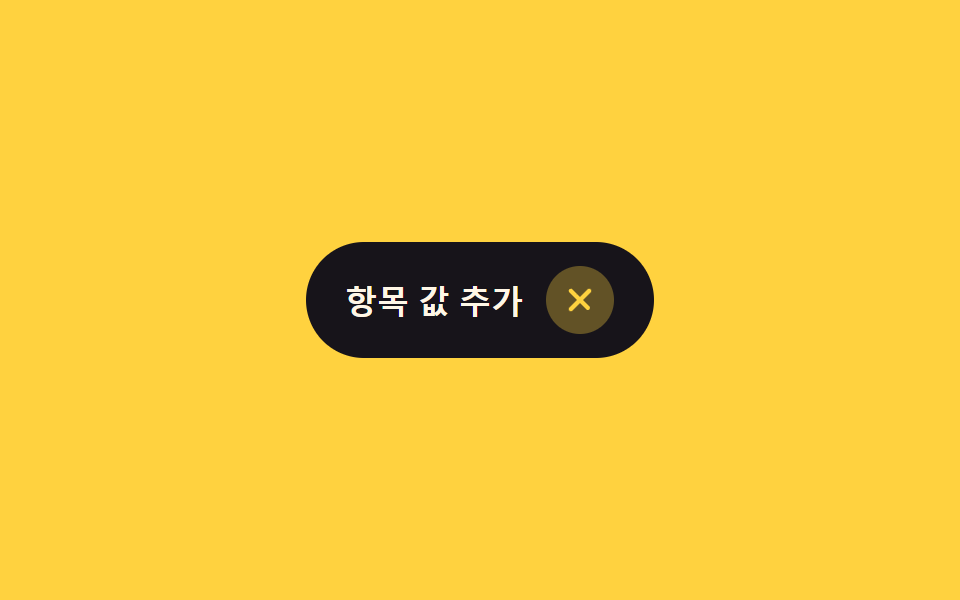 02 btn-shape-plus-to-close
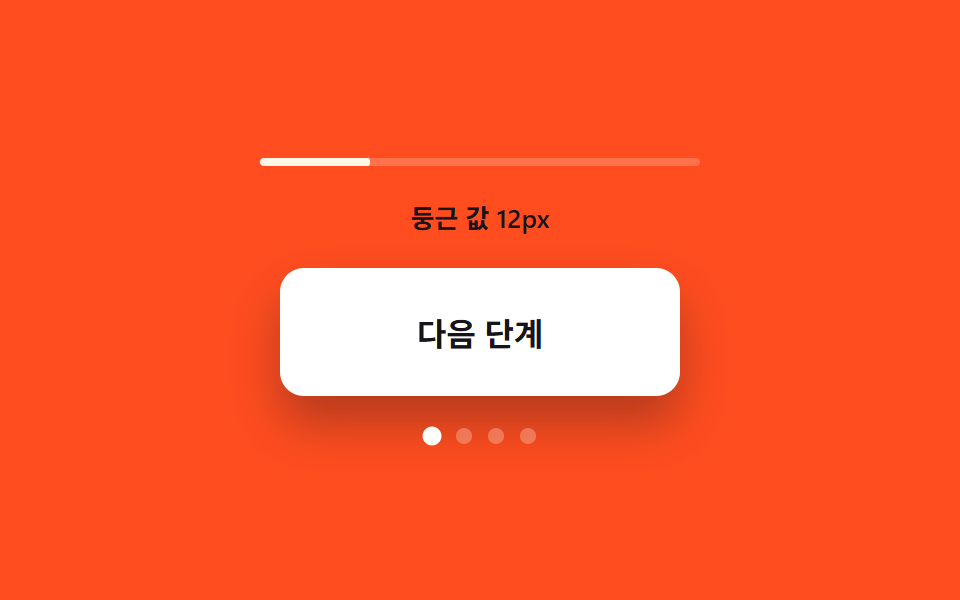 03 btn-shape-corner-round-grow
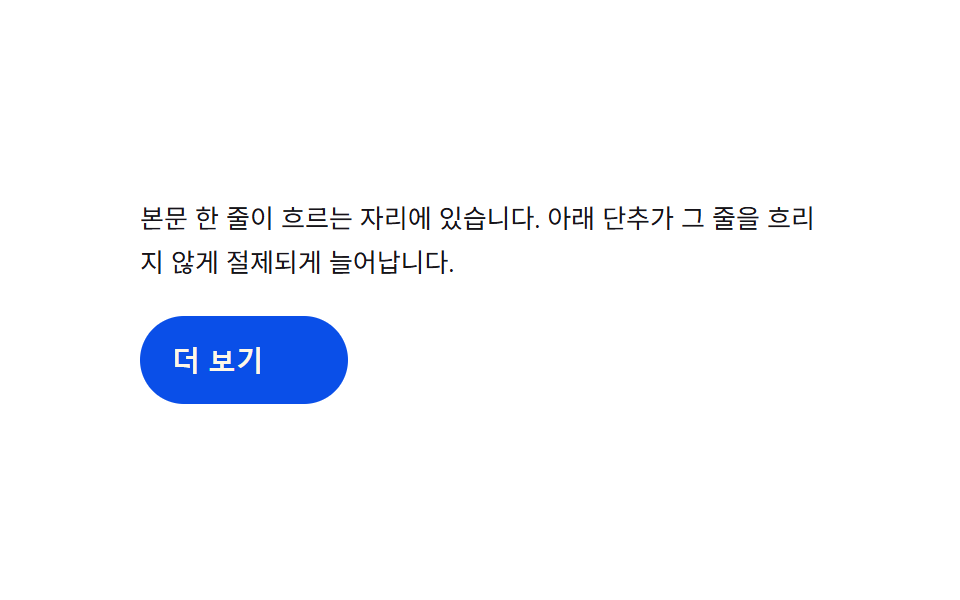 04 btn-shape-width-expand-inline
 05 btn-shape-split-dual-reveal
 06 btn-shape-pill-to-bar-search
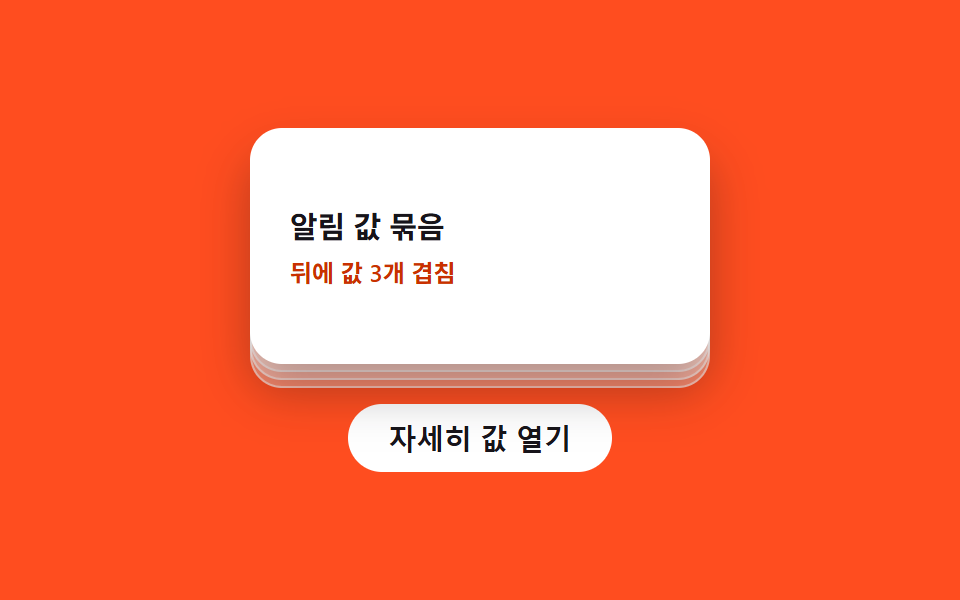 07 btn-shape-stack-card-lift
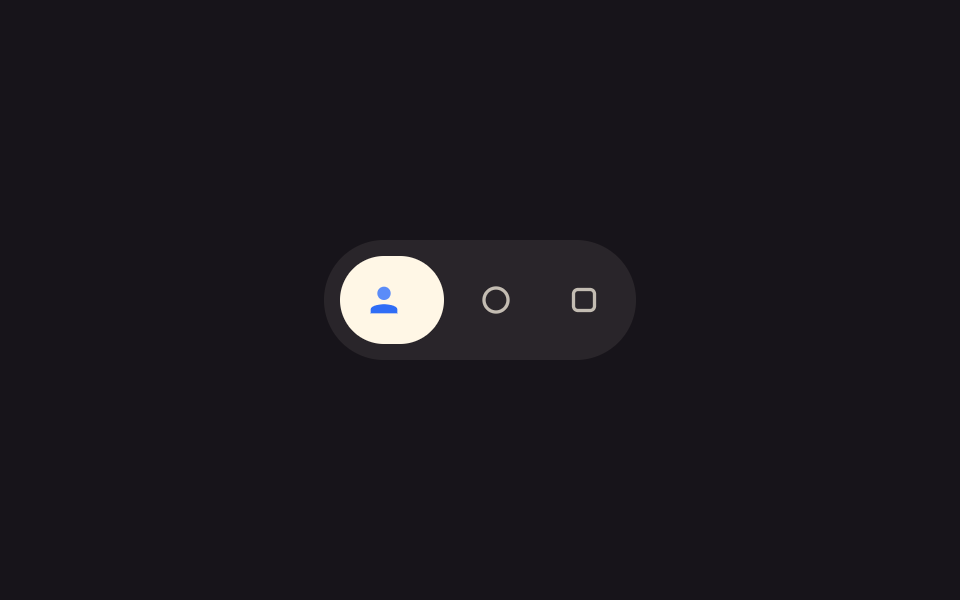 08 btn-shape-icon-grow-label
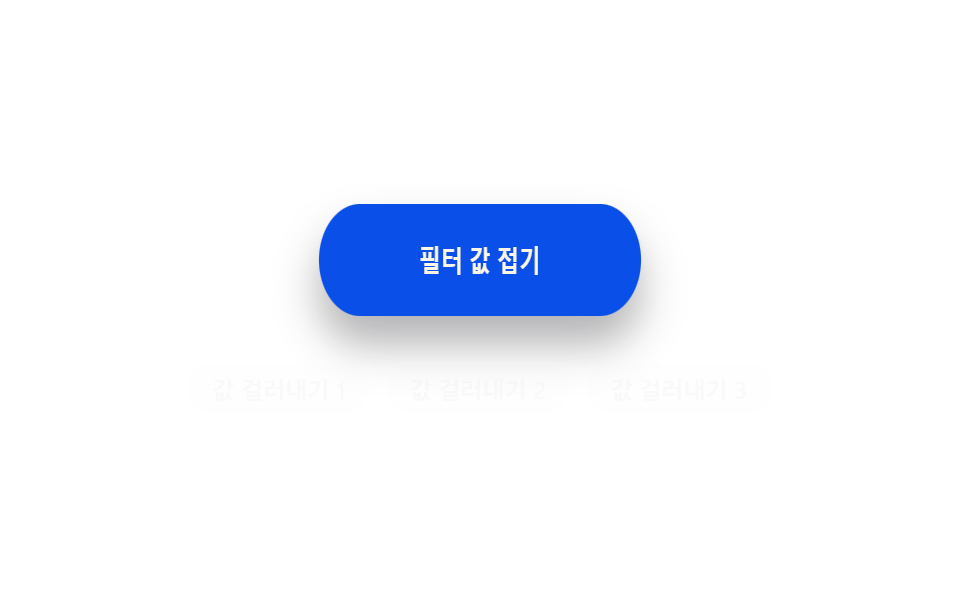 09 btn-shape-elastic-snap-back
Auto-plays · click a tile to jump to its section · all nine in one zip
- 01 Accordion-reveal value toggle — when the button's open value changes, its rounding and shadow values change along, presenting the content below
- 02 Plus-spin value toggle — when a closed value turns on, a plus shape rotates into a close mark
- 03 Corner-rounding value growth — the more the open value grows, the more the button's corner rounding grows with it
- 04 Width-inertia value toggle — while an expand value grows, a width value overshoots its target and returns
- 05 Split-dual value reveal — when a confirm value turns on, the button splits into two pieces, each revealing a different value
- 06 Pill-to-bar value toggle — when a search value turns on, a pill shape value changes into a bar shape value, creating an input space
- 07 Stack-lift value toggle — when a detail value turns on, identical shape values stacked behind lift up in turn
- 08 Icon-grow label value toggle — when a focus value turns on, an icon's size value grows and a label's width value stretches
- 09 Elastic snap-back value toggle — when a collapsed value turns on, a shape value shrinks, stretches slightly the other way, then returns to form
None of these nine demos talk to a server, touch localStorage, or roll a random number — item 06's hint list pulls from a fixed three-string array rather than a real search API, and every other pattern is one boolean or numeric state value plus a handful of constants deciding how that value's change looks on screen. That narrow scope is what makes a shape-morph collection like this readable as a checklist: name the value that flips, and the pattern names itself without needing the code open first.
Anatomy of nine patterns — which shape value changes and when
Only two of the nine run a requestAnimationFrame loop: item 04's width toggle integrates a = -K*(cur-target) - D*vel every frame so its expanded width overshoots REST_W before settling, and item 09's collapse toggle runs the identical spring formula on a scaleX value instead of a pixel width. Item 02 fakes a similar overshoot with a single CSS transition riding the $ease-elastic curve, so its SPIN_DEG and OVER_MS constants describe an intended angle and window rather than anything computed per frame. Five of the nine measure real layout before painting: item 01 sums each list item's getBoundingClientRect().height into --panel-h, items 04 and 08 both flip a label to width: auto momentarily to read its natural size, item 05 reads the shell's width for --shell-w, and item 06 reads the input's width for --input-w once it opens. That measured-versus-fixed split is a real architectural line: items 02, 03, 07, and 09 work off constants alone (RADII, STEP_PX, K, D) with no DOM measurement call, so their shape math never adapts to font size or content length the way the measured five do. Every listener answers a real interaction — items 01, 02, 04, and 07 listen for click; item 03 pairs click with keydown for Enter and Space on its custom role="button" div; item 05 delegates click across its shell and two confirm buttons; item 06 listens for click on its close button plus input and focus on its field; item 08 listens for pointerenter, pointerleave, click, and focus; and item 09 listens for pointerdown, pointerup, and click, since its snap-back begins its squeeze on pointerdown and completes the toggle on pointerup, with click kept alongside so a keyboard-triggered press still flips the state.
Code per pattern
01Accordion-reveal value toggle — when the button's open value changes, its rounding and shadow values change along, presenting the content below
As the open value changes, the button's corner rounding grows and its shadow deepens, while the content appears beneath it. This value toggle suits an FAQ item toggle or a settings group expand, where the reveal itself carries some visual weight.
<main class="stage">
<div class="ba is-demo" id="ba">
  <button type="button" class="ba__btn" id="baBtn" aria-expanded="false" aria-controls="baPanel">
    <span class="ba__label">Expand open value</span>
    <span class="ba__mark" aria-hidden="true">
      <svg viewBox="0 0 16 16" width="14" height="14"><path d="M3 6l5 5 5-5" fill="none" stroke="currentColor" stroke-width="2" stroke-linecap="round" stroke-linejoin="round"/></svg>
    </span>
  </button>
  <div class="ba__panel" id="baPanel" role="region">
    <ul class="ba__list" id="baList">
      <li class="ba__item">Answer value 1</li>
      <li class="ba__item">Answer value 2</li>
      <li class="ba__item">Answer value 3</li>
    </ul>
  </div>
</div>
</main>
@use "../../../../site/static/demo-tokens" as *;
// 계산 겹: 하위 항목 노출 높이를 getBoundingClientRect 로 실측해 --panel-h 로 넘기고(index.html),
// 항목마다 순서 * STAGGER_MS 산술로 transition-delay 를 준다.
@include stage($stage-ink);
.ba {
width: 100%;
max-width: 300px;
}
.ba__btn {
display: flex;
align-items: center;
justify-content: space-between;
gap: $sp-3;
width: 100%;
box-sizing: border-box;
padding: $sp-3 $sp-4;
border: 0;
border-radius: $r-control $r-control 0 0;
background: $subject-cream;
color: $subject-ink;
font-weight: 600;
font-size: 15px;
box-shadow: $shadow-press;
transition: border-radius $dur-base $ease-out, box-shadow $dur-base $ease-out;
cursor: pointer;
}
.ba__mark {
display: inline-flex;
transition: transform $dur-base $ease-out;
}
.ba__panel {
overflow: hidden;
max-height: 0;
border-radius: 0 0 $r-control $r-control;
background: rgba($subject-cream, .92);
transition: max-height $dur-enter $ease-spring;
}
.ba__list {
list-style: none;
margin: 0;
padding: $sp-3 $sp-4;
display: grid;
gap: $sp-2;
}
.ba__item {
color: $subject-ink;
font-size: 13px;
opacity: 0;
transform: translateY(-6px);
transition: opacity $dur-quick $ease-out, transform $dur-quick $ease-out;
}
.ba--open {
.ba__btn { border-radius: $r-control $r-control 0 0; box-shadow: $shadow-raised; }
.ba__mark { transform: rotate(180deg); }
.ba__panel { max-height: var(--panel-h, 160px); }
.ba__item { opacity: 1; transform: translateY(0); }
}
@media (max-width: 340px) {
.ba__btn { padding: $sp-2 $sp-3; font-size: 14px; }
.ba__list { padding: $sp-2 $sp-3; }
}
@media (prefers-reduced-motion: reduce) {
.ba__btn, .ba__mark, .ba__panel, .ba__item { transition: none; }
}html, body {
margin: 0;
overflow: hidden;
}
.stage {
box-sizing: border-box;
min-height: 100vh;
display: grid;
place-items: center;
margin: 0;
background: #17141a;
font-family: -apple-system, "Segoe UI", "Noto Sans KR", sans-serif;
padding: clamp(8px, 4vw, 24px);
}
.ba {
width: 100%;
max-width: 300px;
}
.ba__btn {
display: flex;
align-items: center;
justify-content: space-between;
gap: 12px;
width: 100%;
box-sizing: border-box;
padding: 12px 16px;
border: 0;
border-radius: 12px 12px 0 0;
background: #fff7e6;
color: #17141a;
font-weight: 600;
font-size: 15px;
box-shadow: 0 6px 12px rgba(23, 20, 26, 0.32);
transition: border-radius 300ms ease-out, box-shadow 300ms ease-out;
cursor: pointer;
}
.ba__mark {
display: inline-flex;
transition: transform 300ms ease-out;
}
.ba__panel {
overflow: hidden;
max-height: 0;
border-radius: 0 0 12px 12px;
background: rgba(255, 247, 230, 0.92);
transition: max-height 600ms cubic-bezier(0.2, 0.8, 0.2, 1);
}
.ba__list {
list-style: none;
margin: 0;
padding: 12px 16px;
display: grid;
gap: 8px;
}
.ba__item {
color: #17141a;
font-size: 13px;
opacity: 0;
transform: translateY(-6px);
transition: opacity 220ms ease-out, transform 220ms ease-out;
}
.ba--open .ba__btn {
border-radius: 12px 12px 0 0;
box-shadow: 0 14px 24px rgba(23, 20, 26, 0.32);
}
.ba--open .ba__mark {
transform: rotate(180deg);
}
.ba--open .ba__panel {
max-height: var(--panel-h, 160px);
}
.ba--open .ba__item {
opacity: 1;
transform: translateY(0);
}
@media (max-width: 340px) {
.ba__btn {
padding: 8px 12px;
font-size: 14px;
}
.ba__list {
padding: 8px 12px;
}
}
@media (prefers-reduced-motion: reduce) {
.ba__btn, .ba__mark, .ba__panel, .ba__item {
transition: none;
}
}(function () {
var root = document.getElementById('ba');
var btn = document.getElementById('baBtn');
var panel = document.getElementById('baPanel');
var items = panel.querySelectorAll('.ba__item');
var STAGGER_MS = 70; // 계산 겹: 항목 순서 * 이 값만큼 늦게 나타난다
// 계산 겹: 하위 항목이 실제로 차지하는 노출 높이를 getBoundingClientRect 로 실측해
// panel 의 --panel-h 로 넘긴다 — 짐작한 고정값이 아니라 지금 폰트·내용 기준 값이다.
function measure() {
var h = 0;
items.forEach(function (li) { h += li.getBoundingClientRect().height; });
panel.style.setProperty('--panel-h', h + 'px');
}
items.forEach(function (li, i) {
li.style.transitionDelay = (i * STAGGER_MS) + 'ms';
});
var open = false;
function paint() {
measure();
root.classList.toggle('ba--open', open);
btn.setAttribute('aria-expanded', String(open));
}
function toggle() {
open = !open;
paint();
}
btn.addEventListener('click', function () {
root.classList.remove('is-demo');
stopAutoplay();
toggle();
});
var autoTimer = null;
function stopAutoplay() { if (autoTimer) { clearInterval(autoTimer); autoTimer = null; } }
var reduce = window.matchMedia('(prefers-reduced-motion: reduce)').matches;
measure();
if (!reduce) { toggle(); autoTimer = setInterval(toggle, 800); }
else { open = true; paint(); }
})();import { useEffect, useRef } from "react";
import styles from "./AccordionReveal.module.scss";
type Box<T> = { current: T };
const STAGGER_MS = 70; // 계산 겹: 항목 순서 * 이 값만큼 늦게 나타난다
export default function AccordionReveal() {
const rootRef = useRef(null) as unknown as Box<HTMLDivElement | null>;
useEffect(() => {
const root = rootRef.current;
if (!root) return;
const btn = root.querySelector(`.${styles.btn}`) as HTMLButtonElement | null;
const panel = root.querySelector(`.${styles.panel}`) as HTMLElement | null;
const items = root.querySelectorAll(`.${styles.item}`);
if (!btn || !panel) return;
items.forEach((li, i) => {
(li as HTMLElement).style.transitionDelay = (i * STAGGER_MS) + "ms";
});
function measure() {
let h = 0;
items.forEach((li) => { h += li.getBoundingClientRect().height; });
panel!.style.setProperty("--panel-h", h + "px");
}
let open = false;
function paint() {
measure();
root!.classList.toggle(styles["root--open"], open);
btn!.setAttribute("aria-expanded", String(open));
}
function toggle() {
open = !open;
paint();
}
function onClick() {
root!.classList.remove(styles["is-demo"]);
stopAutoplay();
toggle();
}
btn.addEventListener("click", onClick);
let autoTimer: number | null = null;
function stopAutoplay() { if (autoTimer !== null) { window.clearInterval(autoTimer); autoTimer = null; } }
const reduce = window.matchMedia("(prefers-reduced-motion: reduce)").matches;
measure();
if (!reduce) { toggle(); autoTimer = window.setInterval(toggle, 800); }
else { open = true; paint(); }
return () => {
stopAutoplay();
btn.removeEventListener("click", onClick);
};
}, []);
return (
<div ref={rootRef} className={`${styles.stage} ${styles.ba} ${styles["is-demo"]}`}>
<button type="button" className={styles.btn} aria-expanded="false">
<span className={styles.label}>열림 값 펼치기</span>
<span className={styles.mark} aria-hidden="true">
<svg viewBox="0 0 16 16" width="14" height="14"><path d="M3 6l5 5 5-5" fill="none" stroke="currentColor" strokeWidth="2" strokeLinecap="round" strokeLinejoin="round" /></svg>
</span>
</button>
<div className={styles.panel} role="region">
<ul className={styles.list}>
<li className={styles.item}>답변 값 1</li>
<li className={styles.item}>답변 값 2</li>
<li className={styles.item}>답변 값 3</li>
</ul>
</div>
</div>
);
}01 · Accordion-reveal value toggle — when the button's open value changes, its rounding and shadow values change along, presenting the content below — Measured area 18.301% · moving frames 8/23Original by GODRICH · SCSS and React ship in the zip · See the password
  var STAGGER_MS = 70; // Calculation layer: item index * this value delays each reveal

  // Calculation layer: measure how much height the list items actually occupy with
  // getBoundingClientRect and pass it to panel's --panel-h — a real value for the current font and content, not a guessed constant.
  function measure() {
    var h = 0;
    items.forEach(function (li) { h += li.getBoundingClientRect().height; });
    panel.style.setProperty('--panel-h', h + 'px');
  }
  items.forEach(function (li, i) {
    li.style.transitionDelay = (i * STAGGER_MS) + 'ms';
  });
What the numbers say
Item 01 fills 18.3% of the frame cumulatively at 154.3 average intensity while moving in 8 of 23 sampled frames, the stagger loop spacing each list item's reveal instead of firing all three at once.
02Plus-spin value toggle — when a closed value turns on, a plus shape rotates into a close mark
When the closed value turns on, the plus shape rotates into a close mark, passing slightly beyond the target angle before returning. It reads naturally as an add-item button or a filter-open toggle, where the icon itself communicates the action.
<main class="stage">
<div class="pc is-demo" id="pc">
  <button type="button" class="pc__btn" id="pcBtn" aria-pressed="false">
    <span class="pc__label">Add item value</span>
    <span class="pc__disc" aria-hidden="true">
      <svg class="pc__icon" viewBox="0 0 24 24" width="22" height="22">
        <!-- 세로 막대 — 닫힘 값이 켜지면 stroke-dashoffset 으로 선분이 그려진 채 사라진다 -->
        <line class="pc__v" x1="12" y1="5" x2="12" y2="19" />
        <!-- 가로 막대 — 원래 있던 선. 두 막대가 같은 중심(12,12)에서 만난다 -->
        <line class="pc__h" x1="5" y1="12" x2="19" y2="12" />
      </svg>
    </span>
  </button>
</div>
</main>
@use "../../../../site/static/demo-tokens" as *;
// 계산 겹: 아이콘이 SPIN_DEG(135도) 만큼 회전하며 동시에 세로 막대의 stroke-dashoffset 이
// 선분 길이만큼 물러나 path morph 로 닫기 표시가 된다(index.html 주석 참조).
@include stage($stage-yellow);
.pc {
display: grid;
gap: $sp-4;
justify-items: center;
}
.pc__btn {
display: inline-flex;
align-items: center;
gap: $sp-3;
border: 0;
border-radius: $r-pill;
background: $subject-ink;
color: $subject-cream;
padding: $sp-3 $sp-5;
font-weight: 600;
font-size: 16px;
cursor: pointer;
transition: background-color $dur-quick $ease-out;
}
.pc__disc {
display: grid;
place-items: center;
width: 34px;
height: 34px;
border-radius: 50%;
background: rgba($stage-yellow, .18);
}
.pc__icon {
display: block;
transition: transform 360ms $ease-elastic;
}
.pc__v, .pc__h {
stroke: $stage-yellow;
stroke-width: 2.4;
stroke-linecap: round;
fill: none;
}
// 선분 그리기: 세로 막대는 pathLength 1 기준으로 dashoffset 0 → 1 사라진다
.pc__v {
stroke-dasharray: 1;
stroke-dashoffset: 0;
transition: stroke-dashoffset 270ms $ease-out;
}
.pc--closed {
.pc__icon { transform: rotate(135deg); }
.pc__v { stroke-dashoffset: 1; }
.pc__disc { background: rgba($stage-yellow, .32); }
}
@media (max-width: 340px) {
.pc__btn { padding: $sp-2 $sp-4; font-size: 14px; }
}
@media (prefers-reduced-motion: reduce) {
.pc__icon, .pc__v { transition: none; }
}html, body {
margin: 0;
overflow: hidden;
}
.stage {
box-sizing: border-box;
min-height: 100vh;
display: grid;
place-items: center;
margin: 0;
background: #ffd23f;
font-family: -apple-system, "Segoe UI", "Noto Sans KR", sans-serif;
padding: clamp(8px, 4vw, 24px);
}
.pc {
display: grid;
gap: 16px;
justify-items: center;
}
.pc__btn {
display: inline-flex;
align-items: center;
gap: 12px;
border: 0;
border-radius: 999px;
background: #17141a;
color: #fff7e6;
padding: 12px 20px;
font-weight: 600;
font-size: 16px;
cursor: pointer;
transition: background-color 220ms ease-out;
}
.pc__disc {
display: grid;
place-items: center;
width: 34px;
height: 34px;
border-radius: 50%;
background: rgba(255, 210, 63, 0.18);
}
.pc__icon {
display: block;
transition: transform 360ms cubic-bezier(0.34, 1.56, 0.64, 1);
}
.pc__v, .pc__h {
stroke: #ffd23f;
stroke-width: 2.4;
stroke-linecap: round;
fill: none;
}
.pc__v {
stroke-dasharray: 1;
stroke-dashoffset: 0;
transition: stroke-dashoffset 270ms ease-out;
}
.pc--closed .pc__icon {
transform: rotate(135deg);
}
.pc--closed .pc__v {
stroke-dashoffset: 1;
}
.pc--closed .pc__disc {
background: rgba(255, 210, 63, 0.32);
}
@media (max-width: 340px) {
.pc__btn {
padding: 8px 16px;
font-size: 14px;
}
}
@media (prefers-reduced-motion: reduce) {
.pc__icon, .pc__v {
transition: none;
}
}(function () {
var root = document.getElementById('pc');
var btn = document.getElementById('pcBtn');
var SPIN_DEG = 135; // 계산 겹: 회전 목표 각도 값 — 90도가 아니라 지나쳤다가 되돌아오는 각도
var OVER_MS = 90; // 계산 겹: 목표 각도를 넘겼다 되돌리는 여분 시간
var closed = false;
function paint() {
root.classList.toggle('pc--closed', closed);
btn.setAttribute('aria-pressed', String(closed));
}
function toggle() {
closed = !closed;
paint();
}
btn.addEventListener('click', function () {
root.classList.remove('is-demo');
stopAutoplay();
toggle();
});
var autoTimer = null;
function stopAutoplay() { if (autoTimer) { clearInterval(autoTimer); autoTimer = null; } }
var reduce = window.matchMedia('(prefers-reduced-motion: reduce)').matches;
if (!reduce) { autoTimer = setInterval(toggle, 1100); }
else { closed = true; paint(); }
})();import { useEffect, useRef } from "react";
import styles from "./PlusToClose.module.scss";
type Box<T> = { current: T };
const SPIN_DEG = 135; // 계산 겹: 회전 목표 각도 값 — 90도가 아니라 지나쳤다가 되돌아오는 각도
const OVER_MS = 90; // 계산 겹: 목표 각도를 넘겼다 되돌리는 여분 시간
export default function PlusToClose() {
const rootRef = useRef(null) as unknown as Box<HTMLDivElement | null>;
useEffect(() => {
const root = rootRef.current;
if (!root) return;
const btn = root.querySelector(`.${styles.btn}`) as HTMLButtonElement | null;
if (!btn) return;
let closed = false;
function paint() {
root!.classList.toggle(styles["root--closed"], closed);
btn!.setAttribute("aria-pressed", String(closed));
}
function toggle() {
closed = !closed;
paint();
}
function onClick() {
root!.classList.remove(styles["is-demo"]);
stopAutoplay();
toggle();
}
btn.addEventListener("click", onClick);
let autoTimer: number | null = null;
function stopAutoplay() { if (autoTimer !== null) { window.clearInterval(autoTimer); autoTimer = null; } }
const reduce = window.matchMedia("(prefers-reduced-motion: reduce)").matches;
if (!reduce) { autoTimer = window.setInterval(toggle, 1100); }
else { closed = true; paint(); }
return () => {
stopAutoplay();
btn.removeEventListener("click", onClick);
};
}, []);
return (
<div ref={rootRef} className={`${styles.stage} ${styles.pc} ${styles["is-demo"]}`}>
<button type="button" className={styles.btn} aria-pressed="false">
<span className={styles.label}>항목 값 추가</span>
<span className={styles.disc} aria-hidden="true">
<svg className={styles.icon} viewBox="0 0 24 24" width="22" height="22">
<line className={styles.v} x1="12" y1="5" x2="12" y2="19" />
<line className={styles.h} x1="5" y1="12" x2="19" y2="12" />
</svg>
</span>
</button>
</div>
);
}02 · Plus-spin value toggle — when a closed value turns on, a plus shape rotates into a close mark — Measured area 0.642% · moving frames 8/23Original by GODRICH · SCSS and React ship in the zip · See the password
.pc__icon {
  display: block;
  transition: transform 360ms $ease-elastic;
}

.pc__v, .pc__h {
  stroke: $stage-yellow;
  stroke-width: 2.4;
  stroke-linecap: round;
  fill: none;
}

// Drawing the stroke: the vertical bar uses pathLength 1, so dashoffset runs 0 → 1 to disappear
.pc__v {
  stroke-dasharray: 1;
  stroke-dashoffset: 0;
  transition: stroke-dashoffset 270ms $ease-out;
}

.pc--closed {
  .pc__icon { transform: rotate(135deg); }
  .pc__v { stroke-dashoffset: 1; }
  .pc__disc { background: rgba($stage-yellow, .32); }
}
What the numbers say
Item 02 fills a thin 0.64% of the frame at 56.7 average intensity across 8 of 23 frames, since an icon rotating in place moves far less pixel area than a panel opening beneath a button.
03Corner-rounding value growth — the more the open value grows, the more the button's corner rounding grows with it
Each time the open value grows a step, the corner rounding grows by the same amount, so the button takes a progressively softer form. A next button in a multi-step form or a step-select card can use that shape-morph progression to signal advancing state without adding new text.
<main class="stage">
<div class="cr is-demo" id="cr">
  <div class="cr__meter" aria-hidden="true">
    <div class="cr__meterFill" id="crFill"></div>
  </div>
  <p class="cr__read" id="crRead">Rounding value 12px</p>
  <div class="cr__btn" id="crBtn" role="button" tabindex="0" aria-label="Raise step value">
    <span class="cr__label">Next step</span>
  </div>
  <div class="cr__steps" aria-hidden="true">
    <span class="cr__dot"></span>
    <span class="cr__dot"></span>
    <span class="cr__dot"></span>
    <span class="cr__dot"></span>
  </div>
</div>
</main>
@use "../../../../site/static/demo-tokens" as *;
// 계산 겹: 단계 값마다 둥근 반경이 RADII 산술(12→16→24→알약)으로 커지고(index.html),
// 크기 성장 곡선이 같은 transition 에 물려 함께 이어진다.
@include stage($stage-orange);
.cr {
display: grid;
gap: $sp-4;
justify-items: center;
}
.cr__meter {
width: 220px;
height: $sp-1;
border-radius: $r-xs;
background: rgba($subject-cream, .22);
overflow: hidden;
}
.cr__meterFill {
width: 100%;
height: 100%;
border-radius: $r-xs;
background: $subject-cream;
transform-origin: left center;
transform: scaleX(.25);
transition: transform $dur-base $ease-out;
}
.cr__read {
margin: 0;
color: $subject-ink;
font-size: 13px;
font-weight: 600;
}
.cr__btn {
display: grid;
place-items: center;
width: 200px;
height: 64px;
border-radius: $r-control;
background: $stage-paper;
color: $subject-ink;
box-shadow: $shadow-raised;
cursor: pointer;
transition: border-radius $dur-enter $ease-elastic, width $dur-enter $ease-elastic, height $dur-enter $ease-elastic;
}
.cr__label {
font-weight: 700;
font-size: 16px;
}
.cr__steps {
display: flex;
gap: $sp-2;
}
.cr__dot {
width: $sp-2;
height: $sp-2;
border-radius: 50%;
background: rgba($subject-cream, .28);
transition: background-color $dur-quick $ease-out, transform $dur-quick $ease-elastic;
}
.cr__dot--on {
background: $stage-paper;
transform: scale(1.18);
}
@media (max-width: 340px) {
.cr__btn { width: 180px; height: 56px; }
.cr__meter { width: 180px; }
}
@media (prefers-reduced-motion: reduce) {
.cr__btn, .cr__meterFill, .cr__dot { transition: none; }
}html, body {
margin: 0;
overflow: hidden;
}
.stage {
box-sizing: border-box;
min-height: 100vh;
display: grid;
place-items: center;
margin: 0;
background: #ff4d1f;
font-family: -apple-system, "Segoe UI", "Noto Sans KR", sans-serif;
padding: clamp(8px, 4vw, 24px);
}
.cr {
display: grid;
gap: 16px;
justify-items: center;
}
.cr__meter {
width: 220px;
height: 4px;
border-radius: 4px;
background: rgba(255, 247, 230, 0.22);
overflow: hidden;
}
.cr__meterFill {
width: 100%;
height: 100%;
border-radius: 4px;
background: #fff7e6;
transform-origin: left center;
transform: scaleX(0.25);
transition: transform 300ms ease-out;
}
.cr__read {
margin: 0;
color: #17141a;
font-size: 13px;
font-weight: 600;
}
.cr__btn {
display: grid;
place-items: center;
width: 200px;
height: 64px;
border-radius: 12px;
background: #ffffff;
color: #17141a;
box-shadow: 0 14px 24px rgba(23, 20, 26, 0.32);
cursor: pointer;
transition: border-radius 600ms cubic-bezier(0.34, 1.56, 0.64, 1), width 600ms cubic-bezier(0.34, 1.56, 0.64, 1), height 600ms cubic-bezier(0.34, 1.56, 0.64, 1);
}
.cr__label {
font-weight: 700;
font-size: 16px;
}
.cr__steps {
display: flex;
gap: 8px;
}
.cr__dot {
width: 8px;
height: 8px;
border-radius: 50%;
background: rgba(255, 247, 230, 0.28);
transition: background-color 220ms ease-out, transform 220ms cubic-bezier(0.34, 1.56, 0.64, 1);
}
.cr__dot--on {
background: #ffffff;
transform: scale(1.18);
}
@media (max-width: 340px) {
.cr__btn {
width: 180px;
height: 56px;
}
.cr__meter {
width: 180px;
}
}
@media (prefers-reduced-motion: reduce) {
.cr__btn, .cr__meterFill, .cr__dot {
transition: none;
}
}(function () {
var root = document.getElementById('cr');
var btn = document.getElementById('crBtn');
var fill = document.getElementById('crFill');
var read = document.getElementById('crRead');
var dots = root.querySelectorAll('.cr__dot');
var RADII = [12, 16, 24, 999]; // 계산 겹: 단계마다 커지는 둥근 값(px) — 마지막은 pill
var RADII_TEXT = ['Rounding value 12px', 'Rounding value 16px', 'Rounding value 24px', 'Rounding value pill'];
var step = 0;
function paint() {
var r = RADII[step];
// 둥근 값은 % 가 아니라 px 로 보간해야 성장이 선형으로 보인다 — 999px 는 pill 표기
btn.style.borderRadius = (r === 999 ? '999px' : r + 'px');
read.textContent = RADII_TEXT[step];
fill.style.transform = 'scaleX(' + ((step + 1) / RADII.length) + ')';
dots.forEach(function (d, i) {
d.classList.toggle('cr__dot--on', i <= step);
});
}
function advance() {
step = (step + 1) % RADII.length;
paint();
}
function human() {
root.classList.remove('is-demo');
stopAutoplay();
advance();
}
btn.addEventListener('click', human);
btn.addEventListener('keydown', function (e) {
if (e.key === 'Enter' || e.key === ' ') { e.preventDefault(); human(); }
});
var autoTimer = null;
function stopAutoplay() { if (autoTimer) { clearInterval(autoTimer); autoTimer = null; } }
var reduce = window.matchMedia('(prefers-reduced-motion: reduce)').matches;
paint();
if (!reduce) { autoTimer = setInterval(advance, 900); }
})();import { useEffect, useRef } from "react";
import styles from "./CornerRoundGrow.module.scss";
type Box<T> = { current: T };
const RADII = [12, 16, 24, 999]; // 계산 겹: 단계마다 커지는 둥근 값(px) — 마지막은 알약
const RADII_TEXT = ["둥근 값 12px", "둥근 값 16px", "둥근 값 24px", "둥근 값 알약"];
export default function CornerRoundGrow() {
const rootRef = useRef(null) as unknown as Box<HTMLDivElement | null>;
useEffect(() => {
const root = rootRef.current;
if (!root) return;
const btn = root.querySelector(`.${styles.btn}`) as HTMLElement | null;
const fill = root.querySelector(`.${styles.fill}`) as HTMLElement | null;
const read = root.querySelector(`.${styles.read}`) as HTMLElement | null;
const dots = root.querySelectorAll(`.${styles.dot}`);
if (!btn || !fill || !read) return;
let step = 0;
function paint() {
const r = RADII[step];
btn!.style.borderRadius = (r === 999 ? "999px" : r + "px");
read!.textContent = RADII_TEXT[step];
fill!.style.transform = "scaleX(" + ((step + 1) / RADII.length) + ")";
dots.forEach((d, i) => {
d.classList.toggle(styles["dot--on"], i <= step);
});
}
function advance() {
step = (step + 1) % RADII.length;
paint();
}
function human() {
root!.classList.remove(styles["is-demo"]);
stopAutoplay();
advance();
}
function onClick() { human(); }
function onKey(e: KeyboardEvent) {
if (e.key === "Enter" || e.key === " ") { e.preventDefault(); human(); }
}
btn.addEventListener("click", onClick);
btn.addEventListener("keydown", onKey);
let autoTimer: number | null = null;
function stopAutoplay() { if (autoTimer !== null) { window.clearInterval(autoTimer); autoTimer = null; } }
const reduce = window.matchMedia("(prefers-reduced-motion: reduce)").matches;
paint();
if (!reduce) { autoTimer = window.setInterval(advance, 900); }
return () => {
stopAutoplay();
btn.removeEventListener("click", onClick);
btn.removeEventListener("keydown", onKey);
};
}, []);
return (
<div ref={rootRef} className={`${styles.stage} ${styles.cr} ${styles["is-demo"]}`}>
<div className={styles.meter} aria-hidden="true">
<div className={styles.fill} />
</div>
<p className={styles.read}>둥근 값 12px</p>
<div className={styles.btn} role="button" tabIndex={0} aria-label="단계 값 올리기">
<span className={styles.label}>다음 단계</span>
</div>
<div className={styles.steps} aria-hidden="true">
<span className={styles.dot} />
<span className={styles.dot} />
<span className={styles.dot} />
<span className={styles.dot} />
</div>
</div>
);
}03 · Corner-rounding value growth — the more the open value grows, the more the button's corner rounding grows with it — Measured area 1.665% · moving frames 15/23Original by GODRICH · SCSS and React ship in the zip · See the password
  var RADII = [12, 16, 24, 999]; // Calculation layer: rounding value (px) grows each step — 999 is the pill
  var RADII_TEXT = ['Rounding value 12px', 'Rounding value 16px', 'Rounding value 24px', 'Rounding value pill'];
  var step = 0;

  function paint() {
    var r = RADII[step];
    // Interpolate rounding in px, not %, so the growth reads as linear — 999px stands for the pill
    btn.style.borderRadius = (r === 999 ? '999px' : r + 'px');
    read.textContent = RADII_TEXT[step];
    fill.style.transform = 'scaleX(' + ((step + 1) / RADII.length) + ')';
    dots.forEach(function (d, i) {
      d.classList.toggle('cr__dot--on', i <= step);
    });
  }

  function advance() {
    step = (step + 1) % RADII.length;
    paint();
  }
What the numbers say
Item 03 fills 1.67% of the frame at 68.6 average intensity while moving in 15 of 23 frames, the highest frame count in the set because its four-step autoplay repaints the border-radius, fill bar, and dot row on every advance.
04Width-inertia value toggle — while an expand value grows, a width value overshoots its target and returns
As the expand value grows, the width value passes slightly beyond its target and comes back, making the growth look weighted. An inline read-more button or an in-place toolbar open benefits from that weighted settle, since it reads as more deliberate than an instant snap.
<main class="stage">
<div class="we is-demo" id="we">
  <p class="we__line">This is a line of body text. The button below stretches with restraint so the line stays readable.</p>
  <button type="button" class="we__btn" id="weBtn" aria-expanded="false">
    <span class="we__base">More</span>
    <span class="we__more" id="weMore">View full value</span>
  </button>
</div>
</main>
@use "../../../../site/static/demo-tokens" as *;
// 계산 겹: 너비가 CSS transition 이 아니라 index.html 의 스프링 감쇠 계산(K·D)으로 매 프레임
// 결정된다 — 목표를 넘었다가 되돌아오는 관성. more 글자는 진행률 p 로만 얹힌다.
@include stage($stage-paper);
.we {
width: 100%;
max-width: 340px;
display: grid;
gap: $sp-4;
justify-items: start;
}
.we__line {
margin: 0;
color: $subject-ink;
font-size: 13px;
line-height: 1.7;
}
.we__btn {
position: relative;
display: inline-flex;
align-items: center;
justify-content: flex-start;
height: 44px;
padding: 0 $sp-4;
box-sizing: border-box;
border: 0;
border-radius: $r-pill;
background: $subject-blue-deep;
color: $subject-cream;
font-weight: 600;
font-size: 14px;
cursor: pointer;
overflow: hidden;
white-space: nowrap;
will-change: width;
}
.we__more {
margin-left: $sp-2;
opacity: 0;
white-space: nowrap;
font-weight: 600;
}
@media (max-width: 340px) {
.we { max-width: 280px; }
.we__btn { height: 40px; font-size: 13px; }
}
@media (prefers-reduced-motion: reduce) {
.we__more { transition: none; }
}html, body {
margin: 0;
overflow: hidden;
}
.stage {
box-sizing: border-box;
min-height: 100vh;
display: grid;
place-items: center;
margin: 0;
background: #ffffff;
font-family: -apple-system, "Segoe UI", "Noto Sans KR", sans-serif;
padding: clamp(8px, 4vw, 24px);
}
.we {
width: 100%;
max-width: 340px;
display: grid;
gap: 16px;
justify-items: start;
}
.we__line {
margin: 0;
color: #17141a;
font-size: 13px;
line-height: 1.7;
}
.we__btn {
position: relative;
display: inline-flex;
align-items: center;
justify-content: flex-start;
height: 44px;
padding: 0 16px;
box-sizing: border-box;
border: 0;
border-radius: 999px;
background: #0a4fe8;
color: #fff7e6;
font-weight: 600;
font-size: 14px;
cursor: pointer;
overflow: hidden;
white-space: nowrap;
will-change: width;
}
.we__more {
margin-left: 8px;
opacity: 0;
white-space: nowrap;
font-weight: 600;
}
@media (max-width: 340px) {
.we {
max-width: 280px;
}
.we__btn {
height: 40px;
font-size: 13px;
}
}
@media (prefers-reduced-motion: reduce) {
.we__more {
transition: none;
}
}(function () {
var root = document.getElementById('we');
var btn = document.getElementById('weBtn');
var more = document.getElementById('weMore');
var REST_W = 104; // 접힘 너비(px) — getBoundingClientRect 로 실측해 갱신한다
var K = 170, D = 12; // 스프링 상수·감쇠 — 목표를 넘었다가 되돌아오는 관성 값
// 계산 겹: 목표 폭을 getBoundingClientRect 로 실측한다(짐작 px 아님).
// 늘어난 상태의 텍스트를 잠깐 펼쳐 재고 다시 접는다 — 글꼴마다 값이 다르다.
function measure() {
var prev = more.style.width;
more.style.width = 'auto';
var w = more.getBoundingClientRect().width;
more.style.width = prev || '0px';
return Math.ceil(w);
}
var openW = measure() + REST_W + 24; // 24 = 기준 너비에 더할 여유
var open = false;
var cur = REST_W, vel = 0, target = REST_W;
var raf = null;
// 스프링 감쇠 계산: 매 프레임 a = -K*(cur-target) - D*vel — 오버슈트 후 안착
function tick() {
var a = -K * (cur - target) * 0.001 - D * vel * 0.01;
vel += a;
cur += vel;
if (Math.abs(cur - target) < 0.4 && Math.abs(vel) < 0.05) { cur = target; vel = 0; }
btn.style.width = cur.toFixed(1) + 'px';
var p = Math.max(0, Math.min(1, (cur - REST_W) / (openW - REST_W)));
more.style.opacity = String(p);
raf = requestAnimationFrame(tick);
}
function toggle() {
open = !open;
target = open ? openW : REST_W;
btn.setAttribute('aria-expanded', String(open));
}
btn.addEventListener('click', function () {
root.classList.remove('is-demo');
stopAutoplay();
toggle();
});
raf = requestAnimationFrame(tick);
var autoTimer = null;
function stopAutoplay() { if (autoTimer) { clearInterval(autoTimer); autoTimer = null; } }
var reduce = window.matchMedia('(prefers-reduced-motion: reduce)').matches;
if (!reduce) { autoTimer = setInterval(toggle, 1300); }
else { open = true; target = openW; cur = openW; btn.style.width = openW + 'px'; more.style.opacity = '1'; }
})();import { useEffect, useRef } from "react";
import styles from "./WidthExpandInline.module.scss";
type Box<T> = { current: T };
const REST_W = 104; // 접힘 너비(px) — getBoundingClientRect 로 실측해 갱신한다
const K = 170, D = 12; // 스프링 상수·감쇠 — 목표를 넘었다가 되돌아오는 관성 값
export default function WidthExpandInline() {
const rootRef = useRef(null) as unknown as Box<HTMLDivElement | null>;
useEffect(() => {
const root = rootRef.current;
if (!root) return;
const btn = root.querySelector(`.${styles.btn}`) as HTMLButtonElement | null;
const more = root.querySelector(`.${styles.more}`) as HTMLElement | null;
if (!btn || !more) return;
// 계산 겹: 목표 폭을 getBoundingClientRect 로 실측한다(짐작 px 아님).
function measure() {
const prev = more!.style.width;
more!.style.width = "auto";
const w = more!.getBoundingClientRect().width;
more!.style.width = prev || "0px";
return Math.ceil(w);
}
const openW = measure() + REST_W + 24; // 24 = 기준 너비에 더할 여유
let open = false;
let cur = REST_W, vel = 0, target = REST_W;
let raf: number | null = null;
function tick() {
const a = -K * (cur - target) * 0.001 - D * vel * 0.01;
vel += a;
cur += vel;
if (Math.abs(cur - target) < 0.4 && Math.abs(vel) < 0.05) { cur = target; vel = 0; }
btn!.style.width = cur.toFixed(1) + "px";
const p = Math.max(0, Math.min(1, (cur - REST_W) / (openW - REST_W)));
more!.style.opacity = String(p);
raf = requestAnimationFrame(tick);
}
function toggle() {
open = !open;
target = open ? openW : REST_W;
btn!.setAttribute("aria-expanded", String(open));
}
function onClick() {
root!.classList.remove(styles["is-demo"]);
stopAutoplay();
toggle();
}
btn.addEventListener("click", onClick);
raf = requestAnimationFrame(tick);
let autoTimer: number | null = null;
function stopAutoplay() { if (autoTimer !== null) { window.clearInterval(autoTimer); autoTimer = null; } }
const reduce = window.matchMedia("(prefers-reduced-motion: reduce)").matches;
if (!reduce) { autoTimer = window.setInterval(toggle, 1300); }
else {
open = true; target = openW; cur = openW;
btn!.style.width = openW + "px"; more!.style.opacity = "1";
}
return () => {
stopAutoplay();
if (raf !== null) cancelAnimationFrame(raf);
btn.removeEventListener("click", onClick);
};
}, []);
return (
<div ref={rootRef} className={`${styles.stage} ${styles.we} ${styles["is-demo"]}`}>
<p className={styles.line}>본문 한 줄이 흐르는 자리에 있습니다. 아래 단추가 그 줄을 흐리지 않게 절제되게 늘어납니다.</p>
<button type="button" className={styles.btn} aria-expanded="false">
<span className={styles.base}>더 보기</span>
<span className={styles.more}>전문 값 보기</span>
</button>
</div>
);
}04 · Width-inertia value toggle — while an expand value grows, a width value overshoots its target and returns — Measured area 4.333% · moving frames 14/23Original by GODRICH · SCSS and React ship in the zip · See the password
  function measure() {
    var prev = more.style.width;
    more.style.width = 'auto';
    var w = more.getBoundingClientRect().width;
    more.style.width = prev || '0px';
    return Math.ceil(w);
  }
  var openW = measure() + REST_W + 24; // 24 = extra margin added to the base width

  var open = false;
  var cur = REST_W, vel = 0, target = REST_W;
  var raf = null;

  // Spring-damping calculation: every frame a = -K*(cur-target) - D*vel — overshoots, then settles
  function tick() {
    var a = -K * (cur - target) * 0.001 - D * vel * 0.01;
    vel += a;
    cur += vel;
    if (Math.abs(cur - target) < 0.4 && Math.abs(vel) < 0.05) { cur = target; vel = 0; }
    btn.style.width = cur.toFixed(1) + 'px';
    var p = Math.max(0, Math.min(1, (cur - REST_W) / (openW - REST_W)));
    more.style.opacity = String(p);
    raf = requestAnimationFrame(tick);
  }
What the numbers say
Item 04 fills 4.33% of the frame at 164.3 average intensity — the highest intensity in the set — across 14 of 23 frames, the spring's overshoot-then-settle keeping the button's edge in motion longer than a single-step transition would.
05Split-dual value reveal — when a confirm value turns on, the button splits into two pieces, each revealing a different value
When the confirm value turns on, the button splits into two pieces that part in opposite directions, revealing the values inside. A delete-confirm button or a dual-choice confirmation fits this pattern well, since the split itself signals that a choice is now required.
<main class="stage">
<div class="sd is-demo" id="sd">
  <div class="sd__shell" id="sdShell">
    <div class="sd__half sd__half--l" aria-hidden="true"></div>
    <div class="sd__half sd__half--r" aria-hidden="true"></div>
    <div class="sd__face sd__face--rest" id="sdRest">
      <span class="sd__label">Delete item value</span>
    </div>
    <div class="sd__face sd__face--split" id="sdSplit">
      <button type="button" class="sd__choice" id="sdNo">Cancel</button>
      <button type="button" class="sd__choice sd__choice--danger" id="sdYes">Erase</button>
    </div>
  </div>
</div>
</main>
@use "../../../../site/static/demo-tokens" as *;
// 계산 겹: 두 절반이 PART_PX(26px) 만큼 각자 바깥으로 벌어지고(translateX ±), 그 사이로
// 안의 선택 값 두 개가 크로스페이드로 뒤바뀐다(index.html). 절반 폭은 셸 폭 50% 실측.
@include stage($stage-ink);
.sd {
display: grid;
justify-items: center;
}
.sd__shell {
position: relative;
width: 240px;
height: 56px;
cursor: pointer;
}
.sd__half {
position: absolute;
top: 0;
width: calc(var(--shell-w, 240px) / 2);
height: 100%;
border-radius: $r-pill;
background: $error-soft;
transition: transform $dur-enter $ease-elastic, background-color $dur-quick $ease-out;
&--l { left: 0; border-top-right-radius: 0; border-bottom-right-radius: 0; }
&--r { right: 0; border-top-left-radius: 0; border-bottom-left-radius: 0; }
}
.sd__face {
position: absolute;
inset: 0;
display: flex;
align-items: center;
justify-content: center;
gap: $sp-3;
}
.sd__face--rest {
transition: opacity $dur-quick $ease-out;
}
.sd__label {
color: $error;
font-weight: 700;
font-size: 16px;
}
.sd__face--split {
opacity: 0;
transition: opacity $dur-quick $ease-out;
}
.sd__choice {
border: 0;
border-radius: $r-pill;
background: $stage-paper;
color: $subject-ink;
font-weight: 600;
font-size: 13px;
padding: $sp-2 $sp-4;
cursor: pointer;
&--danger { background: $error; color: $subject-cream; }
}
.sd--split {
.sd__half--l { transform: translateX(-26px); background: $error-soft; }
.sd__half--r { transform: translateX(26px); }
.sd__face--rest { opacity: 0; }
.sd__face--split { opacity: 1; }
}
@media (max-width: 340px) {
.sd__shell { width: 210px; height: 52px; }
}
@media (prefers-reduced-motion: reduce) {
.sd__half, .sd__face--rest, .sd__face--split { transition: none; }
}html, body {
margin: 0;
overflow: hidden;
}
.stage {
box-sizing: border-box;
min-height: 100vh;
display: grid;
place-items: center;
margin: 0;
background: #17141a;
font-family: -apple-system, "Segoe UI", "Noto Sans KR", sans-serif;
padding: clamp(8px, 4vw, 24px);
}
.sd {
display: grid;
justify-items: center;
}
.sd__shell {
position: relative;
width: 240px;
height: 56px;
cursor: pointer;
}
.sd__half {
position: absolute;
top: 0;
width: calc(var(--shell-w, 240px) / 2);
height: 100%;
border-radius: 999px;
background: #ffe0d8;
transition: transform 600ms cubic-bezier(0.34, 1.56, 0.64, 1), background-color 220ms ease-out;
}
.sd__half--l {
left: 0;
border-top-right-radius: 0;
border-bottom-right-radius: 0;
}
.sd__half--r {
right: 0;
border-top-left-radius: 0;
border-bottom-left-radius: 0;
}
.sd__face {
position: absolute;
inset: 0;
display: flex;
align-items: center;
justify-content: center;
gap: 12px;
}
.sd__face--rest {
transition: opacity 220ms ease-out;
}
.sd__label {
color: #c2361a;
font-weight: 700;
font-size: 16px;
}
.sd__face--split {
opacity: 0;
transition: opacity 220ms ease-out;
}
.sd__choice {
border: 0;
border-radius: 999px;
background: #ffffff;
color: #17141a;
font-weight: 600;
font-size: 13px;
padding: 8px 16px;
cursor: pointer;
}
.sd__choice--danger {
background: #c2361a;
color: #fff7e6;
}
.sd--split .sd__half--l {
transform: translateX(-26px);
background: #ffe0d8;
}
.sd--split .sd__half--r {
transform: translateX(26px);
}
.sd--split .sd__face--rest {
opacity: 0;
}
.sd--split .sd__face--split {
opacity: 1;
}
@media (max-width: 340px) {
.sd__shell {
width: 210px;
height: 52px;
}
}
@media (prefers-reduced-motion: reduce) {
.sd__half, .sd__face--rest, .sd__face--split {
transition: none;
}
}(function () {
var root = document.getElementById('sd');
var shell = document.getElementById('sdShell');
var PART_PX = 26; // 계산 겹: 두 절반이 벌어지는 거리(px) — 셸 폭 절반 기준 산술
// 계산 겹: 셸 폭을 getBoundingClientRect 로 실측해 --shell-w 로 넘긴다.
// 절반은 각자 셸 폭의 50% 로 그려지므로 벌어짐 거리도 이 값에 맞춘다.
function measure() {
shell.style.setProperty('--shell-w', shell.getBoundingClientRect().width + 'px');
}
var split = false;
function paint() {
root.classList.toggle('sd--split', split);
shell.setAttribute('aria-expanded', String(split));
}
function toggle() {
split = !split;
paint();
}
shell.addEventListener('click', function (e) {
if (e.target.closest('.sd__choice')) return;
root.classList.remove('is-demo');
stopAutoplay();
if (!split) toggle();
});
document.getElementById('sdNo').addEventListener('click', function () {
root.classList.remove('is-demo');
stopAutoplay();
if (split) toggle();
});
document.getElementById('sdYes').addEventListener('click', function () {
root.classList.remove('is-demo');
stopAutoplay();
if (split) toggle();
});
var autoTimer = null;
function stopAutoplay() { if (autoTimer) { clearInterval(autoTimer); autoTimer = null; } }
var reduce = window.matchMedia('(prefers-reduced-motion: reduce)').matches;
measure();
if (!reduce) { autoTimer = setInterval(toggle, 1400); }
else { split = true; paint(); }
})();import { useEffect, useRef } from "react";
import styles from "./SplitDualReveal.module.scss";
type Box<T> = { current: T };
const PART_PX = 26; // 계산 겹: 두 절반이 벌어지는 거리(px) — 셸 폭 절반 기준 산술
export default function SplitDualReveal() {
const rootRef = useRef(null) as unknown as Box<HTMLDivElement | null>;
useEffect(() => {
const root = rootRef.current;
if (!root) return;
const shell = root.querySelector(`.${styles.shell}`) as HTMLElement | null;
if (!shell) return;
function measure() {
shell!.style.setProperty("--shell-w", shell!.getBoundingClientRect().width + "px");
}
let split = false;
function paint() {
root!.classList.toggle(styles["root--split"], split);
shell!.setAttribute("aria-expanded", String(split));
}
function toggle() {
split = !split;
paint();
}
function onShellClick(e: Event) {
const t = e.target as HTMLElement;
if (t.closest("." + styles.choice)) return;
root!.classList.remove(styles["is-demo"]);
stopAutoplay();
if (!split) toggle();
}
function onChoice() {
root!.classList.remove(styles["is-demo"]);
stopAutoplay();
if (split) toggle();
}
shell.addEventListener("click", onShellClick);
root.querySelectorAll("." + styles.choice).forEach((b) => {
b.addEventListener("click", onChoice);
});
let autoTimer: number | null = null;
function stopAutoplay() { if (autoTimer !== null) { window.clearInterval(autoTimer); autoTimer = null; } }
const reduce = window.matchMedia("(prefers-reduced-motion: reduce)").matches;
measure();
if (!reduce) { autoTimer = window.setInterval(toggle, 1400); }
else { split = true; paint(); }
return () => {
stopAutoplay();
shell.removeEventListener("click", onShellClick);
root.querySelectorAll("." + styles.choice).forEach((b) => {
b.removeEventListener("click", onChoice);
});
};
}, []);
return (
<div ref={rootRef} className={`${styles.stage} ${styles.sd} ${styles["is-demo"]}`}>
<div className={styles.shell} aria-expanded="false">
<div className={`${styles.half} ${styles["half--l"]}`} aria-hidden="true" />
<div className={`${styles.half} ${styles["half--r"]}`} aria-hidden="true" />
<div className={`${styles.face} ${styles["face--rest"]}`}>
<span className={styles.label}>항목 값 삭제</span>
</div>
<div className={`${styles.face} ${styles["face--split"]}`}>
<button type="button" className={styles.choice}>그만두기</button>
<button type="button" className={`${styles.choice} ${styles["choice--danger"]}`}>지우기</button>
</div>
</div>
</div>
);
}05 · Split-dual value reveal — when a confirm value turns on, the button splits into two pieces, each revealing a different value — Measured area 6.995% · moving frames 7/23Original by GODRICH · SCSS and React ship in the zip · See the password
  var PART_PX = 26; // Calculation layer: distance (px) the two halves part — sized off half the shell width

  // Calculation layer: measure the shell's width with getBoundingClientRect and pass it as --shell-w.
  // Each half is drawn at 50% of the shell width, so the parting distance is scaled to this same value.
  function measure() {
    shell.style.setProperty('--shell-w', shell.getBoundingClientRect().width + 'px');
  }

  var split = false;
  function paint() {
    root.classList.toggle('sd--split', split);
    shell.setAttribute('aria-expanded', String(split));
  }

  function toggle() {
    split = !split;
    paint();
  }
What the numbers say
Item 05 fills 7.0% of the frame at exactly 100.0 average intensity while moving in 7 of 23 frames, two halves parting to opposite edges in one transition step.
06Pill-to-bar value toggle — when a search value turns on, a pill shape value changes into a bar shape value, creating an input space
When the search value turns on, the pill shape stretches into a bar shape with an input space appearing; turning it off shrinks it back to a pill. A header search button or a search open on narrow screens suits this pattern, and its hint list stays fixed rather than querying anything live.
<main class="stage">
<div class="ps is-demo" id="ps">
  <div class="ps__bar" id="psBar">
    <span class="ps__icon" aria-hidden="true">
      <svg viewBox="0 0 24 24" width="16" height="16"><circle cx="10.5" cy="10.5" r="6.5" fill="none" stroke="currentColor" stroke-width="2.4"/><line x1="15.5" y1="15.5" x2="21" y2="21" stroke="currentColor" stroke-width="2.4" stroke-linecap="round"/></svg>
    </span>
    <input class="ps__input" id="psInput" type="text" placeholder="Enter search value" aria-label="Search value input">
    <button type="button" class="ps__close" id="psClose" aria-label="Close search value">
      <svg viewBox="0 0 24 24" width="14" height="14"><line x1="5" y1="5" x2="19" y2="19" stroke="currentColor" stroke-width="2.4" stroke-linecap="round"/><line x1="19" y1="5" x2="5" y2="19" stroke="currentColor" stroke-width="2.4" stroke-linecap="round"/></svg>
    </button>
  </div>
  <ul class="ps__hints" id="psHints" aria-hidden="true">
    <li class="ps__hint">Sample value 1</li>
    <li class="ps__hint">Sample value 2</li>
  </ul>
</div>
</main>
@use "../../../../site/static/demo-tokens" as *;
// 계산 겹: 폭 확장은 transition(width) 이 아니라 index.html 이 실측한 --input-w 값으로
// 커서 자리를 잡고, 힌트 목록은 시드 고정 로컬 배열로만 그린다(실 fetch 0).
@include stage($stage-yellow);
.ps {
display: grid;
gap: $sp-2;
justify-items: center;
}
.ps__bar {
display: inline-flex;
align-items: center;
gap: $sp-2;
width: 56px;
height: 44px;
padding: 0 $sp-2;
box-sizing: border-box;
border-radius: $r-pill;
background: $subject-ink;
overflow: hidden;
transition: width 700ms $ease-spring, padding 700ms $ease-spring;
cursor: pointer;
}
.ps--open .ps__bar {
width: 320px;
padding: 0 $sp-3;
cursor: default;
}
.ps__icon {
display: inline-flex;
color: $stage-yellow;
flex: 0 0 auto;
}
.ps__input {
flex: 1 1 auto;
min-width: 0;
border: 0;
background: transparent;
color: $subject-cream;
font-size: 14px;
font-weight: 500;
opacity: 0;
transition: opacity $dur-quick $ease-out;
}
.ps__input:focus { outline: none; }
.ps--open .ps__input { opacity: 1; }
.ps__input::placeholder { color: rgba($subject-cream, .72); }
.ps.is-demo .ps__input::placeholder { color: transparent; }
.ps__close {
display: grid;
place-items: center;
width: 28px;
height: 28px;
flex: 0 0 auto;
border: 0;
border-radius: 50%;
background: rgba($stage-yellow, .18);
color: $stage-yellow;
cursor: pointer;
opacity: 0;
transform: rotate(-90deg);
transition: opacity $dur-quick $ease-out, transform $dur-base $ease-elastic;
}
.ps--open .ps__close { opacity: 1; transform: rotate(0deg); }
.ps__hints {
list-style: none;
margin: 0;
padding: 0;
display: grid;
gap: $sp-1;
width: 320px;
}
.ps__hint {
padding: $sp-2 $sp-3;
border-radius: $r-control;
background: rgba($subject-ink, .9);
color: $subject-cream;
font-size: 13px;
opacity: 0;
transform: translateY(-4px);
transition: opacity $dur-quick $ease-out, transform $dur-quick $ease-out;
}
.ps__hint--on { opacity: 1; transform: translateY(0); }
@media (max-width: 340px) {
.ps--open .ps__bar { width: 260px; }
.ps__hints { width: 260px; }
}
@media (prefers-reduced-motion: reduce) {
.ps__bar, .ps__input, .ps__close, .ps__hint { transition: none; }
}html, body {
margin: 0;
overflow: hidden;
}
.stage {
box-sizing: border-box;
min-height: 100vh;
display: grid;
place-items: center;
margin: 0;
background: #ffd23f;
font-family: -apple-system, "Segoe UI", "Noto Sans KR", sans-serif;
padding: clamp(8px, 4vw, 24px);
}
.ps {
display: grid;
gap: 8px;
justify-items: center;
}
.ps__bar {
display: inline-flex;
align-items: center;
gap: 8px;
width: 56px;
height: 44px;
padding: 0 8px;
box-sizing: border-box;
border-radius: 999px;
background: #17141a;
overflow: hidden;
transition: width 700ms cubic-bezier(0.2, 0.8, 0.2, 1), padding 700ms cubic-bezier(0.2, 0.8, 0.2, 1);
cursor: pointer;
}
.ps--open .ps__bar {
width: 320px;
padding: 0 12px;
cursor: default;
}
.ps__icon {
display: inline-flex;
color: #ffd23f;
flex: 0 0 auto;
}
.ps__input {
flex: 1 1 auto;
min-width: 0;
border: 0;
background: transparent;
color: #fff7e6;
font-size: 14px;
font-weight: 500;
opacity: 0;
transition: opacity 220ms ease-out;
}
.ps__input:focus {
outline: none;
}
.ps--open .ps__input {
opacity: 1;
}
.ps__input::placeholder {
color: rgba(255, 247, 230, 0.72);
}
.ps.is-demo .ps__input::placeholder {
color: transparent;
}
.ps__close {
display: grid;
place-items: center;
width: 28px;
height: 28px;
flex: 0 0 auto;
border: 0;
border-radius: 50%;
background: rgba(255, 210, 63, 0.18);
color: #ffd23f;
cursor: pointer;
opacity: 0;
transform: rotate(-90deg);
transition: opacity 220ms ease-out, transform 300ms cubic-bezier(0.34, 1.56, 0.64, 1);
}
.ps--open .ps__close {
opacity: 1;
transform: rotate(0deg);
}
.ps__hints {
list-style: none;
margin: 0;
padding: 0;
display: grid;
gap: 4px;
width: 320px;
}
.ps__hint {
padding: 8px 12px;
border-radius: 12px;
background: rgba(23, 20, 26, 0.9);
color: #fff7e6;
font-size: 13px;
opacity: 0;
transform: translateY(-4px);
transition: opacity 220ms ease-out, transform 220ms ease-out;
}
.ps__hint--on {
opacity: 1;
transform: translateY(0);
}
@media (max-width: 340px) {
.ps--open .ps__bar {
width: 260px;
}
.ps__hints {
width: 260px;
}
}
@media (prefers-reduced-motion: reduce) {
.ps__bar, .ps__input, .ps__close, .ps__hint {
transition: none;
}
}(function () {
var root = document.getElementById('ps');
var bar = document.getElementById('psBar');
var input = document.getElementById('psInput');
var closeBtn = document.getElementById('psClose');
var BAR_W = 320; // 목표 막대 폭(px)
// 계산 겹: 열릴 때 입력 폭을 getBoundingClientRect 로 실측해 커서가 놓일 자리를 잡는다.
// 폰트·패딩이 달라져도 열림 폭이 글자보다 좁아지지 않게 max 로 비교한다.
var open = false;
function paint() {
root.classList.toggle('ps--open', open);
bar.setAttribute('aria-expanded', String(open));
if (open) {
// 열린 직후 실측: 입력 요소 폭이 0 이면(아직 숨김) 측정을 다음 프레임으로 미룬다
var w = input.getBoundingClientRect().width || 1;
bar.style.setProperty('--input-w', w + 'px');
input.focus({ preventScroll: true });
}
}
function toggle() {
open = !open;
paint();
}
closeBtn.addEventListener('click', function () {
root.classList.remove('is-demo');
stopAutoplay();
if (open) toggle();
});
input.addEventListener('input', function () {
root.classList.remove('is-demo');
stopAutoplay();
paintHints();
});
input.addEventListener('focus', function () {
root.classList.remove('is-demo');
stopAutoplay();
});
// 시드 고정 로컬 값 — 실제 검색 API 는 쓰지 않는다
var SEEDS = ['Sample value 1', 'Sample value 2', 'Sample value 3'];
function paintHints() {
var hints = root.querySelectorAll('.ps__hint');
var q = input.value.trim();
var n = q ? Math.min(2, SEEDS.length) : 0;
hints.forEach(function (h, i) {
h.classList.toggle('ps__hint--on', i < n);
if (i < n) h.textContent = SEEDS[i];
});
}
var autoTimer = null;
function stopAutoplay() { if (autoTimer) { clearInterval(autoTimer); autoTimer = null; } }
var reduce = window.matchMedia('(prefers-reduced-motion: reduce)').matches;
if (!reduce) {
var step = 0;
var TYPES = ['', 'Sa', ''];
autoTimer = setInterval(function () {
open = (step % 2 === 0);
input.value = TYPES[(step >> 1) % TYPES.length];
paint();
paintHints();
step++;
}, 1300);
} else { open = true; input.value = ''; paint(); }
})();import { useEffect, useRef } from "react";
import styles from "./PillToBarSearch.module.scss";
type Box<T> = { current: T };
// 시드 고정 로컬 값 — 실제 검색 API 는 쓰지 않는다
const SEEDS = ["샘플 값 1", "샘플 값 2", "샘플 값 3"];
export default function PillToBarSearch() {
const rootRef = useRef(null) as unknown as Box<HTMLDivElement | null>;
useEffect(() => {
const root = rootRef.current;
if (!root) return;
const bar = root.querySelector(`.${styles.bar}`) as HTMLElement | null;
const input = root.querySelector(`.${styles.input}`) as HTMLInputElement | null;
const closeBtn = root.querySelector(`.${styles.close}`) as HTMLButtonElement | null;
if (!bar || !input || !closeBtn) return;
let open = false;
function paint() {
root!.classList.toggle(styles["root--open"], open);
bar!.setAttribute("aria-expanded", String(open));
if (open) {
const w = input!.getBoundingClientRect().width || 1;
bar!.style.setProperty("--input-w", w + "px");
input!.focus({ preventScroll: true });
}
}
function toggle() {
open = !open;
paint();
}
function paintHints() {
const hints = root!.querySelectorAll("." + styles.hint);
const q = input!.value.trim();
const n = q ? Math.min(2, SEEDS.length) : 0;
hints.forEach((h, i) => {
h.classList.toggle(styles["hint--on"], i < n);
if (i < n) (h as HTMLElement).textContent = SEEDS[i];
});
}
function onClose() {
root!.classList.remove(styles["is-demo"]);
stopAutoplay();
if (open) toggle();
}
function onInput() {
root!.classList.remove(styles["is-demo"]);
stopAutoplay();
paintHints();
}
function onFocus() {
root!.classList.remove(styles["is-demo"]);
stopAutoplay();
}
closeBtn.addEventListener("click", onClose);
input.addEventListener("input", onInput);
input.addEventListener("focus", onFocus);
let autoTimer: number | null = null;
function stopAutoplay() { if (autoTimer !== null) { window.clearInterval(autoTimer); autoTimer = null; } }
const reduce = window.matchMedia("(prefers-reduced-motion: reduce)").matches;
if (!reduce) {
let step = 0;
const TYPES = ["", "샘", ""];
autoTimer = window.setInterval(() => {
open = (step % 2 === 0);
input!.value = TYPES[(step >> 1) % TYPES.length];
paint();
paintHints();
step++;
}, 1300);
} else { open = true; input!.value = ""; paint(); }
return () => {
stopAutoplay();
closeBtn.removeEventListener("click", onClose);
input.removeEventListener("input", onInput);
input.removeEventListener("focus", onFocus);
};
}, []);
return (
<div ref={rootRef} className={`${styles.stage} ${styles.ps} ${styles["is-demo"]}`}>
<div className={styles.bar} aria-expanded="false">
<span className={styles.icon} aria-hidden="true">
<svg viewBox="0 0 24 24" width="16" height="16"><circle cx="10.5" cy="10.5" r="6.5" fill="none" stroke="currentColor" strokeWidth="2.4" /><line x1="15.5" y1="15.5" x2="21" y2="21" stroke="currentColor" strokeWidth="2.4" strokeLinecap="round" /></svg>
</span>
<input className={styles.input} type="text" placeholder="찾기 값을 입력" aria-label="찾기 값 입력" />
<button type="button" className={styles.close} aria-label="찾기 값 닫기">
<svg viewBox="0 0 24 24" width="14" height="14"><line x1="5" y1="5" x2="19" y2="19" stroke="currentColor" strokeWidth="2.4" strokeLinecap="round" /><line x1="19" y1="5" x2="5" y2="19" stroke="currentColor" strokeWidth="2.4" strokeLinecap="round" /></svg>
</button>
</div>
<ul className={styles.hints} aria-hidden="true">
<li className={styles.hint}>샘플 값 1</li>
<li className={styles.hint}>샘플 값 2</li>
</ul>
</div>
);
}06 · Pill-to-bar value toggle — when a search value turns on, a pill shape value changes into a bar shape value, creating an input space — Measured area 8.393% · moving frames 7/23Original by GODRICH · SCSS and React ship in the zip · See the password
  // Seed-fixed local values — no real search API is used
  var SEEDS = ['Sample value 1', 'Sample value 2', 'Sample value 3'];
  function paintHints() {
    var hints = root.querySelectorAll('.ps__hint');
    var q = input.value.trim();
    var n = q ? Math.min(2, SEEDS.length) : 0;
    hints.forEach(function (h, i) {
      h.classList.toggle('ps__hint--on', i < n);
      if (i < n) h.textContent = SEEDS[i];
    });
  }
What the numbers say
Item 06 fills 8.39% of the frame at 141.9 average intensity across 7 of 23 frames, the pill-to-bar width change and the appearing input carrying most of that area.
07Stack-lift value toggle — when a detail value turns on, identical shape values stacked behind lift up in turn
When the detail value turns on, identical shapes stacked behind the button lift with a one-beat stagger; turning it off lowers them in turn. A card stack more-button or a notification list open can use that staggered lift to hint at how many items wait behind the front card.
<main class="stage">
<div class="sl is-demo" id="sl">
  <div class="sl__pile" id="slPile">
    <div class="sl__ghost" style="--n: 3"></div>
    <div class="sl__ghost" style="--n: 2"></div>
    <div class="sl__ghost" style="--n: 1"></div>
    <div class="sl__card">
      <span class="sl__title">Notification value bundle</span>
      <span class="sl__sub">3 values stacked behind</span>
    </div>
  </div>
  <button type="button" class="sl__btn" id="slBtn" aria-expanded="false">
    <span class="sl__label">Open detail value</span>
  </button>
</div>
</main>
@use "../../../../site/static/demo-tokens" as *;
// 계산 겹: 겹친 카드의 y 오프셋이 --n(뒤에서부터의 차례) * STEP_PX(34px) 산술로 결정되고,
// 들림은 $ease-lerp-settle 표본곡선(오버슈트 후 빠른 정착)으로 스프링 감쇠를 흉내낸다.
@include stage($stage-orange);
.sl {
display: grid;
gap: $sp-5;
justify-items: center;
}
.sl__pile {
position: relative;
width: 230px;
height: 118px;
}
.sl__ghost {
position: absolute;
inset: 0;
border-radius: $r-card;
background: rgba($stage-paper, .35);
border: 1px solid rgba($stage-paper, .5);
transform: translateY(calc((4 - var(--n)) * 4px));
transition: transform $dur-enter $ease-lerp-settle;
}
.sl__card {
position: absolute;
inset: 0;
border-radius: $r-card;
background: $stage-paper;
box-shadow: $shadow-raised;
display: grid;
align-content: center;
gap: $sp-1;
padding: 0 $sp-5;
box-sizing: border-box;
}
.sl__title {
color: $subject-ink;
font-weight: 700;
font-size: 15px;
}
.sl__sub {
color: $subject-orange-deep;
font-weight: 600;
font-size: 12px;
}
.sl__btn {
border: 0;
border-radius: $r-pill;
background: $stage-paper;
color: $subject-ink;
padding: $sp-2 $sp-5;
font-weight: 600;
font-size: 14px;
cursor: pointer;
}
.sl--open {
.sl__ghost {
transform: translateY(calc(-1 * var(--n) * 34px)) scale(calc(1 - var(--n) * .03));
}
}
@media (max-width: 340px) {
.sl__pile { width: 200px; height: 108px; }
}
@media (prefers-reduced-motion: reduce) {
.sl__ghost { transition: none; }
}html, body {
margin: 0;
overflow: hidden;
}
.stage {
box-sizing: border-box;
min-height: 100vh;
display: grid;
place-items: center;
margin: 0;
background: #ff4d1f;
font-family: -apple-system, "Segoe UI", "Noto Sans KR", sans-serif;
padding: clamp(8px, 4vw, 24px);
}
.sl {
display: grid;
gap: 20px;
justify-items: center;
}
.sl__pile {
position: relative;
width: 230px;
height: 118px;
}
.sl__ghost {
position: absolute;
inset: 0;
border-radius: 16px;
background: rgba(255, 255, 255, 0.35);
border: 1px solid rgba(255, 255, 255, 0.5);
transform: translateY(calc((4 - var(--n)) * 4px));
transition: transform 600ms linear(0, 0.051, 0.176, 0.341, 0.518, 0.685, 0.831, 0.947, 1.032, 1.087, 1.117, 1.126, 1.121, 1.105, 1.085, 1.062, 1.041, 1.022, 1.008, 0.997, 1);
}
.sl__card {
position: absolute;
inset: 0;
border-radius: 16px;
background: #ffffff;
box-shadow: 0 14px 24px rgba(23, 20, 26, 0.32);
display: grid;
align-content: center;
gap: 4px;
padding: 0 20px;
box-sizing: border-box;
}
.sl__title {
color: #17141a;
font-weight: 700;
font-size: 15px;
}
.sl__sub {
color: #c93000;
font-weight: 600;
font-size: 12px;
}
.sl__btn {
border: 0;
border-radius: 999px;
background: #ffffff;
color: #17141a;
padding: 8px 20px;
font-weight: 600;
font-size: 14px;
cursor: pointer;
}
.sl--open .sl__ghost {
transform: translateY(calc(-1 * var(--n) * 34px)) scale(calc(1 - var(--n) * 0.03));
}
@media (max-width: 340px) {
.sl__pile {
width: 200px;
height: 108px;
}
}
@media (prefers-reduced-motion: reduce) {
.sl__ghost {
transition: none;
}
}(function () {
var root = document.getElementById('sl');
var btn = document.getElementById('slBtn');
var ghosts = root.querySelectorAll('.sl__ghost');
var sub = root.querySelector('.sl__sub');
var STEP_PX = 34; // 계산 겹: 겹침 카드 하나가 위로 들리는 y 오프셋(px) — 스프링 감쇠로 산출
var STAGGER_MS = 80; // 계산 겹: 뒤 카드부터 이 값씩 늦게 들린다
ghosts.forEach(function (g, i) {
g.style.transitionDelay = ((ghosts.length - 1 - i) * STAGGER_MS) + 'ms';
});
var open = false;
function paint() {
root.classList.toggle('sl--open', open);
btn.setAttribute('aria-expanded', String(open));
sub.textContent = open ? '3 values expanded' : '3 values stacked behind';
}
function toggle() {
open = !open;
paint();
}
btn.addEventListener('click', function () {
root.classList.remove('is-demo');
stopAutoplay();
toggle();
});
var autoTimer = null;
function stopAutoplay() { if (autoTimer) { clearInterval(autoTimer); autoTimer = null; } }
var reduce = window.matchMedia('(prefers-reduced-motion: reduce)').matches;
if (!reduce) { autoTimer = setInterval(toggle, 1400); }
else { open = true; paint(); }
})();import { useEffect, useRef } from "react";
import type { CSSProperties } from "react";
import styles from "./StackCardLift.module.scss";
type Box<T> = { current: T };
const STEP_PX = 34; // 계산 겹: 겹침 카드 하나가 위로 들리는 y 오프셋(px) — 스프링 감쇠로 산출
const STAGGER_MS = 80; // 계산 겹: 뒤 카드부터 이 값씩 늦게 들린다
export default function StackCardLift() {
const rootRef = useRef(null) as unknown as Box<HTMLDivElement | null>;
useEffect(() => {
const root = rootRef.current;
if (!root) return;
const btn = root.querySelector(`.${styles.btn}`) as HTMLButtonElement | null;
const ghosts = root.querySelectorAll(`.${styles.ghost}`);
const sub = root.querySelector(`.${styles.sub}`) as HTMLElement | null;
if (!btn) return;
ghosts.forEach((g, i) => {
(g as HTMLElement).style.transitionDelay = ((ghosts.length - 1 - i) * STAGGER_MS) + "ms";
});
let open = false;
function paint() {
root!.classList.toggle(styles["root--open"], open);
btn!.setAttribute("aria-expanded", String(open));
if (sub) sub.textContent = open ? "값 3개 펼침" : "뒤에 값 3개 겹침";
}
function toggle() {
open = !open;
paint();
}
function onClick() {
root!.classList.remove(styles["is-demo"]);
stopAutoplay();
toggle();
}
btn.addEventListener("click", onClick);
let autoTimer: number | null = null;
function stopAutoplay() { if (autoTimer !== null) { window.clearInterval(autoTimer); autoTimer = null; } }
const reduce = window.matchMedia("(prefers-reduced-motion: reduce)").matches;
if (!reduce) { autoTimer = window.setInterval(toggle, 1400); }
else { open = true; paint(); }
return () => {
stopAutoplay();
btn.removeEventListener("click", onClick);
};
}, []);
return (
<div ref={rootRef} className={`${styles.stage} ${styles.sl} ${styles["is-demo"]}`}>
<div className={styles.pile}>
<div className={styles.ghost} style={{ "--n": 3 } as CSSProperties} />
<div className={styles.ghost} style={{ "--n": 2 } as CSSProperties} />
<div className={styles.ghost} style={{ "--n": 1 } as CSSProperties} />
<div className={styles.card}>
<span className={styles.title}>알림 값 묶음</span>
<span className={styles.sub}>뒤에 값 3개 겹침</span>
</div>
</div>
<button type="button" className={styles.btn} aria-expanded="false">
<span className={styles.label}>자세히 값 열기</span>
</button>
</div>
);
}07 · Stack-lift value toggle — when a detail value turns on, identical shape values stacked behind lift up in turn — Measured area 12.562% · moving frames 8/23Original by GODRICH · SCSS and React ship in the zip · See the password
  var STEP_PX = 34; // Calculation layer: the y-offset (px) one stacked card lifts by — worked out via spring damping
  var STAGGER_MS = 80; // Calculation layer: cards further back lift this much later

  ghosts.forEach(function (g, i) {
    g.style.transitionDelay = ((ghosts.length - 1 - i) * STAGGER_MS) + 'ms';
  });

  var open = false;
  function paint() {
    root.classList.toggle('sl--open', open);
    btn.setAttribute('aria-expanded', String(open));
    sub.textContent = open ? '3 values expanded' : '3 values stacked behind';
  }

  function toggle() {
    open = !open;
    paint();
  }
What the numbers say
Item 07 fills 12.56% of the frame at 59.5 average intensity while moving in 8 of 23 frames, three staggered ghost cards lifting in sequence behind the front card.
08Icon-grow label value toggle — when a focus value turns on, an icon's size value grows and a label's width value stretches
When the focus value turns on, the icon's size value grows and the label's width value stretches after it; turning it off shrinks both. A round tool button or an action bar with appearing labels fits this pattern, since the label only needs space once attention lands on it.
<main class="stage">
<div class="ig is-demo" id="ig">
  <div class="ig__bar" role="toolbar" aria-label="Action value set">
    <button type="button" class="ig__tool" id="igTool" aria-pressed="false">
      <span class="ig__ic" aria-hidden="true">
        <svg viewBox="0 0 24 24" width="20" height="20">
          <path class="ig__body" d="M4 20h16v-2.2c0-1.9-3.6-3.3-8-3.3s-8 1.4-8 3.3V20z" />
          <circle class="ig__head" cx="12" cy="8" r="4" />
        </svg>
      </span>
      <span class="ig__label" id="igLabel">Profile value</span>
    </button>
    <span class="ig__peer" aria-hidden="true">
      <svg viewBox="0 0 24 24" width="18" height="18"><circle cx="12" cy="12" r="8" fill="none" stroke="currentColor" stroke-width="2.2"/></svg>
    </span>
    <span class="ig__peer" aria-hidden="true">
      <svg viewBox="0 0 24 24" width="18" height="18"><rect x="5" y="5" width="14" height="14" rx="3" fill="none" stroke="currentColor" stroke-width="2.2"/></svg>
    </span>
  </div>
</div>
</main>
@use "../../../../site/static/demo-tokens" as *;
// 계산 겹: 표시 스케일(ICON_ON 1.25 곱)과 라벨 폭(실측 --label-w)이 초점 값에 따라
// 같은 easing 으로 이어져 늘어난다(index.html). 라벨은 폭 안에서 mask 로 밀려난다.
@include stage($stage-ink);
.ig {
display: grid;
justify-items: center;
}
.ig__bar {
display: inline-flex;
align-items: center;
gap: $sp-2;
padding: $sp-2;
border-radius: $r-pill;
background: rgba($subject-cream, .08);
}
.ig__tool {
display: inline-flex;
align-items: center;
gap: $sp-2;
border: 0;
border-radius: $r-pill;
background: $subject-cream;
color: $subject-ink;
padding: $sp-2;
cursor: pointer;
transition: padding $dur-enter $ease-elastic, background-color $dur-quick $ease-out;
}
.ig__ic {
display: grid;
place-items: center;
width: 28px;
height: 28px;
transition: transform $dur-base $ease-elastic;
}
.ig--on .ig__ic { transform: scale(1.25); }
.ig__body { fill: $subject-blue; }
.ig__head { fill: $subject-blue-light; }
.ig__label {
max-width: 0;
overflow: hidden;
white-space: nowrap;
font-weight: 600;
font-size: 13px;
opacity: 0;
transition: max-width $dur-enter $ease-elastic, opacity $dur-quick $ease-out, padding $dur-enter $ease-elastic;
}
.ig--on .ig__label {
max-width: var(--label-w, 96px);
opacity: 1;
padding-right: $sp-2;
}
.ig__peer {
display: grid;
place-items: center;
width: 36px;
height: 36px;
border-radius: 50%;
color: rgba($subject-cream, .72);
}
@media (max-width: 340px) {
.ig__bar { gap: $sp-1; }
}
@media (prefers-reduced-motion: reduce) {
.ig__tool, .ig__ic, .ig__label { transition: none; }
}html, body {
margin: 0;
overflow: hidden;
}
.stage {
box-sizing: border-box;
min-height: 100vh;
display: grid;
place-items: center;
margin: 0;
background: #17141a;
font-family: -apple-system, "Segoe UI", "Noto Sans KR", sans-serif;
padding: clamp(8px, 4vw, 24px);
}
.ig {
display: grid;
justify-items: center;
}
.ig__bar {
display: inline-flex;
align-items: center;
gap: 8px;
padding: 8px;
border-radius: 999px;
background: rgba(255, 247, 230, 0.08);
}
.ig__tool {
display: inline-flex;
align-items: center;
gap: 8px;
border: 0;
border-radius: 999px;
background: #fff7e6;
color: #17141a;
padding: 8px;
cursor: pointer;
transition: padding 600ms cubic-bezier(0.34, 1.56, 0.64, 1), background-color 220ms ease-out;
}
.ig__ic {
display: grid;
place-items: center;
width: 28px;
height: 28px;
transition: transform 300ms cubic-bezier(0.34, 1.56, 0.64, 1);
}
.ig--on .ig__ic {
transform: scale(1.25);
}
.ig__body {
fill: #2f6df6;
}
.ig__head {
fill: #5b8cf8;
}
.ig__label {
max-width: 0;
overflow: hidden;
white-space: nowrap;
font-weight: 600;
font-size: 13px;
opacity: 0;
transition: max-width 600ms cubic-bezier(0.34, 1.56, 0.64, 1), opacity 220ms ease-out, padding 600ms cubic-bezier(0.34, 1.56, 0.64, 1);
}
.ig--on .ig__label {
max-width: var(--label-w, 96px);
opacity: 1;
padding-right: 8px;
}
.ig__peer {
display: grid;
place-items: center;
width: 36px;
height: 36px;
border-radius: 50%;
color: rgba(255, 247, 230, 0.72);
}
@media (max-width: 340px) {
.ig__bar {
gap: 4px;
}
}
@media (prefers-reduced-motion: reduce) {
.ig__tool, .ig__ic, .ig__label {
transition: none;
}
}(function () {
var root = document.getElementById('ig');
var tool = document.getElementById('igTool');
var label = document.getElementById('igLabel');
var ICON_ON = 1.25, ICON_OFF = 1; // 계산 겹: 표시 스케일 값 — 초점 값에 따라 곱해진다
// 계산 겹: 라벨 폭을 getBoundingClientRect 로 실측해 --label-w 로 넘긴다.
// max-width 전환은 실측 폭과 짝이어야 글자가 중간에 잘리지 않는다.
function measure() {
var prev = label.style.maxWidth;
label.style.maxWidth = 'none';
var w = Math.ceil(label.getBoundingClientRect().width);
label.style.maxWidth = prev || '0px';
tool.style.setProperty('--label-w', w + 'px');
}
var on = false;
function paint() {
measure();
root.classList.toggle('ig--on', on);
tool.setAttribute('aria-pressed', String(on));
}
function toggle() {
on = !on;
paint();
}
tool.addEventListener('pointerenter', function () {
root.classList.remove('is-demo');
stopAutoplay();
if (!on) toggle();
});
tool.addEventListener('pointerleave', function () {
if (autoTimer === null && on) toggle();
});
tool.addEventListener('click', function () {
root.classList.remove('is-demo');
stopAutoplay();
toggle();
});
tool.addEventListener('focus', function () {
root.classList.remove('is-demo');
stopAutoplay();
});
var autoTimer = null;
function stopAutoplay() { if (autoTimer) { clearInterval(autoTimer); autoTimer = null; } }
var reduce = window.matchMedia('(prefers-reduced-motion: reduce)').matches;
if (!reduce) { autoTimer = setInterval(toggle, 1300); }
else { on = true; paint(); }
})();import { useEffect, useRef } from "react";
import styles from "./IconGrowLabel.module.scss";
type Box<T> = { current: T };
const ICON_ON = 1.25, ICON_OFF = 1; // 계산 겹: 표시 스케일 값 — 초점 값에 따라 곱해진다
export default function IconGrowLabel() {
const rootRef = useRef(null) as unknown as Box<HTMLDivElement | null>;
useEffect(() => {
const root = rootRef.current;
if (!root) return;
const tool = root.querySelector(`.${styles.tool}`) as HTMLButtonElement | null;
const label = root.querySelector(`.${styles.label}`) as HTMLElement | null;
if (!tool || !label) return;
function measure() {
const prev = label!.style.maxWidth;
label!.style.maxWidth = "none";
const w = Math.ceil(label!.getBoundingClientRect().width);
label!.style.maxWidth = prev || "0px";
tool!.style.setProperty("--label-w", w + "px");
}
let on = false;
function paint() {
measure();
root!.classList.toggle(styles["root--on"], on);
tool!.setAttribute("aria-pressed", String(on));
}
function toggle() {
on = !on;
paint();
}
function onEnter() {
root!.classList.remove(styles["is-demo"]);
stopAutoplay();
if (!on) toggle();
}
function onLeave() {
if (autoTimer === null && on) toggle();
}
function onClick() {
root!.classList.remove(styles["is-demo"]);
stopAutoplay();
toggle();
}
function onFocus() {
root!.classList.remove(styles["is-demo"]);
stopAutoplay();
}
tool.addEventListener("pointerenter", onEnter);
tool.addEventListener("pointerleave", onLeave);
tool.addEventListener("click", onClick);
tool.addEventListener("focus", onFocus);
let autoTimer: number | null = null;
function stopAutoplay() { if (autoTimer !== null) { window.clearInterval(autoTimer); autoTimer = null; } }
const reduce = window.matchMedia("(prefers-reduced-motion: reduce)").matches;
if (!reduce) { autoTimer = window.setInterval(toggle, 1300); }
else { on = true; paint(); }
return () => {
stopAutoplay();
tool.removeEventListener("pointerenter", onEnter);
tool.removeEventListener("pointerleave", onLeave);
tool.removeEventListener("click", onClick);
tool.removeEventListener("focus", onFocus);
};
}, []);
return (
<div ref={rootRef} className={`${styles.stage} ${styles.ig} ${styles["is-demo"]}`}>
<div className={styles.bar} role="toolbar" aria-label="동작 값 모음">
<button type="button" className={styles.tool} aria-pressed="false">
<span className={styles.ic} aria-hidden="true">
<svg viewBox="0 0 24 24" width="20" height="20">
<path className={styles.body} d="M4 20h16v-2.2c0-1.9-3.6-3.3-8-3.3s-8 1.4-8 3.3V20z" />
<circle className={styles.head} cx="12" cy="8" r="4" />
</svg>
</span>
<span className={styles.label}>프로필 값</span>
</button>
<span className={styles.peer} aria-hidden="true">
<svg viewBox="0 0 24 24" width="18" height="18"><circle cx="12" cy="12" r="8" fill="none" stroke="currentColor" strokeWidth="2.2" /></svg>
</span>
<span className={styles.peer} aria-hidden="true">
<svg viewBox="0 0 24 24" width="18" height="18"><rect x="5" y="5" width="14" height="14" rx="3" fill="none" stroke="currentColor" strokeWidth="2.2" /></svg>
</span>
</div>
</div>
);
}08 · Icon-grow label value toggle — when a focus value turns on, an icon's size value grows and a label's width value stretches — Measured area 1.013% · moving frames 8/23Original by GODRICH · SCSS and React ship in the zip · See the password
  var ICON_ON = 1.25, ICON_OFF = 1; // Calculation layer: display scale values — multiplied depending on the focus value

  // Calculation layer: measure the label's width with getBoundingClientRect and pass it as --label-w.
  // The max-width transition must be paired with the measured width, or the text gets clipped mid-word.
  function measure() {
    var prev = label.style.maxWidth;
    label.style.maxWidth = 'none';
    var w = Math.ceil(label.getBoundingClientRect().width);
    label.style.maxWidth = prev || '0px';
    tool.style.setProperty('--label-w', w + 'px');
  }

  var on = false;
  function paint() {
    measure();
    root.classList.toggle('ig--on', on);
    tool.setAttribute('aria-pressed', String(on));
  }
What the numbers say
Item 08 fills a modest 1.01% of the frame at 68.6 average intensity across 8 of 23 frames, since only the icon's scale and the label's width change while the toolbar itself stays fixed — a real DOM measurement behind a small visible move is what separates a considered expand collapse button ui from one that guesses a fixed pixel width and hopes it matches the rendered text.
09Elastic snap-back value toggle — when a collapsed value turns on, a shape value shrinks, stretches slightly the other way, then returns to form
When the collapsed value turns on, the shape value shrinks, stretches slightly the opposite way, then returns to form, so the collapse looks elastic. A filter-collapse button or a comment box close suits this pattern, since the snap-back reads as a direct response to the press-release gesture.
<main class="stage">
<div class="eb is-demo" id="eb">
  <button type="button" class="eb__btn" id="ebBtn" aria-pressed="false">
    <span class="eb__label">Collapse filter value</span>
  </button>
  <div class="eb__chipRow" id="ebRow" aria-hidden="true">
    <span class="eb__chip">Filter value 1</span>
    <span class="eb__chip">Filter value 2</span>
    <span class="eb__chip">Filter value 3</span>
  </div>
</div>
</main>
@use "../../../../site/static/demo-tokens" as *;
// 계산 겹: 형태 값(scaleX)이 CSS transition 이 아니라 index.html 의 스프링 감쇠 계산(K·D)으로
// 매 프레임 결정된다 — 줄어들었다가 반대로 살짝 늘었다가 제 형태로 되돌아온다.
@include stage($stage-paper);
.eb {
display: grid;
gap: $sp-4;
justify-items: center;
}
.eb__btn {
display: inline-grid;
place-items: center;
width: 220px;
height: 56px;
border: 0;
border-radius: $r-pill;
background: $subject-blue-deep;
color: $subject-cream;
font-weight: 700;
font-size: 15px;
cursor: pointer;
box-shadow: $shadow-raised;
will-change: transform;
transform-origin: center;
}
.eb__label {
pointer-events: none;
}
.eb__chipRow {
display: flex;
gap: $sp-2;
opacity: calc(1 - var(--press, 0));
transform: translateY(calc(var(--press, 0) * 8px));
transition: opacity $dur-quick $ease-out;
}
.eb__chip {
padding: $sp-1 $sp-3;
border-radius: $r-pill;
background: rgba($subject-blue-deep, .12);
color: $subject-ink;
font-weight: 600;
font-size: 12px;
}
@media (max-width: 340px) {
.eb__btn { width: 190px; height: 50px; }
.eb__chipRow { flex-wrap: wrap; justify-content: center; }
}
@media (prefers-reduced-motion: reduce) {
.eb__chipRow { transition: none; }
}html, body {
margin: 0;
overflow: hidden;
}
.stage {
box-sizing: border-box;
min-height: 100vh;
display: grid;
place-items: center;
margin: 0;
background: #ffffff;
font-family: -apple-system, "Segoe UI", "Noto Sans KR", sans-serif;
padding: clamp(8px, 4vw, 24px);
}
.eb {
display: grid;
gap: 16px;
justify-items: center;
}
.eb__btn {
display: inline-grid;
place-items: center;
width: 220px;
height: 56px;
border: 0;
border-radius: 999px;
background: #0a4fe8;
color: #fff7e6;
font-weight: 700;
font-size: 15px;
cursor: pointer;
box-shadow: 0 14px 24px rgba(23, 20, 26, 0.32);
will-change: transform;
transform-origin: center;
}
.eb__label {
pointer-events: none;
}
.eb__chipRow {
display: flex;
gap: 8px;
opacity: calc(1 - var(--press, 0));
transform: translateY(calc(var(--press, 0) * 8px));
transition: opacity 220ms ease-out;
}
.eb__chip {
padding: 4px 12px;
border-radius: 999px;
background: rgba(10, 79, 232, 0.12);
color: #17141a;
font-weight: 600;
font-size: 12px;
}
@media (max-width: 340px) {
.eb__btn {
width: 190px;
height: 50px;
}
.eb__chipRow {
flex-wrap: wrap;
justify-content: center;
}
}
@media (prefers-reduced-motion: reduce) {
.eb__chipRow {
transition: none;
}
}(function () {
var root = document.getElementById('eb');
var btn = document.getElementById('ebBtn');
var K = 190, D = 14; // 계산 겹: 스프링 상수·감쇠 — 눌렀다 놓는 순간의 되튐 값을 정한다
var collapsed = false;
var cur = 1, vel = 0, target = 1;
var raf = null;
// 스프링 감쇠 계산: 매 프레임 a = -K*(cur-target) - D*vel — 줄어들었다가 반대로 살짝 늘었다가 제 형태
function tick() {
var a = -K * (cur - target) * 0.001 - D * vel * 0.01;
vel += a;
cur += vel;
if (Math.abs(cur - target) < 0.004 && Math.abs(vel) < 0.005) { cur = target; vel = 0; }
btn.style.transform = 'scaleX(' + cur.toFixed(3) + ')';
var p = Math.max(0, Math.min(1, (1 - cur) / 0.28));
root.style.setProperty('--press', p.toFixed(3));
raf = requestAnimationFrame(tick);
}
function toggle() {
collapsed = !collapsed;
target = collapsed ? 0.72 : 1;
btn.setAttribute('aria-pressed', String(collapsed));
root.classList.toggle('eb--collapsed', collapsed);
}
btn.addEventListener('pointerdown', function () {
root.classList.remove('is-demo');
stopAutoplay();
target = Math.min(target, 0.86); // 누르는 순간 살짝 줄어든다
});
btn.addEventListener('pointerup', function () {
root.classList.remove('is-demo');
stopAutoplay();
toggle();
});
btn.addEventListener('click', function () {
root.classList.remove('is-demo');
stopAutoplay();
toggle();
});
raf = requestAnimationFrame(tick);
var autoTimer = null;
function stopAutoplay() { if (autoTimer) { clearInterval(autoTimer); autoTimer = null; } }
var reduce = window.matchMedia('(prefers-reduced-motion: reduce)').matches;
if (!reduce) { autoTimer = setInterval(toggle, 1200); }
else { collapsed = true; target = 0.72; cur = 0.72; btn.style.transform = 'scaleX(0.72)'; root.classList.add('eb--collapsed'); btn.setAttribute('aria-pressed', 'true'); }
})();import { useEffect, useRef } from "react";
import styles from "./ElasticSnapBack.module.scss";
type Box<T> = { current: T };
const K = 190, D = 14; // 계산 겹: 스프링 상수·감쇠 — 눌렀다 놓는 순간의 되튐 값을 정한다
export default function ElasticSnapBack() {
const rootRef = useRef(null) as unknown as Box<HTMLDivElement | null>;
useEffect(() => {
const root = rootRef.current;
if (!root) return;
const btn = root.querySelector(`.${styles.btn}`) as HTMLButtonElement | null;
if (!btn) return;
let collapsed = false;
let cur = 1, vel = 0, target = 1;
let raf: number | null = null;
function tick() {
const a = -K * (cur - target) * 0.001 - D * vel * 0.01;
vel += a;
cur += vel;
if (Math.abs(cur - target) < 0.004 && Math.abs(vel) < 0.005) { cur = target; vel = 0; }
btn!.style.transform = "scaleX(" + cur.toFixed(3) + ")";
const p = Math.max(0, Math.min(1, (1 - cur) / 0.28));
root!.style.setProperty("--press", p.toFixed(3));
raf = requestAnimationFrame(tick);
}
function toggle() {
collapsed = !collapsed;
target = collapsed ? 0.72 : 1;
btn!.setAttribute("aria-pressed", String(collapsed));
root!.classList.toggle(styles["root--collapsed"], collapsed);
}
function onDown() {
root!.classList.remove(styles["is-demo"]);
stopAutoplay();
target = Math.min(target, 0.86); // 누르는 순간 살짝 줄어든다
}
function onUp() {
root!.classList.remove(styles["is-demo"]);
stopAutoplay();
toggle();
}
function onClick() {
root!.classList.remove(styles["is-demo"]);
stopAutoplay();
toggle();
}
btn.addEventListener("pointerdown", onDown);
btn.addEventListener("pointerup", onUp);
btn.addEventListener("click", onClick);
raf = requestAnimationFrame(tick);
let autoTimer: number | null = null;
function stopAutoplay() { if (autoTimer !== null) { window.clearInterval(autoTimer); autoTimer = null; } }
const reduce = window.matchMedia("(prefers-reduced-motion: reduce)").matches;
if (!reduce) { autoTimer = window.setInterval(toggle, 1200); }
else {
collapsed = true; target = 0.72; cur = 0.72;
btn!.style.transform = "scaleX(0.72)";
root!.classList.add(styles["root--collapsed"]);
btn!.setAttribute("aria-pressed", "true");
}
return () => {
stopAutoplay();
if (raf !== null) cancelAnimationFrame(raf);
btn.removeEventListener("pointerdown", onDown);
btn.removeEventListener("pointerup", onUp);
btn.removeEventListener("click", onClick);
};
}, []);
return (
<div ref={rootRef} className={`${styles.stage} ${styles.eb} ${styles["is-demo"]}`}>
<button type="button" className={styles.btn} aria-pressed="false">
<span className={styles.label}>필터 값 접기</span>
</button>
<div className={styles.chipRow} aria-hidden="true">
<span className={styles.chip}>값 걸러내기 1</span>
<span className={styles.chip}>값 걸러내기 2</span>
<span className={styles.chip}>값 걸러내기 3</span>
</div>
</div>
);
}09 · Elastic snap-back value toggle — when a collapsed value turns on, a shape value shrinks, stretches slightly the other way, then returns to form — Measured area 11.242% · moving frames 12/23Original by GODRICH · SCSS and React ship in the zip · See the password
  var K = 190, D = 14; // Calculation layer: spring constant and damping — set the snap-back value at the instant of press-release

  var collapsed = false;
  var cur = 1, vel = 0, target = 1;
  var raf = null;

  // Spring-damping calculation: every frame a = -K*(cur-target) - D*vel — shrinks, stretches slightly the other way, then settles into form
  function tick() {
    var a = -K * (cur - target) * 0.001 - D * vel * 0.01;
    vel += a;
    cur += vel;
    if (Math.abs(cur - target) < 0.004 && Math.abs(vel) < 0.005) { cur = target; vel = 0; }
    btn.style.transform = 'scaleX(' + cur.toFixed(3) + ')';
    var p = Math.max(0, Math.min(1, (1 - cur) / 0.28));
    root.style.setProperty('--press', p.toFixed(3));
    raf = requestAnimationFrame(tick);
  }

  function toggle() {
    collapsed = !collapsed;
    target = collapsed ? 0.72 : 1;
    btn.setAttribute('aria-pressed', String(collapsed));
    root.classList.toggle('eb--collapsed', collapsed);
  }
What the numbers say
Item 09 fills 11.24% of the frame at 79.3 average intensity while moving in 12 of 23 frames, the spring settling past its 0.72 target and back on every press-release cycle.
Where values reshape a pattern — corner radius, spin angle, width basis
Accordion-reveal's STAGGER_MS, 70 to 140 doubles the delay between each list item's reveal in item 01, so the panel's contents fill in noticeably one at a time instead of arriving as a single block — the value's propagation becomes something you can actually watch.
Width-inertia's K, 170 to 90 softens item 04's spring constant, so the overshoot past the target width grows larger and takes longer to settle — the same expand collapse button css ends up feeling heavier and more elastic rather than snappy.
Elastic snap-back's D, 14 to 22 raises item 09's damping ratio, so the bounce dies out in fewer cycles and the collapse reads as short and firm instead of loose.
Beyond this one post, 9 CSS Button Animations (SCSS + React, copy-paste) works the hover axis — color and size tweens on a button that never changes its own content or shape the way these nine do. 9 CSS Accordion Animations — No Library, Pure CSS works the content axis: a whole panel of arbitrary height opens and closes, where item 01 here is a button-scoped instance of that same reveal. 9 Icon Button CSS Patterns — Press, Drag, Expand collects icon-only buttons across press, drag, and expand states, and item 02's plus-to-close spin sits closest to that set without ever growing past its own icon. Comparing all three against this post is the fastest way to place a given expand button ui design on the right axis before writing a single line of CSS, and the zip below is what pv87z5gp unlocks.
Where it breaks — the instant text width changes, narrow screens, reduced motion
The instant text width changes
Items 04 and 08 both measure a label's natural width once, at load, by flipping it to width: auto and reading getBoundingClientRect() — if a web font swaps in after that measurement (a FOUT/FOIT reflow), the stored width can be shorter or longer than the text now needs, and the transition will either clip a wider label or leave visible slack around a narrower one until the next remeasure. Item 01 has a related but softer version of the same risk: measure() sums list-item heights once per toggle rather than continuously, so a live font-size change mid-panel-open would not be reflected until the panel closes and reopens.
Narrow screens
All nine carry a @media (max-width: 340px) rule in their SCSS, and none of them switches animation paths there — item 04's shell also gets a max-width: 340px cap on its container so the inline growth never forces a line to wrap, while the others simply compress padding and font size and let the same transitions keep running underneath.
Reduced motion
Every one of the nine checks matchMedia('(prefers-reduced-motion: reduce)') in JavaScript before starting its auto-loop, and every one also ships a CSS @media (prefers-reduced-motion: reduce) block — but what each check settles into differs. Items 01, 02, 04, 05, 06, 07, 08, and 09 jump straight to their open/closed settled state instead of animating there; item 03 alone never starts its setInterval loop and stays on the first painted frame. Item 09 is worth calling out on its own: only the autoplay timer is gated, so a reduced-motion visitor who actually presses the button still drives the same requestAnimationFrame spring — the CSS transitions are what get removed, not the pointer-driven physics.
Three variants and accessibility
| Variant | What changes | What it doesn't touch |
|---|---|---|
Accordion-reveal, wide stagger (STAGGER_MS 70 to 140) |
Item 01's per-item reveal delay only | measure(), the panel markup, the shadow value |
Width-inertia, soft spring (K 170 to 90) |
Item 04's overshoot and settle time only | REST_W, D, the measured openW target |
Elastic snap-back, fast damping (D 14 to 22) |
Item 09's bounce decay only | K, the 0.72 collapsed target, aria-pressed |
Across the nine, announced state stays close to native semantics: items 01, 04, 05 (via its shell), and 07 carry aria-expanded; items 02, 08, and 09 carry aria-pressed; item 03 is the one custom control, built on a role="button" div with tabindex="0" and an aria-label, plus a keydown handler answering Enter and Space the way a native button would for free. Decorative SVG icons across items 01, 02, 05, 07, and 09 are aria-hidden, and item 06's field carries its own aria-label alongside a labeled close button — none of the nine reach for disabled or a tabindex override, so keyboard focus order never depends on which shape state is currently showing.
FAQ
Why do people search for an "expand button ui design" instead of styling one from scratch?
Because the interesting part isn't the CSS alone — it's which single state value a design toggles and what constants govern how far that value travels, and seeing nine solved examples side by side is faster than deriving the spring math or the measured-width pattern from a blank file.
Do any of these nine call a real search or form API?
No — item 06 is the only one shaped like a search field, and its hint list reads from the fixed SEEDS array rather than any network request; every other item's "value" is a local boolean, index, or spring position with no I/O of any kind.
Is item 09's bounce built with a CSS animation or a physics library?
Neither — tick() hand-integrates a = -K*(cur-target) - D*vel every frame using two constants and two accumulating variables, which is the entire spring; nothing in the set imports an animation or physics library to get that overshoot.
Sources: MDN — Using CSS transitions · MDN — Window: requestAnimationFrame() method · MDN — prefers-reduced-motion · MDN — button role
You might also like
 Buttons9 CSS Button Animations (SCSS + React, copy-paste)
 Buttons9 button state css patterns, loading to done
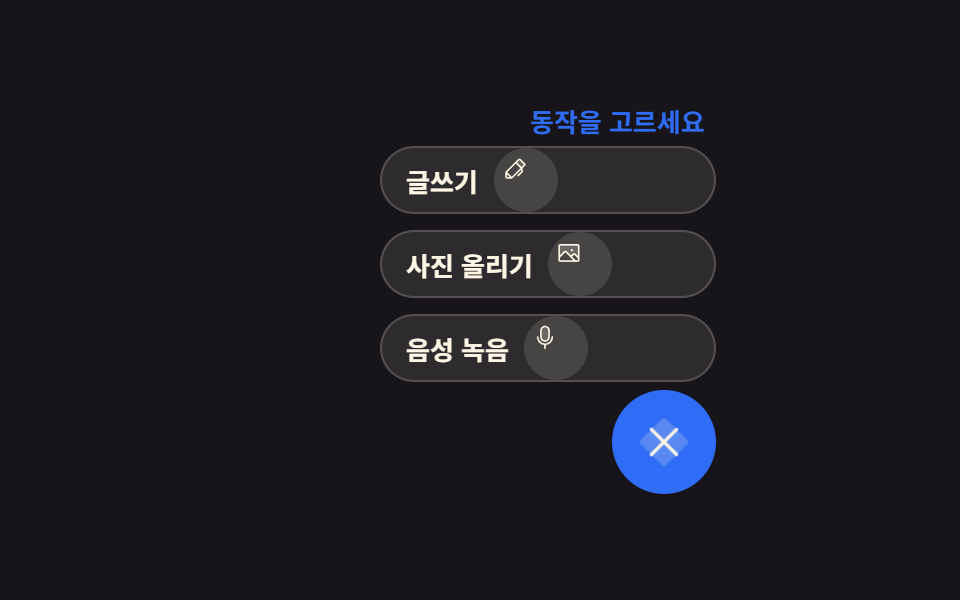 Buttons9 Icon Button CSS Patterns — Press, Drag, Expand
 ButtonsButton Group CSS: 9 Adjoined Patterns
 ButtonsBookmark Icon Animation: 9 Patterns, One Icon
 ButtonsSend Button Animation CSS: 9 Fold-and-Fly Buttons
 Buttons9 button hover effects css that award sites reuse
 ButtonsCSS Switch Button 9 Ways — Rocker to Tape Eject
 ButtonsCSS Toggle Switch: 9 Realistic Switches to Paste
 ButtonsCTA Button Design: 9 Interaction Patterns