Credit Card Input UI: 9 Patterns
Credit card input UI: One of nine spaces digits into groups of four, one recalculates a validity value live as digits fill in, and one tilts a card visual as
 01 card-input-auto-space-groups
 02 card-input-expiry-auto-slash
 03 card-input-cvc-flip-reveal
 04 card-input-mask-toggle-reveal
 05 card-input-luhn-live-checkmark
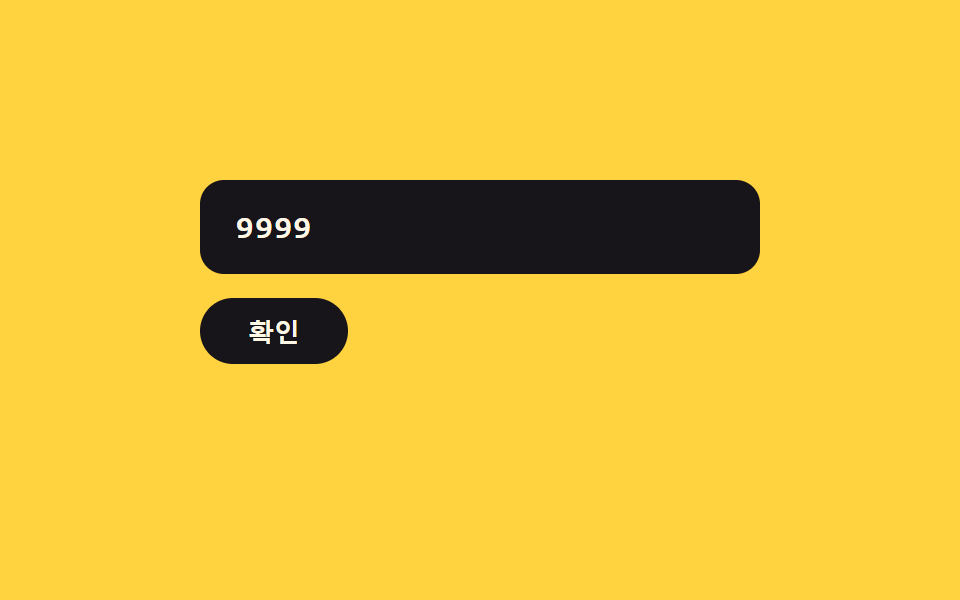 06 card-input-error-shake-clear
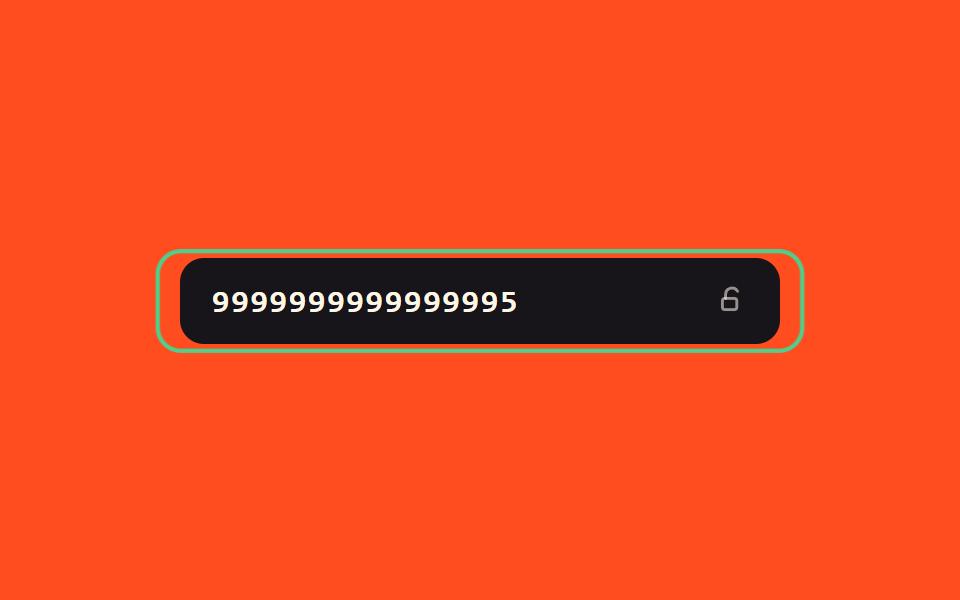 07 card-input-success-glow-lock
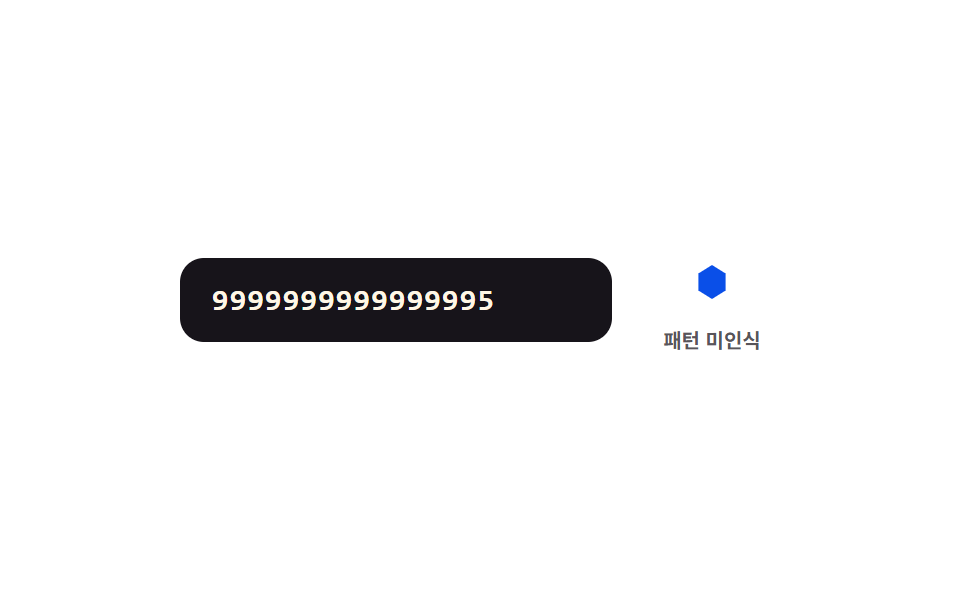 08 card-input-network-icon-morph
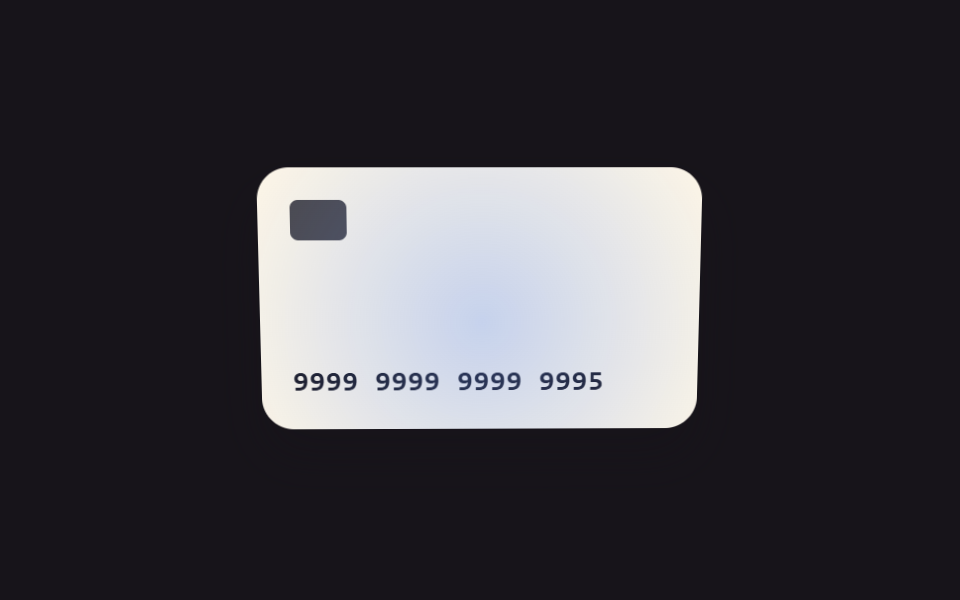 09 card-input-focus-tilt-3d
Auto-plays · click a tile to jump to its section · all nine in one zip
- 01 Digit-group value toggle — as the entered digit value reaches every fourth position, a spacing value automatically appears between groups
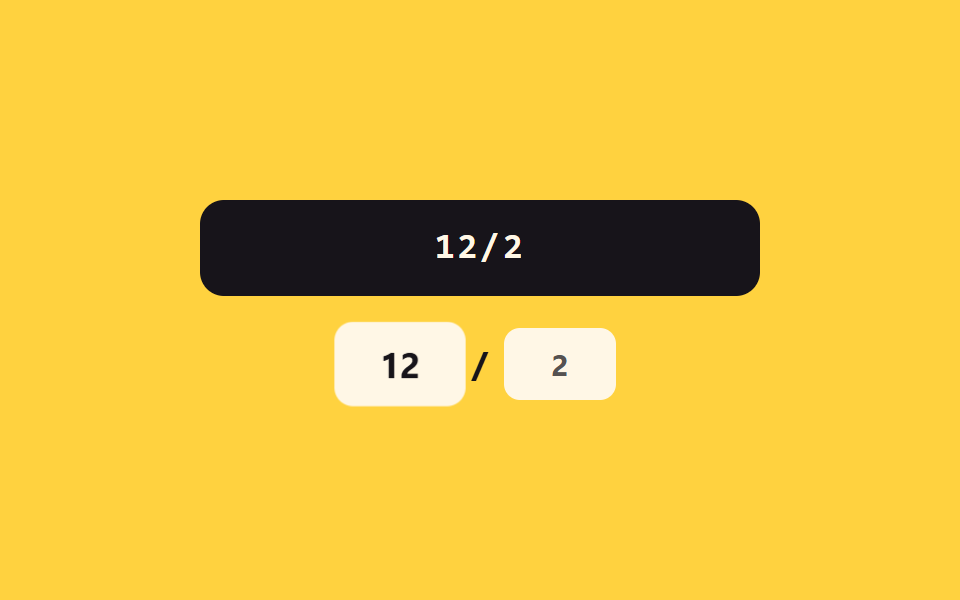
- 02 Expiry-separator value toggle — once the month and year digit values fill in, a separator value automatically appears between them
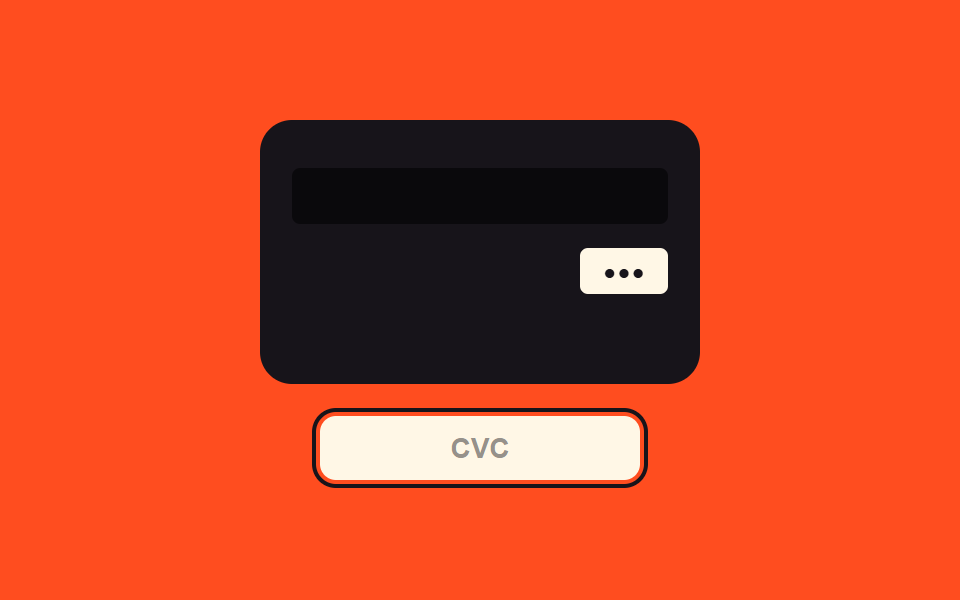
- 03 Security-code focus value toggle — when the security-code field's focus value turns on, the view switches to a value showing the card's back
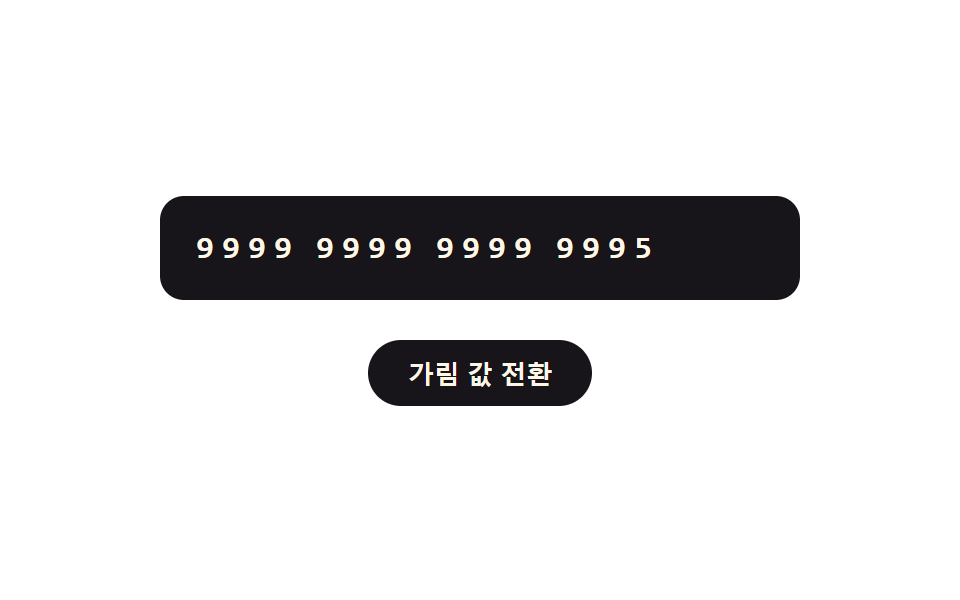
- 04 Mask value toggle — when the masking value turns on, all but the first few digit values switch to a symbol value
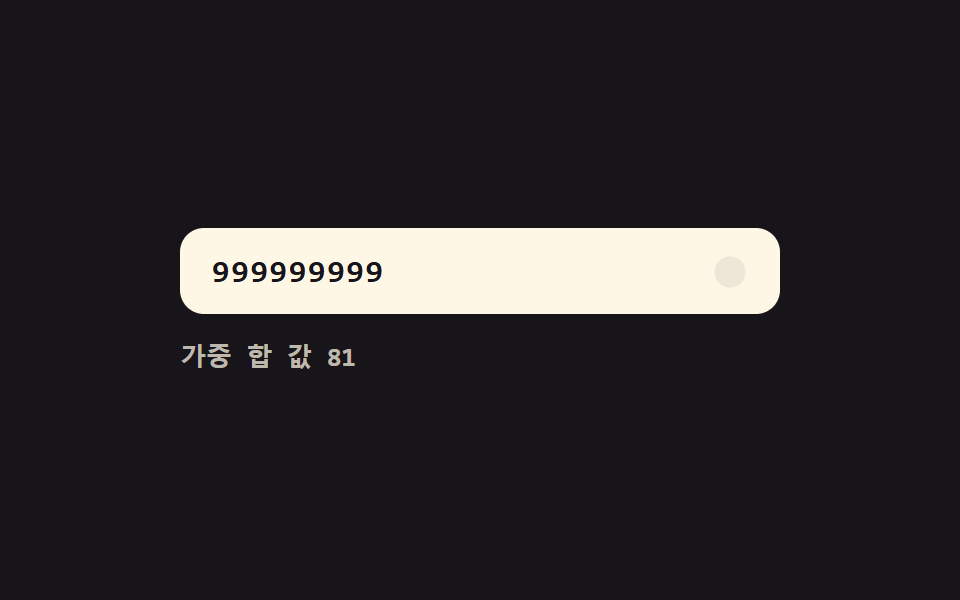
- 05 Live validity value toggle — each time a digit value fills in, the whole number's validity value is recalculated and the display value changes
- 06 Error-value shake toggle — when the number's error value turns on, the field's shake value rises then settles while the input value clears
- 07 Success-value glow toggle — when the number's success value turns on, a border glow value gradually rises and the field switches to a locked value
- 08 Pattern-match value toggle — when the leading digit value matches a set pattern value, a shape value beside it smoothly changes
- 09 Focus and tilt values linked — as the field's focus-position value moves, the card visual's tilt value follows along
Nothing in these nine demos talks to a server, touches localStorage, or rolls a random number. Every card value on screen is synthetic — the seed 9999999999999995 passes the checksum the demos compute, and 9999999999999990 fails it — and item 08's shape labels are neutral A/B/C geometry rather than any real network identification. Each pattern is one state value flipping plus a handful of constants deciding how that flip looks on screen, which is what makes the set readable as a checklist: name the value that changed and the pattern names itself.
Anatomy of nine patterns — which value changes and when
Only two of the nine run a requestAnimationFrame loop: item 08's morph interpolates six polygon points toward a target shape whenever the leading digit changes, and item 09's tilt loop chases pointer-derived targets every frame through a lerp constant. The other seven spend their motion in one-shot CSS — item 03's 180-degree flip rides a single transition on an easing token that overshoots and settles, item 04's digit-to-symbol swap staggers through per-cell transition-delay values, item 06 shakes via a keyframe animation, and the rest toggle a class once per input event. Seven of the fields are real input elements (type="text" with inputmode="numeric"); item 04 replaces the field with fixed digit spans and a toggle button, and item 09 drops typing entirely in favor of a pointer pad. Every listener in the set answers a real user event: items 01, 02, 05, 07, and 08 listen for input on their fields, item 03 for focus and blur (plus input, to repaint the code box), item 04's toggle button and item 06's Confirm button for click, item 06's field for input as well, and item 09's pad for pointermove and pointerleave.
Code per pattern
01Digit-group value toggle — as the entered digit value reaches every fourth position, a spacing value automatically appears between groups
Every input event strips non-digits from this credit card number input field, regroups into blocks of four, and reassigns the value with single spaces — then digitsBefore() turns the old caret offset into a digit count so the reformat step can correct for inserted spaces instead of jumping to the end. Under the field, paintTrack() scales a four-segment strip to g[i].length / 4 and lights each gap marker as digits pass a group boundary.
<main class="stage">
<div class="ci is-demo" id="ci">
  <label class="ci__field">
    <input class="ci__input" id="ciInput" type="text" inputmode="numeric" autocomplete="off" spellcheck="false" maxlength="19" value="">
  </label>
  <div class="ci__track" id="ciTrack" aria-hidden="true">
    <span class="ci__seg" data-g="0"><span class="ci__segFill"></span></span>
    <span class="ci__gap" data-gap="0"></span>
    <span class="ci__seg" data-g="1"><span class="ci__segFill"></span></span>
    <span class="ci__gap" data-gap="1"></span>
    <span class="ci__seg" data-g="2"><span class="ci__segFill"></span></span>
    <span class="ci__gap" data-gap="2"></span>
    <span class="ci__seg" data-g="3"><span class="ci__segFill"></span></span>
  </div>
</div>
</main>
@use "../../../../site/static/demo-tokens" as *;
// 계산 겹: 커서 위치 값을 digit count 로 환산해 간격 값 삽입 개수만큼 보정한다(index.html).
@include stage($stage-ink);
.ci {
width: 100%;
max-width: 320px;
display: grid;
gap: $sp-4;
}
.ci__field { display: block; }
.ci__input {
width: 100%;
box-sizing: border-box;
padding: $sp-3 $sp-4;
border-radius: $r-control;
border: 0;
background: $subject-cream;
color: $subject-ink;
font-weight: 600;
font-size: 18px;
line-height: 1.3;
font-family: "SFMono-Regular", Consolas, monospace;
letter-spacing: .06em;
&:focus { outline: 2px solid $subject-blue-light; outline-offset: 2px; }
}
.ci__track {
display: flex;
align-items: center;
gap: $sp-1;
}
.ci__seg {
flex: 1;
height: $sp-1;
border-radius: $r-xs;
background: rgba($subject-cream, .16);
overflow: hidden;
}
.ci__segFill {
display: block;
width: 100%;
height: 100%;
border-radius: $r-xs;
background: $subject-blue-light;
transform: scaleX(0);
transform-origin: left center;
transition: transform $dur-quick $ease-out;
}
.ci__gap {
width: $sp-1;
height: $sp-1;
border-radius: 50%;
background: rgba($subject-cream, .16);
transform: scale(.4);
opacity: 0;
transition: transform $dur-quick $ease-elastic, opacity $dur-quick $ease-out, background-color $dur-quick $ease-out;
}
.ci__gap--on {
opacity: 1;
transform: scale(1);
background: $subject-blue-light;
}
@media (max-width: 340px) {
.ci__input { padding: $sp-2 $sp-3; font-size: 16px; }
}
@media (prefers-reduced-motion: reduce) {
.ci__segFill, .ci__gap { transition: none; }
}html, body {
margin: 0;
overflow: hidden;
}
.stage {
box-sizing: border-box;
min-height: 100vh;
display: grid;
place-items: center;
margin: 0;
background: #17141a;
font-family: -apple-system, "Segoe UI", "Noto Sans KR", sans-serif;
padding: clamp(8px, 4vw, 24px);
}
.ci {
width: 100%;
max-width: 320px;
display: grid;
gap: 16px;
}
.ci__field {
display: block;
}
.ci__input {
width: 100%;
box-sizing: border-box;
padding: 12px 16px;
border-radius: 12px;
border: 0;
background: #fff7e6;
color: #17141a;
font-weight: 600;
font-size: 18px;
line-height: 1.3;
font-family: "SFMono-Regular", Consolas, monospace;
letter-spacing: 0.06em;
}
.ci__input:focus {
outline: 2px solid #5b8cf8;
outline-offset: 2px;
}
.ci__track {
display: flex;
align-items: center;
gap: 4px;
}
.ci__seg {
flex: 1;
height: 4px;
border-radius: 4px;
background: rgba(255, 247, 230, 0.16);
overflow: hidden;
}
.ci__segFill {
display: block;
width: 100%;
height: 100%;
border-radius: 4px;
background: #5b8cf8;
transform: scaleX(0);
transform-origin: left center;
transition: transform 220ms ease-out;
}
.ci__gap {
width: 4px;
height: 4px;
border-radius: 50%;
background: rgba(255, 247, 230, 0.16);
transform: scale(0.4);
opacity: 0;
transition: transform 220ms cubic-bezier(0.34, 1.56, 0.64, 1), opacity 220ms ease-out, background-color 220ms ease-out;
}
.ci__gap--on {
opacity: 1;
transform: scale(1);
background: #5b8cf8;
}
@media (max-width: 340px) {
.ci__input {
padding: 8px 12px;
font-size: 16px;
}
}
@media (prefers-reduced-motion: reduce) {
.ci__segFill, .ci__gap {
transition: none;
}
}(function () {
var root = document.getElementById('ci');
var input = document.getElementById('ciInput');
var track = document.getElementById('ciTrack');
var segFills = track.querySelectorAll('.ci__segFill');
var gaps = track.querySelectorAll('.ci__gap');
// 계산 겹: 자릿수 값을 4개씩 묶어 다시 조립하고, 커서 위치 값을 digit count 로
// 환산해 삽입된 간격 값 개수만큼 보정한다 — 그냥 재대입하면 커서가 맨 끝으로 튄다.
function digitsBefore(str, upto) { return str.slice(0, upto).replace(/\D/g, '').length; }
function groupsOf(rawDigits) {
var g = rawDigits.match(/.{1,4}/g) || [];
while (g.length < 4) g.push('');
return g;
}
function paintTrack(rawDigits) {
var g = groupsOf(rawDigits);
for (var i = 0; i < 4; i++) {
segFills[i].style.transform = 'scaleX(' + (g[i].length / 4) + ')';
}
for (var j = 0; j < 3; j++) {
var on = rawDigits.length > (j + 1) * 4;
gaps[j].classList.toggle('ci__gap--on', on);
}
}
function reformat(prevCaret) {
var prevDigits = digitsBefore(input.value, prevCaret);
var rawDigits = input.value.replace(/\D/g, '').slice(0, 16);
var groups = rawDigits.match(/.{1,4}/g) || [];
input.value = groups.join(' ');
// 커서 위치 보정: 앞선 자릿수 값 개수 + 그 앞에 이미 생긴 간격 값 개수(4자리마다 1개)
var spacesBefore = Math.floor(Math.max(prevDigits - 1, 0) / 4);
var newCaret = Math.min(prevDigits + spacesBefore, input.value.length);
input.setSelectionRange(newCaret, newCaret);
paintTrack(rawDigits);
}
input.addEventListener('input', function () {
root.classList.remove('is-demo');
stopAutoplay();
reformat(input.selectionStart);
});
// 자동 루프: 시드 고정 자릿수 값을 한 자리씩 늘렸다 줄인다.
var FULL = '9999999999999995';
var SEQ = [];
for (var i = 0; i <= FULL.length; i++) SEQ.push(FULL.slice(0, i));
for (var k = FULL.length - 1; k >= 0; k--) SEQ.push(FULL.slice(0, k));
var si = 0;
var autoTimer = null;
function autoTick() {
var rawDigits = SEQ[si];
var groups = rawDigits.match(/.{1,4}/g) || [];
input.value = groups.join(' ');
paintTrack(rawDigits);
si = (si + 1) % SEQ.length;
}
function stopAutoplay() { if (autoTimer) { clearInterval(autoTimer); autoTimer = null; } }
var reduce = window.matchMedia('(prefers-reduced-motion: reduce)').matches;
if (!reduce) { autoTimer = setInterval(autoTick, 160); autoTick(); }
else { autoTick(); }
})();import { useEffect, useRef } from "react";
import styles from "./AutoSpaceGroups.module.scss";
type Box<T> = { current: T };
export default function AutoSpaceGroups() {
const rootRef = useRef(null) as unknown as Box<HTMLDivElement | null>;
useEffect(() => {
const root = rootRef.current;
if (!root) return;
const input = root.querySelector(`.${styles.input}`) as HTMLInputElement | null;
const segFills = root.querySelectorAll(`.${styles.segFill}`);
const gaps = root.querySelectorAll(`.${styles.gap}`);
if (!input || segFills.length === 0) return;
// 계산 겹: 자릿수 값을 4개씩 묶어 다시 조립하고, 커서 위치 값을 digit count 로
// 환산해 삽입된 간격 값 개수만큼 보정한다 — 그냥 재대입하면 커서가 맨 끝으로 튄다.
function digitsBefore(str: string, upto: number) {
return str.slice(0, upto).replace(/\D/g, "").length;
}
function groupsOf(rawDigits: string) {
const g: string[] = rawDigits.match(/.{1,4}/g) || [];
while (g.length < 4) g.push("");
return g;
}
function paintTrack(rawDigits: string) {
const g = groupsOf(rawDigits);
for (let i = 0; i < 4; i++) {
(segFills[i] as HTMLElement).style.transform = "scaleX(" + g[i].length / 4 + ")";
}
for (let j = 0; j < 3; j++) {
const on = rawDigits.length > (j + 1) * 4;
gaps[j].classList.toggle(styles["gap--on"], on);
}
}
function reformat(prevCaret: number) {
const prevDigits = digitsBefore(input!.value, prevCaret);
const rawDigits = input!.value.replace(/\D/g, "").slice(0, 16);
const groups = rawDigits.match(/.{1,4}/g) || [];
input!.value = groups.join(" ");
// 커서 위치 보정: 앞선 자릿수 값 개수 + 그 앞에 이미 생긴 간격 값 개수(4자리마다 1개)
const spacesBefore = Math.floor(Math.max(prevDigits - 1, 0) / 4);
const newCaret = Math.min(prevDigits + spacesBefore, input!.value.length);
input!.setSelectionRange(newCaret, newCaret);
paintTrack(rawDigits);
}
function onInput() {
root!.classList.remove(styles["is-demo"]);
stopAutoplay();
reformat(input!.selectionStart || 0);
}
input.addEventListener("input", onInput);
// 자동 루프: 시드 고정 자릿수 값을 한 자리씩 늘렸다 줄인다.
const FULL = "9999999999999995";
const SEQ: string[] = [];
for (let i = 0; i <= FULL.length; i++) SEQ.push(FULL.slice(0, i));
for (let k = FULL.length - 1; k >= 0; k--) SEQ.push(FULL.slice(0, k));
let si = 0;
let autoTimer: number | null = null;
function autoTick() {
const rawDigits = SEQ[si];
const groups = rawDigits.match(/.{1,4}/g) || [];
input!.value = groups.join(" ");
paintTrack(rawDigits);
si = (si + 1) % SEQ.length;
}
function stopAutoplay() {
if (autoTimer !== null) { window.clearInterval(autoTimer); autoTimer = null; }
}
const reduce = window.matchMedia("(prefers-reduced-motion: reduce)").matches;
if (!reduce) { autoTimer = window.setInterval(autoTick, 160); autoTick(); }
else { autoTick(); }
return () => {
stopAutoplay();
input.removeEventListener("input", onInput);
};
}, []);
return (
<div ref={rootRef} className={`${styles.stage} ${styles.ci} ${styles["is-demo"]}`}>
<label className={styles.field}>
<input className={styles.input} type="text" inputMode="numeric" autoComplete="off" spellCheck={false} maxLength={19} defaultValue="" />
</label>
<div className={styles.track} aria-hidden="true">
<span className={styles.seg}><span className={styles.segFill} /></span>
<span className={styles.gap} />
<span className={styles.seg}><span className={styles.segFill} /></span>
<span className={styles.gap} />
<span className={styles.seg}><span className={styles.segFill} /></span>
<span className={styles.gap} />
<span className={styles.seg}><span className={styles.segFill} /></span>
</div>
</div>
);
}01 · Digit-group value toggle — as the entered digit value reaches every fourth position, a spacing value automatically appears between groups — Measured area 0.912% · moving frames 15/23Original by GODRICH · SCSS and React ship in the zip · See the password
  // Calculation layer: regroup the digit values in blocks of four, and convert the cursor's
  // position value into a digit count to correct for the inserted spacing values — plain reassignment jumps the caret to the end.
  function digitsBefore(str, upto) { return str.slice(0, upto).replace(/\D/g, '').length; }

  function groupsOf(rawDigits) {
    var g = rawDigits.match(/.{1,4}/g) || [];
    while (g.length < 4) g.push('');
    return g;
  }

  function paintTrack(rawDigits) {
    var g = groupsOf(rawDigits);
    for (var i = 0; i < 4; i++) {
      segFills[i].style.transform = 'scaleX(' + (g[i].length / 4) + ')';
    }
    for (var j = 0; j < 3; j++) {
      var on = rawDigits.length > (j + 1) * 4;
      gaps[j].classList.toggle('ci__gap--on', on);
    }
  }
What the numbers say
Item 01 fills 0.9% of the frame cumulatively at 163.0 average intensity while moving in 15 of 23 sampled frames — both the spacing and the track repaint on each keystroke of its auto loop.
02Expiry-separator value toggle — once the month and year digit values fill in, a separator value automatically appears between them
build() clamps the month into 01 through 12 — a typed 00 becomes 01, and anything above 12 collapses down to 12 — and once two month digits land, the display value gains its slash automatically. pulse() restarts the chip animation with a forced reflow (void el.offsetWidth) so the same class can fire again on consecutive cycles.
<main class="stage">
<div class="ce is-demo" id="ce">
  <label class="ce__field">
    <input class="ce__input" id="ceInput" type="text" inputmode="numeric" autocomplete="off" spellcheck="false" maxlength="5" value="" placeholder="MM/YY">
  </label>
  <div class="ce__chips" id="ceChips" aria-hidden="true">
    <span class="ce__chip" id="ceMm">MM</span>
    <span class="ce__slash" id="ceSlash">/</span>
    <span class="ce__chip" id="ceYy">YY</span>
  </div>
</div>
</main>
@use "../../../../site/static/demo-tokens" as *;
// 계산 겹: 월 값을 01~12 로 clamp 하고, 완료 시 구분자 값을 자동 삽입한다(index.html).
@include stage($stage-yellow);
.ce {
width: 100%;
max-width: 280px;
display: grid;
gap: $sp-4;
justify-items: center;
}
.ce__field { display: block; width: 100%; }
.ce__input {
width: 100%;
box-sizing: border-box;
padding: $sp-3 $sp-4;
border-radius: $r-control;
border: 0;
background: $subject-ink;
color: $subject-cream;
font-weight: 600;
font-size: 18px;
line-height: 1.3;
font-family: "SFMono-Regular", Consolas, monospace;
letter-spacing: .08em;
text-align: center;
&::placeholder { color: rgba($subject-cream, .5); }
&:focus { outline: 2px solid $subject-blue-deep; outline-offset: 2px; }
}
.ce__chips {
display: flex;
align-items: center;
gap: $sp-2;
}
.ce__chip {
min-width: 56px;
box-sizing: border-box;
padding: $sp-2 $sp-3;
border-radius: $r-sm;
background: $subject-cream;
color: rgba($subject-ink, .4);
font-weight: 700;
font-size: 15px;
text-align: center;
transition: color $dur-quick $ease-out;
}
.ce__chip--on { color: $subject-ink; }
.ce__chip--pulse { animation: cePulse $dur-enter $ease-elastic; }
.ce__slash {
font-weight: 700;
font-size: 18px;
color: rgba($subject-ink, .35);
transform: scale(.4);
opacity: 0;
transition: transform $dur-quick $ease-elastic, opacity $dur-quick $ease-out;
}
.ce__slash--on {
transform: scale(1);
opacity: 1;
color: $subject-ink;
}
@keyframes cePulse {
0% { transform: scale(1); }
30% { transform: scale(1.16); }
60% { transform: scale(.96); }
100% { transform: scale(1); }
}
@media (max-width: 340px) {
.ce { max-width: 240px; }
.ce__input { padding: $sp-2 $sp-3; font-size: 16px; }
.ce__chip { min-width: 48px; font-size: 13px; }
}
@media (prefers-reduced-motion: reduce) {
.ce__slash { transition: none; }
.ce__chip--pulse { animation: none; }
.ce__chip { transition: none; }
}html, body {
margin: 0;
overflow: hidden;
}
.stage {
box-sizing: border-box;
min-height: 100vh;
display: grid;
place-items: center;
margin: 0;
background: #ffd23f;
font-family: -apple-system, "Segoe UI", "Noto Sans KR", sans-serif;
padding: clamp(8px, 4vw, 24px);
}
.ce {
width: 100%;
max-width: 280px;
display: grid;
gap: 16px;
justify-items: center;
}
.ce__field {
display: block;
width: 100%;
}
.ce__input {
width: 100%;
box-sizing: border-box;
padding: 12px 16px;
border-radius: 12px;
border: 0;
background: #17141a;
color: #fff7e6;
font-weight: 600;
font-size: 18px;
line-height: 1.3;
font-family: "SFMono-Regular", Consolas, monospace;
letter-spacing: 0.08em;
text-align: center;
}
.ce__input::placeholder {
color: rgba(255, 247, 230, 0.5);
}
.ce__input:focus {
outline: 2px solid #0a4fe8;
outline-offset: 2px;
}
.ce__chips {
display: flex;
align-items: center;
gap: 8px;
}
.ce__chip {
min-width: 56px;
box-sizing: border-box;
padding: 8px 12px;
border-radius: 8px;
background: #fff7e6;
color: rgba(23, 20, 26, 0.4);
font-weight: 700;
font-size: 15px;
text-align: center;
transition: color 220ms ease-out;
}
.ce__chip--on {
color: #17141a;
}
.ce__chip--pulse {
animation: cePulse 600ms cubic-bezier(0.34, 1.56, 0.64, 1);
}
.ce__slash {
font-weight: 700;
font-size: 18px;
color: rgba(23, 20, 26, 0.35);
transform: scale(0.4);
opacity: 0;
transition: transform 220ms cubic-bezier(0.34, 1.56, 0.64, 1), opacity 220ms ease-out;
}
.ce__slash--on {
transform: scale(1);
opacity: 1;
color: #17141a;
}
@keyframes cePulse {
0% {
transform: scale(1);
}
30% {
transform: scale(1.16);
}
60% {
transform: scale(0.96);
}
100% {
transform: scale(1);
}
}
@media (max-width: 340px) {
.ce {
max-width: 240px;
}
.ce__input {
padding: 8px 12px;
font-size: 16px;
}
.ce__chip {
min-width: 48px;
font-size: 13px;
}
}
@media (prefers-reduced-motion: reduce) {
.ce__slash {
transition: none;
}
.ce__chip--pulse {
animation: none;
}
.ce__chip {
transition: none;
}
}(function () {
var root = document.getElementById('ce');
var input = document.getElementById('ceInput');
var mmChip = document.getElementById('ceMm');
var yyChip = document.getElementById('ceYy');
var slash = document.getElementById('ceSlash');
// 계산 겹: 월 값의 범위를 01~12 로 clamp 하고, 월 자릿수 값이 2자리를 채우면
// 구분자(슬래시) 값을 자동으로 끼운다.
function digitsOnly(str) { return str.replace(/\D/g, '').slice(0, 4); }
function build(rawDigits) {
var mm = rawDigits.slice(0, 2);
var yy = rawDigits.slice(2, 4);
var clamped = false;
if (mm.length === 2) {
var n = parseInt(mm, 10);
if (n === 0) { mm = '01'; clamped = true; }
else if (n > 12) { mm = '12'; clamped = true; }
}
var slashOn = mm.length === 2;
return { display: mm + (slashOn ? '/' : '') + yy, mm: mm, yy: yy, slashOn: slashOn, clamped: clamped };
}
function pulse(el) {
el.classList.remove('ce__chip--pulse');
void el.offsetWidth;
el.classList.add('ce__chip--pulse');
}
function paint(r) {
mmChip.textContent = r.mm || 'MM';
mmChip.classList.toggle('ce__chip--on', r.mm.length > 0);
yyChip.textContent = r.yy || 'YY';
yyChip.classList.toggle('ce__chip--on', r.yy.length > 0);
slash.classList.toggle('ce__slash--on', r.slashOn);
if (r.clamped) pulse(mmChip);
}
function digitsBefore(str, upto) { return str.slice(0, upto).replace(/\D/g, '').length; }
input.addEventListener('input', function () {
root.classList.remove('is-demo');
stopAutoplay();
var prevDigits = digitsBefore(input.value, input.selectionStart);
var rawDigits = digitsOnly(input.value);
var r = build(rawDigits);
input.value = r.display;
var newCaret = Math.min(prevDigits + (r.slashOn && prevDigits >= 2 ? 1 : 0), input.value.length);
input.setSelectionRange(newCaret, newCaret);
paint(r);
});
// 자동 루프: 시드 고정 자릿수 값 — "13" 을 쳐서 월 범위 clamp("12")가 걸리는 장면 포함.
var SEQ = ['', '1', '13', '132', '1329', '132', '13', '1', ''];
var si = 0;
var autoTimer = null;
function autoTick() {
var rawDigits = SEQ[si];
var r = build(rawDigits);
input.value = r.display;
paint(r);
si = (si + 1) % SEQ.length;
}
function stopAutoplay() { if (autoTimer) { clearInterval(autoTimer); autoTimer = null; } }
var reduce = window.matchMedia('(prefers-reduced-motion: reduce)').matches;
if (!reduce) { autoTimer = setInterval(autoTick, 340); autoTick(); }
else { autoTick(); }
})();import { useEffect, useRef } from "react";
import styles from "./ExpiryAutoSlash.module.scss";
type Box<T> = { current: T };
type Built = { display: string; mm: string; yy: string; slashOn: boolean; clamped: boolean };
export default function ExpiryAutoSlash() {
const rootRef = useRef(null) as unknown as Box<HTMLDivElement | null>;
useEffect(() => {
const root = rootRef.current;
if (!root) return;
const input = root.querySelector(`.${styles.input}`) as HTMLInputElement | null;
const mmChip = root.querySelector(`.${styles.mm}`) as HTMLElement | null;
const yyChip = root.querySelector(`.${styles.yy}`) as HTMLElement | null;
const slash = root.querySelector(`.${styles.slash}`) as HTMLElement | null;
if (!input || !mmChip || !yyChip || !slash) return;
// 계산 겹: 월 값의 범위를 01~12 로 clamp 하고, 월 자릿수 값이 2자리를 채우면
// 구분자(슬래시) 값을 자동으로 끼운다.
function digitsOnly(str: string) { return str.replace(/\D/g, "").slice(0, 4); }
function build(rawDigits: string): Built {
let mm = rawDigits.slice(0, 2);
const yy = rawDigits.slice(2, 4);
let clamped = false;
if (mm.length === 2) {
const n = parseInt(mm, 10);
if (n === 0) { mm = "01"; clamped = true; }
else if (n > 12) { mm = "12"; clamped = true; }
}
const slashOn = mm.length === 2;
return { display: mm + (slashOn ? "/" : "") + yy, mm, yy, slashOn, clamped };
}
function pulse(el: HTMLElement) {
el.classList.remove(styles["chip--pulse"]);
void el.offsetWidth;
el.classList.add(styles["chip--pulse"]);
}
function paint(r: Built) {
mmChip!.textContent = r.mm || "MM";
mmChip!.classList.toggle(styles["chip--on"], r.mm.length > 0);
yyChip!.textContent = r.yy || "YY";
yyChip!.classList.toggle(styles["chip--on"], r.yy.length > 0);
slash!.classList.toggle(styles["slash--on"], r.slashOn);
if (r.clamped) pulse(mmChip!);
}
function digitsBefore(str: string, upto: number) {
return str.slice(0, upto).replace(/\D/g, "").length;
}
function onInput() {
root!.classList.remove(styles["is-demo"]);
stopAutoplay();
const prevDigits = digitsBefore(input!.value, input!.selectionStart || 0);
const rawDigits = digitsOnly(input!.value);
const r = build(rawDigits);
input!.value = r.display;
const newCaret = Math.min(prevDigits + (r.slashOn && prevDigits >= 2 ? 1 : 0), input!.value.length);
input!.setSelectionRange(newCaret, newCaret);
paint(r);
}
input.addEventListener("input", onInput);
// 자동 루프: 시드 고정 자릿수 값 — "13" 을 쳐서 월 범위 clamp("12")가 걸리는 장면 포함.
const SEQ = ["", "1", "13", "132", "1329", "132", "13", "1", ""];
let si = 0;
let autoTimer: number | null = null;
function autoTick() {
const rawDigits = SEQ[si];
const r = build(rawDigits);
input!.value = r.display;
paint(r);
si = (si + 1) % SEQ.length;
}
function stopAutoplay() {
if (autoTimer !== null) { window.clearInterval(autoTimer); autoTimer = null; }
}
const reduce = window.matchMedia("(prefers-reduced-motion: reduce)").matches;
if (!reduce) { autoTimer = window.setInterval(autoTick, 340); autoTick(); }
else { autoTick(); }
return () => {
stopAutoplay();
input.removeEventListener("input", onInput);
};
}, []);
return (
<div ref={rootRef} className={`${styles.stage} ${styles.ce} ${styles["is-demo"]}`}>
<label className={styles.field}>
<input className={styles.input} type="text" inputMode="numeric" autoComplete="off" spellCheck={false} maxLength={5} defaultValue="" placeholder="MM/YY" />
</label>
<div className={styles.chips} aria-hidden="true">
<span className={`${styles.chip} ${styles.mm}`}>MM</span>
<span className={styles.slash}>/</span>
<span className={`${styles.chip} ${styles.yy}`}>YY</span>
</div>
</div>
);
}02 · Expiry-separator value toggle — once the month and year digit values fill in, a separator value automatically appears between them — Measured area 1.644% · moving frames 21/23Original by GODRICH · SCSS and React ship in the zip · See the password
  // Calculation layer: clamp the month value into 01~12, and once the month's digit
  // values fill two places, insert the separator (slash) value automatically.
  function digitsOnly(str) { return str.replace(/\D/g, '').slice(0, 4); }

  function build(rawDigits) {
    var mm = rawDigits.slice(0, 2);
    var yy = rawDigits.slice(2, 4);
    var clamped = false;
    if (mm.length === 2) {
      var n = parseInt(mm, 10);
      if (n === 0) { mm = '01'; clamped = true; }
      else if (n > 12) { mm = '12'; clamped = true; }
    }
    var slashOn = mm.length === 2;
    return { display: mm + (slashOn ? '/' : '') + yy, mm: mm, yy: yy, slashOn: slashOn, clamped: clamped };
  }

  function pulse(el) {
    el.classList.remove('ce__chip--pulse');
    void el.offsetWidth;
    el.classList.add('ce__chip--pulse');
  }
What the numbers say
Item 02 shows 1.6% cumulative area at 105.5 average intensity across 21 of 23 sampled frames — nearly continuous, because its auto loop retypes the field character by character and every keystroke pulses the chip.
03Security-code focus value toggle — when the security-code field's focus value turns on, the view switches to a value showing the card's back
The field listens for focus and blur: focus adds the flip class so the card rotates to its back in one CSS transition on the $ease-lerp-settle token, which carries it past 180 degrees and settles it back, and blur returns the front. While the back is showing, each input event refreshes a code box that pads the typed digits out to three • characters.
<main class="stage">
<div class="cv is-demo" id="cv">
  <div class="cv__scene">
    <div class="cv__card" id="cvCard">
      <div class="cv__face cv__face--front">
        <span class="cv__chipIcon"></span>
        <span class="cv__num">9999 99•• •••• 9995</span>
        <span class="cv__exp">12/29</span>
      </div>
      <div class="cv__face cv__face--back">
        <span class="cv__strip"></span>
        <span class="cv__cvcRow"><span class="cv__cvcBox" id="cvBox">•••</span></span>
      </div>
    </div>
  </div>
  <label class="cv__field">
    <input class="cv__input" id="cvInput" type="text" inputmode="numeric" autocomplete="off" spellcheck="false" maxlength="3" placeholder="CVC">
  </label>
</div>
</main>
@use "../../../../site/static/demo-tokens" as *;
// 계산 겹: 초점 값 on/off → 3D 회전 각 값이 스프링 곡선을 타고 넘겼다가 정착한다(index.html).
@include stage($stage-orange);
.cv {
width: 100%;
max-width: 300px;
display: grid;
gap: $sp-4;
justify-items: center;
}
.cv__scene {
width: 220px;
height: 132px;
perspective: 800px;
}
.cv__card {
position: relative;
width: 100%;
height: 100%;
transform-style: preserve-3d;
transform: rotateY(0deg);
transition: transform $dur-enter $ease-lerp-settle;
}
.cv__card--flipped { transform: rotateY(180deg); }
.cv__face {
position: absolute;
inset: 0;
box-sizing: border-box;
border-radius: $r-card;
backface-visibility: hidden;
padding: $sp-4;
display: grid;
color: $subject-cream;
}
.cv__face--front {
background: $subject-ink;
align-content: space-between;
}
.cv__face--back {
background: $subject-ink;
transform: rotateY(180deg);
align-content: start;
gap: $sp-3;
}
.cv__chipIcon {
width: 28px;
height: 20px;
border-radius: $r-xs;
background: rgba($subject-cream, .7);
}
.cv__num {
font-family: "SFMono-Regular", Consolas, monospace;
font-weight: 600;
font-size: 15px;
letter-spacing: .05em;
}
.cv__exp {
font-family: "SFMono-Regular", Consolas, monospace;
font-weight: 600;
font-size: 12px;
color: rgba($subject-cream, .7);
}
.cv__strip {
display: block;
width: 100%;
height: 28px;
margin-top: $sp-2;
background: rgba(0, 0, 0, .55);
border-radius: $r-xs;
}
.cv__cvcRow { display: flex; justify-content: flex-end; }
.cv__cvcBox {
min-width: 44px;
box-sizing: border-box;
padding: $sp-1 $sp-2;
border-radius: $r-xs;
background: $subject-cream;
color: $subject-ink;
font-family: "SFMono-Regular", Consolas, monospace;
font-weight: 700;
font-size: 13px;
text-align: center;
}
.cv__field { width: 100%; max-width: 160px; }
.cv__input {
width: 100%;
box-sizing: border-box;
padding: $sp-2 $sp-3;
border-radius: $r-sm;
border: 0;
background: $subject-cream;
color: $subject-ink;
font-weight: 600;
font-size: 14px;
text-align: center;
&::placeholder { color: rgba($subject-ink, .45); }
&:focus, &.cv__input--focus { outline: 2px solid $subject-ink; outline-offset: 2px; }
}
@media (max-width: 340px) {
.cv__scene { width: 190px; height: 114px; }
}
@media (prefers-reduced-motion: reduce) {
.cv__card { transition: none; }
}html, body {
margin: 0;
overflow: hidden;
}
.stage {
box-sizing: border-box;
min-height: 100vh;
display: grid;
place-items: center;
margin: 0;
background: #ff4d1f;
font-family: -apple-system, "Segoe UI", "Noto Sans KR", sans-serif;
padding: clamp(8px, 4vw, 24px);
}
.cv {
width: 100%;
max-width: 300px;
display: grid;
gap: 16px;
justify-items: center;
}
.cv__scene {
width: 220px;
height: 132px;
perspective: 800px;
}
.cv__card {
position: relative;
width: 100%;
height: 100%;
transform-style: preserve-3d;
transform: rotateY(0deg);
transition: transform 600ms linear(0, 0.051, 0.176, 0.341, 0.518, 0.685, 0.831, 0.947, 1.032, 1.087, 1.117, 1.126, 1.121, 1.105, 1.085, 1.062, 1.041, 1.022, 1.008, 0.997, 1);
}
.cv__card--flipped {
transform: rotateY(180deg);
}
.cv__face {
position: absolute;
inset: 0;
box-sizing: border-box;
border-radius: 16px;
backface-visibility: hidden;
padding: 16px;
display: grid;
color: #fff7e6;
}
.cv__face--front {
background: #17141a;
align-content: space-between;
}
.cv__face--back {
background: #17141a;
transform: rotateY(180deg);
align-content: start;
gap: 12px;
}
.cv__chipIcon {
width: 28px;
height: 20px;
border-radius: 4px;
background: rgba(255, 247, 230, 0.7);
}
.cv__num {
font-family: "SFMono-Regular", Consolas, monospace;
font-weight: 600;
font-size: 15px;
letter-spacing: 0.05em;
}
.cv__exp {
font-family: "SFMono-Regular", Consolas, monospace;
font-weight: 600;
font-size: 12px;
color: rgba(255, 247, 230, 0.7);
}
.cv__strip {
display: block;
width: 100%;
height: 28px;
margin-top: 8px;
background: rgba(0, 0, 0, 0.55);
border-radius: 4px;
}
.cv__cvcRow {
display: flex;
justify-content: flex-end;
}
.cv__cvcBox {
min-width: 44px;
box-sizing: border-box;
padding: 4px 8px;
border-radius: 4px;
background: #fff7e6;
color: #17141a;
font-family: "SFMono-Regular", Consolas, monospace;
font-weight: 700;
font-size: 13px;
text-align: center;
}
.cv__field {
width: 100%;
max-width: 160px;
}
.cv__input {
width: 100%;
box-sizing: border-box;
padding: 8px 12px;
border-radius: 8px;
border: 0;
background: #fff7e6;
color: #17141a;
font-weight: 600;
font-size: 14px;
text-align: center;
}
.cv__input::placeholder {
color: rgba(23, 20, 26, 0.45);
}
.cv__input:focus, .cv__input.cv__input--focus {
outline: 2px solid #17141a;
outline-offset: 2px;
}
@media (max-width: 340px) {
.cv__scene {
width: 190px;
height: 114px;
}
}
@media (prefers-reduced-motion: reduce) {
.cv__card {
transition: none;
}
}(function () {
var root = document.getElementById('cv');
var input = document.getElementById('cvInput');
var card = document.getElementById('cvCard');
var box = document.getElementById('cvBox');
// 계산 겹: 초점 값 on/off 에 따라 카드의 3D 회전 각 값이 스프링 곡선($ease-lerp-settle)을
// 타고 180deg 를 넘겼다가 되돌아와 정착한다 — 등속 회전이 아니라 관성 있는 회전.
function setFlipped(on) { card.classList.toggle('cv__card--flipped', on); }
input.addEventListener('focus', function () { root.classList.remove('is-demo'); stopAutoplay(); setFlipped(true); });
input.addEventListener('blur', function () { setFlipped(false); });
input.addEventListener('input', function () {
box.textContent = (input.value.replace(/\D/g, '').slice(0, 3) || '').padEnd(3, '•');
});
// 자동 루프: 초점 on/off 를 시드 간격으로 오간다.
var SEQ = [true, true, false, false];
var si = 0;
var autoTimer = null;
function autoTick() {
var on = SEQ[si];
setFlipped(on);
input.classList.toggle('cv__input--focus', on);
si = (si + 1) % SEQ.length;
}
function stopAutoplay() { if (autoTimer) { clearInterval(autoTimer); autoTimer = null; } }
var reduce = window.matchMedia('(prefers-reduced-motion: reduce)').matches;
if (!reduce) { autoTimer = setInterval(autoTick, 900); autoTick(); }
})();import { useEffect, useRef } from "react";
import styles from "./CvcFlipReveal.module.scss";
type Box<T> = { current: T };
export default function CvcFlipReveal() {
const rootRef = useRef(null) as unknown as Box<HTMLDivElement | null>;
useEffect(() => {
const root = rootRef.current;
if (!root) return;
const input = root.querySelector(`.${styles.input}`) as HTMLInputElement | null;
const card = root.querySelector(`.${styles.card}`) as HTMLElement | null;
const box = root.querySelector(`.${styles.cvcBox}`) as HTMLElement | null;
if (!input || !card || !box) return;
// 계산 겹: 초점 값 on/off 에 따라 카드의 3D 회전 각 값이 스프링 곡선($ease-lerp-settle)을
// 타고 180deg 를 넘겼다가 되돌아와 정착한다 — 등속 회전이 아니라 관성 있는 회전.
function setFlipped(on: boolean) { card!.classList.toggle(styles["card--flipped"], on); }
function onFocus() { root!.classList.remove(styles["is-demo"]); stopAutoplay(); setFlipped(true); }
function onBlur() { setFlipped(false); }
function onInput() {
box!.textContent = (input!.value.replace(/\D/g, "").slice(0, 3) || "").padEnd(3, "•");
}
input.addEventListener("focus", onFocus);
input.addEventListener("blur", onBlur);
input.addEventListener("input", onInput);
// 자동 루프: 초점 on/off 를 시드 간격으로 오간다.
const SEQ = [true, true, false, false];
let si = 0;
let autoTimer: number | null = null;
function autoTick() {
const on = SEQ[si];
setFlipped(on);
input!.classList.toggle(styles["input--focus"], on);
si = (si + 1) % SEQ.length;
}
function stopAutoplay() {
if (autoTimer !== null) { window.clearInterval(autoTimer); autoTimer = null; }
}
const reduce = window.matchMedia("(prefers-reduced-motion: reduce)").matches;
if (!reduce) { autoTimer = window.setInterval(autoTick, 900); autoTick(); }
return () => {
stopAutoplay();
input.removeEventListener("focus", onFocus);
input.removeEventListener("blur", onBlur);
input.removeEventListener("input", onInput);
};
}, []);
return (
<div ref={rootRef} className={`${styles.stage} ${styles.cv} ${styles["is-demo"]}`}>
<div className={styles.scene}>
<div className={styles.card}>
<div className={`${styles.face} ${styles["face--front"]}`}>
<span className={styles.chipIcon} />
<span className={styles.num}>9999 99•• •••• 9995</span>
<span className={styles.exp}>12/29</span>
</div>
<div className={`${styles.face} ${styles["face--back"]}`}>
<span className={styles.strip} />
<span className={styles.cvcRow}><span className={styles.cvcBox}>•••</span></span>
</div>
</div>
</div>
<label className={styles.field}>
<input className={styles.input} type="text" inputMode="numeric" autoComplete="off" spellCheck={false} maxLength={3} placeholder="CVC" />
</label>
</div>
);
}03 · Security-code focus value toggle — when the security-code field's focus value turns on, the view switches to a value showing the card's back — Measured area 17.101% · moving frames 6/23Original by GODRICH · SCSS and React ship in the zip · See the password
  // Calculation layer: as the focus value turns on and off, the card's 3D rotation-angle value rides a
  // spring-like easing curve ($ease-lerp-settle), overshooting past 180deg and settling back — inertial, not constant-speed, rotation.
  function setFlipped(on) { card.classList.toggle('cv__card--flipped', on); }

  input.addEventListener('focus', function () { root.classList.remove('is-demo'); stopAutoplay(); setFlipped(true); });
  input.addEventListener('blur', function () { setFlipped(false); });
  input.addEventListener('input', function () {
    box.textContent = (input.value.replace(/\D/g, '').slice(0, 3) || '').padEnd(3, '•');
  });

  // Auto loop: walks the focus value on and off at a seeded interval.
  var SEQ = [true, true, false, false];
  var si = 0;
  var autoTimer = null;
  function autoTick() {
    var on = SEQ[si];
    setFlipped(on);
    input.classList.toggle('cv__input--focus', on);
    si = (si + 1) % SEQ.length;
  }
What the numbers say
Item 03 reaches 17.1% cumulative area at 149.4 average intensity but moves in only 6 of 23 sampled frames — a large, fast rotation that spends most of the sample resting on one face.
04Mask value toggle — when the masking value turns on, all but the first few digit values switch to a symbol value
There is no input element here at all — sixteen fixed digit spans are built once, the first KEEP (4) stay plain, and each later cell stacks a • mask span over its digit so a single root class crossfades them. Each cell carries its index as a custom property, and the SCSS turns that into transition-delay: calc(var(--i, 0) * 45ms), so the unmask spreads one digit at a time.
<main class="stage">
<div class="cm is-demo" id="cm">
  <div class="cm__row" id="cmRow"></div>
  <button type="button" class="cm__toggle" id="cmToggle" aria-pressed="false">Toggle mask value</button>
</div>
</main>
@use "../../../../site/static/demo-tokens" as *;
// 계산 겹: 가림 값 전환이 자릿수 값 순서대로 STAGGER_MS 씩 늦게 퍼진다(index.html --i, transition-delay).
@include stage($stage-paper);
.cm {
width: 100%;
max-width: 320px;
display: grid;
gap: $sp-5;
justify-items: center;
}
.cm__row {
display: flex;
align-items: center;
background: $subject-ink;
border-radius: $r-control;
padding: $sp-4;
box-sizing: border-box;
width: 100%;
}
.cm__group {
position: relative;
width: 13px;
height: 20px;
margin-right: 0;
&--gap { margin-left: $sp-2; }
}
.cm__digit,
.cm__mask {
position: absolute;
inset: 0;
display: grid;
place-items: center;
font-family: "SFMono-Regular", Consolas, monospace;
font-weight: 600;
font-size: 16px;
color: $subject-cream;
transition: transform $dur-quick $ease-spring, opacity $dur-quick $ease-out;
transition-delay: calc(var(--i, 0) * 45ms);
}
.cm__digit--fixed { position: static; transition: none; }
.cm__mask {
opacity: 0;
transform: scale(.4);
}
.cm--masked {
.cm__digit:not(.cm__digit--fixed) { opacity: 0; transform: scale(.4); }
.cm__mask { opacity: 1; transform: scale(1); }
}
.cm__toggle {
border: 0;
border-radius: $r-pill;
padding: $sp-2 $sp-5;
background: $subject-ink;
color: $subject-cream;
font-weight: 700;
font-size: 13px;
cursor: pointer;
transition: transform $dur-instant $ease-out;
&:active { transform: scale(.95); }
&:focus-visible { outline: 2px solid $subject-blue-deep; outline-offset: 2px; }
}
@media (max-width: 340px) {
.cm__row { padding: $sp-3; }
.cm__group { width: 11px; }
.cm__digit, .cm__mask { font-size: 14px; }
}
@media (prefers-reduced-motion: reduce) {
.cm__digit, .cm__mask { transition: none; transition-delay: 0ms; }
.cm__toggle { transition: none; }
}html, body {
margin: 0;
overflow: hidden;
}
.stage {
box-sizing: border-box;
min-height: 100vh;
display: grid;
place-items: center;
margin: 0;
background: #ffffff;
font-family: -apple-system, "Segoe UI", "Noto Sans KR", sans-serif;
padding: clamp(8px, 4vw, 24px);
}
.cm {
width: 100%;
max-width: 320px;
display: grid;
gap: 20px;
justify-items: center;
}
.cm__row {
display: flex;
align-items: center;
background: #17141a;
border-radius: 12px;
padding: 16px;
box-sizing: border-box;
width: 100%;
}
.cm__group {
position: relative;
width: 13px;
height: 20px;
margin-right: 0;
}
.cm__group--gap {
margin-left: 8px;
}
.cm__digit,
.cm__mask {
position: absolute;
inset: 0;
display: grid;
place-items: center;
font-family: "SFMono-Regular", Consolas, monospace;
font-weight: 600;
font-size: 16px;
color: #fff7e6;
transition: transform 220ms cubic-bezier(0.2, 0.8, 0.2, 1), opacity 220ms ease-out;
transition-delay: calc(var(--i, 0) * 45ms);
}
.cm__digit--fixed {
position: static;
transition: none;
}
.cm__mask {
opacity: 0;
transform: scale(0.4);
}
.cm--masked .cm__digit:not(.cm__digit--fixed) {
opacity: 0;
transform: scale(0.4);
}
.cm--masked .cm__mask {
opacity: 1;
transform: scale(1);
}
.cm__toggle {
border: 0;
border-radius: 999px;
padding: 8px 20px;
background: #17141a;
color: #fff7e6;
font-weight: 700;
font-size: 13px;
cursor: pointer;
transition: transform 140ms ease-out;
}
.cm__toggle:active {
transform: scale(0.95);
}
.cm__toggle:focus-visible {
outline: 2px solid #0a4fe8;
outline-offset: 2px;
}
@media (max-width: 340px) {
.cm__row {
padding: 12px;
}
.cm__group {
width: 11px;
}
.cm__digit, .cm__mask {
font-size: 14px;
}
}
@media (prefers-reduced-motion: reduce) {
.cm__digit, .cm__mask {
transition: none;
transition-delay: 0ms;
}
.cm__toggle {
transition: none;
}
}(function () {
var root = document.getElementById('cm');
var row = document.getElementById('cmRow');
var btn = document.getElementById('cmToggle');
var DIGITS = '9999999999999995';
var KEEP = 4; // 앞의 몇 자리 값은 항상 그대로
var STAGGER_MS = 45; // 계산 겹: 자릿수 값마다 이만큼씩 늦게 전환된다
var cells = [];
DIGITS.split('').forEach(function (ch, i) {
var group = document.createElement('span');
group.className = 'cm__group';
if (i > 0 && i % 4 === 0) group.classList.add('cm__group--gap');
if (i < KEEP) {
group.innerHTML = '<span class="cm__digit cm__digit--fixed">' + ch + '</span>';
} else {
var idx = i - KEEP;
group.style.setProperty('--i', idx);
group.innerHTML =
'<span class="cm__digit">' + ch + '</span>' +
'<span class="cm__mask">•</span>';
cells.push(group);
}
row.appendChild(group);
});
var masked = false;
function paint() {
root.classList.toggle('cm--masked', masked);
btn.setAttribute('aria-pressed', String(masked));
}
function toggle() {
masked = !masked;
paint();
}
btn.addEventListener('click', function () {
root.classList.remove('is-demo');
stopAutoplay();
toggle();
});
var autoTimer = null;
function stopAutoplay() { if (autoTimer) { clearInterval(autoTimer); autoTimer = null; } }
var reduce = window.matchMedia('(prefers-reduced-motion: reduce)').matches;
if (!reduce) { autoTimer = setInterval(toggle, 1500); }
else { masked = true; paint(); }
})();import { useEffect, useRef } from "react";
import type { CSSProperties } from "react";
import styles from "./MaskToggleReveal.module.scss";
type Box<T> = { current: T };
const DIGITS = "9999999999999995";
const KEEP = 4; // 앞의 몇 자리 값은 항상 그대로
const STAGGER_MS = 45; // 계산 겹: 자릿수 값마다 이만큼씩 늦게 전환된다
export default function MaskToggleReveal() {
const rootRef = useRef(null) as unknown as Box<HTMLDivElement | null>;
useEffect(() => {
const root = rootRef.current;
if (!root) return;
const btn = root.querySelector(`.${styles.toggle}`) as HTMLButtonElement | null;
if (!btn) return;
let masked = false;
function paint() {
root!.classList.toggle(styles["root--masked"], masked);
btn!.setAttribute("aria-pressed", String(masked));
}
function toggle() { masked = !masked; paint(); }
function onClick() {
root!.classList.remove(styles["is-demo"]);
stopAutoplay();
toggle();
}
btn.addEventListener("click", onClick);
let autoTimer: number | null = null;
function stopAutoplay() {
if (autoTimer !== null) { window.clearInterval(autoTimer); autoTimer = null; }
}
const reduce = window.matchMedia("(prefers-reduced-motion: reduce)").matches;
if (!reduce) { autoTimer = window.setInterval(toggle, 1500); }
else { masked = true; paint(); }
return () => {
stopAutoplay();
btn.removeEventListener("click", onClick);
};
}, []);
const cells = DIGITS.split("").map((ch, i) => ({
ch,
gapBefore: i > 0 && i % 4 === 0,
fixed: i < KEEP,
idx: i - KEEP,
}));
return (
<div ref={rootRef} className={`${styles.stage} ${styles.cm} ${styles["is-demo"]}`}>
<div className={styles.row}>
{cells.map((c, i) => (
<span key={i} className={`${styles.group} ${c.gapBefore ? styles["group--gap"] : ""}`}>
{c.fixed ? (
<span className={`${styles.digit} ${styles["digit--fixed"]}`}>{c.ch}</span>
) : (
<>
<span className={styles.digit} style={{ transitionDelay: `${c.idx * STAGGER_MS}ms` } as CSSProperties}>{c.ch}</span>
<span className={styles.mask} style={{ transitionDelay: `${c.idx * STAGGER_MS}ms` } as CSSProperties}>•</span>
</>
)}
</span>
))}
</div>
<button type="button" className={styles.toggle} aria-pressed="false">가림 값 전환</button>
</div>
);
}04 · Mask value toggle — when the masking value turns on, all but the first few digit values switch to a symbol value — Measured area 0.732% · moving frames 7/23Original by GODRICH · SCSS and React ship in the zip · See the password
  var DIGITS = '9999999999999995';
  var KEEP = 4; // how many leading digit values always stay visible
  var STAGGER_MS = 45; // calculation layer: each digit value flips this much later than the one before it

  var cells = [];
  DIGITS.split('').forEach(function (ch, i) {
    var group = document.createElement('span');
    group.className = 'cm__group';
    if (i > 0 && i % 4 === 0) group.classList.add('cm__group--gap');
    if (i < KEEP) {
      group.innerHTML = '<span class="cm__digit cm__digit--fixed">' + ch + '</span>';
    } else {
      var idx = i - KEEP;
      group.style.setProperty('--i', idx);
      group.innerHTML =
        '<span class="cm__digit">' + ch + '</span>' +
        '<span class="cm__mask">•</span>';
      cells.push(group);
    }
    row.appendChild(group);
  });
What the numbers say
Item 04 covers 0.7% cumulative area at 107.3 average intensity in 7 of 23 sampled frames — the stagger trades footprint for readability, one digit flipping at a time.
05Live validity value toggle — each time a digit value fills in, the whole number's validity value is recalculated and the display value changes
luhnSum() walks the digits from the right, doubling every other one and folding values above nine, and paint() reruns it on every keystroke — validity is length >= 13 && sum % 10 === 0, and the badge draws its checkmark by animating stroke-dashoffset on a path with pathLength="1". The label beside the field prints the raw weighted sum as it changes, which keeps the checksum visible instead of a black box.
<main class="stage">
<div class="cl is-demo" id="cl">
  <label class="cl__field">
    <input class="cl__input" id="clInput" type="text" inputmode="numeric" autocomplete="off" spellcheck="false" maxlength="16" value="">
    <span class="cl__badge" id="clBadge">
      <svg viewBox="0 0 20 20" width="14" height="14" aria-hidden="true">
        <path id="clCheck" d="M4 10.5l3.5 3.5L16 5.5" fill="none" stroke="currentColor" stroke-width="2.6" stroke-linecap="round" stroke-linejoin="round" pathLength="1" stroke-dasharray="1" stroke-dashoffset="1"/>
      </svg>
    </span>
  </label>
  <div class="cl__sum" id="clSum">Weighted sum value 0</div>
</div>
</main>
@use "../../../../site/static/demo-tokens" as *;
// 계산 겹: 자리별 가중 합(룬 체크섬)을 매 입력마다 다시 계산해 유효성 값을 판정한다(index.html).
@include stage($stage-ink);
.cl {
width: 100%;
max-width: 300px;
display: grid;
gap: $sp-3;
}
.cl__field {
position: relative;
display: block;
}
.cl__input {
width: 100%;
box-sizing: border-box;
padding: $sp-3 $sp-10 $sp-3 $sp-4;
border-radius: $r-control;
border: 0;
background: $subject-cream;
color: $subject-ink;
font-family: "SFMono-Regular", Consolas, monospace;
font-weight: 600;
font-size: 16px;
letter-spacing: .05em;
&:focus { outline: 2px solid $subject-blue-light; outline-offset: 2px; }
}
.cl__badge {
position: absolute;
right: $sp-3;
top: 50%;
transform: translateY(-50%) scale(.6);
width: 26px;
height: 26px;
border-radius: 50%;
background: rgba($subject-ink, .14);
color: transparent;
display: grid;
place-items: center;
opacity: .5;
transition: transform $dur-quick $ease-spring, background-color $dur-quick $ease-out, color $dur-quick $ease-out, opacity $dur-quick $ease-out;
#clCheck { transition: stroke-dashoffset $dur-enter $ease-out; }
}
.cl__badge--on {
background: $tick-up;
color: $subject-ink;
opacity: 1;
transform: translateY(-50%) scale(1);
#clCheck { stroke-dashoffset: 0; }
}
.cl__sum {
color: rgba($subject-cream, .72);
font-weight: 600;
font-size: 13px;
font-family: "SFMono-Regular", Consolas, monospace;
}
@media (max-width: 340px) {
.cl__input { padding: $sp-2 $sp-8 $sp-2 $sp-3; font-size: 14px; }
}
@media (prefers-reduced-motion: reduce) {
.cl__badge, .cl__badge #clCheck { transition: none; }
}html, body {
margin: 0;
overflow: hidden;
}
.stage {
box-sizing: border-box;
min-height: 100vh;
display: grid;
place-items: center;
margin: 0;
background: #17141a;
font-family: -apple-system, "Segoe UI", "Noto Sans KR", sans-serif;
padding: clamp(8px, 4vw, 24px);
}
.cl {
width: 100%;
max-width: 300px;
display: grid;
gap: 12px;
}
.cl__field {
position: relative;
display: block;
}
.cl__input {
width: 100%;
box-sizing: border-box;
padding: 12px 40px 12px 16px;
border-radius: 12px;
border: 0;
background: #fff7e6;
color: #17141a;
font-family: "SFMono-Regular", Consolas, monospace;
font-weight: 600;
font-size: 16px;
letter-spacing: 0.05em;
}
.cl__input:focus {
outline: 2px solid #5b8cf8;
outline-offset: 2px;
}
.cl__badge {
position: absolute;
right: 12px;
top: 50%;
transform: translateY(-50%) scale(0.6);
width: 26px;
height: 26px;
border-radius: 50%;
background: rgba(23, 20, 26, 0.14);
color: transparent;
display: grid;
place-items: center;
opacity: 0.5;
transition: transform 220ms cubic-bezier(0.2, 0.8, 0.2, 1), background-color 220ms ease-out, color 220ms ease-out, opacity 220ms ease-out;
}
.cl__badge #clCheck {
transition: stroke-dashoffset 600ms ease-out;
}
.cl__badge--on {
background: #3ddc97;
color: #17141a;
opacity: 1;
transform: translateY(-50%) scale(1);
}
.cl__badge--on #clCheck {
stroke-dashoffset: 0;
}
.cl__sum {
color: rgba(255, 247, 230, 0.72);
font-weight: 600;
font-size: 13px;
font-family: "SFMono-Regular", Consolas, monospace;
}
@media (max-width: 340px) {
.cl__input {
padding: 8px 32px 8px 12px;
font-size: 14px;
}
}
@media (prefers-reduced-motion: reduce) {
.cl__badge, .cl__badge #clCheck {
transition: none;
}
}(function () {
var root = document.getElementById('cl');
var input = document.getElementById('clInput');
var badge = document.getElementById('clBadge');
var sumLabel = document.getElementById('clSum');
// 계산 겹: 자리별 가중 합(오른쪽부터 한 자리씩 건너 2배) — 룬 체크섬을 매 입력마다 다시 계산한다.
function luhnSum(digits) {
var sum = 0, dbl = false;
for (var i = digits.length - 1; i >= 0; i--) {
var d = digits.charCodeAt(i) - 48;
if (dbl) { d *= 2; if (d > 9) d -= 9; }
sum += d;
dbl = !dbl;
}
return sum;
}
function paint(digits) {
var sum = digits.length ? luhnSum(digits) : 0;
var valid = digits.length >= 13 && sum % 10 === 0;
sumLabel.textContent = 'Weighted sum value ' + sum;
badge.classList.toggle('cl__badge--on', valid);
}
input.addEventListener('input', function () {
root.classList.remove('is-demo');
stopAutoplay();
var digits = input.value.replace(/\D/g, '').slice(0, 16);
input.value = digits;
paint(digits);
});
// 자동 루프: 유효 번호를 한 자리씩 채웠다가, 마지막 자리를 잘못된 값으로 바꿔 무효 상태도 보여준다.
var VALID = '9999999999999995';
var INVALID = '9999999999999990';
var SEQ = [];
for (var i = 0; i <= VALID.length; i++) SEQ.push(VALID.slice(0, i));
SEQ.push(INVALID);
SEQ.push(VALID);
for (var k = VALID.length - 1; k >= 0; k--) SEQ.push(VALID.slice(0, k));
var si = 0;
var autoTimer = null;
function autoTick() {
var digits = SEQ[si];
input.value = digits;
paint(digits);
si = (si + 1) % SEQ.length;
}
function stopAutoplay() { if (autoTimer) { clearInterval(autoTimer); autoTimer = null; } }
var reduce = window.matchMedia('(prefers-reduced-motion: reduce)').matches;
if (!reduce) { autoTimer = setInterval(autoTick, 180); autoTick(); }
else { autoTick(); }
})();import { useEffect, useRef } from "react";
import styles from "./LuhnLiveCheckmark.module.scss";
type Box<T> = { current: T };
const CHECK_PATH = "M4 10.5l3.5 3.5L16 5.5";
export default function LuhnLiveCheckmark() {
const rootRef = useRef(null) as unknown as Box<HTMLDivElement | null>;
useEffect(() => {
const root = rootRef.current;
if (!root) return;
const input = root.querySelector(`.${styles.input}`) as HTMLInputElement | null;
const badge = root.querySelector(`.${styles.badge}`) as HTMLElement | null;
const sumLabel = root.querySelector(`.${styles.sum}`) as HTMLElement | null;
if (!input || !badge || !sumLabel) return;
// 계산 겹: 자리별 가중 합(오른쪽부터 한 자리씩 건너 2배) — 룬 체크섬을 매 입력마다 다시 계산한다.
function luhnSum(digits: string) {
let sum = 0, dbl = false;
for (let i = digits.length - 1; i >= 0; i--) {
let d = digits.charCodeAt(i) - 48;
if (dbl) { d *= 2; if (d > 9) d -= 9; }
sum += d;
dbl = !dbl;
}
return sum;
}
function paint(digits: string) {
const sum = digits.length ? luhnSum(digits) : 0;
const valid = digits.length >= 13 && sum % 10 === 0;
sumLabel!.textContent = "가중 합 값 " + sum;
badge!.classList.toggle(styles["badge--on"], valid);
}
function onInput() {
root!.classList.remove(styles["is-demo"]);
stopAutoplay();
const digits = input!.value.replace(/\D/g, "").slice(0, 16);
input!.value = digits;
paint(digits);
}
input.addEventListener("input", onInput);
// 자동 루프: 유효 번호를 한 자리씩 채웠다가, 마지막 자리를 잘못된 값으로 바꿔 무효 상태도 보여준다.
const VALID = "9999999999999995";
const INVALID = "9999999999999990";
const SEQ: string[] = [];
for (let i = 0; i <= VALID.length; i++) SEQ.push(VALID.slice(0, i));
SEQ.push(INVALID);
SEQ.push(VALID);
for (let k = VALID.length - 1; k >= 0; k--) SEQ.push(VALID.slice(0, k));
let si = 0;
let autoTimer: number | null = null;
function autoTick() {
const digits = SEQ[si];
input!.value = digits;
paint(digits);
si = (si + 1) % SEQ.length;
}
function stopAutoplay() {
if (autoTimer !== null) { window.clearInterval(autoTimer); autoTimer = null; }
}
const reduce = window.matchMedia("(prefers-reduced-motion: reduce)").matches;
if (!reduce) { autoTimer = window.setInterval(autoTick, 180); autoTick(); }
else { autoTick(); }
return () => {
stopAutoplay();
input.removeEventListener("input", onInput);
};
}, []);
return (
<div ref={rootRef} className={`${styles.stage} ${styles.cl} ${styles["is-demo"]}`}>
<label className={styles.field}>
<input className={styles.input} type="text" inputMode="numeric" autoComplete="off" spellCheck={false} maxLength={16} defaultValue="" />
<span className={styles.badge}>
<svg viewBox="0 0 20 20" width="14" height="14" aria-hidden="true">
<path className={styles.check} d={CHECK_PATH} fill="none" stroke="currentColor" strokeWidth={2.6} strokeLinecap="round" strokeLinejoin="round" pathLength={1} strokeDasharray={1} strokeDashoffset={1} />
</svg>
</span>
</label>
<div className={styles.sum}>가중 합 값 0</div>
</div>
);
}05 · Live validity value toggle — each time a digit value fills in, the whole number's validity value is recalculated and the display value changes — Measured area 0.766% · moving frames 14/23Original by GODRICH · SCSS and React ship in the zip · See the password
  // Calculation layer: a positional weighted sum (doubling every other digit from the right) — the Luhn checksum is recomputed on every input.
  function luhnSum(digits) {
    var sum = 0, dbl = false;
    for (var i = digits.length - 1; i >= 0; i--) {
      var d = digits.charCodeAt(i) - 48;
      if (dbl) { d *= 2; if (d > 9) d -= 9; }
      sum += d;
      dbl = !dbl;
    }
    return sum;
  }

  function paint(digits) {
    var sum = digits.length ? luhnSum(digits) : 0;
    var valid = digits.length >= 13 && sum % 10 === 0;
    sumLabel.textContent = 'Weighted sum value ' + sum;
    badge.classList.toggle('cl__badge--on', valid);
  }
What the numbers say
Item 05 measures 0.8% cumulative area at 144.7 average intensity across 14 of 23 sampled frames — a small area with strong per-frame change, since the sum label and badge snap with each digit.
06Error-value shake toggle — when the number's error value turns on, the field's shake value rises then settles while the input value clears
verify() fires from the Confirm button and asserts exactly one condition — the digit count equals 16; anything else writes an aria-live="polite" message, restarts the ckShake keyframe through a forced reflow, and clears the field AUTO_CLEAR_MS later. Length, not the checksum, is what this pattern claims to know.
<main class="stage">
<div class="ck is-demo" id="ck">
  <label class="ck__field">
    <input class="ck__input" id="ckInput" type="text" inputmode="numeric" autocomplete="off" spellcheck="false" maxlength="16" value="">
  </label>
  <button type="button" class="ck__btn" id="ckBtn">Confirm</button>
  <p class="ck__msg" id="ckMsg" aria-live="polite"></p>
</div>
</main>
@use "../../../../site/static/demo-tokens" as *;
// 계산 겹: 감쇠 사인파(A0=9px · k=3.0 · w=2π×2.2, 10% 간격 표본)로 흔들림 폭이 줄어든다.
@include stage($stage-yellow);
.ck {
width: 100%;
max-width: 280px;
display: grid;
gap: $sp-3;
justify-items: start;
}
.ck__field { display: block; width: 100%; }
.ck__input {
width: 100%;
box-sizing: border-box;
padding: $sp-3 $sp-4;
border-radius: $r-control;
border: 2px solid transparent;
background: $subject-ink;
color: $subject-cream;
font-family: "SFMono-Regular", Consolas, monospace;
font-weight: 600;
font-size: 16px;
letter-spacing: .05em;
transition: border-color $dur-quick $ease-out;
&:focus { outline: 2px solid $subject-ink; outline-offset: 2px; }
}
.ck__field--error {
animation: ckShake $dur-enter $ease-out;
.ck__input { border-color: $error; }
}
@keyframes ckShake {
0% { transform: translateX(0); }
10% { transform: translateX(6.5px); }
20% { transform: translateX(1.8px); }
30% { transform: translateX(-3.1px); }
40% { transform: translateX(-1.9px); }
50% { transform: translateX(1.2px); }
60% { transform: translateX(1.4px); }
70% { transform: translateX(-0.3px); }
80% { transform: translateX(-0.8px); }
90% { transform: translateX(-0.1px); }
100% { transform: translateX(0); }
}
.ck__btn {
border: 0;
border-radius: $r-pill;
padding: $sp-2 $sp-6;
background: $subject-ink;
color: $subject-cream;
font-weight: 700;
font-size: 13px;
cursor: pointer;
transition: transform $dur-instant $ease-out;
&:active { transform: scale(.95); }
}
.ck__msg {
margin: 0;
min-height: 16px;
color: $subject-ink;
font-weight: 700;
font-size: 12px;
}
@media (max-width: 340px) {
.ck__input { padding: $sp-2 $sp-3; font-size: 14px; }
}
@media (prefers-reduced-motion: reduce) {
.ck__field--error { animation: none; }
.ck__input { transition: none; }
}html, body {
margin: 0;
overflow: hidden;
}
.stage {
box-sizing: border-box;
min-height: 100vh;
display: grid;
place-items: center;
margin: 0;
background: #ffd23f;
font-family: -apple-system, "Segoe UI", "Noto Sans KR", sans-serif;
padding: clamp(8px, 4vw, 24px);
}
.ck {
width: 100%;
max-width: 280px;
display: grid;
gap: 12px;
justify-items: start;
}
.ck__field {
display: block;
width: 100%;
}
.ck__input {
width: 100%;
box-sizing: border-box;
padding: 12px 16px;
border-radius: 12px;
border: 2px solid transparent;
background: #17141a;
color: #fff7e6;
font-family: "SFMono-Regular", Consolas, monospace;
font-weight: 600;
font-size: 16px;
letter-spacing: 0.05em;
transition: border-color 220ms ease-out;
}
.ck__input:focus {
outline: 2px solid #17141a;
outline-offset: 2px;
}
.ck__field--error {
animation: ckShake 600ms ease-out;
}
.ck__field--error .ck__input {
border-color: #c2361a;
}
@keyframes ckShake {
0% {
transform: translateX(0);
}
10% {
transform: translateX(6.5px);
}
20% {
transform: translateX(1.8px);
}
30% {
transform: translateX(-3.1px);
}
40% {
transform: translateX(-1.9px);
}
50% {
transform: translateX(1.2px);
}
60% {
transform: translateX(1.4px);
}
70% {
transform: translateX(-0.3px);
}
80% {
transform: translateX(-0.8px);
}
90% {
transform: translateX(-0.1px);
}
100% {
transform: translateX(0);
}
}
.ck__btn {
border: 0;
border-radius: 999px;
padding: 8px 24px;
background: #17141a;
color: #fff7e6;
font-weight: 700;
font-size: 13px;
cursor: pointer;
transition: transform 140ms ease-out;
}
.ck__btn:active {
transform: scale(0.95);
}
.ck__msg {
margin: 0;
min-height: 16px;
color: #17141a;
font-weight: 700;
font-size: 12px;
}
@media (max-width: 340px) {
.ck__input {
padding: 8px 12px;
font-size: 14px;
}
}
@media (prefers-reduced-motion: reduce) {
.ck__field--error {
animation: none;
}
.ck__input {
transition: none;
}
}(function () {
var root = document.getElementById('ck');
var input = document.getElementById('ckInput');
var field = input.parentElement;
var btn = document.getElementById('ckBtn');
var msg = document.getElementById('ckMsg');
var AUTO_CLEAR_MS = 700; // 계산 겹: 흔들림 애니메이션이 잦아든 뒤 입력 값을 비우는 지연
function shake() {
field.classList.remove('ck__field--error');
void field.offsetWidth;
field.classList.add('ck__field--error');
}
function verify() {
var digits = input.value.replace(/\D/g, '');
if (digits.length === 16) {
msg.textContent = '';
return true;
}
msg.textContent = 'Not a 16-digit value';
shake();
setTimeout(function () {
input.value = '';
msg.textContent = '';
}, AUTO_CLEAR_MS);
return false;
}
input.addEventListener('input', function () {
root.classList.remove('is-demo');
stopAutoplay();
input.value = input.value.replace(/\D/g, '').slice(0, 16);
});
btn.addEventListener('click', function () {
root.classList.remove('is-demo');
stopAutoplay();
verify();
});
// 자동 루프: 16자리에 못 미치는 값을 타이핑해 Confirm 버튼을 누르면 흔들림 뒤 자동으로 지워진다.
var TYPED = '9999';
var stopped = false;
var autoHandle = null;
function stopAutoplay() { stopped = true; if (autoHandle) { clearTimeout(autoHandle); autoHandle = null; } }
function typeStep(i) {
if (stopped) return;
input.value = TYPED.slice(0, i);
if (i < TYPED.length) { autoHandle = setTimeout(function () { typeStep(i + 1); }, 220); }
else { autoHandle = setTimeout(doVerify, 500); }
}
function doVerify() {
if (stopped) return;
verify();
autoHandle = setTimeout(function () { typeStep(0); }, AUTO_CLEAR_MS + 700);
}
var reduce = window.matchMedia('(prefers-reduced-motion: reduce)').matches;
if (!reduce) { typeStep(0); }
else { input.value = TYPED; }
})();import { useEffect, useRef } from "react";
import styles from "./ErrorShakeClear.module.scss";
type Box<T> = { current: T };
const AUTO_CLEAR_MS = 700; // 계산 겹: 흔들림 애니메이션이 잦아든 뒤 입력 값을 비우는 지연
export default function ErrorShakeClear() {
const rootRef = useRef(null) as unknown as Box<HTMLDivElement | null>;
useEffect(() => {
const root = rootRef.current;
if (!root) return;
const input = root.querySelector(`.${styles.input}`) as HTMLInputElement | null;
const field = root.querySelector(`.${styles.field}`) as HTMLElement | null;
const btn = root.querySelector(`.${styles.btn}`) as HTMLButtonElement | null;
const msg = root.querySelector(`.${styles.msg}`) as HTMLElement | null;
if (!input || !field || !btn || !msg) return;
function shake() {
field!.classList.remove(styles["field--error"]);
void field!.offsetWidth;
field!.classList.add(styles["field--error"]);
}
let clearHandle: number | null = null;
function verify() {
const digits = input!.value.replace(/\D/g, "");
if (digits.length === 16) {
msg!.textContent = "";
return true;
}
msg!.textContent = "16자리 값이 아닙니다";
shake();
clearHandle = window.setTimeout(function () {
input!.value = "";
msg!.textContent = "";
}, AUTO_CLEAR_MS);
return false;
}
function onInput() {
root!.classList.remove(styles["is-demo"]);
stopAutoplay();
input!.value = input!.value.replace(/\D/g, "").slice(0, 16);
}
function onClick() {
root!.classList.remove(styles["is-demo"]);
stopAutoplay();
verify();
}
input.addEventListener("input", onInput);
btn.addEventListener("click", onClick);
// 자동 루프: 16자리에 못 미치는 값을 타이핑해 확인 버튼을 누르면 흔들림 뒤 자동으로 지워진다.
const TYPED = "9999";
let stopped = false;
let autoHandle: number | null = null;
function stopAutoplay() {
stopped = true;
if (autoHandle !== null) { window.clearTimeout(autoHandle); autoHandle = null; }
if (clearHandle !== null) { window.clearTimeout(clearHandle); clearHandle = null; }
}
function typeStep(i: number) {
if (stopped) return;
input!.value = TYPED.slice(0, i);
if (i < TYPED.length) { autoHandle = window.setTimeout(function () { typeStep(i + 1); }, 220); }
else { autoHandle = window.setTimeout(doVerify, 500); }
}
function doVerify() {
if (stopped) return;
verify();
autoHandle = window.setTimeout(function () { typeStep(0); }, AUTO_CLEAR_MS + 700);
}
const reduce = window.matchMedia("(prefers-reduced-motion: reduce)").matches;
if (!reduce) { typeStep(0); } else { input.value = TYPED; }
return () => {
stopAutoplay();
input.removeEventListener("input", onInput);
btn.removeEventListener("click", onClick);
};
}, []);
return (
<div ref={rootRef} className={`${styles.stage} ${styles.ck} ${styles["is-demo"]}`}>
<label className={styles.field}>
<input className={styles.input} type="text" inputMode="numeric" autoComplete="off" spellCheck={false} maxLength={16} defaultValue="" />
</label>
<button type="button" className={styles.btn}>확인</button>
<p className={styles.msg} aria-live="polite"></p>
</div>
);
}06 · Error-value shake toggle — when the number's error value turns on, the field's shake value rises then settles while the input value clears — Measured area 2.292% · moving frames 11/23Original by GODRICH · SCSS and React ship in the zip · See the password
  var AUTO_CLEAR_MS = 700; // calculation layer: the delay before the input value clears after the shake settles

  function shake() {
    field.classList.remove('ck__field--error');
    void field.offsetWidth;
    field.classList.add('ck__field--error');
  }

  function verify() {
    var digits = input.value.replace(/\D/g, '');
    if (digits.length === 16) {
      msg.textContent = '';
      return true;
    }
    msg.textContent = 'Not a 16-digit value';
    shake();
    setTimeout(function () {
      input.value = '';
      msg.textContent = '';
    }, AUTO_CLEAR_MS);
    return false;
  }
What the numbers say
Item 06 lands 2.3% cumulative area at 127.1 average intensity in 11 of 23 sampled frames — the shake is brief, and the frames after it are still by design.
07Success-value glow toggle — when the number's success value turns on, a border glow value gradually rises and the field switches to a locked value
tryLock() runs on every input event and demands both 16 digits and luhnSum(digits) % 10 === 0 before it restarts the glow; GLOW_MS after that, the field gains its locked class and the input turns readonly. The glow itself is a three-pulse cgGlow keyframe animation on the border.
<main class="stage">
<div class="cg is-demo" id="cg">
  <div class="cg__field">
    <span class="cg__glow" id="cgGlow" aria-hidden="true"></span>
    <input class="cg__input" id="cgInput" type="text" inputmode="numeric" autocomplete="off" spellcheck="false" maxlength="16" value="">
    <span class="cg__icon" id="cgIcon">
      <svg class="cg__open" viewBox="0 0 20 20" width="16" height="16" aria-hidden="true">
        <path d="M6 9V6.5a4 4 0 0 1 7.5-1.9" fill="none" stroke="currentColor" stroke-width="1.8" stroke-linecap="round"/>
        <rect x="4" y="9" width="9" height="7" rx="1.6" fill="none" stroke="currentColor" stroke-width="1.8"/>
      </svg>
      <svg class="cg__closed" viewBox="0 0 20 20" width="16" height="16" aria-hidden="true">
        <path d="M6.5 9V6.5a3.5 3.5 0 0 1 7 0V9" fill="none" stroke="currentColor" stroke-width="1.8" stroke-linecap="round"/>
        <rect x="4.5" y="9" width="11" height="7.5" rx="1.6" fill="none" stroke="currentColor" stroke-width="1.8"/>
      </svg>
    </span>
  </div>
</div>
</main>
@use "../../../../site/static/demo-tokens" as *;
// 계산 겹: 빛남 값이 감쇠 포락선(A(t)=e^(-1.1n), n=펄스 순번)으로 3번 펄스치며 잦아든다.
@include stage($stage-orange);
.cg {
width: 100%;
max-width: 300px;
}
.cg__field {
position: relative;
border-radius: $r-control;
}
.cg__glow {
position: absolute;
inset: -3px;
border-radius: $r-control;
border: 2px solid $tick-up;
opacity: 0;
transform: scale(1);
pointer-events: none;
}
.cg__glow--on { animation: cgGlow $dur-loop $ease-out; }
@keyframes cgGlow {
0% { opacity: 0; transform: scale(1); }
15% { opacity: .9; transform: scale(1.06); }
30% { opacity: .1; transform: scale(1.01); }
45% { opacity: .3; transform: scale(1.035); }
60% { opacity: .05; transform: scale(1.005); }
75% { opacity: .1; transform: scale(1.015); }
100% { opacity: 0; transform: scale(1); }
}
.cg__input {
width: 100%;
box-sizing: border-box;
padding: $sp-3 $sp-10 $sp-3 $sp-4;
border-radius: $r-control;
border: 0;
background: $subject-ink;
color: $subject-cream;
font-family: "SFMono-Regular", Consolas, monospace;
font-weight: 600;
font-size: 16px;
letter-spacing: .05em;
position: relative;
&:focus { outline: 2px solid $subject-ink; outline-offset: 2px; }
&[readonly] { color: $tick-up; }
}
.cg__icon {
position: absolute;
right: $sp-4;
top: 50%;
transform: translateY(-50%);
color: rgba($subject-cream, .55);
display: grid;
place-items: center;
svg { grid-area: 1 / 1; transition: opacity $dur-quick $ease-out, transform $dur-quick $ease-spring; }
.cg__closed { opacity: 0; transform: scale(.5); }
}
.cg__field--locked .cg__icon {
color: $tick-up;
.cg__open { opacity: 0; transform: scale(.5); }
.cg__closed { opacity: 1; transform: scale(1); }
}
@media (max-width: 340px) {
.cg__input { padding: $sp-2 $sp-8 $sp-2 $sp-3; font-size: 14px; }
}
@media (prefers-reduced-motion: reduce) {
.cg__glow--on { animation: none; }
.cg__icon svg { transition: none; }
}html, body {
margin: 0;
overflow: hidden;
}
.stage {
box-sizing: border-box;
min-height: 100vh;
display: grid;
place-items: center;
margin: 0;
background: #ff4d1f;
font-family: -apple-system, "Segoe UI", "Noto Sans KR", sans-serif;
padding: clamp(8px, 4vw, 24px);
}
.cg {
width: 100%;
max-width: 300px;
}
.cg__field {
position: relative;
border-radius: 12px;
}
.cg__glow {
position: absolute;
inset: -3px;
border-radius: 12px;
border: 2px solid #3ddc97;
opacity: 0;
transform: scale(1);
pointer-events: none;
}
.cg__glow--on {
animation: cgGlow 2s ease-out;
}
@keyframes cgGlow {
0% {
opacity: 0;
transform: scale(1);
}
15% {
opacity: 0.9;
transform: scale(1.06);
}
30% {
opacity: 0.1;
transform: scale(1.01);
}
45% {
opacity: 0.3;
transform: scale(1.035);
}
60% {
opacity: 0.05;
transform: scale(1.005);
}
75% {
opacity: 0.1;
transform: scale(1.015);
}
100% {
opacity: 0;
transform: scale(1);
}
}
.cg__input {
width: 100%;
box-sizing: border-box;
padding: 12px 40px 12px 16px;
border-radius: 12px;
border: 0;
background: #17141a;
color: #fff7e6;
font-family: "SFMono-Regular", Consolas, monospace;
font-weight: 600;
font-size: 16px;
letter-spacing: 0.05em;
position: relative;
}
.cg__input:focus {
outline: 2px solid #17141a;
outline-offset: 2px;
}
.cg__input[readonly] {
color: #3ddc97;
}
.cg__icon {
position: absolute;
right: 16px;
top: 50%;
transform: translateY(-50%);
color: rgba(255, 247, 230, 0.55);
display: grid;
place-items: center;
}
.cg__icon svg {
grid-area: 1/1;
transition: opacity 220ms ease-out, transform 220ms cubic-bezier(0.2, 0.8, 0.2, 1);
}
.cg__icon .cg__closed {
opacity: 0;
transform: scale(0.5);
}
.cg__field--locked .cg__icon {
color: #3ddc97;
}
.cg__field--locked .cg__icon .cg__open {
opacity: 0;
transform: scale(0.5);
}
.cg__field--locked .cg__icon .cg__closed {
opacity: 1;
transform: scale(1);
}
@media (max-width: 340px) {
.cg__input {
padding: 8px 32px 8px 12px;
font-size: 14px;
}
}
@media (prefers-reduced-motion: reduce) {
.cg__glow--on {
animation: none;
}
.cg__icon svg {
transition: none;
}
}(function () {
var root = document.getElementById('cg');
var field = root.querySelector('.cg__field');
var input = document.getElementById('cgInput');
var glow = document.getElementById('cgGlow');
var GLOW_MS = 900; // 계산 겹: 빛남 값이 3번 펄스로 잦아드는 데 걸리는 시간(감쇠 포락선)
function luhnSum(digits) {
var sum = 0, dbl = false;
for (var i = digits.length - 1; i >= 0; i--) {
var d = digits.charCodeAt(i) - 48;
if (dbl) { d *= 2; if (d > 9) d -= 9; }
sum += d;
dbl = !dbl;
}
return sum;
}
function tryLock() {
var digits = input.value.replace(/\D/g, '');
if (digits.length === 16 && luhnSum(digits) % 10 === 0) {
glow.classList.remove('cg__glow--on');
void glow.offsetWidth;
glow.classList.add('cg__glow--on');
setTimeout(function () {
field.classList.add('cg__field--locked');
input.setAttribute('readonly', 'readonly');
}, GLOW_MS);
}
}
input.addEventListener('input', function () {
root.classList.remove('is-demo');
stopAutoplay();
input.value = input.value.replace(/\D/g, '').slice(0, 16);
tryLock();
});
// 자동 루프: 유효 번호를 채워 빛남 → 잠금까지 보여준 뒤 리셋한다.
var VALID = '9999999999999995';
var stopped = false;
var handle = null;
function stopAutoplay() { stopped = true; if (handle) { clearTimeout(handle); handle = null; } }
function typeStep(i) {
if (stopped) return;
input.value = VALID.slice(0, i);
if (i < VALID.length) { handle = setTimeout(function () { typeStep(i + 1); }, 90); }
else { tryLock(); handle = setTimeout(reset, GLOW_MS + 1400); }
}
function reset() {
if (stopped) return;
field.classList.remove('cg__field--locked');
input.removeAttribute('readonly');
input.value = '';
handle = setTimeout(function () { typeStep(0); }, 260);
}
var reduce = window.matchMedia('(prefers-reduced-motion: reduce)').matches;
if (!reduce) { typeStep(0); }
else { input.value = VALID; field.classList.add('cg__field--locked'); input.setAttribute('readonly', 'readonly'); }
})();import { useEffect, useRef } from "react";
import styles from "./SuccessGlowLock.module.scss";
type Box<T> = { current: T };
const GLOW_MS = 900; // 계산 겹: 빛남 값이 3번 펄스로 잦아드는 데 걸리는 시간(감쇠 포락선)
export default function SuccessGlowLock() {
const rootRef = useRef(null) as unknown as Box<HTMLDivElement | null>;
useEffect(() => {
const root = rootRef.current;
if (!root) return;
const field = root.querySelector(`.${styles.field}`) as HTMLElement | null;
const input = root.querySelector(`.${styles.input}`) as HTMLInputElement | null;
const glow = root.querySelector(`.${styles.glow}`) as HTMLElement | null;
if (!field || !input || !glow) return;
function luhnSum(digits: string) {
let sum = 0, dbl = false;
for (let i = digits.length - 1; i >= 0; i--) {
let d = digits.charCodeAt(i) - 48;
if (dbl) { d *= 2; if (d > 9) d -= 9; }
sum += d;
dbl = !dbl;
}
return sum;
}
let lockHandle: number | null = null;
function tryLock() {
const digits = input!.value.replace(/\D/g, "");
if (digits.length === 16 && luhnSum(digits) % 10 === 0) {
glow!.classList.remove(styles["glow--on"]);
void glow!.offsetWidth;
glow!.classList.add(styles["glow--on"]);
lockHandle = window.setTimeout(function () {
field!.classList.add(styles["field--locked"]);
input!.setAttribute("readonly", "readonly");
}, GLOW_MS);
}
}
function onInput() {
root!.classList.remove(styles["is-demo"]);
stopAutoplay();
input!.value = input!.value.replace(/\D/g, "").slice(0, 16);
tryLock();
}
input.addEventListener("input", onInput);
// 자동 루프: 유효 번호를 채워 빛남 → 잠금까지 보여준 뒤 리셋한다.
const VALID = "9999999999999995";
let stopped = false;
let handle: number | null = null;
function stopAutoplay() {
stopped = true;
if (handle !== null) { window.clearTimeout(handle); handle = null; }
if (lockHandle !== null) { window.clearTimeout(lockHandle); lockHandle = null; }
}
function typeStep(i: number) {
if (stopped) return;
input!.value = VALID.slice(0, i);
if (i < VALID.length) { handle = window.setTimeout(function () { typeStep(i + 1); }, 90); }
else { tryLock(); handle = window.setTimeout(reset, GLOW_MS + 1400); }
}
function reset() {
if (stopped) return;
field!.classList.remove(styles["field--locked"]);
input!.removeAttribute("readonly");
input!.value = "";
handle = window.setTimeout(function () { typeStep(0); }, 260);
}
const reduce = window.matchMedia("(prefers-reduced-motion: reduce)").matches;
if (!reduce) { typeStep(0); }
else {
input.value = VALID;
field.classList.add(styles["field--locked"]);
input.setAttribute("readonly", "readonly");
}
return () => {
stopAutoplay();
input.removeEventListener("input", onInput);
};
}, []);
return (
<div ref={rootRef} className={`${styles.stage} ${styles.cg} ${styles["is-demo"]}`}>
<div className={styles.field}>
<span className={styles.glow} aria-hidden="true" />
<input className={styles.input} type="text" inputMode="numeric" autoComplete="off" spellCheck={false} maxLength={16} defaultValue="" />
<span className={styles.icon}>
<svg className={styles.open} viewBox="0 0 20 20" width="16" height="16" aria-hidden="true">
<path d="M6 9V6.5a4 4 0 0 1 7.5-1.9" fill="none" stroke="currentColor" strokeWidth={1.8} strokeLinecap="round" />
<rect x={4} y={9} width={9} height={7} rx={1.6} fill="none" stroke="currentColor" strokeWidth={1.8} />
</svg>
<svg className={styles.closed} viewBox="0 0 20 20" width="16" height="16" aria-hidden="true">
<path d="M6.5 9V6.5a3.5 3.5 0 0 1 7 0V9" fill="none" stroke="currentColor" strokeWidth={1.8} strokeLinecap="round" />
<rect x={4.5} y={9} width={11} height={7.5} rx={1.6} fill="none" stroke="currentColor" strokeWidth={1.8} />
</svg>
</span>
</div>
</div>
);
}07 · Success-value glow toggle — when the number's success value turns on, a border glow value gradually rises and the field switches to a locked value — Measured area 3.308% · moving frames 20/23Original by GODRICH · SCSS and React ship in the zip · See the password
  var GLOW_MS = 900; // calculation layer: how long the glow value takes to settle through three pulses (decay envelope)

  function luhnSum(digits) {
    var sum = 0, dbl = false;
    for (var i = digits.length - 1; i >= 0; i--) {
      var d = digits.charCodeAt(i) - 48;
      if (dbl) { d *= 2; if (d > 9) d -= 9; }
      sum += d;
      dbl = !dbl;
    }
    return sum;
  }

  function tryLock() {
    var digits = input.value.replace(/\D/g, '');
    if (digits.length === 16 && luhnSum(digits) % 10 === 0) {
      glow.classList.remove('cg__glow--on');
      void glow.offsetWidth;
      glow.classList.add('cg__glow--on');
      setTimeout(function () {
        field.classList.add('cg__field--locked');
        input.setAttribute('readonly', 'readonly');
      }, GLOW_MS);
    }
  }
What the numbers say
Item 07 covers 3.3% cumulative area at 118.4 average intensity while moving in 20 of 23 sampled frames — the auto loop types the valid number digit by digit, so the pulse train lands late in the sample.
08Pattern-match value toggle — when the leading digit value matches a set pattern value, a shape value beside it smoothly changes
paint() reads only the leading character, maps it through PREFIX_MAP to one of three neutral shapes, and when the key changes, morphTo() eases all six polygon points to the new target with easeOut(t) over MORPH_MS. The tag beside the icon shows pattern letters, never a network name.
<main class="stage">
<div class="cn is-demo" id="cn">
  <label class="cn__field">
    <input class="cn__input" id="cnInput" type="text" inputmode="numeric" autocomplete="off" spellcheck="false" maxlength="16" value="">
  </label>
  <div class="cn__shapeBox">
    <svg viewBox="0 0 40 40" width="34" height="34" aria-hidden="true">
      <polygon class="cn__poly" id="cnPoly" points="20,10 28,15 28,25 20,30 12,25 12,15"/>
    </svg>
    <span class="cn__tag" id="cnTag">Pattern not recognized</span>
  </div>
</div>
</main>
@use "../../../../site/static/demo-tokens" as *;
// 계산 겹: 앞자리 패턴 값 → 가상 도형 A/B/C 점 배열을 rAF 로 보간한다(index.html, 6점 폴리곤).
@include stage($stage-paper);
.cn {
width: 100%;
max-width: 300px;
display: flex;
align-items: center;
gap: $sp-4;
}
.cn__field { flex: 1; display: block; }
.cn__input {
width: 100%;
box-sizing: border-box;
padding: $sp-3 $sp-4;
border-radius: $r-control;
border: 0;
background: $subject-ink;
color: $subject-cream;
font-family: "SFMono-Regular", Consolas, monospace;
font-weight: 600;
font-size: 15px;
letter-spacing: .04em;
&:focus { outline: 2px solid $subject-ink; outline-offset: 2px; }
}
.cn__shapeBox {
display: grid;
justify-items: center;
gap: $sp-1;
width: 68px;
}
.cn__poly { fill: $subject-blue-deep; }
.cn__tag {
font-weight: 700;
font-size: 10px;
color: rgba($subject-ink, .72);
white-space: nowrap;
}
@media (max-width: 340px) {
.cn { gap: $sp-2; }
.cn__input { padding: $sp-2 $sp-3; font-size: 13px; }
.cn__shapeBox { width: 56px; }
}
@media (prefers-reduced-motion: reduce) {
// 도형 보간은 JS rAF 로 계산되므로 reduce 시 매 프레임 목표값으로 즉시 스냅한다(index.html MORPH_MS 분기 없음 — 코멘트 유지용)
.cn__poly { transition: none; }
}html, body {
margin: 0;
overflow: hidden;
}
.stage {
box-sizing: border-box;
min-height: 100vh;
display: grid;
place-items: center;
margin: 0;
background: #ffffff;
font-family: -apple-system, "Segoe UI", "Noto Sans KR", sans-serif;
padding: clamp(8px, 4vw, 24px);
}
.cn {
width: 100%;
max-width: 300px;
display: flex;
align-items: center;
gap: 16px;
}
.cn__field {
flex: 1;
display: block;
}
.cn__input {
width: 100%;
box-sizing: border-box;
padding: 12px 16px;
border-radius: 12px;
border: 0;
background: #17141a;
color: #fff7e6;
font-family: "SFMono-Regular", Consolas, monospace;
font-weight: 600;
font-size: 15px;
letter-spacing: 0.04em;
}
.cn__input:focus {
outline: 2px solid #17141a;
outline-offset: 2px;
}
.cn__shapeBox {
display: grid;
justify-items: center;
gap: 4px;
width: 68px;
}
.cn__poly {
fill: #0a4fe8;
}
.cn__tag {
font-weight: 700;
font-size: 10px;
color: rgba(23, 20, 26, 0.72);
white-space: nowrap;
}
@media (max-width: 340px) {
.cn {
gap: 8px;
}
.cn__input {
padding: 8px 12px;
font-size: 13px;
}
.cn__shapeBox {
width: 56px;
}
}
@media (prefers-reduced-motion: reduce) {
.cn__poly {
transition: none;
}
}(function () {
var root = document.getElementById('cn');
var input = document.getElementById('cnInput');
var poly = document.getElementById('cnPoly');
var tag = document.getElementById('cnTag');
var MORPH_MS = 420; // 계산 겹: 앞자리 Pattern 값이 바뀔 때 도형 점을 이만큼 동안 보간한다
// 가상 도형 3종(A/B/C) — 실제 카드사 로고·BIN 범위와 무관한 중립 라벨.
var SHAPES = {
A: [[20, 4], [33.9, 12], [33.9, 28], [20, 36], [6.1, 28], [6.1, 12]],
B: [[29, 4.4], [33, 20], [29, 35.6], [13.5, 31.3], [2, 20], [13.5, 8.7]],
C: [[20, 1], [26.9, 16], [36.5, 29.5], [20, 28], [3.5, 29.5], [13.1, 16]],
N: [[20, 10], [28, 15], [28, 25], [20, 30], [12, 25], [12, 15]]
};
var PREFIX_MAP = { '3': 'C', '4': 'A', '5': 'B' };
var current = SHAPES.N.map(function (p) { return p.slice(); });
var raf = null;
function easeOut(t) { return 1 - Math.pow(1 - t, 3); }
function morphTo(key) {
var target = SHAPES[key];
var start = current.map(function (p) { return p.slice(); });
var t0 = performance.now();
if (raf) cancelAnimationFrame(raf);
function step(now) {
var t = Math.min((now - t0) / MORPH_MS, 1);
var e = easeOut(t);
var pts = start.map(function (p, i) {
var x = p[0] + (target[i][0] - p[0]) * e;
var y = p[1] + (target[i][1] - p[1]) * e;
return x.toFixed(1) + ',' + y.toFixed(1);
});
poly.setAttribute('points', pts.join(' '));
if (t < 1) { raf = requestAnimationFrame(step); }
else { current = target.map(function (p) { return p.slice(); }); }
}
raf = requestAnimationFrame(step);
}
var lastKey = 'N';
function paint(value) {
var lead = value.charAt(0);
var key = PREFIX_MAP[lead] || 'N';
if (key !== lastKey) {
morphTo(key);
lastKey = key;
}
tag.textContent = key === 'N' ? 'Pattern not recognized' : ('Pattern ' + key);
}
input.addEventListener('input', function () {
root.classList.remove('is-demo');
stopAutoplay();
input.value = input.value.replace(/\D/g, '').slice(0, 16);
paint(input.value);
});
// 자동 루프: 앞자리 값을 바꿔가며 세 패턴을 순서대로 보여준다.
var SEQ = ['', '9999999999999995', '5399148803436467', '3739148803436', '', '9999999999999995'];
var si = 0;
var autoTimer = null;
function autoTick() {
input.value = SEQ[si];
paint(SEQ[si]);
si = (si + 1) % SEQ.length;
}
function stopAutoplay() { if (autoTimer) { clearInterval(autoTimer); autoTimer = null; } if (raf) { cancelAnimationFrame(raf); raf = null; } }
var reduce = window.matchMedia('(prefers-reduced-motion: reduce)').matches;
if (!reduce) { autoTimer = setInterval(autoTick, 1100); autoTick(); }
else { input.value = SEQ[1]; paint(SEQ[1]); }
})();import { useEffect, useRef } from "react";
import styles from "./NetworkIconMorph.module.scss";
type Box<T> = { current: T };
const MORPH_MS = 420; // 계산 겹: 앞자리 패턴 값이 바뀔 때 도형 점을 이만큼 동안 보간한다
// 가상 도형 3종(A/B/C) — 실제 카드사 로고·BIN 범위와 무관한 중립 라벨.
const SHAPES: Record<string, number[][]> = {
A: [[20, 4], [33.9, 12], [33.9, 28], [20, 36], [6.1, 28], [6.1, 12]],
B: [[29, 4.4], [33, 20], [29, 35.6], [13.5, 31.3], [2, 20], [13.5, 8.7]],
C: [[20, 1], [26.9, 16], [36.5, 29.5], [20, 28], [3.5, 29.5], [13.1, 16]],
N: [[20, 10], [28, 15], [28, 25], [20, 30], [12, 25], [12, 15]],
};
const PREFIX_MAP: Record<string, string> = { "3": "C", "4": "A", "5": "B" };
export default function NetworkIconMorph() {
const rootRef = useRef(null) as unknown as Box<HTMLDivElement | null>;
useEffect(() => {
const root = rootRef.current;
if (!root) return;
const input = root.querySelector(`.${styles.input}`) as HTMLInputElement | null;
const poly = root.querySelector(`.${styles.poly}`) as SVGPolygonElement | null;
const tag = root.querySelector(`.${styles.tag}`) as HTMLElement | null;
if (!input || !poly || !tag) return;
let current = SHAPES.N.map((p) => p.slice());
let raf: number | null = null;
function easeOut(t: number) { return 1 - Math.pow(1 - t, 3); }
function morphTo(key: string) {
const target = SHAPES[key];
const start = current.map((p) => p.slice());
const t0 = performance.now();
if (raf !== null) cancelAnimationFrame(raf);
function step(now: number) {
const t = Math.min((now - t0) / MORPH_MS, 1);
const e = easeOut(t);
const pts = start.map((p, i) => {
const x = p[0] + (target[i][0] - p[0]) * e;
const y = p[1] + (target[i][1] - p[1]) * e;
return x.toFixed(1) + "," + y.toFixed(1);
});
poly!.setAttribute("points", pts.join(" "));
if (t < 1) { raf = requestAnimationFrame(step); }
else { current = target.map((p) => p.slice()); }
}
raf = requestAnimationFrame(step);
}
let lastKey = "N";
function paint(value: string) {
const lead = value.charAt(0);
const key = PREFIX_MAP[lead] || "N";
if (key !== lastKey) {
morphTo(key);
lastKey = key;
}
tag!.textContent = key === "N" ? "패턴 미인식" : "패턴 " + key;
}
function onInput() {
root!.classList.remove(styles["is-demo"]);
stopAutoplay();
input!.value = input!.value.replace(/\D/g, "").slice(0, 16);
paint(input!.value);
}
input.addEventListener("input", onInput);
// 자동 루프: 앞자리 값을 바꿔가며 세 패턴을 순서대로 보여준다.
const SEQ = ["", "9999999999999995", "5399148803436467", "3739148803436", "", "9999999999999995"];
let si = 0;
let autoTimer: number | null = null;
function autoTick() {
input!.value = SEQ[si];
paint(SEQ[si]);
si = (si + 1) % SEQ.length;
}
function stopAutoplay() {
if (autoTimer !== null) { window.clearInterval(autoTimer); autoTimer = null; }
if (raf !== null) { cancelAnimationFrame(raf); raf = null; }
}
const reduce = window.matchMedia("(prefers-reduced-motion: reduce)").matches;
if (!reduce) { autoTimer = window.setInterval(autoTick, 1100); autoTick(); }
else { input.value = SEQ[1]; paint(SEQ[1]); }
return () => {
stopAutoplay();
input.removeEventListener("input", onInput);
};
}, []);
return (
<div ref={rootRef} className={`${styles.stage} ${styles.cn} ${styles["is-demo"]}`}>
<label className={styles.field}>
<input className={styles.input} type="text" inputMode="numeric" autoComplete="off" spellCheck={false} maxLength={16} defaultValue="" />
</label>
<div className={styles.shapeBox}>
<svg viewBox="0 0 40 40" width="34" height="34" aria-hidden="true">
<polygon className={styles.poly} points="20,10 28,15 28,25 20,30 12,25 12,15" />
</svg>
<span className={styles.tag}>패턴 미인식</span>
</div>
</div>
);
}08 · Pattern-match value toggle — when the leading digit value matches a set pattern value, a shape value beside it smoothly changes — Measured area 1.34% · moving frames 6/23Original by GODRICH · SCSS and React ship in the zip · See the password
  var MORPH_MS = 420; // calculation layer: how long the shape's points interpolate when the leading pattern value changes

  // Three neutral shapes (A/B/C) — unrelated to real card logos or BIN ranges.
  var SHAPES = {
    A: [[20, 4], [33.9, 12], [33.9, 28], [20, 36], [6.1, 28], [6.1, 12]],
    B: [[29, 4.4], [33, 20], [29, 35.6], [13.5, 31.3], [2, 20], [13.5, 8.7]],
    C: [[20, 1], [26.9, 16], [36.5, 29.5], [20, 28], [3.5, 29.5], [13.1, 16]],
    N: [[20, 10], [28, 15], [28, 25], [20, 30], [12, 25], [12, 15]]
  };
  var PREFIX_MAP = { '3': 'C', '4': 'A', '5': 'B' };

  var current = SHAPES.N.map(function (p) { return p.slice(); });
  var raf = null;

  function easeOut(t) { return 1 - Math.pow(1 - t, 3); }
What the numbers say
Item 08 records 1.3% cumulative area at 120.4 average intensity in just 6 of 23 sampled frames — the morph is a 420 ms event between long static holds.
09Focus and tilt values linked — as the field's focus-position value moves, the card visual's tilt value follows along
No typing here either — the pad listens for pointermove, and setTargetFromPoint() converts the pointer into -0.5 to 0.5 coordinates scaled by MAX_DEG * 2. An always-running requestAnimationFrame loop lerps curX/curY toward those targets with LERP and writes a perspective(600px) rotateX() rotateY() transform, with a sheen translating at 1.4 times the tilt.
<main class="stage">
<div class="ct is-demo" id="ct">
  <div class="ct__pad" id="ctPad">
    <div class="ct__card" id="ctCard">
      <span class="ct__chip"></span>
      <span class="ct__num">9999 9999 9999 9995</span>
      <span class="ct__sheen" id="ctSheen"></span>
    </div>
  </div>
</div>
</main>
@use "../../../../site/static/demo-tokens" as *;
// 계산 겹: 포인터 좌표 값 → 목표 기울기 값을 매 프레임 LERP 비율만큼만 따라가는 관성 보간(index.html).
@include stage($stage-ink);
.ct {
width: 100%;
max-width: 300px;
}
.ct__pad {
width: 100%;
height: 168px;
display: grid;
place-items: center;
touch-action: none;
}
.ct__card {
position: relative;
width: 220px;
height: 132px;
border-radius: $r-card;
background: $subject-cream;
box-shadow: $shadow-raised;
display: grid;
align-content: space-between;
padding: $sp-4;
box-sizing: border-box;
overflow: hidden;
will-change: transform;
}
.ct__chip {
width: 28px;
height: 20px;
border-radius: $r-xs;
background: rgba($subject-ink, .78);
}
.ct__num {
font-family: "SFMono-Regular", Consolas, monospace;
font-weight: 600;
font-size: 14px;
letter-spacing: .04em;
color: $subject-ink;
}
.ct__sheen {
position: absolute;
inset: -40%;
background: radial-gradient(circle, rgba($subject-blue-light, .35), transparent 60%);
pointer-events: none;
}
@media (max-width: 340px) {
.ct__card { width: 190px; height: 114px; }
.ct__pad { height: 148px; }
}
@media (prefers-reduced-motion: reduce) {
.ct__card, .ct__sheen { transition: none; }
}html, body {
margin: 0;
overflow: hidden;
}
.stage {
box-sizing: border-box;
min-height: 100vh;
display: grid;
place-items: center;
margin: 0;
background: #17141a;
font-family: -apple-system, "Segoe UI", "Noto Sans KR", sans-serif;
padding: clamp(8px, 4vw, 24px);
}
.ct {
width: 100%;
max-width: 300px;
}
.ct__pad {
width: 100%;
height: 168px;
display: grid;
place-items: center;
touch-action: none;
}
.ct__card {
position: relative;
width: 220px;
height: 132px;
border-radius: 16px;
background: #fff7e6;
box-shadow: 0 14px 24px rgba(23, 20, 26, 0.32);
display: grid;
align-content: space-between;
padding: 16px;
box-sizing: border-box;
overflow: hidden;
will-change: transform;
}
.ct__chip {
width: 28px;
height: 20px;
border-radius: 4px;
background: rgba(23, 20, 26, 0.78);
}
.ct__num {
font-family: "SFMono-Regular", Consolas, monospace;
font-weight: 600;
font-size: 14px;
letter-spacing: 0.04em;
color: #17141a;
}
.ct__sheen {
position: absolute;
inset: -40%;
background: radial-gradient(circle, rgba(91, 140, 248, 0.35), transparent 60%);
pointer-events: none;
}
@media (max-width: 340px) {
.ct__card {
width: 190px;
height: 114px;
}
.ct__pad {
height: 148px;
}
}
@media (prefers-reduced-motion: reduce) {
.ct__card, .ct__sheen {
transition: none;
}
}(function () {
var root = document.getElementById('ct');
var pad = document.getElementById('ctPad');
var card = document.getElementById('ctCard');
var sheen = document.getElementById('ctSheen');
var MAX_DEG = 14;
var LERP = 0.14; // 계산 겹: 목표 기울기 값으로 매 프레임 이 비율만큼만 다가가는 관성 보간
var targetX = 0, targetY = 0, curX = 0, curY = 0;
var raf = null;
function apply() {
curX += (targetX - curX) * LERP;
curY += (targetY - curY) * LERP;
card.style.transform = 'perspective(600px) rotateX(' + curX.toFixed(2) + 'deg) rotateY(' + curY.toFixed(2) + 'deg)';
sheen.style.transform = 'translate(' + (curY * 1.4).toFixed(1) + 'px,' + (curX * -1.4).toFixed(1) + 'px)';
raf = requestAnimationFrame(apply);
}
raf = requestAnimationFrame(apply);
function setTargetFromPoint(px, py) {
var r = pad.getBoundingClientRect();
var nx = (px - r.left) / r.width - 0.5;
var ny = (py - r.top) / r.height - 0.5;
targetY = nx * MAX_DEG * 2;
targetX = -ny * MAX_DEG * 2;
}
pad.addEventListener('pointermove', function (e) {
root.classList.remove('is-demo');
stopAutoplay();
setTargetFromPoint(e.clientX, e.clientY);
});
pad.addEventListener('pointerleave', function () {
if (autoTimer === null) { targetX = 0; targetY = 0; }
});
// 자동 루프: 포인터 좌표 값이 원을 그리며 도는 것을 흉내낸다.
var t = 0;
var autoTimer = null;
function autoTick() {
var r = pad.getBoundingClientRect();
t += 0.12;
var cx = r.left + r.width / 2 + Math.cos(t) * r.width * 0.32;
var cy = r.top + r.height / 2 + Math.sin(t * 1.3) * r.height * 0.32;
setTargetFromPoint(cx, cy);
}
function stopAutoplay() { if (autoTimer) { clearInterval(autoTimer); autoTimer = null; } }
var reduce = window.matchMedia('(prefers-reduced-motion: reduce)').matches;
if (!reduce) { autoTimer = setInterval(autoTick, 60); }
})();import { useEffect, useRef } from "react";
import styles from "./FocusTilt3d.module.scss";
type Box<T> = { current: T };
const MAX_DEG = 14;
const LERP = 0.14; // 계산 겹: 목표 기울기 값으로 매 프레임 이 비율만큼만 다가가는 관성 보간
export default function FocusTilt3d() {
const rootRef = useRef(null) as unknown as Box<HTMLDivElement | null>;
useEffect(() => {
const root = rootRef.current;
if (!root) return;
const pad = root.querySelector(`.${styles.pad}`) as HTMLElement | null;
const card = root.querySelector(`.${styles.card}`) as HTMLElement | null;
const sheen = root.querySelector(`.${styles.sheen}`) as HTMLElement | null;
if (!pad || !card || !sheen) return;
let targetX = 0, targetY = 0, curX = 0, curY = 0;
let raf: number | null = null;
function apply() {
curX += (targetX - curX) * LERP;
curY += (targetY - curY) * LERP;
card!.style.transform = "perspective(600px) rotateX(" + curX.toFixed(2) + "deg) rotateY(" + curY.toFixed(2) + "deg)";
sheen!.style.transform = "translate(" + (curY * 1.4).toFixed(1) + "px," + (curX * -1.4).toFixed(1) + "px)";
raf = requestAnimationFrame(apply);
}
raf = requestAnimationFrame(apply);
function setTargetFromPoint(px: number, py: number) {
const r = pad!.getBoundingClientRect();
const nx = (px - r.left) / r.width - 0.5;
const ny = (py - r.top) / r.height - 0.5;
targetY = nx * MAX_DEG * 2;
targetX = -ny * MAX_DEG * 2;
}
function onPointerMove(e: PointerEvent) {
root!.classList.remove(styles["is-demo"]);
stopAutoplay();
setTargetFromPoint(e.clientX, e.clientY);
}
function onPointerLeave() {
if (autoTimer === null) { targetX = 0; targetY = 0; }
}
pad.addEventListener("pointermove", onPointerMove);
pad.addEventListener("pointerleave", onPointerLeave);
// 자동 루프: 포인터 좌표 값이 원을 그리며 도는 것을 흉내낸다.
let t = 0;
let autoTimer: number | null = null;
function autoTick() {
const r = pad!.getBoundingClientRect();
t += 0.12;
const cx = r.left + r.width / 2 + Math.cos(t) * r.width * 0.32;
const cy = r.top + r.height / 2 + Math.sin(t * 1.3) * r.height * 0.32;
setTargetFromPoint(cx, cy);
}
function stopAutoplay() {
if (autoTimer !== null) { window.clearInterval(autoTimer); autoTimer = null; }
}
const reduce = window.matchMedia("(prefers-reduced-motion: reduce)").matches;
if (!reduce) { autoTimer = window.setInterval(autoTick, 60); }
return () => {
stopAutoplay();
if (raf !== null) cancelAnimationFrame(raf);
pad.removeEventListener("pointermove", onPointerMove);
pad.removeEventListener("pointerleave", onPointerLeave);
};
}, []);
return (
<div ref={rootRef} className={`${styles.stage} ${styles.ct} ${styles["is-demo"]}`}>
<div className={styles.pad}>
<div className={styles.card}>
<span className={styles.chip} />
<span className={styles.num}>9999 9999 9999 9995</span>
<span className={styles.sheen} />
</div>
</div>
</div>
);
}09 · Focus and tilt values linked — as the field's focus-position value moves, the card visual's tilt value follows along — Measured area 3.647% · moving frames 23/23Original by GODRICH · SCSS and React ship in the zip · See the password
  var MAX_DEG = 14;
  var LERP = 0.14; // calculation layer: the inertial ratio at which each frame approaches the target tilt value

  var targetX = 0, targetY = 0, curX = 0, curY = 0;
  var raf = null;

  function apply() {
    curX += (targetX - curX) * LERP;
    curY += (targetY - curY) * LERP;
    card.style.transform = 'perspective(600px) rotateX(' + curX.toFixed(2) + 'deg) rotateY(' + curY.toFixed(2) + 'deg)';
    sheen.style.transform = 'translate(' + (curY * 1.4).toFixed(1) + 'px,' + (curX * -1.4).toFixed(1) + 'px)';
    raf = requestAnimationFrame(apply);
  }
  raf = requestAnimationFrame(apply);

  function setTargetFromPoint(px, py) {
    var r = pad.getBoundingClientRect();
    var nx = (px - r.left) / r.width - 0.5;
    var ny = (py - r.top) / r.height - 0.5;
    targetY = nx * MAX_DEG * 2;
    targetX = -ny * MAX_DEG * 2;
  }
What the numbers say
Item 09 moves in all 23 of 23 sampled frames at 3.6% cumulative area — the only pattern here that never fully settles, though its 55.0 average intensity is also the gentlest of the nine.
Where values reshape a pattern — spacing rule, validity calc, tilt sensitivity
Mask value toggle's STAGGER_MS, 45 to 90 doubles the per-digit delay in item 04, so unmasking spreads across the number half as fast and each group's flip reads as its own event instead of one wave.
Focus and tilt values' LERP, 0.14 to 0.28 makes item 09's card close twice as much of the remaining distance to the pointer's position each frame — stiffer, more immediate tracking that suits a compact registration card more than a wide showcase panel.
Success-value glow's GLOW_MS, 900 to 1800 stretches item 07's three-pulse envelope to double length, letting the field breathe visibly longer before the readonly lock lands.
Beyond this one post, CSS Input Design: 9 Form Widgets You Can Paste In (post 210) works the styling axis — border, focus ring, and placeholder treatments for input fields in general, of which item 01 here is one card-shaped instance. 9 Form Validation UI Patterns — As You Type (post 254) works the feedback axis: its messages react to what typing reveals, where item 05 shows the arithmetic being displayed and item 06 limits itself to length. Checkout Page Design — 9 Cart Patterns, No Library (post 278) composes the whole screen around the cart, and a credit card checkout form ui usually borrows all three axes at once — its number field is item 01's spacing, its error text is item 06's shake, and its success state is item 07's glow. Reading how a real registration screen wires those pieces together is the natural next step after comparing the three posts side by side, and the zip below is what krbccgxc opens.
Where it breaks — the instant of paste, narrow screens, reduced motion
The instant of paste
Items 05 through 08 all set maxlength="16" on a digits-only card number input field, and the browser enforces that limit before any input event fires — paste the spaced form 9999 9999 9999 9995 (19 characters) and the trailing group is cut silently, so item 05 computes its checksum over a truncated value and the badge never lights. Item 01 is the one built for that paste: its maxlength is 19, exactly 16 digits plus three spaces, so the spaced form fits whole and the reformat step can strip and regroup it.
Narrow screens
All nine carry a @media (max-width: 340px) rule in their SCSS, and none of them switches animation paths there — item 09 shrinks its card from 220x132 to 190x114 and trims the pad height, and the others compress width and padding while the same transitions keep running.
Reduced motion
Every one of the nine checks matchMedia('(prefers-reduced-motion: reduce)') in JavaScript before starting its auto loop, and every one also ships a CSS @media (prefers-reduced-motion: reduce) block — but what the check gates differs. Items 01, 02, 05, and 08 fall back to painting one settled frame instead of animating; item 04 sets the masked state immediately; item 07 fills the valid number and locks the field with no glow; items 03 and 06 simply never start their timers. Item 09 skips only its 60 ms target-sampling timer — the requestAnimationFrame lerp itself is not gated, so a reduced-motion visitor still gets pointer-driven tilt on top of the CSS transitions being disabled.
Three variants and accessibility
| Variant | What changes | What it doesn't touch |
|---|---|---|
Mask value toggle, wide stagger (STAGGER_MS 45 to 90) |
Item 04's per-digit delay only | KEEP, the 16 fixed digit spans, markup |
Focus and tilt values, stiff tracking (LERP 0.14 to 0.28) |
Item 09's approach ratio only | MAX_DEG, setTargetFromPoint()'s coordinate math |
Success-value glow, long decay (GLOW_MS 900 to 1800) |
Item 07's pulse duration only | luhnSum(), the readonly lock, field markup |
Across the nine, announced state is scarce by design: item 04's toggle button carries aria-pressed, item 06's message region carries aria-live="polite", decorative SVG in items 01, 02, 05, 07, and 08 is aria-hidden, and items 03 and 09 ship no ARIA attributes at all. All seven real inputs use type="text" with inputmode="numeric", autocomplete="off", and spellcheck="false", and nothing in the set reaches for disabled or tabindex — the states speak through visible values, not through focus order.
FAQ
Why does item 01 set its maxlength to 19 when items 05 through 08 use 16?
Because item 01's field stores the formatted value — 16 digits plus three spacing values — while the other four strip everything that is not a digit and keep the raw sixteen, so the same spaced paste lands whole in one field and truncates in the others.
Does the Luhn checksum in items 05 and 07 check the card against a payment network?
No — luhnSum() is pure arithmetic over the typed digits, nothing in the set calls a server or a payment provider, and item 08's A/B/C shapes are neutral geometry with letter labels rather than network identification.
Is item 09's tilt animated with CSS or with JavaScript?
With JavaScript — apply() runs a requestAnimationFrame loop that lerps curX and curY toward pointer-derived targets through the LERP constant, while the stylesheet only sizes the card and never transitions its transform; keeping layout declarative and tracking imperative is the division a "credit card checkout form ui design" usually preserves.
Sources: MDN — input maxlength · MDN — Window: requestAnimationFrame() method · MDN — prefers-reduced-motion
You might also like
 InputsCheckout Page Design — 9 Cart Patterns, No Library
 InputsAutocomplete Input: 9 Search Dropdowns
 InputsDual Range Slider UI — 9 Two-Handle Patterns
 InputsCSS Calculator Design: 9 Inputs, Unit Converter UI
 InputsCSS Input Design: 9 Form Widgets You Can Paste In
 Inputs9 Form Validation UI Patterns — As You Type
 Inputs9 Multi Step Form UI Patterns — Branch and Resume
 InputsNumber Stepper UI: 9 Interaction Patterns
 InputsPassword Strength Meter UI: 9 Calculation Patterns
 InputsCSS Custom Checkbox: 9 Interaction Patterns