CSS Custom Checkbox: 9 Interaction Patterns
CSS Custom Checkbox: One of nine draws its checkmark length to full on check, one bounces the box size then settles on toggle, and one flips every child
 01 custom-checkbox-check-draw
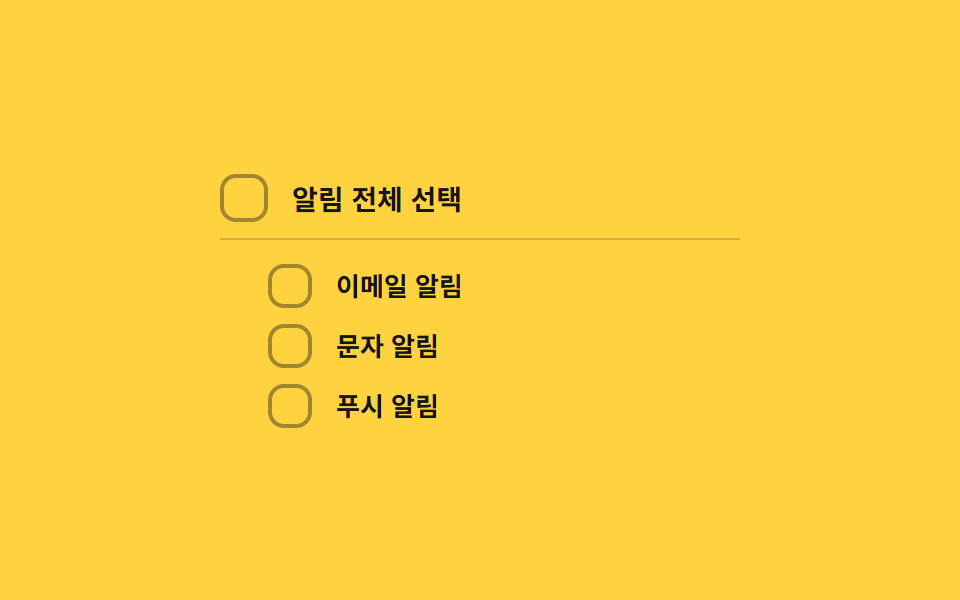 02 custom-checkbox-indeterminate-dash
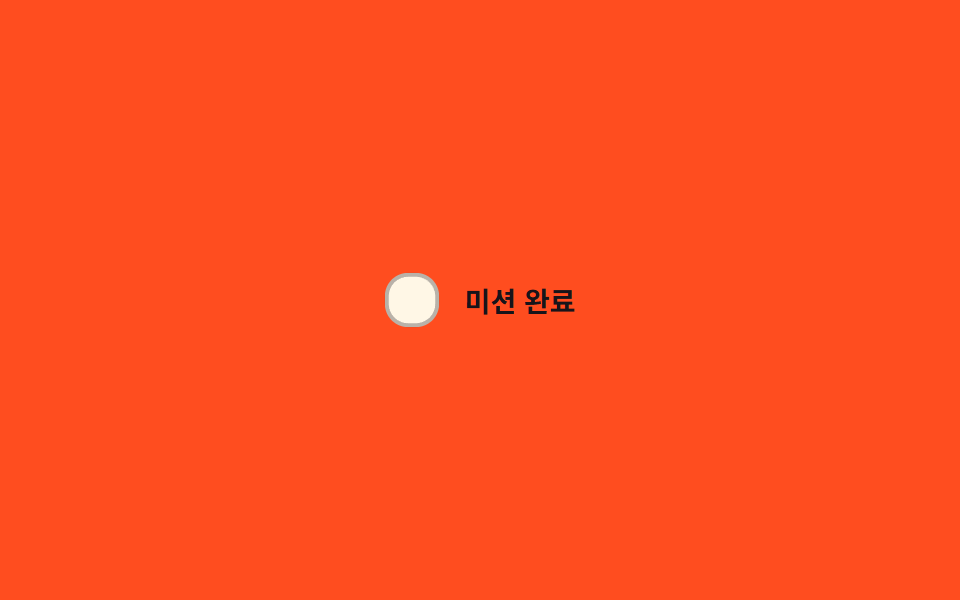 03 custom-checkbox-spring-pop
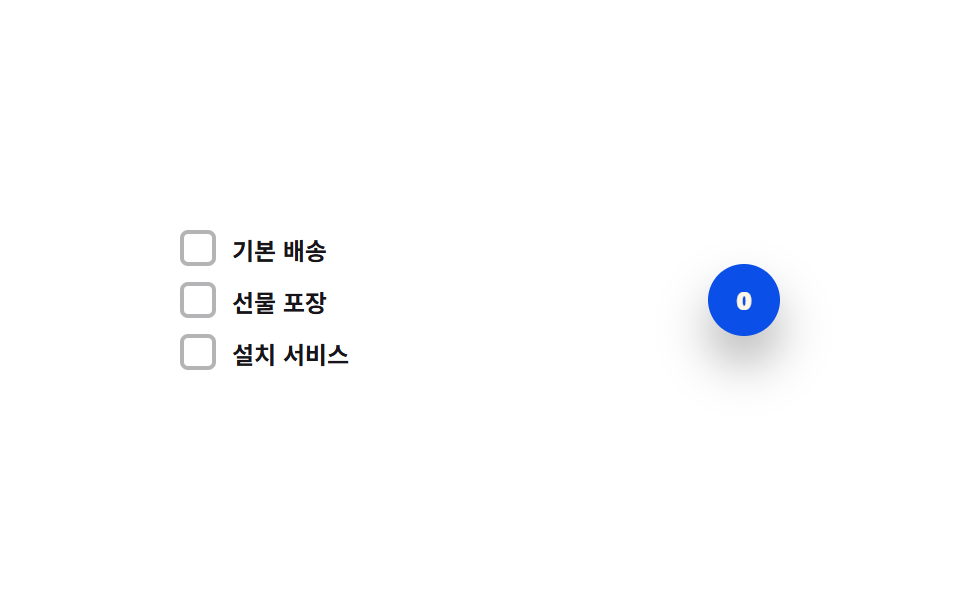 04 custom-checkbox-count-badge-roll
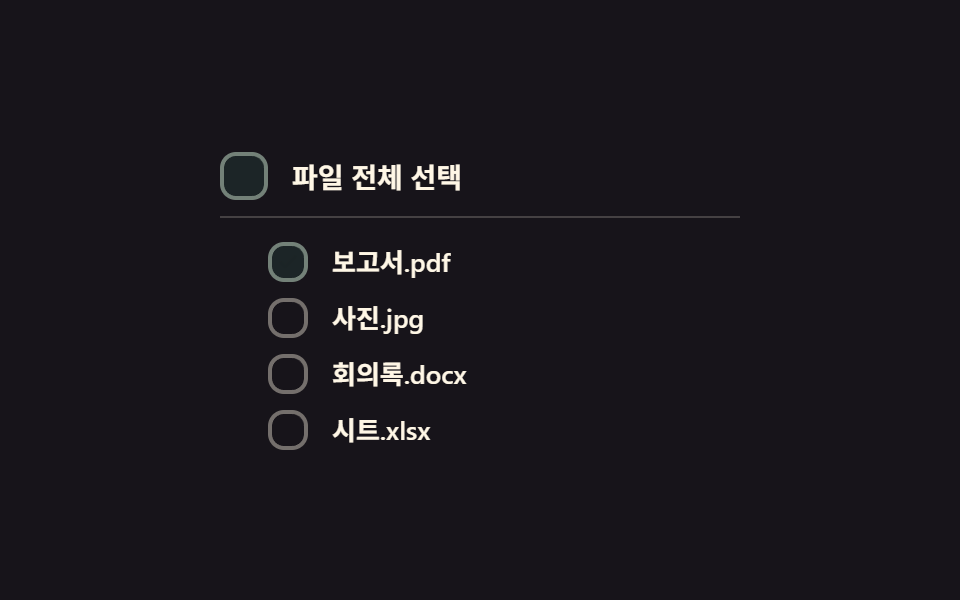 05 custom-checkbox-select-all-cascade
 06 custom-checkbox-color-fill-wipe
 07 custom-checkbox-error-shake-required
 08 custom-checkbox-disabled-dim-lock
 09 custom-checkbox-reduced-motion-static
Auto-plays · click a tile to jump to its section · all nine in one zip
- 01 Check-draw toggle — when the checked value turns on, the checkmark's line-length value draws from zero to full in order
- 02 Indeterminate-dash toggle — when only some child items are selected, the parent box's mark value switches to a dash shape
- 03 Spring-pop toggle — the instant the checked value flips, the box's size value overshoots its target then settles with a bounce
- 04 Count-badge roll toggle — each time the selected-count value rises or falls, the badge digit's position value rolls up or down
- 05 Select-all cascade toggle — when the parent box's select-all value turns on, each child box's checked value flips in order with a short stagger
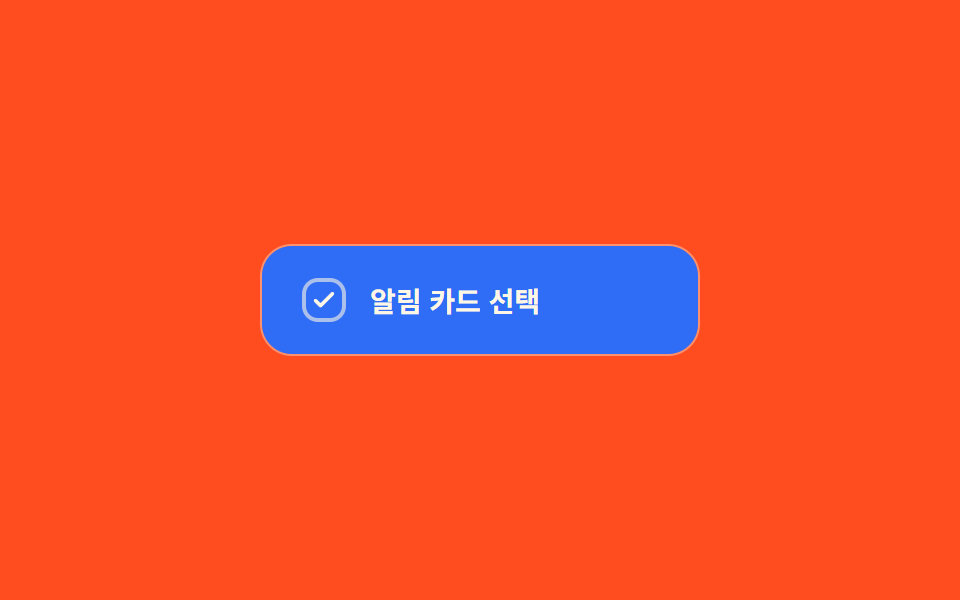
- 06 Color-fill-wipe toggle — when the checked value turns on, the box's fill value spreads from one corner to the opposite one
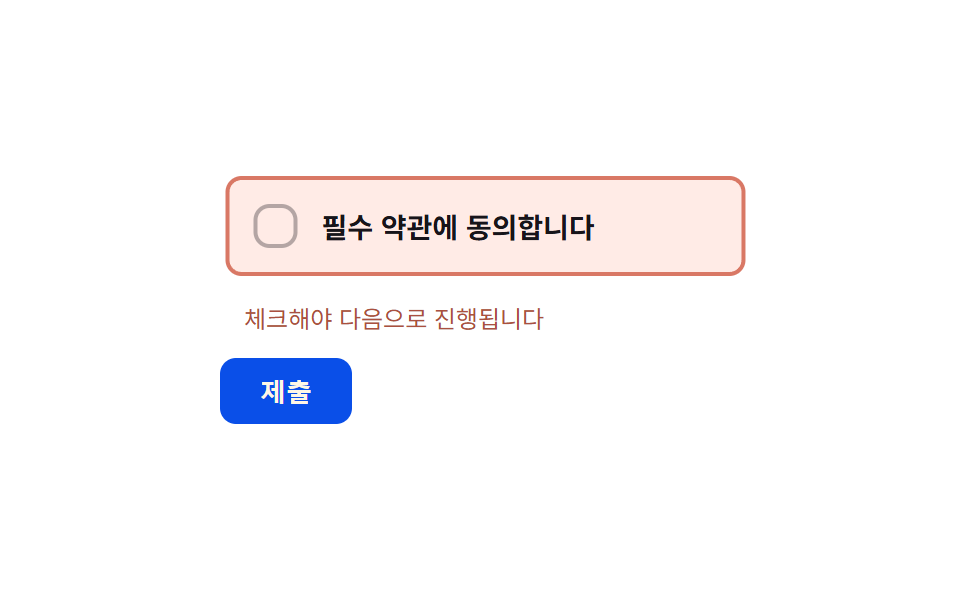
- 07 Required-error shake toggle — when a submit attempt hits an empty required box, its horizontal-position value shakes briefly side to side
- 08 Disabled-dim-lock toggle — when the disabled value turns on, the box's brightness value drops and the checked value stops responding
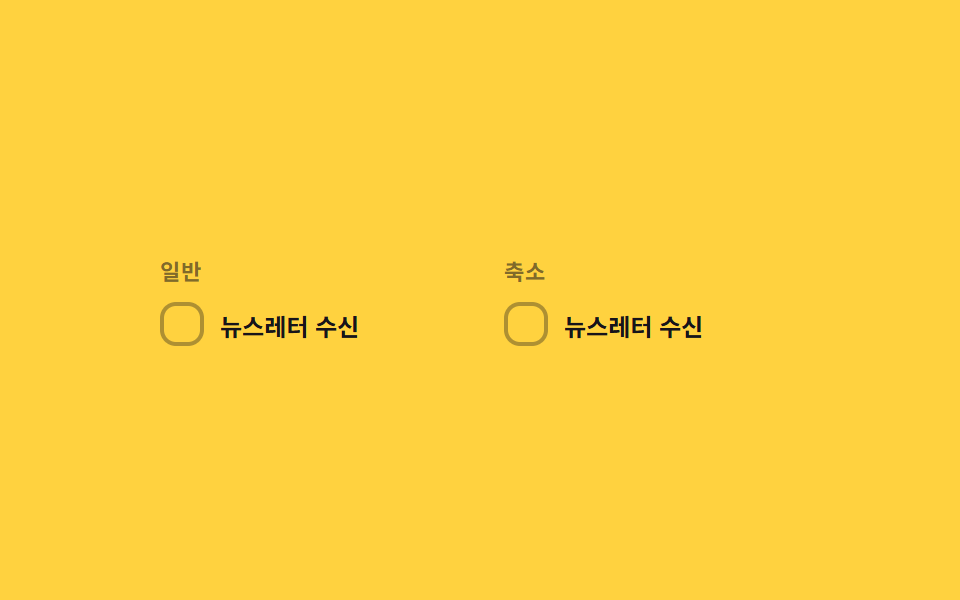
- 09 Reduced-motion comparison toggle — the same checked-value change draws its line-length value on the normal panel, and jumps straight to target with no in-between step on the reduced panel
None of the nine reaches out to a server, writes to localStorage, or calls Math.random anywhere in its script — each is a small, self-contained checkbox built around one state value (checked, indeterminate, or a selected count) and a short list of constants that decide exactly how a change in that value looks on screen. Because the scope stays this narrow, naming which value actually moves — a checked flip, a mixed-selection ratio, or a count — is enough to tell which of these nine css custom checkbox examples fits a given form before any of the code gets opened.
Anatomy of nine patterns — which value changes and when
Eight of the nine call requestAnimationFrame at least once for their autoplay loop, but only seven of them — items 01, 03, 04, 06, 07, 08, and 09 — actually recompute a real value inside that loop every frame: item 01's currentOffset() eases a stroke-dashoffset from wherever it currently sits toward zero or the path's full getTotalLength(), item 03's popScale() multiplies a Math.exp-based SPRING_ZETA decay by a POP_FREQ cosine so the box overshoots by SCALE_OVERSHOOT before settling, item 04's currentPos() eases a digit strip toward -count * ROW_H, item 06's loop reads a clip-path: circle() radius from easeOutCubic(t) * diag against the card's own measured diagonal, item 07's shakeOffset() runs a damped Math.sin wave at a frequency tuned to five oscillations across SHAKE_MS, item 08 eases a shackle's rotation toward UNLOCK_ANGLE around a fixed pivot, and item 09 runs that same draw math on its normal panel while its reduced panel jumps straight to target. Item 02 never calls requestAnimationFrame at all — its autoplay runs on a plain setInterval, and the only computed value is a single background alpha, MIX_ALPHA + (1 - MIX_ALPHA) * ratio, set once per change and then left to the browser's own CSS transition. Item 05 does call requestAnimationFrame, but only to drive its autoplay clock; the staircase itself comes from a transition-delay of index * STAGGER_MS set once per child box, so a native CSS transition — not a per-frame loop — decides when each child becomes visible. None of the nine calls Math.random anywhere, and anyone chasing down a css custom checkbox codepen to study before writing their own will find the same nine scripts here, each one the whole file rather than a trimmed snippet. Every listener answers a real interaction: six items (01, 02, 03, 04, 05, and 09) listen for a plain change on their own <input type="checkbox">, item 06 pairs that same change with a resize listener that re-measures its card, item 07 pairs change with a click on its submit button, and item 08 is the outlier, driven only by a click on a separate lock toggle rather than the checkbox itself. Under prefers-reduced-motion: reduce, six items — 01, 03, 04, 06, 07, and 08 — keep the identical calculation and just collapse their duration constant to 1, skipping the in-between frames without skipping the math; items 02 and 05 instead let their scss set transition: none, since their motion was already CSS-driven; and item 09 exists specifically to put a normal and a reduced panel side by side under one shared checked value.
Code per pattern
01Check-draw toggle — when the checked value turns on, the checkmark's line-length value draws from zero to full in order
The instant the checked value turns on, the checkmark's line-length value draws from zero to full, and reverses when it turns off. A terms-agreement item or a completion mark on a to-do list suits this pattern, since getTotalLength() measures the checkmark path's real length instead of guessing a pixel count, so stroke-dashoffset always lands on a whole stroke no matter how the icon is resized.
<main class="stage">
<label class="cbd is-demo" id="cbd">
  <input type="checkbox" class="cbd__input" id="cbdInput">
  <span class="cbd__box" id="cbdBox" aria-hidden="true">
    <svg class="cbd__svg" viewBox="0 0 20 20" width="14" height="14">
      <path id="cbdCheck" class="cbd__path" d="M4 10.5l3.5 3.5L16 5.5" fill="none" stroke="currentColor" stroke-width="2.6" stroke-linecap="round" stroke-linejoin="round"/>
    </svg>
  </span>
  <span class="cbd__text">I agree to the terms</span>
</label>
</main>
@use "../../../../site/static/demo-tokens" as *;
// 계산 겹: index.html 이 SVG path.getTotalLength() 로 체크 표시의 실제 선 길이를 측정해
// stroke-dasharray 를 만들고, easeOutCubic 을 rAF 로 직접 적분해 stroke-dashoffset 을
// 0(그려짐)과 길이값(안 그려짐) 사이로 보간한다 — CSS transition 이 아니라 계산이 선을 그린다.
@include stage($stage-ink);
.cbd {
display: flex;
align-items: center;
gap: $sp-3;
cursor: pointer;
user-select: none;
}
.cbd__input {
position: absolute;
width: 1px;
height: 1px;
opacity: 0;
pointer-events: none;
}
.cbd__box {
flex: 0 0 auto;
width: 26px;
height: 26px;
border-radius: $r-sm;
background: transparent;
border: 2px solid rgba($subject-cream, .5);
color: transparent;
display: grid;
place-items: center;
box-sizing: border-box;
transition: background-color $dur-quick $ease-out, border-color $dur-quick $ease-out, color $dur-quick $ease-out;
}
.cbd__box--on {
background: $subject-blue;
border-color: $subject-blue;
color: $subject-cream;
}
.cbd__input:focus-visible + .cbd__box {
outline: 2px solid $subject-blue-light;
outline-offset: 2px;
}
.cbd__text {
color: $subject-cream;
font-size: 14px;
font-weight: 600;
}
@media (max-width: 340px) {
.cbd__text { font-size: 13px; }
}
@media (prefers-reduced-motion: reduce) {
.cbd__box { transition: none; }
}html, body {
margin: 0;
overflow: hidden;
}
.stage {
box-sizing: border-box;
min-height: 100vh;
display: grid;
place-items: center;
margin: 0;
background: #17141a;
font-family: -apple-system, "Segoe UI", "Noto Sans KR", sans-serif;
padding: clamp(8px, 4vw, 24px);
}
.cbd {
display: flex;
align-items: center;
gap: 12px;
cursor: pointer;
user-select: none;
}
.cbd__input {
position: absolute;
width: 1px;
height: 1px;
opacity: 0;
pointer-events: none;
}
.cbd__box {
flex: 0 0 auto;
width: 26px;
height: 26px;
border-radius: 8px;
background: transparent;
border: 2px solid rgba(255, 247, 230, 0.5);
color: transparent;
display: grid;
place-items: center;
box-sizing: border-box;
transition: background-color 220ms ease-out, border-color 220ms ease-out, color 220ms ease-out;
}
.cbd__box--on {
background: #2f6df6;
border-color: #2f6df6;
color: #fff7e6;
}
.cbd__input:focus-visible + .cbd__box {
outline: 2px solid #5b8cf8;
outline-offset: 2px;
}
.cbd__text {
color: #fff7e6;
font-size: 14px;
font-weight: 600;
}
@media (max-width: 340px) {
.cbd__text {
font-size: 13px;
}
}
@media (prefers-reduced-motion: reduce) {
.cbd__box {
transition: none;
}
}(function () {
var DRAW_MS = 460; // 계산 겹 상수: 체크 선이 0에서 끝까지 그려지는 데 걸리는 실제 시간(ms)
var CYCLE_MS = 640; // 자동 루프가 체크·해제를 오가는 간격
var reduce = window.matchMedia('(prefers-reduced-motion: reduce)').matches;
var root = document.getElementById('cbd');
var input = document.getElementById('cbdInput');
var box = document.getElementById('cbdBox');
var path = document.getElementById('cbdCheck');
// 계산 겹: SVG path 의 실제 길이를 getTotalLength() 로 측정해 stroke-dasharray 를 만든다 — 짐작 px 를 쓰지 않는다
var LEN = path.getTotalLength();
path.style.strokeDasharray = String(LEN);
var isDemo = true;
var drawing = false, drawStart = 0, drawFrom = LEN, drawTo = LEN;
path.style.setProperty('stroke-dashoffset', String(LEN));
function easeOutCubic(t) { return 1 - Math.pow(1 - t, 3); }
function currentOffset(ts) {
if (!drawing) return drawTo;
var t = Math.min(1, (ts - drawStart) / DRAW_MS);
return drawFrom + (drawTo - drawFrom) * easeOutCubic(t);
}
function setChecked(next, ts) {
input.checked = next;
box.classList.toggle('cbd__box--on', next);
drawFrom = currentOffset(ts);
drawTo = next ? 0 : LEN;
drawStart = ts;
drawing = true;
}
function human() {
if (isDemo) { root.classList.remove('is-demo'); isDemo = false; }
}
input.addEventListener('change', function () {
human();
setChecked(input.checked, performance.now());
});
var cycleStart = 0;
var lastState = false;
function loop(ts) {
if (!cycleStart) cycleStart = ts;
if (isDemo) {
var step = Math.floor((ts - cycleStart) / CYCLE_MS) % 2 === 1;
if (step !== lastState) { lastState = step; setChecked(step, ts); }
}
if (drawing) {
var off = currentOffset(ts);
path.style.setProperty('stroke-dashoffset', off.toFixed(2));
if (Math.abs(off - drawTo) < 0.05) { path.style.setProperty('stroke-dashoffset', String(drawTo)); drawing = false; }
}
requestAnimationFrame(loop);
}
if (reduce) {
// 계산 자체는 유지하되 중간 프레임 없이 목표 값으로 바로 놓는다
DRAW_MS = 1;
}
requestAnimationFrame(loop);
})();// CheckDraw — vanilla 판(run/368/demo/01-custom-checkbox-check-draw/index.html) 의 React 포트.
// path.getTotalLength() 로 실측한 체크 선 길이를 easeOutCubic 로 rAF 적분해 strokeDashoffset 을
// 그린다 — CSS transition 이 아니라 계산으로 선을 그린다.
import { useEffect, useRef } from "react";
import styles from "./CheckDraw.module.scss";
type Box<T> = { current: T };
export default function CheckDraw() {
const rootRef = useRef(null) as unknown as Box<HTMLLabelElement>;
const inputRef = useRef(null) as unknown as Box<HTMLInputElement>;
const boxRef = useRef(null) as unknown as Box<HTMLSpanElement>;
const pathRef = useRef(null) as unknown as Box<SVGPathElement>;
const rafRef = useRef(0) as unknown as Box<number>;
useEffect(() => {
let DRAW_MS = 460; // 계산 겹 상수: 체크 선이 0에서 끝까지 그려지는 데 걸리는 실제 시간(ms)
const CYCLE_MS = 640; // 자동 루프가 체크·해제를 오가는 간격
const reduce = window.matchMedia("(prefers-reduced-motion: reduce)").matches;
const input = inputRef.current;
const path = pathRef.current;
if (!input || !path) return;
let isDemo = true;
const LEN = path.getTotalLength();
path.style.strokeDasharray = String(LEN);
path.style.setProperty("stroke-dashoffset", String(LEN));
let drawing = false, drawStart = 0, drawFrom = LEN, drawTo = LEN;
function easeOutCubic(t: number) { return 1 - Math.pow(1 - t, 3); }
function currentOffset(ts: number) {
if (!drawing) return drawTo;
const t = Math.min(1, (ts - drawStart) / DRAW_MS);
return drawFrom + (drawTo - drawFrom) * easeOutCubic(t);
}
function human() {
if (isDemo) { rootRef.current?.classList.remove(styles.isDemo); isDemo = false; }
}
function setChecked(next: boolean, ts: number) {
input!.checked = next;
boxRef.current?.classList.toggle(styles.boxOn, next);
drawFrom = currentOffset(ts);
drawTo = next ? 0 : LEN;
drawStart = ts;
drawing = true;
}
function onChange() { human(); setChecked(input!.checked, performance.now()); }
input.addEventListener("change", onChange);
let cycleStart = 0;
let lastState = false;
function loop(ts: number) {
if (!cycleStart) cycleStart = ts;
if (isDemo) {
const step = Math.floor((ts - cycleStart) / CYCLE_MS) % 2 === 1;
if (step !== lastState) { lastState = step; setChecked(step, ts); }
}
if (drawing) {
const off = currentOffset(ts);
path!.style.setProperty("stroke-dashoffset", String(off));
if (Math.abs(off - drawTo) < 0.05) drawing = false;
}
rafRef.current = requestAnimationFrame(loop);
}
if (reduce) { DRAW_MS = 1; }
rafRef.current = requestAnimationFrame(loop);
return () => {
input.removeEventListener("change", onChange);
cancelAnimationFrame(rafRef.current);
};
}, []);
return (
<main className={styles.stage}>
<label className={styles.cbd + " " + styles.isDemo} ref={rootRef}>
<input type="checkbox" className={styles.cbdInput} ref={inputRef} />
<span className={styles.cbdBox} ref={boxRef} aria-hidden="true">
<svg className={styles.cbdSvg} viewBox="0 0 20 20" width={14} height={14}>
<path ref={pathRef} className={styles.cbdPath} d="M4 10.5l3.5 3.5L16 5.5" fill="none" stroke="currentColor" strokeWidth={2.6} strokeLinecap="round" strokeLinejoin="round" />
</svg>
</span>
<span className={styles.cbdText}>약관에 동의합니다</span>
</label>
</main>
);
}01 · Check-draw toggle — when the checked value turns on, the checkmark's line-length value draws from zero to full in order — Measured area 0.442% · moving frames 14/23Original by GODRICH · SCSS and React ship in the zip · See the password
  // calc layer: measure the SVG path's real length with getTotalLength() to build stroke-dasharray — no guessed px
  var LEN = path.getTotalLength();
  path.style.strokeDasharray = String(LEN);

  var isDemo = true;
  var drawing = false, drawStart = 0, drawFrom = LEN, drawTo = LEN;
  path.style.setProperty('stroke-dashoffset', String(LEN));

  function easeOutCubic(t) { return 1 - Math.pow(1 - t, 3); }

  function currentOffset(ts) {
    if (!drawing) return drawTo;
    var t = Math.min(1, (ts - drawStart) / DRAW_MS);
    return drawFrom + (drawTo - drawFrom) * easeOutCubic(t);
  }

  function setChecked(next, ts) {
    input.checked = next;
    box.classList.toggle('cbd__box--on', next);
    drawFrom = currentOffset(ts);
    drawTo = next ? 0 : LEN;
    drawStart = ts;
    drawing = true;
  }
What the numbers say
Item 01 fills 0.44% of the frame cumulatively at a 73.0 average intensity while moving in 14 of 23 sampled frames, because currentOffset() restarts the draw from wherever the stroke currently sits — drawFrom = currentOffset(ts) — rather than from zero, so toggling mid-draw still lands on a continuous line instead of snapping.
02Indeterminate-dash toggle — when only some child items are selected, the parent box's mark value switches to a dash shape
While the child-selection count value sits between zero and all, the parent box's mark value becomes a dash instead of checked or empty. A file list with group selection or a settings item with sub-options suits this pattern, since paintParent() sets the native indeterminate property directly from the checked count rather than only toggling a CSS class, so a screen reader still reports the mixed state correctly.
<main class="stage">
<div class="cbi is-demo" id="cbi">
  <label class="cbi__row cbi__row--parent">
    <input type="checkbox" class="cbi__input" id="cbiParent">
    <span class="cbi__box" id="cbiParentBox" aria-hidden="true">
      <svg class="cbi__svg" viewBox="0 0 20 20" width="14" height="14">
        <path class="cbi__check" d="M4 10.5l3.5 3.5L16 5.5" fill="none" stroke="currentColor" stroke-width="2.6" stroke-linecap="round" stroke-linejoin="round"/>
        <line class="cbi__dash" x1="5" y1="10" x2="15" y2="10" stroke="currentColor" stroke-width="2.6" stroke-linecap="round"/>
      </svg>
    </span>
    <span class="cbi__text">Select all notifications</span>
  </label>
  <div class="cbi__children">
    <label class="cbi__row">
      <input type="checkbox" class="cbi__input" id="cbiChild0">
      <span class="cbi__box" id="cbiChildBox0" aria-hidden="true">
        <svg class="cbi__svg" viewBox="0 0 20 20" width="12" height="12">
          <path class="cbi__check" d="M4 10.5l3.5 3.5L16 5.5" fill="none" stroke="currentColor" stroke-width="2.6" stroke-linecap="round" stroke-linejoin="round"/>
        </svg>
      </span>
      <span class="cbi__text">Email notifications</span>
    </label>
    <label class="cbi__row">
      <input type="checkbox" class="cbi__input" id="cbiChild1">
      <span class="cbi__box" id="cbiChildBox1" aria-hidden="true">
        <svg class="cbi__svg" viewBox="0 0 20 20" width="12" height="12">
          <path class="cbi__check" d="M4 10.5l3.5 3.5L16 5.5" fill="none" stroke="currentColor" stroke-width="2.6" stroke-linecap="round" stroke-linejoin="round"/>
        </svg>
      </span>
      <span class="cbi__text">SMS notifications</span>
    </label>
    <label class="cbi__row">
      <input type="checkbox" class="cbi__input" id="cbiChild2">
      <span class="cbi__box" id="cbiChildBox2" aria-hidden="true">
        <svg class="cbi__svg" viewBox="0 0 20 20" width="12" height="12">
          <path class="cbi__check" d="M4 10.5l3.5 3.5L16 5.5" fill="none" stroke="currentColor" stroke-width="2.6" stroke-linecap="round" stroke-linejoin="round"/>
        </svg>
      </span>
      <span class="cbi__text">Push notifications</span>
    </label>
  </div>
</div>
</main>@use "../../../../site/static/demo-tokens" as *;
// 계산 겹: index.html paintParent() 가 자식 선택 개수 ÷ 전체 개수로 선택 비율 값을 만들고,
// 그 값을 --cbi-alpha 로 사영해 부모 박스 배경의 실제 투명도를 만든다 — 체크·빈칸 두 상태만
// 있는 on/off 토글이 아니라 비율 값이 배경 진하기를 연속으로 결정한다.
@include stage($stage-yellow);
.cbi {
display: grid;
gap: $sp-3;
width: 100%;
max-width: 260px;
}
.cbi__row {
display: flex;
align-items: center;
gap: $sp-3;
cursor: pointer;
user-select: none;
}
.cbi__row--parent {
padding-bottom: $sp-2;
border-bottom: 1px solid rgba($subject-ink, .18);
}
.cbi__children {
display: grid;
gap: $sp-2;
padding-left: $sp-6;
}
.cbi__input {
position: absolute;
width: 1px;
height: 1px;
opacity: 0;
pointer-events: none;
}
.cbi__box {
--cbi-alpha: 0;
flex: 0 0 auto;
width: 22px;
height: 22px;
border-radius: $r-sm;
border: 2px solid rgba($subject-ink, .4);
background: rgba(#{red($subject-blue)}, #{green($subject-blue)}, #{blue($subject-blue)}, var(--cbi-alpha));
color: $subject-cream;
display: grid;
place-items: center;
box-sizing: border-box;
transition: border-color $dur-quick $ease-out, background-color $dur-quick $ease-out;
}
.cbi__row--parent .cbi__box {
width: 24px;
height: 24px;
}
.cbi__check, .cbi__dash {
opacity: 0;
transition: opacity $dur-quick $ease-out;
}
.cbi__box--on {
border-color: $subject-blue;
.cbi__check { opacity: 1; }
}
.cbi__box--mixed {
border-color: $subject-blue;
.cbi__dash { opacity: 1; }
}
.cbi__input:focus-visible + .cbi__box {
outline: 2px solid $subject-blue-light;
outline-offset: 2px;
}
.cbi__text {
color: $subject-ink;
font-size: 13px;
font-weight: 600;
}
.cbi__row--parent .cbi__text {
font-size: 14px;
font-weight: 700;
}
@media (max-width: 340px) {
.cbi__children { padding-left: $sp-4; }
.cbi__text { font-size: 12px; }
}
@media (prefers-reduced-motion: reduce) {
.cbi__box, .cbi__check, .cbi__dash { transition: none; }
}html, body {
margin: 0;
overflow: hidden;
}
.stage {
box-sizing: border-box;
min-height: 100vh;
display: grid;
place-items: center;
margin: 0;
background: #ffd23f;
font-family: -apple-system, "Segoe UI", "Noto Sans KR", sans-serif;
padding: clamp(8px, 4vw, 24px);
}
.cbi {
display: grid;
gap: 12px;
width: 100%;
max-width: 260px;
}
.cbi__row {
display: flex;
align-items: center;
gap: 12px;
cursor: pointer;
user-select: none;
}
.cbi__row--parent {
padding-bottom: 8px;
border-bottom: 1px solid rgba(23, 20, 26, 0.18);
}
.cbi__children {
display: grid;
gap: 8px;
padding-left: 24px;
}
.cbi__input {
position: absolute;
width: 1px;
height: 1px;
opacity: 0;
pointer-events: none;
}
.cbi__box {
--cbi-alpha: 0;
flex: 0 0 auto;
width: 22px;
height: 22px;
border-radius: 8px;
border: 2px solid rgba(23, 20, 26, 0.4);
background: rgba(47, 109, 246, var(--cbi-alpha));
color: #fff7e6;
display: grid;
place-items: center;
box-sizing: border-box;
transition: border-color 220ms ease-out, background-color 220ms ease-out;
}
.cbi__row--parent .cbi__box {
width: 24px;
height: 24px;
}
.cbi__check, .cbi__dash {
opacity: 0;
transition: opacity 220ms ease-out;
}
.cbi__box--on {
border-color: #2f6df6;
}
.cbi__box--on .cbi__check {
opacity: 1;
}
.cbi__box--mixed {
border-color: #2f6df6;
}
.cbi__box--mixed .cbi__dash {
opacity: 1;
}
.cbi__input:focus-visible + .cbi__box {
outline: 2px solid #5b8cf8;
outline-offset: 2px;
}
.cbi__text {
color: #17141a;
font-size: 13px;
font-weight: 600;
}
.cbi__row--parent .cbi__text {
font-size: 14px;
font-weight: 700;
}
@media (max-width: 340px) {
.cbi__children {
padding-left: 16px;
}
.cbi__text {
font-size: 12px;
}
}
@media (prefers-reduced-motion: reduce) {
.cbi__box, .cbi__check, .cbi__dash {
transition: none;
}
}(function () {
var MIX_ALPHA = .22; // 계산 겹 상수: 자식이 0개 선택됐을 때도 남기는 최소 배경 알파
var CYCLE_MS = 520; // 자동 루프가 자식 하나씩 상태를 바꾸는 간격
var reduce = window.matchMedia('(prefers-reduced-motion: reduce)').matches;
var root = document.getElementById('cbi');
var parent = document.getElementById('cbiParent');
var parentBox = document.getElementById('cbiParentBox');
var children = [
document.getElementById('cbiChild0'),
document.getElementById('cbiChild1'),
document.getElementById('cbiChild2')
];
var childBoxes = [
document.getElementById('cbiChildBox0'),
document.getElementById('cbiChildBox1'),
document.getElementById('cbiChildBox2')
];
var isDemo = true;
function human() {
if (isDemo) { root.classList.remove('is-demo'); isDemo = false; }
}
function paintChildren() {
children.forEach(function (c, i) { childBoxes[i].classList.toggle('cbi__box--on', c.checked); });
}
function paintParent() {
paintChildren();
var checkedCount = children.filter(function (c) { return c.checked; }).length;
var ratio = checkedCount / children.length; // 계산 겹: 선택 비율 값
var all = ratio === 1, none = ratio === 0;
parent.checked = all;
parent.indeterminate = !all && !none;
parentBox.classList.toggle('cbi__box--on', all);
parentBox.classList.toggle('cbi__box--mixed', !all && !none);
// 계산 겹: 선택 비율을 배경 알파로 직접 사영한다(MIX_ALPHA 를 바닥으로 두고 남은 폭을 ratio 만큼 채움)
var alpha = none ? 0 : (MIX_ALPHA + (1 - MIX_ALPHA) * ratio);
parentBox.style.setProperty('--cbi-alpha', alpha.toFixed(3));
}
function setChild(idx, val) {
children[idx].checked = val;
paintParent();
}
children.forEach(function (c) {
c.addEventListener('change', function () { human(); paintParent(); });
});
parent.addEventListener('change', function () {
human();
var next = parent.checked;
children.forEach(function (c) { c.checked = next; });
paintParent();
});
// 자동 루프: 자식을 하나씩 켜서 없음 → 부분 → 전체를 보여주고, 다시 하나씩 끈다
var SEQ = [
[false, false, false], [true, false, false], [true, true, false], [true, true, true],
[true, true, false], [true, false, false], [false, false, false]
];
var si = 0;
var autoTimer = null;
function autoTick() {
var state = SEQ[si];
children.forEach(function (c, i) { c.checked = state[i]; });
paintParent();
si = (si + 1) % SEQ.length;
}
if (!reduce) { autoTimer = setInterval(autoTick, CYCLE_MS); autoTick(); }
else { autoTick(); }
})();// IndeterminateDash — vanilla 판(run/368/demo/02-custom-checkbox-indeterminate-dash/index.html) 의 React 포트.
// 자식 선택 비율(ratio)을 계산해 네이티브 indeterminate 값과 배경 알파(--cbi-alpha)를 함께 만든다.
import { useEffect, useRef } from "react";
import styles from "./IndeterminateDash.module.scss";
type Box<T> = { current: T };
const CHILDREN = [
{ id: "child0", label: "이메일 알림" },
{ id: "child1", label: "문자 알림" },
{ id: "child2", label: "푸시 알림" },
];
export default function IndeterminateDash() {
const rootRef = useRef(null) as unknown as Box<HTMLDivElement>;
const parentRef = useRef(null) as unknown as Box<HTMLInputElement>;
const parentBoxRef = useRef(null) as unknown as Box<HTMLSpanElement>;
const childRefs = useRef([null, null, null]) as unknown as Box<(HTMLInputElement | null)[]>;
const childBoxRefs = useRef([null, null, null]) as unknown as Box<(HTMLSpanElement | null)[]>;
const timerRef = useRef(0) as unknown as Box<number>;
useEffect(() => {
const MIX_ALPHA = 0.22; // 계산 겹 상수: 자식이 0개 선택됐을 때도 남기는 최소 배경 알파
const CYCLE_MS = 520; // 자동 루프가 자식 하나씩 상태를 바꾸는 간격
const reduce = window.matchMedia("(prefers-reduced-motion: reduce)").matches;
const root = rootRef.current;
const parent = parentRef.current;
const parentBox = parentBoxRef.current;
const children = childRefs.current;
const childBoxes = childBoxRefs.current;
if (!root || !parent || !parentBox) return;
let isDemo = true;
function human() {
if (isDemo) { root!.classList.remove(styles.isDemo); isDemo = false; }
}
function paintChildren() {
children.forEach((c, i) => { childBoxes[i]?.classList.toggle(styles.boxOn, c ? c.checked : false); });
}
function paintParent() {
paintChildren();
const checkedCount = children.filter((c) => c?.checked).length;
const ratio = checkedCount / children.length; // 계산 겹: 선택 비율 값
const all = ratio === 1, none = ratio === 0;
parent!.checked = all;
parent!.indeterminate = !all && !none;
parentBox!.classList.toggle(styles.boxOn, all);
parentBox!.classList.toggle(styles.boxMixed, !all && !none);
// 계산 겹: 선택 비율을 배경 알파로 직접 사영한다(MIX_ALPHA 를 바닥으로 두고 남은 폭을 ratio 만큼 채움)
const alpha = none ? 0 : (MIX_ALPHA + (1 - MIX_ALPHA) * ratio);
parentBox!.style.setProperty("--cbi-alpha", alpha.toFixed(3));
}
const childHandlers = children.map((c) => {
const fn = () => { human(); paintParent(); };
c?.addEventListener("change", fn);
return fn;
});
function onParentChange() {
human();
const next = parent!.checked;
children.forEach((c) => { if (c) c.checked = next; });
paintParent();
}
parent.addEventListener("change", onParentChange);
const SEQ = [
[false, false, false], [true, false, false], [true, true, false], [true, true, true],
[true, true, false], [true, false, false], [false, false, false],
];
let si = 0;
function autoTick() {
const state = SEQ[si];
children.forEach((c, i) => { if (c) c.checked = state[i]; });
paintParent();
si = (si + 1) % SEQ.length;
}
if (!reduce) { timerRef.current = window.setInterval(autoTick, CYCLE_MS); autoTick(); }
else { autoTick(); }
return () => {
children.forEach((c, i) => c?.removeEventListener("change", childHandlers[i]));
parent.removeEventListener("change", onParentChange);
window.clearInterval(timerRef.current);
};
}, []);
return (
<main className={styles.stage}>
<div className={styles.cbi + " " + styles.isDemo} ref={rootRef}>
<label className={styles.cbiRow + " " + styles.cbiRowParent}>
<input type="checkbox" className={styles.cbiInput} ref={parentRef} />
<span className={styles.cbiBox} ref={parentBoxRef} aria-hidden="true">
<svg className={styles.cbiSvg} viewBox="0 0 20 20" width={14} height={14}>
<path className={styles.cbiCheck} d="M4 10.5l3.5 3.5L16 5.5" fill="none" stroke="currentColor" strokeWidth={2.6} strokeLinecap="round" strokeLinejoin="round" />
<line className={styles.cbiDash} x1={5} y1={10} x2={15} y2={10} stroke="currentColor" strokeWidth={2.6} strokeLinecap="round" />
</svg>
</span>
<span className={styles.cbiText}>알림 전체 선택</span>
</label>
<div className={styles.cbiChildren}>
{CHILDREN.map((c, i) => (
<label className={styles.cbiRow} key={c.id}>
<input
type="checkbox"
className={styles.cbiInput}
ref={(el: HTMLInputElement | null) => { childRefs.current[i] = el; }}
/>
<span
className={styles.cbiBox}
ref={(el: HTMLSpanElement | null) => { childBoxRefs.current[i] = el; }}
aria-hidden="true"
>
<svg className={styles.cbiSvg} viewBox="0 0 20 20" width={12} height={12}>
<path className={styles.cbiCheck} d="M4 10.5l3.5 3.5L16 5.5" fill="none" stroke="currentColor" strokeWidth={2.6} strokeLinecap="round" strokeLinejoin="round" />
</svg>
</span>
<span className={styles.cbiText}>{c.label}</span>
</label>
))}
</div>
</div>
</main>
);
}02 · Indeterminate-dash toggle — when only some child items are selected, the parent box's mark value switches to a dash shape — Measured area 1.703% · moving frames 15/23Original by GODRICH · SCSS and React ship in the zip · See the password
  function paintChildren() {
    children.forEach(function (c, i) { childBoxes[i].classList.toggle('cbi__box--on', c.checked); });
  }

  function paintParent() {
    paintChildren();
    var checkedCount = children.filter(function (c) { return c.checked; }).length;
    var ratio = checkedCount / children.length; // calc layer: the selection-ratio value
    var all = ratio === 1, none = ratio === 0;
    parent.checked = all;
    parent.indeterminate = !all && !none;
    parentBox.classList.toggle('cbi__box--on', all);
    parentBox.classList.toggle('cbi__box--mixed', !all && !none);
    // calc layer: project the selection ratio straight onto the background alpha (MIX_ALPHA as the floor, the rest of the range filled by ratio)
    var alpha = none ? 0 : (MIX_ALPHA + (1 - MIX_ALPHA) * ratio);
    parentBox.style.setProperty('--cbi-alpha', alpha.toFixed(3));
  }
What the numbers say
Item 02 fills 1.70% of the frame cumulatively at a 48.4 average intensity while moving in 15 of 23 sampled frames, because the fill color itself is a computed value — MIX_ALPHA + (1 - MIX_ALPHA) * ratio — so the parent box's background alpha tracks the exact selected ratio instead of jumping between two fixed colors.
03Spring-pop toggle — the instant the checked value flips, the box's size value overshoots its target then settles with a bounce
The moment the checked value flips, the box's size value overshoots its target slightly, bounces two or three times, then settles. A selection item that wants a vivid check reaction, or a gamified checklist, suits this pattern, since popScale() multiplies a damped cosine by SCALE_OVERSHOOT so the box always bounces past scale 1 by the same ratio before settling back.
<main class="stage">
<label class="cbs is-demo" id="cbs">
  <input type="checkbox" class="cbs__input" id="cbsInput">
  <span class="cbs__box" id="cbsBox" aria-hidden="true">
    <svg class="cbs__svg" viewBox="0 0 20 20" width="14" height="14">
      <path d="M4 10.5l3.5 3.5L16 5.5" fill="none" stroke="currentColor" stroke-width="2.6" stroke-linecap="round" stroke-linejoin="round"/>
    </svg>
  </span>
  <span class="cbs__text">Mission complete</span>
</label>
</main>
@use "../../../../site/static/demo-tokens" as *;
// 계산 겹: index.html popScale() 이 감쇠 코사인 진동(SPRING_ZETA·SCALE_OVERSHOOT)으로
// 매 프레임 배율 값을 계산해 박스의 transform: scale() 에 직접 적용한다 — CSS transition
// 이 아니라 물리 적분이 튐과 잦아듦을 만든다.
@include stage($stage-orange);
.cbs {
display: flex;
align-items: center;
gap: $sp-3;
cursor: pointer;
user-select: none;
}
.cbs__input {
position: absolute;
width: 1px;
height: 1px;
opacity: 0;
pointer-events: none;
}
.cbs__box {
flex: 0 0 auto;
width: 28px;
height: 28px;
border-radius: $r-control;
background: $subject-cream;
border: 2px solid rgba($subject-ink, .3);
color: transparent;
display: grid;
place-items: center;
box-sizing: border-box;
transform-origin: 50% 50%;
transition: background-color $dur-quick $ease-out, border-color $dur-quick $ease-out, color $dur-quick $ease-out;
}
.cbs__box--on {
background: $subject-blue;
border-color: $subject-blue;
color: $subject-cream;
}
.cbs__input:focus-visible + .cbs__box {
outline: 2px solid $subject-blue-light;
outline-offset: 2px;
}
.cbs__text {
color: $subject-ink;
font-size: 14px;
font-weight: 700;
}
@media (max-width: 340px) {
.cbs__text { font-size: 13px; }
}
@media (prefers-reduced-motion: reduce) {
.cbs__box { transition: none; }
}html, body {
margin: 0;
overflow: hidden;
}
.stage {
box-sizing: border-box;
min-height: 100vh;
display: grid;
place-items: center;
margin: 0;
background: #ff4d1f;
font-family: -apple-system, "Segoe UI", "Noto Sans KR", sans-serif;
padding: clamp(8px, 4vw, 24px);
}
.cbs {
display: flex;
align-items: center;
gap: 12px;
cursor: pointer;
user-select: none;
}
.cbs__input {
position: absolute;
width: 1px;
height: 1px;
opacity: 0;
pointer-events: none;
}
.cbs__box {
flex: 0 0 auto;
width: 28px;
height: 28px;
border-radius: 12px;
background: #fff7e6;
border: 2px solid rgba(23, 20, 26, 0.3);
color: transparent;
display: grid;
place-items: center;
box-sizing: border-box;
transform-origin: 50% 50%;
transition: background-color 220ms ease-out, border-color 220ms ease-out, color 220ms ease-out;
}
.cbs__box--on {
background: #2f6df6;
border-color: #2f6df6;
color: #fff7e6;
}
.cbs__input:focus-visible + .cbs__box {
outline: 2px solid #5b8cf8;
outline-offset: 2px;
}
.cbs__text {
color: #17141a;
font-size: 14px;
font-weight: 700;
}
@media (max-width: 340px) {
.cbs__text {
font-size: 13px;
}
}
@media (prefers-reduced-motion: reduce) {
.cbs__box {
transition: none;
}
}(function () {
var POP_MS = 480; // 계산 겹 상수: 스프링 튐이 잦아드는 데 걸리는 실제 시간(ms)
var SPRING_ZETA = 3.4; // 계산 겹: 감쇠 상수 — 낮을수록 더 오래 튕긴다
var SCALE_OVERSHOOT = .34; // 계산 겹: 목표(scale 1)를 넘어서는 최대 배율
var POP_FREQ = 2 * Math.PI * 2.1 / POP_MS; // 계산 겹: 튐 각속도
var CYCLE_MS = 900; // 자동 루프가 체크·해제를 오가는 간격
var reduce = window.matchMedia('(prefers-reduced-motion: reduce)').matches;
var root = document.getElementById('cbs');
var input = document.getElementById('cbsInput');
var box = document.getElementById('cbsBox');
var isDemo = true;
var popStart = -99999;
function human() {
if (isDemo) { root.classList.remove('is-demo'); isDemo = false; }
}
function popScale(t) {
// 계산 겹: 감쇠 코사인 진동 — t=0 에서 SCALE_OVERSHOOT 만큼 튀어 오른 뒤 1로 잦아든다
if (t < 0 || t > POP_MS) return 1;
var amp = Math.exp(-SPRING_ZETA * (t / POP_MS));
return 1 + amp * SCALE_OVERSHOOT * Math.cos(POP_FREQ * t);
}
function setChecked(next, ts) {
input.checked = next;
box.classList.toggle('cbs__box--on', next);
popStart = ts;
}
input.addEventListener('change', function () {
human();
setChecked(input.checked, performance.now());
});
var cycleStart = 0;
var lastState = false;
function loop(ts) {
if (!cycleStart) cycleStart = ts;
if (isDemo) {
var step = Math.floor((ts - cycleStart) / CYCLE_MS) % 2 === 1;
if (step !== lastState) { lastState = step; setChecked(step, ts); }
}
var s = popScale(ts - popStart);
box.style.transform = 'scale(' + s.toFixed(3) + ')';
requestAnimationFrame(loop);
}
if (reduce) { POP_MS = 1; }
requestAnimationFrame(loop);
})();// SpringPop — vanilla 판(run/368/demo/03-custom-checkbox-spring-pop/index.html) 의 React 포트.
// 감쇠 코사인 진동(exp(-SPRING_ZETA·t)·cos(POP_FREQ·t))을 매 프레임 계산해 scale() 값을 만든다.
import { useEffect, useRef } from "react";
import styles from "./SpringPop.module.scss";
type Box<T> = { current: T };
export default function SpringPop() {
const rootRef = useRef(null) as unknown as Box<HTMLLabelElement>;
const inputRef = useRef(null) as unknown as Box<HTMLInputElement>;
const boxRef = useRef(null) as unknown as Box<HTMLSpanElement>;
const rafRef = useRef(0) as unknown as Box<number>;
useEffect(() => {
let POP_MS = 480; // 계산 겹 상수: 스프링 튐이 잦아드는 데 걸리는 실제 시간(ms)
const SPRING_ZETA = 3.4; // 계산 겹: 감쇠 상수 — 낮을수록 더 오래 튕긴다
const SCALE_OVERSHOOT = 0.34; // 계산 겹: 목표(scale 1)를 넘어서는 최대 배율
const POP_FREQ = (2 * Math.PI * 2.1) / POP_MS; // 계산 겹: 튐 각속도
const CYCLE_MS = 900; // 자동 루프가 체크·해제를 오가는 간격
const reduce = window.matchMedia("(prefers-reduced-motion: reduce)").matches;
const root = rootRef.current;
const input = inputRef.current;
const box = boxRef.current;
if (!root || !input || !box) return;
let isDemo = true;
let popStart = -99999;
function human() {
if (isDemo) { root!.classList.remove(styles.isDemo); isDemo = false; }
}
function popScale(t: number) {
// 계산 겹: 감쇠 코사인 진동 — t=0 에서 SCALE_OVERSHOOT 만큼 튀어 오른 뒤 1로 잦아든다
if (t < 0 || t > POP_MS) return 1;
const amp = Math.exp(-SPRING_ZETA * (t / POP_MS));
return 1 + amp * SCALE_OVERSHOOT * Math.cos(POP_FREQ * t);
}
function setChecked(next: boolean, ts: number) {
input!.checked = next;
box!.classList.toggle(styles.boxOn, next);
popStart = ts;
}
function onChange() { human(); setChecked(input!.checked, performance.now()); }
input.addEventListener("change", onChange);
let cycleStart = 0;
let lastState = false;
function loop(ts: number) {
if (!cycleStart) cycleStart = ts;
if (isDemo) {
const step = Math.floor((ts - cycleStart) / CYCLE_MS) % 2 === 1;
if (step !== lastState) { lastState = step; setChecked(step, ts); }
}
const s = popScale(ts - popStart);
box!.style.transform = "scale(" + s.toFixed(3) + ")";
rafRef.current = requestAnimationFrame(loop);
}
if (reduce) { POP_MS = 1; }
rafRef.current = requestAnimationFrame(loop);
return () => {
input.removeEventListener("change", onChange);
cancelAnimationFrame(rafRef.current);
};
}, []);
return (
<main className={styles.stage}>
<label className={styles.cbs + " " + styles.isDemo} ref={rootRef}>
<input type="checkbox" className={styles.cbsInput} ref={inputRef} />
<span className={styles.cbsBox} ref={boxRef} aria-hidden="true">
<svg className={styles.cbsSvg} viewBox="0 0 20 20" width={14} height={14}>
<path d="M4 10.5l3.5 3.5L16 5.5" fill="none" stroke="currentColor" strokeWidth={2.6} strokeLinecap="round" strokeLinejoin="round" />
</svg>
</span>
<span className={styles.cbsText}>미션 완료</span>
</label>
</main>
);
}03 · Spring-pop toggle — the instant the checked value flips, the box's size value overshoots its target then settles with a bounce — Measured area 0.544% · moving frames 11/23Original by GODRICH · SCSS and React ship in the zip · See the password
  function popScale(t) {
    // calc layer: damped cosine oscillation — jumps up by SCALE_OVERSHOOT at t=0, then settles to 1
    if (t < 0 || t > POP_MS) return 1;
    var amp = Math.exp(-SPRING_ZETA * (t / POP_MS));
    return 1 + amp * SCALE_OVERSHOOT * Math.cos(POP_FREQ * t);
  }

  function setChecked(next, ts) {
    input.checked = next;
    box.classList.toggle('cbs__box--on', next);
    popStart = ts;
  }
What the numbers say
Item 03 fills 0.54% of the frame cumulatively at an 82.7 average intensity while moving in 11 of 23 sampled frames, because popStart resets to the current timestamp on every toggle regardless of where the previous bounce was, so a fast double-click restarts the overshoot from full amplitude instead of continuing the decay.
04Count-badge roll toggle — each time the selected-count value rises or falls, the badge digit's position value rolls up or down
Each time the selected-count value goes up or down by one, the badge digit's vertical-position value rolls toward the next number. A list for picking multiple items, or a filter that shows the selection count live, suits this pattern, since the target offset is simply -count * ROW_H, so the digit strip's position is always a direct multiple of the row height instead of an interpolated guess.
<main class="stage">
<div class="cbc is-demo" id="cbc">
  <div class="cbc__list">
    <label class="cbc__row">
      <input type="checkbox" class="cbc__input" id="cbcItem0">
      <span class="cbc__box" id="cbcBox0" aria-hidden="true">
        <svg viewBox="0 0 20 20" width="12" height="12"><path d="M4 10.5l3.5 3.5L16 5.5" fill="none" stroke="currentColor" stroke-width="2.6" stroke-linecap="round" stroke-linejoin="round"/></svg>
      </span>
      <span class="cbc__text">Standard shipping</span>
    </label>
    <label class="cbc__row">
      <input type="checkbox" class="cbc__input" id="cbcItem1">
      <span class="cbc__box" id="cbcBox1" aria-hidden="true">
        <svg viewBox="0 0 20 20" width="12" height="12"><path d="M4 10.5l3.5 3.5L16 5.5" fill="none" stroke="currentColor" stroke-width="2.6" stroke-linecap="round" stroke-linejoin="round"/></svg>
      </span>
      <span class="cbc__text">Gift wrapping</span>
    </label>
    <label class="cbc__row">
      <input type="checkbox" class="cbc__input" id="cbcItem2">
      <span class="cbc__box" id="cbcBox2" aria-hidden="true">
        <svg viewBox="0 0 20 20" width="12" height="12"><path d="M4 10.5l3.5 3.5L16 5.5" fill="none" stroke="currentColor" stroke-width="2.6" stroke-linecap="round" stroke-linejoin="round"/></svg>
      </span>
      <span class="cbc__text">Installation service</span>
    </label>
  </div>
  <span class="cbc__badge">
    <span class="cbc__window">
      <span class="cbc__strip" id="cbcStrip">
        <span>0</span><span>1</span><span>2</span><span>3</span>
      </span>
    </span>
  </span>
</div>
</main>@use "../../../../site/static/demo-tokens" as *;
// 계산 겹: index.html paint() 가 체크된 개수 → 목표 translateY 값을 만들고, easeOutCubic 을
// rAF 로 직접 적분해 숫자 strip 을 다음 칸으로 굴린다 — clip-path 가 그 칸 하나만 보이는
// 창을 만든다(overflow:hidden 이 아니라 계산된 사각 경계로 자른다).
@include stage($stage-paper);
.cbc {
display: flex;
align-items: center;
gap: $sp-6;
width: 100%;
max-width: 300px;
}
.cbc__list {
display: grid;
gap: $sp-2;
flex: 1 1 auto;
}
.cbc__row {
display: flex;
align-items: center;
gap: $sp-2;
cursor: pointer;
user-select: none;
}
.cbc__input {
position: absolute;
width: 1px;
height: 1px;
opacity: 0;
pointer-events: none;
}
.cbc__box {
flex: 0 0 auto;
width: 18px;
height: 18px;
border-radius: $r-xs;
border: 2px solid rgba($subject-ink, .32);
background: transparent;
color: transparent;
display: grid;
place-items: center;
box-sizing: border-box;
transition: background-color $dur-quick $ease-out, border-color $dur-quick $ease-out, color $dur-quick $ease-out;
}
.cbc__box--on {
background: $subject-blue;
border-color: $subject-blue;
color: $subject-cream;
}
.cbc__input:focus-visible + .cbc__box {
outline: 2px solid $subject-blue-light;
outline-offset: 2px;
}
.cbc__text {
color: $subject-ink;
font-size: 12px;
font-weight: 600;
}
.cbc__badge {
flex: 0 0 auto;
width: 36px;
height: 36px;
border-radius: $r-pill;
background: $subject-blue-deep;
display: grid;
place-items: center;
box-shadow: $shadow-raised;
}
.cbc__window {
display: block;
width: 14px;
height: 18px;
overflow: hidden;
clip-path: inset(0 0 0 0 round $r-xs);
}
.cbc__strip {
display: flex;
flex-direction: column;
align-items: center;
will-change: transform;
span {
height: 18px;
line-height: 18px;
color: $subject-cream;
font-weight: 800;
font-size: 13px;
}
}
@media (max-width: 340px) {
.cbc { gap: $sp-4; }
.cbc__text { font-size: 11px; }
}
@media (prefers-reduced-motion: reduce) {
.cbc__box { transition: none; }
}html, body {
margin: 0;
overflow: hidden;
}
.stage {
box-sizing: border-box;
min-height: 100vh;
display: grid;
place-items: center;
margin: 0;
background: #ffffff;
font-family: -apple-system, "Segoe UI", "Noto Sans KR", sans-serif;
padding: clamp(8px, 4vw, 24px);
}
.cbc {
display: flex;
align-items: center;
gap: 24px;
width: 100%;
max-width: 300px;
}
.cbc__list {
display: grid;
gap: 8px;
flex: 1 1 auto;
}
.cbc__row {
display: flex;
align-items: center;
gap: 8px;
cursor: pointer;
user-select: none;
}
.cbc__input {
position: absolute;
width: 1px;
height: 1px;
opacity: 0;
pointer-events: none;
}
.cbc__box {
flex: 0 0 auto;
width: 18px;
height: 18px;
border-radius: 4px;
border: 2px solid rgba(23, 20, 26, 0.32);
background: transparent;
color: transparent;
display: grid;
place-items: center;
box-sizing: border-box;
transition: background-color 220ms ease-out, border-color 220ms ease-out, color 220ms ease-out;
}
.cbc__box--on {
background: #2f6df6;
border-color: #2f6df6;
color: #fff7e6;
}
.cbc__input:focus-visible + .cbc__box {
outline: 2px solid #5b8cf8;
outline-offset: 2px;
}
.cbc__text {
color: #17141a;
font-size: 12px;
font-weight: 600;
}
.cbc__badge {
flex: 0 0 auto;
width: 36px;
height: 36px;
border-radius: 999px;
background: #0a4fe8;
display: grid;
place-items: center;
box-shadow: 0 14px 24px rgba(23, 20, 26, 0.32);
}
.cbc__window {
display: block;
width: 14px;
height: 18px;
overflow: hidden;
clip-path: inset(0 0 0 0 round 4px);
}
.cbc__strip {
display: flex;
flex-direction: column;
align-items: center;
will-change: transform;
}
.cbc__strip span {
height: 18px;
line-height: 18px;
color: #fff7e6;
font-weight: 800;
font-size: 13px;
}
@media (max-width: 340px) {
.cbc {
gap: 16px;
}
.cbc__text {
font-size: 11px;
}
}
@media (prefers-reduced-motion: reduce) {
.cbc__box {
transition: none;
}
}(function () {
var ROW_H = 18; // px, 숫자 롤 한 칸 높이
var ROLL_MS = 260; // 계산 겹 상수: 숫자가 다음 칸으로 굴러가는 데 걸리는 실제 시간(ms)
var CYCLE_MS = 560; // 자동 루프가 항목을 하나씩 체크하는 간격
var reduce = window.matchMedia('(prefers-reduced-motion: reduce)').matches;
var root = document.getElementById('cbc');
var strip = document.getElementById('cbcStrip');
var inputs = [document.getElementById('cbcItem0'), document.getElementById('cbcItem1'), document.getElementById('cbcItem2')];
var boxes = [document.getElementById('cbcBox0'), document.getElementById('cbcBox1'), document.getElementById('cbcBox2')];
var isDemo = true;
var pos = 0, from = 0, to = 0, rollStart = 0, rolling = false;
function human() {
if (isDemo) { root.classList.remove('is-demo'); isDemo = false; }
}
function easeOutCubic(t) { return 1 - Math.pow(1 - t, 3); }
  function currentPos(ts) {
    if (!rolling) return to;
    var t = Math.min(1, (ts - rollStart) / ROLL_MS);
    return from + (to - from) * easeOutCubic(t);
  }

  function paint(ts) {
    inputs.forEach(function (inp, i) { boxes[i].classList.toggle('cbc__box--on', inp.checked); });
    var count = inputs.filter(function (i) { return i.checked; }).length;
    var target = -count * ROW_H;
    if (target !== to) {
      from = currentPos(ts);
      to = target;
      rollStart = ts;
      rolling = true;
    }
  }
inputs.forEach(function (inp) {
inp.addEventListener('change', function () { human(); paint(performance.now()); });
});
var cycleStart = 0;
var lastN = -1;
var SEQ = [[false, false, false], [true, false, false], [true, true, false], [true, true, true], [true, true, false], [true, false, false], [false, false, false]];
function loop(ts) {
if (!cycleStart) cycleStart = ts;
if (isDemo) {
var n = Math.floor((ts - cycleStart) / CYCLE_MS) % SEQ.length;
if (n !== lastN) {
lastN = n;
var state = SEQ[n];
inputs.forEach(function (inp, i) { inp.checked = state[i]; });
paint(ts);
}
}
pos = currentPos(ts);
strip.style.transform = 'translateY(' + pos.toFixed(2) + 'px)';
requestAnimationFrame(loop);
}
if (reduce) { ROLL_MS = 1; }
requestAnimationFrame(loop);
})();// CountBadgeRoll — vanilla 판(run/368/demo/04-custom-checkbox-count-badge-roll/index.html) 의 React 포트.
// 체크된 개수 → 목표 translateY 값을 만들고 easeOutCubic 을 rAF 로 직접 적분해 숫자 strip 을
// 다음 칸으로 굴린다. clip-path 가 그 칸 하나만 보이는 창을 만든다.
import { useEffect, useRef } from "react";
import styles from "./CountBadgeRoll.module.scss";
type Box<T> = { current: T };
const ITEMS = [
{ id: "item0", label: "기본 배송" },
{ id: "item1", label: "선물 포장" },
{ id: "item2", label: "설치 서비스" },
];
export default function CountBadgeRoll() {
const rootRef = useRef(null) as unknown as Box<HTMLDivElement>;
const stripRef = useRef(null) as unknown as Box<HTMLSpanElement>;
const inputRefs = useRef([null, null, null]) as unknown as Box<(HTMLInputElement | null)[]>;
const boxRefs = useRef([null, null, null]) as unknown as Box<(HTMLSpanElement | null)[]>;
const rafRef = useRef(0) as unknown as Box<number>;
useEffect(() => {
const ROW_H = 18; // px, 숫자 롤 한 칸 높이
let ROLL_MS = 260; // 계산 겹 상수: 숫자가 다음 칸으로 굴러가는 데 걸리는 실제 시간(ms)
const CYCLE_MS = 560; // 자동 루프가 항목을 하나씩 체크하는 간격
const reduce = window.matchMedia("(prefers-reduced-motion: reduce)").matches;
const root = rootRef.current;
const strip = stripRef.current;
const inputs = inputRefs.current;
const boxes = boxRefs.current;
if (!root || !strip) return;
let isDemo = true;
let pos = 0, from = 0, to = 0, rollStart = 0, rolling = false;
function human() {
if (isDemo) { root!.classList.remove(styles.isDemo); isDemo = false; }
}
function easeOutCubic(t: number) { return 1 - Math.pow(1 - t, 3); }
function currentPos(ts: number) {
if (!rolling) return to;
const t = Math.min(1, (ts - rollStart) / ROLL_MS);
return from + (to - from) * easeOutCubic(t);
}
function paint(ts: number) {
inputs.forEach((inp, i) => { boxes[i]?.classList.toggle(styles.boxOn, inp ? inp.checked : false); });
const count = inputs.filter((i) => i?.checked).length;
const target = -count * ROW_H;
if (target !== to) {
from = currentPos(ts);
to = target;
rollStart = ts;
rolling = true;
}
}
const handlers = inputs.map((inp) => {
const fn = () => { human(); paint(performance.now()); };
inp?.addEventListener("change", fn);
return fn;
});
let cycleStart = 0;
let lastN = -1;
const SEQ = [
[false, false, false], [true, false, false], [true, true, false], [true, true, true],
[true, true, false], [true, false, false], [false, false, false],
];
function loop(ts: number) {
if (!cycleStart) cycleStart = ts;
if (isDemo) {
const n = Math.floor((ts - cycleStart) / CYCLE_MS) % SEQ.length;
if (n !== lastN) {
lastN = n;
const state = SEQ[n];
inputs.forEach((inp, i) => { if (inp) inp.checked = state[i]; });
paint(ts);
}
}
pos = currentPos(ts);
strip!.style.transform = "translateY(" + pos.toFixed(2) + "px)";
rafRef.current = requestAnimationFrame(loop);
}
if (reduce) { ROLL_MS = 1; }
rafRef.current = requestAnimationFrame(loop);
return () => {
inputs.forEach((inp, i) => inp?.removeEventListener("change", handlers[i]));
cancelAnimationFrame(rafRef.current);
};
}, []);
return (
<main className={styles.stage}>
<div className={styles.cbc + " " + styles.isDemo} ref={rootRef}>
<div className={styles.cbcList}>
{ITEMS.map((it, i) => (
<label className={styles.cbcRow} key={it.id}>
<input
type="checkbox"
className={styles.cbcInput}
ref={(el: HTMLInputElement | null) => { inputRefs.current[i] = el; }}
/>
<span
className={styles.cbcBox}
ref={(el: HTMLSpanElement | null) => { boxRefs.current[i] = el; }}
aria-hidden="true"
>
<svg viewBox="0 0 20 20" width={12} height={12}>
<path d="M4 10.5l3.5 3.5L16 5.5" fill="none" stroke="currentColor" strokeWidth={2.6} strokeLinecap="round" strokeLinejoin="round" />
</svg>
</span>
<span className={styles.cbcText}>{it.label}</span>
</label>
))}
</div>
<span className={styles.cbcBadge}>
<span className={styles.cbcWindow}>
<span className={styles.cbcStrip} ref={stripRef}>
<span>0</span><span>1</span><span>2</span><span>3</span>
</span>
</span>
</span>
</div>
</main>
);
}04 · Count-badge roll toggle — each time the selected-count value rises or falls, the badge digit's position value rolls up or down — Measured area 0.765% · moving frames 13/23Original by GODRICH · SCSS and React ship in the zip · See the password
function currentPos(ts) {
if (!rolling) return to;
var t = Math.min(1, (ts - rollStart) / ROLL_MS);
return from + (to - from) * easeOutCubic(t);
}
function paint(ts) {
inputs.forEach(function (inp, i) { boxes[i].classList.toggle('cbc__box--on', inp.checked); });
var count = inputs.filter(function (i) { return i.checked; }).length;
var target = -count * ROW_H;
if (target !== to) {
from = currentPos(ts);
to = target;
rollStart = ts;
rolling = true;
}
}
What the numbers say
Item 04 fills 0.77% of the frame cumulatively at an 83.4 average intensity while moving in 13 of 23 sampled frames, because currentPos() also restarts its easeOutCubic interpolation from wherever the strip currently sits, so counting two items in quick succession still rolls smoothly past the skipped digit.
05Select-all cascade toggle — when the parent box's select-all value turns on, each child box's checked value flips in order with a short stagger
The instant the parent select-all value turns on, the child boxes' checked values flip one after another from the top with a brief stagger. A table with a select-all control, or an item list before a bulk action, suits this pattern, since each child box gets its own transition-delay of index * STAGGER_MS set once, so the browser's own CSS transition — not a per-frame loop — draws the staircase timing.
<main class="stage">
<div class="cba is-demo" id="cba">
  <label class="cba__row cba__row--parent">
    <input type="checkbox" class="cba__input" id="cbaParent">
    <span class="cba__box" id="cbaParentBox" aria-hidden="true">
      <svg viewBox="0 0 20 20" width="14" height="14">
        <path class="cba__check" d="M4 10.5l3.5 3.5L16 5.5" fill="none" stroke="currentColor" stroke-width="2.6" stroke-linecap="round" stroke-linejoin="round"/>
        <line class="cba__dash" x1="5" y1="10" x2="15" y2="10" stroke="currentColor" stroke-width="2.6" stroke-linecap="round"/>
      </svg>
    </span>
    <span class="cba__text">Select all files</span>
  </label>
  <div class="cba__children" id="cbaChildren">
    <label class="cba__row"><input type="checkbox" class="cba__input"><span class="cba__box" aria-hidden="true"><svg viewBox="0 0 20 20" width="12" height="12"><path d="M4 10.5l3.5 3.5L16 5.5" fill="none" stroke="currentColor" stroke-width="2.6" stroke-linecap="round" stroke-linejoin="round"/></svg></span><span class="cba__text">report.pdf</span></label>
    <label class="cba__row"><input type="checkbox" class="cba__input"><span class="cba__box" aria-hidden="true"><svg viewBox="0 0 20 20" width="12" height="12"><path d="M4 10.5l3.5 3.5L16 5.5" fill="none" stroke="currentColor" stroke-width="2.6" stroke-linecap="round" stroke-linejoin="round"/></svg></span><span class="cba__text">photo.jpg</span></label>
    <label class="cba__row"><input type="checkbox" class="cba__input"><span class="cba__box" aria-hidden="true"><svg viewBox="0 0 20 20" width="12" height="12"><path d="M4 10.5l3.5 3.5L16 5.5" fill="none" stroke="currentColor" stroke-width="2.6" stroke-linecap="round" stroke-linejoin="round"/></svg></span><span class="cba__text">minutes.docx</span></label>
    <label class="cba__row"><input type="checkbox" class="cba__input"><span class="cba__box" aria-hidden="true"><svg viewBox="0 0 20 20" width="12" height="12"><path d="M4 10.5l3.5 3.5L16 5.5" fill="none" stroke="currentColor" stroke-width="2.6" stroke-linecap="round" stroke-linejoin="round"/></svg></span><span class="cba__text">sheet.xlsx</span></label>
  </div>
</div>
</main>
@use "../../../../site/static/demo-tokens" as *;
// 계산 겹: index.html 이 자식 박스마다 transition-delay 를 인덱스 × STAGGER_MS 로 계산해 심는다 —
// 부모 값이 바뀌는 순간 모든 자식의 checked 값은 동시에 바뀌지만, 화면의 배경색 전환은
// 그 계산된 지연만큼씩 늦게 시작해 계단처럼 보인다.
@include stage($stage-ink);
.cba {
display: grid;
gap: $sp-3;
width: 100%;
max-width: 260px;
}
.cba__row {
display: flex;
align-items: center;
gap: $sp-3;
cursor: pointer;
user-select: none;
}
.cba__row--parent {
padding-bottom: $sp-2;
border-bottom: 1px solid rgba($subject-cream, .2);
}
.cba__children {
display: grid;
gap: $sp-2;
padding-left: $sp-6;
}
.cba__input {
position: absolute;
width: 1px;
height: 1px;
opacity: 0;
pointer-events: none;
}
.cba__box {
flex: 0 0 auto;
width: 20px;
height: 20px;
border-radius: $r-sm;
border: 2px solid rgba($subject-cream, .4);
background: transparent;
color: transparent;
display: grid;
place-items: center;
box-sizing: border-box;
transition: background-color $dur-base $ease-out, border-color $dur-base $ease-out, color $dur-base $ease-out;
}
.cba__row--parent .cba__box {
width: 24px;
height: 24px;
}
.cba__check, .cba__dash {
opacity: 0;
transition: opacity $dur-quick $ease-out;
}
.cba__box--on {
background: $subject-mint;
border-color: $subject-mint;
color: $subject-ink;
.cba__check { opacity: 1; }
}
.cba__box--mixed {
border-color: $subject-mint;
.cba__dash { opacity: 1; }
}
.cba__input:focus-visible + .cba__box {
outline: 2px solid $subject-blue-light;
outline-offset: 2px;
}
.cba__text {
color: $subject-cream;
font-size: 13px;
font-weight: 600;
}
.cba__row--parent .cba__text {
font-size: 14px;
font-weight: 700;
}
@media (max-width: 340px) {
.cba__children { padding-left: $sp-4; }
.cba__text { font-size: 12px; }
}
@media (prefers-reduced-motion: reduce) {
.cba__box, .cba__check, .cba__dash { transition: none; }
}html, body {
margin: 0;
overflow: hidden;
}
.stage {
box-sizing: border-box;
min-height: 100vh;
display: grid;
place-items: center;
margin: 0;
background: #17141a;
font-family: -apple-system, "Segoe UI", "Noto Sans KR", sans-serif;
padding: clamp(8px, 4vw, 24px);
}
.cba {
display: grid;
gap: 12px;
width: 100%;
max-width: 260px;
}
.cba__row {
display: flex;
align-items: center;
gap: 12px;
cursor: pointer;
user-select: none;
}
.cba__row--parent {
padding-bottom: 8px;
border-bottom: 1px solid rgba(255, 247, 230, 0.2);
}
.cba__children {
display: grid;
gap: 8px;
padding-left: 24px;
}
.cba__input {
position: absolute;
width: 1px;
height: 1px;
opacity: 0;
pointer-events: none;
}
.cba__box {
flex: 0 0 auto;
width: 20px;
height: 20px;
border-radius: 8px;
border: 2px solid rgba(255, 247, 230, 0.4);
background: transparent;
color: transparent;
display: grid;
place-items: center;
box-sizing: border-box;
transition: background-color 300ms ease-out, border-color 300ms ease-out, color 300ms ease-out;
}
.cba__row--parent .cba__box {
width: 24px;
height: 24px;
}
.cba__check, .cba__dash {
opacity: 0;
transition: opacity 220ms ease-out;
}
.cba__box--on {
background: #4cd4a6;
border-color: #4cd4a6;
color: #17141a;
}
.cba__box--on .cba__check {
opacity: 1;
}
.cba__box--mixed {
border-color: #4cd4a6;
}
.cba__box--mixed .cba__dash {
opacity: 1;
}
.cba__input:focus-visible + .cba__box {
outline: 2px solid #5b8cf8;
outline-offset: 2px;
}
.cba__text {
color: #fff7e6;
font-size: 13px;
font-weight: 600;
}
.cba__row--parent .cba__text {
font-size: 14px;
font-weight: 700;
}
@media (max-width: 340px) {
.cba__children {
padding-left: 16px;
}
.cba__text {
font-size: 12px;
}
}
@media (prefers-reduced-motion: reduce) {
.cba__box, .cba__check, .cba__dash {
transition: none;
}
}(function () {
var STAGGER_MS = 90; // 계산 겹 상수: 하위 박스가 한 칸씩 늦게 바뀌는 간격
var CYCLE_MS = 700; // 자동 루프가 전체선택을 켜고 끄는 간격
var reduce = window.matchMedia('(prefers-reduced-motion: reduce)').matches;
var root = document.getElementById('cba');
var parent = document.getElementById('cbaParent');
var parentBox = document.getElementById('cbaParentBox');
var childrenWrap = document.getElementById('cbaChildren');
var childInputs = Array.prototype.slice.call(childrenWrap.querySelectorAll('.cba__input'));
var childBoxes = Array.prototype.slice.call(childrenWrap.querySelectorAll('.cba__box'));
var isDemo = true;
function human() {
if (isDemo) { root.classList.remove('is-demo'); isDemo = false; }
}
// 계산 겹: 각 자식 박스의 transition-delay 를 인덱스 × STAGGER_MS 로 만든다 — 값 자체는
// 동시에 바뀌지만 화면에 드러나는 시점이 계단처럼 순서를 갖는다
childBoxes.forEach(function (b, i) {
b.style.setProperty('transition-delay', (i * STAGGER_MS) + 'ms');
});
function paintParent() {
var count = childInputs.filter(function (c) { return c.checked; }).length;
var all = count === childInputs.length, none = count === 0;
parent.checked = all;
parent.indeterminate = !all && !none;
parentBox.classList.toggle('cba__box--on', all);
parentBox.classList.toggle('cba__box--mixed', !all && !none);
}
function paintChildren() {
childInputs.forEach(function (c, i) { childBoxes[i].classList.toggle('cba__box--on', c.checked); });
}
childInputs.forEach(function (c) {
c.addEventListener('change', function () { human(); paintChildren(); paintParent(); });
});
parent.addEventListener('change', function () {
human();
var next = parent.checked;
childInputs.forEach(function (c) { c.checked = next; });
paintChildren();
paintParent();
});
var cycleStart = 0;
var lastState = false;
function loop(ts) {
if (!cycleStart) cycleStart = ts;
if (isDemo) {
var step = Math.floor((ts - cycleStart) / CYCLE_MS) % 2 === 1;
if (step !== lastState) {
lastState = step;
childInputs.forEach(function (c) { c.checked = step; });
paintChildren();
paintParent();
}
}
requestAnimationFrame(loop);
}
requestAnimationFrame(loop);
})();// SelectAllCascade — vanilla 판(run/368/demo/05-custom-checkbox-select-all-cascade/index.html) 의 React 포트.
// 각 자식 박스의 transition-delay 를 인덱스 × STAGGER_MS 로 계산해 심는다 — 값 자체는 동시에
// 바뀌지만 화면에 드러나는 시점이 계단처럼 순서를 갖는다.
import { useEffect, useRef } from "react";
import styles from "./SelectAllCascade.module.scss";
type Box<T> = { current: T };
const CHILDREN = [
{ id: "child0", label: "보고서.pdf" },
{ id: "child1", label: "사진.jpg" },
{ id: "child2", label: "회의록.docx" },
{ id: "child3", label: "시트.xlsx" },
];
export default function SelectAllCascade() {
const rootRef = useRef(null) as unknown as Box<HTMLDivElement>;
const parentRef = useRef(null) as unknown as Box<HTMLInputElement>;
const parentBoxRef = useRef(null) as unknown as Box<HTMLSpanElement>;
const childRefs = useRef([null, null, null, null]) as unknown as Box<(HTMLInputElement | null)[]>;
const childBoxRefs = useRef([null, null, null, null]) as unknown as Box<(HTMLSpanElement | null)[]>;
useEffect(() => {
const STAGGER_MS = 90; // 계산 겹 상수: 하위 박스가 한 칸씩 늦게 바뀌는 간격
const CYCLE_MS = 700; // 자동 루프가 전체선택을 켜고 끄는 간격
const reduce = window.matchMedia("(prefers-reduced-motion: reduce)").matches;
const root = rootRef.current;
const parent = parentRef.current;
const parentBox = parentBoxRef.current;
const childInputs = childRefs.current;
const childBoxes = childBoxRefs.current;
if (!root || !parent || !parentBox) return;
let isDemo = true;
function human() {
if (isDemo) { root!.classList.remove(styles.isDemo); isDemo = false; }
}
// 계산 겹: 각 자식 박스의 transition-delay 를 인덱스 × STAGGER_MS 로 만든다
childBoxes.forEach((b, i) => {
if (b) b.style.setProperty("transition-delay", i * STAGGER_MS + "ms");
});
function paintChildren() {
childInputs.forEach((c, i) => { childBoxes[i]?.classList.toggle(styles.boxOn, c ? c.checked : false); });
}
function paintParent() {
const count = childInputs.filter((c) => c?.checked).length;
const all = count === childInputs.length, none = count === 0;
parent!.checked = all;
parent!.indeterminate = !all && !none;
parentBox!.classList.toggle(styles.boxOn, all);
parentBox!.classList.toggle(styles.boxMixed, !all && !none);
}
const childHandlers = childInputs.map((c) => {
const fn = () => { human(); paintChildren(); paintParent(); };
c?.addEventListener("change", fn);
return fn;
});
function onParentChange() {
human();
const next = parent!.checked;
childInputs.forEach((c) => { if (c) c.checked = next; });
paintChildren();
paintParent();
}
parent.addEventListener("change", onParentChange);
let cycleStart = 0;
let lastState = false;
let rafId = 0;
function loop(ts: number) {
if (!cycleStart) cycleStart = ts;
if (isDemo) {
const step = Math.floor((ts - cycleStart) / CYCLE_MS) % 2 === 1;
if (step !== lastState) {
lastState = step;
childInputs.forEach((c) => { if (c) c.checked = step; });
paintChildren();
paintParent();
}
}
rafId = requestAnimationFrame(loop);
}
rafId = requestAnimationFrame(loop);
return () => {
childInputs.forEach((c, i) => c?.removeEventListener("change", childHandlers[i]));
parent.removeEventListener("change", onParentChange);
cancelAnimationFrame(rafId);
};
}, []);
return (
<main className={styles.stage}>
<div className={styles.cba + " " + styles.isDemo} ref={rootRef}>
<label className={styles.cbaRow + " " + styles.cbaRowParent}>
<input type="checkbox" className={styles.cbaInput} ref={parentRef} />
<span className={styles.cbaBox} ref={parentBoxRef} aria-hidden="true">
<svg viewBox="0 0 20 20" width={14} height={14}>
<path className={styles.cbaCheck} d="M4 10.5l3.5 3.5L16 5.5" fill="none" stroke="currentColor" strokeWidth={2.6} strokeLinecap="round" strokeLinejoin="round" />
<line className={styles.cbaDash} x1={5} y1={10} x2={15} y2={10} stroke="currentColor" strokeWidth={2.6} strokeLinecap="round" />
</svg>
</span>
<span className={styles.cbaText}>파일 전체 선택</span>
</label>
<div className={styles.cbaChildren}>
{CHILDREN.map((c, i) => (
<label className={styles.cbaRow} key={c.id}>
<input
type="checkbox"
className={styles.cbaInput}
ref={(el: HTMLInputElement | null) => { childRefs.current[i] = el; }}
/>
<span
className={styles.cbaBox}
ref={(el: HTMLSpanElement | null) => { childBoxRefs.current[i] = el; }}
aria-hidden="true"
>
<svg viewBox="0 0 20 20" width={12} height={12}>
<path d="M4 10.5l3.5 3.5L16 5.5" fill="none" stroke="currentColor" strokeWidth={2.6} strokeLinecap="round" strokeLinejoin="round" />
</svg>
</span>
<span className={styles.cbaText}>{c.label}</span>
</label>
))}
</div>
</div>
</main>
);
}05 · Select-all cascade toggle — when the parent box's select-all value turns on, each child box's checked value flips in order with a short stagger — Measured area 2.429% · moving frames 20/23Original by GODRICH · SCSS and React ship in the zip · See the password
  // calc layer: build each child box's transition-delay as index × STAGGER_MS — the value itself
  // changes all at once, but the moment it becomes visible gets a staircase order
  childBoxes.forEach(function (b, i) {
    b.style.setProperty('transition-delay', (i * STAGGER_MS) + 'ms');
  });

  function paintParent() {
    var count = childInputs.filter(function (c) { return c.checked; }).length;
    var all = count === childInputs.length, none = count === 0;
    parent.checked = all;
    parent.indeterminate = !all && !none;
    parentBox.classList.toggle('cba__box--on', all);
    parentBox.classList.toggle('cba__box--mixed', !all && !none);
  }

  function paintChildren() {
    childInputs.forEach(function (c, i) { childBoxes[i].classList.toggle('cba__box--on', c.checked); });
  }
What the numbers say
Item 05 fills 2.43% of the frame cumulatively at a 50.6 average intensity while moving in 20 of 23 sampled frames, because all four checked values change at the same instant in the DOM while transition-delay only changes when each one is allowed to be seen, so the value and its visible timing are two separate things.
06Color-fill-wipe toggle — when the checked value turns on, the box's fill value spreads from one corner to the opposite one
The moment the checked value turns on, the box's fill value starts at one corner and spreads outward to the opposite corner. A selection item wanting to emphasize an accent color, or a card-style selection list, suits this pattern, since measure() reads the card's real getBoundingClientRect() diagonal so the clip-path: circle() radius always reaches the far corner exactly, on any card size.
<main class="stage">
<label class="cbw is-demo" id="cbw">
  <input type="checkbox" class="cbw__input" id="cbwInput">
  <span class="cbw__card" id="cbwCard">
    <span class="cbw__fill" id="cbwFill" aria-hidden="true"></span>
    <span class="cbw__box" aria-hidden="true">
      <svg viewBox="0 0 20 20" width="14" height="14"><path d="M4 10.5l3.5 3.5L16 5.5" fill="none" stroke="currentColor" stroke-width="2.6" stroke-linecap="round" stroke-linejoin="round"/></svg>
    </span>
    <span class="cbw__text">Select notification card</span>
  </span>
</label>
</main>
@use "../../../../site/static/demo-tokens" as *;
// 계산 겹: index.html measure() 가 카드의 실측 대각선 길이(getBoundingClientRect)를 재고,
// clip-path circle() 반지름을 easeOutCubic 로 그 길이까지 rAF 적분해 한쪽 모서리에서
// 반대쪽 모서리까지 채움 배경이 번지는 값을 만든다.
@include stage($stage-orange);
.cbw {
cursor: pointer;
user-select: none;
display: block;
}
.cbw__input {
position: absolute;
width: 1px;
height: 1px;
opacity: 0;
pointer-events: none;
}
.cbw__card {
position: relative;
display: flex;
align-items: center;
gap: $sp-3;
width: 220px;
padding: $sp-4 $sp-5;
border-radius: $r-card;
background: rgba($subject-cream, .14);
border: 1px solid rgba($subject-cream, .3);
overflow: hidden;
box-sizing: border-box;
}
.cbw__fill {
position: absolute;
inset: 0;
background: $subject-blue;
clip-path: circle(0px at 0% 100%);
pointer-events: none;
}
.cbw__box {
position: relative;
z-index: 1;
flex: 0 0 auto;
width: 22px;
height: 22px;
border-radius: $r-sm;
border: 2px solid rgba($subject-cream, .6);
color: $subject-cream;
display: grid;
place-items: center;
box-sizing: border-box;
svg {
opacity: 0;
transition: opacity $dur-quick $ease-out;
}
}
.cbw__input:checked ~ .cbw__card .cbw__box svg {
opacity: 1;
}
.cbw__text {
position: relative;
z-index: 1;
color: $subject-cream;
font-size: 14px;
font-weight: 600;
}
.cbw__input:focus-visible ~ .cbw__card {
outline: 2px solid $subject-blue-light;
outline-offset: 2px;
}
@media (max-width: 340px) {
.cbw__card { width: 100%; max-width: 220px; }
.cbw__text { font-size: 13px; }
}
@media (prefers-reduced-motion: reduce) {
.cbw__fill { transition: none; }
.cbw__box svg { transition: none; }
}html, body {
margin: 0;
overflow: hidden;
}
.stage {
box-sizing: border-box;
min-height: 100vh;
display: grid;
place-items: center;
margin: 0;
background: #ff4d1f;
font-family: -apple-system, "Segoe UI", "Noto Sans KR", sans-serif;
padding: clamp(8px, 4vw, 24px);
}
.cbw {
cursor: pointer;
user-select: none;
display: block;
}
.cbw__input {
position: absolute;
width: 1px;
height: 1px;
opacity: 0;
pointer-events: none;
}
.cbw__card {
position: relative;
display: flex;
align-items: center;
gap: 12px;
width: 220px;
padding: 16px 20px;
border-radius: 16px;
background: rgba(255, 247, 230, 0.14);
border: 1px solid rgba(255, 247, 230, 0.3);
overflow: hidden;
box-sizing: border-box;
}
.cbw__fill {
position: absolute;
inset: 0;
background: #2f6df6;
clip-path: circle(0px at 0% 100%);
pointer-events: none;
}
.cbw__box {
position: relative;
z-index: 1;
flex: 0 0 auto;
width: 22px;
height: 22px;
border-radius: 8px;
border: 2px solid rgba(255, 247, 230, 0.6);
color: #fff7e6;
display: grid;
place-items: center;
box-sizing: border-box;
}
.cbw__box svg {
opacity: 0;
transition: opacity 220ms ease-out;
}
.cbw__input:checked ~ .cbw__card .cbw__box svg {
opacity: 1;
}
.cbw__text {
position: relative;
z-index: 1;
color: #fff7e6;
font-size: 14px;
font-weight: 600;
}
.cbw__input:focus-visible ~ .cbw__card {
outline: 2px solid #5b8cf8;
outline-offset: 2px;
}
@media (max-width: 340px) {
.cbw__card {
width: 100%;
max-width: 220px;
}
.cbw__text {
font-size: 13px;
}
}
@media (prefers-reduced-motion: reduce) {
.cbw__fill {
transition: none;
}
.cbw__box svg {
transition: none;
}
}(function () {
var WIPE_MS = 420; // 계산 겹 상수: 채움이 한쪽 모서리에서 반대쪽까지 번지는 데 걸리는 실제 시간(ms)
var CYCLE_MS = 900; // 자동 루프가 체크·해제를 오가는 간격
var reduce = window.matchMedia('(prefers-reduced-motion: reduce)').matches;
var root = document.getElementById('cbw');
var input = document.getElementById('cbwInput');
var card = document.getElementById('cbwCard');
var fill = document.getElementById('cbwFill');
var isDemo = true;
var diag = 0;
var wiping = false, wipeStart = 0, wipeDir = 1;
function measure() {
// 계산 겹: 카드 실측 대각선 길이 — 채움 원이 반대쪽 모서리에 정확히 닿는 반지름 값
var r = card.getBoundingClientRect();
diag = Math.sqrt(r.width * r.width + r.height * r.height);
}
function easeOutCubic(t) { return 1 - Math.pow(1 - t, 3); }
function human() {
if (isDemo) { root.classList.remove('is-demo'); isDemo = false; }
}
function setChecked(next, ts) {
input.checked = next;
wipeDir = next ? 1 : -1;
wipeStart = ts;
wiping = true;
}
input.addEventListener('change', function () {
human();
setChecked(input.checked, performance.now());
});
var cycleStart = 0;
var lastState = false;
function loop(ts) {
if (!cycleStart) cycleStart = ts;
if (!diag) measure();
if (isDemo) {
var step = Math.floor((ts - cycleStart) / CYCLE_MS) % 2 === 1;
if (step !== lastState) { lastState = step; setChecked(step, ts); }
}
if (wiping) {
var t = Math.min(1, (ts - wipeStart) / WIPE_MS);
var p = easeOutCubic(t);
var r = wipeDir === 1 ? p * diag : (1 - p) * diag;
fill.style.clipPath = 'circle(' + r.toFixed(1) + 'px at 0% 100%)';
if (t >= 1) wiping = false;
}
requestAnimationFrame(loop);
}
window.addEventListener('resize', measure);
measure();
if (reduce) { WIPE_MS = 1; }
requestAnimationFrame(loop);
})();// ColorFillWipe — vanilla 판(run/368/demo/06-custom-checkbox-color-fill-wipe/index.html) 의 React 포트.
// 카드의 실측 대각선 길이(getBoundingClientRect)를 재고, clip-path circle() 반지름을
// easeOutCubic 로 그 길이까지 rAF 적분해 한쪽 모서리에서 반대쪽까지 채움 배경을 만든다.
import { useEffect, useRef } from "react";
import styles from "./ColorFillWipe.module.scss";
type Box<T> = { current: T };
export default function ColorFillWipe() {
const rootRef = useRef(null) as unknown as Box<HTMLLabelElement>;
const inputRef = useRef(null) as unknown as Box<HTMLInputElement>;
const cardRef = useRef(null) as unknown as Box<HTMLSpanElement>;
const fillRef = useRef(null) as unknown as Box<HTMLSpanElement>;
const rafRef = useRef(0) as unknown as Box<number>;
useEffect(() => {
let WIPE_MS = 420; // 계산 겹 상수: 채움이 한쪽 모서리에서 반대쪽까지 번지는 데 걸리는 실제 시간(ms)
const CYCLE_MS = 900; // 자동 루프가 체크·해제를 오가는 간격
const reduce = window.matchMedia("(prefers-reduced-motion: reduce)").matches;
const root = rootRef.current;
const input = inputRef.current;
const card = cardRef.current;
const fill = fillRef.current;
if (!root || !input || !card || !fill) return;
let isDemo = true;
let diag = 0;
let wiping = false, wipeStart = 0, wipeDir = 1;
function measure() {
// 계산 겹: 카드 실측 대각선 길이 — 채움 원이 반대쪽 모서리에 정확히 닿는 반지름 값
const r = card!.getBoundingClientRect();
diag = Math.sqrt(r.width * r.width + r.height * r.height);
}
function easeOutCubic(t: number) { return 1 - Math.pow(1 - t, 3); }
function human() {
if (isDemo) { root!.classList.remove(styles.isDemo); isDemo = false; }
}
function setChecked(next: boolean, ts: number) {
input!.checked = next;
wipeDir = next ? 1 : -1;
wipeStart = ts;
wiping = true;
}
function onChange() { human(); setChecked(input!.checked, performance.now()); }
input.addEventListener("change", onChange);
let cycleStart = 0;
let lastState = false;
function loop(ts: number) {
if (!cycleStart) cycleStart = ts;
if (!diag) measure();
if (isDemo) {
const step = Math.floor((ts - cycleStart) / CYCLE_MS) % 2 === 1;
if (step !== lastState) { lastState = step; setChecked(step, ts); }
}
if (wiping) {
const t = Math.min(1, (ts - wipeStart) / WIPE_MS);
const p = easeOutCubic(t);
const r = wipeDir === 1 ? p * diag : (1 - p) * diag;
fill!.style.clipPath = "circle(" + r.toFixed(1) + "px at 0% 100%)";
if (t >= 1) wiping = false;
}
rafRef.current = requestAnimationFrame(loop);
}
function onResize() { measure(); }
window.addEventListener("resize", onResize);
measure();
if (reduce) { WIPE_MS = 1; }
rafRef.current = requestAnimationFrame(loop);
return () => {
input.removeEventListener("change", onChange);
window.removeEventListener("resize", onResize);
cancelAnimationFrame(rafRef.current);
};
}, []);
return (
<main className={styles.stage}>
<label className={styles.cbw + " " + styles.isDemo} ref={rootRef}>
<input type="checkbox" className={styles.cbwInput} ref={inputRef} />
<span className={styles.cbwCard} ref={cardRef}>
<span className={styles.cbwFill} ref={fillRef} aria-hidden="true" />
<span className={styles.cbwBox} aria-hidden="true">
<svg viewBox="0 0 20 20" width={14} height={14}>
<path d="M4 10.5l3.5 3.5L16 5.5" fill="none" stroke="currentColor" strokeWidth={2.6} strokeLinecap="round" strokeLinejoin="round" />
</svg>
</span>
<span className={styles.cbwText}>알림 카드 선택</span>
</span>
</label>
</main>
);
}06 · Color-fill-wipe toggle — when the checked value turns on, the box's fill value spreads from one corner to the opposite one — Measured area 7.924% · moving frames 8/23Original by GODRICH · SCSS and React ship in the zip · See the password
  function measure() {
    // calc layer: the card's real measured diagonal — the radius that lands the fill circle exactly on the far corner
    var r = card.getBoundingClientRect();
    diag = Math.sqrt(r.width * r.width + r.height * r.height);
  }

  function easeOutCubic(t) { return 1 - Math.pow(1 - t, 3); }

  function human() {
    if (isDemo) { root.classList.remove('is-demo'); isDemo = false; }
  }

  function setChecked(next, ts) {
    input.checked = next;
    wipeDir = next ? 1 : -1;
    wipeStart = ts;
    wiping = true;
  }
What the numbers say
Item 06 fills 7.92% of the frame cumulatively at a 199.6 average intensity while moving in 8 of 23 sampled frames — among the fewest moved frames of the nine but by far the strongest per-frame change — because each moved frame redraws a large filled circle instead of nudging a small box.
07Required-error shake toggle — when a submit attempt hits an empty required box, its horizontal-position value shakes briefly side to side
The instant a submit-attempt value fires, the empty required box's horizontal-position value shakes briefly and its border-color value turns red. A signup form with a required agreement, or a checked item that needs confirmation before submit, suits this pattern, since shakeOffset() computes a damped sine wave whose frequency is set so the shake completes exactly five oscillations within SHAKE_MS, so the warning always reads as a shake and never a single jolt.
<main class="stage">
<div class="cbe is-demo" id="cbe">
  <label class="cbe__row" id="cbeRow">
    <input type="checkbox" class="cbe__input" id="cbeInput" required>
    <span class="cbe__box" id="cbeBox" aria-hidden="true">
      <svg viewBox="0 0 20 20" width="14" height="14"><path d="M4 10.5l3.5 3.5L16 5.5" fill="none" stroke="currentColor" stroke-width="2.6" stroke-linecap="round" stroke-linejoin="round"/></svg>
    </span>
    <span class="cbe__text">I agree to the required terms</span>
  </label>
  <p class="cbe__hint" id="cbeHint">Check this box to continue</p>
  <button type="button" class="cbe__submit" id="cbeSubmit">Submit</button>
</div>
</main>
@use "../../../../site/static/demo-tokens" as *;
// 계산 겹: index.html shakeOffset() 이 감쇠 사인 진동(exp(-ZETA·t)·sin(FREQ·t))을 직접 계산해
// translateX 값으로 삼는다 — 트윈 하나로 끝내지 않고 매 프레임 진폭이 줄어드는 물리량을 적분한다.
@include stage($stage-paper);
.cbe {
display: grid;
gap: $sp-3;
width: 100%;
max-width: 260px;
}
.cbe__row {
display: flex;
align-items: center;
gap: $sp-3;
padding: $sp-3;
border-radius: $r-sm;
border: 2px solid transparent;
cursor: pointer;
user-select: none;
transition: border-color $dur-quick $ease-out, background-color $dur-quick $ease-out;
}
.cbe__row--error {
border-color: $error;
background: $error-soft;
}
.cbe__input {
position: absolute;
width: 1px;
height: 1px;
opacity: 0;
pointer-events: none;
}
.cbe__box {
flex: 0 0 auto;
width: 22px;
height: 22px;
border-radius: $r-sm;
border: 2px solid rgba($subject-ink, .32);
color: $subject-cream;
display: grid;
place-items: center;
box-sizing: border-box;
transition: background-color $dur-quick $ease-out, border-color $dur-quick $ease-out;
svg { opacity: 0; transition: opacity $dur-quick $ease-out; }
}
.cbe__input:checked + .cbe__box {
background: $subject-blue;
border-color: $subject-blue;
svg { opacity: 1; }
}
.cbe__input:focus-visible + .cbe__box {
outline: 2px solid $subject-blue-light;
outline-offset: 2px;
}
.cbe__text {
color: $subject-ink;
font-size: 14px;
font-weight: 600;
}
.cbe__hint {
margin: 0;
padding-left: $sp-3;
color: rgba($subject-ink, .55);
font-size: 12px;
transition: color $dur-quick $ease-out, opacity $dur-quick $ease-out;
}
.cbe__hint--error {
color: $error;
opacity: 1;
}
.cbe__submit {
justify-self: start;
padding: $sp-2 $sp-5;
border: none;
border-radius: $r-sm;
background: $subject-blue-deep;
color: $subject-cream;
font-size: 13px;
font-weight: 700;
cursor: pointer;
}
@media (max-width: 340px) {
.cbe { max-width: 100%; }
.cbe__text { font-size: 13px; }
}
@media (prefers-reduced-motion: reduce) {
.cbe__row, .cbe__box, .cbe__box svg, .cbe__hint { transition: none; }
}html, body {
margin: 0;
overflow: hidden;
}
.stage {
box-sizing: border-box;
min-height: 100vh;
display: grid;
place-items: center;
margin: 0;
background: #ffffff;
font-family: -apple-system, "Segoe UI", "Noto Sans KR", sans-serif;
padding: clamp(8px, 4vw, 24px);
}
.cbe {
display: grid;
gap: 12px;
width: 100%;
max-width: 260px;
}
.cbe__row {
display: flex;
align-items: center;
gap: 12px;
padding: 12px;
border-radius: 8px;
border: 2px solid transparent;
cursor: pointer;
user-select: none;
transition: border-color 220ms ease-out, background-color 220ms ease-out;
}
.cbe__row--error {
border-color: #c2361a;
background: #ffe0d8;
}
.cbe__input {
position: absolute;
width: 1px;
height: 1px;
opacity: 0;
pointer-events: none;
}
.cbe__box {
flex: 0 0 auto;
width: 22px;
height: 22px;
border-radius: 8px;
border: 2px solid rgba(23, 20, 26, 0.32);
color: #fff7e6;
display: grid;
place-items: center;
box-sizing: border-box;
transition: background-color 220ms ease-out, border-color 220ms ease-out;
}
.cbe__box svg {
opacity: 0;
transition: opacity 220ms ease-out;
}
.cbe__input:checked + .cbe__box {
background: #2f6df6;
border-color: #2f6df6;
}
.cbe__input:checked + .cbe__box svg {
opacity: 1;
}
.cbe__input:focus-visible + .cbe__box {
outline: 2px solid #5b8cf8;
outline-offset: 2px;
}
.cbe__text {
color: #17141a;
font-size: 14px;
font-weight: 600;
}
.cbe__hint {
margin: 0;
padding-left: 12px;
color: rgba(23, 20, 26, 0.55);
font-size: 12px;
transition: color 220ms ease-out, opacity 220ms ease-out;
}
.cbe__hint--error {
color: #c2361a;
opacity: 1;
}
.cbe__submit {
justify-self: start;
padding: 8px 20px;
border: none;
border-radius: 8px;
background: #0a4fe8;
color: #fff7e6;
font-size: 13px;
font-weight: 700;
cursor: pointer;
}
@media (max-width: 340px) {
.cbe {
max-width: 100%;
}
.cbe__text {
font-size: 13px;
}
}
@media (prefers-reduced-motion: reduce) {
.cbe__row, .cbe__box, .cbe__box svg, .cbe__hint {
transition: none;
}
}(function () {
var SHAKE_MS = 420; // 계산 겹 상수: 흔들림 감쇠가 끝나는 데 걸리는 실제 시간(ms)
var SHAKE_FREQ = 2 * Math.PI * 5 / SHAKE_MS; // 흔들림 진동 주파수
var SHAKE_ZETA = 4.2; // 감쇠 계수
var SHAKE_AMP = 8; // px, 최대 흔들림 폭
var CYCLE_MS = 480;
var reduce = window.matchMedia('(prefers-reduced-motion: reduce)').matches;
var root = document.getElementById('cbe');
var input = document.getElementById('cbeInput');
var box = document.getElementById('cbeBox');
var row = document.getElementById('cbeRow');
var hint = document.getElementById('cbeHint');
var submit = document.getElementById('cbeSubmit');
var isDemo = true;
var shaking = false, shakeStart = 0;
function human() {
if (isDemo) { root.classList.remove('is-demo'); isDemo = false; }
}
function shakeOffset(t) {
// 계산 겹: 감쇠 사인 진동 — 시간이 지날수록 진폭이 줄어드는 흔들림 값을 직접 계산
var amp = Math.exp(-SHAKE_ZETA * (t / SHAKE_MS));
return SHAKE_AMP * amp * Math.sin(SHAKE_FREQ * t);
}
function triggerError() {
row.classList.add('cbe__row--error');
hint.classList.add('cbe__hint--error');
shakeStart = performance.now();
shaking = true;
}
function clearError() {
row.classList.remove('cbe__row--error');
hint.classList.remove('cbe__hint--error');
}
input.addEventListener('change', function () {
human();
if (input.checked) clearError();
});
submit.addEventListener('click', function () {
human();
if (!input.checked) { triggerError(); } else { clearError(); }
});
var cycleStart = 0;
var lastStep = -1;
function loop(ts) {
if (!cycleStart) cycleStart = ts;
if (isDemo) {
var step = Math.floor((ts - cycleStart) / CYCLE_MS) % 3;
if (step !== lastStep) {
lastStep = step;
if (step === 0) { input.checked = false; clearError(); }
else if (step === 1) { triggerError(); }
else { input.checked = true; clearError(); }
}
}
if (shaking) {
var t = ts - shakeStart;
if (t >= SHAKE_MS) {
shaking = false;
row.style.transform = '';
} else {
row.style.transform = 'translateX(' + shakeOffset(t).toFixed(2) + 'px)';
}
}
requestAnimationFrame(loop);
}
if (reduce) { SHAKE_MS = 1; }
requestAnimationFrame(loop);
})();// ErrorShakeRequired — vanilla 판(run/368/demo/07-custom-checkbox-error-shake-required/index.html)
// 의 React 포트. 감쇠 사인 진동(exp(-SHAKE_ZETA·t)·sin(SHAKE_FREQ·t))을 직접 계산해 translateX
// 값으로 삼는다 — 트윈 하나로 끝내지 않고 매 프레임 진폭이 줄어드는 물리량을 적분한다.
import { useEffect, useRef } from "react";
import styles from "./ErrorShakeRequired.module.scss";
type Box<T> = { current: T };
export default function ErrorShakeRequired() {
const rootRef = useRef(null) as unknown as Box<HTMLDivElement>;
const inputRef = useRef(null) as unknown as Box<HTMLInputElement>;
const rowRef = useRef(null) as unknown as Box<HTMLLabelElement>;
const hintRef = useRef(null) as unknown as Box<HTMLParagraphElement>;
const submitRef = useRef(null) as unknown as Box<HTMLButtonElement>;
const rafRef = useRef(0) as unknown as Box<number>;
useEffect(() => {
let SHAKE_MS = 420; // 계산 겹 상수: 흔들림 감쇠가 끝나는 데 걸리는 실제 시간(ms)
const SHAKE_FREQ = (2 * Math.PI * 5) / SHAKE_MS; // 흔들림 진동 주파수
const SHAKE_ZETA = 4.2; // 감쇠 계수
const SHAKE_AMP = 8; // px, 최대 흔들림 폭
const CYCLE_MS = 480;
const reduce = window.matchMedia("(prefers-reduced-motion: reduce)").matches;
const root = rootRef.current;
const input = inputRef.current;
const row = rowRef.current;
const hint = hintRef.current;
const submit = submitRef.current;
if (!root || !input || !row || !hint || !submit) return;
let isDemo = true;
let shaking = false, shakeStart = 0;
function human() {
if (isDemo) { root!.classList.remove(styles.isDemo); isDemo = false; }
}
function shakeOffset(t: number) {
// 계산 겹: 감쇠 사인 진동 — 시간이 지날수록 진폭이 줄어드는 흔들림 값을 직접 계산
const amp = Math.exp(-SHAKE_ZETA * (t / SHAKE_MS));
return SHAKE_AMP * amp * Math.sin(SHAKE_FREQ * t);
}
function triggerError() {
row!.classList.add(styles.rowError);
hint!.classList.add(styles.hintError);
shakeStart = performance.now();
shaking = true;
}
function clearError() {
row!.classList.remove(styles.rowError);
hint!.classList.remove(styles.hintError);
}
function onInputChange() { human(); if (input!.checked) clearError(); }
input.addEventListener("change", onInputChange);
function onSubmitClick() {
human();
if (!input!.checked) { triggerError(); } else { clearError(); }
}
submit.addEventListener("click", onSubmitClick);
let cycleStart = 0;
let lastStep = -1;
function loop(ts: number) {
if (!cycleStart) cycleStart = ts;
if (isDemo) {
const step = Math.floor((ts - cycleStart) / CYCLE_MS) % 3;
if (step !== lastStep) {
lastStep = step;
if (step === 0) { input!.checked = false; clearError(); }
else if (step === 1) { triggerError(); }
else { input!.checked = true; clearError(); }
}
}
if (shaking) {
const t = ts - shakeStart;
if (t >= SHAKE_MS) {
shaking = false;
row!.style.transform = "";
} else {
row!.style.transform = "translateX(" + shakeOffset(t).toFixed(2) + "px)";
}
}
rafRef.current = requestAnimationFrame(loop);
}
if (reduce) { SHAKE_MS = 1; }
rafRef.current = requestAnimationFrame(loop);
return () => {
input.removeEventListener("change", onInputChange);
submit.removeEventListener("click", onSubmitClick);
cancelAnimationFrame(rafRef.current);
};
}, []);
return (
<main className={styles.stage}>
<div className={styles.cbe + " " + styles.isDemo} ref={rootRef}>
<label className={styles.cbeRow} ref={rowRef}>
<input type="checkbox" className={styles.cbeInput} ref={inputRef} required />
<span className={styles.cbeBox} aria-hidden="true">
<svg viewBox="0 0 20 20" width={14} height={14}>
<path d="M4 10.5l3.5 3.5L16 5.5" fill="none" stroke="currentColor" strokeWidth={2.6} strokeLinecap="round" strokeLinejoin="round" />
</svg>
</span>
<span className={styles.cbeText}>필수 약관에 동의합니다</span>
</label>
<p className={styles.cbeHint} ref={hintRef}>체크해야 다음으로 진행됩니다</p>
<button type="button" className={styles.cbeSubmit} ref={submitRef}>제출</button>
</div>
</main>
);
}07 · Required-error shake toggle — when a submit attempt hits an empty required box, its horizontal-position value shakes briefly side to side — Measured area 9.7% · moving frames 16/23Original by GODRICH · SCSS and React ship in the zip · See the password
  function shakeOffset(t) {
    // calc layer: damped sine oscillation — computes the shake value's amplitude shrinking directly over time
    var amp = Math.exp(-SHAKE_ZETA * (t / SHAKE_MS));
    return SHAKE_AMP * amp * Math.sin(SHAKE_FREQ * t);
  }

  function triggerError() {
    row.classList.add('cbe__row--error');
    hint.classList.add('cbe__hint--error');
    shakeStart = performance.now();
    shaking = true;
  }

  function clearError() {
    row.classList.remove('cbe__row--error');
    hint.classList.remove('cbe__hint--error');
  }
What the numbers say
Item 07 fills 9.70% of the frame cumulatively at a 60.3 average intensity while moving in 16 of 23 sampled frames, because the same submit click handler that starts the shake also flips to clearError() the moment the box's checked value turns true, so the warning cannot outlive the fix.
08Disabled-dim-lock toggle — when the disabled value turns on, the box's brightness value drops and the checked value stops responding
The instant the disabled value turns on, the box's brightness value drops, and clicks no longer change the checked value after that. An option whose condition isn't met yet, or a choice that depends on another item, suits this pattern, since a separate lock toggle — not the checkbox itself — drives input.disabled, so the checkbox's own change event is never asked to fire while it's locked.
<main class="stage">
<div class="cbl is-demo" id="cbl">
  <label class="cbl__row" id="cblRow">
    <input type="checkbox" class="cbl__input" id="cblInput" disabled checked>
    <span class="cbl__box" aria-hidden="true">
      <svg viewBox="0 0 20 20" width="14" height="14"><path d="M4 10.5l3.5 3.5L16 5.5" fill="none" stroke="currentColor" stroke-width="2.6" stroke-linecap="round" stroke-linejoin="round"/></svg>
    </span>
    <span class="cbl__text">Admin-only setting</span>
  </label>
  <button type="button" class="cbl__toggle" id="cblToggle" aria-pressed="true">
    <svg class="cbl__lock" viewBox="0 0 24 24" width="16" height="16">
      <rect x="5" y="11" width="14" height="10" rx="2" fill="currentColor"/>
      <path id="cblShackle" class="cbl__shackle" d="M8 11V7a4 4 0 0 1 8 0v4" fill="none" stroke="currentColor" stroke-width="2.4" stroke-linecap="round"/>
    </svg>
    <span id="cblToggleText">Unlock</span>
  </button>
</div>
</main>
@use "../../../../site/static/demo-tokens" as *;
// 계산 겹: index.html 이 자물쇠 걸쇠(shackle)의 회전각을 고정 축 기준으로 easeOutCubic 적분해
// rotate() 값을 만든다 — 잠금 해제 버튼을 누르면 몸통은 그대로, 걸쇠만 계산된 각도로 열린다.
@include stage($stage-ink);
.cbl {
display: grid;
gap: $sp-4;
width: 100%;
max-width: 260px;
}
.cbl__row {
display: flex;
align-items: center;
gap: $sp-3;
padding: $sp-3;
border-radius: $r-sm;
transition: filter $dur-base $ease-out;
}
.cbl__row--locked {
filter: grayscale(.6) brightness(.7) blur(.3px);
pointer-events: none;
}
.cbl__input {
position: absolute;
width: 1px;
height: 1px;
opacity: 0;
}
.cbl__box {
flex: 0 0 auto;
width: 22px;
height: 22px;
border-radius: $r-sm;
border: 2px solid rgba($subject-cream, .4);
color: $subject-cream;
display: grid;
place-items: center;
box-sizing: border-box;
svg { opacity: 0; }
}
.cbl__input:checked + .cbl__box {
background: $subject-blue;
border-color: $subject-blue;
svg { opacity: 1; }
}
.cbl__text {
color: $subject-cream;
font-size: 14px;
font-weight: 600;
}
.cbl__toggle {
justify-self: start;
display: flex;
align-items: center;
gap: $sp-2;
padding: $sp-2 $sp-4;
border: 1px solid rgba($subject-cream, .3);
border-radius: $r-sm;
background: transparent;
color: $subject-cream;
font-size: 12px;
font-weight: 600;
cursor: pointer;
}
.cbl__lock {
color: $subject-cream;
}
.cbl__shackle {
will-change: transform;
}
@media (max-width: 340px) {
.cbl__text { font-size: 13px; }
}
@media (prefers-reduced-motion: reduce) {
.cbl__row, .cbl__shackle { transition: none; }
}html, body {
margin: 0;
overflow: hidden;
}
.stage {
box-sizing: border-box;
min-height: 100vh;
display: grid;
place-items: center;
margin: 0;
background: #17141a;
font-family: -apple-system, "Segoe UI", "Noto Sans KR", sans-serif;
padding: clamp(8px, 4vw, 24px);
}
.cbl {
display: grid;
gap: 16px;
width: 100%;
max-width: 260px;
}
.cbl__row {
display: flex;
align-items: center;
gap: 12px;
padding: 12px;
border-radius: 8px;
transition: filter 300ms ease-out;
}
.cbl__row--locked {
filter: grayscale(0.6) brightness(0.7) blur(0.3px);
pointer-events: none;
}
.cbl__input {
position: absolute;
width: 1px;
height: 1px;
opacity: 0;
}
.cbl__box {
flex: 0 0 auto;
width: 22px;
height: 22px;
border-radius: 8px;
border: 2px solid rgba(255, 247, 230, 0.4);
color: #fff7e6;
display: grid;
place-items: center;
box-sizing: border-box;
}
.cbl__box svg {
opacity: 0;
}
.cbl__input:checked + .cbl__box {
background: #2f6df6;
border-color: #2f6df6;
}
.cbl__input:checked + .cbl__box svg {
opacity: 1;
}
.cbl__text {
color: #fff7e6;
font-size: 14px;
font-weight: 600;
}
.cbl__toggle {
justify-self: start;
display: flex;
align-items: center;
gap: 8px;
padding: 8px 16px;
border: 1px solid rgba(255, 247, 230, 0.3);
border-radius: 8px;
background: transparent;
color: #fff7e6;
font-size: 12px;
font-weight: 600;
cursor: pointer;
}
.cbl__lock {
color: #fff7e6;
}
.cbl__shackle {
will-change: transform;
}
@media (max-width: 340px) {
.cbl__text {
font-size: 13px;
}
}
@media (prefers-reduced-motion: reduce) {
.cbl__row, .cbl__shackle {
transition: none;
}
}(function () {
var LOCK_MS = 360; // 계산 겹 상수: 걸쇠가 열리는 회전이 끝나는 데 걸리는 실제 시간(ms)
var UNLOCK_ANGLE = -42; // deg, 걸쇠가 열릴 때 돌아가는 최대 각도
var SHACKLE_PIVOT_X = 8, SHACKLE_PIVOT_Y = 11; // svg 좌표계 안의 회전 축(걸쇠 아래쪽 끝)
var CYCLE_MS = 1300;
var reduce = window.matchMedia('(prefers-reduced-motion: reduce)').matches;
var root = document.getElementById('cbl');
var row = document.getElementById('cblRow');
var input = document.getElementById('cblInput');
var toggle = document.getElementById('cblToggle');
var toggleText = document.getElementById('cblToggleText');
var shackle = document.getElementById('cblShackle');
var isDemo = true;
var locked = true;
var animating = false, animStart = 0, angleFrom = 0, angleTo = 0;
function human() {
if (isDemo) { root.classList.remove('is-demo'); isDemo = false; }
}
function easeOutCubic(t) { return 1 - Math.pow(1 - t, 3); }
  function currentAngle(ts) {
    if (!animating) return angleTo;
    var t = Math.min(1, (ts - animStart) / LOCK_MS);
    return angleFrom + (angleTo - angleFrom) * easeOutCubic(t);
  }

  function apply(nextLocked, ts) {
    locked = nextLocked;
    input.disabled = locked;
    row.classList.toggle('cbl__row--locked', locked);
    toggle.setAttribute('aria-pressed', String(locked));
    toggleText.textContent = locked ? 'Unlock' : 'Lock';
    angleFrom = currentAngle(ts);
    angleTo = locked ? 0 : UNLOCK_ANGLE;
    animStart = ts;
    animating = true;
  }
toggle.addEventListener('click', function () {
human();
apply(!locked, performance.now());
});
var cycleStart = 0;
var lastState = true;
function loop(ts) {
if (!cycleStart) { cycleStart = ts; apply(true, ts); }
if (isDemo) {
var step = Math.floor((ts - cycleStart) / CYCLE_MS) % 2 === 1;
if (step !== lastState) { lastState = step; apply(!step, ts); }
}
var angle = currentAngle(ts);
// 계산 겹: 걸쇠 회전을 고정 축(SHACKLE_PIVOT_X, Y) 기준으로 계산해 자물쇠 몸통은 그대로,
// 걸쇠만 열리는 자연스러운 회전을 만든다
shackle.style.transform = 'rotate(' + angle.toFixed(2) + 'deg)';
shackle.style.transformOrigin = SHACKLE_PIVOT_X + 'px ' + SHACKLE_PIVOT_Y + 'px';
if (animating && Math.abs(angle - angleTo) < 0.01) animating = false;
requestAnimationFrame(loop);
}
if (reduce) { LOCK_MS = 1; }
requestAnimationFrame(loop);
})();// DisabledDimLock — vanilla 판(run/368/demo/08-custom-checkbox-disabled-dim-lock/index.html) 의
// React 포트. 자물쇠 걸쇠(shackle)의 회전각을 고정 축 기준으로 easeOutCubic 적분해 rotate() 값을
// 만든다 — 잠금 해제 버튼을 누르면 몸통은 그대로, 걸쇠만 계산된 각도로 열린다.
import { useEffect, useRef } from "react";
import styles from "./DisabledDimLock.module.scss";
type Box<T> = { current: T };
export default function DisabledDimLock() {
const rootRef = useRef(null) as unknown as Box<HTMLDivElement>;
const rowRef = useRef(null) as unknown as Box<HTMLLabelElement>;
const inputRef = useRef(null) as unknown as Box<HTMLInputElement>;
const toggleRef = useRef(null) as unknown as Box<HTMLButtonElement>;
const toggleTextRef = useRef(null) as unknown as Box<HTMLSpanElement>;
const shackleRef = useRef(null) as unknown as Box<SVGPathElement>;
const rafRef = useRef(0) as unknown as Box<number>;
useEffect(() => {
let LOCK_MS = 360; // 계산 겹 상수: 걸쇠가 열리는 회전이 끝나는 데 걸리는 실제 시간(ms)
const UNLOCK_ANGLE = -42; // deg, 걸쇠가 열릴 때 돌아가는 최대 각도
const SHACKLE_PIVOT_X = 8, SHACKLE_PIVOT_Y = 11; // svg 좌표계 안의 회전 축(걸쇠 아래쪽 끝)
const CYCLE_MS = 1300;
const reduce = window.matchMedia("(prefers-reduced-motion: reduce)").matches;
const root = rootRef.current;
const row = rowRef.current;
const input = inputRef.current;
const toggle = toggleRef.current;
const toggleText = toggleTextRef.current;
const shackle = shackleRef.current;
if (!root || !row || !input || !toggle || !toggleText || !shackle) return;
let isDemo = true;
let locked = true;
let animating = false, animStart = 0, angleFrom = 0, angleTo = 0;
function human() {
if (isDemo) { root!.classList.remove(styles.isDemo); isDemo = false; }
}
function easeOutCubic(t: number) { return 1 - Math.pow(1 - t, 3); }
function currentAngle(ts: number) {
if (!animating) return angleTo;
const t = Math.min(1, (ts - animStart) / LOCK_MS);
return angleFrom + (angleTo - angleFrom) * easeOutCubic(t);
}
function apply(nextLocked: boolean, ts: number) {
locked = nextLocked;
input!.disabled = locked;
row!.classList.toggle(styles.rowLocked, locked);
toggle!.setAttribute("aria-pressed", String(locked));
toggleText!.textContent = locked ? "잠금 해제" : "잠금";
angleFrom = currentAngle(ts);
angleTo = locked ? 0 : UNLOCK_ANGLE;
animStart = ts;
animating = true;
}
function onToggleClick() { human(); apply(!locked, performance.now()); }
toggle.addEventListener("click", onToggleClick);
let cycleStart = 0;
let lastState = true;
function loop(ts: number) {
if (!cycleStart) { cycleStart = ts; apply(true, ts); }
if (isDemo) {
const step = Math.floor((ts - cycleStart) / CYCLE_MS) % 2 === 1;
if (step !== lastState) { lastState = step; apply(!step, ts); }
}
const angle = currentAngle(ts);
// 계산 겹: 걸쇠 회전을 고정 축(SHACKLE_PIVOT_X, Y) 기준으로 계산해 자물쇠 몸통은 그대로,
// 걸쇠만 열리는 자연스러운 회전을 만든다
shackle!.style.transform = "rotate(" + angle.toFixed(2) + "deg)";
shackle!.style.transformOrigin = SHACKLE_PIVOT_X + "px " + SHACKLE_PIVOT_Y + "px";
if (animating && Math.abs(angle - angleTo) < 0.01) animating = false;
rafRef.current = requestAnimationFrame(loop);
}
if (reduce) { LOCK_MS = 1; }
rafRef.current = requestAnimationFrame(loop);
return () => {
toggle.removeEventListener("click", onToggleClick);
cancelAnimationFrame(rafRef.current);
};
}, []);
return (
<main className={styles.stage}>
<div className={styles.cbl + " " + styles.isDemo} ref={rootRef}>
<label className={styles.cblRow} ref={rowRef}>
<input type="checkbox" className={styles.cblInput} ref={inputRef} disabled defaultChecked />
<span className={styles.cblBox} aria-hidden="true">
<svg viewBox="0 0 20 20" width={14} height={14}>
<path d="M4 10.5l3.5 3.5L16 5.5" fill="none" stroke="currentColor" strokeWidth={2.6} strokeLinecap="round" strokeLinejoin="round" />
</svg>
</span>
<span className={styles.cblText}>관리자 전용 설정</span>
</label>
<button type="button" className={styles.cblToggle} ref={toggleRef} aria-pressed="true">
<svg className={styles.cblLock} viewBox="0 0 24 24" width={16} height={16}>
<rect x={5} y={11} width={14} height={10} rx={2} fill="currentColor" />
<path ref={shackleRef} className={styles.cblShackle} d="M8 11V7a4 4 0 0 1 8 0v4" fill="none" stroke="currentColor" strokeWidth={2.4} strokeLinecap="round" />
</svg>
<span ref={toggleTextRef}>잠금 해제</span>
</button>
</div>
</main>
);
}08 · Disabled-dim-lock toggle — when the disabled value turns on, the box's brightness value drops and the checked value stops responding — Measured area 1.173% · moving frames 7/23Original by GODRICH · SCSS and React ship in the zip · See the password
function currentAngle(ts) {
if (!animating) return angleTo;
var t = Math.min(1, (ts - animStart) / LOCK_MS);
return angleFrom + (angleTo - angleFrom) * easeOutCubic(t);
}
function apply(nextLocked, ts) {
locked = nextLocked;
input.disabled = locked;
row.classList.toggle('cbl__row--locked', locked);
toggle.setAttribute('aria-pressed', String(locked));
toggleText.textContent = locked ? 'Unlock' : 'Lock';
angleFrom = currentAngle(ts);
angleTo = locked ? 0 : UNLOCK_ANGLE;
animStart = ts;
animating = true;
}
What the numbers say
Item 08 fills 1.17% of the frame cumulatively at a 44.1 average intensity while moving in 7 of 23 sampled frames — the fewest moved frames of the nine — because the shackle's rotation is the only thing animating, pivoting around a fixed (8, 11) point so the lock body itself never has to redraw.
09Reduced-motion comparison toggle — the same checked-value change draws its line-length value on the normal panel, and jumps straight to target with no in-between step on the reduced panel
When the same checked value flips, the normal panel's line-length value draws in, while the reduced panel jumps straight to the target value with no in-between step. A screen for users with the accessibility setting on, or a form that wants fewer animations, suits this pattern, since both panels run the same DURATION_MS calculation and only the reduced panel's own change handler skips straight to checked ? 0 : LEN instead of animating toward it.
<main class="stage">
<div class="cbr is-demo" id="cbr">
  <div class="cbr__panel">
    <p class="cbr__label">Normal</p>
    <label class="cbr__row">
      <input type="checkbox" class="cbr__input" id="cbrNormalInput">
      <span class="cbr__box" id="cbrNormalBox" aria-hidden="true">
        <svg viewBox="0 0 20 20" width="14" height="14"><path id="cbrNormalPath" class="cbr__path" d="M4 10.5l3.5 3.5L16 5.5" fill="none" stroke="currentColor" stroke-width="2.6" stroke-linecap="round" stroke-linejoin="round"/></svg>
      </span>
      <span class="cbr__text">Receive newsletter</span>
    </label>
  </div>
  <div class="cbr__panel">
    <p class="cbr__label">Reduced</p>
    <label class="cbr__row">
      <input type="checkbox" class="cbr__input" id="cbrReducedInput">
      <span class="cbr__box cbr__box--instant" id="cbrReducedBox" aria-hidden="true">
        <svg viewBox="0 0 20 20" width="14" height="14"><path class="cbr__check" d="M4 10.5l3.5 3.5L16 5.5" fill="none" stroke="currentColor" stroke-width="2.6" stroke-linecap="round" stroke-linejoin="round"/></svg>
      </span>
      <span class="cbr__text">Receive newsletter</span>
    </label>
  </div>
</div>
</main>
@use "../../../../site/static/demo-tokens" as *;
// 계산 겹: 일반 판은 getTotalLength() 로 실측한 체크 선 길이를 easeOutCubic 로 rAF 적분해
// strokeDashoffset 을 그린다. 축소 판은 같은 change 로직에서 중간 프레임 계산을 건너뛰고
// 목표 클래스만 즉시 토글한다 — 두 판이 "matchMedia 분기"를 나란히 보여준다.
@include stage($stage-yellow);
.cbr {
display: flex;
gap: $sp-6;
width: 100%;
max-width: 320px;
}
.cbr__panel {
flex: 1 1 0;
display: grid;
gap: $sp-2;
}
.cbr__label {
margin: 0;
color: rgba($subject-ink, .55);
font-size: 11px;
font-weight: 700;
text-transform: uppercase;
letter-spacing: .04em;
}
.cbr__row {
display: flex;
align-items: center;
gap: $sp-2;
cursor: pointer;
user-select: none;
}
.cbr__input {
position: absolute;
width: 1px;
height: 1px;
opacity: 0;
pointer-events: none;
}
.cbr__box {
flex: 0 0 auto;
width: 22px;
height: 22px;
border-radius: $r-sm;
border: 2px solid rgba($subject-ink, .35);
color: $subject-cream;
display: grid;
place-items: center;
box-sizing: border-box;
transition: background-color $dur-quick $ease-out, border-color $dur-quick $ease-out;
}
.cbr__box--on {
background: $subject-blue;
border-color: $subject-blue;
}
.cbr__box--instant {
transition: none;
}
.cbr__path {
opacity: 1;
}
.cbr__check {
opacity: 0;
}
.cbr__box--on .cbr__check {
opacity: 1;
}
.cbr__box--instant .cbr__check {
transition: none;
}
.cbr__input:focus-visible + .cbr__box {
outline: 2px solid $subject-blue-light;
outline-offset: 2px;
}
.cbr__text {
color: $subject-ink;
font-size: 12px;
font-weight: 600;
}
@media (max-width: 340px) {
.cbr { gap: $sp-4; }
.cbr__text { font-size: 11px; }
}
@media (prefers-reduced-motion: reduce) {
.cbr__box { transition: none; }
}html, body {
margin: 0;
overflow: hidden;
}
.stage {
box-sizing: border-box;
min-height: 100vh;
display: grid;
place-items: center;
margin: 0;
background: #ffd23f;
font-family: -apple-system, "Segoe UI", "Noto Sans KR", sans-serif;
padding: clamp(8px, 4vw, 24px);
}
.cbr {
display: flex;
gap: 24px;
width: 100%;
max-width: 320px;
}
.cbr__panel {
flex: 1 1 0;
display: grid;
gap: 8px;
}
.cbr__label {
margin: 0;
color: rgba(23, 20, 26, 0.55);
font-size: 11px;
font-weight: 700;
text-transform: uppercase;
letter-spacing: 0.04em;
}
.cbr__row {
display: flex;
align-items: center;
gap: 8px;
cursor: pointer;
user-select: none;
}
.cbr__input {
position: absolute;
width: 1px;
height: 1px;
opacity: 0;
pointer-events: none;
}
.cbr__box {
flex: 0 0 auto;
width: 22px;
height: 22px;
border-radius: 8px;
border: 2px solid rgba(23, 20, 26, 0.35);
color: #fff7e6;
display: grid;
place-items: center;
box-sizing: border-box;
transition: background-color 220ms ease-out, border-color 220ms ease-out;
}
.cbr__box--on {
background: #2f6df6;
border-color: #2f6df6;
}
.cbr__box--instant {
transition: none;
}
.cbr__path {
opacity: 1;
}
.cbr__check {
opacity: 0;
}
.cbr__box--on .cbr__check {
opacity: 1;
}
.cbr__box--instant .cbr__check {
transition: none;
}
.cbr__input:focus-visible + .cbr__box {
outline: 2px solid #5b8cf8;
outline-offset: 2px;
}
.cbr__text {
color: #17141a;
font-size: 12px;
font-weight: 600;
}
@media (max-width: 340px) {
.cbr {
gap: 16px;
}
.cbr__text {
font-size: 11px;
}
}
@media (prefers-reduced-motion: reduce) {
.cbr__box {
transition: none;
}
}(function () {
var DURATION_MS = 460; // 계산 겹 상수: Normal 판에서 체크 선이 그려지는 데 걸리는 실제 시간(ms)
var CYCLE_MS = 900; // 자동 루프가 두 판을 함께 켜고 끄는 간격
var systemReduce = window.matchMedia('(prefers-reduced-motion: reduce)').matches;
var root = document.getElementById('cbr');
var normalInput = document.getElementById('cbrNormalInput');
var normalBox = document.getElementById('cbrNormalBox');
var normalPath = document.getElementById('cbrNormalPath');
var reducedInput = document.getElementById('cbrReducedInput');
var reducedBox = document.getElementById('cbrReducedBox');
var isDemo = true;
var LEN = normalPath.getTotalLength();
normalPath.style.strokeDasharray = String(LEN);
normalPath.style.strokeDashoffset = String(LEN);
var drawing = false, drawStart = 0, drawFrom = LEN, drawTo = LEN;
function human() {
if (isDemo) { root.classList.remove('is-demo'); isDemo = false; }
}
function easeOutCubic(t) { return 1 - Math.pow(1 - t, 3); }
function currentOffset(ts) {
if (!drawing) return drawTo;
var t = Math.min(1, (ts - drawStart) / DURATION_MS);
return drawFrom + (drawTo - drawFrom) * easeOutCubic(t);
}
function setState(next, ts) {
// Normal 판: DURATION_MS 동안 draw-on 을 실측 길이 기준으로 보간(matchMedia 가 false 일 때의 실제 경로)
normalInput.checked = next;
normalBox.classList.toggle('cbr__box--on', next);
drawFrom = currentOffset(ts);
drawTo = next ? 0 : LEN;
drawStart = ts;
drawing = true;
// Reduced 판: matchMedia 결과와 같은 논리 분기로, 중간 프레임 없이 즉시 목표 상태로 점프
reducedInput.checked = next;
reducedBox.classList.toggle('cbr__box--on', next);
}
normalInput.addEventListener('change', function () { human(); setState(normalInput.checked, performance.now()); });
reducedInput.addEventListener('change', function () {
human();
reducedBox.classList.toggle('cbr__box--on', reducedInput.checked);
normalInput.checked = reducedInput.checked;
normalBox.classList.toggle('cbr__box--on', reducedInput.checked);
normalPath.style.strokeDashoffset = reducedInput.checked ? '0' : String(LEN);
drawTo = reducedInput.checked ? 0 : LEN;
drawing = false;
});
var cycleStart = 0;
var lastState = false;
function loop(ts) {
if (!cycleStart) cycleStart = ts;
if (isDemo && !systemReduce) {
var step = Math.floor((ts - cycleStart) / CYCLE_MS) % 2 === 1;
if (step !== lastState) { lastState = step; setState(step, ts); }
}
if (drawing) {
var off = currentOffset(ts);
normalPath.style.strokeDashoffset = String(off);
if (Math.abs(off - drawTo) < 0.05) drawing = false;
}
requestAnimationFrame(loop);
}
// Normal 판의 draw-on 계산(DURATION_MS)은 matchMedia 값과 무관하게 항상 그대로 수행한다 —
// 실제 OS/브라우저가 reduce 라면 위 자동 루프 자체가 멈춰(강제 모션 없음) 데모가 클릭을
// 기다리고, 클릭 시에는 여전히 두 판의 차이(그리기 vs 즉시 점프)가 그대로 보인다.
requestAnimationFrame(loop);
})();// ReducedMotionStatic — vanilla 판(run/368/demo/09-custom-checkbox-reduced-motion-static/index.html)
// 의 React 포트. 일반 판은 getTotalLength() 실측 길이를 easeOutCubic 로 rAF 적분해
// strokeDashoffset 을 그리고, 축소 판은 같은 change 로직에서 중간 프레임을 건너뛰고 즉시 점프한다.
import { useEffect, useRef } from "react";
import styles from "./ReducedMotionStatic.module.scss";
type Box<T> = { current: T };
export default function ReducedMotionStatic() {
const rootRef = useRef(null) as unknown as Box<HTMLDivElement>;
const normalInputRef = useRef(null) as unknown as Box<HTMLInputElement>;
const normalBoxRef = useRef(null) as unknown as Box<HTMLSpanElement>;
const normalPathRef = useRef(null) as unknown as Box<SVGPathElement>;
const reducedInputRef = useRef(null) as unknown as Box<HTMLInputElement>;
const reducedBoxRef = useRef(null) as unknown as Box<HTMLSpanElement>;
const rafRef = useRef(0) as unknown as Box<number>;
useEffect(() => {
const DURATION_MS = 460; // 계산 겹 상수: 일반 판에서 체크 선이 그려지는 데 걸리는 실제 시간(ms)
const CYCLE_MS = 900; // 자동 루프가 두 판을 함께 켜고 끄는 간격
const systemReduce = window.matchMedia("(prefers-reduced-motion: reduce)").matches;
const root = rootRef.current;
const normalInput = normalInputRef.current;
const normalBox = normalBoxRef.current;
const normalPath = normalPathRef.current;
const reducedInput = reducedInputRef.current;
const reducedBox = reducedBoxRef.current;
if (!root || !normalInput || !normalBox || !normalPath || !reducedInput || !reducedBox) return;
let isDemo = true;
const LEN = normalPath.getTotalLength();
normalPath.style.strokeDasharray = String(LEN);
normalPath.style.strokeDashoffset = String(LEN);
let drawing = false, drawStart = 0, drawFrom = LEN, drawTo = LEN;
function human() {
if (isDemo) { root!.classList.remove(styles.isDemo); isDemo = false; }
}
function easeOutCubic(t: number) { return 1 - Math.pow(1 - t, 3); }
function currentOffset(ts: number) {
if (!drawing) return drawTo;
const t = Math.min(1, (ts - drawStart) / DURATION_MS);
return drawFrom + (drawTo - drawFrom) * easeOutCubic(t);
}
function setState(next: boolean, ts: number) {
// 일반 판: DURATION_MS 동안 draw-on 을 실측 길이 기준으로 보간(matchMedia 가 false 일 때의 실제 경로)
normalInput!.checked = next;
normalBox!.classList.toggle(styles.boxOn, next);
drawFrom = currentOffset(ts);
drawTo = next ? 0 : LEN;
drawStart = ts;
drawing = true;
// 축소 판: matchMedia 결과와 같은 논리 분기로, 중간 프레임 없이 즉시 목표 상태로 점프
reducedInput!.checked = next;
reducedBox!.classList.toggle(styles.boxOn, next);
}
function onNormalChange() { human(); setState(normalInput!.checked, performance.now()); }
normalInput.addEventListener("change", onNormalChange);
function onReducedChange() {
human();
reducedBox!.classList.toggle(styles.boxOn, reducedInput!.checked);
normalInput!.checked = reducedInput!.checked;
normalBox!.classList.toggle(styles.boxOn, reducedInput!.checked);
normalPath!.style.strokeDashoffset = reducedInput!.checked ? "0" : String(LEN);
drawTo = reducedInput!.checked ? 0 : LEN;
drawing = false;
}
reducedInput.addEventListener("change", onReducedChange);
let cycleStart = 0;
let lastState = false;
function loop(ts: number) {
if (!cycleStart) cycleStart = ts;
if (isDemo && !systemReduce) {
const step = Math.floor((ts - cycleStart) / CYCLE_MS) % 2 === 1;
if (step !== lastState) { lastState = step; setState(step, ts); }
}
if (drawing) {
const off = currentOffset(ts);
normalPath!.style.strokeDashoffset = String(off);
if (Math.abs(off - drawTo) < 0.05) drawing = false;
}
rafRef.current = requestAnimationFrame(loop);
}
// 일반 판의 draw-on 계산(DURATION_MS)은 matchMedia 값과 무관하게 항상 그대로 수행한다 —
// 실제 OS/브라우저가 reduce 라면 위 자동 루프 자체가 멈춰(강제 모션 없음) 데모가 클릭을
// 기다리고, 클릭 시에는 여전히 두 판의 차이(그리기 vs 즉시 점프)가 그대로 보인다.
rafRef.current = requestAnimationFrame(loop);
return () => {
normalInput.removeEventListener("change", onNormalChange);
reducedInput.removeEventListener("change", onReducedChange);
cancelAnimationFrame(rafRef.current);
};
}, []);
return (
<main className={styles.stage}>
<div className={styles.cbr + " " + styles.isDemo} ref={rootRef}>
<div className={styles.cbrPanel}>
<p className={styles.cbrLabel}>일반</p>
<label className={styles.cbrRow}>
<input type="checkbox" className={styles.cbrInput} ref={normalInputRef} />
<span className={styles.cbrBox} ref={normalBoxRef} aria-hidden="true">
<svg viewBox="0 0 20 20" width={14} height={14}>
<path ref={normalPathRef} className={styles.cbrPath} d="M4 10.5l3.5 3.5L16 5.5" fill="none" stroke="currentColor" strokeWidth={2.6} strokeLinecap="round" strokeLinejoin="round" />
</svg>
</span>
<span className={styles.cbrText}>뉴스레터 수신</span>
</label>
</div>
<div className={styles.cbrPanel}>
<p className={styles.cbrLabel}>축소</p>
<label className={styles.cbrRow}>
<input type="checkbox" className={styles.cbrInput} ref={reducedInputRef} />
<span className={styles.cbrBox + " " + styles.boxInstant} ref={reducedBoxRef} aria-hidden="true">
<svg viewBox="0 0 20 20" width={14} height={14}>
<path className={styles.cbrCheck} d="M4 10.5l3.5 3.5L16 5.5" fill="none" stroke="currentColor" strokeWidth={2.6} strokeLinecap="round" strokeLinejoin="round" />
</svg>
</span>
<span className={styles.cbrText}>뉴스레터 수신</span>
</label>
</div>
</div>
</main>
);
}09 · Reduced-motion comparison toggle — the same checked-value change draws its line-length value on the normal panel, and jumps straight to target with no in-between step on the reduced panel — Measured area 0.617% · moving frames 11/23Original by GODRICH · SCSS and React ship in the zip · See the password
  function currentOffset(ts) {
    if (!drawing) return drawTo;
    var t = Math.min(1, (ts - drawStart) / DURATION_MS);
    return drawFrom + (drawTo - drawFrom) * easeOutCubic(t);
  }

  function setState(next, ts) {
    // normal panel: interpolates draw-on over DURATION_MS against the measured length (the real path when matchMedia is false)
    normalInput.checked = next;
    normalBox.classList.toggle('cbr__box--on', next);
    drawFrom = currentOffset(ts);
    drawTo = next ? 0 : LEN;
    drawStart = ts;
    drawing = true;

    // reduced panel: same logic branch as the matchMedia result, jumps straight to the target state with no in-between frame
    reducedInput.checked = next;
    reducedBox.classList.toggle('cbr__box--on', next);
  }
What the numbers say
Item 09 fills 0.62% of the frame cumulatively at a 96.7 average intensity while moving in 11 of 23 sampled frames — read as a component pair rather than a scene, since the two panels exist to be compared side by side rather than to fill the frame.
Where values change shape and color — checked, indeterminate, and count basis
A css customize checkbox color task usually means a single hex swap, but three of the nine push further than that. Item 06's clip-path: circle() ties color directly to a measured distance: the fill's radius is easeOutCubic(t) * diag, where diag comes from the card's own getBoundingClientRect() diagonal, so the checked color always finishes exactly at the far corner regardless of how wide the card is. Item 02's background alpha is the clearest color-from-ratio case here: MIX_ALPHA + (1 - MIX_ALPHA) * ratio keeps a floor of 22% opacity even at zero children checked, then fills the rest of the range as the ratio climbs toward one, so the parent box's tint always matches how much of the group is actually selected. Item 04's digit strip, by contrast, changes shape and position rather than color: the count value maps straight onto -count * ROW_H, so the badge is never told which number to display — it is only told where to sit, and the row height decides which digit shows through the window.
That checked-versus-indeterminate-versus-count split matters most once a pattern like this leaves this page for a real settings screen. 9 CSS Toggle Switches — One Line, Copy-Paste computes its handle position along a single track instead of a checked/indeterminate/count triple, since a switch only ever has two states to place. CSS Toggle Switch: 9 Realistic Switches to Paste shares that same handle-position axis but layers in shadow and highlight values to look physically pressed, still without a third state. 9 Form Validation UI Patterns — As You Type sits closest to item 07 here, except its display axis is keystroke-triggered validity rather than a submit-time checked value. Copy the ukycae87 out of the zip once and it unlocks every one of these nine patterns at the same time, so there's no need to reopen it per item.
Where it breaks — rapid toggling, required fields, reduced motion
Nine patterns that each compute their own timing also fail in nine different ways once real users stop clicking one box at a time.
Rapid toggling before the bounce or the draw settles
Item 03's popStart resets to the current timestamp on every change event no matter where the previous bounce was, so double-clicking fast enough restarts the overshoot from full amplitude and produces a visible snap instead of a smooth continuation. Item 01 and item 04 avoid exactly this by reading currentOffset()/currentPos() before setting a new target, so their equivalent rapid toggle continues from wherever the line or the digit strip currently sits instead of jumping back to zero.
A required box that's also disabled
Item 07's submit handler checks input.checked directly and never calls the browser's own reportValidity(), so wiring this shake into a real form still needs that native call for the browser's own validation bubble to show up alongside it. Pairing item 07's required field with item 08's lock is worth thinking through too: a disabled checkbox is skipped by native constraint validation entirely, so a required-and-locked box could silently pass a form that should have blocked it.
Reduced motion, two different ways
Six of the nine — items 01, 03, 04, 06, 07, and 08 — keep the exact same calculation under prefers-reduced-motion: reduce and just set their duration constant to 1, so the math still runs but skips every frame in between. Items 02 and 05 take the opposite route, since their motion was already the browser's own CSS transition rather than a JS loop, so their scss simply sets transition: none for the same effect. Item 09 exists to put both approaches side by side in one demo, one panel animating and the other jumping, driven by the same checked value.
Three variants and accessibility
Raising item 03's overshoot from 0.34 to 0.55 makes the box balloon well past its target size before settling, giving the check a more playful snap. Cutting item 07's shake amplitude from 8 to 3px makes the empty required box's warning far more subdued, keeping the screen calmer. Stretching item 06's wipe time from 420 to 900ms makes the fill's spread from the corner clearly visible, giving the check moment more weight.
| Variant | What changes | What it doesn't touch |
|---|---|---|
| Spring overshoot ratio | SCALE_OVERSHOOT 0.34 → 0.55 |
The popScale() formula, POP_MS, the checked value itself |
| Required-error shake amplitude | SHAKE_AMP 8 → 3 |
SHAKE_FREQ, SHAKE_ZETA, the submit handler |
| Color-fill wipe duration | WIPE_MS 420 → 900 |
The clip-path shape, the measured diagonal, the checked value |
All nine keep a real <input type="checkbox"> under the decorative box rather than a <div> with a click handler, so Space and Tab work without any extra code, and aria-checked stays in sync automatically because the browser is the one setting it. Item 02 and item 05 go one step further and set the native indeterminate and checked properties directly from script, so a screen reader announces the mixed and select-all states correctly instead of only seeing a custom CSS class. Item 08's lock toggles the real disabled property too, which is what keeps a locked checkbox out of both keyboard focus and native form submission, not just out of pointer-events.
FAQ
Why does a single checkbox need nine different toggle patterns instead of one?
Because the value doing the changing isn't always the same thing: a plain checked flip suits items like 01, 03, and 06, an indeterminate ratio suits items like 02 and 05, and a count suits item 04, so a pattern built for one axis usually looks wrong forced onto another.
Is this a "css custom checkbox generator," or nine separate hand-written patterns?
Nine separate patterns — each demo above is its own self-contained script with its own constant set, and the code fence next to it is the exact block that runs it, not a generated template with variables swapped in.
Does item 02's dash come from a native :indeterminate CSS selector or is it drawn by script?
Both play a part: paintParent() sets the real indeterminate property on the <input> so assistive tech and any :indeterminate selector elsewhere still see it correctly, but the dash's own background alpha and shape are painted from the computed ratio value in script rather than left to a CSS pseudo-class alone.
Sources: MDN — <input type="checkbox"> · MDN — :indeterminate · MDN — prefers-reduced-motion · MDN — ARIA checkbox role
You might also like
 Inputs9 Form Validation UI Patterns — As You Type
 Inputs9 Multi Step Form UI Patterns — Branch and Resume
 InputsCheckout Page Design — 9 Cart Patterns, No Library
 InputsNumber Stepper UI: 9 Interaction Patterns
 InputsPassword Strength Meter UI: 9 Calculation Patterns
 InputsDual Range Slider UI — 9 Two-Handle Patterns
 InputsOTP Input UI: 9 States, Validation Included
 InputsCSS Input Design: 9 Form Widgets You Can Paste In
 InputsRegister Form Design: 9 Keyboard-Friendly Inputs
 InputsAutocomplete Input: 9 Search Dropdowns