Password Strength Meter UI: 9 Calculation Patterns
One strength value is set by how many character types mix in, one drops when the input matches a common value, and one finds where a confirm value first
 01 password-strength-length-threshold-bar
 02 password-strength-charclass-count-fill
 03 password-strength-entropy-bits-gauge
 04 password-strength-common-list-penalty
 05 password-strength-repeat-sequence-penalty
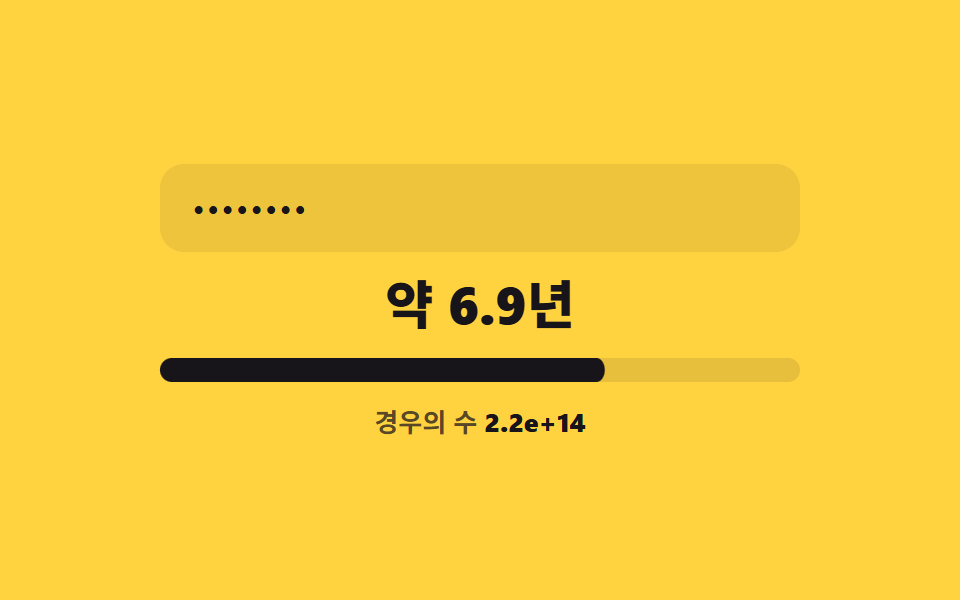 06 password-strength-crack-time-estimate
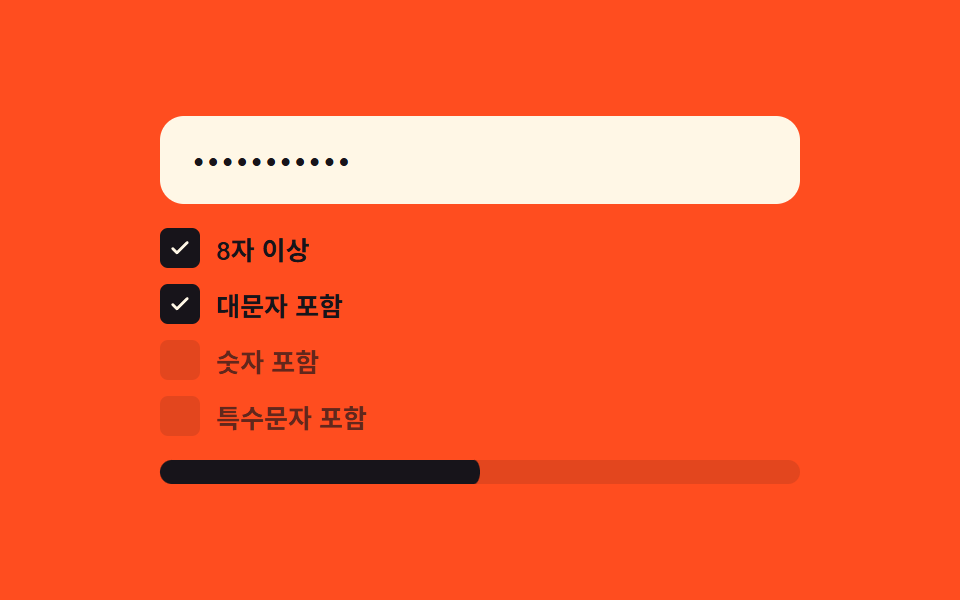 07 password-strength-criteria-checklist-live
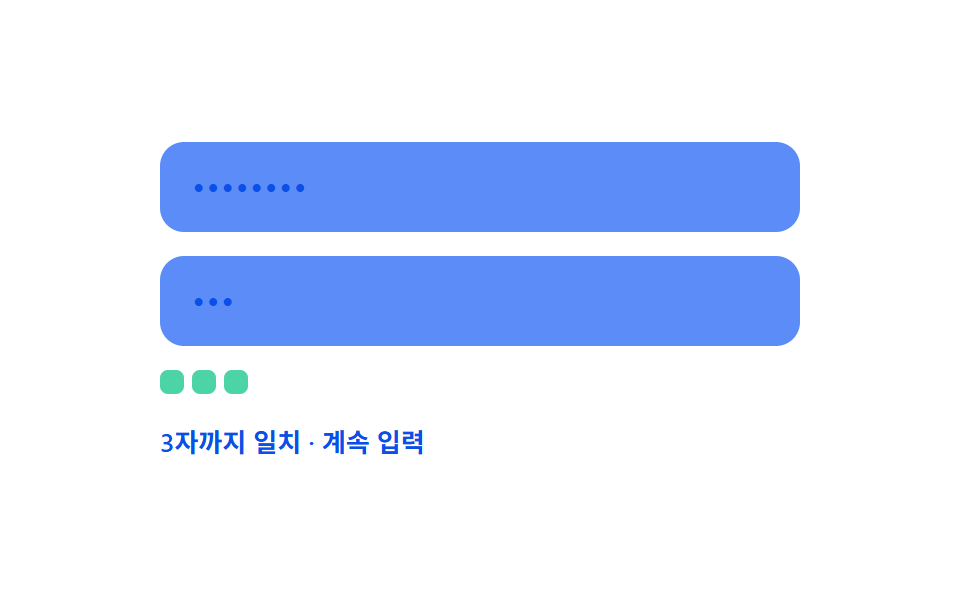 08 password-strength-confirm-match-live-diff
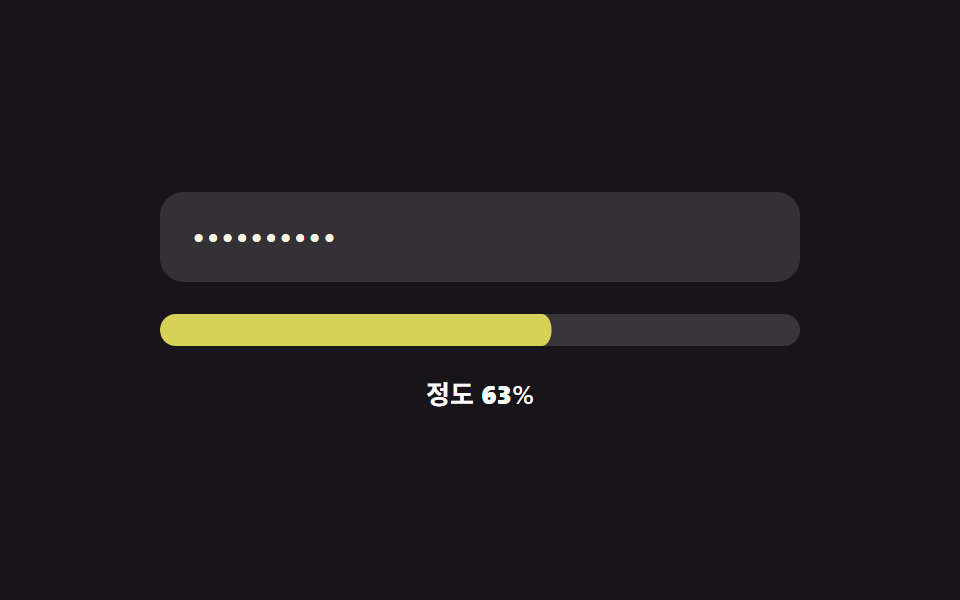 09 password-strength-color-gradient-morph
Auto-plays · click a tile to jump to its section · all nine in one zip
- 01 Length threshold fill — the strength value steps up each time the input's character-count value crosses a set boundary value
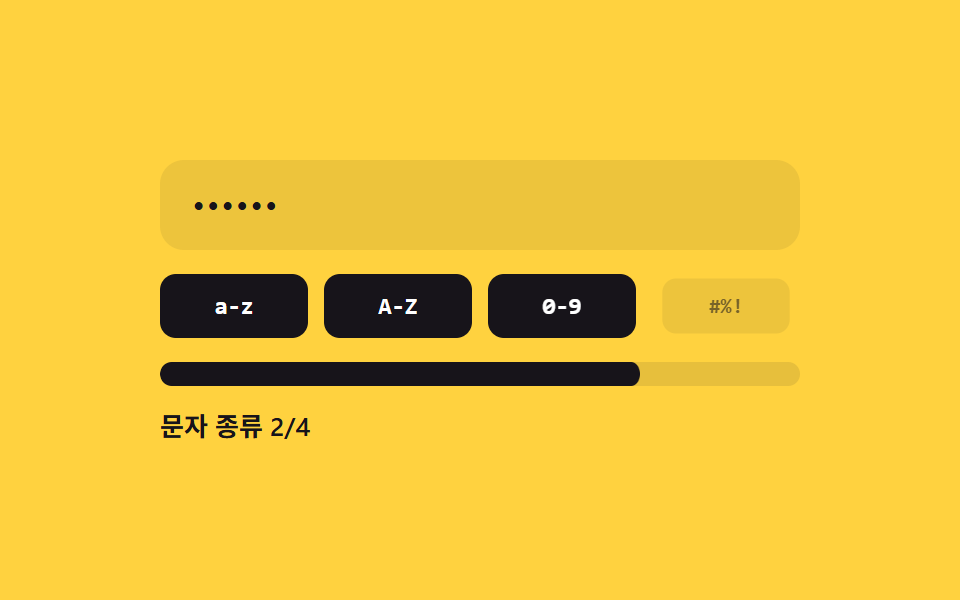
- 02 Character-class count fill — the strength value is set by how many distinct character-type values are mixed into the input
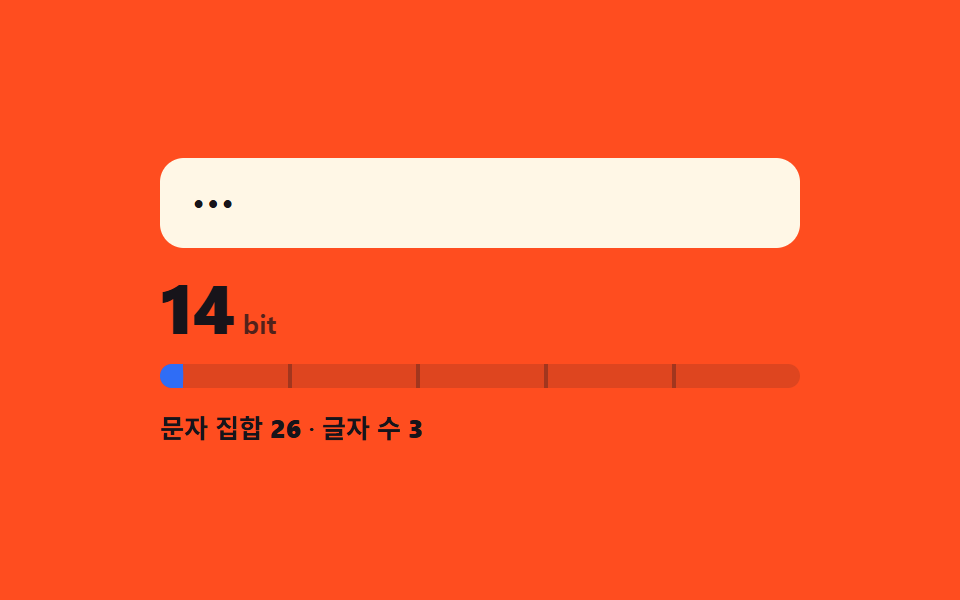
- 03 Entropy-bit value display — the strength value comes from a calculation multiplying the character-set size value by the length value
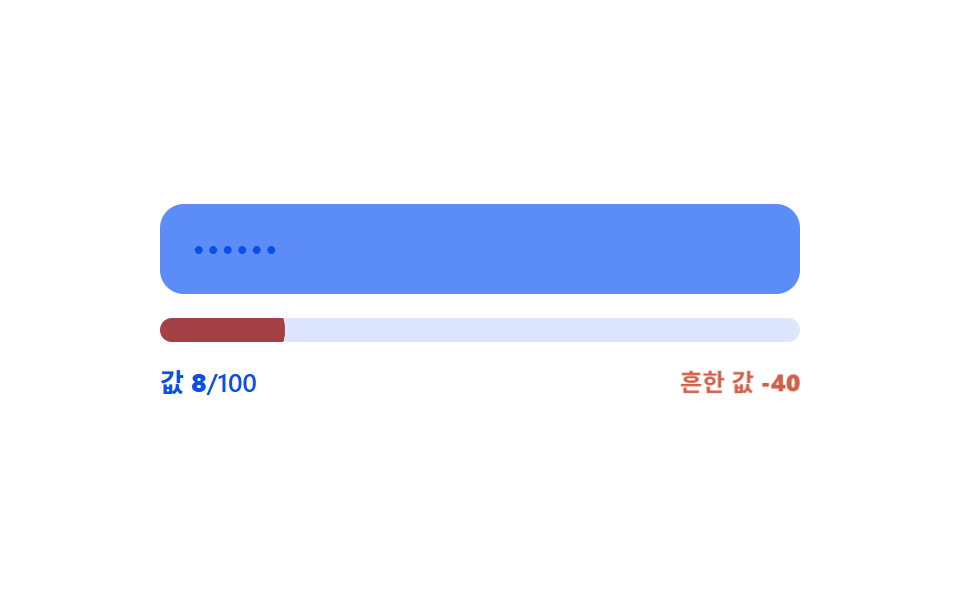
- 04 Common-value penalty — the strength value is docked when the input value matches an entry in a preset common-value list
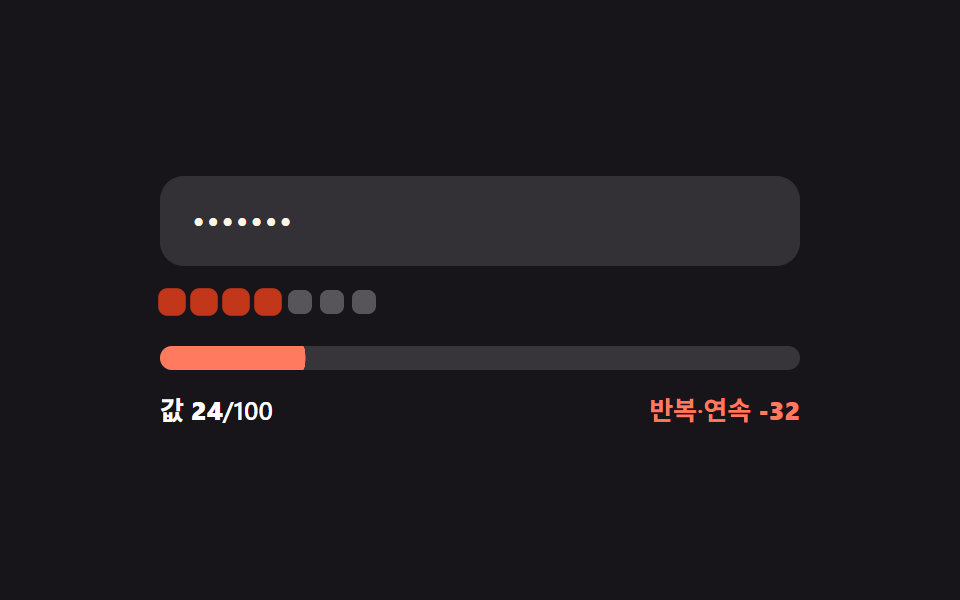
- 05 Repeat/sequence penalty — the strength value drops by an amount tied to a run of the same character or a sequential digit value
- 06 Estimated-time unit switch — the unit of a displayed time-estimate value switches each time a computed bit value passes a boundary value
- 07 Live criteria-ratio reflection — the strength value follows the ratio of condition values that turn true out of the total
- 08 Live confirm-match diff — the position value where a confirmation input first diverges from the original value is found in real time
- 09 Continuous color-value morph — the strength value changes continuously instead of jumping between stages, with its mapped color value shifting smoothly along
None of the nine sections talks to a server — every strength, bit, or diff value below is computed in the browser from whatever the input currently holds. Nine sections wire ten real input listeners between them: eight add one listener each, and the confirm-match section (08) adds two, one per field, so a paste, a backspace, or a single keystroke recomputes the same value a typed character would. Every field stays type="text" and gets its dots from CSS -webkit-text-security: disc, not a native password field or a JavaScript mask. The looping preview each item shows on load steps through a fixed string array — there is no Math.random anywhere in these nine files — and a prefers-reduced-motion: reduce check turns that autoplay loop off without touching what a real keystroke does.
Anatomy of nine patterns — which value changes and when
Why two patterns switch stages at a set boundary value
01's four length thresholds and 06's six time-unit boundaries both work the same way: a continuous underlying number keeps changing on every keystroke, but the displayed stage or unit only updates at the instant that number crosses one of a short list of fixed points. Between two boundaries, typing a character does nothing to the label at all, even though the bar or bit value underneath is already moving.
Why four patterns compose the strength value from sub-values
02, 03, 07, and 09 all build one output value out of several smaller ones instead of reading a single measurement: a count of matched character-type patterns, a length-times-charset-size calculation, a true/false ratio across four criteria, or a half-length/half-class blend. None of the four ever looks at the raw input length alone.
Why three patterns subtract from or compare against a value instead
04 and 05 both start from the same length-based base score and subtract a penalty — a flat amount for 04's exact list match, a per-character amount for 05's repeat or sequence run — while 08 skips scoring altogether and instead compares two separate input values character by character to find where they stop agreeing.
Code per pattern
The interactive demo above each heading comes from the same file as the fenced snippet below it — a continuous slice of that item's own index.html, five to twenty-five lines, with every identifier and brace left exactly as written. Read together, these nine make a fairly complete set of password strength meter examples with the calculation exposed instead of hidden behind a library.
01Length threshold fill — the strength value steps up each time the input's character-count value crosses a set boundary value
Each time the input's character-count value climbs past one of four set boundary values — 4, 8, 12, or 16 — the strength value steps up to the next of five stages, and the fill bar snaps to match. A signup form's password field or an account setting that enforces a minimum length reads this way, since only the boundary crossing matters, not the exact count in between.
<main class="stage">
<div class="pw is-demo" id="pw">
  <label class="pw__field">
    <input class="pw__input" id="pwInput" type="text" autocomplete="off" spellcheck="false" value="">
  </label>
  <div class="pw__track" id="pwTrack">
    <span class="pw__tick" style="--tick-at:25%"></span>
    <span class="pw__tick" style="--tick-at:50%"></span>
    <span class="pw__tick" style="--tick-at:75%"></span>
    <div class="pw__fill" id="pwFill"></div>
  </div>
  <div class="pw__readout">
    <span class="pw__label" id="pwLabel">Boundary 0/4</span>
    <span class="pw__len">Length <b id="pwLen">0</b></span>
  </div>
</div>
</main>
@use "../../../../site/static/demo-tokens" as *;
// 계산 겹: 글자 수 값이 4개 경계(4·8·12·16)를 넘을 때마다 강도 단계(0~4)가 오르고,
// 그 단계에 맞는 토큰 색으로 막대와 글자색이 함께 바뀐다 — 트윈은 채움 비율(scaleX)뿐이다.
@include stage($stage-ink);
.pw {
width: 100%;
max-width: 320px;
display: grid;
gap: $sp-4;
}
.pw__field { display: block; }
.pw__input {
width: 100%;
box-sizing: border-box;
padding: $sp-3 $sp-4;
border-radius: $r-control;
border: 0;
background: rgba($stage-paper, .12);
color: $subject-cream;
font: 500 16px/1.3 -apple-system, "Segoe UI", "Noto Sans KR", sans-serif;
letter-spacing: .04em;
-webkit-text-security: disc; // 마스킹: type=text 유지 + 브라우저 저장 프롬프트 회피
&:focus { outline: 2px solid $subject-blue-light; outline-offset: 2px; }
}
.pw__track {
position: relative;
height: $sp-3;
border-radius: $r-sm;
background: rgba($stage-paper, .14);
overflow: hidden;
}
.pw__fill {
position: absolute;
inset: 0;
border-radius: $r-sm;
background: $error;
transform: scaleX(0);
transform-origin: left center; // 채움 막대 — 시작 변에서 자란다
transition: transform $dur-base $ease-out, background-color $dur-base $ease-out;
}
.pw--s1 .pw__fill { background: $error; }
.pw--s2 .pw__fill { background: $subject-orange-deep; }
.pw--s3 .pw__fill { background: $subject-blue; }
.pw--s4 .pw__fill { background: $subject-mint; }
.pw__tick {
position: absolute;
top: 0;
left: var(--tick-at);
width: 2px;
height: 100%;
background: rgba($stage-ink, .35);
z-index: 1;
}
.pw__readout {
display: flex;
justify-content: space-between;
align-items: center;
font: 600 13px/1.2 -apple-system, "Segoe UI", "Noto Sans KR", sans-serif;
color: $stage-paper;
}
.pw__len { color: rgba($stage-paper, .72); font-weight: 500; }
.pw__len b { font-variant-numeric: tabular-nums; }
@media (max-width: 340px) {
.pw { max-width: 260px; }
.pw__input { padding: $sp-2 $sp-3; font-size: 14px; }
.pw__readout { font-size: 12px; }
}
@media (prefers-reduced-motion: reduce) {
.pw__fill { transition: none; }
}html, body {
margin: 0;
overflow: hidden;
}
.stage {
box-sizing: border-box;
min-height: 100vh;
display: grid;
place-items: center;
margin: 0;
background: #17141a;
font-family: -apple-system, "Segoe UI", "Noto Sans KR", sans-serif;
padding: clamp(8px, 4vw, 24px);
}
.pw {
width: 100%;
max-width: 320px;
display: grid;
gap: 16px;
}
.pw__field {
display: block;
}
.pw__input {
width: 100%;
box-sizing: border-box;
padding: 12px 16px;
border-radius: 12px;
border: 0;
background: rgba(255, 255, 255, 0.12);
color: #fff7e6;
font: 500 16px/1.3 -apple-system, "Segoe UI", "Noto Sans KR", sans-serif;
letter-spacing: 0.04em;
-webkit-text-security: disc;
}
.pw__input:focus {
outline: 2px solid #5b8cf8;
outline-offset: 2px;
}
.pw__track {
position: relative;
height: 12px;
border-radius: 8px;
background: rgba(255, 255, 255, 0.14);
overflow: hidden;
}
.pw__fill {
position: absolute;
inset: 0;
border-radius: 8px;
background: #c2361a;
transform: scaleX(0);
transform-origin: left center;
transition: transform 300ms ease-out, background-color 300ms ease-out;
}
.pw--s1 .pw__fill {
background: #c2361a;
}
.pw--s2 .pw__fill {
background: #c93000;
}
.pw--s3 .pw__fill {
background: #2f6df6;
}
.pw--s4 .pw__fill {
background: #4cd4a6;
}
.pw__tick {
position: absolute;
top: 0;
left: var(--tick-at);
width: 2px;
height: 100%;
background: rgba(23, 20, 26, 0.35);
z-index: 1;
}
.pw__readout {
display: flex;
justify-content: space-between;
align-items: center;
font: 600 13px/1.2 -apple-system, "Segoe UI", "Noto Sans KR", sans-serif;
color: #ffffff;
}
.pw__len {
color: rgba(255, 255, 255, 0.72);
font-weight: 500;
}
.pw__len b {
font-variant-numeric: tabular-nums;
}
@media (max-width: 340px) {
.pw {
max-width: 260px;
}
.pw__input {
padding: 8px 12px;
font-size: 14px;
}
.pw__readout {
font-size: 12px;
}
}
@media (prefers-reduced-motion: reduce) {
.pw__fill {
transition: none;
}
}(function () {
var root = document.getElementById('pw');
var input = document.getElementById('pwInput');
var fill = document.getElementById('pwFill');
var label = document.getElementById('pwLabel');
var lenEl = document.getElementById('pwLen');
// 계산 겹: Length 값이 이 Boundary 값들을 넘을 때마다 강도 Value(0~4)이 한 단계씩 오른다.
var THRESHOLDS = [4, 8, 12, 16];
var STAGE_CLASS = ['pw--s0', 'pw--s1', 'pw--s2', 'pw--s3', 'pw--s4'];
function stageOf(len) {
var s = 0;
for (var i = 0; i < THRESHOLDS.length; i++) { if (len >= THRESHOLDS[i]) s = i + 1; }
return s;
}
function paint(value) {
var len = value.length;
var stage = stageOf(len);
var ratio = stage / THRESHOLDS.length;
fill.style.transform = 'scaleX(' + ratio + ')';
STAGE_CLASS.forEach(function (c) { root.classList.remove(c); });
root.classList.add(STAGE_CLASS[stage]);
label.textContent = 'Boundary ' + stage + '/4';
lenEl.textContent = String(len);
}
input.addEventListener('input', function () {
root.classList.remove('is-demo');
stopAutoplay();
paint(input.value);
});
paint(input.value);
// 자동 루프: 시드 고정 문자열 배열로 글자 수를 늘렸다 줄이며 네 경계를 오간다.
var SEQ = ['', 'ab', 'abcd', 'abcdef', 'abcdefgh', 'abcdefghij', 'abcdefghijkl',
'abcdefghijklmn', 'abcdefghijklmnop', 'abcdefghijklmn', 'abcdefghij',
'abcdefgh', 'abcd', ''];
var si = 0;
var autoTimer = null;
function autoTick() { input.value = SEQ[si]; paint(SEQ[si]); si = (si + 1) % SEQ.length; }
function stopAutoplay() { if (autoTimer) { clearInterval(autoTimer); autoTimer = null; } }
var reduce = window.matchMedia('(prefers-reduced-motion: reduce)').matches;
if (!reduce) { autoTimer = setInterval(autoTick, 320); autoTick(); }
})();import { useEffect, useRef } from "react";
import styles from "./ThresholdBar.module.scss";
type Box<T> = { current: T };
const THRESHOLDS = [4, 8, 12, 16];
const STAGE_CLASS = ["pw--s0", "pw--s1", "pw--s2", "pw--s3", "pw--s4"];
export default function ThresholdBar() {
const rootRef = useRef(null) as unknown as Box<HTMLDivElement | null>;
const inputRef = useRef(null) as unknown as Box<HTMLInputElement | null>;
const fillRef = useRef(null) as unknown as Box<HTMLDivElement | null>;
const labelRef = useRef(null) as unknown as Box<HTMLSpanElement | null>;
const lenRef = useRef(null) as unknown as Box<HTMLElement | null>;
useEffect(() => {
const root = rootRef.current;
const input = inputRef.current;
const fill = fillRef.current;
const label = labelRef.current;
const lenEl = lenRef.current;
if (!root || !input || !fill || !label || !lenEl) return;
// 계산 겹: 글자 수 값이 4개 경계(4·8·12·16)를 넘을 때마다 강도 단계(0~4)가 오른다.
function stageOf(len: number) {
let s = 0;
for (let i = 0; i < THRESHOLDS.length; i++) { if (len >= THRESHOLDS[i]) s = i + 1; }
return s;
}
function paint(value: string) {
const len = value.length;
const stage = stageOf(len);
const ratio = stage / THRESHOLDS.length;
fill!.style.transform = "scaleX(" + ratio + ")";
STAGE_CLASS.forEach((c) => root!.classList.remove(styles[c]));
root!.classList.add(styles[STAGE_CLASS[stage]]);
label!.textContent = "경계 " + stage + "/4";
lenEl!.textContent = String(len);
}
function onInput() {
root!.classList.remove(styles["is-demo"]);
stopAutoplay();
paint(input!.value);
}
input.addEventListener("input", onInput);
paint(input.value);
// 자동 루프: 시드 고정 문자열 배열로 글자 수를 늘렸다 줄이며 네 경계를 오간다.
const SEQ = ["", "ab", "abcd", "abcdef", "abcdefgh", "abcdefghij", "abcdefghijkl",
"abcdefghijklmn", "abcdefghijklmnop", "abcdefghijklmn", "abcdefghij",
"abcdefgh", "abcd", ""];
let si = 0;
let autoTimer: number | null = null;
function autoTick() { input!.value = SEQ[si]; paint(SEQ[si]); si = (si + 1) % SEQ.length; }
function stopAutoplay() { if (autoTimer !== null) { window.clearInterval(autoTimer); autoTimer = null; } }
const reduce = window.matchMedia("(prefers-reduced-motion: reduce)").matches;
if (!reduce) { autoTimer = window.setInterval(autoTick, 320); autoTick(); }
return () => {
stopAutoplay();
input.removeEventListener("input", onInput);
};
}, []);
return (
<div ref={rootRef} className={`${styles.stage} ${styles.pw} ${styles["is-demo"]} ${styles["pw--s0"]}`}>
<label className={styles.field}>
<input ref={inputRef} className={styles.input} type="text" autoComplete="off" spellCheck={false} defaultValue="" />
</label>
<div className={styles.track}>
<span className={styles.tick} style={{ left: "25%" }} />
<span className={styles.tick} style={{ left: "50%" }} />
<span className={styles.tick} style={{ left: "75%" }} />
<div ref={fillRef} className={styles.fill} />
</div>
<div className={styles.readout}>
<span ref={labelRef} className={styles.label}>경계 0/4</span>
<span className={styles.len}>글자 수 <b ref={lenRef}>0</b></span>
</div>
</div>
);
}01 · Length threshold fill — the strength value steps up each time the input's character-count value crosses a set boundary value — Measured area 3.317% · moving frames 15/23Original by GODRICH · SCSS and React ship in the zip · See the password
What the numbers say
Across 24 tracked frames, 01 moves on 15 of them, covering a 3.317% cumulative area at a 103.7 average intensity — motion is sparse because the fill only redraws at four threshold crossings instead of on every frame.
  // Computed layer: each time the length value crosses one of these boundary values, the strength value (0-4) steps up by one stage.
  var THRESHOLDS = [4, 8, 12, 16];
  var STAGE_CLASS = ['pw--s0', 'pw--s1', 'pw--s2', 'pw--s3', 'pw--s4'];

  function stageOf(len) {
    var s = 0;
    for (var i = 0; i < THRESHOLDS.length; i++) { if (len >= THRESHOLDS[i]) s = i + 1; }
    return s;
  }

  function paint(value) {
    var len = value.length;
    var stage = stageOf(len);
    var ratio = stage / THRESHOLDS.length;
    fill.style.transform = 'scaleX(' + ratio + ')';
    STAGE_CLASS.forEach(function (c) { root.classList.remove(c); });
    root.classList.add(STAGE_CLASS[stage]);
    label.textContent = 'Boundary ' + stage + '/4';
    lenEl.textContent = String(len);
  }
02Character-class count fill — the strength value is set by how many distinct character-type values are mixed into the input
The strength value here comes from how many of four character-type patterns — lowercase, uppercase, digit, symbol — test true against the current input, out of a possible four. An account setting that demands mixed case and symbols, or an internal system's password-change form, uses exactly this count to decide how many of its four badges light up.
<main class="stage">
<div class="cc is-demo" id="cc">
  <label class="cc__field">
    <input class="cc__input" id="ccInput" type="text" autocomplete="off" spellcheck="false" value="">
  </label>
  <div class="cc__badges">
    <div class="cc__badge" id="ccB0"><span>a-z</span></div>
    <div class="cc__badge" id="ccB1"><span>A-Z</span></div>
    <div class="cc__badge" id="ccB2"><span>0-9</span></div>
    <div class="cc__badge" id="ccB3"><span>#%!</span></div>
  </div>
  <div class="cc__track"><div class="cc__fill" id="ccFill"></div></div>
  <div class="cc__label" id="ccLabel">Char types 0/4</div>
</div>
</main>
@use "../../../../site/static/demo-tokens" as *;
// 계산 겹: 4개 문자 종류 정규식을 입력 값에 검사해 참인 개수를 세고, 그 개수만큼
// 배지가 중심에서 커지며(scale) 켜지고 막대 채움 비율도 같은 개수/4 로 맞춘다.
@include stage($stage-yellow);
.cc {
width: 100%;
max-width: 320px;
display: grid;
gap: $sp-3;
}
.cc__field { display: block; }
.cc__input {
width: 100%;
box-sizing: border-box;
padding: $sp-3 $sp-4;
border-radius: $r-control;
border: 0;
background: rgba($stage-ink, .08);
color: $stage-ink;
font: 500 16px/1.3 -apple-system, "Segoe UI", "Noto Sans KR", sans-serif;
letter-spacing: .04em;
-webkit-text-security: disc;
&:focus { outline: 2px solid $stage-ink; outline-offset: 2px; }
}
.cc__badges {
display: grid;
grid-template-columns: repeat(4, 1fr);
gap: $sp-2;
}
.cc__badge {
height: 32px;
border-radius: $r-sm;
background: rgba($stage-ink, .08);
display: grid;
place-items: center;
transform: scale(.86);
transform-origin: center; // 스스로 완결한 배지가 중심에서 커진다
transition: transform $dur-quick $ease-spring, background-color $dur-quick $ease-out;
span {
font: 700 12px/1 "Space Mono", monospace;
color: rgba($stage-ink, .55);
transition: color $dur-quick $ease-out;
}
&--on {
background: $stage-ink;
transform: scale(1);
span { color: $stage-paper; }
}
}
.cc__track {
position: relative;
height: $sp-3;
border-radius: $r-sm;
background: rgba($stage-ink, .1);
overflow: hidden;
}
.cc__fill {
position: absolute;
inset: 0;
border-radius: $r-sm;
background: $stage-ink;
transform: scaleX(0);
transform-origin: left center;
transition: transform $dur-base $ease-out;
}
.cc__label {
font: 600 13px/1.2 -apple-system, "Segoe UI", "Noto Sans KR", sans-serif;
color: $stage-ink;
}
@media (max-width: 340px) {
.cc { max-width: 260px; }
.cc__input { padding: $sp-2 $sp-3; font-size: 14px; }
.cc__badge { height: 28px; }
.cc__badge span { font-size: 10px; }
}
@media (prefers-reduced-motion: reduce) {
.cc__badge, .cc__fill { transition: none; }
}html, body {
margin: 0;
overflow: hidden;
}
.stage {
box-sizing: border-box;
min-height: 100vh;
display: grid;
place-items: center;
margin: 0;
background: #ffd23f;
font-family: -apple-system, "Segoe UI", "Noto Sans KR", sans-serif;
padding: clamp(8px, 4vw, 24px);
}
.cc {
width: 100%;
max-width: 320px;
display: grid;
gap: 12px;
}
.cc__field {
display: block;
}
.cc__input {
width: 100%;
box-sizing: border-box;
padding: 12px 16px;
border-radius: 12px;
border: 0;
background: rgba(23, 20, 26, 0.08);
color: #17141a;
font: 500 16px/1.3 -apple-system, "Segoe UI", "Noto Sans KR", sans-serif;
letter-spacing: 0.04em;
-webkit-text-security: disc;
}
.cc__input:focus {
outline: 2px solid #17141a;
outline-offset: 2px;
}
.cc__badges {
display: grid;
grid-template-columns: repeat(4, 1fr);
gap: 8px;
}
.cc__badge {
height: 32px;
border-radius: 8px;
background: rgba(23, 20, 26, 0.08);
display: grid;
place-items: center;
transform: scale(0.86);
transform-origin: center;
transition: transform 220ms cubic-bezier(0.2, 0.8, 0.2, 1), background-color 220ms ease-out;
}
.cc__badge span {
font: 700 12px/1 "Space Mono", monospace;
color: rgba(23, 20, 26, 0.55);
transition: color 220ms ease-out;
}
.cc__badge--on {
background: #17141a;
transform: scale(1);
}
.cc__badge--on span {
color: #ffffff;
}
.cc__track {
position: relative;
height: 12px;
border-radius: 8px;
background: rgba(23, 20, 26, 0.1);
overflow: hidden;
}
.cc__fill {
position: absolute;
inset: 0;
border-radius: 8px;
background: #17141a;
transform: scaleX(0);
transform-origin: left center;
transition: transform 300ms ease-out;
}
.cc__label {
font: 600 13px/1.2 -apple-system, "Segoe UI", "Noto Sans KR", sans-serif;
color: #17141a;
}
@media (max-width: 340px) {
.cc {
max-width: 260px;
}
.cc__input {
padding: 8px 12px;
font-size: 14px;
}
.cc__badge {
height: 28px;
}
.cc__badge span {
font-size: 10px;
}
}
@media (prefers-reduced-motion: reduce) {
.cc__badge, .cc__fill {
transition: none;
}
}(function () {
var root = document.getElementById('cc');
var input = document.getElementById('ccInput');
var fill = document.getElementById('ccFill');
var label = document.getElementById('ccLabel');
var badges = [document.getElementById('ccB0'), document.getElementById('ccB1'), document.getElementById('ccB2'), document.getElementById('ccB3')];
// 계산 겹: 입력 값을 4개 Char types 정규식으로 각각 검사해 참인 개수를 센다.
var CLASSES = [/[a-z]/, /[A-Z]/, /[0-9]/, /[^A-Za-z0-9]/];
function countClasses(value) {
var n = 0;
for (var i = 0; i < CLASSES.length; i++) {
var hit = CLASSES[i].test(value);
badges[i].classList.toggle('cc__badge--on', hit);
if (hit) n++;
}
return n;
}
function paint(value) {
var n = countClasses(value);
fill.style.transform = 'scaleX(' + (n / CLASSES.length) + ')';
label.textContent = 'Char types ' + n + '/4';
}
input.addEventListener('input', function () {
root.classList.remove('is-demo');
stopAutoplay();
paint(input.value);
});
paint(input.value);
// 자동 루프: 시드 고정 문자열 배열로 문자 종류를 하나씩 늘렸다 줄인다.
var SEQ = ['', 'abc', 'abcABC', 'abcABC123', 'abcABC123!@#', 'abcABC123', 'abcABC', 'abc', ''];
var si = 0;
var autoTimer = null;
function autoTick() { input.value = SEQ[si]; paint(SEQ[si]); si = (si + 1) % SEQ.length; }
function stopAutoplay() { if (autoTimer) { clearInterval(autoTimer); autoTimer = null; } }
var reduce = window.matchMedia('(prefers-reduced-motion: reduce)').matches;
if (!reduce) { autoTimer = setInterval(autoTick, 340); autoTick(); }
})();import { useEffect, useRef } from "react";
import styles from "./CharclassFill.module.scss";
type Box<T> = { current: T };
const CLASSES = [/[a-z]/, /[A-Z]/, /[0-9]/, /[^A-Za-z0-9]/];
const LABELS = ["a-z", "A-Z", "0-9", "#%!"];
export default function CharclassFill() {
const rootRef = useRef(null) as unknown as Box<HTMLDivElement | null>;
useEffect(() => {
const root = rootRef.current;
if (!root) return;
const input = root.querySelector(`.${styles.input}`) as HTMLInputElement | null;
const fill = root.querySelector(`.${styles.fill}`) as HTMLElement | null;
const label = root.querySelector(`.${styles.label}`) as HTMLElement | null;
const badges = Array.prototype.slice.call(
root.querySelectorAll(`.${styles["cc__badge"]}`)
) as HTMLElement[];
if (!input || !fill || !label) return;
// 계산 겹: 입력 값을 4개 문자 종류 정규식으로 각각 검사해 참인 개수를 센다.
function countClasses(value: string) {
let n = 0;
for (let i = 0; i < CLASSES.length; i++) {
const hit = CLASSES[i].test(value);
badges[i].classList.toggle(styles["cc__badge--on"], hit);
if (hit) n++;
}
return n;
}
function paint(value: string) {
const n = countClasses(value);
fill!.style.transform = "scaleX(" + (n / CLASSES.length) + ")";
label!.textContent = "문자 종류 " + n + "/4";
}
function onInput() {
root!.classList.remove(styles["is-demo"]);
stopAutoplay();
paint(input!.value);
}
input.addEventListener("input", onInput);
paint(input.value);
// 자동 루프: 시드 고정 문자열 배열로 문자 종류를 하나씩 늘렸다 줄인다.
const SEQ = ["", "abc", "abcABC", "abcABC123", "abcABC123!@#", "abcABC123", "abcABC", "abc", ""];
let si = 0;
let autoTimer: number | null = null;
function autoTick() { input!.value = SEQ[si]; paint(SEQ[si]); si = (si + 1) % SEQ.length; }
function stopAutoplay() { if (autoTimer !== null) { window.clearInterval(autoTimer); autoTimer = null; } }
const reduce = window.matchMedia("(prefers-reduced-motion: reduce)").matches;
if (!reduce) { autoTimer = window.setInterval(autoTick, 340); autoTick(); }
return () => {
stopAutoplay();
input.removeEventListener("input", onInput);
};
}, []);
return (
<div ref={rootRef} className={`${styles.stage} ${styles.cc} ${styles["is-demo"]}`}>
<label className={styles.field}>
<input className={styles.input} type="text" autoComplete="off" spellCheck={false} defaultValue="" />
</label>
<div className={styles.badges}>
{LABELS.map((l) => (
<div key={l} className={styles["cc__badge"]}>
<span>{l}</span>
</div>
))}
</div>
<div className={styles.track}><div className={styles.fill} /></div>
<div className={styles.label}>문자 종류 0/4</div>
</div>
);
}02 · Character-class count fill — the strength value is set by how many distinct character-type values are mixed into the input — Measured area 9.395% · moving frames 22/23Original by GODRICH · SCSS and React ship in the zip · See the password
What the numbers say
Across 24 tracked frames, 02 moves on 22 of them, covering a 9.395% cumulative area at a 119.4 average intensity — the highest cumulative area of the nine, since four badges and a fill bar all repaint together on nearly every step of the sequence.
  // Computed layer: the input value is tested against four character-type regular expressions, and the count of true results is tallied.
  var CLASSES = [/[a-z]/, /[A-Z]/, /[0-9]/, /[^A-Za-z0-9]/];

  function countClasses(value) {
    var n = 0;
    for (var i = 0; i < CLASSES.length; i++) {
      var hit = CLASSES[i].test(value);
      badges[i].classList.toggle('cc__badge--on', hit);
      if (hit) n++;
    }
    return n;
  }

  function paint(value) {
    var n = countClasses(value);
    fill.style.transform = 'scaleX(' + (n / CLASSES.length) + ')';
    label.textContent = 'Char types ' + n + '/4';
  }
03Entropy-bit value display — the strength value comes from a calculation multiplying the character-set size value by the length value
A bit value is computed by multiplying the input's length value by the size of whichever character sets it draws from, then taking a base-2 logarithm of that product. A developer-facing setting that reports a numeric security level, or a secret-value strength readout on an API-key screen, shows this bit value directly instead of a vague label.
<main class="stage">
<div class="eb is-demo" id="eb">
  <label class="eb__field">
    <input class="eb__input" id="ebInput" type="text" autocomplete="off" spellcheck="false" value="">
  </label>
  <div class="eb__bits"><b id="ebBits">0</b><span>bit</span></div>
  <div class="eb__track" id="ebTrack">
    <span class="eb__tick" style="--tick-at:20%"></span>
    <span class="eb__tick" style="--tick-at:40%"></span>
    <span class="eb__tick" style="--tick-at:60%"></span>
    <span class="eb__tick" style="--tick-at:80%"></span>
    <div class="eb__fill" id="ebFill"></div>
  </div>
  <div class="eb__meta">Char set <b id="ebSet">0</b> · Length <b id="ebLen">0</b></div>
</div>
</main>
@use "../../../../site/static/demo-tokens" as *;
// 계산 겹: 문자 집합 크기 값 × 글자 수 값에 log2 를 취해 비트 값을 만든다 —
// 채움 막대(scaleX)는 그 비트 값을 상한(100비트) 대비 비율로 보여줄 뿐이다.
@include stage($stage-orange);
.eb {
width: 100%;
max-width: 320px;
display: grid;
gap: $sp-3;
}
.eb__field { display: block; }
.eb__input {
width: 100%;
box-sizing: border-box;
padding: $sp-3 $sp-4;
border-radius: $r-control;
border: 0;
background: $subject-cream;
color: $subject-ink;
font: 500 16px/1.3 -apple-system, "Segoe UI", "Noto Sans KR", sans-serif;
letter-spacing: .04em;
-webkit-text-security: disc;
&:focus { outline: 2px solid $subject-ink; outline-offset: 2px; }
}
.eb__bits {
display: flex;
align-items: baseline;
gap: $sp-1;
color: $subject-ink;
b { font: 800 34px/1 -apple-system, "Segoe UI", "Noto Sans KR", sans-serif; font-variant-numeric: tabular-nums; }
span { font: 600 13px/1 -apple-system, sans-serif; opacity: .75; }
}
.eb__track {
position: relative;
height: $sp-3;
border-radius: $r-sm;
background: rgba($subject-ink, .14);
overflow: hidden;
}
.eb__fill {
position: absolute;
inset: 0;
border-radius: $r-sm;
background: $subject-blue;
transform: scaleX(0);
transform-origin: left center;
transition: transform $dur-base $ease-out;
}
.eb__tick {
position: absolute;
top: 0;
left: var(--tick-at);
width: 2px;
height: 100%;
background: rgba($subject-ink, .3);
z-index: 1;
}
.eb__meta {
font: 600 13px/1.2 -apple-system, "Segoe UI", "Noto Sans KR", sans-serif;
color: $subject-ink;
b { font-variant-numeric: tabular-nums; }
}
@media (max-width: 340px) {
.eb { max-width: 260px; }
.eb__input { padding: $sp-2 $sp-3; font-size: 14px; }
.eb__bits b { font-size: 26px; }
.eb__meta { font-size: 11px; }
}
@media (prefers-reduced-motion: reduce) {
.eb__fill { transition: none; }
}html, body {
margin: 0;
overflow: hidden;
}
.stage {
box-sizing: border-box;
min-height: 100vh;
display: grid;
place-items: center;
margin: 0;
background: #ff4d1f;
font-family: -apple-system, "Segoe UI", "Noto Sans KR", sans-serif;
padding: clamp(8px, 4vw, 24px);
}
.eb {
width: 100%;
max-width: 320px;
display: grid;
gap: 12px;
}
.eb__field {
display: block;
}
.eb__input {
width: 100%;
box-sizing: border-box;
padding: 12px 16px;
border-radius: 12px;
border: 0;
background: #fff7e6;
color: #17141a;
font: 500 16px/1.3 -apple-system, "Segoe UI", "Noto Sans KR", sans-serif;
letter-spacing: 0.04em;
-webkit-text-security: disc;
}
.eb__input:focus {
outline: 2px solid #17141a;
outline-offset: 2px;
}
.eb__bits {
display: flex;
align-items: baseline;
gap: 4px;
color: #17141a;
}
.eb__bits b {
font: 800 34px/1 -apple-system, "Segoe UI", "Noto Sans KR", sans-serif;
font-variant-numeric: tabular-nums;
}
.eb__bits span {
font: 600 13px/1 -apple-system, sans-serif;
opacity: 0.75;
}
.eb__track {
position: relative;
height: 12px;
border-radius: 8px;
background: rgba(23, 20, 26, 0.14);
overflow: hidden;
}
.eb__fill {
position: absolute;
inset: 0;
border-radius: 8px;
background: #2f6df6;
transform: scaleX(0);
transform-origin: left center;
transition: transform 300ms ease-out;
}
.eb__tick {
position: absolute;
top: 0;
left: var(--tick-at);
width: 2px;
height: 100%;
background: rgba(23, 20, 26, 0.3);
z-index: 1;
}
.eb__meta {
font: 600 13px/1.2 -apple-system, "Segoe UI", "Noto Sans KR", sans-serif;
color: #17141a;
}
.eb__meta b {
font-variant-numeric: tabular-nums;
}
@media (max-width: 340px) {
.eb {
max-width: 260px;
}
.eb__input {
padding: 8px 12px;
font-size: 14px;
}
.eb__bits b {
font-size: 26px;
}
.eb__meta {
font-size: 11px;
}
}
@media (prefers-reduced-motion: reduce) {
.eb__fill {
transition: none;
}
}(function () {
var root = document.getElementById('eb');
var input = document.getElementById('ebInput');
var bitsEl = document.getElementById('ebBits');
var fill = document.getElementById('ebFill');
var setEl = document.getElementById('ebSet');
var lenEl = document.getElementById('ebLen');
var MAX_BITS = 100; // 막대 눈금의 오른쪽 끝 — 이 Value 이상은 꽉 찬 막대로 표시
// 계산 겹: 섞인 문자 종류로 Char set 크기 값을 구하고, Length 값을 곱한 뒤
// 밑이 2인 로그를 취해 비트 값을 만든다 (엔트로피 = Length × log2(Char set 크기)).
function charsetSize(value) {
var size = 0;
if (/[a-z]/.test(value)) size += 26;
if (/[A-Z]/.test(value)) size += 26;
if (/[0-9]/.test(value)) size += 10;
if (/[^A-Za-z0-9]/.test(value)) size += 32;
return size;
}
function bitsOf(value) {
var size = charsetSize(value);
if (!value.length || size === 0) return { bits: 0, size: size };
return { bits: value.length * (Math.log(size) / Math.log(2)), size: size };
}
function paint(value) {
var r = bitsOf(value);
var bits = Math.round(r.bits);
bitsEl.textContent = String(bits);
fill.style.transform = 'scaleX(' + Math.min(1, r.bits / MAX_BITS) + ')';
setEl.textContent = String(r.size);
lenEl.textContent = String(value.length);
}
input.addEventListener('input', function () {
root.classList.remove('is-demo');
stopAutoplay();
paint(input.value);
});
paint(input.value);
// 자동 루프: 시드 고정 문자열 배열로 길이·문자 집합을 함께 늘렸다 줄인다.
var SEQ = ['', 'abc', 'abcdef', 'abcdefgh12', 'abcdefgh12AB', 'abcdefgh12AB!@',
'abcdefgh12AB!@#$%^', 'abcdefgh12AB!@', 'abcdefgh12AB', 'abcdefgh12', 'abcdef', 'abc', ''];
var si = 0;
var autoTimer = null;
function autoTick() { input.value = SEQ[si]; paint(SEQ[si]); si = (si + 1) % SEQ.length; }
function stopAutoplay() { if (autoTimer) { clearInterval(autoTimer); autoTimer = null; } }
var reduce = window.matchMedia('(prefers-reduced-motion: reduce)').matches;
if (!reduce) { autoTimer = setInterval(autoTick, 320); autoTick(); }
})();import { useEffect, useRef } from "react";
import styles from "./EntropyGauge.module.scss";
type Box<T> = { current: T };
const MAX_BITS = 100;
export default function EntropyGauge() {
const rootRef = useRef(null) as unknown as Box<HTMLDivElement | null>;
useEffect(() => {
const root = rootRef.current;
if (!root) return;
const input = root.querySelector(`.${styles.input}`) as HTMLInputElement | null;
const bitsEl = root.querySelector(`.${styles.bitsNum}`) as HTMLElement | null;
const fill = root.querySelector(`.${styles.fill}`) as HTMLElement | null;
const setEl = root.querySelector(`.${styles.setSize}`) as HTMLElement | null;
const lenEl = root.querySelector(`.${styles.len}`) as HTMLElement | null;
if (!input || !bitsEl || !fill || !setEl || !lenEl) return;
// 계산 겹: 섞인 문자 종류로 문자 집합 크기 값을 구하고, 글자 수 값을 곱한 뒤
// 밑이 2인 로그를 취해 비트 값을 만든다.
function charsetSize(value: string) {
let size = 0;
if (/[a-z]/.test(value)) size += 26;
if (/[A-Z]/.test(value)) size += 26;
if (/[0-9]/.test(value)) size += 10;
if (/[^A-Za-z0-9]/.test(value)) size += 32;
return size;
}
function bitsOf(value: string) {
const size = charsetSize(value);
if (!value.length || size === 0) return { bits: 0, size };
return { bits: value.length * (Math.log(size) / Math.log(2)), size };
}
function paint(value: string) {
const r = bitsOf(value);
bitsEl!.textContent = String(Math.round(r.bits));
fill!.style.transform = "scaleX(" + Math.min(1, r.bits / MAX_BITS) + ")";
setEl!.textContent = String(r.size);
lenEl!.textContent = String(value.length);
}
function onInput() {
root!.classList.remove(styles["is-demo"]);
stopAutoplay();
paint(input!.value);
}
input.addEventListener("input", onInput);
paint(input.value);
// 자동 루프: 시드 고정 문자열 배열로 길이·문자 집합을 함께 늘렸다 줄인다.
const SEQ = ["", "abc", "abcdef", "abcdefgh12", "abcdefgh12AB", "abcdefgh12AB!@",
"abcdefgh12AB!@#$%^", "abcdefgh12AB!@", "abcdefgh12AB", "abcdefgh12", "abcdef", "abc", ""];
let si = 0;
let autoTimer: number | null = null;
function autoTick() { input!.value = SEQ[si]; paint(SEQ[si]); si = (si + 1) % SEQ.length; }
function stopAutoplay() { if (autoTimer !== null) { window.clearInterval(autoTimer); autoTimer = null; } }
const reduce = window.matchMedia("(prefers-reduced-motion: reduce)").matches;
if (!reduce) { autoTimer = window.setInterval(autoTick, 320); autoTick(); }
return () => {
stopAutoplay();
input.removeEventListener("input", onInput);
};
}, []);
return (
<div ref={rootRef} className={`${styles.stage} ${styles.eb} ${styles["is-demo"]}`}>
<label className={styles.field}>
<input className={styles.input} type="text" autoComplete="off" spellCheck={false} defaultValue="" />
</label>
<div className={styles.bits}><b className={styles.bitsNum}>0</b><span>bit</span></div>
<div className={styles.track}>
<span className={styles.tick} style={{ left: "20%" }} />
<span className={styles.tick} style={{ left: "40%" }} />
<span className={styles.tick} style={{ left: "60%" }} />
<span className={styles.tick} style={{ left: "80%" }} />
<div className={styles.fill} />
</div>
<div className={styles.meta}>문자 집합 <b className={styles.setSize}>0</b> · 글자 수 <b className={styles.len}>0</b></div>
</div>
);
}03 · Entropy-bit value display — the strength value comes from a calculation multiplying the character-set size value by the length value — Measured area 4.297% · moving frames 22/23Original by GODRICH · SCSS and React ship in the zip · See the password
What the numbers say
Across 24 tracked frames, 03 moves on 22 of them, covering a 4.297% cumulative area at a 183.8 average intensity — the fill keeps climbing on almost every frame because the bit value grows continuously with both length and character-set size, not in a few fixed jumps.
  // Computed layer: the mixed character types set the character-set size value, which is multiplied by the length value,
  // then a base-2 logarithm turns the product into a bit value (entropy = length × log2(character-set size)).
  function charsetSize(value) {
    var size = 0;
    if (/[a-z]/.test(value)) size += 26;
    if (/[A-Z]/.test(value)) size += 26;
    if (/[0-9]/.test(value)) size += 10;
    if (/[^A-Za-z0-9]/.test(value)) size += 32;
    return size;
  }

  function bitsOf(value) {
    var size = charsetSize(value);
    if (!value.length || size === 0) return { bits: 0, size: size };
    return { bits: value.length * (Math.log(size) / Math.log(2)), size: size };
  }

  function paint(value) {
    var r = bitsOf(value);
    var bits = Math.round(r.bits);
    bitsEl.textContent = String(bits);
    fill.style.transform = 'scaleX(' + Math.min(1, r.bits / MAX_BITS) + ')';
    setEl.textContent = String(r.size);
    lenEl.textContent = String(value.length);
  }
04Common-value penalty — the strength value is docked when the input value matches an entry in a preset common-value list
When the input value exactly matches one entry in a small preset list of common values, a fixed penalty is subtracted from an otherwise length-based score. A signup form that discourages reused, easy passwords, or an account setting that screens out commonly leaked values, uses this exact-match penalty as its whole mechanism.
<main class="stage">
<div class="cl is-demo" id="cl">
  <label class="cl__field">
    <input class="cl__input" id="clInput" type="text" autocomplete="off" spellcheck="false" value="">
  </label>
  <div class="cl__track"><div class="cl__fill" id="clFill"></div></div>
  <div class="cl__row">
    <span class="cl__score">Value <b id="clScore">0</b>/100</span>
    <span class="cl__warn" id="clWarn">Common value <b id="clPenalty">-40</b></span>
  </div>
</div>
</main>
@use "../../../../site/static/demo-tokens" as *;
// 계산 겹: 길이 기반 기본 점수에서, 값이 가상 흔한 값 목록과 완전히 일치하면
// 고정 감점(-40)을 적용한다 — 목록 포함 여부가 곧 감점 여부를 가르는 분기다.
@include stage($stage-paper);
.cl {
width: 100%;
max-width: 320px;
display: grid;
gap: $sp-3;
}
.cl__field { display: block; }
.cl__input {
width: 100%;
box-sizing: border-box;
padding: $sp-3 $sp-4;
border-radius: $r-control;
border: 0;
background: $subject-blue-light;
color: $subject-blue-deep;
font: 500 16px/1.3 -apple-system, "Segoe UI", "Noto Sans KR", sans-serif;
letter-spacing: .04em;
-webkit-text-security: disc;
&:focus { outline: 2px solid $subject-blue-deep; outline-offset: 2px; }
}
.cl__track {
position: relative;
height: $sp-3;
border-radius: $r-sm;
background: rgba($subject-blue-deep, .14);
overflow: hidden;
}
.cl__fill {
position: absolute;
inset: 0;
border-radius: $r-sm;
background: $subject-blue;
transform: scaleX(0);
transform-origin: left center;
transition: transform $dur-base $ease-out, background-color $dur-base $ease-out;
}
.cl--hit .cl__fill { background: $error; }
.cl__row {
display: flex;
align-items: center;
justify-content: space-between;
gap: $sp-2;
font: 600 13px/1.2 -apple-system, "Segoe UI", "Noto Sans KR", sans-serif;
color: $subject-blue-deep;
}
.cl__score b { font-variant-numeric: tabular-nums; }
.cl__warn {
color: $error;
opacity: 0;
transform: scale(.7);
transform-origin: right center;
transition: opacity $dur-base $ease-out, transform $dur-base $ease-out;
}
@media (max-width: 340px) {
.cl { max-width: 260px; }
.cl__input { padding: $sp-2 $sp-3; font-size: 14px; }
.cl__row { font-size: 11px; }
}
@media (prefers-reduced-motion: reduce) {
.cl__fill, .cl__warn { transition: none; }
}html, body {
margin: 0;
overflow: hidden;
}
.stage {
box-sizing: border-box;
min-height: 100vh;
display: grid;
place-items: center;
margin: 0;
background: #ffffff;
font-family: -apple-system, "Segoe UI", "Noto Sans KR", sans-serif;
padding: clamp(8px, 4vw, 24px);
}
.cl {
width: 100%;
max-width: 320px;
display: grid;
gap: 12px;
}
.cl__field {
display: block;
}
.cl__input {
width: 100%;
box-sizing: border-box;
padding: 12px 16px;
border-radius: 12px;
border: 0;
background: #5b8cf8;
color: #0a4fe8;
font: 500 16px/1.3 -apple-system, "Segoe UI", "Noto Sans KR", sans-serif;
letter-spacing: 0.04em;
-webkit-text-security: disc;
}
.cl__input:focus {
outline: 2px solid #0a4fe8;
outline-offset: 2px;
}
.cl__track {
position: relative;
height: 12px;
border-radius: 8px;
background: rgba(10, 79, 232, 0.14);
overflow: hidden;
}
.cl__fill {
position: absolute;
inset: 0;
border-radius: 8px;
background: #2f6df6;
transform: scaleX(0);
transform-origin: left center;
transition: transform 300ms ease-out, background-color 300ms ease-out;
}
.cl--hit .cl__fill {
background: #c2361a;
}
.cl__row {
display: flex;
align-items: center;
justify-content: space-between;
gap: 8px;
font: 600 13px/1.2 -apple-system, "Segoe UI", "Noto Sans KR", sans-serif;
color: #0a4fe8;
}
.cl__score b {
font-variant-numeric: tabular-nums;
}
.cl__warn {
color: #c2361a;
opacity: 0;
transform: scale(0.7);
transform-origin: right center;
transition: opacity 300ms ease-out, transform 300ms ease-out;
}
@media (max-width: 340px) {
.cl {
max-width: 260px;
}
.cl__input {
padding: 8px 12px;
font-size: 14px;
}
.cl__row {
font-size: 11px;
}
}
@media (prefers-reduced-motion: reduce) {
.cl__fill, .cl__warn {
transition: none;
}
}(function () {
var root = document.getElementById('cl');
var input = document.getElementById('clInput');
var fill = document.getElementById('clFill');
var scoreEl = document.getElementById('clScore');
var warn = document.getElementById('clWarn');
// 계산 겹: 가상 Common value 소형 목록(일반 패턴형 10개, 외부 유출 목록 아님) — 실제 서비스명 0.
var COMMON = ['password', '123456', 'qwerty', '111111', 'abc123',
'letmein', 'iloveyou', 'admin', 'welcome', 'monkey'];
var PENALTY = 40;
function scoreOf(value) {
var base = Math.min(100, value.length * 8);
var hit = value.length > 0 && COMMON.indexOf(value.toLowerCase()) !== -1;
var score = hit ? Math.max(0, base - PENALTY) : base;
return { score: score, hit: hit };
}
function paint(value) {
var r = scoreOf(value);
fill.style.transform = 'scaleX(' + (r.score / 100) + ')';
root.classList.toggle('cl--hit', r.hit);
scoreEl.textContent = String(r.score);
warn.style.opacity = r.hit ? '1' : '0';
warn.style.transform = r.hit ? 'scale(1)' : 'scale(.7)';
}
input.addEventListener('input', function () {
root.classList.remove('is-demo');
stopAutoplay();
paint(input.value);
});
paint(input.value);
// 자동 루프: 시드 고정 문자열 배열 — 흔한 값과 일반 값을 번갈아 입력한다.
var SEQ = ['', 'x7Ba9K2', 'password', 'x7Ba9K2Q', '123456', 'GreenTiger42', 'qwerty', ''];
var si = 0;
var autoTimer = null;
function autoTick() { input.value = SEQ[si]; paint(SEQ[si]); si = (si + 1) % SEQ.length; }
function stopAutoplay() { if (autoTimer) { clearInterval(autoTimer); autoTimer = null; } }
var reduce = window.matchMedia('(prefers-reduced-motion: reduce)').matches;
if (!reduce) { autoTimer = setInterval(autoTick, 360); autoTick(); }
})();import { useEffect, useRef } from "react";
import styles from "./CommonListPenalty.module.scss";
type Box<T> = { current: T };
const PENALTY = 40;
export default function CommonListPenalty() {
const rootRef = useRef(null) as unknown as Box<HTMLDivElement | null>;
useEffect(() => {
const root = rootRef.current;
if (!root) return;
const input = root.querySelector(`.${styles.input}`) as HTMLInputElement | null;
const fill = root.querySelector(`.${styles.fill}`) as HTMLElement | null;
const scoreEl = root.querySelector(`.${styles.scoreNum}`) as HTMLElement | null;
const warn = root.querySelector(`.${styles.warn}`) as HTMLElement | null;
if (!input || !fill || !scoreEl || !warn) return;
// 계산 겹: 가상 흔한 값 소형 목록(일반 패턴형 10개, 외부 유출 목록 아님) — 실제 서비스명 0.
const COMMON = ["password", "123456", "qwerty", "111111", "abc123",
"letmein", "iloveyou", "admin", "welcome", "monkey"];
function scoreOf(value: string) {
const base = Math.min(100, value.length * 8);
const hit = value.length > 0 && COMMON.indexOf(value.toLowerCase()) !== -1;
const score = hit ? Math.max(0, base - PENALTY) : base;
return { score, hit };
}
function paint(value: string) {
const r = scoreOf(value);
fill!.style.transform = "scaleX(" + r.score / 100 + ")";
root!.classList.toggle(styles["cl--hit"], r.hit);
scoreEl!.textContent = String(r.score);
warn!.style.opacity = r.hit ? "1" : "0";
warn!.style.transform = r.hit ? "scale(1)" : "scale(.7)";
}
function onInput() {
root!.classList.remove(styles["is-demo"]);
stopAutoplay();
paint(input!.value);
}
input.addEventListener("input", onInput);
paint(input.value);
// 자동 루프: 시드 고정 문자열 배열 — 흔한 값과 일반 값을 번갈아 입력한다.
const SEQ = ["", "x7Ba9K2", "password", "x7Ba9K2Q", "123456", "GreenTiger42", "qwerty", ""];
let si = 0;
let autoTimer: number | null = null;
function autoTick() { input!.value = SEQ[si]; paint(SEQ[si]); si = (si + 1) % SEQ.length; }
function stopAutoplay() { if (autoTimer !== null) { window.clearInterval(autoTimer); autoTimer = null; } }
const reduce = window.matchMedia("(prefers-reduced-motion: reduce)").matches;
if (!reduce) { autoTimer = window.setInterval(autoTick, 360); autoTick(); }
return () => {
stopAutoplay();
input.removeEventListener("input", onInput);
};
}, []);
return (
<div ref={rootRef} className={`${styles.stage} ${styles.cl} ${styles["is-demo"]}`}>
<label className={styles.field}>
<input className={styles.input} type="text" autoComplete="off" spellCheck={false} defaultValue="" />
</label>
<div className={styles.track}><div className={styles.fill} /></div>
<div className={styles.row}>
<span className={styles.score}>값 <b className={styles.scoreNum}>0</b>/100</span>
<span className={styles.warn}>흔한 값 <b>-{PENALTY}</b></span>
</div>
</div>
);
}04 · Common-value penalty — the strength value is docked when the input value matches an entry in a preset common-value list — Measured area 3.392% · moving frames 21/23Original by GODRICH · SCSS and React ship in the zip · See the password
What the numbers say
Across 24 tracked frames, 04 moves on 21 of them, covering a 3.392% cumulative area at a 105.5 average intensity — the fill jumps down sharply only on the two frames where the sequence's value exactly matches a common-list entry.
  // Computed layer: a small fictional common-value list (10 generic patterns, not a real leaked-value list) — zero real service names.
  var COMMON = ['password', '123456', 'qwerty', '111111', 'abc123',
                'letmein', 'iloveyou', 'admin', 'welcome', 'monkey'];
  var PENALTY = 40;

  function scoreOf(value) {
    var base = Math.min(100, value.length * 8);
    var hit = value.length > 0 && COMMON.indexOf(value.toLowerCase()) !== -1;
    var score = hit ? Math.max(0, base - PENALTY) : base;
    return { score: score, hit: hit };
  }

  function paint(value) {
    var r = scoreOf(value);
    fill.style.transform = 'scaleX(' + (r.score / 100) + ')';
    root.classList.toggle('cl--hit', r.hit);
    scoreEl.textContent = String(r.score);
    warn.style.opacity = r.hit ? '1' : '0';
    warn.style.transform = r.hit ? 'scale(1)' : 'scale(.7)';
  }
05Repeat/sequence penalty — the strength value drops by an amount tied to a run of the same character or a sequential digit value
The strength value drops by an amount tied to how many characters sit inside a run of three or more identical characters, or a run of three or more sequential character codes. An account security setting that filters out values like 1234 or aaaa, or a signup form that detects patterned input, relies on this run-length penalty.
<main class="stage">
<div class="rs is-demo" id="rs">
  <label class="rs__field">
    <input class="rs__input" id="rsInput" type="text" autocomplete="off" spellcheck="false" value="">
  </label>
  <div class="rs__chips" id="rsChips"></div>
  <div class="rs__track"><div class="rs__fill" id="rsFill"></div></div>
  <div class="rs__row">
    <span class="rs__score">Value <b id="rsScore">0</b>/100</span>
    <span class="rs__warn" id="rsWarn">Repeat/sequence <b id="rsPenalty">-0</b></span>
  </div>
</div>
</main>
@use "../../../../site/static/demo-tokens" as *;
// 계산 겹: 같은 글자 3연속(반복) 또는 문자코드 증감 1씩 3연속(연속)을 찾아
// 그 글자 수만큼 고정 감점을 기본 점수(길이×8)에서 뺀다.
@include stage($stage-ink);
.rs {
width: 100%;
max-width: 320px;
display: grid;
gap: $sp-3;
}
.rs__field { display: block; }
.rs__input {
width: 100%;
box-sizing: border-box;
padding: $sp-3 $sp-4;
border-radius: $r-control;
border: 0;
background: rgba($stage-paper, .12);
color: $subject-cream;
font: 500 16px/1.3 -apple-system, "Segoe UI", "Noto Sans KR", sans-serif;
letter-spacing: .04em;
-webkit-text-security: disc;
&:focus { outline: 2px solid $subject-blue-light; outline-offset: 2px; }
}
.rs__chips {
display: flex;
flex-wrap: wrap;
gap: $sp-1;
min-height: $sp-4;
}
.rs__chip {
width: $sp-3;
height: $sp-3;
border-radius: $r-xs;
background: rgba($stage-paper, .28);
transform: scale(1);
transition: background-color $dur-base $ease-out, transform $dur-base $ease-out;
}
.rs__chip--on {
background: $error;
transform: scale(1.15);
}
.rs__track {
position: relative;
height: $sp-3;
border-radius: $r-sm;
background: rgba($stage-paper, .14);
overflow: hidden;
}
.rs__fill {
position: absolute;
inset: 0;
border-radius: $r-sm;
background: $subject-blue-light;
transform: scaleX(0);
transform-origin: left center;
transition: transform $dur-base $ease-out;
}
.rs--hit .rs__fill { background: $tick-down; }
.rs__row {
display: flex;
align-items: center;
justify-content: space-between;
gap: $sp-2;
font: 600 13px/1.2 -apple-system, "Segoe UI", "Noto Sans KR", sans-serif;
color: $stage-paper;
}
.rs__score b { font-variant-numeric: tabular-nums; }
.rs__warn {
color: $tick-down;
opacity: 0;
transform: scale(.7);
transform-origin: right center;
transition: opacity $dur-base $ease-out, transform $dur-base $ease-out;
}
@media (max-width: 340px) {
.rs { max-width: 260px; }
.rs__input { padding: $sp-2 $sp-3; font-size: 14px; }
.rs__row { font-size: 11px; }
}
@media (prefers-reduced-motion: reduce) {
.rs__fill, .rs__warn, .rs__chip { transition: none; }
}html, body {
margin: 0;
overflow: hidden;
}
.stage {
box-sizing: border-box;
min-height: 100vh;
display: grid;
place-items: center;
margin: 0;
background: #17141a;
font-family: -apple-system, "Segoe UI", "Noto Sans KR", sans-serif;
padding: clamp(8px, 4vw, 24px);
}
.rs {
width: 100%;
max-width: 320px;
display: grid;
gap: 12px;
}
.rs__field {
display: block;
}
.rs__input {
width: 100%;
box-sizing: border-box;
padding: 12px 16px;
border-radius: 12px;
border: 0;
background: rgba(255, 255, 255, 0.12);
color: #fff7e6;
font: 500 16px/1.3 -apple-system, "Segoe UI", "Noto Sans KR", sans-serif;
letter-spacing: 0.04em;
-webkit-text-security: disc;
}
.rs__input:focus {
outline: 2px solid #5b8cf8;
outline-offset: 2px;
}
.rs__chips {
display: flex;
flex-wrap: wrap;
gap: 4px;
min-height: 16px;
}
.rs__chip {
width: 12px;
height: 12px;
border-radius: 4px;
background: rgba(255, 255, 255, 0.28);
transform: scale(1);
transition: background-color 300ms ease-out, transform 300ms ease-out;
}
.rs__chip--on {
background: #c2361a;
transform: scale(1.15);
}
.rs__track {
position: relative;
height: 12px;
border-radius: 8px;
background: rgba(255, 255, 255, 0.14);
overflow: hidden;
}
.rs__fill {
position: absolute;
inset: 0;
border-radius: 8px;
background: #5b8cf8;
transform: scaleX(0);
transform-origin: left center;
transition: transform 300ms ease-out;
}
.rs--hit .rs__fill {
background: #ff7a5e;
}
.rs__row {
display: flex;
align-items: center;
justify-content: space-between;
gap: 8px;
font: 600 13px/1.2 -apple-system, "Segoe UI", "Noto Sans KR", sans-serif;
color: #ffffff;
}
.rs__score b {
font-variant-numeric: tabular-nums;
}
.rs__warn {
color: #ff7a5e;
opacity: 0;
transform: scale(0.7);
transform-origin: right center;
transition: opacity 300ms ease-out, transform 300ms ease-out;
}
@media (max-width: 340px) {
.rs {
max-width: 260px;
}
.rs__input {
padding: 8px 12px;
font-size: 14px;
}
.rs__row {
font-size: 11px;
}
}
@media (prefers-reduced-motion: reduce) {
.rs__fill, .rs__warn, .rs__chip {
transition: none;
}
}(function () {
var root = document.getElementById('rs');
var input = document.getElementById('rsInput');
var chipsBox = document.getElementById('rsChips');
var fill = document.getElementById('rsFill');
var scoreEl = document.getElementById('rsScore');
var warn = document.getElementById('rsWarn');
var penaltyEl = document.getElementById('rsPenalty');
var PER_CHAR_PENALTY = 8;
// 계산 겹: 같은 글자 3연속(반복) 또는 문자코드가 1씩 오르내리는 3연속(연속)을
// 찾아 그 위치들을 표시하고, 표시된 Length × 감점값을 기본 점수에서 뺀다.
  function flagPositions(value) {
    var n = value.length;
    var flag = new Array(n).fill(false);
    var i = 0;
    while (i < n) {
      var j = i;
      while (j + 1 < n && value.charCodeAt(j + 1) === value.charCodeAt(j)) j++;
      if (j - i + 1 >= 3) for (var k = i; k <= j; k++) flag[k] = true;
      i = j + 1;
    }
    i = 0;
    while (i < n - 1) {
      var dir = value.charCodeAt(i + 1) - value.charCodeAt(i);
      if (dir === 1 || dir === -1) {
        var j2 = i + 1;
        while (j2 + 1 < n && value.charCodeAt(j2 + 1) - value.charCodeAt(j2) === dir) j2++;
        if (j2 - i + 1 >= 3) for (var k2 = i; k2 <= j2; k2++) flag[k2] = true;
        i = j2;
      } else {
        i++;
      }
    }
    return flag;
  }
function scoreOf(value) {
var base = Math.min(100, value.length * 8);
var flag = flagPositions(value);
var hitCount = flag.filter(Boolean).length;
var penalty = hitCount * PER_CHAR_PENALTY;
var score = Math.max(0, base - penalty);
return { score: score, flag: flag, penalty: penalty };
}
function paint(value) {
var r = scoreOf(value);
fill.style.transform = 'scaleX(' + (r.score / 100) + ')';
root.classList.toggle('rs--hit', r.penalty > 0);
scoreEl.textContent = String(r.score);
penaltyEl.textContent = '-' + r.penalty;
warn.style.opacity = r.penalty > 0 ? '1' : '0';
warn.style.transform = r.penalty > 0 ? 'scale(1)' : 'scale(.7)';
chipsBox.innerHTML = '';
for (var i = 0; i < value.length; i++) {
var chip = document.createElement('span');
chip.className = 'rs__chip' + (r.flag[i] ? ' rs__chip--on' : '');
chipsBox.appendChild(chip);
}
}
input.addEventListener('input', function () {
root.classList.remove('is-demo');
stopAutoplay();
paint(input.value);
});
paint(input.value);
// 자동 루프: 시드 고정 문자열 배열 — Repeat/sequence 구간이 있는 값과 없는 값을 번갈아 입력한다.
var SEQ = ['', 'q7Kd', 'aaaKd9', '12345Kd', 'abcdKf3', 'q7mR2z', 'aaa123', ''];
var si = 0;
var autoTimer = null;
function autoTick() { input.value = SEQ[si]; paint(SEQ[si]); si = (si + 1) % SEQ.length; }
function stopAutoplay() { if (autoTimer) { clearInterval(autoTimer); autoTimer = null; } }
var reduce = window.matchMedia('(prefers-reduced-motion: reduce)').matches;
if (!reduce) { autoTimer = setInterval(autoTick, 380); autoTick(); }
})();import { useEffect, useRef } from "react";
import styles from "./RepeatSequencePenalty.module.scss";
type Box<T> = { current: T };
const PER_CHAR_PENALTY = 8;
export default function RepeatSequencePenalty() {
const rootRef = useRef(null) as unknown as Box<HTMLDivElement | null>;
useEffect(() => {
const root = rootRef.current;
if (!root) return;
const input = root.querySelector(`.${styles.input}`) as HTMLInputElement | null;
const chipsBox = root.querySelector(`.${styles.chips}`) as HTMLElement | null;
const fill = root.querySelector(`.${styles.fill}`) as HTMLElement | null;
const scoreEl = root.querySelector(`.${styles.scoreNum}`) as HTMLElement | null;
const warn = root.querySelector(`.${styles.warn}`) as HTMLElement | null;
const penaltyEl = root.querySelector(`.${styles.penaltyNum}`) as HTMLElement | null;
if (!input || !chipsBox || !fill || !scoreEl || !warn || !penaltyEl) return;
// 계산 겹: 같은 글자 3연속(반복) 또는 문자코드 증감 1씩 3연속(연속)을 찾아
// 그 위치들을 표시하고, 표시된 글자 수 × 감점값을 기본 점수에서 뺀다.
function flagPositions(value: string) {
const n = value.length;
const flag = new Array(n).fill(false);
let i = 0;
while (i < n) {
let j = i;
while (j + 1 < n && value.charCodeAt(j + 1) === value.charCodeAt(j)) j++;
if (j - i + 1 >= 3) for (let k = i; k <= j; k++) flag[k] = true;
i = j + 1;
}
i = 0;
while (i < n - 1) {
const dir = value.charCodeAt(i + 1) - value.charCodeAt(i);
if (dir === 1 || dir === -1) {
let j2 = i + 1;
while (j2 + 1 < n && value.charCodeAt(j2 + 1) - value.charCodeAt(j2) === dir) j2++;
if (j2 - i + 1 >= 3) for (let k2 = i; k2 <= j2; k2++) flag[k2] = true;
i = j2;
} else {
i++;
}
}
return flag as boolean[];
}
function scoreOf(value: string) {
const base = Math.min(100, value.length * 8);
const flag = flagPositions(value);
const hitCount = flag.filter(Boolean).length;
const penalty = hitCount * PER_CHAR_PENALTY;
const score = Math.max(0, base - penalty);
return { score, flag, penalty };
}
function paint(value: string) {
const r = scoreOf(value);
fill!.style.transform = "scaleX(" + r.score / 100 + ")";
root!.classList.toggle(styles["rs--hit"], r.penalty > 0);
scoreEl!.textContent = String(r.score);
penaltyEl!.textContent = "-" + r.penalty;
warn!.style.opacity = r.penalty > 0 ? "1" : "0";
warn!.style.transform = r.penalty > 0 ? "scale(1)" : "scale(.7)";
chipsBox!.innerHTML = "";
for (let i = 0; i < value.length; i++) {
const chip = document.createElement("span");
chip.className = styles.chip + (r.flag[i] ? " " + styles["chip--on"] : "");
chipsBox!.appendChild(chip);
}
}
function onInput() {
root!.classList.remove(styles["is-demo"]);
stopAutoplay();
paint(input!.value);
}
input.addEventListener("input", onInput);
paint(input.value);
// 자동 루프: 시드 고정 문자열 배열 — 반복·연속 구간이 있는 값과 없는 값을 번갈아 입력한다.
const SEQ = ["", "q7Kd", "aaaKd9", "12345Kd", "abcdKf3", "q7mR2z", "aaa123", ""];
let si = 0;
let autoTimer: number | null = null;
function autoTick() { input!.value = SEQ[si]; paint(SEQ[si]); si = (si + 1) % SEQ.length; }
function stopAutoplay() { if (autoTimer !== null) { window.clearInterval(autoTimer); autoTimer = null; } }
const reduce = window.matchMedia("(prefers-reduced-motion: reduce)").matches;
if (!reduce) { autoTimer = window.setInterval(autoTick, 380); autoTick(); }
return () => {
stopAutoplay();
input.removeEventListener("input", onInput);
};
}, []);
return (
<div ref={rootRef} className={`${styles.stage} ${styles.rs} ${styles["is-demo"]}`}>
<label className={styles.field}>
<input className={styles.input} type="text" autoComplete="off" spellCheck={false} defaultValue="" />
</label>
<div className={styles.chips} />
<div className={styles.track}><div className={styles.fill} /></div>
<div className={styles.row}>
<span className={styles.score}>값 <b className={styles.scoreNum}>0</b>/100</span>
<span className={styles.warn}>반복·연속 <b className={styles.penaltyNum}>-0</b></span>
</div>
</div>
);
}05 · Repeat/sequence penalty — the strength value drops by an amount tied to a run of the same character or a sequential digit value — Measured area 3.086% · moving frames 22/23Original by GODRICH · SCSS and React ship in the zip · See the password
What the numbers say
Across 24 tracked frames, 05 moves on 22 of them, covering a 3.086% cumulative area at a 135.5 average intensity — chips toggle on and off across most frames as the sequence alternates between a patterned value and a mixed one.
function flagPositions(value) {
var n = value.length;
var flag = new Array(n).fill(false);
var i = 0;
while (i < n) {
var j = i;
while (j + 1 < n && value.charCodeAt(j + 1) === value.charCodeAt(j)) j++;
if (j - i + 1 >= 3) for (var k = i; k <= j; k++) flag[k] = true;
i = j + 1;
}
i = 0;
while (i < n - 1) {
var dir = value.charCodeAt(i + 1) - value.charCodeAt(i);
if (dir === 1 || dir === -1) {
var j2 = i + 1;
while (j2 + 1 < n && value.charCodeAt(j2 + 1) - value.charCodeAt(j2) === dir) j2++;
if (j2 - i + 1 >= 3) for (var k2 = i; k2 <= j2; k2++) flag[k2] = true;
i = j2;
} else {
i++;
}
}
return flag;
}
06Estimated-time unit switch — the unit of a displayed time-estimate value switches each time a computed bit value passes a boundary value
A combination count comes from raising the input's character-set size to the power of its length, divided by an assumed guesses-per-second constant, then converted into a displayed time unit that switches as the underlying bit value crosses a boundary. A developer-facing secret-issuance tool or an account settings screen that builds security awareness uses this converted estimate as its headline value.
<main class="stage">
<div class="ct is-demo" id="ct">
  <label class="ct__field">
    <input class="ct__input" id="ctInput" type="text" autocomplete="off" spellcheck="false" value="">
  </label>
  <div class="ct__readout">
    <span class="ct__time" id="ctTime">Instant</span>
  </div>
  <div class="ct__track"><div class="ct__fill" id="ctFill"></div></div>
  <div class="ct__meta">Possible combinations <b id="ctGuesses">0</b></div>
</div>
</main>
@use "../../../../site/static/demo-tokens" as *;
// 계산 겹: 경우의 수(문자 집합 크기^글자 수) ÷ 가정 초당 시도 수(GUESSES_PER_SEC,
// 데모 안 임의 상수)로 초 값을 만들고, log10 스케일로 막대를 채운다.
@include stage($stage-yellow);
.ct {
width: 100%;
max-width: 320px;
display: grid;
gap: $sp-3;
}
.ct__field { display: block; }
.ct__input {
width: 100%;
box-sizing: border-box;
padding: $sp-3 $sp-4;
border-radius: $r-control;
border: 0;
background: rgba($stage-ink, .08);
color: $stage-ink;
font: 500 16px/1.3 -apple-system, "Segoe UI", "Noto Sans KR", sans-serif;
letter-spacing: .04em;
-webkit-text-security: disc;
&:focus { outline: 2px solid $stage-ink; outline-offset: 2px; }
}
.ct__readout {
display: flex;
justify-content: center;
}
.ct__time {
font: 800 26px/1.1 -apple-system, "Segoe UI", "Noto Sans KR", sans-serif;
color: $stage-ink;
font-variant-numeric: tabular-nums;
}
.ct__track {
position: relative;
height: $sp-3;
border-radius: $r-sm;
background: rgba($stage-ink, .1);
overflow: hidden;
}
.ct__fill {
position: absolute;
inset: 0;
border-radius: $r-sm;
background: $stage-ink;
transform: scaleX(0);
transform-origin: left center;
transition: transform $dur-base $ease-out;
}
.ct__meta {
font: 600 13px/1.2 -apple-system, "Segoe UI", "Noto Sans KR", sans-serif;
color: rgba($stage-ink, .72);
text-align: center;
b { color: $stage-ink; font-variant-numeric: tabular-nums; }
}
@media (max-width: 340px) {
.ct { max-width: 260px; }
.ct__input { padding: $sp-2 $sp-3; font-size: 14px; }
.ct__time { font-size: 21px; }
.ct__meta { font-size: 11px; }
}
@media (prefers-reduced-motion: reduce) {
.ct__fill { transition: none; }
}html, body {
margin: 0;
overflow: hidden;
}
.stage {
box-sizing: border-box;
min-height: 100vh;
display: grid;
place-items: center;
margin: 0;
background: #ffd23f;
font-family: -apple-system, "Segoe UI", "Noto Sans KR", sans-serif;
padding: clamp(8px, 4vw, 24px);
}
.ct {
width: 100%;
max-width: 320px;
display: grid;
gap: 12px;
}
.ct__field {
display: block;
}
.ct__input {
width: 100%;
box-sizing: border-box;
padding: 12px 16px;
border-radius: 12px;
border: 0;
background: rgba(23, 20, 26, 0.08);
color: #17141a;
font: 500 16px/1.3 -apple-system, "Segoe UI", "Noto Sans KR", sans-serif;
letter-spacing: 0.04em;
-webkit-text-security: disc;
}
.ct__input:focus {
outline: 2px solid #17141a;
outline-offset: 2px;
}
.ct__readout {
display: flex;
justify-content: center;
}
.ct__time {
font: 800 26px/1.1 -apple-system, "Segoe UI", "Noto Sans KR", sans-serif;
color: #17141a;
font-variant-numeric: tabular-nums;
}
.ct__track {
position: relative;
height: 12px;
border-radius: 8px;
background: rgba(23, 20, 26, 0.1);
overflow: hidden;
}
.ct__fill {
position: absolute;
inset: 0;
border-radius: 8px;
background: #17141a;
transform: scaleX(0);
transform-origin: left center;
transition: transform 300ms ease-out;
}
.ct__meta {
font: 600 13px/1.2 -apple-system, "Segoe UI", "Noto Sans KR", sans-serif;
color: rgba(23, 20, 26, 0.72);
text-align: center;
}
.ct__meta b {
color: #17141a;
font-variant-numeric: tabular-nums;
}
@media (max-width: 340px) {
.ct {
max-width: 260px;
}
.ct__input {
padding: 8px 12px;
font-size: 14px;
}
.ct__time {
font-size: 21px;
}
.ct__meta {
font-size: 11px;
}
}
@media (prefers-reduced-motion: reduce) {
.ct__fill {
transition: none;
}
}(function () {
var root = document.getElementById('ct');
var input = document.getElementById('ctInput');
var timeEl = document.getElementById('ctTime');
var fill = document.getElementById('ctFill');
var guessesEl = document.getElementById('ctGuesses');
// 가정값: 데모 안 임의 상수 — 실제 하드웨어·연도·연구 인용이 아니다.
var GUESSES_PER_SEC = 1e6;
var LOG_MAX = 12; // 막대 눈금 상한(sec 단위 log10) — 이 Value 이상은 꽉 찬 막대
function charsetSize(value) {
var size = 0;
if (/[a-z]/.test(value)) size += 26;
if (/[A-Z]/.test(value)) size += 26;
if (/[0-9]/.test(value)) size += 10;
if (/[^A-Za-z0-9]/.test(value)) size += 32;
return size;
}
// 계산 겹: Char set 크기의 Length 제곱으로 경우의 수를 구하고, 가정 초당
// 시도 수로 나눠 sec 값을 만든 뒤, 자리 단위(sec→min→hr→day→yr→century)로 변환한다.
function guessesOf(value) {
var size = charsetSize(value);
if (!value.length || size === 0) return 0;
return Math.pow(size, value.length);
}
var UNITS = [
{ at: 1, name: 'sec' },
{ at: 60, name: 'min', div: 60 },
{ at: 3600, name: 'hr', div: 3600 },
{ at: 86400, name: 'day', div: 86400 },
{ at: 31536000, name: 'yr', div: 31536000 },
{ at: 31536000 * 100, name: 'century', div: 31536000 * 100 }
];
function formatTime(seconds) {
if (seconds < 1) return 'Instant';
var pick = UNITS[0];
for (var i = 0; i < UNITS.length; i++) if (seconds >= UNITS[i].at) pick = UNITS[i];
var div = pick.div || 1;
var n = seconds / div;
var text = n >= 100 ? Math.round(n).toLocaleString() : (Math.round(n * 10) / 10).toString();
return 'about ' + text + pick.name;
}
function paint(value) {
var guesses = guessesOf(value);
var seconds = guesses / GUESSES_PER_SEC;
timeEl.textContent = formatTime(seconds);
var mag = seconds < 1 ? 0 : Math.log(seconds + 1) / Math.LN10;
fill.style.transform = 'scaleX(' + Math.max(0, Math.min(1, mag / LOG_MAX)) + ')';
guessesEl.textContent = guesses >= 1e6 ? guesses.toExponential(1) : Math.round(guesses).toLocaleString();
}
input.addEventListener('input', function () {
root.classList.remove('is-demo');
stopAutoplay();
paint(input.value);
});
paint(input.value);
// 자동 루프: 시드 고정 문자열 배열로 길이·문자 종류를 함께 늘렸다 줄인다.
var SEQ = ['', 'ab', 'abcd12', 'abcd12EF', 'abcd12EF!@', 'abcd12EF!@#$xy',
'abcd12EF!@', 'abcd12EF', 'abcd12', 'ab', ''];
var si = 0;
var autoTimer = null;
function autoTick() { input.value = SEQ[si]; paint(SEQ[si]); si = (si + 1) % SEQ.length; }
function stopAutoplay() { if (autoTimer) { clearInterval(autoTimer); autoTimer = null; } }
var reduce = window.matchMedia('(prefers-reduced-motion: reduce)').matches;
if (!reduce) { autoTimer = setInterval(autoTick, 380); autoTick(); }
})();import { useEffect, useRef } from "react";
import styles from "./CrackTimeEstimate.module.scss";
type Box<T> = { current: T };
// 가정값: 데모 안 임의 상수 — 실제 하드웨어·연도·연구 인용이 아니다.
const GUESSES_PER_SEC = 1e6;
const LOG_MAX = 12;
type Unit = { at: number; name: string; div?: number };
const UNITS: Unit[] = [
{ at: 1, name: "초" },
{ at: 60, name: "분", div: 60 },
{ at: 3600, name: "시간", div: 3600 },
{ at: 86400, name: "일", div: 86400 },
{ at: 31536000, name: "년", div: 31536000 },
{ at: 31536000 * 100, name: "세기", div: 31536000 * 100 },
];
export default function CrackTimeEstimate() {
const rootRef = useRef(null) as unknown as Box<HTMLDivElement | null>;
useEffect(() => {
const root = rootRef.current;
if (!root) return;
const input = root.querySelector(`.${styles.input}`) as HTMLInputElement | null;
const timeEl = root.querySelector(`.${styles.time}`) as HTMLElement | null;
const fill = root.querySelector(`.${styles.fill}`) as HTMLElement | null;
const guessesEl = root.querySelector(`.${styles.guesses}`) as HTMLElement | null;
if (!input || !timeEl || !fill || !guessesEl) return;
function charsetSize(value: string) {
let size = 0;
if (/[a-z]/.test(value)) size += 26;
if (/[A-Z]/.test(value)) size += 26;
if (/[0-9]/.test(value)) size += 10;
if (/[^A-Za-z0-9]/.test(value)) size += 32;
return size;
}
// 계산 겹: 문자 집합 크기의 글자 수 제곱으로 경우의 수를 구하고, 가정 초당
// 시도 수로 나눠 초 값을 만든 뒤, 자리 단위(초→분→시간→일→년→세기)로 변환한다.
function guessesOf(value: string) {
const size = charsetSize(value);
if (!value.length || size === 0) return 0;
return Math.pow(size, value.length);
}
function formatTime(seconds: number) {
if (seconds < 1) return "즉시";
let pick = UNITS[0];
for (let i = 0; i < UNITS.length; i++) if (seconds >= UNITS[i].at) pick = UNITS[i];
const div = pick.div || 1;
const n = seconds / div;
const text = n >= 100 ? Math.round(n).toLocaleString() : (Math.round(n * 10) / 10).toString();
return "약 " + text + pick.name;
}
function paint(value: string) {
const guesses = guessesOf(value);
const seconds = guesses / GUESSES_PER_SEC;
timeEl!.textContent = formatTime(seconds);
const mag = seconds < 1 ? 0 : Math.log(seconds + 1) / Math.LN10;
fill!.style.transform = "scaleX(" + Math.max(0, Math.min(1, mag / LOG_MAX)) + ")";
guessesEl!.textContent = guesses >= 1e6 ? guesses.toExponential(1) : Math.round(guesses).toLocaleString();
}
function onInput() {
root!.classList.remove(styles["is-demo"]);
stopAutoplay();
paint(input!.value);
}
input.addEventListener("input", onInput);
paint(input.value);
// 자동 루프: 시드 고정 문자열 배열로 길이·문자 종류를 함께 늘렸다 줄인다.
const SEQ = ["", "ab", "abcd12", "abcd12EF", "abcd12EF!@", "abcd12EF!@#$xy",
"abcd12EF!@", "abcd12EF", "abcd12", "ab", ""];
let si = 0;
let autoTimer: number | null = null;
function autoTick() { input!.value = SEQ[si]; paint(SEQ[si]); si = (si + 1) % SEQ.length; }
function stopAutoplay() { if (autoTimer !== null) { window.clearInterval(autoTimer); autoTimer = null; } }
const reduce = window.matchMedia("(prefers-reduced-motion: reduce)").matches;
if (!reduce) { autoTimer = window.setInterval(autoTick, 380); autoTick(); }
return () => {
stopAutoplay();
input.removeEventListener("input", onInput);
};
}, []);
return (
<div ref={rootRef} className={`${styles.stage} ${styles.ct} ${styles["is-demo"]}`}>
<label className={styles.field}>
<input className={styles.input} type="text" autoComplete="off" spellCheck={false} defaultValue="" />
</label>
<div className={styles.readout}>
<span className={styles.time}>즉시</span>
</div>
<div className={styles.track}><div className={styles.fill} /></div>
<div className={styles.meta}>경우의 수 <b className={styles.guesses}>0</b></div>
</div>
);
}06 · Estimated-time unit switch — the unit of a displayed time-estimate value switches each time a computed bit value passes a boundary value — Measured area 7.119% · moving frames 14/23Original by GODRICH · SCSS and React ship in the zip · See the password
What the numbers say
Across 24 tracked frames, 06 moves on 14 of them, covering a 7.119% cumulative area at a 179.7 average intensity — the unit label changes on only a few of the frames since it switches solely when the computed bit value crosses one of six set boundaries, a limit familiar to anyone who has tuned password strength css transitions before.
  // Computed layer: the character-set size raised to the length value gives the combination count, which is divided by an
  // assumed per-second guess rate to get a seconds value, then converted into unit steps (sec→min→hr→day→yr→century).
  function guessesOf(value) {
    var size = charsetSize(value);
    if (!value.length || size === 0) return 0;
    return Math.pow(size, value.length);
  }

  var UNITS = [
    { at: 1, name: 'sec' },
    { at: 60, name: 'min', div: 60 },
    { at: 3600, name: 'hr', div: 3600 },
    { at: 86400, name: 'day', div: 86400 },
    { at: 31536000, name: 'yr', div: 31536000 },
    { at: 31536000 * 100, name: 'century', div: 31536000 * 100 }
  ];
07Live criteria-ratio reflection — the strength value follows the ratio of condition values that turn true out of the total
Four independent criteria are each evaluated as true or false on every input, and the ratio of how many came back true against the total feeds the strength value as a fraction. A password strength meter ui that lists its requirements item by item, or an account setting that enumerates internal policy conditions, pairs this ratio with the four checkmarks it drives.
<main class="stage">
<div class="cx is-demo" id="cx">
  <label class="cx__field">
    <input class="cx__input" id="cxInput" type="text" autocomplete="off" spellcheck="false" value="">
  </label>
  <ul class="cx__list" id="cxList">
    <li class="cx__item" data-key="len">
      <span class="cx__badge"><svg viewBox="0 0 20 20" width="12" height="12" aria-hidden="true"><path d="M4 10.5l3.5 3.5L16 5.5" fill="none" stroke="currentColor" stroke-width="2.4" stroke-linecap="round" stroke-linejoin="round"/></svg></span>
      <span class="cx__label">8+ characters</span>
    </li>
    <li class="cx__item" data-key="upper">
      <span class="cx__badge"><svg viewBox="0 0 20 20" width="12" height="12" aria-hidden="true"><path d="M4 10.5l3.5 3.5L16 5.5" fill="none" stroke="currentColor" stroke-width="2.4" stroke-linecap="round" stroke-linejoin="round"/></svg></span>
      <span class="cx__label">Includes uppercase</span>
    </li>
    <li class="cx__item" data-key="digit">
      <span class="cx__badge"><svg viewBox="0 0 20 20" width="12" height="12" aria-hidden="true"><path d="M4 10.5l3.5 3.5L16 5.5" fill="none" stroke="currentColor" stroke-width="2.4" stroke-linecap="round" stroke-linejoin="round"/></svg></span>
      <span class="cx__label">Includes digit</span>
    </li>
    <li class="cx__item" data-key="special">
      <span class="cx__badge"><svg viewBox="0 0 20 20" width="12" height="12" aria-hidden="true"><path d="M4 10.5l3.5 3.5L16 5.5" fill="none" stroke="currentColor" stroke-width="2.4" stroke-linecap="round" stroke-linejoin="round"/></svg></span>
      <span class="cx__label">Includes symbol</span>
    </li>
  </ul>
  <div class="cx__track"><div class="cx__fill" id="cxFill"></div></div>
</div>
</main>@use "../../../../site/static/demo-tokens" as *;
// 계산 겹: 4개 기준(길이·대문자·숫자·특수문자)을 각각 판정해 참인 개수를 세고,
// 그 비율(개수/4)로 막대를 채운다 — 배지는 SVG 체크(글리프 아님)로 표시한다.
@include stage($stage-orange);
.cx {
width: 100%;
max-width: 320px;
display: grid;
gap: $sp-3;
}
.cx__field { display: block; }
.cx__input {
width: 100%;
box-sizing: border-box;
padding: $sp-3 $sp-4;
border-radius: $r-control;
border: 0;
background: $subject-cream;
color: $subject-ink;
font: 500 16px/1.3 -apple-system, "Segoe UI", "Noto Sans KR", sans-serif;
letter-spacing: .04em;
-webkit-text-security: disc;
&:focus { outline: 2px solid $subject-ink; outline-offset: 2px; }
}
.cx__list {
list-style: none;
margin: 0;
padding: 0;
display: grid;
gap: $sp-2;
}
.cx__item {
display: flex;
align-items: center;
gap: $sp-2;
font: 600 13px/1.2 -apple-system, "Segoe UI", "Noto Sans KR", sans-serif;
color: rgba($subject-ink, .68);
}
.cx__badge {
width: 20px;
height: 20px;
border-radius: $r-xs;
display: grid;
place-items: center;
background: rgba($subject-ink, .12);
color: transparent;
transition: background-color $dur-quick $ease-out, color $dur-quick $ease-out;
svg {
transform: scale(.5);
opacity: 0;
transition: transform $dur-quick $ease-spring, opacity $dur-quick $ease-out;
}
}
.cx__item--on {
color: $subject-ink;
.cx__badge {
background: $subject-ink;
color: $subject-cream;
svg { transform: scale(1); opacity: 1; }
}
}
.cx__track {
position: relative;
height: $sp-3;
border-radius: $r-sm;
background: rgba($subject-ink, .12);
overflow: hidden;
}
.cx__fill {
position: absolute;
inset: 0;
border-radius: $r-sm;
background: $subject-ink;
transform: scaleX(0);
transform-origin: left center;
transition: transform $dur-base $ease-out;
}
@media (max-width: 340px) {
.cx { max-width: 260px; }
.cx__input { padding: $sp-2 $sp-3; font-size: 14px; }
.cx__item { font-size: 12px; }
}
@media (prefers-reduced-motion: reduce) {
.cx__badge, .cx__fill { transition: none; }
}html, body {
margin: 0;
overflow: hidden;
}
.stage {
box-sizing: border-box;
min-height: 100vh;
display: grid;
place-items: center;
margin: 0;
background: #ff4d1f;
font-family: -apple-system, "Segoe UI", "Noto Sans KR", sans-serif;
padding: clamp(8px, 4vw, 24px);
}
.cx {
width: 100%;
max-width: 320px;
display: grid;
gap: 12px;
}
.cx__field {
display: block;
}
.cx__input {
width: 100%;
box-sizing: border-box;
padding: 12px 16px;
border-radius: 12px;
border: 0;
background: #fff7e6;
color: #17141a;
font: 500 16px/1.3 -apple-system, "Segoe UI", "Noto Sans KR", sans-serif;
letter-spacing: 0.04em;
-webkit-text-security: disc;
}
.cx__input:focus {
outline: 2px solid #17141a;
outline-offset: 2px;
}
.cx__list {
list-style: none;
margin: 0;
padding: 0;
display: grid;
gap: 8px;
}
.cx__item {
display: flex;
align-items: center;
gap: 8px;
font: 600 13px/1.2 -apple-system, "Segoe UI", "Noto Sans KR", sans-serif;
color: rgba(23, 20, 26, 0.68);
}
.cx__badge {
width: 20px;
height: 20px;
border-radius: 4px;
display: grid;
place-items: center;
background: rgba(23, 20, 26, 0.12);
color: transparent;
transition: background-color 220ms ease-out, color 220ms ease-out;
}
.cx__badge svg {
transform: scale(0.5);
opacity: 0;
transition: transform 220ms cubic-bezier(0.2, 0.8, 0.2, 1), opacity 220ms ease-out;
}
.cx__item--on {
color: #17141a;
}
.cx__item--on .cx__badge {
background: #17141a;
color: #fff7e6;
}
.cx__item--on .cx__badge svg {
transform: scale(1);
opacity: 1;
}
.cx__track {
position: relative;
height: 12px;
border-radius: 8px;
background: rgba(23, 20, 26, 0.12);
overflow: hidden;
}
.cx__fill {
position: absolute;
inset: 0;
border-radius: 8px;
background: #17141a;
transform: scaleX(0);
transform-origin: left center;
transition: transform 300ms ease-out;
}
@media (max-width: 340px) {
.cx {
max-width: 260px;
}
.cx__input {
padding: 8px 12px;
font-size: 14px;
}
.cx__item {
font-size: 12px;
}
}
@media (prefers-reduced-motion: reduce) {
.cx__badge, .cx__fill {
transition: none;
}
}(function () {
var root = document.getElementById('cx');
var input = document.getElementById('cxInput');
var items = root.querySelectorAll('.cx__item');
var fill = document.getElementById('cxFill');
// 계산 겹: 4개 기준을 각각 판정해 참인 개수를 세고, 그 비율(개수/4)로
// 막대 채움을 맞춘다 — 배지는 개수가 아니라 각 기준의 참/거짓으로 켜진다.
var CHECKS = {
len: function (v) { return v.length >= 8; },
upper: function (v) { return /[A-Z]/.test(v); },
digit: function (v) { return /[0-9]/.test(v); },
special: function (v) { return /[^A-Za-z0-9]/.test(v); }
};
function paint(value) {
var met = 0;
items.forEach(function (li) {
var key = li.getAttribute('data-key');
var ok = CHECKS[key](value);
li.classList.toggle('cx__item--on', ok);
if (ok) met++;
});
fill.style.transform = 'scaleX(' + (met / items.length) + ')';
}
input.addEventListener('input', function () {
root.classList.remove('is-demo');
stopAutoplay();
paint(input.value);
});
paint(input.value);
// 자동 루프: 시드 고정 문자열 배열로 기준을 하나씩 채웠다 되돌린다.
var SEQ = ['', 'short', 'longenough', 'longenoughA', 'longenoughA1', 'longenoughA1!',
'longenoughA1', 'longenoughA', 'longenough', 'short', ''];
var si = 0;
var autoTimer = null;
function autoTick() { input.value = SEQ[si]; paint(SEQ[si]); si = (si + 1) % SEQ.length; }
function stopAutoplay() { if (autoTimer) { clearInterval(autoTimer); autoTimer = null; } }
var reduce = window.matchMedia('(prefers-reduced-motion: reduce)').matches;
if (!reduce) { autoTimer = setInterval(autoTick, 380); autoTick(); }
})();import { useEffect, useRef } from "react";
import styles from "./CriteriaChecklistLive.module.scss";
type Box<T> = { current: T };
const CHECKS: Record<string, (v: string) => boolean> = {
len: (v) => v.length >= 8,
upper: (v) => /[A-Z]/.test(v),
digit: (v) => /[0-9]/.test(v),
special: (v) => /[^A-Za-z0-9]/.test(v),
};
const CHECK_ICON = "M4 10.5l3.5 3.5L16 5.5";
export default function CriteriaChecklistLive() {
const rootRef = useRef(null) as unknown as Box<HTMLDivElement | null>;
useEffect(() => {
const root = rootRef.current;
if (!root) return;
const input = root.querySelector(`.${styles.input}`) as HTMLInputElement | null;
const items = root.querySelectorAll(`.${styles.item}`);
const fill = root.querySelector(`.${styles.fill}`) as HTMLElement | null;
if (!input || !fill || items.length === 0) return;
// 계산 겹: 4개 기준을 각각 판정해 참인 개수를 세고, 그 비율(개수/4)로
// 막대 채움을 맞춘다 — 배지는 개수가 아니라 각 기준의 참/거짓으로 켜진다.
function paint(value: string) {
let met = 0;
items.forEach((li) => {
const key = (li as HTMLElement).getAttribute("data-key") || "";
const ok = CHECKS[key] ? CHECKS[key](value) : false;
li.classList.toggle(styles["item--on"], ok);
if (ok) met++;
});
fill!.style.transform = "scaleX(" + met / items.length + ")";
}
function onInput() {
root!.classList.remove(styles["is-demo"]);
stopAutoplay();
paint(input!.value);
}
input.addEventListener("input", onInput);
paint(input.value);
// 자동 루프: 시드 고정 문자열 배열로 기준을 하나씩 채웠다 되돌린다.
const SEQ = ["", "short", "longenough", "longenoughA", "longenoughA1", "longenoughA1!",
"longenoughA1", "longenoughA", "longenough", "short", ""];
let si = 0;
let autoTimer: number | null = null;
function autoTick() { input!.value = SEQ[si]; paint(SEQ[si]); si = (si + 1) % SEQ.length; }
function stopAutoplay() { if (autoTimer !== null) { window.clearInterval(autoTimer); autoTimer = null; } }
const reduce = window.matchMedia("(prefers-reduced-motion: reduce)").matches;
if (!reduce) { autoTimer = window.setInterval(autoTick, 380); autoTick(); }
return () => {
stopAutoplay();
input.removeEventListener("input", onInput);
};
}, []);
const rows: Array<[string, string]> = [
["len", "8자 이상"],
["upper", "대문자 포함"],
["digit", "숫자 포함"],
["special", "특수문자 포함"],
];
return (
<div ref={rootRef} className={`${styles.stage} ${styles.cx} ${styles["is-demo"]}`}>
<label className={styles.field}>
<input className={styles.input} type="text" autoComplete="off" spellCheck={false} defaultValue="" />
</label>
<ul className={styles.list}>
{rows.map(([key, label]) => (
<li key={key} className={styles.item} data-key={key}>
<span className={styles.badge}>
<svg viewBox="0 0 20 20" width="12" height="12" aria-hidden="true">
<path d={CHECK_ICON} fill="none" stroke="currentColor" strokeWidth="2.4" strokeLinecap="round" strokeLinejoin="round" />
</svg>
</span>
<span>{label}</span>
</li>
))}
</ul>
<div className={styles.track}><div className={styles.fill} /></div>
</div>
);
}07 · Live criteria-ratio reflection — the strength value follows the ratio of condition values that turn true out of the total — Measured area 4.904% · moving frames 20/23Original by GODRICH · SCSS and React ship in the zip · See the password
What the numbers say
Across 24 tracked frames, 07 moves on 20 of them, covering a 4.904% cumulative area at a 136.7 average intensity — the bar and the four checkmarks repaint together whenever the sequence adds or removes one qualifying character.
  // Computed layer: each of the four criteria is evaluated and the count of true results is tallied, then that ratio (count/4)
  // sets the bar fill — each badge is switched on by its own criterion's true/false, not by the count.
  var CHECKS = {
    len: function (v) { return v.length >= 8; },
    upper: function (v) { return /[A-Z]/.test(v); },
    digit: function (v) { return /[0-9]/.test(v); },
    special: function (v) { return /[^A-Za-z0-9]/.test(v); }
  };

  function paint(value) {
    var met = 0;
    items.forEach(function (li) {
      var key = li.getAttribute('data-key');
      var ok = CHECKS[key](value);
      li.classList.toggle('cx__item--on', ok);
      if (ok) met++;
    });
    fill.style.transform = 'scaleX(' + (met / items.length) + ')';
  }
08Live confirm-match diff — the position value where a confirmation input first diverges from the original value is found in real time
The confirmation input and the original are compared character by character from the start, and two separate listeners, one per field, recompute in real time the position value where they first diverge. A signup form's confirm-password field, or a reset screen's match check, depends on this diverging-position value rather than a simple equal-or-not comparison.
<main class="stage">
<div class="md is-demo" id="md">
  <label class="md__field">
    <input class="md__input" id="mdPw" type="text" autocomplete="off" spellcheck="false" value="">
  </label>
  <label class="md__field">
    <input class="md__input" id="mdConfirm" type="text" autocomplete="off" spellcheck="false" value="">
  </label>
  <div class="md__chips" id="mdChips"></div>
  <div class="md__row">
    <span class="md__status" id="mdStatus">Waiting for input</span>
    <span class="md__ok" id="mdOk">
      <svg viewBox="0 0 20 20" width="12" height="12" aria-hidden="true"><path d="M4 10.5l3.5 3.5L16 5.5" fill="none" stroke="currentColor" stroke-width="2.4" stroke-linecap="round" stroke-linejoin="round"/></svg>
      Match
    </span>
  </div>
</div>
</main>
@use "../../../../site/static/demo-tokens" as *;
// 계산 겹: 두 입력값의 앞에서부터 일치하는 글자 수(일치 길이)를 구해, 확인 입력이
// 그 길이를 넘는 순간의 위치를 "처음 어긋난 자리"로 계산해 칩으로 나열한다.
@include stage($stage-paper);
.md {
width: 100%;
max-width: 320px;
display: grid;
gap: $sp-3;
}
.md__field { display: block; }
.md__input {
width: 100%;
box-sizing: border-box;
padding: $sp-3 $sp-4;
border-radius: $r-control;
border: 0;
background: $subject-blue-light;
color: $subject-blue-deep;
font: 500 16px/1.3 -apple-system, "Segoe UI", "Noto Sans KR", sans-serif;
letter-spacing: .04em;
-webkit-text-security: disc;
&:focus { outline: 2px solid $subject-blue-deep; outline-offset: 2px; }
}
.md__chips {
display: flex;
flex-wrap: wrap;
gap: $sp-1;
min-height: $sp-4;
}
.md__chip {
width: $sp-3;
height: $sp-3;
border-radius: $r-xs;
transform: scale(1);
transition: background-color $dur-quick $ease-out, transform $dur-quick $ease-spring;
}
.md__chip--ok { background: $subject-mint; }
.md__chip--bad { background: $error; transform: scale(1.15); }
.md__row {
display: flex;
align-items: center;
justify-content: space-between;
gap: $sp-2;
font: 600 13px/1.2 -apple-system, "Segoe UI", "Noto Sans KR", sans-serif;
color: $subject-blue-deep;
}
.md__ok {
display: flex;
align-items: center;
gap: 4px;
color: $subject-blue-deep;
opacity: 0;
transform: scale(.7);
transition: opacity $dur-base $ease-out, transform $dur-base $ease-spring;
}
.md--full .md__ok { opacity: 1; transform: scale(1); }
@media (max-width: 340px) {
.md { max-width: 260px; }
.md__input { padding: $sp-2 $sp-3; font-size: 14px; }
.md__row { font-size: 11px; }
}
@media (prefers-reduced-motion: reduce) {
.md__chip, .md__ok { transition: none; }
}html, body {
margin: 0;
overflow: hidden;
}
.stage {
box-sizing: border-box;
min-height: 100vh;
display: grid;
place-items: center;
margin: 0;
background: #ffffff;
font-family: -apple-system, "Segoe UI", "Noto Sans KR", sans-serif;
padding: clamp(8px, 4vw, 24px);
}
.md {
width: 100%;
max-width: 320px;
display: grid;
gap: 12px;
}
.md__field {
display: block;
}
.md__input {
width: 100%;
box-sizing: border-box;
padding: 12px 16px;
border-radius: 12px;
border: 0;
background: #5b8cf8;
color: #0a4fe8;
font: 500 16px/1.3 -apple-system, "Segoe UI", "Noto Sans KR", sans-serif;
letter-spacing: 0.04em;
-webkit-text-security: disc;
}
.md__input:focus {
outline: 2px solid #0a4fe8;
outline-offset: 2px;
}
.md__chips {
display: flex;
flex-wrap: wrap;
gap: 4px;
min-height: 16px;
}
.md__chip {
width: 12px;
height: 12px;
border-radius: 4px;
transform: scale(1);
transition: background-color 220ms ease-out, transform 220ms cubic-bezier(0.2, 0.8, 0.2, 1);
}
.md__chip--ok {
background: #4cd4a6;
}
.md__chip--bad {
background: #c2361a;
transform: scale(1.15);
}
.md__row {
display: flex;
align-items: center;
justify-content: space-between;
gap: 8px;
font: 600 13px/1.2 -apple-system, "Segoe UI", "Noto Sans KR", sans-serif;
color: #0a4fe8;
}
.md__ok {
display: flex;
align-items: center;
gap: 4px;
color: #0a4fe8;
opacity: 0;
transform: scale(0.7);
transition: opacity 300ms ease-out, transform 300ms cubic-bezier(0.2, 0.8, 0.2, 1);
}
.md--full .md__ok {
opacity: 1;
transform: scale(1);
}
@media (max-width: 340px) {
.md {
max-width: 260px;
}
.md__input {
padding: 8px 12px;
font-size: 14px;
}
.md__row {
font-size: 11px;
}
}
@media (prefers-reduced-motion: reduce) {
.md__chip, .md__ok {
transition: none;
}
}(function () {
var root = document.getElementById('md');
var pw = document.getElementById('mdPw');
var confirm = document.getElementById('mdConfirm');
var chipsBox = document.getElementById('mdChips');
var statusEl = document.getElementById('mdStatus');
var okEl = document.getElementById('mdOk');
// 계산 겹: 두 값의 앞에서부터 같은 글자가 이어지는 개수(Match 길이)를 구하고,
// 확인 입력이 그 길이를 넘어서면 그 지점이 곧 처음 어긋난 위치다.
function matchLenOf(a, b) {
var n = Math.min(a.length, b.length);
var i = 0;
while (i < n && a[i] === b[i]) i++;
return i;
}
  function paint() {
    var a = pw.value, b = confirm.value;
    var matchLen = matchLenOf(a, b);
    var full = b.length > 0 && a.length === b.length && matchLen === a.length;

    chipsBox.innerHTML = '';
    for (var i = 0; i < b.length; i++) {
      var chip = document.createElement('span');
      chip.className = 'md__chip ' + (i < matchLen ? 'md__chip--ok' : 'md__chip--bad');
      chipsBox.appendChild(chip);
    }

    if (b.length === 0) statusEl.textContent = 'Waiting for input';
    else if (full) statusEl.textContent = b.length + ' chars fully match';
    else if (matchLen === b.length) statusEl.textContent = matchLen + ' chars match so far · keep typing';
    else statusEl.textContent = matchLen + ' chars match so far · ' + (matchLen + 1) + 'th position mismatch';

    root.classList.toggle('md--full', full);
  }
pw.addEventListener('input', function () { root.classList.remove('is-demo'); stopAutoplay(); paint(); });
confirm.addEventListener('input', function () { root.classList.remove('is-demo'); stopAutoplay(); paint(); });
paint();
// 자동 루프: 비밀번호는 고정, 확인 입력만 시드 고정 배열로 오타→정정 과정을 보여준다.
var FIXED_PW = 'abcd1234';
var SEQ = ['', 'a', 'ab', 'abc', 'abcx', 'abcd', 'abcd1', 'abcd12', 'abcd123', 'abcd1234', ''];
var si = 0;
var autoTimer = null;
function autoTick() {
pw.value = FIXED_PW;
confirm.value = SEQ[si];
paint();
si = (si + 1) % SEQ.length;
}
function stopAutoplay() { if (autoTimer) { clearInterval(autoTimer); autoTimer = null; } }
var reduce = window.matchMedia('(prefers-reduced-motion: reduce)').matches;
if (!reduce) { autoTimer = setInterval(autoTick, 380); autoTick(); }
})();import { useEffect, useRef } from "react";
import styles from "./ConfirmMatchLiveDiff.module.scss";
type Box<T> = { current: T };
export default function ConfirmMatchLiveDiff() {
const rootRef = useRef(null) as unknown as Box<HTMLDivElement | null>;
useEffect(() => {
const root = rootRef.current;
if (!root) return;
const pw = root.querySelector(`.${styles.pwInput}`) as HTMLInputElement | null;
const confirm = root.querySelector(`.${styles.confirmInput}`) as HTMLInputElement | null;
const chipsBox = root.querySelector(`.${styles.chips}`) as HTMLElement | null;
const statusEl = root.querySelector(`.${styles.status}`) as HTMLElement | null;
if (!pw || !confirm || !chipsBox || !statusEl) return;
// 계산 겹: 두 값의 앞에서부터 같은 글자가 이어지는 개수(일치 길이)를 구하고,
// 확인 입력이 그 길이를 넘어서면 그 지점이 곧 처음 어긋난 위치다.
function matchLenOf(a: string, b: string) {
const n = Math.min(a.length, b.length);
let i = 0;
while (i < n && a[i] === b[i]) i++;
return i;
}
function paint() {
const a = pw!.value, b = confirm!.value;
const matchLen = matchLenOf(a, b);
const full = b.length > 0 && a.length === b.length && matchLen === a.length;
chipsBox!.innerHTML = "";
for (let i = 0; i < b.length; i++) {
const chip = document.createElement("span");
chip.className = styles.chip + " " + (i < matchLen ? styles["chip--ok"] : styles["chip--bad"]);
chipsBox!.appendChild(chip);
}
if (b.length === 0) statusEl!.textContent = "입력 대기";
else if (full) statusEl!.textContent = b.length + "자 전체 일치";
else if (matchLen === b.length) statusEl!.textContent = matchLen + "자까지 일치 · 계속 입력";
else statusEl!.textContent = matchLen + "자까지 일치 · " + (matchLen + 1) + "번째에서 어긋남";
root!.classList.toggle(styles["md--full"], full);
}
function onInput() { root!.classList.remove(styles["is-demo"]); stopAutoplay(); paint(); }
pw.addEventListener("input", onInput);
confirm.addEventListener("input", onInput);
paint();
// 자동 루프: 비밀번호는 고정, 확인 입력만 시드 고정 배열로 오타→정정 과정을 보여준다.
const FIXED_PW = "abcd1234";
const SEQ = ["", "a", "ab", "abc", "abcx", "abcd", "abcd1", "abcd12", "abcd123", "abcd1234", ""];
let si = 0;
let autoTimer: number | null = null;
function autoTick() {
pw!.value = FIXED_PW;
confirm!.value = SEQ[si];
paint();
si = (si + 1) % SEQ.length;
}
function stopAutoplay() { if (autoTimer !== null) { window.clearInterval(autoTimer); autoTimer = null; } }
const reduce = window.matchMedia("(prefers-reduced-motion: reduce)").matches;
if (!reduce) { autoTimer = window.setInterval(autoTick, 380); autoTick(); }
return () => {
stopAutoplay();
pw.removeEventListener("input", onInput);
confirm.removeEventListener("input", onInput);
};
}, []);
return (
<div ref={rootRef} className={`${styles.stage} ${styles.md} ${styles["is-demo"]}`}>
<label className={styles.field}>
<input className={`${styles.input} ${styles.pwInput}`} type="text" autoComplete="off" spellCheck={false} defaultValue="" />
</label>
<label className={styles.field}>
<input className={`${styles.input} ${styles.confirmInput}`} type="text" autoComplete="off" spellCheck={false} defaultValue="" />
</label>
<div className={styles.chips} />
<div className={styles.row}>
<span className={styles.status}>입력 대기</span>
<span className={styles.ok}>
<svg viewBox="0 0 20 20" width="12" height="12" aria-hidden="true">
<path d="M4 10.5l3.5 3.5L16 5.5" fill="none" stroke="currentColor" strokeWidth="2.4" strokeLinecap="round" strokeLinejoin="round" />
</svg>
일치
</span>
</div>
</div>
);
}08 · Live confirm-match diff — the position value where a confirmation input first diverges from the original value is found in real time — Measured area 1.86% · moving frames 7/23Original by GODRICH · SCSS and React ship in the zip · See the password
What the numbers say
Across 24 tracked frames, 08 moves on 7 of them, the fewest of the nine, covering a 1.86% cumulative area at a 125.0 average intensity — because the fixed password stays put while only the confirm field advances one character at a time through the sequence.
function paint() {
var a = pw.value, b = confirm.value;
var matchLen = matchLenOf(a, b);
var full = b.length > 0 && a.length === b.length && matchLen === a.length;
chipsBox.innerHTML = '';
for (var i = 0; i < b.length; i++) {
var chip = document.createElement('span');
chip.className = 'md__chip ' + (i < matchLen ? 'md__chip--ok' : 'md__chip--bad');
chipsBox.appendChild(chip);
}
if (b.length === 0) statusEl.textContent = 'Waiting for input';
else if (full) statusEl.textContent = b.length + ' chars fully match';
else if (matchLen === b.length) statusEl.textContent = matchLen + ' chars match so far · keep typing';
else statusEl.textContent = matchLen + ' chars match so far · ' + (matchLen + 1) + 'th position mismatch';
root.classList.toggle('md--full', full);
}
09Continuous color-value morph — the strength value changes continuously instead of jumping between stages, with its mapped color value shifting smoothly along
Instead of jumping between fixed stages, the strength value here changes continuously from a blended length-and-class ratio, and a mapped color value shifts smoothly along a three-stop gradient as that ratio moves. An account settings screen built for fine-grained visual feedback, or a password strength meter design that favors gradients over stepped bars, uses this continuous value in place of a stepped one.
<main class="stage">
<div class="cm is-demo" id="cm">
  <label class="cm__field">
    <input class="cm__input" id="cmInput" type="text" autocomplete="off" spellcheck="false" value="">
  </label>
  <div class="cm__track"><div class="cm__fill" id="cmFill"></div></div>
  <div class="cm__readout">Degree <b id="cmPct">0</b>%</div>
</div>
</main>
@use "../../../../site/static/demo-tokens" as *;
// 계산 겹: 길이 비중·문자 종류 비중을 반씩 섞은 연속값(0~1)을 3개 색 정지점 사이에서
// RGB 선형보간해 매 입력마다 새 색을 계산한다 — 정해진 색 중 고르는 게 아니라 만든다.
@include stage($stage-ink);
.cm {
width: 100%;
max-width: 320px;
display: grid;
gap: $sp-4;
}
.cm__field { display: block; }
.cm__input {
width: 100%;
box-sizing: border-box;
padding: $sp-3 $sp-4;
border-radius: $r-control;
border: 0;
background: rgba($stage-paper, .12);
color: $subject-cream;
font: 500 16px/1.3 -apple-system, "Segoe UI", "Noto Sans KR", sans-serif;
letter-spacing: .04em;
-webkit-text-security: disc;
&:focus { outline: 2px solid $subject-blue-light; outline-offset: 2px; }
}
.cm__track {
position: relative;
height: $sp-4;
border-radius: $r-sm;
background: rgba($stage-paper, .14);
overflow: hidden;
}
.cm__fill {
position: absolute;
inset: 0;
border-radius: $r-sm;
background: $error;
transform: scaleX(0);
transform-origin: left center;
transition: transform $dur-base $ease-out, background-color $dur-base $ease-out;
}
.cm__readout {
font: 600 13px/1.2 -apple-system, "Segoe UI", "Noto Sans KR", sans-serif;
color: $stage-paper;
text-align: center;
b { font-variant-numeric: tabular-nums; }
}
@media (max-width: 340px) {
.cm { max-width: 260px; }
.cm__input { padding: $sp-2 $sp-3; font-size: 14px; }
.cm__readout { font-size: 11px; }
}
@media (prefers-reduced-motion: reduce) {
.cm__fill { transition: none; }
}html, body {
margin: 0;
overflow: hidden;
}
.stage {
box-sizing: border-box;
min-height: 100vh;
display: grid;
place-items: center;
margin: 0;
background: #17141a;
font-family: -apple-system, "Segoe UI", "Noto Sans KR", sans-serif;
padding: clamp(8px, 4vw, 24px);
}
.cm {
width: 100%;
max-width: 320px;
display: grid;
gap: 16px;
}
.cm__field {
display: block;
}
.cm__input {
width: 100%;
box-sizing: border-box;
padding: 12px 16px;
border-radius: 12px;
border: 0;
background: rgba(255, 255, 255, 0.12);
color: #fff7e6;
font: 500 16px/1.3 -apple-system, "Segoe UI", "Noto Sans KR", sans-serif;
letter-spacing: 0.04em;
-webkit-text-security: disc;
}
.cm__input:focus {
outline: 2px solid #5b8cf8;
outline-offset: 2px;
}
.cm__track {
position: relative;
height: 16px;
border-radius: 8px;
background: rgba(255, 255, 255, 0.14);
overflow: hidden;
}
.cm__fill {
position: absolute;
inset: 0;
border-radius: 8px;
background: #c2361a;
transform: scaleX(0);
transform-origin: left center;
transition: transform 300ms ease-out, background-color 300ms ease-out;
}
.cm__readout {
font: 600 13px/1.2 -apple-system, "Segoe UI", "Noto Sans KR", sans-serif;
color: #ffffff;
text-align: center;
}
.cm__readout b {
font-variant-numeric: tabular-nums;
}
@media (max-width: 340px) {
.cm {
max-width: 260px;
}
.cm__input {
padding: 8px 12px;
font-size: 14px;
}
.cm__readout {
font-size: 11px;
}
}
@media (prefers-reduced-motion: reduce) {
.cm__fill {
transition: none;
}
}(function () {
var root = document.getElementById('cm');
var input = document.getElementById('cmInput');
var fill = document.getElementById('cmFill');
var pctEl = document.getElementById('cmPct');
// 계산 겹: 길이 비중·Char types 비중을 반씩 섞어 연속값(0~1)을 만들고, 그 값을
// 3개 색 정지점(red→yellow→mint) 사이에서 RGB 선형보간해 매 입력마다 새로 계산한다.
var STOPS = [
{ t: 0, rgb: [194, 54, 26] },
{ t: 0.5, rgb: [255, 210, 63] },
{ t: 1, rgb: [76, 212, 166] }
];
function lerp(a, b, f) { return a + (b - a) * f; }
function colorAt(t) {
t = Math.max(0, Math.min(1, t));
var lo = STOPS[0], hi = STOPS[STOPS.length - 1];
for (var i = 0; i < STOPS.length - 1; i++) {
if (t >= STOPS[i].t && t <= STOPS[i + 1].t) { lo = STOPS[i]; hi = STOPS[i + 1]; break; }
}
var span = hi.t - lo.t || 1;
var f = (t - lo.t) / span;
var r = Math.round(lerp(lo.rgb[0], hi.rgb[0], f));
var g = Math.round(lerp(lo.rgb[1], hi.rgb[1], f));
var b = Math.round(lerp(lo.rgb[2], hi.rgb[2], f));
return 'rgb(' + r + ',' + g + ',' + b + ')';
}
function classCount(value) {
var n = 0;
if (/[a-z]/.test(value)) n++;
if (/[A-Z]/.test(value)) n++;
if (/[0-9]/.test(value)) n++;
if (/[^A-Za-z0-9]/.test(value)) n++;
return n;
}
function scoreT(value) {
var lengthPart = Math.min(1, value.length / 20);
var classPart = classCount(value) / 4;
return 0.5 * lengthPart + 0.5 * classPart;
}
function paint(value) {
var t = scoreT(value);
fill.style.transform = 'scaleX(' + t + ')';
fill.style.backgroundColor = colorAt(t);
pctEl.textContent = String(Math.round(t * 100));
}
input.addEventListener('input', function () {
root.classList.remove('is-demo');
stopAutoplay();
paint(input.value);
});
paint(input.value);
// 자동 루프: 시드 고정 문자열 배열로 길이·문자 종류를 함께 늘렸다 줄인다.
var SEQ = ['', 'ab', 'abcdef', 'abcdefGH', 'abcdefGH12', 'abcdefGH12!@',
'abcdefGH12', 'abcdefGH', 'abcdef', 'ab', ''];
var si = 0;
var autoTimer = null;
function autoTick() { input.value = SEQ[si]; paint(SEQ[si]); si = (si + 1) % SEQ.length; }
function stopAutoplay() { if (autoTimer) { clearInterval(autoTimer); autoTimer = null; } }
var reduce = window.matchMedia('(prefers-reduced-motion: reduce)').matches;
if (!reduce) { autoTimer = setInterval(autoTick, 380); autoTick(); }
})();import { useEffect, useRef } from "react";
import styles from "./ColorGradientMorph.module.scss";
type Box<T> = { current: T };
type Stop = { t: number; rgb: [number, number, number] };
const STOPS: Stop[] = [
{ t: 0, rgb: [194, 54, 26] },
{ t: 0.5, rgb: [255, 210, 63] },
{ t: 1, rgb: [76, 212, 166] },
];
function lerp(a: number, b: number, f: number) { return a + (b - a) * f; }
function colorAt(t: number) {
t = Math.max(0, Math.min(1, t));
let lo = STOPS[0], hi = STOPS[STOPS.length - 1];
for (let i = 0; i < STOPS.length - 1; i++) {
if (t >= STOPS[i].t && t <= STOPS[i + 1].t) { lo = STOPS[i]; hi = STOPS[i + 1]; break; }
}
const span = hi.t - lo.t || 1;
const f = (t - lo.t) / span;
const r = Math.round(lerp(lo.rgb[0], hi.rgb[0], f));
const g = Math.round(lerp(lo.rgb[1], hi.rgb[1], f));
const b = Math.round(lerp(lo.rgb[2], hi.rgb[2], f));
return "rgb(" + r + "," + g + "," + b + ")";
}
export default function ColorGradientMorph() {
const rootRef = useRef(null) as unknown as Box<HTMLDivElement | null>;
useEffect(() => {
const root = rootRef.current;
if (!root) return;
const input = root.querySelector(`.${styles.input}`) as HTMLInputElement | null;
const fill = root.querySelector(`.${styles.fill}`) as HTMLElement | null;
const pctEl = root.querySelector(`.${styles.pct}`) as HTMLElement | null;
if (!input || !fill || !pctEl) return;
function classCount(value: string) {
let n = 0;
if (/[a-z]/.test(value)) n++;
if (/[A-Z]/.test(value)) n++;
if (/[0-9]/.test(value)) n++;
if (/[^A-Za-z0-9]/.test(value)) n++;
return n;
}
// 계산 겹: 길이 비중·문자 종류 비중을 반씩 섞어 연속값(0~1)을 만들고, 그 값을
// 3개 색 정지점(red→yellow→mint) 사이에서 RGB 선형보간해 매 입력마다 새로 계산한다.
function scoreT(value: string) {
const lengthPart = Math.min(1, value.length / 20);
const classPart = classCount(value) / 4;
return 0.5 * lengthPart + 0.5 * classPart;
}
function paint(value: string) {
const t = scoreT(value);
fill!.style.transform = "scaleX(" + t + ")";
fill!.style.backgroundColor = colorAt(t);
pctEl!.textContent = String(Math.round(t * 100));
}
function onInput() {
root!.classList.remove(styles["is-demo"]);
stopAutoplay();
paint(input!.value);
}
input.addEventListener("input", onInput);
paint(input.value);
// 자동 루프: 시드 고정 문자열 배열로 길이·문자 종류를 함께 늘렸다 줄인다.
const SEQ = ["", "ab", "abcdef", "abcdefGH", "abcdefGH12", "abcdefGH12!@",
"abcdefGH12", "abcdefGH", "abcdef", "ab", ""];
let si = 0;
let autoTimer: number | null = null;
function autoTick() { input!.value = SEQ[si]; paint(SEQ[si]); si = (si + 1) % SEQ.length; }
function stopAutoplay() { if (autoTimer !== null) { window.clearInterval(autoTimer); autoTimer = null; } }
const reduce = window.matchMedia("(prefers-reduced-motion: reduce)").matches;
if (!reduce) { autoTimer = window.setInterval(autoTick, 380); autoTick(); }
return () => {
stopAutoplay();
input.removeEventListener("input", onInput);
};
}, []);
return (
<div ref={rootRef} className={`${styles.stage} ${styles.cm} ${styles["is-demo"]}`}>
<label className={styles.field}>
<input className={styles.input} type="text" autoComplete="off" spellCheck={false} defaultValue="" />
</label>
<div className={styles.track}><div className={styles.fill} /></div>
<div className={styles.readout}>정도 <b className={styles.pct}>0</b>%</div>
</div>
);
}09 · Continuous color-value morph — the strength value changes continuously instead of jumping between stages, with its mapped color value shifting smoothly along — Measured area 3.354% · moving frames 22/23Original by GODRICH · SCSS and React ship in the zip · See the password
What the numbers say
Across 24 tracked frames, 09 moves on 22 of them, covering a 3.354% cumulative area at a 90.9 average intensity, the lowest of the nine — both the fill width and its interpolated color shift on nearly every frame, yet the bar itself stays a thin, low-contrast shape against the stage.
  // Computed layer: the length ratio and character-type ratio are mixed half and half into a continuous value (0-1), and that value
  // is linearly interpolated in RGB between three color stops (red→yellow→mint), recalculated on every input.
  var STOPS = [
    { t: 0,    rgb: [194, 54, 26] },
    { t: 0.5,  rgb: [255, 210, 63] },
    { t: 1,    rgb: [76, 212, 166] }
  ];

  function lerp(a, b, f) { return a + (b - a) * f; }

  function colorAt(t) {
    t = Math.max(0, Math.min(1, t));
    var lo = STOPS[0], hi = STOPS[STOPS.length - 1];
    for (var i = 0; i < STOPS.length - 1; i++) {
      if (t >= STOPS[i].t && t <= STOPS[i + 1].t) { lo = STOPS[i]; hi = STOPS[i + 1]; break; }
    }
    var span = hi.t - lo.t || 1;
    var f = (t - lo.t) / span;
    var r = Math.round(lerp(lo.rgb[0], hi.rgb[0], f));
    var g = Math.round(lerp(lo.rgb[1], hi.rgb[1], f));
    var b = Math.round(lerp(lo.rgb[2], hi.rgb[2], f));
    return 'rgb(' + r + ',' + g + ',' + b + ')';
  }
Where values reshape a pattern — boundary, penalty, and rate constants
Why 01's threshold positions decide which length earns which stage, not how many stages exist
Moving the four boundary values from 4/8/12/16 up to 6/10/14/18 does not add or remove a stage — there are still five — it only raises how many characters a given stage now requires, so an eight-character value that used to read as stage two now reads as stage one.
Why 04's penalty size decides how far a flagged value's score falls, not whether it gets flagged
Raising 04's penalty constant from 40 to 70 does not change which values match the common list — the exact-match check stays the same — it only changes how far the score falls once a match happens, from a value that still leaves some points on the board to one that drops most short common values to zero.
Why 06's guesses-per-second constant decides which unit a time reads in, not the underlying combination count
Raising 06's assumed guess rate from 1e6 to 1e9 leaves the combination count itself untouched — the same input still produces the same number of possible values — it only divides that count by a larger assumed rate, so the displayed estimate reads in a smaller unit, seconds or days instead of years.
These same three constants also mark where this post's nine patterns connect to others already covered here. Login/signup card UI patterns (206) computes a submit button's enabled value from whether every field is simply filled in, not from any graded score the way these nine strength values are. Form validation feedback (225) computes a single field's message-shown value from that one field's own pass-or-fail check, rather than blending several sub-values the way 02, 03, 07, and 09 do. Form validation UI (254) computes a page-wide summary value from every field's aggregate state at once, instead of the single live per-keystroke position value that 08 tracks. The zip behind this post packs all nine index.html and style.scss files together, opened with the password 84k56vcx, exactly as read above.
Where it breaks — a near-miss paste, a very long value, and non-Latin characters
What happens when a common value is pasted with one character changed
04's penalty only fires on an exact, case-insensitive match against its ten-entry list, so pasting Password1 instead of password clears the check entirely and the score reads as if no common value were involved at all, even though the two strings differ by one substitution and one added digit.
What happens when an extremely long value is typed
03's bit value and 06's combination count both keep growing without limit as length increases, but their bars do not: 03 caps its fill at a 100-bit MAX_BITS ceiling and 06 caps its fill at a LOG_MAX of 12 on a base-10 log scale, so a sixty-character value and a thirty-character value of the same character set can show an identical, fully filled bar even though their underlying numbers are nowhere near equal.
What happens when the value contains non-Latin characters
02, 03, 06, 07, and 09 all classify characters with the same /[^A-Za-z0-9]/ pattern, so a Korean, Japanese, or accented character falls into the single leftover symbol bucket alongside ! and # — 03's charset-size calculation adds a flat 32 for that whole bucket no matter how many distinct symbols actually appear, understating the real character-set size of a non-Latin value.
Three variants and accessibility
| Item | Constant | Values | What changes |
|---|---|---|---|
| 01 length threshold fill | THRESHOLDS |
[4,8,12,16] → [6,10,14,18] |
Same five stages, but each one now needs a longer value to reach |
| 04 common-value penalty | PENALTY |
40 → 70 |
Same match check, but a matched value's score falls further |
| 06 crack-time estimate | GUESSES_PER_SEC |
1e6 → 1e9 |
Same combination count, but the displayed time reads in a smaller unit |
None of the nine sections adds an aria-live region or a role attribute anywhere — the only ARIA present is aria-hidden="true" on the four decorative checkmark icons in 07 and the one in 08, keeping them out of a screen reader's announcement entirely. Every item's prefers-reduced-motion: reduce block only disables the CSS transition that drives its own fill, chip, or badge — it does not touch what happens the moment a real keystroke fires, since paint() still runs and still updates every value instantly on input.
FAQ
Does a password strength meter ui need a server to compute a score?
No — every calculation above, from a length threshold to an entropy-bit value, runs entirely in the browser against whatever the input field currently holds, with nothing sent anywhere.
Can the entropy-bit pattern and the crack-time pattern share one calculation?
They already share one: 06's combination count is the same character-set-size-to-the-power-of-length value that 03 turns into a bit value, just divided by an assumed guess rate and converted into a time unit instead of a bit count.
Do any of these nine store or send the typed password anywhere?
No — every field stays in memory only for as long as the tab is open, nothing is written to storage or a network request, and the CSS masking that hides each character never touches what value is actually held.
Sources: MDN — input event · MDN — RegExp · MDN — transition · MDN — prefers-reduced-motion · MDN — aria-live · MDN — color-mix
You might also like
 Inputs9 Form Validation UI Patterns — As You Type
 InputsCSS Custom Checkbox: 9 Interaction Patterns
 InputsOTP Input UI: 9 States, Validation Included
 InputsRegister Form Design: 9 Keyboard-Friendly Inputs
 Inputs9 Multi Step Form UI Patterns — Branch and Resume
 InputsCheckout Page Design — 9 Cart Patterns, No Library
 InputsAutocomplete Input: 9 Search Dropdowns
 InputsNumber Stepper UI: 9 Interaction Patterns
 InputsCredit Card Input UI: 9 Patterns
 InputsDual Range Slider UI — 9 Two-Handle Patterns