Button Press Animation UI: 9 Calculation Patterns
One value overshoots its target and swings back before settling, one falls and bounces off a floor value before resting, and one snaps toward its nearest
 01 button-physics-spring-overshoot
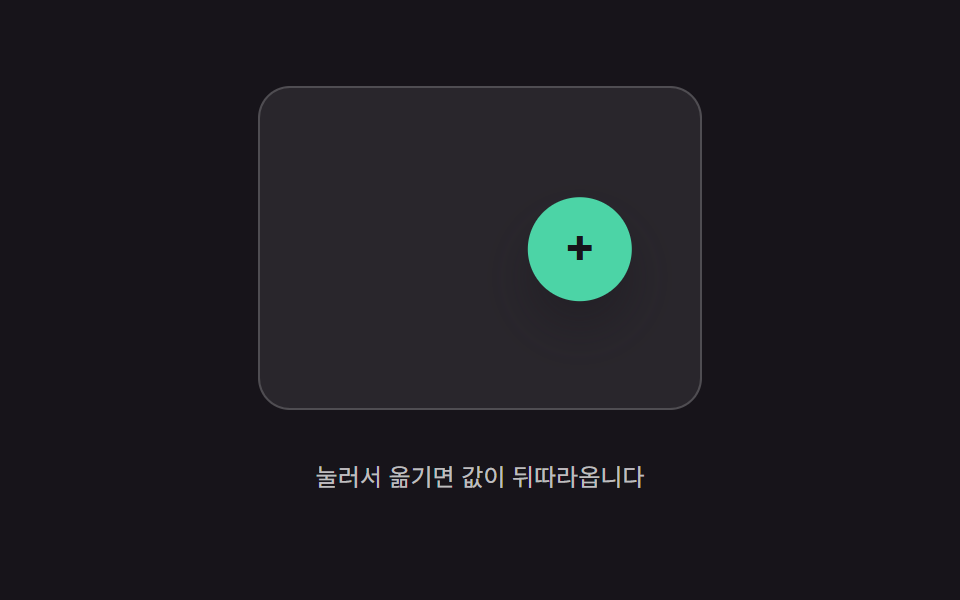 02 button-physics-inertia-lerp-drag
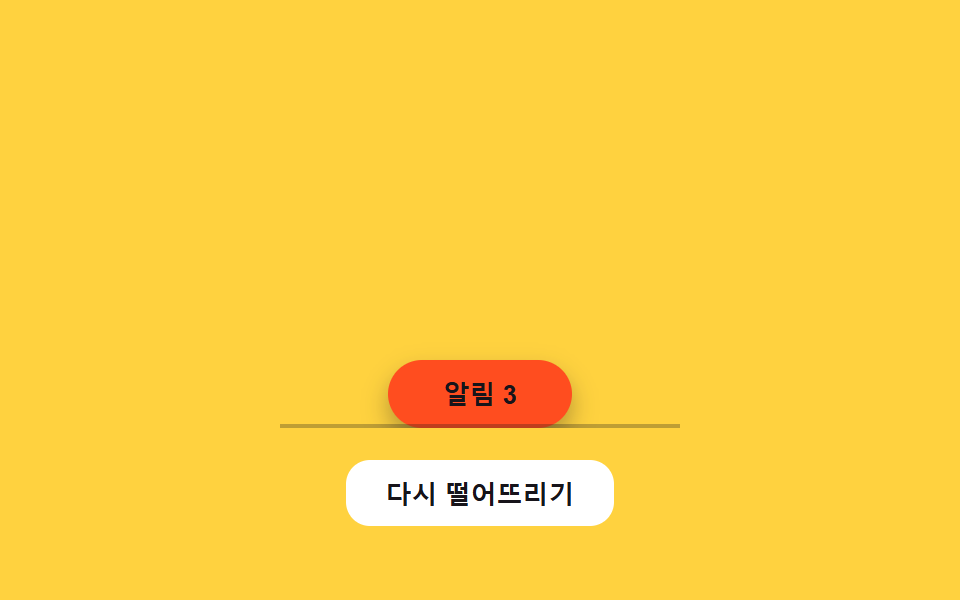 03 button-physics-gravity-drop-settle
 04 button-physics-rubber-stretch-pull
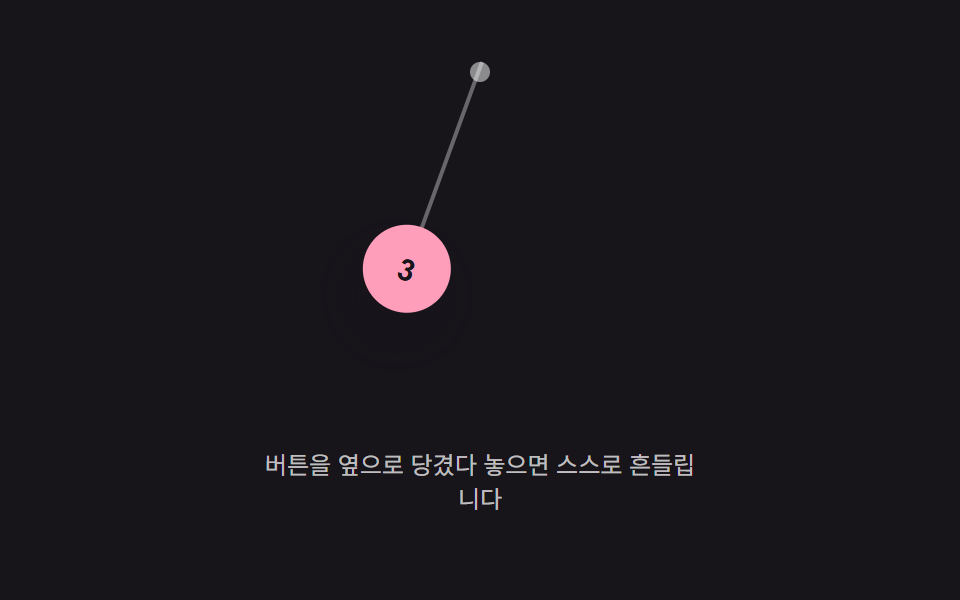 05 button-physics-pendulum-hang-swing
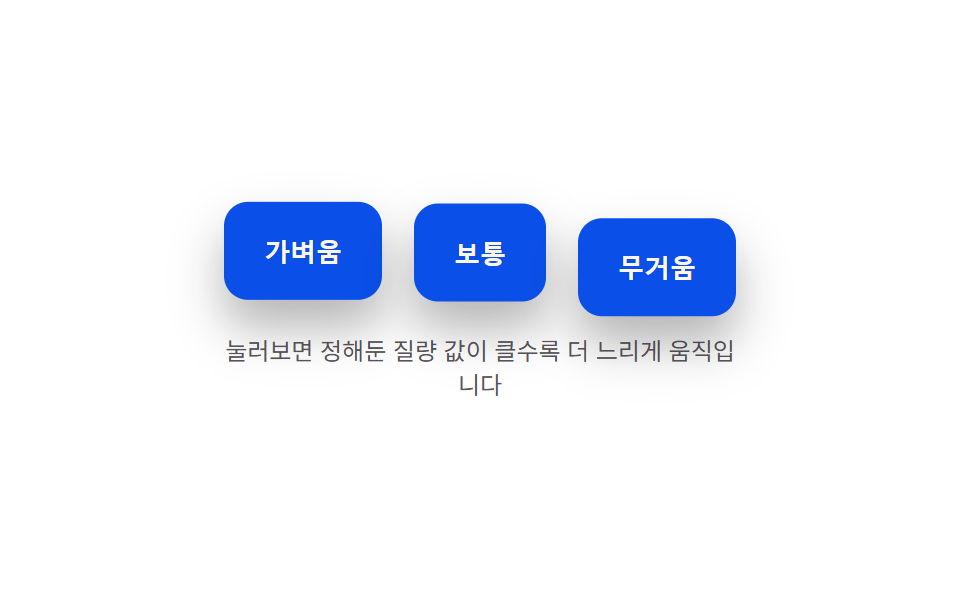 06 button-physics-weight-mass-press-depth
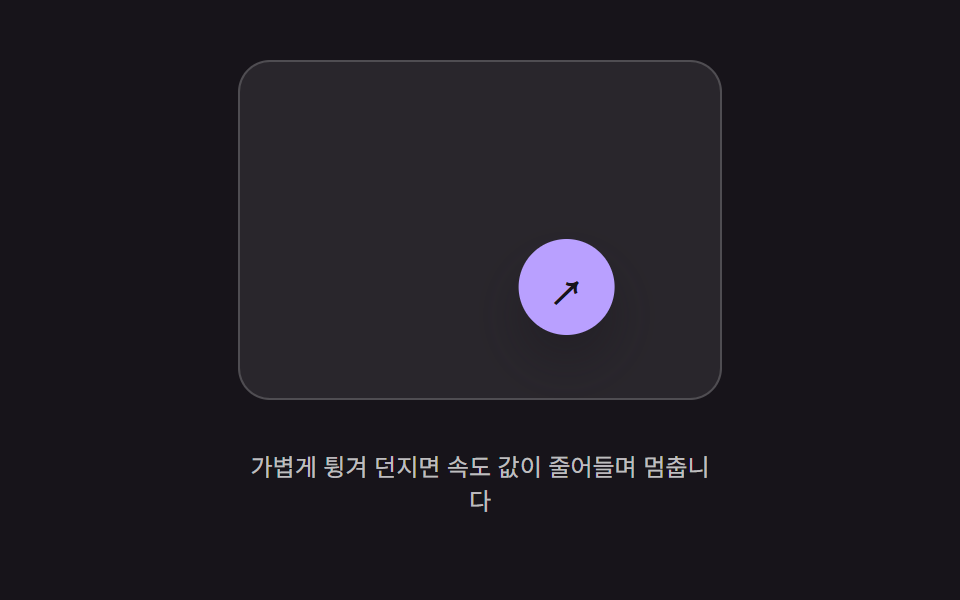 07 button-physics-flick-throw-decay
 08 button-physics-wobble-release-settle
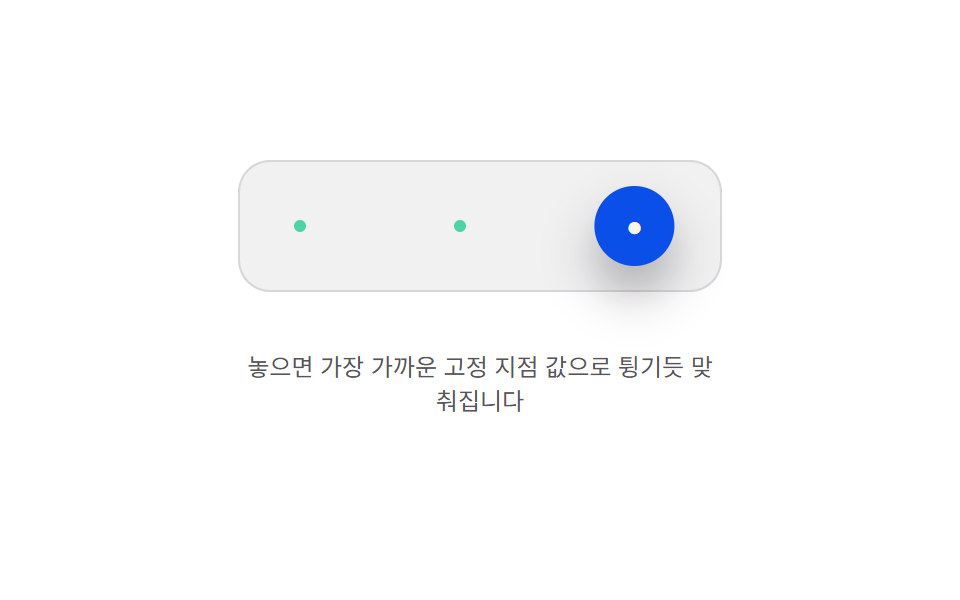 09 button-physics-magnet-anchor-snap
Auto-plays · click a tile to jump to its section · all nine in one zip
- 01 Press-value overshoot — the pressed value passes its target value and swings back, repeating while the swing shrinks
- 02 Trailing-value interpolation — the button's position value follows the pointer's position value, narrowing the gap by a fixed ratio each moment
- 03 Drop-and-settle rebound — the position value falls, bounces off a floor value repeatedly, and comes to rest
- 04 Pull-distance stretch — the button's shape value stretches by an amount tied to how far the pointer's distance value has moved away, then returns when released
- 05 Hanging-angle swing — a value hung from a top point swings its angle value side to side while the swing shrinks over time
- 06 Mass-value press-speed difference — the larger a preset mass value is, the slower the pressed-and-return speed value becomes
- 07 Thrown-speed decay move — motion continues at the speed value captured at release, with that value shrinking over time until it stops
- 08 Post-release wobble decay — the shape value wobbles side to side from the moment of release, and the wobble's width value shrinks until it stops
- 09 Snap-to-anchor bounce — the released position value is pulled toward the nearest of several preset anchor values and settles with a bounce
All nine items answer to a real pointer input and nothing else — five (02, 04, 05, 07, 09) track a drag, two (01, 06) track a press-and-hold, one (03) answers a click, and one (08) answers only the release, for nine real listeners and zero autoplay-only demos. None of the nine calculates its motion from Math.random — every curve above comes from a deterministic requestAnimationFrame loop reading fixed constants, so the same input sequence always produces the same numbers, frame for frame. That determinism is what separates a real button press animation css loop like these nine from a transition: transform 0.3s ease shortcut — the numbers below come from watching the actual values change, not from guessing at a curve.
Anatomy of nine patterns — which value changes and when
Nine buttons, nine different answers to the same question: once a value starts moving, what decides when and how it stops?
Why five patterns integrate an acceleration into a velocity into a position every frame
01, 03, 05, 06, and 09 all run the same two-line idiom inside their tick() loop — a velocity value accumulates an acceleration value, then a position value accumulates that velocity — and only the acceleration formula changes between them. 01, 06, and 09 compute that acceleration from a spring-damper equation pulling toward a target value; 05 computes it from a pendulum's restoring torque; 03 replaces the pull with a constant downward acceleration and adds a bounce whenever the position value crosses a floor value.
Why two patterns move a value by a fixed ratio each frame instead of computing a restoring force
02 and 07 never touch an acceleration value at all. 02 narrows the gap between a target position value and the button's own position value by a fixed ratio every frame; 07 instead shrinks an inherited speed value by a fixed ratio every frame and lets that shrinking speed carry the position along. Neither ever computes a force from a mass value.
Why two patterns read a value straight off a closed-form curve instead of running an integrator
04's drag phase and 08's wobble never accumulate anything frame to frame — 04 maps the pointer's distance value through a fixed exponential curve to get a stretch value, and 08 plugs elapsed time straight into a decaying sine formula to get an angle value. Both recompute their output from scratch on every frame rather than carrying a running velocity forward (04 does switch to the shared spring idiom once you release, to pull its stretch value back to 1).
Code per pattern
01Press-value overshoot — the pressed value passes its target value and swings back, repeating while the swing shrinks
Pressing the button sends its depth value past the target depth and back several times, with each swing shrinking until it settles flat. A form's submit button or a confirm dialog's primary action reads this way, since the small rebound signals the press registered without slowing the response down.
<main class="stage">
<div class="bso is-demo" id="bso">
  <button class="bso__btn" id="bsoBtn" type="button">Submit</button>
  <p class="bso__val"><span>Depth value</span><b id="bsoVal">0.0px</b></p>
</div>
</main>
@use "../../../../site/static/demo-tokens" as *;
// 계산 겹(스프링-감쇠 적분)은 JS 에 있다 — 여기는 정적 배치만.
@include stage($stage-paper);
.stage { position: relative; }
.bso {
display: flex;
flex-direction: column;
align-items: center;
gap: $sp-4;
}
.bso__btn {
border: 0;
border-radius: $r-control;
padding: $sp-4 $sp-8;
background: $subject-blue-deep;
color: $subject-cream;
font-size: 16px;
font-weight: 700;
line-height: 1.2;
cursor: pointer;
transform-origin: 50% 0;
box-shadow: $shadow-raised;
}
.bso__val {
display: flex;
align-items: center;
gap: $sp-2;
color: $subject-ink;
font-size: 13px;
span { opacity: .64; }
b { font-weight: 700; min-width: 52px; }
}
@media (max-width: 340px) {
.bso__btn { padding: $sp-3 $sp-6; font-size: 15px; }
}
@media (prefers-reduced-motion: reduce) {
.bso__btn { transition: none !important; }
}html, body {
margin: 0;
overflow: hidden;
}
.stage {
box-sizing: border-box;
min-height: 100vh;
display: grid;
place-items: center;
margin: 0;
background: #ffffff;
font-family: -apple-system, "Segoe UI", "Noto Sans KR", sans-serif;
padding: clamp(8px, 4vw, 24px);
}
.stage {
position: relative;
}
.bso {
display: flex;
flex-direction: column;
align-items: center;
gap: 16px;
}
.bso__btn {
border: 0;
border-radius: 12px;
padding: 16px 32px;
background: #0a4fe8;
color: #fff7e6;
font-size: 16px;
font-weight: 700;
line-height: 1.2;
cursor: pointer;
transform-origin: 50% 0;
box-shadow: 0 14px 24px rgba(23, 20, 26, 0.32);
}
.bso__val {
display: flex;
align-items: center;
gap: 8px;
color: #17141a;
font-size: 13px;
}
.bso__val span {
opacity: 0.64;
}
.bso__val b {
font-weight: 700;
min-width: 52px;
}
@media (max-width: 340px) {
.bso__btn {
padding: 12px 24px;
font-size: 15px;
}
}
@media (prefers-reduced-motion: reduce) {
.bso__btn {
transition: none !important;
}
}(function () {
var root = document.getElementById('bso');
var btn = document.getElementById('bsoBtn');
var val = document.getElementById('bsoVal');
var reduce = window.matchMedia('(prefers-reduced-motion: reduce)').matches;
// 계산 겹: 스프링-감쇠 방정식 accel = -(K/MASS)*(depth-target) - (C/MASS)*vel.
// 목표 값을 지나쳤다가 되돌아오는 오버슈트는 감쇠비(zeta = C/(2*sqrt(K*MASS)))가
// 1보다 작은 저감쇠(underdamped) 상태라 생긴다 — zeta 를 낮출수록 반동 폭이 커진다.
var K = 300, C = 7, MASS = 1, PRESS_DEPTH = 14;
var depth = 0, vel = 0, target = 0, last = 0, raf = null;
function paint() {
var scale = 1 - depth / 340;
btn.style.transform = 'translateY(' + depth.toFixed(2) + 'px) scale(' + scale.toFixed(4) + ')';
val.textContent = depth.toFixed(1) + 'px';
}
function tick(now) {
var dt = Math.min((now - last) / 1000, 0.032);
last = now;
var accel = (-K * (depth - target) - C * vel) / MASS;
vel += accel * dt;
depth += vel * dt;
paint();
raf = requestAnimationFrame(tick);
}
function start() {
if (raf === null) { last = performance.now(); raf = requestAnimationFrame(tick); }
}
function press(p) {
if (reduce) { depth = p; vel = 0; target = p; paint(); return; }
target = p;
start();
}
function wireReal() {
btn.addEventListener('pointerdown', function () { root.classList.remove('is-demo'); stopAutoplay(); press(PRESS_DEPTH); });
window.addEventListener('pointerup', function () { press(0); });
btn.addEventListener('pointercancel', function () { press(0); });
}
wireReal();
paint();
// 자동 루프: 누름 350ms 뒤 뗌으로 같은 press() 스프링 경로를 반복 재현한다.
var autoTimer = null, autoDown = null;
function autoTick() { press(PRESS_DEPTH); autoDown = setTimeout(function () { press(0); }, 350); }
function stopAutoplay() {
if (autoTimer) { clearInterval(autoTimer); autoTimer = null; }
if (autoDown) { clearTimeout(autoDown); autoDown = null; }
}
if (!reduce) { autoTick(); autoTimer = setInterval(autoTick, 1500); }
})();import { useEffect, useRef } from "react";
import styles from "./ButtonPhysicsSpringOvershoot.module.scss";
export type ButtonPhysicsSpringOvershootProps = {
color?: string;
};
export default function ButtonPhysicsSpringOvershoot({
color = "#0a4fe8",
}: ButtonPhysicsSpringOvershootProps) {
const rootRef = useRef<HTMLDivElement | null>(null);
useEffect(() => {
const root = rootRef.current;
if (!root) return;
const btn = root.querySelector<HTMLButtonElement>(`.${styles.btn}`);
const val = root.querySelector<HTMLElement>(`.${styles.valNum}`);
if (!btn || !val) return;
const reduce = window.matchMedia("(prefers-reduced-motion: reduce)").matches;
// 계산 겹: 스프링-감쇠 방정식 accel = -(K/MASS)*(depth-target) - (C/MASS)*vel.
// 목표 값을 지나쳤다가 되돌아오는 오버슈트는 감쇠비(zeta = C/(2*sqrt(K*MASS)))가
// 1보다 작은 저감쇠(underdamped) 상태라 생긴다 — zeta 를 낮출수록 반동 폭이 커진다.
const K = 300, C = 7, MASS = 1, PRESS_DEPTH = 14;
let depth = 0, vel = 0, target = 0, last = 0, raf: number | null = null;
function paint() {
const scale = 1 - depth / 340;
btn!.style.transform = "translateY(" + depth.toFixed(2) + "px) scale(" + scale.toFixed(4) + ")";
val!.textContent = depth.toFixed(1) + "px";
}
function tick(now: number) {
const dt = Math.min((now - last) / 1000, 0.032);
last = now;
const accel = (-K * (depth - target) - C * vel) / MASS;
vel += accel * dt;
depth += vel * dt;
paint();
raf = requestAnimationFrame(tick);
}
function start() { if (raf === null) { last = performance.now(); raf = requestAnimationFrame(tick); } }
function press(p: number) {
if (reduce) { depth = p; vel = 0; target = p; paint(); return; }
target = p;
start();
}
function onPointerDown() { stopAutoplay(); press(PRESS_DEPTH); }
function onPointerUp() { press(0); }
btn.addEventListener("pointerdown", onPointerDown);
window.addEventListener("pointerup", onPointerUp);
btn.addEventListener("pointercancel", onPointerUp);
paint();
let autoTimer: number | null = null, autoDown: number | null = null;
function autoTick() { press(PRESS_DEPTH); autoDown = window.setTimeout(() => { press(0); }, 350); }
function stopAutoplay() {
if (autoTimer !== null) { window.clearInterval(autoTimer); autoTimer = null; }
if (autoDown !== null) { window.clearTimeout(autoDown); autoDown = null; }
}
if (!reduce) { autoTick(); autoTimer = window.setInterval(autoTick, 1500); }
return () => {
stopAutoplay();
if (raf !== null) cancelAnimationFrame(raf);
btn.removeEventListener("pointerdown", onPointerDown);
window.removeEventListener("pointerup", onPointerUp);
btn.removeEventListener("pointercancel", onPointerUp);
};
}, []);
return (
<div ref={rootRef} className={styles.stage}>
<div className={styles.bso}>
<button className={styles.btn} type="button" style={{ background: color }}>제출하기</button>
<p className={styles.val}><span className={styles.valLabel}>깊이 값</span><b className={styles.valNum}>0.0px</b></p>
</div>
</div>
);
}01 · Press-value overshoot — the pressed value passes its target value and swings back, repeating while the swing shrinks — Measured area 7.131% · moving frames 23/23Original by GODRICH · SCSS and React ship in the zip · See the password
What the numbers say
Measured across 23 tracked frames, 01 shifts on all 23 of them, spanning a 7.13% cumulative area at a 136.0 average intensity — the constant back-and-forth of an underdamped spring keeps nearly every frame in motion.
  // Computed layer: spring-damper equation accel = -(K/MASS)*(depth-target) - (C/MASS)*vel.
  // The overshoot that passes the target and swings back happens because the damping ratio
  // (zeta = C/(2*sqrt(K*MASS))) sits under 1 (underdamped) — a lower zeta means a bigger swing.
  var K = 300, C = 7, MASS = 1, PRESS_DEPTH = 14;
  var depth = 0, vel = 0, target = 0, last = 0, raf = null;

  function paint() {
    var scale = 1 - depth / 340;
    btn.style.transform = 'translateY(' + depth.toFixed(2) + 'px) scale(' + scale.toFixed(4) + ')';
    val.textContent = depth.toFixed(1) + 'px';
  }
  function tick(now) {
    var dt = Math.min((now - last) / 1000, 0.032);
    last = now;
    var accel = (-K * (depth - target) - C * vel) / MASS;
    vel += accel * dt;
    depth += vel * dt;
    paint();
    raf = requestAnimationFrame(tick);
  }
02Trailing-value interpolation — the button's position value follows the pointer's position value, narrowing the gap by a fixed ratio each moment
Dragging the floating button moves a target position value instantly, but the button's own position value only narrows the gap between the two by a fixed ratio every frame, so it visibly trails behind. A draggable floating action button or a freely repositioned toolbar button uses this lag to read as weighted rather than glued to the pointer.
<main class="stage">
<div class="bil is-demo" id="bil">
  <div class="bil__field" id="bilField" role="application" aria-label="Floating button drag test area">
    <button class="bil__fab" id="bilFab" type="button" aria-label="Floating action button">+</button>
  </div>
  <p class="bil__hint">Press and move it — the value trails behind</p>
</div>
</main>
@use "../../../../site/static/demo-tokens" as *;
// 계산 겹(지연 보간 적분)은 JS 에 있다 — 여기는 정적 배치만.
@include stage($stage-ink);
.stage { position: relative; }
.bil {
display: flex;
flex-direction: column;
align-items: center;
gap: $sp-3;
}
.bil__field {
position: relative;
width: 220px;
height: 160px;
border-radius: $r-card;
background: rgba($stage-paper, .08);
border: 1px solid rgba($stage-paper, .18);
}
.bil__fab {
position: absolute;
left: 0;
top: 0;
width: 52px;
height: 52px;
border: 0;
border-radius: $r-pill;
background: $subject-mint;
color: $subject-ink;
font-size: 24px;
font-weight: 700;
line-height: 1;
cursor: grab;
touch-action: none;
box-shadow: $shadow-raised;
}
.bil__hint {
color: rgba($stage-paper, .72);
font-size: 12px;
text-align: center;
}
@media (max-width: 340px) {
.bil__field { width: 160px; height: 96px; }
.bil__fab { width: 40px; height: 40px; font-size: 18px; }
}
@media (prefers-reduced-motion: reduce) {
.bil__fab { transition: none !important; }
}html, body {
margin: 0;
overflow: hidden;
}
.stage {
box-sizing: border-box;
min-height: 100vh;
display: grid;
place-items: center;
margin: 0;
background: #17141a;
font-family: -apple-system, "Segoe UI", "Noto Sans KR", sans-serif;
padding: clamp(8px, 4vw, 24px);
}
.stage {
position: relative;
}
.bil {
display: flex;
flex-direction: column;
align-items: center;
gap: 12px;
}
.bil__field {
position: relative;
width: 220px;
height: 160px;
border-radius: 16px;
background: rgba(255, 255, 255, 0.08);
border: 1px solid rgba(255, 255, 255, 0.18);
}
.bil__fab {
position: absolute;
left: 0;
top: 0;
width: 52px;
height: 52px;
border: 0;
border-radius: 999px;
background: #4cd4a6;
color: #17141a;
font-size: 24px;
font-weight: 700;
line-height: 1;
cursor: grab;
touch-action: none;
box-shadow: 0 14px 24px rgba(23, 20, 26, 0.32);
}
.bil__hint {
color: rgba(255, 255, 255, 0.72);
font-size: 12px;
text-align: center;
}
@media (max-width: 340px) {
.bil__field {
width: 160px;
height: 96px;
}
.bil__fab {
width: 40px;
height: 40px;
font-size: 18px;
}
}
@media (prefers-reduced-motion: reduce) {
.bil__fab {
transition: none !important;
}
}(function () {
var root = document.getElementById('bil');
var field = document.getElementById('bilField');
var fab = document.getElementById('bilFab');
var reduce = window.matchMedia('(prefers-reduced-motion: reduce)').matches;
// 계산 겹: 포인터 위치 값(targetX/Y)과 버튼 위치 값(x/y)의 차이를 매 프레임 LERP_RATIO
// 만큼만 좁힌다 — x += (targetX-x)*LERP_RATIO. 비율이 1에 가까울수록 즉시 따라붙고,
// 낮을수록 지연(트레일)이 길어진다.
var LERP_RATIO = 0.14;
var FAB_R = 26;
var x = 0, y = 0, targetX = 0, targetY = 0, raf = null;
function bounds() { return { w: field.clientWidth, h: field.clientHeight }; }
function clampPos(px, py) {
var b = bounds();
return [Math.max(FAB_R, Math.min(b.w - FAB_R, px)), Math.max(FAB_R, Math.min(b.h - FAB_R, py))];
}
function paint() { fab.style.transform = 'translate(' + (x - FAB_R).toFixed(1) + 'px,' + (y - FAB_R).toFixed(1) + 'px)'; }
function tick() {
x += (targetX - x) * LERP_RATIO;
y += (targetY - y) * LERP_RATIO;
paint();
raf = requestAnimationFrame(tick);
}
function start() { if (raf === null) { raf = requestAnimationFrame(tick); } }
function setTarget(px, py) {
var c = clampPos(px, py);
targetX = c[0]; targetY = c[1];
if (reduce) { x = targetX; y = targetY; paint(); return; }
start();
}
function wireReal() {
var dragging = false;
fab.addEventListener('pointerdown', function (e) {
root.classList.remove('is-demo'); stopAutoplay(); dragging = true;
fab.setPointerCapture(e.pointerId);
});
fab.addEventListener('pointermove', function (e) {
if (!dragging) { return; }
var r = field.getBoundingClientRect();
setTarget(e.clientX - r.left, e.clientY - r.top);
});
fab.addEventListener('pointerup', function () { dragging = false; });
}
wireReal();
var b0 = bounds();
x = targetX = b0.w / 2; y = targetY = b0.h / 2;
paint();
// 자동 루프: 목표 값을 좌우로 오가게 옮겨 같은 lerp 경로를 반복 재현한다.
var autoTimer = null, phase = 0;
function autoTick() {
var b = bounds();
phase += 1;
var px = b.w / 2 + Math.sin(phase * 0.9) * (b.w / 2 - FAB_R - 6);
var py = b.h / 2 + Math.cos(phase * 0.6) * (b.h / 2 - FAB_R - 6) * 0.5;
setTarget(px, py);
}
function stopAutoplay() { if (autoTimer) { clearInterval(autoTimer); autoTimer = null; } }
if (!reduce) { autoTimer = setInterval(autoTick, 260); autoTick(); }
})();import { useEffect, useRef } from "react";
import styles from "./ButtonPhysicsInertiaLerpDrag.module.scss";
export type ButtonPhysicsInertiaLerpDragProps = {
color?: string;
};
export default function ButtonPhysicsInertiaLerpDrag({
color = "#4cd4a6",
}: ButtonPhysicsInertiaLerpDragProps) {
const rootRef = useRef<HTMLDivElement | null>(null);
useEffect(() => {
const root = rootRef.current;
if (!root) return;
const field = root.querySelector<HTMLDivElement>(`.${styles.field}`);
const fab = root.querySelector<HTMLButtonElement>(`.${styles.fab}`);
if (!field || !fab) return;
const reduce = window.matchMedia("(prefers-reduced-motion: reduce)").matches;
// 계산 겹: 포인터 위치 값(targetX/Y)과 버튼 위치 값(x/y)의 차이를 매 프레임 LERP_RATIO
// 만큼만 좁힌다 — x += (targetX-x)*LERP_RATIO. 비율이 1에 가까울수록 즉시 따라붙고,
// 낮을수록 지연(트레일)이 길어진다.
const LERP_RATIO = 0.14;
const FAB_R = 26;
let x = 0, y = 0, targetX = 0, targetY = 0, raf: number | null = null;
function bounds() { return { w: field!.clientWidth, h: field!.clientHeight }; }
function clampPos(px: number, py: number): [number, number] {
const b = bounds();
return [Math.max(FAB_R, Math.min(b.w - FAB_R, px)), Math.max(FAB_R, Math.min(b.h - FAB_R, py))];
}
function paint() { fab!.style.transform = "translate(" + (x - FAB_R).toFixed(1) + "px," + (y - FAB_R).toFixed(1) + "px)"; }
function tick() {
x += (targetX - x) * LERP_RATIO;
y += (targetY - y) * LERP_RATIO;
paint();
raf = requestAnimationFrame(tick);
}
function start() { if (raf === null) { raf = requestAnimationFrame(tick); } }
function setTarget(px: number, py: number) {
const c = clampPos(px, py);
targetX = c[0]; targetY = c[1];
if (reduce) { x = targetX; y = targetY; paint(); return; }
start();
}
let dragging = false;
function onPointerDown(e: PointerEvent) {
stopAutoplay(); dragging = true;
fab!.setPointerCapture(e.pointerId);
}
function onPointerMove(e: PointerEvent) {
if (!dragging) return;
const r = field!.getBoundingClientRect();
setTarget(e.clientX - r.left, e.clientY - r.top);
}
function onPointerUp() { dragging = false; }
fab.addEventListener("pointerdown", onPointerDown);
fab.addEventListener("pointermove", onPointerMove);
fab.addEventListener("pointerup", onPointerUp);
const b0 = bounds();
x = targetX = b0.w / 2; y = targetY = b0.h / 2;
paint();
let autoTimer: number | null = null, phase = 0;
function autoTick() {
const b = bounds();
phase += 1;
const px = b.w / 2 + Math.sin(phase * 0.9) * (b.w / 2 - FAB_R - 6);
const py = b.h / 2 + Math.cos(phase * 0.6) * (b.h / 2 - FAB_R - 6) * 0.5;
setTarget(px, py);
}
function stopAutoplay() { if (autoTimer !== null) { window.clearInterval(autoTimer); autoTimer = null; } }
if (!reduce) { autoTimer = window.setInterval(autoTick, 260); autoTick(); }
return () => {
stopAutoplay();
if (raf !== null) cancelAnimationFrame(raf);
fab.removeEventListener("pointerdown", onPointerDown);
fab.removeEventListener("pointermove", onPointerMove);
fab.removeEventListener("pointerup", onPointerUp);
};
}, []);
return (
<div ref={rootRef} className={styles.stage}>
<div className={styles.bil}>
<div className={styles.field} role="application" aria-label="플로팅 버튼 드래그 실험판">
<button className={styles.fab} type="button" aria-label="플로팅 액션 버튼" style={{ background: color }}>+</button>
</div>
<p className={styles.hint}>눌러서 옮기면 값이 뒤따라옵니다</p>
</div>
</div>
);
}02 · Trailing-value interpolation — the button's position value follows the pointer's position value, narrowing the gap by a fixed ratio each moment — Measured area 10.234% · moving frames 23/23Original by GODRICH · SCSS and React ship in the zip · See the password
What the numbers say
Across the same 23-frame measurement, 02 moves on all 23, covering a 10.23% cumulative area at a 156.8 average intensity — a continuously trailing chase keeps the button drifting even between pointer moves.
  // Computed layer: each frame narrows the gap between the pointer's position value
  // (targetX/Y) and the button's position value (x/y) by only LERP_RATIO —
  // x += (targetX-x)*LERP_RATIO. Closer to 1 catches up almost instantly; lower stretches the trail out.
  var LERP_RATIO = 0.14;
  var FAB_R = 26;
  var x = 0, y = 0, targetX = 0, targetY = 0, raf = null;

  function bounds() { return { w: field.clientWidth, h: field.clientHeight }; }
  function clampPos(px, py) {
    var b = bounds();
    return [Math.max(FAB_R, Math.min(b.w - FAB_R, px)), Math.max(FAB_R, Math.min(b.h - FAB_R, py))];
  }
  function paint() { fab.style.transform = 'translate(' + (x - FAB_R).toFixed(1) + 'px,' + (y - FAB_R).toFixed(1) + 'px)'; }
  function tick() {
    x += (targetX - x) * LERP_RATIO;
    y += (targetY - y) * LERP_RATIO;
    paint();
    raf = requestAnimationFrame(tick);
  }
03Drop-and-settle rebound — the position value falls, bounces off a floor value repeatedly, and comes to rest
Triggering the drop sends the position value falling under a constant acceleration until it reaches the floor value, bounces back up, and repeats with a shrinking height each time until it rests. A badge or highlighted button that appears on screen entry uses this fall-and-settle motion to draw a first glance without looping forever.
<main class="stage">
<div class="bgd is-demo" id="bgd">
  <div class="bgd__field" id="bgdField">
    <button class="bgd__chip" id="bgdChip" type="button">Alerts 3</button>
    <span class="bgd__floor" aria-hidden="true"></span>
  </div>
  <button class="bgd__drop" id="bgdDrop" type="button">Drop again</button>
</div>
</main>
@use "../../../../site/static/demo-tokens" as *;
// 계산 겹(중력 낙하·반동 적분)은 JS 에 있다 — 여기는 정적 배치만.
@include stage($stage-yellow);
.stage { position: relative; }
.bgd {
display: flex;
flex-direction: column;
align-items: center;
gap: $sp-4;
}
.bgd__field {
position: relative;
width: 200px;
height: 176px;
overflow: hidden;
}
.bgd__chip {
position: absolute;
left: 50%;
top: 0;
margin-left: -46px;
width: 92px;
height: 34px;
border: 0;
border-radius: $r-pill;
background: $stage-orange;
color: $subject-ink;
font-size: 13px;
font-weight: 700;
cursor: pointer;
box-shadow: $shadow-press;
}
.bgd__floor {
position: absolute;
left: 0;
right: 0;
bottom: 0;
height: 2px;
background: rgba($subject-ink, .28);
}
.bgd__drop {
border: 0;
border-radius: $r-control;
padding: $sp-2 $sp-5;
background: $stage-paper;
color: $subject-ink;
font-size: 13px;
font-weight: 600;
cursor: pointer;
}
@media (max-width: 340px) {
.bgd__field { width: 150px; height: 108px; }
}
@media (prefers-reduced-motion: reduce) {
.bgd__chip { transition: none !important; }
}html, body {
margin: 0;
overflow: hidden;
}
.stage {
box-sizing: border-box;
min-height: 100vh;
display: grid;
place-items: center;
margin: 0;
background: #ffd23f;
font-family: -apple-system, "Segoe UI", "Noto Sans KR", sans-serif;
padding: clamp(8px, 4vw, 24px);
}
.stage {
position: relative;
}
.bgd {
display: flex;
flex-direction: column;
align-items: center;
gap: 16px;
}
.bgd__field {
position: relative;
width: 200px;
height: 176px;
overflow: hidden;
}
.bgd__chip {
position: absolute;
left: 50%;
top: 0;
margin-left: -46px;
width: 92px;
height: 34px;
border: 0;
border-radius: 999px;
background: #ff4d1f;
color: #17141a;
font-size: 13px;
font-weight: 700;
cursor: pointer;
box-shadow: 0 6px 12px rgba(23, 20, 26, 0.32);
}
.bgd__floor {
position: absolute;
left: 0;
right: 0;
bottom: 0;
height: 2px;
background: rgba(23, 20, 26, 0.28);
}
.bgd__drop {
border: 0;
border-radius: 12px;
padding: 8px 20px;
background: #ffffff;
color: #17141a;
font-size: 13px;
font-weight: 600;
cursor: pointer;
}
@media (max-width: 340px) {
.bgd__field {
width: 150px;
height: 108px;
}
}
@media (prefers-reduced-motion: reduce) {
.bgd__chip {
transition: none !important;
}
}(function () {
var root = document.getElementById('bgd');
var field = document.getElementById('bgdField');
var chip = document.getElementById('bgdChip');
var dropBtn = document.getElementById('bgdDrop');
var reduce = window.matchMedia('(prefers-reduced-motion: reduce)').matches;
// 계산 겹: vel += GRAVITY*dt, y += vel*dt 로 낙하시키다 바닥 값(FLOOR)에 닿으면
// vel 을 -RESTITUTION 배로 뒤집어 반동시킨다. |반동 속도| 가 STOP_VEL 아래로 줄면 정착.
var GRAVITY = 2200, RESTITUTION = 0.52, STOP_VEL = 40, CHIP_H = 34;
var y = 0, vel = 0, last = 0, raf = null, running = false;
function floorY() { return field.clientHeight - CHIP_H; }
function paint() { chip.style.transform = 'translateY(' + y.toFixed(1) + 'px)'; }
function tick(now) {
var dt = Math.min((now - last) / 1000, 0.032);
last = now;
vel += GRAVITY * dt;
y += vel * dt;
var floor = floorY();
if (y >= floor) {
y = floor;
vel = -vel * RESTITUTION;
if (Math.abs(vel) < STOP_VEL) { vel = 0; paint(); running = false; return; }
}
paint();
raf = requestAnimationFrame(tick);
}
function drop() {
if (reduce) { y = floorY(); vel = 0; paint(); return; }
y = 0; vel = 0; last = performance.now();
if (!running) { running = true; raf = requestAnimationFrame(tick); }
}
function wireReal() {
dropBtn.addEventListener('click', function () { root.classList.remove('is-demo'); stopAutoplay(); drop(); });
chip.addEventListener('click', function () { root.classList.remove('is-demo'); stopAutoplay(); drop(); });
}
wireReal();
y = floorY(); paint();
// 자동 루프: 같은 drop() 을 주기적으로 다시 불러 낙하-반동 경로를 반복 재현한다.
var autoTimer = null;
function stopAutoplay() { if (autoTimer) { clearInterval(autoTimer); autoTimer = null; } }
if (!reduce) { drop(); autoTimer = setInterval(drop, 1600); }
})();import { useEffect, useRef } from "react";
import styles from "./ButtonPhysicsGravityDropSettle.module.scss";
export type ButtonPhysicsGravityDropSettleProps = {
color?: string;
};
export default function ButtonPhysicsGravityDropSettle({
color = "#ff4d1f",
}: ButtonPhysicsGravityDropSettleProps) {
const rootRef = useRef<HTMLDivElement | null>(null);
useEffect(() => {
const root = rootRef.current;
if (!root) return;
const field = root.querySelector<HTMLDivElement>(`.${styles.field}`);
const chip = root.querySelector<HTMLButtonElement>(`.${styles.chip}`);
const dropBtn = root.querySelector<HTMLButtonElement>(`.${styles.drop}`);
if (!field || !chip || !dropBtn) return;
const reduce = window.matchMedia("(prefers-reduced-motion: reduce)").matches;
// 계산 겹: vel += GRAVITY*dt, y += vel*dt 로 낙하시키다 바닥 값(FLOOR)에 닿으면
// vel 을 -RESTITUTION 배로 뒤집어 반동시킨다. |반동 속도| 가 STOP_VEL 아래로 줄면 정착.
const GRAVITY = 2200, RESTITUTION = 0.52, STOP_VEL = 40, CHIP_H = 34;
let y = 0, vel = 0, last = 0, raf: number | null = null, running = false;
function floorY() { return field!.clientHeight - CHIP_H; }
function paint() { chip!.style.transform = "translateY(" + y.toFixed(1) + "px)"; }
function tick(now: number) {
const dt = Math.min((now - last) / 1000, 0.032);
last = now;
vel += GRAVITY * dt;
y += vel * dt;
const floor = floorY();
if (y >= floor) {
y = floor;
vel = -vel * RESTITUTION;
if (Math.abs(vel) < STOP_VEL) { vel = 0; paint(); running = false; return; }
}
paint();
raf = requestAnimationFrame(tick);
}
function drop() {
if (reduce) { y = floorY(); vel = 0; paint(); return; }
y = 0; vel = 0; last = performance.now();
if (!running) { running = true; raf = requestAnimationFrame(tick); }
}
function onDropClick() { stopAutoplay(); drop(); }
function onChipClick() { stopAutoplay(); drop(); }
dropBtn.addEventListener("click", onDropClick);
chip.addEventListener("click", onChipClick);
y = floorY(); paint();
let autoTimer: number | null = null;
function stopAutoplay() { if (autoTimer !== null) { window.clearInterval(autoTimer); autoTimer = null; } }
if (!reduce) { drop(); autoTimer = window.setInterval(drop, 1600); }
return () => {
stopAutoplay();
if (raf !== null) cancelAnimationFrame(raf);
dropBtn.removeEventListener("click", onDropClick);
chip.removeEventListener("click", onChipClick);
};
}, []);
return (
<div ref={rootRef} className={styles.stage}>
<div className={styles.bgd}>
<div className={styles.field}>
<button className={styles.chip} type="button" style={{ background: color }}>알림 3</button>
<span className={styles.floor} aria-hidden="true" />
</div>
<button className={styles.drop} type="button">다시 떨어뜨리기</button>
</div>
</div>
);
}03 · Drop-and-settle rebound — the position value falls, bounces off a floor value repeatedly, and comes to rest — Measured area 11.576% · moving frames 17/23Original by GODRICH · SCSS and React ship in the zip · See the password
What the numbers say
03 moves on 17 of the 23 measured frames, covering an 11.58% cumulative area at a 102.3 average intensity — the lower frame count reflects the gaps between bounces, where the chip sits still at the top of each arc.
  // Computed layer: vel += GRAVITY*dt, y += vel*dt drops the value until it reaches
  // the floor value, then flips vel by -RESTITUTION to bounce it. Once |vel| falls below STOP_VEL, it settles.
  var GRAVITY = 2200, RESTITUTION = 0.52, STOP_VEL = 40, CHIP_H = 34;
  var y = 0, vel = 0, last = 0, raf = null, running = false;

  function floorY() { return field.clientHeight - CHIP_H; }
  function paint() { chip.style.transform = 'translateY(' + y.toFixed(1) + 'px)'; }
  function tick(now) {
    var dt = Math.min((now - last) / 1000, 0.032);
    last = now;
    vel += GRAVITY * dt;
    y += vel * dt;
    var floor = floorY();
    if (y >= floor) {
      y = floor;
      vel = -vel * RESTITUTION;
      if (Math.abs(vel) < STOP_VEL) { vel = 0; paint(); running = false; return; }
    }
    paint();
    raf = requestAnimationFrame(tick);
  }
04Pull-distance stretch — the button's shape value stretches by an amount tied to how far the pointer's distance value has moved away, then returns when released
Dragging away from the button feeds the pointer's distance value into a curve that stretches the button's shape value further the more you pull, though the growth flattens out rather than climbing without limit; releasing lets a spring pull the shape back to its original value. A pull-to-refresh control at the top of a list or a slide-to-confirm payment button relies on that resistance to signal how far is enough.
<main class="stage">
<div class="brs is-demo" id="brs">
  <div class="brs__field" id="brsField">
    <span class="brs__anchor" aria-hidden="true"></span>
    <button class="brs__btn" id="brsBtn" type="button">Try pulling</button>
  </div>
  <p class="brs__hint">It stretches by the distance value you pull it away, then returns when released</p>
</div>
</main>
@use "../../../../site/static/demo-tokens" as *;
// 계산 겹(저항 곡선·복귀 스프링 적분)은 JS 에 있다 — 여기는 정적 배치만.
@include stage($stage-paper);
.stage { position: relative; }
.brs {
display: flex;
flex-direction: column;
align-items: center;
gap: $sp-4;
}
.brs__field {
position: relative;
width: 220px;
height: 60px;
display: flex;
align-items: center;
}
.brs__anchor {
position: absolute;
left: 0;
top: 50%;
width: 10px;
height: 10px;
margin-top: -5px;
border-radius: $r-pill;
background: $subject-ink;
}
.brs__btn {
position: relative;
margin-left: $sp-5;
border: 0;
border-radius: $r-control;
padding: $sp-3 $sp-6;
background: $subject-blue-deep;
color: $subject-cream;
font-size: 14px;
font-weight: 700;
cursor: grab;
touch-action: none;
// 왼쪽 고정점(anchor)에 매인 요소라 중심이 아니라 왼쪽 변에서 늘어난다 (규칙 8 예외 — 채움 막대와 같은 계열)
transform-origin: 0% 50%;
}
.brs__hint {
color: rgba($subject-ink, .72);
font-size: 12px;
text-align: center;
max-width: 220px;
}
@media (max-width: 340px) {
.brs__field { width: 180px; }
.brs__btn { padding: $sp-2 $sp-5; font-size: 13px; }
}
@media (prefers-reduced-motion: reduce) {
.brs__btn { transition: none !important; }
}html, body {
margin: 0;
overflow: hidden;
}
.stage {
box-sizing: border-box;
min-height: 100vh;
display: grid;
place-items: center;
margin: 0;
background: #ffffff;
font-family: -apple-system, "Segoe UI", "Noto Sans KR", sans-serif;
padding: clamp(8px, 4vw, 24px);
}
.stage {
position: relative;
}
.brs {
display: flex;
flex-direction: column;
align-items: center;
gap: 16px;
}
.brs__field {
position: relative;
width: 220px;
height: 60px;
display: flex;
align-items: center;
}
.brs__anchor {
position: absolute;
left: 0;
top: 50%;
width: 10px;
height: 10px;
margin-top: -5px;
border-radius: 999px;
background: #17141a;
}
.brs__btn {
position: relative;
margin-left: 20px;
border: 0;
border-radius: 12px;
padding: 12px 24px;
background: #0a4fe8;
color: #fff7e6;
font-size: 14px;
font-weight: 700;
cursor: grab;
touch-action: none;
transform-origin: 0% 50%;
}
.brs__hint {
color: rgba(23, 20, 26, 0.72);
font-size: 12px;
text-align: center;
max-width: 220px;
}
@media (max-width: 340px) {
.brs__field {
width: 180px;
}
.brs__btn {
padding: 8px 20px;
font-size: 13px;
}
}
@media (prefers-reduced-motion: reduce) {
.brs__btn {
transition: none !important;
}
}(function () {
var root = document.getElementById('brs');
var field = document.getElementById('brsField');
var btn = document.getElementById('brsBtn');
var reduce = window.matchMedia('(prefers-reduced-motion: reduce)').matches;
// 계산 겹: 당긴 거리 값(dist)이 커질수록 늘어난 배율(stretch)도 커지되, 저항 상수
// PULL_RESISTANCE 로 나눈 뒤 1-exp(-x) 를 씌워 거리가 커질수록 증가폭이 줄어드는
// (당길수록 뻑뻑해지는) 고무줄 저항 곡선을 만든다. 놓으면 스프링(K·C)이 1로 되돌린다.
var PULL_RESISTANCE = 130, MAX_STRETCH = 0.9, K = 260, C = 8;
var dist = 0, stretch = 1, vel = 0, target = 1, dragging = false, startX = 0, raf = null, last = 0;
function stretchFromDist(d) {
var n = Math.max(0, d) / PULL_RESISTANCE;
return 1 + MAX_STRETCH * (1 - Math.exp(-n));
}
function paint() { btn.style.transform = 'scaleX(' + stretch.toFixed(3) + ')'; }
function springTick(now) {
var dt = Math.min((now - last) / 1000, 0.032);
last = now;
var accel = -K * (stretch - target) - C * vel;
vel += accel * dt;
stretch += vel * dt;
paint();
if (Math.abs(stretch - target) < 0.002 && Math.abs(vel) < 0.01) { stretch = target; vel = 0; paint(); raf = null; return; }
raf = requestAnimationFrame(springTick);
}
function startSpring() { if (raf === null) { last = performance.now(); raf = requestAnimationFrame(springTick); } }
function onDown(clientX) {
dragging = true; startX = clientX;
if (raf !== null) { cancelAnimationFrame(raf); raf = null; }
}
function onMove(clientX) {
if (!dragging) { return; }
dist = clientX - startX;
stretch = stretchFromDist(dist);
vel = 0;
paint();
}
function onUp() {
if (!dragging) { return; }
dragging = false;
target = 1;
if (reduce) { stretch = 1; paint(); return; }
startSpring();
}
function wireReal() {
btn.addEventListener('pointerdown', function (e) { root.classList.remove('is-demo'); stopAutoplay(); onDown(e.clientX); });
window.addEventListener('pointermove', function (e) { onMove(e.clientX); });
window.addEventListener('pointerup', onUp);
}
wireReal();
paint();
// 자동 루프: 실제 드래그 대신 dist 값을 단계적으로 키웠다 놓아 같은 저항·스프링 경로를 탄다.
var autoTimer = null, autoDist = 0, growing = true;
function autoTick() {
if (growing) {
autoDist += 26;
stretch = stretchFromDist(autoDist);
paint();
if (autoDist >= 170) { growing = false; target = 1; startSpring(); }
} else {
growing = true; autoDist = 0;
}
}
function stopAutoplay() { if (autoTimer) { clearInterval(autoTimer); autoTimer = null; } }
if (!reduce) { autoTimer = setInterval(autoTick, 200); }
})();import { useEffect, useRef } from "react";
import styles from "./ButtonPhysicsRubberStretchPull.module.scss";
export type ButtonPhysicsRubberStretchPullProps = {
color?: string;
};
export default function ButtonPhysicsRubberStretchPull({
color = "#0a4fe8",
}: ButtonPhysicsRubberStretchPullProps) {
const rootRef = useRef<HTMLDivElement | null>(null);
useEffect(() => {
const root = rootRef.current;
if (!root) return;
const btn = root.querySelector<HTMLButtonElement>(`.${styles.btn}`);
if (!btn) return;
const reduce = window.matchMedia("(prefers-reduced-motion: reduce)").matches;
// 계산 겹: 당긴 거리 값(dist)이 커질수록 늘어난 배율(stretch)도 커지되, 저항 상수
// PULL_RESISTANCE 로 나눈 뒤 1-exp(-x) 를 씌워 거리가 커질수록 증가폭이 줄어드는
// (당길수록 뻑뻑해지는) 고무줄 저항 곡선을 만든다. 놓으면 스프링(K·C)이 1로 되돌린다.
const PULL_RESISTANCE = 130, MAX_STRETCH = 0.9, K = 260, C = 8;
let dist = 0, stretch = 1, vel = 0, target = 1, dragging = false, startX = 0, raf: number | null = null, last = 0;
function stretchFromDist(d: number) {
const n = Math.max(0, d) / PULL_RESISTANCE;
return 1 + MAX_STRETCH * (1 - Math.exp(-n));
}
function paint() { btn!.style.transform = "scaleX(" + stretch.toFixed(3) + ")"; }
function springTick(now: number) {
const dt = Math.min((now - last) / 1000, 0.032);
last = now;
const accel = -K * (stretch - target) - C * vel;
vel += accel * dt;
stretch += vel * dt;
paint();
if (Math.abs(stretch - target) < 0.002 && Math.abs(vel) < 0.01) { stretch = target; vel = 0; paint(); raf = null; return; }
raf = requestAnimationFrame(springTick);
}
function startSpring() { if (raf === null) { last = performance.now(); raf = requestAnimationFrame(springTick); } }
function onPointerDown(e: PointerEvent) {
stopAutoplay();
dragging = true; startX = e.clientX;
if (raf !== null) { cancelAnimationFrame(raf); raf = null; }
}
function onPointerMove(e: PointerEvent) {
if (!dragging) return;
dist = e.clientX - startX;
stretch = stretchFromDist(dist);
vel = 0;
paint();
}
function onPointerUp() {
if (!dragging) return;
dragging = false;
target = 1;
if (reduce) { stretch = 1; paint(); return; }
startSpring();
}
btn.addEventListener("pointerdown", onPointerDown);
window.addEventListener("pointermove", onPointerMove);
window.addEventListener("pointerup", onPointerUp);
paint();
let autoTimer: number | null = null, autoDist = 0, growing = true;
function autoTick() {
if (growing) {
autoDist += 26;
stretch = stretchFromDist(autoDist);
paint();
if (autoDist >= 170) { growing = false; target = 1; startSpring(); }
} else {
growing = true; autoDist = 0;
}
}
function stopAutoplay() { if (autoTimer !== null) { window.clearInterval(autoTimer); autoTimer = null; } }
if (!reduce) { autoTimer = window.setInterval(autoTick, 200); }
return () => {
stopAutoplay();
if (raf !== null) cancelAnimationFrame(raf);
btn.removeEventListener("pointerdown", onPointerDown);
window.removeEventListener("pointermove", onPointerMove);
window.removeEventListener("pointerup", onPointerUp);
};
}, []);
return (
<div ref={rootRef} className={styles.stage}>
<div className={styles.brs}>
<div className={styles.field}>
<span className={styles.anchor} aria-hidden="true" />
<button className={styles.btn} type="button" style={{ background: color }}>당겨보기</button>
</div>
<p className={styles.hint}>멀어진 거리 값만큼 늘어났다가 놓으면 되돌아갑니다</p>
</div>
</div>
);
}04 · Pull-distance stretch — the button's shape value stretches by an amount tied to how far the pointer's distance value has moved away, then returns when released — Measured area 3.297% · moving frames 19/23Original by GODRICH · SCSS and React ship in the zip · See the password
What the numbers say
04 moves on 19 of 23 frames, covering a 3.30% cumulative area at a 208.5 average intensity — the smallest cumulative area of the nine, since only the button's own outline changes shape while the rest of the scene stays still, but the highest average intensity, since that single shape change is a sharp per-pixel edge.
  // Dividing by PULL_RESISTANCE and applying 1-exp(-x) builds a rubber-band resistance
  // curve whose growth shrinks as distance grows (stiffer the further you pull). Releasing lets the spring (K, C) pull it back to 1.
  var PULL_RESISTANCE = 130, MAX_STRETCH = 0.9, K = 260, C = 8;
  var dist = 0, stretch = 1, vel = 0, target = 1, dragging = false, startX = 0, raf = null, last = 0;

  function stretchFromDist(d) {
    var n = Math.max(0, d) / PULL_RESISTANCE;
    return 1 + MAX_STRETCH * (1 - Math.exp(-n));
  }
  function paint() { btn.style.transform = 'scaleX(' + stretch.toFixed(3) + ')'; }
  function springTick(now) {
    var dt = Math.min((now - last) / 1000, 0.032);
    last = now;
    var accel = -K * (stretch - target) - C * vel;
    vel += accel * dt;
    stretch += vel * dt;
    paint();
    if (Math.abs(stretch - target) < 0.002 && Math.abs(vel) < 0.01) { stretch = target; vel = 0; paint(); raf = null; return; }
    raf = requestAnimationFrame(springTick);
  }
05Hanging-angle swing — a value hung from a top point swings its angle value side to side while the swing shrinks over time
Pulling the button sideways and letting go sends its angle value swinging back and forth around a fixed pivot, with the width of each swing shrinking over time until it hangs still. A notification button that looks hung from the top of a menu or an action button in a decorative header uses the swing to read as physically attached rather than pinned in place.
<main class="stage">
<div class="bph is-demo" id="bph">
  <div class="bph__field" id="bphField" role="application" aria-label="Hanging button swing test area" tabindex="0">
    <span class="bph__pivot" aria-hidden="true"></span>
    <div class="bph__arm" id="bphArm">
      <span class="bph__rod" aria-hidden="true"></span>
      <button class="bph__btn" id="bphBtn" type="button" aria-label="Notification button">3</button>
    </div>
  </div>
  <p class="bph__hint">Pull the button sideways and release — it swings on its own</p>
</div>
</main>
@use "../../../../site/static/demo-tokens" as *;
// 계산 겹(진자 각가속도 적분)은 JS 에 있다 — 여기는 정적 배치만.
@include stage($stage-ink);
.stage { position: relative; }
.bph {
display: flex;
flex-direction: column;
align-items: center;
gap: $sp-3;
}
.bph__field {
position: relative;
width: 220px;
height: 168px;
}
.bph__pivot {
position: absolute;
left: 50%;
top: 0;
width: 10px;
height: 10px;
margin-left: -5px;
border-radius: $r-pill;
background: rgba($stage-paper, .5);
}
.bph__arm {
position: absolute;
left: 50%;
top: 0;
width: 2px;
height: 110px;
transform-origin: 50% 0%;
// 위쪽 한 점(pivot)에 매달려 회전하는 팔이라 원점이 위 끝에 있다 (규칙 8 예외)
}
.bph__rod {
position: absolute;
left: 0;
top: 0;
width: 2px;
height: 100%;
background: rgba($stage-paper, .35);
}
.bph__btn {
position: absolute;
left: 50%;
bottom: -22px;
margin-left: -22px;
width: 44px;
height: 44px;
border: 0;
border-radius: $r-pill;
background: $subject-pink;
color: $subject-ink;
font-size: 15px;
font-weight: 700;
cursor: grab;
touch-action: none;
box-shadow: $shadow-raised;
}
.bph__hint {
color: rgba($stage-paper, .72);
font-size: 12px;
text-align: center;
max-width: 220px;
}
@media (max-width: 340px) {
.bph__field { width: 160px; height: 96px; }
.bph__arm { height: 56px; }
.bph__btn { width: 32px; height: 32px; bottom: -16px; margin-left: -16px; font-size: 12px; }
}
@media (prefers-reduced-motion: reduce) {
.bph__arm { transition: none !important; }
}html, body {
margin: 0;
overflow: hidden;
}
.stage {
box-sizing: border-box;
min-height: 100vh;
display: grid;
place-items: center;
margin: 0;
background: #17141a;
font-family: -apple-system, "Segoe UI", "Noto Sans KR", sans-serif;
padding: clamp(8px, 4vw, 24px);
}
.stage {
position: relative;
}
.bph {
display: flex;
flex-direction: column;
align-items: center;
gap: 12px;
}
.bph__field {
position: relative;
width: 220px;
height: 168px;
}
.bph__pivot {
position: absolute;
left: 50%;
top: 0;
width: 10px;
height: 10px;
margin-left: -5px;
border-radius: 999px;
background: rgba(255, 255, 255, 0.5);
}
.bph__arm {
position: absolute;
left: 50%;
top: 0;
width: 2px;
height: 110px;
transform-origin: 50% 0%;
}
.bph__rod {
position: absolute;
left: 0;
top: 0;
width: 2px;
height: 100%;
background: rgba(255, 255, 255, 0.35);
}
.bph__btn {
position: absolute;
left: 50%;
bottom: -22px;
margin-left: -22px;
width: 44px;
height: 44px;
border: 0;
border-radius: 999px;
background: #ff9ebb;
color: #17141a;
font-size: 15px;
font-weight: 700;
cursor: grab;
touch-action: none;
box-shadow: 0 14px 24px rgba(23, 20, 26, 0.32);
}
.bph__hint {
color: rgba(255, 255, 255, 0.72);
font-size: 12px;
text-align: center;
max-width: 220px;
}
@media (max-width: 340px) {
.bph__field {
width: 160px;
height: 96px;
}
.bph__arm {
height: 56px;
}
.bph__btn {
width: 32px;
height: 32px;
bottom: -16px;
margin-left: -16px;
font-size: 12px;
}
}
@media (prefers-reduced-motion: reduce) {
.bph__arm {
transition: none !important;
}
}(function () {
var root = document.getElementById('bph');
var field = document.getElementById('bphField');
var arm = document.getElementById('bphArm');
var btn = document.getElementById('bphBtn');
var reduce = window.matchMedia('(prefers-reduced-motion: reduce)').matches;
// 계산 겹: 각가속도 = -(GRAVITY/ARM_LEN)*sin(angle) - DAMPING*avel. 각도(angle)는 도(degree) 단위라
// sin() 에 넣기 전 라디안으로 바꾸고 결과를 다시 도로 되돌린다(RAD 변환 상수) — 단위를 안 맞추면
// 복원력이 57배 작아져 흔들림이 멈춘 것처럼 보인다.
var GRAVITY = 2000, ARM_LEN = 110, DAMPING = 0.42, RAD = 180 / Math.PI;
var angle = 0, avel = 0, dragging = false, last = 0, running = false;
function paint() { arm.style.transform = 'rotate(' + angle.toFixed(2) + 'deg)'; }
function tick(now) {
var dt = Math.min((now - last) / 1000, 0.032);
last = now;
avel += (-(GRAVITY / ARM_LEN) * Math.sin(angle / RAD) * RAD - DAMPING * avel) * dt;
angle += avel * dt;
paint();
if (Math.abs(angle) < 0.2 && Math.abs(avel) < 0.6) { angle = 0; avel = 0; paint(); running = false; return; }
raf = requestAnimationFrame(tick);
}
var raf = null;
function start() { if (!running) { running = true; last = performance.now(); raf = requestAnimationFrame(tick); } }
function angleFromClientX(clientX) {
var r = field.getBoundingClientRect();
var px = clientX - (r.left + r.width / 2);
var deg = Math.atan2(px, ARM_LEN) * RAD;
return Math.max(-70, Math.min(70, deg));
}
function onDown(clientX) {
dragging = true;
if (raf !== null) { cancelAnimationFrame(raf); raf = null; }
running = false;
angle = angleFromClientX(clientX);
avel = 0;
paint();
}
function onMove(clientX) {
if (!dragging) { return; }
angle = angleFromClientX(clientX);
avel = 0;
paint();
}
function onUp() {
if (!dragging) { return; }
dragging = false;
if (reduce) { angle = 0; avel = 0; paint(); return; }
start();
}
function wireReal() {
btn.addEventListener('pointerdown', function (e) { root.classList.remove('is-demo'); stopAutoplay(); onDown(e.clientX); });
window.addEventListener('pointermove', function (e) { onMove(e.clientX); });
window.addEventListener('pointerup', onUp);
}
wireReal();
paint();
// 자동 루프: 실제 드래그 대신 각도를 한 번 밀어 두고 같은 감쇠 진동 경로를 반복 재현한다.
var autoTimer = null;
function autoTick() { angle = 30; avel = 0; running = false; start(); }
function stopAutoplay() { if (autoTimer) { clearInterval(autoTimer); autoTimer = null; } }
if (!reduce) { autoTick(); autoTimer = setInterval(autoTick, 1700); }
})();import { useEffect, useRef } from "react";
import styles from "./ButtonPhysicsPendulumHangSwing.module.scss";
export type ButtonPhysicsPendulumHangSwingProps = {
color?: string;
};
export default function ButtonPhysicsPendulumHangSwing({
color = "#ff9ebb",
}: ButtonPhysicsPendulumHangSwingProps) {
const rootRef = useRef<HTMLDivElement | null>(null);
useEffect(() => {
const root = rootRef.current;
if (!root) return;
const field = root.querySelector<HTMLDivElement>(`.${styles.field}`);
const arm = root.querySelector<HTMLDivElement>(`.${styles.arm}`);
const btn = root.querySelector<HTMLButtonElement>(`.${styles.btn}`);
if (!field || !arm || !btn) return;
const reduce = window.matchMedia("(prefers-reduced-motion: reduce)").matches;
// 계산 겹: 각가속도 = -(GRAVITY/ARM_LEN)*sin(angle) - DAMPING*avel. 각도(angle)는 도(degree) 단위라
// sin() 에 넣기 전 라디안으로 바꾸고 결과를 다시 도로 되돌린다(RAD 변환 상수) — 단위를 안 맞추면
// 복원력이 57배 작아져 흔들림이 멈춘 것처럼 보인다.
const GRAVITY = 2000, ARM_LEN = 110, DAMPING = 0.42, RAD = 180 / Math.PI;
let angle = 0, avel = 0, dragging = false, last = 0, running = false, raf: number | null = null;
function paint() { arm!.style.transform = "rotate(" + angle.toFixed(2) + "deg)"; }
function tick(now: number) {
const dt = Math.min((now - last) / 1000, 0.032);
last = now;
avel += (-(GRAVITY / ARM_LEN) * Math.sin(angle / RAD) * RAD - DAMPING * avel) * dt;
angle += avel * dt;
paint();
if (Math.abs(angle) < 0.2 && Math.abs(avel) < 0.6) { angle = 0; avel = 0; paint(); running = false; return; }
raf = requestAnimationFrame(tick);
}
function start() { if (!running) { running = true; last = performance.now(); raf = requestAnimationFrame(tick); } }
function angleFromClientX(clientX: number) {
const r = field!.getBoundingClientRect();
const px = clientX - (r.left + r.width / 2);
const deg = Math.atan2(px, ARM_LEN) * RAD;
return Math.max(-70, Math.min(70, deg));
}
function onPointerDown(e: PointerEvent) {
stopAutoplay();
dragging = true;
if (raf !== null) { cancelAnimationFrame(raf); raf = null; }
running = false;
angle = angleFromClientX(e.clientX);
avel = 0;
paint();
}
function onPointerMove(e: PointerEvent) {
if (!dragging) return;
angle = angleFromClientX(e.clientX);
avel = 0;
paint();
}
function onPointerUp() {
if (!dragging) return;
dragging = false;
if (reduce) { angle = 0; avel = 0; paint(); return; }
start();
}
btn.addEventListener("pointerdown", onPointerDown);
window.addEventListener("pointermove", onPointerMove);
window.addEventListener("pointerup", onPointerUp);
paint();
let autoTimer: number | null = null;
function autoTick() { angle = 30; avel = 0; running = false; start(); }
function stopAutoplay() { if (autoTimer !== null) { window.clearInterval(autoTimer); autoTimer = null; } }
if (!reduce) { autoTick(); autoTimer = window.setInterval(autoTick, 1700); }
return () => {
stopAutoplay();
if (raf !== null) cancelAnimationFrame(raf);
btn.removeEventListener("pointerdown", onPointerDown);
window.removeEventListener("pointermove", onPointerMove);
window.removeEventListener("pointerup", onPointerUp);
};
}, []);
return (
<div ref={rootRef} className={styles.stage}>
<div className={styles.bph}>
<div className={styles.field} role="application" aria-label="매달린 버튼 흔들기 실험판" tabIndex={0}>
<span className={styles.pivot} aria-hidden="true" />
<div className={styles.arm}>
<span className={styles.rod} aria-hidden="true" />
<button className={styles.btn} type="button" aria-label="알림 버튼" style={{ background: color }}>3</button>
</div>
</div>
<p className={styles.hint}>버튼을 옆으로 당겼다 놓으면 스스로 흔들립니다</p>
</div>
</div>
);
}05 · Hanging-angle swing — a value hung from a top point swings its angle value side to side while the swing shrinks over time — Measured area 6.13% · moving frames 23/23Original by GODRICH · SCSS and React ship in the zip · See the password
What the numbers say
05 matches 01 and 02 at 23 of 23 frames in motion, covering a 6.13% cumulative area at a 168.3 average intensity — the pendulum's own periodic overshoot past its resting angle keeps it swinging through nearly the entire measurement window.
  // Computed layer: angular acceleration = -(GRAVITY/ARM_LEN)*sin(angle) - DAMPING*avel. Since angle is in degrees,
  // it's converted to radians before sin() and back to degrees after (the RAD constant) — skip that conversion
  // and the restoring force shrinks by a factor of 57, making the swing look like it has already stopped.
  var GRAVITY = 2000, ARM_LEN = 110, DAMPING = 0.42, RAD = 180 / Math.PI;
  var angle = 0, avel = 0, dragging = false, last = 0, running = false;

  function paint() { arm.style.transform = 'rotate(' + angle.toFixed(2) + 'deg)'; }
  function tick(now) {
    var dt = Math.min((now - last) / 1000, 0.032);
    last = now;
    avel += (-(GRAVITY / ARM_LEN) * Math.sin(angle / RAD) * RAD - DAMPING * avel) * dt;
    angle += avel * dt;
    paint();
    if (Math.abs(angle) < 0.2 && Math.abs(avel) < 0.6) { angle = 0; avel = 0; paint(); running = false; return; }
    raf = requestAnimationFrame(tick);
  }
06Mass-value press-speed difference — the larger a preset mass value is, the slower the pressed-and-return speed value becomes
Three buttons run the identical spring equation with the identical spring and damping constants, but each carries its own preset mass value, so the heavier one presses in and springs back visibly slower than the lighter one under the same force. A delete button designed to feel heavy or a payment button meant to encourage a deliberate press leans on that slower response to ask for a moment of hesitation.
<main class="stage">
<div class="bwm is-demo" id="bwm">
  <div class="bwm__row">
    <button class="bwm__btn" id="bwmLight" data-mass="light" type="button">Light</button>
    <button class="bwm__btn" id="bwmMedium" data-mass="medium" type="button">Medium</button>
    <button class="bwm__btn" id="bwmHeavy" data-mass="heavy" type="button">Heavy</button>
  </div>
  <p class="bwm__hint">Press each one — the larger the preset mass value, the slower it moves</p>
</div>
</main>
@use "../../../../site/static/demo-tokens" as *;
// 계산 겹(질량별 스프링 적분)은 JS 에 있다 — 여기는 정적 배치만.
@include stage($stage-paper);
.stage { position: relative; }
.bwm {
display: flex;
flex-direction: column;
align-items: center;
gap: $sp-4;
}
.bwm__row {
display: flex;
gap: $sp-4;
}
.bwm__btn {
border: 0;
border-radius: $r-control;
padding: $sp-4 $sp-5;
background: $subject-blue-deep;
color: $subject-cream;
font-size: 13px;
font-weight: 700;
cursor: pointer;
box-shadow: $shadow-raised;
}
.bwm__hint {
color: rgba($subject-ink, .72);
font-size: 12px;
text-align: center;
max-width: 260px;
}
@media (max-width: 340px) {
.bwm__row { gap: $sp-2; }
.bwm__btn { padding: $sp-3 $sp-3; font-size: 12px; }
}
@media (prefers-reduced-motion: reduce) {
.bwm__btn { transition: none !important; }
}html, body {
margin: 0;
overflow: hidden;
}
.stage {
box-sizing: border-box;
min-height: 100vh;
display: grid;
place-items: center;
margin: 0;
background: #ffffff;
font-family: -apple-system, "Segoe UI", "Noto Sans KR", sans-serif;
padding: clamp(8px, 4vw, 24px);
}
.stage {
position: relative;
}
.bwm {
display: flex;
flex-direction: column;
align-items: center;
gap: 16px;
}
.bwm__row {
display: flex;
gap: 16px;
}
.bwm__btn {
border: 0;
border-radius: 12px;
padding: 16px 20px;
background: #0a4fe8;
color: #fff7e6;
font-size: 13px;
font-weight: 700;
cursor: pointer;
box-shadow: 0 14px 24px rgba(23, 20, 26, 0.32);
}
.bwm__hint {
color: rgba(23, 20, 26, 0.72);
font-size: 12px;
text-align: center;
max-width: 260px;
}
@media (max-width: 340px) {
.bwm__row {
gap: 8px;
}
.bwm__btn {
padding: 12px 12px;
font-size: 12px;
}
}
@media (prefers-reduced-motion: reduce) {
.bwm__btn {
transition: none !important;
}
}(function () {
var root = document.getElementById('bwm');
var reduce = window.matchMedia('(prefers-reduced-motion: reduce)').matches;
// 계산 겹: 세 버튼은 같은 스프링 상수 K·감쇠 C 를 쓰지만 질량 값(MASS)이 다르다.
// accel = -(K/MASS)*(depth-target) - (C/MASS)*vel — MASS 가 클수록 같은 힘에서 가속도가
// 작아져(뉴턴 F=ma) 눌리고 돌아오는 속도가 함께 느려진다.
var K = 320, C = 8, PRESS_DEPTH = 12;
  var MASS = { light: 0.5, medium: 1.4, heavy: 3.6 };

  function makeBtn(el, key) {
    return { el: el, mass: MASS[key], depth: 0, vel: 0, target: 0 };
  }
  var items = [
    makeBtn(document.getElementById('bwmLight'), 'light'),
    makeBtn(document.getElementById('bwmMedium'), 'medium'),
    makeBtn(document.getElementById('bwmHeavy'), 'heavy')
  ];
  var last = 0, raf = null;

  function paint(it) { it.el.style.transform = 'translateY(' + it.depth.toFixed(2) + 'px)'; }
  function tick(now) {
    var dt = Math.min((now - last) / 1000, 0.032);
    last = now;
    for (var i = 0; i < items.length; i++) {
      var it = items[i];
      var accel = (-K * (it.depth - it.target) - C * it.vel) / it.mass;
      it.vel += accel * dt;
      it.depth += it.vel * dt;
      paint(it);
    }
    raf = requestAnimationFrame(tick);
  }
function start() { if (raf === null) { last = performance.now(); raf = requestAnimationFrame(tick); } }
function press(it, p) {
if (reduce) { it.depth = p; it.vel = 0; it.target = p; paint(it); return; }
it.target = p;
start();
}
function wireReal() {
items.forEach(function (it) {
it.el.addEventListener('pointerdown', function () { root.classList.remove('is-demo'); stopAutoplay(); press(it, PRESS_DEPTH); });
it.el.addEventListener('pointerup', function () { press(it, 0); });
it.el.addEventListener('pointercancel', function () { press(it, 0); });
});
}
wireReal();
items.forEach(paint);
// 자동 루프: 세 버튼을 동시에 눌렀다 동시에 떼어, 같은 힘에서 질량별 속도 차이를 나란히 보여준다.
var autoTimer = null, autoDown = null;
function autoTick() {
items.forEach(function (it) { press(it, PRESS_DEPTH); });
autoDown = setTimeout(function () { items.forEach(function (it) { press(it, 0); }); }, 300);
}
function stopAutoplay() {
if (autoTimer) { clearInterval(autoTimer); autoTimer = null; }
if (autoDown) { clearTimeout(autoDown); autoDown = null; }
}
if (!reduce) { autoTick(); autoTimer = setInterval(autoTick, 1700); }
})();import { useEffect, useRef } from "react";
import styles from "./ButtonPhysicsWeightMassPressDepth.module.scss";
export type ButtonPhysicsWeightMassPressDepthProps = {
color?: string;
};
type MassKey = "light" | "medium" | "heavy";
type MassItem = { el: HTMLButtonElement; mass: number; depth: number; vel: number; target: number };
export default function ButtonPhysicsWeightMassPressDepth({
color = "#0a4fe8",
}: ButtonPhysicsWeightMassPressDepthProps) {
const rootRef = useRef<HTMLDivElement | null>(null);
useEffect(() => {
const root = rootRef.current;
if (!root) return;
const lightEl = root.querySelector<HTMLButtonElement>(`.${styles.light}`);
const mediumEl = root.querySelector<HTMLButtonElement>(`.${styles.medium}`);
const heavyEl = root.querySelector<HTMLButtonElement>(`.${styles.heavy}`);
if (!lightEl || !mediumEl || !heavyEl) return;
const reduce = window.matchMedia("(prefers-reduced-motion: reduce)").matches;
// 계산 겹: 세 버튼은 같은 스프링 상수 K·감쇠 C 를 쓰지만 질량 값(MASS)이 다르다.
// accel = -(K/MASS)*(depth-target) - (C/MASS)*vel — MASS 가 클수록 같은 힘에서 가속도가
// 작아져(뉴턴 F=ma) 눌리고 돌아오는 속도가 함께 느려진다.
const K = 320, C = 8, PRESS_DEPTH = 12;
const MASS: Record<MassKey, number> = { light: 0.5, medium: 1.4, heavy: 3.6 };
function makeBtn(el: HTMLButtonElement, key: MassKey): MassItem {
return { el, mass: MASS[key], depth: 0, vel: 0, target: 0 };
}
const items: MassItem[] = [
makeBtn(lightEl, "light"),
makeBtn(mediumEl, "medium"),
makeBtn(heavyEl, "heavy"),
];
let last = 0, raf: number | null = null;
function paint(it: MassItem) { it.el.style.transform = "translateY(" + it.depth.toFixed(2) + "px)"; }
function tick(now: number) {
const dt = Math.min((now - last) / 1000, 0.032);
last = now;
for (let i = 0; i < items.length; i++) {
const it = items[i];
const accel = (-K * (it.depth - it.target) - C * it.vel) / it.mass;
it.vel += accel * dt;
it.depth += it.vel * dt;
paint(it);
}
raf = requestAnimationFrame(tick);
}
function start() { if (raf === null) { last = performance.now(); raf = requestAnimationFrame(tick); } }
function press(it: MassItem, p: number) {
if (reduce) { it.depth = p; it.vel = 0; it.target = p; paint(it); return; }
it.target = p;
start();
}
const cleanups: Array<() => void> = [];
items.forEach((it) => {
const onDown = () => { stopAutoplay(); press(it, PRESS_DEPTH); };
const onUp = () => { press(it, 0); };
it.el.addEventListener("pointerdown", onDown);
it.el.addEventListener("pointerup", onUp);
it.el.addEventListener("pointercancel", onUp);
cleanups.push(() => {
it.el.removeEventListener("pointerdown", onDown);
it.el.removeEventListener("pointerup", onUp);
it.el.removeEventListener("pointercancel", onUp);
});
});
items.forEach(paint);
let autoTimer: number | null = null, autoDown: number | null = null;
function autoTick() {
items.forEach((it) => { press(it, PRESS_DEPTH); });
autoDown = window.setTimeout(() => { items.forEach((it) => { press(it, 0); }); }, 300);
}
function stopAutoplay() {
if (autoTimer !== null) { window.clearInterval(autoTimer); autoTimer = null; }
if (autoDown !== null) { window.clearTimeout(autoDown); autoDown = null; }
}
if (!reduce) { autoTick(); autoTimer = window.setInterval(autoTick, 1700); }
return () => {
stopAutoplay();
if (raf !== null) cancelAnimationFrame(raf);
cleanups.forEach((fn) => fn());
};
}, []);
return (
<div ref={rootRef} className={styles.stage}>
<div className={styles.bwm}>
<div className={styles.row}>
<button className={`${styles.btn} ${styles.light}`} type="button" style={{ background: color }}>가벼움</button>
<button className={`${styles.btn} ${styles.medium}`} type="button" style={{ background: color }}>보통</button>
<button className={`${styles.btn} ${styles.heavy}`} type="button" style={{ background: color }}>무거움</button>
</div>
<p className={styles.hint}>눌러보면 정해둔 질량 값이 클수록 더 느리게 움직입니다</p>
</div>
</div>
);
}06 · Mass-value press-speed difference — the larger a preset mass value is, the slower the pressed-and-return speed value becomes — Measured area 14.093% · moving frames 23/23Original by GODRICH · SCSS and React ship in the zip · See the password
What the numbers say
06 posts the highest cumulative area of the nine at 14.09%, with all 23 frames in motion and a 136.1 average intensity — three independent springs animating in the same frame stack their moved-pixel areas on top of each other.
var MASS = { light: 0.5, medium: 1.4, heavy: 3.6 };
function makeBtn(el, key) {
return { el: el, mass: MASS[key], depth: 0, vel: 0, target: 0 };
}
var items = [
makeBtn(document.getElementById('bwmLight'), 'light'),
makeBtn(document.getElementById('bwmMedium'), 'medium'),
makeBtn(document.getElementById('bwmHeavy'), 'heavy')
];
var last = 0, raf = null;
function paint(it) { it.el.style.transform = 'translateY(' + it.depth.toFixed(2) + 'px)'; }
function tick(now) {
var dt = Math.min((now - last) / 1000, 0.032);
last = now;
for (var i = 0; i < items.length; i++) {
var it = items[i];
var accel = (-K * (it.depth - it.target) - C * it.vel) / it.mass;
it.vel += accel * dt;
it.depth += it.vel * dt;
paint(it);
}
raf = requestAnimationFrame(tick);
}
07Thrown-speed decay move — motion continues at the speed value captured at release, with that value shrinking over time until it stops
Flicking the button hands its motion the exact speed value captured at the moment of release, and that speed value shrinks exponentially every frame until the button coasts to a stop. A floating button flicked away with a light throw or an action button that slides on after a swipe both rely on that decay to read as momentum rather than a scripted slide.
<main class="stage">
<div class="bft is-demo" id="bft">
  <div class="bft__field" id="bftField">
    <button class="bft__chip" id="bftChip" type="button" aria-label="Floating button">↗</button>
  </div>
  <p class="bft__hint">Flick it lightly and the speed value decays until it stops</p>
</div>
</main>
@use "../../../../site/static/demo-tokens" as *;
// 계산 겹(속도 감쇠 적분)은 JS 에 있다 — 여기는 정적 배치만.
@include stage($stage-ink);
.stage { position: relative; }
.bft {
display: flex;
flex-direction: column;
align-items: center;
gap: $sp-3;
}
.bft__field {
position: relative;
width: 240px;
height: 168px;
border-radius: $r-card;
background: rgba($stage-paper, .08);
border: 1px solid rgba($stage-paper, .18);
overflow: hidden;
}
.bft__chip {
position: absolute;
left: 0;
top: 0;
width: 48px;
height: 48px;
border: 0;
border-radius: $r-pill;
background: $subject-lilac;
color: $subject-ink;
font-size: 20px;
font-weight: 700;
cursor: grab;
touch-action: none;
box-shadow: $shadow-raised;
}
.bft__hint {
color: rgba($stage-paper, .72);
font-size: 12px;
text-align: center;
max-width: 240px;
}
@media (max-width: 340px) {
.bft__field { width: 170px; height: 100px; }
.bft__chip { width: 36px; height: 36px; font-size: 15px; }
}
@media (prefers-reduced-motion: reduce) {
.bft__chip { transition: none !important; }
}html, body {
margin: 0;
overflow: hidden;
}
.stage {
box-sizing: border-box;
min-height: 100vh;
display: grid;
place-items: center;
margin: 0;
background: #17141a;
font-family: -apple-system, "Segoe UI", "Noto Sans KR", sans-serif;
padding: clamp(8px, 4vw, 24px);
}
.stage {
position: relative;
}
.bft {
display: flex;
flex-direction: column;
align-items: center;
gap: 12px;
}
.bft__field {
position: relative;
width: 240px;
height: 168px;
border-radius: 16px;
background: rgba(255, 255, 255, 0.08);
border: 1px solid rgba(255, 255, 255, 0.18);
overflow: hidden;
}
.bft__chip {
position: absolute;
left: 0;
top: 0;
width: 48px;
height: 48px;
border: 0;
border-radius: 999px;
background: #b9a0ff;
color: #17141a;
font-size: 20px;
font-weight: 700;
cursor: grab;
touch-action: none;
box-shadow: 0 14px 24px rgba(23, 20, 26, 0.32);
}
.bft__hint {
color: rgba(255, 255, 255, 0.72);
font-size: 12px;
text-align: center;
max-width: 240px;
}
@media (max-width: 340px) {
.bft__field {
width: 170px;
height: 100px;
}
.bft__chip {
width: 36px;
height: 36px;
font-size: 15px;
}
}
@media (prefers-reduced-motion: reduce) {
.bft__chip {
transition: none !important;
}
}(function () {
var root = document.getElementById('bft');
var field = document.getElementById('bftField');
var chip = document.getElementById('bftChip');
var reduce = window.matchMedia('(prefers-reduced-motion: reduce)').matches;
// 계산 겹: 놓는 순간의 속도 값(vx, vy, px/s)을 물려받아 매 프레임 위치에 더하고,
// 그 속도 값 자체를 FRICTION 비율만큼 지수적으로 줄인다 — vel *= FRICTION**dt.
// 벽(WALL)에 닿으면 그 축의 속도만 0으로 죽여 멈춘 자리에서 정지한다.
var FRICTION = 0.05, STOP_VEL = 6, CHIP_R = 24;
var x = 100, y = 60, vx = 0, vy = 0, last = 0, raf = null;
var dragging = false, samples = [];
function bounds() { return { w: field.clientWidth, h: field.clientHeight }; }
function paint() { chip.style.transform = 'translate(' + (x - CHIP_R).toFixed(1) + 'px,' + (y - CHIP_R).toFixed(1) + 'px)'; }
function tick(now) {
var dt = Math.min((now - last) / 1000, 0.032);
last = now;
var decay = Math.pow(FRICTION, dt);
vx *= decay; vy *= decay;
x += vx * dt; y += vy * dt;
var b = bounds();
if (x < CHIP_R) { x = CHIP_R; vx = 0; }
if (x > b.w - CHIP_R) { x = b.w - CHIP_R; vx = 0; }
if (y < CHIP_R) { y = CHIP_R; vy = 0; }
if (y > b.h - CHIP_R) { y = b.h - CHIP_R; vy = 0; }
paint();
if (Math.abs(vx) < STOP_VEL && Math.abs(vy) < STOP_VEL) { vx = 0; vy = 0; raf = null; return; }
raf = requestAnimationFrame(tick);
}
function start() { if (raf === null) { last = performance.now(); raf = requestAnimationFrame(tick); } }
function throwWith(nvx, nvy) {
vx = nvx; vy = nvy;
if (reduce) { vx = 0; vy = 0; return; }
start();
}
function onDown(clientX, clientY) {
dragging = true; samples = [{ t: performance.now(), x: clientX, y: clientY }];
if (raf !== null) { cancelAnimationFrame(raf); raf = null; }
}
function onMove(clientX, clientY) {
if (!dragging) { return; }
var r = field.getBoundingClientRect();
var b = bounds();
x = Math.max(CHIP_R, Math.min(b.w - CHIP_R, clientX - r.left));
y = Math.max(CHIP_R, Math.min(b.h - CHIP_R, clientY - r.top));
paint();
samples.push({ t: performance.now(), x: clientX, y: clientY });
if (samples.length > 6) { samples.shift(); }
}
function onUp() {
if (!dragging) { return; }
dragging = false;
if (samples.length >= 2) {
var a = samples[0], b2 = samples[samples.length - 1];
var dt = Math.max(1, b2.t - a.t) / 1000;
throwWith((b2.x - a.x) / dt, (b2.y - a.y) / dt);
}
}
function wireReal() {
chip.addEventListener('pointerdown', function (e) { root.classList.remove('is-demo'); stopAutoplay(); onDown(e.clientX, e.clientY); });
window.addEventListener('pointermove', function (e) { onMove(e.clientX, e.clientY); });
window.addEventListener('pointerup', onUp);
}
wireReal();
paint();
// 자동 루프: 실제 드래그 대신 정해둔 속도 값으로 곧장 던져 같은 감쇠 경로를 반복 재현한다.
var autoTimer = null;
function autoTick() {
x = 30; y = 30;
throwWith(420, 260);
}
function stopAutoplay() { if (autoTimer) { clearInterval(autoTimer); autoTimer = null; } }
if (!reduce) { autoTick(); autoTimer = setInterval(autoTick, 1700); }
})();import { useEffect, useRef } from "react";
import styles from "./ButtonPhysicsFlickThrowDecay.module.scss";
export type ButtonPhysicsFlickThrowDecayProps = {
color?: string;
};
type Sample = { t: number; x: number; y: number };
export default function ButtonPhysicsFlickThrowDecay({
color = "#b9a0ff",
}: ButtonPhysicsFlickThrowDecayProps) {
const rootRef = useRef<HTMLDivElement | null>(null);
useEffect(() => {
const root = rootRef.current;
if (!root) return;
const field = root.querySelector<HTMLDivElement>(`.${styles.field}`);
const chip = root.querySelector<HTMLButtonElement>(`.${styles.chip}`);
if (!field || !chip) return;
const reduce = window.matchMedia("(prefers-reduced-motion: reduce)").matches;
// 계산 겹: 놓는 순간의 속도 값(vx, vy, px/s)을 물려받아 매 프레임 위치에 더하고,
// 그 속도 값 자체를 FRICTION 비율만큼 지수적으로 줄인다 — vel *= FRICTION**dt.
// 벽(WALL)에 닿으면 그 축의 속도만 0으로 죽여 멈춘 자리에서 정지한다.
const FRICTION = 0.05, STOP_VEL = 6, CHIP_R = 24;
let x = 100, y = 60, vx = 0, vy = 0, last = 0, raf: number | null = null;
let dragging = false, samples: Sample[] = [];
function bounds() { return { w: field!.clientWidth, h: field!.clientHeight }; }
function paint() { chip!.style.transform = "translate(" + (x - CHIP_R).toFixed(1) + "px," + (y - CHIP_R).toFixed(1) + "px)"; }
function tick(now: number) {
const dt = Math.min((now - last) / 1000, 0.032);
last = now;
const decay = Math.pow(FRICTION, dt);
vx *= decay; vy *= decay;
x += vx * dt; y += vy * dt;
const b = bounds();
if (x < CHIP_R) { x = CHIP_R; vx = 0; }
if (x > b.w - CHIP_R) { x = b.w - CHIP_R; vx = 0; }
if (y < CHIP_R) { y = CHIP_R; vy = 0; }
if (y > b.h - CHIP_R) { y = b.h - CHIP_R; vy = 0; }
paint();
if (Math.abs(vx) < STOP_VEL && Math.abs(vy) < STOP_VEL) { vx = 0; vy = 0; raf = null; return; }
raf = requestAnimationFrame(tick);
}
function start() { if (raf === null) { last = performance.now(); raf = requestAnimationFrame(tick); } }
function throwWith(nvx: number, nvy: number) {
vx = nvx; vy = nvy;
if (reduce) { vx = 0; vy = 0; return; }
start();
}
function onPointerDown(e: PointerEvent) {
stopAutoplay();
dragging = true; samples = [{ t: performance.now(), x: e.clientX, y: e.clientY }];
if (raf !== null) { cancelAnimationFrame(raf); raf = null; }
}
function onPointerMove(e: PointerEvent) {
if (!dragging) return;
const r = field!.getBoundingClientRect();
const b = bounds();
x = Math.max(CHIP_R, Math.min(b.w - CHIP_R, e.clientX - r.left));
y = Math.max(CHIP_R, Math.min(b.h - CHIP_R, e.clientY - r.top));
paint();
samples.push({ t: performance.now(), x: e.clientX, y: e.clientY });
if (samples.length > 6) { samples.shift(); }
}
function onPointerUp() {
if (!dragging) return;
dragging = false;
if (samples.length >= 2) {
const a = samples[0], b2 = samples[samples.length - 1];
const dt = Math.max(1, b2.t - a.t) / 1000;
throwWith((b2.x - a.x) / dt, (b2.y - a.y) / dt);
}
}
chip.addEventListener("pointerdown", onPointerDown);
window.addEventListener("pointermove", onPointerMove);
window.addEventListener("pointerup", onPointerUp);
paint();
let autoTimer: number | null = null;
function autoTick() {
x = 30; y = 30;
throwWith(420, 260);
}
function stopAutoplay() { if (autoTimer !== null) { window.clearInterval(autoTimer); autoTimer = null; } }
if (!reduce) { autoTick(); autoTimer = window.setInterval(autoTick, 1700); }
return () => {
stopAutoplay();
if (raf !== null) cancelAnimationFrame(raf);
chip.removeEventListener("pointerdown", onPointerDown);
window.removeEventListener("pointermove", onPointerMove);
window.removeEventListener("pointerup", onPointerUp);
};
}, []);
return (
<div ref={rootRef} className={styles.stage}>
<div className={styles.bft}>
<div className={styles.field}>
<button className={styles.chip} type="button" aria-label="플로팅 버튼" style={{ background: color }}>↗</button>
</div>
<p className={styles.hint}>가볍게 튕겨 던지면 속도 값이 줄어들며 멈춥니다</p>
</div>
</div>
);
}07 · Thrown-speed decay move — motion continues at the speed value captured at release, with that value shrinking over time until it stops — Measured area 5.038% · moving frames 21/23Original by GODRICH · SCSS and React ship in the zip · See the password
What the numbers say
07 moves on 21 of 23 frames, covering a 5.04% cumulative area at a 161.8 average intensity — the coast comes to rest a beat before the measurement window ends, leaving the last couple of frames still.
  // That speed value itself is shrunk exponentially by the FRICTION ratio — vel *= FRICTION**dt.
  // Hitting a wall zeroes only that axis's speed, so it stops right where it landed.
  var FRICTION = 0.05, STOP_VEL = 6, CHIP_R = 24;
  var x = 100, y = 60, vx = 0, vy = 0, last = 0, raf = null;
  var dragging = false, samples = [];

  function bounds() { return { w: field.clientWidth, h: field.clientHeight }; }
  function paint() { chip.style.transform = 'translate(' + (x - CHIP_R).toFixed(1) + 'px,' + (y - CHIP_R).toFixed(1) + 'px)'; }
  function tick(now) {
    var dt = Math.min((now - last) / 1000, 0.032);
    last = now;
    var decay = Math.pow(FRICTION, dt);
    vx *= decay; vy *= decay;
    x += vx * dt; y += vy * dt;
    var b = bounds();
    if (x < CHIP_R) { x = CHIP_R; vx = 0; }
    if (x > b.w - CHIP_R) { x = b.w - CHIP_R; vx = 0; }
    if (y < CHIP_R) { y = CHIP_R; vy = 0; }
    if (y > b.h - CHIP_R) { y = b.h - CHIP_R; vy = 0; }
    paint();
    if (Math.abs(vx) < STOP_VEL && Math.abs(vy) < STOP_VEL) { vx = 0; vy = 0; raf = null; return; }
    raf = requestAnimationFrame(tick);
  }
08Post-release wobble decay — the shape value wobbles side to side from the moment of release, and the wobble's width value shrinks until it stops
Releasing the button plugs the elapsed time directly into a decaying sine formula, so the shape value wobbles left and right immediately after release and the wobble narrows on its own, with no per-frame velocity ever tracked at all. A hold-to-confirm button or a retry button signaling an error state both use that immediate wobble to mark the exact instant of release.
<main class="stage">
<div class="bwr is-demo" id="bwr">
  <button class="bwr__btn" id="bwrBtn" type="button">Try again</button>
  <p class="bwr__hint">Release it and the wobble value decays until it stops</p>
</div>
</main>
@use "../../../../site/static/demo-tokens" as *;
// 계산 겹(지수 감쇠 사인파 적분)은 JS 에 있다 — 여기는 정적 배치만.
@include stage($stage-paper);
.stage { position: relative; }
.bwr {
display: flex;
flex-direction: column;
align-items: center;
gap: $sp-4;
}
.bwr__btn {
border: 0;
border-radius: $r-control;
padding: $sp-4 $sp-8;
background: $error;
color: $stage-paper;
font-size: 16px;
font-weight: 700;
cursor: pointer;
box-shadow: $shadow-raised;
}
.bwr__hint {
color: rgba($subject-ink, .72);
font-size: 12px;
text-align: center;
}
@media (max-width: 340px) {
.bwr__btn { padding: $sp-3 $sp-6; font-size: 15px; }
}
@media (prefers-reduced-motion: reduce) {
.bwr__btn { transition: none !important; }
}html, body {
margin: 0;
overflow: hidden;
}
.stage {
box-sizing: border-box;
min-height: 100vh;
display: grid;
place-items: center;
margin: 0;
background: #ffffff;
font-family: -apple-system, "Segoe UI", "Noto Sans KR", sans-serif;
padding: clamp(8px, 4vw, 24px);
}
.stage {
position: relative;
}
.bwr {
display: flex;
flex-direction: column;
align-items: center;
gap: 16px;
}
.bwr__btn {
border: 0;
border-radius: 12px;
padding: 16px 32px;
background: #c2361a;
color: #ffffff;
font-size: 16px;
font-weight: 700;
cursor: pointer;
box-shadow: 0 14px 24px rgba(23, 20, 26, 0.32);
}
.bwr__hint {
color: rgba(23, 20, 26, 0.72);
font-size: 12px;
text-align: center;
}
@media (max-width: 340px) {
.bwr__btn {
padding: 12px 24px;
font-size: 15px;
}
}
@media (prefers-reduced-motion: reduce) {
.bwr__btn {
transition: none !important;
}
}(function () {
var root = document.getElementById('bwr');
var btn = document.getElementById('bwrBtn');
var reduce = window.matchMedia('(prefers-reduced-motion: reduce)').matches;
// 계산 겹: angle(t) = AMPLITUDE0 * e^(-DECAY*t) * sin(FREQ*t) — 지수 감쇠 사인파로
// 좌우 회전 각도를 직접 계산한다(키프레임이 아니라 매 프레임 값 대입). DECAY 가 클수록
// 빨리 잦아들고, FREQ 가 클수록 더 촘촘하게 떤다.
var AMPLITUDE0 = 9, DECAY = 5.2, FREQ = 26;
var t0 = 0, raf = null, running = false;
function paint(angle) { btn.style.transform = 'rotate(' + angle.toFixed(2) + 'deg)'; }
function tick(now) {
var t = (now - t0) / 1000;
var angle = AMPLITUDE0 * Math.exp(-DECAY * t) * Math.sin(FREQ * t);
paint(angle);
if (Math.abs(angle) < 0.15 && t > 0.15) { paint(0); running = false; raf = null; return; }
raf = requestAnimationFrame(tick);
}
function release() {
if (reduce) { paint(0); return; }
if (raf !== null) { cancelAnimationFrame(raf); }
t0 = performance.now();
running = true;
raf = requestAnimationFrame(tick);
}
function wireReal() {
btn.addEventListener('pointerup', function () { root.classList.remove('is-demo'); stopAutoplay(); release(); });
}
wireReal();
paint(0);
// 자동 루프: 실제 손을 떼는 이벤트 대신 같은 release() 를 주기적으로 다시 불러 감쇠 경로를 반복한다.
var autoTimer = null;
function stopAutoplay() { if (autoTimer) { clearInterval(autoTimer); autoTimer = null; } }
if (!reduce) { release(); autoTimer = setInterval(release, 1400); }
})();import { useEffect, useRef } from "react";
import styles from "./ButtonPhysicsWobbleReleaseSettle.module.scss";
export type ButtonPhysicsWobbleReleaseSettleProps = {
color?: string;
};
export default function ButtonPhysicsWobbleReleaseSettle({
color = "#c2361a",
}: ButtonPhysicsWobbleReleaseSettleProps) {
const rootRef = useRef<HTMLDivElement | null>(null);
useEffect(() => {
const root = rootRef.current;
if (!root) return;
const btn = root.querySelector<HTMLButtonElement>(`.${styles.btn}`);
if (!btn) return;
const reduce = window.matchMedia("(prefers-reduced-motion: reduce)").matches;
// 계산 겹: angle(t) = AMPLITUDE0 * e^(-DECAY*t) * sin(FREQ*t) — 지수 감쇠 사인파로
// 좌우 회전 각도를 직접 계산한다(키프레임이 아니라 매 프레임 값 대입). DECAY 가 클수록
// 빨리 잦아들고, FREQ 가 클수록 더 촘촘하게 떤다.
const AMPLITUDE0 = 9, DECAY = 5.2, FREQ = 26;
let t0 = 0, raf: number | null = null;
function paint(angle: number) { btn!.style.transform = "rotate(" + angle.toFixed(2) + "deg)"; }
function tick(now: number) {
const t = (now - t0) / 1000;
const angle = AMPLITUDE0 * Math.exp(-DECAY * t) * Math.sin(FREQ * t);
paint(angle);
if (Math.abs(angle) < 0.15 && t > 0.15) { paint(0); raf = null; return; }
raf = requestAnimationFrame(tick);
}
function release() {
if (reduce) { paint(0); return; }
if (raf !== null) { cancelAnimationFrame(raf); }
t0 = performance.now();
raf = requestAnimationFrame(tick);
}
function onPointerUp() { stopAutoplay(); release(); }
btn.addEventListener("pointerup", onPointerUp);
paint(0);
let autoTimer: number | null = null;
function stopAutoplay() { if (autoTimer !== null) { window.clearInterval(autoTimer); autoTimer = null; } }
if (!reduce) { release(); autoTimer = window.setInterval(release, 1400); }
return () => {
stopAutoplay();
if (raf !== null) cancelAnimationFrame(raf);
btn.removeEventListener("pointerup", onPointerUp);
};
}, []);
return (
<div ref={rootRef} className={styles.stage}>
<div className={styles.bwr}>
<button className={styles.btn} type="button" style={{ background: color }}>다시 시도</button>
<p className={styles.hint}>손을 떼면 흔들림 값이 줄어들며 멈춥니다</p>
</div>
</div>
);
}08 · Post-release wobble decay — the shape value wobbles side to side from the moment of release, and the wobble's width value shrinks until it stops — Measured area 1.779% · moving frames 9/23Original by GODRICH · SCSS and React ship in the zip · See the password
What the numbers say
08 has the fewest frames in motion of the nine at 9 of 23, covering a 1.78% cumulative area at a 115.0 average intensity — the exponential decay in its formula drives the wobble below the visible threshold well before the window closes.
  var reduce = window.matchMedia('(prefers-reduced-motion: reduce)').matches;

  // Computed layer: angle(t) = AMPLITUDE0 * e^(-DECAY*t) * sin(FREQ*t) — an exponentially decaying
  // sine wave computes the left-right rotation angle directly (a value assigned every frame, not a keyframe).
  // A bigger DECAY dies out faster; a bigger FREQ wobbles more tightly.
  var AMPLITUDE0 = 9, DECAY = 5.2, FREQ = 26;
  var t0 = 0, raf = null, running = false;

  function paint(angle) { btn.style.transform = 'rotate(' + angle.toFixed(2) + 'deg)'; }
  function tick(now) {
    var t = (now - t0) / 1000;
    var angle = AMPLITUDE0 * Math.exp(-DECAY * t) * Math.sin(FREQ * t);
    paint(angle);
    if (Math.abs(angle) < 0.15 && t > 0.15) { paint(0); running = false; raf = null; return; }
    raf = requestAnimationFrame(tick);
  }
09Snap-to-anchor bounce — the released position value is pulled toward the nearest of several preset anchor values and settles with a bounce
Dragging and releasing the button picks whichever of three fixed anchor values sits closest to the release position as the new target, and the same spring equation as 01 and 06 pulls it there with a small overshoot-and-settle bounce. A toggle button that rests in one of several positions or a widget button that aligns to a grid both use that snap to make the resting spots feel inevitable rather than arbitrary.
<main class="stage">
<div class="bma is-demo" id="bma">
  <div class="bma__field" id="bmaField">
    <span class="bma__anchor" style="left:30px"></span>
    <span class="bma__anchor" style="left:110px"></span>
    <span class="bma__anchor" style="left:190px"></span>
    <button class="bma__btn" id="bmaBtn" type="button" aria-label="Position-snapping toggle button">●</button>
  </div>
  <p class="bma__hint">Release it and it snaps to the nearest anchor value with a bounce</p>
</div>
</main>
@use "../../../../site/static/demo-tokens" as *;
// 계산 겹(가까운 고정 지점 값 탐색 + 스프링 튕김)은 JS 에 있다 — 여기는 정적 배치만.
@include stage($stage-paper);
.stage { position: relative; }
.bma {
display: flex;
flex-direction: column;
align-items: center;
gap: $sp-4;
}
.bma__field {
position: relative;
width: 240px;
height: 64px;
border-radius: $r-card;
background: rgba($subject-ink, .06);
border: 1px solid rgba($subject-ink, .12);
}
.bma__anchor {
position: absolute;
top: 50%;
width: 6px;
height: 6px;
margin-left: -3px;
margin-top: -3px;
border-radius: $r-pill;
background: $subject-mint;
}
.bma__btn {
position: absolute;
top: 50%;
left: 0;
width: 40px;
height: 40px;
margin-top: -20px;
margin-left: -20px;
border: 0;
border-radius: $r-pill;
background: $subject-blue-deep;
color: $subject-cream;
font-size: 14px;
cursor: grab;
touch-action: none;
box-shadow: $shadow-raised;
}
.bma__hint {
color: rgba($subject-ink, .72);
font-size: 12px;
text-align: center;
max-width: 240px;
}
@media (max-width: 340px) {
.bma__field { width: 190px; }
.bma__btn { width: 34px; height: 34px; margin-top: -17px; margin-left: -17px; font-size: 12px; }
}
@media (prefers-reduced-motion: reduce) {
.bma__btn { transition: none !important; }
}html, body {
margin: 0;
overflow: hidden;
}
.stage {
box-sizing: border-box;
min-height: 100vh;
display: grid;
place-items: center;
margin: 0;
background: #ffffff;
font-family: -apple-system, "Segoe UI", "Noto Sans KR", sans-serif;
padding: clamp(8px, 4vw, 24px);
}
.stage {
position: relative;
}
.bma {
display: flex;
flex-direction: column;
align-items: center;
gap: 16px;
}
.bma__field {
position: relative;
width: 240px;
height: 64px;
border-radius: 16px;
background: rgba(23, 20, 26, 0.06);
border: 1px solid rgba(23, 20, 26, 0.12);
}
.bma__anchor {
position: absolute;
top: 50%;
width: 6px;
height: 6px;
margin-left: -3px;
margin-top: -3px;
border-radius: 999px;
background: #4cd4a6;
}
.bma__btn {
position: absolute;
top: 50%;
left: 0;
width: 40px;
height: 40px;
margin-top: -20px;
margin-left: -20px;
border: 0;
border-radius: 999px;
background: #0a4fe8;
color: #fff7e6;
font-size: 14px;
cursor: grab;
touch-action: none;
box-shadow: 0 14px 24px rgba(23, 20, 26, 0.32);
}
.bma__hint {
color: rgba(23, 20, 26, 0.72);
font-size: 12px;
text-align: center;
max-width: 240px;
}
@media (max-width: 340px) {
.bma__field {
width: 190px;
}
.bma__btn {
width: 34px;
height: 34px;
margin-top: -17px;
margin-left: -17px;
font-size: 12px;
}
}
@media (prefers-reduced-motion: reduce) {
.bma__btn {
transition: none !important;
}
}(function () {
var root = document.getElementById('bma');
var field = document.getElementById('bmaField');
var btn = document.getElementById('bmaBtn');
var reduce = window.matchMedia('(prefers-reduced-motion: reduce)').matches;
// 계산 겹: 놓인 위치 값(x)에서 가장 가까운 고정 지점 값(ANCHORS 중 하나)을 골라 target 으로
// 삼고, 스프링(K·C)이 목표를 살짝 넘겼다가 되돌아오는 튕김으로 그 지점에 맞춘다.
var ANCHORS = [30, 110, 190], K = 340, C = 10, BTN_R = 20;
var x = ANCHORS[0], vel = 0, target = ANCHORS[0], dragging = false, startX = 0, startBtnX = 0, raf = null, last = 0;
function nearestAnchor(px) {
var best = ANCHORS[0], bestD = Infinity;
for (var i = 0; i < ANCHORS.length; i++) {
var d = Math.abs(ANCHORS[i] - px);
if (d < bestD) { bestD = d; best = ANCHORS[i]; }
}
return best;
}
function paint() { btn.style.transform = 'translateX(' + x.toFixed(1) + 'px)'; }
function tick(now) {
var dt = Math.min((now - last) / 1000, 0.032);
last = now;
var accel = -K * (x - target) - C * vel;
vel += accel * dt;
x += vel * dt;
paint();
if (Math.abs(x - target) < 0.05 && Math.abs(vel) < 0.4) { x = target; vel = 0; paint(); raf = null; return; }
raf = requestAnimationFrame(tick);
}
function startSpring() { if (raf === null) { last = performance.now(); raf = requestAnimationFrame(tick); } }
function onDown(clientX) {
dragging = true; startX = clientX; startBtnX = x;
if (raf !== null) { cancelAnimationFrame(raf); raf = null; }
}
function onMove(clientX) {
if (!dragging) { return; }
var dx = clientX - startX;
x = Math.max(BTN_R, Math.min(field.clientWidth - BTN_R, startBtnX + dx));
paint();
}
function onUp() {
if (!dragging) { return; }
dragging = false;
target = nearestAnchor(x);
if (reduce) { x = target; vel = 0; paint(); return; }
startSpring();
}
function wireReal() {
btn.addEventListener('pointerdown', function (e) { root.classList.remove('is-demo'); stopAutoplay(); onDown(e.clientX); });
window.addEventListener('pointermove', function (e) { onMove(e.clientX); });
window.addEventListener('pointerup', onUp);
}
wireReal();
paint();
// 자동 루프: 실제 드래그 대신 놓인 위치 값을 다음 고정 지점으로 옮겨 같은 스냅 경로를 반복한다.
var autoTimer = null, idx = 0;
function autoTick() {
idx = (idx + 1) % ANCHORS.length;
x = ANCHORS[idx] + (idx % 2 === 0 ? -18 : 18);
vel = 0;
target = nearestAnchor(x);
startSpring();
}
function stopAutoplay() { if (autoTimer) { clearInterval(autoTimer); autoTimer = null; } }
if (!reduce) { autoTimer = setInterval(autoTick, 900); }
})();import { useEffect, useRef } from "react";
import styles from "./ButtonPhysicsMagnetAnchorSnap.module.scss";
export type ButtonPhysicsMagnetAnchorSnapProps = {
color?: string;
};
export default function ButtonPhysicsMagnetAnchorSnap({
color = "#0a4fe8",
}: ButtonPhysicsMagnetAnchorSnapProps) {
const rootRef = useRef<HTMLDivElement | null>(null);
useEffect(() => {
const root = rootRef.current;
if (!root) return;
const field = root.querySelector<HTMLDivElement>(`.${styles.field}`);
const btn = root.querySelector<HTMLButtonElement>(`.${styles.btn}`);
if (!field || !btn) return;
const reduce = window.matchMedia("(prefers-reduced-motion: reduce)").matches;
// 계산 겹: 놓인 위치 값(x)에서 가장 가까운 고정 지점 값(ANCHORS 중 하나)을 골라 target 으로
// 삼고, 스프링(K·C)이 목표를 살짝 넘겼다가 되돌아오는 튕김으로 그 지점에 맞춘다.
const ANCHORS = [30, 110, 190], K = 340, C = 10, BTN_R = 20;
let x = ANCHORS[0], vel = 0, target = ANCHORS[0], dragging = false, startX = 0, startBtnX = 0, raf: number | null = null, last = 0;
function nearestAnchor(px: number) {
let best = ANCHORS[0], bestD = Infinity;
for (let i = 0; i < ANCHORS.length; i++) {
const d = Math.abs(ANCHORS[i] - px);
if (d < bestD) { bestD = d; best = ANCHORS[i]; }
}
return best;
}
function paint() { btn!.style.transform = "translateX(" + x.toFixed(1) + "px)"; }
function tick(now: number) {
const dt = Math.min((now - last) / 1000, 0.032);
last = now;
const accel = -K * (x - target) - C * vel;
vel += accel * dt;
x += vel * dt;
paint();
if (Math.abs(x - target) < 0.05 && Math.abs(vel) < 0.4) { x = target; vel = 0; paint(); raf = null; return; }
raf = requestAnimationFrame(tick);
}
function startSpring() { if (raf === null) { last = performance.now(); raf = requestAnimationFrame(tick); } }
function onPointerDown(e: PointerEvent) {
stopAutoplay();
dragging = true; startX = e.clientX; startBtnX = x;
if (raf !== null) { cancelAnimationFrame(raf); raf = null; }
}
function onPointerMove(e: PointerEvent) {
if (!dragging) return;
const dx = e.clientX - startX;
x = Math.max(BTN_R, Math.min(field!.clientWidth - BTN_R, startBtnX + dx));
paint();
}
function onPointerUp() {
if (!dragging) return;
dragging = false;
target = nearestAnchor(x);
if (reduce) { x = target; vel = 0; paint(); return; }
startSpring();
}
btn.addEventListener("pointerdown", onPointerDown);
window.addEventListener("pointermove", onPointerMove);
window.addEventListener("pointerup", onPointerUp);
paint();
let autoTimer: number | null = null, idx = 0;
function autoTick() {
idx = (idx + 1) % ANCHORS.length;
x = ANCHORS[idx] + (idx % 2 === 0 ? -18 : 18);
vel = 0;
target = nearestAnchor(x);
startSpring();
}
function stopAutoplay() { if (autoTimer !== null) { window.clearInterval(autoTimer); autoTimer = null; } }
if (!reduce) { autoTimer = window.setInterval(autoTick, 900); }
return () => {
stopAutoplay();
if (raf !== null) cancelAnimationFrame(raf);
btn.removeEventListener("pointerdown", onPointerDown);
window.removeEventListener("pointermove", onPointerMove);
window.removeEventListener("pointerup", onPointerUp);
};
}, []);
return (
<div ref={rootRef} className={styles.stage}>
<div className={styles.bma}>
<div className={styles.field}>
<span className={styles.anchor} style={{ left: "30px" }} />
<span className={styles.anchor} style={{ left: "110px" }} />
<span className={styles.anchor} style={{ left: "190px" }} />
<button className={styles.btn} type="button" aria-label="자리 잡는 토글 버튼" style={{ background: color }}>●</button>
</div>
<p className={styles.hint}>놓으면 가장 가까운 고정 지점 값으로 튕기듯 맞춰집니다</p>
</div>
</div>
);
}09 · Snap-to-anchor bounce — the released position value is pulled toward the nearest of several preset anchor values and settles with a bounce — Measured area 6.549% · moving frames 18/23Original by GODRICH · SCSS and React ship in the zip · See the password
What the numbers say
09 moves on 18 of 23 frames, covering a 6.55% cumulative area at a 111.8 average intensity — motion pauses only in the instant right after release, before the nearest-anchor calculation has picked a target to spring toward.
  // Computed layer: from the released position value (x), the nearest fixed anchor value
  // (one of ANCHORS) is chosen as the target, and the spring (K, C) snaps it into place with a small overshoot-and-return.
  var ANCHORS = [30, 110, 190], K = 340, C = 10, BTN_R = 20;
  var x = ANCHORS[0], vel = 0, target = ANCHORS[0], dragging = false, startX = 0, startBtnX = 0, raf = null, last = 0;

  function nearestAnchor(px) {
    var best = ANCHORS[0], bestD = Infinity;
    for (var i = 0; i < ANCHORS.length; i++) {
      var d = Math.abs(ANCHORS[i] - px);
      if (d < bestD) { bestD = d; best = ANCHORS[i]; }
    }
    return best;
  }
  function paint() { btn.style.transform = 'translateX(' + x.toFixed(1) + 'px)'; }
  function tick(now) {
    var dt = Math.min((now - last) / 1000, 0.032);
    last = now;
    var accel = -K * (x - target) - C * vel;
    vel += accel * dt;
    x += vel * dt;
    paint();
    if (Math.abs(x - target) < 0.05 && Math.abs(vel) < 0.4) { x = target; vel = 0; paint(); raf = null; return; }
    raf = requestAnimationFrame(tick);
  }
Where values reshape a pattern — decay, mass, and boundary criteria
Why 01's damping constant decides whether the press overshoots or settles flat, not how deep it presses
Raising 01's damping constant C from 7 toward critical damping does not change PRESS_DEPTH or how far the button travels — it changes only whether the depth value swings past the target and back (underdamped) or eases straight in without crossing it (overdamped or critical).
Why 05's damping constant decides how long the swing lasts, not how wide the first swing is
05's DAMPING constant is multiplied against the angular velocity every frame, so it never touches the peak angle a single pull produces — it only decides how many times the pendulum crosses zero before avel drops low enough to stop, stretching a two-swing settle into a ten-swing one at a lower value.
Why 09's spring constant decides how fast the snap happens, not which anchor gets picked
09's K constant is applied only after nearestAnchor() has already chosen a target from the ANCHORS array — raising or lowering K changes how briskly the position value closes the gap to that already-chosen anchor, never which of the three anchors wins.
These three constants also mark where this post's nine patterns connect to others already covered here. Award-winning button interactions (236) drives its squash-press and magnet-pull items from CSS custom properties and transition timing (@property, translate) rather than from a per-frame acceleration-into-velocity-into-position loop the way these nine do. CTA button microinteraction UI patterns (352) computes its confetti-burst item's fall from a constant gravity value applied to scattered particles rather than to the button itself, and randomness turns up in three of its own items rather than just one — a seeded generator drives its glitch-split item's offsets, while its confetti-burst and vu-meter-tap items each pull straight from Math.random() — against these nine's fully deterministic integrator, which calls neither. Verlet softbody physics (306) runs every one of its nine scenes through Verlet integration, deriving each next position from the current and previous positions instead of storing an explicit velocity value the way these nine carry a vel variable — a real per-frame physics loop either way, just a different method for turning acceleration into motion. Grab the nine files as one archive if you want to test a button click animation css tweak locally before committing to it — unzip it with the password xuen7cg2 and every constant named above sits right there in the same index.html you just read.
Where it breaks — rapid taps, long drags, low-power devices
What happens when you press again before the spring has settled
01's and 06's pointerdown handler resets target to PRESS_DEPTH but never resets depth or vel first, so a second press fired while the first is still swinging back adds the new pull to whatever velocity is already in flight — a fast double-tap produces a visibly bigger overshoot than either single press does on its own, not a clean repeat of the same curve.
What happens when you drag far past where the curve was tuned for
04's stretchFromDist() runs the pointer's distance through 1-exp(-n), a curve that flattens hard as distance grows, so a drag three times past PULL_RESISTANCE looks almost identical to one only slightly past it — the resistance keeps rising, but the visible stretch stops telling them apart. 02's clampPos() catches the opposite case, holding the floating button's position value inside the field's bounds no matter how far outside it the pointer itself travels.
What happens on a slow or backgrounded device
Seven of the nine — 01, 03, 04, 05, 06, 07, and 09 — cap their per-frame dt at 0.032 seconds, so a long gap between frames (a backgrounded tab regaining focus, a dropped frame on a slow device) never injects a huge dt that would fling the integrator's position value far past where it should be. 02 has no such cap: its lerp runs once per rendered frame regardless of how much real time passed, so on a low frame rate it takes visibly longer in wall-clock time to catch up to the pointer than it does at 60fps. 08 sidesteps the question entirely, since it reads elapsed time straight from performance.now() rather than accumulating a per-frame dt, so its wobble plays out over the same real-world duration no matter the frame rate.
Three variants and accessibility
| Item | Constant | Values | What changes |
|---|---|---|---|
| 01 press overshoot | C |
7 → 40 |
The same press still travels to the same depth, but a damping ratio near 1 removes the overshoot entirely, trading the springy rebound for a single firm stop |
| 05 pendulum swing | DAMPING |
0.42 → 0.08 |
The same pull still starts the same first swing, but the pendulum crosses zero more than ten times instead of two or three before it comes to rest, staying visibly hung and swinging far longer |
| 09 anchor snap | K |
340 → 120 |
The same release still targets the same nearest anchor, but the position value flows toward it over a noticeably longer, softer glide instead of snapping there almost immediately |
None of the nine adds an aria-live region anywhere — real-time feedback here is always visual, never announced. 01, 06, and 08 carry no ARIA attribute at all, relying on a plain <button type="button"> and its visible content; 02's drag field and 05's swing field are each marked role="application" with an aria-label (05 also adds tabindex="0" for keyboard focus), while 03's floor marker, 04's anchor marker, and 05's pivot and rod are all aria-hidden="true" as purely decorative. 02, 05, 07, and 09's interactive elements each carry an aria-label describing what they do. Every item also checks prefers-reduced-motion: reduce and, when it matches, skips its own autoplay preview loop and snaps the interacted value straight to its resting state — 07 zeroes both velocity components so a flick produces no travel at all, 08 paints a wobble angle of exactly zero so a release produces no shake, and the other seven jump straight to the pressed, dropped, stretched, swung, or snapped resting value without animating through it.
FAQ
Does a button press animation like this need a physics engine or library?
No — all nine run on a plain requestAnimationFrame loop doing ordinary arithmetic on a handful of numbers (a position, a velocity, a handful of constants); nothing here imports a physics engine, and none of the nine files pulls in anything beyond the browser's own APIs.
Can the overshoot pattern (01) and the anchor-snap pattern (09) share one calculation?
They already do — 09 reuses the exact same spring-damper formula as 01 (and 06), just with an extra step first: nearestAnchor() picks which fixed value the spring should pull toward before the same accel/vel/position math takes over.
Do any of these nine read a real device sensor, like an accelerometer, for the press feel?
No — every value above comes only from pointer coordinates (clientX/clientY) and the fixed constants declared at the top of each file; none of the nine touches a device motion sensor, a gamepad, or any external data.
Sources: MDN — transition · MDN — easing-function · MDN — requestAnimationFrame · MDN — Pointer events · MDN — prefers-reduced-motion · MDN — pointerdown event
You might also like
 Buttons9 CSS Button Animations (SCSS + React, copy-paste)
 Buttons9 button hover effects css that award sites reuse
 ButtonsCTA Button Design: 9 Interaction Patterns
 Buttons9 CSS 3D Button Effects — Copy-paste Ready
 Buttons9 css button design ideas — candy, push, loading
 Buttons9 button state css patterns, loading to done
 ButtonsButton Group CSS: 9 Adjoined Patterns
 ButtonsButton Click Effect CSS: 9 Canvas Pixel Patterns
 ButtonsCSS Button Hover Effects — 9 Proximity Patterns
 ButtonsCSS Button Color Transition: 9 Hover Demos