Scroll Inertia CSS — 9 Value Patterns
One value keeps its last scroll speed and shrinks to zero after stopping, one stretches past the boundary and springs back on release, and one reverses
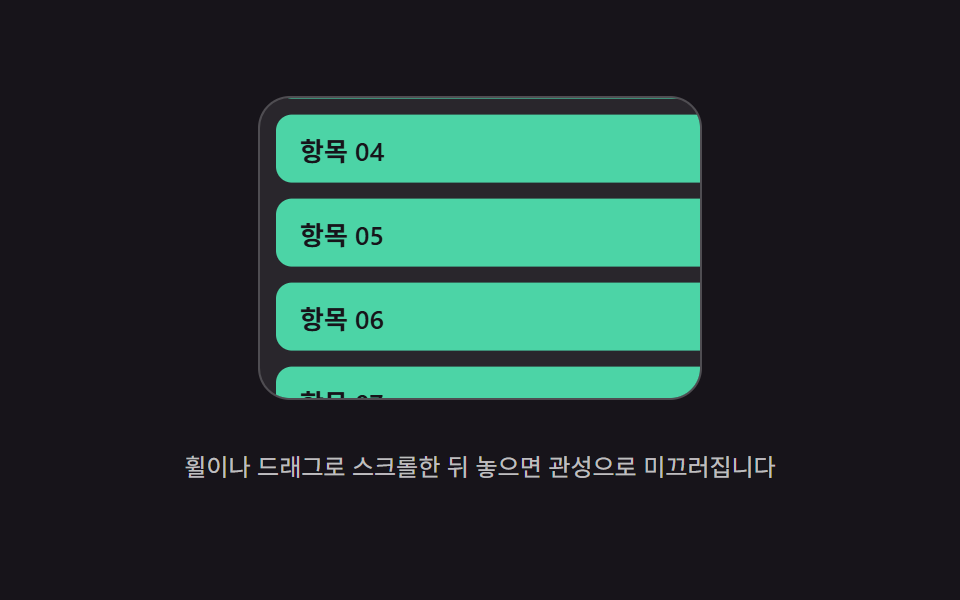 01 scroll-momentum-inertia-coast
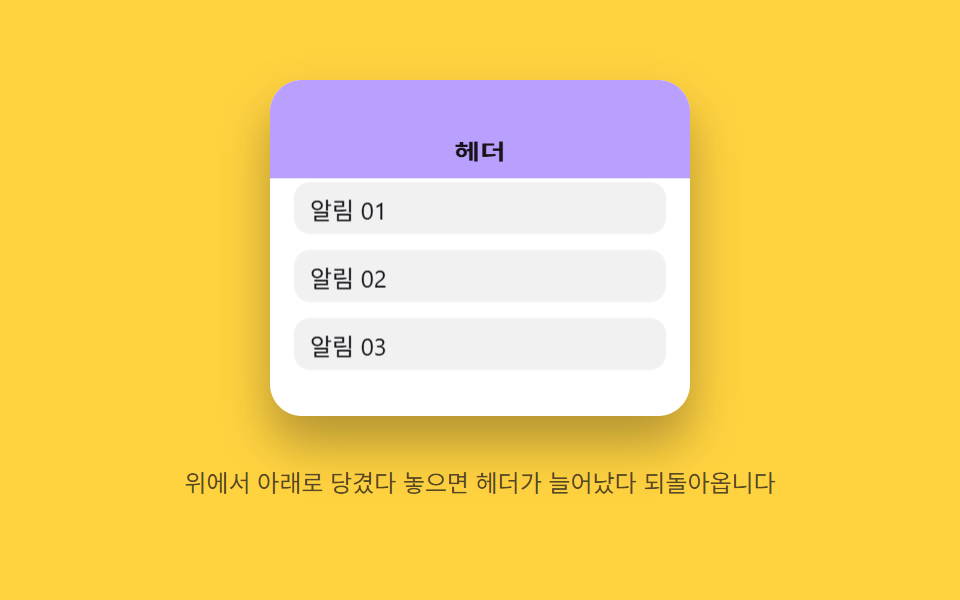 02 scroll-momentum-elastic-overscroll-header
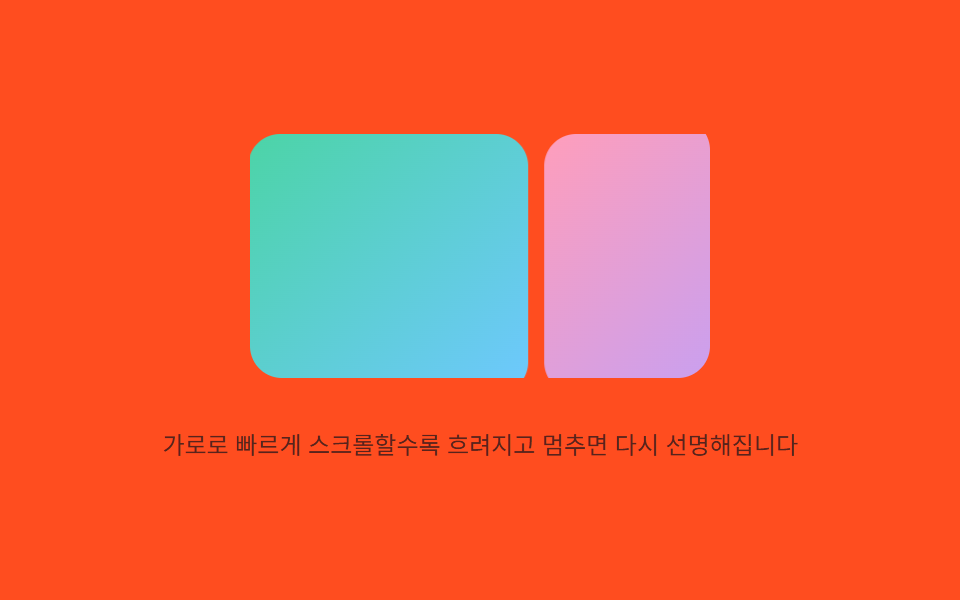 03 scroll-momentum-velocity-blur-image
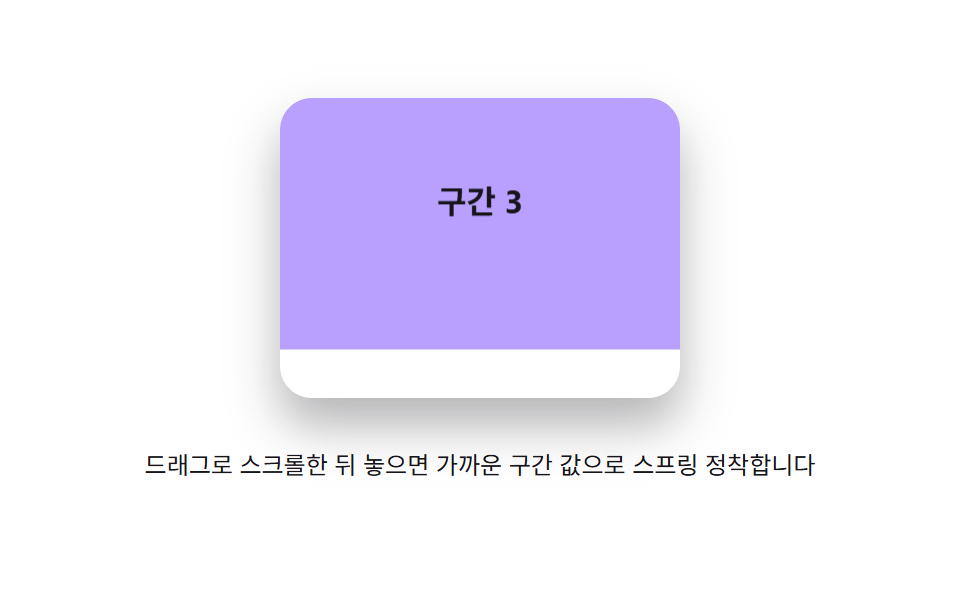 04 scroll-momentum-spring-section-snap
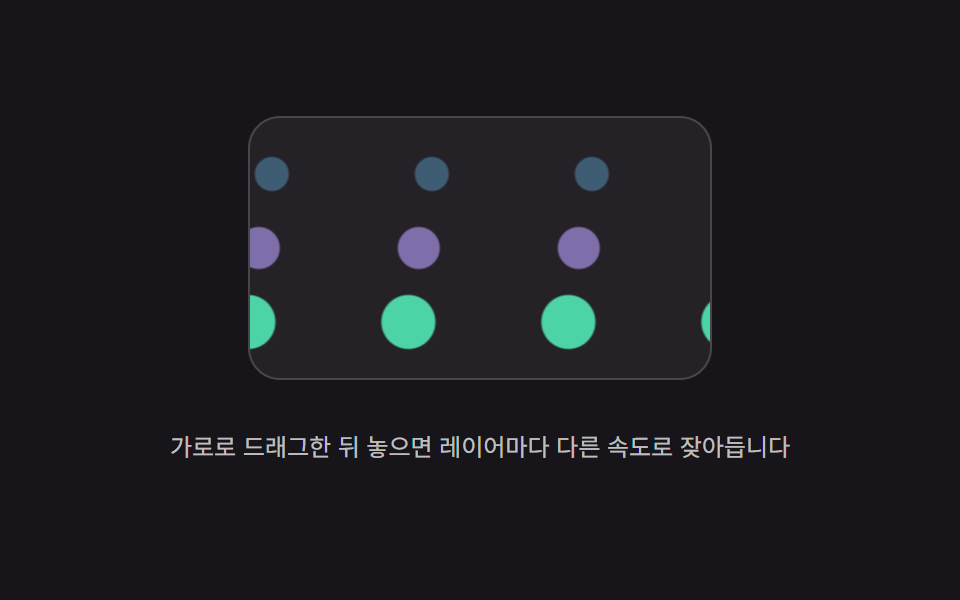 05 scroll-momentum-decay-parallax-layers
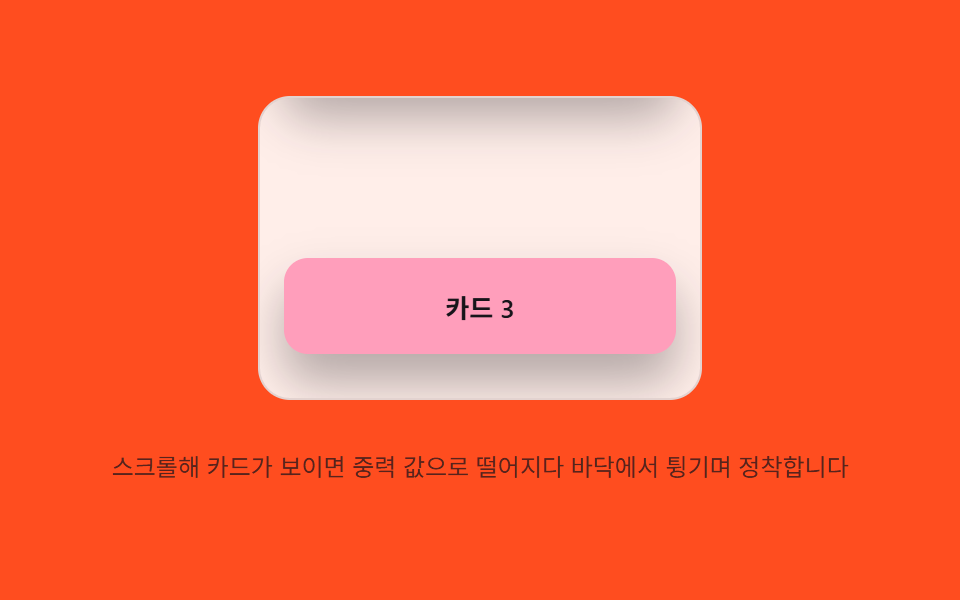 06 scroll-momentum-gravity-settle-card
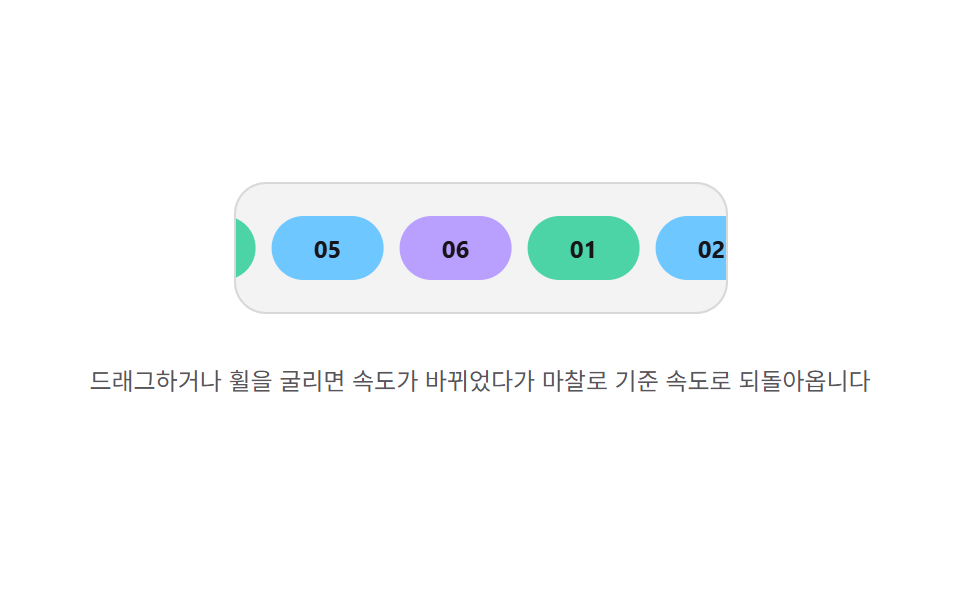 07 scroll-momentum-friction-marquee-drag
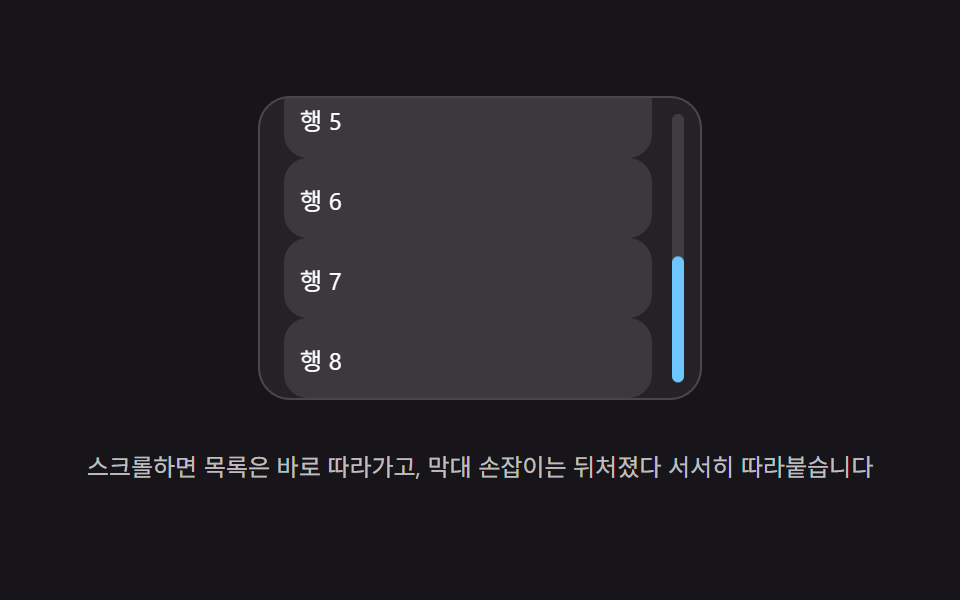 08 scroll-momentum-lag-scrollbar-thumb
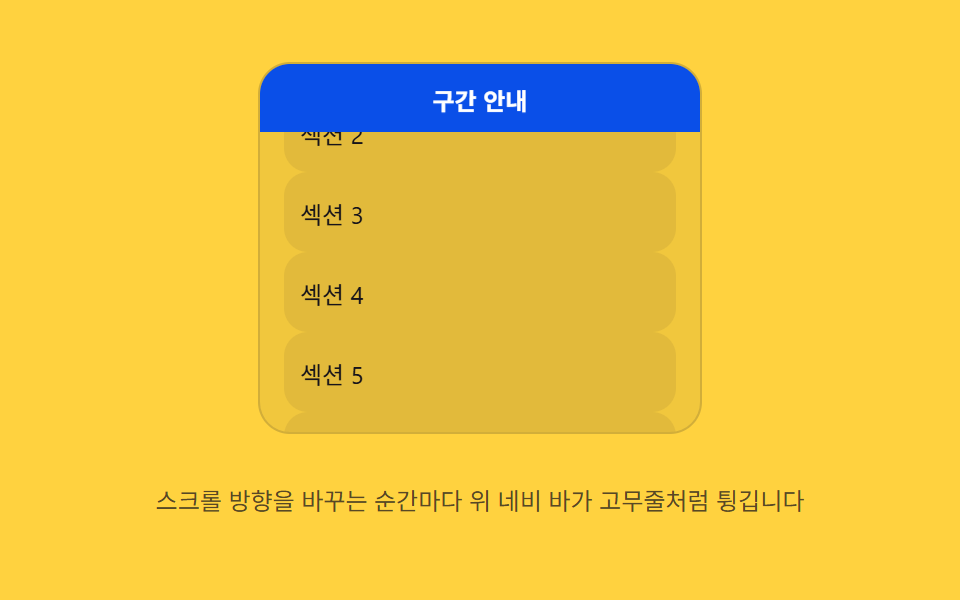 09 scroll-momentum-rubber-pull-nav
Auto-plays · click a tile to jump to its section · all nine in one zip
- 01 Scroll inertia coast — the position value keeps carrying the last scroll speed and gradually shrinks to zero after scrolling stops
- 02 Overscroll elasticity — past the scroll boundary, a stretched value springs back
- 03 Scroll velocity blur — a blur value grows in proportion to the measured scroll speed value
- 04 Section snap spring — the released scroll position value settles toward the nearest section value through spring damping
- 05 Per-layer decay parallax — after scrolling stops, each layer's position value keeps shrinking at its own decay rate
- 06 Gravity settle — on scroll entry, an element's position value falls under a gravity value and settles after bouncing off a floor value
- 07 Friction decel — once the input value stops, a speed value slows gradually by a friction value
- 08 Lag tracking — a trailing value doesn't match the real scroll value instantly, chasing it with a lag value instead
- 09 Rubber pull — the moment scroll direction reverses, a value pulls like a rubber band and springs back
All nine react to real scroll input and nothing else: eight (01–05, 07–09) answer both a real wheel event and a pointer drag (pointerdown/pointermove/pointerup), and the ninth (06) answers a real scroll event instead, guarded by its own autoScrolling flag so its own programmatic auto-loop never mistakes itself for a visitor's scroll. 06, 08, and 09 also answer a real keydown for arrow-key scrolling, and 01 and 03 re-measure their scrollable height on resize. None of the nine calculates its motion from Math.random — every curve above comes from a deterministic requestAnimationFrame loop reading fixed constants, so the same scroll input always produces the same numbers, frame for frame. That's the kind of scroll interaction that website builders reach for when a hero header or a sticky nav needs to feel driven by real scroll physics rather than a canned CSS transition.
Anatomy of nine patterns — which value changes and when
Why five patterns decay a value by a fixed ratio every frame instead of integrating a force
01, 03, 05, 07, and 08 never keep a separate acceleration value — each one multiplies (or eases) a velocity or position by one fixed ratio constant every frame, so the value's own last state is the only input the next frame needs: vel *= FRICTION (01), vel *= COAST_FRICTION (03), vel *= L.decay per layer (05), vel += (BASE_SPEED - vel) * FRICTION_PULL (07), and thumbY += (target - thumbY) * LAG (08).
Why three patterns integrate a spring's restoring force into a velocity into a position every frame
02, 04, and 09 each compute a restoring force from how far a value sits from its resting value (force = -SPRING_K * (x - target) - SPRING_C * v), add that force into a velocity, and add the velocity into the value itself, every single frame. That's why all three can overshoot their own resting value and swing back — 02's header stretch, 04's section position, and 09's nav scale all pass through the target before settling rather than easing straight there.
Why one pattern integrates a constant gravity acceleration instead of a spring's restoring force
06 is the only one of the nine that adds a constant (GRAVITY) to its velocity every frame regardless of position, the way a falling object accelerates at a fixed rate rather than being pulled harder the farther it strays from a target. Only when its position value reaches FLOOR_Y does 06 reverse and shrink that velocity by RESTITUTION, which is what turns one continuous fall into a bouncing settle instead of a single spring swing.
Code per pattern
01Scroll inertia coast — the position value keeps carrying the last scroll speed and gradually shrinks to zero after scrolling stops
The position value inherits the speed at release and keeps shrinking until it comes to rest. A long list page or an image gallery scroll reads this way, since the glide keeps moving in the same direction the visitor was already scrolling instead of stopping the instant a finger or wheel lets go.
<main class="stage">
<div class="mic is-demo" id="mic">
  <div class="mic__viewport" id="micViewport" role="application" aria-label="Inertia scroll list">
    <ul class="mic__track" id="micTrack">
      <li class="mic__row">Item 01</li>
      <li class="mic__row">Item 02</li>
      <li class="mic__row">Item 03</li>
      <li class="mic__row">Item 04</li>
      <li class="mic__row">Item 05</li>
      <li class="mic__row">Item 06</li>
      <li class="mic__row">Item 07</li>
      <li class="mic__row">Item 08</li>
      <li class="mic__row">Item 09</li>
      <li class="mic__row">Item 10</li>
    </ul>
  </div>
  <p class="mic__hint">Scroll with the wheel or a drag, then release — it glides on with inertia.</p>
</div>
</main>
@use "../../../../site/static/demo-tokens" as *;
// 계산 겹(관성 코스팅 적분)은 JS 에 있다 — 여기는 정적 배치만.
@include stage($stage-ink);
.stage { position: relative; }
.mic {
display: flex;
flex-direction: column;
align-items: center;
gap: $sp-3;
}
.mic__viewport {
position: relative;
width: 220px;
height: 150px;
overflow: hidden;
border-radius: $r-card;
background: rgba($stage-paper, .08);
border: 1px solid rgba($stage-paper, .18);
touch-action: none;
overscroll-behavior: contain;
cursor: grab;
}
.mic__track {
position: absolute;
left: 0;
top: 0;
width: 100%;
margin: 0;
padding: $sp-2;
list-style: none;
display: flex;
flex-direction: column;
gap: $sp-2;
will-change: transform;
}
.mic__row {
height: 34px;
flex: 0 0 auto;
display: flex;
align-items: center;
padding-left: $sp-3;
border-radius: $r-sm;
background: $subject-mint;
color: $subject-ink;
font-size: 13px;
font-weight: 600;
}
.mic__hint {
color: rgba($stage-paper, .72);
font-size: 12px;
text-align: center;
}
@media (max-width: 340px) {
.mic { gap: $sp-2; }
.mic__viewport { width: 168px; height: 82px; }
.mic__row { height: 26px; font-size: 12px; }
.mic__hint { font-size: 11px; }
}
@media (prefers-reduced-motion: reduce) {
.mic__track { transition: none !important; }
}html, body {
margin: 0;
overflow: hidden;
}
.stage {
box-sizing: border-box;
min-height: 100vh;
display: grid;
place-items: center;
margin: 0;
background: #17141a;
font-family: -apple-system, "Segoe UI", "Noto Sans KR", sans-serif;
padding: clamp(8px, 4vw, 24px);
}
.stage {
position: relative;
}
.mic {
display: flex;
flex-direction: column;
align-items: center;
gap: 12px;
}
.mic__viewport {
position: relative;
width: 220px;
height: 150px;
overflow: hidden;
border-radius: 16px;
background: rgba(255, 255, 255, 0.08);
border: 1px solid rgba(255, 255, 255, 0.18);
touch-action: none;
overscroll-behavior: contain;
cursor: grab;
}
.mic__track {
position: absolute;
left: 0;
top: 0;
width: 100%;
margin: 0;
padding: 8px;
list-style: none;
display: flex;
flex-direction: column;
gap: 8px;
will-change: transform;
}
.mic__row {
height: 34px;
flex: 0 0 auto;
display: flex;
align-items: center;
padding-left: 12px;
border-radius: 8px;
background: #4cd4a6;
color: #17141a;
font-size: 13px;
font-weight: 600;
}
.mic__hint {
color: rgba(255, 255, 255, 0.72);
font-size: 12px;
text-align: center;
}
@media (max-width: 340px) {
.mic {
gap: 8px;
}
.mic__viewport {
width: 168px;
height: 82px;
}
.mic__row {
height: 26px;
font-size: 12px;
}
.mic__hint {
font-size: 11px;
}
}
@media (prefers-reduced-motion: reduce) {
.mic__track {
transition: none !important;
}
}(function () {
var root = document.getElementById('mic');
var viewport = document.getElementById('micViewport');
var track = document.getElementById('micTrack');
var reduce = window.matchMedia('(prefers-reduced-motion: reduce)').matches;
// 계산 겹: 손을 뗀 순간의 속도 값(vel)이 매 프레임 FRICTION 배씩 줄어들며 이동 값(pos)에
// 더해진다 — vel *= FRICTION; pos += vel. MIN_VELOCITY 밑으로 떨어지면 코스팅을 멈춘다.
var FRICTION = 0.93;
var MIN_VELOCITY = 0.04;
  var WHEEL_SCALE = 0.55;

  var pos = 0, vel = 0, raf = null, maxScroll = 0;

  function measure() {
    maxScroll = Math.max(0, track.scrollHeight - viewport.clientHeight);
  }
  function clamp(v) { return Math.max(-maxScroll, Math.min(0, v)); }
  function paint() { track.style.transform = 'translateY(' + pos.toFixed(1) + 'px)'; }

  function stopCoast() { if (raf !== null) { cancelAnimationFrame(raf); raf = null; } }
  function coastTick() {
    vel *= FRICTION;
    pos = clamp(pos + vel);
    if (pos === 0 || pos === -maxScroll) { vel = 0; }
    paint();
    if (Math.abs(vel) < MIN_VELOCITY) { raf = null; return; }
    raf = requestAnimationFrame(coastTick);
  }
  function startCoast(v) {
    vel = v;
    if (reduce) { pos = clamp(pos + vel * 6); vel = 0; paint(); return; }
    stopCoast();
    raf = requestAnimationFrame(coastTick);
  }
function wireReal() {
viewport.addEventListener('wheel', function (e) {
e.preventDefault();
root.classList.remove('is-demo'); stopAutoplay();
stopCoast();
pos = clamp(pos - e.deltaY * WHEEL_SCALE);
paint();
startCoast(-e.deltaY * WHEEL_SCALE * 0.4);
}, { passive: false });
var dragging = false, startY = 0, startPos = 0, lastY = 0, lastT = 0, dragVel = 0;
viewport.addEventListener('pointerdown', function (e) {
root.classList.remove('is-demo'); stopAutoplay(); stopCoast();
dragging = true; startY = lastY = e.clientY; startPos = pos; lastT = performance.now(); dragVel = 0;
viewport.setPointerCapture(e.pointerId);
});
viewport.addEventListener('pointermove', function (e) {
if (!dragging) { return; }
var t = performance.now();
var dt = Math.max(1, t - lastT);
dragVel = (e.clientY - lastY) / dt * 16.6;
pos = clamp(startPos + (e.clientY - startY));
paint();
lastY = e.clientY; lastT = t;
});
viewport.addEventListener('pointerup', function () {
if (!dragging) { return; }
dragging = false;
startCoast(dragVel);
});
}
wireReal();
measure();
window.addEventListener('resize', measure);
// 자동 루프: 번갈아 방향을 바꿔 세게 튕겨 같은 관성 코스팅 경로를 반복 재현한다.
var autoTimer = null, phase = 0;
function autoTick() {
measure();
if (maxScroll <= 0) { return; }
phase += 1;
var dir = (phase % 2 === 0) ? -1 : 1;
pos = clamp(dir > 0 ? 0 : -maxScroll);
paint();
startCoast(dir * -9.5);
}
function stopAutoplay() { if (autoTimer) { clearInterval(autoTimer); autoTimer = null; } }
if (!reduce) { autoTimer = setInterval(autoTick, 1500); autoTick(); }
})();import { useEffect, useRef } from "react";
import styles from "./ScrollMomentumInertiaCoast.module.scss";
export type ScrollMomentumInertiaCoastProps = {
color?: string;
};
export default function ScrollMomentumInertiaCoast({
color = "#4cd4a6",
}: ScrollMomentumInertiaCoastProps) {
const rootRef = useRef<HTMLDivElement | null>(null);
useEffect(() => {
const root = rootRef.current;
if (!root) return;
const viewport = root.querySelector<HTMLDivElement>(`.${styles.viewport}`);
const track = root.querySelector<HTMLUListElement>(`.${styles.track}`);
if (!viewport || !track) return;
const reduce = window.matchMedia("(prefers-reduced-motion: reduce)").matches;
// 계산 겹: 손을 뗀 순간의 속도 값(vel)이 매 프레임 FRICTION 배씩 줄어들며 이동 값(pos)에
// 더해진다 — vel *= FRICTION; pos += vel. MIN_VELOCITY 밑으로 떨어지면 코스팅을 멈춘다.
const FRICTION = 0.93;
const MIN_VELOCITY = 0.04;
const WHEEL_SCALE = 0.55;
let pos = 0, vel = 0, raf: number | null = null, maxScroll = 0;
function measure() {
maxScroll = Math.max(0, track!.scrollHeight - viewport!.clientHeight);
}
function clamp(v: number) { return Math.max(-maxScroll, Math.min(0, v)); }
function paint() { track!.style.transform = "translateY(" + pos.toFixed(1) + "px)"; }
function stopCoast() { if (raf !== null) { cancelAnimationFrame(raf); raf = null; } }
function coastTick() {
vel *= FRICTION;
pos = clamp(pos + vel);
if (pos === 0 || pos === -maxScroll) { vel = 0; }
paint();
if (Math.abs(vel) < MIN_VELOCITY) { raf = null; return; }
raf = requestAnimationFrame(coastTick);
}
function startCoast(v: number) {
vel = v;
if (reduce) { pos = clamp(pos + vel * 6); vel = 0; paint(); return; }
stopCoast();
raf = requestAnimationFrame(coastTick);
}
function onWheel(e: WheelEvent) {
e.preventDefault();
stopAutoplay();
stopCoast();
pos = clamp(pos - e.deltaY * WHEEL_SCALE);
paint();
startCoast(-e.deltaY * WHEEL_SCALE * 0.4);
}
let dragging = false, startY = 0, startPos = 0, lastY = 0, lastT = 0, dragVel = 0;
function onPointerDown(e: PointerEvent) {
stopAutoplay(); stopCoast();
dragging = true; startY = lastY = e.clientY; startPos = pos; lastT = performance.now(); dragVel = 0;
viewport!.setPointerCapture(e.pointerId);
}
function onPointerMove(e: PointerEvent) {
if (!dragging) return;
const t = performance.now();
const dt = Math.max(1, t - lastT);
dragVel = (e.clientY - lastY) / dt * 16.6;
pos = clamp(startPos + (e.clientY - startY));
paint();
lastY = e.clientY; lastT = t;
}
function onPointerUp() {
if (!dragging) return;
dragging = false;
startCoast(dragVel);
}
viewport.addEventListener("wheel", onWheel, { passive: false });
viewport.addEventListener("pointerdown", onPointerDown);
viewport.addEventListener("pointermove", onPointerMove);
viewport.addEventListener("pointerup", onPointerUp);
measure();
const onResize = () => measure();
window.addEventListener("resize", onResize);
let autoTimer: number | null = null, phase = 0;
function autoTick() {
measure();
if (maxScroll <= 0) return;
phase += 1;
const dir = phase % 2 === 0 ? -1 : 1;
pos = clamp(dir > 0 ? 0 : -maxScroll);
paint();
startCoast(dir * -9.5);
}
function stopAutoplay() { if (autoTimer !== null) { window.clearInterval(autoTimer); autoTimer = null; } }
if (!reduce) { autoTimer = window.setInterval(autoTick, 1500); autoTick(); }
return () => {
stopAutoplay();
stopCoast();
viewport.removeEventListener("wheel", onWheel);
viewport.removeEventListener("pointerdown", onPointerDown);
viewport.removeEventListener("pointermove", onPointerMove);
viewport.removeEventListener("pointerup", onPointerUp);
window.removeEventListener("resize", onResize);
};
}, []);
const rows = Array.from({ length: 10 }, (_, i) => i + 1);
return (
<div ref={rootRef} className={styles.stage}>
<div className={styles.mic}>
<div className={styles.viewport} role="application" aria-label="관성 스크롤 목록">
<ul className={styles.track}>
{rows.map((n) => (
<li key={n} className={styles.row} style={{ background: color }}>
항목 {String(n).padStart(2, "0")}
</li>
))}
</ul>
</div>
<p className={styles.hint}>휠이나 드래그로 스크롤한 뒤 놓으면 관성으로 미끄러집니다</p>
</div>
</div>
);
}01 · Scroll inertia coast — the position value keeps carrying the last scroll speed and gradually shrinks to zero after scrolling stops — Measured area 20.972% · moving frames 20/23Original by GODRICH · SCSS and React ship in the zip · See the password
What the numbers say
Measured across 23 tracked frames, 01 moves on 20 of them, spanning a 20.972% cumulative area at a 94.7 average intensity — one of the largest areas in this collection, since a coasting scroll keeps the whole track sliding rather than shifting one small part of it.
var WHEEL_SCALE = 0.55;
var pos = 0, vel = 0, raf = null, maxScroll = 0;
function measure() {
maxScroll = Math.max(0, track.scrollHeight - viewport.clientHeight);
}
function clamp(v) { return Math.max(-maxScroll, Math.min(0, v)); }
function paint() { track.style.transform = 'translateY(' + pos.toFixed(1) + 'px)'; }
function stopCoast() { if (raf !== null) { cancelAnimationFrame(raf); raf = null; } }
function coastTick() {
vel *= FRICTION;
pos = clamp(pos + vel);
if (pos === 0 || pos === -maxScroll) { vel = 0; }
paint();
if (Math.abs(vel) < MIN_VELOCITY) { raf = null; return; }
raf = requestAnimationFrame(coastTick);
}
function startCoast(v) {
vel = v;
if (reduce) { pos = clamp(pos + vel * 6); vel = 0; paint(); return; }
stopCoast();
raf = requestAnimationFrame(coastTick);
}
02Overscroll elasticity — past the scroll boundary, a stretched value springs back
Pulling past the edge stretches a value that springs back to its original value on release. A mobile top header or an app-style landing page reads this way, since the header visibly stretching past the boundary — then springing back — signals the scroll has reached its real edge rather than just stopping dead.
<main class="stage">
<div class="eoh is-demo" id="eoh">
  <div class="eoh__frame" id="eohFrame" role="application" aria-label="Overscroll header test panel">
    <div class="eoh__header" id="eohHeader">Header</div>
    <div class="eoh__body" id="eohBody">
      <div class="eoh__row">Alert 01</div>
      <div class="eoh__row">Alert 02</div>
      <div class="eoh__row">Alert 03</div>
    </div>
  </div>
  <p class="eoh__hint">Pull down from the top and release — the header stretches, then springs back.</p>
</div>
</main>
@use "../../../../site/static/demo-tokens" as *;
// 계산 겹(저항·스프링 적분)은 JS 에 있다 — 여기는 정적 배치만.
@include stage($stage-yellow);
.stage { position: relative; }
.eoh {
display: flex;
flex-direction: column;
align-items: center;
gap: $sp-3;
}
.eoh__frame {
position: relative;
width: 210px;
height: 168px;
overflow: hidden;
border-radius: $r-card;
background: $stage-paper;
box-shadow: $shadow-raised;
touch-action: none;
overscroll-behavior: contain;
cursor: grab;
}
.eoh__header {
position: absolute;
left: 0;
top: 0;
width: 100%;
height: 56px;
transform-origin: top center;
display: flex;
align-items: flex-end;
justify-content: center;
padding-bottom: $sp-2;
background: $subject-lilac;
color: $subject-ink;
font-size: 14px;
font-weight: 700;
will-change: transform;
}
.eoh__body {
position: relative;
margin-top: 56px;
padding: $sp-2 $sp-3;
display: flex;
flex-direction: column;
gap: $sp-2;
will-change: transform;
}
.eoh__row {
height: 26px;
flex: 0 0 auto;
display: flex;
align-items: center;
padding-left: $sp-2;
border-radius: $r-sm;
background: rgba($subject-ink, .06);
color: $subject-ink;
font-size: 12px;
}
.eoh__hint {
color: rgba($subject-ink, .72);
font-size: 12px;
text-align: center;
}
@media (max-width: 340px) {
.eoh { gap: $sp-2; }
.eoh__frame { width: 160px; height: 96px; }
.eoh__header { height: 36px; font-size: 12px; }
.eoh__body { margin-top: 36px; }
.eoh__row { height: 18px; font-size: 11px; }
.eoh__hint { font-size: 11px; }
}
@media (prefers-reduced-motion: reduce) {
.eoh__header, .eoh__body { transition: none !important; }
}html, body {
margin: 0;
overflow: hidden;
}
.stage {
box-sizing: border-box;
min-height: 100vh;
display: grid;
place-items: center;
margin: 0;
background: #ffd23f;
font-family: -apple-system, "Segoe UI", "Noto Sans KR", sans-serif;
padding: clamp(8px, 4vw, 24px);
}
.stage {
position: relative;
}
.eoh {
display: flex;
flex-direction: column;
align-items: center;
gap: 12px;
}
.eoh__frame {
position: relative;
width: 210px;
height: 168px;
overflow: hidden;
border-radius: 16px;
background: #ffffff;
box-shadow: 0 14px 24px rgba(23, 20, 26, 0.32);
touch-action: none;
overscroll-behavior: contain;
cursor: grab;
}
.eoh__header {
position: absolute;
left: 0;
top: 0;
width: 100%;
height: 56px;
transform-origin: top center;
display: flex;
align-items: flex-end;
justify-content: center;
padding-bottom: 8px;
background: #b9a0ff;
color: #17141a;
font-size: 14px;
font-weight: 700;
will-change: transform;
}
.eoh__body {
position: relative;
margin-top: 56px;
padding: 8px 12px;
display: flex;
flex-direction: column;
gap: 8px;
will-change: transform;
}
.eoh__row {
height: 26px;
flex: 0 0 auto;
display: flex;
align-items: center;
padding-left: 8px;
border-radius: 8px;
background: rgba(23, 20, 26, 0.06);
color: #17141a;
font-size: 12px;
}
.eoh__hint {
color: rgba(23, 20, 26, 0.72);
font-size: 12px;
text-align: center;
}
@media (max-width: 340px) {
.eoh {
gap: 8px;
}
.eoh__frame {
width: 160px;
height: 96px;
}
.eoh__header {
height: 36px;
font-size: 12px;
}
.eoh__body {
margin-top: 36px;
}
.eoh__row {
height: 18px;
font-size: 11px;
}
.eoh__hint {
font-size: 11px;
}
}
@media (prefers-reduced-motion: reduce) {
.eoh__header, .eoh__body {
transition: none !important;
}
}(function () {
var root = document.getElementById('eoh');
var frame = document.getElementById('eohFrame');
var header = document.getElementById('eohHeader');
var body = document.getElementById('eohBody');
var reduce = window.matchMedia('(prefers-reduced-motion: reduce)').matches;
// 계산 겹: 당긴 거리(dist)는 제곱근으로 저항을 걸어 늘어난 값(stretch)을 만든다(고무줄 저항).
// 손을 놓으면 stretch 를 목표 1 로 스프링 적분(SPRING_K·SPRING_C)해 되돌린다 — 속성 트윈이 아니라
// 매 프레임 가속도를 계산해 쌓는 진짜 스프링.
var PULL_RESIST = 9;
var MAX_STRETCH = 1.85;
var SPRING_K = 210;
var SPRING_C = 15;
var HEADER_H = 56;
var stretch = 1, sVel = 0, raf = null;
function paint() {
header.style.transform = 'scaleY(' + stretch.toFixed(3) + ')';
var extra = HEADER_H * (stretch - 1);
body.style.transform = 'translateY(' + extra.toFixed(1) + 'px)';
}
function stopSpring() { if (raf !== null) { cancelAnimationFrame(raf); raf = null; } }
  function springTick() {
    var force = -SPRING_K * (stretch - 1) - SPRING_C * sVel;
    sVel += force * (1 / 60) * 0.06;
    stretch += sVel;
    paint();
    if (Math.abs(stretch - 1) < 0.003 && Math.abs(sVel) < 0.003) {
      stretch = 1; sVel = 0; paint(); raf = null; return;
    }
    raf = requestAnimationFrame(springTick);
  }
  function release() {
    if (reduce) { stretch = 1; sVel = 0; paint(); return; }
    stopSpring();
    raf = requestAnimationFrame(springTick);
  }
  function pullTo(dist) {
    var d = Math.max(0, dist);
    stretch = Math.min(MAX_STRETCH, 1 + Math.sqrt(d) / PULL_RESIST);
    paint();
  }
function wireReal() {
var dragging = false, startY = 0;
frame.addEventListener('pointerdown', function (e) {
root.classList.remove('is-demo'); stopAutoplay(); stopSpring();
dragging = true; startY = e.clientY; sVel = 0;
frame.setPointerCapture(e.pointerId);
});
frame.addEventListener('pointermove', function (e) {
if (!dragging) { return; }
pullTo(e.clientY - startY);
});
frame.addEventListener('pointerup', function () {
if (!dragging) { return; }
dragging = false;
release();
});
frame.addEventListener('wheel', function (e) {
if (e.deltaY >= 0) { return; }
e.preventDefault();
root.classList.remove('is-demo'); stopAutoplay(); stopSpring();
pullTo((stretch - 1) * PULL_RESIST * PULL_RESIST + (-e.deltaY) * 1.4);
release();
}, { passive: false });
}
wireReal();
paint();
// 자동 루프: 당김 거리를 늘렸다가 놓기를 반복해 같은 저항→스프링 경로를 재현한다.
var autoTimer = null, phase = 0;
function autoTick() {
phase += 1;
var d = 58 + Math.sin(phase * 1.1) * 20;
pullTo(d);
setTimeout(function () { if (!root.classList.contains('is-demo')) { return; } release(); }, 260);
}
function stopAutoplay() { if (autoTimer) { clearInterval(autoTimer); autoTimer = null; } }
if (!reduce) { autoTimer = setInterval(autoTick, 900); autoTick(); }
})();import { useEffect, useRef } from "react";
import styles from "./ScrollMomentumElasticOverscrollHeader.module.scss";
export type ScrollMomentumElasticOverscrollHeaderProps = {
color?: string;
};
export default function ScrollMomentumElasticOverscrollHeader({
color = "#b9a0ff",
}: ScrollMomentumElasticOverscrollHeaderProps) {
const rootRef = useRef<HTMLDivElement | null>(null);
useEffect(() => {
const root = rootRef.current;
if (!root) return;
const frame = root.querySelector<HTMLDivElement>(`.${styles.frame}`);
const header = root.querySelector<HTMLDivElement>(`.${styles.header}`);
const body = root.querySelector<HTMLDivElement>(`.${styles.body}`);
if (!frame || !header || !body) return;
const reduce = window.matchMedia("(prefers-reduced-motion: reduce)").matches;
// 계산 겹: 당긴 거리(dist)는 제곱근으로 저항을 걸어 늘어난 값(stretch)을 만든다(고무줄 저항).
// 손을 놓으면 stretch 를 목표 1 로 스프링 적분(SPRING_K·SPRING_C)해 되돌린다.
const PULL_RESIST = 9;
const MAX_STRETCH = 1.85;
const SPRING_K = 210;
const SPRING_C = 15;
const HEADER_H = 56;
let stretch = 1, sVel = 0, raf: number | null = null;
function paint() {
header!.style.transform = "scaleY(" + stretch.toFixed(3) + ")";
const extra = HEADER_H * (stretch - 1);
body!.style.transform = "translateY(" + extra.toFixed(1) + "px)";
}
function stopSpring() { if (raf !== null) { cancelAnimationFrame(raf); raf = null; } }
function springTick() {
const force = -SPRING_K * (stretch - 1) - SPRING_C * sVel;
sVel += force * (1 / 60) * 0.06;
stretch += sVel;
paint();
if (Math.abs(stretch - 1) < 0.003 && Math.abs(sVel) < 0.003) {
stretch = 1; sVel = 0; paint(); raf = null; return;
}
raf = requestAnimationFrame(springTick);
}
function release() {
if (reduce) { stretch = 1; sVel = 0; paint(); return; }
stopSpring();
raf = requestAnimationFrame(springTick);
}
function pullTo(dist: number) {
const d = Math.max(0, dist);
stretch = Math.min(MAX_STRETCH, 1 + Math.sqrt(d) / PULL_RESIST);
paint();
}
let dragging = false, startY = 0;
function onPointerDown(e: PointerEvent) {
stopAutoplay(); stopSpring();
dragging = true; startY = e.clientY; sVel = 0;
frame!.setPointerCapture(e.pointerId);
}
function onPointerMove(e: PointerEvent) {
if (!dragging) return;
pullTo(e.clientY - startY);
}
function onPointerUp() {
if (!dragging) return;
dragging = false;
release();
}
function onWheel(e: WheelEvent) {
if (e.deltaY >= 0) return;
e.preventDefault();
stopAutoplay(); stopSpring();
pullTo((stretch - 1) * PULL_RESIST * PULL_RESIST + -e.deltaY * 1.4);
release();
}
frame.addEventListener("pointerdown", onPointerDown);
frame.addEventListener("pointermove", onPointerMove);
frame.addEventListener("pointerup", onPointerUp);
frame.addEventListener("wheel", onWheel, { passive: false });
paint();
let autoTimer: number | null = null, phase = 0;
let releaseTimeout: number | null = null;
function autoTick() {
phase += 1;
const d = 58 + Math.sin(phase * 1.1) * 20;
pullTo(d);
releaseTimeout = window.setTimeout(() => { release(); }, 260);
}
function stopAutoplay() {
if (autoTimer !== null) { window.clearInterval(autoTimer); autoTimer = null; }
if (releaseTimeout !== null) { window.clearTimeout(releaseTimeout); releaseTimeout = null; }
}
if (!reduce) { autoTimer = window.setInterval(autoTick, 900); autoTick(); }
return () => {
stopAutoplay();
stopSpring();
frame.removeEventListener("pointerdown", onPointerDown);
frame.removeEventListener("pointermove", onPointerMove);
frame.removeEventListener("pointerup", onPointerUp);
frame.removeEventListener("wheel", onWheel);
};
}, []);
return (
<div ref={rootRef} className={styles.stage}>
<div className={styles.eoh}>
<div className={styles.frame} role="application" aria-label="오버스크롤 헤더 실험판">
<div className={styles.header} style={{ background: color }}>헤더</div>
<div className={styles.body}>
<div className={styles.row}>알림 01</div>
<div className={styles.row}>알림 02</div>
<div className={styles.row}>알림 03</div>
</div>
</div>
<p className={styles.hint}>위에서 아래로 당겼다 놓으면 헤더가 늘어났다 되돌아옵니다</p>
</div>
</div>
);
}02 · Overscroll elasticity — past the scroll boundary, a stretched value springs back — Measured area 21.332% · moving frames 23/23Original by GODRICH · SCSS and React ship in the zip · See the password
What the numbers say
Measured across 23 tracked frames, 02 moves on all 23 of them, spanning a 21.332% cumulative area at a 65.3 average intensity — the header keeps easing back through its own overshoot on every single tracked frame rather than settling early.
function springTick() {
var force = -SPRING_K * (stretch - 1) - SPRING_C * sVel;
sVel += force * (1 / 60) * 0.06;
stretch += sVel;
paint();
if (Math.abs(stretch - 1) < 0.003 && Math.abs(sVel) < 0.003) {
stretch = 1; sVel = 0; paint(); raf = null; return;
}
raf = requestAnimationFrame(springTick);
}
function release() {
if (reduce) { stretch = 1; sVel = 0; paint(); return; }
stopSpring();
raf = requestAnimationFrame(springTick);
}
function pullTo(dist) {
var d = Math.max(0, dist);
stretch = Math.min(MAX_STRETCH, 1 + Math.sqrt(d) / PULL_RESIST);
paint();
}
03Scroll velocity blur — a blur value grows in proportion to the measured scroll speed value
As the speed value rises the blur value grows, and it returns to zero once scrolling stops. A gallery background image or a hero section background reads this way — the same horizontal scroll interaction that moves the track also drives how blurred it looks, so a fast flick reads as motion blur rather than a static image sliding past.
<main class="stage">
<div class="vbi is-demo" id="vbi">
  <div class="vbi__viewport" id="vbiViewport" role="application" aria-label="Velocity blur gallery">
    <div class="vbi__track" id="vbiTrack">
      <div class="vbi__card vbi__card--a"></div>
      <div class="vbi__card vbi__card--b"></div>
      <div class="vbi__card vbi__card--c"></div>
      <div class="vbi__card vbi__card--a"></div>
    </div>
  </div>
  <p class="vbi__hint">The faster you scroll sideways, the blurrier it gets — it sharpens again once you stop.</p>
</div>
</main>
@use "../../../../site/static/demo-tokens" as *;
// 계산 겹(속도→흐림 매핑)은 JS 에 있다 — 여기는 정적 배치만.
@include stage($stage-orange);
.stage { position: relative; }
.vbi {
display: flex;
flex-direction: column;
align-items: center;
gap: $sp-3;
}
.vbi__viewport {
position: relative;
width: 230px;
height: 130px;
overflow: hidden;
border-radius: $r-card;
touch-action: none;
overscroll-behavior: contain;
cursor: grab;
}
.vbi__track {
position: absolute;
left: 0;
top: 0;
height: 100%;
display: flex;
gap: $sp-2;
will-change: transform, filter;
}
.vbi__card {
flex: 0 0 auto;
width: 140px;
height: 100%;
margin-top: $sp-2;
border-radius: $r-card;
&--a { background: linear-gradient(135deg, $subject-blue, $subject-lilac); }
&--b { background: linear-gradient(135deg, $subject-mint, $subject-sky); }
&--c { background: linear-gradient(135deg, $subject-pink, $subject-lilac); }
}
.vbi__hint {
color: rgba($subject-ink, .72);
font-size: 12px;
text-align: center;
}
@media (max-width: 340px) {
.vbi__viewport { width: 176px; height: 96px; }
.vbi__card { width: 108px; }
}
@media (prefers-reduced-motion: reduce) {
.vbi__track { transition: none !important; }
}html, body {
margin: 0;
overflow: hidden;
}
.stage {
box-sizing: border-box;
min-height: 100vh;
display: grid;
place-items: center;
margin: 0;
background: #ff4d1f;
font-family: -apple-system, "Segoe UI", "Noto Sans KR", sans-serif;
padding: clamp(8px, 4vw, 24px);
}
.stage {
position: relative;
}
.vbi {
display: flex;
flex-direction: column;
align-items: center;
gap: 12px;
}
.vbi__viewport {
position: relative;
width: 230px;
height: 130px;
overflow: hidden;
border-radius: 16px;
touch-action: none;
overscroll-behavior: contain;
cursor: grab;
}
.vbi__track {
position: absolute;
left: 0;
top: 0;
height: 100%;
display: flex;
gap: 8px;
will-change: transform, filter;
}
.vbi__card {
flex: 0 0 auto;
width: 140px;
height: 100%;
margin-top: 8px;
border-radius: 16px;
}
.vbi__card--a {
background: linear-gradient(135deg, #2f6df6, #b9a0ff);
}
.vbi__card--b {
background: linear-gradient(135deg, #4cd4a6, #6ec8ff);
}
.vbi__card--c {
background: linear-gradient(135deg, #ff9ebb, #b9a0ff);
}
.vbi__hint {
color: rgba(23, 20, 26, 0.72);
font-size: 12px;
text-align: center;
}
@media (max-width: 340px) {
.vbi__viewport {
width: 176px;
height: 96px;
}
.vbi__card {
width: 108px;
}
}
@media (prefers-reduced-motion: reduce) {
.vbi__track {
transition: none !important;
}
}(function () {
var root = document.getElementById('vbi');
var viewport = document.getElementById('vbiViewport');
var track = document.getElementById('vbiTrack');
var reduce = window.matchMedia('(prefers-reduced-motion: reduce)').matches;
// 계산 겹: 매 프레임의 이동 값 변화율(velocity)을 재서 흐림 목표 값(targetBlur = |velocity| *
// VELOCITY_TO_BLUR, MAX_BLUR 상한)을 만들고, 실제 표시 흐림(blur)은 BLUR_SMOOTH 비율로 그 목표를
// 뒤따른다 — 속도가 줄면 흐림도 뒤따라 0 으로 잦아든다. 코스팅 자체는 COAST_FRICTION 으로 감쇠.
var VELOCITY_TO_BLUR = 0.55;
var MAX_BLUR = 9;
var BLUR_SMOOTH = 0.25;
var COAST_FRICTION = 0.92;
var MIN_VELOCITY = 0.05;
var pos = 0, vel = 0, blur = 0, maxScroll = 0, raf = null;
function measure() { maxScroll = Math.max(0, track.scrollWidth - viewport.clientWidth); }
function clamp(v) { return Math.max(-maxScroll, Math.min(0, v)); }
  function paint() {
    track.style.transform = 'translateX(' + pos.toFixed(1) + 'px)';
    track.style.filter = blur > 0.05 ? 'blur(' + blur.toFixed(2) + 'px)' : 'none';
  }
  function stopLoop() { if (raf !== null) { cancelAnimationFrame(raf); raf = null; } }
  function loopTick() {
    vel *= COAST_FRICTION;
    pos = clamp(pos + vel);
    if (pos === 0 || pos === -maxScroll) { vel = 0; }
    var target = Math.min(MAX_BLUR, Math.abs(vel) * VELOCITY_TO_BLUR);
    blur += (target - blur) * BLUR_SMOOTH;
    paint();
    if (Math.abs(vel) < MIN_VELOCITY && blur < 0.05) { blur = 0; paint(); raf = null; return; }
    raf = requestAnimationFrame(loopTick);
  }
  function startLoop(v) {
    vel = v;
    if (reduce) { pos = clamp(pos + vel * 6); vel = 0; blur = 0; paint(); return; }
    stopLoop();
    raf = requestAnimationFrame(loopTick);
  }
function wireReal() {
viewport.addEventListener('wheel', function (e) {
e.preventDefault();
root.classList.remove('is-demo'); stopAutoplay();
stopLoop();
var d = Math.abs(e.deltaX) > Math.abs(e.deltaY) ? e.deltaX : e.deltaY;
pos = clamp(pos - d * 0.6);
paint();
startLoop(-d * 0.6);
}, { passive: false });
var dragging = false, startX = 0, startPos = 0, lastX = 0, lastT = 0, dragVel = 0;
viewport.addEventListener('pointerdown', function (e) {
root.classList.remove('is-demo'); stopAutoplay(); stopLoop();
dragging = true; startX = lastX = e.clientX; startPos = pos; lastT = performance.now(); dragVel = 0;
viewport.setPointerCapture(e.pointerId);
});
viewport.addEventListener('pointermove', function (e) {
if (!dragging) { return; }
var t = performance.now();
var dt = Math.max(1, t - lastT);
dragVel = (e.clientX - lastX) / dt * 16.6;
pos = clamp(startPos + (e.clientX - startX));
var target = Math.min(MAX_BLUR, Math.abs(dragVel) * VELOCITY_TO_BLUR);
blur += (target - blur) * BLUR_SMOOTH;
paint();
lastX = e.clientX; lastT = t;
});
viewport.addEventListener('pointerup', function () {
if (!dragging) { return; }
dragging = false;
startLoop(dragVel);
});
}
wireReal();
measure();
window.addEventListener('resize', measure);
// 자동 루프: 번갈아 방향을 바꿔 세게 튕겨 속도→흐림 매핑을 반복 재현한다.
var autoTimer = null, phase = 0;
function autoTick() {
measure();
if (maxScroll <= 0) { return; }
phase += 1;
var dir = (phase % 2 === 0) ? -1 : 1;
pos = clamp(dir > 0 ? 0 : -maxScroll);
paint();
startLoop(dir * -13);
}
function stopAutoplay() { if (autoTimer) { clearInterval(autoTimer); autoTimer = null; } }
if (!reduce) { autoTimer = setInterval(autoTick, 1500); autoTick(); }
})();import { useEffect, useRef } from "react";
import styles from "./ScrollMomentumVelocityBlurImage.module.scss";
export type ScrollMomentumVelocityBlurImageProps = {
color?: string;
};
export default function ScrollMomentumVelocityBlurImage({
color = "#2f6df6",
}: ScrollMomentumVelocityBlurImageProps) {
const rootRef = useRef<HTMLDivElement | null>(null);
useEffect(() => {
const root = rootRef.current;
if (!root) return;
const viewport = root.querySelector<HTMLDivElement>(`.${styles.viewport}`);
const track = root.querySelector<HTMLDivElement>(`.${styles.track}`);
if (!viewport || !track) return;
const reduce = window.matchMedia("(prefers-reduced-motion: reduce)").matches;
// 계산 겹: 매 프레임의 이동 값 변화율(velocity)을 재서 흐림 목표 값(targetBlur = |velocity| *
// VELOCITY_TO_BLUR, MAX_BLUR 상한)을 만들고, 실제 표시 흐림(blur)은 BLUR_SMOOTH 비율로 그 목표를
// 뒤따른다 — 속도가 줄면 흐림도 뒤따라 0 으로 잦아든다. 코스팅 자체는 COAST_FRICTION 으로 감쇠.
const VELOCITY_TO_BLUR = 0.55;
const MAX_BLUR = 9;
const BLUR_SMOOTH = 0.25;
const COAST_FRICTION = 0.92;
const MIN_VELOCITY = 0.05;
let pos = 0, vel = 0, blur = 0, maxScroll = 0, raf: number | null = null;
function measure() { maxScroll = Math.max(0, track!.scrollWidth - viewport!.clientWidth); }
function clamp(v: number) { return Math.max(-maxScroll, Math.min(0, v)); }
function paint() {
track!.style.transform = "translateX(" + pos.toFixed(1) + "px)";
track!.style.filter = blur > 0.05 ? "blur(" + blur.toFixed(2) + "px)" : "none";
}
function stopLoop() { if (raf !== null) { cancelAnimationFrame(raf); raf = null; } }
function loopTick() {
vel *= COAST_FRICTION;
pos = clamp(pos + vel);
if (pos === 0 || pos === -maxScroll) { vel = 0; }
const target = Math.min(MAX_BLUR, Math.abs(vel) * VELOCITY_TO_BLUR);
blur += (target - blur) * BLUR_SMOOTH;
paint();
if (Math.abs(vel) < MIN_VELOCITY && blur < 0.05) { blur = 0; paint(); raf = null; return; }
raf = requestAnimationFrame(loopTick);
}
function startLoop(v: number) {
vel = v;
if (reduce) { pos = clamp(pos + vel * 6); vel = 0; blur = 0; paint(); return; }
stopLoop();
raf = requestAnimationFrame(loopTick);
}
function onWheel(e: WheelEvent) {
e.preventDefault();
stopAutoplay();
stopLoop();
const d = Math.abs(e.deltaX) > Math.abs(e.deltaY) ? e.deltaX : e.deltaY;
pos = clamp(pos - d * 0.6);
paint();
startLoop(-d * 0.6);
}
let dragging = false, startX = 0, startPos = 0, lastX = 0, lastT = 0, dragVel = 0;
function onPointerDown(e: PointerEvent) {
stopAutoplay(); stopLoop();
dragging = true; startX = lastX = e.clientX; startPos = pos; lastT = performance.now(); dragVel = 0;
viewport!.setPointerCapture(e.pointerId);
}
function onPointerMove(e: PointerEvent) {
if (!dragging) return;
const t = performance.now();
const dt = Math.max(1, t - lastT);
dragVel = (e.clientX - lastX) / dt * 16.6;
pos = clamp(startPos + (e.clientX - startX));
const target = Math.min(MAX_BLUR, Math.abs(dragVel) * VELOCITY_TO_BLUR);
blur += (target - blur) * BLUR_SMOOTH;
paint();
lastX = e.clientX; lastT = t;
}
function onPointerUp() {
if (!dragging) return;
dragging = false;
startLoop(dragVel);
}
viewport.addEventListener("wheel", onWheel, { passive: false });
viewport.addEventListener("pointerdown", onPointerDown);
viewport.addEventListener("pointermove", onPointerMove);
viewport.addEventListener("pointerup", onPointerUp);
measure();
const onResize = () => measure();
window.addEventListener("resize", onResize);
let autoTimer: number | null = null, phase = 0;
function autoTick() {
measure();
if (maxScroll <= 0) return;
phase += 1;
const dir = phase % 2 === 0 ? -1 : 1;
pos = clamp(dir > 0 ? 0 : -maxScroll);
paint();
startLoop(dir * -13);
}
function stopAutoplay() { if (autoTimer !== null) { window.clearInterval(autoTimer); autoTimer = null; } }
if (!reduce) { autoTimer = window.setInterval(autoTick, 1500); autoTick(); }
return () => {
stopAutoplay();
stopLoop();
viewport.removeEventListener("wheel", onWheel);
viewport.removeEventListener("pointerdown", onPointerDown);
viewport.removeEventListener("pointermove", onPointerMove);
viewport.removeEventListener("pointerup", onPointerUp);
window.removeEventListener("resize", onResize);
};
}, []);
return (
<div ref={rootRef} className={styles.stage}>
<div className={styles.vbi}>
<div className={styles.viewport} role="application" aria-label="속도 흐림 갤러리">
<div className={styles.track}>
<div className={`${styles.card} ${styles.cardA}`} style={{ background: `linear-gradient(135deg, ${color}, #b9a0ff)` }} />
<div className={`${styles.card} ${styles.cardB}`} />
<div className={`${styles.card} ${styles.cardC}`} />
<div className={`${styles.card} ${styles.cardA}`} style={{ background: `linear-gradient(135deg, ${color}, #b9a0ff)` }} />
</div>
</div>
<p className={styles.hint}>가로로 빠르게 스크롤할수록 흐려지고 멈추면 다시 선명해집니다</p>
</div>
</div>
);
}03 · Scroll velocity blur — a blur value grows in proportion to the measured scroll speed value — Measured area 20.219% · moving frames 18/23Original by GODRICH · SCSS and React ship in the zip · See the password
What the numbers say
Measured across 23 tracked frames, 03 moves on 18 of them, spanning a 20.219% cumulative area at a 105.2 average intensity — the highest average intensity of the nine, since every tracked frame shifts either the track's position or its blur radius, often both at once.
function paint() {
track.style.transform = 'translateX(' + pos.toFixed(1) + 'px)';
track.style.filter = blur > 0.05 ? 'blur(' + blur.toFixed(2) + 'px)' : 'none';
}
function stopLoop() { if (raf !== null) { cancelAnimationFrame(raf); raf = null; } }
function loopTick() {
vel *= COAST_FRICTION;
pos = clamp(pos + vel);
if (pos === 0 || pos === -maxScroll) { vel = 0; }
var target = Math.min(MAX_BLUR, Math.abs(vel) * VELOCITY_TO_BLUR);
blur += (target - blur) * BLUR_SMOOTH;
paint();
if (Math.abs(vel) < MIN_VELOCITY && blur < 0.05) { blur = 0; paint(); raf = null; return; }
raf = requestAnimationFrame(loopTick);
}
function startLoop(v) {
vel = v;
if (reduce) { pos = clamp(pos + vel * 6); vel = 0; blur = 0; paint(); return; }
stopLoop();
raf = requestAnimationFrame(loopTick);
}
04Section snap spring — the released scroll position value settles toward the nearest section value through spring damping
The released position value oscillates around the nearest section value before settling. A full-page section layout or a slide-style intro page reads this way, since letting go anywhere mid-scroll still resolves into a clean stop at the nearest section rather than an arbitrary halfway position.
<main class="stage">
<div class="sss is-demo" id="sss">
  <div class="sss__viewport" id="sssViewport" role="application" aria-label="Section-snap scroll panel">
    <div class="sss__track" id="sssTrack">
      <section class="sss__panel sss__panel--1">Section 1</section>
      <section class="sss__panel sss__panel--2">Section 2</section>
      <section class="sss__panel sss__panel--3">Section 3</section>
    </div>
  </div>
  <p class="sss__hint">Drag to scroll and release — it springs to settle at the nearest section.</p>
</div>
</main>
@use "../../../../site/static/demo-tokens" as *;
// 계산 겹(스프링 적분)은 JS 에 있다 — 여기는 정적 배치만.
@include stage($stage-paper);
.stage { position: relative; }
.sss {
display: flex;
flex-direction: column;
align-items: center;
gap: $sp-3;
}
.sss__viewport {
position: relative;
width: 200px;
height: 150px;
overflow: hidden;
border-radius: $r-card;
box-shadow: $shadow-raised;
touch-action: none;
overscroll-behavior: contain;
cursor: grab;
}
.sss__track {
position: absolute;
left: 0;
top: 0;
width: 100%;
will-change: transform;
}
.sss__panel {
width: 100%;
height: 150px;
display: flex;
align-items: center;
justify-content: center;
font-size: 16px;
font-weight: 700;
color: $subject-ink;
box-sizing: border-box;
&--1 { background: $subject-mint; }
&--2 { background: $subject-sky; }
&--3 { background: $subject-lilac; }
}
.sss__hint {
color: $subject-ink;
font-size: 12px;
text-align: center;
}
@media (max-width: 340px) {
.sss { gap: $sp-2; }
.sss__viewport { width: 152px; height: 86px; }
.sss__panel { height: 86px; font-size: 13px; }
.sss__hint { font-size: 11px; }
}
@media (prefers-reduced-motion: reduce) {
.sss__track { transition: none !important; }
}html, body {
margin: 0;
overflow: hidden;
}
.stage {
box-sizing: border-box;
min-height: 100vh;
display: grid;
place-items: center;
margin: 0;
background: #ffffff;
font-family: -apple-system, "Segoe UI", "Noto Sans KR", sans-serif;
padding: clamp(8px, 4vw, 24px);
}
.stage {
position: relative;
}
.sss {
display: flex;
flex-direction: column;
align-items: center;
gap: 12px;
}
.sss__viewport {
position: relative;
width: 200px;
height: 150px;
overflow: hidden;
border-radius: 16px;
box-shadow: 0 14px 24px rgba(23, 20, 26, 0.32);
touch-action: none;
overscroll-behavior: contain;
cursor: grab;
}
.sss__track {
position: absolute;
left: 0;
top: 0;
width: 100%;
will-change: transform;
}
.sss__panel {
width: 100%;
height: 150px;
display: flex;
align-items: center;
justify-content: center;
font-size: 16px;
font-weight: 700;
color: #17141a;
box-sizing: border-box;
}
.sss__panel--1 {
background: #4cd4a6;
}
.sss__panel--2 {
background: #6ec8ff;
}
.sss__panel--3 {
background: #b9a0ff;
}
.sss__hint {
color: #17141a;
font-size: 12px;
text-align: center;
}
@media (max-width: 340px) {
.sss {
gap: 8px;
}
.sss__viewport {
width: 152px;
height: 86px;
}
.sss__panel {
height: 86px;
font-size: 13px;
}
.sss__hint {
font-size: 11px;
}
}
@media (prefers-reduced-motion: reduce) {
.sss__track {
transition: none !important;
}
}(function () {
var root = document.getElementById('sss');
var viewport = document.getElementById('sssViewport');
var track = document.getElementById('sssTrack');
var reduce = window.matchMedia('(prefers-reduced-motion: reduce)').matches;
// 계산 겹: 놓인 위치 값(pos)이 가장 가까운 구간 값(target = round(pos/SECTION_H)*SECTION_H)을
// 향해 스프링 방정식(SPRING_K·SPRING_C)으로 매 프레임 가속도를 쌓아 다가간다 — 목표를 살짝
// 지나쳤다 되돌아오길 반복하며 잦아든다(과소감쇠 스프링).
var SECTION_H = 150;
var SECTION_COUNT = 3;
var SPRING_K = 150;
var SPRING_C = 7.5;
var pos = 0, vel = 0, raf = null, maxScroll = SECTION_H * (SECTION_COUNT - 1);
  function clampFree(v) { return Math.max(-maxScroll, Math.min(0, v)); }
  function paint() { track.style.transform = 'translateY(' + pos.toFixed(1) + 'px)'; }
  function stopSpring() { if (raf !== null) { cancelAnimationFrame(raf); raf = null; } }
  function nearestTarget() { return clampFree(Math.round(pos / SECTION_H) * SECTION_H); }

  function springTick(target) {
    var force = -SPRING_K * (pos - target) - SPRING_C * vel;
    vel += force * (1 / 60) * 0.06;
    pos += vel;
    paint();
    if (Math.abs(pos - target) < 0.4 && Math.abs(vel) < 0.4) {
      pos = target; vel = 0; paint(); raf = null; return;
    }
    raf = requestAnimationFrame(function () { springTick(target); });
  }
  function snap() {
    var target = nearestTarget();
    if (reduce) { pos = target; vel = 0; paint(); return; }
    stopSpring();
    raf = requestAnimationFrame(function () { springTick(target); });
  }
var wheelTimer = null;
function wireReal() {
var dragging = false, startY = 0, startPos = 0;
viewport.addEventListener('pointerdown', function (e) {
root.classList.remove('is-demo'); stopAutoplay(); stopSpring();
dragging = true; startY = e.clientY; startPos = pos; vel = 0;
viewport.setPointerCapture(e.pointerId);
});
viewport.addEventListener('pointermove', function (e) {
if (!dragging) { return; }
pos = clampFree(startPos + (e.clientY - startY));
paint();
});
viewport.addEventListener('pointerup', function () {
if (!dragging) { return; }
dragging = false;
snap();
});
viewport.addEventListener('wheel', function (e) {
e.preventDefault();
root.classList.remove('is-demo'); stopAutoplay(); stopSpring();
pos = clampFree(pos - e.deltaY * 0.5);
paint();
if (wheelTimer) { clearTimeout(wheelTimer); }
wheelTimer = setTimeout(snap, 140);
}, { passive: false });
}
wireReal();
paint();
// 자동 루프: 다음 구간으로 자유 이동 값을 옮긴 뒤 스프링 정착을 반복 재현한다.
var autoTimer = null, section = 0;
function autoTick() {
section = (section + 1) % SECTION_COUNT;
pos = clampFree(-section * SECTION_H + 26);
paint();
snap();
}
function stopAutoplay() { if (autoTimer) { clearInterval(autoTimer); autoTimer = null; } if (wheelTimer) { clearTimeout(wheelTimer); wheelTimer = null; } }
if (!reduce) { autoTimer = setInterval(autoTick, 1300); autoTick(); }
})();import { useEffect, useRef } from "react";
import styles from "./ScrollMomentumSpringSectionSnap.module.scss";
export type ScrollMomentumSpringSectionSnapProps = {
color?: string;
};
export default function ScrollMomentumSpringSectionSnap({
color = "#4cd4a6",
}: ScrollMomentumSpringSectionSnapProps) {
const rootRef = useRef<HTMLDivElement | null>(null);
useEffect(() => {
const root = rootRef.current;
if (!root) return;
const viewport = root.querySelector<HTMLDivElement>(`.${styles.viewport}`);
const track = root.querySelector<HTMLDivElement>(`.${styles.track}`);
if (!viewport || !track) return;
const reduce = window.matchMedia("(prefers-reduced-motion: reduce)").matches;
// 계산 겹: 놓인 위치 값(pos)이 가장 가까운 구간 값(target = round(pos/SECTION_H)*SECTION_H)을
// 향해 스프링 방정식(SPRING_K·SPRING_C)으로 매 프레임 가속도를 쌓아 다가간다 — 목표를 살짝
// 지나쳤다 되돌아오길 반복하며 잦아든다(과소감쇠 스프링).
const SECTION_H = 150;
const SECTION_COUNT = 3;
const SPRING_K = 150;
const SPRING_C = 7.5;
let pos = 0, vel = 0, raf: number | null = null;
const maxScroll = SECTION_H * (SECTION_COUNT - 1);
function clampFree(v: number) { return Math.max(-maxScroll, Math.min(0, v)); }
function paint() { track!.style.transform = "translateY(" + pos.toFixed(1) + "px)"; }
function stopSpring() { if (raf !== null) { cancelAnimationFrame(raf); raf = null; } }
function nearestTarget() { return clampFree(Math.round(pos / SECTION_H) * SECTION_H); }
function springTick(target: number) {
const force = -SPRING_K * (pos - target) - SPRING_C * vel;
vel += force * (1 / 60) * 0.06;
pos += vel;
paint();
if (Math.abs(pos - target) < 0.4 && Math.abs(vel) < 0.4) {
pos = target; vel = 0; paint(); raf = null; return;
}
raf = requestAnimationFrame(() => springTick(target));
}
function snap() {
const target = nearestTarget();
if (reduce) { pos = target; vel = 0; paint(); return; }
stopSpring();
raf = requestAnimationFrame(() => springTick(target));
}
let wheelTimer: number | null = null;
let dragging = false, startY = 0, startPos = 0;
function onPointerDown(e: PointerEvent) {
stopAutoplay(); stopSpring();
dragging = true; startY = e.clientY; startPos = pos; vel = 0;
viewport!.setPointerCapture(e.pointerId);
}
function onPointerMove(e: PointerEvent) {
if (!dragging) return;
pos = clampFree(startPos + (e.clientY - startY));
paint();
}
function onPointerUp() {
if (!dragging) return;
dragging = false;
snap();
}
function onWheel(e: WheelEvent) {
e.preventDefault();
stopAutoplay(); stopSpring();
pos = clampFree(pos - e.deltaY * 0.5);
paint();
if (wheelTimer !== null) window.clearTimeout(wheelTimer);
wheelTimer = window.setTimeout(snap, 140);
}
viewport.addEventListener("pointerdown", onPointerDown);
viewport.addEventListener("pointermove", onPointerMove);
viewport.addEventListener("pointerup", onPointerUp);
viewport.addEventListener("wheel", onWheel, { passive: false });
paint();
let autoTimer: number | null = null, section = 0;
function autoTick() {
section = (section + 1) % SECTION_COUNT;
pos = clampFree(-section * SECTION_H + 26);
paint();
snap();
}
function stopAutoplay() {
if (autoTimer !== null) { window.clearInterval(autoTimer); autoTimer = null; }
if (wheelTimer !== null) { window.clearTimeout(wheelTimer); wheelTimer = null; }
}
if (!reduce) { autoTimer = window.setInterval(autoTick, 1300); autoTick(); }
return () => {
stopAutoplay();
stopSpring();
viewport.removeEventListener("pointerdown", onPointerDown);
viewport.removeEventListener("pointermove", onPointerMove);
viewport.removeEventListener("pointerup", onPointerUp);
viewport.removeEventListener("wheel", onWheel);
};
}, []);
return (
<div ref={rootRef} className={styles.stage}>
<div className={styles.sss}>
<div className={styles.viewport} role="application" aria-label="구간 스냅 스크롤판">
<div className={styles.track}>
<section className={`${styles.panel} ${styles.panel1}`} style={{ background: color }}>구간 1</section>
<section className={`${styles.panel} ${styles.panel2}`}>구간 2</section>
<section className={`${styles.panel} ${styles.panel3}`}>구간 3</section>
</div>
</div>
<p className={styles.hint}>드래그로 스크롤한 뒤 놓으면 가까운 구간 값으로 스프링 정착합니다</p>
</div>
</div>
);
}04 · Section snap spring — the released scroll position value settles toward the nearest section value through spring damping — Measured area 20.706% · moving frames 23/23Original by GODRICH · SCSS and React ship in the zip · See the password
What the numbers say
Measured across 23 tracked frames, 04 moves on all 23 of them, spanning a 20.706% cumulative area at an 88.7 average intensity — the spring keeps correcting its own overshoot past the target section on nearly every frame before it settles.
function clampFree(v) { return Math.max(-maxScroll, Math.min(0, v)); }
function paint() { track.style.transform = 'translateY(' + pos.toFixed(1) + 'px)'; }
function stopSpring() { if (raf !== null) { cancelAnimationFrame(raf); raf = null; } }
function nearestTarget() { return clampFree(Math.round(pos / SECTION_H) * SECTION_H); }
function springTick(target) {
var force = -SPRING_K * (pos - target) - SPRING_C * vel;
vel += force * (1 / 60) * 0.06;
pos += vel;
paint();
if (Math.abs(pos - target) < 0.4 && Math.abs(vel) < 0.4) {
pos = target; vel = 0; paint(); raf = null; return;
}
raf = requestAnimationFrame(function () { springTick(target); });
}
function snap() {
var target = nearestTarget();
if (reduce) { pos = target; vel = 0; paint(); return; }
stopSpring();
raf = requestAnimationFrame(function () { springTick(target); });
}
05Per-layer decay parallax — after scrolling stops, each layer's position value keeps shrinking at its own decay rate
Each layer's own decay-rate value keeps its position value shrinking at a different pace after the stop. A hero background layer or a brand story page reads this way, since the layers visibly separate from each other the moment a drag ends instead of all stopping together as one flat image.
<main class="stage">
<div class="dpl is-demo" id="dpl">
  <div class="dpl__viewport" id="dplViewport" role="application" aria-label="Layer parallax test panel">
    <div class="dpl__layer dpl__layer--far" id="dplFar"></div>
    <div class="dpl__layer dpl__layer--mid" id="dplMid"></div>
    <div class="dpl__layer dpl__layer--near" id="dplNear"></div>
  </div>
  <p class="dpl__hint">Drag sideways and release — each layer slows down at its own speed.</p>
</div>
</main>
@use "../../../../site/static/demo-tokens" as *;
// 계산 겹(레이어별 감쇠 적분)은 JS 에 있다 — 여기는 정적 배치만.
@include stage($stage-ink);
.stage { position: relative; }
.dpl {
display: flex;
flex-direction: column;
align-items: center;
gap: $sp-3;
}
.dpl__viewport {
position: relative;
width: 230px;
height: 130px;
overflow: hidden;
border-radius: $r-card;
background: rgba($stage-paper, .06);
border: 1px solid rgba($stage-paper, .16);
touch-action: none;
overscroll-behavior: contain;
cursor: grab;
}
.dpl__layer {
position: absolute;
left: 0;
width: 640px;
height: 32px;
will-change: transform;
background-repeat: repeat-x;
background-size: 80px 100%;
}
.dpl__layer--far {
top: $sp-3;
opacity: .35;
background-image: radial-gradient(circle, $subject-sky 0 8px, transparent 9px);
}
.dpl__layer--mid {
top: 50%;
margin-top: -16px;
opacity: .6;
background-image: radial-gradient(circle, $subject-lilac 0 10px, transparent 11px);
}
.dpl__layer--near {
bottom: $sp-3;
opacity: 1;
background-image: radial-gradient(circle, $subject-mint 0 13px, transparent 14px);
}
.dpl__hint {
color: rgba($stage-paper, .72);
font-size: 12px;
text-align: center;
}
@media (max-width: 340px) {
.dpl__viewport { width: 176px; height: 96px; }
}
@media (prefers-reduced-motion: reduce) {
.dpl__layer { transition: none !important; }
}html, body {
margin: 0;
overflow: hidden;
}
.stage {
box-sizing: border-box;
min-height: 100vh;
display: grid;
place-items: center;
margin: 0;
background: #17141a;
font-family: -apple-system, "Segoe UI", "Noto Sans KR", sans-serif;
padding: clamp(8px, 4vw, 24px);
}
.stage {
position: relative;
}
.dpl {
display: flex;
flex-direction: column;
align-items: center;
gap: 12px;
}
.dpl__viewport {
position: relative;
width: 230px;
height: 130px;
overflow: hidden;
border-radius: 16px;
background: rgba(255, 255, 255, 0.06);
border: 1px solid rgba(255, 255, 255, 0.16);
touch-action: none;
overscroll-behavior: contain;
cursor: grab;
}
.dpl__layer {
position: absolute;
left: 0;
width: 640px;
height: 32px;
will-change: transform;
background-repeat: repeat-x;
background-size: 80px 100%;
}
.dpl__layer--far {
top: 12px;
opacity: 0.35;
background-image: radial-gradient(circle, #6ec8ff 0 8px, transparent 9px);
}
.dpl__layer--mid {
top: 50%;
margin-top: -16px;
opacity: 0.6;
background-image: radial-gradient(circle, #b9a0ff 0 10px, transparent 11px);
}
.dpl__layer--near {
bottom: 12px;
opacity: 1;
background-image: radial-gradient(circle, #4cd4a6 0 13px, transparent 14px);
}
.dpl__hint {
color: rgba(255, 255, 255, 0.72);
font-size: 12px;
text-align: center;
}
@media (max-width: 340px) {
.dpl__viewport {
width: 176px;
height: 96px;
}
}
@media (prefers-reduced-motion: reduce) {
.dpl__layer {
transition: none !important;
}
}(function () {
var root = document.getElementById('dpl');
var viewport = document.getElementById('dplViewport');
var layers = [
{ el: document.getElementById('dplFar'), speed: 0.35, decay: 0.988, pos: 0, vel: 0 },
{ el: document.getElementById('dplMid'), speed: 0.65, decay: 0.95, pos: 0, vel: 0 },
{ el: document.getElementById('dplNear'), speed: 1.0, decay: 0.88, pos: 0, vel: 0 }
];
var reduce = window.matchMedia('(prefers-reduced-motion: reduce)').matches;
// 계산 겹: 입력 값(inputVel)에 레이어마다 다른 SPEED 를 곱해 각자의 속도(layer.vel)를 만들고,
// 입력이 끊기면 레이어마다 다른 DECAY 값으로 각자 감쇠한다 — 감쇠율이 클수록(1에 가까울수록)
// 더 오래 움직인다. 그래서 손을 떼도 레이어들이 서로 다른 시점에 멈춘다.
var WRAP = 320;
var raf = null;
  function clampWrap(v) { var m = v % WRAP; if (m > 0) { m -= WRAP; } return m; }
  function paint() {
    for (var i = 0; i < layers.length; i++) {
      layers[i].el.style.transform = 'translateX(' + layers[i].pos.toFixed(1) + 'px)';
    }
  }
  function stopLoop() { if (raf !== null) { cancelAnimationFrame(raf); raf = null; } }
  var inputActive = false;
  function loopTick() {
    var moving = false;
    for (var i = 0; i < layers.length; i++) {
      var L = layers[i];
      if (!inputActive) { L.vel *= L.decay; if (reduce) { L.vel = 0; } }
      L.pos = clampWrap(L.pos + L.vel);
      if (Math.abs(L.vel) > 0.02) { moving = true; }
    }
    paint();
    if (reduce || (!moving && !inputActive)) { raf = null; return; }
    raf = requestAnimationFrame(loopTick);
  }
  function ensureLoop() { if (raf === null) { raf = requestAnimationFrame(loopTick); } }
  function setInput(v) {
    for (var i = 0; i < layers.length; i++) { layers[i].vel = v * layers[i].speed; }
    ensureLoop();
  }
function wireReal() {
viewport.addEventListener('wheel', function (e) {
e.preventDefault();
root.classList.remove('is-demo'); stopAutoplay();
inputActive = true;
setInput(-e.deltaY * 0.5 - e.deltaX * 0.5);
clearTimeout(viewport._wt);
viewport._wt = setTimeout(function () { inputActive = false; }, 90);
}, { passive: false });
var dragging = false, lastX = 0, lastT = 0;
viewport.addEventListener('pointerdown', function (e) {
root.classList.remove('is-demo'); stopAutoplay();
dragging = true; inputActive = true; lastX = e.clientX; lastT = performance.now();
viewport.setPointerCapture(e.pointerId);
});
viewport.addEventListener('pointermove', function (e) {
if (!dragging) { return; }
var t = performance.now();
var dt = Math.max(1, t - lastT);
var v = (e.clientX - lastX) / dt * 16.6;
setInput(v);
lastX = e.clientX; lastT = t;
});
viewport.addEventListener('pointerup', function () {
if (!dragging) { return; }
dragging = false; inputActive = false;
ensureLoop();
});
}
wireReal();
paint();
// 자동 루프: 강하게 밀었다가 손을 떼 레이어별 감쇠 경로를 반복 재현한다.
var autoTimer = null, phase = 0;
function autoTick() {
phase += 1;
var dir = (phase % 2 === 0) ? -1 : 1;
inputActive = true;
setInput(dir * 6.5);
setTimeout(function () { inputActive = false; ensureLoop(); }, 160);
}
function stopAutoplay() { if (autoTimer) { clearInterval(autoTimer); autoTimer = null; } }
if (!reduce) { autoTimer = setInterval(autoTick, 1500); autoTick(); }
})();import { useEffect, useRef } from "react";
import styles from "./ScrollMomentumDecayParallaxLayers.module.scss";
export type ScrollMomentumDecayParallaxLayersProps = {
color?: string;
};
type Layer = { el: HTMLDivElement; speed: number; decay: number; pos: number; vel: number };
export default function ScrollMomentumDecayParallaxLayers({
color = "#4cd4a6",
}: ScrollMomentumDecayParallaxLayersProps) {
const rootRef = useRef<HTMLDivElement | null>(null);
useEffect(() => {
const root = rootRef.current;
if (!root) return;
const viewport = root.querySelector<HTMLDivElement>(`.${styles.viewport}`);
const farEl = root.querySelector<HTMLDivElement>(`.${styles.far}`);
const midEl = root.querySelector<HTMLDivElement>(`.${styles.mid}`);
const nearEl = root.querySelector<HTMLDivElement>(`.${styles.near}`);
if (!viewport || !farEl || !midEl || !nearEl) return;
const reduce = window.matchMedia("(prefers-reduced-motion: reduce)").matches;
// 계산 겹: 입력 값(inputVel)에 레이어마다 다른 SPEED 를 곱해 각자의 속도(layer.vel)를 만들고,
// 입력이 끊기면 레이어마다 다른 DECAY 값으로 각자 감쇠한다 — 감쇠율이 클수록(1에 가까울수록)
// 더 오래 움직인다. 그래서 손을 떼도 레이어들이 서로 다른 시점에 멈춘다.
const WRAP = 320;
const layers: Layer[] = [
{ el: farEl, speed: 0.35, decay: 0.988, pos: 0, vel: 0 },
{ el: midEl, speed: 0.65, decay: 0.95, pos: 0, vel: 0 },
{ el: nearEl, speed: 1.0, decay: 0.88, pos: 0, vel: 0 },
];
let raf: number | null = null;
let inputActive = false;
function clampWrap(v: number) { let m = v % WRAP; if (m > 0) m -= WRAP; return m; }
function paint() {
for (const L of layers) { L.el.style.transform = "translateX(" + L.pos.toFixed(1) + "px)"; }
}
function stopLoop() { if (raf !== null) { cancelAnimationFrame(raf); raf = null; } }
function loopTick() {
let moving = false;
for (const L of layers) {
if (!inputActive) { L.vel *= L.decay; if (reduce) L.vel = 0; }
L.pos = clampWrap(L.pos + L.vel);
if (Math.abs(L.vel) > 0.02) moving = true;
}
paint();
if (reduce || (!moving && !inputActive)) { raf = null; return; }
raf = requestAnimationFrame(loopTick);
}
function ensureLoop() { if (raf === null) raf = requestAnimationFrame(loopTick); }
function setInput(v: number) {
for (const L of layers) { L.vel = v * L.speed; }
ensureLoop();
}
let wheelTimer: number | null = null;
function onWheel(e: WheelEvent) {
e.preventDefault();
stopAutoplay();
inputActive = true;
setInput(-e.deltaY * 0.5 - e.deltaX * 0.5);
if (wheelTimer !== null) window.clearTimeout(wheelTimer);
wheelTimer = window.setTimeout(() => { inputActive = false; }, 90);
}
let dragging = false, lastX = 0, lastT = 0;
function onPointerDown(e: PointerEvent) {
stopAutoplay();
dragging = true; inputActive = true; lastX = e.clientX; lastT = performance.now();
viewport!.setPointerCapture(e.pointerId);
}
function onPointerMove(e: PointerEvent) {
if (!dragging) return;
const t = performance.now();
const dt = Math.max(1, t - lastT);
const v = (e.clientX - lastX) / dt * 16.6;
setInput(v);
lastX = e.clientX; lastT = t;
}
function onPointerUp() {
if (!dragging) return;
dragging = false; inputActive = false;
ensureLoop();
}
viewport.addEventListener("wheel", onWheel, { passive: false });
viewport.addEventListener("pointerdown", onPointerDown);
viewport.addEventListener("pointermove", onPointerMove);
viewport.addEventListener("pointerup", onPointerUp);
paint();
let autoTimer: number | null = null, phase = 0;
let autoReleaseTimer: number | null = null;
function autoTick() {
phase += 1;
const dir = phase % 2 === 0 ? -1 : 1;
inputActive = true;
setInput(dir * 6.5);
autoReleaseTimer = window.setTimeout(() => { inputActive = false; ensureLoop(); }, 160);
}
function stopAutoplay() {
if (autoTimer !== null) { window.clearInterval(autoTimer); autoTimer = null; }
if (autoReleaseTimer !== null) { window.clearTimeout(autoReleaseTimer); autoReleaseTimer = null; }
}
if (!reduce) { autoTimer = window.setInterval(autoTick, 1500); autoTick(); }
return () => {
stopAutoplay();
stopLoop();
viewport.removeEventListener("wheel", onWheel);
viewport.removeEventListener("pointerdown", onPointerDown);
viewport.removeEventListener("pointermove", onPointerMove);
viewport.removeEventListener("pointerup", onPointerUp);
};
}, []);
return (
<div ref={rootRef} className={styles.stage}>
<div className={styles.dpl}>
<div className={styles.viewport} role="application" aria-label="레이어 패럴랙스 실험판">
<div className={`${styles.layer} ${styles.far}`} />
<div className={`${styles.layer} ${styles.mid}`} />
<div
className={`${styles.layer} ${styles.near}`}
style={{ backgroundImage: `radial-gradient(circle, ${color} 0 13px, transparent 14px)` }}
/>
</div>
<p className={styles.hint}>가로로 드래그한 뒤 놓으면 레이어마다 다른 속도로 잦아듭니다</p>
</div>
</div>
);
}05 · Per-layer decay parallax — after scrolling stops, each layer's position value keeps shrinking at its own decay rate — Measured area 9.958% · moving frames 23/23Original by GODRICH · SCSS and React ship in the zip · See the password
What the numbers say
Measured across 23 tracked frames, 05 moves on all 23 of them, spanning a 9.958% cumulative area at an 83.6 average intensity — smaller than 01 through 04 because each layer only shifts by its own share of the drag, never the full width at once.
function clampWrap(v) { var m = v % WRAP; if (m > 0) { m -= WRAP; } return m; }
function paint() {
for (var i = 0; i < layers.length; i++) {
layers[i].el.style.transform = 'translateX(' + layers[i].pos.toFixed(1) + 'px)';
}
}
function stopLoop() { if (raf !== null) { cancelAnimationFrame(raf); raf = null; } }
var inputActive = false;
function loopTick() {
var moving = false;
for (var i = 0; i < layers.length; i++) {
var L = layers[i];
if (!inputActive) { L.vel *= L.decay; if (reduce) { L.vel = 0; } }
L.pos = clampWrap(L.pos + L.vel);
if (Math.abs(L.vel) > 0.02) { moving = true; }
}
paint();
if (reduce || (!moving && !inputActive)) { raf = null; return; }
raf = requestAnimationFrame(loopTick);
}
function ensureLoop() { if (raf === null) { raf = requestAnimationFrame(loopTick); } }
function setInput(v) {
for (var i = 0; i < layers.length; i++) { layers[i].vel = v * layers[i].speed; }
ensureLoop();
}
06Gravity settle — on scroll entry, an element's position value falls under a gravity value and settles after bouncing off a floor value
The entering element's position value falls and bounces off a floor value repeatedly, each bounce smaller. A card list or a product grid section reads this way, since each card visibly drops into place and settles the moment it scrolls into view rather than simply fading in.
<main class="stage">
<div class="gsc is-demo" id="gsc">
  <div class="gsc__viewport" id="gscViewport" role="application" aria-label="Drop-and-settle card list" tabindex="0">
    <div class="gsc__pad-top"></div>
    <div class="gsc__card" data-card>Card 1</div>
    <div class="gsc__spacer"></div>
    <div class="gsc__card" data-card>Card 2</div>
    <div class="gsc__spacer"></div>
    <div class="gsc__card" data-card>Card 3</div>
    <div class="gsc__pad-bottom"></div>
  </div>
  <p class="gsc__hint">Scroll until a card comes into view — it drops under a gravity value, bounces off the floor, and settles.</p>
</div>
</main>
@use "../../../../site/static/demo-tokens" as *;
// 계산 겹(중력 낙하·반동 적분)은 JS 에 있다 — 여기는 정적 배치만.
@include stage($stage-orange);
.stage { position: relative; }
.gsc {
display: flex;
flex-direction: column;
align-items: center;
gap: $sp-3;
}
.gsc__viewport {
position: relative;
width: 220px;
height: 150px;
overflow-y: auto;
overflow-x: hidden;
border-radius: $r-card;
background: rgba($stage-paper, .9);
border: 1px solid rgba($subject-ink, .12);
touch-action: pan-y;
overscroll-behavior: contain;
scrollbar-width: thin;
}
.gsc__pad-top { height: 24px; }
.gsc__pad-bottom { height: 24px; }
.gsc__spacer { height: 84px; }
.gsc__card {
margin: 0 $sp-3;
height: 48px;
border-radius: $r-control;
background: $subject-pink;
color: $subject-ink;
display: flex;
align-items: center;
justify-content: center;
font-size: 13px;
font-weight: 600;
box-shadow: $shadow-raised;
opacity: 0;
transform: translateY(-40px);
will-change: transform, opacity;
}
.gsc__hint {
color: rgba($subject-ink, .72);
font-size: 12px;
text-align: center;
}
@media (max-width: 340px) {
.gsc { gap: $sp-2; }
.gsc__viewport { width: 176px; height: 90px; }
.gsc__card { height: 34px; }
.gsc__spacer { height: 48px; }
.gsc__hint { font-size: 11px; }
}
@media (prefers-reduced-motion: reduce) {
.gsc__card { transition: none !important; animation: none !important; }
}html, body {
margin: 0;
overflow: hidden;
}
.stage {
box-sizing: border-box;
min-height: 100vh;
display: grid;
place-items: center;
margin: 0;
background: #ff4d1f;
font-family: -apple-system, "Segoe UI", "Noto Sans KR", sans-serif;
padding: clamp(8px, 4vw, 24px);
}
.stage {
position: relative;
}
.gsc {
display: flex;
flex-direction: column;
align-items: center;
gap: 12px;
}
.gsc__viewport {
position: relative;
width: 220px;
height: 150px;
overflow-y: auto;
overflow-x: hidden;
border-radius: 16px;
background: rgba(255, 255, 255, 0.9);
border: 1px solid rgba(23, 20, 26, 0.12);
touch-action: pan-y;
overscroll-behavior: contain;
scrollbar-width: thin;
}
.gsc__pad-top {
height: 24px;
}
.gsc__pad-bottom {
height: 24px;
}
.gsc__spacer {
height: 84px;
}
.gsc__card {
margin: 0 12px;
height: 48px;
border-radius: 12px;
background: #ff9ebb;
color: #17141a;
display: flex;
align-items: center;
justify-content: center;
font-size: 13px;
font-weight: 600;
box-shadow: 0 14px 24px rgba(23, 20, 26, 0.32);
opacity: 0;
transform: translateY(-40px);
will-change: transform, opacity;
}
.gsc__hint {
color: rgba(23, 20, 26, 0.72);
font-size: 12px;
text-align: center;
}
@media (max-width: 340px) {
.gsc {
gap: 8px;
}
.gsc__viewport {
width: 176px;
height: 90px;
}
.gsc__card {
height: 34px;
}
.gsc__spacer {
height: 48px;
}
.gsc__hint {
font-size: 11px;
}
}
@media (prefers-reduced-motion: reduce) {
.gsc__card {
transition: none !important;
animation: none !important;
}
}(function () {
var root = document.getElementById('gsc');
var viewport = document.getElementById('gscViewport');
var cards = Array.prototype.slice.call(document.querySelectorAll('[data-card]'));
var reduce = window.matchMedia('(prefers-reduced-motion: reduce)').matches;
// 계산 겹: 카드가 뷰포트에 들어오는 순간 위치 값(y)이 START_Y 에서 GRAVITY 가속으로 떨어지다
// FLOOR_Y(0) 에 닿으면 속도 값에 RESTITUTION 을 곱한 만큼만 되튀어(반동), STOP_VEL 밑이면 멈춘다.
var START_Y = -40;
var FLOOR_Y = 0;
var GRAVITY = 0.85;
var RESTITUTION = 0.42;
var STOP_VEL = 0.6;
  function dropTick(card, y, vel) {
    vel += GRAVITY;
    y += vel;
    if (y >= FLOOR_Y) {
      y = FLOOR_Y;
      vel = -vel * RESTITUTION;
      if (Math.abs(vel) < STOP_VEL) {
        card.style.transform = 'translateY(0px)';
        card.dataset.done = '1';
        return;
      }
    }
    card.style.transform = 'translateY(' + y.toFixed(1) + 'px)';
    requestAnimationFrame(function () { dropTick(card, y, vel); });
  }
  function settle(card) {
    if (card.dataset.done) { return; }
    card.style.opacity = '1';
    if (reduce) { card.style.transform = 'translateY(0px)'; card.dataset.done = '1'; return; }
    card.dataset.done = '1';
    dropTick(card, START_Y, 0);
  }
var io = new IntersectionObserver(function (entries) {
entries.forEach(function (en) { if (en.isIntersecting) { settle(en.target); } });
}, { root: viewport, threshold: 0.6 });
cards.forEach(function (c) { io.observe(c); });
// 프로그램이 scrollTop 을 옮길 때도 네이티브 scroll 이벤트가 뜬다 — 자동 루프 중임을 이 플래그로
// 표시해 "진짜 사용자 스크롤"과 구분한다(안 하면 자동 루프 첫 걸음에서 곧장 스스로를 멈춘다).
var autoScrolling = false;
function wireReal() {
viewport.addEventListener('scroll', function () {
if (autoScrolling) { return; }
root.classList.remove('is-demo'); stopAutoplay();
}, { passive: true });
viewport.addEventListener('keydown', function (e) {
if (e.key !== 'ArrowDown' && e.key !== 'ArrowUp') { return; }
root.classList.remove('is-demo'); stopAutoplay();
viewport.scrollTop += (e.key === 'ArrowDown' ? 40 : -40);
});
}
wireReal();
// 자동 루프: 스크롤 값을 아래로 서서히 옮겨 카드마다 진입 시점의 낙하 정착을 반복 재현한다.
var autoTimer = null, raf2 = null;
function autoStep() {
var max = viewport.scrollHeight - viewport.clientHeight;
var next = viewport.scrollTop + 1.6;
autoScrolling = true;
if (next >= max) {
viewport.scrollTop = max;
raf2 = null;
setTimeout(function () { if (root.classList.contains('is-demo')) { cards.forEach(function (c) { delete c.dataset.done; c.style.transform = 'translateY(' + START_Y + 'px)'; c.style.opacity = '0'; }); autoScrolling = true; viewport.scrollTop = 0; } }, 500);
return;
}
viewport.scrollTop = next;
raf2 = requestAnimationFrame(autoStep);
}
function stopAutoplay() { if (autoTimer) { clearInterval(autoTimer); autoTimer = null; } if (raf2) { cancelAnimationFrame(raf2); raf2 = null; } }
if (!reduce) { autoTimer = setInterval(function () { if (raf2 === null) { raf2 = requestAnimationFrame(autoStep); } }, 1800); autoTimer && requestAnimationFrame(autoStep); }
})();import { useEffect, useRef } from "react";
import styles from "./ScrollMomentumGravitySettleCard.module.scss";
export type ScrollMomentumGravitySettleCardProps = {
color?: string;
};
export default function ScrollMomentumGravitySettleCard({
color = "#f9a8d4",
}: ScrollMomentumGravitySettleCardProps) {
const rootRef = useRef<HTMLDivElement | null>(null);
useEffect(() => {
const root = rootRef.current;
if (!root) return;
const viewport = root.querySelector<HTMLDivElement>(`.${styles.viewport}`);
const cards = Array.from(root.querySelectorAll<HTMLDivElement>(`.${styles.card}`));
if (!viewport || cards.length === 0) return;
const reduce = window.matchMedia("(prefers-reduced-motion: reduce)").matches;
// 계산 겹: 카드가 뷰포트에 들어오는 순간 위치 값(y)이 START_Y 에서 GRAVITY 가속으로 떨어지다
// FLOOR_Y(0) 에 닿으면 속도 값에 RESTITUTION 을 곱한 만큼만 되튀어(반동), STOP_VEL 밑이면 멈춘다.
const START_Y = -40;
const FLOOR_Y = 0;
const GRAVITY = 0.85;
const RESTITUTION = 0.42;
const STOP_VEL = 0.6;
function dropTick(card: HTMLDivElement, y: number, vel: number) {
vel += GRAVITY;
y += vel;
if (y >= FLOOR_Y) {
y = FLOOR_Y;
vel = -vel * RESTITUTION;
if (Math.abs(vel) < STOP_VEL) {
card.style.transform = "translateY(0px)";
card.dataset.done = "1";
return;
}
}
card.style.transform = "translateY(" + y.toFixed(1) + "px)";
requestAnimationFrame(() => dropTick(card, y, vel));
}
function settle(card: HTMLDivElement) {
if (card.dataset.done) return;
card.style.opacity = "1";
if (reduce) { card.style.transform = "translateY(0px)"; card.dataset.done = "1"; return; }
card.dataset.done = "1";
dropTick(card, START_Y, 0);
}
const io = new IntersectionObserver((entries) => {
entries.forEach((en) => { if (en.isIntersecting) settle(en.target as HTMLDivElement); });
}, { root: viewport, threshold: 0.6 });
cards.forEach((c) => io.observe(c));
// 프로그램이 scrollTop 을 옮길 때도 네이티브 scroll 이벤트가 뜬다 — 자동 루프 중임을 이 플래그로
// 표시해 "진짜 사용자 스크롤"과 구분한다.
let autoScrolling = false;
function onScroll() {
if (autoScrolling) return;
root!.classList.remove(styles.isDemo);
stopAutoplay();
}
function onKeydown(e: KeyboardEvent) {
if (e.key !== "ArrowDown" && e.key !== "ArrowUp") return;
root!.classList.remove(styles.isDemo);
stopAutoplay();
viewport!.scrollTop += e.key === "ArrowDown" ? 40 : -40;
}
viewport.addEventListener("scroll", onScroll, { passive: true });
viewport.addEventListener("keydown", onKeydown);
let autoTimer: number | null = null;
let raf2: number | null = null;
function autoStep() {
const max = viewport!.scrollHeight - viewport!.clientHeight;
const next = viewport!.scrollTop + 1.6;
autoScrolling = true;
if (next >= max) {
viewport!.scrollTop = max;
raf2 = null;
window.setTimeout(() => {
if (root!.classList.contains(styles.isDemo)) {
cards.forEach((c) => { delete c.dataset.done; c.style.transform = "translateY(" + START_Y + "px)"; c.style.opacity = "0"; });
autoScrolling = true;
viewport!.scrollTop = 0;
}
}, 500);
return;
}
viewport!.scrollTop = next;
raf2 = requestAnimationFrame(autoStep);
}
function stopAutoplay() {
if (autoTimer !== null) { window.clearInterval(autoTimer); autoTimer = null; }
if (raf2 !== null) { cancelAnimationFrame(raf2); raf2 = null; }
}
if (!reduce) {
autoTimer = window.setInterval(() => { if (raf2 === null) raf2 = requestAnimationFrame(autoStep); }, 1800);
raf2 = requestAnimationFrame(autoStep);
}
return () => {
io.disconnect();
stopAutoplay();
viewport.removeEventListener("scroll", onScroll);
viewport.removeEventListener("keydown", onKeydown);
};
}, []);
return (
<div ref={rootRef} className={`${styles.stage} ${styles.isDemo}`}>
<div className={styles.gsc}>
<div
className={styles.viewport}
role="application"
aria-label="낙하 정착 카드 목록"
tabIndex={0}
>
<div className={styles.padTop} />
<div className={styles.card}>카드 1</div>
<div className={styles.spacer} />
<div className={styles.card} style={{ background: color }}>카드 2</div>
<div className={styles.spacer} />
<div className={styles.card}>카드 3</div>
<div className={styles.padBottom} />
</div>
<p className={styles.hint}>스크롤해 카드가 보이면 중력 값으로 떨어지다 바닥에서 튕기며 정착합니다</p>
</div>
</div>
);
}06 · Gravity settle — on scroll entry, an element's position value falls under a gravity value and settles after bouncing off a floor value — Measured area 22.223% · moving frames 14/23Original by GODRICH · SCSS and React ship in the zip · See the password
What the numbers say
Measured across 23 tracked frames, 06 moves on 14 of them, spanning a 22.223% cumulative area at a 47.4 average intensity — the largest cumulative area of the nine, since a falling, bouncing card covers real vertical distance rather than a small local shift.
function dropTick(card, y, vel) {
vel += GRAVITY;
y += vel;
if (y >= FLOOR_Y) {
y = FLOOR_Y;
vel = -vel * RESTITUTION;
if (Math.abs(vel) < STOP_VEL) {
card.style.transform = 'translateY(0px)';
card.dataset.done = '1';
return;
}
}
card.style.transform = 'translateY(' + y.toFixed(1) + 'px)';
requestAnimationFrame(function () { dropTick(card, y, vel); });
}
function settle(card) {
if (card.dataset.done) { return; }
card.style.opacity = '1';
if (reduce) { card.style.transform = 'translateY(0px)'; card.dataset.done = '1'; return; }
card.dataset.done = '1';
dropTick(card, START_Y, 0);
}
07Friction decel — once the input value stops, a speed value slows gradually by a friction value
Once input ends, the speed value drops by a fixed friction value each step before returning to its base speed. A logo marquee or a news ticker banner reads this way, since the strip never fully stops on its own — dragging or spinning the wheel only ever shifts its speed value away from a steady baseline crawl.
<main class="stage">
<div class="fmd is-demo" id="fmd">
  <div class="fmd__viewport" id="fmdViewport" role="application" aria-label="Marquee drag test panel" tabindex="0">
    <div class="fmd__track" id="fmdTrack">
      <span class="fmd__chip fmd__chip--a">01</span>
      <span class="fmd__chip fmd__chip--b">02</span>
      <span class="fmd__chip fmd__chip--c">03</span>
      <span class="fmd__chip fmd__chip--a">04</span>
      <span class="fmd__chip fmd__chip--b">05</span>
      <span class="fmd__chip fmd__chip--c">06</span>
      <span class="fmd__chip fmd__chip--a">01</span>
      <span class="fmd__chip fmd__chip--b">02</span>
      <span class="fmd__chip fmd__chip--c">03</span>
      <span class="fmd__chip fmd__chip--a">04</span>
      <span class="fmd__chip fmd__chip--b">05</span>
      <span class="fmd__chip fmd__chip--c">06</span>
    </div>
  </div>
  <p class="fmd__hint">Drag it or spin the wheel — the speed shifts, then friction eases it back to the base speed.</p>
</div>
</main>
@use "../../../../site/static/demo-tokens" as *;
// 계산 겹(마찰 복귀 적분)은 JS 에 있다 — 여기는 정적 배치만.
@include stage($stage-paper);
.stage { position: relative; }
.fmd {
display: flex;
flex-direction: column;
align-items: center;
gap: $sp-3;
}
.fmd__viewport {
position: relative;
width: 245px;
height: 64px;
overflow: hidden;
border-radius: $r-card;
background: rgba($subject-ink, .05);
border: 1px solid rgba($subject-ink, .12);
touch-action: none;
overscroll-behavior: contain;
cursor: grab;
display: flex;
align-items: center;
}
.fmd__track {
display: flex;
align-items: center;
gap: $sp-2;
will-change: transform;
padding-left: $sp-3;
}
.fmd__chip {
flex: 0 0 auto;
width: 56px;
height: 32px;
border-radius: $r-pill;
display: flex;
align-items: center;
justify-content: center;
font-size: 12px;
font-weight: 700;
color: $subject-ink;
}
.fmd__chip--a { background: $subject-mint; }
.fmd__chip--b { background: $subject-sky; }
.fmd__chip--c { background: $subject-lilac; }
.fmd__hint {
color: rgba($subject-ink, .72);
font-size: 12px;
text-align: center;
}
@media (max-width: 340px) {
.fmd__viewport { width: 196px; height: 52px; }
.fmd__chip { width: 44px; height: 26px; }
}
@media (prefers-reduced-motion: reduce) {
.fmd__track { transition: none !important; }
}html, body {
margin: 0;
overflow: hidden;
}
.stage {
box-sizing: border-box;
min-height: 100vh;
display: grid;
place-items: center;
margin: 0;
background: #ffffff;
font-family: -apple-system, "Segoe UI", "Noto Sans KR", sans-serif;
padding: clamp(8px, 4vw, 24px);
}
.stage {
position: relative;
}
.fmd {
display: flex;
flex-direction: column;
align-items: center;
gap: 12px;
}
.fmd__viewport {
position: relative;
width: 245px;
height: 64px;
overflow: hidden;
border-radius: 16px;
background: rgba(23, 20, 26, 0.05);
border: 1px solid rgba(23, 20, 26, 0.12);
touch-action: none;
overscroll-behavior: contain;
cursor: grab;
display: flex;
align-items: center;
}
.fmd__track {
display: flex;
align-items: center;
gap: 8px;
will-change: transform;
padding-left: 12px;
}
.fmd__chip {
flex: 0 0 auto;
width: 56px;
height: 32px;
border-radius: 999px;
display: flex;
align-items: center;
justify-content: center;
font-size: 12px;
font-weight: 700;
color: #17141a;
}
.fmd__chip--a {
background: #4cd4a6;
}
.fmd__chip--b {
background: #6ec8ff;
}
.fmd__chip--c {
background: #b9a0ff;
}
.fmd__hint {
color: rgba(23, 20, 26, 0.72);
font-size: 12px;
text-align: center;
}
@media (max-width: 340px) {
.fmd__viewport {
width: 196px;
height: 52px;
}
.fmd__chip {
width: 44px;
height: 26px;
}
}
@media (prefers-reduced-motion: reduce) {
.fmd__track {
transition: none !important;
}
}(function () {
var root = document.getElementById('fmd');
var viewport = document.getElementById('fmdViewport');
var track = document.getElementById('fmdTrack');
var reduce = window.matchMedia('(prefers-reduced-motion: reduce)').matches;
// 계산 겹: 평소엔 BASE_SPEED 로 계속 흐르다가, 드래그·휠로 속도(vel)가 그 값에서 벗어나면
// 매 프레임 FRICTION_PULL 만큼만 BASE_SPEED 쪽으로 되돌아온다 — 순간 정지가 아니라 서서히 복귀.
  var CHIP_W = 56, GAP = 10, SET_COUNT = 6;
  var WRAP = SET_COUNT * (CHIP_W + GAP);
  var BASE_SPEED = -0.9;
  var FRICTION_PULL = 0.06;
  var pos = 0, vel = BASE_SPEED;
  var inputActive = false;
  var raf = null;

  function clampWrap(v) { var m = v % WRAP; if (m > 0) { m -= WRAP; } return m; }
  function paint() { track.style.transform = 'translateX(' + pos.toFixed(1) + 'px)'; }
  function loopTick() {
    if (reduce) { raf = null; return; }
    if (!inputActive) { vel += (BASE_SPEED - vel) * FRICTION_PULL; }
    pos = clampWrap(pos + vel);
    paint();
    raf = requestAnimationFrame(loopTick);
  }
  function ensureLoop() { if (raf === null && !reduce) { raf = requestAnimationFrame(loopTick); } }
ensureLoop();
paint();
function wireReal() {
var dragging = false, lastX = 0, lastT = 0;
viewport.addEventListener('pointerdown', function (e) {
root.classList.remove('is-demo'); stopAutoplay();
dragging = true; inputActive = true; lastX = e.clientX; lastT = performance.now();
viewport.setPointerCapture(e.pointerId);
});
viewport.addEventListener('pointermove', function (e) {
if (!dragging) { return; }
var t = performance.now();
var dt = Math.max(1, t - lastT);
var dx = e.clientX - lastX;
vel = dx / dt * 16.6;
pos = clampWrap(pos + dx);
paint();
lastX = e.clientX; lastT = t;
});
viewport.addEventListener('pointerup', function () {
if (!dragging) { return; }
dragging = false; inputActive = false;
ensureLoop();
});
viewport.addEventListener('wheel', function (e) {
e.preventDefault();
root.classList.remove('is-demo'); stopAutoplay();
inputActive = true;
vel += -e.deltaY * 0.4 - e.deltaX * 0.4;
ensureLoop();
clearTimeout(viewport._wt);
viewport._wt = setTimeout(function () { inputActive = false; }, 80);
}, { passive: false });
}
wireReal();
// 자동 루프: 주기적으로 강하게 튕겨 마찰이 기준 속도로 되돌리는 과정을 반복 재현한다.
var autoTimer = null, phase = 0;
function autoTick() {
phase += 1;
var dir = (phase % 2 === 0) ? 1 : -1;
inputActive = true;
vel = dir * 7 + BASE_SPEED;
ensureLoop();
setTimeout(function () { inputActive = false; }, 140);
}
function stopAutoplay() { if (autoTimer) { clearInterval(autoTimer); autoTimer = null; } }
if (!reduce) { autoTimer = setInterval(autoTick, 1500); autoTick(); }
})();import { useEffect, useRef } from "react";
import styles from "./ScrollMomentumFrictionMarqueeDrag.module.scss";
export type ScrollMomentumFrictionMarqueeDragProps = {
color?: string;
};
export default function ScrollMomentumFrictionMarqueeDrag({
color = "#4cd4a6",
}: ScrollMomentumFrictionMarqueeDragProps) {
const rootRef = useRef<HTMLDivElement | null>(null);
useEffect(() => {
const root = rootRef.current;
if (!root) return;
const viewport = root.querySelector<HTMLDivElement>(`.${styles.viewport}`);
const track = root.querySelector<HTMLDivElement>(`.${styles.track}`);
if (!viewport || !track) return;
const reduce = window.matchMedia("(prefers-reduced-motion: reduce)").matches;
// 계산 겹: 평소엔 BASE_SPEED 로 계속 흐르다가, 드래그·휠로 속도(vel)가 그 값에서 벗어나면
// 매 프레임 FRICTION_PULL 만큼만 BASE_SPEED 쪽으로 되돌아온다 — 순간 정지가 아니라 서서히 복귀.
const CHIP_W = 56, GAP = 10, SET_COUNT = 6;
const WRAP = SET_COUNT * (CHIP_W + GAP);
const BASE_SPEED = -0.9;
const FRICTION_PULL = 0.06;
let pos = 0, vel = BASE_SPEED;
let inputActive = false;
let raf: number | null = null;
function clampWrap(v: number) { let m = v % WRAP; if (m > 0) m -= WRAP; return m; }
function paint() { track!.style.transform = "translateX(" + pos.toFixed(1) + "px)"; }
function loopTick() {
if (reduce) { raf = null; return; }
if (!inputActive) { vel += (BASE_SPEED - vel) * FRICTION_PULL; }
pos = clampWrap(pos + vel);
paint();
raf = requestAnimationFrame(loopTick);
}
function ensureLoop() { if (raf === null && !reduce) raf = requestAnimationFrame(loopTick); }
ensureLoop();
paint();
let dragging = false, lastX = 0, lastT = 0;
function onPointerDown(e: PointerEvent) {
stopAutoplay();
dragging = true; inputActive = true; lastX = e.clientX; lastT = performance.now();
viewport!.setPointerCapture(e.pointerId);
}
function onPointerMove(e: PointerEvent) {
if (!dragging) return;
const t = performance.now();
const dt = Math.max(1, t - lastT);
const dx = e.clientX - lastX;
vel = (dx / dt) * 16.6;
pos = clampWrap(pos + dx);
paint();
lastX = e.clientX; lastT = t;
}
function onPointerUp() {
if (!dragging) return;
dragging = false; inputActive = false;
ensureLoop();
}
function onWheel(e: WheelEvent) {
e.preventDefault();
stopAutoplay();
inputActive = true;
vel += -e.deltaY * 0.4 - e.deltaX * 0.4;
ensureLoop();
if (wheelTimer !== null) window.clearTimeout(wheelTimer);
wheelTimer = window.setTimeout(() => { inputActive = false; }, 80);
}
let wheelTimer: number | null = null;
viewport.addEventListener("pointerdown", onPointerDown);
viewport.addEventListener("pointermove", onPointerMove);
viewport.addEventListener("pointerup", onPointerUp);
viewport.addEventListener("wheel", onWheel, { passive: false });
let autoTimer: number | null = null, phase = 0;
function autoTick() {
phase += 1;
const dir = phase % 2 === 0 ? 1 : -1;
inputActive = true;
vel = dir * 7 + BASE_SPEED;
ensureLoop();
window.setTimeout(() => { inputActive = false; }, 140);
}
function stopAutoplay() { if (autoTimer !== null) { window.clearInterval(autoTimer); autoTimer = null; } }
if (!reduce) { autoTimer = window.setInterval(autoTick, 1500); autoTick(); }
return () => {
stopAutoplay();
if (raf !== null) cancelAnimationFrame(raf);
viewport.removeEventListener("pointerdown", onPointerDown);
viewport.removeEventListener("pointermove", onPointerMove);
viewport.removeEventListener("pointerup", onPointerUp);
viewport.removeEventListener("wheel", onWheel);
};
}, []);
const labels = ["01", "02", "03", "04", "05", "06", "01", "02", "03", "04", "05", "06"];
const cls = ["a", "b", "c"];
return (
<div ref={rootRef} className={styles.stage}>
<div className={styles.fmd}>
<div className={styles.viewport} role="application" aria-label="마퀴 드래그 실험판" tabIndex={0}>
<div className={styles.track}>
{labels.map((label, i) => (
<span
key={i}
className={`${styles.chip} ${styles[cls[i % 3]]}`}
style={i === 0 ? { background: color } : undefined}
>
{label}
</span>
))}
</div>
</div>
<p className={styles.hint}>드래그하거나 휠을 굴리면 속도가 바뀌었다가 마찰로 기준 속도로 되돌아옵니다</p>
</div>
</div>
);
}07 · Friction decel — once the input value stops, a speed value slows gradually by a friction value — Measured area 5.444% · moving frames 23/23Original by GODRICH · SCSS and React ship in the zip · See the password
What the numbers say
Measured across 23 tracked frames, 07 moves on all 23 of them, spanning a 5.444% cumulative area at a 105.0 average intensity — the strip's own baseline crawl keeps every frame in motion even without any input at all.
var CHIP_W = 56, GAP = 10, SET_COUNT = 6;
var WRAP = SET_COUNT * (CHIP_W + GAP);
var BASE_SPEED = -0.9;
var FRICTION_PULL = 0.06;
var pos = 0, vel = BASE_SPEED;
var inputActive = false;
var raf = null;
function clampWrap(v) { var m = v % WRAP; if (m > 0) { m -= WRAP; } return m; }
function paint() { track.style.transform = 'translateX(' + pos.toFixed(1) + 'px)'; }
function loopTick() {
if (reduce) { raf = null; return; }
if (!inputActive) { vel += (BASE_SPEED - vel) * FRICTION_PULL; }
pos = clampWrap(pos + vel);
paint();
raf = requestAnimationFrame(loopTick);
}
function ensureLoop() { if (raf === null && !reduce) { raf = requestAnimationFrame(loopTick); } }
08Lag tracking — a trailing value doesn't match the real scroll value instantly, chasing it with a lag value instead
A trailing value follows the real scroll value with a lag delay, then gradually catches up. A custom scrollbar or a document-style content page reads this way, since the handle visibly trails behind a fast scroll instead of locking to the exact same position every frame.
<main class="stage">
<div class="lst is-demo" id="lst">
  <div class="lst__viewport" id="lstViewport" role="application" aria-label="Lag scrollbar test panel" tabindex="0">
    <div class="lst__track" id="lstTrack">
      <div class="lst__row">Row 1</div>
      <div class="lst__row">Row 2</div>
      <div class="lst__row">Row 3</div>
      <div class="lst__row">Row 4</div>
      <div class="lst__row">Row 5</div>
      <div class="lst__row">Row 6</div>
      <div class="lst__row">Row 7</div>
      <div class="lst__row">Row 8</div>
    </div>
    <div class="lst__rail" id="lstRail">
      <div class="lst__thumb" id="lstThumb"></div>
    </div>
  </div>
  <p class="lst__hint">Scroll and the list follows instantly, while the scrollbar handle lags behind and slowly catches up.</p>
</div>
</main>
@use "../../../../site/static/demo-tokens" as *;
// 계산 겹(지연 보간 적분)은 JS 에 있다 — 여기는 정적 배치만.
@include stage($stage-ink);
.stage { position: relative; }
.lst {
display: flex;
flex-direction: column;
align-items: center;
gap: $sp-3;
}
.lst__viewport {
position: relative;
width: 220px;
height: 150px;
overflow: hidden;
border-radius: $r-card;
background: rgba($stage-paper, .06);
border: 1px solid rgba($stage-paper, .16);
touch-action: none;
overscroll-behavior: contain;
cursor: grab;
}
.lst__track {
position: absolute;
inset: 0;
will-change: transform;
}
.lst__row {
height: 40px;
margin: 0 $sp-6 0 $sp-3;
border-radius: $r-control;
background: rgba($stage-paper, .1);
color: $stage-paper;
display: flex;
align-items: center;
padding-left: $sp-2;
font-size: 12px;
box-sizing: border-box;
}
.lst__rail {
position: absolute;
top: $sp-2;
right: $sp-2;
bottom: $sp-2;
width: 6px;
border-radius: $r-pill;
background: rgba($stage-paper, .12);
}
.lst__thumb {
position: absolute;
top: 0;
left: 0;
width: 6px;
border-radius: $r-pill;
background: $subject-sky;
will-change: transform;
}
.lst__hint {
color: rgba($stage-paper, .72);
font-size: 12px;
text-align: center;
}
@media (max-width: 340px) {
.lst { gap: $sp-2; }
.lst__viewport { width: 176px; height: 90px; }
.lst__row { height: 30px; }
.lst__hint { font-size: 11px; }
}
@media (prefers-reduced-motion: reduce) {
.lst__thumb { transition: none !important; }
}html, body {
margin: 0;
overflow: hidden;
}
.stage {
box-sizing: border-box;
min-height: 100vh;
display: grid;
place-items: center;
margin: 0;
background: #17141a;
font-family: -apple-system, "Segoe UI", "Noto Sans KR", sans-serif;
padding: clamp(8px, 4vw, 24px);
}
.stage {
position: relative;
}
.lst {
display: flex;
flex-direction: column;
align-items: center;
gap: 12px;
}
.lst__viewport {
position: relative;
width: 220px;
height: 150px;
overflow: hidden;
border-radius: 16px;
background: rgba(255, 255, 255, 0.06);
border: 1px solid rgba(255, 255, 255, 0.16);
touch-action: none;
overscroll-behavior: contain;
cursor: grab;
}
.lst__track {
position: absolute;
inset: 0;
will-change: transform;
}
.lst__row {
height: 40px;
margin: 0 24px 0 12px;
border-radius: 12px;
background: rgba(255, 255, 255, 0.1);
color: #ffffff;
display: flex;
align-items: center;
padding-left: 8px;
font-size: 12px;
box-sizing: border-box;
}
.lst__rail {
position: absolute;
top: 8px;
right: 8px;
bottom: 8px;
width: 6px;
border-radius: 999px;
background: rgba(255, 255, 255, 0.12);
}
.lst__thumb {
position: absolute;
top: 0;
left: 0;
width: 6px;
border-radius: 999px;
background: #6ec8ff;
will-change: transform;
}
.lst__hint {
color: rgba(255, 255, 255, 0.72);
font-size: 12px;
text-align: center;
}
@media (max-width: 340px) {
.lst {
gap: 8px;
}
.lst__viewport {
width: 176px;
height: 90px;
}
.lst__row {
height: 30px;
}
.lst__hint {
font-size: 11px;
}
}
@media (prefers-reduced-motion: reduce) {
.lst__thumb {
transition: none !important;
}
}(function () {
var root = document.getElementById('lst');
var viewport = document.getElementById('lstViewport');
var track = document.getElementById('lstTrack');
var rail = document.getElementById('lstRail');
var thumb = document.getElementById('lstThumb');
var reduce = window.matchMedia('(prefers-reduced-motion: reduce)').matches;
// 계산 겹: 목록 내용은 입력에 1:1 로 즉시 따라가지만(scrollPos), 손잡이 위치(thumbY)는
// 목표값(targetThumbY)을 매 프레임 LAG 만큼만 따라잡는 지수 보간(lerp)이라 항상 한 박자 늦게 도착한다.
var LAG = 0.15;
var SNAP_EPS = 0.3;
var rowH = 40, rowCount = 8;
var maxScroll = Math.max(0, rowH * rowCount - viewport.clientHeight);
var scrollPos = 0;
var thumbY = 0;
var raf = null;
// BD19 — 막대·손잡이 실측 픽셀은 getBoundingClientRect 로 잰다(짐작값 금지).
var railRect = rail.getBoundingClientRect();
var railH = railRect.height;
var thumbH = Math.max(28, railH * (viewport.clientHeight / (rowH * rowCount)));
thumb.style.height = thumbH.toFixed(1) + 'px';
function paintTrack() { track.style.transform = 'translateY(-' + scrollPos.toFixed(1) + 'px)'; }
function targetThumbY() { return maxScroll <= 0 ? 0 : (scrollPos / maxScroll) * (railH - thumbH); }
function paintThumb() { thumb.style.transform = 'translateY(' + thumbY.toFixed(1) + 'px)'; }
function loopTick() {
var target = targetThumbY();
if (reduce) { thumbY = target; paintThumb(); raf = null; return; }
thumbY += (target - thumbY) * LAG;
if (Math.abs(target - thumbY) < SNAP_EPS) {
thumbY = target; paintThumb(); raf = null; return;
}
paintThumb();
raf = requestAnimationFrame(loopTick);
}
function ensureLoop() { if (raf === null) { raf = requestAnimationFrame(loopTick); } }
function setScroll(v) {
scrollPos = Math.max(0, Math.min(maxScroll, v));
paintTrack();
ensureLoop();
}
paintTrack(); paintThumb();
function wireReal() {
viewport.addEventListener('wheel', function (e) {
e.preventDefault();
root.classList.remove('is-demo'); stopAutoplay();
setScroll(scrollPos + e.deltaY);
}, { passive: false });
var dragging = false, lastY = 0;
viewport.addEventListener('pointerdown', function (e) {
root.classList.remove('is-demo'); stopAutoplay();
dragging = true; lastY = e.clientY;
viewport.setPointerCapture(e.pointerId);
});
viewport.addEventListener('pointermove', function (e) {
if (!dragging) { return; }
setScroll(scrollPos - (e.clientY - lastY));
lastY = e.clientY;
});
viewport.addEventListener('pointerup', function () { dragging = false; });
viewport.addEventListener('keydown', function (e) {
if (e.key !== 'ArrowDown' && e.key !== 'ArrowUp') { return; }
root.classList.remove('is-demo'); stopAutoplay();
setScroll(scrollPos + (e.key === 'ArrowDown' ? 40 : -40));
});
}
wireReal();
// 자동 루프: 바닥까지 내렸다 다시 위로 올려 손잡이가 뒤늦게 따라붙는 지연을 반복 재현한다.
var autoTimer = null, phase = 0;
function autoTick() {
phase += 1;
setScroll(phase % 2 === 0 ? 0 : maxScroll);
}
function stopAutoplay() { if (autoTimer) { clearInterval(autoTimer); autoTimer = null; } }
if (!reduce) { autoTimer = setInterval(autoTick, 1500); autoTick(); }
})();import { useEffect, useRef } from "react";
import styles from "./ScrollMomentumLagScrollbarThumb.module.scss";
export type ScrollMomentumLagScrollbarThumbProps = {
color?: string;
};
export default function ScrollMomentumLagScrollbarThumb({
color = "#6ec8ff",
}: ScrollMomentumLagScrollbarThumbProps) {
const rootRef = useRef<HTMLDivElement | null>(null);
useEffect(() => {
const root = rootRef.current;
if (!root) return;
const viewport = root.querySelector<HTMLDivElement>(`.${styles.viewport}`);
const track = root.querySelector<HTMLDivElement>(`.${styles.track}`);
const rail = root.querySelector<HTMLDivElement>(`.${styles.rail}`);
const thumb = root.querySelector<HTMLDivElement>(`.${styles.thumb}`);
if (!viewport || !track || !rail || !thumb) return;
const reduce = window.matchMedia("(prefers-reduced-motion: reduce)").matches;
// 계산 겹: 목록 내용은 입력에 1:1 로 즉시 따라가지만(scrollPos), 손잡이 위치(thumbY)는
// 목표값(targetThumbY)을 매 프레임 LAG 만큼만 따라잡는 지수 보간(lerp)이라 항상 한 박자 늦게 도착한다.
const LAG = 0.15;
const SNAP_EPS = 0.3;
const rowH = 40, rowCount = 8;
const maxScroll = Math.max(0, rowH * rowCount - viewport.clientHeight);
let scrollPos = 0;
let thumbY = 0;
let raf: number | null = null;
// BD19 — 막대·손잡이 실측 픽셀은 getBoundingClientRect 로 잰다(짐작값 금지).
const railRect = rail.getBoundingClientRect();
const railH = railRect.height;
const thumbH = Math.max(28, railH * (viewport.clientHeight / (rowH * rowCount)));
thumb.style.height = thumbH.toFixed(1) + "px";
function paintTrack() { track!.style.transform = "translateY(-" + scrollPos.toFixed(1) + "px)"; }
function targetThumbY() { return maxScroll <= 0 ? 0 : (scrollPos / maxScroll) * (railH - thumbH); }
function paintThumb() { thumb!.style.transform = "translateY(" + thumbY.toFixed(1) + "px)"; }
function loopTick() {
const target = targetThumbY();
if (reduce) { thumbY = target; paintThumb(); raf = null; return; }
thumbY += (target - thumbY) * LAG;
if (Math.abs(target - thumbY) < SNAP_EPS) { thumbY = target; paintThumb(); raf = null; return; }
paintThumb();
raf = requestAnimationFrame(loopTick);
}
function ensureLoop() { if (raf === null) raf = requestAnimationFrame(loopTick); }
function setScroll(v: number) {
scrollPos = Math.max(0, Math.min(maxScroll, v));
paintTrack();
ensureLoop();
}
paintTrack(); paintThumb();
function onWheel(e: WheelEvent) {
e.preventDefault();
stopAutoplay();
setScroll(scrollPos + e.deltaY);
}
let dragging = false, lastY = 0;
function onPointerDown(e: PointerEvent) {
stopAutoplay();
dragging = true; lastY = e.clientY;
viewport!.setPointerCapture(e.pointerId);
}
function onPointerMove(e: PointerEvent) {
if (!dragging) return;
setScroll(scrollPos - (e.clientY - lastY));
lastY = e.clientY;
}
function onPointerUp() { dragging = false; }
function onKeydown(e: KeyboardEvent) {
if (e.key !== "ArrowDown" && e.key !== "ArrowUp") return;
stopAutoplay();
setScroll(scrollPos + (e.key === "ArrowDown" ? 40 : -40));
}
viewport.addEventListener("wheel", onWheel, { passive: false });
viewport.addEventListener("pointerdown", onPointerDown);
viewport.addEventListener("pointermove", onPointerMove);
viewport.addEventListener("pointerup", onPointerUp);
viewport.addEventListener("keydown", onKeydown);
let autoTimer: number | null = null, phase = 0;
function autoTick() { phase += 1; setScroll(phase % 2 === 0 ? 0 : maxScroll); }
function stopAutoplay() { if (autoTimer !== null) { window.clearInterval(autoTimer); autoTimer = null; } }
if (!reduce) { autoTimer = window.setInterval(autoTick, 1500); autoTick(); }
return () => {
stopAutoplay();
if (raf !== null) cancelAnimationFrame(raf);
viewport.removeEventListener("wheel", onWheel);
viewport.removeEventListener("pointerdown", onPointerDown);
viewport.removeEventListener("pointermove", onPointerMove);
viewport.removeEventListener("pointerup", onPointerUp);
viewport.removeEventListener("keydown", onKeydown);
};
}, []);
const rows = [1, 2, 3, 4, 5, 6, 7, 8];
return (
<div ref={rootRef} className={styles.stage}>
<div className={styles.lst}>
<div className={styles.viewport} role="application" aria-label="지연 스크롤바 실험판" tabIndex={0}>
<div className={styles.track}>
{rows.map((n) => (
<div key={n} className={styles.row}>행 {n}</div>
))}
</div>
<div className={styles.rail}>
<div className={styles.thumb} style={{ background: color }} />
</div>
</div>
<p className={styles.hint}>스크롤하면 목록은 바로 따라가고, 막대 손잡이는 뒤처졌다 서서히 따라붙습니다</p>
</div>
</div>
);
}08 · Lag tracking — a trailing value doesn't match the real scroll value instantly, chasing it with a lag value instead — Measured area 1.782% · moving frames 9/23Original by GODRICH · SCSS and React ship in the zip · See the password
What the numbers say
Measured across 23 tracked frames, 08 moves on 9 of them, spanning a 1.782% cumulative area at a 108.0 average intensity — the smallest area of the nine, since only the thumb itself ever moves, never the list or the track behind it.
  // BD19 — measure the rail and thumb's real pixels with getBoundingClientRect (never guess).
  var railRect = rail.getBoundingClientRect();
  var railH = railRect.height;
  var thumbH = Math.max(28, railH * (viewport.clientHeight / (rowH * rowCount)));
  thumb.style.height = thumbH.toFixed(1) + 'px';

  function paintTrack() { track.style.transform = 'translateY(-' + scrollPos.toFixed(1) + 'px)'; }
  function targetThumbY() { return maxScroll <= 0 ? 0 : (scrollPos / maxScroll) * (railH - thumbH); }
  function paintThumb() { thumb.style.transform = 'translateY(' + thumbY.toFixed(1) + 'px)'; }
  function loopTick() {
    var target = targetThumbY();
    if (reduce) { thumbY = target; paintThumb(); raf = null; return; }
    thumbY += (target - thumbY) * LAG;
    if (Math.abs(target - thumbY) < SNAP_EPS) {
      thumbY = target; paintThumb(); raf = null; return;
    }
    paintThumb();
    raf = requestAnimationFrame(loopTick);
  }
09Rubber pull — the moment scroll direction reverses, a value pulls like a rubber band and springs back
At the moment of reversal the value is pulled the opposite way, then springs back to its resting value. A top navigation bar or a mobile app-style header reads this way, since the bar only ever reacts at the instant a visitor changes their mind about scroll direction, staying still through any single steady scroll.
<main class="stage">
<div class="rpn is-demo" id="rpn">
  <div class="rpn__frame">
    <div class="rpn__nav" id="rpnNav"><span>Section guide</span></div>
    <div class="rpn__viewport" id="rpnViewport" role="application" aria-label="Direction-reversal rubber nav test panel" tabindex="0">
      <div class="rpn__track" id="rpnTrack">
        <div class="rpn__row">Section 1</div>
        <div class="rpn__row">Section 2</div>
        <div class="rpn__row">Section 3</div>
        <div class="rpn__row">Section 4</div>
        <div class="rpn__row">Section 5</div>
        <div class="rpn__row">Section 6</div>
      </div>
    </div>
  </div>
  <p class="rpn__hint">Every time you reverse scroll direction, the nav bar snaps back like a rubber band.</p>
</div>
</main>
@use "../../../../site/static/demo-tokens" as *;
// 계산 겹(방향전환 감지 + 스프링 적분)은 JS 에 있다 — 여기는 정적 배치만.
@include stage($stage-yellow);
.stage { position: relative; }
.rpn {
display: flex;
flex-direction: column;
align-items: center;
gap: $sp-3;
}
.rpn__frame {
width: 220px;
border-radius: $r-card;
overflow: hidden;
background: rgba($subject-ink, .06);
border: 1px solid rgba($subject-ink, .14);
}
.rpn__nav {
height: 34px;
background: $subject-blue-deep;
color: $stage-paper;
display: flex;
align-items: center;
justify-content: center;
font-size: 12px;
font-weight: 700;
transform-origin: center top;
will-change: transform;
}
.rpn__viewport {
position: relative;
width: 100%;
height: 150px;
overflow: hidden;
touch-action: none;
overscroll-behavior: contain;
cursor: grab;
box-sizing: border-box;
}
.rpn__track {
position: absolute;
inset: 0;
will-change: transform;
}
.rpn__row {
height: 40px;
margin: 0 $sp-3;
border-radius: $r-control;
background: rgba($subject-ink, .07);
color: $subject-ink;
display: flex;
align-items: center;
padding-left: $sp-2;
font-size: 12px;
box-sizing: border-box;
}
.rpn__hint {
color: rgba($subject-ink, .72);
font-size: 12px;
text-align: center;
}
@media (max-width: 340px) {
.rpn { gap: $sp-2; }
.rpn__frame { width: 176px; }
.rpn__nav { height: 26px; font-size: 11px; }
.rpn__viewport { height: 80px; }
.rpn__row { height: 30px; }
.rpn__hint { font-size: 11px; }
}
@media (prefers-reduced-motion: reduce) {
.rpn__nav { transition: none !important; }
}html, body {
margin: 0;
overflow: hidden;
}
.stage {
box-sizing: border-box;
min-height: 100vh;
display: grid;
place-items: center;
margin: 0;
background: #ffd23f;
font-family: -apple-system, "Segoe UI", "Noto Sans KR", sans-serif;
padding: clamp(8px, 4vw, 24px);
}
.stage {
position: relative;
}
.rpn {
display: flex;
flex-direction: column;
align-items: center;
gap: 12px;
}
.rpn__frame {
width: 220px;
border-radius: 16px;
overflow: hidden;
background: rgba(23, 20, 26, 0.06);
border: 1px solid rgba(23, 20, 26, 0.14);
}
.rpn__nav {
height: 34px;
background: #0a4fe8;
color: #ffffff;
display: flex;
align-items: center;
justify-content: center;
font-size: 12px;
font-weight: 700;
transform-origin: center top;
will-change: transform;
}
.rpn__viewport {
position: relative;
width: 100%;
height: 150px;
overflow: hidden;
touch-action: none;
overscroll-behavior: contain;
cursor: grab;
box-sizing: border-box;
}
.rpn__track {
position: absolute;
inset: 0;
will-change: transform;
}
.rpn__row {
height: 40px;
margin: 0 12px;
border-radius: 12px;
background: rgba(23, 20, 26, 0.07);
color: #17141a;
display: flex;
align-items: center;
padding-left: 8px;
font-size: 12px;
box-sizing: border-box;
}
.rpn__hint {
color: rgba(23, 20, 26, 0.72);
font-size: 12px;
text-align: center;
}
@media (max-width: 340px) {
.rpn {
gap: 8px;
}
.rpn__frame {
width: 176px;
}
.rpn__nav {
height: 26px;
font-size: 11px;
}
.rpn__viewport {
height: 80px;
}
.rpn__row {
height: 30px;
}
.rpn__hint {
font-size: 11px;
}
}
@media (prefers-reduced-motion: reduce) {
.rpn__nav {
transition: none !important;
}
}(function () {
var root = document.getElementById('rpn');
var viewport = document.getElementById('rpnViewport');
var track = document.getElementById('rpnTrack');
var nav = document.getElementById('rpnNav');
var reduce = window.matchMedia('(prefers-reduced-motion: reduce)').matches;
// 계산 겹 ①: 목록은 입력에 1:1 로 즉시 따라간다(scrollPos, 경계 clamp).
var rowH = 40, rowCount = 6;
var maxScroll = Math.max(0, rowH * rowCount - viewport.clientHeight);
var scrollPos = 0;
var lastVel = 0;
// 계산 겹 ②: 스크롤 속도(vel)의 부호가 바뀌는 순간(방향 전환)에만 네비 바에 충격을 주고,
// 그 뒤엔 스프링 적분(SPRING_K·SPRING_C)이 scale 을 1로 되돌리며 튕긴다 — 경계에 닿아서가 아니다.
var MIN_VEL = 1.2;
var KICK = 0.4;
var SPRING_K = 260;
var SPRING_C = 14;
var navScale = 1, navVel = 0;
var navRaf = null;
function paintTrack() { track.style.transform = 'translateY(-' + scrollPos.toFixed(1) + 'px)'; }
function paintNav() { nav.style.transform = 'scaleY(' + navScale.toFixed(3) + ')'; }
  function navTick() {
    var force = -SPRING_K * (navScale - 1) - SPRING_C * navVel;
    navVel += force * 0.016;
    navScale += navVel * 0.016;
    if (reduce) { navScale = 1; navVel = 0; paintNav(); navRaf = null; return; }
    if (Math.abs(navScale - 1) < 0.003 && Math.abs(navVel) < 0.02) {
      navScale = 1; navVel = 0; paintNav(); navRaf = null; return;
    }
    paintNav();
    navRaf = requestAnimationFrame(navTick);
  }
  function ensureNavLoop() { if (navRaf === null) { navRaf = requestAnimationFrame(navTick); } }
  function kickNav(sign) {
    if (reduce) { return; }
    navVel += sign * KICK;
    ensureNavLoop();
  }
  function applyVel(vel) {
    if (lastVel !== 0 && vel !== 0 && (lastVel > 0) !== (vel > 0) && Math.abs(lastVel) > MIN_VEL && Math.abs(vel) > MIN_VEL) {
      kickNav(vel > 0 ? 1 : -1);
    }
    if (Math.abs(vel) > 0.1) { lastVel = vel; }
  }
function setScroll(v, vel) {
var next = Math.max(0, Math.min(maxScroll, v));
applyVel(vel);
scrollPos = next;
paintTrack();
}
paintTrack(); paintNav();
function wireReal() {
viewport.addEventListener('wheel', function (e) {
e.preventDefault();
root.classList.remove('is-demo'); stopAutoplay();
setScroll(scrollPos + e.deltaY, e.deltaY);
}, { passive: false });
var dragging = false, lastY = 0;
viewport.addEventListener('pointerdown', function (e) {
root.classList.remove('is-demo'); stopAutoplay();
dragging = true; lastY = e.clientY;
viewport.setPointerCapture(e.pointerId);
});
viewport.addEventListener('pointermove', function (e) {
if (!dragging) { return; }
var dy = -(e.clientY - lastY);
setScroll(scrollPos + dy, dy);
lastY = e.clientY;
});
viewport.addEventListener('pointerup', function () { dragging = false; });
viewport.addEventListener('keydown', function (e) {
if (e.key !== 'ArrowDown' && e.key !== 'ArrowUp') { return; }
root.classList.remove('is-demo'); stopAutoplay();
var dy = (e.key === 'ArrowDown' ? 40 : -40);
setScroll(scrollPos + dy, dy);
});
}
wireReal();
// 자동 루프: 아래로 갔다가 위로 되짚어 방향 전환을 주기적으로 만든다.
var autoTimer = null, phase = 0;
function autoTick() {
phase += 1;
var dir = (phase % 2 === 0) ? -1 : 1;
setScroll(scrollPos + dir * 60, dir * 60);
}
function stopAutoplay() { if (autoTimer) { clearInterval(autoTimer); autoTimer = null; } }
if (!reduce) { autoTimer = setInterval(autoTick, 900); autoTick(); }
})();import { useEffect, useRef } from "react";
import styles from "./ScrollMomentumRubberPullNav.module.scss";
export type ScrollMomentumRubberPullNavProps = {
color?: string;
};
export default function ScrollMomentumRubberPullNav({
color = "#2f6df6",
}: ScrollMomentumRubberPullNavProps) {
const rootRef = useRef<HTMLDivElement | null>(null);
useEffect(() => {
const root = rootRef.current;
if (!root) return;
const viewport = root.querySelector<HTMLDivElement>(`.${styles.viewport}`);
const track = root.querySelector<HTMLDivElement>(`.${styles.track}`);
const nav = root.querySelector<HTMLDivElement>(`.${styles.nav}`);
if (!viewport || !track || !nav) return;
const reduce = window.matchMedia("(prefers-reduced-motion: reduce)").matches;
// 계산 겹 ①: 목록은 입력에 1:1 로 즉시 따라간다(scrollPos, 경계 clamp).
const rowH = 40, rowCount = 6;
const maxScroll = Math.max(0, rowH * rowCount - viewport.clientHeight);
let scrollPos = 0;
let lastVel = 0;
// 계산 겹 ②: 스크롤 속도(vel)의 부호가 바뀌는 순간(방향 전환)에만 네비 바에 충격을 주고,
// 그 뒤엔 스프링 적분(SPRING_K·SPRING_C)이 scale 을 1로 되돌리며 튕긴다 — 경계에 닿아서가 아니다.
const MIN_VEL = 1.2;
const KICK = 0.4;
const SPRING_K = 260;
const SPRING_C = 14;
let navScale = 1, navVel = 0;
let navRaf: number | null = null;
function paintTrack() { track!.style.transform = "translateY(-" + scrollPos.toFixed(1) + "px)"; }
function paintNav() { nav!.style.transform = "scaleY(" + navScale.toFixed(3) + ")"; }
function navTick() {
const force = -SPRING_K * (navScale - 1) - SPRING_C * navVel;
navVel += force * 0.016;
navScale += navVel * 0.016;
if (reduce) { navScale = 1; navVel = 0; paintNav(); navRaf = null; return; }
if (Math.abs(navScale - 1) < 0.003 && Math.abs(navVel) < 0.02) {
navScale = 1; navVel = 0; paintNav(); navRaf = null; return;
}
paintNav();
navRaf = requestAnimationFrame(navTick);
}
function ensureNavLoop() { if (navRaf === null) navRaf = requestAnimationFrame(navTick); }
function kickNav(sign: number) {
if (reduce) return;
navVel += sign * KICK;
ensureNavLoop();
}
function applyVel(vel: number) {
if (lastVel !== 0 && vel !== 0 && (lastVel > 0) !== (vel > 0) && Math.abs(lastVel) > MIN_VEL && Math.abs(vel) > MIN_VEL) {
kickNav(vel > 0 ? 1 : -1);
}
if (Math.abs(vel) > 0.1) lastVel = vel;
}
function setScroll(v: number, vel: number) {
const next = Math.max(0, Math.min(maxScroll, v));
applyVel(vel);
scrollPos = next;
paintTrack();
}
paintTrack(); paintNav();
function onWheel(e: WheelEvent) {
e.preventDefault();
stopAutoplay();
setScroll(scrollPos + e.deltaY, e.deltaY);
}
let dragging = false, lastY = 0;
function onPointerDown(e: PointerEvent) {
stopAutoplay();
dragging = true; lastY = e.clientY;
viewport!.setPointerCapture(e.pointerId);
}
function onPointerMove(e: PointerEvent) {
if (!dragging) return;
const dy = -(e.clientY - lastY);
setScroll(scrollPos + dy, dy);
lastY = e.clientY;
}
function onPointerUp() { dragging = false; }
function onKeydown(e: KeyboardEvent) {
if (e.key !== "ArrowDown" && e.key !== "ArrowUp") return;
stopAutoplay();
const dy = e.key === "ArrowDown" ? 40 : -40;
setScroll(scrollPos + dy, dy);
}
viewport.addEventListener("wheel", onWheel, { passive: false });
viewport.addEventListener("pointerdown", onPointerDown);
viewport.addEventListener("pointermove", onPointerMove);
viewport.addEventListener("pointerup", onPointerUp);
viewport.addEventListener("keydown", onKeydown);
let autoTimer: number | null = null, phase = 0;
function autoTick() {
phase += 1;
const dir = phase % 2 === 0 ? -1 : 1;
setScroll(scrollPos + dir * 60, dir * 60);
}
function stopAutoplay() { if (autoTimer !== null) { window.clearInterval(autoTimer); autoTimer = null; } }
if (!reduce) { autoTimer = window.setInterval(autoTick, 900); autoTick(); }
return () => {
stopAutoplay();
if (navRaf !== null) cancelAnimationFrame(navRaf);
viewport.removeEventListener("wheel", onWheel);
viewport.removeEventListener("pointerdown", onPointerDown);
viewport.removeEventListener("pointermove", onPointerMove);
viewport.removeEventListener("pointerup", onPointerUp);
viewport.removeEventListener("keydown", onKeydown);
};
}, []);
const rows = [1, 2, 3, 4, 5, 6];
return (
<div ref={rootRef} className={styles.stage}>
<div className={styles.rpn}>
<div className={styles.frame}>
<div className={styles.nav} style={{ background: color }}><span>구간 안내</span></div>
<div className={styles.viewport} role="application" aria-label="방향 전환 러버 네비 실험판" tabIndex={0}>
<div className={styles.track}>
{rows.map((n) => (
<div key={n} className={styles.row}>섹션 {n}</div>
))}
</div>
</div>
</div>
<p className={styles.hint}>스크롤 방향을 바꾸는 순간마다 위 네비 바가 고무줄처럼 튕깁니다</p>
</div>
</div>
);
}09 · Rubber pull — the moment scroll direction reverses, a value pulls like a rubber band and springs back — Measured area 1.796% · moving frames 9/23Original by GODRICH · SCSS and React ship in the zip · See the password
What the numbers say
Measured across 23 tracked frames, 09 moves on 9 of them, spanning a 1.796% cumulative area at a 44.3 average intensity — it only moves at all on the frames right after a direction reversal, then sits still again once the spring settles.
function navTick() {
var force = -SPRING_K * (navScale - 1) - SPRING_C * navVel;
navVel += force * 0.016;
navScale += navVel * 0.016;
if (reduce) { navScale = 1; navVel = 0; paintNav(); navRaf = null; return; }
if (Math.abs(navScale - 1) < 0.003 && Math.abs(navVel) < 0.02) {
navScale = 1; navVel = 0; paintNav(); navRaf = null; return;
}
paintNav();
navRaf = requestAnimationFrame(navTick);
}
function ensureNavLoop() { if (navRaf === null) { navRaf = requestAnimationFrame(navTick); } }
function kickNav(sign) {
if (reduce) { return; }
navVel += sign * KICK;
ensureNavLoop();
}
function applyVel(vel) {
if (lastVel !== 0 && vel !== 0 && (lastVel > 0) !== (vel > 0) && Math.abs(lastVel) > MIN_VEL && Math.abs(vel) > MIN_VEL) {
kickNav(vel > 0 ? 1 : -1);
}
if (Math.abs(vel) > 0.1) { lastVel = vel; }
}
Where values reshape a pattern — decay, mass, and boundary criteria
Why 01's FRICTION constant decides how long the coast lasts, not how fast it starts
At FRICTION 0.93 the velocity value dies out within half a beat of release, so the list glides for only a moment; raise it to 0.99 and the very same release speed carries the list forward for several seconds, turning a short slide into a long inertial glide without changing how quickly the coast begins.
Why 06's RESTITUTION constant decides how many times a card rebounds, not how far it first falls
At RESTITUTION 0.42 a card bounces low once or twice off the floor value and stops there; raise it to 0.75 and the same drop from the same starting height rebounds high, several times over, before it finally settles — the first fall is identical either way.
Why 09's SPRING_K constant decides how many times the nav bar wobbles, not which direction it kicks
At SPRING_K 260 the nav bar snaps back once, short and stiff, on every direction reversal; lower it to 90 and the same kick makes the same spring wobble back and forth several times, softer each time, before it rests — which direction it kicks toward is decided elsewhere, by which way the reversal went.
These nine sit differently from three already-covered posts along one calculation axis: where the driving value actually comes from. 9 CSS Animation on Scroll Effects, No JavaScript (002) drives its motion straight from animation-timeline: view()/scroll() — a browser-computed progress ratio with no JS loop and no velocity value carried between frames at all, unlike these nine's own vel (or navVel, sVel) variable, read and rewritten every frame. Pull to Refresh CSS: 9 Loading Patterns (353) also reads a real dragged distance every frame, but several of its nine items check that distance against a threshold and commit an actual refresh once it's crossed — a state change beyond the screen that none of these nine ever makes, since a released value here only ever settles back into view. Button Press Animation UI: 9 Calculation Patterns (357) runs the same accel-into-vel-into-position spring loop as 02, 04, and 09 here, but every one of its nine loops resolves inside one bounded press-and-release, while a value here — 01's coasting vel, 05's per-layer decay, 07's pull toward BASE_SPEED — keeps answering an open-ended scroll session that never ends on its own. Grab the nine files as one archive to test a scroll inertia css tweak locally before committing to it — unzip it with the password azjysfxp and every constant named above sits right in the same index.html you just read.
Where it breaks — rapid scrolling, low-power devices, reduced motion
What happens when you reverse scroll direction mid-coast
01 and 03 both call stopCoast()/stopLoop() the instant a new wheel event arrives, then recompute a fresh velocity from only that event's deltaY (or deltaX) — a hard flick against a coast already running discards whatever speed value was still left rather than blending the two, so the value jumps onto a new curve instead of easing across the reversal.
What happens on a very long continuous scroll
None of the nine accumulates any state that grows with how long a visitor keeps scrolling — every velocity, position, and decay value is recomputed or clamped fresh from the current input each frame, so a scroll session lasting one second or one hour produces the exact same per-frame numbers for the exact same input.
What happens with prefers-reduced-motion on
Five of the nine (02, 04, 06, 08, 09) jump straight to an exact computed resting value the instant reduce is true — 1 for a stretch or scale value, a nearest section or lag target for a position value, or a flat resting spot for a settled card — never animating through it. 01 and 03 instead advance the position by a fixed six-frame approximation of the coast (vel * 6) and zero the velocity in the same step, which only estimates where a real coast would have ended rather than computing it exactly. 05 freezes in place the moment input stops, since it only zeroes each layer's velocity under reduce without ever computing a target to jump to, and 07 is the strictest of all — its ensureLoop() refuses to start the loop at all while reduce is true, so the marquee never moves from its starting position, not even in a single jump.
Three variants and accessibility
| Item | Constant | Values | What changes |
|---|---|---|---|
| 01 inertia coast | FRICTION |
0.93 → 0.99 |
The same release speed still starts the coast, but the velocity value dies out in a half-beat versus carrying the list forward for several seconds — a short slide versus a long inertial glide |
| 06 gravity settle | RESTITUTION |
0.42 → 0.75 |
The same drop from the same height still falls the same way, but the card stops after one or two low bounces versus rebounding high several times before it settles |
| 09 rubber pull | SPRING_K |
260 → 90 |
The same direction reversal still kicks the same spring, but the nav bar snaps back once, stiff and short, versus wobbling back and forth softly several times before resting |
All nine share the same role="application" and a descriptive aria-label naming what the panel is. 06, 07, 08, and 09 also carry tabindex="0" for keyboard focus, though only 06, 08, and 09 answer a real keydown — arrow-key scrolling for 06 and 08, a direction kick for 09 — while 07's tabindex makes it focusable without adding any key handling of its own. None of the nine adds an aria-live region anywhere, so every value change here stays a visual effect and is never announced; every item also checks prefers-reduced-motion: reduce the way the previous section describes, so a visitor who has turned it on in their OS never sees the loop run at all.
FAQ
Do any of these nine patterns need a physics library, or is plain JavaScript enough?
Plain JavaScript is enough — all nine run on an ordinary requestAnimationFrame loop doing arithmetic on a handful of numbers (a position, a velocity, a few constants); none of the nine imports a physics engine or anything beyond the browser's own scroll, pointer, and animation-frame APIs.
Is a scroll bounce effect css alone enough to build something like item 02 or 06?
Not on its own — CSS can ease a transform once a JavaScript value changes, but the actual bounce, overshoot, and settle in 02 and 06 come from a spring or gravity value recomputed every frame in JavaScript; CSS here only ever paints the number JavaScript hands it.
Why does item 06 trigger on scroll entry instead of on every scroll frame like the others?
Because it's wired to a real IntersectionObserver rather than a scroll listener — a card only starts falling the moment it crosses the 0.6 visibility threshold set on that observer, not on every pixel of scroll, which is also why 06 is the only one of the nine that never reruns once a card has already settled.
Sources: MDN — scroll event · MDN — overscroll-behavior · MDN — requestAnimationFrame · MDN — prefers-reduced-motion · MDN — IntersectionObserver
You might also like
 Scroll9 CSS Animation on Scroll Effects, No JavaScript
 Scroll9 CSS Parallax Scrolling — No JS, Scroll-Driven
 Scroll9 CSS Sticky Header Effects — No JS, Scroll-Driven
 Scroll9 CSS Hero Section Animations You Can Copy-Paste
 Scroll9 Back To Top Button CSS: No JS, Scroll-Driven
 Scroll9 CSS Sticky Header Extras — Search, CTA, Badge
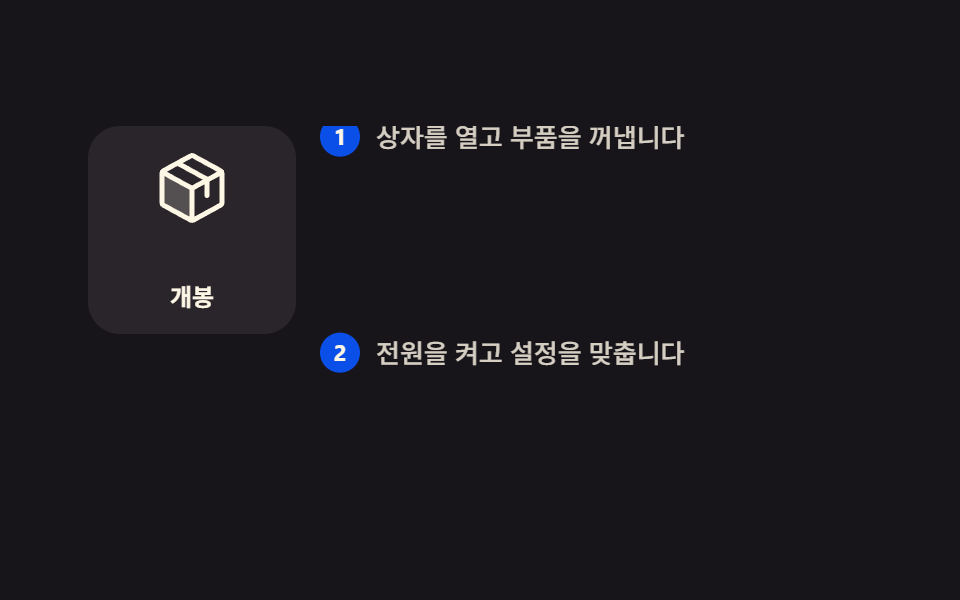 Scroll9 Scrollytelling CSS Section Patterns, Copy-Paste
 Scroll9 Reading Progress Bar CSS Patterns, No Library
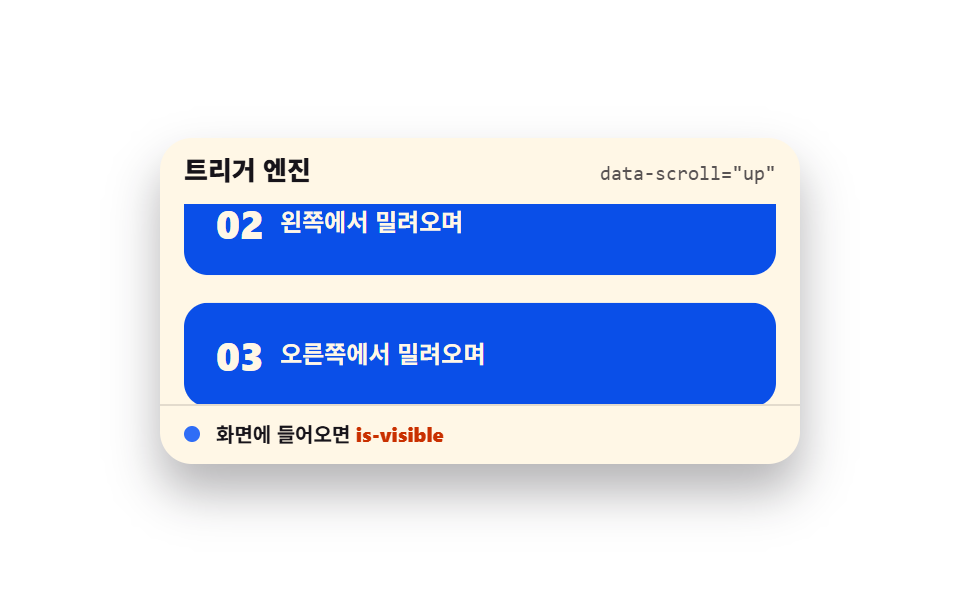 ScrollScroll Trigger Animation: 9 Engines, No GSAP
 ScrollMoving Particles Background CSS: 9 Scroll Scenes