Too Many Failed Login Attempts: 9 Patterns
One value drops by one per failed try, another doubles the wait time as failures pile up, and another counts a remaining-seconds value down to zero until the
 01 auth-attempt-counter-shake
 02 auth-attempt-backoff-timer
 03 auth-attempt-lockout-ring
 04 auth-attempt-captcha-escalate
 05 auth-attempt-alert-banner-slide
 06 auth-attempt-cooldown-countdown
 07 auth-attempt-history-list-fade
 08 auth-attempt-success-reset
 09 auth-attempt-reduced-motion-static
Auto-plays · click a tile to jump to its section · all nine in one zip
- 01 Remaining-tries shake — the remaining-tries value drops and the number shakes briefly each time login fails
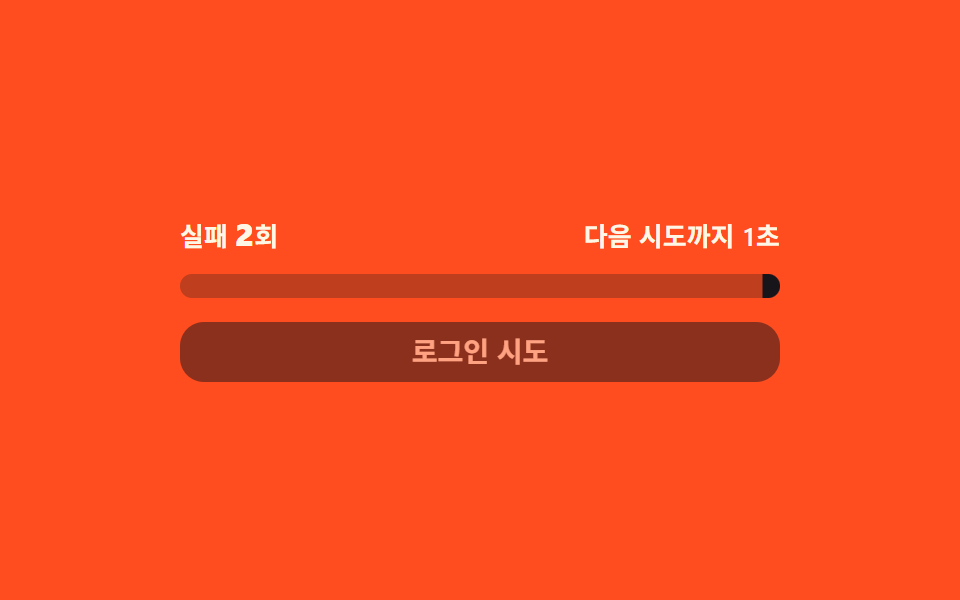
- 02 Doubling backoff wait — the time value left before the next try doubles with each failure
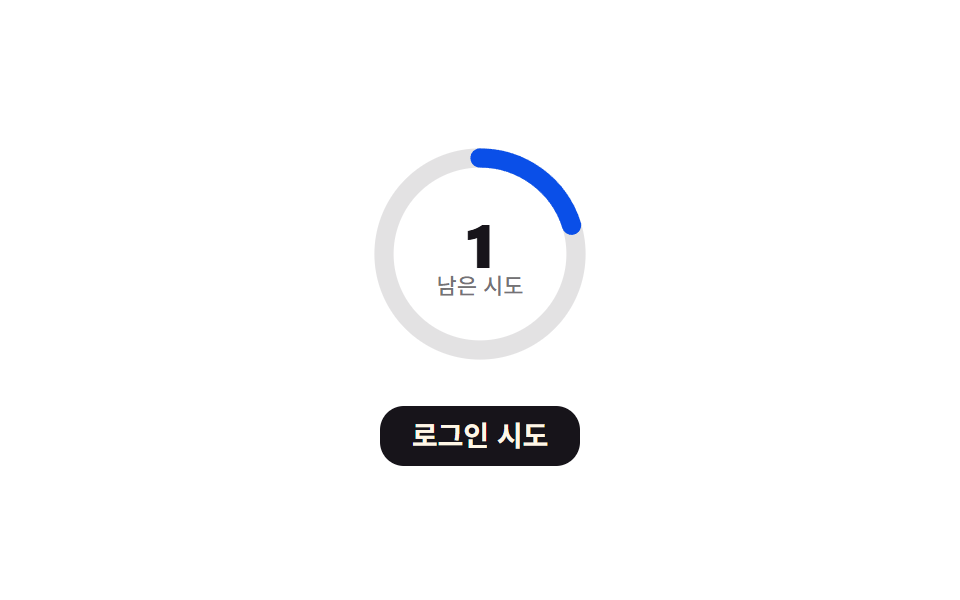
- 03 Lockout progress ring — the remaining-tries value is shown as a circular progress value
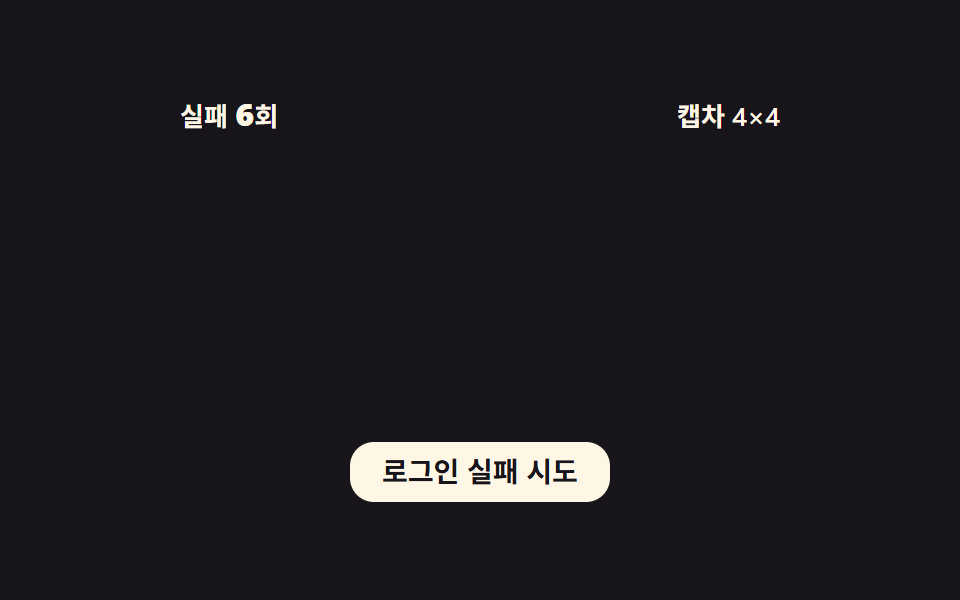
- 04 Captcha step-up — the captcha cell-count value grows each time the failure count crosses a threshold value
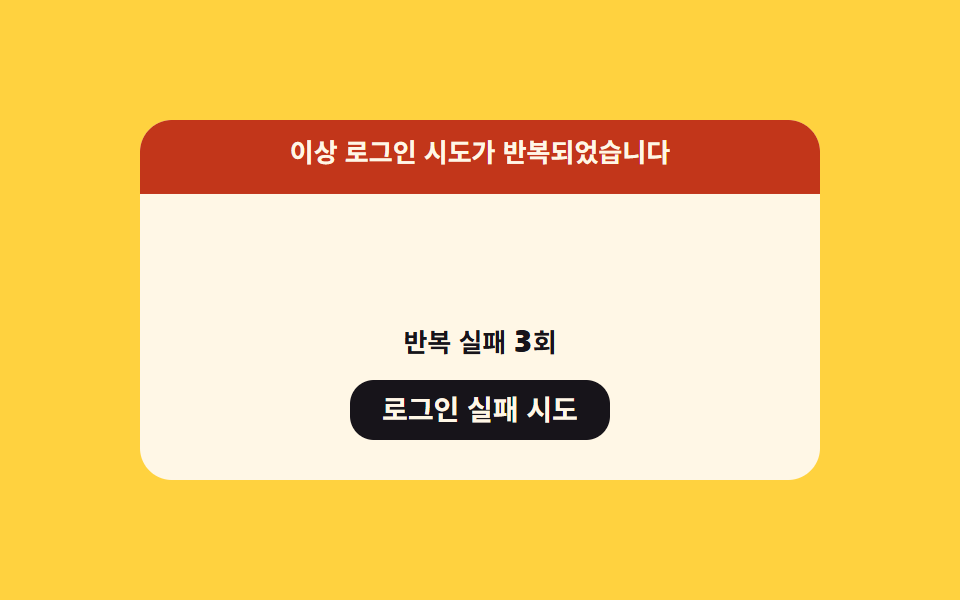
- 05 Alert banner slide-in — the banner's position value moves down from off-screen once repeated failures cross a threshold
- 06 Unlock countdown — the remaining-seconds value counts down until another try is allowed after a lockout
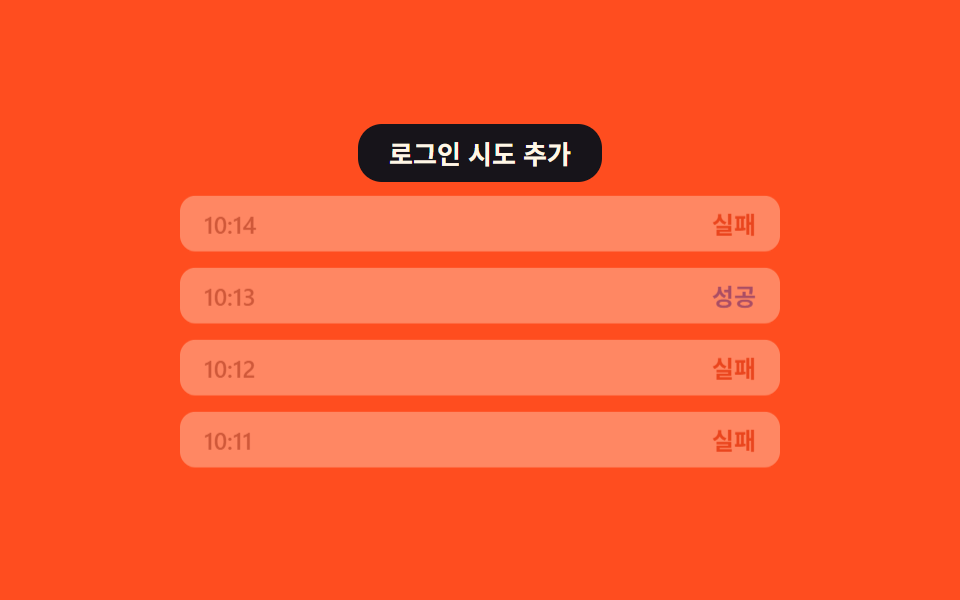
- 07 Fading attempt history — every new attempt added lowers the opacity value of older entries in the list
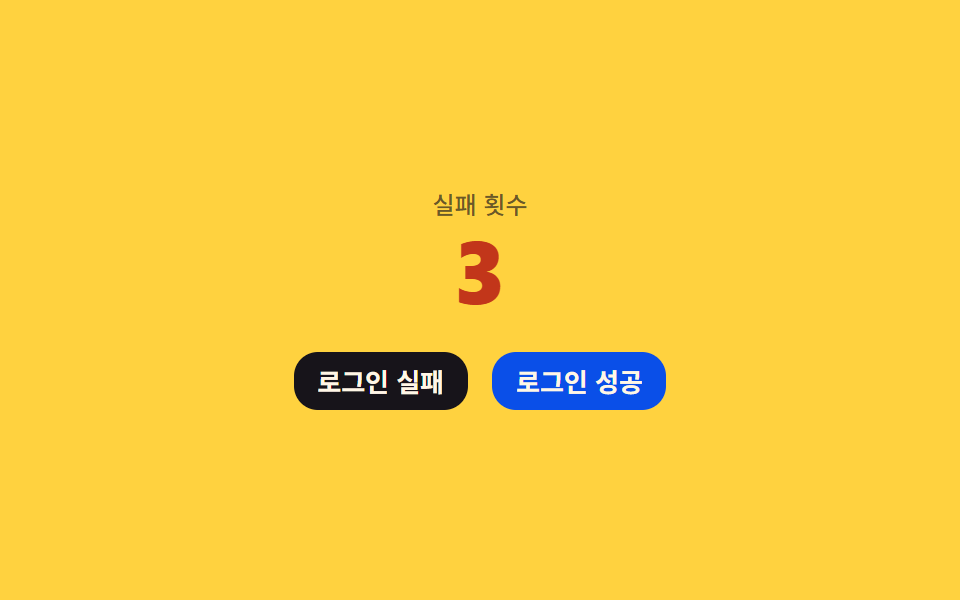
- 08 Reset on success — a single successful login sends the failure-count value straight back to zero
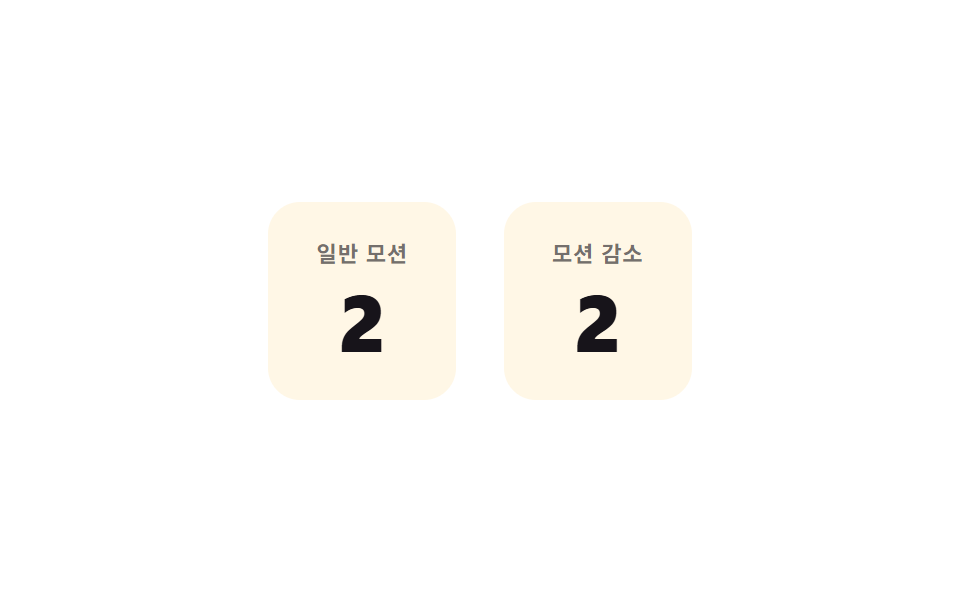
- 09 Reduced-motion instant update — under a reduced-motion setting, the value jumps straight to its next state with no movement
All nine react to the same trigger — a real click on a button (item 08 has two, fail and success; item 09's listener sits on its whole panel) — and none of them touch a timer or a coin flip to decide what happens next: every number here comes from a fixed formula applied to a counter, never from Math.random(). Nothing here talks to a server, a SMS gateway, or a real CAPTCHA vendor; the "lock," the "captcha," and the "wait time" are all local variables recalculated in the browser, so no claim below should be read as "the server locks the account" — it's this demo's own arithmetic, visible in the tab. Item 01's password field even masks its input with the CSS property -webkit-text-security: disc rather than swapping to type="password", which is why it can still show the shake animation while looking like a password box.
Anatomy of nine patterns — which value changes and when
Four items (01, 03, 04, 07) turn a single counter straight into a rendered value: 01's remaining-tries count drives both a number and a shake amplitude, 03's remaining-tries count drives an SVG ring's stroke-dashoffset, 04's failure count crosses a threshold to pick a captcha cell count from a fixed list, and 07's growing entry list recomputes every row's opacity from its own index. Two items (05, 08) integrate a spring instead of tweening a percentage: both step velocity and position forward each frame from a stiffness (SPRING_K), a damping (SPRING_C), and a mass (SPRING_M), so the banner slide-in and the success-reset bounce settle rather than stop dead. Item 02 and item 06 look similar — a wait value falling toward zero — but 02's wait doubles in length after every new failure while 06's is a fixed lockout length counted straight down by one each second, which is the difference between exponential backoff and a flat cooldown. Item 09 is the odd one out: it decrements the exact same remaining-tries counter on two panels at once, one with a tween and one without, to hold reduced-motion and full-motion side by side on a single click.
Code per pattern
01Remaining-tries shake — the remaining-tries value drops and the number shakes briefly each time login fails
Each failed try drops the remaining-count value by one, and at that instant the number shakes left and right briefly. The shake amplitude itself is a formula too: it grows as remaining tries fall, so the last try before lockout visibly shakes harder than the first.
<main class="stage">
<div class="acs is-demo" id="acs">
  <div class="acs__card">
    <div class="acs__row">
      <label class="acs__field"><input class="acs__input" id="acsUser" type="text" placeholder="ID" autocomplete="off" spellcheck="false"></label>
      <label class="acs__field"><input class="acs__input acs__input--pw" id="acsPass" type="text" placeholder="Password" autocomplete="off" spellcheck="false"></label>
    </div>
    <button class="acs__btn" id="acsBtn" type="button">Log in</button>
    <div class="acs__readout">
      <span class="acs__label">Tries left</span>
      <span class="acs__count" id="acsCount">5</span>
    </div>
  </div>
</div>
</main>
@use "../../../../site/static/demo-tokens" as *;
// 계산 겹: 흔들림 진폭 = 기준값 + (최대시도 − 남은시도)×증가폭, 감쇠 사인 곡선(index.html 참조)
@include stage($stage-yellow);
.acs {
width: 100%;
max-width: 300px;
display: grid;
gap: $sp-3;
}
.acs__card {
display: grid;
gap: $sp-3;
}
.acs__row {
display: grid;
gap: $sp-2;
}
.acs__field { display: block; }
.acs__input {
width: 100%;
box-sizing: border-box;
padding: $sp-2 $sp-3;
border-radius: $r-sm;
border: 0;
background: rgba($stage-ink, .08);
color: $stage-ink;
font: 500 14px/1.3 -apple-system, "Segoe UI", "Noto Sans KR", sans-serif;
&::placeholder { color: rgba($stage-ink, .48); }
&:focus { outline: 2px solid $stage-ink; outline-offset: 2px; }
}
.acs__input--pw { -webkit-text-security: disc; }
.acs__btn {
border: 0;
border-radius: $r-control;
padding: $sp-2 $sp-4;
background: $stage-ink;
color: $subject-cream;
font: 700 14px/1 -apple-system, "Segoe UI", "Noto Sans KR", sans-serif;
cursor: pointer;
transition: transform $dur-instant $ease-out;
&:active { transform: scale(.96); }
}
.acs__readout {
display: flex;
align-items: baseline;
justify-content: center;
gap: $sp-2;
}
.acs__label {
font: 500 12px/1 -apple-system, "Segoe UI", "Noto Sans KR", sans-serif;
color: rgba($stage-ink, .64);
}
.acs__count {
display: inline-block;
font: 800 28px/1 -apple-system, "Segoe UI", "Noto Sans KR", sans-serif;
color: $stage-ink;
font-variant-numeric: tabular-nums;
}
.acs__count--low { color: $error; }
@media (max-width: 340px) {
.acs { max-width: 220px; }
.acs__count { font-size: 22px; }
}
@media (prefers-reduced-motion: reduce) {
.acs__btn { transition: none; }
}html, body {
margin: 0;
overflow: hidden;
}
.stage {
box-sizing: border-box;
min-height: 100vh;
display: grid;
place-items: center;
margin: 0;
background: #ffd23f;
font-family: -apple-system, "Segoe UI", "Noto Sans KR", sans-serif;
padding: clamp(8px, 4vw, 24px);
}
.acs {
width: 100%;
max-width: 300px;
display: grid;
gap: 12px;
}
.acs__card {
display: grid;
gap: 12px;
}
.acs__row {
display: grid;
gap: 8px;
}
.acs__field {
display: block;
}
.acs__input {
width: 100%;
box-sizing: border-box;
padding: 8px 12px;
border-radius: 8px;
border: 0;
background: rgba(23, 20, 26, 0.08);
color: #17141a;
font: 500 14px/1.3 -apple-system, "Segoe UI", "Noto Sans KR", sans-serif;
}
.acs__input::placeholder {
color: rgba(23, 20, 26, 0.48);
}
.acs__input:focus {
outline: 2px solid #17141a;
outline-offset: 2px;
}
.acs__input--pw {
-webkit-text-security: disc;
}
.acs__btn {
border: 0;
border-radius: 12px;
padding: 8px 16px;
background: #17141a;
color: #fff7e6;
font: 700 14px/1 -apple-system, "Segoe UI", "Noto Sans KR", sans-serif;
cursor: pointer;
transition: transform 140ms ease-out;
}
.acs__btn:active {
transform: scale(0.96);
}
.acs__readout {
display: flex;
align-items: baseline;
justify-content: center;
gap: 8px;
}
.acs__label {
font: 500 12px/1 -apple-system, "Segoe UI", "Noto Sans KR", sans-serif;
color: rgba(23, 20, 26, 0.64);
}
.acs__count {
display: inline-block;
font: 800 28px/1 -apple-system, "Segoe UI", "Noto Sans KR", sans-serif;
color: #17141a;
font-variant-numeric: tabular-nums;
}
.acs__count--low {
color: #c2361a;
}
@media (max-width: 340px) {
.acs {
max-width: 220px;
}
.acs__count {
font-size: 22px;
}
}
@media (prefers-reduced-motion: reduce) {
.acs__btn {
transition: none;
}
}(function () {
var root = document.getElementById('acs');
var btn = document.getElementById('acsBtn');
var countEl = document.getElementById('acsCount');
// 상수: 최대 시도 횟수·흔들림 진폭 기준값·진폭 증가폭·흔들림 지속시간·진동 횟수
var MAX_TRIES = 5;
var AMP_BASE = 3; // px — 첫 Fail 때 흔들림 폭
var AMP_STEP = 2; // px — 남은 횟수가 줄 때마다 늘어나는 폭
var SHAKE_MS = 480;
var SHAKE_FREQ = 4; // 진동 횟수
var remaining = MAX_TRIES;
var shaking = false;
function paint() {
countEl.textContent = String(remaining);
countEl.classList.toggle('acs__count--low', remaining <= 1);
}
// 계산 겹: 진폭 = 기준값 + (최대-남은)×증가폭, 감쇠 사인 = sin(t·2π·진동수)×(1-t)
function shake() {
var amp = AMP_BASE + (MAX_TRIES - remaining) * AMP_STEP;
var start = null;
shaking = true;
function frame(ts) {
if (start === null) start = ts;
var t = Math.min(1, (ts - start) / SHAKE_MS);
var x = amp * Math.sin(t * Math.PI * 2 * SHAKE_FREQ) * (1 - t);
countEl.style.transform = 'translateX(' + x.toFixed(2) + 'px)';
if (t < 1) requestAnimationFrame(frame);
else { countEl.style.transform = 'translateX(0)'; shaking = false; }
}
requestAnimationFrame(frame);
}
function fail() {
if (shaking) return;
remaining = remaining > 0 ? remaining - 1 : MAX_TRIES;
paint();
shake();
}
btn.addEventListener('click', function () {
root.classList.remove('is-demo');
stopAutoplay();
fail();
});
paint();
var autoTimer = null;
function stopAutoplay() { if (autoTimer) { clearInterval(autoTimer); autoTimer = null; } }
var reduce = window.matchMedia('(prefers-reduced-motion: reduce)').matches;
if (!reduce) { autoTimer = setInterval(fail, 420); }
})();import { useEffect, useRef } from "react";
import styles from "./AuthAttemptCounterShake.module.scss";
type Box<T> = { current: T };
export default function AuthAttemptCounterShake() {
const rootRef = useRef(null) as unknown as Box<HTMLDivElement | null>;
useEffect(() => {
const root = rootRef.current;
if (!root) return;
const btn = root.querySelector(`.${styles.btn}`) as HTMLButtonElement | null;
const countEl = root.querySelector(`.${styles.count}`) as HTMLElement | null;
if (!btn || !countEl) return;
// 상수: 최대 시도 횟수·흔들림 진폭 기준값·진폭 증가폭·흔들림 지속시간·진동 횟수
const MAX_TRIES = 5;
const AMP_BASE = 3;
const AMP_STEP = 2;
const SHAKE_MS = 480;
const SHAKE_FREQ = 4;
let remaining = MAX_TRIES;
let shaking = false;
function paint() {
countEl!.textContent = String(remaining);
countEl!.classList.toggle(styles["count--low"], remaining <= 1);
}
// 계산 겹: 진폭 = 기준값 + (최대-남은)×증가폭, 감쇠 사인 = sin(t·2π·진동수)×(1-t)
function shake() {
const amp = AMP_BASE + (MAX_TRIES - remaining) * AMP_STEP;
let start: number | null = null;
shaking = true;
function frame(ts: number) {
if (start === null) start = ts;
const t = Math.min(1, (ts - start) / SHAKE_MS);
const x = amp * Math.sin(t * Math.PI * 2 * SHAKE_FREQ) * (1 - t);
countEl!.style.transform = "translateX(" + x.toFixed(2) + "px)";
if (t < 1) requestAnimationFrame(frame);
else { countEl!.style.transform = "translateX(0)"; shaking = false; }
}
requestAnimationFrame(frame);
}
function fail() {
if (shaking) return;
remaining = remaining > 0 ? remaining - 1 : MAX_TRIES;
paint();
shake();
}
function onClick() {
root!.classList.remove(styles["is-demo"]);
stopAutoplay();
fail();
}
btn.addEventListener("click", onClick);
paint();
let autoTimer: number | null = null;
function stopAutoplay() { if (autoTimer !== null) { window.clearInterval(autoTimer); autoTimer = null; } }
const reduce = window.matchMedia("(prefers-reduced-motion: reduce)").matches;
if (!reduce) { autoTimer = window.setInterval(fail, 420); }
return () => {
stopAutoplay();
btn.removeEventListener("click", onClick);
};
}, []);
return (
<div ref={rootRef} className={`${styles.stage} ${styles.acs} ${styles["is-demo"]}`}>
<div className={styles.card}>
<div className={styles.row}>
<label className={styles.field}>
<input className={styles.input} type="text" placeholder="아이디" autoComplete="off" spellCheck={false} />
</label>
<label className={styles.field}>
<input className={`${styles.input} ${styles["input--pw"]}`} type="text" placeholder="비밀번호" autoComplete="off" spellCheck={false} />
</label>
</div>
<button className={styles.btn} type="button">로그인</button>
<div className={styles.readout}>
<span className={styles.label}>남은 시도</span>
<span className={styles.count}>5</span>
</div>
</div>
</div>
);
}01 · Remaining-tries shake — the remaining-tries value drops and the number shakes briefly each time login fails — Measured area 0.505% · moving frames 14/23Original by GODRICH · SCSS and React ship in the zip · See the password
// Calculation layer: amplitude = base + (max - remaining) x step, decaying sine = sin(t x 2pi x frequency) x (1 - t)
function shake() {
  var amp = AMP_BASE + (MAX_TRIES - remaining) * AMP_STEP;
  var start = null;
  shaking = true;
  function frame(ts) {
    if (start === null) start = ts;
    var t = Math.min(1, (ts - start) / SHAKE_MS);
    var x = amp * Math.sin(t * Math.PI * 2 * SHAKE_FREQ) * (1 - t);
    countEl.style.transform = 'translateX(' + x.toFixed(2) + 'px)';
    if (t < 1) requestAnimationFrame(frame);
    else { countEl.style.transform = 'translateX(0)'; shaking = false; }
  }
  requestAnimationFrame(frame);
}

function fail() {
  if (shaking) return;
  remaining = remaining > 0 ? remaining - 1 : MAX_TRIES;
  paint();
  shake();
}
What the numbers say
Measured across 23 tracked frames, item 01 moves only 0.51% of the frame area at a 115.7 intensity score over 14 moving frames — a thin shake confined to a few characters, not a scene.
02Doubling backoff wait — the time value left before the next try doubles with each failure
As the failure count rises, the wait-time value grows to twice its previous value each time. The countdown itself still runs on requestAnimationFrame rather than a per-second tick, which is why the fill bar drains smoothly instead of jumping in whole seconds.
<main class="stage">
<div class="abt is-demo" id="abt">
  <div class="abt__card">
    <div class="abt__row">
      <span class="abt__label">Fail <b id="abtFails">0</b>times</span>
      <span class="abt__wait" id="abtWait">No wait</span>
    </div>
    <div class="abt__track"><div class="abt__fill" id="abtFill"></div></div>
    <button class="abt__btn" id="abtBtn" type="button">Login attempt</button>
  </div>
</div>
</main>
@use "../../../../site/static/demo-tokens" as *;
// 계산 겹: 대기초 = min(CAP, BACKOFF_BASE×2^실패횟수) — index.html 참조. 막대는 남은비율로 scaleX
@include stage($stage-orange);
.abt {
width: 100%;
max-width: 300px;
}
.abt__card {
display: grid;
gap: $sp-3;
}
.abt__row {
display: flex;
align-items: baseline;
justify-content: space-between;
font: 600 13px/1 -apple-system, "Segoe UI", "Noto Sans KR", sans-serif;
color: $subject-cream;
}
.abt__label b { font-size: 16px; font-variant-numeric: tabular-nums; }
.abt__wait {
font-variant-numeric: tabular-nums;
color: $subject-cream;
}
.abt__track {
position: relative;
height: $sp-3;
border-radius: $r-sm;
background: rgba(23, 20, 26, .28);
overflow: hidden;
}
.abt__fill {
position: absolute;
inset: 0;
border-radius: $r-sm;
background: $stage-ink;
transform: scaleX(0);
transform-origin: right center;
}
.abt__btn {
border: 0;
border-radius: $r-control;
padding: $sp-2 $sp-4;
background: $stage-ink;
color: $subject-cream;
font: 700 14px/1 -apple-system, "Segoe UI", "Noto Sans KR", sans-serif;
cursor: pointer;
transition: opacity $dur-instant $ease-out;
&:disabled { opacity: .5; cursor: not-allowed; }
}
@media (max-width: 340px) {
.abt { max-width: 220px; }
.abt__row { font-size: 12px; }
}
@media (prefers-reduced-motion: reduce) {
.abt__btn { transition: none; }
}html, body {
margin: 0;
overflow: hidden;
}
.stage {
box-sizing: border-box;
min-height: 100vh;
display: grid;
place-items: center;
margin: 0;
background: #ff4d1f;
font-family: -apple-system, "Segoe UI", "Noto Sans KR", sans-serif;
padding: clamp(8px, 4vw, 24px);
}
.abt {
width: 100%;
max-width: 300px;
}
.abt__card {
display: grid;
gap: 12px;
}
.abt__row {
display: flex;
align-items: baseline;
justify-content: space-between;
font: 600 13px/1 -apple-system, "Segoe UI", "Noto Sans KR", sans-serif;
color: #fff7e6;
}
.abt__label b {
font-size: 16px;
font-variant-numeric: tabular-nums;
}
.abt__wait {
font-variant-numeric: tabular-nums;
color: #fff7e6;
}
.abt__track {
position: relative;
height: 12px;
border-radius: 8px;
background: rgba(23, 20, 26, 0.28);
overflow: hidden;
}
.abt__fill {
position: absolute;
inset: 0;
border-radius: 8px;
background: #17141a;
transform: scaleX(0);
transform-origin: right center;
}
.abt__btn {
border: 0;
border-radius: 12px;
padding: 8px 16px;
background: #17141a;
color: #fff7e6;
font: 700 14px/1 -apple-system, "Segoe UI", "Noto Sans KR", sans-serif;
cursor: pointer;
transition: opacity 140ms ease-out;
}
.abt__btn:disabled {
opacity: 0.5;
cursor: not-allowed;
}
@media (max-width: 340px) {
.abt {
max-width: 220px;
}
.abt__row {
font-size: 12px;
}
}
@media (prefers-reduced-motion: reduce) {
.abt__btn {
transition: none;
}
}(function () {
var root = document.getElementById('abt');
var btn = document.getElementById('abtBtn');
var failsEl = document.getElementById('abtFails');
var waitEl = document.getElementById('abtWait');
var fill = document.getElementById('abtFill');
// 상수: 지수 백오프 = BACKOFF_BASE_SEC × 2^실패횟수(sec), CAP_SEC 에서 증가를 멈춘다
var BACKOFF_BASE_SEC = 1;
var CAP_SEC = 16;
var DEMO_TICK_MS = 90; // 데모 안에서 "1sec"를 표현하는 실제 ms(가속)
var fails = 0;
var locked = false;
var rafId = null;
function waitSecondsOf(n) {
  return Math.min(CAP_SEC, BACKOFF_BASE_SEC * Math.pow(2, n));
}

function countdown(totalSec) {
  locked = true;
  btn.disabled = true;
  var start = null;
  var totalMs = totalSec * DEMO_TICK_MS;
  function frame(ts) {
    if (start === null) start = ts;
    var elapsed = ts - start;
    var left = Math.max(0, totalSec - elapsed / DEMO_TICK_MS);
    waitEl.textContent = 'Until next try ' + Math.ceil(left) + 'sec';
    fill.style.transform = 'scaleX(' + Math.max(0, left / totalSec) + ')';
    if (elapsed < totalMs) { rafId = requestAnimationFrame(frame); }
    else {
      waitEl.textContent = 'No wait';
      fill.style.transform = 'scaleX(0)';
      locked = false;
      btn.disabled = false;
    }
  }
  rafId = requestAnimationFrame(frame);
}
function fail() {
if (locked) return;
fails += 1;
failsEl.textContent = String(fails);
countdown(waitSecondsOf(fails));
}
function reset() {
if (rafId) cancelAnimationFrame(rafId);
fails = 0;
locked = false;
btn.disabled = false;
failsEl.textContent = '0';
waitEl.textContent = 'No wait';
fill.style.transform = 'scaleX(0)';
}
btn.addEventListener('click', function () {
root.classList.remove('is-demo');
stopAutoplay();
fail();
});
var autoTimer = null;
var stage = 0;
function autoTick() {
if (locked) return;
if (stage >= 4) { reset(); stage = 0; return; }
fail();
stage += 1;
}
function stopAutoplay() { if (autoTimer) { clearInterval(autoTimer); autoTimer = null; } }
var reduce = window.matchMedia('(prefers-reduced-motion: reduce)').matches;
if (!reduce) { autoTimer = setInterval(autoTick, 260); }
})();import { useEffect, useRef } from "react";
import styles from "./AuthAttemptBackoffTimer.module.scss";
type Box<T> = { current: T };
export default function AuthAttemptBackoffTimer() {
const rootRef = useRef(null) as unknown as Box<HTMLDivElement | null>;
useEffect(() => {
const root = rootRef.current;
if (!root) return;
const btn = root.querySelector(`.${styles.btn}`) as HTMLButtonElement | null;
const failsEl = root.querySelector(`.${styles.fails}`) as HTMLElement | null;
const waitEl = root.querySelector(`.${styles.wait}`) as HTMLElement | null;
const fill = root.querySelector(`.${styles.fill}`) as HTMLElement | null;
if (!btn || !failsEl || !waitEl || !fill) return;
// 상수: 지수 백오프 = BACKOFF_BASE_SEC × 2^실패횟수(초), CAP_SEC 에서 증가를 멈춘다
const BACKOFF_BASE_SEC = 1;
const CAP_SEC = 16;
const DEMO_TICK_MS = 90;
let fails = 0;
let locked = false;
let rafId: number | null = null;
function waitSecondsOf(n: number) {
return Math.min(CAP_SEC, BACKOFF_BASE_SEC * Math.pow(2, n));
}
function countdown(totalSec: number) {
locked = true;
btn!.disabled = true;
let start: number | null = null;
const totalMs = totalSec * DEMO_TICK_MS;
function frame(ts: number) {
if (start === null) start = ts;
const elapsed = ts - start;
const left = Math.max(0, totalSec - elapsed / DEMO_TICK_MS);
waitEl!.textContent = "다음 시도까지 " + Math.ceil(left) + "초";
fill!.style.transform = "scaleX(" + Math.max(0, left / totalSec) + ")";
if (elapsed < totalMs) { rafId = requestAnimationFrame(frame); }
else {
waitEl!.textContent = "대기 없음";
fill!.style.transform = "scaleX(0)";
locked = false;
btn!.disabled = false;
}
}
rafId = requestAnimationFrame(frame);
}
function fail() {
if (locked) return;
fails += 1;
failsEl!.textContent = String(fails);
countdown(waitSecondsOf(fails));
}
function reset() {
if (rafId !== null) cancelAnimationFrame(rafId);
fails = 0;
locked = false;
btn!.disabled = false;
failsEl!.textContent = "0";
waitEl!.textContent = "대기 없음";
fill!.style.transform = "scaleX(0)";
}
function onClick() {
root!.classList.remove(styles["is-demo"]);
stopAutoplay();
fail();
}
btn.addEventListener("click", onClick);
let autoTimer: number | null = null;
let stage = 0;
function autoTick() {
if (locked) return;
if (stage >= 4) { reset(); stage = 0; return; }
fail();
stage += 1;
}
function stopAutoplay() { if (autoTimer !== null) { window.clearInterval(autoTimer); autoTimer = null; } }
const reduce = window.matchMedia("(prefers-reduced-motion: reduce)").matches;
if (!reduce) { autoTimer = window.setInterval(autoTick, 260); }
return () => {
stopAutoplay();
if (rafId !== null) cancelAnimationFrame(rafId);
btn.removeEventListener("click", onClick);
};
}, []);
return (
<div ref={rootRef} className={`${styles.stage} ${styles.abt} ${styles["is-demo"]}`}>
<div className={styles.card}>
<div className={styles.row}>
<span className={styles.label}>실패 <b className={styles.fails}>0</b>회</span>
<span className={styles.wait}>대기 없음</span>
</div>
<div className={styles.track}><div className={styles.fill} /></div>
<button className={styles.btn} type="button">로그인 시도</button>
</div>
</div>
);
}02 · Doubling backoff wait — the time value left before the next try doubles with each failure — Measured area 9.492% · moving frames 23/23Original by GODRICH · SCSS and React ship in the zip · See the password
function waitSecondsOf(n) {
return Math.min(CAP_SEC, BACKOFF_BASE_SEC * Math.pow(2, n));
}
function countdown(totalSec) {
locked = true;
btn.disabled = true;
var start = null;
var totalMs = totalSec * DEMO_TICK_MS;
function frame(ts) {
if (start === null) start = ts;
var elapsed = ts - start;
var left = Math.max(0, totalSec - elapsed / DEMO_TICK_MS);
waitEl.textContent = 'Until next try ' + Math.ceil(left) + 'sec';
fill.style.transform = 'scaleX(' + Math.max(0, left / totalSec) + ')';
if (elapsed < totalMs) { rafId = requestAnimationFrame(frame); }
else {
waitEl.textContent = 'No wait';
fill.style.transform = 'scaleX(0)';
locked = false;
btn.disabled = false;
}
}
rafId = requestAnimationFrame(frame);
}
What the numbers say
Item 02 covers 9.49% of the frame at a 127.8 intensity across all 23 tracked frames — the fill bar and the wait-time text redraw on nearly every frame while the wait is active.
03Lockout progress ring — the remaining-tries value is shown as a circular progress value
As the remaining-tries value falls, the circular progress value shrinks along with it. The ring's offset is plain circle arithmetic — circumference times the used-up share of the max tries — with no separate percentage variable to keep in sync.
<main class="stage">
<div class="alr is-demo" id="alr">
  <div class="alr__ringwrap">
    <svg class="alr__ring" viewBox="0 0 100 100" width="120" height="120">
      <circle class="alr__track" cx="50" cy="50" r="40"></circle>
      <circle class="alr__prog" id="alrProg" cx="50" cy="50" r="40"></circle>
    </svg>
    <div class="alr__mid">
      <span class="alr__count" id="alrCount">5</span>
      <span class="alr__label">Tries left</span>
    </div>
  </div>
  <button class="alr__btn" id="alrBtn" type="button">Login attempt</button>
</div>
</main>
@use "../../../../site/static/demo-tokens" as *;
// 계산 겹: stroke-dashoffset = 둘레×(1 − 남은시도/최대시도) — index.html 참조
@include stage($stage-paper);
.alr {
display: grid;
justify-items: center;
gap: $sp-4;
}
.alr__ringwrap {
position: relative;
display: grid;
place-items: center;
}
.alr__ring {
transform: rotate(-90deg);
}
.alr__track {
fill: none;
stroke: rgba($stage-ink, .12);
stroke-width: 8;
}
.alr__prog {
fill: none;
stroke: $subject-blue-deep;
stroke-width: 8;
stroke-linecap: round;
transition: stroke-dashoffset $dur-base $ease-out, stroke $dur-base $ease-out;
}
.alr--locked .alr__prog { stroke: $error; }
.alr__mid {
position: absolute;
display: grid;
justify-items: center;
}
.alr__count {
font: 800 30px/1 -apple-system, "Segoe UI", "Noto Sans KR", sans-serif;
color: $stage-ink;
font-variant-numeric: tabular-nums;
}
.alr__label {
font: 500 11px/1 -apple-system, "Segoe UI", "Noto Sans KR", sans-serif;
color: rgba($stage-ink, .6);
}
.alr__btn {
border: 0;
border-radius: $r-control;
padding: $sp-2 $sp-4;
background: $stage-ink;
color: $subject-cream;
font: 700 14px/1 -apple-system, "Segoe UI", "Noto Sans KR", sans-serif;
cursor: pointer;
transition: transform $dur-instant $ease-out;
&:active { transform: scale(.96); }
}
@media (max-width: 340px) {
.alr__ring { width: 92px; height: 92px; }
.alr__count { font-size: 24px; }
}
@media (prefers-reduced-motion: reduce) {
.alr__prog { transition: none; }
}html, body {
margin: 0;
overflow: hidden;
}
.stage {
box-sizing: border-box;
min-height: 100vh;
display: grid;
place-items: center;
margin: 0;
background: #ffffff;
font-family: -apple-system, "Segoe UI", "Noto Sans KR", sans-serif;
padding: clamp(8px, 4vw, 24px);
}
.alr {
display: grid;
justify-items: center;
gap: 16px;
}
.alr__ringwrap {
position: relative;
display: grid;
place-items: center;
}
.alr__ring {
transform: rotate(-90deg);
}
.alr__track {
fill: none;
stroke: rgba(23, 20, 26, 0.12);
stroke-width: 8;
}
.alr__prog {
fill: none;
stroke: #0a4fe8;
stroke-width: 8;
stroke-linecap: round;
transition: stroke-dashoffset 300ms ease-out, stroke 300ms ease-out;
}
.alr--locked .alr__prog {
stroke: #c2361a;
}
.alr__mid {
position: absolute;
display: grid;
justify-items: center;
}
.alr__count {
font: 800 30px/1 -apple-system, "Segoe UI", "Noto Sans KR", sans-serif;
color: #17141a;
font-variant-numeric: tabular-nums;
}
.alr__label {
font: 500 11px/1 -apple-system, "Segoe UI", "Noto Sans KR", sans-serif;
color: rgba(23, 20, 26, 0.6);
}
.alr__btn {
border: 0;
border-radius: 12px;
padding: 8px 16px;
background: #17141a;
color: #fff7e6;
font: 700 14px/1 -apple-system, "Segoe UI", "Noto Sans KR", sans-serif;
cursor: pointer;
transition: transform 140ms ease-out;
}
.alr__btn:active {
transform: scale(0.96);
}
@media (max-width: 340px) {
.alr__ring {
width: 92px;
height: 92px;
}
.alr__count {
font-size: 24px;
}
}
@media (prefers-reduced-motion: reduce) {
.alr__prog {
transition: none;
}
}(function () {
var root = document.getElementById('alr');
var btn = document.getElementById('alrBtn');
var countEl = document.getElementById('alrCount');
var prog = document.getElementById('alrProg');
// 상수: 최대 시도 횟수·링 반지름(SVG viewBox 좌표)
var MAX_TRIES = 5;
var R = 40;
var CIRC = 2 * Math.PI * R; // 원둘레
prog.style.strokeDasharray = CIRC.toFixed(2);
var remaining = MAX_TRIES;
// 계산 겹: 링 오프셋 = 둘레 × (1 − 남은/최대) — stroke-dashoffset 산술
function paint() {
countEl.textContent = String(remaining);
var offset = CIRC * (1 - remaining / MAX_TRIES);
prog.style.strokeDashoffset = offset.toFixed(2);
root.classList.toggle('alr--locked', remaining <= 0);
}
function fail() {
if (remaining <= 0) { remaining = MAX_TRIES; paint(); return; }
remaining -= 1;
paint();
}
btn.addEventListener('click', function () {
root.classList.remove('is-demo');
stopAutoplay();
fail();
});
paint();
var autoTimer = null;
function stopAutoplay() { if (autoTimer) { clearInterval(autoTimer); autoTimer = null; } }
var reduce = window.matchMedia('(prefers-reduced-motion: reduce)').matches;
if (!reduce) { autoTimer = setInterval(fail, 380); }
})();import { useEffect, useRef } from "react";
import styles from "./AuthAttemptLockoutRing.module.scss";
type Box<T> = { current: T };
export default function AuthAttemptLockoutRing() {
const rootRef = useRef(null) as unknown as Box<HTMLDivElement | null>;
useEffect(() => {
const root = rootRef.current;
if (!root) return;
const btn = root.querySelector(`.${styles.btn}`) as HTMLButtonElement | null;
const countEl = root.querySelector(`.${styles.count}`) as HTMLElement | null;
const prog = root.querySelector(`.${styles.prog}`) as SVGCircleElement | null;
if (!btn || !countEl || !prog) return;
// 상수: 최대 시도 횟수·링 반지름(SVG viewBox 좌표)
const MAX_TRIES = 5;
const R = 40;
const CIRC = 2 * Math.PI * R;
prog.style.strokeDasharray = CIRC.toFixed(2);
let remaining = MAX_TRIES;
// 계산 겹: 링 오프셋 = 둘레 × (1 − 남은/최대) — stroke-dashoffset 산술
function paint() {
countEl!.textContent = String(remaining);
const offset = CIRC * (1 - remaining / MAX_TRIES);
prog!.style.strokeDashoffset = offset.toFixed(2);
root!.classList.toggle(styles.locked, remaining <= 0);
}
function fail() {
if (remaining <= 0) { remaining = MAX_TRIES; paint(); return; }
remaining -= 1;
paint();
}
function onClick() {
root!.classList.remove(styles["is-demo"]);
stopAutoplay();
fail();
}
btn.addEventListener("click", onClick);
paint();
let autoTimer: number | null = null;
function stopAutoplay() { if (autoTimer !== null) { window.clearInterval(autoTimer); autoTimer = null; } }
const reduce = window.matchMedia("(prefers-reduced-motion: reduce)").matches;
if (!reduce) { autoTimer = window.setInterval(fail, 380); }
return () => {
stopAutoplay();
btn.removeEventListener("click", onClick);
};
}, []);
return (
<div ref={rootRef} className={`${styles.stage} ${styles.alr} ${styles["is-demo"]}`}>
<div className={styles.ringwrap}>
<svg className={styles.ring} viewBox="0 0 100 100" width={120} height={120}>
<circle className={styles.track} cx={50} cy={50} r={40} />
<circle className={styles.prog} cx={50} cy={50} r={40} />
</svg>
<div className={styles.mid}>
<span className={styles.count}>5</span>
<span className={styles.label}>남은 시도</span>
</div>
</div>
<button className={styles.btn} type="button">로그인 시도</button>
</div>
);
}03 · Lockout progress ring — the remaining-tries value is shown as a circular progress value — Measured area 2.46% · moving frames 22/23Original by GODRICH · SCSS and React ship in the zip · See the password
// Constants: max try count, ring radius (SVG viewBox coordinates)
var MAX_TRIES = 5;
var R = 40;
var CIRC = 2 * Math.PI * R; // circumference
prog.style.strokeDasharray = CIRC.toFixed(2);

var remaining = MAX_TRIES;

// Calculation layer: ring offset = circumference x (1 - remaining/max) -- stroke-dashoffset arithmetic
function paint() {
  countEl.textContent = String(remaining);
  var offset = CIRC * (1 - remaining / MAX_TRIES);
  prog.style.strokeDashoffset = offset.toFixed(2);
  root.classList.toggle('alr--locked', remaining <= 0);
}

function fail() {
  if (remaining <= 0) { remaining = MAX_TRIES; paint(); return; }
  remaining -= 1;
  paint();
}
What the numbers say
Item 03 sits at 2.46% area and a 150.6 intensity across 22 of 23 frames — most of the change is concentrated in the thin ring stroke rather than the whole card.
04Captcha step-up — the captcha cell-count value grows each time the failure count crosses a threshold value
Each time the failure-count value crosses a set threshold, the captcha cell-count value grows by one step. The step list itself is fixed at four sizes, so the grid can only ever land on one of those cell counts, never something in between.
<main class="stage">
<div class="ace is-demo" id="ace">
  <div class="ace__row">
    <span class="ace__label">Fail <b id="aceFails">0</b>times</span>
    <span class="ace__stage" id="aceStage">No captcha</span>
  </div>
  <div class="ace__grid" id="aceGrid"></div>
  <button class="ace__btn" id="aceBtn" type="button">Simulate failed login</button>
</div>
</main>
@use "../../../../site/static/demo-tokens" as *;
// 계산 겹: 캡차 단계 = floor(실패÷STAGE_THRESHOLD), 칸수 = CELL_STEPS[단계] — index.html 참조
@include stage($stage-ink);
.ace {
width: 100%;
max-width: 300px;
display: grid;
gap: $sp-3;
justify-items: center;
}
.ace__row {
width: 100%;
display: flex;
align-items: baseline;
justify-content: space-between;
font: 600 13px/1 -apple-system, "Segoe UI", "Noto Sans KR", sans-serif;
color: $subject-cream;
}
.ace__row b { font-size: 16px; font-variant-numeric: tabular-nums; }
.ace__grid {
display: grid;
grid-template-columns: repeat(var(--cols, 1), 1fr);
gap: $sp-2;
width: 132px;
min-height: 8px;
}
.ace__cell {
aspect-ratio: 1;
border-radius: $r-xs;
background: $subject-lilac;
animation: ace-pop $dur-quick $ease-pop backwards;
}
@keyframes ace-pop {
from { transform: scale(.4); opacity: 0; }
to { transform: scale(1); opacity: 1; }
}
.ace__btn {
border: 0;
border-radius: $r-control;
padding: $sp-2 $sp-4;
background: $subject-cream;
color: $stage-ink;
font: 700 14px/1 -apple-system, "Segoe UI", "Noto Sans KR", sans-serif;
cursor: pointer;
transition: transform $dur-instant $ease-out;
&:active { transform: scale(.96); }
}
@media (max-width: 340px) {
.ace { max-width: 220px; }
.ace__grid { width: 100px; }
}
@media (prefers-reduced-motion: reduce) {
.ace__btn { transition: none; }
.ace__cell { animation: none; }
}html, body {
margin: 0;
overflow: hidden;
}
.stage {
box-sizing: border-box;
min-height: 100vh;
display: grid;
place-items: center;
margin: 0;
background: #17141a;
font-family: -apple-system, "Segoe UI", "Noto Sans KR", sans-serif;
padding: clamp(8px, 4vw, 24px);
}
.ace {
width: 100%;
max-width: 300px;
display: grid;
gap: 12px;
justify-items: center;
}
.ace__row {
width: 100%;
display: flex;
align-items: baseline;
justify-content: space-between;
font: 600 13px/1 -apple-system, "Segoe UI", "Noto Sans KR", sans-serif;
color: #fff7e6;
}
.ace__row b {
font-size: 16px;
font-variant-numeric: tabular-nums;
}
.ace__grid {
display: grid;
grid-template-columns: repeat(var(--cols, 1), 1fr);
gap: 8px;
width: 132px;
min-height: 8px;
}
.ace__cell {
aspect-ratio: 1;
border-radius: 4px;
background: #b9a0ff;
animation: ace-pop 220ms cubic-bezier(0.2, 1.4, 0.4, 1) backwards;
}
@keyframes ace-pop {
from {
transform: scale(0.4);
opacity: 0;
}
to {
transform: scale(1);
opacity: 1;
}
}
.ace__btn {
border: 0;
border-radius: 12px;
padding: 8px 16px;
background: #fff7e6;
color: #17141a;
font: 700 14px/1 -apple-system, "Segoe UI", "Noto Sans KR", sans-serif;
cursor: pointer;
transition: transform 140ms ease-out;
}
.ace__btn:active {
transform: scale(0.96);
}
@media (max-width: 340px) {
.ace {
max-width: 220px;
}
.ace__grid {
width: 100px;
}
}
@media (prefers-reduced-motion: reduce) {
.ace__btn {
transition: none;
}
.ace__cell {
animation: none;
}
}(function () {
var root = document.getElementById('ace');
var btn = document.getElementById('aceBtn');
var failsEl = document.getElementById('aceFails');
var stageEl = document.getElementById('aceStage');
var grid = document.getElementById('aceGrid');
// 상수: Captcha 단계 승격 기준 Failure count · 단계별 칸 수(제곱수라야 격자가 맞는다) · 자동재생 리셋 주기
var STAGE_THRESHOLD = 2;
var CELL_STEPS = [0, 4, 9, 16]; // 단계 0=없음, 1=2x2, 2=3x3, 3(상한)=4x4
var AUTOPLAY_RESET_TICKS = 7;
var fails = 0;
function render() {
// 계산 겹: 단계 = min(상한, floor(Fail÷기준)), 칸수 = CELL_STEPS[단계]
var stage = Math.min(CELL_STEPS.length - 1, Math.floor(fails / STAGE_THRESHOLD));
var cells = CELL_STEPS[stage];
var cols = Math.round(Math.sqrt(cells)) || 0;
failsEl.textContent = String(fails);
stageEl.textContent = stage === 0 ? 'No captcha' : ('Captcha ' + cols + '×' + cols);
grid.style.setProperty('--cols', cols || 1);
grid.innerHTML = '';
for (var i = 0; i < cells; i++) {
var c = document.createElement('div');
c.className = 'ace__cell';
grid.appendChild(c);
}
}
function fail() {
fails += 1;
render();
}
function reset() {
fails = 0;
render();
}
btn.addEventListener('click', function () {
root.classList.remove('is-demo');
stopAutoplay();
fail();
});
render();
var autoTimer = null;
var tick = 0;
function autoTick() {
tick += 1;
if (tick > AUTOPLAY_RESET_TICKS) { reset(); tick = 0; return; }
fail();
}
function stopAutoplay() { if (autoTimer) { clearInterval(autoTimer); autoTimer = null; } }
var reduce = window.matchMedia('(prefers-reduced-motion: reduce)').matches;
if (!reduce) { autoTimer = setInterval(autoTick, 300); }
})();import { useEffect, useRef } from "react";
import styles from "./AuthAttemptCaptchaEscalate.module.scss";
type Box<T> = { current: T };
export default function AuthAttemptCaptchaEscalate() {
const rootRef = useRef(null) as unknown as Box<HTMLDivElement | null>;
useEffect(() => {
const root = rootRef.current;
if (!root) return;
const btn = root.querySelector(`.${styles.btn}`) as HTMLButtonElement | null;
const failsEl = root.querySelector(`.${styles.fails}`) as HTMLElement | null;
const stageEl = root.querySelector(`.${styles.stagelabel}`) as HTMLElement | null;
const grid = root.querySelector(`.${styles.grid}`) as HTMLElement | null;
if (!btn || !failsEl || !stageEl || !grid) return;
// 상수: 캡차 단계 승격 기준 실패 횟수 · 단계별 칸 수(제곱수라야 격자가 맞는다) · 자동재생 리셋 주기
const STAGE_THRESHOLD = 2;
const CELL_STEPS = [0, 4, 9, 16];
const AUTOPLAY_RESET_TICKS = 7;
let fails = 0;
function render() {
// 계산 겹: 단계 = min(상한, floor(실패÷기준)), 칸수 = CELL_STEPS[단계]
const stage = Math.min(CELL_STEPS.length - 1, Math.floor(fails / STAGE_THRESHOLD));
const cells = CELL_STEPS[stage];
const cols = Math.round(Math.sqrt(cells)) || 0;
failsEl!.textContent = String(fails);
stageEl!.textContent = stage === 0 ? "캡차 없음" : "캡차 " + cols + "×" + cols;
grid!.style.setProperty("--cols", String(cols || 1));
grid!.innerHTML = "";
for (let i = 0; i < cells; i++) {
const c = document.createElement("div");
c.className = styles.cell;
grid!.appendChild(c);
}
}
function fail() { fails += 1; render(); }
function reset() { fails = 0; render(); }
function onClick() {
root!.classList.remove(styles["is-demo"]);
stopAutoplay();
fail();
}
btn.addEventListener("click", onClick);
render();
let autoTimer: number | null = null;
let tick = 0;
function autoTick() {
tick += 1;
if (tick > AUTOPLAY_RESET_TICKS) { reset(); tick = 0; return; }
fail();
}
function stopAutoplay() { if (autoTimer !== null) { window.clearInterval(autoTimer); autoTimer = null; } }
const reduce = window.matchMedia("(prefers-reduced-motion: reduce)").matches;
if (!reduce) { autoTimer = window.setInterval(autoTick, 300); }
return () => {
stopAutoplay();
btn.removeEventListener("click", onClick);
};
}, []);
return (
<div ref={rootRef} className={`${styles.stage} ${styles.ace} ${styles["is-demo"]}`}>
<div className={styles.row}>
<span className={styles.label}>실패 <b className={styles.fails}>0</b>회</span>
<span className={styles.stagelabel}>캡차 없음</span>
</div>
<div className={styles.grid} />
<button className={styles.btn} type="button">로그인 실패 시도</button>
</div>
);
}04 · Captcha step-up — the captcha cell-count value grows each time the failure count crosses a threshold value — Measured area 16.206% · moving frames 18/23Original by GODRICH · SCSS and React ship in the zip · See the password
// Constants: failure count that promotes the captcha stage, cell count per stage (must be a perfect square for the grid), autoplay reset interval
var STAGE_THRESHOLD = 2;
var CELL_STEPS = [0, 4, 9, 16]; // stage 0 = none, 1 = 2x2, 2 = 3x3, 3 (cap) = 4x4
var AUTOPLAY_RESET_TICKS = 7;

var fails = 0;

function render() {
  // Calculation layer: stage = min(cap, floor(fails / threshold)), cells = CELL_STEPS[stage]
  var stage = Math.min(CELL_STEPS.length - 1, Math.floor(fails / STAGE_THRESHOLD));
  var cells = CELL_STEPS[stage];
  var cols = Math.round(Math.sqrt(cells)) || 0;
  failsEl.textContent = String(fails);
  stageEl.textContent = stage === 0 ? 'No captcha' : ('Captcha ' + cols + 'x' + cols);
  grid.style.setProperty('--cols', cols || 1);
  grid.innerHTML = '';
  for (var i = 0; i < cells; i++) {
    var c = document.createElement('div');
    c.className = 'ace__cell';
    grid.appendChild(c);
  }
}
What the numbers say
Item 04 measures highest here at 16.21% area and a 142.7 intensity over 18 frames, because a whole grid of cells is created or torn down on the frames where the stage value changes.
05Alert banner slide-in — the banner's position value moves down from off-screen once repeated failures cross a threshold
The moment the repeated-failure count value crosses the threshold, the banner's position value moves from off-screen to on-screen. Position and velocity are integrated every frame from SPRING_K, SPRING_C, and SPRING_M, so the banner overshoots slightly and settles instead of stopping the instant it reaches the target.
<main class="stage">
<div class="abs is-demo" id="abs">
  <div class="abs__banner" id="absBanner">Repeated login attempts detected</div>
  <div class="abs__card">
    <span class="abs__label">Repeated failures <b id="absFails">0</b>times</span>
    <button class="abs__btn" id="absBtn" type="button">Simulate failed login</button>
  </div>
</div>
</main>
@use "../../../../site/static/demo-tokens" as *;
// 계산 겹: 배너 위치를 스프링-감쇠 물리로 적분(강성·감쇠·질량) — index.html 참조
@include stage($stage-yellow);
.abs {
position: relative;
width: 100%;
max-width: 340px;
min-height: 180px;
display: grid;
align-content: end;
overflow: hidden;
border-radius: $r-card;
background: $subject-cream;
}
.abs__banner {
position: absolute;
top: 0;
left: 0;
right: 0;
transform: translateY(-60%);
background: $error;
color: $subject-cream;
padding: $sp-3 $sp-4;
font: 700 13px/1.4 -apple-system, "Segoe UI", "Noto Sans KR", sans-serif;
text-align: center;
}
.abs__card {
display: grid;
gap: $sp-3;
justify-items: center;
padding: $sp-6 $sp-4 $sp-5;
}
.abs__label {
font: 600 13px/1 -apple-system, "Segoe UI", "Noto Sans KR", sans-serif;
color: $stage-ink;
}
.abs__label b { font-size: 16px; font-variant-numeric: tabular-nums; }
.abs__btn {
border: 0;
border-radius: $r-control;
padding: $sp-2 $sp-4;
background: $stage-ink;
color: $subject-cream;
font: 700 14px/1 -apple-system, "Segoe UI", "Noto Sans KR", sans-serif;
cursor: pointer;
transition: transform $dur-instant $ease-out;
&:active { transform: scale(.96); }
}
@media (max-width: 340px) {
.abs { max-width: 220px; min-height: 150px; }
.abs__banner { font-size: 12px; }
}
@media (prefers-reduced-motion: reduce) {
.abs__btn { transition: none; }
}html, body {
margin: 0;
overflow: hidden;
}
.stage {
box-sizing: border-box;
min-height: 100vh;
display: grid;
place-items: center;
margin: 0;
background: #ffd23f;
font-family: -apple-system, "Segoe UI", "Noto Sans KR", sans-serif;
padding: clamp(8px, 4vw, 24px);
}
.abs {
position: relative;
width: 100%;
max-width: 340px;
min-height: 180px;
display: grid;
align-content: end;
overflow: hidden;
border-radius: 16px;
background: #fff7e6;
}
.abs__banner {
position: absolute;
top: 0;
left: 0;
right: 0;
transform: translateY(-60%);
background: #c2361a;
color: #fff7e6;
padding: 12px 16px;
font: 700 13px/1.4 -apple-system, "Segoe UI", "Noto Sans KR", sans-serif;
text-align: center;
}
.abs__card {
display: grid;
gap: 12px;
justify-items: center;
padding: 24px 16px 20px;
}
.abs__label {
font: 600 13px/1 -apple-system, "Segoe UI", "Noto Sans KR", sans-serif;
color: #17141a;
}
.abs__label b {
font-size: 16px;
font-variant-numeric: tabular-nums;
}
.abs__btn {
border: 0;
border-radius: 12px;
padding: 8px 16px;
background: #17141a;
color: #fff7e6;
font: 700 14px/1 -apple-system, "Segoe UI", "Noto Sans KR", sans-serif;
cursor: pointer;
transition: transform 140ms ease-out;
}
.abs__btn:active {
transform: scale(0.96);
}
@media (max-width: 340px) {
.abs {
max-width: 220px;
min-height: 150px;
}
.abs__banner {
font-size: 12px;
}
}
@media (prefers-reduced-motion: reduce) {
.abs__btn {
transition: none;
}
}(function () {
var root = document.getElementById('abs');
var btn = document.getElementById('absBtn');
var failsEl = document.getElementById('absFails');
var banner = document.getElementById('absBanner');
// 상수: 배너가 뜨는 Fail 기준 · 스프링 물리(강성·감쇠·질량)
var THRESHOLD = 3;
var SPRING_K = 180;
var SPRING_C = 18;
var SPRING_M = 1;
var fails = 0;
var pos = -60; // 배너 위치(%, 음수 = 화면 밖 위)
var vel = 0;
var target = -60;
var rafId = null;
// 계산 겹: 반암시적 오일러 스프링 적분 — 속도 += (-k·변위 − c·속도)/질량·dt, 위치 += 속도·dt
function tick(ts, last) {
var dt = Math.min(32, ts - last) / 1000;
var disp = pos - target;
var acc = (-SPRING_K * disp - SPRING_C * vel) / SPRING_M;
vel += acc * dt;
pos += vel * dt;
banner.style.transform = 'translateY(' + pos.toFixed(2) + '%)';
if (Math.abs(disp) > 0.3 || Math.abs(vel) > 0.5) {
rafId = requestAnimationFrame(function (t) { tick(t, ts); });
} else {
pos = target;
banner.style.transform = 'translateY(' + pos.toFixed(2) + '%)';
}
}
function spring(to) {
if (rafId) cancelAnimationFrame(rafId);
target = to;
rafId = requestAnimationFrame(function (ts) { tick(ts, ts - 16); });
}
function fail() {
fails += 1;
failsEl.textContent = String(fails);
if (fails === THRESHOLD) spring(0);
}
function reset() {
fails = 0;
failsEl.textContent = '0';
spring(-60);
}
btn.addEventListener('click', function () {
root.classList.remove('is-demo');
stopAutoplay();
fail();
});
var autoTimer = null;
function autoTick() {
if (fails >= THRESHOLD) { reset(); return; }
fail();
}
function stopAutoplay() { if (autoTimer) { clearInterval(autoTimer); autoTimer = null; } }
var reduce = window.matchMedia('(prefers-reduced-motion: reduce)').matches;
if (!reduce) { autoTimer = setInterval(autoTick, 420); }
})();import { useEffect, useRef } from "react";
import styles from "./AuthAttemptAlertBannerSlide.module.scss";
type Box<T> = { current: T };
export default function AuthAttemptAlertBannerSlide() {
const rootRef = useRef(null) as unknown as Box<HTMLDivElement | null>;
useEffect(() => {
const root = rootRef.current;
if (!root) return;
const btn = root.querySelector(`.${styles.btn}`) as HTMLButtonElement | null;
const failsEl = root.querySelector(`.${styles.fails}`) as HTMLElement | null;
const banner = root.querySelector(`.${styles.banner}`) as HTMLElement | null;
if (!btn || !failsEl || !banner) return;
// 상수: 배너가 뜨는 실패 기준 · 스프링 물리(강성·감쇠·질량)
const THRESHOLD = 3;
const SPRING_K = 180;
const SPRING_C = 18;
const SPRING_M = 1;
let fails = 0;
let pos = -60;
let vel = 0;
let target = -60;
let rafId: number | null = null;
// 계산 겹: 반암시적 오일러 스프링 적분 — 속도 += (-k·변위 − c·속도)/질량·dt, 위치 += 속도·dt
function tick(ts: number, last: number) {
const dt = Math.min(32, ts - last) / 1000;
const disp = pos - target;
const acc = (-SPRING_K * disp - SPRING_C * vel) / SPRING_M;
vel += acc * dt;
pos += vel * dt;
banner!.style.transform = "translateY(" + pos.toFixed(2) + "%)";
if (Math.abs(disp) > 0.3 || Math.abs(vel) > 0.5) {
rafId = requestAnimationFrame((t) => tick(t, ts));
} else {
pos = target;
banner!.style.transform = "translateY(" + pos.toFixed(2) + "%)";
}
}
function spring(to: number) {
if (rafId !== null) cancelAnimationFrame(rafId);
target = to;
rafId = requestAnimationFrame((ts) => tick(ts, ts - 16));
}
function fail() {
fails += 1;
failsEl!.textContent = String(fails);
if (fails === THRESHOLD) spring(0);
}
function reset() {
fails = 0;
failsEl!.textContent = "0";
spring(-60);
}
function onClick() {
root!.classList.remove(styles["is-demo"]);
stopAutoplay();
fail();
}
btn.addEventListener("click", onClick);
let autoTimer: number | null = null;
function autoTick() {
if (fails >= THRESHOLD) { reset(); return; }
fail();
}
function stopAutoplay() { if (autoTimer !== null) { window.clearInterval(autoTimer); autoTimer = null; } }
const reduce = window.matchMedia("(prefers-reduced-motion: reduce)").matches;
if (!reduce) { autoTimer = window.setInterval(autoTick, 420); }
return () => {
stopAutoplay();
if (rafId !== null) cancelAnimationFrame(rafId);
btn.removeEventListener("click", onClick);
};
}, []);
return (
<div ref={rootRef} className={`${styles.stage} ${styles.abs} ${styles["is-demo"]}`}>
<div className={styles.banner}>이상 로그인 시도가 반복되었습니다</div>
<div className={styles.card}>
<span className={styles.label}>반복 실패 <b className={styles.fails}>0</b>회</span>
<button className={styles.btn} type="button">로그인 실패 시도</button>
</div>
</div>
);
}05 · Alert banner slide-in — the banner's position value moves down from off-screen once repeated failures cross a threshold — Measured area 8.387% · moving frames 12/23Original by GODRICH · SCSS and React ship in the zip · See the password
var SPRING_K = 180;
var SPRING_C = 18;
var SPRING_M = 1;

var fails = 0;
var pos = -60;   // Banner position (%, negative = off-screen above)
var vel = 0;
var target = -60;
var rafId = null;

// Calculation layer: semi-implicit Euler spring integration -- velocity += (-k x displacement - c x velocity) / mass x dt, position += velocity x dt
function tick(ts, last) {
  var dt = Math.min(32, ts - last) / 1000;
  var disp = pos - target;
  var acc = (-SPRING_K * disp - SPRING_C * vel) / SPRING_M;
  vel += acc * dt;
  pos += vel * dt;
  banner.style.transform = 'translateY(' + pos.toFixed(2) + '%)';
  if (Math.abs(disp) > 0.3 || Math.abs(vel) > 0.5) {
    rafId = requestAnimationFrame(function (t) { tick(t, ts); });
  } else {
    pos = target;
    banner.style.transform = 'translateY(' + pos.toFixed(2) + '%)';
  }
}
What the numbers say
Item 05 covers 8.39% of the frame at a 128.2 intensity but over only 12 of 23 frames — the spring settles fast, so the motion is concentrated rather than spread across the clip.
06Unlock countdown — the remaining-seconds value counts down until another try is allowed after a lockout
From the moment of lockout, the remaining-seconds value drops by one each second, and reaching zero switches it back to allowing a try. That per-second drop runs on setInterval, not requestAnimationFrame, since the value only needs to change once per tick — the short pulse that plays on each tick is the part still driven by its own frame loop.
<main class="stage">
<div class="acc is-demo" id="acc">
  <div class="acc__num" id="accNum">8</div>
  <div class="acc__msg" id="accMsg">Seconds left until unlock</div>
  <button class="acc__btn" id="accBtn" type="button">Try again</button>
</div>
</main>
@use "../../../../site/static/demo-tokens" as *;
// 계산 겹: 초가 바뀔 때 easeOutBack 커브로 펄스 스케일 값을 만든다 — index.html 참조
@include stage($stage-paper);
.acc {
display: grid;
justify-items: center;
gap: $sp-2;
}
.acc__num {
font: 800 56px/1 -apple-system, "Segoe UI", "Noto Sans KR", sans-serif;
color: $subject-blue-deep;
font-variant-numeric: tabular-nums;
transform-origin: center;
}
.acc__msg {
font: 500 13px/1.4 -apple-system, "Segoe UI", "Noto Sans KR", sans-serif;
color: rgba($stage-ink, .68);
text-align: center;
}
.acc__btn {
margin-top: $sp-2;
border: 0;
border-radius: $r-control;
padding: $sp-2 $sp-4;
background: $stage-ink;
color: $subject-cream;
font: 700 14px/1 -apple-system, "Segoe UI", "Noto Sans KR", sans-serif;
cursor: pointer;
transition: opacity $dur-instant $ease-out;
&:disabled { opacity: .4; cursor: not-allowed; }
}
@media (max-width: 340px) {
.acc__num { font-size: 40px; }
}
@media (prefers-reduced-motion: reduce) {
.acc__btn { transition: none; }
}html, body {
margin: 0;
overflow: hidden;
}
.stage {
box-sizing: border-box;
min-height: 100vh;
display: grid;
place-items: center;
margin: 0;
background: #ffffff;
font-family: -apple-system, "Segoe UI", "Noto Sans KR", sans-serif;
padding: clamp(8px, 4vw, 24px);
}
.acc {
display: grid;
justify-items: center;
gap: 8px;
}
.acc__num {
font: 800 56px/1 -apple-system, "Segoe UI", "Noto Sans KR", sans-serif;
color: #0a4fe8;
font-variant-numeric: tabular-nums;
transform-origin: center;
}
.acc__msg {
font: 500 13px/1.4 -apple-system, "Segoe UI", "Noto Sans KR", sans-serif;
color: rgba(23, 20, 26, 0.68);
text-align: center;
}
.acc__btn {
margin-top: 8px;
border: 0;
border-radius: 12px;
padding: 8px 16px;
background: #17141a;
color: #fff7e6;
font: 700 14px/1 -apple-system, "Segoe UI", "Noto Sans KR", sans-serif;
cursor: pointer;
transition: opacity 140ms ease-out;
}
.acc__btn:disabled {
opacity: 0.4;
cursor: not-allowed;
}
@media (max-width: 340px) {
.acc__num {
font-size: 40px;
}
}
@media (prefers-reduced-motion: reduce) {
.acc__btn {
transition: none;
}
}(function () {
var root = document.getElementById('acc');
var btn = document.getElementById('accBtn');
var numEl = document.getElementById('accNum');
var msgEl = document.getElementById('accMsg');
// 상수: 잠금 유지 sec · 데모 안 "1sec"를 표현하는 실제 ms(가속) · 초마다 펄스 스케일 크기
var LOCK_SECONDS = 8;
var DEMO_TICK_MS = 170;
var PULSE_SCALE = 1.22;
var remaining = LOCK_SECONDS;
var timerId = null;
function easeOutBack(t) { return 1 + 1.4 * Math.pow(t - 1, 3) + 0.6 * Math.pow(t - 1, 2); }
// 계산 겹: 초가 바뀔 때 easing 곡선(easeOutBack)으로 스케일 값을 만들어 펄스
function pulse() {
var start = null;
var dur = 160;
function frame(ts) {
if (start === null) start = ts;
var t = Math.min(1, (ts - start) / dur);
var s = 1 + (PULSE_SCALE - 1) * (1 - easeOutBack(t));
numEl.style.transform = 'scale(' + s.toFixed(3) + ')';
if (t < 1) requestAnimationFrame(frame);
else numEl.style.transform = 'scale(1)';
}
requestAnimationFrame(frame);
}
function paint() {
  numEl.textContent = String(remaining);
  root.classList.toggle('acc--open', remaining <= 0);
  msgEl.textContent = remaining <= 0 ? 'You can try again now' : 'Seconds left until unlock';
  btn.disabled = remaining > 0;
}

function start() {
  remaining = LOCK_SECONDS;
  paint();
  if (timerId) clearInterval(timerId);
  timerId = setInterval(function () {
    remaining -= 1;
    pulse();
    if (remaining <= 0) { clearInterval(timerId); timerId = null; }
    paint();
  }, DEMO_TICK_MS);
}
btn.addEventListener('click', function () {
root.classList.remove('is-demo');
stopAutoplay();
if (remaining <= 0) start();
});
paint();
var autoTimer = null;
function stopAutoplay() { if (autoTimer) { clearTimeout(autoTimer); autoTimer = null; } }
var reduce = window.matchMedia('(prefers-reduced-motion: reduce)').matches;
if (!reduce) {
start();
autoTimer = setInterval(function () { if (remaining <= 0) start(); }, DEMO_TICK_MS);
}
})();import { useEffect, useRef } from "react";
import styles from "./AuthAttemptCooldownCountdown.module.scss";
type Box<T> = { current: T };
export default function AuthAttemptCooldownCountdown() {
const rootRef = useRef(null) as unknown as Box<HTMLDivElement | null>;
useEffect(() => {
const root = rootRef.current;
if (!root) return;
const btn = root.querySelector(`.${styles.btn}`) as HTMLButtonElement | null;
const numEl = root.querySelector(`.${styles.num}`) as HTMLElement | null;
const msgEl = root.querySelector(`.${styles.msg}`) as HTMLElement | null;
if (!btn || !numEl || !msgEl) return;
// 상수: 잠금 유지 초 · 데모 안 "1초"를 표현하는 실제 ms(가속) · 초마다 펄스 스케일 크기
const LOCK_SECONDS = 8;
const DEMO_TICK_MS = 170;
const PULSE_SCALE = 1.22;
let remaining = LOCK_SECONDS;
let timerId: number | null = null;
function easeOutBack(t: number) { return 1 + 1.4 * Math.pow(t - 1, 3) + 0.6 * Math.pow(t - 1, 2); }
// 계산 겹: 초가 바뀔 때 easing 곡선(easeOutBack)으로 스케일 값을 만들어 펄스
function pulse() {
let start: number | null = null;
const dur = 160;
function frame(ts: number) {
if (start === null) start = ts;
const t = Math.min(1, (ts - start) / dur);
const s = 1 + (PULSE_SCALE - 1) * (1 - easeOutBack(t));
numEl!.style.transform = "scale(" + s.toFixed(3) + ")";
if (t < 1) requestAnimationFrame(frame);
else numEl!.style.transform = "scale(1)";
}
requestAnimationFrame(frame);
}
function paint() {
numEl!.textContent = String(remaining);
root!.classList.toggle(styles.open, remaining <= 0);
msgEl!.textContent = remaining <= 0 ? "지금 다시 시도할 수 있습니다" : "잠금 해제까지 남은 초";
btn!.disabled = remaining > 0;
}
function start() {
remaining = LOCK_SECONDS;
paint();
if (timerId !== null) window.clearInterval(timerId);
timerId = window.setInterval(() => {
remaining -= 1;
pulse();
if (remaining <= 0 && timerId !== null) { window.clearInterval(timerId); timerId = null; }
paint();
}, DEMO_TICK_MS);
}
function onClick() {
root!.classList.remove(styles["is-demo"]);
stopAutoplay();
if (remaining <= 0) start();
}
btn.addEventListener("click", onClick);
paint();
let autoTimer: number | null = null;
function stopAutoplay() { if (autoTimer !== null) { window.clearTimeout(autoTimer); autoTimer = null; } }
const reduce = window.matchMedia("(prefers-reduced-motion: reduce)").matches;
if (!reduce) {
start();
autoTimer = window.setInterval(() => { if (remaining <= 0) start(); }, DEMO_TICK_MS);
}
return () => {
stopAutoplay();
if (timerId !== null) window.clearInterval(timerId);
btn.removeEventListener("click", onClick);
};
}, []);
return (
<div ref={rootRef} className={`${styles.stage} ${styles.acc} ${styles["is-demo"]}`}>
<div className={styles.num}>8</div>
<div className={styles.msg}>잠금 해제까지 남은 초</div>
<button className={styles.btn} type="button">다시 시도</button>
</div>
);
}06 · Unlock countdown — the remaining-seconds value counts down until another try is allowed after a lockout — Measured area 3.717% · moving frames 23/23Original by GODRICH · SCSS and React ship in the zip · See the password
function paint() {
numEl.textContent = String(remaining);
root.classList.toggle('acc--open', remaining <= 0);
msgEl.textContent = remaining <= 0 ? 'You can try again now' : 'Seconds left until unlock';
btn.disabled = remaining > 0;
}
function start() {
remaining = LOCK_SECONDS;
paint();
if (timerId) clearInterval(timerId);
timerId = setInterval(function () {
remaining -= 1;
pulse();
if (remaining <= 0) { clearInterval(timerId); timerId = null; }
paint();
}, DEMO_TICK_MS);
}
What the numbers say
Item 06 has the highest intensity of the nine at 171.7 across all 23 frames, from a 3.72% area — the pulse scale and the disabled-button/message swap both land on the same frames as the number change.
07Fading attempt history — every new attempt added lowers the opacity value of older entries in the list
Each time one new attempt record is added, every earlier record's opacity value steps down by one level. The step is a flat multiplier from each row's own list index, clamped to a minimum so old rows fade but never fully disappear.
<main class="stage">
<div class="ahf is-demo" id="ahf">
  <button class="ahf__btn" id="ahfBtn" type="button">Add login attempt</button>
  <ul class="ahf__list" id="ahfList"></ul>
</div>
</main>
@use "../../../../site/static/demo-tokens" as *;
// 계산 겹: i번째(0=최신) 기록의 불투명도 = max(최소, 1 − i×STEP) — index.html 참조
@include stage($stage-orange);
.ahf {
width: 100%;
max-width: 300px;
display: grid;
gap: $sp-3;
justify-items: center;
}
.ahf__btn {
border: 0;
border-radius: $r-control;
padding: $sp-2 $sp-4;
background: $stage-ink;
color: $subject-cream;
font: 700 13px/1 -apple-system, "Segoe UI", "Noto Sans KR", sans-serif;
cursor: pointer;
transition: transform $dur-instant $ease-out;
&:active { transform: scale(.96); }
}
.ahf__list {
width: 100%;
list-style: none;
margin: 0;
padding: 0;
display: grid;
gap: $sp-2;
}
.ahf__row {
display: flex;
align-items: center;
justify-content: space-between;
padding: $sp-2 $sp-3;
border-radius: $r-sm;
background: $subject-cream;
font: 600 12px/1 -apple-system, "Segoe UI", "Noto Sans KR", sans-serif;
animation: ahf-in $dur-quick $ease-out backwards;
}
@keyframes ahf-in {
from { transform: translateY(-8px); opacity: 0; }
to { transform: translateY(0); opacity: 1; }
}
.ahf__time { color: rgba($stage-ink, .6); }
.ahf__result { color: $stage-ink; }
.ahf__row--fail .ahf__result { color: $error; }
.ahf__row--ok .ahf__result { color: $subject-blue-deep; }
@media (max-width: 340px) {
.ahf { max-width: 220px; }
.ahf__row { font-size: 11px; padding: $sp-2 $sp-2; }
}
@media (prefers-reduced-motion: reduce) {
.ahf__btn { transition: none; }
.ahf__row { animation: none; }
}html, body {
margin: 0;
overflow: hidden;
}
.stage {
box-sizing: border-box;
min-height: 100vh;
display: grid;
place-items: center;
margin: 0;
background: #ff4d1f;
font-family: -apple-system, "Segoe UI", "Noto Sans KR", sans-serif;
padding: clamp(8px, 4vw, 24px);
}
.ahf {
width: 100%;
max-width: 300px;
display: grid;
gap: 12px;
justify-items: center;
}
.ahf__btn {
border: 0;
border-radius: 12px;
padding: 8px 16px;
background: #17141a;
color: #fff7e6;
font: 700 13px/1 -apple-system, "Segoe UI", "Noto Sans KR", sans-serif;
cursor: pointer;
transition: transform 140ms ease-out;
}
.ahf__btn:active {
transform: scale(0.96);
}
.ahf__list {
width: 100%;
list-style: none;
margin: 0;
padding: 0;
display: grid;
gap: 8px;
}
.ahf__row {
display: flex;
align-items: center;
justify-content: space-between;
padding: 8px 12px;
border-radius: 8px;
background: #fff7e6;
font: 600 12px/1 -apple-system, "Segoe UI", "Noto Sans KR", sans-serif;
animation: ahf-in 220ms ease-out backwards;
}
@keyframes ahf-in {
from {
transform: translateY(-8px);
opacity: 0;
}
to {
transform: translateY(0);
opacity: 1;
}
}
.ahf__time {
color: rgba(23, 20, 26, 0.6);
}
.ahf__result {
color: #17141a;
}
.ahf__row--fail .ahf__result {
color: #c2361a;
}
.ahf__row--ok .ahf__result {
color: #0a4fe8;
}
@media (max-width: 340px) {
.ahf {
max-width: 220px;
}
.ahf__row {
font-size: 11px;
padding: 8px 8px;
}
}
@media (prefers-reduced-motion: reduce) {
.ahf__btn {
transition: none;
}
.ahf__row {
animation: none;
}
}(function () {
var root = document.getElementById('ahf');
var btn = document.getElementById('ahfBtn');
var list = document.getElementById('ahfList');
// 상수: 화면에 보이는 최대 기록 수 · 기록 하나마다 낮아지는 투명도 폭 · 최소 투명도
var MAX_ENTRIES = 5;
var OPACITY_STEP = 0.18;
var MIN_OPACITY = 0.16;
var SEQ = ['Fail', 'Fail', 'Success', 'Fail', 'Fail', 'Fail', 'Success', 'Fail'];
var seqIdx = 0;
var entries = []; // 최신이 index 0
function fmtTime(n) {
var m = String(10 + n % 50).padStart(2, '0');
return '10:' + m;
}
// 계산 겹: i번째(0=최신) 항목의 불투명도 = max(최소, 1 − i×STEP)
function render() {
list.innerHTML = '';
for (var i = 0; i < entries.length; i++) {
var e = entries[i];
var op = Math.max(MIN_OPACITY, 1 - i * OPACITY_STEP);
var li = document.createElement('li');
li.className = 'ahf__row' + (e.result === 'Fail' ? ' ahf__row--fail' : ' ahf__row--ok');
li.style.opacity = op.toFixed(2);
li.innerHTML = '<span class="ahf__time">' + e.time + '</span>' +
'<span class="ahf__result">' + e.result + '</span>';
list.appendChild(li);
}
}
function addEntry() {
var result = SEQ[seqIdx % SEQ.length];
seqIdx += 1;
entries.unshift({ result: result, time: fmtTime(seqIdx) });
if (entries.length > MAX_ENTRIES) entries.length = MAX_ENTRIES;
render();
}
btn.addEventListener('click', function () {
root.classList.remove('is-demo');
stopAutoplay();
addEntry();
});
render();
var autoTimer = null;
function stopAutoplay() { if (autoTimer) { clearInterval(autoTimer); autoTimer = null; } }
var reduce = window.matchMedia('(prefers-reduced-motion: reduce)').matches;
if (!reduce) { autoTimer = setInterval(addEntry, 340); }
})();import { useEffect, useRef } from "react";
import styles from "./AuthAttemptHistoryListFade.module.scss";
type Box<T> = { current: T };
type Entry = { result: string; time: string };
export default function AuthAttemptHistoryListFade() {
const rootRef = useRef(null) as unknown as Box<HTMLDivElement | null>;
useEffect(() => {
const root = rootRef.current;
if (!root) return;
const btn = root.querySelector(`.${styles.btn}`) as HTMLButtonElement | null;
const list = root.querySelector(`.${styles.list}`) as HTMLElement | null;
if (!btn || !list) return;
// 상수: 화면에 보이는 최대 기록 수 · 기록 하나마다 낮아지는 투명도 폭 · 최소 투명도
const MAX_ENTRIES = 5;
const OPACITY_STEP = 0.18;
const MIN_OPACITY = 0.16;
const SEQ = ["실패", "실패", "성공", "실패", "실패", "실패", "성공", "실패"];
let seqIdx = 0;
let entries: Entry[] = [];
function fmtTime(n: number) {
const m = String(10 + (n % 50)).padStart(2, "0");
return "10:" + m;
}
// 계산 겹: i번째(0=최신) 항목의 불투명도 = max(최소, 1 − i×STEP)
function render() {
list!.innerHTML = "";
for (let i = 0; i < entries.length; i++) {
const e = entries[i];
const op = Math.max(MIN_OPACITY, 1 - i * OPACITY_STEP);
const li = document.createElement("li");
li.className = styles.row + " " + (e.result === "실패" ? styles["row--fail"] : styles["row--ok"]);
li.style.opacity = op.toFixed(2);
li.innerHTML =
'<span class="' + styles.time + '">' + e.time + "</span>" +
'<span class="' + styles.result + '">' + e.result + "</span>";
list!.appendChild(li);
}
}
function addEntry() {
const result = SEQ[seqIdx % SEQ.length];
seqIdx += 1;
entries.unshift({ result, time: fmtTime(seqIdx) });
if (entries.length > MAX_ENTRIES) entries.length = MAX_ENTRIES;
render();
}
function onClick() {
root!.classList.remove(styles["is-demo"]);
stopAutoplay();
addEntry();
}
btn.addEventListener("click", onClick);
render();
let autoTimer: number | null = null;
function stopAutoplay() { if (autoTimer !== null) { window.clearInterval(autoTimer); autoTimer = null; } }
const reduce = window.matchMedia("(prefers-reduced-motion: reduce)").matches;
if (!reduce) { autoTimer = window.setInterval(addEntry, 340); }
return () => {
stopAutoplay();
btn.removeEventListener("click", onClick);
};
}, []);
return (
<div ref={rootRef} className={`${styles.stage} ${styles.ahf} ${styles["is-demo"]}`}>
<button className={styles.btn} type="button">로그인 시도 추가</button>
<ul className={styles.list} />
</div>
);
}07 · Fading attempt history — every new attempt added lowers the opacity value of older entries in the list — Measured area 39.983% · moving frames 22/23Original by GODRICH · SCSS and React ship in the zip · See the password
var MIN_OPACITY = 0.16;

var SEQ = ['fail', 'fail', 'success', 'fail', 'fail', 'fail', 'success', 'fail'];
var seqIdx = 0;
var entries = []; // newest at index 0

function fmtTime(n) {
  var m = String(10 + n % 50).padStart(2, '0');
  return '10:' + m;
}

// Calculation layer: opacity of the i-th (0 = newest) entry = max(minimum, 1 - i x step)
function render() {
  list.innerHTML = '';
  for (var i = 0; i < entries.length; i++) {
    var e = entries[i];
    var op = Math.max(MIN_OPACITY, 1 - i * OPACITY_STEP);
    var li = document.createElement('li');
    li.className = 'ahf__row' + (e.result === 'fail' ? ' ahf__row--fail' : ' ahf__row--ok');
    li.style.opacity = op.toFixed(2);
    li.innerHTML = '<span class="ahf__time">' + e.time + '</span>' +
      '<span class="ahf__result">' + e.result + '</span>';
    list.appendChild(li);
  }
}
What the numbers say
Item 07 has the largest measured area of all nine at 39.98%, because every existing row repaints its opacity on each new entry — one click moves the whole list, not just the newest line.
08Reset on success — a single successful login sends the failure-count value straight back to zero
While failures are accumulating, a single success sends the count value straight back to its starting value. The reset plays the same spring integration as item 05 — its own SPRING_K/SPRING_C pair, not item 05's — so the number overshoots past 1 before settling, instead of snapping.
<main class="stage">
<div class="asr is-demo" id="asr">
  <div class="asr__readout">
    <span class="asr__label">Failure count</span>
    <span class="asr__count" id="asrCount">0</span>
  </div>
  <div class="asr__row">
    <button class="asr__btn asr__btn--fail" id="asrFailBtn" type="button">Login fail</button>
    <button class="asr__btn asr__btn--ok" id="asrOkBtn" type="button">Login success</button>
  </div>
</div>
</main>
@use "../../../../site/static/demo-tokens" as *;
// 계산 겹: 성공 시 카운터 스케일을 스프링-감쇠 물리로 적분해 오버슈트 복귀 — index.html 참조
@include stage($stage-yellow);
.asr {
display: grid;
gap: $sp-5;
justify-items: center;
}
.asr__readout {
display: grid;
justify-items: center;
gap: $sp-1;
}
.asr__label {
font: 500 12px/1 -apple-system, "Segoe UI", "Noto Sans KR", sans-serif;
color: rgba($stage-ink, .64);
}
.asr__count {
font: 800 44px/1 -apple-system, "Segoe UI", "Noto Sans KR", sans-serif;
color: $error;
font-variant-numeric: tabular-nums;
transform-origin: center;
}
.asr__count--ok { color: $subject-blue-deep; }
.asr__row {
display: flex;
gap: $sp-3;
}
.asr__btn {
border: 0;
border-radius: $r-control;
padding: $sp-2 $sp-3;
font: 700 13px/1 -apple-system, "Segoe UI", "Noto Sans KR", sans-serif;
cursor: pointer;
transition: transform $dur-instant $ease-out;
&:active { transform: scale(.96); }
}
.asr__btn--fail { background: $stage-ink; color: $subject-cream; }
.asr__btn--ok { background: $subject-blue-deep; color: $subject-cream; }
@media (max-width: 340px) {
.asr__count { font-size: 34px; }
.asr__row { gap: $sp-2; }
}
@media (prefers-reduced-motion: reduce) {
.asr__btn { transition: none; }
}html, body {
margin: 0;
overflow: hidden;
}
.stage {
box-sizing: border-box;
min-height: 100vh;
display: grid;
place-items: center;
margin: 0;
background: #ffd23f;
font-family: -apple-system, "Segoe UI", "Noto Sans KR", sans-serif;
padding: clamp(8px, 4vw, 24px);
}
.asr {
display: grid;
gap: 20px;
justify-items: center;
}
.asr__readout {
display: grid;
justify-items: center;
gap: 4px;
}
.asr__label {
font: 500 12px/1 -apple-system, "Segoe UI", "Noto Sans KR", sans-serif;
color: rgba(23, 20, 26, 0.64);
}
.asr__count {
font: 800 44px/1 -apple-system, "Segoe UI", "Noto Sans KR", sans-serif;
color: #c2361a;
font-variant-numeric: tabular-nums;
transform-origin: center;
}
.asr__count--ok {
color: #0a4fe8;
}
.asr__row {
display: flex;
gap: 12px;
}
.asr__btn {
border: 0;
border-radius: 12px;
padding: 8px 12px;
font: 700 13px/1 -apple-system, "Segoe UI", "Noto Sans KR", sans-serif;
cursor: pointer;
transition: transform 140ms ease-out;
}
.asr__btn:active {
transform: scale(0.96);
}
.asr__btn--fail {
background: #17141a;
color: #fff7e6;
}
.asr__btn--ok {
background: #0a4fe8;
color: #fff7e6;
}
@media (max-width: 340px) {
.asr__count {
font-size: 34px;
}
.asr__row {
gap: 8px;
}
}
@media (prefers-reduced-motion: reduce) {
.asr__btn {
transition: none;
}
}(function () {
var root = document.getElementById('asr');
var failBtn = document.getElementById('asrFailBtn');
var okBtn = document.getElementById('asrOkBtn');
var countEl = document.getElementById('asrCount');
// 상수: 최대 표시 Failure count · 리셋 스프링 물리(강성·감쇠·질량)
var MAX_SHOWN = 6;
var SPRING_K = 220;
var SPRING_C = 14;
var SPRING_M = 1;
var fails = 0;
var scalePos = 1;
var scaleVel = 0;
var scaleTarget = 1;
var rafId = null;
function paintCount() {
countEl.textContent = String(fails);
countEl.classList.toggle('asr__count--ok', fails === 0);
}
// 계산 겹: 리셋 순간 스케일 값을 스프링-감쇠 물리로 적분해 오버슈트 복귀를 만든다
function scaleTick(ts, last) {
  var dt = Math.min(32, ts - last) / 1000;
  var disp = scalePos - scaleTarget;
  var acc = (-SPRING_K * disp - SPRING_C * scaleVel) / SPRING_M;
  scaleVel += acc * dt;
  scalePos += scaleVel * dt;
  countEl.style.transform = 'scale(' + scalePos.toFixed(3) + ')';
  if (Math.abs(disp) > 0.004 || Math.abs(scaleVel) > 0.01) {
    rafId = requestAnimationFrame(function (t) { scaleTick(t, ts); });
  } else {
    scalePos = scaleTarget;
    countEl.style.transform = 'scale(1)';
  }
}

function bounce() {
  if (rafId) cancelAnimationFrame(rafId);
  scalePos = 1.5;
  scaleVel = 0;
  scaleTarget = 1;
  rafId = requestAnimationFrame(function (ts) { scaleTick(ts, ts - 16); });
}
function fail() {
fails = Math.min(MAX_SHOWN, fails + 1);
paintCount();
}
function success() {
fails = 0;
paintCount();
bounce();
}
failBtn.addEventListener('click', function () { root.classList.remove('is-demo'); stopAutoplay(); fail(); });
okBtn.addEventListener('click', function () { root.classList.remove('is-demo'); stopAutoplay(); success(); });
paintCount();
var autoTimer = null;
var tick = 0;
function autoTick() {
tick += 1;
if (tick % 4 === 0) success(); else fail();
}
function stopAutoplay() { if (autoTimer) { clearInterval(autoTimer); autoTimer = null; } }
var reduce = window.matchMedia('(prefers-reduced-motion: reduce)').matches;
if (!reduce) { autoTimer = setInterval(autoTick, 380); }
})();import { useEffect, useRef } from "react";
import styles from "./AuthAttemptSuccessReset.module.scss";
type Box<T> = { current: T };
export default function AuthAttemptSuccessReset() {
const rootRef = useRef(null) as unknown as Box<HTMLDivElement | null>;
useEffect(() => {
const root = rootRef.current;
if (!root) return;
const failBtn = root.querySelector(`.${styles["btn--fail"]}`) as HTMLButtonElement | null;
const okBtn = root.querySelector(`.${styles["btn--ok"]}`) as HTMLButtonElement | null;
const countEl = root.querySelector(`.${styles.count}`) as HTMLElement | null;
if (!failBtn || !okBtn || !countEl) return;
// 상수: 최대 표시 실패 횟수 · 리셋 스프링 물리(강성·감쇠·질량)
const MAX_SHOWN = 6;
const SPRING_K = 220;
const SPRING_C = 14;
const SPRING_M = 1;
let fails = 0;
let scalePos = 1;
let scaleVel = 0;
let scaleTarget = 1;
let rafId: number | null = null;
function paintCount() {
countEl!.textContent = String(fails);
countEl!.classList.toggle(styles["count--ok"], fails === 0);
}
// 계산 겹: 리셋 순간 스케일 값을 스프링-감쇠 물리로 적분해 오버슈트 복귀를 만든다
function scaleTick(ts: number, last: number) {
const dt = Math.min(32, ts - last) / 1000;
const disp = scalePos - scaleTarget;
const acc = (-SPRING_K * disp - SPRING_C * scaleVel) / SPRING_M;
scaleVel += acc * dt;
scalePos += scaleVel * dt;
countEl!.style.transform = "scale(" + scalePos.toFixed(3) + ")";
if (Math.abs(disp) > 0.004 || Math.abs(scaleVel) > 0.01) {
rafId = requestAnimationFrame((t) => scaleTick(t, ts));
} else {
scalePos = scaleTarget;
countEl!.style.transform = "scale(1)";
}
}
function bounce() {
if (rafId !== null) cancelAnimationFrame(rafId);
scalePos = 1.5;
scaleVel = 0;
scaleTarget = 1;
rafId = requestAnimationFrame((ts) => scaleTick(ts, ts - 16));
}
function fail() { fails = Math.min(MAX_SHOWN, fails + 1); paintCount(); }
function success() { fails = 0; paintCount(); bounce(); }
function onFailClick() { root!.classList.remove(styles["is-demo"]); stopAutoplay(); fail(); }
function onOkClick() { root!.classList.remove(styles["is-demo"]); stopAutoplay(); success(); }
failBtn.addEventListener("click", onFailClick);
okBtn.addEventListener("click", onOkClick);
paintCount();
let autoTimer: number | null = null;
let tick = 0;
function autoTick() {
tick += 1;
if (tick % 4 === 0) success(); else fail();
}
function stopAutoplay() { if (autoTimer !== null) { window.clearInterval(autoTimer); autoTimer = null; } }
const reduce = window.matchMedia("(prefers-reduced-motion: reduce)").matches;
if (!reduce) { autoTimer = window.setInterval(autoTick, 380); }
return () => {
stopAutoplay();
if (rafId !== null) cancelAnimationFrame(rafId);
failBtn.removeEventListener("click", onFailClick);
okBtn.removeEventListener("click", onOkClick);
};
}, []);
return (
<div ref={rootRef} className={`${styles.stage} ${styles.asr} ${styles["is-demo"]}`}>
<div className={styles.readout}>
<span className={styles.label}>실패 횟수</span>
<span className={styles.count}>0</span>
</div>
<div className={styles.row}>
<button className={`${styles.btn} ${styles["btn--fail"]}`} type="button">로그인 실패</button>
<button className={`${styles.btn} ${styles["btn--ok"]}`} type="button">로그인 성공</button>
</div>
</div>
);
}08 · Reset on success — a single successful login sends the failure-count value straight back to zero — Measured area 0.79% · moving frames 10/23Original by GODRICH · SCSS and React ship in the zip · See the password
function scaleTick(ts, last) {
var dt = Math.min(32, ts - last) / 1000;
var disp = scalePos - scaleTarget;
var acc = (-SPRING_K * disp - SPRING_C * scaleVel) / SPRING_M;
scaleVel += acc * dt;
scalePos += scaleVel * dt;
countEl.style.transform = 'scale(' + scalePos.toFixed(3) + ')';
if (Math.abs(disp) > 0.004 || Math.abs(scaleVel) > 0.01) {
rafId = requestAnimationFrame(function (t) { scaleTick(t, ts); });
} else {
scalePos = scaleTarget;
countEl.style.transform = 'scale(1)';
}
}
function bounce() {
if (rafId) cancelAnimationFrame(rafId);
scalePos = 1.5;
scaleVel = 0;
scaleTarget = 1;
rafId = requestAnimationFrame(function (ts) { scaleTick(ts, ts - 16); });
}
What the numbers say
Item 08 measures one of the smallest areas here at 0.79% and a 133.4 intensity over 10 frames — as a component-scale pattern, its case rests on the spring overshoot itself rather than on covering much of the frame.
09Reduced-motion instant update — under a reduced-motion setting, the value jumps straight to its next state with no movement
When the reduced-motion setting is on, the value skips its gradual change and switches straight to the next state. Both panels decrement the exact same counter on the same click; only the left one tweens through shakeA() while the right one writes the new text with no transition at all.
<main class="stage">
<div class="arm is-demo" id="arm">
  <div class="arm__panel">
    <span class="arm__tag">Normal motion</span>
    <span class="arm__count" id="armCountA">5</span>
  </div>
  <div class="arm__panel">
    <span class="arm__tag">Reduced motion</span>
    <span class="arm__count arm__count--static" id="armCountB">5</span>
  </div>
</div>
</main>
@use "../../../../site/static/demo-tokens" as *;
// 계산 겹: 일반 판은 감쇠 사인 흔들림, 모션 감소 판은 같은 값을 트윈 없이 즉시 반영 — index.html 참조
@include stage($stage-paper);
.arm {
display: flex;
gap: $sp-6;
cursor: pointer;
}
.arm__panel {
display: grid;
justify-items: center;
gap: $sp-2;
padding: $sp-5 $sp-6;
border-radius: $r-card;
background: $subject-cream;
}
.arm__tag {
font: 600 11px/1 -apple-system, "Segoe UI", "Noto Sans KR", sans-serif;
color: rgba($stage-ink, .6);
text-transform: uppercase;
letter-spacing: .04em;
}
.arm__count {
font: 800 40px/1 -apple-system, "Segoe UI", "Noto Sans KR", sans-serif;
color: $stage-ink;
font-variant-numeric: tabular-nums;
}
@media (max-width: 340px) {
.arm { gap: $sp-3; }
.arm__panel { padding: $sp-3 $sp-4; }
.arm__count { font-size: 28px; }
}
@media (prefers-reduced-motion: reduce) {
// 모션 감소 판의 값 갱신은 원래 트윈이 없다 — OS 설정이 켜지면 일반 판도 흔들림 계산을 건너뛴다(index.html)
.arm__count { transition: none; }
}html, body {
margin: 0;
overflow: hidden;
}
.stage {
box-sizing: border-box;
min-height: 100vh;
display: grid;
place-items: center;
margin: 0;
background: #ffffff;
font-family: -apple-system, "Segoe UI", "Noto Sans KR", sans-serif;
padding: clamp(8px, 4vw, 24px);
}
.arm {
display: flex;
gap: 24px;
cursor: pointer;
}
.arm__panel {
display: grid;
justify-items: center;
gap: 8px;
padding: 20px 24px;
border-radius: 16px;
background: #fff7e6;
}
.arm__tag {
font: 600 11px/1 -apple-system, "Segoe UI", "Noto Sans KR", sans-serif;
color: rgba(23, 20, 26, 0.6);
text-transform: uppercase;
letter-spacing: 0.04em;
}
.arm__count {
font: 800 40px/1 -apple-system, "Segoe UI", "Noto Sans KR", sans-serif;
color: #17141a;
font-variant-numeric: tabular-nums;
}
@media (max-width: 340px) {
.arm {
gap: 12px;
}
.arm__panel {
padding: 12px 16px;
}
.arm__count {
font-size: 28px;
}
}
@media (prefers-reduced-motion: reduce) {
.arm__count {
transition: none;
}
}(function () {
var root = document.getElementById('arm');
var a = document.getElementById('armCountA');
var b = document.getElementById('armCountB');
// 상수: 최대 시도 횟수 · Normal motion 흔들림 진폭·지속시간
var MAX_TRIES = 5;
var AMP = 6;
var SHAKE_MS = 300;
var remaining = MAX_TRIES;
// 계산 겹: 일반 판은 감쇠 사인으로 흔들며 값을 바꾸고, Reduced motion 판은 같은 값을 애니메이션 없이 즉시 반영한다
function shakeA() {
var start = null;
function frame(ts) {
if (start === null) start = ts;
var t = Math.min(1, (ts - start) / SHAKE_MS);
var x = AMP * Math.sin(t * Math.PI * 2 * 3) * (1 - t);
a.style.transform = 'translateX(' + x.toFixed(2) + 'px)';
if (t < 1) requestAnimationFrame(frame);
else a.style.transform = 'translateX(0)';
}
requestAnimationFrame(frame);
}
function step() {
remaining = remaining > 0 ? remaining - 1 : MAX_TRIES;
a.textContent = String(remaining);
shakeA();
// Reduced motion 판: 같은 값이 트윈 없이 그 자리에서 바로 바뀐다
b.textContent = String(remaining);
}
root.addEventListener('click', function () {
root.classList.remove('is-demo');
stopAutoplay();
step();
});
var autoTimer = null;
function stopAutoplay() { if (autoTimer) { clearInterval(autoTimer); autoTimer = null; } }
var reduce = window.matchMedia('(prefers-reduced-motion: reduce)').matches;
if (!reduce) { autoTimer = setInterval(step, 420); }
else { autoTimer = setInterval(function () { remaining = remaining > 0 ? remaining - 1 : MAX_TRIES; a.textContent = b.textContent = String(remaining); }, 420); }
})();import { useEffect, useRef } from "react";
import styles from "./AuthAttemptReducedMotionStatic.module.scss";
type Box<T> = { current: T };
export default function AuthAttemptReducedMotionStatic() {
const rootRef = useRef(null) as unknown as Box<HTMLDivElement | null>;
useEffect(() => {
const root = rootRef.current;
if (!root) return;
const a = root.querySelector(`.${styles.a}`) as HTMLElement | null;
const b = root.querySelector(`.${styles.b}`) as HTMLElement | null;
if (!a || !b) return;
// 상수: 최대 시도 횟수 · 일반 모션 흔들림 진폭·지속시간
const MAX_TRIES = 5;
const AMP = 6;
const SHAKE_MS = 300;
let remaining = MAX_TRIES;
// 계산 겹: 일반 판은 감쇠 사인으로 흔들며 값을 바꾸고, 모션 감소 판은 같은 값을 애니메이션 없이 즉시 반영한다
function shakeA() {
let start: number | null = null;
function frame(ts: number) {
if (start === null) start = ts;
const t = Math.min(1, (ts - start) / SHAKE_MS);
const x = AMP * Math.sin(t * Math.PI * 2 * 3) * (1 - t);
a!.style.transform = "translateX(" + x.toFixed(2) + "px)";
if (t < 1) requestAnimationFrame(frame);
else a!.style.transform = "translateX(0)";
}
requestAnimationFrame(frame);
}
function step() {
remaining = remaining > 0 ? remaining - 1 : MAX_TRIES;
a!.textContent = String(remaining);
shakeA();
// 모션 감소 판: 같은 값이 트윈 없이 그 자리에서 바로 바뀐다
b!.textContent = String(remaining);
}
function onClick() {
root!.classList.remove(styles["is-demo"]);
stopAutoplay();
step();
}
root.addEventListener("click", onClick);
let autoTimer: number | null = null;
function stopAutoplay() { if (autoTimer !== null) { window.clearInterval(autoTimer); autoTimer = null; } }
const reduce = window.matchMedia("(prefers-reduced-motion: reduce)").matches;
if (!reduce) {
autoTimer = window.setInterval(step, 420);
} else {
autoTimer = window.setInterval(() => {
remaining = remaining > 0 ? remaining - 1 : MAX_TRIES;
a!.textContent = b!.textContent = String(remaining);
}, 420);
}
return () => {
stopAutoplay();
root!.removeEventListener("click", onClick);
};
}, []);
return (
<div ref={rootRef} className={`${styles.stage} ${styles.arm} ${styles["is-demo"]}`}>
<div className={styles.panel}>
<span className={styles.tag}>일반 모션</span>
<span className={`${styles.count} ${styles.a}`}>5</span>
</div>
<div className={styles.panel}>
<span className={styles.tag}>모션 감소</span>
<span className={`${styles.count} ${styles["count--static"]} ${styles.b}`}>5</span>
</div>
</div>
);
}09 · Reduced-motion instant update — under a reduced-motion setting, the value jumps straight to its next state with no movement — Measured area 0.868% · moving frames 20/23Original by GODRICH · SCSS and React ship in the zip · See the password
function step() {
  remaining = remaining > 0 ? remaining - 1 : MAX_TRIES;
  a.textContent = String(remaining);
  shakeA();
  // Reduced-motion panel: the same value swaps in place with no tween
  b.textContent = String(remaining);
}

root.addEventListener('click', function () {
  root.classList.remove('is-demo');
  stopAutoplay();
  step();
});

var autoTimer = null;
function stopAutoplay() { if (autoTimer) { clearInterval(autoTimer); autoTimer = null; } }
var reduce = window.matchMedia('(prefers-reduced-motion: reduce)').matches;
if (!reduce) { autoTimer = setInterval(step, 420); }
else { autoTimer = setInterval(function () { remaining = remaining > 0 ? remaining - 1 : MAX_TRIES; a.textContent = b.textContent = String(remaining); }, 420); }
What the numbers say
Item 09 measures 0.87% area at a 154.0 intensity over 20 frames — comparable to item 08's small footprint, since only a short number swap moves on each panel.
Where values reshape a pattern — threshold count, backoff ratio, wait-time criteria
Backoff first wait. Item 02's BACKOFF_BASE_SEC moves from 1 to 4: since the wait is BACKOFF_BASE_SEC x 2^n, raising the base doesn't change how fast the wait doubles, only how long the very first wait already is before any doubling happens.
Captcha escalation point. Item 04's STAGE_THRESHOLD moves from 2 to 5: this changes how many failures it takes to promote to the next captcha stage, not the fixed cell counts (CELL_STEPS) those stages step through — a higher threshold means more failures tolerated per stage, with the same four possible grid sizes.
Reset spring rebound. Item 08's SPRING_K moves from 220 to 90: a lower stiffness makes the same spring integration settle slower and swing further past 1 before it stops, which is a distinct value from item 05's own SPRING_K of 180 — the two banners are not sharing one constant.
None of these nine patterns decide layout on their own. 9 Login Form Design Patterns You Can Copy-Paste (206) works the calculation axis of where the card and its fields sit, not what a failed try does to a value. 9 Login UI Design Patterns (Copy-Paste) (341) works the axis of screen-to-screen motion around a login flow, one step up from any single card. Password Strength Meter UI: 9 Calculation Patterns (356) works the axis of a typed value scoring itself as it's entered — worth a look if the login attempts limit reached here is only one piece of the screen you're building. The zip below carries all nine sources, unlocked with nmr9ytx5.
Where it breaks — refresh abuse, concurrent multi-tab attempts, reduced motion
Refresh abuse
None of the nine items write to localStorage, sessionStorage, or anything else that survives a reload — every counter, wait value, and lock state lives in a plain JS variable, so reloading the tab resets all nine straight back to their starting constants. A pattern that only enforces a login attempts limit in page memory like this is exactly the kind of demo where "just refresh" defeats the lock; that gap is the point being shown, not a bug to fix here.
Concurrent multi-tab attempts
Opening the same item in a second tab starts an entirely independent copy — there's no BroadcastChannel, shared worker, or storage event tying the two together, so two tabs can run through the same remaining-tries counter or backoff wait at the same time without either one knowing about the other.
Reduced motion
Across items 01–08, prefers-reduced-motion: reduce gates one thing: the autoplay timer (autoTimer) that drives the looping demo simply never starts. Item 09 breaks that pattern — its autoplay timer starts either way, only swapping which function it calls: the tweened step() under full motion, or an inline function that decrements the same counter and writes both panels' text with no tween at all under reduced motion. A real click always runs fail(), render(), tick(), scaleTick(), or step() in full regardless of that OS setting, which is why item 09 can hold a reduced-motion panel and a full-motion panel side by side on every single click rather than only during autoplay. Each item's SCSS separately drops a transition under the same media query — the retry button's own hover transition for every item except 03 and 09: 03 has no separate button transition here and instead zeroes out the progress ring's own stroke transition, and 09 has no <button> element at all and instead zeroes out its count text's transition. None of this is related to the JS-driven counter, ring, or spring animation above it.
Three variants and accessibility
| Variant | What changes | What it doesn't touch |
|---|---|---|
| Backoff first wait | BACKOFF_BASE_SEC 1 → 4 |
The doubling ratio itself |
| Captcha escalation point | STAGE_THRESHOLD 2 → 5 |
The fixed CELL_STEPS sizes |
| Reset spring rebound | SPRING_K 220 → 90 |
Item 05's own spring constants |
None of the nine markup files add an aria-* attribute, a role, or tabindex anywhere — there's no live region announcing the remaining-tries drop or the unlock countdown to a screen reader, so anything beyond what a native element already provides has to be added by whoever adapts this code. What is native: items 01–08 use a real <button type="button"> (08 has two, one for fail and one for success), item 09's trigger is a click listener on its whole .arm panel rather than a button element, and items 02 and 06 set the native disabled attribute on their button while a wait or lockout is running rather than only styling it as disabled. That native disabled state is also the most direct way this demo hints at an account temporarily unable to retry, right up to the point item 06's own message swaps back once the seconds-left-until-unlock value reaches zero.
FAQ
Does the wait value in item 02 keep doubling forever?
No — waitSecondsOf() caps it at CAP_SEC through Math.min, so past a certain failure count the wait stops growing and holds at that ceiling instead of doubling without limit.
Why does item 06 use setInterval while items 05 and 08 use requestAnimationFrame?
Item 06's remaining-seconds value only needs to change once per tick, so a plain setInterval is enough for the countdown itself (its short pulse animation still runs its own frame loop); items 05 and 08 integrate spring position and velocity, which has to be recomputed every rendered frame to look continuous, so they stay on requestAnimationFrame for their whole motion.
Is this how a real "too many failed login attempts. try again later" lockout gets built?
Not on its own — every value here is recalculated in the browser with no server, account database, or real brute-force countermeasure behind it, so treat these nine as the client-side arithmetic and motion layer to adapt, not a finished security system.
Sources: MDN — setInterval · MDN — requestAnimationFrame · MDN — prefers-reduced-motion
You might also like
 Auth UI9 Login Form Design Patterns You Can Copy-Paste
 Auth UI9 ID Verification Screen UI Patterns, Paste-Ready
 Auth UI9 account security settings UI patterns
 Auth UICSS Captcha: 9 Warped Text and Rotate Checks
 Auth UIAvatar UI Design: 9 Parts, No Image Files
 Auth UIFingerprint Scan Animation: 9 Biometric UI Demos
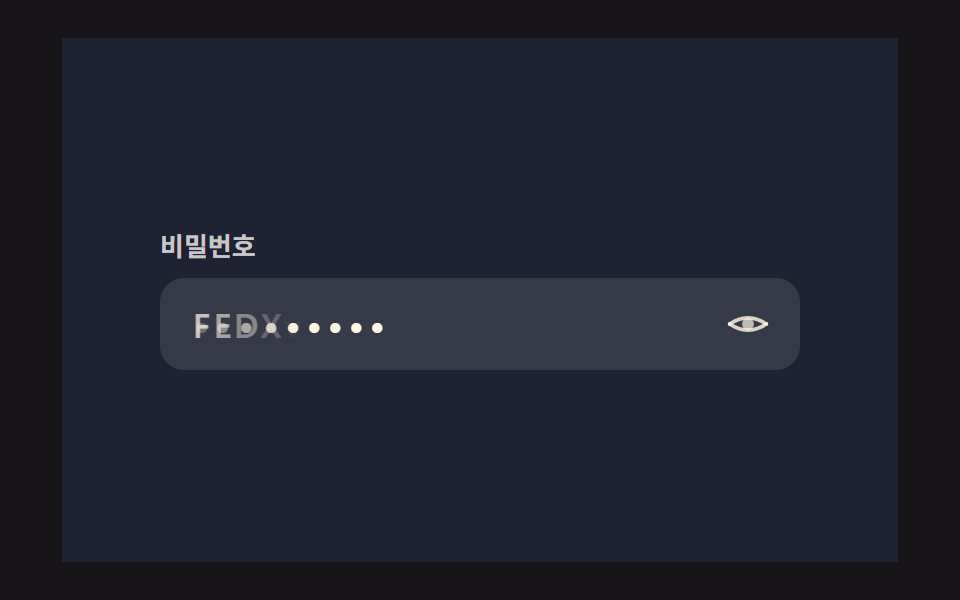 Auth UIShow Password Toggle Icon: 9 Reveal Patterns
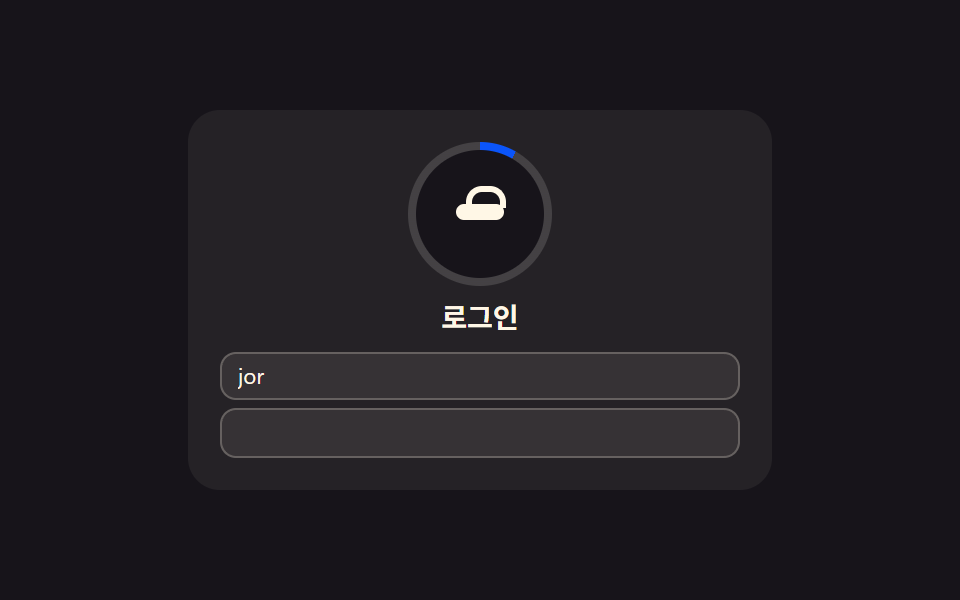 Auth UI9 Login UI Design Patterns (Copy-Paste)
 Pickers9 Segmented Control UI Patterns — Copy-Paste
 Pickers9 Date Range Picker UI Patterns — Copy-Paste