CSS Captcha: 9 Warped Text and Rotate Checks
Call it a human check, but a css captcha is arithmetic on screen — scene 01 slides glyph columns along a sine wave and scene 07 raises a noise threshold until
Solve All Nine Human-Check Scenes Right on This Page
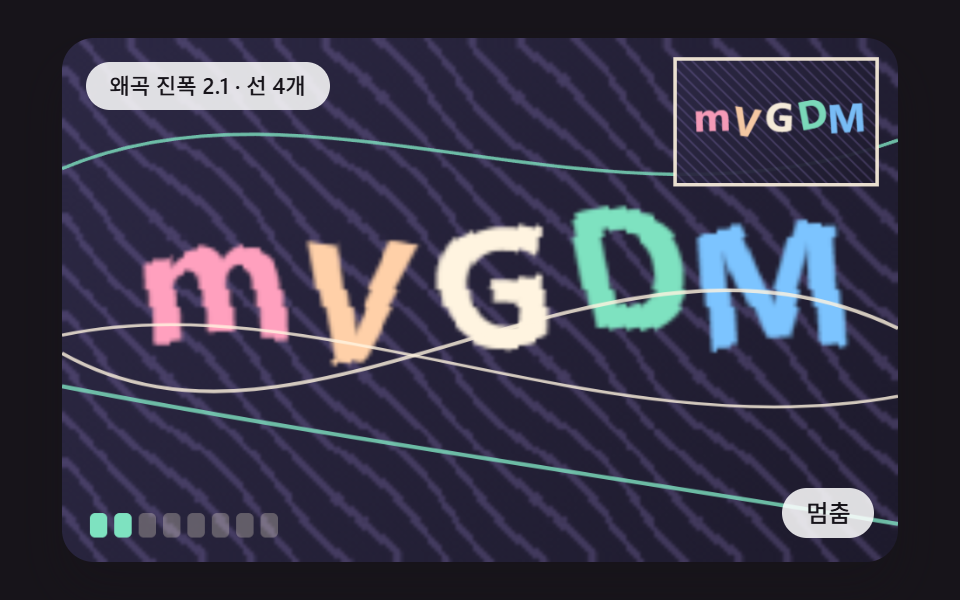 01 cap-warp-text-sine-column-shift
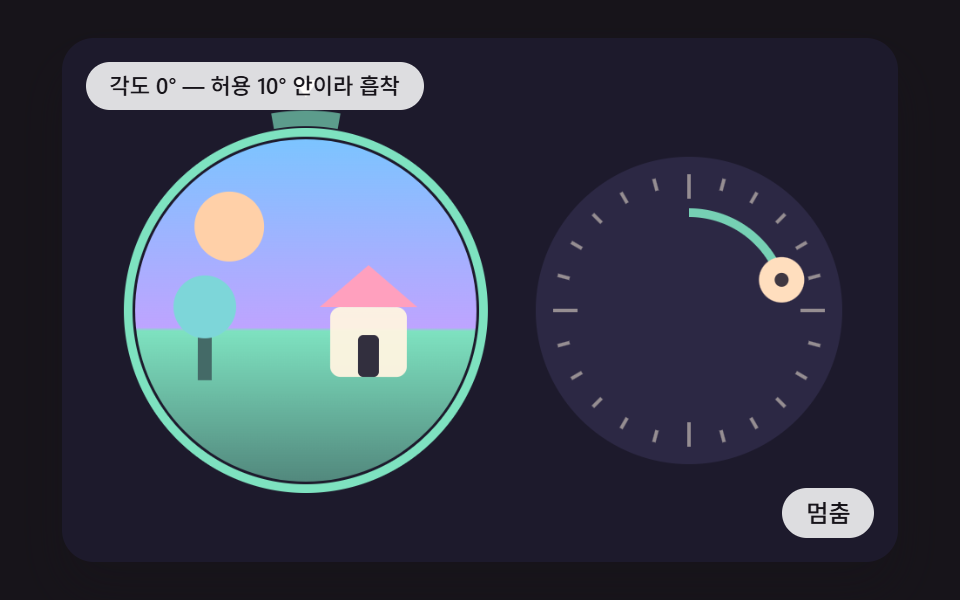 02 cap-rotate-dial-upright-snap
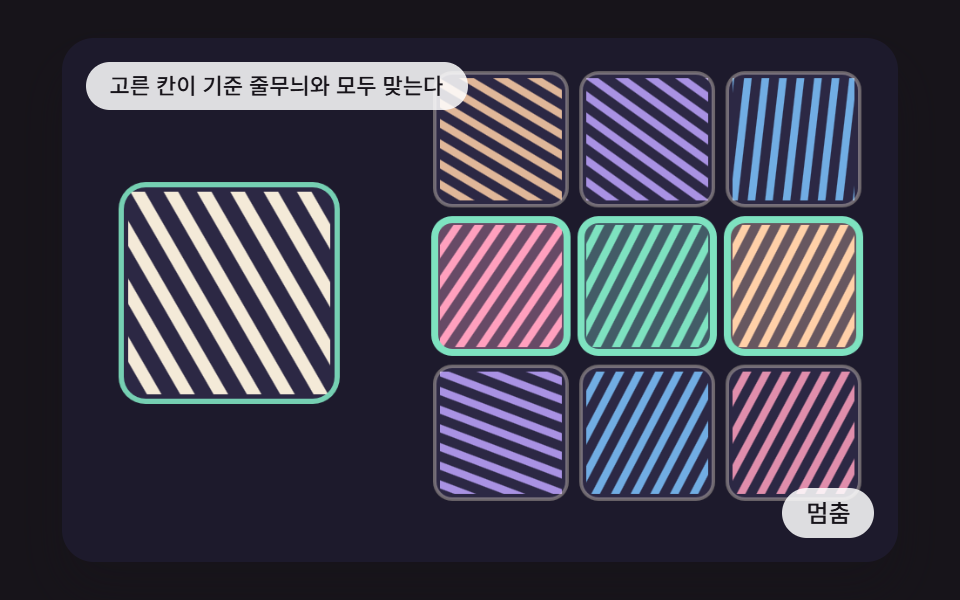 03 cap-tile-grid-pattern-select-flip
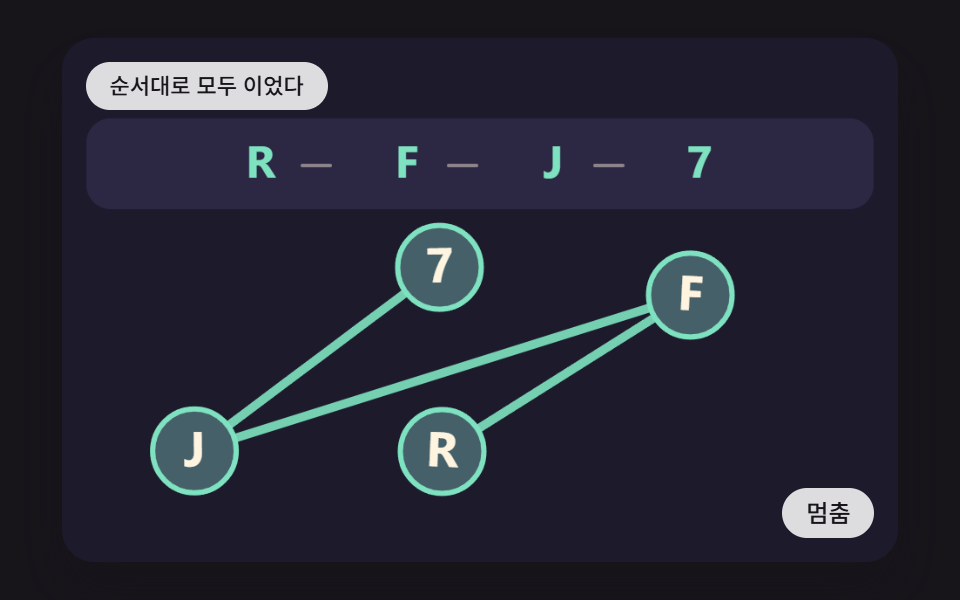 04 cap-ordered-glyph-click-trace
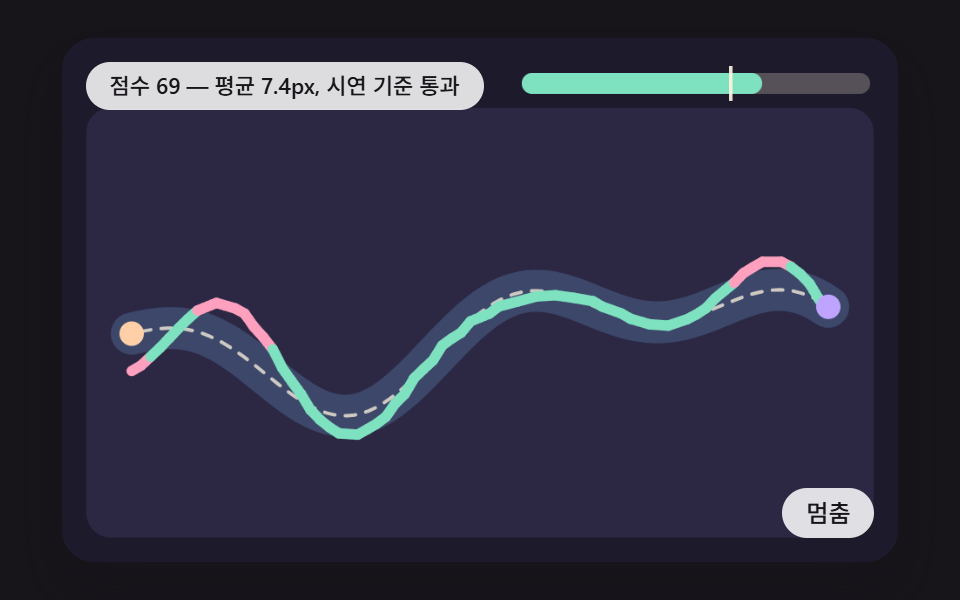 05 cap-pointer-trail-guide-score
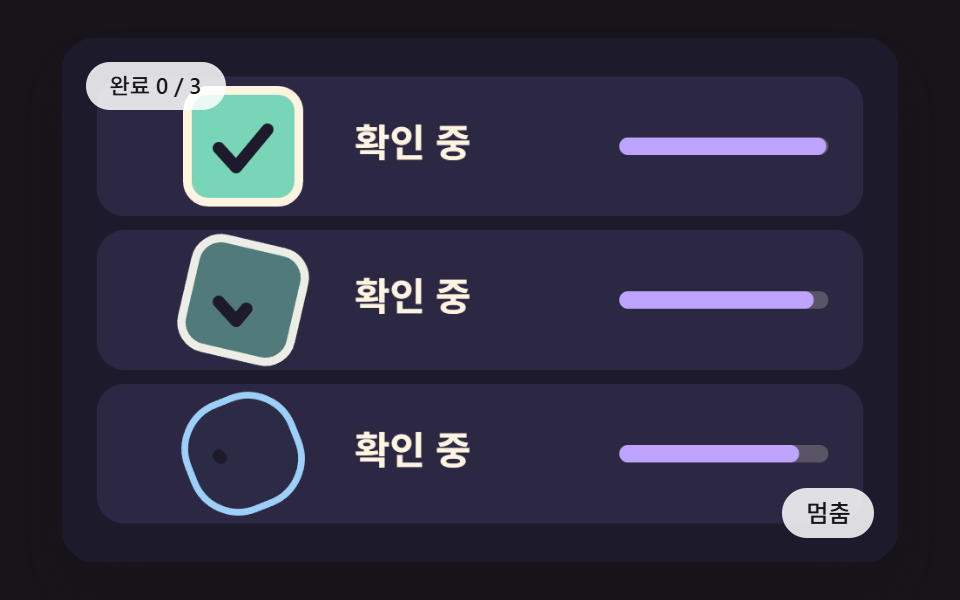 06 cap-checkbox-ring-spinner-check-morph
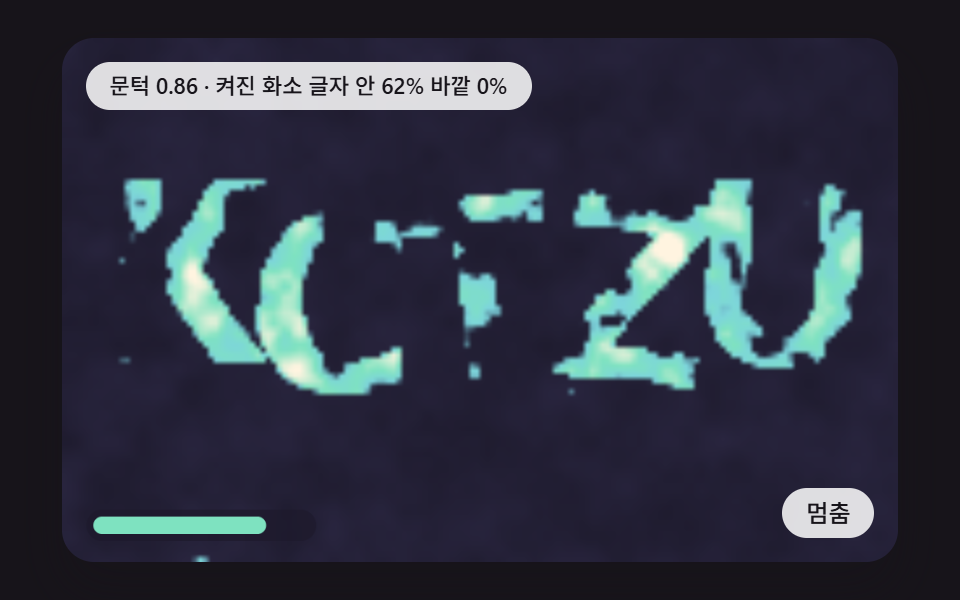 07 cap-noise-field-threshold-reveal
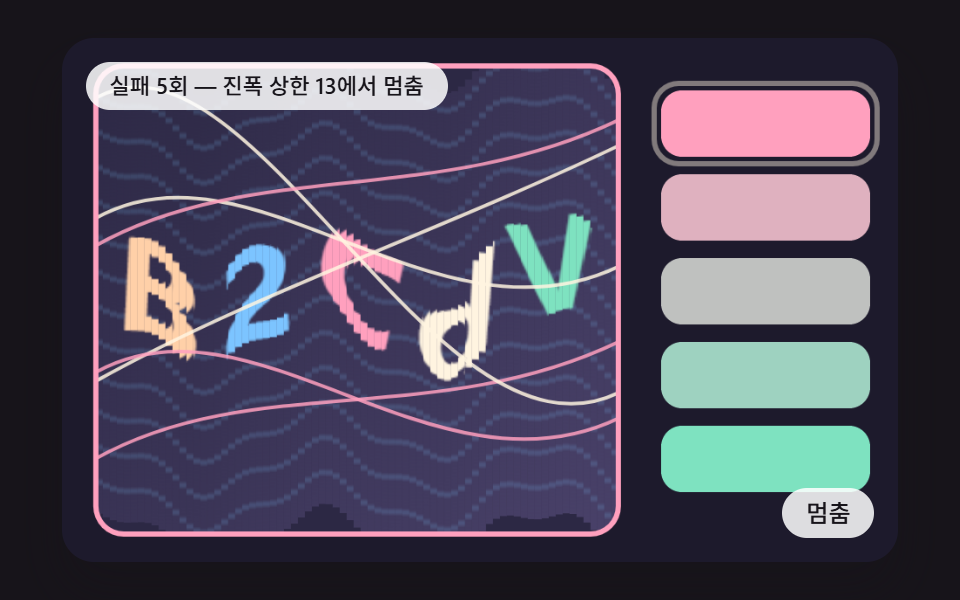 08 cap-fail-escalate-distortion-meter
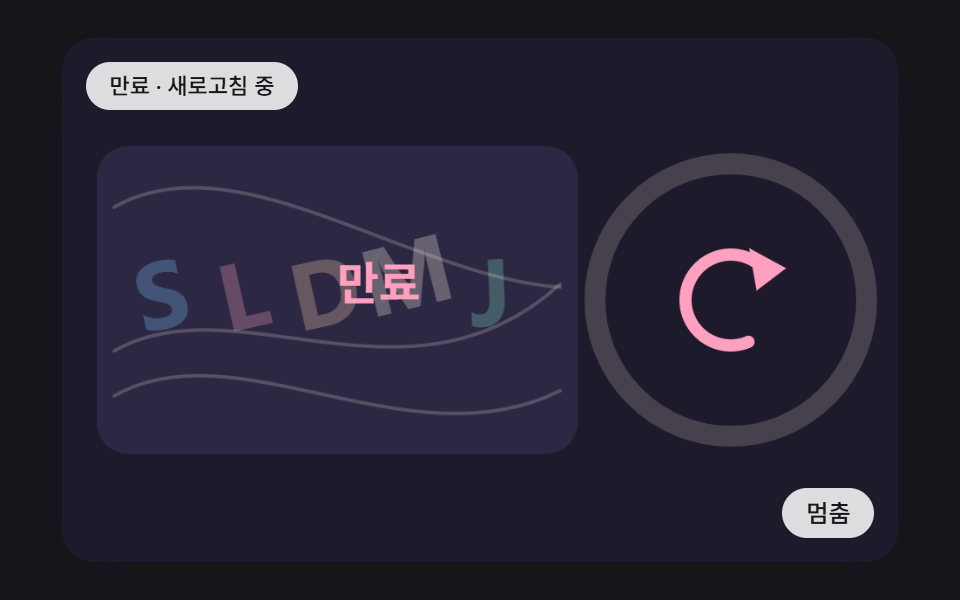 09 cap-expire-ring-refresh-spin
Auto-plays · click a tile to jump to its section · all nine in one zip
- 01 A Glyph Board Where Each Pixel Column Slides Along a Sine Wave and the Letters Bend
- 02 A Check Where a Dial Turns a Tilted Landscape Upright and a Spring Snaps It In Once the Angle Is Close
- 03 A 3×3 Tile Board Where Picking the Matching Pattern Flips the Tile Over to Mark It
- 04 A Check Where Pressing Scattered Glyphs in Order Draws a Joining Line
- 05 A Check Where the Pointer Trail Drawn Along a Winding Guide Becomes a Score From Its Mean Distance to That Guide
- 06 A Check Button Where the Box Turns Into a Ring, Spins, and Resolves Into a Tick
- 07 A Check Where Letters Hidden in Noise Surface More Clearly as the Threshold Rises
- 08 A Stepped Check Where Warp Amplitude and Line Count Rise One Step per Miss
- 09 A Check Where a Time Ring Shrinks Over the Challenge Lifetime and Then a Refresh Icon Spins to Swap In a New One
CSS Captcha: 9 Scenes Built From Column Shifts, Angle Snap and Threshold Raising
The nine scenes are drawn on a <canvas> 2D context. How far a letter bends, which way a tile's stripes lean, and what value a noise cell holds change pixel by pixel and coordinate by coordinate, and a few keyframes cannot describe that. So the CSS keeps only the outer frame: the stage ratio, rounded corners, touch-action, and focus outlines.
The nine files share a single mount harness. It splits the timestamp handed over by requestAnimationFrame into fixed FIXED_DT ticks of 16ms, and random numbers come only from the seeded lcg and hash2. No source among the nine contains Math.random, Date.now, or fetch, so the same seed brings back the same puzzle. Scene 06 is the odd one out: it defines lcg but builds its scene without a seed.
The grid cells that solve and fail on their own are not recordings. After 150 ticks (2.4 seconds) without input, a demo script feeds input through the same entry points a hand would use (down, move, up, key) and works the puzzle, and it stops the moment a person touches the canvas.
One line needs drawing clearly. The tolerance angle, the set of correct tiles, the pass score, and the miss count are demo rules inside this page, and there is no server code, token, or verification request anywhere. Any answer shipped to the browser can be read by whoever opens the source, so on a live site the server issues the challenge and judges the answer, and these scenes fill the screen space that shows the result.
It saves time to pick a starting scene by where it will end up. For a sign-up form checkbox, start at 01 or 06; a photo orientation step suits 02, an image-picking board 03, and a short press-in-order puzzle 04. A trace-the-line step before a signature box is 05, and if you are after a captcha css game with a score on screen, look at 05 and 04 together. A find-the-letters-in-noise screen is 07, a check that looks harder as failed logins pile up is 08, and a challenge widget with a time limit is 09.
Code for Each Technique Behind a Captcha CSS Animation
Each snippet is an unbroken run of lines from that scene's index.html, 25 lines at most, with its comments translated into English. In most scenes one function in the snippet decides the check, and the drawing code only paints whatever that function returns. Identifiers match the source letter for letter, so you can search the zip for them.
01A Glyph Board Where Each Pixel Column Slides Along a Sine Wave and the Letters Bend
A 240×150 work canvas gets the letters and slanted stripes baked once and kept with getImageData, then on each frame warpPixels walks all 36,000 pixels and pulls each one from a source spot moved by two sines: a horizontal shift that depends on the row and a vertical shift that depends on the column. Coordinates that fall off the board are clamped to the edge pixel, and the result goes back with putImageData, is doubled to 480×300, and gets four wobbling Bezier lines on top. In the render it covered 57.5% of the stage, the third largest of the nine, and all 23 of 23 frame gaps changed (intensity 44.3).
<main class="stage">
<div class="cp is-demo" id="cp">
  <canvas class="cp__canvas" data-role="canvas" width="480" height="300" tabindex="0" aria-label="A Glyph Board Where Each Pixel Column Slides Along a Sine Wave and the Letters Bend"></canvas>
  <p class="cp__status" data-role="status" aria-live="polite">Starting the demo</p>
  <button class="cp__btn" data-role="btn" type="button">Pause</button>
</div>
</main>
@use "../../../../site/static/demo-tokens" as *;
@include stage($stage-ink);
.cp {
position: relative;
width: min(92vw, calc(160vh - 12.8vw));
aspect-ratio: 480 / 300;
margin: 0 auto;
border-radius: $r-card;
overflow: hidden;
box-shadow: $shadow-raised;
background: $subject-ink;
}
.cp__canvas {
display: block;
width: 100%;
height: 100%;
touch-action: none;
}
.cp__canvas:focus-visible {
outline: 2px solid rgba(255, 255, 255, .85);
outline-offset: -6px;
}
.cp__status {
position: absolute;
left: $sp-3;
top: $sp-3;
max-width: 62%;
margin: 0;
padding: $sp-1 $sp-3;
border-radius: $r-pill;
background: rgba(255, 255, 255, .85);
color: $subject-ink;
font-weight: 500;
font-size: 11px;
line-height: 1.4;
pointer-events: none;
}
.cp__btn {
position: absolute;
right: $sp-3;
bottom: $sp-3;
margin: 0;
padding: $sp-1 $sp-3;
border: 0;
border-radius: $r-pill;
background: rgba(255, 255, 255, .85);
color: $subject-ink;
font-family: inherit;
font-weight: 500;
font-size: 12px;
line-height: 1.4;
cursor: pointer;
}
.cp__btn:focus-visible {
outline: 2px solid #ffffff;
outline-offset: 2px;
}
@media (max-width: 340px) {
.cp__btn { font-size: 10px; padding: $sp-1 $sp-2; }
.cp__status { font-size: 10px; }
}
@media (prefers-reduced-motion: reduce) {
.cp { cursor: default; }
}html, body {
margin: 0;
overflow: hidden;
}
.stage {
box-sizing: border-box;
min-height: 100vh;
display: grid;
place-items: center;
margin: 0;
background: #17141a;
font-family: -apple-system, "Segoe UI", "Noto Sans KR", sans-serif;
padding: clamp(8px, 4vw, 24px);
}
.cp {
position: relative;
width: min(92vw, 160vh - 12.8vw);
aspect-ratio: 480/300;
margin: 0 auto;
border-radius: 16px;
overflow: hidden;
box-shadow: 0 14px 24px rgba(23, 20, 26, 0.32);
background: #17141a;
}
.cp__canvas {
display: block;
width: 100%;
height: 100%;
touch-action: none;
}
.cp__canvas:focus-visible {
outline: 2px solid rgba(255, 255, 255, 0.85);
outline-offset: -6px;
}
.cp__status {
position: absolute;
left: 12px;
top: 12px;
max-width: 62%;
margin: 0;
padding: 4px 12px;
border-radius: 999px;
background: rgba(255, 255, 255, 0.85);
color: #17141a;
font-weight: 500;
font-size: 11px;
line-height: 1.4;
pointer-events: none;
}
.cp__btn {
position: absolute;
right: 12px;
bottom: 12px;
margin: 0;
padding: 4px 12px;
border: 0;
border-radius: 999px;
background: rgba(255, 255, 255, 0.85);
color: #17141a;
font-family: inherit;
font-weight: 500;
font-size: 12px;
line-height: 1.4;
cursor: pointer;
}
.cp__btn:focus-visible {
outline: 2px solid #ffffff;
outline-offset: 2px;
}
@media (max-width: 340px) {
.cp__btn {
font-size: 10px;
padding: 4px 8px;
}
.cp__status {
font-size: 10px;
}
}
@media (prefers-reduced-motion: reduce) {
.cp {
cursor: default;
}
}(function () {
const root = document.getElementById("cp");
if (!root)
return;
const W = 480;
const H = 300;
const PI2 = Math.PI * 2;
const FIXED_DT = 16;
const IDLE_TICKS = 150;
const BTN_PAUSE = 'Pause';
const BTN_PLAY = 'Play';
const BTN_NEXT = 'Next scene';
// 파스텔 팔레트 - 어두운 판 위에 밝은 색을 얹어 명도 차로 읽힌다
const BG = [29, 26, 44];
const PANEL = [44, 40, 68];
const MINT = [126, 226, 192];
const SKY = [124, 196, 255];
const LILAC = [190, 164, 255];
const PINK = [255, 160, 190];
const PEACH = [255, 208, 168];
const CREAM = [255, 244, 224];
const CHARSET = 'ABCDEFGHJKLMNPQRSTUVWXYZabdefghmnqrt23456789';
function clamp(v, lo, hi) { return v < lo ? lo : (v > hi ? hi : v); }
function lerp(a, b, k) { return a + (b - a) * k; }
function smooth(x) { const c = clamp(x, 0, 1); return c * c * (3 - 2 * c); }
function easeOutBack(x) { const c = clamp(x, 0, 1) - 1; return 1 + c * c * (2.7 * c + 1.7); }
function rgba(c, a) {
return 'rgba(' + Math.round(c[0]) + ',' + Math.round(c[1]) + ',' + Math.round(c[2]) + ',' + clamp(a, 0, 1).toFixed(3) + ')';
}
function mix(a, b, k) {
return [lerp(a[0], b[0], k), lerp(a[1], b[1], k), lerp(a[2], b[2], k)];
}
// 시드 고정 난수 - 같은 시드면 언제나 같은 수열 (선형 합동 방식)
function lcg(seed) {
let s = seed >>> 0;
return function () {
s = (Math.imul(s, 1664525) + 1013904223) >>> 0;
return s / 4294967296;
};
}
// 정수 두 개와 시드로 0 이상 1 미만의 값을 만드는 해시 (같은 입력은 늘 같은 값)
function hash2(x, y, seed) {
let h = (Math.imul(x | 0, 374761393) + Math.imul(y | 0, 668265263) + Math.imul(seed | 0, 1442695041)) | 0;
h = Math.imul(h ^ (h >>> 13), 1274126177);
h ^= h >>> 16;
return (h >>> 0) / 4294967296;
}
// 시드로 뜻 없는 글자열을 만든다
function glyphStr(seed, n) {
const r = lcg(seed * 7919 + 13);
let s = '';
for (let i = 0; i < n; i += 1) {
s += CHARSET.charAt(Math.floor(r() * CHARSET.length));
}
return s;
}
function rrect(ctx, x, y, w, h, r) {
const rr = Math.max(0, Math.min(r, w / 2, h / 2));
ctx.beginPath();
ctx.moveTo(x + rr, y);
ctx.lineTo(x + w - rr, y);
ctx.arcTo(x + w, y, x + w, y + rr, rr);
ctx.lineTo(x + w, y + h - rr);
ctx.arcTo(x + w, y + h, x + w - rr, y + h, rr);
ctx.lineTo(x + rr, y + h);
ctx.arcTo(x, y + h, x, y + h - rr, rr);
ctx.lineTo(x, y + rr);
ctx.arcTo(x, y, x + rr, y, rr);
ctx.closePath();
}
function mount(root, make) {
const canvas = root.querySelector('[data-role="canvas"]');
const statusEl = root.querySelector('[data-role="status"]');
const btnEl = root.querySelector('[data-role="btn"]');
if (!canvas || !statusEl || !btnEl) {
return function () { return; };
}
const ctx = canvas.getContext('2d');
if (!ctx) {
return function () { return; };
}
const dpr = Math.min(window.devicePixelRatio || 1, 2);
canvas.width = Math.round(W * dpr);
canvas.height = Math.round(H * dpr);
ctx.setTransform(dpr, 0, 0, dpr, 0, 0);
const reduce = window.matchMedia('(prefers-reduced-motion: reduce)').matches;
const inp = { idle: 99999, focus: false, key: false };
const scene = make(inp, reduce);
let paused = false;
let rafId = 0;
let lastTs = -1;
let accMs = 0;
let lastLabel = '';
let lastLabelTick = -999;
let lastLive = 'polite';
let tickN = 0;
let clk = 0;
let wasAuto = true;
const cleaners = [];
function listen(target, type, fn) {
target.addEventListener(type, fn);
cleaners.push(function () { target.removeEventListener(type, fn); });
}
function show() {
scene.draw(ctx);
// 시연이 혼자 돌 때는 낭독을 끄고, 사람이 만지는 동안은 값이 바뀌어도 0.7초에 한 번만 갱신한다
const live = (reduce || inp.idle <= IDLE_TICKS) ? 'polite' : 'off';
if (live !== lastLive) {
lastLive = live;
statusEl.setAttribute('aria-live', live);
}
const t = scene.label();
if (t !== lastLabel && (reduce || live === 'off' || tickN - lastLabelTick >= 44)) {
lastLabel = t;
lastLabelTick = tickN;
statusEl.textContent = t;
}
}
// 고정 간격 한 틱 - 입력이 없으면 시연 스크립트가 같은 입구로 입력을 대신 넣는다
function advance() {
inp.idle += 1;
tickN += 1;
const a = inp.idle > IDLE_TICKS;
if (a && !wasAuto) {
scene.reset();
clk = 0;
}
wasAuto = a;
if (a) {
clk += 1;
scene.auto(clk);
if (clk >= scene.CYCLE) {
clk = 0;
scene.reset();
}
}
scene.step();
}
// 움직임 줄이기: 틱을 몰아서 돌린 뒤 한 번만 그린다 (중간 보간 장면은 화면에 나오지 않는다)
function settle(n) {
for (let i = 0; i < n; i += 1) {
inp.idle = 0;
tickN += 1;
scene.step();
}
show();
}
function tick(ts) {
if (lastTs < 0) {
lastTs = ts;
}
const frameDt = Math.min(ts - lastTs, 160);
lastTs = ts;
if (!paused) {
accMs += frameDt;
while (accMs >= FIXED_DT) {
advance();
accMs -= FIXED_DT;
}
show();
}
rafId = requestAnimationFrame(tick);
}
function point(e) {
const r = canvas.getBoundingClientRect();
return [clamp((e.clientX - r.left) * W / r.width, 0, W), clamp((e.clientY - r.top) * H / r.height, 0, H)];
}
btnEl.textContent = reduce ? BTN_NEXT : BTN_PAUSE;
if (reduce) {
root.classList.remove('is-demo');
for (let i = 0; i < scene.REDUCE_TICKS; i += 1) {
advance();
}
show();
}
listen(btnEl, 'click', function () {
if (reduce) {
if (scene.next) {
scene.next();
show();
return;
}
const n = Math.round(scene.CYCLE / 3);
inp.idle = 99999;
wasAuto = true;
for (let i = 0; i < n; i += 1) {
advance();
}
show();
return;
}
paused = !paused;
if (paused) {
root.classList.remove('is-demo');
}
else {
root.classList.add('is-demo');
}
btnEl.textContent = paused ? BTN_PLAY : BTN_PAUSE;
});
listen(canvas, 'focus', function () { inp.focus = true; if (reduce) {
show();
} });
listen(canvas, 'blur', function () { inp.focus = false; inp.key = false; if (reduce) {
show();
} });
listen(canvas, 'pointerdown', function (e) {
const p = point(e);
inp.idle = 0;
inp.key = false;
try {
canvas.setPointerCapture(e.pointerId);
}
catch (err) { /* 캡처가 안 되는 환경은 그냥 넘어간다 */ }
scene.down(p[0], p[1]);
if (reduce) {
settle(30);
}
});
listen(canvas, 'pointermove', function (e) {
const p = point(e);
inp.idle = 0;
inp.key = false;
scene.move(p[0], p[1]);
if (reduce) {
settle(30);
}
});
listen(canvas, 'pointerup', function (e) {
const p = point(e);
inp.idle = 0;
scene.up(p[0], p[1]);
if (reduce) {
settle(30);
}
});
listen(canvas, 'keydown', function (e) {
inp.idle = 0;
inp.key = true;
if (scene.key(e.key)) {
e.preventDefault();
}
if (reduce) {
settle(30);
}
});
if (!reduce) {
rafId = requestAnimationFrame(tick);
}
return function () {
cancelAnimationFrame(rafId);
for (let i = 0; i < cleaners.length; i += 1) {
cleaners[i]();
}
};
}
const WARP_AMP = 3; // 사인 변위 진폭 (저해상도 화소 단위)
const WARP_FREQ = 0.12; // 열 하나가 지날 때 위상이 늘어나는 양 (라디안)
const NOISE_LINES = 4; // 글자 위에 겹치는 가는 선 수
const GLYPH_PX = 48; // 글자 크기 (저해상도 화소 단위)
const GLYPH_N = 5;
const LW = 240;
const LH = 150;
const TXT_STATUS = 'Warp amplitude {a} · {n} lines';
// PURE-BEGIN
// 글자판 화소를 열마다 사인파로 밀어 옮긴다 (가로 변위는 세로 위치에 따른 사인, 세로 변위는 열 위치에 따른 사인)
    function warpPixels(src, out, lw, lh, amp, freq, ph) {
        for (let y = 0; y < lh; y += 1) {
            const dx = Math.round(amp * 0.6 * Math.sin(y * freq * 1.3 + ph * 1.2));
            for (let x = 0; x < lw; x += 1) {
                const dy = Math.round(amp * Math.sin(x * freq + ph));
                let sx = x + dx;
                let sy = y + dy;
                sx = sx < 0 ? 0 : (sx >= lw ? lw - 1 : sx);
                sy = sy < 0 ? 0 : (sy >= lh ? lh - 1 : sy);
                const si = (sy * lw + sx) * 4;
                const di = (y * lw + x) * 4;
                out[di] = src[si];
                out[di + 1] = src[si + 1];
                out[di + 2] = src[si + 2];
                out[di + 3] = 255;
            }
        }
    }
// 가장 크게 밀린 화소 거리 (진폭 그대로 올림)
function maxShift(amp) { return Math.ceil(amp); }
const make = (inp, reduce) => {
const src = document.createElement('canvas');
src.width = LW;
src.height = LH;
const sctx = src.getContext('2d', { willReadFrequently: true });
const dst = document.createElement('canvas');
dst.width = LW;
dst.height = LH;
const dctx = dst.getContext('2d');
if (!sctx || !dctx) {
return { CYCLE: 1, REDUCE_TICKS: 0, reset() { return; }, auto() { return; }, step() { return; }, draw() { return; }, label() { return ''; }, down() { return; }, move() { return; }, up() { return; }, key() { return false; } };
}
const out = dctx.createImageData(LW, LH);
let seed = 7;
let text = '';
let srcData = new Uint8ClampedArray(LW * LH * 4);
let lines = [];
let ph = 0;
let manual = false;
let scale = 1;
let ampNow = WARP_AMP;
function bake() {
text = glyphStr(seed, GLYPH_N);
const r = lcg(seed * 31 + 5);
const g = sctx.createLinearGradient(0, 0, LW, LH);
g.addColorStop(0, rgba(PANEL, 1));
g.addColorStop(1, rgba(BG, 1));
sctx.fillStyle = g;
sctx.fillRect(0, 0, LW, LH);
// 바탕 결 - 비스듬한 줄무늬가 같이 휘어야 왜곡이 눈에 들어온다
sctx.strokeStyle = rgba(LILAC, 0.22);
sctx.lineWidth = 2;
for (let i = -LH; i < LW; i += 14) {
sctx.beginPath();
sctx.moveTo(i, 0);
sctx.lineTo(i + LH, LH);
sctx.stroke();
}
sctx.font = 'bold ' + GLYPH_PX + 'px "Segoe UI", "Noto Sans KR", sans-serif';
sctx.textBaseline = 'middle';
sctx.textAlign = 'center';
const cols = [MINT, SKY, PINK, PEACH, CREAM];
const step = (LW - 40) / GLYPH_N;
for (let i = 0; i < GLYPH_N; i += 1) {
sctx.save();
sctx.translate(24 + step * (i + 0.5), LH / 2 + (r() - 0.5) * 12);
sctx.rotate((r() - 0.5) * 0.4);
sctx.fillStyle = rgba(cols[(i + seed) % cols.length], 1);
sctx.fillText(text.charAt(i), 0, 0);
sctx.restore();
}
srcData = sctx.getImageData(0, 0, LW, LH).data;
lines = [];
for (let i = 0; i < NOISE_LINES; i += 1) {
lines.push({ y0: 20 + r() * (H - 40), y1: 20 + r() * (H - 40), bend: (r() - 0.5) * 120, c: i % 2 === 0 ? CREAM : MINT, w: 1.5 + r() * 1.2 });
}
}
bake();
function curAmp() { return manual ? WARP_AMP * scale : ampNow; }
const scene = {
CYCLE: 110,
REDUCE_TICKS: 55,
reset() { seed += 1; bake(); ph = 0; manual = false; },
auto(clk) {
// 진폭이 작게 시작해 한 번 크게 부풀었다가 가라앉는다
const k = 0.5 - 0.5 * Math.cos((clk / scene.CYCLE) * PI2);
ampNow = WARP_AMP * (0.25 + 0.75 * k);
},
step() { ph += 0.11; },
draw(ctx) {
warpPixels(srcData, out.data, LW, LH, curAmp(), WARP_FREQ, ph);
dctx.putImageData(out, 0, 0);
ctx.imageSmoothingEnabled = true;
ctx.drawImage(dst, 0, 0, W, H);
// 가는 선 - 변위된 위치로 함께 흔들린다
for (let i = 0; i < lines.length; i += 1) {
const l = lines[i];
const wob = Math.sin(ph * 0.9 + i * 1.7) * 14;
ctx.strokeStyle = rgba(l.c, 0.8);
ctx.lineWidth = l.w;
ctx.beginPath();
ctx.moveTo(0, l.y0 + wob);
ctx.bezierCurveTo(W * 0.3, l.y0 + l.bend - wob, W * 0.65, l.y1 - l.bend + wob, W, l.y1 - wob);
ctx.stroke();
}
// 원본 축소판 - 밀리기 전 모양
ctx.save();
ctx.globalAlpha = 0.95;
ctx.drawImage(src, 352, 12, 116, 72);
ctx.globalAlpha = 1;
ctx.strokeStyle = rgba(CREAM, 0.9);
ctx.lineWidth = 2;
ctx.strokeRect(352, 12, 116, 72);
ctx.restore();
// 진폭 눈금 - 8칸 중 지금 값이 차지하는 만큼
const level = clamp(curAmp() / (WARP_AMP * 2.5), 0, 1);
for (let i = 0; i < 8; i += 1) {
ctx.fillStyle = (i + 0.5) / 8 <= level ? rgba(MINT, 1) : rgba(CREAM, 0.28);
rrect(ctx, 16 + i * 14, H - 28, 10, 14, 3);
ctx.fill();
}
if (inp.key && inp.focus) {
ctx.strokeStyle = 'rgba(255,255,255,0.92)';
ctx.lineWidth = 2.5;
ctx.strokeRect(6, 6, W - 12, H - 12);
}
},
label() { return TXT_STATUS.replace('{a}', String(Math.round(curAmp() * 10) / 10)).replace('{n}', String(NOISE_LINES)); },
down() { manual = true; },
move(x) { manual = true; scale = clamp(x / W * 2.5, 0.1, 2.5); },
up() { return; },
key(k) {
if (k === 'ArrowRight' || k === 'ArrowUp') {
manual = true;
scale = clamp(scale + 0.25, 0.1, 2.5);
return true;
}
if (k === 'ArrowLeft' || k === 'ArrowDown') {
manual = true;
scale = clamp(scale - 0.25, 0.1, 2.5);
return true;
}
if (k === 'Enter' || k === ' ') {
seed += 1;
bake();
return true;
}
return false;
},
};
return scene;
};
return mount(root, make);
})();// CapWarpTextSineColumnShift - vanilla 판(01-cap-warp-text-sine-column-shift) 의 React 포트. 같은 계산을 useEffect 안에서 돌린다.
import { useEffect, useRef } from "react";
import styles from "./CapWarpTextSineColumnShift.module.scss";
const cx = (s: string): string => s.split(" ").map((n) => styles[n] ?? n).join(" ");
export default function CapWarpTextSineColumnShift() {
const rootRef = useRef<HTMLDivElement | null>(null);
useEffect(() => {
const root = rootRef.current;
if (!root) return;
type RGB = [number, number, number];
interface Input { idle: number; focus: boolean; key: boolean; }
interface Scene {
CYCLE: number;
REDUCE_TICKS: number;
reset(): void;
auto(clk: number): void;
step(): void;
draw(ctx: CanvasRenderingContext2D): void;
label(): string;
down(x: number, y: number): void;
move(x: number, y: number): void;
up(x: number, y: number): void;
key(k: string): boolean;
next?(): void;
}
type Make = (inp: Input, reduce: boolean) => Scene;
const W = 480;
const H = 300;
const PI2 = Math.PI * 2;
const FIXED_DT = 16;
const IDLE_TICKS = 150;
const BTN_PAUSE = '멈춤';
const BTN_PLAY = '재생';
const BTN_NEXT = '다음 장면';
// 파스텔 팔레트 - 어두운 판 위에 밝은 색을 얹어 명도 차로 읽힌다
const BG: RGB = [29, 26, 44];
const PANEL: RGB = [44, 40, 68];
const MINT: RGB = [126, 226, 192];
const SKY: RGB = [124, 196, 255];
const LILAC: RGB = [190, 164, 255];
const PINK: RGB = [255, 160, 190];
const PEACH: RGB = [255, 208, 168];
const CREAM: RGB = [255, 244, 224];
const CHARSET = 'ABCDEFGHJKLMNPQRSTUVWXYZabdefghmnqrt23456789';
function clamp(v: number, lo: number, hi: number): number { return v < lo ? lo : (v > hi ? hi : v); }
function lerp(a: number, b: number, k: number): number { return a + (b - a) * k; }
function smooth(x: number): number { const c = clamp(x, 0, 1); return c * c * (3 - 2 * c); }
function easeOutBack(x: number): number { const c = clamp(x, 0, 1) - 1; return 1 + c * c * (2.7 * c + 1.7); }
function rgba(c: RGB, a: number): string {
return 'rgba(' + Math.round(c[0]) + ',' + Math.round(c[1]) + ',' + Math.round(c[2]) + ',' + clamp(a, 0, 1).toFixed(3) + ')';
}
function mix(a: RGB, b: RGB, k: number): RGB {
return [lerp(a[0], b[0], k), lerp(a[1], b[1], k), lerp(a[2], b[2], k)];
}
// 시드 고정 난수 - 같은 시드면 언제나 같은 수열 (선형 합동 방식)
function lcg(seed: number): () => number {
let s = seed >>> 0;
return function () {
s = (Math.imul(s, 1664525) + 1013904223) >>> 0;
return s / 4294967296;
};
}
// 정수 두 개와 시드로 0 이상 1 미만의 값을 만드는 해시 (같은 입력은 늘 같은 값)
function hash2(x: number, y: number, seed: number): number {
let h = (Math.imul(x | 0, 374761393) + Math.imul(y | 0, 668265263) + Math.imul(seed | 0, 1442695041)) | 0;
h = Math.imul(h ^ (h >>> 13), 1274126177);
h ^= h >>> 16;
return (h >>> 0) / 4294967296;
}
// 시드로 뜻 없는 글자열을 만든다
function glyphStr(seed: number, n: number): string {
const r = lcg(seed * 7919 + 13);
let s = '';
for (let i = 0; i < n; i += 1) {
s += CHARSET.charAt(Math.floor(r() * CHARSET.length));
}
return s;
}
function rrect(ctx: CanvasRenderingContext2D, x: number, y: number, w: number, h: number, r: number): void {
const rr = Math.max(0, Math.min(r, w / 2, h / 2));
ctx.beginPath();
ctx.moveTo(x + rr, y);
ctx.lineTo(x + w - rr, y);
ctx.arcTo(x + w, y, x + w, y + rr, rr);
ctx.lineTo(x + w, y + h - rr);
ctx.arcTo(x + w, y + h, x + w - rr, y + h, rr);
ctx.lineTo(x + rr, y + h);
ctx.arcTo(x, y + h, x, y + h - rr, rr);
ctx.lineTo(x, y + rr);
ctx.arcTo(x, y, x + rr, y, rr);
ctx.closePath();
}
function mount(root: HTMLElement, make: Make): () => void {
const canvas = root.querySelector('[data-role="canvas"]') as HTMLCanvasElement;
const statusEl = root.querySelector('[data-role="status"]') as HTMLElement;
const btnEl = root.querySelector('[data-role="btn"]') as HTMLButtonElement;
if (!canvas || !statusEl || !btnEl) {
return function () { return; };
}
const ctx = canvas.getContext('2d') as CanvasRenderingContext2D;
if (!ctx) {
return function () { return; };
}
const dpr = Math.min(window.devicePixelRatio || 1, 2);
canvas.width = Math.round(W * dpr);
canvas.height = Math.round(H * dpr);
ctx.setTransform(dpr, 0, 0, dpr, 0, 0);
const reduce = window.matchMedia('(prefers-reduced-motion: reduce)').matches;
const inp: Input = { idle: 99999, focus: false, key: false };
const scene = make(inp, reduce);
let paused = false;
let rafId = 0;
let lastTs = -1;
let accMs = 0;
let lastLabel = '';
let lastLabelTick = -999;
let lastLive = 'polite';
let tickN = 0;
let clk = 0;
let wasAuto = true;
const cleaners: Array<() => void> = [];
function listen<K extends keyof HTMLElementEventMap>(target: HTMLElement, type: K, fn: (e: HTMLElementEventMap[K]) => void): void {
target.addEventListener(type, fn);
cleaners.push(function () { target.removeEventListener(type, fn); });
}
function show(): void {
scene.draw(ctx);
// 시연이 혼자 돌 때는 낭독을 끄고, 사람이 만지는 동안은 값이 바뀌어도 0.7초에 한 번만 갱신한다
const live = (reduce || inp.idle <= IDLE_TICKS) ? 'polite' : 'off';
if (live !== lastLive) {
lastLive = live;
statusEl.setAttribute('aria-live', live);
}
const t = scene.label();
if (t !== lastLabel && (reduce || live === 'off' || tickN - lastLabelTick >= 44)) {
lastLabel = t;
lastLabelTick = tickN;
statusEl.textContent = t;
}
}
// 고정 간격 한 틱 - 입력이 없으면 시연 스크립트가 같은 입구로 입력을 대신 넣는다
function advance(): void {
inp.idle += 1;
tickN += 1;
const a = inp.idle > IDLE_TICKS;
if (a && !wasAuto) {
scene.reset();
clk = 0;
}
wasAuto = a;
if (a) {
clk += 1;
scene.auto(clk);
if (clk >= scene.CYCLE) {
clk = 0;
scene.reset();
}
}
scene.step();
}
// 움직임 줄이기: 틱을 몰아서 돌린 뒤 한 번만 그린다 (중간 보간 장면은 화면에 나오지 않는다)
function settle(n: number): void {
for (let i = 0; i < n; i += 1) {
inp.idle = 0;
tickN += 1;
scene.step();
}
show();
}
function tick(ts: number): void {
if (lastTs < 0) {
lastTs = ts;
}
const frameDt = Math.min(ts - lastTs, 160);
lastTs = ts;
if (!paused) {
accMs += frameDt;
while (accMs >= FIXED_DT) {
advance();
accMs -= FIXED_DT;
}
show();
}
rafId = requestAnimationFrame(tick);
}
function point(e: PointerEvent): number[] {
const r = canvas.getBoundingClientRect();
return [clamp((e.clientX - r.left) * W / r.width, 0, W), clamp((e.clientY - r.top) * H / r.height, 0, H)];
}
btnEl.textContent = reduce ? BTN_NEXT : BTN_PAUSE;
if (reduce) {
root.classList.remove('is-demo');
for (let i = 0; i < scene.REDUCE_TICKS; i += 1) {
advance();
}
show();
}
listen(btnEl, 'click', function () {
if (reduce) {
if (scene.next) {
scene.next();
show();
return;
}
const n = Math.round(scene.CYCLE / 3);
inp.idle = 99999;
wasAuto = true;
for (let i = 0; i < n; i += 1) {
advance();
}
show();
return;
}
paused = !paused;
if (paused) {
root.classList.remove('is-demo');
}
else {
root.classList.add('is-demo');
}
btnEl.textContent = paused ? BTN_PLAY : BTN_PAUSE;
});
listen(canvas, 'focus', function () { inp.focus = true; if (reduce) { show(); } });
listen(canvas, 'blur', function () { inp.focus = false; inp.key = false; if (reduce) { show(); } });
listen(canvas, 'pointerdown', function (e) {
const p = point(e);
inp.idle = 0;
inp.key = false;
try { canvas.setPointerCapture(e.pointerId); } catch (err) { /* 캡처가 안 되는 환경은 그냥 넘어간다 */ }
scene.down(p[0], p[1]);
if (reduce) { settle(30); }
});
listen(canvas, 'pointermove', function (e) {
const p = point(e);
inp.idle = 0;
inp.key = false;
scene.move(p[0], p[1]);
if (reduce) { settle(30); }
});
listen(canvas, 'pointerup', function (e) {
const p = point(e);
inp.idle = 0;
scene.up(p[0], p[1]);
if (reduce) { settle(30); }
});
listen(canvas, 'keydown', function (e) {
inp.idle = 0;
inp.key = true;
if (scene.key(e.key)) {
e.preventDefault();
}
if (reduce) { settle(30); }
});
if (!reduce) {
rafId = requestAnimationFrame(tick);
}
return function () {
cancelAnimationFrame(rafId);
for (let i = 0; i < cleaners.length; i += 1) {
cleaners[i]();
}
};
}
const WARP_AMP = 3; // 사인 변위 진폭 (저해상도 화소 단위)
const WARP_FREQ = 0.12; // 열 하나가 지날 때 위상이 늘어나는 양 (라디안)
const NOISE_LINES = 4; // 글자 위에 겹치는 가는 선 수
const GLYPH_PX = 48; // 글자 크기 (저해상도 화소 단위)
const GLYPH_N = 5;
const LW = 240;
const LH = 150;
const TXT_STATUS = '왜곡 진폭 {a} · 선 {n}개';
// PURE-BEGIN
// 글자판 화소를 열마다 사인파로 밀어 옮긴다 (가로 변위는 세로 위치에 따른 사인, 세로 변위는 열 위치에 따른 사인)
function warpPixels(src: Uint8ClampedArray, out: Uint8ClampedArray, lw: number, lh: number, amp: number, freq: number, ph: number): void {
for (let y = 0; y < lh; y += 1) {
const dx = Math.round(amp * 0.6 * Math.sin(y * freq * 1.3 + ph * 1.2));
for (let x = 0; x < lw; x += 1) {
const dy = Math.round(amp * Math.sin(x * freq + ph));
let sx = x + dx;
let sy = y + dy;
sx = sx < 0 ? 0 : (sx >= lw ? lw - 1 : sx);
sy = sy < 0 ? 0 : (sy >= lh ? lh - 1 : sy);
const si = (sy * lw + sx) * 4;
const di = (y * lw + x) * 4;
out[di] = src[si];
out[di + 1] = src[si + 1];
out[di + 2] = src[si + 2];
out[di + 3] = 255;
}
}
}
// 가장 크게 밀린 화소 거리 (진폭 그대로 올림)
function maxShift(amp: number): number { return Math.ceil(amp); }
// PURE-END
interface Line { y0: number; y1: number; bend: number; c: RGB; w: number; }
const make: Make = (inp, reduce) => {
const src = document.createElement('canvas');
src.width = LW;
src.height = LH;
const sctx = src.getContext('2d', { willReadFrequently: true }) as CanvasRenderingContext2D;
const dst = document.createElement('canvas');
dst.width = LW;
dst.height = LH;
const dctx = dst.getContext('2d') as CanvasRenderingContext2D;
if (!sctx || !dctx) {
return { CYCLE: 1, REDUCE_TICKS: 0, reset() { return; }, auto() { return; }, step() { return; }, draw() { return; }, label() { return ''; }, down() { return; }, move() { return; }, up() { return; }, key() { return false; } };
}
const out = dctx.createImageData(LW, LH);
let seed = 7;
let text = '';
let srcData = new Uint8ClampedArray(LW * LH * 4);
let lines: Line[] = [];
let ph = 0;
let manual = false;
let scale = 1;
let ampNow = WARP_AMP;
function bake(): void {
text = glyphStr(seed, GLYPH_N);
const r = lcg(seed * 31 + 5);
const g = sctx.createLinearGradient(0, 0, LW, LH);
g.addColorStop(0, rgba(PANEL, 1));
g.addColorStop(1, rgba(BG, 1));
sctx.fillStyle = g;
sctx.fillRect(0, 0, LW, LH);
// 바탕 결 - 비스듬한 줄무늬가 같이 휘어야 왜곡이 눈에 들어온다
sctx.strokeStyle = rgba(LILAC, 0.22);
sctx.lineWidth = 2;
for (let i = -LH; i < LW; i += 14) {
sctx.beginPath();
sctx.moveTo(i, 0);
sctx.lineTo(i + LH, LH);
sctx.stroke();
}
sctx.font = 'bold ' + GLYPH_PX + 'px "Segoe UI", "Noto Sans KR", sans-serif';
sctx.textBaseline = 'middle';
sctx.textAlign = 'center';
const cols = [MINT, SKY, PINK, PEACH, CREAM];
const step = (LW - 40) / GLYPH_N;
for (let i = 0; i < GLYPH_N; i += 1) {
sctx.save();
sctx.translate(24 + step * (i + 0.5), LH / 2 + (r() - 0.5) * 12);
sctx.rotate((r() - 0.5) * 0.4);
sctx.fillStyle = rgba(cols[(i + seed) % cols.length], 1);
sctx.fillText(text.charAt(i), 0, 0);
sctx.restore();
}
srcData = sctx.getImageData(0, 0, LW, LH).data;
lines = [];
for (let i = 0; i < NOISE_LINES; i += 1) {
lines.push({ y0: 20 + r() * (H - 40), y1: 20 + r() * (H - 40), bend: (r() - 0.5) * 120, c: i % 2 === 0 ? CREAM : MINT, w: 1.5 + r() * 1.2 });
}
}
bake();
function curAmp(): number { return manual ? WARP_AMP * scale : ampNow; }
const scene: Scene = {
CYCLE: 110,
REDUCE_TICKS: 55,
reset() { seed += 1; bake(); ph = 0; manual = false; },
auto(clk) {
// 진폭이 작게 시작해 한 번 크게 부풀었다가 가라앉는다
const k = 0.5 - 0.5 * Math.cos((clk / scene.CYCLE) * PI2);
ampNow = WARP_AMP * (0.25 + 0.75 * k);
},
step() { ph += 0.11; },
draw(ctx) {
warpPixels(srcData, out.data, LW, LH, curAmp(), WARP_FREQ, ph);
dctx.putImageData(out, 0, 0);
ctx.imageSmoothingEnabled = true;
ctx.drawImage(dst, 0, 0, W, H);
// 가는 선 - 변위된 위치로 함께 흔들린다
for (let i = 0; i < lines.length; i += 1) {
const l = lines[i];
const wob = Math.sin(ph * 0.9 + i * 1.7) * 14;
ctx.strokeStyle = rgba(l.c, 0.8);
ctx.lineWidth = l.w;
ctx.beginPath();
ctx.moveTo(0, l.y0 + wob);
ctx.bezierCurveTo(W * 0.3, l.y0 + l.bend - wob, W * 0.65, l.y1 - l.bend + wob, W, l.y1 - wob);
ctx.stroke();
}
// 원본 축소판 - 밀리기 전 모양
ctx.save();
ctx.globalAlpha = 0.95;
ctx.drawImage(src, 352, 12, 116, 72);
ctx.globalAlpha = 1;
ctx.strokeStyle = rgba(CREAM, 0.9);
ctx.lineWidth = 2;
ctx.strokeRect(352, 12, 116, 72);
ctx.restore();
// 진폭 눈금 - 8칸 중 지금 값이 차지하는 만큼
const level = clamp(curAmp() / (WARP_AMP * 2.5), 0, 1);
for (let i = 0; i < 8; i += 1) {
ctx.fillStyle = (i + 0.5) / 8 <= level ? rgba(MINT, 1) : rgba(CREAM, 0.28);
rrect(ctx, 16 + i * 14, H - 28, 10, 14, 3);
ctx.fill();
}
if (inp.key && inp.focus) {
ctx.strokeStyle = 'rgba(255,255,255,0.92)';
ctx.lineWidth = 2.5;
ctx.strokeRect(6, 6, W - 12, H - 12);
}
},
label() { return TXT_STATUS.replace('{a}', String(Math.round(curAmp() * 10) / 10)).replace('{n}', String(NOISE_LINES)); },
down() { manual = true; },
move(x) { manual = true; scale = clamp(x / W * 2.5, 0.1, 2.5); },
up() { return; },
key(k) {
if (k === 'ArrowRight' || k === 'ArrowUp') { manual = true; scale = clamp(scale + 0.25, 0.1, 2.5); return true; }
if (k === 'ArrowLeft' || k === 'ArrowDown') { manual = true; scale = clamp(scale - 0.25, 0.1, 2.5); return true; }
if (k === 'Enter' || k === ' ') { seed += 1; bake(); return true; }
return false;
},
};
return scene;
};
return mount(root, make);
}, []);
return (
<div className={cx("cp") + " is-demo"} id="cp" ref={rootRef}>
<canvas className={cx("cp__canvas")} data-role="canvas" width="480" height="300" tabIndex={0} aria-label="글자 이미지가 열마다 사인파로 밀려 휘어 보이는 왜곡 글자판"></canvas>
<p className={cx("cp__status")} data-role="status" aria-live="polite">시연 준비 중</p>
<button className={cx("cp__btn")} data-role="btn" type="button">멈춤</button>
</div>
);
}01 · A Glyph Board Where Each Pixel Column Slides Along a Sine Wave and the Letters Bend — Measured area 57.532% · moving frames 23/23Original by GODRICH · SCSS and React ship in the zip · See the password
function warpPixels(src, out, lw, lh, amp, freq, ph) {
for (let y = 0; y < lh; y += 1) {
const dx = Math.round(amp * 0.6 * Math.sin(y * freq * 1.3 + ph * 1.2));
for (let x = 0; x < lw; x += 1) {
const dy = Math.round(amp * Math.sin(x * freq + ph));
let sx = x + dx;
let sy = y + dy;
sx = sx < 0 ? 0 : (sx >= lw ? lw - 1 : sx);
sy = sy < 0 ? 0 : (sy >= lh ? lh - 1 : sy);
const si = (sy * lw + sx) * 4;
const di = (y * lw + x) * 4;
out[di] = src[si];
out[di + 1] = src[si + 1];
out[di + 2] = src[si + 2];
out[di + 3] = 255;
}
}
}
02A Check Where a Dial Turns a Tilted Landscape Upright and a Spring Snaps It In Once the Angle Is Close
The dial angle times DIAL_GAIN of 1.5 turns the whole landscape, and on release snapCorrection folds the angle into −180 to 180 and returns a correction when it sits within the 10° SNAP_DEG tolerance, or null when it does not. springStep then pulls that correction to zero in 16ms steps with SPRING_K 190 and DAMP 15, and fed an 8° correction in Node, it overshoots to 8.86° (10.7%) and settles at 512ms. Change showed in 21 of 23 frames, with 21.3% cumulative area and intensity 56.5.
<main class="stage">
<div class="cp is-demo" id="cp">
  <canvas class="cp__canvas" data-role="canvas" width="480" height="300" tabindex="0" aria-label="A Check Where a Dial Turns a Tilted Landscape Upright and a Spring Snaps It In Once the Angle Is Close"></canvas>
  <p class="cp__status" data-role="status" aria-live="polite">Starting the demo</p>
  <button class="cp__btn" data-role="btn" type="button">Pause</button>
</div>
</main>
@use "../../../../site/static/demo-tokens" as *;
@include stage($stage-ink);
.cp {
position: relative;
width: min(92vw, calc(160vh - 12.8vw));
aspect-ratio: 480 / 300;
margin: 0 auto;
border-radius: $r-card;
overflow: hidden;
box-shadow: $shadow-raised;
background: $subject-ink;
}
.cp__canvas {
display: block;
width: 100%;
height: 100%;
touch-action: none;
}
.cp__canvas:focus-visible {
outline: 2px solid rgba(255, 255, 255, .85);
outline-offset: -6px;
}
.cp__status {
position: absolute;
left: $sp-3;
top: $sp-3;
max-width: 62%;
margin: 0;
padding: $sp-1 $sp-3;
border-radius: $r-pill;
background: rgba(255, 255, 255, .85);
color: $subject-ink;
font-weight: 500;
font-size: 11px;
line-height: 1.4;
pointer-events: none;
}
.cp__btn {
position: absolute;
right: $sp-3;
bottom: $sp-3;
margin: 0;
padding: $sp-1 $sp-3;
border: 0;
border-radius: $r-pill;
background: rgba(255, 255, 255, .85);
color: $subject-ink;
font-family: inherit;
font-weight: 500;
font-size: 12px;
line-height: 1.4;
cursor: pointer;
}
.cp__btn:focus-visible {
outline: 2px solid #ffffff;
outline-offset: 2px;
}
@media (max-width: 340px) {
.cp__btn { font-size: 10px; padding: $sp-1 $sp-2; }
.cp__status { font-size: 10px; }
}
@media (prefers-reduced-motion: reduce) {
.cp { cursor: default; }
}html, body {
margin: 0;
overflow: hidden;
}
.stage {
box-sizing: border-box;
min-height: 100vh;
display: grid;
place-items: center;
margin: 0;
background: #17141a;
font-family: -apple-system, "Segoe UI", "Noto Sans KR", sans-serif;
padding: clamp(8px, 4vw, 24px);
}
.cp {
position: relative;
width: min(92vw, 160vh - 12.8vw);
aspect-ratio: 480/300;
margin: 0 auto;
border-radius: 16px;
overflow: hidden;
box-shadow: 0 14px 24px rgba(23, 20, 26, 0.32);
background: #17141a;
}
.cp__canvas {
display: block;
width: 100%;
height: 100%;
touch-action: none;
}
.cp__canvas:focus-visible {
outline: 2px solid rgba(255, 255, 255, 0.85);
outline-offset: -6px;
}
.cp__status {
position: absolute;
left: 12px;
top: 12px;
max-width: 62%;
margin: 0;
padding: 4px 12px;
border-radius: 999px;
background: rgba(255, 255, 255, 0.85);
color: #17141a;
font-weight: 500;
font-size: 11px;
line-height: 1.4;
pointer-events: none;
}
.cp__btn {
position: absolute;
right: 12px;
bottom: 12px;
margin: 0;
padding: 4px 12px;
border: 0;
border-radius: 999px;
background: rgba(255, 255, 255, 0.85);
color: #17141a;
font-family: inherit;
font-weight: 500;
font-size: 12px;
line-height: 1.4;
cursor: pointer;
}
.cp__btn:focus-visible {
outline: 2px solid #ffffff;
outline-offset: 2px;
}
@media (max-width: 340px) {
.cp__btn {
font-size: 10px;
padding: 4px 8px;
}
.cp__status {
font-size: 10px;
}
}
@media (prefers-reduced-motion: reduce) {
.cp {
cursor: default;
}
}(function () {
const root = document.getElementById("cp");
if (!root)
return;
const W = 480;
const H = 300;
const PI2 = Math.PI * 2;
const FIXED_DT = 16;
const IDLE_TICKS = 150;
const BTN_PAUSE = 'Pause';
const BTN_PLAY = 'Play';
const BTN_NEXT = 'Next scene';
// 파스텔 팔레트 - 어두운 판 위에 밝은 색을 얹어 명도 차로 읽힌다
const BG = [29, 26, 44];
const PANEL = [44, 40, 68];
const MINT = [126, 226, 192];
const SKY = [124, 196, 255];
const LILAC = [190, 164, 255];
const PINK = [255, 160, 190];
const PEACH = [255, 208, 168];
const CREAM = [255, 244, 224];
const CHARSET = 'ABCDEFGHJKLMNPQRSTUVWXYZabdefghmnqrt23456789';
function clamp(v, lo, hi) { return v < lo ? lo : (v > hi ? hi : v); }
function lerp(a, b, k) { return a + (b - a) * k; }
function smooth(x) { const c = clamp(x, 0, 1); return c * c * (3 - 2 * c); }
function easeOutBack(x) { const c = clamp(x, 0, 1) - 1; return 1 + c * c * (2.7 * c + 1.7); }
function rgba(c, a) {
return 'rgba(' + Math.round(c[0]) + ',' + Math.round(c[1]) + ',' + Math.round(c[2]) + ',' + clamp(a, 0, 1).toFixed(3) + ')';
}
function mix(a, b, k) {
return [lerp(a[0], b[0], k), lerp(a[1], b[1], k), lerp(a[2], b[2], k)];
}
// 시드 고정 난수 - 같은 시드면 언제나 같은 수열 (선형 합동 방식)
function lcg(seed) {
let s = seed >>> 0;
return function () {
s = (Math.imul(s, 1664525) + 1013904223) >>> 0;
return s / 4294967296;
};
}
// 정수 두 개와 시드로 0 이상 1 미만의 값을 만드는 해시 (같은 입력은 늘 같은 값)
function hash2(x, y, seed) {
let h = (Math.imul(x | 0, 374761393) + Math.imul(y | 0, 668265263) + Math.imul(seed | 0, 1442695041)) | 0;
h = Math.imul(h ^ (h >>> 13), 1274126177);
h ^= h >>> 16;
return (h >>> 0) / 4294967296;
}
// 시드로 뜻 없는 글자열을 만든다
function glyphStr(seed, n) {
const r = lcg(seed * 7919 + 13);
let s = '';
for (let i = 0; i < n; i += 1) {
s += CHARSET.charAt(Math.floor(r() * CHARSET.length));
}
return s;
}
function rrect(ctx, x, y, w, h, r) {
const rr = Math.max(0, Math.min(r, w / 2, h / 2));
ctx.beginPath();
ctx.moveTo(x + rr, y);
ctx.lineTo(x + w - rr, y);
ctx.arcTo(x + w, y, x + w, y + rr, rr);
ctx.lineTo(x + w, y + h - rr);
ctx.arcTo(x + w, y + h, x + w - rr, y + h, rr);
ctx.lineTo(x + rr, y + h);
ctx.arcTo(x, y + h, x, y + h - rr, rr);
ctx.lineTo(x, y + rr);
ctx.arcTo(x, y, x + rr, y, rr);
ctx.closePath();
}
function mount(root, make) {
const canvas = root.querySelector('[data-role="canvas"]');
const statusEl = root.querySelector('[data-role="status"]');
const btnEl = root.querySelector('[data-role="btn"]');
if (!canvas || !statusEl || !btnEl) {
return function () { return; };
}
const ctx = canvas.getContext('2d');
if (!ctx) {
return function () { return; };
}
const dpr = Math.min(window.devicePixelRatio || 1, 2);
canvas.width = Math.round(W * dpr);
canvas.height = Math.round(H * dpr);
ctx.setTransform(dpr, 0, 0, dpr, 0, 0);
const reduce = window.matchMedia('(prefers-reduced-motion: reduce)').matches;
const inp = { idle: 99999, focus: false, key: false };
const scene = make(inp, reduce);
let paused = false;
let rafId = 0;
let lastTs = -1;
let accMs = 0;
let lastLabel = '';
let lastLabelTick = -999;
let lastLive = 'polite';
let tickN = 0;
let clk = 0;
let wasAuto = true;
const cleaners = [];
function listen(target, type, fn) {
target.addEventListener(type, fn);
cleaners.push(function () { target.removeEventListener(type, fn); });
}
function show() {
scene.draw(ctx);
// 시연이 혼자 돌 때는 낭독을 끄고, 사람이 만지는 동안은 값이 바뀌어도 0.7초에 한 번만 갱신한다
const live = (reduce || inp.idle <= IDLE_TICKS) ? 'polite' : 'off';
if (live !== lastLive) {
lastLive = live;
statusEl.setAttribute('aria-live', live);
}
const t = scene.label();
if (t !== lastLabel && (reduce || live === 'off' || tickN - lastLabelTick >= 44)) {
lastLabel = t;
lastLabelTick = tickN;
statusEl.textContent = t;
}
}
// 고정 간격 한 틱 - 입력이 없으면 시연 스크립트가 같은 입구로 입력을 대신 넣는다
function advance() {
inp.idle += 1;
tickN += 1;
const a = inp.idle > IDLE_TICKS;
if (a && !wasAuto) {
scene.reset();
clk = 0;
}
wasAuto = a;
if (a) {
clk += 1;
scene.auto(clk);
if (clk >= scene.CYCLE) {
clk = 0;
scene.reset();
}
}
scene.step();
}
// 움직임 줄이기: 틱을 몰아서 돌린 뒤 한 번만 그린다 (중간 보간 장면은 화면에 나오지 않는다)
function settle(n) {
for (let i = 0; i < n; i += 1) {
inp.idle = 0;
tickN += 1;
scene.step();
}
show();
}
function tick(ts) {
if (lastTs < 0) {
lastTs = ts;
}
const frameDt = Math.min(ts - lastTs, 160);
lastTs = ts;
if (!paused) {
accMs += frameDt;
while (accMs >= FIXED_DT) {
advance();
accMs -= FIXED_DT;
}
show();
}
rafId = requestAnimationFrame(tick);
}
function point(e) {
const r = canvas.getBoundingClientRect();
return [clamp((e.clientX - r.left) * W / r.width, 0, W), clamp((e.clientY - r.top) * H / r.height, 0, H)];
}
btnEl.textContent = reduce ? BTN_NEXT : BTN_PAUSE;
if (reduce) {
root.classList.remove('is-demo');
for (let i = 0; i < scene.REDUCE_TICKS; i += 1) {
advance();
}
show();
}
listen(btnEl, 'click', function () {
if (reduce) {
if (scene.next) {
scene.next();
show();
return;
}
const n = Math.round(scene.CYCLE / 3);
inp.idle = 99999;
wasAuto = true;
for (let i = 0; i < n; i += 1) {
advance();
}
show();
return;
}
paused = !paused;
if (paused) {
root.classList.remove('is-demo');
}
else {
root.classList.add('is-demo');
}
btnEl.textContent = paused ? BTN_PLAY : BTN_PAUSE;
});
listen(canvas, 'focus', function () { inp.focus = true; if (reduce) {
show();
} });
listen(canvas, 'blur', function () { inp.focus = false; inp.key = false; if (reduce) {
show();
} });
listen(canvas, 'pointerdown', function (e) {
const p = point(e);
inp.idle = 0;
inp.key = false;
try {
canvas.setPointerCapture(e.pointerId);
}
catch (err) { /* 캡처가 안 되는 환경은 그냥 넘어간다 */ }
scene.down(p[0], p[1]);
if (reduce) {
settle(30);
}
});
listen(canvas, 'pointermove', function (e) {
const p = point(e);
inp.idle = 0;
inp.key = false;
scene.move(p[0], p[1]);
if (reduce) {
settle(30);
}
});
listen(canvas, 'pointerup', function (e) {
const p = point(e);
inp.idle = 0;
scene.up(p[0], p[1]);
if (reduce) {
settle(30);
}
});
listen(canvas, 'keydown', function (e) {
inp.idle = 0;
inp.key = true;
if (scene.key(e.key)) {
e.preventDefault();
}
if (reduce) {
settle(30);
}
});
if (!reduce) {
rafId = requestAnimationFrame(tick);
}
return function () {
cancelAnimationFrame(rafId);
for (let i = 0; i < cleaners.length; i += 1) {
cleaners[i]();
}
};
}
const SNAP_DEG = 10; // 이 각도 안이면 똑바로 선 것으로 보고 끌어당긴다
const DIAL_GAIN = 1.5; // 다이얼 한 도가 그림을 몇 도 돌리는가
const SPRING_K = 190; // 흡착 스프링 세기
const DAMP = 15; // 흡착 감쇠
const IMG_X = 140;
const IMG_Y = 156;
const IMG_R = 98;
const DIAL_X = 360;
const DIAL_Y = 156;
const DIAL_R = 78;
const TXT_TURN = 'Angle {d}° · turning';
const TXT_PASS = 'Angle 0° · within {s}° so it snaps';
const TXT_MISS = 'Angle {d}° · outside the {s}° tolerance';
// PURE-BEGIN
// 각도를 -180 이상 180 미만으로 접는다
function wrapDeg(d) {
let r = (d + 180) % 360;
if (r < 0) {
r += 360;
}
return r - 180;
}
// 허용 각도 안이면 똑바로 서게 할 보정량(도), 밖이면 null
function snapCorrection(theta, snapDeg) {
const d = wrapDeg(theta);
return Math.abs(d) <= snapDeg ? -d : null;
}
// 스프링 한 걸음 (반암시적 오일러) - 위치와 속도를 돌려준다
function springStep(pos, vel, target, k, damp, dt) {
const a = -k * (pos - target) - damp * vel;
const v = vel + a * dt;
return [pos + v * dt, v];
}
// PURE-END
const make = (inp, reduce) => {
let off = 0;
let a = 0;
let corr = 0;
let corrV = 0;
let corrTarget = 0;
let mode = 'idle';
let grab = false;
let grabAng = 0;
let keyWait = 0;
let cycleN = 0;
let shake = 0;
function theta() { return DIAL_GAIN * a + off + corr; }
function startAngle() {
const r = lcg(cycleN * 53 + 11);
const sign = r() < 0.5 ? -1 : 1;
return sign * (100 + r() * 90);
}
function release() {
if (!grab && keyWait <= 0) {
return;
}
grab = false;
keyWait = 0;
const c = snapCorrection(DIAL_GAIN * a + off, SNAP_DEG);
if (c === null) {
mode = 'miss';
shake = 26;
}
else {
mode = 'pass';
corrTarget = c;
}
}
const scene = {
CYCLE: 128,
REDUCE_TICKS: 100,
reset() {
cycleN += 1;
off = startAngle();
a = 0;
corr = 0;
corrV = 0;
corrTarget = 0;
mode = 'idle';
grab = false;
keyWait = 0;
shake = 0;
},
auto(clk) {
// 홀수 번째 바퀴는 허용 각도 밖에서 놓아 실패 장면도 보인다
const miss = cycleN % 2 === 0 ? SNAP_DEG * 2.4 : SNAP_DEG * 0.55;
if (clk >= 8 && clk <= 66) {
mode = 'turn';
grab = true;
const goal = -(off - miss) / DIAL_GAIN;
a = goal * smooth((clk - 8) / 58);
}
if (clk === 70) {
release();
}
},
step() {
if (keyWait > 0) {
keyWait -= 1;
if (keyWait === 0) {
grab = true;
release();
}
}
if (mode === 'pass') {
const s = springStep(corr, corrV, corrTarget, SPRING_K, DAMP, FIXED_DT / 1000);
corr = s[0];
corrV = s[1];
}
if (shake > 0) {
shake -= 1;
}
},
draw(ctx) {
ctx.fillStyle = rgba(BG, 1);
ctx.fillRect(0, 0, W, H);
const th = theta();
const knobDeg = a + corr / DIAL_GAIN;
const ring = mode === 'pass' ? MINT : (mode === 'miss' ? PINK : CREAM);
const sx = shake > 0 ? Math.sin(shake * 1.4) * 5 : 0;
// 그림 - 둥근 창 안에서 통째로 돈다
ctx.save();
ctx.translate(IMG_X + sx, IMG_Y);
ctx.save();
ctx.beginPath();
ctx.arc(0, 0, IMG_R, 0, PI2);
ctx.clip();
ctx.rotate(th * Math.PI / 180);
const g = ctx.createLinearGradient(0, -IMG_R, 0, IMG_R);
g.addColorStop(0, rgba(SKY, 1));
g.addColorStop(0.55, rgba(LILAC, 1));
g.addColorStop(0.56, rgba(MINT, 1));
g.addColorStop(1, rgba(mix(MINT, BG, 0.45), 1));
ctx.fillStyle = g;
ctx.fillRect(-IMG_R - 4, -IMG_R - 4, IMG_R * 2 + 8, IMG_R * 2 + 8);
ctx.fillStyle = rgba(PEACH, 1);
ctx.beginPath();
ctx.arc(-44, -48, 20, 0, PI2);
ctx.fill();
ctx.fillStyle = rgba(CREAM, 0.95);
rrect(ctx, 14, -2, 44, 40, 6);
ctx.fill();
ctx.fillStyle = rgba(PINK, 1);
ctx.beginPath();
ctx.moveTo(8, -2);
ctx.lineTo(36, -26);
ctx.lineTo(64, -2);
ctx.closePath();
ctx.fill();
ctx.fillStyle = rgba(BG, 0.9);
rrect(ctx, 30, 14, 12, 24, 3);
ctx.fill();
ctx.fillStyle = rgba(mix(MINT, BG, 0.6), 1);
ctx.fillRect(-62, 6, 8, 34);
ctx.fillStyle = rgba(mix(MINT, SKY, 0.4), 1);
ctx.beginPath();
ctx.arc(-58, -2, 18, 0, PI2);
ctx.fill();
ctx.restore();
// 테두리 - 허용 각도 쐐기는 위쪽에 고정
ctx.lineWidth = 5;
ctx.strokeStyle = rgba(ring, 1);
ctx.beginPath();
ctx.arc(0, 0, IMG_R + 4, 0, PI2);
ctx.stroke();
ctx.lineWidth = 9;
ctx.strokeStyle = rgba(MINT, 0.65);
ctx.beginPath();
ctx.arc(0, 0, IMG_R + 12, -Math.PI / 2 - SNAP_DEG * Math.PI / 180, -Math.PI / 2 + SNAP_DEG * Math.PI / 180);
ctx.stroke();
ctx.fillStyle = rgba(CREAM, 1);
ctx.beginPath();
ctx.moveTo(0, -IMG_R - 24);
ctx.lineTo(-7, -IMG_R - 34);
ctx.lineTo(7, -IMG_R - 34);
ctx.closePath();
ctx.fill();
ctx.restore();
// 다이얼
ctx.save();
ctx.translate(DIAL_X, DIAL_Y);
ctx.fillStyle = rgba(PANEL, 1);
ctx.beginPath();
ctx.arc(0, 0, DIAL_R + 10, 0, PI2);
ctx.fill();
ctx.strokeStyle = rgba(CREAM, 0.5);
ctx.lineWidth = 2;
for (let i = 0; i < 24; i += 1) {
const t = i / 24 * PI2;
const r1 = DIAL_R - (i % 6 === 0 ? 14 : 7);
ctx.beginPath();
ctx.moveTo(Math.cos(t) * r1, Math.sin(t) * r1);
ctx.lineTo(Math.cos(t) * DIAL_R, Math.sin(t) * DIAL_R);
ctx.stroke();
}
const kt = (-90 + knobDeg) * Math.PI / 180;
ctx.strokeStyle = rgba(ring, 0.9);
ctx.lineWidth = 5;
ctx.beginPath();
ctx.arc(0, 0, DIAL_R - 22, -Math.PI / 2, kt, knobDeg < 0);
ctx.stroke();
ctx.fillStyle = rgba(grab ? PEACH : mix(PEACH, CREAM, 0.4), 1);
ctx.beginPath();
ctx.arc(Math.cos(kt) * (DIAL_R - 22), Math.sin(kt) * (DIAL_R - 22), 13, 0, PI2);
ctx.fill();
ctx.fillStyle = rgba(BG, 0.85);
ctx.beginPath();
ctx.arc(Math.cos(kt) * (DIAL_R - 22), Math.sin(kt) * (DIAL_R - 22), 4, 0, PI2);
ctx.fill();
ctx.restore();
if (inp.key && inp.focus) {
ctx.strokeStyle = 'rgba(255,255,255,0.92)';
ctx.lineWidth = 2.5;
ctx.beginPath();
ctx.arc(DIAL_X, DIAL_Y, DIAL_R + 14, 0, PI2);
ctx.stroke();
}
},
label() {
const d = String(Math.round(wrapDeg(theta())));
if (mode === 'pass') {
return TXT_PASS.replace('{s}', String(SNAP_DEG));
}
if (mode === 'miss') {
return TXT_MISS.replace('{d}', d).replace('{s}', String(SNAP_DEG));
}
return TXT_TURN.replace('{d}', d);
},
down(x, y) {
const dx = x - DIAL_X;
const dy = y - DIAL_Y;
if (Math.sqrt(dx * dx + dy * dy) <= DIAL_R + 18) {
grab = true;
mode = 'turn';
corr = 0;
corrV = 0;
grabAng = Math.atan2(dy, dx);
}
},
move(x, y) {
if (!grab) {
return;
}
const ang = Math.atan2(y - DIAL_Y, x - DIAL_X);
let d = ang - grabAng;
if (d > Math.PI) {
d -= PI2;
}
if (d < -Math.PI) {
d += PI2;
}
a += d * 180 / Math.PI;
grabAng = ang;
},
up() { release(); },
key(k) {
if (k === 'ArrowLeft' || k === 'ArrowRight') {
mode = 'turn';
corr = 0;
corrV = 0;
a += k === 'ArrowRight' ? 5 : -5;
keyWait = 30;
return true;
}
if (k === 'Enter' || k === ' ') {
grab = true;
release();
return true;
}
return false;
},
};
scene.reset();
return scene;
};
return mount(root, make);
})();// CapRotateDialUprightSnap - vanilla 판(02-cap-rotate-dial-upright-snap) 의 React 포트. 같은 계산을 useEffect 안에서 돌린다.
import { useEffect, useRef } from "react";
import styles from "./CapRotateDialUprightSnap.module.scss";
const cx = (s: string): string => s.split(" ").map((n) => styles[n] ?? n).join(" ");
export default function CapRotateDialUprightSnap() {
const rootRef = useRef<HTMLDivElement | null>(null);
useEffect(() => {
const root = rootRef.current;
if (!root) return;
type RGB = [number, number, number];
interface Input { idle: number; focus: boolean; key: boolean; }
interface Scene {
CYCLE: number;
REDUCE_TICKS: number;
reset(): void;
auto(clk: number): void;
step(): void;
draw(ctx: CanvasRenderingContext2D): void;
label(): string;
down(x: number, y: number): void;
move(x: number, y: number): void;
up(x: number, y: number): void;
key(k: string): boolean;
next?(): void;
}
type Make = (inp: Input, reduce: boolean) => Scene;
const W = 480;
const H = 300;
const PI2 = Math.PI * 2;
const FIXED_DT = 16;
const IDLE_TICKS = 150;
const BTN_PAUSE = '멈춤';
const BTN_PLAY = '재생';
const BTN_NEXT = '다음 장면';
// 파스텔 팔레트 - 어두운 판 위에 밝은 색을 얹어 명도 차로 읽힌다
const BG: RGB = [29, 26, 44];
const PANEL: RGB = [44, 40, 68];
const MINT: RGB = [126, 226, 192];
const SKY: RGB = [124, 196, 255];
const LILAC: RGB = [190, 164, 255];
const PINK: RGB = [255, 160, 190];
const PEACH: RGB = [255, 208, 168];
const CREAM: RGB = [255, 244, 224];
const CHARSET = 'ABCDEFGHJKLMNPQRSTUVWXYZabdefghmnqrt23456789';
function clamp(v: number, lo: number, hi: number): number { return v < lo ? lo : (v > hi ? hi : v); }
function lerp(a: number, b: number, k: number): number { return a + (b - a) * k; }
function smooth(x: number): number { const c = clamp(x, 0, 1); return c * c * (3 - 2 * c); }
function easeOutBack(x: number): number { const c = clamp(x, 0, 1) - 1; return 1 + c * c * (2.7 * c + 1.7); }
function rgba(c: RGB, a: number): string {
return 'rgba(' + Math.round(c[0]) + ',' + Math.round(c[1]) + ',' + Math.round(c[2]) + ',' + clamp(a, 0, 1).toFixed(3) + ')';
}
function mix(a: RGB, b: RGB, k: number): RGB {
return [lerp(a[0], b[0], k), lerp(a[1], b[1], k), lerp(a[2], b[2], k)];
}
// 시드 고정 난수 - 같은 시드면 언제나 같은 수열 (선형 합동 방식)
function lcg(seed: number): () => number {
let s = seed >>> 0;
return function () {
s = (Math.imul(s, 1664525) + 1013904223) >>> 0;
return s / 4294967296;
};
}
// 정수 두 개와 시드로 0 이상 1 미만의 값을 만드는 해시 (같은 입력은 늘 같은 값)
function hash2(x: number, y: number, seed: number): number {
let h = (Math.imul(x | 0, 374761393) + Math.imul(y | 0, 668265263) + Math.imul(seed | 0, 1442695041)) | 0;
h = Math.imul(h ^ (h >>> 13), 1274126177);
h ^= h >>> 16;
return (h >>> 0) / 4294967296;
}
// 시드로 뜻 없는 글자열을 만든다
function glyphStr(seed: number, n: number): string {
const r = lcg(seed * 7919 + 13);
let s = '';
for (let i = 0; i < n; i += 1) {
s += CHARSET.charAt(Math.floor(r() * CHARSET.length));
}
return s;
}
function rrect(ctx: CanvasRenderingContext2D, x: number, y: number, w: number, h: number, r: number): void {
const rr = Math.max(0, Math.min(r, w / 2, h / 2));
ctx.beginPath();
ctx.moveTo(x + rr, y);
ctx.lineTo(x + w - rr, y);
ctx.arcTo(x + w, y, x + w, y + rr, rr);
ctx.lineTo(x + w, y + h - rr);
ctx.arcTo(x + w, y + h, x + w - rr, y + h, rr);
ctx.lineTo(x + rr, y + h);
ctx.arcTo(x, y + h, x, y + h - rr, rr);
ctx.lineTo(x, y + rr);
ctx.arcTo(x, y, x + rr, y, rr);
ctx.closePath();
}
function mount(root: HTMLElement, make: Make): () => void {
const canvas = root.querySelector('[data-role="canvas"]') as HTMLCanvasElement;
const statusEl = root.querySelector('[data-role="status"]') as HTMLElement;
const btnEl = root.querySelector('[data-role="btn"]') as HTMLButtonElement;
if (!canvas || !statusEl || !btnEl) {
return function () { return; };
}
const ctx = canvas.getContext('2d') as CanvasRenderingContext2D;
if (!ctx) {
return function () { return; };
}
const dpr = Math.min(window.devicePixelRatio || 1, 2);
canvas.width = Math.round(W * dpr);
canvas.height = Math.round(H * dpr);
ctx.setTransform(dpr, 0, 0, dpr, 0, 0);
const reduce = window.matchMedia('(prefers-reduced-motion: reduce)').matches;
const inp: Input = { idle: 99999, focus: false, key: false };
const scene = make(inp, reduce);
let paused = false;
let rafId = 0;
let lastTs = -1;
let accMs = 0;
let lastLabel = '';
let lastLabelTick = -999;
let lastLive = 'polite';
let tickN = 0;
let clk = 0;
let wasAuto = true;
const cleaners: Array<() => void> = [];
function listen<K extends keyof HTMLElementEventMap>(target: HTMLElement, type: K, fn: (e: HTMLElementEventMap[K]) => void): void {
target.addEventListener(type, fn);
cleaners.push(function () { target.removeEventListener(type, fn); });
}
function show(): void {
scene.draw(ctx);
// 시연이 혼자 돌 때는 낭독을 끄고, 사람이 만지는 동안은 값이 바뀌어도 0.7초에 한 번만 갱신한다
const live = (reduce || inp.idle <= IDLE_TICKS) ? 'polite' : 'off';
if (live !== lastLive) {
lastLive = live;
statusEl.setAttribute('aria-live', live);
}
const t = scene.label();
if (t !== lastLabel && (reduce || live === 'off' || tickN - lastLabelTick >= 44)) {
lastLabel = t;
lastLabelTick = tickN;
statusEl.textContent = t;
}
}
// 고정 간격 한 틱 - 입력이 없으면 시연 스크립트가 같은 입구로 입력을 대신 넣는다
function advance(): void {
inp.idle += 1;
tickN += 1;
const a = inp.idle > IDLE_TICKS;
if (a && !wasAuto) {
scene.reset();
clk = 0;
}
wasAuto = a;
if (a) {
clk += 1;
scene.auto(clk);
if (clk >= scene.CYCLE) {
clk = 0;
scene.reset();
}
}
scene.step();
}
// 움직임 줄이기: 틱을 몰아서 돌린 뒤 한 번만 그린다 (중간 보간 장면은 화면에 나오지 않는다)
function settle(n: number): void {
for (let i = 0; i < n; i += 1) {
inp.idle = 0;
tickN += 1;
scene.step();
}
show();
}
function tick(ts: number): void {
if (lastTs < 0) {
lastTs = ts;
}
const frameDt = Math.min(ts - lastTs, 160);
lastTs = ts;
if (!paused) {
accMs += frameDt;
while (accMs >= FIXED_DT) {
advance();
accMs -= FIXED_DT;
}
show();
}
rafId = requestAnimationFrame(tick);
}
function point(e: PointerEvent): number[] {
const r = canvas.getBoundingClientRect();
return [clamp((e.clientX - r.left) * W / r.width, 0, W), clamp((e.clientY - r.top) * H / r.height, 0, H)];
}
btnEl.textContent = reduce ? BTN_NEXT : BTN_PAUSE;
if (reduce) {
root.classList.remove('is-demo');
for (let i = 0; i < scene.REDUCE_TICKS; i += 1) {
advance();
}
show();
}
listen(btnEl, 'click', function () {
if (reduce) {
if (scene.next) {
scene.next();
show();
return;
}
const n = Math.round(scene.CYCLE / 3);
inp.idle = 99999;
wasAuto = true;
for (let i = 0; i < n; i += 1) {
advance();
}
show();
return;
}
paused = !paused;
if (paused) {
root.classList.remove('is-demo');
}
else {
root.classList.add('is-demo');
}
btnEl.textContent = paused ? BTN_PLAY : BTN_PAUSE;
});
listen(canvas, 'focus', function () { inp.focus = true; if (reduce) { show(); } });
listen(canvas, 'blur', function () { inp.focus = false; inp.key = false; if (reduce) { show(); } });
listen(canvas, 'pointerdown', function (e) {
const p = point(e);
inp.idle = 0;
inp.key = false;
try { canvas.setPointerCapture(e.pointerId); } catch (err) { /* 캡처가 안 되는 환경은 그냥 넘어간다 */ }
scene.down(p[0], p[1]);
if (reduce) { settle(30); }
});
listen(canvas, 'pointermove', function (e) {
const p = point(e);
inp.idle = 0;
inp.key = false;
scene.move(p[0], p[1]);
if (reduce) { settle(30); }
});
listen(canvas, 'pointerup', function (e) {
const p = point(e);
inp.idle = 0;
scene.up(p[0], p[1]);
if (reduce) { settle(30); }
});
listen(canvas, 'keydown', function (e) {
inp.idle = 0;
inp.key = true;
if (scene.key(e.key)) {
e.preventDefault();
}
if (reduce) { settle(30); }
});
if (!reduce) {
rafId = requestAnimationFrame(tick);
}
return function () {
cancelAnimationFrame(rafId);
for (let i = 0; i < cleaners.length; i += 1) {
cleaners[i]();
}
};
}
const SNAP_DEG = 10; // 이 각도 안이면 똑바로 선 것으로 보고 끌어당긴다
const DIAL_GAIN = 1.5; // 다이얼 한 도가 그림을 몇 도 돌리는가
const SPRING_K = 190; // 흡착 스프링 세기
const DAMP = 15; // 흡착 감쇠
const IMG_X = 140;
const IMG_Y = 156;
const IMG_R = 98;
const DIAL_X = 360;
const DIAL_Y = 156;
const DIAL_R = 78;
const TXT_TURN = '각도 {d}° — 돌리는 중';
const TXT_PASS = '각도 0° — 허용 {s}° 안이라 흡착';
const TXT_MISS = '각도 {d}° — 허용 {s}° 밖';
// PURE-BEGIN
// 각도를 -180 이상 180 미만으로 접는다
function wrapDeg(d: number): number {
let r = (d + 180) % 360;
if (r < 0) { r += 360; }
return r - 180;
}
// 허용 각도 안이면 똑바로 서게 할 보정량(도), 밖이면 null
function snapCorrection(theta: number, snapDeg: number): number | null {
const d = wrapDeg(theta);
return Math.abs(d) <= snapDeg ? -d : null;
}
// 스프링 한 걸음 (반암시적 오일러) - 위치와 속도를 돌려준다
function springStep(pos: number, vel: number, target: number, k: number, damp: number, dt: number): [number, number] {
const a = -k * (pos - target) - damp * vel;
const v = vel + a * dt;
return [pos + v * dt, v];
}
// PURE-END
const make: Make = (inp, reduce) => {
let off = 0;
let a = 0;
let corr = 0;
let corrV = 0;
let corrTarget = 0;
let mode = 'idle';
let grab = false;
let grabAng = 0;
let keyWait = 0;
let cycleN = 0;
let shake = 0;
function theta(): number { return DIAL_GAIN * a + off + corr; }
function startAngle(): number {
const r = lcg(cycleN * 53 + 11);
const sign = r() < 0.5 ? -1 : 1;
return sign * (100 + r() * 90);
}
function release(): void {
if (!grab && keyWait <= 0) { return; }
grab = false;
keyWait = 0;
const c = snapCorrection(DIAL_GAIN * a + off, SNAP_DEG);
if (c === null) {
mode = 'miss';
shake = 26;
}
else {
mode = 'pass';
corrTarget = c;
}
}
const scene: Scene = {
CYCLE: 128,
REDUCE_TICKS: 100,
reset() {
cycleN += 1;
off = startAngle();
a = 0;
corr = 0;
corrV = 0;
corrTarget = 0;
mode = 'idle';
grab = false;
keyWait = 0;
shake = 0;
},
auto(clk) {
// 홀수 번째 바퀴는 허용 각도 밖에서 놓아 실패 장면도 보인다
const miss = cycleN % 2 === 0 ? SNAP_DEG * 2.4 : SNAP_DEG * 0.55;
if (clk >= 8 && clk <= 66) {
mode = 'turn';
grab = true;
const goal = -(off - miss) / DIAL_GAIN;
a = goal * smooth((clk - 8) / 58);
}
if (clk === 70) {
release();
}
},
step() {
if (keyWait > 0) {
keyWait -= 1;
if (keyWait === 0) { grab = true; release(); }
}
if (mode === 'pass') {
const s = springStep(corr, corrV, corrTarget, SPRING_K, DAMP, FIXED_DT / 1000);
corr = s[0];
corrV = s[1];
}
if (shake > 0) { shake -= 1; }
},
draw(ctx) {
ctx.fillStyle = rgba(BG, 1);
ctx.fillRect(0, 0, W, H);
const th = theta();
const knobDeg = a + corr / DIAL_GAIN;
const ring = mode === 'pass' ? MINT : (mode === 'miss' ? PINK : CREAM);
const sx = shake > 0 ? Math.sin(shake * 1.4) * 5 : 0;
// 그림 - 둥근 창 안에서 통째로 돈다
ctx.save();
ctx.translate(IMG_X + sx, IMG_Y);
ctx.save();
ctx.beginPath();
ctx.arc(0, 0, IMG_R, 0, PI2);
ctx.clip();
ctx.rotate(th * Math.PI / 180);
const g = ctx.createLinearGradient(0, -IMG_R, 0, IMG_R);
g.addColorStop(0, rgba(SKY, 1));
g.addColorStop(0.55, rgba(LILAC, 1));
g.addColorStop(0.56, rgba(MINT, 1));
g.addColorStop(1, rgba(mix(MINT, BG, 0.45), 1));
ctx.fillStyle = g;
ctx.fillRect(-IMG_R - 4, -IMG_R - 4, IMG_R * 2 + 8, IMG_R * 2 + 8);
ctx.fillStyle = rgba(PEACH, 1);
ctx.beginPath();
ctx.arc(-44, -48, 20, 0, PI2);
ctx.fill();
ctx.fillStyle = rgba(CREAM, 0.95);
rrect(ctx, 14, -2, 44, 40, 6);
ctx.fill();
ctx.fillStyle = rgba(PINK, 1);
ctx.beginPath();
ctx.moveTo(8, -2);
ctx.lineTo(36, -26);
ctx.lineTo(64, -2);
ctx.closePath();
ctx.fill();
ctx.fillStyle = rgba(BG, 0.9);
rrect(ctx, 30, 14, 12, 24, 3);
ctx.fill();
ctx.fillStyle = rgba(mix(MINT, BG, 0.6), 1);
ctx.fillRect(-62, 6, 8, 34);
ctx.fillStyle = rgba(mix(MINT, SKY, 0.4), 1);
ctx.beginPath();
ctx.arc(-58, -2, 18, 0, PI2);
ctx.fill();
ctx.restore();
// 테두리 - 허용 각도 쐐기는 위쪽에 고정
ctx.lineWidth = 5;
ctx.strokeStyle = rgba(ring, 1);
ctx.beginPath();
ctx.arc(0, 0, IMG_R + 4, 0, PI2);
ctx.stroke();
ctx.lineWidth = 9;
ctx.strokeStyle = rgba(MINT, 0.65);
ctx.beginPath();
ctx.arc(0, 0, IMG_R + 12, -Math.PI / 2 - SNAP_DEG * Math.PI / 180, -Math.PI / 2 + SNAP_DEG * Math.PI / 180);
ctx.stroke();
ctx.fillStyle = rgba(CREAM, 1);
ctx.beginPath();
ctx.moveTo(0, -IMG_R - 24);
ctx.lineTo(-7, -IMG_R - 34);
ctx.lineTo(7, -IMG_R - 34);
ctx.closePath();
ctx.fill();
ctx.restore();
// 다이얼
ctx.save();
ctx.translate(DIAL_X, DIAL_Y);
ctx.fillStyle = rgba(PANEL, 1);
ctx.beginPath();
ctx.arc(0, 0, DIAL_R + 10, 0, PI2);
ctx.fill();
ctx.strokeStyle = rgba(CREAM, 0.5);
ctx.lineWidth = 2;
for (let i = 0; i < 24; i += 1) {
const t = i / 24 * PI2;
const r1 = DIAL_R - (i % 6 === 0 ? 14 : 7);
ctx.beginPath();
ctx.moveTo(Math.cos(t) * r1, Math.sin(t) * r1);
ctx.lineTo(Math.cos(t) * DIAL_R, Math.sin(t) * DIAL_R);
ctx.stroke();
}
const kt = (-90 + knobDeg) * Math.PI / 180;
ctx.strokeStyle = rgba(ring, 0.9);
ctx.lineWidth = 5;
ctx.beginPath();
ctx.arc(0, 0, DIAL_R - 22, -Math.PI / 2, kt, knobDeg < 0);
ctx.stroke();
ctx.fillStyle = rgba(grab ? PEACH : mix(PEACH, CREAM, 0.4), 1);
ctx.beginPath();
ctx.arc(Math.cos(kt) * (DIAL_R - 22), Math.sin(kt) * (DIAL_R - 22), 13, 0, PI2);
ctx.fill();
ctx.fillStyle = rgba(BG, 0.85);
ctx.beginPath();
ctx.arc(Math.cos(kt) * (DIAL_R - 22), Math.sin(kt) * (DIAL_R - 22), 4, 0, PI2);
ctx.fill();
ctx.restore();
if (inp.key && inp.focus) {
ctx.strokeStyle = 'rgba(255,255,255,0.92)';
ctx.lineWidth = 2.5;
ctx.beginPath();
ctx.arc(DIAL_X, DIAL_Y, DIAL_R + 14, 0, PI2);
ctx.stroke();
}
},
label() {
const d = String(Math.round(wrapDeg(theta())));
if (mode === 'pass') { return TXT_PASS.replace('{s}', String(SNAP_DEG)); }
if (mode === 'miss') { return TXT_MISS.replace('{d}', d).replace('{s}', String(SNAP_DEG)); }
return TXT_TURN.replace('{d}', d);
},
down(x, y) {
const dx = x - DIAL_X;
const dy = y - DIAL_Y;
if (Math.sqrt(dx * dx + dy * dy) <= DIAL_R + 18) {
grab = true;
mode = 'turn';
corr = 0;
corrV = 0;
grabAng = Math.atan2(dy, dx);
}
},
move(x, y) {
if (!grab) { return; }
const ang = Math.atan2(y - DIAL_Y, x - DIAL_X);
let d = ang - grabAng;
if (d > Math.PI) { d -= PI2; }
if (d < -Math.PI) { d += PI2; }
a += d * 180 / Math.PI;
grabAng = ang;
},
up() { release(); },
key(k) {
if (k === 'ArrowLeft' || k === 'ArrowRight') {
mode = 'turn';
corr = 0;
corrV = 0;
a += k === 'ArrowRight' ? 5 : -5;
keyWait = 30;
return true;
}
if (k === 'Enter' || k === ' ') {
grab = true;
release();
return true;
}
return false;
},
};
scene.reset();
return scene;
};
return mount(root, make);
}, []);
return (
<div className={cx("cp") + " is-demo"} id="cp" ref={rootRef}>
<canvas className={cx("cp__canvas")} data-role="canvas" width="480" height="300" tabIndex={0} aria-label="다이얼을 돌려 기울어진 풍경을 바로 세우면 허용 각도 안에서 스프링으로 붙는 확인"></canvas>
<p className={cx("cp__status")} data-role="status" aria-live="polite">시연 준비 중</p>
<button className={cx("cp__btn")} data-role="btn" type="button">멈춤</button>
</div>
);
}02 · A Check Where a Dial Turns a Tilted Landscape Upright and a Spring Snaps It In Once the Angle Is Close — Measured area 21.267% · moving frames 21/23Original by GODRICH · SCSS and React ship in the zip · See the password
    // Fold the angle into -180 or more and under 180
    function wrapDeg(d) {
        let r = (d + 180) % 360;
        if (r < 0) {
            r += 360;
        }
        return r - 180;
    }
    // Inside the tolerance, the correction (deg) that stands it upright; outside, null
    function snapCorrection(theta, snapDeg) {
        const d = wrapDeg(theta);
        return Math.abs(d) <= snapDeg ? -d : null;
    }
    // One spring step (semi-implicit Euler) - returns position and velocity
    function springStep(pos, vel, target, k, damp, dt) {
        const a = -k * (pos - target) - damp * vel;
        const v = vel + a * dt;
        return [pos + v * dt, v];
    }
03A 3×3 Tile Board Where Picking the Matching Pattern Flips the Tile Over to Mark It
tileAngles picks the reference angle from twelve steps of 15° by seed, gives the three matching tiles angles within ±6° of it, and pushes the other six away by ANGLE_TOL × 1.6 plus 0 to 60°. Running seeds 1 through 300, the widest gap on a matching tile is 5.99° and the narrowest on a non-matching tile is 19.20°, so the 12° tolerance fits cleanly between them; a pressed tile flattens by scaleY = |cos(πp)| before turning over to show its back. It moved in only 15 of 23 frames, the fewest of the nine, yet the flips averaged intensity 104.2 over 35.2% of the area.
<main class="stage">
<div class="cp is-demo" id="cp">
  <canvas class="cp__canvas" data-role="canvas" width="480" height="300" tabindex="0" aria-label="A 3×3 Tile Board Where Picking the Matching Pattern Flips the Tile Over to Mark It"></canvas>
  <p class="cp__status" data-role="status" aria-live="polite">Starting the demo</p>
  <button class="cp__btn" data-role="btn" type="button">Pause</button>
</div>
</main>
@use "../../../../site/static/demo-tokens" as *;
@include stage($stage-ink);
.cp {
position: relative;
width: min(92vw, calc(160vh - 12.8vw));
aspect-ratio: 480 / 300;
margin: 0 auto;
border-radius: $r-card;
overflow: hidden;
box-shadow: $shadow-raised;
background: $subject-ink;
}
.cp__canvas {
display: block;
width: 100%;
height: 100%;
touch-action: none;
}
.cp__canvas:focus-visible {
outline: 2px solid rgba(255, 255, 255, .85);
outline-offset: -6px;
}
.cp__status {
position: absolute;
left: $sp-3;
top: $sp-3;
max-width: 62%;
margin: 0;
padding: $sp-1 $sp-3;
border-radius: $r-pill;
background: rgba(255, 255, 255, .85);
color: $subject-ink;
font-weight: 500;
font-size: 11px;
line-height: 1.4;
pointer-events: none;
}
.cp__btn {
position: absolute;
right: $sp-3;
bottom: $sp-3;
margin: 0;
padding: $sp-1 $sp-3;
border: 0;
border-radius: $r-pill;
background: rgba(255, 255, 255, .85);
color: $subject-ink;
font-family: inherit;
font-weight: 500;
font-size: 12px;
line-height: 1.4;
cursor: pointer;
}
.cp__btn:focus-visible {
outline: 2px solid #ffffff;
outline-offset: 2px;
}
@media (max-width: 340px) {
.cp__btn { font-size: 10px; padding: $sp-1 $sp-2; }
.cp__status { font-size: 10px; }
}
@media (prefers-reduced-motion: reduce) {
.cp { cursor: default; }
}html, body {
margin: 0;
overflow: hidden;
}
.stage {
box-sizing: border-box;
min-height: 100vh;
display: grid;
place-items: center;
margin: 0;
background: #17141a;
font-family: -apple-system, "Segoe UI", "Noto Sans KR", sans-serif;
padding: clamp(8px, 4vw, 24px);
}
.cp {
position: relative;
width: min(92vw, 160vh - 12.8vw);
aspect-ratio: 480/300;
margin: 0 auto;
border-radius: 16px;
overflow: hidden;
box-shadow: 0 14px 24px rgba(23, 20, 26, 0.32);
background: #17141a;
}
.cp__canvas {
display: block;
width: 100%;
height: 100%;
touch-action: none;
}
.cp__canvas:focus-visible {
outline: 2px solid rgba(255, 255, 255, 0.85);
outline-offset: -6px;
}
.cp__status {
position: absolute;
left: 12px;
top: 12px;
max-width: 62%;
margin: 0;
padding: 4px 12px;
border-radius: 999px;
background: rgba(255, 255, 255, 0.85);
color: #17141a;
font-weight: 500;
font-size: 11px;
line-height: 1.4;
pointer-events: none;
}
.cp__btn {
position: absolute;
right: 12px;
bottom: 12px;
margin: 0;
padding: 4px 12px;
border: 0;
border-radius: 999px;
background: rgba(255, 255, 255, 0.85);
color: #17141a;
font-family: inherit;
font-weight: 500;
font-size: 12px;
line-height: 1.4;
cursor: pointer;
}
.cp__btn:focus-visible {
outline: 2px solid #ffffff;
outline-offset: 2px;
}
@media (max-width: 340px) {
.cp__btn {
font-size: 10px;
padding: 4px 8px;
}
.cp__status {
font-size: 10px;
}
}
@media (prefers-reduced-motion: reduce) {
.cp {
cursor: default;
}
}(function () {
const root = document.getElementById("cp");
if (!root)
return;
const W = 480;
const H = 300;
const PI2 = Math.PI * 2;
const FIXED_DT = 16;
const IDLE_TICKS = 150;
const BTN_PAUSE = 'Pause';
const BTN_PLAY = 'Play';
const BTN_NEXT = 'Next scene';
// 파스텔 팔레트 - 어두운 판 위에 밝은 색을 얹어 명도 차로 읽힌다
const BG = [29, 26, 44];
const PANEL = [44, 40, 68];
const MINT = [126, 226, 192];
const SKY = [124, 196, 255];
const LILAC = [190, 164, 255];
const PINK = [255, 160, 190];
const PEACH = [255, 208, 168];
const CREAM = [255, 244, 224];
const CHARSET = 'ABCDEFGHJKLMNPQRSTUVWXYZabdefghmnqrt23456789';
function clamp(v, lo, hi) { return v < lo ? lo : (v > hi ? hi : v); }
function lerp(a, b, k) { return a + (b - a) * k; }
function smooth(x) { const c = clamp(x, 0, 1); return c * c * (3 - 2 * c); }
function easeOutBack(x) { const c = clamp(x, 0, 1) - 1; return 1 + c * c * (2.7 * c + 1.7); }
function rgba(c, a) {
return 'rgba(' + Math.round(c[0]) + ',' + Math.round(c[1]) + ',' + Math.round(c[2]) + ',' + clamp(a, 0, 1).toFixed(3) + ')';
}
function mix(a, b, k) {
return [lerp(a[0], b[0], k), lerp(a[1], b[1], k), lerp(a[2], b[2], k)];
}
// 시드 고정 난수 - 같은 시드면 언제나 같은 수열 (선형 합동 방식)
function lcg(seed) {
let s = seed >>> 0;
return function () {
s = (Math.imul(s, 1664525) + 1013904223) >>> 0;
return s / 4294967296;
};
}
// 정수 두 개와 시드로 0 이상 1 미만의 값을 만드는 해시 (같은 입력은 늘 같은 값)
function hash2(x, y, seed) {
let h = (Math.imul(x | 0, 374761393) + Math.imul(y | 0, 668265263) + Math.imul(seed | 0, 1442695041)) | 0;
h = Math.imul(h ^ (h >>> 13), 1274126177);
h ^= h >>> 16;
return (h >>> 0) / 4294967296;
}
// 시드로 뜻 없는 글자열을 만든다
function glyphStr(seed, n) {
const r = lcg(seed * 7919 + 13);
let s = '';
for (let i = 0; i < n; i += 1) {
s += CHARSET.charAt(Math.floor(r() * CHARSET.length));
}
return s;
}
function rrect(ctx, x, y, w, h, r) {
const rr = Math.max(0, Math.min(r, w / 2, h / 2));
ctx.beginPath();
ctx.moveTo(x + rr, y);
ctx.lineTo(x + w - rr, y);
ctx.arcTo(x + w, y, x + w, y + rr, rr);
ctx.lineTo(x + w, y + h - rr);
ctx.arcTo(x + w, y + h, x + w - rr, y + h, rr);
ctx.lineTo(x + rr, y + h);
ctx.arcTo(x, y + h, x, y + h - rr, rr);
ctx.lineTo(x, y + rr);
ctx.arcTo(x, y, x + rr, y, rr);
ctx.closePath();
}
function mount(root, make) {
const canvas = root.querySelector('[data-role="canvas"]');
const statusEl = root.querySelector('[data-role="status"]');
const btnEl = root.querySelector('[data-role="btn"]');
if (!canvas || !statusEl || !btnEl) {
return function () { return; };
}
const ctx = canvas.getContext('2d');
if (!ctx) {
return function () { return; };
}
const dpr = Math.min(window.devicePixelRatio || 1, 2);
canvas.width = Math.round(W * dpr);
canvas.height = Math.round(H * dpr);
ctx.setTransform(dpr, 0, 0, dpr, 0, 0);
const reduce = window.matchMedia('(prefers-reduced-motion: reduce)').matches;
const inp = { idle: 99999, focus: false, key: false };
const scene = make(inp, reduce);
let paused = false;
let rafId = 0;
let lastTs = -1;
let accMs = 0;
let lastLabel = '';
let lastLabelTick = -999;
let lastLive = 'polite';
let tickN = 0;
let clk = 0;
let wasAuto = true;
const cleaners = [];
function listen(target, type, fn) {
target.addEventListener(type, fn);
cleaners.push(function () { target.removeEventListener(type, fn); });
}
function show() {
scene.draw(ctx);
// 시연이 혼자 돌 때는 낭독을 끄고, 사람이 만지는 동안은 값이 바뀌어도 0.7초에 한 번만 갱신한다
const live = (reduce || inp.idle <= IDLE_TICKS) ? 'polite' : 'off';
if (live !== lastLive) {
lastLive = live;
statusEl.setAttribute('aria-live', live);
}
const t = scene.label();
if (t !== lastLabel && (reduce || live === 'off' || tickN - lastLabelTick >= 44)) {
lastLabel = t;
lastLabelTick = tickN;
statusEl.textContent = t;
}
}
// 고정 간격 한 틱 - 입력이 없으면 시연 스크립트가 같은 입구로 입력을 대신 넣는다
function advance() {
inp.idle += 1;
tickN += 1;
const a = inp.idle > IDLE_TICKS;
if (a && !wasAuto) {
scene.reset();
clk = 0;
}
wasAuto = a;
if (a) {
clk += 1;
scene.auto(clk);
if (clk >= scene.CYCLE) {
clk = 0;
scene.reset();
}
}
scene.step();
}
// 움직임 줄이기: 틱을 몰아서 돌린 뒤 한 번만 그린다 (중간 보간 장면은 화면에 나오지 않는다)
function settle(n) {
for (let i = 0; i < n; i += 1) {
inp.idle = 0;
tickN += 1;
scene.step();
}
show();
}
function tick(ts) {
if (lastTs < 0) {
lastTs = ts;
}
const frameDt = Math.min(ts - lastTs, 160);
lastTs = ts;
if (!paused) {
accMs += frameDt;
while (accMs >= FIXED_DT) {
advance();
accMs -= FIXED_DT;
}
show();
}
rafId = requestAnimationFrame(tick);
}
function point(e) {
const r = canvas.getBoundingClientRect();
return [clamp((e.clientX - r.left) * W / r.width, 0, W), clamp((e.clientY - r.top) * H / r.height, 0, H)];
}
btnEl.textContent = reduce ? BTN_NEXT : BTN_PAUSE;
if (reduce) {
root.classList.remove('is-demo');
for (let i = 0; i < scene.REDUCE_TICKS; i += 1) {
advance();
}
show();
}
listen(btnEl, 'click', function () {
if (reduce) {
if (scene.next) {
scene.next();
show();
return;
}
const n = Math.round(scene.CYCLE / 3);
inp.idle = 99999;
wasAuto = true;
for (let i = 0; i < n; i += 1) {
advance();
}
show();
return;
}
paused = !paused;
if (paused) {
root.classList.remove('is-demo');
}
else {
root.classList.add('is-demo');
}
btnEl.textContent = paused ? BTN_PLAY : BTN_PAUSE;
});
listen(canvas, 'focus', function () { inp.focus = true; if (reduce) {
show();
} });
listen(canvas, 'blur', function () { inp.focus = false; inp.key = false; if (reduce) {
show();
} });
listen(canvas, 'pointerdown', function (e) {
const p = point(e);
inp.idle = 0;
inp.key = false;
try {
canvas.setPointerCapture(e.pointerId);
}
catch (err) { /* 캡처가 안 되는 환경은 그냥 넘어간다 */ }
scene.down(p[0], p[1]);
if (reduce) {
settle(30);
}
});
listen(canvas, 'pointermove', function (e) {
const p = point(e);
inp.idle = 0;
inp.key = false;
scene.move(p[0], p[1]);
if (reduce) {
settle(30);
}
});
listen(canvas, 'pointerup', function (e) {
const p = point(e);
inp.idle = 0;
scene.up(p[0], p[1]);
if (reduce) {
settle(30);
}
});
listen(canvas, 'keydown', function (e) {
inp.idle = 0;
inp.key = true;
if (scene.key(e.key)) {
e.preventDefault();
}
if (reduce) {
settle(30);
}
});
if (!reduce) {
rafId = requestAnimationFrame(tick);
}
return function () {
cancelAnimationFrame(rafId);
for (let i = 0; i < cleaners.length; i += 1) {
cleaners[i]();
}
};
}
const TILE_N = 3; // 한 변의 칸 수
const FLIP_MS = 340; // 뒤집힘 한 번에 걸리는 시간
const MATCH_MIN = 3; // 맞아야 하는 칸 수 (이만큼 골라야 확인한다)
const SHIMMER = 0.4; // 뒤집힌 뒤 지나가는 반짝임 세기
const ANGLE_TOL = 12; // 기준 각도와 이만큼 안이면 같은 줄무늬로 본다
const TILE = 76;
const GAP = 8;
const GX = 214;
const GY = 20;
const REF_X = 34;
const REF_Y = 84;
const REF = 124;
const TXT_PICK = 'Picked {n} · tiles to match {m}';
const TXT_OK = 'Every picked tile matches the reference stripes';
const TXT_BAD = 'A tile that does not match slipped in · pick again';
// PURE-BEGIN
// 두 줄무늬 각도의 차이 (줄무늬는 180도마다 같은 모양이라 180 으로 접는다)
function angleGap(a, b) {
let d = (a - b) % 180;
if (d < 0) {
d += 180;
}
return d > 90 ? 180 - d : d;
}
// 시드로 기준 각도와 칸마다 각도를 만든다 - 맞는 칸 수는 nMatch 로 고정
function tileAngles(seed, n, nMatch, tol) {
const r = lcg(seed * 977 + 31);
const target = Math.floor(r() * 12) * 15;
const total = n * n;
const order = [];
for (let i = 0; i < total; i += 1) {
order.push(i);
}
for (let i = total - 1; i > 0; i -= 1) {
const j = Math.floor(r() * (i + 1));
const t = order[i];
order[i] = order[j];
order[j] = t;
}
        const angles = [];
        const match = [];
        for (let i = 0; i < total; i += 1) {
            angles.push(0);
            match.push(false);
        }
        for (let k = 0; k < total; k += 1) {
            const i = order[k];
            if (k < nMatch) {
                angles[i] = target + (r() - 0.5) * tol;
                match[i] = true;
            }
            else {
                const sign = r() < 0.5 ? -1 : 1;
                angles[i] = target + sign * (tol * 1.6 + r() * 60);
            }
        }
        return { target: target, angles: angles, match: match };
    }
// PURE-END
const make = (inp, reduce) => {
const TOTAL = TILE_N * TILE_N;
const PAL = [SKY, PINK, MINT, PEACH, LILAC];
let seed = 3;
let data = tileAngles(seed, TILE_N, MATCH_MIN, ANGLE_TOL);
let sel = [];
let fp = [];
let bad = [];
let verdict = 0;
let cur = 4;
let cycleN = 1;
let t = 0;
function clear() {
sel = [];
fp = [];
bad = [];
for (let i = 0; i < TOTAL; i += 1) {
sel.push(false);
fp.push(0);
bad.push(0);
}
verdict = 0;
}
clear();
function toggle(i) {
if (i < 0 || i >= TOTAL) {
return;
}
if (verdict === 1) {
// 통과한 판을 다시 누르면 새 판으로 넘어간다
seed += 1;
data = tileAngles(seed, TILE_N, MATCH_MIN, ANGLE_TOL);
clear();
return;
}
sel[i] = !sel[i];
verdict = 0;
}
function verify() {
let n = 0;
let ok = true;
for (let i = 0; i < TOTAL; i += 1) {
if (sel[i]) {
n += 1;
}
if (sel[i] !== data.match[i]) {
ok = false;
}
}
if (n < MATCH_MIN) {
return;
}
if (ok) {
verdict = 1;
}
else {
verdict = 2;
for (let i = 0; i < TOTAL; i += 1) {
if (sel[i] && !data.match[i]) {
bad[i] = 40;
}
}
}
}
function stripes(ctx, cx, cy, size, ang, col, alpha) {
ctx.save();
ctx.beginPath();
ctx.rect(cx - size / 2, cy - size / 2, size, size);
ctx.clip();
ctx.translate(cx, cy);
ctx.rotate(ang * Math.PI / 180);
ctx.strokeStyle = rgba(col, alpha);
ctx.lineWidth = Math.max(3, size / 16);
const sp = Math.max(9, size / 7);
for (let k = -size; k <= size; k += sp) {
ctx.beginPath();
ctx.moveTo(-size, k);
ctx.lineTo(size, k);
ctx.stroke();
}
ctx.restore();
}
function tileCenter(i) {
return [GX + (i % TILE_N) * (TILE + GAP) + TILE / 2, GY + Math.floor(i / TILE_N) * (TILE + GAP) + TILE / 2];
}
function hit(x, y) {
for (let i = 0; i < TOTAL; i += 1) {
const c = tileCenter(i);
if (Math.abs(x - c[0]) <= TILE / 2 && Math.abs(y - c[1]) <= TILE / 2) {
return i;
}
}
return -1;
}
function pickable() {
const wrong = [];
const right = [];
for (let i = 0; i < TOTAL; i += 1) {
if (data.match[i]) {
right.push(i);
}
else {
wrong.push(i);
}
}
return [right, wrong];
}
const scene = {
CYCLE: 124,
REDUCE_TICKS: 100,
reset() {
cycleN += 1;
seed += 1;
data = tileAngles(seed, TILE_N, MATCH_MIN, ANGLE_TOL);
clear();
t = 0;
},
auto(clk) {
const pw = pickable();
const withWrong = cycleN % 2 === 0;
const seq = [];
seq.push(pw[0][0]);
if (withWrong) {
seq.push(pw[1][0]);
}
for (let k = 1; k < pw[0].length; k += 1) {
seq.push(pw[0][k]);
}
const first = 8;
const gap = 14;
for (let k = 0; k < seq.length; k += 1) {
if (clk === first + k * gap) {
cur = seq[k];
toggle(seq[k]);
}
}
if (clk === first + seq.length * gap + 6) {
verify();
}
if (verdict === 2 && clk === first + seq.length * gap + 36) {
for (let i = 0; i < TOTAL; i += 1) {
if (sel[i] && !data.match[i]) {
sel[i] = false;
}
}
verdict = 0;
}
},
step() {
t += 1;
const rate = FIXED_DT / FLIP_MS;
for (let i = 0; i < TOTAL; i += 1) {
const goal = sel[i] ? 1 : 0;
if (fp[i] < goal) {
fp[i] = Math.min(goal, fp[i] + rate);
}
else if (fp[i] > goal) {
fp[i] = Math.max(goal, fp[i] - rate);
}
if (bad[i] > 0) {
bad[i] -= 1;
}
}
},
draw(ctx) {
ctx.fillStyle = rgba(BG, 1);
ctx.fillRect(0, 0, W, H);
// 기준 줄무늬
ctx.fillStyle = rgba(PANEL, 1);
rrect(ctx, REF_X, REF_Y, REF, REF, 14);
ctx.fill();
stripes(ctx, REF_X + REF / 2, REF_Y + REF / 2, REF - 8, data.target, CREAM, 0.95);
ctx.lineWidth = 3;
ctx.strokeStyle = rgba(verdict === 1 ? MINT : CREAM, 0.9);
rrect(ctx, REF_X, REF_Y, REF, REF, 14);
ctx.stroke();
for (let i = 0; i < TOTAL; i += 1) {
const c = tileCenter(i);
const p = fp[i];
const sy = Math.max(0.04, Math.abs(Math.cos(Math.PI * p)));
const back = p > 0.5;
const col = PAL[(i + seed) % PAL.length];
ctx.save();
ctx.translate(c[0], c[1]);
ctx.scale(1, sy);
const face = back ? mix(PANEL, col, 0.28) : PANEL;
ctx.fillStyle = rgba(face, 1);
rrect(ctx, -TILE / 2, -TILE / 2, TILE, TILE, 10);
ctx.fill();
stripes(ctx, 0, 0, TILE - 6, back ? -data.angles[i] : data.angles[i], col, back ? 1 : 0.85);
if (back) {
// 반짝임 - 뒤집힌 직후 대각선 띠가 한 번 지나간다
const k = clamp((p - 0.5) * 2, 0, 1);
const sh = Math.sin(k * Math.PI) * SHIMMER;
ctx.save();
ctx.beginPath();
ctx.rect(-TILE / 2, -TILE / 2, TILE, TILE);
ctx.clip();
ctx.rotate(0.6);
ctx.fillStyle = rgba(CREAM, sh);
ctx.fillRect(lerp(-TILE, TILE, k) - 8, -TILE, 16, TILE * 2);
ctx.restore();
}
const edge = bad[i] > 0 && Math.floor(bad[i] / 5) % 2 === 0 ? PINK : (verdict === 1 && sel[i] ? MINT : (sel[i] ? LILAC : CREAM));
ctx.lineWidth = sel[i] ? 4 : 2;
ctx.strokeStyle = rgba(edge, sel[i] || bad[i] > 0 ? 1 : 0.35);
rrect(ctx, -TILE / 2, -TILE / 2, TILE, TILE, 10);
ctx.stroke();
ctx.restore();
}
if (inp.key && inp.focus) {
const c = tileCenter(cur);
ctx.strokeStyle = 'rgba(255,255,255,0.95)';
ctx.lineWidth = 2.5;
rrect(ctx, c[0] - TILE / 2 - 4, c[1] - TILE / 2 - 4, TILE + 8, TILE + 8, 12);
ctx.stroke();
}
},
label() {
if (verdict === 1) {
return TXT_OK;
}
if (verdict === 2) {
return TXT_BAD;
}
let n = 0;
for (let i = 0; i < TOTAL; i += 1) {
if (sel[i]) {
n += 1;
}
}
return TXT_PICK.replace('{n}', String(n)).replace('{m}', String(MATCH_MIN));
},
down(x, y) {
const i = hit(x, y);
if (i >= 0) {
cur = i;
toggle(i);
}
},
move() { return; },
up() { return; },
key(k) {
const r = Math.floor(cur / TILE_N);
const c = cur % TILE_N;
if (k === 'ArrowLeft') {
cur = r * TILE_N + Math.max(0, c - 1);
return true;
}
if (k === 'ArrowRight') {
cur = r * TILE_N + Math.min(TILE_N - 1, c + 1);
return true;
}
if (k === 'ArrowUp') {
cur = Math.max(0, r - 1) * TILE_N + c;
return true;
}
if (k === 'ArrowDown') {
cur = Math.min(TILE_N - 1, r + 1) * TILE_N + c;
return true;
}
if (k === ' ') {
toggle(cur);
return true;
}
if (k === 'Enter') {
verify();
return true;
}
return false;
},
};
return scene;
};
return mount(root, make);
})();// CapTileGridPatternSelectFlip - vanilla 판(03-cap-tile-grid-pattern-select-flip) 의 React 포트. 같은 계산을 useEffect 안에서 돌린다.
import { useEffect, useRef } from "react";
import styles from "./CapTileGridPatternSelectFlip.module.scss";
const cx = (s: string): string => s.split(" ").map((n) => styles[n] ?? n).join(" ");
export default function CapTileGridPatternSelectFlip() {
const rootRef = useRef<HTMLDivElement | null>(null);
useEffect(() => {
const root = rootRef.current;
if (!root) return;
type RGB = [number, number, number];
interface Input { idle: number; focus: boolean; key: boolean; }
interface Scene {
CYCLE: number;
REDUCE_TICKS: number;
reset(): void;
auto(clk: number): void;
step(): void;
draw(ctx: CanvasRenderingContext2D): void;
label(): string;
down(x: number, y: number): void;
move(x: number, y: number): void;
up(x: number, y: number): void;
key(k: string): boolean;
next?(): void;
}
type Make = (inp: Input, reduce: boolean) => Scene;
const W = 480;
const H = 300;
const PI2 = Math.PI * 2;
const FIXED_DT = 16;
const IDLE_TICKS = 150;
const BTN_PAUSE = '멈춤';
const BTN_PLAY = '재생';
const BTN_NEXT = '다음 장면';
// 파스텔 팔레트 - 어두운 판 위에 밝은 색을 얹어 명도 차로 읽힌다
const BG: RGB = [29, 26, 44];
const PANEL: RGB = [44, 40, 68];
const MINT: RGB = [126, 226, 192];
const SKY: RGB = [124, 196, 255];
const LILAC: RGB = [190, 164, 255];
const PINK: RGB = [255, 160, 190];
const PEACH: RGB = [255, 208, 168];
const CREAM: RGB = [255, 244, 224];
const CHARSET = 'ABCDEFGHJKLMNPQRSTUVWXYZabdefghmnqrt23456789';
function clamp(v: number, lo: number, hi: number): number { return v < lo ? lo : (v > hi ? hi : v); }
function lerp(a: number, b: number, k: number): number { return a + (b - a) * k; }
function smooth(x: number): number { const c = clamp(x, 0, 1); return c * c * (3 - 2 * c); }
function easeOutBack(x: number): number { const c = clamp(x, 0, 1) - 1; return 1 + c * c * (2.7 * c + 1.7); }
function rgba(c: RGB, a: number): string {
return 'rgba(' + Math.round(c[0]) + ',' + Math.round(c[1]) + ',' + Math.round(c[2]) + ',' + clamp(a, 0, 1).toFixed(3) + ')';
}
function mix(a: RGB, b: RGB, k: number): RGB {
return [lerp(a[0], b[0], k), lerp(a[1], b[1], k), lerp(a[2], b[2], k)];
}
// 시드 고정 난수 - 같은 시드면 언제나 같은 수열 (선형 합동 방식)
function lcg(seed: number): () => number {
let s = seed >>> 0;
return function () {
s = (Math.imul(s, 1664525) + 1013904223) >>> 0;
return s / 4294967296;
};
}
// 정수 두 개와 시드로 0 이상 1 미만의 값을 만드는 해시 (같은 입력은 늘 같은 값)
function hash2(x: number, y: number, seed: number): number {
let h = (Math.imul(x | 0, 374761393) + Math.imul(y | 0, 668265263) + Math.imul(seed | 0, 1442695041)) | 0;
h = Math.imul(h ^ (h >>> 13), 1274126177);
h ^= h >>> 16;
return (h >>> 0) / 4294967296;
}
// 시드로 뜻 없는 글자열을 만든다
function glyphStr(seed: number, n: number): string {
const r = lcg(seed * 7919 + 13);
let s = '';
for (let i = 0; i < n; i += 1) {
s += CHARSET.charAt(Math.floor(r() * CHARSET.length));
}
return s;
}
function rrect(ctx: CanvasRenderingContext2D, x: number, y: number, w: number, h: number, r: number): void {
const rr = Math.max(0, Math.min(r, w / 2, h / 2));
ctx.beginPath();
ctx.moveTo(x + rr, y);
ctx.lineTo(x + w - rr, y);
ctx.arcTo(x + w, y, x + w, y + rr, rr);
ctx.lineTo(x + w, y + h - rr);
ctx.arcTo(x + w, y + h, x + w - rr, y + h, rr);
ctx.lineTo(x + rr, y + h);
ctx.arcTo(x, y + h, x, y + h - rr, rr);
ctx.lineTo(x, y + rr);
ctx.arcTo(x, y, x + rr, y, rr);
ctx.closePath();
}
function mount(root: HTMLElement, make: Make): () => void {
const canvas = root.querySelector('[data-role="canvas"]') as HTMLCanvasElement;
const statusEl = root.querySelector('[data-role="status"]') as HTMLElement;
const btnEl = root.querySelector('[data-role="btn"]') as HTMLButtonElement;
if (!canvas || !statusEl || !btnEl) {
return function () { return; };
}
const ctx = canvas.getContext('2d') as CanvasRenderingContext2D;
if (!ctx) {
return function () { return; };
}
const dpr = Math.min(window.devicePixelRatio || 1, 2);
canvas.width = Math.round(W * dpr);
canvas.height = Math.round(H * dpr);
ctx.setTransform(dpr, 0, 0, dpr, 0, 0);
const reduce = window.matchMedia('(prefers-reduced-motion: reduce)').matches;
const inp: Input = { idle: 99999, focus: false, key: false };
const scene = make(inp, reduce);
let paused = false;
let rafId = 0;
let lastTs = -1;
let accMs = 0;
let lastLabel = '';
let lastLabelTick = -999;
let lastLive = 'polite';
let tickN = 0;
let clk = 0;
let wasAuto = true;
const cleaners: Array<() => void> = [];
function listen<K extends keyof HTMLElementEventMap>(target: HTMLElement, type: K, fn: (e: HTMLElementEventMap[K]) => void): void {
target.addEventListener(type, fn);
cleaners.push(function () { target.removeEventListener(type, fn); });
}
function show(): void {
scene.draw(ctx);
// 시연이 혼자 돌 때는 낭독을 끄고, 사람이 만지는 동안은 값이 바뀌어도 0.7초에 한 번만 갱신한다
const live = (reduce || inp.idle <= IDLE_TICKS) ? 'polite' : 'off';
if (live !== lastLive) {
lastLive = live;
statusEl.setAttribute('aria-live', live);
}
const t = scene.label();
if (t !== lastLabel && (reduce || live === 'off' || tickN - lastLabelTick >= 44)) {
lastLabel = t;
lastLabelTick = tickN;
statusEl.textContent = t;
}
}
// 고정 간격 한 틱 - 입력이 없으면 시연 스크립트가 같은 입구로 입력을 대신 넣는다
function advance(): void {
inp.idle += 1;
tickN += 1;
const a = inp.idle > IDLE_TICKS;
if (a && !wasAuto) {
scene.reset();
clk = 0;
}
wasAuto = a;
if (a) {
clk += 1;
scene.auto(clk);
if (clk >= scene.CYCLE) {
clk = 0;
scene.reset();
}
}
scene.step();
}
// 움직임 줄이기: 틱을 몰아서 돌린 뒤 한 번만 그린다 (중간 보간 장면은 화면에 나오지 않는다)
function settle(n: number): void {
for (let i = 0; i < n; i += 1) {
inp.idle = 0;
tickN += 1;
scene.step();
}
show();
}
function tick(ts: number): void {
if (lastTs < 0) {
lastTs = ts;
}
const frameDt = Math.min(ts - lastTs, 160);
lastTs = ts;
if (!paused) {
accMs += frameDt;
while (accMs >= FIXED_DT) {
advance();
accMs -= FIXED_DT;
}
show();
}
rafId = requestAnimationFrame(tick);
}
function point(e: PointerEvent): number[] {
const r = canvas.getBoundingClientRect();
return [clamp((e.clientX - r.left) * W / r.width, 0, W), clamp((e.clientY - r.top) * H / r.height, 0, H)];
}
btnEl.textContent = reduce ? BTN_NEXT : BTN_PAUSE;
if (reduce) {
root.classList.remove('is-demo');
for (let i = 0; i < scene.REDUCE_TICKS; i += 1) {
advance();
}
show();
}
listen(btnEl, 'click', function () {
if (reduce) {
if (scene.next) {
scene.next();
show();
return;
}
const n = Math.round(scene.CYCLE / 3);
inp.idle = 99999;
wasAuto = true;
for (let i = 0; i < n; i += 1) {
advance();
}
show();
return;
}
paused = !paused;
if (paused) {
root.classList.remove('is-demo');
}
else {
root.classList.add('is-demo');
}
btnEl.textContent = paused ? BTN_PLAY : BTN_PAUSE;
});
listen(canvas, 'focus', function () { inp.focus = true; if (reduce) { show(); } });
listen(canvas, 'blur', function () { inp.focus = false; inp.key = false; if (reduce) { show(); } });
listen(canvas, 'pointerdown', function (e) {
const p = point(e);
inp.idle = 0;
inp.key = false;
try { canvas.setPointerCapture(e.pointerId); } catch (err) { /* 캡처가 안 되는 환경은 그냥 넘어간다 */ }
scene.down(p[0], p[1]);
if (reduce) { settle(30); }
});
listen(canvas, 'pointermove', function (e) {
const p = point(e);
inp.idle = 0;
inp.key = false;
scene.move(p[0], p[1]);
if (reduce) { settle(30); }
});
listen(canvas, 'pointerup', function (e) {
const p = point(e);
inp.idle = 0;
scene.up(p[0], p[1]);
if (reduce) { settle(30); }
});
listen(canvas, 'keydown', function (e) {
inp.idle = 0;
inp.key = true;
if (scene.key(e.key)) {
e.preventDefault();
}
if (reduce) { settle(30); }
});
if (!reduce) {
rafId = requestAnimationFrame(tick);
}
return function () {
cancelAnimationFrame(rafId);
for (let i = 0; i < cleaners.length; i += 1) {
cleaners[i]();
}
};
}
const TILE_N = 3; // 한 변의 칸 수
const FLIP_MS = 340; // 뒤집힘 한 번에 걸리는 시간
const MATCH_MIN = 3; // 맞아야 하는 칸 수 (이만큼 골라야 확인한다)
const SHIMMER = 0.4; // 뒤집힌 뒤 지나가는 반짝임 세기
const ANGLE_TOL = 12; // 기준 각도와 이만큼 안이면 같은 줄무늬로 본다
const TILE = 76;
const GAP = 8;
const GX = 214;
const GY = 20;
const REF_X = 34;
const REF_Y = 84;
const REF = 124;
const TXT_PICK = '고른 칸 {n} · 맞는 칸 {m}';
const TXT_OK = '고른 칸이 기준 줄무늬와 모두 맞는다';
const TXT_BAD = '맞지 않는 칸이 섞였다 — 다시 고른다';
interface TileData { target: number; angles: number[]; match: boolean[]; }
// PURE-BEGIN
// 두 줄무늬 각도의 차이 (줄무늬는 180도마다 같은 모양이라 180 으로 접는다)
function angleGap(a: number, b: number): number {
let d = (a - b) % 180;
if (d < 0) { d += 180; }
return d > 90 ? 180 - d : d;
}
// 시드로 기준 각도와 칸마다 각도를 만든다 - 맞는 칸 수는 nMatch 로 고정
function tileAngles(seed: number, n: number, nMatch: number, tol: number): TileData {
const r = lcg(seed * 977 + 31);
const target = Math.floor(r() * 12) * 15;
const total = n * n;
const order: number[] = [];
for (let i = 0; i < total; i += 1) { order.push(i); }
for (let i = total - 1; i > 0; i -= 1) {
const j = Math.floor(r() * (i + 1));
const t = order[i];
order[i] = order[j];
order[j] = t;
}
const angles: number[] = [];
const match: boolean[] = [];
for (let i = 0; i < total; i += 1) { angles.push(0); match.push(false); }
for (let k = 0; k < total; k += 1) {
const i = order[k];
if (k < nMatch) {
angles[i] = target + (r() - 0.5) * tol;
match[i] = true;
}
else {
const sign = r() < 0.5 ? -1 : 1;
angles[i] = target + sign * (tol * 1.6 + r() * 60);
}
}
return { target: target, angles: angles, match: match };
}
// PURE-END
const make: Make = (inp, reduce) => {
const TOTAL = TILE_N * TILE_N;
const PAL = [SKY, PINK, MINT, PEACH, LILAC];
let seed = 3;
let data = tileAngles(seed, TILE_N, MATCH_MIN, ANGLE_TOL);
let sel: boolean[] = [];
let fp: number[] = [];
let bad: number[] = [];
let verdict = 0;
let cur = 4;
let cycleN = 1;
let t = 0;
function clear(): void {
sel = [];
fp = [];
bad = [];
for (let i = 0; i < TOTAL; i += 1) { sel.push(false); fp.push(0); bad.push(0); }
verdict = 0;
}
clear();
function toggle(i: number): void {
if (i < 0 || i >= TOTAL) { return; }
if (verdict === 1) {
// 통과한 판을 다시 누르면 새 판으로 넘어간다
seed += 1;
data = tileAngles(seed, TILE_N, MATCH_MIN, ANGLE_TOL);
clear();
return;
}
sel[i] = !sel[i];
verdict = 0;
}
function verify(): void {
let n = 0;
let ok = true;
for (let i = 0; i < TOTAL; i += 1) {
if (sel[i]) { n += 1; }
if (sel[i] !== data.match[i]) { ok = false; }
}
if (n < MATCH_MIN) { return; }
if (ok) { verdict = 1; }
else {
verdict = 2;
for (let i = 0; i < TOTAL; i += 1) {
if (sel[i] && !data.match[i]) { bad[i] = 40; }
}
}
}
function stripes(ctx: CanvasRenderingContext2D, cx: number, cy: number, size: number, ang: number, col: RGB, alpha: number): void {
ctx.save();
ctx.beginPath();
ctx.rect(cx - size / 2, cy - size / 2, size, size);
ctx.clip();
ctx.translate(cx, cy);
ctx.rotate(ang * Math.PI / 180);
ctx.strokeStyle = rgba(col, alpha);
ctx.lineWidth = Math.max(3, size / 16);
const sp = Math.max(9, size / 7);
for (let k = -size; k <= size; k += sp) {
ctx.beginPath();
ctx.moveTo(-size, k);
ctx.lineTo(size, k);
ctx.stroke();
}
ctx.restore();
}
function tileCenter(i: number): number[] {
return [GX + (i % TILE_N) * (TILE + GAP) + TILE / 2, GY + Math.floor(i / TILE_N) * (TILE + GAP) + TILE / 2];
}
function hit(x: number, y: number): number {
for (let i = 0; i < TOTAL; i += 1) {
const c = tileCenter(i);
if (Math.abs(x - c[0]) <= TILE / 2 && Math.abs(y - c[1]) <= TILE / 2) { return i; }
}
return -1;
}
function pickable(): number[][] {
const wrong: number[] = [];
const right: number[] = [];
for (let i = 0; i < TOTAL; i += 1) {
if (data.match[i]) { right.push(i); } else { wrong.push(i); }
}
return [right, wrong];
}
const scene: Scene = {
CYCLE: 124,
REDUCE_TICKS: 100,
reset() {
cycleN += 1;
seed += 1;
data = tileAngles(seed, TILE_N, MATCH_MIN, ANGLE_TOL);
clear();
t = 0;
},
auto(clk) {
const pw = pickable();
const withWrong = cycleN % 2 === 0;
const seq: number[] = [];
seq.push(pw[0][0]);
if (withWrong) { seq.push(pw[1][0]); }
for (let k = 1; k < pw[0].length; k += 1) { seq.push(pw[0][k]); }
const first = 8;
const gap = 14;
for (let k = 0; k < seq.length; k += 1) {
if (clk === first + k * gap) { cur = seq[k]; toggle(seq[k]); }
}
if (clk === first + seq.length * gap + 6) { verify(); }
if (verdict === 2 && clk === first + seq.length * gap + 36) {
for (let i = 0; i < TOTAL; i += 1) { if (sel[i] && !data.match[i]) { sel[i] = false; } }
verdict = 0;
}
},
step() {
t += 1;
const rate = FIXED_DT / FLIP_MS;
for (let i = 0; i < TOTAL; i += 1) {
const goal = sel[i] ? 1 : 0;
if (fp[i] < goal) { fp[i] = Math.min(goal, fp[i] + rate); }
else if (fp[i] > goal) { fp[i] = Math.max(goal, fp[i] - rate); }
if (bad[i] > 0) { bad[i] -= 1; }
}
},
draw(ctx) {
ctx.fillStyle = rgba(BG, 1);
ctx.fillRect(0, 0, W, H);
// 기준 줄무늬
ctx.fillStyle = rgba(PANEL, 1);
rrect(ctx, REF_X, REF_Y, REF, REF, 14);
ctx.fill();
stripes(ctx, REF_X + REF / 2, REF_Y + REF / 2, REF - 8, data.target, CREAM, 0.95);
ctx.lineWidth = 3;
ctx.strokeStyle = rgba(verdict === 1 ? MINT : CREAM, 0.9);
rrect(ctx, REF_X, REF_Y, REF, REF, 14);
ctx.stroke();
for (let i = 0; i < TOTAL; i += 1) {
const c = tileCenter(i);
const p = fp[i];
const sy = Math.max(0.04, Math.abs(Math.cos(Math.PI * p)));
const back = p > 0.5;
const col = PAL[(i + seed) % PAL.length];
ctx.save();
ctx.translate(c[0], c[1]);
ctx.scale(1, sy);
const face = back ? mix(PANEL, col, 0.28) : PANEL;
ctx.fillStyle = rgba(face, 1);
rrect(ctx, -TILE / 2, -TILE / 2, TILE, TILE, 10);
ctx.fill();
stripes(ctx, 0, 0, TILE - 6, back ? -data.angles[i] : data.angles[i], col, back ? 1 : 0.85);
if (back) {
// 반짝임 - 뒤집힌 직후 대각선 띠가 한 번 지나간다
const k = clamp((p - 0.5) * 2, 0, 1);
const sh = Math.sin(k * Math.PI) * SHIMMER;
ctx.save();
ctx.beginPath();
ctx.rect(-TILE / 2, -TILE / 2, TILE, TILE);
ctx.clip();
ctx.rotate(0.6);
ctx.fillStyle = rgba(CREAM, sh);
ctx.fillRect(lerp(-TILE, TILE, k) - 8, -TILE, 16, TILE * 2);
ctx.restore();
}
const edge = bad[i] > 0 && Math.floor(bad[i] / 5) % 2 === 0 ? PINK : (verdict === 1 && sel[i] ? MINT : (sel[i] ? LILAC : CREAM));
ctx.lineWidth = sel[i] ? 4 : 2;
ctx.strokeStyle = rgba(edge, sel[i] || bad[i] > 0 ? 1 : 0.35);
rrect(ctx, -TILE / 2, -TILE / 2, TILE, TILE, 10);
ctx.stroke();
ctx.restore();
}
if (inp.key && inp.focus) {
const c = tileCenter(cur);
ctx.strokeStyle = 'rgba(255,255,255,0.95)';
ctx.lineWidth = 2.5;
rrect(ctx, c[0] - TILE / 2 - 4, c[1] - TILE / 2 - 4, TILE + 8, TILE + 8, 12);
ctx.stroke();
}
},
label() {
if (verdict === 1) { return TXT_OK; }
if (verdict === 2) { return TXT_BAD; }
let n = 0;
for (let i = 0; i < TOTAL; i += 1) { if (sel[i]) { n += 1; } }
return TXT_PICK.replace('{n}', String(n)).replace('{m}', String(MATCH_MIN));
},
down(x, y) {
const i = hit(x, y);
if (i >= 0) { cur = i; toggle(i); }
},
move() { return; },
up() { return; },
key(k) {
const r = Math.floor(cur / TILE_N);
const c = cur % TILE_N;
if (k === 'ArrowLeft') { cur = r * TILE_N + Math.max(0, c - 1); return true; }
if (k === 'ArrowRight') { cur = r * TILE_N + Math.min(TILE_N - 1, c + 1); return true; }
if (k === 'ArrowUp') { cur = Math.max(0, r - 1) * TILE_N + c; return true; }
if (k === 'ArrowDown') { cur = Math.min(TILE_N - 1, r + 1) * TILE_N + c; return true; }
if (k === ' ') { toggle(cur); return true; }
if (k === 'Enter') { verify(); return true; }
return false;
},
};
return scene;
};
return mount(root, make);
}, []);
return (
<div className={cx("cp") + " is-demo"} id="cp" ref={rootRef}>
<canvas className={cx("cp__canvas")} data-role="canvas" width="480" height="300" tabIndex={0} aria-label="3×3 타일에서 같은 무늬를 골라 누르면 타일이 뒤집혀 표시되는 선택판"></canvas>
<p className={cx("cp__status")} data-role="status" aria-live="polite">시연 준비 중</p>
<button className={cx("cp__btn")} data-role="btn" type="button">멈춤</button>
</div>
);
}03 · A 3×3 Tile Board Where Picking the Matching Pattern Flips the Tile Over to Mark It — Measured area 35.173% · moving frames 15/23Original by GODRICH · SCSS and React ship in the zip · See the password
const angles = [];
const match = [];
for (let i = 0; i < total; i += 1) {
angles.push(0);
match.push(false);
}
for (let k = 0; k < total; k += 1) {
const i = order[k];
if (k < nMatch) {
angles[i] = target + (r() - 0.5) * tol;
match[i] = true;
}
else {
const sign = r() < 0.5 ? -1 : 1;
angles[i] = target + sign * (tol * 1.6 + r() * 60);
}
}
return { target: target, angles: angles, match: match };
}
04A Check Where Pressing Scattered Glyphs in Order Draws a Joining Line
placeGlyphs sets four glyphs at least 92px apart, and pressing them in the order shown on the top line grows the line head with growStep, which adds 16% of the remaining distance plus 0.012 per tick, so it reaches 0.99 in 15 ticks (240ms). Break the order and a dashed pink try-line shoots out and returns, then the joined line rewinds from its end at 0.1 per tick until it is back at the first glyph. Its cumulative area stayed at 17.9%, but its mean intensity of 111.4 was the highest of the nine, with motion in 23/23 frames.
<main class="stage">
<div class="cp is-demo" id="cp">
  <canvas class="cp__canvas" data-role="canvas" width="480" height="300" tabindex="0" aria-label="A Check Where Pressing Scattered Glyphs in Order Draws a Joining Line"></canvas>
  <p class="cp__status" data-role="status" aria-live="polite">Starting the demo</p>
  <button class="cp__btn" data-role="btn" type="button">Pause</button>
</div>
</main>
@use "../../../../site/static/demo-tokens" as *;
@include stage($stage-ink);
.cp {
position: relative;
width: min(92vw, calc(160vh - 12.8vw));
aspect-ratio: 480 / 300;
margin: 0 auto;
border-radius: $r-card;
overflow: hidden;
box-shadow: $shadow-raised;
background: $subject-ink;
}
.cp__canvas {
display: block;
width: 100%;
height: 100%;
touch-action: none;
}
.cp__canvas:focus-visible {
outline: 2px solid rgba(255, 255, 255, .85);
outline-offset: -6px;
}
.cp__status {
position: absolute;
left: $sp-3;
top: $sp-3;
max-width: 62%;
margin: 0;
padding: $sp-1 $sp-3;
border-radius: $r-pill;
background: rgba(255, 255, 255, .85);
color: $subject-ink;
font-weight: 500;
font-size: 11px;
line-height: 1.4;
pointer-events: none;
}
.cp__btn {
position: absolute;
right: $sp-3;
bottom: $sp-3;
margin: 0;
padding: $sp-1 $sp-3;
border: 0;
border-radius: $r-pill;
background: rgba(255, 255, 255, .85);
color: $subject-ink;
font-family: inherit;
font-weight: 500;
font-size: 12px;
line-height: 1.4;
cursor: pointer;
}
.cp__btn:focus-visible {
outline: 2px solid #ffffff;
outline-offset: 2px;
}
@media (max-width: 340px) {
.cp__btn { font-size: 10px; padding: $sp-1 $sp-2; }
.cp__status { font-size: 10px; }
}
@media (prefers-reduced-motion: reduce) {
.cp { cursor: default; }
}html, body {
margin: 0;
overflow: hidden;
}
.stage {
box-sizing: border-box;
min-height: 100vh;
display: grid;
place-items: center;
margin: 0;
background: #17141a;
font-family: -apple-system, "Segoe UI", "Noto Sans KR", sans-serif;
padding: clamp(8px, 4vw, 24px);
}
.cp {
position: relative;
width: min(92vw, 160vh - 12.8vw);
aspect-ratio: 480/300;
margin: 0 auto;
border-radius: 16px;
overflow: hidden;
box-shadow: 0 14px 24px rgba(23, 20, 26, 0.32);
background: #17141a;
}
.cp__canvas {
display: block;
width: 100%;
height: 100%;
touch-action: none;
}
.cp__canvas:focus-visible {
outline: 2px solid rgba(255, 255, 255, 0.85);
outline-offset: -6px;
}
.cp__status {
position: absolute;
left: 12px;
top: 12px;
max-width: 62%;
margin: 0;
padding: 4px 12px;
border-radius: 999px;
background: rgba(255, 255, 255, 0.85);
color: #17141a;
font-weight: 500;
font-size: 11px;
line-height: 1.4;
pointer-events: none;
}
.cp__btn {
position: absolute;
right: 12px;
bottom: 12px;
margin: 0;
padding: 4px 12px;
border: 0;
border-radius: 999px;
background: rgba(255, 255, 255, 0.85);
color: #17141a;
font-family: inherit;
font-weight: 500;
font-size: 12px;
line-height: 1.4;
cursor: pointer;
}
.cp__btn:focus-visible {
outline: 2px solid #ffffff;
outline-offset: 2px;
}
@media (max-width: 340px) {
.cp__btn {
font-size: 10px;
padding: 4px 8px;
}
.cp__status {
font-size: 10px;
}
}
@media (prefers-reduced-motion: reduce) {
.cp {
cursor: default;
}
}(function () {
const root = document.getElementById("cp");
if (!root)
return;
const W = 480;
const H = 300;
const PI2 = Math.PI * 2;
const FIXED_DT = 16;
const IDLE_TICKS = 150;
const BTN_PAUSE = 'Pause';
const BTN_PLAY = 'Play';
const BTN_NEXT = 'Next scene';
// 파스텔 팔레트 - 어두운 판 위에 밝은 색을 얹어 명도 차로 읽힌다
const BG = [29, 26, 44];
const PANEL = [44, 40, 68];
const MINT = [126, 226, 192];
const SKY = [124, 196, 255];
const LILAC = [190, 164, 255];
const PINK = [255, 160, 190];
const PEACH = [255, 208, 168];
const CREAM = [255, 244, 224];
const CHARSET = 'ABCDEFGHJKLMNPQRSTUVWXYZabdefghmnqrt23456789';
function clamp(v, lo, hi) { return v < lo ? lo : (v > hi ? hi : v); }
function lerp(a, b, k) { return a + (b - a) * k; }
function smooth(x) { const c = clamp(x, 0, 1); return c * c * (3 - 2 * c); }
function easeOutBack(x) { const c = clamp(x, 0, 1) - 1; return 1 + c * c * (2.7 * c + 1.7); }
function rgba(c, a) {
return 'rgba(' + Math.round(c[0]) + ',' + Math.round(c[1]) + ',' + Math.round(c[2]) + ',' + clamp(a, 0, 1).toFixed(3) + ')';
}
function mix(a, b, k) {
return [lerp(a[0], b[0], k), lerp(a[1], b[1], k), lerp(a[2], b[2], k)];
}
// 시드 고정 난수 - 같은 시드면 언제나 같은 수열 (선형 합동 방식)
function lcg(seed) {
let s = seed >>> 0;
return function () {
s = (Math.imul(s, 1664525) + 1013904223) >>> 0;
return s / 4294967296;
};
}
// 정수 두 개와 시드로 0 이상 1 미만의 값을 만드는 해시 (같은 입력은 늘 같은 값)
function hash2(x, y, seed) {
let h = (Math.imul(x | 0, 374761393) + Math.imul(y | 0, 668265263) + Math.imul(seed | 0, 1442695041)) | 0;
h = Math.imul(h ^ (h >>> 13), 1274126177);
h ^= h >>> 16;
return (h >>> 0) / 4294967296;
}
// 시드로 뜻 없는 글자열을 만든다
function glyphStr(seed, n) {
const r = lcg(seed * 7919 + 13);
let s = '';
for (let i = 0; i < n; i += 1) {
s += CHARSET.charAt(Math.floor(r() * CHARSET.length));
}
return s;
}
function rrect(ctx, x, y, w, h, r) {
const rr = Math.max(0, Math.min(r, w / 2, h / 2));
ctx.beginPath();
ctx.moveTo(x + rr, y);
ctx.lineTo(x + w - rr, y);
ctx.arcTo(x + w, y, x + w, y + rr, rr);
ctx.lineTo(x + w, y + h - rr);
ctx.arcTo(x + w, y + h, x + w - rr, y + h, rr);
ctx.lineTo(x + rr, y + h);
ctx.arcTo(x, y + h, x, y + h - rr, rr);
ctx.lineTo(x, y + rr);
ctx.arcTo(x, y, x + rr, y, rr);
ctx.closePath();
}
function mount(root, make) {
const canvas = root.querySelector('[data-role="canvas"]');
const statusEl = root.querySelector('[data-role="status"]');
const btnEl = root.querySelector('[data-role="btn"]');
if (!canvas || !statusEl || !btnEl) {
return function () { return; };
}
const ctx = canvas.getContext('2d');
if (!ctx) {
return function () { return; };
}
const dpr = Math.min(window.devicePixelRatio || 1, 2);
canvas.width = Math.round(W * dpr);
canvas.height = Math.round(H * dpr);
ctx.setTransform(dpr, 0, 0, dpr, 0, 0);
const reduce = window.matchMedia('(prefers-reduced-motion: reduce)').matches;
const inp = { idle: 99999, focus: false, key: false };
const scene = make(inp, reduce);
let paused = false;
let rafId = 0;
let lastTs = -1;
let accMs = 0;
let lastLabel = '';
let lastLabelTick = -999;
let lastLive = 'polite';
let tickN = 0;
let clk = 0;
let wasAuto = true;
const cleaners = [];
function listen(target, type, fn) {
target.addEventListener(type, fn);
cleaners.push(function () { target.removeEventListener(type, fn); });
}
function show() {
scene.draw(ctx);
// 시연이 혼자 돌 때는 낭독을 끄고, 사람이 만지는 동안은 값이 바뀌어도 0.7초에 한 번만 갱신한다
const live = (reduce || inp.idle <= IDLE_TICKS) ? 'polite' : 'off';
if (live !== lastLive) {
lastLive = live;
statusEl.setAttribute('aria-live', live);
}
const t = scene.label();
if (t !== lastLabel && (reduce || live === 'off' || tickN - lastLabelTick >= 44)) {
lastLabel = t;
lastLabelTick = tickN;
statusEl.textContent = t;
}
}
// 고정 간격 한 틱 - 입력이 없으면 시연 스크립트가 같은 입구로 입력을 대신 넣는다
function advance() {
inp.idle += 1;
tickN += 1;
const a = inp.idle > IDLE_TICKS;
if (a && !wasAuto) {
scene.reset();
clk = 0;
}
wasAuto = a;
if (a) {
clk += 1;
scene.auto(clk);
if (clk >= scene.CYCLE) {
clk = 0;
scene.reset();
}
}
scene.step();
}
// 움직임 줄이기: 틱을 몰아서 돌린 뒤 한 번만 그린다 (중간 보간 장면은 화면에 나오지 않는다)
function settle(n) {
for (let i = 0; i < n; i += 1) {
inp.idle = 0;
tickN += 1;
scene.step();
}
show();
}
function tick(ts) {
if (lastTs < 0) {
lastTs = ts;
}
const frameDt = Math.min(ts - lastTs, 160);
lastTs = ts;
if (!paused) {
accMs += frameDt;
while (accMs >= FIXED_DT) {
advance();
accMs -= FIXED_DT;
}
show();
}
rafId = requestAnimationFrame(tick);
}
function point(e) {
const r = canvas.getBoundingClientRect();
return [clamp((e.clientX - r.left) * W / r.width, 0, W), clamp((e.clientY - r.top) * H / r.height, 0, H)];
}
btnEl.textContent = reduce ? BTN_NEXT : BTN_PAUSE;
if (reduce) {
root.classList.remove('is-demo');
for (let i = 0; i < scene.REDUCE_TICKS; i += 1) {
advance();
}
show();
}
listen(btnEl, 'click', function () {
if (reduce) {
if (scene.next) {
scene.next();
show();
return;
}
const n = Math.round(scene.CYCLE / 3);
inp.idle = 99999;
wasAuto = true;
for (let i = 0; i < n; i += 1) {
advance();
}
show();
return;
}
paused = !paused;
if (paused) {
root.classList.remove('is-demo');
}
else {
root.classList.add('is-demo');
}
btnEl.textContent = paused ? BTN_PLAY : BTN_PAUSE;
});
listen(canvas, 'focus', function () { inp.focus = true; if (reduce) {
show();
} });
listen(canvas, 'blur', function () { inp.focus = false; inp.key = false; if (reduce) {
show();
} });
listen(canvas, 'pointerdown', function (e) {
const p = point(e);
inp.idle = 0;
inp.key = false;
try {
canvas.setPointerCapture(e.pointerId);
}
catch (err) { /* 캡처가 안 되는 환경은 그냥 넘어간다 */ }
scene.down(p[0], p[1]);
if (reduce) {
settle(30);
}
});
listen(canvas, 'pointermove', function (e) {
const p = point(e);
inp.idle = 0;
inp.key = false;
scene.move(p[0], p[1]);
if (reduce) {
settle(30);
}
});
listen(canvas, 'pointerup', function (e) {
const p = point(e);
inp.idle = 0;
scene.up(p[0], p[1]);
if (reduce) {
settle(30);
}
});
listen(canvas, 'keydown', function (e) {
inp.idle = 0;
inp.key = true;
if (scene.key(e.key)) {
e.preventDefault();
}
if (reduce) {
settle(30);
}
});
if (!reduce) {
rafId = requestAnimationFrame(tick);
}
return function () {
cancelAnimationFrame(rafId);
for (let i = 0; i < cleaners.length; i += 1) {
cleaners[i]();
}
};
}
const GLYPH_N = 4; // 순서대로 눌러야 하는 글리프 수
const HIT_R = 26; // 누른 점이 글리프 중심에서 이만큼 안이면 맞춘 것
const JITTER = 6; // 글리프가 제자리에서 떨리는 폭 (px)
const LINE_LERP = 0.16; // 선 머리가 한 틱에 남은 거리의 이만큼씩 자란다
const TXT_NEXT = 'Next glyph {k} / {n}';
const TXT_REWIND = 'Out of order · rewinding to the start';
const TXT_DONE = 'Every glyph joined in order';
// PURE-BEGIN
// 서로 minDist 이상 떨어진 글리프 자리를 시드로 뽑는다 (영역은 가로 44~436, 세로 116~268)
function placeGlyphs(seed, n, minDist) {
const r = lcg(seed * 613 + 17);
const pts = [];
let guard = 0;
while (pts.length < n && guard < 400) {
guard += 1;
const x = 44 + r() * 392;
const y = 116 + r() * 152;
let ok = true;
for (let i = 0; i < pts.length; i += 1) {
const dx = pts[i][0] - x;
const dy = pts[i][1] - y;
if (dx * dx + dy * dy < minDist * minDist) {
ok = false;
}
}
if (ok) {
pts.push([x, y]);
}
}
return pts;
}
// 0 부터 n-1 까지를 시드로 섞은 눌러야 할 순서
function clickOrder(seed, n) {
const r = lcg(seed * 211 + 5);
const a = [];
for (let i = 0; i < n; i += 1) {
a.push(i);
}
for (let i = n - 1; i > 0; i -= 1) {
const j = Math.floor(r() * (i + 1));
const t = a[i];
a[i] = a[j];
a[j] = t;
}
return a;
}
// 선 머리를 목표 쪽으로 한 걸음 보간한다
function growStep(v, lerpK) { return Math.min(1, v + (1 - v) * lerpK + 0.012); }
const make = (inp, reduce) => {
let seed = 5;
let base = [];
let chars = '';
let order = [];
let chain = [];
let seg = [];
let att = null;
let rewind = false;
let done = false;
let t = 0;
let kcur = 0;
function setup() {
base = placeGlyphs(seed, GLYPH_N, 92);
chars = glyphStr(seed + 40, GLYPH_N);
order = clickOrder(seed, GLYPH_N);
chain = [];
seg = [];
att = null;
rewind = false;
done = false;
}
setup();
function pos(i) {
const w = t * 0.08;
return [base[i][0] + JITTER * Math.sin(w + i * 2.1) + JITTER * 0.4 * Math.sin(w * 3.7 + i), base[i][1] + JITTER * Math.cos(w * 1.2 + i * 1.3) + JITTER * 0.4 * Math.cos(w * 4.1 + i * 2)];
}
function click(i) {
if (rewind || i < 0) {
return;
}
if (done) {
// 다 이은 판을 다시 누르면 새 판으로 넘어간다
seed += 1;
setup();
return;
}
const want = order[chain.length];
if (i === want) {
chain.push(i);
if (chain.length > 1) {
seg.push(0);
}
if (chain.length === GLYPH_N) {
done = true;
}
}
else if (!chain.includes(i)) {
att = { from: chain.length ? chain[chain.length - 1] : -1, to: i, t: 1 };
rewind = true;
}
}
function hit(x, y) {
let best = -1;
let bd = HIT_R * HIT_R;
for (let i = 0; i < GLYPH_N; i += 1) {
const p = pos(i);
const d = (p[0] - x) * (p[0] - x) + (p[1] - y) * (p[1] - y);
if (d <= bd) {
bd = d;
best = i;
}
}
return best;
}
function sorted() {
const idx = [];
for (let i = 0; i < GLYPH_N; i += 1) {
idx.push(i);
}
idx.sort((a, b) => base[a][0] - base[b][0]);
return idx;
}
const scene = {
CYCLE: 134,
REDUCE_TICKS: 110,
reset() { seed += 1; setup(); },
auto(clk) {
// 둘째 글리프까지 잇다가 일부러 틀려 되감기를 보이고 다시 순서대로 잇는다
if (clk === 8) {
click(order[0]);
}
if (clk === 20) {
click(order[1]);
}
if (clk === 32) {
click(order[3]);
}
if (clk === 62) {
click(order[0]);
}
if (clk === 74) {
click(order[1]);
}
if (clk === 86) {
click(order[2]);
}
if (clk === 98) {
click(order[3]);
}
},
step() {
t += 1;
if (rewind) {
// 끝 선부터 한 줄씩 되감아 처음 글리프까지 돌아간다
if (seg.length > 0) {
const k = seg.length - 1;
seg[k] -= 0.1;
if (seg[k] <= 0) {
seg.pop();
chain.pop();
}
}
else {
chain = [];
}
if (att) {
att.t -= 1 / 24;
if (att.t <= 0) {
att = null;
}
}
if (seg.length === 0 && !att) {
chain = [];
rewind = false;
}
}
else if (seg.length > 0) {
const k = seg.length - 1;
seg[k] = growStep(seg[k], LINE_LERP);
}
},
draw(ctx) {
ctx.fillStyle = rgba(BG, 1);
ctx.fillRect(0, 0, W, H);
ctx.fillStyle = rgba(PANEL, 1);
rrect(ctx, 14, 46, W - 28, 52, 14);
ctx.fill();
// 순서 안내 줄 - 눌러야 할 순서대로 글자가 늘어선다
ctx.font = 'bold 26px "Segoe UI", "Noto Sans KR", sans-serif';
ctx.textAlign = 'center';
ctx.textBaseline = 'middle';
for (let k = 0; k < GLYPH_N; k += 1) {
const cx = W / 2 + (k - (GLYPH_N - 1) / 2) * 84;
const got = k < chain.length;
ctx.fillStyle = rgba(got ? MINT : CREAM, got ? 1 : 0.9);
ctx.fillText(chars.charAt(order[k]), cx, 73);
if (k < GLYPH_N - 1) {
ctx.strokeStyle = rgba(CREAM, 0.45);
ctx.lineWidth = 2;
ctx.beginPath();
ctx.moveTo(cx + 24, 73);
ctx.lineTo(cx + 40, 73);
ctx.stroke();
}
}
// 이어진 선
ctx.lineCap = 'round';
for (let k = 0; k < seg.length; k += 1) {
const a = pos(chain[k]);
const b = pos(chain[k + 1]);
const f = clamp(seg[k], 0, 1);
ctx.strokeStyle = rgba(MINT, 0.9);
ctx.lineWidth = 5;
ctx.beginPath();
ctx.moveTo(a[0], a[1]);
ctx.lineTo(lerp(a[0], b[0], f), lerp(a[1], b[1], f));
ctx.stroke();
}
if (att && att.from >= 0) {
const a = pos(att.from);
const b = pos(att.to);
const f = Math.sin(Math.PI * (1 - att.t));
ctx.strokeStyle = rgba(PINK, 0.95);
ctx.lineWidth = 5;
ctx.setLineDash([8, 7]);
ctx.beginPath();
ctx.moveTo(a[0], a[1]);
ctx.lineTo(lerp(a[0], b[0], f), lerp(a[1], b[1], f));
ctx.stroke();
ctx.setLineDash([]);
}
// 글리프
ctx.font = 'bold 28px "Segoe UI", "Noto Sans KR", sans-serif';
for (let i = 0; i < GLYPH_N; i += 1) {
const p = pos(i);
const got = chain.includes(i);
const bad = att && att.to === i;
ctx.fillStyle = rgba(got ? mix(PANEL, MINT, 0.3) : PANEL, 1);
ctx.beginPath();
ctx.arc(p[0], p[1], 24, 0, PI2);
ctx.fill();
ctx.lineWidth = 3;
ctx.strokeStyle = rgba(bad ? PINK : (got ? MINT : LILAC), 1);
ctx.stroke();
ctx.fillStyle = rgba(CREAM, 1);
ctx.save();
ctx.translate(p[0], p[1] + 1);
ctx.rotate(Math.sin(t * 0.06 + i * 3) * 0.22);
ctx.fillText(chars.charAt(i), 0, 0);
ctx.restore();
}
if (inp.key && inp.focus) {
const p = pos(sorted()[kcur]);
ctx.strokeStyle = 'rgba(255,255,255,0.95)';
ctx.lineWidth = 2.5;
ctx.beginPath();
ctx.arc(p[0], p[1], 32, 0, PI2);
ctx.stroke();
}
},
label() {
if (rewind) {
return TXT_REWIND;
}
if (done) {
return TXT_DONE;
}
return TXT_NEXT.replace('{k}', String(chain.length + 1)).replace('{n}', String(GLYPH_N));
},
down(x, y) { click(hit(x, y)); },
move() { return; },
up() { return; },
key(k) {
if (k === 'ArrowRight' || k === 'ArrowDown') {
kcur = (kcur + 1) % GLYPH_N;
return true;
}
if (k === 'ArrowLeft' || k === 'ArrowUp') {
kcur = (kcur + GLYPH_N - 1) % GLYPH_N;
return true;
}
if (k === 'Enter' || k === ' ') {
click(sorted()[kcur]);
return true;
}
return false;
},
};
return scene;
};
return mount(root, make);
})();// CapOrderedGlyphClickTrace - vanilla 판(04-cap-ordered-glyph-click-trace) 의 React 포트. 같은 계산을 useEffect 안에서 돌린다.
import { useEffect, useRef } from "react";
import styles from "./CapOrderedGlyphClickTrace.module.scss";
const cx = (s: string): string => s.split(" ").map((n) => styles[n] ?? n).join(" ");
export default function CapOrderedGlyphClickTrace() {
const rootRef = useRef<HTMLDivElement | null>(null);
useEffect(() => {
const root = rootRef.current;
if (!root) return;
type RGB = [number, number, number];
interface Input { idle: number; focus: boolean; key: boolean; }
interface Scene {
CYCLE: number;
REDUCE_TICKS: number;
reset(): void;
auto(clk: number): void;
step(): void;
draw(ctx: CanvasRenderingContext2D): void;
label(): string;
down(x: number, y: number): void;
move(x: number, y: number): void;
up(x: number, y: number): void;
key(k: string): boolean;
next?(): void;
}
type Make = (inp: Input, reduce: boolean) => Scene;
const W = 480;
const H = 300;
const PI2 = Math.PI * 2;
const FIXED_DT = 16;
const IDLE_TICKS = 150;
const BTN_PAUSE = '멈춤';
const BTN_PLAY = '재생';
const BTN_NEXT = '다음 장면';
// 파스텔 팔레트 - 어두운 판 위에 밝은 색을 얹어 명도 차로 읽힌다
const BG: RGB = [29, 26, 44];
const PANEL: RGB = [44, 40, 68];
const MINT: RGB = [126, 226, 192];
const SKY: RGB = [124, 196, 255];
const LILAC: RGB = [190, 164, 255];
const PINK: RGB = [255, 160, 190];
const PEACH: RGB = [255, 208, 168];
const CREAM: RGB = [255, 244, 224];
const CHARSET = 'ABCDEFGHJKLMNPQRSTUVWXYZabdefghmnqrt23456789';
function clamp(v: number, lo: number, hi: number): number { return v < lo ? lo : (v > hi ? hi : v); }
function lerp(a: number, b: number, k: number): number { return a + (b - a) * k; }
function smooth(x: number): number { const c = clamp(x, 0, 1); return c * c * (3 - 2 * c); }
function easeOutBack(x: number): number { const c = clamp(x, 0, 1) - 1; return 1 + c * c * (2.7 * c + 1.7); }
function rgba(c: RGB, a: number): string {
return 'rgba(' + Math.round(c[0]) + ',' + Math.round(c[1]) + ',' + Math.round(c[2]) + ',' + clamp(a, 0, 1).toFixed(3) + ')';
}
function mix(a: RGB, b: RGB, k: number): RGB {
return [lerp(a[0], b[0], k), lerp(a[1], b[1], k), lerp(a[2], b[2], k)];
}
// 시드 고정 난수 - 같은 시드면 언제나 같은 수열 (선형 합동 방식)
function lcg(seed: number): () => number {
let s = seed >>> 0;
return function () {
s = (Math.imul(s, 1664525) + 1013904223) >>> 0;
return s / 4294967296;
};
}
// 정수 두 개와 시드로 0 이상 1 미만의 값을 만드는 해시 (같은 입력은 늘 같은 값)
function hash2(x: number, y: number, seed: number): number {
let h = (Math.imul(x | 0, 374761393) + Math.imul(y | 0, 668265263) + Math.imul(seed | 0, 1442695041)) | 0;
h = Math.imul(h ^ (h >>> 13), 1274126177);
h ^= h >>> 16;
return (h >>> 0) / 4294967296;
}
// 시드로 뜻 없는 글자열을 만든다
function glyphStr(seed: number, n: number): string {
const r = lcg(seed * 7919 + 13);
let s = '';
for (let i = 0; i < n; i += 1) {
s += CHARSET.charAt(Math.floor(r() * CHARSET.length));
}
return s;
}
function rrect(ctx: CanvasRenderingContext2D, x: number, y: number, w: number, h: number, r: number): void {
const rr = Math.max(0, Math.min(r, w / 2, h / 2));
ctx.beginPath();
ctx.moveTo(x + rr, y);
ctx.lineTo(x + w - rr, y);
ctx.arcTo(x + w, y, x + w, y + rr, rr);
ctx.lineTo(x + w, y + h - rr);
ctx.arcTo(x + w, y + h, x + w - rr, y + h, rr);
ctx.lineTo(x + rr, y + h);
ctx.arcTo(x, y + h, x, y + h - rr, rr);
ctx.lineTo(x, y + rr);
ctx.arcTo(x, y, x + rr, y, rr);
ctx.closePath();
}
function mount(root: HTMLElement, make: Make): () => void {
const canvas = root.querySelector('[data-role="canvas"]') as HTMLCanvasElement;
const statusEl = root.querySelector('[data-role="status"]') as HTMLElement;
const btnEl = root.querySelector('[data-role="btn"]') as HTMLButtonElement;
if (!canvas || !statusEl || !btnEl) {
return function () { return; };
}
const ctx = canvas.getContext('2d') as CanvasRenderingContext2D;
if (!ctx) {
return function () { return; };
}
const dpr = Math.min(window.devicePixelRatio || 1, 2);
canvas.width = Math.round(W * dpr);
canvas.height = Math.round(H * dpr);
ctx.setTransform(dpr, 0, 0, dpr, 0, 0);
const reduce = window.matchMedia('(prefers-reduced-motion: reduce)').matches;
const inp: Input = { idle: 99999, focus: false, key: false };
const scene = make(inp, reduce);
let paused = false;
let rafId = 0;
let lastTs = -1;
let accMs = 0;
let lastLabel = '';
let lastLabelTick = -999;
let lastLive = 'polite';
let tickN = 0;
let clk = 0;
let wasAuto = true;
const cleaners: Array<() => void> = [];
function listen<K extends keyof HTMLElementEventMap>(target: HTMLElement, type: K, fn: (e: HTMLElementEventMap[K]) => void): void {
target.addEventListener(type, fn);
cleaners.push(function () { target.removeEventListener(type, fn); });
}
function show(): void {
scene.draw(ctx);
// 시연이 혼자 돌 때는 낭독을 끄고, 사람이 만지는 동안은 값이 바뀌어도 0.7초에 한 번만 갱신한다
const live = (reduce || inp.idle <= IDLE_TICKS) ? 'polite' : 'off';
if (live !== lastLive) {
lastLive = live;
statusEl.setAttribute('aria-live', live);
}
const t = scene.label();
if (t !== lastLabel && (reduce || live === 'off' || tickN - lastLabelTick >= 44)) {
lastLabel = t;
lastLabelTick = tickN;
statusEl.textContent = t;
}
}
// 고정 간격 한 틱 - 입력이 없으면 시연 스크립트가 같은 입구로 입력을 대신 넣는다
function advance(): void {
inp.idle += 1;
tickN += 1;
const a = inp.idle > IDLE_TICKS;
if (a && !wasAuto) {
scene.reset();
clk = 0;
}
wasAuto = a;
if (a) {
clk += 1;
scene.auto(clk);
if (clk >= scene.CYCLE) {
clk = 0;
scene.reset();
}
}
scene.step();
}
// 움직임 줄이기: 틱을 몰아서 돌린 뒤 한 번만 그린다 (중간 보간 장면은 화면에 나오지 않는다)
function settle(n: number): void {
for (let i = 0; i < n; i += 1) {
inp.idle = 0;
tickN += 1;
scene.step();
}
show();
}
function tick(ts: number): void {
if (lastTs < 0) {
lastTs = ts;
}
const frameDt = Math.min(ts - lastTs, 160);
lastTs = ts;
if (!paused) {
accMs += frameDt;
while (accMs >= FIXED_DT) {
advance();
accMs -= FIXED_DT;
}
show();
}
rafId = requestAnimationFrame(tick);
}
function point(e: PointerEvent): number[] {
const r = canvas.getBoundingClientRect();
return [clamp((e.clientX - r.left) * W / r.width, 0, W), clamp((e.clientY - r.top) * H / r.height, 0, H)];
}
btnEl.textContent = reduce ? BTN_NEXT : BTN_PAUSE;
if (reduce) {
root.classList.remove('is-demo');
for (let i = 0; i < scene.REDUCE_TICKS; i += 1) {
advance();
}
show();
}
listen(btnEl, 'click', function () {
if (reduce) {
if (scene.next) {
scene.next();
show();
return;
}
const n = Math.round(scene.CYCLE / 3);
inp.idle = 99999;
wasAuto = true;
for (let i = 0; i < n; i += 1) {
advance();
}
show();
return;
}
paused = !paused;
if (paused) {
root.classList.remove('is-demo');
}
else {
root.classList.add('is-demo');
}
btnEl.textContent = paused ? BTN_PLAY : BTN_PAUSE;
});
listen(canvas, 'focus', function () { inp.focus = true; if (reduce) { show(); } });
listen(canvas, 'blur', function () { inp.focus = false; inp.key = false; if (reduce) { show(); } });
listen(canvas, 'pointerdown', function (e) {
const p = point(e);
inp.idle = 0;
inp.key = false;
try { canvas.setPointerCapture(e.pointerId); } catch (err) { /* 캡처가 안 되는 환경은 그냥 넘어간다 */ }
scene.down(p[0], p[1]);
if (reduce) { settle(30); }
});
listen(canvas, 'pointermove', function (e) {
const p = point(e);
inp.idle = 0;
inp.key = false;
scene.move(p[0], p[1]);
if (reduce) { settle(30); }
});
listen(canvas, 'pointerup', function (e) {
const p = point(e);
inp.idle = 0;
scene.up(p[0], p[1]);
if (reduce) { settle(30); }
});
listen(canvas, 'keydown', function (e) {
inp.idle = 0;
inp.key = true;
if (scene.key(e.key)) {
e.preventDefault();
}
if (reduce) { settle(30); }
});
if (!reduce) {
rafId = requestAnimationFrame(tick);
}
return function () {
cancelAnimationFrame(rafId);
for (let i = 0; i < cleaners.length; i += 1) {
cleaners[i]();
}
};
}
const GLYPH_N = 4; // 순서대로 눌러야 하는 글리프 수
const HIT_R = 26; // 누른 점이 글리프 중심에서 이만큼 안이면 맞춘 것
const JITTER = 6; // 글리프가 제자리에서 떨리는 폭 (px)
const LINE_LERP = 0.16; // 선 머리가 한 틱에 남은 거리의 이만큼씩 자란다
const TXT_NEXT = '다음 글리프 {k} / {n}';
const TXT_REWIND = '순서가 어긋나 처음으로 되감는다';
const TXT_DONE = '순서대로 모두 이었다';
// PURE-BEGIN
// 서로 minDist 이상 떨어진 글리프 자리를 시드로 뽑는다 (영역은 가로 44~436, 세로 116~268)
function placeGlyphs(seed: number, n: number, minDist: number): number[][] {
const r = lcg(seed * 613 + 17);
const pts: number[][] = [];
let guard = 0;
while (pts.length < n && guard < 400) {
guard += 1;
const x = 44 + r() * 392;
const y = 116 + r() * 152;
let ok = true;
for (let i = 0; i < pts.length; i += 1) {
const dx = pts[i][0] - x;
const dy = pts[i][1] - y;
if (dx * dx + dy * dy < minDist * minDist) { ok = false; }
}
if (ok) { pts.push([x, y]); }
}
return pts;
}
// 0 부터 n-1 까지를 시드로 섞은 눌러야 할 순서
function clickOrder(seed: number, n: number): number[] {
const r = lcg(seed * 211 + 5);
const a: number[] = [];
for (let i = 0; i < n; i += 1) { a.push(i); }
for (let i = n - 1; i > 0; i -= 1) {
const j = Math.floor(r() * (i + 1));
const t = a[i];
a[i] = a[j];
a[j] = t;
}
return a;
}
// 선 머리를 목표 쪽으로 한 걸음 보간한다
function growStep(v: number, lerpK: number): number { return Math.min(1, v + (1 - v) * lerpK + 0.012); }
// PURE-END
interface Attempt { from: number; to: number; t: number; }
const make: Make = (inp, reduce) => {
let seed = 5;
let base: number[][] = [];
let chars = '';
let order: number[] = [];
let chain: number[] = [];
let seg: number[] = [];
let att: Attempt | null = null;
let rewind = false;
let done = false;
let t = 0;
let kcur = 0;
function setup(): void {
base = placeGlyphs(seed, GLYPH_N, 92);
chars = glyphStr(seed + 40, GLYPH_N);
order = clickOrder(seed, GLYPH_N);
chain = [];
seg = [];
att = null;
rewind = false;
done = false;
}
setup();
function pos(i: number): number[] {
const w = t * 0.08;
return [base[i][0] + JITTER * Math.sin(w + i * 2.1) + JITTER * 0.4 * Math.sin(w * 3.7 + i), base[i][1] + JITTER * Math.cos(w * 1.2 + i * 1.3) + JITTER * 0.4 * Math.cos(w * 4.1 + i * 2)];
}
function click(i: number): void {
if (rewind || i < 0) { return; }
if (done) {
// 다 이은 판을 다시 누르면 새 판으로 넘어간다
seed += 1;
setup();
return;
}
const want = order[chain.length];
if (i === want) {
chain.push(i);
if (chain.length > 1) { seg.push(0); }
if (chain.length === GLYPH_N) { done = true; }
}
else if (!chain.includes(i)) {
att = { from: chain.length ? chain[chain.length - 1] : -1, to: i, t: 1 };
rewind = true;
}
}
function hit(x: number, y: number): number {
let best = -1;
let bd = HIT_R * HIT_R;
for (let i = 0; i < GLYPH_N; i += 1) {
const p = pos(i);
const d = (p[0] - x) * (p[0] - x) + (p[1] - y) * (p[1] - y);
if (d <= bd) { bd = d; best = i; }
}
return best;
}
function sorted(): number[] {
const idx: number[] = [];
for (let i = 0; i < GLYPH_N; i += 1) { idx.push(i); }
idx.sort((a, b) => base[a][0] - base[b][0]);
return idx;
}
const scene: Scene = {
CYCLE: 134,
REDUCE_TICKS: 110,
reset() { seed += 1; setup(); },
auto(clk) {
// 둘째 글리프까지 잇다가 일부러 틀려 되감기를 보이고 다시 순서대로 잇는다
if (clk === 8) { click(order[0]); }
if (clk === 20) { click(order[1]); }
if (clk === 32) { click(order[3]); }
if (clk === 62) { click(order[0]); }
if (clk === 74) { click(order[1]); }
if (clk === 86) { click(order[2]); }
if (clk === 98) { click(order[3]); }
},
step() {
t += 1;
if (rewind) {
// 끝 선부터 한 줄씩 되감아 처음 글리프까지 돌아간다
if (seg.length > 0) {
const k = seg.length - 1;
seg[k] -= 0.1;
if (seg[k] <= 0) { seg.pop(); chain.pop(); }
}
else {
chain = [];
}
if (att) { att.t -= 1 / 24; if (att.t <= 0) { att = null; } }
if (seg.length === 0 && !att) { chain = []; rewind = false; }
}
else if (seg.length > 0) {
const k = seg.length - 1;
seg[k] = growStep(seg[k], LINE_LERP);
}
},
draw(ctx) {
ctx.fillStyle = rgba(BG, 1);
ctx.fillRect(0, 0, W, H);
ctx.fillStyle = rgba(PANEL, 1);
rrect(ctx, 14, 46, W - 28, 52, 14);
ctx.fill();
// 순서 안내 줄 - 눌러야 할 순서대로 글자가 늘어선다
ctx.font = 'bold 26px "Segoe UI", "Noto Sans KR", sans-serif';
ctx.textAlign = 'center';
ctx.textBaseline = 'middle';
for (let k = 0; k < GLYPH_N; k += 1) {
const cx = W / 2 + (k - (GLYPH_N - 1) / 2) * 84;
const got = k < chain.length;
ctx.fillStyle = rgba(got ? MINT : CREAM, got ? 1 : 0.9);
ctx.fillText(chars.charAt(order[k]), cx, 73);
if (k < GLYPH_N - 1) {
ctx.strokeStyle = rgba(CREAM, 0.45);
ctx.lineWidth = 2;
ctx.beginPath();
ctx.moveTo(cx + 24, 73);
ctx.lineTo(cx + 40, 73);
ctx.stroke();
}
}
// 이어진 선
ctx.lineCap = 'round';
for (let k = 0; k < seg.length; k += 1) {
const a = pos(chain[k]);
const b = pos(chain[k + 1]);
const f = clamp(seg[k], 0, 1);
ctx.strokeStyle = rgba(MINT, 0.9);
ctx.lineWidth = 5;
ctx.beginPath();
ctx.moveTo(a[0], a[1]);
ctx.lineTo(lerp(a[0], b[0], f), lerp(a[1], b[1], f));
ctx.stroke();
}
if (att && att.from >= 0) {
const a = pos(att.from);
const b = pos(att.to);
const f = Math.sin(Math.PI * (1 - att.t));
ctx.strokeStyle = rgba(PINK, 0.95);
ctx.lineWidth = 5;
ctx.setLineDash([8, 7]);
ctx.beginPath();
ctx.moveTo(a[0], a[1]);
ctx.lineTo(lerp(a[0], b[0], f), lerp(a[1], b[1], f));
ctx.stroke();
ctx.setLineDash([]);
}
// 글리프
ctx.font = 'bold 28px "Segoe UI", "Noto Sans KR", sans-serif';
for (let i = 0; i < GLYPH_N; i += 1) {
const p = pos(i);
const got = chain.includes(i);
const bad = att && att.to === i;
ctx.fillStyle = rgba(got ? mix(PANEL, MINT, 0.3) : PANEL, 1);
ctx.beginPath();
ctx.arc(p[0], p[1], 24, 0, PI2);
ctx.fill();
ctx.lineWidth = 3;
ctx.strokeStyle = rgba(bad ? PINK : (got ? MINT : LILAC), 1);
ctx.stroke();
ctx.fillStyle = rgba(CREAM, 1);
ctx.save();
ctx.translate(p[0], p[1] + 1);
ctx.rotate(Math.sin(t * 0.06 + i * 3) * 0.22);
ctx.fillText(chars.charAt(i), 0, 0);
ctx.restore();
}
if (inp.key && inp.focus) {
const p = pos(sorted()[kcur]);
ctx.strokeStyle = 'rgba(255,255,255,0.95)';
ctx.lineWidth = 2.5;
ctx.beginPath();
ctx.arc(p[0], p[1], 32, 0, PI2);
ctx.stroke();
}
},
label() {
if (rewind) { return TXT_REWIND; }
if (done) { return TXT_DONE; }
return TXT_NEXT.replace('{k}', String(chain.length + 1)).replace('{n}', String(GLYPH_N));
},
down(x, y) { click(hit(x, y)); },
move() { return; },
up() { return; },
key(k) {
if (k === 'ArrowRight' || k === 'ArrowDown') { kcur = (kcur + 1) % GLYPH_N; return true; }
if (k === 'ArrowLeft' || k === 'ArrowUp') { kcur = (kcur + GLYPH_N - 1) % GLYPH_N; return true; }
if (k === 'Enter' || k === ' ') { click(sorted()[kcur]); return true; }
return false;
},
};
return scene;
};
return mount(root, make);
}, []);
return (
<div className={cx("cp") + " is-demo"} id="cp" ref={rootRef}>
<canvas className={cx("cp__canvas")} data-role="canvas" width="480" height="300" tabIndex={0} aria-label="흩어진 글리프를 순서대로 누르면 선이 이어져 그려지는 확인"></canvas>
<p className={cx("cp__status")} data-role="status" aria-live="polite">시연 준비 중</p>
<button className={cx("cp__btn")} data-role="btn" type="button">멈춤</button>
</div>
);
}04 · A Check Where Pressing Scattered Glyphs in Order Draws a Joining Line — Measured area 17.943% · moving frames 23/23Original by GODRICH · SCSS and React ship in the zip · See the password
        function click(i) {
            if (rewind || i < 0) {
                return;
            }
            if (done) {
                // Pressing a fully joined board again moves on to a new board
                seed += 1;
                setup();
                return;
            }
            const want = order[chain.length];
            if (i === want) {
                chain.push(i);
                if (chain.length > 1) {
                    seg.push(0);
                }
                if (chain.length === GLYPH_N) {
                    done = true;
                }
            }
            else if (!chain.includes(i)) {
                att = { from: chain.length ? chain[chain.length - 1] : -1, to: i, t: 1 };
                rewind = true;
            }
        }
05A Check Where the Pointer Trail Drawn Along a Winding Guide Becomes a Score From Its Mean Distance to That Guide
The guide is a sum of two sines sampled every 4px across x 40 to 440 into 101 points, and each time the pointer moves 6px or more a sample is kept and nearest measures its distance to the closest guide point. scoreTrail turns the mean into round(100 × (1 − mean / (2 × TOL_PX))), so the pass mark of 60 means a mean distance of 9.6px or less, 0.8 times TOL_PX. The traced path covered only 12.9% of the stage, and the drawing showed up in 23/23 frames at intensity 91.6.
<main class="stage">
<div class="cp is-demo" id="cp">
  <canvas class="cp__canvas" data-role="canvas" width="480" height="300" tabindex="0" aria-label="A Check Where the Pointer Trail Drawn Along a Winding Guide Becomes a Score From Its Mean Distance to That Guide"></canvas>
  <p class="cp__status" data-role="status" aria-live="polite">Starting the demo</p>
  <button class="cp__btn" data-role="btn" type="button">Pause</button>
</div>
</main>
@use "../../../../site/static/demo-tokens" as *;
@include stage($stage-ink);
.cp {
position: relative;
width: min(92vw, calc(160vh - 12.8vw));
aspect-ratio: 480 / 300;
margin: 0 auto;
border-radius: $r-card;
overflow: hidden;
box-shadow: $shadow-raised;
background: $subject-ink;
}
.cp__canvas {
display: block;
width: 100%;
height: 100%;
touch-action: none;
}
.cp__canvas:focus-visible {
outline: 2px solid rgba(255, 255, 255, .85);
outline-offset: -6px;
}
.cp__status {
position: absolute;
left: $sp-3;
top: $sp-3;
max-width: 62%;
margin: 0;
padding: $sp-1 $sp-3;
border-radius: $r-pill;
background: rgba(255, 255, 255, .85);
color: $subject-ink;
font-weight: 500;
font-size: 11px;
line-height: 1.4;
pointer-events: none;
}
.cp__btn {
position: absolute;
right: $sp-3;
bottom: $sp-3;
margin: 0;
padding: $sp-1 $sp-3;
border: 0;
border-radius: $r-pill;
background: rgba(255, 255, 255, .85);
color: $subject-ink;
font-family: inherit;
font-weight: 500;
font-size: 12px;
line-height: 1.4;
cursor: pointer;
}
.cp__btn:focus-visible {
outline: 2px solid #ffffff;
outline-offset: 2px;
}
@media (max-width: 340px) {
.cp__btn { font-size: 10px; padding: $sp-1 $sp-2; }
.cp__status { font-size: 10px; }
}
@media (prefers-reduced-motion: reduce) {
.cp { cursor: default; }
}html, body {
margin: 0;
overflow: hidden;
}
.stage {
box-sizing: border-box;
min-height: 100vh;
display: grid;
place-items: center;
margin: 0;
background: #17141a;
font-family: -apple-system, "Segoe UI", "Noto Sans KR", sans-serif;
padding: clamp(8px, 4vw, 24px);
}
.cp {
position: relative;
width: min(92vw, 160vh - 12.8vw);
aspect-ratio: 480/300;
margin: 0 auto;
border-radius: 16px;
overflow: hidden;
box-shadow: 0 14px 24px rgba(23, 20, 26, 0.32);
background: #17141a;
}
.cp__canvas {
display: block;
width: 100%;
height: 100%;
touch-action: none;
}
.cp__canvas:focus-visible {
outline: 2px solid rgba(255, 255, 255, 0.85);
outline-offset: -6px;
}
.cp__status {
position: absolute;
left: 12px;
top: 12px;
max-width: 62%;
margin: 0;
padding: 4px 12px;
border-radius: 999px;
background: rgba(255, 255, 255, 0.85);
color: #17141a;
font-weight: 500;
font-size: 11px;
line-height: 1.4;
pointer-events: none;
}
.cp__btn {
position: absolute;
right: 12px;
bottom: 12px;
margin: 0;
padding: 4px 12px;
border: 0;
border-radius: 999px;
background: rgba(255, 255, 255, 0.85);
color: #17141a;
font-family: inherit;
font-weight: 500;
font-size: 12px;
line-height: 1.4;
cursor: pointer;
}
.cp__btn:focus-visible {
outline: 2px solid #ffffff;
outline-offset: 2px;
}
@media (max-width: 340px) {
.cp__btn {
font-size: 10px;
padding: 4px 8px;
}
.cp__status {
font-size: 10px;
}
}
@media (prefers-reduced-motion: reduce) {
.cp {
cursor: default;
}
}(function () {
const root = document.getElementById("cp");
if (!root)
return;
const W = 480;
const H = 300;
const PI2 = Math.PI * 2;
const FIXED_DT = 16;
const IDLE_TICKS = 150;
const BTN_PAUSE = 'Pause';
const BTN_PLAY = 'Play';
const BTN_NEXT = 'Next scene';
// 파스텔 팔레트 - 어두운 판 위에 밝은 색을 얹어 명도 차로 읽힌다
const BG = [29, 26, 44];
const PANEL = [44, 40, 68];
const MINT = [126, 226, 192];
const SKY = [124, 196, 255];
const LILAC = [190, 164, 255];
const PINK = [255, 160, 190];
const PEACH = [255, 208, 168];
const CREAM = [255, 244, 224];
const CHARSET = 'ABCDEFGHJKLMNPQRSTUVWXYZabdefghmnqrt23456789';
function clamp(v, lo, hi) { return v < lo ? lo : (v > hi ? hi : v); }
function lerp(a, b, k) { return a + (b - a) * k; }
function smooth(x) { const c = clamp(x, 0, 1); return c * c * (3 - 2 * c); }
function easeOutBack(x) { const c = clamp(x, 0, 1) - 1; return 1 + c * c * (2.7 * c + 1.7); }
function rgba(c, a) {
return 'rgba(' + Math.round(c[0]) + ',' + Math.round(c[1]) + ',' + Math.round(c[2]) + ',' + clamp(a, 0, 1).toFixed(3) + ')';
}
function mix(a, b, k) {
return [lerp(a[0], b[0], k), lerp(a[1], b[1], k), lerp(a[2], b[2], k)];
}
// 시드 고정 난수 - 같은 시드면 언제나 같은 수열 (선형 합동 방식)
function lcg(seed) {
let s = seed >>> 0;
return function () {
s = (Math.imul(s, 1664525) + 1013904223) >>> 0;
return s / 4294967296;
};
}
// 정수 두 개와 시드로 0 이상 1 미만의 값을 만드는 해시 (같은 입력은 늘 같은 값)
function hash2(x, y, seed) {
let h = (Math.imul(x | 0, 374761393) + Math.imul(y | 0, 668265263) + Math.imul(seed | 0, 1442695041)) | 0;
h = Math.imul(h ^ (h >>> 13), 1274126177);
h ^= h >>> 16;
return (h >>> 0) / 4294967296;
}
// 시드로 뜻 없는 글자열을 만든다
function glyphStr(seed, n) {
const r = lcg(seed * 7919 + 13);
let s = '';
for (let i = 0; i < n; i += 1) {
s += CHARSET.charAt(Math.floor(r() * CHARSET.length));
}
return s;
}
function rrect(ctx, x, y, w, h, r) {
const rr = Math.max(0, Math.min(r, w / 2, h / 2));
ctx.beginPath();
ctx.moveTo(x + rr, y);
ctx.lineTo(x + w - rr, y);
ctx.arcTo(x + w, y, x + w, y + rr, rr);
ctx.lineTo(x + w, y + h - rr);
ctx.arcTo(x + w, y + h, x + w - rr, y + h, rr);
ctx.lineTo(x + rr, y + h);
ctx.arcTo(x, y + h, x, y + h - rr, rr);
ctx.lineTo(x, y + rr);
ctx.arcTo(x, y, x + rr, y, rr);
ctx.closePath();
}
function mount(root, make) {
const canvas = root.querySelector('[data-role="canvas"]');
const statusEl = root.querySelector('[data-role="status"]');
const btnEl = root.querySelector('[data-role="btn"]');
if (!canvas || !statusEl || !btnEl) {
return function () { return; };
}
const ctx = canvas.getContext('2d');
if (!ctx) {
return function () { return; };
}
const dpr = Math.min(window.devicePixelRatio || 1, 2);
canvas.width = Math.round(W * dpr);
canvas.height = Math.round(H * dpr);
ctx.setTransform(dpr, 0, 0, dpr, 0, 0);
const reduce = window.matchMedia('(prefers-reduced-motion: reduce)').matches;
const inp = { idle: 99999, focus: false, key: false };
const scene = make(inp, reduce);
let paused = false;
let rafId = 0;
let lastTs = -1;
let accMs = 0;
let lastLabel = '';
let lastLabelTick = -999;
let lastLive = 'polite';
let tickN = 0;
let clk = 0;
let wasAuto = true;
const cleaners = [];
function listen(target, type, fn) {
target.addEventListener(type, fn);
cleaners.push(function () { target.removeEventListener(type, fn); });
}
function show() {
scene.draw(ctx);
// 시연이 혼자 돌 때는 낭독을 끄고, 사람이 만지는 동안은 값이 바뀌어도 0.7초에 한 번만 갱신한다
const live = (reduce || inp.idle <= IDLE_TICKS) ? 'polite' : 'off';
if (live !== lastLive) {
lastLive = live;
statusEl.setAttribute('aria-live', live);
}
const t = scene.label();
if (t !== lastLabel && (reduce || live === 'off' || tickN - lastLabelTick >= 44)) {
lastLabel = t;
lastLabelTick = tickN;
statusEl.textContent = t;
}
}
// 고정 간격 한 틱 - 입력이 없으면 시연 스크립트가 같은 입구로 입력을 대신 넣는다
function advance() {
inp.idle += 1;
tickN += 1;
const a = inp.idle > IDLE_TICKS;
if (a && !wasAuto) {
scene.reset();
clk = 0;
}
wasAuto = a;
if (a) {
clk += 1;
scene.auto(clk);
if (clk >= scene.CYCLE) {
clk = 0;
scene.reset();
}
}
scene.step();
}
// 움직임 줄이기: 틱을 몰아서 돌린 뒤 한 번만 그린다 (중간 보간 장면은 화면에 나오지 않는다)
function settle(n) {
for (let i = 0; i < n; i += 1) {
inp.idle = 0;
tickN += 1;
scene.step();
}
show();
}
function tick(ts) {
if (lastTs < 0) {
lastTs = ts;
}
const frameDt = Math.min(ts - lastTs, 160);
lastTs = ts;
if (!paused) {
accMs += frameDt;
while (accMs >= FIXED_DT) {
advance();
accMs -= FIXED_DT;
}
show();
}
rafId = requestAnimationFrame(tick);
}
function point(e) {
const r = canvas.getBoundingClientRect();
return [clamp((e.clientX - r.left) * W / r.width, 0, W), clamp((e.clientY - r.top) * H / r.height, 0, H)];
}
btnEl.textContent = reduce ? BTN_NEXT : BTN_PAUSE;
if (reduce) {
root.classList.remove('is-demo');
for (let i = 0; i < scene.REDUCE_TICKS; i += 1) {
advance();
}
show();
}
listen(btnEl, 'click', function () {
if (reduce) {
if (scene.next) {
scene.next();
show();
return;
}
const n = Math.round(scene.CYCLE / 3);
inp.idle = 99999;
wasAuto = true;
for (let i = 0; i < n; i += 1) {
advance();
}
show();
return;
}
paused = !paused;
if (paused) {
root.classList.remove('is-demo');
}
else {
root.classList.add('is-demo');
}
btnEl.textContent = paused ? BTN_PLAY : BTN_PAUSE;
});
listen(canvas, 'focus', function () { inp.focus = true; if (reduce) {
show();
} });
listen(canvas, 'blur', function () { inp.focus = false; inp.key = false; if (reduce) {
show();
} });
listen(canvas, 'pointerdown', function (e) {
const p = point(e);
inp.idle = 0;
inp.key = false;
try {
canvas.setPointerCapture(e.pointerId);
}
catch (err) { /* 캡처가 안 되는 환경은 그냥 넘어간다 */ }
scene.down(p[0], p[1]);
if (reduce) {
settle(30);
}
});
listen(canvas, 'pointermove', function (e) {
const p = point(e);
inp.idle = 0;
inp.key = false;
scene.move(p[0], p[1]);
if (reduce) {
settle(30);
}
});
listen(canvas, 'pointerup', function (e) {
const p = point(e);
inp.idle = 0;
scene.up(p[0], p[1]);
if (reduce) {
settle(30);
}
});
listen(canvas, 'keydown', function (e) {
inp.idle = 0;
inp.key = true;
if (scene.key(e.key)) {
e.preventDefault();
}
if (reduce) {
settle(30);
}
});
if (!reduce) {
rafId = requestAnimationFrame(tick);
}
return function () {
cancelAnimationFrame(rafId);
for (let i = 0; i < cleaners.length; i += 1) {
cleaners[i]();
}
};
}
const GUIDE_AMP = 46; // 안내선이 위아래로 오르내리는 폭 (px)
const TOL_PX = 12; // 안내선에서 이만큼 안이면 허용 띠 안
const SCORE_PASS = 60; // 이 점수 이상이면 통과로 친다 (시연 규칙)
const SAMPLE_STEP = 6; // 궤적을 이만큼 움직일 때마다 한 점씩 표본으로 남긴다 (px)
const X0 = 40;
const X1 = 440;
const TXT_READY = 'Trace along the guide line';
const TXT_TRACE = 'Tracing · {n} samples';
const TXT_PASS = 'Score {s} · mean {m}px, passes the demo rule';
const TXT_FAIL = 'Score {s} · {m}px off the guide on average';
// PURE-BEGIN
// 안내선을 4px 간격 점으로 표본화한다
function guidePoints(seed, amp) {
const r = lcg(seed * 389 + 9);
const p1 = r() * PI2;
const p2 = r() * PI2;
const pts = [];
for (let x = 40; x <= 440; x += 4) {
const u = (x - 40) / 400;
pts.push([x, 172 + amp * (0.6 * Math.sin(u * PI2 + p1) + 0.4 * Math.sin(u * PI2 * 2.3 + p2))]);
}
return pts;
}
// 점 하나에서 안내선 표본까지 가장 가까운 거리
function nearest(px, py, guide) {
let best = 1e9;
for (let i = 0; i < guide.length; i += 1) {
const dx = guide[i][0] - px;
const dy = guide[i][1] - py;
const d = dx * dx + dy * dy;
if (d < best) {
best = d;
}
}
return Math.sqrt(best);
}
// 궤적 표본마다 가장 가까운 안내선 거리를 평균해 점수로 바꾼다 (평균이 허용치의 두 배면 0점)
function scoreTrail(samples, guide, tol) {
if (samples.length === 0) {
return { mean: 0, score: 0 };
}
let sum = 0;
for (let i = 0; i < samples.length; i += 1) {
sum += nearest(samples[i][0], samples[i][1], guide);
}
const mean = sum / samples.length;
const score = Math.round(100 * Math.min(1, Math.max(0, 1 - mean / (tol * 2))));
return { mean: mean, score: score };
}
// PURE-END
const make = (inp, reduce) => {
let seed = 4;
let guide = guidePoints(seed, GUIDE_AMP);
let trail = [];
let dist = [];
let drawing = false;
let res = null;
let cycleN = 1;
let kx = X0;
let ky = 172;
let kdown = false;
let t = 0;
function begin(x, y) {
trail = [];
dist = [];
res = null;
drawing = true;
addPoint(x, y, true);
}
function addPoint(x, y, force) {
if (!drawing) {
return;
}
const last = trail.length ? trail[trail.length - 1] : null;
if (force || !last || Math.hypot(x - last[0], y - last[1]) >= SAMPLE_STEP) {
trail.push([x, y]);
dist.push(nearest(x, y, guide));
}
}
function end() {
if (!drawing) {
return;
}
drawing = false;
res = scoreTrail(trail, guide, TOL_PX);
}
const scene = {
CYCLE: 124,
REDUCE_TICKS: 100,
reset() {
cycleN += 1;
seed += 1;
guide = guidePoints(seed, GUIDE_AMP);
trail = [];
dist = [];
drawing = false;
res = null;
kdown = false;
kx = X0;
ky = guide[0][1];
},
auto(clk) {
// 짝수 바퀴는 손이 떨려 허용 띠를 벗어나고 홀수 바퀴는 안쪽에서 따라간다
const shaky = cycleN % 2 === 0;
if (clk >= 10 && clk <= 84) {
const u = (clk - 10) / 74;
const x = lerp(X0, X1, u);
const gi = Math.min(guide.length - 1, Math.round((x - X0) / 4));
const wob = (shaky ? 26 : 6) * Math.sin(u * 17 + cycleN) * (0.4 + 0.6 * Math.sin(u * 6.3 + 1));
if (clk === 10) {
begin(x, guide[gi][1] + wob);
}
addPoint(x, guide[gi][1] + wob, false);
}
if (clk === 86) {
end();
}
},
step() { t += 1; },
draw(ctx) {
ctx.fillStyle = rgba(BG, 1);
ctx.fillRect(0, 0, W, H);
ctx.fillStyle = rgba(PANEL, 1);
rrect(ctx, 14, 40, W - 28, H - 54, 14);
ctx.fill();
ctx.lineCap = 'round';
ctx.lineJoin = 'round';
// 허용 띠
ctx.strokeStyle = rgba(SKY, 0.2);
ctx.lineWidth = TOL_PX * 2;
ctx.beginPath();
for (let i = 0; i < guide.length; i += 1) {
if (i === 0) {
ctx.moveTo(guide[i][0], guide[i][1]);
}
else {
ctx.lineTo(guide[i][0], guide[i][1]);
}
}
ctx.stroke();
// 안내선
ctx.strokeStyle = rgba(CREAM, 0.75);
ctx.lineWidth = 2;
ctx.setLineDash([6, 6]);
ctx.lineDashOffset = -t * 0.4;
ctx.beginPath();
for (let i = 0; i < guide.length; i += 1) {
if (i === 0) {
ctx.moveTo(guide[i][0], guide[i][1]);
}
else {
ctx.lineTo(guide[i][0], guide[i][1]);
}
}
ctx.stroke();
ctx.setLineDash([]);
// 궤적 - 허용 띠 밖으로 나간 마디는 분홍
ctx.lineWidth = 6;
for (let i = 1; i < trail.length; i += 1) {
ctx.strokeStyle = rgba(dist[i] <= TOL_PX ? MINT : PINK, 1);
ctx.beginPath();
ctx.moveTo(trail[i - 1][0], trail[i - 1][1]);
ctx.lineTo(trail[i][0], trail[i][1]);
ctx.stroke();
}
ctx.fillStyle = rgba(PEACH, 1);
ctx.beginPath();
ctx.arc(guide[0][0], guide[0][1], 7, 0, PI2);
ctx.fill();
ctx.fillStyle = rgba(LILAC, 1);
ctx.beginPath();
ctx.arc(guide[guide.length - 1][0], guide[guide.length - 1][1], 7, 0, PI2);
ctx.fill();
if (drawing && trail.length) {
const p = trail[trail.length - 1];
ctx.fillStyle = rgba(CREAM, 1);
ctx.beginPath();
ctx.arc(p[0], p[1], 8 + Math.sin(t * 0.3) * 1.5, 0, PI2);
ctx.fill();
}
// 점수 막대
const sc = res ? res.score : 0;
ctx.fillStyle = rgba(CREAM, 0.25);
rrect(ctx, 264, 20, 200, 12, 6);
ctx.fill();
ctx.fillStyle = rgba(sc >= SCORE_PASS ? MINT : PINK, 1);
rrect(ctx, 264, 20, Math.max(0, 200 * sc / 100), 12, 6);
ctx.fill();
ctx.fillStyle = rgba(CREAM, 0.9);
ctx.fillRect(264 + 200 * SCORE_PASS / 100 - 1, 16, 2, 20);
if (inp.key && inp.focus) {
ctx.strokeStyle = 'rgba(255,255,255,0.95)';
ctx.lineWidth = 2.5;
ctx.beginPath();
ctx.arc(kx, ky, 12, 0, PI2);
ctx.stroke();
}
},
label() {
if (drawing) {
return TXT_TRACE.replace('{n}', String(trail.length));
}
if (res) {
const m = String(Math.round(res.mean * 10) / 10);
return (res.score >= SCORE_PASS ? TXT_PASS : TXT_FAIL).replace('{s}', String(res.score)).replace('{m}', m);
}
return TXT_READY;
},
down(x, y) { begin(x, y); },
move(x, y) { addPoint(x, y, false); },
up() { end(); },
key(k) {
const dx = k === 'ArrowLeft' ? -SAMPLE_STEP * 1.5 : (k === 'ArrowRight' ? SAMPLE_STEP * 1.5 : 0);
const dy = k === 'ArrowUp' ? -SAMPLE_STEP * 1.5 : (k === 'ArrowDown' ? SAMPLE_STEP * 1.5 : 0);
if (dx !== 0 || dy !== 0) {
kx = clamp(kx + dx, 20, W - 20);
ky = clamp(ky + dy, 50, H - 20);
addPoint(kx, ky, false);
return true;
}
if (k === ' ') {
kdown = !kdown;
if (kdown) {
begin(kx, ky);
}
else {
end();
}
return true;
}
if (k === 'Enter') {
kdown = false;
end();
return true;
}
return false;
},
};
scene.reset();
return scene;
};
return mount(root, make);
})();// CapPointerTrailGuideScore - vanilla 판(05-cap-pointer-trail-guide-score) 의 React 포트. 같은 계산을 useEffect 안에서 돌린다.
import { useEffect, useRef } from "react";
import styles from "./CapPointerTrailGuideScore.module.scss";
const cx = (s: string): string => s.split(" ").map((n) => styles[n] ?? n).join(" ");
export default function CapPointerTrailGuideScore() {
const rootRef = useRef<HTMLDivElement | null>(null);
useEffect(() => {
const root = rootRef.current;
if (!root) return;
type RGB = [number, number, number];
interface Input { idle: number; focus: boolean; key: boolean; }
interface Scene {
CYCLE: number;
REDUCE_TICKS: number;
reset(): void;
auto(clk: number): void;
step(): void;
draw(ctx: CanvasRenderingContext2D): void;
label(): string;
down(x: number, y: number): void;
move(x: number, y: number): void;
up(x: number, y: number): void;
key(k: string): boolean;
next?(): void;
}
type Make = (inp: Input, reduce: boolean) => Scene;
const W = 480;
const H = 300;
const PI2 = Math.PI * 2;
const FIXED_DT = 16;
const IDLE_TICKS = 150;
const BTN_PAUSE = '멈춤';
const BTN_PLAY = '재생';
const BTN_NEXT = '다음 장면';
// 파스텔 팔레트 - 어두운 판 위에 밝은 색을 얹어 명도 차로 읽힌다
const BG: RGB = [29, 26, 44];
const PANEL: RGB = [44, 40, 68];
const MINT: RGB = [126, 226, 192];
const SKY: RGB = [124, 196, 255];
const LILAC: RGB = [190, 164, 255];
const PINK: RGB = [255, 160, 190];
const PEACH: RGB = [255, 208, 168];
const CREAM: RGB = [255, 244, 224];
const CHARSET = 'ABCDEFGHJKLMNPQRSTUVWXYZabdefghmnqrt23456789';
function clamp(v: number, lo: number, hi: number): number { return v < lo ? lo : (v > hi ? hi : v); }
function lerp(a: number, b: number, k: number): number { return a + (b - a) * k; }
function smooth(x: number): number { const c = clamp(x, 0, 1); return c * c * (3 - 2 * c); }
function easeOutBack(x: number): number { const c = clamp(x, 0, 1) - 1; return 1 + c * c * (2.7 * c + 1.7); }
function rgba(c: RGB, a: number): string {
return 'rgba(' + Math.round(c[0]) + ',' + Math.round(c[1]) + ',' + Math.round(c[2]) + ',' + clamp(a, 0, 1).toFixed(3) + ')';
}
function mix(a: RGB, b: RGB, k: number): RGB {
return [lerp(a[0], b[0], k), lerp(a[1], b[1], k), lerp(a[2], b[2], k)];
}
// 시드 고정 난수 - 같은 시드면 언제나 같은 수열 (선형 합동 방식)
function lcg(seed: number): () => number {
let s = seed >>> 0;
return function () {
s = (Math.imul(s, 1664525) + 1013904223) >>> 0;
return s / 4294967296;
};
}
// 정수 두 개와 시드로 0 이상 1 미만의 값을 만드는 해시 (같은 입력은 늘 같은 값)
function hash2(x: number, y: number, seed: number): number {
let h = (Math.imul(x | 0, 374761393) + Math.imul(y | 0, 668265263) + Math.imul(seed | 0, 1442695041)) | 0;
h = Math.imul(h ^ (h >>> 13), 1274126177);
h ^= h >>> 16;
return (h >>> 0) / 4294967296;
}
// 시드로 뜻 없는 글자열을 만든다
function glyphStr(seed: number, n: number): string {
const r = lcg(seed * 7919 + 13);
let s = '';
for (let i = 0; i < n; i += 1) {
s += CHARSET.charAt(Math.floor(r() * CHARSET.length));
}
return s;
}
function rrect(ctx: CanvasRenderingContext2D, x: number, y: number, w: number, h: number, r: number): void {
const rr = Math.max(0, Math.min(r, w / 2, h / 2));
ctx.beginPath();
ctx.moveTo(x + rr, y);
ctx.lineTo(x + w - rr, y);
ctx.arcTo(x + w, y, x + w, y + rr, rr);
ctx.lineTo(x + w, y + h - rr);
ctx.arcTo(x + w, y + h, x + w - rr, y + h, rr);
ctx.lineTo(x + rr, y + h);
ctx.arcTo(x, y + h, x, y + h - rr, rr);
ctx.lineTo(x, y + rr);
ctx.arcTo(x, y, x + rr, y, rr);
ctx.closePath();
}
function mount(root: HTMLElement, make: Make): () => void {
const canvas = root.querySelector('[data-role="canvas"]') as HTMLCanvasElement;
const statusEl = root.querySelector('[data-role="status"]') as HTMLElement;
const btnEl = root.querySelector('[data-role="btn"]') as HTMLButtonElement;
if (!canvas || !statusEl || !btnEl) {
return function () { return; };
}
const ctx = canvas.getContext('2d') as CanvasRenderingContext2D;
if (!ctx) {
return function () { return; };
}
const dpr = Math.min(window.devicePixelRatio || 1, 2);
canvas.width = Math.round(W * dpr);
canvas.height = Math.round(H * dpr);
ctx.setTransform(dpr, 0, 0, dpr, 0, 0);
const reduce = window.matchMedia('(prefers-reduced-motion: reduce)').matches;
const inp: Input = { idle: 99999, focus: false, key: false };
const scene = make(inp, reduce);
let paused = false;
let rafId = 0;
let lastTs = -1;
let accMs = 0;
let lastLabel = '';
let lastLabelTick = -999;
let lastLive = 'polite';
let tickN = 0;
let clk = 0;
let wasAuto = true;
const cleaners: Array<() => void> = [];
function listen<K extends keyof HTMLElementEventMap>(target: HTMLElement, type: K, fn: (e: HTMLElementEventMap[K]) => void): void {
target.addEventListener(type, fn);
cleaners.push(function () { target.removeEventListener(type, fn); });
}
function show(): void {
scene.draw(ctx);
// 시연이 혼자 돌 때는 낭독을 끄고, 사람이 만지는 동안은 값이 바뀌어도 0.7초에 한 번만 갱신한다
const live = (reduce || inp.idle <= IDLE_TICKS) ? 'polite' : 'off';
if (live !== lastLive) {
lastLive = live;
statusEl.setAttribute('aria-live', live);
}
const t = scene.label();
if (t !== lastLabel && (reduce || live === 'off' || tickN - lastLabelTick >= 44)) {
lastLabel = t;
lastLabelTick = tickN;
statusEl.textContent = t;
}
}
// 고정 간격 한 틱 - 입력이 없으면 시연 스크립트가 같은 입구로 입력을 대신 넣는다
function advance(): void {
inp.idle += 1;
tickN += 1;
const a = inp.idle > IDLE_TICKS;
if (a && !wasAuto) {
scene.reset();
clk = 0;
}
wasAuto = a;
if (a) {
clk += 1;
scene.auto(clk);
if (clk >= scene.CYCLE) {
clk = 0;
scene.reset();
}
}
scene.step();
}
// 움직임 줄이기: 틱을 몰아서 돌린 뒤 한 번만 그린다 (중간 보간 장면은 화면에 나오지 않는다)
function settle(n: number): void {
for (let i = 0; i < n; i += 1) {
inp.idle = 0;
tickN += 1;
scene.step();
}
show();
}
function tick(ts: number): void {
if (lastTs < 0) {
lastTs = ts;
}
const frameDt = Math.min(ts - lastTs, 160);
lastTs = ts;
if (!paused) {
accMs += frameDt;
while (accMs >= FIXED_DT) {
advance();
accMs -= FIXED_DT;
}
show();
}
rafId = requestAnimationFrame(tick);
}
function point(e: PointerEvent): number[] {
const r = canvas.getBoundingClientRect();
return [clamp((e.clientX - r.left) * W / r.width, 0, W), clamp((e.clientY - r.top) * H / r.height, 0, H)];
}
btnEl.textContent = reduce ? BTN_NEXT : BTN_PAUSE;
if (reduce) {
root.classList.remove('is-demo');
for (let i = 0; i < scene.REDUCE_TICKS; i += 1) {
advance();
}
show();
}
listen(btnEl, 'click', function () {
if (reduce) {
if (scene.next) {
scene.next();
show();
return;
}
const n = Math.round(scene.CYCLE / 3);
inp.idle = 99999;
wasAuto = true;
for (let i = 0; i < n; i += 1) {
advance();
}
show();
return;
}
paused = !paused;
if (paused) {
root.classList.remove('is-demo');
}
else {
root.classList.add('is-demo');
}
btnEl.textContent = paused ? BTN_PLAY : BTN_PAUSE;
});
listen(canvas, 'focus', function () { inp.focus = true; if (reduce) { show(); } });
listen(canvas, 'blur', function () { inp.focus = false; inp.key = false; if (reduce) { show(); } });
listen(canvas, 'pointerdown', function (e) {
const p = point(e);
inp.idle = 0;
inp.key = false;
try { canvas.setPointerCapture(e.pointerId); } catch (err) { /* 캡처가 안 되는 환경은 그냥 넘어간다 */ }
scene.down(p[0], p[1]);
if (reduce) { settle(30); }
});
listen(canvas, 'pointermove', function (e) {
const p = point(e);
inp.idle = 0;
inp.key = false;
scene.move(p[0], p[1]);
if (reduce) { settle(30); }
});
listen(canvas, 'pointerup', function (e) {
const p = point(e);
inp.idle = 0;
scene.up(p[0], p[1]);
if (reduce) { settle(30); }
});
listen(canvas, 'keydown', function (e) {
inp.idle = 0;
inp.key = true;
if (scene.key(e.key)) {
e.preventDefault();
}
if (reduce) { settle(30); }
});
if (!reduce) {
rafId = requestAnimationFrame(tick);
}
return function () {
cancelAnimationFrame(rafId);
for (let i = 0; i < cleaners.length; i += 1) {
cleaners[i]();
}
};
}
const GUIDE_AMP = 46; // 안내선이 위아래로 오르내리는 폭 (px)
const TOL_PX = 12; // 안내선에서 이만큼 안이면 허용 띠 안
const SCORE_PASS = 60; // 이 점수 이상이면 통과로 친다 (시연 규칙)
const SAMPLE_STEP = 6; // 궤적을 이만큼 움직일 때마다 한 점씩 표본으로 남긴다 (px)
const X0 = 40;
const X1 = 440;
const TXT_READY = '안내선을 따라 그린다';
const TXT_TRACE = '따라 그리는 중 · 표본 {n}개';
const TXT_PASS = '점수 {s} — 평균 {m}px, 시연 기준 통과';
const TXT_FAIL = '점수 {s} — 안내선에서 평균 {m}px 벗어남';
interface TrailScore { mean: number; score: number; }
// PURE-BEGIN
// 안내선을 4px 간격 점으로 표본화한다
function guidePoints(seed: number, amp: number): number[][] {
const r = lcg(seed * 389 + 9);
const p1 = r() * PI2;
const p2 = r() * PI2;
const pts: number[][] = [];
for (let x = 40; x <= 440; x += 4) {
const u = (x - 40) / 400;
pts.push([x, 172 + amp * (0.6 * Math.sin(u * PI2 + p1) + 0.4 * Math.sin(u * PI2 * 2.3 + p2))]);
}
return pts;
}
// 점 하나에서 안내선 표본까지 가장 가까운 거리
function nearest(px: number, py: number, guide: number[][]): number {
let best = 1e9;
for (let i = 0; i < guide.length; i += 1) {
const dx = guide[i][0] - px;
const dy = guide[i][1] - py;
const d = dx * dx + dy * dy;
if (d < best) { best = d; }
}
return Math.sqrt(best);
}
// 궤적 표본마다 가장 가까운 안내선 거리를 평균해 점수로 바꾼다 (평균이 허용치의 두 배면 0점)
function scoreTrail(samples: number[][], guide: number[][], tol: number): TrailScore {
if (samples.length === 0) { return { mean: 0, score: 0 }; }
let sum = 0;
for (let i = 0; i < samples.length; i += 1) {
sum += nearest(samples[i][0], samples[i][1], guide);
}
const mean = sum / samples.length;
const score = Math.round(100 * Math.min(1, Math.max(0, 1 - mean / (tol * 2))));
return { mean: mean, score: score };
}
// PURE-END
const make: Make = (inp, reduce) => {
let seed = 4;
let guide = guidePoints(seed, GUIDE_AMP);
let trail: number[][] = [];
let dist: number[] = [];
let drawing = false;
let res: TrailScore | null = null;
let cycleN = 1;
let kx = X0;
let ky = 172;
let kdown = false;
let t = 0;
function begin(x: number, y: number): void {
trail = [];
dist = [];
res = null;
drawing = true;
addPoint(x, y, true);
}
function addPoint(x: number, y: number, force: boolean): void {
if (!drawing) { return; }
const last = trail.length ? trail[trail.length - 1] : null;
if (force || !last || Math.hypot(x - last[0], y - last[1]) >= SAMPLE_STEP) {
trail.push([x, y]);
dist.push(nearest(x, y, guide));
}
}
function end(): void {
if (!drawing) { return; }
drawing = false;
res = scoreTrail(trail, guide, TOL_PX);
}
const scene: Scene = {
CYCLE: 124,
REDUCE_TICKS: 100,
reset() {
cycleN += 1;
seed += 1;
guide = guidePoints(seed, GUIDE_AMP);
trail = [];
dist = [];
drawing = false;
res = null;
kdown = false;
kx = X0;
ky = guide[0][1];
},
auto(clk) {
// 짝수 바퀴는 손이 떨려 허용 띠를 벗어나고 홀수 바퀴는 안쪽에서 따라간다
const shaky = cycleN % 2 === 0;
if (clk >= 10 && clk <= 84) {
const u = (clk - 10) / 74;
const x = lerp(X0, X1, u);
const gi = Math.min(guide.length - 1, Math.round((x - X0) / 4));
const wob = (shaky ? 26 : 6) * Math.sin(u * 17 + cycleN) * (0.4 + 0.6 * Math.sin(u * 6.3 + 1));
if (clk === 10) { begin(x, guide[gi][1] + wob); }
addPoint(x, guide[gi][1] + wob, false);
}
if (clk === 86) { end(); }
},
step() { t += 1; },
draw(ctx) {
ctx.fillStyle = rgba(BG, 1);
ctx.fillRect(0, 0, W, H);
ctx.fillStyle = rgba(PANEL, 1);
rrect(ctx, 14, 40, W - 28, H - 54, 14);
ctx.fill();
ctx.lineCap = 'round';
ctx.lineJoin = 'round';
// 허용 띠
ctx.strokeStyle = rgba(SKY, 0.2);
ctx.lineWidth = TOL_PX * 2;
ctx.beginPath();
for (let i = 0; i < guide.length; i += 1) {
if (i === 0) { ctx.moveTo(guide[i][0], guide[i][1]); } else { ctx.lineTo(guide[i][0], guide[i][1]); }
}
ctx.stroke();
// 안내선
ctx.strokeStyle = rgba(CREAM, 0.75);
ctx.lineWidth = 2;
ctx.setLineDash([6, 6]);
ctx.lineDashOffset = -t * 0.4;
ctx.beginPath();
for (let i = 0; i < guide.length; i += 1) {
if (i === 0) { ctx.moveTo(guide[i][0], guide[i][1]); } else { ctx.lineTo(guide[i][0], guide[i][1]); }
}
ctx.stroke();
ctx.setLineDash([]);
// 궤적 - 허용 띠 밖으로 나간 마디는 분홍
ctx.lineWidth = 6;
for (let i = 1; i < trail.length; i += 1) {
ctx.strokeStyle = rgba(dist[i] <= TOL_PX ? MINT : PINK, 1);
ctx.beginPath();
ctx.moveTo(trail[i - 1][0], trail[i - 1][1]);
ctx.lineTo(trail[i][0], trail[i][1]);
ctx.stroke();
}
ctx.fillStyle = rgba(PEACH, 1);
ctx.beginPath();
ctx.arc(guide[0][0], guide[0][1], 7, 0, PI2);
ctx.fill();
ctx.fillStyle = rgba(LILAC, 1);
ctx.beginPath();
ctx.arc(guide[guide.length - 1][0], guide[guide.length - 1][1], 7, 0, PI2);
ctx.fill();
if (drawing && trail.length) {
const p = trail[trail.length - 1];
ctx.fillStyle = rgba(CREAM, 1);
ctx.beginPath();
ctx.arc(p[0], p[1], 8 + Math.sin(t * 0.3) * 1.5, 0, PI2);
ctx.fill();
}
// 점수 막대
const sc = res ? res.score : 0;
ctx.fillStyle = rgba(CREAM, 0.25);
rrect(ctx, 264, 20, 200, 12, 6);
ctx.fill();
ctx.fillStyle = rgba(sc >= SCORE_PASS ? MINT : PINK, 1);
rrect(ctx, 264, 20, Math.max(0, 200 * sc / 100), 12, 6);
ctx.fill();
ctx.fillStyle = rgba(CREAM, 0.9);
ctx.fillRect(264 + 200 * SCORE_PASS / 100 - 1, 16, 2, 20);
if (inp.key && inp.focus) {
ctx.strokeStyle = 'rgba(255,255,255,0.95)';
ctx.lineWidth = 2.5;
ctx.beginPath();
ctx.arc(kx, ky, 12, 0, PI2);
ctx.stroke();
}
},
label() {
if (drawing) { return TXT_TRACE.replace('{n}', String(trail.length)); }
if (res) {
const m = String(Math.round(res.mean * 10) / 10);
return (res.score >= SCORE_PASS ? TXT_PASS : TXT_FAIL).replace('{s}', String(res.score)).replace('{m}', m);
}
return TXT_READY;
},
down(x, y) { begin(x, y); },
move(x, y) { addPoint(x, y, false); },
up() { end(); },
key(k) {
const dx = k === 'ArrowLeft' ? -SAMPLE_STEP * 1.5 : (k === 'ArrowRight' ? SAMPLE_STEP * 1.5 : 0);
const dy = k === 'ArrowUp' ? -SAMPLE_STEP * 1.5 : (k === 'ArrowDown' ? SAMPLE_STEP * 1.5 : 0);
if (dx !== 0 || dy !== 0) {
kx = clamp(kx + dx, 20, W - 20);
ky = clamp(ky + dy, 50, H - 20);
addPoint(kx, ky, false);
return true;
}
if (k === ' ') {
kdown = !kdown;
if (kdown) { begin(kx, ky); } else { end(); }
return true;
}
if (k === 'Enter') { kdown = false; end(); return true; }
return false;
},
};
scene.reset();
return scene;
};
return mount(root, make);
}, []);
return (
<div className={cx("cp") + " is-demo"} id="cp" ref={rootRef}>
<canvas className={cx("cp__canvas")} data-role="canvas" width="480" height="300" tabIndex={0} aria-label="구불구불한 안내선을 따라 그은 포인터 궤적이 안내선과의 평균 거리로 점수가 되는 확인"></canvas>
<p className={cx("cp__status")} data-role="status" aria-live="polite">시연 준비 중</p>
<button className={cx("cp__btn")} data-role="btn" type="button">멈춤</button>
</div>
);
}05 · A Check Where the Pointer Trail Drawn Along a Winding Guide Becomes a Score From Its Mean Distance to That Guide — Measured area 12.908% · moving frames 23/23Original by GODRICH · SCSS and React ship in the zip · See the password
    function nearest(px, py, guide) {
        let best = 1e9;
        for (let i = 0; i < guide.length; i += 1) {
            const dx = guide[i][0] - px;
            const dy = guide[i][1] - py;
            const d = dx * dx + dy * dy;
            if (d < best) {
                best = d;
            }
        }
        return Math.sqrt(best);
    }
    // Average each trail sample's distance to the nearest guide point and turn it into a score (0 points when the mean is twice the tolerance)
    function scoreTrail(samples, guide, tol) {
        if (samples.length === 0) {
            return { mean: 0, score: 0 };
        }
        let sum = 0;
        for (let i = 0; i < samples.length; i += 1) {
            sum += nearest(samples[i][0], samples[i][1], guide);
        }
        const mean = sum / samples.length;
        const score = Math.round(100 * Math.min(1, Math.max(0, 1 - mean / (tol * 2))));
        return { mean: mean, score: score };
    }
06A Check Button Where the Box Turns Into a Ring, Spins, and Resolves Into a Tick
A row runs through wait 140, box to ring 360, arc spin 560, hold 180, and ring back to a ticked box 360ms, and rowShape derives the corner radius (12 to 32px) and the rotation (0 to 90°) together from the cumulative times t1 to t5 and one easing value e. Halfway through the change, at e = 0.5, the radius is 22px and the turn 45°, and once the radius reaches 32px, half the 64px side, the square has become a circle. It covered 12.2% of the area, the second smallest of the nine, yet reached intensity 102.6 with change in 23/23 frames.
<main class="stage">
<div class="cp is-demo" id="cp">
  <canvas class="cp__canvas" data-role="canvas" width="480" height="300" tabindex="0" aria-label="A Check Button Where the Box Turns Into a Ring, Spins, and Resolves Into a Tick"></canvas>
  <p class="cp__status" data-role="status" aria-live="polite">Starting the demo</p>
  <button class="cp__btn" data-role="btn" type="button">Pause</button>
</div>
</main>
@use "../../../../site/static/demo-tokens" as *;
@include stage($stage-ink);
.cp {
position: relative;
width: min(92vw, calc(160vh - 12.8vw));
aspect-ratio: 480 / 300;
margin: 0 auto;
border-radius: $r-card;
overflow: hidden;
box-shadow: $shadow-raised;
background: $subject-ink;
}
.cp__canvas {
display: block;
width: 100%;
height: 100%;
touch-action: none;
}
.cp__canvas:focus-visible {
outline: 2px solid rgba(255, 255, 255, .85);
outline-offset: -6px;
}
.cp__status {
position: absolute;
left: $sp-3;
top: $sp-3;
max-width: 62%;
margin: 0;
padding: $sp-1 $sp-3;
border-radius: $r-pill;
background: rgba(255, 255, 255, .85);
color: $subject-ink;
font-weight: 500;
font-size: 11px;
line-height: 1.4;
pointer-events: none;
}
.cp__btn {
position: absolute;
right: $sp-3;
bottom: $sp-3;
margin: 0;
padding: $sp-1 $sp-3;
border: 0;
border-radius: $r-pill;
background: rgba(255, 255, 255, .85);
color: $subject-ink;
font-family: inherit;
font-weight: 500;
font-size: 12px;
line-height: 1.4;
cursor: pointer;
}
.cp__btn:focus-visible {
outline: 2px solid #ffffff;
outline-offset: 2px;
}
@media (max-width: 340px) {
.cp__btn { font-size: 10px; padding: $sp-1 $sp-2; }
.cp__status { font-size: 10px; }
}
@media (prefers-reduced-motion: reduce) {
.cp { cursor: default; }
}html, body {
margin: 0;
overflow: hidden;
}
.stage {
box-sizing: border-box;
min-height: 100vh;
display: grid;
place-items: center;
margin: 0;
background: #17141a;
font-family: -apple-system, "Segoe UI", "Noto Sans KR", sans-serif;
padding: clamp(8px, 4vw, 24px);
}
.cp {
position: relative;
width: min(92vw, 160vh - 12.8vw);
aspect-ratio: 480/300;
margin: 0 auto;
border-radius: 16px;
overflow: hidden;
box-shadow: 0 14px 24px rgba(23, 20, 26, 0.32);
background: #17141a;
}
.cp__canvas {
display: block;
width: 100%;
height: 100%;
touch-action: none;
}
.cp__canvas:focus-visible {
outline: 2px solid rgba(255, 255, 255, 0.85);
outline-offset: -6px;
}
.cp__status {
position: absolute;
left: 12px;
top: 12px;
max-width: 62%;
margin: 0;
padding: 4px 12px;
border-radius: 999px;
background: rgba(255, 255, 255, 0.85);
color: #17141a;
font-weight: 500;
font-size: 11px;
line-height: 1.4;
pointer-events: none;
}
.cp__btn {
position: absolute;
right: 12px;
bottom: 12px;
margin: 0;
padding: 4px 12px;
border: 0;
border-radius: 999px;
background: rgba(255, 255, 255, 0.85);
color: #17141a;
font-family: inherit;
font-weight: 500;
font-size: 12px;
line-height: 1.4;
cursor: pointer;
}
.cp__btn:focus-visible {
outline: 2px solid #ffffff;
outline-offset: 2px;
}
@media (max-width: 340px) {
.cp__btn {
font-size: 10px;
padding: 4px 8px;
}
.cp__status {
font-size: 10px;
}
}
@media (prefers-reduced-motion: reduce) {
.cp {
cursor: default;
}
}(function () {
const root = document.getElementById("cp");
if (!root)
return;
const W = 480;
const H = 300;
const PI2 = Math.PI * 2;
const FIXED_DT = 16;
const IDLE_TICKS = 150;
const BTN_PAUSE = 'Pause';
const BTN_PLAY = 'Play';
const BTN_NEXT = 'Next scene';
// 파스텔 팔레트 - 어두운 판 위에 밝은 색을 얹어 명도 차로 읽힌다
const BG = [29, 26, 44];
const PANEL = [44, 40, 68];
const MINT = [126, 226, 192];
const SKY = [124, 196, 255];
const LILAC = [190, 164, 255];
const PINK = [255, 160, 190];
const PEACH = [255, 208, 168];
const CREAM = [255, 244, 224];
const CHARSET = 'ABCDEFGHJKLMNPQRSTUVWXYZabdefghmnqrt23456789';
function clamp(v, lo, hi) { return v < lo ? lo : (v > hi ? hi : v); }
function lerp(a, b, k) { return a + (b - a) * k; }
function smooth(x) { const c = clamp(x, 0, 1); return c * c * (3 - 2 * c); }
function easeOutBack(x) { const c = clamp(x, 0, 1) - 1; return 1 + c * c * (2.7 * c + 1.7); }
function rgba(c, a) {
return 'rgba(' + Math.round(c[0]) + ',' + Math.round(c[1]) + ',' + Math.round(c[2]) + ',' + clamp(a, 0, 1).toFixed(3) + ')';
}
function mix(a, b, k) {
return [lerp(a[0], b[0], k), lerp(a[1], b[1], k), lerp(a[2], b[2], k)];
}
// 시드 고정 난수 - 같은 시드면 언제나 같은 수열 (선형 합동 방식)
function lcg(seed) {
let s = seed >>> 0;
return function () {
s = (Math.imul(s, 1664525) + 1013904223) >>> 0;
return s / 4294967296;
};
}
// 정수 두 개와 시드로 0 이상 1 미만의 값을 만드는 해시 (같은 입력은 늘 같은 값)
function hash2(x, y, seed) {
let h = (Math.imul(x | 0, 374761393) + Math.imul(y | 0, 668265263) + Math.imul(seed | 0, 1442695041)) | 0;
h = Math.imul(h ^ (h >>> 13), 1274126177);
h ^= h >>> 16;
return (h >>> 0) / 4294967296;
}
// 시드로 뜻 없는 글자열을 만든다
function glyphStr(seed, n) {
const r = lcg(seed * 7919 + 13);
let s = '';
for (let i = 0; i < n; i += 1) {
s += CHARSET.charAt(Math.floor(r() * CHARSET.length));
}
return s;
}
function rrect(ctx, x, y, w, h, r) {
const rr = Math.max(0, Math.min(r, w / 2, h / 2));
ctx.beginPath();
ctx.moveTo(x + rr, y);
ctx.lineTo(x + w - rr, y);
ctx.arcTo(x + w, y, x + w, y + rr, rr);
ctx.lineTo(x + w, y + h - rr);
ctx.arcTo(x + w, y + h, x + w - rr, y + h, rr);
ctx.lineTo(x + rr, y + h);
ctx.arcTo(x, y + h, x, y + h - rr, rr);
ctx.lineTo(x, y + rr);
ctx.arcTo(x, y, x + rr, y, rr);
ctx.closePath();
}
function mount(root, make) {
const canvas = root.querySelector('[data-role="canvas"]');
const statusEl = root.querySelector('[data-role="status"]');
const btnEl = root.querySelector('[data-role="btn"]');
if (!canvas || !statusEl || !btnEl) {
return function () { return; };
}
const ctx = canvas.getContext('2d');
if (!ctx) {
return function () { return; };
}
const dpr = Math.min(window.devicePixelRatio || 1, 2);
canvas.width = Math.round(W * dpr);
canvas.height = Math.round(H * dpr);
ctx.setTransform(dpr, 0, 0, dpr, 0, 0);
const reduce = window.matchMedia('(prefers-reduced-motion: reduce)').matches;
const inp = { idle: 99999, focus: false, key: false };
const scene = make(inp, reduce);
let paused = false;
let rafId = 0;
let lastTs = -1;
let accMs = 0;
let lastLabel = '';
let lastLabelTick = -999;
let lastLive = 'polite';
let tickN = 0;
let clk = 0;
let wasAuto = true;
const cleaners = [];
function listen(target, type, fn) {
target.addEventListener(type, fn);
cleaners.push(function () { target.removeEventListener(type, fn); });
}
function show() {
scene.draw(ctx);
// 시연이 혼자 돌 때는 낭독을 끄고, 사람이 만지는 동안은 값이 바뀌어도 0.7초에 한 번만 갱신한다
const live = (reduce || inp.idle <= IDLE_TICKS) ? 'polite' : 'off';
if (live !== lastLive) {
lastLive = live;
statusEl.setAttribute('aria-live', live);
}
const t = scene.label();
if (t !== lastLabel && (reduce || live === 'off' || tickN - lastLabelTick >= 44)) {
lastLabel = t;
lastLabelTick = tickN;
statusEl.textContent = t;
}
}
// 고정 간격 한 틱 - 입력이 없으면 시연 스크립트가 같은 입구로 입력을 대신 넣는다
function advance() {
inp.idle += 1;
tickN += 1;
const a = inp.idle > IDLE_TICKS;
if (a && !wasAuto) {
scene.reset();
clk = 0;
}
wasAuto = a;
if (a) {
clk += 1;
scene.auto(clk);
if (clk >= scene.CYCLE) {
clk = 0;
scene.reset();
}
}
scene.step();
}
// 움직임 줄이기: 틱을 몰아서 돌린 뒤 한 번만 그린다 (중간 보간 장면은 화면에 나오지 않는다)
function settle(n) {
for (let i = 0; i < n; i += 1) {
inp.idle = 0;
tickN += 1;
scene.step();
}
show();
}
function tick(ts) {
if (lastTs < 0) {
lastTs = ts;
}
const frameDt = Math.min(ts - lastTs, 160);
lastTs = ts;
if (!paused) {
accMs += frameDt;
while (accMs >= FIXED_DT) {
advance();
accMs -= FIXED_DT;
}
show();
}
rafId = requestAnimationFrame(tick);
}
function point(e) {
const r = canvas.getBoundingClientRect();
return [clamp((e.clientX - r.left) * W / r.width, 0, W), clamp((e.clientY - r.top) * H / r.height, 0, H)];
}
btnEl.textContent = reduce ? BTN_NEXT : BTN_PAUSE;
if (reduce) {
root.classList.remove('is-demo');
for (let i = 0; i < scene.REDUCE_TICKS; i += 1) {
advance();
}
show();
}
listen(btnEl, 'click', function () {
if (reduce) {
if (scene.next) {
scene.next();
show();
return;
}
const n = Math.round(scene.CYCLE / 3);
inp.idle = 99999;
wasAuto = true;
for (let i = 0; i < n; i += 1) {
advance();
}
show();
return;
}
paused = !paused;
if (paused) {
root.classList.remove('is-demo');
}
else {
root.classList.add('is-demo');
}
btnEl.textContent = paused ? BTN_PLAY : BTN_PAUSE;
});
listen(canvas, 'focus', function () { inp.focus = true; if (reduce) {
show();
} });
listen(canvas, 'blur', function () { inp.focus = false; inp.key = false; if (reduce) {
show();
} });
listen(canvas, 'pointerdown', function (e) {
const p = point(e);
inp.idle = 0;
inp.key = false;
try {
canvas.setPointerCapture(e.pointerId);
}
catch (err) { /* 캡처가 안 되는 환경은 그냥 넘어간다 */ }
scene.down(p[0], p[1]);
if (reduce) {
settle(30);
}
});
listen(canvas, 'pointermove', function (e) {
const p = point(e);
inp.idle = 0;
inp.key = false;
scene.move(p[0], p[1]);
if (reduce) {
settle(30);
}
});
listen(canvas, 'pointerup', function (e) {
const p = point(e);
inp.idle = 0;
scene.up(p[0], p[1]);
if (reduce) {
settle(30);
}
});
listen(canvas, 'keydown', function (e) {
inp.idle = 0;
inp.key = true;
if (scene.key(e.key)) {
e.preventDefault();
}
if (reduce) {
settle(30);
}
});
if (!reduce) {
rafId = requestAnimationFrame(tick);
}
return function () {
cancelAnimationFrame(rafId);
for (let i = 0; i < cleaners.length; i += 1) {
cleaners[i]();
}
};
}
const RING_R = 32; // 고리일 때 반경 (px) - 정사각형 한 변 64px 의 절반이라 이 값에서 원이 된다
const BOX_R = 12; // 체크 칸일 때 모서리 반경 (px)
const SPIN_MS = 560; // 고리 안에서 호가 도는 시간
const MORPH_MS = 360; // 칸 -> 고리, 고리 -> 칸 한 번에 걸리는 시간
const MORPH_EASE = 2.6; // 이징 지수 (클수록 가운데가 급하다)
const PASS_DELAY = 180; // 호가 멈춘 뒤 칸으로 돌아가기 전 잠깐 Pause (ms)
const IDLE_MS = 140;
const ROWS = 3;
const BX = 104;
const TXT_WAIT = 'Waiting';
const TXT_CHECKING = 'Checking';
const TXT_PASSED = 'Passed';
const TXT_COUNT = 'Done {p} / {n}';
// PURE-BEGIN
// 지수 이징 - 앞 절반은 천천히 오르고 뒤 절반은 천천히 멈춘다
function easeInOutPow(x, e) {
const c = x < 0 ? 0 : (x > 1 ? 1 : x);
return c < 0.5 ? 0.5 * Math.pow(2 * c, e) : 1 - 0.5 * Math.pow(2 * (1 - c), e);
}
// 한 줄의 경과 시간(ms)으로 모양을 정한다. e 하나가 모서리 반경과 회전각을 함께 끈다
function rowShape(u, boxR, ringR, morphMs, spinMs, delayMs, idleMs, ease) {
const t1 = idleMs;
const t2 = t1 + morphMs;
const t3 = t2 + spinMs;
const t4 = t3 + delayMs;
const t5 = t4 + morphMs;
let e = 0;
let spin = -1;
let check = 0;
let phase = 0;
if (u < t1) {
e = 0;
}
        else if (u < t2) {
            e = easeInOutPow((u - t1) / morphMs, ease);
            phase = 1;
        }
        else if (u < t3) {
            e = 1;
            spin = (u - t2) / spinMs;
            phase = 1;
        }
        else if (u < t4) {
            e = 1;
            phase = 1;
        }
        else if (u < t5) {
            e = 1 - easeInOutPow((u - t4) / morphMs, ease);
            phase = 1;
            check = clamp01((u - t4) / morphMs - 0.35) / 0.65;
        }
        else {
            e = 0;
            check = 1;
            phase = 2;
        }
        return { r: boxR + (ringR - boxR) * e, rot: e * Math.PI * 0.5, e: e, spin: spin, check: check, phase: phase, total: t5 };
    }
function clamp01(v) { return v < 0 ? 0 : (v > 1 ? 1 : v); }
// PURE-END
const make = (inp, reduce) => {
const rowT = [];
const startAt = [0, 100, 200];
let cur = 0;
let t = 0;
function shapeOf(k) {
return rowShape(rowT[k], BOX_R, RING_R, MORPH_MS, SPIN_MS, PASS_DELAY, IDLE_MS, MORPH_EASE);
}
function clear() {
rowT.length = 0;
for (let k = 0; k < ROWS; k += 1) {
rowT.push(-1);
}
}
clear();
function begin(k) {
if (reduce) {
// 움직임 줄이기: 중간 모양 없이 끝 상태와 처음 상태만 번갈아 보인다
rowT[k] = rowT[k] >= shapeOf0().total ? -1 : shapeOf0().total;
return;
}
rowT[k] = 0;
}
function shapeOf0() { return rowShape(0, BOX_R, RING_R, MORPH_MS, SPIN_MS, PASS_DELAY, IDLE_MS, MORPH_EASE); }
function rowY(k) { return 62 + k * 88; }
const scene = {
CYCLE: 126,
REDUCE_TICKS: 100,
reset() { clear(); },
auto(clk) {
for (let k = 0; k < ROWS; k += 1) {
if (clk === 4 + Math.round(startAt[k] / FIXED_DT)) {
rowT[k] = 0;
}
}
},
step() {
t += 1;
for (let k = 0; k < ROWS; k += 1) {
if (rowT[k] >= 0) {
rowT[k] = Math.min(rowT[k] + FIXED_DT, shapeOf0().total + 1);
}
}
},
draw(ctx) {
ctx.fillStyle = rgba(BG, 1);
ctx.fillRect(0, 0, W, H);
ctx.font = 'bold 22px "Segoe UI", "Noto Sans KR", sans-serif';
ctx.textBaseline = 'middle';
ctx.textAlign = 'left';
for (let k = 0; k < ROWS; k += 1) {
const y = rowY(k);
ctx.fillStyle = rgba(PANEL, 1);
rrect(ctx, 20, y - 40, W - 40, 80, 16);
ctx.fill();
const s = rowT[k] < 0 ? null : shapeOf(k);
const e = s ? s.e : 0;
const r = s ? s.r : BOX_R;
const rot = s ? s.rot : 0;
const check = s ? s.check : 0;
const col = s ? (s.phase === 2 ? MINT : (s.spin >= 0 ? LILAC : mix(CREAM, SKY, e))) : CREAM;
// 칸 - 모서리 반경이 커져 고리가 되고 회전각이 함께 따라온다
ctx.save();
ctx.translate(BX, y);
ctx.rotate(rot);
const fill = clamp(check * (1 - e), 0, 1);
if (fill > 0) {
ctx.fillStyle = rgba(MINT, fill);
rrect(ctx, -32, -32, 64, 64, r);
ctx.fill();
}
ctx.lineWidth = 5 - e * 1.5;
ctx.strokeStyle = rgba(col, 1);
rrect(ctx, -32, -32, 64, 64, r);
ctx.stroke();
ctx.restore();
if (s && s.spin >= 0) {
// 호 - 고리 안쪽을 한 바퀴 반 돈다
const a0 = s.spin * PI2 * 1.5;
ctx.lineWidth = 6;
ctx.lineCap = 'round';
ctx.strokeStyle = rgba(CREAM, 1);
ctx.beginPath();
ctx.arc(BX, y, 20, a0, a0 + 1.7);
ctx.stroke();
}
if (check > 0) {
// 체크 - 두 꼭짓점을 이은 꺾은선을 진행도만큼만 그린다
const p1 = [BX - 14, y + 1];
const p2 = [BX - 4, y + 12];
const p3 = [BX + 16, y - 12];
const l1 = Math.hypot(p2[0] - p1[0], p2[1] - p1[1]);
const l2 = Math.hypot(p3[0] - p2[0], p3[1] - p2[1]);
const run = (l1 + l2) * clamp(check, 0, 1);
ctx.lineWidth = 7;
ctx.lineCap = 'round';
ctx.lineJoin = 'round';
ctx.strokeStyle = rgba(BG, 1);
ctx.beginPath();
ctx.moveTo(p1[0], p1[1]);
if (run <= l1) {
ctx.lineTo(lerp(p1[0], p2[0], run / l1), lerp(p1[1], p2[1], run / l1));
}
else {
ctx.lineTo(p2[0], p2[1]);
const q = (run - l1) / l2;
ctx.lineTo(lerp(p2[0], p3[0], q), lerp(p2[1], p3[1], q));
}
ctx.stroke();
}
const word = !s ? TXT_WAIT : (s.phase === 2 ? TXT_PASSED : TXT_CHECKING);
ctx.fillStyle = rgba(s && s.phase === 2 ? MINT : CREAM, s ? 1 : 0.7);
ctx.fillText(word, 168, y);
// 오른쪽 진행 막대
const prog = s ? clamp(rowT[k] / s.total, 0, 1) : 0;
ctx.fillStyle = rgba(CREAM, 0.22);
rrect(ctx, 320, y - 5, 120, 10, 5);
ctx.fill();
ctx.fillStyle = rgba(s && s.phase === 2 ? MINT : LILAC, 1);
rrect(ctx, 320, y - 5, Math.max(0, 120 * prog), 10, 5);
ctx.fill();
if (inp.key && inp.focus && cur === k) {
ctx.strokeStyle = 'rgba(255,255,255,0.95)';
ctx.lineWidth = 2.5;
rrect(ctx, 22, y - 38, W - 44, 76, 14);
ctx.stroke();
}
}
},
label() {
let p = 0;
for (let k = 0; k < ROWS; k += 1) {
if (rowT[k] >= 0 && shapeOf(k).phase === 2) {
p += 1;
}
}
return TXT_COUNT.replace('{p}', String(p)).replace('{n}', String(ROWS));
},
down(x, y) {
for (let k = 0; k < ROWS; k += 1) {
if (Math.abs(y - rowY(k)) <= 40) {
cur = k;
begin(k);
}
}
},
move() { return; },
up() { return; },
key(k) {
if (k === 'ArrowUp') {
cur = Math.max(0, cur - 1);
return true;
}
if (k === 'ArrowDown') {
cur = Math.min(ROWS - 1, cur + 1);
return true;
}
if (k === 'Enter' || k === ' ') {
begin(cur);
return true;
}
return false;
},
};
return scene;
};
return mount(root, make);
})();// CapCheckboxRingSpinnerCheckMorph - vanilla 판(06-cap-checkbox-ring-spinner-check-morph) 의 React 포트. 같은 계산을 useEffect 안에서 돌린다.
import { useEffect, useRef } from "react";
import styles from "./CapCheckboxRingSpinnerCheckMorph.module.scss";
const cx = (s: string): string => s.split(" ").map((n) => styles[n] ?? n).join(" ");
export default function CapCheckboxRingSpinnerCheckMorph() {
const rootRef = useRef<HTMLDivElement | null>(null);
useEffect(() => {
const root = rootRef.current;
if (!root) return;
type RGB = [number, number, number];
interface Input { idle: number; focus: boolean; key: boolean; }
interface Scene {
CYCLE: number;
REDUCE_TICKS: number;
reset(): void;
auto(clk: number): void;
step(): void;
draw(ctx: CanvasRenderingContext2D): void;
label(): string;
down(x: number, y: number): void;
move(x: number, y: number): void;
up(x: number, y: number): void;
key(k: string): boolean;
next?(): void;
}
type Make = (inp: Input, reduce: boolean) => Scene;
const W = 480;
const H = 300;
const PI2 = Math.PI * 2;
const FIXED_DT = 16;
const IDLE_TICKS = 150;
const BTN_PAUSE = '멈춤';
const BTN_PLAY = '재생';
const BTN_NEXT = '다음 장면';
// 파스텔 팔레트 - 어두운 판 위에 밝은 색을 얹어 명도 차로 읽힌다
const BG: RGB = [29, 26, 44];
const PANEL: RGB = [44, 40, 68];
const MINT: RGB = [126, 226, 192];
const SKY: RGB = [124, 196, 255];
const LILAC: RGB = [190, 164, 255];
const PINK: RGB = [255, 160, 190];
const PEACH: RGB = [255, 208, 168];
const CREAM: RGB = [255, 244, 224];
const CHARSET = 'ABCDEFGHJKLMNPQRSTUVWXYZabdefghmnqrt23456789';
function clamp(v: number, lo: number, hi: number): number { return v < lo ? lo : (v > hi ? hi : v); }
function lerp(a: number, b: number, k: number): number { return a + (b - a) * k; }
function smooth(x: number): number { const c = clamp(x, 0, 1); return c * c * (3 - 2 * c); }
function easeOutBack(x: number): number { const c = clamp(x, 0, 1) - 1; return 1 + c * c * (2.7 * c + 1.7); }
function rgba(c: RGB, a: number): string {
return 'rgba(' + Math.round(c[0]) + ',' + Math.round(c[1]) + ',' + Math.round(c[2]) + ',' + clamp(a, 0, 1).toFixed(3) + ')';
}
function mix(a: RGB, b: RGB, k: number): RGB {
return [lerp(a[0], b[0], k), lerp(a[1], b[1], k), lerp(a[2], b[2], k)];
}
// 시드 고정 난수 - 같은 시드면 언제나 같은 수열 (선형 합동 방식)
function lcg(seed: number): () => number {
let s = seed >>> 0;
return function () {
s = (Math.imul(s, 1664525) + 1013904223) >>> 0;
return s / 4294967296;
};
}
// 정수 두 개와 시드로 0 이상 1 미만의 값을 만드는 해시 (같은 입력은 늘 같은 값)
function hash2(x: number, y: number, seed: number): number {
let h = (Math.imul(x | 0, 374761393) + Math.imul(y | 0, 668265263) + Math.imul(seed | 0, 1442695041)) | 0;
h = Math.imul(h ^ (h >>> 13), 1274126177);
h ^= h >>> 16;
return (h >>> 0) / 4294967296;
}
// 시드로 뜻 없는 글자열을 만든다
function glyphStr(seed: number, n: number): string {
const r = lcg(seed * 7919 + 13);
let s = '';
for (let i = 0; i < n; i += 1) {
s += CHARSET.charAt(Math.floor(r() * CHARSET.length));
}
return s;
}
function rrect(ctx: CanvasRenderingContext2D, x: number, y: number, w: number, h: number, r: number): void {
const rr = Math.max(0, Math.min(r, w / 2, h / 2));
ctx.beginPath();
ctx.moveTo(x + rr, y);
ctx.lineTo(x + w - rr, y);
ctx.arcTo(x + w, y, x + w, y + rr, rr);
ctx.lineTo(x + w, y + h - rr);
ctx.arcTo(x + w, y + h, x + w - rr, y + h, rr);
ctx.lineTo(x + rr, y + h);
ctx.arcTo(x, y + h, x, y + h - rr, rr);
ctx.lineTo(x, y + rr);
ctx.arcTo(x, y, x + rr, y, rr);
ctx.closePath();
}
function mount(root: HTMLElement, make: Make): () => void {
const canvas = root.querySelector('[data-role="canvas"]') as HTMLCanvasElement;
const statusEl = root.querySelector('[data-role="status"]') as HTMLElement;
const btnEl = root.querySelector('[data-role="btn"]') as HTMLButtonElement;
if (!canvas || !statusEl || !btnEl) {
return function () { return; };
}
const ctx = canvas.getContext('2d') as CanvasRenderingContext2D;
if (!ctx) {
return function () { return; };
}
const dpr = Math.min(window.devicePixelRatio || 1, 2);
canvas.width = Math.round(W * dpr);
canvas.height = Math.round(H * dpr);
ctx.setTransform(dpr, 0, 0, dpr, 0, 0);
const reduce = window.matchMedia('(prefers-reduced-motion: reduce)').matches;
const inp: Input = { idle: 99999, focus: false, key: false };
const scene = make(inp, reduce);
let paused = false;
let rafId = 0;
let lastTs = -1;
let accMs = 0;
let lastLabel = '';
let lastLabelTick = -999;
let lastLive = 'polite';
let tickN = 0;
let clk = 0;
let wasAuto = true;
const cleaners: Array<() => void> = [];
function listen<K extends keyof HTMLElementEventMap>(target: HTMLElement, type: K, fn: (e: HTMLElementEventMap[K]) => void): void {
target.addEventListener(type, fn);
cleaners.push(function () { target.removeEventListener(type, fn); });
}
function show(): void {
scene.draw(ctx);
// 시연이 혼자 돌 때는 낭독을 끄고, 사람이 만지는 동안은 값이 바뀌어도 0.7초에 한 번만 갱신한다
const live = (reduce || inp.idle <= IDLE_TICKS) ? 'polite' : 'off';
if (live !== lastLive) {
lastLive = live;
statusEl.setAttribute('aria-live', live);
}
const t = scene.label();
if (t !== lastLabel && (reduce || live === 'off' || tickN - lastLabelTick >= 44)) {
lastLabel = t;
lastLabelTick = tickN;
statusEl.textContent = t;
}
}
// 고정 간격 한 틱 - 입력이 없으면 시연 스크립트가 같은 입구로 입력을 대신 넣는다
function advance(): void {
inp.idle += 1;
tickN += 1;
const a = inp.idle > IDLE_TICKS;
if (a && !wasAuto) {
scene.reset();
clk = 0;
}
wasAuto = a;
if (a) {
clk += 1;
scene.auto(clk);
if (clk >= scene.CYCLE) {
clk = 0;
scene.reset();
}
}
scene.step();
}
// 움직임 줄이기: 틱을 몰아서 돌린 뒤 한 번만 그린다 (중간 보간 장면은 화면에 나오지 않는다)
function settle(n: number): void {
for (let i = 0; i < n; i += 1) {
inp.idle = 0;
tickN += 1;
scene.step();
}
show();
}
function tick(ts: number): void {
if (lastTs < 0) {
lastTs = ts;
}
const frameDt = Math.min(ts - lastTs, 160);
lastTs = ts;
if (!paused) {
accMs += frameDt;
while (accMs >= FIXED_DT) {
advance();
accMs -= FIXED_DT;
}
show();
}
rafId = requestAnimationFrame(tick);
}
function point(e: PointerEvent): number[] {
const r = canvas.getBoundingClientRect();
return [clamp((e.clientX - r.left) * W / r.width, 0, W), clamp((e.clientY - r.top) * H / r.height, 0, H)];
}
btnEl.textContent = reduce ? BTN_NEXT : BTN_PAUSE;
if (reduce) {
root.classList.remove('is-demo');
for (let i = 0; i < scene.REDUCE_TICKS; i += 1) {
advance();
}
show();
}
listen(btnEl, 'click', function () {
if (reduce) {
if (scene.next) {
scene.next();
show();
return;
}
const n = Math.round(scene.CYCLE / 3);
inp.idle = 99999;
wasAuto = true;
for (let i = 0; i < n; i += 1) {
advance();
}
show();
return;
}
paused = !paused;
if (paused) {
root.classList.remove('is-demo');
}
else {
root.classList.add('is-demo');
}
btnEl.textContent = paused ? BTN_PLAY : BTN_PAUSE;
});
listen(canvas, 'focus', function () { inp.focus = true; if (reduce) { show(); } });
listen(canvas, 'blur', function () { inp.focus = false; inp.key = false; if (reduce) { show(); } });
listen(canvas, 'pointerdown', function (e) {
const p = point(e);
inp.idle = 0;
inp.key = false;
try { canvas.setPointerCapture(e.pointerId); } catch (err) { /* 캡처가 안 되는 환경은 그냥 넘어간다 */ }
scene.down(p[0], p[1]);
if (reduce) { settle(30); }
});
listen(canvas, 'pointermove', function (e) {
const p = point(e);
inp.idle = 0;
inp.key = false;
scene.move(p[0], p[1]);
if (reduce) { settle(30); }
});
listen(canvas, 'pointerup', function (e) {
const p = point(e);
inp.idle = 0;
scene.up(p[0], p[1]);
if (reduce) { settle(30); }
});
listen(canvas, 'keydown', function (e) {
inp.idle = 0;
inp.key = true;
if (scene.key(e.key)) {
e.preventDefault();
}
if (reduce) { settle(30); }
});
if (!reduce) {
rafId = requestAnimationFrame(tick);
}
return function () {
cancelAnimationFrame(rafId);
for (let i = 0; i < cleaners.length; i += 1) {
cleaners[i]();
}
};
}
const RING_R = 32; // 고리일 때 반경 (px) - 정사각형 한 변 64px 의 절반이라 이 값에서 원이 된다
const BOX_R = 12; // 체크 칸일 때 모서리 반경 (px)
const SPIN_MS = 560; // 고리 안에서 호가 도는 시간
const MORPH_MS = 360; // 칸 -> 고리, 고리 -> 칸 한 번에 걸리는 시간
const MORPH_EASE = 2.6; // 이징 지수 (클수록 가운데가 급하다)
const PASS_DELAY = 180; // 호가 멈춘 뒤 칸으로 돌아가기 전 잠깐 멈춤 (ms)
const IDLE_MS = 140;
const ROWS = 3;
const BX = 104;
const TXT_WAIT = '대기';
const TXT_CHECKING = '확인 중';
const TXT_PASSED = '통과';
const TXT_COUNT = '완료 {p} / {n}';
interface RowShape { r: number; rot: number; e: number; spin: number; check: number; phase: number; total: number; }
// PURE-BEGIN
// 지수 이징 - 앞 절반은 천천히 오르고 뒤 절반은 천천히 멈춘다
function easeInOutPow(x: number, e: number): number {
const c = x < 0 ? 0 : (x > 1 ? 1 : x);
return c < 0.5 ? 0.5 * Math.pow(2 * c, e) : 1 - 0.5 * Math.pow(2 * (1 - c), e);
}
// 한 줄의 경과 시간(ms)으로 모양을 정한다. e 하나가 모서리 반경과 회전각을 함께 끈다
function rowShape(u: number, boxR: number, ringR: number, morphMs: number, spinMs: number, delayMs: number, idleMs: number, ease: number): RowShape {
const t1 = idleMs;
const t2 = t1 + morphMs;
const t3 = t2 + spinMs;
const t4 = t3 + delayMs;
const t5 = t4 + morphMs;
let e = 0;
let spin = -1;
let check = 0;
let phase = 0;
if (u < t1) { e = 0; }
else if (u < t2) { e = easeInOutPow((u - t1) / morphMs, ease); phase = 1; }
else if (u < t3) { e = 1; spin = (u - t2) / spinMs; phase = 1; }
else if (u < t4) { e = 1; phase = 1; }
else if (u < t5) { e = 1 - easeInOutPow((u - t4) / morphMs, ease); phase = 1; check = clamp01((u - t4) / morphMs - 0.35) / 0.65; }
else { e = 0; check = 1; phase = 2; }
return { r: boxR + (ringR - boxR) * e, rot: e * Math.PI * 0.5, e: e, spin: spin, check: check, phase: phase, total: t5 };
}
function clamp01(v: number): number { return v < 0 ? 0 : (v > 1 ? 1 : v); }
// PURE-END
const make: Make = (inp, reduce) => {
const rowT: number[] = [];
const startAt = [0, 100, 200];
let cur = 0;
let t = 0;
function shapeOf(k: number): RowShape {
return rowShape(rowT[k], BOX_R, RING_R, MORPH_MS, SPIN_MS, PASS_DELAY, IDLE_MS, MORPH_EASE);
}
function clear(): void {
rowT.length = 0;
for (let k = 0; k < ROWS; k += 1) { rowT.push(-1); }
}
clear();
function begin(k: number): void {
if (reduce) {
// 움직임 줄이기: 중간 모양 없이 끝 상태와 처음 상태만 번갈아 보인다
rowT[k] = rowT[k] >= shapeOf0().total ? -1 : shapeOf0().total;
return;
}
rowT[k] = 0;
}
function shapeOf0(): RowShape { return rowShape(0, BOX_R, RING_R, MORPH_MS, SPIN_MS, PASS_DELAY, IDLE_MS, MORPH_EASE); }
function rowY(k: number): number { return 62 + k * 88; }
const scene: Scene = {
CYCLE: 126,
REDUCE_TICKS: 100,
reset() { clear(); },
auto(clk) {
for (let k = 0; k < ROWS; k += 1) {
if (clk === 4 + Math.round(startAt[k] / FIXED_DT)) { rowT[k] = 0; }
}
},
step() {
t += 1;
for (let k = 0; k < ROWS; k += 1) {
if (rowT[k] >= 0) { rowT[k] = Math.min(rowT[k] + FIXED_DT, shapeOf0().total + 1); }
}
},
draw(ctx) {
ctx.fillStyle = rgba(BG, 1);
ctx.fillRect(0, 0, W, H);
ctx.font = 'bold 22px "Segoe UI", "Noto Sans KR", sans-serif';
ctx.textBaseline = 'middle';
ctx.textAlign = 'left';
for (let k = 0; k < ROWS; k += 1) {
const y = rowY(k);
ctx.fillStyle = rgba(PANEL, 1);
rrect(ctx, 20, y - 40, W - 40, 80, 16);
ctx.fill();
const s = rowT[k] < 0 ? null : shapeOf(k);
const e = s ? s.e : 0;
const r = s ? s.r : BOX_R;
const rot = s ? s.rot : 0;
const check = s ? s.check : 0;
const col = s ? (s.phase === 2 ? MINT : (s.spin >= 0 ? LILAC : mix(CREAM, SKY, e))) : CREAM;
// 칸 - 모서리 반경이 커져 고리가 되고 회전각이 함께 따라온다
ctx.save();
ctx.translate(BX, y);
ctx.rotate(rot);
const fill = clamp(check * (1 - e), 0, 1);
if (fill > 0) {
ctx.fillStyle = rgba(MINT, fill);
rrect(ctx, -32, -32, 64, 64, r);
ctx.fill();
}
ctx.lineWidth = 5 - e * 1.5;
ctx.strokeStyle = rgba(col, 1);
rrect(ctx, -32, -32, 64, 64, r);
ctx.stroke();
ctx.restore();
if (s && s.spin >= 0) {
// 호 - 고리 안쪽을 한 바퀴 반 돈다
const a0 = s.spin * PI2 * 1.5;
ctx.lineWidth = 6;
ctx.lineCap = 'round';
ctx.strokeStyle = rgba(CREAM, 1);
ctx.beginPath();
ctx.arc(BX, y, 20, a0, a0 + 1.7);
ctx.stroke();
}
if (check > 0) {
// 체크 - 두 꼭짓점을 이은 꺾은선을 진행도만큼만 그린다
const p1 = [BX - 14, y + 1];
const p2 = [BX - 4, y + 12];
const p3 = [BX + 16, y - 12];
const l1 = Math.hypot(p2[0] - p1[0], p2[1] - p1[1]);
const l2 = Math.hypot(p3[0] - p2[0], p3[1] - p2[1]);
const run = (l1 + l2) * clamp(check, 0, 1);
ctx.lineWidth = 7;
ctx.lineCap = 'round';
ctx.lineJoin = 'round';
ctx.strokeStyle = rgba(BG, 1);
ctx.beginPath();
ctx.moveTo(p1[0], p1[1]);
if (run <= l1) {
ctx.lineTo(lerp(p1[0], p2[0], run / l1), lerp(p1[1], p2[1], run / l1));
}
else {
ctx.lineTo(p2[0], p2[1]);
const q = (run - l1) / l2;
ctx.lineTo(lerp(p2[0], p3[0], q), lerp(p2[1], p3[1], q));
}
ctx.stroke();
}
const word = !s ? TXT_WAIT : (s.phase === 2 ? TXT_PASSED : TXT_CHECKING);
ctx.fillStyle = rgba(s && s.phase === 2 ? MINT : CREAM, s ? 1 : 0.7);
ctx.fillText(word, 168, y);
// 오른쪽 진행 막대
const prog = s ? clamp(rowT[k] / s.total, 0, 1) : 0;
ctx.fillStyle = rgba(CREAM, 0.22);
rrect(ctx, 320, y - 5, 120, 10, 5);
ctx.fill();
ctx.fillStyle = rgba(s && s.phase === 2 ? MINT : LILAC, 1);
rrect(ctx, 320, y - 5, Math.max(0, 120 * prog), 10, 5);
ctx.fill();
if (inp.key && inp.focus && cur === k) {
ctx.strokeStyle = 'rgba(255,255,255,0.95)';
ctx.lineWidth = 2.5;
rrect(ctx, 22, y - 38, W - 44, 76, 14);
ctx.stroke();
}
}
},
label() {
let p = 0;
for (let k = 0; k < ROWS; k += 1) {
if (rowT[k] >= 0 && shapeOf(k).phase === 2) { p += 1; }
}
return TXT_COUNT.replace('{p}', String(p)).replace('{n}', String(ROWS));
},
down(x, y) {
for (let k = 0; k < ROWS; k += 1) {
if (Math.abs(y - rowY(k)) <= 40) { cur = k; begin(k); }
}
},
move() { return; },
up() { return; },
key(k) {
if (k === 'ArrowUp') { cur = Math.max(0, cur - 1); return true; }
if (k === 'ArrowDown') { cur = Math.min(ROWS - 1, cur + 1); return true; }
if (k === 'Enter' || k === ' ') { begin(cur); return true; }
return false;
},
};
return scene;
};
return mount(root, make);
}, []);
return (
<div className={cx("cp") + " is-demo"} id="cp" ref={rootRef}>
<canvas className={cx("cp__canvas")} data-role="canvas" width="480" height="300" tabIndex={0} aria-label="체크 칸이 고리로 바뀌어 돌다가 체크 표시로 이어지는 확인 버튼"></canvas>
<p className={cx("cp__status")} data-role="status" aria-live="polite">시연 준비 중</p>
<button className={cx("cp__btn")} data-role="btn" type="button">멈춤</button>
</div>
);
}06 · A Check Button Where the Box Turns Into a Ring, Spins, and Resolves Into a Tick — Measured area 12.18% · moving frames 23/23Original by GODRICH · SCSS and React ship in the zip · See the password
else if (u < t2) {
e = easeInOutPow((u - t1) / morphMs, ease);
phase = 1;
}
else if (u < t3) {
e = 1;
spin = (u - t2) / spinMs;
phase = 1;
}
else if (u < t4) {
e = 1;
phase = 1;
}
else if (u < t5) {
e = 1 - easeInOutPow((u - t4) / morphMs, ease);
phase = 1;
check = clamp01((u - t4) / morphMs - 0.35) / 0.65;
}
else {
e = 0;
check = 1;
phase = 2;
}
return { r: boxR + (ringR - boxR) * e, rot: e * Math.PI * 0.5, e: e, spin: spin, check: check, phase: phase, total: t5 };
}
07A Check Where Letters Hidden in Noise Surface More Clearly as the Threshold Rises
For each of the 160×100 cells, fbm sums three layers of value noise, the letter mask times BOOST 0.42 is added, and litAmount lifts brightness from 0 to 1 inside a GRAIN band of 0.045 as the value passes the threshold. In a Node test of 40,000 samples, fbm exceeds 0.86 in 0.14% of them and 0.44 in 66.4%, so at a threshold of 0.86 the outside noise has nearly gone dark while about two thirds of the mask stays lit. At 75.7% it covered the most area of the nine, with motion in 23/23 frames and intensity 87.1.
<main class="stage">
<div class="cp is-demo" id="cp">
  <canvas class="cp__canvas" data-role="canvas" width="480" height="300" tabindex="0" aria-label="A Check Where Letters Hidden in Noise Surface More Clearly as the Threshold Rises"></canvas>
  <p class="cp__status" data-role="status" aria-live="polite">Starting the demo</p>
  <button class="cp__btn" data-role="btn" type="button">Pause</button>
</div>
</main>
@use "../../../../site/static/demo-tokens" as *;
@include stage($stage-ink);
.cp {
position: relative;
width: min(92vw, calc(160vh - 12.8vw));
aspect-ratio: 480 / 300;
margin: 0 auto;
border-radius: $r-card;
overflow: hidden;
box-shadow: $shadow-raised;
background: $subject-ink;
}
.cp__canvas {
display: block;
width: 100%;
height: 100%;
touch-action: none;
}
.cp__canvas:focus-visible {
outline: 2px solid rgba(255, 255, 255, .85);
outline-offset: -6px;
}
.cp__status {
position: absolute;
left: $sp-3;
top: $sp-3;
max-width: 62%;
margin: 0;
padding: $sp-1 $sp-3;
border-radius: $r-pill;
background: rgba(255, 255, 255, .85);
color: $subject-ink;
font-weight: 500;
font-size: 11px;
line-height: 1.4;
pointer-events: none;
}
.cp__btn {
position: absolute;
right: $sp-3;
bottom: $sp-3;
margin: 0;
padding: $sp-1 $sp-3;
border: 0;
border-radius: $r-pill;
background: rgba(255, 255, 255, .85);
color: $subject-ink;
font-family: inherit;
font-weight: 500;
font-size: 12px;
line-height: 1.4;
cursor: pointer;
}
.cp__btn:focus-visible {
outline: 2px solid #ffffff;
outline-offset: 2px;
}
@media (max-width: 340px) {
.cp__btn { font-size: 10px; padding: $sp-1 $sp-2; }
.cp__status { font-size: 10px; }
}
@media (prefers-reduced-motion: reduce) {
.cp { cursor: default; }
}html, body {
margin: 0;
overflow: hidden;
}
.stage {
box-sizing: border-box;
min-height: 100vh;
display: grid;
place-items: center;
margin: 0;
background: #17141a;
font-family: -apple-system, "Segoe UI", "Noto Sans KR", sans-serif;
padding: clamp(8px, 4vw, 24px);
}
.cp {
position: relative;
width: min(92vw, 160vh - 12.8vw);
aspect-ratio: 480/300;
margin: 0 auto;
border-radius: 16px;
overflow: hidden;
box-shadow: 0 14px 24px rgba(23, 20, 26, 0.32);
background: #17141a;
}
.cp__canvas {
display: block;
width: 100%;
height: 100%;
touch-action: none;
}
.cp__canvas:focus-visible {
outline: 2px solid rgba(255, 255, 255, 0.85);
outline-offset: -6px;
}
.cp__status {
position: absolute;
left: 12px;
top: 12px;
max-width: 62%;
margin: 0;
padding: 4px 12px;
border-radius: 999px;
background: rgba(255, 255, 255, 0.85);
color: #17141a;
font-weight: 500;
font-size: 11px;
line-height: 1.4;
pointer-events: none;
}
.cp__btn {
position: absolute;
right: 12px;
bottom: 12px;
margin: 0;
padding: 4px 12px;
border: 0;
border-radius: 999px;
background: rgba(255, 255, 255, 0.85);
color: #17141a;
font-family: inherit;
font-weight: 500;
font-size: 12px;
line-height: 1.4;
cursor: pointer;
}
.cp__btn:focus-visible {
outline: 2px solid #ffffff;
outline-offset: 2px;
}
@media (max-width: 340px) {
.cp__btn {
font-size: 10px;
padding: 4px 8px;
}
.cp__status {
font-size: 10px;
}
}
@media (prefers-reduced-motion: reduce) {
.cp {
cursor: default;
}
}(function () {
const root = document.getElementById("cp");
if (!root)
return;
const W = 480;
const H = 300;
const PI2 = Math.PI * 2;
const FIXED_DT = 16;
const IDLE_TICKS = 150;
const BTN_PAUSE = 'Pause';
const BTN_PLAY = 'Play';
const BTN_NEXT = 'Next scene';
// 파스텔 팔레트 - 어두운 판 위에 밝은 색을 얹어 명도 차로 읽힌다
const BG = [29, 26, 44];
const PANEL = [44, 40, 68];
const MINT = [126, 226, 192];
const SKY = [124, 196, 255];
const LILAC = [190, 164, 255];
const PINK = [255, 160, 190];
const PEACH = [255, 208, 168];
const CREAM = [255, 244, 224];
const CHARSET = 'ABCDEFGHJKLMNPQRSTUVWXYZabdefghmnqrt23456789';
function clamp(v, lo, hi) { return v < lo ? lo : (v > hi ? hi : v); }
function lerp(a, b, k) { return a + (b - a) * k; }
function smooth(x) { const c = clamp(x, 0, 1); return c * c * (3 - 2 * c); }
function easeOutBack(x) { const c = clamp(x, 0, 1) - 1; return 1 + c * c * (2.7 * c + 1.7); }
function rgba(c, a) {
return 'rgba(' + Math.round(c[0]) + ',' + Math.round(c[1]) + ',' + Math.round(c[2]) + ',' + clamp(a, 0, 1).toFixed(3) + ')';
}
function mix(a, b, k) {
return [lerp(a[0], b[0], k), lerp(a[1], b[1], k), lerp(a[2], b[2], k)];
}
// 시드 고정 난수 - 같은 시드면 언제나 같은 수열 (선형 합동 방식)
function lcg(seed) {
let s = seed >>> 0;
return function () {
s = (Math.imul(s, 1664525) + 1013904223) >>> 0;
return s / 4294967296;
};
}
// 정수 두 개와 시드로 0 이상 1 미만의 값을 만드는 해시 (같은 입력은 늘 같은 값)
function hash2(x, y, seed) {
let h = (Math.imul(x | 0, 374761393) + Math.imul(y | 0, 668265263) + Math.imul(seed | 0, 1442695041)) | 0;
h = Math.imul(h ^ (h >>> 13), 1274126177);
h ^= h >>> 16;
return (h >>> 0) / 4294967296;
}
// 시드로 뜻 없는 글자열을 만든다
function glyphStr(seed, n) {
const r = lcg(seed * 7919 + 13);
let s = '';
for (let i = 0; i < n; i += 1) {
s += CHARSET.charAt(Math.floor(r() * CHARSET.length));
}
return s;
}
function rrect(ctx, x, y, w, h, r) {
const rr = Math.max(0, Math.min(r, w / 2, h / 2));
ctx.beginPath();
ctx.moveTo(x + rr, y);
ctx.lineTo(x + w - rr, y);
ctx.arcTo(x + w, y, x + w, y + rr, rr);
ctx.lineTo(x + w, y + h - rr);
ctx.arcTo(x + w, y + h, x + w - rr, y + h, rr);
ctx.lineTo(x + rr, y + h);
ctx.arcTo(x, y + h, x, y + h - rr, rr);
ctx.lineTo(x, y + rr);
ctx.arcTo(x, y, x + rr, y, rr);
ctx.closePath();
}
function mount(root, make) {
const canvas = root.querySelector('[data-role="canvas"]');
const statusEl = root.querySelector('[data-role="status"]');
const btnEl = root.querySelector('[data-role="btn"]');
if (!canvas || !statusEl || !btnEl) {
return function () { return; };
}
const ctx = canvas.getContext('2d');
if (!ctx) {
return function () { return; };
}
const dpr = Math.min(window.devicePixelRatio || 1, 2);
canvas.width = Math.round(W * dpr);
canvas.height = Math.round(H * dpr);
ctx.setTransform(dpr, 0, 0, dpr, 0, 0);
const reduce = window.matchMedia('(prefers-reduced-motion: reduce)').matches;
const inp = { idle: 99999, focus: false, key: false };
const scene = make(inp, reduce);
let paused = false;
let rafId = 0;
let lastTs = -1;
let accMs = 0;
let lastLabel = '';
let lastLabelTick = -999;
let lastLive = 'polite';
let tickN = 0;
let clk = 0;
let wasAuto = true;
const cleaners = [];
function listen(target, type, fn) {
target.addEventListener(type, fn);
cleaners.push(function () { target.removeEventListener(type, fn); });
}
function show() {
scene.draw(ctx);
// 시연이 혼자 돌 때는 낭독을 끄고, 사람이 만지는 동안은 값이 바뀌어도 0.7초에 한 번만 갱신한다
const live = (reduce || inp.idle <= IDLE_TICKS) ? 'polite' : 'off';
if (live !== lastLive) {
lastLive = live;
statusEl.setAttribute('aria-live', live);
}
const t = scene.label();
if (t !== lastLabel && (reduce || live === 'off' || tickN - lastLabelTick >= 44)) {
lastLabel = t;
lastLabelTick = tickN;
statusEl.textContent = t;
}
}
// 고정 간격 한 틱 - 입력이 없으면 시연 스크립트가 같은 입구로 입력을 대신 넣는다
function advance() {
inp.idle += 1;
tickN += 1;
const a = inp.idle > IDLE_TICKS;
if (a && !wasAuto) {
scene.reset();
clk = 0;
}
wasAuto = a;
if (a) {
clk += 1;
scene.auto(clk);
if (clk >= scene.CYCLE) {
clk = 0;
scene.reset();
}
}
scene.step();
}
// 움직임 줄이기: 틱을 몰아서 돌린 뒤 한 번만 그린다 (중간 보간 장면은 화면에 나오지 않는다)
function settle(n) {
for (let i = 0; i < n; i += 1) {
inp.idle = 0;
tickN += 1;
scene.step();
}
show();
}
function tick(ts) {
if (lastTs < 0) {
lastTs = ts;
}
const frameDt = Math.min(ts - lastTs, 160);
lastTs = ts;
if (!paused) {
accMs += frameDt;
while (accMs >= FIXED_DT) {
advance();
accMs -= FIXED_DT;
}
show();
}
rafId = requestAnimationFrame(tick);
}
function point(e) {
const r = canvas.getBoundingClientRect();
return [clamp((e.clientX - r.left) * W / r.width, 0, W), clamp((e.clientY - r.top) * H / r.height, 0, H)];
}
btnEl.textContent = reduce ? BTN_NEXT : BTN_PAUSE;
if (reduce) {
root.classList.remove('is-demo');
for (let i = 0; i < scene.REDUCE_TICKS; i += 1) {
advance();
}
show();
}
listen(btnEl, 'click', function () {
if (reduce) {
if (scene.next) {
scene.next();
show();
return;
}
const n = Math.round(scene.CYCLE / 3);
inp.idle = 99999;
wasAuto = true;
for (let i = 0; i < n; i += 1) {
advance();
}
show();
return;
}
paused = !paused;
if (paused) {
root.classList.remove('is-demo');
}
else {
root.classList.add('is-demo');
}
btnEl.textContent = paused ? BTN_PLAY : BTN_PAUSE;
});
listen(canvas, 'focus', function () { inp.focus = true; if (reduce) {
show();
} });
listen(canvas, 'blur', function () { inp.focus = false; inp.key = false; if (reduce) {
show();
} });
listen(canvas, 'pointerdown', function (e) {
const p = point(e);
inp.idle = 0;
inp.key = false;
try {
canvas.setPointerCapture(e.pointerId);
}
catch (err) { /* 캡처가 안 되는 환경은 그냥 넘어간다 */ }
scene.down(p[0], p[1]);
if (reduce) {
settle(30);
}
});
listen(canvas, 'pointermove', function (e) {
const p = point(e);
inp.idle = 0;
inp.key = false;
scene.move(p[0], p[1]);
if (reduce) {
settle(30);
}
});
listen(canvas, 'pointerup', function (e) {
const p = point(e);
inp.idle = 0;
scene.up(p[0], p[1]);
if (reduce) {
settle(30);
}
});
listen(canvas, 'keydown', function (e) {
inp.idle = 0;
inp.key = true;
if (scene.key(e.key)) {
e.preventDefault();
}
if (reduce) {
settle(30);
}
});
if (!reduce) {
rafId = requestAnimationFrame(tick);
}
return function () {
cancelAnimationFrame(rafId);
for (let i = 0; i < cleaners.length; i += 1) {
cleaners[i]();
}
};
}
const THRESH = 0.86; // 글자가 가장 또렷한 문턱 (이 값 위쪽만 켜진다)
const NOISE_SCALE = 0.11; // 저해상도 화소 하나당 노이즈 좌표 증가량
const OCTAVES = 3; // 노이즈를 겹치는 층 수
const GRAIN = 0.045; // 문턱 주변 경계가 부드러워지는 폭
const BOOST = 0.42; // 글자 마스크 안쪽에만 더하는 값
const LW = 160;
const LH = 100;
const T_LOW = 0.36;
const GLYPH_N = 5;
const TXT_LIT = 'Threshold {t} · lit pixels inside letters {a}% outside {b}%';
// PURE-BEGIN
// 격자점 해시를 부드럽게 섞는 값 노이즈 (0 이상 1 미만)
function vnoise(x, y, seed) {
const xi = Math.floor(x);
const yi = Math.floor(y);
const fx = x - xi;
const fy = y - yi;
const u = fx * fx * (3 - 2 * fx);
const v = fy * fy * (3 - 2 * fy);
const a = hash2(xi, yi, seed);
const b = hash2(xi + 1, yi, seed);
const c = hash2(xi, yi + 1, seed);
const d = hash2(xi + 1, yi + 1, seed);
return a + (b - a) * u + (c - a) * v + (a - b - c + d) * u * v;
}
// 여러 층을 절반씩 줄여 가며 겹친 값 (0 이상 1 이하)
function fbm(x, y, seed, oct) {
let sum = 0;
let amp = 1;
let norm = 0;
let f = 1;
for (let o = 0; o < oct; o += 1) {
sum += amp * vnoise(x * f + o * 17.3, y * f - o * 9.1, seed + o);
norm += amp;
amp *= 0.5;
f *= 2;
}
return sum / norm;
}
// 값이 문턱을 넘은 정도를 0~1 로 (grain 폭 안에서 부드럽게 올라간다)
function litAmount(v, thresh, grain) {
const k = (v - thresh) / grain + 0.5;
return k <= 0 ? 0 : (k >= 1 ? 1 : k * k * (3 - 2 * k));
}
// PURE-END
const make = (inp, reduce) => {
const mk = document.createElement('canvas');
mk.width = LW;
mk.height = LH;
const mctx = mk.getContext('2d', { willReadFrequently: true });
const lo = document.createElement('canvas');
lo.width = LW;
lo.height = LH;
const lctx = lo.getContext('2d');
if (!mctx || !lctx) {
return { CYCLE: 1, REDUCE_TICKS: 0, reset() { return; }, auto() { return; }, step() { return; }, draw() { return; }, label() { return ''; }, down() { return; }, move() { return; }, up() { return; }, key() { return false; } };
}
const img = lctx.createImageData(LW, LH);
let mask = new Float32Array(LW * LH);
let maskTotal = 1;
let seed = 11;
let tNow = T_LOW;
let manual = false;
let mT = THRESH;
let t = 0;
let inPct = 0;
let outPct = 0;
function bakeMask() {
mctx.fillStyle = '#000';
mctx.fillRect(0, 0, LW, LH);
mctx.fillStyle = '#fff';
mctx.font = 'bold 50px "Segoe UI", "Noto Sans KR", sans-serif';
mctx.textAlign = 'center';
mctx.textBaseline = 'middle';
const s = glyphStr(seed + 90, GLYPH_N);
const stepX = (LW - 16) / GLYPH_N;
const r = lcg(seed * 19 + 3);
for (let i = 0; i < GLYPH_N; i += 1) {
mctx.save();
mctx.translate(8 + stepX * (i + 0.5), LH / 2 + (r() - 0.5) * 8);
mctx.rotate((r() - 0.5) * 0.3);
mctx.fillText(s.charAt(i), 0, 0);
mctx.restore();
}
const d = mctx.getImageData(0, 0, LW, LH).data;
mask = new Float32Array(LW * LH);
maskTotal = 0;
for (let i = 0; i < LW * LH; i += 1) {
mask[i] = d[i * 4] / 255;
maskTotal += mask[i] > 0.5 ? 1 : 0;
}
if (maskTotal < 1) {
maskTotal = 1;
}
}
bakeMask();
function curT() { return manual ? mT : tNow; }
const scene = {
CYCLE: 124,
REDUCE_TICKS: 80,
reset() { seed += 1; bakeMask(); manual = false; tNow = T_LOW; },
auto(clk) {
if (clk < 72) {
tNow = lerp(T_LOW, THRESH, smooth(clk / 72));
}
else if (clk < 100) {
tNow = THRESH;
}
else {
tNow = lerp(THRESH, T_LOW, smooth((clk - 100) / 22));
}
},
step() { t += 1; },
draw(ctx) {
const T = curT();
const o = img.data;
const dx = t * 0.35;
const dy = t * 0.18;
let litIn = 0;
let litOut = 0;
for (let y = 0; y < LH; y += 1) {
for (let x = 0; x < LW; x += 1) {
const i = y * LW + x;
const n = fbm(x * NOISE_SCALE + dx * NOISE_SCALE, y * NOISE_SCALE + dy * NOISE_SCALE, seed, OCTAVES);
const m = mask[i];
const v = n + m * BOOST;
const k = litAmount(v, T, GRAIN);
// 밝은 쪽 색 - 값이 클수록 연보라에서 하늘, 민트, 크림으로
const q = clamp((v - 0.3) / 0.9, 0, 1);
let c;
if (q < 0.45) {
c = mix(LILAC, SKY, q / 0.45);
}
else if (q < 0.8) {
c = mix(SKY, MINT, (q - 0.45) / 0.35);
}
else {
c = mix(MINT, CREAM, (q - 0.8) / 0.2);
}
const bg = mix(BG, PANEL, n * 0.9);
const j = i * 4;
o[j] = lerp(bg[0], c[0], k);
o[j + 1] = lerp(bg[1], c[1], k);
o[j + 2] = lerp(bg[2], c[2], k);
o[j + 3] = 255;
if (k > 0.5) {
if (m > 0.5) {
litIn += 1;
}
else {
litOut += 1;
}
}
}
}
lctx.putImageData(img, 0, 0);
ctx.imageSmoothingEnabled = true;
ctx.drawImage(lo, 0, 0, W, H);
inPct = Math.round(100 * litIn / maskTotal);
outPct = Math.round(100 * litOut / (LW * LH - maskTotal));
// 문턱 눈금
ctx.fillStyle = 'rgba(29,26,44,0.75)';
rrect(ctx, 14, H - 30, 132, 18, 9);
ctx.fill();
ctx.fillStyle = rgba(MINT, 1);
rrect(ctx, 18, H - 26, Math.max(6, 124 * clamp((T - 0.3) / 0.7, 0, 1)), 10, 5);
ctx.fill();
if (inp.key && inp.focus) {
ctx.strokeStyle = 'rgba(255,255,255,0.92)';
ctx.lineWidth = 2.5;
ctx.strokeRect(6, 6, W - 12, H - 12);
}
},
label() { return TXT_LIT.replace('{t}', (Math.round(curT() * 100) / 100).toFixed(2)).replace('{a}', String(inPct)).replace('{b}', String(outPct)); },
down() { manual = true; },
move(x) { manual = true; mT = lerp(0.3, 1.0, clamp(x / W, 0, 1)); },
up() { return; },
key(k) {
if (k === 'ArrowRight' || k === 'ArrowUp') {
manual = true;
mT = clamp(curT() + 0.04, 0.3, 1.0);
return true;
}
if (k === 'ArrowLeft' || k === 'ArrowDown') {
manual = true;
mT = clamp(curT() - 0.04, 0.3, 1.0);
return true;
}
if (k === 'Enter' || k === ' ') {
seed += 1;
bakeMask();
return true;
}
return false;
},
};
return scene;
};
return mount(root, make);
})();// CapNoiseFieldThresholdReveal - vanilla 판(07-cap-noise-field-threshold-reveal) 의 React 포트. 같은 계산을 useEffect 안에서 돌린다.
import { useEffect, useRef } from "react";
import styles from "./CapNoiseFieldThresholdReveal.module.scss";
const cx = (s: string): string => s.split(" ").map((n) => styles[n] ?? n).join(" ");
export default function CapNoiseFieldThresholdReveal() {
const rootRef = useRef<HTMLDivElement | null>(null);
useEffect(() => {
const root = rootRef.current;
if (!root) return;
type RGB = [number, number, number];
interface Input { idle: number; focus: boolean; key: boolean; }
interface Scene {
CYCLE: number;
REDUCE_TICKS: number;
reset(): void;
auto(clk: number): void;
step(): void;
draw(ctx: CanvasRenderingContext2D): void;
label(): string;
down(x: number, y: number): void;
move(x: number, y: number): void;
up(x: number, y: number): void;
key(k: string): boolean;
next?(): void;
}
type Make = (inp: Input, reduce: boolean) => Scene;
const W = 480;
const H = 300;
const PI2 = Math.PI * 2;
const FIXED_DT = 16;
const IDLE_TICKS = 150;
const BTN_PAUSE = '멈춤';
const BTN_PLAY = '재생';
const BTN_NEXT = '다음 장면';
// 파스텔 팔레트 - 어두운 판 위에 밝은 색을 얹어 명도 차로 읽힌다
const BG: RGB = [29, 26, 44];
const PANEL: RGB = [44, 40, 68];
const MINT: RGB = [126, 226, 192];
const SKY: RGB = [124, 196, 255];
const LILAC: RGB = [190, 164, 255];
const PINK: RGB = [255, 160, 190];
const PEACH: RGB = [255, 208, 168];
const CREAM: RGB = [255, 244, 224];
const CHARSET = 'ABCDEFGHJKLMNPQRSTUVWXYZabdefghmnqrt23456789';
function clamp(v: number, lo: number, hi: number): number { return v < lo ? lo : (v > hi ? hi : v); }
function lerp(a: number, b: number, k: number): number { return a + (b - a) * k; }
function smooth(x: number): number { const c = clamp(x, 0, 1); return c * c * (3 - 2 * c); }
function easeOutBack(x: number): number { const c = clamp(x, 0, 1) - 1; return 1 + c * c * (2.7 * c + 1.7); }
function rgba(c: RGB, a: number): string {
return 'rgba(' + Math.round(c[0]) + ',' + Math.round(c[1]) + ',' + Math.round(c[2]) + ',' + clamp(a, 0, 1).toFixed(3) + ')';
}
function mix(a: RGB, b: RGB, k: number): RGB {
return [lerp(a[0], b[0], k), lerp(a[1], b[1], k), lerp(a[2], b[2], k)];
}
// 시드 고정 난수 - 같은 시드면 언제나 같은 수열 (선형 합동 방식)
function lcg(seed: number): () => number {
let s = seed >>> 0;
return function () {
s = (Math.imul(s, 1664525) + 1013904223) >>> 0;
return s / 4294967296;
};
}
// 정수 두 개와 시드로 0 이상 1 미만의 값을 만드는 해시 (같은 입력은 늘 같은 값)
function hash2(x: number, y: number, seed: number): number {
let h = (Math.imul(x | 0, 374761393) + Math.imul(y | 0, 668265263) + Math.imul(seed | 0, 1442695041)) | 0;
h = Math.imul(h ^ (h >>> 13), 1274126177);
h ^= h >>> 16;
return (h >>> 0) / 4294967296;
}
// 시드로 뜻 없는 글자열을 만든다
function glyphStr(seed: number, n: number): string {
const r = lcg(seed * 7919 + 13);
let s = '';
for (let i = 0; i < n; i += 1) {
s += CHARSET.charAt(Math.floor(r() * CHARSET.length));
}
return s;
}
function rrect(ctx: CanvasRenderingContext2D, x: number, y: number, w: number, h: number, r: number): void {
const rr = Math.max(0, Math.min(r, w / 2, h / 2));
ctx.beginPath();
ctx.moveTo(x + rr, y);
ctx.lineTo(x + w - rr, y);
ctx.arcTo(x + w, y, x + w, y + rr, rr);
ctx.lineTo(x + w, y + h - rr);
ctx.arcTo(x + w, y + h, x + w - rr, y + h, rr);
ctx.lineTo(x + rr, y + h);
ctx.arcTo(x, y + h, x, y + h - rr, rr);
ctx.lineTo(x, y + rr);
ctx.arcTo(x, y, x + rr, y, rr);
ctx.closePath();
}
function mount(root: HTMLElement, make: Make): () => void {
const canvas = root.querySelector('[data-role="canvas"]') as HTMLCanvasElement;
const statusEl = root.querySelector('[data-role="status"]') as HTMLElement;
const btnEl = root.querySelector('[data-role="btn"]') as HTMLButtonElement;
if (!canvas || !statusEl || !btnEl) {
return function () { return; };
}
const ctx = canvas.getContext('2d') as CanvasRenderingContext2D;
if (!ctx) {
return function () { return; };
}
const dpr = Math.min(window.devicePixelRatio || 1, 2);
canvas.width = Math.round(W * dpr);
canvas.height = Math.round(H * dpr);
ctx.setTransform(dpr, 0, 0, dpr, 0, 0);
const reduce = window.matchMedia('(prefers-reduced-motion: reduce)').matches;
const inp: Input = { idle: 99999, focus: false, key: false };
const scene = make(inp, reduce);
let paused = false;
let rafId = 0;
let lastTs = -1;
let accMs = 0;
let lastLabel = '';
let lastLabelTick = -999;
let lastLive = 'polite';
let tickN = 0;
let clk = 0;
let wasAuto = true;
const cleaners: Array<() => void> = [];
function listen<K extends keyof HTMLElementEventMap>(target: HTMLElement, type: K, fn: (e: HTMLElementEventMap[K]) => void): void {
target.addEventListener(type, fn);
cleaners.push(function () { target.removeEventListener(type, fn); });
}
function show(): void {
scene.draw(ctx);
// 시연이 혼자 돌 때는 낭독을 끄고, 사람이 만지는 동안은 값이 바뀌어도 0.7초에 한 번만 갱신한다
const live = (reduce || inp.idle <= IDLE_TICKS) ? 'polite' : 'off';
if (live !== lastLive) {
lastLive = live;
statusEl.setAttribute('aria-live', live);
}
const t = scene.label();
if (t !== lastLabel && (reduce || live === 'off' || tickN - lastLabelTick >= 44)) {
lastLabel = t;
lastLabelTick = tickN;
statusEl.textContent = t;
}
}
// 고정 간격 한 틱 - 입력이 없으면 시연 스크립트가 같은 입구로 입력을 대신 넣는다
function advance(): void {
inp.idle += 1;
tickN += 1;
const a = inp.idle > IDLE_TICKS;
if (a && !wasAuto) {
scene.reset();
clk = 0;
}
wasAuto = a;
if (a) {
clk += 1;
scene.auto(clk);
if (clk >= scene.CYCLE) {
clk = 0;
scene.reset();
}
}
scene.step();
}
// 움직임 줄이기: 틱을 몰아서 돌린 뒤 한 번만 그린다 (중간 보간 장면은 화면에 나오지 않는다)
function settle(n: number): void {
for (let i = 0; i < n; i += 1) {
inp.idle = 0;
tickN += 1;
scene.step();
}
show();
}
function tick(ts: number): void {
if (lastTs < 0) {
lastTs = ts;
}
const frameDt = Math.min(ts - lastTs, 160);
lastTs = ts;
if (!paused) {
accMs += frameDt;
while (accMs >= FIXED_DT) {
advance();
accMs -= FIXED_DT;
}
show();
}
rafId = requestAnimationFrame(tick);
}
function point(e: PointerEvent): number[] {
const r = canvas.getBoundingClientRect();
return [clamp((e.clientX - r.left) * W / r.width, 0, W), clamp((e.clientY - r.top) * H / r.height, 0, H)];
}
btnEl.textContent = reduce ? BTN_NEXT : BTN_PAUSE;
if (reduce) {
root.classList.remove('is-demo');
for (let i = 0; i < scene.REDUCE_TICKS; i += 1) {
advance();
}
show();
}
listen(btnEl, 'click', function () {
if (reduce) {
if (scene.next) {
scene.next();
show();
return;
}
const n = Math.round(scene.CYCLE / 3);
inp.idle = 99999;
wasAuto = true;
for (let i = 0; i < n; i += 1) {
advance();
}
show();
return;
}
paused = !paused;
if (paused) {
root.classList.remove('is-demo');
}
else {
root.classList.add('is-demo');
}
btnEl.textContent = paused ? BTN_PLAY : BTN_PAUSE;
});
listen(canvas, 'focus', function () { inp.focus = true; if (reduce) { show(); } });
listen(canvas, 'blur', function () { inp.focus = false; inp.key = false; if (reduce) { show(); } });
listen(canvas, 'pointerdown', function (e) {
const p = point(e);
inp.idle = 0;
inp.key = false;
try { canvas.setPointerCapture(e.pointerId); } catch (err) { /* 캡처가 안 되는 환경은 그냥 넘어간다 */ }
scene.down(p[0], p[1]);
if (reduce) { settle(30); }
});
listen(canvas, 'pointermove', function (e) {
const p = point(e);
inp.idle = 0;
inp.key = false;
scene.move(p[0], p[1]);
if (reduce) { settle(30); }
});
listen(canvas, 'pointerup', function (e) {
const p = point(e);
inp.idle = 0;
scene.up(p[0], p[1]);
if (reduce) { settle(30); }
});
listen(canvas, 'keydown', function (e) {
inp.idle = 0;
inp.key = true;
if (scene.key(e.key)) {
e.preventDefault();
}
if (reduce) { settle(30); }
});
if (!reduce) {
rafId = requestAnimationFrame(tick);
}
return function () {
cancelAnimationFrame(rafId);
for (let i = 0; i < cleaners.length; i += 1) {
cleaners[i]();
}
};
}
const THRESH = 0.86; // 글자가 가장 또렷한 문턱 (이 값 위쪽만 켜진다)
const NOISE_SCALE = 0.11; // 저해상도 화소 하나당 노이즈 좌표 증가량
const OCTAVES = 3; // 노이즈를 겹치는 층 수
const GRAIN = 0.045; // 문턱 주변 경계가 부드러워지는 폭
const BOOST = 0.42; // 글자 마스크 안쪽에만 더하는 값
const LW = 160;
const LH = 100;
const T_LOW = 0.36;
const GLYPH_N = 5;
const TXT_LIT = '문턱 {t} · 켜진 화소 글자 안 {a}% 바깥 {b}%';
// PURE-BEGIN
// 격자점 해시를 부드럽게 섞는 값 노이즈 (0 이상 1 미만)
function vnoise(x: number, y: number, seed: number): number {
const xi = Math.floor(x);
const yi = Math.floor(y);
const fx = x - xi;
const fy = y - yi;
const u = fx * fx * (3 - 2 * fx);
const v = fy * fy * (3 - 2 * fy);
const a = hash2(xi, yi, seed);
const b = hash2(xi + 1, yi, seed);
const c = hash2(xi, yi + 1, seed);
const d = hash2(xi + 1, yi + 1, seed);
return a + (b - a) * u + (c - a) * v + (a - b - c + d) * u * v;
}
// 여러 층을 절반씩 줄여 가며 겹친 값 (0 이상 1 이하)
function fbm(x: number, y: number, seed: number, oct: number): number {
let sum = 0;
let amp = 1;
let norm = 0;
let f = 1;
for (let o = 0; o < oct; o += 1) {
sum += amp * vnoise(x * f + o * 17.3, y * f - o * 9.1, seed + o);
norm += amp;
amp *= 0.5;
f *= 2;
}
return sum / norm;
}
// 값이 문턱을 넘은 정도를 0~1 로 (grain 폭 안에서 부드럽게 올라간다)
function litAmount(v: number, thresh: number, grain: number): number {
const k = (v - thresh) / grain + 0.5;
return k <= 0 ? 0 : (k >= 1 ? 1 : k * k * (3 - 2 * k));
}
// PURE-END
const make: Make = (inp, reduce) => {
const mk = document.createElement('canvas');
mk.width = LW;
mk.height = LH;
const mctx = mk.getContext('2d', { willReadFrequently: true }) as CanvasRenderingContext2D;
const lo = document.createElement('canvas');
lo.width = LW;
lo.height = LH;
const lctx = lo.getContext('2d') as CanvasRenderingContext2D;
if (!mctx || !lctx) {
return { CYCLE: 1, REDUCE_TICKS: 0, reset() { return; }, auto() { return; }, step() { return; }, draw() { return; }, label() { return ''; }, down() { return; }, move() { return; }, up() { return; }, key() { return false; } };
}
const img = lctx.createImageData(LW, LH);
let mask = new Float32Array(LW * LH);
let maskTotal = 1;
let seed = 11;
let tNow = T_LOW;
let manual = false;
let mT = THRESH;
let t = 0;
let inPct = 0;
let outPct = 0;
function bakeMask(): void {
mctx.fillStyle = '#000';
mctx.fillRect(0, 0, LW, LH);
mctx.fillStyle = '#fff';
mctx.font = 'bold 50px "Segoe UI", "Noto Sans KR", sans-serif';
mctx.textAlign = 'center';
mctx.textBaseline = 'middle';
const s = glyphStr(seed + 90, GLYPH_N);
const stepX = (LW - 16) / GLYPH_N;
const r = lcg(seed * 19 + 3);
for (let i = 0; i < GLYPH_N; i += 1) {
mctx.save();
mctx.translate(8 + stepX * (i + 0.5), LH / 2 + (r() - 0.5) * 8);
mctx.rotate((r() - 0.5) * 0.3);
mctx.fillText(s.charAt(i), 0, 0);
mctx.restore();
}
const d = mctx.getImageData(0, 0, LW, LH).data;
mask = new Float32Array(LW * LH);
maskTotal = 0;
for (let i = 0; i < LW * LH; i += 1) {
mask[i] = d[i * 4] / 255;
maskTotal += mask[i] > 0.5 ? 1 : 0;
}
if (maskTotal < 1) { maskTotal = 1; }
}
bakeMask();
function curT(): number { return manual ? mT : tNow; }
const scene: Scene = {
CYCLE: 124,
REDUCE_TICKS: 80,
reset() { seed += 1; bakeMask(); manual = false; tNow = T_LOW; },
auto(clk) {
if (clk < 72) { tNow = lerp(T_LOW, THRESH, smooth(clk / 72)); }
else if (clk < 100) { tNow = THRESH; }
else { tNow = lerp(THRESH, T_LOW, smooth((clk - 100) / 22)); }
},
step() { t += 1; },
draw(ctx) {
const T = curT();
const o = img.data;
const dx = t * 0.35;
const dy = t * 0.18;
let litIn = 0;
let litOut = 0;
for (let y = 0; y < LH; y += 1) {
for (let x = 0; x < LW; x += 1) {
const i = y * LW + x;
const n = fbm(x * NOISE_SCALE + dx * NOISE_SCALE, y * NOISE_SCALE + dy * NOISE_SCALE, seed, OCTAVES);
const m = mask[i];
const v = n + m * BOOST;
const k = litAmount(v, T, GRAIN);
// 밝은 쪽 색 - 값이 클수록 연보라에서 하늘, 민트, 크림으로
const q = clamp((v - 0.3) / 0.9, 0, 1);
let c: RGB;
if (q < 0.45) { c = mix(LILAC, SKY, q / 0.45); }
else if (q < 0.8) { c = mix(SKY, MINT, (q - 0.45) / 0.35); }
else { c = mix(MINT, CREAM, (q - 0.8) / 0.2); }
const bg = mix(BG, PANEL, n * 0.9);
const j = i * 4;
o[j] = lerp(bg[0], c[0], k);
o[j + 1] = lerp(bg[1], c[1], k);
o[j + 2] = lerp(bg[2], c[2], k);
o[j + 3] = 255;
if (k > 0.5) {
if (m > 0.5) { litIn += 1; } else { litOut += 1; }
}
}
}
lctx.putImageData(img, 0, 0);
ctx.imageSmoothingEnabled = true;
ctx.drawImage(lo, 0, 0, W, H);
inPct = Math.round(100 * litIn / maskTotal);
outPct = Math.round(100 * litOut / (LW * LH - maskTotal));
// 문턱 눈금
ctx.fillStyle = 'rgba(29,26,44,0.75)';
rrect(ctx, 14, H - 30, 132, 18, 9);
ctx.fill();
ctx.fillStyle = rgba(MINT, 1);
rrect(ctx, 18, H - 26, Math.max(6, 124 * clamp((T - 0.3) / 0.7, 0, 1)), 10, 5);
ctx.fill();
if (inp.key && inp.focus) {
ctx.strokeStyle = 'rgba(255,255,255,0.92)';
ctx.lineWidth = 2.5;
ctx.strokeRect(6, 6, W - 12, H - 12);
}
},
label() { return TXT_LIT.replace('{t}', (Math.round(curT() * 100) / 100).toFixed(2)).replace('{a}', String(inPct)).replace('{b}', String(outPct)); },
down() { manual = true; },
move(x) { manual = true; mT = lerp(0.3, 1.0, clamp(x / W, 0, 1)); },
up() { return; },
key(k) {
if (k === 'ArrowRight' || k === 'ArrowUp') { manual = true; mT = clamp(curT() + 0.04, 0.3, 1.0); return true; }
if (k === 'ArrowLeft' || k === 'ArrowDown') { manual = true; mT = clamp(curT() - 0.04, 0.3, 1.0); return true; }
if (k === 'Enter' || k === ' ') { seed += 1; bakeMask(); return true; }
return false;
},
};
return scene;
};
return mount(root, make);
}, []);
return (
<div className={cx("cp") + " is-demo"} id="cp" ref={rootRef}>
<canvas className={cx("cp__canvas")} data-role="canvas" width="480" height="300" tabIndex={0} aria-label="노이즈 속에 숨은 글자가 문턱을 올릴수록 또렷하게 떠오르는 확인"></canvas>
<p className={cx("cp__status")} data-role="status" aria-live="polite">시연 준비 중</p>
<button className={cx("cp__btn")} data-role="btn" type="button">멈춤</button>
</div>
);
}07 · A Check Where Letters Hidden in Noise Surface More Clearly as the Threshold Rises — Measured area 75.716% · moving frames 23/23Original by GODRICH · SCSS and React ship in the zip · See the password
    function fbm(x, y, seed, oct) {
        let sum = 0;
        let amp = 1;
        let norm = 0;
        let f = 1;
        for (let o = 0; o < oct; o += 1) {
            sum += amp * vnoise(x * f + o * 17.3, y * f - o * 9.1, seed + o);
            norm += amp;
            amp *= 0.5;
            f *= 2;
        }
        return sum / norm;
    }
    // How far the value is past the threshold, as 0 to 1 (rises smoothly inside the grain width)
    function litAmount(v, thresh, grain) {
        const k = (v - thresh) / grain + 0.5;
        return k <= 0 ? 0 : (k >= 1 ? 1 : k * k * (3 - 2 * k));
    }
08A Stepped Check Where Warp Amplitude and Line Count Rise One Step per Miss
distortionFor sets the amplitude to min(13, 1.5 + 3 × fails) and the line count to min(6, 1 + fails), and the glyph board is cut into 75 strips 4px wide, each shifted up or down by a sum of two sines and pasted back with drawImage. The drawn amplitude ampNow closes 20% of the gap to its target per tick, so each miss bends the board further by degrees rather than in one jump. Through the demo's run of misses, 23/23 frames changed, with 59.7% area and intensity 79.5.
<main class="stage">
<div class="cp is-demo" id="cp">
  <canvas class="cp__canvas" data-role="canvas" width="480" height="300" tabindex="0" aria-label="A Stepped Check Where Warp Amplitude and Line Count Rise One Step per Miss"></canvas>
  <p class="cp__status" data-role="status" aria-live="polite">Starting the demo</p>
  <button class="cp__btn" data-role="btn" type="button">Pause</button>
</div>
</main>
@use "../../../../site/static/demo-tokens" as *;
@include stage($stage-ink);
.cp {
position: relative;
width: min(92vw, calc(160vh - 12.8vw));
aspect-ratio: 480 / 300;
margin: 0 auto;
border-radius: $r-card;
overflow: hidden;
box-shadow: $shadow-raised;
background: $subject-ink;
}
.cp__canvas {
display: block;
width: 100%;
height: 100%;
touch-action: none;
}
.cp__canvas:focus-visible {
outline: 2px solid rgba(255, 255, 255, .85);
outline-offset: -6px;
}
.cp__status {
position: absolute;
left: $sp-3;
top: $sp-3;
max-width: 62%;
margin: 0;
padding: $sp-1 $sp-3;
border-radius: $r-pill;
background: rgba(255, 255, 255, .85);
color: $subject-ink;
font-weight: 500;
font-size: 11px;
line-height: 1.4;
pointer-events: none;
}
.cp__btn {
position: absolute;
right: $sp-3;
bottom: $sp-3;
margin: 0;
padding: $sp-1 $sp-3;
border: 0;
border-radius: $r-pill;
background: rgba(255, 255, 255, .85);
color: $subject-ink;
font-family: inherit;
font-weight: 500;
font-size: 12px;
line-height: 1.4;
cursor: pointer;
}
.cp__btn:focus-visible {
outline: 2px solid #ffffff;
outline-offset: 2px;
}
@media (max-width: 340px) {
.cp__btn { font-size: 10px; padding: $sp-1 $sp-2; }
.cp__status { font-size: 10px; }
}
@media (prefers-reduced-motion: reduce) {
.cp { cursor: default; }
}html, body {
margin: 0;
overflow: hidden;
}
.stage {
box-sizing: border-box;
min-height: 100vh;
display: grid;
place-items: center;
margin: 0;
background: #17141a;
font-family: -apple-system, "Segoe UI", "Noto Sans KR", sans-serif;
padding: clamp(8px, 4vw, 24px);
}
.cp {
position: relative;
width: min(92vw, 160vh - 12.8vw);
aspect-ratio: 480/300;
margin: 0 auto;
border-radius: 16px;
overflow: hidden;
box-shadow: 0 14px 24px rgba(23, 20, 26, 0.32);
background: #17141a;
}
.cp__canvas {
display: block;
width: 100%;
height: 100%;
touch-action: none;
}
.cp__canvas:focus-visible {
outline: 2px solid rgba(255, 255, 255, 0.85);
outline-offset: -6px;
}
.cp__status {
position: absolute;
left: 12px;
top: 12px;
max-width: 62%;
margin: 0;
padding: 4px 12px;
border-radius: 999px;
background: rgba(255, 255, 255, 0.85);
color: #17141a;
font-weight: 500;
font-size: 11px;
line-height: 1.4;
pointer-events: none;
}
.cp__btn {
position: absolute;
right: 12px;
bottom: 12px;
margin: 0;
padding: 4px 12px;
border: 0;
border-radius: 999px;
background: rgba(255, 255, 255, 0.85);
color: #17141a;
font-family: inherit;
font-weight: 500;
font-size: 12px;
line-height: 1.4;
cursor: pointer;
}
.cp__btn:focus-visible {
outline: 2px solid #ffffff;
outline-offset: 2px;
}
@media (max-width: 340px) {
.cp__btn {
font-size: 10px;
padding: 4px 8px;
}
.cp__status {
font-size: 10px;
}
}
@media (prefers-reduced-motion: reduce) {
.cp {
cursor: default;
}
}(function () {
const root = document.getElementById("cp");
if (!root)
return;
const W = 480;
const H = 300;
const PI2 = Math.PI * 2;
const FIXED_DT = 16;
const IDLE_TICKS = 150;
const BTN_PAUSE = 'Pause';
const BTN_PLAY = 'Play';
const BTN_NEXT = 'Next scene';
// 파스텔 팔레트 - 어두운 판 위에 밝은 색을 얹어 명도 차로 읽힌다
const BG = [29, 26, 44];
const PANEL = [44, 40, 68];
const MINT = [126, 226, 192];
const SKY = [124, 196, 255];
const LILAC = [190, 164, 255];
const PINK = [255, 160, 190];
const PEACH = [255, 208, 168];
const CREAM = [255, 244, 224];
const CHARSET = 'ABCDEFGHJKLMNPQRSTUVWXYZabdefghmnqrt23456789';
function clamp(v, lo, hi) { return v < lo ? lo : (v > hi ? hi : v); }
function lerp(a, b, k) { return a + (b - a) * k; }
function smooth(x) { const c = clamp(x, 0, 1); return c * c * (3 - 2 * c); }
function easeOutBack(x) { const c = clamp(x, 0, 1) - 1; return 1 + c * c * (2.7 * c + 1.7); }
function rgba(c, a) {
return 'rgba(' + Math.round(c[0]) + ',' + Math.round(c[1]) + ',' + Math.round(c[2]) + ',' + clamp(a, 0, 1).toFixed(3) + ')';
}
function mix(a, b, k) {
return [lerp(a[0], b[0], k), lerp(a[1], b[1], k), lerp(a[2], b[2], k)];
}
// 시드 고정 난수 - 같은 시드면 언제나 같은 수열 (선형 합동 방식)
function lcg(seed) {
let s = seed >>> 0;
return function () {
s = (Math.imul(s, 1664525) + 1013904223) >>> 0;
return s / 4294967296;
};
}
// 정수 두 개와 시드로 0 이상 1 미만의 값을 만드는 해시 (같은 입력은 늘 같은 값)
function hash2(x, y, seed) {
let h = (Math.imul(x | 0, 374761393) + Math.imul(y | 0, 668265263) + Math.imul(seed | 0, 1442695041)) | 0;
h = Math.imul(h ^ (h >>> 13), 1274126177);
h ^= h >>> 16;
return (h >>> 0) / 4294967296;
}
// 시드로 뜻 없는 글자열을 만든다
function glyphStr(seed, n) {
const r = lcg(seed * 7919 + 13);
let s = '';
for (let i = 0; i < n; i += 1) {
s += CHARSET.charAt(Math.floor(r() * CHARSET.length));
}
return s;
}
function rrect(ctx, x, y, w, h, r) {
const rr = Math.max(0, Math.min(r, w / 2, h / 2));
ctx.beginPath();
ctx.moveTo(x + rr, y);
ctx.lineTo(x + w - rr, y);
ctx.arcTo(x + w, y, x + w, y + rr, rr);
ctx.lineTo(x + w, y + h - rr);
ctx.arcTo(x + w, y + h, x + w - rr, y + h, rr);
ctx.lineTo(x + rr, y + h);
ctx.arcTo(x, y + h, x, y + h - rr, rr);
ctx.lineTo(x, y + rr);
ctx.arcTo(x, y, x + rr, y, rr);
ctx.closePath();
}
function mount(root, make) {
const canvas = root.querySelector('[data-role="canvas"]');
const statusEl = root.querySelector('[data-role="status"]');
const btnEl = root.querySelector('[data-role="btn"]');
if (!canvas || !statusEl || !btnEl) {
return function () { return; };
}
const ctx = canvas.getContext('2d');
if (!ctx) {
return function () { return; };
}
const dpr = Math.min(window.devicePixelRatio || 1, 2);
canvas.width = Math.round(W * dpr);
canvas.height = Math.round(H * dpr);
ctx.setTransform(dpr, 0, 0, dpr, 0, 0);
const reduce = window.matchMedia('(prefers-reduced-motion: reduce)').matches;
const inp = { idle: 99999, focus: false, key: false };
const scene = make(inp, reduce);
let paused = false;
let rafId = 0;
let lastTs = -1;
let accMs = 0;
let lastLabel = '';
let lastLabelTick = -999;
let lastLive = 'polite';
let tickN = 0;
let clk = 0;
let wasAuto = true;
const cleaners = [];
function listen(target, type, fn) {
target.addEventListener(type, fn);
cleaners.push(function () { target.removeEventListener(type, fn); });
}
function show() {
scene.draw(ctx);
// 시연이 혼자 돌 때는 낭독을 끄고, 사람이 만지는 동안은 값이 바뀌어도 0.7초에 한 번만 갱신한다
const live = (reduce || inp.idle <= IDLE_TICKS) ? 'polite' : 'off';
if (live !== lastLive) {
lastLive = live;
statusEl.setAttribute('aria-live', live);
}
const t = scene.label();
if (t !== lastLabel && (reduce || live === 'off' || tickN - lastLabelTick >= 44)) {
lastLabel = t;
lastLabelTick = tickN;
statusEl.textContent = t;
}
}
// 고정 간격 한 틱 - 입력이 없으면 시연 스크립트가 같은 입구로 입력을 대신 넣는다
function advance() {
inp.idle += 1;
tickN += 1;
const a = inp.idle > IDLE_TICKS;
if (a && !wasAuto) {
scene.reset();
clk = 0;
}
wasAuto = a;
if (a) {
clk += 1;
scene.auto(clk);
if (clk >= scene.CYCLE) {
clk = 0;
scene.reset();
}
}
scene.step();
}
// 움직임 줄이기: 틱을 몰아서 돌린 뒤 한 번만 그린다 (중간 보간 장면은 화면에 나오지 않는다)
function settle(n) {
for (let i = 0; i < n; i += 1) {
inp.idle = 0;
tickN += 1;
scene.step();
}
show();
}
function tick(ts) {
if (lastTs < 0) {
lastTs = ts;
}
const frameDt = Math.min(ts - lastTs, 160);
lastTs = ts;
if (!paused) {
accMs += frameDt;
while (accMs >= FIXED_DT) {
advance();
accMs -= FIXED_DT;
}
show();
}
rafId = requestAnimationFrame(tick);
}
function point(e) {
const r = canvas.getBoundingClientRect();
return [clamp((e.clientX - r.left) * W / r.width, 0, W), clamp((e.clientY - r.top) * H / r.height, 0, H)];
}
btnEl.textContent = reduce ? BTN_NEXT : BTN_PAUSE;
if (reduce) {
root.classList.remove('is-demo');
for (let i = 0; i < scene.REDUCE_TICKS; i += 1) {
advance();
}
show();
}
listen(btnEl, 'click', function () {
if (reduce) {
if (scene.next) {
scene.next();
show();
return;
}
const n = Math.round(scene.CYCLE / 3);
inp.idle = 99999;
wasAuto = true;
for (let i = 0; i < n; i += 1) {
advance();
}
show();
return;
}
paused = !paused;
if (paused) {
root.classList.remove('is-demo');
}
else {
root.classList.add('is-demo');
}
btnEl.textContent = paused ? BTN_PLAY : BTN_PAUSE;
});
listen(canvas, 'focus', function () { inp.focus = true; if (reduce) {
show();
} });
listen(canvas, 'blur', function () { inp.focus = false; inp.key = false; if (reduce) {
show();
} });
listen(canvas, 'pointerdown', function (e) {
const p = point(e);
inp.idle = 0;
inp.key = false;
try {
canvas.setPointerCapture(e.pointerId);
}
catch (err) { /* 캡처가 안 되는 환경은 그냥 넘어간다 */ }
scene.down(p[0], p[1]);
if (reduce) {
settle(30);
}
});
listen(canvas, 'pointermove', function (e) {
const p = point(e);
inp.idle = 0;
inp.key = false;
scene.move(p[0], p[1]);
if (reduce) {
settle(30);
}
});
listen(canvas, 'pointerup', function (e) {
const p = point(e);
inp.idle = 0;
scene.up(p[0], p[1]);
if (reduce) {
settle(30);
}
});
listen(canvas, 'keydown', function (e) {
inp.idle = 0;
inp.key = true;
if (scene.key(e.key)) {
e.preventDefault();
}
if (reduce) {
settle(30);
}
});
if (!reduce) {
rafId = requestAnimationFrame(tick);
}
return function () {
cancelAnimationFrame(rafId);
for (let i = 0; i < cleaners.length; i += 1) {
cleaners[i]();
}
};
}
const ESCALATE_STEP = 3; // 실패 한 번마다 늘어나는 진폭 (px)
const AMP_MAX = 13; // 진폭 상한 (px)
const LINES_MAX = 6; // 선 수 상한
const FAIL_LIMIT = 5; // 눈금이 가득 차는 실패 횟수
const BASE_AMP = 1.5;
const BX = 16;
const BY = 16;
const BW = 300;
const BH = 268;
const TXT_FAILS = 'Misses {f} · amplitude {a}, {n} lines';
const TXT_CAP = 'Misses {f} · amplitude stops at the cap {m}';
// PURE-BEGIN
// 실패 수에 단계 계수를 곱해 진폭과 선 수를 정한다 - 둘 다 상한에서 멈춘다
function distortionFor(fails, stepPx, ampMax, linesMax) {
const amp = Math.min(ampMax, 1.5 + fails * stepPx);
const lines = Math.min(linesMax, 1 + fails);
return { amp: amp, lines: lines };
}
// PURE-END
const make = (inp, reduce) => {
const src = document.createElement('canvas');
src.width = BW;
src.height = BH;
const sctx = src.getContext('2d');
if (!sctx) {
return { CYCLE: 1, REDUCE_TICKS: 0, reset() { return; }, auto() { return; }, step() { return; }, draw() { return; }, label() { return ''; }, down() { return; }, move() { return; }, up() { return; }, key() { return false; } };
}
let seed = 21;
let fails = 0;
let ampNow = BASE_AMP;
let ph = 0;
let shake = 0;
let t = 0;
function bake() {
const text = glyphStr(seed, 5);
const r = lcg(seed * 41 + 7);
const g = sctx.createLinearGradient(0, 0, BW, BH);
g.addColorStop(0, rgba(PANEL, 1));
g.addColorStop(1, rgba(mix(PANEL, LILAC, 0.2), 1));
sctx.fillStyle = g;
sctx.fillRect(0, 0, BW, BH);
sctx.strokeStyle = rgba(SKY, 0.16);
sctx.lineWidth = 3;
for (let y = 10; y < BH; y += 20) {
sctx.beginPath();
sctx.moveTo(0, y);
sctx.lineTo(BW, y);
sctx.stroke();
}
sctx.font = 'bold 76px "Segoe UI", "Noto Sans KR", sans-serif';
sctx.textAlign = 'center';
sctx.textBaseline = 'middle';
const cols = [MINT, PEACH, SKY, PINK, CREAM];
for (let i = 0; i < 5; i += 1) {
sctx.save();
sctx.translate(36 + i * 57, BH / 2 + (r() - 0.5) * 26);
sctx.rotate((r() - 0.5) * 0.5);
sctx.fillStyle = rgba(cols[(i + seed) % cols.length], 1);
sctx.fillText(text.charAt(i), 0, 0);
sctx.restore();
}
}
bake();
function miss() {
fails += 1;
seed += 1;
bake();
shake = 18;
}
const scene = {
CYCLE: 130,
REDUCE_TICKS: 100,
reset() { fails = 0; ampNow = BASE_AMP; seed += 1; bake(); },
auto(clk) {
if (clk === 10 || clk === 28 || clk === 46 || clk === 64 || clk === 82 || clk === 100) {
miss();
}
},
step() {
t += 1;
ph += 0.12;
const d = distortionFor(fails, ESCALATE_STEP, AMP_MAX, LINES_MAX);
ampNow += (d.amp - ampNow) * (reduce ? 1 : 0.2);
if (shake > 0) {
shake -= 1;
}
},
draw(ctx) {
ctx.fillStyle = rgba(BG, 1);
ctx.fillRect(0, 0, W, H);
const d = distortionFor(fails, ESCALATE_STEP, AMP_MAX, LINES_MAX);
const ox = shake > 0 ? Math.sin(shake * 1.7) * shake * 0.5 : 0;
// 글자판 - 세로 4px 조각마다 사인 변위를 다르게 줘 다시 붙인다
ctx.save();
ctx.beginPath();
rrect(ctx, BX + ox, BY, BW, BH, 16);
ctx.clip();
ctx.fillStyle = rgba(PANEL, 1);
ctx.fillRect(BX + ox, BY, BW, BH);
for (let x = 0; x < BW; x += 4) {
const dy = ampNow * Math.sin(x * 0.05 + ph) + ampNow * 0.35 * Math.sin(x * 0.13 - ph * 1.7);
ctx.drawImage(src, x, 0, 4, BH, BX + ox + x, BY + dy, 4, BH);
}
const r = lcg(seed * 3 + 1);
for (let i = 0; i < d.lines; i += 1) {
const y0 = BY + 20 + r() * (BH - 40);
const y1 = BY + 20 + r() * (BH - 40);
const wob = Math.sin(ph * 0.8 + i) * 10;
ctx.strokeStyle = rgba(i % 2 === 0 ? CREAM : PINK, 0.85);
ctx.lineWidth = 2;
ctx.beginPath();
ctx.moveTo(BX + ox, y0 + wob);
ctx.bezierCurveTo(BX + ox + BW * 0.3, y0 - 50 + wob, BX + ox + BW * 0.65, y1 + 50 - wob, BX + ox + BW, y1 - wob);
ctx.stroke();
}
ctx.restore();
ctx.lineWidth = 3;
ctx.strokeStyle = rgba(shake > 0 ? PINK : CREAM, shake > 0 ? 1 : 0.4);
rrect(ctx, BX + ox, BY, BW, BH, 16);
ctx.stroke();
// 눈금 - 실패 횟수만큼 아래서부터 차오른다
for (let k = 0; k < FAIL_LIMIT; k += 1) {
const y = BY + BH - 62 - k * 48;
const on = k < fails;
const col = mix(MINT, PINK, k / (FAIL_LIMIT - 1));
ctx.fillStyle = on ? rgba(col, 1) : rgba(CREAM, 0.18);
rrect(ctx, 344, y, 120, 38, 12);
ctx.fill();
if (on && k === Math.min(fails, FAIL_LIMIT) - 1 && shake > 0) {
ctx.strokeStyle = rgba(CREAM, shake / 18);
ctx.lineWidth = 3;
rrect(ctx, 340, y - 4, 128, 46, 14);
ctx.stroke();
}
}
if (inp.key && inp.focus) {
ctx.strokeStyle = 'rgba(255,255,255,0.92)';
ctx.lineWidth = 2.5;
ctx.strokeRect(6, 6, W - 12, H - 12);
}
},
label() {
const d = distortionFor(fails, ESCALATE_STEP, AMP_MAX, LINES_MAX);
if (d.amp >= AMP_MAX) {
return TXT_CAP.replace('{f}', String(fails)).replace('{m}', String(AMP_MAX));
}
return TXT_FAILS.replace('{f}', String(fails)).replace('{a}', String(Math.round(d.amp * 10) / 10)).replace('{n}', String(d.lines));
},
down() { miss(); },
move() { return; },
up() { return; },
key(k) {
if (k === 'Enter' || k === ' ') {
miss();
return true;
}
if (k === 'Backspace' || k === 'Escape') {
fails = 0;
seed += 1;
bake();
return true;
}
return false;
},
};
return scene;
};
return mount(root, make);
})();// CapFailEscalateDistortionMeter - vanilla 판(08-cap-fail-escalate-distortion-meter) 의 React 포트. 같은 계산을 useEffect 안에서 돌린다.
import { useEffect, useRef } from "react";
import styles from "./CapFailEscalateDistortionMeter.module.scss";
const cx = (s: string): string => s.split(" ").map((n) => styles[n] ?? n).join(" ");
export default function CapFailEscalateDistortionMeter() {
const rootRef = useRef<HTMLDivElement | null>(null);
useEffect(() => {
const root = rootRef.current;
if (!root) return;
type RGB = [number, number, number];
interface Input { idle: number; focus: boolean; key: boolean; }
interface Scene {
CYCLE: number;
REDUCE_TICKS: number;
reset(): void;
auto(clk: number): void;
step(): void;
draw(ctx: CanvasRenderingContext2D): void;
label(): string;
down(x: number, y: number): void;
move(x: number, y: number): void;
up(x: number, y: number): void;
key(k: string): boolean;
next?(): void;
}
type Make = (inp: Input, reduce: boolean) => Scene;
const W = 480;
const H = 300;
const PI2 = Math.PI * 2;
const FIXED_DT = 16;
const IDLE_TICKS = 150;
const BTN_PAUSE = '멈춤';
const BTN_PLAY = '재생';
const BTN_NEXT = '다음 장면';
// 파스텔 팔레트 - 어두운 판 위에 밝은 색을 얹어 명도 차로 읽힌다
const BG: RGB = [29, 26, 44];
const PANEL: RGB = [44, 40, 68];
const MINT: RGB = [126, 226, 192];
const SKY: RGB = [124, 196, 255];
const LILAC: RGB = [190, 164, 255];
const PINK: RGB = [255, 160, 190];
const PEACH: RGB = [255, 208, 168];
const CREAM: RGB = [255, 244, 224];
const CHARSET = 'ABCDEFGHJKLMNPQRSTUVWXYZabdefghmnqrt23456789';
function clamp(v: number, lo: number, hi: number): number { return v < lo ? lo : (v > hi ? hi : v); }
function lerp(a: number, b: number, k: number): number { return a + (b - a) * k; }
function smooth(x: number): number { const c = clamp(x, 0, 1); return c * c * (3 - 2 * c); }
function easeOutBack(x: number): number { const c = clamp(x, 0, 1) - 1; return 1 + c * c * (2.7 * c + 1.7); }
function rgba(c: RGB, a: number): string {
return 'rgba(' + Math.round(c[0]) + ',' + Math.round(c[1]) + ',' + Math.round(c[2]) + ',' + clamp(a, 0, 1).toFixed(3) + ')';
}
function mix(a: RGB, b: RGB, k: number): RGB {
return [lerp(a[0], b[0], k), lerp(a[1], b[1], k), lerp(a[2], b[2], k)];
}
// 시드 고정 난수 - 같은 시드면 언제나 같은 수열 (선형 합동 방식)
function lcg(seed: number): () => number {
let s = seed >>> 0;
return function () {
s = (Math.imul(s, 1664525) + 1013904223) >>> 0;
return s / 4294967296;
};
}
// 정수 두 개와 시드로 0 이상 1 미만의 값을 만드는 해시 (같은 입력은 늘 같은 값)
function hash2(x: number, y: number, seed: number): number {
let h = (Math.imul(x | 0, 374761393) + Math.imul(y | 0, 668265263) + Math.imul(seed | 0, 1442695041)) | 0;
h = Math.imul(h ^ (h >>> 13), 1274126177);
h ^= h >>> 16;
return (h >>> 0) / 4294967296;
}
// 시드로 뜻 없는 글자열을 만든다
function glyphStr(seed: number, n: number): string {
const r = lcg(seed * 7919 + 13);
let s = '';
for (let i = 0; i < n; i += 1) {
s += CHARSET.charAt(Math.floor(r() * CHARSET.length));
}
return s;
}
function rrect(ctx: CanvasRenderingContext2D, x: number, y: number, w: number, h: number, r: number): void {
const rr = Math.max(0, Math.min(r, w / 2, h / 2));
ctx.beginPath();
ctx.moveTo(x + rr, y);
ctx.lineTo(x + w - rr, y);
ctx.arcTo(x + w, y, x + w, y + rr, rr);
ctx.lineTo(x + w, y + h - rr);
ctx.arcTo(x + w, y + h, x + w - rr, y + h, rr);
ctx.lineTo(x + rr, y + h);
ctx.arcTo(x, y + h, x, y + h - rr, rr);
ctx.lineTo(x, y + rr);
ctx.arcTo(x, y, x + rr, y, rr);
ctx.closePath();
}
function mount(root: HTMLElement, make: Make): () => void {
const canvas = root.querySelector('[data-role="canvas"]') as HTMLCanvasElement;
const statusEl = root.querySelector('[data-role="status"]') as HTMLElement;
const btnEl = root.querySelector('[data-role="btn"]') as HTMLButtonElement;
if (!canvas || !statusEl || !btnEl) {
return function () { return; };
}
const ctx = canvas.getContext('2d') as CanvasRenderingContext2D;
if (!ctx) {
return function () { return; };
}
const dpr = Math.min(window.devicePixelRatio || 1, 2);
canvas.width = Math.round(W * dpr);
canvas.height = Math.round(H * dpr);
ctx.setTransform(dpr, 0, 0, dpr, 0, 0);
const reduce = window.matchMedia('(prefers-reduced-motion: reduce)').matches;
const inp: Input = { idle: 99999, focus: false, key: false };
const scene = make(inp, reduce);
let paused = false;
let rafId = 0;
let lastTs = -1;
let accMs = 0;
let lastLabel = '';
let lastLabelTick = -999;
let lastLive = 'polite';
let tickN = 0;
let clk = 0;
let wasAuto = true;
const cleaners: Array<() => void> = [];
function listen<K extends keyof HTMLElementEventMap>(target: HTMLElement, type: K, fn: (e: HTMLElementEventMap[K]) => void): void {
target.addEventListener(type, fn);
cleaners.push(function () { target.removeEventListener(type, fn); });
}
function show(): void {
scene.draw(ctx);
// 시연이 혼자 돌 때는 낭독을 끄고, 사람이 만지는 동안은 값이 바뀌어도 0.7초에 한 번만 갱신한다
const live = (reduce || inp.idle <= IDLE_TICKS) ? 'polite' : 'off';
if (live !== lastLive) {
lastLive = live;
statusEl.setAttribute('aria-live', live);
}
const t = scene.label();
if (t !== lastLabel && (reduce || live === 'off' || tickN - lastLabelTick >= 44)) {
lastLabel = t;
lastLabelTick = tickN;
statusEl.textContent = t;
}
}
// 고정 간격 한 틱 - 입력이 없으면 시연 스크립트가 같은 입구로 입력을 대신 넣는다
function advance(): void {
inp.idle += 1;
tickN += 1;
const a = inp.idle > IDLE_TICKS;
if (a && !wasAuto) {
scene.reset();
clk = 0;
}
wasAuto = a;
if (a) {
clk += 1;
scene.auto(clk);
if (clk >= scene.CYCLE) {
clk = 0;
scene.reset();
}
}
scene.step();
}
// 움직임 줄이기: 틱을 몰아서 돌린 뒤 한 번만 그린다 (중간 보간 장면은 화면에 나오지 않는다)
function settle(n: number): void {
for (let i = 0; i < n; i += 1) {
inp.idle = 0;
tickN += 1;
scene.step();
}
show();
}
function tick(ts: number): void {
if (lastTs < 0) {
lastTs = ts;
}
const frameDt = Math.min(ts - lastTs, 160);
lastTs = ts;
if (!paused) {
accMs += frameDt;
while (accMs >= FIXED_DT) {
advance();
accMs -= FIXED_DT;
}
show();
}
rafId = requestAnimationFrame(tick);
}
function point(e: PointerEvent): number[] {
const r = canvas.getBoundingClientRect();
return [clamp((e.clientX - r.left) * W / r.width, 0, W), clamp((e.clientY - r.top) * H / r.height, 0, H)];
}
btnEl.textContent = reduce ? BTN_NEXT : BTN_PAUSE;
if (reduce) {
root.classList.remove('is-demo');
for (let i = 0; i < scene.REDUCE_TICKS; i += 1) {
advance();
}
show();
}
listen(btnEl, 'click', function () {
if (reduce) {
if (scene.next) {
scene.next();
show();
return;
}
const n = Math.round(scene.CYCLE / 3);
inp.idle = 99999;
wasAuto = true;
for (let i = 0; i < n; i += 1) {
advance();
}
show();
return;
}
paused = !paused;
if (paused) {
root.classList.remove('is-demo');
}
else {
root.classList.add('is-demo');
}
btnEl.textContent = paused ? BTN_PLAY : BTN_PAUSE;
});
listen(canvas, 'focus', function () { inp.focus = true; if (reduce) { show(); } });
listen(canvas, 'blur', function () { inp.focus = false; inp.key = false; if (reduce) { show(); } });
listen(canvas, 'pointerdown', function (e) {
const p = point(e);
inp.idle = 0;
inp.key = false;
try { canvas.setPointerCapture(e.pointerId); } catch (err) { /* 캡처가 안 되는 환경은 그냥 넘어간다 */ }
scene.down(p[0], p[1]);
if (reduce) { settle(30); }
});
listen(canvas, 'pointermove', function (e) {
const p = point(e);
inp.idle = 0;
inp.key = false;
scene.move(p[0], p[1]);
if (reduce) { settle(30); }
});
listen(canvas, 'pointerup', function (e) {
const p = point(e);
inp.idle = 0;
scene.up(p[0], p[1]);
if (reduce) { settle(30); }
});
listen(canvas, 'keydown', function (e) {
inp.idle = 0;
inp.key = true;
if (scene.key(e.key)) {
e.preventDefault();
}
if (reduce) { settle(30); }
});
if (!reduce) {
rafId = requestAnimationFrame(tick);
}
return function () {
cancelAnimationFrame(rafId);
for (let i = 0; i < cleaners.length; i += 1) {
cleaners[i]();
}
};
}
const ESCALATE_STEP = 3; // 실패 한 번마다 늘어나는 진폭 (px)
const AMP_MAX = 13; // 진폭 상한 (px)
const LINES_MAX = 6; // 선 수 상한
const FAIL_LIMIT = 5; // 눈금이 가득 차는 실패 횟수
const BASE_AMP = 1.5;
const BX = 16;
const BY = 16;
const BW = 300;
const BH = 268;
const TXT_FAILS = '실패 {f}회 — 진폭 {a}, 선 {n}개';
const TXT_CAP = '실패 {f}회 — 진폭 상한 {m}에서 멈춤';
// PURE-BEGIN
// 실패 수에 단계 계수를 곱해 진폭과 선 수를 정한다 - 둘 다 상한에서 멈춘다
function distortionFor(fails: number, stepPx: number, ampMax: number, linesMax: number): { amp: number; lines: number } {
const amp = Math.min(ampMax, 1.5 + fails * stepPx);
const lines = Math.min(linesMax, 1 + fails);
return { amp: amp, lines: lines };
}
// PURE-END
const make: Make = (inp, reduce) => {
const src = document.createElement('canvas');
src.width = BW;
src.height = BH;
const sctx = src.getContext('2d') as CanvasRenderingContext2D;
if (!sctx) {
return { CYCLE: 1, REDUCE_TICKS: 0, reset() { return; }, auto() { return; }, step() { return; }, draw() { return; }, label() { return ''; }, down() { return; }, move() { return; }, up() { return; }, key() { return false; } };
}
let seed = 21;
let fails = 0;
let ampNow = BASE_AMP;
let ph = 0;
let shake = 0;
let t = 0;
function bake(): void {
const text = glyphStr(seed, 5);
const r = lcg(seed * 41 + 7);
const g = sctx.createLinearGradient(0, 0, BW, BH);
g.addColorStop(0, rgba(PANEL, 1));
g.addColorStop(1, rgba(mix(PANEL, LILAC, 0.2), 1));
sctx.fillStyle = g;
sctx.fillRect(0, 0, BW, BH);
sctx.strokeStyle = rgba(SKY, 0.16);
sctx.lineWidth = 3;
for (let y = 10; y < BH; y += 20) {
sctx.beginPath();
sctx.moveTo(0, y);
sctx.lineTo(BW, y);
sctx.stroke();
}
sctx.font = 'bold 76px "Segoe UI", "Noto Sans KR", sans-serif';
sctx.textAlign = 'center';
sctx.textBaseline = 'middle';
const cols = [MINT, PEACH, SKY, PINK, CREAM];
for (let i = 0; i < 5; i += 1) {
sctx.save();
sctx.translate(36 + i * 57, BH / 2 + (r() - 0.5) * 26);
sctx.rotate((r() - 0.5) * 0.5);
sctx.fillStyle = rgba(cols[(i + seed) % cols.length], 1);
sctx.fillText(text.charAt(i), 0, 0);
sctx.restore();
}
}
bake();
function miss(): void {
fails += 1;
seed += 1;
bake();
shake = 18;
}
const scene: Scene = {
CYCLE: 130,
REDUCE_TICKS: 100,
reset() { fails = 0; ampNow = BASE_AMP; seed += 1; bake(); },
auto(clk) {
if (clk === 10 || clk === 28 || clk === 46 || clk === 64 || clk === 82 || clk === 100) { miss(); }
},
step() {
t += 1;
ph += 0.12;
const d = distortionFor(fails, ESCALATE_STEP, AMP_MAX, LINES_MAX);
ampNow += (d.amp - ampNow) * (reduce ? 1 : 0.2);
if (shake > 0) { shake -= 1; }
},
draw(ctx) {
ctx.fillStyle = rgba(BG, 1);
ctx.fillRect(0, 0, W, H);
const d = distortionFor(fails, ESCALATE_STEP, AMP_MAX, LINES_MAX);
const ox = shake > 0 ? Math.sin(shake * 1.7) * shake * 0.5 : 0;
// 글자판 - 세로 4px 조각마다 사인 변위를 다르게 줘 다시 붙인다
ctx.save();
ctx.beginPath();
rrect(ctx, BX + ox, BY, BW, BH, 16);
ctx.clip();
ctx.fillStyle = rgba(PANEL, 1);
ctx.fillRect(BX + ox, BY, BW, BH);
for (let x = 0; x < BW; x += 4) {
const dy = ampNow * Math.sin(x * 0.05 + ph) + ampNow * 0.35 * Math.sin(x * 0.13 - ph * 1.7);
ctx.drawImage(src, x, 0, 4, BH, BX + ox + x, BY + dy, 4, BH);
}
const r = lcg(seed * 3 + 1);
for (let i = 0; i < d.lines; i += 1) {
const y0 = BY + 20 + r() * (BH - 40);
const y1 = BY + 20 + r() * (BH - 40);
const wob = Math.sin(ph * 0.8 + i) * 10;
ctx.strokeStyle = rgba(i % 2 === 0 ? CREAM : PINK, 0.85);
ctx.lineWidth = 2;
ctx.beginPath();
ctx.moveTo(BX + ox, y0 + wob);
ctx.bezierCurveTo(BX + ox + BW * 0.3, y0 - 50 + wob, BX + ox + BW * 0.65, y1 + 50 - wob, BX + ox + BW, y1 - wob);
ctx.stroke();
}
ctx.restore();
ctx.lineWidth = 3;
ctx.strokeStyle = rgba(shake > 0 ? PINK : CREAM, shake > 0 ? 1 : 0.4);
rrect(ctx, BX + ox, BY, BW, BH, 16);
ctx.stroke();
// 눈금 - 실패 횟수만큼 아래서부터 차오른다
for (let k = 0; k < FAIL_LIMIT; k += 1) {
const y = BY + BH - 62 - k * 48;
const on = k < fails;
const col = mix(MINT, PINK, k / (FAIL_LIMIT - 1));
ctx.fillStyle = on ? rgba(col, 1) : rgba(CREAM, 0.18);
rrect(ctx, 344, y, 120, 38, 12);
ctx.fill();
if (on && k === Math.min(fails, FAIL_LIMIT) - 1 && shake > 0) {
ctx.strokeStyle = rgba(CREAM, shake / 18);
ctx.lineWidth = 3;
rrect(ctx, 340, y - 4, 128, 46, 14);
ctx.stroke();
}
}
if (inp.key && inp.focus) {
ctx.strokeStyle = 'rgba(255,255,255,0.92)';
ctx.lineWidth = 2.5;
ctx.strokeRect(6, 6, W - 12, H - 12);
}
},
label() {
const d = distortionFor(fails, ESCALATE_STEP, AMP_MAX, LINES_MAX);
if (d.amp >= AMP_MAX) { return TXT_CAP.replace('{f}', String(fails)).replace('{m}', String(AMP_MAX)); }
return TXT_FAILS.replace('{f}', String(fails)).replace('{a}', String(Math.round(d.amp * 10) / 10)).replace('{n}', String(d.lines));
},
down() { miss(); },
move() { return; },
up() { return; },
key(k) {
if (k === 'Enter' || k === ' ') { miss(); return true; }
if (k === 'Backspace' || k === 'Escape') { fails = 0; seed += 1; bake(); return true; }
return false;
},
};
return scene;
};
return mount(root, make);
}, []);
return (
<div className={cx("cp") + " is-demo"} id="cp" ref={rootRef}>
<canvas className={cx("cp__canvas")} data-role="canvas" width="480" height="300" tabIndex={0} aria-label="틀릴 때마다 왜곡 진폭과 선 수가 한 단계씩 올라가는 단계형 확인"></canvas>
<p className={cx("cp__status")} data-role="status" aria-live="polite">시연 준비 중</p>
<button className={cx("cp__btn")} data-role="btn" type="button">멈춤</button>
</div>
);
}08 · A Stepped Check Where Warp Amplitude and Line Count Rise One Step per Miss — Measured area 59.694% · moving frames 23/23Original by GODRICH · SCSS and React ship in the zip · See the password
                const d = distortionFor(fails, ESCALATE_STEP, AMP_MAX, LINES_MAX);
                const ox = shake > 0 ? Math.sin(shake * 1.7) * shake * 0.5 : 0;
                // Glyph board - give each 4px vertical strip its own sine shift and paste it back
                ctx.save();
                ctx.beginPath();
                rrect(ctx, BX + ox, BY, BW, BH, 16);
                ctx.clip();
                ctx.fillStyle = rgba(PANEL, 1);
                ctx.fillRect(BX + ox, BY, BW, BH);
                for (let x = 0; x < BW; x += 4) {
                    const dy = ampNow * Math.sin(x * 0.05 + ph) + ampNow * 0.35 * Math.sin(x * 0.13 - ph * 1.7);
                    ctx.drawImage(src, x, 0, 4, BH, BX + ox + x, BY + dy, 4, BH);
                }
09A Check Where a Time Ring Shrinks Over the Challenge Lifetime and Then a Refresh Icon Spins to Swap In a New One
ringFrac clips 1 − elapsed / TTL_MS to the range 0 to 1 and uses it as the ring arc length, and warnMix climbs from 0 to 1 once the remaining ratio drops below WARN_FRAC 0.3, mixing the mint toward pink. At zero the refresh icon turns half a revolution over 360ms, then the seed moves on and the ring refills in 220ms, so one challenge lasts 1300 + 360 = 1660ms from a fresh ring to the next glyph board. Mostly the ring and the icon move, so its area was the smallest at 11.8%, with intensity 86.4 across 23/23 frames.
<main class="stage">
<div class="cp is-demo" id="cp">
  <canvas class="cp__canvas" data-role="canvas" width="480" height="300" tabindex="0" aria-label="A Check Where a Time Ring Shrinks Over the Challenge Lifetime and Then a Refresh Icon Spins to Swap In a New One"></canvas>
  <p class="cp__status" data-role="status" aria-live="polite">Starting the demo</p>
  <button class="cp__btn" data-role="btn" type="button">Pause</button>
</div>
</main>
@use "../../../../site/static/demo-tokens" as *;
@include stage($stage-ink);
.cp {
position: relative;
width: min(92vw, calc(160vh - 12.8vw));
aspect-ratio: 480 / 300;
margin: 0 auto;
border-radius: $r-card;
overflow: hidden;
box-shadow: $shadow-raised;
background: $subject-ink;
}
.cp__canvas {
display: block;
width: 100%;
height: 100%;
touch-action: none;
}
.cp__canvas:focus-visible {
outline: 2px solid rgba(255, 255, 255, .85);
outline-offset: -6px;
}
.cp__status {
position: absolute;
left: $sp-3;
top: $sp-3;
max-width: 62%;
margin: 0;
padding: $sp-1 $sp-3;
border-radius: $r-pill;
background: rgba(255, 255, 255, .85);
color: $subject-ink;
font-weight: 500;
font-size: 11px;
line-height: 1.4;
pointer-events: none;
}
.cp__btn {
position: absolute;
right: $sp-3;
bottom: $sp-3;
margin: 0;
padding: $sp-1 $sp-3;
border: 0;
border-radius: $r-pill;
background: rgba(255, 255, 255, .85);
color: $subject-ink;
font-family: inherit;
font-weight: 500;
font-size: 12px;
line-height: 1.4;
cursor: pointer;
}
.cp__btn:focus-visible {
outline: 2px solid #ffffff;
outline-offset: 2px;
}
@media (max-width: 340px) {
.cp__btn { font-size: 10px; padding: $sp-1 $sp-2; }
.cp__status { font-size: 10px; }
}
@media (prefers-reduced-motion: reduce) {
.cp { cursor: default; }
}html, body {
margin: 0;
overflow: hidden;
}
.stage {
box-sizing: border-box;
min-height: 100vh;
display: grid;
place-items: center;
margin: 0;
background: #17141a;
font-family: -apple-system, "Segoe UI", "Noto Sans KR", sans-serif;
padding: clamp(8px, 4vw, 24px);
}
.cp {
position: relative;
width: min(92vw, 160vh - 12.8vw);
aspect-ratio: 480/300;
margin: 0 auto;
border-radius: 16px;
overflow: hidden;
box-shadow: 0 14px 24px rgba(23, 20, 26, 0.32);
background: #17141a;
}
.cp__canvas {
display: block;
width: 100%;
height: 100%;
touch-action: none;
}
.cp__canvas:focus-visible {
outline: 2px solid rgba(255, 255, 255, 0.85);
outline-offset: -6px;
}
.cp__status {
position: absolute;
left: 12px;
top: 12px;
max-width: 62%;
margin: 0;
padding: 4px 12px;
border-radius: 999px;
background: rgba(255, 255, 255, 0.85);
color: #17141a;
font-weight: 500;
font-size: 11px;
line-height: 1.4;
pointer-events: none;
}
.cp__btn {
position: absolute;
right: 12px;
bottom: 12px;
margin: 0;
padding: 4px 12px;
border: 0;
border-radius: 999px;
background: rgba(255, 255, 255, 0.85);
color: #17141a;
font-family: inherit;
font-weight: 500;
font-size: 12px;
line-height: 1.4;
cursor: pointer;
}
.cp__btn:focus-visible {
outline: 2px solid #ffffff;
outline-offset: 2px;
}
@media (max-width: 340px) {
.cp__btn {
font-size: 10px;
padding: 4px 8px;
}
.cp__status {
font-size: 10px;
}
}
@media (prefers-reduced-motion: reduce) {
.cp {
cursor: default;
}
}(function () {
const root = document.getElementById("cp");
if (!root)
return;
const W = 480;
const H = 300;
const PI2 = Math.PI * 2;
const FIXED_DT = 16;
const IDLE_TICKS = 150;
const BTN_PAUSE = 'Pause';
const BTN_PLAY = 'Play';
const BTN_NEXT = 'Next scene';
// 파스텔 팔레트 - 어두운 판 위에 밝은 색을 얹어 명도 차로 읽힌다
const BG = [29, 26, 44];
const PANEL = [44, 40, 68];
const MINT = [126, 226, 192];
const SKY = [124, 196, 255];
const LILAC = [190, 164, 255];
const PINK = [255, 160, 190];
const PEACH = [255, 208, 168];
const CREAM = [255, 244, 224];
const CHARSET = 'ABCDEFGHJKLMNPQRSTUVWXYZabdefghmnqrt23456789';
function clamp(v, lo, hi) { return v < lo ? lo : (v > hi ? hi : v); }
function lerp(a, b, k) { return a + (b - a) * k; }
function smooth(x) { const c = clamp(x, 0, 1); return c * c * (3 - 2 * c); }
function easeOutBack(x) { const c = clamp(x, 0, 1) - 1; return 1 + c * c * (2.7 * c + 1.7); }
function rgba(c, a) {
return 'rgba(' + Math.round(c[0]) + ',' + Math.round(c[1]) + ',' + Math.round(c[2]) + ',' + clamp(a, 0, 1).toFixed(3) + ')';
}
function mix(a, b, k) {
return [lerp(a[0], b[0], k), lerp(a[1], b[1], k), lerp(a[2], b[2], k)];
}
// 시드 고정 난수 - 같은 시드면 언제나 같은 수열 (선형 합동 방식)
function lcg(seed) {
let s = seed >>> 0;
return function () {
s = (Math.imul(s, 1664525) + 1013904223) >>> 0;
return s / 4294967296;
};
}
// 정수 두 개와 시드로 0 이상 1 미만의 값을 만드는 해시 (같은 입력은 늘 같은 값)
function hash2(x, y, seed) {
let h = (Math.imul(x | 0, 374761393) + Math.imul(y | 0, 668265263) + Math.imul(seed | 0, 1442695041)) | 0;
h = Math.imul(h ^ (h >>> 13), 1274126177);
h ^= h >>> 16;
return (h >>> 0) / 4294967296;
}
// 시드로 뜻 없는 글자열을 만든다
function glyphStr(seed, n) {
const r = lcg(seed * 7919 + 13);
let s = '';
for (let i = 0; i < n; i += 1) {
s += CHARSET.charAt(Math.floor(r() * CHARSET.length));
}
return s;
}
function rrect(ctx, x, y, w, h, r) {
const rr = Math.max(0, Math.min(r, w / 2, h / 2));
ctx.beginPath();
ctx.moveTo(x + rr, y);
ctx.lineTo(x + w - rr, y);
ctx.arcTo(x + w, y, x + w, y + rr, rr);
ctx.lineTo(x + w, y + h - rr);
ctx.arcTo(x + w, y + h, x + w - rr, y + h, rr);
ctx.lineTo(x + rr, y + h);
ctx.arcTo(x, y + h, x, y + h - rr, rr);
ctx.lineTo(x, y + rr);
ctx.arcTo(x, y, x + rr, y, rr);
ctx.closePath();
}
function mount(root, make) {
const canvas = root.querySelector('[data-role="canvas"]');
const statusEl = root.querySelector('[data-role="status"]');
const btnEl = root.querySelector('[data-role="btn"]');
if (!canvas || !statusEl || !btnEl) {
return function () { return; };
}
const ctx = canvas.getContext('2d');
if (!ctx) {
return function () { return; };
}
const dpr = Math.min(window.devicePixelRatio || 1, 2);
canvas.width = Math.round(W * dpr);
canvas.height = Math.round(H * dpr);
ctx.setTransform(dpr, 0, 0, dpr, 0, 0);
const reduce = window.matchMedia('(prefers-reduced-motion: reduce)').matches;
const inp = { idle: 99999, focus: false, key: false };
const scene = make(inp, reduce);
let paused = false;
let rafId = 0;
let lastTs = -1;
let accMs = 0;
let lastLabel = '';
let lastLabelTick = -999;
let lastLive = 'polite';
let tickN = 0;
let clk = 0;
let wasAuto = true;
const cleaners = [];
function listen(target, type, fn) {
target.addEventListener(type, fn);
cleaners.push(function () { target.removeEventListener(type, fn); });
}
function show() {
scene.draw(ctx);
// 시연이 혼자 돌 때는 낭독을 끄고, 사람이 만지는 동안은 값이 바뀌어도 0.7초에 한 번만 갱신한다
const live = (reduce || inp.idle <= IDLE_TICKS) ? 'polite' : 'off';
if (live !== lastLive) {
lastLive = live;
statusEl.setAttribute('aria-live', live);
}
const t = scene.label();
if (t !== lastLabel && (reduce || live === 'off' || tickN - lastLabelTick >= 44)) {
lastLabel = t;
lastLabelTick = tickN;
statusEl.textContent = t;
}
}
// 고정 간격 한 틱 - 입력이 없으면 시연 스크립트가 같은 입구로 입력을 대신 넣는다
function advance() {
inp.idle += 1;
tickN += 1;
const a = inp.idle > IDLE_TICKS;
if (a && !wasAuto) {
scene.reset();
clk = 0;
}
wasAuto = a;
if (a) {
clk += 1;
scene.auto(clk);
if (clk >= scene.CYCLE) {
clk = 0;
scene.reset();
}
}
scene.step();
}
// 움직임 줄이기: 틱을 몰아서 돌린 뒤 한 번만 그린다 (중간 보간 장면은 화면에 나오지 않는다)
function settle(n) {
for (let i = 0; i < n; i += 1) {
inp.idle = 0;
tickN += 1;
scene.step();
}
show();
}
function tick(ts) {
if (lastTs < 0) {
lastTs = ts;
}
const frameDt = Math.min(ts - lastTs, 160);
lastTs = ts;
if (!paused) {
accMs += frameDt;
while (accMs >= FIXED_DT) {
advance();
accMs -= FIXED_DT;
}
show();
}
rafId = requestAnimationFrame(tick);
}
function point(e) {
const r = canvas.getBoundingClientRect();
return [clamp((e.clientX - r.left) * W / r.width, 0, W), clamp((e.clientY - r.top) * H / r.height, 0, H)];
}
btnEl.textContent = reduce ? BTN_NEXT : BTN_PAUSE;
if (reduce) {
root.classList.remove('is-demo');
for (let i = 0; i < scene.REDUCE_TICKS; i += 1) {
advance();
}
show();
}
listen(btnEl, 'click', function () {
if (reduce) {
if (scene.next) {
scene.next();
show();
return;
}
const n = Math.round(scene.CYCLE / 3);
inp.idle = 99999;
wasAuto = true;
for (let i = 0; i < n; i += 1) {
advance();
}
show();
return;
}
paused = !paused;
if (paused) {
root.classList.remove('is-demo');
}
else {
root.classList.add('is-demo');
}
btnEl.textContent = paused ? BTN_PLAY : BTN_PAUSE;
});
listen(canvas, 'focus', function () { inp.focus = true; if (reduce) {
show();
} });
listen(canvas, 'blur', function () { inp.focus = false; inp.key = false; if (reduce) {
show();
} });
listen(canvas, 'pointerdown', function (e) {
const p = point(e);
inp.idle = 0;
inp.key = false;
try {
canvas.setPointerCapture(e.pointerId);
}
catch (err) { /* 캡처가 안 되는 환경은 그냥 넘어간다 */ }
scene.down(p[0], p[1]);
if (reduce) {
settle(30);
}
});
listen(canvas, 'pointermove', function (e) {
const p = point(e);
inp.idle = 0;
inp.key = false;
scene.move(p[0], p[1]);
if (reduce) {
settle(30);
}
});
listen(canvas, 'pointerup', function (e) {
const p = point(e);
inp.idle = 0;
scene.up(p[0], p[1]);
if (reduce) {
settle(30);
}
});
listen(canvas, 'keydown', function (e) {
inp.idle = 0;
inp.key = true;
if (scene.key(e.key)) {
e.preventDefault();
}
if (reduce) {
settle(30);
}
});
if (!reduce) {
rafId = requestAnimationFrame(tick);
}
return function () {
cancelAnimationFrame(rafId);
for (let i = 0; i < cleaners.length; i += 1) {
cleaners[i]();
}
};
}
const TTL_MS = 1300; // 새 글자판이 유효한 시간 (시연 길이에 맞춘 값 - 쓸 때는 늘려 쓴다)
const WARN_FRAC = 0.3; // 남은 비율이 이 밑으로 내려가면 경고색
const REFRESH_SPIN_MS = 360; // 새로고침 아이콘이 반 바퀴 도는 시간
const RING_W = 12; // 고리 두께 (px)
const RX = 384;
const RY = 150;
const RR = 78;
const TXT_LEFT = 'Refreshes {n} · valid for {s} s';
const TXT_WARN = 'Expiring soon · refreshes {n}';
const TXT_EXPIRED = 'Expired · refreshing';
const TXT_BOARD_OFF = 'Expired';
// PURE-BEGIN
// 남은 시간 비율 - 고리 호의 길이가 된다
function ringFrac(elapsedMs, ttlMs) {
const f = 1 - elapsedMs / ttlMs;
return f < 0 ? 0 : (f > 1 ? 1 : f);
}
// 경고 구간 안에서 0 에서 1 로 올라가는 색 섞음 비율
function warnMix(frac, warn) {
if (frac >= warn) {
return 0;
}
const k = 1 - frac / warn;
return k > 1 ? 1 : k;
}
// PURE-END
const make = (inp, reduce) => {
let seed = 31;
let elapsed = 0;
let spinT = -1;
let refreshes = 0;
let fillAnim = 1;
let stage = 0;
let t = 0;
function startRefresh() {
if (reduce) {
seed += 1;
refreshes += 1;
elapsed = 0;
return;
}
if (spinT < 0) {
spinT = 0;
}
}
function easeSpin(x) {
const c = clamp(x, 0, 1);
return c < 0.5 ? 4 * c * c * c : 1 - Math.pow(-2 * c + 2, 3) / 2;
}
const scene = {
CYCLE: 1000,
REDUCE_TICKS: 0,
reset() { return; },
auto() { return; },
next() {
stage = (stage + 1) % 3;
if (stage === 0) {
elapsed = 0;
}
if (stage === 1) {
elapsed = TTL_MS * (1 - WARN_FRAC * 0.5);
}
if (stage === 2) {
seed += 1;
refreshes += 1;
elapsed = 0;
stage = 0;
}
},
step() {
t += 1;
if (reduce) {
return;
}
if (spinT >= 0) {
spinT += FIXED_DT / REFRESH_SPIN_MS;
if (spinT >= 1) {
spinT = -1;
seed += 1;
refreshes += 1;
elapsed = 0;
fillAnim = 0;
}
}
else {
elapsed += FIXED_DT;
if (elapsed >= TTL_MS) {
elapsed = TTL_MS;
spinT = 0;
}
}
if (fillAnim < 1) {
fillAnim = Math.min(1, fillAnim + FIXED_DT / 220);
}
},
draw(ctx) {
ctx.fillStyle = rgba(BG, 1);
ctx.fillRect(0, 0, W, H);
const frac0 = ringFrac(elapsed, TTL_MS);
const frac = spinT >= 0 ? 0 : Math.min(frac0, smooth(fillAnim));
const wm = warnMix(frac0, WARN_FRAC);
const expired = spinT >= 0;
// 글자판
ctx.fillStyle = rgba(PANEL, 1);
rrect(ctx, 20, 62, 276, 176, 18);
ctx.fill();
const text = glyphStr(seed, 5);
const r = lcg(seed * 29 + 3);
ctx.save();
ctx.globalAlpha = expired ? 0.28 : 1;
ctx.font = 'bold 54px "Segoe UI", "Noto Sans KR", sans-serif';
ctx.textAlign = 'center';
ctx.textBaseline = 'middle';
const cols = [MINT, SKY, PINK, PEACH, CREAM];
for (let i = 0; i < 5; i += 1) {
ctx.save();
ctx.translate(58 + i * 47, 150 + (r() - 0.5) * 22 + Math.sin(t * 0.07 + i * 1.9) * 3);
ctx.rotate((r() - 0.5) * 0.5);
ctx.fillStyle = rgba(cols[(i + seed) % cols.length], 1);
ctx.fillText(text.charAt(i), 0, 0);
ctx.restore();
}
ctx.strokeStyle = rgba(CREAM, 0.7);
ctx.lineWidth = 2;
for (let i = 0; i < 3; i += 1) {
const y0 = 90 + r() * 120;
ctx.beginPath();
ctx.moveTo(30, y0);
ctx.bezierCurveTo(100, y0 - 40, 200, y0 + 40, 286, 90 + r() * 120);
ctx.stroke();
}
ctx.restore();
if (expired) {
ctx.fillStyle = rgba(PINK, 1);
ctx.font = 'bold 26px "Segoe UI", "Noto Sans KR", sans-serif';
ctx.fillText(TXT_BOARD_OFF, 158, 150);
}
// 고리 - 호 길이가 남은 시간
const col = mix(MINT, PINK, wm);
ctx.lineCap = 'round';
ctx.lineWidth = RING_W;
ctx.strokeStyle = rgba(CREAM, 0.18);
ctx.beginPath();
ctx.arc(RX, RY, RR, 0, PI2);
ctx.stroke();
if (frac > 0.002) {
ctx.strokeStyle = rgba(col, 1);
ctx.beginPath();
ctx.arc(RX, RY, RR, -Math.PI / 2, -Math.PI / 2 + PI2 * frac);
ctx.stroke();
const ha = -Math.PI / 2 + PI2 * frac;
ctx.fillStyle = rgba(CREAM, 1);
ctx.beginPath();
ctx.arc(RX + Math.cos(ha) * RR, RY + Math.sin(ha) * RR, 5 + wm * Math.abs(Math.sin(t * 0.25)) * 2, 0, PI2);
ctx.fill();
}
// 새로고침 아이콘 - 만료되면 반 바퀴 돈다
const ang = spinT >= 0 ? Math.PI * easeSpin(spinT) : 0;
ctx.save();
ctx.translate(RX, RY);
ctx.rotate(ang);
ctx.strokeStyle = rgba(spinT >= 0 ? PINK : CREAM, 1);
ctx.lineWidth = 7;
ctx.beginPath();
ctx.arc(0, 0, 26, 0.35 * Math.PI, 1.75 * Math.PI);
ctx.stroke();
ctx.fillStyle = rgba(spinT >= 0 ? PINK : CREAM, 1);
ctx.beginPath();
ctx.moveTo(26 * Math.cos(1.75 * Math.PI) - 10, 26 * Math.sin(1.75 * Math.PI) - 12);
ctx.lineTo(26 * Math.cos(1.75 * Math.PI) + 12, 26 * Math.sin(1.75 * Math.PI) - 2);
ctx.lineTo(26 * Math.cos(1.75 * Math.PI) - 4, 26 * Math.sin(1.75 * Math.PI) + 12);
ctx.closePath();
ctx.fill();
ctx.restore();
if (inp.key && inp.focus) {
ctx.strokeStyle = 'rgba(255,255,255,0.95)';
ctx.lineWidth = 2.5;
ctx.beginPath();
ctx.arc(RX, RY, RR + 14, 0, PI2);
ctx.stroke();
}
},
label() {
if (spinT >= 0) {
return TXT_EXPIRED;
}
const ttl = String(Math.round(TTL_MS / 100) / 10);
if (warnMix(ringFrac(elapsed, TTL_MS), WARN_FRAC) > 0) {
return TXT_WARN.replace('{n}', String(refreshes));
}
return TXT_LEFT.replace('{s}', ttl).replace('{n}', String(refreshes));
},
down(x, y) {
if (Math.hypot(x - RX, y - RY) <= RR + 16) {
startRefresh();
}
},
move() { return; },
up() { return; },
key(k) {
if (k === 'Enter' || k === ' ' || k === 'r' || k === 'R') {
startRefresh();
return true;
}
return false;
},
};
return scene;
};
return mount(root, make);
})();// CapExpireRingRefreshSpin - vanilla 판(09-cap-expire-ring-refresh-spin) 의 React 포트. 같은 계산을 useEffect 안에서 돌린다.
import { useEffect, useRef } from "react";
import styles from "./CapExpireRingRefreshSpin.module.scss";
const cx = (s: string): string => s.split(" ").map((n) => styles[n] ?? n).join(" ");
export default function CapExpireRingRefreshSpin() {
const rootRef = useRef<HTMLDivElement | null>(null);
useEffect(() => {
const root = rootRef.current;
if (!root) return;
type RGB = [number, number, number];
interface Input { idle: number; focus: boolean; key: boolean; }
interface Scene {
CYCLE: number;
REDUCE_TICKS: number;
reset(): void;
auto(clk: number): void;
step(): void;
draw(ctx: CanvasRenderingContext2D): void;
label(): string;
down(x: number, y: number): void;
move(x: number, y: number): void;
up(x: number, y: number): void;
key(k: string): boolean;
next?(): void;
}
type Make = (inp: Input, reduce: boolean) => Scene;
const W = 480;
const H = 300;
const PI2 = Math.PI * 2;
const FIXED_DT = 16;
const IDLE_TICKS = 150;
const BTN_PAUSE = '멈춤';
const BTN_PLAY = '재생';
const BTN_NEXT = '다음 장면';
// 파스텔 팔레트 - 어두운 판 위에 밝은 색을 얹어 명도 차로 읽힌다
const BG: RGB = [29, 26, 44];
const PANEL: RGB = [44, 40, 68];
const MINT: RGB = [126, 226, 192];
const SKY: RGB = [124, 196, 255];
const LILAC: RGB = [190, 164, 255];
const PINK: RGB = [255, 160, 190];
const PEACH: RGB = [255, 208, 168];
const CREAM: RGB = [255, 244, 224];
const CHARSET = 'ABCDEFGHJKLMNPQRSTUVWXYZabdefghmnqrt23456789';
function clamp(v: number, lo: number, hi: number): number { return v < lo ? lo : (v > hi ? hi : v); }
function lerp(a: number, b: number, k: number): number { return a + (b - a) * k; }
function smooth(x: number): number { const c = clamp(x, 0, 1); return c * c * (3 - 2 * c); }
function easeOutBack(x: number): number { const c = clamp(x, 0, 1) - 1; return 1 + c * c * (2.7 * c + 1.7); }
function rgba(c: RGB, a: number): string {
return 'rgba(' + Math.round(c[0]) + ',' + Math.round(c[1]) + ',' + Math.round(c[2]) + ',' + clamp(a, 0, 1).toFixed(3) + ')';
}
function mix(a: RGB, b: RGB, k: number): RGB {
return [lerp(a[0], b[0], k), lerp(a[1], b[1], k), lerp(a[2], b[2], k)];
}
// 시드 고정 난수 - 같은 시드면 언제나 같은 수열 (선형 합동 방식)
function lcg(seed: number): () => number {
let s = seed >>> 0;
return function () {
s = (Math.imul(s, 1664525) + 1013904223) >>> 0;
return s / 4294967296;
};
}
// 정수 두 개와 시드로 0 이상 1 미만의 값을 만드는 해시 (같은 입력은 늘 같은 값)
function hash2(x: number, y: number, seed: number): number {
let h = (Math.imul(x | 0, 374761393) + Math.imul(y | 0, 668265263) + Math.imul(seed | 0, 1442695041)) | 0;
h = Math.imul(h ^ (h >>> 13), 1274126177);
h ^= h >>> 16;
return (h >>> 0) / 4294967296;
}
// 시드로 뜻 없는 글자열을 만든다
function glyphStr(seed: number, n: number): string {
const r = lcg(seed * 7919 + 13);
let s = '';
for (let i = 0; i < n; i += 1) {
s += CHARSET.charAt(Math.floor(r() * CHARSET.length));
}
return s;
}
function rrect(ctx: CanvasRenderingContext2D, x: number, y: number, w: number, h: number, r: number): void {
const rr = Math.max(0, Math.min(r, w / 2, h / 2));
ctx.beginPath();
ctx.moveTo(x + rr, y);
ctx.lineTo(x + w - rr, y);
ctx.arcTo(x + w, y, x + w, y + rr, rr);
ctx.lineTo(x + w, y + h - rr);
ctx.arcTo(x + w, y + h, x + w - rr, y + h, rr);
ctx.lineTo(x + rr, y + h);
ctx.arcTo(x, y + h, x, y + h - rr, rr);
ctx.lineTo(x, y + rr);
ctx.arcTo(x, y, x + rr, y, rr);
ctx.closePath();
}
function mount(root: HTMLElement, make: Make): () => void {
const canvas = root.querySelector('[data-role="canvas"]') as HTMLCanvasElement;
const statusEl = root.querySelector('[data-role="status"]') as HTMLElement;
const btnEl = root.querySelector('[data-role="btn"]') as HTMLButtonElement;
if (!canvas || !statusEl || !btnEl) {
return function () { return; };
}
const ctx = canvas.getContext('2d') as CanvasRenderingContext2D;
if (!ctx) {
return function () { return; };
}
const dpr = Math.min(window.devicePixelRatio || 1, 2);
canvas.width = Math.round(W * dpr);
canvas.height = Math.round(H * dpr);
ctx.setTransform(dpr, 0, 0, dpr, 0, 0);
const reduce = window.matchMedia('(prefers-reduced-motion: reduce)').matches;
const inp: Input = { idle: 99999, focus: false, key: false };
const scene = make(inp, reduce);
let paused = false;
let rafId = 0;
let lastTs = -1;
let accMs = 0;
let lastLabel = '';
let lastLabelTick = -999;
let lastLive = 'polite';
let tickN = 0;
let clk = 0;
let wasAuto = true;
const cleaners: Array<() => void> = [];
function listen<K extends keyof HTMLElementEventMap>(target: HTMLElement, type: K, fn: (e: HTMLElementEventMap[K]) => void): void {
target.addEventListener(type, fn);
cleaners.push(function () { target.removeEventListener(type, fn); });
}
function show(): void {
scene.draw(ctx);
// 시연이 혼자 돌 때는 낭독을 끄고, 사람이 만지는 동안은 값이 바뀌어도 0.7초에 한 번만 갱신한다
const live = (reduce || inp.idle <= IDLE_TICKS) ? 'polite' : 'off';
if (live !== lastLive) {
lastLive = live;
statusEl.setAttribute('aria-live', live);
}
const t = scene.label();
if (t !== lastLabel && (reduce || live === 'off' || tickN - lastLabelTick >= 44)) {
lastLabel = t;
lastLabelTick = tickN;
statusEl.textContent = t;
}
}
// 고정 간격 한 틱 - 입력이 없으면 시연 스크립트가 같은 입구로 입력을 대신 넣는다
function advance(): void {
inp.idle += 1;
tickN += 1;
const a = inp.idle > IDLE_TICKS;
if (a && !wasAuto) {
scene.reset();
clk = 0;
}
wasAuto = a;
if (a) {
clk += 1;
scene.auto(clk);
if (clk >= scene.CYCLE) {
clk = 0;
scene.reset();
}
}
scene.step();
}
// 움직임 줄이기: 틱을 몰아서 돌린 뒤 한 번만 그린다 (중간 보간 장면은 화면에 나오지 않는다)
function settle(n: number): void {
for (let i = 0; i < n; i += 1) {
inp.idle = 0;
tickN += 1;
scene.step();
}
show();
}
function tick(ts: number): void {
if (lastTs < 0) {
lastTs = ts;
}
const frameDt = Math.min(ts - lastTs, 160);
lastTs = ts;
if (!paused) {
accMs += frameDt;
while (accMs >= FIXED_DT) {
advance();
accMs -= FIXED_DT;
}
show();
}
rafId = requestAnimationFrame(tick);
}
function point(e: PointerEvent): number[] {
const r = canvas.getBoundingClientRect();
return [clamp((e.clientX - r.left) * W / r.width, 0, W), clamp((e.clientY - r.top) * H / r.height, 0, H)];
}
btnEl.textContent = reduce ? BTN_NEXT : BTN_PAUSE;
if (reduce) {
root.classList.remove('is-demo');
for (let i = 0; i < scene.REDUCE_TICKS; i += 1) {
advance();
}
show();
}
listen(btnEl, 'click', function () {
if (reduce) {
if (scene.next) {
scene.next();
show();
return;
}
const n = Math.round(scene.CYCLE / 3);
inp.idle = 99999;
wasAuto = true;
for (let i = 0; i < n; i += 1) {
advance();
}
show();
return;
}
paused = !paused;
if (paused) {
root.classList.remove('is-demo');
}
else {
root.classList.add('is-demo');
}
btnEl.textContent = paused ? BTN_PLAY : BTN_PAUSE;
});
listen(canvas, 'focus', function () { inp.focus = true; if (reduce) { show(); } });
listen(canvas, 'blur', function () { inp.focus = false; inp.key = false; if (reduce) { show(); } });
listen(canvas, 'pointerdown', function (e) {
const p = point(e);
inp.idle = 0;
inp.key = false;
try { canvas.setPointerCapture(e.pointerId); } catch (err) { /* 캡처가 안 되는 환경은 그냥 넘어간다 */ }
scene.down(p[0], p[1]);
if (reduce) { settle(30); }
});
listen(canvas, 'pointermove', function (e) {
const p = point(e);
inp.idle = 0;
inp.key = false;
scene.move(p[0], p[1]);
if (reduce) { settle(30); }
});
listen(canvas, 'pointerup', function (e) {
const p = point(e);
inp.idle = 0;
scene.up(p[0], p[1]);
if (reduce) { settle(30); }
});
listen(canvas, 'keydown', function (e) {
inp.idle = 0;
inp.key = true;
if (scene.key(e.key)) {
e.preventDefault();
}
if (reduce) { settle(30); }
});
if (!reduce) {
rafId = requestAnimationFrame(tick);
}
return function () {
cancelAnimationFrame(rafId);
for (let i = 0; i < cleaners.length; i += 1) {
cleaners[i]();
}
};
}
const TTL_MS = 1300; // 새 글자판이 유효한 시간 (시연 길이에 맞춘 값 - 쓸 때는 늘려 쓴다)
const WARN_FRAC = 0.3; // 남은 비율이 이 밑으로 내려가면 경고색
const REFRESH_SPIN_MS = 360; // 새로고침 아이콘이 반 바퀴 도는 시간
const RING_W = 12; // 고리 두께 (px)
const RX = 384;
const RY = 150;
const RR = 78;
const TXT_LEFT = '새로고침 {n}회 · 유효 시간 {s}초';
const TXT_WARN = '곧 만료 · 새로고침 {n}회';
const TXT_EXPIRED = '만료 · 새로고침 중';
const TXT_BOARD_OFF = '만료';
// PURE-BEGIN
// 남은 시간 비율 - 고리 호의 길이가 된다
function ringFrac(elapsedMs: number, ttlMs: number): number {
const f = 1 - elapsedMs / ttlMs;
return f < 0 ? 0 : (f > 1 ? 1 : f);
}
// 경고 구간 안에서 0 에서 1 로 올라가는 색 섞음 비율
function warnMix(frac: number, warn: number): number {
if (frac >= warn) { return 0; }
const k = 1 - frac / warn;
return k > 1 ? 1 : k;
}
// PURE-END
const make: Make = (inp, reduce) => {
let seed = 31;
let elapsed = 0;
let spinT = -1;
let refreshes = 0;
let fillAnim = 1;
let stage = 0;
let t = 0;
function startRefresh(): void {
if (reduce) {
seed += 1;
refreshes += 1;
elapsed = 0;
return;
}
if (spinT < 0) { spinT = 0; }
}
function easeSpin(x: number): number {
const c = clamp(x, 0, 1);
return c < 0.5 ? 4 * c * c * c : 1 - Math.pow(-2 * c + 2, 3) / 2;
}
const scene: Scene = {
CYCLE: 1000,
REDUCE_TICKS: 0,
reset() { return; },
auto() { return; },
next() {
stage = (stage + 1) % 3;
if (stage === 0) { elapsed = 0; }
if (stage === 1) { elapsed = TTL_MS * (1 - WARN_FRAC * 0.5); }
if (stage === 2) { seed += 1; refreshes += 1; elapsed = 0; stage = 0; }
},
step() {
t += 1;
if (reduce) { return; }
if (spinT >= 0) {
spinT += FIXED_DT / REFRESH_SPIN_MS;
if (spinT >= 1) {
spinT = -1;
seed += 1;
refreshes += 1;
elapsed = 0;
fillAnim = 0;
}
}
else {
elapsed += FIXED_DT;
if (elapsed >= TTL_MS) { elapsed = TTL_MS; spinT = 0; }
}
if (fillAnim < 1) { fillAnim = Math.min(1, fillAnim + FIXED_DT / 220); }
},
draw(ctx) {
ctx.fillStyle = rgba(BG, 1);
ctx.fillRect(0, 0, W, H);
const frac0 = ringFrac(elapsed, TTL_MS);
const frac = spinT >= 0 ? 0 : Math.min(frac0, smooth(fillAnim));
const wm = warnMix(frac0, WARN_FRAC);
const expired = spinT >= 0;
// 글자판
ctx.fillStyle = rgba(PANEL, 1);
rrect(ctx, 20, 62, 276, 176, 18);
ctx.fill();
const text = glyphStr(seed, 5);
const r = lcg(seed * 29 + 3);
ctx.save();
ctx.globalAlpha = expired ? 0.28 : 1;
ctx.font = 'bold 54px "Segoe UI", "Noto Sans KR", sans-serif';
ctx.textAlign = 'center';
ctx.textBaseline = 'middle';
const cols = [MINT, SKY, PINK, PEACH, CREAM];
for (let i = 0; i < 5; i += 1) {
ctx.save();
ctx.translate(58 + i * 47, 150 + (r() - 0.5) * 22 + Math.sin(t * 0.07 + i * 1.9) * 3);
ctx.rotate((r() - 0.5) * 0.5);
ctx.fillStyle = rgba(cols[(i + seed) % cols.length], 1);
ctx.fillText(text.charAt(i), 0, 0);
ctx.restore();
}
ctx.strokeStyle = rgba(CREAM, 0.7);
ctx.lineWidth = 2;
for (let i = 0; i < 3; i += 1) {
const y0 = 90 + r() * 120;
ctx.beginPath();
ctx.moveTo(30, y0);
ctx.bezierCurveTo(100, y0 - 40, 200, y0 + 40, 286, 90 + r() * 120);
ctx.stroke();
}
ctx.restore();
if (expired) {
ctx.fillStyle = rgba(PINK, 1);
ctx.font = 'bold 26px "Segoe UI", "Noto Sans KR", sans-serif';
ctx.fillText(TXT_BOARD_OFF, 158, 150);
}
// 고리 - 호 길이가 남은 시간
const col = mix(MINT, PINK, wm);
ctx.lineCap = 'round';
ctx.lineWidth = RING_W;
ctx.strokeStyle = rgba(CREAM, 0.18);
ctx.beginPath();
ctx.arc(RX, RY, RR, 0, PI2);
ctx.stroke();
if (frac > 0.002) {
ctx.strokeStyle = rgba(col, 1);
ctx.beginPath();
ctx.arc(RX, RY, RR, -Math.PI / 2, -Math.PI / 2 + PI2 * frac);
ctx.stroke();
const ha = -Math.PI / 2 + PI2 * frac;
ctx.fillStyle = rgba(CREAM, 1);
ctx.beginPath();
ctx.arc(RX + Math.cos(ha) * RR, RY + Math.sin(ha) * RR, 5 + wm * Math.abs(Math.sin(t * 0.25)) * 2, 0, PI2);
ctx.fill();
}
// 새로고침 아이콘 - 만료되면 반 바퀴 돈다
const ang = spinT >= 0 ? Math.PI * easeSpin(spinT) : 0;
ctx.save();
ctx.translate(RX, RY);
ctx.rotate(ang);
ctx.strokeStyle = rgba(spinT >= 0 ? PINK : CREAM, 1);
ctx.lineWidth = 7;
ctx.beginPath();
ctx.arc(0, 0, 26, 0.35 * Math.PI, 1.75 * Math.PI);
ctx.stroke();
ctx.fillStyle = rgba(spinT >= 0 ? PINK : CREAM, 1);
ctx.beginPath();
ctx.moveTo(26 * Math.cos(1.75 * Math.PI) - 10, 26 * Math.sin(1.75 * Math.PI) - 12);
ctx.lineTo(26 * Math.cos(1.75 * Math.PI) + 12, 26 * Math.sin(1.75 * Math.PI) - 2);
ctx.lineTo(26 * Math.cos(1.75 * Math.PI) - 4, 26 * Math.sin(1.75 * Math.PI) + 12);
ctx.closePath();
ctx.fill();
ctx.restore();
if (inp.key && inp.focus) {
ctx.strokeStyle = 'rgba(255,255,255,0.95)';
ctx.lineWidth = 2.5;
ctx.beginPath();
ctx.arc(RX, RY, RR + 14, 0, PI2);
ctx.stroke();
}
},
label() {
if (spinT >= 0) { return TXT_EXPIRED; }
const ttl = String(Math.round(TTL_MS / 100) / 10);
if (warnMix(ringFrac(elapsed, TTL_MS), WARN_FRAC) > 0) { return TXT_WARN.replace('{n}', String(refreshes)); }
return TXT_LEFT.replace('{s}', ttl).replace('{n}', String(refreshes));
},
down(x, y) {
if (Math.hypot(x - RX, y - RY) <= RR + 16) { startRefresh(); }
},
move() { return; },
up() { return; },
key(k) {
if (k === 'Enter' || k === ' ' || k === 'r' || k === 'R') { startRefresh(); return true; }
return false;
},
};
return scene;
};
return mount(root, make);
}, []);
return (
<div className={cx("cp") + " is-demo"} id="cp" ref={rootRef}>
<canvas className={cx("cp__canvas")} data-role="canvas" width="480" height="300" tabIndex={0} aria-label="문제 유효 시간이 고리로 줄다가 끝나면 새로고침 아이콘이 돌며 새 문제로 바뀌는 확인"></canvas>
<p className={cx("cp__status")} data-role="status" aria-live="polite">시연 준비 중</p>
<button className={cx("cp__btn")} data-role="btn" type="button">멈춤</button>
</div>
);
}09 · A Check Where a Time Ring Shrinks Over the Challenge Lifetime and Then a Refresh Icon Spins to Swap In a New One — Measured area 11.785% · moving frames 23/23Original by GODRICH · SCSS and React ship in the zip · See the password
    // Remaining time ratio - becomes the ring arc length
    function ringFrac(elapsedMs, ttlMs) {
        const f = 1 - elapsedMs / ttlMs;
        return f < 0 ? 0 : (f > 1 ? 1 : f);
    }
    // Color mix ratio that climbs from 0 to 1 inside the warning zone
    function warnMix(frac, warn) {
        if (frac >= warn) {
            return 0;
        }
        const k = 1 - frac / warn;
        return k > 1 ? 1 : k;
    }
Where the Values Change the Difficulty — Amplitude, Tolerance Angle, Threshold
A handful of constants hold the difficulty. The render numbers come first, counted over the 23 changes between 24 captures taken at 480×300. The figures in the subsections under the table come from calling the scene functions on their own in Node, so read them separately from the render columns.
| Scene | Cumulative area | Mean intensity | Frames moving |
|---|---|---|---|
| 01 Warped glyph board | 57.5% | 44.3 | 23/23 |
| 02 Dial snap | 21.3% | 56.5 | 21/23 |
| 03 Tile picker | 35.2% | 104.2 | 15/23 |
| 04 Join in order | 17.9% | 111.4 | 23/23 |
| 05 Trace score | 12.9% | 91.6 | 23/23 |
| 06 Ring check | 12.2% | 102.6 | 23/23 |
| 07 Noise threshold | 75.7% | 87.1 | 23/23 |
| 08 Stepped warp | 59.7% | 79.5 | 23/23 |
| 09 Expiry ring | 11.8% | 86.4 | 23/23 |
Raising WARP_AMP from 3 to 12 moves 56.6% of the stripe pixels
Lay vertical stripes 8 pixels wide over the 240×150 board and call warpPixels at the same phase: 14.9% of the pixels change value at amplitude 3 and 56.6% at amplitude 12. The farthest shift grows fourfold too, from 3 to 12 work pixels, which on the doubled stage is 6px against 24px. The pointer and arrow-key scale runs from 0.1 to 2.5, so the highest amplitude you can reach on this page is 7.5, the WARP_AMP of 3 times 2.5.
A 10° tolerance snaps at exactly 10° and lets 10.5° go
snapCorrection returns −10 for an input of 10°, so it snaps, and null for 10.5°. Because the angle is folded first, 350° lands where −10° does and returns +10, and −8° returns +8. The demo alternates between a release at 24° (SNAP_DEG × 2.4) on even rounds, which fails, and at 5.5° on odd rounds, which snaps.
Widening TOL_PX from 12 to 36 lets a ±24px shaky trail pass
A trail shaken ±14px off the guide (mean distance 8.2px) scores 66 at TOL_PX 12 and 89 at 36. A ±24px trail (mean 13.8px) scores 43 at 12, short of the 60 pass mark, and 81 at 36. The tolerance sits in the formula's denominator, so tripling it cuts the points lost to the same hand shake to a third.
At a threshold of 0.86 only 0.14% of the outside pixels light
Lowering scene 07's threshold wakes the noise outside the letters as well. In the 40,000-sample test, an outside pixel lights with probability 0.14% at 0.86, 8.16% at 0.7, and 25.62% at 0.6. The demo raises the threshold from 0.36 to 0.86 over 72 ticks, holds it for 28 ticks, and lowers it over 22, so one round shows the letters rising out of the noise and sinking back.
TTL_MS 1300 is a value shortened to fit the render
The default of 1300 is a demo value, set short so an expiry shows up once inside a two-second render; a real form would use a longer one. At 5200, the ring's remaining ratio at 1000ms rises from 0.23 to 0.81, and the warning color, which starts at TTL_MS × 0.7, moves from 910ms to 3640ms.
Where It Breaks — Large Canvases, a Paused Tab, Reduced-Motion Settings
When you reuse a captcha css animation with only the values changed, the failures gather in three places: pixel count, judging range, and time. The figures below come from calling source functions directly in Node, and no frame time inside the page was measured.
Raising the work resolution to the canvas size makes the warp four times the work
Scene 01's warpPixels walks 240×150 = 36,000 pixels per tick, running a sine and a clamp for each, and at amplitude 12 one call took 0.55ms in Node on the test machine, which is not an on-screen frame time. Raise the work resolution to 480×300 and the count becomes 144,000 pixels, four times the loop. Keeping the low resolution and doubling it, as now, leaves stair-stepped letter edges, while a large amplitude smears the clamped edge pixels into a single streak. Scene 07 computes at 160×100 and triples it, so its letter edges blur in 3-pixel blocks.
Dragging the dial past the canvas edge clips the coordinate
Scene 02 sets setPointerCapture on pointerdown, so move events keep coming after the pointer leaves the canvas. point() still clips the coordinate to the canvas edge, though, so turning out there does not carry fully into the angle. The spring already overshoots by 10.7% at the current values, and raising SPRING_K while lowering DAMP lengthens the time it spends swinging past the target.
A reference near 0° or 90° hides which tiles have flipped
Scene 03 draws a tile's back with the front stripe angle's sign reversed. Near 0°, the reversed angle is nearly the same, and near 90°, −90° wraps on the 180° stripe period back onto 90°, so front and back look almost alike. Two of the twelve reference angles fall here, and for those two the lighter back color is the only cue.
Seven glyphs leave 37 of 300 seeds short of a full layout
Scene 04 places glyphs in a 392 × 152 area, keeping the 92px minimum gap over up to 400 tries in placeGlyphs. Counting over 300 seeds, no seed comes up short with GLYPH_N up to 5, 5 seeds do at 6, and 37 seeds do at 7. The glyph tremble is a sum of two sines peaking at 8.4px, below the 26px hit radius, so a press during the tremble still lands.
Scene 05's score ignores direction and completion
scoreTrail only averages each sample's distance to the nearest guide point, so tracing the guide backward or stopping halfway still passes when the mean stays small. To use tracing on a real screen, add separate conditions such as reaching the start and end points and moving steadily in one horizontal direction.
Longer timings in scene 06 make the round reset before the last row ends
One row in scene 06 lasts the sum of five constants, 1600ms, and a demo round is 126 ticks (2016ms). The last row starts at tick 17 and finishes at tick 117, leaving only 9 ticks of room, so growing a value like SPIN_MS brings reset() before that row reaches its check mark. Drop MORPH_EASE to 1 and the easing turns linear, and the box no longer seems to swell into a ring.
Scene 08 stops stepping up after the fifth miss
The amplitude cap of 13 is hit on the 4th miss and the line cap of 6 on the 5th, and later misses only raise the count. The five-cell scale on the right looks the same at 5 misses or more, so the scale alone cannot tell five misses from ten; only the count on the status line can. Narrowing the strips from 4px to 1px takes drawImage from 75 calls to 300, and bands as tall as the amplitude show the panel color above and below the board.
Time spent in a hidden tab does not reach scene 09's clock
The shared harness clips each frame gap with Math.min(ts - lastTs, 160). When a hidden tab comes back, the gap counts as 160ms, so scene 09's ring expires later than the real elapsed time. A screen that has to hold an exact expiry should let the server keep the issue time and judge by it, and use this ring only to show the time left.
Reduced-motion settings stop scene 09's time entirely
With reduced motion on, scene 09's ring does not shrink on its own; only the Next scene button and the refresh inputs move it through three states in turn: the start, just before the warning, and the refresh. Applying the same time limit to such a visitor would leave them with no visible countdown, so a live screen needs a separate rule, such as a more generous limit for that visitor.
To find the value where the judging falls apart by changing the amplitude or tolerance angle yourself, you need the source files. The zip password is t8786fwz, and the bundle carries the nine scene sources plus React ports in tsx.
Three Variants and Accessibility
| Name | Value | Feel |
|---|---|---|
| Change the warp amplitude | 01 WARP_AMP 3 → 12 | In the stripe test the changed pixels go from 14.9% to 56.6%, and the largest shift on screen from 6px to 24px. |
| Change the tolerance | 05 TOL_PX 12 → 36 | A ±14px shaky trail goes from 66 to 89 points, and a ±24px trail from a failing 43 to a passing 81. |
| Change the lifetime | 09 TTL_MS 1300 → 5200 | The remaining ratio at 1000ms rises from 0.23 to 0.81, and the warning color starts at 3640ms instead of 910ms. |
These variant numbers also come from calling warpPixels, scoreTrail, ringFrac, and warnMix directly in Node.
A check screen can easily shut out someone who cannot use a pointer. Each of the nine canvases takes Tab focus through tabindex="0" and carries its item name in aria-label, and the canvas and button show a :focus-visible outline. Keys differ by scene: 01 and 07 use arrow keys for amplitude or threshold, 02 turns 5° per ←/→ press and releases the dial 30 ticks after the last press, and 03 moves between tiles with the arrows, picks with Space, and confirms with Enter. 04 selects glyphs with the arrows, 05 lifts and lowers the pen with Space and draws 9px per arrow press, 06 uses ↑/↓ with Enter or Space, 08 returns to the start with Backspace or Escape, and 09 also refreshes on R. preventDefault is attached only to keys a scene actually uses, so Tab still moves on to the next element. The canvas has touch-action: none, so dragging on a phone does not scroll the page along with it (Pointer events).
Status text appears in one <p> with aria-live. While the demo runs alone it is aria-live="off", so a screen reader stays quiet, and once a person takes over it switches to polite, refreshing the text at most once per 44 ticks (about 0.7 seconds).
With prefers-reduced-motion on, the rAF loop does not run. A scene runs REDUCE_TICKS ticks in one go at start and draws one representative frame, and after each input it runs 30 ticks at once and redraws only the result, with no in-between frames. The pause button becomes Next scene, scene 06 alternates between its end and start states when a row is pressed, and in 03 and 04 pressing a solved board opens a new one so input does not get stuck.
Is Captcha Animation CSS Alone Enough?
For the frame alone, HTML and CSS do the job. The stage .cp is width: min(92vw, calc(160vh - 12.8vw)) with aspect-ratio: 480 / 300, a 16px corner radius, and overflow: hidden, and that is the whole of it. The canvas works in 480×300 logical coordinates at a resolution multiplied by devicePixelRatio up to 2, so the scene math stays the same whether the stage shows at about 419×262px in the render capture or about 279×174px on a 320×200 screen. Moving pixels, measuring a noise threshold, and scoring a trail are script work, and pixel reads through getImageData happen once each in 01 and 07, only when the glyph board or letter mask is baked again.
The bigger reason lies elsewhere. Code that runs in the page cannot hide its answer, whether it is HTML, CSS, or JS, so the scenes here serve as the visible face of a check result. Scene 08, which looks harder as misses pile up, pairs with the lock screens in these failed login attempt patterns, the flow of a whole form is covered in login UI design patterns, and a field that shows strength while you type is in the password strength meter set. The timing model follows the requestAnimationFrame reference.
Frequently Asked Questions Before Reusing Captcha CSS Game Code
Does putting one of these scenes in a sign-up form make it a real human check?
No. The judging rule and the answer live in the page script, so anyone who opens the source can read them. Keep issuing the challenge and checking the answer on the server, and use this screen to show the server's challenge and display the result.
Which trails earn 60 points in a scoring captcha animation like scene 05?
At TOL_PX 12, a mean sample distance of 9.6px or less scores 60 or more. A trail shaken ±14px scores 66 and passes, and a ±24px trail drops to 43. Direction and completion are not checked, so the score alone is not enough to judge by.
Does the same seed bring back the same puzzle?
Yes. Random values come only from lcg and hash2, with no Math.random, so in the eight scenes other than 06 one seed decides the glyphs, angles, positions, and guide line. The demo usually raises the seed by 1 at the end of each round to move on to a new puzzle.
You might also like
 Auth UI9 Login Form Design Patterns You Can Copy-Paste
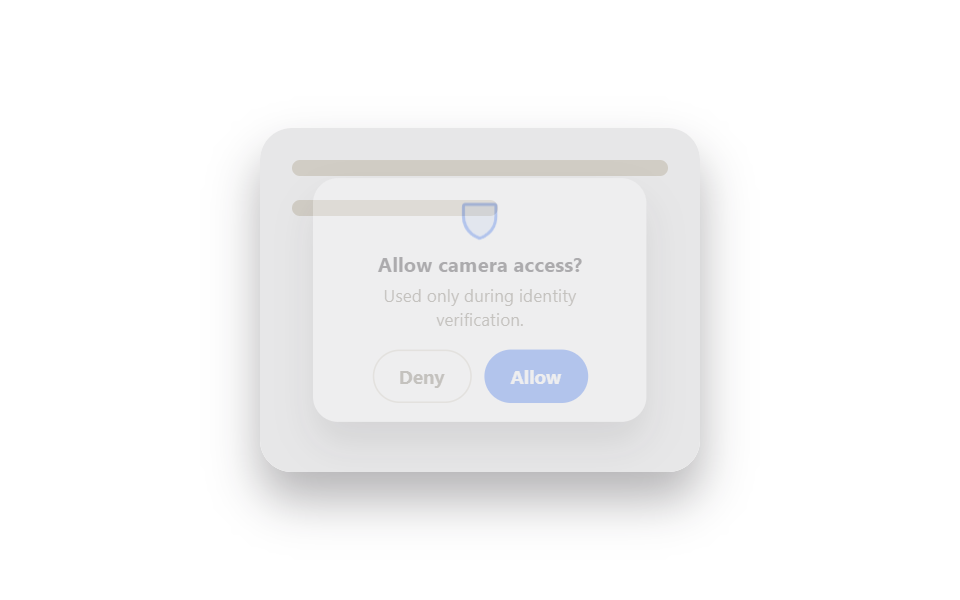 Auth UI9 ID Verification Screen UI Patterns, Paste-Ready
 Auth UI9 account security settings UI patterns
 Auth UIToo Many Failed Login Attempts: 9 Patterns
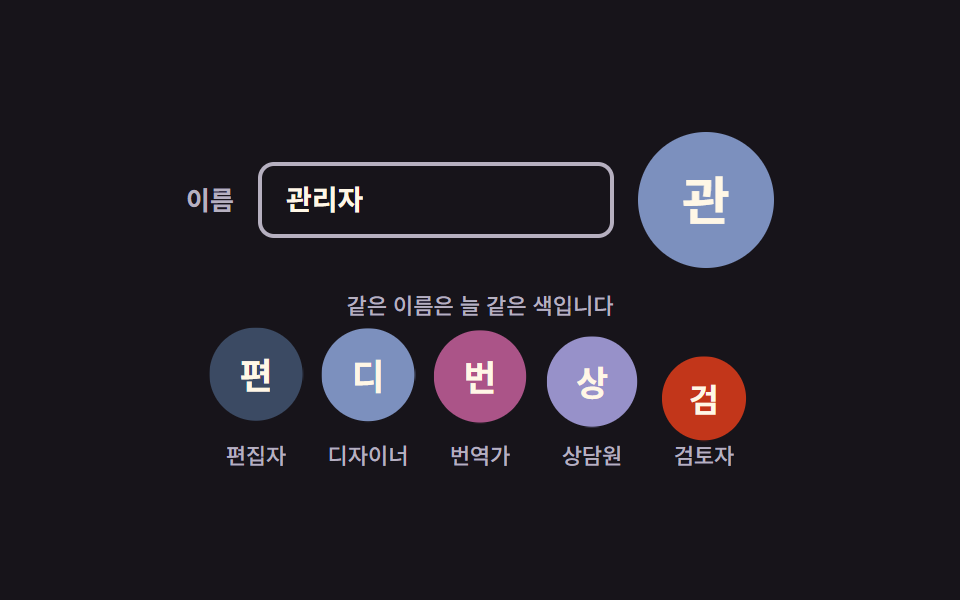 Auth UIAvatar UI Design: 9 Parts, No Image Files
 Auth UIFingerprint Scan Animation: 9 Biometric UI Demos
 Auth UIShow Password Toggle Icon: 9 Reveal Patterns
 Auth UI9 Login UI Design Patterns (Copy-Paste)
 Pickers9 Segmented Control UI Patterns — Copy-Paste
 Pickers9 Date Range Picker UI Patterns — Copy-Paste