Show Password Toggle Icon: 9 Reveal Patterns
Nine show password toggle icon builds: One eye icon opens onto nine forking alleys.
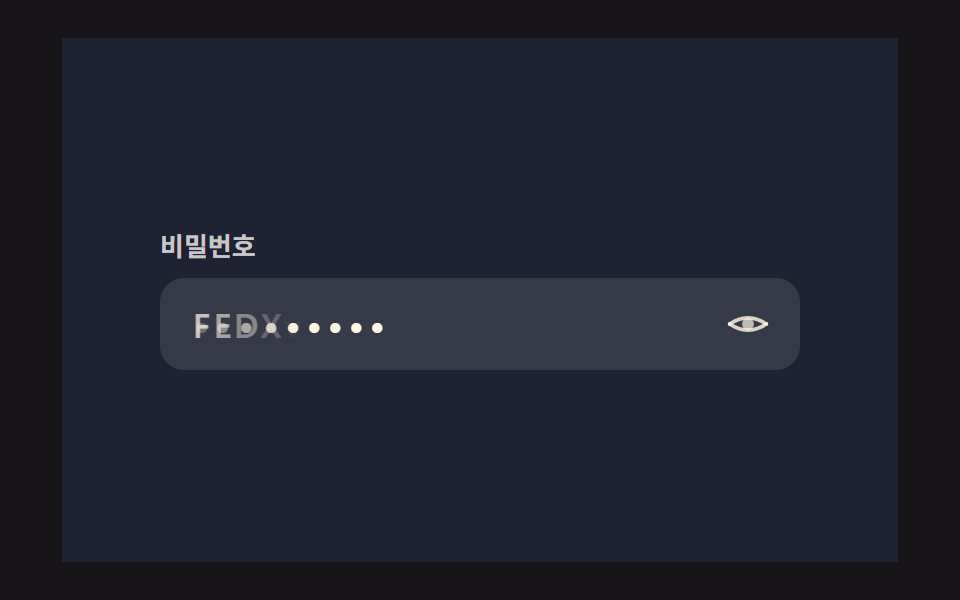 01 password-reveal-eye-icon-morph
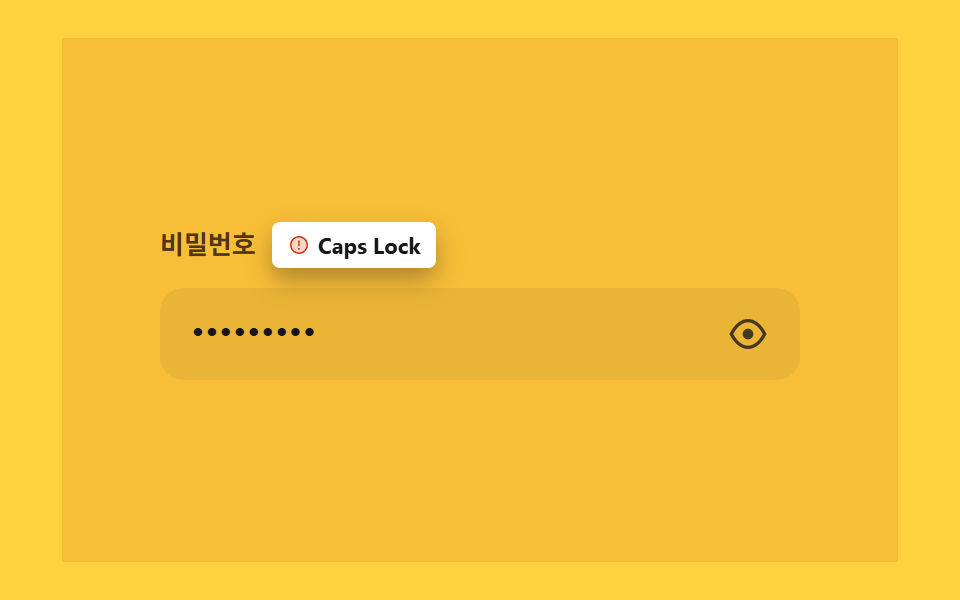 02 password-reveal-capslock-warning-spring
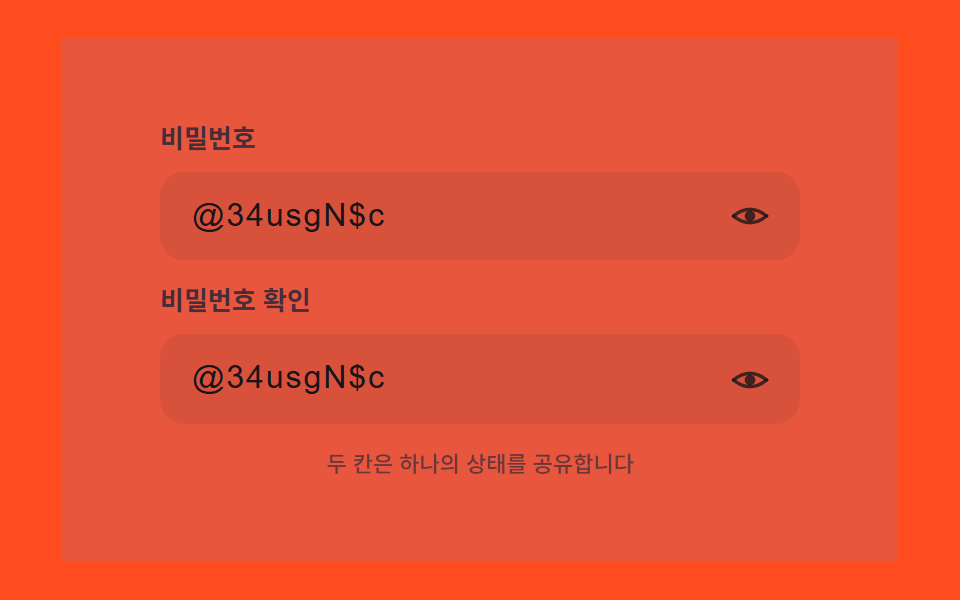 03 password-reveal-multi-field-sync-toggle
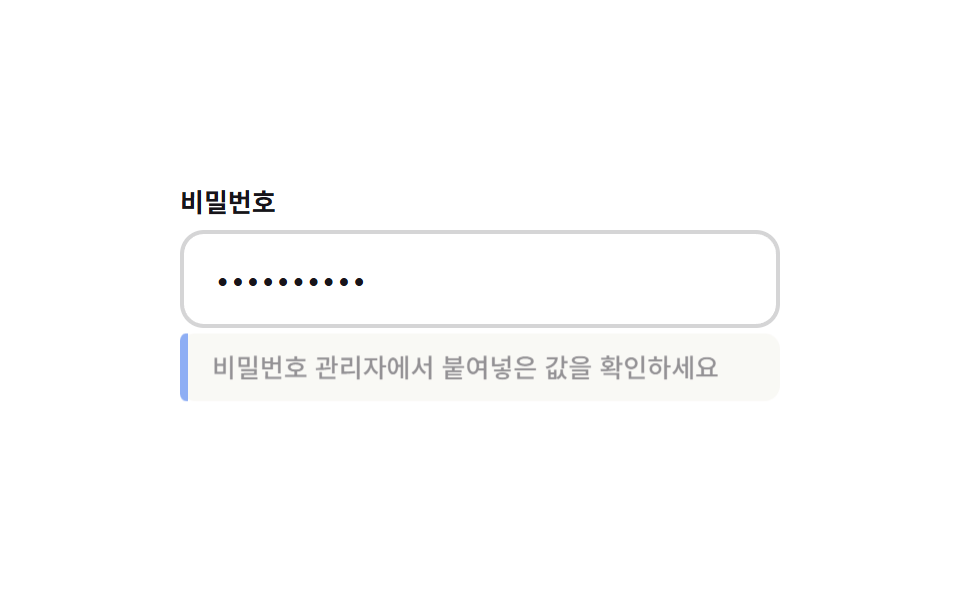 04 password-reveal-paste-detect-banner
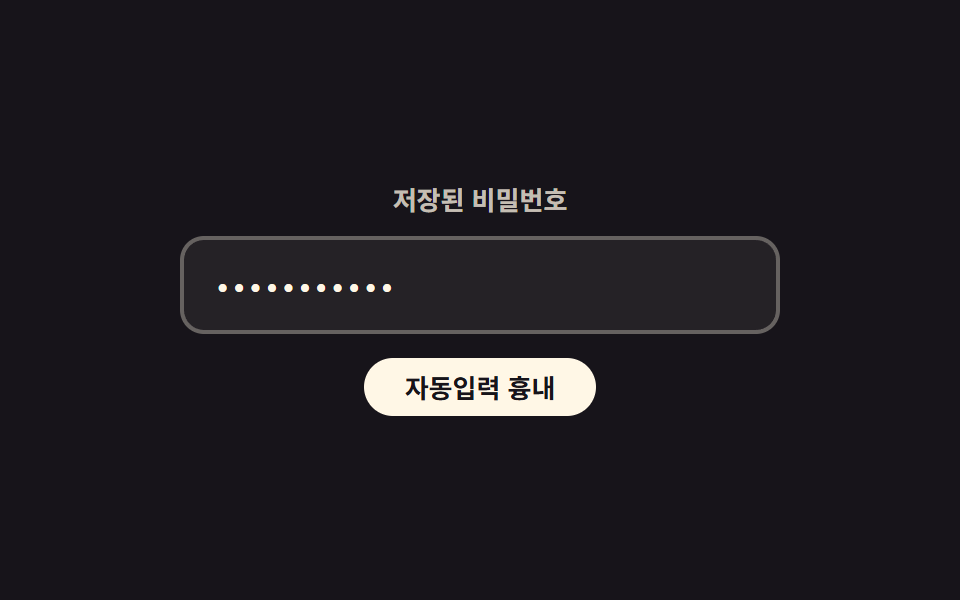 05 password-reveal-autofill-highlight-glow
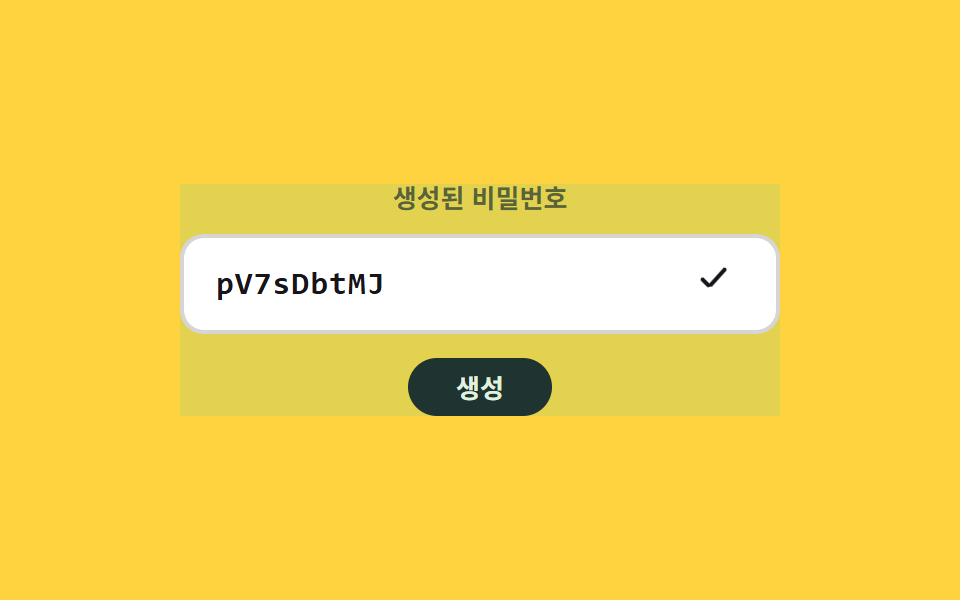 06 password-reveal-generate-copy-cascade
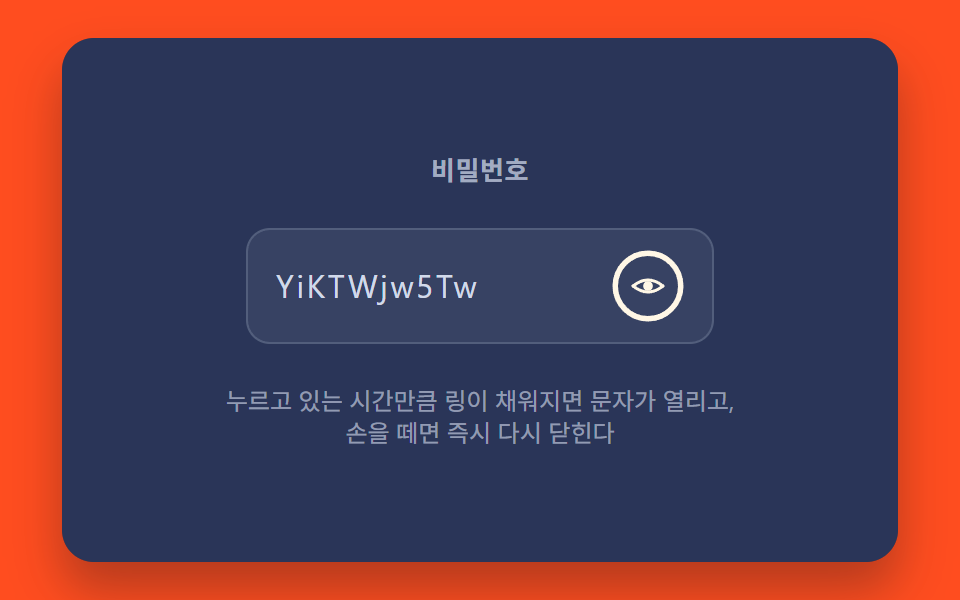 07 password-reveal-hold-to-show-progress
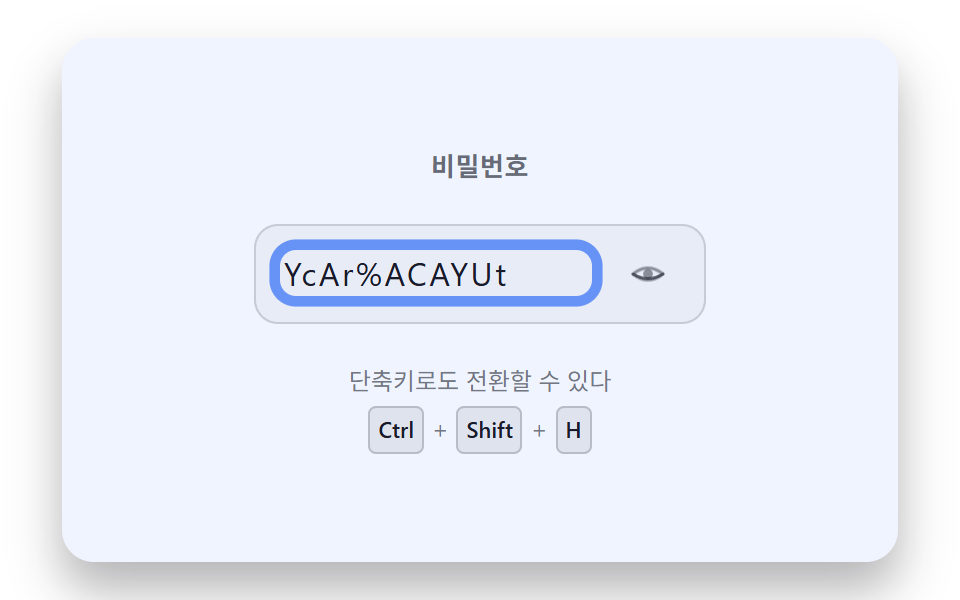 08 password-reveal-keyboard-shortcut-focus-ring
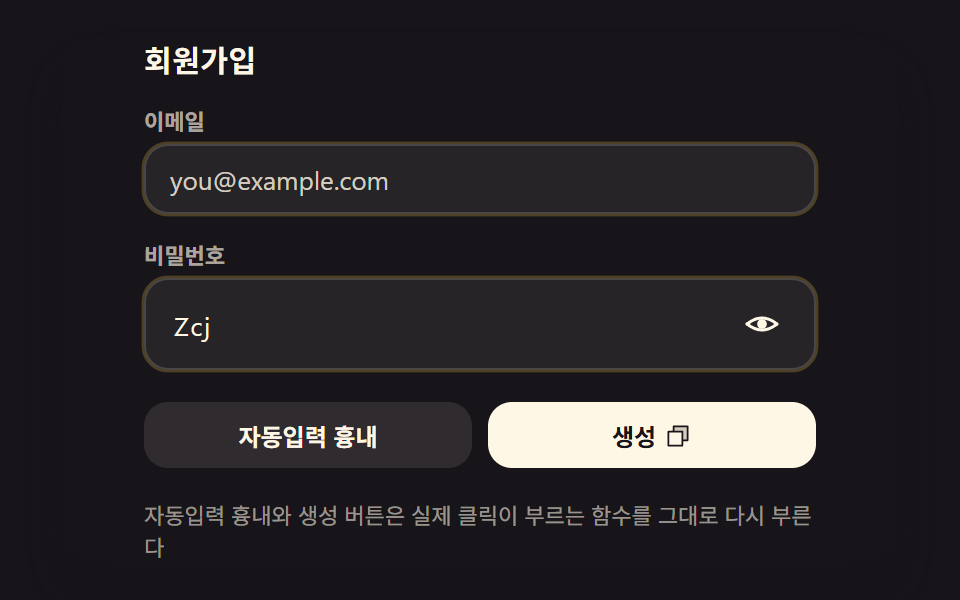 09 password-reveal-hero-signup-form-scene
Auto-plays · click a tile to jump to its section · all nine in one zip
- 01 Eye Icon That Morphs Letters and Dots in Place
- 02 Warning Badge That Springs Up When Caps Lock Is On
- 03 Sync Toggle That Opens Several Fields at Once
- 04 Notice Banner That Slides Out When a Paste Is Detected
- 05 Highlight Glow That Spreads When the Browser Autofills
- 06 Cascade That Types In a Generated Password Letter by Letter
- 07 Hold-to-Reveal With a Progress Ring While Pressed
- 08 Keyboard Path Where a Shortcut Toggle Brightens the Focus Ring
- 09 Hero Scene Combining Several Patterns in One Signup Form
Show Password Toggle Icon: How One Input Type Value Changes Nine Ways
All nine builds below answer the same question a different way: what should happen the moment a password field's masked state flips? Item 01 keeps the change to one field's own overlay. By item 03 that same change is shared across two fields at once, item 05 and item 06 borrow the field for something other than masking, and item 09 folds three of the earlier mechanisms into a single signup form. The order moves from a single field reacting to itself toward several fields and functions reacting to one shared value together.
01Eye Icon That Morphs Letters and Dots in Place
buildOverlay() builds one pem__ch wrapper per character, stacking a masked pem__mask dot and the real pem__char letter in the exact same grid cell instead of swapping two separate elements in and out, and animateEyeStep() eases a single eyeProgress value toward 0 or 1 over EYE_MORPH_MS while paintEye() reads that value to bend both eyelid paths and fade the pupil at the same time.
<main class="stage">
<div class="pem is-demo" id="pemRoot">
  <form class="pem__form" id="pemForm" novalidate>
    <label class="pem__field">
      <span class="pem__labelText">Password</span>
      <span class="pem__inputWrap">
        <input class="pem__input" id="pemInput" type="password" autocomplete="new-password" spellcheck="false" value="">
        <span class="pem__overlay" id="pemOverlay" aria-hidden="true"></span>
        <button class="pem__toggle" id="pemToggle" type="button" aria-pressed="false" aria-label="Show password">
          <svg class="pem__eye" viewBox="0 0 24 24" width="22" height="22" aria-hidden="true">
            <path class="pem__lidTop" id="pemLidTop" d="M2,12 Q12,4 22,12" fill="none" stroke="currentColor" stroke-width="2" stroke-linecap="round"/>
            <path class="pem__lidBottom" id="pemLidBottom" d="M2,12 Q12,20 22,12" fill="none" stroke="currentColor" stroke-width="2" stroke-linecap="round"/>
            <circle class="pem__pupil" id="pemPupil" cx="12" cy="12" r="3.2" fill="currentColor"/>
          </svg>
        </button>
      </span>
    </label>
  </form>
</div>
</main>
@use "../../../../site/static/demo-tokens" as *;
@include stage($stage-ink);
// 계산 겹: 문자 오버레이는 마스크 점 레이어 위에 실제 글자 레이어를 겹쳐 opacity 크로스페이드로
// 바꾸고, 각 span 의 transition-delay 는 JS 가 인덱스*CHAR_STAGGER_MS 로 순차 계산해 넣는다.
// 눈 아이콘은 JS 가 매 프레임 path d 를 다시 그려 눈꺼풀이 감기고 뜨이는 곡선을 만든다.
.pem {
position: relative;
width: min(92vw, calc(160vh - 12.8vw));
aspect-ratio: 480 / 300;
margin: 0 auto;
display: flex;
align-items: center;
justify-content: center;
}
.pem__form {
width: 100%;
max-width: 320px;
box-sizing: border-box;
}
.pem__field {
display: grid;
gap: $sp-2;
}
.pem__labelText {
color: rgba($subject-cream, .82);
font-weight: 600;
font-size: 13px;
line-height: 1.3;
}
.pem__inputWrap {
position: relative;
display: flex;
align-items: center;
}
.pem__input {
width: 100%;
box-sizing: border-box;
padding: $sp-3 $sp-10 $sp-3 $sp-4;
border-radius: $r-control;
border: 0;
background: rgba($stage-paper, .1);
color: transparent;
caret-color: $subject-cream;
font-weight: 500;
font-size: 17px;
line-height: 1.3;
letter-spacing: .06em;
&:focus { outline: 2px solid $subject-blue-light; outline-offset: 2px; }
}
.pem__overlay {
position: absolute;
left: $sp-4;
right: $sp-10;
top: 50%;
transform: translateY(-50%);
display: flex;
pointer-events: none;
font-weight: 500;
font-size: 17px;
line-height: 1.3;
letter-spacing: .06em;
color: $subject-cream;
white-space: nowrap;
overflow: hidden;
}
.pem__ch {
position: relative;
display: inline-grid;
place-items: center;
min-width: .62em;
}
.pem__mask,
.pem__char {
grid-area: 1 / 1;
transition: opacity $dur-quick $ease-out;
}
.pem__mask { opacity: 1; font-size: 20px; line-height: 1; }
.pem__char { opacity: 0; }
.pem--revealed .pem__mask { opacity: 0; }
.pem--revealed .pem__char { opacity: 1; }
.pem__toggle {
position: absolute;
right: $sp-2;
top: 50%;
transform: translateY(-50%);
width: 36px;
height: 36px;
display: grid;
place-items: center;
border: 0;
border-radius: $r-pill;
background: transparent;
color: rgba($subject-cream, .82);
cursor: pointer;
&:hover { background: rgba($stage-paper, .1); }
&:focus-visible { outline: 2px solid $subject-blue-light; outline-offset: 2px; }
}
.pem__eye { display: block; }
// 배경 톤: 새 계산을 얹지 않고 이미 있는 revealed 신호를 카드 전체 톤으로 넓힌다(077 기준 — 면적은 값의 전파 범위로).
.pem::before {
content: "";
position: absolute;
inset: 0;
pointer-events: none;
background: rgba(91, 140, 248, 0);
transition: background-color .28s ease;
}
.pem--revealed::before {
background: rgba(91, 140, 248, .16);
}
@media (max-width: 340px) {
.pem__form { max-width: 260px; }
.pem__input { font-size: 15px; padding-right: $sp-8; }
.pem__overlay { font-size: 15px; right: $sp-8; }
}
@media (prefers-reduced-motion: reduce) {
.pem__mask,
.pem__char {
transition: none;
transition-delay: 0s;
}
.pem::before { transition: none; }
}html, body {
margin: 0;
overflow: hidden;
}
.stage {
box-sizing: border-box;
min-height: 100vh;
display: grid;
place-items: center;
margin: 0;
background: #17141a;
font-family: -apple-system, "Segoe UI", "Noto Sans KR", sans-serif;
padding: clamp(8px, 4vw, 24px);
}
.pem {
position: relative;
width: min(92vw, 160vh - 12.8vw);
aspect-ratio: 480/300;
margin: 0 auto;
display: flex;
align-items: center;
justify-content: center;
}
.pem__form {
width: 100%;
max-width: 320px;
box-sizing: border-box;
}
.pem__field {
display: grid;
gap: 8px;
}
.pem__labelText {
color: rgba(255, 247, 230, 0.82);
font-weight: 600;
font-size: 13px;
line-height: 1.3;
}
.pem__inputWrap {
position: relative;
display: flex;
align-items: center;
}
.pem__input {
width: 100%;
box-sizing: border-box;
padding: 12px 40px 12px 16px;
border-radius: 12px;
border: 0;
background: rgba(255, 255, 255, 0.1);
color: transparent;
caret-color: #fff7e6;
font-weight: 500;
font-size: 17px;
line-height: 1.3;
letter-spacing: 0.06em;
}
.pem__input:focus {
outline: 2px solid #5b8cf8;
outline-offset: 2px;
}
.pem__overlay {
position: absolute;
left: 16px;
right: 40px;
top: 50%;
transform: translateY(-50%);
display: flex;
pointer-events: none;
font-weight: 500;
font-size: 17px;
line-height: 1.3;
letter-spacing: 0.06em;
color: #fff7e6;
white-space: nowrap;
overflow: hidden;
}
.pem__ch {
position: relative;
display: inline-grid;
place-items: center;
min-width: 0.62em;
}
.pem__mask,
.pem__char {
grid-area: 1/1;
transition: opacity 220ms ease-out;
}
.pem__mask {
opacity: 1;
font-size: 20px;
line-height: 1;
}
.pem__char {
opacity: 0;
}
.pem--revealed .pem__mask {
opacity: 0;
}
.pem--revealed .pem__char {
opacity: 1;
}
.pem__toggle {
position: absolute;
right: 8px;
top: 50%;
transform: translateY(-50%);
width: 36px;
height: 36px;
display: grid;
place-items: center;
border: 0;
border-radius: 999px;
background: transparent;
color: rgba(255, 247, 230, 0.82);
cursor: pointer;
}
.pem__toggle:hover {
background: rgba(255, 255, 255, 0.1);
}
.pem__toggle:focus-visible {
outline: 2px solid #5b8cf8;
outline-offset: 2px;
}
.pem__eye {
display: block;
}
.pem::before {
content: "";
position: absolute;
inset: 0;
pointer-events: none;
background: rgba(91, 140, 248, 0);
transition: background-color 0.28s ease;
}
.pem--revealed::before {
background: rgba(91, 140, 248, 0.16);
}
@media (max-width: 340px) {
.pem__form {
max-width: 260px;
}
.pem__input {
font-size: 15px;
padding-right: 32px;
}
.pem__overlay {
font-size: 15px;
right: 32px;
}
}
@media (prefers-reduced-motion: reduce) {
.pem__mask,
.pem__char {
transition: none;
transition-delay: 0s;
}
.pem::before {
transition: none;
}
}(function () {
// 기법: 실제 input 의 type 을 password/text 로 진짜 토글하면서, 그 위에 문자별 span 오버레이
// (점 마스크 레이어 + 실제 글자 레이어)를 얹어 opacity 크로스페이드로 보여준다. input 자체 글자는
// color:transparent 로 숨기고 caret-color 만 남긴다. 눈 아이콘은 상태 스위치가 아니라 매 프레임
// 베지어 제어점(ctrlY)을 다시 계산해 눈꺼풀이 감기고 뜨이는 것처럼 그린다.
var root = document.getElementById('pemRoot');
var form = document.getElementById('pemForm');
var input = document.getElementById('pemInput');
var overlay = document.getElementById('pemOverlay');
var toggle = document.getElementById('pemToggle');
var lidTop = document.getElementById('pemLidTop');
var lidBottom = document.getElementById('pemLidBottom');
var pupil = document.getElementById('pemPupil');
var EYE_MORPH_MS = 260;
var CHAR_STAGGER_MS = 28;
function seedRand(seed) {
var s = seed >>> 0;
return function () { s = (s * 1664525 + 1013904223) >>> 0; return s / 4294967296; };
}
var pwRand = seedRand(426011);
var POOL_UPPER = 'ABCDEFGHJKLMNPQRSTUVWXYZ';
var POOL_LOWER = 'abcdefghijkmnpqrstuvwxyz';
var POOL_DIGIT = '23456789';
var POOL_SYMBOL = '!@#$%*?-';
var POOL_ALL = POOL_UPPER + POOL_LOWER + POOL_DIGIT + POOL_SYMBOL;
function makeFakePassword() {
var len = 8 + Math.floor(pwRand() * 5);
var out = '';
for (var i = 0; i < len; i += 1) out += POOL_ALL.charAt(Math.floor(pwRand() * POOL_ALL.length));
return out;
}
var FAKE_PW = makeFakePassword();
input.value = FAKE_PW;
function easeOutCubic(t) { return 1 - Math.pow(1 - t, 3); }
var LABEL_SHOW = 'Show password';
var LABEL_HIDE = 'Hide password';
var reduce = window.matchMedia('(prefers-reduced-motion: reduce)').matches;
  function buildOverlay(value) {
    overlay.textContent = '';
    for (var i = 0; i < value.length; i += 1) {
      var ch = document.createElement('span');
      ch.className = 'pem__ch';
      var delay = (i * CHAR_STAGGER_MS) + 'ms';
      var mask = document.createElement('span');
      mask.className = 'pem__mask';
      mask.style.transitionDelay = delay;
      mask.textContent = String.fromCharCode(8226);
      var real = document.createElement('span');
      real.className = 'pem__char';
      real.style.transitionDelay = delay;
      real.textContent = value.charAt(i);
      ch.appendChild(mask);
      ch.appendChild(real);
      overlay.appendChild(ch);
    }
  }
  buildOverlay(FAKE_PW);
input.addEventListener('input', function () {
buildOverlay(input.value);
});
var eyeProgress = 0;
var eyeRaf = null;
function paintEye(progress) {
var eased = easeOutCubic(progress);
var topY = 12 - 8 * eased;
var botY = 12 + 8 * eased;
lidTop.setAttribute('d', 'M2,12 Q12,' + topY + ' 22,12');
lidBottom.setAttribute('d', 'M2,12 Q12,' + botY + ' 22,12');
pupil.style.opacity = String(eased);
}
paintEye(eyeProgress);
function animateEyeStep(ts) {
if (animT0 === null) animT0 = ts;
var elapsed = ts - animT0;
var p = Math.min(1, elapsed / EYE_MORPH_MS);
eyeProgress = animStart + (animTarget - animStart) * p;
paintEye(eyeProgress);
if (p < 1) { eyeRaf = requestAnimationFrame(animateEyeStep); }
else { eyeRaf = null; eyeProgress = animTarget; paintEye(eyeProgress); }
}
var animT0 = null, animStart = 0, animTarget = 0;
function animateEyeTo(target) {
if (eyeRaf) { cancelAnimationFrame(eyeRaf); eyeRaf = null; }
if (reduce) { eyeProgress = target; paintEye(eyeProgress); return; }
animStart = eyeProgress;
animTarget = target;
animT0 = null;
eyeRaf = requestAnimationFrame(animateEyeStep);
}
var revealed = false;
function setRevealed(next) {
revealed = next;
input.type = revealed ? 'text' : 'password';
root.classList.toggle('pem--revealed', revealed);
toggle.setAttribute('aria-pressed', String(revealed));
toggle.setAttribute('aria-label', revealed ? LABEL_HIDE : LABEL_SHOW);
animateEyeTo(revealed ? 1 : 0);
}
toggle.addEventListener('click', function () {
root.classList.remove('is-demo');
setRevealed(!revealed);
});
form.addEventListener('submit', function (e) { e.preventDefault(); });
if (reduce) { root.classList.remove('is-demo'); }
function demoLoop() {
if (reduce) return;
setRevealed(true);
setTimeout(function () { setRevealed(false); }, 900);
setTimeout(demoLoop, 2000);
}
if (!reduce) { setTimeout(demoLoop, 200); }
})();import { useEffect, useRef } from "react";
import styles from "./PasswordRevealEyeIconMorph.module.scss";
type Box<T> = { current: T };
const EYE_MORPH_MS = 260;
const CHAR_STAGGER_MS = 28;
const LABEL_SHOW = "비밀번호 표시";
const LABEL_HIDE = "비밀번호 숨기기";
export default function PasswordRevealEyeIconMorph() {
const rootRef = useRef(null) as unknown as Box<HTMLDivElement | null>;
const formRef = useRef(null) as unknown as Box<HTMLFormElement | null>;
const inputRef = useRef(null) as unknown as Box<HTMLInputElement | null>;
const overlayRef = useRef(null) as unknown as Box<HTMLSpanElement | null>;
const toggleRef = useRef(null) as unknown as Box<HTMLButtonElement | null>;
const lidTopRef = useRef(null) as unknown as Box<SVGPathElement | null>;
const lidBottomRef = useRef(null) as unknown as Box<SVGPathElement | null>;
const pupilRef = useRef(null) as unknown as Box<SVGCircleElement | null>;
useEffect(() => {
const root = rootRef.current;
const form = formRef.current;
const input = inputRef.current;
const overlay = overlayRef.current;
const toggle = toggleRef.current;
const lidTop = lidTopRef.current;
const lidBottom = lidBottomRef.current;
const pupil = pupilRef.current;
if (!root || !form || !input || !overlay || !toggle || !lidTop || !lidBottom || !pupil) return;
function seedRand(seed: number) {
let s = seed >>> 0;
return function () { s = (s * 1664525 + 1013904223) >>> 0; return s / 4294967296; };
}
const pwRand = seedRand(426012);
const POOL_UPPER = "ABCDEFGHJKLMNPQRSTUVWXYZ";
const POOL_LOWER = "abcdefghijkmnpqrstuvwxyz";
const POOL_DIGIT = "23456789";
const POOL_SYMBOL = "!@#$%*?-";
const POOL_ALL = POOL_UPPER + POOL_LOWER + POOL_DIGIT + POOL_SYMBOL;
function makeFakePassword() {
const len = 8 + Math.floor(pwRand() * 5);
let out = "";
for (let i = 0; i < len; i += 1) out += POOL_ALL.charAt(Math.floor(pwRand() * POOL_ALL.length));
return out;
}
const FAKE_PW = makeFakePassword();
input.value = FAKE_PW;
function easeOutCubic(t: number) { return 1 - Math.pow(1 - t, 3); }
const reduce = window.matchMedia("(prefers-reduced-motion: reduce)").matches;
function buildOverlay(value: string) {
overlay!.textContent = "";
for (let i = 0; i < value.length; i += 1) {
const ch = document.createElement("span");
ch.className = styles.ch;
const delay = (i * CHAR_STAGGER_MS) + "ms";
const mask = document.createElement("span");
mask.className = styles.mask;
mask.style.transitionDelay = delay;
mask.textContent = String.fromCharCode(8226);
const real = document.createElement("span");
real.className = styles.char;
real.style.transitionDelay = delay;
real.textContent = value.charAt(i);
ch.appendChild(mask);
ch.appendChild(real);
overlay!.appendChild(ch);
}
}
buildOverlay(FAKE_PW);
function onInput() { buildOverlay(input!.value); }
input.addEventListener("input", onInput);
let eyeProgress = 0;
let eyeRaf = 0;
function paintEye(progress: number) {
const eased = easeOutCubic(progress);
const topY = 12 - 8 * eased;
const botY = 12 + 8 * eased;
lidTop!.setAttribute("d", "M2,12 Q12," + topY + " 22,12");
lidBottom!.setAttribute("d", "M2,12 Q12," + botY + " 22,12");
pupil!.style.opacity = String(eased);
}
paintEye(eyeProgress);
let animT0: number | null = null;
let animStart = 0;
let animTarget = 0;
function animateEyeStep(ts: number) {
if (animT0 === null) animT0 = ts;
const elapsed = ts - animT0;
const p = Math.min(1, elapsed / EYE_MORPH_MS);
eyeProgress = animStart + (animTarget - animStart) * p;
paintEye(eyeProgress);
if (p < 1) { eyeRaf = requestAnimationFrame(animateEyeStep); }
else { eyeRaf = 0; eyeProgress = animTarget; paintEye(eyeProgress); }
}
function animateEyeTo(target: number) {
if (eyeRaf) { cancelAnimationFrame(eyeRaf); eyeRaf = 0; }
if (reduce) { eyeProgress = target; paintEye(eyeProgress); return; }
animStart = eyeProgress;
animTarget = target;
animT0 = null;
eyeRaf = requestAnimationFrame(animateEyeStep);
}
let revealed = false;
function setRevealed(next: boolean) {
revealed = next;
input!.type = revealed ? "text" : "password";
root!.classList.toggle(styles["is-revealed"], revealed);
toggle!.setAttribute("aria-pressed", String(revealed));
toggle!.setAttribute("aria-label", revealed ? LABEL_HIDE : LABEL_SHOW);
animateEyeTo(revealed ? 1 : 0);
}
function onToggleClick() {
root!.classList.remove(styles["is-demo"]);
setRevealed(!revealed);
}
toggle.addEventListener("click", onToggleClick);
function onSubmit(e: Event) { e.preventDefault(); }
form.addEventListener("submit", onSubmit);
if (reduce) { root.classList.remove(styles["is-demo"]); }
let loopTimer = 0;
let closeTimer = 0;
function demoLoop() {
if (reduce) return;
setRevealed(true);
closeTimer = window.setTimeout(function () { setRevealed(false); }, 900);
loopTimer = window.setTimeout(demoLoop, 2000);
}
let startTimer = 0;
if (!reduce) { startTimer = window.setTimeout(demoLoop, 200); }
return () => {
input.removeEventListener("input", onInput);
toggle.removeEventListener("click", onToggleClick);
form.removeEventListener("submit", onSubmit);
if (eyeRaf) cancelAnimationFrame(eyeRaf);
window.clearTimeout(startTimer);
window.clearTimeout(loopTimer);
window.clearTimeout(closeTimer);
};
}, []);
return (
<main className={styles.stage}>
<div ref={rootRef} className={`${styles.pem} ${styles["is-demo"]}`}>
<form ref={formRef} className={styles.form} noValidate>
<label className={styles.field}>
<span className={styles.labelText}>비밀번호</span>
<span className={styles.inputWrap}>
<input
ref={inputRef}
className={styles.input}
type="password"
autoComplete="new-password"
spellCheck={false}
defaultValue=""
/>
<span ref={overlayRef} className={styles.overlay} aria-hidden="true" />
<button ref={toggleRef} className={styles.toggle} type="button" aria-pressed="false" aria-label="비밀번호 표시">
<svg className={styles.eye} viewBox="0 0 24 24" width={22} height={22} aria-hidden="true">
<path ref={lidTopRef} d="M2,12 Q12,4 22,12" fill="none" stroke="currentColor" strokeWidth={2} strokeLinecap="round" />
<path ref={lidBottomRef} d="M2,12 Q12,20 22,12" fill="none" stroke="currentColor" strokeWidth={2} strokeLinecap="round" />
<circle ref={pupilRef} cx={12} cy={12} r={3.2} fill="currentColor" />
</svg>
</button>
</span>
</label>
</form>
</div>
</main>
);
}01 · Eye Icon That Morphs Letters and Dots in Place — Measured area 76.015% · moving frames 14/23Original by GODRICH · SCSS and React ship in the zip · See the password
function buildOverlay(value) {
overlay.textContent = '';
for (var i = 0; i < value.length; i += 1) {
var ch = document.createElement('span');
ch.className = 'pem__ch';
var delay = (i * CHAR_STAGGER_MS) + 'ms';
var mask = document.createElement('span');
mask.className = 'pem__mask';
mask.style.transitionDelay = delay;
mask.textContent = String.fromCharCode(8226);
var real = document.createElement('span');
real.className = 'pem__char';
real.style.transitionDelay = delay;
real.textContent = value.charAt(i);
ch.appendChild(mask);
ch.appendChild(real);
overlay.appendChild(ch);
}
}
buildOverlay(FAKE_PW);
Item 01 repainted 76.0% of the frame at an average intensity of 44.6 across 14/23 measured frames.
02Warning Badge That Springs Up When Caps Lock Is On
onKey() reads the real KeyboardEvent.getModifierState('CapsLock') on every keydown and keyup and hands that boolean straight to setCapsLock(), which only ever changes one target number; stepSpring() integrates that target against pos and vel every frame, so CAPSLOCK_BADGE_OVERSHOOT_PX decides how far past its resting spot the badge springs before paintBadge() settles it back in place.
<main class="stage">
<div class="pcs is-demo" id="pcsRoot">
  <form class="pcs__form" id="pcsForm" novalidate>
    <label class="pcs__field">
      <span class="pcs__labelRow">
        <span class="pcs__labelText">Password</span>
        <span class="pcs__badge" id="pcsBadge" role="status">
          <svg class="pcs__badgeIcon" width="1em" height="1em" viewBox="0 0 256 256" aria-hidden="true"><g fill="currentColor"><path d="M224 128a96 96 0 1 1-96-96a96 96 0 0 1 96 96" opacity=".2"/><path d="M128 24a104 104 0 1 0 104 104A104.11 104.11 0 0 0 128 24m0 192a88 88 0 1 1 88-88a88.1 88.1 0 0 1-88 88m-8-80V80a8 8 0 0 1 16 0v56a8 8 0 0 1-16 0m20 36a12 12 0 1 1-12-12a12 12 0 0 1 12 12"/></g></svg>
          <span class="pcs__badgeText">Caps Lock</span>
        </span>
        <span class="pcs__srAnnounce" id="pcsAnnounce" aria-live="polite"></span>
      </span>
      <span class="pcs__inputWrap">
        <input class="pcs__input" id="pcsInput" type="password" autocomplete="new-password" spellcheck="false" value="">
        <button class="pcs__toggle" id="pcsToggle" type="button" aria-pressed="false" aria-label="Show password">
          <svg class="pcs__eyeShow" viewBox="0 0 24 24" width="20" height="20" aria-hidden="true">
            <path d="M2,12 C5,6 9,4 12,4 C15,4 19,6 22,12 C19,18 15,20 12,20 C9,20 5,18 2,12 Z" fill="none" stroke="currentColor" stroke-width="2"/>
            <circle cx="12" cy="12" r="3.2" fill="currentColor"/>
          </svg>
          <svg class="pcs__eyeHide" viewBox="0 0 24 24" width="20" height="20" aria-hidden="true">
            <path d="M2,12 Q12,4 22,12" fill="none" stroke="currentColor" stroke-width="2" stroke-linecap="round"/>
            <path d="M2,12 Q12,20 22,12" fill="none" stroke="currentColor" stroke-width="2" stroke-linecap="round"/>
          </svg>
        </button>
      </span>
    </label>
  </form>
</div>
</main>@use "../../../../site/static/demo-tokens" as *;
@include stage($stage-yellow);
// 계산 겹: 배지 pos 는 언더댐프 스프링 적분(가속도=강성*오차-감쇠*속도)으로 매 프레임 갱신되고,
// pos 가 1 을 넘는 구간(overshoot)만큼 CAPSLOCK_BADGE_OVERSHOOT_PX 를 곱해 튀어 오르는 높이를 만든다.
// 실제 CapsLock 상태는 input 의 keydown/keyup 이벤트에서 getModifierState 로 읽는다.
.pcs {
position: relative;
width: min(92vw, calc(160vh - 12.8vw));
aspect-ratio: 480 / 300;
margin: 0 auto;
display: flex;
align-items: center;
justify-content: center;
}
.pcs__form {
width: 100%;
max-width: 320px;
box-sizing: border-box;
}
.pcs__field {
display: grid;
gap: $sp-2;
}
.pcs__labelRow {
display: flex;
align-items: center;
gap: $sp-2;
min-height: 26px;
}
.pcs__labelText {
color: rgba($subject-ink, .82);
font-weight: 600;
font-size: 13px;
line-height: 1.3;
}
.pcs__badge {
display: inline-flex;
align-items: center;
gap: $sp-1;
padding: $sp-1 $sp-2;
border-radius: $r-xs;
background: $stage-paper;
color: $subject-ink;
font-weight: 700;
font-size: 11px;
line-height: 1.4;
opacity: 0;
transform: translateY(14px) scale(.86);
transform-origin: left center;
will-change: transform, opacity;
}
.pcs__badge--active {
box-shadow: $shadow-press;
}
.pcs__badgeIcon {
flex: 0 0 auto;
color: $subject-orange-deep;
}
.pcs__srAnnounce {
position: absolute;
width: 1px;
height: 1px;
overflow: hidden;
clip: rect(0 0 0 0);
white-space: nowrap;
}
.pcs__inputWrap {
position: relative;
display: flex;
align-items: center;
}
.pcs__input {
width: 100%;
box-sizing: border-box;
padding: $sp-3 $sp-10 $sp-3 $sp-4;
border-radius: $r-control;
border: 0;
background: rgba($subject-ink, .06);
color: $subject-ink;
caret-color: $subject-ink;
font-weight: 500;
font-size: 17px;
line-height: 1.3;
letter-spacing: .06em;
&:focus { outline: 2px solid $subject-blue; outline-offset: 2px; }
}
.pcs__toggle {
position: absolute;
right: $sp-2;
top: 50%;
transform: translateY(-50%);
width: 36px;
height: 36px;
display: grid;
place-items: center;
border: 0;
border-radius: $r-pill;
background: transparent;
color: rgba($subject-ink, .78);
cursor: pointer;
&:hover { background: rgba($subject-ink, .08); }
&:focus-visible { outline: 2px solid $subject-blue; outline-offset: 2px; }
}
.pcs__eyeHide { display: none; }
.pcs--revealed .pcs__eyeShow { display: none; }
.pcs--revealed .pcs__eyeHide { display: block; }
// 배경 톤: Caps Lock 경고를 배지 하나에 가두지 않고 카드 톤 전체로 넓힌다(계산 추가 없이 기존 신호 재사용).
.pcs::before {
content: "";
position: absolute;
inset: 0;
pointer-events: none;
background: rgba(201, 48, 0, 0);
transition: background-color .22s ease;
}
.pcs--warning::before {
background: rgba(201, 48, 0, .12);
}
@media (max-width: 340px) {
.pcs__form { max-width: 260px; }
.pcs__input { font-size: 15px; padding-right: $sp-8; }
.pcs__badgeText { font-size: 10px; }
}
@media (prefers-reduced-motion: reduce) {
.pcs__badge {
transition: none;
}
.pcs::before { transition: none; }
}html, body {
margin: 0;
overflow: hidden;
}
.stage {
box-sizing: border-box;
min-height: 100vh;
display: grid;
place-items: center;
margin: 0;
background: #ffd23f;
font-family: -apple-system, "Segoe UI", "Noto Sans KR", sans-serif;
padding: clamp(8px, 4vw, 24px);
}
.pcs {
position: relative;
width: min(92vw, 160vh - 12.8vw);
aspect-ratio: 480/300;
margin: 0 auto;
display: flex;
align-items: center;
justify-content: center;
}
.pcs__form {
width: 100%;
max-width: 320px;
box-sizing: border-box;
}
.pcs__field {
display: grid;
gap: 8px;
}
.pcs__labelRow {
display: flex;
align-items: center;
gap: 8px;
min-height: 26px;
}
.pcs__labelText {
color: rgba(23, 20, 26, 0.82);
font-weight: 600;
font-size: 13px;
line-height: 1.3;
}
.pcs__badge {
display: inline-flex;
align-items: center;
gap: 4px;
padding: 4px 8px;
border-radius: 4px;
background: #ffffff;
color: #17141a;
font-weight: 700;
font-size: 11px;
line-height: 1.4;
opacity: 0;
transform: translateY(14px) scale(0.86);
transform-origin: left center;
will-change: transform, opacity;
}
.pcs__badge--active {
box-shadow: 0 6px 12px rgba(23, 20, 26, 0.32);
}
.pcs__badgeIcon {
flex: 0 0 auto;
color: #c93000;
}
.pcs__srAnnounce {
position: absolute;
width: 1px;
height: 1px;
overflow: hidden;
clip: rect(0 0 0 0);
white-space: nowrap;
}
.pcs__inputWrap {
position: relative;
display: flex;
align-items: center;
}
.pcs__input {
width: 100%;
box-sizing: border-box;
padding: 12px 40px 12px 16px;
border-radius: 12px;
border: 0;
background: rgba(23, 20, 26, 0.06);
color: #17141a;
caret-color: #17141a;
font-weight: 500;
font-size: 17px;
line-height: 1.3;
letter-spacing: 0.06em;
}
.pcs__input:focus {
outline: 2px solid #2f6df6;
outline-offset: 2px;
}
.pcs__toggle {
position: absolute;
right: 8px;
top: 50%;
transform: translateY(-50%);
width: 36px;
height: 36px;
display: grid;
place-items: center;
border: 0;
border-radius: 999px;
background: transparent;
color: rgba(23, 20, 26, 0.78);
cursor: pointer;
}
.pcs__toggle:hover {
background: rgba(23, 20, 26, 0.08);
}
.pcs__toggle:focus-visible {
outline: 2px solid #2f6df6;
outline-offset: 2px;
}
.pcs__eyeHide {
display: none;
}
.pcs--revealed .pcs__eyeShow {
display: none;
}
.pcs--revealed .pcs__eyeHide {
display: block;
}
.pcs::before {
content: "";
position: absolute;
inset: 0;
pointer-events: none;
background: rgba(201, 48, 0, 0);
transition: background-color 0.22s ease;
}
.pcs--warning::before {
background: rgba(201, 48, 0, 0.12);
}
@media (max-width: 340px) {
.pcs__form {
max-width: 260px;
}
.pcs__input {
font-size: 15px;
padding-right: 32px;
}
.pcs__badgeText {
font-size: 10px;
}
}
@media (prefers-reduced-motion: reduce) {
.pcs__badge {
transition: none;
}
.pcs::before {
transition: none;
}
}(function () {
// 기법: keydown/keyup 에서 실제 KeyboardEvent.getModifierState('CapsLock') 을 읽어 setCapsLock() 하나로
// 몰아 보낸다. 배지는 항상 DOM 에 있고 pos 스프링 값(0~1, 언더댐프라 1을 넘겨 튄다)으로 매 프레임
// translateY·scale·opacity 를 다시 그린다. CAPSLOCK_BADGE_OVERSHOOT_PX 는 그 튐의 최대 폭(px).
var root = document.getElementById('pcsRoot');
var form = document.getElementById('pcsForm');
var input = document.getElementById('pcsInput');
var toggle = document.getElementById('pcsToggle');
var badge = document.getElementById('pcsBadge');
var announce = document.getElementById('pcsAnnounce');
var CAPSLOCK_BADGE_OVERSHOOT_PX = 6;
var SPRING_STIFFNESS = 210;
var SPRING_DAMPING = 14;
var BADGE_RISE_PX = 14;
var LABEL_SHOW = 'Show password';
var LABEL_HIDE = 'Hide password';
var ANNOUNCE_ON = 'Caps Lock on';
var ANNOUNCE_OFF = 'Caps Lock off';
var reduce = window.matchMedia('(prefers-reduced-motion: reduce)').matches;
function seedRand(seed) {
var s = seed >>> 0;
return function () { s = (s * 1664525 + 1013904223) >>> 0; return s / 4294967296; };
}
var pwRand = seedRand(426021);
var POOL_ALL = 'ABCDEFGHJKLMNPQRSTUVWXYZabcdefghijkmnpqrstuvwxyz23456789!@#$%*?-';
function makeFakePassword() {
var len = 8 + Math.floor(pwRand() * 5);
var out = '';
for (var i = 0; i < len; i += 1) out += POOL_ALL.charAt(Math.floor(pwRand() * POOL_ALL.length));
return out;
}
input.value = makeFakePassword();
var revealed = false;
function setRevealed(next) {
revealed = next;
input.type = revealed ? 'text' : 'password';
toggle.setAttribute('aria-pressed', String(revealed));
toggle.setAttribute('aria-label', revealed ? LABEL_HIDE : LABEL_SHOW);
root.classList.toggle('pcs--revealed', revealed);
}
toggle.addEventListener('click', function () {
root.classList.remove('is-demo');
setRevealed(!revealed);
});
var pos = 0;
var vel = 0;
var target = 0;
var springRaf = null;
var lastT = null;
function paintBadge(p) {
var clamped = Math.min(1, Math.max(0, p));
var overshoot = Math.max(0, p - 1);
var y = BADGE_RISE_PX * (1 - clamped) - CAPSLOCK_BADGE_OVERSHOOT_PX * overshoot;
var scale = 0.86 + 0.14 * clamped + 0.05 * overshoot;
var opacity = Math.min(1, clamped * 3);
badge.style.transform = 'translateY(' + y.toFixed(2) + 'px) scale(' + scale.toFixed(3) + ')';
badge.style.opacity = String(opacity);
}
paintBadge(pos);
  function stepSpring(ts) {
    if (lastT === null) lastT = ts;
    var dt = Math.min(0.032, (ts - lastT) / 1000);
    lastT = ts;
    var acc = (target - pos) * SPRING_STIFFNESS - vel * SPRING_DAMPING;
    vel += acc * dt;
    pos += vel * dt;
    paintBadge(pos);
    var settled = Math.abs(target - pos) < 0.002 && Math.abs(vel) < 0.01;
    if (!settled) {
      springRaf = requestAnimationFrame(stepSpring);
    } else {
      pos = target;
      paintBadge(pos);
      springRaf = null;
      lastT = null;
    }
  }

  function setCapsLock(on) {
    var next = on ? 1 : 0;
    if (target === next) return;
    target = next;
    badge.classList.toggle('pcs__badge--active', on);
    root.classList.toggle('pcs--warning', on);
announce.textContent = on ? ANNOUNCE_ON : ANNOUNCE_OFF;
if (reduce) {
if (springRaf) { cancelAnimationFrame(springRaf); springRaf = null; }
pos = target;
vel = 0;
lastT = null;
paintBadge(pos);
return;
}
if (!springRaf) { lastT = null; springRaf = requestAnimationFrame(stepSpring); }
}
function onKey(e) {
if (!e.getModifierState) return;
setCapsLock(e.getModifierState('CapsLock'));
}
input.addEventListener('keydown', onKey);
input.addEventListener('keyup', onKey);
form.addEventListener('submit', function (e) { e.preventDefault(); });
if (reduce) { root.classList.remove('is-demo'); }
function demoLoop() {
if (reduce) return;
setCapsLock(true);
setTimeout(function () { setCapsLock(false); }, 1100);
setTimeout(demoLoop, 2200);
}
if (!reduce) { setTimeout(demoLoop, 240); }
})();import { useEffect, useRef } from "react";
import styles from "./PasswordRevealCapslockWarningSpring.module.scss";
type Box<T> = { current: T };
const CAPSLOCK_BADGE_OVERSHOOT_PX = 6;
const SPRING_STIFFNESS = 210;
const SPRING_DAMPING = 14;
const BADGE_RISE_PX = 14;
const LABEL_SHOW = "비밀번호 표시";
const LABEL_HIDE = "비밀번호 숨기기";
const ANNOUNCE_ON = "Caps Lock 켜짐";
const ANNOUNCE_OFF = "Caps Lock 꺼짐";
export default function PasswordRevealCapslockWarningSpring() {
const rootRef = useRef(null) as unknown as Box<HTMLDivElement | null>;
const formRef = useRef(null) as unknown as Box<HTMLFormElement | null>;
const inputRef = useRef(null) as unknown as Box<HTMLInputElement | null>;
const toggleRef = useRef(null) as unknown as Box<HTMLButtonElement | null>;
const badgeRef = useRef(null) as unknown as Box<HTMLSpanElement | null>;
const announceRef = useRef(null) as unknown as Box<HTMLSpanElement | null>;
useEffect(() => {
const root = rootRef.current;
const form = formRef.current;
const input = inputRef.current;
const toggle = toggleRef.current;
const badge = badgeRef.current;
const announce = announceRef.current;
if (!root || !form || !input || !toggle || !badge || !announce) return;
const reduce = window.matchMedia("(prefers-reduced-motion: reduce)").matches;
function seedRand(seed: number) {
let s = seed >>> 0;
return function () { s = (s * 1664525 + 1013904223) >>> 0; return s / 4294967296; };
}
const pwRand = seedRand(426022);
const POOL_ALL = "ABCDEFGHJKLMNPQRSTUVWXYZabcdefghijkmnpqrstuvwxyz23456789!@#$%*?-";
function makeFakePassword() {
const len = 8 + Math.floor(pwRand() * 5);
let out = "";
for (let i = 0; i < len; i += 1) out += POOL_ALL.charAt(Math.floor(pwRand() * POOL_ALL.length));
return out;
}
input.value = makeFakePassword();
let revealed = false;
function setRevealed(next: boolean) {
revealed = next;
input!.type = revealed ? "text" : "password";
toggle!.setAttribute("aria-pressed", String(revealed));
toggle!.setAttribute("aria-label", revealed ? LABEL_HIDE : LABEL_SHOW);
root!.classList.toggle(styles["is-revealed"], revealed);
}
function onToggleClick() {
root!.classList.remove(styles["is-demo"]);
setRevealed(!revealed);
}
toggle.addEventListener("click", onToggleClick);
let pos = 0;
let vel = 0;
let target = 0;
let springRaf = 0;
let lastT: number | null = null;
function paintBadge(p: number) {
const clamped = Math.min(1, Math.max(0, p));
const overshoot = Math.max(0, p - 1);
const y = BADGE_RISE_PX * (1 - clamped) - CAPSLOCK_BADGE_OVERSHOOT_PX * overshoot;
const scale = 0.86 + 0.14 * clamped + 0.05 * overshoot;
const opacity = Math.min(1, clamped * 3);
badge!.style.transform = "translateY(" + y.toFixed(2) + "px) scale(" + scale.toFixed(3) + ")";
badge!.style.opacity = String(opacity);
}
paintBadge(pos);
function stepSpring(ts: number) {
if (lastT === null) lastT = ts;
const dt = Math.min(0.032, (ts - lastT) / 1000);
lastT = ts;
const acc = (target - pos) * SPRING_STIFFNESS - vel * SPRING_DAMPING;
vel += acc * dt;
pos += vel * dt;
paintBadge(pos);
const settled = Math.abs(target - pos) < 0.002 && Math.abs(vel) < 0.01;
if (!settled) {
springRaf = requestAnimationFrame(stepSpring);
} else {
pos = target;
paintBadge(pos);
springRaf = 0;
lastT = null;
}
}
function setCapsLock(on: boolean) {
const next = on ? 1 : 0;
if (target === next) return;
target = next;
badge!.classList.toggle(styles["badge--active"], on);
root!.classList.toggle(styles.warning, on);
announce!.textContent = on ? ANNOUNCE_ON : ANNOUNCE_OFF;
if (reduce) {
if (springRaf) { cancelAnimationFrame(springRaf); springRaf = 0; }
pos = target;
vel = 0;
lastT = null;
paintBadge(pos);
return;
}
if (!springRaf) { lastT = null; springRaf = requestAnimationFrame(stepSpring); }
}
function onKey(e: KeyboardEvent) {
if (!e.getModifierState) return;
setCapsLock(e.getModifierState("CapsLock"));
}
input.addEventListener("keydown", onKey);
input.addEventListener("keyup", onKey);
function onSubmit(e: Event) { e.preventDefault(); }
form.addEventListener("submit", onSubmit);
if (reduce) { root.classList.remove(styles["is-demo"]); }
let loopTimer = 0;
let offTimer = 0;
function demoLoop() {
if (reduce) return;
setCapsLock(true);
offTimer = window.setTimeout(function () { setCapsLock(false); }, 1100);
loopTimer = window.setTimeout(demoLoop, 2200);
}
let startTimer = 0;
if (!reduce) { startTimer = window.setTimeout(demoLoop, 240); }
return () => {
toggle.removeEventListener("click", onToggleClick);
input.removeEventListener("keydown", onKey);
input.removeEventListener("keyup", onKey);
form.removeEventListener("submit", onSubmit);
if (springRaf) cancelAnimationFrame(springRaf);
window.clearTimeout(startTimer);
window.clearTimeout(loopTimer);
window.clearTimeout(offTimer);
};
}, []);
return (
<main className={styles.stage}>
<div ref={rootRef} className={`${styles.pcs} ${styles["is-demo"]}`}>
<form ref={formRef} className={styles.form} noValidate>
<label className={styles.field}>
<span className={styles.labelRow}>
<span className={styles.labelText}>비밀번호</span>
<span ref={badgeRef} className={styles.badge} role="status">
<svg className={styles.badgeIcon} width="1em" height="1em" viewBox="0 0 256 256" aria-hidden="true">
<g fill="currentColor">
<path d="M224 128a96 96 0 1 1-96-96a96 96 0 0 1 96 96" opacity=".2" />
<path d="M128 24a104 104 0 1 0 104 104A104.11 104.11 0 0 0 128 24m0 192a88 88 0 1 1 88-88a88.1 88.1 0 0 1-88 88m-8-80V80a8 8 0 0 1 16 0v56a8 8 0 0 1-16 0m20 36a12 12 0 1 1-12-12a12 12 0 0 1 12 12" />
</g>
</svg>
<span className={styles.badgeText}>Caps Lock</span>
</span>
<span ref={announceRef} className={styles.srAnnounce} aria-live="polite" />
</span>
<span className={styles.inputWrap}>
<input
ref={inputRef}
className={styles.input}
type="password"
autoComplete="new-password"
spellCheck={false}
defaultValue=""
/>
<button ref={toggleRef} className={styles.toggle} type="button" aria-pressed="false" aria-label="비밀번호 표시">
<svg className={styles.eyeShow} viewBox="0 0 24 24" width={20} height={20} aria-hidden="true">
<path d="M2,12 C5,6 9,4 12,4 C15,4 19,6 22,12 C19,18 15,20 12,20 C9,20 5,18 2,12 Z" fill="none" stroke="currentColor" strokeWidth={2} />
<circle cx={12} cy={12} r={3.2} fill="currentColor" />
</svg>
<svg className={styles.eyeHide} viewBox="0 0 24 24" width={20} height={20} aria-hidden="true">
<path d="M2,12 Q12,4 22,12" fill="none" stroke="currentColor" strokeWidth={2} strokeLinecap="round" />
<path d="M2,12 Q12,20 22,12" fill="none" stroke="currentColor" strokeWidth={2} strokeLinecap="round" />
</svg>
</button>
</span>
</label>
</form>
</div>
</main>
);
}02 · Warning Badge That Springs Up When Caps Lock Is On — Measured area 75.869% · moving frames 15/23Original by GODRICH · SCSS and React ship in the zip · See the password
function stepSpring(ts) {
if (lastT === null) lastT = ts;
var dt = Math.min(0.032, (ts - lastT) / 1000);
lastT = ts;
var acc = (target - pos) * SPRING_STIFFNESS - vel * SPRING_DAMPING;
vel += acc * dt;
pos += vel * dt;
paintBadge(pos);
var settled = Math.abs(target - pos) < 0.002 && Math.abs(vel) < 0.01;
if (!settled) {
springRaf = requestAnimationFrame(stepSpring);
} else {
pos = target;
paintBadge(pos);
springRaf = null;
lastT = null;
}
}
function setCapsLock(on) {
var next = on ? 1 : 0;
if (target === next) return;
target = next;
badge.classList.toggle('pcs__badge--active', on);
root.classList.toggle('pcs--warning', on);
Item 02 repainted 75.9% of the frame at an average intensity of 49.3 across 15/23 measured frames.
03Sync Toggle That Opens Several Fields at Once
One onToggle() handler flips a single shared revealed value for both the password and confirm-password fields, and paintEyes() writes that same eased progress into both eye icons' lid paths and both pupils inside one function call — SYNC_EYE_MORPH_MS is the only timing number either field ever reads, and neither field keeps a progress value of its own.
<main class="stage">
<div class="pfs is-demo" id="pfsRoot">
  <form class="pfs__form" id="pfsForm" novalidate>
    <label class="pfs__field">
      <span class="pfs__labelText">Password</span>
      <span class="pfs__inputWrap">
        <input class="pfs__input" id="pfsInputA" type="password" autocomplete="new-password" spellcheck="false" value="">
        <button class="pfs__toggle" id="pfsToggleA" type="button" aria-pressed="false" aria-label="Show password">
          <svg class="pfs__eye" viewBox="0 0 24 24" width="20" height="20" aria-hidden="true">
            <path class="pfs__lidTop" id="pfsLidTopA" d="M2,12 Q12,4 22,12" fill="none" stroke="currentColor" stroke-width="2" stroke-linecap="round"/>
            <path class="pfs__lidBottom" id="pfsLidBottomA" d="M2,12 Q12,20 22,12" fill="none" stroke="currentColor" stroke-width="2" stroke-linecap="round"/>
            <circle class="pfs__pupil" id="pfsPupilA" cx="12" cy="12" r="3.2" fill="currentColor"/>
          </svg>
        </button>
      </span>
    </label>
    <label class="pfs__field">
      <span class="pfs__labelText">Confirm password</span>
      <span class="pfs__inputWrap">
        <input class="pfs__input" id="pfsInputB" type="password" autocomplete="new-password" spellcheck="false" value="">
        <button class="pfs__toggle" id="pfsToggleB" type="button" aria-pressed="false" aria-label="Show password">
          <svg class="pfs__eye" viewBox="0 0 24 24" width="20" height="20" aria-hidden="true">
            <path class="pfs__lidTop" id="pfsLidTopB" d="M2,12 Q12,4 22,12" fill="none" stroke="currentColor" stroke-width="2" stroke-linecap="round"/>
            <path class="pfs__lidBottom" id="pfsLidBottomB" d="M2,12 Q12,20 22,12" fill="none" stroke="currentColor" stroke-width="2" stroke-linecap="round"/>
            <circle class="pfs__pupil" id="pfsPupilB" cx="12" cy="12" r="3.2" fill="currentColor"/>
          </svg>
        </button>
      </span>
    </label>
    <p class="pfs__hint" id="pfsHint">Both boxes share one state</p>
  </form>
</div>
</main>@use "../../../../site/static/demo-tokens" as *;
@include stage($stage-orange);
// 계산 겹: 두 필드가 각각 눈 아이콘을 갖지만 실제로 갱신하는 값은 eyeProgress 하나뿐 —
// 어느 버튼을 눌러도 setRevealed() 가 paintEyes() 를 한 번 불러 두 SVG path d 를 같은 프레임에 다시 그린다.
.pfs {
position: relative;
width: min(92vw, calc(160vh - 12.8vw));
aspect-ratio: 480 / 300;
margin: 0 auto;
display: flex;
align-items: center;
justify-content: center;
}
.pfs__form {
width: 100%;
max-width: 320px;
box-sizing: border-box;
display: grid;
gap: $sp-3;
}
.pfs__field {
display: grid;
gap: $sp-2;
}
.pfs__labelText {
color: rgba($subject-ink, .82);
font-weight: 600;
font-size: 13px;
line-height: 1.3;
}
.pfs__inputWrap {
position: relative;
display: flex;
align-items: center;
}
.pfs__input {
width: 100%;
box-sizing: border-box;
padding: $sp-3 $sp-10 $sp-3 $sp-4;
border-radius: $r-control;
border: 0;
background: rgba($subject-ink, .08);
color: $subject-ink;
caret-color: $subject-ink;
font-weight: 500;
font-size: 16px;
line-height: 1.3;
letter-spacing: .06em;
&:focus { outline: 2px solid $subject-blue; outline-offset: 2px; }
}
.pfs__toggle {
position: absolute;
right: $sp-2;
top: 50%;
transform: translateY(-50%);
width: 34px;
height: 34px;
display: grid;
place-items: center;
border: 0;
border-radius: $r-pill;
background: transparent;
color: rgba($subject-ink, .78);
cursor: pointer;
&:hover { background: rgba($subject-ink, .1); }
&:focus-visible { outline: 2px solid $subject-blue; outline-offset: 2px; }
}
.pfs__eye { display: block; }
.pfs__hint {
margin: 0;
color: rgba($subject-ink, .62);
font-weight: 500;
font-size: 11px;
line-height: 1.4;
text-align: center;
}
// 배경 톤: 두 필드가 공유하는 revealed 신호 하나를 카드 톤으로 넓힌다(기법 그대로, 계산 겹 추가 없음).
.pfs::before {
content: "";
position: absolute;
inset: 0;
pointer-events: none;
background: rgba(91, 140, 248, 0);
transition: background-color .24s ease;
}
.pfs--revealed::before {
background: rgba(91, 140, 248, .14);
}
@media (max-width: 340px) {
.pfs__form { max-width: 260px; }
.pfs__input { font-size: 14px; padding-right: $sp-8; }
}
@media (prefers-reduced-motion: reduce) {
.pfs__lidTop,
.pfs__lidBottom,
.pfs__pupil {
transition: none;
}
.pfs::before { transition: none; }
}html, body {
margin: 0;
overflow: hidden;
}
.stage {
box-sizing: border-box;
min-height: 100vh;
display: grid;
place-items: center;
margin: 0;
background: #ff4d1f;
font-family: -apple-system, "Segoe UI", "Noto Sans KR", sans-serif;
padding: clamp(8px, 4vw, 24px);
}
.pfs {
position: relative;
width: min(92vw, 160vh - 12.8vw);
aspect-ratio: 480/300;
margin: 0 auto;
display: flex;
align-items: center;
justify-content: center;
}
.pfs__form {
width: 100%;
max-width: 320px;
box-sizing: border-box;
display: grid;
gap: 12px;
}
.pfs__field {
display: grid;
gap: 8px;
}
.pfs__labelText {
color: rgba(23, 20, 26, 0.82);
font-weight: 600;
font-size: 13px;
line-height: 1.3;
}
.pfs__inputWrap {
position: relative;
display: flex;
align-items: center;
}
.pfs__input {
width: 100%;
box-sizing: border-box;
padding: 12px 40px 12px 16px;
border-radius: 12px;
border: 0;
background: rgba(23, 20, 26, 0.08);
color: #17141a;
caret-color: #17141a;
font-weight: 500;
font-size: 16px;
line-height: 1.3;
letter-spacing: 0.06em;
}
.pfs__input:focus {
outline: 2px solid #2f6df6;
outline-offset: 2px;
}
.pfs__toggle {
position: absolute;
right: 8px;
top: 50%;
transform: translateY(-50%);
width: 34px;
height: 34px;
display: grid;
place-items: center;
border: 0;
border-radius: 999px;
background: transparent;
color: rgba(23, 20, 26, 0.78);
cursor: pointer;
}
.pfs__toggle:hover {
background: rgba(23, 20, 26, 0.1);
}
.pfs__toggle:focus-visible {
outline: 2px solid #2f6df6;
outline-offset: 2px;
}
.pfs__eye {
display: block;
}
.pfs__hint {
margin: 0;
color: rgba(23, 20, 26, 0.62);
font-weight: 500;
font-size: 11px;
line-height: 1.4;
text-align: center;
}
.pfs::before {
content: "";
position: absolute;
inset: 0;
pointer-events: none;
background: rgba(91, 140, 248, 0);
transition: background-color 0.24s ease;
}
.pfs--revealed::before {
background: rgba(91, 140, 248, 0.14);
}
@media (max-width: 340px) {
.pfs__form {
max-width: 260px;
}
.pfs__input {
font-size: 14px;
padding-right: 32px;
}
}
@media (prefers-reduced-motion: reduce) {
.pfs__lidTop,
.pfs__lidBottom,
.pfs__pupil {
transition: none;
}
.pfs::before {
transition: none;
}
}(function () {
// 기법: 두 필드가 각자 토글 버튼을 갖지만 실제로 바꾸는 값은 단 하나(shared revealed)뿐이다.
// 어느 버튼을 눌러도 setRevealed() 하나가 두 input·두 눈 아이콘을 동시에 갱신하고, 눈 모프는
// 공유 eyeProgress 값 하나로 두 SVG 를 같은 프레임에 다시 그린다(paintEyes).
var root = document.getElementById('pfsRoot');
var form = document.getElementById('pfsForm');
var inputA = document.getElementById('pfsInputA');
var inputB = document.getElementById('pfsInputB');
var toggleA = document.getElementById('pfsToggleA');
var toggleB = document.getElementById('pfsToggleB');
var lidTopA = document.getElementById('pfsLidTopA');
var lidBottomA = document.getElementById('pfsLidBottomA');
var pupilA = document.getElementById('pfsPupilA');
var lidTopB = document.getElementById('pfsLidTopB');
var lidBottomB = document.getElementById('pfsLidBottomB');
var pupilB = document.getElementById('pfsPupilB');
var SYNC_EYE_MORPH_MS = 260;
var LABEL_SHOW = 'Show password';
var LABEL_HIDE = 'Hide password';
var reduce = window.matchMedia('(prefers-reduced-motion: reduce)').matches;
function seedRand(seed) {
var s = seed >>> 0;
return function () { s = (s * 1664525 + 1013904223) >>> 0; return s / 4294967296; };
}
var pwRand = seedRand(426031);
var POOL_ALL = 'ABCDEFGHJKLMNPQRSTUVWXYZabcdefghijkmnpqrstuvwxyz23456789!@#$%*?-';
function makeFakePassword() {
var len = 8 + Math.floor(pwRand() * 5);
var out = '';
for (var i = 0; i < len; i += 1) out += POOL_ALL.charAt(Math.floor(pwRand() * POOL_ALL.length));
return out;
}
var FAKE_PW = makeFakePassword();
inputA.value = FAKE_PW;
inputB.value = FAKE_PW;
function easeOutCubic(t) { return 1 - Math.pow(1 - t, 3); }
  function paintEyes(progress) {
    var eased = easeOutCubic(progress);
    var topY = 12 - 8 * eased;
    var botY = 12 + 8 * eased;
    var d1 = 'M2,12 Q12,' + topY + ' 22,12';
    var d2 = 'M2,12 Q12,' + botY + ' 22,12';
    lidTopA.setAttribute('d', d1);
    lidBottomA.setAttribute('d', d2);
    pupilA.style.opacity = String(eased);
    lidTopB.setAttribute('d', d1);
    lidBottomB.setAttribute('d', d2);
    pupilB.style.opacity = String(eased);
  }

  var eyeProgress = 0;
  var eyeRaf = null;
  var animT0 = null, animStart = 0, animTarget = 0;
  paintEyes(eyeProgress);

  function animateEyeStep(ts) {
if (animT0 === null) animT0 = ts;
var elapsed = ts - animT0;
var p = Math.min(1, elapsed / SYNC_EYE_MORPH_MS);
eyeProgress = animStart + (animTarget - animStart) * p;
paintEyes(eyeProgress);
if (p < 1) { eyeRaf = requestAnimationFrame(animateEyeStep); }
else { eyeRaf = null; eyeProgress = animTarget; paintEyes(eyeProgress); }
}
function animateEyeTo(target) {
if (eyeRaf) { cancelAnimationFrame(eyeRaf); eyeRaf = null; }
if (reduce) { eyeProgress = target; paintEyes(eyeProgress); return; }
animStart = eyeProgress;
animTarget = target;
animT0 = null;
eyeRaf = requestAnimationFrame(animateEyeStep);
}
var revealed = false;
function setRevealed(next) {
revealed = next;
var type = revealed ? 'text' : 'password';
inputA.type = type;
inputB.type = type;
root.classList.toggle('pfs--revealed', revealed);
var label = revealed ? LABEL_HIDE : LABEL_SHOW;
toggleA.setAttribute('aria-pressed', String(revealed));
toggleA.setAttribute('aria-label', label);
toggleB.setAttribute('aria-pressed', String(revealed));
toggleB.setAttribute('aria-label', label);
animateEyeTo(revealed ? 1 : 0);
}
function onToggle() {
root.classList.remove('is-demo');
setRevealed(!revealed);
}
toggleA.addEventListener('click', onToggle);
toggleB.addEventListener('click', onToggle);
form.addEventListener('submit', function (e) { e.preventDefault(); });
if (reduce) { root.classList.remove('is-demo'); }
function demoLoop() {
if (reduce) return;
setRevealed(true);
setTimeout(function () { setRevealed(false); }, 900);
setTimeout(demoLoop, 2000);
}
if (!reduce) { setTimeout(demoLoop, 220); }
})();import { useEffect, useRef } from "react";
import styles from "./PasswordRevealMultiFieldSyncToggle.module.scss";
type Box<T> = { current: T };
const SYNC_EYE_MORPH_MS = 260;
const LABEL_SHOW = "비밀번호 표시";
const LABEL_HIDE = "비밀번호 숨기기";
export default function PasswordRevealMultiFieldSyncToggle() {
const rootRef = useRef(null) as unknown as Box<HTMLDivElement | null>;
const formRef = useRef(null) as unknown as Box<HTMLFormElement | null>;
const inputARef = useRef(null) as unknown as Box<HTMLInputElement | null>;
const inputBRef = useRef(null) as unknown as Box<HTMLInputElement | null>;
const toggleARef = useRef(null) as unknown as Box<HTMLButtonElement | null>;
const toggleBRef = useRef(null) as unknown as Box<HTMLButtonElement | null>;
const lidTopARef = useRef(null) as unknown as Box<SVGPathElement | null>;
const lidBottomARef = useRef(null) as unknown as Box<SVGPathElement | null>;
const pupilARef = useRef(null) as unknown as Box<SVGCircleElement | null>;
const lidTopBRef = useRef(null) as unknown as Box<SVGPathElement | null>;
const lidBottomBRef = useRef(null) as unknown as Box<SVGPathElement | null>;
const pupilBRef = useRef(null) as unknown as Box<SVGCircleElement | null>;
useEffect(() => {
const root = rootRef.current;
const form = formRef.current;
const inputA = inputARef.current;
const inputB = inputBRef.current;
const toggleA = toggleARef.current;
const toggleB = toggleBRef.current;
const lidTopA = lidTopARef.current;
const lidBottomA = lidBottomARef.current;
const pupilA = pupilARef.current;
const lidTopB = lidTopBRef.current;
const lidBottomB = lidBottomBRef.current;
const pupilB = pupilBRef.current;
if (!root || !form || !inputA || !inputB || !toggleA || !toggleB || !lidTopA || !lidBottomA || !pupilA || !lidTopB || !lidBottomB || !pupilB) return;
const reduce = window.matchMedia("(prefers-reduced-motion: reduce)").matches;
function seedRand(seed: number) {
let s = seed >>> 0;
return function () { s = (s * 1664525 + 1013904223) >>> 0; return s / 4294967296; };
}
const pwRand = seedRand(426032);
const POOL_ALL = "ABCDEFGHJKLMNPQRSTUVWXYZabcdefghijkmnpqrstuvwxyz23456789!@#$%*?-";
function makeFakePassword() {
const len = 8 + Math.floor(pwRand() * 5);
let out = "";
for (let i = 0; i < len; i += 1) out += POOL_ALL.charAt(Math.floor(pwRand() * POOL_ALL.length));
return out;
}
const FAKE_PW = makeFakePassword();
inputA.value = FAKE_PW;
inputB.value = FAKE_PW;
function easeOutCubic(t: number) { return 1 - Math.pow(1 - t, 3); }
function paintEyes(progress: number) {
const eased = easeOutCubic(progress);
const topY = 12 - 8 * eased;
const botY = 12 + 8 * eased;
const d1 = "M2,12 Q12," + topY + " 22,12";
const d2 = "M2,12 Q12," + botY + " 22,12";
lidTopA!.setAttribute("d", d1);
lidBottomA!.setAttribute("d", d2);
pupilA!.style.opacity = String(eased);
lidTopB!.setAttribute("d", d1);
lidBottomB!.setAttribute("d", d2);
pupilB!.style.opacity = String(eased);
}
let eyeProgress = 0;
let eyeRaf = 0;
let animT0: number | null = null;
let animStart = 0;
let animTarget = 0;
paintEyes(eyeProgress);
function animateEyeStep(ts: number) {
if (animT0 === null) animT0 = ts;
const elapsed = ts - animT0;
const p = Math.min(1, elapsed / SYNC_EYE_MORPH_MS);
eyeProgress = animStart + (animTarget - animStart) * p;
paintEyes(eyeProgress);
if (p < 1) { eyeRaf = requestAnimationFrame(animateEyeStep); }
else { eyeRaf = 0; eyeProgress = animTarget; paintEyes(eyeProgress); }
}
function animateEyeTo(target: number) {
if (eyeRaf) { cancelAnimationFrame(eyeRaf); eyeRaf = 0; }
if (reduce) { eyeProgress = target; paintEyes(eyeProgress); return; }
animStart = eyeProgress;
animTarget = target;
animT0 = null;
eyeRaf = requestAnimationFrame(animateEyeStep);
}
let revealed = false;
function setRevealed(next: boolean) {
revealed = next;
const type = revealed ? "text" : "password";
inputA!.type = type;
inputB!.type = type;
root!.classList.toggle(styles["is-revealed"], revealed);
const label = revealed ? LABEL_HIDE : LABEL_SHOW;
toggleA!.setAttribute("aria-pressed", String(revealed));
toggleA!.setAttribute("aria-label", label);
toggleB!.setAttribute("aria-pressed", String(revealed));
toggleB!.setAttribute("aria-label", label);
animateEyeTo(revealed ? 1 : 0);
}
function onToggle() {
root!.classList.remove(styles["is-demo"]);
setRevealed(!revealed);
}
toggleA.addEventListener("click", onToggle);
toggleB.addEventListener("click", onToggle);
function onSubmit(e: Event) { e.preventDefault(); }
form.addEventListener("submit", onSubmit);
if (reduce) { root.classList.remove(styles["is-demo"]); }
let loopTimer = 0;
let closeTimer = 0;
function demoLoop() {
if (reduce) return;
setRevealed(true);
closeTimer = window.setTimeout(function () { setRevealed(false); }, 900);
loopTimer = window.setTimeout(demoLoop, 2000);
}
let startTimer = 0;
if (!reduce) { startTimer = window.setTimeout(demoLoop, 220); }
return () => {
toggleA.removeEventListener("click", onToggle);
toggleB.removeEventListener("click", onToggle);
form.removeEventListener("submit", onSubmit);
if (eyeRaf) cancelAnimationFrame(eyeRaf);
window.clearTimeout(startTimer);
window.clearTimeout(loopTimer);
window.clearTimeout(closeTimer);
};
}, []);
return (
<main className={styles.stage}>
<div ref={rootRef} className={`${styles.pfs} ${styles["is-demo"]}`}>
<form ref={formRef} className={styles.form} noValidate>
<label className={styles.field}>
<span className={styles.labelText}>비밀번호</span>
<span className={styles.inputWrap}>
<input
ref={inputARef}
className={styles.input}
type="password"
autoComplete="new-password"
spellCheck={false}
defaultValue=""
/>
<button ref={toggleARef} className={styles.toggle} type="button" aria-pressed="false" aria-label="비밀번호 표시">
<svg className={styles.eye} viewBox="0 0 24 24" width={20} height={20} aria-hidden="true">
<path ref={lidTopARef} d="M2,12 Q12,4 22,12" fill="none" stroke="currentColor" strokeWidth={2} strokeLinecap="round" />
<path ref={lidBottomARef} d="M2,12 Q12,20 22,12" fill="none" stroke="currentColor" strokeWidth={2} strokeLinecap="round" />
<circle ref={pupilARef} cx={12} cy={12} r={3.2} fill="currentColor" />
</svg>
</button>
</span>
</label>
<label className={styles.field}>
<span className={styles.labelText}>비밀번호 확인</span>
<span className={styles.inputWrap}>
<input
ref={inputBRef}
className={styles.input}
type="password"
autoComplete="new-password"
spellCheck={false}
defaultValue=""
/>
<button ref={toggleBRef} className={styles.toggle} type="button" aria-pressed="false" aria-label="비밀번호 표시">
<svg className={styles.eye} viewBox="0 0 24 24" width={20} height={20} aria-hidden="true">
<path ref={lidTopBRef} d="M2,12 Q12,4 22,12" fill="none" stroke="currentColor" strokeWidth={2} strokeLinecap="round" />
<path ref={lidBottomBRef} d="M2,12 Q12,20 22,12" fill="none" stroke="currentColor" strokeWidth={2} strokeLinecap="round" />
<circle ref={pupilBRef} cx={12} cy={12} r={3.2} fill="currentColor" />
</svg>
</button>
</span>
</label>
<p className={styles.hint}>두 칸은 하나의 상태를 공유합니다</p>
</form>
</div>
</main>
);
}03 · Sync Toggle That Opens Several Fields at Once — Measured area 76.029% · moving frames 10/23Original by GODRICH · SCSS and React ship in the zip · See the password
function paintEyes(progress) {
var eased = easeOutCubic(progress);
var topY = 12 - 8 * eased;
var botY = 12 + 8 * eased;
var d1 = 'M2,12 Q12,' + topY + ' 22,12';
var d2 = 'M2,12 Q12,' + botY + ' 22,12';
lidTopA.setAttribute('d', d1);
lidBottomA.setAttribute('d', d2);
pupilA.style.opacity = String(eased);
lidTopB.setAttribute('d', d1);
lidBottomB.setAttribute('d', d2);
pupilB.style.opacity = String(eased);
}
var eyeProgress = 0;
var eyeRaf = null;
var animT0 = null, animStart = 0, animTarget = 0;
paintEyes(eyeProgress);
function animateEyeStep(ts) {
Item 03 repainted 76.0% of the frame at an average intensity of 65.2 across 10/23 measured frames.
04Notice Banner That Slides Out When a Paste Is Detected
The field listens for a real paste event rather than counting keystrokes or watching for a sudden jump in length, and handlePaste() never reads event.clipboardData — the banner only ever confirms that something was pasted, not what. PASTE_BANNER_VISIBLE_MS holds the banner in place before PASTE_BANNER_SLIDE_MS times how long it takes to retreat.
<main class="stage">
  <div class="pdb is-demo">
    <label class="pdb__label" for="pdb-input">Password</label>
    <div class="pdb__frame">
      <input id="pdb-input" class="pdb__input" type="password" placeholder="Enter your password" autocomplete="current-password">
    </div>
    <p class="pdb__banner" id="pdbBanner" aria-live="polite"></p>
  </div>
</main>
@use "../../../../site/static/demo-tokens" as *;
@include stage($stage-paper);
.pdb {
width: min(300px, 86vw);
display: grid;
gap: $sp-2;
}
.pdb__label {
font-weight: 700;
font-size: 13px;
line-height: 1;
color: $subject-ink;
}
.pdb__frame { position: relative; }
.pdb__input {
box-sizing: border-box;
width: 100%;
border: 2px solid rgba($subject-ink, .18);
border-radius: $r-control;
padding: $sp-3 $sp-4;
font-weight: 500;
font-size: clamp(14px, 4vw, 16px);
line-height: 1;
font-family: inherit;
color: $subject-ink;
background: #fff;
letter-spacing: .06em;
&:focus { outline: none; border-color: $subject-blue-deep; }
}
.pdb__banner {
position: relative;
margin: 0;
padding: $sp-2 $sp-3 $sp-2 $sp-4;
border-radius: $r-sm;
background: #f3f1ea;
color: $subject-ink;
font-weight: 500;
font-size: 13px;
line-height: 1.4;
opacity: 0;
transform: translateY(-10px);
transition: transform var(--pdbSlideMs, 320ms) $ease-out, opacity var(--pdbSlideMs, 320ms) $ease-out;
&::before {
content: '';
position: absolute;
left: 0; top: 0; bottom: 0;
width: 4px;
border-radius: $r-xs 0 0 $r-xs;
background: $subject-blue-deep;
}
&.is-visible {
opacity: 1;
transform: translateY(0);
}
}
@media (max-width: 340px) {
.pdb { width: min(260px, 88vw); }
}
@media (prefers-reduced-motion: reduce) {
.pdb__banner { transition: none; }
}html, body {
margin: 0;
overflow: hidden;
}
.stage {
box-sizing: border-box;
min-height: 100vh;
display: grid;
place-items: center;
margin: 0;
background: #ffffff;
font-family: -apple-system, "Segoe UI", "Noto Sans KR", sans-serif;
padding: clamp(8px, 4vw, 24px);
}
.pdb {
width: min(300px, 86vw);
display: grid;
gap: 8px;
}
.pdb__label {
font-weight: 700;
font-size: 13px;
line-height: 1;
color: #17141a;
}
.pdb__frame {
position: relative;
}
.pdb__input {
box-sizing: border-box;
width: 100%;
border: 2px solid rgba(23, 20, 26, 0.18);
border-radius: 12px;
padding: 12px 16px;
font-weight: 500;
font-size: clamp(14px, 4vw, 16px);
line-height: 1;
font-family: inherit;
color: #17141a;
background: #fff;
letter-spacing: 0.06em;
}
.pdb__input:focus {
outline: none;
border-color: #0a4fe8;
}
.pdb__banner {
position: relative;
margin: 0;
padding: 8px 12px 8px 16px;
border-radius: 8px;
background: #f3f1ea;
color: #17141a;
font-weight: 500;
font-size: 13px;
line-height: 1.4;
opacity: 0;
transform: translateY(-10px);
transition: transform var(--pdbSlideMs, 320ms) ease-out, opacity var(--pdbSlideMs, 320ms) ease-out;
}
.pdb__banner::before {
content: "";
position: absolute;
left: 0;
top: 0;
bottom: 0;
width: 4px;
border-radius: 4px 0 0 4px;
background: #0a4fe8;
}
.pdb__banner.is-visible {
opacity: 1;
transform: translateY(0);
}
@media (max-width: 340px) {
.pdb {
width: min(260px, 88vw);
}
}
@media (prefers-reduced-motion: reduce) {
.pdb__banner {
transition: none;
}
}(function () {
// 기법: 실제 input paste 이벤트를 그대로 트리거로 쓴다(값 자체는 읽지 않는다).
// 배너는 슬라이드+opacity 로 필드 아래에서 나타났다가 일정 시간 뒤 같은 방식으로 사라진다.
var PASTE_BANNER_SLIDE_MS = 320;
var PASTE_BANNER_VISIBLE_MS = 1400;
var BANNER_MESSAGE = 'Check the value pasted from your password manager';
function seedRand(seed) {
var s = seed >>> 0;
return function () { s = (s * 1664525 + 1013904223) >>> 0; return s / 4294967296; };
}
var root = document.querySelector('.pdb');
var input = document.getElementById('pdb-input');
var banner = document.getElementById('pdbBanner');
root.style.setProperty('--pdbSlideMs', PASTE_BANNER_SLIDE_MS + 'ms');
var hideTimer = null;
var clearTimer = null;
  function handlePaste() {
    clearTimeout(hideTimer);
    clearTimeout(clearTimer);
    banner.textContent = BANNER_MESSAGE;
    banner.classList.add('is-visible');
    hideTimer = setTimeout(function () {
      banner.classList.remove('is-visible');
      clearTimer = setTimeout(function () { banner.textContent = ''; }, PASTE_BANNER_SLIDE_MS);
    }, PASTE_BANNER_VISIBLE_MS);
  }

  input.addEventListener('paste', function () { handlePaste(); });
var pasteRand = seedRand(426041);
var pool = 'ABCDEFGHJKMNPQRSTUVWXYZabcdefghijkmnpqrstuvwxyz23456789';
var fakeValue = '';
for (var i = 0; i < 10; i += 1) fakeValue += pool[Math.floor(pasteRand() * pool.length)];
function simulatePaste() {
input.value = fakeValue;
handlePaste();
}
var reduce = window.matchMedia('(prefers-reduced-motion: reduce)').matches;
if (reduce) root.classList.remove('is-demo');
if (root.classList.contains('is-demo')) {
setTimeout(function () {
simulatePaste();
setInterval(simulatePaste, 2000);
}, 200);
}
})();import { useEffect, useRef } from "react";
import styles from "./PasswordRevealPasteDetectBanner.module.scss";
export default function PasswordRevealPasteDetectBanner() {
const rootRef = useRef<HTMLDivElement>(null);
const inputRef = useRef<HTMLInputElement>(null);
const bannerRef = useRef<HTMLParagraphElement>(null);
useEffect(() => {
const root = rootRef.current;
const input = inputRef.current;
const banner = bannerRef.current;
if (!root || !input || !banner) return;
const PASTE_BANNER_SLIDE_MS = 320;
const PASTE_BANNER_VISIBLE_MS = 1400;
const BANNER_MESSAGE = "비밀번호 관리자에서 붙여넣은 값을 확인하세요";
function seedRand(seed: number) {
let s = seed >>> 0;
return function () { s = (s * 1664525 + 1013904223) >>> 0; return s / 4294967296; };
}
root.style.setProperty("--pdbSlideMs", PASTE_BANNER_SLIDE_MS + "ms");
let hideTimer: ReturnType<typeof setTimeout> | null = null;
let clearTimer: ReturnType<typeof setTimeout> | null = null;
function handlePaste() {
if (hideTimer) clearTimeout(hideTimer);
if (clearTimer) clearTimeout(clearTimer);
banner!.textContent = BANNER_MESSAGE;
banner!.classList.add(styles.isVisible);
hideTimer = setTimeout(() => {
banner!.classList.remove(styles.isVisible);
clearTimer = setTimeout(() => { banner!.textContent = ""; }, PASTE_BANNER_SLIDE_MS);
}, PASTE_BANNER_VISIBLE_MS);
}
function onPaste() { handlePaste(); }
input.addEventListener("paste", onPaste);
const pasteRand = seedRand(426041);
const pool = "ABCDEFGHJKMNPQRSTUVWXYZabcdefghijkmnpqrstuvwxyz23456789";
let fakeValue = "";
for (let i = 0; i < 10; i += 1) fakeValue += pool[Math.floor(pasteRand() * pool.length)];
function simulatePaste() {
input!.value = fakeValue;
handlePaste();
}
const reduce = window.matchMedia("(prefers-reduced-motion: reduce)").matches;
if (reduce) root.classList.remove("is-demo");
let loopTimer: ReturnType<typeof setTimeout> | null = null;
let loopInterval: ReturnType<typeof setInterval> | null = null;
if (root.classList.contains("is-demo")) {
loopTimer = setTimeout(() => {
simulatePaste();
loopInterval = setInterval(simulatePaste, 2000);
}, 200);
}
return () => {
input.removeEventListener("paste", onPaste);
if (hideTimer) clearTimeout(hideTimer);
if (clearTimer) clearTimeout(clearTimer);
if (loopTimer) clearTimeout(loopTimer);
if (loopInterval) clearInterval(loopInterval);
};
}, []);
return (
<main className={styles.stage}>
<div className={`${styles.pdb} is-demo`} ref={rootRef}>
<label className={styles.pdb__label} htmlFor="pdb-input-react">비밀번호</label>
<div className={styles.pdb__frame}>
<input
id="pdb-input-react"
ref={inputRef}
className={styles.pdb__input}
type="password"
placeholder="비밀번호를 입력하세요"
autoComplete="current-password"
/>
</div>
<p className={styles.pdb__banner} ref={bannerRef} aria-live="polite" />
</div>
</main>
);
}04 · Notice Banner That Slides Out When a Paste Is Detected — Measured area 10.463% · moving frames 12/23Original by GODRICH · SCSS and React ship in the zip · See the password
function handlePaste() {
clearTimeout(hideTimer);
clearTimeout(clearTimer);
banner.textContent = BANNER_MESSAGE;
banner.classList.add('is-visible');
hideTimer = setTimeout(function () {
banner.classList.remove('is-visible');
clearTimer = setTimeout(function () { banner.textContent = ''; }, PASTE_BANNER_SLIDE_MS);
}, PASTE_BANNER_VISIBLE_MS);
}
input.addEventListener('paste', function () { handlePaste(); });
Item 04 repainted 10.5% of the frame at an average intensity of 57.4 across 12/23 measured frames.
05Highlight Glow That Spreads When the Browser Autofills
There's no autofill-detection API behind this one — a comment in the source says so directly — so fillAndGlow() is wired to a simulate button that fills the field and starts glowTick(), which multiplies a rising sine by an exponential decay every frame so AUTOFILL_GLOW_PULSE_MS controls exactly one pulse's length rather than a repeating loop.
<main class="stage">
  <div class="afg is-demo">
    <label class="afg__label" for="afg-input">Saved password</label>
    <div class="afg__frame">
      <input id="afg-input" class="afg__input" type="password" placeholder="Waiting for autofill">
    </div>
    <button type="button" class="afg__btn" id="afgBtn">Simulate autofill</button>
  </div>
</main>
@use "../../../../site/static/demo-tokens" as *;
@include stage($stage-ink);
.afg {
position: relative;
width: min(300px, 86vw);
display: grid;
gap: $sp-3;
justify-items: center;
}
// 배경 톤: 이미 계산 중인 --glow 엔벌로프를 입력창 테두리 밖으로도 넓혀 카드 톤 전체가 같이 숨쉬게 한다.
.afg::before {
content: "";
position: absolute;
inset: 0;
pointer-events: none;
background: rgba(110, 200, 255, calc(var(--glow, 0) * .22));
}
.afg__label {
align-self: flex-start;
font-weight: 700;
font-size: 13px;
line-height: 1;
color: rgba($subject-cream, .75);
}
.afg__frame { position: relative; width: 100%; }
.afg__input {
--glow: 0;
box-sizing: border-box;
width: 100%;
border: 2px solid rgba($subject-cream, .3);
border-radius: $r-control;
padding: $sp-3 $sp-4;
font-weight: 500;
font-size: clamp(14px, 4vw, 16px);
line-height: 1;
font-family: inherit;
color: $subject-cream;
background: rgba($subject-cream, .06);
letter-spacing: .1em;
box-shadow:
0 0 calc(var(--glow) * 26px) rgba(110, 200, 255, .9),
0 0 calc(var(--glow) * 8px) rgba(110, 200, 255, .7);
&:focus { outline: none; }
}
.afg__btn {
border: 0;
border-radius: $r-pill;
padding: $sp-2 $sp-5;
font-weight: 600;
font-size: 13px;
line-height: 1;
font-family: inherit;
color: $stage-ink;
background: $subject-cream;
cursor: pointer;
transition: transform $dur-quick $ease-pop;
&:active { transform: scale(.96); }
}
@media (max-width: 340px) {
.afg { width: min(260px, 88vw); }
}
@media (prefers-reduced-motion: reduce) {
.afg__btn { transition: none; }
}html, body {
margin: 0;
overflow: hidden;
}
.stage {
box-sizing: border-box;
min-height: 100vh;
display: grid;
place-items: center;
margin: 0;
background: #17141a;
font-family: -apple-system, "Segoe UI", "Noto Sans KR", sans-serif;
padding: clamp(8px, 4vw, 24px);
}
.afg {
position: relative;
width: min(300px, 86vw);
display: grid;
gap: 12px;
justify-items: center;
}
.afg::before {
content: "";
position: absolute;
inset: 0;
pointer-events: none;
background: rgba(110, 200, 255, calc(var(--glow, 0) * 0.22));
}
.afg__label {
align-self: flex-start;
font-weight: 700;
font-size: 13px;
line-height: 1;
color: rgba(255, 247, 230, 0.75);
}
.afg__frame {
position: relative;
width: 100%;
}
.afg__input {
--glow: 0;
box-sizing: border-box;
width: 100%;
border: 2px solid rgba(255, 247, 230, 0.3);
border-radius: 12px;
padding: 12px 16px;
font-weight: 500;
font-size: clamp(14px, 4vw, 16px);
line-height: 1;
font-family: inherit;
color: #fff7e6;
background: rgba(255, 247, 230, 0.06);
letter-spacing: 0.1em;
box-shadow: 0 0 calc(var(--glow) * 26px) rgba(110, 200, 255, 0.9), 0 0 calc(var(--glow) * 8px) rgba(110, 200, 255, 0.7);
}
.afg__input:focus {
outline: none;
}
.afg__btn {
border: 0;
border-radius: 999px;
padding: 8px 20px;
font-weight: 600;
font-size: 13px;
line-height: 1;
font-family: inherit;
color: #17141a;
background: #fff7e6;
cursor: pointer;
transition: transform 220ms cubic-bezier(0.2, 1.4, 0.4, 1);
}
.afg__btn:active {
transform: scale(0.96);
}
@media (max-width: 340px) {
.afg {
width: min(260px, 88vw);
}
}
@media (prefers-reduced-motion: reduce) {
.afg__btn {
transition: none;
}
}(function () {
// 기법: 실제 autofill 감지 API 는 쓰지 않는다("흉내" 버튼이 유일한 트리거).
// 글로우는 트리거 이후 경과 t 에 대한 계산 엔벌로프(sin 상승 * exp 감쇠)를 매 프레임
// --glow CSS 변수로 갱신해 box-shadow 가 그 변수를 읽게 한다.
var AUTOFILL_GLOW_PULSE_MS = 900;
function seedRand(seed) {
var s = seed >>> 0;
return function () { s = (s * 1664525 + 1013904223) >>> 0; return s / 4294967296; };
}
var root = document.querySelector('.afg');
var input = document.getElementById('afg-input');
var btn = document.getElementById('afgBtn');
var pwRand = seedRand(426051);
var pool = 'ABCDEFGHJKMNPQRSTUVWXYZabcdefghijkmnpqrstuvwxyz23456789!@#';
var seedValue = '';
for (var i = 0; i < 11; i += 1) seedValue += pool[Math.floor(pwRand() * pool.length)];
var reduce = window.matchMedia('(prefers-reduced-motion: reduce)').matches;
var glowRaf = 0;
var glowStartTs = null;
  function glowTick(ts) {
    if (glowStartTs === null) glowStartTs = ts;
    var t = ts - glowStartTs;
    if (t > AUTOFILL_GLOW_PULSE_MS) {
      input.style.setProperty('--glow', '0');
      root.style.setProperty('--glow', '0');
      glowRaf = 0;
      glowStartTs = null;
      return;
    }
    var envelope = Math.max(0, Math.sin(Math.PI * t / AUTOFILL_GLOW_PULSE_MS)) * Math.exp(-2.2 * t / AUTOFILL_GLOW_PULSE_MS);
    input.style.setProperty('--glow', String(envelope));
    root.style.setProperty('--glow', String(envelope));
    glowRaf = requestAnimationFrame(glowTick);
  }

  function resetField() {
    input.value = '';
  }
function fillAndGlow() {
input.value = seedValue;
if (reduce) {
input.style.setProperty('--glow', '0');
return;
}
if (glowRaf) cancelAnimationFrame(glowRaf);
glowStartTs = null;
glowRaf = requestAnimationFrame(glowTick);
}
btn.addEventListener('click', fillAndGlow);
if (reduce) root.classList.remove('is-demo');
if (root.classList.contains('is-demo')) {
setTimeout(function () {
fillAndGlow();
setInterval(function () {
resetField();
fillAndGlow();
}, 2000);
}, 200);
}
})();import { useEffect, useRef } from "react";
import styles from "./PasswordRevealAutofillHighlightGlow.module.scss";
export default function PasswordRevealAutofillHighlightGlow() {
const rootRef = useRef<HTMLDivElement>(null);
const inputRef = useRef<HTMLInputElement>(null);
const btnRef = useRef<HTMLButtonElement>(null);
useEffect(() => {
const root = rootRef.current;
const input = inputRef.current;
const btn = btnRef.current;
if (!root || !input || !btn) return;
const AUTOFILL_GLOW_PULSE_MS = 900;
function seedRand(seed: number) {
let s = seed >>> 0;
return function () { s = (s * 1664525 + 1013904223) >>> 0; return s / 4294967296; };
}
const pwRand = seedRand(426051);
const pool = "ABCDEFGHJKMNPQRSTUVWXYZabcdefghijkmnpqrstuvwxyz23456789!@#";
let seedValue = "";
for (let i = 0; i < 11; i += 1) seedValue += pool[Math.floor(pwRand() * pool.length)];
const reduce = window.matchMedia("(prefers-reduced-motion: reduce)").matches;
let glowRaf = 0;
let glowStartTs: number | null = null;
function glowTick(ts: number) {
if (glowStartTs === null) glowStartTs = ts;
const t = ts - glowStartTs;
if (t > AUTOFILL_GLOW_PULSE_MS) {
input!.style.setProperty("--glow", "0");
root!.style.setProperty("--glow", "0");
glowRaf = 0;
glowStartTs = null;
return;
}
const envelope = Math.max(0, Math.sin(Math.PI * t / AUTOFILL_GLOW_PULSE_MS)) * Math.exp(-2.2 * t / AUTOFILL_GLOW_PULSE_MS);
input!.style.setProperty("--glow", String(envelope));
root!.style.setProperty("--glow", String(envelope));
glowRaf = requestAnimationFrame(glowTick);
}
function resetField() {
input!.value = "";
}
function fillAndGlow() {
input!.value = seedValue;
if (reduce) {
input!.style.setProperty("--glow", "0");
return;
}
if (glowRaf) cancelAnimationFrame(glowRaf);
glowStartTs = null;
glowRaf = requestAnimationFrame(glowTick);
}
function onClick() { fillAndGlow(); }
btn.addEventListener("click", onClick);
if (reduce) root.classList.remove("is-demo");
let loopTimer: ReturnType<typeof setTimeout> | null = null;
let loopInterval: ReturnType<typeof setInterval> | null = null;
if (root.classList.contains("is-demo")) {
loopTimer = setTimeout(() => {
fillAndGlow();
loopInterval = setInterval(() => {
resetField();
fillAndGlow();
}, 2000);
}, 200);
}
return () => {
btn.removeEventListener("click", onClick);
if (glowRaf) cancelAnimationFrame(glowRaf);
if (loopTimer) clearTimeout(loopTimer);
if (loopInterval) clearInterval(loopInterval);
};
}, []);
return (
<main className={styles.stage}>
<div className={`${styles.afg} is-demo`} ref={rootRef}>
<label className={styles.afg__label} htmlFor="afg-input-react">저장된 비밀번호</label>
<div className={styles.afg__frame}>
<input
id="afg-input-react"
ref={inputRef}
className={styles.afg__input}
type="password"
placeholder="자동입력 대기 중"
/>
</div>
<button type="button" className={styles.afg__btn} ref={btnRef}>자동입력 흉내</button>
</div>
</main>
);
}05 · Highlight Glow That Spreads When the Browser Autofills — Measured area 23.938% · moving frames 11/23Original by GODRICH · SCSS and React ship in the zip · See the password
function glowTick(ts) {
if (glowStartTs === null) glowStartTs = ts;
var t = ts - glowStartTs;
if (t > AUTOFILL_GLOW_PULSE_MS) {
input.style.setProperty('--glow', '0');
root.style.setProperty('--glow', '0');
glowRaf = 0;
glowStartTs = null;
return;
}
var envelope = Math.max(0, Math.sin(Math.PI * t / AUTOFILL_GLOW_PULSE_MS)) * Math.exp(-2.2 * t / AUTOFILL_GLOW_PULSE_MS);
input.style.setProperty('--glow', String(envelope));
root.style.setProperty('--glow', String(envelope));
glowRaf = requestAnimationFrame(glowTick);
}
function resetField() {
input.value = '';
}
Item 05 repainted 23.9% of the frame at an average intensity of 34.0 across 11/23 measured frames.
06Cascade That Types In a Generated Password Letter by Letter
generatePassword() draws its candidate string from a seedRand()-seeded pool built once at load, then stepCascade() accumulates elapsed time and reveals one more character every time that accumulator crosses GENERATE_CASCADE_STEP_MS; once every character is on screen, the same function switches to timing a COPY_MORPH_MS cross-fade into a checkmark, and no Clipboard API call sits behind that copy icon.
<main class="stage">
  <div class="gcc is-demo">
    <label class="gcc__label" for="gcc-display">Generated password</label>
    <div class="gcc__frame">
      <div class="gcc__display" id="gccDisplay" aria-live="polite"></div>
      <span class="gcc__status" aria-hidden="true">
        <svg class="gcc__icon gcc__icon--copy" viewBox="0 0 256 256" width="22" height="22"><g fill="currentColor"><path d="M216 40v128h-48V88H88V40Z" opacity=".2"/><path d="M216 32H88a8 8 0 0 0-8 8v40H40a8 8 0 0 0-8 8v128a8 8 0 0 0 8 8h128a8 8 0 0 0 8-8v-40h40a8 8 0 0 0 8-8V40a8 8 0 0 0-8-8m-56 176H48V96h112Zm48-48h-32V88a8 8 0 0 0-8-8H96V48h112Z"/></g></svg>
        <span class="gcc__check">
          <span class="gcc__checkBar gcc__checkBar--short"></span>
          <span class="gcc__checkBar gcc__checkBar--long"></span>
        </span>
      </span>
    </div>
    <button type="button" class="gcc__gen" id="gccGenBtn">Generate</button>
  </div>
</main>
@use "../../../../site/static/demo-tokens" as *;
@include stage($stage-yellow);
.gcc {
position: relative;
width: min(300px, 86vw);
display: grid;
gap: $sp-3;
justify-items: center;
}
// 배경 톤: 복사 확인 체크가 아이콘 한 칸에 머물지 않고 카드 톤으로 번진다(is-copied 신호 재사용).
.gcc::before {
content: "";
position: absolute;
inset: 0;
pointer-events: none;
background: rgba(76, 212, 166, 0);
transition: background-color .26s ease;
}
.gcc.is-copied::before {
background: rgba(76, 212, 166, .16);
}
.gcc__label {
align-self: flex-start;
font-weight: 700;
font-size: 13px;
line-height: 1;
color: rgba($subject-ink, .7);
}
.gcc__frame {
position: relative;
width: 100%;
display: flex;
align-items: center;
gap: $sp-3;
box-sizing: border-box;
border: 2px solid rgba($subject-ink, .18);
border-radius: $r-control;
padding: $sp-3 $sp-4;
background: #fff;
}
.gcc__display {
flex: 1;
min-height: 1.3em;
font-weight: 600;
font-size: clamp(14px, 4vw, 16px);
line-height: 1.3;
font-family: "SFMono-Regular", Consolas, monospace;
color: $subject-ink;
letter-spacing: .04em;
word-break: break-all;
}
.gcc__status {
position: relative;
flex: none;
width: 22px;
height: 22px;
}
.gcc__icon {
position: absolute;
inset: 0;
width: 22px;
height: 22px;
color: $subject-ink;
}
.gcc__icon--copy { opacity: calc(1 - var(--copyMorph, 0)); }
.gcc__check {
position: absolute;
inset: 0;
opacity: var(--copyMorph, 0);
}
.gcc__checkBar {
position: absolute;
left: 5px;
top: 11px;
height: 2.4px;
border-radius: $r-pill;
background: $subject-ink;
transform-origin: left center;
}
.gcc__checkBar--short { width: 6px; transform: rotate(225deg); }
.gcc__checkBar--long { width: 12px; transform: rotate(-48deg); }
.gcc__gen {
border: 0;
border-radius: $r-pill;
padding: $sp-2 $sp-6;
font-weight: 700;
font-size: 13px;
line-height: 1;
font-family: inherit;
color: $subject-cream;
background: $subject-ink;
cursor: pointer;
transition: transform $dur-quick $ease-pop;
&:active { transform: scale(.96); }
}
@media (max-width: 340px) {
.gcc { width: min(260px, 88vw); }
}
@media (prefers-reduced-motion: reduce) {
.gcc__gen { transition: none; }
.gcc::before { transition: none; }
}html, body {
margin: 0;
overflow: hidden;
}
.stage {
box-sizing: border-box;
min-height: 100vh;
display: grid;
place-items: center;
margin: 0;
background: #ffd23f;
font-family: -apple-system, "Segoe UI", "Noto Sans KR", sans-serif;
padding: clamp(8px, 4vw, 24px);
}
.gcc {
position: relative;
width: min(300px, 86vw);
display: grid;
gap: 12px;
justify-items: center;
}
.gcc::before {
content: "";
position: absolute;
inset: 0;
pointer-events: none;
background: rgba(76, 212, 166, 0);
transition: background-color 0.26s ease;
}
.gcc.is-copied::before {
background: rgba(76, 212, 166, 0.16);
}
.gcc__label {
align-self: flex-start;
font-weight: 700;
font-size: 13px;
line-height: 1;
color: rgba(23, 20, 26, 0.7);
}
.gcc__frame {
position: relative;
width: 100%;
display: flex;
align-items: center;
gap: 12px;
box-sizing: border-box;
border: 2px solid rgba(23, 20, 26, 0.18);
border-radius: 12px;
padding: 12px 16px;
background: #fff;
}
.gcc__display {
flex: 1;
min-height: 1.3em;
font-weight: 600;
font-size: clamp(14px, 4vw, 16px);
line-height: 1.3;
font-family: "SFMono-Regular", Consolas, monospace;
color: #17141a;
letter-spacing: 0.04em;
word-break: break-all;
}
.gcc__status {
position: relative;
flex: none;
width: 22px;
height: 22px;
}
.gcc__icon {
position: absolute;
inset: 0;
width: 22px;
height: 22px;
color: #17141a;
}
.gcc__icon--copy {
opacity: calc(1 - var(--copyMorph, 0));
}
.gcc__check {
position: absolute;
inset: 0;
opacity: var(--copyMorph, 0);
}
.gcc__checkBar {
position: absolute;
left: 5px;
top: 11px;
height: 2.4px;
border-radius: 999px;
background: #17141a;
transform-origin: left center;
}
.gcc__checkBar--short {
width: 6px;
transform: rotate(225deg);
}
.gcc__checkBar--long {
width: 12px;
transform: rotate(-48deg);
}
.gcc__gen {
border: 0;
border-radius: 999px;
padding: 8px 24px;
font-weight: 700;
font-size: 13px;
line-height: 1;
font-family: inherit;
color: #fff7e6;
background: #17141a;
cursor: pointer;
transition: transform 220ms cubic-bezier(0.2, 1.4, 0.4, 1);
}
.gcc__gen:active {
transform: scale(0.96);
}
@media (max-width: 340px) {
.gcc {
width: min(260px, 88vw);
}
}
@media (prefers-reduced-motion: reduce) {
.gcc__gen {
transition: none;
}
.gcc::before {
transition: none;
}
}(function () {
// 기법: 후보 문자열은 seedRand 로 모듈 초기화 시 미리 만든다(클릭마다 인덱스만 순환 — 결정적).
// 표시는 spawnAcc 류 rAF 누적 타이머로 한 글자씩 채우고, 다 채워지면 복사→체크 아이콘을
// opacity 크로스페이드로 모프한다. clipboard API 호출은 없다(시각 전용).
var GENERATE_CASCADE_STEP_MS = 60;
var COPY_MORPH_MS = 220;
function seedRand(seed) {
var s = seed >>> 0;
return function () { s = (s * 1664525 + 1013904223) >>> 0; return s / 4294967296; };
}
var root = document.querySelector('.gcc');
var display = document.getElementById('gccDisplay');
var genBtn = document.getElementById('gccGenBtn');
var candRand = seedRand(426061);
var pool = 'ABCDEFGHJKMNPQRSTUVWXYZabcdefghijkmnpqrstuvwxyz23456789!@#$';
var CANDIDATES = [];
for (var c = 0; c < 4; c += 1) {
var len = 8 + Math.floor(candRand() * 3);
var s = '';
for (var j = 0; j < len; j += 1) s += pool[Math.floor(candRand() * pool.length)];
CANDIDATES.push(s);
}
var candIndex = -1;
var cascade = { target: '', revealed: 0, acc: 0, active: false, morphing: false, morphAcc: 0 };
var reduce = window.matchMedia('(prefers-reduced-motion: reduce)').matches;
function generatePassword() {
candIndex = (candIndex + 1) % CANDIDATES.length;
var target = CANDIDATES[candIndex];
cascade.target = target;
cascade.acc = 0;
cascade.morphAcc = 0;
root.style.setProperty('--copyMorph', '0');
root.classList.remove('is-copied');
if (reduce) {
cascade.revealed = target.length;
cascade.active = false;
cascade.morphing = false;
display.textContent = target;
root.style.setProperty('--copyMorph', '1');
root.classList.add('is-copied');
return;
}
cascade.revealed = 0;
cascade.active = true;
cascade.morphing = false;
display.textContent = '';
}
  function stepCascade(dtMs) {
    if (cascade.active) {
      cascade.acc += dtMs;
      while (cascade.acc >= GENERATE_CASCADE_STEP_MS && cascade.revealed < cascade.target.length) {
        cascade.acc -= GENERATE_CASCADE_STEP_MS;
        cascade.revealed += 1;
        display.textContent = cascade.target.slice(0, cascade.revealed);
      }
      if (cascade.revealed >= cascade.target.length) {
        cascade.active = false;
        cascade.morphing = true;
        cascade.morphAcc = 0;
      }
    } else if (cascade.morphing) {
      cascade.morphAcc += dtMs;
      var p = Math.min(1, cascade.morphAcc / COPY_MORPH_MS);
      root.style.setProperty('--copyMorph', String(p));
      if (p >= 1) {
        cascade.morphing = false;
        root.classList.add('is-copied');
      }
    }
  }

  genBtn.addEventListener('click', generatePassword);
var lastTs = null;
function tick(ts) {
if (lastTs === null) lastTs = ts;
var dt = Math.min(ts - lastTs, 48);
lastTs = ts;
if (!reduce) stepCascade(dt);
requestAnimationFrame(tick);
}
requestAnimationFrame(tick);
if (reduce) root.classList.remove('is-demo');
if (root.classList.contains('is-demo')) {
setTimeout(function () {
generatePassword();
setInterval(generatePassword, 2000);
}, 200);
}
})();import { useEffect, useRef } from "react";
import styles from "./PasswordRevealGenerateCopyCascade.module.scss";
export default function PasswordRevealGenerateCopyCascade() {
const rootRef = useRef<HTMLDivElement>(null);
const displayRef = useRef<HTMLDivElement>(null);
const btnRef = useRef<HTMLButtonElement>(null);
useEffect(() => {
const root = rootRef.current;
const display = displayRef.current;
const btn = btnRef.current;
if (!root || !display || !btn) return;
const GENERATE_CASCADE_STEP_MS = 60;
const COPY_MORPH_MS = 220;
function seedRand(seed: number) {
let s = seed >>> 0;
return function () { s = (s * 1664525 + 1013904223) >>> 0; return s / 4294967296; };
}
const candRand = seedRand(426061);
const pool = "ABCDEFGHJKMNPQRSTUVWXYZabcdefghijkmnpqrstuvwxyz23456789!@#$";
const CANDIDATES: string[] = [];
for (let c = 0; c < 4; c += 1) {
const len = 8 + Math.floor(candRand() * 3);
let s = "";
for (let j = 0; j < len; j += 1) s += pool[Math.floor(candRand() * pool.length)];
CANDIDATES.push(s);
}
let candIndex = -1;
const cascade = { target: "", revealed: 0, acc: 0, active: false, morphing: false, morphAcc: 0 };
const reduce = window.matchMedia("(prefers-reduced-motion: reduce)").matches;
function generatePassword() {
candIndex = (candIndex + 1) % CANDIDATES.length;
const target = CANDIDATES[candIndex];
cascade.target = target;
cascade.acc = 0;
cascade.morphAcc = 0;
root!.style.setProperty("--copyMorph", "0");
root!.classList.remove(styles.isCopied);
if (reduce) {
cascade.revealed = target.length;
cascade.active = false;
cascade.morphing = false;
display!.textContent = target;
root!.style.setProperty("--copyMorph", "1");
root!.classList.add(styles.isCopied);
return;
}
cascade.revealed = 0;
cascade.active = true;
cascade.morphing = false;
display!.textContent = "";
}
function stepCascade(dtMs: number) {
if (cascade.active) {
cascade.acc += dtMs;
while (cascade.acc >= GENERATE_CASCADE_STEP_MS && cascade.revealed < cascade.target.length) {
cascade.acc -= GENERATE_CASCADE_STEP_MS;
cascade.revealed += 1;
display!.textContent = cascade.target.slice(0, cascade.revealed);
}
if (cascade.revealed >= cascade.target.length) {
cascade.active = false;
cascade.morphing = true;
cascade.morphAcc = 0;
}
} else if (cascade.morphing) {
cascade.morphAcc += dtMs;
const p = Math.min(1, cascade.morphAcc / COPY_MORPH_MS);
root!.style.setProperty("--copyMorph", String(p));
if (p >= 1) {
cascade.morphing = false;
root!.classList.add(styles.isCopied);
}
}
}
function onClick() { generatePassword(); }
btn.addEventListener("click", onClick);
let lastTs: number | null = null;
let raf = 0;
function tick(ts: number) {
if (lastTs === null) lastTs = ts;
const dt = Math.min(ts - lastTs, 48);
lastTs = ts;
if (!reduce) stepCascade(dt);
raf = requestAnimationFrame(tick);
}
raf = requestAnimationFrame(tick);
if (reduce) root.classList.remove("is-demo");
let loopTimer: ReturnType<typeof setTimeout> | null = null;
let loopInterval: ReturnType<typeof setInterval> | null = null;
if (root.classList.contains("is-demo")) {
loopTimer = setTimeout(() => {
generatePassword();
loopInterval = setInterval(generatePassword, 2000);
}, 200);
}
return () => {
btn.removeEventListener("click", onClick);
cancelAnimationFrame(raf);
if (loopTimer) clearTimeout(loopTimer);
if (loopInterval) clearInterval(loopInterval);
};
}, []);
return (
<main className={styles.stage}>
<div className={`${styles.gcc} is-demo`} ref={rootRef}>
<label className={styles.gcc__label} htmlFor="gcc-display-react">생성된 비밀번호</label>
<div className={styles.gcc__frame}>
<div id="gcc-display-react" className={styles.gcc__display} ref={displayRef} aria-live="polite" />
<span className={styles.gcc__status} aria-hidden="true">
<svg className={`${styles.gcc__icon} ${styles["gcc__icon--copy"]}`} viewBox="0 0 256 256" width="22" height="22">
<g fill="currentColor">
<path d="M216 40v128h-48V88H88V40Z" opacity=".2" />
<path d="M216 32H88a8 8 0 0 0-8 8v40H40a8 8 0 0 0-8 8v128a8 8 0 0 0 8 8h128a8 8 0 0 0 8-8v-40h40a8 8 0 0 0 8-8V40a8 8 0 0 0-8-8m-56 176H48V96h112Zm48-48h-32V88a8 8 0 0 0-8-8H96V48h112Z" />
</g>
</svg>
<span className={styles.gcc__check}>
<span className={`${styles.gcc__checkBar} ${styles["gcc__checkBar--short"]}`} />
<span className={`${styles.gcc__checkBar} ${styles["gcc__checkBar--long"]}`} />
</span>
</span>
</div>
<button type="button" className={styles.gcc__gen} ref={btnRef}>생성</button>
</div>
</main>
);
}06 · Cascade That Types In a Generated Password Letter by Letter — Measured area 14.485% · moving frames 14/23Original by GODRICH · SCSS and React ship in the zip · See the password
function stepCascade(dtMs) {
if (cascade.active) {
cascade.acc += dtMs;
while (cascade.acc >= GENERATE_CASCADE_STEP_MS && cascade.revealed < cascade.target.length) {
cascade.acc -= GENERATE_CASCADE_STEP_MS;
cascade.revealed += 1;
display.textContent = cascade.target.slice(0, cascade.revealed);
}
if (cascade.revealed >= cascade.target.length) {
cascade.active = false;
cascade.morphing = true;
cascade.morphAcc = 0;
}
} else if (cascade.morphing) {
cascade.morphAcc += dtMs;
var p = Math.min(1, cascade.morphAcc / COPY_MORPH_MS);
root.style.setProperty('--copyMorph', String(p));
if (p >= 1) {
cascade.morphing = false;
root.classList.add('is-copied');
}
}
}
genBtn.addEventListener('click', generatePassword);
Item 06 repainted 14.5% of the frame at an average intensity of 126.1 across 14/23 measured frames.
07Hold-to-Reveal With a Progress Ring While Pressed
startHold() fires on a real pointerdown and on a Space keydown alike, and loop() measures how long the button has been held against HOLD_DURATION_MS to fill the ring, flipping input.type to text only once that ratio reaches 1; releasing the pointer, dragging off the button, or letting go of the key all call the same endHold(), so there's exactly one way back to masked.
<main class="stage">
<div class="phr is-demo" id="phrRoot">
  <label class="phr__label" for="phrInput">Password</label>
  <div class="phr__field">
    <input class="phr__input" id="phrInput" type="password" aria-describedby="phrHint">
    <button class="phr__btn" id="phrBtn" type="button" aria-pressed="false" aria-label="Hold to show password">
      <svg class="phr__ring" viewBox="0 0 44 44" width="40" height="40" aria-hidden="true">
        <circle class="phr__ringTrack" cx="22" cy="22" r="18" fill="none" stroke-width="3"/>
        <circle class="phr__ringFg" id="phrRingFg" cx="22" cy="22" r="18" fill="none" stroke-width="3" stroke-linecap="round"/>
      </svg>
      <svg class="phr__eye" viewBox="0 0 24 24" width="18" height="18" aria-hidden="true">
        <path class="phr__lidTop" id="phrLidTop" d="M2,12 Q12,4 22,12" fill="none" stroke="currentColor" stroke-width="2" stroke-linecap="round"/>
        <path class="phr__lidBottom" id="phrLidBottom" d="M2,12 Q12,20 22,12" fill="none" stroke="currentColor" stroke-width="2" stroke-linecap="round"/>
        <circle class="phr__pupil" id="phrPupil" cx="12" cy="12" r="3.2" fill="currentColor"/>
      </svg>
    </button>
  </div>
  <p class="phr__hint" id="phrHint">The ring fills for as long as you hold it; the text opens once full and re-masks the instant you let go.</p>
</div>
</main>
@use "../../../../site/static/demo-tokens" as *;
@include stage($stage-orange);
.phr {
position: relative;
width: min(92vw, calc(160vh - 12.8vw));
aspect-ratio: 480 / 300;
margin: 0 auto;
border-radius: $r-card;
overflow: hidden;
box-shadow: $shadow-raised;
background: $subject-ink;
display: flex;
flex-direction: column;
align-items: center;
justify-content: center;
gap: $sp-5;
padding: $sp-6;
box-sizing: border-box;
color: $subject-cream;
font-family: -apple-system, "Segoe UI", "Noto Sans KR", sans-serif;
text-align: center;
}
// 배경 톤: 링 안쪽에 갇혀 있던 hold-progress(0~1) 를 카드 톤으로도 흘려보낸다(계산 그대로 재사용).
.phr::before {
content: "";
position: absolute;
inset: 0;
pointer-events: none;
background: rgba(91, 140, 248, calc(var(--phr-progress, 0) * .28));
}
.phr__label {
font-weight: 600;
font-size: 13px;
letter-spacing: .02em;
color: rgba(255, 247, 230, .72);
}
.phr__field {
display: flex;
align-items: center;
gap: $sp-3;
background: rgba(255, 247, 230, .08);
border: 1px solid rgba(255, 247, 230, .18);
border-radius: $r-control;
padding: $sp-2 $sp-3;
}
.phr__input {
background: transparent;
border: none;
outline: none;
color: $subject-cream;
font-size: 16px;
letter-spacing: .08em;
width: 9.5em;
font-family: inherit;
}
.phr__btn {
position: relative;
display: grid;
place-items: center;
width: 40px;
height: 40px;
padding: 0;
border: none;
border-radius: $r-pill;
background: transparent;
color: $subject-cream;
cursor: pointer;
touch-action: none;
}
.phr__btn:focus-visible {
outline: 2px solid $subject-cream;
outline-offset: 2px;
}
.phr__ring {
position: absolute;
inset: 0;
transform: rotate(-90deg);
}
.phr__ringTrack { stroke: rgba(255, 247, 230, .2); }
.phr__ringFg { stroke: $subject-cream; }
.phr__eye {
position: relative;
z-index: 1;
}
.phr__hint {
margin: 0;
font-size: 12px;
line-height: 1.4;
color: rgba(255, 247, 230, .62);
max-width: 22em;
}
@media (max-width: 340px) {
.phr { gap: $sp-3; padding: $sp-4; }
.phr__hint { font-size: 10px; }
}
@media (prefers-reduced-motion: reduce) {
.phr__ringFg, .phr__lidTop, .phr__lidBottom, .phr__pupil { transition: none; }
}html, body {
margin: 0;
overflow: hidden;
}
.stage {
box-sizing: border-box;
min-height: 100vh;
display: grid;
place-items: center;
margin: 0;
background: #ff4d1f;
font-family: -apple-system, "Segoe UI", "Noto Sans KR", sans-serif;
padding: clamp(8px, 4vw, 24px);
}
.phr {
position: relative;
width: min(92vw, 160vh - 12.8vw);
aspect-ratio: 480/300;
margin: 0 auto;
border-radius: 16px;
overflow: hidden;
box-shadow: 0 14px 24px rgba(23, 20, 26, 0.32);
background: #17141a;
display: flex;
flex-direction: column;
align-items: center;
justify-content: center;
gap: 20px;
padding: 24px;
box-sizing: border-box;
color: #fff7e6;
font-family: -apple-system, "Segoe UI", "Noto Sans KR", sans-serif;
text-align: center;
}
.phr::before {
content: "";
position: absolute;
inset: 0;
pointer-events: none;
background: rgba(91, 140, 248, calc(var(--phr-progress, 0) * 0.28));
}
.phr__label {
font-weight: 600;
font-size: 13px;
letter-spacing: 0.02em;
color: rgba(255, 247, 230, 0.72);
}
.phr__field {
display: flex;
align-items: center;
gap: 12px;
background: rgba(255, 247, 230, 0.08);
border: 1px solid rgba(255, 247, 230, 0.18);
border-radius: 12px;
padding: 8px 12px;
}
.phr__input {
background: transparent;
border: none;
outline: none;
color: #fff7e6;
font-size: 16px;
letter-spacing: 0.08em;
width: 9.5em;
font-family: inherit;
}
.phr__btn {
position: relative;
display: grid;
place-items: center;
width: 40px;
height: 40px;
padding: 0;
border: none;
border-radius: 999px;
background: transparent;
color: #fff7e6;
cursor: pointer;
touch-action: none;
}
.phr__btn:focus-visible {
outline: 2px solid #fff7e6;
outline-offset: 2px;
}
.phr__ring {
position: absolute;
inset: 0;
transform: rotate(-90deg);
}
.phr__ringTrack {
stroke: rgba(255, 247, 230, 0.2);
}
.phr__ringFg {
stroke: #fff7e6;
}
.phr__eye {
position: relative;
z-index: 1;
}
.phr__hint {
margin: 0;
font-size: 12px;
line-height: 1.4;
color: rgba(255, 247, 230, 0.62);
max-width: 22em;
}
@media (max-width: 340px) {
.phr {
gap: 12px;
padding: 16px;
}
.phr__hint {
font-size: 10px;
}
}
@media (prefers-reduced-motion: reduce) {
.phr__ringFg, .phr__lidTop, .phr__lidBottom, .phr__pupil {
transition: none;
}
}(function () {
// 기법: pointerdown/keydown(Space) 로 홀드를 시작하면 rAF 루프가 경과시간을 HOLD_DURATION_MS
// 로 나눈 progress(0~1)를 계산해 SVG 링의 stroke-dashoffset 을 매 프레임 다시 쓴다. progress
// 가 1 에 닿는 순간에만 실제 input[type] 을 text 로 바꿔 노출하고, 손을 떼거나 취소되면
// progress·type·눈 모프를 전부 즉시 0(닫힘)으로 되돌린다 — 트윈이 아니라 "다 찼는가"라는
// 판정 하나로 열고 닫는다.
var root = document.getElementById('phrRoot');
var input = document.getElementById('phrInput');
var btn = document.getElementById('phrBtn');
var ringFg = document.getElementById('phrRingFg');
var lidTop = document.getElementById('phrLidTop');
var lidBottom = document.getElementById('phrLidBottom');
var pupil = document.getElementById('phrPupil');
var HOLD_DURATION_MS = 900;
var EYE_OPEN_MS = 220;
var RING_R = 18;
var CIRCUMFERENCE = 2 * Math.PI * RING_R;
ringFg.style.strokeDasharray = String(CIRCUMFERENCE);
ringFg.style.strokeDashoffset = String(CIRCUMFERENCE);
function seedRand(seed) {
var s = seed >>> 0;
return function () { s = (s * 1664525 + 1013904223) >>> 0; return s / 4294967296; };
}
var pwRand = seedRand(426071);
var PW_POOL = 'ABCDEFGHJKMNPQRSTUVWXYZabcdefghijkmnpqrstuvwxyz23456789!@#$%';
function pickPassword(len) {
var out = '';
for (var i = 0; i < len; i += 1) out += PW_POOL[Math.floor(pwRand() * PW_POOL.length)];
return out;
}
input.value = pickPassword(10);
function easeOutCubic(t) { return 1 - Math.pow(1 - t, 3); }
function setEye(progress) {
var eased = easeOutCubic(progress);
var lift = 8 * eased;
lidTop.setAttribute('d', 'M2,12 Q12,' + (12 - lift) + ' 22,12');
lidBottom.setAttribute('d', 'M2,12 Q12,' + (12 + lift) + ' 22,12');
pupil.style.opacity = String(eased);
}
setEye(0);
var holding = false;
var revealed = false;
var holdStart = 0;
var rafId = null;
function setRing(progress) {
ringFg.style.strokeDashoffset = String(CIRCUMFERENCE * (1 - progress));
root.style.setProperty('--phr-progress', String(progress));
}
  function loop(ts) {
    if (!holding) return;
    var elapsed = ts - holdStart;
    var progress = Math.max(0, Math.min(1, elapsed / HOLD_DURATION_MS));
    setRing(progress);
    if (progress >= 1 && !revealed) {
      revealed = true;
      input.type = 'text';
      btn.setAttribute('aria-pressed', 'true');
    }
    var eyeProgress = revealed ? 1 : Math.max(0, Math.min(1, elapsed / EYE_OPEN_MS));
    setEye(eyeProgress);
    rafId = requestAnimationFrame(loop);
  }

  function startHold() {
    if (holding) return;
    holding = true;
    revealed = false;
    holdStart = performance.now();
    rafId = requestAnimationFrame(loop);
  }

  function endHold() {
if (!holding) return;
holding = false;
revealed = false;
input.type = 'password';
btn.setAttribute('aria-pressed', 'false');
setRing(0);
setEye(0);
if (rafId) cancelAnimationFrame(rafId);
rafId = null;
}
btn.addEventListener('pointerdown', function (e) { e.preventDefault(); startHold(); });
btn.addEventListener('pointerup', endHold);
btn.addEventListener('pointercancel', endHold);
btn.addEventListener('pointerleave', endHold);
btn.addEventListener('keydown', function (e) {
if (e.code !== 'Space') return;
e.preventDefault();
if (e.repeat) return;
startHold();
});
btn.addEventListener('keyup', function (e) {
if (e.code !== 'Space') return;
e.preventDefault();
endHold();
});
var reduce = window.matchMedia('(prefers-reduced-motion: reduce)').matches;
if (reduce) root.classList.remove('is-demo');
function demoLoop() {
if (!root.classList.contains('is-demo')) return;
startHold();
setTimeout(function () {
endHold();
setTimeout(demoLoop, 1300);
}, HOLD_DURATION_MS + 400);
}
if (!reduce) setTimeout(demoLoop, 200);
})();import { useEffect, useRef } from "react";
import styles from "./PasswordRevealHoldToShowProgress.module.scss";
export default function PasswordRevealHoldToShowProgress() {
const rootRef = useRef<HTMLDivElement>(null);
const inputRef = useRef<HTMLInputElement>(null);
const btnRef = useRef<HTMLButtonElement>(null);
const ringFgRef = useRef<SVGCircleElement>(null);
const lidTopRef = useRef<SVGPathElement>(null);
const lidBottomRef = useRef<SVGPathElement>(null);
const pupilRef = useRef<SVGCircleElement>(null);
useEffect(() => {
const root = rootRef.current;
const input = inputRef.current;
const btn = btnRef.current;
const ringFg = ringFgRef.current;
const lidTop = lidTopRef.current;
const lidBottom = lidBottomRef.current;
const pupil = pupilRef.current;
if (!root || !input || !btn || !ringFg || !lidTop || !lidBottom || !pupil) return;
const HOLD_DURATION_MS = 900;
const EYE_OPEN_MS = 220;
const RING_R = 18;
const CIRCUMFERENCE = 2 * Math.PI * RING_R;
ringFg.style.strokeDasharray = String(CIRCUMFERENCE);
ringFg.style.strokeDashoffset = String(CIRCUMFERENCE);
function seedRand(seed: number) {
let s = seed >>> 0;
return function () { s = (s * 1664525 + 1013904223) >>> 0; return s / 4294967296; };
}
const pwRand = seedRand(426072);
const PW_POOL = "ABCDEFGHJKMNPQRSTUVWXYZabcdefghijkmnpqrstuvwxyz23456789!@#$%";
function pickPassword(len: number) {
let out = "";
for (let i = 0; i < len; i += 1) out += PW_POOL[Math.floor(pwRand() * PW_POOL.length)];
return out;
}
input.value = pickPassword(10);
function easeOutCubic(t: number) { return 1 - Math.pow(1 - t, 3); }
function setEye(progress: number) {
const eased = easeOutCubic(progress);
const lift = 8 * eased;
lidTop!.setAttribute("d", "M2,12 Q12," + (12 - lift) + " 22,12");
lidBottom!.setAttribute("d", "M2,12 Q12," + (12 + lift) + " 22,12");
pupil!.style.opacity = String(eased);
}
setEye(0);
let holding = false;
let revealed = false;
let holdStart = 0;
let rafId = 0;
function setRing(progress: number) {
ringFg!.style.strokeDashoffset = String(CIRCUMFERENCE * (1 - progress));
root!.style.setProperty('--phr-progress', String(progress));
}
function loop(ts: number) {
if (!holding) return;
const elapsed = ts - holdStart;
const progress = Math.max(0, Math.min(1, elapsed / HOLD_DURATION_MS));
setRing(progress);
if (progress >= 1 && !revealed) {
revealed = true;
input!.type = "text";
btn!.setAttribute("aria-pressed", "true");
}
const eyeProgress = revealed ? 1 : Math.max(0, Math.min(1, elapsed / EYE_OPEN_MS));
setEye(eyeProgress);
rafId = requestAnimationFrame(loop);
}
function startHold() {
if (holding) return;
holding = true;
revealed = false;
holdStart = performance.now();
rafId = requestAnimationFrame(loop);
}
function endHold() {
if (!holding) return;
holding = false;
revealed = false;
input!.type = "password";
btn!.setAttribute("aria-pressed", "false");
setRing(0);
setEye(0);
cancelAnimationFrame(rafId);
}
function onPointerDown(e: PointerEvent) { e.preventDefault(); startHold(); }
function onPointerEnd() { endHold(); }
function onKeyDown(e: KeyboardEvent) {
if (e.code !== "Space") return;
e.preventDefault();
if (e.repeat) return;
startHold();
}
function onKeyUp(e: KeyboardEvent) {
if (e.code !== "Space") return;
e.preventDefault();
endHold();
}
btn.addEventListener("pointerdown", onPointerDown);
btn.addEventListener("pointerup", onPointerEnd);
btn.addEventListener("pointercancel", onPointerEnd);
btn.addEventListener("pointerleave", onPointerEnd);
btn.addEventListener("keydown", onKeyDown);
btn.addEventListener("keyup", onKeyUp);
const reduce = window.matchMedia("(prefers-reduced-motion: reduce)").matches;
if (reduce) root.classList.remove("is-demo");
let demoTimer = 0;
function demoLoop() {
if (!root!.classList.contains("is-demo")) return;
startHold();
demoTimer = window.setTimeout(function () {
endHold();
demoTimer = window.setTimeout(demoLoop, 1300);
}, HOLD_DURATION_MS + 400);
}
if (!reduce) demoTimer = window.setTimeout(demoLoop, 200);
return () => {
btn.removeEventListener("pointerdown", onPointerDown);
btn.removeEventListener("pointerup", onPointerEnd);
btn.removeEventListener("pointercancel", onPointerEnd);
btn.removeEventListener("pointerleave", onPointerEnd);
btn.removeEventListener("keydown", onKeyDown);
btn.removeEventListener("keyup", onKeyUp);
cancelAnimationFrame(rafId);
window.clearTimeout(demoTimer);
};
}, []);
return (
<main className={styles.stage}>
<div className={`${styles.phr} is-demo`} ref={rootRef}>
<label className={styles.phr__label} htmlFor="phrInputReact">비밀번호</label>
<div className={styles.phr__field}>
<input className={styles.phr__input} id="phrInputReact" type="password" aria-describedby="phrHintReact" ref={inputRef} readOnly />
<button className={styles.phr__btn} type="button" aria-pressed="false" aria-label="길게 눌러 비밀번호 보기" ref={btnRef}>
<svg className={styles.phr__ring} viewBox="0 0 44 44" width={40} height={40} aria-hidden="true">
<circle className={styles.phr__ringTrack} cx={22} cy={22} r={18} fill="none" strokeWidth={3} />
<circle className={styles.phr__ringFg} ref={ringFgRef} cx={22} cy={22} r={18} fill="none" strokeWidth={3} strokeLinecap="round" />
</svg>
<svg className={styles.phr__eye} viewBox="0 0 24 24" width={18} height={18} aria-hidden="true">
<path className={styles.phr__lidTop} ref={lidTopRef} d="M2,12 Q12,4 22,12" fill="none" stroke="currentColor" strokeWidth={2} strokeLinecap="round" />
<path className={styles.phr__lidBottom} ref={lidBottomRef} d="M2,12 Q12,20 22,12" fill="none" stroke="currentColor" strokeWidth={2} strokeLinecap="round" />
<circle className={styles.phr__pupil} ref={pupilRef} cx={12} cy={12} r={3.2} fill="currentColor" />
</svg>
</button>
</div>
<p className={styles.phr__hint} id="phrHintReact">누르고 있는 시간만큼 링이 채워지면 문자가 열리고, 손을 떼면 즉시 다시 닫힌다</p>
</div>
</main>
);
}07 · Hold-to-Reveal With a Progress Ring While Pressed — Measured area 75.911% · moving frames 10/23Original by GODRICH · SCSS and React ship in the zip · See the password
function loop(ts) {
if (!holding) return;
var elapsed = ts - holdStart;
var progress = Math.max(0, Math.min(1, elapsed / HOLD_DURATION_MS));
setRing(progress);
if (progress >= 1 && !revealed) {
revealed = true;
input.type = 'text';
btn.setAttribute('aria-pressed', 'true');
}
var eyeProgress = revealed ? 1 : Math.max(0, Math.min(1, elapsed / EYE_OPEN_MS));
setEye(eyeProgress);
rafId = requestAnimationFrame(loop);
}
function startHold() {
if (holding) return;
holding = true;
revealed = false;
holdStart = performance.now();
rafId = requestAnimationFrame(loop);
}
function endHold() {
Item 07 repainted 75.9% of the frame at an average intensity of 92.4 across 10/23 measured frames.
08Keyboard Path Where a Shortcut Toggle Brightens the Focus Ring
toggleReveal() is the only function that ever flips input.type, and both the eye button's click handler and a Ctrl+Shift+H keydown check call it before running flashFocusRing(), whose step() decays a --ring-alpha custom property over FOCUS_RING_FLASH_MS so the field itself, not only the button, visibly answers a keyboard shortcut with no pointer involved.
<main class="stage">
<div class="pkf is-demo" id="pkfRoot">
  <label class="pkf__label" for="pkfInput">Password</label>
  <div class="pkf__field">
    <input class="pkf__input" id="pkfInput" type="password" aria-describedby="pkfHint">
    <button class="pkf__eyeBtn" id="pkfEyeBtn" type="button" aria-pressed="false" aria-label="Show password">
      <svg class="pkf__eye" viewBox="0 0 24 24" width="18" height="18" aria-hidden="true">
        <path class="pkf__eyeOpen" d="M2,12 Q12,4 22,12 Q12,20 2,12Z" fill="none" stroke="currentColor" stroke-width="2" stroke-linejoin="round"/>
        <circle class="pkf__eyeOpen" cx="12" cy="12" r="3.2" fill="currentColor"/>
        <path class="pkf__eyeShut" d="M2,12 Q12,18 22,12" fill="none" stroke="currentColor" stroke-width="2" stroke-linecap="round"/>
      </svg>
    </button>
  </div>
  <p class="pkf__hint" id="pkfHint">
    <span class="pkf__hintText">It can also be toggled with a keyboard shortcut</span>
    <span class="pkf__combo"><kbd class="pkf__kbd">Ctrl</kbd>+<kbd class="pkf__kbd">Shift</kbd>+<kbd class="pkf__kbd">H</kbd></span>
  </p>
</div>
</main>
@use "../../../../site/static/demo-tokens" as *;
@include stage($stage-paper);
.pkf {
position: relative;
width: min(92vw, calc(160vh - 12.8vw));
aspect-ratio: 480 / 300;
margin: 0 auto;
border-radius: $r-card;
overflow: hidden;
box-shadow: $shadow-raised;
background: $stage-paper;
display: flex;
flex-direction: column;
align-items: center;
justify-content: center;
gap: $sp-5;
padding: $sp-6;
box-sizing: border-box;
color: $subject-ink;
font-family: -apple-system, "Segoe UI", "Noto Sans KR", sans-serif;
text-align: center;
}
.pkf__label {
font-weight: 600;
font-size: 13px;
letter-spacing: .02em;
color: rgba(23, 20, 26, .64);
}
.pkf__field {
display: flex;
align-items: center;
gap: $sp-3;
background: rgba(23, 20, 26, .04);
border: 1px solid rgba(23, 20, 26, .16);
border-radius: $r-control;
padding: $sp-2 $sp-3;
--ring-alpha: 0;
}
.pkf__input {
--ring-alpha: 0;
background: transparent;
border: none;
outline: none;
color: $subject-ink;
font-size: 16px;
letter-spacing: .08em;
width: 9.5em;
font-family: inherit;
box-shadow: 0 0 0 calc(2px + var(--ring-alpha) * 4px) rgba(47, 109, 246, calc(.22 + var(--ring-alpha) * .58));
border-radius: $r-sm;
}
.pkf__eyeBtn {
display: grid;
place-items: center;
width: 32px;
height: 32px;
padding: 0;
border: none;
border-radius: $r-pill;
background: transparent;
color: $subject-ink;
cursor: pointer;
}
.pkf__eyeBtn:focus-visible {
outline: 2px solid $subject-blue;
outline-offset: 2px;
}
.pkf__eyeShut { opacity: 0; }
.pkf__eyeOpen { opacity: 1; }
.pkf.is-open .pkf__eyeShut { opacity: 1; }
.pkf.is-open .pkf__eyeOpen { opacity: 0; }
.pkf__eyeOpen, .pkf__eyeShut { transition: opacity $dur-quick $ease-out; }
// 배경 톤: 포커스 링에 이미 쓰는 파란 톤을 is-open 카드 전체로도 넓힌다(새 색 도입 없음).
.pkf::before {
content: "";
position: absolute;
inset: 0;
pointer-events: none;
background: rgba(47, 109, 246, 0);
transition: background-color .22s ease;
}
.pkf.is-open::before {
background: rgba(47, 109, 246, .12);
}
.pkf__hint {
margin: 0;
display: flex;
flex-direction: column;
align-items: center;
gap: $sp-1;
font-size: 12px;
line-height: 1.4;
color: rgba(23, 20, 26, .58);
}
.pkf__combo {
display: inline-flex;
align-items: center;
gap: $sp-1;
}
.pkf__kbd {
font-family: inherit;
font-size: 11px;
font-weight: 600;
color: $subject-ink;
background: rgba(23, 20, 26, .08);
border: 1px solid rgba(23, 20, 26, .2);
border-radius: $r-xs;
padding: $sp-1 $sp-1;
line-height: 1.3;
}
@media (max-width: 340px) {
.pkf { gap: $sp-3; padding: $sp-4; }
.pkf__hint { font-size: 10px; }
}
@media (prefers-reduced-motion: reduce) {
.pkf__input { transition: none; }
.pkf__eyeOpen, .pkf__eyeShut { transition: none; }
.pkf::before { transition: none; }
}html, body {
margin: 0;
overflow: hidden;
}
.stage {
box-sizing: border-box;
min-height: 100vh;
display: grid;
place-items: center;
margin: 0;
background: #ffffff;
font-family: -apple-system, "Segoe UI", "Noto Sans KR", sans-serif;
padding: clamp(8px, 4vw, 24px);
}
.pkf {
position: relative;
width: min(92vw, 160vh - 12.8vw);
aspect-ratio: 480/300;
margin: 0 auto;
border-radius: 16px;
overflow: hidden;
box-shadow: 0 14px 24px rgba(23, 20, 26, 0.32);
background: #ffffff;
display: flex;
flex-direction: column;
align-items: center;
justify-content: center;
gap: 20px;
padding: 24px;
box-sizing: border-box;
color: #17141a;
font-family: -apple-system, "Segoe UI", "Noto Sans KR", sans-serif;
text-align: center;
}
.pkf__label {
font-weight: 600;
font-size: 13px;
letter-spacing: 0.02em;
color: rgba(23, 20, 26, 0.64);
}
.pkf__field {
display: flex;
align-items: center;
gap: 12px;
background: rgba(23, 20, 26, 0.04);
border: 1px solid rgba(23, 20, 26, 0.16);
border-radius: 12px;
padding: 8px 12px;
--ring-alpha: 0;
}
.pkf__input {
--ring-alpha: 0;
background: transparent;
border: none;
outline: none;
color: #17141a;
font-size: 16px;
letter-spacing: 0.08em;
width: 9.5em;
font-family: inherit;
box-shadow: 0 0 0 calc(2px + var(--ring-alpha) * 4px) rgba(47, 109, 246, calc(0.22 + var(--ring-alpha) * 0.58));
border-radius: 8px;
}
.pkf__eyeBtn {
display: grid;
place-items: center;
width: 32px;
height: 32px;
padding: 0;
border: none;
border-radius: 999px;
background: transparent;
color: #17141a;
cursor: pointer;
}
.pkf__eyeBtn:focus-visible {
outline: 2px solid #2f6df6;
outline-offset: 2px;
}
.pkf__eyeShut {
opacity: 0;
}
.pkf__eyeOpen {
opacity: 1;
}
.pkf.is-open .pkf__eyeShut {
opacity: 1;
}
.pkf.is-open .pkf__eyeOpen {
opacity: 0;
}
.pkf__eyeOpen, .pkf__eyeShut {
transition: opacity 220ms ease-out;
}
.pkf::before {
content: "";
position: absolute;
inset: 0;
pointer-events: none;
background: rgba(47, 109, 246, 0);
transition: background-color 0.22s ease;
}
.pkf.is-open::before {
background: rgba(47, 109, 246, 0.12);
}
.pkf__hint {
margin: 0;
display: flex;
flex-direction: column;
align-items: center;
gap: 4px;
font-size: 12px;
line-height: 1.4;
color: rgba(23, 20, 26, 0.58);
}
.pkf__combo {
display: inline-flex;
align-items: center;
gap: 4px;
}
.pkf__kbd {
font-family: inherit;
font-size: 11px;
font-weight: 600;
color: #17141a;
background: rgba(23, 20, 26, 0.08);
border: 1px solid rgba(23, 20, 26, 0.2);
border-radius: 4px;
padding: 4px 4px;
line-height: 1.3;
}
@media (max-width: 340px) {
.pkf {
gap: 12px;
padding: 16px;
}
.pkf__hint {
font-size: 10px;
}
}
@media (prefers-reduced-motion: reduce) {
.pkf__input {
transition: none;
}
.pkf__eyeOpen, .pkf__eyeShut {
transition: none;
}
.pkf::before {
transition: none;
}
}(function () {
// 기법: input 자체에 건 keydown 이 Ctrl+Shift+H 를 잡아 toggleReveal() 로 type 을 바꾸고
// flashFocusRing() 이 호출 시각부터 rAF 로 t 를 늘려 envelope = max(0, 1 - t/FOCUS_RING_FLASH_MS)
// (선형 감쇠 — 튕김 없는 단조 감쇠라 사인·지수보다 이 값에 맞다)를 계산해 CSS 변수
// --ring-alpha 에 매 프레임 써 넣는다. scss 는 box-shadow 확장을 그 변수로만 읽는다.
var root = document.getElementById('pkfRoot');
var input = document.getElementById('pkfInput');
var eyeBtn = document.getElementById('pkfEyeBtn');
var FOCUS_RING_FLASH_MS = 500;
function seedRand(seed) {
var s = seed >>> 0;
return function () { s = (s * 1664525 + 1013904223) >>> 0; return s / 4294967296; };
}
var pwRand = seedRand(426081);
var PW_POOL = 'ABCDEFGHJKMNPQRSTUVWXYZabcdefghijkmnpqrstuvwxyz23456789!@#$%';
function pickPassword(len) {
var out = '';
for (var i = 0; i < len; i += 1) out += PW_POOL[Math.floor(pwRand() * PW_POOL.length)];
return out;
}
input.value = pickPassword(11);
  function toggleReveal() {
    var willShow = input.type === 'password';
    input.type = willShow ? 'text' : 'password';
    eyeBtn.setAttribute('aria-pressed', String(willShow));
    root.classList.toggle('is-open', willShow);
  }

  var reduce = window.matchMedia('(prefers-reduced-motion: reduce)').matches;
  var flashStart = 0;
  var flashRaf = null;
  var reduceFlashTimer = null;

  function step(ts) {
    var t = ts - flashStart;
    var envelope = Math.max(0, 1 - t / FOCUS_RING_FLASH_MS);
    input.style.setProperty('--ring-alpha', String(envelope));
    if (envelope > 0) {
      flashRaf = requestAnimationFrame(step);
    } else {
      flashRaf = null;
    }
  }

  function flashFocusRing() {
if (reduce) {
input.style.setProperty('--ring-alpha', '1');
window.clearTimeout(reduceFlashTimer);
reduceFlashTimer = window.setTimeout(function () {
input.style.setProperty('--ring-alpha', '0');
}, FOCUS_RING_FLASH_MS);
return;
}
flashStart = performance.now();
if (flashRaf !== null) return;
flashRaf = requestAnimationFrame(step);
}
input.addEventListener('keydown', function (e) {
if (e.ctrlKey && e.shiftKey && e.code === 'KeyH') {
e.preventDefault();
toggleReveal();
flashFocusRing();
}
});
eyeBtn.addEventListener('click', function () {
toggleReveal();
flashFocusRing();
input.focus({ preventScroll: true });
});
if (reduce) root.classList.remove('is-demo');
function demoLoop() {
if (!root.classList.contains('is-demo')) return;
toggleReveal();
flashFocusRing();
setTimeout(demoLoop, 2000);
}
if (!reduce) setTimeout(demoLoop, 200);
})();import { useEffect, useRef } from "react";
import styles from "./PasswordRevealKeyboardShortcutFocusRing.module.scss";
export default function PasswordRevealKeyboardShortcutFocusRing() {
const rootRef = useRef<HTMLDivElement>(null);
const inputRef = useRef<HTMLInputElement>(null);
const eyeBtnRef = useRef<HTMLButtonElement>(null);
useEffect(() => {
const root = rootRef.current;
const input = inputRef.current;
const eyeBtn = eyeBtnRef.current;
if (!root || !input || !eyeBtn) return;
const FOCUS_RING_FLASH_MS = 500;
function seedRand(seed: number) {
let s = seed >>> 0;
return function () { s = (s * 1664525 + 1013904223) >>> 0; return s / 4294967296; };
}
const pwRand = seedRand(426082);
const PW_POOL = "ABCDEFGHJKMNPQRSTUVWXYZabcdefghijkmnpqrstuvwxyz23456789!@#$%";
function pickPassword(len: number) {
let out = "";
for (let i = 0; i < len; i += 1) out += PW_POOL[Math.floor(pwRand() * PW_POOL.length)];
return out;
}
input.value = pickPassword(11);
function toggleReveal() {
const willShow = input!.type === "password";
input!.type = willShow ? "text" : "password";
eyeBtn!.setAttribute("aria-pressed", String(willShow));
root!.classList.toggle("is-open", willShow);
}
const reduce = window.matchMedia("(prefers-reduced-motion: reduce)").matches;
let flashStart = 0;
let flashRaf = 0;
let flashing = false;
let reduceFlashTimer = 0;
function step(ts: number) {
const t = ts - flashStart;
const envelope = Math.max(0, 1 - t / FOCUS_RING_FLASH_MS);
input!.style.setProperty("--ring-alpha", String(envelope));
if (envelope > 0) {
flashRaf = requestAnimationFrame(step);
} else {
flashing = false;
}
}
function flashFocusRing() {
if (reduce) {
input!.style.setProperty("--ring-alpha", "1");
window.clearTimeout(reduceFlashTimer);
reduceFlashTimer = window.setTimeout(function () {
input!.style.setProperty("--ring-alpha", "0");
}, FOCUS_RING_FLASH_MS);
return;
}
flashStart = performance.now();
if (flashing) return;
flashing = true;
flashRaf = requestAnimationFrame(step);
}
function onKeyDown(e: KeyboardEvent) {
if (e.ctrlKey && e.shiftKey && e.code === "KeyH") {
e.preventDefault();
toggleReveal();
flashFocusRing();
}
}
function onEyeClick() {
toggleReveal();
flashFocusRing();
input!.focus({ preventScroll: true });
}
input.addEventListener("keydown", onKeyDown);
eyeBtn.addEventListener("click", onEyeClick);
if (reduce) root.classList.remove("is-demo");
let demoTimer = 0;
function demoLoop() {
if (!root!.classList.contains("is-demo")) return;
toggleReveal();
flashFocusRing();
demoTimer = window.setTimeout(demoLoop, 2000);
}
if (!reduce) demoTimer = window.setTimeout(demoLoop, 200);
return () => {
input.removeEventListener("keydown", onKeyDown);
eyeBtn.removeEventListener("click", onEyeClick);
cancelAnimationFrame(flashRaf);
window.clearTimeout(reduceFlashTimer);
window.clearTimeout(demoTimer);
};
}, []);
return (
<main className={styles.stage}>
<div className={`${styles.pkf} is-demo`} ref={rootRef}>
<label className={styles.pkf__label} htmlFor="pkfInputReact">비밀번호</label>
<div className={styles.pkf__field}>
<input className={styles.pkf__input} id="pkfInputReact" type="password" aria-describedby="pkfHintReact" ref={inputRef} readOnly />
<button className={styles.pkf__eyeBtn} type="button" aria-pressed="false" aria-label="비밀번호 보기" ref={eyeBtnRef}>
<svg className={styles.pkf__eye} viewBox="0 0 24 24" width={18} height={18} aria-hidden="true">
<path className={styles.pkf__eyeOpen} d="M2,12 Q12,4 22,12 Q12,20 2,12Z" fill="none" stroke="currentColor" strokeWidth={2} strokeLinejoin="round" />
<circle className={styles.pkf__eyeOpen} cx={12} cy={12} r={3.2} fill="currentColor" />
<path className={styles.pkf__eyeShut} d="M2,12 Q12,18 22,12" fill="none" stroke="currentColor" strokeWidth={2} strokeLinecap="round" />
</svg>
</button>
</div>
<p className={styles.pkf__hint} id="pkfHintReact">
<span className={styles.pkf__hintText}>단축키로도 전환할 수 있다</span>
<span className={styles.pkf__combo}>
<kbd className={styles.pkf__kbd}>Ctrl</kbd>+<kbd className={styles.pkf__kbd}>Shift</kbd>+<kbd className={styles.pkf__kbd}>H</kbd>
</span>
</p>
</div>
</main>
);
}08 · Keyboard Path Where a Shortcut Toggle Brightens the Focus Ring — Measured area 75.756% · moving frames 10/23Original by GODRICH · SCSS and React ship in the zip · See the password
function toggleReveal() {
var willShow = input.type === 'password';
input.type = willShow ? 'text' : 'password';
eyeBtn.setAttribute('aria-pressed', String(willShow));
root.classList.toggle('is-open', willShow);
}
var reduce = window.matchMedia('(prefers-reduced-motion: reduce)').matches;
var flashStart = 0;
var flashRaf = null;
var reduceFlashTimer = null;
function step(ts) {
var t = ts - flashStart;
var envelope = Math.max(0, 1 - t / FOCUS_RING_FLASH_MS);
input.style.setProperty('--ring-alpha', String(envelope));
if (envelope > 0) {
flashRaf = requestAnimationFrame(step);
} else {
flashRaf = null;
}
}
function flashFocusRing() {
Item 08 repainted 75.8% of the frame at an average intensity of 29.0 across 10/23 measured frames.
09Hero Scene Combining Several Patterns in One Signup Form
heroSimulateAutofill() and heroRunCascade() are items 05 and 06's mechanisms renamed and pointed at the same form's password field instead of each getting its own demo field, running alongside item 01's morph through toggleEye() on one shared pwInput — HERO_CASCADE_STEP_MS is the only new constant the scene adds, everything else is the same three mechanisms composed rather than rebuilt from scratch.
<main class="stage">
<div class="phs is-demo" id="phsRoot">
  <form class="phs__card" id="phsForm">
    <p class="phs__title">Sign up</p>
    <div class="phs__row">
      <label class="phs__label" for="phsEmail">Email</label>
      <div class="phs__staticField" id="phsEmail">[email protected]</div>
    </div>
    <div class="phs__row">
      <label class="phs__label" for="phsPw">Password</label>
      <div class="phs__field" id="phsField">
        <input class="phs__input" id="phsPw" type="password" aria-describedby="phsHint">
        <button class="phs__eyeBtn" id="phsEyeBtn" type="button" aria-pressed="false" aria-label="Show password">
          <svg class="phs__eye" viewBox="0 0 24 24" width="18" height="18" aria-hidden="true">
            <path class="phs__lidTop" id="phsLidTop" d="M2,12 Q12,4 22,12" fill="none" stroke="currentColor" stroke-width="2" stroke-linecap="round"/>
            <path class="phs__lidBottom" id="phsLidBottom" d="M2,12 Q12,20 22,12" fill="none" stroke="currentColor" stroke-width="2" stroke-linecap="round"/>
            <circle class="phs__pupil" id="phsPupil" cx="12" cy="12" r="3.2" fill="currentColor"/>
          </svg>
        </button>
      </div>
    </div>
    <div class="phs__actions">
      <button class="phs__autofillBtn" id="phsAutofillBtn" type="button">Simulate autofill</button>
      <button class="phs__generateBtn" id="phsGenerateBtn" type="button">
        <span>Generate</span>
        <span class="phs__icoWrap" aria-hidden="true">
          <svg class="phs__copyIcon" width="1em" height="1em" viewBox="0 0 256 256"><g fill="currentColor"><path d="M216 40v128h-48V88H88V40Z" opacity=".2"/><path d="M216 32H88a8 8 0 0 0-8 8v40H40a8 8 0 0 0-8 8v128a8 8 0 0 0 8 8h128a8 8 0 0 0 8-8v-40h40a8 8 0 0 0 8-8V40a8 8 0 0 0-8-8m-56 176H48V96h112Zm48-48h-32V88a8 8 0 0 0-8-8H96V48h112Z"/></g></svg>
          <span class="phs__checkIcon">
            <span class="phs__checkBar phs__checkBar--short"></span>
            <span class="phs__checkBar phs__checkBar--long"></span>
          </span>
        </span>
      </button>
    </div>
    <p class="phs__hint" id="phsHint">The simulate-autofill and generate buttons call the exact same functions a real click would.</p>
  </form>
</div>
</main>@use "../../../../site/static/demo-tokens" as *;
@include stage($stage-ink);
.phs {
position: relative;
width: min(92vw, calc(160vh - 12.8vw));
aspect-ratio: 480 / 300;
margin: 0 auto;
border-radius: $r-card;
overflow: hidden;
box-shadow: $shadow-raised;
background: $stage-ink;
display: flex;
align-items: center;
justify-content: center;
box-sizing: border-box;
padding: $sp-5;
}
.phs__card {
width: 100%;
max-width: 21em;
display: flex;
flex-direction: column;
gap: $sp-3;
margin: 0;
color: $subject-cream;
font-family: -apple-system, "Segoe UI", "Noto Sans KR", sans-serif;
}
.phs__title {
margin: 0;
font-weight: 700;
font-size: 15px;
letter-spacing: .02em;
}
.phs__row {
display: flex;
flex-direction: column;
gap: $sp-1;
}
.phs__label {
font-weight: 600;
font-size: 11px;
color: rgba(255, 247, 230, .64);
}
.phs__staticField {
--glow: 0;
border-radius: $r-control;
padding: $sp-2 $sp-3;
background: rgba(255, 247, 230, .07);
border: 1px solid rgba(255, 247, 230, .16);
color: rgba(255, 247, 230, .8);
font-size: 13px;
box-shadow: 0 0 0 calc(1px + var(--glow) * 3px) rgba(255, 210, 63, calc(.2 + var(--glow) * .6));
}
.phs__field {
--glow: 0;
display: flex;
align-items: center;
gap: $sp-2;
border-radius: $r-control;
padding: $sp-2 $sp-3;
background: rgba(255, 247, 230, .07);
border: 1px solid rgba(255, 247, 230, .16);
box-shadow: 0 0 0 calc(1px + var(--glow) * 3px) rgba(255, 210, 63, calc(.2 + var(--glow) * .6));
}
.phs__input {
flex: 1;
background: transparent;
border: none;
outline: none;
color: $subject-cream;
font-size: 13px;
letter-spacing: .06em;
font-family: inherit;
min-width: 0;
}
.phs__eyeBtn {
display: grid;
place-items: center;
width: 28px;
height: 28px;
padding: 0;
border: none;
border-radius: $r-pill;
background: transparent;
color: $subject-cream;
cursor: pointer;
flex: none;
}
.phs__eyeBtn:focus-visible {
outline: 2px solid $subject-cream;
outline-offset: 2px;
}
.phs__actions {
display: flex;
gap: $sp-2;
margin-top: $sp-1;
}
.phs__autofillBtn, .phs__generateBtn {
flex: 1;
display: inline-flex;
align-items: center;
justify-content: center;
gap: $sp-1;
border: none;
border-radius: $r-control;
padding: $sp-2 $sp-3;
font-family: inherit;
font-weight: 600;
font-size: 12px;
cursor: pointer;
}
.phs__autofillBtn {
background: rgba(255, 247, 230, .1);
color: $subject-cream;
}
.phs__generateBtn {
background: $subject-cream;
color: $subject-ink;
}
.phs__autofillBtn:focus-visible, .phs__generateBtn:focus-visible {
outline: 2px solid $subject-cream;
outline-offset: 2px;
}
.phs__icoWrap {
position: relative;
display: inline-grid;
place-items: center;
width: 14px;
height: 14px;
}
.phs__copyIcon {
width: 14px;
height: 14px;
opacity: 1;
transition: opacity $dur-quick $ease-out;
}
.phs__checkIcon {
position: absolute;
inset: 0;
opacity: 0;
transition: opacity $dur-quick $ease-out;
}
.phs__checkBar {
position: absolute;
left: 1px;
top: 7px;
height: 2px;
background: currentColor;
border-radius: $r-xs;
transform-origin: left center;
}
.phs__checkBar--short { width: 5px; transform: rotate(225deg); }
.phs__checkBar--long { width: 10px; transform: rotate(-48deg); }
.phs.is-generated .phs__copyIcon { opacity: 0; }
.phs.is-generated .phs__checkIcon { opacity: 1; }
// 배경 톤: 필드 안쪽 골드 glow 와 같은 톤을 is-generated 순간 카드 전체로 넓힌다(새 색 없음).
.phs::before {
content: "";
position: absolute;
inset: 0;
pointer-events: none;
background: rgba(255, 210, 63, 0);
transition: background-color .3s ease;
}
.phs.is-generated::before {
background: rgba(255, 210, 63, .1);
}
.phs__hint {
margin: $sp-1 0 0;
font-size: 11px;
line-height: 1.4;
color: rgba(255, 247, 230, .56);
}
@media (max-width: 340px) {
.phs { padding: $sp-3; }
.phs__card { gap: $sp-2; }
.phs__hint { font-size: 10px; }
}
@media (prefers-reduced-motion: reduce) {
.phs__copyIcon, .phs__checkIcon { transition: none; }
.phs::before { transition: none; }
}html, body {
margin: 0;
overflow: hidden;
}
.stage {
box-sizing: border-box;
min-height: 100vh;
display: grid;
place-items: center;
margin: 0;
background: #17141a;
font-family: -apple-system, "Segoe UI", "Noto Sans KR", sans-serif;
padding: clamp(8px, 4vw, 24px);
}
.phs {
position: relative;
width: min(92vw, 160vh - 12.8vw);
aspect-ratio: 480/300;
margin: 0 auto;
border-radius: 16px;
overflow: hidden;
box-shadow: 0 14px 24px rgba(23, 20, 26, 0.32);
background: #17141a;
display: flex;
align-items: center;
justify-content: center;
box-sizing: border-box;
padding: 20px;
}
.phs__card {
width: 100%;
max-width: 21em;
display: flex;
flex-direction: column;
gap: 12px;
margin: 0;
color: #fff7e6;
font-family: -apple-system, "Segoe UI", "Noto Sans KR", sans-serif;
}
.phs__title {
margin: 0;
font-weight: 700;
font-size: 15px;
letter-spacing: 0.02em;
}
.phs__row {
display: flex;
flex-direction: column;
gap: 4px;
}
.phs__label {
font-weight: 600;
font-size: 11px;
color: rgba(255, 247, 230, 0.64);
}
.phs__staticField {
--glow: 0;
border-radius: 12px;
padding: 8px 12px;
background: rgba(255, 247, 230, 0.07);
border: 1px solid rgba(255, 247, 230, 0.16);
color: rgba(255, 247, 230, 0.8);
font-size: 13px;
box-shadow: 0 0 0 calc(1px + var(--glow) * 3px) rgba(255, 210, 63, calc(0.2 + var(--glow) * 0.6));
}
.phs__field {
--glow: 0;
display: flex;
align-items: center;
gap: 8px;
border-radius: 12px;
padding: 8px 12px;
background: rgba(255, 247, 230, 0.07);
border: 1px solid rgba(255, 247, 230, 0.16);
box-shadow: 0 0 0 calc(1px + var(--glow) * 3px) rgba(255, 210, 63, calc(0.2 + var(--glow) * 0.6));
}
.phs__input {
flex: 1;
background: transparent;
border: none;
outline: none;
color: #fff7e6;
font-size: 13px;
letter-spacing: 0.06em;
font-family: inherit;
min-width: 0;
}
.phs__eyeBtn {
display: grid;
place-items: center;
width: 28px;
height: 28px;
padding: 0;
border: none;
border-radius: 999px;
background: transparent;
color: #fff7e6;
cursor: pointer;
flex: none;
}
.phs__eyeBtn:focus-visible {
outline: 2px solid #fff7e6;
outline-offset: 2px;
}
.phs__actions {
display: flex;
gap: 8px;
margin-top: 4px;
}
.phs__autofillBtn, .phs__generateBtn {
flex: 1;
display: inline-flex;
align-items: center;
justify-content: center;
gap: 4px;
border: none;
border-radius: 12px;
padding: 8px 12px;
font-family: inherit;
font-weight: 600;
font-size: 12px;
cursor: pointer;
}
.phs__autofillBtn {
background: rgba(255, 247, 230, 0.1);
color: #fff7e6;
}
.phs__generateBtn {
background: #fff7e6;
color: #17141a;
}
.phs__autofillBtn:focus-visible, .phs__generateBtn:focus-visible {
outline: 2px solid #fff7e6;
outline-offset: 2px;
}
.phs__icoWrap {
position: relative;
display: inline-grid;
place-items: center;
width: 14px;
height: 14px;
}
.phs__copyIcon {
width: 14px;
height: 14px;
opacity: 1;
transition: opacity 220ms ease-out;
}
.phs__checkIcon {
position: absolute;
inset: 0;
opacity: 0;
transition: opacity 220ms ease-out;
}
.phs__checkBar {
position: absolute;
left: 1px;
top: 7px;
height: 2px;
background: currentColor;
border-radius: 4px;
transform-origin: left center;
}
.phs__checkBar--short {
width: 5px;
transform: rotate(225deg);
}
.phs__checkBar--long {
width: 10px;
transform: rotate(-48deg);
}
.phs.is-generated .phs__copyIcon {
opacity: 0;
}
.phs.is-generated .phs__checkIcon {
opacity: 1;
}
.phs::before {
content: "";
position: absolute;
inset: 0;
pointer-events: none;
background: rgba(255, 210, 63, 0);
transition: background-color 0.3s ease;
}
.phs.is-generated::before {
background: rgba(255, 210, 63, 0.1);
}
.phs__hint {
margin: 4px 0 0;
font-size: 11px;
line-height: 1.4;
color: rgba(255, 247, 230, 0.56);
}
@media (max-width: 340px) {
.phs {
padding: 12px;
}
.phs__card {
gap: 8px;
}
.phs__hint {
font-size: 10px;
}
}
@media (prefers-reduced-motion: reduce) {
.phs__copyIcon, .phs__checkIcon {
transition: none;
}
.phs::before {
transition: none;
}
}(function () {
// 기법: 눈 모프·글로우 펄스·Generate 캐스케이드 세 계산을 이 파일 안에서 독립적으로 다시 구현한다
// (01/05/06 과 이름이 겹치지 않도록 hero* 접두 함수·HERO_* 상수로 새로 짓는다). 눈은 progress
// 를 목표까지 rAF 로 보간해 베지어 ctrlY 를 다시 계산하고, 글로우는 sin(경과비*PI)*exp(-경과비*k)
// 엔벌로프로 자동입력 하이라이트를 표현하며, 생성은 누적 타이머로 글자를 한 자씩 채운 뒤
// 복사 아이콘을 체크로 크로스페이드한다.
var root = document.getElementById('phsRoot');
var form = document.getElementById('phsForm');
var emailField = document.getElementById('phsEmail');
var pwField = document.getElementById('phsField');
var pwInput = document.getElementById('phsPw');
var eyeBtn = document.getElementById('phsEyeBtn');
var lidTop = document.getElementById('phsLidTop');
var lidBottom = document.getElementById('phsLidBottom');
var pupil = document.getElementById('phsPupil');
var autofillBtn = document.getElementById('phsAutofillBtn');
var generateBtn = document.getElementById('phsGenerateBtn');
var HERO_EYE_MORPH_MS = 260;
var HERO_GLOW_PULSE_MS = 900;
var HERO_CASCADE_STEP_MS = 70;
function seedRand(seed) {
var s = seed >>> 0;
return function () { s = (s * 1664525 + 1013904223) >>> 0; return s / 4294967296; };
}
var pwRand = seedRand(426091);
var cascadeRand = seedRand(426092);
var PW_POOL = 'ABCDEFGHJKMNPQRSTUVWXYZabcdefghijkmnpqrstuvwxyz23456789!@#$%';
function pickPassword(len, rand) {
var out = '';
for (var i = 0; i < len; i += 1) out += PW_POOL[Math.floor(rand() * PW_POOL.length)];
return out;
}
pwInput.value = pickPassword(9, pwRand);
function easeOutCubic(t) { return 1 - Math.pow(1 - t, 3); }
function heroMorphEye(progress) {
var eased = easeOutCubic(progress);
var lift = 8 * eased;
lidTop.setAttribute('d', 'M2,12 Q12,' + (12 - lift) + ' 22,12');
lidBottom.setAttribute('d', 'M2,12 Q12,' + (12 + lift) + ' 22,12');
pupil.style.opacity = String(eased);
}
heroMorphEye(0);
var eyeProgress = 0, eyeFrom = 0, eyeTarget = 0, eyeStart = 0, eyeRafId = null;
function eyeStep(ts) {
var t = Math.min(1, (ts - eyeStart) / HERO_EYE_MORPH_MS);
eyeProgress = eyeFrom + (eyeTarget - eyeFrom) * easeOutCubic(t);
heroMorphEye(eyeProgress);
if (t < 1) { eyeRafId = requestAnimationFrame(eyeStep); } else { eyeRafId = null; }
}
function animateEyeTo(target) {
eyeFrom = eyeProgress;
eyeTarget = target;
eyeStart = performance.now();
if (eyeRafId) cancelAnimationFrame(eyeRafId);
eyeRafId = requestAnimationFrame(eyeStep);
}
function toggleEye() {
var willShow = pwInput.type === 'password';
pwInput.type = willShow ? 'text' : 'password';
eyeBtn.setAttribute('aria-pressed', String(willShow));
animateEyeTo(willShow ? 1 : 0);
}
var glowStart = 0, glowRafId = null;
function setGlow(v) {
emailField.style.setProperty('--glow', String(v));
pwField.style.setProperty('--glow', String(v));
}
function glowStep(ts) {
var frac = (ts - glowStart) / HERO_GLOW_PULSE_MS;
if (frac >= 1) { setGlow(0); glowRafId = null; return; }
var envelope = Math.max(0, Math.sin(frac * Math.PI) * Math.exp(-frac * 2.2));
setGlow(envelope);
glowRafId = requestAnimationFrame(glowStep);
}
  function heroSimulateAutofill() {
    glowStart = performance.now();
    if (glowRafId) return;
    glowRafId = requestAnimationFrame(glowStep);
  }

  var cascadeTimer = null;
  function heroRunCascade() {
    var target = pickPassword(9, cascadeRand);
    var i = 0;
    pwInput.type = 'text';
    eyeBtn.setAttribute('aria-pressed', 'true');
    animateEyeTo(1);
    pwInput.value = '';
    root.classList.remove('is-generated');
    window.clearTimeout(cascadeTimer);
    function step() {
      i += 1;
      pwInput.value = target.slice(0, i);
      if (i < target.length) {
        cascadeTimer = window.setTimeout(step, HERO_CASCADE_STEP_MS);
      } else {
        root.classList.add('is-generated');
        cascadeTimer = window.setTimeout(function () {
root.classList.remove('is-generated');
}, 500);
}
}
step();
}
eyeBtn.addEventListener('click', function () { toggleEye(); });
autofillBtn.addEventListener('click', function () { heroSimulateAutofill(); });
generateBtn.addEventListener('click', function () { heroRunCascade(); });
form.addEventListener('submit', function (e) { e.preventDefault(); });
var reduce = window.matchMedia('(prefers-reduced-motion: reduce)').matches;
if (reduce) root.classList.remove('is-demo');
var demoTimers = [];
function clearDemoTimers() {
for (var i = 0; i < demoTimers.length; i += 1) window.clearTimeout(demoTimers[i]);
demoTimers = [];
}
function demoLoop() {
if (!root.classList.contains('is-demo')) return;
clearDemoTimers();
demoTimers.push(window.setTimeout(function () { toggleEye(); }, 150));
demoTimers.push(window.setTimeout(function () { toggleEye(); }, 650));
demoTimers.push(window.setTimeout(function () { heroSimulateAutofill(); }, 900));
demoTimers.push(window.setTimeout(function () { heroRunCascade(); }, 1500));
demoTimers.push(window.setTimeout(function () {
pwInput.type = 'password';
eyeBtn.setAttribute('aria-pressed', 'false');
animateEyeTo(0);
}, 2600));
demoTimers.push(window.setTimeout(demoLoop, 2800));
}
if (!reduce) demoTimers.push(window.setTimeout(demoLoop, 200));
})();import { useEffect, useRef } from "react";
import styles from "./PasswordRevealHeroSignupFormScene.module.scss";
export default function PasswordRevealHeroSignupFormScene() {
const rootRef = useRef<HTMLDivElement>(null);
const formRef = useRef<HTMLFormElement>(null);
const emailFieldRef = useRef<HTMLDivElement>(null);
const pwFieldRef = useRef<HTMLDivElement>(null);
const pwInputRef = useRef<HTMLInputElement>(null);
const eyeBtnRef = useRef<HTMLButtonElement>(null);
const lidTopRef = useRef<SVGPathElement>(null);
const lidBottomRef = useRef<SVGPathElement>(null);
const pupilRef = useRef<SVGCircleElement>(null);
const autofillBtnRef = useRef<HTMLButtonElement>(null);
const generateBtnRef = useRef<HTMLButtonElement>(null);
useEffect(() => {
const root = rootRef.current;
const form = formRef.current;
const emailField = emailFieldRef.current;
const pwField = pwFieldRef.current;
const pwInput = pwInputRef.current;
const eyeBtn = eyeBtnRef.current;
const lidTop = lidTopRef.current;
const lidBottom = lidBottomRef.current;
const pupil = pupilRef.current;
const autofillBtn = autofillBtnRef.current;
const generateBtn = generateBtnRef.current;
if (!root || !form || !emailField || !pwField || !pwInput || !eyeBtn || !lidTop || !lidBottom || !pupil || !autofillBtn || !generateBtn) return;
const HERO_EYE_MORPH_MS = 260;
const HERO_GLOW_PULSE_MS = 900;
const HERO_CASCADE_STEP_MS = 70;
function seedRand(seed: number) {
let s = seed >>> 0;
return function () { s = (s * 1664525 + 1013904223) >>> 0; return s / 4294967296; };
}
const pwRand = seedRand(426093);
const cascadeRand = seedRand(426094);
const PW_POOL = "ABCDEFGHJKMNPQRSTUVWXYZabcdefghijkmnpqrstuvwxyz23456789!@#$%";
function pickPassword(len: number, rand: () => number) {
let out = "";
for (let i = 0; i < len; i += 1) out += PW_POOL[Math.floor(rand() * PW_POOL.length)];
return out;
}
pwInput.value = pickPassword(9, pwRand);
function easeOutCubic(t: number) { return 1 - Math.pow(1 - t, 3); }
function heroMorphEye(progress: number) {
const eased = easeOutCubic(progress);
const lift = 8 * eased;
lidTop!.setAttribute("d", "M2,12 Q12," + (12 - lift) + " 22,12");
lidBottom!.setAttribute("d", "M2,12 Q12," + (12 + lift) + " 22,12");
pupil!.style.opacity = String(eased);
}
heroMorphEye(0);
let eyeProgress = 0, eyeFrom = 0, eyeTarget = 0, eyeStart = 0, eyeRafId = 0;
function eyeStep(ts: number) {
const t = Math.min(1, (ts - eyeStart) / HERO_EYE_MORPH_MS);
eyeProgress = eyeFrom + (eyeTarget - eyeFrom) * easeOutCubic(t);
heroMorphEye(eyeProgress);
if (t < 1) { eyeRafId = requestAnimationFrame(eyeStep); }
}
function animateEyeTo(target: number) {
eyeFrom = eyeProgress;
eyeTarget = target;
eyeStart = performance.now();
cancelAnimationFrame(eyeRafId);
eyeRafId = requestAnimationFrame(eyeStep);
}
function toggleEye() {
const willShow = pwInput!.type === "password";
pwInput!.type = willShow ? "text" : "password";
eyeBtn!.setAttribute("aria-pressed", String(willShow));
animateEyeTo(willShow ? 1 : 0);
}
let glowStart = 0, glowRafId = 0, glowing = false;
function setGlow(v: number) {
emailField!.style.setProperty("--glow", String(v));
pwField!.style.setProperty("--glow", String(v));
}
function glowStep(ts: number) {
const frac = (ts - glowStart) / HERO_GLOW_PULSE_MS;
if (frac >= 1) { setGlow(0); glowing = false; return; }
const envelope = Math.max(0, Math.sin(frac * Math.PI) * Math.exp(-frac * 2.2));
setGlow(envelope);
glowRafId = requestAnimationFrame(glowStep);
}
function heroSimulateAutofill() {
glowStart = performance.now();
if (glowing) return;
glowing = true;
glowRafId = requestAnimationFrame(glowStep);
}
let cascadeTimer = 0;
function heroRunCascade() {
const target = pickPassword(9, cascadeRand);
let i = 0;
pwInput!.type = "text";
eyeBtn!.setAttribute("aria-pressed", "true");
animateEyeTo(1);
pwInput!.value = "";
root!.classList.remove("is-generated");
window.clearTimeout(cascadeTimer);
function step() {
i += 1;
pwInput!.value = target.slice(0, i);
if (i < target.length) {
cascadeTimer = window.setTimeout(step, HERO_CASCADE_STEP_MS);
} else {
root!.classList.add("is-generated");
cascadeTimer = window.setTimeout(function () {
root!.classList.remove("is-generated");
}, 500);
}
}
step();
}
function onEyeClick() { toggleEye(); }
function onAutofillClick() { heroSimulateAutofill(); }
function onGenerateClick() { heroRunCascade(); }
function onSubmit(e: Event) { e.preventDefault(); }
eyeBtn.addEventListener("click", onEyeClick);
autofillBtn.addEventListener("click", onAutofillClick);
generateBtn.addEventListener("click", onGenerateClick);
form.addEventListener("submit", onSubmit);
const reduce = window.matchMedia("(prefers-reduced-motion: reduce)").matches;
if (reduce) root.classList.remove("is-demo");
let demoTimers: number[] = [];
function clearDemoTimers() {
for (let i = 0; i < demoTimers.length; i += 1) window.clearTimeout(demoTimers[i]);
demoTimers = [];
}
function demoLoop() {
if (!root!.classList.contains("is-demo")) return;
clearDemoTimers();
demoTimers.push(window.setTimeout(function () { toggleEye(); }, 150));
demoTimers.push(window.setTimeout(function () { toggleEye(); }, 650));
demoTimers.push(window.setTimeout(function () { heroSimulateAutofill(); }, 900));
demoTimers.push(window.setTimeout(function () { heroRunCascade(); }, 1500));
demoTimers.push(window.setTimeout(function () {
pwInput!.type = "password";
eyeBtn!.setAttribute("aria-pressed", "false");
animateEyeTo(0);
}, 2600));
demoTimers.push(window.setTimeout(demoLoop, 2800));
}
if (!reduce) demoTimers.push(window.setTimeout(demoLoop, 200));
return () => {
eyeBtn.removeEventListener("click", onEyeClick);
autofillBtn.removeEventListener("click", onAutofillClick);
generateBtn.removeEventListener("click", onGenerateClick);
form.removeEventListener("submit", onSubmit);
cancelAnimationFrame(eyeRafId);
cancelAnimationFrame(glowRafId);
window.clearTimeout(cascadeTimer);
clearDemoTimers();
};
}, []);
return (
<main className={styles.stage}>
<div className={`${styles.phs} is-demo`} ref={rootRef}>
<form className={styles.phs__card} ref={formRef}>
<p className={styles.phs__title}>회원가입</p>
<div className={styles.phs__row}>
<label className={styles.phs__label} htmlFor="phsEmailReact">이메일</label>
<div className={styles.phs__staticField} id="phsEmailReact" ref={emailFieldRef}>[email protected]</div>
</div>
<div className={styles.phs__row}>
<label className={styles.phs__label} htmlFor="phsPwReact">비밀번호</label>
<div className={styles.phs__field} ref={pwFieldRef}>
<input className={styles.phs__input} id="phsPwReact" type="password" aria-describedby="phsHintReact" ref={pwInputRef} readOnly />
<button className={styles.phs__eyeBtn} type="button" aria-pressed="false" aria-label="비밀번호 보기" ref={eyeBtnRef}>
<svg className={styles.phs__eye} viewBox="0 0 24 24" width={18} height={18} aria-hidden="true">
<path className={styles.phs__lidTop} ref={lidTopRef} d="M2,12 Q12,4 22,12" fill="none" stroke="currentColor" strokeWidth={2} strokeLinecap="round" />
<path className={styles.phs__lidBottom} ref={lidBottomRef} d="M2,12 Q12,20 22,12" fill="none" stroke="currentColor" strokeWidth={2} strokeLinecap="round" />
<circle className={styles.phs__pupil} ref={pupilRef} cx={12} cy={12} r={3.2} fill="currentColor" />
</svg>
</button>
</div>
</div>
<div className={styles.phs__actions}>
<button className={styles.phs__autofillBtn} type="button" ref={autofillBtnRef}>자동입력 흉내</button>
<button className={styles.phs__generateBtn} type="button" ref={generateBtnRef}>
<span>생성</span>
<span className={styles.phs__icoWrap} aria-hidden="true">
<svg className={styles.phs__copyIcon} width="1em" height="1em" viewBox="0 0 256 256">
<g fill="currentColor">
<path d="M216 40v128h-48V88H88V40Z" opacity=".2" />
<path d="M216 32H88a8 8 0 0 0-8 8v40H40a8 8 0 0 0-8 8v128a8 8 0 0 0 8 8h128a8 8 0 0 0 8-8v-40h40a8 8 0 0 0 8-8V40a8 8 0 0 0-8-8m-56 176H48V96h112Zm48-48h-32V88a8 8 0 0 0-8-8H96V48h112Z" />
</g>
</svg>
<span className={styles.phs__checkIcon}>
<span className={`${styles.phs__checkBar} ${styles["phs__checkBar--short"]}`} />
<span className={`${styles.phs__checkBar} ${styles["phs__checkBar--long"]}`} />
</span>
</span>
</button>
</div>
<p className={styles.phs__hint} id="phsHintReact">자동입력 흉내와 생성 버튼은 실제 클릭이 부르는 함수를 그대로 다시 부른다</p>
</form>
</div>
</main>
);
}09 · Hero Scene Combining Several Patterns in One Signup Form — Measured area 75.046% · moving frames 16/23Original by GODRICH · SCSS and React ship in the zip · See the password
function heroSimulateAutofill() {
glowStart = performance.now();
if (glowRafId) return;
glowRafId = requestAnimationFrame(glowStep);
}
var cascadeTimer = null;
function heroRunCascade() {
var target = pickPassword(9, cascadeRand);
var i = 0;
pwInput.type = 'text';
eyeBtn.setAttribute('aria-pressed', 'true');
animateEyeTo(1);
pwInput.value = '';
root.classList.remove('is-generated');
window.clearTimeout(cascadeTimer);
function step() {
i += 1;
pwInput.value = target.slice(0, i);
if (i < target.length) {
cascadeTimer = window.setTimeout(step, HERO_CASCADE_STEP_MS);
} else {
root.classList.add('is-generated');
cascadeTimer = window.setTimeout(function () {
Item 09 repainted 75.0% of the frame at an average intensity of 75.9 across 16/23 measured frames.
Which Password Field Gets Which of These Nine
Every login form needs some kind of password show toggle, but which of these nine fits depends on what's actually at stake. Item 01's cross-fade eye suits an ordinary login field, and item 02's spring badge earns its keep the moment a signup form's password step needs to warn about an accidental Caps Lock before submission fails. Item 03's shared toggle belongs wherever a password and confirm-password pair sit side by side, and item 04's paste banner is built for a field that a password manager fills through a simulated paste rather than a real keystroke-by-keystroke entry. Item 05 confirms a saved credential landed in the right field, item 06 hands a signup flow its own generate-and-copy step, and item 07's hold-to-reveal fits a password shown only briefly on a shared or presentation screen. Item 08 answers exactly how to reveal password without ever touching a mouse, and item 09 folds several of these into one landing-page signup hero. For the strength feedback that usually sits right below a field like this, Password Strength Meter UI: 9 Calculation Patterns covers the companion meter, and 9 Form Validation UI Patterns — As You Type is the closer relative for the error state around the same input.
Nine Password Reveal Patterns, Measured in Area and Intensity
Several of these nine tint or repaint a card-sized backdrop as their state changes, which is why cumulative area sits above 75% for six of the nine below — cumulative area is the share of each fixed-camera frame that actually repainted, averaged across every measured frame, and intensity is the average pixel delta where it did.
| Pattern | Cumulative area | Avg. intensity | Frames moved |
|---|---|---|---|
| 01 Eye icon morph | 76.0% | 44.6 | 14/23 |
| 02 Capslock warning spring | 75.9% | 49.3 | 15/23 |
| 03 Multi-field sync toggle | 76.0% | 65.2 | 10/23 |
| 04 Paste-detect banner | 10.5% | 57.4 | 12/23 |
| 05 Autofill highlight glow | 23.9% | 34.0 | 11/23 |
| 06 Generate-copy cascade | 14.5% | 126.1 | 14/23 |
| 07 Hold-to-show progress | 75.9% | 92.4 | 10/23 |
| 08 Keyboard shortcut focus ring | 75.8% | 29.0 | 10/23 |
| 09 Hero signup form scene | 75.0% | 75.9 | 16/23 |
Where the Value Changes the Reaction — Capslock Badge Overshoot, Autofill Glow Pulse, Generate Cascade Speed
Three numbers below do most of the deciding: CAPSLOCK_BADGE_OVERSHOOT_PX sets how far item 02's badge overshoots past its resting position before the spring settles it back, AUTOFILL_GLOW_PULSE_MS sets how long one sine-times-decay pulse takes to spread and fade around item 05's field, and GENERATE_CASCADE_STEP_MS sets how many milliseconds pass between each letter item 06 reveals. None of the three change what shape draws, only how long the eye spends watching the value move — which is most of what separates a show password icon that feels considered from one that just flips a class.
Where It Breaks — Forced Browser Masking, Missing Screen Reader Announcements, Hold-Gesture Conflicts
A password field's masking is entirely tied to its type attribute — no CSS can un-mask the dots while type stays password — so six of these nine (01, 02, 03, 07, 08, 09) actually flip input.type between password and text, while 04, 05, and 06 demonstrate their technique on a field that was never masked to begin with, since reveal isn't the point being shown. Only three of the nine — 02, 04, and 06 — announce their state change through an aria-live region, so a screen reader user toggling one of the other six has only the button's own aria-pressed value to go on, with no separate spoken confirmation of the change. Item 07's hold gesture guards against its own repeat events with an explicit e.repeat check on keydown — skip that guard and the operating system's own key-repeat would restart startHold() on every repeated event instead of letting one held key fill the ring once, and a pointer dragged off the button mid-hold is caught by pointerleave for the same reason. The nine index.html/style.scss pairs behind these builds, xnzbmd2q, are the fastest way to see exactly which of the nine flips a real type attribute and which only looks like it does.
Three Variants and Accessibility
| Variant | Value change | Feel |
|---|---|---|
| Adjust the caps lock badge overshoot | 02 CAPSLOCK_BADGE_OVERSHOOT_PX 6 → 14 | Lowering the value makes the badge settle with barely a bounce, while raising it sends the badge overshooting much further before it settles back. |
| Adjust the autofill glow pulse duration | 05 AUTOFILL_GLOW_PULSE_MS 900 → 400 | Raising the value makes the glow spread and fade slowly and softly, while lowering it makes the glow flash quickly like a blink. |
| Adjust the generate cascade speed | 06 GENERATE_CASCADE_STEP_MS 60 → 20 | Raising the value makes each letter appear slowly and distinctly one at a time, while lowering it makes the whole string spill out almost at once. |
prefers-reduced-motion is checked at the top of all nine scripts, and instead of turning off individual properties each one jumps straight to its resting value — item 02's badge appears at its final position with no spring pass, and item 06's cascade fills the whole string in one step rather than one letter per GENERATE_CASCADE_STEP_MS. Every toggle here is a real <button type="button">, so aria-pressed mirrors whether the field is currently unmasked on every one of them; Enter and Space activate five of the six — 01, 02, 03, 08, and 09 — through the browser's own button semantics with no hand-rolled keydown handler, while item 07 needs its own keydown/keyup/pointerdown trio instead, since holding down a button isn't something a native click can express. Item 08 adds a second path on top of that: a Ctrl+Shift+H shortcut on the field itself calls the identical toggleReveal() function a click would, then brightens a --ring-alpha custom property so a keyboard-only visitor sees the same field answer that a mouse click would produce. <input type="password">, :autofill, prefers-reduced-motion, and requestAnimationFrame() are documented on MDN.
How to Reveal Password Without Breaking the Eye Icon?
If you've searched how to reveal dotted password without breaking the eye icon, the answer sitting inside the six of these nine builds that actually reveal one — 01, 02, 03, 07, 08, and 09 — is the same: flip type between password and text on the real input element and let a single progress value — not a second hidden input or a CSS trick — drive whatever the icon or field does at the same time. An icon that only changes its own artwork while the field underneath stays masked, or unmasks without the icon noticing, is how the two drift out of sync; each of those six ties the icon's state and the field's type to one shared variable so they can't disagree. The same one-shared-value discipline carries over to adjacent auth UI: OTP Input UI: 9 States, Validation Included ties a similar single state value to per-box masking and validation.
Questions to Answer Before You Build One of These Nine
Does flipping type from password to text count as an accessibility issue by itself?
No — that type change is the standard, accessible way to reveal a password field, and it already reads differently to assistive technology than a masked field does. What each of these nine adds on top of that baseline is a cue for the toggle action itself, since only 02, 04, and 06 use aria-live to announce it — the accessibility gap sits in that missing announcement on the other six, not in changing type.
Which of the nine repaints the most of the frame, and why?
Items 01 and 03 tie at 76.0% cumulative area — both cross-fade an entire overlay of masked dots and real characters across the whole field width on every keystroke rather than animating one small element, so nearly the whole input repaints each time buildOverlay() or paintEyes() runs.
Does the paste-detection banner read what was pasted into the password field?
No — handlePaste() fires on the input's real paste event but never reads event.clipboardData or the field's own value; the banner only confirms that a paste happened, which is enough to explain a password manager's autofill-by-paste behavior without exposing what was pasted.
You might also like
 Auth UI9 Login Form Design Patterns You Can Copy-Paste
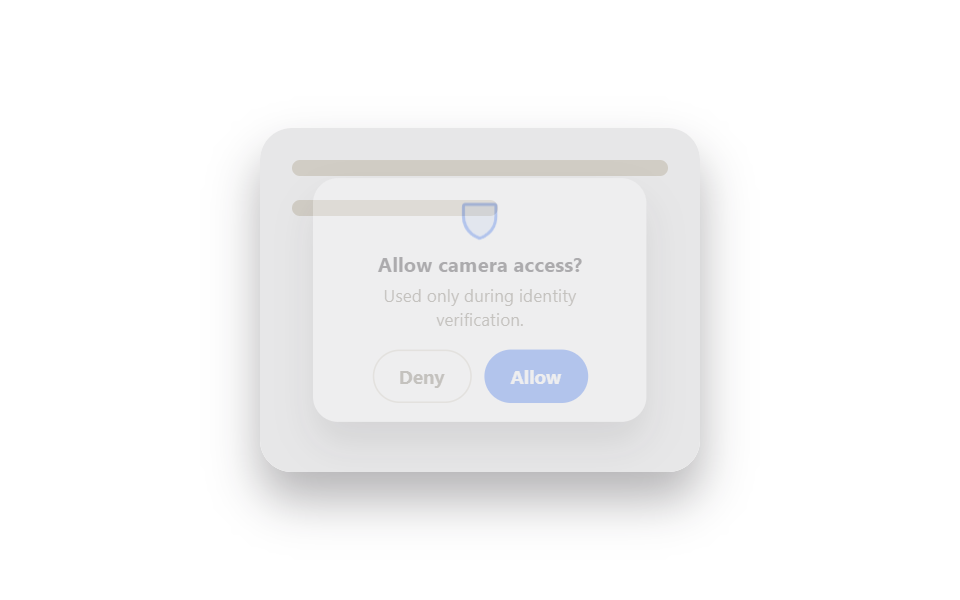 Auth UI9 ID Verification Screen UI Patterns, Paste-Ready
 Auth UI9 account security settings UI patterns
 Auth UIToo Many Failed Login Attempts: 9 Patterns
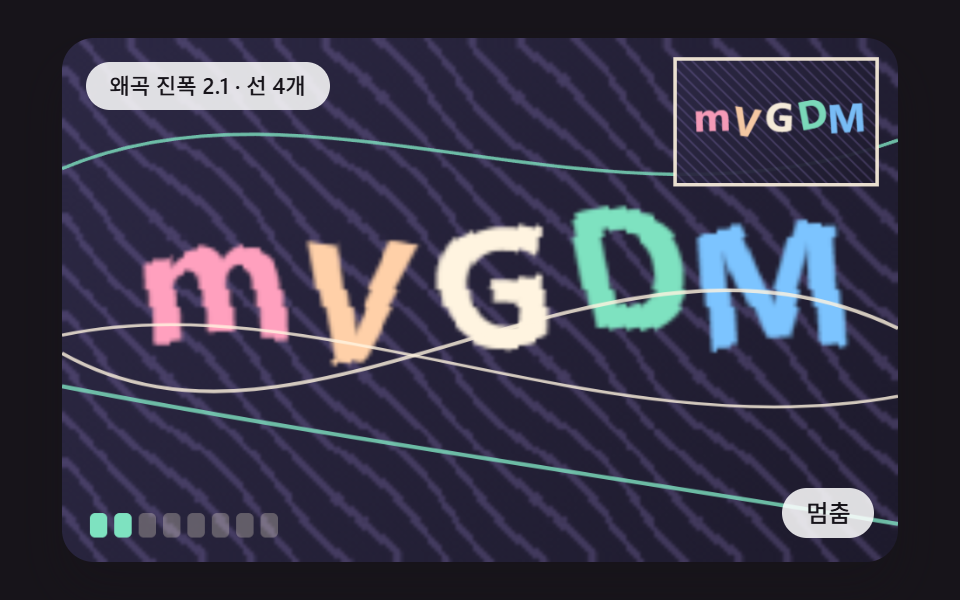 Auth UICSS Captcha: 9 Warped Text and Rotate Checks
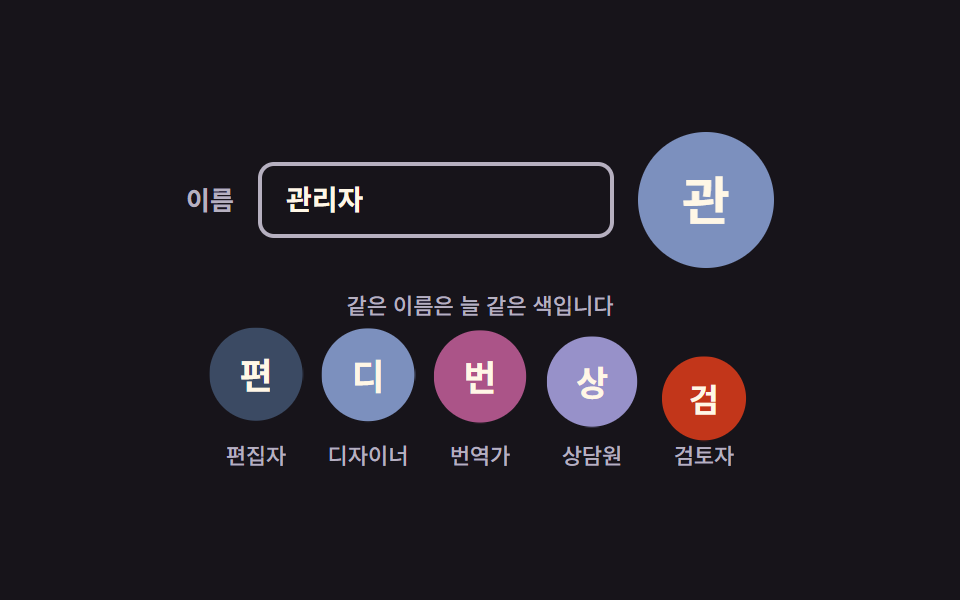 Auth UIAvatar UI Design: 9 Parts, No Image Files
 Auth UI9 Login UI Design Patterns (Copy-Paste)
 Auth UIFingerprint Scan Animation: 9 Biometric UI Demos
 Pickers9 Segmented Control UI Patterns — Copy-Paste
 InputsCSS Input Design: 9 Form Widgets You Can Paste In