9 Bouncing Ball Animation Patterns With Physics
This bouncing ball animation set has nine builds below. Ball 01 trades velocity through a 0.82 restitution coefficient, and ball 04 rises to a different height
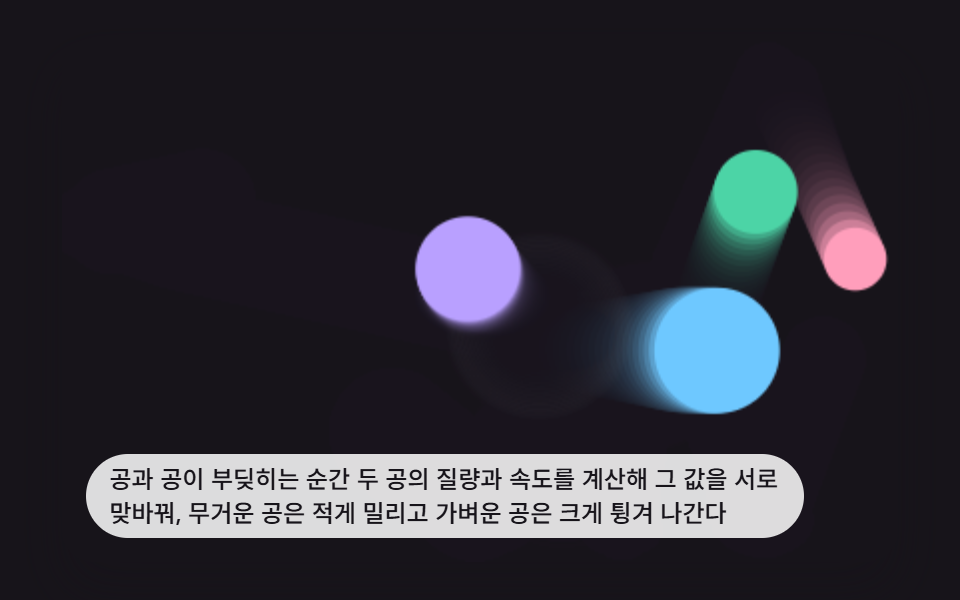 01 ball-physics-elastic-collision
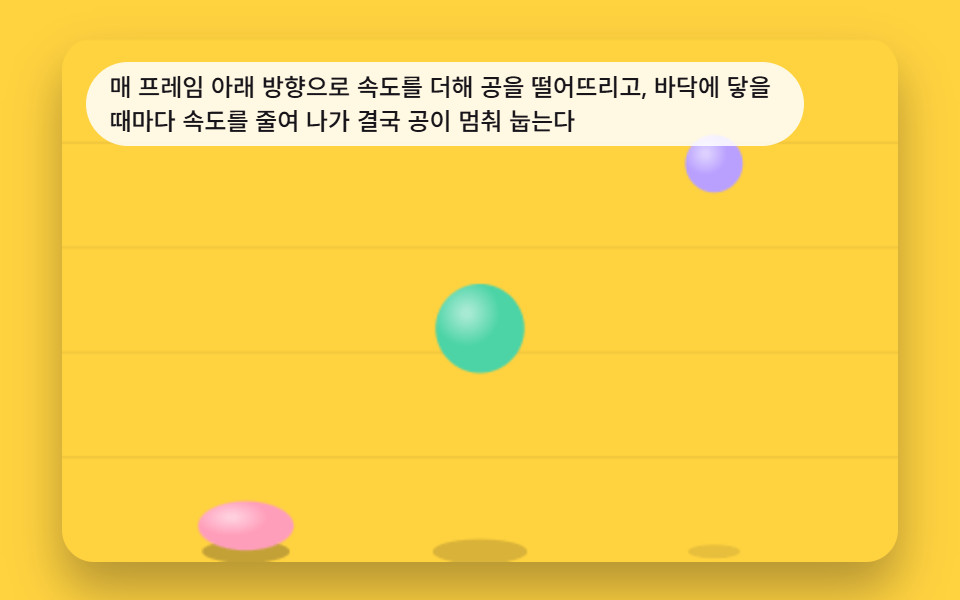 02 ball-physics-gravity-drop-settle
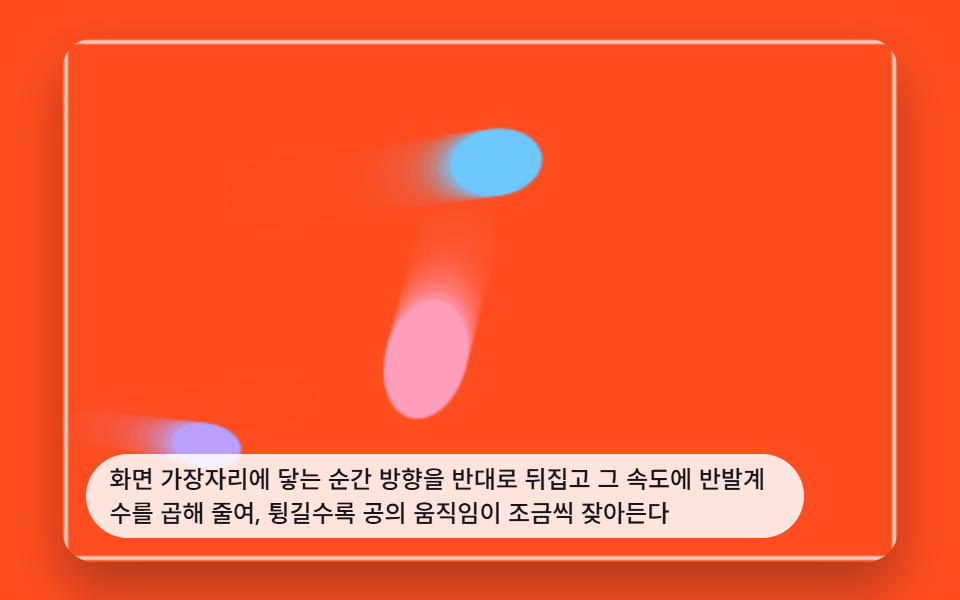 03 ball-physics-wall-restitution-bounce
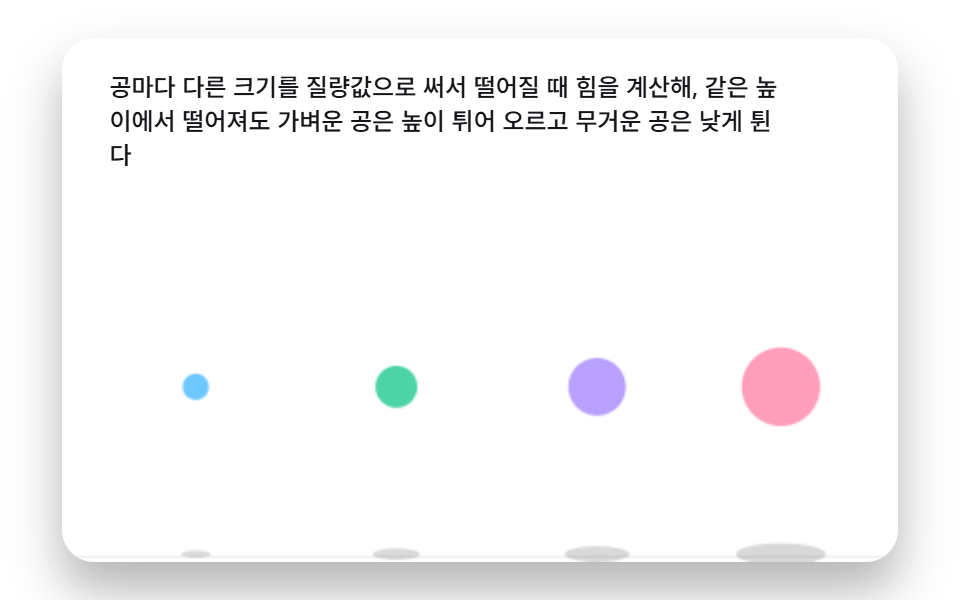 04 ball-physics-mass-bounce-height
 05 ball-physics-mouse-repel-scatter
 06 ball-physics-mouse-attract-orbit
 07 ball-physics-drag-throw-momentum
 08 ball-physics-spawn-cascade-stack
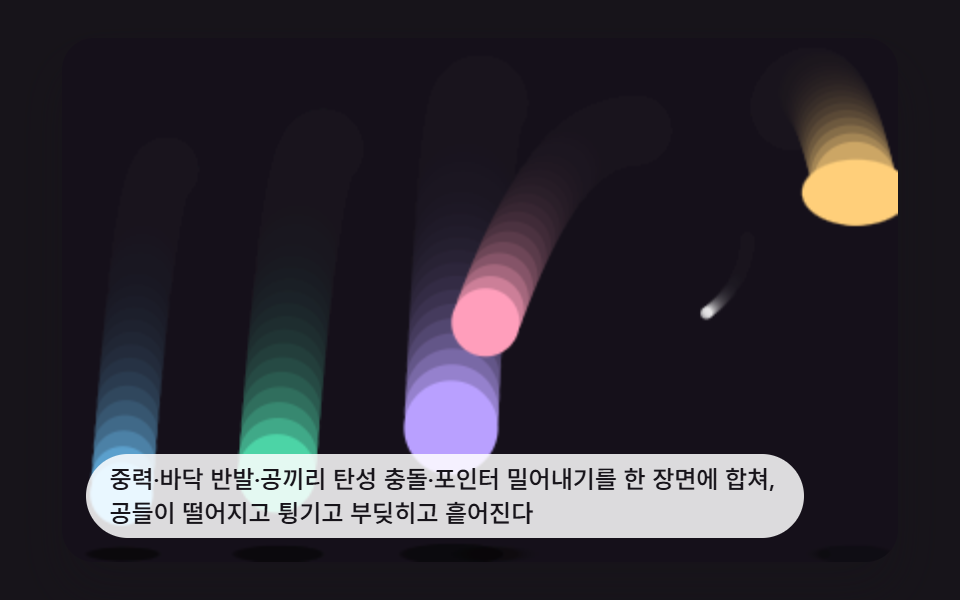 09 ball-physics-hero-scene
Auto-plays · click a tile to jump to its section · all nine in one zip
- 01 Ball Pair Exchanging Velocity Through an Elastic Collision
- 02 Ball Falling Under Gravity and Settling on the Floor
- 03 Ball Losing Energy at Every Wall Bounce by a Restitution Value
- 04 Balls Whose Bounce Height Splits by Mass
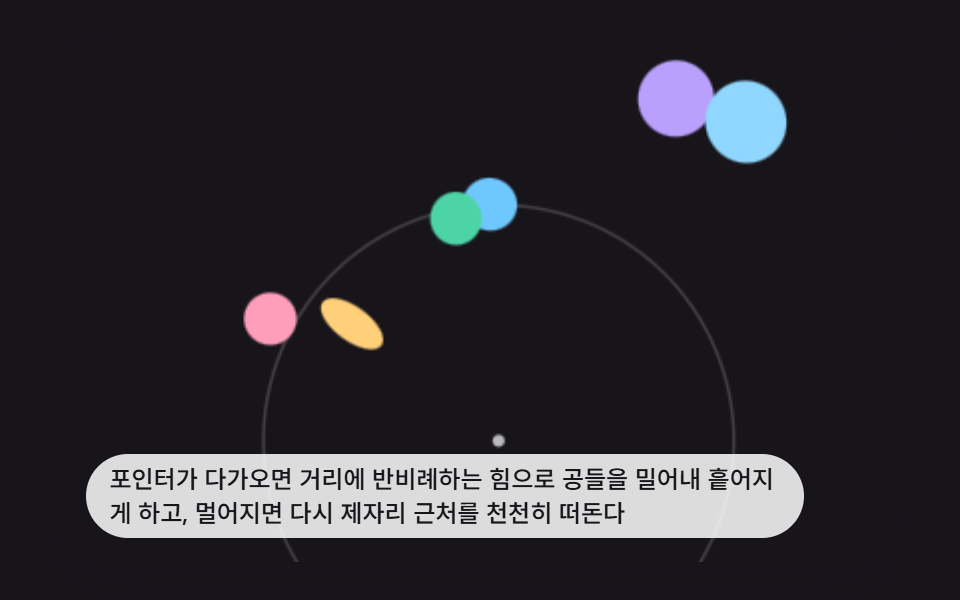
- 05 Balls Scattering Away From an Approaching Pointer
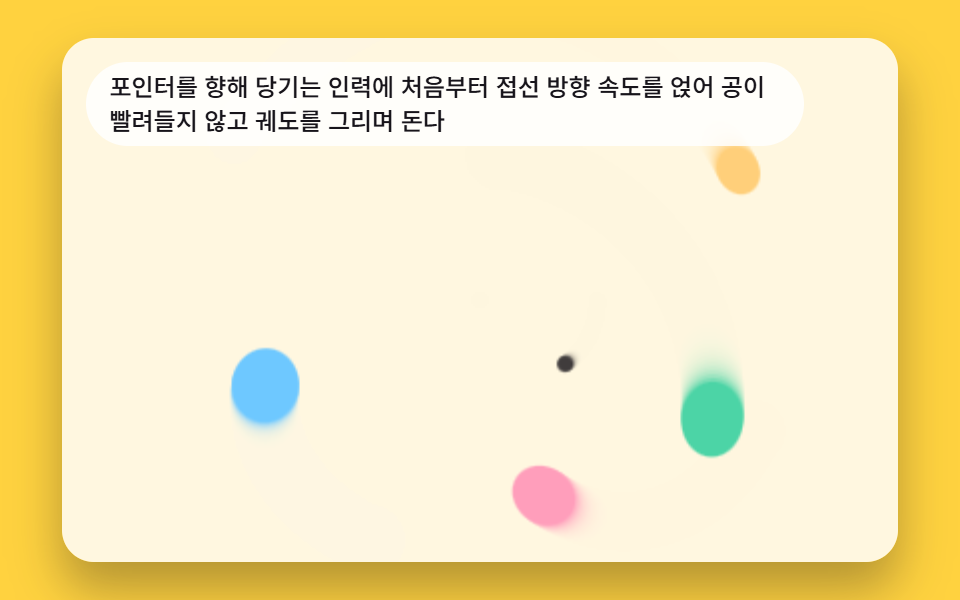
- 06 Balls Pulled Toward the Pointer and Orbiting It
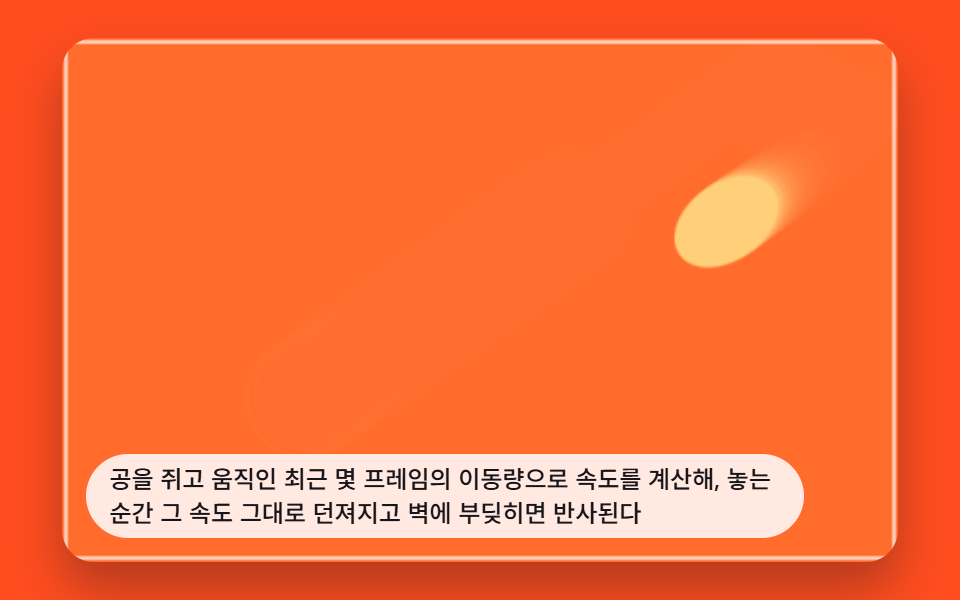
- 07 Ball Thrown at the Exact Speed of Its Drag
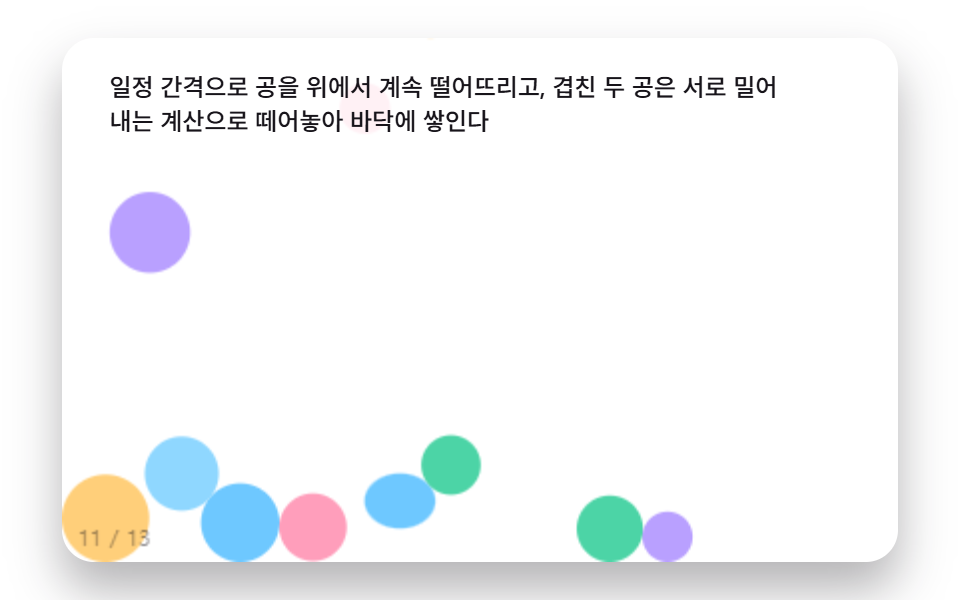
- 08 Balls Pouring In From Above and Stacking on the Floor
- 09 Hero Scene Combining Every Ball-Physics Technique
9 Bouncing Ball Animation Patterns: How One Value Reshapes the Motion
All nine balls below run on the same canvas loop: integrate velocity, resolve a collision or a boundary, and repaint only the pixels that moved. Ball 01 is the cleanest read of that loop, a pair trading momentum through a single restitution coefficient. By ball 05 the same loop reads a pointer position instead of a wall, and ball 09 folds gravity, wall bounce, and pair collision into one hero scene, the same layering approach JavaScript Physics Simulation: 9 Demos, No Library uses for springs and inertial scrubs. The order below moves from a single pair, through gravity and wall decay, into mass differences, pointer forces, drag momentum, spawn stacking, and finally the combined hero scene, so each ball hands the loop one more input to read.
01Ball Pair Exchanging Velocity Through an Elastic Collision
The instant two balls touch, resolvePair() reads their mass and velocity along the collision normal and swaps momentum through a BALL_RESTITUTION of 0.82, so the heavier ball barely moves while the lighter one shoots away. It reads like two billiard balls meeting mid-frame, which suits an interactive background scene where objects visibly trade energy.
<main class="stage">
<div class="bp is-demo" id="bpRoot">
  <canvas class="bp__canvas" id="bpCanvas" width="480" height="300"></canvas>
  <p class="bp__caption">The instant two balls collide, their mass and velocity are used to swap momentum between them, so the heavier ball is pushed less and the lighter one bounces off harder.</p>
</div>
</main>
@use "../../../../site/static/demo-tokens" as *;
@include stage($stage-ink);
.bp {
position: relative;
width: min(92vw, calc(160vh - 12.8vw));
aspect-ratio: 480 / 300;
margin: 0 auto;
border-radius: $r-card;
overflow: hidden;
box-shadow: $shadow-raised;
background: $stage-ink;
}
.bp__canvas {
display: block;
width: 100%;
height: 100%;
}
.bp__caption {
position: absolute;
left: $sp-3;
bottom: $sp-3;
max-width: 80%;
margin: 0;
padding: $sp-1 $sp-3;
border-radius: $r-pill;
background: rgba(255, 255, 255, .85);
color: $subject-ink;
font-weight: 500;
font-size: 12px;
line-height: 1.4;
pointer-events: none;
}
@media (max-width: 340px) {
.bp__caption { font-size: 10px; padding: $sp-1 $sp-2; }
}
@media (prefers-reduced-motion: reduce) {
.bp { cursor: default; }
}html, body {
margin: 0;
overflow: hidden;
}
.stage {
box-sizing: border-box;
min-height: 100vh;
display: grid;
place-items: center;
margin: 0;
background: #17141a;
font-family: -apple-system, "Segoe UI", "Noto Sans KR", sans-serif;
padding: clamp(8px, 4vw, 24px);
}
.bp {
position: relative;
width: min(92vw, 160vh - 12.8vw);
aspect-ratio: 480/300;
margin: 0 auto;
border-radius: 16px;
overflow: hidden;
box-shadow: 0 14px 24px rgba(23, 20, 26, 0.32);
background: #17141a;
}
.bp__canvas {
display: block;
width: 100%;
height: 100%;
}
.bp__caption {
position: absolute;
left: 12px;
bottom: 12px;
max-width: 80%;
margin: 0;
padding: 4px 12px;
border-radius: 999px;
background: rgba(255, 255, 255, 0.85);
color: #17141a;
font-weight: 500;
font-size: 12px;
line-height: 1.4;
pointer-events: none;
}
@media (max-width: 340px) {
.bp__caption {
font-size: 10px;
padding: 4px 8px;
}
}
@media (prefers-reduced-motion: reduce) {
.bp {
cursor: default;
}
}(function () {
// 기법: 두 공이 겹치는 순간 접촉면 법선(n)을 구해 각 공의 속도를 법선·접선 성분으로
// 나눈다. 접선 성분은 그대로 두고 법선 성분에만 반발계수(BALL_RESTITUTION)를 적용한
// 충격량 공식을 풀어 질량이 다른 두 공이 속도를 주고받게 한다 — 질량이 큰 쪽은
// 적게 밀리고 작은 쪽은 크게 튕긴다. 벽은 에너지를 보존해(WALL_RESTITUTION = 1) 장면이
// 계속 살아 있게 한다.
var root = document.getElementById('bpRoot');
var canvas = document.getElementById('bpCanvas');
var ctx = canvas.getContext('2d');
var wrap = canvas.parentElement;
var CALC_W = 320, CALC_H = 200;
var BALL_RESTITUTION = 0.82;
var WALL_RESTITUTION = 1.0;
var STAGE_BG = '23,20,26';
function seedRand(seed) {
var s = seed >>> 0;
return function () { s = (s * 1664525 + 1013904223) >>> 0; return s / 4294967296; };
}
var rand = seedRand(427011);
var COLORS = ['#ff9ebb', '#4cd4a6', '#b9a0ff', '#6ec8ff'];
var balls = [];
function makeBalls() {
var radii = [12, 16, 20, 24];
balls = [];
for (var i = 0; i < radii.length; i += 1) {
var r = radii[i];
var ang = rand() * Math.PI * 2;
var spd = 90 + rand() * 90;
balls.push({
x: r + rand() * (CALC_W - r * 2),
y: r + rand() * (CALC_H - r * 2),
vx: Math.cos(ang) * spd,
vy: Math.sin(ang) * spd,
r: r,
mass: r,
color: COLORS[i % COLORS.length],
squash: 0
});
}
}
makeBalls();
var impacts = [];
function resolveWalls(b) {
var hit = 0;
if (b.x - b.r < 0) { b.x = b.r; b.vx = -b.vx * WALL_RESTITUTION; hit = Math.max(hit, Math.abs(b.vx)); }
if (b.x + b.r > CALC_W) { b.x = CALC_W - b.r; b.vx = -b.vx * WALL_RESTITUTION; hit = Math.max(hit, Math.abs(b.vx)); }
if (b.y - b.r < 0) { b.y = b.r; b.vy = -b.vy * WALL_RESTITUTION; hit = Math.max(hit, Math.abs(b.vy)); }
if (b.y + b.r > CALC_H) { b.y = CALC_H - b.r; b.vy = -b.vy * WALL_RESTITUTION; hit = Math.max(hit, Math.abs(b.vy)); }
if (hit > 0) b.squash = Math.max(b.squash, Math.min(1, hit / 260));
}
  function resolvePair(a, b) {
    var dx = b.x - a.x, dy = b.y - a.y;
    var dist = Math.hypot(dx, dy);
    var minDist = a.r + b.r;
    if (dist <= 0 || dist >= minDist) return;
    var nx = dx / dist, ny = dy / dist;
    var overlap = minDist - dist;
    var totalMass = a.mass + b.mass;
    a.x -= nx * overlap * (b.mass / totalMass);
    a.y -= ny * overlap * (b.mass / totalMass);
    b.x += nx * overlap * (a.mass / totalMass);
    b.y += ny * overlap * (a.mass / totalMass);

    var rvx = b.vx - a.vx, rvy = b.vy - a.vy;
    var vn = rvx * nx + rvy * ny;
    if (vn >= 0) return;
    var j = -(1 + BALL_RESTITUTION) * vn / (1 / a.mass + 1 / b.mass);
    var ix = j * nx, iy = j * ny;
    a.vx -= ix / a.mass; a.vy -= iy / a.mass;
    b.vx += ix / b.mass; b.vy += iy / b.mass;
    var strength = Math.min(1, Math.abs(vn) / 220);
    a.squash = Math.max(a.squash, strength);
    b.squash = Math.max(b.squash, strength);
    impacts.push({ x: (a.x + b.x) / 2, y: (a.y + b.y) / 2, born: elapsed, strength: strength });
  }
function stepSim(dtMs, nowMs) {
var dtS = dtMs / 1000;
for (var i = 0; i < balls.length; i += 1) {
var b = balls[i];
b.x += b.vx * dtS;
b.y += b.vy * dtS;
resolveWalls(b);
b.squash = Math.max(0, b.squash - dtS * 3.2);
}
for (var p = 0; p < balls.length; p += 1) {
for (var q = p + 1; q < balls.length; q += 1) resolvePair(balls[p], balls[q]);
}
var live = [];
for (var k = 0; k < impacts.length; k += 1) {
if (nowMs - impacts[k].born < 340) live.push(impacts[k]);
}
impacts = live;
}
function drawBall(sx, sy, b) {
var px = b.x * sx, py = b.y * sy, pr = b.r * ((sx + sy) / 2);
var stretchX = 1 + b.squash * 0.5;
var stretchY = 1 - b.squash * 0.35;
ctx.save();
ctx.translate(px, py);
ctx.scale(stretchX, stretchY);
ctx.beginPath();
ctx.arc(0, 0, pr, 0, Math.PI * 2);
ctx.fillStyle = b.color;
ctx.fill();
ctx.restore();
}
function draw(nowMs) {
var sx = cw / CALC_W, sy = ch / CALC_H;
ctx.fillStyle = 'rgba(' + STAGE_BG + ',0.22)';
ctx.fillRect(0, 0, cw, ch);
for (var i = 0; i < impacts.length; i += 1) {
var im = impacts[i];
var f = (nowMs - im.born) / 340;
var px = im.x * sx, py = im.y * sy;
var pr = (10 + f * 26) * ((sx + sy) / 2);
ctx.beginPath();
ctx.arc(px, py, pr, 0, Math.PI * 2);
ctx.strokeStyle = 'rgba(255,255,255,' + (im.strength * (1 - f) * 0.6) + ')';
ctx.lineWidth = 2;
ctx.stroke();
}
for (var j = 0; j < balls.length; j += 1) drawBall(sx, sy, balls[j]);
}
var cw = 480, ch = 300;
function fit() {
var r = wrap.getBoundingClientRect();
cw = Math.max(1, Math.round(r.width));
ch = Math.max(1, Math.round(r.height));
canvas.width = cw; canvas.height = ch;
ctx.fillStyle = 'rgb(' + STAGE_BG + ')';
ctx.fillRect(0, 0, cw, ch);
draw(elapsed);
}
var reduce = window.matchMedia('(prefers-reduced-motion: reduce)').matches;
var elapsed = 0;
if (reduce) root.classList.remove('is-demo');
var warmSteps = reduce ? 70 : 60;
for (var w = 0; w < warmSteps; w += 1) { elapsed += 16; stepSim(16, elapsed); }
var lastTs = null;
var acc = 0;
var FIXED_DT = 16;
function tick(ts) {
if (lastTs === null) lastTs = ts;
var frameDt = Math.min(ts - lastTs, 48);
lastTs = ts;
if (!reduce) {
acc += frameDt;
while (acc >= FIXED_DT) { elapsed += FIXED_DT; stepSim(FIXED_DT, elapsed); acc -= FIXED_DT; }
draw(elapsed);
}
requestAnimationFrame(tick);
}
fit();
window.addEventListener('resize', fit);
draw(elapsed);
requestAnimationFrame(tick);
})();import { useEffect, useRef } from "react";
import styles from "./BallPhysicsElasticCollision.module.scss";
type Ball = { x: number; y: number; vx: number; vy: number; r: number; mass: number; color: string; squash: number };
type Impact = { x: number; y: number; born: number; strength: number };
export default function BallPhysicsElasticCollision() {
const rootRef = useRef<HTMLDivElement>(null);
const canvasRef = useRef<HTMLCanvasElement>(null);
useEffect(() => {
const root = rootRef.current;
const canvas = canvasRef.current;
if (!root || !canvas) return;
const ctx = canvas.getContext("2d");
if (!ctx) return;
const wrap = canvas.parentElement as HTMLElement;
const CALC_W = 320, CALC_H = 200;
const BALL_RESTITUTION = 0.82;
const WALL_RESTITUTION = 1.0;
function seedRand(seed: number) {
let s = seed >>> 0;
return function () { s = (s * 1664525 + 1013904223) >>> 0; return s / 4294967296; };
}
const rand = seedRand(427011);
const RADII = [12, 16, 20, 24];
const COLORS = ["#ff9ebb", "#4cd4a6", "#b9a0ff", "#6ec8ff"];
let balls: Ball[] = [];
function makeBalls() {
balls = [];
for (let i = 0; i < RADII.length; i += 1) {
const r = RADII[i];
balls.push({
x: 40 + i * ((CALC_W - 80) / (RADII.length - 1)),
y: 30 + rand() * (CALC_H - 60),
vx: (rand() - 0.5) * 160,
vy: (rand() - 0.5) * 160,
r, mass: r,
color: COLORS[i],
squash: 0
});
}
}
makeBalls();
let impacts: Impact[] = [];
function resolveWalls(b: Ball) {
let hit = false;
if (b.x - b.r < 0) { b.x = b.r; b.vx = -b.vx * WALL_RESTITUTION; hit = true; }
if (b.x + b.r > CALC_W) { b.x = CALC_W - b.r; b.vx = -b.vx * WALL_RESTITUTION; hit = true; }
if (b.y - b.r < 0) { b.y = b.r; b.vy = -b.vy * WALL_RESTITUTION; hit = true; }
if (b.y + b.r > CALC_H) { b.y = CALC_H - b.r; b.vy = -b.vy * WALL_RESTITUTION; hit = true; }
if (hit) b.squash = Math.max(b.squash, Math.min(0.7, Math.hypot(b.vx, b.vy) / 340));
}
function resolvePair(a: Ball, b: Ball, nowMs: number) {
const dx = b.x - a.x, dy = b.y - a.y;
const dist = Math.hypot(dx, dy);
const minDist = a.r + b.r;
if (dist === 0 || dist >= minDist) return;
const nx = dx / dist, ny = dy / dist;
const overlap = minDist - dist;
const totalMass = a.mass + b.mass;
a.x -= nx * overlap * (b.mass / totalMass);
a.y -= ny * overlap * (b.mass / totalMass);
b.x += nx * overlap * (a.mass / totalMass);
b.y += ny * overlap * (a.mass / totalMass);
const rvx = b.vx - a.vx, rvy = b.vy - a.vy;
const velAlongNormal = rvx * nx + rvy * ny;
if (velAlongNormal > 0) return;
const j = -(1 + BALL_RESTITUTION) * velAlongNormal / (1 / a.mass + 1 / b.mass);
const ix = j * nx, iy = j * ny;
a.vx -= ix / a.mass; a.vy -= iy / a.mass;
b.vx += ix / b.mass; b.vy += iy / b.mass;
const strength = Math.min(1, Math.abs(velAlongNormal) / 300);
a.squash = Math.max(a.squash, strength);
b.squash = Math.max(b.squash, strength);
impacts.push({ x: (a.x + b.x) / 2, y: (a.y + b.y) / 2, born: nowMs, strength });
}
function stepSim(dtMs: number, nowMs: number) {
const dtS = dtMs / 1000;
for (let i = 0; i < balls.length; i += 1) {
const b = balls[i];
b.x += b.vx * dtS;
b.y += b.vy * dtS;
resolveWalls(b);
b.squash = Math.max(0, b.squash - dtS * 3.4);
}
for (let a = 0; a < balls.length; a += 1) {
for (let c = a + 1; c < balls.length; c += 1) resolvePair(balls[a], balls[c], nowMs);
}
impacts = impacts.filter((im) => nowMs - im.born < 240);
}
function drawBall(sx: number, sy: number, b: Ball) {
const px = b.x * sx, py = b.y * sy, pr = b.r * ((sx + sy) / 2);
const ang = Math.atan2(b.vy, b.vx);
const stretch = 1 + Math.min(0.4, Math.hypot(b.vx, b.vy) / 700) + b.squash * 0.2;
ctx!.save();
ctx!.translate(px, py);
ctx!.rotate(ang);
ctx!.scale(stretch, 1 / stretch);
ctx!.beginPath();
ctx!.arc(0, 0, pr, 0, Math.PI * 2);
ctx!.fillStyle = b.color;
ctx!.fill();
ctx!.restore();
}
let cw = 480, ch = 300;
function draw(nowMs: number) {
const sx = cw / CALC_W, sy = ch / CALC_H;
ctx!.fillStyle = "rgba(23,20,26,0.22)";
ctx!.fillRect(0, 0, cw, ch);
for (const im of impacts) {
const f = (nowMs - im.born) / 240;
ctx!.beginPath();
ctx!.arc(im.x * sx, im.y * sy, (6 + f * 20) * ((sx + sy) / 2), 0, Math.PI * 2);
ctx!.strokeStyle = "rgba(255,255,255," + (im.strength * (1 - f) * 0.5) + ")";
ctx!.lineWidth = 2;
ctx!.stroke();
}
for (const b of balls) drawBall(sx, sy, b);
}
function fit() {
const r = wrap.getBoundingClientRect();
cw = Math.max(1, Math.round(r.width));
ch = Math.max(1, Math.round(r.height));
canvas!.width = cw; canvas!.height = ch;
draw(elapsed);
}
const reduce = window.matchMedia("(prefers-reduced-motion: reduce)").matches;
let elapsed = 0;
if (reduce) root.classList.remove("is-demo");
const warmSteps = 60;
for (let w = 0; w < warmSteps; w += 1) { elapsed += 16; stepSim(16, elapsed); }
let lastTs: number | null = null;
let acc = 0;
const FIXED_DT = 16;
let raf = 0;
function tick(ts: number) {
if (lastTs === null) lastTs = ts;
const frameDt = Math.min(ts - lastTs, 48);
lastTs = ts;
if (!reduce) {
acc += frameDt;
while (acc >= FIXED_DT) { elapsed += FIXED_DT; stepSim(FIXED_DT, elapsed); acc -= FIXED_DT; }
draw(elapsed);
}
raf = requestAnimationFrame(tick);
}
fit();
window.addEventListener("resize", fit);
draw(elapsed);
raf = requestAnimationFrame(tick);
return () => {
cancelAnimationFrame(raf);
window.removeEventListener("resize", fit);
};
}, []);
return (
<main className={styles.stage}>
<div className={`${styles.bp} is-demo`} ref={rootRef}>
<canvas className={styles.bp__canvas} ref={canvasRef} width={480} height={300} />
<p className={styles.bp__caption}>공과 공이 부딪히는 순간 두 공의 질량과 속도를 계산해 그 값을 서로 맞바꿔, 무거운 공은 적게 밀리고 가벼운 공은 크게 튕겨 나간다</p>
</div>
</main>
);
}01 · Ball Pair Exchanging Velocity Through an Elastic Collision — Measured area 40.801% · moving frames 23/23Original by GODRICH · SCSS and React ship in the zip · See the password
function resolvePair(a, b) {
var dx = b.x - a.x, dy = b.y - a.y;
var dist = Math.hypot(dx, dy);
var minDist = a.r + b.r;
if (dist <= 0 || dist >= minDist) return;
var nx = dx / dist, ny = dy / dist;
var overlap = minDist - dist;
var totalMass = a.mass + b.mass;
a.x -= nx * overlap * (b.mass / totalMass);
a.y -= ny * overlap * (b.mass / totalMass);
b.x += nx * overlap * (a.mass / totalMass);
b.y += ny * overlap * (a.mass / totalMass);
var rvx = b.vx - a.vx, rvy = b.vy - a.vy;
var vn = rvx * nx + rvy * ny;
if (vn >= 0) return;
var j = -(1 + BALL_RESTITUTION) * vn / (1 / a.mass + 1 / b.mass);
var ix = j * nx, iy = j * ny;
a.vx -= ix / a.mass; a.vy -= iy / a.mass;
b.vx += ix / b.mass; b.vy += iy / b.mass;
var strength = Math.min(1, Math.abs(vn) / 220);
a.squash = Math.max(a.squash, strength);
b.squash = Math.max(b.squash, strength);
impacts.push({ x: (a.x + b.x) / 2, y: (a.y + b.y) / 2, born: elapsed, strength: strength });
}
Item 01 repainted 40.8% of the frame at an average intensity of 106.2 across 23/23 measured frames.
02Ball Falling Under Gravity and Settling on the Floor
Every frame adds GRAVITY to the ball's downward speed, and each floor contact multiplies that speed by FLOOR_RESTITUTION until it drops below SLEEP_THRESHOLD and the ball settles flat. That settle-then-restart cycle reads as a natural drop, which is why it works well as background motion behind a loading screen.
<main class="stage">
<div class="bp is-demo" id="bpRoot">
  <canvas class="bp__canvas" id="bpCanvas" width="480" height="300"></canvas>
  <p class="bp__caption">Every frame adds downward velocity to drop the ball, and each floor hit shaves off speed until the ball finally settles still.</p>
</div>
</main>
@use "../../../../site/static/demo-tokens" as *;
@include stage($stage-yellow);
.bp {
position: relative;
width: min(92vw, calc(160vh - 12.8vw));
aspect-ratio: 480 / 300;
margin: 0 auto;
border-radius: $r-card;
overflow: hidden;
box-shadow: $shadow-raised;
background: $stage-yellow;
}
.bp__canvas {
display: block;
width: 100%;
height: 100%;
}
.bp__caption {
position: absolute;
left: $sp-3;
top: $sp-3;
max-width: 80%;
margin: 0;
padding: $sp-1 $sp-3;
border-radius: $r-pill;
background: rgba(255, 255, 255, .85);
color: $subject-ink;
font-weight: 500;
font-size: 12px;
line-height: 1.4;
pointer-events: none;
}
@media (max-width: 340px) {
.bp__caption { font-size: 10px; padding: $sp-1 $sp-2; }
}
@media (prefers-reduced-motion: reduce) {
.bp { cursor: default; }
}html, body {
margin: 0;
overflow: hidden;
}
.stage {
box-sizing: border-box;
min-height: 100vh;
display: grid;
place-items: center;
margin: 0;
background: #ffd23f;
font-family: -apple-system, "Segoe UI", "Noto Sans KR", sans-serif;
padding: clamp(8px, 4vw, 24px);
}
.bp {
position: relative;
width: min(92vw, 160vh - 12.8vw);
aspect-ratio: 480/300;
margin: 0 auto;
border-radius: 16px;
overflow: hidden;
box-shadow: 0 14px 24px rgba(23, 20, 26, 0.32);
background: #ffd23f;
}
.bp__canvas {
display: block;
width: 100%;
height: 100%;
}
.bp__caption {
position: absolute;
left: 12px;
top: 12px;
max-width: 80%;
margin: 0;
padding: 4px 12px;
border-radius: 999px;
background: rgba(255, 255, 255, 0.85);
color: #17141a;
font-weight: 500;
font-size: 12px;
line-height: 1.4;
pointer-events: none;
}
@media (max-width: 340px) {
.bp__caption {
font-size: 10px;
padding: 4px 8px;
}
}
@media (prefers-reduced-motion: reduce) {
.bp {
cursor: default;
}
}(function () {
// 기법: 반고정 시간 스텝마다 속도에 GRAVITY * dt 를 더해 적분한다(오일러). 바닥에
// 닿으면 속도를 FLOOR_RESTITUTION 배로 줄여 되튕기고, 절대값이 SLEEP_THRESHOLD 보다
// 작아지면 움직임을 0으로 잠가 공이 멈춰 눕는다. 완전히 멈춘 뒤엔 일정 시간 뒤 같은
// 시퀀스를 처음부터 다시 시작해 2초 캡처창 안에 낙하-안정 사이클이 2회 들어온다.
var root = document.getElementById('bpRoot');
var canvas = document.getElementById('bpCanvas');
var ctx = canvas.getContext('2d');
var wrap = canvas.parentElement;
var CALC_W = 320, CALC_H = 200;
var GRAVITY = 900;
var FLOOR_RESTITUTION = 0.55;
var SLEEP_THRESHOLD = 26;
var SLEEP_HOLD_MS = 320;
var STAGE_BG = '255,247,230';
var REST_MS = 620;
function seedRand(seed) {
var s = seed >>> 0;
return function () { s = (s * 1664525 + 1013904223) >>> 0; return s / 4294967296; };
}
var rand = seedRand(427021);
var DROPS = [
{ x: 0.22, r: 13, color: '#ff9ebb', delay: 0 },
{ x: 0.5, r: 17, color: '#4cd4a6', delay: 200 },
{ x: 0.78, r: 11, color: '#b9a0ff', delay: 420 }
];
var balls = [];
function reset() {
balls = [];
for (var i = 0; i < DROPS.length; i += 1) {
var d = DROPS[i];
balls.push({
x0: CALC_W * d.x,
x: CALC_W * d.x,
y: 30,
vy: 0,
r: d.r,
color: d.color,
startAt: d.delay,
born: 0,
squash: 0,
settled: false
});
}
impacts = [];
}
var impacts = [];
  function stepSim(dtMs, nowMs) {
    var dtS = dtMs / 1000;
    for (var i = 0; i < balls.length; i += 1) {
      var b = balls[i];
      if (nowMs < b.startAt) continue;
      if (b.settled) {
        b.squash = Math.max(0, b.squash - dtS * 6);
        continue;
      }
      b.vy += GRAVITY * dtS;
      b.y += b.vy * dtS;
      var floor = CALC_H - b.r;
      if (b.y >= floor) {
        b.y = floor;
        if (Math.abs(b.vy) < SLEEP_THRESHOLD) {
          b.vy = 0;
          b.settled = true;
          b.squash = 0.5;
          impacts.push({ x: b.x, y: floor, born: nowMs, strength: 0.35 });
        } else {
          impacts.push({ x: b.x, y: floor, born: nowMs, strength: Math.min(1, Math.abs(b.vy) / 320) });
          b.squash = Math.max(b.squash, Math.min(0.85, Math.abs(b.vy) / 300));
          b.vy = -b.vy * FLOOR_RESTITUTION;
        }
}
b.squash = Math.max(0, b.squash - dtS * 3.5);
}
var live = [];
for (var k = 0; k < impacts.length; k += 1) {
if (nowMs - impacts[k].born < 300) live.push(impacts[k]);
}
impacts = live;
}
function allSettled() {
for (var i = 0; i < balls.length; i += 1) {
if (!balls[i].settled) return false;
}
return true;
}
function draw(nowMs) {
var sx = cw / CALC_W, sy = ch / CALC_H;
ctx.clearRect(0, 0, cw, ch);
ctx.strokeStyle = 'rgba(23,20,26,0.08)';
ctx.lineWidth = 1;
for (var gy = 0; gy < CALC_H; gy += 40) {
ctx.beginPath();
ctx.moveTo(0, gy * sy);
ctx.lineTo(cw, gy * sy);
ctx.stroke();
}
for (var i = 0; i < impacts.length; i += 1) {
var im = impacts[i];
var f = (nowMs - im.born) / 300;
var px = im.x * sx, py = im.y * sy;
var pr = (8 + f * 22) * ((sx + sy) / 2);
ctx.beginPath();
ctx.ellipse(px, py, pr, pr * 0.32, 0, 0, Math.PI * 2);
ctx.strokeStyle = 'rgba(23,20,26,' + (im.strength * (1 - f) * 0.3) + ')';
ctx.lineWidth = 2;
ctx.stroke();
}
for (var j = 0; j < balls.length; j += 1) {
var b = balls[j];
if (nowMs < b.startAt) continue;
var px = b.x * sx, py = b.y * sy, pr = b.r * ((sx + sy) / 2);
var shf = Math.max(0, 1 - (CALC_H - b.r - b.y) / 120);
var shw = pr * (0.9 + shf * 0.4);
ctx.beginPath();
ctx.ellipse(px, (CALC_H - 4) * sy, shw, shw * 0.26, 0, 0, Math.PI * 2);
ctx.fillStyle = 'rgba(23,20,26,' + (0.10 + shf * 0.16) + ')';
ctx.fill();
var sqX = 1 + b.squash * 0.55;
var sqY = 1 - b.squash * 0.38;
ctx.save();
ctx.translate(px, py + pr * b.squash * 0.38);
ctx.scale(sqX, sqY);
ctx.beginPath();
ctx.arc(0, 0, pr, 0, Math.PI * 2);
ctx.fillStyle = b.color;
ctx.fill();
var hg = ctx.createRadialGradient(-pr * 0.3, -pr * 0.35, pr * 0.1, -pr * 0.3, -pr * 0.35, pr * 0.75);
hg.addColorStop(0, 'rgba(255,255,255,0.5)');
hg.addColorStop(1, 'rgba(255,255,255,0)');
ctx.fillStyle = hg;
ctx.fill();
ctx.restore();
}
}
var cw = 480, ch = 300;
function fit() {
var r = wrap.getBoundingClientRect();
cw = Math.max(1, Math.round(r.width));
ch = Math.max(1, Math.round(r.height));
canvas.width = cw; canvas.height = ch;
draw(elapsed);
}
var reduce = window.matchMedia('(prefers-reduced-motion: reduce)').matches;
var elapsed = 0;
if (reduce) root.classList.remove('is-demo');
reset();
var lastTs = null;
var acc = 0;
var FIXED_DT = 16;
var settledAt = null;
var cycle = 0;
function tick(ts) {
if (lastTs === null) lastTs = ts;
var frameDt = Math.min(ts - lastTs, 48);
lastTs = ts;
if (!reduce) {
acc += frameDt;
while (acc >= FIXED_DT) {
elapsed += FIXED_DT;
stepSim(FIXED_DT, elapsed);
if (allSettled()) {
if (settledAt === null) settledAt = elapsed;
else if (elapsed - settledAt > REST_MS) {
settledAt = null;
cycle += 1;
elapsed = 0;
reset();
}
}
acc -= FIXED_DT;
}
draw(elapsed);
}
requestAnimationFrame(tick);
}
fit();
window.addEventListener('resize', fit);
draw(elapsed);
requestAnimationFrame(tick);
})();import { useEffect, useRef } from "react";
import styles from "./BallPhysicsGravityDropSettle.module.scss";
type Ball = {
x0: number; x: number; y: number; vy: number; r: number; color: string;
startAt: number; squash: number; settled: boolean;
};
type Impact = { x: number; y: number; born: number; strength: number };
export default function BallPhysicsGravityDropSettle() {
const rootRef = useRef<HTMLDivElement>(null);
const canvasRef = useRef<HTMLCanvasElement>(null);
useEffect(() => {
const root = rootRef.current;
const canvas = canvasRef.current;
if (!root || !canvas) return;
const ctx = canvas.getContext("2d");
if (!ctx) return;
const wrap = canvas.parentElement as HTMLElement;
const CALC_W = 320, CALC_H = 200;
const GRAVITY = 900;
const FLOOR_RESTITUTION = 0.55;
const SLEEP_THRESHOLD = 26;
const REST_MS = 620;
const DROPS = [
{ x: 0.22, r: 13, color: "#ff9ebb", delay: 0 },
{ x: 0.5, r: 17, color: "#4cd4a6", delay: 200 },
{ x: 0.78, r: 11, color: "#b9a0ff", delay: 420 }
];
let balls: Ball[] = [];
let impacts: Impact[] = [];
function reset() {
balls = DROPS.map((d) => ({
x0: CALC_W * d.x, x: CALC_W * d.x, y: 30, vy: 0,
r: d.r, color: d.color, startAt: d.delay, squash: 0, settled: false
}));
impacts = [];
}
reset();
function stepSim(dtMs: number, nowMs: number) {
const dtS = dtMs / 1000;
for (const b of balls) {
if (nowMs < b.startAt) continue;
if (b.settled) { b.squash = Math.max(0, b.squash - dtS * 6); continue; }
b.vy += GRAVITY * dtS;
b.y += b.vy * dtS;
const floor = CALC_H - b.r;
if (b.y >= floor) {
b.y = floor;
if (Math.abs(b.vy) < SLEEP_THRESHOLD) {
b.vy = 0; b.settled = true; b.squash = 0.5;
impacts.push({ x: b.x, y: floor, born: nowMs, strength: 0.35 });
} else {
impacts.push({ x: b.x, y: floor, born: nowMs, strength: Math.min(1, Math.abs(b.vy) / 320) });
b.squash = Math.max(b.squash, Math.min(0.85, Math.abs(b.vy) / 300));
b.vy = -b.vy * FLOOR_RESTITUTION;
}
}
b.squash = Math.max(0, b.squash - dtS * 3.5);
}
impacts = impacts.filter((im) => nowMs - im.born < 300);
}
function allSettled() { return balls.every((b) => b.settled); }
let cw = 480, ch = 300;
function draw(nowMs: number) {
const sx = cw / CALC_W, sy = ch / CALC_H;
ctx!.clearRect(0, 0, cw, ch);
ctx!.strokeStyle = "rgba(23,20,26,0.08)";
ctx!.lineWidth = 1;
for (let gy = 0; gy < CALC_H; gy += 40) {
ctx!.beginPath();
ctx!.moveTo(0, gy * sy);
ctx!.lineTo(cw, gy * sy);
ctx!.stroke();
}
for (const im of impacts) {
const f = (nowMs - im.born) / 300;
const px = im.x * sx, py = im.y * sy;
const pr = (8 + f * 22) * ((sx + sy) / 2);
ctx!.beginPath();
ctx!.ellipse(px, py, pr, pr * 0.32, 0, 0, Math.PI * 2);
ctx!.strokeStyle = "rgba(23,20,26," + (im.strength * (1 - f) * 0.3) + ")";
ctx!.lineWidth = 2;
ctx!.stroke();
}
for (const b of balls) {
if (nowMs < b.startAt) continue;
const px = b.x * sx, py = b.y * sy, pr = b.r * ((sx + sy) / 2);
const shf = Math.max(0, 1 - (CALC_H - b.r - b.y) / 120);
const shw = pr * (0.9 + shf * 0.4);
ctx!.beginPath();
ctx!.ellipse(px, (CALC_H - 4) * sy, shw, shw * 0.26, 0, 0, Math.PI * 2);
ctx!.fillStyle = "rgba(23,20,26," + (0.10 + shf * 0.16) + ")";
ctx!.fill();
const sqX = 1 + b.squash * 0.55, sqY = 1 - b.squash * 0.38;
ctx!.save();
ctx!.translate(px, py + pr * b.squash * 0.38);
ctx!.scale(sqX, sqY);
ctx!.beginPath();
ctx!.arc(0, 0, pr, 0, Math.PI * 2);
ctx!.fillStyle = b.color;
ctx!.fill();
const hg = ctx!.createRadialGradient(-pr * 0.3, -pr * 0.35, pr * 0.1, -pr * 0.3, -pr * 0.35, pr * 0.75);
hg.addColorStop(0, "rgba(255,255,255,0.5)");
hg.addColorStop(1, "rgba(255,255,255,0)");
ctx!.fillStyle = hg;
ctx!.fill();
ctx!.restore();
}
}
function fit() {
const r = wrap.getBoundingClientRect();
cw = Math.max(1, Math.round(r.width));
ch = Math.max(1, Math.round(r.height));
canvas!.width = cw; canvas!.height = ch;
draw(elapsed);
}
const reduce = window.matchMedia("(prefers-reduced-motion: reduce)").matches;
let elapsed = 0;
if (reduce) root.classList.remove("is-demo");
let lastTs: number | null = null;
let acc = 0;
const FIXED_DT = 16;
let settledAt: number | null = null;
let raf = 0;
function tick(ts: number) {
if (lastTs === null) lastTs = ts;
const frameDt = Math.min(ts - lastTs, 48);
lastTs = ts;
if (!reduce) {
acc += frameDt;
while (acc >= FIXED_DT) {
elapsed += FIXED_DT;
stepSim(FIXED_DT, elapsed);
if (allSettled()) {
if (settledAt === null) settledAt = elapsed;
else if (elapsed - settledAt > REST_MS) { settledAt = null; elapsed = 0; reset(); }
}
acc -= FIXED_DT;
}
draw(elapsed);
}
raf = requestAnimationFrame(tick);
}
fit();
window.addEventListener("resize", fit);
draw(elapsed);
raf = requestAnimationFrame(tick);
return () => {
cancelAnimationFrame(raf);
window.removeEventListener("resize", fit);
};
}, []);
return (
<main className={styles.stage}>
<div className={`${styles.bp} is-demo`} ref={rootRef}>
<canvas className={styles.bp__canvas} ref={canvasRef} width={480} height={300} />
<p className={styles.bp__caption}>매 프레임 아래 방향으로 속도를 더해 공을 떨어뜨리고, 바닥에 닿을 때마다 속도를 줄여 나가 결국 공이 멈춰 눕는다</p>
</div>
</main>
);
}02 · Ball Falling Under Gravity and Settling on the Floor — Measured area 15.354% · moving frames 20/23Original by GODRICH · SCSS and React ship in the zip · See the password
function stepSim(dtMs, nowMs) {
var dtS = dtMs / 1000;
for (var i = 0; i < balls.length; i += 1) {
var b = balls[i];
if (nowMs < b.startAt) continue;
if (b.settled) {
b.squash = Math.max(0, b.squash - dtS * 6);
continue;
}
b.vy += GRAVITY * dtS;
b.y += b.vy * dtS;
var floor = CALC_H - b.r;
if (b.y >= floor) {
b.y = floor;
if (Math.abs(b.vy) < SLEEP_THRESHOLD) {
b.vy = 0;
b.settled = true;
b.squash = 0.5;
impacts.push({ x: b.x, y: floor, born: nowMs, strength: 0.35 });
} else {
impacts.push({ x: b.x, y: floor, born: nowMs, strength: Math.min(1, Math.abs(b.vy) / 320) });
b.squash = Math.max(b.squash, Math.min(0.85, Math.abs(b.vy) / 300));
b.vy = -b.vy * FLOOR_RESTITUTION;
}
Item 02 repainted 15.4% of the frame at an average intensity of 103.7, and only 20/23 measured frames actually moved — the ball spends part of the capture window sitting still after it settles.
03Ball Losing Energy at Every Wall Bounce by a Restitution Value
The instant a ball reaches the canvas edge, stepSim() flips that axis's velocity and multiplies it by WALL_RESTITUTION, so every bounce lands a little weaker than the one before it. Once the combined speed drops under MIN_SPEED, kick() fires and reseeds the ball with a fresh seeded random angle and speed, which keeps a bounded scene playing for as long as it's on screen.
<main class="stage">
<div class="bp is-demo" id="bpRoot">
  <canvas class="bp__canvas" id="bpCanvas" width="480" height="300"></canvas>
  <p class="bp__caption">The moment it touches the screen edge, its direction flips and that speed is multiplied by a restitution factor, so the ball settles down little by little with every bounce.</p>
</div>
</main>
@use "../../../../site/static/demo-tokens" as *;
@include stage($stage-orange);
.bp {
position: relative;
width: min(92vw, calc(160vh - 12.8vw));
aspect-ratio: 480 / 300;
margin: 0 auto;
border-radius: $r-card;
overflow: hidden;
box-shadow: $shadow-raised;
background: $stage-orange;
}
.bp__canvas {
display: block;
width: 100%;
height: 100%;
}
.bp__caption {
position: absolute;
left: $sp-3;
bottom: $sp-3;
max-width: 80%;
margin: 0;
padding: $sp-1 $sp-3;
border-radius: $r-pill;
background: rgba(255, 255, 255, .85);
color: $subject-ink;
font-weight: 500;
font-size: 12px;
line-height: 1.4;
pointer-events: none;
}
@media (max-width: 340px) {
.bp__caption { font-size: 10px; padding: $sp-1 $sp-2; }
}
@media (prefers-reduced-motion: reduce) {
.bp { cursor: default; }
}html, body {
margin: 0;
overflow: hidden;
}
.stage {
box-sizing: border-box;
min-height: 100vh;
display: grid;
place-items: center;
margin: 0;
background: #ff4d1f;
font-family: -apple-system, "Segoe UI", "Noto Sans KR", sans-serif;
padding: clamp(8px, 4vw, 24px);
}
.bp {
position: relative;
width: min(92vw, 160vh - 12.8vw);
aspect-ratio: 480/300;
margin: 0 auto;
border-radius: 16px;
overflow: hidden;
box-shadow: 0 14px 24px rgba(23, 20, 26, 0.32);
background: #ff4d1f;
}
.bp__canvas {
display: block;
width: 100%;
height: 100%;
}
.bp__caption {
position: absolute;
left: 12px;
bottom: 12px;
max-width: 80%;
margin: 0;
padding: 4px 12px;
border-radius: 999px;
background: rgba(255, 255, 255, 0.85);
color: #17141a;
font-weight: 500;
font-size: 12px;
line-height: 1.4;
pointer-events: none;
}
@media (max-width: 340px) {
.bp__caption {
font-size: 10px;
padding: 4px 8px;
}
}
@media (prefers-reduced-motion: reduce) {
.bp {
cursor: default;
}
}(function () {
// 기법: 공이 캔버스 네 변 중 하나에 닿으면 그 축의 속도 부호를 뒤집고 WALL_RESTITUTION
// 을 곱해 줄인다 — 반복할수록 속도 크기가 기하급수로 잦아든다. 전체 속도가 MIN_SPEED
// 아래로 내려가면 씨드 난수로 새 방향·속도를 받아 다시 살아난다(같은 감쇠 패턴을
// 반복해서 보여주기 위함이지 에너지가 새로 생기는 건 아니다).
var root = document.getElementById('bpRoot');
var canvas = document.getElementById('bpCanvas');
var ctx = canvas.getContext('2d');
var wrap = canvas.parentElement;
var CALC_W = 320, CALC_H = 200;
var WALL_RESTITUTION = 0.86;
var MIN_SPEED = 46;
var KICK_SPEED = 210;
var STAGE_BG = '255,77,31';
function seedRand(seed) {
var s = seed >>> 0;
return function () { s = (s * 1664525 + 1013904223) >>> 0; return s / 4294967296; };
}
var rand = seedRand(427031);
var COLORS = ['#b9a0ff', '#6ec8ff', '#ff9ebb'];
var radii = [11, 15, 19];
var balls = [];
function kick(b) {
var ang = rand() * Math.PI * 2;
var spd = KICK_SPEED * (0.7 + rand() * 0.5);
b.vx = Math.cos(ang) * spd;
b.vy = Math.sin(ang) * spd;
b.hits = 0;
}
for (var i = 0; i < radii.length; i += 1) {
var r = radii[i];
var b = { x: r + rand() * (CALC_W - r * 2), y: r + rand() * (CALC_H - r * 2), r: r, color: COLORS[i], squash: 0, hits: 0 };
kick(b);
balls.push(b);
}
  function stepSim(dtMs) {
    var dtS = dtMs / 1000;
    for (var i = 0; i < balls.length; i += 1) {
      var b = balls[i];
      b.x += b.vx * dtS;
      b.y += b.vy * dtS;
      var hit = false;
      if (b.x - b.r < 0) { b.x = b.r; b.vx = -b.vx * WALL_RESTITUTION; hit = true; }
      if (b.x + b.r > CALC_W) { b.x = CALC_W - b.r; b.vx = -b.vx * WALL_RESTITUTION; hit = true; }
      if (b.y - b.r < 0) { b.y = b.r; b.vy = -b.vy * WALL_RESTITUTION; hit = true; }
      if (b.y + b.r > CALC_H) { b.y = CALC_H - b.r; b.vy = -b.vy * WALL_RESTITUTION; hit = true; }
      if (hit) {
        b.hits += 1;
        b.squash = Math.min(1, Math.hypot(b.vx, b.vy) / 260 + 0.25);
      }
      b.squash = Math.max(0, b.squash - dtS * 3.4);
      var speed = Math.hypot(b.vx, b.vy);
      if (speed < MIN_SPEED) kick(b);
    }
  }
function drawBall(sx, sy, b) {
var px = b.x * sx, py = b.y * sy, pr = b.r * ((sx + sy) / 2);
var ang = Math.atan2(b.vy, b.vx);
var speed = Math.hypot(b.vx, b.vy);
var stretch = 1 + Math.min(0.4, speed / 900);
ctx.save();
ctx.translate(px, py);
ctx.rotate(ang);
ctx.scale(stretch, (1 - b.squash * 0.3) / stretch);
ctx.beginPath();
ctx.arc(0, 0, pr, 0, Math.PI * 2);
ctx.fillStyle = b.color;
ctx.fill();
ctx.restore();
}
function draw() {
var sx = cw / CALC_W, sy = ch / CALC_H;
ctx.fillStyle = 'rgba(' + STAGE_BG + ',0.24)';
ctx.fillRect(0, 0, cw, ch);
ctx.strokeStyle = 'rgba(255,255,255,0.35)';
ctx.lineWidth = 2;
ctx.strokeRect(2, 2, cw - 4, ch - 4);
for (var j = 0; j < balls.length; j += 1) drawBall(sx, sy, balls[j]);
}
var cw = 480, ch = 300;
function fit() {
var r = wrap.getBoundingClientRect();
cw = Math.max(1, Math.round(r.width));
ch = Math.max(1, Math.round(r.height));
canvas.width = cw; canvas.height = ch;
ctx.fillStyle = 'rgb(' + STAGE_BG + ')';
ctx.fillRect(0, 0, cw, ch);
draw();
}
var reduce = window.matchMedia('(prefers-reduced-motion: reduce)').matches;
var elapsed = 0;
if (reduce) root.classList.remove('is-demo');
var warmSteps = reduce ? 50 : 40;
for (var w = 0; w < warmSteps; w += 1) { elapsed += 16; stepSim(16); }
var lastTs = null;
var acc = 0;
var FIXED_DT = 16;
function tick(ts) {
if (lastTs === null) lastTs = ts;
var frameDt = Math.min(ts - lastTs, 48);
lastTs = ts;
if (!reduce) {
acc += frameDt;
while (acc >= FIXED_DT) { elapsed += FIXED_DT; stepSim(FIXED_DT); acc -= FIXED_DT; }
draw();
}
requestAnimationFrame(tick);
}
fit();
window.addEventListener('resize', fit);
draw();
requestAnimationFrame(tick);
})();import { useEffect, useRef } from "react";
import styles from "./BallPhysicsWallRestitutionBounce.module.scss";
type Ball = { x: number; y: number; vx: number; vy: number; r: number; color: string; squash: number; hits: number };
export default function BallPhysicsWallRestitutionBounce() {
const rootRef = useRef<HTMLDivElement>(null);
const canvasRef = useRef<HTMLCanvasElement>(null);
useEffect(() => {
const root = rootRef.current;
const canvas = canvasRef.current;
if (!root || !canvas) return;
const ctx = canvas.getContext("2d");
if (!ctx) return;
const wrap = canvas.parentElement as HTMLElement;
const CALC_W = 320, CALC_H = 200;
const WALL_RESTITUTION = 0.86;
const MIN_SPEED = 46;
const KICK_SPEED = 210;
const STAGE_BG = "255,77,31";
function seedRand(seed: number) {
let s = seed >>> 0;
return function () { s = (s * 1664525 + 1013904223) >>> 0; return s / 4294967296; };
}
const rand = seedRand(427031);
const COLORS = ["#b9a0ff", "#6ec8ff", "#ff9ebb"];
const radii = [11, 15, 19];
const balls: Ball[] = [];
function kick(b: Ball) {
const ang = rand() * Math.PI * 2;
const spd = KICK_SPEED * (0.7 + rand() * 0.5);
b.vx = Math.cos(ang) * spd;
b.vy = Math.sin(ang) * spd;
b.hits = 0;
}
for (let i = 0; i < radii.length; i += 1) {
const r = radii[i];
const b: Ball = { x: r + rand() * (CALC_W - r * 2), y: r + rand() * (CALC_H - r * 2), vx: 0, vy: 0, r, color: COLORS[i], squash: 0, hits: 0 };
kick(b);
balls.push(b);
}
function stepSim(dtMs: number) {
const dtS = dtMs / 1000;
for (const b of balls) {
b.x += b.vx * dtS;
b.y += b.vy * dtS;
let hit = false;
if (b.x - b.r < 0) { b.x = b.r; b.vx = -b.vx * WALL_RESTITUTION; hit = true; }
if (b.x + b.r > CALC_W) { b.x = CALC_W - b.r; b.vx = -b.vx * WALL_RESTITUTION; hit = true; }
if (b.y - b.r < 0) { b.y = b.r; b.vy = -b.vy * WALL_RESTITUTION; hit = true; }
if (b.y + b.r > CALC_H) { b.y = CALC_H - b.r; b.vy = -b.vy * WALL_RESTITUTION; hit = true; }
if (hit) {
b.hits += 1;
b.squash = Math.min(1, Math.hypot(b.vx, b.vy) / 260 + 0.25);
}
b.squash = Math.max(0, b.squash - dtS * 3.4);
const speed = Math.hypot(b.vx, b.vy);
if (speed < MIN_SPEED) kick(b);
}
}
let cw = 480, ch = 300;
function drawBall(sx: number, sy: number, b: Ball) {
const px = b.x * sx, py = b.y * sy, pr = b.r * ((sx + sy) / 2);
const ang = Math.atan2(b.vy, b.vx);
const speed = Math.hypot(b.vx, b.vy);
const stretch = 1 + Math.min(0.4, speed / 900);
ctx!.save();
ctx!.translate(px, py);
ctx!.rotate(ang);
ctx!.scale(stretch, (1 - b.squash * 0.3) / stretch);
ctx!.beginPath();
ctx!.arc(0, 0, pr, 0, Math.PI * 2);
ctx!.fillStyle = b.color;
ctx!.fill();
ctx!.restore();
}
function draw() {
const sx = cw / CALC_W, sy = ch / CALC_H;
ctx!.fillStyle = "rgba(" + STAGE_BG + ",0.24)";
ctx!.fillRect(0, 0, cw, ch);
ctx!.strokeStyle = "rgba(255,255,255,0.35)";
ctx!.lineWidth = 2;
ctx!.strokeRect(2, 2, cw - 4, ch - 4);
for (const b of balls) drawBall(sx, sy, b);
}
function fit() {
const r = wrap.getBoundingClientRect();
cw = Math.max(1, Math.round(r.width));
ch = Math.max(1, Math.round(r.height));
canvas!.width = cw; canvas!.height = ch;
ctx!.fillStyle = "rgb(" + STAGE_BG + ")";
ctx!.fillRect(0, 0, cw, ch);
draw();
}
const reduce = window.matchMedia("(prefers-reduced-motion: reduce)").matches;
let elapsed = 0;
if (reduce) root.classList.remove("is-demo");
const warmSteps = reduce ? 50 : 40;
for (let w = 0; w < warmSteps; w += 1) { elapsed += 16; stepSim(16); }
let lastTs: number | null = null;
let acc = 0;
const FIXED_DT = 16;
let raf = 0;
function tick(ts: number) {
if (lastTs === null) lastTs = ts;
const frameDt = Math.min(ts - lastTs, 48);
lastTs = ts;
if (!reduce) {
acc += frameDt;
while (acc >= FIXED_DT) { elapsed += FIXED_DT; stepSim(FIXED_DT); acc -= FIXED_DT; }
draw();
}
raf = requestAnimationFrame(tick);
}
fit();
window.addEventListener("resize", fit);
draw();
raf = requestAnimationFrame(tick);
return () => {
cancelAnimationFrame(raf);
window.removeEventListener("resize", fit);
};
}, []);
return (
<main className={styles.stage}>
<div className={`${styles.bp} is-demo`} ref={rootRef}>
<canvas className={styles.bp__canvas} ref={canvasRef} width={480} height={300} />
<p className={styles.bp__caption}>화면 가장자리에 닿는 순간 방향을 반대로 뒤집고 그 속도에 반발계수를 곱해 줄여, 튕길수록 공의 움직임이 조금씩 잦아든다</p>
</div>
</main>
);
}03 · Ball Losing Energy at Every Wall Bounce by a Restitution Value — Measured area 35.015% · moving frames 23/23Original by GODRICH · SCSS and React ship in the zip · See the password
function stepSim(dtMs) {
var dtS = dtMs / 1000;
for (var i = 0; i < balls.length; i += 1) {
var b = balls[i];
b.x += b.vx * dtS;
b.y += b.vy * dtS;
var hit = false;
if (b.x - b.r < 0) { b.x = b.r; b.vx = -b.vx * WALL_RESTITUTION; hit = true; }
if (b.x + b.r > CALC_W) { b.x = CALC_W - b.r; b.vx = -b.vx * WALL_RESTITUTION; hit = true; }
if (b.y - b.r < 0) { b.y = b.r; b.vy = -b.vy * WALL_RESTITUTION; hit = true; }
if (b.y + b.r > CALC_H) { b.y = CALC_H - b.r; b.vy = -b.vy * WALL_RESTITUTION; hit = true; }
if (hit) {
b.hits += 1;
b.squash = Math.min(1, Math.hypot(b.vx, b.vy) / 260 + 0.25);
}
b.squash = Math.max(0, b.squash - dtS * 3.4);
var speed = Math.hypot(b.vx, b.vy);
if (speed < MIN_SPEED) kick(b);
}
}
Item 03 repainted 35.0% of the frame at an average intensity of 96.4 across 23/23 measured frames.
04Balls Whose Bounce Height Splits by Mass
restitutionFor() takes each ball's mass straight from the MASSES list (the radius is derived as half of that value) and divides BASE_MASS_REST times BALL_MASS_BOUNCE_FACTOR by that mass, so a light ball gets a restitution near 0.95 while a heavy one is pulled down toward 0.22. Dropping four balls from the same height at the same instant isolates that one variable, which suits a comparison card more than a full scene.
<main class="stage">
<div class="bp is-demo" id="bpRoot">
  <canvas class="bp__canvas" id="bpCanvas" width="480" height="300"></canvas>
  <p class="bp__caption">Each ball's size doubles as its mass when computing drop force, so even from the same height a light ball bounces high while a heavy one stays low.</p>
</div>
</main>
@use "../../../../site/static/demo-tokens" as *;
@include stage($stage-paper);
.bp {
position: relative;
width: min(92vw, calc(160vh - 12.8vw));
aspect-ratio: 480 / 300;
margin: 0 auto;
border-radius: $r-card;
overflow: hidden;
box-shadow: $shadow-raised;
background: $stage-paper;
}
.bp__canvas {
display: block;
width: 100%;
height: 100%;
}
.bp__caption {
position: absolute;
left: $sp-3;
top: $sp-3;
max-width: 80%;
margin: 0;
padding: $sp-1 $sp-3;
border-radius: $r-pill;
background: rgba(255, 255, 255, .85);
color: $subject-ink;
font-weight: 500;
font-size: 12px;
line-height: 1.4;
pointer-events: none;
}
@media (max-width: 340px) {
.bp__caption { font-size: 10px; padding: $sp-1 $sp-2; }
}
@media (prefers-reduced-motion: reduce) {
.bp { cursor: default; }
}html, body {
margin: 0;
overflow: hidden;
}
.stage {
box-sizing: border-box;
min-height: 100vh;
display: grid;
place-items: center;
margin: 0;
background: #ffffff;
font-family: -apple-system, "Segoe UI", "Noto Sans KR", sans-serif;
padding: clamp(8px, 4vw, 24px);
}
.bp {
position: relative;
width: min(92vw, 160vh - 12.8vw);
aspect-ratio: 480/300;
margin: 0 auto;
border-radius: 16px;
overflow: hidden;
box-shadow: 0 14px 24px rgba(23, 20, 26, 0.32);
background: #ffffff;
}
.bp__canvas {
display: block;
width: 100%;
height: 100%;
}
.bp__caption {
position: absolute;
left: 12px;
top: 12px;
max-width: 80%;
margin: 0;
padding: 4px 12px;
border-radius: 999px;
background: rgba(255, 255, 255, 0.85);
color: #17141a;
font-weight: 500;
font-size: 12px;
line-height: 1.4;
pointer-events: none;
}
@media (max-width: 340px) {
.bp__caption {
font-size: 10px;
padding: 4px 8px;
}
}
@media (prefers-reduced-motion: reduce) {
.bp {
cursor: default;
}
}(function () {
// 기법: 공의 반지름을 그대로 질량으로 쓰고, 바닥에 닿을 때 되튀는 반발계수를
// BASE_MASS_REST * BALL_MASS_BOUNCE_FACTOR / mass 로 계산한다 — 질량이 작을수록
// 나눗셈 결과가 커져 반발계수가 크고, 질량이 클수록 작아 낮게 튄다. 네 공이 같은
// 높이·같은 시각에 떨어지므로 튀는 높이 차이가 질량 하나로만 갈린다.
var root = document.getElementById('bpRoot');
var canvas = document.getElementById('bpCanvas');
var ctx = canvas.getContext('2d');
var wrap = canvas.parentElement;
var CALC_W = 320, CALC_H = 200;
var GRAVITY = 900;
var BALL_MASS_BOUNCE_FACTOR = 1.4;
var BASE_MASS_REST = 6;
var SLEEP_THRESHOLD = 24;
var SLEEP_HOLD_MS = 300;
var STAGE_BG = '255,255,255';
var MASSES = [10, 16, 22, 30];
var COLORS = ['#6ec8ff', '#4cd4a6', '#b9a0ff', '#ff9ebb'];
var XPOS = [0.16, 0.4, 0.64, 0.86];
  function restitutionFor(mass) {
    return Math.max(0.22, Math.min(0.95, BASE_MASS_REST * BALL_MASS_BOUNCE_FACTOR / mass));
  }

  var balls = [];
  function reset() {
    balls = [];
    for (var i = 0; i < MASSES.length; i += 1) {
      balls.push({
        x: CALC_W * XPOS[i],
        y: 26,
        vy: 0,
        mass: MASSES[i],
        r: MASSES[i] * 0.5,
        color: COLORS[i],
        rest: restitutionFor(MASSES[i]),
        squash: 0,
        settled: false
      });
    }
    impacts = [];
  }
  var impacts = [];

  function stepSim(dtMs, nowMs) {
var dtS = dtMs / 1000;
for (var i = 0; i < balls.length; i += 1) {
var b = balls[i];
if (b.settled) { b.squash = Math.max(0, b.squash - dtS * 6); continue; }
b.vy += GRAVITY * dtS;
b.y += b.vy * dtS;
var floor = CALC_H - b.r;
if (b.y >= floor) {
b.y = floor;
if (Math.abs(b.vy) < SLEEP_THRESHOLD) {
b.vy = 0; b.settled = true; b.squash = 0.5;
} else {
impacts.push({ x: b.x, y: floor, born: nowMs, strength: Math.min(1, Math.abs(b.vy) / 320) });
b.squash = Math.max(b.squash, Math.min(0.85, Math.abs(b.vy) / 300));
b.vy = -b.vy * b.rest;
}
}
b.squash = Math.max(0, b.squash - dtS * 3.5);
}
var live = [];
for (var k = 0; k < impacts.length; k += 1) { if (nowMs - impacts[k].born < 260) live.push(impacts[k]); }
impacts = live;
}
function allSettled() {
for (var i = 0; i < balls.length; i += 1) { if (!balls[i].settled) return false; }
return true;
}
function draw(nowMs) {
var sx = cw / CALC_W, sy = ch / CALC_H;
ctx.clearRect(0, 0, cw, ch);
ctx.strokeStyle = 'rgba(23,20,26,0.08)';
ctx.lineWidth = 1;
ctx.beginPath();
ctx.moveTo(0, (CALC_H - 2) * sy);
ctx.lineTo(cw, (CALC_H - 2) * sy);
ctx.stroke();
for (var j = 0; j < balls.length; j += 1) {
var b = balls[j];
var px = b.x * sx, py = b.y * sy, pr = b.r * ((sx + sy) / 2);
var shf = Math.max(0, 1 - (CALC_H - b.r - b.y) / 130);
var shw = pr * (0.9 + shf * 0.4);
ctx.beginPath();
ctx.ellipse(px, (CALC_H - 3) * sy, shw, shw * 0.24, 0, 0, Math.PI * 2);
ctx.fillStyle = 'rgba(23,20,26,' + (0.08 + shf * 0.14) + ')';
ctx.fill();
var sqX = 1 + b.squash * 0.5, sqY = 1 - b.squash * 0.35;
ctx.save();
ctx.translate(px, py + pr * b.squash * 0.35);
ctx.scale(sqX, sqY);
ctx.beginPath();
ctx.arc(0, 0, pr, 0, Math.PI * 2);
ctx.fillStyle = b.color;
ctx.fill();
ctx.restore();
}
}
var cw = 480, ch = 300;
function fit() {
var r = wrap.getBoundingClientRect();
cw = Math.max(1, Math.round(r.width));
ch = Math.max(1, Math.round(r.height));
canvas.width = cw; canvas.height = ch;
draw(elapsed);
}
var reduce = window.matchMedia('(prefers-reduced-motion: reduce)').matches;
var elapsed = 0;
if (reduce) root.classList.remove('is-demo');
reset();
var lastTs = null;
var acc = 0;
var FIXED_DT = 16;
var settledAt = null;
function tick(ts) {
if (lastTs === null) lastTs = ts;
var frameDt = Math.min(ts - lastTs, 48);
lastTs = ts;
if (!reduce) {
acc += frameDt;
while (acc >= FIXED_DT) {
elapsed += FIXED_DT;
stepSim(FIXED_DT, elapsed);
if (allSettled()) {
if (settledAt === null) settledAt = elapsed;
else if (elapsed - settledAt > SLEEP_HOLD_MS) { settledAt = null; elapsed = 0; reset(); }
}
acc -= FIXED_DT;
}
draw(elapsed);
}
requestAnimationFrame(tick);
}
fit();
window.addEventListener('resize', fit);
draw(elapsed);
requestAnimationFrame(tick);
})();import { useEffect, useRef } from "react";
import styles from "./BallPhysicsMassBounceHeight.module.scss";
type Ball = { x: number; y: number; vy: number; mass: number; r: number; color: string; rest: number; squash: number; settled: boolean };
export default function BallPhysicsMassBounceHeight() {
const rootRef = useRef<HTMLDivElement>(null);
const canvasRef = useRef<HTMLCanvasElement>(null);
useEffect(() => {
const root = rootRef.current;
const canvas = canvasRef.current;
if (!root || !canvas) return;
const ctx = canvas.getContext("2d");
if (!ctx) return;
const wrap = canvas.parentElement as HTMLElement;
const CALC_W = 320, CALC_H = 200;
const GRAVITY = 900;
const BALL_MASS_BOUNCE_FACTOR = 1.4;
const BASE_MASS_REST = 6;
const SLEEP_THRESHOLD = 24;
const SLEEP_HOLD_MS = 300;
const MASSES = [10, 16, 22, 30];
const COLORS = ["#6ec8ff", "#4cd4a6", "#b9a0ff", "#ff9ebb"];
const XPOS = [0.16, 0.4, 0.64, 0.86];
function restitutionFor(mass: number) {
return Math.max(0.22, Math.min(0.95, (BASE_MASS_REST * BALL_MASS_BOUNCE_FACTOR) / mass));
}
let balls: Ball[] = [];
let impacts: { x: number; y: number; born: number; strength: number }[] = [];
function reset() {
balls = MASSES.map((mass, i) => ({
x: CALC_W * XPOS[i], y: 26, vy: 0, mass, r: mass * 0.5,
color: COLORS[i], rest: restitutionFor(mass), squash: 0, settled: false
}));
impacts = [];
}
reset();
function stepSim(dtMs: number, nowMs: number) {
const dtS = dtMs / 1000;
for (const b of balls) {
if (b.settled) { b.squash = Math.max(0, b.squash - dtS * 6); continue; }
b.vy += GRAVITY * dtS;
b.y += b.vy * dtS;
const floor = CALC_H - b.r;
if (b.y >= floor) {
b.y = floor;
if (Math.abs(b.vy) < SLEEP_THRESHOLD) {
b.vy = 0; b.settled = true; b.squash = 0.5;
} else {
impacts.push({ x: b.x, y: floor, born: nowMs, strength: Math.min(1, Math.abs(b.vy) / 320) });
b.squash = Math.max(b.squash, Math.min(0.85, Math.abs(b.vy) / 300));
b.vy = -b.vy * b.rest;
}
}
b.squash = Math.max(0, b.squash - dtS * 3.5);
}
impacts = impacts.filter((im) => nowMs - im.born < 260);
}
function allSettled() { return balls.every((b) => b.settled); }
let cw = 480, ch = 300;
function draw() {
const sx = cw / CALC_W, sy = ch / CALC_H;
ctx!.clearRect(0, 0, cw, ch);
ctx!.strokeStyle = "rgba(23,20,26,0.08)";
ctx!.lineWidth = 1;
ctx!.beginPath();
ctx!.moveTo(0, (CALC_H - 2) * sy);
ctx!.lineTo(cw, (CALC_H - 2) * sy);
ctx!.stroke();
for (const b of balls) {
const px = b.x * sx, py = b.y * sy, pr = b.r * ((sx + sy) / 2);
const shf = Math.max(0, 1 - (CALC_H - b.r - b.y) / 130);
const shw = pr * (0.9 + shf * 0.4);
ctx!.beginPath();
ctx!.ellipse(px, (CALC_H - 3) * sy, shw, shw * 0.24, 0, 0, Math.PI * 2);
ctx!.fillStyle = "rgba(23,20,26," + (0.08 + shf * 0.14) + ")";
ctx!.fill();
const sqX = 1 + b.squash * 0.5, sqY = 1 - b.squash * 0.35;
ctx!.save();
ctx!.translate(px, py + pr * b.squash * 0.35);
ctx!.scale(sqX, sqY);
ctx!.beginPath();
ctx!.arc(0, 0, pr, 0, Math.PI * 2);
ctx!.fillStyle = b.color;
ctx!.fill();
ctx!.restore();
}
}
function fit() {
const r = wrap.getBoundingClientRect();
cw = Math.max(1, Math.round(r.width));
ch = Math.max(1, Math.round(r.height));
canvas!.width = cw; canvas!.height = ch;
draw();
}
const reduce = window.matchMedia("(prefers-reduced-motion: reduce)").matches;
let elapsed = 0;
if (reduce) root.classList.remove("is-demo");
let lastTs: number | null = null;
let acc = 0;
const FIXED_DT = 16;
let settledAt: number | null = null;
let raf = 0;
function tick(ts: number) {
if (lastTs === null) lastTs = ts;
const frameDt = Math.min(ts - lastTs, 48);
lastTs = ts;
if (!reduce) {
acc += frameDt;
while (acc >= FIXED_DT) {
elapsed += FIXED_DT;
stepSim(FIXED_DT, elapsed);
if (allSettled()) {
if (settledAt === null) settledAt = elapsed;
else if (elapsed - settledAt > SLEEP_HOLD_MS) { settledAt = null; elapsed = 0; reset(); }
}
acc -= FIXED_DT;
}
draw();
}
raf = requestAnimationFrame(tick);
}
fit();
window.addEventListener("resize", fit);
draw();
raf = requestAnimationFrame(tick);
return () => {
cancelAnimationFrame(raf);
window.removeEventListener("resize", fit);
};
}, []);
return (
<main className={styles.stage}>
<div className={`${styles.bp} is-demo`} ref={rootRef}>
<canvas className={styles.bp__canvas} ref={canvasRef} width={480} height={300} />
<p className={styles.bp__caption}>공마다 다른 크기를 질량값으로 써서 떨어질 때 힘을 계산해, 같은 높이에서 떨어져도 가벼운 공은 높이 튀어 오르고 무거운 공은 낮게 튄다</p>
</div>
</main>
);
}04 · Balls Whose Bounce Height Splits by Mass — Measured area 11.113% · moving frames 23/23Original by GODRICH · SCSS and React ship in the zip · See the password
function restitutionFor(mass) {
return Math.max(0.22, Math.min(0.95, BASE_MASS_REST * BALL_MASS_BOUNCE_FACTOR / mass));
}
var balls = [];
function reset() {
balls = [];
for (var i = 0; i < MASSES.length; i += 1) {
balls.push({
x: CALC_W * XPOS[i],
y: 26,
vy: 0,
mass: MASSES[i],
r: MASSES[i] * 0.5,
color: COLORS[i],
rest: restitutionFor(MASSES[i]),
squash: 0,
settled: false
});
}
impacts = [];
}
var impacts = [];
function stepSim(dtMs, nowMs) {
Item 04 repainted only 11.1% of the frame at an average intensity of 108.9 across 23/23 measured frames — the smallest area of the nine, since the balls never leave a narrow vertical lane.
05Balls Scattering Away From an Approaching Pointer
applyPointer() measures the distance from every ball to the pointer each frame and, inside POINTER_REPEL_RADIUS, pushes harder the closer that distance gets, while balls outside the radius drift on a slow sine path around their own home point. That combination reads as balls actively dodging a cursor, which is the shape most background decorations that respond to a mouse actually want.
<main class="stage">
<div class="bp is-demo" id="bpRoot" tabindex="0">
  <canvas class="bp__canvas" id="bpCanvas" width="480" height="300"></canvas>
  <p class="bp__caption">As the pointer approaches, a force inversely proportional to distance pushes the balls apart, and once it moves away they slowly drift back near their home spots.</p>
</div>
</main>
@use "../../../../site/static/demo-tokens" as *;
@include stage($stage-ink);
.bp {
position: relative;
width: min(92vw, calc(160vh - 12.8vw));
aspect-ratio: 480 / 300;
margin: 0 auto;
border-radius: $r-card;
overflow: hidden;
box-shadow: $shadow-raised;
background: $stage-ink;
cursor: none;
}
.bp__canvas {
display: block;
width: 100%;
height: 100%;
}
.bp__caption {
position: absolute;
left: $sp-3;
bottom: $sp-3;
max-width: 80%;
margin: 0;
padding: $sp-1 $sp-3;
border-radius: $r-pill;
background: rgba(255, 255, 255, .85);
color: $subject-ink;
font-weight: 500;
font-size: 12px;
line-height: 1.4;
pointer-events: none;
}
@media (max-width: 340px) {
.bp__caption { font-size: 10px; padding: $sp-1 $sp-2; }
}
@media (prefers-reduced-motion: reduce) {
.bp { cursor: default; }
}html, body {
margin: 0;
overflow: hidden;
}
.stage {
box-sizing: border-box;
min-height: 100vh;
display: grid;
place-items: center;
margin: 0;
background: #17141a;
font-family: -apple-system, "Segoe UI", "Noto Sans KR", sans-serif;
padding: clamp(8px, 4vw, 24px);
}
.bp {
position: relative;
width: min(92vw, 160vh - 12.8vw);
aspect-ratio: 480/300;
margin: 0 auto;
border-radius: 16px;
overflow: hidden;
box-shadow: 0 14px 24px rgba(23, 20, 26, 0.32);
background: #17141a;
cursor: none;
}
.bp__canvas {
display: block;
width: 100%;
height: 100%;
}
.bp__caption {
position: absolute;
left: 12px;
bottom: 12px;
max-width: 80%;
margin: 0;
padding: 4px 12px;
border-radius: 999px;
background: rgba(255, 255, 255, 0.85);
color: #17141a;
font-weight: 500;
font-size: 12px;
line-height: 1.4;
pointer-events: none;
}
@media (max-width: 340px) {
.bp__caption {
font-size: 10px;
padding: 4px 8px;
}
}
@media (prefers-reduced-motion: reduce) {
.bp {
cursor: default;
}
}(function () {
// 기법: 포인터(실제 마우스/터치 또는 방향키로 움직이는 가상 포인터)와 공 사이 거리를
// 재서 POINTER_REPEL_RADIUS 안이면 거리에 반비례하는 밀어내는 힘을 가한다(가까울수록
// 세게). 반경 밖에서는 각 공이 자기 홈 위치 주변을 사인파로 천천히 떠돈다. 자동재생은
// 가상 포인터가 궤도를 그리며 이 힘 함수를 그대로 호출하고, 실제 입력이 오면 같은
// 함수를 실제 좌표로 호출하도록 전환한다.
var root = document.getElementById('bpRoot');
var canvas = document.getElementById('bpCanvas');
var ctx = canvas.getContext('2d');
var wrap = canvas.parentElement;
var CALC_W = 320, CALC_H = 200;
var POINTER_REPEL_RADIUS = 90;
var REPEL_FORCE = 5200;
var DRIFT_SPEED = 0.55;
var DAMPING = 3.4;
function seedRand(seed) {
var s = seed >>> 0;
return function () { s = (s * 1664525 + 1013904223) >>> 0; return s / 4294967296; };
}
var rand = seedRand(427051);
var COLORS = ['#6ec8ff', '#4cd4a6', '#b9a0ff', '#ff9ebb', '#ffcf7a', '#8fd7ff'];
var balls = [];
for (var i = 0; i < 6; i += 1) {
var hx = 30 + rand() * (CALC_W - 60);
var hy = 30 + rand() * (CALC_H - 60);
balls.push({
hx: hx, hy: hy,
x: hx, y: hy,
vx: 0, vy: 0,
r: 9 + rand() * 7,
color: COLORS[i % COLORS.length],
phase: rand() * Math.PI * 2,
squash: 0
});
}
var pointer = { x: CALC_W * 0.5, y: CALC_H * 0.5 };
var pointerActive = false;
function demoPointerPos(t) {
var tt = t / 1000;
return {
x: CALC_W * 0.5 + Math.cos(tt * 1.15) * (CALC_W * 0.36),
y: CALC_H * 0.5 + Math.sin(tt * 1.7) * (CALC_H * 0.34)
};
}
  function applyPointer(px, py, dtS) {
    for (var i = 0; i < balls.length; i += 1) {
      var b = balls[i];
      var dx = b.x - px, dy = b.y - py;
      var dist = Math.hypot(dx, dy) || 0.001;
      if (dist < POINTER_REPEL_RADIUS) {
        var force = REPEL_FORCE * (1 - dist / POINTER_REPEL_RADIUS) / dist;
        b.vx += dx * force * dtS;
        b.vy += dy * force * dtS;
        b.squash = Math.min(1, b.squash + (1 - dist / POINTER_REPEL_RADIUS) * 0.6);
      }
    }
  }

  function stepSim(dtMs, nowMs, px, py) {
    var dtS = dtMs / 1000;
    applyPointer(px, py, dtS);
    for (var i = 0; i < balls.length; i += 1) {
      var b = balls[i];
      var homeX = b.hx + Math.cos(nowMs / 1000 * DRIFT_SPEED + b.phase) * 10;
      var homeY = b.hy + Math.sin(nowMs / 1000 * DRIFT_SPEED * 0.8 + b.phase) * 10;
      var pull = 0.9;
      b.vx += (homeX - b.x) * pull * dtS;
      b.vy += (homeY - b.y) * pull * dtS;
      b.vx -= b.vx * Math.min(1, DAMPING * dtS);
b.vy -= b.vy * Math.min(1, DAMPING * dtS);
b.x += b.vx * dtS;
b.y += b.vy * dtS;
if (b.x < b.r) { b.x = b.r; b.vx *= -0.5; }
if (b.x > CALC_W - b.r) { b.x = CALC_W - b.r; b.vx *= -0.5; }
if (b.y < b.r) { b.y = b.r; b.vy *= -0.5; }
if (b.y > CALC_H - b.r) { b.y = CALC_H - b.r; b.vy *= -0.5; }
b.squash = Math.max(0, b.squash - dtS * 2.6);
}
}
function draw(px, py) {
var sx = cw / CALC_W, sy = ch / CALC_H;
ctx.clearRect(0, 0, cw, ch);
ctx.beginPath();
ctx.arc(px * sx, py * sy, POINTER_REPEL_RADIUS * ((sx + sy) / 2), 0, Math.PI * 2);
ctx.strokeStyle = 'rgba(255,255,255,0.18)';
ctx.lineWidth = 1.5;
ctx.stroke();
for (var i = 0; i < balls.length; i += 1) {
var b = balls[i];
var ppx = b.x * sx, ppy = b.y * sy, pr = b.r * ((sx + sy) / 2);
var speed = Math.hypot(b.vx, b.vy);
var ang = Math.atan2(b.vy, b.vx);
var stretch = 1 + Math.min(0.5, speed / 500) + b.squash * 0.2;
ctx.save();
ctx.translate(ppx, ppy);
ctx.rotate(ang);
ctx.scale(stretch, 1 / stretch);
ctx.beginPath();
ctx.arc(0, 0, pr, 0, Math.PI * 2);
ctx.fillStyle = b.color;
ctx.fill();
ctx.restore();
}
ctx.beginPath();
ctx.arc(px * sx, py * sy, 3, 0, Math.PI * 2);
ctx.fillStyle = 'rgba(255,255,255,0.7)';
ctx.fill();
}
var cw = 480, ch = 300;
function fit() {
var r = wrap.getBoundingClientRect();
cw = Math.max(1, Math.round(r.width));
ch = Math.max(1, Math.round(r.height));
canvas.width = cw; canvas.height = ch;
draw(pointer.x, pointer.y);
}
var reduce = window.matchMedia('(prefers-reduced-motion: reduce)').matches;
var elapsed = 0;
if (reduce) root.classList.remove('is-demo');
function toCalc(clientX, clientY) {
var rect = canvas.getBoundingClientRect();
var nx = (clientX - rect.left) / rect.width;
var ny = (clientY - rect.top) / rect.height;
return { x: Math.max(0, Math.min(CALC_W, nx * CALC_W)), y: Math.max(0, Math.min(CALC_H, ny * CALC_H)) };
}
function onRealPointer(cx, cy) {
pointerActive = true;
root.classList.remove('is-demo');
var p = toCalc(cx, cy);
pointer.x = p.x; pointer.y = p.y;
if (reduce) {
stepSim(16, elapsed, pointer.x, pointer.y);
draw(pointer.x, pointer.y);
}
}
canvas.addEventListener('mousemove', function (e) { onRealPointer(e.clientX, e.clientY); });
canvas.addEventListener('touchmove', function (e) {
if (e.touches && e.touches[0]) onRealPointer(e.touches[0].clientX, e.touches[0].clientY);
}, { passive: true });
root.addEventListener('keydown', function (e) {
var step = 14;
var moved = true;
if (e.key === 'ArrowLeft') pointer.x -= step;
else if (e.key === 'ArrowRight') pointer.x += step;
else if (e.key === 'ArrowUp') pointer.y -= step;
else if (e.key === 'ArrowDown') pointer.y += step;
else moved = false;
if (moved) {
e.preventDefault();
pointerActive = true;
root.classList.remove('is-demo');
pointer.x = Math.max(0, Math.min(CALC_W, pointer.x));
pointer.y = Math.max(0, Math.min(CALC_H, pointer.y));
if (reduce) {
stepSim(16, elapsed, pointer.x, pointer.y);
draw(pointer.x, pointer.y);
}
}
});
var lastTs = null;
var acc = 0;
var FIXED_DT = 16;
function tick(ts) {
if (lastTs === null) lastTs = ts;
var frameDt = Math.min(ts - lastTs, 48);
lastTs = ts;
if (!reduce) {
acc += frameDt;
while (acc >= FIXED_DT) {
elapsed += FIXED_DT;
var pp = pointerActive ? pointer : demoPointerPos(elapsed);
if (!pointerActive) { pointer.x = pp.x; pointer.y = pp.y; }
stepSim(FIXED_DT, elapsed, pointer.x, pointer.y);
acc -= FIXED_DT;
}
draw(pointer.x, pointer.y);
}
requestAnimationFrame(tick);
}
fit();
window.addEventListener('resize', fit);
draw(pointer.x, pointer.y);
requestAnimationFrame(tick);
})();import { useEffect, useRef } from "react";
import styles from "./BallPhysicsMouseRepelScatter.module.scss";
type Ball = { hx: number; hy: number; x: number; y: number; vx: number; vy: number; r: number; color: string; phase: number; squash: number };
export default function BallPhysicsMouseRepelScatter() {
const rootRef = useRef<HTMLDivElement>(null);
const canvasRef = useRef<HTMLCanvasElement>(null);
useEffect(() => {
const root = rootRef.current;
const canvas = canvasRef.current;
if (!root || !canvas) return;
const ctx = canvas.getContext("2d");
if (!ctx) return;
const wrap = canvas.parentElement as HTMLElement;
const CALC_W = 320, CALC_H = 200;
const POINTER_REPEL_RADIUS = 90;
const REPEL_FORCE = 5200;
const DRIFT_SPEED = 0.55;
const DAMPING = 3.4;
function seedRand(seed: number) {
let s = seed >>> 0;
return function () { s = (s * 1664525 + 1013904223) >>> 0; return s / 4294967296; };
}
const rand = seedRand(427051);
const COLORS = ["#6ec8ff", "#4cd4a6", "#b9a0ff", "#ff9ebb", "#ffcf7a", "#8fd7ff"];
const balls: Ball[] = [];
for (let i = 0; i < 6; i += 1) {
const hx = 30 + rand() * (CALC_W - 60);
const hy = 30 + rand() * (CALC_H - 60);
balls.push({ hx, hy, x: hx, y: hy, vx: 0, vy: 0, r: 9 + rand() * 7, color: COLORS[i % COLORS.length], phase: rand() * Math.PI * 2, squash: 0 });
}
const pointer = { x: CALC_W * 0.5, y: CALC_H * 0.5 };
let pointerActive = false;
function demoPointerPos(t: number) {
const tt = t / 1000;
return {
x: CALC_W * 0.5 + Math.cos(tt * 1.15) * (CALC_W * 0.36),
y: CALC_H * 0.5 + Math.sin(tt * 1.7) * (CALC_H * 0.34)
};
}
function applyPointer(px: number, py: number, dtS: number) {
for (const b of balls) {
const dx = b.x - px, dy = b.y - py;
const dist = Math.hypot(dx, dy) || 0.001;
if (dist < POINTER_REPEL_RADIUS) {
const force = (REPEL_FORCE * (1 - dist / POINTER_REPEL_RADIUS)) / dist;
b.vx += dx * force * dtS;
b.vy += dy * force * dtS;
b.squash = Math.min(1, b.squash + (1 - dist / POINTER_REPEL_RADIUS) * 0.6);
}
}
}
function stepSim(dtMs: number, nowMs: number, px: number, py: number) {
const dtS = dtMs / 1000;
applyPointer(px, py, dtS);
for (const b of balls) {
const homeX = b.hx + Math.cos((nowMs / 1000) * DRIFT_SPEED + b.phase) * 10;
const homeY = b.hy + Math.sin((nowMs / 1000) * DRIFT_SPEED * 0.8 + b.phase) * 10;
const pull = 0.9;
b.vx += (homeX - b.x) * pull * dtS;
b.vy += (homeY - b.y) * pull * dtS;
b.vx -= b.vx * Math.min(1, DAMPING * dtS);
b.vy -= b.vy * Math.min(1, DAMPING * dtS);
b.x += b.vx * dtS;
b.y += b.vy * dtS;
if (b.x < b.r) { b.x = b.r; b.vx *= -0.5; }
if (b.x > CALC_W - b.r) { b.x = CALC_W - b.r; b.vx *= -0.5; }
if (b.y < b.r) { b.y = b.r; b.vy *= -0.5; }
if (b.y > CALC_H - b.r) { b.y = CALC_H - b.r; b.vy *= -0.5; }
b.squash = Math.max(0, b.squash - dtS * 2.6);
}
}
let cw = 480, ch = 300;
function draw(px: number, py: number) {
const sx = cw / CALC_W, sy = ch / CALC_H;
ctx!.clearRect(0, 0, cw, ch);
ctx!.beginPath();
ctx!.arc(px * sx, py * sy, POINTER_REPEL_RADIUS * ((sx + sy) / 2), 0, Math.PI * 2);
ctx!.strokeStyle = "rgba(255,255,255,0.18)";
ctx!.lineWidth = 1.5;
ctx!.stroke();
for (const b of balls) {
const ppx = b.x * sx, ppy = b.y * sy, pr = b.r * ((sx + sy) / 2);
const speed = Math.hypot(b.vx, b.vy);
const ang = Math.atan2(b.vy, b.vx);
const stretch = 1 + Math.min(0.5, speed / 500) + b.squash * 0.2;
ctx!.save();
ctx!.translate(ppx, ppy);
ctx!.rotate(ang);
ctx!.scale(stretch, 1 / stretch);
ctx!.beginPath();
ctx!.arc(0, 0, pr, 0, Math.PI * 2);
ctx!.fillStyle = b.color;
ctx!.fill();
ctx!.restore();
}
ctx!.beginPath();
ctx!.arc(px * sx, py * sy, 3, 0, Math.PI * 2);
ctx!.fillStyle = "rgba(255,255,255,0.7)";
ctx!.fill();
}
function fit() {
const r = wrap.getBoundingClientRect();
cw = Math.max(1, Math.round(r.width));
ch = Math.max(1, Math.round(r.height));
canvas!.width = cw; canvas!.height = ch;
draw(pointer.x, pointer.y);
}
const reduce = window.matchMedia("(prefers-reduced-motion: reduce)").matches;
let elapsed = 0;
if (reduce) root.classList.remove("is-demo");
function toCalc(clientX: number, clientY: number) {
const rect = canvas!.getBoundingClientRect();
const nx = (clientX - rect.left) / rect.width;
const ny = (clientY - rect.top) / rect.height;
return { x: Math.max(0, Math.min(CALC_W, nx * CALC_W)), y: Math.max(0, Math.min(CALC_H, ny * CALC_H)) };
}
function onRealPointer(cx: number, cy: number) {
pointerActive = true;
root!.classList.remove("is-demo");
const p = toCalc(cx, cy);
pointer.x = p.x; pointer.y = p.y;
if (reduce) { stepSim(16, elapsed, pointer.x, pointer.y); draw(pointer.x, pointer.y); }
}
function onMouseMove(e: MouseEvent) { onRealPointer(e.clientX, e.clientY); }
function onTouchMove(e: TouchEvent) { if (e.touches[0]) onRealPointer(e.touches[0].clientX, e.touches[0].clientY); }
canvas.addEventListener("mousemove", onMouseMove);
canvas.addEventListener("touchmove", onTouchMove, { passive: true });
function onKeyDown(e: KeyboardEvent) {
const step = 14;
let moved = true;
if (e.key === "ArrowLeft") pointer.x -= step;
else if (e.key === "ArrowRight") pointer.x += step;
else if (e.key === "ArrowUp") pointer.y -= step;
else if (e.key === "ArrowDown") pointer.y += step;
else moved = false;
if (moved) {
e.preventDefault();
pointerActive = true;
root!.classList.remove("is-demo");
pointer.x = Math.max(0, Math.min(CALC_W, pointer.x));
pointer.y = Math.max(0, Math.min(CALC_H, pointer.y));
if (reduce) { stepSim(16, elapsed, pointer.x, pointer.y); draw(pointer.x, pointer.y); }
}
}
root.addEventListener("keydown", onKeyDown);
let lastTs: number | null = null;
let acc = 0;
const FIXED_DT = 16;
let raf = 0;
function tick(ts: number) {
if (lastTs === null) lastTs = ts;
const frameDt = Math.min(ts - lastTs, 48);
lastTs = ts;
if (!reduce) {
acc += frameDt;
while (acc >= FIXED_DT) {
elapsed += FIXED_DT;
const pp = pointerActive ? pointer : demoPointerPos(elapsed);
if (!pointerActive) { pointer.x = pp.x; pointer.y = pp.y; }
stepSim(FIXED_DT, elapsed, pointer.x, pointer.y);
acc -= FIXED_DT;
}
draw(pointer.x, pointer.y);
}
raf = requestAnimationFrame(tick);
}
fit();
window.addEventListener("resize", fit);
draw(pointer.x, pointer.y);
raf = requestAnimationFrame(tick);
return () => {
cancelAnimationFrame(raf);
window.removeEventListener("resize", fit);
canvas!.removeEventListener("mousemove", onMouseMove);
canvas!.removeEventListener("touchmove", onTouchMove);
root!.removeEventListener("keydown", onKeyDown);
};
}, []);
return (
<main className={styles.stage}>
<div className={`${styles.bp} is-demo`} ref={rootRef} tabIndex={0}>
<canvas className={styles.bp__canvas} ref={canvasRef} width={480} height={300} />
<p className={styles.bp__caption}>포인터가 다가오면 거리에 반비례하는 힘으로 공들을 밀어내 흩어지게 하고, 멀어지면 다시 제자리 근처를 천천히 떠돈다</p>
</div>
</main>
);
}05 · Balls Scattering Away From an Approaching Pointer — Measured area 21.441% · moving frames 23/23Original by GODRICH · SCSS and React ship in the zip · See the password
function applyPointer(px, py, dtS) {
for (var i = 0; i < balls.length; i += 1) {
var b = balls[i];
var dx = b.x - px, dy = b.y - py;
var dist = Math.hypot(dx, dy) || 0.001;
if (dist < POINTER_REPEL_RADIUS) {
var force = REPEL_FORCE * (1 - dist / POINTER_REPEL_RADIUS) / dist;
b.vx += dx * force * dtS;
b.vy += dy * force * dtS;
b.squash = Math.min(1, b.squash + (1 - dist / POINTER_REPEL_RADIUS) * 0.6);
}
}
}
function stepSim(dtMs, nowMs, px, py) {
var dtS = dtMs / 1000;
applyPointer(px, py, dtS);
for (var i = 0; i < balls.length; i += 1) {
var b = balls[i];
var homeX = b.hx + Math.cos(nowMs / 1000 * DRIFT_SPEED + b.phase) * 10;
var homeY = b.hy + Math.sin(nowMs / 1000 * DRIFT_SPEED * 0.8 + b.phase) * 10;
var pull = 0.9;
b.vx += (homeX - b.x) * pull * dtS;
b.vy += (homeY - b.y) * pull * dtS;
b.vx -= b.vx * Math.min(1, DAMPING * dtS);
Item 05 repainted 21.4% of the frame at an average intensity of 88.1 across 23/23 measured frames.
06Balls Pulled Toward the Pointer and Orbiting It
stepSim() computes only a pull toward the pointer every frame, scaled by ATTRACT_K over distance, while the sideways velocity initBalls() gave each ball once at spawn (orbitSpeed, the square root of ATTRACT_K) survives DAMPING decay instead of vanishing, so the ball settles into an orbit rather than falling straight into the pointer. That reads like a small satellite following a cursor, which fits a decorative element that should circle rather than chase.
<main class="stage">
<div class="bp is-demo" id="bpRoot" tabindex="0">
  <canvas class="bp__canvas" id="bpCanvas" width="480" height="300"></canvas>
  <p class="bp__caption">A tangential velocity is added from the start on top of the pull toward the pointer, so the ball doesn't get sucked in but instead traces an orbit around it.</p>
</div>
</main>
@use "../../../../site/static/demo-tokens" as *;
@include stage($stage-yellow);
.bp {
position: relative;
width: min(92vw, calc(160vh - 12.8vw));
aspect-ratio: 480 / 300;
margin: 0 auto;
border-radius: $r-card;
overflow: hidden;
box-shadow: $shadow-raised;
background: $stage-yellow;
cursor: none;
}
.bp__canvas {
display: block;
width: 100%;
height: 100%;
}
.bp__caption {
position: absolute;
left: $sp-3;
top: $sp-3;
max-width: 80%;
margin: 0;
padding: $sp-1 $sp-3;
border-radius: $r-pill;
background: rgba(255, 255, 255, .85);
color: $subject-ink;
font-weight: 500;
font-size: 12px;
line-height: 1.4;
pointer-events: none;
}
@media (max-width: 340px) {
.bp__caption { font-size: 10px; padding: $sp-1 $sp-2; }
}
@media (prefers-reduced-motion: reduce) {
.bp { cursor: default; }
}html, body {
margin: 0;
overflow: hidden;
}
.stage {
box-sizing: border-box;
min-height: 100vh;
display: grid;
place-items: center;
margin: 0;
background: #ffd23f;
font-family: -apple-system, "Segoe UI", "Noto Sans KR", sans-serif;
padding: clamp(8px, 4vw, 24px);
}
.bp {
position: relative;
width: min(92vw, 160vh - 12.8vw);
aspect-ratio: 480/300;
margin: 0 auto;
border-radius: 16px;
overflow: hidden;
box-shadow: 0 14px 24px rgba(23, 20, 26, 0.32);
background: #ffd23f;
cursor: none;
}
.bp__canvas {
display: block;
width: 100%;
height: 100%;
}
.bp__caption {
position: absolute;
left: 12px;
top: 12px;
max-width: 80%;
margin: 0;
padding: 4px 12px;
border-radius: 999px;
background: rgba(255, 255, 255, 0.85);
color: #17141a;
font-weight: 500;
font-size: 12px;
line-height: 1.4;
pointer-events: none;
}
@media (max-width: 340px) {
.bp__caption {
font-size: 10px;
padding: 4px 8px;
}
}
@media (prefers-reduced-motion: reduce) {
.bp {
cursor: default;
}
}(function () {
// 기법: 포인터 방향으로 거리에 반비례하는 인력(가속도 = ATTRACT_K / 거리)을 매 스텝
// 적용한다. 인력만 있으면 공이 포인터로 빨려들지만, 각 공에 반지름과 인력 세기로부터
// 계산한 원 궤도 속도(sqrt(ATTRACT_K))를 접선 방향 초기 속도로 얹어 두면 인력과
// 원심 방향 관성이 균형을 이뤄 공전 궤도가 만들어진다(오일러 적분이라 서서히
// 늘어나거나 줄어드는 궤도 — 완전한 원은 아니고 그래서 더 생동감 있다).
var root = document.getElementById('bpRoot');
var canvas = document.getElementById('bpCanvas');
var ctx = canvas.getContext('2d');
var wrap = canvas.parentElement;
var CALC_W = 320, CALC_H = 200;
var ATTRACT_K = 5200;
var DAMPING = 0.12;
var MIN_DIST = 14;
function seedRand(seed) {
var s = seed >>> 0;
return function () { s = (s * 1664525 + 1013904223) >>> 0; return s / 4294967296; };
}
var rand = seedRand(427061);
var COLORS = ['#6ec8ff', '#4cd4a6', '#b9a0ff', '#ff9ebb', '#ffcf7a'];
var orbitSpeed = Math.sqrt(ATTRACT_K);
var pointer = { x: CALC_W * 0.5, y: CALC_H * 0.5 };
var pointerActive = false;
var balls = [];
function initBalls() {
balls = [];
for (var i = 0; i < 5; i += 1) {
var r0 = 46 + rand() * 74;
var th0 = rand() * Math.PI * 2;
var px = pointer.x + Math.cos(th0) * r0;
var py = pointer.y + Math.sin(th0) * r0;
var dirx = -Math.sin(th0), diry = Math.cos(th0);
var speed = orbitSpeed * (0.85 + rand() * 0.3);
balls.push({
x: px, y: py,
vx: dirx * speed, vy: diry * speed,
r: 8 + rand() * 6,
color: COLORS[i % COLORS.length],
squash: 0
});
}
}
function demoPointerPos(t) {
var tt = t / 1000;
return {
x: CALC_W * 0.5 + Math.cos(tt * 0.5) * (CALC_W * 0.14),
y: CALC_H * 0.5 + Math.sin(tt * 0.7) * (CALC_H * 0.14)
};
}
  function stepSim(dtMs, px, py) {
    var dtS = dtMs / 1000;
    for (var i = 0; i < balls.length; i += 1) {
      var b = balls[i];
      var dx = px - b.x, dy = py - b.y;
      var dist = Math.max(MIN_DIST, Math.hypot(dx, dy));
      var accel = ATTRACT_K / dist;
      var ax = (dx / dist) * accel, ay = (dy / dist) * accel;
      b.vx += ax * dtS;
      b.vy += ay * dtS;
      b.vx -= b.vx * DAMPING * dtS;
      b.vy -= b.vy * DAMPING * dtS;
      b.x += b.vx * dtS;
      b.y += b.vy * dtS;
      var speed = Math.hypot(b.vx, b.vy);
      b.squash = Math.min(0.5, speed / 900);
    }
  }

  function draw(px, py, nowMs) {
var sx = cw / CALC_W, sy = ch / CALC_H;
ctx.fillStyle = 'rgba(255,247,224,0.26)';
ctx.fillRect(0, 0, cw, ch);
ctx.beginPath();
ctx.arc(px * sx, py * sy, 4, 0, Math.PI * 2);
ctx.fillStyle = 'rgba(23,20,26,0.55)';
ctx.fill();
for (var i = 0; i < balls.length; i += 1) {
var b = balls[i];
var ppx = b.x * sx, ppy = b.y * sy, pr = b.r * ((sx + sy) / 2);
var ang = Math.atan2(b.vy, b.vx);
var stretch = 1 + b.squash;
ctx.save();
ctx.translate(ppx, ppy);
ctx.rotate(ang);
ctx.scale(stretch, 1 / stretch);
ctx.beginPath();
ctx.arc(0, 0, pr, 0, Math.PI * 2);
ctx.fillStyle = b.color;
ctx.fill();
ctx.restore();
}
}
var cw = 480, ch = 300;
function fit() {
var r = wrap.getBoundingClientRect();
cw = Math.max(1, Math.round(r.width));
ch = Math.max(1, Math.round(r.height));
canvas.width = cw; canvas.height = ch;
ctx.fillStyle = '#fff7e0';
ctx.fillRect(0, 0, cw, ch);
draw(pointer.x, pointer.y, elapsed);
}
var reduce = window.matchMedia('(prefers-reduced-motion: reduce)').matches;
var elapsed = 0;
if (reduce) root.classList.remove('is-demo');
initBalls();
function toCalc(clientX, clientY) {
var rect = canvas.getBoundingClientRect();
var nx = (clientX - rect.left) / rect.width;
var ny = (clientY - rect.top) / rect.height;
return { x: Math.max(0, Math.min(CALC_W, nx * CALC_W)), y: Math.max(0, Math.min(CALC_H, ny * CALC_H)) };
}
function onRealPointer(cx, cy) {
pointerActive = true;
root.classList.remove('is-demo');
var p = toCalc(cx, cy);
pointer.x = p.x; pointer.y = p.y;
if (reduce) {
stepSim(16, pointer.x, pointer.y);
draw(pointer.x, pointer.y, elapsed);
}
}
canvas.addEventListener('mousemove', function (e) { onRealPointer(e.clientX, e.clientY); });
canvas.addEventListener('touchmove', function (e) {
if (e.touches && e.touches[0]) onRealPointer(e.touches[0].clientX, e.touches[0].clientY);
}, { passive: true });
root.addEventListener('keydown', function (e) {
var step = 14;
var moved = true;
if (e.key === 'ArrowLeft') pointer.x -= step;
else if (e.key === 'ArrowRight') pointer.x += step;
else if (e.key === 'ArrowUp') pointer.y -= step;
else if (e.key === 'ArrowDown') pointer.y += step;
else moved = false;
if (moved) {
e.preventDefault();
pointerActive = true;
root.classList.remove('is-demo');
pointer.x = Math.max(0, Math.min(CALC_W, pointer.x));
pointer.y = Math.max(0, Math.min(CALC_H, pointer.y));
if (reduce) {
stepSim(16, pointer.x, pointer.y);
draw(pointer.x, pointer.y, elapsed);
}
}
});
var lastTs = null;
var acc = 0;
var FIXED_DT = 16;
function tick(ts) {
if (lastTs === null) lastTs = ts;
var frameDt = Math.min(ts - lastTs, 48);
lastTs = ts;
if (!reduce) {
acc += frameDt;
while (acc >= FIXED_DT) {
elapsed += FIXED_DT;
var pp = pointerActive ? pointer : demoPointerPos(elapsed);
if (!pointerActive) { pointer.x = pp.x; pointer.y = pp.y; }
stepSim(FIXED_DT, pointer.x, pointer.y);
acc -= FIXED_DT;
}
draw(pointer.x, pointer.y, elapsed);
}
requestAnimationFrame(tick);
}
fit();
window.addEventListener('resize', fit);
draw(pointer.x, pointer.y, elapsed);
requestAnimationFrame(tick);
})();import { useEffect, useRef } from "react";
import styles from "./BallPhysicsMouseAttractOrbit.module.scss";
type Ball = { x: number; y: number; vx: number; vy: number; r: number; color: string; squash: number };
export default function BallPhysicsMouseAttractOrbit() {
const rootRef = useRef<HTMLDivElement>(null);
const canvasRef = useRef<HTMLCanvasElement>(null);
useEffect(() => {
const root = rootRef.current;
const canvas = canvasRef.current;
if (!root || !canvas) return;
const ctx = canvas.getContext("2d");
if (!ctx) return;
const wrap = canvas.parentElement as HTMLElement;
const CALC_W = 320, CALC_H = 200;
const ATTRACT_K = 5200;
const DAMPING = 0.12;
const MIN_DIST = 14;
function seedRand(seed: number) {
let s = seed >>> 0;
return function () { s = (s * 1664525 + 1013904223) >>> 0; return s / 4294967296; };
}
const rand = seedRand(427061);
const COLORS = ["#6ec8ff", "#4cd4a6", "#b9a0ff", "#ff9ebb", "#ffcf7a"];
const orbitSpeed = Math.sqrt(ATTRACT_K);
const pointer = { x: CALC_W * 0.5, y: CALC_H * 0.5 };
let pointerActive = false;
let balls: Ball[] = [];
function initBalls() {
balls = [];
for (let i = 0; i < 5; i += 1) {
const r0 = 46 + rand() * 74;
const th0 = rand() * Math.PI * 2;
const px = pointer.x + Math.cos(th0) * r0;
const py = pointer.y + Math.sin(th0) * r0;
const dirx = -Math.sin(th0), diry = Math.cos(th0);
const speed = orbitSpeed * (0.85 + rand() * 0.3);
balls.push({ x: px, y: py, vx: dirx * speed, vy: diry * speed, r: 8 + rand() * 6, color: COLORS[i % COLORS.length], squash: 0 });
}
}
initBalls();
function demoPointerPos(t: number) {
const tt = t / 1000;
return {
x: CALC_W * 0.5 + Math.cos(tt * 0.5) * (CALC_W * 0.14),
y: CALC_H * 0.5 + Math.sin(tt * 0.7) * (CALC_H * 0.14)
};
}
function stepSim(dtMs: number, px: number, py: number) {
const dtS = dtMs / 1000;
for (const b of balls) {
const dx = px - b.x, dy = py - b.y;
const dist = Math.max(MIN_DIST, Math.hypot(dx, dy));
const accel = ATTRACT_K / dist;
const ax = (dx / dist) * accel, ay = (dy / dist) * accel;
b.vx += ax * dtS;
b.vy += ay * dtS;
b.vx -= b.vx * DAMPING * dtS;
b.vy -= b.vy * DAMPING * dtS;
b.x += b.vx * dtS;
b.y += b.vy * dtS;
const speed = Math.hypot(b.vx, b.vy);
b.squash = Math.min(0.5, speed / 900);
}
}
let cw = 480, ch = 300;
function draw(px: number, py: number) {
const sx = cw / CALC_W, sy = ch / CALC_H;
ctx!.fillStyle = "rgba(255,247,224,0.26)";
ctx!.fillRect(0, 0, cw, ch);
ctx!.beginPath();
ctx!.arc(px * sx, py * sy, 4, 0, Math.PI * 2);
ctx!.fillStyle = "rgba(23,20,26,0.55)";
ctx!.fill();
for (const b of balls) {
const ppx = b.x * sx, ppy = b.y * sy, pr = b.r * ((sx + sy) / 2);
const ang = Math.atan2(b.vy, b.vx);
const stretch = 1 + b.squash;
ctx!.save();
ctx!.translate(ppx, ppy);
ctx!.rotate(ang);
ctx!.scale(stretch, 1 / stretch);
ctx!.beginPath();
ctx!.arc(0, 0, pr, 0, Math.PI * 2);
ctx!.fillStyle = b.color;
ctx!.fill();
ctx!.restore();
}
}
function fit() {
const r = wrap.getBoundingClientRect();
cw = Math.max(1, Math.round(r.width));
ch = Math.max(1, Math.round(r.height));
canvas!.width = cw; canvas!.height = ch;
ctx!.fillStyle = "#fff7e0";
ctx!.fillRect(0, 0, cw, ch);
draw(pointer.x, pointer.y);
}
const reduce = window.matchMedia("(prefers-reduced-motion: reduce)").matches;
let elapsed = 0;
if (reduce) root.classList.remove("is-demo");
function toCalc(clientX: number, clientY: number) {
const rect = canvas!.getBoundingClientRect();
const nx = (clientX - rect.left) / rect.width;
const ny = (clientY - rect.top) / rect.height;
return { x: Math.max(0, Math.min(CALC_W, nx * CALC_W)), y: Math.max(0, Math.min(CALC_H, ny * CALC_H)) };
}
function onRealPointer(cx: number, cy: number) {
pointerActive = true;
root!.classList.remove("is-demo");
const p = toCalc(cx, cy);
pointer.x = p.x; pointer.y = p.y;
if (reduce) { stepSim(16, pointer.x, pointer.y); draw(pointer.x, pointer.y); }
}
function onMouseMove(e: MouseEvent) { onRealPointer(e.clientX, e.clientY); }
function onTouchMove(e: TouchEvent) { if (e.touches[0]) onRealPointer(e.touches[0].clientX, e.touches[0].clientY); }
canvas.addEventListener("mousemove", onMouseMove);
canvas.addEventListener("touchmove", onTouchMove, { passive: true });
function onKeyDown(e: KeyboardEvent) {
const step = 14;
let moved = true;
if (e.key === "ArrowLeft") pointer.x -= step;
else if (e.key === "ArrowRight") pointer.x += step;
else if (e.key === "ArrowUp") pointer.y -= step;
else if (e.key === "ArrowDown") pointer.y += step;
else moved = false;
if (moved) {
e.preventDefault();
pointerActive = true;
root!.classList.remove("is-demo");
pointer.x = Math.max(0, Math.min(CALC_W, pointer.x));
pointer.y = Math.max(0, Math.min(CALC_H, pointer.y));
if (reduce) { stepSim(16, pointer.x, pointer.y); draw(pointer.x, pointer.y); }
}
}
root.addEventListener("keydown", onKeyDown);
let lastTs: number | null = null;
let acc = 0;
const FIXED_DT = 16;
let raf = 0;
function tick(ts: number) {
if (lastTs === null) lastTs = ts;
const frameDt = Math.min(ts - lastTs, 48);
lastTs = ts;
if (!reduce) {
acc += frameDt;
while (acc >= FIXED_DT) {
elapsed += FIXED_DT;
const pp = pointerActive ? pointer : demoPointerPos(elapsed);
if (!pointerActive) { pointer.x = pp.x; pointer.y = pp.y; }
stepSim(FIXED_DT, pointer.x, pointer.y);
acc -= FIXED_DT;
}
draw(pointer.x, pointer.y);
}
raf = requestAnimationFrame(tick);
}
fit();
window.addEventListener("resize", fit);
draw(pointer.x, pointer.y);
raf = requestAnimationFrame(tick);
return () => {
cancelAnimationFrame(raf);
window.removeEventListener("resize", fit);
canvas!.removeEventListener("mousemove", onMouseMove);
canvas!.removeEventListener("touchmove", onTouchMove);
root!.removeEventListener("keydown", onKeyDown);
};
}, []);
return (
<main className={styles.stage}>
<div className={`${styles.bp} is-demo`} ref={rootRef} tabIndex={0}>
<canvas className={styles.bp__canvas} ref={canvasRef} width={480} height={300} />
<p className={styles.bp__caption}>포인터를 향해 당기는 인력에 처음부터 접선 방향 속도를 얹어 공이 빨려들지 않고 궤도를 그리며 돈다</p>
</div>
</main>
);
}06 · Balls Pulled Toward the Pointer and Orbiting It — Measured area 20.388% · moving frames 23/23Original by GODRICH · SCSS and React ship in the zip · See the password
function stepSim(dtMs, px, py) {
var dtS = dtMs / 1000;
for (var i = 0; i < balls.length; i += 1) {
var b = balls[i];
var dx = px - b.x, dy = py - b.y;
var dist = Math.max(MIN_DIST, Math.hypot(dx, dy));
var accel = ATTRACT_K / dist;
var ax = (dx / dist) * accel, ay = (dy / dist) * accel;
b.vx += ax * dtS;
b.vy += ay * dtS;
b.vx -= b.vx * DAMPING * dtS;
b.vy -= b.vy * DAMPING * dtS;
b.x += b.vx * dtS;
b.y += b.vy * dtS;
var speed = Math.hypot(b.vx, b.vy);
b.squash = Math.min(0.5, speed / 900);
}
}
function draw(px, py, nowMs) {
Item 06 repainted 20.4% of the frame at an average intensity of 77.2 across 23/23 measured frames.
07Ball Thrown at the Exact Speed of Its Drag
recordSample() keeps only the pointer positions from the last SAMPLE_WINDOW_MS, and releaseVelocity() turns the gap between the oldest and newest sample into a speed the instant the ball is let go, so the throw always matches how the drag actually felt. That is the physics a drag-to-throw card or ball interaction needs, since a single last-frame delta would read as jittery instead.
<main class="stage">
<div class="bp is-demo" id="bpRoot" tabindex="0">
  <canvas class="bp__canvas" id="bpCanvas" width="480" height="300"></canvas>
  <p class="bp__caption">Velocity is computed from how far the ball moved over the last few frames while held, so releasing it throws it at that exact speed, and it reflects off any wall it hits.</p>
</div>
</main>
@use "../../../../site/static/demo-tokens" as *;
@include stage($stage-orange);
.bp {
position: relative;
width: min(92vw, calc(160vh - 12.8vw));
aspect-ratio: 480 / 300;
margin: 0 auto;
border-radius: $r-card;
overflow: hidden;
box-shadow: $shadow-raised;
background: $stage-orange;
touch-action: none;
}
.bp__canvas {
display: block;
width: 100%;
height: 100%;
}
.bp__caption {
position: absolute;
left: $sp-3;
bottom: $sp-3;
max-width: 80%;
margin: 0;
padding: $sp-1 $sp-3;
border-radius: $r-pill;
background: rgba(255, 255, 255, .85);
color: $subject-ink;
font-weight: 500;
font-size: 12px;
line-height: 1.4;
pointer-events: none;
}
@media (max-width: 340px) {
.bp__caption { font-size: 10px; padding: $sp-1 $sp-2; }
}
@media (prefers-reduced-motion: reduce) {
.bp { cursor: default; }
}html, body {
margin: 0;
overflow: hidden;
}
.stage {
box-sizing: border-box;
min-height: 100vh;
display: grid;
place-items: center;
margin: 0;
background: #ff4d1f;
font-family: -apple-system, "Segoe UI", "Noto Sans KR", sans-serif;
padding: clamp(8px, 4vw, 24px);
}
.bp {
position: relative;
width: min(92vw, 160vh - 12.8vw);
aspect-ratio: 480/300;
margin: 0 auto;
border-radius: 16px;
overflow: hidden;
box-shadow: 0 14px 24px rgba(23, 20, 26, 0.32);
background: #ff4d1f;
touch-action: none;
}
.bp__canvas {
display: block;
width: 100%;
height: 100%;
}
.bp__caption {
position: absolute;
left: 12px;
bottom: 12px;
max-width: 80%;
margin: 0;
padding: 4px 12px;
border-radius: 999px;
background: rgba(255, 255, 255, 0.85);
color: #17141a;
font-weight: 500;
font-size: 12px;
line-height: 1.4;
pointer-events: none;
}
@media (max-width: 340px) {
.bp__caption {
font-size: 10px;
padding: 4px 8px;
}
}
@media (prefers-reduced-motion: reduce) {
.bp {
cursor: default;
}
}(function () {
// 기법: 드래그 중 포인터 위치·시각을 최근 몇 개만 버퍼에 담아 두고, 놓는 순간 버퍼의
// 처음-마지막 샘플로 속도(이동거리/경과시간)를 계산해 그 속도로 공을 던진다(스냅샷
// 한 프레임 차분이 아니라 최근 구간 평균이라 손떨림에 덜 흔들린다). 던져진 공은
// 공기 저항으로 서서히 느려지며 벽에 부딪힐 때마다 WALL_BOUNCE 만큼 반사·감쇠한다.
var root = document.getElementById('bpRoot');
var canvas = document.getElementById('bpCanvas');
var ctx = canvas.getContext('2d');
var wrap = canvas.parentElement;
var CALC_W = 320, CALC_H = 200;
var WALL_BOUNCE = 0.72;
var AIR_DRAG = 0.55;
var SAMPLE_WINDOW_MS = 140;
var KEY_IMPULSE = 130;
var THROW_IMPULSE = 260;
function seedRand(seed) {
var s = seed >>> 0;
return function () { s = (s * 1664525 + 1013904223) >>> 0; return s / 4294967296; };
}
var rand = seedRand(427071);
var ball = { x: CALC_W * 0.5, y: CALC_H * 0.5, vx: 90, vy: -60, r: 18, color: '#ffcf7a', squash: 0, heading: -0.9 };
var dragging = false;
var samples = [];
  function recordSample(x, y, t) {
    samples.push({ x: x, y: y, t: t });
    while (samples.length && t - samples[0].t > SAMPLE_WINDOW_MS) samples.shift();
  }

  function releaseVelocity(nowT) {
    if (samples.length < 2) return { vx: 0, vy: 0 };
    var a = samples[0], b = samples[samples.length - 1];
    var dt = Math.max(16, b.t - a.t) / 1000;
    return { vx: (b.x - a.x) / dt, vy: (b.y - a.y) / dt };
  }

  function throwBall(vx, vy) {
    ball.vx = vx; ball.vy = vy;
    if (Math.hypot(vx, vy) > 1) ball.heading = Math.atan2(vy, vx);
  }

  function stepSim(dtMs) {
var dtS = dtMs / 1000;
if (dragging) return;
ball.vx -= ball.vx * AIR_DRAG * dtS;
ball.vy -= ball.vy * AIR_DRAG * dtS;
ball.x += ball.vx * dtS;
ball.y += ball.vy * dtS;
var hit = false;
if (ball.x - ball.r < 0) { ball.x = ball.r; ball.vx = -ball.vx * WALL_BOUNCE; hit = true; }
if (ball.x + ball.r > CALC_W) { ball.x = CALC_W - ball.r; ball.vx = -ball.vx * WALL_BOUNCE; hit = true; }
if (ball.y - ball.r < 0) { ball.y = ball.r; ball.vy = -ball.vy * WALL_BOUNCE; hit = true; }
if (ball.y + ball.r > CALC_H) { ball.y = CALC_H - ball.r; ball.vy = -ball.vy * WALL_BOUNCE; hit = true; }
if (hit) ball.squash = Math.min(1, Math.hypot(ball.vx, ball.vy) / 260 + 0.2);
ball.squash = Math.max(0, ball.squash - dtS * 3.4);
}
function draw() {
var sx = cw / CALC_W, sy = ch / CALC_H;
ctx.fillStyle = 'rgba(255,110,46,0.24)';
ctx.fillRect(0, 0, cw, ch);
ctx.strokeStyle = 'rgba(255,255,255,0.3)';
ctx.lineWidth = 2;
ctx.strokeRect(2, 2, cw - 4, ch - 4);
var px = ball.x * sx, py = ball.y * sy, pr = ball.r * ((sx + sy) / 2);
var speed = Math.hypot(ball.vx, ball.vy);
var stretch = dragging ? 1.08 : 1 + Math.min(0.4, speed / 600);
ctx.save();
ctx.translate(px, py);
ctx.rotate(ball.heading);
ctx.scale(stretch, (1 - ball.squash * 0.3) / stretch);
ctx.beginPath();
ctx.arc(0, 0, pr, 0, Math.PI * 2);
ctx.fillStyle = ball.color;
ctx.fill();
ctx.restore();
if (dragging) {
ctx.beginPath();
ctx.arc(px, py, pr + 6, 0, Math.PI * 2);
ctx.strokeStyle = 'rgba(255,255,255,0.6)';
ctx.lineWidth = 2;
ctx.stroke();
}
}
var cw = 480, ch = 300;
function fit() {
var r = wrap.getBoundingClientRect();
cw = Math.max(1, Math.round(r.width));
ch = Math.max(1, Math.round(r.height));
canvas.width = cw; canvas.height = ch;
draw();
}
var reduce = window.matchMedia('(prefers-reduced-motion: reduce)').matches;
var elapsed = 0;
if (reduce) root.classList.remove('is-demo');
function toCalc(clientX, clientY) {
var rect = canvas.getBoundingClientRect();
var nx = (clientX - rect.left) / rect.width;
var ny = (clientY - rect.top) / rect.height;
return { x: nx * CALC_W, y: ny * CALC_H };
}
function startDrag(cx, cy) {
root.classList.remove('is-demo');
var p = toCalc(cx, cy);
if (Math.hypot(p.x - ball.x, p.y - ball.y) > ball.r * 2.2) return;
dragging = true;
samples = [];
recordSample(p.x, p.y, performance.now());
}
function moveDrag(cx, cy) {
if (!dragging) return;
var p = toCalc(cx, cy);
ball.x = Math.max(ball.r, Math.min(CALC_W - ball.r, p.x));
ball.y = Math.max(ball.r, Math.min(CALC_H - ball.r, p.y));
recordSample(ball.x, ball.y, performance.now());
if (reduce) draw();
}
function endDrag() {
if (!dragging) return;
dragging = false;
var v = releaseVelocity(performance.now());
var mag = Math.hypot(v.vx, v.vy);
var maxSpeed = 420;
if (mag > maxSpeed) { v.vx = v.vx / mag * maxSpeed; v.vy = v.vy / mag * maxSpeed; }
throwBall(v.vx, v.vy);
if (reduce) { stepSim(16); draw(); }
}
canvas.addEventListener('mousedown', function (e) { startDrag(e.clientX, e.clientY); });
window.addEventListener('mousemove', function (e) { moveDrag(e.clientX, e.clientY); });
window.addEventListener('mouseup', endDrag);
canvas.addEventListener('touchstart', function (e) {
if (e.touches && e.touches[0]) startDrag(e.touches[0].clientX, e.touches[0].clientY);
}, { passive: true });
canvas.addEventListener('touchmove', function (e) {
if (e.touches && e.touches[0]) moveDrag(e.touches[0].clientX, e.touches[0].clientY);
}, { passive: true });
canvas.addEventListener('touchend', endDrag);
root.addEventListener('keydown', function (e) {
var handled = true;
if (e.key === 'ArrowLeft') throwBall(ball.vx - KEY_IMPULSE, ball.vy);
else if (e.key === 'ArrowRight') throwBall(ball.vx + KEY_IMPULSE, ball.vy);
else if (e.key === 'ArrowUp') throwBall(ball.vx, ball.vy - KEY_IMPULSE);
else if (e.key === 'ArrowDown') throwBall(ball.vx, ball.vy + KEY_IMPULSE);
else if (e.key === ' ' || e.code === 'Space') {
var ang = ball.heading;
throwBall(Math.cos(ang) * THROW_IMPULSE, Math.sin(ang) * THROW_IMPULSE);
} else handled = false;
if (handled) {
e.preventDefault();
root.classList.remove('is-demo');
if (reduce) { stepSim(16); draw(); }
}
});
// 자동재생: 가상 드래그 경로를 샘플로 기록한 뒤 같은 releaseVelocity/throwBall 을
// 호출한다 — 실제 입력과 동일한 함수 경로다.
var demoState = 'idle';
var demoT0 = 0;
function demoDrive(nowMs) {
var cyc = nowMs % 1600;
if (cyc < 480) {
if (demoState !== 'drag') { demoState = 'drag'; dragging = true; samples = []; demoT0 = nowMs; }
var f = cyc / 480;
var sx0 = CALC_W * 0.28, sy0 = CALC_H * 0.7;
var ex0 = CALC_W * 0.62, ey0 = CALC_H * 0.32;
ball.x = sx0 + (ex0 - sx0) * f;
ball.y = sy0 + (ey0 - sy0) * f;
recordSample(ball.x, ball.y, nowMs);
} else if (demoState !== 'thrown') {
demoState = 'thrown';
dragging = false;
var v = releaseVelocity(nowMs);
var mag = Math.hypot(v.vx, v.vy) || 1;
var target = 300;
throwBall(v.vx / mag * target, v.vy / mag * target);
}
}
var lastTs = null;
var acc = 0;
var FIXED_DT = 16;
function tick(ts) {
if (lastTs === null) lastTs = ts;
var frameDt = Math.min(ts - lastTs, 48);
lastTs = ts;
if (!reduce) {
acc += frameDt;
while (acc >= FIXED_DT) {
elapsed += FIXED_DT;
if (root.classList.contains('is-demo')) demoDrive(elapsed);
stepSim(FIXED_DT);
acc -= FIXED_DT;
}
draw();
}
requestAnimationFrame(tick);
}
fit();
window.addEventListener('resize', fit);
draw();
requestAnimationFrame(tick);
})();import { useEffect, useRef } from "react";
import styles from "./BallPhysicsDragThrowMomentum.module.scss";
type Sample = { x: number; y: number; t: number };
export default function BallPhysicsDragThrowMomentum() {
const rootRef = useRef<HTMLDivElement>(null);
const canvasRef = useRef<HTMLCanvasElement>(null);
useEffect(() => {
const root = rootRef.current;
const canvas = canvasRef.current;
if (!root || !canvas) return;
const ctx = canvas.getContext("2d");
if (!ctx) return;
const wrap = canvas.parentElement as HTMLElement;
const CALC_W = 320, CALC_H = 200;
const WALL_BOUNCE = 0.72;
const AIR_DRAG = 0.55;
const SAMPLE_WINDOW_MS = 140;
const KEY_IMPULSE = 130;
const THROW_IMPULSE = 260;
const ball = { x: CALC_W * 0.5, y: CALC_H * 0.5, vx: 90, vy: -60, r: 18, color: "#ffcf7a", squash: 0, heading: -0.9 };
let dragging = false;
let samples: Sample[] = [];
function recordSample(x: number, y: number, t: number) {
samples.push({ x, y, t });
while (samples.length && t - samples[0].t > SAMPLE_WINDOW_MS) samples.shift();
}
function releaseVelocity() {
if (samples.length < 2) return { vx: 0, vy: 0 };
const a = samples[0], b = samples[samples.length - 1];
const dt = Math.max(16, b.t - a.t) / 1000;
return { vx: (b.x - a.x) / dt, vy: (b.y - a.y) / dt };
}
function throwBall(vx: number, vy: number) {
ball.vx = vx; ball.vy = vy;
if (Math.hypot(vx, vy) > 1) ball.heading = Math.atan2(vy, vx);
}
function stepSim(dtMs: number) {
const dtS = dtMs / 1000;
if (dragging) return;
ball.vx -= ball.vx * AIR_DRAG * dtS;
ball.vy -= ball.vy * AIR_DRAG * dtS;
ball.x += ball.vx * dtS;
ball.y += ball.vy * dtS;
let hit = false;
if (ball.x - ball.r < 0) { ball.x = ball.r; ball.vx = -ball.vx * WALL_BOUNCE; hit = true; }
if (ball.x + ball.r > CALC_W) { ball.x = CALC_W - ball.r; ball.vx = -ball.vx * WALL_BOUNCE; hit = true; }
if (ball.y - ball.r < 0) { ball.y = ball.r; ball.vy = -ball.vy * WALL_BOUNCE; hit = true; }
if (ball.y + ball.r > CALC_H) { ball.y = CALC_H - ball.r; ball.vy = -ball.vy * WALL_BOUNCE; hit = true; }
if (hit) ball.squash = Math.min(1, Math.hypot(ball.vx, ball.vy) / 260 + 0.2);
ball.squash = Math.max(0, ball.squash - dtS * 3.4);
}
let cw = 480, ch = 300;
function draw() {
const sx = cw / CALC_W, sy = ch / CALC_H;
ctx!.fillStyle = "rgba(255,110,46,0.24)";
ctx!.fillRect(0, 0, cw, ch);
ctx!.strokeStyle = "rgba(255,255,255,0.3)";
ctx!.lineWidth = 2;
ctx!.strokeRect(2, 2, cw - 4, ch - 4);
const px = ball.x * sx, py = ball.y * sy, pr = ball.r * ((sx + sy) / 2);
const speed = Math.hypot(ball.vx, ball.vy);
const stretch = dragging ? 1.08 : 1 + Math.min(0.4, speed / 600);
ctx!.save();
ctx!.translate(px, py);
ctx!.rotate(ball.heading);
ctx!.scale(stretch, (1 - ball.squash * 0.3) / stretch);
ctx!.beginPath();
ctx!.arc(0, 0, pr, 0, Math.PI * 2);
ctx!.fillStyle = ball.color;
ctx!.fill();
ctx!.restore();
if (dragging) {
ctx!.beginPath();
ctx!.arc(px, py, pr + 6, 0, Math.PI * 2);
ctx!.strokeStyle = "rgba(255,255,255,0.6)";
ctx!.lineWidth = 2;
ctx!.stroke();
}
}
function fit() {
const r = wrap.getBoundingClientRect();
cw = Math.max(1, Math.round(r.width));
ch = Math.max(1, Math.round(r.height));
canvas!.width = cw; canvas!.height = ch;
draw();
}
const reduce = window.matchMedia("(prefers-reduced-motion: reduce)").matches;
let elapsed = 0;
if (reduce) root.classList.remove("is-demo");
function toCalc(clientX: number, clientY: number) {
const rect = canvas!.getBoundingClientRect();
const nx = (clientX - rect.left) / rect.width;
const ny = (clientY - rect.top) / rect.height;
return { x: nx * CALC_W, y: ny * CALC_H };
}
function startDrag(cx: number, cy: number) {
root!.classList.remove("is-demo");
const p = toCalc(cx, cy);
if (Math.hypot(p.x - ball.x, p.y - ball.y) > ball.r * 2.2) return;
dragging = true;
samples = [];
recordSample(p.x, p.y, performance.now());
}
function moveDrag(cx: number, cy: number) {
if (!dragging) return;
const p = toCalc(cx, cy);
ball.x = Math.max(ball.r, Math.min(CALC_W - ball.r, p.x));
ball.y = Math.max(ball.r, Math.min(CALC_H - ball.r, p.y));
recordSample(ball.x, ball.y, performance.now());
if (reduce) draw();
}
function endDrag() {
if (!dragging) return;
dragging = false;
const v = releaseVelocity();
const mag = Math.hypot(v.vx, v.vy);
const maxSpeed = 420;
if (mag > maxSpeed) { v.vx = (v.vx / mag) * maxSpeed; v.vy = (v.vy / mag) * maxSpeed; }
throwBall(v.vx, v.vy);
if (reduce) { stepSim(16); draw(); }
}
function onMouseDown(e: MouseEvent) { startDrag(e.clientX, e.clientY); }
function onMouseMove(e: MouseEvent) { moveDrag(e.clientX, e.clientY); }
function onMouseUp() { endDrag(); }
function onTouchStart(e: TouchEvent) { if (e.touches[0]) startDrag(e.touches[0].clientX, e.touches[0].clientY); }
function onTouchMove(e: TouchEvent) { if (e.touches[0]) moveDrag(e.touches[0].clientX, e.touches[0].clientY); }
function onTouchEnd() { endDrag(); }
canvas.addEventListener("mousedown", onMouseDown);
window.addEventListener("mousemove", onMouseMove);
window.addEventListener("mouseup", onMouseUp);
canvas.addEventListener("touchstart", onTouchStart, { passive: true });
canvas.addEventListener("touchmove", onTouchMove, { passive: true });
canvas.addEventListener("touchend", onTouchEnd);
function onKeyDown(e: KeyboardEvent) {
let handled = true;
if (e.key === "ArrowLeft") throwBall(ball.vx - KEY_IMPULSE, ball.vy);
else if (e.key === "ArrowRight") throwBall(ball.vx + KEY_IMPULSE, ball.vy);
else if (e.key === "ArrowUp") throwBall(ball.vx, ball.vy - KEY_IMPULSE);
else if (e.key === "ArrowDown") throwBall(ball.vx, ball.vy + KEY_IMPULSE);
else if (e.key === " " || e.code === "Space") {
const ang = ball.heading;
throwBall(Math.cos(ang) * THROW_IMPULSE, Math.sin(ang) * THROW_IMPULSE);
} else handled = false;
if (handled) {
e.preventDefault();
root!.classList.remove("is-demo");
if (reduce) { stepSim(16); draw(); }
}
}
root.addEventListener("keydown", onKeyDown);
let demoState = "idle";
function demoDrive(nowMs: number) {
const cyc = nowMs % 1600;
if (cyc < 480) {
if (demoState !== "drag") { demoState = "drag"; dragging = true; samples = []; }
const f = cyc / 480;
const sx0 = CALC_W * 0.28, sy0 = CALC_H * 0.7;
const ex0 = CALC_W * 0.62, ey0 = CALC_H * 0.32;
ball.x = sx0 + (ex0 - sx0) * f;
ball.y = sy0 + (ey0 - sy0) * f;
recordSample(ball.x, ball.y, nowMs);
} else if (demoState !== "thrown") {
demoState = "thrown";
dragging = false;
const v = releaseVelocity();
const mag = Math.hypot(v.vx, v.vy) || 1;
const target = 300;
throwBall((v.vx / mag) * target, (v.vy / mag) * target);
}
}
let lastTs: number | null = null;
let acc = 0;
const FIXED_DT = 16;
let raf = 0;
function tick(ts: number) {
if (lastTs === null) lastTs = ts;
const frameDt = Math.min(ts - lastTs, 48);
lastTs = ts;
if (!reduce) {
acc += frameDt;
while (acc >= FIXED_DT) {
elapsed += FIXED_DT;
if (root!.classList.contains("is-demo")) demoDrive(elapsed);
stepSim(FIXED_DT);
acc -= FIXED_DT;
}
draw();
}
raf = requestAnimationFrame(tick);
}
fit();
window.addEventListener("resize", fit);
draw();
raf = requestAnimationFrame(tick);
return () => {
cancelAnimationFrame(raf);
window.removeEventListener("resize", fit);
canvas!.removeEventListener("mousedown", onMouseDown);
window.removeEventListener("mousemove", onMouseMove);
window.removeEventListener("mouseup", onMouseUp);
canvas!.removeEventListener("touchstart", onTouchStart);
canvas!.removeEventListener("touchmove", onTouchMove);
canvas!.removeEventListener("touchend", onTouchEnd);
root!.removeEventListener("keydown", onKeyDown);
};
}, []);
return (
<main className={styles.stage}>
<div className={`${styles.bp} is-demo`} ref={rootRef} tabIndex={0}>
<canvas className={styles.bp__canvas} ref={canvasRef} width={480} height={300} />
<p className={styles.bp__caption}>공을 쥐고 움직인 최근 몇 프레임의 이동량으로 속도를 계산해, 놓는 순간 그 속도 그대로 던져지고 벽에 부딪히면 반사된다</p>
</div>
</main>
);
}07 · Ball Thrown at the Exact Speed of Its Drag — Measured area 16.193% · moving frames 23/23Original by GODRICH · SCSS and React ship in the zip · See the password
function recordSample(x, y, t) {
samples.push({ x: x, y: y, t: t });
while (samples.length && t - samples[0].t > SAMPLE_WINDOW_MS) samples.shift();
}
function releaseVelocity(nowT) {
if (samples.length < 2) return { vx: 0, vy: 0 };
var a = samples[0], b = samples[samples.length - 1];
var dt = Math.max(16, b.t - a.t) / 1000;
return { vx: (b.x - a.x) / dt, vy: (b.y - a.y) / dt };
}
function throwBall(vx, vy) {
ball.vx = vx; ball.vy = vy;
if (Math.hypot(vx, vy) > 1) ball.heading = Math.atan2(vy, vx);
}
function stepSim(dtMs) {
Item 07 repainted 16.2% of the frame at an average intensity of 59.8 — the lowest average intensity of the nine — across 23/23 measured frames.
08Balls Pouring In From Above and Stacking on the Floor
spawn() adds one new ball from the top every SPAWN_INTERVAL_MS, and once two balls overlap, stepSim() runs SEPARATE_ITERS passes that push each pair apart by half their overlap along the line between their centers. That repeated separation is what keeps a pile of falling balls from sinking into each other, which suits filling an empty or completed state with motion.
<main class="stage">
<div class="bp is-demo" id="bpRoot">
  <canvas class="bp__canvas" id="bpCanvas" width="480" height="300"></canvas>
  <p class="bp__caption">Balls keep dropping from above at a fixed interval, and whenever two overlap, a push-apart calculation separates them so they stack up on the floor.</p>
</div>
</main>
@use "../../../../site/static/demo-tokens" as *;
@include stage($stage-paper);
.bp {
position: relative;
width: min(92vw, calc(160vh - 12.8vw));
aspect-ratio: 480 / 300;
margin: 0 auto;
border-radius: $r-card;
overflow: hidden;
box-shadow: $shadow-raised;
background: $stage-paper;
}
.bp__canvas {
display: block;
width: 100%;
height: 100%;
}
.bp__caption {
position: absolute;
left: $sp-3;
top: $sp-3;
max-width: 80%;
margin: 0;
padding: $sp-1 $sp-3;
border-radius: $r-pill;
background: rgba(255, 255, 255, .85);
color: $subject-ink;
font-weight: 500;
font-size: 12px;
line-height: 1.4;
pointer-events: none;
}
@media (max-width: 340px) {
.bp__caption { font-size: 10px; padding: $sp-1 $sp-2; }
}
@media (prefers-reduced-motion: reduce) {
.bp { cursor: default; }
}html, body {
margin: 0;
overflow: hidden;
}
.stage {
box-sizing: border-box;
min-height: 100vh;
display: grid;
place-items: center;
margin: 0;
background: #ffffff;
font-family: -apple-system, "Segoe UI", "Noto Sans KR", sans-serif;
padding: clamp(8px, 4vw, 24px);
}
.bp {
position: relative;
width: min(92vw, 160vh - 12.8vw);
aspect-ratio: 480/300;
margin: 0 auto;
border-radius: 16px;
overflow: hidden;
box-shadow: 0 14px 24px rgba(23, 20, 26, 0.32);
background: #ffffff;
}
.bp__canvas {
display: block;
width: 100%;
height: 100%;
}
.bp__caption {
position: absolute;
left: 12px;
top: 12px;
max-width: 80%;
margin: 0;
padding: 4px 12px;
border-radius: 999px;
background: rgba(255, 255, 255, 0.85);
color: #17141a;
font-weight: 500;
font-size: 12px;
line-height: 1.4;
pointer-events: none;
}
@media (max-width: 340px) {
.bp__caption {
font-size: 10px;
padding: 4px 8px;
}
}
@media (prefers-reduced-motion: reduce) {
.bp {
cursor: default;
}
}(function () {
// 기법: SPAWN_INTERVAL_MS 마다 새 공을 위에서 떨어뜨린다. 중력으로 낙하하다 바닥이나
// 다른 공과 겹치면 두 원의 중심 거리와 반지름 합을 비교해 겹친 만큼을 질량 비로
// 나눠 밀어내는 위치 보정을 매 프레임 반복한다(단순 충돌 한 번이 아니라 여러 쌍을
// 계속 풀어 쌓임을 만든다). 개수가 MAX_BALLS 에 닿으면 잠시 멈췄다가 전부 지우고
// 다시 쌓기 시작한다.
var root = document.getElementById('bpRoot');
var canvas = document.getElementById('bpCanvas');
var ctx = canvas.getContext('2d');
var wrap = canvas.parentElement;
var CALC_W = 320, CALC_H = 200;
var GRAVITY = 640;
var FLOOR_RESTITUTION = 0.28;
var SPAWN_INTERVAL_MS = 190;
var MAX_BALLS = 13;
var HOLD_MS = 480;
var SEPARATE_ITERS = 4;
function seedRand(seed) {
var s = seed >>> 0;
return function () { s = (s * 1664525 + 1013904223) >>> 0; return s / 4294967296; };
}
var rand = seedRand(427081);
var COLORS = ['#6ec8ff', '#4cd4a6', '#b9a0ff', '#ff9ebb', '#ffcf7a', '#8fd7ff'];
var balls = [];
var lastSpawn = -SPAWN_INTERVAL_MS;
var holdSince = null;
function spawn(nowMs) {
var r = 9 + rand() * 8;
balls.push({
x: r + rand() * (CALC_W - r * 2),
y: -r - rand() * 20,
vy: 40,
vx: (rand() - 0.5) * 20,
r: r,
color: COLORS[balls.length % COLORS.length],
squash: 0
});
}
function resetAll() {
balls = [];
lastSpawn = -SPAWN_INTERVAL_MS;
holdSince = null;
}
function stepSim(dtMs, nowMs) {
var dtS = dtMs / 1000;
if (balls.length < MAX_BALLS && holdSince === null && nowMs - lastSpawn >= SPAWN_INTERVAL_MS) {
spawn(nowMs);
lastSpawn = nowMs;
}
for (var i = 0; i < balls.length; i += 1) {
var b = balls[i];
b.vy += GRAVITY * dtS;
b.x += b.vx * dtS;
b.y += b.vy * dtS;
b.vx -= b.vx * 0.6 * dtS;
if (b.x - b.r < 0) { b.x = b.r; b.vx = -b.vx * 0.5; }
if (b.x + b.r > CALC_W) { b.x = CALC_W - b.r; b.vx = -b.vx * 0.5; }
var floor = CALC_H - b.r;
if (b.y > floor) {
b.y = floor;
if (Math.abs(b.vy) > 30) b.squash = Math.min(0.8, Math.abs(b.vy) / 320);
b.vy = -b.vy * FLOOR_RESTITUTION;
if (Math.abs(b.vy) < 22) b.vy = 0;
}
b.squash = Math.max(0, b.squash - dtS * 3);
}
    for (var iter = 0; iter < SEPARATE_ITERS; iter += 1) {
      for (var a = 0; a < balls.length; a += 1) {
        for (var c = a + 1; c < balls.length; c += 1) {
          var ba = balls[a], bc = balls[c];
          var dx = bc.x - ba.x, dy = bc.y - ba.y;
          var dist = Math.hypot(dx, dy) || 0.001;
          var minDist = ba.r + bc.r;
          if (dist < minDist) {
            var overlap = (minDist - dist) / 2;
            var nx = dx / dist, ny = dy / dist;
            ba.x -= nx * overlap; ba.y -= ny * overlap;
            bc.x += nx * overlap; bc.y += ny * overlap;
            if (ba.y + ba.r > CALC_H) ba.y = CALC_H - ba.r;
            if (bc.y + bc.r > CALC_H) bc.y = CALC_H - bc.r;
          }
        }
      }
    }
    if (balls.length >= MAX_BALLS) {
      if (holdSince === null) holdSince = nowMs;
      else if (nowMs - holdSince > HOLD_MS) { resetAll(); }
    }
  }
function draw() {
var sx = cw / CALC_W, sy = ch / CALC_H;
ctx.clearRect(0, 0, cw, ch);
for (var i = 0; i < balls.length; i += 1) {
var b = balls[i];
var px = b.x * sx, py = b.y * sy, pr = b.r * ((sx + sy) / 2);
var sqY = 1 - b.squash * 0.4, sqX = 1 + b.squash * 0.55;
ctx.save();
ctx.translate(px, py + pr * b.squash * 0.4);
ctx.scale(sqX, sqY);
ctx.beginPath();
ctx.arc(0, 0, pr, 0, Math.PI * 2);
ctx.fillStyle = b.color;
ctx.fill();
ctx.restore();
}
ctx.fillStyle = 'rgba(23,20,26,0.5)';
ctx.font = '11px sans-serif';
ctx.fillText(balls.length + ' / ' + MAX_BALLS, 8, ch - 8);
}
var cw = 480, ch = 300;
function fit() {
var r = wrap.getBoundingClientRect();
cw = Math.max(1, Math.round(r.width));
ch = Math.max(1, Math.round(r.height));
canvas.width = cw; canvas.height = ch;
draw();
}
var reduce = window.matchMedia('(prefers-reduced-motion: reduce)').matches;
var elapsed = 0;
if (reduce) root.classList.remove('is-demo');
resetAll();
var lastTs = null;
var acc = 0;
var FIXED_DT = 16;
function tick(ts) {
if (lastTs === null) lastTs = ts;
var frameDt = Math.min(ts - lastTs, 48);
lastTs = ts;
if (!reduce) {
acc += frameDt;
while (acc >= FIXED_DT) {
elapsed += FIXED_DT;
stepSim(FIXED_DT, elapsed);
acc -= FIXED_DT;
}
draw();
}
requestAnimationFrame(tick);
}
fit();
window.addEventListener('resize', fit);
draw();
requestAnimationFrame(tick);
})();import { useEffect, useRef } from "react";
import styles from "./BallPhysicsSpawnCascadeStack.module.scss";
type Ball = { x: number; y: number; vy: number; vx: number; r: number; color: string; squash: number };
export default function BallPhysicsSpawnCascadeStack() {
const rootRef = useRef<HTMLDivElement>(null);
const canvasRef = useRef<HTMLCanvasElement>(null);
useEffect(() => {
const root = rootRef.current;
const canvas = canvasRef.current;
if (!root || !canvas) return;
const ctx = canvas.getContext("2d");
if (!ctx) return;
const wrap = canvas.parentElement as HTMLElement;
const CALC_W = 320, CALC_H = 200;
const GRAVITY = 640;
const FLOOR_RESTITUTION = 0.28;
const SPAWN_INTERVAL_MS = 190;
const MAX_BALLS = 13;
const HOLD_MS = 480;
const SEPARATE_ITERS = 4;
function seedRand(seed: number) {
let s = seed >>> 0;
return function () { s = (s * 1664525 + 1013904223) >>> 0; return s / 4294967296; };
}
const rand = seedRand(427081);
const COLORS = ["#6ec8ff", "#4cd4a6", "#b9a0ff", "#ff9ebb", "#ffcf7a", "#8fd7ff"];
let balls: Ball[] = [];
let lastSpawn = -SPAWN_INTERVAL_MS;
let holdSince: number | null = null;
function spawn() {
const r = 9 + rand() * 8;
balls.push({
x: r + rand() * (CALC_W - r * 2),
y: -r - rand() * 20,
vy: 40,
vx: (rand() - 0.5) * 20,
r, color: COLORS[balls.length % COLORS.length], squash: 0
});
}
function resetAll() {
balls = [];
lastSpawn = -SPAWN_INTERVAL_MS;
holdSince = null;
}
resetAll();
function stepSim(dtMs: number, nowMs: number) {
const dtS = dtMs / 1000;
if (balls.length < MAX_BALLS && holdSince === null && nowMs - lastSpawn >= SPAWN_INTERVAL_MS) {
spawn();
lastSpawn = nowMs;
}
for (const b of balls) {
b.vy += GRAVITY * dtS;
b.x += b.vx * dtS;
b.y += b.vy * dtS;
b.vx -= b.vx * 0.6 * dtS;
if (b.x - b.r < 0) { b.x = b.r; b.vx = -b.vx * 0.5; }
if (b.x + b.r > CALC_W) { b.x = CALC_W - b.r; b.vx = -b.vx * 0.5; }
const floor = CALC_H - b.r;
if (b.y > floor) {
b.y = floor;
if (Math.abs(b.vy) > 30) b.squash = Math.min(0.8, Math.abs(b.vy) / 320);
b.vy = -b.vy * FLOOR_RESTITUTION;
if (Math.abs(b.vy) < 22) b.vy = 0;
}
b.squash = Math.max(0, b.squash - dtS * 3);
}
for (let iter = 0; iter < SEPARATE_ITERS; iter += 1) {
for (let a = 0; a < balls.length; a += 1) {
for (let c = a + 1; c < balls.length; c += 1) {
const ba = balls[a], bc = balls[c];
const dx = bc.x - ba.x, dy = bc.y - ba.y;
const dist = Math.hypot(dx, dy) || 0.001;
const minDist = ba.r + bc.r;
if (dist < minDist) {
const overlap = (minDist - dist) / 2;
const nx = dx / dist, ny = dy / dist;
ba.x -= nx * overlap; ba.y -= ny * overlap;
bc.x += nx * overlap; bc.y += ny * overlap;
if (ba.y + ba.r > CALC_H) ba.y = CALC_H - ba.r;
if (bc.y + bc.r > CALC_H) bc.y = CALC_H - bc.r;
}
}
}
}
if (balls.length >= MAX_BALLS) {
if (holdSince === null) holdSince = nowMs;
else if (nowMs - holdSince > HOLD_MS) resetAll();
}
}
let cw = 480, ch = 300;
function draw() {
const sx = cw / CALC_W, sy = ch / CALC_H;
ctx!.clearRect(0, 0, cw, ch);
for (const b of balls) {
const px = b.x * sx, py = b.y * sy, pr = b.r * ((sx + sy) / 2);
const sqY = 1 - b.squash * 0.4, sqX = 1 + b.squash * 0.55;
ctx!.save();
ctx!.translate(px, py + pr * b.squash * 0.4);
ctx!.scale(sqX, sqY);
ctx!.beginPath();
ctx!.arc(0, 0, pr, 0, Math.PI * 2);
ctx!.fillStyle = b.color;
ctx!.fill();
ctx!.restore();
}
ctx!.fillStyle = "rgba(23,20,26,0.5)";
ctx!.font = "11px sans-serif";
ctx!.fillText(balls.length + " / " + MAX_BALLS, 8, ch - 8);
}
function fit() {
const r = wrap.getBoundingClientRect();
cw = Math.max(1, Math.round(r.width));
ch = Math.max(1, Math.round(r.height));
canvas!.width = cw; canvas!.height = ch;
draw();
}
const reduce = window.matchMedia("(prefers-reduced-motion: reduce)").matches;
let elapsed = 0;
if (reduce) root.classList.remove("is-demo");
let lastTs: number | null = null;
let acc = 0;
const FIXED_DT = 16;
let raf = 0;
function tick(ts: number) {
if (lastTs === null) lastTs = ts;
const frameDt = Math.min(ts - lastTs, 48);
lastTs = ts;
if (!reduce) {
acc += frameDt;
while (acc >= FIXED_DT) { elapsed += FIXED_DT; stepSim(FIXED_DT, elapsed); acc -= FIXED_DT; }
draw();
}
raf = requestAnimationFrame(tick);
}
fit();
window.addEventListener("resize", fit);
draw();
raf = requestAnimationFrame(tick);
return () => {
cancelAnimationFrame(raf);
window.removeEventListener("resize", fit);
};
}, []);
return (
<main className={styles.stage}>
<div className={`${styles.bp} is-demo`} ref={rootRef}>
<canvas className={styles.bp__canvas} ref={canvasRef} width={480} height={300} />
<p className={styles.bp__caption}>일정 간격으로 공을 위에서 계속 떨어뜨리고, 겹친 두 공은 서로 밀어내는 계산으로 떼어놓아 바닥에 쌓인다</p>
</div>
</main>
);
}08 · Balls Pouring In From Above and Stacking on the Floor — Measured area 33.263% · moving frames 23/23Original by GODRICH · SCSS and React ship in the zip · See the password
for (var iter = 0; iter < SEPARATE_ITERS; iter += 1) {
for (var a = 0; a < balls.length; a += 1) {
for (var c = a + 1; c < balls.length; c += 1) {
var ba = balls[a], bc = balls[c];
var dx = bc.x - ba.x, dy = bc.y - ba.y;
var dist = Math.hypot(dx, dy) || 0.001;
var minDist = ba.r + bc.r;
if (dist < minDist) {
var overlap = (minDist - dist) / 2;
var nx = dx / dist, ny = dy / dist;
ba.x -= nx * overlap; ba.y -= ny * overlap;
bc.x += nx * overlap; bc.y += ny * overlap;
if (ba.y + ba.r > CALC_H) ba.y = CALC_H - ba.r;
if (bc.y + bc.r > CALC_H) bc.y = CALC_H - bc.r;
}
}
}
}
if (balls.length >= MAX_BALLS) {
if (holdSince === null) holdSince = nowMs;
else if (nowMs - holdSince > HOLD_MS) { resetAll(); }
}
}
Item 08 repainted 33.3% of the frame at an average intensity of 98.9 across 23/23 measured frames.
09Hero Scene Combining Every Ball-Physics Technique
stepSim() here runs HERO_GRAVITY, the pointer-repel force from item 05, and the pair collision from item 01's resolvePair() inside the same loop, with every constant renamed under a HERO_ prefix so the three sources stay easy to tell apart. Layering all three into one scene is what a hero background needs, since a single technique alone would read thinner than the rest of the page around it.
<main class="stage">
<div class="bp is-demo" id="bpRoot" tabindex="0">
  <canvas class="bp__canvas" id="bpCanvas" width="480" height="300"></canvas>
  <p class="bp__caption">Gravity, floor bounce, elastic ball-to-ball collision, and pointer repulsion all combine in one scene, so the balls drop, bounce, collide, and scatter together.</p>
</div>
</main>
@use "../../../../site/static/demo-tokens" as *;
@include stage($stage-ink);
.bp {
position: relative;
width: min(92vw, calc(160vh - 12.8vw));
aspect-ratio: 480 / 300;
margin: 0 auto;
border-radius: $r-card;
overflow: hidden;
box-shadow: $shadow-raised;
background: $stage-ink;
cursor: none;
}
.bp__canvas {
display: block;
width: 100%;
height: 100%;
}
.bp__caption {
position: absolute;
left: $sp-3;
bottom: $sp-3;
max-width: 80%;
margin: 0;
padding: $sp-1 $sp-3;
border-radius: $r-pill;
background: rgba(255, 255, 255, .85);
color: $subject-ink;
font-weight: 500;
font-size: 12px;
line-height: 1.4;
pointer-events: none;
}
@media (max-width: 340px) {
.bp__caption { font-size: 10px; padding: $sp-1 $sp-2; }
}
@media (prefers-reduced-motion: reduce) {
.bp { cursor: default; }
}html, body {
margin: 0;
overflow: hidden;
}
.stage {
box-sizing: border-box;
min-height: 100vh;
display: grid;
place-items: center;
margin: 0;
background: #17141a;
font-family: -apple-system, "Segoe UI", "Noto Sans KR", sans-serif;
padding: clamp(8px, 4vw, 24px);
}
.bp {
position: relative;
width: min(92vw, 160vh - 12.8vw);
aspect-ratio: 480/300;
margin: 0 auto;
border-radius: 16px;
overflow: hidden;
box-shadow: 0 14px 24px rgba(23, 20, 26, 0.32);
background: #17141a;
cursor: none;
}
.bp__canvas {
display: block;
width: 100%;
height: 100%;
}
.bp__caption {
position: absolute;
left: 12px;
bottom: 12px;
max-width: 80%;
margin: 0;
padding: 4px 12px;
border-radius: 999px;
background: rgba(255, 255, 255, 0.85);
color: #17141a;
font-weight: 500;
font-size: 12px;
line-height: 1.4;
pointer-events: none;
}
@media (max-width: 340px) {
.bp__caption {
font-size: 10px;
padding: 4px 8px;
}
}
@media (prefers-reduced-motion: reduce) {
.bp {
cursor: default;
}
}(function () {
// 기법: 앞선 세 항목의 계산을 한 장면에 합성한다 — ①매 스텝 HERO_GRAVITY 로 속도
// 적분(항목 02) ②포인터 반경 안이면 거리 반비례 힘으로 밀어냄(항목 05) ③위치 적분
// 뒤 벽·바닥에서 HERO_WALL_RESTITUTION 으로 반사, 공끼리는 질량비 임펄스로 탄성
// 충돌(항목 01) 한다. 상수 이름을 HERO_ 접두사로 통일해 세 계산이 한 루프 안에서
// 섞여도 출처를 구분할 수 있게 했다.
var root = document.getElementById('bpRoot');
var canvas = document.getElementById('bpCanvas');
var ctx = canvas.getContext('2d');
var wrap = canvas.parentElement;
var CALC_W = 320, CALC_H = 200;
var HERO_GRAVITY = 620;
var HERO_RESTITUTION = 0.78;
var HERO_WALL_RESTITUTION = 0.6;
var HERO_POINTER_REPEL_RADIUS = 78;
var HERO_POINTER_FORCE = 3600;
function seedRand(seed) {
var s = seed >>> 0;
return function () { s = (s * 1664525 + 1013904223) >>> 0; return s / 4294967296; };
}
var rand = seedRand(427091);
var COLORS = ['#6ec8ff', '#4cd4a6', '#b9a0ff', '#ff9ebb', '#ffcf7a'];
var RADII = [12, 15, 18, 13, 16];
var balls = [];
function initBalls() {
balls = [];
for (var i = 0; i < RADII.length; i += 1) {
var r = RADII[i];
balls.push({
x: 40 + i * ((CALC_W - 80) / (RADII.length - 1)),
y: 20 + rand() * 40,
vx: (rand() - 0.5) * 60,
vy: 0,
r: r, mass: r,
color: COLORS[i],
squash: 0
});
}
}
initBalls();
var pointer = { x: CALC_W * 0.5, y: CALC_H * 0.35 };
var pointerActive = false;
var impacts = [];
function demoPointerPos(t) {
var tt = t / 1000;
return {
x: CALC_W * 0.5 + Math.cos(tt * 0.9) * (CALC_W * 0.32),
y: CALC_H * 0.38 + Math.sin(tt * 1.3) * (CALC_H * 0.2)
};
}
function resolvePair(a, b, nowMs) {
var dx = b.x - a.x, dy = b.y - a.y;
var dist = Math.hypot(dx, dy);
var minDist = a.r + b.r;
if (dist === 0 || dist >= minDist) return;
var nx = dx / dist, ny = dy / dist;
var overlap = minDist - dist;
var totalMass = a.mass + b.mass;
a.x -= nx * overlap * (b.mass / totalMass);
a.y -= ny * overlap * (b.mass / totalMass);
b.x += nx * overlap * (a.mass / totalMass);
b.y += ny * overlap * (a.mass / totalMass);
var rvx = b.vx - a.vx, rvy = b.vy - a.vy;
var velAlongNormal = rvx * nx + rvy * ny;
if (velAlongNormal > 0) return;
var j = -(1 + HERO_RESTITUTION) * velAlongNormal / (1 / a.mass + 1 / b.mass);
var ix = j * nx, iy = j * ny;
a.vx -= ix / a.mass; a.vy -= iy / a.mass;
b.vx += ix / b.mass; b.vy += iy / b.mass;
var strength = Math.min(1, Math.abs(velAlongNormal) / 300);
a.squash = Math.max(a.squash, strength);
b.squash = Math.max(b.squash, strength);
impacts.push({ x: (a.x + b.x) / 2, y: (a.y + b.y) / 2, born: nowMs, strength: strength });
}
  function stepSim(dtMs, nowMs, px, py) {
    var dtS = dtMs / 1000;
    for (var i = 0; i < balls.length; i += 1) {
      var b = balls[i];
      b.vy += HERO_GRAVITY * dtS;
      var dx = b.x - px, dy = b.y - py;
      var dist = Math.hypot(dx, dy) || 0.001;
      if (dist < HERO_POINTER_REPEL_RADIUS) {
        var force = HERO_POINTER_FORCE * (1 - dist / HERO_POINTER_REPEL_RADIUS) / dist;
        b.vx += dx * force * dtS;
        b.vy += dy * force * dtS;
      }
      b.x += b.vx * dtS;
      b.y += b.vy * dtS;
      var hit = false;
      if (b.x - b.r < 0) { b.x = b.r; b.vx = -b.vx * HERO_WALL_RESTITUTION; hit = true; }
      if (b.x + b.r > CALC_W) { b.x = CALC_W - b.r; b.vx = -b.vx * HERO_WALL_RESTITUTION; hit = true; }
      if (b.y - b.r < 0) { b.y = b.r; b.vy = -b.vy * HERO_WALL_RESTITUTION; hit = true; }
      if (b.y + b.r > CALC_H) {
        b.y = CALC_H - b.r;
        b.vy = -b.vy * HERO_WALL_RESTITUTION;
        if (Math.abs(b.vy) < 24) b.vy = 0;
        hit = true;
      }
      if (hit) b.squash = Math.max(b.squash, Math.min(0.75, Math.hypot(b.vx, b.vy) / 300));
b.squash = Math.max(0, b.squash - dtS * 3.2);
}
for (var a = 0; a < balls.length; a += 1) {
for (var c = a + 1; c < balls.length; c += 1) resolvePair(balls[a], balls[c], nowMs);
}
var live = [];
for (var k = 0; k < impacts.length; k += 1) { if (nowMs - impacts[k].born < 240) live.push(impacts[k]); }
impacts = live;
}
function draw(px, py) {
var sx = cw / CALC_W, sy = ch / CALC_H;
ctx.fillStyle = 'rgba(23,20,26,0.22)';
ctx.fillRect(0, 0, cw, ch);
for (var i = 0; i < impacts.length; i += 1) {
var im = impacts[i];
ctx.beginPath();
ctx.arc(im.x * sx, im.y * sy, (6 + im.strength * 14) * ((sx + sy) / 2), 0, Math.PI * 2);
ctx.strokeStyle = 'rgba(255,255,255,' + (im.strength * 0.4) + ')';
ctx.lineWidth = 2;
ctx.stroke();
}
for (var j = 0; j < balls.length; j += 1) {
var b = balls[j];
var ppx = b.x * sx, ppy = b.y * sy, pr = b.r * ((sx + sy) / 2);
var shf = Math.max(0, 1 - (CALC_H - b.r - b.y) / 110);
ctx.beginPath();
ctx.ellipse(ppx, (CALC_H - 3) * sy, pr * (0.9 + shf * 0.3), pr * 0.22, 0, 0, Math.PI * 2);
ctx.fillStyle = 'rgba(0,0,0,' + (0.1 + shf * 0.14) + ')';
ctx.fill();
var sqX = 1 + b.squash * 0.45, sqY = 1 - b.squash * 0.32;
ctx.save();
ctx.translate(ppx, ppy);
ctx.scale(sqX, sqY);
ctx.beginPath();
ctx.arc(0, 0, pr, 0, Math.PI * 2);
ctx.fillStyle = b.color;
ctx.fill();
ctx.restore();
}
ctx.beginPath();
ctx.arc(px * sx, py * sy, 3, 0, Math.PI * 2);
ctx.fillStyle = 'rgba(255,255,255,0.65)';
ctx.fill();
}
var cw = 480, ch = 300;
function fit() {
var r = wrap.getBoundingClientRect();
cw = Math.max(1, Math.round(r.width));
ch = Math.max(1, Math.round(r.height));
canvas.width = cw; canvas.height = ch;
draw(pointer.x, pointer.y);
}
var reduce = window.matchMedia('(prefers-reduced-motion: reduce)').matches;
var elapsed = 0;
if (reduce) root.classList.remove('is-demo');
function toCalc(clientX, clientY) {
var rect = canvas.getBoundingClientRect();
var nx = (clientX - rect.left) / rect.width;
var ny = (clientY - rect.top) / rect.height;
return { x: Math.max(0, Math.min(CALC_W, nx * CALC_W)), y: Math.max(0, Math.min(CALC_H, ny * CALC_H)) };
}
function onRealPointer(cx, cy) {
pointerActive = true;
root.classList.remove('is-demo');
var p = toCalc(cx, cy);
pointer.x = p.x; pointer.y = p.y;
if (reduce) { stepSim(16, elapsed, pointer.x, pointer.y); draw(pointer.x, pointer.y); }
}
canvas.addEventListener('mousemove', function (e) { onRealPointer(e.clientX, e.clientY); });
canvas.addEventListener('touchmove', function (e) {
if (e.touches && e.touches[0]) onRealPointer(e.touches[0].clientX, e.touches[0].clientY);
}, { passive: true });
root.addEventListener('keydown', function (e) {
var step = 14;
var moved = true;
if (e.key === 'ArrowLeft') pointer.x -= step;
else if (e.key === 'ArrowRight') pointer.x += step;
else if (e.key === 'ArrowUp') pointer.y -= step;
else if (e.key === 'ArrowDown') pointer.y += step;
else moved = false;
if (moved) {
e.preventDefault();
pointerActive = true;
root.classList.remove('is-demo');
pointer.x = Math.max(0, Math.min(CALC_W, pointer.x));
pointer.y = Math.max(0, Math.min(CALC_H, pointer.y));
if (reduce) { stepSim(16, elapsed, pointer.x, pointer.y); draw(pointer.x, pointer.y); }
}
});
var lastTs = null;
var acc = 0;
var FIXED_DT = 16;
var cycleStart = 0;
function tick(ts) {
if (lastTs === null) lastTs = ts;
var frameDt = Math.min(ts - lastTs, 48);
lastTs = ts;
if (!reduce) {
acc += frameDt;
while (acc >= FIXED_DT) {
elapsed += FIXED_DT;
var pp = pointerActive ? pointer : demoPointerPos(elapsed);
if (!pointerActive) { pointer.x = pp.x; pointer.y = pp.y; }
stepSim(FIXED_DT, elapsed, pointer.x, pointer.y);
if (elapsed - cycleStart > 2600) { cycleStart = elapsed; initBalls(); }
acc -= FIXED_DT;
}
draw(pointer.x, pointer.y);
}
requestAnimationFrame(tick);
}
fit();
window.addEventListener('resize', fit);
draw(pointer.x, pointer.y);
requestAnimationFrame(tick);
})();import { useEffect, useRef } from "react";
import styles from "./BallPhysicsHeroScene.module.scss";
type Ball = { x: number; y: number; vx: number; vy: number; r: number; mass: number; color: string; squash: number };
type Impact = { x: number; y: number; born: number; strength: number };
export default function BallPhysicsHeroScene() {
const rootRef = useRef<HTMLDivElement>(null);
const canvasRef = useRef<HTMLCanvasElement>(null);
useEffect(() => {
const root = rootRef.current;
const canvas = canvasRef.current;
if (!root || !canvas) return;
const ctx = canvas.getContext("2d");
if (!ctx) return;
const wrap = canvas.parentElement as HTMLElement;
const CALC_W = 320, CALC_H = 200;
const HERO_GRAVITY = 620;
const HERO_RESTITUTION = 0.78;
const HERO_WALL_RESTITUTION = 0.6;
const HERO_POINTER_REPEL_RADIUS = 78;
const HERO_POINTER_FORCE = 3600;
function seedRand(seed: number) {
let s = seed >>> 0;
return function () { s = (s * 1664525 + 1013904223) >>> 0; return s / 4294967296; };
}
const rand = seedRand(427091);
const COLORS = ["#6ec8ff", "#4cd4a6", "#b9a0ff", "#ff9ebb", "#ffcf7a"];
const RADII = [12, 15, 18, 13, 16];
let balls: Ball[] = [];
function initBalls() {
balls = RADII.map((r, i) => ({
x: 40 + i * ((CALC_W - 80) / (RADII.length - 1)),
y: 20 + rand() * 40,
vx: (rand() - 0.5) * 60,
vy: 0,
r, mass: r, color: COLORS[i], squash: 0
}));
}
initBalls();
const pointer = { x: CALC_W * 0.5, y: CALC_H * 0.35 };
let pointerActive = false;
let impacts: Impact[] = [];
function demoPointerPos(t: number) {
const tt = t / 1000;
return {
x: CALC_W * 0.5 + Math.cos(tt * 0.9) * (CALC_W * 0.32),
y: CALC_H * 0.38 + Math.sin(tt * 1.3) * (CALC_H * 0.2)
};
}
function resolvePair(a: Ball, b: Ball, nowMs: number) {
const dx = b.x - a.x, dy = b.y - a.y;
const dist = Math.hypot(dx, dy);
const minDist = a.r + b.r;
if (dist === 0 || dist >= minDist) return;
const nx = dx / dist, ny = dy / dist;
const overlap = minDist - dist;
const totalMass = a.mass + b.mass;
a.x -= nx * overlap * (b.mass / totalMass);
a.y -= ny * overlap * (b.mass / totalMass);
b.x += nx * overlap * (a.mass / totalMass);
b.y += ny * overlap * (a.mass / totalMass);
const rvx = b.vx - a.vx, rvy = b.vy - a.vy;
const velAlongNormal = rvx * nx + rvy * ny;
if (velAlongNormal > 0) return;
const j = -(1 + HERO_RESTITUTION) * velAlongNormal / (1 / a.mass + 1 / b.mass);
const ix = j * nx, iy = j * ny;
a.vx -= ix / a.mass; a.vy -= iy / a.mass;
b.vx += ix / b.mass; b.vy += iy / b.mass;
const strength = Math.min(1, Math.abs(velAlongNormal) / 300);
a.squash = Math.max(a.squash, strength);
b.squash = Math.max(b.squash, strength);
impacts.push({ x: (a.x + b.x) / 2, y: (a.y + b.y) / 2, born: nowMs, strength });
}
function stepSim(dtMs: number, nowMs: number, px: number, py: number) {
const dtS = dtMs / 1000;
for (const b of balls) {
b.vy += HERO_GRAVITY * dtS;
const dx = b.x - px, dy = b.y - py;
const dist = Math.hypot(dx, dy) || 0.001;
if (dist < HERO_POINTER_REPEL_RADIUS) {
const force = (HERO_POINTER_FORCE * (1 - dist / HERO_POINTER_REPEL_RADIUS)) / dist;
b.vx += dx * force * dtS;
b.vy += dy * force * dtS;
}
b.x += b.vx * dtS;
b.y += b.vy * dtS;
let hit = false;
if (b.x - b.r < 0) { b.x = b.r; b.vx = -b.vx * HERO_WALL_RESTITUTION; hit = true; }
if (b.x + b.r > CALC_W) { b.x = CALC_W - b.r; b.vx = -b.vx * HERO_WALL_RESTITUTION; hit = true; }
if (b.y - b.r < 0) { b.y = b.r; b.vy = -b.vy * HERO_WALL_RESTITUTION; hit = true; }
if (b.y + b.r > CALC_H) {
b.y = CALC_H - b.r;
b.vy = -b.vy * HERO_WALL_RESTITUTION;
if (Math.abs(b.vy) < 24) b.vy = 0;
hit = true;
}
if (hit) b.squash = Math.max(b.squash, Math.min(0.75, Math.hypot(b.vx, b.vy) / 300));
b.squash = Math.max(0, b.squash - dtS * 3.2);
}
for (let a = 0; a < balls.length; a += 1) {
for (let c = a + 1; c < balls.length; c += 1) resolvePair(balls[a], balls[c], nowMs);
}
impacts = impacts.filter((im) => nowMs - im.born < 240);
}
let cw = 480, ch = 300;
function draw(px: number, py: number) {
const sx = cw / CALC_W, sy = ch / CALC_H;
ctx!.fillStyle = "rgba(23,20,26,0.22)";
ctx!.fillRect(0, 0, cw, ch);
for (const im of impacts) {
ctx!.beginPath();
ctx!.arc(im.x * sx, im.y * sy, (6 + im.strength * 14) * ((sx + sy) / 2), 0, Math.PI * 2);
ctx!.strokeStyle = "rgba(255,255,255," + (im.strength * 0.4) + ")";
ctx!.lineWidth = 2;
ctx!.stroke();
}
for (const b of balls) {
const ppx = b.x * sx, ppy = b.y * sy, pr = b.r * ((sx + sy) / 2);
const shf = Math.max(0, 1 - (CALC_H - b.r - b.y) / 110);
ctx!.beginPath();
ctx!.ellipse(ppx, (CALC_H - 3) * sy, pr * (0.9 + shf * 0.3), pr * 0.22, 0, 0, Math.PI * 2);
ctx!.fillStyle = "rgba(0,0,0," + (0.1 + shf * 0.14) + ")";
ctx!.fill();
const sqX = 1 + b.squash * 0.45, sqY = 1 - b.squash * 0.32;
ctx!.save();
ctx!.translate(ppx, ppy);
ctx!.scale(sqX, sqY);
ctx!.beginPath();
ctx!.arc(0, 0, pr, 0, Math.PI * 2);
ctx!.fillStyle = b.color;
ctx!.fill();
ctx!.restore();
}
ctx!.beginPath();
ctx!.arc(px * sx, py * sy, 3, 0, Math.PI * 2);
ctx!.fillStyle = "rgba(255,255,255,0.65)";
ctx!.fill();
}
function fit() {
const r = wrap.getBoundingClientRect();
cw = Math.max(1, Math.round(r.width));
ch = Math.max(1, Math.round(r.height));
canvas!.width = cw; canvas!.height = ch;
draw(pointer.x, pointer.y);
}
const reduce = window.matchMedia("(prefers-reduced-motion: reduce)").matches;
let elapsed = 0;
if (reduce) root.classList.remove("is-demo");
function toCalc(clientX: number, clientY: number) {
const rect = canvas!.getBoundingClientRect();
const nx = (clientX - rect.left) / rect.width;
const ny = (clientY - rect.top) / rect.height;
return { x: Math.max(0, Math.min(CALC_W, nx * CALC_W)), y: Math.max(0, Math.min(CALC_H, ny * CALC_H)) };
}
function onRealPointer(cx: number, cy: number) {
pointerActive = true;
root!.classList.remove("is-demo");
const p = toCalc(cx, cy);
pointer.x = p.x; pointer.y = p.y;
if (reduce) { stepSim(16, elapsed, pointer.x, pointer.y); draw(pointer.x, pointer.y); }
}
function onMouseMove(e: MouseEvent) { onRealPointer(e.clientX, e.clientY); }
function onTouchMove(e: TouchEvent) { if (e.touches[0]) onRealPointer(e.touches[0].clientX, e.touches[0].clientY); }
canvas.addEventListener("mousemove", onMouseMove);
canvas.addEventListener("touchmove", onTouchMove, { passive: true });
function onKeyDown(e: KeyboardEvent) {
const step = 14;
let moved = true;
if (e.key === "ArrowLeft") pointer.x -= step;
else if (e.key === "ArrowRight") pointer.x += step;
else if (e.key === "ArrowUp") pointer.y -= step;
else if (e.key === "ArrowDown") pointer.y += step;
else moved = false;
if (moved) {
e.preventDefault();
pointerActive = true;
root!.classList.remove("is-demo");
pointer.x = Math.max(0, Math.min(CALC_W, pointer.x));
pointer.y = Math.max(0, Math.min(CALC_H, pointer.y));
if (reduce) { stepSim(16, elapsed, pointer.x, pointer.y); draw(pointer.x, pointer.y); }
}
}
root.addEventListener("keydown", onKeyDown);
let lastTs: number | null = null;
let acc = 0;
const FIXED_DT = 16;
let cycleStart = 0;
let raf = 0;
function tick(ts: number) {
if (lastTs === null) lastTs = ts;
const frameDt = Math.min(ts - lastTs, 48);
lastTs = ts;
if (!reduce) {
acc += frameDt;
while (acc >= FIXED_DT) {
elapsed += FIXED_DT;
const pp = pointerActive ? pointer : demoPointerPos(elapsed);
if (!pointerActive) { pointer.x = pp.x; pointer.y = pp.y; }
stepSim(FIXED_DT, elapsed, pointer.x, pointer.y);
if (elapsed - cycleStart > 2600) { cycleStart = elapsed; initBalls(); }
acc -= FIXED_DT;
}
draw(pointer.x, pointer.y);
}
raf = requestAnimationFrame(tick);
}
fit();
window.addEventListener("resize", fit);
draw(pointer.x, pointer.y);
raf = requestAnimationFrame(tick);
return () => {
cancelAnimationFrame(raf);
window.removeEventListener("resize", fit);
canvas!.removeEventListener("mousemove", onMouseMove);
canvas!.removeEventListener("touchmove", onTouchMove);
root!.removeEventListener("keydown", onKeyDown);
};
}, []);
return (
<main className={styles.stage}>
<div className={`${styles.bp} is-demo`} ref={rootRef} tabIndex={0}>
<canvas className={styles.bp__canvas} ref={canvasRef} width={480} height={300} />
<p className={styles.bp__caption}>중력·바닥 반발·공끼리 탄성 충돌·포인터 밀어내기를 한 장면에 합쳐, 공들이 떨어지고 튕기고 부딪히고 흩어진다</p>
</div>
</main>
);
}09 · Hero Scene Combining Every Ball-Physics Technique — Measured area 39.741% · moving frames 23/23Original by GODRICH · SCSS and React ship in the zip · See the password
function stepSim(dtMs, nowMs, px, py) {
var dtS = dtMs / 1000;
for (var i = 0; i < balls.length; i += 1) {
var b = balls[i];
b.vy += HERO_GRAVITY * dtS;
var dx = b.x - px, dy = b.y - py;
var dist = Math.hypot(dx, dy) || 0.001;
if (dist < HERO_POINTER_REPEL_RADIUS) {
var force = HERO_POINTER_FORCE * (1 - dist / HERO_POINTER_REPEL_RADIUS) / dist;
b.vx += dx * force * dtS;
b.vy += dy * force * dtS;
}
b.x += b.vx * dtS;
b.y += b.vy * dtS;
var hit = false;
if (b.x - b.r < 0) { b.x = b.r; b.vx = -b.vx * HERO_WALL_RESTITUTION; hit = true; }
if (b.x + b.r > CALC_W) { b.x = CALC_W - b.r; b.vx = -b.vx * HERO_WALL_RESTITUTION; hit = true; }
if (b.y - b.r < 0) { b.y = b.r; b.vy = -b.vy * HERO_WALL_RESTITUTION; hit = true; }
if (b.y + b.r > CALC_H) {
b.y = CALC_H - b.r;
b.vy = -b.vy * HERO_WALL_RESTITUTION;
if (Math.abs(b.vy) < 24) b.vy = 0;
hit = true;
}
if (hit) b.squash = Math.max(b.squash, Math.min(0.75, Math.hypot(b.vx, b.vy) / 300));
Item 09 repainted 39.7% of the frame at an average intensity of 99.9 across 23/23 measured frames, and its single busiest frame covered 16.7% of the canvas — the highest single-frame jump of the nine.
Nine Bouncing Ball Patterns, Measured in Area and Intensity
The table below lines up how much of the frame changed between captures against how strong that change was on average wherever it landed. Item 04 lands the highest per-pixel intensity of the nine despite repainting the smallest area, item 07 keeps the lowest average intensity throughout, and item 09 covers more of a single frame than any other build even though its full-run average sits in the middle. A bouncing ball animation reads calmest when area stays under 20% and intensity stays under 100, a band roughly half of these nine fall into.
| Pattern | Cumulative area | Avg. intensity | Frames moved |
|---|---|---|---|
| 01 Elastic pair collision | 40.8% | 106.2 | 23/23 |
| 02 Gravity drop and settle | 15.4% | 103.7 | 20/23 |
| 03 Wall restitution decay | 35.0% | 96.4 | 23/23 |
| 04 Mass-split bounce height | 11.1% | 108.9 | 23/23 |
| 05 Pointer repel scatter | 21.4% | 88.1 | 23/23 |
| 06 Pointer attract orbit | 20.4% | 77.2 | 23/23 |
| 07 Drag-throw momentum | 16.2% | 59.8 | 23/23 |
| 08 Spawn cascade stack | 33.3% | 98.9 | 23/23 |
| 09 Hero composite scene | 39.7% | 99.9 | 23/23 |
Where the Value Changes the Motion — Restitution, Mass, Pointer Radius
Three constants below do most of the shaping: BALL_RESTITUTION decides how much speed item 01's pair keeps after they touch, BALL_MASS_BOUNCE_FACTOR decides how far apart item 04's light and heavy balls land from each other, and POINTER_REPEL_RADIUS decides how early item 05's balls start clearing a path. None of the three change what gets drawn — they change how bouncy, how uneven, and how cautious the same physics loop reads on screen, which is most of what separates a bouncing ball animation reference worth bookmarking from one that just loops the same drop forever. Brick Breaker Game JavaScript — 9 Physics Patterns tunes a related constant, the paddle-hit reflection angle, on the same kind of per-frame loop.
Where It Breaks — Reduced Motion, Narrow Screens, Too Many Balls
prefers-reduced-motion is checked with matchMedia in all nine of these builds — dropping the auto-playing .is-demo class on load rather than disabling the canvas outright, so item 06 still orbits when a pointer actually moves over it and item 07 still throws on a real drag. fit() rescales the 320×200 calculation space to whatever the canvas element measures, so a narrow phone width shrinks every ball's on-screen size without changing how the physics itself runs. Item 08 is the one to watch on a low-end device: once MAX_BALLS balls are stacked, stepSim() still runs SEPARATE_ITERS separation passes against all of them every frame, and that pairwise check is where a slow device is most likely to drop frames first — not the gravity or the drawing. The nine index.html/style.scss pairs behind these builds, nqxed599, are the fastest way to see exactly how little ball physics animation code it takes to run all nine of these bouncing ball demos at once.
Three Variants and Accessibility
| Variant | Value change | Feel |
|---|---|---|
| Adjust the elastic collision restitution coefficient | 01 BALL_RESTITUTION 0.82 → 0.55 | Lowering the value makes two colliding balls lose energy fast and drift together, while raising it keeps every bounce forceful for longer. |
| Adjust the mass-to-bounce-height factor | 04 BALL_MASS_BOUNCE_FACTOR 1.4 → 2.2 | Lowering the value shrinks the height gap between heavy and light balls, while raising it sends only the light balls shooting much higher. |
| Adjust the pointer repel radius | 05 POINTER_REPEL_RADIUS 90 → 160 | Lowering the value means balls scatter only when the pointer gets very close, while raising it makes them clear space well before the pointer arrives. |
Every one of the nine checks prefers-reduced-motion once at the top of its own script and answers by dropping the autoplay class rather than turning off individual properties, so a visitor who asked for less motion still sees a ball at rest instead of a blank canvas. Arrow keys and Enter or Space work on four of the nine — items 05, 06, 07, and 09 all set tabindex="0" and listen for keydown, moving a virtual pointer, nudging the orbit, throwing the held ball, or panning the hero scene without a mouse. MDN has the full reference for all three: CanvasRenderingContext2D for the drawing surface itself, requestAnimationFrame() for the loop driving it, and the prefers-reduced-motion media query behind the accessibility check above.
What Does a Bouncing Ball Animation Guide Actually Calculate?
None of these nine load a physics engine. Each keeps its own array of plain ball objects, steps them forward on a fixed FIXED_DT of 16ms accumulated against real elapsed time, and resolves gravity, walls, pointer forces, or pair collisions with a few lines of Math.hypot() and vector math — the same category of calculation a physics engine wraps in its own API, written out in the open instead. Eight of the nine seed their starting positions or angles with a local seedRand() so a reload looks the same every time; item 04 is the one exception, since its four balls start from fixed positions and never need a random seed. Spin Wheel: 9 Canvas Roulettes, Flick to Stop runs a related friction-and-restitution calculation on a single rotating disc instead of multiple balls.
Frequently Asked Questions About Bouncing Ball Physics Timing
Can I drop one of these nine into a page as a bouncing ball animation keyframes replacement without any build step?
Yes — every demo is a single self-contained index.html with its script inline, so copying the file and its style.scss companion is the whole setup; nothing here depends on a CSS @keyframes block or a bundler.
Why does item 07 show a lower average intensity than the rest?
Item 07 only redraws one ball at a time instead of a whole scene's worth, so each frame's brightness change is smaller even while its area stays comparable to items 02 and 05 — averaged across 23/23 measured frames, its intensity of 59.8 is the lowest of the nine.
Do I need a physics engine for a bouncing ball animation like these nine?
No — every build here resolves gravity, walls, mass, or pointer forces with a fixed timestep and a handful of vector calculations, the same math a physics engine performs internally but written directly into stepSim() instead of imported.
You might also like
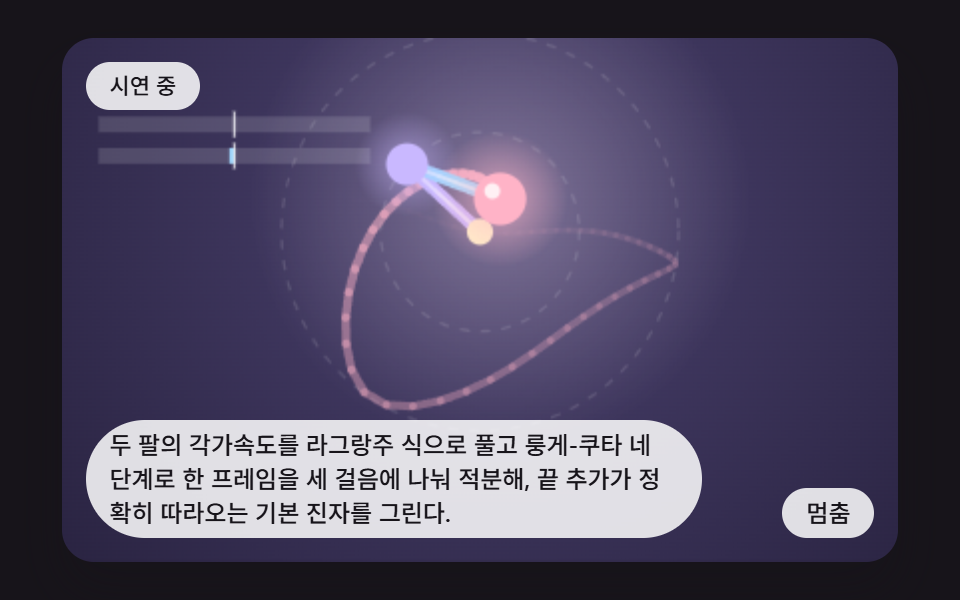 gameDouble Pendulum Simulation: 9 Chaos Scenes
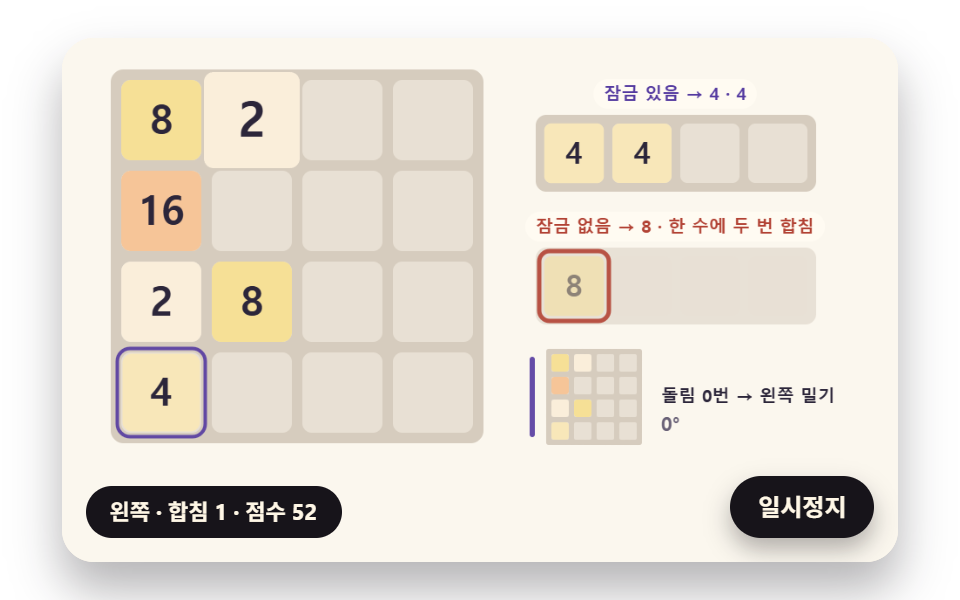 game2048 Game JavaScript: 9 Boards from Merges to AI
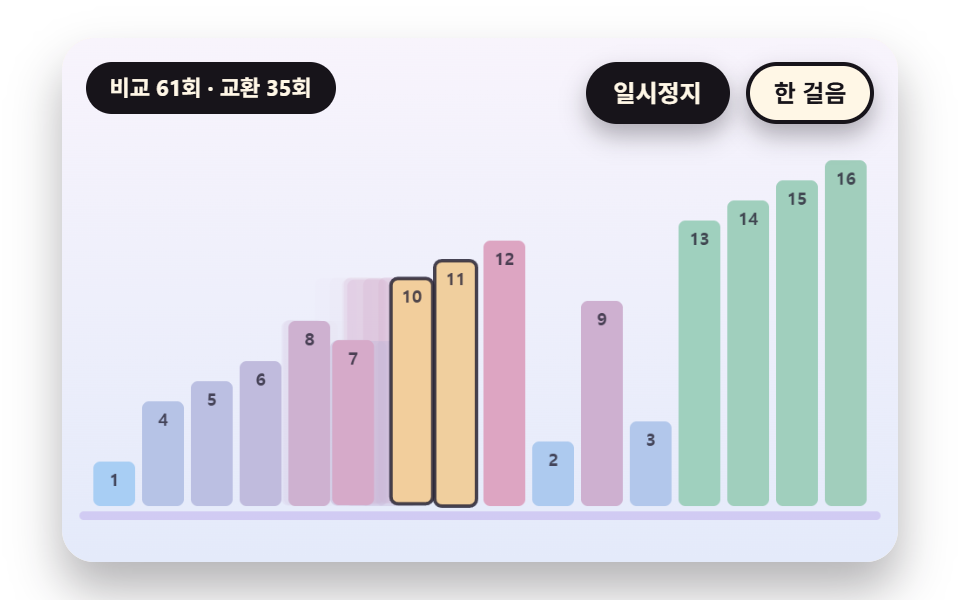 gameSorting Algorithm Visualizer: 9 Sort Scenes
 gameMinesweeper JavaScript: 9 Minefield Scenes
 gameBrick Breaker Game: 9 Canvas Scenes
 gameSliding Puzzle: 9 Canvas Scenes, Parity to Search
 gameWalking Animation Cycle: 9 Calculated Scenes
 gameSudoku: 9 Scenes, Candidates to Unique Boards
 gameTetris JavaScript: Build It in 9 Canvas Steps
 gameSpin Wheel: 9 Canvas Roulettes, Flick to Stop